고객 후기 디자인 패턴 9종, 신뢰를 보여 주는
고객 후기 디자인은 다른 사람이 남긴 평가를 화면에 얹어, 망설이는 방문자를 마지막으로 안심시키는 섹션입니다. 아홉 가지는 후기 카드·별점·고객사 목록을 HTML 과 CSS 만으로 지어서 옮겨 붙이면 그대로 움직입니다.
 01 proof-carousel-autoplay
 02 proof-masonry-quote-grid
 03 proof-single-quote-avatar-swipe
 04 proof-rating-distribution-bars
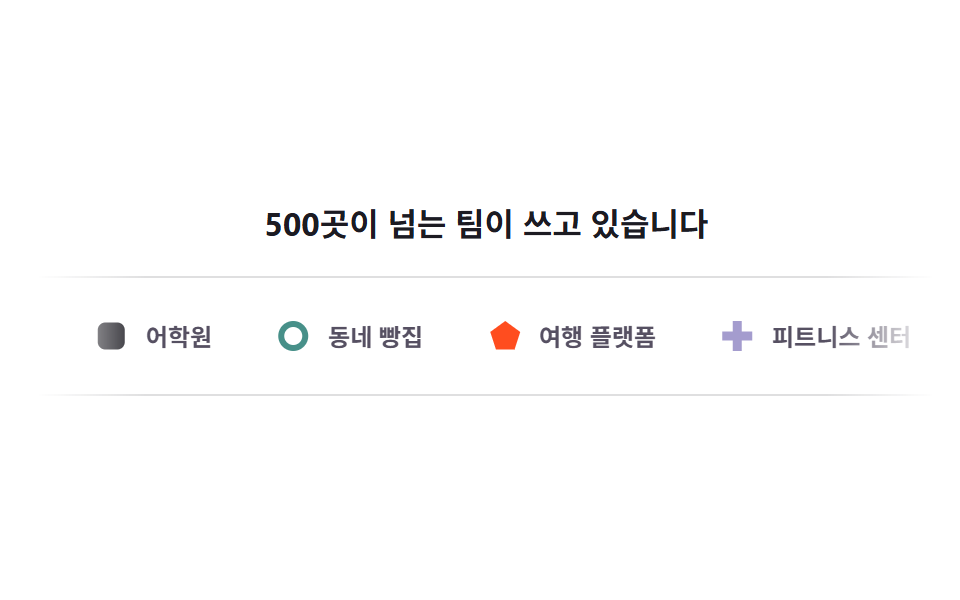 05 proof-logo-marquee-band
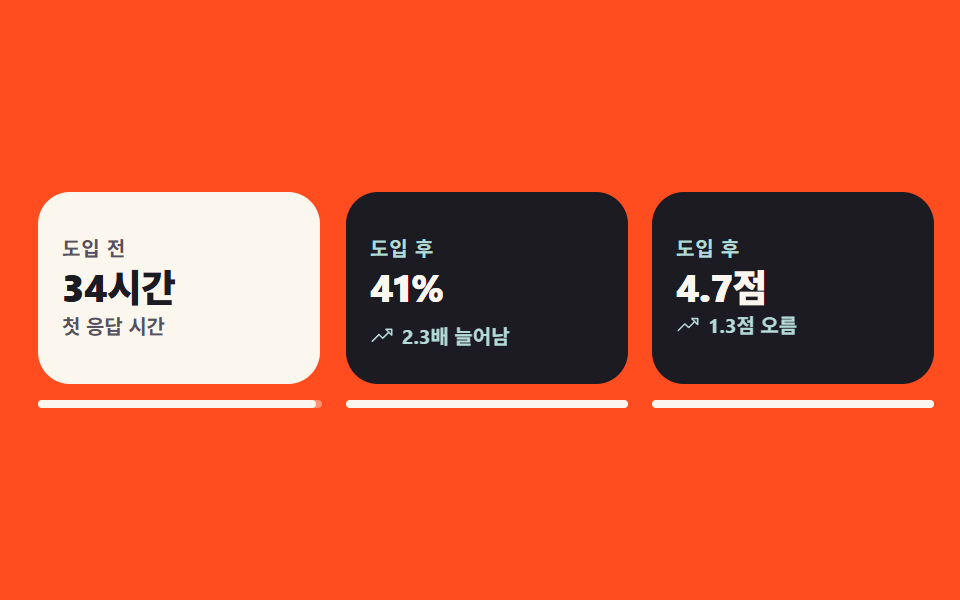 06 proof-before-after-flip
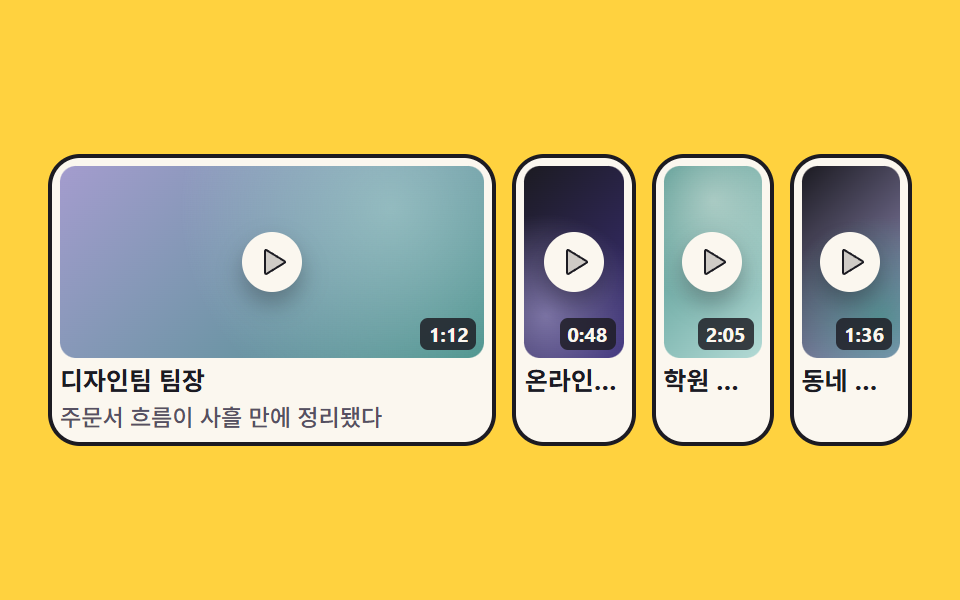 07 proof-video-thumb-grid
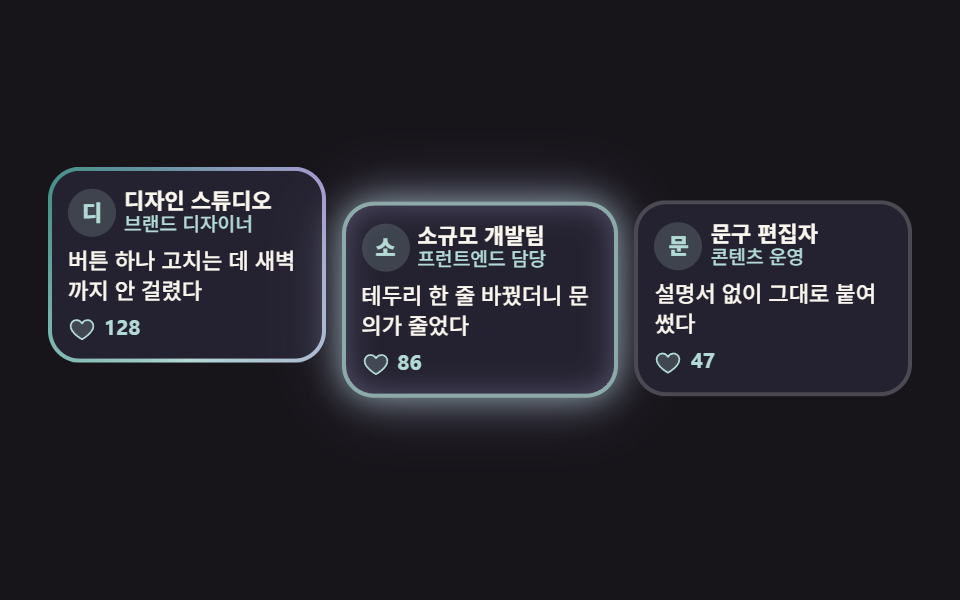 08 proof-tweet-card-wall
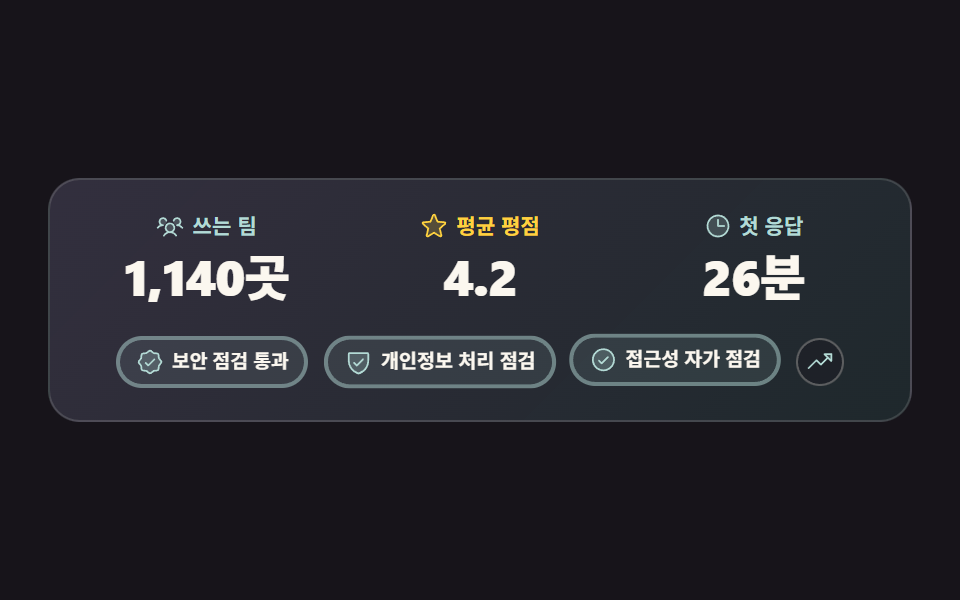 09 proof-trust-metrics-band
자동 재생 · 눌러서 해당 항목으로 · 전부 한 zip
- 01 자동 순환 후기 캐러셀
- 02 높이 다른 인용 그리드
- 03 대형 인용과 아바타 전환
- 04 별점 분포 요약 바
- 05 로고 띠 마퀴
- 06 전후 수치 뒤집기 카드
- 07 영상 후기 썸네일 그리드
- 08 짧은 글 카드 월
- 09 신뢰 수치 밴드
아홉 개는 상품 후기 디자인의 화려함 순서가 아니라 후기가 쌓여 가는 순서입니다. 후기가 서너 개뿐일 때는 한 자리에서 돌아가는 캐러셀(01)로 시작하고, 수가 불어나면 높이를 맞추지 않고 벽돌처럼 쌓습니다(02). 한 사람을 크게 세워 말을 주고 싶을 때는 대형 인용과 얼굴 고르기(03)이, 문장보다 숫자가 설득할 때는 별점 분포 바(04)가 맞습니다. 누가 쓰는지가 증거일 때 로고 띠(05)가 흐르고, 도입 전후를 비교할 땐 뒤집기 카드(06)가, 얼굴과 목소리가 있다면 영상 썸네일(07)이, 짧은 반응이 모였다면 카드 월(08)이 제 몫을 합니다. 마지막 신뢰 수치 밴드(09)는 가격표 곁에서 한 번 더 받칩니다. 아홉 개 모두 잉크 #1c1b22 · 크림 #fbf7ef · 민트 #6ee7d7 을 바탕으로 짜서 둘셋을 섞어도 색이 어긋나지 않습니다. 이 증언 벽이 여는 장과 마주 보는 자리는 히어로 섹션 패턴이 잡아 주고, 문장 하나를 크게 뽑아 내는 일만 따로 파면 인용구 디자인이 그 축입니다.
01자동 순환 후기 캐러셀
고객 리뷰 디자인에서 무엇이 보이나
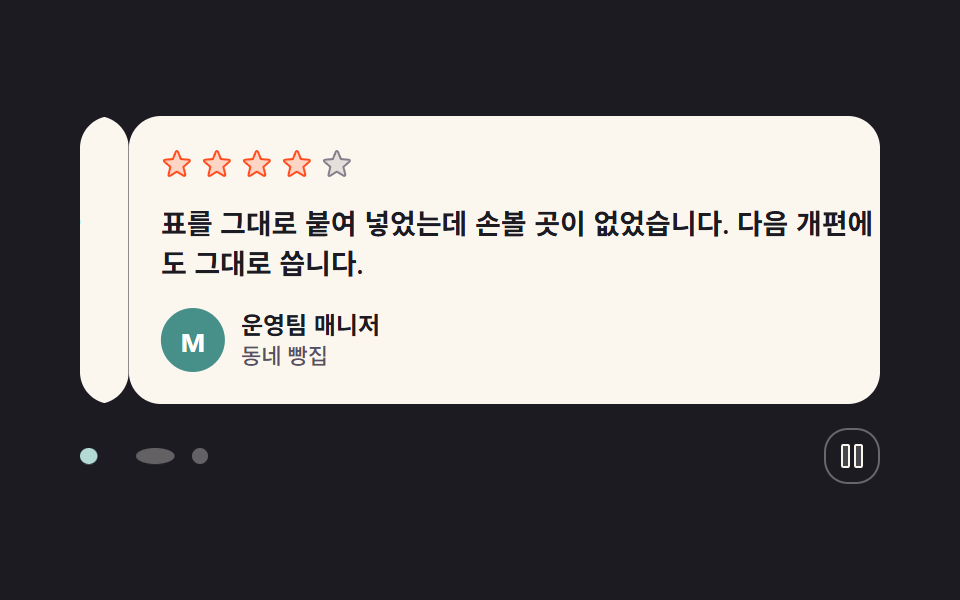
후기 카드 석 장이 한 자리를 차례로 지나가고, 아래 점이 지나는 카드에 맞춰 알약으로 넓어집니다. 오른쪽 버튼을 누르면 순환이 선 자리에서 멈춥니다.
<main class="stage">
  <section class="pc is-demo" aria-label="고객 후기 자동 순환">

    <div class="pc__window" aria-live="off">

      <article class="pc__card pc__card--1 is-on">
        <p class="pc__stars" role="img" aria-label="5점 만점에 5점">
          <svg class="pc__star" viewBox="0 0 256 256" width="16" height="16" aria-hidden="true" focusable="false" fill="currentColor"><path d="M229.06,108.79l-48.7,42,14.88,62.79a8.4,8.4,0,0,1-12.52,9.17L128,189.09,73.28,222.74a8.4,8.4,0,0,1-12.52-9.17l14.88-62.79-48.7-42A8.46,8.46,0,0,1,31.73,94L95.64,88.8l24.62-59.6a8.36,8.36,0,0,1,15.48,0l24.62,59.6L224.27,94A8.46,8.46,0,0,1,229.06,108.79Z" opacity="0.2"/><path d="M239.18,97.26A16.38,16.38,0,0,0,224.92,86l-59-4.76L143.14,26.15a16.36,16.36,0,0,0-30.27,0L90.11,81.23,31.08,86a16.46,16.46,0,0,0-9.37,28.86l45,38.83L53,211.75a16.38,16.38,0,0,0,24.5,17.82L128,198.49l50.53,31.08A16.4,16.4,0,0,0,203,211.75l-13.76-58.07,45-38.83A16.43,16.43,0,0,0,239.18,97.26Zm-15.34,5.47-48.7,42a8,8,0,0,0-2.56,7.91l14.88,62.8a.37.37,0,0,1-.17.48c-.18.14-.23.11-.38,0l-54.72-33.65a8,8,0,0,0-8.38,0L69.09,215.94c-.15.09-.19.12-.38,0a.37.37,0,0,1-.17-.48l14.88-62.8a8,8,0,0,0-2.56-7.91l-48.7-42c-.12-.1-.23-.19-.13-.5s.18-.27.33-.29l63.92-5.16A8,8,0,0,0,103,91.86l24.62-59.61c.08-.17.11-.25.35-.25s.27.08.35.25L153,91.86a8,8,0,0,0,6.75,4.92l63.92,5.16c.15,0,.24,0,.33.29S224,102.63,223.84,102.73Z"/></svg>
          <svg class="pc__star" viewBox="0 0 256 256" width="16" height="16" aria-hidden="true" focusable="false" fill="currentColor"><path d="M229.06,108.79l-48.7,42,14.88,62.79a8.4,8.4,0,0,1-12.52,9.17L128,189.09,73.28,222.74a8.4,8.4,0,0,1-12.52-9.17l14.88-62.79-48.7-42A8.46,8.46,0,0,1,31.73,94L95.64,88.8l24.62-59.6a8.36,8.36,0,0,1,15.48,0l24.62,59.6L224.27,94A8.46,8.46,0,0,1,229.06,108.79Z" opacity="0.2"/><path d="M239.18,97.26A16.38,16.38,0,0,0,224.92,86l-59-4.76L143.14,26.15a16.36,16.36,0,0,0-30.27,0L90.11,81.23,31.08,86a16.46,16.46,0,0,0-9.37,28.86l45,38.83L53,211.75a16.38,16.38,0,0,0,24.5,17.82L128,198.49l50.53,31.08A16.4,16.4,0,0,0,203,211.75l-13.76-58.07,45-38.83A16.43,16.43,0,0,0,239.18,97.26Zm-15.34,5.47-48.7,42a8,8,0,0,0-2.56,7.91l14.88,62.8a.37.37,0,0,1-.17.48c-.18.14-.23.11-.38,0l-54.72-33.65a8,8,0,0,0-8.38,0L69.09,215.94c-.15.09-.19.12-.38,0a.37.37,0,0,1-.17-.48l14.88-62.8a8,8,0,0,0-2.56-7.91l-48.7-42c-.12-.1-.23-.19-.13-.5s.18-.27.33-.29l63.92-5.16A8,8,0,0,0,103,91.86l24.62-59.61c.08-.17.11-.25.35-.25s.27.08.35.25L153,91.86a8,8,0,0,0,6.75,4.92l63.92,5.16c.15,0,.24,0,.33.29S224,102.63,223.84,102.73Z"/></svg>
          <svg class="pc__star" viewBox="0 0 256 256" width="16" height="16" aria-hidden="true" focusable="false" fill="currentColor"><path d="M229.06,108.79l-48.7,42,14.88,62.79a8.4,8.4,0,0,1-12.52,9.17L128,189.09,73.28,222.74a8.4,8.4,0,0,1-12.52-9.17l14.88-62.79-48.7-42A8.46,8.46,0,0,1,31.73,94L95.64,88.8l24.62-59.6a8.36,8.36,0,0,1,15.48,0l24.62,59.6L224.27,94A8.46,8.46,0,0,1,229.06,108.79Z" opacity="0.2"/><path d="M239.18,97.26A16.38,16.38,0,0,0,224.92,86l-59-4.76L143.14,26.15a16.36,16.36,0,0,0-30.27,0L90.11,81.23,31.08,86a16.46,16.46,0,0,0-9.37,28.86l45,38.83L53,211.75a16.38,16.38,0,0,0,24.5,17.82L128,198.49l50.53,31.08A16.4,16.4,0,0,0,203,211.75l-13.76-58.07,45-38.83A16.43,16.43,0,0,0,239.18,97.26Zm-15.34,5.47-48.7,42a8,8,0,0,0-2.56,7.91l14.88,62.8a.37.37,0,0,1-.17.48c-.18.14-.23.11-.38,0l-54.72-33.65a8,8,0,0,0-8.38,0L69.09,215.94c-.15.09-.19.12-.38,0a.37.37,0,0,1-.17-.48l14.88-62.8a8,8,0,0,0-2.56-7.91l-48.7-42c-.12-.1-.23-.19-.13-.5s.18-.27.33-.29l63.92-5.16A8,8,0,0,0,103,91.86l24.62-59.61c.08-.17.11-.25.35-.25s.27.08.35.25L153,91.86a8,8,0,0,0,6.75,4.92l63.92,5.16c.15,0,.24,0,.33.29S224,102.63,223.84,102.73Z"/></svg>
          <svg class="pc__star" viewBox="0 0 256 256" width="16" height="16" aria-hidden="true" focusable="false" fill="currentColor"><path d="M229.06,108.79l-48.7,42,14.88,62.79a8.4,8.4,0,0,1-12.52,9.17L128,189.09,73.28,222.74a8.4,8.4,0,0,1-12.52-9.17l14.88-62.79-48.7-42A8.46,8.46,0,0,1,31.73,94L95.64,88.8l24.62-59.6a8.36,8.36,0,0,1,15.48,0l24.62,59.6L224.27,94A8.46,8.46,0,0,1,229.06,108.79Z" opacity="0.2"/><path d="M239.18,97.26A16.38,16.38,0,0,0,224.92,86l-59-4.76L143.14,26.15a16.36,16.36,0,0,0-30.27,0L90.11,81.23,31.08,86a16.46,16.46,0,0,0-9.37,28.86l45,38.83L53,211.75a16.38,16.38,0,0,0,24.5,17.82L128,198.49l50.53,31.08A16.4,16.4,0,0,0,203,211.75l-13.76-58.07,45-38.83A16.43,16.43,0,0,0,239.18,97.26Zm-15.34,5.47-48.7,42a8,8,0,0,0-2.56,7.91l14.88,62.8a.37.37,0,0,1-.17.48c-.18.14-.23.11-.38,0l-54.72-33.65a8,8,0,0,0-8.38,0L69.09,215.94c-.15.09-.19.12-.38,0a.37.37,0,0,1-.17-.48l14.88-62.8a8,8,0,0,0-2.56-7.91l-48.7-42c-.12-.1-.23-.19-.13-.5s.18-.27.33-.29l63.92-5.16A8,8,0,0,0,103,91.86l24.62-59.61c.08-.17.11-.25.35-.25s.27.08.35.25L153,91.86a8,8,0,0,0,6.75,4.92l63.92,5.16c.15,0,.24,0,.33.29S224,102.63,223.84,102.73Z"/></svg>
          <svg class="pc__star" viewBox="0 0 256 256" width="16" height="16" aria-hidden="true" focusable="false" fill="currentColor"><path d="M229.06,108.79l-48.7,42,14.88,62.79a8.4,8.4,0,0,1-12.52,9.17L128,189.09,73.28,222.74a8.4,8.4,0,0,1-12.52-9.17l14.88-62.79-48.7-42A8.46,8.46,0,0,1,31.73,94L95.64,88.8l24.62-59.6a8.36,8.36,0,0,1,15.48,0l24.62,59.6L224.27,94A8.46,8.46,0,0,1,229.06,108.79Z" opacity="0.2"/><path d="M239.18,97.26A16.38,16.38,0,0,0,224.92,86l-59-4.76L143.14,26.15a16.36,16.36,0,0,0-30.27,0L90.11,81.23,31.08,86a16.46,16.46,0,0,0-9.37,28.86l45,38.83L53,211.75a16.38,16.38,0,0,0,24.5,17.82L128,198.49l50.53,31.08A16.4,16.4,0,0,0,203,211.75l-13.76-58.07,45-38.83A16.43,16.43,0,0,0,239.18,97.26Zm-15.34,5.47-48.7,42a8,8,0,0,0-2.56,7.91l14.88,62.8a.37.37,0,0,1-.17.48c-.18.14-.23.11-.38,0l-54.72-33.65a8,8,0,0,0-8.38,0L69.09,215.94c-.15.09-.19.12-.38,0a.37.37,0,0,1-.17-.48l14.88-62.8a8,8,0,0,0-2.56-7.91l-48.7-42c-.12-.1-.23-.19-.13-.5s.18-.27.33-.29l63.92-5.16A8,8,0,0,0,103,91.86l24.62-59.61c.08-.17.11-.25.35-.25s.27.08.35.25L153,91.86a8,8,0,0,0,6.75,4.92l63.92,5.16c.15,0,.24,0,.33.29S224,102.63,223.84,102.73Z"/></svg>
        </p>
        <p class="pc__quote">도입 첫 주에 문의 응답 시간이 절반으로 줄었습니다. 팀 전체가 같은 화면을 봅니다.</p>
        <p class="pc__who">
          <span class="pc__avatar" aria-hidden="true">J</span>
          <span class="pc__name">디자인팀 팀장<span class="pc__role">온라인 서점</span></span>
        </p>
      </article>

      <article class="pc__card pc__card--2">
        <p class="pc__stars" role="img" aria-label="5점 만점에 4점">
          <svg class="pc__star" viewBox="0 0 256 256" width="16" height="16" aria-hidden="true" focusable="false" fill="currentColor"><path d="M229.06,108.79l-48.7,42,14.88,62.79a8.4,8.4,0,0,1-12.52,9.17L128,189.09,73.28,222.74a8.4,8.4,0,0,1-12.52-9.17l14.88-62.79-48.7-42A8.46,8.46,0,0,1,31.73,94L95.64,88.8l24.62-59.6a8.36,8.36,0,0,1,15.48,0l24.62,59.6L224.27,94A8.46,8.46,0,0,1,229.06,108.79Z" opacity="0.2"/><path d="M239.18,97.26A16.38,16.38,0,0,0,224.92,86l-59-4.76L143.14,26.15a16.36,16.36,0,0,0-30.27,0L90.11,81.23,31.08,86a16.46,16.46,0,0,0-9.37,28.86l45,38.83L53,211.75a16.38,16.38,0,0,0,24.5,17.82L128,198.49l50.53,31.08A16.4,16.4,0,0,0,203,211.75l-13.76-58.07,45-38.83A16.43,16.43,0,0,0,239.18,97.26Zm-15.34,5.47-48.7,42a8,8,0,0,0-2.56,7.91l14.88,62.8a.37.37,0,0,1-.17.48c-.18.14-.23.11-.38,0l-54.72-33.65a8,8,0,0,0-8.38,0L69.09,215.94c-.15.09-.19.12-.38,0a.37.37,0,0,1-.17-.48l14.88-62.8a8,8,0,0,0-2.56-7.91l-48.7-42c-.12-.1-.23-.19-.13-.5s.18-.27.33-.29l63.92-5.16A8,8,0,0,0,103,91.86l24.62-59.61c.08-.17.11-.25.35-.25s.27.08.35.25L153,91.86a8,8,0,0,0,6.75,4.92l63.92,5.16c.15,0,.24,0,.33.29S224,102.63,223.84,102.73Z"/></svg>
          <svg class="pc__star" viewBox="0 0 256 256" width="16" height="16" aria-hidden="true" focusable="false" fill="currentColor"><path d="M229.06,108.79l-48.7,42,14.88,62.79a8.4,8.4,0,0,1-12.52,9.17L128,189.09,73.28,222.74a8.4,8.4,0,0,1-12.52-9.17l14.88-62.79-48.7-42A8.46,8.46,0,0,1,31.73,94L95.64,88.8l24.62-59.6a8.36,8.36,0,0,1,15.48,0l24.62,59.6L224.27,94A8.46,8.46,0,0,1,229.06,108.79Z" opacity="0.2"/><path d="M239.18,97.26A16.38,16.38,0,0,0,224.92,86l-59-4.76L143.14,26.15a16.36,16.36,0,0,0-30.27,0L90.11,81.23,31.08,86a16.46,16.46,0,0,0-9.37,28.86l45,38.83L53,211.75a16.38,16.38,0,0,0,24.5,17.82L128,198.49l50.53,31.08A16.4,16.4,0,0,0,203,211.75l-13.76-58.07,45-38.83A16.43,16.43,0,0,0,239.18,97.26Zm-15.34,5.47-48.7,42a8,8,0,0,0-2.56,7.91l14.88,62.8a.37.37,0,0,1-.17.48c-.18.14-.23.11-.38,0l-54.72-33.65a8,8,0,0,0-8.38,0L69.09,215.94c-.15.09-.19.12-.38,0a.37.37,0,0,1-.17-.48l14.88-62.8a8,8,0,0,0-2.56-7.91l-48.7-42c-.12-.1-.23-.19-.13-.5s.18-.27.33-.29l63.92-5.16A8,8,0,0,0,103,91.86l24.62-59.61c.08-.17.11-.25.35-.25s.27.08.35.25L153,91.86a8,8,0,0,0,6.75,4.92l63.92,5.16c.15,0,.24,0,.33.29S224,102.63,223.84,102.73Z"/></svg>
          <svg class="pc__star" viewBox="0 0 256 256" width="16" height="16" aria-hidden="true" focusable="false" fill="currentColor"><path d="M229.06,108.79l-48.7,42,14.88,62.79a8.4,8.4,0,0,1-12.52,9.17L128,189.09,73.28,222.74a8.4,8.4,0,0,1-12.52-9.17l14.88-62.79-48.7-42A8.46,8.46,0,0,1,31.73,94L95.64,88.8l24.62-59.6a8.36,8.36,0,0,1,15.48,0l24.62,59.6L224.27,94A8.46,8.46,0,0,1,229.06,108.79Z" opacity="0.2"/><path d="M239.18,97.26A16.38,16.38,0,0,0,224.92,86l-59-4.76L143.14,26.15a16.36,16.36,0,0,0-30.27,0L90.11,81.23,31.08,86a16.46,16.46,0,0,0-9.37,28.86l45,38.83L53,211.75a16.38,16.38,0,0,0,24.5,17.82L128,198.49l50.53,31.08A16.4,16.4,0,0,0,203,211.75l-13.76-58.07,45-38.83A16.43,16.43,0,0,0,239.18,97.26Zm-15.34,5.47-48.7,42a8,8,0,0,0-2.56,7.91l14.88,62.8a.37.37,0,0,1-.17.48c-.18.14-.23.11-.38,0l-54.72-33.65a8,8,0,0,0-8.38,0L69.09,215.94c-.15.09-.19.12-.38,0a.37.37,0,0,1-.17-.48l14.88-62.8a8,8,0,0,0-2.56-7.91l-48.7-42c-.12-.1-.23-.19-.13-.5s.18-.27.33-.29l63.92-5.16A8,8,0,0,0,103,91.86l24.62-59.61c.08-.17.11-.25.35-.25s.27.08.35.25L153,91.86a8,8,0,0,0,6.75,4.92l63.92,5.16c.15,0,.24,0,.33.29S224,102.63,223.84,102.73Z"/></svg>
          <svg class="pc__star" viewBox="0 0 256 256" width="16" height="16" aria-hidden="true" focusable="false" fill="currentColor"><path d="M229.06,108.79l-48.7,42,14.88,62.79a8.4,8.4,0,0,1-12.52,9.17L128,189.09,73.28,222.74a8.4,8.4,0,0,1-12.52-9.17l14.88-62.79-48.7-42A8.46,8.46,0,0,1,31.73,94L95.64,88.8l24.62-59.6a8.36,8.36,0,0,1,15.48,0l24.62,59.6L224.27,94A8.46,8.46,0,0,1,229.06,108.79Z" opacity="0.2"/><path d="M239.18,97.26A16.38,16.38,0,0,0,224.92,86l-59-4.76L143.14,26.15a16.36,16.36,0,0,0-30.27,0L90.11,81.23,31.08,86a16.46,16.46,0,0,0-9.37,28.86l45,38.83L53,211.75a16.38,16.38,0,0,0,24.5,17.82L128,198.49l50.53,31.08A16.4,16.4,0,0,0,203,211.75l-13.76-58.07,45-38.83A16.43,16.43,0,0,0,239.18,97.26Zm-15.34,5.47-48.7,42a8,8,0,0,0-2.56,7.91l14.88,62.8a.37.37,0,0,1-.17.48c-.18.14-.23.11-.38,0l-54.72-33.65a8,8,0,0,0-8.38,0L69.09,215.94c-.15.09-.19.12-.38,0a.37.37,0,0,1-.17-.48l14.88-62.8a8,8,0,0,0-2.56-7.91l-48.7-42c-.12-.1-.23-.19-.13-.5s.18-.27.33-.29l63.92-5.16A8,8,0,0,0,103,91.86l24.62-59.61c.08-.17.11-.25.35-.25s.27.08.35.25L153,91.86a8,8,0,0,0,6.75,4.92l63.92,5.16c.15,0,.24,0,.33.29S224,102.63,223.84,102.73Z"/></svg>
          <svg class="pc__star pc__star--off" viewBox="0 0 256 256" width="16" height="16" aria-hidden="true" focusable="false" fill="currentColor"><path d="M229.06,108.79l-48.7,42,14.88,62.79a8.4,8.4,0,0,1-12.52,9.17L128,189.09,73.28,222.74a8.4,8.4,0,0,1-12.52-9.17l14.88-62.79-48.7-42A8.46,8.46,0,0,1,31.73,94L95.64,88.8l24.62-59.6a8.36,8.36,0,0,1,15.48,0l24.62,59.6L224.27,94A8.46,8.46,0,0,1,229.06,108.79Z" opacity="0.2"/><path d="M239.18,97.26A16.38,16.38,0,0,0,224.92,86l-59-4.76L143.14,26.15a16.36,16.36,0,0,0-30.27,0L90.11,81.23,31.08,86a16.46,16.46,0,0,0-9.37,28.86l45,38.83L53,211.75a16.38,16.38,0,0,0,24.5,17.82L128,198.49l50.53,31.08A16.4,16.4,0,0,0,203,211.75l-13.76-58.07,45-38.83A16.43,16.43,0,0,0,239.18,97.26Zm-15.34,5.47-48.7,42a8,8,0,0,0-2.56,7.91l14.88,62.8a.37.37,0,0,1-.17.48c-.18.14-.23.11-.38,0l-54.72-33.65a8,8,0,0,0-8.38,0L69.09,215.94c-.15.09-.19.12-.38,0a.37.37,0,0,1-.17-.48l14.88-62.8a8,8,0,0,0-2.56-7.91l-48.7-42c-.12-.1-.23-.19-.13-.5s.18-.27.33-.29l63.92-5.16A8,8,0,0,0,103,91.86l24.62-59.61c.08-.17.11-.25.35-.25s.27.08.35.25L153,91.86a8,8,0,0,0,6.75,4.92l63.92,5.16c.15,0,.24,0,.33.29S224,102.63,223.84,102.73Z"/></svg>
        </p>
        <p class="pc__quote">표를 그대로 붙여 넣었는데 손볼 곳이 없었습니다. 다음 개편에도 그대로 씁니다.</p>
        <p class="pc__who">
          <span class="pc__avatar" aria-hidden="true">M</span>
          <span class="pc__name">운영팀 매니저<span class="pc__role">동네 빵집</span></span>
        </p>
      </article>

      <article class="pc__card pc__card--3">
        <p class="pc__stars" role="img" aria-label="5점 만점에 5점">
          <svg class="pc__star" viewBox="0 0 256 256" width="16" height="16" aria-hidden="true" focusable="false" fill="currentColor"><path d="M229.06,108.79l-48.7,42,14.88,62.79a8.4,8.4,0,0,1-12.52,9.17L128,189.09,73.28,222.74a8.4,8.4,0,0,1-12.52-9.17l14.88-62.79-48.7-42A8.46,8.46,0,0,1,31.73,94L95.64,88.8l24.62-59.6a8.36,8.36,0,0,1,15.48,0l24.62,59.6L224.27,94A8.46,8.46,0,0,1,229.06,108.79Z" opacity="0.2"/><path d="M239.18,97.26A16.38,16.38,0,0,0,224.92,86l-59-4.76L143.14,26.15a16.36,16.36,0,0,0-30.27,0L90.11,81.23,31.08,86a16.46,16.46,0,0,0-9.37,28.86l45,38.83L53,211.75a16.38,16.38,0,0,0,24.5,17.82L128,198.49l50.53,31.08A16.4,16.4,0,0,0,203,211.75l-13.76-58.07,45-38.83A16.43,16.43,0,0,0,239.18,97.26Zm-15.34,5.47-48.7,42a8,8,0,0,0-2.56,7.91l14.88,62.8a.37.37,0,0,1-.17.48c-.18.14-.23.11-.38,0l-54.72-33.65a8,8,0,0,0-8.38,0L69.09,215.94c-.15.09-.19.12-.38,0a.37.37,0,0,1-.17-.48l14.88-62.8a8,8,0,0,0-2.56-7.91l-48.7-42c-.12-.1-.23-.19-.13-.5s.18-.27.33-.29l63.92-5.16A8,8,0,0,0,103,91.86l24.62-59.61c.08-.17.11-.25.35-.25s.27.08.35.25L153,91.86a8,8,0,0,0,6.75,4.92l63.92,5.16c.15,0,.24,0,.33.29S224,102.63,223.84,102.73Z"/></svg>
          <svg class="pc__star" viewBox="0 0 256 256" width="16" height="16" aria-hidden="true" focusable="false" fill="currentColor"><path d="M229.06,108.79l-48.7,42,14.88,62.79a8.4,8.4,0,0,1-12.52,9.17L128,189.09,73.28,222.74a8.4,8.4,0,0,1-12.52-9.17l14.88-62.79-48.7-42A8.46,8.46,0,0,1,31.73,94L95.64,88.8l24.62-59.6a8.36,8.36,0,0,1,15.48,0l24.62,59.6L224.27,94A8.46,8.46,0,0,1,229.06,108.79Z" opacity="0.2"/><path d="M239.18,97.26A16.38,16.38,0,0,0,224.92,86l-59-4.76L143.14,26.15a16.36,16.36,0,0,0-30.27,0L90.11,81.23,31.08,86a16.46,16.46,0,0,0-9.37,28.86l45,38.83L53,211.75a16.38,16.38,0,0,0,24.5,17.82L128,198.49l50.53,31.08A16.4,16.4,0,0,0,203,211.75l-13.76-58.07,45-38.83A16.43,16.43,0,0,0,239.18,97.26Zm-15.34,5.47-48.7,42a8,8,0,0,0-2.56,7.91l14.88,62.8a.37.37,0,0,1-.17.48c-.18.14-.23.11-.38,0l-54.72-33.65a8,8,0,0,0-8.38,0L69.09,215.94c-.15.09-.19.12-.38,0a.37.37,0,0,1-.17-.48l14.88-62.8a8,8,0,0,0-2.56-7.91l-48.7-42c-.12-.1-.23-.19-.13-.5s.18-.27.33-.29l63.92-5.16A8,8,0,0,0,103,91.86l24.62-59.61c.08-.17.11-.25.35-.25s.27.08.35.25L153,91.86a8,8,0,0,0,6.75,4.92l63.92,5.16c.15,0,.24,0,.33.29S224,102.63,223.84,102.73Z"/></svg>
          <svg class="pc__star" viewBox="0 0 256 256" width="16" height="16" aria-hidden="true" focusable="false" fill="currentColor"><path d="M229.06,108.79l-48.7,42,14.88,62.79a8.4,8.4,0,0,1-12.52,9.17L128,189.09,73.28,222.74a8.4,8.4,0,0,1-12.52-9.17l14.88-62.79-48.7-42A8.46,8.46,0,0,1,31.73,94L95.64,88.8l24.62-59.6a8.36,8.36,0,0,1,15.48,0l24.62,59.6L224.27,94A8.46,8.46,0,0,1,229.06,108.79Z" opacity="0.2"/><path d="M239.18,97.26A16.38,16.38,0,0,0,224.92,86l-59-4.76L143.14,26.15a16.36,16.36,0,0,0-30.27,0L90.11,81.23,31.08,86a16.46,16.46,0,0,0-9.37,28.86l45,38.83L53,211.75a16.38,16.38,0,0,0,24.5,17.82L128,198.49l50.53,31.08A16.4,16.4,0,0,0,203,211.75l-13.76-58.07,45-38.83A16.43,16.43,0,0,0,239.18,97.26Zm-15.34,5.47-48.7,42a8,8,0,0,0-2.56,7.91l14.88,62.8a.37.37,0,0,1-.17.48c-.18.14-.23.11-.38,0l-54.72-33.65a8,8,0,0,0-8.38,0L69.09,215.94c-.15.09-.19.12-.38,0a.37.37,0,0,1-.17-.48l14.88-62.8a8,8,0,0,0-2.56-7.91l-48.7-42c-.12-.1-.23-.19-.13-.5s.18-.27.33-.29l63.92-5.16A8,8,0,0,0,103,91.86l24.62-59.61c.08-.17.11-.25.35-.25s.27.08.35.25L153,91.86a8,8,0,0,0,6.75,4.92l63.92,5.16c.15,0,.24,0,.33.29S224,102.63,223.84,102.73Z"/></svg>
          <svg class="pc__star" viewBox="0 0 256 256" width="16" height="16" aria-hidden="true" focusable="false" fill="currentColor"><path d="M229.06,108.79l-48.7,42,14.88,62.79a8.4,8.4,0,0,1-12.52,9.17L128,189.09,73.28,222.74a8.4,8.4,0,0,1-12.52-9.17l14.88-62.79-48.7-42A8.46,8.46,0,0,1,31.73,94L95.64,88.8l24.62-59.6a8.36,8.36,0,0,1,15.48,0l24.62,59.6L224.27,94A8.46,8.46,0,0,1,229.06,108.79Z" opacity="0.2"/><path d="M239.18,97.26A16.38,16.38,0,0,0,224.92,86l-59-4.76L143.14,26.15a16.36,16.36,0,0,0-30.27,0L90.11,81.23,31.08,86a16.46,16.46,0,0,0-9.37,28.86l45,38.83L53,211.75a16.38,16.38,0,0,0,24.5,17.82L128,198.49l50.53,31.08A16.4,16.4,0,0,0,203,211.75l-13.76-58.07,45-38.83A16.43,16.43,0,0,0,239.18,97.26Zm-15.34,5.47-48.7,42a8,8,0,0,0-2.56,7.91l14.88,62.8a.37.37,0,0,1-.17.48c-.18.14-.23.11-.38,0l-54.72-33.65a8,8,0,0,0-8.38,0L69.09,215.94c-.15.09-.19.12-.38,0a.37.37,0,0,1-.17-.48l14.88-62.8a8,8,0,0,0-2.56-7.91l-48.7-42c-.12-.1-.23-.19-.13-.5s.18-.27.33-.29l63.92-5.16A8,8,0,0,0,103,91.86l24.62-59.61c.08-.17.11-.25.35-.25s.27.08.35.25L153,91.86a8,8,0,0,0,6.75,4.92l63.92,5.16c.15,0,.24,0,.33.29S224,102.63,223.84,102.73Z"/></svg>
          <svg class="pc__star" viewBox="0 0 256 256" width="16" height="16" aria-hidden="true" focusable="false" fill="currentColor"><path d="M229.06,108.79l-48.7,42,14.88,62.79a8.4,8.4,0,0,1-12.52,9.17L128,189.09,73.28,222.74a8.4,8.4,0,0,1-12.52-9.17l14.88-62.79-48.7-42A8.46,8.46,0,0,1,31.73,94L95.64,88.8l24.62-59.6a8.36,8.36,0,0,1,15.48,0l24.62,59.6L224.27,94A8.46,8.46,0,0,1,229.06,108.79Z" opacity="0.2"/><path d="M239.18,97.26A16.38,16.38,0,0,0,224.92,86l-59-4.76L143.14,26.15a16.36,16.36,0,0,0-30.27,0L90.11,81.23,31.08,86a16.46,16.46,0,0,0-9.37,28.86l45,38.83L53,211.75a16.38,16.38,0,0,0,24.5,17.82L128,198.49l50.53,31.08A16.4,16.4,0,0,0,203,211.75l-13.76-58.07,45-38.83A16.43,16.43,0,0,0,239.18,97.26Zm-15.34,5.47-48.7,42a8,8,0,0,0-2.56,7.91l14.88,62.8a.37.37,0,0,1-.17.48c-.18.14-.23.11-.38,0l-54.72-33.65a8,8,0,0,0-8.38,0L69.09,215.94c-.15.09-.19.12-.38,0a.37.37,0,0,1-.17-.48l14.88-62.8a8,8,0,0,0-2.56-7.91l-48.7-42c-.12-.1-.23-.19-.13-.5s.18-.27.33-.29l63.92-5.16A8,8,0,0,0,103,91.86l24.62-59.61c.08-.17.11-.25.35-.25s.27.08.35.25L153,91.86a8,8,0,0,0,6.75,4.92l63.92,5.16c.15,0,.24,0,.33.29S224,102.63,223.84,102.73Z"/></svg>
        </p>
        <p class="pc__quote">설명서를 읽지 않고도 주문까지 끝냈습니다. 반품 문의가 눈에 띄게 줄었습니다.</p>
        <p class="pc__who">
          <span class="pc__avatar" aria-hidden="true">S</span>
          <span class="pc__name">공방 대표<span class="pc__role">수제 가구 공방</span></span>
        </p>
      </article>

    </div>

    <div class="pc__bar">
      <span class="pc__dots">
        <button class="pc__dot is-on" type="button" aria-label="첫째 후기 보기" aria-current="true"><span class="pc__pip" aria-hidden="true"></span></button>
        <button class="pc__dot" type="button" aria-label="둘째 후기 보기" aria-current="false"><span class="pc__pip" aria-hidden="true"></span></button>
        <button class="pc__dot" type="button" aria-label="셋째 후기 보기" aria-current="false"><span class="pc__pip" aria-hidden="true"></span></button>
      </span>

      <button class="pc__toggle" type="button" aria-pressed="false" aria-label="자동 순환 멈춤">
        <svg class="pc__ico pc__ico--pause" viewBox="0 0 256 256" width="16" height="16" aria-hidden="true" focusable="false" fill="currentColor"><path d="M208,48V208a8,8,0,0,1-8,8H160a8,8,0,0,1-8-8V48a8,8,0,0,1,8-8h40A8,8,0,0,1,208,48ZM96,40H56a8,8,0,0,0-8,8V208a8,8,0,0,0,8,8H96a8,8,0,0,0,8-8V48A8,8,0,0,0,96,40Z" opacity="0.2"/><path d="M200,32H160a16,16,0,0,0-16,16V208a16,16,0,0,0,16,16h40a16,16,0,0,0,16-16V48A16,16,0,0,0,200,32Zm0,176H160V48h40ZM96,32H56A16,16,0,0,0,40,48V208a16,16,0,0,0,16,16H96a16,16,0,0,0,16-16V48A16,16,0,0,0,96,32Zm0,176H56V48H96Z"/></svg>
        <svg class="pc__ico pc__ico--play" viewBox="0 0 256 256" width="16" height="16" aria-hidden="true" focusable="false" fill="currentColor"><path d="M228.23,134.69,84.15,222.81A8,8,0,0,1,72,216.12V39.88a8,8,0,0,1,12.15-6.69l144.08,88.12A7.82,7.82,0,0,1,228.23,134.69Z" opacity="0.2"/><path d="M232.4,114.49,88.32,26.35a16,16,0,0,0-16.2-.3A15.86,15.86,0,0,0,64,39.87V216.13A15.94,15.94,0,0,0,80,232a16.07,16.07,0,0,0,8.36-2.35L232.4,141.51a15.81,15.81,0,0,0,0-27ZM80,215.94V40l143.83,88Z"/></svg>
      </button>
    </div>

  </section>
</main>@use "../../../../site/static/demo-tokens" as *;
// 276 소셜 프루프 팔레트 — 아홉 항목이 같은 값을 쓴다
$pf-ink: #1c1b22; // 어두운 면 (무대)
$pf-cream: #fbf7ef; // 카드 바탕 — ink 위 15.99:1
$pf-paper: $stage-paper;
$pf-stone: #565062; // 크림 위 보조 글자 7.23:1
$pf-teal: #479089; // 아바타 면 (흰 글자 5.79:1)
$pf-flame: $stage-orange; // 채워진 별
$pf-mint: #b3dad5; // 잉크 위 강조 11.45:1
$duration: $dur-loop; // 카드 석 장이 한 바퀴 도는 시간
$easing: $ease-spring; // 카드가 들고 나는 곡선
$color: $pf-ink; // 무대
@include stage($color);
.pc {
box-sizing: border-box;
display: grid;
gap: $sp-3;
width: clamp(288px, 92vw, 400px);
}
// 창 하나에 카드 석 장을 전부 겹쳐 둔다 — 복제본도, 텔레포트도 없다
.pc__window {
display: grid;
overflow: hidden;
border-radius: $r-card;
}
// 기본(정적) 상태: 카드는 창 밖 오른쪽. .is-on 한 장만 들어와 선다
.pc__card {
box-sizing: border-box;
grid-area: 1 / 1;
display: grid;
align-content: start;
gap: $sp-3;
padding: $sp-4;
border-radius: $r-card;
background: $pf-cream;
color: $pf-ink;
transform: translateX(100%);
}
.pc__card.is-on { transform: translateX(0); }
.pc__stars {
display: flex;
gap: $sp-1;
margin: 0;
color: $pf-flame;
}
.pc__star--off {
color: $pf-stone;
opacity: .72;
}
.pc__quote {
margin: 0;
font-weight: 600;
font-size: clamp(12px, 3vw, 14px);
line-height: 1.45;
}
.pc__who {
display: flex;
align-items: center;
gap: $sp-2;
margin: 0;
}
.pc__avatar {
display: grid;
place-items: center;
width: 32px;
height: 32px;
border-radius: 50%;
background: $pf-teal;
color: $pf-paper;
font-weight: 700;
font-size: 13px;
line-height: 1;
}
.pc__name {
display: grid;
font-weight: 700;
font-size: 12px;
line-height: 1.3;
}
.pc__role {
color: $pf-stone;
font-weight: 500;
font-size: 11px;
line-height: 1.3;
}
.pc__bar {
display: flex;
align-items: center;
justify-content: space-between;
}
// 점 세 개 — 겹치는 칸이 아니라 균등 격자. 활성 점은 알약으로 "넓어진다"(scaleX)
.pc__dots {
display: grid;
grid-template-columns: repeat(3, 24px);
gap: $sp-1;
align-items: center;
}
.pc__dot {
display: grid;
align-items: center;
justify-items: start;
height: 20px;
padding: 0;
border: 0;
border-radius: $r-xs;
background: none;
cursor: pointer;
}
.pc__pip {
display: block;
width: 8px;
height: 8px;
border-radius: $r-pill;
background-color: rgba($pf-cream, .32);
transform: scaleX(1);
transform-origin: left center; // 규칙8: 캐러셀 점 알약 좌변 확장
transition: transform $dur-quick $easing, background-color $dur-quick $ease-out;
}
.pc__dot.is-on .pc__pip {
background-color: $pf-mint;
transform: scaleX(2.5);
}
.pc__dot:focus-visible {
outline: 2px solid $pf-mint;
outline-offset: 2px;
}
.pc__toggle {
display: grid;
width: 28px;
height: 28px;
padding: 0;
border: 1px solid rgba($pf-cream, .34);
border-radius: $r-control;
background: none;
color: $pf-cream;
cursor: pointer;
}
.pc__ico {
grid-area: 1 / 1;
place-self: center;
}
.pc__ico--play { display: none; }
.pc__toggle[aria-pressed="true"] .pc__ico--pause { display: none; }
.pc__toggle[aria-pressed="true"] .pc__ico--play { display: block; }
.pc__toggle:focus-visible {
outline: 2px solid $pf-mint;
outline-offset: 2px;
}
// ── 자동 순환 ────────────────────────────────────────────────
// 석 장이 같은 키프레임을 33.333% 씩 어긋난 음수 delay 로 돈다.
// 한 장이 왼쪽으로 나가는 8% 동안 다음 장이 동시에 들어오므로 빈 화면이 없고,
// 자리를 되돌리는 순간(70%)은 창 밖이라 보이지 않는다.
// animation 단축은 delay 를 0 으로 리셋하므로 낱개 속성으로 쓴다
.pc.is-demo .pc__card {
animation-name: pcSlide;
animation-duration: $duration;
animation-timing-function: $easing;
animation-iteration-count: infinite;
animation-fill-mode: backwards;
}
// t=0 에서 1번은 8%(막 섰다) · 2번은 74.667%(오른쪽 대기) · 3번은 41.333%(막 나갔다)
.pc.is-demo .pc__card--1 { animation-delay: -.16s; }
.pc.is-demo .pc__card--2 { animation-delay: -1.4933s; }
.pc.is-demo .pc__card--3 { animation-delay: -.8267s; }
.pc.is-demo .pc__pip {
animation-name: pcPip, pcPipTone;
animation-duration: $duration, $duration;
animation-timing-function: $easing, steps(1, end);
animation-iteration-count: infinite, infinite;
animation-fill-mode: backwards, backwards;
transition: none;
}
.pc.is-demo .pc__dot:nth-child(1) .pc__pip { animation-delay: -.16s, -.16s; }
.pc.is-demo .pc__dot:nth-child(2) .pc__pip { animation-delay: -1.4933s, -1.4933s; }
.pc.is-demo .pc__dot:nth-child(3) .pc__pip { animation-delay: -.8267s, -.8267s; }
// 정지 버튼 — 순환을 그 자리에 세운다
.pc.is-paused .pc__card,
.pc.is-paused .pc__pip { animation-play-state: paused; }
@keyframes pcSlide {
0% { transform: translateX(100%); }
8% { transform: translateX(0); }
33.33% { transform: translateX(0); }
41.33% { transform: translateX(-100%); }
70% { transform: translateX(-100%); }
70.01% { transform: translateX(100%); }
100% { transform: translateX(100%); }
}
@keyframes pcPip {
0% { transform: scaleX(1); }
8% { transform: scaleX(2.5); }
33.33% { transform: scaleX(2.5); }
41.33% { transform: scaleX(1); }
100% { transform: scaleX(1); }
}
// 색은 컷으로 갈아 끼운다 — 크로스페이드는 poster 에 반투명 유령을 남긴다
@keyframes pcPipTone {
0% { background-color: rgba($pf-cream, .32); }
8% { background-color: $pf-mint; }
33.33% { background-color: $pf-mint; }
41.33% { background-color: rgba($pf-cream, .32); }
100% { background-color: rgba($pf-cream, .32); }
}
// 좁은 화면 — 글자와 간격만 줄이고 구조는 그대로
@media (max-width: 340px), (max-height: 220px) {
.pc { gap: $sp-2; width: 100%; }
.pc__card { gap: $sp-2; padding: $sp-2; }
.pc__star { width: 13px; height: 13px; }
.pc__quote { font-size: 11px; line-height: 1.4; }
.pc__avatar { width: 24px; height: 24px; font-size: 11px; }
.pc__name { font-size: 11px; }
.pc__role { font-size: 10px; }
.pc__dots { grid-template-columns: repeat(3, 22px); }
.pc__dot { height: 16px; }
.pc__toggle { width: 24px; height: 24px; }
}
@media (prefers-reduced-motion: reduce) {
// .pc.is-demo .pc__card (0,3,0) 를 이기려면 !important 가 필요하다.
// 움직임만 끄고 .is-on 카드와 활성 점은 그대로 보인다
.pc__card, .pc__pip { animation: none !important; transition: none !important; }
}html, body {
margin: 0;
overflow: hidden;
}
.stage {
box-sizing: border-box;
min-height: 100vh;
display: grid;
place-items: center;
margin: 0;
background: #1c1b22;
font-family: -apple-system, "Segoe UI", "Noto Sans KR", sans-serif;
padding: clamp(8px, 4vw, 24px);
}
.pc {
box-sizing: border-box;
display: grid;
gap: 12px;
width: clamp(288px, 92vw, 400px);
}
.pc__window {
display: grid;
overflow: hidden;
border-radius: 16px;
}
.pc__card {
box-sizing: border-box;
grid-area: 1/1;
display: grid;
align-content: start;
gap: 12px;
padding: 16px;
border-radius: 16px;
background: #fbf7ef;
color: #1c1b22;
transform: translateX(100%);
}
.pc__card.is-on {
transform: translateX(0);
}
.pc__stars {
display: flex;
gap: 4px;
margin: 0;
color: #ff4d1f;
}
.pc__star--off {
color: #565062;
opacity: 0.72;
}
.pc__quote {
margin: 0;
font-weight: 600;
font-size: clamp(12px, 3vw, 14px);
line-height: 1.45;
}
.pc__who {
display: flex;
align-items: center;
gap: 8px;
margin: 0;
}
.pc__avatar {
display: grid;
place-items: center;
width: 32px;
height: 32px;
border-radius: 50%;
background: #479089;
color: #ffffff;
font-weight: 700;
font-size: 13px;
line-height: 1;
}
.pc__name {
display: grid;
font-weight: 700;
font-size: 12px;
line-height: 1.3;
}
.pc__role {
color: #565062;
font-weight: 500;
font-size: 11px;
line-height: 1.3;
}
.pc__bar {
display: flex;
align-items: center;
justify-content: space-between;
}
.pc__dots {
display: grid;
grid-template-columns: repeat(3, 24px);
gap: 4px;
align-items: center;
}
.pc__dot {
display: grid;
align-items: center;
justify-items: start;
height: 20px;
padding: 0;
border: 0;
border-radius: 4px;
background: none;
cursor: pointer;
}
.pc__pip {
display: block;
width: 8px;
height: 8px;
border-radius: 999px;
background-color: rgba(251, 247, 239, 0.32);
transform: scaleX(1);
transform-origin: left center;
transition: transform 220ms cubic-bezier(0.2, 0.8, 0.2, 1), background-color 220ms ease-out;
}
.pc__dot.is-on .pc__pip {
background-color: #b3dad5;
transform: scaleX(2.5);
}
.pc__dot:focus-visible {
outline: 2px solid #b3dad5;
outline-offset: 2px;
}
.pc__toggle {
display: grid;
width: 28px;
height: 28px;
padding: 0;
border: 1px solid rgba(251, 247, 239, 0.34);
border-radius: 12px;
background: none;
color: #fbf7ef;
cursor: pointer;
}
.pc__ico {
grid-area: 1/1;
place-self: center;
}
.pc__ico--play {
display: none;
}
.pc__toggle[aria-pressed=true] .pc__ico--pause {
display: none;
}
.pc__toggle[aria-pressed=true] .pc__ico--play {
display: block;
}
.pc__toggle:focus-visible {
outline: 2px solid #b3dad5;
outline-offset: 2px;
}
.pc.is-demo .pc__card {
animation-name: pcSlide;
animation-duration: 2s;
animation-timing-function: cubic-bezier(0.2, 0.8, 0.2, 1);
animation-iteration-count: infinite;
animation-fill-mode: backwards;
}
.pc.is-demo .pc__card--1 {
animation-delay: -0.16s;
}
.pc.is-demo .pc__card--2 {
animation-delay: -1.4933s;
}
.pc.is-demo .pc__card--3 {
animation-delay: -0.8267s;
}
.pc.is-demo .pc__pip {
animation-name: pcPip, pcPipTone;
animation-duration: 2s, 2s;
animation-timing-function: cubic-bezier(0.2, 0.8, 0.2, 1), steps(1, end);
animation-iteration-count: infinite, infinite;
animation-fill-mode: backwards, backwards;
transition: none;
}
.pc.is-demo .pc__dot:nth-child(1) .pc__pip {
animation-delay: -0.16s, -0.16s;
}
.pc.is-demo .pc__dot:nth-child(2) .pc__pip {
animation-delay: -1.4933s, -1.4933s;
}
.pc.is-demo .pc__dot:nth-child(3) .pc__pip {
animation-delay: -0.8267s, -0.8267s;
}
.pc.is-paused .pc__card,
.pc.is-paused .pc__pip {
animation-play-state: paused;
}
@keyframes pcSlide {
0% {
transform: translateX(100%);
}
8% {
transform: translateX(0);
}
33.33% {
transform: translateX(0);
}
41.33% {
transform: translateX(-100%);
}
70% {
transform: translateX(-100%);
}
70.01% {
transform: translateX(100%);
}
100% {
transform: translateX(100%);
}
}
@keyframes pcPip {
0% {
transform: scaleX(1);
}
8% {
transform: scaleX(2.5);
}
33.33% {
transform: scaleX(2.5);
}
41.33% {
transform: scaleX(1);
}
100% {
transform: scaleX(1);
}
}
@keyframes pcPipTone {
0% {
background-color: rgba(251, 247, 239, 0.32);
}
8% {
background-color: #b3dad5;
}
33.33% {
background-color: #b3dad5;
}
41.33% {
background-color: rgba(251, 247, 239, 0.32);
}
100% {
background-color: rgba(251, 247, 239, 0.32);
}
}
@media (max-width: 340px), (max-height: 220px) {
.pc {
gap: 8px;
width: 100%;
}
.pc__card {
gap: 8px;
padding: 8px;
}
.pc__star {
width: 13px;
height: 13px;
}
.pc__quote {
font-size: 11px;
line-height: 1.4;
}
.pc__avatar {
width: 24px;
height: 24px;
font-size: 11px;
}
.pc__name {
font-size: 11px;
}
.pc__role {
font-size: 10px;
}
.pc__dots {
grid-template-columns: repeat(3, 22px);
}
.pc__dot {
height: 16px;
}
.pc__toggle {
width: 24px;
height: 24px;
}
}
@media (prefers-reduced-motion: reduce) {
.pc__card, .pc__pip {
animation: none !important;
transition: none !important;
}
}(function () {
var root = document.querySelector('.pc');
var cards = [].slice.call(root.querySelectorAll('.pc__card'));
var dots = [].slice.call(root.querySelectorAll('.pc__dot'));
var toggle = root.querySelector('.pc__toggle');
// 정적 경로 — .is-demo 를 떼면 .is-on 한 장만 보이고 점이 그 장을 가리킨다
function show(i) {
root.classList.remove('is-demo');
cards.forEach(function (c, n) { c.classList.toggle('is-on', n === i); });
dots.forEach(function (d, n) {
d.classList.toggle('is-on', n === i);
d.setAttribute('aria-current', n === i ? 'true' : 'false');
});
}
dots.forEach(function (d, i) {
d.addEventListener('click', function () { show(i); });
d.addEventListener('keydown', function (e) {
var to = -1;
if (e.key === 'ArrowRight') { to = (i + 1) % dots.length; }
if (e.key === 'ArrowLeft') { to = (i - 1 + dots.length) % dots.length; }
if (to < 0) { return; }
e.preventDefault();
show(to);
dots[to].focus({ preventScroll: true });
});
});
// 정지 버튼 — 순환을 그 자리에 세운다 (animation-play-state: paused)
toggle.addEventListener('click', function () {
var on = toggle.getAttribute('aria-pressed') === 'true';
toggle.setAttribute('aria-pressed', on ? 'false' : 'true');
root.classList.toggle('is-paused', !on);
});
})();import { useRef, useState } from "react";
import type { CSSProperties, ReactNode } from "react";
import styles from "./ProofCarousel.module.scss";
/* ambient 에 React 이벤트 제네릭이 없어 파일 안에 필요한 만큼만 선언한다 */
type KeyEvt = { key: string; preventDefault(): void };
type Box<T> = { current: T };
export type ReviewCard = {
/** 별 개수 (1~5) */
stars: number;
quote: string;
/** 아바타 이니셜 한 글자 */
initial: string;
name: string;
role: string;
};
export type ProofCarouselProps = {
sectionLabel?: string;
cards?: ReviewCard[];
starLabels?: [string, string];
dotLabels?: string[];
toggleLabel?: string;
/** 카드 석 장이 한 바퀴 도는 시간(ms) */
duration?: number;
easing?: string;
/** 무대 색 */
color?: string;
};
type Vars = CSSProperties & { "--duration"?: string; "--easing"?: string; "--color"?: string };
const StarIcon = (): ReactNode => (
<svg viewBox="0 0 256 256" width="16" height="16" aria-hidden="true" focusable="false" fill="currentColor">
<path d="M229.06,108.79l-48.7,42,14.88,62.79a8.4,8.4,0,0,1-12.52,9.17L128,189.09,73.28,222.74a8.4,8.4,0,0,1-12.52-9.17l14.88-62.79-48.7-42A8.46,8.46,0,0,1,31.73,94L95.64,88.8l24.62-59.6a8.36,8.36,0,0,1,15.48,0l24.62,59.6L224.27,94A8.46,8.46,0,0,1,229.06,108.79Z" opacity="0.2" />
<path d="M239.18,97.26A16.38,16.38,0,0,0,224.92,86l-59-4.76L143.14,26.15a16.36,16.36,0,0,0-30.27,0L90.11,81.23,31.08,86a16.46,16.46,0,0,0-9.37,28.86l45,38.83L53,211.75a16.38,16.38,0,0,0,24.5,17.82L128,198.49l50.53,31.08A16.4,16.4,0,0,0,203,211.75l-13.76-58.07,45-38.83A16.43,16.43,0,0,0,239.18,97.26Zm-15.34,5.47-48.7,42a8,8,0,0,0-2.56,7.91l14.88,62.8a.37.37,0,0,1-.17.48c-.18.14-.23.11-.38,0l-54.72-33.65a8,8,0,0,0-8.38,0L69.09,215.94c-.15.09-.19.12-.38,0a.37.37,0,0,1-.17-.48l14.88-62.8a8,8,0,0,0-2.56-7.91l-48.7-42c-.12-.1-.23-.19-.13-.5s.18-.27.33-.29l63.92-5.16A8,8,0,0,0,103,91.86l24.62-59.61c.08-.17.11-.25.35-.25s.27.08.35.25L153,91.86a8,8,0,0,0,6.75,4.92l63.92,5.16c.15,0,.24,0,.33.29S224,102.63,223.84,102.73Z" />
</svg>
);
const PauseIcon = (): ReactNode => (
<svg viewBox="0 0 256 256" width="16" height="16" aria-hidden="true" focusable="false" fill="currentColor">
<path d="M208,48V208a8,8,0,0,1-8,8H160a8,8,0,0,1-8-8V48a8,8,0,0,1,8-8h40A8,8,0,0,1,208,48ZM96,40H56a8,8,0,0,0-8,8V208a8,8,0,0,0,8,8H96a8,8,0,0,0,8-8V48A8,8,0,0,0,96,40Z" opacity="0.2" />
<path d="M200,32H160a16,16,0,0,0-16,16V208a16,16,0,0,0,16,16h40a16,16,0,0,0,16-16V48A16,16,0,0,0,200,32Zm0,176H160V48h40ZM96,32H56A16,16,0,0,0,40,48V208a16,16,0,0,0,16,16H96a16,16,0,0,0,16-16V48A16,16,0,0,0,96,32Zm0,176H56V48H96Z" />
</svg>
);
const PlayIcon = (): ReactNode => (
<svg viewBox="0 0 256 256" width="16" height="16" aria-hidden="true" focusable="false" fill="currentColor">
<path d="M228.23,134.69,84.15,222.81A8,8,0,0,1,72,216.12V39.88a8,8,0,0,1,12.15-6.69l144.08,88.12A7.82,7.82,0,0,1,228.23,134.69Z" opacity="0.2" />
<path d="M232.4,114.49,88.32,26.35a16,16,0,0,0-16.2-.3A15.86,15.86,0,0,0,64,39.87V216.13A15.94,15.94,0,0,0,80,232a16.07,16.07,0,0,0,8.36-2.35L232.4,141.51a15.81,15.81,0,0,0,0-27ZM80,215.94V40l143.83,88Z" />
</svg>
);
const DEFAULT_CARDS: ReviewCard[] = [
{ stars: 5, quote: "도입 첫 주에 문의 응답 시간이 절반으로 줄었습니다. 팀 전체가 같은 화면을 봅니다.", initial: "J", name: "디자인팀 팀장", role: "온라인 서점" },
{ stars: 4, quote: "표를 그대로 붙여 넣었는데 손볼 곳이 없었습니다. 다음 개편에도 그대로 씁니다.", initial: "M", name: "운영팀 매니저", role: "동네 빵집" },
{ stars: 5, quote: "설명서를 읽지 않고도 주문까지 끝냈습니다. 반품 문의가 눈에 띄게 줄었습니다.", initial: "S", name: "공방 대표", role: "수제 가구 공방" },
];
export default function ProofCarousel({
sectionLabel = "고객 후기 자동 순환",
cards = DEFAULT_CARDS,
starLabels = ["5점 만점에 5점", "5점 만점에 4점"],
dotLabels = ["첫째 후기 보기", "둘째 후기 보기", "셋째 후기 보기"],
toggleLabel = "자동 순환 멈춤",
duration = 2000,
easing = "cubic-bezier(.2,.8,.2,1)",
color = "#17141a",
}: ProofCarouselProps): ReactNode {
const [loop, setLoop] = useState<boolean>(true);
const [paused, setPaused] = useState<boolean>(false);
const [active, setActive] = useState<number>(0);
const dotRefs = useRef<Array<HTMLButtonElement | null>>([]) as Box<Array<HTMLButtonElement | null>>;
const vars: Vars = { "--duration": `${duration}ms`, "--easing": easing, "--color": color };
const tone = [styles.card1, styles.card2, styles.card3];
/* 정적 경로 — 점을 고르면 자동 순환을 끄고 그 카드 하나만 세운다 */
const show = (i: number): void => {
setLoop(false);
setActive(i);
};
const onDotKey = (e: KeyEvt, i: number): void => {
const list = dotRefs.current;
if (!list) { return; }
const n = list.length;
let to = -1;
if (e.key === "ArrowRight") { to = (i + 1) % n; }
if (e.key === "ArrowLeft") { to = (i - 1 + n) % n; }
if (to < 0) { return; }
e.preventDefault();
show(to);
const btn = list[to];
if (btn) { btn.focus({ preventScroll: true }); }
};
return (
<section
className={[styles.pc, loop ? styles.isDemo : "", paused ? styles.isPaused : ""].filter(Boolean).join(" ")}
style={vars}
aria-label={sectionLabel}
>
<div className={styles.window} aria-live="off">
{cards.map((c: ReviewCard, i: number) => (
<article
className={[styles.card, tone[i % tone.length], active === i ? styles.isOn : ""].filter(Boolean).join(" ")}
key={c.name}
>
<p className={styles.stars} role="img" aria-label={starLabels[c.stars >= 5 ? 0 : 1]}>
{[0, 1, 2, 3, 4].map((k: number) => (
<span className={k < c.stars ? styles.star : styles.starOff} key={k}>
<StarIcon />
</span>
))}
</p>
<p className={styles.quote}>{c.quote}</p>
<p className={styles.who}>
<span className={styles.avatar} aria-hidden="true">{c.initial}</span>
<span className={styles.name}>
{c.name}
<span className={styles.role}>{c.role}</span>
</span>
</p>
</article>
))}
</div>
<div className={styles.bar}>
<span className={styles.dots}>
{cards.map((c: ReviewCard, i: number) => (
<button
className={[styles.dot, active === i ? styles.isOn : ""].filter(Boolean).join(" ")}
type="button"
key={c.name}
aria-label={dotLabels[i % dotLabels.length]}
aria-current={active === i ? "true" : "false"}
ref={(el: HTMLButtonElement | null) => { dotRefs.current[i] = el; }}
onClick={() => show(i)}
onKeyDown={(e: KeyEvt) => onDotKey(e, i)}
>
<span className={styles.pip} aria-hidden="true" />
</button>
))}
</span>
<button
className={styles.toggle}
type="button"
aria-pressed={paused}
aria-label={toggleLabel}
onClick={() => setPaused(!paused)}
>
<span className={styles.icoPause}><PauseIcon /></span>
<span className={styles.icoPlay}><PlayIcon /></span>
</button>
</div>
</section>
);
}01 · 자동 순환 후기 캐러셀 — 측정 누적면적 8.115% · 움직인 프레임 6/23GODRICH 원작 · zip 에 SCSS·React 포함 · 비밀번호 보기
코드에서 볼 곳
후기가 서너 개뿐인 랜딩 중간 띠에 씁니다.
// animation 단축은 delay 를 0 으로 리셋하므로 낱개 속성으로 쓴다
.pc.is-demo .pc__card {
  animation-name: pcSlide;
  animation-duration: $duration;
  animation-timing-function: $easing;
  animation-iteration-count: infinite;
  animation-fill-mode: backwards;
}
// t=0 에서 1번은 8%(막 섰다) · 2번은 74.667%(오른쪽 대기) · 3번은 41.333%(막 나갔다)
.pc.is-demo .pc__card--1 { animation-delay: -.16s; }
.pc.is-demo .pc__card--2 { animation-delay: -1.4933s; }
.pc.is-demo .pc__card--3 { animation-delay: -.8267s; }

// 정지 버튼 — 순환을 그 자리에 세운다
.pc.is-paused .pc__card,
.pc.is-paused .pc__pip { animation-play-state: paused; }

@keyframes pcSlide {
  0%      { transform: translateX(100%); }
  8%      { transform: translateX(0); }
  33.33%  { transform: translateX(0); }
  41.33%  { transform: translateX(-100%); }
  70%     { transform: translateX(-100%); }
  70.01%  { transform: translateX(100%); }
  100%    { transform: translateX(100%); }
}
02높이 다른 인용 그리드
화면에서 일어나는 일
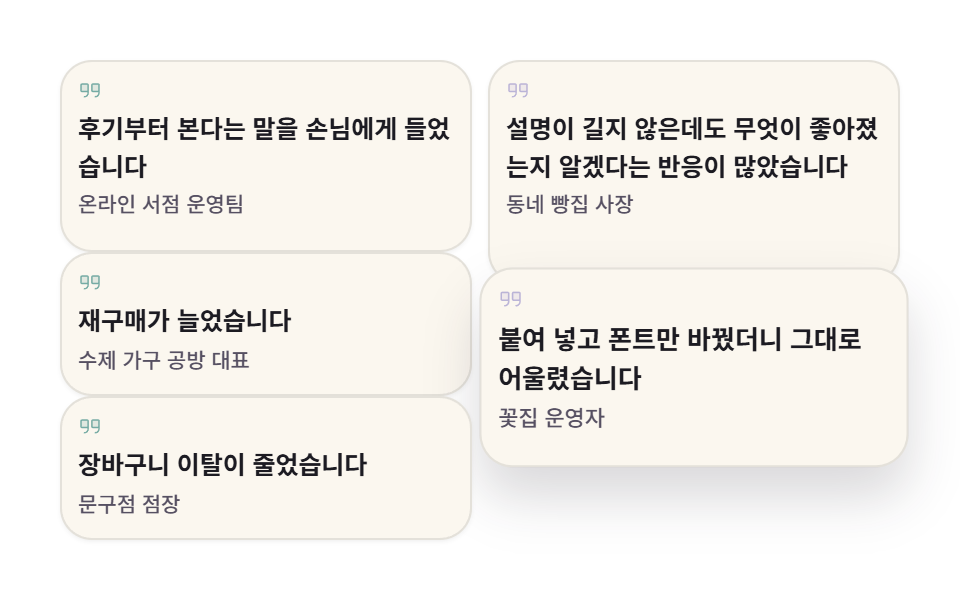
길이가 제각각인 후기 다섯 장이 높이를 맞추지 않은 채 두 열에 쌓이고, 차례로 한 장씩 들렸다 앉습니다. 마우스를 얹거나 키보드 초점이 닿으면 자동 순번이 멈추고 확대만 남습니다.
<main class="stage">
  <section class="qm is-demo" aria-label="높이 다른 후기 인용 그리드">

    <figure class="qm__card qm__card--1" tabindex="0">
      <svg class="qm__mark" viewBox="0 0 256 256" width="16" height="16" aria-hidden="true" focusable="false" fill="currentColor"><path d="M108,72v72H40a8,8,0,0,1-8-8V72a8,8,0,0,1,8-8h60A8,8,0,0,1,108,72Zm108-8H156a8,8,0,0,0-8,8v64a8,8,0,0,0,8,8h68V72A8,8,0,0,0,216,64Z" opacity="0.2"/><path d="M100,56H40A16,16,0,0,0,24,72v64a16,16,0,0,0,16,16h60v8a32,32,0,0,1-32,32,8,8,0,0,0,0,16,48.05,48.05,0,0,0,48-48V72A16,16,0,0,0,100,56Zm0,80H40V72h60ZM216,56H156a16,16,0,0,0-16,16v64a16,16,0,0,0,16,16h60v8a32,32,0,0,1-32,32,8,8,0,0,0,0,16,48.05,48.05,0,0,0,48-48V72A16,16,0,0,0,216,56Zm0,80H156V72h60Z"/></svg>
      <blockquote class="qm__q"><p class="qm__t">후기부터 본다는 말을 손님에게 들었습니다</p></blockquote>
      <figcaption class="qm__by">온라인 서점 운영팀</figcaption>
    </figure>

    <figure class="qm__card qm__card--2" tabindex="0">
      <svg class="qm__mark" viewBox="0 0 256 256" width="16" height="16" aria-hidden="true" focusable="false" fill="currentColor"><path d="M108,72v72H40a8,8,0,0,1-8-8V72a8,8,0,0,1,8-8h60A8,8,0,0,1,108,72Zm108-8H156a8,8,0,0,0-8,8v64a8,8,0,0,0,8,8h68V72A8,8,0,0,0,216,64Z" opacity="0.2"/><path d="M100,56H40A16,16,0,0,0,24,72v64a16,16,0,0,0,16,16h60v8a32,32,0,0,1-32,32,8,8,0,0,0,0,16,48.05,48.05,0,0,0,48-48V72A16,16,0,0,0,100,56Zm0,80H40V72h60ZM216,56H156a16,16,0,0,0-16,16v64a16,16,0,0,0,16,16h60v8a32,32,0,0,1-32,32,8,8,0,0,0,0,16,48.05,48.05,0,0,0,48-48V72A16,16,0,0,0,216,56Zm0,80H156V72h60Z"/></svg>
      <blockquote class="qm__q"><p class="qm__t">설명이 길지 않은데도 무엇이 좋아졌는지 알겠다는 반응이 많았습니다</p></blockquote>
      <figcaption class="qm__by">동네 빵집 사장</figcaption>
    </figure>

    <figure class="qm__card qm__card--3" tabindex="0">
      <svg class="qm__mark" viewBox="0 0 256 256" width="16" height="16" aria-hidden="true" focusable="false" fill="currentColor"><path d="M108,72v72H40a8,8,0,0,1-8-8V72a8,8,0,0,1,8-8h60A8,8,0,0,1,108,72Zm108-8H156a8,8,0,0,0-8,8v64a8,8,0,0,0,8,8h68V72A8,8,0,0,0,216,64Z" opacity="0.2"/><path d="M100,56H40A16,16,0,0,0,24,72v64a16,16,0,0,0,16,16h60v8a32,32,0,0,1-32,32,8,8,0,0,0,0,16,48.05,48.05,0,0,0,48-48V72A16,16,0,0,0,100,56Zm0,80H40V72h60ZM216,56H156a16,16,0,0,0-16,16v64a16,16,0,0,0,16,16h60v8a32,32,0,0,1-32,32,8,8,0,0,0,0,16,48.05,48.05,0,0,0,48-48V72A16,16,0,0,0,216,56Zm0,80H156V72h60Z"/></svg>
      <blockquote class="qm__q"><p class="qm__t">재구매가 늘었습니다</p></blockquote>
      <figcaption class="qm__by">수제 가구 공방 대표</figcaption>
    </figure>

    <figure class="qm__card qm__card--4" tabindex="0">
      <svg class="qm__mark" viewBox="0 0 256 256" width="16" height="16" aria-hidden="true" focusable="false" fill="currentColor"><path d="M108,72v72H40a8,8,0,0,1-8-8V72a8,8,0,0,1,8-8h60A8,8,0,0,1,108,72Zm108-8H156a8,8,0,0,0-8,8v64a8,8,0,0,0,8,8h68V72A8,8,0,0,0,216,64Z" opacity="0.2"/><path d="M100,56H40A16,16,0,0,0,24,72v64a16,16,0,0,0,16,16h60v8a32,32,0,0,1-32,32,8,8,0,0,0,0,16,48.05,48.05,0,0,0,48-48V72A16,16,0,0,0,100,56Zm0,80H40V72h60ZM216,56H156a16,16,0,0,0-16,16v64a16,16,0,0,0,16,16h60v8a32,32,0,0,1-32,32,8,8,0,0,0,0,16,48.05,48.05,0,0,0,48-48V72A16,16,0,0,0,216,56Zm0,80H156V72h60Z"/></svg>
      <blockquote class="qm__q"><p class="qm__t">붙여 넣고 폰트만 바꿨더니 그대로 어울렸습니다</p></blockquote>
      <figcaption class="qm__by">꽃집 운영자</figcaption>
    </figure>

    <figure class="qm__card qm__card--5" tabindex="0">
      <svg class="qm__mark" viewBox="0 0 256 256" width="16" height="16" aria-hidden="true" focusable="false" fill="currentColor"><path d="M108,72v72H40a8,8,0,0,1-8-8V72a8,8,0,0,1,8-8h60A8,8,0,0,1,108,72Zm108-8H156a8,8,0,0,0-8,8v64a8,8,0,0,0,8,8h68V72A8,8,0,0,0,216,64Z" opacity="0.2"/><path d="M100,56H40A16,16,0,0,0,24,72v64a16,16,0,0,0,16,16h60v8a32,32,0,0,1-32,32,8,8,0,0,0,0,16,48.05,48.05,0,0,0,48-48V72A16,16,0,0,0,100,56Zm0,80H40V72h60ZM216,56H156a16,16,0,0,0-16,16v64a16,16,0,0,0,16,16h60v8a32,32,0,0,1-32,32,8,8,0,0,0,0,16,48.05,48.05,0,0,0,48-48V72A16,16,0,0,0,216,56Zm0,80H156V72h60Z"/></svg>
      <blockquote class="qm__q"><p class="qm__t">장바구니 이탈이 줄었습니다</p></blockquote>
      <figcaption class="qm__by">문구점 점장</figcaption>
    </figure>

  </section>
</main>@use "../../../../site/static/demo-tokens" as *;
// 276 소셜 프루프 팔레트 — 아홉 항목이 같은 값을 쓴다
$pf-cream: #fbf7ef; // 카드 바탕 — 흰 무대 위 1.07:1 면(비-글자)
$pf-paper: $stage-paper;
$pf-ink: #1c1b22; // 인용 글자 15.99:1
$pf-stone: #565062; // 이름줄 7.23:1
$pf-teal: #479089; // 인용 마크
$pf-violet: #a49cce; // 인용 마크 두 번째 색
$duration: $dur-loop; // 다섯 장이 차례로 한 번씩 나왔다 들어가는 한 바퀴
$easing: $ease-pop; // 앞으로 나올 때의 튕김
$color: $pf-paper; // 무대(흰 종이)
@include stage($color);
.qm {
box-sizing: border-box;
display: grid;
grid-template-columns: repeat(2, 1fr);
// 잘게 쪼갠 행 — 카드마다 span 수로 제각각인 높이를 벽돌처럼 쌓는다.
// 행 사이 gap 을 0 으로 둔다: gap 은 8px 행 "마다" 열리므로 그대로 두면
// span 12 가 96px 가 아니라 96+gap*11 로 부풀어 무대를 넘친다 (실측)
grid-auto-rows: 8px;
grid-auto-flow: row dense;
column-gap: $sp-2;
row-gap: 0;
width: clamp(288px, 94vw, 420px);
margin: 0;
}
.qm__card {
display: grid;
align-content: start;
// min-content 기여로 8px 행이 저절로 크지 않게 한다
min-height: 0;
gap: $sp-1;
margin: 0;
padding: $sp-2;
border: 1px solid rgba($pf-ink, .1);
border-radius: $r-card;
background: $pf-cream;
box-shadow: 0 1px 2px rgba($pf-ink, .06);
transform: translateY(0) scale(1);
transition: transform $dur-base $easing, box-shadow $dur-base $ease-out;
}
// 다섯 장의 span — 왼열 3장(12+9+9=30행) · 오른열 2장(14+12=26행).
// 1줄 카드 9행(72px) · 2줄 12행(96px) · 3줄 14행(112px) = 내용+테두리 올림
.qm__card--1 { grid-row: span 12; }
.qm__card--2 { grid-row: span 14; }
.qm__card--3 { grid-row: span 9; }
.qm__card--4 { grid-row: span 12; }
.qm__card--5 { grid-row: span 9; }
.qm__mark {
width: 12px;
height: 12px;
color: rgba($pf-teal, .72);
}
.qm__card--2 .qm__mark,
.qm__card--4 .qm__mark { color: rgba($pf-violet, .72); }
// 시각 요소 reset — p·figure·blockquote 기본 여백을 끈다
.qm__q { margin: 0; }
.qm__t {
margin: 0;
color: $pf-ink;
font-weight: 600;
font-size: clamp(11px, 2.6vw, 12.5px);
line-height: 1.5;
}
.qm__by {
color: $pf-stone;
font-weight: 500;
font-size: 10.5px;
line-height: 1.3;
}
// 실제 조작 경로 — 호버·키보드 포커스에서 같은 확대가 transition 으로 일어난다
.qm__card:hover,
.qm__card:focus-visible {
transform: translateY(-6px) scale(1.04);
box-shadow: 0 14px 24px rgba($pf-ink, .16);
}
.qm__card:focus-visible {
outline: 2px solid $pf-teal;
outline-offset: 2px;
}
// ── 자동 순번 ────────────────────────────────────────────────
// 카드가 20% 씩 어긋나 한 장씩 앞으로 나왔다 들어간다 (복귀는 90% 안에).
// animation 단축은 delay 를 0 으로 리셋하므로 낱개 속성으로 쓴다
.qm.is-demo .qm__card {
animation-name: qmStep;
animation-duration: $duration;
animation-timing-function: $easing;
animation-iteration-count: infinite;
animation-fill-mode: backwards;
transition: none;
}
.qm.is-demo .qm__card--2 { animation-delay: -.4s; }
.qm.is-demo .qm__card--3 { animation-delay: -.8s; }
.qm.is-demo .qm__card--4 { animation-delay: -1.2s; }
.qm.is-demo .qm__card--5 { animation-delay: -1.6s; }
@keyframes qmStep {
0% {
transform: translateY(0) scale(1);
box-shadow: 0 1px 2px rgba($pf-ink, .06);
}
4% {
transform: translateY(-6px) scale(1.04);
box-shadow: 0 14px 24px rgba($pf-ink, .16);
}
15% {
transform: translateY(-6px) scale(1.04);
box-shadow: 0 14px 24px rgba($pf-ink, .16);
}
19%, 100% {
transform: translateY(0) scale(1);
box-shadow: 0 1px 2px rgba($pf-ink, .06);
}
}
// 좁은 화면용 들어올림 — 세로 여유가 7px 남아서 폭을 줄인다
@keyframes qmStepSm {
0% {
transform: translateY(0) scale(1);
box-shadow: 0 1px 2px rgba($pf-ink, .06);
}
4% {
transform: translateY(-4px) scale(1.03);
box-shadow: 0 10px 16px rgba($pf-ink, .14);
}
15% {
transform: translateY(-4px) scale(1.03);
box-shadow: 0 10px 16px rgba($pf-ink, .14);
}
19%, 100% {
transform: translateY(0) scale(1);
box-shadow: 0 1px 2px rgba($pf-ink, .06);
}
}
// 좁은 화면 — 마크를 감추고 간격을 내려 20행(160px) 안에 맞춘다.
// 들어올림도 -4px/1.03 으로 줄인다(세로 여유 7.2px).
// grid-auto-rows 의 8px 은 간격 눈금(BD17)이 아니라 행 단위라 그대로 둔다
@media (max-width: 340px), (max-height: 220px) {
.qm { column-gap: $sp-1; width: 100%; }
.qm__card { gap: $sp-1; padding: $sp-1; }
.qm__mark { display: none; }
.qm.is-demo .qm__card { animation-name: qmStepSm; }
.qm__card:hover,
.qm__card:focus-visible { transform: translateY(-4px) scale(1.03); }
.qm__card--1 { grid-row: span 8; }
.qm__card--2 { grid-row: span 10; }
.qm__card--3 { grid-row: span 6; }
.qm__card--4 { grid-row: span 8; }
.qm__card--5 { grid-row: span 6; }
.qm__t { font-size: 10px; line-height: 1.45; }
.qm__by { font-size: 9px; }
}
@media (prefers-reduced-motion: reduce) {
// .qm.is-demo .qm__card (0,3,0) 를 이기려면 !important 가 필요하다
.qm__card { animation: none !important; }
}html, body {
margin: 0;
overflow: hidden;
}
.stage {
box-sizing: border-box;
min-height: 100vh;
display: grid;
place-items: center;
margin: 0;
background: #ffffff;
font-family: -apple-system, "Segoe UI", "Noto Sans KR", sans-serif;
padding: clamp(8px, 4vw, 24px);
}
.qm {
box-sizing: border-box;
display: grid;
grid-template-columns: repeat(2, 1fr);
grid-auto-rows: 8px;
grid-auto-flow: row dense;
column-gap: 8px;
row-gap: 0;
width: clamp(288px, 94vw, 420px);
margin: 0;
}
.qm__card {
display: grid;
align-content: start;
min-height: 0;
gap: 4px;
margin: 0;
padding: 8px;
border: 1px solid rgba(28, 27, 34, 0.1);
border-radius: 16px;
background: #fbf7ef;
box-shadow: 0 1px 2px rgba(28, 27, 34, 0.06);
transform: translateY(0) scale(1);
transition: transform 300ms cubic-bezier(0.2, 1.4, 0.4, 1), box-shadow 300ms ease-out;
}
.qm__card--1 {
grid-row: span 12;
}
.qm__card--2 {
grid-row: span 14;
}
.qm__card--3 {
grid-row: span 9;
}
.qm__card--4 {
grid-row: span 12;
}
.qm__card--5 {
grid-row: span 9;
}
.qm__mark {
width: 12px;
height: 12px;
color: rgba(71, 144, 137, 0.72);
}
.qm__card--2 .qm__mark,
.qm__card--4 .qm__mark {
color: rgba(164, 156, 206, 0.72);
}
.qm__q {
margin: 0;
}
.qm__t {
margin: 0;
color: #1c1b22;
font-weight: 600;
font-size: clamp(11px, 2.6vw, 12.5px);
line-height: 1.5;
}
.qm__by {
color: #565062;
font-weight: 500;
font-size: 10.5px;
line-height: 1.3;
}
.qm__card:hover,
.qm__card:focus-visible {
transform: translateY(-6px) scale(1.04);
box-shadow: 0 14px 24px rgba(28, 27, 34, 0.16);
}
.qm__card:focus-visible {
outline: 2px solid #479089;
outline-offset: 2px;
}
.qm.is-demo .qm__card {
animation-name: qmStep;
animation-duration: 2s;
animation-timing-function: cubic-bezier(0.2, 1.4, 0.4, 1);
animation-iteration-count: infinite;
animation-fill-mode: backwards;
transition: none;
}
.qm.is-demo .qm__card--2 {
animation-delay: -0.4s;
}
.qm.is-demo .qm__card--3 {
animation-delay: -0.8s;
}
.qm.is-demo .qm__card--4 {
animation-delay: -1.2s;
}
.qm.is-demo .qm__card--5 {
animation-delay: -1.6s;
}
@keyframes qmStep {
0% {
transform: translateY(0) scale(1);
box-shadow: 0 1px 2px rgba(28, 27, 34, 0.06);
}
4% {
transform: translateY(-6px) scale(1.04);
box-shadow: 0 14px 24px rgba(28, 27, 34, 0.16);
}
15% {
transform: translateY(-6px) scale(1.04);
box-shadow: 0 14px 24px rgba(28, 27, 34, 0.16);
}
19%, 100% {
transform: translateY(0) scale(1);
box-shadow: 0 1px 2px rgba(28, 27, 34, 0.06);
}
}
@keyframes qmStepSm {
0% {
transform: translateY(0) scale(1);
box-shadow: 0 1px 2px rgba(28, 27, 34, 0.06);
}
4% {
transform: translateY(-4px) scale(1.03);
box-shadow: 0 10px 16px rgba(28, 27, 34, 0.14);
}
15% {
transform: translateY(-4px) scale(1.03);
box-shadow: 0 10px 16px rgba(28, 27, 34, 0.14);
}
19%, 100% {
transform: translateY(0) scale(1);
box-shadow: 0 1px 2px rgba(28, 27, 34, 0.06);
}
}
@media (max-width: 340px), (max-height: 220px) {
.qm {
column-gap: 4px;
width: 100%;
}
.qm__card {
gap: 4px;
padding: 4px;
}
.qm__mark {
display: none;
}
.qm.is-demo .qm__card {
animation-name: qmStepSm;
}
.qm__card:hover,
.qm__card:focus-visible {
transform: translateY(-4px) scale(1.03);
}
.qm__card--1 {
grid-row: span 8;
}
.qm__card--2 {
grid-row: span 10;
}
.qm__card--3 {
grid-row: span 6;
}
.qm__card--4 {
grid-row: span 8;
}
.qm__card--5 {
grid-row: span 6;
}
.qm__t {
font-size: 10px;
line-height: 1.45;
}
.qm__by {
font-size: 9px;
}
}
@media (prefers-reduced-motion: reduce) {
.qm__card {
animation: none !important;
}
}(function () {
var root = document.querySelector('.qm');
var cards = [].slice.call(root.querySelectorAll('.qm__card'));
// 사람이 손을 대면 자동 순번은 멈추고 호버·포커스 확대(transition)만 남는다
function stopLoop() { root.classList.remove('is-demo'); }
cards.forEach(function (card, i) {
card.addEventListener('keydown', function (e) {
var to = -1;
if (e.key === 'ArrowRight' || e.key === 'ArrowDown') { to = (i + 1) % cards.length; }
if (e.key === 'ArrowLeft' || e.key === 'ArrowUp') { to = (i - 1 + cards.length) % cards.length; }
if (e.key === 'Home') { to = 0; }
if (e.key === 'End') { to = cards.length - 1; }
if (to < 0) { return; }
e.preventDefault();
stopLoop();
cards[to].focus({ preventScroll: true });
});
});
root.addEventListener('pointerenter', stopLoop);
root.addEventListener('focusin', stopLoop);
})();import { useRef, useState } from "react";
import type { CSSProperties, ReactNode } from "react";
import styles from "./QuoteMasonry.module.scss";
/* ambient 에 React 이벤트 제네릭이 없어 파일 안에 필요한 만큼만 선언한다 */
type KeyEvt = { key: string; preventDefault(): void };
type Box<T> = { current: T };
export type QuoteItem = {
quote: string;
by: string;
};
export type QuoteMasonryProps = {
sectionLabel?: string;
items?: QuoteItem[];
/** 다섯 장이 차례로 한 번씩 나왔다 들어가는 한 바퀴(ms) */
duration?: number;
easing?: string;
/** 무대 색 */
color?: string;
};
type Vars = CSSProperties & { "--duration"?: string; "--easing"?: string; "--color"?: string };
const QuotesIcon = (): ReactNode => (
<svg viewBox="0 0 256 256" width="12" height="12" aria-hidden="true" focusable="false" fill="currentColor">
<path d="M108,72v72H40a8,8,0,0,1-8-8V72a8,8,0,0,1,8-8h60A8,8,0,0,1,108,72Zm108-8H156a8,8,0,0,0-8,8v64a8,8,0,0,0,8,8h68V72A8,8,0,0,0,216,64Z" opacity="0.2" />
<path d="M100,56H40A16,16,0,0,0,24,72v64a16,16,0,0,0,16,16h60v8a32,32,0,0,1-32,32,8,8,0,0,0,0,16,48.05,48.05,0,0,0,48-48V72A16,16,0,0,0,100,56Zm0,80H40V72h60ZM216,56H156a16,16,0,0,0-16,16v64a16,16,0,0,0,16,16h60v8a32,32,0,0,1-32,32,8,8,0,0,0,0,16,48.05,48.05,0,0,0,48-48V72A16,16,0,0,0,216,56Zm0,80H156V72h60Z" />
</svg>
);
const DEFAULT_ITEMS: QuoteItem[] = [
{ quote: "후기부터 본다는 말을 손님에게 들었습니다", by: "온라인 서점 운영팀" },
{ quote: "설명이 길지 않은데도 무엇이 좋아졌는지 알겠다는 반응이 많았습니다", by: "동네 빵집 사장" },
{ quote: "재구매가 늘었습니다", by: "수제 가구 공방 대표" },
{ quote: "붙여 넣고 폰트만 바꿨더니 그대로 어울렸습니다", by: "꽃집 운영자" },
{ quote: "장바구니 이탈이 줄었습니다", by: "문구점 점장" },
];
export default function QuoteMasonry({
sectionLabel = "높이 다른 후기 인용 그리드",
items = DEFAULT_ITEMS,
duration = 2000,
easing = "cubic-bezier(.2,1.4,.4,1)",
color = "#ffffff",
}: QuoteMasonryProps): ReactNode {
const [loop, setLoop] = useState<boolean>(true);
const cardRefs = useRef<Array<HTMLElement | null>>([]) as Box<Array<HTMLElement | null>>;
const vars: Vars = { "--duration": `${duration}ms`, "--easing": easing, "--color": color };
const tone = [styles.card1, styles.card2, styles.card3, styles.card4, styles.card5];
/* 방향키로 카드 사이를 옮겨 다닌다 (Home·End 는 양 끝) */
const onKey = (e: KeyEvt, i: number): void => {
const list = cardRefs.current;
if (!list) { return; }
const n = list.length;
let to = -1;
if (e.key === "ArrowRight" || e.key === "ArrowDown") { to = (i + 1) % n; }
if (e.key === "ArrowLeft" || e.key === "ArrowUp") { to = (i - 1 + n) % n; }
if (e.key === "Home") { to = 0; }
if (e.key === "End") { to = n - 1; }
if (to < 0) { return; }
e.preventDefault();
setLoop(false);
const next = list[to];
if (next) { next.focus({ preventScroll: true }); }
};
return (
<section
className={loop ? `${styles.qm} ${styles.isDemo}` : styles.qm}
style={vars}
aria-label={sectionLabel}
onPointerEnter={() => setLoop(false)}
onFocus={() => setLoop(false)}
>
{items.map((it: QuoteItem, i: number) => (
<figure
className={tone[i % tone.length]}
tabIndex={0}
key={it.by}
ref={(el: HTMLElement | null) => { cardRefs.current[i] = el; }}
onKeyDown={(e: KeyEvt) => onKey(e, i)}
>
<span className={styles.mark} aria-hidden="true"><QuotesIcon /></span>
<blockquote className={styles.q}>
<p className={styles.t}>{it.quote}</p>
</blockquote>
<figcaption className={styles.by}>{it.by}</figcaption>
</figure>
))}
</section>
);
}02 · 높이 다른 인용 그리드 — 측정 누적면적 29.035% · 움직인 프레임 14/23GODRICH 원작 · zip 에 SCSS·React 포함 · 비밀번호 보기
코드 읽는 법
후기 수가 많은 제품 페이지나 후기 모음 페이지에 씁니다.
.qm {
  box-sizing: border-box;
  display: grid;
  grid-template-columns: repeat(2, 1fr);
  // 잘게 쪼갠 행 — 카드마다 span 수로 제각각인 높이를 벽돌처럼 쌓는다.
  // 행 사이 gap 을 0 으로 둔다: gap 은 8px 행 "마다" 열리므로 그대로 두면
  // span 12 가 96px 가 아니라 96+gap*11 로 부풀어 무대를 넘친다 (실측)
  grid-auto-rows: 8px;
  grid-auto-flow: row dense;
  column-gap: $sp-2;
  row-gap: 0;
  width: clamp(288px, 94vw, 420px);
  margin: 0;
}

// 다섯 장의 span — 왼열 3장(12+9+9=30행) · 오른열 2장(14+12=26행).
// 1줄 카드 9행(72px) · 2줄 12행(96px) · 3줄 14행(112px) = 내용+테두리 올림
.qm__card--1 { grid-row: span 12; }
.qm__card--2 { grid-row: span 14; }
.qm__card--3 { grid-row: span 9; }
.qm__card--4 { grid-row: span 12; }
.qm__card--5 { grid-row: span 9; }
03대형 인용과 아바타 전환
어떤 움직임인가
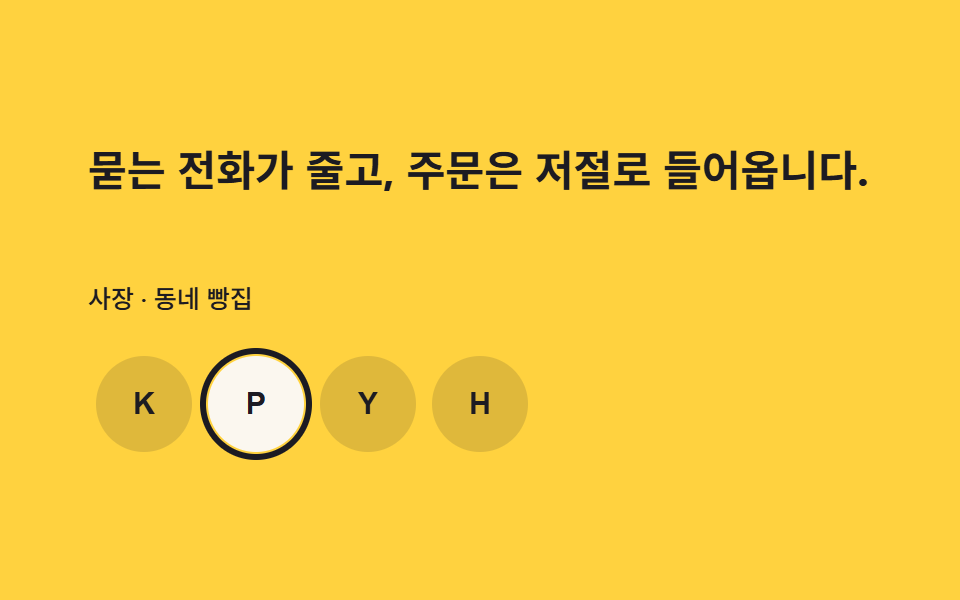
큰 인용문 아래 얼굴 네 개가 늘어서고, 고른 얼굴이 바뀌는 순간 인용문과 이름줄이 한 프레임에 통째로 갈립니다. 동시에 검은 링이 옆 칸으로 미끄러져 정지 장면 사이를 채웁니다.
<main class="stage">
  <section class="qs is-demo" aria-label="고객 후기 대형 인용">

    <div class="qs__body" aria-live="polite">
      <p class="qs__quote qs__quote--1 is-on">데이터를 처음 보는 사람도 어디를 고쳐야 하는지 바로 알게 됐습니다.</p>
      <p class="qs__quote qs__quote--2">묻는 전화가 줄고, 주문은 저절로 들어옵니다.</p>
      <p class="qs__quote qs__quote--3">회의가 짧아졌습니다. 화면이 대신 설명합니다.</p>
      <p class="qs__quote qs__quote--4">처음 혼자 꾸린 사이트가 이제 동네에서 제일 커 보입니다.</p>

      <p class="qs__by qs__by--1 is-on">운영팀 매니저 · 온라인 서점</p>
      <p class="qs__by qs__by--2">사장 · 동네 빵집</p>
      <p class="qs__by qs__by--3">디자인팀 팀장 · 수제 가구 공방</p>
      <p class="qs__by qs__by--4">대표 · 꽃집</p>
    </div>

    <div class="qs__rail" role="group" aria-label="후기 보는 사람 고르기">
      <span class="qs__ring" aria-hidden="true"></span>
      <span class="qs__cell">
        <button class="qs__face qs__face--1 is-on" type="button" aria-pressed="true"><span class="qs__initial" aria-hidden="true">K</span></button>
      </span>
      <span class="qs__cell">
        <button class="qs__face qs__face--2" type="button" aria-pressed="false"><span class="qs__initial" aria-hidden="true">P</span></button>
      </span>
      <span class="qs__cell">
        <button class="qs__face qs__face--3" type="button" aria-pressed="false"><span class="qs__initial" aria-hidden="true">Y</span></button>
      </span>
      <span class="qs__cell">
        <button class="qs__face qs__face--4" type="button" aria-pressed="false"><span class="qs__initial" aria-hidden="true">H</span></button>
      </span>
    </div>

  </section>
</main>@use "../../../../site/static/demo-tokens" as *;
// 276 소셜 프루프 팔레트 — 아홉 항목이 같은 값을 쓴다
$pf-amber: $stage-yellow; // 무대
$pf-ink: #1c1b22; // 앰버 위 글자·링 11.83:1 (흰 글자 금지 — 1.44:1)
$pf-cream: #fbf7ef; // 선택된 아바타 면
$duration: $dur-loop; // 인용 넷 + 링 네 칸이 한 바퀴 도는 시간
$easing: $ease-spring; // 링이 옆 칸으로 미끄러지는 곡선
$color: $pf-amber; // 무대(앰버)
@include stage($color);
.qs {
--cell: 56px; // 아바타 칸 한 칸 — 레일 폭과 링 이동의 기준
box-sizing: border-box;
display: grid;
grid-template-rows: 1fr auto;
align-items: center;
gap: $sp-4;
width: clamp(288px, 92vw, 392px);
}
// 인용 넉 장은 1행에, 이름줄 넉 장은 2행에 포갠다. 둘을 같은 칸에 포개면
// 두 줄짜리 인용을 골랐을 때 이름줄이 마지막 줄 위에 겹친다 (실측 2026-09-12, 클릭 경로)
.qs__body {
display: grid;
grid-template-rows: auto auto;
}
// 인용 넷을 같은 자리(grid-area: 1 / 1)에 포개고 컷으로 갈아 끼운다 — 크로스페이드 금지
.qs__quote {
grid-area: 1 / 1;
margin: 0;
color: $pf-ink;
font-weight: 700;
font-size: clamp(17px, 4.4vw, 22px);
line-height: 1.4;
opacity: 0;
visibility: hidden;
}
.qs__quote.is-on { opacity: 1; visibility: visible; }
.qs__by {
grid-area: 2 / 1;
align-self: start;
margin: 0;
padding-top: $sp-3;
color: $pf-ink;
font-weight: 500;
font-size: 12.5px;
line-height: 1.3;
opacity: 0;
visibility: hidden;
}
.qs__by.is-on { opacity: 1; visibility: visible; }
// 아바타 넷 — 균등 격자. 칸 사이 간격은 칸 안 여백으로 준다(gap 을 두면
// 링의 100% 이동이 칸 폭과 어긋난다). 레일 폭 = 칸 넷 → 1fr 이 칸 폭과 정확히 같다
.qs__rail {
  --i: 0; // 링이 있는 칸 — JS 가 링 자신에 세팅한다
  display: grid;
  grid-template-columns: repeat(4, 1fr);
  width: calc(4 * var(--cell));
}

// 링 — 첫 칸을 채우는 격자 항목. 자기 폭 = 칸 폭이므로
// translateX(calc(var(--i) * 100%)) 가 정확히 칸 단위 이동이 된다 (짐작한 px 아님)
.qs__ring {
  grid-row: 1;
  grid-column: 1;
  border: 3px solid $pf-ink;
  border-radius: 50%;
  pointer-events: none;
  transform: translateX(calc(var(--i) * 100%));
  transition: transform $dur-base $easing;
}
// 칸은 열을 명시한다 — 링이 1열을 차지하므로 자동 배치가 셋을 한 칸씩 민다
.qs__cell {
grid-row: 1;
display: grid;
place-items: center;
width: var(--cell);
height: var(--cell);
}
.qs__cell:nth-child(2) { grid-column: 1; }
.qs__cell:nth-child(3) { grid-column: 2; }
.qs__cell:nth-child(4) { grid-column: 3; }
.qs__cell:nth-child(5) { grid-column: 4; }
.qs__face {
display: grid;
place-items: center;
width: 48px;
height: 48px;
padding: 0;
border: 0;
border-radius: 50%;
background: rgba($pf-ink, .14);
color: $pf-ink;
cursor: pointer;
transform: translateY(0);
transition: transform $dur-quick $ease-pop, background-color $dur-quick $ease-out;
}
.qs__initial {
font-weight: 700;
font-size: 15px;
line-height: 1;
}
.qs__face.is-on {
background: $pf-cream;
transform: translateY(-4px);
}
.qs__face:focus-visible {
outline: 2px solid $pf-ink;
outline-offset: 3px;
}
// ── 자동 순환 ────────────────────────────────────────────────
// 인용·이름은 25% 슬롯마다 steps(1, end) 컷으로 갈리고, 링은 컷 직전에 한 칸씩
// 미끄러져 프레임을 채운다 — 컷만 쓰면 움직인프레임이 2~3장으로 떨어진다.
// 같은 키프레임을 음수 delay 로 돌리면 슬롯 순서가 1→4→3→2 로 돈다:
// k번째 슬롯에 k번 요소를 세우려면 delay 를 -(2s - k*0.5s) 로 잡는다.
// animation 단축은 delay 를 0 으로 리셋하므로 낱개 속성으로 쓴다
.qs.is-demo .qs__quote,
.qs.is-demo .qs__by {
animation-name: qsCut;
animation-duration: $duration;
animation-timing-function: steps(1, end);
animation-iteration-count: infinite;
animation-fill-mode: backwards;
visibility: visible;
}
.qs.is-demo .qs__quote--1 { animation-delay: -2s; }
.qs.is-demo .qs__quote--2 { animation-delay: -1.5s; }
.qs.is-demo .qs__quote--3 { animation-delay: -1s; }
.qs.is-demo .qs__quote--4 { animation-delay: -.5s; }
.qs.is-demo .qs__by--1 { animation-delay: -2s; }
.qs.is-demo .qs__by--2 { animation-delay: -1.5s; }
.qs.is-demo .qs__by--3 { animation-delay: -1s; }
.qs.is-demo .qs__by--4 { animation-delay: -.5s; }
.qs.is-demo .qs__ring {
animation-name: qsRing;
animation-duration: $duration;
animation-timing-function: $easing;
animation-iteration-count: infinite;
animation-fill-mode: backwards;
}
.qs.is-demo .qs__face {
animation-name: qsFacePop, qsFaceTone;
animation-duration: $duration, $duration;
animation-timing-function: $ease-pop, steps(1, end);
animation-iteration-count: infinite, infinite;
animation-fill-mode: backwards, backwards;
transition: none;
}
.qs.is-demo .qs__face--1 { animation-delay: -2s, -2s; }
.qs.is-demo .qs__face--2 { animation-delay: -1.5s, -1.5s; }
.qs.is-demo .qs__face--3 { animation-delay: -1s, -1s; }
.qs.is-demo .qs__face--4 { animation-delay: -.5s, -.5s; }
@keyframes qsCut {
0% { opacity: 1; }
25% { opacity: 0; }
100% { opacity: 0; }
}
// 링은 컷(25% 경계) 직전에 도착하고, 마지막 칸에서 첫 칸으로의 복귀는
// 90% 안에 끝낸다 — 24프레임의 마지막 장은 95.8% 지점이다
@keyframes qsRing {
0%, 16% { transform: translateX(0); }
24.5%, 41% { transform: translateX(100%); }
49.5%, 66% { transform: translateX(200%); }
74.5%, 79% { transform: translateX(300%); }
88%, 100% { transform: translateX(0); }
}
// 선택된 아바타는 살짝 튀었다가 슬롯 안에 내려온다
@keyframes qsFacePop {
0% { transform: translateY(0); }
6% { transform: translateY(-4px); }
19% { transform: translateY(-4px); }
25%,100% { transform: translateY(0); }
}
// 면색은 컷으로 갈아 끼운다 — 크로스페이드는 poster 에 반투명 유령을 남긴다
@keyframes qsFaceTone {
0% { background-color: $pf-cream; }
25%,100% { background-color: rgba($pf-ink, .14); }
}
// 좁은 화면 — 글자와 칸만 줄이고 구조는 그대로
@media (max-width: 340px), (max-height: 220px) {
.qs { gap: $sp-2; width: 100%; }
.qs__quote { font-size: 13.5px; line-height: 1.45; }
.qs__by { font-size: 10.5px; padding-top: $sp-2; }
.qs { --cell: 40px; }
.qs__face { width: 32px; height: 32px; }
.qs__initial { font-size: 12px; }
.qs__ring { border-width: 2px; }
}
@media (prefers-reduced-motion: reduce) {
// .qs.is-demo .qs__quote (0,3,0) 을 이기려면 !important 가 필요하다.
// 움직임만 끄고 .is-on 인용·이름은 보인다
.qs__quote, .qs__by, .qs__ring, .qs__face {
animation: none !important;
transition: none !important;
}
.qs__quote, .qs__by { opacity: 0 !important; visibility: hidden !important; }
.qs__quote.is-on, .qs__by.is-on { opacity: 1 !important; visibility: visible !important; }
}html, body {
margin: 0;
overflow: hidden;
}
.stage {
box-sizing: border-box;
min-height: 100vh;
display: grid;
place-items: center;
margin: 0;
background: #ffd23f;
font-family: -apple-system, "Segoe UI", "Noto Sans KR", sans-serif;
padding: clamp(8px, 4vw, 24px);
}
.qs {
--cell: 56px;
box-sizing: border-box;
display: grid;
grid-template-rows: 1fr auto;
align-items: center;
gap: 16px;
width: clamp(288px, 92vw, 392px);
}
.qs__body {
display: grid;
grid-template-rows: auto auto;
}
.qs__quote {
grid-area: 1/1;
margin: 0;
color: #1c1b22;
font-weight: 700;
font-size: clamp(17px, 4.4vw, 22px);
line-height: 1.4;
opacity: 0;
visibility: hidden;
}
.qs__quote.is-on {
opacity: 1;
visibility: visible;
}
.qs__by {
grid-area: 2/1;
align-self: start;
margin: 0;
padding-top: 12px;
color: #1c1b22;
font-weight: 500;
font-size: 12.5px;
line-height: 1.3;
opacity: 0;
visibility: hidden;
}
.qs__by.is-on {
opacity: 1;
visibility: visible;
}
.qs__rail {
--i: 0;
display: grid;
grid-template-columns: repeat(4, 1fr);
width: calc(4 * var(--cell));
}
.qs__ring {
grid-row: 1;
grid-column: 1;
border: 3px solid #1c1b22;
border-radius: 50%;
pointer-events: none;
transform: translateX(calc(var(--i) * 100%));
transition: transform 300ms cubic-bezier(0.2, 0.8, 0.2, 1);
}
.qs__cell {
grid-row: 1;
display: grid;
place-items: center;
width: var(--cell);
height: var(--cell);
}
.qs__cell:nth-child(2) {
grid-column: 1;
}
.qs__cell:nth-child(3) {
grid-column: 2;
}
.qs__cell:nth-child(4) {
grid-column: 3;
}
.qs__cell:nth-child(5) {
grid-column: 4;
}
.qs__face {
display: grid;
place-items: center;
width: 48px;
height: 48px;
padding: 0;
border: 0;
border-radius: 50%;
background: rgba(28, 27, 34, 0.14);
color: #1c1b22;
cursor: pointer;
transform: translateY(0);
transition: transform 220ms cubic-bezier(0.2, 1.4, 0.4, 1), background-color 220ms ease-out;
}
.qs__initial {
font-weight: 700;
font-size: 15px;
line-height: 1;
}
.qs__face.is-on {
background: #fbf7ef;
transform: translateY(-4px);
}
.qs__face:focus-visible {
outline: 2px solid #1c1b22;
outline-offset: 3px;
}
.qs.is-demo .qs__quote,
.qs.is-demo .qs__by {
animation-name: qsCut;
animation-duration: 2s;
animation-timing-function: steps(1, end);
animation-iteration-count: infinite;
animation-fill-mode: backwards;
visibility: visible;
}
.qs.is-demo .qs__quote--1 {
animation-delay: -2s;
}
.qs.is-demo .qs__quote--2 {
animation-delay: -1.5s;
}
.qs.is-demo .qs__quote--3 {
animation-delay: -1s;
}
.qs.is-demo .qs__quote--4 {
animation-delay: -0.5s;
}
.qs.is-demo .qs__by--1 {
animation-delay: -2s;
}
.qs.is-demo .qs__by--2 {
animation-delay: -1.5s;
}
.qs.is-demo .qs__by--3 {
animation-delay: -1s;
}
.qs.is-demo .qs__by--4 {
animation-delay: -0.5s;
}
.qs.is-demo .qs__ring {
animation-name: qsRing;
animation-duration: 2s;
animation-timing-function: cubic-bezier(0.2, 0.8, 0.2, 1);
animation-iteration-count: infinite;
animation-fill-mode: backwards;
}
.qs.is-demo .qs__face {
animation-name: qsFacePop, qsFaceTone;
animation-duration: 2s, 2s;
animation-timing-function: cubic-bezier(0.2, 1.4, 0.4, 1), steps(1, end);
animation-iteration-count: infinite, infinite;
animation-fill-mode: backwards, backwards;
transition: none;
}
.qs.is-demo .qs__face--1 {
animation-delay: -2s, -2s;
}
.qs.is-demo .qs__face--2 {
animation-delay: -1.5s, -1.5s;
}
.qs.is-demo .qs__face--3 {
animation-delay: -1s, -1s;
}
.qs.is-demo .qs__face--4 {
animation-delay: -0.5s, -0.5s;
}
@keyframes qsCut {
0% {
opacity: 1;
}
25% {
opacity: 0;
}
100% {
opacity: 0;
}
}
@keyframes qsRing {
0%, 16% {
transform: translateX(0);
}
24.5%, 41% {
transform: translateX(100%);
}
49.5%, 66% {
transform: translateX(200%);
}
74.5%, 79% {
transform: translateX(300%);
}
88%, 100% {
transform: translateX(0);
}
}
@keyframes qsFacePop {
0% {
transform: translateY(0);
}
6% {
transform: translateY(-4px);
}
19% {
transform: translateY(-4px);
}
25%, 100% {
transform: translateY(0);
}
}
@keyframes qsFaceTone {
0% {
background-color: #fbf7ef;
}
25%, 100% {
background-color: rgba(28, 27, 34, 0.14);
}
}
@media (max-width: 340px), (max-height: 220px) {
.qs {
gap: 8px;
width: 100%;
}
.qs__quote {
font-size: 13.5px;
line-height: 1.45;
}
.qs__by {
font-size: 10.5px;
padding-top: 8px;
}
.qs {
--cell: 40px;
}
.qs__face {
width: 32px;
height: 32px;
}
.qs__initial {
font-size: 12px;
}
.qs__ring {
border-width: 2px;
}
}
@media (prefers-reduced-motion: reduce) {
.qs__quote, .qs__by, .qs__ring, .qs__face {
animation: none !important;
transition: none !important;
}
.qs__quote, .qs__by {
opacity: 0 !important;
visibility: hidden !important;
}
.qs__quote.is-on, .qs__by.is-on {
opacity: 1 !important;
visibility: visible !important;
}
}(function () {
var root = document.querySelector('.qs');
var faces = [].slice.call(root.querySelectorAll('.qs__face'));
var quotes = [].slice.call(root.querySelectorAll('.qs__quote'));
var bys = [].slice.call(root.querySelectorAll('.qs__by'));
var ring = root.querySelector('.qs__ring');
// 정적 경로 — .is-demo 를 떼면 .is-on 넷 중 하나만 보인다
function pick(i) {
root.classList.remove('is-demo');
faces.forEach(function (f, n) {
f.classList.toggle('is-on', n === i);
f.setAttribute('aria-pressed', n === i ? 'true' : 'false');
});
quotes.forEach(function (q, n) { q.classList.toggle('is-on', n === i); });
bys.forEach(function (b, n) { b.classList.toggle('is-on', n === i); });
// 링은 자기 칸 폭 기준(100%)으로 옮긴다 — 짐작한 px 를 쓰지 않는다.
// --i 는 링 "자신"에 걸어야 먹는다 (부모·트랙이 아니라)
ring.style.setProperty('--i', String(i));
}
faces.forEach(function (f, i) {
f.addEventListener('click', function () { pick(i); });
f.addEventListener('keydown', function (e) {
var to = -1;
if (e.key === 'ArrowRight') { to = (i + 1) % faces.length; }
if (e.key === 'ArrowLeft') { to = (i - 1 + faces.length) % faces.length; }
if (to < 0) { return; }
e.preventDefault();
pick(to);
faces[to].focus({ preventScroll: true });
});
});
})();import { useRef, useState } from "react";
import type { CSSProperties, ReactNode } from "react";
import styles from "./QuoteSwitcher.module.scss";
/* ambient 에 React 이벤트 제네릭이 없어 파일 안에 필요한 만큼만 선언한다 */
type KeyEvt = { key: string; preventDefault(): void };
type Box<T> = { current: T };
export type SwitcherItem = {
quote: string;
by: string;
/** 아바타 이니셜 한 글자 */
initial: string;
};
export type QuoteSwitcherProps = {
sectionLabel?: string;
groupLabel?: string;
items?: SwitcherItem[];
/** 인용 넷 + 링 네 칸이 한 바퀴 도는 시간(ms) */
duration?: number;
easing?: string;
/** 무대 색 */
color?: string;
};
type Vars = CSSProperties & {
"--duration"?: string;
"--easing"?: string;
"--color"?: string;
"--i"?: string;
};
const DEFAULT_ITEMS: SwitcherItem[] = [
{ quote: "데이터를 처음 보는 사람도 어디를 고쳐야 하는지 바로 알게 됐습니다.", by: "운영팀 매니저 · 온라인 서점", initial: "K" },
{ quote: "묻는 전화가 줄고, 주문은 저절로 들어옵니다.", by: "사장 · 동네 빵집", initial: "P" },
{ quote: "회의가 짧아졌습니다. 화면이 대신 설명합니다.", by: "디자인팀 팀장 · 수제 가구 공방", initial: "Y" },
{ quote: "처음 혼자 꾸린 사이트가 이제 동네에서 제일 커 보입니다.", by: "대표 · 꽃집", initial: "H" },
];
export default function QuoteSwitcher({
sectionLabel = "고객 후기 대형 인용",
groupLabel = "후기 보는 사람 고르기",
items = DEFAULT_ITEMS,
duration = 2000,
easing = "cubic-bezier(.2,.8,.2,1)",
color = "#ffd23f",
}: QuoteSwitcherProps): ReactNode {
const [loop, setLoop] = useState<boolean>(true);
const [active, setActive] = useState<number>(0);
const faceRefs = useRef<Array<HTMLButtonElement | null>>([]) as Box<Array<HTMLButtonElement | null>>;
const vars: Vars = {
"--duration": `${duration}ms`,
"--easing": easing,
"--color": color,
"--i": `${active}`,
};
/* 정적 경로 — 얼굴을 고르면 자동 순환이 끝기고 그 사람의 인용문으로 바뀐다 */
const pick = (i: number): void => {
setLoop(false);
setActive(i);
};
const onFaceKey = (e: KeyEvt, i: number): void => {
const list = faceRefs.current;
if (!list) { return; }
const n = list.length;
let to = -1;
if (e.key === "ArrowRight") { to = (i + 1) % n; }
if (e.key === "ArrowLeft") { to = (i - 1 + n) % n; }
if (to < 0) { return; }
e.preventDefault();
pick(to);
const btn = list[to];
if (btn) { btn.focus({ preventScroll: true }); }
};
return (
<section
className={loop ? `${styles.qs} ${styles.isDemo}` : styles.qs}
style={vars}
aria-label={sectionLabel}
>
<div className={styles.body} aria-live="polite">
{items.map((it: SwitcherItem, i: number) => (
<p className={active === i ? `${styles.quote} ${styles.isOn}` : styles.quote} key={it.by}>
{it.quote}
</p>
))}
{items.map((it: SwitcherItem, i: number) => (
<p className={active === i ? `${styles.by} ${styles.isOn}` : styles.by} key={`${it.by}-by`}>
{it.by}
</p>
))}
</div>
<div className={styles.rail} role="group" aria-label={groupLabel}>
<span className={styles.ring} aria-hidden="true" style={{ "--i": `${active}` } as Vars} />
{items.map((it: SwitcherItem, i: number) => (
<span className={styles.cell} key={it.by}>
<button
className={active === i ? `${styles.face} ${styles.isOn}` : styles.face}
type="button"
aria-pressed={active === i}
ref={(el: HTMLButtonElement | null) => { faceRefs.current[i] = el; }}
onClick={() => pick(i)}
onKeyDown={(e: KeyEvt) => onFaceKey(e, i)}
>
<span className={styles.initial} aria-hidden="true">{it.initial}</span>
</button>
</span>
))}
</div>
</section>
);
}03 · 대형 인용과 아바타 전환 — 측정 누적면적 15.302% · 움직인 프레임 20/23GODRICH 원작 · zip 에 SCSS·React 포함 · 비밀번호 보기
어디를 바꾸면 되나
대표 고객 한 명을 크게 세우는 기업 소개 섹션에 씁니다.
// 아바타 넷 — 균등 격자. 칸 사이 간격은 칸 안 여백으로 준다(gap 을 두면
// 링의 100% 이동이 칸 폭과 어긋난다). 레일 폭 = 칸 넷 → 1fr 이 칸 폭과 정확히 같다
.qs__rail {
--i: 0; // 링이 있는 칸 — JS 가 링 자신에 세팅한다
display: grid;
grid-template-columns: repeat(4, 1fr);
width: calc(4 * var(--cell));
}
// 링 — 첫 칸을 채우는 격자 항목. 자기 폭 = 칸 폭이므로
// translateX(calc(var(--i) * 100%)) 가 정확히 칸 단위 이동이 된다 (짐작한 px 아님)
.qs__ring {
grid-row: 1;
grid-column: 1;
border: 3px solid $pf-ink;
border-radius: 50%;
pointer-events: none;
transform: translateX(calc(var(--i) * 100%));
transition: transform $dur-base $easing;
}
04별점 분포 요약 바
무엇이 보이나
5점부터 1점까지 다섯 줄의 막대가 0.16초 간격으로 차례로 차오르고, 옆의 평균 점수는 4.1 에서 4.7 로, 후기 개수는 812개에서 1,509개로 한 칸씩 갈립니다. 줄을 누르면 그 별점만 강조됩니다.
<main class="stage">
  <section class="rd is-demo" aria-label="별점 분포 요약">
    <svg class="rd__defs" width="0" height="0" aria-hidden="true" focusable="false">
      <symbol id="rd-star" viewBox="0 0 256 256" fill="currentColor"><path d="M229.06,108.79l-48.7,42,14.88,62.79a8.4,8.4,0,0,1-12.52,9.17L128,189.09,73.28,222.74a8.4,8.4,0,0,1-12.52-9.17l14.88-62.79-48.7-42A8.46,8.46,0,0,1,31.73,94L95.64,88.8l24.62-59.6a8.36,8.36,0,0,1,15.48,0l24.62,59.6L224.27,94A8.46,8.46,0,0,1,229.06,108.79Z" opacity="0.2"/><path d="M239.18,97.26A16.38,16.38,0,0,0,224.92,86l-59-4.76L143.14,26.15a16.36,16.36,0,0,0-30.27,0L90.11,81.23,31.08,86a16.46,16.46,0,0,0-9.37,28.86l45,38.83L53,211.75a16.38,16.38,0,0,0,24.5,17.82L128,198.49l50.53,31.08A16.4,16.4,0,0,0,203,211.75l-13.76-58.07,45-38.83A16.43,16.43,0,0,0,239.18,97.26Zm-15.34,5.47-48.7,42a8,8,0,0,0-2.56,7.91l14.88,62.8a.37.37,0,0,1-.17.48c-.18.14-.23.11-.38,0l-54.72-33.65a8,8,0,0,0-8.38,0L69.09,215.94c-.15.09-.19.12-.38,0a.37.37,0,0,1-.17-.48l14.88-62.8a8,8,0,0,0-2.56-7.91l-48.7-42c-.12-.1-.23-.19-.13-.5s.18-.27.33-.29l63.92-5.16A8,8,0,0,0,103,91.86l24.62-59.61c.08-.17.11-.25.35-.25s.27.08.35.25L153,91.86a8,8,0,0,0,6.75,4.92l63.92,5.16c.15,0,.24,0,.33.29S224,102.63,223.84,102.73Z"/></symbol>
      <symbol id="rd-star-half" viewBox="0 0 256 256" fill="currentColor"><path d="M128,24V189.09L73.28,222.74a8.4,8.4,0,0,1-12.52-9.17l14.88-62.79-48.7-42A8.46,8.46,0,0,1,31.73,94L95.64,88.8l24.62-59.6A8.26,8.26,0,0,1,128,24Z" opacity="0.2"/><path d="M239.18,97.26A16.38,16.38,0,0,0,224.92,86l-59-4.76L143.14,26.15a16.36,16.36,0,0,0-30.27,0L90.11,81.23,31.08,86a16.46,16.46,0,0,0-9.37,28.86l45,38.83L53,211.75a16.4,16.4,0,0,0,24.5,17.82L128,198.49l50.53,31.08A16.4,16.4,0,0,0,203,211.75l-13.76-58.07,45-38.83A16.43,16.43,0,0,0,239.18,97.26ZM69.09,215.94c-.15.09-.2.12-.38,0a.37.37,0,0,1-.17-.48l14.88-62.8a8,8,0,0,0-2.56-7.91l-48.7-42a.39.39,0,0,1-.13-.51c.09-.27.18-.27.33-.29l63.92-5.16A8,8,0,0,0,103,91.86l17-41.08V184.63ZM223.84,102.73l-48.7,42a8,8,0,0,0-2.56,7.91l14.88,62.8a.37.37,0,0,1-.17.48c-.18.14-.23.11-.38,0L136,184.63V50.78l17,41.08a8,8,0,0,0,6.75,4.92l63.91,5.16c.16,0,.25,0,.34.29S224,102.63,223.84,102.73Z"/></symbol>
    </svg>

    <div class="rd__card">
      <div class="rd__summary">
        <p class="rd__avg" role="img" aria-label="5점 만점에 4.7점">
          <span class="rd__num">
            <span class="rd__n rd__n--1">4.1</span>
            <span class="rd__n rd__n--2">4.3</span>
            <span class="rd__n rd__n--3">4.5</span>
            <span class="rd__n rd__n--4">4.7</span>
          </span>
          <span class="rd__stars">
            <svg width="14" height="14" aria-hidden="true" focusable="false"><use href="#rd-star"/></svg>
            <svg width="14" height="14" aria-hidden="true" focusable="false"><use href="#rd-star"/></svg>
            <svg width="14" height="14" aria-hidden="true" focusable="false"><use href="#rd-star"/></svg>
            <svg width="14" height="14" aria-hidden="true" focusable="false"><use href="#rd-star"/></svg>
            <svg width="14" height="14" aria-hidden="true" focusable="false"><use href="#rd-star-half"/></svg>
          </span>
        </p>
        <p class="rd__count" role="img" aria-label="후기 1,509개">
          <span class="rd__c rd__c--1">후기 812개</span>
          <span class="rd__c rd__c--2">후기 1,140개</span>
          <span class="rd__c rd__c--3">후기 1,382개</span>
          <span class="rd__c rd__c--4">후기 1,509개</span>
        </p>
      </div>

      <ul class="rd__rows">
        <li class="rd__item">
          <button class="rd__row rd__row--5" type="button" aria-pressed="false" aria-label="5점 후기가 68퍼센트">
            <span class="rd__lv" aria-hidden="true">5<svg width="10" height="10" aria-hidden="true" focusable="false"><use href="#rd-star"/></svg></span>
            <span class="rd__track" aria-hidden="true"><span class="rd__bg"></span><span class="rd__fill"></span></span>
            <span class="rd__pct" aria-hidden="true">68%</span>
          </button>
        </li>
        <li class="rd__item">
          <button class="rd__row rd__row--4" type="button" aria-pressed="false" aria-label="4점 후기가 21퍼센트">
            <span class="rd__lv" aria-hidden="true">4<svg width="10" height="10" aria-hidden="true" focusable="false"><use href="#rd-star"/></svg></span>
            <span class="rd__track" aria-hidden="true"><span class="rd__bg"></span><span class="rd__fill"></span></span>
            <span class="rd__pct" aria-hidden="true">21%</span>
          </button>
        </li>
        <li class="rd__item">
          <button class="rd__row rd__row--3" type="button" aria-pressed="false" aria-label="3점 후기가 7퍼센트">
            <span class="rd__lv" aria-hidden="true">3<svg width="10" height="10" aria-hidden="true" focusable="false"><use href="#rd-star"/></svg></span>
            <span class="rd__track" aria-hidden="true"><span class="rd__bg"></span><span class="rd__fill"></span></span>
            <span class="rd__pct" aria-hidden="true">7%</span>
          </button>
        </li>
        <li class="rd__item">
          <button class="rd__row rd__row--2" type="button" aria-pressed="false" aria-label="2점 후기가 3퍼센트">
            <span class="rd__lv" aria-hidden="true">2<svg width="10" height="10" aria-hidden="true" focusable="false"><use href="#rd-star"/></svg></span>
            <span class="rd__track" aria-hidden="true"><span class="rd__bg"></span><span class="rd__fill"></span></span>
            <span class="rd__pct" aria-hidden="true">3%</span>
          </button>
        </li>
        <li class="rd__item">
          <button class="rd__row rd__row--1" type="button" aria-pressed="false" aria-label="1점 후기가 1퍼센트">
            <span class="rd__lv" aria-hidden="true">1<svg width="10" height="10" aria-hidden="true" focusable="false"><use href="#rd-star"/></svg></span>
            <span class="rd__track" aria-hidden="true"><span class="rd__bg"></span><span class="rd__fill"></span></span>
            <span class="rd__pct" aria-hidden="true">1%</span>
          </button>
        </li>
      </ul>
    </div>
  </section>
</main>@use "../../../../site/static/demo-tokens" as *;
// 276 공통 팔레트 — 아홉 항목이 같은 값을 쓴다. 괄호 안은 실측 대비비
$pf-ink: #1c1b22; // 크림 위 글자 15.99:1
$pf-cream: #fbf7ef; // 카드 바탕. 오렌지 무대 위 흰 글자(3.32:1)를 피하려고 카드를 먼저 깐다
$pf-stone: #565062; // 크림 위 보조 글자 7.23:1
$pf-flame: $stage-orange; // 무대 · 별 · 고른 줄의 채움 (크림 위 3.1:1 — 글자가 아니라 도형에만)
$duration: $dur-loop; // 다섯 막대가 차례로 차오르는 한 바퀴
$easing: $ease-spring; // 막대가 차오를 때의 감속
$color: $pf-ink; // 막대 채움 색
@include stage($pf-flame);
// 시각 요소 reset — 기본 margin 을 명시로 0
p, ul { margin: 0; }
.rd {
box-sizing: border-box;
width: clamp(288px, 94vw, 432px);
}
.rd__defs { display: none; }
.rd__card {
box-sizing: border-box;
display: grid;
grid-template-columns: auto 1fr;
align-items: center;
gap: $sp-4;
padding: $sp-4;
border-radius: $r-card;
background: $pf-cream;
}
// ── 왼쪽: 평균 점수 · 별 · 후기 개수 ─────────────────────
.rd__summary {
display: grid;
justify-items: start;
gap: $sp-1;
}
.rd__avg {
display: grid;
justify-items: start;
gap: $sp-1;
}
// 숫자 여러 벌을 같은 칸에 포갠다 — 크로스페이드가 아니라 steps(1, end) 로 갈아 끼운다
.rd__num { display: grid; justify-items: start; }
.rd__n {
grid-area: 1 / 1;
color: $pf-ink;
font-weight: 800; font-size: 34px; line-height: 1;
letter-spacing: -.02em;
font-variant-numeric: tabular-nums;
opacity: 0;
}
// 정적 경로 — 루프가 없으면 마지막 값만 보인다 (.is-demo 연출보다 먼저 쓴다)
.rd__n--4 { opacity: 1; }
.rd__stars { display: flex; align-items: center; gap: $sp-1; color: $pf-flame; }
.rd__stars svg { display: block; }
.rd__count {
display: grid;
justify-items: start;
color: $pf-stone;
font-weight: 600; font-size: 11px; line-height: 1.2;
}
.rd__c { grid-area: 1 / 1; opacity: 0; white-space: nowrap; }
.rd__c--4 { opacity: 1; }
// ── 오른쪽: 5점 → 1점 다섯 줄 ───────────────────────────
.rd__rows { display: grid; gap: $sp-2; padding: 0; list-style: none; }
// 「별점 라벨 · 트랙 · 퍼센트」 세 칸. 트랙과 채움은 같은 칸에 겹치므로
// flex: 1 1 0 + scaleX 조합(BD19 오탐)을 쓰지 않는다
.rd__row {
display: grid;
grid-template-columns: auto 1fr auto;
align-items: center;
gap: $sp-2;
width: 100%;
padding: 0;
border: 0;
border-radius: $r-xs;
background: none;
color: $pf-stone;
font-family: inherit;
font-weight: 700; font-size: 11px; line-height: 1;
text-align: left;
cursor: pointer;
}
.rd__row--5 { --p: .68; }
.rd__row--4 { --p: .21; }
.rd__row--3 { --p: .07; }
.rd__row--2 { --p: .03; }
.rd__row--1 { --p: .01; }
.rd__lv {
display: flex;
align-items: center;
gap: $sp-1;
color: $pf-ink;
font-variant-numeric: tabular-nums;
}
.rd__lv svg { display: block; color: $pf-flame; }
.rd__track { display: grid; }
.rd__bg, .rd__fill {
grid-area: 1 / 1;
height: 8px;
border-radius: $r-pill;
}
.rd__bg { background: rgba(28, 27, 34, .12); }
.rd__fill {
background: $color;
transform: scaleX(var(--p));
transform-origin: left center; // 규칙8: 분포 막대 왼쪽 채움
}
.rd__pct {
min-width: 26px;
color: $pf-stone;
font-variant-numeric: tabular-nums;
text-align: right;
}
.rd__row:hover .rd__fill,
.rd__row[aria-pressed="true"] .rd__fill { background: $pf-flame; }
.rd__row[aria-pressed="true"] { color: $pf-ink; }
.rd.is-picked .rd__row[aria-pressed="false"] { opacity: .42; }
.rd__row:focus-visible {
outline: 2px solid $pf-ink;
outline-offset: 2px;
}
// ── 자동 재생 ────────────────────────────────────────────
// animation 단축은 delay 를 0 으로 리셋하므로 낱개 속성으로 쓴다.
// 지연이 걸린 루프에는 fill-mode: backwards — 없으면 0프레임에 완성 상태가 한 번 번쩍인다
.rd.is-demo .rd__fill {
animation-name: rdFill;
animation-duration: $duration;
animation-timing-function: $easing;
animation-iteration-count: infinite;
animation-fill-mode: backwards;
}
.rd.is-demo .rd__row--4 .rd__fill { animation-delay: .16s; }
.rd.is-demo .rd__row--3 .rd__fill { animation-delay: .32s; }
.rd.is-demo .rd__row--2 .rd__fill { animation-delay: .48s; }
.rd.is-demo .rd__row--1 .rd__fill { animation-delay: .64s; }
// 카운트업은 steps(1, end) 로 한 칸씩 컷 — opacity 크로스페이드는 poster 에 반투명 유령을 남긴다
.rd.is-demo .rd__n,
.rd.is-demo .rd__c {
animation-duration: $duration;
animation-timing-function: steps(1, end);
animation-iteration-count: infinite;
animation-fill-mode: both;
}
.rd.is-demo .rd__n--1, .rd.is-demo .rd__c--1 { animation-name: rdStep1; }
.rd.is-demo .rd__n--2, .rd.is-demo .rd__c--2 { animation-name: rdStep2; }
.rd.is-demo .rd__n--3, .rd.is-demo .rd__c--3 { animation-name: rdStep3; }
.rd.is-demo .rd__n--4, .rd.is-demo .rd__c--4 { animation-name: rdStep4; }
// 차오른 막대는 끝까지 남긴다 — 한 바퀴 안에서 비웠다 채우면 poster 가 빈 막대를 고른다.
// 되감기는 루프 경계(24프레임의 마지막 장은 95.8% 지점)에서 한 번에 일어난다
@keyframes rdFill {
0% { transform: scaleX(0); }
46%, 100% { transform: scaleX(var(--p)); }
}
@keyframes rdStep1 { 0% { opacity: 1; } 22%, 100% { opacity: 0; } }
@keyframes rdStep2 { 0% { opacity: 0; } 22% { opacity: 1; } 50%, 100% { opacity: 0; } }
@keyframes rdStep3 { 0% { opacity: 0; } 50% { opacity: 1; } 84%, 100% { opacity: 0; } }
// 마지막 값은 막대가 다 찬 84% 에 도착해 끝까지 유지한다 (90% 안)
@keyframes rdStep4 { 0% { opacity: 0; } 84%, 100% { opacity: 1; } }
// 좁은 화면 — 두 칸을 유지하고 글자·간격만 줄인다 (여기서는 값을 올리지 않는다)
@media (max-width: 340px), (max-height: 220px) {
.rd { width: 100%; }
.rd__card { gap: $sp-3; padding: $sp-3; }
.rd__n { font-size: 26px; }
.rd__stars { gap: 0; }
.rd__stars svg { width: 11px; height: 11px; }
.rd__count { font-size: 10px; }
.rd__rows { gap: $sp-1; }
.rd__row { gap: $sp-1; font-size: 10px; }
.rd__bg, .rd__fill { height: 6px; }
.rd__pct { min-width: 22px; }
}
@media (prefers-reduced-motion: reduce) {
// .rd.is-demo .rd__fill (0,3,0) 를 이기려면 !important 가 필요하다
.rd__fill, .rd__n, .rd__c { animation: none !important; }
.rd__n, .rd__c { opacity: 0 !important; }
.rd__n--4, .rd__c--4 { opacity: 1 !important; }
}html, body {
margin: 0;
overflow: hidden;
}
.stage {
box-sizing: border-box;
min-height: 100vh;
display: grid;
place-items: center;
margin: 0;
background: #ff4d1f;
font-family: -apple-system, "Segoe UI", "Noto Sans KR", sans-serif;
padding: clamp(8px, 4vw, 24px);
}
p, ul {
margin: 0;
}
.rd {
box-sizing: border-box;
width: clamp(288px, 94vw, 432px);
}
.rd__defs {
display: none;
}
.rd__card {
box-sizing: border-box;
display: grid;
grid-template-columns: auto 1fr;
align-items: center;
gap: 16px;
padding: 16px;
border-radius: 16px;
background: #fbf7ef;
}
.rd__summary {
display: grid;
justify-items: start;
gap: 4px;
}
.rd__avg {
display: grid;
justify-items: start;
gap: 4px;
}
.rd__num {
display: grid;
justify-items: start;
}
.rd__n {
grid-area: 1/1;
color: #1c1b22;
font-weight: 800;
font-size: 34px;
line-height: 1;
letter-spacing: -0.02em;
font-variant-numeric: tabular-nums;
opacity: 0;
}
.rd__n--4 {
opacity: 1;
}
.rd__stars {
display: flex;
align-items: center;
gap: 4px;
color: #ff4d1f;
}
.rd__stars svg {
display: block;
}
.rd__count {
display: grid;
justify-items: start;
color: #565062;
font-weight: 600;
font-size: 11px;
line-height: 1.2;
}
.rd__c {
grid-area: 1/1;
opacity: 0;
white-space: nowrap;
}
.rd__c--4 {
opacity: 1;
}
.rd__rows {
display: grid;
gap: 8px;
padding: 0;
list-style: none;
}
.rd__row {
display: grid;
grid-template-columns: auto 1fr auto;
align-items: center;
gap: 8px;
width: 100%;
padding: 0;
border: 0;
border-radius: 4px;
background: none;
color: #565062;
font-family: inherit;
font-weight: 700;
font-size: 11px;
line-height: 1;
text-align: left;
cursor: pointer;
}
.rd__row--5 {
--p: .68;
}
.rd__row--4 {
--p: .21;
}
.rd__row--3 {
--p: .07;
}
.rd__row--2 {
--p: .03;
}
.rd__row--1 {
--p: .01;
}
.rd__lv {
display: flex;
align-items: center;
gap: 4px;
color: #1c1b22;
font-variant-numeric: tabular-nums;
}
.rd__lv svg {
display: block;
color: #ff4d1f;
}
.rd__track {
display: grid;
}
.rd__bg, .rd__fill {
grid-area: 1/1;
height: 8px;
border-radius: 999px;
}
.rd__bg {
background: rgba(28, 27, 34, 0.12);
}
.rd__fill {
background: #1c1b22;
transform: scaleX(var(--p));
transform-origin: left center;
}
.rd__pct {
min-width: 26px;
color: #565062;
font-variant-numeric: tabular-nums;
text-align: right;
}
.rd__row:hover .rd__fill,
.rd__row[aria-pressed=true] .rd__fill {
background: #ff4d1f;
}
.rd__row[aria-pressed=true] {
color: #1c1b22;
}
.rd.is-picked .rd__row[aria-pressed=false] {
opacity: 0.42;
}
.rd__row:focus-visible {
outline: 2px solid #1c1b22;
outline-offset: 2px;
}
.rd.is-demo .rd__fill {
animation-name: rdFill;
animation-duration: 2s;
animation-timing-function: cubic-bezier(0.2, 0.8, 0.2, 1);
animation-iteration-count: infinite;
animation-fill-mode: backwards;
}
.rd.is-demo .rd__row--4 .rd__fill {
animation-delay: 0.16s;
}
.rd.is-demo .rd__row--3 .rd__fill {
animation-delay: 0.32s;
}
.rd.is-demo .rd__row--2 .rd__fill {
animation-delay: 0.48s;
}
.rd.is-demo .rd__row--1 .rd__fill {
animation-delay: 0.64s;
}
.rd.is-demo .rd__n,
.rd.is-demo .rd__c {
animation-duration: 2s;
animation-timing-function: steps(1, end);
animation-iteration-count: infinite;
animation-fill-mode: both;
}
.rd.is-demo .rd__n--1, .rd.is-demo .rd__c--1 {
animation-name: rdStep1;
}
.rd.is-demo .rd__n--2, .rd.is-demo .rd__c--2 {
animation-name: rdStep2;
}
.rd.is-demo .rd__n--3, .rd.is-demo .rd__c--3 {
animation-name: rdStep3;
}
.rd.is-demo .rd__n--4, .rd.is-demo .rd__c--4 {
animation-name: rdStep4;
}
@keyframes rdFill {
0% {
transform: scaleX(0);
}
46%, 100% {
transform: scaleX(var(--p));
}
}
@keyframes rdStep1 {
0% {
opacity: 1;
}
22%, 100% {
opacity: 0;
}
}
@keyframes rdStep2 {
0% {
opacity: 0;
}
22% {
opacity: 1;
}
50%, 100% {
opacity: 0;
}
}
@keyframes rdStep3 {
0% {
opacity: 0;
}
50% {
opacity: 1;
}
84%, 100% {
opacity: 0;
}
}
@keyframes rdStep4 {
0% {
opacity: 0;
}
84%, 100% {
opacity: 1;
}
}
@media (max-width: 340px), (max-height: 220px) {
.rd {
width: 100%;
}
.rd__card {
gap: 12px;
padding: 12px;
}
.rd__n {
font-size: 26px;
}
.rd__stars {
gap: 0;
}
.rd__stars svg {
width: 11px;
height: 11px;
}
.rd__count {
font-size: 10px;
}
.rd__rows {
gap: 4px;
}
.rd__row {
gap: 4px;
font-size: 10px;
}
.rd__bg, .rd__fill {
height: 6px;
}
.rd__pct {
min-width: 22px;
}
}
@media (prefers-reduced-motion: reduce) {
.rd__fill, .rd__n, .rd__c {
animation: none !important;
}
.rd__n, .rd__c {
opacity: 0 !important;
}
.rd__n--4, .rd__c--4 {
opacity: 1 !important;
}
}(function () {
var root = document.querySelector('.rd');
var rows = [].slice.call(root.querySelectorAll('.rd__row'));
// 사람이 손을 대면 미리보기 루프를 끄고 정적 상태(최종 폭·최종 숫자)로 남긴다
function stopLoop() { root.classList.remove('is-demo'); }
// 별점 줄을 누르면 그 점수만 골라 보는 필터 — 상점 평점 블록이 실제로 하는 동작
rows.forEach(function (row) {
row.addEventListener('click', function () {
var was = row.getAttribute('aria-pressed') === 'true';
stopLoop();
rows.forEach(function (r) { r.setAttribute('aria-pressed', 'false'); });
row.setAttribute('aria-pressed', was ? 'false' : 'true');
root.classList.toggle('is-picked', !was);
});
});
root.addEventListener('pointerenter', stopLoop);
root.addEventListener('focusin', stopLoop);
})();import { useState } from "react";
import type { CSSProperties, ReactNode } from "react";
import styles from "./RatingBars.module.scss";
/* ambient 에 React 이벤트 제네릭이 없어 파일 안에 필요한 만큼만 선언한다 */
type Vars = CSSProperties & { "--duration"?: string; "--easing"?: string; "--color"?: string };
type RowVars = CSSProperties & { "--p"?: string };
export type RatingRow = {
/** 별점 라벨 — 5 부터 1 까지 */
level: string;
/** 막대가 차오를 목표 비율 (0~1) */
ratio: number;
/** 오른쪽에 보이는 퍼센트 */
pct: string;
/** 스크린 리더가 읽을 한 문장 */
label: string;
};
export type RatingBarsProps = {
sectionLabel?: string;
/** 카운트업으로 갈아 끼울 평균 점수 — 마지막이 최종값 */
scores?: string[];
/** 별 묶음이 읽히는 이름 */
scoreLabel?: string;
/** 카운트업으로 갈아 끼울 후기 개수 — 마지막이 최종값 */
counts?: string[];
rows?: RatingRow[];
/** 다섯 막대가 차례로 차오르는 한 바퀴(ms) */
duration?: number;
easing?: string;
/** 막대 채움 색 */
color?: string;
};
const Star = (): ReactNode => (
<svg viewBox="0 0 256 256" width="14" height="14" fill="currentColor" aria-hidden="true" focusable="false">
<path d="M229.06,108.79l-48.7,42,14.88,62.79a8.4,8.4,0,0,1-12.52,9.17L128,189.09,73.28,222.74a8.4,8.4,0,0,1-12.52-9.17l14.88-62.79-48.7-42A8.46,8.46,0,0,1,31.73,94L95.64,88.8l24.62-59.6a8.36,8.36,0,0,1,15.48,0l24.62,59.6L224.27,94A8.46,8.46,0,0,1,229.06,108.79Z" opacity="0.2" />
<path d="M239.18,97.26A16.38,16.38,0,0,0,224.92,86l-59-4.76L143.14,26.15a16.36,16.36,0,0,0-30.27,0L90.11,81.23,31.08,86a16.46,16.46,0,0,0-9.37,28.86l45,38.83L53,211.75a16.38,16.38,0,0,0,24.5,17.82L128,198.49l50.53,31.08A16.4,16.4,0,0,0,203,211.75l-13.76-58.07,45-38.83A16.43,16.43,0,0,0,239.18,97.26Zm-15.34,5.47-48.7,42a8,8,0,0,0-2.56,7.91l14.88,62.8a.37.37,0,0,1-.17.48c-.18.14-.23.11-.38,0l-54.72-33.65a8,8,0,0,0-8.38,0L69.09,215.94c-.15.09-.19.12-.38,0a.37.37,0,0,1-.17-.48l14.88-62.8a8,8,0,0,0-2.56-7.91l-48.7-42c-.12-.1-.23-.19-.13-.5s.18-.27.33-.29l63.92-5.16A8,8,0,0,0,103,91.86l24.62-59.61c.08-.17.11-.25.35-.25s.27.08.35.25L153,91.86a8,8,0,0,0,6.75,4.92l63.92,5.16c.15,0,.24,0,.33.29S224,102.63,223.84,102.73Z" />
</svg>
);
const StarHalf = (): ReactNode => (
<svg viewBox="0 0 256 256" width="14" height="14" fill="currentColor" aria-hidden="true" focusable="false">
<path d="M128,24V189.09L73.28,222.74a8.4,8.4,0,0,1-12.52-9.17l14.88-62.79-48.7-42A8.46,8.46,0,0,1,31.73,94L95.64,88.8l24.62-59.6A8.26,8.26,0,0,1,128,24Z" opacity="0.2" />
<path d="M239.18,97.26A16.38,16.38,0,0,0,224.92,86l-59-4.76L143.14,26.15a16.36,16.36,0,0,0-30.27,0L90.11,81.23,31.08,86a16.46,16.46,0,0,0-9.37,28.86l45,38.83L53,211.75a16.4,16.4,0,0,0,24.5,17.82L128,198.49l50.53,31.08A16.4,16.4,0,0,0,203,211.75l-13.76-58.07,45-38.83A16.43,16.43,0,0,0,239.18,97.26ZM69.09,215.94c-.15.09-.2.12-.38,0a.37.37,0,0,1-.17-.48l14.88-62.8a8,8,0,0,0-2.56-7.91l-48.7-42a.39.39,0,0,1-.13-.51c.09-.27.18-.27.33-.29l63.92-5.16A8,8,0,0,0,103,91.86l17-41.08V184.63ZM223.84,102.73l-48.7,42a8,8,0,0,0-2.56,7.91l14.88,62.8a.37.37,0,0,1-.17.48c-.18.14-.23.11-.38,0L136,184.63V50.78l17,41.08a8,8,0,0,0,6.75,4.92l63.91,5.16c.16,0,.25,0,.34.29S224,102.63,223.84,102.73Z" />
</svg>
);
const SmallStar = (): ReactNode => (
<svg viewBox="0 0 256 256" width="10" height="10" fill="currentColor" aria-hidden="true" focusable="false">
<path d="M229.06,108.79l-48.7,42,14.88,62.79a8.4,8.4,0,0,1-12.52,9.17L128,189.09,73.28,222.74a8.4,8.4,0,0,1-12.52-9.17l14.88-62.79-48.7-42A8.46,8.46,0,0,1,31.73,94L95.64,88.8l24.62-59.6a8.36,8.36,0,0,1,15.48,0l24.62,59.6L224.27,94A8.46,8.46,0,0,1,229.06,108.79Z" opacity="0.2" />
<path d="M239.18,97.26A16.38,16.38,0,0,0,224.92,86l-59-4.76L143.14,26.15a16.36,16.36,0,0,0-30.27,0L90.11,81.23,31.08,86a16.46,16.46,0,0,0-9.37,28.86l45,38.83L53,211.75a16.38,16.38,0,0,0,24.5,17.82L128,198.49l50.53,31.08A16.4,16.4,0,0,0,203,211.75l-13.76-58.07,45-38.83A16.43,16.43,0,0,0,239.18,97.26Zm-15.34,5.47-48.7,42a8,8,0,0,0-2.56,7.91l14.88,62.8a.37.37,0,0,1-.17.48c-.18.14-.23.11-.38,0l-54.72-33.65a8,8,0,0,0-8.38,0L69.09,215.94c-.15.09-.19.12-.38,0a.37.37,0,0,1-.17-.48l14.88-62.8a8,8,0,0,0-2.56-7.91l-48.7-42c-.12-.1-.23-.19-.13-.5s.18-.27.33-.29l63.92-5.16A8,8,0,0,0,103,91.86l24.62-59.61c.08-.17.11-.25.35-.25s.27.08.35.25L153,91.86a8,8,0,0,0,6.75,4.92l63.92,5.16c.15,0,.24,0,.33.29S224,102.63,223.84,102.73Z" />
</svg>
);
const DEFAULT_SCORES = ["4.1", "4.3", "4.5", "4.7"];
const DEFAULT_COUNTS = ["후기 812개", "후기 1,140개", "후기 1,382개", "후기 1,509개"];
const DEFAULT_ROWS: RatingRow[] = [
{ level: "5", ratio: 0.68, pct: "68%", label: "5점 후기가 68퍼센트" },
{ level: "4", ratio: 0.21, pct: "21%", label: "4점 후기가 21퍼센트" },
{ level: "3", ratio: 0.07, pct: "7%", label: "3점 후기가 7퍼센트" },
{ level: "2", ratio: 0.03, pct: "3%", label: "2점 후기가 3퍼센트" },
{ level: "1", ratio: 0.01, pct: "1%", label: "1점 후기가 1퍼센트" },
];
export default function RatingBars({
sectionLabel = "별점 분포 요약",
scores = DEFAULT_SCORES,
scoreLabel = "5점 만점에 4.7점",
counts = DEFAULT_COUNTS,
rows = DEFAULT_ROWS,
duration = 2000,
easing = "cubic-bezier(.2,.8,.2,1)",
color = "#1c1b22",
}: RatingBarsProps): ReactNode {
const [loop, setLoop] = useState<boolean>(true);
const [picked, setPicked] = useState<number>(-1);
const vars: Vars = { "--duration": `${duration}ms`, "--easing": easing, "--color": color };
const step = [styles.step1, styles.step2, styles.step3, styles.step4];
const lag = [styles.lag1, styles.lag2, styles.lag3, styles.lag4, styles.lag5];
/* 별점 줄을 누르면 그 점수만 골라 보는 필터 — 상점 평점 블록이 실제로 하는 동작 */
const pick = (i: number): void => {
setLoop(false);
setPicked(picked === i ? -1 : i);
};
const cls = [styles.rd, loop ? styles.isDemo : "", picked >= 0 ? styles.isPicked : ""]
.filter(Boolean)
.join(" ");
return (
<section
className={cls}
style={vars}
aria-label={sectionLabel}
onPointerEnter={() => setLoop(false)}
onFocus={() => setLoop(false)}
>
<div className={styles.card}>
<div className={styles.summary}>
<p className={styles.avg} role="img" aria-label={scoreLabel}>
<span className={styles.num}>
{scores.map((s: string, i: number) => (
<span className={`${styles.n} ${step[i % step.length]}`} key={s}>{s}</span>
))}
</span>
<span className={styles.stars}>
<Star /><Star /><Star /><Star /><StarHalf />
</span>
</p>
<p className={styles.count} role="img" aria-label={counts[counts.length - 1]}>
{counts.map((c: string, i: number) => (
<span className={`${styles.c} ${step[i % step.length]}`} key={c}>{c}</span>
))}
</p>
</div>
<ul className={styles.rows}>
{rows.map((r: RatingRow, i: number) => {
const rowVars: RowVars = { "--p": String(r.ratio) };
return (
<li key={r.level}>
{/* 「별점 라벨 · 트랙 · 퍼센트」 세 칸. 트랙과 채움은 같은 칸에 겹치므로
flex: 1 1 0 + scaleX 조합(BD19 오탐)을 쓰지 않는다 */}
<button
className={`${styles.row} ${lag[i] || ""}`}
type="button"
style={rowVars}
aria-pressed={picked === i}
aria-label={r.label}
onClick={() => pick(i)}
>
<span className={styles.lv} aria-hidden="true">{r.level}<SmallStar /></span>
<span className={styles.track} aria-hidden="true">
<span className={styles.bg} />
<span className={styles.fill} />
</span>
<span className={styles.pct} aria-hidden="true">{r.pct}</span>
</button>
</li>
);
})}
</ul>
</div>
</section>
);
}04 · 별점 분포 요약 바 — 측정 누적면적 1.737% · 움직인 프레임 14/23GODRICH 원작 · zip 에 SCSS·React 포함 · 비밀번호 보기
코드에서 볼 곳
쇼핑몰 상품 상세의 별점 요약이나 앱 스토어형 평점 블록에 씁니다.
.rd__row--5 { --p: .68; }
.rd__row--4 { --p: .21; }
.rd__row--3 { --p: .07; }
.rd__row--2 { --p: .03; }
.rd__row--1 { --p: .01; }

.rd__track { display: grid; }
.rd__bg, .rd__fill {
  grid-area: 1 / 1;
  height: 8px;
  border-radius: $r-pill;
}
.rd__bg { background: rgba(28, 27, 34, .12); }
.rd__fill {
  background: $color;
  transform: scaleX(var(--p));
  transform-origin: left center;
}

// 차오른 막대는 끝까지 남긴다 — 한 바퀴 안에서 비웠다 채우면 poster 가 빈 막대를 고른다.
// 되감기는 루프 경계(24프레임의 마지막 장은 95.8% 지점)에서 한 번에 일어난다
@keyframes rdFill {
  0%        { transform: scaleX(0); }
  46%, 100% { transform: scaleX(var(--p)); }
}
05로고 띠 마퀴
화면에서 일어나는 일
「500곳이 넘는 팀이 쓰고 있습니다」 라는 문구 아래 도형 마크 여덟 개가 한 줄로 끝없이 흐릅니다. 띠 양 끝은 무대 색으로 녹아 마크가 갑자기 잘리지 않고, 마크는 온라인 서점·사진 스튜디오 같은 일반 명사에 원·삼각형 도형을 얹은 것이라 그대로 써도 됩니다.
<main class="stage">
  <section class="lm is-demo" aria-label="도입 고객사 띠">
    <p class="lm__lead">500곳이 넘는 팀이 쓰고 있습니다</p>

    <div class="lm__band">
      <!-- 마크 8개를 두 벌 이어 붙인 트랙. 간격을 flex gap 으로 주면 16개 사이 간격이 15개라
           translateX(-50%) 가 한 간격만큼 모자라 한 바퀴마다 튄다 (BD15).
           간격을 항목마다 margin-right 로 주면 트랙 폭 = (항목폭 + 간격) × 16 이라 절반이 정확히 한 벌이다 -->
      <div class="lm__track">
        <a class="lm__mark lm__mark--t1" href="#">
          <svg class="lm__shape" viewBox="0 0 24 24" width="18" height="18" fill="currentColor" aria-hidden="true" focusable="false"><circle cx="12" cy="12" r="9"/></svg>
          온라인 서점
        </a>
        <a class="lm__mark lm__mark--t2" href="#">
          <svg class="lm__shape" viewBox="0 0 24 24" width="18" height="18" fill="currentColor" aria-hidden="true" focusable="false"><path d="M12 3 21 20H3Z"/></svg>
          사진 스튜디오
        </a>
        <a class="lm__mark lm__mark--t3" href="#">
          <svg class="lm__shape" viewBox="0 0 24 24" width="18" height="18" fill="currentColor" aria-hidden="true" focusable="false"><path d="M12 2 22 12 12 22 2 12Z"/></svg>
          물류 회사
        </a>
        <a class="lm__mark lm__mark--t4" href="#">
          <svg class="lm__shape" viewBox="0 0 24 24" width="18" height="18" fill="currentColor" aria-hidden="true" focusable="false"><path d="M12 2 21 7v10l-9 5-9-5V7Z"/></svg>
          디자인 에이전시
        </a>
        <a class="lm__mark lm__mark--t1" href="#">
          <svg class="lm__shape" viewBox="0 0 24 24" width="18" height="18" fill="currentColor" aria-hidden="true" focusable="false"><rect x="3" y="3" width="18" height="18" rx="5"/></svg>
          어학원
        </a>
        <a class="lm__mark lm__mark--t2" href="#">
          <svg class="lm__shape" viewBox="0 0 24 24" width="18" height="18" aria-hidden="true" focusable="false"><circle cx="12" cy="12" r="8" fill="none" stroke="currentColor" stroke-width="4"/></svg>
          동네 빵집
        </a>
        <a class="lm__mark lm__mark--t3" href="#">
          <svg class="lm__shape" viewBox="0 0 24 24" width="18" height="18" fill="currentColor" aria-hidden="true" focusable="false"><path d="M12 2 22 9.3 18.2 21H5.8L2 9.3Z"/></svg>
          여행 플랫폼
        </a>
        <a class="lm__mark lm__mark--t4" href="#">
          <svg class="lm__shape" viewBox="0 0 24 24" width="18" height="18" fill="currentColor" aria-hidden="true" focusable="false"><path d="M9 2h6v7h7v6h-7v7H9v-7H2V9h7Z"/></svg>
          피트니스 센터
        </a>

        <a class="lm__mark lm__mark--t1 lm__mark--dup" href="#" tabindex="-1" aria-hidden="true">
          <svg class="lm__shape" viewBox="0 0 24 24" width="18" height="18" fill="currentColor" aria-hidden="true" focusable="false"><circle cx="12" cy="12" r="9"/></svg>
          온라인 서점
        </a>
        <a class="lm__mark lm__mark--t2 lm__mark--dup" href="#" tabindex="-1" aria-hidden="true">
          <svg class="lm__shape" viewBox="0 0 24 24" width="18" height="18" fill="currentColor" aria-hidden="true" focusable="false"><path d="M12 3 21 20H3Z"/></svg>
          사진 스튜디오
        </a>
        <a class="lm__mark lm__mark--t3 lm__mark--dup" href="#" tabindex="-1" aria-hidden="true">
          <svg class="lm__shape" viewBox="0 0 24 24" width="18" height="18" fill="currentColor" aria-hidden="true" focusable="false"><path d="M12 2 22 12 12 22 2 12Z"/></svg>
          물류 회사
        </a>
        <a class="lm__mark lm__mark--t4 lm__mark--dup" href="#" tabindex="-1" aria-hidden="true">
          <svg class="lm__shape" viewBox="0 0 24 24" width="18" height="18" fill="currentColor" aria-hidden="true" focusable="false"><path d="M12 2 21 7v10l-9 5-9-5V7Z"/></svg>
          디자인 에이전시
        </a>
        <a class="lm__mark lm__mark--t1 lm__mark--dup" href="#" tabindex="-1" aria-hidden="true">
          <svg class="lm__shape" viewBox="0 0 24 24" width="18" height="18" fill="currentColor" aria-hidden="true" focusable="false"><rect x="3" y="3" width="18" height="18" rx="5"/></svg>
          어학원
        </a>
        <a class="lm__mark lm__mark--t2 lm__mark--dup" href="#" tabindex="-1" aria-hidden="true">
          <svg class="lm__shape" viewBox="0 0 24 24" width="18" height="18" aria-hidden="true" focusable="false"><circle cx="12" cy="12" r="8" fill="none" stroke="currentColor" stroke-width="4"/></svg>
          동네 빵집
        </a>
        <a class="lm__mark lm__mark--t3 lm__mark--dup" href="#" tabindex="-1" aria-hidden="true">
          <svg class="lm__shape" viewBox="0 0 24 24" width="18" height="18" fill="currentColor" aria-hidden="true" focusable="false"><path d="M12 2 22 9.3 18.2 21H5.8L2 9.3Z"/></svg>
          여행 플랫폼
        </a>
        <a class="lm__mark lm__mark--t4 lm__mark--dup" href="#" tabindex="-1" aria-hidden="true">
          <svg class="lm__shape" viewBox="0 0 24 24" width="18" height="18" fill="currentColor" aria-hidden="true" focusable="false"><path d="M9 2h6v7h7v6h-7v7H9v-7H2V9h7Z"/></svg>
          피트니스 센터
        </a>
      </div>
    </div>
  </section>
</main>@use "../../../../site/static/demo-tokens" as *;
// 276 공통 팔레트 — 아홉 항목이 같은 값을 쓴다. 괄호 안은 흰 무대 기준 실측 대비비
$pf-ink: #1c1b22; // 한 줄 문구 17.08:1
$pf-paper: $stage-paper; // 무대
$pf-stone: #565062; // 마크 이름 7.72:1
$pf-teal: #479089; // 마크 도형 5.79:1
$pf-violet: #a49cce; // 마크 도형 6.12:1
$pf-flame: $stage-orange; // 마크 도형 3.32:1 (글자가 아니라 도형)
$duration: $dur-loop; // 마크 한 벌이 지나가는 한 바퀴 — 설정 초와 같은 2초
$easing: linear; // 마퀴는 등속이어야 이음매가 안 보인다
$color: $pf-paper; // 무대 · 띠 양 끝이 녹아드는 색
@include stage($pf-paper);
// 시각 요소 reset — 기본 margin 을 명시로 0
p { margin: 0; }
.lm {
box-sizing: border-box;
display: grid;
justify-items: center;
gap: $sp-4;
width: clamp(288px, 96vw, 448px);
}
.lm__lead {
color: $pf-ink;
font-weight: 700; font-size: clamp(13px, 3.4vw, 16px); line-height: 1.3;
text-align: center;
}
// 띠 양 끝을 무대 색으로 흐린다 — 마크가 경계에서 갑자기 잘리지 않는다
.lm__band {
box-sizing: border-box;
width: 100%;
padding-top: $sp-4;
padding-bottom: $sp-4;
border-top: 1px solid rgba(28, 27, 34, .14);
border-bottom: 1px solid rgba(28, 27, 34, .14);
overflow: hidden;
-webkit-mask-image: linear-gradient(90deg, transparent 0, #000 12%, #000 88%, transparent 100%);
mask-image: linear-gradient(90deg, transparent 0, #000 12%, #000 88%, transparent 100%);
}
.lm__track {
display: flex;
align-items: center;
width: max-content;
}
// BD15 — 트랙에는 flex gap 을 주지 않는다. 16개 사이 gap 은 15개뿐이라
// translateX(-50%) 가 gap 절반만큼 모자라 한 바퀴마다 튄다.
// margin-right 는 마지막 항목에도 붙으므로 트랙 폭 = (항목폭 + 24px) × 16,
// 즉 절반이 정확히 마크 한 벌이다
.lm__mark {
display: inline-flex;
align-items: center;
gap: $sp-2;
flex: 0 0 auto;
margin-right: $sp-6;
padding: $sp-1;
border-radius: $r-sm;
color: $pf-stone;
font-weight: 600; font-size: 12px; line-height: 1;
white-space: nowrap;
text-decoration: none;
}
.lm__mark:focus-visible {
outline: 2px solid $pf-ink;
outline-offset: 2px;
}
.lm__shape { display: block; flex: 0 0 auto; }
.lm__mark--t1 .lm__shape { color: $pf-ink; }
.lm__mark--t2 .lm__shape { color: $pf-teal; }
.lm__mark--t3 .lm__shape { color: $pf-flame; }
.lm__mark--t4 .lm__shape { color: $pf-violet; }
// ── 자동 재생 ────────────────────────────────────────────
// animation 단축은 delay 를 0 으로 리셋하므로 낱개 속성으로 쓴다
.lm.is-demo .lm__track {
animation-name: lmRun;
animation-duration: $duration;
animation-timing-function: $easing;
animation-iteration-count: infinite;
}
.lm.is-paused .lm__track { animation-play-state: paused; }
@keyframes lmRun {
from { transform: translateX(0); }
to { transform: translateX(-50%); }
}
// 좁은 화면 — 글자·도형·간격만 줄이고 한 줄 흐름은 그대로
@media (max-width: 340px), (max-height: 220px) {
.lm { gap: $sp-2; width: 100%; }
.lm__lead { font-size: 12px; }
.lm__band { padding-top: $sp-2; padding-bottom: $sp-2; }
.lm__mark { margin-right: $sp-4; padding: 0; font-size: 10px; }
.lm__shape { width: 14px; height: 14px; }
}
@media (prefers-reduced-motion: reduce) {
// .lm.is-demo .lm__track (0,3,0) 를 이기려면 !important 가 필요하다.
// 흐름을 멈추면 한 줄에는 마크 여덟 개가 다 안 들어가므로 두 줄로 접어 전부 보인다
.lm__track {
animation: none !important;
flex-wrap: wrap !important;
justify-content: center !important;
width: 100% !important;
}
// 줄 간격도 gap 이 아니라 항목 margin 으로 준다 — 트랙 규칙에 gap 이 들어가면
// 흐르는 판과 멈춘 판이 같은 이음새 규칙을 안 쓰게 된다
.lm__mark { margin-bottom: $sp-3 !important; }
.lm__band {
-webkit-mask-image: none !important;
mask-image: none !important;
}
.lm__mark--dup { display: none !important; }
}html, body {
margin: 0;
overflow: hidden;
}
.stage {
box-sizing: border-box;
min-height: 100vh;
display: grid;
place-items: center;
margin: 0;
background: #ffffff;
font-family: -apple-system, "Segoe UI", "Noto Sans KR", sans-serif;
padding: clamp(8px, 4vw, 24px);
}
p {
margin: 0;
}
.lm {
box-sizing: border-box;
display: grid;
justify-items: center;
gap: 16px;
width: clamp(288px, 96vw, 448px);
}
.lm__lead {
color: #1c1b22;
font-weight: 700;
font-size: clamp(13px, 3.4vw, 16px);
line-height: 1.3;
text-align: center;
}
.lm__band {
box-sizing: border-box;
width: 100%;
padding-top: 16px;
padding-bottom: 16px;
border-top: 1px solid rgba(28, 27, 34, 0.14);
border-bottom: 1px solid rgba(28, 27, 34, 0.14);
overflow: hidden;
-webkit-mask-image: linear-gradient(90deg, transparent 0, #000 12%, #000 88%, transparent 100%);
mask-image: linear-gradient(90deg, transparent 0, #000 12%, #000 88%, transparent 100%);
}
.lm__track {
display: flex;
align-items: center;
width: max-content;
}
.lm__mark {
display: inline-flex;
align-items: center;
gap: 8px;
flex: 0 0 auto;
margin-right: 24px;
padding: 4px;
border-radius: 8px;
color: #565062;
font-weight: 600;
font-size: 12px;
line-height: 1;
white-space: nowrap;
text-decoration: none;
}
.lm__mark:focus-visible {
outline: 2px solid #1c1b22;
outline-offset: 2px;
}
.lm__shape {
display: block;
flex: 0 0 auto;
}
.lm__mark--t1 .lm__shape {
color: #1c1b22;
}
.lm__mark--t2 .lm__shape {
color: #479089;
}
.lm__mark--t3 .lm__shape {
color: #ff4d1f;
}
.lm__mark--t4 .lm__shape {
color: #a49cce;
}
.lm.is-demo .lm__track {
animation-name: lmRun;
animation-duration: 2s;
animation-timing-function: linear;
animation-iteration-count: infinite;
}
.lm.is-paused .lm__track {
animation-play-state: paused;
}
@keyframes lmRun {
from {
transform: translateX(0);
}
to {
transform: translateX(-50%);
}
}
@media (max-width: 340px), (max-height: 220px) {
.lm {
gap: 8px;
width: 100%;
}
.lm__lead {
font-size: 12px;
}
.lm__band {
padding-top: 8px;
padding-bottom: 8px;
}
.lm__mark {
margin-right: 16px;
padding: 0;
font-size: 10px;
}
.lm__shape {
width: 14px;
height: 14px;
}
}
@media (prefers-reduced-motion: reduce) {
.lm__track {
animation: none !important;
flex-wrap: wrap !important;
justify-content: center !important;
width: 100% !important;
}
.lm__mark {
margin-bottom: 12px !important;
}
.lm__band {
-webkit-mask-image: none !important;
mask-image: none !important;
}
.lm__mark--dup {
display: none !important;
}
}(function () {
var root = document.querySelector('.lm');
// 마퀴는 흐름 자체가 부품이라 .is-demo 를 떼지 않는다. 손을 대면 그 자리에 멈춘다
function pause() { root.classList.add('is-paused'); }
function play() { root.classList.remove('is-paused'); }
root.addEventListener('pointerenter', pause);
root.addEventListener('pointerleave', play);
// 터치: 손가락을 대면 멈추고 떼면 다시 흐른다
root.addEventListener('pointerdown', pause);
root.addEventListener('pointerup', play);
root.addEventListener('pointercancel', play);
// 키보드: Tab 으로 마크에 들어오면 멈추고 나가면 다시 흐른다
root.addEventListener('focusin', pause);
root.addEventListener('focusout', play);
})();import { useState } from "react";
import type { CSSProperties, ReactNode } from "react";
import styles from "./LogoMarquee.module.scss";
/* ambient 에 React 이벤트 제네릭이 없어 파일 안에 필요한 만큼만 선언한다 */
type Vars = CSSProperties & { "--duration"?: string; "--easing"?: string; "--color"?: string };
export type MarqueeMark = {
/** 일반 명사 이름 — 실재 브랜드 이름은 쓰지 않는다 */
name: string;
/** 일반 도형 인라인 SVG */
shape: ReactNode;
};
export type LogoMarqueeProps = {
sectionLabel?: string;
lead?: string;
marks?: MarqueeMark[];
/** 마크 한 벌이 지나가는 한 바퀴(ms) */
duration?: number;
easing?: string;
/** 띠 양 끝이 녹아드는 무대 색 */
color?: string;
};
const Circle = (): ReactNode => (
<svg className={styles.shape} viewBox="0 0 24 24" width="18" height="18" fill="currentColor" aria-hidden="true" focusable="false"><circle cx="12" cy="12" r="9" /></svg>
);
const Triangle = (): ReactNode => (
<svg className={styles.shape} viewBox="0 0 24 24" width="18" height="18" fill="currentColor" aria-hidden="true" focusable="false"><path d="M12 3 21 20H3Z" /></svg>
);
const Diamond = (): ReactNode => (
<svg className={styles.shape} viewBox="0 0 24 24" width="18" height="18" fill="currentColor" aria-hidden="true" focusable="false"><path d="M12 2 22 12 12 22 2 12Z" /></svg>
);
const Hexagon = (): ReactNode => (
<svg className={styles.shape} viewBox="0 0 24 24" width="18" height="18" fill="currentColor" aria-hidden="true" focusable="false"><path d="M12 2 21 7v10l-9 5-9-5V7Z" /></svg>
);
const Rounded = (): ReactNode => (
<svg className={styles.shape} viewBox="0 0 24 24" width="18" height="18" fill="currentColor" aria-hidden="true" focusable="false"><rect x="3" y="3" width="18" height="18" rx="5" /></svg>
);
const Ring = (): ReactNode => (
<svg className={styles.shape} viewBox="0 0 24 24" width="18" height="18" aria-hidden="true" focusable="false"><circle cx="12" cy="12" r="8" fill="none" stroke="currentColor" strokeWidth="4" /></svg>
);
const Pentagon = (): ReactNode => (
<svg className={styles.shape} viewBox="0 0 24 24" width="18" height="18" fill="currentColor" aria-hidden="true" focusable="false"><path d="M12 2 22 9.3 18.2 21H5.8L2 9.3Z" /></svg>
);
const Cross = (): ReactNode => (
<svg className={styles.shape} viewBox="0 0 24 24" width="18" height="18" fill="currentColor" aria-hidden="true" focusable="false"><path d="M9 2h6v7h7v6h-7v7H9v-7H2V9h7Z" /></svg>
);
const DEFAULT_MARKS: MarqueeMark[] = [
{ name: "온라인 서점", shape: <Circle /> },
{ name: "사진 스튜디오", shape: <Triangle /> },
{ name: "물류 회사", shape: <Diamond /> },
{ name: "디자인 에이전시", shape: <Hexagon /> },
{ name: "어학원", shape: <Rounded /> },
{ name: "동네 빵집", shape: <Ring /> },
{ name: "여행 플랫폼", shape: <Pentagon /> },
{ name: "피트니스 센터", shape: <Cross /> },
];
export default function LogoMarquee({
sectionLabel = "도입 고객사 띠",
lead = "500곳이 넘는 팀이 쓰고 있습니다",
marks = DEFAULT_MARKS,
duration = 2000,
easing = "linear",
color = "#ffffff",
}: LogoMarqueeProps): ReactNode {
/* 마퀴는 흐름 자체가 부품이라 루프를 끄지 않는다. 손을 대면 그 자리에 멈춘다 */
const [paused, setPaused] = useState<boolean>(false);
const vars: Vars = { "--duration": `${duration}ms`, "--easing": easing, "--color": color };
const tone = [styles.t1, styles.t2, styles.t3, styles.t4];
const cls = [styles.lm, styles.isDemo, paused ? styles.isPaused : ""].filter(Boolean).join(" ");
return (
<section
className={cls}
style={vars}
aria-label={sectionLabel}
onPointerEnter={() => setPaused(true)}
onPointerLeave={() => setPaused(false)}
onPointerDown={() => setPaused(true)}
onPointerUp={() => setPaused(false)}
onFocus={() => setPaused(true)}
onBlur={() => setPaused(false)}
>
<p className={styles.lead}>{lead}</p>
<div className={styles.band}>
{/* 마크 8개를 두 벌 이어 붙인 트랙. 간격을 flex gap 으로 주면 16개 사이 간격이 15개라
translateX(-50%) 가 한 간격만큼 모자라 한 바퀴마다 튄다 (BD15).
간격을 항목마다 margin-right 로 주면 트랙 폭 = (항목폭 + 간격) × 16 이라
절반이 정확히 마크 한 벌이다 */}
<div className={styles.track}>
{marks.map((m: MarqueeMark, i: number) => (
<a className={`${styles.mark} ${tone[i % tone.length]}`} href="#" key={`a-${m.name}`}>
{m.shape}
{m.name}
</a>
))}
{marks.map((m: MarqueeMark, i: number) => (
<a
className={`${styles.mark} ${tone[i % tone.length]} ${styles.dup}`}
href="#"
key={`b-${m.name}`}
tabIndex={-1}
aria-hidden="true"
>
{m.shape}
{m.name}
</a>
))}
</div>
</div>
</section>
);
}05 · 로고 띠 마퀴 — 측정 누적면적 4.272% · 움직인 프레임 23/23GODRICH 원작 · zip 에 SCSS·React 포함 · 비밀번호 보기
코드 읽는 법
도입 고객사 띠나 파트너 소개 줄에 씁니다.
// BD15 — 트랙에는 flex gap 을 주지 않는다. 16개 사이 gap 은 15개뿐이라
// translateX(-50%) 가 gap 절반만큼 모자라 한 바퀴마다 튄다.
// margin-right 는 마지막 항목에도 붙으므로 트랙 폭 = (항목폭 + 24px) × 16,
// 즉 절반이 정확히 마크 한 벌이다
.lm__mark {
  display: inline-flex;
  align-items: center;
  gap: $sp-2;
  flex: 0 0 auto;
  margin-right: $sp-6;
  padding: $sp-1;
  border-radius: $r-sm;
  color: $pf-stone;
  font-weight: 600; font-size: 12px; line-height: 1;
  white-space: nowrap;
  text-decoration: none;
}

@keyframes lmRun {
  from { transform: translateX(0); }
  to   { transform: translateX(-50%); }
}
06전후 수치 뒤집기 카드
어떤 움직임인가
도입 전 수치(34시간 · 18% · 3.4점)가 적힌 카드를 누르면 입체적으로 뒤집혀 도입 후 수치(2시간 · 41% · 4.7점)와 개선 문구(17배 빨라짐 · 2.3배 늘어남 · 1.3점 오름)이 나옵니다. 미리보기에서는 옆모습 없이 앞뒤가 한 프레임에 갈립니다.
<main class="stage">
  <section class="ba is-demo" aria-label="도입 전후 수치 비교">
    <ul class="ba__list">
      <li class="ba__item ba__item--1">
        <button class="ba__card" type="button" aria-pressed="false">
          <span class="ba__inner">
            <span class="ba__face ba__face--front">
              <span class="ba__tag">도입 전</span>
              <span class="ba__val">34시간</span>
              <span class="ba__cap">첫 응답 시간</span>
            </span>
            <span class="ba__face ba__face--back">
              <span class="ba__tag">도입 후</span>
              <span class="ba__val">2시간</span>
              <span class="ba__badge">
                <svg viewBox="0 0 256 256" width="12" height="12" fill="currentColor" aria-hidden="true" focusable="false"><path d="M216,128l-72,72V56Z" opacity="0.2"/><path d="M221.66,122.34l-72-72A8,8,0,0,0,136,56v64H40a8,8,0,0,0,0,16h96v64a8,8,0,0,0,13.66,5.66l72-72A8,8,0,0,0,221.66,122.34ZM152,180.69V75.31L204.69,128Z"/></svg>
                17배 빨라짐
              </span>
            </span>
          </span>
          <span class="ba__bar" aria-hidden="true"><span class="ba__bar-bg"></span><span class="ba__bar-fill"></span></span>
        </button>
      </li>

      <li class="ba__item ba__item--2">
        <button class="ba__card" type="button" aria-pressed="false">
          <span class="ba__inner">
            <span class="ba__face ba__face--front">
              <span class="ba__tag">도입 전</span>
              <span class="ba__val">18%</span>
              <span class="ba__cap">재구매율</span>
            </span>
            <span class="ba__face ba__face--back">
              <span class="ba__tag">도입 후</span>
              <span class="ba__val">41%</span>
              <span class="ba__badge">
                <svg viewBox="0 0 256 256" width="12" height="12" fill="currentColor" aria-hidden="true" focusable="false"><path d="M232,56v64L168,56Z" opacity="0.2"/><path d="M232,48H168a8,8,0,0,0-5.66,13.66L188.69,88,136,140.69l-34.34-34.35a8,8,0,0,0-11.32,0l-72,72a8,8,0,0,0,11.32,11.32L96,123.31l34.34,34.35a8,8,0,0,0,11.32,0L200,99.31l26.34,26.35A8,8,0,0,0,240,120V56A8,8,0,0,0,232,48Zm-8,52.69L187.31,64H224Z"/></svg>
                2.3배 늘어남
              </span>
            </span>
          </span>
          <span class="ba__bar" aria-hidden="true"><span class="ba__bar-bg"></span><span class="ba__bar-fill"></span></span>
        </button>
      </li>

      <li class="ba__item ba__item--3">
        <button class="ba__card" type="button" aria-pressed="false">
          <span class="ba__inner">
            <span class="ba__face ba__face--front">
              <span class="ba__tag">도입 전</span>
              <span class="ba__val">3.4점</span>
              <span class="ba__cap">평균 별점</span>
            </span>
            <span class="ba__face ba__face--back">
              <span class="ba__tag">도입 후</span>
              <span class="ba__val">4.7점</span>
              <span class="ba__badge">
                <svg viewBox="0 0 256 256" width="12" height="12" fill="currentColor" aria-hidden="true" focusable="false"><path d="M232,56v64L168,56Z" opacity="0.2"/><path d="M232,48H168a8,8,0,0,0-5.66,13.66L188.69,88,136,140.69l-34.34-34.35a8,8,0,0,0-11.32,0l-72,72a8,8,0,0,0,11.32,11.32L96,123.31l34.34,34.35a8,8,0,0,0,11.32,0L200,99.31l26.34,26.35A8,8,0,0,0,240,120V56A8,8,0,0,0,232,48Zm-8,52.69L187.31,64H224Z"/></svg>
                1.3점 오름
              </span>
            </span>
          </span>
          <span class="ba__bar" aria-hidden="true"><span class="ba__bar-bg"></span><span class="ba__bar-fill"></span></span>
        </button>
      </li>
    </ul>
  </section>
</main>@use "../../../../site/static/demo-tokens" as *;
// 276 공통 팔레트 — 아홉 항목이 같은 값을 쓴다. 괄호 안은 실측 대비비
$pf-ink: #1c1b22; // 뒷면 바탕
$pf-cream: #fbf7ef; // 앞면 바탕 · 잉크 위 글자 15.99:1
$pf-stone: #565062; // 크림 위 보조 글자 7.23:1
$pf-mint: #b3dad5; // 잉크 위 강조 11.45:1
$pf-flame: $stage-orange; // 무대 — 이 위에는 흰 글자를 얹지 않는다 (3.32:1)
$duration: $dur-loop; // 카드 석 장이 앞뒤로 갈리는 한 바퀴
$easing: $ease-spring; // 사람이 눌러 돌릴 때의 회전
$color: $pf-cream; // 앞면 카드 바탕
@include stage($pf-flame);
// 시각 요소 reset — 기본 margin 을 명시로 0
ul { margin: 0; }
.ba {
box-sizing: border-box;
width: clamp(288px, 96vw, 448px);
}
.ba__list {
display: grid;
grid-template-columns: repeat(3, 1fr);
gap: $sp-3;
padding: 0;
list-style: none;
}
.ba__item { perspective: 720px; }
.ba__item--2 { --d: -.2s; } // 카드마다 컷 시점을 어긋나게 해 프레임을 고루 채운다
.ba__item--3 { --d: -.4s; }
.ba__card {
display: grid;
gap: $sp-2;
width: 100%;
padding: 0;
border: 0;
border-radius: $r-card;
background: none;
font-family: inherit;
cursor: pointer;
}
.ba__card:focus-visible {
outline: 2px solid $pf-ink;
outline-offset: 4px;
}
// 사람이 실제로 누를 때는 이 transition 이 그대로 부드럽게 돈다
.ba__inner {
position: relative;
display: block;
height: 96px;
transform-style: preserve-3d;
transition: transform $dur-enter $easing;
}
.ba__card[aria-pressed="true"] .ba__inner { transform: rotateY(180deg); }
.ba__face {
position: absolute;
inset: 0;
box-sizing: border-box;
display: grid;
align-content: center;
justify-items: start;
gap: $sp-1;
padding: $sp-3;
border-radius: $r-card;
overflow: hidden;
backface-visibility: hidden;
text-align: left;
}
.ba__face--front { background: $pf-cream; color: $pf-ink; }
.ba__face--back { background: $pf-ink; color: $pf-cream; transform: rotateY(180deg); }
.ba__tag {
font-weight: 700; font-size: 10px; line-height: 1;
letter-spacing: .04em;
}
.ba__face--front .ba__tag { color: $pf-stone; }
.ba__face--back .ba__tag { color: $pf-mint; }
.ba__val {
font-weight: 800; font-size: clamp(15px, 4.4vw, 19px); line-height: 1.1;
letter-spacing: -.02em;
}
.ba__cap { color: $pf-stone; font-weight: 600; font-size: 10px; line-height: 1.2; }
.ba__badge {
display: inline-flex;
align-items: center;
gap: $sp-1;
color: $pf-mint;
font-weight: 700; font-size: 10px; line-height: 1;
transform: translateY(0);
}
.ba__badge svg { display: block; flex: 0 0 auto; }
// 카드 밑의 뒤집기 진행 막대 — 3D 면 밖이라 회전에 딸려가지 않는다
.ba__bar { display: grid; }
.ba__bar-bg, .ba__bar-fill {
grid-area: 1 / 1;
height: 4px;
border-radius: $r-pill;
}
.ba__bar-bg { background: rgba(251, 247, 239, .4); }
.ba__bar-fill {
background: $pf-cream;
transform: scaleX(0);
transform-origin: left center; // 규칙8: 진행 막대 왼쪽 채움
}
.ba__card[aria-pressed="true"] .ba__bar-fill {
transform: scaleX(1);
transition: transform $dur-enter $easing;
}
// ── 자동 재생 ────────────────────────────────────────────
// 3D 플립의 회전면 폭은 |cos θ| 라 프레임당 면적 변화율이 |sin θ| — 90° 부근이 언제나 최대다.
// 그대로 두면 poster 로 뽑히는 "가장 크게 달라진 장" 이 늘 모서리뷰(선 한 줄)가 된다.
// 그래서 미리보기 루프의 뒤집기만 steps(1, end) 컷으로 앞면 → 뒷면 → 앞면 을 갈아 끼우고,
// 사람이 누르는 실제 동작은 위의 transition: transform 그대로 부드럽게 둔다.
// 컷만 쓰면 움직인 프레임이 두세 장으로 떨어지므로 아래 막대(scaleX)와 배지(translateY) 가
// 중간 프레임을 채운다 — 둘 다 transform 이라 반투명 유령이 생기지 않는다.
// animation 단축은 delay 를 0 으로 리셋하므로 낱개 속성으로 쓴다
.ba.is-demo .ba__inner {
animation-name: baFlip;
animation-duration: $duration;
animation-timing-function: steps(1, end);
animation-iteration-count: infinite;
animation-delay: var(--d, 0s);
animation-fill-mode: backwards;
transition: none;
}
.ba.is-demo .ba__bar-fill {
animation-name: baBar;
animation-duration: $duration;
animation-timing-function: $easing;
animation-iteration-count: infinite;
animation-delay: var(--d, 0s);
animation-fill-mode: backwards;
transition: none;
}
.ba.is-demo .ba__badge {
animation-name: baPop;
animation-duration: $duration;
animation-timing-function: $ease-pop;
animation-iteration-count: infinite;
animation-delay: var(--d, 0s);
animation-fill-mode: backwards;
}
// 복귀는 80% 에 끝난다 — 24프레임의 마지막 장은 2초의 95.8% 지점이다
@keyframes baFlip {
0%, 29% { transform: rotateY(0deg); }
30%, 79% { transform: rotateY(180deg); }
80%, 100% { transform: rotateY(0deg); }
}
@keyframes baBar {
0% { transform: scaleX(0); }
30%, 72% { transform: scaleX(1); }
80%, 100% { transform: scaleX(0); }
}
@keyframes baPop {
0%, 29% { transform: translateY(12px); }
46%, 100% { transform: translateY(0); }
}
// 좁은 화면 — 석 장을 유지하고 글자·간격만 줄인다 (여기서는 값을 올리지 않는다)
@media (max-width: 340px), (max-height: 220px) {
.ba { width: 100%; }
.ba__list { gap: $sp-2; }
.ba__inner { height: 88px; }
.ba__face { gap: $sp-1; padding: $sp-2; }
.ba__val { font-size: 14px; }
.ba__tag, .ba__cap, .ba__badge { font-size: 9px; }
.ba__badge { gap: 0; }
}
@media (prefers-reduced-motion: reduce) {
// .ba.is-demo .ba__inner (0,3,0) 를 이기려면 !important 가 필요하다.
// 움직임만 끄고 누르면 뒤집히는 동작(상태)은 남긴다
.ba__inner, .ba__bar-fill, .ba__badge { animation: none !important; }
.ba__inner, .ba__bar-fill { transition: none !important; }
}html, body {
margin: 0;
overflow: hidden;
}
.stage {
box-sizing: border-box;
min-height: 100vh;
display: grid;
place-items: center;
margin: 0;
background: #ff4d1f;
font-family: -apple-system, "Segoe UI", "Noto Sans KR", sans-serif;
padding: clamp(8px, 4vw, 24px);
}
ul {
margin: 0;
}
.ba {
box-sizing: border-box;
width: clamp(288px, 96vw, 448px);
}
.ba__list {
display: grid;
grid-template-columns: repeat(3, 1fr);
gap: 12px;
padding: 0;
list-style: none;
}
.ba__item {
perspective: 720px;
}
.ba__item--2 {
--d: -.2s;
}
.ba__item--3 {
--d: -.4s;
}
.ba__card {
display: grid;
gap: 8px;
width: 100%;
padding: 0;
border: 0;
border-radius: 16px;
background: none;
font-family: inherit;
cursor: pointer;
}
.ba__card:focus-visible {
outline: 2px solid #1c1b22;
outline-offset: 4px;
}
.ba__inner {
position: relative;
display: block;
height: 96px;
transform-style: preserve-3d;
transition: transform 600ms cubic-bezier(0.2, 0.8, 0.2, 1);
}
.ba__card[aria-pressed=true] .ba__inner {
transform: rotateY(180deg);
}
.ba__face {
position: absolute;
inset: 0;
box-sizing: border-box;
display: grid;
align-content: center;
justify-items: start;
gap: 4px;
padding: 12px;
border-radius: 16px;
overflow: hidden;
backface-visibility: hidden;
text-align: left;
}
.ba__face--front {
background: #fbf7ef;
color: #1c1b22;
}
.ba__face--back {
background: #1c1b22;
color: #fbf7ef;
transform: rotateY(180deg);
}
.ba__tag {
font-weight: 700;
font-size: 10px;
line-height: 1;
letter-spacing: 0.04em;
}
.ba__face--front .ba__tag {
color: #565062;
}
.ba__face--back .ba__tag {
color: #b3dad5;
}
.ba__val {
font-weight: 800;
font-size: clamp(15px, 4.4vw, 19px);
line-height: 1.1;
letter-spacing: -0.02em;
}
.ba__cap {
color: #565062;
font-weight: 600;
font-size: 10px;
line-height: 1.2;
}
.ba__badge {
display: inline-flex;
align-items: center;
gap: 4px;
color: #b3dad5;
font-weight: 700;
font-size: 10px;
line-height: 1;
transform: translateY(0);
}
.ba__badge svg {
display: block;
flex: 0 0 auto;
}
.ba__bar {
display: grid;
}
.ba__bar-bg, .ba__bar-fill {
grid-area: 1/1;
height: 4px;
border-radius: 999px;
}
.ba__bar-bg {
background: rgba(251, 247, 239, 0.4);
}
.ba__bar-fill {
background: #fbf7ef;
transform: scaleX(0);
transform-origin: left center;
}
.ba__card[aria-pressed=true] .ba__bar-fill {
transform: scaleX(1);
transition: transform 600ms cubic-bezier(0.2, 0.8, 0.2, 1);
}
.ba.is-demo .ba__inner {
animation-name: baFlip;
animation-duration: 2s;
animation-timing-function: steps(1, end);
animation-iteration-count: infinite;
animation-delay: var(--d, 0s);
animation-fill-mode: backwards;
transition: none;
}
.ba.is-demo .ba__bar-fill {
animation-name: baBar;
animation-duration: 2s;
animation-timing-function: cubic-bezier(0.2, 0.8, 0.2, 1);
animation-iteration-count: infinite;
animation-delay: var(--d, 0s);
animation-fill-mode: backwards;
transition: none;
}
.ba.is-demo .ba__badge {
animation-name: baPop;
animation-duration: 2s;
animation-timing-function: cubic-bezier(0.2, 1.4, 0.4, 1);
animation-iteration-count: infinite;
animation-delay: var(--d, 0s);
animation-fill-mode: backwards;
}
@keyframes baFlip {
0%, 29% {
transform: rotateY(0deg);
}
30%, 79% {
transform: rotateY(180deg);
}
80%, 100% {
transform: rotateY(0deg);
}
}
@keyframes baBar {
0% {
transform: scaleX(0);
}
30%, 72% {
transform: scaleX(1);
}
80%, 100% {
transform: scaleX(0);
}
}
@keyframes baPop {
0%, 29% {
transform: translateY(12px);
}
46%, 100% {
transform: translateY(0);
}
}
@media (max-width: 340px), (max-height: 220px) {
.ba {
width: 100%;
}
.ba__list {
gap: 8px;
}
.ba__inner {
height: 88px;
}
.ba__face {
gap: 4px;
padding: 8px;
}
.ba__val {
font-size: 14px;
}
.ba__tag, .ba__cap, .ba__badge {
font-size: 9px;
}
.ba__badge {
gap: 0;
}
}
@media (prefers-reduced-motion: reduce) {
.ba__inner, .ba__bar-fill, .ba__badge {
animation: none !important;
}
.ba__inner, .ba__bar-fill {
transition: none !important;
}
}(function () {
var root = document.querySelector('.ba');
var cards = [].slice.call(root.querySelectorAll('.ba__card'));
// 사람이 손을 대면 미리보기 컷 루프를 끄고 앞면으로 돌려 둔다
function stopLoop() { root.classList.remove('is-demo'); }
// 진짜 <button> 이라 Enter·Space 는 브라우저가 click 으로 넘겨준다 (터치도 같은 경로)
cards.forEach(function (card) {
card.addEventListener('click', function () {
var was = card.getAttribute('aria-pressed') === 'true';
stopLoop();
card.setAttribute('aria-pressed', was ? 'false' : 'true');
});
});
root.addEventListener('pointerenter', stopLoop);
root.addEventListener('focusin', stopLoop);
})();import { useState } from "react";
import type { CSSProperties, ReactNode } from "react";
import styles from "./BeforeAfterFlip.module.scss";
/* ambient 에 React 이벤트 제네릭이 없어 파일 안에 필요한 만큼만 선언한다 */
type Vars = CSSProperties & { "--duration"?: string; "--easing"?: string; "--color"?: string };
type ItemVars = CSSProperties & { "--d"?: string };
export type FlipCard = {
/** 앞면 수치 */
before: string;
/** 뒷면 수치 */
after: string;
/** 앞면 설명 */
caption: string;
/** 뒷면 변화량 배지 */
badge: string;
/** 배지 옆 화살표 아이콘 */
icon: ReactNode;
};
export type BeforeAfterFlipProps = {
sectionLabel?: string;
beforeTag?: string;
afterTag?: string;
cards?: FlipCard[];
/** 카드 석 장이 앞뒤로 갈리는 한 바퀴(ms) */
duration?: number;
easing?: string;
/** 앞면 카드 바탕 */
color?: string;
};
const ArrowRight = (): ReactNode => (
<svg viewBox="0 0 256 256" width="12" height="12" fill="currentColor" aria-hidden="true" focusable="false">
<path d="M216,128l-72,72V56Z" opacity="0.2" />
<path d="M221.66,122.34l-72-72A8,8,0,0,0,136,56v64H40a8,8,0,0,0,0,16h96v64a8,8,0,0,0,13.66,5.66l72-72A8,8,0,0,0,221.66,122.34ZM152,180.69V75.31L204.69,128Z" />
</svg>
);
const TrendUp = (): ReactNode => (
<svg viewBox="0 0 256 256" width="12" height="12" fill="currentColor" aria-hidden="true" focusable="false">
<path d="M232,56v64L168,56Z" opacity="0.2" />
<path d="M232,48H168a8,8,0,0,0-5.66,13.66L188.69,88,136,140.69l-34.34-34.35a8,8,0,0,0-11.32,0l-72,72a8,8,0,0,0,11.32,11.32L96,123.31l34.34,34.35a8,8,0,0,0,11.32,0L200,99.31l26.34,26.35A8,8,0,0,0,240,120V56A8,8,0,0,0,232,48Zm-8,52.69L187.31,64H224Z" />
</svg>
);
const DEFAULT_CARDS: FlipCard[] = [
{ before: "34시간", after: "2시간", caption: "첫 응답 시간", badge: "17배 빨라짐", icon: <ArrowRight /> },
{ before: "18%", after: "41%", caption: "재구매율", badge: "2.3배 늘어남", icon: <TrendUp /> },
{ before: "3.4점", after: "4.7점", caption: "평균 별점", badge: "1.3점 오름", icon: <TrendUp /> },
];
/* 카드마다 컷 시점을 어긋나게 해 프레임을 고루 채운다 */
const LAG = ["0s", "-.2s", "-.4s"];
export default function BeforeAfterFlip({
sectionLabel = "도입 전후 수치 비교",
beforeTag = "도입 전",
afterTag = "도입 후",
cards = DEFAULT_CARDS,
duration = 2000,
easing = "cubic-bezier(.2,.8,.2,1)",
color = "#fbf7ef",
}: BeforeAfterFlipProps): ReactNode {
const [loop, setLoop] = useState<boolean>(true);
const [on, setOn] = useState<boolean[]>(cards.map(() => false));
const vars: Vars = { "--duration": `${duration}ms`, "--easing": easing, "--color": color };
/* 진짜 <button> 이라 Enter·Space 는 브라우저가 click 으로 넘겨준다 (터치도 같은 경로) */
const flip = (i: number): void => {
setLoop(false);
setOn(on.map((v: boolean, j: number) => (j === i ? !v : v)));
};
return (
<section
className={loop ? `${styles.ba} ${styles.isDemo}` : styles.ba}
style={vars}
aria-label={sectionLabel}
onPointerEnter={() => setLoop(false)}
onFocus={() => setLoop(false)}
>
<ul className={styles.list}>
{cards.map((c: FlipCard, i: number) => {
const itemVars: ItemVars = { "--d": LAG[i % LAG.length] };
return (
<li className={styles.item} style={itemVars} key={c.caption}>
<button
className={styles.card}
type="button"
aria-pressed={on[i] === true}
onClick={() => flip(i)}
>
<span className={styles.inner}>
<span className={`${styles.face} ${styles.front}`}>
<span className={styles.tag}>{beforeTag}</span>
<span className={styles.val}>{c.before}</span>
<span className={styles.cap}>{c.caption}</span>
</span>
<span className={`${styles.face} ${styles.back}`}>
<span className={styles.tag}>{afterTag}</span>
<span className={styles.val}>{c.after}</span>
<span className={styles.badge}>{c.icon}{c.badge}</span>
</span>
</span>
<span className={styles.bar} aria-hidden="true">
<span className={styles.barBg} />
<span className={styles.barFill} />
</span>
</button>
</li>
);
})}
</ul>
</section>
);
}06 · 전후 수치 뒤집기 카드 — 측정 누적면적 28.828% · 움직인 프레임 22/23GODRICH 원작 · zip 에 SCSS·React 포함 · 비밀번호 보기
어디를 바꾸면 되나
성과 수치를 전후로 비교하는 사례 섹션에 씁니다.
// 3D 플립의 회전면 폭은 |cos θ| 라 프레임당 면적 변화율이 |sin θ| — 90° 부근이 언제나 최대다.
// 그대로 두면 poster 로 뽑히는 "가장 크게 달라진 장" 이 늘 모서리뷰(선 한 줄)가 된다.
// 그래서 미리보기 루프의 뒤집기만 steps(1, end) 컷으로 앞면 → 뒷면 → 앞면 을 갈아 끼우고,
// 사람이 누르는 실제 동작은 위의 transition: transform 그대로 부드럽게 둔다.
// 컷만 쓰면 움직인 프레임이 두세 장으로 떨어지므로 아래 막대(scaleX)와 배지(translateY) 가
// 중간 프레임을 채운다 — 둘 다 transform 이라 반투명 유령이 생기지 않는다.
// animation 단축은 delay 를 0 으로 리셋하므로 낱개 속성으로 쓴다
.ba.is-demo .ba__inner {
  animation-name: baFlip;
  animation-duration: $duration;
  animation-timing-function: steps(1, end);
  animation-iteration-count: infinite;
  animation-delay: var(--d, 0s);
  animation-fill-mode: backwards;
  transition: none;
}

// 복귀는 80% 에 끝난다 — 24프레임의 마지막 장은 2초의 95.8% 지점이다
@keyframes baFlip {
  0%, 29%   { transform: rotateY(0deg); }
  30%, 79%  { transform: rotateY(180deg); }
  80%, 100% { transform: rotateY(0deg); }
}
07영상 후기 썸네일 그리드
무엇이 보이나
재생 표시가 얹힌 썸네일 넉 장이 나란히 서다가, 고른 한 장이 옆 칸을 밀어내며 넓어지고, 늘 보이는 이름 아래에서 한마디가 왼쪽부터 드러납니다.
<main class="stage">
  <section class="vg is-demo" aria-label="영상 후기 모음">
    <div class="vg__grid">
      <button class="vg__item vg__item--1" type="button" aria-expanded="false">
        <span class="vg__thumb vg__thumb--a">
          <span class="vg__play"><svg viewBox="0 0 256 256" width="16" height="16" aria-hidden="true" focusable="false" fill="currentColor"><path d="M228.23,134.69,84.15,222.81A8,8,0,0,1,72,216.12V39.88a8,8,0,0,1,12.15-6.69l144.08,88.12A7.82,7.82,0,0,1,228.23,134.69Z" opacity="0.2"/><path d="M232.4,114.49,88.32,26.35a16,16,0,0,0-16.2-.3A15.86,15.86,0,0,0,64,39.87V216.13A15.94,15.94,0,0,0,80,232a16.07,16.07,0,0,0,8.36-2.35L232.4,141.51a15.81,15.81,0,0,0,0-27ZM80,215.94V40l143.83,88Z"/></svg></span>
          <span class="vg__time">1:12</span>
        </span>
        <span class="vg__name">디자인팀 팀장</span>
        <span class="vg__reveal"><span class="vg__quote">주문서 흐름이 사흘 만에 정리됐다</span></span>
      </button>

      <button class="vg__item vg__item--2" type="button" aria-expanded="false">
        <span class="vg__thumb vg__thumb--b">
          <span class="vg__play"><svg viewBox="0 0 256 256" width="16" height="16" aria-hidden="true" focusable="false" fill="currentColor"><path d="M228.23,134.69,84.15,222.81A8,8,0,0,1,72,216.12V39.88a8,8,0,0,1,12.15-6.69l144.08,88.12A7.82,7.82,0,0,1,228.23,134.69Z" opacity="0.2"/><path d="M232.4,114.49,88.32,26.35a16,16,0,0,0-16.2-.3A15.86,15.86,0,0,0,64,39.87V216.13A15.94,15.94,0,0,0,80,232a16.07,16.07,0,0,0,8.36-2.35L232.4,141.51a15.81,15.81,0,0,0,0-27ZM80,215.94V40l143.83,88Z"/></svg></span>
          <span class="vg__time">0:48</span>
        </span>
        <span class="vg__name">온라인 서점 대표</span>
        <span class="vg__reveal"><span class="vg__quote">재고 화면을 직접 고칠 수 있게 됐다</span></span>
      </button>

      <button class="vg__item vg__item--3" type="button" aria-expanded="false">
        <span class="vg__thumb vg__thumb--c">
          <span class="vg__play"><svg viewBox="0 0 256 256" width="16" height="16" aria-hidden="true" focusable="false" fill="currentColor"><path d="M228.23,134.69,84.15,222.81A8,8,0,0,1,72,216.12V39.88a8,8,0,0,1,12.15-6.69l144.08,88.12A7.82,7.82,0,0,1,228.23,134.69Z" opacity="0.2"/><path d="M232.4,114.49,88.32,26.35a16,16,0,0,0-16.2-.3A15.86,15.86,0,0,0,64,39.87V216.13A15.94,15.94,0,0,0,80,232a16.07,16.07,0,0,0,8.36-2.35L232.4,141.51a15.81,15.81,0,0,0,0-27ZM80,215.94V40l143.83,88Z"/></svg></span>
          <span class="vg__time">2:05</span>
        </span>
        <span class="vg__name">학원 운영자</span>
        <span class="vg__reveal"><span class="vg__quote">수업 신청이 밤에도 들어온다</span></span>
      </button>

      <button class="vg__item vg__item--4" type="button" aria-expanded="false">
        <span class="vg__thumb vg__thumb--d">
          <span class="vg__play"><svg viewBox="0 0 256 256" width="16" height="16" aria-hidden="true" focusable="false" fill="currentColor"><path d="M228.23,134.69,84.15,222.81A8,8,0,0,1,72,216.12V39.88a8,8,0,0,1,12.15-6.69l144.08,88.12A7.82,7.82,0,0,1,228.23,134.69Z" opacity="0.2"/><path d="M232.4,114.49,88.32,26.35a16,16,0,0,0-16.2-.3A15.86,15.86,0,0,0,64,39.87V216.13A15.94,15.94,0,0,0,80,232a16.07,16.07,0,0,0,8.36-2.35L232.4,141.51a15.81,15.81,0,0,0,0-27ZM80,215.94V40l143.83,88Z"/></svg></span>
          <span class="vg__time">1:36</span>
        </span>
        <span class="vg__name">동네 카페 사장</span>
        <span class="vg__reveal"><span class="vg__quote">예약 전화가 절반으로 줄었다</span></span>
      </button>
    </div>
  </section>
</main>@use "../../../../site/static/demo-tokens" as *;
// 276 후기·소셜 프루프 팔레트 — 아홉 항목이 같은 값을 쓴다
$pf-ink: #1c1b22; // 앰버 무대 위 글자는 전부 이 색이다 (흰 글자는 1.44:1 이라 못 쓴다)
$pf-cream: #fbf7ef; // 카드 바탕
$pf-stone: #565062; // 크림 위 보조 글자
$pf-amber: $stage-yellow;
$pf-teal: #479089;
$pf-violet: #a49cce;
$pf-mint: #b3dad5;
$duration: $dur-loop; // 한 칸이 넓어졌다 제자리로 돌아오는 한 바퀴
$easing: $ease-spring; // 칸 폭이 벌어지는 감속
$color: $pf-amber; // 무대
@include stage($pf-amber);
.vg {
box-sizing: border-box;
width: 100%;
max-width: 432px;
}
// ── 정적 경로 먼저 ────────────────────────────────────────
// .is-demo 없이도 네 칸이 고르게 보이고, 누른 칸이 넓어진다.
// 실제 조작은 transition 이 맡는다 (루프만 아래에서 키프레임으로 같은 값을 돈다)
.vg__grid {
display: grid;
grid-template-columns: 1fr 1fr 1fr 1fr;
gap: $sp-2;
transition: grid-template-columns $dur-base $easing;
}
.vg__grid.is-open-0 { grid-template-columns: 2.2fr .6fr .6fr .6fr; }
.vg__grid.is-open-1 { grid-template-columns: .6fr 2.2fr .6fr .6fr; }
.vg__grid.is-open-2 { grid-template-columns: .6fr .6fr 2.2fr .6fr; }
.vg__grid.is-open-3 { grid-template-columns: .6fr .6fr .6fr 2.2fr; }
.vg__item {
box-sizing: border-box;
min-width: 0; // fr 트랙이 내용 폭에 밀리지 않게 (자동 최소 크기 해제)
overflow: hidden;
display: grid;
// auto 트랙은 max-content 로 자라 칸 밖으로 넘친다 — 한 줄짜리 한마디가 칸을 밀어냈다 (실측)
grid-template-columns: minmax(0, 1fr);
gap: $sp-1;
padding: $sp-1;
margin: 0;
border: 2px solid $pf-ink;
border-radius: $r-card;
background: $pf-cream;
color: $pf-ink;
font-family: inherit;
text-align: left;
cursor: pointer;
}
.vg__item:focus-visible {
outline: 3px solid $pf-teal;
outline-offset: 2px;
}
.vg__item[aria-expanded="true"] { box-shadow: $shadow-press; }
// 썸네일 — 실제 영상 대신 도형 배경. 가운데 재생 표시, 오른쪽 아래 길이
.vg__thumb {
position: relative;
display: grid;
place-items: center;
height: clamp(56px, 20vw, 96px);
border-radius: $r-sm;
overflow: hidden;
}
.vg__thumb--a { background: radial-gradient(circle at 78% 22%, rgba($pf-mint, .55), transparent 58%), linear-gradient(135deg, $pf-violet, $pf-teal); }
.vg__thumb--b { background: radial-gradient(circle at 22% 78%, rgba($pf-violet, .65), transparent 60%), linear-gradient(135deg, $pf-ink, #3b2f7a); }
.vg__thumb--c { background: radial-gradient(circle at 50% 18%, rgba($pf-cream, .45), transparent 62%), linear-gradient(135deg, $pf-teal, $pf-mint); }
.vg__thumb--d { background: radial-gradient(circle at 80% 80%, rgba($pf-teal, .8), transparent 60%), linear-gradient(135deg, $pf-ink, $pf-violet); }
.vg__play {
display: grid;
place-items: center;
width: 30px;
height: 30px;
border-radius: 50%;
background: $pf-cream;
color: $pf-ink;
box-shadow: $shadow-press;
}
.vg__time {
position: absolute;
right: 4px;
bottom: 4px;
padding: 0 $sp-1;
border-radius: $r-xs;
background: rgba($pf-ink, .82);
color: $pf-cream;
font-weight: 700;
font-size: 10px;
line-height: 16px;
}
.vg__name {
color: $pf-ink;
font-weight: 700;
font-size: clamp(10px, 2.6vw, 13px);
line-height: 1.25;
white-space: nowrap;
overflow: hidden;
text-overflow: ellipsis;
}
// 한마디는 왼쪽부터 드러난다 — clip-path 위프
.vg__reveal {
clip-path: inset(0 100% 0 0);
transition: clip-path $dur-base $ease-out;
}
.vg__item[aria-expanded="true"] .vg__reveal { clip-path: inset(0 0 0 0); }
.vg__quote {
display: block;
color: $pf-stone;
font-weight: 500;
font-size: clamp(9px, 2.4vw, 12px);
line-height: 1.3;
white-space: nowrap;
}
// ── 자동 재생 ─────────────────────────────────────────────
// 첫 칸이 넓어지며 옆 세 칸을 밀어내고, 그 뒤에야 한마디가 왼쪽부터 드러난다.
// 위프를 폭보다 늦게 열어야 "칸은 반쯤인데 글자는 다 보이는" 중간 장면이 안 생긴다.
// animation 단축은 delay·fill-mode 를 리셋하므로 낱개 속성으로 쓴다
.vg.is-demo .vg__grid {
animation-name: vgCols;
animation-duration: $duration;
animation-timing-function: $easing;
animation-iteration-count: infinite;
animation-fill-mode: backwards;
transition: none;
}
// clip-path 는 steps() 안에서 보간되지 않는다 — 위프는 이징 짝 애니메이션으로 따로 돈다
.vg.is-demo .vg__item--1 .vg__reveal {
animation-name: vgWipe;
animation-duration: $duration;
animation-timing-function: $ease-out;
animation-iteration-count: infinite;
animation-fill-mode: backwards;
transition: none;
}
// 폭 변화를 **뒤로 몰고**(키프레임 안 이징) 닫힘은 길고 고르게 편다.
// poster 는 앞 장과 가장 크게 달라진 장이라, 이렇게 해야 「다 펼쳐지고 한마디까지 나온 장」이
// 대표가 된다 — 닫힘이 더 급하면 「글자는 없고 칸만 줄어드는 장」이 이긴다 (실측 2026-09-12)
@keyframes vgCols {
  0%, 6%    { grid-template-columns: 1fr 1fr 1fr 1fr; animation-timing-function: cubic-bezier(.7, 0, .9, .3); }
  33%, 66%  { grid-template-columns: 2.2fr .6fr .6fr .6fr; animation-timing-function: linear; }
  90%, 100% { grid-template-columns: 1fr 1fr 1fr 1fr; }
}
// 복귀는 90% 안에 끝낸다 — 24프레임의 마지막 장은 95.8% 지점이다
// 위프는 한 눈금 안에 끝낸다 — 24프레임 눈금은 4.1667% 간격이라, 30~54% 처럼 길게 끌면
// 한마디가 낱말 중간에서 잘린 장이 여러 장 생기고 그중 하나가 대표 이미지로 뽑힌다
// (실측 2026-09-12: 33.3% 장이 「주문서 흐름이 사」 에서 끊긴 채 poster 가 됐다).
// 0.2ms 폭이라 사실상 컷이지만 steps() 가 아니므로 clip-path 값이 정상 보간된다
@keyframes vgWipe {
  0%, 33%      { clip-path: inset(0 100% 0 0); }
  33.01%, 66%  { clip-path: inset(0 0 0 0); }
  66.01%, 100% { clip-path: inset(0 100% 0 0); }
}
// 좁은 화면 — 네 칸을 유지하고 간격·재생 표시만 줄인다
@media (max-width: 340px), (max-height: 220px) {
.vg__grid { gap: $sp-1; }
.vg__item { border-width: 2px; }
.vg__play { width: 24px; height: 24px; }
.vg__play svg { width: 13px; height: 13px; }
.vg__time { font-size: 9px; line-height: 14px; }
}
@media (prefers-reduced-motion: reduce) {
// .vg.is-demo .vg__grid (0,3,0) 를 이기려면 !important 가 필요하다
.vg__grid, .vg__reveal { animation: none !important; transition: none !important; }
}html, body {
margin: 0;
overflow: hidden;
}
.stage {
box-sizing: border-box;
min-height: 100vh;
display: grid;
place-items: center;
margin: 0;
background: #ffd23f;
font-family: -apple-system, "Segoe UI", "Noto Sans KR", sans-serif;
padding: clamp(8px, 4vw, 24px);
}
.vg {
box-sizing: border-box;
width: 100%;
max-width: 432px;
}
.vg__grid {
display: grid;
grid-template-columns: 1fr 1fr 1fr 1fr;
gap: 8px;
transition: grid-template-columns 300ms cubic-bezier(0.2, 0.8, 0.2, 1);
}
.vg__grid.is-open-0 {
grid-template-columns: 2.2fr 0.6fr 0.6fr 0.6fr;
}
.vg__grid.is-open-1 {
grid-template-columns: 0.6fr 2.2fr 0.6fr 0.6fr;
}
.vg__grid.is-open-2 {
grid-template-columns: 0.6fr 0.6fr 2.2fr 0.6fr;
}
.vg__grid.is-open-3 {
grid-template-columns: 0.6fr 0.6fr 0.6fr 2.2fr;
}
.vg__item {
box-sizing: border-box;
min-width: 0;
overflow: hidden;
display: grid;
grid-template-columns: minmax(0, 1fr);
gap: 4px;
padding: 4px;
margin: 0;
border: 2px solid #1c1b22;
border-radius: 16px;
background: #fbf7ef;
color: #1c1b22;
font-family: inherit;
text-align: left;
cursor: pointer;
}
.vg__item:focus-visible {
outline: 3px solid #479089;
outline-offset: 2px;
}
.vg__item[aria-expanded=true] {
box-shadow: 0 6px 12px rgba(23, 20, 26, 0.32);
}
.vg__thumb {
position: relative;
display: grid;
place-items: center;
height: clamp(56px, 20vw, 96px);
border-radius: 8px;
overflow: hidden;
}
.vg__thumb--a {
background: radial-gradient(circle at 78% 22%, rgba(179, 218, 213, 0.55), transparent 58%), linear-gradient(135deg, #a49cce, #479089);
}
.vg__thumb--b {
background: radial-gradient(circle at 22% 78%, rgba(164, 156, 206, 0.65), transparent 60%), linear-gradient(135deg, #1c1b22, #3b2f7a);
}
.vg__thumb--c {
background: radial-gradient(circle at 50% 18%, rgba(251, 247, 239, 0.45), transparent 62%), linear-gradient(135deg, #479089, #b3dad5);
}
.vg__thumb--d {
background: radial-gradient(circle at 80% 80%, rgba(71, 144, 137, 0.8), transparent 60%), linear-gradient(135deg, #1c1b22, #a49cce);
}
.vg__play {
display: grid;
place-items: center;
width: 30px;
height: 30px;
border-radius: 50%;
background: #fbf7ef;
color: #1c1b22;
box-shadow: 0 6px 12px rgba(23, 20, 26, 0.32);
}
.vg__time {
position: absolute;
right: 4px;
bottom: 4px;
padding: 0 4px;
border-radius: 4px;
background: rgba(28, 27, 34, 0.82);
color: #fbf7ef;
font-weight: 700;
font-size: 10px;
line-height: 16px;
}
.vg__name {
color: #1c1b22;
font-weight: 700;
font-size: clamp(10px, 2.6vw, 13px);
line-height: 1.25;
white-space: nowrap;
overflow: hidden;
text-overflow: ellipsis;
}
.vg__reveal {
clip-path: inset(0 100% 0 0);
transition: clip-path 300ms ease-out;
}
.vg__item[aria-expanded=true] .vg__reveal {
clip-path: inset(0 0 0 0);
}
.vg__quote {
display: block;
color: #565062;
font-weight: 500;
font-size: clamp(9px, 2.4vw, 12px);
line-height: 1.3;
white-space: nowrap;
}
.vg.is-demo .vg__grid {
animation-name: vgCols;
animation-duration: 2s;
animation-timing-function: cubic-bezier(0.2, 0.8, 0.2, 1);
animation-iteration-count: infinite;
animation-fill-mode: backwards;
transition: none;
}
.vg.is-demo .vg__item--1 .vg__reveal {
animation-name: vgWipe;
animation-duration: 2s;
animation-timing-function: ease-out;
animation-iteration-count: infinite;
animation-fill-mode: backwards;
transition: none;
}
@keyframes vgCols {
0%, 6% {
grid-template-columns: 1fr 1fr 1fr 1fr;
animation-timing-function: cubic-bezier(0.7, 0, 0.9, 0.3);
}
33%, 66% {
grid-template-columns: 2.2fr 0.6fr 0.6fr 0.6fr;
animation-timing-function: linear;
}
90%, 100% {
grid-template-columns: 1fr 1fr 1fr 1fr;
}
}
@keyframes vgWipe {
0%, 33% {
clip-path: inset(0 100% 0 0);
}
33.01%, 66% {
clip-path: inset(0 0 0 0);
}
66.01%, 100% {
clip-path: inset(0 100% 0 0);
}
}
@media (max-width: 340px), (max-height: 220px) {
.vg__grid {
gap: 4px;
}
.vg__item {
border-width: 2px;
}
.vg__play {
width: 24px;
height: 24px;
}
.vg__play svg {
width: 13px;
height: 13px;
}
.vg__time {
font-size: 9px;
line-height: 14px;
}
}
@media (prefers-reduced-motion: reduce) {
.vg__grid, .vg__reveal {
animation: none !important;
transition: none !important;
}
}(function () {
var root = document.querySelector('.vg');
var grid = root.querySelector('.vg__grid');
var items = [].slice.call(root.querySelectorAll('.vg__item'));
function stopLoop() { root.classList.remove('is-demo'); }
// 한 칸만 열린다 — 열린 칸 번호를 격자 클래스로 옮겨 grid-template-columns 를 바꾼다
function open(i) {
stopLoop();
items.forEach(function (b, n) {
b.setAttribute('aria-expanded', n === i ? 'true' : 'false');
grid.classList.toggle('is-open-' + n, n === i);
});
}
items.forEach(function (b, i) {
b.addEventListener('click', function () {
open(b.getAttribute('aria-expanded') === 'true' ? -1 : i);
});
b.addEventListener('keydown', function (e) {
var to = -1;
if (e.key === 'ArrowRight') { to = (i + 1) % items.length; }
if (e.key === 'ArrowLeft') { to = (i - 1 + items.length) % items.length; }
if (e.key === 'Home') { to = 0; }
if (e.key === 'End') { to = items.length - 1; }
if (to < 0) { return; }
e.preventDefault();
stopLoop();
items[to].focus({ preventScroll: true });
});
});
root.addEventListener('pointerenter', stopLoop);
root.addEventListener('focusin', stopLoop);
})();import { useRef, useState } from "react";
import type { CSSProperties, ReactNode } from "react";
import styles from "./VideoThumbGrid.module.scss";
/* ambient 에 KeyboardEvent 가 없어 파일 안에 필요한 만큼만 선언한다 */
type KeyEvt = { key: string; preventDefault(): void };
type Box<T> = { current: T };
export type VideoClip = {
/** 후기를 남긴 사람의 직함 한 줄 */
name: string;
/** 영상 길이 (예 "1:12") */
time: string;
/** 칸이 넓어졌을 때 드러나는 한마디 */
quote: string;
};
export type VideoThumbGridProps = {
label?: string;
clips?: VideoClip[];
/** 한 칸이 넓어졌다 제자리로 돌아오는 한 바퀴(ms) */
duration?: number;
easing?: string;
/** 무대 색 */
color?: string;
};
type Vars = CSSProperties & { "--duration"?: string; "--easing"?: string; "--color"?: string };
const PlayIcon = (): ReactNode => (
<svg viewBox="0 0 256 256" width="16" height="16" aria-hidden="true" focusable="false" fill="currentColor">
<path d="M228.23,134.69,84.15,222.81A8,8,0,0,1,72,216.12V39.88a8,8,0,0,1,12.15-6.69l144.08,88.12A7.82,7.82,0,0,1,228.23,134.69Z" opacity="0.2" />
<path d="M232.4,114.49,88.32,26.35a16,16,0,0,0-16.2-.3A15.86,15.86,0,0,0,64,39.87V216.13A15.94,15.94,0,0,0,80,232a16.07,16.07,0,0,0,8.36-2.35L232.4,141.51a15.81,15.81,0,0,0,0-27ZM80,215.94V40l143.83,88Z" />
</svg>
);
const DEFAULT_CLIPS: VideoClip[] = [
{ name: "디자인팀 팀장", time: "1:12", quote: "주문서 흐름이 사흘 만에 정리됐다" },
{ name: "온라인 서점 대표", time: "0:48", quote: "재고 화면을 직접 고칠 수 있게 됐다" },
{ name: "학원 운영자", time: "2:05", quote: "수업 신청이 밤에도 들어온다" },
{ name: "동네 카페 사장", time: "1:36", quote: "예약 전화가 절반으로 줄었다" },
];
const THUMBS = [styles.thumbA, styles.thumbB, styles.thumbC, styles.thumbD];
const OPEN = [styles.open0, styles.open1, styles.open2, styles.open3];
export default function VideoThumbGrid({
label = "영상 후기 모음",
clips = DEFAULT_CLIPS,
duration = 2000,
easing = "cubic-bezier(.2,.8,.2,1)",
color = "#ffd23f",
}: VideoThumbGridProps): ReactNode {
const [loop, setLoop] = useState<boolean>(true);
const [open, setOpen] = useState<number>(-1);
const refs = useRef<Array<HTMLButtonElement | null>>([]) as Box<Array<HTMLButtonElement | null>>;
const vars: Vars = { "--duration": `${duration}ms`, "--easing": easing, "--color": color };
/* 한 칸만 열린다 — 열린 칸 번호가 격자의 grid-template-columns 를 바꾼다 */
const toggle = (i: number): void => {
setLoop(false);
setOpen(open === i ? -1 : i);
};
/* 좌우 화살표로 칸을 옮긴다 (Home·End 는 양 끝) */
const onKey = (e: KeyEvt, i: number): void => {
const list = refs.current;
let to = -1;
if (e.key === "ArrowRight") { to = (i + 1) % clips.length; }
if (e.key === "ArrowLeft") { to = (i - 1 + clips.length) % clips.length; }
if (e.key === "Home") { to = 0; }
if (e.key === "End") { to = clips.length - 1; }
if (to < 0) { return; }
e.preventDefault();
setLoop(false);
const next = list[to];
if (next) { next.focus({ preventScroll: true }); }
};
const gridClass = [styles.grid, open >= 0 ? OPEN[open % OPEN.length] : ""].join(" ").trim();
return (
<section
className={loop ? `${styles.vg} ${styles.isDemo}` : styles.vg}
style={vars}
aria-label={label}
onPointerEnter={() => setLoop(false)}
onFocus={() => setLoop(false)}
>
<div className={gridClass}>
{clips.map((c: VideoClip, i: number) => (
<button
className={styles.item}
key={c.name}
type="button"
aria-expanded={open === i}
ref={(el: HTMLButtonElement | null) => { refs.current[i] = el; }}
onClick={() => toggle(i)}
onKeyDown={(e: KeyEvt) => onKey(e, i)}
>
<span className={`${styles.thumb} ${THUMBS[i % THUMBS.length]}`}>
<span className={styles.play}><PlayIcon /></span>
<span className={styles.time}>{c.time}</span>
</span>
<span className={styles.name}>{c.name}</span>
<span className={styles.reveal}><span className={styles.quote}>{c.quote}</span></span>
</button>
))}
</div>
</section>
);
}07 · 영상 후기 썸네일 그리드 — 측정 누적면적 35.518% · 움직인 프레임 14/23GODRICH 원작 · zip 에 SCSS·React 포함 · 비밀번호 보기
코드에서 볼 곳
영상 인터뷰가 있는 후기 섹션에 씁니다.
// 폭 변화를 **뒤로 몰고**(키프레임 안 이징) 닫힘은 길고 고르게 편다.
// poster 는 앞 장과 가장 크게 달라진 장이라, 이렇게 해야 「다 펼쳐지고 한마디까지 나온 장」이
// 대표가 된다 — 닫힘이 더 급하면 「글자는 없고 칸만 줄어드는 장」이 이긴다 (실측 2026-09-12)
@keyframes vgCols {
0%, 6% { grid-template-columns: 1fr 1fr 1fr 1fr; animation-timing-function: cubic-bezier(.7, 0, .9, .3); }
33%, 66% { grid-template-columns: 2.2fr .6fr .6fr .6fr; animation-timing-function: linear; }
90%, 100% { grid-template-columns: 1fr 1fr 1fr 1fr; }
}
// 복귀는 90% 안에 끝낸다 — 24프레임의 마지막 장은 95.8% 지점이다
// 위프는 한 눈금 안에 끝낸다 — 24프레임 눈금은 4.1667% 간격이라, 30~54% 처럼 길게 끌면
// 한마디가 낱말 중간에서 잘린 장이 여러 장 생기고 그중 하나가 대표 이미지로 뽑힌다
// (실측 2026-09-12: 33.3% 장이 「주문서 흐름이 사」 에서 끊긴 채 poster 가 됐다).
// 0.2ms 폭이라 사실상 컷이지만 steps() 가 아니므로 clip-path 값이 정상 보간된다
@keyframes vgWipe {
0%, 33% { clip-path: inset(0 100% 0 0); }
33.01%, 66% { clip-path: inset(0 0 0 0); }
66.01%, 100% { clip-path: inset(0 100% 0 0); }
}
08짧은 글 카드 월
화면에서 일어나는 일
한마디 카드 석 장이 어두운 바탕 위 서로 다른 높이에서 떠오르고, 한 장의 테두리 빛이 보라에서 민트와 틸을 지나 한 바퀴 돌며, 다른 한 장은 네온 테두리가 밝아졌다 어두워집니다.
<main class="stage">
  <section class="pw is-demo" aria-label="짧은 후기 카드 모음">
    <div class="pw__wall">
      <article class="pw__card pw__card--a">
        <header class="pw__top">
          <span class="pw__ini" aria-hidden="true">디</span>
          <a class="pw__who" href="#">
            <span class="pw__name">디자인 스튜디오</span>
            <span class="pw__role">브랜드 디자이너</span>
          </a>
        </header>
        <p class="pw__body">버튼 하나 고치는 데 새벽까지 안 걸렸다</p>
        <p class="pw__likes" role="img" aria-label="좋아요 128개">
          <svg viewBox="0 0 256 256" width="14" height="14" aria-hidden="true" focusable="false" fill="currentColor"><path d="M232,102c0,66-104,122-104,122S24,168,24,102A54,54,0,0,1,78,48c22.59,0,41.94,12.31,50,32,8.06-19.69,27.41-32,50-32A54,54,0,0,1,232,102Z" opacity="0.2"/><path d="M178,40c-20.65,0-38.73,8.88-50,23.89C116.73,48.88,98.65,40,78,40a62.07,62.07,0,0,0-62,62c0,70,103.79,126.66,108.21,129a8,8,0,0,0,7.58,0C136.21,228.66,240,172,240,102A62.07,62.07,0,0,0,178,40ZM128,214.8C109.74,204.16,32,155.69,32,102A46.06,46.06,0,0,1,78,56c19.45,0,35.78,10.36,42.6,27a8,8,0,0,0,14.8,0c6.82-16.67,23.15-27,42.6-27a46.06,46.06,0,0,1,46,46C224,155.61,146.24,204.15,128,214.8Z"/></svg><span class="pw__count">128</span>
        </p>
      </article>

      <article class="pw__card pw__card--b">
        <header class="pw__top">
          <span class="pw__ini" aria-hidden="true">소</span>
          <a class="pw__who" href="#">
            <span class="pw__name">소규모 개발팀</span>
            <span class="pw__role">프런트엔드 담당</span>
          </a>
        </header>
        <p class="pw__body">테두리 한 줄 바꿨더니 문의가 줄었다</p>
        <p class="pw__likes" role="img" aria-label="좋아요 86개">
          <svg viewBox="0 0 256 256" width="14" height="14" aria-hidden="true" focusable="false" fill="currentColor"><path d="M232,102c0,66-104,122-104,122S24,168,24,102A54,54,0,0,1,78,48c22.59,0,41.94,12.31,50,32,8.06-19.69,27.41-32,50-32A54,54,0,0,1,232,102Z" opacity="0.2"/><path d="M178,40c-20.65,0-38.73,8.88-50,23.89C116.73,48.88,98.65,40,78,40a62.07,62.07,0,0,0-62,62c0,70,103.79,126.66,108.21,129a8,8,0,0,0,7.58,0C136.21,228.66,240,172,240,102A62.07,62.07,0,0,0,178,40ZM128,214.8C109.74,204.16,32,155.69,32,102A46.06,46.06,0,0,1,78,56c19.45,0,35.78,10.36,42.6,27a8,8,0,0,0,14.8,0c6.82-16.67,23.15-27,42.6-27a46.06,46.06,0,0,1,46,46C224,155.61,146.24,204.15,128,214.8Z"/></svg><span class="pw__count">86</span>
        </p>
      </article>

      <article class="pw__card pw__card--c">
        <header class="pw__top">
          <span class="pw__ini" aria-hidden="true">문</span>
          <a class="pw__who" href="#">
            <span class="pw__name">문구 편집자</span>
            <span class="pw__role">콘텐츠 운영</span>
          </a>
        </header>
        <p class="pw__body">설명서 없이 그대로 붙여 썼다</p>
        <p class="pw__likes" role="img" aria-label="좋아요 47개">
          <svg viewBox="0 0 256 256" width="14" height="14" aria-hidden="true" focusable="false" fill="currentColor"><path d="M232,102c0,66-104,122-104,122S24,168,24,102A54,54,0,0,1,78,48c22.59,0,41.94,12.31,50,32,8.06-19.69,27.41-32,50-32A54,54,0,0,1,232,102Z" opacity="0.2"/><path d="M178,40c-20.65,0-38.73,8.88-50,23.89C116.73,48.88,98.65,40,78,40a62.07,62.07,0,0,0-62,62c0,70,103.79,126.66,108.21,129a8,8,0,0,0,7.58,0C136.21,228.66,240,172,240,102A62.07,62.07,0,0,0,178,40ZM128,214.8C109.74,204.16,32,155.69,32,102A46.06,46.06,0,0,1,78,56c19.45,0,35.78,10.36,42.6,27a8,8,0,0,0,14.8,0c6.82-16.67,23.15-27,42.6-27a46.06,46.06,0,0,1,46,46C224,155.61,146.24,204.15,128,214.8Z"/></svg><span class="pw__count">47</span>
        </p>
      </article>
    </div>
  </section>
</main>@use "../../../../site/static/demo-tokens" as *;
// 276 후기·소셜 프루프 팔레트 — 아홉 항목이 같은 값을 쓴다
$pf-ink: #1c1b22;
$pf-slate: #242230; // 잉크 무대 위 카드 면 (크림 글자 14.6:1 · 민트 글자 10.45:1)
$pf-cream: #fbf7ef;
$pf-teal: #479089;
$pf-violet: #a49cce; // 오로라·네온용 — 글자색으로는 안 쓴다 (어두운 면에서 2.55:1)
$pf-mint: #b3dad5;
$duration: $dur-loop; // 세 장이 떠올랐다 앉는 한 바퀴 = 오로라가 한 바퀴 도는 시간
$easing: $ease-spring; // 떠오름의 감속
$color: $stage-ink; // 무대
@include stage($stage-ink);
// 오로라 각도 — inherits:false 로 등록하면 그 요소 자신의 값이어야 한다.
// 그래서 트랙·부모가 아니라 카드 A 자신에 건다
@property --pw-angle {
syntax: "<angle>";
inherits: false;
initial-value: 0deg;
}
.pw {
box-sizing: border-box;
width: 100%;
max-width: 432px;
}
.pw__wall {
display: grid;
grid-template-columns: 1fr 1fr 1fr;
gap: $sp-2;
align-items: start;
}
// 어긋난 높이 — 세 장이 서로 다른 높이에서 시작한다
.pw__card {
box-sizing: border-box;
min-width: 0;
display: grid;
gap: $sp-1;
padding: $sp-2;
border-radius: $r-card;
background: $pf-slate;
color: $pf-cream;
}
.pw__card--b { margin-top: $sp-4; }
.pw__card--c { margin-top: $sp-2; }
// 카드 A — 오로라 그라디언트 테두리. 안쪽 면은 padding-box, 도는 빛은 border-box
.pw__card--a {
border: 2px solid transparent;
background:
linear-gradient($pf-slate, $pf-slate) padding-box,
conic-gradient(from var(--pw-angle), $pf-violet, $pf-mint, $pf-teal, $pf-violet) border-box;
}
// 카드 B — 다크 네온 테. 숨 쉬듯 밝기가 오갔다 돌아온다
.pw__card--b {
border: 2px solid rgba($pf-mint, .45);
box-shadow: 0 0 6px rgba($pf-mint, .18), inset 0 0 8px rgba($pf-violet, .18);
}
// 카드 C — 담백한 잉크 카드 (대조군)
.pw__card--c { border: 2px solid rgba($pf-cream, .18); }
.pw__top {
display: flex;
align-items: center;
gap: $sp-1;
min-width: 0;
}
.pw__ini {
flex: 0 0 auto;
display: grid;
place-items: center;
width: 24px;
height: 24px;
border-radius: 50%;
background: rgba($pf-mint, .18);
color: $pf-mint;
font-weight: 800;
font-size: 11px;
line-height: 1;
}
.pw__who {
min-width: 0;
display: grid;
color: inherit;
text-decoration: none;
}
.pw__who:focus-visible {
outline: 2px solid $pf-mint;
outline-offset: 2px;
border-radius: $r-xs;
}
.pw__name {
color: $pf-cream;
font-weight: 700;
font-size: clamp(9px, 2.3vw, 11px);
line-height: 1.2;
white-space: nowrap;
overflow: hidden;
text-overflow: ellipsis;
}
.pw__role {
color: $pf-mint;
font-weight: 500;
font-size: clamp(8px, 2vw, 10px);
line-height: 1.2;
white-space: nowrap;
overflow: hidden;
text-overflow: ellipsis;
}
// p·figure 의 기본 margin 은 0 으로 명시한다
.pw__body {
margin: 0;
color: $pf-cream;
font-weight: 500;
font-size: clamp(9px, 2.3vw, 12px);
line-height: 1.4;
}
.pw__likes {
display: flex;
align-items: center;
gap: $sp-1;
margin: 0;
color: $pf-mint;
}
.pw__count {
font-weight: 700;
font-size: clamp(9px, 2.2vw, 11px);
line-height: 1.2;
}
// ── 자동 재생 ─────────────────────────────────────────────
// 세 장이 어긋난 시점에 떠올랐다 앉고, 그 위에서 A 의 오로라가 한 바퀴 돌고
// B 의 네온이 숨 쉰다. animation 단축은 delay·fill-mode 를 리셋하므로 낱개 속성으로 쓴다
.pw.is-demo .pw__card {
animation-name: pwFloat;
animation-duration: $duration;
animation-timing-function: $easing;
animation-iteration-count: infinite;
animation-fill-mode: backwards;
}
.pw.is-demo .pw__card--a {
animation-name: pwFloat, pwSpin;
animation-duration: $duration, $duration;
animation-timing-function: $easing, linear;
animation-iteration-count: infinite, infinite;
animation-fill-mode: backwards, backwards;
animation-delay: 0s, 0s;
}
.pw.is-demo .pw__card--b {
animation-name: pwFloat, pwNeon;
animation-duration: $duration, $duration;
animation-timing-function: $easing, $ease-out;
animation-iteration-count: infinite, infinite;
animation-fill-mode: backwards, backwards;
animation-delay: .16s, 0s;
}
.pw.is-demo .pw__card--c { animation-delay: .32s; }
@keyframes pwFloat {
0%, 100% { transform: translateY(0); }
30% { transform: translateY(-10px); }
66% { transform: translateY(3px); }
}
@keyframes pwSpin {
from { --pw-angle: 0deg; }
to { --pw-angle: 360deg; }
}
// 복귀는 90% 안에 끝낸다 — 24프레임의 마지막 장은 95.8% 지점이다
@keyframes pwNeon {
0%, 88%, 100% {
border-color: rgba($pf-mint, .45);
box-shadow: 0 0 6px rgba($pf-mint, .18), inset 0 0 8px rgba($pf-violet, .18);
}
46% {
border-color: $pf-mint;
box-shadow: 0 0 16px rgba($pf-mint, .6), 0 0 30px rgba($pf-violet, .45), inset 0 0 14px rgba($pf-violet, .38);
}
}
// 좁은 화면 — 세 칸을 유지하고 여백·아바타만 줄인다
@media (max-width: 340px), (max-height: 220px) {
.pw__wall { gap: $sp-1; }
.pw__card { padding: $sp-1; gap: 0; }
.pw__card--b { margin-top: $sp-3; }
.pw__card--c { margin-top: $sp-1; }
.pw__ini { width: 18px; height: 18px; font-size: 9px; }
.pw__likes svg { width: 12px; height: 12px; }
}
@media (prefers-reduced-motion: reduce) {
// .pw.is-demo .pw__card (0,3,0) 를 이기려면 !important 가 필요하다
.pw__card { animation: none !important; }
}html, body {
margin: 0;
overflow: hidden;
}
.stage {
box-sizing: border-box;
min-height: 100vh;
display: grid;
place-items: center;
margin: 0;
background: #17141a;
font-family: -apple-system, "Segoe UI", "Noto Sans KR", sans-serif;
padding: clamp(8px, 4vw, 24px);
}
@property --pw-angle {
syntax: "<angle>";
inherits: false;
initial-value: 0deg;
}
.pw {
box-sizing: border-box;
width: 100%;
max-width: 432px;
}
.pw__wall {
display: grid;
grid-template-columns: 1fr 1fr 1fr;
gap: 8px;
align-items: start;
}
.pw__card {
box-sizing: border-box;
min-width: 0;
display: grid;
gap: 4px;
padding: 8px;
border-radius: 16px;
background: #242230;
color: #fbf7ef;
}
.pw__card--b {
margin-top: 16px;
}
.pw__card--c {
margin-top: 8px;
}
.pw__card--a {
border: 2px solid transparent;
background: linear-gradient(#242230, #242230) padding-box, conic-gradient(from var(--pw-angle), #a49cce, #b3dad5, #479089, #a49cce) border-box;
}
.pw__card--b {
border: 2px solid rgba(179, 218, 213, 0.45);
box-shadow: 0 0 6px rgba(179, 218, 213, 0.18), inset 0 0 8px rgba(164, 156, 206, 0.18);
}
.pw__card--c {
border: 2px solid rgba(251, 247, 239, 0.18);
}
.pw__top {
display: flex;
align-items: center;
gap: 4px;
min-width: 0;
}
.pw__ini {
flex: 0 0 auto;
display: grid;
place-items: center;
width: 24px;
height: 24px;
border-radius: 50%;
background: rgba(179, 218, 213, 0.18);
color: #b3dad5;
font-weight: 800;
font-size: 11px;
line-height: 1;
}
.pw__who {
min-width: 0;
display: grid;
color: inherit;
text-decoration: none;
}
.pw__who:focus-visible {
outline: 2px solid #b3dad5;
outline-offset: 2px;
border-radius: 4px;
}
.pw__name {
color: #fbf7ef;
font-weight: 700;
font-size: clamp(9px, 2.3vw, 11px);
line-height: 1.2;
white-space: nowrap;
overflow: hidden;
text-overflow: ellipsis;
}
.pw__role {
color: #b3dad5;
font-weight: 500;
font-size: clamp(8px, 2vw, 10px);
line-height: 1.2;
white-space: nowrap;
overflow: hidden;
text-overflow: ellipsis;
}
.pw__body {
margin: 0;
color: #fbf7ef;
font-weight: 500;
font-size: clamp(9px, 2.3vw, 12px);
line-height: 1.4;
}
.pw__likes {
display: flex;
align-items: center;
gap: 4px;
margin: 0;
color: #b3dad5;
}
.pw__count {
font-weight: 700;
font-size: clamp(9px, 2.2vw, 11px);
line-height: 1.2;
}
.pw.is-demo .pw__card {
animation-name: pwFloat;
animation-duration: 2s;
animation-timing-function: cubic-bezier(0.2, 0.8, 0.2, 1);
animation-iteration-count: infinite;
animation-fill-mode: backwards;
}
.pw.is-demo .pw__card--a {
animation-name: pwFloat, pwSpin;
animation-duration: 2s, 2s;
animation-timing-function: cubic-bezier(0.2, 0.8, 0.2, 1), linear;
animation-iteration-count: infinite, infinite;
animation-fill-mode: backwards, backwards;
animation-delay: 0s, 0s;
}
.pw.is-demo .pw__card--b {
animation-name: pwFloat, pwNeon;
animation-duration: 2s, 2s;
animation-timing-function: cubic-bezier(0.2, 0.8, 0.2, 1), ease-out;
animation-iteration-count: infinite, infinite;
animation-fill-mode: backwards, backwards;
animation-delay: 0.16s, 0s;
}
.pw.is-demo .pw__card--c {
animation-delay: 0.32s;
}
@keyframes pwFloat {
0%, 100% {
transform: translateY(0);
}
30% {
transform: translateY(-10px);
}
66% {
transform: translateY(3px);
}
}
@keyframes pwSpin {
from {
--pw-angle: 0deg;
}
to {
--pw-angle: 360deg;
}
}
@keyframes pwNeon {
0%, 88%, 100% {
border-color: rgba(179, 218, 213, 0.45);
box-shadow: 0 0 6px rgba(179, 218, 213, 0.18), inset 0 0 8px rgba(164, 156, 206, 0.18);
}
46% {
border-color: #b3dad5;
box-shadow: 0 0 16px rgba(179, 218, 213, 0.6), 0 0 30px rgba(164, 156, 206, 0.45), inset 0 0 14px rgba(164, 156, 206, 0.38);
}
}
@media (max-width: 340px), (max-height: 220px) {
.pw__wall {
gap: 4px;
}
.pw__card {
padding: 4px;
gap: 0;
}
.pw__card--b {
margin-top: 12px;
}
.pw__card--c {
margin-top: 4px;
}
.pw__ini {
width: 18px;
height: 18px;
font-size: 9px;
}
.pw__likes svg {
width: 12px;
height: 12px;
}
}
@media (prefers-reduced-motion: reduce) {
.pw__card {
animation: none !important;
}
}(function () {
var root = document.querySelector('.pw');
var links = [].slice.call(root.querySelectorAll('.pw__who'));
function stopLoop() { root.classList.remove('is-demo'); }
// 카드 사이를 좌우 화살표로 옮겨 다닌다 (Home·End 는 양 끝)
links.forEach(function (a, i) {
a.addEventListener('keydown', function (e) {
var to = -1;
if (e.key === 'ArrowRight') { to = (i + 1) % links.length; }
if (e.key === 'ArrowLeft') { to = (i - 1 + links.length) % links.length; }
if (e.key === 'Home') { to = 0; }
if (e.key === 'End') { to = links.length - 1; }
if (to < 0) { return; }
e.preventDefault();
stopLoop();
links[to].focus({ preventScroll: true });
});
});
root.addEventListener('pointerenter', stopLoop);
root.addEventListener('touchstart', stopLoop, { passive: true });
root.addEventListener('focusin', stopLoop);
})();import { useRef, useState } from "react";
import type { CSSProperties, ReactNode } from "react";
import styles from "./PostCardWall.module.scss";
/* ambient 에 KeyboardEvent 가 없어 파일 안에 필요한 만큼만 선언한다 */
type KeyEvt = { key: string; preventDefault(): void };
type Box<T> = { current: T };
export type PostCard = {
/** 아바타 원에 얹는 이니셜 한 글자 */
initial: string;
/** 일반 명사 이름 */
name: string;
/** 「@」 손잡이 대신 직함 한 줄 */
role: string;
body: string;
likes: number;
/** 하트 수를 읽어 줄 문장 */
likesLabel: string;
};
export type PostCardWallProps = {
label?: string;
cards?: PostCard[];
/** 세 장이 떠올랐다 앉는 한 바퀴 = 오로라가 한 바퀴 도는 시간(ms) */
duration?: number;
easing?: string;
/** 무대 색 */
color?: string;
};
type Vars = CSSProperties & { "--duration"?: string; "--easing"?: string; "--color"?: string };
const HeartIcon = (): ReactNode => (
<svg viewBox="0 0 256 256" width="14" height="14" aria-hidden="true" focusable="false" fill="currentColor">
<path d="M232,102c0,66-104,122-104,122S24,168,24,102A54,54,0,0,1,78,48c22.59,0,41.94,12.31,50,32,8.06-19.69,27.41-32,50-32A54,54,0,0,1,232,102Z" opacity="0.2" />
<path d="M178,40c-20.65,0-38.73,8.88-50,23.89C116.73,48.88,98.65,40,78,40a62.07,62.07,0,0,0-62,62c0,70,103.79,126.66,108.21,129a8,8,0,0,0,7.58,0C136.21,228.66,240,172,240,102A62.07,62.07,0,0,0,178,40ZM128,214.8C109.74,204.16,32,155.69,32,102A46.06,46.06,0,0,1,78,56c19.45,0,35.78,10.36,42.6,27a8,8,0,0,0,14.8,0c6.82-16.67,23.15-27,42.6-27a46.06,46.06,0,0,1,46,46C224,155.61,146.24,204.15,128,214.8Z" />
</svg>
);
const DEFAULT_CARDS: PostCard[] = [
{ initial: "디", name: "디자인 스튜디오", role: "브랜드 디자이너", body: "버튼 하나 고치는 데 새벽까지 안 걸렸다", likes: 128, likesLabel: "좋아요 128개" },
{ initial: "소", name: "소규모 개발팀", role: "프런트엔드 담당", body: "테두리 한 줄 바꿨더니 문의가 줄었다", likes: 86, likesLabel: "좋아요 86개" },
{ initial: "문", name: "문구 편집자", role: "콘텐츠 운영", body: "설명서 없이 그대로 붙여 썼다", likes: 47, likesLabel: "좋아요 47개" },
];
const TONE = [styles.cardA, styles.cardB, styles.cardC];
export default function PostCardWall({
label = "짧은 후기 카드 모음",
cards = DEFAULT_CARDS,
duration = 2000,
easing = "cubic-bezier(.2,.8,.2,1)",
color = "#17141a",
}: PostCardWallProps): ReactNode {
const [loop, setLoop] = useState<boolean>(true);
const refs = useRef<Array<HTMLAnchorElement | null>>([]) as Box<Array<HTMLAnchorElement | null>>;
const vars: Vars = { "--duration": `${duration}ms`, "--easing": easing, "--color": color };
/* 카드 사이를 좌우 화살표로 옮겨 다닌다 (Home·End 는 양 끝) */
const onKey = (e: KeyEvt, i: number): void => {
const list = refs.current;
let to = -1;
if (e.key === "ArrowRight") { to = (i + 1) % cards.length; }
if (e.key === "ArrowLeft") { to = (i - 1 + cards.length) % cards.length; }
if (e.key === "Home") { to = 0; }
if (e.key === "End") { to = cards.length - 1; }
if (to < 0) { return; }
e.preventDefault();
setLoop(false);
const next = list[to];
if (next) { next.focus({ preventScroll: true }); }
};
return (
<section
className={loop ? `${styles.pw} ${styles.isDemo}` : styles.pw}
style={vars}
aria-label={label}
onPointerEnter={() => setLoop(false)}
onFocus={() => setLoop(false)}
>
<div className={styles.wall}>
{cards.map((c: PostCard, i: number) => (
<article className={`${styles.card} ${TONE[i % TONE.length]}`} key={c.name}>
<header className={styles.top}>
<span className={styles.ini} aria-hidden="true">{c.initial}</span>
<a
className={styles.who}
href="#"
ref={(el: HTMLAnchorElement | null) => { refs.current[i] = el; }}
onKeyDown={(e: KeyEvt) => onKey(e, i)}
>
<span className={styles.name}>{c.name}</span>
<span className={styles.role}>{c.role}</span>
</a>
</header>
<p className={styles.body}>{c.body}</p>
<p className={styles.likes} role="img" aria-label={c.likesLabel}>
<HeartIcon />
<span className={styles.count}>{c.likes}</span>
</p>
</article>
))}
</div>
</section>
);
}08 · 짧은 글 카드 월 — 측정 누적면적 26.323% · 움직인 프레임 23/23GODRICH 원작 · zip 에 SCSS·React 포함 · 비밀번호 보기
코드 읽는 법
SNS 반응을 모아 보여 주는 어두운 톤 섹션에 씁니다.
// 오로라 각도 — inherits:false 로 등록하면 그 요소 자신의 값이어야 한다.
// 그래서 트랙·부모가 아니라 카드 A 자신에 건다
@property --pw-angle {
  syntax: "<angle>";
  inherits: false;
  initial-value: 0deg;
}

// 카드 A — 오로라 그라디언트 테두리. 안쪽 면은 padding-box, 도는 빛은 border-box
.pw__card--a {
  border: 2px solid transparent;
  background:
    linear-gradient($pf-slate, $pf-slate) padding-box,
    conic-gradient(from var(--pw-angle), $pf-violet, $pf-mint, $pf-teal, $pf-violet) border-box;
}

@keyframes pwSpin {
  from { --pw-angle: 0deg; }
  to   { --pw-angle: 360deg; }
}
09신뢰 수치 밴드
어떤 움직임인가
쓰는 팀 수와 평균 평점, 첫 응답 시간 세 칸이 마지막 값(1,509곳 · 4.7 · 12분)까지 한 칸씩 올라가고, 아래 인증 배지가 도장처럼 차례로 찍힙니다. 다시 세기 단추를 누르면 같은 카운트업이 한 번만 돌고 멈춥니다.
<main class="stage">
  <section class="tb is-demo" aria-label="신뢰 수치와 인증 배지">
    <div class="tb__band">
      <div class="tb__metrics">
        <div class="tb__cell tb__cell--1">
          <p class="tb__label"><svg viewBox="0 0 256 256" width="14" height="14" aria-hidden="true" focusable="false" fill="currentColor"><path d="M168,144a40,40,0,1,1-40-40A40,40,0,0,1,168,144ZM64,56A32,32,0,1,0,96,88,32,32,0,0,0,64,56Zm128,0a32,32,0,1,0,32,32A32,32,0,0,0,192,56Z" opacity="0.2"/><path d="M244.8,150.4a8,8,0,0,1-11.2-1.6A51.6,51.6,0,0,0,192,128a8,8,0,0,1,0-16,24,24,0,1,0-23.24-30,8,8,0,1,1-15.5-4A40,40,0,1,1,219,117.51a67.94,67.94,0,0,1,27.43,21.68A8,8,0,0,1,244.8,150.4ZM190.92,212a8,8,0,1,1-13.85,8,57,57,0,0,0-98.15,0,8,8,0,1,1-13.84-8,72.06,72.06,0,0,1,33.74-29.92,48,48,0,1,1,58.36,0A72.06,72.06,0,0,1,190.92,212ZM128,176a32,32,0,1,0-32-32A32,32,0,0,0,128,176ZM72,120a8,8,0,0,0-8-8A24,24,0,1,1,87.24,82a8,8,0,1,0,15.5-4A40,40,0,1,0,37,117.51,67.94,67.94,0,0,0,9.6,139.19a8,8,0,1,0,12.8,9.61A51.6,51.6,0,0,1,64,128,8,8,0,0,0,72,120Z"/></svg><span class="tb__labelT">쓰는 팀</span></p>
          <p class="tb__stack">
            <span class="tb__n" aria-hidden="true">812곳</span>
            <span class="tb__n" aria-hidden="true">1,140곳</span>
            <span class="tb__n" aria-hidden="true">1,382곳</span>
            <span class="tb__n">1,509곳</span>
          </p>
        </div>

        <div class="tb__cell tb__cell--2">
          <p class="tb__label"><svg viewBox="0 0 256 256" width="14" height="14" aria-hidden="true" focusable="false" fill="currentColor"><path d="M229.06,108.79l-48.7,42,14.88,62.79a8.4,8.4,0,0,1-12.52,9.17L128,189.09,73.28,222.74a8.4,8.4,0,0,1-12.52-9.17l14.88-62.79-48.7-42A8.46,8.46,0,0,1,31.73,94L95.64,88.8l24.62-59.6a8.36,8.36,0,0,1,15.48,0l24.62,59.6L224.27,94A8.46,8.46,0,0,1,229.06,108.79Z" opacity="0.2"/><path d="M239.18,97.26A16.38,16.38,0,0,0,224.92,86l-59-4.76L143.14,26.15a16.36,16.36,0,0,0-30.27,0L90.11,81.23,31.08,86a16.46,16.46,0,0,0-9.37,28.86l45,38.83L53,211.75a16.38,16.38,0,0,0,24.5,17.82L128,198.49l50.53,31.08A16.4,16.4,0,0,0,203,211.75l-13.76-58.07,45-38.83A16.43,16.43,0,0,0,239.18,97.26Zm-15.34,5.47-48.7,42a8,8,0,0,0-2.56,7.91l14.88,62.8a.37.37,0,0,1-.17.48c-.18.14-.23.11-.38,0l-54.72-33.65a8,8,0,0,0-8.38,0L69.09,215.94c-.15.09-.19.12-.38,0a.37.37,0,0,1-.17-.48l14.88-62.8a8,8,0,0,0-2.56-7.91l-48.7-42c-.12-.1-.23-.19-.13-.5s.18-.27.33-.29l63.92-5.16A8,8,0,0,0,103,91.86l24.62-59.61c.08-.17.11-.25.35-.25s.27.08.35.25L153,91.86a8,8,0,0,0,6.75,4.92l63.92,5.16c.15,0,.24,0,.33.29S224,102.63,223.84,102.73Z"/></svg><span class="tb__labelT">평균 평점</span></p>
          <p class="tb__stack">
            <span class="tb__n" aria-hidden="true">3.9</span>
            <span class="tb__n" aria-hidden="true">4.2</span>
            <span class="tb__n" aria-hidden="true">4.5</span>
            <span class="tb__n">4.7</span>
          </p>
        </div>

        <div class="tb__cell tb__cell--3">
          <p class="tb__label"><svg viewBox="0 0 256 256" width="14" height="14" aria-hidden="true" focusable="false" fill="currentColor"><path d="M224,128a96,96,0,1,1-96-96A96,96,0,0,1,224,128Z" opacity="0.2"/><path d="M128,24A104,104,0,1,0,232,128,104.11,104.11,0,0,0,128,24Zm0,192a88,88,0,1,1,88-88A88.1,88.1,0,0,1,128,216Zm64-88a8,8,0,0,1-8,8H128a8,8,0,0,1-8-8V72a8,8,0,0,1,16,0v48h48A8,8,0,0,1,192,128Z"/></svg><span class="tb__labelT">첫 응답</span></p>
          <p class="tb__stack">
            <span class="tb__n" aria-hidden="true">38분</span>
            <span class="tb__n" aria-hidden="true">26분</span>
            <span class="tb__n" aria-hidden="true">17분</span>
            <span class="tb__n">12분</span>
          </p>
        </div>
      </div>

      <div class="tb__foot">
      <ul class="tb__badges">
        <li class="tb__badge tb__badge--1"><svg viewBox="0 0 256 256" width="14" height="14" aria-hidden="true" focusable="false" fill="currentColor"><path d="M232,128c0,12.51-17.82,21.95-22.68,33.69-4.68,11.32,1.42,30.65-7.78,39.85s-28.53,3.1-39.85,7.78C150,214.18,140.5,232,128,232s-22-17.82-33.69-22.68c-11.32-4.68-30.65,1.42-39.85-7.78s-3.1-28.53-7.78-39.85C41.82,150,24,140.5,24,128s17.82-22,22.68-33.69C51.36,83,45.26,63.66,54.46,54.46S83,51.36,94.31,46.68C106.05,41.82,115.5,24,128,24S150,41.82,161.69,46.68c11.32,4.68,30.65-1.42,39.85,7.78s3.1,28.53,7.78,39.85C214.18,106.05,232,115.5,232,128Z" opacity="0.2"/><path d="M225.86,102.82c-3.77-3.94-7.67-8-9.14-11.57-1.36-3.27-1.44-8.69-1.52-13.94-.15-9.76-.31-20.82-8-28.51s-18.75-7.85-28.51-8c-5.25-.08-10.67-.16-13.94-1.52-3.56-1.47-7.63-5.37-11.57-9.14C146.28,23.51,138.44,16,128,16s-18.27,7.51-25.18,14.14c-3.94,3.77-8,7.67-11.57,9.14C88,40.64,82.56,40.72,77.31,40.8c-9.76.15-20.82.31-28.51,8S41,67.55,40.8,77.31c-.08,5.25-.16,10.67-1.52,13.94-1.47,3.56-5.37,7.63-9.14,11.57C23.51,109.72,16,117.56,16,128s7.51,18.27,14.14,25.18c3.77,3.94,7.67,8,9.14,11.57,1.36,3.27,1.44,8.69,1.52,13.94.15,9.76.31,20.82,8,28.51s18.75,7.85,28.51,8c5.25.08,10.67.16,13.94,1.52,3.56,1.47,7.63,5.37,11.57,9.14C109.72,232.49,117.56,240,128,240s18.27-7.51,25.18-14.14c3.94-3.77,8-7.67,11.57-9.14,3.27-1.36,8.69-1.44,13.94-1.52,9.76-.15,20.82-.31,28.51-8s7.85-18.75,8-28.51c.08-5.25.16-10.67,1.52-13.94,1.47-3.56,5.37-7.63,9.14-11.57C232.49,146.28,240,138.44,240,128S232.49,109.73,225.86,102.82Zm-11.55,39.29c-4.79,5-9.75,10.17-12.38,16.52-2.52,6.1-2.63,13.07-2.73,19.82-.1,7-.21,14.33-3.32,17.43s-10.39,3.22-17.43,3.32c-6.75.1-13.72.21-19.82,2.73-6.35,2.63-11.52,7.59-16.52,12.38S132,224,128,224s-9.15-4.92-14.11-9.69-10.17-9.75-16.52-12.38c-6.1-2.52-13.07-2.63-19.82-2.73-7-.1-14.33-.21-17.43-3.32s-3.22-10.39-3.32-17.43c-.1-6.75-.21-13.72-2.73-19.82-2.63-6.35-7.59-11.52-12.38-16.52S32,132,32,128s4.92-9.15,9.69-14.11,9.75-10.17,12.38-16.52c2.52-6.1,2.63-13.07,2.73-19.82.1-7,.21-14.33,3.32-17.43S70.51,56.9,77.55,56.8c6.75-.1,13.72-.21,19.82-2.73,6.35-2.63,11.52-7.59,16.52-12.38S124,32,128,32s9.15,4.92,14.11,9.69,10.17,9.75,16.52,12.38c6.1,2.52,13.07,2.63,19.82,2.73,7,.1,14.33.21,17.43,3.32s3.22,10.39,3.32,17.43c.1,6.75.21,13.72,2.73,19.82,2.63,6.35,7.59,11.52,12.38,16.52S224,124,224,128,219.08,137.15,214.31,142.11ZM173.66,98.34a8,8,0,0,1,0,11.32l-56,56a8,8,0,0,1-11.32,0l-24-24a8,8,0,0,1,11.32-11.32L112,148.69l50.34-50.35A8,8,0,0,1,173.66,98.34Z"/></svg><span class="tb__badgeT">보안 점검 통과</span></li>
        <li class="tb__badge tb__badge--2"><svg viewBox="0 0 256 256" width="14" height="14" aria-hidden="true" focusable="false" fill="currentColor"><path d="M216,56v56c0,96-88,120-88,120S40,208,40,112V56a8,8,0,0,1,8-8H208A8,8,0,0,1,216,56Z" opacity="0.2"/><path d="M208,40H48A16,16,0,0,0,32,56v56c0,52.72,25.52,84.67,46.93,102.19,23.06,18.86,46,25.26,47,25.53a8,8,0,0,0,4.2,0c1-.27,23.91-6.67,47-25.53C198.48,196.67,224,164.72,224,112V56A16,16,0,0,0,208,40Zm0,72c0,37.07-13.66,67.16-40.6,89.42A129.3,129.3,0,0,1,128,223.62a128.25,128.25,0,0,1-38.92-21.81C61.82,179.51,48,149.3,48,112l0-56,160,0ZM82.34,141.66a8,8,0,0,1,11.32-11.32L112,148.69l50.34-50.35a8,8,0,0,1,11.32,11.32l-56,56a8,8,0,0,1-11.32,0Z"/></svg><span class="tb__badgeT">개인정보 처리 점검</span></li>
        <li class="tb__badge tb__badge--3"><svg viewBox="0 0 256 256" width="14" height="14" aria-hidden="true" focusable="false" fill="currentColor"><path d="M224,128a96,96,0,1,1-96-96A96,96,0,0,1,224,128Z" opacity="0.2"/><path d="M173.66,98.34a8,8,0,0,1,0,11.32l-56,56a8,8,0,0,1-11.32,0l-24-24a8,8,0,0,1,11.32-11.32L112,148.69l50.34-50.35A8,8,0,0,1,173.66,98.34ZM232,128A104,104,0,1,1,128,24,104.11,104.11,0,0,1,232,128Zm-16,0a88,88,0,1,0-88,88A88.1,88.1,0,0,0,216,128Z"/></svg><span class="tb__badgeT">접근성 자가 점검</span></li>
      </ul>
      <button class="tb__replay" type="button" aria-label="수치 다시 세기">
        <svg viewBox="0 0 256 256" width="14" height="14" aria-hidden="true" focusable="false" fill="currentColor"><path d="M232,56v64L168,56Z" opacity="0.2"/><path d="M232,48H168a8,8,0,0,0-5.66,13.66L188.69,88,136,140.69l-34.34-34.35a8,8,0,0,0-11.32,0l-72,72a8,8,0,0,0,11.32,11.32L96,123.31l34.34,34.35a8,8,0,0,0,11.32,0L200,99.31l26.34,26.35A8,8,0,0,0,240,120V56A8,8,0,0,0,232,48Zm-8,52.69L187.31,64H224Z"/></svg>
      </button>
      </div>
    </div>
  </section>
</main>@use "../../../../site/static/demo-tokens" as *;
// 276 후기·소셜 프루프 팔레트 — 아홉 항목이 같은 값을 쓴다
$pf-ink: #1c1b22;
$pf-cream: #fbf7ef; // 잉크 위 숫자 (15.99:1)
$pf-teal: #479089;
$pf-violet: #a49cce;
$pf-mint: #b3dad5; // 잉크 위 라벨 (11.45:1)
$pf-amber: $stage-yellow;
$duration: $dur-loop; // 숫자 네 벌이 한 칸씩 갈아 끼워지고 배지 셋이 찍히는 한 바퀴
$easing: $ease-spring; // 배지가 내려앉는 감속
$color: $stage-ink; // 무대
@include stage($stage-ink);
.tb {
box-sizing: border-box;
width: 100%;
max-width: 432px;
}
.tb__band {
box-sizing: border-box;
display: grid;
gap: $sp-4;
padding: $sp-4;
border: 1px solid rgba($pf-cream, .14);
border-radius: $r-card;
background: linear-gradient(135deg, rgba($pf-violet, .2), rgba($pf-teal, .16));
}
// 게이지·겹치는 칸은 grid — 칸 폭이 정확히 균등해진다
.tb__metrics {
display: grid;
grid-template-columns: repeat(3, 1fr);
gap: $sp-3;
}
.tb__cell {
display: grid;
gap: $sp-1;
justify-items: center;
min-width: 0;
text-align: center;
}
// p·ul 의 기본 margin 은 0 으로 명시한다
.tb__label {
display: flex;
align-items: center;
gap: $sp-1;
margin: 0;
color: $pf-mint;
font-weight: 600;
font-size: clamp(9px, 2.2vw, 11px);
line-height: 1.2;
white-space: nowrap;
}
.tb__cell--2 .tb__label { color: $pf-amber; }
// 숫자 네 벌을 같은 칸에 포갠다 — 정적 경로에서는 마지막(최종값)만 보인다
.tb__stack {
display: grid;
margin: 0;
}
.tb__n {
grid-area: 1 / 1;
opacity: 0;
color: $pf-cream;
font-weight: 800;
font-size: clamp(17px, 5.2vw, 28px);
line-height: 1.1;
letter-spacing: -.02em;
white-space: nowrap;
}
.tb__n:last-child { opacity: 1; }
.tb__foot {
display: flex;
flex-wrap: wrap;
align-items: center;
justify-content: center;
gap: $sp-2;
}
.tb__badges {
display: flex;
flex-wrap: wrap;
justify-content: center;
gap: $sp-2;
margin: 0;
padding: 0;
list-style: none;
}
// 인증 배지 — 일반 도형(알약) 테두리. 실재 인증기관 이름·로고는 쓰지 않는다
.tb__badge {
display: flex;
align-items: center;
gap: $sp-1;
padding: $sp-1 $sp-2;
border: 2px solid rgba($pf-mint, .45);
border-radius: $r-pill;
background: rgba($pf-mint, .1);
color: $pf-cream;
font-weight: 600;
font-size: clamp(8px, 2vw, 10px);
line-height: 1.2;
white-space: nowrap;
}
.tb__badge svg {
flex: 0 0 auto;
color: $pf-mint;
}
.tb__replay {
flex: 0 0 auto;
display: grid;
place-items: center;
width: 24px;
height: 24px;
padding: 0;
border: 1px solid rgba($pf-cream, .28);
border-radius: 50%;
background: rgba($pf-ink, .55);
color: $pf-mint;
cursor: pointer;
}
.tb__replay:focus-visible {
outline: 2px solid $pf-mint;
outline-offset: 2px;
}
// ── 자동 재생 ─────────────────────────────────────────────
// 카운트업은 크로스페이드가 아니라 steps(1, end) 한 칸 컷이다 (반투명 유령이 안 생긴다).
// 컷만으로는 프레임이 모자라므로 그 아래에서 배지가 scale·translateY 로 차례로 찍힌다.
// animation 단축은 delay·fill-mode 를 리셋하므로 낱개 속성으로 쓴다
.tb.is-demo .tb__n,
.tb.is-count .tb__n {
animation-duration: $duration;
animation-timing-function: steps(1, end);
animation-iteration-count: infinite;
animation-fill-mode: backwards;
}
.tb.is-demo .tb__n:nth-child(1), .tb.is-count .tb__n:nth-child(1) { animation-name: tbSlot1; }
.tb.is-demo .tb__n:nth-child(2), .tb.is-count .tb__n:nth-child(2) { animation-name: tbSlot2; }
.tb.is-demo .tb__n:nth-child(3), .tb.is-count .tb__n:nth-child(3) { animation-name: tbSlot3; }
.tb.is-demo .tb__n:nth-child(4), .tb.is-count .tb__n:nth-child(4) { animation-name: tbSlot4; }
// 세 칸의 스텝 시점을 살짝 어긋나게 해서 프레임을 고루 채운다
.tb.is-demo .tb__cell--2 .tb__n, .tb.is-count .tb__cell--2 .tb__n { animation-delay: -.09s; }
.tb.is-demo .tb__cell--3 .tb__n, .tb.is-count .tb__cell--3 .tb__n { animation-delay: -.18s; }
.tb.is-demo .tb__badge,
.tb.is-count .tb__badge {
animation-name: tbStamp;
animation-duration: $duration;
animation-timing-function: $easing;
animation-iteration-count: infinite;
animation-fill-mode: backwards;
}
.tb.is-demo .tb__badge--2, .tb.is-count .tb__badge--2 { animation-delay: .18s; }
.tb.is-demo .tb__badge--3, .tb.is-count .tb__badge--3 { animation-delay: .36s; }
// 다시 세기 — 같은 키프레임을 한 번만 돌리고 최종 상태에서 멈춘다
.tb.is-count .tb__n,
.tb.is-count .tb__badge {
animation-iteration-count: 1;
animation-fill-mode: both;
}
@keyframes tbSlot1 { 0% { opacity: 1; } 22%, 100% { opacity: 0; } }
@keyframes tbSlot2 { 0% { opacity: 0; } 22% { opacity: 1; } 44%, 100% { opacity: 0; } }
@keyframes tbSlot3 { 0% { opacity: 0; } 44% { opacity: 1; } 66%, 100% { opacity: 0; } }
// 마지막 값은 66% 에 도착해 끝까지 유지한다 — 24프레임의 마지막 장은 95.8% 지점이다
@keyframes tbSlot4 { 0% { opacity: 0; } 66%, 100% { opacity: 1; } }
// 도장처럼 내려찍힌다 — 마지막 배지도 지연 .36s 를 더해 40% 안에 앉는다
@keyframes tbStamp {
0% { transform: translateY(-8px) scale(.6); opacity: 0; }
5% { transform: translateY(-4px) scale(.82); opacity: 1; }
14% { transform: translateY(0) scale(1.08); opacity: 1; }
22%, 100% { transform: translateY(0) scale(1); opacity: 1; }
}
// 좁은 화면 — 세 칸을 유지하고 여백·아이콘만 줄인다
@media (max-width: 340px), (max-height: 220px) {
.tb__band { gap: $sp-2; padding: $sp-2; }
.tb__metrics { gap: $sp-1; }
.tb__foot { gap: $sp-1; }
.tb__badges { gap: $sp-1; }
.tb__badge { padding: 0 $sp-1; }
.tb__label svg, .tb__badge svg { width: 12px; height: 12px; }
.tb__replay { width: 20px; height: 20px; }
}
@media (prefers-reduced-motion: reduce) {
// .tb.is-demo .tb__n (0,3,0) 를 이기려면 !important 가 필요하다
.tb__n, .tb__badge { animation: none !important; }
}html, body {
margin: 0;
overflow: hidden;
}
.stage {
box-sizing: border-box;
min-height: 100vh;
display: grid;
place-items: center;
margin: 0;
background: #17141a;
font-family: -apple-system, "Segoe UI", "Noto Sans KR", sans-serif;
padding: clamp(8px, 4vw, 24px);
}
.tb {
box-sizing: border-box;
width: 100%;
max-width: 432px;
}
.tb__band {
box-sizing: border-box;
display: grid;
gap: 16px;
padding: 16px;
border: 1px solid rgba(251, 247, 239, 0.14);
border-radius: 16px;
background: linear-gradient(135deg, rgba(164, 156, 206, 0.2), rgba(71, 144, 137, 0.16));
}
.tb__metrics {
display: grid;
grid-template-columns: repeat(3, 1fr);
gap: 12px;
}
.tb__cell {
display: grid;
gap: 4px;
justify-items: center;
min-width: 0;
text-align: center;
}
.tb__label {
display: flex;
align-items: center;
gap: 4px;
margin: 0;
color: #b3dad5;
font-weight: 600;
font-size: clamp(9px, 2.2vw, 11px);
line-height: 1.2;
white-space: nowrap;
}
.tb__cell--2 .tb__label {
color: #ffd23f;
}
.tb__stack {
display: grid;
margin: 0;
}
.tb__n {
grid-area: 1/1;
opacity: 0;
color: #fbf7ef;
font-weight: 800;
font-size: clamp(17px, 5.2vw, 28px);
line-height: 1.1;
letter-spacing: -0.02em;
white-space: nowrap;
}
.tb__n:last-child {
opacity: 1;
}
.tb__foot {
display: flex;
flex-wrap: wrap;
align-items: center;
justify-content: center;
gap: 8px;
}
.tb__badges {
display: flex;
flex-wrap: wrap;
justify-content: center;
gap: 8px;
margin: 0;
padding: 0;
list-style: none;
}
.tb__badge {
display: flex;
align-items: center;
gap: 4px;
padding: 4px 8px;
border: 2px solid rgba(179, 218, 213, 0.45);
border-radius: 999px;
background: rgba(179, 218, 213, 0.1);
color: #fbf7ef;
font-weight: 600;
font-size: clamp(8px, 2vw, 10px);
line-height: 1.2;
white-space: nowrap;
}
.tb__badge svg {
flex: 0 0 auto;
color: #b3dad5;
}
.tb__replay {
flex: 0 0 auto;
display: grid;
place-items: center;
width: 24px;
height: 24px;
padding: 0;
border: 1px solid rgba(251, 247, 239, 0.28);
border-radius: 50%;
background: rgba(28, 27, 34, 0.55);
color: #b3dad5;
cursor: pointer;
}
.tb__replay:focus-visible {
outline: 2px solid #b3dad5;
outline-offset: 2px;
}
.tb.is-demo .tb__n,
.tb.is-count .tb__n {
animation-duration: 2s;
animation-timing-function: steps(1, end);
animation-iteration-count: infinite;
animation-fill-mode: backwards;
}
.tb.is-demo .tb__n:nth-child(1), .tb.is-count .tb__n:nth-child(1) {
animation-name: tbSlot1;
}
.tb.is-demo .tb__n:nth-child(2), .tb.is-count .tb__n:nth-child(2) {
animation-name: tbSlot2;
}
.tb.is-demo .tb__n:nth-child(3), .tb.is-count .tb__n:nth-child(3) {
animation-name: tbSlot3;
}
.tb.is-demo .tb__n:nth-child(4), .tb.is-count .tb__n:nth-child(4) {
animation-name: tbSlot4;
}
.tb.is-demo .tb__cell--2 .tb__n, .tb.is-count .tb__cell--2 .tb__n {
animation-delay: -0.09s;
}
.tb.is-demo .tb__cell--3 .tb__n, .tb.is-count .tb__cell--3 .tb__n {
animation-delay: -0.18s;
}
.tb.is-demo .tb__badge,
.tb.is-count .tb__badge {
animation-name: tbStamp;
animation-duration: 2s;
animation-timing-function: cubic-bezier(0.2, 0.8, 0.2, 1);
animation-iteration-count: infinite;
animation-fill-mode: backwards;
}
.tb.is-demo .tb__badge--2, .tb.is-count .tb__badge--2 {
animation-delay: 0.18s;
}
.tb.is-demo .tb__badge--3, .tb.is-count .tb__badge--3 {
animation-delay: 0.36s;
}
.tb.is-count .tb__n,
.tb.is-count .tb__badge {
animation-iteration-count: 1;
animation-fill-mode: both;
}
@keyframes tbSlot1 {
0% {
opacity: 1;
}
22%, 100% {
opacity: 0;
}
}
@keyframes tbSlot2 {
0% {
opacity: 0;
}
22% {
opacity: 1;
}
44%, 100% {
opacity: 0;
}
}
@keyframes tbSlot3 {
0% {
opacity: 0;
}
44% {
opacity: 1;
}
66%, 100% {
opacity: 0;
}
}
@keyframes tbSlot4 {
0% {
opacity: 0;
}
66%, 100% {
opacity: 1;
}
}
@keyframes tbStamp {
0% {
transform: translateY(-8px) scale(0.6);
opacity: 0;
}
5% {
transform: translateY(-4px) scale(0.82);
opacity: 1;
}
14% {
transform: translateY(0) scale(1.08);
opacity: 1;
}
22%, 100% {
transform: translateY(0) scale(1);
opacity: 1;
}
}
@media (max-width: 340px), (max-height: 220px) {
.tb__band {
gap: 8px;
padding: 8px;
}
.tb__metrics {
gap: 4px;
}
.tb__foot {
gap: 4px;
}
.tb__badges {
gap: 4px;
}
.tb__badge {
padding: 0 4px;
}
.tb__label svg, .tb__badge svg {
width: 12px;
height: 12px;
}
.tb__replay {
width: 20px;
height: 20px;
}
}
@media (prefers-reduced-motion: reduce) {
.tb__n, .tb__badge {
animation: none !important;
}
}(function () {
var root = document.querySelector('.tb');
var replay = root.querySelector('.tb__replay');
function stopLoop() { root.classList.remove('is-demo'); }
// 다시 세기 — 루프를 끄고 카운트업·도장을 한 번만 돌린다 (끝나면 최종값에서 멈춘다)
replay.addEventListener('click', function () {
stopLoop();
root.classList.remove('is-count');
void root.offsetWidth; // 클래스를 다시 붙여도 애니메이션이 되감기도록 리플로를 한 번
root.classList.add('is-count');
});
root.addEventListener('pointerenter', stopLoop);
root.addEventListener('touchstart', stopLoop, { passive: true });
root.addEventListener('focusin', stopLoop);
})();import { useRef, useState } from "react";
import type { CSSProperties, ReactNode } from "react";
import styles from "./TrustMetricsBand.module.scss";
type Box<T> = { current: T };
export type Metric = {
/** 아이콘과 함께 읽는 라벨 (예 "쓰는 팀") */
label: string;
/** 카운트업 값 — 마지막 값이 최종값 */
values: string[];
/** 별점 칸은 라벨을 앰버로 칠한다 */
tone?: "mint" | "amber";
};
export type Badge = {
text: string;
icon: ReactNode;
};
export type TrustMetricsBandProps = {
label?: string;
replayLabel?: string;
metrics?: Metric[];
badges?: Badge[];
/** 숫자 네 벌이 갈아 끼워지고 배지 셋이 찍히는 한 바퀴(ms) */
duration?: number;
easing?: string;
/** 무대 색 */
color?: string;
};
type Vars = CSSProperties & { "--duration"?: string; "--easing"?: string; "--color"?: string };
const UsersIcon = (): ReactNode => (
<svg viewBox="0 0 256 256" width="14" height="14" aria-hidden="true" focusable="false" fill="currentColor">
<path d="M168,144a40,40,0,1,1-40-40A40,40,0,0,1,168,144ZM64,56A32,32,0,1,0,96,88,32,32,0,0,0,64,56Zm128,0a32,32,0,1,0,32,32A32,32,0,0,0,192,56Z" opacity="0.2" />
<path d="M244.8,150.4a8,8,0,0,1-11.2-1.6A51.6,51.6,0,0,0,192,128a8,8,0,0,1,0-16,24,24,0,1,0-23.24-30,8,8,0,1,1-15.5-4A40,40,0,1,1,219,117.51a67.94,67.94,0,0,1,27.43,21.68A8,8,0,0,1,244.8,150.4ZM190.92,212a8,8,0,1,1-13.85,8,57,57,0,0,0-98.15,0,8,8,0,1,1-13.84-8,72.06,72.06,0,0,1,33.74-29.92,48,48,0,1,1,58.36,0A72.06,72.06,0,0,1,190.92,212ZM128,176a32,32,0,1,0-32-32A32,32,0,0,0,128,176ZM72,120a8,8,0,0,0-8-8A24,24,0,1,1,87.24,82a8,8,0,1,0,15.5-4A40,40,0,1,0,37,117.51,67.94,67.94,0,0,0,9.6,139.19a8,8,0,1,0,12.8,9.61A51.6,51.6,0,0,1,64,128,8,8,0,0,0,72,120Z" />
</svg>
);
const StarIcon = (): ReactNode => (
<svg viewBox="0 0 256 256" width="14" height="14" aria-hidden="true" focusable="false" fill="currentColor">
<path d="M229.06,108.79l-48.7,42,14.88,62.79a8.4,8.4,0,0,1-12.52,9.17L128,189.09,73.28,222.74a8.4,8.4,0,0,1-12.52-9.17l14.88-62.79-48.7-42A8.46,8.46,0,0,1,31.73,94L95.64,88.8l24.62-59.6a8.36,8.36,0,0,1,15.48,0l24.62,59.6L224.27,94A8.46,8.46,0,0,1,229.06,108.79Z" opacity="0.2" />
<path d="M239.18,97.26A16.38,16.38,0,0,0,224.92,86l-59-4.76L143.14,26.15a16.36,16.36,0,0,0-30.27,0L90.11,81.23,31.08,86a16.46,16.46,0,0,0-9.37,28.86l45,38.83L53,211.75a16.38,16.38,0,0,0,24.5,17.82L128,198.49l50.53,31.08A16.4,16.4,0,0,0,203,211.75l-13.76-58.07,45-38.83A16.43,16.43,0,0,0,239.18,97.26Zm-15.34,5.47-48.7,42a8,8,0,0,0-2.56,7.91l14.88,62.8a.37.37,0,0,1-.17.48c-.18.14-.23.11-.38,0l-54.72-33.65a8,8,0,0,0-8.38,0L69.09,215.94c-.15.09-.19.12-.38,0a.37.37,0,0,1-.17-.48l14.88-62.8a8,8,0,0,0-2.56-7.91l-48.7-42c-.12-.1-.23-.19-.13-.5s.18-.27.33-.29l63.92-5.16A8,8,0,0,0,103,91.86l24.62-59.61c.08-.17.11-.25.35-.25s.27.08.35.25L153,91.86a8,8,0,0,0,6.75,4.92l63.92,5.16c.15,0,.24,0,.33.29S224,102.63,223.84,102.73Z" />
</svg>
);
const ClockIcon = (): ReactNode => (
<svg viewBox="0 0 256 256" width="14" height="14" aria-hidden="true" focusable="false" fill="currentColor">
<path d="M224,128a96,96,0,1,1-96-96A96,96,0,0,1,224,128Z" opacity="0.2" />
<path d="M128,24A104,104,0,1,0,232,128,104.11,104.11,0,0,0,128,24Zm0,192a88,88,0,1,1,88-88A88.1,88.1,0,0,1,128,216Zm64-88a8,8,0,0,1-8,8H128a8,8,0,0,1-8-8V72a8,8,0,0,1,16,0v48h48A8,8,0,0,1,192,128Z" />
</svg>
);
const SealIcon = (): ReactNode => (
<svg viewBox="0 0 256 256" width="14" height="14" aria-hidden="true" focusable="false" fill="currentColor">
<path d="M232,128c0,12.51-17.82,21.95-22.68,33.69-4.68,11.32,1.42,30.65-7.78,39.85s-28.53,3.1-39.85,7.78C150,214.18,140.5,232,128,232s-22-17.82-33.69-22.68c-11.32-4.68-30.65,1.42-39.85-7.78s-3.1-28.53-7.78-39.85C41.82,150,24,140.5,24,128s17.82-22,22.68-33.69C51.36,83,45.26,63.66,54.46,54.46S83,51.36,94.31,46.68C106.05,41.82,115.5,24,128,24S150,41.82,161.69,46.68c11.32,4.68,30.65-1.42,39.85,7.78s3.1,28.53,7.78,39.85C214.18,106.05,232,115.5,232,128Z" opacity="0.2" />
<path d="M225.86,102.82c-3.77-3.94-7.67-8-9.14-11.57-1.36-3.27-1.44-8.69-1.52-13.94-.15-9.76-.31-20.82-8-28.51s-18.75-7.85-28.51-8c-5.25-.08-10.67-.16-13.94-1.52-3.56-1.47-7.63-5.37-11.57-9.14C146.28,23.51,138.44,16,128,16s-18.27,7.51-25.18,14.14c-3.94,3.77-8,7.67-11.57,9.14C88,40.64,82.56,40.72,77.31,40.8c-9.76.15-20.82.31-28.51,8S41,67.55,40.8,77.31c-.08,5.25-.16,10.67-1.52,13.94-1.47,3.56-5.37,7.63-9.14,11.57C23.51,109.72,16,117.56,16,128s7.51,18.27,14.14,25.18c3.77,3.94,7.67,8,9.14,11.57,1.36,3.27,1.44,8.69,1.52,13.94.15,9.76.31,20.82,8,28.51s18.75,7.85,28.51,8c5.25.08,10.67.16,13.94,1.52,3.56,1.47,7.63,5.37,11.57,9.14C109.72,232.49,117.56,240,128,240s18.27-7.51,25.18-14.14c3.94-3.77,8-7.67,11.57-9.14,3.27-1.36,8.69-1.44,13.94-1.52,9.76-.15,20.82-.31,28.51-8s7.85-18.75,8-28.51c.08-5.25.16-10.67,1.52-13.94,1.47-3.56,5.37-7.63,9.14-11.57C232.49,146.28,240,138.44,240,128S232.49,109.73,225.86,102.82Zm-11.55,39.29c-4.79,5-9.75,10.17-12.38,16.52-2.52,6.1-2.63,13.07-2.73,19.82-.1,7-.21,14.33-3.32,17.43s-10.39,3.22-17.43,3.32c-6.75.1-13.72.21-19.82,2.73-6.35,2.63-11.52,7.59-16.52,12.38S132,224,128,224s-9.15-4.92-14.11-9.69-10.17-9.75-16.52-12.38c-6.1-2.52-13.07-2.63-19.82-2.73-7-.1-14.33-.21-17.43-3.32s-3.22-10.39-3.32-17.43c-.1-6.75-.21-13.72-2.73-19.82-2.63-6.35-7.59-11.52-12.38-16.52S32,132,32,128s4.92-9.15,9.69-14.11,9.75-10.17,12.38-16.52c2.52-6.1,2.63-13.07,2.73-19.82.1-7,.21-14.33,3.32-17.43S70.51,56.9,77.55,56.8c6.75-.1,13.72-.21,19.82-2.73,6.35-2.63,11.52-7.59,16.52-12.38S124,32,128,32s9.15,4.92,14.11,9.69,10.17,9.75,16.52,12.38c6.1,2.52,13.07,2.63,19.82,2.73,7,.1,14.33.21,17.43,3.32s3.22,10.39,3.32,17.43c.1,6.75.21,13.72,2.73,19.82,2.63,6.35,7.59,11.52,12.38,16.52S224,124,224,128,219.08,137.15,214.31,142.11ZM173.66,98.34a8,8,0,0,1,0,11.32l-56,56a8,8,0,0,1-11.32,0l-24-24a8,8,0,0,1,11.32-11.32L112,148.69l50.34-50.35A8,8,0,0,1,173.66,98.34Z" />
</svg>
);
const ShieldIcon = (): ReactNode => (
<svg viewBox="0 0 256 256" width="14" height="14" aria-hidden="true" focusable="false" fill="currentColor">
<path d="M216,56v56c0,96-88,120-88,120S40,208,40,112V56a8,8,0,0,1,8-8H208A8,8,0,0,1,216,56Z" opacity="0.2" />
<path d="M208,40H48A16,16,0,0,0,32,56v56c0,52.72,25.52,84.67,46.93,102.19,23.06,18.86,46,25.26,47,25.53a8,8,0,0,0,4.2,0c1-.27,23.91-6.67,47-25.53C198.48,196.67,224,164.72,224,112V56A16,16,0,0,0,208,40Zm0,72c0,37.07-13.66,67.16-40.6,89.42A129.3,129.3,0,0,1,128,223.62a128.25,128.25,0,0,1-38.92-21.81C61.82,179.51,48,149.3,48,112l0-56,160,0ZM82.34,141.66a8,8,0,0,1,11.32-11.32L112,148.69l50.34-50.35a8,8,0,0,1,11.32,11.32l-56,56a8,8,0,0,1-11.32,0Z" />
</svg>
);
const CheckIcon = (): ReactNode => (
<svg viewBox="0 0 256 256" width="14" height="14" aria-hidden="true" focusable="false" fill="currentColor">
<path d="M224,128a96,96,0,1,1-96-96A96,96,0,0,1,224,128Z" opacity="0.2" />
<path d="M173.66,98.34a8,8,0,0,1,0,11.32l-56,56a8,8,0,0,1-11.32,0l-24-24a8,8,0,0,1,11.32-11.32L112,148.69l50.34-50.35A8,8,0,0,1,173.66,98.34ZM232,128A104,104,0,1,1,128,24,104.11,104.11,0,0,1,232,128Zm-16,0a88,88,0,1,0-88,88A88.1,88.1,0,0,0,216,128Z" />
</svg>
);
const TrendIcon = (): ReactNode => (
<svg viewBox="0 0 256 256" width="14" height="14" aria-hidden="true" focusable="false" fill="currentColor">
<path d="M232,56v64L168,56Z" opacity="0.2" />
<path d="M232,48H168a8,8,0,0,0-5.66,13.66L188.69,88,136,140.69l-34.34-34.35a8,8,0,0,0-11.32,0l-72,72a8,8,0,0,0,11.32,11.32L96,123.31l34.34,34.35a8,8,0,0,0,11.32,0L200,99.31l26.34,26.35A8,8,0,0,0,240,120V56A8,8,0,0,0,232,48Zm-8,52.69L187.31,64H224Z" />
</svg>
);
const DEFAULT_METRICS: Metric[] = [
{ label: "쓰는 팀", values: ["812곳", "1,140곳", "1,382곳", "1,509곳"], tone: "mint" },
{ label: "평균 평점", values: ["3.9", "4.2", "4.5", "4.7"], tone: "amber" },
{ label: "첫 응답", values: ["38분", "26분", "17분", "12분"], tone: "mint" },
];
const DEFAULT_BADGES: Badge[] = [
{ text: "보안 점검 통과", icon: <SealIcon /> },
{ text: "개인정보 처리 점검", icon: <ShieldIcon /> },
{ text: "접근성 자가 점검", icon: <CheckIcon /> },
];
const METRIC_ICONS = [<UsersIcon />, <StarIcon />, <ClockIcon />];
const SLOTS = [styles.slot1, styles.slot2, styles.slot3, styles.slot4];
const SKEWS = [styles.skew0, styles.skew1, styles.skew2];
const BADGE_TONES = [styles.badgeA, styles.badgeB, styles.badgeC];
export default function TrustMetricsBand({
label = "신뢰 수치와 인증 배지",
replayLabel = "수치 다시 세기",
metrics = DEFAULT_METRICS,
badges = DEFAULT_BADGES,
duration = 2000,
easing = "cubic-bezier(.2,.8,.2,1)",
color = "#17141a",
}: TrustMetricsBandProps): ReactNode {
const [loop, setLoop] = useState<boolean>(true);
const [count, setCount] = useState<boolean>(false);
/* 다시 세기 — 같은 애니메이션을 되감기 위해 키를 바꿔 트리를 새로 얹는다 */
const [run, setRun] = useState<number>(0);
const seq = useRef<number>(0) as Box<number>;
const vars: Vars = { "--duration": `${duration}ms`, "--easing": easing, "--color": color };
const replay = (): void => {
setLoop(false);
setCount(false);
seq.current += 1;
setRun(seq.current);
window.setTimeout(() => setCount(true), 0);
};
const rootClass = [styles.tb, loop ? styles.isDemo : "", count ? styles.isCount : ""].join(" ").trim();
return (
<section
className={rootClass}
style={vars}
aria-label={label}
key={run}
onPointerEnter={() => setLoop(false)}
onFocus={() => setLoop(false)}
>
<div className={styles.band}>
<div className={styles.metrics}>
{metrics.map((m: Metric, i: number) => (
<div className={styles.cell} key={m.label}>
<p className={`${styles.label} ${m.tone === "amber" ? styles.cellAmber : ""}`}>
{METRIC_ICONS[i % METRIC_ICONS.length]}
<span>{m.label}</span>
</p>
<p className={styles.stack}>
{m.values.map((v: string, j: number) => (
<span
className={[styles.n, SLOTS[j % SLOTS.length], SKEWS[i % SKEWS.length], j === m.values.length - 1 ? styles.last : ""].join(" ").trim()}
aria-hidden={j !== m.values.length - 1 ? true : undefined}
key={v}
>
{v}
</span>
))}
</p>
</div>
))}
</div>
<div className={styles.foot}>
<ul className={styles.badges}>
{badges.map((b: Badge, i: number) => (
<li className={`${styles.badge} ${BADGE_TONES[i % BADGE_TONES.length]}`} key={b.text}>
{b.icon}
<span>{b.text}</span>
</li>
))}
</ul>
<button className={styles.replay} type="button" aria-label={replayLabel} onClick={replay}>
<TrendIcon />
</button>
</div>
</div>
</section>
);
}09 · 신뢰 수치 밴드 — 측정 누적면적 7.978% · 움직인 프레임 16/23GODRICH 원작 · zip 에 SCSS·React 포함 · 비밀번호 보기
어디를 바꾸면 되나
가격표 위아래의 신뢰 보강 띠에 씁니다.
@keyframes tbSlot1 { 0% { opacity: 1; } 22%, 100% { opacity: 0; } }
@keyframes tbSlot2 { 0% { opacity: 0; } 22% { opacity: 1; } 44%, 100% { opacity: 0; } }
@keyframes tbSlot3 { 0% { opacity: 0; } 44% { opacity: 1; } 66%, 100% { opacity: 0; } }
// 마지막 값은 66% 에 도착해 끝까지 유지한다 — 24프레임의 마지막 장은 95.8% 지점이다
@keyframes tbSlot4 { 0% { opacity: 0; } 66%, 100% { opacity: 1; } }

// 도장처럼 내려찍힌다 — 마지막 배지도 지연 .36s 를 더해 40% 안에 앉는다
@keyframes tbStamp {
  0%        { transform: translateY(-8px) scale(.6); opacity: 0; }
  5%        { transform: translateY(-4px) scale(.82); opacity: 1; }
  14%       { transform: translateY(0) scale(1.08); opacity: 1; }
  22%, 100% { transform: translateY(0) scale(1); opacity: 1; }
}

// 다시 세기 — 같은 키프레임을 한 번만 돌리고 최종 상태에서 멈춘다
.tb.is-count .tb__n,
.tb.is-count .tb__badge {
  animation-iteration-count: 1;
  animation-fill-mode: both;
}
어디서 깨지는가 — 함정
가장 먼저 무너진 것은 3D 뒤집기의 대표 이미지였습니다. 회전한 면의 보이는 폭은 |cos θ| 를 따르므로 프레임마다 변하는 면적은 |sin θ| 이고, 그래서 90° 부근에서 변화가 언제나 가장 큽니다. 등속이든 튕기는 곡선이든 프레임 간 차이가 가장 큰 장은 모서리가 정면으로 선 선 한 줄 뷰라서 24프레임 중 그 장이 대표로 뽑혔습니다. 그래서 미리보기 루프의 뒤집기만 steps(1, end) 컷으로 갈아 끼우고 실제 클릭은 부드러운 전환을 그대로 뒀습니다. 컷만 쓰면 움직이는 프레임이 두세 장으로 줄어들어, 카드 밑 진행 막대와 배지의 움직임이 중간 프레임을 채웁니다.
두 번째는 마퀴의 이음매입니다. Playwright 로 트랙의 실제 폭을 재니 1858px, 그 절반은 929px, 마크 여덟 개 한 벌은 928.75px이었습니다(getBoundingClientRect().width 에 margin-right 를 더한 합). 애니메이션 시계를 0% 와 100% 에 놓고 찍은 두 장의 픽셀 최대 차이는 0 — 한 바퀴를 돌아도 한 칸 어긋나지 않는다는 증거입니다. flex 의 gap 을 쓰면 마크 열여섯 개 사이 간격은 열다섯 개뿐이라 -50% 이동이 간격 절반만큼 모자라고, 그 모자람이 2초마다 한 번씩 튑니다. 이 데모의 측정에서 움직임이 잡힌 프레임은 24장 중 23장으로, 등속 흐름이 쉬지 않고 이어진다는 뜻이기도 합니다.
세 번째는 낱말 중간에서 잘린 대표 이미지입니다. 24프레임 샘플은 4.1667% 간격이라, 한마디가 펼쳐지는 위프를 30~54% 로 길게 끌면 글자가 잘린 장이 여러 장 생깁니다. 실제로 「주문서 흐름이 사」에서 끊긴 33.3% 장이 대표로 뽑혔습니다. 위프를 한 눈금 안(33% 에서 33.01%)으로 줄이고 칸 폭 변화를 키프레임 안 이징으로 뒤로 몰며 닫힘을 길게 펴니 「다 펼쳐지고 한마디까지 나온 장」이 대표가 되었습니다.
네 번째는 루프에서는 안 보이고 클릭에서만 보인 겹침입니다. 인용 넉 장과 이름줄 넉 장을 같은 grid-area: 1 / 1 칸에 포갰더니, 두 줄짜리 인용을 고른 순간 이름줄이 마지막 줄 위에 겹쳤습니다. 모든 게이트가 보는 것은 자동 순환 상태(.is-demo)뿐이라 아무것도 잡지 못했고, 그 상태를 뗀 Playwright 스냅샷에서 처음 드러났습니다. 인용은 1행, 이름줄은 2행으로 갈라 해결했습니다.
마지막으로 캐러셀의 복제 문제입니다. 흔한 무한 캐러셀은 첫 카드를 복제해 뒤에 붙이는데, 여기서는 카드 석 장을 같은 칸에 포개고 음수 animation-delay(-0.16s · -0.8267s · -1.4933s)로 3분의 1 주기씩 어긋나게 돌립니다. 자리를 되돌리는 순간은 70% 지점인데 카드가 창 밖에 있어 화면에는 보이지 않으므로, 복제본도 점프도 필요 없습니다. 09 처럼 수치를 날마다 갱신하는 증거는 시간이 흐르면 기록 관리 문제로 바뀌는데, 그 기간을 잔디 격자로 보여 주는 답이 습관 트래커 UI에 있습니다.
접근성
글자색은 눈으로 고르지 않고 WCAG 2.1 상대 휘도 공식으로 계산해 골랐습니다. 아래 표의 마지막 네 줄이 이 팔레트에서 글자로 쓰지 않기로 한 조합입니다.
| 앞 | 뒤 | 실측 대비 | 본문 기준 4.5:1 |
|---|---|---|---|
| 잉크 #1c1b22 | 흰색 #ffffff | 17.08:1 | 통과 |
| 크림 #fbf7ef | 잉크 #1c1b22 | 15.99:1 | 통과 |
| 크림 #fbf7ef | 슬레이트 #242230 | 14.6:1 | 통과 |
| 잉크 #1c1b22 | 앰버 #ffd23f | 11.83:1 | 통과 |
| 민트 #6ee7d7 | 잉크 #1c1b22 | 11.45:1 | 통과 |
| 민트 #6ee7d7 | 슬레이트 #242230 | 10.45:1 | 통과 |
| 스톤 #565062 | 크림 #fbf7ef | 7.23:1 | 통과 |
| 보라 #5b3df5 | 흰색 #ffffff | 6.12:1 | 통과 |
| 틸 #0b7269 | 흰색 #ffffff | 5.79:1 | 통과 |
| 잉크 #1c1b22 | 오렌지 #ff4d1f | 5.15:1 | 통과 |
| 오렌지 #ff4d1f | 크림 #fbf7ef | 3.1:1 | 미달 — 도형에만 |
| 흰 글자 #ffffff | 오렌지 #ff4d1f | 3.32:1 | 미달 — 쓰지 않는다 |
| 보라 #5b3df5 | 슬레이트 #242230 | 2.55:1 | 미달 — 테두리 빛에만 |
| 흰 글자 #ffffff | 앰버 #ffd23f | 1.44:1 | 미달 — 쓰지 않는다 |
이 기준을 통과한 조합으로만 지은 아홉 벌이 암호 zip 안에 들어 있고, 여는 암호는 2htnhppu 입니다. 움직임을 덜어 달라는 설정(prefers-reduced-motion: reduce)에서는 아홉 개 모두 연출만 끄고 정보는 그대로 둡니다. 01 은 첫 카드가 서 있는 채 멈추고 활성 점도 차 있는 채 남습니다. 02 는 다섯 장이 제자리에 쌓인 채 보입니다. 03 은 첫 인용과 이름, 첫 얼굴이 그대로 나타납니다. 04 는 막대가 최종 비율로 차 있고 숫자는 4.7 과 1,509개로 고정됩니다. 05 는 한 줄에 여덟 개가 다 안 들어가므로 두 줄로 접혀 마크 전부를 보여 주고 양 끝 흐림도 거둡니다. 06 은 눌렀을 때 뒤집히는 상태가 즉시 갈리는 것으로 남습니다. 07 은 네 칸이 고른 폭으로 서고 눌렀을 때만 넓어집니다. 08 은 떠오름과 오로라, 네온 숨쉼이 멈추고 테두리는 그대로입니다. 09 는 최종 수치 세 칸과 배지 셋이 다 찬 상태로 섭니다.
화면 낭독기 쪽에서 데모에 넣어 둔 장치는 다음과 같습니다. 01 은 자동으로 바뀌는 창에 aria-live="off" 를 붙여 화면 낭독기가 세 카드를 계속 읽어 대지 않게 했고, 정지 버튼은 aria-pressed 로 눌림 상태를 알립니다. 별점은 01 · 04 모두 role="img" 와 aria-label(「5점 만점에 4.7점」, 「후기 1,509개」, 「5점 후기가 68퍼센트」) 로 숫자로 전달합니다. 03 의 얼굴 버튼은 aria-pressed, 인용 몸통은 aria-live="polite" 로, 얼굴을 고르면 한 번만 읽힙니다. 06 의 뒤집기 카드도 aria-pressed 로 앞뒤를 알립니다. 07 의 썸네일 버튼은 aria-expanded 로 펼침 상태를 알립니다. 키보드로 접근했을 때의 초점 링은 아홉 개 각자 무대에서 보이는 색으로 지정했습니다(:focus-visible).
브라우저 지원은 두 곳만 짚습니다. 07 처럼 칸 배분 자체를 전환하는 것은 caniuse 실측 기준 Chrome 107+ · Firefox 66+ · Safari 16.0+ 부터이고(MDN 의 grid-template-columns 문서), 08 의 @property 는 Chrome 85+ · Firefox 128+ · Safari 16.4+ 부터입니다(MDN 의 @property 문서). 05 의 mask-image 는 표준 표기를 지원하지만 그래도 -webkit-mask-image 를 함께 적었습니다(MDN 의 mask-image 문서). 대비의 기준은 W3C 의 최소 명도 대비 해설을 따랐습니다. 페이지 끝을 신뢰로 닫는 방법이 더 필요하면 푸터 디자인 패턴 9종으로, 09 밴드를 얹을 자리는 요금제 인터랙션 9종으로 이어집니다. 소개에 이 사이트가 코드를 어떻게 검증하는지 적어 두었습니다.
FAQ
고객 후기 콘텐츠가 세 개밖에 없는데 뭘 쓰나요?
01 캐러셀이 정확히 그 상황을 위해 있습니다. 석 장을 한 자리에서 돌리는 구조라 카드가 적을수록 오히려 어울립니다. 두 개뿐이라면 03 대형 인용으로 한 사람씩 크게 세우는 편이 낫고, 문장이 짧다면 08 카드 월로 모을 수도 있습니다. 증언이 쌓인 뒤 그 보답을 손님에게 돌려줄 차례라면 쿠폰 디자인이 도장부터 돌림판까지를 이어 받습니다.
가짜 후기를 넣어도 되나요?
안 됩니다. 이 데모의 문구도 실제 인용이 아니라 온라인 서점, 동네 빵집 같은 일반 명사로 지은 예시이고, 로고도 원과 삼각형 도형으로 만들었습니다. 실제 서비스에 얹을 때는 받은 평가를 그대로 쓰고, 09 의 인증 배지처럼 실존 기관을 암시하는 표시는 실제 인증이 있을 때만 넣어야 합니다.
자동으로 움직이는 후기 섹션은 괜찮은가요?
두 가지만 지키면 괜찮습니다. 멈춤 버튼(01)이나 포인터를 올리면 멈추는 식(02) 중 하나는 반드시 두고, 화면 낭독기에는 조용해야 합니다. 01 이 창에 aria-live="off" 를 붙인 이유가 그것입니다. 움직임을 덜어 달라는 설정에서는 아홉 개 모두 연출만 꺼집니다.
이런 글이랑 어울려요
 랜딩 섹션랜딩페이지 전환율을 끌어올리는 섹션 9종
 랜딩 섹션히어로 섹션 디자인 패턴 9종 — JS 라이브러리 없이
 랜딩 섹션프로모션 페이지 랜딩 섹션 템플릿 9종
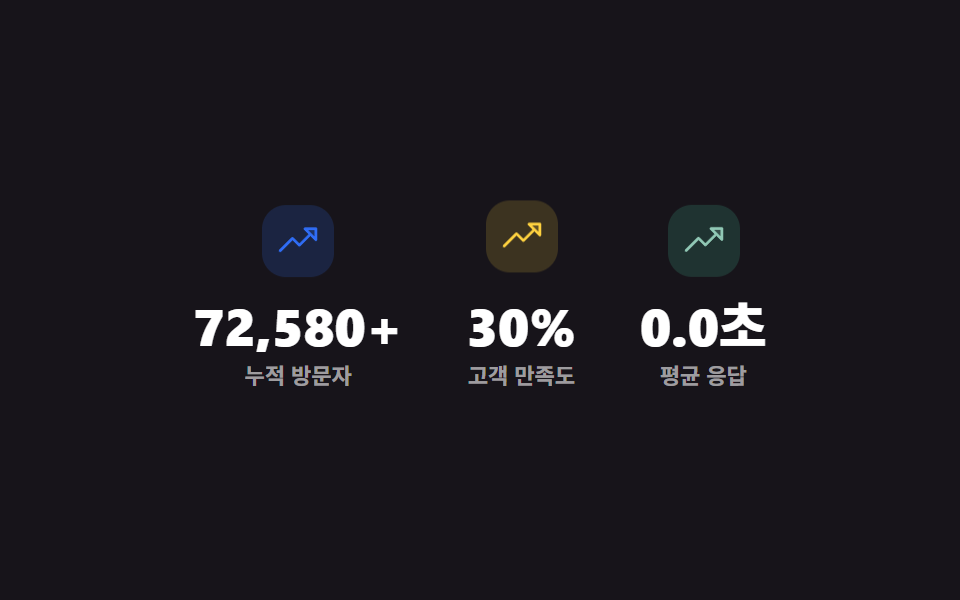 랜딩 섹션믿음 가는 랜딩 페이지 섹션 템플릿 9종
 랜딩 섹션웹사이트 푸터 디자인 패턴 9종, 복사해서 바로 쓰는
 랜딩 섹션이벤트 페이지 템플릿 9종 — 그대로 붙이는 섹션
 랜딩 섹션언론보도 페이지 템플릿 9종 — 프레스룸 섹션 모음
 랜딩 섹션프로젝트 포트폴리오 템플릿 9종 — 쇼케이스 섹션 모음
 랜딩 섹션프로필 카드 디자인 9종 — 복붙하면 되는 스타일 모음
 랜딩 섹션요금제 디자인 인터랙션 9종 — 토글부터 결제 버튼까지