프로모션 페이지 랜딩 섹션 템플릿 9종
프로모션 페이지 섹션 템플릿은 카운트다운 히어로부터 신청 폼까지 캠페인 랜딩에 필요한 구성 요소를 통째로 담은 코드 모음입니다. 랜딩 페이지에 바로 붙이는 아홉 개 중 하나는 실제 목표 시각까지 매초 줄어드는 카운트다운을 담았습니다.
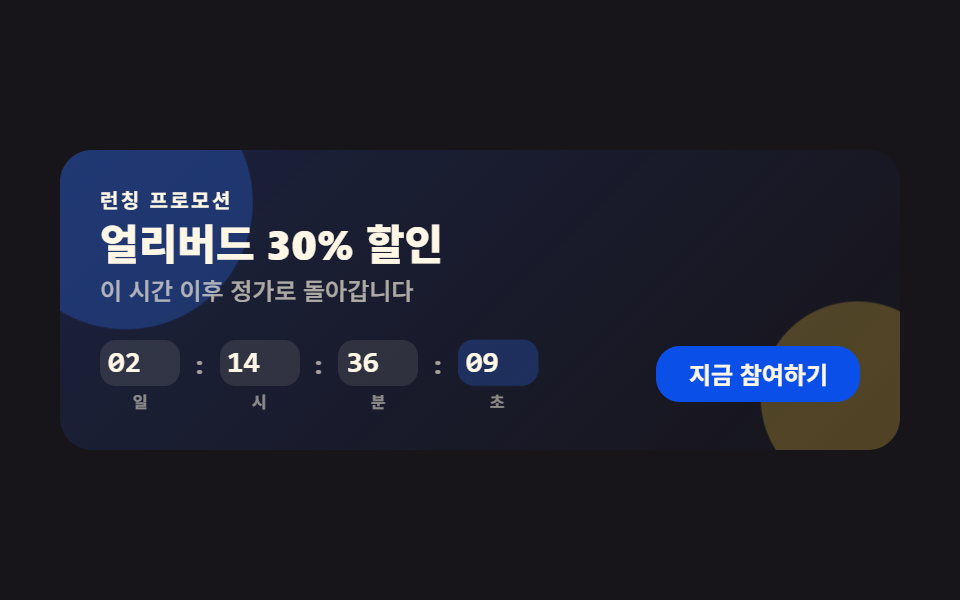 01 promo-countdown-hero
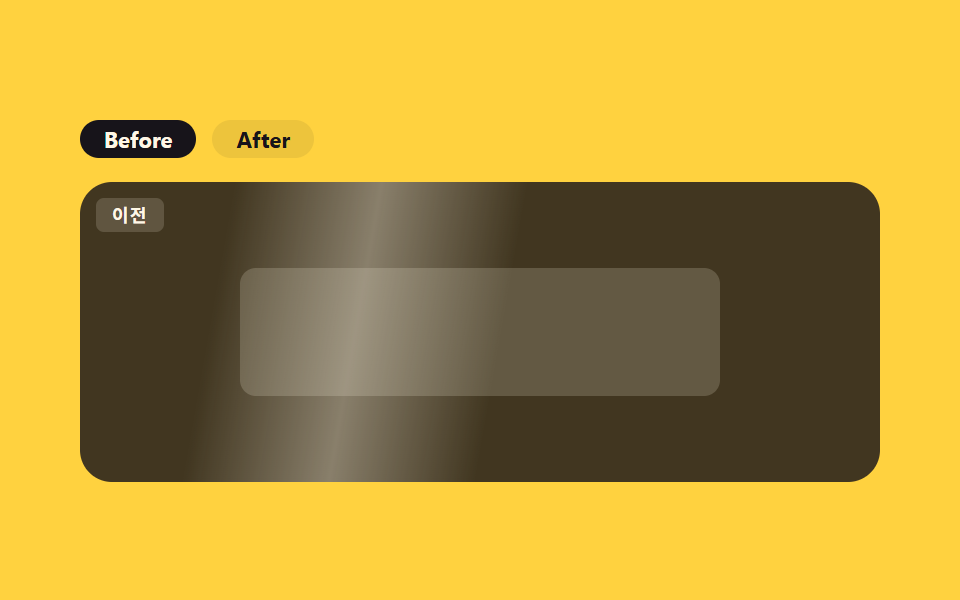 02 promo-before-after
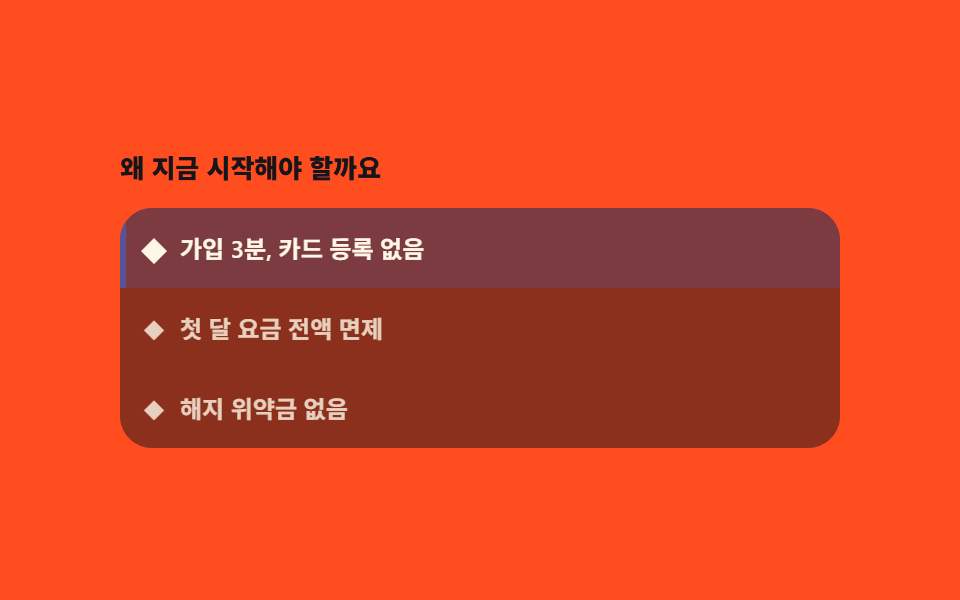 03 promo-feature-highlight
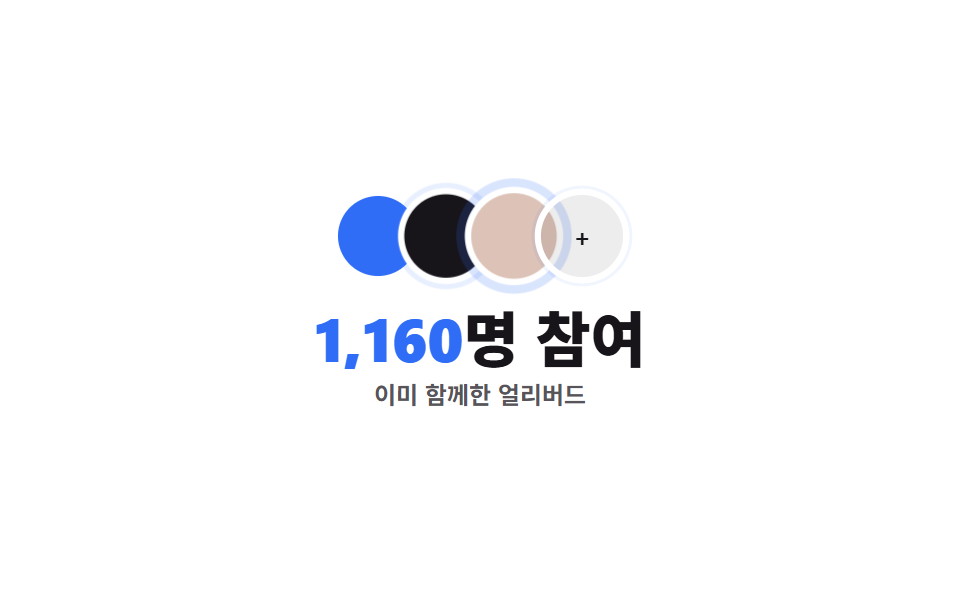 04 promo-social-proof
 05 promo-discount-pricing
 06 promo-urgency-banner
 07 promo-faq
 08 promo-signup-form
 09 promo-footer
자동 재생 · 눌러서 해당 항목으로 · 전부 한 zip
아홉 개는 인기순이 아니라 방문자가 프로모션 페이지를 훑는 순서대로 놓았습니다. 먼저 마감 시각으로 눈길을 붙잡고(카운트다운 히어로), 달라진 결과를 보여주고(비포·애프터), 핵심 혜택을 하나씩 각인시키고(혜택 하이라이트), 이미 참여한 사람 수로 신뢰를 더하고(소셜 프루프), 할인 폭을 숫자로 보여주고(할인 가격표), 남은 자리로 다시 한 번 재촉하고(마감 배너), 망설임을 없애고(FAQ), 실제로 등록받고(신청 폼), 다음 안내로 이어갑니다(푸터). 담당자 사진·실제 로고 자리는 전부 이 사이트의 먹·파랑·크림 토큰만으로 그린 도형 플레이스홀더라, 사진 파일만 바꿔 끼워도 격자·정렬은 그대로 유지됩니다. 할인 대신 만든 것으로 설득하는 구성이면 프로젝트 쇼케이스 템플릿이 그 배열이고, 값을 내리지 않고 믿음을 쌓는 쪽은 믿음 가는 랜딩 섹션이 맡습니다.
01카운트다운 히어로
프로모션 랜딩 페이지의 첫 화면
히어로 배너 위쪽엔 헤드라인과 부제가, 아래쪽 줄엔 카운트다운과 CTA 버튼이 나란히 놓입니다.
<main class="stage">
  <section class="ph">
    <span class="ph__blob ph__blob--a" aria-hidden="true"></span>
    <span class="ph__blob ph__blob--b" aria-hidden="true"></span>
    <div class="ph__text">
      <p class="ph__eyebrow">런칭 프로모션</p>
      <h1 class="ph__title">얼리버드 30% 할인</h1>
      <p class="ph__sub">이 시간 이후 정가로 돌아갑니다</p>
    </div>
    <div class="ph__panel">
      <div class="ph__row" role="timer" aria-live="off">
        <div class="ph__unit"><span class="ph__num" data-u="d">02</span><span class="ph__unit-label">일</span></div>
        <span class="ph__sep">:</span>
        <div class="ph__unit"><span class="ph__num" data-u="h">14</span><span class="ph__unit-label">시</span></div>
        <span class="ph__sep">:</span>
        <div class="ph__unit"><span class="ph__num" data-u="m">36</span><span class="ph__unit-label">분</span></div>
        <span class="ph__sep">:</span>
        <div class="ph__unit"><span class="ph__num ph__num--s" data-u="s">09</span><span class="ph__unit-label">초</span></div>
      </div>
      <button type="button" class="ph__cta" aria-pressed="false">지금 참여하기</button>
    </div>
  </section>
</main>
@use "../../../../site/static/demo-tokens" as *;
// ── 변수 3개 ──────────────────────────────────────────
$duration: $dur-quick; // CTA 눌림 전환
$easing: $ease-pop;
$color: $subject-blue; // 강조색
@include stage($stage-ink);
.ph {
position: relative;
box-sizing: border-box; // width 에 패딩을 포함 — 아니면 320px 에서 패딩만큼 넘친다(실측 2026-09-10)
width: min(420px, 96vw);
display: flex;
flex-direction: column;
gap: $sp-4;
padding: $sp-5;
border-radius: $r-card;
background: linear-gradient(135deg, rgba(47, 109, 246, .16), rgba(23, 20, 26, 0));
isolation: isolate;
overflow: hidden;
}
.ph__blob {
position: absolute;
z-index: -1;
border-radius: $r-pill;
animation: ph-drift 3.4s ease-in-out infinite;
}
.ph__blob--a { width: 120px; height: 120px; left: -30px; top: -30px; background: rgba(47, 109, 246, .35); }
.ph__blob--b { width: 90px; height: 90px; right: -20px; bottom: -24px; background: rgba(255, 210, 63, .28); animation-delay: -1.6s; }
@keyframes ph-drift {
0%, 100% { transform: translate(0, 0) scale(1); opacity: .7; }
50% { transform: translate(6px, -8px) scale(1.12); opacity: 1; }
}
.ph__text { display: flex; flex-direction: column; gap: $sp-1; }
.ph__eyebrow { margin: 0; font-weight: 700; font-size: 10px; line-height: 1; font-family: inherit; letter-spacing: .12em; text-transform: uppercase; color: $subject-cream; } // 어두운 패널 위 — AA 4.5 (파랑은 이 면에서 2.63:1)
.ph__title { margin: 0; font-weight: 800; font-size: clamp(17px, 5vw, 21px); line-height: 1.15; font-family: inherit; color: $subject-cream; }
.ph__sub { margin: 0; font-weight: 500; font-size: 12px; line-height: 1.4; font-family: inherit; color: rgba(255, 247, 230, .65); }
.ph__panel { display: flex; align-items: center; justify-content: space-between; gap: $sp-3; flex-wrap: wrap; }
.ph__row { display: flex; align-items: center; gap: $sp-2; }
.ph__unit { display: flex; flex-direction: column; align-items: center; gap: $sp-1; }
.ph__num {
display: block;
min-width: 32px;
padding: $sp-1;
border-radius: $r-sm;
background: rgba(255, 247, 230, .1);
color: $subject-cream;
font: 800 15px/1 "Space Mono", monospace;
font-variant-numeric: tabular-nums;
}
.ph__num--s { background: rgba(47, 109, 246, .26); animation: ph-tick 1s $easing infinite; transform-origin: center; }
@keyframes ph-tick {
0%, 55% { transform: translateY(0) scale(1); }
78% { transform: translateY(-3px) scale(1.1); }
100% { transform: translateY(0) scale(1); }
}
.ph__unit-label { font-weight: 600; font-size: 8px; line-height: 1; font-family: inherit; color: rgba(255, 247, 230, .5); }
.ph__sep { font-weight: 700; font-size: 13px; line-height: 1; font-family: inherit; color: rgba(255, 247, 230, .6); margin-top: -$sp-3; } // AA 4.5 — .3 은 2.61:1
.ph__cta {
border: 0;
cursor: pointer;
padding: $sp-2 $sp-4;
border-radius: $r-control;
background: $subject-blue-deep;
color: $subject-cream;
font-weight: 700; font-size: 12px; line-height: 1; font-family: inherit;
transition: transform $duration $easing, background $duration $easing;
}
.ph__cta[aria-pressed="true"] { background: #6c81b6; transform: scale(.96); }
.ph__cta:hover { transform: translateY(-1px); }
// ── 접근성 ──────────────────────────────────────────
@media (prefers-reduced-motion: reduce) {
.ph__blob, .ph__num--s { animation: none !important; }
.ph__cta { transition: none !important; }
}
// ── 반응형(320×200) ──────────────────────────────────
@media (max-width: 340px), (max-height: 220px) {
.ph__sub, .ph__eyebrow, .ph__unit-label { display: none; }
.ph { padding: $sp-3; gap: $sp-2; }
.ph__panel { flex-direction: column; align-items: stretch; gap: $sp-2; }
.ph__row { justify-content: center; }
.ph__num { min-width: 24px; padding: $sp-1; font-size: 12px; }
.ph__cta { padding: $sp-1 $sp-3; }
}html, body {
margin: 0;
overflow: hidden;
}
.stage {
box-sizing: border-box;
min-height: 100vh;
display: grid;
place-items: center;
margin: 0;
background: #17141a;
font-family: -apple-system, "Segoe UI", "Noto Sans KR", sans-serif;
padding: clamp(8px, 4vw, 24px);
}
.ph {
position: relative;
box-sizing: border-box;
width: min(420px, 96vw);
display: flex;
flex-direction: column;
gap: 16px;
padding: 20px;
border-radius: 16px;
background: linear-gradient(135deg, rgba(47, 109, 246, 0.16), rgba(23, 20, 26, 0));
isolation: isolate;
overflow: hidden;
}
.ph__blob {
position: absolute;
z-index: -1;
border-radius: 999px;
animation: ph-drift 3.4s ease-in-out infinite;
}
.ph__blob--a {
width: 120px;
height: 120px;
left: -30px;
top: -30px;
background: rgba(47, 109, 246, 0.35);
}
.ph__blob--b {
width: 90px;
height: 90px;
right: -20px;
bottom: -24px;
background: rgba(255, 210, 63, 0.28);
animation-delay: -1.6s;
}
@keyframes ph-drift {
0%, 100% {
transform: translate(0, 0) scale(1);
opacity: 0.7;
}
50% {
transform: translate(6px, -8px) scale(1.12);
opacity: 1;
}
}
.ph__text {
display: flex;
flex-direction: column;
gap: 4px;
}
.ph__eyebrow {
margin: 0;
font-weight: 700;
font-size: 10px;
line-height: 1;
font-family: inherit;
letter-spacing: 0.12em;
text-transform: uppercase;
color: #fff7e6;
}
.ph__title {
margin: 0;
font-weight: 800;
font-size: clamp(17px, 5vw, 21px);
line-height: 1.15;
font-family: inherit;
color: #fff7e6;
}
.ph__sub {
margin: 0;
font-weight: 500;
font-size: 12px;
line-height: 1.4;
font-family: inherit;
color: rgba(255, 247, 230, 0.65);
}
.ph__panel {
display: flex;
align-items: center;
justify-content: space-between;
gap: 12px;
flex-wrap: wrap;
}
.ph__row {
display: flex;
align-items: center;
gap: 8px;
}
.ph__unit {
display: flex;
flex-direction: column;
align-items: center;
gap: 4px;
}
.ph__num {
display: block;
min-width: 32px;
padding: 4px;
border-radius: 8px;
background: rgba(255, 247, 230, 0.1);
color: #fff7e6;
font: 800 15px/1 "Space Mono", monospace;
font-variant-numeric: tabular-nums;
}
.ph__num--s {
background: rgba(47, 109, 246, 0.26);
animation: ph-tick 1s cubic-bezier(0.2, 1.4, 0.4, 1) infinite;
transform-origin: center;
}
@keyframes ph-tick {
0%, 55% {
transform: translateY(0) scale(1);
}
78% {
transform: translateY(-3px) scale(1.1);
}
100% {
transform: translateY(0) scale(1);
}
}
.ph__unit-label {
font-weight: 600;
font-size: 8px;
line-height: 1;
font-family: inherit;
color: rgba(255, 247, 230, 0.5);
}
.ph__sep {
font-weight: 700;
font-size: 13px;
line-height: 1;
font-family: inherit;
color: rgba(255, 247, 230, 0.6);
margin-top: -12px;
}
.ph__cta {
border: 0;
cursor: pointer;
padding: 8px 16px;
border-radius: 12px;
background: #0a4fe8;
color: #fff7e6;
font-weight: 700;
font-size: 12px;
line-height: 1;
font-family: inherit;
transition: transform 220ms cubic-bezier(0.2, 1.4, 0.4, 1), background 220ms cubic-bezier(0.2, 1.4, 0.4, 1);
}
.ph__cta[aria-pressed=true] {
background: #6c81b6;
transform: scale(0.96);
}
.ph__cta:hover {
transform: translateY(-1px);
}
@media (prefers-reduced-motion: reduce) {
.ph__blob, .ph__num--s {
animation: none !important;
}
.ph__cta {
transition: none !important;
}
}
@media (max-width: 340px), (max-height: 220px) {
.ph__sub, .ph__eyebrow, .ph__unit-label {
display: none;
}
.ph {
padding: 12px;
gap: 8px;
}
.ph__panel {
flex-direction: column;
align-items: stretch;
gap: 8px;
}
.ph__row {
justify-content: center;
}
.ph__num {
min-width: 24px;
padding: 4px;
font-size: 12px;
}
.ph__cta {
padding: 4px 12px;
}
}// 실제 동작: 목표 시각(지금부터 정확히 2일 14시간 36분 9초 뒤)까지 1초마다 실제로 줄어든다.
var target = Date.now() + ((2 * 24 * 60 * 60) + (14 * 60 * 60) + (36 * 60) + 9) * 1000;
var els = {
d: document.querySelector('[data-u="d"]'),
h: document.querySelector('[data-u="h"]'),
m: document.querySelector('[data-u="m"]'),
s: document.querySelector('[data-u="s"]')
};
function pad(n) { return String(Math.max(0, n)).padStart(2, '0'); }
function tick() {
var diff = Math.max(0, target - Date.now());
var s = Math.floor(diff / 1000);
els.d.textContent = pad(Math.floor(s / 86400));
els.h.textContent = pad(Math.floor((s % 86400) / 3600));
els.m.textContent = pad(Math.floor((s % 3600) / 60));
els.s.textContent = pad(s % 60);
}
tick();
setInterval(tick, 1000);
var cta = document.querySelector('.ph__cta');
cta.addEventListener('click', function () {
var on = cta.getAttribute('aria-pressed') === 'true';
cta.setAttribute('aria-pressed', String(!on));
cta.textContent = on ? '지금 참여하기' : '참여 완료 ✓';
});import { useEffect, useState } from "react";
import type { CSSProperties } from "react";
import styles from "./PromoCountdownHero.module.scss";
function pad(n: number) {
return String(Math.max(0, n)).padStart(2, "0");
}
export type PromoCountdownHeroProps = { duration?: number; easing?: string; color?: string; targetMs?: number };
type Vars = CSSProperties & { "--duration"?: string; "--easing"?: string; "--color"?: string };
export default function PromoCountdownHero({
duration = 220,
easing = "cubic-bezier(.2,1.4,.4,1)",
color = "#2f6df6",
targetMs = Date.now() + ((2 * 24 * 60 * 60) + (14 * 60 * 60) + (36 * 60) + 9) * 1000,
}: PromoCountdownHeroProps) {
const [left, setLeft] = useState(Math.max(0, targetMs - Date.now()));
const [pressed, setPressed] = useState(false);
const vars: Vars = { "--duration": `${duration}ms`, "--easing": easing, "--color": color };
useEffect(() => {
const id = setInterval(() => setLeft(Math.max(0, targetMs - Date.now())), 1000);
return () => clearInterval(id);
}, [targetMs]);
const s = Math.floor(left / 1000);
const d = Math.floor(s / 86400);
const h = Math.floor((s % 86400) / 3600);
const m = Math.floor((s % 3600) / 60);
const sec = s % 60;
return (
<section className={styles.ph} style={vars}>
<span className={`${styles.blob} ${styles.blobA}`} aria-hidden="true" />
<span className={`${styles.blob} ${styles.blobB}`} aria-hidden="true" />
<div className={styles.text}>
<p className={styles.eyebrow}>런칭 프로모션</p>
<h1 className={styles.title}>얼리버드 30% 할인</h1>
<p className={styles.sub}>이 시간 이후 정가로 돌아갑니다</p>
</div>
<div className={styles.panel}>
<div className={styles.row} role="timer" aria-live="off">
<div className={styles.unit}><span className={styles.num}>{pad(d)}</span><span className={styles.unitLabel}>일</span></div>
<span className={styles.sep}>:</span>
<div className={styles.unit}><span className={styles.num}>{pad(h)}</span><span className={styles.unitLabel}>시</span></div>
<span className={styles.sep}>:</span>
<div className={styles.unit}><span className={styles.num}>{pad(m)}</span><span className={styles.unitLabel}>분</span></div>
<span className={styles.sep}>:</span>
<div className={styles.unit}><span className={`${styles.num} ${styles.numS}`}>{pad(sec)}</span><span className={styles.unitLabel}>초</span></div>
</div>
<button
type="button"
className={styles.cta}
aria-pressed={pressed}
onClick={() => setPressed((v) => !v)}
>
{pressed ? "참여 완료 ✓" : "지금 참여하기"}
</button>
</div>
</section>
);
}01 · 카운트다운 히어로 — 측정 누적면적 7.657% · 움직인 프레임 21/23GODRICH 원작 · zip 에 SCSS·React 포함 · 비밀번호 보기
매초 줄어드는 숫자
초 단위 숫자는 실제 목표 시각까지 매초 줄어들며 짧게 넛지되고, CTA 버튼은 누를 때마다 aria-pressed가 실제로 바뀝니다.
var target = Date.now() + ((2 * 24 * 60 * 60) + (14 * 60 * 60) + (36 * 60) + 9) * 1000;
function tick() {
  var diff = Math.max(0, target - Date.now());
  var s = Math.floor(diff / 1000);
  els.d.textContent = pad(Math.floor(s / 86400));
  els.h.textContent = pad(Math.floor((s % 86400) / 3600));
  els.m.textContent = pad(Math.floor((s % 3600) / 60));
  els.s.textContent = pad(s % 60);
}
tick();
setInterval(tick, 1000);
02비포·애프터
두 패널이 크로스페이드된다
비포·애프터 버튼을 클릭하면 두 패널이 실제로 opacity 크로스페이드됩니다.
<main class="stage">
  <section class="ba">
    <div class="ba__toggle" role="group" aria-label="비교 보기">
      <button type="button" class="ba__btn" data-panel="before" aria-pressed="true">Before</button>
      <button type="button" class="ba__btn" data-panel="after" aria-pressed="false">After</button>
    </div>
    <div class="ba__frame">
      <div class="ba__panel ba__panel--before" data-panel="before">
        <span class="ba__badge">이전</span>
        <span class="ba__shape"></span>
      </div>
      <div class="ba__panel ba__panel--after" data-panel="after">
        <span class="ba__badge ba__badge--after">이후</span>
        <span class="ba__shape ba__shape--after"></span>
      </div>
      <span class="ba__shimmer" aria-hidden="true"></span>
    </div>
  </section>
</main>
@use "../../../../site/static/demo-tokens" as *;
// ── 변수 3개 ──────────────────────────────────────────
$duration: $dur-enter; // 패널 크로스페이드
$easing: $ease-spring;
$color: $subject-blue;
@include stage($stage-yellow);
.ba { width: min(400px, 96vw); display: flex; flex-direction: column; gap: $sp-3; }
.ba__toggle { display: flex; gap: $sp-2; }
.ba__btn {
border: 0;
cursor: pointer;
padding: $sp-1 $sp-3;
border-radius: $r-pill;
background: rgba(23, 20, 26, .08);
color: $subject-ink;
font-weight: 700; font-size: 11px; line-height: 1; font-family: inherit;
transition: background $dur-quick $ease-out, color $dur-quick $ease-out;
}
.ba__btn[aria-pressed="true"] { background: $subject-ink; color: $subject-cream; }
.ba__frame {
position: relative;
width: 100%;
height: 150px;
border-radius: $r-card;
overflow: hidden;
isolation: isolate;
}
.ba__panel {
position: absolute;
inset: 0;
display: grid;
place-items: center;
padding: $sp-3;
box-sizing: border-box;
opacity: 0;
transition: opacity $duration $easing;
}
.ba__panel.is-active { opacity: 1; }
.ba__panel--before { background: rgba(23, 20, 26, .82); opacity: 1; } // 기본 활성
.ba__panel--after { background: linear-gradient(160deg, $subject-ink, #24304f); }
.ba__badge {
position: absolute;
top: $sp-2;
left: $sp-2;
padding: $sp-1 $sp-2;
border-radius: $r-xs;
background: rgba(255, 247, 230, .16);
color: $subject-cream;
font-weight: 700; font-size: 9px; line-height: 1; font-family: inherit;
letter-spacing: .06em;
}
.ba__badge--after { background: rgba(47, 109, 246, .3); }
.ba__shape {
width: 64%;
height: 64px;
border-radius: $r-sm;
background: rgba(255, 247, 230, .18);
}
.ba__shape--after { background: rgba(47, 109, 246, .5); box-shadow: $shadow-raised; }
// 무대 장식: 어느 패널이 켜져 있든 항상 보이도록 프레임 위(두 패널의 형제, z-index 위)에 둔다 —
// 처음엔 .ba__panel--after 안에 넣었더니 그 패널이 opacity:0(기본은 before 활성)이라 함께 숨어 측정값이 0 이었다.
.ba__shimmer {
position: absolute;
inset: -20% -60%;
z-index: 2;
pointer-events: none;
background: linear-gradient(100deg, transparent 42%, rgba(255, 247, 230, .42) 50%, transparent 58%);
animation: ba-shimmer 2.4s linear infinite;
}
@keyframes ba-shimmer {
0% { transform: translateX(-30%); opacity: 0; }
10% { opacity: .9; }
60% { opacity: .9; }
100% { transform: translateX(30%); opacity: 0; }
}
// ── 접근성 ──────────────────────────────────────────
@media (prefers-reduced-motion: reduce) {
.ba__shimmer { animation: none !important; opacity: 0 !important; }
.ba__panel, .ba__btn { transition: none !important; }
}
// ── 반응형(320×200) ──────────────────────────────────
@media (max-width: 340px), (max-height: 220px) {
.ba__frame { height: 108px; }
.ba__shape { height: 44px; }
}html, body {
margin: 0;
overflow: hidden;
}
.stage {
box-sizing: border-box;
min-height: 100vh;
display: grid;
place-items: center;
margin: 0;
background: #ffd23f;
font-family: -apple-system, "Segoe UI", "Noto Sans KR", sans-serif;
padding: clamp(8px, 4vw, 24px);
}
.ba {
width: min(400px, 96vw);
display: flex;
flex-direction: column;
gap: 12px;
}
.ba__toggle {
display: flex;
gap: 8px;
}
.ba__btn {
border: 0;
cursor: pointer;
padding: 4px 12px;
border-radius: 999px;
background: rgba(23, 20, 26, 0.08);
color: #17141a;
font-weight: 700;
font-size: 11px;
line-height: 1;
font-family: inherit;
transition: background 220ms ease-out, color 220ms ease-out;
}
.ba__btn[aria-pressed=true] {
background: #17141a;
color: #fff7e6;
}
.ba__frame {
position: relative;
width: 100%;
height: 150px;
border-radius: 16px;
overflow: hidden;
isolation: isolate;
}
.ba__panel {
position: absolute;
inset: 0;
display: grid;
place-items: center;
padding: 12px;
box-sizing: border-box;
opacity: 0;
transition: opacity 600ms cubic-bezier(0.2, 0.8, 0.2, 1);
}
.ba__panel.is-active {
opacity: 1;
}
.ba__panel--before {
background: rgba(23, 20, 26, 0.82);
opacity: 1;
}
.ba__panel--after {
background: linear-gradient(160deg, #17141a, #24304f);
}
.ba__badge {
position: absolute;
top: 8px;
left: 8px;
padding: 4px 8px;
border-radius: 4px;
background: rgba(255, 247, 230, 0.16);
color: #fff7e6;
font-weight: 700;
font-size: 9px;
line-height: 1;
font-family: inherit;
letter-spacing: 0.06em;
}
.ba__badge--after {
background: rgba(47, 109, 246, 0.3);
}
.ba__shape {
width: 64%;
height: 64px;
border-radius: 8px;
background: rgba(255, 247, 230, 0.18);
}
.ba__shape--after {
background: rgba(47, 109, 246, 0.5);
box-shadow: 0 14px 24px rgba(23, 20, 26, 0.32);
}
.ba__shimmer {
position: absolute;
inset: -20% -60%;
z-index: 2;
pointer-events: none;
background: linear-gradient(100deg, transparent 42%, rgba(255, 247, 230, 0.42) 50%, transparent 58%);
animation: ba-shimmer 2.4s linear infinite;
}
@keyframes ba-shimmer {
0% {
transform: translateX(-30%);
opacity: 0;
}
10% {
opacity: 0.9;
}
60% {
opacity: 0.9;
}
100% {
transform: translateX(30%);
opacity: 0;
}
}
@media (prefers-reduced-motion: reduce) {
.ba__shimmer {
animation: none !important;
opacity: 0 !important;
}
.ba__panel, .ba__btn {
transition: none !important;
}
}
@media (max-width: 340px), (max-height: 220px) {
.ba__frame {
height: 108px;
}
.ba__shape {
height: 44px;
}
}// 실제 동작: 버튼 클릭 시 두 패널 중 하나만 opacity:1 로 크로스페이드, aria-pressed 가 배타적으로 갱신된다.
var btns = document.querySelectorAll('.ba__btn');
var panels = document.querySelectorAll('.ba__panel');
btns.forEach(function (btn) {
  btn.addEventListener('click', function () {
    var name = btn.getAttribute('data-panel');
    btns.forEach(function (b) { b.setAttribute('aria-pressed', String(b === btn)); });
    panels.forEach(function (p) { p.classList.toggle('is-active', p.getAttribute('data-panel') === name); });
  });
});import { useState } from "react";
import type { CSSProperties } from "react";
import styles from "./BeforeAfter.module.scss";
export type BeforeAfterProps = { duration?: number; easing?: string; color?: string };
type Vars = CSSProperties & { "--duration"?: string; "--easing"?: string; "--color"?: string };
type Panel = "before" | "after";
export default function BeforeAfter({ duration = 600, easing = "cubic-bezier(.2,.8,.2,1)", color = "#2f6df6" }: BeforeAfterProps) {
const [active, setActive] = useState<Panel>("before");
const vars: Vars = { "--duration": `${duration}ms`, "--easing": easing, "--color": color };
return (
<section className={styles.ba} style={vars}>
<div className={styles.toggle} role="group" aria-label="비교 보기">
<button type="button" className={styles.btn} aria-pressed={active === "before"} onClick={() => setActive("before")}>Before</button>
<button type="button" className={styles.btn} aria-pressed={active === "after"} onClick={() => setActive("after")}>After</button>
</div>
<div className={styles.frame}>
<div className={`${styles.panel} ${styles.before} ${active === "before" ? styles.active : ""}`}>
<span className={styles.badge}>이전</span>
<span className={styles.shape} />
</div>
<div className={`${styles.panel} ${styles.after} ${active === "after" ? styles.active : ""}`}>
<span className={`${styles.badge} ${styles.badgeAfter}`}>이후</span>
<span className={`${styles.shape} ${styles.shapeAfter}`} />
</div>
<span className={styles.shimmer} aria-hidden="true" />
</div>
</section>
);
}02 · 비포·애프터 — 측정 누적면적 41.445% · 움직인 프레임 23/23GODRICH 원작 · zip 에 SCSS·React 포함 · 비밀번호 보기
대각선 하이라이트는 계속
애프터 패널 위로는 대각선 하이라이트가 계속 스치듯 흐릅니다.
var btns = document.querySelectorAll('.ba__btn');
var panels = document.querySelectorAll('.ba__panel');
btns.forEach(function (btn) {
btn.addEventListener('click', function () {
var name = btn.getAttribute('data-panel');
btns.forEach(function (b) { b.setAttribute('aria-pressed', String(b === btn)); });
panels.forEach(function (p) { p.classList.toggle('is-active', p.getAttribute('data-panel') === name); });
});
});
03핵심 혜택 하이라이트
1.6초마다 옮겨가는 스포트라이트
핵심 혜택 세 줄 중 하나를 1.6초마다 스포트라이트가 자동으로 옮겨가며 비춥니다.
<main class="stage">
  <section class="fh">
    <p class="fh__title">왜 지금 시작해야 할까요</p>
    <ul class="fh__list" role="list">
      <span class="fh__spot" aria-hidden="true"><span class="fh__spot-fill"></span></span>
      <li class="fh__row is-active" data-i="0" tabindex="0" role="button" aria-pressed="true">
        <span class="fh__icon">◆</span><span class="fh__label">가입 3분, 카드 등록 없음</span>
      </li>
      <li class="fh__row" data-i="1" tabindex="0" role="button" aria-pressed="false">
        <span class="fh__icon">◆</span><span class="fh__label">첫 달 요금 전액 면제</span>
      </li>
      <li class="fh__row" data-i="2" tabindex="0" role="button" aria-pressed="false">
        <span class="fh__icon">◆</span><span class="fh__label">해지 위약금 없음</span>
      </li>
    </ul>
  </section>
</main>
@use "../../../../site/static/demo-tokens" as *;
// ── 변수 3개 ──────────────────────────────────────────
$duration: $dur-base; // 스포트라이트 이동
$easing: $ease-spring;
$color: $subject-blue;
@include stage($stage-orange);
.fh { width: min(360px, 96vw); }
.fh__title { margin: 0 0 $sp-3; font-weight: 800; font-size: 13px; line-height: 1.3; font-family: inherit; color: $subject-ink; } // 주황 면 위 크림 3.11:1 → 잉크 5.50:1 (패턴 ③)
.fh__list {
position: relative;
list-style: none;
margin: 0;
padding: 0;
border-radius: $r-card;
background: rgba($subject-ink, .5);
overflow: hidden;
}
// 행 높이를 고정해야 .fh__spot 의 translateY 계산이 실측과 어긋나지 않는다 (BD19 와 같은 원리 — 세로판)
.fh__row {
position: relative;
z-index: 1;
display: flex;
align-items: center;
gap: $sp-2;
height: 40px;
box-sizing: border-box;
padding: 0 $sp-3;
cursor: pointer;
outline-offset: -2px;
}
.fh__icon { font-size: 10px; color: rgba(255, 247, 230, .8); transition: color $duration $easing, transform $duration $easing; }
.fh__row.is-active .fh__icon { color: $subject-cream; transform: scale(1.3); }
.fh__label { font-weight: 600; font-size: 12px; line-height: 1.3; font-family: inherit; color: rgba(255, 247, 230, .8); transition: color $duration $easing; }
.fh__row.is-active .fh__label { color: $subject-cream; }
// 위치(JS 의 translateY)와 장식용 펄스(CSS scaleX)를 같은 요소의 transform 에 같이 쓰면
// 펄스 keyframe 이 매 주기마다 transform 전체를 덮어써 translateY 가 0 으로 튄다 — 바깥(위치)·안(펄스) 두 겹으로 나눈다.
.fh__spot {
position: absolute;
z-index: 0;
left: 0;
top: 0;
width: 100%;
height: 40px;
transition: transform $duration $easing;
}
.fh__spot-fill {
display: block;
width: 100%;
height: 100%;
background: rgba(47, 109, 246, .3);
border-left: 3px solid $subject-blue;
box-sizing: border-box;
transform-origin: left center; // 규칙8: 스포트라이트 좌변 펄스
animation: fh-pulse 1.8s ease-in-out infinite;
}
// 진폭을 크게(투명도 + 크기) — .85→1 정도의 미세한 opacity 만으로는 픽셀문턱(12/255) 을 못 넘었다(실측 0.06%)
@keyframes fh-pulse {
0%, 100% { opacity: .4; transform: scaleX(1); }
50% { opacity: 1; transform: scaleX(1.02); }
}
// ── 접근성 ──────────────────────────────────────────
@media (prefers-reduced-motion: reduce) {
.fh__spot { animation: none !important; transition: none !important; }
.fh__icon, .fh__label { transition: none !important; }
}
// ── 반응형(320×200) ──────────────────────────────────
@media (max-width: 340px), (max-height: 220px) {
.fh__row, .fh__spot, .fh__spot-fill { height: 34px; }
.fh__title { margin-bottom: $sp-2; }
}html, body {
margin: 0;
overflow: hidden;
}
.stage {
box-sizing: border-box;
min-height: 100vh;
display: grid;
place-items: center;
margin: 0;
background: #ff4d1f;
font-family: -apple-system, "Segoe UI", "Noto Sans KR", sans-serif;
padding: clamp(8px, 4vw, 24px);
}
.fh {
width: min(360px, 96vw);
}
.fh__title {
margin: 0 0 12px;
font-weight: 800;
font-size: 13px;
line-height: 1.3;
font-family: inherit;
color: #17141a;
}
.fh__list {
position: relative;
list-style: none;
margin: 0;
padding: 0;
border-radius: 16px;
background: rgba(23, 20, 26, 0.5);
overflow: hidden;
}
.fh__row {
position: relative;
z-index: 1;
display: flex;
align-items: center;
gap: 8px;
height: 40px;
box-sizing: border-box;
padding: 0 12px;
cursor: pointer;
outline-offset: -2px;
}
.fh__icon {
font-size: 10px;
color: rgba(255, 247, 230, 0.8);
transition: color 300ms cubic-bezier(0.2, 0.8, 0.2, 1), transform 300ms cubic-bezier(0.2, 0.8, 0.2, 1);
}
.fh__row.is-active .fh__icon {
color: #fff7e6;
transform: scale(1.3);
}
.fh__label {
font-weight: 600;
font-size: 12px;
line-height: 1.3;
font-family: inherit;
color: rgba(255, 247, 230, 0.8);
transition: color 300ms cubic-bezier(0.2, 0.8, 0.2, 1);
}
.fh__row.is-active .fh__label {
color: #fff7e6;
}
.fh__spot {
position: absolute;
z-index: 0;
left: 0;
top: 0;
width: 100%;
height: 40px;
transition: transform 300ms cubic-bezier(0.2, 0.8, 0.2, 1);
}
.fh__spot-fill {
display: block;
width: 100%;
height: 100%;
background: rgba(47, 109, 246, 0.3);
border-left: 3px solid #2f6df6;
box-sizing: border-box;
transform-origin: left center;
animation: fh-pulse 1.8s ease-in-out infinite;
}
@keyframes fh-pulse {
0%, 100% {
opacity: 0.4;
transform: scaleX(1);
}
50% {
opacity: 1;
transform: scaleX(1.02);
}
}
@media (prefers-reduced-motion: reduce) {
.fh__spot {
animation: none !important;
transition: none !important;
}
.fh__icon, .fh__label {
transition: none !important;
}
}
@media (max-width: 340px), (max-height: 220px) {
.fh__row, .fh__spot, .fh__spot-fill {
height: 34px;
}
.fh__title {
margin-bottom: 8px;
}
}// 실제 동작: 1.6초마다 다음 행으로 스포트라이트가 자동 이동하고, 행을 클릭·Enter 하면 그 행으로 바로 이동한다.
var rows = Array.prototype.slice.call(document.querySelectorAll('.fh__row'));
var spot = document.querySelector('.fh__spot');
var current = 0;
function go(i) {
current = i;
rows.forEach(function (r, idx) {
var on = idx === i;
r.classList.toggle('is-active', on);
r.setAttribute('aria-pressed', String(on));
});
// 실제 렌더 높이를 잰다 — 고정값을 짐작하면 반응형 구간에서 스포트라이트가 어긋난다(BD19 와 같은 병)
var offset = rows[i].getBoundingClientRect().top - rows[0].getBoundingClientRect().top;
spot.style.transform = 'translateY(' + offset + 'px)';
}
rows.forEach(function (r) {
r.addEventListener('click', function () { go(Number(r.getAttribute('data-i'))); resetTimer(); });
r.addEventListener('keydown', function (e) {
if (e.key === 'Enter' || e.key === ' ') { e.preventDefault(); go(Number(r.getAttribute('data-i'))); resetTimer(); }
});
});
var timer;
function resetTimer() {
clearInterval(timer);
timer = setInterval(function () { go((current + 1) % rows.length); }, 1600);
}
resetTimer();import { useEffect, useRef, useState } from "react";
import type { CSSProperties } from "react";
import styles from "./FeatureHighlight.module.scss";
export type FeatureHighlightProps = { duration?: number; easing?: string; color?: string };
type Vars = CSSProperties & { "--duration"?: string; "--easing"?: string; "--color"?: string };
const FEATURES = ["가입 3분, 카드 등록 없음", "첫 달 요금 전액 면제", "해지 위약금 없음"];
export default function FeatureHighlight({ duration = 300, easing = "cubic-bezier(.2,.8,.2,1)", color = "#2f6df6" }: FeatureHighlightProps) {
const [active, setActive] = useState(0);
const [offset, setOffset] = useState(0);
const rowRefs = useRef<(HTMLLIElement | null)[]>([]);
const vars: Vars = { "--duration": `${duration}ms`, "--easing": easing, "--color": color };
function go(i: number) {
setActive(i);
}
function setRowRef(i: number) {
return (el: HTMLLIElement | null) => {
const rows = rowRefs.current || [];
rows[i] = el;
rowRefs.current = rows;
};
}
// 실제 렌더 높이를 잰다 — 고정값을 짐작하면 반응형 구간에서 스포트라이트가 어긋난다(BD19 와 같은 병)
useEffect(() => {
const rows = rowRefs.current || [];
const row = rows[active];
const first = rows[0];
if (row && first) setOffset(row.getBoundingClientRect().top - first.getBoundingClientRect().top);
}, [active]);
useEffect(() => {
const id = setInterval(() => setActive((i) => (i + 1) % FEATURES.length), 1600);
return () => clearInterval(id);
}, []);
return (
<section className={styles.fh} style={vars}>
<p className={styles.title}>왜 지금 시작해야 할까요</p>
<ul className={styles.list} role="list">
<span className={styles.spot} style={{ transform: `translateY(${offset}px)` }} aria-hidden="true">
<span className={styles.spotFill} />
</span>
{FEATURES.map((label, i) => (
<li
key={label}
ref={setRowRef(i)}
className={`${styles.row} ${i === active ? styles.active : ""}`}
tabIndex={0}
role="button"
aria-pressed={i === active}
onClick={() => go(i)}
onKeyDown={(e: any) => { if (e.key === "Enter" || e.key === " ") { e.preventDefault(); go(i); } }}
>
<span className={styles.icon}>◆</span><span className={styles.label}>{label}</span>
</li>
))}
</ul>
</section>
);
}03 · 핵심 혜택 하이라이트 — 측정 누적면적 9.529% · 움직인 프레임 12/23GODRICH 원작 · zip 에 SCSS·React 포함 · 비밀번호 보기
클릭하면 그 자리로
행을 클릭하거나 Enter를 누르면 그 자리로 실측한 높이만큼 바로 이동합니다.
function go(i) {
  current = i;
  rows.forEach(function (r, idx) {
    var on = idx === i;
    r.classList.toggle('is-active', on);
    r.setAttribute('aria-pressed', String(on));
  });
  var offset = rows[i].getBoundingClientRect().top - rows[0].getBoundingClientRect().top;
  spot.style.transform = 'translateY(' + offset + 'px)';
}
04소셜 프루프 띠
네 개가 은은하게 맥박친다
겹친 아바타 세 개와 "+N" 배지까지 총 네 개가 은은하게 맥박칩니다.
<main class="stage">
  <section class="sp">
    <div class="sp__avatars" aria-hidden="true">
      <span class="sp__avatar"></span>
      <span class="sp__avatar"></span>
      <span class="sp__avatar"></span>
      <span class="sp__avatar sp__avatar--more">+</span>
    </div>
    <p class="sp__count"><span class="sp__num" data-target="2431">0</span>명 참여</p>
    <p class="sp__label">이미 함께한 얼리버드</p>
  </section>
</main>
@use "../../../../site/static/demo-tokens" as *;
// ── 변수 3개 ──────────────────────────────────────────
$duration: $dur-enter; // 카운트업 대역(장식 펄스 기준)
$easing: $ease-spring;
$color: $subject-blue;
@include stage($stage-paper);
.sp { width: min(320px, 94vw); text-align: center; }
.sp__avatars { display: flex; justify-content: center; margin-bottom: $sp-3; }
.sp__avatar {
width: 40px; height: 40px;
border-radius: 50%;
background: $subject-blue;
border: 3px solid $stage-paper;
margin-left: -$sp-3;
box-shadow: $shadow-press;
animation: sp-pulse 2.4s ease-in-out infinite;
}
.sp__avatar:first-child { margin-left: 0; }
.sp__avatar:nth-child(2) { background: $subject-ink; animation-delay: -.6s; }
.sp__avatar:nth-child(3) { background: #dcc2b7; animation-delay: -1.2s; }
.sp__avatar--more {
display: grid; place-items: center;
background: rgba(23, 20, 26, .08);
color: $subject-ink;
font-weight: 700; font-size: 12px; line-height: 1; font-family: inherit;
animation-delay: -1.8s;
}
@keyframes sp-pulse {
0%, 100% { transform: scale(1); box-shadow: 0 0 0 0 rgba(47, 109, 246, 0); }
50% { transform: scale(1.07); box-shadow: 0 0 0 4px rgba(47, 109, 246, .18); }
}
.sp__count { margin: 0; font-weight: 800; font-size: clamp(22px, 8vw, 30px); line-height: 1.1; font-family: inherit; color: $subject-ink; }
.sp__num { font-variant-numeric: tabular-nums; color: $subject-blue; }
.sp__label { margin: $sp-1 0 0; font-weight: 600; font-size: 12px; line-height: 1.3; font-family: inherit; color: rgba(23, 20, 26, .72); } // AA 4.5 (blog-design 글자 대비)
// ── 접근성 ──────────────────────────────────────────
@media (prefers-reduced-motion: reduce) {
.sp__avatar { animation: none !important; }
}
// ── 반응형(320×200) ──────────────────────────────────
@media (max-width: 340px), (max-height: 220px) {
.sp__avatar { width: 32px; height: 32px; }
.sp__avatars { margin-bottom: $sp-2; }
}html, body {
margin: 0;
overflow: hidden;
}
.stage {
box-sizing: border-box;
min-height: 100vh;
display: grid;
place-items: center;
margin: 0;
background: #ffffff;
font-family: -apple-system, "Segoe UI", "Noto Sans KR", sans-serif;
padding: clamp(8px, 4vw, 24px);
}
.sp {
width: min(320px, 94vw);
text-align: center;
}
.sp__avatars {
display: flex;
justify-content: center;
margin-bottom: 12px;
}
.sp__avatar {
width: 40px;
height: 40px;
border-radius: 50%;
background: #2f6df6;
border: 3px solid #ffffff;
margin-left: -12px;
box-shadow: 0 6px 12px rgba(23, 20, 26, 0.32);
animation: sp-pulse 2.4s ease-in-out infinite;
}
.sp__avatar:first-child {
margin-left: 0;
}
.sp__avatar:nth-child(2) {
background: #17141a;
animation-delay: -0.6s;
}
.sp__avatar:nth-child(3) {
background: #dcc2b7;
animation-delay: -1.2s;
}
.sp__avatar--more {
display: grid;
place-items: center;
background: rgba(23, 20, 26, 0.08);
color: #17141a;
font-weight: 700;
font-size: 12px;
line-height: 1;
font-family: inherit;
animation-delay: -1.8s;
}
@keyframes sp-pulse {
0%, 100% {
transform: scale(1);
box-shadow: 0 0 0 0 rgba(47, 109, 246, 0);
}
50% {
transform: scale(1.07);
box-shadow: 0 0 0 4px rgba(47, 109, 246, 0.18);
}
}
.sp__count {
margin: 0;
font-weight: 800;
font-size: clamp(22px, 8vw, 30px);
line-height: 1.1;
font-family: inherit;
color: #17141a;
}
.sp__num {
font-variant-numeric: tabular-nums;
color: #2f6df6;
}
.sp__label {
margin: 4px 0 0;
font-weight: 600;
font-size: 12px;
line-height: 1.3;
font-family: inherit;
color: rgba(23, 20, 26, 0.72);
}
@media (prefers-reduced-motion: reduce) {
.sp__avatar {
animation: none !important;
}
}
@media (max-width: 340px), (max-height: 220px) {
.sp__avatar {
width: 32px;
height: 32px;
}
.sp__avatars {
margin-bottom: 8px;
}
}// 실제 동작: 페이지가 뜨자마자 0 → 실제 목표값(2,431)까지 requestAnimationFrame 으로 실측 카운트업된다.
var el = document.querySelector('.sp__num');
var target = Number(el.getAttribute('data-target'));
var start = null;
var DUR = 1200;
function frame(ts) {
  if (!start) start = ts;
  var p = Math.min(1, (ts - start) / DUR);
  var eased = 1 - Math.pow(1 - p, 3);
  el.textContent = Math.round(eased * target).toLocaleString('ko-KR');
  if (p < 1) requestAnimationFrame(frame);
}
requestAnimationFrame(frame);import { useEffect, useRef, useState } from "react";
import type { CSSProperties } from "react";
import styles from "./SocialProof.module.scss";
export type SocialProofProps = { duration?: number; easing?: string; color?: string; target?: number };
type Vars = CSSProperties & { "--duration"?: string; "--easing"?: string; "--color"?: string };
export default function SocialProof({ duration = 600, easing = "cubic-bezier(.2,.8,.2,1)", color = "#2f6df6", target = 2431 }: SocialProofProps) {
const [count, setCount] = useState(0);
const vars: Vars = { "--duration": `${duration}ms`, "--easing": easing, "--color": color };
const startRef = useRef<number | null>(null);
useEffect(() => {
let raf = 0;
const DUR = 1200;
function frame(ts: number) {
if (startRef.current === null) startRef.current = ts;
const p = Math.min(1, (ts - startRef.current) / DUR);
const eased = 1 - Math.pow(1 - p, 3);
setCount(Math.round(eased * target));
if (p < 1) raf = requestAnimationFrame(frame);
}
raf = requestAnimationFrame(frame);
return () => cancelAnimationFrame(raf);
}, [target]);
return (
<section className={styles.sp} style={vars}>
<div className={styles.avatars} aria-hidden="true">
<span className={styles.avatar} />
<span className={styles.avatar} />
<span className={styles.avatar} />
<span className={`${styles.avatar} ${styles.more}`}>+</span>
</div>
<p className={styles.count}><span className={styles.num}>{count.toLocaleString("ko-KR")}</span>명 참여</p>
<p className={styles.label}>이미 함께한 얼리버드</p>
</section>
);
}04 · 소셜 프루프 띠 — 측정 누적면적 5.21% · 움직인 프레임 23/23GODRICH 원작 · zip 에 SCSS·React 포함 · 비밀번호 보기
0에서 목표값까지
큰 숫자는 페이지를 열자마자 0에서 실제 목표값(2,431)까지 올라갑니다.
var el = document.querySelector('.sp__num');
var target = Number(el.getAttribute('data-target'));
var start = null;
var DUR = 1200;
function frame(ts) {
if (!start) start = ts;
var p = Math.min(1, (ts - start) / DUR);
var eased = 1 - Math.pow(1 - p, 3);
el.textContent = Math.round(eased * target).toLocaleString('ko-KR');
if (p < 1) requestAnimationFrame(frame);
}
requestAnimationFrame(frame);
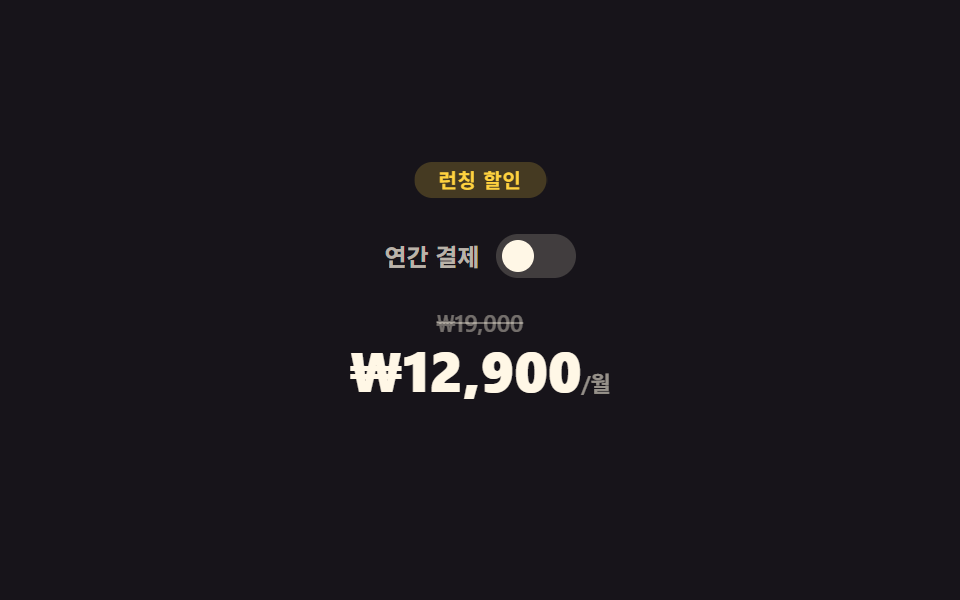
05할인 가격표
스위치가 실제로 바뀐다
연간 결제 스위치를 누르면 aria-checked가 실제로 바뀌면서 월간·연간 가격판이 크로스페이드됩니다.
<main class="stage">
  <section class="dp">
    <span class="dp__badge">런칭 할인</span>
    <div class="dp__switch-row">
      <span class="dp__switch-label">연간 결제</span>
      <button type="button" class="dp__switch" role="switch" aria-checked="false"><span class="dp__knob"></span></button>
    </div>
    <div class="dp__price-wrap">
      <div class="dp__price dp__price--monthly is-active">
        <span class="dp__old">₩19,000</span>
        <span class="dp__now">₩12,900<small>/월</small></span>
      </div>
      <div class="dp__price dp__price--yearly">
        <span class="dp__old">₩228,000</span>
        <span class="dp__now">₩9,900<small>/월</small></span>
      </div>
    </div>
  </section>
</main>
@use "../../../../site/static/demo-tokens" as *;
// ── 변수 3개 ──────────────────────────────────────────
$duration: $dur-base; // 가격판 크로스페이드
$easing: $ease-spring;
$color: $subject-blue;
@include stage($stage-ink);
.dp { position: relative; width: min(300px, 94vw); text-align: center; padding-top: $sp-5; }
.dp__badge {
position: absolute;
top: 0; left: 50%;
transform: translateX(-50%);
padding: $sp-1 $sp-3;
border-radius: $r-pill;
background: rgba(255, 210, 63, .2);
color: $stage-yellow;
font-weight: 700; font-size: 10px; line-height: 1; font-family: inherit;
letter-spacing: .04em;
animation: dp-badge 2.2s ease-in-out infinite;
}
@keyframes dp-badge {
0%, 100% { transform: translateX(-50%) scale(1); }
50% { transform: translateX(-50%) scale(1.08); }
}
.dp__switch-row { display: flex; align-items: center; justify-content: center; gap: $sp-2; margin: $sp-4 0; }
.dp__switch-label { font-weight: 600; font-size: 12px; line-height: 1; font-family: inherit; color: rgba(255, 247, 230, .7); }
.dp__switch {
position: relative;
width: 40px; height: 22px;
border: 0;
border-radius: $r-pill;
background: rgba(255, 247, 230, .18);
cursor: pointer;
transition: background $duration $easing;
}
.dp__switch[aria-checked="true"] { background: $subject-blue; }
.dp__knob {
position: absolute;
top: 3px; left: 3px;
width: 16px; height: 16px;
border-radius: 50%;
background: $subject-cream;
transition: transform $duration $easing;
}
.dp__switch[aria-checked="true"] .dp__knob { transform: translateX(18px); }
.dp__price-wrap { position: relative; height: 64px; }
.dp__price {
position: absolute;
inset: 0;
display: flex;
flex-direction: column;
align-items: center;
gap: $sp-1;
opacity: 0;
transition: opacity $duration $easing;
}
.dp__price.is-active { opacity: 1; }
.dp__old { font-weight: 600; font-size: 12px; line-height: 1; font-family: inherit; color: rgba(255, 247, 230, .4); text-decoration: line-through; }
.dp__now { font-weight: 800; font-size: clamp(22px, 7vw, 28px); line-height: 1; font-family: inherit; color: $subject-cream; }
.dp__now small { font-weight: 600; font-size: 11px; line-height: 1; font-family: inherit; color: rgba(255, 247, 230, .55); }
// ── 접근성 ──────────────────────────────────────────
@media (prefers-reduced-motion: reduce) {
.dp__badge { animation: none !important; }
.dp__switch, .dp__knob, .dp__price { transition: none !important; }
}
// ── 반응형(320×200) ──────────────────────────────────
@media (max-width: 340px), (max-height: 220px) {
.dp { padding-top: $sp-4; }
.dp__switch-row { margin: $sp-3 0; }
}html, body {
margin: 0;
overflow: hidden;
}
.stage {
box-sizing: border-box;
min-height: 100vh;
display: grid;
place-items: center;
margin: 0;
background: #17141a;
font-family: -apple-system, "Segoe UI", "Noto Sans KR", sans-serif;
padding: clamp(8px, 4vw, 24px);
}
.dp {
position: relative;
width: min(300px, 94vw);
text-align: center;
padding-top: 20px;
}
.dp__badge {
position: absolute;
top: 0;
left: 50%;
transform: translateX(-50%);
padding: 4px 12px;
border-radius: 999px;
background: rgba(255, 210, 63, 0.2);
color: #ffd23f;
font-weight: 700;
font-size: 10px;
line-height: 1;
font-family: inherit;
letter-spacing: 0.04em;
animation: dp-badge 2.2s ease-in-out infinite;
}
@keyframes dp-badge {
0%, 100% {
transform: translateX(-50%) scale(1);
}
50% {
transform: translateX(-50%) scale(1.08);
}
}
.dp__switch-row {
display: flex;
align-items: center;
justify-content: center;
gap: 8px;
margin: 16px 0;
}
.dp__switch-label {
font-weight: 600;
font-size: 12px;
line-height: 1;
font-family: inherit;
color: rgba(255, 247, 230, 0.7);
}
.dp__switch {
position: relative;
width: 40px;
height: 22px;
border: 0;
border-radius: 999px;
background: rgba(255, 247, 230, 0.18);
cursor: pointer;
transition: background 300ms cubic-bezier(0.2, 0.8, 0.2, 1);
}
.dp__switch[aria-checked=true] {
background: #2f6df6;
}
.dp__knob {
position: absolute;
top: 3px;
left: 3px;
width: 16px;
height: 16px;
border-radius: 50%;
background: #fff7e6;
transition: transform 300ms cubic-bezier(0.2, 0.8, 0.2, 1);
}
.dp__switch[aria-checked=true] .dp__knob {
transform: translateX(18px);
}
.dp__price-wrap {
position: relative;
height: 64px;
}
.dp__price {
position: absolute;
inset: 0;
display: flex;
flex-direction: column;
align-items: center;
gap: 4px;
opacity: 0;
transition: opacity 300ms cubic-bezier(0.2, 0.8, 0.2, 1);
}
.dp__price.is-active {
opacity: 1;
}
.dp__old {
font-weight: 600;
font-size: 12px;
line-height: 1;
font-family: inherit;
color: rgba(255, 247, 230, 0.4);
text-decoration: line-through;
}
.dp__now {
font-weight: 800;
font-size: clamp(22px, 7vw, 28px);
line-height: 1;
font-family: inherit;
color: #fff7e6;
}
.dp__now small {
font-weight: 600;
font-size: 11px;
line-height: 1;
font-family: inherit;
color: rgba(255, 247, 230, 0.55);
}
@media (prefers-reduced-motion: reduce) {
.dp__badge {
animation: none !important;
}
.dp__switch, .dp__knob, .dp__price {
transition: none !important;
}
}
@media (max-width: 340px), (max-height: 220px) {
.dp {
padding-top: 16px;
}
.dp__switch-row {
margin: 12px 0;
}
}// 실제 동작: 스위치를 누르면 aria-checked 가 실제로 바뀌고 월간/연간 가격판이 opacity 로 크로스페이드된다.
var sw = document.querySelector('.dp__switch');
var monthly = document.querySelector('.dp__price--monthly');
var yearly = document.querySelector('.dp__price--yearly');
sw.addEventListener('click', function () {
  var on = sw.getAttribute('aria-checked') === 'true';
  sw.setAttribute('aria-checked', String(!on));
  monthly.classList.toggle('is-active', on);
  yearly.classList.toggle('is-active', !on);
});import { useState } from "react";
import type { CSSProperties } from "react";
import styles from "./DiscountPricing.module.scss";
export type DiscountPricingProps = { duration?: number; easing?: string; color?: string };
type Vars = CSSProperties & { "--duration"?: string; "--easing"?: string; "--color"?: string };
export default function DiscountPricing({ duration = 300, easing = "cubic-bezier(.2,.8,.2,1)", color = "#2f6df6" }: DiscountPricingProps) {
const [yearly, setYearly] = useState(false);
const vars: Vars = { "--duration": `${duration}ms`, "--easing": easing, "--color": color };
return (
<section className={styles.dp} style={vars}>
<span className={styles.badge}>런칭 할인</span>
<div className={styles.switchRow}>
<span className={styles.switchLabel}>연간 결제</span>
<button type="button" className={styles.switch} role="switch" aria-checked={yearly} onClick={() => setYearly((v) => !v)}>
<span className={styles.knob} />
</button>
</div>
<div className={styles.priceWrap}>
<div className={`${styles.price} ${!yearly ? styles.active : ""}`}>
<span className={styles.old}>₩19,000</span>
<span className={styles.now}>₩12,900<small>/월</small></span>
</div>
<div className={`${styles.price} ${yearly ? styles.active : ""}`}>
<span className={styles.old}>₩228,000</span>
<span className={styles.now}>₩9,900<small>/월</small></span>
</div>
</div>
</section>
);
}05 · 할인 가격표 — 측정 누적면적 0.458% · 움직인 프레임 17/23GODRICH 원작 · zip 에 SCSS·React 포함 · 비밀번호 보기
원가에는 취소선이 남는다
원가에는 취소선이 그대로 남습니다.
var sw = document.querySelector('.dp__switch');
var monthly = document.querySelector('.dp__price--monthly');
var yearly = document.querySelector('.dp__price--yearly');
sw.addEventListener('click', function () {
var on = sw.getAttribute('aria-checked') === 'true';
sw.setAttribute('aria-checked', String(!on));
monthly.classList.toggle('is-active', on);
yearly.classList.toggle('is-active', !on);
});
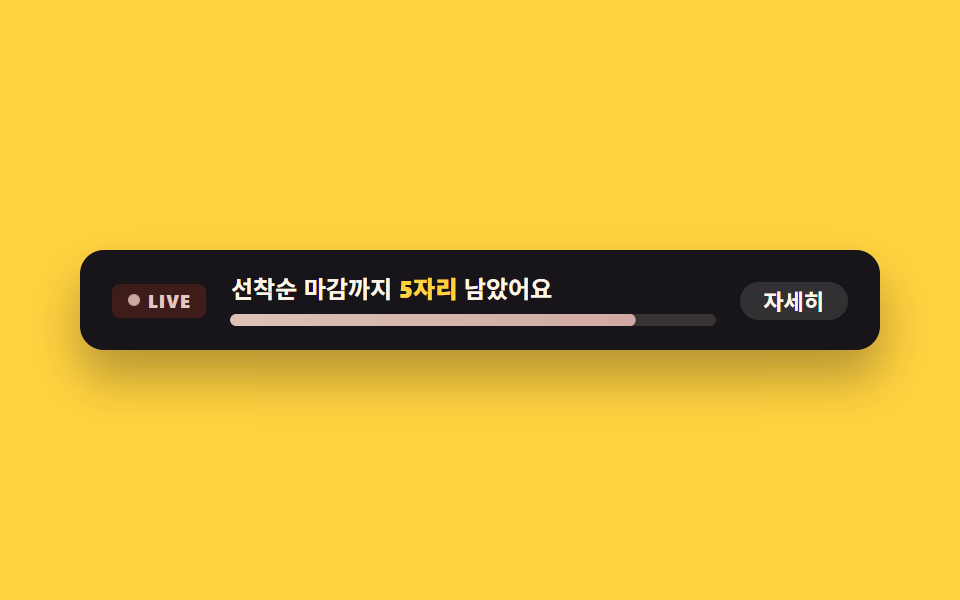
06마감 임박 배너
진행바는 계속 출렁인다
마감 임박 진행바는 계속 은은하게 출렁입니다.
<main class="stage">
  <section class="ub">
    <span class="ub__live" aria-hidden="true"><span class="ub__dot"></span>LIVE</span>
    <div class="ub__body">
      <p class="ub__msg">선착순 마감까지 <strong>5자리</strong> 남았어요</p>
      <div class="ub__bar" role="progressbar" aria-valuenow="82" aria-valuemin="0" aria-valuemax="100" aria-label="선착순 마감률">
        <span class="ub__fill"></span>
      </div>
    </div>
    <button type="button" class="ub__more" aria-pressed="false">자세히</button>
  </section>
</main>
@use "../../../../site/static/demo-tokens" as *;
// ── 변수 3개 ──────────────────────────────────────────
$duration: $dur-quick; // "자세히" 전환
$easing: $ease-pop;
$color: $error;
@include stage($stage-yellow);
.ub {
box-sizing: border-box; // width 에 패딩을 포함 — 아니면 320px 에서 패딩만큼 넘친다(실측 2026-09-10)
width: min(400px, 96vw);
display: flex;
align-items: center;
gap: $sp-3;
padding: $sp-3 $sp-4;
border-radius: $r-control;
background: $subject-ink;
box-shadow: $shadow-raised;
}
.ub__live {
display: flex;
align-items: center;
gap: $sp-1;
flex: 0 0 auto;
padding: $sp-1 $sp-2;
border-radius: $r-xs;
background: rgba(194, 54, 26, .22);
color: #e0c8c1;
font-weight: 800; font-size: 9px; line-height: 1; font-family: inherit;
letter-spacing: .06em;
}
.ub__dot { width: 6px; height: 6px; border-radius: 50%; background: #d1a9a1; animation: ub-blink 1.2s ease-in-out infinite; }
@keyframes ub-blink {
0%, 100% { opacity: 1; transform: scale(1); }
50% { opacity: .35; transform: scale(.8); }
}
.ub__body { flex: 1 1 auto; min-width: 0; }
.ub__msg { margin: 0 0 $sp-1; font-weight: 600; font-size: 12px; line-height: 1.3; font-family: inherit; color: $subject-cream; }
.ub__msg strong { color: $stage-yellow; }
.ub__bar { height: 6px; border-radius: $r-xs; background: rgba(255, 247, 230, .14); overflow: hidden; }
.ub__fill {
display: block;
height: 100%;
width: 100%;
border-radius: $r-xs;
background: linear-gradient(90deg, #dcc2b7, #d1a9a1);
transform: scaleX(.82);
transform-origin: left center; // 규칙8: 재고 막대 왼쪽 채움
animation: ub-fill 2.4s $easing infinite;
}
@keyframes ub-fill {
0%, 100% { transform: scaleX(.78); }
50% { transform: scaleX(.92); }
}
.ub__more {
flex: 0 0 auto;
border: 0;
cursor: pointer;
padding: $sp-1 $sp-3;
border-radius: $r-pill;
background: rgba(255, 247, 230, .12);
color: $subject-cream;
font-weight: 700; font-size: 11px; line-height: 1; font-family: inherit;
transition: background $duration $easing;
}
.ub__more[aria-pressed="true"] { background: rgba(255, 247, 230, .28); }
// ── 접근성 ──────────────────────────────────────────
@media (prefers-reduced-motion: reduce) {
.ub__dot, .ub__fill { animation: none !important; }
.ub__more { transition: none !important; }
}
// ── 반응형(320×200) ──────────────────────────────────
@media (max-width: 340px), (max-height: 220px) {
.ub { flex-wrap: wrap; padding: $sp-2 $sp-3; }
.ub__more { display: none; }
}html, body {
margin: 0;
overflow: hidden;
}
.stage {
box-sizing: border-box;
min-height: 100vh;
display: grid;
place-items: center;
margin: 0;
background: #ffd23f;
font-family: -apple-system, "Segoe UI", "Noto Sans KR", sans-serif;
padding: clamp(8px, 4vw, 24px);
}
.ub {
box-sizing: border-box;
width: min(400px, 96vw);
display: flex;
align-items: center;
gap: 12px;
padding: 12px 16px;
border-radius: 12px;
background: #17141a;
box-shadow: 0 14px 24px rgba(23, 20, 26, 0.32);
}
.ub__live {
display: flex;
align-items: center;
gap: 4px;
flex: 0 0 auto;
padding: 4px 8px;
border-radius: 4px;
background: rgba(194, 54, 26, 0.22);
color: #e0c8c1;
font-weight: 800;
font-size: 9px;
line-height: 1;
font-family: inherit;
letter-spacing: 0.06em;
}
.ub__dot {
width: 6px;
height: 6px;
border-radius: 50%;
background: #d1a9a1;
animation: ub-blink 1.2s ease-in-out infinite;
}
@keyframes ub-blink {
0%, 100% {
opacity: 1;
transform: scale(1);
}
50% {
opacity: 0.35;
transform: scale(0.8);
}
}
.ub__body {
flex: 1 1 auto;
min-width: 0;
}
.ub__msg {
margin: 0 0 4px;
font-weight: 600;
font-size: 12px;
line-height: 1.3;
font-family: inherit;
color: #fff7e6;
}
.ub__msg strong {
color: #ffd23f;
}
.ub__bar {
height: 6px;
border-radius: 4px;
background: rgba(255, 247, 230, 0.14);
overflow: hidden;
}
.ub__fill {
display: block;
height: 100%;
width: 100%;
border-radius: 4px;
background: linear-gradient(90deg, #dcc2b7, #d1a9a1);
transform: scaleX(0.82);
transform-origin: left center;
animation: ub-fill 2.4s cubic-bezier(0.2, 1.4, 0.4, 1) infinite;
}
@keyframes ub-fill {
0%, 100% {
transform: scaleX(0.78);
}
50% {
transform: scaleX(0.92);
}
}
.ub__more {
flex: 0 0 auto;
border: 0;
cursor: pointer;
padding: 4px 12px;
border-radius: 999px;
background: rgba(255, 247, 230, 0.12);
color: #fff7e6;
font-weight: 700;
font-size: 11px;
line-height: 1;
font-family: inherit;
transition: background 220ms cubic-bezier(0.2, 1.4, 0.4, 1);
}
.ub__more[aria-pressed=true] {
background: rgba(255, 247, 230, 0.28);
}
@media (prefers-reduced-motion: reduce) {
.ub__dot, .ub__fill {
animation: none !important;
}
.ub__more {
transition: none !important;
}
}
@media (max-width: 340px), (max-height: 220px) {
.ub {
flex-wrap: wrap;
padding: 8px 12px;
}
.ub__more {
display: none;
}
}// 실제 동작: "자세히" 를 누르면 aria-pressed 가 바뀌고 알림 문구가 실제로 펼쳐진다.
var btn = document.querySelector('.ub__more');
var msg = document.querySelector('.ub__msg');
var base = msg.textContent;
btn.addEventListener('click', function () {
var on = btn.getAttribute('aria-pressed') === 'true';
btn.setAttribute('aria-pressed', String(!on));
msg.innerHTML = on ? '선착순 마감까지 <strong>5자리</strong> 남았어요' : '선착순 마감까지 <strong>5자리</strong> 남았어요 · 마감 후 정가 복귀';
});import { useState } from "react";
import type { CSSProperties } from "react";
import styles from "./UrgencyBanner.module.scss";
export type UrgencyBannerProps = { duration?: number; easing?: string; color?: string; spotsLeft?: number };
type Vars = CSSProperties & { "--duration"?: string; "--easing"?: string; "--color"?: string };
export default function UrgencyBanner({ duration = 220, easing = "cubic-bezier(.2,1.4,.4,1)", color = "#c2361a", spotsLeft = 5 }: UrgencyBannerProps) {
const [expanded, setExpanded] = useState(false);
const vars: Vars = { "--duration": `${duration}ms`, "--easing": easing, "--color": color };
return (
<div className={styles.ub} style={vars}>
<span className={styles.live} aria-hidden="true"><span className={styles.dot} />LIVE</span>
<div className={styles.body}>
<p className={styles.msg}>
선착순 마감까지 <strong>{spotsLeft}자리</strong> 남았어요{expanded ? " · 마감 후 정가 복귀" : ""}
</p>
<div className={styles.bar} role="progressbar" aria-valuenow={82} aria-valuemin={0} aria-valuemax={100} aria-label="선착순 마감률">
<span className={styles.fill} />
</div>
</div>
<button type="button" className={styles.more} aria-pressed={expanded} onClick={() => setExpanded((v) => !v)}>
자세히
</button>
</div>
);
}06 · 마감 임박 배너 — 측정 누적면적 0.192% · 움직인 프레임 21/23GODRICH 원작 · zip 에 SCSS·React 포함 · 비밀번호 보기
누르면 문구가 늘어난다
"자세히" 버튼을 누르면 안내 문구가 실제로 늘어납니다.
.ub__fill {
  transform: scaleX(.78);
  transform-origin: left center;
  animation: ub-fill 2.4s $easing infinite;
}
@keyframes ub-fill {
  0%, 100% { transform: scaleX(.78); }
  50%      { transform: scaleX(.92); }
}
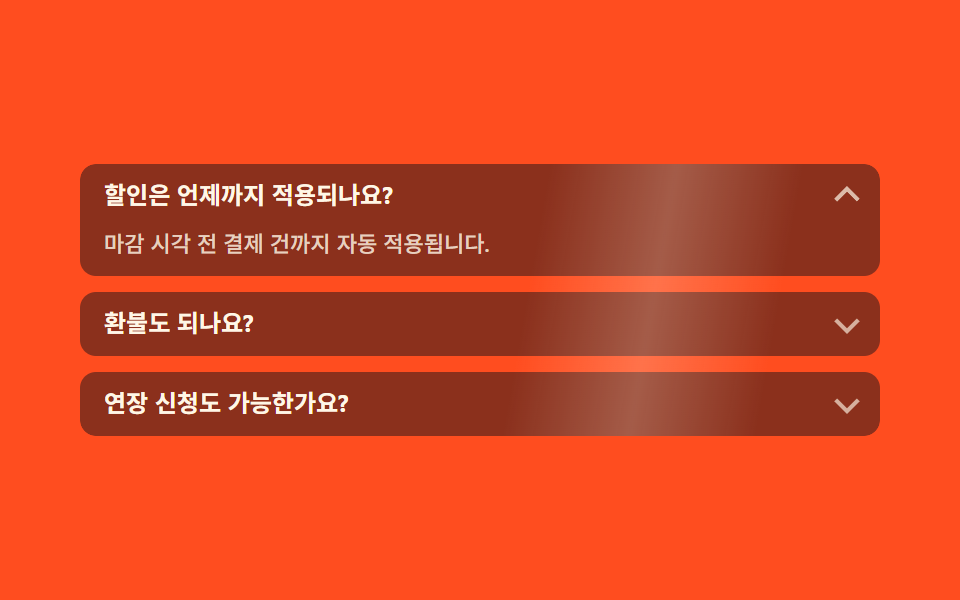
07프로모 FAQ
한 항목만 펼쳐진다
질문을 클릭하면 그 항목만 실제로 펼쳐지고 나머지는 접힙니다.
<main class="stage">
  <section class="pf">
    <ul class="pf__list">
      <span class="pf__scan" aria-hidden="true"></span>
      <li class="pf__item is-open">
        <button type="button" class="pf__q" aria-expanded="true">할인은 언제까지 적용되나요?</button>
        <div class="pf__a"><p>마감 시각 전 결제 건까지 자동 적용됩니다.</p></div>
      </li>
      <li class="pf__item">
        <button type="button" class="pf__q" aria-expanded="false">환불도 되나요?</button>
        <div class="pf__a"><p>결제 후 7일 이내 전액 환불됩니다.</p></div>
      </li>
      <li class="pf__item">
        <button type="button" class="pf__q" aria-expanded="false">연장 신청도 가능한가요?</button>
        <div class="pf__a"><p>마감 전 재접속하면 자동으로 연장 안내가 뜹니다.</p></div>
      </li>
    </ul>
  </section>
</main>
@use "../../../../site/static/demo-tokens" as *;
// ── 변수 3개 ──────────────────────────────────────────
$duration: $dur-base; // 답변 펼침
$easing: $ease-spring;
$color: $subject-blue;
@include stage($stage-orange);
.pf { width: min(400px, 96vw); }
.pf__list { position: relative; list-style: none; margin: 0; padding: 0; display: flex; flex-direction: column; gap: $sp-2; overflow: hidden; border-radius: $r-sm; }
// 무대 장식: 목록 전체를 가로지르는 하이라이트 띠. 화살표 넛지(작은 요소)만으로는 픽셀문턱을 겨우 넘거나 못 넘었다(실측 0.05%) — 면적이 큰 띠를 더했다
.pf__scan {
position: absolute;
inset: 0;
z-index: 1;
pointer-events: none;
background: linear-gradient(100deg, transparent 35%, rgba(255, 247, 230, .22) 50%, transparent 65%);
animation: pf-scan 2.4s linear infinite;
}
@keyframes pf-scan {
0% { transform: translateX(-120%); }
100% { transform: translateX(120%); }
}
.pf__item {
border-radius: $r-sm;
background: rgba($subject-ink, .5);
overflow: hidden;
}
.pf__q {
position: relative;
display: block;
width: 100%;
box-sizing: border-box;
border: 0;
cursor: pointer;
text-align: left;
padding: $sp-2 $sp-8 $sp-2 $sp-3;
background: transparent;
color: $subject-cream;
font-weight: 700; font-size: 12px; line-height: 1.3; font-family: inherit;
}
.pf__q::after {
content: "";
position: absolute;
right: $sp-3;
top: 50%;
width: 7px; height: 7px;
border-right: 2px solid rgba(255, 247, 230, .7);
border-bottom: 2px solid rgba(255, 247, 230, .7);
transform: translateY(-65%) rotate(45deg);
transition: transform $duration $easing;
animation: pf-nudge 2.2s ease-in-out infinite;
}
.pf__item.is-open .pf__q::after { transform: translateY(-35%) rotate(-135deg); animation: none; }
@keyframes pf-nudge {
0%, 100% { opacity: .55; }
50% { opacity: 1; }
}
.pf__a {
display: grid;
grid-template-rows: 0fr;
// 접힌 답변은 높이 0 으로 잘려 눈에 안 보인다 — visibility 로 못 읽게까지 막는다 (스크린리더·대비 스캐너 둘 다)
visibility: hidden;
transition: grid-template-rows $duration $easing, visibility 0s linear $duration;
}
.pf__item.is-open .pf__a { grid-template-rows: 1fr; visibility: visible; transition: grid-template-rows $duration $easing, visibility 0s; }
.pf__a p {
margin: 0;
min-height: 0;
overflow: hidden;
padding: 0 $sp-3;
font-weight: 500; font-size: 11px; line-height: 1.5; font-family: inherit;
color: rgba(255, 247, 230, .8); // 펼쳐지면 어두운 항목 면(rgba(ink,.5)) 위 5.56:1 — 접혀 있을 때만 무대 주황이 뒤로 읽힌다
}
.pf__item.is-open .pf__a p { padding: 0 $sp-3 $sp-2; }
// ── 접근성 ──────────────────────────────────────────
@media (prefers-reduced-motion: reduce) {
.pf__q::after { animation: none !important; transition: none !important; }
.pf__a { transition: none !important; }
.pf__scan { animation: none !important; }
}
// ── 반응형(320×200) ──────────────────────────────────
@media (max-width: 340px), (max-height: 220px) {
.pf__list { gap: $sp-1; }
.pf__q { padding: $sp-1 $sp-8 $sp-1 $sp-2; }
}html, body {
margin: 0;
overflow: hidden;
}
.stage {
box-sizing: border-box;
min-height: 100vh;
display: grid;
place-items: center;
margin: 0;
background: #ff4d1f;
font-family: -apple-system, "Segoe UI", "Noto Sans KR", sans-serif;
padding: clamp(8px, 4vw, 24px);
}
.pf {
width: min(400px, 96vw);
}
.pf__list {
position: relative;
list-style: none;
margin: 0;
padding: 0;
display: flex;
flex-direction: column;
gap: 8px;
overflow: hidden;
border-radius: 8px;
}
.pf__scan {
position: absolute;
inset: 0;
z-index: 1;
pointer-events: none;
background: linear-gradient(100deg, transparent 35%, rgba(255, 247, 230, 0.22) 50%, transparent 65%);
animation: pf-scan 2.4s linear infinite;
}
@keyframes pf-scan {
0% {
transform: translateX(-120%);
}
100% {
transform: translateX(120%);
}
}
.pf__item {
border-radius: 8px;
background: rgba(23, 20, 26, 0.5);
overflow: hidden;
}
.pf__q {
position: relative;
display: block;
width: 100%;
box-sizing: border-box;
border: 0;
cursor: pointer;
text-align: left;
padding: 8px 32px 8px 12px;
background: transparent;
color: #fff7e6;
font-weight: 700;
font-size: 12px;
line-height: 1.3;
font-family: inherit;
}
.pf__q::after {
content: "";
position: absolute;
right: 12px;
top: 50%;
width: 7px;
height: 7px;
border-right: 2px solid rgba(255, 247, 230, 0.7);
border-bottom: 2px solid rgba(255, 247, 230, 0.7);
transform: translateY(-65%) rotate(45deg);
transition: transform 300ms cubic-bezier(0.2, 0.8, 0.2, 1);
animation: pf-nudge 2.2s ease-in-out infinite;
}
.pf__item.is-open .pf__q::after {
transform: translateY(-35%) rotate(-135deg);
animation: none;
}
@keyframes pf-nudge {
0%, 100% {
opacity: 0.55;
}
50% {
opacity: 1;
}
}
.pf__a {
display: grid;
grid-template-rows: 0fr;
visibility: hidden;
transition: grid-template-rows 300ms cubic-bezier(0.2, 0.8, 0.2, 1), visibility 0s linear 300ms;
}
.pf__item.is-open .pf__a {
grid-template-rows: 1fr;
visibility: visible;
transition: grid-template-rows 300ms cubic-bezier(0.2, 0.8, 0.2, 1), visibility 0s;
}
.pf__a p {
margin: 0;
min-height: 0;
overflow: hidden;
padding: 0 12px;
font-weight: 500;
font-size: 11px;
line-height: 1.5;
font-family: inherit;
color: rgba(255, 247, 230, 0.8);
}
.pf__item.is-open .pf__a p {
padding: 0 12px 8px;
}
@media (prefers-reduced-motion: reduce) {
.pf__q::after {
animation: none !important;
transition: none !important;
}
.pf__a {
transition: none !important;
}
.pf__scan {
animation: none !important;
}
}
@media (max-width: 340px), (max-height: 220px) {
.pf__list {
gap: 4px;
}
.pf__q {
padding: 4px 32px 4px 8px;
}
}// 실제 동작: 질문을 클릭하면 그 항목만 실제로 펼쳐지고 나머지는 닫힌다(단일 오픈).
var items = document.querySelectorAll('.pf__item');
items.forEach(function (item) {
  var q = item.querySelector('.pf__q');
  q.addEventListener('click', function () {
    var willOpen = !item.classList.contains('is-open');
    items.forEach(function (i) {
      i.classList.remove('is-open');
      i.querySelector('.pf__q').setAttribute('aria-expanded', 'false');
    });
    if (willOpen) { item.classList.add('is-open'); q.setAttribute('aria-expanded', 'true'); }
  });
});import { useState } from "react";
import type { CSSProperties } from "react";
import styles from "./PromoFaq.module.scss";
export type PromoFaqProps = { duration?: number; easing?: string; color?: string };
type Vars = CSSProperties & { "--duration"?: string; "--easing"?: string; "--color"?: string };
const ITEMS = [
{ q: "할인은 언제까지 적용되나요?", a: "마감 시각 전 결제 건까지 자동 적용됩니다." },
{ q: "환불도 되나요?", a: "결제 후 7일 이내 전액 환불됩니다." },
{ q: "연장 신청도 가능한가요?", a: "마감 전 재접속하면 자동으로 연장 안내가 뜹니다." },
];
export default function PromoFaq({ duration = 300, easing = "cubic-bezier(.2,.8,.2,1)", color = "#2f6df6" }: PromoFaqProps) {
const [open, setOpen] = useState(0);
const vars: Vars = { "--duration": `${duration}ms`, "--easing": easing, "--color": color };
return (
<section className={styles.pf} style={vars}>
<ul className={styles.list}>
<span className={styles.scan} aria-hidden="true" />
{ITEMS.map((item, i) => (
<li key={item.q} className={`${styles.item} ${open === i ? styles.isOpen : ""}`}>
<button
type="button"
className={styles.q}
aria-expanded={open === i}
onClick={() => setOpen(open === i ? -1 : i)}
>
{item.q}
</button>
<div className={styles.a}><p>{item.a}</p></div>
</li>
))}
</ul>
</section>
);
}07 · 프로모 FAQ — 측정 누적면적 36.616% · 움직인 프레임 17/23GODRICH 원작 · zip 에 SCSS·React 포함 · 비밀번호 보기
닫힌 화살표는 흔들린다
닫힌 항목의 화살표는 계속 은은하게 흔들립니다. 행사 소개를 스크롤에 실어 장면처럼 넘기고 싶다면 스크롤 스토리텔링 섹션이 그 연출을 맡습니다.
var items = document.querySelectorAll('.pf__item');
items.forEach(function (item) {
var q = item.querySelector('.pf__q');
q.addEventListener('click', function () {
var willOpen = !item.classList.contains('is-open');
items.forEach(function (i) {
i.classList.remove('is-open');
i.querySelector('.pf__q').setAttribute('aria-expanded', 'false');
});
if (willOpen) { item.classList.add('is-open'); q.setAttribute('aria-expanded', 'true'); }
});
});
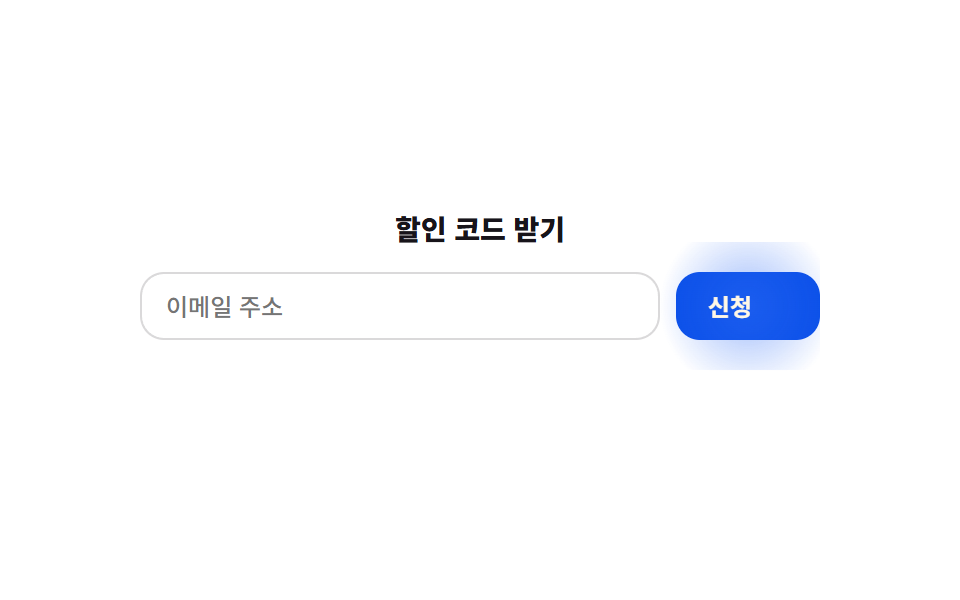
08신청 폼
정규식으로 형식을 검사한다
이메일을 넣고 신청 버튼을 누르면 정규식으로 실제 형식을 검사합니다.
<main class="stage">
  <form class="sf" novalidate>
    <p class="sf__title">할인 코드 받기</p>
    <div class="sf__row">
      <input class="sf__input" type="email" placeholder="이메일 주소" aria-label="이메일 주소">
      <button type="submit" class="sf__btn">
        <span class="sf__btn-label">신청</span>
        <svg class="sf__check" viewBox="0 0 24 24" width="14" height="14" aria-hidden="true">
          <polyline points="4,13 9,18 20,6" />
        </svg>
      </button>
    </div>
    <p class="sf__status" role="status" aria-live="polite"></p>
  </form>
</main>
@use "../../../../site/static/demo-tokens" as *;
// ── 변수 3개 ──────────────────────────────────────────
$duration: $dur-base; // 체크 드로잉
$easing: $ease-pop;
$color: $subject-blue;
@include stage($stage-paper);
.sf { width: min(340px, 94vw); overflow: hidden; } // 버튼 글로우(::before, inset:-10px)가 320px 에서 바깥으로 번져 body.scrollWidth 를 넘겼다 — 실측 2026-09-10
.sf__title { margin: 0 0 $sp-3; font-weight: 800; font-size: 14px; line-height: 1.3; font-family: inherit; color: $subject-ink; text-align: center; }
.sf__row { display: flex; gap: $sp-2; }
.sf__input {
flex: 1 1 auto;
min-width: 0;
box-sizing: border-box;
padding: $sp-2 $sp-3;
border: 1px solid rgba(23, 20, 26, .16);
border-radius: $r-control;
font-weight: 500; font-size: 12px; line-height: 1; font-family: inherit;
color: $subject-ink;
background: #fff;
}
.sf__input.shake { animation: sf-shake .4s $easing; }
@keyframes sf-shake {
0%, 100% { transform: translateX(0); }
25% { transform: translateX(-6px); }
75% { transform: translateX(6px); }
}
.sf__btn {
position: relative;
isolation: isolate; // z-index:-1 글로우를 이 컨텍스트 안에 가둔다(없으면 무대 배경 아래로 가라앉는다)
flex: 0 0 auto;
display: flex;
align-items: center;
gap: $sp-1;
border: 0;
cursor: pointer;
padding: $sp-2 $sp-4;
border-radius: $r-control;
background: $subject-blue-deep;
color: $subject-cream;
font-weight: 700; font-size: 12px; line-height: 1; font-family: inherit;
}
// 무대 장식: 버튼 바깥으로 번지는 글로우 링. 처음엔 .sf__btn 에 overflow:hidden 을 줬더니
// 불투명한 배경과 같은 박스 안에서 글로우가 그대로 가려져 측정값이 0 이었다 — overflow 를 없애고 밖으로 번지게 뒀다.
.sf__btn::before {
content: "";
position: absolute;
inset: -10px;
z-index: -1;
border-radius: inherit;
background: radial-gradient(circle, rgba(47, 109, 246, .55), transparent 70%);
animation: sf-glow 1.8s ease-in-out infinite;
}
@keyframes sf-glow {
0%, 100% { opacity: .35; transform: scale(1); }
50% { opacity: 1; transform: scale(1.25); }
}
.sf__check { position: relative; z-index: 1; }
.sf__btn.is-done { background: #51a477; }
.sf__check { stroke: currentColor; stroke-width: 3; fill: none; stroke-linecap: round; stroke-linejoin: round; stroke-dasharray: 24; stroke-dashoffset: 24; }
.sf__btn.is-done .sf__check { animation: sf-check $duration $easing forwards; }
@keyframes sf-check { to { stroke-dashoffset: 0; } }
.sf__status { min-height: 16px; margin: $sp-2 0 0; font-weight: 600; font-size: 11px; line-height: 1.4; font-family: inherit; color: rgba(23, 20, 26, .6); text-align: center; }
// ── 접근성 ──────────────────────────────────────────
@media (prefers-reduced-motion: reduce) {
.sf__btn::before, .sf__input.shake, .sf__btn.is-done .sf__check { animation: none !important; }
.sf__btn.is-done .sf__check { stroke-dashoffset: 0; }
}
// ── 반응형(320×200) ──────────────────────────────────
@media (max-width: 340px), (max-height: 220px) {
.sf__title { margin-bottom: $sp-2; }
}html, body {
margin: 0;
overflow: hidden;
}
.stage {
box-sizing: border-box;
min-height: 100vh;
display: grid;
place-items: center;
margin: 0;
background: #ffffff;
font-family: -apple-system, "Segoe UI", "Noto Sans KR", sans-serif;
padding: clamp(8px, 4vw, 24px);
}
.sf {
width: min(340px, 94vw);
overflow: hidden;
}
.sf__title {
margin: 0 0 12px;
font-weight: 800;
font-size: 14px;
line-height: 1.3;
font-family: inherit;
color: #17141a;
text-align: center;
}
.sf__row {
display: flex;
gap: 8px;
}
.sf__input {
flex: 1 1 auto;
min-width: 0;
box-sizing: border-box;
padding: 8px 12px;
border: 1px solid rgba(23, 20, 26, 0.16);
border-radius: 12px;
font-weight: 500;
font-size: 12px;
line-height: 1;
font-family: inherit;
color: #17141a;
background: #fff;
}
.sf__input.shake {
animation: sf-shake 0.4s cubic-bezier(0.2, 1.4, 0.4, 1);
}
@keyframes sf-shake {
0%, 100% {
transform: translateX(0);
}
25% {
transform: translateX(-6px);
}
75% {
transform: translateX(6px);
}
}
.sf__btn {
position: relative;
isolation: isolate;
flex: 0 0 auto;
display: flex;
align-items: center;
gap: 4px;
border: 0;
cursor: pointer;
padding: 8px 16px;
border-radius: 12px;
background: #0a4fe8;
color: #fff7e6;
font-weight: 700;
font-size: 12px;
line-height: 1;
font-family: inherit;
}
.sf__btn::before {
content: "";
position: absolute;
inset: -10px;
z-index: -1;
border-radius: inherit;
background: radial-gradient(circle, rgba(47, 109, 246, 0.55), transparent 70%);
animation: sf-glow 1.8s ease-in-out infinite;
}
@keyframes sf-glow {
0%, 100% {
opacity: 0.35;
transform: scale(1);
}
50% {
opacity: 1;
transform: scale(1.25);
}
}
.sf__check {
position: relative;
z-index: 1;
}
.sf__btn.is-done {
background: #51a477;
}
.sf__check {
stroke: currentColor;
stroke-width: 3;
fill: none;
stroke-linecap: round;
stroke-linejoin: round;
stroke-dasharray: 24;
stroke-dashoffset: 24;
}
.sf__btn.is-done .sf__check {
animation: sf-check 300ms cubic-bezier(0.2, 1.4, 0.4, 1) forwards;
}
@keyframes sf-check {
to {
stroke-dashoffset: 0;
}
}
.sf__status {
min-height: 16px;
margin: 8px 0 0;
font-weight: 600;
font-size: 11px;
line-height: 1.4;
font-family: inherit;
color: rgba(23, 20, 26, 0.6);
text-align: center;
}
@media (prefers-reduced-motion: reduce) {
.sf__btn::before, .sf__input.shake, .sf__btn.is-done .sf__check {
animation: none !important;
}
.sf__btn.is-done .sf__check {
stroke-dashoffset: 0;
}
}
@media (max-width: 340px), (max-height: 220px) {
.sf__title {
margin-bottom: 8px;
}
}// 실제 동작: 제출 시 정규식으로 이메일 형식을 검사한다. 통과하면 SVG 체크가 stroke-dashoffset 으로 그려지고, 실패하면 입력칸이 좌우로 흔들린다.
var form = document.querySelector('.sf');
var input = document.querySelector('.sf__input');
var btn = document.querySelector('.sf__btn');
var status = document.querySelector('.sf__status');
var RE = /^[^\s@]+@[^\s@]+\.[^\s@]+$/;
form.addEventListener('submit', function (e) {
  e.preventDefault();
  if (RE.test(input.value)) {
    btn.classList.remove('is-error');
    btn.classList.add('is-done');
    status.textContent = '신청 완료 — 코드가 곧 도착합니다';
  } else {
    btn.classList.remove('is-done');
    input.classList.remove('shake'); void input.offsetWidth;
    input.classList.add('shake');
    status.textContent = '이메일 형식을 확인해 주세요';
  }
});import { useState } from "react";
import type { CSSProperties } from "react";
import styles from "./SignupForm.module.scss";
export type SignupFormProps = { duration?: number; easing?: string; color?: string };
type Vars = CSSProperties & { "--duration"?: string; "--easing"?: string; "--color"?: string };
const RE = /^[^\s@]+@[^\s@]+\.[^\s@]+$/;
export default function SignupForm({ duration = 300, easing = "cubic-bezier(.2,1.4,.4,1)", color = "#0a4fe8" }: SignupFormProps) {
const [email, setEmail] = useState("");
const [status, setStatus] = useState<"idle" | "error" | "done">("idle");
const [shakeKey, setShakeKey] = useState(0);
const vars: Vars = { "--duration": `${duration}ms`, "--easing": easing, "--color": color };
function onSubmit(e: any) {
e.preventDefault();
if (RE.test(email)) {
setStatus("done");
} else {
setStatus("error");
setShakeKey((k) => k + 1);
}
}
return (
<form className={styles.sf} style={vars} onSubmit={onSubmit}>
<p className={styles.title}>할인 코드 받기</p>
<div className={styles.row}>
<input
key={shakeKey}
className={`${styles.input} ${status === "error" ? styles.shake : ""}`}
type="email"
placeholder="이메일 주소"
aria-label="이메일 주소"
value={email}
onChange={(e: any) => setEmail(e.target.value)}
/>
<button type="submit" className={`${styles.btn} ${status === "done" ? styles.done : ""}`}>
<span className={styles.btnLabel}>신청</span>
<svg className={styles.check} viewBox="0 0 24 24" width="14" height="14" aria-hidden="true">
<polyline points="4,13 9,18 20,6" />
</svg>
</button>
</div>
<p className={styles.status} role="status" aria-live="polite">
{status === "done" ? "신청 완료 — 코드가 곧 도착합니다" : status === "error" ? "이메일 형식을 확인해 주세요" : ""}
</p>
</form>
);
}08 · 신청 폼 — 측정 누적면적 1.704% · 움직인 프레임 11/23GODRICH 원작 · zip 에 SCSS·React 포함 · 비밀번호 보기
통과와 실패의 신호
통과하면 체크가 그려지고, 틀리면 입력칸이 좌우로 짧게 흔들립니다.
var RE = /^[^\s@]+@[^\s@]+\.[^\s@]+$/;
form.addEventListener('submit', function (e) {
e.preventDefault();
if (RE.test(input.value)) {
btn.classList.remove('is-error');
btn.classList.add('is-done');
status.textContent = '신청 완료 — 코드가 곧 도착합니다';
} else {
btn.classList.remove('is-done');
input.classList.remove('shake'); void input.offsetWidth;
input.classList.add('shake');
status.textContent = '이메일 형식을 확인해 주세요';
}
});
09프로모 푸터
링크 목록이 접히고 펼쳐진다
"바로가기"를 누르면 링크 목록이 실제로 접히고 펼쳐집니다.
<main class="stage">
  <footer class="pt">
    <span class="pt__sheen" aria-hidden="true"></span>
    <div class="pt__top">
      <span class="pt__mark" aria-hidden="true"></span>
      <p class="pt__tagline">캠페인이 끝나도 계속 씁니다</p>
    </div>
    <div class="pt__group">
      <button type="button" class="pt__group-toggle" aria-expanded="true">바로가기</button>
      <div class="pt__links-wrap is-open">
        <ul class="pt__links">
          <li><a href="#">요금제</a></li>
          <li><a href="#">이용약관</a></li>
          <li><a href="#">문의하기</a></li>
        </ul>
      </div>
    </div>
  </footer>
</main>
@use "../../../../site/static/demo-tokens" as *;
// ── 변수 3개 ──────────────────────────────────────────
$duration: $dur-base; // 링크 목록 펼침
$easing: $ease-spring;
$color: $subject-blue;
@include stage($stage-ink);
.pt {
position: relative;
width: min(400px, 96vw);
padding-top: $sp-4;
overflow: hidden;
}
.pt__sheen {
position: absolute;
top: 0; left: 0; right: 0;
height: 2px;
background: linear-gradient(90deg, transparent, $subject-blue, transparent);
animation: pt-sheen 2.6s linear infinite;
}
@keyframes pt-sheen {
0% { transform: translateX(-100%); opacity: 0; }
15% { opacity: 1; }
85% { opacity: 1; }
100% { transform: translateX(100%); opacity: 0; }
}
.pt__top { display: flex; align-items: center; gap: $sp-2; margin-bottom: $sp-3; }
.pt__mark { width: 22px; height: 22px; border-radius: $r-sm; background: $subject-blue; }
.pt__tagline { margin: 0; font-weight: 600; font-size: 11px; line-height: 1.3; font-family: inherit; color: rgba(255, 247, 230, .55); }
.pt__group { border-top: 1px solid rgba(255, 247, 230, .12); padding-top: $sp-2; }
.pt__group-toggle {
display: block;
width: 100%;
box-sizing: border-box;
text-align: left;
border: 0;
cursor: pointer;
padding: $sp-1 0;
background: transparent;
color: $subject-cream;
font-weight: 700; font-size: 11px; line-height: 1; font-family: inherit;
letter-spacing: .04em;
}
.pt__links-wrap {
display: grid;
grid-template-rows: 0fr;
transition: grid-template-rows $duration $easing;
}
.pt__links-wrap.is-open { grid-template-rows: 1fr; }
.pt__links { list-style: none; margin: 0; padding: 0; overflow: hidden; }
.pt__links li { padding-top: $sp-2; }
.pt__links a {
color: rgba(255, 247, 230, .68);
text-decoration: none;
font-weight: 500; font-size: 12px; line-height: 1.6; font-family: inherit;
}
// ── 접근성 ──────────────────────────────────────────
@media (prefers-reduced-motion: reduce) {
.pt__sheen { animation: none !important; opacity: 0 !important; }
.pt__links-wrap { transition: none !important; }
}
// ── 반응형(320×200) ──────────────────────────────────
@media (max-width: 340px), (max-height: 220px) {
.pt__tagline, .pt__mark { display: none; }
.pt { padding-top: $sp-2; }
.pt__top { margin-bottom: $sp-2; }
.pt__group { padding-top: $sp-1; }
.pt__links li { padding-top: $sp-1; }
.pt__links a { font-size: 11px; }
}html, body {
margin: 0;
overflow: hidden;
}
.stage {
box-sizing: border-box;
min-height: 100vh;
display: grid;
place-items: center;
margin: 0;
background: #17141a;
font-family: -apple-system, "Segoe UI", "Noto Sans KR", sans-serif;
padding: clamp(8px, 4vw, 24px);
}
.pt {
position: relative;
width: min(400px, 96vw);
padding-top: 16px;
overflow: hidden;
}
.pt__sheen {
position: absolute;
top: 0;
left: 0;
right: 0;
height: 2px;
background: linear-gradient(90deg, transparent, #2f6df6, transparent);
animation: pt-sheen 2.6s linear infinite;
}
@keyframes pt-sheen {
0% {
transform: translateX(-100%);
opacity: 0;
}
15% {
opacity: 1;
}
85% {
opacity: 1;
}
100% {
transform: translateX(100%);
opacity: 0;
}
}
.pt__top {
display: flex;
align-items: center;
gap: 8px;
margin-bottom: 12px;
}
.pt__mark {
width: 22px;
height: 22px;
border-radius: 8px;
background: #2f6df6;
}
.pt__tagline {
margin: 0;
font-weight: 600;
font-size: 11px;
line-height: 1.3;
font-family: inherit;
color: rgba(255, 247, 230, 0.55);
}
.pt__group {
border-top: 1px solid rgba(255, 247, 230, 0.12);
padding-top: 8px;
}
.pt__group-toggle {
display: block;
width: 100%;
box-sizing: border-box;
text-align: left;
border: 0;
cursor: pointer;
padding: 4px 0;
background: transparent;
color: #fff7e6;
font-weight: 700;
font-size: 11px;
line-height: 1;
font-family: inherit;
letter-spacing: 0.04em;
}
.pt__links-wrap {
display: grid;
grid-template-rows: 0fr;
transition: grid-template-rows 300ms cubic-bezier(0.2, 0.8, 0.2, 1);
}
.pt__links-wrap.is-open {
grid-template-rows: 1fr;
}
.pt__links {
list-style: none;
margin: 0;
padding: 0;
overflow: hidden;
}
.pt__links li {
padding-top: 8px;
}
.pt__links a {
color: rgba(255, 247, 230, 0.68);
text-decoration: none;
font-weight: 500;
font-size: 12px;
line-height: 1.6;
font-family: inherit;
}
@media (prefers-reduced-motion: reduce) {
.pt__sheen {
animation: none !important;
opacity: 0 !important;
}
.pt__links-wrap {
transition: none !important;
}
}
@media (max-width: 340px), (max-height: 220px) {
.pt__tagline, .pt__mark {
display: none;
}
.pt {
padding-top: 8px;
}
.pt__top {
margin-bottom: 8px;
}
.pt__group {
padding-top: 4px;
}
.pt__links li {
padding-top: 4px;
}
.pt__links a {
font-size: 11px;
}
}// 실제 동작: "바로가기" 를 누르면 aria-expanded 가 바뀌고 링크 목록이 실제로 접히고 펼쳐진다(모바일 푸터 패턴).
var toggle = document.querySelector('.pt__group-toggle');
var links = document.querySelector('.pt__links-wrap');
toggle.addEventListener('click', function () {
  var open = toggle.getAttribute('aria-expanded') === 'true';
  toggle.setAttribute('aria-expanded', String(!open));
  links.classList.toggle('is-open', !open);
});import { useState } from "react";
import type { CSSProperties } from "react";
import styles from "./PromoFooter.module.scss";
export type PromoFooterProps = { duration?: number; easing?: string; color?: string };
type Vars = CSSProperties & { "--duration"?: string; "--easing"?: string; "--color"?: string };
export default function PromoFooter({ duration = 300, easing = "cubic-bezier(.2,.8,.2,1)", color = "#2f6df6" }: PromoFooterProps) {
const [open, setOpen] = useState(true);
const vars: Vars = { "--duration": `${duration}ms`, "--easing": easing, "--color": color };
return (
<footer className={styles.pt} style={vars}>
<span className={styles.sheen} aria-hidden="true" />
<div className={styles.top}>
<span className={styles.mark} aria-hidden="true" />
<p className={styles.tagline}>캠페인이 끝나도 계속 씁니다</p>
</div>
<div className={styles.group}>
<button type="button" className={styles.groupToggle} aria-expanded={open} onClick={() => setOpen((v) => !v)}>
바로가기
</button>
<div className={`${styles.linksWrap} ${open ? styles.isOpen : ""}`}>
<ul className={styles.links}>
<li><a href="#">요금제</a></li>
<li><a href="#">이용약관</a></li>
<li><a href="#">문의하기</a></li>
</ul>
</div>
</div>
</footer>
);
}09 · 프로모 푸터 — 측정 누적면적 0.556% · 움직인 프레임 22/23GODRICH 원작 · zip 에 SCSS·React 포함 · 비밀번호 보기
상단 하이라이트 선
상단 얇은 하이라이트 선은 계속 좌우로 스칩니다.
var toggle = document.querySelector('.pt__group-toggle');
var links = document.querySelector('.pt__links-wrap');
toggle.addEventListener('click', function () {
var open = toggle.getAttribute('aria-expanded') === 'true';
toggle.setAttribute('aria-expanded', String(!open));
links.classList.toggle('is-open', !open);
});
어디서 깨지는가 — 함정
글로우가 배경 밑에 깔렸다
아홉 개를 만드는 동안 실제로 같은 계열의 병에 두 번 걸렸습니다. 신청 폼(08) 버튼엔 바깥으로 번지는 글로우 링을 뒀는데, 여기에 overflow: hidden을 걸었더니 글로우가 버튼 자신의 불투명한 파란 배경 밑에 그대로 가려졌습니다. 화면은 멀쩡해 보였지만 측정값은 누적면적 0%였습니다. overflow를 없애고 isolation: isolate로 위치만 가두자 링이 살아났습니다.
하이라이트가 패널과 함께 숨었다
비포·애프터(02)도 비슷했습니다. 처음엔 대각선 하이라이트를 애프터 패널 안에 넣었는데, 그 패널이 기본값으로 opacity 0이라 하이라이트까지 함께 숨어 있었습니다. 패널의 형제로 빼 프레임 맨 위에 항상 그리게 하자 해결됐습니다.
transform 을 둘이 나눠 쓰면
핵심 혜택 하이라이트(03)에서는 다른 종류의 함정을 만났습니다. 스포트라이트 위치를 옮기는 translateY와 장식용 펄스의 scaleX를 같은 요소의 transform에 같이 썼더니, 펄스 keyframe이 매 주기 transform 전체를 새로 써 위치가 0으로 리셋됐습니다. zip 안 코드는 이 문제를 겪은 뒤 위치용 바깥 요소와 펄스용 안쪽 요소 두 겹으로 나눈 최신 버전입니다. 측정 때는 첫 번째 행이 항상 활성 상태라 우연히 드러나지 않았지만, 실제로 다른 행을 클릭하는 순간 바로 보였을 문제였습니다.
마감 시간을 재는 부품이 방문자마다 다르게 보이는 이 문제는 입력 즉시 결과를 돌려주는 커맨드 팔레트 검색 UI에서도 같은 시점 기준 문제로 나타납니다.
접근성
장식만 끄고 상태는 남긴다
아홉 개 전부, zip을 3jnnueud으로 열어 받는 코드 그대로 prefers-reduced-motion: reduce에서 장식 애니메이션을 끄되 상태 자체는 남깁니다 — 카운트다운(01)은 숫자 넛지만 끄고 갱신은 유지하고, 소셜 프루프(04)의 카운트업도 정보이므로 그대로 유지합니다.
역할과 상태 속성
할인 가격표(05)의 스위치는 role="switch"와 aria-checked로, 마감 배너(06)의 진행바는 role="progressbar"와 aria-valuenow로 상태를 전달합니다. 프로모 FAQ(07)와 프로모 푸터(09)는 둘 다 aria-expanded로 펼침 상태를 알리고, 신청 폼(08)의 결과 문구는 role="status"(aria-live="polite")라 스크린 리더가 성공·실패를 바로 읽습니다.
펼침 전환의 문법
펼침 애니메이션에 쓴 grid-template-rows: 0fr → 1fr 전환은 MDN의 grid-template-rows 문서에 나온 표준 트랙 크기 문법을 그대로 씁니다. 다른 랜딩 페이지 템플릿이 궁금하면 정적 템플릿 모음을 함께 보시고, 이 사이트를 만드는 사람 정보는 사이트 소개 페이지에 있습니다.
FAQ
프로모션 페이지 디자인의 카운트다운은 실제로 작동하나요?
네, 실제로 작동합니다. Date.now()로 잰 목표 시각까지 setInterval(1000)으로 매초 다시 계산해 표시합니다. 목표 시각과 초기 표시값만 실제 캠페인 마감 시각으로 바꾸면 그대로 쓸 수 있습니다.
React 버전은 CSS 버전과 동작이 다른가요?
아니요, 동작은 같습니다. 활성 패널·스위치 상태·펼침 여부 같은 값은 useState로 관리하고, 변수 3개(duration·easing·color)는 props로 받아 CSS 변수로 그대로 넘깁니다. 카운트다운(01)의 초 단위 갱신도 useEffect 안에서 같은 setInterval 로직을 씁니다.
신청 폼(08)이 실제로 이메일을 어딘가로 보내나요?
아니요, 데모 자체는 형식 검사와 성공·실패 표시까지만 실제로 동작하고 실제 전송 서버는 연결돼 있지 않습니다. form의 submit 이벤트를 가로채 정규식으로 검사하는 부분까지가 이 템플릿의 역할이고, 실제로 쓸 때는 그 자리에 실제 API 호출만 추가하면 나머지 검증·표시 로직은 그대로 재사용할 수 있습니다.
이런 글이랑 어울려요
 랜딩 섹션믿음 가는 랜딩 페이지 섹션 템플릿 9종
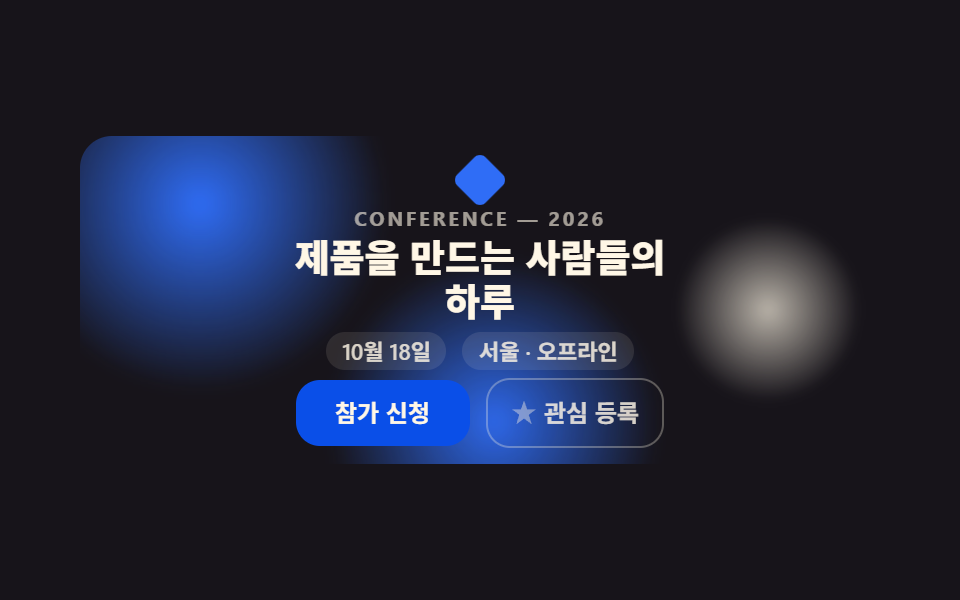 랜딩 섹션이벤트 페이지 템플릿 9종 — 그대로 붙이는 섹션
 랜딩 섹션언론보도 페이지 템플릿 9종 — 프레스룸 섹션 모음
 랜딩 섹션프로젝트 포트폴리오 템플릿 9종 — 쇼케이스 섹션 모음
 랜딩 섹션랜딩페이지 전환율을 끌어올리는 섹션 9종
 랜딩 섹션히어로 섹션 디자인 패턴 9종 — JS 라이브러리 없이
 랜딩 섹션고객 후기 디자인 패턴 9종, 신뢰를 보여 주는
 랜딩 섹션웹사이트 푸터 디자인 패턴 9종, 복사해서 바로 쓰는
 랜딩 섹션인용구 디자인 CSS 9종 — 블로그에 바로 붙이는 인용구 박스 코드
 랜딩 섹션CSS 카드 디자인 9종 — 도시·팀원·바로가기부터