CSS 텍스트 애니메이션 9종 — 등장·강조 모음
CSS 텍스트 애니메이션은 제목이나 문장이 화면에 나타나거나 강조될 때 함께 움직이는 효과로, 코드를 몰라도 파일을 그대로 붙이면 바로 쓸 수 있습니다.
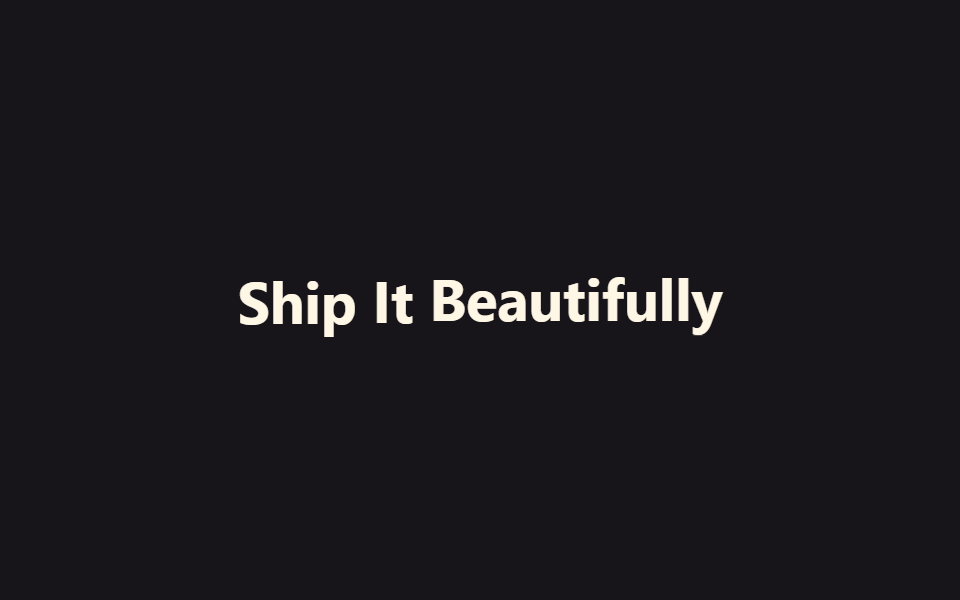 01 text-reveal-animation-word-stagger-fade
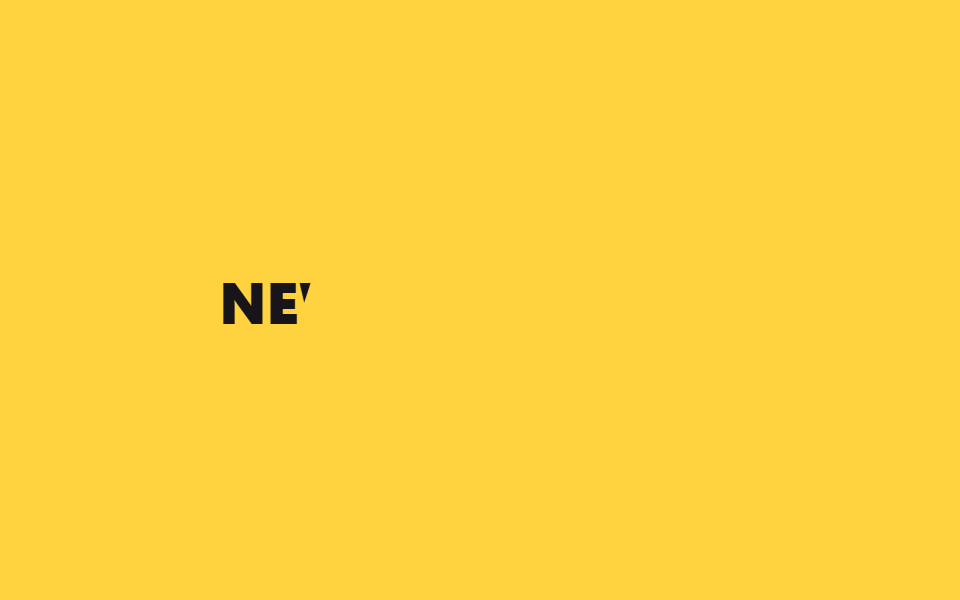 02 text-reveal-animation-diagonal-wipe-mask
 03 text-reveal-animation-scale-pop-in
 04 text-reveal-animation-line-slide-alternate
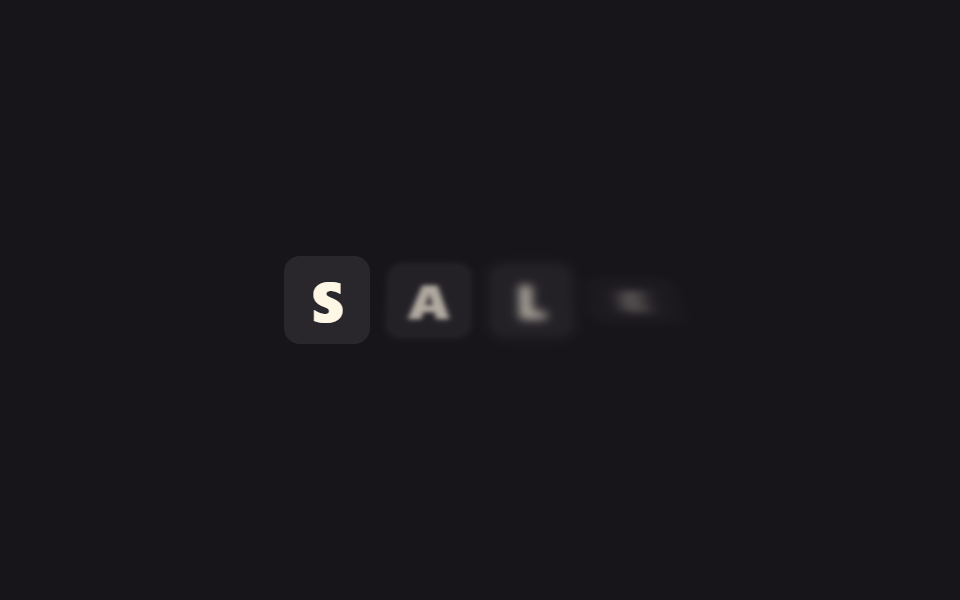 05 text-reveal-animation-split-flap
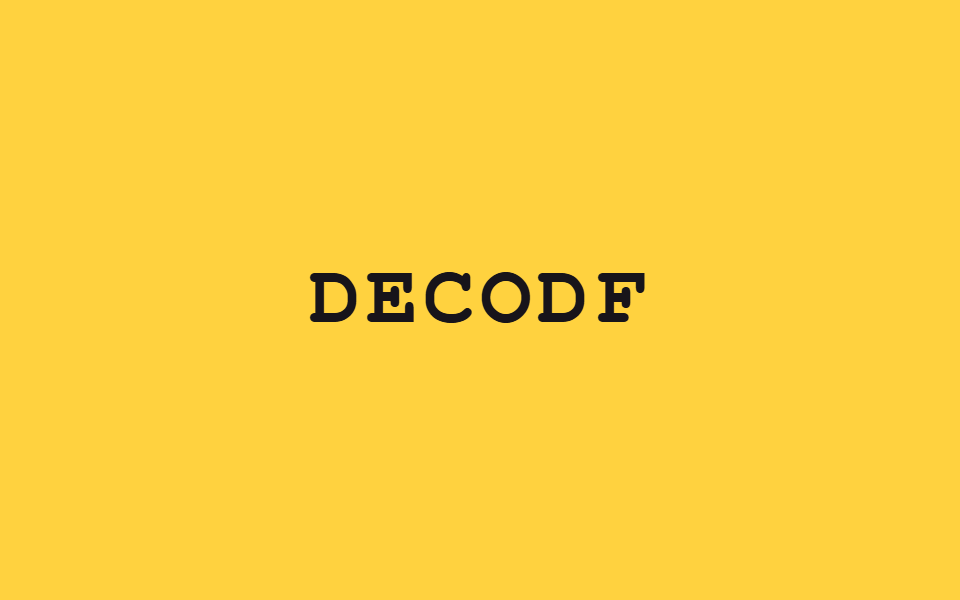 06 text-reveal-animation-scramble-decode
 07 text-reveal-animation-tracking-squeeze
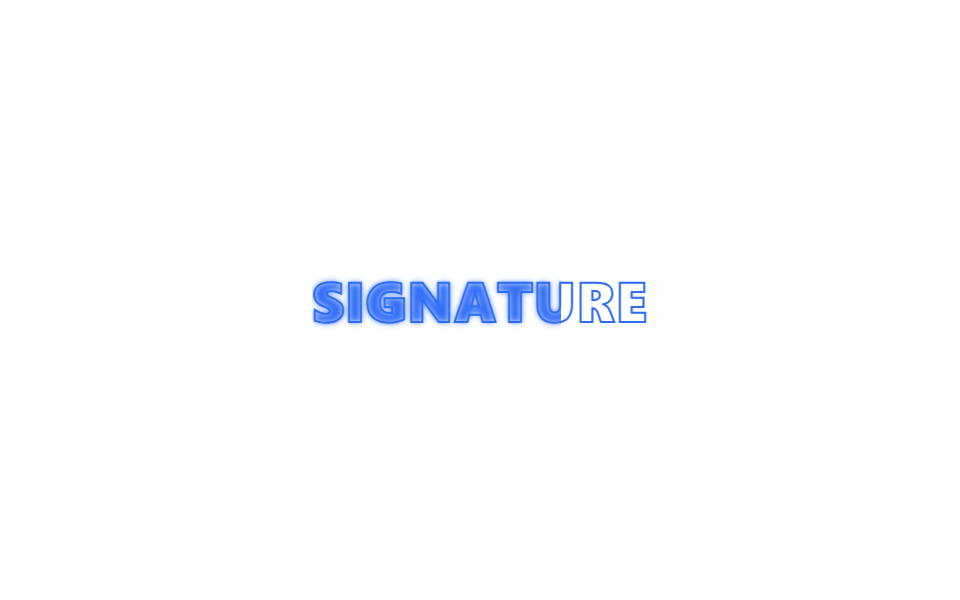 08 text-reveal-animation-stroke-to-fill
 09 text-reveal-animation-shadow-build
자동 재생 · 눌러서 해당 항목으로 · 전부 한 zip
- 01 단어 단위 떠오르기
- 02 대각선 와이프 마스크
- 03 확대 팝인
- 04 줄마다 엇갈려 슬라이드
- 05 스플릿 플랩 보드
- 06 스크램블 디코드
- 07 자간 좁혀 등장
- 08 테두리에서 채우기로
- 09 그림자 쌓아 올리기
아홉 개는 인기 순이 아니라 화면에 문장이 나타나는 과정을 따라갑니다. 먼저 단어·줄 단위로 부드럽게 떠오르거나 밀려 들어오는 등장 효과(01~04)를 지나, 기계식 전광판처럼 튀는 연출과 암호가 풀리듯 글자가 맞춰지는 장난스러운 등장(05~06)을 거쳐, 마지막은 자간이 좁혀지거나 테두리가 채워지거나 그림자가 쌓이며 제목 자체를 강조하는 연출(07~09)로 끝납니다. 글자가 아니라 판 전체가 돌아가며 내용을 바꾸는 쪽은 카드 뒤집기 애니메이션이 담당하고, 커서에 반응하는 카드 표면은 CSS 카드 호버 효과에 모여 있습니다.
01단어 단위 떠오르기
텍스트 등장 애니메이션의 기본
문장이 단어 단위로 끊어져 아래에서 위로 하나씩 떠오르며 나타납니다. 글자 하나하나가 아니라 단어 덩어리로 움직이기 때문에 눈으로 따라가기 편합니다.
<main class="stage">
  <p class="ws-line is-demo">
    <span class="ws-word">Ship</span>
    <span class="ws-word">It</span>
    <span class="ws-word">Beautifully</span>
  </p>
</main>
@use "../../../../site/static/demo-tokens" as *;
// ── 변수 3개 ──────────────────────────────────────────
$duration: $dur-loop;
$easing: $ease-out;
$color: $subject-cream;
@include stage($stage-ink);
.ws-line {
margin: 0;
display: flex;
flex-wrap: wrap;
justify-content: center;
gap: $sp-2;
font: 700 clamp(22px, 6vw, 34px)/1.2 -apple-system, "Segoe UI", sans-serif;
color: $color;
}
.ws-word {
display: inline-block;
opacity: 0;
transform: translateY($sp-4);
filter: blur(var(--blur, 6px));
}
// 데모 루프: 단어가 하나씩 지연을 두고 떠올랐다가 다시 가라앉아 반복 재생된다 (캡처용)
// 한 겹: 단어별 관성 lerp + blur→focus — 등장 구간(0→20%)을 $ease-lerp-settle 로 목표를 살짝 지나쳤다
// 되돌아오게 하고, 단어마다 --blur 깊이(6→9→12px)를 달리해 무거운 단어일수록 늦게 초점이 맞는다.
@keyframes ws-rise {
0% { opacity: 0; transform: translateY($sp-4); filter: blur(var(--blur, 6px)); animation-timing-function: $ease-lerp-settle; }
20%, 80% { opacity: 1; transform: none; filter: blur(0); }
100% { opacity: 0; transform: translateY($sp-4); filter: blur(var(--blur, 6px)); }
}
.ws-line.is-demo .ws-word { animation: ws-rise $duration $easing infinite; }
.ws-line.is-demo .ws-word:nth-child(2) { animation-delay: 160ms; --blur: 9px; }
.ws-line.is-demo .ws-word:nth-child(3) { animation-delay: 320ms; --blur: 12px; }
@media (prefers-reduced-motion: reduce) {
.ws-word,
.ws-line.is-demo .ws-word {
animation: none !important;
opacity: 1 !important;
transform: none !important;
filter: none !important;
}
}html, body {
margin: 0;
overflow: hidden;
}
.stage {
box-sizing: border-box;
min-height: 100vh;
display: grid;
place-items: center;
margin: 0;
background: #17141a;
font-family: -apple-system, "Segoe UI", "Noto Sans KR", sans-serif;
padding: clamp(8px, 4vw, 24px);
}
.ws-line {
margin: 0;
display: flex;
flex-wrap: wrap;
justify-content: center;
gap: 8px;
font: 700 clamp(22px, 6vw, 34px)/1.2 -apple-system, "Segoe UI", sans-serif;
color: #fff7e6;
}
.ws-word {
display: inline-block;
opacity: 0;
transform: translateY(16px);
filter: blur(var(--blur, 6px));
}
@keyframes ws-rise {
0% {
opacity: 0;
transform: translateY(16px);
filter: blur(var(--blur, 6px));
animation-timing-function: linear(0, 0.051, 0.176, 0.341, 0.518, 0.685, 0.831, 0.947, 1.032, 1.087, 1.117, 1.126, 1.121, 1.105, 1.085, 1.062, 1.041, 1.022, 1.008, 0.997, 1);
}
20%, 80% {
opacity: 1;
transform: none;
filter: blur(0);
}
100% {
opacity: 0;
transform: translateY(16px);
filter: blur(var(--blur, 6px));
}
}
.ws-line.is-demo .ws-word {
animation: ws-rise 2s ease-out infinite;
}
.ws-line.is-demo .ws-word:nth-child(2) {
animation-delay: 160ms;
--blur: 9px;
}
.ws-line.is-demo .ws-word:nth-child(3) {
animation-delay: 320ms;
--blur: 12px;
}
@media (prefers-reduced-motion: reduce) {
.ws-word,
.ws-line.is-demo .ws-word {
animation: none !important;
opacity: 1 !important;
transform: none !important;
filter: none !important;
}
}import { CSSProperties, useEffect, useRef, useState } from "react";
import styles from "./WordStaggerFade.module.scss";
export interface WordStaggerFadeProps {
words?: string[];
duration?: string;
easing?: string;
stagger?: string;
}
// 실사용: IntersectionObserver 가 문장이 뷰포트에 들어올 때 한 번 in 을 켠다. 단어마다 transition-delay 만 다르다.
export default function WordStaggerFade({
words = ["Ship", "It", "Beautifully"],
duration = "500ms",
easing = "ease-out",
stagger = "140ms",
}: WordStaggerFadeProps) {
const ref = useRef<HTMLParagraphElement>(null);
const [inView, setInView] = useState(false);
useEffect(() => {
const el = ref.current;
if (!el) return;
const io = new IntersectionObserver((entries) => {
entries.forEach((e) => { if (e.isIntersecting) { setInView(true); io.unobserve(e.target); } });
}, { threshold: 0.3 });
io.observe(el);
return () => io.disconnect();
}, []);
const style = { "--duration": duration, "--easing": easing } as CSSProperties;
return (
<p className={styles.line} style={style} ref={ref}>
{words.map((w, i) => (
<span
key={w + i}
className={`${styles.word} ${inView ? styles.in : ""}`}
style={{ transitionDelay: inView ? `calc(${stagger} * ${i})` : undefined }}
>
{w}
</span>
))}
</p>
);
}01 · 단어 단위 떠오르기 — 측정 누적면적 5.099% · 움직인 프레임 13/23GODRICH 원작 · zip 에 SCSS·React 포함 · 비밀번호 보기
시작 시각만 다르게
animation-delay로 단어마다 시작 시각을 다르게 두고, 등장 구간은 관성 lerp 곡선($ease-lerp-settle)으로 목표를 살짝 지나쳤다 정착하게 했으며, 단어마다 blur 깊이(6→9→12px)도 달리해 무거운 단어일수록 늦게 초점이 맞습니다.
.ws-word {
  display: inline-block;
  opacity: 0;
  transform: translateY(16px);
  filter: blur(var(--blur, 6px));
}
@keyframes ws-rise {
  0% { opacity: 0; transform: translateY(16px); filter: blur(var(--blur, 6px)); animation-timing-function: $ease-lerp-settle; }
  20%, 80% { opacity: 1; transform: none; filter: blur(0); }
  100% { opacity: 0; transform: translateY(16px); filter: blur(var(--blur, 6px)); }
}
.ws-line.is-demo .ws-word { animation: ws-rise 2s ease-out infinite; }
.ws-line.is-demo .ws-word:nth-child(2) { animation-delay: 160ms; --blur: 9px; }
.ws-line.is-demo .ws-word:nth-child(3) { animation-delay: 320ms; --blur: 12px; }
02대각선 와이프 마스크
사선으로 열리는 마스크
비스듬한 경계선이 화면을 가로지르며 지나가면 그 뒤로 글자가 드러납니다. 커튼처럼 걷히는 게 아니라 칼로 베어내듯 사선으로 열리는 게 특징입니다.
<main class="stage">
  <div class="dw-wrap is-demo">
    <span class="dw-text">NEW COLLECTION</span>
    <span class="dw-mask" aria-hidden="true"></span>
  </div>
</main>
@use "../../../../site/static/demo-tokens" as *;
// ── 변수 3개 ──────────────────────────────────────────
$duration: $dur-loop;
$easing: $ease-out;
$color: $subject-ink;
@include stage($stage-yellow);
.dw-wrap {
position: relative;
overflow: hidden;
padding: $sp-2 0;
}
.dw-text {
display: block;
font: 800 clamp(20px, 6vw, 30px)/1.2 -apple-system, "Segoe UI", sans-serif;
color: $color;
letter-spacing: .01em;
white-space: nowrap;
}
.dw-mask {
position: absolute;
inset: -20% -10%;
background: $stage-yellow;
transform: skewX(-18deg) translateX(0);
}
// 데모 루프: 무대와 같은 색 마스크가 사선으로 밀려나며 글자를 드러냈다가 다시 덮는다
// 한 겹: 관성 lerp — 마스크가 목표 지점(140%)을 지나쳤다가 되돌아오듯 $ease-lerp-settle 로 정착한다.
@keyframes dw-sweep {
0%, 10% { transform: skewX(-18deg) translateX(0); }
45%, 70% { transform: skewX(-18deg) translateX(140%); }
100% { transform: skewX(-18deg) translateX(0); }
}
.dw-wrap.is-demo .dw-mask { animation: dw-sweep $duration $ease-lerp-settle infinite; }
@media (prefers-reduced-motion: reduce) {
.dw-mask,
.dw-wrap.is-demo .dw-mask {
animation: none !important;
transform: skewX(-18deg) translateX(140%) !important;
}
}html, body {
margin: 0;
overflow: hidden;
}
.stage {
box-sizing: border-box;
min-height: 100vh;
display: grid;
place-items: center;
margin: 0;
background: #ffd23f;
font-family: -apple-system, "Segoe UI", "Noto Sans KR", sans-serif;
padding: clamp(8px, 4vw, 24px);
}
.dw-wrap {
position: relative;
overflow: hidden;
padding: 8px 0;
}
.dw-text {
display: block;
font: 800 clamp(20px, 6vw, 30px)/1.2 -apple-system, "Segoe UI", sans-serif;
color: #17141a;
letter-spacing: 0.01em;
white-space: nowrap;
}
.dw-mask {
position: absolute;
inset: -20% -10%;
background: #ffd23f;
transform: skewX(-18deg) translateX(0);
}
@keyframes dw-sweep {
0%, 10% {
transform: skewX(-18deg) translateX(0);
}
45%, 70% {
transform: skewX(-18deg) translateX(140%);
}
100% {
transform: skewX(-18deg) translateX(0);
}
}
.dw-wrap.is-demo .dw-mask {
animation: dw-sweep 2s linear(0, 0.051, 0.176, 0.341, 0.518, 0.685, 0.831, 0.947, 1.032, 1.087, 1.117, 1.126, 1.121, 1.105, 1.085, 1.062, 1.041, 1.022, 1.008, 0.997, 1) infinite;
}
@media (prefers-reduced-motion: reduce) {
.dw-mask,
.dw-wrap.is-demo .dw-mask {
animation: none !important;
transform: skewX(-18deg) translateX(140%) !important;
}
}import { CSSProperties, useEffect, useRef, useState } from "react";
import styles from "./DiagonalWipeMask.module.scss";
export interface DiagonalWipeMaskProps {
text?: string;
duration?: string;
easing?: string;
}
// 실사용: 뷰포트에 들어오면 같은 배경색 마스크가 사선으로 한 번 밀려나며 글자를 드러낸다.
export default function DiagonalWipeMask({
text = "NEW COLLECTION",
duration = "700ms",
easing = "ease-out",
}: DiagonalWipeMaskProps) {
const ref = useRef<HTMLDivElement>(null);
const [inView, setInView] = useState(false);
useEffect(() => {
const el = ref.current;
if (!el) return;
const io = new IntersectionObserver((entries) => {
entries.forEach((e) => { if (e.isIntersecting) { setInView(true); io.unobserve(e.target); } });
}, { threshold: 0.3 });
io.observe(el);
return () => io.disconnect();
}, []);
const style = { "--duration": duration, "--easing": easing } as CSSProperties;
return (
<div className={styles.wrap} style={style} ref={ref}>
<span className={styles.text}>{text}</span>
<span className={`${styles.mask} ${inView ? styles.swept : ""}`} aria-hidden="true" />
</div>
);
}02 · 대각선 와이프 마스크 — 측정 누적면적 2.394% · 움직인 프레임 9/23GODRICH 원작 · zip 에 SCSS·React 포함 · 비밀번호 보기
마스크 색을 맞추면
마스크 색을 배경색과 똑같이 맞춰 두면 transform만 움직여도 이런 와이프 효과가 나오며, 마스크는 관성 lerp 곡선으로 목표 지점을 지나쳤다 정착합니다.
.dw-mask {
  position: absolute;
  inset: -20% -10%;
  background: $stage-yellow;
  transform: skewX(-18deg) translateX(0);
}
@keyframes dw-sweep {
  0%, 10% { transform: skewX(-18deg) translateX(0); }
  45%, 70% { transform: skewX(-18deg) translateX(140%); }
  100% { transform: skewX(-18deg) translateX(0); }
}
.dw-wrap.is-demo .dw-mask { animation: dw-sweep 2s $ease-lerp-settle infinite; }
03확대 팝인
살짝 커졌다 제자리로
글자가 작게 눌려 있다가 원래 크기보다 살짝 커졌다가 제자리로 돌아오며 튕기듯 나타납니다.
<main class="stage">
  <h2 class="sp-text is-demo">LAUNCHING SOON</h2>
</main>
@use "../../../../site/static/demo-tokens" as *;
// ── 변수 3개 ──────────────────────────────────────────
$duration: $dur-loop;
$easing: $ease-pop;
$color: $subject-cream;
@include stage($stage-orange);
.sp-text {
margin: 0;
font: 800 clamp(22px, 7vw, 34px)/1.2 -apple-system, "Segoe UI", sans-serif;
color: $color;
text-align: center;
opacity: 0;
transform: scale(.4);
}
// 데모 루프: 작게 눌려 있다가 살짝 커졌다 제자리로 돌아오며 튕기듯 나타난다
// 한 겹: 관성 lerp — 등장 구간(0→18%)을 $ease-lerp-settle 로 목표를 12.6% 넘겼다 되돌아오게 한다.
@keyframes sp-pop {
0% { opacity: 0; transform: scale(.4); animation-timing-function: $ease-lerp-settle; }
18% { opacity: 1; transform: scale(1.1); }
30% { transform: scale(.96); }
40%, 78% { transform: scale(1); opacity: 1; }
100% { opacity: 0; transform: scale(.4); }
}
.sp-text.is-demo { animation: sp-pop $duration $easing infinite; }
@media (prefers-reduced-motion: reduce) {
.sp-text,
.sp-text.is-demo {
animation: none !important;
opacity: 1 !important;
transform: none !important;
}
}html, body {
margin: 0;
overflow: hidden;
}
.stage {
box-sizing: border-box;
min-height: 100vh;
display: grid;
place-items: center;
margin: 0;
background: #ff4d1f;
font-family: -apple-system, "Segoe UI", "Noto Sans KR", sans-serif;
padding: clamp(8px, 4vw, 24px);
}
.sp-text {
margin: 0;
font: 800 clamp(22px, 7vw, 34px)/1.2 -apple-system, "Segoe UI", sans-serif;
color: #fff7e6;
text-align: center;
opacity: 0;
transform: scale(0.4);
}
@keyframes sp-pop {
0% {
opacity: 0;
transform: scale(0.4);
animation-timing-function: linear(0, 0.051, 0.176, 0.341, 0.518, 0.685, 0.831, 0.947, 1.032, 1.087, 1.117, 1.126, 1.121, 1.105, 1.085, 1.062, 1.041, 1.022, 1.008, 0.997, 1);
}
18% {
opacity: 1;
transform: scale(1.1);
}
30% {
transform: scale(0.96);
}
40%, 78% {
transform: scale(1);
opacity: 1;
}
100% {
opacity: 0;
transform: scale(0.4);
}
}
.sp-text.is-demo {
animation: sp-pop 2s cubic-bezier(0.2, 1.4, 0.4, 1) infinite;
}
@media (prefers-reduced-motion: reduce) {
.sp-text,
.sp-text.is-demo {
animation: none !important;
opacity: 1 !important;
transform: none !important;
}
}import { CSSProperties, useEffect, useRef, useState } from "react";
import styles from "./ScalePopIn.module.scss";
export interface ScalePopInProps {
text?: string;
duration?: string;
easing?: string;
}
// 실사용: 뷰포트에 들어오면 작게 눌려 있던 글자가 한 번 튕기듯 커지며 자리 잡는다.
export default function ScalePopIn({
text = "LAUNCHING SOON",
duration = "550ms",
easing = "cubic-bezier(.2, 1.4, .4, 1)",
}: ScalePopInProps) {
const ref = useRef<HTMLHeadingElement>(null);
const [inView, setInView] = useState(false);
useEffect(() => {
const el = ref.current;
if (!el) return;
const io = new IntersectionObserver((entries) => {
entries.forEach((e) => { if (e.isIntersecting) { setInView(true); io.unobserve(e.target); } });
}, { threshold: 0.3 });
io.observe(el);
return () => io.disconnect();
}, []);
const style = { "--duration": duration, "--easing": easing } as CSSProperties;
return (
<h2 className={`${styles.text} ${inView ? styles.in : ""}`} style={style} ref={ref}>
{text}
</h2>
);
}03 · 확대 팝인 — 측정 누적면적 6.413% · 움직인 프레임 13/23GODRICH 원작 · zip 에 SCSS·React 포함 · 비밀번호 보기
통통 튀는 구간
scale 값이 1을 살짝 넘겼다가 줄어드는 구간이 통통 튀는 느낌을 만듭니다. 등장 구간은 관성 lerp 곡선으로 목표를 살짝 지나쳤다 정착해 커지는 속도에 무게감이 실립니다.
.sp-text {
  opacity: 0;
  transform: scale(.4);
}
@keyframes sp-pop {
  0% { opacity: 0; transform: scale(.4); animation-timing-function: $ease-lerp-settle; }
  18% { opacity: 1; transform: scale(1.1); }
  30% { transform: scale(.96); }
  40%, 78% { transform: scale(1); opacity: 1; }
  100% { opacity: 0; transform: scale(.4); }
}
.sp-text.is-demo { animation: sp-pop 2s cubic-bezier(.2, 1.4, .4, 1) infinite; }
04줄마다 엇갈려 슬라이드
줄마다 엇갈리는 css 텍스트 슬라이드 애니메이션
여러 줄짜리 문단에서 홀수 줄은 왼쪽, 짝수 줄은 오른쪽에서 밀려 들어와 지그재그로 자리를 잡습니다.
<main class="stage">
  <div class="ls-block is-demo">
    <p class="ls-line ls-line--l">DESIGN WITH</p>
    <p class="ls-line ls-line--r">INTENTION</p>
  </div>
</main>
@use "../../../../site/static/demo-tokens" as *;
// ── 변수 3개 ──────────────────────────────────────────
$duration: $dur-loop;
$easing: $ease-lerp-settle; // 관성 lerp — 줄마다 목표 위치를 살짝 지나쳤다 정착한다 (2026-09-15 형태 2차 한 겹)
$color: $subject-blue;
@include stage($stage-paper);
.ls-block {
display: grid;
gap: $sp-1;
text-align: center;
}
.ls-line {
margin: 0;
font: 800 clamp(20px, 6vw, 30px)/1.2 -apple-system, "Segoe UI", sans-serif;
color: $color;
opacity: 0;
filter: blur(7px);
}
.ls-line--l { transform: translateX(-$sp-10); }
.ls-line--r { transform: translateX($sp-10); }
// 데모 루프: 홀수 줄은 왼쪽에서, 짝수 줄은 오른쪽에서 밀려 들어와 지그재그로 자리를 잡는다
// 한 겹: 각 줄이 blur(7px)→0 으로 초점이 맞으며 들어온다 — $easing(관성 lerp)과 같은 구간에서 수렴
@keyframes ls-in-l {
0% { opacity: 0; transform: translateX(-$sp-10); filter: blur(7px); }
25%, 80% { opacity: 1; transform: none; filter: blur(0); }
100% { opacity: 0; transform: translateX(-$sp-10); filter: blur(7px); }
}
@keyframes ls-in-r {
0% { opacity: 0; transform: translateX($sp-10); filter: blur(7px); }
25%, 80% { opacity: 1; transform: none; filter: blur(0); }
100% { opacity: 0; transform: translateX($sp-10); filter: blur(7px); }
}
.ls-block.is-demo .ls-line--l { animation: ls-in-l $duration $easing infinite; }
.ls-block.is-demo .ls-line--r { animation: ls-in-r $duration $easing infinite; animation-delay: 160ms; }
@media (prefers-reduced-motion: reduce) {
.ls-line,
.ls-block.is-demo .ls-line {
animation: none !important;
opacity: 1 !important;
transform: none !important;
filter: none !important;
}
}html, body {
margin: 0;
overflow: hidden;
}
.stage {
box-sizing: border-box;
min-height: 100vh;
display: grid;
place-items: center;
margin: 0;
background: #ffffff;
font-family: -apple-system, "Segoe UI", "Noto Sans KR", sans-serif;
padding: clamp(8px, 4vw, 24px);
}
.ls-block {
display: grid;
gap: 4px;
text-align: center;
}
.ls-line {
margin: 0;
font: 800 clamp(20px, 6vw, 30px)/1.2 -apple-system, "Segoe UI", sans-serif;
color: #2f6df6;
opacity: 0;
filter: blur(7px);
}
.ls-line--l {
transform: translateX(-40px);
}
.ls-line--r {
transform: translateX(40px);
}
@keyframes ls-in-l {
0% {
opacity: 0;
transform: translateX(-40px);
filter: blur(7px);
}
25%, 80% {
opacity: 1;
transform: none;
filter: blur(0);
}
100% {
opacity: 0;
transform: translateX(-40px);
filter: blur(7px);
}
}
@keyframes ls-in-r {
0% {
opacity: 0;
transform: translateX(40px);
filter: blur(7px);
}
25%, 80% {
opacity: 1;
transform: none;
filter: blur(0);
}
100% {
opacity: 0;
transform: translateX(40px);
filter: blur(7px);
}
}
.ls-block.is-demo .ls-line--l {
animation: ls-in-l 2s linear(0, 0.051, 0.176, 0.341, 0.518, 0.685, 0.831, 0.947, 1.032, 1.087, 1.117, 1.126, 1.121, 1.105, 1.085, 1.062, 1.041, 1.022, 1.008, 0.997, 1) infinite;
}
.ls-block.is-demo .ls-line--r {
animation: ls-in-r 2s linear(0, 0.051, 0.176, 0.341, 0.518, 0.685, 0.831, 0.947, 1.032, 1.087, 1.117, 1.126, 1.121, 1.105, 1.085, 1.062, 1.041, 1.022, 1.008, 0.997, 1) infinite;
animation-delay: 160ms;
}
@media (prefers-reduced-motion: reduce) {
.ls-line,
.ls-block.is-demo .ls-line {
animation: none !important;
opacity: 1 !important;
transform: none !important;
filter: none !important;
}
}import { CSSProperties, useEffect, useRef, useState } from "react";
import styles from "./LineSlideAlternate.module.scss";
export interface LineSlideAlternateProps {
lines?: string[];
duration?: string;
easing?: string;
stagger?: string;
}
// 실사용: 뷰포트에 들어오면 홀수 줄은 왼쪽, 짝수 줄은 오른쪽에서 한 번씩 밀려 들어온다.
export default function LineSlideAlternate({
lines = ["DESIGN WITH", "INTENTION"],
duration = "550ms",
easing = "cubic-bezier(.2, .8, .2, 1)",
stagger = "120ms",
}: LineSlideAlternateProps) {
const ref = useRef<HTMLDivElement>(null);
const [inView, setInView] = useState(false);
useEffect(() => {
const el = ref.current;
if (!el) return;
const io = new IntersectionObserver((entries) => {
entries.forEach((e) => { if (e.isIntersecting) { setInView(true); io.unobserve(e.target); } });
}, { threshold: 0.3 });
io.observe(el);
return () => io.disconnect();
}, []);
const style = { "--duration": duration, "--easing": easing } as CSSProperties;
return (
<div className={styles.block} style={style} ref={ref}>
{lines.map((line, i) => (
<p
key={line}
className={`${styles.line} ${i % 2 === 0 ? styles.fromLeft : styles.fromRight} ${inView ? styles.in : ""}`}
style={{ transitionDelay: inView ? `calc(${stagger} * ${i})` : undefined }}
>
{line}
</p>
))}
</div>
);
}04 · 줄마다 엇갈려 슬라이드 — 측정 누적면적 7.392% · 움직인 프레임 12/23GODRICH 원작 · zip 에 SCSS·React 포함 · 비밀번호 보기
반대 방향 translateX 두 벌
줄마다 시작 방향만 반대로 둔 translateX 두 벌이 전부입니다. 각 줄은 관성 lerp 곡선으로 목표 위치를 살짝 지나쳤다 정착하며, 같은 구간에서 blur(7px)→0 으로 초점이 맞습니다.
.ls-line--l { transform: translateX(-40px); }
.ls-line--r { transform: translateX(40px); }
@keyframes ls-in-r {
  0% { opacity: 0; transform: translateX(40px); filter: blur(7px); }
  25%, 80% { opacity: 1; transform: none; filter: blur(0); }
  100% { opacity: 0; transform: translateX(40px); filter: blur(7px); }
}
.ls-block.is-demo .ls-line--r {
  animation: ls-in-r 2s $ease-lerp-settle infinite;
  animation-delay: 160ms;
}
05스플릿 플랩 보드
전광판처럼 넘어간다
공항 전광판처럼 글자판이 위에서 아래로 빠르게 넘어가다가 정답 글자에서 멈춥니다.
<main class="stage">
  <div class="sf-board is-demo" aria-hidden="true">
    <span class="sf-char">S</span>
    <span class="sf-char">A</span>
    <span class="sf-char">L</span>
    <span class="sf-char">E</span>
  </div>
</main>
@use "../../../../site/static/demo-tokens" as *;
// ── 변수 3개 ──────────────────────────────────────────
$duration: $dur-loop;
$easing: $ease-out;
$color: $subject-cream;
@include stage($stage-ink);
.sf-board {
display: flex;
gap: $sp-2;
perspective: 600px;
}
.sf-char {
display: inline-block;
width: clamp(32px, 9vw, 48px);
padding: $sp-2 0;
border-radius: $r-sm;
background: rgba(255, 255, 255, .08);
color: $color;
font: 800 clamp(20px, 6vw, 28px)/1 -apple-system, "Segoe UI", sans-serif;
text-align: center;
transform-origin: center;
transform: rotateX(90deg);
opacity: 0;
filter: blur(3px);
}
// 데모 루프: 글자판이 위에서 아래로 뒤집히며 나타났다가 짧게 위로 되감겨 다시 뒤집힌다 (steps 로 기계적인 느낌)
// 한 겹: blur→focus — 판이 모서리로 서는 중간 지점(edge-on, rotateX 근처)에서 살짝 흐려졌다가 착지하며
// 초점이 맞는다(실제 플랩보드의 모션 블러를 흉내). steps() 타이밍은 기계적 느낌이라 건드리지 않는다.
@keyframes sf-flip {
0% { transform: rotateX(90deg); opacity: 0; filter: blur(3px); }
15% { filter: blur(4px); }
30% { transform: rotateX(0deg); opacity: 1; filter: blur(0); }
90% { transform: rotateX(0deg); opacity: 1; filter: blur(0); }
95% { filter: blur(4px); }
100% { transform: rotateX(90deg); opacity: 0; filter: blur(3px); }
}
.sf-board.is-demo .sf-char { animation: sf-flip $duration steps(3, end) infinite; }
.sf-board.is-demo .sf-char:nth-child(1) { animation-delay: 0ms; }
.sf-board.is-demo .sf-char:nth-child(2) { animation-delay: 120ms; }
.sf-board.is-demo .sf-char:nth-child(3) { animation-delay: 240ms; }
.sf-board.is-demo .sf-char:nth-child(4) { animation-delay: 360ms; }
@media (prefers-reduced-motion: reduce) {
.sf-char,
.sf-board.is-demo .sf-char {
animation: none !important;
opacity: 1 !important;
transform: none !important;
filter: none !important;
}
}html, body {
margin: 0;
overflow: hidden;
}
.stage {
box-sizing: border-box;
min-height: 100vh;
display: grid;
place-items: center;
margin: 0;
background: #17141a;
font-family: -apple-system, "Segoe UI", "Noto Sans KR", sans-serif;
padding: clamp(8px, 4vw, 24px);
}
.sf-board {
display: flex;
gap: 8px;
perspective: 600px;
}
.sf-char {
display: inline-block;
width: clamp(32px, 9vw, 48px);
padding: 8px 0;
border-radius: 8px;
background: rgba(255, 255, 255, 0.08);
color: #fff7e6;
font: 800 clamp(20px, 6vw, 28px)/1 -apple-system, "Segoe UI", sans-serif;
text-align: center;
transform-origin: center;
transform: rotateX(90deg);
opacity: 0;
filter: blur(3px);
}
@keyframes sf-flip {
0% {
transform: rotateX(90deg);
opacity: 0;
filter: blur(3px);
}
15% {
filter: blur(4px);
}
30% {
transform: rotateX(0deg);
opacity: 1;
filter: blur(0);
}
90% {
transform: rotateX(0deg);
opacity: 1;
filter: blur(0);
}
95% {
filter: blur(4px);
}
100% {
transform: rotateX(90deg);
opacity: 0;
filter: blur(3px);
}
}
.sf-board.is-demo .sf-char {
animation: sf-flip 2s steps(3, end) infinite;
}
.sf-board.is-demo .sf-char:nth-child(1) {
animation-delay: 0ms;
}
.sf-board.is-demo .sf-char:nth-child(2) {
animation-delay: 120ms;
}
.sf-board.is-demo .sf-char:nth-child(3) {
animation-delay: 240ms;
}
.sf-board.is-demo .sf-char:nth-child(4) {
animation-delay: 360ms;
}
@media (prefers-reduced-motion: reduce) {
.sf-char,
.sf-board.is-demo .sf-char {
animation: none !important;
opacity: 1 !important;
transform: none !important;
filter: none !important;
}
}import { CSSProperties, useEffect, useRef, useState } from "react";
import styles from "./SplitFlapBoard.module.scss";
export interface SplitFlapBoardProps {
text?: string;
duration?: string;
stagger?: string;
}
// 실사용: 뷰포트에 들어오면 글자판이 위에서 아래로 한 번씩 시차를 두고 뒤집히며 자리 잡는다.
export default function SplitFlapBoard({
text = "SALE",
duration = "500ms",
stagger = "120ms",
}: SplitFlapBoardProps) {
const ref = useRef<HTMLDivElement>(null);
const [inView, setInView] = useState(false);
useEffect(() => {
const el = ref.current;
if (!el) return;
const io = new IntersectionObserver((entries) => {
entries.forEach((e) => { if (e.isIntersecting) { setInView(true); io.unobserve(e.target); } });
}, { threshold: 0.3 });
io.observe(el);
return () => io.disconnect();
}, []);
const style = { "--duration": duration } as CSSProperties;
return (
<div className={styles.board} style={style} ref={ref}>
{text.split("").map((ch, i) => (
<span
key={i}
className={`${styles.char} ${inView ? styles.in : ""}`}
style={{ transitionDelay: inView ? `calc(${stagger} * ${i})` : undefined }}
>
{ch}
</span>
))}
</div>
);
}05 · 스플릿 플랩 보드 — 측정 누적면적 5.078% · 움직인 프레임 11/23GODRICH 원작 · zip 에 SCSS·React 포함 · 비밀번호 보기
steps() 가 만드는 기계 느낌
rotateX를 매끈한 곡선이 아니라 steps() 타이밍으로 움직여 뚝뚝 끊기는 기계식 느낌을 냈습니다. 판이 모서리로 서는 지점에서 살짝 흐려졌다 착지하며 초점이 맞는, 모션 블러 한 겹을 얹었습니다.
.sf-char {
  transform-origin: center;
  transform: rotateX(90deg);
  opacity: 0;
  filter: blur(3px);
}
@keyframes sf-flip {
  0% { transform: rotateX(90deg); opacity: 0; filter: blur(3px); }
  15% { filter: blur(4px); }
  30% { transform: rotateX(0deg); opacity: 1; filter: blur(0); }
  90% { transform: rotateX(0deg); opacity: 1; filter: blur(0); }
  95% { filter: blur(4px); }
  100% { transform: rotateX(90deg); opacity: 0; filter: blur(3px); }
}
.sf-board.is-demo .sf-char { animation: sf-flip 2s steps(3, end) infinite; }
.sf-board.is-demo .sf-char:nth-child(2) { animation-delay: 120ms; }
06스크램블 디코드
암호가 풀리듯 멈춘다
무작위 글자가 빠르게 바뀌다가 왼쪽부터 하나씩 진짜 글자로 멈춰, 암호가 풀리는 것처럼 보입니다.
<main class="stage">
  <p class="sd-text" id="sd" aria-live="polite">DECODE</p>
</main>
@use "../../../../site/static/demo-tokens" as *;
// ── 변수 3개 ──────────────────────────────────────────
$duration: $dur-loop;
$easing: $ease-out;
$color: $subject-ink;
@include stage($stage-yellow);
.sd-text {
margin: 0;
font: 800 clamp(28px, 9vw, 44px)/1.2 "Space Mono", "Courier New", monospace;
letter-spacing: .06em;
color: $color;
}
// 이 데모는 CSS keyframes 가 아니라 짧은 JS(setInterval)로 글자를 무작위로 바꾼다 —
// 그래서 reduced-motion 은 CSS 가 아니라 스크립트 안의 matchMedia 체크로 처리한다 (index.html 참고)
@media (prefers-reduced-motion: reduce) {
.sd-text { color: $color; }
}html, body {
margin: 0;
overflow: hidden;
}
.stage {
box-sizing: border-box;
min-height: 100vh;
display: grid;
place-items: center;
margin: 0;
background: #ffd23f;
font-family: -apple-system, "Segoe UI", "Noto Sans KR", sans-serif;
padding: clamp(8px, 4vw, 24px);
}
.sd-text {
margin: 0;
font: 800 clamp(28px, 9vw, 44px)/1.2 "Space Mono", "Courier New", monospace;
letter-spacing: 0.06em;
color: #17141a;
}
@media (prefers-reduced-motion: reduce) {
.sd-text {
color: #17141a;
}
}var target = "DECODE";
var glyphs = "ABCDEFGHIJKLMNOPQRSTUVWXYZ";
var el = document.getElementById("sd");
var reduced = window.matchMedia("(prefers-reduced-motion: reduce)").matches;
function tick(locked) {
if (reduced) { el.textContent = target; return; }
var out = "";
for (var i = 0; i < target.length; i++) {
out += i < locked ? target[i] : glyphs[Math.floor(Math.random() * glyphs.length)];
}
el.textContent = out;
}
var frame = 0;
setInterval(function () {
frame++;
var locked = Math.max(0, Math.floor((frame % 26) / 3) - 2);
tick(Math.min(locked, target.length));
}, 60);import { useEffect, useRef, useState } from "react";
import styles from "./ScrambleDecode.module.scss";
export interface ScrambleDecodeProps {
text?: string;
interval?: number;
}
const GLYPHS = "ABCDEFGHIJKLMNOPQRSTUVWXYZ";
// 실사용: 뷰포트에 들어오면 무작위 글자가 바뀌다가 왼쪽부터 한 번씩 진짜 글자로 잠긴다. 다 풀리면 멈춘다.
export default function ScrambleDecode({ text = "DECODE", interval = 40 }: ScrambleDecodeProps) {
const ref = useRef<HTMLParagraphElement>(null);
const [display, setDisplay] = useState(text);
useEffect(() => {
const el = ref.current;
if (!el) return;
let timer: ReturnType<typeof setInterval> | null = null;
const io = new IntersectionObserver((entries) => {
entries.forEach((entry) => {
if (!entry.isIntersecting || timer) return;
io.unobserve(entry.target);
const reduced = window.matchMedia("(prefers-reduced-motion: reduce)").matches;
if (reduced) { setDisplay(text); return; }
let frame = 0;
timer = setInterval(() => {
frame += 1;
const locked = Math.min(Math.max(0, Math.floor(frame / 3) - 2), text.length);
let out = "";
for (let i = 0; i < text.length; i++) {
out += i < locked ? text[i] : GLYPHS[Math.floor(Math.random() * GLYPHS.length)];
}
setDisplay(out);
if (locked >= text.length && timer) { clearInterval(timer); timer = null; }
}, interval);
});
}, { threshold: 0.3 });
io.observe(el);
return () => { io.disconnect(); if (timer) clearInterval(timer); };
}, [text, interval]);
return (
<p ref={ref} className={styles.text} aria-live="polite">{display}</p>
);
}06 · 스크램블 디코드 — 측정 누적면적 2.665% · 움직인 프레임 23/23GODRICH 원작 · zip 에 SCSS·React 포함 · 비밀번호 보기
CSS만으로는 안 되는 이유
CSS만으로는 글자 내용 자체를 바꿀 수 없어서 짧은 자바스크립트로 처리합니다. 몇 글자가 잠겼는지가 곧 진행률이라 별도의 이징 계산이 필요 없습니다.
var frame = 0;
setInterval(function () {
  frame++;
  var locked = Math.max(0, Math.floor((frame % 26) / 3) - 2);
  var out = "";
  for (var i = 0; i < target.length; i++) {
    out += i < locked ? target[i] : glyphs[Math.floor(Math.random() * glyphs.length)];
  }
  el.textContent = out;
}, 60);
07자간 좁혀 등장
넓게 벌어졌다 모인다
글자 사이 간격이 넓게 벌어진 채 투명하게 숨어 있다가 점점 좁아지며 또렷한 제목으로 모입니다.
<main class="stage">
  <h2 class="tk-word is-demo">
    <span class="tk-ch" style="--x:-40px">F</span>
    <span class="tk-ch" style="--x:-20px">O</span>
    <span class="tk-ch" style="--x:0px">C</span>
    <span class="tk-ch" style="--x:20px">U</span>
    <span class="tk-ch" style="--x:40px">S</span>
  </h2>
</main>
@use "../../../../site/static/demo-tokens" as *;
// ── 변수 3개 ──────────────────────────────────────────
$duration: $dur-loop;
$easing: $ease-lerp-settle; // 관성 lerp — 벌어진 글자가 목표(자간 0)를 살짝 지나쳤다 정착한다 (2026-09-15 형태 2차 한 겹)
$color: $subject-cream;
@include stage($stage-orange);
.tk-word {
margin: 0;
font: 700 clamp(26px, 7vw, 40px)/1.2 -apple-system, "Segoe UI", sans-serif;
color: $color;
}
.tk-ch {
display: inline-block;
opacity: 0;
transform: translateX(var(--x, 0));
filter: blur(var(--tk-blur, 6px));
}
// 데모 루프: 글자마다 --x 만큼 벌어진 채로 있다가 0 으로 모이며 자간이 좁아지듯 보인다
// 한 겹: 수렴 구간을 $ease-lerp-settle(관성 lerp) 로 목표를 살짝 지나쳤다 되돌아오게 하고,
// 같은 구간에서 blur(var(--tk-blur))→0 으로 초점이 맞아 좁아질수록 또렷해진다.
@keyframes tk-converge {
0% { opacity: 0; transform: translateX(var(--x, 0)); filter: blur(var(--tk-blur, 6px)); }
35%, 80% { opacity: 1; transform: translateX(0); filter: blur(0); }
100% { opacity: 0; transform: translateX(var(--x, 0)); filter: blur(var(--tk-blur, 6px)); }
}
.tk-word.is-demo .tk-ch { animation: tk-converge $duration $easing infinite; }
@media (prefers-reduced-motion: reduce) {
.tk-ch,
.tk-word.is-demo .tk-ch {
animation: none !important;
opacity: 1 !important;
transform: none !important;
filter: none !important;
}
}html, body {
margin: 0;
overflow: hidden;
}
.stage {
box-sizing: border-box;
min-height: 100vh;
display: grid;
place-items: center;
margin: 0;
background: #ff4d1f;
font-family: -apple-system, "Segoe UI", "Noto Sans KR", sans-serif;
padding: clamp(8px, 4vw, 24px);
}
.tk-word {
margin: 0;
font: 700 clamp(26px, 7vw, 40px)/1.2 -apple-system, "Segoe UI", sans-serif;
color: #fff7e6;
}
.tk-ch {
display: inline-block;
opacity: 0;
transform: translateX(var(--x, 0));
filter: blur(var(--tk-blur, 6px));
}
@keyframes tk-converge {
0% {
opacity: 0;
transform: translateX(var(--x, 0));
filter: blur(var(--tk-blur, 6px));
}
35%, 80% {
opacity: 1;
transform: translateX(0);
filter: blur(0);
}
100% {
opacity: 0;
transform: translateX(var(--x, 0));
filter: blur(var(--tk-blur, 6px));
}
}
.tk-word.is-demo .tk-ch {
animation: tk-converge 2s linear(0, 0.051, 0.176, 0.341, 0.518, 0.685, 0.831, 0.947, 1.032, 1.087, 1.117, 1.126, 1.121, 1.105, 1.085, 1.062, 1.041, 1.022, 1.008, 0.997, 1) infinite;
}
@media (prefers-reduced-motion: reduce) {
.tk-ch,
.tk-word.is-demo .tk-ch {
animation: none !important;
opacity: 1 !important;
transform: none !important;
filter: none !important;
}
}import { CSSProperties, useEffect, useRef, useState } from "react";
import styles from "./TrackingSqueeze.module.scss";
export interface TrackingSqueezeProps {
text?: string;
duration?: string;
easing?: string;
spread?: number;
}
// 실사용: 뷰포트에 들어오면 벌어져 있던 글자들이 한 번 좁혀지며 자간이 정리된 제목으로 모인다.
export default function TrackingSqueeze({
text = "FOCUS",
duration = "650ms",
easing = "ease-out",
spread = 20,
}: TrackingSqueezeProps) {
const ref = useRef<HTMLHeadingElement>(null);
const [inView, setInView] = useState(false);
const chars = text.split("");
const mid = (chars.length - 1) / 2;
useEffect(() => {
const el = ref.current;
if (!el) return;
const io = new IntersectionObserver((entries) => {
entries.forEach((e) => { if (e.isIntersecting) { setInView(true); io.unobserve(e.target); } });
}, { threshold: 0.3 });
io.observe(el);
return () => io.disconnect();
}, []);
const style = { "--duration": duration, "--easing": easing } as CSSProperties;
return (
<h2 className={styles.word} style={style} ref={ref}>
{chars.map((ch, i) => (
<span
key={i}
className={`${styles.ch} ${inView ? styles.in : ""}`}
style={{ "--x": `${(i - mid) * spread}px` } as CSSProperties}
>
{ch}
</span>
))}
</h2>
);
}07 · 자간 좁혀 등장 — 측정 누적면적 3.327% · 움직인 프레임 11/23GODRICH 원작 · zip 에 SCSS·React 포함 · 비밀번호 보기
letter-spacing 대신 transform
letter-spacing을 직접 움직이는 대신 글자마다 --x라는 커스텀 속성으로 시작 위치를 주고 translateX로 모이게 했습니다. 수렴 구간은 관성 lerp 곡선으로 목표를 살짝 지나쳤다 정착하며, 좁아질수록 blur가 걷혀 또렷해집니다.
.tk-ch {
  display: inline-block;
  opacity: 0;
  transform: translateX(var(--x, 0));
  filter: blur(6px);
}
@keyframes tk-converge {
  0% { opacity: 0; transform: translateX(var(--x, 0)); filter: blur(6px); }
  35%, 80% { opacity: 1; transform: translateX(0); filter: blur(0); }
  100% { opacity: 0; transform: translateX(var(--x, 0)); filter: blur(6px); }
}
.tk-word.is-demo .tk-ch { animation: tk-converge 2s $ease-lerp-settle infinite; }
08테두리에서 채우기로
테두리에서 채워진다
글자가 속이 빈 테두리 상태로 먼저 보이다가, 왼쪽부터 안쪽 색이 차오르며 꽉 찬 글자로 바뀝니다.
<main class="stage">
  <div class="fl-wrap is-demo">
    <span class="fl-text fl-text--outline" aria-hidden="true">SIGNATURE</span>
    <span class="fl-text fl-text--fill">SIGNATURE</span>
  </div>
</main>
@use "../../../../site/static/demo-tokens" as *;
// ── 변수 3개 ──────────────────────────────────────────
$duration: $dur-loop;
$easing: $ease-out;
$color: $subject-blue;
@include stage($stage-paper);
.fl-wrap {
position: relative;
overflow: hidden;
font: 800 clamp(18px, 6vw, 28px)/1.2 -apple-system, "Segoe UI", sans-serif;
letter-spacing: .02em;
}
.fl-text {
display: block;
white-space: nowrap;
}
.fl-text--outline {
color: transparent;
-webkit-text-stroke: 1px $color;
}
.fl-text--fill {
position: absolute;
inset: 0;
color: $color;
clip-path: inset(0 100% 0 0);
filter: blur(6px);
}
// 데모 루프: 테두리만 있던 글자 위로 채워진 글자가 왼쪽부터 clip-path 로 드러났다가 다시 걷힌다
// 한 겹: blur→focus — 채움이 흘러드는 동안 blur(6px)→0 으로 잉크가 스며들 듯 초점이 맞는다
// (clip-path 는 오버슈트가 안 보이는 값이라 lerp-settle 대신 초점 수렴으로 계산 한 겹을 얹는다).
@keyframes fl-wipe {
0%, 10% { clip-path: inset(0 100% 0 0); filter: blur(6px); }
55%, 70% { clip-path: inset(0 0 0 0); filter: blur(0); }
90% { clip-path: inset(0 0 0 0); filter: blur(0); }
100% { clip-path: inset(0 100% 0 0); filter: blur(6px); }
}
.fl-wrap.is-demo .fl-text--fill { animation: fl-wipe $duration $easing infinite; }
@media (prefers-reduced-motion: reduce) {
.fl-text--fill,
.fl-wrap.is-demo .fl-text--fill {
animation: none !important;
clip-path: inset(0 0 0 0) !important;
filter: none !important;
}
}html, body {
margin: 0;
overflow: hidden;
}
.stage {
box-sizing: border-box;
min-height: 100vh;
display: grid;
place-items: center;
margin: 0;
background: #ffffff;
font-family: -apple-system, "Segoe UI", "Noto Sans KR", sans-serif;
padding: clamp(8px, 4vw, 24px);
}
.fl-wrap {
position: relative;
overflow: hidden;
font: 800 clamp(18px, 6vw, 28px)/1.2 -apple-system, "Segoe UI", sans-serif;
letter-spacing: 0.02em;
}
.fl-text {
display: block;
white-space: nowrap;
}
.fl-text--outline {
color: transparent;
-webkit-text-stroke: 1px #2f6df6;
}
.fl-text--fill {
position: absolute;
inset: 0;
color: #2f6df6;
clip-path: inset(0 100% 0 0);
filter: blur(6px);
}
@keyframes fl-wipe {
0%, 10% {
clip-path: inset(0 100% 0 0);
filter: blur(6px);
}
55%, 70% {
clip-path: inset(0 0 0 0);
filter: blur(0);
}
90% {
clip-path: inset(0 0 0 0);
filter: blur(0);
}
100% {
clip-path: inset(0 100% 0 0);
filter: blur(6px);
}
}
.fl-wrap.is-demo .fl-text--fill {
animation: fl-wipe 2s ease-out infinite;
}
@media (prefers-reduced-motion: reduce) {
.fl-text--fill,
.fl-wrap.is-demo .fl-text--fill {
animation: none !important;
clip-path: inset(0 0 0 0) !important;
filter: none !important;
}
}import { CSSProperties, useEffect, useRef, useState } from "react";
import styles from "./StrokeToFill.module.scss";
export interface StrokeToFillProps {
text?: string;
duration?: string;
easing?: string;
}
// 실사용: 뷰포트에 들어오면 테두리만 있던 글자가 왼쪽부터 한 번 채워지며 완성된 글자로 바뀐다.
export default function StrokeToFill({
text = "SIGNATURE",
duration = "700ms",
easing = "ease-out",
}: StrokeToFillProps) {
const ref = useRef<HTMLDivElement>(null);
const [inView, setInView] = useState(false);
useEffect(() => {
const el = ref.current;
if (!el) return;
const io = new IntersectionObserver((entries) => {
entries.forEach((e) => { if (e.isIntersecting) { setInView(true); io.unobserve(e.target); } });
}, { threshold: 0.3 });
io.observe(el);
return () => io.disconnect();
}, []);
const style = { "--duration": duration, "--easing": easing } as CSSProperties;
return (
<div className={styles.wrap} style={style} ref={ref}>
<span className={styles.outline} aria-hidden="true">{text}</span>
<span className={`${styles.fill} ${inView ? styles.in : ""}`}>{text}</span>
</div>
);
}08 · 테두리에서 채우기로 — 측정 누적면적 2.835% · 움직인 프레임 13/23GODRICH 원작 · zip 에 SCSS·React 포함 · 비밀번호 보기
두 겹을 겹치는 방법
-webkit-text-stroke로 테두리만 있는 글자를 밑에 깔고, 그 위에 clip-path로 잘라낸 채색 글자를 겹쳐 뒀습니다. 채움이 흘러드는 동안 blur(6px)→0 으로 잉크가 스며들 듯 초점이 맞습니다.
.fl-text--outline {
  color: transparent;
  -webkit-text-stroke: 1px $color;
}
.fl-text--fill {
  position: absolute;
  inset: 0;
  color: $color;
  clip-path: inset(0 100% 0 0);
  filter: blur(6px);
}
@keyframes fl-wipe {
  0%, 10% { clip-path: inset(0 100% 0 0); filter: blur(6px); }
  55%, 70% { clip-path: inset(0 0 0 0); filter: blur(0); }
  90% { clip-path: inset(0 0 0 0); filter: blur(0); }
  100% { clip-path: inset(0 100% 0 0); filter: blur(6px); }
}
.fl-wrap.is-demo .fl-text--fill { animation: fl-wipe 2s ease-out infinite; }
09그림자 쌓아 올리기
css 텍스트 강조 애니메이션으로 쌓는 그림자
평평했던 글자 뒤로 그림자 층이 겹겹이 쌓이며 입체적인 두께가 생겼다가 다시 평평해집니다.
<main class="stage">
  <h2 class="sh-text is-demo">ARCADE</h2>
</main>
@use "../../../../site/static/demo-tokens" as *;
// ── 변수 3개 ──────────────────────────────────────────
$duration: $dur-loop;
$easing: $ease-lerp-settle; // 관성 lerp — 쌓이는 층이 목표 두께를 살짝 지나쳤다 정착한다 (2026-09-15 형태 2차 한 겹)
$color: $subject-cream;
@include stage($stage-ink);
.sh-text {
margin: 0;
font: 900 clamp(26px, 8vw, 40px)/1.2 -apple-system, "Segoe UI", sans-serif;
color: $color;
text-shadow: none;
filter: blur(5px);
}
// 데모 루프: 평평한 글자 뒤로 그림자 층이 겹겹이 쌓이며 입체적인 두께가 생겼다가 다시 평평해진다
// 한 겹: 관성 lerp — $ease-lerp-settle 로 층 두께가 목표를 살짝 지나쳤다 되돌아오며 쌓이고(블록이 얹히듯),
// 같은 구간에서 blur(5px)→0 초점 수렴이 겹쳐 두꺼워질수록 또렷해진다.
@keyframes sh-extrude {
0%, 15% { text-shadow: none; filter: blur(5px); }
55%, 85% {
text-shadow:
1px 1px 0 $subject-blue,
2px 2px 0 $subject-blue,
3px 3px 0 $subject-blue,
4px 4px 0 $subject-blue,
5px 5px 8px rgba(0, 0, 0, .35);
filter: blur(0);
}
100% { text-shadow: none; filter: blur(5px); }
}
.sh-text.is-demo { animation: sh-extrude $duration $easing infinite; }
@media (prefers-reduced-motion: reduce) {
.sh-text,
.sh-text.is-demo {
animation: none !important;
filter: none !important;
text-shadow:
1px 1px 0 $subject-blue,
2px 2px 0 $subject-blue,
3px 3px 0 $subject-blue,
4px 4px 0 $subject-blue,
5px 5px 8px rgba(0, 0, 0, .35) !important;
}
}html, body {
margin: 0;
overflow: hidden;
}
.stage {
box-sizing: border-box;
min-height: 100vh;
display: grid;
place-items: center;
margin: 0;
background: #17141a;
font-family: -apple-system, "Segoe UI", "Noto Sans KR", sans-serif;
padding: clamp(8px, 4vw, 24px);
}
.sh-text {
margin: 0;
font: 900 clamp(26px, 8vw, 40px)/1.2 -apple-system, "Segoe UI", sans-serif;
color: #fff7e6;
text-shadow: none;
filter: blur(5px);
}
@keyframes sh-extrude {
0%, 15% {
text-shadow: none;
filter: blur(5px);
}
55%, 85% {
text-shadow: 1px 1px 0 #2f6df6, 2px 2px 0 #2f6df6, 3px 3px 0 #2f6df6, 4px 4px 0 #2f6df6, 5px 5px 8px rgba(0, 0, 0, 0.35);
filter: blur(0);
}
100% {
text-shadow: none;
filter: blur(5px);
}
}
.sh-text.is-demo {
animation: sh-extrude 2s linear(0, 0.051, 0.176, 0.341, 0.518, 0.685, 0.831, 0.947, 1.032, 1.087, 1.117, 1.126, 1.121, 1.105, 1.085, 1.062, 1.041, 1.022, 1.008, 0.997, 1) infinite;
}
@media (prefers-reduced-motion: reduce) {
.sh-text,
.sh-text.is-demo {
animation: none !important;
filter: none !important;
text-shadow: 1px 1px 0 #2f6df6, 2px 2px 0 #2f6df6, 3px 3px 0 #2f6df6, 4px 4px 0 #2f6df6, 5px 5px 8px rgba(0, 0, 0, 0.35) !important;
}
}import { CSSProperties, useEffect, useRef, useState } from "react";
import styles from "./ShadowBuild.module.scss";
export interface ShadowBuildProps {
text?: string;
duration?: string;
easing?: string;
}
// 실사용: 뷰포트에 들어오면 평평한 글자 뒤로 그림자 층이 한 번 쌓이며 입체적인 두께가 생긴다.
export default function ShadowBuild({
text = "ARCADE",
duration = "500ms",
easing = "ease-out",
}: ShadowBuildProps) {
const ref = useRef<HTMLHeadingElement>(null);
const [inView, setInView] = useState(false);
useEffect(() => {
const el = ref.current;
if (!el) return;
const io = new IntersectionObserver((entries) => {
entries.forEach((e) => { if (e.isIntersecting) { setInView(true); io.unobserve(e.target); } });
}, { threshold: 0.3 });
io.observe(el);
return () => io.disconnect();
}, []);
const style = { "--duration": duration, "--easing": easing } as CSSProperties;
return (
<h2 className={`${styles.text} ${inView ? styles.in : ""}`} style={style} ref={ref}>
{text}
</h2>
);
}09 · 그림자 쌓아 올리기 — 측정 누적면적 4.672% · 움직인 프레임 11/23GODRICH 원작 · zip 에 SCSS·React 포함 · 비밀번호 보기
겹을 하나씩 더한다
text-shadow에 겹을 하나씩 더한 값을 여러 개 늘어놓으면 레이어가 쌓인 것처럼 보입니다. 관성 lerp 곡선으로 층이 목표 두께를 살짝 지나쳤다 정착하고, 쌓일수록 blur가 걷혀 또렷해집니다.
.sh-text { text-shadow: none; filter: blur(5px); }
@keyframes sh-extrude {
  0%, 15% { text-shadow: none; filter: blur(5px); }
  55%, 85% {
    text-shadow:
      1px 1px 0 $subject-blue,
      2px 2px 0 $subject-blue,
      3px 3px 0 $subject-blue,
      4px 4px 0 $subject-blue,
      5px 5px 8px rgba(0, 0, 0, .35);
    filter: blur(0);
  }
  100% { text-shadow: none; filter: blur(5px); }
}
.sh-text.is-demo { animation: sh-extrude 2s $ease-lerp-settle infinite; }
CSS 텍스트 애니메이션은 어디서 깨지는가
채색 레이어가 테두리를 가렸다
가장 먼저 걸려 넘어진 건 08번이었습니다. 테두리만 있는 글자 위에 채색된 글자를 그냥 겹쳐만 뒀더니, 위치만 다르고 항상 다 보이는 채색 레이어가 테두리 레이어를 완전히 가려버려서 테두리에서 채워지는 과정 자체가 화면에 안 보였습니다.
clip-path 로 뒤집은 해법
겉으로는 잘 도는 것처럼 보였지만 프레임을 하나씩 열어 보니 테두리 단계가 통째로 빠져 있었던 것이죠. 채색 글자에 별도 덮개를 씌우는 대신 clip-path를 채색 글자 자신에게 직접 걸어 왼쪽부터 넓어지게 바꾸자 테두리 단계가 제대로 드러났습니다.
글자 하나하나에 그림자를 쌓다 한계를 넘기는 이 지점은 질감을 겹겹이 올리는 스큐어모피즘 랜딩 키트에서 면 단위로 같은 한계를 만납니다.
이 zip을 열 때 쓰는 비밀번호는 jagvrc78 위치에 평범한 문장으로 숨겨 뒀고, 이 글을 끝까지 읽다 보면 자연스럽게 마주치게 됩니다.
접근성 — 아홉 개가 reduced-motion에서 남기는 것
멈춘 채 최종 모습으로
동작 줄이기(reduced motion)를 켜 둔 사람에게는 아홉 개 모두 prefers-reduced-motion: reduce 아래에서 애니메이션이 멈춘 채로 보입니다.
06번만 다른 이유
01~05·07~09번처럼 SCSS @keyframes로 움직이는 항목은 최종 모습(글자가 다 드러나고, 자간이 좁혀지고, 그림자가 쌓인 상태)을 !important로 고정해 곧바로 다 보이게 했습니다. 06번 스크램블 디코드만 CSS가 아니라 자바스크립트로 움직이기 때문에, 스크립트 안에서 matchMedia로 직접 검사해 무작위로 섞지 않고 완성된 단어를 바로 보여줍니다.
더 읽을 거리
글자가 순서대로 나타나는 다른 예시가 궁금하다면 CSS 텍스트 애니메이션 효과 9종 글도 참고할 만하고, 전체 목록은 CSS 애니메이션 카테고리에서 모아 볼 수 있습니다. clip-path 문법은 MDN 문서에서 확인할 수 있습니다.
FAQ — 자주 묻는 질문
글자 애니메이션 효과에 자바스크립트가 꼭 필요한가요?
대부분은 아닙니다. 아홉 개 중 여덟 개는 SCSS @keyframes만으로 동작하고, 06번 스크램블 디코드만 글자 내용을 무작위로 바꿔야 해서 짧은 자바스크립트가 들어갑니다.
01번 단어 단위 떠오르기와 04번 줄마다 엇갈려 슬라이드 중 어느 걸 써야 하나요?
한두 줄짜리 짧은 헤드라인이라면 01번처럼 단어 단위로 쪼개는 쪽이 자연스럽고, 두세 줄로 이어지는 선언문이나 미션 문구라면 04번처럼 줄 단위로 지그재그로 들어오는 쪽이 리듬감을 더 잘 살립니다.
zip 안의 vanilla와 react 코드가 다른가요?
보이는 애니메이션은 vanilla와 React 두 판이 똑같이 재현합니다. 다만 vanilla는 is-demo 클래스로 강제로 반복 재생시키는 반면, React 컴포넌트는 실제 서비스에 맞춰 IntersectionObserver로 화면에 들어오는 순간 딱 한 번만 재생하도록 되어 있습니다. 등장 연출을 암호가 풀리는 듯한 방식으로 바꾸고 싶다면 디코드 텍스트 효과가 그 변주입니다.
이런 글이랑 어울려요
 피드백CSS 텍스트 효과 9종 — 해킹처럼 풀리는 디코드 연출
 피드백CSS 마우스 커서 효과 9종 — 한 줄 복붙으로
 피드백CSS 타이핑 효과 9종 — 한 줄 복붙으로
 피드백CSS 텍스트 애니메이션 효과 9종 — 한 줄 복붙으로
 피드백CSS 배경 애니메이션 9종 — 한 줄 복붙으로
 피드백CSS 글자 그라데이션 반짝이는 텍스트 9종 — 한 줄 복붙으로
 피드백CSS 배경 애니메이션 효과 모음 9종 — 한 줄 복붙으로
 피드백CSS 다크모드 토글 애니메이션 9종 — 한 줄 복붙으로
 피드백바이브코딩 마이크로 인터랙션 9종 — 한 줄 복붙으로
 피드백CSS 툴팁 말풍선 9종 — 한 줄 복붙으로