CSS 배경 애니메이션 효과 모음 9종 — 한 줄 복붙으로
CSS 배경 애니메이션 효과 모음은 눈·별·비·컨페티·거품·반딧불이·꽃잎·안개처럼 작은 조각 여러 개를 화면에 흩뿌려 각자 다른 자리에서 계속 움직이게 만드는 CSS 기법입니다.
 01 particle-background-snow-fall
 02 particle-background-stars-twinkle
 03 particle-background-wave-svg
 04 particle-background-rain-lines
 05 particle-background-confetti-css
 06 particle-background-bubbles-rise
 07 particle-background-fireflies
 08 particle-background-sakura-petals
 09 particle-background-fog-drift
자동 재생 · 눌러서 해당 항목으로 · 전부 한 zip
아홉 개는 화려한 순서가 아니라 조각이 움직이는 방향 순으로 놓았습니다. 위에서 아래로 떨어지는 것(01·04·05·08), 제자리에서 반짝이거나 옆으로 흐르는 것(02·03), 아래에서 위로 뜨는 것(06), 제자리를 맴도는 것(07), 화면 전체가 왕복하는 것(09) 순서입니다. 항목마다 코드는 조각을 몇 개 어떻게 흩뿌렸는지가 핵심이라, 그 부분만 실었고 전체 파일은 zip에 있습니다. 움직임의 방향 대신 반응이 기준이 되어야 한다면 3D 큐브 캐러셀 틸트 9종에서 커서를 따라 도는 축을 먼저 만져볼 수 있고, 배경 전체가 아니라 버튼 하나만 움직이면 될 때는 Tailwind 애니메이션 유틸이 더 짧은 길입니다.
01눈 내리는 효과
css 눈 내리는 효과가 화면을 가로지르는 값
원 span 24개가 화면 위쪽 바깥에서 시작해 translateY로 천천히 떨어집니다.
<main class="stage">
  <div class="field" aria-hidden="true">
    <span class="p" style="--i:0"></span>
    <span class="p" style="--i:1"></span>
    <span class="p" style="--i:2"></span>
    <span class="p" style="--i:3"></span>
    <span class="p" style="--i:4"></span>
    <span class="p" style="--i:5"></span>
    <span class="p" style="--i:6"></span>
    <span class="p" style="--i:7"></span>
    <span class="p" style="--i:8"></span>
    <span class="p" style="--i:9"></span>
    <span class="p" style="--i:10"></span>
    <span class="p" style="--i:11"></span>
    <span class="p" style="--i:12"></span>
    <span class="p" style="--i:13"></span>
    <span class="p" style="--i:14"></span>
    <span class="p" style="--i:15"></span>
    <span class="p" style="--i:16"></span>
    <span class="p" style="--i:17"></span>
    <span class="p" style="--i:18"></span>
    <span class="p" style="--i:19"></span>
    <span class="p" style="--i:20"></span>
    <span class="p" style="--i:21"></span>
    <span class="p" style="--i:22"></span>
    <span class="p" style="--i:23"></span>
  </div>
  <p class="caption">연말 프로모션</p>
</main>@use "../../../../site/static/demo-tokens" as *;
// ── 변수 3개 ──────────────────────────────
$duration: $dur-loop * 3; // 6s — 눈송이가 위에서 아래까지 떨어지는 기준 시간
$easing: linear; // 일정한 속도로 낙하 (spring 은 눈에 안 맞는다)
$color: $subject-cream;
// ── 데모 무대 ───────────────────────────────
@include stage($stage-ink);
.field { position: absolute; inset: 0; overflow: hidden; pointer-events: none; }
.caption {
position: relative; z-index: 1; margin: 0;
color: $subject-cream; font-weight: 700; font-size: clamp(16px, 5vw, 22px); line-height: 1; font-family: inherit;
text-shadow: 0 2px 8px rgba($stage-ink, .6);
}
.p {
position: absolute;
top: -8%;
left: 0;
width: 6px; height: 6px;
border-radius: 50%;
background: $color;
opacity: 0;
animation: fall $duration $easing infinite;
animation-delay: calc(var(--i) * -0.28s); // 음수 지연 — 처음부터 이미 흩어져 떨어지고 있는 것처럼
}
// nth-child 로 항목마다 다른 가로 위치·크기·속도 (SCSS 컴파일 시 고정, --i 는 지연에만 쓴다)
@for $i from 1 through 24 {
.p:nth-child(#{$i}) {
left: ((($i * 53) % 97)) * 1%;
$s: 4px + ($i % 4) * 2px;
width: $s; height: $s;
animation-duration: $duration + ($i % 5) * .6s;
}
}
@keyframes fall {
0% { transform: translateY(0) translateX(0); opacity: 0; }
8% { opacity: .9; }
92% { opacity: .85; }
100% { transform: translateY(340px) translateX(14px); opacity: 0; }
}
// ── 접근성: 움직임 줄이기 설정이면 제자리에 흐릿하게만 ────────────
@media (prefers-reduced-motion: reduce) {
.p { animation: none; opacity: .35; top: 40%; }
}html, body {
margin: 0;
overflow: hidden;
}
.stage {
box-sizing: border-box;
min-height: 100vh;
display: grid;
place-items: center;
margin: 0;
background: #17141a;
font-family: -apple-system, "Segoe UI", "Noto Sans KR", sans-serif;
padding: clamp(8px, 4vw, 24px);
}
.field {
position: absolute;
inset: 0;
overflow: hidden;
pointer-events: none;
}
.caption {
position: relative;
z-index: 1;
margin: 0;
color: #fff7e6;
font-weight: 700;
font-size: clamp(16px, 5vw, 22px);
line-height: 1;
font-family: inherit;
text-shadow: 0 2px 8px rgba(23, 20, 26, 0.6);
}
.p {
position: absolute;
top: -8%;
left: 0;
width: 6px;
height: 6px;
border-radius: 50%;
background: #fff7e6;
opacity: 0;
animation: fall 6s linear infinite;
animation-delay: calc(var(--i) * -0.28s);
}
.p:nth-child(1) {
left: 53%;
width: 6px;
height: 6px;
animation-duration: 6.6s;
}
.p:nth-child(2) {
left: 9%;
width: 8px;
height: 8px;
animation-duration: 7.2s;
}
.p:nth-child(3) {
left: 62%;
width: 10px;
height: 10px;
animation-duration: 7.8s;
}
.p:nth-child(4) {
left: 18%;
width: 4px;
height: 4px;
animation-duration: 8.4s;
}
.p:nth-child(5) {
left: 71%;
width: 6px;
height: 6px;
animation-duration: 6s;
}
.p:nth-child(6) {
left: 27%;
width: 8px;
height: 8px;
animation-duration: 6.6s;
}
.p:nth-child(7) {
left: 80%;
width: 10px;
height: 10px;
animation-duration: 7.2s;
}
.p:nth-child(8) {
left: 36%;
width: 4px;
height: 4px;
animation-duration: 7.8s;
}
.p:nth-child(9) {
left: 89%;
width: 6px;
height: 6px;
animation-duration: 8.4s;
}
.p:nth-child(10) {
left: 45%;
width: 8px;
height: 8px;
animation-duration: 6s;
}
.p:nth-child(11) {
left: 1%;
width: 10px;
height: 10px;
animation-duration: 6.6s;
}
.p:nth-child(12) {
left: 54%;
width: 4px;
height: 4px;
animation-duration: 7.2s;
}
.p:nth-child(13) {
left: 10%;
width: 6px;
height: 6px;
animation-duration: 7.8s;
}
.p:nth-child(14) {
left: 63%;
width: 8px;
height: 8px;
animation-duration: 8.4s;
}
.p:nth-child(15) {
left: 19%;
width: 10px;
height: 10px;
animation-duration: 6s;
}
.p:nth-child(16) {
left: 72%;
width: 4px;
height: 4px;
animation-duration: 6.6s;
}
.p:nth-child(17) {
left: 28%;
width: 6px;
height: 6px;
animation-duration: 7.2s;
}
.p:nth-child(18) {
left: 81%;
width: 8px;
height: 8px;
animation-duration: 7.8s;
}
.p:nth-child(19) {
left: 37%;
width: 10px;
height: 10px;
animation-duration: 8.4s;
}
.p:nth-child(20) {
left: 90%;
width: 4px;
height: 4px;
animation-duration: 6s;
}
.p:nth-child(21) {
left: 46%;
width: 6px;
height: 6px;
animation-duration: 6.6s;
}
.p:nth-child(22) {
left: 2%;
width: 8px;
height: 8px;
animation-duration: 7.2s;
}
.p:nth-child(23) {
left: 55%;
width: 10px;
height: 10px;
animation-duration: 7.8s;
}
.p:nth-child(24) {
left: 11%;
width: 4px;
height: 4px;
animation-duration: 8.4s;
}
@keyframes fall {
0% {
transform: translateY(0) translateX(0);
opacity: 0;
}
8% {
opacity: 0.9;
}
92% {
opacity: 0.85;
}
100% {
transform: translateY(340px) translateX(14px);
opacity: 0;
}
}
@media (prefers-reduced-motion: reduce) {
.p {
animation: none;
opacity: 0.35;
top: 40%;
}
}import type { CSSProperties } from "react";
import styles from "./SnowFall.module.scss";
export type SnowFallProps = {
/** 애니메이션 기준 시간(ms) */
duration?: number;
/** CSS easing */
easing?: string;
/** 피사체 색 */
color?: string;
};
type Vars = CSSProperties & { "--i"?: number };
const COUNT = 24;
export default function SnowFall({
duration = 6000,
easing = "linear",
color = "#fff7e6",
}: SnowFallProps) {
const vars = {
"--duration": `${duration}ms`,
"--easing": easing,
"--color": color,
} as CSSProperties;
return (
<div className={styles.field} style={vars} aria-hidden="true">
{Array.from({ length: COUNT }, (_, i) => (
<span key={i} className={styles.p} style={{ "--i": i } as Vars} />
))}
</div>
);
}01 · 눈 내리는 효과 — 측정 누적면적 11.553% · 움직인 프레임 23/23GODRICH 원작 · zip 에 SCSS·React 포함 · 비밀번호 보기
연말 프로모션 배경에
연말 프로모션이나 겨울 이벤트 히어로 배경에 씁니다.
.p {
  position: absolute; top: -8%; left: 0;
  width: 6px; height: 6px; border-radius: 50%;
  animation: fall 6s linear infinite;
  animation-delay: calc(var(--i) * -0.28s);
}
@for $i from 1 through 24 {
  .p:nth-child(#{$i}) { left: #{($i * 53) % 97}%; }
}
@keyframes fall {
  0%   { transform: translateY(0); opacity: 0; }
  100% { transform: translateY(340px); opacity: 0; }
}
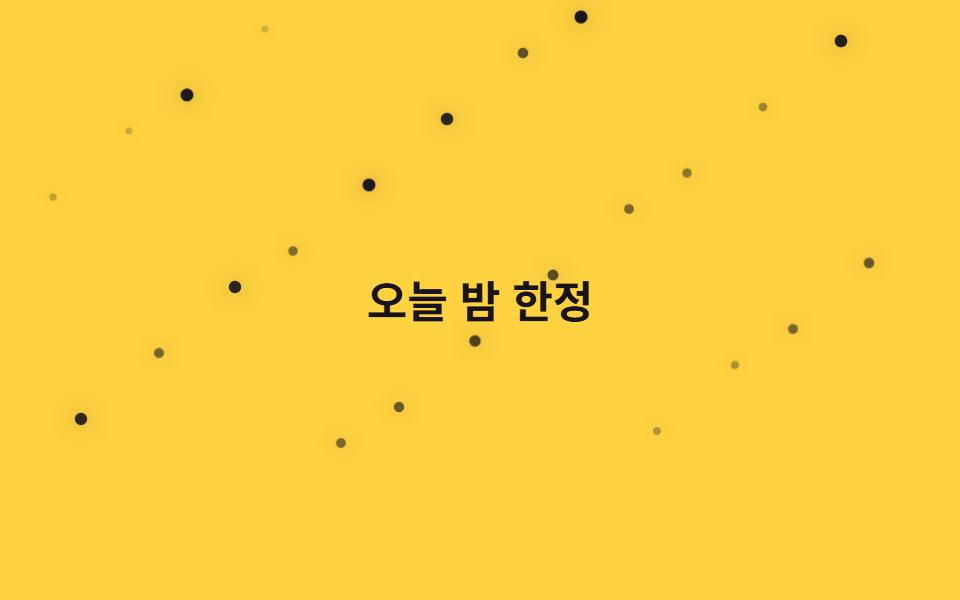
02별 반짝임
점 24개를 어긋나게 깜빡이기
"css 별 반짝이 는 효과"를 찾을 때 나오는 그림 그대로, 점 span 24개가 화면에 흩뿌려진 채 각자 다른 지연으로 밝아졌다 어두워집니다.
<main class="stage">
  <div class="field" aria-hidden="true">
    <span class="p" style="--i:0"></span>
    <span class="p" style="--i:1"></span>
    <span class="p" style="--i:2"></span>
    <span class="p" style="--i:3"></span>
    <span class="p" style="--i:4"></span>
    <span class="p" style="--i:5"></span>
    <span class="p" style="--i:6"></span>
    <span class="p" style="--i:7"></span>
    <span class="p" style="--i:8"></span>
    <span class="p" style="--i:9"></span>
    <span class="p" style="--i:10"></span>
    <span class="p" style="--i:11"></span>
    <span class="p" style="--i:12"></span>
    <span class="p" style="--i:13"></span>
    <span class="p" style="--i:14"></span>
    <span class="p" style="--i:15"></span>
    <span class="p" style="--i:16"></span>
    <span class="p" style="--i:17"></span>
    <span class="p" style="--i:18"></span>
    <span class="p" style="--i:19"></span>
    <span class="p" style="--i:20"></span>
    <span class="p" style="--i:21"></span>
    <span class="p" style="--i:22"></span>
    <span class="p" style="--i:23"></span>
  </div>
  <p class="caption">오늘 밤 한정</p>
</main>@use "../../../../site/static/demo-tokens" as *;
// ── 변수 3개 ──────────────────────────────
$duration: $dur-base * 6; // 1.8s 기준 — 항목마다 다르게 늘려 불규칙해 보이게 한다
$easing: ease-in-out;
$color: $subject-ink;
// ── 데모 무대 ───────────────────────────────
@include stage($stage-yellow);
.field { position: absolute; inset: 0; overflow: hidden; pointer-events: none; }
.caption {
position: relative; z-index: 1; margin: 0;
color: $subject-ink; font-weight: 700; font-size: clamp(16px, 5vw, 22px); line-height: 1; font-family: inherit;
}
.p {
position: absolute;
width: 5px; height: 5px;
border-radius: 50%;
background: $color;
box-shadow: 0 0 10px rgba($color, .55);
opacity: .2;
animation: twinkle $duration $easing infinite;
animation-delay: calc(var(--i) * -0.31s);
}
@for $i from 1 through 24 {
.p:nth-child(#{$i}) {
left: ((($i * 41) % 93)) * 1%;
top: ((($i * 67) % 80)) * 1%;
animation-duration: $duration + ($i % 5) * .35s;
}
}
@keyframes twinkle {
0%, 100% { transform: scale(.7); opacity: .2; }
50% { transform: scale(1.3); opacity: 1; }
}
// ── 접근성: 반짝임을 끄고 희미한 별만 남긴다 ────────────
@media (prefers-reduced-motion: reduce) {
.p { animation: none; opacity: .55; }
}html, body {
margin: 0;
overflow: hidden;
}
.stage {
box-sizing: border-box;
min-height: 100vh;
display: grid;
place-items: center;
margin: 0;
background: #ffd23f;
font-family: -apple-system, "Segoe UI", "Noto Sans KR", sans-serif;
padding: clamp(8px, 4vw, 24px);
}
.field {
position: absolute;
inset: 0;
overflow: hidden;
pointer-events: none;
}
.caption {
position: relative;
z-index: 1;
margin: 0;
color: #17141a;
font-weight: 700;
font-size: clamp(16px, 5vw, 22px);
line-height: 1;
font-family: inherit;
}
.p {
position: absolute;
width: 5px;
height: 5px;
border-radius: 50%;
background: #17141a;
box-shadow: 0 0 10px rgba(23, 20, 26, 0.55);
opacity: 0.2;
animation: twinkle 1800ms ease-in-out infinite;
animation-delay: calc(var(--i) * -0.31s);
}
.p:nth-child(1) {
left: 41%;
top: 67%;
animation-duration: 2150ms;
}
.p:nth-child(2) {
left: 82%;
top: 54%;
animation-duration: 2500ms;
}
.p:nth-child(3) {
left: 30%;
top: 41%;
animation-duration: 2850ms;
}
.p:nth-child(4) {
left: 71%;
top: 28%;
animation-duration: 3200ms;
}
.p:nth-child(5) {
left: 19%;
top: 15%;
animation-duration: 1800ms;
}
.p:nth-child(6) {
left: 60%;
top: 2%;
animation-duration: 2150ms;
}
.p:nth-child(7) {
left: 8%;
top: 69%;
animation-duration: 2500ms;
}
.p:nth-child(8) {
left: 49%;
top: 56%;
animation-duration: 2850ms;
}
.p:nth-child(9) {
left: 90%;
top: 43%;
animation-duration: 3200ms;
}
.p:nth-child(10) {
left: 38%;
top: 30%;
animation-duration: 1800ms;
}
.p:nth-child(11) {
left: 79%;
top: 17%;
animation-duration: 2150ms;
}
.p:nth-child(12) {
left: 27%;
top: 4%;
animation-duration: 2500ms;
}
.p:nth-child(13) {
left: 68%;
top: 71%;
animation-duration: 2850ms;
}
.p:nth-child(14) {
left: 16%;
top: 58%;
animation-duration: 3200ms;
}
.p:nth-child(15) {
left: 57%;
top: 45%;
animation-duration: 1800ms;
}
.p:nth-child(16) {
left: 5%;
top: 32%;
animation-duration: 2150ms;
}
.p:nth-child(17) {
left: 46%;
top: 19%;
animation-duration: 2500ms;
}
.p:nth-child(18) {
left: 87%;
top: 6%;
animation-duration: 2850ms;
}
.p:nth-child(19) {
left: 35%;
top: 73%;
animation-duration: 3200ms;
}
.p:nth-child(20) {
left: 76%;
top: 60%;
animation-duration: 1800ms;
}
.p:nth-child(21) {
left: 24%;
top: 47%;
animation-duration: 2150ms;
}
.p:nth-child(22) {
left: 65%;
top: 34%;
animation-duration: 2500ms;
}
.p:nth-child(23) {
left: 13%;
top: 21%;
animation-duration: 2850ms;
}
.p:nth-child(24) {
left: 54%;
top: 8%;
animation-duration: 3200ms;
}
@keyframes twinkle {
0%, 100% {
transform: scale(0.7);
opacity: 0.2;
}
50% {
transform: scale(1.3);
opacity: 1;
}
}
@media (prefers-reduced-motion: reduce) {
.p {
animation: none;
opacity: 0.55;
}
}import type { CSSProperties } from "react";
import styles from "./StarsTwinkle.module.scss";
export type StarsTwinkleProps = {
/** 애니메이션 기준 시간(ms) */
duration?: number;
/** CSS easing */
easing?: string;
/** 피사체 색 */
color?: string;
};
type Vars = CSSProperties & { "--i"?: number };
const COUNT = 24;
export default function StarsTwinkle({
duration = 1800,
easing = "ease-in-out",
color = "#17141a",
}: StarsTwinkleProps) {
const vars = {
"--duration": `${duration}ms`,
"--easing": easing,
"--color": color,
} as CSSProperties;
return (
<div className={styles.field} style={vars} aria-hidden="true">
{Array.from({ length: COUNT }, (_, i) => (
<span key={i} className={styles.p} style={{ "--i": i } as Vars} />
))}
</div>
);
}02 · 별 반짝임 — 측정 누적면적 0.894% · 움직인 프레임 23/23GODRICH 원작 · zip 에 SCSS·React 포함 · 비밀번호 보기
다크 모드 히어로에
다크 모드 히어로나 밤 테마 이벤트 페이지에 씁니다.
.p {
  position: absolute; width: 5px; height: 5px; border-radius: 50%;
  box-shadow: 0 0 10px rgba(23, 20, 26, .55);
  animation: twinkle 1.8s ease-in-out infinite;
  animation-delay: calc(var(--i) * -0.31s);
}
@keyframes twinkle {
  0%, 100% { transform: scale(.7); opacity: .2; }
  50%      { transform: scale(1.3); opacity: 1; }
}
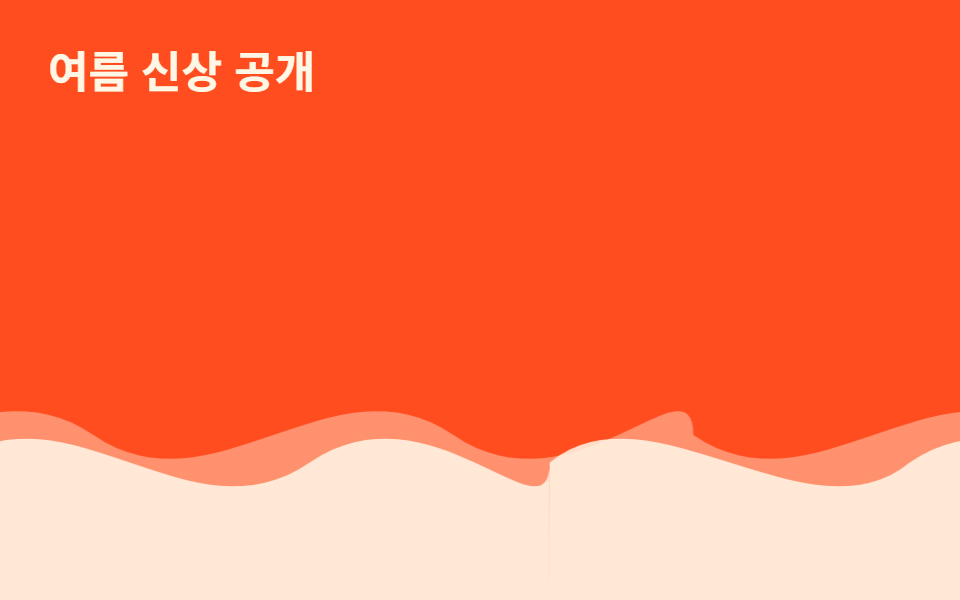
03SVG 물결
이음새가 보이지 않는 까닭
같은 물결 모양을 두 장 이어붙여 폭 200%인 띠를 만들고 translateX로 절반만큼 옮기면 이어붙인 자리가 서로 같은 그림이라 이음새 없이 흐릅니다.
<main class="stage">
  <div class="waves" aria-hidden="true">
  <div class="layer layer--back">
    <svg class="wave" viewBox="0 0 480 120" preserveAspectRatio="none" aria-hidden="true"><path d="M0,60 C60,90 120,30 180,60 C240,90 300,30 360,60 C420,90 480,30 480,60 L480,120 L0,120 Z"/></svg>
    <svg class="wave" viewBox="0 0 480 120" preserveAspectRatio="none" aria-hidden="true"><path d="M0,60 C60,90 120,30 180,60 C240,90 300,30 360,60 C420,90 480,30 480,60 L480,120 L0,120 Z"/></svg>
  </div>
  <div class="layer layer--front">
    <svg class="wave" viewBox="0 0 480 120" preserveAspectRatio="none" aria-hidden="true"><path d="M0,70 C50,40 130,100 180,70 C240,40 300,100 360,70 C420,40 480,100 480,70 L480,120 L0,120 Z"/></svg>
    <svg class="wave" viewBox="0 0 480 120" preserveAspectRatio="none" aria-hidden="true"><path d="M0,70 C50,40 130,100 180,70 C240,40 300,100 360,70 C420,40 480,100 480,70 L480,120 L0,120 Z"/></svg>
  </div>
  </div>
  <p class="caption">여름 신상 공개</p>
</main>
@use "../../../../site/static/demo-tokens" as *;
// ── 변수 3개 ──────────────────────────────
$duration: $dur-loop * 3; // 6s — 뒤 레이어 한 바퀴
$easing: linear;
$color: $subject-cream;
// ── 데모 무대 ───────────────────────────────
@include stage($stage-orange);
.caption {
position: absolute; z-index: 1; top: $sp-6; left: $sp-6; margin: 0;
color: $subject-cream; font-weight: 700; font-size: clamp(16px, 5vw, 22px); line-height: 1; font-family: inherit;
}
// .layer 는 폭 200%로 뷰포트 밖까지 나간다 — 문서 스크롤을 부풀리지 않도록 .waves 로 먼저 가둔다 (BD8)
.waves { position: absolute; inset: 0; overflow: hidden; }
// 물결은 같은 SVG 를 두 장 나란히(각 50%) 붙여 폭 200%로 만들고, 정확히 -50% 만큼 옮기면
// 이어붙인 자리가 서로 같은 그림이라 이음새 없이 반복된다 (마퀴와 같은 원리, flex gap 은 안 쓴다)
.layer {
position: absolute; left: 0; right: 0; bottom: 0; height: 55%;
display: flex; width: 200%;
}
.wave { width: 50%; height: 100%; flex: none; display: block; fill: $color; }
.layer--back {
opacity: .4;
animation: drift $duration $easing infinite;
}
.layer--front {
opacity: .85;
animation: drift ($duration * .65) $easing infinite;
}
@keyframes drift {
from { transform: translateX(0); }
to { transform: translateX(-50%); }
}
// ── 접근성: 물결을 멈추고 정지 이미지로 ────────────
@media (prefers-reduced-motion: reduce) {
.layer { animation: none; }
}html, body {
margin: 0;
overflow: hidden;
}
.stage {
box-sizing: border-box;
min-height: 100vh;
display: grid;
place-items: center;
margin: 0;
background: #ff4d1f;
font-family: -apple-system, "Segoe UI", "Noto Sans KR", sans-serif;
padding: clamp(8px, 4vw, 24px);
}
.caption {
position: absolute;
z-index: 1;
top: 24px;
left: 24px;
margin: 0;
color: #fff7e6;
font-weight: 700;
font-size: clamp(16px, 5vw, 22px);
line-height: 1;
font-family: inherit;
}
.waves {
position: absolute;
inset: 0;
overflow: hidden;
}
.layer {
position: absolute;
left: 0;
right: 0;
bottom: 0;
height: 55%;
display: flex;
width: 200%;
}
.wave {
width: 50%;
height: 100%;
flex: none;
display: block;
fill: #fff7e6;
}
.layer--back {
opacity: 0.4;
animation: drift 6s linear infinite;
}
.layer--front {
opacity: 0.85;
animation: drift 3.9s linear infinite;
}
@keyframes drift {
from {
transform: translateX(0);
}
to {
transform: translateX(-50%);
}
}
@media (prefers-reduced-motion: reduce) {
.layer {
animation: none;
}
}import type { CSSProperties } from "react";
import styles from "./SvgWave.module.scss";
export type SvgWaveProps = {
/** 애니메이션 기준 시간(ms) */
duration?: number;
/** CSS easing */
easing?: string;
/** 피사체 색 */
color?: string;
};
type Vars = CSSProperties & { "--i"?: number };
const COUNT = 4;
export default function SvgWave({
duration = 6000,
easing = "linear",
color = "#fff7e6",
}: SvgWaveProps) {
const vars = {
"--duration": `${duration}ms`,
"--easing": easing,
"--color": color,
} as CSSProperties;
return (
<div className={styles.stage} style={vars}>
<div className={styles.layerBack}>
<svg className={styles.wave} viewBox="0 0 480 120" preserveAspectRatio="none" aria-hidden="true"><path d="M0,60 C60,90 120,30 180,60 C240,90 300,30 360,60 C420,90 480,30 480,60 L480,120 L0,120 Z" /></svg>
<svg className={styles.wave} viewBox="0 0 480 120" preserveAspectRatio="none" aria-hidden="true"><path d="M0,60 C60,90 120,30 180,60 C240,90 300,30 360,60 C420,90 480,30 480,60 L480,120 L0,120 Z" /></svg>
</div>
<div className={styles.layerFront}>
<svg className={styles.wave} viewBox="0 0 480 120" preserveAspectRatio="none" aria-hidden="true"><path d="M0,70 C50,40 130,100 180,70 C240,40 300,100 360,70 C420,40 480,100 480,70 L480,120 L0,120 Z" /></svg>
<svg className={styles.wave} viewBox="0 0 480 120" preserveAspectRatio="none" aria-hidden="true"><path d="M0,70 C50,40 130,100 180,70 C240,40 300,100 360,70 C420,40 480,100 480,70 L480,120 L0,120 Z" /></svg>
</div>
</div>
);
}03 · SVG 물결 — 측정 누적면적 12.781% · 움직인 프레임 23/23GODRICH 원작 · zip 에 SCSS·React 포함 · 비밀번호 보기
하단 구분선과 여행 랜딩에
제품 소개 섹션의 하단 구분선이나 여행 랜딩 배경에 씁니다.
.layer { position: absolute; left: 0; right: 0; bottom: 0; display: flex; width: 200%; }
.wave { width: 50%; flex: none; }
.layer--back  { animation: drift 6s linear infinite; }
.layer--front { animation: drift 3.9s linear infinite; }
@keyframes drift {
  from { transform: translateX(0); }
  to   { transform: translateX(-50%); }
}
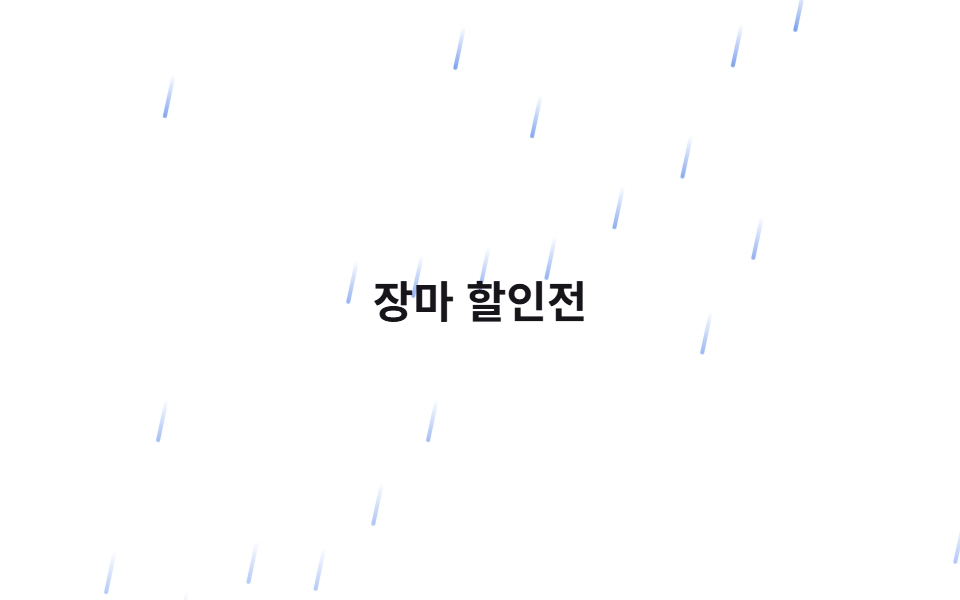
04비 내리는 효과
12도 기울인 선 22개
가는 선 span 22개가 12도 기울어진 채 대각선으로 빠르게 떨어집니다.
<main class="stage">
  <div class="field" aria-hidden="true">
    <span class="p" style="--i:0"></span>
    <span class="p" style="--i:1"></span>
    <span class="p" style="--i:2"></span>
    <span class="p" style="--i:3"></span>
    <span class="p" style="--i:4"></span>
    <span class="p" style="--i:5"></span>
    <span class="p" style="--i:6"></span>
    <span class="p" style="--i:7"></span>
    <span class="p" style="--i:8"></span>
    <span class="p" style="--i:9"></span>
    <span class="p" style="--i:10"></span>
    <span class="p" style="--i:11"></span>
    <span class="p" style="--i:12"></span>
    <span class="p" style="--i:13"></span>
    <span class="p" style="--i:14"></span>
    <span class="p" style="--i:15"></span>
    <span class="p" style="--i:16"></span>
    <span class="p" style="--i:17"></span>
    <span class="p" style="--i:18"></span>
    <span class="p" style="--i:19"></span>
    <span class="p" style="--i:20"></span>
    <span class="p" style="--i:21"></span>
  </div>
  <p class="caption">장마 할인전</p>
</main>@use "../../../../site/static/demo-tokens" as *;
// ── 변수 3개 ──────────────────────────────
$duration: $dur-base * 2; // .6s 기준 — 빗줄기 한 번 떨어지는 시간
$easing: linear;
$color: $subject-blue;
// ── 데모 무대 ───────────────────────────────
@include stage($stage-paper);
.field { position: absolute; inset: 0; overflow: hidden; pointer-events: none; }
.caption {
position: relative; z-index: 1; margin: 0;
color: $subject-ink; font-weight: 700; font-size: clamp(16px, 5vw, 22px); line-height: 1; font-family: inherit;
}
.p {
position: absolute;
top: -12%;
width: 2px; height: 22px;
border-radius: $r-xs;
background: linear-gradient(rgba($color, 0), $color);
opacity: .7;
transform: rotate(12deg);
animation: rain $duration $easing infinite;
animation-delay: calc(var(--i) * -0.07s);
}
@for $i from 1 through 22 {
.p:nth-child(#{$i}) {
left: ((($i * 37) % 96)) * 1%;
animation-duration: $duration + ($i % 4) * .1s;
}
}
@keyframes rain {
0% { transform: translateY(0) translateX(0) rotate(12deg); opacity: .7; }
100% { transform: translateY(380px) translateX(60px) rotate(12deg); opacity: .3; }
}
// ── 접근성: 대각선 낙하를 멈추고 흐린 선만 남긴다 ────────────
@media (prefers-reduced-motion: reduce) {
.p { animation: none; opacity: .25; top: 45%; }
}html, body {
margin: 0;
overflow: hidden;
}
.stage {
box-sizing: border-box;
min-height: 100vh;
display: grid;
place-items: center;
margin: 0;
background: #ffffff;
font-family: -apple-system, "Segoe UI", "Noto Sans KR", sans-serif;
padding: clamp(8px, 4vw, 24px);
}
.field {
position: absolute;
inset: 0;
overflow: hidden;
pointer-events: none;
}
.caption {
position: relative;
z-index: 1;
margin: 0;
color: #17141a;
font-weight: 700;
font-size: clamp(16px, 5vw, 22px);
line-height: 1;
font-family: inherit;
}
.p {
position: absolute;
top: -12%;
width: 2px;
height: 22px;
border-radius: 4px;
background: linear-gradient(rgba(47, 109, 246, 0), #2f6df6);
opacity: 0.7;
transform: rotate(12deg);
animation: rain 600ms linear infinite;
animation-delay: calc(var(--i) * -0.07s);
}
.p:nth-child(1) {
left: 37%;
animation-duration: 700ms;
}
.p:nth-child(2) {
left: 74%;
animation-duration: 800ms;
}
.p:nth-child(3) {
left: 15%;
animation-duration: 900ms;
}
.p:nth-child(4) {
left: 52%;
animation-duration: 600ms;
}
.p:nth-child(5) {
left: 89%;
animation-duration: 700ms;
}
.p:nth-child(6) {
left: 30%;
animation-duration: 800ms;
}
.p:nth-child(7) {
left: 67%;
animation-duration: 900ms;
}
.p:nth-child(8) {
left: 8%;
animation-duration: 600ms;
}
.p:nth-child(9) {
left: 45%;
animation-duration: 700ms;
}
.p:nth-child(10) {
left: 82%;
animation-duration: 800ms;
}
.p:nth-child(11) {
left: 23%;
animation-duration: 900ms;
}
.p:nth-child(12) {
left: 60%;
animation-duration: 600ms;
}
.p:nth-child(13) {
left: 1%;
animation-duration: 700ms;
}
.p:nth-child(14) {
left: 38%;
animation-duration: 800ms;
}
.p:nth-child(15) {
left: 75%;
animation-duration: 900ms;
}
.p:nth-child(16) {
left: 16%;
animation-duration: 600ms;
}
.p:nth-child(17) {
left: 53%;
animation-duration: 700ms;
}
.p:nth-child(18) {
left: 90%;
animation-duration: 800ms;
}
.p:nth-child(19) {
left: 31%;
animation-duration: 900ms;
}
.p:nth-child(20) {
left: 68%;
animation-duration: 600ms;
}
.p:nth-child(21) {
left: 9%;
animation-duration: 700ms;
}
.p:nth-child(22) {
left: 46%;
animation-duration: 800ms;
}
@keyframes rain {
0% {
transform: translateY(0) translateX(0) rotate(12deg);
opacity: 0.7;
}
100% {
transform: translateY(380px) translateX(60px) rotate(12deg);
opacity: 0.3;
}
}
@media (prefers-reduced-motion: reduce) {
.p {
animation: none;
opacity: 0.25;
top: 45%;
}
}import type { CSSProperties } from "react";
import styles from "./RainLines.module.scss";
export type RainLinesProps = {
/** 애니메이션 기준 시간(ms) */
duration?: number;
/** CSS easing */
easing?: string;
/** 피사체 색 */
color?: string;
};
type Vars = CSSProperties & { "--i"?: number };
const COUNT = 22;
export default function RainLines({
duration = 600,
easing = "linear",
color = "#2f6df6",
}: RainLinesProps) {
const vars = {
"--duration": `${duration}ms`,
"--easing": easing,
"--color": color,
} as CSSProperties;
return (
<div className={styles.field} style={vars} aria-hidden="true">
{Array.from({ length: COUNT }, (_, i) => (
<span key={i} className={styles.p} style={{ "--i": i } as Vars} />
))}
</div>
);
}04 · 비 내리는 효과 — 측정 누적면적 12.851% · 움직인 프레임 23/23GODRICH 원작 · zip 에 SCSS·React 포함 · 비밀번호 보기
장마철 프로모션에
장마철 프로모션이나 날씨 앱 소개 화면에 씁니다.
.p {
  position: absolute; top: -12%; width: 2px; height: 22px;
  transform: rotate(12deg);
  animation: rain .6s linear infinite;
  animation-delay: calc(var(--i) * -0.07s);
}
@keyframes rain {
  0%   { transform: translateY(0) translateX(0) rotate(12deg); opacity: .7; }
  100% { transform: translateY(380px) translateX(60px) rotate(12deg); opacity: .3; }
}
05컨페티 낙하
절반은 시계, 절반은 반시계
사각 조각 26개가 떨어지며 동시에 회전합니다. 절반은 시계 방향, 절반은 반시계 방향으로 돌고 3개마다 색이 바뀝니다.
<main class="stage">
  <div class="field" aria-hidden="true">
    <span class="p" style="--i:0"></span>
    <span class="p" style="--i:1"></span>
    <span class="p" style="--i:2"></span>
    <span class="p" style="--i:3"></span>
    <span class="p" style="--i:4"></span>
    <span class="p" style="--i:5"></span>
    <span class="p" style="--i:6"></span>
    <span class="p" style="--i:7"></span>
    <span class="p" style="--i:8"></span>
    <span class="p" style="--i:9"></span>
    <span class="p" style="--i:10"></span>
    <span class="p" style="--i:11"></span>
    <span class="p" style="--i:12"></span>
    <span class="p" style="--i:13"></span>
    <span class="p" style="--i:14"></span>
    <span class="p" style="--i:15"></span>
    <span class="p" style="--i:16"></span>
    <span class="p" style="--i:17"></span>
    <span class="p" style="--i:18"></span>
    <span class="p" style="--i:19"></span>
    <span class="p" style="--i:20"></span>
    <span class="p" style="--i:21"></span>
    <span class="p" style="--i:22"></span>
    <span class="p" style="--i:23"></span>
    <span class="p" style="--i:24"></span>
    <span class="p" style="--i:25"></span>
  </div>
  <p class="caption">가입을 축하해요</p>
</main>@use "../../../../site/static/demo-tokens" as *;
// ── 변수 3개 ──────────────────────────────
$duration: $dur-enter * 4; // 2.4s 기준
$easing: linear;
$color: $subject-cream;
// ── 데모 무대 ───────────────────────────────
@include stage($stage-ink);
.field { position: absolute; inset: 0; overflow: hidden; pointer-events: none; }
.caption {
position: relative; z-index: 1; margin: 0;
color: $subject-cream; font-weight: 700; font-size: clamp(16px, 5vw, 22px); line-height: 1; font-family: inherit;
}
.p {
position: absolute;
top: -10%;
width: 7px; height: 11px;
background: $color;
opacity: .95;
animation: confetti $duration $easing infinite;
animation-delay: calc(var(--i) * -0.2s);
}
// 3개마다 색을 cream ↔ blue 로 번갈아 섞는다 (팔레트 안에서만)
.p:nth-child(3n) { background: $subject-blue; }
@for $i from 1 through 26 {
.p:nth-child(#{$i}) {
left: ((($i * 31) % 94)) * 1%;
animation-duration: $duration + ($i % 5) * .3s;
}
}
@for $i from 1 through 13 {
.p:nth-child(#{$i * 2}) {
--spin: #{240deg + ($i % 6) * 60deg};
}
.p:nth-child(#{$i * 2 - 1}) {
--spin: #{-1 * (240deg + ($i % 6) * 60deg)};
}
}
@keyframes confetti {
0% { transform: translateY(0) rotate(0deg); opacity: 0; }
8% { opacity: .95; }
100% { transform: translateY(360px) rotate(var(--spin, 360deg)); opacity: .85; }
}
// ── 접근성: 회전·낙하를 멈추고 흐린 조각만 남긴다 ────────────
@media (prefers-reduced-motion: reduce) {
.p { animation: none; opacity: .3; top: 45%; }
}html, body {
margin: 0;
overflow: hidden;
}
.stage {
box-sizing: border-box;
min-height: 100vh;
display: grid;
place-items: center;
margin: 0;
background: #17141a;
font-family: -apple-system, "Segoe UI", "Noto Sans KR", sans-serif;
padding: clamp(8px, 4vw, 24px);
}
.field {
position: absolute;
inset: 0;
overflow: hidden;
pointer-events: none;
}
.caption {
position: relative;
z-index: 1;
margin: 0;
color: #fff7e6;
font-weight: 700;
font-size: clamp(16px, 5vw, 22px);
line-height: 1;
font-family: inherit;
}
.p {
position: absolute;
top: -10%;
width: 7px;
height: 11px;
background: #fff7e6;
opacity: 0.95;
animation: confetti 2400ms linear infinite;
animation-delay: calc(var(--i) * -0.2s);
}
.p:nth-child(3n) {
background: #2f6df6;
}
.p:nth-child(1) {
left: 31%;
animation-duration: 2700ms;
}
.p:nth-child(2) {
left: 62%;
animation-duration: 3000ms;
}
.p:nth-child(3) {
left: 93%;
animation-duration: 3300ms;
}
.p:nth-child(4) {
left: 30%;
animation-duration: 3600ms;
}
.p:nth-child(5) {
left: 61%;
animation-duration: 2400ms;
}
.p:nth-child(6) {
left: 92%;
animation-duration: 2700ms;
}
.p:nth-child(7) {
left: 29%;
animation-duration: 3000ms;
}
.p:nth-child(8) {
left: 60%;
animation-duration: 3300ms;
}
.p:nth-child(9) {
left: 91%;
animation-duration: 3600ms;
}
.p:nth-child(10) {
left: 28%;
animation-duration: 2400ms;
}
.p:nth-child(11) {
left: 59%;
animation-duration: 2700ms;
}
.p:nth-child(12) {
left: 90%;
animation-duration: 3000ms;
}
.p:nth-child(13) {
left: 27%;
animation-duration: 3300ms;
}
.p:nth-child(14) {
left: 58%;
animation-duration: 3600ms;
}
.p:nth-child(15) {
left: 89%;
animation-duration: 2400ms;
}
.p:nth-child(16) {
left: 26%;
animation-duration: 2700ms;
}
.p:nth-child(17) {
left: 57%;
animation-duration: 3000ms;
}
.p:nth-child(18) {
left: 88%;
animation-duration: 3300ms;
}
.p:nth-child(19) {
left: 25%;
animation-duration: 3600ms;
}
.p:nth-child(20) {
left: 56%;
animation-duration: 2400ms;
}
.p:nth-child(21) {
left: 87%;
animation-duration: 2700ms;
}
.p:nth-child(22) {
left: 24%;
animation-duration: 3000ms;
}
.p:nth-child(23) {
left: 55%;
animation-duration: 3300ms;
}
.p:nth-child(24) {
left: 86%;
animation-duration: 3600ms;
}
.p:nth-child(25) {
left: 23%;
animation-duration: 2400ms;
}
.p:nth-child(26) {
left: 54%;
animation-duration: 2700ms;
}
.p:nth-child(2) {
--spin: 300deg;
}
.p:nth-child(1) {
--spin: -300deg;
}
.p:nth-child(4) {
--spin: 360deg;
}
.p:nth-child(3) {
--spin: -360deg;
}
.p:nth-child(6) {
--spin: 420deg;
}
.p:nth-child(5) {
--spin: -420deg;
}
.p:nth-child(8) {
--spin: 480deg;
}
.p:nth-child(7) {
--spin: -480deg;
}
.p:nth-child(10) {
--spin: 540deg;
}
.p:nth-child(9) {
--spin: -540deg;
}
.p:nth-child(12) {
--spin: 240deg;
}
.p:nth-child(11) {
--spin: -240deg;
}
.p:nth-child(14) {
--spin: 300deg;
}
.p:nth-child(13) {
--spin: -300deg;
}
.p:nth-child(16) {
--spin: 360deg;
}
.p:nth-child(15) {
--spin: -360deg;
}
.p:nth-child(18) {
--spin: 420deg;
}
.p:nth-child(17) {
--spin: -420deg;
}
.p:nth-child(20) {
--spin: 480deg;
}
.p:nth-child(19) {
--spin: -480deg;
}
.p:nth-child(22) {
--spin: 540deg;
}
.p:nth-child(21) {
--spin: -540deg;
}
.p:nth-child(24) {
--spin: 240deg;
}
.p:nth-child(23) {
--spin: -240deg;
}
.p:nth-child(26) {
--spin: 300deg;
}
.p:nth-child(25) {
--spin: -300deg;
}
@keyframes confetti {
0% {
transform: translateY(0) rotate(0deg);
opacity: 0;
}
8% {
opacity: 0.95;
}
100% {
transform: translateY(360px) rotate(var(--spin, 360deg));
opacity: 0.85;
}
}
@media (prefers-reduced-motion: reduce) {
.p {
animation: none;
opacity: 0.3;
top: 45%;
}
}import type { CSSProperties } from "react";
import styles from "./ConfettiFall.module.scss";
export type ConfettiFallProps = {
/** 애니메이션 기준 시간(ms) */
duration?: number;
/** CSS easing */
easing?: string;
/** 피사체 색 */
color?: string;
};
type Vars = CSSProperties & { "--i"?: number };
const COUNT = 26;
export default function ConfettiFall({
duration = 2400,
easing = "linear",
color = "#fff7e6",
}: ConfettiFallProps) {
const vars = {
"--duration": `${duration}ms`,
"--easing": easing,
"--color": color,
} as CSSProperties;
return (
<div className={styles.field} style={vars} aria-hidden="true">
{Array.from({ length: COUNT }, (_, i) => (
<span key={i} className={styles.p} style={{ "--i": i } as Vars} />
))}
</div>
);
}05 · 컨페티 낙하 — 측정 누적면적 23.881% · 움직인 프레임 23/23GODRICH 원작 · zip 에 SCSS·React 포함 · 비밀번호 보기
결제 완료 축하 화면에
결제 완료나 회원가입 완료 축하 화면에 씁니다.
.p { position: absolute; top: -10%; width: 7px; height: 11px; }
.p:nth-child(3n) { background: #2f6df6; }
@keyframes confetti {
  0%   { transform: translateY(0) rotate(0deg); opacity: 0; }
  100% { transform: translateY(360px) rotate(var(--spin, 360deg)); opacity: .85; }
}
06거품 상승
아래에서 위로 뜨는 원 20개
테두리만 있는 원 20개가 화면 아래에서 위로 떠오르며 중간에 커졌다 작아집니다.
<main class="stage">
  <div class="field" aria-hidden="true">
    <span class="p" style="--i:0"></span>
    <span class="p" style="--i:1"></span>
    <span class="p" style="--i:2"></span>
    <span class="p" style="--i:3"></span>
    <span class="p" style="--i:4"></span>
    <span class="p" style="--i:5"></span>
    <span class="p" style="--i:6"></span>
    <span class="p" style="--i:7"></span>
    <span class="p" style="--i:8"></span>
    <span class="p" style="--i:9"></span>
    <span class="p" style="--i:10"></span>
    <span class="p" style="--i:11"></span>
    <span class="p" style="--i:12"></span>
    <span class="p" style="--i:13"></span>
    <span class="p" style="--i:14"></span>
    <span class="p" style="--i:15"></span>
    <span class="p" style="--i:16"></span>
    <span class="p" style="--i:17"></span>
    <span class="p" style="--i:18"></span>
    <span class="p" style="--i:19"></span>
  </div>
  <p class="caption">톡 쏘는 여름</p>
</main>@use "../../../../site/static/demo-tokens" as *;
// ── 변수 3개 ──────────────────────────────
$duration: $dur-loop * 2; // 4s 기준
$easing: $ease-out;
$color: $subject-ink;
// ── 데모 무대 ───────────────────────────────
@include stage($stage-yellow);
.field { position: absolute; inset: 0; overflow: hidden; pointer-events: none; }
.caption {
position: relative; z-index: 1; margin: 0;
color: $subject-ink; font-weight: 700; font-size: clamp(16px, 5vw, 22px); line-height: 1; font-family: inherit;
}
.p {
position: absolute;
bottom: -10%;
width: 10px; height: 10px;
border-radius: 50%;
border: 1.5px solid $color;
background: rgba($color, .1);
opacity: 0;
animation: rise $duration $easing infinite;
animation-delay: calc(var(--i) * -0.24s);
}
@for $i from 1 through 20 {
.p:nth-child(#{$i}) {
left: ((($i * 43) % 92)) * 1%;
$s: 6px + ($i % 5) * 2px;
width: $s; height: $s;
animation-duration: $duration + ($i % 4) * .5s;
}
}
@keyframes rise {
0% { transform: translateY(0) scale(.6); opacity: 0; }
12% { opacity: .8; }
55% { transform: translateY(-170px) scale(1.15); }
100% { transform: translateY(-360px) scale(.8); opacity: 0; }
}
// ── 접근성: 상승을 멈추고 제자리 거품만 남긴다 ────────────
@media (prefers-reduced-motion: reduce) {
.p { animation: none; opacity: .4; bottom: 20%; }
}html, body {
margin: 0;
overflow: hidden;
}
.stage {
box-sizing: border-box;
min-height: 100vh;
display: grid;
place-items: center;
margin: 0;
background: #ffd23f;
font-family: -apple-system, "Segoe UI", "Noto Sans KR", sans-serif;
padding: clamp(8px, 4vw, 24px);
}
.field {
position: absolute;
inset: 0;
overflow: hidden;
pointer-events: none;
}
.caption {
position: relative;
z-index: 1;
margin: 0;
color: #17141a;
font-weight: 700;
font-size: clamp(16px, 5vw, 22px);
line-height: 1;
font-family: inherit;
}
.p {
position: absolute;
bottom: -10%;
width: 10px;
height: 10px;
border-radius: 50%;
border: 1.5px solid #17141a;
background: rgba(23, 20, 26, 0.1);
opacity: 0;
animation: rise 4s ease-out infinite;
animation-delay: calc(var(--i) * -0.24s);
}
.p:nth-child(1) {
left: 43%;
width: 8px;
height: 8px;
animation-duration: 4.5s;
}
.p:nth-child(2) {
left: 86%;
width: 10px;
height: 10px;
animation-duration: 5s;
}
.p:nth-child(3) {
left: 37%;
width: 12px;
height: 12px;
animation-duration: 5.5s;
}
.p:nth-child(4) {
left: 80%;
width: 14px;
height: 14px;
animation-duration: 4s;
}
.p:nth-child(5) {
left: 31%;
width: 6px;
height: 6px;
animation-duration: 4.5s;
}
.p:nth-child(6) {
left: 74%;
width: 8px;
height: 8px;
animation-duration: 5s;
}
.p:nth-child(7) {
left: 25%;
width: 10px;
height: 10px;
animation-duration: 5.5s;
}
.p:nth-child(8) {
left: 68%;
width: 12px;
height: 12px;
animation-duration: 4s;
}
.p:nth-child(9) {
left: 19%;
width: 14px;
height: 14px;
animation-duration: 4.5s;
}
.p:nth-child(10) {
left: 62%;
width: 6px;
height: 6px;
animation-duration: 5s;
}
.p:nth-child(11) {
left: 13%;
width: 8px;
height: 8px;
animation-duration: 5.5s;
}
.p:nth-child(12) {
left: 56%;
width: 10px;
height: 10px;
animation-duration: 4s;
}
.p:nth-child(13) {
left: 7%;
width: 12px;
height: 12px;
animation-duration: 4.5s;
}
.p:nth-child(14) {
left: 50%;
width: 14px;
height: 14px;
animation-duration: 5s;
}
.p:nth-child(15) {
left: 1%;
width: 6px;
height: 6px;
animation-duration: 5.5s;
}
.p:nth-child(16) {
left: 44%;
width: 8px;
height: 8px;
animation-duration: 4s;
}
.p:nth-child(17) {
left: 87%;
width: 10px;
height: 10px;
animation-duration: 4.5s;
}
.p:nth-child(18) {
left: 38%;
width: 12px;
height: 12px;
animation-duration: 5s;
}
.p:nth-child(19) {
left: 81%;
width: 14px;
height: 14px;
animation-duration: 5.5s;
}
.p:nth-child(20) {
left: 32%;
width: 6px;
height: 6px;
animation-duration: 4s;
}
@keyframes rise {
0% {
transform: translateY(0) scale(0.6);
opacity: 0;
}
12% {
opacity: 0.8;
}
55% {
transform: translateY(-170px) scale(1.15);
}
100% {
transform: translateY(-360px) scale(0.8);
opacity: 0;
}
}
@media (prefers-reduced-motion: reduce) {
.p {
animation: none;
opacity: 0.4;
bottom: 20%;
}
}import type { CSSProperties } from "react";
import styles from "./BubblesRise.module.scss";
export type BubblesRiseProps = {
/** 애니메이션 기준 시간(ms) */
duration?: number;
/** CSS easing */
easing?: string;
/** 피사체 색 */
color?: string;
};
type Vars = CSSProperties & { "--i"?: number };
const COUNT = 20;
export default function BubblesRise({
duration = 4000,
easing = "cubic-bezier(.2,.8,.2,1)",
color = "#17141a",
}: BubblesRiseProps) {
const vars = {
"--duration": `${duration}ms`,
"--easing": easing,
"--color": color,
} as CSSProperties;
return (
<div className={styles.field} style={vars} aria-hidden="true">
{Array.from({ length: COUNT }, (_, i) => (
<span key={i} className={styles.p} style={{ "--i": i } as Vars} />
))}
</div>
);
}06 · 거품 상승 — 측정 누적면적 12.542% · 움직인 프레임 23/23GODRICH 원작 · zip 에 SCSS·React 포함 · 비밀번호 보기
음료 브랜드 히어로에
음료·주류 브랜드 히어로나 워터파크 소개 배경에 씁니다.
.p {
  position: absolute; bottom: -10%; width: 10px; height: 10px;
  border: 1.5px solid currentColor; border-radius: 50%;
  animation: rise 4s cubic-bezier(.2, .8, .2, 1) infinite;
}
@keyframes rise {
  0%   { transform: translateY(0) scale(.6); opacity: 0; }
  55%  { transform: translateY(-170px) scale(1.15); }
  100% { transform: translateY(-360px) scale(.8); opacity: 0; }
}
07반딧불이
불규칙한 빛의 궤적
흐릿한 점 16개가 깜빡이는 동시에 짧게 방향을 바꾸며 떠다녀, 불규칙한 빛의 궤적을 만듭니다.
<main class="stage">
  <div class="field" aria-hidden="true">
    <span class="p" style="--i:0"></span>
    <span class="p" style="--i:1"></span>
    <span class="p" style="--i:2"></span>
    <span class="p" style="--i:3"></span>
    <span class="p" style="--i:4"></span>
    <span class="p" style="--i:5"></span>
    <span class="p" style="--i:6"></span>
    <span class="p" style="--i:7"></span>
    <span class="p" style="--i:8"></span>
    <span class="p" style="--i:9"></span>
    <span class="p" style="--i:10"></span>
    <span class="p" style="--i:11"></span>
    <span class="p" style="--i:12"></span>
    <span class="p" style="--i:13"></span>
    <span class="p" style="--i:14"></span>
    <span class="p" style="--i:15"></span>
  </div>
  <p class="caption">여름밤 캠핑</p>
</main>
@use "../../../../site/static/demo-tokens" as *;
// ── 변수 3개 ──────────────────────────────
$duration: $dur-loop * 1.75; // 3.5s 기준
$easing: ease-in-out;
$color: $subject-cream;
// ── 데모 무대 ───────────────────────────────
@include stage($stage-orange);
.field { position: absolute; inset: 0; overflow: hidden; pointer-events: none; }
.caption {
position: relative; z-index: 1; margin: 0;
color: $subject-cream; font-weight: 700; font-size: clamp(16px, 5vw, 22px); line-height: 1; font-family: inherit;
}
.p {
position: absolute;
width: 4px; height: 4px;
border-radius: 50%;
background: $color;
box-shadow: 0 0 12px rgba($color, .8);
opacity: 0;
animation: drift $duration $easing infinite;
animation-delay: calc(var(--i) * -0.37s);
}
@for $i from 1 through 16 {
.p:nth-child(#{$i}) {
left: ((($i * 29) % 90)) * 1%;
top: ((($i * 61) % 78)) * 1%;
animation-duration: $duration + ($i % 4) * .4s;
}
}
// 짧게 방향을 바꾸며 떠다니는 불규칙한 궤적 (transform 만)
@keyframes drift {
0% { transform: translate(0, 0); opacity: 0; }
20% { opacity: .9; }
35% { transform: translate(14px, -10px); }
55% { transform: translate(-8px, -20px); opacity: .3; }
70% { opacity: .85; }
85% { transform: translate(10px, -6px); }
100% { transform: translate(0, 0); opacity: 0; }
}
// ── 접근성: 깜빡임·이동을 멈추고 흐린 점만 남긴다 ────────────
@media (prefers-reduced-motion: reduce) {
.p { animation: none; opacity: .45; }
}html, body {
margin: 0;
overflow: hidden;
}
.stage {
box-sizing: border-box;
min-height: 100vh;
display: grid;
place-items: center;
margin: 0;
background: #ff4d1f;
font-family: -apple-system, "Segoe UI", "Noto Sans KR", sans-serif;
padding: clamp(8px, 4vw, 24px);
}
.field {
position: absolute;
inset: 0;
overflow: hidden;
pointer-events: none;
}
.caption {
position: relative;
z-index: 1;
margin: 0;
color: #fff7e6;
font-weight: 700;
font-size: clamp(16px, 5vw, 22px);
line-height: 1;
font-family: inherit;
}
.p {
position: absolute;
width: 4px;
height: 4px;
border-radius: 50%;
background: #fff7e6;
box-shadow: 0 0 12px rgba(255, 247, 230, 0.8);
opacity: 0;
animation: drift 3.5s ease-in-out infinite;
animation-delay: calc(var(--i) * -0.37s);
}
.p:nth-child(1) {
left: 29%;
top: 61%;
animation-duration: 3.9s;
}
.p:nth-child(2) {
left: 58%;
top: 44%;
animation-duration: 4.3s;
}
.p:nth-child(3) {
left: 87%;
top: 27%;
animation-duration: 4.7s;
}
.p:nth-child(4) {
left: 26%;
top: 10%;
animation-duration: 3.5s;
}
.p:nth-child(5) {
left: 55%;
top: 71%;
animation-duration: 3.9s;
}
.p:nth-child(6) {
left: 84%;
top: 54%;
animation-duration: 4.3s;
}
.p:nth-child(7) {
left: 23%;
top: 37%;
animation-duration: 4.7s;
}
.p:nth-child(8) {
left: 52%;
top: 20%;
animation-duration: 3.5s;
}
.p:nth-child(9) {
left: 81%;
top: 3%;
animation-duration: 3.9s;
}
.p:nth-child(10) {
left: 20%;
top: 64%;
animation-duration: 4.3s;
}
.p:nth-child(11) {
left: 49%;
top: 47%;
animation-duration: 4.7s;
}
.p:nth-child(12) {
left: 78%;
top: 30%;
animation-duration: 3.5s;
}
.p:nth-child(13) {
left: 17%;
top: 13%;
animation-duration: 3.9s;
}
.p:nth-child(14) {
left: 46%;
top: 74%;
animation-duration: 4.3s;
}
.p:nth-child(15) {
left: 75%;
top: 57%;
animation-duration: 4.7s;
}
.p:nth-child(16) {
left: 14%;
top: 40%;
animation-duration: 3.5s;
}
@keyframes drift {
0% {
transform: translate(0, 0);
opacity: 0;
}
20% {
opacity: 0.9;
}
35% {
transform: translate(14px, -10px);
}
55% {
transform: translate(-8px, -20px);
opacity: 0.3;
}
70% {
opacity: 0.85;
}
85% {
transform: translate(10px, -6px);
}
100% {
transform: translate(0, 0);
opacity: 0;
}
}
@media (prefers-reduced-motion: reduce) {
.p {
animation: none;
opacity: 0.45;
}
}import type { CSSProperties } from "react";
import styles from "./Fireflies.module.scss";
export type FirefliesProps = {
/** 애니메이션 기준 시간(ms) */
duration?: number;
/** CSS easing */
easing?: string;
/** 피사체 색 */
color?: string;
};
type Vars = CSSProperties & { "--i"?: number };
const COUNT = 16;
export default function Fireflies({
duration = 3500,
easing = "ease-in-out",
color = "#fff7e6",
}: FirefliesProps) {
const vars = {
"--duration": `${duration}ms`,
"--easing": easing,
"--color": color,
} as CSSProperties;
return (
<div className={styles.field} style={vars} aria-hidden="true">
{Array.from({ length: COUNT }, (_, i) => (
<span key={i} className={styles.p} style={{ "--i": i } as Vars} />
))}
</div>
);
}07 · 반딧불이 — 측정 누적면적 1.859% · 움직인 프레임 23/23GODRICH 원작 · zip 에 SCSS·React 포함 · 비밀번호 보기
캠핑 브랜드 배경에
자연·캠핑 브랜드 배경이나 감성 포트폴리오 히어로에 씁니다.
.p {
  position: absolute; width: 4px; height: 4px; border-radius: 50%;
  box-shadow: 0 0 12px rgba(255, 247, 230, .8);
  animation: drift 3.5s ease-in-out infinite;
}
@keyframes drift {
  0%  { transform: translate(0, 0); opacity: 0; }
  35% { transform: translate(14px, -10px); opacity: .9; }
  55% { transform: translate(-8px, -20px); opacity: .3; }
  100% { transform: translate(0, 0); opacity: 0; }
}
08벚꽃잎 흩날림
낙하에 회전과 흔들림 더하기
타원 18개가 낙하하며 회전과 좌우 흔들림을 더해, 바람에 나부끼며 떨어지는 꽃잎처럼 움직입니다.
<main class="stage">
  <div class="field" aria-hidden="true">
    <span class="p" style="--i:0"></span>
    <span class="p" style="--i:1"></span>
    <span class="p" style="--i:2"></span>
    <span class="p" style="--i:3"></span>
    <span class="p" style="--i:4"></span>
    <span class="p" style="--i:5"></span>
    <span class="p" style="--i:6"></span>
    <span class="p" style="--i:7"></span>
    <span class="p" style="--i:8"></span>
    <span class="p" style="--i:9"></span>
    <span class="p" style="--i:10"></span>
    <span class="p" style="--i:11"></span>
    <span class="p" style="--i:12"></span>
    <span class="p" style="--i:13"></span>
    <span class="p" style="--i:14"></span>
    <span class="p" style="--i:15"></span>
    <span class="p" style="--i:16"></span>
    <span class="p" style="--i:17"></span>
  </div>
  <p class="caption">봄 신상 컬렉션</p>
</main>
@use "../../../../site/static/demo-tokens" as *;
// ── 변수 3개 ──────────────────────────────
$duration: $dur-loop * 1.4; // 2.8s 기준
$easing: ease-in-out;
$color: $subject-blue; // 팔레트에 분홍이 없어 blue 로 대신한다 (사실.md 참고)
// ── 데모 무대 ───────────────────────────────
@include stage($stage-paper);
.field { position: absolute; inset: 0; overflow: hidden; pointer-events: none; }
.caption {
position: relative; z-index: 1; margin: 0;
color: $subject-ink; font-weight: 700; font-size: clamp(16px, 5vw, 22px); line-height: 1; font-family: inherit;
}
.p {
position: absolute;
top: -10%;
width: 10px; height: 6px;
border-radius: 50%;
background: $color;
opacity: 0;
animation: petal $duration $easing infinite;
animation-delay: calc(var(--i) * -0.28s);
}
@for $i from 1 through 18 {
.p:nth-child(#{$i}) {
left: ((($i * 47) % 95)) * 1%;
animation-duration: $duration + ($i % 5) * .4s;
}
}
// 낙하 + 회전 + 좌우 흔들림, 전부 transform 안에서만
@keyframes petal {
0% { transform: translate(0, 0) rotate(0deg); opacity: 0; }
10% { opacity: .85; }
30% { transform: translate(18px, 110px) rotate(120deg); }
60% { transform: translate(-14px, 240px) rotate(240deg); }
100% { transform: translate(10px, 380px) rotate(360deg); opacity: .3; }
}
// ── 접근성: 회전·낙하를 멈추고 옅은 꽃잎만 남긴다 ────────────
@media (prefers-reduced-motion: reduce) {
.p { animation: none; opacity: .3; top: 45%; }
}html, body {
margin: 0;
overflow: hidden;
}
.stage {
box-sizing: border-box;
min-height: 100vh;
display: grid;
place-items: center;
margin: 0;
background: #ffffff;
font-family: -apple-system, "Segoe UI", "Noto Sans KR", sans-serif;
padding: clamp(8px, 4vw, 24px);
}
.field {
position: absolute;
inset: 0;
overflow: hidden;
pointer-events: none;
}
.caption {
position: relative;
z-index: 1;
margin: 0;
color: #17141a;
font-weight: 700;
font-size: clamp(16px, 5vw, 22px);
line-height: 1;
font-family: inherit;
}
.p {
position: absolute;
top: -10%;
width: 10px;
height: 6px;
border-radius: 50%;
background: #2f6df6;
opacity: 0;
animation: petal 2.8s ease-in-out infinite;
animation-delay: calc(var(--i) * -0.28s);
}
.p:nth-child(1) {
left: 47%;
animation-duration: 3.2s;
}
.p:nth-child(2) {
left: 94%;
animation-duration: 3.6s;
}
.p:nth-child(3) {
left: 46%;
animation-duration: 4s;
}
.p:nth-child(4) {
left: 93%;
animation-duration: 4.4s;
}
.p:nth-child(5) {
left: 45%;
animation-duration: 2.8s;
}
.p:nth-child(6) {
left: 92%;
animation-duration: 3.2s;
}
.p:nth-child(7) {
left: 44%;
animation-duration: 3.6s;
}
.p:nth-child(8) {
left: 91%;
animation-duration: 4s;
}
.p:nth-child(9) {
left: 43%;
animation-duration: 4.4s;
}
.p:nth-child(10) {
left: 90%;
animation-duration: 2.8s;
}
.p:nth-child(11) {
left: 42%;
animation-duration: 3.2s;
}
.p:nth-child(12) {
left: 89%;
animation-duration: 3.6s;
}
.p:nth-child(13) {
left: 41%;
animation-duration: 4s;
}
.p:nth-child(14) {
left: 88%;
animation-duration: 4.4s;
}
.p:nth-child(15) {
left: 40%;
animation-duration: 2.8s;
}
.p:nth-child(16) {
left: 87%;
animation-duration: 3.2s;
}
.p:nth-child(17) {
left: 39%;
animation-duration: 3.6s;
}
.p:nth-child(18) {
left: 86%;
animation-duration: 4s;
}
@keyframes petal {
0% {
transform: translate(0, 0) rotate(0deg);
opacity: 0;
}
10% {
opacity: 0.85;
}
30% {
transform: translate(18px, 110px) rotate(120deg);
}
60% {
transform: translate(-14px, 240px) rotate(240deg);
}
100% {
transform: translate(10px, 380px) rotate(360deg);
opacity: 0.3;
}
}
@media (prefers-reduced-motion: reduce) {
.p {
animation: none;
opacity: 0.3;
top: 45%;
}
}import type { CSSProperties } from "react";
import styles from "./SakuraPetals.module.scss";
export type SakuraPetalsProps = {
/** 애니메이션 기준 시간(ms) */
duration?: number;
/** CSS easing */
easing?: string;
/** 피사체 색 */
color?: string;
};
type Vars = CSSProperties & { "--i"?: number };
const COUNT = 18;
export default function SakuraPetals({
duration = 2800,
easing = "ease-in-out",
color = "#2f6df6",
}: SakuraPetalsProps) {
const vars = {
"--duration": `${duration}ms`,
"--easing": easing,
"--color": color,
} as CSSProperties;
return (
<div className={styles.field} style={vars} aria-hidden="true">
{Array.from({ length: COUNT }, (_, i) => (
<span key={i} className={styles.p} style={{ "--i": i } as Vars} />
))}
</div>
);
}08 · 벚꽃잎 흩날림 — 측정 누적면적 9.572% · 움직인 프레임 23/23GODRICH 원작 · zip 에 SCSS·React 포함 · 비밀번호 보기
봄 시즌 프로모션에
봄 시즌 프로모션이나 웨딩·뷰티 브랜드 히어로에 씁니다.
.p { position: absolute; top: -10%; width: 10px; height: 6px; border-radius: 50%; }
@keyframes petal {
  0%   { transform: translate(0, 0) rotate(0deg); opacity: 0; }
  30%  { transform: translate(18px, 110px) rotate(120deg); }
  60%  { transform: translate(-14px, 240px) rotate(240deg); }
  100% { transform: translate(10px, 380px) rotate(360deg); opacity: .3; }
}
09안개 흐름
시작 시점만 어긋난 띠 3장
폭 넓고 흐릿한 띠 3장이 같은 속도로 좌우 왕복하되 시작 시점만 서로 달라 겹치고, opacity도 함께 오가며 숨 쉬는 안개층을 만듭니다.
<main class="stage">
  <div class="field" aria-hidden="true">
    <span class="p" style="--i:0"></span>
    <span class="p" style="--i:1"></span>
    <span class="p" style="--i:2"></span>
  </div>
  <p class="caption">미스터리 공개</p>
</main>
@use "../../../../site/static/demo-tokens" as *;
// ── 변수 3개 ──────────────────────────────
$duration: $dur-loop; // 2s 기준 — 캡처 구간과 맞춰야 한 번의 이동이 가득 잡힌다
$easing: linear; // 일정한 속도라야 프레임마다 이동량이 고르게 나온다 (ease 는 시작·끝이 너무 느려 측정에 안 걸렸다)
$color: $subject-cream;
// ── 데모 무대 ───────────────────────────────
@include stage($stage-ink);
.field { position: absolute; inset: 0; overflow: hidden; pointer-events: none; }
.caption {
position: relative; z-index: 1; margin: 0;
color: $subject-cream; font-weight: 700; font-size: clamp(16px, 5vw, 22px); line-height: 1; font-family: inherit;
}
// 층마다 폭이 넓은 흐릿한 띠. gap 없이 절대 위치로만 겹친다
// blur 를 세게 주면 가장자리 전이 구간이 넓어져, 몇 px 이동해도 픽셀당 변화가 문턱(12)을 못 넘는다 —
// blur 를 줄이고 이동 폭을 크게 줘야 프레임마다 실제로 측정 가능한 변화가 된다 (실측)
.p {
position: absolute;
left: -20%;
width: 140%;
height: 34%;
border-radius: $r-card;
background: $color;
opacity: .3;
filter: blur(6px); // 정적. 애니메이션은 transform·opacity 만
animation: driftx $duration $easing infinite alternate; // 왕복이라 이음새가 필요 없다
}
.p:nth-child(1) { top: 8%; animation-delay: 0s; }
.p:nth-child(2) { top: 38%; animation-delay: $duration * -.33; }
.p:nth-child(3) { top: 64%; animation-delay: $duration * -.66; }
@keyframes driftx {
from { transform: translateX(-30%); opacity: .18; }
to { transform: translateX(30%); opacity: .42; }
}
// ── 접근성: 흐름을 멈추고 고정된 안개층만 남긴다 ────────────
@media (prefers-reduced-motion: reduce) {
.p { animation: none; }
}html, body {
margin: 0;
overflow: hidden;
}
.stage {
box-sizing: border-box;
min-height: 100vh;
display: grid;
place-items: center;
margin: 0;
background: #17141a;
font-family: -apple-system, "Segoe UI", "Noto Sans KR", sans-serif;
padding: clamp(8px, 4vw, 24px);
}
.field {
position: absolute;
inset: 0;
overflow: hidden;
pointer-events: none;
}
.caption {
position: relative;
z-index: 1;
margin: 0;
color: #fff7e6;
font-weight: 700;
font-size: clamp(16px, 5vw, 22px);
line-height: 1;
font-family: inherit;
}
.p {
position: absolute;
left: -20%;
width: 140%;
height: 34%;
border-radius: 16px;
background: #fff7e6;
opacity: 0.3;
filter: blur(6px);
animation: driftx 2s linear infinite alternate;
}
.p:nth-child(1) {
top: 8%;
animation-delay: 0s;
}
.p:nth-child(2) {
top: 38%;
animation-delay: -0.66s;
}
.p:nth-child(3) {
top: 64%;
animation-delay: -1.32s;
}
@keyframes driftx {
from {
transform: translateX(-30%);
opacity: 0.18;
}
to {
transform: translateX(30%);
opacity: 0.42;
}
}
@media (prefers-reduced-motion: reduce) {
.p {
animation: none;
}
}import type { CSSProperties } from "react";
import styles from "./FogDrift.module.scss";
export type FogDriftProps = {
/** 애니메이션 기준 시간(ms) */
duration?: number;
/** CSS easing */
easing?: string;
/** 피사체 색 */
color?: string;
};
type Vars = CSSProperties & { "--i"?: number };
const COUNT = 3;
export default function FogDrift({
duration = 2000,
easing = "linear",
color = "#fff7e6",
}: FogDriftProps) {
const vars = {
"--duration": `${duration}ms`,
"--easing": easing,
"--color": color,
} as CSSProperties;
return (
<div className={styles.field} style={vars} aria-hidden="true">
<span className={styles.p} />
<span className={styles.p} />
<span className={styles.p} />
</div>
);
}09 · 안개 흐름 — 측정 누적면적 90.962% · 움직인 프레임 23/23GODRICH 원작 · zip 에 SCSS·React 포함 · 비밀번호 보기
미스터리 콘텐츠 히어로에
미스터리 콘텐츠 히어로나 산악 아웃도어 브랜드 배경에 씁니다.
.p {
  position: absolute; left: -20%; width: 140%; height: 34%;
  filter: blur(6px);
  animation: driftx 2s linear infinite alternate;
}
.p:nth-child(2) { animation-delay: -0.66s; }
.p:nth-child(3) { animation-delay: -1.32s; }
@keyframes driftx {
  from { transform: translateX(-30%); opacity: .18; }
  to   { transform: translateX(30%);  opacity: .42; }
}
어디서 깨지는가 — 함정 셋
translate 의 % 는 무엇을 기준으로 하나
첫 번째 함정은 transform: translate()의 %가 스테이지가 아니라 요소 자신의 크기를 기준으로 계산된다는 점입니다. 눈·비·컨페티·거품·꽃잎 다섯 개를 처음 만들 때 translateY(370%)처럼 썼더니 6~22px 밖에 안 움직여 눈에 거의 안 보였습니다. px 값으로 바꾸고 나서야 화면을 실제로 가로질렀습니다.
블러를 세게 줄수록 안 보인다
두 번째는 블러를 세게 줄수록 오히려 안 보인다는 점입니다. 가장자리가 흐려지면 전이 구간이 넓어져, 한 프레임 사이에 바뀌는 픽셀 값의 차이가 판정용 픽셀 문턱을 못 넘을 수 있습니다. 09를 blur(16px)과 opacity만으로 처음 만들었을 때 누적면적은 94%까지 나왔지만(첫 프레임과 비교하면 결국 다 달라지니까) 강도와 움직인 프레임은 0이었고, 블러를 줄이고 이동 폭을 키우고 나서야 진짜 움직임으로 잡혔습니다.
길이와 이징의 조합
세 번째는 애니메이션 길이와 이징의 조합입니다. ease-in-out처럼 시작과 끝이 느린 이징에 캡처 구간보다 훨씬 긴 지속 시간을 주면, 화면이 거의 정지한 것처럼 보입니다. 09를 처음 10초로 만들었을 때 실제로 그랬고, 지속 시간을 짧게 줄이자 흐름이 제대로 보였습니다. 위 세 함정을 이미 고쳐 둔 아홉 개 파일은 압축해서 zip으로 묶었고, 여는 비밀번호는 fjv3dy5x입니다.
이 안개 밴드(09)에서 실제로 걸렸던 '캡처 구간보다 긴 루프' 함정은, 큰 면적이 왕복하는 그림에서는 더 자주 나타납니다 — 멤피스 디자인 패턴 랜딩 키트의 물결 섹션들도 왕복폭이 캡처 창을 벗어나면 똑같이 정지 프레임으로 측정됩니다.
접근성
움직임만 끄고 조각은 남긴다
운영체제의 동작 줄이기 설정을 켠 방문자에게는 아홉 개 조각 전부 prefers-reduced-motion: reduce 블록이 걸립니다. 01·04·05·08은 낙하를 멈추고 옅은 색만 남기고, 02·07은 반짝임·이동을 멈추고 고정 opacity만 남기며, 03·09는 흐름 자체를 멈춰 정지 이미지로 보여줍니다. 06은 상승을 멈추고 제자리 거품만 남깁니다. 움직임은 끄되 조각이 거기 있다는 사실은 남기는 게 원칙입니다.
@media (prefers-reduced-motion: reduce) {
  .p { animation: none; opacity: .35; }
}
이어서 볼 글
prefers-reduced-motion 자체의 브라우저별 지원 표는 MDN 문서에 정리돼 있습니다. 배경·입자 말고 다른 CSS 주제를 찾는다면 CSS 애니메이션 카테고리를 둘러보시고, 이 사이트를 처음 보셨다면 소개부터 읽어보세요.
FAQ
css 배경 패턴 조각을 몇 개까지 흩뿌려도 되나요?
이 편은 항목당 3~26개를 씁니다. 40개를 넘기면 transform·opacity만 쓰더라도 합성해야 할 레이어가 늘어나 저사양 기기에서 버벅일 수 있습니다. 배경용이라면 20~30개 선에서 충분히 촘촘해 보이고, 그 이상은 눈에 띄는 차이가 크지 않습니다.
JS 없이 요소마다 다른 속도를 어떻게 주나요?
SCSS @for로 nth-child마다 서로 다른 곱수의 나머지를 계산해 위치·크기·지속 시간을 고정값으로 박아 넣습니다. --i 커스텀 프로퍼티는 animation-delay에만 써서 같은 애니메이션이 요소마다 다른 시점에서 시작하게 만듭니다. 둘 다 컴파일·렌더 시점에 끝나는 계산이라 런타임 JS가 필요 없습니다. 컴파일 시점에 흩뿌림을 고정하는 이 발상은, 시드 값 하나로 같은 무늬를 다시 그려내는 CSS 배경 패턴 9종에서도 그대로 쓰입니다.
벚꽃잎이 파란색인 이유가 뭔가요?
이 사이트의 데모 색 팔레트에 분홍이 없어서 $subject-blue로 대신했습니다. zip을 열면 SCSS 변수 $color 하나만 바꿔서 원하는 색으로 즉시 바꿀 수 있습니다.
이런 글이랑 어울려요
 피드백CSS 배경 애니메이션 9종 — 한 줄 복붙으로
 피드백CSS 글자 그라데이션 반짝이는 텍스트 9종 — 한 줄 복붙으로
 피드백CSS 마우스 커서 효과 9종 — 한 줄 복붙으로
 피드백CSS 타이핑 효과 9종 — 한 줄 복붙으로
 피드백CSS 텍스트 애니메이션 효과 9종 — 한 줄 복붙으로
 피드백CSS 키프레임 애니메이션 9종 — 한 줄 복붙으로
 피드백CSS 3D 큐브 캐러셀 틸트 9종 — 한 줄 복붙으로
 피드백CSS 텍스트 애니메이션 9종 — 등장·강조 모음
 피드백CSS 텍스트 효과 9종 — 해킹처럼 풀리는 디코드 연출
 피드백뱃지 디자인 UI 9종 — 신상·세일·인증 배지 코드