뱃지 디자인 UI 9종 — 신상·세일·인증 배지 코드
뱃지 디자인 UI는 상품 썸네일이나 이름 옆에 작게 붙어 지금 상태를 알려주는 라벨 장식이다. NEW·세일·인증·품절처럼 사진 없이 코드 몇 줄로 만들 수 있고, 움직임 하나만 더하면 복붙 몇 줄로도 훨씬 눈에 띈다. 뱃지 디자인 UI 9가지를 모았다.
 01 badge-new-ribbon
 02 badge-sale-percent
 03 badge-verified-check
 04 badge-beta-pill
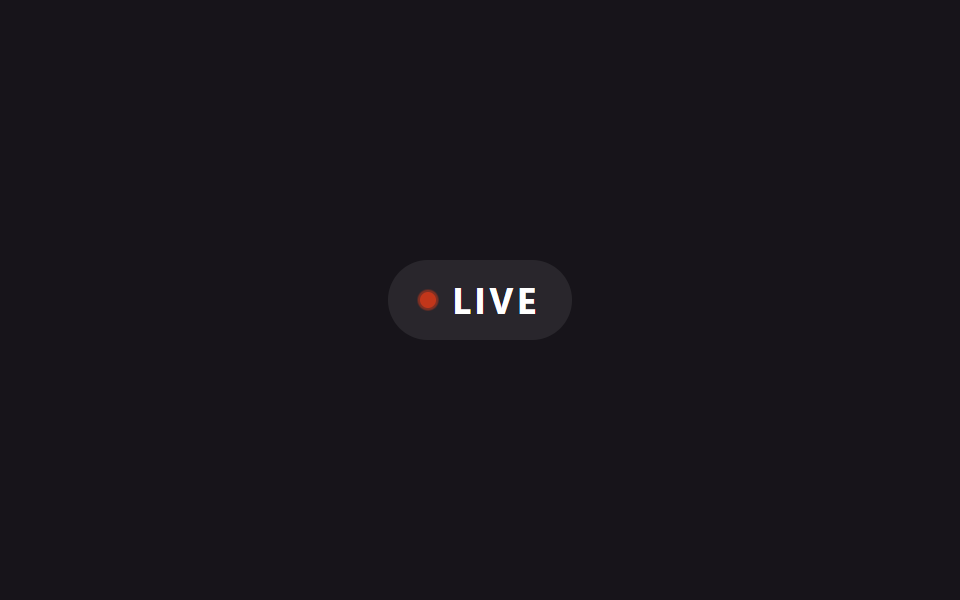 05 badge-live-pulse-dot
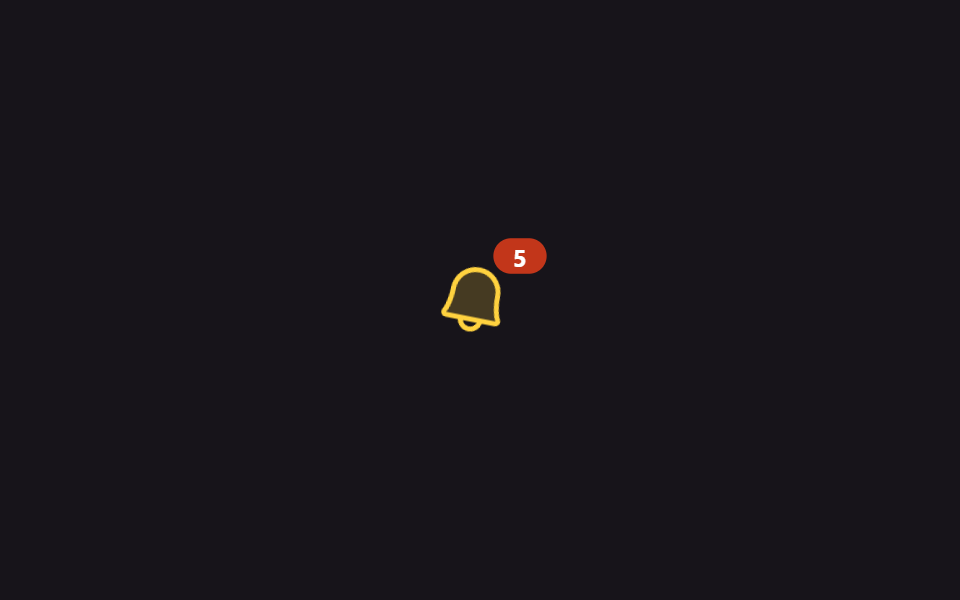 06 badge-count-notification
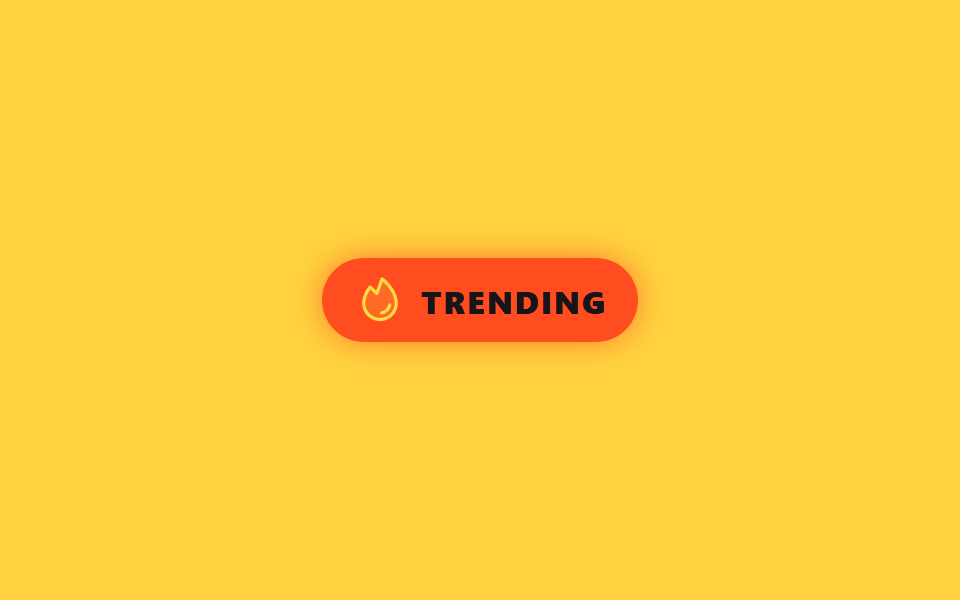 07 badge-trending-flame
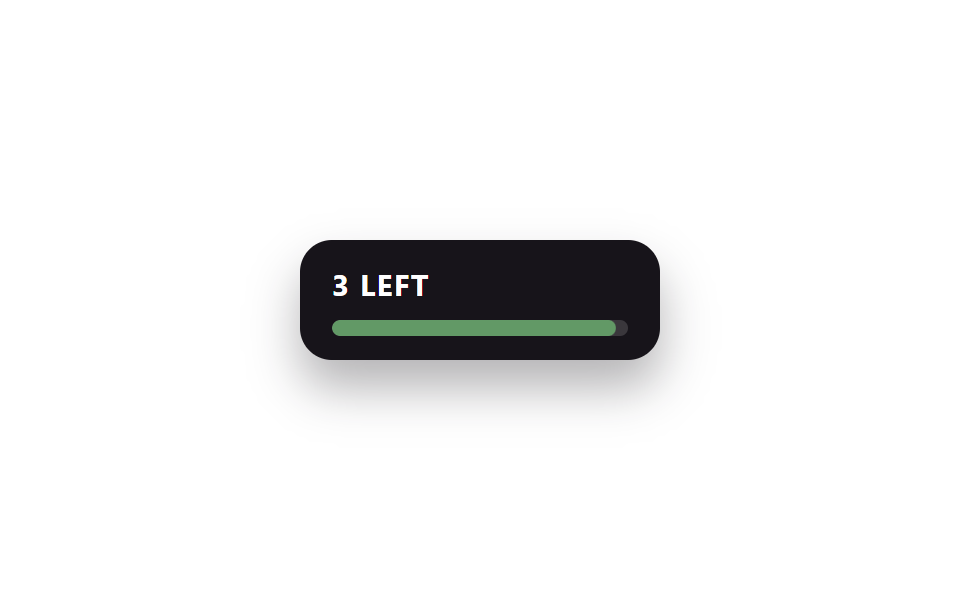 08 badge-limited-stock
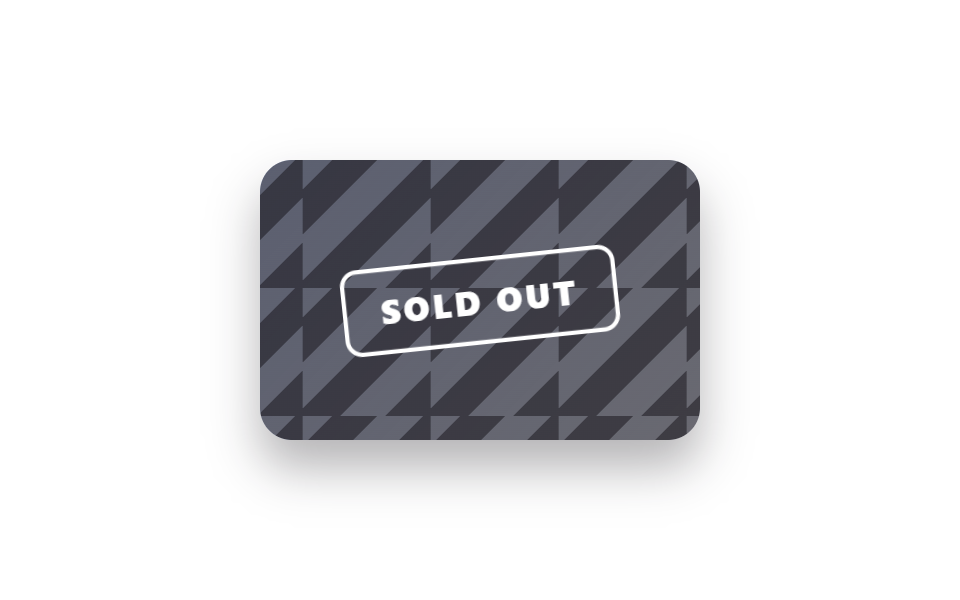 09 badge-sold-out-overlay
자동 재생 · 눌러서 해당 항목으로 · 전부 한 zip
- 01 코너 리본 뱃지
- 02 세일 태그 뱃지
- 03 인증 체크 뱃지
- 04 베타 그라데이션 필 뱃지
- 05 라이브 펄스 닷 뱃지
- 06 알림 카운트 뱃지
- 07 트렌딩 플레임 뱃지
- 08 한정 수량 재고바 뱃지
- 09 품절 스트라이프 오버레이
아홉 개는 인기순이 아니라 뱃지가 실제 쇼핑·서비스 화면에서 겪는 순서로 놓았다. 처음 눈에 띄는 신상(01)과 지갑을 열게 하는 세일(02)을 지나 믿음을 주는 인증(03)·아직 다듬는 중이라는 베타(04)를 거치고, 지금 진행 중인 라이브(05)와 원형 뱃지 디자인으로 쌓여가는 알림(06)·인기를 증명하는 트렌딩(07)을 지나 재고가 줄어드는 경고(08)와 마감을 알리는 품절(09)로 끝난다. 빛을 굴절시키는 쪽으로 번지면 CSS 홀로그램 카드 효과 9가지가 되고, 폼의 맞고 틀림을 알리는 쪽으로 가라앉으면 CSS 유효성 검사 애니메이션 9종이 된다.
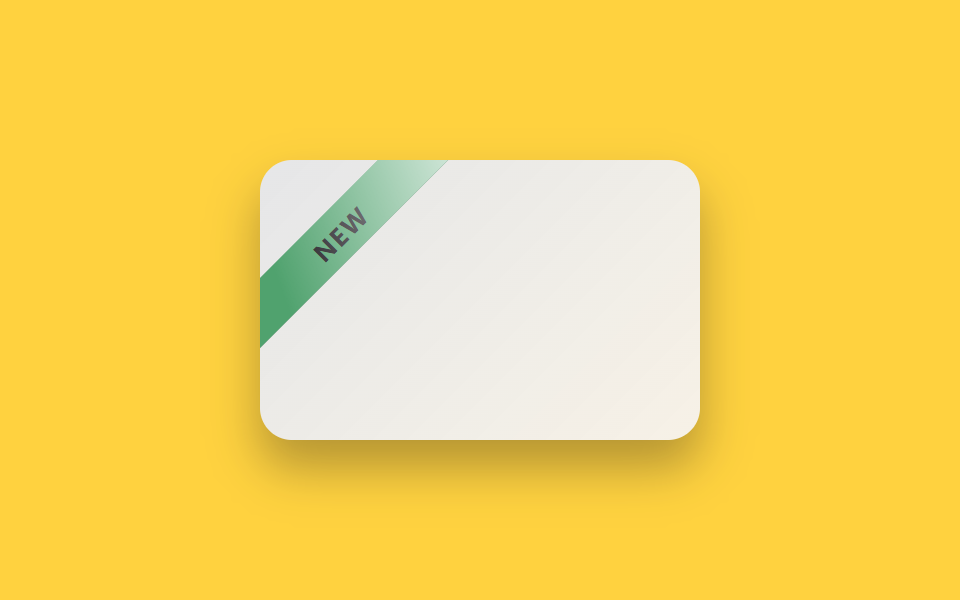
01코너 리본 뱃지
무엇이 보이나
카드 모서리를 가로지르는 리본을 rotate(-45deg) 로 눕히고, 리본 위에 흰 빛줄기(::after)를 겹쳐 background-position 만 반복 이동시켰다.
<main class="stage is-demo">
  <div class="card" aria-label="new arrival">
    <div class="thumb"></div>
    <div class="ribbon-wrap">
      <span class="ribbon">NEW</span>
    </div>
  </div>
</main>
@use "../../../../site/static/demo-tokens" as *;
// ── 변수 3개 ──────────────────────────────────────────
$duration: $dur-loop; // 2s — 빛줄기 한 주기
$easing: $ease-out;
$color: #50a26e; // NEW 리본 그린
@include stage($stage-yellow);
.card {
position: relative;
width: 220px; height: 140px;
border-radius: $r-card;
overflow: hidden;
background: $subject-cream;
box-shadow: $shadow-raised;
}
.thumb {
position: absolute; inset: 0;
background: linear-gradient(135deg, rgba($subject-blue, .12), rgba($subject-blue, .04));
}
.ribbon-wrap {
position: absolute;
top: $sp-6; left: -$sp-10;
width: 160px;
transform: rotate(-45deg);
overflow: hidden;
}
.ribbon {
position: relative;
display: block;
padding: $sp-1 0;
background: $color;
color: $subject-ink;
font-family: -apple-system, "Segoe UI", "Noto Sans KR", sans-serif;
font-weight: 700;
font-size: 13px;
letter-spacing: .06em;
text-align: center;
box-shadow: $shadow-press;
}
// 빛줄기 ::after — background-position 만 움직인다 (레이아웃은 그대로)
.ribbon::after {
content: "";
position: absolute; inset: 0;
background: linear-gradient(115deg, transparent 15%, rgba(255, 255, 255, .7) 45%, transparent 75%);
background-size: 220% 100%;
background-position: 140% 0;
}
.stage.is-demo .ribbon::after {
animation: shine-sweep $duration $easing infinite;
}
@keyframes shine-sweep {
0%, 15% { background-position: 140% 0; }
55% { background-position: -40% 0; }
100% { background-position: -40% 0; }
}
@media (prefers-reduced-motion: reduce) {
.stage.is-demo .ribbon::after { animation: none; background-position: 30% 0; }
}html, body {
margin: 0;
overflow: hidden;
}
.stage {
box-sizing: border-box;
min-height: 100vh;
display: grid;
place-items: center;
margin: 0;
background: #ffd23f;
font-family: -apple-system, "Segoe UI", "Noto Sans KR", sans-serif;
padding: clamp(8px, 4vw, 24px);
}
.card {
position: relative;
width: 220px;
height: 140px;
border-radius: 16px;
overflow: hidden;
background: #fff7e6;
box-shadow: 0 14px 24px rgba(23, 20, 26, 0.32);
}
.thumb {
position: absolute;
inset: 0;
background: linear-gradient(135deg, rgba(47, 109, 246, 0.12), rgba(47, 109, 246, 0.04));
}
.ribbon-wrap {
position: absolute;
top: 24px;
left: -40px;
width: 160px;
transform: rotate(-45deg);
overflow: hidden;
}
.ribbon {
position: relative;
display: block;
padding: 4px 0;
background: #50a26e;
color: #17141a;
font-family: -apple-system, "Segoe UI", "Noto Sans KR", sans-serif;
font-weight: 700;
font-size: 13px;
letter-spacing: 0.06em;
text-align: center;
box-shadow: 0 6px 12px rgba(23, 20, 26, 0.32);
}
.ribbon::after {
content: "";
position: absolute;
inset: 0;
background: linear-gradient(115deg, transparent 15%, rgba(255, 255, 255, 0.7) 45%, transparent 75%);
background-size: 220% 100%;
background-position: 140% 0;
}
.stage.is-demo .ribbon::after {
animation: shine-sweep 2s ease-out infinite;
}
@keyframes shine-sweep {
0%, 15% {
background-position: 140% 0;
}
55% {
background-position: -40% 0;
}
100% {
background-position: -40% 0;
}
}
@media (prefers-reduced-motion: reduce) {
.stage.is-demo .ribbon::after {
animation: none;
background-position: 30% 0;
}
}import type { CSSProperties } from "react";
import styles from "./BadgeNewRibbon.module.scss";
export type BadgeNewRibbonProps = {
duration?: number;
easing?: string;
color?: string;
label?: string;
};
export default function BadgeNewRibbon({
duration = 2000,
easing = "ease-out",
color = "#16a34a",
label = "NEW",
}: BadgeNewRibbonProps) {
const vars: CSSProperties = { "--duration": `${duration}ms`, "--easing": easing, "--color": color } as CSSProperties;
return (
<div className={styles.card} style={vars} aria-label="new arrival">
<div className={styles.thumb} />
<div className={styles.ribbonWrap}>
<span className={styles.ribbon}>{label}</span>
</div>
</div>
);
}01 · 코너 리본 뱃지 — 측정 누적면적 1.912% · 움직인 프레임 9/23GODRICH 원작 · zip 에 SCSS·React 포함 · 비밀번호 보기
코드에서 볼 곳
가만히 있어도 시선이 가는 신상품 라벨이 된다.
.ribbon-wrap {
  position: absolute;
  top: $sp-6; left: -$sp-10;
  transform: rotate(-45deg);
}
.ribbon::after {
  background: linear-gradient(115deg, transparent 15%, rgba(255, 255, 255, .7) 45%, transparent 75%);
  background-size: 220% 100%;
}
.stage.is-demo .ribbon::after {
  animation: shine-sweep $duration $easing infinite;
}
@keyframes shine-sweep {
  0%, 15% { background-position: 140% 0; }
  55%, 100% { background-position: -40% 0; }
}
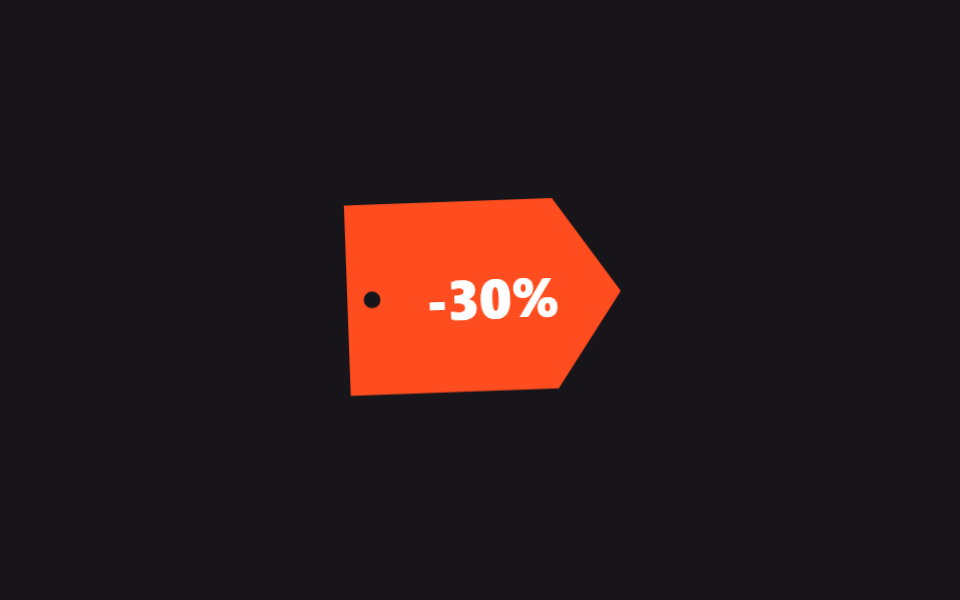
02세일 태그 뱃지
화면에서 일어나는 일
clip-path 로 잘라낸 진짜 가격표 모양(구멍 포함) 뱃지가 살짝 흔들리며 커졌다 작아지길 반복해, 실이 걸려 흔들리는 태그처럼 보인다.
<main class="stage is-demo">
  <div class="tag" aria-label="30% off">
    <span class="tag__hole"></span>
    <span class="tag__text">-30%</span>
  </div>
</main>
@use "../../../../site/static/demo-tokens" as *;
// ── 변수 3개 ──────────────────────────────────────────
$duration: $dur-loop; // 2s — 흔들림 한 주기
$easing: $ease-spring;
$color: $stage-orange; // 세일 오렌지레드
@include stage($stage-ink);
.tag {
position: relative;
width: 132px; height: 92px;
// 진짜 가격표 모양 — 오른쪽이 뾰족한 오각형
clip-path: polygon(0 0, 76% 0, 100% 50%, 76% 100%, 0 100%);
background: $color;
display: grid; place-items: center;
box-shadow: $shadow-raised;
transform-origin: 8% 50%; // 규칙8: 구멍 핀 고정 흔들림
}
.tag__hole {
position: absolute;
left: $sp-2; top: 50%;
width: $sp-2; height: $sp-2;
margin-top: -$sp-1;
border-radius: 50%;
background: $stage-ink;
}
.tag__text {
color: #fff;
font-family: -apple-system, "Segoe UI", "Noto Sans KR", sans-serif;
font-weight: 800;
font-size: 26px;
letter-spacing: -.01em;
padding-left: $sp-2;
}
.stage.is-demo .tag {
animation: tag-swing $duration $easing infinite;
}
@keyframes tag-swing {
0%, 100% { transform: rotate(0deg) scale(1); box-shadow: $shadow-raised; }
30% { transform: rotate(-6deg) scale(1.05); box-shadow: 0 18px 30px rgba(23, 20, 26, .4); }
60% { transform: rotate(3deg) scale(1.02); }
80% { transform: rotate(-1deg) scale(1); }
}
@media (prefers-reduced-motion: reduce) {
.stage.is-demo .tag { animation: none; }
}html, body {
margin: 0;
overflow: hidden;
}
.stage {
box-sizing: border-box;
min-height: 100vh;
display: grid;
place-items: center;
margin: 0;
background: #17141a;
font-family: -apple-system, "Segoe UI", "Noto Sans KR", sans-serif;
padding: clamp(8px, 4vw, 24px);
}
.tag {
position: relative;
width: 132px;
height: 92px;
clip-path: polygon(0 0, 76% 0, 100% 50%, 76% 100%, 0 100%);
background: #ff4d1f;
display: grid;
place-items: center;
box-shadow: 0 14px 24px rgba(23, 20, 26, 0.32);
transform-origin: 8% 50%;
}
.tag__hole {
position: absolute;
left: 8px;
top: 50%;
width: 8px;
height: 8px;
margin-top: -4px;
border-radius: 50%;
background: #17141a;
}
.tag__text {
color: #fff;
font-family: -apple-system, "Segoe UI", "Noto Sans KR", sans-serif;
font-weight: 800;
font-size: 26px;
letter-spacing: -0.01em;
padding-left: 8px;
}
.stage.is-demo .tag {
animation: tag-swing 2s cubic-bezier(0.2, 0.8, 0.2, 1) infinite;
}
@keyframes tag-swing {
0%, 100% {
transform: rotate(0deg) scale(1);
box-shadow: 0 14px 24px rgba(23, 20, 26, 0.32);
}
30% {
transform: rotate(-6deg) scale(1.05);
box-shadow: 0 18px 30px rgba(23, 20, 26, 0.4);
}
60% {
transform: rotate(3deg) scale(1.02);
}
80% {
transform: rotate(-1deg) scale(1);
}
}
@media (prefers-reduced-motion: reduce) {
.stage.is-demo .tag {
animation: none;
}
}import type { CSSProperties } from "react";
import styles from "./BadgeSalePercent.module.scss";
export type BadgeSalePercentProps = {
duration?: number;
easing?: string;
color?: string;
percent?: number;
};
export default function BadgeSalePercent({
duration = 2000,
easing = "cubic-bezier(.2,.8,.2,1)",
color = "#ff4d1f",
percent = 30,
}: BadgeSalePercentProps) {
const vars: CSSProperties = { "--duration": `${duration}ms`, "--easing": easing, "--color": color } as CSSProperties;
return (
<div className={styles.tag} style={vars} aria-label={`${percent}% off`}>
<span className={styles.hole} />
<span className={styles.text}>-{percent}%</span>
</div>
);
}02 · 세일 태그 뱃지 — 측정 누적면적 3.387% · 움직인 프레임 22/23GODRICH 원작 · zip 에 SCSS·React 포함 · 비밀번호 보기
코드 읽는 법
.tag {
  clip-path: polygon(0 0, 76% 0, 100% 50%, 76% 100%, 0 100%);
  transform-origin: 8% 50%;
}
.stage.is-demo .tag {
  animation: tag-swing $duration $easing infinite;
}
@keyframes tag-swing {
  0%, 100% { transform: rotate(0deg) scale(1); }
  30% { transform: rotate(-6deg) scale(1.05); }
  60% { transform: rotate(3deg) scale(1.02); }
  80% { transform: rotate(-1deg) scale(1); }
}
03인증 체크 뱃지
어떤 움직임인가
이름 옆 인증 배지를 Phosphor SVG 아이콘 하나로 두고, 확인되는 순간 transform: scale 이 1 → 1.28 → 0.94 → 1 로 튀어올랐다 가라앉아 확정된 느낌을 준다.
<main class="stage is-demo">
  <div class="row">
    <span class="avatar"></span>
    <span class="name">
      godrich
      <svg class="check" viewBox="0 0 256 256" width="20" height="20" aria-label="verified account">
        <g fill="currentColor"><path d="M232 128c0 12.51-17.82 21.95-22.68 33.69c-4.68 11.32 1.42 30.65-7.78 39.85s-28.53 3.1-39.85 7.78C150 214.18 140.5 232 128 232s-22-17.82-33.69-22.68c-11.32-4.68-30.65 1.42-39.85-7.78s-3.1-28.53-7.78-39.85C41.82 150 24 140.5 24 128s17.82-22 22.68-33.69c4.68-11.31-1.42-30.65 7.78-39.85s28.54-3.1 39.85-7.78C106.05 41.82 115.5 24 128 24s22 17.82 33.69 22.68c11.32 4.68 30.65-1.42 39.85 7.78s3.1 28.53 7.78 39.85C214.18 106.05 232 115.5 232 128" opacity=".2"/><path d="M225.86 102.82c-3.77-3.94-7.67-8-9.14-11.57c-1.36-3.27-1.44-8.69-1.52-13.94c-.15-9.76-.31-20.82-8-28.51s-18.75-7.85-28.51-8c-5.25-.08-10.67-.16-13.94-1.52c-3.56-1.47-7.63-5.37-11.57-9.14C146.28 23.51 138.44 16 128 16s-18.27 7.51-25.18 14.14c-3.94 3.77-8 7.67-11.57 9.14c-3.25 1.36-8.69 1.44-13.94 1.52c-9.76.15-20.82.31-28.51 8s-7.8 18.75-8 28.51c-.08 5.25-.16 10.67-1.52 13.94c-1.47 3.56-5.37 7.63-9.14 11.57C23.51 109.72 16 117.56 16 128s7.51 18.27 14.14 25.18c3.77 3.94 7.67 8 9.14 11.57c1.36 3.27 1.44 8.69 1.52 13.94c.15 9.76.31 20.82 8 28.51s18.75 7.85 28.51 8c5.25.08 10.67.16 13.94 1.52c3.56 1.47 7.63 5.37 11.57 9.14c6.9 6.63 14.74 14.14 25.18 14.14s18.27-7.51 25.18-14.14c3.94-3.77 8-7.67 11.57-9.14c3.27-1.36 8.69-1.44 13.94-1.52c9.76-.15 20.82-.31 28.51-8s7.85-18.75 8-28.51c.08-5.25.16-10.67 1.52-13.94c1.47-3.56 5.37-7.63 9.14-11.57c6.63-6.9 14.14-14.74 14.14-25.18s-7.51-18.27-14.14-25.18m-11.55 39.29c-4.79 5-9.75 10.17-12.38 16.52c-2.52 6.1-2.63 13.07-2.73 19.82c-.1 7-.21 14.33-3.32 17.43s-10.39 3.22-17.43 3.32c-6.75.1-13.72.21-19.82 2.73c-6.35 2.63-11.52 7.59-16.52 12.38S132 224 128 224s-9.15-4.92-14.11-9.69s-10.17-9.75-16.52-12.38c-6.1-2.52-13.07-2.63-19.82-2.73c-7-.1-14.33-.21-17.43-3.32s-3.22-10.39-3.32-17.43c-.1-6.75-.21-13.72-2.73-19.82c-2.63-6.35-7.59-11.52-12.38-16.52S32 132 32 128s4.92-9.15 9.69-14.11s9.75-10.17 12.38-16.52c2.52-6.1 2.63-13.07 2.73-19.82c.1-7 .21-14.33 3.32-17.43s10.39-3.22 17.43-3.32c6.75-.1 13.72-.21 19.82-2.73c6.35-2.63 11.52-7.59 16.52-12.38S124 32 128 32s9.15 4.92 14.11 9.69s10.17 9.75 16.52 12.38c6.1 2.52 13.07 2.63 19.82 2.73c7 .1 14.33.21 17.43 3.32s3.22 10.39 3.32 17.43c.1 6.75.21 13.72 2.73 19.82c2.63 6.35 7.59 11.52 12.38 16.52S224 124 224 128s-4.92 9.15-9.69 14.11m-40.65-43.77a8 8 0 0 1 0 11.32l-56 56a8 8 0 0 1-11.32 0l-24-24a8 8 0 0 1 11.32-11.32L112 148.69l50.34-50.35a8 8 0 0 1 11.32 0"/></g>
      </svg>
    </span>
  </div>
</main>
@use "../../../../site/static/demo-tokens" as *;
// ── 변수 3개 ──────────────────────────────────────────
$duration: $dur-loop; // 2s — 그리기+팝 한 주기
$easing: $ease-pop;
$color: $subject-blue;
@include stage($stage-paper);
.row {
display: flex; align-items: center; gap: $sp-2;
font-family: -apple-system, "Segoe UI", "Noto Sans KR", sans-serif;
}
.avatar {
width: $sp-10; height: $sp-10;
border-radius: 50%;
background: linear-gradient(135deg, $subject-blue, $subject-ink);
}
.name {
display: inline-flex; align-items: center; gap: $sp-1;
font-size: 20px; font-weight: 700; color: $subject-ink;
}
.check {
transform-origin: center;
color: $color; // Phosphor duotone: g fill="currentColor" 가 이 값을 물려받는다
}
.stage.is-demo .check {
animation: pop $duration $easing infinite;
}
@keyframes pop {
0%, 50% { transform: scale(1); }
62% { transform: scale(1.28); }
74% { transform: scale(0.94); }
86%, 100% { transform: scale(1); }
}
@media (prefers-reduced-motion: reduce) {
.stage.is-demo .check { animation: none; }
}html, body {
margin: 0;
overflow: hidden;
}
.stage {
box-sizing: border-box;
min-height: 100vh;
display: grid;
place-items: center;
margin: 0;
background: #ffffff;
font-family: -apple-system, "Segoe UI", "Noto Sans KR", sans-serif;
padding: clamp(8px, 4vw, 24px);
}
.row {
display: flex;
align-items: center;
gap: 8px;
font-family: -apple-system, "Segoe UI", "Noto Sans KR", sans-serif;
}
.avatar {
width: 40px;
height: 40px;
border-radius: 50%;
background: linear-gradient(135deg, #2f6df6, #17141a);
}
.name {
display: inline-flex;
align-items: center;
gap: 4px;
font-size: 20px;
font-weight: 700;
color: #17141a;
}
.check {
transform-origin: center;
color: #2f6df6;
}
.stage.is-demo .check {
animation: pop 2s cubic-bezier(0.2, 1.4, 0.4, 1) infinite;
}
@keyframes pop {
0%, 50% {
transform: scale(1);
}
62% {
transform: scale(1.28);
}
74% {
transform: scale(0.94);
}
86%, 100% {
transform: scale(1);
}
}
@media (prefers-reduced-motion: reduce) {
.stage.is-demo .check {
animation: none;
}
}import type { CSSProperties } from "react";
import styles from "./BadgeVerifiedCheck.module.scss";
export type BadgeVerifiedCheckProps = {
duration?: number;
easing?: string;
color?: string;
name?: string;
};
export default function BadgeVerifiedCheck({
duration = 2000,
easing = "cubic-bezier(.2,1.4,.4,1)",
color = "#2f6df6",
name = "godrich",
}: BadgeVerifiedCheckProps) {
const vars: CSSProperties = { "--duration": `${duration}ms`, "--easing": easing, "--color": color } as CSSProperties;
return (
<div className={styles.row} style={vars}>
<span className={styles.avatar} />
<span className={styles.name}>
{name}
<svg className={styles.check} viewBox="0 0 256 256" width={20} height={20} aria-label="verified account">
<g fill="currentColor"><path d="M232 128c0 12.51-17.82 21.95-22.68 33.69c-4.68 11.32 1.42 30.65-7.78 39.85s-28.53 3.1-39.85 7.78C150 214.18 140.5 232 128 232s-22-17.82-33.69-22.68c-11.32-4.68-30.65 1.42-39.85-7.78s-3.1-28.53-7.78-39.85C41.82 150 24 140.5 24 128s17.82-22 22.68-33.69c4.68-11.31-1.42-30.65 7.78-39.85s28.54-3.1 39.85-7.78C106.05 41.82 115.5 24 128 24s22 17.82 33.69 22.68c11.32 4.68 30.65-1.42 39.85 7.78s3.1 28.53 7.78 39.85C214.18 106.05 232 115.5 232 128" opacity=".2" /><path d="M225.86 102.82c-3.77-3.94-7.67-8-9.14-11.57c-1.36-3.27-1.44-8.69-1.52-13.94c-.15-9.76-.31-20.82-8-28.51s-18.75-7.85-28.51-8c-5.25-.08-10.67-.16-13.94-1.52c-3.56-1.47-7.63-5.37-11.57-9.14C146.28 23.51 138.44 16 128 16s-18.27 7.51-25.18 14.14c-3.94 3.77-8 7.67-11.57 9.14c-3.25 1.36-8.69 1.44-13.94 1.52c-9.76.15-20.82.31-28.51 8s-7.8 18.75-8 28.51c-.08 5.25-.16 10.67-1.52 13.94c-1.47 3.56-5.37 7.63-9.14 11.57C23.51 109.72 16 117.56 16 128s7.51 18.27 14.14 25.18c3.77 3.94 7.67 8 9.14 11.57c1.36 3.27 1.44 8.69 1.52 13.94c.15 9.76.31 20.82 8 28.51s18.75 7.85 28.51 8c5.25.08 10.67.16 13.94 1.52c3.56 1.47 7.63 5.37 11.57 9.14c6.9 6.63 14.74 14.14 25.18 14.14s18.27-7.51 25.18-14.14c3.94-3.77 8-7.67 11.57-9.14c3.27-1.36 8.69-1.44 13.94-1.52c9.76-.15 20.82-.31 28.51-8s7.85-18.75 8-28.51c.08-5.25.16-10.67 1.52-13.94c1.47-3.56 5.37-7.63 9.14-11.57c6.63-6.9 14.14-14.74 14.14-25.18s-7.51-18.27-14.14-25.18m-11.55 39.29c-4.79 5-9.75 10.17-12.38 16.52c-2.52 6.1-2.63 13.07-2.73 19.82c-.1 7-.21 14.33-3.32 17.43s-10.39 3.22-17.43 3.32c-6.75.1-13.72.21-19.82 2.73c-6.35 2.63-11.52 7.59-16.52 12.38S132 224 128 224s-9.15-4.92-14.11-9.69s-10.17-9.75-16.52-12.38c-6.1-2.52-13.07-2.63-19.82-2.73c-7-.1-14.33-.21-17.43-3.32s-3.22-10.39-3.32-17.43c-.1-6.75-.21-13.72-2.73-19.82c-2.63-6.35-7.59-11.52-12.38-16.52S32 132 32 128s4.92-9.15 9.69-14.11s9.75-10.17 12.38-16.52c2.52-6.1 2.63-13.07 2.73-19.82c.1-7 .21-14.33 3.32-17.43s10.39-3.22 17.43-3.32c6.75-.1 13.72-.21 19.82-2.73c6.35-2.63 11.52-7.59 16.52-12.38S124 32 128 32s9.15 4.92 14.11 9.69s10.17 9.75 16.52 12.38c6.1 2.52 13.07 2.63 19.82 2.73c7 .1 14.33.21 17.43 3.32s3.22 10.39 3.32 17.43c.1 6.75.21 13.72 2.73 19.82c2.63 6.35 7.59 11.52 12.38 16.52S224 124 224 128s-4.92 9.15-9.69 14.11m-40.65-43.77a8 8 0 0 1 0 11.32l-56 56a8 8 0 0 1-11.32 0l-24-24a8 8 0 0 1 11.32-11.32L112 148.69l50.34-50.35a8 8 0 0 1 11.32 0" /></g>
</svg>
</span>
</div>
);
}03 · 인증 체크 뱃지 — 측정 누적면적 0.231% · 움직인 프레임 6/23GODRICH 원작 · zip 에 SCSS·React 포함 · 비밀번호 보기
어디를 바꾸면 되나
.check {
  transform-origin: center;
  color: $color;   /* Phosphor duotone 의 fill="currentColor" 가 이 값을 물려받는다 */
}
.stage.is-demo .check {
  animation: pop $duration $easing infinite;
}
@keyframes pop {
  0%, 50% { transform: scale(1); }
  62% { transform: scale(1.28); }
  74% { transform: scale(0.94); }
  86%, 100% { transform: scale(1); }
}
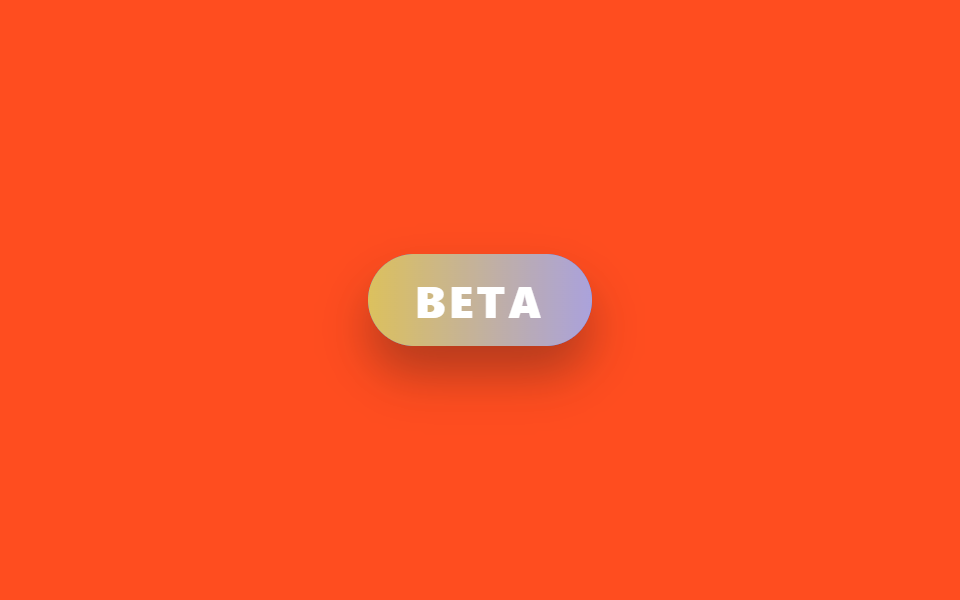
04베타 그라데이션 필 뱃지
무엇이 보이나
보라빛 레이어를 필 배경 위에 겹쳐 두고 opacity 만 0→1→0으로 오르내려, 두 색이 서로 스며들듯 교차하는 라벨을 만든다.
<main class="stage is-demo">
  <span class="pill" aria-label="beta feature">
    <span class="pill__glow"></span>
    <span class="pill__text">BETA</span>
  </span>
</main>
@use "../../../../site/static/demo-tokens" as *;
// ── 변수 3개 ──────────────────────────────────────────
$duration: $dur-loop; // 2s — 색이 번갈아 드러나는 한 주기
$easing: $ease-out;
$color: $subject-blue;
@include stage($stage-orange);
.pill {
position: relative;
display: inline-block;
padding: $sp-2 $sp-6;
border-radius: $r-pill;
font-family: -apple-system, "Segoe UI", "Noto Sans KR", sans-serif;
font-weight: 800;
font-size: 22px;
letter-spacing: .08em;
color: #fff;
background: $color;
box-shadow: $shadow-raised;
overflow: hidden;
}
// 보라 레이어를 겹쳐 두고 opacity 만 오르내린다 — background-position 은
// 리페인트가 스크린샷 타이밍과 안 맞아 프레임 사이 변화가 문턱 아래로 묻혔다 (213 실측)
.pill__glow {
position: absolute; inset: 0;
background: linear-gradient(90deg, $stage-yellow, #c3add7);
opacity: 0;
}
.pill__text {
position: relative;
}
.stage.is-demo .pill__glow {
animation: glow-cross $duration $easing infinite;
}
@keyframes glow-cross {
0%, 10% { opacity: 0; }
50% { opacity: 1; }
90%, 100% { opacity: 0; }
}
@media (prefers-reduced-motion: reduce) {
.stage.is-demo .pill__glow { animation: none; opacity: .5; }
}html, body {
margin: 0;
overflow: hidden;
}
.stage {
box-sizing: border-box;
min-height: 100vh;
display: grid;
place-items: center;
margin: 0;
background: #ff4d1f;
font-family: -apple-system, "Segoe UI", "Noto Sans KR", sans-serif;
padding: clamp(8px, 4vw, 24px);
}
.pill {
position: relative;
display: inline-block;
padding: 8px 24px;
border-radius: 999px;
font-family: -apple-system, "Segoe UI", "Noto Sans KR", sans-serif;
font-weight: 800;
font-size: 22px;
letter-spacing: 0.08em;
color: #fff;
background: #2f6df6;
box-shadow: 0 14px 24px rgba(23, 20, 26, 0.32);
overflow: hidden;
}
.pill__glow {
position: absolute;
inset: 0;
background: linear-gradient(90deg, #ffd23f, #c3add7);
opacity: 0;
}
.pill__text {
position: relative;
}
.stage.is-demo .pill__glow {
animation: glow-cross 2s ease-out infinite;
}
@keyframes glow-cross {
0%, 10% {
opacity: 0;
}
50% {
opacity: 1;
}
90%, 100% {
opacity: 0;
}
}
@media (prefers-reduced-motion: reduce) {
.stage.is-demo .pill__glow {
animation: none;
opacity: 0.5;
}
}import type { CSSProperties } from "react";
import styles from "./BadgeBetaPill.module.scss";
export type BadgeBetaPillProps = {
duration?: number;
easing?: string;
color?: string;
label?: string;
};
export default function BadgeBetaPill({
duration = 2000,
easing = "ease-out",
color = "#2f6df6",
label = "BETA",
}: BadgeBetaPillProps) {
const vars: CSSProperties = { "--duration": `${duration}ms`, "--easing": easing, "--color": color } as CSSProperties;
return (
<span className={styles.pill} style={vars} aria-label="beta feature">
<span className={styles.glow} />
<span className={styles.text}>{label}</span>
</span>
);
}04 · 베타 그라데이션 필 뱃지 — 측정 누적면적 2.951% · 움직인 프레임 16/23GODRICH 원작 · zip 에 SCSS·React 포함 · 비밀번호 보기
코드에서 볼 곳
.pill { position: relative; overflow: hidden; }
.pill__glow {
  position: absolute; inset: 0;
  background: linear-gradient(90deg, $stage-yellow, #a855f7);
  opacity: 0;
}
.stage.is-demo .pill__glow {
  animation: glow-cross $duration $easing infinite;
}
@keyframes glow-cross {
  0%, 10% { opacity: 0; }
  50% { opacity: 1; }
  90%, 100% { opacity: 0; }
}
05라이브 펄스 닷 뱃지
화면에서 일어나는 일
점 뒤에 깔린 ::before 원이 scale 로 커지며 opacity 가 0까지 옅어지길 반복해, 레이더 핑처럼 신호가 퍼져나가는 걸 보여준다.
<main class="stage is-demo">
  <span class="badge" aria-label="live now">
    <span class="dot"></span>
    LIVE
  </span>
</main>
@use "../../../../site/static/demo-tokens" as *;
// ── 변수 3개 ──────────────────────────────────────────
$duration: $dur-loop; // 2s — 핑 한 주기
$easing: $ease-out;
$color: $error;
@include stage($stage-ink);
.badge {
display: inline-flex; align-items: center; gap: $sp-2;
padding: $sp-2 $sp-4;
border-radius: $r-pill;
background: rgba($stage-paper, .08);
color: $stage-paper;
font-family: -apple-system, "Segoe UI", "Noto Sans KR", sans-serif;
font-weight: 700;
font-size: 18px;
letter-spacing: .1em;
}
.dot {
position: relative;
width: $sp-2; height: $sp-2;
border-radius: 50%;
background: $color;
}
.dot::before {
content: "";
position: absolute; inset: 0;
border-radius: 50%;
background: $color;
}
.stage.is-demo .dot::before {
animation: ping $duration $easing infinite;
}
@keyframes ping {
0% { transform: scale(1); opacity: .7; }
70%, 100% { transform: scale(2.6); opacity: 0; }
}
@media (prefers-reduced-motion: reduce) {
.stage.is-demo .dot::before { animation: none; opacity: 0; }
}html, body {
margin: 0;
overflow: hidden;
}
.stage {
box-sizing: border-box;
min-height: 100vh;
display: grid;
place-items: center;
margin: 0;
background: #17141a;
font-family: -apple-system, "Segoe UI", "Noto Sans KR", sans-serif;
padding: clamp(8px, 4vw, 24px);
}
.badge {
display: inline-flex;
align-items: center;
gap: 8px;
padding: 8px 16px;
border-radius: 999px;
background: rgba(255, 255, 255, 0.08);
color: #ffffff;
font-family: -apple-system, "Segoe UI", "Noto Sans KR", sans-serif;
font-weight: 700;
font-size: 18px;
letter-spacing: 0.1em;
}
.dot {
position: relative;
width: 8px;
height: 8px;
border-radius: 50%;
background: #c2361a;
}
.dot::before {
content: "";
position: absolute;
inset: 0;
border-radius: 50%;
background: #c2361a;
}
.stage.is-demo .dot::before {
animation: ping 2s ease-out infinite;
}
@keyframes ping {
0% {
transform: scale(1);
opacity: 0.7;
}
70%, 100% {
transform: scale(2.6);
opacity: 0;
}
}
@media (prefers-reduced-motion: reduce) {
.stage.is-demo .dot::before {
animation: none;
opacity: 0;
}
}import type { CSSProperties } from "react";
import styles from "./BadgeLivePulseDot.module.scss";
export type BadgeLivePulseDotProps = {
duration?: number;
easing?: string;
color?: string;
label?: string;
};
export default function BadgeLivePulseDot({
duration = 2000,
easing = "ease-out",
color = "#c2361a",
label = "LIVE",
}: BadgeLivePulseDotProps) {
const vars: CSSProperties = { "--duration": `${duration}ms`, "--easing": easing, "--color": color } as CSSProperties;
return (
<span className={styles.badge} style={vars} aria-label="live now">
<span className={styles.dot} />
{label}
</span>
);
}05 · 라이브 펄스 닷 뱃지 — 측정 누적면적 0.147% · 움직인 프레임 8/23GODRICH 원작 · zip 에 SCSS·React 포함 · 비밀번호 보기
코드 읽는 법
.dot { position: relative; }
.dot::before {
  content: "";
  position: absolute; inset: 0;
  border-radius: 50%;
  background: $color;
}
.stage.is-demo .dot::before {
  animation: ping $duration $easing infinite;
}
@keyframes ping {
  0% { transform: scale(1); opacity: .7; }
  70%, 100% { transform: scale(2.6); opacity: 0; }
}
06알림 카운트 뱃지
웹 토스트 알림과 어떤 움직임이 다른가
숫자 원이 scale(0) 에서 튕기듯 커졌다가 안착하는 순간, 벨 아이콘도 짧게 rotate 로 흔들려 알림이 막 도착했다는 신호를 같이 준다.
<main class="stage is-demo">
  <div class="bell-wrap" aria-label="5 new notifications">
    <svg class="bell" viewBox="0 0 256 256" width="40" height="40" aria-hidden="true">
      <g fill="currentColor"><path d="M208 192H48a8 8 0 0 1-6.88-12C47.71 168.6 56 139.81 56 104a72 72 0 0 1 144 0c0 35.82 8.3 64.6 14.9 76a8 8 0 0 1-6.9 12" opacity=".2"/><path d="M221.8 175.94c-5.55-9.56-13.8-36.61-13.8-71.94a80 80 0 1 0-160 0c0 35.34-8.26 62.38-13.81 71.94A16 16 0 0 0 48 200h40.81a40 40 0 0 0 78.38 0H208a16 16 0 0 0 13.8-24.06M128 216a24 24 0 0 1-22.62-16h45.24A24 24 0 0 1 128 216m-80-32c7.7-13.24 16-43.92 16-80a64 64 0 1 1 128 0c0 36.05 8.28 66.73 16 80Z"/></g>
    </svg>
    <span class="count">5</span>
  </div>
</main>
@use "../../../../site/static/demo-tokens" as *;
// ── 변수 3개 ──────────────────────────────────────────
$duration: $dur-loop; // 2s — 흔들림+팝 한 주기
$easing: $ease-pop;
$color: $error;
@include stage($stage-ink);
.bell-wrap {
position: relative;
width: 64px; height: 64px;
display: grid; place-items: center;
}
.bell {
transform-origin: 50% 12%; // 규칙8: 종 꼭지점 흔들림
color: $stage-yellow; // Phosphor duotone: g fill="currentColor" 가 이 값을 물려받는다
}
.count {
position: absolute;
top: 2px; right: 0;
min-width: $sp-4; height: $sp-4;
border-radius: $r-pill;
background: $color;
color: #fff;
font-family: -apple-system, "Segoe UI", "Noto Sans KR", sans-serif;
font-weight: 700;
font-size: 11px;
display: grid; place-items: center;
padding: 0 $sp-1;
box-shadow: 0 0 0 2px $stage-ink;
transform: scale(0);
}
.stage.is-demo .bell {
animation: shake $duration $easing infinite;
}
.stage.is-demo .count {
animation: pop-in $duration $easing infinite;
}
@keyframes shake {
0%, 55%, 100% { transform: rotate(0deg); }
60% { transform: rotate(-12deg); }
65% { transform: rotate(10deg); }
70% { transform: rotate(-7deg); }
75% { transform: rotate(4deg); }
80% { transform: rotate(0deg); }
}
@keyframes pop-in {
0%, 52% { transform: scale(0); }
62% { transform: scale(1.15); }
74%, 100% { transform: scale(1); }
}
@media (prefers-reduced-motion: reduce) {
.stage.is-demo .bell { animation: none; }
.stage.is-demo .count { animation: none; transform: scale(1); }
}html, body {
margin: 0;
overflow: hidden;
}
.stage {
box-sizing: border-box;
min-height: 100vh;
display: grid;
place-items: center;
margin: 0;
background: #17141a;
font-family: -apple-system, "Segoe UI", "Noto Sans KR", sans-serif;
padding: clamp(8px, 4vw, 24px);
}
.bell-wrap {
position: relative;
width: 64px;
height: 64px;
display: grid;
place-items: center;
}
.bell {
transform-origin: 50% 12%;
color: #ffd23f;
}
.count {
position: absolute;
top: 2px;
right: 0;
min-width: 16px;
height: 16px;
border-radius: 999px;
background: #c2361a;
color: #fff;
font-family: -apple-system, "Segoe UI", "Noto Sans KR", sans-serif;
font-weight: 700;
font-size: 11px;
display: grid;
place-items: center;
padding: 0 4px;
box-shadow: 0 0 0 2px #17141a;
transform: scale(0);
}
.stage.is-demo .bell {
animation: shake 2s cubic-bezier(0.2, 1.4, 0.4, 1) infinite;
}
.stage.is-demo .count {
animation: pop-in 2s cubic-bezier(0.2, 1.4, 0.4, 1) infinite;
}
@keyframes shake {
0%, 55%, 100% {
transform: rotate(0deg);
}
60% {
transform: rotate(-12deg);
}
65% {
transform: rotate(10deg);
}
70% {
transform: rotate(-7deg);
}
75% {
transform: rotate(4deg);
}
80% {
transform: rotate(0deg);
}
}
@keyframes pop-in {
0%, 52% {
transform: scale(0);
}
62% {
transform: scale(1.15);
}
74%, 100% {
transform: scale(1);
}
}
@media (prefers-reduced-motion: reduce) {
.stage.is-demo .bell {
animation: none;
}
.stage.is-demo .count {
animation: none;
transform: scale(1);
}
}import type { CSSProperties } from "react";
import styles from "./BadgeCountNotification.module.scss";
export type BadgeCountNotificationProps = {
duration?: number;
easing?: string;
color?: string;
count?: number;
};
export default function BadgeCountNotification({
duration = 2000,
easing = "cubic-bezier(.2,1.4,.4,1)",
color = "#c2361a",
count = 5,
}: BadgeCountNotificationProps) {
const vars: CSSProperties = { "--duration": `${duration}ms`, "--easing": easing, "--color": color } as CSSProperties;
return (
<div className={styles.bellWrap} style={vars} aria-label={`${count} new notifications`}>
<svg className={styles.bell} viewBox="0 0 256 256" width={40} height={40} aria-hidden="true">
<g fill="currentColor"><path d="M208 192H48a8 8 0 0 1-6.88-12C47.71 168.6 56 139.81 56 104a72 72 0 0 1 144 0c0 35.82 8.3 64.6 14.9 76a8 8 0 0 1-6.9 12" opacity=".2" /><path d="M221.8 175.94c-5.55-9.56-13.8-36.61-13.8-71.94a80 80 0 1 0-160 0c0 35.34-8.26 62.38-13.81 71.94A16 16 0 0 0 48 200h40.81a40 40 0 0 0 78.38 0H208a16 16 0 0 0 13.8-24.06M128 216a24 24 0 0 1-22.62-16h45.24A24 24 0 0 1 128 216m-80-32c7.7-13.24 16-43.92 16-80a64 64 0 1 1 128 0c0 36.05 8.28 66.73 16 80Z" /></g>
</svg>
<span className={styles.count}>{count}</span>
</div>
);
}06 · 알림 카운트 뱃지 — 측정 누적면적 0.864% · 움직인 프레임 7/23GODRICH 원작 · zip 에 SCSS·React 포함 · 비밀번호 보기
어디를 바꾸면 되나
.count {
  transform: scale(0);
}
.stage.is-demo .bell {
  animation: shake $duration $easing infinite;
}
.stage.is-demo .count {
  animation: pop-in $duration $easing infinite;
}
@keyframes pop-in {
  0%, 52% { transform: scale(0); }
  62% { transform: scale(1.15); }
  74%, 100% { transform: scale(1); }
}
07트렌딩 플레임 뱃지
무엇이 보이나
불꽃 SVG 에 filter: brightness·hue-rotate 를 프레임마다 살짝 어긋나게 걸어, 규칙적으로 깜빡이지 않고 진짜 불처럼 고르지 않게 일렁이게 만든다.
<main class="stage is-demo">
  <span class="badge" aria-label="trending">
    <svg class="flame" viewBox="0 0 256 256" width="26" height="26" aria-hidden="true">
      <g fill="currentColor"><path d="M208 144a80 80 0 0 1-160 0c0-30.57 14.42-58.26 31-80l33 32l26.27-72C159.86 41.92 208 88.15 208 144" opacity=".2"/><path d="M183.89 153.34a57.6 57.6 0 0 1-46.56 46.55a9 9 0 0 1-1.33.11a8 8 0 0 1-1.32-15.89c16.57-2.79 30.63-16.85 33.44-33.45a8 8 0 0 1 15.78 2.68ZM216 144a88 88 0 0 1-176 0c0-27.92 11-56.47 32.66-84.85a8 8 0 0 1 11.93-.89l24.12 23.41l22-60.41a8 8 0 0 1 12.63-3.41C165.21 36 216 84.55 216 144m-16 0c0-46.09-35.79-85.92-58.21-106.33l-22.27 61.07a8 8 0 0 1-13.09 3L80.06 76.16C64.09 99.21 56 122 56 144a72 72 0 0 0 144 0"/></g>
    </svg>
    TRENDING
  </span>
</main>
@use "../../../../site/static/demo-tokens" as *;
// ── 변수 3개 ──────────────────────────────────────────
$duration: 900ms; // 불꽃 한 번 일렁임 — 깜빡임은 빨라야 산다
$easing: $ease-out;
$color: $stage-orange;
@include stage($stage-yellow);
.badge {
display: inline-flex; align-items: center; gap: $sp-2;
padding: $sp-2 $sp-4;
border-radius: $r-pill;
background: $stage-orange;
color: $subject-ink;
font-family: -apple-system, "Segoe UI", "Noto Sans KR", sans-serif;
font-weight: 800;
font-size: 16px;
letter-spacing: .06em;
box-shadow: 0 0 $sp-2 rgba($color, .5);
}
.flame {
color: $stage-yellow; // Phosphor duotone: g fill="currentColor" 가 이 값을 물려받는다
filter: brightness(1) hue-rotate(0deg);
}
.stage.is-demo .flame {
animation: flicker $duration $easing infinite alternate;
}
.stage.is-demo .badge {
animation: glow-pulse #{$duration * 2} $easing infinite;
}
// 프레임마다 어긋나는 정지 구간 — 규칙적인 깜빡임이 아니라 진짜 불처럼
@keyframes flicker {
0% { filter: brightness(1) hue-rotate(0deg); transform: scale(1) skewX(0deg); }
18% { filter: brightness(1.25) hue-rotate(-6deg); transform: scale(1.05) skewX(-2deg); }
40% { filter: brightness(.92) hue-rotate(4deg); transform: scale(.97) skewX(1deg); }
63% { filter: brightness(1.15) hue-rotate(-3deg); transform: scale(1.03) skewX(-1deg); }
81% { filter: brightness(.97) hue-rotate(2deg); transform: scale(1) skewX(1deg); }
100% { filter: brightness(1.2) hue-rotate(-5deg); transform: scale(1.04) skewX(-2deg); }
}
@keyframes glow-pulse {
0%, 100% { box-shadow: 0 0 $sp-2 rgba($color, .5); }
50% { box-shadow: 0 0 $sp-6 rgba($color, .85), 0 0 $sp-2 rgba($stage-yellow, .5); }
}
@media (prefers-reduced-motion: reduce) {
.stage.is-demo .flame { animation: none; }
.stage.is-demo .badge { animation: none; }
}html, body {
margin: 0;
overflow: hidden;
}
.stage {
box-sizing: border-box;
min-height: 100vh;
display: grid;
place-items: center;
margin: 0;
background: #ffd23f;
font-family: -apple-system, "Segoe UI", "Noto Sans KR", sans-serif;
padding: clamp(8px, 4vw, 24px);
}
.badge {
display: inline-flex;
align-items: center;
gap: 8px;
padding: 8px 16px;
border-radius: 999px;
background: #ff4d1f;
color: #17141a;
font-family: -apple-system, "Segoe UI", "Noto Sans KR", sans-serif;
font-weight: 800;
font-size: 16px;
letter-spacing: 0.06em;
box-shadow: 0 0 8px rgba(255, 77, 31, 0.5);
}
.flame {
color: #ffd23f;
filter: brightness(1) hue-rotate(0deg);
}
.stage.is-demo .flame {
animation: flicker 900ms ease-out infinite alternate;
}
.stage.is-demo .badge {
animation: glow-pulse 1800ms ease-out infinite;
}
@keyframes flicker {
0% {
filter: brightness(1) hue-rotate(0deg);
transform: scale(1) skewX(0deg);
}
18% {
filter: brightness(1.25) hue-rotate(-6deg);
transform: scale(1.05) skewX(-2deg);
}
40% {
filter: brightness(0.92) hue-rotate(4deg);
transform: scale(0.97) skewX(1deg);
}
63% {
filter: brightness(1.15) hue-rotate(-3deg);
transform: scale(1.03) skewX(-1deg);
}
81% {
filter: brightness(0.97) hue-rotate(2deg);
transform: scale(1) skewX(1deg);
}
100% {
filter: brightness(1.2) hue-rotate(-5deg);
transform: scale(1.04) skewX(-2deg);
}
}
@keyframes glow-pulse {
0%, 100% {
box-shadow: 0 0 8px rgba(255, 77, 31, 0.5);
}
50% {
box-shadow: 0 0 24px rgba(255, 77, 31, 0.85), 0 0 8px rgba(255, 210, 63, 0.5);
}
}
@media (prefers-reduced-motion: reduce) {
.stage.is-demo .flame {
animation: none;
}
.stage.is-demo .badge {
animation: none;
}
}import type { CSSProperties } from "react";
import styles from "./BadgeTrendingFlame.module.scss";
export type BadgeTrendingFlameProps = {
duration?: number;
easing?: string;
color?: string;
label?: string;
};
export default function BadgeTrendingFlame({
duration = 900,
easing = "ease-out",
color = "#ff4d1f",
label = "TRENDING",
}: BadgeTrendingFlameProps) {
const vars: CSSProperties = { "--duration": `${duration}ms`, "--easing": easing, "--color": color } as CSSProperties;
return (
<span className={styles.badge} style={vars} aria-label="trending">
<svg className={styles.flame} viewBox="0 0 256 256" width={26} height={26} aria-hidden="true">
<g fill="currentColor"><path d="M208 144a80 80 0 0 1-160 0c0-30.57 14.42-58.26 31-80l33 32l26.27-72C159.86 41.92 208 88.15 208 144" opacity=".2" /><path d="M183.89 153.34a57.6 57.6 0 0 1-46.56 46.55a9 9 0 0 1-1.33.11a8 8 0 0 1-1.32-15.89c16.57-2.79 30.63-16.85 33.44-33.45a8 8 0 0 1 15.78 2.68ZM216 144a88 88 0 0 1-176 0c0-27.92 11-56.47 32.66-84.85a8 8 0 0 1 11.93-.89l24.12 23.41l22-60.41a8 8 0 0 1 12.63-3.41C165.21 36 216 84.55 216 144m-16 0c0-46.09-35.79-85.92-58.21-106.33l-22.27 61.07a8 8 0 0 1-13.09 3L80.06 76.16C64.09 99.21 56 122 56 144a72 72 0 0 0 144 0" /></g>
</svg>
{label}
</span>
);
}07 · 트렌딩 플레임 뱃지 — 측정 누적면적 3.995% · 움직인 프레임 22/23GODRICH 원작 · zip 에 SCSS·React 포함 · 비밀번호 보기
코드에서 볼 곳
.stage.is-demo .flame {
  animation: flicker $duration $easing infinite alternate;
}
@keyframes flicker {
  0% { filter: brightness(1) hue-rotate(0deg); transform: scale(1); }
  18% { filter: brightness(1.25) hue-rotate(-6deg); transform: scale(1.05); }
  40% { filter: brightness(.92) hue-rotate(4deg); transform: scale(.97); }
  63% { filter: brightness(1.15) hue-rotate(-3deg); transform: scale(1.03); }
  81% { filter: brightness(.97) hue-rotate(2deg); transform: scale(1); }
  100% { filter: brightness(1.2) hue-rotate(-5deg); transform: scale(1.04); }
}
08한정 수량 재고바 뱃지
화면에서 일어나는 일
뱃지 안 얇은 막대가 transform-origin: left 기준으로 scaleX 를 줄이며, 동시에 배경색이 초록→주황→빨강으로 바뀌어 재고가 줄어드는 걸 길이와 색으로 같이 보여준다.
<main class="stage is-demo">
  <div class="badge" aria-label="3 left in stock">
    <span class="label">3 LEFT</span>
    <span class="track"><span class="fill"></span></span>
  </div>
</main>
@use "../../../../site/static/demo-tokens" as *;
// ── 변수 3개 ──────────────────────────────────────────
$duration: $dur-loop; // 2s — 재고바가 줄어드는 한 주기
$easing: $ease-out;
$color: #50a26e; // 재고 넉넉함(시작 색)
@include stage($stage-paper);
.badge {
width: 148px;
padding: $sp-3 $sp-4;
border-radius: $r-card;
background: $subject-ink;
box-shadow: $shadow-raised;
font-family: -apple-system, "Segoe UI", "Noto Sans KR", sans-serif;
}
.label {
display: block;
margin-bottom: $sp-2;
color: #fff;
font-weight: 700;
font-size: 15px;
letter-spacing: .04em;
}
.track {
display: block;
width: 100%; height: $sp-2;
border-radius: $r-xs;
background: rgba(255, 255, 255, .15);
overflow: hidden;
}
.fill {
display: block;
width: 100%; height: 100%;
border-radius: $r-xs;
background: $color;
transform: scaleX(1);
transform-origin: left; // 규칙8: 재고게이지 left 기준
}
.stage.is-demo .fill {
animation: drain $duration $easing infinite;
}
@keyframes drain {
0%, 10% { transform: scaleX(1); background: $color; }
50% { transform: scaleX(.6); background: $stage-orange; }
90%, 100% { transform: scaleX(.25); background: $error; }
}
@media (prefers-reduced-motion: reduce) {
.stage.is-demo .fill { animation: none; transform: scaleX(.25); background: $error; }
}html, body {
margin: 0;
overflow: hidden;
}
.stage {
box-sizing: border-box;
min-height: 100vh;
display: grid;
place-items: center;
margin: 0;
background: #ffffff;
font-family: -apple-system, "Segoe UI", "Noto Sans KR", sans-serif;
padding: clamp(8px, 4vw, 24px);
}
.badge {
width: 148px;
padding: 12px 16px;
border-radius: 16px;
background: #17141a;
box-shadow: 0 14px 24px rgba(23, 20, 26, 0.32);
font-family: -apple-system, "Segoe UI", "Noto Sans KR", sans-serif;
}
.label {
display: block;
margin-bottom: 8px;
color: #fff;
font-weight: 700;
font-size: 15px;
letter-spacing: 0.04em;
}
.track {
display: block;
width: 100%;
height: 8px;
border-radius: 4px;
background: rgba(255, 255, 255, 0.15);
overflow: hidden;
}
.fill {
display: block;
width: 100%;
height: 100%;
border-radius: 4px;
background: #50a26e;
transform: scaleX(1);
transform-origin: left;
}
.stage.is-demo .fill {
animation: drain 2s ease-out infinite;
}
@keyframes drain {
0%, 10% {
transform: scaleX(1);
background: #50a26e;
}
50% {
transform: scaleX(0.6);
background: #ff4d1f;
}
90%, 100% {
transform: scaleX(0.25);
background: #c2361a;
}
}
@media (prefers-reduced-motion: reduce) {
.stage.is-demo .fill {
animation: none;
transform: scaleX(0.25);
background: #c2361a;
}
}import type { CSSProperties } from "react";
import styles from "./BadgeLimitedStock.module.scss";
export type BadgeLimitedStockProps = {
duration?: number;
easing?: string;
color?: string;
left?: number;
};
export default function BadgeLimitedStock({
duration = 2000,
easing = "ease-out",
color = "#16a34a",
left = 3,
}: BadgeLimitedStockProps) {
const vars: CSSProperties = { "--duration": `${duration}ms`, "--easing": easing, "--color": color } as CSSProperties;
return (
<div className={styles.badge} style={vars} aria-label={`${left} left in stock`}>
<span className={styles.label}>{left} LEFT</span>
<span className={styles.track}>
<span className={styles.fill} />
</span>
</div>
);
}08 · 한정 수량 재고바 뱃지 — 측정 누적면적 0.817% · 움직인 프레임 20/23GODRICH 원작 · zip 에 SCSS·React 포함 · 비밀번호 보기
코드 읽는 법
.fill {
  transform: scaleX(1);
  transform-origin: left;
}
.stage.is-demo .fill {
  animation: drain $duration $easing infinite;
}
@keyframes drain {
  0%, 10% { transform: scaleX(1); background: $color; }
  50% { transform: scaleX(.6); background: $stage-orange; }
  90%, 100% { transform: scaleX(.25); background: $error; }
}
09품절 스트라이프 오버레이
어떤 움직임인가
카드를 덮은 repeating-linear-gradient 사선 줄무늬가 background-position 이동으로 계속 흘러가고, 가운데 SOLD OUT 도장은 숨쉬듯 scale 이 오르내린다.
<main class="stage is-demo">
  <div class="card" aria-label="sold out">
    <div class="thumb"></div>
    <div class="overlay">
      <span class="stamp">SOLD OUT</span>
    </div>
  </div>
</main>
@use "../../../../site/static/demo-tokens" as *;
// ── 변수 3개 ──────────────────────────────────────────
$duration: $dur-loop; // 2s — 줄무늬 한 바퀴
$easing: linear;
$color: $stage-ink;
@include stage($stage-paper);
.card {
position: relative;
width: 220px; height: 140px;
border-radius: $r-card;
overflow: hidden;
box-shadow: $shadow-raised;
}
.thumb {
position: absolute; inset: 0;
background: linear-gradient(135deg, rgba($subject-blue, .25), rgba($subject-blue, .08));
}
.overlay {
position: absolute; inset: 0;
display: grid; place-items: center;
background:
repeating-linear-gradient(
-45deg,
rgba($color, .82) 0 $sp-4,
rgba($color, .62) $sp-4 #{$sp-4 * 2}
);
background-size: #{$sp-4 * 4} #{$sp-4 * 4};
}
.stamp {
padding: $sp-2 $sp-4;
border: 2px solid #fff;
border-radius: $r-sm;
color: #fff;
font-family: -apple-system, "Segoe UI", "Noto Sans KR", sans-serif;
font-weight: 800;
font-size: 16px;
letter-spacing: .1em;
transform: scale(1) rotate(-6deg);
}
.stage.is-demo .overlay {
animation: stripes-flow $duration $easing infinite;
}
.stage.is-demo .stamp {
animation: stamp-breathe #{$duration} ease-in-out infinite;
}
@keyframes stripes-flow {
0% { background-position: 0 0; }
100% { background-position: #{$sp-4 * 4} 0; }
}
@keyframes stamp-breathe {
0%, 100% { transform: scale(1) rotate(-6deg); }
50% { transform: scale(1.08) rotate(-6deg); }
}
@media (prefers-reduced-motion: reduce) {
.stage.is-demo .overlay { animation: none; }
.stage.is-demo .stamp { animation: none; }
}html, body {
margin: 0;
overflow: hidden;
}
.stage {
box-sizing: border-box;
min-height: 100vh;
display: grid;
place-items: center;
margin: 0;
background: #ffffff;
font-family: -apple-system, "Segoe UI", "Noto Sans KR", sans-serif;
padding: clamp(8px, 4vw, 24px);
}
.card {
position: relative;
width: 220px;
height: 140px;
border-radius: 16px;
overflow: hidden;
box-shadow: 0 14px 24px rgba(23, 20, 26, 0.32);
}
.thumb {
position: absolute;
inset: 0;
background: linear-gradient(135deg, rgba(47, 109, 246, 0.25), rgba(47, 109, 246, 0.08));
}
.overlay {
position: absolute;
inset: 0;
display: grid;
place-items: center;
background: repeating-linear-gradient(-45deg, rgba(23, 20, 26, 0.82) 0 16px, rgba(23, 20, 26, 0.62) 16px 32px);
background-size: 64px 64px;
}
.stamp {
padding: 8px 16px;
border: 2px solid #fff;
border-radius: 8px;
color: #fff;
font-family: -apple-system, "Segoe UI", "Noto Sans KR", sans-serif;
font-weight: 800;
font-size: 16px;
letter-spacing: 0.1em;
transform: scale(1) rotate(-6deg);
}
.stage.is-demo .overlay {
animation: stripes-flow 2s linear infinite;
}
.stage.is-demo .stamp {
animation: stamp-breathe 2s ease-in-out infinite;
}
@keyframes stripes-flow {
0% {
background-position: 0 0;
}
100% {
background-position: 64px 0;
}
}
@keyframes stamp-breathe {
0%, 100% {
transform: scale(1) rotate(-6deg);
}
50% {
transform: scale(1.08) rotate(-6deg);
}
}
@media (prefers-reduced-motion: reduce) {
.stage.is-demo .overlay {
animation: none;
}
.stage.is-demo .stamp {
animation: none;
}
}import type { CSSProperties } from "react";
import styles from "./BadgeSoldOutOverlay.module.scss";
export type BadgeSoldOutOverlayProps = {
duration?: number;
easing?: string;
color?: string;
label?: string;
};
export default function BadgeSoldOutOverlay({
duration = 2000,
easing = "linear",
color = "#17141a",
label = "SOLD OUT",
}: BadgeSoldOutOverlayProps) {
const vars: CSSProperties = { "--duration": `${duration}ms`, "--easing": easing, "--color": color } as CSSProperties;
return (
<div className={styles.card} style={vars} aria-label="sold out">
<div className={styles.thumb} />
<div className={styles.overlay}>
<span className={styles.stamp}>{label}</span>
</div>
</div>
);
}09 · 품절 스트라이프 오버레이 — 측정 누적면적 21.144% · 움직인 프레임 23/23GODRICH 원작 · zip 에 SCSS·React 포함 · 비밀번호 보기
어디를 바꾸면 되나
.overlay {
  background: repeating-linear-gradient(-45deg,
    rgba($color, .82) 0 $sp-4,
    rgba($color, .62) $sp-4 #{$sp-4 * 2});
  background-size: #{$sp-4 * 4} #{$sp-4 * 4};
}
.stage.is-demo .overlay {
  animation: stripes-flow $duration $easing infinite;
}
@keyframes stripes-flow {
  0% { background-position: 0 0; }
  100% { background-position: #{$sp-4 * 4} 0; }
}
어디서 깨지는가 — 리페인트에 기대는 움직임은 녹화에서 사라진다
04번 베타 뱃지의 그라데이션을 처음엔 background-position 을 옮겨 흘려보냈다. 눈으로 보면 분명히 흐르는데, 같은 화면을 프레임 단위로 찍어 비교하니 프레임 사이 차이가 거의 잡히지 않았다 — background-position 의 리페인트 타이밍은 브라우저가 알아서 정하기 때문에 캡처 순간과 어긋나면 변화가 문턱 아래로 묻힌다. 보라 레이어를 한 겹 겹쳐 두고 그 opacity 만 0에서 1로 오르내리게 바꾸자 같은 눈요기가 프레임마다 또렷하게 남았다. 배경 위치·그림자 번짐처럼 리페인트가 필요한 속성 대신 opacity 와 transform 처럼 합성 단계에서 도는 속성을 고르면, 눈에 보이는 것과 녹화에 남는 것이 어긋나지 않는다. 빛깔 대신 선 자국으로 화면을 채우는 쪽은 손그림 디자인 랜딩 UI 키트에서 만난다. 압축을 풀 때 묻는 비밀번호는 wpxqsgtk 이고, 받은 파일 이름 그대로 입력하면 아홉 개 폴더가 그대로 열린다. 03번 인증 체크도 같은 이유로 선을 그려 넣는 방식 대신 아이콘 전체를 transform: scale 로 튀어오르게 했다.
접근성
아홉 개 전부 prefers-reduced-motion: reduce 에서 animation: none 으로 떨어진다. 07번 트렌딩 플레임과 09번 품절 오버레이처럼 계속 움직이는 것들도 멈춘 상태에서 색과 모양만으로 무엇을 뜻하는지 알아볼 수 있게 정지 값을 정해 뒀다. 03번 체크는 애니메이션이 꺼져도 원래 크기(scale(1))로 그대로 보여, 확인 표시 자체가 사라지지 않는다. 이 설정을 켜고 끄는 방법은 MDN 의 prefers-reduced-motion 문서 에 정리돼 있다.
FAQ
뱃지 디자인은 이미지 없이 CSS만으로 되나요?
네, 이 9개 전부 이미지 파일 없이 CSS(및 03·06·07번의 짧은 SVG 아이콘)만으로 만들었다. 배경·그림자·클립 패스만으로도 리본·태그·스트라이프 모양이 다 나온다. 더 많은 CSS 전용 장식은 사이트 검색 에서 "뱃지"로 찾아볼 수 있다. 상태·우선순위처럼 일에 쓰이는 각도의 라벨은 태그 UI 디자인 9종에 따로 모았다.
뱃지 색은 브랜드 색으로 바꿔도 되나요?
된다. 데모마다 SCSS 맨 위 $color 하나만 바꾸면 전체 색이 따라간다(03번 체크 아이콘도 fill="currentColor" 라 color 값 하나를 물려받는다). React 버전은 color prop 하나로 같은 걸 한다. 08번처럼 상태에 따라 색이 여러 단계로 바뀌는 항목은 @keyframes 안의 각 구간 색을 같이 바꿔야 한다.
알림 목록 ui의 뱃지 애니메이션이 화면 녹화에서 흐리게 잡히면?
움직이는 속성을 바꾸면 된다. 배경 위치나 그림자 번짐처럼 리페인트가 필요한 속성은 브라우저가 정하는 타이밍에 그려져 캡처와 어긋나기 쉽고, opacity 와 transform 은 합성 단계에서 돌아 프레임마다 그대로 남는다. 이 사이트를 처음 봤다면 소개 페이지 에서 데모를 어떻게 만들고 검증하는지 볼 수 있다.
이런 글이랑 어울려요
 피드백태그 UI 디자인 9종 — 상태·우선순위·인증 배지 코드
 피드백CSS 배경 애니메이션 9종 — 한 줄 복붙으로
 피드백CSS 글자 그라데이션 반짝이는 텍스트 9종 — 한 줄 복붙으로
 피드백CSS 키프레임 애니메이션 9종 — 한 줄 복붙으로
 피드백CSS 3D 큐브 캐러셀 틸트 9종 — 한 줄 복붙으로
 피드백CSS 배경 애니메이션 효과 모음 9종 — 한 줄 복붙으로
 피드백CSS 홀로그램 카드 효과 9가지 — 스티커·뱃지·티켓
 피드백웹 온보딩 UI 9종 — 복붙하면 되는 투어 위젯 코드
 피드백토스트 알림 UI 9종 — 쌓이고 밀리고 사라지는 스택
 피드백CSS 다크모드 토글 애니메이션 9종 — 한 줄 복붙으로