토스트 알림 UI 9종 — 쌓이고 밀리고 사라지는 스택
토스트 알림 UI는 화면 구석에 잠깐 떴다 사라지는 알림을 어떻게 쌓고 어떻게 치울지 정하는 설계입니다. 아홉 개 전부 라이브러리 없이 바닐라 JS와 SCSS로만 돌아가고, 첫 번째는 새 알림이 앞선 카드를 위로 밀어 올리는 그 동작 하나만 담았습니다.
 01 toast-stack-push-up
 02 toast-stack-type-icons
 03 toast-stack-progress-pause
 04 toast-stack-swipe-off
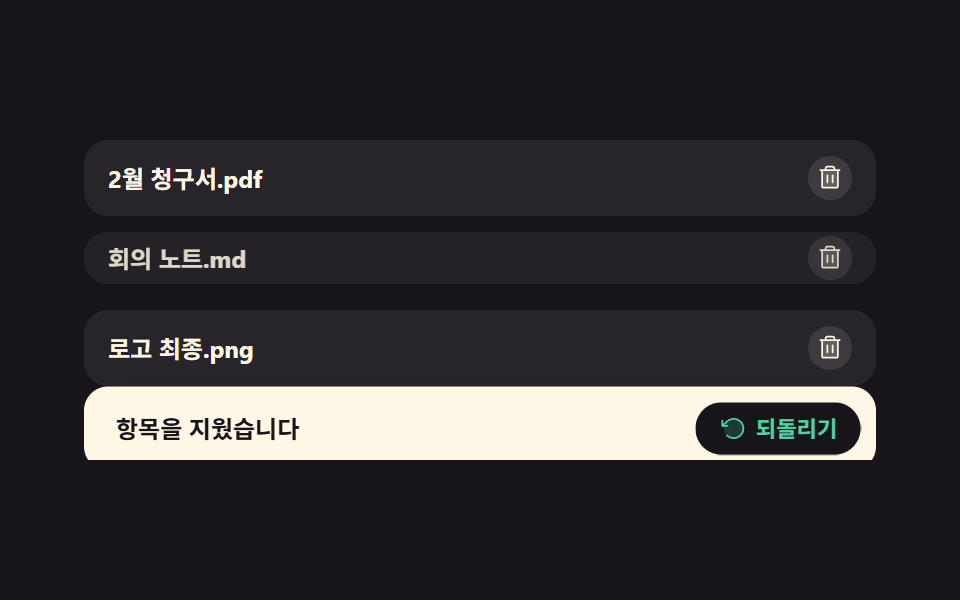 05 toast-stack-undo-action
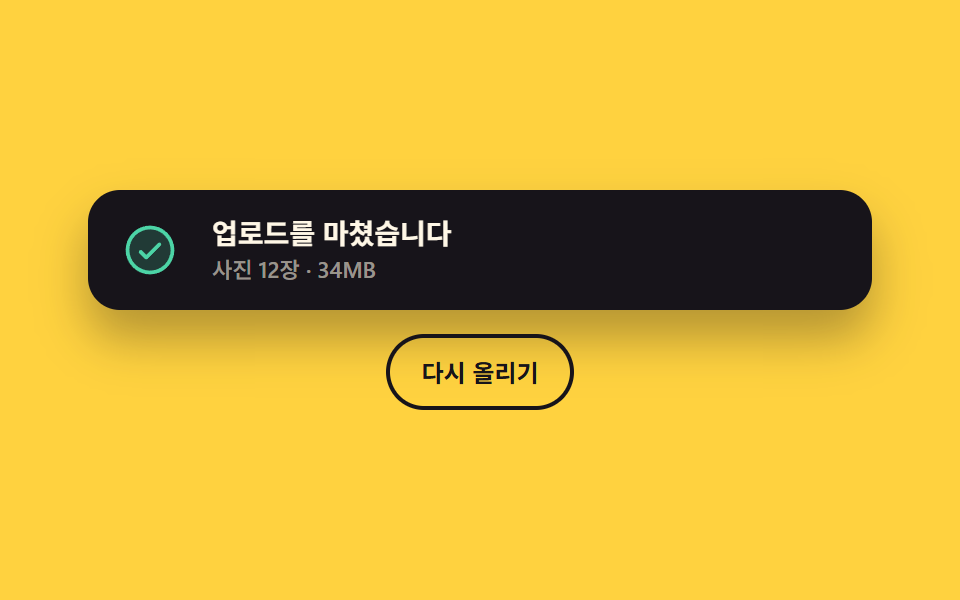 06 toast-stack-promise-morph
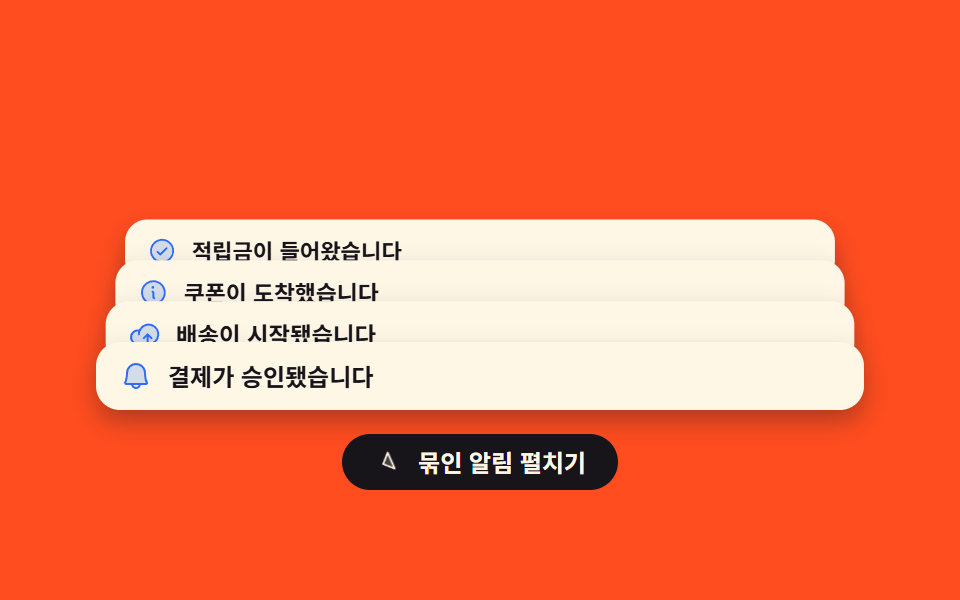 07 toast-stack-collapse-group
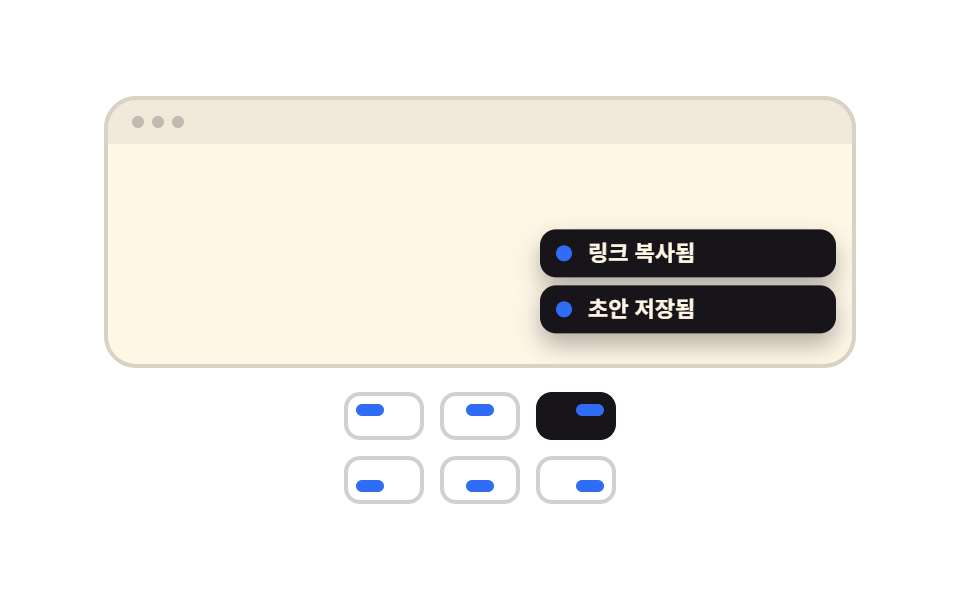 08 toast-stack-position-switch
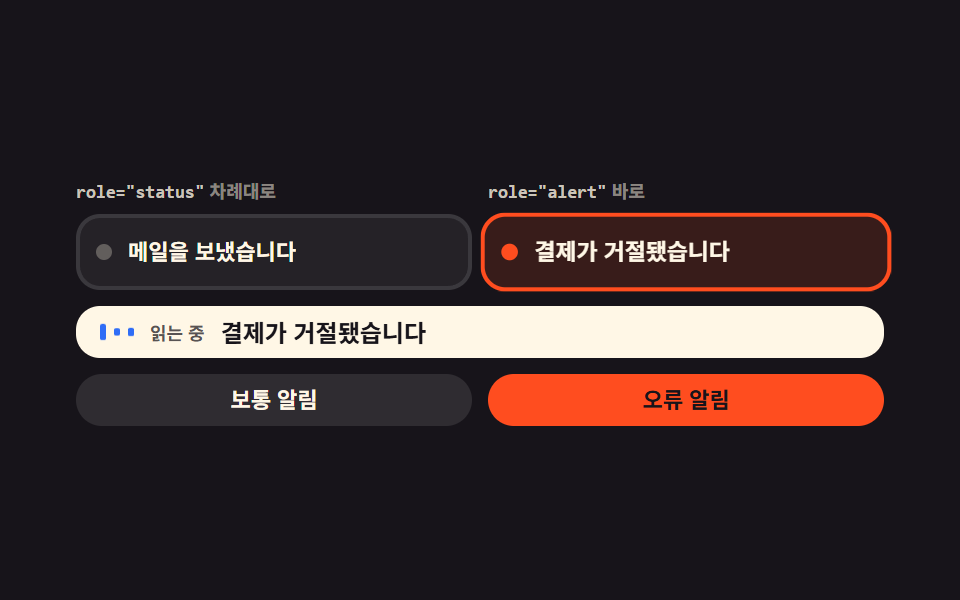 09 toast-stack-live-region
자동 재생 · 눌러서 해당 항목으로 · 전부 한 zip
- 01 밀려 올라가는 스택
- 02 종류별 아이콘과 색
- 03 남은 시간 바와 일시정지
- 04 밀어서 날려 보내기
- 05 되돌리기 버튼이 진짜로 되돌린다
- 06 로딩에서 결과로 바뀌는 토스트
- 07 세 개가 넘으면 접히는 묶음
- 08 여섯 자리 위치 전환
- 09 읽히는 순서를 나누는 라이브 리전
순서는 인기순이 아니라 알림 하나가 화면에서 겪는 순서입니다. 먼저 들어와 자리를 잡고(01), 무슨 일인지 색과 아이콘으로 밝히고(02), 남은 시간을 보여 주며 기다립니다(03). 그다음은 치우는 쪽입니다. 손으로 밀어 날리고(04), 잘못 지운 것을 되돌리고(05), 결과가 늦게 오는 일은 같은 자리에서 답으로 갈립니다(06). 마지막 셋은 여러 개가 한꺼번에 왔을 때입니다. 넘치면 묶어 접고(07), 여섯 자리 중에서 뜰 곳을 골라 옮기고(08), 화면을 보지 못하는 사람에게 읽히는 순서를 나눕니다(09). 알림 스택 목록처럼 카드가 쌓이는 항목은 골격이 하나로 같습니다. 스택은 높이를 못 박은 상자 하나 안에 들어가고 카드는 그 안에서 transform으로 움직입니다. 카드 자체를 top이나 margin으로 밀면 스택이 길어질 때마다 브라우저가 레이아웃을 다시 재기 때문입니다. 알림이 아니라 동의를 먼저 받아야 하는 자리는 쿠키 동의 배너 UI이고, 알림 여러 개가 격자를 이루는 화면은 벤토 그리드 디자인에서 다룹니다.
01밀려 올라가는 스택
알림 스택은 무엇이 보이나
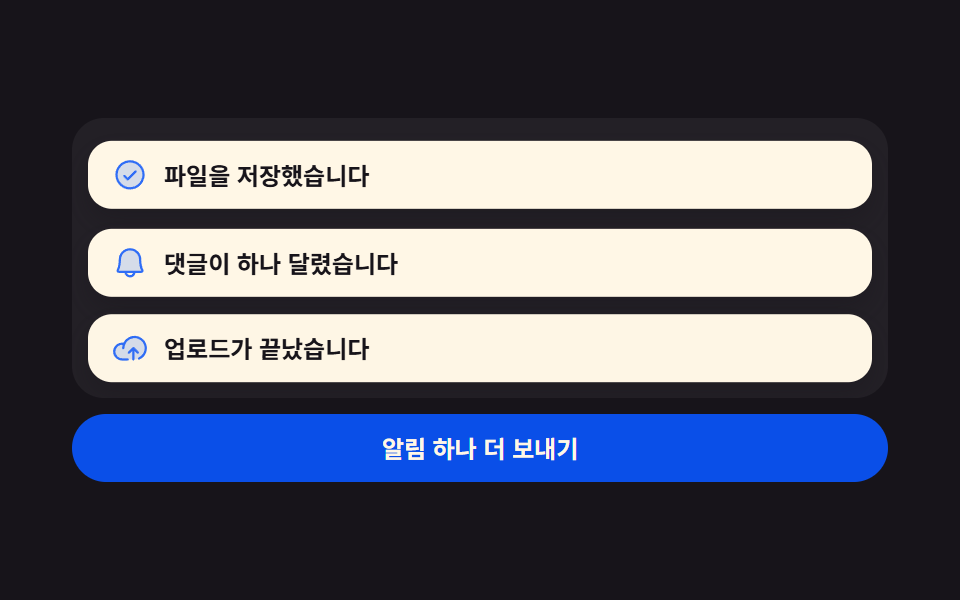
새 카드는 목록 맨 아래에 들어가고, 그 위에 있던 카드들은 한 칸씩 위로 올라갑니다. 올라가는 모습이 뚝뚝 끊기지 않게 하려면 넣기 전 위치를 먼저 재 두었다가, 새 카드를 넣은 뒤 옛 자리로 되돌려 붙였다 한 프레임 뒤에 놓아 줍니다.
<main class="stage">
  <div class="pu is-demo">
    <div class="pu__stack">
      <div class="pu__list" id="pu-list" role="region" aria-label="알림 스택" aria-live="polite">
        <article class="pu__item">
          <span class="pu__ic" aria-hidden="true"><svg viewBox="0 0 256 256" width="18" height="18"><g fill="currentColor"><path d="M224 128a96 96 0 1 1-96-96a96 96 0 0 1 96 96" opacity=".2"/><path d="M173.66 98.34a8 8 0 0 1 0 11.32l-56 56a8 8 0 0 1-11.32 0l-24-24a8 8 0 0 1 11.32-11.32L112 148.69l50.34-50.35a8 8 0 0 1 11.32 0M232 128A104 104 0 1 1 128 24a104.11 104.11 0 0 1 104 104m-16 0a88 88 0 1 0-88 88a88.1 88.1 0 0 0 88-88"/></g></svg></span>
          <span class="pu__msg">파일을 저장했습니다</span>
        </article>
        <article class="pu__item">
          <span class="pu__ic" aria-hidden="true"><svg viewBox="0 0 256 256" width="18" height="18"><g fill="currentColor"><path d="M208 192H48a8 8 0 0 1-6.88-12C47.71 168.6 56 139.81 56 104a72 72 0 0 1 144 0c0 35.82 8.3 64.6 14.9 76a8 8 0 0 1-6.9 12" opacity=".2"/><path d="M221.8 175.94c-5.55-9.56-13.8-36.61-13.8-71.94a80 80 0 1 0-160 0c0 35.34-8.26 62.38-13.81 71.94A16 16 0 0 0 48 200h40.81a40 40 0 0 0 78.38 0H208a16 16 0 0 0 13.8-24.06M128 216a24 24 0 0 1-22.62-16h45.24A24 24 0 0 1 128 216m-80-32c7.7-13.24 16-43.92 16-80a64 64 0 1 1 128 0c0 36.05 8.28 66.73 16 80Z"/></g></svg></span>
          <span class="pu__msg">댓글이 하나 달렸습니다</span>
        </article>
        <article class="pu__item">
          <span class="pu__ic" aria-hidden="true"><svg viewBox="0 0 256 256" width="18" height="18"><g fill="currentColor"><path d="M240 128a80 80 0 0 1-80 80H72A56 56 0 1 1 85.92 97.74v.1A80 80 0 0 1 240 128" opacity=".2"/><path d="M178.34 165.66L160 147.31V208a8 8 0 0 1-16 0v-60.69l-18.34 18.35a8 8 0 0 1-11.32-11.32l32-32a8 8 0 0 1 11.32 0l32 32a8 8 0 0 1-11.32 11.32M160 40a88.08 88.08 0 0 0-78.71 48.68A64 64 0 1 0 72 216h40a8 8 0 0 0 0-16H72a48 48 0 0 1 0-96c1.1 0 2.2 0 3.29.12A88 88 0 0 0 72 128a8 8 0 0 0 16 0a72 72 0 1 1 100.8 66a8 8 0 0 0 3.2 15.34a7.9 7.9 0 0 0 3.2-.68A88 88 0 0 0 160 40"/></g></svg></span>
          <span class="pu__msg">업로드가 끝났습니다</span>
        </article>
      </div>
    </div>
    <button class="pu__go" type="button" id="pu-go">알림 하나 더 보내기</button>
  </div>
</main>
@use "../../../../site/static/demo-tokens" as *;
$duration: $dur-base;
$easing: $ease-spring;
$color: $subject-blue;
@include stage($stage-ink);
.pu {
box-sizing: border-box;
width: min(408px, 88vw);
display: flex;
flex-direction: column;
gap: $sp-2;
--slot: 44px;
font-family: -apple-system, "Segoe UI", "Noto Sans KR", sans-serif;
color: $subject-cream;
}
// 스택 상자 — 카드가 아래에서 들어오므로 넘치는 부분은 여기서 잘린다
.pu__stack {
position: relative;
overflow: hidden;
height: 140px;
border-radius: $r-card;
background: rgba(255, 255, 255, .05);
}
.pu__list {
position: absolute;
left: 8px;
right: 8px;
bottom: 8px;
display: flex;
flex-direction: column-reverse;
justify-content: flex-start;
gap: $sp-2;
}
.pu__item {
box-sizing: border-box;
display: flex;
align-items: center;
gap: $sp-2;
margin: 0;
padding: $sp-2 $sp-3;
border-radius: $r-control;
background: $subject-cream;
color: $subject-ink;
box-shadow: $shadow-press;
transition: transform $duration $easing;
}
.pu__ic {
display: inline-flex;
flex: 0 0 auto;
color: $color;
}
.pu__ic svg { display: block; }
.pu__msg {
flex: 1 1 auto;
min-width: 0;
font-size: 12px;
line-height: 18px;
font-weight: 700;
white-space: nowrap;
overflow: hidden;
text-overflow: ellipsis;
}
.pu__go {
box-sizing: border-box;
margin: 0;
padding: $sp-2 $sp-4;
border: 0;
border-radius: $r-pill;
background: $subject-blue-deep;
color: $subject-cream;
font-family: inherit;
font-size: 12px;
line-height: 18px;
font-weight: 700;
cursor: pointer;
}
.pu__go:focus-visible { outline: 2px solid $subject-cream; outline-offset: 2px; }
// 사람이 누른 뒤: 새 카드만 아래에서 솟고, 밀려나는 카드는 위 transition 이 옮긴다
.pu__item.is-in {
animation-name: pu-in;
animation-duration: $duration;
animation-timing-function: $easing;
animation-iteration-count: 1;
}
@keyframes pu-in {
0% { opacity: 0; transform: translateY(40px); }
100% { opacity: 1; transform: translateY(0); }
}
// ── 자동 루프: 세 장이 차례로 들어오며 앞 카드를 한 칸씩 위로 민다. 90% 안에서 전부 빠진다 ──
.pu.is-demo .pu__item {
position: absolute;
left: 0;
right: 0;
bottom: 0;
transition: none;
animation-duration: $dur-loop;
animation-timing-function: $easing;
animation-iteration-count: infinite;
}
.pu.is-demo .pu__item:nth-child(1) { animation-name: pu-a; }
.pu.is-demo .pu__item:nth-child(2) { animation-name: pu-b; }
.pu.is-demo .pu__item:nth-child(3) { animation-name: pu-c; }
// 퇴장은 샘플 프레임 사이(4.1667% 간격)에서 한 장씩 끊어 없앤다 — 셋이 한꺼번에 사라지면 그 빈 화면이 poster 로 뽑힌다
@keyframes pu-a {
0%, 4% { opacity: 0; transform: translateY(48px); }
12% { opacity: 1; transform: translateY(0); }
34% { opacity: 1; transform: translateY(0); }
42% { opacity: 1; transform: translateY(calc(var(--slot) * -1)); }
62% { opacity: 1; transform: translateY(calc(var(--slot) * -1)); }
70% { opacity: 1; transform: translateY(calc(var(--slot) * -2)); }
76% { opacity: 1; transform: translateY(calc(var(--slot) * -2)); }
78% { opacity: 0; transform: translateY(calc(var(--slot) * -2)); }
90%, 100% { opacity: 0; transform: translateY(48px); }
}
@keyframes pu-b {
0%, 30% { opacity: 0; transform: translateY(48px); }
40% { opacity: 1; transform: translateY(0); }
62% { opacity: 1; transform: translateY(0); }
70% { opacity: 1; transform: translateY(calc(var(--slot) * -1)); }
80% { opacity: 1; transform: translateY(calc(var(--slot) * -1)); }
82% { opacity: 0; transform: translateY(calc(var(--slot) * -1)); }
90%, 100% { opacity: 0; transform: translateY(48px); }
}
@keyframes pu-c {
0%, 58% { opacity: 0; transform: translateY(48px); }
68% { opacity: 1; transform: translateY(0); }
84% { opacity: 1; transform: translateY(0); }
86% { opacity: 0; transform: translateY(0); }
90%, 100% { opacity: 0; transform: translateY(48px); }
}
@media (max-width: 340px) {
.pu { --slot: 34px; }
.pu__stack { height: 104px; }
.pu__item { padding: $sp-1 $sp-2; }
.pu__msg { font-size: 11px; line-height: 16px; }
.pu__go { padding: $sp-1 $sp-3; font-size: 11px; line-height: 16px; }
}
@media (prefers-reduced-motion: reduce) {
.pu.is-demo .pu__item,
.pu__item.is-in { animation: none !important; opacity: 1; }
.pu.is-demo .pu__item:nth-child(1) { transform: translateY(calc(var(--slot) * -2)); }
.pu.is-demo .pu__item:nth-child(2) { transform: translateY(calc(var(--slot) * -1)); }
.pu.is-demo .pu__item:nth-child(3) { transform: translateY(0); }
.pu__item { transition: none; }
}html, body {
margin: 0;
overflow: hidden;
}
.stage {
box-sizing: border-box;
min-height: 100vh;
display: grid;
place-items: center;
margin: 0;
background: #17141a;
font-family: -apple-system, "Segoe UI", "Noto Sans KR", sans-serif;
padding: clamp(8px, 4vw, 24px);
}
.pu {
box-sizing: border-box;
width: min(408px, 88vw);
display: flex;
flex-direction: column;
gap: 8px;
--slot: 44px;
font-family: -apple-system, "Segoe UI", "Noto Sans KR", sans-serif;
color: #fff7e6;
}
.pu__stack {
position: relative;
overflow: hidden;
height: 140px;
border-radius: 16px;
background: rgba(255, 255, 255, 0.05);
}
.pu__list {
position: absolute;
left: 8px;
right: 8px;
bottom: 8px;
display: flex;
flex-direction: column-reverse;
justify-content: flex-start;
gap: 8px;
}
.pu__item {
box-sizing: border-box;
display: flex;
align-items: center;
gap: 8px;
margin: 0;
padding: 8px 12px;
border-radius: 12px;
background: #fff7e6;
color: #17141a;
box-shadow: 0 6px 12px rgba(23, 20, 26, 0.32);
transition: transform 300ms cubic-bezier(0.2, 0.8, 0.2, 1);
}
.pu__ic {
display: inline-flex;
flex: 0 0 auto;
color: #2f6df6;
}
.pu__ic svg {
display: block;
}
.pu__msg {
flex: 1 1 auto;
min-width: 0;
font-size: 12px;
line-height: 18px;
font-weight: 700;
white-space: nowrap;
overflow: hidden;
text-overflow: ellipsis;
}
.pu__go {
box-sizing: border-box;
margin: 0;
padding: 8px 16px;
border: 0;
border-radius: 999px;
background: #0a4fe8;
color: #fff7e6;
font-family: inherit;
font-size: 12px;
line-height: 18px;
font-weight: 700;
cursor: pointer;
}
.pu__go:focus-visible {
outline: 2px solid #fff7e6;
outline-offset: 2px;
}
.pu__item.is-in {
animation-name: pu-in;
animation-duration: 300ms;
animation-timing-function: cubic-bezier(0.2, 0.8, 0.2, 1);
animation-iteration-count: 1;
}
@keyframes pu-in {
0% {
opacity: 0;
transform: translateY(40px);
}
100% {
opacity: 1;
transform: translateY(0);
}
}
.pu.is-demo .pu__item {
position: absolute;
left: 0;
right: 0;
bottom: 0;
transition: none;
animation-duration: 2s;
animation-timing-function: cubic-bezier(0.2, 0.8, 0.2, 1);
animation-iteration-count: infinite;
}
.pu.is-demo .pu__item:nth-child(1) {
animation-name: pu-a;
}
.pu.is-demo .pu__item:nth-child(2) {
animation-name: pu-b;
}
.pu.is-demo .pu__item:nth-child(3) {
animation-name: pu-c;
}
@keyframes pu-a {
0%, 4% {
opacity: 0;
transform: translateY(48px);
}
12% {
opacity: 1;
transform: translateY(0);
}
34% {
opacity: 1;
transform: translateY(0);
}
42% {
opacity: 1;
transform: translateY(calc(var(--slot) * -1));
}
62% {
opacity: 1;
transform: translateY(calc(var(--slot) * -1));
}
70% {
opacity: 1;
transform: translateY(calc(var(--slot) * -2));
}
76% {
opacity: 1;
transform: translateY(calc(var(--slot) * -2));
}
78% {
opacity: 0;
transform: translateY(calc(var(--slot) * -2));
}
90%, 100% {
opacity: 0;
transform: translateY(48px);
}
}
@keyframes pu-b {
0%, 30% {
opacity: 0;
transform: translateY(48px);
}
40% {
opacity: 1;
transform: translateY(0);
}
62% {
opacity: 1;
transform: translateY(0);
}
70% {
opacity: 1;
transform: translateY(calc(var(--slot) * -1));
}
80% {
opacity: 1;
transform: translateY(calc(var(--slot) * -1));
}
82% {
opacity: 0;
transform: translateY(calc(var(--slot) * -1));
}
90%, 100% {
opacity: 0;
transform: translateY(48px);
}
}
@keyframes pu-c {
0%, 58% {
opacity: 0;
transform: translateY(48px);
}
68% {
opacity: 1;
transform: translateY(0);
}
84% {
opacity: 1;
transform: translateY(0);
}
86% {
opacity: 0;
transform: translateY(0);
}
90%, 100% {
opacity: 0;
transform: translateY(48px);
}
}
@media (max-width: 340px) {
.pu {
--slot: 34px;
}
.pu__stack {
height: 104px;
}
.pu__item {
padding: 4px 8px;
}
.pu__msg {
font-size: 11px;
line-height: 16px;
}
.pu__go {
padding: 4px 12px;
font-size: 11px;
line-height: 16px;
}
}
@media (prefers-reduced-motion: reduce) {
.pu.is-demo .pu__item,
.pu__item.is-in {
animation: none !important;
opacity: 1;
}
.pu.is-demo .pu__item:nth-child(1) {
transform: translateY(calc(var(--slot) * -2));
}
.pu.is-demo .pu__item:nth-child(2) {
transform: translateY(calc(var(--slot) * -1));
}
.pu.is-demo .pu__item:nth-child(3) {
transform: translateY(0);
}
.pu__item {
transition: none;
}
}// 실제 동작: 새 카드를 맨 아래에 넣고, 위로 밀려나는 카드들을 FLIP 으로 제자리에 붙였다 놓는다
var root = document.querySelector('.pu');
var list = document.getElementById('pu-list');
var go = document.getElementById('pu-go');
var seeds = [].slice.call(list.children); // 원본 카드 세 장을 틀로 쓴다
var turn = 0;
function push() {
if (root.classList.contains('is-demo')) { root.classList.remove('is-demo'); list.innerHTML = ''; }
var before = [].map.call(list.children, function (el) { return el.getBoundingClientRect().top; });
var el = seeds[turn++ % seeds.length].cloneNode(true);
el.className = 'pu__item is-in';
list.insertBefore(el, list.firstChild);
[].forEach.call(list.children, function (node, i) {
if (!i) return;
var d = before[i - 1] - node.getBoundingClientRect().top; // 옛 위치 − 새 위치 = 되돌릴 거리
node.style.transition = 'none';
node.style.transform = 'translateY(' + d + 'px)';
});
requestAnimationFrame(function () { // 한 프레임 뒤에 풀어야 브라우저가 되돌린 위치를 시작점으로 본다
[].forEach.call(list.children, function (node, i) {
if (!i) return;
node.style.transition = '';
node.style.transform = '';
});
});
while (list.children.length > 3) list.removeChild(list.lastChild);
}
go.addEventListener('click', push);import { useEffect, useRef, useState } from "react";
import type { CSSProperties } from "react";
import styles from "./PushUpStack.module.scss";
export type PushUpStackProps = {
items?: string[];
label?: string;
regionLabel?: string;
duration?: number;
easing?: string;
color?: string;
};
type Vars = CSSProperties & { "--duration"?: string; "--easing"?: string; "--color"?: string };
// React 이벤트 타입은 'react' 에서 import 하지 않는다 — 포트 안에서 필요한 모양만 선언한다
type ClickEvt = { preventDefault: () => void };
export default function PushUpStack({
items = ["Saved the file", "Someone left a comment", "Upload finished"],
label = "Send one more",
regionLabel = "Notification stack",
duration = 300,
easing = "cubic-bezier(.2,.8,.2,1)",
color = "#2f6df6",
}: PushUpStackProps) {
const [demo, setDemo] = useState(true);
const [rows, setRows] = useState<{ id: number; text: string }[]>([]);
const listRef = useRef<HTMLDivElement>(null);
const before = useRef<number[]>([]);
const seq = useRef<number[]>([0]);
const vars: Vars = { "--duration": `${duration}ms`, "--easing": easing, "--color": color };
function push(e: ClickEvt) {
e.preventDefault();
const el = listRef.current;
before.current = el ? Array.from(el.children).map((c) => (c as HTMLElement).getBoundingClientRect().top) : [];
const n = (seq.current ?? [0])[0];
if (seq.current) seq.current[0] = n + 1;
setDemo(false);
setRows((v) => [{ id: n, text: items[n % items.length] }, ...v].slice(0, 3));
}
// FLIP — 새 줄이 들어가 레이아웃이 바뀐 **뒤**에 옛 위치로 되돌렸다가 한 프레임 뒤에 풀어 준다
useEffect(() => {
const el = listRef.current;
const old = before.current ?? [];
if (!el || !old.length) return;
const kids = Array.from(el.children) as HTMLElement[];
kids.forEach((node, i) => {
if (!i) return;
node.style.transition = "none";
node.style.transform = `translateY(${old[i - 1] - node.getBoundingClientRect().top}px)`;
});
requestAnimationFrame(() => {
kids.forEach((node, i) => {
if (!i) return;
node.style.transition = "";
node.style.transform = "";
});
});
before.current = [];
}, [rows]);
const shown = demo ? items.slice(0, 3).map((text, i) => ({ id: -1 - i, text })) : rows;
return (
<div className={`${styles.pu} ${demo ? styles.isDemo : ""}`} style={vars}>
<div className={styles.stack}>
<div className={styles.list} ref={listRef} role="region" aria-label={regionLabel} aria-live="polite">
{shown.map((row) => (
<article key={row.id} className={`${styles.item} ${demo ? "" : styles.isIn}`}>
<span className={styles.ic} aria-hidden="true">
<svg viewBox="0 0 256 256" width="18" height="18"><g fill="currentColor"><path d="M224 128a96 96 0 1 1-96-96a96 96 0 0 1 96 96" opacity=".2" /><path d="M173.66 98.34a8 8 0 0 1 0 11.32l-56 56a8 8 0 0 1-11.32 0l-24-24a8 8 0 0 1 11.32-11.32L112 148.69l50.34-50.35a8 8 0 0 1 11.32 0M232 128A104 104 0 1 1 128 24a104.11 104.11 0 0 1 104 104m-16 0a88 88 0 1 0-88 88a88.1 88.1 0 0 0 88-88" /></g></svg>
</span>
<span className={styles.msg}>{row.text}</span>
</article>
))}
</div>
</div>
<button className={styles.go} type="button" onClick={push}>{label}</button>
</div>
);
}01 · 밀려 올라가는 스택 — 측정 누적면적 35.204% · 움직인 프레임 13/23GODRICH 원작 · zip 에 SCSS·React 포함 · 비밀번호 보기
코드에서 볼 곳
이 네 걸음이 FLIP이고, 브라우저는 마지막 걸음만 애니메이션으로 봅니다.
var before = [].map.call(list.children, function (el) { return el.getBoundingClientRect().top; });
list.insertBefore(el, list.firstChild);
[].forEach.call(list.children, function (node, i) {
  if (!i) return;
  var d = before[i - 1] - node.getBoundingClientRect().top; // 옛 위치 − 새 위치 = 되돌릴 거리
  node.style.transition = 'none';
  node.style.transform = 'translateY(' + d + 'px)';
});
requestAnimationFrame(function () { // 한 프레임 뒤에 풀어야 브라우저가 되돌린 위치를 시작점으로 본다
  [].forEach.call(list.children, function (node, i) {
    if (!i) return;
    node.style.transition = '';
    node.style.transform = '';
  });
});
02종류별 아이콘과 색
화면에서 일어나는 일
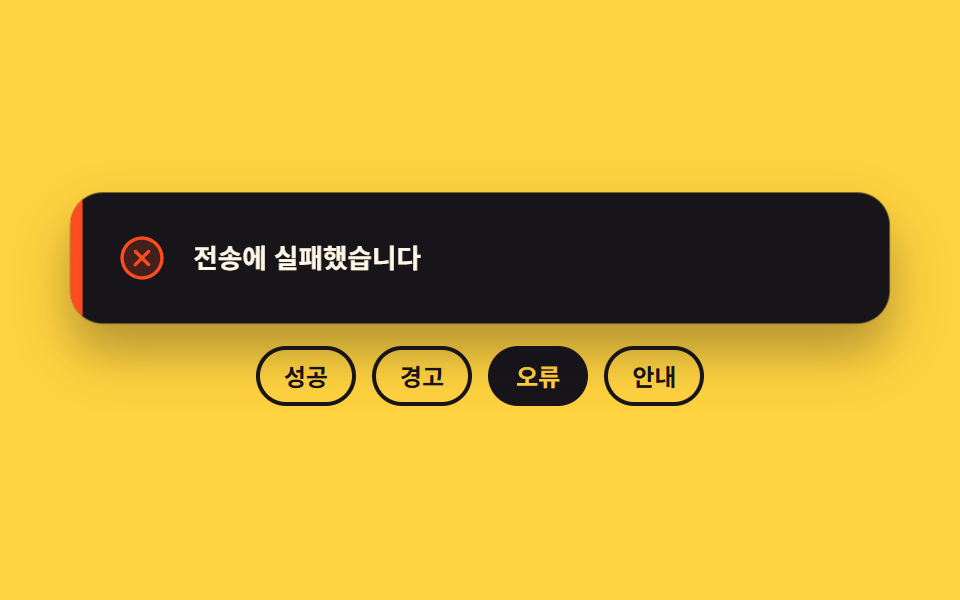
성공·경고·오류·안내 네 종류가 카드 한 장 안에 겹쳐 있고, 카드의 data-kind 값 하나가 어느 얼굴을 보일지 정합니다. 자동 루프에서는 네 얼굴이 0.5초마다 돌아가며 켜지는데, 갈리는 순간을 steps(1, end)로 끊어 두 얼굴이 반투명하게 겹치는 프레임을 없앴습니다.
<main class="stage">
  <div class="tk is-demo">
    <div class="tk__box">
      <div class="tk__card" id="tk-card" data-kind="ok" role="status" aria-live="polite">
        <span class="tk__bar" aria-hidden="true"></span>
        <span class="tk__face" data-kind="ok">
          <span class="tk__ic" aria-hidden="true"><svg viewBox="0 0 256 256" width="26" height="26"><g fill="currentColor"><path d="M224 128a96 96 0 1 1-96-96a96 96 0 0 1 96 96" opacity=".2"/><path d="M173.66 98.34a8 8 0 0 1 0 11.32l-56 56a8 8 0 0 1-11.32 0l-24-24a8 8 0 0 1 11.32-11.32L112 148.69l50.34-50.35a8 8 0 0 1 11.32 0M232 128A104 104 0 1 1 128 24a104.11 104.11 0 0 1 104 104m-16 0a88 88 0 1 0-88 88a88.1 88.1 0 0 0 88-88"/></g></svg></span>
          <span class="tk__msg">저장이 끝났습니다</span>
        </span>
        <span class="tk__face" data-kind="warn">
          <span class="tk__ic" aria-hidden="true"><svg viewBox="0 0 256 256" width="26" height="26"><g fill="currentColor"><path d="M215.46 216H40.54c-12.62 0-20.54-13.21-14.41-23.91l87.46-151.87c6.3-11 22.52-11 28.82 0l87.46 151.87c6.13 10.7-1.79 23.91-14.41 23.91" opacity=".2"/><path d="M236.8 188.09L149.35 36.22a24.76 24.76 0 0 0-42.7 0L19.2 188.09a23.51 23.51 0 0 0 0 23.72A24.35 24.35 0 0 0 40.55 224h174.9a24.35 24.35 0 0 0 21.33-12.19a23.51 23.51 0 0 0 .02-23.72m-13.87 15.71a8.5 8.5 0 0 1-7.48 4.2H40.55a8.5 8.5 0 0 1-7.48-4.2a7.59 7.59 0 0 1 0-7.72l87.45-151.87a8.75 8.75 0 0 1 15 0l87.45 151.87a7.59 7.59 0 0 1-.04 7.72M120 144v-40a8 8 0 0 1 16 0v40a8 8 0 0 1-16 0m20 36a12 12 0 1 1-12-12a12 12 0 0 1 12 12"/></g></svg></span>
          <span class="tk__msg">용량이 거의 찼습니다</span>
        </span>
        <span class="tk__face" data-kind="bad">
          <span class="tk__ic" aria-hidden="true"><svg viewBox="0 0 256 256" width="26" height="26"><g fill="currentColor"><path d="M224 128a96 96 0 1 1-96-96a96 96 0 0 1 96 96" opacity=".2"/><path d="M165.66 101.66L139.31 128l26.35 26.34a8 8 0 0 1-11.32 11.32L128 139.31l-26.34 26.35a8 8 0 0 1-11.32-11.32L116.69 128l-26.35-26.34a8 8 0 0 1 11.32-11.32L128 116.69l26.34-26.35a8 8 0 0 1 11.32 11.32M232 128A104 104 0 1 1 128 24a104.11 104.11 0 0 1 104 104m-16 0a88 88 0 1 0-88 88a88.1 88.1 0 0 0 88-88"/></g></svg></span>
          <span class="tk__msg">전송에 실패했습니다</span>
        </span>
        <span class="tk__face" data-kind="info">
          <span class="tk__ic" aria-hidden="true"><svg viewBox="0 0 256 256" width="26" height="26"><g fill="currentColor"><path d="M224 128a96 96 0 1 1-96-96a96 96 0 0 1 96 96" opacity=".2"/><path d="M144 176a8 8 0 0 1-8 8a16 16 0 0 1-16-16v-40a8 8 0 0 1 0-16a16 16 0 0 1 16 16v40a8 8 0 0 1 8 8m88-48A104 104 0 1 1 128 24a104.11 104.11 0 0 1 104 104m-16 0a88 88 0 1 0-88 88a88.1 88.1 0 0 0 88-88m-92-32a12 12 0 1 0-12-12a12 12 0 0 0 12 12"/></g></svg></span>
          <span class="tk__msg">새 버전이 나왔습니다</span>
        </span>
      </div>
    </div>
    <div class="tk__row" role="group" aria-label="알림 종류 고르기">
      <button class="tk__pick" type="button" data-pick="ok" aria-pressed="true">성공</button>
      <button class="tk__pick" type="button" data-pick="warn" aria-pressed="false">경고</button>
      <button class="tk__pick" type="button" data-pick="bad" aria-pressed="false">오류</button>
      <button class="tk__pick" type="button" data-pick="info" aria-pressed="false">안내</button>
    </div>
  </div>
</main>@use "../../../../site/static/demo-tokens" as *;
$duration: $dur-quick;
$easing: $ease-pop;
$color: $subject-mint;
@include stage($stage-yellow);
.tk {
box-sizing: border-box;
width: min(400px, 88vw);
display: flex;
flex-direction: column;
gap: $sp-3;
font-family: -apple-system, "Segoe UI", "Noto Sans KR", sans-serif;
color: $subject-ink;
}
.tk__box {
display: flex;
justify-content: center;
height: 64px;
}
.tk__card {
position: relative;
box-sizing: border-box;
width: 100%;
height: 100%;
overflow: hidden;
border-radius: $r-card;
background: $subject-ink;
box-shadow: $shadow-raised;
}
// 왼쪽 색 띠 — 종류를 문구보다 먼저 알려 준다
.tk__bar {
position: absolute;
left: 0;
top: 0;
bottom: 0;
width: 6px;
background-color: $color;
}
.tk__face {
position: absolute;
left: 6px;
right: 0;
top: 0;
bottom: 0;
display: flex;
align-items: center;
gap: $sp-3;
padding: 0 $sp-4;
opacity: 0;
}
.tk__face[data-kind="ok"] { color: $subject-mint; }
.tk__face[data-kind="warn"] { color: $stage-yellow; }
.tk__face[data-kind="bad"] { color: $stage-orange; }
.tk__face[data-kind="info"] { color: $subject-sky; }
.tk__ic { display: inline-flex; flex: 0 0 auto; }
.tk__ic svg { display: block; }
.tk__msg {
flex: 1 1 auto;
min-width: 0;
font-size: 13px;
line-height: 20px;
font-weight: 700;
color: $subject-cream;
white-space: nowrap;
overflow: hidden;
text-overflow: ellipsis;
}
// 사람이 고른 종류만 보이고, 색 띠도 그 얼굴의 색을 그대로 쓴다
.tk:not(.is-demo) .tk__card[data-kind="ok"] .tk__face[data-kind="ok"],
.tk:not(.is-demo) .tk__card[data-kind="warn"] .tk__face[data-kind="warn"],
.tk:not(.is-demo) .tk__card[data-kind="bad"] .tk__face[data-kind="bad"],
.tk:not(.is-demo) .tk__card[data-kind="info"] .tk__face[data-kind="info"] { opacity: 1; }
.tk:not(.is-demo) .tk__card[data-kind="ok"] .tk__bar { background-color: $subject-mint; }
.tk:not(.is-demo) .tk__card[data-kind="warn"] .tk__bar { background-color: $stage-yellow; }
.tk:not(.is-demo) .tk__card[data-kind="bad"] .tk__bar { background-color: $stage-orange; }
.tk:not(.is-demo) .tk__card[data-kind="info"] .tk__bar { background-color: $subject-sky; }
.tk__card.is-pop {
animation-name: tk-pop;
animation-duration: $duration;
animation-timing-function: $easing;
animation-iteration-count: 1;
}
.tk__row {
display: flex;
gap: $sp-2;
justify-content: center;
}
.tk__pick {
box-sizing: border-box;
margin: 0;
padding: $sp-1 $sp-3;
border: 2px solid $subject-ink;
border-radius: $r-pill;
background: transparent;
color: $subject-ink;
font-family: inherit;
font-size: 12px;
line-height: 18px;
font-weight: 700;
cursor: pointer;
}
.tk__pick[aria-pressed="true"] { background: $subject-ink; color: $stage-yellow; }
.tk__pick:focus-visible { outline: 2px solid $subject-ink; outline-offset: 2px; }
// ── 자동 루프: 네 종류를 0.5초마다 한 프레임에 끊어 바꾼다. 크로스페이드로 섞으면 두 얼굴이 겹친 유령 프레임이 남는다 ──
.tk.is-demo .tk__face {
  animation-name: tk-face;
  animation-duration: $dur-loop;
  animation-timing-function: steps(1, end);
  animation-iteration-count: infinite;
}
.tk.is-demo .tk__face[data-kind="ok"]   { animation-delay: 0s; }
.tk.is-demo .tk__face[data-kind="warn"] { animation-delay: -1.5s; }
.tk.is-demo .tk__face[data-kind="bad"]  { animation-delay: -1s; }
.tk.is-demo .tk__face[data-kind="info"] { animation-delay: -0.5s; }
@keyframes tk-face {
  0%   { opacity: 1; }
  25%  { opacity: 0; }
  100% { opacity: 0; }
}
.tk.is-demo .tk__bar {
animation-name: tk-bar;
animation-duration: $dur-loop;
animation-timing-function: steps(1, end);
animation-iteration-count: infinite;
}
@keyframes tk-bar {
0% { background-color: $subject-mint; }
25% { background-color: $stage-yellow; }
50% { background-color: $stage-orange; }
75% { background-color: $subject-sky; }
100% { background-color: $subject-mint; }
}
// 아래 고르기 버튼도 같은 시계로 따라간다 — 카드만 바뀌면 무엇이 눌린 상태인지 어긋나 보인다
.tk.is-demo .tk__pick {
animation-name: tk-pick;
animation-duration: $dur-loop;
animation-timing-function: steps(1, end);
animation-iteration-count: infinite;
}
.tk.is-demo .tk__pick[data-pick="ok"] { animation-delay: 0s; }
.tk.is-demo .tk__pick[data-pick="warn"] { animation-delay: -1.5s; }
.tk.is-demo .tk__pick[data-pick="bad"] { animation-delay: -1s; }
.tk.is-demo .tk__pick[data-pick="info"] { animation-delay: -0.5s; }
@keyframes tk-pick {
0% { background-color: $subject-ink; color: $stage-yellow; }
25% { background-color: rgba(255, 255, 255, 0); color: $subject-ink; }
100% { background-color: rgba(255, 255, 255, 0); color: $subject-ink; }
}
// 종류가 바뀌는 순간마다 카드가 한 번 눌렸다 펴진다 — 0.5초 주기라 2초 루프 안에 네 번 돈다
.tk.is-demo .tk__card {
animation-name: tk-pop;
animation-duration: 500ms;
animation-timing-function: $easing;
animation-iteration-count: infinite;
}
@keyframes tk-pop {
0% { transform: scale(.94); }
34% { transform: scale(1.02); }
60% { transform: scale(1); }
100% { transform: scale(1); }
}
@media (max-width: 340px) {
.tk { gap: $sp-2; }
.tk__box { height: 52px; }
.tk__face { gap: $sp-2; padding: 0 $sp-3; }
.tk__msg { font-size: 11px; line-height: 16px; }
.tk__pick { padding: $sp-1 $sp-2; font-size: 11px; line-height: 16px; }
}
@media (prefers-reduced-motion: reduce) {
.tk.is-demo .tk__face,
.tk.is-demo .tk__bar,
.tk.is-demo .tk__card,
.tk.is-demo .tk__pick,
.tk__card.is-pop { animation: none !important; }
.tk.is-demo .tk__face[data-kind="ok"] { opacity: 1; }
}html, body {
margin: 0;
overflow: hidden;
}
.stage {
box-sizing: border-box;
min-height: 100vh;
display: grid;
place-items: center;
margin: 0;
background: #ffd23f;
font-family: -apple-system, "Segoe UI", "Noto Sans KR", sans-serif;
padding: clamp(8px, 4vw, 24px);
}
.tk {
box-sizing: border-box;
width: min(400px, 88vw);
display: flex;
flex-direction: column;
gap: 12px;
font-family: -apple-system, "Segoe UI", "Noto Sans KR", sans-serif;
color: #17141a;
}
.tk__box {
display: flex;
justify-content: center;
height: 64px;
}
.tk__card {
position: relative;
box-sizing: border-box;
width: 100%;
height: 100%;
overflow: hidden;
border-radius: 16px;
background: #17141a;
box-shadow: 0 14px 24px rgba(23, 20, 26, 0.32);
}
.tk__bar {
position: absolute;
left: 0;
top: 0;
bottom: 0;
width: 6px;
background-color: #4cd4a6;
}
.tk__face {
position: absolute;
left: 6px;
right: 0;
top: 0;
bottom: 0;
display: flex;
align-items: center;
gap: 12px;
padding: 0 16px;
opacity: 0;
}
.tk__face[data-kind=ok] {
color: #4cd4a6;
}
.tk__face[data-kind=warn] {
color: #ffd23f;
}
.tk__face[data-kind=bad] {
color: #ff4d1f;
}
.tk__face[data-kind=info] {
color: #6ec8ff;
}
.tk__ic {
display: inline-flex;
flex: 0 0 auto;
}
.tk__ic svg {
display: block;
}
.tk__msg {
flex: 1 1 auto;
min-width: 0;
font-size: 13px;
line-height: 20px;
font-weight: 700;
color: #fff7e6;
white-space: nowrap;
overflow: hidden;
text-overflow: ellipsis;
}
.tk:not(.is-demo) .tk__card[data-kind=ok] .tk__face[data-kind=ok],
.tk:not(.is-demo) .tk__card[data-kind=warn] .tk__face[data-kind=warn],
.tk:not(.is-demo) .tk__card[data-kind=bad] .tk__face[data-kind=bad],
.tk:not(.is-demo) .tk__card[data-kind=info] .tk__face[data-kind=info] {
opacity: 1;
}
.tk:not(.is-demo) .tk__card[data-kind=ok] .tk__bar {
background-color: #4cd4a6;
}
.tk:not(.is-demo) .tk__card[data-kind=warn] .tk__bar {
background-color: #ffd23f;
}
.tk:not(.is-demo) .tk__card[data-kind=bad] .tk__bar {
background-color: #ff4d1f;
}
.tk:not(.is-demo) .tk__card[data-kind=info] .tk__bar {
background-color: #6ec8ff;
}
.tk__card.is-pop {
animation-name: tk-pop;
animation-duration: 220ms;
animation-timing-function: cubic-bezier(0.2, 1.4, 0.4, 1);
animation-iteration-count: 1;
}
.tk__row {
display: flex;
gap: 8px;
justify-content: center;
}
.tk__pick {
box-sizing: border-box;
margin: 0;
padding: 4px 12px;
border: 2px solid #17141a;
border-radius: 999px;
background: transparent;
color: #17141a;
font-family: inherit;
font-size: 12px;
line-height: 18px;
font-weight: 700;
cursor: pointer;
}
.tk__pick[aria-pressed=true] {
background: #17141a;
color: #ffd23f;
}
.tk__pick:focus-visible {
outline: 2px solid #17141a;
outline-offset: 2px;
}
.tk.is-demo .tk__face {
animation-name: tk-face;
animation-duration: 2s;
animation-timing-function: steps(1, end);
animation-iteration-count: infinite;
}
.tk.is-demo .tk__face[data-kind=ok] {
animation-delay: 0s;
}
.tk.is-demo .tk__face[data-kind=warn] {
animation-delay: -1.5s;
}
.tk.is-demo .tk__face[data-kind=bad] {
animation-delay: -1s;
}
.tk.is-demo .tk__face[data-kind=info] {
animation-delay: -0.5s;
}
@keyframes tk-face {
0% {
opacity: 1;
}
25% {
opacity: 0;
}
100% {
opacity: 0;
}
}
.tk.is-demo .tk__bar {
animation-name: tk-bar;
animation-duration: 2s;
animation-timing-function: steps(1, end);
animation-iteration-count: infinite;
}
@keyframes tk-bar {
0% {
background-color: #4cd4a6;
}
25% {
background-color: #ffd23f;
}
50% {
background-color: #ff4d1f;
}
75% {
background-color: #6ec8ff;
}
100% {
background-color: #4cd4a6;
}
}
.tk.is-demo .tk__pick {
animation-name: tk-pick;
animation-duration: 2s;
animation-timing-function: steps(1, end);
animation-iteration-count: infinite;
}
.tk.is-demo .tk__pick[data-pick=ok] {
animation-delay: 0s;
}
.tk.is-demo .tk__pick[data-pick=warn] {
animation-delay: -1.5s;
}
.tk.is-demo .tk__pick[data-pick=bad] {
animation-delay: -1s;
}
.tk.is-demo .tk__pick[data-pick=info] {
animation-delay: -0.5s;
}
@keyframes tk-pick {
0% {
background-color: #17141a;
color: #ffd23f;
}
25% {
background-color: rgba(255, 255, 255, 0);
color: #17141a;
}
100% {
background-color: rgba(255, 255, 255, 0);
color: #17141a;
}
}
.tk.is-demo .tk__card {
animation-name: tk-pop;
animation-duration: 500ms;
animation-timing-function: cubic-bezier(0.2, 1.4, 0.4, 1);
animation-iteration-count: infinite;
}
@keyframes tk-pop {
0% {
transform: scale(0.94);
}
34% {
transform: scale(1.02);
}
60% {
transform: scale(1);
}
100% {
transform: scale(1);
}
}
@media (max-width: 340px) {
.tk {
gap: 8px;
}
.tk__box {
height: 52px;
}
.tk__face {
gap: 8px;
padding: 0 12px;
}
.tk__msg {
font-size: 11px;
line-height: 16px;
}
.tk__pick {
padding: 4px 8px;
font-size: 11px;
line-height: 16px;
}
}
@media (prefers-reduced-motion: reduce) {
.tk.is-demo .tk__face,
.tk.is-demo .tk__bar,
.tk.is-demo .tk__card,
.tk.is-demo .tk__pick,
.tk__card.is-pop {
animation: none !important;
}
.tk.is-demo .tk__face[data-kind=ok] {
opacity: 1;
}
}// 실제 동작: 버튼을 누르면 카드의 data-kind 가 바뀌고, 그 값에 걸린 CSS 가 아이콘·색·문구를 한꺼번에 갈아 끼운다
var root = document.querySelector('.tk');
var card = document.getElementById('tk-card');
var picks = [].slice.call(document.querySelectorAll('.tk__pick'));
function pick(kind) {
root.classList.remove('is-demo');
card.setAttribute('data-kind', kind);
picks.forEach(function (b) { b.setAttribute('aria-pressed', String(b.getAttribute('data-pick') === kind)); });
card.classList.remove('is-pop');
void card.offsetWidth; // 같은 종류를 다시 눌러도 팝이 한 번 더 돌게 리플로를 강제한다
card.classList.add('is-pop');
}
picks.forEach(function (b) {
b.addEventListener('click', function () { pick(b.getAttribute('data-pick')); });
});import { useState } from "react";
import type { CSSProperties } from "react";
import styles from "./ToastKinds.module.scss";
export type ToastKind = "ok" | "warn" | "bad" | "info";
export type ToastKindsProps = {
messages?: Record<ToastKind, string>;
picks?: Record<ToastKind, string>;
groupLabel?: string;
duration?: number;
easing?: string;
};
type Vars = CSSProperties & { "--duration"?: string; "--easing"?: string };
const ORDER: ToastKind[] = ["ok", "warn", "bad", "info"];
const ICON: Record<ToastKind, any> = {
ok: <g fill="currentColor"><path d="M224 128a96 96 0 1 1-96-96a96 96 0 0 1 96 96" opacity=".2" /><path d="M173.66 98.34a8 8 0 0 1 0 11.32l-56 56a8 8 0 0 1-11.32 0l-24-24a8 8 0 0 1 11.32-11.32L112 148.69l50.34-50.35a8 8 0 0 1 11.32 0M232 128A104 104 0 1 1 128 24a104.11 104.11 0 0 1 104 104m-16 0a88 88 0 1 0-88 88a88.1 88.1 0 0 0 88-88" /></g>,
warn: <g fill="currentColor"><path d="M215.46 216H40.54c-12.62 0-20.54-13.21-14.41-23.91l87.46-151.87c6.3-11 22.52-11 28.82 0l87.46 151.87c6.13 10.7-1.79 23.91-14.41 23.91" opacity=".2" /><path d="M236.8 188.09L149.35 36.22a24.76 24.76 0 0 0-42.7 0L19.2 188.09a23.51 23.51 0 0 0 0 23.72A24.35 24.35 0 0 0 40.55 224h174.9a24.35 24.35 0 0 0 21.33-12.19a23.51 23.51 0 0 0 .02-23.72m-13.87 15.71a8.5 8.5 0 0 1-7.48 4.2H40.55a8.5 8.5 0 0 1-7.48-4.2a7.59 7.59 0 0 1 0-7.72l87.45-151.87a8.75 8.75 0 0 1 15 0l87.45 151.87a7.59 7.59 0 0 1-.04 7.72M120 144v-40a8 8 0 0 1 16 0v40a8 8 0 0 1-16 0m20 36a12 12 0 1 1-12-12a12 12 0 0 1 12 12" /></g>,
bad: <g fill="currentColor"><path d="M224 128a96 96 0 1 1-96-96a96 96 0 0 1 96 96" opacity=".2" /><path d="M165.66 101.66L139.31 128l26.35 26.34a8 8 0 0 1-11.32 11.32L128 139.31l-26.34 26.35a8 8 0 0 1-11.32-11.32L116.69 128l-26.35-26.34a8 8 0 0 1 11.32-11.32L128 116.69l26.34-26.35a8 8 0 0 1 11.32 11.32M232 128A104 104 0 1 1 128 24a104.11 104.11 0 0 1 104 104m-16 0a88 88 0 1 0-88 88a88.1 88.1 0 0 0 88-88" /></g>,
info: <g fill="currentColor"><path d="M224 128a96 96 0 1 1-96-96a96 96 0 0 1 96 96" opacity=".2" /><path d="M144 176a8 8 0 0 1-8 8a16 16 0 0 1-16-16v-40a8 8 0 0 1 0-16a16 16 0 0 1 16 16v40a8 8 0 0 1 8 8m88-48A104 104 0 1 1 128 24a104.11 104.11 0 0 1 104 104m-16 0a88 88 0 1 0-88 88a88.1 88.1 0 0 0 88-88m-92-32a12 12 0 1 0-12-12a12 12 0 0 0 12 12" /></g>,
};
export default function ToastKinds({
messages = { ok: "Saved", warn: "Storage almost full", bad: "Sending failed", info: "A new version is out" },
picks = { ok: "Success", warn: "Warning", bad: "Error", info: "Info" },
groupLabel = "Pick a toast kind",
duration = 220,
easing = "cubic-bezier(.2,1.4,.4,1)",
}: ToastKindsProps) {
const [demo, setDemo] = useState(true);
const [kind, setKind] = useState<ToastKind>("ok");
const [pop, setPop] = useState(0);
const vars: Vars = { "--duration": `${duration}ms`, "--easing": easing };
function pick(k: ToastKind) {
setDemo(false);
setKind(k);
setPop((v) => v + 1); // key 를 바꿔 같은 종류를 다시 눌러도 팝이 한 번 더 돈다
}
return (
<div className={`${styles.tk} ${demo ? styles.isDemo : ""}`} style={vars}>
<div className={styles.box}>
<div key={pop} className={`${styles.card} ${demo ? "" : styles.isPop}`} data-kind={kind} role="status" aria-live="polite">
<span className={styles.bar} data-kind={kind} aria-hidden="true" />
{ORDER.map((k) => (
<span key={k} className={styles.face} data-kind={k} data-on={!demo && k === kind ? "1" : "0"}>
<span className={styles.ic} aria-hidden="true">
<svg viewBox="0 0 256 256" width="26" height="26">{ICON[k]}</svg>
</span>
<span className={styles.msg}>{messages[k]}</span>
</span>
))}
</div>
</div>
<div className={styles.row} role="group" aria-label={groupLabel}>
{ORDER.map((k) => (
<button key={k} className={styles.pick} type="button" data-pick={k} aria-pressed={!demo && k === kind} onClick={() => pick(k)}>
{picks[k]}
</button>
))}
</div>
</div>
);
}02 · 종류별 아이콘과 색 — 측정 누적면적 10.784% · 움직인 프레임 19/23GODRICH 원작 · zip 에 SCSS·React 포함 · 비밀번호 보기
코드 읽는 법
음수 animation-delay만 다르게 주면 같은 키프레임 하나로 네 개를 돌릴 수 있습니다.
.tk.is-demo .tk__face {
animation-name: tk-face;
animation-duration: $dur-loop;
animation-timing-function: steps(1, end);
animation-iteration-count: infinite;
}
.tk.is-demo .tk__face[data-kind="ok"] { animation-delay: 0s; }
.tk.is-demo .tk__face[data-kind="warn"] { animation-delay: -1.5s; }
.tk.is-demo .tk__face[data-kind="bad"] { animation-delay: -1s; }
.tk.is-demo .tk__face[data-kind="info"] { animation-delay: -0.5s; }
@keyframes tk-face {
0% { opacity: 1; }
25% { opacity: 0; }
100% { opacity: 0; }
}
03남은 시간 바와 일시정지
어떤 움직임인가
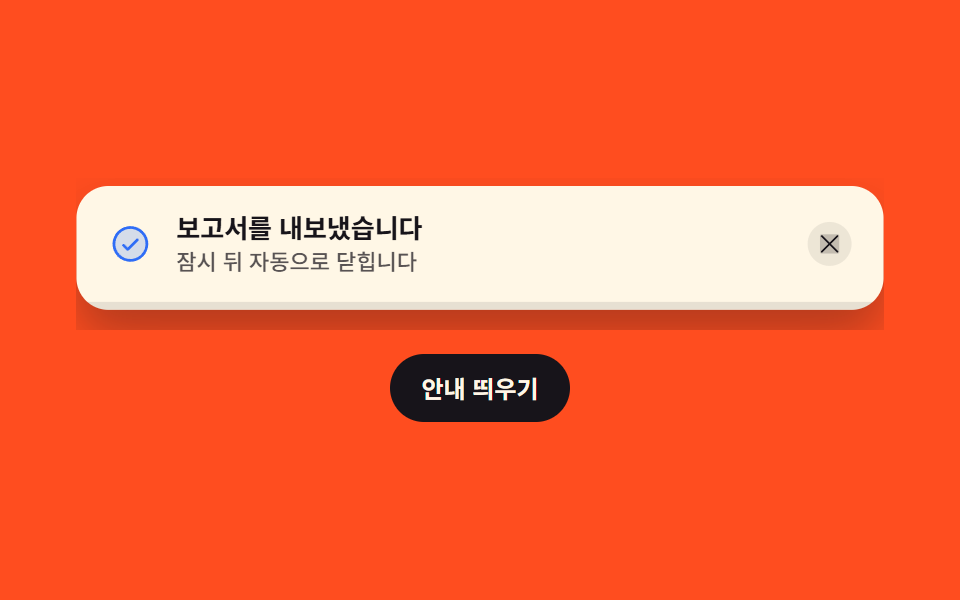
바닥의 바는 scaleX로 줄어들고, 축을 왼쪽에 두었기 때문에 오른쪽 끝부터 닳습니다. 마우스를 올리거나 키보드 초점이 들어오면 바에는 animation-play-state: paused를 걸고 닫힘 타이머는 아예 지우며, 벗어날 때 흘러간 시간을 뺀 나머지로 타이머를 다시 겁니다.
<main class="stage">
  <div class="pb is-demo">
    <div class="pb__box">
      <div class="pb__toast is-on" id="pb-toast" role="region" aria-label="자동으로 닫히는 알림" tabindex="0">
        <div class="pb__row">
          <span class="pb__ic" aria-hidden="true"><svg viewBox="0 0 256 256" width="22" height="22"><g fill="currentColor"><path d="M224 128a96 96 0 1 1-96-96a96 96 0 0 1 96 96" opacity=".2"/><path d="M173.66 98.34a8 8 0 0 1 0 11.32l-56 56a8 8 0 0 1-11.32 0l-24-24a8 8 0 0 1 11.32-11.32L112 148.69l50.34-50.35a8 8 0 0 1 11.32 0M232 128A104 104 0 1 1 128 24a104.11 104.11 0 0 1 104 104m-16 0a88 88 0 1 0-88 88a88.1 88.1 0 0 0 88-88"/></g></svg></span>
          <span class="pb__txt">
            <span class="pb__msg">보고서를 내보냈습니다</span>
            <span class="pb__sub">잠시 뒤 자동으로 닫힙니다</span>
          </span>
          <span class="pb__hold" id="pb-hold" aria-hidden="true">
            <svg viewBox="0 0 256 256" width="12" height="12"><g fill="currentColor"><path d="M208 48v160a8 8 0 0 1-8 8h-40a8 8 0 0 1-8-8V48a8 8 0 0 1 8-8h40a8 8 0 0 1 8 8M96 40H56a8 8 0 0 0-8 8v160a8 8 0 0 0 8 8h40a8 8 0 0 0 8-8V48a8 8 0 0 0-8-8" opacity=".2"/><path d="M200 32h-40a16 16 0 0 0-16 16v160a16 16 0 0 0 16 16h40a16 16 0 0 0 16-16V48a16 16 0 0 0-16-16m0 176h-40V48h40ZM96 32H56a16 16 0 0 0-16 16v160a16 16 0 0 0 16 16h40a16 16 0 0 0 16-16V48a16 16 0 0 0-16-16m0 176H56V48h40Z"/></g></svg>
            <span class="pb__holdtxt">멈춤</span>
          </span>
          <button class="pb__x" type="button" id="pb-x" aria-label="알림 닫기">
            <svg viewBox="0 0 256 256" width="14" height="14"><g fill="currentColor"><path d="M216 56v144a16 16 0 0 1-16 16H56a16 16 0 0 1-16-16V56a16 16 0 0 1 16-16h144a16 16 0 0 1 16 16" opacity=".2"/><path d="M205.66 194.34a8 8 0 0 1-11.32 11.32L128 139.31l-66.34 66.35a8 8 0 0 1-11.32-11.32L116.69 128L50.34 61.66a8 8 0 0 1 11.32-11.32L128 116.69l66.34-66.35a8 8 0 0 1 11.32 11.32L139.31 128Z"/></g></svg>
          </button>
        </div>
        <span class="pb__track" aria-hidden="true"><span class="pb__fill" id="pb-fill"></span></span>
      </div>
    </div>
    <button class="pb__go" type="button" id="pb-go">안내 띄우기</button>
  </div>
</main>
@use "../../../../site/static/demo-tokens" as *;
$duration: $dur-base;
$easing: $ease-spring;
$color: $subject-blue;
@include stage($stage-orange);
.pb {
box-sizing: border-box;
width: min(404px, 88vw);
display: flex;
flex-direction: column;
gap: $sp-3;
font-family: -apple-system, "Segoe UI", "Noto Sans KR", sans-serif;
color: $subject-ink;
}
.pb__box {
position: relative;
overflow: hidden;
height: 76px;
}
.pb__toast {
position: absolute;
left: 0;
right: 0;
top: 4px;
box-sizing: border-box;
overflow: hidden;
border-radius: $r-card;
background: $subject-cream;
box-shadow: $shadow-raised;
transform-origin: top center; // 규칙8: 순수 이동, origin 무의미
opacity: 0;
transform: translateY(-24px);
transition: opacity $duration $easing, transform $duration $easing;
}
.pb__toast.is-on { opacity: 1; transform: translateY(0); }
.pb__toast:focus-visible { outline: 2px solid $subject-ink; outline-offset: 2px; }
.pb__row {
display: flex;
align-items: center;
gap: $sp-3;
padding: $sp-3 $sp-4;
}
.pb__ic { display: inline-flex; flex: 0 0 auto; color: $color; }
.pb__ic svg { display: block; }
.pb__txt { display: flex; flex-direction: column; flex: 1 1 auto; min-width: 0; }
.pb__msg {
font-size: 13px;
line-height: 18px;
font-weight: 700;
white-space: nowrap;
overflow: hidden;
text-overflow: ellipsis;
}
.pb__sub {
font-size: 11px;
line-height: 16px;
font-weight: 500;
color: rgba($stage-ink, .72);
white-space: nowrap;
overflow: hidden;
text-overflow: ellipsis;
}
// 멈춤 표시 — 사람이 올려 놓고 있는 동안만 나온다
.pb__hold {
display: inline-flex;
align-items: center;
gap: $sp-1;
flex: 0 0 auto;
padding: 0 $sp-2;
border-radius: $r-pill;
background: $subject-ink;
color: $subject-cream;
opacity: 0;
}
.pb__hold svg { display: block; }
.pb__holdtxt { font-size: 10px; line-height: 18px; font-weight: 700; }
.pb__toast.is-hold .pb__hold { opacity: 1; }
.pb__x {
display: inline-flex;
flex: 0 0 auto;
margin: 0;
padding: $sp-1;
border: 0;
border-radius: $r-pill;
background: rgba(23, 20, 26, .08);
color: $subject-ink;
cursor: pointer;
}
.pb__x svg { display: block; }
.pb__x:focus-visible { outline: 2px solid $subject-ink; outline-offset: 2px; }
// 남은 시간 바 — scaleX 는 레이아웃을 다시 계산하지 않는다. 왼쪽을 축으로 잡아야 오른쪽부터 줄어든다
.pb__track {
display: block;
height: 4px;
background: rgba(23, 20, 26, .1);
}
.pb__fill {
display: block;
height: 100%;
background: $color;
transform-origin: left center; // 규칙8: 좌변 축으로 줄어듦
transform: scaleX(1);
}
.pb__toast.is-on .pb__fill {
animation-name: pb-drain;
animation-duration: 4200ms;
animation-timing-function: linear;
animation-iteration-count: 1;
animation-fill-mode: forwards;
}
.pb__toast.is-hold .pb__fill { animation-play-state: paused; }
@keyframes pb-drain {
0% { transform: scaleX(1); }
100% { transform: scaleX(0); }
}
.pb__go {
box-sizing: border-box;
align-self: center;
margin: 0;
padding: $sp-2 $sp-4;
border: 0;
border-radius: $r-pill;
background: $subject-ink;
color: $subject-cream;
font-family: inherit;
font-size: 12px;
line-height: 18px;
font-weight: 700;
cursor: pointer;
}
.pb__go:focus-visible { outline: 2px solid $subject-cream; outline-offset: 2px; }
// ── 자동 루프: 바가 줄다가 가운데서 한 번 멈추고(호버 흉내) 마저 줄어들면 카드가 한 번 내려앉는다 ──
.pb.is-demo .pb__toast {
opacity: 1;
transition: none;
animation-name: pb-card;
animation-duration: $dur-loop;
animation-timing-function: $easing;
animation-iteration-count: infinite;
}
// 루프에서는 카드를 지우지 않는다 — 사라지는 순간이 곧 "가장 크게 변한 장" 이라 poster 가 빈 화면이 된다.
// 대신 바가 다 닳으면 카드가 한 번 내려앉았다 돌아오고 다음 알림이 들어온 것처럼 바가 다시 찬다
@keyframes pb-card {
0%, 74% { transform: scale(1); }
79% { transform: scale(.955); }
86% { transform: scale(1); }
90%, 100% { transform: scale(1); }
}
.pb.is-demo .pb__fill {
animation-name: pb-loop;
animation-duration: $dur-loop;
animation-timing-function: linear;
animation-iteration-count: infinite;
}
@keyframes pb-loop {
0%, 6% { transform: scaleX(1); }
34% { transform: scaleX(.62); }
51% { transform: scaleX(.62); }
74% { transform: scaleX(0); }
86% { transform: scaleX(0); }
90%, 100% { transform: scaleX(1); }
}
// 멈춤 칩은 샘플 프레임 사이에서 켜고 꺼 반투명 유령이 남지 않게 한다
.pb.is-demo .pb__hold {
animation-name: pb-hold;
animation-duration: $dur-loop;
animation-timing-function: linear;
animation-iteration-count: infinite;
}
@keyframes pb-hold {
0%, 34% { opacity: 0; }
35%, 51% { opacity: 1; }
52%, 100% { opacity: 0; }
}
@media (max-width: 340px) {
.pb { gap: $sp-2; }
.pb__box { height: 64px; }
.pb__row { gap: $sp-2; padding: $sp-2 $sp-3; }
.pb__msg { font-size: 12px; line-height: 16px; }
.pb__sub { font-size: 10px; line-height: 14px; }
.pb__go { padding: $sp-1 $sp-3; font-size: 11px; line-height: 16px; }
}
@media (prefers-reduced-motion: reduce) {
.pb.is-demo .pb__toast,
.pb.is-demo .pb__fill,
.pb.is-demo .pb__hold,
.pb__toast.is-on .pb__fill { animation: none !important; }
.pb.is-demo .pb__toast { opacity: 1; transform: none; }
.pb__toast { transition: none; }
}html, body {
margin: 0;
overflow: hidden;
}
.stage {
box-sizing: border-box;
min-height: 100vh;
display: grid;
place-items: center;
margin: 0;
background: #ff4d1f;
font-family: -apple-system, "Segoe UI", "Noto Sans KR", sans-serif;
padding: clamp(8px, 4vw, 24px);
}
.pb {
box-sizing: border-box;
width: min(404px, 88vw);
display: flex;
flex-direction: column;
gap: 12px;
font-family: -apple-system, "Segoe UI", "Noto Sans KR", sans-serif;
color: #17141a;
}
.pb__box {
position: relative;
overflow: hidden;
height: 76px;
}
.pb__toast {
position: absolute;
left: 0;
right: 0;
top: 4px;
box-sizing: border-box;
overflow: hidden;
border-radius: 16px;
background: #fff7e6;
box-shadow: 0 14px 24px rgba(23, 20, 26, 0.32);
transform-origin: top center;
opacity: 0;
transform: translateY(-24px);
transition: opacity 300ms cubic-bezier(0.2, 0.8, 0.2, 1), transform 300ms cubic-bezier(0.2, 0.8, 0.2, 1);
}
.pb__toast.is-on {
opacity: 1;
transform: translateY(0);
}
.pb__toast:focus-visible {
outline: 2px solid #17141a;
outline-offset: 2px;
}
.pb__row {
display: flex;
align-items: center;
gap: 12px;
padding: 12px 16px;
}
.pb__ic {
display: inline-flex;
flex: 0 0 auto;
color: #2f6df6;
}
.pb__ic svg {
display: block;
}
.pb__txt {
display: flex;
flex-direction: column;
flex: 1 1 auto;
min-width: 0;
}
.pb__msg {
font-size: 13px;
line-height: 18px;
font-weight: 700;
white-space: nowrap;
overflow: hidden;
text-overflow: ellipsis;
}
.pb__sub {
font-size: 11px;
line-height: 16px;
font-weight: 500;
color: rgba(23, 20, 26, 0.72);
white-space: nowrap;
overflow: hidden;
text-overflow: ellipsis;
}
.pb__hold {
display: inline-flex;
align-items: center;
gap: 4px;
flex: 0 0 auto;
padding: 0 8px;
border-radius: 999px;
background: #17141a;
color: #fff7e6;
opacity: 0;
}
.pb__hold svg {
display: block;
}
.pb__holdtxt {
font-size: 10px;
line-height: 18px;
font-weight: 700;
}
.pb__toast.is-hold .pb__hold {
opacity: 1;
}
.pb__x {
display: inline-flex;
flex: 0 0 auto;
margin: 0;
padding: 4px;
border: 0;
border-radius: 999px;
background: rgba(23, 20, 26, 0.08);
color: #17141a;
cursor: pointer;
}
.pb__x svg {
display: block;
}
.pb__x:focus-visible {
outline: 2px solid #17141a;
outline-offset: 2px;
}
.pb__track {
display: block;
height: 4px;
background: rgba(23, 20, 26, 0.1);
}
.pb__fill {
display: block;
height: 100%;
background: #2f6df6;
transform-origin: left center;
transform: scaleX(1);
}
.pb__toast.is-on .pb__fill {
animation-name: pb-drain;
animation-duration: 4200ms;
animation-timing-function: linear;
animation-iteration-count: 1;
animation-fill-mode: forwards;
}
.pb__toast.is-hold .pb__fill {
animation-play-state: paused;
}
@keyframes pb-drain {
0% {
transform: scaleX(1);
}
100% {
transform: scaleX(0);
}
}
.pb__go {
box-sizing: border-box;
align-self: center;
margin: 0;
padding: 8px 16px;
border: 0;
border-radius: 999px;
background: #17141a;
color: #fff7e6;
font-family: inherit;
font-size: 12px;
line-height: 18px;
font-weight: 700;
cursor: pointer;
}
.pb__go:focus-visible {
outline: 2px solid #fff7e6;
outline-offset: 2px;
}
.pb.is-demo .pb__toast {
opacity: 1;
transition: none;
animation-name: pb-card;
animation-duration: 2s;
animation-timing-function: cubic-bezier(0.2, 0.8, 0.2, 1);
animation-iteration-count: infinite;
}
@keyframes pb-card {
0%, 74% {
transform: scale(1);
}
79% {
transform: scale(0.955);
}
86% {
transform: scale(1);
}
90%, 100% {
transform: scale(1);
}
}
.pb.is-demo .pb__fill {
animation-name: pb-loop;
animation-duration: 2s;
animation-timing-function: linear;
animation-iteration-count: infinite;
}
@keyframes pb-loop {
0%, 6% {
transform: scaleX(1);
}
34% {
transform: scaleX(0.62);
}
51% {
transform: scaleX(0.62);
}
74% {
transform: scaleX(0);
}
86% {
transform: scaleX(0);
}
90%, 100% {
transform: scaleX(1);
}
}
.pb.is-demo .pb__hold {
animation-name: pb-hold;
animation-duration: 2s;
animation-timing-function: linear;
animation-iteration-count: infinite;
}
@keyframes pb-hold {
0%, 34% {
opacity: 0;
}
35%, 51% {
opacity: 1;
}
52%, 100% {
opacity: 0;
}
}
@media (max-width: 340px) {
.pb {
gap: 8px;
}
.pb__box {
height: 64px;
}
.pb__row {
gap: 8px;
padding: 8px 12px;
}
.pb__msg {
font-size: 12px;
line-height: 16px;
}
.pb__sub {
font-size: 10px;
line-height: 14px;
}
.pb__go {
padding: 4px 12px;
font-size: 11px;
line-height: 16px;
}
}
@media (prefers-reduced-motion: reduce) {
.pb.is-demo .pb__toast,
.pb.is-demo .pb__fill,
.pb.is-demo .pb__hold,
.pb__toast.is-on .pb__fill {
animation: none !important;
}
.pb.is-demo .pb__toast {
opacity: 1;
transform: none;
}
.pb__toast {
transition: none;
}
}// 실제 동작: 진행 바는 CSS 애니메이션이라 animation-play-state 로 멈추고, 닫힘 타이머는 남은 시간을 계산해 다시 건다
var LIFE = 4200;
var root = document.querySelector('.pb');
var toast = document.getElementById('pb-toast');
var timer = 0, rest = LIFE, start = 0;
function show() {
root.classList.remove('is-demo');
toast.classList.remove('is-on', 'is-hold');
void toast.offsetWidth; // 같은 알림을 다시 띄워도 바가 처음부터 줄게 리플로를 강제한다
toast.classList.add('is-on');
rest = LIFE; start = Date.now();
clearTimeout(timer); timer = setTimeout(hide, LIFE);
}
function hide() { clearTimeout(timer); toast.classList.remove('is-on', 'is-hold'); }
function hold() {
if (!toast.classList.contains('is-on') || toast.classList.contains('is-hold')) return;
clearTimeout(timer); rest -= Date.now() - start; toast.classList.add('is-hold');
}
function go() {
if (!toast.classList.contains('is-on') || !toast.classList.contains('is-hold')) return;
start = Date.now(); toast.classList.remove('is-hold'); timer = setTimeout(hide, Math.max(rest, 0));
}
toast.addEventListener('mouseenter', hold);
toast.addEventListener('mouseleave', go);
toast.addEventListener('focusin', hold);
toast.addEventListener('focusout', go);
document.getElementById('pb-x').addEventListener('click', hide);
document.getElementById('pb-go').addEventListener('click', show);import { useEffect, useRef, useState } from "react";
import type { CSSProperties } from "react";
import styles from "./ProgressToast.module.scss";
export type ProgressToastProps = {
message?: string;
sub?: string;
holdLabel?: string;
closeLabel?: string;
openLabel?: string;
regionLabel?: string;
life?: number;
duration?: number;
easing?: string;
color?: string;
};
type Vars = CSSProperties & { "--duration"?: string; "--easing"?: string; "--color"?: string; "--life"?: string };
export default function ProgressToast({
message = "Report exported",
sub = "This closes on its own in a moment",
holdLabel = "Paused",
closeLabel = "Close notification",
openLabel = "Show the notice",
regionLabel = "Self-closing notification",
life = 4200,
duration = 300,
easing = "cubic-bezier(.2,.8,.2,1)",
color = "#2f6df6",
}: ProgressToastProps) {
const [demo, setDemo] = useState(true);
const [on, setOn] = useState(false);
const [hold, setHold] = useState(false);
const [run, setRun] = useState(0);
const timer = useRef<number[]>([0]);
const rest = useRef<number[]>([life, 0]);
const vars: Vars = { "--duration": `${duration}ms`, "--easing": easing, "--color": color, "--life": `${life}ms` };
useEffect(() => () => { clearTimeout((timer.current ?? [0])[0]); }, []);
function later(ms: number) {
const t = timer.current ?? [0];
clearTimeout(t[0]);
t[0] = setTimeout(() => { setOn(false); setHold(false); }, Math.max(ms, 0)) as unknown as number;
}
function show() {
setDemo(false);
setOn(true);
setHold(false);
setRun((v) => v + 1); // key 를 바꿔 바가 처음부터 다시 줄게 한다
const r = rest.current ?? [life, 0];
r[0] = life; r[1] = Date.now();
later(life);
}
function pause() {
if (!on || hold) return;
const r = rest.current ?? [life, 0];
clearTimeout((timer.current ?? [0])[0]);
r[0] = r[0] - (Date.now() - r[1]);
setHold(true);
}
function resume() {
if (!on || !hold) return;
const r = rest.current ?? [life, 0];
r[1] = Date.now();
setHold(false);
later(r[0]);
}
return (
<div className={`${styles.pb} ${demo ? styles.isDemo : ""}`} style={vars}>
<div className={styles.box}>
<div
className={`${styles.toast} ${on ? styles.isOn : ""} ${hold ? styles.isHold : ""}`}
role="region"
aria-label={regionLabel}
tabIndex={0}
onMouseEnter={pause}
onMouseLeave={resume}
onFocus={pause}
onBlur={resume}
>
<div className={styles.row}>
<span className={styles.ic} aria-hidden="true">
<svg viewBox="0 0 256 256" width="22" height="22"><g fill="currentColor"><path d="M224 128a96 96 0 1 1-96-96a96 96 0 0 1 96 96" opacity=".2" /><path d="M173.66 98.34a8 8 0 0 1 0 11.32l-56 56a8 8 0 0 1-11.32 0l-24-24a8 8 0 0 1 11.32-11.32L112 148.69l50.34-50.35a8 8 0 0 1 11.32 0M232 128A104 104 0 1 1 128 24a104.11 104.11 0 0 1 104 104m-16 0a88 88 0 1 0-88 88a88.1 88.1 0 0 0 88-88" /></g></svg>
</span>
<span className={styles.txt}>
<span className={styles.msg}>{message}</span>
<span className={styles.sub}>{sub}</span>
</span>
<span className={styles.hold} aria-hidden="true">
<svg viewBox="0 0 256 256" width="12" height="12"><g fill="currentColor"><path d="M208 48v160a8 8 0 0 1-8 8h-40a8 8 0 0 1-8-8V48a8 8 0 0 1 8-8h40a8 8 0 0 1 8 8M96 40H56a8 8 0 0 0-8 8v160a8 8 0 0 0 8 8h40a8 8 0 0 0 8-8V48a8 8 0 0 0-8-8" opacity=".2" /><path d="M200 32h-40a16 16 0 0 0-16 16v160a16 16 0 0 0 16 16h40a16 16 0 0 0 16-16V48a16 16 0 0 0-16-16m0 176h-40V48h40ZM96 32H56a16 16 0 0 0-16 16v160a16 16 0 0 0 16 16h40a16 16 0 0 0 16-16V48a16 16 0 0 0-16-16m0 176H56V48h40Z" /></g></svg>
<span className={styles.holdtxt}>{holdLabel}</span>
</span>
<button className={styles.x} type="button" aria-label={closeLabel} onClick={() => { setOn(false); setHold(false); clearTimeout((timer.current ?? [0])[0]); }}>
<svg viewBox="0 0 256 256" width="14" height="14"><g fill="currentColor"><path d="M216 56v144a16 16 0 0 1-16 16H56a16 16 0 0 1-16-16V56a16 16 0 0 1 16-16h144a16 16 0 0 1 16 16" opacity=".2" /><path d="M205.66 194.34a8 8 0 0 1-11.32 11.32L128 139.31l-66.34 66.35a8 8 0 0 1-11.32-11.32L116.69 128L50.34 61.66a8 8 0 0 1 11.32-11.32L128 116.69l66.34-66.35a8 8 0 0 1 11.32 11.32L139.31 128Z" /></g></svg>
</button>
</div>
<span className={styles.track} aria-hidden="true"><span key={run} className={styles.fill} /></span>
</div>
</div>
<button className={styles.go} type="button" onClick={show}>{openLabel}</button>
</div>
);
}03 · 남은 시간 바와 일시정지 — 측정 누적면적 5.482% · 움직인 프레임 17/23GODRICH 원작 · zip 에 SCSS·React 포함 · 비밀번호 보기
어디를 바꾸면 되나
둘 중 하나만 멈추면 바는 서 있는데 알림이 닫히는 일이 생깁니다.
.pb__fill {
  display: block;
  height: 100%;
  background: $color;
  transform-origin: left center;
  transform: scaleX(1);
}
.pb__toast.is-on .pb__fill {
  animation-name: pb-drain;
  animation-duration: 4200ms;
  animation-timing-function: linear;
  animation-iteration-count: 1;
  animation-fill-mode: forwards;
}
.pb__toast.is-hold .pb__fill { animation-play-state: paused; }
@keyframes pb-drain {
  0%   { transform: scaleX(1); }
  100% { transform: scaleX(0); }
}
04밀어서 날려 보내기
무엇이 보이나
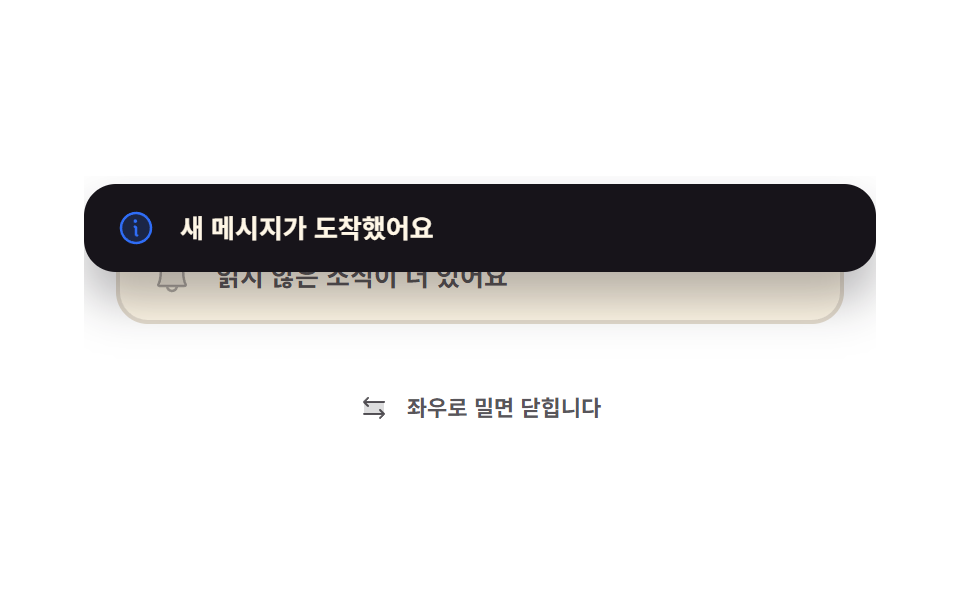
누른 채 옆으로 끌면 카드가 손가락을 그대로 따라오고, 놓았을 때 움직인 거리가 72px을 넘으면 그 방향으로 420px 날아가며 닫힙니다. 모자라면 이동값을 0으로 되돌려 제자리로 튕겨 옵니다.
<main class="stage">
  <div class="sw is-demo">
    <div class="sw__box">
      <article class="sw__under" aria-hidden="true">
        <span class="sw__ic"><svg viewBox="0 0 256 256" width="20" height="20"><g fill="currentColor"><path d="M208 192H48a8 8 0 0 1-6.88-12C47.71 168.6 56 139.81 56 104a72 72 0 0 1 144 0c0 35.82 8.3 64.6 14.9 76a8 8 0 0 1-6.9 12" opacity=".2"/><path d="M221.8 175.94c-5.55-9.56-13.8-36.61-13.8-71.94a80 80 0 1 0-160 0c0 35.34-8.26 62.38-13.81 71.94A16 16 0 0 0 48 200h40.81a40 40 0 0 0 78.38 0H208a16 16 0 0 0 13.8-24.06M128 216a24 24 0 0 1-22.62-16h45.24A24 24 0 0 1 128 216m-80-32c7.7-13.24 16-43.92 16-80a64 64 0 1 1 128 0c0 36.05 8.28 66.73 16 80Z"/></g></svg></span>
        <span class="sw__msg">읽지 않은 소식이 더 있어요</span>
      </article>
      <article class="sw__card" id="sw-card" tabindex="0" role="region" aria-label="밀어서 닫는 알림">
        <span class="sw__ic"><svg viewBox="0 0 256 256" width="20" height="20"><g fill="currentColor"><path d="M224 128a96 96 0 1 1-96-96a96 96 0 0 1 96 96" opacity=".2"/><path d="M144 176a8 8 0 0 1-8 8a16 16 0 0 1-16-16v-40a8 8 0 0 1 0-16a16 16 0 0 1 16 16v40a8 8 0 0 1 8 8m88-48A104 104 0 1 1 128 24a104.11 104.11 0 0 1 104 104m-16 0a88 88 0 1 0-88 88a88.1 88.1 0 0 0 88-88m-92-32a12 12 0 1 0-12-12a12 12 0 0 0 12 12"/></g></svg></span>
        <span class="sw__msg">새 메시지가 도착했어요</span>
      </article>
    </div>
    <p class="sw__hint">
      <span class="sw__hic" aria-hidden="true"><svg viewBox="0 0 256 256" width="16" height="16"><g fill="currentColor"><path d="M208 80v96H48V80Z" opacity=".2"/><path d="m213.66 181.66l-32 32a8 8 0 0 1-11.32-11.32L188.69 184H48a8 8 0 0 1 0-16h140.69l-18.35-18.34a8 8 0 0 1 11.32-11.32l32 32a8 8 0 0 1 0 11.32m-139.32-64a8 8 0 0 0 11.32-11.32L67.31 88H208a8 8 0 0 0 0-16H67.31l18.35-18.34a8 8 0 0 0-11.32-11.32l-32 32a8 8 0 0 0 0 11.32Z"/></g></svg></span>
      좌우로 밀면 닫힙니다
    </p>
  </div>
</main>
@use "../../../../site/static/demo-tokens" as *;
$duration: $dur-base;
$easing: $ease-spring;
$color: $subject-blue;
@include stage($stage-paper);
.sw {
box-sizing: border-box;
width: min(396px, 88vw);
display: flex;
flex-direction: column;
gap: $sp-3;
font-family: -apple-system, "Segoe UI", "Noto Sans KR", sans-serif;
color: $subject-ink;
}
// 날아간 카드는 이 상자 밖으로 나가므로 여기서 잘려 화면을 넓히지 않는다
.sw__box {
position: relative;
overflow: hidden;
height: 96px;
}
.sw__card,
.sw__under {
position: absolute;
box-sizing: border-box;
display: flex;
align-items: center;
gap: $sp-3;
margin: 0;
padding: $sp-3 $sp-4;
border-radius: $r-card;
}
.sw__under {
left: 16px;
right: 16px;
top: 26px;
background: $subject-cream;
border: 2px solid rgba(23, 20, 26, .12);
color: rgba($stage-ink, .72);
}
.sw__card {
left: 0;
right: 0;
top: 4px;
--dx: 0px;
background: $subject-ink;
color: $subject-cream;
box-shadow: $shadow-raised;
cursor: grab;
touch-action: pan-y;
transform: translateX(var(--dx));
transition: transform $duration $easing;
}
.sw__card.is-drag { cursor: grabbing; transition: none; }
.sw__card.is-out { transition: transform $dur-enter $ease-out; }
.sw__card:focus-visible { outline: 2px solid $color; outline-offset: 2px; }
.sw__ic { display: inline-flex; flex: 0 0 auto; color: $color; }
.sw__ic svg { display: block; }
.sw__under .sw__ic { color: rgba(23, 20, 26, .34); }
.sw__msg {
flex: 1 1 auto;
min-width: 0;
font-size: 13px;
line-height: 20px;
font-weight: 700;
white-space: nowrap;
overflow: hidden;
text-overflow: ellipsis;
}
.sw__hint {
display: flex;
align-items: center;
justify-content: center;
gap: $sp-2;
margin: 0;
font-size: 11px;
line-height: 16px;
font-weight: 700;
color: rgba($stage-ink, .72);
}
.sw__hic { display: inline-flex; }
.sw__hic svg { display: block; }
// ── 자동 루프: 살짝 밀었다 되돌아오고(문턱 미만), 한 번 더 세게 밀어 날린 뒤 제자리에서 다시 뜬다 ──
// 카드가 빠진 사이에도 아래 카드가 남아 있어 어느 프레임도 빈 화면이 아니다
.sw.is-demo .sw__card {
transition: none;
animation-name: sw-loop;
animation-duration: $dur-loop;
animation-timing-function: $easing;
animation-iteration-count: infinite;
}
@keyframes sw-loop {
0%, 10% { opacity: 1; transform: translateX(0) rotate(0deg); }
22% { opacity: 1; transform: translateX(48px) rotate(1.4deg); }
34% { opacity: 1; transform: translateX(0) rotate(0deg); }
46% { opacity: 1; transform: translateX(-78px) rotate(-2.2deg); }
62% { opacity: 1; transform: translateX(-420px) rotate(-6deg); }
70.5% { opacity: 0; transform: translateX(-420px) rotate(-6deg); }
71.5% { opacity: 0; transform: translateX(0) rotate(0deg); }
73% { opacity: 1; transform: translateX(0) rotate(0deg); }
90%, 100% { opacity: 1; transform: translateX(0) rotate(0deg); }
}
@media (max-width: 340px) {
.sw { gap: $sp-2; }
.sw__box { height: 84px; }
.sw__card,
.sw__under { padding: $sp-2 $sp-3; gap: $sp-2; }
.sw__under { top: 22px; }
.sw__msg { font-size: 11px; line-height: 16px; }
.sw__hint { font-size: 10px; line-height: 14px; }
}
@media (prefers-reduced-motion: reduce) {
.sw.is-demo .sw__card { animation: none !important; opacity: 1; transform: translateX(0); }
.sw__card { transition: none; }
}html, body {
margin: 0;
overflow: hidden;
}
.stage {
box-sizing: border-box;
min-height: 100vh;
display: grid;
place-items: center;
margin: 0;
background: #ffffff;
font-family: -apple-system, "Segoe UI", "Noto Sans KR", sans-serif;
padding: clamp(8px, 4vw, 24px);
}
.sw {
box-sizing: border-box;
width: min(396px, 88vw);
display: flex;
flex-direction: column;
gap: 12px;
font-family: -apple-system, "Segoe UI", "Noto Sans KR", sans-serif;
color: #17141a;
}
.sw__box {
position: relative;
overflow: hidden;
height: 96px;
}
.sw__card,
.sw__under {
position: absolute;
box-sizing: border-box;
display: flex;
align-items: center;
gap: 12px;
margin: 0;
padding: 12px 16px;
border-radius: 16px;
}
.sw__under {
left: 16px;
right: 16px;
top: 26px;
background: #fff7e6;
border: 2px solid rgba(23, 20, 26, 0.12);
color: rgba(23, 20, 26, 0.72);
}
.sw__card {
left: 0;
right: 0;
top: 4px;
--dx: 0px;
background: #17141a;
color: #fff7e6;
box-shadow: 0 14px 24px rgba(23, 20, 26, 0.32);
cursor: grab;
touch-action: pan-y;
transform: translateX(var(--dx));
transition: transform 300ms cubic-bezier(0.2, 0.8, 0.2, 1);
}
.sw__card.is-drag {
cursor: grabbing;
transition: none;
}
.sw__card.is-out {
transition: transform 600ms ease-out;
}
.sw__card:focus-visible {
outline: 2px solid #2f6df6;
outline-offset: 2px;
}
.sw__ic {
display: inline-flex;
flex: 0 0 auto;
color: #2f6df6;
}
.sw__ic svg {
display: block;
}
.sw__under .sw__ic {
color: rgba(23, 20, 26, 0.34);
}
.sw__msg {
flex: 1 1 auto;
min-width: 0;
font-size: 13px;
line-height: 20px;
font-weight: 700;
white-space: nowrap;
overflow: hidden;
text-overflow: ellipsis;
}
.sw__hint {
display: flex;
align-items: center;
justify-content: center;
gap: 8px;
margin: 0;
font-size: 11px;
line-height: 16px;
font-weight: 700;
color: rgba(23, 20, 26, 0.72);
}
.sw__hic {
display: inline-flex;
}
.sw__hic svg {
display: block;
}
.sw.is-demo .sw__card {
transition: none;
animation-name: sw-loop;
animation-duration: 2s;
animation-timing-function: cubic-bezier(0.2, 0.8, 0.2, 1);
animation-iteration-count: infinite;
}
@keyframes sw-loop {
0%, 10% {
opacity: 1;
transform: translateX(0) rotate(0deg);
}
22% {
opacity: 1;
transform: translateX(48px) rotate(1.4deg);
}
34% {
opacity: 1;
transform: translateX(0) rotate(0deg);
}
46% {
opacity: 1;
transform: translateX(-78px) rotate(-2.2deg);
}
62% {
opacity: 1;
transform: translateX(-420px) rotate(-6deg);
}
70.5% {
opacity: 0;
transform: translateX(-420px) rotate(-6deg);
}
71.5% {
opacity: 0;
transform: translateX(0) rotate(0deg);
}
73% {
opacity: 1;
transform: translateX(0) rotate(0deg);
}
90%, 100% {
opacity: 1;
transform: translateX(0) rotate(0deg);
}
}
@media (max-width: 340px) {
.sw {
gap: 8px;
}
.sw__box {
height: 84px;
}
.sw__card,
.sw__under {
padding: 8px 12px;
gap: 8px;
}
.sw__under {
top: 22px;
}
.sw__msg {
font-size: 11px;
line-height: 16px;
}
.sw__hint {
font-size: 10px;
line-height: 14px;
}
}
@media (prefers-reduced-motion: reduce) {
.sw.is-demo .sw__card {
animation: none !important;
opacity: 1;
transform: translateX(0);
}
.sw__card {
transition: none;
}
}// 실제 동작: 포인터를 잡아 두고(--dx) 끌다가 72px 을 넘겨 놓으면 그 방향으로 날린다
var OUT = 72;
var root = document.querySelector('.sw');
var card = document.getElementById('sw-card');
var x0 = 0, dx = 0, down = false;
function set(v) { card.style.setProperty('--dx', v + 'px'); }
card.addEventListener('pointerdown', function (e) {
  root.classList.remove('is-demo');
  down = true; x0 = e.clientX; dx = 0;
  card.setPointerCapture(e.pointerId); // 손가락이 카드 밖으로 나가도 move 가 계속 온다
  card.classList.add('is-drag');
});
card.addEventListener('pointermove', function (e) {
  if (!down) return;
  dx = e.clientX - x0;
  set(dx);
});
card.addEventListener('pointerup', function () {
  if (!down) return;
  down = false;
  card.classList.remove('is-drag');
  if (Math.abs(dx) > OUT) fling(dx < 0 ? -1 : 1); else set(0);
});
card.addEventListener('keydown', function (e) {
if (e.key !== 'ArrowLeft' && e.key !== 'ArrowRight') return;
root.classList.remove('is-demo');
e.preventDefault();
fling(e.key === 'ArrowLeft' ? -1 : 1);
});
function fling(dir) {
card.classList.add('is-out');
set(dir * 420);
setTimeout(function () { // 잠시 뒤 다음 알림이 제자리에서 다시 뜬다
card.classList.remove('is-out');
set(0);
}, 900);
}import { useRef, useState } from "react";
import type { CSSProperties } from "react";
import styles from "./SwipeToast.module.scss";
export type SwipeToastProps = {
message?: string;
under?: string;
hint?: string;
regionLabel?: string;
threshold?: number;
duration?: number;
easing?: string;
color?: string;
};
type Vars = CSSProperties & { "--dx"?: string; "--duration"?: string; "--easing"?: string; "--color"?: string };
// React 이벤트 타입은 'react' 에서 import 하지 않는다 — 필요한 모양만 여기서 선언한다
type PointerEvt = { clientX: number; pointerId: number; currentTarget: { setPointerCapture: (id: number) => void } };
type KeyEvt = { key: string; preventDefault: () => void };
export default function SwipeToast({
message = "You have a new message",
under = "More unread updates behind this",
hint = "Drag sideways to dismiss",
regionLabel = "Swipe-to-dismiss notification",
threshold = 72,
duration = 300,
easing = "cubic-bezier(.2,.8,.2,1)",
color = "#2f6df6",
}: SwipeToastProps) {
const [demo, setDemo] = useState(true);
const [dx, setDx] = useState(0);
const [drag, setDrag] = useState(false);
const [out, setOut] = useState(false);
const from = useRef<number[]>([0]);
const back = useRef<number[]>([0]);
const vars: Vars = { "--duration": `${duration}ms`, "--easing": easing, "--color": color };
const cardVars: CSSProperties & { "--dx"?: string } = { "--dx": `${dx}px` };
function fling(dir: number) {
setOut(true);
setDx(dir * 420);
const b = back.current ?? [0];
clearTimeout(b[0]);
b[0] = setTimeout(() => { setOut(false); setDx(0); }, 900) as unknown as number;
}
return (
<div className={`${styles.sw} ${demo ? styles.isDemo : ""}`} style={vars}>
<div className={styles.box}>
<article className={styles.under} aria-hidden="true">
<span className={styles.ic}>
<svg viewBox="0 0 256 256" width="20" height="20"><g fill="currentColor"><path d="M208 192H48a8 8 0 0 1-6.88-12C47.71 168.6 56 139.81 56 104a72 72 0 0 1 144 0c0 35.82 8.3 64.6 14.9 76a8 8 0 0 1-6.9 12" opacity=".2" /><path d="M221.8 175.94c-5.55-9.56-13.8-36.61-13.8-71.94a80 80 0 1 0-160 0c0 35.34-8.26 62.38-13.81 71.94A16 16 0 0 0 48 200h40.81a40 40 0 0 0 78.38 0H208a16 16 0 0 0 13.8-24.06M128 216a24 24 0 0 1-22.62-16h45.24A24 24 0 0 1 128 216m-80-32c7.7-13.24 16-43.92 16-80a64 64 0 1 1 128 0c0 36.05 8.28 66.73 16 80Z" /></g></svg>
</span>
<span className={styles.msg}>{under}</span>
</article>
<article
className={`${styles.card} ${drag ? styles.isDrag : ""} ${out ? styles.isOut : ""}`}
style={cardVars}
tabIndex={0}
role="region"
aria-label={regionLabel}
onPointerDown={(e: PointerEvt) => {
setDemo(false);
setDrag(true);
const f = from.current ?? [0];
f[0] = e.clientX;
e.currentTarget.setPointerCapture(e.pointerId); // 손가락이 카드를 벗어나도 move 가 계속 온다
}}
onPointerMove={(e: PointerEvt) => {
if (!drag) return;
setDx(e.clientX - (from.current ?? [0])[0]);
}}
onPointerUp={() => {
if (!drag) return;
setDrag(false);
if (Math.abs(dx) > threshold) fling(dx < 0 ? -1 : 1); else setDx(0);
}}
onKeyDown={(e: KeyEvt) => {
if (e.key !== "ArrowLeft" && e.key !== "ArrowRight") return;
setDemo(false);
e.preventDefault();
fling(e.key === "ArrowLeft" ? -1 : 1);
}}
>
<span className={styles.ic}>
<svg viewBox="0 0 256 256" width="20" height="20"><g fill="currentColor"><path d="M224 128a96 96 0 1 1-96-96a96 96 0 0 1 96 96" opacity=".2" /><path d="M144 176a8 8 0 0 1-8 8a16 16 0 0 1-16-16v-40a8 8 0 0 1 0-16a16 16 0 0 1 16 16v40a8 8 0 0 1 8 8m88-48A104 104 0 1 1 128 24a104.11 104.11 0 0 1 104 104m-16 0a88 88 0 1 0-88 88a88.1 88.1 0 0 0 88-88m-92-32a12 12 0 1 0-12-12a12 12 0 0 0 12 12" /></g></svg>
</span>
<span className={styles.msg}>{message}</span>
</article>
</div>
<p className={styles.hint}>
<span className={styles.hic} aria-hidden="true">
<svg viewBox="0 0 256 256" width="16" height="16"><g fill="currentColor"><path d="M208 80v96H48V80Z" opacity=".2" /><path d="m213.66 181.66l-32 32a8 8 0 0 1-11.32-11.32L188.69 184H48a8 8 0 0 1 0-16h140.69l-18.35-18.34a8 8 0 0 1 11.32-11.32l32 32a8 8 0 0 1 0 11.32m-139.32-64a8 8 0 0 0 11.32-11.32L67.31 88H208a8 8 0 0 0 0-16H67.31l18.35-18.34a8 8 0 0 0-11.32-11.32l-32 32a8 8 0 0 0 0 11.32Z" /></g></svg>
</span>
{hint}
</p>
</div>
);
}04 · 밀어서 날려 보내기 — 측정 누적면적 19.567% · 움직인 프레임 13/23GODRICH 원작 · zip 에 SCSS·React 포함 · 비밀번호 보기
코드에서 볼 곳
누르는 순간 setPointerCapture를 걸어 두어야 손가락이 카드 밖으로 벗어나도 이동 이벤트가 끊기지 않습니다.
card.addEventListener('pointerdown', function (e) {
root.classList.remove('is-demo');
down = true; x0 = e.clientX; dx = 0;
card.setPointerCapture(e.pointerId); // 손가락이 카드 밖으로 나가도 move 가 계속 온다
card.classList.add('is-drag');
});
card.addEventListener('pointermove', function (e) {
if (!down) return;
dx = e.clientX - x0;
set(dx);
});
card.addEventListener('pointerup', function () {
if (!down) return;
down = false;
card.classList.remove('is-drag');
if (Math.abs(dx) > OUT) fling(dx < 0 ? -1 : 1); else set(0);
});
05되돌리기 버튼이 진짜로 되돌린다
화면에서 일어나는 일
지운 줄은 곧바로 없애지 않고 grid-template-rows를 1fr에서 0fr로 접어 숨겨만 둡니다. 되돌리기를 누르면 예약해 둔 삭제를 clearTimeout으로 취소하고 접힘만 풀면 되니, 지운 내용을 어디에 따로 보관할 필요가 없습니다.
<main class="stage">
  <div class="un is-demo">
    <ul class="un__list" id="un-list" aria-label="파일 목록">
      <li class="un__row"><span class="un__in">
        <span class="un__name">2월 청구서.pdf</span>
        <button class="un__del" type="button" aria-label="이 줄 지우기">
          <svg viewBox="0 0 256 256" width="14" height="14"><g fill="currentColor"><path d="M200 56v152a8 8 0 0 1-8 8H64a8 8 0 0 1-8-8V56Z" opacity=".2"/><path d="M216 48h-40v-8a24 24 0 0 0-24-24h-48a24 24 0 0 0-24 24v8H40a8 8 0 0 0 0 16h8v144a16 16 0 0 0 16 16h128a16 16 0 0 0 16-16V64h8a8 8 0 0 0 0-16M96 40a8 8 0 0 1 8-8h48a8 8 0 0 1 8 8v8H96Zm96 168H64V64h128Zm-80-104v64a8 8 0 0 1-16 0v-64a8 8 0 0 1 16 0m48 0v64a8 8 0 0 1-16 0v-64a8 8 0 0 1 16 0"/></g></svg>
        </button>
      </span></li>
      <li class="un__row"><span class="un__in">
        <span class="un__name">회의 노트.md</span>
        <button class="un__del" type="button" aria-label="이 줄 지우기">
          <svg viewBox="0 0 256 256" width="14" height="14"><g fill="currentColor"><path d="M200 56v152a8 8 0 0 1-8 8H64a8 8 0 0 1-8-8V56Z" opacity=".2"/><path d="M216 48h-40v-8a24 24 0 0 0-24-24h-48a24 24 0 0 0-24 24v8H40a8 8 0 0 0 0 16h8v144a16 16 0 0 0 16 16h128a16 16 0 0 0 16-16V64h8a8 8 0 0 0 0-16M96 40a8 8 0 0 1 8-8h48a8 8 0 0 1 8 8v8H96Zm96 168H64V64h128Zm-80-104v64a8 8 0 0 1-16 0v-64a8 8 0 0 1 16 0m48 0v64a8 8 0 0 1-16 0v-64a8 8 0 0 1 16 0"/></g></svg>
        </button>
      </span></li>
      <li class="un__row"><span class="un__in">
        <span class="un__name">로고 최종.png</span>
        <button class="un__del" type="button" aria-label="이 줄 지우기">
          <svg viewBox="0 0 256 256" width="14" height="14"><g fill="currentColor"><path d="M200 56v152a8 8 0 0 1-8 8H64a8 8 0 0 1-8-8V56Z" opacity=".2"/><path d="M216 48h-40v-8a24 24 0 0 0-24-24h-48a24 24 0 0 0-24 24v8H40a8 8 0 0 0 0 16h8v144a16 16 0 0 0 16 16h128a16 16 0 0 0 16-16V64h8a8 8 0 0 0 0-16M96 40a8 8 0 0 1 8-8h48a8 8 0 0 1 8 8v8H96Zm96 168H64V64h128Zm-80-104v64a8 8 0 0 1-16 0v-64a8 8 0 0 1 16 0m48 0v64a8 8 0 0 1-16 0v-64a8 8 0 0 1 16 0"/></g></svg>
        </button>
      </span></li>
    </ul>
    <div class="un__slot">
      <div class="un__toast" id="un-toast">
        <span class="un__msg" id="un-msg" role="status" aria-live="polite">항목을 지웠습니다</span>
        <button class="un__undo" type="button" id="un-undo">
          <svg viewBox="0 0 256 256" width="14" height="14" aria-hidden="true"><g fill="currentColor"><path d="M216 128a88 88 0 1 1-88-88a88 88 0 0 1 88 88" opacity=".2"/><path d="M224 128a96 96 0 0 1-94.71 96H128a95.38 95.38 0 0 1-65.9-26.2a8 8 0 0 1 11-11.63a80 80 0 1 0-1.67-114.78a3 3 0 0 1-.26.25L44.59 96H72a8 8 0 0 1 0 16H24a8 8 0 0 1-8-8V56a8 8 0 0 1 16 0v29.8L60.25 60A96 96 0 0 1 224 128"/></g></svg>
          되돌리기
        </button>
      </div>
    </div>
  </div>
</main>@use "../../../../site/static/demo-tokens" as *;
$duration: $dur-base;
$easing: $ease-spring;
$color: $subject-mint;
@include stage($stage-ink);
.un {
box-sizing: border-box;
width: min(396px, 88vw);
display: flex;
flex-direction: column;
gap: $sp-2;
font-family: -apple-system, "Segoe UI", "Noto Sans KR", sans-serif;
color: $subject-cream;
}
.un__list {
box-sizing: border-box;
height: 108px;
margin: 0;
padding: 0;
list-style: none;
}
// 줄 접기 — grid-template-rows 1fr → 0fr 은 높이를 안다는 뜻이라 접힌 뒤 아래 줄이 자연스럽게 올라온다
.un__row {
display: grid;
grid-template-rows: 1fr;
margin: 0;
padding: 0;
transition: grid-template-rows $duration $easing, opacity $dur-quick linear;
}
.un__row.is-gone { grid-template-rows: 0fr; opacity: 0; }
.un__in {
display: flex;
align-items: center;
gap: $sp-2;
overflow: hidden;
min-height: 0;
margin: 0 0 $sp-2;
padding: $sp-2 $sp-3;
border-radius: $r-control;
background: rgba(255, 255, 255, .07);
}
.un__name {
flex: 1 1 auto;
min-width: 0;
font-size: 12px;
line-height: 18px;
font-weight: 700;
white-space: nowrap;
overflow: hidden;
text-overflow: ellipsis;
}
.un__del {
display: inline-flex;
flex: 0 0 auto;
margin: 0;
padding: $sp-1;
border: 0;
border-radius: $r-pill;
background: rgba(255, 255, 255, .1);
color: $subject-cream;
cursor: pointer;
}
.un__del svg { display: block; }
.un__del:focus-visible { outline: 2px solid $color; outline-offset: 2px; }
// 토스트 자리 — 높이를 미리 잡아 두어야 토스트가 뜰 때 위 목록이 밀리지 않는다
.un__slot {
position: relative;
overflow: hidden;
height: 44px;
}
.un__toast {
position: absolute;
left: 0;
right: 0;
bottom: 4px;
box-sizing: border-box;
display: flex;
align-items: center;
gap: $sp-3;
padding: $sp-2 $sp-2 $sp-2 $sp-4;
border-radius: $r-control;
background: $subject-cream;
color: $subject-ink;
box-shadow: $shadow-press;
transform: translateY(48px);
transition: transform $duration $easing;
}
.un__toast.is-on { transform: translateY(0); }
.un__msg {
flex: 1 1 auto;
min-width: 0;
font-size: 12px;
line-height: 20px;
font-weight: 700;
white-space: nowrap;
overflow: hidden;
text-overflow: ellipsis;
}
.un__undo {
display: inline-flex;
align-items: center;
gap: $sp-1;
flex: 0 0 auto;
margin: 0;
padding: $sp-1 $sp-3;
border: 0;
border-radius: $r-pill;
background: $subject-ink;
color: $color;
font-family: inherit;
font-size: 11px;
line-height: 18px;
font-weight: 700;
cursor: pointer;
}
.un__undo svg { display: block; }
.un__undo:focus-visible { outline: 2px solid $subject-cream; outline-offset: 2px; }
// ── 자동 루프: 가운데 줄이 접히고 → 토스트가 올라오고 → 되돌리기가 눌려 → 줄이 도로 펴진다 ──
.un.is-demo .un__row { transition: none; }
.un.is-demo .un__row:nth-child(2) {
animation-name: un-row;
animation-duration: $dur-loop;
animation-timing-function: $easing;
animation-iteration-count: infinite;
}
@keyframes un-row {
0%, 18% { grid-template-rows: 1fr; opacity: 1; }
30% { grid-template-rows: 0fr; opacity: 0; }
62% { grid-template-rows: 0fr; opacity: 0; }
76% { grid-template-rows: 1fr; opacity: 1; }
90%, 100% { grid-template-rows: 1fr; opacity: 1; }
}
.un.is-demo .un__toast {
transition: none;
animation-name: un-toast;
animation-duration: $dur-loop;
animation-timing-function: $easing;
animation-iteration-count: infinite;
}
@keyframes un-toast {
0%, 20% { transform: translateY(48px); }
32% { transform: translateY(0); }
66% { transform: translateY(0); }
80% { transform: translateY(48px); }
90%, 100% { transform: translateY(48px); }
}
// 되돌리기가 눌리는 순간 — 줄이 다시 펴지기 직전이다
.un.is-demo .un__undo {
animation-name: un-press;
animation-duration: $dur-loop;
animation-timing-function: $ease-pop;
animation-iteration-count: infinite;
}
@keyframes un-press {
0%, 56% { transform: scale(1); }
62% { transform: scale(.84); }
70% { transform: scale(1); }
90%, 100% { transform: scale(1); }
}
@media (max-width: 340px) {
.un__list { height: 90px; }
.un__in { margin: 0 0 $sp-1; padding: $sp-1 $sp-2; }
.un__name { font-size: 11px; line-height: 16px; }
.un__slot { height: 36px; }
.un__toast { gap: $sp-2; padding: $sp-1 $sp-1 $sp-1 $sp-3; }
.un__msg { font-size: 11px; line-height: 18px; }
.un__undo { padding: 0 $sp-2; font-size: 10px; line-height: 16px; }
}
@media (prefers-reduced-motion: reduce) {
.un.is-demo .un__row:nth-child(2),
.un.is-demo .un__toast,
.un.is-demo .un__undo { animation: none !important; }
.un.is-demo .un__toast { transform: translateY(0); }
.un__row,
.un__toast { transition: none; }
}html, body {
margin: 0;
overflow: hidden;
}
.stage {
box-sizing: border-box;
min-height: 100vh;
display: grid;
place-items: center;
margin: 0;
background: #17141a;
font-family: -apple-system, "Segoe UI", "Noto Sans KR", sans-serif;
padding: clamp(8px, 4vw, 24px);
}
.un {
box-sizing: border-box;
width: min(396px, 88vw);
display: flex;
flex-direction: column;
gap: 8px;
font-family: -apple-system, "Segoe UI", "Noto Sans KR", sans-serif;
color: #fff7e6;
}
.un__list {
box-sizing: border-box;
height: 108px;
margin: 0;
padding: 0;
list-style: none;
}
.un__row {
display: grid;
grid-template-rows: 1fr;
margin: 0;
padding: 0;
transition: grid-template-rows 300ms cubic-bezier(0.2, 0.8, 0.2, 1), opacity 220ms linear;
}
.un__row.is-gone {
grid-template-rows: 0fr;
opacity: 0;
}
.un__in {
display: flex;
align-items: center;
gap: 8px;
overflow: hidden;
min-height: 0;
margin: 0 0 8px;
padding: 8px 12px;
border-radius: 12px;
background: rgba(255, 255, 255, 0.07);
}
.un__name {
flex: 1 1 auto;
min-width: 0;
font-size: 12px;
line-height: 18px;
font-weight: 700;
white-space: nowrap;
overflow: hidden;
text-overflow: ellipsis;
}
.un__del {
display: inline-flex;
flex: 0 0 auto;
margin: 0;
padding: 4px;
border: 0;
border-radius: 999px;
background: rgba(255, 255, 255, 0.1);
color: #fff7e6;
cursor: pointer;
}
.un__del svg {
display: block;
}
.un__del:focus-visible {
outline: 2px solid #4cd4a6;
outline-offset: 2px;
}
.un__slot {
position: relative;
overflow: hidden;
height: 44px;
}
.un__toast {
position: absolute;
left: 0;
right: 0;
bottom: 4px;
box-sizing: border-box;
display: flex;
align-items: center;
gap: 12px;
padding: 8px 8px 8px 16px;
border-radius: 12px;
background: #fff7e6;
color: #17141a;
box-shadow: 0 6px 12px rgba(23, 20, 26, 0.32);
transform: translateY(48px);
transition: transform 300ms cubic-bezier(0.2, 0.8, 0.2, 1);
}
.un__toast.is-on {
transform: translateY(0);
}
.un__msg {
flex: 1 1 auto;
min-width: 0;
font-size: 12px;
line-height: 20px;
font-weight: 700;
white-space: nowrap;
overflow: hidden;
text-overflow: ellipsis;
}
.un__undo {
display: inline-flex;
align-items: center;
gap: 4px;
flex: 0 0 auto;
margin: 0;
padding: 4px 12px;
border: 0;
border-radius: 999px;
background: #17141a;
color: #4cd4a6;
font-family: inherit;
font-size: 11px;
line-height: 18px;
font-weight: 700;
cursor: pointer;
}
.un__undo svg {
display: block;
}
.un__undo:focus-visible {
outline: 2px solid #fff7e6;
outline-offset: 2px;
}
.un.is-demo .un__row {
transition: none;
}
.un.is-demo .un__row:nth-child(2) {
animation-name: un-row;
animation-duration: 2s;
animation-timing-function: cubic-bezier(0.2, 0.8, 0.2, 1);
animation-iteration-count: infinite;
}
@keyframes un-row {
0%, 18% {
grid-template-rows: 1fr;
opacity: 1;
}
30% {
grid-template-rows: 0fr;
opacity: 0;
}
62% {
grid-template-rows: 0fr;
opacity: 0;
}
76% {
grid-template-rows: 1fr;
opacity: 1;
}
90%, 100% {
grid-template-rows: 1fr;
opacity: 1;
}
}
.un.is-demo .un__toast {
transition: none;
animation-name: un-toast;
animation-duration: 2s;
animation-timing-function: cubic-bezier(0.2, 0.8, 0.2, 1);
animation-iteration-count: infinite;
}
@keyframes un-toast {
0%, 20% {
transform: translateY(48px);
}
32% {
transform: translateY(0);
}
66% {
transform: translateY(0);
}
80% {
transform: translateY(48px);
}
90%, 100% {
transform: translateY(48px);
}
}
.un.is-demo .un__undo {
animation-name: un-press;
animation-duration: 2s;
animation-timing-function: cubic-bezier(0.2, 1.4, 0.4, 1);
animation-iteration-count: infinite;
}
@keyframes un-press {
0%, 56% {
transform: scale(1);
}
62% {
transform: scale(0.84);
}
70% {
transform: scale(1);
}
90%, 100% {
transform: scale(1);
}
}
@media (max-width: 340px) {
.un__list {
height: 90px;
}
.un__in {
margin: 0 0 4px;
padding: 4px 8px;
}
.un__name {
font-size: 11px;
line-height: 16px;
}
.un__slot {
height: 36px;
}
.un__toast {
gap: 8px;
padding: 4px 4px 4px 12px;
}
.un__msg {
font-size: 11px;
line-height: 18px;
}
.un__undo {
padding: 0 8px;
font-size: 10px;
line-height: 16px;
}
}
@media (prefers-reduced-motion: reduce) {
.un.is-demo .un__row:nth-child(2),
.un.is-demo .un__toast,
.un.is-demo .un__undo {
animation: none !important;
}
.un.is-demo .un__toast {
transform: translateY(0);
}
.un__row,
.un__toast {
transition: none;
}
}// 실제 동작: 지운 줄은 바로 없애지 않고 접어만 둔다. 되돌리기를 누르면 예약된 삭제를 clearTimeout 으로 취소하고 다시 편다
var root = document.querySelector('.un');
var toast = document.getElementById('un-toast');
var timer = 0, pending = null;
function drop(row) {
root.classList.remove('is-demo');
if (pending) commit();
pending = row;
row.classList.add('is-gone');
toast.classList.add('is-on');
clearTimeout(timer);
timer = setTimeout(commit, 4000);
}
function commit() { // 되돌리기 없이 시간이 다 가면 그때 진짜로 지운다
clearTimeout(timer);
if (pending) pending.remove();
pending = null;
toast.classList.remove('is-on');
}
function undo() {
clearTimeout(timer);
if (pending) pending.classList.remove('is-gone');
pending = null;
toast.classList.remove('is-on');
}
[].forEach.call(document.querySelectorAll('.un__del'), function (b) {
b.addEventListener('click', function () { drop(b.closest('.un__row')); });
});
document.getElementById('un-undo').addEventListener('click', undo);import { useEffect, useRef, useState } from "react";
import type { CSSProperties } from "react";
import styles from "./UndoToast.module.scss";
export type UndoToastProps = {
files?: string[];
listLabel?: string;
deleteLabel?: string;
message?: string;
undoLabel?: string;
grace?: number;
duration?: number;
easing?: string;
color?: string;
};
type Vars = CSSProperties & { "--duration"?: string; "--easing"?: string; "--color"?: string };
export default function UndoToast({
files = ["february-invoice.pdf", "meeting-notes.md", "logo-final.png"],
listLabel = "File list",
deleteLabel = "Delete this row",
message = "Item deleted",
undoLabel = "Undo",
grace = 4000,
duration = 300,
easing = "cubic-bezier(.2,.8,.2,1)",
color = "#4cd4a6",
}: UndoToastProps) {
const [demo, setDemo] = useState(true);
const [rows, setRows] = useState<string[]>(files);
const [gone, setGone] = useState<string>("");
const timer = useRef<number[]>([0]);
const vars: Vars = { "--duration": `${duration}ms`, "--easing": easing, "--color": color };
useEffect(() => () => { clearTimeout((timer.current ?? [0])[0]); }, []);
function drop(name: string) {
setDemo(false);
setGone(name);
const t = timer.current ?? [0];
clearTimeout(t[0]);
// 시간이 다 가면 그때 진짜로 목록에서 뺀다 — 그 전까지는 접혀만 있다
t[0] = setTimeout(() => { setRows((v) => v.filter((n) => n !== name)); setGone(""); }, grace) as unknown as number;
}
function undo() {
clearTimeout((timer.current ?? [0])[0]); // 예약된 삭제를 취소하면 줄이 그대로 살아 있다
setGone("");
}
return (
<div className={`${styles.un} ${demo ? styles.isDemo : ""}`} style={vars}>
<ul className={styles.list} aria-label={listLabel}>
{rows.map((name, i) => (
<li key={name} className={`${styles.row} ${gone === name ? styles.isGone : ""}`} data-nth={i}>
<span className={styles.in}>
<span className={styles.name}>{name}</span>
<button className={styles.del} type="button" aria-label={deleteLabel} onClick={() => drop(name)}>
<svg viewBox="0 0 256 256" width="14" height="14"><g fill="currentColor"><path d="M200 56v152a8 8 0 0 1-8 8H64a8 8 0 0 1-8-8V56Z" opacity=".2" /><path d="M216 48h-40v-8a24 24 0 0 0-24-24h-48a24 24 0 0 0-24 24v8H40a8 8 0 0 0 0 16h8v144a16 16 0 0 0 16 16h128a16 16 0 0 0 16-16V64h8a8 8 0 0 0 0-16M96 40a8 8 0 0 1 8-8h48a8 8 0 0 1 8 8v8H96Zm96 168H64V64h128Zm-80-104v64a8 8 0 0 1-16 0v-64a8 8 0 0 1 16 0m48 0v64a8 8 0 0 1-16 0v-64a8 8 0 0 1 16 0" /></g></svg>
</button>
</span>
</li>
))}
</ul>
<div className={styles.slot}>
<div className={`${styles.toast} ${gone ? styles.isOn : ""}`}>
<span className={styles.msg} role="status" aria-live="polite">{gone ? message : ""}</span>
<button className={styles.undo} type="button" onClick={undo}>
<svg viewBox="0 0 256 256" width="14" height="14" aria-hidden="true"><g fill="currentColor"><path d="M216 128a88 88 0 1 1-88-88a88 88 0 0 1 88 88" opacity=".2" /><path d="M224 128a96 96 0 0 1-94.71 96H128a95.38 95.38 0 0 1-65.9-26.2a8 8 0 0 1 11-11.63a80 80 0 1 0-1.67-114.78a3 3 0 0 1-.26.25L44.59 96H72a8 8 0 0 1 0 16H24a8 8 0 0 1-8-8V56a8 8 0 0 1 16 0v29.8L60.25 60A96 96 0 0 1 224 128" /></g></svg>
{undoLabel}
</button>
</div>
</div>
</div>
);
}05 · 되돌리기 버튼이 진짜로 되돌린다 — 측정 누적면적 26.956% · 움직인 프레임 9/23GODRICH 원작 · zip 에 SCSS·React 포함 · 비밀번호 보기
코드 읽는 법
토스트가 뜨는 자리는 높이를 미리 잡아 두어 위 목록이 밀려 내려가지 않게 했습니다.
function drop(row) {
  root.classList.remove('is-demo');
  if (pending) commit();
  pending = row;
  row.classList.add('is-gone');
  toast.classList.add('is-on');
  clearTimeout(timer);
  timer = setTimeout(commit, 4000);
}
function undo() {
  clearTimeout(timer);
  if (pending) pending.classList.remove('is-gone');
  pending = null;
  toast.classList.remove('is-on');
}
06로딩에서 결과로 바뀌는 토스트
어떤 움직임인가
같은 카드 안에서 도는 고리가 끝나는 순간 성공 또는 실패 표시로 갈립니다. 고리는 1초짜리 rotate 한 바퀴를 무한히 돌고, 갈리는 지점은 프레임 사이에 놓은 steps(1, end) 컷이라 두 아이콘이 겹쳐 보이는 구간이 없습니다.
<main class="stage">
  <div class="pm is-demo">
    <div class="pm__card" id="pm-card" data-state="load" role="status" aria-live="polite" aria-busy="true">
      <span class="pm__slot" aria-hidden="true">
        <span class="pm__face" data-state="load">
          <span class="pm__spin"><svg viewBox="0 0 256 256" width="30" height="30"><g fill="currentColor"><path d="M224 128a96 96 0 1 1-96-96a96 96 0 0 1 96 96" opacity=".2"/><path d="M232 128a104 104 0 0 1-208 0c0-41 23.81-78.36 60.66-95.27a8 8 0 0 1 6.68 14.54C60.15 61.59 40 93.27 40 128a88 88 0 0 0 176 0c0-34.73-20.15-66.41-51.34-80.73a8 8 0 0 1 6.68-14.54C208.19 49.64 232 87 232 128"/></g></svg></span>
        </span>
        <span class="pm__face" data-state="ok">
          <svg viewBox="0 0 256 256" width="30" height="30"><g fill="currentColor"><path d="M224 128a96 96 0 1 1-96-96a96 96 0 0 1 96 96" opacity=".2"/><path d="M173.66 98.34a8 8 0 0 1 0 11.32l-56 56a8 8 0 0 1-11.32 0l-24-24a8 8 0 0 1 11.32-11.32L112 148.69l50.34-50.35a8 8 0 0 1 11.32 0M232 128A104 104 0 1 1 128 24a104.11 104.11 0 0 1 104 104m-16 0a88 88 0 1 0-88 88a88.1 88.1 0 0 0 88-88"/></g></svg>
        </span>
        <span class="pm__face" data-state="bad">
          <svg viewBox="0 0 256 256" width="30" height="30"><g fill="currentColor"><path d="M224 128a96 96 0 1 1-96-96a96 96 0 0 1 96 96" opacity=".2"/><path d="M165.66 101.66L139.31 128l26.35 26.34a8 8 0 0 1-11.32 11.32L128 139.31l-26.34 26.35a8 8 0 0 1-11.32-11.32L116.69 128l-26.35-26.34a8 8 0 0 1 11.32-11.32L128 116.69l26.34-26.35a8 8 0 0 1 11.32 11.32M232 128A104 104 0 1 1 128 24a104.11 104.11 0 0 1 104 104m-16 0a88 88 0 1 0-88 88a88.1 88.1 0 0 0 88-88"/></g></svg>
        </span>
      </span>
      <span class="pm__txt">
        <span class="pm__words">
          <span class="pm__word" data-state="load">올리는 중입니다</span>
          <span class="pm__word" data-state="ok">업로드를 마쳤습니다</span>
          <span class="pm__word" data-state="bad">업로드가 끊겼습니다</span>
        </span>
        <span class="pm__sub">사진 12장 · 34MB</span>
      </span>
    </div>
    <button class="pm__go" type="button" id="pm-go">다시 올리기</button>
  </div>
</main>@use "../../../../site/static/demo-tokens" as *;
$duration: $dur-quick;
$easing: $ease-pop;
$color: $subject-sky;
@include stage($stage-yellow);
.pm {
box-sizing: border-box;
width: min(392px, 88vw);
display: flex;
flex-direction: column;
align-items: center;
gap: $sp-3;
font-family: -apple-system, "Segoe UI", "Noto Sans KR", sans-serif;
color: $subject-ink;
}
.pm__card {
box-sizing: border-box;
width: 100%;
display: flex;
align-items: center;
gap: $sp-4;
padding: $sp-3 $sp-4;
border-radius: $r-card;
background: $subject-ink;
color: $subject-cream;
box-shadow: $shadow-raised;
}
// 아이콘 자리는 한 칸뿐이다 — 세 얼굴이 같은 자리에 겹쳐 있고 한 프레임에 갈린다
.pm__slot {
position: relative;
flex: 0 0 auto;
width: 30px;
height: 30px;
}
.pm__face {
position: absolute;
left: 0;
top: 0;
display: block;
opacity: 0;
}
.pm__face svg { display: block; }
.pm__face[data-state="load"] { color: $color; }
.pm__face[data-state="ok"] { color: $subject-mint; }
.pm__face[data-state="bad"] { color: $stage-orange; }
.pm__spin { display: block; }
.pm__txt { display: flex; flex-direction: column; flex: 1 1 auto; min-width: 0; }
.pm__words {
position: relative;
display: block;
height: 20px;
}
.pm__word {
position: absolute;
left: 0;
right: 0;
top: 0;
display: block;
opacity: 0;
font-size: 14px;
line-height: 20px;
font-weight: 700;
white-space: nowrap;
overflow: hidden;
text-overflow: ellipsis;
}
.pm__sub {
font-size: 11px;
line-height: 16px;
font-weight: 500;
color: rgba(255, 247, 230, .56);
}
.pm__go {
box-sizing: border-box;
margin: 0;
padding: $sp-2 $sp-4;
border: 2px solid $subject-ink;
border-radius: $r-pill;
background: transparent;
color: $subject-ink;
font-family: inherit;
font-size: 12px;
line-height: 18px;
font-weight: 700;
cursor: pointer;
}
.pm__go:focus-visible { outline: 2px solid $subject-ink; outline-offset: 2px; }
// 사람이 누른 뒤: data-state 하나가 아이콘과 문구를 동시에 정한다
.pm:not(.is-demo) .pm__card[data-state="load"] .pm__face[data-state="load"],
.pm:not(.is-demo) .pm__card[data-state="ok"] .pm__face[data-state="ok"],
.pm:not(.is-demo) .pm__card[data-state="bad"] .pm__face[data-state="bad"] { opacity: 1; }
.pm:not(.is-demo) .pm__card[data-state="load"] .pm__word[data-state="load"],
.pm:not(.is-demo) .pm__card[data-state="ok"] .pm__word[data-state="ok"],
.pm:not(.is-demo) .pm__card[data-state="bad"] .pm__word[data-state="bad"] { opacity: 1; }
// 기다리는 고리는 늘 돈다 — 상태가 바뀌어도 같은 자리에서 결과 아이콘으로 갈릴 뿐이다
.pm__spin {
animation-name: pm-spin;
animation-duration: 1s;
animation-timing-function: linear;
animation-iteration-count: infinite;
}
@keyframes pm-spin {
0% { rotate: 0deg; }
100% { rotate: 360deg; }
}
// ── 자동 루프: 기다림 → 성공 → 기다림 → 실패. 갈리는 지점은 24장 샘플 사이에 두고 steps(1, end) 로 끊는다 ──
.pm.is-demo .pm__face,
.pm.is-demo .pm__word {
animation-duration: $dur-loop;
animation-timing-function: steps(1, end);
animation-iteration-count: infinite;
}
.pm.is-demo .pm__face[data-state="load"],
.pm.is-demo .pm__word[data-state="load"] { animation-name: pm-load; }
.pm.is-demo .pm__face[data-state="ok"],
.pm.is-demo .pm__word[data-state="ok"] { animation-name: pm-ok; }
.pm.is-demo .pm__face[data-state="bad"],
.pm.is-demo .pm__word[data-state="bad"] { animation-name: pm-bad; }
@keyframes pm-load {
0% { opacity: 1; }
35% { opacity: 0; }
56% { opacity: 1; }
77% { opacity: 0; }
89% { opacity: 1; }
100% { opacity: 1; }
}
@keyframes pm-ok {
0% { opacity: 0; }
35% { opacity: 1; }
56% { opacity: 0; }
100% { opacity: 0; }
}
@keyframes pm-bad {
0% { opacity: 0; }
77% { opacity: 1; }
89% { opacity: 0; }
100% { opacity: 0; }
}
@media (max-width: 340px) {
.pm { gap: $sp-2; }
.pm__card { gap: $sp-3; padding: $sp-2 $sp-3; }
.pm__slot { width: 24px; height: 24px; }
.pm__face svg { width: 24px; height: 24px; }
.pm__words { height: 18px; }
.pm__word { font-size: 12px; line-height: 18px; }
.pm__sub { font-size: 10px; line-height: 14px; }
.pm__go { padding: $sp-1 $sp-3; font-size: 11px; line-height: 16px; }
}
@media (prefers-reduced-motion: reduce) {
.pm__spin,
.pm.is-demo .pm__face,
.pm.is-demo .pm__word { animation: none !important; }
.pm.is-demo .pm__face[data-state="load"] { opacity: 1; }
.pm.is-demo .pm__word[data-state="load"] { opacity: 1; }
}html, body {
margin: 0;
overflow: hidden;
}
.stage {
box-sizing: border-box;
min-height: 100vh;
display: grid;
place-items: center;
margin: 0;
background: #ffd23f;
font-family: -apple-system, "Segoe UI", "Noto Sans KR", sans-serif;
padding: clamp(8px, 4vw, 24px);
}
.pm {
box-sizing: border-box;
width: min(392px, 88vw);
display: flex;
flex-direction: column;
align-items: center;
gap: 12px;
font-family: -apple-system, "Segoe UI", "Noto Sans KR", sans-serif;
color: #17141a;
}
.pm__card {
box-sizing: border-box;
width: 100%;
display: flex;
align-items: center;
gap: 16px;
padding: 12px 16px;
border-radius: 16px;
background: #17141a;
color: #fff7e6;
box-shadow: 0 14px 24px rgba(23, 20, 26, 0.32);
}
.pm__slot {
position: relative;
flex: 0 0 auto;
width: 30px;
height: 30px;
}
.pm__face {
position: absolute;
left: 0;
top: 0;
display: block;
opacity: 0;
}
.pm__face svg {
display: block;
}
.pm__face[data-state=load] {
color: #6ec8ff;
}
.pm__face[data-state=ok] {
color: #4cd4a6;
}
.pm__face[data-state=bad] {
color: #ff4d1f;
}
.pm__spin {
display: block;
}
.pm__txt {
display: flex;
flex-direction: column;
flex: 1 1 auto;
min-width: 0;
}
.pm__words {
position: relative;
display: block;
height: 20px;
}
.pm__word {
position: absolute;
left: 0;
right: 0;
top: 0;
display: block;
opacity: 0;
font-size: 14px;
line-height: 20px;
font-weight: 700;
white-space: nowrap;
overflow: hidden;
text-overflow: ellipsis;
}
.pm__sub {
font-size: 11px;
line-height: 16px;
font-weight: 500;
color: rgba(255, 247, 230, 0.56);
}
.pm__go {
box-sizing: border-box;
margin: 0;
padding: 8px 16px;
border: 2px solid #17141a;
border-radius: 999px;
background: transparent;
color: #17141a;
font-family: inherit;
font-size: 12px;
line-height: 18px;
font-weight: 700;
cursor: pointer;
}
.pm__go:focus-visible {
outline: 2px solid #17141a;
outline-offset: 2px;
}
.pm:not(.is-demo) .pm__card[data-state=load] .pm__face[data-state=load],
.pm:not(.is-demo) .pm__card[data-state=ok] .pm__face[data-state=ok],
.pm:not(.is-demo) .pm__card[data-state=bad] .pm__face[data-state=bad] {
opacity: 1;
}
.pm:not(.is-demo) .pm__card[data-state=load] .pm__word[data-state=load],
.pm:not(.is-demo) .pm__card[data-state=ok] .pm__word[data-state=ok],
.pm:not(.is-demo) .pm__card[data-state=bad] .pm__word[data-state=bad] {
opacity: 1;
}
.pm__spin {
animation-name: pm-spin;
animation-duration: 1s;
animation-timing-function: linear;
animation-iteration-count: infinite;
}
@keyframes pm-spin {
0% {
rotate: 0deg;
}
100% {
rotate: 360deg;
}
}
.pm.is-demo .pm__face,
.pm.is-demo .pm__word {
animation-duration: 2s;
animation-timing-function: steps(1, end);
animation-iteration-count: infinite;
}
.pm.is-demo .pm__face[data-state=load],
.pm.is-demo .pm__word[data-state=load] {
animation-name: pm-load;
}
.pm.is-demo .pm__face[data-state=ok],
.pm.is-demo .pm__word[data-state=ok] {
animation-name: pm-ok;
}
.pm.is-demo .pm__face[data-state=bad],
.pm.is-demo .pm__word[data-state=bad] {
animation-name: pm-bad;
}
@keyframes pm-load {
0% {
opacity: 1;
}
35% {
opacity: 0;
}
56% {
opacity: 1;
}
77% {
opacity: 0;
}
89% {
opacity: 1;
}
100% {
opacity: 1;
}
}
@keyframes pm-ok {
0% {
opacity: 0;
}
35% {
opacity: 1;
}
56% {
opacity: 0;
}
100% {
opacity: 0;
}
}
@keyframes pm-bad {
0% {
opacity: 0;
}
77% {
opacity: 1;
}
89% {
opacity: 0;
}
100% {
opacity: 0;
}
}
@media (max-width: 340px) {
.pm {
gap: 8px;
}
.pm__card {
gap: 12px;
padding: 8px 12px;
}
.pm__slot {
width: 24px;
height: 24px;
}
.pm__face svg {
width: 24px;
height: 24px;
}
.pm__words {
height: 18px;
}
.pm__word {
font-size: 12px;
line-height: 18px;
}
.pm__sub {
font-size: 10px;
line-height: 14px;
}
.pm__go {
padding: 4px 12px;
font-size: 11px;
line-height: 16px;
}
}
@media (prefers-reduced-motion: reduce) {
.pm__spin,
.pm.is-demo .pm__face,
.pm.is-demo .pm__word {
animation: none !important;
}
.pm.is-demo .pm__face[data-state=load] {
opacity: 1;
}
.pm.is-demo .pm__word[data-state=load] {
opacity: 1;
}
}// 실제 동작: 카드는 그대로 두고 상태만 바꾼다. 기다리는 동안은 aria-busy 로 알리고, 끝나면 성공·실패를 번갈아 준다
var root = document.querySelector('.pm');
var card = document.getElementById('pm-card');
var timer = 0, turn = 0;
function set(state) {
card.setAttribute('data-state', state);
card.setAttribute('aria-busy', state === 'load' ? 'true' : 'false');
}
document.getElementById('pm-go').addEventListener('click', function () {
root.classList.remove('is-demo');
set('load');
clearTimeout(timer);
timer = setTimeout(function () { set(turn++ % 2 ? 'bad' : 'ok'); }, 1500);
});import { useEffect, useRef, useState } from "react";
import type { CSSProperties } from "react";
import styles from "./PromiseToast.module.scss";
export type PromiseState = "load" | "ok" | "bad";
export type PromiseToastProps = {
words?: Record<PromiseState, string>;
sub?: string;
goLabel?: string;
wait?: number;
easing?: string;
color?: string;
};
type Vars = CSSProperties & { "--easing"?: string; "--color"?: string };
const ORDER: PromiseState[] = ["load", "ok", "bad"];
const ICON: Record<PromiseState, any> = {
load: <g fill="currentColor"><path d="M224 128a96 96 0 1 1-96-96a96 96 0 0 1 96 96" opacity=".2" /><path d="M232 128a104 104 0 0 1-208 0c0-41 23.81-78.36 60.66-95.27a8 8 0 0 1 6.68 14.54C60.15 61.59 40 93.27 40 128a88 88 0 0 0 176 0c0-34.73-20.15-66.41-51.34-80.73a8 8 0 0 1 6.68-14.54C208.19 49.64 232 87 232 128" /></g>,
ok: <g fill="currentColor"><path d="M224 128a96 96 0 1 1-96-96a96 96 0 0 1 96 96" opacity=".2" /><path d="M173.66 98.34a8 8 0 0 1 0 11.32l-56 56a8 8 0 0 1-11.32 0l-24-24a8 8 0 0 1 11.32-11.32L112 148.69l50.34-50.35a8 8 0 0 1 11.32 0M232 128A104 104 0 1 1 128 24a104.11 104.11 0 0 1 104 104m-16 0a88 88 0 1 0-88 88a88.1 88.1 0 0 0 88-88" /></g>,
bad: <g fill="currentColor"><path d="M224 128a96 96 0 1 1-96-96a96 96 0 0 1 96 96" opacity=".2" /><path d="M165.66 101.66L139.31 128l26.35 26.34a8 8 0 0 1-11.32 11.32L128 139.31l-26.34 26.35a8 8 0 0 1-11.32-11.32L116.69 128l-26.35-26.34a8 8 0 0 1 11.32-11.32L128 116.69l26.34-26.35a8 8 0 0 1 11.32 11.32M232 128A104 104 0 1 1 128 24a104.11 104.11 0 0 1 104 104m-16 0a88 88 0 1 0-88 88a88.1 88.1 0 0 0 88-88" /></g>,
};
export default function PromiseToast({
words = { load: "Uploading", ok: "Upload finished", bad: "Upload dropped" },
sub = "12 photos · 34MB",
goLabel = "Upload again",
wait = 1500,
easing = "cubic-bezier(.2,1.4,.4,1)",
color = "#6ec8ff",
}: PromiseToastProps) {
const [demo, setDemo] = useState(true);
const [state, setState] = useState<PromiseState>("load");
const turn = useRef<number[]>([0]);
const timer = useRef<number[]>([0]);
const vars: Vars = { "--easing": easing, "--color": color };
useEffect(() => () => { clearTimeout((timer.current ?? [0])[0]); }, []);
function start() {
setDemo(false);
setState("load");
const t = timer.current ?? [0];
const n = turn.current ?? [0];
clearTimeout(t[0]);
t[0] = setTimeout(() => { setState(n[0]++ % 2 ? "bad" : "ok"); }, wait) as unknown as number;
}
return (
<div className={`${styles.pm} ${demo ? styles.isDemo : ""}`} style={vars}>
<div className={styles.card} data-state={state} role="status" aria-live="polite" aria-busy={state === "load"}>
<span className={styles.slot} aria-hidden="true">
{ORDER.map((s) => (
<span key={s} className={styles.face} data-state={s} data-on={!demo && s === state ? "1" : "0"}>
{s === "load"
? <span className={styles.spin}><svg viewBox="0 0 256 256" width="30" height="30">{ICON[s]}</svg></span>
: <svg viewBox="0 0 256 256" width="30" height="30">{ICON[s]}</svg>}
</span>
))}
</span>
<span className={styles.txt}>
<span className={styles.words}>
{ORDER.map((s) => (
<span key={s} className={styles.word} data-state={s} data-on={!demo && s === state ? "1" : "0"}>{words[s]}</span>
))}
</span>
<span className={styles.sub}>{sub}</span>
</span>
</div>
<button className={styles.go} type="button" onClick={start}>{goLabel}</button>
</div>
);
}06 · 로딩에서 결과로 바뀌는 토스트 — 측정 누적면적 1.167% · 움직인 프레임 17/23GODRICH 원작 · zip 에 SCSS·React 포함 · 비밀번호 보기
어디를 바꾸면 되나
기다리는 동안에는 카드에 aria-busy="true"가 붙고 결과가 나오면 aria-busy="false"로 바뀝니다.
.pm__spin {
  animation-name: pm-spin;
  animation-duration: 1s;
  animation-timing-function: linear;
  animation-iteration-count: infinite;
}
@keyframes pm-spin {
  0%   { rotate: 0deg; }
  100% { rotate: 360deg; }
}
@keyframes pm-load {
  0%   { opacity: 1; }
  35%  { opacity: 0; }
  56%  { opacity: 1; }
  77%  { opacity: 0; }
  89%  { opacity: 1; }
  100% { opacity: 1; }
}
07세 개가 넘으면 접히는 묶음
무엇이 보이나
카드마다 자기 순번을 --i에 담고 있고, 접힘과 펼침은 그 숫자에 곱하는 간격과 크기만 다릅니다. 접혔을 때는 12px씩 어긋나며 scale이 조금씩 줄어 덱처럼 보이고, 펼치면 36px 계단이 되며 모두 같은 크기로 돌아옵니다.
<main class="stage">
  <div class="cg is-demo">
    <div class="cg__box">
      <ul class="cg__list" id="cg-list" aria-label="쌓인 알림 묶음">
        <li class="cg__item" style="--i:3"><span class="cg__in">
          <span class="cg__ic" aria-hidden="true"><svg viewBox="0 0 256 256" width="16" height="16"><g fill="currentColor"><path d="M224 128a96 96 0 1 1-96-96a96 96 0 0 1 96 96" opacity=".2"/><path d="M173.66 98.34a8 8 0 0 1 0 11.32l-56 56a8 8 0 0 1-11.32 0l-24-24a8 8 0 0 1 11.32-11.32L112 148.69l50.34-50.35a8 8 0 0 1 11.32 0M232 128A104 104 0 1 1 128 24a104.11 104.11 0 0 1 104 104m-16 0a88 88 0 1 0-88 88a88.1 88.1 0 0 0 88-88"/></g></svg></span>
          <span class="cg__msg">적립금이 들어왔습니다</span>
        </span></li>
        <li class="cg__item" style="--i:2"><span class="cg__in">
          <span class="cg__ic" aria-hidden="true"><svg viewBox="0 0 256 256" width="16" height="16"><g fill="currentColor"><path d="M224 128a96 96 0 1 1-96-96a96 96 0 0 1 96 96" opacity=".2"/><path d="M144 176a8 8 0 0 1-8 8a16 16 0 0 1-16-16v-40a8 8 0 0 1 0-16a16 16 0 0 1 16 16v40a8 8 0 0 1 8 8m88-48A104 104 0 1 1 128 24a104.11 104.11 0 0 1 104 104m-16 0a88 88 0 1 0-88 88a88.1 88.1 0 0 0 88-88m-92-32a12 12 0 1 0-12-12a12 12 0 0 0 12 12"/></g></svg></span>
          <span class="cg__msg">쿠폰이 도착했습니다</span>
        </span></li>
        <li class="cg__item" style="--i:1"><span class="cg__in">
          <span class="cg__ic" aria-hidden="true"><svg viewBox="0 0 256 256" width="16" height="16"><g fill="currentColor"><path d="M240 128a80 80 0 0 1-80 80H72A56 56 0 1 1 85.92 97.74v.1A80 80 0 0 1 240 128" opacity=".2"/><path d="M178.34 165.66L160 147.31V208a8 8 0 0 1-16 0v-60.69l-18.34 18.35a8 8 0 0 1-11.32-11.32l32-32a8 8 0 0 1 11.32 0l32 32a8 8 0 0 1-11.32 11.32M160 40a88.08 88.08 0 0 0-78.71 48.68A64 64 0 1 0 72 216h40a8 8 0 0 0 0-16H72a48 48 0 0 1 0-96c1.1 0 2.2 0 3.29.12A88 88 0 0 0 72 128a8 8 0 0 0 16 0a72 72 0 1 1 100.8 66a8 8 0 0 0 3.2 15.34a7.9 7.9 0 0 0 3.2-.68A88 88 0 0 0 160 40"/></g></svg></span>
          <span class="cg__msg">배송이 시작됐습니다</span>
        </span></li>
        <li class="cg__item" style="--i:0"><span class="cg__in">
          <span class="cg__ic" aria-hidden="true"><svg viewBox="0 0 256 256" width="16" height="16"><g fill="currentColor"><path d="M208 192H48a8 8 0 0 1-6.88-12C47.71 168.6 56 139.81 56 104a72 72 0 0 1 144 0c0 35.82 8.3 64.6 14.9 76a8 8 0 0 1-6.9 12" opacity=".2"/><path d="M221.8 175.94c-5.55-9.56-13.8-36.61-13.8-71.94a80 80 0 1 0-160 0c0 35.34-8.26 62.38-13.81 71.94A16 16 0 0 0 48 200h40.81a40 40 0 0 0 78.38 0H208a16 16 0 0 0 13.8-24.06M128 216a24 24 0 0 1-22.62-16h45.24A24 24 0 0 1 128 216m-80-32c7.7-13.24 16-43.92 16-80a64 64 0 1 1 128 0c0 36.05 8.28 66.73 16 80Z"/></g></svg></span>
          <span class="cg__msg">결제가 승인됐습니다</span>
          <span class="cg__more" id="cg-more" aria-hidden="true">+3</span>
        </span></li>
      </ul>
    </div>
    <button class="cg__toggle" type="button" id="cg-toggle" aria-expanded="false" aria-controls="cg-list">
      <span class="cg__caret" aria-hidden="true"><svg viewBox="0 0 256 256" width="14" height="14"><g fill="currentColor"><path d="m208 96l-80 80l-80-80Z" opacity=".2"/><path d="M215.39 92.94A8 8 0 0 0 208 88H48a8 8 0 0 0-5.66 13.66l80 80a8 8 0 0 0 11.32 0l80-80a8 8 0 0 0 1.73-8.72M128 164.69L67.31 104h121.38Z"/></g></svg></span>
      묶인 알림 펼치기
    </button>
  </div>
</main>@use "../../../../site/static/demo-tokens" as *;
$duration: $dur-base;
$easing: $ease-spring;
$color: $subject-blue;
@include stage($stage-orange);
.cg {
box-sizing: border-box;
width: min(384px, 88vw);
display: flex;
flex-direction: column;
align-items: center;
gap: $sp-3;
--step: 36px;
--fold: 12px;
font-family: -apple-system, "Segoe UI", "Noto Sans KR", sans-serif;
color: $subject-ink;
}
.cg__box {
position: relative;
width: 100%;
height: 150px;
}
.cg__list {
position: absolute;
left: 0;
right: 0;
bottom: 0;
margin: 0;
padding: 0;
list-style: none;
}
// 접혔을 때는 뒤 카드일수록 살짝 위로 올라가고 작아진다 — 덱처럼 보이게 하는 두 값이 전부다
.cg__item {
  position: absolute;
  left: 0;
  right: 0;
  bottom: 0;
  margin: 0;
  padding: 0;
  z-index: calc(9 - var(--i));
  transform: translateY(calc(var(--i) * var(--fold) * -1)) scale(calc(1 - var(--i) * .04));
  transition: transform $duration $easing;
  cursor: pointer;
}
.cg__list.is-open .cg__item { transform: translateY(calc(var(--i) * var(--step) * -1)) scale(1); }
.cg__in {
box-sizing: border-box;
display: flex;
align-items: center;
gap: $sp-2;
padding: $sp-2 $sp-3;
border-radius: $r-control;
background: $subject-cream;
color: $subject-ink;
box-shadow: $shadow-press;
}
.cg__ic { display: inline-flex; flex: 0 0 auto; color: $color; }
.cg__ic svg { display: block; }
.cg__msg {
flex: 1 1 auto;
min-width: 0;
font-size: 12px;
line-height: 18px;
font-weight: 700;
white-space: nowrap;
overflow: hidden;
text-overflow: ellipsis;
}
.cg__more {
flex: 0 0 auto;
padding: 0 $sp-2;
border-radius: $r-pill;
background: $subject-ink;
color: $subject-cream;
font-size: 11px;
line-height: 18px;
font-weight: 700;
}
.cg__list.is-open .cg__more { opacity: 0; }
.cg__toggle {
box-sizing: border-box;
display: inline-flex;
align-items: center;
gap: $sp-2;
margin: 0;
padding: $sp-1 $sp-4;
border: 0;
border-radius: $r-pill;
background: $subject-ink;
color: $subject-cream;
font-family: inherit;
font-size: 12px;
line-height: 20px;
font-weight: 700;
cursor: pointer;
}
.cg__caret { display: inline-flex; transition: transform $duration $easing; }
.cg__caret svg { display: block; }
.cg__toggle[aria-expanded="true"] .cg__caret { transform: rotate(180deg); }
.cg__toggle:focus-visible { outline: 2px solid $subject-cream; outline-offset: 2px; }
// ── 자동 루프: 접힘 → 계단으로 펼침 → 다시 접힘. 네 장이 늘 화면에 남는다 ──
.cg.is-demo .cg__item {
transition: none;
animation-name: cg-fan;
animation-duration: $dur-loop;
animation-timing-function: $easing;
animation-iteration-count: infinite;
}
@keyframes cg-fan {
0%, 26% { transform: translateY(calc(var(--i) * var(--fold) * -1)) scale(calc(1 - var(--i) * .04)); }
42% { transform: translateY(calc(var(--i) * var(--step) * -1)) scale(1); }
68% { transform: translateY(calc(var(--i) * var(--step) * -1)) scale(1); }
84% { transform: translateY(calc(var(--i) * var(--fold) * -1)) scale(calc(1 - var(--i) * .04)); }
90%, 100% { transform: translateY(calc(var(--i) * var(--fold) * -1)) scale(calc(1 - var(--i) * .04)); }
}
// 남은 개수 배지와 화살표는 샘플 프레임 사이에서 끊어 바꾼다
.cg.is-demo .cg__more {
animation-name: cg-more;
animation-duration: $dur-loop;
animation-timing-function: steps(1, end);
animation-iteration-count: infinite;
}
@keyframes cg-more {
0% { opacity: 1; }
31% { opacity: 0; }
81% { opacity: 1; }
100% { opacity: 1; }
}
.cg.is-demo .cg__caret {
transition: none;
animation-name: cg-caret;
animation-duration: $dur-loop;
animation-timing-function: $easing;
animation-iteration-count: infinite;
}
@keyframes cg-caret {
0%, 26% { transform: rotate(0deg); }
42% { transform: rotate(180deg); }
68% { transform: rotate(180deg); }
84% { transform: rotate(0deg); }
90%, 100% { transform: rotate(0deg); }
}
@media (max-width: 340px) {
.cg { gap: $sp-2; --step: 28px; --fold: 8px; }
.cg__box { height: 118px; }
.cg__in { padding: $sp-1 $sp-2; }
.cg__msg { font-size: 11px; line-height: 16px; }
.cg__more { font-size: 10px; line-height: 16px; }
.cg__toggle { padding: 0 $sp-3; font-size: 11px; line-height: 20px; }
}
@media (prefers-reduced-motion: reduce) {
.cg.is-demo .cg__item,
.cg.is-demo .cg__more,
.cg.is-demo .cg__caret { animation: none !important; }
.cg__item,
.cg__caret { transition: none; }
}html, body {
margin: 0;
overflow: hidden;
}
.stage {
box-sizing: border-box;
min-height: 100vh;
display: grid;
place-items: center;
margin: 0;
background: #ff4d1f;
font-family: -apple-system, "Segoe UI", "Noto Sans KR", sans-serif;
padding: clamp(8px, 4vw, 24px);
}
.cg {
box-sizing: border-box;
width: min(384px, 88vw);
display: flex;
flex-direction: column;
align-items: center;
gap: 12px;
--step: 36px;
--fold: 12px;
font-family: -apple-system, "Segoe UI", "Noto Sans KR", sans-serif;
color: #17141a;
}
.cg__box {
position: relative;
width: 100%;
height: 150px;
}
.cg__list {
position: absolute;
left: 0;
right: 0;
bottom: 0;
margin: 0;
padding: 0;
list-style: none;
}
.cg__item {
position: absolute;
left: 0;
right: 0;
bottom: 0;
margin: 0;
padding: 0;
z-index: calc(9 - var(--i));
transform: translateY(calc(var(--i) * var(--fold) * -1)) scale(calc(1 - var(--i) * 0.04));
transition: transform 300ms cubic-bezier(0.2, 0.8, 0.2, 1);
cursor: pointer;
}
.cg__list.is-open .cg__item {
transform: translateY(calc(var(--i) * var(--step) * -1)) scale(1);
}
.cg__in {
box-sizing: border-box;
display: flex;
align-items: center;
gap: 8px;
padding: 8px 12px;
border-radius: 12px;
background: #fff7e6;
color: #17141a;
box-shadow: 0 6px 12px rgba(23, 20, 26, 0.32);
}
.cg__ic {
display: inline-flex;
flex: 0 0 auto;
color: #2f6df6;
}
.cg__ic svg {
display: block;
}
.cg__msg {
flex: 1 1 auto;
min-width: 0;
font-size: 12px;
line-height: 18px;
font-weight: 700;
white-space: nowrap;
overflow: hidden;
text-overflow: ellipsis;
}
.cg__more {
flex: 0 0 auto;
padding: 0 8px;
border-radius: 999px;
background: #17141a;
color: #fff7e6;
font-size: 11px;
line-height: 18px;
font-weight: 700;
}
.cg__list.is-open .cg__more {
opacity: 0;
}
.cg__toggle {
box-sizing: border-box;
display: inline-flex;
align-items: center;
gap: 8px;
margin: 0;
padding: 4px 16px;
border: 0;
border-radius: 999px;
background: #17141a;
color: #fff7e6;
font-family: inherit;
font-size: 12px;
line-height: 20px;
font-weight: 700;
cursor: pointer;
}
.cg__caret {
display: inline-flex;
transition: transform 300ms cubic-bezier(0.2, 0.8, 0.2, 1);
}
.cg__caret svg {
display: block;
}
.cg__toggle[aria-expanded=true] .cg__caret {
transform: rotate(180deg);
}
.cg__toggle:focus-visible {
outline: 2px solid #fff7e6;
outline-offset: 2px;
}
.cg.is-demo .cg__item {
transition: none;
animation-name: cg-fan;
animation-duration: 2s;
animation-timing-function: cubic-bezier(0.2, 0.8, 0.2, 1);
animation-iteration-count: infinite;
}
@keyframes cg-fan {
0%, 26% {
transform: translateY(calc(var(--i) * var(--fold) * -1)) scale(calc(1 - var(--i) * 0.04));
}
42% {
transform: translateY(calc(var(--i) * var(--step) * -1)) scale(1);
}
68% {
transform: translateY(calc(var(--i) * var(--step) * -1)) scale(1);
}
84% {
transform: translateY(calc(var(--i) * var(--fold) * -1)) scale(calc(1 - var(--i) * 0.04));
}
90%, 100% {
transform: translateY(calc(var(--i) * var(--fold) * -1)) scale(calc(1 - var(--i) * 0.04));
}
}
.cg.is-demo .cg__more {
animation-name: cg-more;
animation-duration: 2s;
animation-timing-function: steps(1, end);
animation-iteration-count: infinite;
}
@keyframes cg-more {
0% {
opacity: 1;
}
31% {
opacity: 0;
}
81% {
opacity: 1;
}
100% {
opacity: 1;
}
}
.cg.is-demo .cg__caret {
transition: none;
animation-name: cg-caret;
animation-duration: 2s;
animation-timing-function: cubic-bezier(0.2, 0.8, 0.2, 1);
animation-iteration-count: infinite;
}
@keyframes cg-caret {
0%, 26% {
transform: rotate(0deg);
}
42% {
transform: rotate(180deg);
}
68% {
transform: rotate(180deg);
}
84% {
transform: rotate(0deg);
}
90%, 100% {
transform: rotate(0deg);
}
}
@media (max-width: 340px) {
.cg {
gap: 8px;
--step: 28px;
--fold: 8px;
}
.cg__box {
height: 118px;
}
.cg__in {
padding: 4px 8px;
}
.cg__msg {
font-size: 11px;
line-height: 16px;
}
.cg__more {
font-size: 10px;
line-height: 16px;
}
.cg__toggle {
padding: 0 12px;
font-size: 11px;
line-height: 20px;
}
}
@media (prefers-reduced-motion: reduce) {
.cg.is-demo .cg__item,
.cg.is-demo .cg__more,
.cg.is-demo .cg__caret {
animation: none !important;
}
.cg__item,
.cg__caret {
transition: none;
}
}// 실제 동작: 펼침 상태는 aria-expanded 하나가 정하고, 카드 위치는 각자의 --i 와 그 상태를 곱해 계산한다
var root = document.querySelector('.cg');
var list = document.getElementById('cg-list');
var btn = document.getElementById('cg-toggle');
function toggle() {
root.classList.remove('is-demo');
var open = btn.getAttribute('aria-expanded') === 'true';
btn.setAttribute('aria-expanded', String(!open));
list.classList.toggle('is-open', !open);
}
btn.addEventListener('click', toggle);
list.addEventListener('click', function (e) {
if (e.target.closest('.cg__item')) toggle(); // 앞 카드를 눌러도 펼쳐진다
});import { useState } from "react";
import type { CSSProperties } from "react";
import styles from "./CollapsedGroup.module.scss";
export type CollapsedGroupProps = {
items?: string[];
listLabel?: string;
toggleLabel?: string;
step?: number;
fold?: number;
duration?: number;
easing?: string;
color?: string;
};
type Vars = CSSProperties & { "--step"?: string; "--fold"?: string; "--duration"?: string; "--easing"?: string; "--color"?: string };
type ItemVars = CSSProperties & { "--i"?: number };
const RING = <g fill="currentColor"><path d="M224 128a96 96 0 1 1-96-96a96 96 0 0 1 96 96" opacity=".2" /><path d="M173.66 98.34a8 8 0 0 1 0 11.32l-56 56a8 8 0 0 1-11.32 0l-24-24a8 8 0 0 1 11.32-11.32L112 148.69l50.34-50.35a8 8 0 0 1 11.32 0M232 128A104 104 0 1 1 128 24a104.11 104.11 0 0 1 104 104m-16 0a88 88 0 1 0-88 88a88.1 88.1 0 0 0 88-88" /></g>;
export default function CollapsedGroup({
items = ["Payment approved", "Shipping started", "A coupon arrived", "Points credited"],
listLabel = "Grouped notifications",
toggleLabel = "Open the grouped notifications",
step = 36,
fold = 12,
duration = 300,
easing = "cubic-bezier(.2,.8,.2,1)",
color = "#2f6df6",
}: CollapsedGroupProps) {
const [demo, setDemo] = useState(true);
const [open, setOpen] = useState(false);
const vars: Vars = {
"--step": `${step}px`, "--fold": `${fold}px`,
"--duration": `${duration}ms`, "--easing": easing, "--color": color,
};
function toggle() {
setDemo(false);
setOpen((v) => !v);
}
// 맨 앞 카드가 --i 0 이 되도록 뒤집어 그린다
const deck = items.slice(0, 4).map((text, i) => ({ text, i: items.length - 1 - i })).reverse();
return (
<div className={`${styles.cg} ${demo ? styles.isDemo : ""}`} style={vars}>
<div className={styles.box}>
<ul className={`${styles.list} ${open ? styles.isOpen : ""}`} id="cg-list" aria-label={listLabel}>
{deck.map((row) => {
const iv: ItemVars = { "--i": row.i };
return (
<li key={row.text} className={styles.item} style={iv} onClick={toggle}>
<span className={styles.in}>
<span className={styles.ic} aria-hidden="true"><svg viewBox="0 0 256 256" width="16" height="16">{RING}</svg></span>
<span className={styles.msg}>{row.text}</span>
{row.i === 0 ? <span className={styles.more} aria-hidden="true">{`+${deck.length - 1}`}</span> : null}
</span>
</li>
);
})}
</ul>
</div>
<button className={styles.toggle} type="button" aria-expanded={open} aria-controls="cg-list" onClick={toggle}>
<span className={styles.caret} aria-hidden="true">
<svg viewBox="0 0 256 256" width="14" height="14"><g fill="currentColor"><path d="m208 96l-80 80l-80-80Z" opacity=".2" /><path d="M215.39 92.94A8 8 0 0 0 208 88H48a8 8 0 0 0-5.66 13.66l80 80a8 8 0 0 0 11.32 0l80-80a8 8 0 0 0 1.73-8.72M128 164.69L67.31 104h121.38Z" /></g></svg>
</span>
{toggleLabel}
</button>
</div>
);
}07 · 세 개가 넘으면 접히는 묶음 — 측정 누적면적 24.119% · 움직인 프레임 10/23GODRICH 원작 · zip 에 SCSS·React 포함 · 비밀번호 보기
코드에서 볼 곳
쌓이는 순서는 z-index: calc(9 - var(--i)) 한 줄이 맡습니다.
.cg__item {
position: absolute;
left: 0;
right: 0;
bottom: 0;
margin: 0;
padding: 0;
z-index: calc(9 - var(--i));
transform: translateY(calc(var(--i) * var(--fold) * -1)) scale(calc(1 - var(--i) * .04));
transition: transform $duration $easing;
cursor: pointer;
}
.cg__list.is-open .cg__item { transform: translateY(calc(var(--i) * var(--step) * -1)) scale(1); }
08여섯 자리 위치 전환
화면에서 일어나는 일
창의 data-pos 값 하나가 알림 묶음의 inset과 transform을 함께 바꿔, 위아래 세 자리씩 여섯 곳 중 하나로 붙입니다. 가운데 자리는 inset의 왼쪽 값을 50%로 두고 translate(-50%)를, 오른쪽 자리는 calc(100% - 8px)에 translate(-100%)를 짝지어 묶음 폭을 몰라도 맞아떨어지게 했습니다.
<main class="stage">
  <div class="ps is-demo">
    <div class="ps__screen" id="ps-screen" data-pos="br">
      <span class="ps__bar" aria-hidden="true"><i></i><i></i><i></i></span>
      <div class="ps__toasts" id="ps-toasts" role="region" aria-label="알림이 뜨는 자리">
        <span class="ps__toast">
          <span class="ps__dot" aria-hidden="true"></span>
          <span class="ps__msg">링크 복사됨</span>
        </span>
        <span class="ps__toast">
          <span class="ps__dot" aria-hidden="true"></span>
          <span class="ps__msg">초안 저장됨</span>
        </span>
      </div>
    </div>
    <div class="ps__pads" role="group" aria-label="알림 자리 고르기">
      <button class="ps__pad" type="button" data-pos="tl" aria-pressed="false" aria-label="왼쪽 위"><span></span></button>
      <button class="ps__pad" type="button" data-pos="tc" aria-pressed="false" aria-label="가운데 위"><span></span></button>
      <button class="ps__pad" type="button" data-pos="tr" aria-pressed="false" aria-label="오른쪽 위"><span></span></button>
      <button class="ps__pad" type="button" data-pos="bl" aria-pressed="false" aria-label="왼쪽 아래"><span></span></button>
      <button class="ps__pad" type="button" data-pos="bc" aria-pressed="false" aria-label="가운데 아래"><span></span></button>
      <button class="ps__pad" type="button" data-pos="br" aria-pressed="true" aria-label="오른쪽 아래"><span></span></button>
    </div>
  </div>
</main>@use "../../../../site/static/demo-tokens" as *;
$duration: $dur-base;
$easing: $ease-spring;
$color: $subject-blue;
@include stage($stage-paper);
.ps {
box-sizing: border-box;
width: min(376px, 88vw);
display: flex;
flex-direction: column;
align-items: center;
gap: $sp-3;
font-family: -apple-system, "Segoe UI", "Noto Sans KR", sans-serif;
color: $subject-ink;
}
// 가짜 브라우저 창 — 알림이 어느 구석에 붙는지 보여 주는 기준틀이다
.ps__screen {
position: relative;
box-sizing: border-box;
width: 100%;
height: 136px;
overflow: hidden;
border: 2px solid rgba(23, 20, 26, .16);
border-radius: $r-card;
background: $subject-cream;
}
.ps__bar {
position: absolute;
left: 0;
right: 0;
top: 0;
display: flex;
gap: $sp-1;
padding: $sp-2 $sp-3;
background: rgba(23, 20, 26, .06);
}
.ps__bar i {
width: 6px;
height: 6px;
border-radius: 50%;
background: rgba(23, 20, 26, .22);
}
.ps__toasts {
position: absolute;
inset: calc(100% - 8px) auto auto calc(100% - 8px);
display: flex;
flex-direction: column;
gap: $sp-1;
width: 148px;
transform: translate(-100%, -100%);
transition: inset $duration $easing, transform $duration $easing;
}
.ps__screen[data-pos="tl"] .ps__toasts { inset: 30px auto auto 8px; transform: translate(0, 0); }
.ps__screen[data-pos="tc"] .ps__toasts { inset: 30px auto auto 50%; transform: translate(-50%, 0); }
.ps__screen[data-pos="tr"] .ps__toasts { inset: 30px auto auto calc(100% - 8px); transform: translate(-100%, 0); }
.ps__screen[data-pos="bl"] .ps__toasts { inset: calc(100% - 8px) auto auto 8px; transform: translate(0, -100%); }
.ps__screen[data-pos="bc"] .ps__toasts { inset: calc(100% - 8px) auto auto 50%; transform: translate(-50%, -100%); }
.ps__screen[data-pos="br"] .ps__toasts { inset: calc(100% - 8px) auto auto calc(100% - 8px); transform: translate(-100%, -100%); }
.ps__toast {
box-sizing: border-box;
display: flex;
align-items: center;
gap: $sp-2;
padding: $sp-1 $sp-2;
border-radius: $r-sm;
background: $subject-ink;
color: $subject-cream;
box-shadow: $shadow-press;
}
.ps__dot {
flex: 0 0 auto;
width: 8px;
height: 8px;
border-radius: 50%;
background: $color;
}
.ps__msg {
flex: 1 1 auto;
min-width: 0;
font-size: 11px;
line-height: 16px;
font-weight: 700;
white-space: nowrap;
overflow: hidden;
text-overflow: ellipsis;
}
.ps__pads {
display: grid;
grid-template-columns: repeat(3, 40px);
gap: $sp-2;
}
.ps__pad {
box-sizing: border-box;
display: flex;
margin: 0;
padding: $sp-1;
height: 24px;
border: 2px solid rgba(23, 20, 26, .2);
border-radius: $r-sm;
background: transparent;
cursor: pointer;
}
.ps__pad span {
display: block;
width: 14px;
height: 6px;
border-radius: $r-xs;
background: $color;
}
.ps__pad[data-pos="tl"] span,
.ps__pad[data-pos="bl"] span { margin-right: auto; }
.ps__pad[data-pos="tc"] span,
.ps__pad[data-pos="bc"] span { margin: 0 auto; }
.ps__pad[data-pos="tr"] span,
.ps__pad[data-pos="br"] span { margin-left: auto; }
.ps__pad[data-pos="tl"],
.ps__pad[data-pos="tc"],
.ps__pad[data-pos="tr"] { align-items: flex-start; }
.ps__pad[data-pos="bl"],
.ps__pad[data-pos="bc"],
.ps__pad[data-pos="br"] { align-items: flex-end; }
.ps__pad[aria-pressed="true"] { border-color: $subject-ink; background: $subject-ink; }
.ps__pad:focus-visible { outline: 2px solid $color; outline-offset: 2px; }
// ── 자동 루프: 여섯 자리를 차례로 돈다. 묶음은 늘 화면 안에 있고 자리만 옮겨 간다 ──
.ps.is-demo .ps__toasts {
transition: none;
animation-name: ps-move;
animation-duration: $dur-loop;
animation-timing-function: $easing;
animation-iteration-count: infinite;
}
@keyframes ps-move {
0%, 10% { inset: 30px auto auto 8px; transform: translate(0, 0); }
16.67%, 27% { inset: 30px auto auto 50%; transform: translate(-50%, 0); }
33.34%, 44% { inset: 30px auto auto calc(100% - 8px); transform: translate(-100%, 0); }
50%, 61% { inset: calc(100% - 8px) auto auto calc(100% - 8px); transform: translate(-100%, -100%); }
66.67%, 78% { inset: calc(100% - 8px) auto auto 50%; transform: translate(-50%, -100%); }
83.34%, 90% { inset: calc(100% - 8px) auto auto 8px; transform: translate(0, -100%); }
100% { inset: 30px auto auto 8px; transform: translate(0, 0); }
}
// 눌린 자리 표시도 같은 시계로 돈다 — 여섯 개가 1/6 씩 돌아가며 켜진다
.ps.is-demo .ps__pad {
animation-name: ps-pad;
animation-duration: $dur-loop;
animation-timing-function: steps(1, end);
animation-iteration-count: infinite;
}
.ps.is-demo .ps__pad[data-pos="tl"] { animation-delay: 0s; }
.ps.is-demo .ps__pad[data-pos="tc"] { animation-delay: -1.66667s; }
.ps.is-demo .ps__pad[data-pos="tr"] { animation-delay: -1.33333s; }
.ps.is-demo .ps__pad[data-pos="br"] { animation-delay: -1s; }
.ps.is-demo .ps__pad[data-pos="bc"] { animation-delay: -0.66667s; }
.ps.is-demo .ps__pad[data-pos="bl"] { animation-delay: -0.33333s; }
@keyframes ps-pad {
0% { border-color: $subject-ink; background-color: $subject-ink; }
16.67% { border-color: rgba(23, 20, 26, .2); background-color: rgba(23, 20, 26, 0); }
100% { border-color: rgba(23, 20, 26, .2); background-color: rgba(23, 20, 26, 0); }
}
@media (max-width: 340px) {
.ps { gap: $sp-2; }
.ps__screen { height: 108px; }
.ps__toasts { width: 118px; }
.ps__msg { font-size: 10px; line-height: 14px; }
.ps__pads { grid-template-columns: repeat(3, 34px); gap: $sp-1; }
.ps__pad { height: 20px; }
}
@media (prefers-reduced-motion: reduce) {
.ps.is-demo .ps__toasts,
.ps.is-demo .ps__pad { animation: none !important; }
.ps__toasts { transition: none; }
}html, body {
margin: 0;
overflow: hidden;
}
.stage {
box-sizing: border-box;
min-height: 100vh;
display: grid;
place-items: center;
margin: 0;
background: #ffffff;
font-family: -apple-system, "Segoe UI", "Noto Sans KR", sans-serif;
padding: clamp(8px, 4vw, 24px);
}
.ps {
box-sizing: border-box;
width: min(376px, 88vw);
display: flex;
flex-direction: column;
align-items: center;
gap: 12px;
font-family: -apple-system, "Segoe UI", "Noto Sans KR", sans-serif;
color: #17141a;
}
.ps__screen {
position: relative;
box-sizing: border-box;
width: 100%;
height: 136px;
overflow: hidden;
border: 2px solid rgba(23, 20, 26, 0.16);
border-radius: 16px;
background: #fff7e6;
}
.ps__bar {
position: absolute;
left: 0;
right: 0;
top: 0;
display: flex;
gap: 4px;
padding: 8px 12px;
background: rgba(23, 20, 26, 0.06);
}
.ps__bar i {
width: 6px;
height: 6px;
border-radius: 50%;
background: rgba(23, 20, 26, 0.22);
}
.ps__toasts {
position: absolute;
inset: calc(100% - 8px) auto auto calc(100% - 8px);
display: flex;
flex-direction: column;
gap: 4px;
width: 148px;
transform: translate(-100%, -100%);
transition: inset 300ms cubic-bezier(0.2, 0.8, 0.2, 1), transform 300ms cubic-bezier(0.2, 0.8, 0.2, 1);
}
.ps__screen[data-pos=tl] .ps__toasts {
inset: 30px auto auto 8px;
transform: translate(0, 0);
}
.ps__screen[data-pos=tc] .ps__toasts {
inset: 30px auto auto 50%;
transform: translate(-50%, 0);
}
.ps__screen[data-pos=tr] .ps__toasts {
inset: 30px auto auto calc(100% - 8px);
transform: translate(-100%, 0);
}
.ps__screen[data-pos=bl] .ps__toasts {
inset: calc(100% - 8px) auto auto 8px;
transform: translate(0, -100%);
}
.ps__screen[data-pos=bc] .ps__toasts {
inset: calc(100% - 8px) auto auto 50%;
transform: translate(-50%, -100%);
}
.ps__screen[data-pos=br] .ps__toasts {
inset: calc(100% - 8px) auto auto calc(100% - 8px);
transform: translate(-100%, -100%);
}
.ps__toast {
box-sizing: border-box;
display: flex;
align-items: center;
gap: 8px;
padding: 4px 8px;
border-radius: 8px;
background: #17141a;
color: #fff7e6;
box-shadow: 0 6px 12px rgba(23, 20, 26, 0.32);
}
.ps__dot {
flex: 0 0 auto;
width: 8px;
height: 8px;
border-radius: 50%;
background: #2f6df6;
}
.ps__msg {
flex: 1 1 auto;
min-width: 0;
font-size: 11px;
line-height: 16px;
font-weight: 700;
white-space: nowrap;
overflow: hidden;
text-overflow: ellipsis;
}
.ps__pads {
display: grid;
grid-template-columns: repeat(3, 40px);
gap: 8px;
}
.ps__pad {
box-sizing: border-box;
display: flex;
margin: 0;
padding: 4px;
height: 24px;
border: 2px solid rgba(23, 20, 26, 0.2);
border-radius: 8px;
background: transparent;
cursor: pointer;
}
.ps__pad span {
display: block;
width: 14px;
height: 6px;
border-radius: 4px;
background: #2f6df6;
}
.ps__pad[data-pos=tl] span,
.ps__pad[data-pos=bl] span {
margin-right: auto;
}
.ps__pad[data-pos=tc] span,
.ps__pad[data-pos=bc] span {
margin: 0 auto;
}
.ps__pad[data-pos=tr] span,
.ps__pad[data-pos=br] span {
margin-left: auto;
}
.ps__pad[data-pos=tl],
.ps__pad[data-pos=tc],
.ps__pad[data-pos=tr] {
align-items: flex-start;
}
.ps__pad[data-pos=bl],
.ps__pad[data-pos=bc],
.ps__pad[data-pos=br] {
align-items: flex-end;
}
.ps__pad[aria-pressed=true] {
border-color: #17141a;
background: #17141a;
}
.ps__pad:focus-visible {
outline: 2px solid #2f6df6;
outline-offset: 2px;
}
.ps.is-demo .ps__toasts {
transition: none;
animation-name: ps-move;
animation-duration: 2s;
animation-timing-function: cubic-bezier(0.2, 0.8, 0.2, 1);
animation-iteration-count: infinite;
}
@keyframes ps-move {
0%, 10% {
inset: 30px auto auto 8px;
transform: translate(0, 0);
}
16.67%, 27% {
inset: 30px auto auto 50%;
transform: translate(-50%, 0);
}
33.34%, 44% {
inset: 30px auto auto calc(100% - 8px);
transform: translate(-100%, 0);
}
50%, 61% {
inset: calc(100% - 8px) auto auto calc(100% - 8px);
transform: translate(-100%, -100%);
}
66.67%, 78% {
inset: calc(100% - 8px) auto auto 50%;
transform: translate(-50%, -100%);
}
83.34%, 90% {
inset: calc(100% - 8px) auto auto 8px;
transform: translate(0, -100%);
}
100% {
inset: 30px auto auto 8px;
transform: translate(0, 0);
}
}
.ps.is-demo .ps__pad {
animation-name: ps-pad;
animation-duration: 2s;
animation-timing-function: steps(1, end);
animation-iteration-count: infinite;
}
.ps.is-demo .ps__pad[data-pos=tl] {
animation-delay: 0s;
}
.ps.is-demo .ps__pad[data-pos=tc] {
animation-delay: -1.66667s;
}
.ps.is-demo .ps__pad[data-pos=tr] {
animation-delay: -1.33333s;
}
.ps.is-demo .ps__pad[data-pos=br] {
animation-delay: -1s;
}
.ps.is-demo .ps__pad[data-pos=bc] {
animation-delay: -0.66667s;
}
.ps.is-demo .ps__pad[data-pos=bl] {
animation-delay: -0.33333s;
}
@keyframes ps-pad {
0% {
border-color: #17141a;
background-color: #17141a;
}
16.67% {
border-color: rgba(23, 20, 26, 0.2);
background-color: rgba(23, 20, 26, 0);
}
100% {
border-color: rgba(23, 20, 26, 0.2);
background-color: rgba(23, 20, 26, 0);
}
}
@media (max-width: 340px) {
.ps {
gap: 8px;
}
.ps__screen {
height: 108px;
}
.ps__toasts {
width: 118px;
}
.ps__msg {
font-size: 10px;
line-height: 14px;
}
.ps__pads {
grid-template-columns: repeat(3, 34px);
gap: 4px;
}
.ps__pad {
height: 20px;
}
}
@media (prefers-reduced-motion: reduce) {
.ps.is-demo .ps__toasts,
.ps.is-demo .ps__pad {
animation: none !important;
}
.ps__toasts {
transition: none;
}
}// 실제 동작: 화면의 data-pos 한 글자쌍이 알림 묶음의 inset 과 쌓이는 방향을 한꺼번에 정한다
var root = document.querySelector('.ps');
var screen = document.getElementById('ps-screen');
var pads = [].slice.call(document.querySelectorAll('.ps__pad'));
pads.forEach(function (b) {
b.addEventListener('click', function () {
var pos = b.getAttribute('data-pos');
root.classList.remove('is-demo');
screen.setAttribute('data-pos', pos);
pads.forEach(function (o) { o.setAttribute('aria-pressed', String(o.getAttribute('data-pos') === pos)); });
});
});import { useState } from "react";
import type { CSSProperties } from "react";
import styles from "./PositionSwitch.module.scss";
export type ToastPos = "tl" | "tc" | "tr" | "bl" | "bc" | "br";
export type PositionSwitchProps = {
messages?: string[];
regionLabel?: string;
groupLabel?: string;
padLabels?: Record<ToastPos, string>;
duration?: number;
easing?: string;
color?: string;
};
type Vars = CSSProperties & { "--duration"?: string; "--easing"?: string; "--color"?: string };
const PADS: ToastPos[] = ["tl", "tc", "tr", "bl", "bc", "br"];
export default function PositionSwitch({
messages = ["Link copied", "Draft saved"],
regionLabel = "Where toasts appear",
groupLabel = "Pick where toasts appear",
padLabels = { tl: "Top left", tc: "Top center", tr: "Top right", bl: "Bottom left", bc: "Bottom center", br: "Bottom right" },
duration = 300,
easing = "cubic-bezier(.2,.8,.2,1)",
color = "#2f6df6",
}: PositionSwitchProps) {
const [demo, setDemo] = useState(true);
const [pos, setPos] = useState<ToastPos>("br");
const vars: Vars = { "--duration": `${duration}ms`, "--easing": easing, "--color": color };
return (
<div className={`${styles.ps} ${demo ? styles.isDemo : ""}`} style={vars}>
<div className={styles.screen} data-pos={pos}>
<span className={styles.bar} aria-hidden="true"><i /><i /><i /></span>
<div className={styles.toasts} role="region" aria-label={regionLabel}>
{messages.map((m) => (
<span key={m} className={styles.toast}>
<span className={styles.dot} aria-hidden="true" />
<span className={styles.msg}>{m}</span>
</span>
))}
</div>
</div>
<div className={styles.pads} role="group" aria-label={groupLabel}>
{PADS.map((p) => (
<button
key={p}
className={styles.pad}
type="button"
data-pos={p}
aria-pressed={!demo && p === pos}
aria-label={padLabels[p]}
onClick={() => { setDemo(false); setPos(p); }}
>
<span />
</button>
))}
</div>
</div>
);
}08 · 여섯 자리 위치 전환 — 측정 누적면적 29.232% · 움직인 프레임 18/23GODRICH 원작 · zip 에 SCSS·React 포함 · 비밀번호 보기
코드 읽는 법
두 값을 같은 시간으로 전환하니 자리가 바뀔 때 끊기지 않고 미끄러집니다.
.ps__toasts {
  position: absolute;
  inset: calc(100% - 8px) auto auto calc(100% - 8px);
  display: flex;
  flex-direction: column;
  gap: $sp-1;
  width: 148px;
  transform: translate(-100%, -100%);
  transition: inset $duration $easing, transform $duration $easing;
}
.ps__screen[data-pos="tl"] .ps__toasts { inset: 30px auto auto 8px;               transform: translate(0, 0); }
.ps__screen[data-pos="tc"] .ps__toasts { inset: 30px auto auto 50%;               transform: translate(-50%, 0); }
.ps__screen[data-pos="tr"] .ps__toasts { inset: 30px auto auto calc(100% - 8px);  transform: translate(-100%, 0); }
.ps__screen[data-pos="br"] .ps__toasts { inset: calc(100% - 8px) auto auto calc(100% - 8px); transform: translate(-100%, -100%); }
09읽히는 순서를 나누는 라이브 리전
어떤 움직임인가
왼쪽 줄은 읽고 있던 문장을 끝까지 두고 차례를 기다리고, 오른쪽 줄은 읽던 것을 끊고 끼어듭니다. 둘의 차이는 역할 이름과 aria-live 값 한 쌍뿐이라, 오류만 오른쪽으로 보내면 나머지 알림이 사용자의 읽기를 방해하지 않습니다.
<main class="stage">
  <div class="lr is-demo">
    <div class="lr__grid">
      <div class="lr__col is-live" data-lane="polite">
        <span class="lr__tag"><code>role="status"</code> 차례대로</span>
        <p class="lr__card" role="status" aria-live="polite" aria-atomic="true" aria-label="정중한 알림 줄">
          <span class="lr__dot" aria-hidden="true"></span>
          <span class="lr__msg">메일을 보냈습니다</span>
        </p>
      </div>
      <div class="lr__col" data-lane="alert">
        <span class="lr__tag"><code>role="alert"</code> 바로</span>
        <p class="lr__card" role="alert" aria-live="assertive" aria-atomic="true" aria-label="급한 알림 줄">
          <span class="lr__dot" aria-hidden="true"></span>
          <span class="lr__msg">결제가 거절됐습니다</span>
        </p>
      </div>
    </div>
    <div class="lr__say" id="lr-say" data-lane="polite">
      <span class="lr__wave" aria-hidden="true"><i></i><i></i><i></i></span>
      <span class="lr__saycap">읽는 중</span>
      <span class="lr__saytxt">
        <span class="lr__sayone" data-lane="polite">메일을 보냈습니다</span>
        <span class="lr__sayone" data-lane="alert">결제가 거절됐습니다</span>
      </span>
    </div>
    <div class="lr__btns">
      <button class="lr__btn" type="button" data-lane="polite">보통 알림</button>
      <button class="lr__btn" type="button" data-lane="alert">오류 알림</button>
    </div>
  </div>
</main>@use "../../../../site/static/demo-tokens" as *;
$duration: $dur-quick;
$easing: $ease-pop;
$color: $subject-mint;
@include stage($stage-ink);
.lr {
box-sizing: border-box;
width: min(404px, 88vw);
display: flex;
flex-direction: column;
gap: $sp-2;
font-family: -apple-system, "Segoe UI", "Noto Sans KR", sans-serif;
color: $subject-cream;
}
.lr__grid {
display: grid;
grid-template-columns: 1fr 1fr;
gap: $sp-2;
}
.lr__col { display: flex; flex-direction: column; gap: $sp-1; }
.lr__tag {
display: block;
font-size: 9px;
line-height: 14px;
font-weight: 700;
color: rgba(255, 247, 230, .5);
white-space: nowrap;
overflow: hidden;
text-overflow: ellipsis;
}
.lr__tag code {
font-family: ui-monospace, "Consolas", monospace;
font-size: 9px;
color: rgba(255, 247, 230, .78);
}
.lr__card {
box-sizing: border-box;
display: flex;
align-items: center;
gap: $sp-2;
margin: 0;
padding: $sp-2 $sp-2;
border: 2px solid rgba(255, 255, 255, .1);
border-radius: $r-control;
background: rgba(255, 255, 255, .06);
}
.lr__dot {
flex: 0 0 auto;
width: 8px;
height: 8px;
border-radius: 50%;
background: rgba(255, 247, 230, .28);
}
.lr__msg {
flex: 1 1 auto;
min-width: 0;
font-size: 11px;
line-height: 18px;
font-weight: 700;
white-space: nowrap;
overflow: hidden;
text-overflow: ellipsis;
}
// 지금 읽히고 있는 줄만 테두리가 켜진다
.lr__col.is-live .lr__card { border-color: $color; background: rgba(76, 212, 166, .12); }
.lr__col.is-live .lr__dot { background: $color; }
.lr__col[data-lane="alert"].is-live .lr__card { border-color: $stage-orange; background: rgba(255, 77, 31, .14); }
.lr__col[data-lane="alert"].is-live .lr__dot { background: $stage-orange; }
.lr__say {
box-sizing: border-box;
display: flex;
align-items: center;
gap: $sp-2;
padding: $sp-1 $sp-3;
border-radius: $r-control;
background: $subject-cream;
color: $subject-ink;
}
.lr__wave { display: inline-flex; align-items: center; gap: $sp-1; flex: 0 0 auto; height: 14px; }
.lr__wave i {
display: block;
width: 3px;
height: 14px;
border-radius: $r-xs;
background: $subject-blue;
transform: scaleY(.3);
}
.lr__saycap {
flex: 0 0 auto;
font-size: 9px;
line-height: 18px;
font-weight: 700;
color: rgba($stage-ink, .72);
}
.lr__saytxt { position: relative; display: block; flex: 1 1 auto; min-width: 0; height: 18px; }
.lr__sayone {
position: absolute;
left: 0;
right: 0;
top: 0;
opacity: 0;
font-size: 12px;
line-height: 18px;
font-weight: 700;
white-space: nowrap;
overflow: hidden;
text-overflow: ellipsis;
}
.lr__say[data-lane="polite"] .lr__sayone[data-lane="polite"],
.lr__say[data-lane="alert"] .lr__sayone[data-lane="alert"] { opacity: 1; }
.lr__say[data-lane="alert"] .lr__sayone[data-lane="alert"] { color: $error; }
.lr__btns { display: flex; gap: $sp-2; }
.lr__btn {
box-sizing: border-box;
flex: 1 1 0;
margin: 0;
padding: $sp-1 $sp-2;
border: 0;
border-radius: $r-pill;
background: rgba(255, 255, 255, .1);
color: $subject-cream;
font-family: inherit;
font-size: 11px;
line-height: 18px;
font-weight: 700;
cursor: pointer;
}
.lr__btn[data-lane="alert"] { background: $stage-orange; color: $subject-ink; }
.lr__btn:focus-visible { outline: 2px solid $color; outline-offset: 2px; }
// ── 자동 루프: 정중한 줄을 읽다가 오류가 들어와 읽던 문장을 끊고 넘어간다 ──
// 읽는 막대는 늘 움직이고 카드는 사라지지 않으므로 어느 프레임도 빈 화면이 아니다
.lr__wave i {
animation-name: lr-wave;
animation-duration: 600ms;
animation-timing-function: ease-in-out;
animation-iteration-count: infinite;
animation-direction: alternate;
}
.lr__wave i:nth-child(1) { animation-delay: 0ms; }
.lr__wave i:nth-child(2) { animation-delay: -200ms; }
.lr__wave i:nth-child(3) { animation-delay: -400ms; }
@keyframes lr-wave {
0% { transform: scaleY(.24); }
100% { transform: scaleY(1); }
}
// 켜진 줄과 읽히는 문장은 샘플 프레임 사이(45% · 89%)에서 끊어 바꾼다
.lr.is-demo .lr__card,
.lr.is-demo .lr__dot,
.lr.is-demo .lr__sayone {
animation-duration: $dur-loop;
animation-timing-function: steps(1, end);
animation-iteration-count: infinite;
}
.lr.is-demo .lr__col[data-lane="polite"] .lr__card { animation-name: lr-on-polite; }
.lr.is-demo .lr__col[data-lane="polite"] .lr__dot { animation-name: lr-dot-polite; }
.lr.is-demo .lr__col[data-lane="alert"] .lr__card { animation-name: lr-on-alert; }
.lr.is-demo .lr__col[data-lane="alert"] .lr__dot { animation-name: lr-dot-alert; }
.lr.is-demo .lr__sayone[data-lane="polite"] { animation-name: lr-say-polite; }
.lr.is-demo .lr__sayone[data-lane="alert"] { animation-name: lr-say-alert; }
@keyframes lr-on-polite {
0% { border-color: $color; background-color: rgba(76, 212, 166, .12); }
45% { border-color: rgba(255, 255, 255, .1); background-color: rgba(255, 255, 255, .06); }
89% { border-color: $color; background-color: rgba(76, 212, 166, .12); }
100% { border-color: $color; background-color: rgba(76, 212, 166, .12); }
}
@keyframes lr-dot-polite {
0% { background-color: $color; }
45% { background-color: rgba(255, 247, 230, .28); }
89% { background-color: $color; }
100% { background-color: $color; }
}
@keyframes lr-on-alert {
0% { border-color: rgba(255, 255, 255, .1); background-color: rgba(255, 255, 255, .06); }
45% { border-color: $stage-orange; background-color: rgba(255, 77, 31, .14); }
89% { border-color: rgba(255, 255, 255, .1); background-color: rgba(255, 255, 255, .06); }
100% { border-color: rgba(255, 255, 255, .1); background-color: rgba(255, 255, 255, .06); }
}
@keyframes lr-dot-alert {
0% { background-color: rgba(255, 247, 230, .28); }
45% { background-color: $stage-orange; }
89% { background-color: rgba(255, 247, 230, .28); }
100% { background-color: rgba(255, 247, 230, .28); }
}
@keyframes lr-say-polite {
0% { opacity: 1; }
45% { opacity: 0; }
89% { opacity: 1; }
100% { opacity: 1; }
}
@keyframes lr-say-alert {
0% { opacity: 0; }
45% { opacity: 1; }
89% { opacity: 0; }
100% { opacity: 0; }
}
// 오류가 끼어드는 순간 그 카드가 한 번 튄다
.lr.is-demo .lr__col[data-lane="alert"] .lr__card {
animation-name: lr-on-alert, lr-jolt;
animation-duration: $dur-loop, $dur-loop;
animation-timing-function: steps(1, end), $easing;
animation-iteration-count: infinite, infinite;
}
@keyframes lr-jolt {
0%, 45% { transform: scale(1); }
52% { transform: scale(1.06); }
62% { transform: scale(1); }
90%, 100% { transform: scale(1); }
}
@media (max-width: 340px) {
.lr__card { padding: $sp-1; gap: $sp-1; }
.lr__msg { font-size: 10px; line-height: 16px; }
.lr__say { padding: 0 $sp-2; gap: $sp-1; }
.lr__sayone { font-size: 11px; }
.lr__btn { font-size: 10px; line-height: 16px; }
}
@media (prefers-reduced-motion: reduce) {
.lr__wave i,
.lr.is-demo .lr__col,
.lr.is-demo .lr__card,
.lr.is-demo .lr__dot,
.lr.is-demo .lr__sayone { animation: none !important; }
.lr.is-demo .lr__sayone[data-lane="polite"] { opacity: 1; }
.lr__wave i { transform: scaleY(.7); }
}html, body {
margin: 0;
overflow: hidden;
}
.stage {
box-sizing: border-box;
min-height: 100vh;
display: grid;
place-items: center;
margin: 0;
background: #17141a;
font-family: -apple-system, "Segoe UI", "Noto Sans KR", sans-serif;
padding: clamp(8px, 4vw, 24px);
}
.lr {
box-sizing: border-box;
width: min(404px, 88vw);
display: flex;
flex-direction: column;
gap: 8px;
font-family: -apple-system, "Segoe UI", "Noto Sans KR", sans-serif;
color: #fff7e6;
}
.lr__grid {
display: grid;
grid-template-columns: 1fr 1fr;
gap: 8px;
}
.lr__col {
display: flex;
flex-direction: column;
gap: 4px;
}
.lr__tag {
display: block;
font-size: 9px;
line-height: 14px;
font-weight: 700;
color: rgba(255, 247, 230, 0.5);
white-space: nowrap;
overflow: hidden;
text-overflow: ellipsis;
}
.lr__tag code {
font-family: ui-monospace, "Consolas", monospace;
font-size: 9px;
color: rgba(255, 247, 230, 0.78);
}
.lr__card {
box-sizing: border-box;
display: flex;
align-items: center;
gap: 8px;
margin: 0;
padding: 8px 8px;
border: 2px solid rgba(255, 255, 255, 0.1);
border-radius: 12px;
background: rgba(255, 255, 255, 0.06);
}
.lr__dot {
flex: 0 0 auto;
width: 8px;
height: 8px;
border-radius: 50%;
background: rgba(255, 247, 230, 0.28);
}
.lr__msg {
flex: 1 1 auto;
min-width: 0;
font-size: 11px;
line-height: 18px;
font-weight: 700;
white-space: nowrap;
overflow: hidden;
text-overflow: ellipsis;
}
.lr__col.is-live .lr__card {
border-color: #4cd4a6;
background: rgba(76, 212, 166, 0.12);
}
.lr__col.is-live .lr__dot {
background: #4cd4a6;
}
.lr__col[data-lane=alert].is-live .lr__card {
border-color: #ff4d1f;
background: rgba(255, 77, 31, 0.14);
}
.lr__col[data-lane=alert].is-live .lr__dot {
background: #ff4d1f;
}
.lr__say {
box-sizing: border-box;
display: flex;
align-items: center;
gap: 8px;
padding: 4px 12px;
border-radius: 12px;
background: #fff7e6;
color: #17141a;
}
.lr__wave {
display: inline-flex;
align-items: center;
gap: 4px;
flex: 0 0 auto;
height: 14px;
}
.lr__wave i {
display: block;
width: 3px;
height: 14px;
border-radius: 4px;
background: #2f6df6;
transform: scaleY(0.3);
}
.lr__saycap {
flex: 0 0 auto;
font-size: 9px;
line-height: 18px;
font-weight: 700;
color: rgba(23, 20, 26, 0.72);
}
.lr__saytxt {
position: relative;
display: block;
flex: 1 1 auto;
min-width: 0;
height: 18px;
}
.lr__sayone {
position: absolute;
left: 0;
right: 0;
top: 0;
opacity: 0;
font-size: 12px;
line-height: 18px;
font-weight: 700;
white-space: nowrap;
overflow: hidden;
text-overflow: ellipsis;
}
.lr__say[data-lane=polite] .lr__sayone[data-lane=polite],
.lr__say[data-lane=alert] .lr__sayone[data-lane=alert] {
opacity: 1;
}
.lr__say[data-lane=alert] .lr__sayone[data-lane=alert] {
color: #c2361a;
}
.lr__btns {
display: flex;
gap: 8px;
}
.lr__btn {
box-sizing: border-box;
flex: 1 1 0;
margin: 0;
padding: 4px 8px;
border: 0;
border-radius: 999px;
background: rgba(255, 255, 255, 0.1);
color: #fff7e6;
font-family: inherit;
font-size: 11px;
line-height: 18px;
font-weight: 700;
cursor: pointer;
}
.lr__btn[data-lane=alert] {
background: #ff4d1f;
color: #17141a;
}
.lr__btn:focus-visible {
outline: 2px solid #4cd4a6;
outline-offset: 2px;
}
.lr__wave i {
animation-name: lr-wave;
animation-duration: 600ms;
animation-timing-function: ease-in-out;
animation-iteration-count: infinite;
animation-direction: alternate;
}
.lr__wave i:nth-child(1) {
animation-delay: 0ms;
}
.lr__wave i:nth-child(2) {
animation-delay: -200ms;
}
.lr__wave i:nth-child(3) {
animation-delay: -400ms;
}
@keyframes lr-wave {
0% {
transform: scaleY(0.24);
}
100% {
transform: scaleY(1);
}
}
.lr.is-demo .lr__card,
.lr.is-demo .lr__dot,
.lr.is-demo .lr__sayone {
animation-duration: 2s;
animation-timing-function: steps(1, end);
animation-iteration-count: infinite;
}
.lr.is-demo .lr__col[data-lane=polite] .lr__card {
animation-name: lr-on-polite;
}
.lr.is-demo .lr__col[data-lane=polite] .lr__dot {
animation-name: lr-dot-polite;
}
.lr.is-demo .lr__col[data-lane=alert] .lr__card {
animation-name: lr-on-alert;
}
.lr.is-demo .lr__col[data-lane=alert] .lr__dot {
animation-name: lr-dot-alert;
}
.lr.is-demo .lr__sayone[data-lane=polite] {
animation-name: lr-say-polite;
}
.lr.is-demo .lr__sayone[data-lane=alert] {
animation-name: lr-say-alert;
}
@keyframes lr-on-polite {
0% {
border-color: #4cd4a6;
background-color: rgba(76, 212, 166, 0.12);
}
45% {
border-color: rgba(255, 255, 255, 0.1);
background-color: rgba(255, 255, 255, 0.06);
}
89% {
border-color: #4cd4a6;
background-color: rgba(76, 212, 166, 0.12);
}
100% {
border-color: #4cd4a6;
background-color: rgba(76, 212, 166, 0.12);
}
}
@keyframes lr-dot-polite {
0% {
background-color: #4cd4a6;
}
45% {
background-color: rgba(255, 247, 230, 0.28);
}
89% {
background-color: #4cd4a6;
}
100% {
background-color: #4cd4a6;
}
}
@keyframes lr-on-alert {
0% {
border-color: rgba(255, 255, 255, 0.1);
background-color: rgba(255, 255, 255, 0.06);
}
45% {
border-color: #ff4d1f;
background-color: rgba(255, 77, 31, 0.14);
}
89% {
border-color: rgba(255, 255, 255, 0.1);
background-color: rgba(255, 255, 255, 0.06);
}
100% {
border-color: rgba(255, 255, 255, 0.1);
background-color: rgba(255, 255, 255, 0.06);
}
}
@keyframes lr-dot-alert {
0% {
background-color: rgba(255, 247, 230, 0.28);
}
45% {
background-color: #ff4d1f;
}
89% {
background-color: rgba(255, 247, 230, 0.28);
}
100% {
background-color: rgba(255, 247, 230, 0.28);
}
}
@keyframes lr-say-polite {
0% {
opacity: 1;
}
45% {
opacity: 0;
}
89% {
opacity: 1;
}
100% {
opacity: 1;
}
}
@keyframes lr-say-alert {
0% {
opacity: 0;
}
45% {
opacity: 1;
}
89% {
opacity: 0;
}
100% {
opacity: 0;
}
}
.lr.is-demo .lr__col[data-lane=alert] .lr__card {
animation-name: lr-on-alert, lr-jolt;
animation-duration: 2s, 2s;
animation-timing-function: steps(1, end), cubic-bezier(0.2, 1.4, 0.4, 1);
animation-iteration-count: infinite, infinite;
}
@keyframes lr-jolt {
0%, 45% {
transform: scale(1);
}
52% {
transform: scale(1.06);
}
62% {
transform: scale(1);
}
90%, 100% {
transform: scale(1);
}
}
@media (max-width: 340px) {
.lr__card {
padding: 4px;
gap: 4px;
}
.lr__msg {
font-size: 10px;
line-height: 16px;
}
.lr__say {
padding: 0 8px;
gap: 4px;
}
.lr__sayone {
font-size: 11px;
}
.lr__btn {
font-size: 10px;
line-height: 16px;
}
}
@media (prefers-reduced-motion: reduce) {
.lr__wave i,
.lr.is-demo .lr__col,
.lr.is-demo .lr__card,
.lr.is-demo .lr__dot,
.lr.is-demo .lr__sayone {
animation: none !important;
}
.lr.is-demo .lr__sayone[data-lane=polite] {
opacity: 1;
}
.lr__wave i {
transform: scaleY(0.7);
}
}// 실제 동작: 같은 글자를 다시 넣어야 스크린리더가 한 번 더 읽는다. 오류만 assertive 줄로 보내 읽던 문장을 끊는다
var root = document.querySelector('.lr');
var cols = [].slice.call(document.querySelectorAll('.lr__col'));
var say = document.getElementById('lr-say');
function send(lane) {
root.classList.remove('is-demo');
var col = cols.filter(function (c) { return c.getAttribute('data-lane') === lane; })[0];
cols.forEach(function (c) { c.classList.toggle('is-live', c === col); });
say.setAttribute('data-lane', lane); // 화면에도 지금 읽히는 문장을 그대로 보여 준다
var msg = col.querySelector('.lr__msg');
var text = msg.textContent;
msg.textContent = '';
setTimeout(function () { msg.textContent = text; }, 40);
}
[].forEach.call(document.querySelectorAll('.lr__btn'), function (b) {
b.addEventListener('click', function () { send(b.getAttribute('data-lane')); });
});import { useEffect, useRef, useState } from "react";
import type { CSSProperties } from "react";
import styles from "./LiveRegionLanes.module.scss";
export type Lane = "polite" | "alert";
export type LiveRegionLanesProps = {
messages?: Record<Lane, string>;
tags?: Record<Lane, string>;
laneLabels?: Record<Lane, string>;
buttons?: Record<Lane, string>;
sayCap?: string;
easing?: string;
color?: string;
};
type Vars = CSSProperties & { "--easing"?: string; "--color"?: string };
const LANES: Lane[] = ["polite", "alert"];
export default function LiveRegionLanes({
messages = { polite: "Mail sent", alert: "The payment was declined" },
tags = { polite: "waits its turn", alert: "cuts in" },
laneLabels = { polite: "Polite notification lane", alert: "Urgent notification lane" },
buttons = { polite: "Normal notice", alert: "Error notice" },
sayCap = "reading",
easing = "cubic-bezier(.2,1.4,.4,1)",
color = "#4cd4a6",
}: LiveRegionLanesProps) {
const [demo, setDemo] = useState(true);
const [lane, setLane] = useState<Lane>("polite");
const [beat, setBeat] = useState(0);
const [blank, setBlank] = useState<Lane | "">("");
const timer = useRef<number[]>([0]);
const vars: Vars = { "--easing": easing, "--color": color };
useEffect(() => () => { clearTimeout((timer.current ?? [0])[0]); }, []);
// 같은 글자를 비웠다 다시 넣어야 스크린리더가 한 번 더 읽는다
function send(next: Lane) {
setDemo(false);
setLane(next);
setBeat((v) => v + 1);
setBlank(next);
const t = timer.current ?? [0];
clearTimeout(t[0]);
t[0] = setTimeout(() => setBlank(""), 40) as unknown as number;
}
return (
<div className={`${styles.lr} ${demo ? styles.isDemo : ""}`} style={vars}>
<div className={styles.grid}>
{LANES.map((l) => (
<div key={l} className={`${styles.col} ${!demo && lane === l ? styles.isLive : ""}`} data-lane={l}>
<span className={styles.tag}><code>{l === "alert" ? 'role="alert"' : 'role="status"'}</code> {tags[l]}</span>
<p
className={styles.card}
role={l === "alert" ? "alert" : "status"}
aria-live={l === "alert" ? "assertive" : "polite"}
aria-atomic="true"
aria-label={laneLabels[l]}
>
<span className={styles.dot} aria-hidden="true" />
<span className={styles.msg} key={`${l}-${beat}`}>{blank === l ? "" : messages[l]}</span>
</p>
</div>
))}
</div>
<div className={styles.say} data-lane={demo ? undefined : lane}>
<span className={styles.wave} aria-hidden="true"><i /><i /><i /></span>
<span className={styles.saycap}>{sayCap}</span>
<span className={styles.saytxt}>
{LANES.map((l) => (
<span key={l} className={styles.sayone} data-lane={l}>{messages[l]}</span>
))}
</span>
</div>
<div className={styles.btns}>
{LANES.map((l) => (
<button key={l} className={styles.btn} type="button" data-lane={l} onClick={() => send(l)}>{buttons[l]}</button>
))}
</div>
</div>
);
}09 · 읽히는 순서를 나누는 라이브 리전 — 측정 누적면적 7.215% · 움직인 프레임 23/23GODRICH 원작 · zip 에 SCSS·React 포함 · 비밀번호 보기
어디를 바꾸면 되나
aria-atomic="true"는 글자가 바뀔 때 바뀐 조각만이 아니라 문장 전체를 다시 읽게 합니다.
<p class="lr__card" role="status" aria-live="polite" aria-atomic="true" aria-label="정중한 알림 줄">
  <span class="lr__dot" aria-hidden="true"></span>
  <span class="lr__msg">메일을 보냈습니다</span>
</p>
<p class="lr__card" role="alert" aria-live="assertive" aria-atomic="true" aria-label="급한 알림 줄">
  <span class="lr__dot" aria-hidden="true"></span>
  <span class="lr__msg">결제가 거절됐습니다</span>
</p>
어디서 깨지는가 — 함정
토스트는 사라지는 게 일인 부품입니다. 그래서 아홉 개를 2초 루프로 돌려 보니 다른 편에서는 없던 문제가 나왔습니다. 대표 이미지는 데모마다 프레임 24장 가운데 앞 장과 가장 크게 달라진 한 장으로 뽑는데(편의 표지는 그중 01번 것을 씁니다), 토스트 데모에서 가장 크게 달라지는 순간은 언제나 카드가 없어지는 순간입니다. 03번 첫 판이 딱 그랬습니다. 대표 이미지가 주황 바탕에 버튼 하나만 덩그러니 남은 빈 화면으로 나왔고, 알림이 떠 있는 장면은 한 장도 뽑히지 않았습니다. 고친 방법은 단순합니다. 루프에서는 카드를 지우지 않고, 바가 다 닳으면 카드가 한 번 내려앉았다 돌아오고 다음 알림이 들어온 것처럼 바가 다시 차게 했습니다. 닫히는 동작 자체는 버튼과 자동 타이머로 여전히 돌아갑니다.
두 번째는 페이드가 놓이는 자리입니다. 2초를 24장으로 나누면 샘플 간격이 4.1667%인데, 사라지는 구간을 그 간격에 걸치게 두면 반투명한 유령 카드가 찍힙니다. 그래서 02·06·09번의 상태 교체는 전부 steps(1, end) 컷으로 끊었고, 06·09번은 그 컷을 샘플과 샘플 사이(35%·45%·56%·77%·89%)에 놓았습니다. 01번은 카드가 세 장이라 사정이 다릅니다. 셋을 한꺼번에 없애면 그 빈 화면이 또 대표가 되므로 78%·82%·86%에 한 장씩 끊어 뺐습니다. 세 번째는 크기입니다. 절대 배치한 토스트는 부모 높이 계산에 끼지 않아서, 무대는 멀쩡한데 실제 문서 높이만 늘어납니다. 그래서 카드가 상자 밖으로 나가는 01·02·03·04·05·08번은 스택을 높이를 못 박은 상자에 넣고 overflow: hidden으로 잘랐습니다. 320×200 무대에서 여백을 빼면 세로로 쓸 수 있는 건 174px뿐이라, 좁은 화면에서는 카드 간격을 44px에서 34px로 줄이고 상자 높이도 함께 낮춥니다. 토스트가 어두운 판 위에서 빛나야 한다면 다크 SaaS 랜딩의 리니어 디자인 시스템이 그 대비를 잡아 줍니다. 아홉 벌 소스가 든 압축 파일의 비밀번호는 qh4e8nxm 이고, 지금 보고 있는 아홉 개의 SCSS와 React 판이 여기서 고친 값 그대로 들어 있습니다.
접근성
움직임을 줄여 달라는 설정(prefers-reduced-motion: reduce)이 켜져 있으면 아홉 개 모두 자동 재생만 멈추고 지금 상태는 화면에 그대로 둡니다. 01번 카드는 미끄러지는 과정 없이 세 칸에 그대로 서고, 03번 바는 줄어들기를 멈추며, 09번의 읽는 막대는 한 높이로 선 채 어느 줄이 켜져 있는지는 색으로 계속 보여 줍니다. 누르고 닫는 길도 마우스 하나로만 만들어 두지 않았습니다.
| 항목 | 마우스 | 키보드 | 상태 알림 |
|---|---|---|---|
| 01 스택 | 버튼 클릭 | Enter · Space | aria-live="polite"로 새 줄만 |
| 03 진행 바 | 호버로 멈춤 | Tab 초점으로 멈춤 | 닫기 버튼에 aria-label |
| 04 스와이프 | 끌어서 놓기 | 좌우 화살표로 그 방향 닫기 | 뒤 카드가 남아 흐름이 끊기지 않음 |
| 05 되돌리기 | 휴지통 클릭 | Tab · Enter | role="status"로 지움 안내 |
| 06 프로미스 | 버튼 클릭 | Enter · Space | aria-busy로 진행 여부 |
| 07 묶음 | 카드·버튼 클릭 | Enter · Space | aria-expanded |
| 08 자리 전환 | 자리 버튼 클릭 | Tab · Enter | aria-pressed · 자리마다 aria-label |
| 09 두 줄기 | 버튼 클릭 | Enter · Space | role="status"와 role="alert"로 분리 |
라이브 리전 두 종류의 차이, 특히 role="status"가 왜 기본값이어야 하는지는 MDN의 status 역할 문서에 정리되어 있습니다. 04번이 쓰는 포인터 잡기도 MDN의 setPointerCapture 문서에 조건이 적혀 있는데, 잡아 두지 않으면 카드 밖으로 나간 순간 이동 이벤트가 끊겨 카드가 중간에 멈춥니다. 같은 계열로 알려 주는 부품은 알림 카테고리에, 사람이 누르지 않아도 스스로 도는 부품은 자동 실행 카테고리에 모여 있습니다.
FAQ
스낵바 알림이 동시에 다섯 개씩 오면 어떻게 처리하나요?
화면에 두는 개수를 정해 두고 넘치면 오래된 것부터 빼거나(01번은 세 장으로 잘라 냅니다) 07번처럼 접어 묶습니다. 둘 다 "몇 개까지"라는 숫자 하나만 바꾸면 되도록 짜 두었습니다. 개수를 제한하지 않으면 세로로 길어져 화면 아래쪽 버튼을 가려 버립니다. 짧게 떠서 지나가는 표시가 아니라 붙어 있을 표시는 뱃지 디자인 UI가 맡습니다.
자동으로 닫히는 시간은 몇 초가 적당한가요?
03번은 4.2초로 잡았습니다. 읽는 데 걸리는 시간과 한 줄 길이에 따라 달라지지만, 액션 버튼이 붙은 알림은 누를 시간을 줘야 하므로 05번처럼 넉넉히(4초 이상) 두고, 마우스를 올리면 멈추도록 하는 편이 안전합니다. 되돌릴 수 없는 오류는 아예 자동으로 닫지 않는 쪽을 권합니다.
이 아홉 개를 토스트 라이브러리 대신 써도 되나요?
한 화면에서 알림을 띄우는 자리가 한 곳이고 종류가 네다섯 가지라면 그대로 써도 무리가 없습니다. 스택 관리·자동 닫힘·되돌리기·라이브 리전까지 여기 다 들어 있고 의존성이 없기 때문입니다. 여러 화면에서 아무 데서나 호출해야 하거나 서버 이벤트와 묶어야 한다면, 이 코드를 라이브러리의 렌더 함수 자리에 끼워 모양만 가져가는 쪽이 낫습니다.
이런 글이랑 어울려요
 피드백뱃지 디자인 UI 9종 — 신상·세일·인증 배지 코드
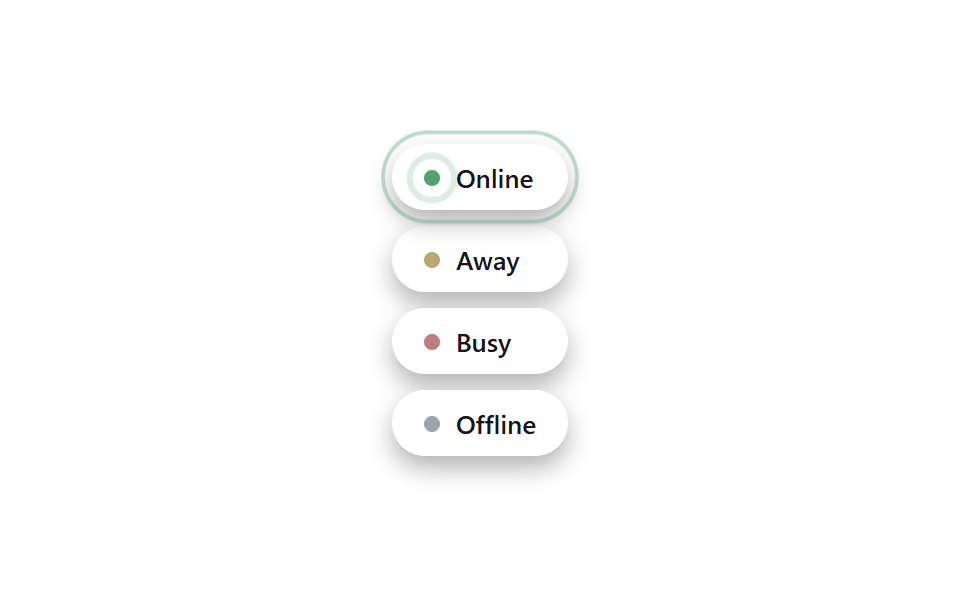 피드백태그 UI 디자인 9종 — 상태·우선순위·인증 배지 코드
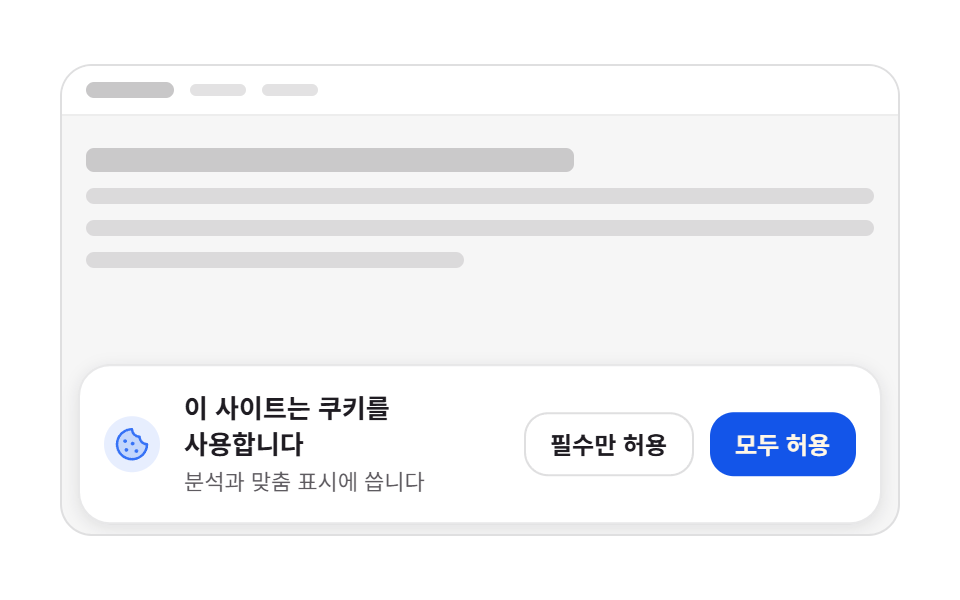 피드백쿠키 동의 배너 UI 9종 — 그대로 붙이는 동의 관리 코드
 피드백자동저장 표시 9종 — 값이 초 단위로 갱신되는 저장 상태 아홉 가지
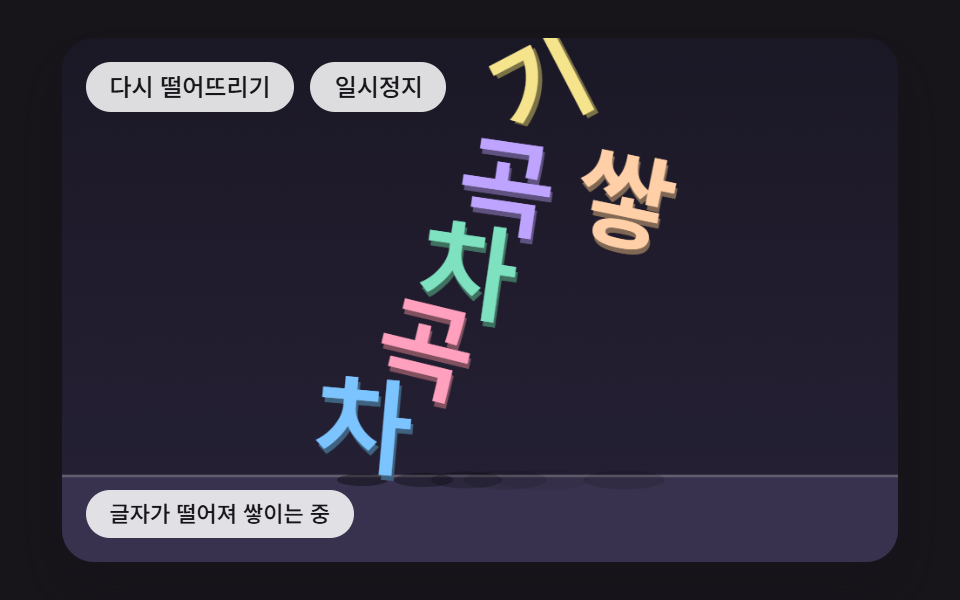 피드백글자 떨어지는 효과 9종 — 쌓이고 매달리고 물에 뜨는 글자
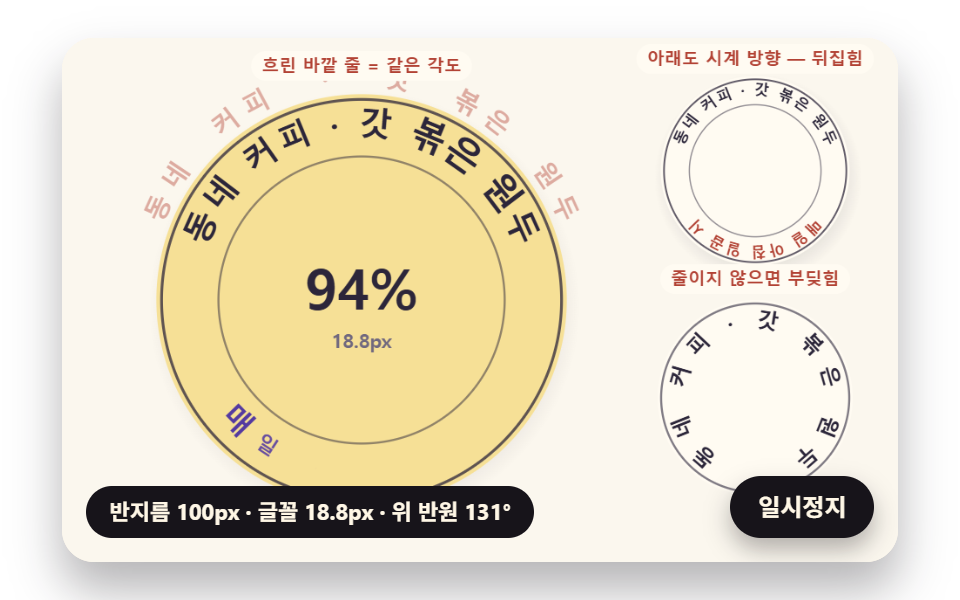 피드백원형 텍스트 만들기 9종 — css 원형 텍스트를 글자 폭으로 계산하기
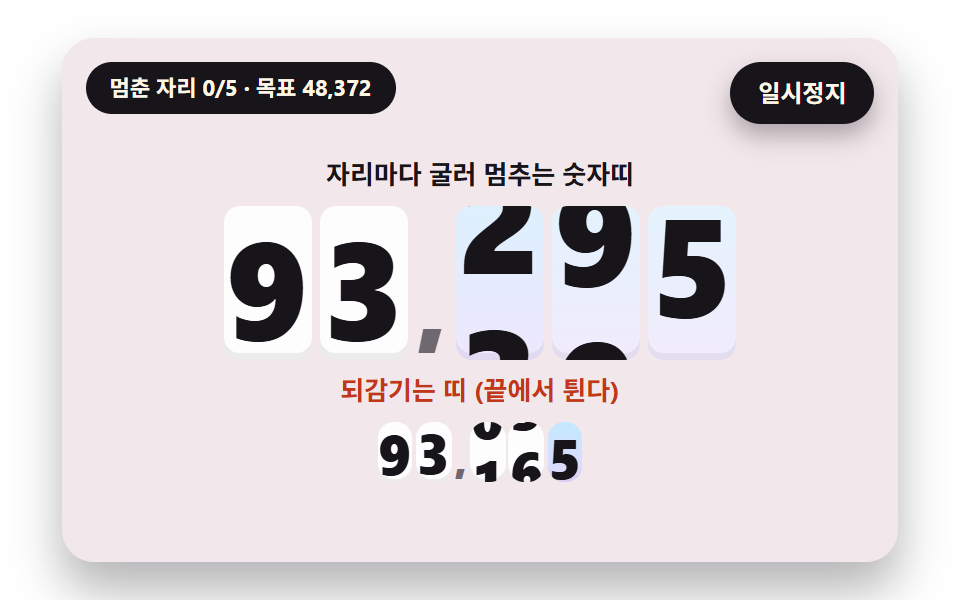 피드백숫자 롤링 애니메이션 9종 — 굴러서 멈추는 계수기부터 올림이 이어지는 전광판까지
 피드백LED 전광판 9종 — 5x7 점 글꼴부터 잔광과 행 스캔까지
 피드백CSS 배경 애니메이션 9종 — 한 줄 복붙으로
 피드백CSS 카드 애니메이션 호버 효과 9종 — 한 줄 복붙으로