글자 떨어지는 효과 9종 — 쌓이고 매달리고 물에 뜨는 글자
제목 글자를 바닥에 떨어뜨리면 보통 전부 똑같이 튕긴다. 여기서는 01번이 모서리로 닿은 글자를 돌려 쌓고, 03번은 부딪힌 속도만큼 젤리처럼 눌렸다 부풀며, 05번은 물에 잠긴 넓이만큼 떠오른다.
글자 아홉 묶음을 떨어뜨리고 매달고 물에 띄워 보는 무대
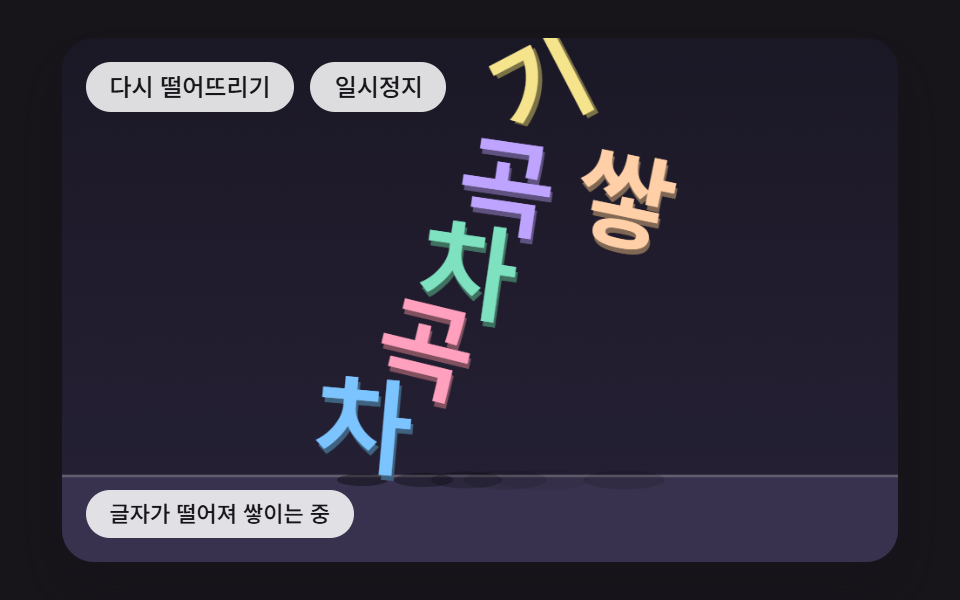 01 tx-phys-drop-pile-corner-spin
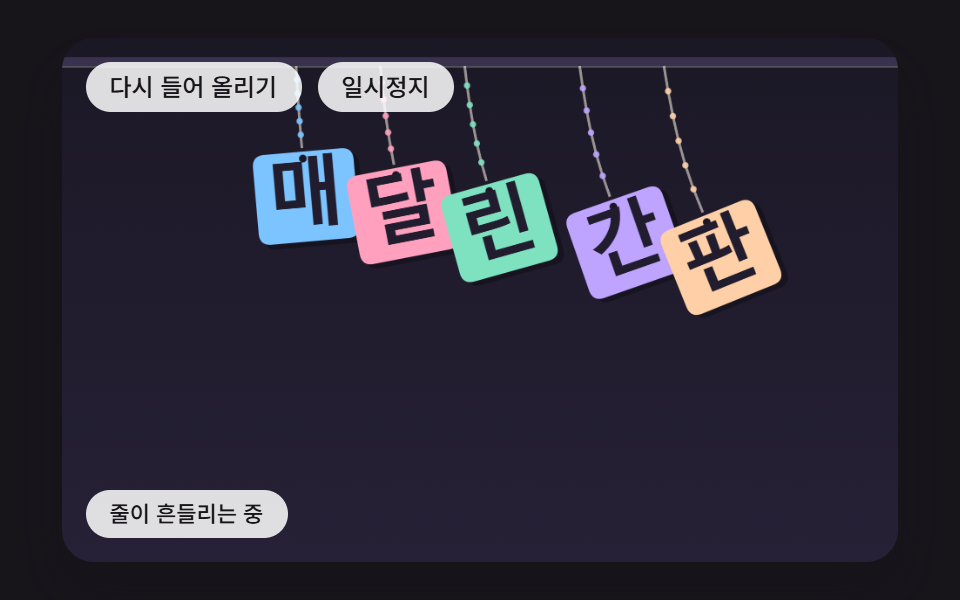 02 tx-phys-rope-hung-swing
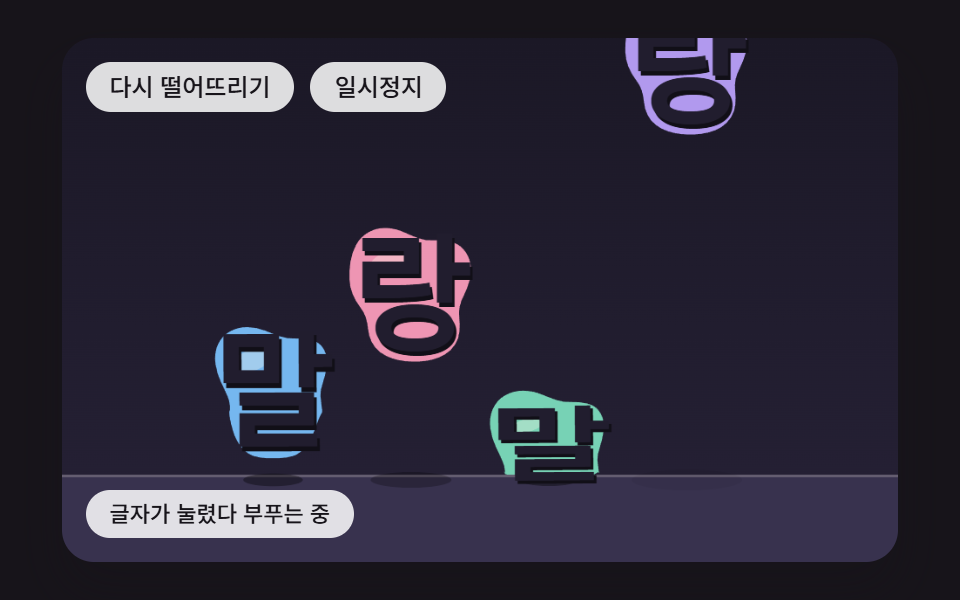 03 tx-phys-jelly-impact-squash
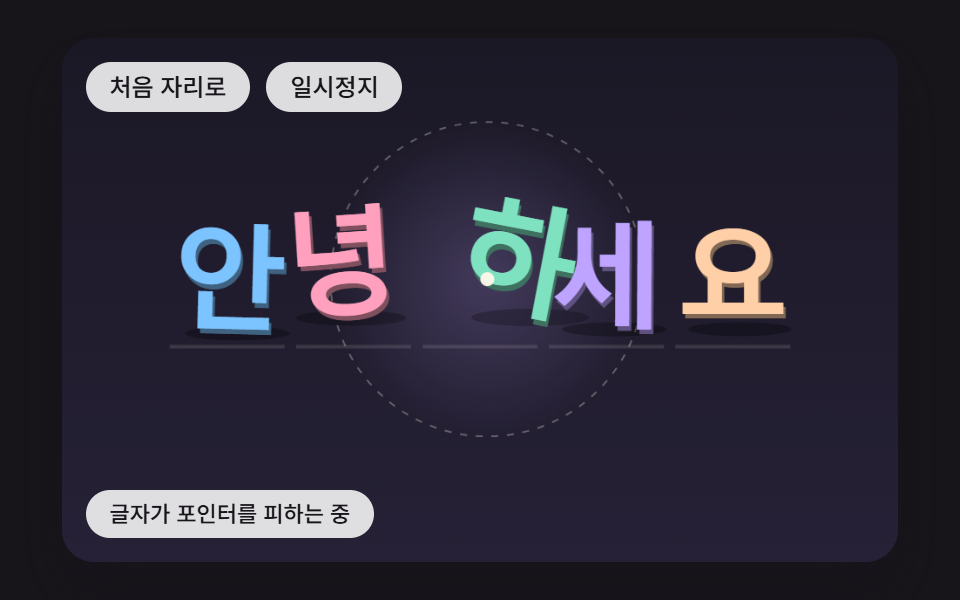 04 tx-phys-pointer-dodge-spring-home
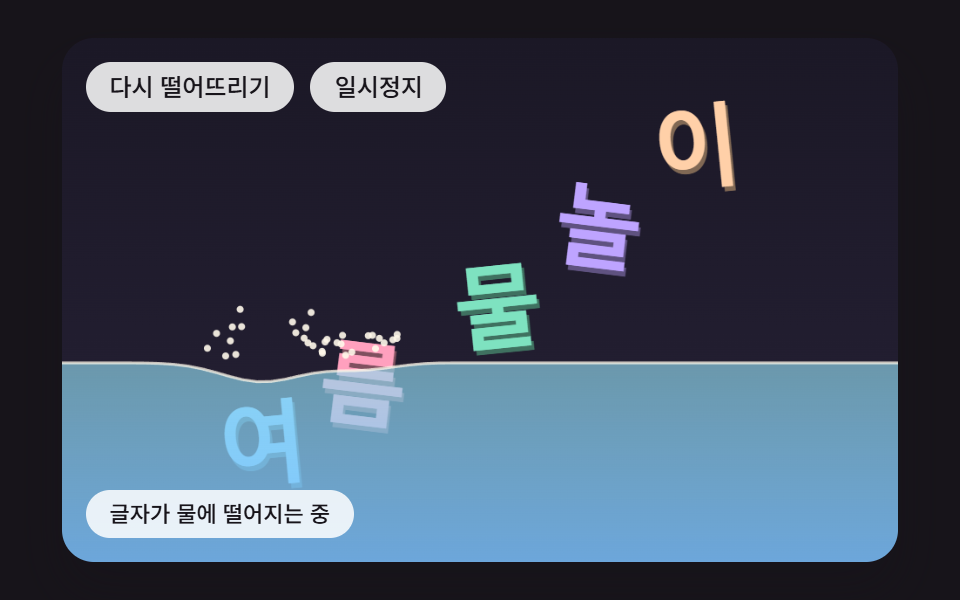 05 tx-phys-water-buoyancy-wave
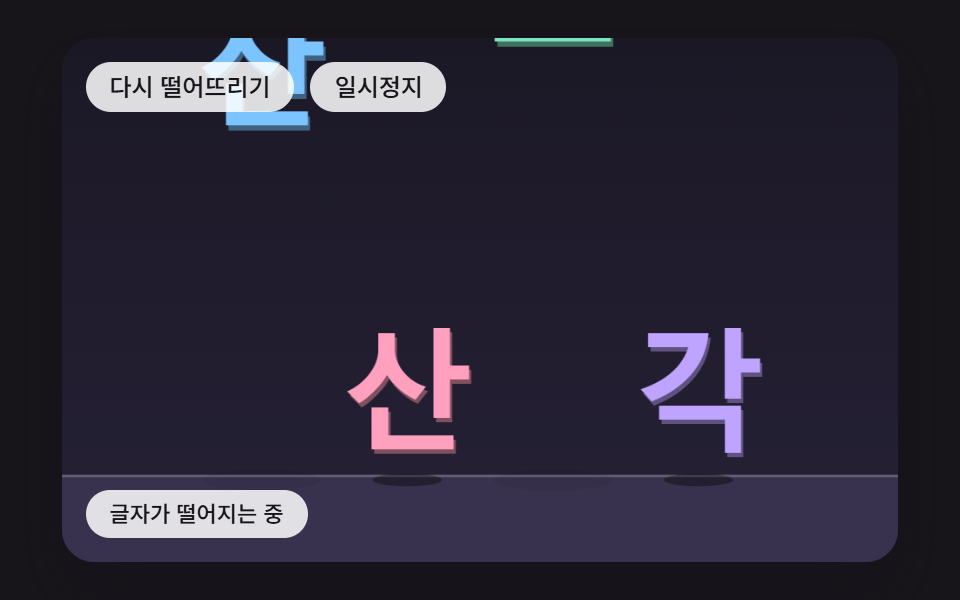 06 tx-phys-impact-shatter-shards
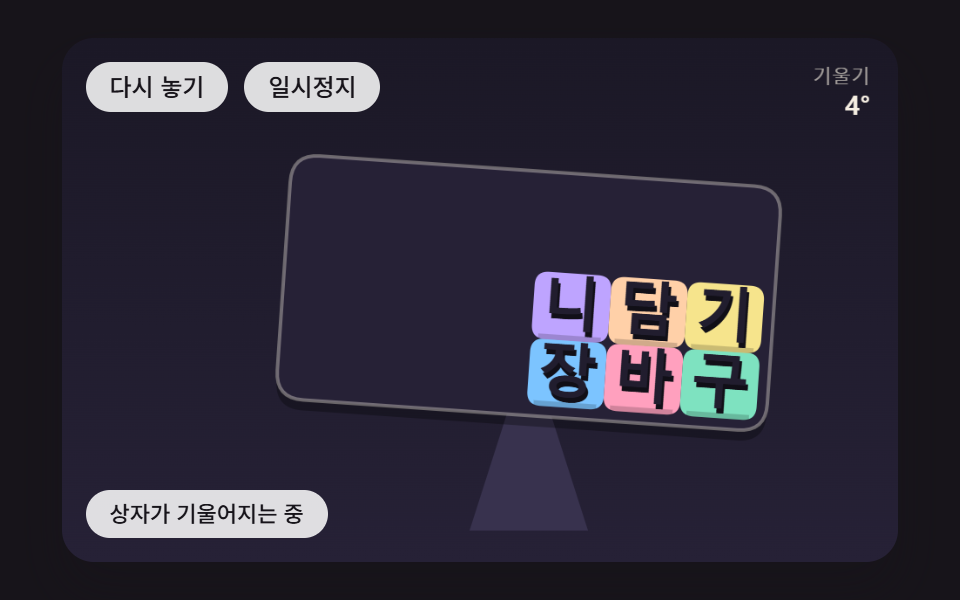 07 tx-phys-tilt-box-slide
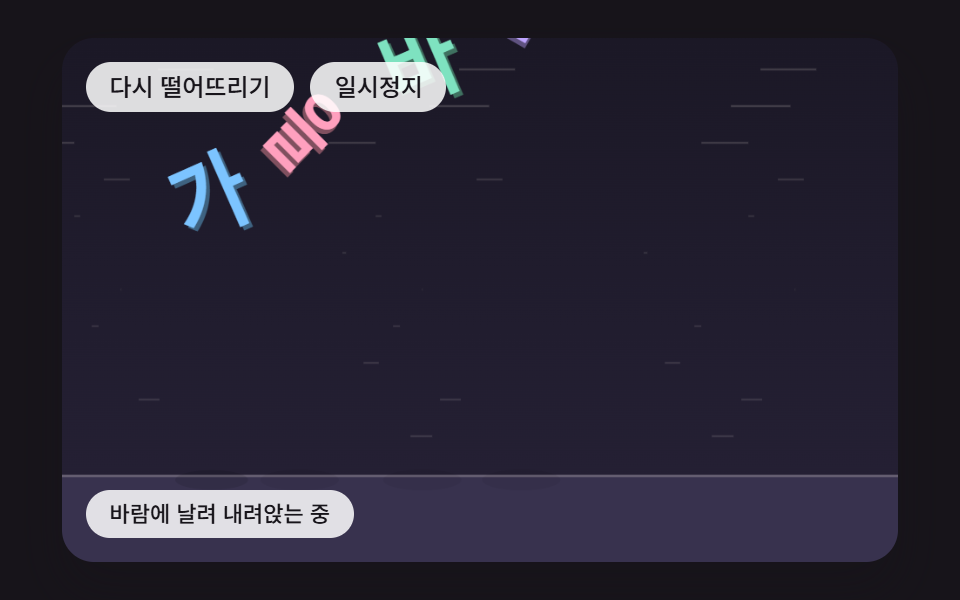 08 tx-phys-wind-flutter-drift
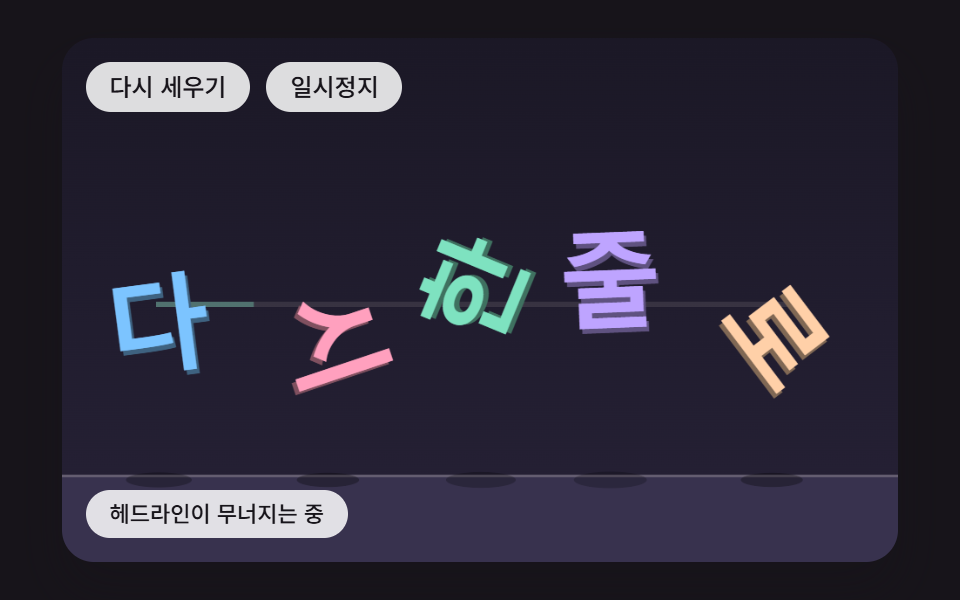 09 tx-phys-hero-collapse-realign
자동 재생 · 눌러서 해당 항목으로 · 전부 한 zip
- 01 모서리로 닿으면 돌면서 쌓이는 글자
- 02 줄에 매달려 흔들리는 글자
- 03 부딪힌 속도만큼 젤리처럼 눌렸다 부푸는 글자
- 04 포인터를 피했다가 스프링으로 제자리에 돌아오는 글자
- 05 물에 떨어져 잠긴 넓이만큼 떠오르는 글자
- 06 세게 부딪히면 조각나 흩어지는 글자
- 07 기울어지는 상자 안에서 한쪽으로 몰리는 글자
- 08 바람에 날려 나뭇잎처럼 흔들리며 내려앉는 글자
- 09 무너져 쌓인 뒤 다시 한 줄로 정렬되는 히어로 헤드라인
칸마다 가로 480·세로 300 좌표의 캔버스가 한 장씩 있고, 올라가는 글자는 「차곡차곡 쌓기」「매달린 간판」「말랑말랑」「안녕하세요」「여름 물놀이」「산산조각」「장바구니 담기」「가을 바람」「다시 한 줄로」 아홉 줄이다. 처음에는 저절로 도는 시연이 3,400ms 마다 장면을 처음 상태로 되돌리고, 캔버스를 누르거나 포커스를 준 뒤 키를 누르는 첫 입력에서 시연 표시가 떨어지며 손으로 다루는 상태가 된다. 칸 아래 단추 두 개는 장면을 처음으로 돌리는 단추와 일시정지 단추이고, 캔버스에 포커스가 있으면 Enter 와 Space 가 같은 일을 맡는다.
칸마다 손으로 건드리는 방법
| 장면 | 포인터 | 키보드 |
|---|---|---|
| 01 쌓임 | 누른 자리 글자를 튕긴다 | ←·→ 흔들기, ↑ 띄우기 |
| 02 줄 | 끄는 동안 반지름 22px 원이 줄을 밀어낸다 | ←·→ 흔들기 |
| 03 젤리 | 가까운 글자를 튕긴다 | ↓ 내리꽂기, ↑ 띄우기 |
| 04 피하기 | 움직이기만 해도 포인터가 된다 | 방향키로 22px 씩 옮기는 키보드 포인터, Esc 치우기 |
| 05 물 | 누른 자리 수면을 누른다 | ↓ 물속으로, ←·→ 밀기 |
| 06 조각 | 누른 글자를 내리꽂는다 | ↓ 문턱보다 빠르게 내리꽂기 |
| 07 상자 | 가로 위치가 그대로 기울기가 된다 | ←·→ 4° 씩 기울이기, Esc 자동으로 |
| 08 바람 | 누른 자리 글자를 띄운다 | ←·→ 돌풍, ↑ 모두 띄우기 |
| 09 헤드라인 | 누르면 지금 무너뜨린다 | ↓ 무너뜨리기, ↑ 되돌리기 |
글자 애니메이션 효과는 키프레임으로도 되는데, 왜 여기서는 속도와 힘을 매 틱 계산하는가?
키프레임은 미리 적어 둔 길을 시간에 맞춰 재생하는 방식이라, 글자 여섯 개가 서로 부딪혀 어느 각도로 멈출지는 미리 적을 방법이 없다. 01 의 무더기는 멈춘 각도가 0·89·89·1·137·323° 로 글자마다 달랐고, 포인터로 한 글자를 튕기면 그 뒤의 배치는 튕긴 순간의 위치와 속도가 정한다. 이런 결과는 지금 위치와 속도에서 다음 위치를 구하는 계산을 되풀이해야만 나온다. 그래서 아홉 장면의 스타일시트에는 @keyframes 가 하나도 없고, 움직임이라고는 단추 배경색 전환 하나뿐이다.
글자 애니메이션 만들기를 정해진 길 쪽에서 시작하고 싶다면 CSS 텍스트 애니메이션 효과 9종 이 키프레임 되튐을 다룬다. 이 편은 반대로 길을 정하지 않고 힘만 정한다.
한 프레임에 스텝을 6번까지만 따라잡는 시계
스크립트는 requestAnimationFrame 이 넘겨주는 시각 차이를 쌓아 두었다가 16ms 짜리 고정 스텝(FIXED_DT)으로 쪼개 돌린다. 한 프레임에 쌓을 수 있는 시간은 100ms 까지라 따라잡는 스텝도 최대 6번이다. 스텝 길이가 화면 주사율과 상관없이 같으므로 60Hz 화면과 120Hz 화면에서 같은 계산 순서를 밟을 것으로 보인다.
같은 시드가 같은 무더기를 만든다
배치는 수식이나 시드 고정 난수(makeRng 의 4721·4725·4726+i·4727·4729)로만 정하고 Math.random·Date.now 는 아홉 소스 어디에도 없다. 고정 스텝과 시드가 함께 묶여 있으니 손대지 않고 다시 떨어뜨리면 같은 자리에 같은 모양으로 쌓인다. 다시 떨어뜨린 직후 200ms(LEAD_MS)는 스텝이 아무것도 하지 않아, 글자가 놓인 자리에 잠깐 멈춰 있다가 움직이기 시작한다.
글자 떨어지는 효과 9종 — 쌓임·줄 매달림·젤리·피하기·물에 뜨기·조각나기·기울어진 상자·바람·히어로 헤드라인
단단한 상자 하나가 떨어져 쌓이는 01 이 바탕이고, 02 는 그 상자를 줄에 걸고, 03 은 상자 대신 말랑한 몸통을 준다. 04 는 떨어지지 않고 포인터를 피하는 쪽, 05 는 바닥 대신 물, 06 은 부딪힌 세기에 따라 갈라지는 쪽이다. 07 은 바닥 자체가 기울고, 08 은 중력보다 바람과 저항이 주인공이며, 09 는 01 의 상자 계산으로 무너뜨린 헤드라인을 읽는 순서대로 되돌린다.
2초 캡처 24장에서 센 화면 변화
480×300 크기로 2초 동안 찍은 24장을 이웃끼리 견준 변화 23번을 분모로 삼았다.
| 장면 | 누적면적 | 움직인 프레임 | 강도 평균 |
|---|---|---|---|
| 01 모서리 회전 쌓임 | 24.1% | 21/23 | 101.0 |
| 02 줄에 매달린 간판 | 16.6% | 23/23 | 121.3 |
| 03 젤리 눌림 | 23.0% | 23/23 | 104.3 |
| 04 포인터 피하기 | 52.1% | 23/23 | 67.3 |
| 05 물에 뜨기 | 27.1% | 22/23 | 88.5 |
| 06 조각나기 | 21.9% | 15/23 | 117.2 |
| 07 기울어진 상자 | 26.9% | 23/23 | 94.0 |
| 08 바람에 날림 | 22.6% | 23/23 | 90.4 |
| 09 무너졌다 정렬 | 26.9% | 20/23 | 105.1 |
누적면적이 가장 넓은 04 는 가상 포인터가 8자 곡선으로 무대를 가로지르며 반경 원과 다섯 글자를 함께 끌고 다니기 때문으로 보인다. 06 이 15장에 그친 것은 문턱 아래로 떨어진 두 글자와 흩어진 조각이 바닥에 멈춘 뒤 화면이 거의 바뀌지 않기 때문으로 보인다. 누적면적이 10% 아래로 내려간 장면은 없다.
이런 화면에 붙인다
신제품을 처음 보여 주는 랜딩 첫 화면은 01 처럼 제목이 쏟아져 쌓이거나 09 처럼 무너졌다가 한 줄로 서는 쪽이 어울리고, 행사 안내 배너에는 02 의 매달린 간판이 맞다. 어린이 서비스 앱의 시작 화면은 03, 여름 행사 페이지 제목은 05, 가을 할인 배너는 08 이 계절을 그대로 말해 준다.
포인터를 따라 반응하는 텍스트 인터랙션이 필요한 포트폴리오 인사말에는 04 를 둔다. 게임 결과 화면의 점수 글자는 06 처럼 세게 떨어진 것만 깨지게 하면 높은 점수 연출로 쓰기 좋고, 07 의 기울어지는 상자는 장바구니에 물건이 담겼다는 알림 그림으로 짧게 띄우기에 알맞다.
글자를 상자 하나로 보는 충돌 판정과, 모서리로 닿았을 때 회전이 생기는 충격량
measureText 로 재는 글자 상자
아홉 장면 모두 layoutWord 가 원문을 Array.from 으로 낱글자로 나누고 measureText 로 글자마다 폭을 잰다. 줄 전체가 정해 둔 폭보다 길면 글자 크기를 같은 비율로 줄이고, 상자 폭은 잰 폭(아주 좁은 글자는 글자 크기의 0.34배), 높이는 글자 크기의 0.9배, 글자 사이는 크기의 0.1배, 띄어쓰기는 상자 없이 자리만 차지한다. 01 에서 잰 값은 한국어 「차곡차곡 쌓기」 58px 에 상자 여섯 개가 모두 폭 58, 영어 「STACK IT UP」 55.1px 에 I 19.2px 부터 A 41.3px 까지, 일본어 「つみかさね」 는 줄이지 않은 74px 에 폭 74 였다.
글자는 fillText 로 같은 글자를 0.5배 어두운 색으로 (1.4, 2.8)px 비켜 한 번 찍고 그 위에 제 색을 덮어 두께를 낸다. 글꼴은 800 굵기의 시스템 글꼴 목록이고 웹 글꼴을 불러오지 않는다.
넓이로 정하는 질량과 회전 관성
01·09 의 글자 상자는 넓이를 900 으로 나눈 값을 질량으로, m(w² + h²)/12 를 회전 관성으로 갖는다. 폭이 넓은 글자일수록 무겁고 잘 돌지 않으며, 높이가 같은 영문 I 상자는 폭이 A 상자의 0.46배라 질량도 그만큼 가볍다.
모서리 접점이 충격량을 회전으로 바꾸는 식
접점은 상자 꼭짓점이 바닥·벽 밖으로 나가거나 다른 상자 안에 들어간 자리에서 생기고, 덜 파고든 축이 밀어낼 방향(법선)이 된다. effMass 는 1/질량에 (접점 − 무게중심) × 법선의 제곱을 회전 관성으로 나눈 값을 더하는데, 접점이 무게중심 바로 밑이면 이 외적이 0 이라 충격량이 전부 위로 미는 데 쓰이고 모서리처럼 옆으로 비켜 있으면 같은 충격량의 일부가 각속도로 간다. 닿기 직전 법선 속도가 −1.2px/틱 보다 빠르면 그 속도의 0.32배로 되튀기를 목표로 삼고, 느리면 0 을 목표로 삼아 쌓인 글자가 잔잔하게 앉는다.
아홉 장면이 한 틱에 무엇을 계산하고 무엇이 움직임을 잦아들게 하는지는 이렇게 나뉜다.
| 장면 | 한 틱의 계산 | 잦아들게 하는 것 |
|---|---|---|
| 01 | 중력 적분을 한 틱 2번, 꼭짓점 접점, 충격량 6번 | 되튐 0.32, 마찰 0.55 |
| 02 | 이전 위치와의 차로 이어 가는 적분, 마디 길이 되맞춤 8번 | 공기 감쇠 0.012 |
| 03 | 모양 맞춤 회전각, 모양 스프링 0.45, 압력 0.8 | 점 감쇠 0.02, 바닥에서 세로 × −0.1 |
| 04 | 제자리 스프링 0.05, 거리 역수 반발 | 속도 × 0.88 |
| 05 | 기둥 스프링과 이웃 넘기기 2번, 표본 20점의 잠김 비율 | 물결 감쇠 0.02, 물속 저항 |
| 06 | 중력 0.5, 첫 충돌 속도와 문턱 9 비교 | 조각이 바닥에서 × −0.3, 가로 × 0.7 |
| 07 | 상자 각도로 돌린 중력, 밀어내기 4번 | 틱마다 한 번 × 0.96 |
| 08 | 값 노이즈 바람, 속도 제곱 저항, 기울기 활공 | 저항 0.02, 각속도 감쇠 0.06 |
| 09 | 01 의 상자 계산 뒤 0.9초부터 복귀 스프링 | 감쇠 2√0.03 |
01모서리로 닿으면 돌면서 쌓이는 글자
「차곡차곡 쌓기」 여섯 글자가 가운데로 모인 채 위아래 62px 남짓한 간격으로 겹쳐 떨어지고, 모서리로 닿은 글자는 돌며 넘어지고 평평하게 닿은 글자는 그대로 앉아 멈춘 각도가 0·89·89·1·137·323° 로 흩어진다. 접점마다 6번 되풀이하는 solveContact 는 누적 충격량을 0 아래로 내려가지 못하게 잘라 상자가 서로 끌어당기지 않게 하고, 미끄러지는 쪽 충격량은 누르는 충격량의 0.55배 안에 묶는다. 첫 바닥 닿음은 768ms, 가장 빠른 회전은 16.7°/틱, 여섯 글자가 끝까지 멈춘 시각은 2,688ms 였고 무더기 높이는 글자 높이 52.2px 의 1.48배인 77.1px 다.
<main class="stage">
<div class="pc is-demo" id="pc">
  <p class="pc__sr" data-role="word">차곡차곡 쌓기</p>
  <canvas class="pc__canvas" data-role="canvas" width="480" height="300" tabindex="0" aria-label="글자 상자가 떨어져 모서리로 닿으면 돌면서 바닥에 쌓이는 장면. 누르면 그 자리 글자를 튕기고, 옆 방향키로 흔들고, 위 방향키로 띄우고, Enter 로 다시 떨어뜨리고, Space 로 일시정지한다"></canvas>
  <p class="pc__status" data-role="status" aria-live="off">글자가 떨어져 쌓이는 중</p>
  <div class="pc__tools">
    <button class="pc__btn" data-role="restart" type="button">다시 떨어뜨리기</button>
    <button class="pc__btn" data-role="pause" type="button" aria-pressed="false">일시정지</button>
  </div>
</div>
</main>
@use "../../../../site/static/demo-tokens" as *;
@include stage($stage-ink);
.pc {
position: relative;
width: min(92vw, calc(160vh - 12.8vw));
aspect-ratio: 480 / 300;
margin: 0 auto;
border-radius: $r-card;
overflow: hidden;
box-shadow: $shadow-raised;
background: $subject-ink;
}
.pc__canvas {
display: block;
width: 100%;
height: 100%;
cursor: pointer;
}
.pc__canvas:focus-visible {
outline: 2px solid rgba(255, 255, 255, .85);
outline-offset: -6px;
}
// 원문 한 줄 — 화면에는 숨기고 화면 낭독기에만 남긴다(낱글자는 캔버스 그림이라 따로 읽히지 않는다)
.pc__sr {
position: absolute;
width: 1px;
height: 1px;
margin: -1px;
padding: 0;
border: 0;
overflow: hidden;
clip-path: inset(50%);
white-space: nowrap;
}
.pc__status {
position: absolute;
left: $sp-3;
bottom: $sp-3;
box-sizing: border-box;
max-width: 46%;
margin: 0;
padding: $sp-1 $sp-3;
border-radius: $r-control;
background: rgba(255, 255, 255, .85);
color: $subject-ink;
font-weight: 500;
font-size: 11px;
line-height: 1.4;
pointer-events: none;
}
// 버튼은 왼쪽 위 칸에 두고, 좁으면 줄을 바꿔 무대를 덮지 않는다
.pc__tools {
position: absolute;
left: $sp-3;
top: $sp-3;
box-sizing: border-box;
max-width: 46%;
display: flex;
flex-wrap: wrap;
gap: $sp-2;
}
.pc__btn {
margin: 0;
padding: $sp-1 $sp-3;
border: 0;
border-radius: $r-pill;
background: rgba(255, 255, 255, .85);
color: $subject-ink;
font: inherit;
font-weight: 500;
font-size: 12px;
line-height: 1.4;
cursor: pointer;
transition: background-color $dur-quick ease-out;
}
.pc__btn:hover {
background: $subject-cream;
}
.pc__btn[aria-pressed="true"] {
background: $subject-mint;
}
.pc__btn:focus-visible {
outline: 2px solid rgba(255, 255, 255, .95);
outline-offset: 2px;
}
// 손가락 가로 끌기는 이 캔버스가 받고, 세로 쓸기는 브라우저에 남겨 페이지 스크롤이 막히지 않게 한다
.pc__canvas { touch-action: pan-y; }
@media (max-width: 340px) {
.pc__btn { font-size: 10px; padding: $sp-1 $sp-2; }
.pc__status { font-size: 10px; padding: $sp-1 $sp-2; }
}
@media (prefers-reduced-motion: reduce) {
.pc__btn { transition: none; }
}html, body {
margin: 0;
overflow: hidden;
}
.stage {
box-sizing: border-box;
min-height: 100vh;
display: grid;
place-items: center;
margin: 0;
background: #17141a;
font-family: -apple-system, "Segoe UI", "Noto Sans KR", sans-serif;
padding: clamp(8px, 4vw, 24px);
}
.pc {
position: relative;
width: min(92vw, 160vh - 12.8vw);
aspect-ratio: 480/300;
margin: 0 auto;
border-radius: 16px;
overflow: hidden;
box-shadow: 0 14px 24px rgba(23, 20, 26, 0.32);
background: #17141a;
}
.pc__canvas {
display: block;
width: 100%;
height: 100%;
cursor: pointer;
}
.pc__canvas:focus-visible {
outline: 2px solid rgba(255, 255, 255, 0.85);
outline-offset: -6px;
}
.pc__sr {
position: absolute;
width: 1px;
height: 1px;
margin: -1px;
padding: 0;
border: 0;
overflow: hidden;
clip-path: inset(50%);
white-space: nowrap;
}
.pc__status {
position: absolute;
left: 12px;
bottom: 12px;
box-sizing: border-box;
max-width: 46%;
margin: 0;
padding: 4px 12px;
border-radius: 12px;
background: rgba(255, 255, 255, 0.85);
color: #17141a;
font-weight: 500;
font-size: 11px;
line-height: 1.4;
pointer-events: none;
}
.pc__tools {
position: absolute;
left: 12px;
top: 12px;
box-sizing: border-box;
max-width: 46%;
display: flex;
flex-wrap: wrap;
gap: 8px;
}
.pc__btn {
margin: 0;
padding: 4px 12px;
border: 0;
border-radius: 999px;
background: rgba(255, 255, 255, 0.85);
color: #17141a;
font: inherit;
font-weight: 500;
font-size: 12px;
line-height: 1.4;
cursor: pointer;
transition: background-color 220ms ease-out;
}
.pc__btn:hover {
background: #fff7e6;
}
.pc__btn[aria-pressed=true] {
background: #4cd4a6;
}
.pc__btn:focus-visible {
outline: 2px solid rgba(255, 255, 255, 0.95);
outline-offset: 2px;
}
.pc__canvas {
touch-action: pan-y;
}
@media (max-width: 340px) {
.pc__btn {
font-size: 10px;
padding: 4px 8px;
}
.pc__status {
font-size: 10px;
padding: 4px 8px;
}
}
@media (prefers-reduced-motion: reduce) {
.pc__btn {
transition: none;
}
}(function () {
const root = document.getElementById("pc");
if (!root) return;
const W = 480;
const H = 300;
const FIXED_DT = 16;
const TAU = Math.PI * 2;
const DEG = Math.PI / 180;
// 바닥 높이 — 왼쪽 아래 상태 줄 위에서 글자가 멈추도록 바닥을 띄워 둔다
const FLOOR = 250;
// 다시 떨어뜨린 뒤 첫 200ms 는 그대로 둔다 — 첫 변화가 200ms 뒤에 오게
const LEAD_MS = 200;
// 파스텔 팔레트 — 어두운 무대 위에 밝은 글자를 얹어 명도 차로 글자 경계가 읽힌다
const BG = [27, 24, 38];
const BG_LOW = [38, 33, 54];
const FLOOR_COL = [56, 50, 78];
const INK = [33, 29, 46];
const PAPER = [255, 248, 234];
const PAL = [
[124, 196, 255],
[255, 160, 190],
[126, 226, 192],
[190, 164, 255],
[255, 208, 168],
[246, 228, 140],
[150, 222, 236],
[232, 182, 228],
[196, 220, 160],
];
function clamp(v, lo, hi) { return v < lo ? lo : (v > hi ? hi : v); }
function lerp(a, b, k) { return a + (b - a) * k; }
function smooth(x) { const c = clamp(x, 0, 1); return c * c * (3 - 2 * c); }
function rgba(c, a) {
return 'rgba(' + Math.round(clamp(c[0], 0, 255)) + ',' + Math.round(clamp(c[1], 0, 255)) + ',' + Math.round(clamp(c[2], 0, 255)) + ',' + clamp(a, 0, 1).toFixed(3) + ')';
}
function shadeRGB(c, k) { return [c[0] * k, c[1] * k, c[2] * k]; }
// 시드 고정 난수 — 같은 시드면 같은 배치가 다시 나온다 (32비트 정수 섞기)
function makeRng(seed) {
let s = seed >>> 0;
return function () {
s = (s + 0x6d2b79f5) >>> 0;
let t = s;
t = Math.imul(t ^ (t >>> 15), t | 1);
t ^= t + Math.imul(t ^ (t >>> 7), t | 61);
return ((t ^ (t >>> 14)) >>> 0) / 4294967296;
};
}
const canvasEl = root.querySelector('[data-role="canvas"]');
const statusEl = root.querySelector('[data-role="status"]');
const wordEl = root.querySelector('[data-role="word"]');
const ctxRaw = canvasEl ? canvasEl.getContext('2d') : null;
if (!canvasEl || !ctxRaw || !statusEl || !wordEl) {
return;
}
const cv = canvasEl;
const ctx = ctxRaw;
const status = statusEl;
// 원문 한 줄 — 화면 낭독기는 이 문장만 한 번 읽는다. 캔버스에 그린 낱글자는 접근성 트리에 들어가지 않는다
const WORD = (wordEl.textContent || '').trim();
const restartBtn = root.querySelector('[data-role="restart"]');
const pauseBtn = root.querySelector('[data-role="pause"]');
const reduceQuery = window.matchMedia('(prefers-reduced-motion: reduce)');
// 페이지를 연 채 동작 줄이기 설정을 바꿔도 아래 change 리스너가 이 값을 다시 읽는다
let still = reduceQuery.matches;
// 자동 시연 중인가 — 사람이 처음 만지는 순간 시연을 멈추고 상태 줄을 읽어 주기 시작한다
let demo = root.classList.contains('is-demo');
function wake() {
if (!demo) {
return;
}
demo = false;
root.classList.remove('is-demo');
status.setAttribute('aria-live', 'polite');
}
function say(text) {
if (status.textContent !== text) {
status.textContent = text;
}
}
function fitCanvas() {
// 배율은 2 에서 자른다 — 배율 3 기기에서 화소가 2.25배로 늘어 프레임마다 일이 그만큼 커지지 않게
const dpr = Math.min(window.devicePixelRatio || 1, 2);
cv.width = Math.round(W * dpr);
cv.height = Math.round(H * dpr);
ctx.setTransform(dpr, 0, 0, dpr, 0, 0);
}
// 화면 좌표(CSS px) → 장면 좌표(480x300). 리사이즈 뒤에도 그때그때 현재 크기로 다시 잰다
function toScene(ev) {
const r = cv.getBoundingClientRect();
return [((ev.clientX - r.left) / r.width) * W, ((ev.clientY - r.top) / r.height) * H];
}
const FONT_FAMILY = '"Segoe UI", "Malgun Gothic", "Hiragino Sans", "Noto Sans KR", sans-serif';
// 글자 사이 간격 — 글자 크기에 대한 비율
const GLYPH_GAP = 0.1;
function fontAt(px) { return '800 ' + px.toFixed(1) + 'px ' + FONT_FAMILY; }
function layoutWord(text, sizeMax, maxW, cx, cy) {
const chars = Array.from(text);
ctx.font = fontAt(sizeMax);
const ws = [];
let total = 0;
for (let i = 0; i < chars.length; i += 1) {
const m = chars[i].trim() === '' ? sizeMax * 0.3 : ctx.measureText(chars[i]).width;
ws.push(m);
total += m;
}
total += GLYPH_GAP * sizeMax * Math.max(0, chars.length - 1);
// 줄이 maxW 보다 길면 글자 크기를 같은 비율로 줄인다 — 언어마다 글자 수가 달라도 무대 안에 든다
const k = total > maxW ? maxW / total : 1;
const size = sizeMax * k;
const out = [];
let x = cx - (total * k) / 2;
let n = 0;
for (let i = 0; i < chars.length; i += 1) {
const w = ws[i] * k;
if (chars[i].trim() !== '') {
out.push({ ch: chars[i], w: Math.max(w, size * 0.34), h: size * 0.9, hx: x + w / 2, hy: cy, size: size, col: PAL[n % PAL.length], i: n });
n += 1;
}
x += w + GLYPH_GAP * size;
}
return out;
}
// 글자 하나 그리기 — 같은 글자를 어둡게 한 번 아래로 비켜 찍어 두께를 만든 뒤 제 색으로 덮는다
function drawGlyph(g, x, y, a, sx, sy, fill) {
ctx.save();
ctx.translate(x, y);
ctx.rotate(a);
ctx.scale(sx, sy);
ctx.font = fontAt(g.size);
ctx.textAlign = 'center';
ctx.textBaseline = 'middle';
ctx.fillStyle = rgba(shadeRGB(fill, 0.5), 1);
ctx.fillText(g.ch, 1.4, g.size * 0.04 + 2.8);
ctx.fillStyle = rgba(fill, 1);
ctx.fillText(g.ch, 0, g.size * 0.04);
ctx.restore();
}
// 모서리가 둥근 사각형 경로 — 가운데 (0,0) 기준 폭 w·높이 h
function roundRectPath(x, y, w, h, r) {
const rr = Math.min(r, w / 2, h / 2);
ctx.beginPath();
ctx.moveTo(x + rr, y);
ctx.lineTo(x + w - rr, y);
ctx.quadraticCurveTo(x + w, y, x + w, y + rr);
ctx.lineTo(x + w, y + h - rr);
ctx.quadraticCurveTo(x + w, y + h, x + w - rr, y + h);
ctx.lineTo(x + rr, y + h);
ctx.quadraticCurveTo(x, y + h, x, y + h - rr);
ctx.lineTo(x, y + rr);
ctx.quadraticCurveTo(x, y, x + rr, y);
ctx.closePath();
}
// 바닥 그림자 — 글자 아래끝이 바닥에서 멀수록 옅고 넓게. 높이 값 하나로 크기와 진하기를 함께 정한다
function floorShadow(x, bottom, w) {
const lift = clamp((FLOOR - bottom) / 160, 0, 1);
ctx.fillStyle = rgba([0, 0, 0], 0.34 * (1 - lift) + 0.05);
ctx.beginPath();
ctx.ellipse(x, FLOOR + 3, w * (0.5 + 0.4 * lift), 3.5 + 2.5 * lift, 0, 0, TAU);
ctx.fill();
}
function clearStage() {
const g = ctx.createLinearGradient(0, 0, 0, H);
g.addColorStop(0, rgba(BG, 1));
g.addColorStop(1, rgba(BG_LOW, 1));
ctx.fillStyle = g;
ctx.fillRect(0, 0, W, H);
}
function drawFloor() {
ctx.fillStyle = rgba(FLOOR_COL, 1);
ctx.fillRect(0, FLOOR, W, H - FLOOR);
ctx.fillStyle = rgba(PAPER, 0.22);
ctx.fillRect(0, FLOOR, W, 1.5);
}
const TXT_PAUSE = '일시정지 — Space 로 이어서';
// 시계 — clock 은 시연 시계, age 는 다시 떨어뜨린 뒤 흐른 시간(ms). 둘 다 16ms 고정 스텝으로만 늘어난다
let paused = false;
let clock = 0;
let age = 0;
function setPaused(v) {
paused = v;
if (pauseBtn) {
pauseBtn.setAttribute('aria-pressed', v ? 'true' : 'false');
}
}
function restart() {
age = 0;
onRestart();
}
function tick() {
age += FIXED_DT;
step();
}
function report() { say(paused ? TXT_PAUSE : stateText()); }
function render() {
draw();
report();
}
// 시연 — DEMO_LOOP_MS 마다 처음부터 다시 떨어뜨린다
let demoCycle = -1;
function demoTick(t) {
const cyc = Math.floor(t / DEMO_LOOP_MS);
if (cyc !== demoCycle) {
demoCycle = cyc;
restart();
}
demoDrive(t - cyc * DEMO_LOOP_MS);
}
// 동작 줄이기 — 움직임을 그리지 않고 SETTLE_TICKS 스텝을 한 번에 계산해 내려앉은 결과만 그린다
const SETTLE_TICKS = 360;
function settle() {
for (let k = 0; k < SETTLE_TICKS; k += 1) {
tick();
}
}
// 입력 한 번 뒤 — 동작 줄이기면 그 입력이 낳은 결과까지 바로 계산해 그린다
function after() {
if (still) {
settle();
}
render();
}
cv.addEventListener('pointerdown', function (ev) {
wake();
if (cv.setPointerCapture) {
cv.setPointerCapture(ev.pointerId);
}
const p = toScene(ev);
onPointer('down', p[0], p[1]);
after();
});
cv.addEventListener('pointermove', function (ev) {
const p = toScene(ev);
if (onPointer('move', p[0], p[1])) {
wake();
after();
}
});
cv.addEventListener('pointerup', function (ev) {
const p = toScene(ev);
onPointer('up', p[0], p[1]);
});
cv.addEventListener('pointercancel', function () { onPointer('up', -1, -1); });
cv.addEventListener('pointerleave', function () {
if (onPointer('leave', -1, -1)) {
after();
}
});
cv.addEventListener('keydown', function (ev) {
const k = ev.key;
if (k === 'Enter') {
restart();
}
else if (k === ' ') {
setPaused(!paused);
}
else if (!onKey(k)) {
return;
}
ev.preventDefault();
wake();
after();
});
if (restartBtn) {
restartBtn.addEventListener('click', function () { wake(); restart(); after(); });
}
if (pauseBtn) {
pauseBtn.addEventListener('click', function () { wake(); setPaused(!paused); after(); });
}
// 한 틱을 두 번으로 나눠 옮긴다 — 빠르게 떨어진 글자가 다른 글자를 뚫고 지나가지 않게
const SUBSTEPS = 2;
// 접점 충격량을 되풀이해 맞추는 횟수
const SOLVER_ITERATIONS = 6;
// 이보다 느리게 닿으면 되튀지 않는다 — 쌓인 글자가 제자리에서 떨지 않게(px/틱)
const BOUNCE_MIN = 1.2;
// 이만큼(px)까지 파고든 것은 그냥 둔다 — 밀어내기가 접점을 매번 끊었다 붙였다 하지 않게
const SLOP = 0.4;
const WALL_L = 8;
const WALL_R = W - 8;
function makeBody(g, x, y, a) {
// 질량은 상자 넓이에 비례, 회전 관성은 상자 공식 m(w²+h²)/12
const m = (g.w * g.h) / 900;
const inertia = (m * (g.w * g.w + g.h * g.h)) / 12;
return { g: g, x: x, y: y, vx: 0, vy: 0, a: a, w: 0, hw: g.w / 2, hh: g.h / 2, im: 1 / m, ii: 1 / inertia, free: true };
}
function corners(b) {
const c = Math.cos(b.a);
const s = Math.sin(b.a);
const out = [];
const sx = [-1, 1, 1, -1];
const sy = [-1, -1, 1, 1];
for (let k = 0; k < 4; k += 1) {
const lx = sx[k] * b.hw;
const ly = sy[k] * b.hh;
out.push([b.x + lx * c - ly * s, b.y + lx * s + ly * c]);
}
return out;
}
function addContact(out, a, b, px, py, nx, ny, pen) {
out.push({ a: a, b: b, px: px, py: py, nx: nx, ny: ny, pen: pen, target: 0, jn: 0, jt: 0 });
}
// 꼭짓점 하나가 다른 상자 안에 들어갔는가 — 들어갔으면 덜 파고든 축을 법선으로 삼는다(그쪽으로 빼는 게 가장 짧다)
function cornerInBox(out, a, p, b) {
const dx = p[0] - b.x;
const dy = p[1] - b.y;
const c = Math.cos(b.a);
const s = Math.sin(b.a);
const lx = dx * c + dy * s;
const ly = -dx * s + dy * c;
const ox = b.hw - Math.abs(lx);
const oy = b.hh - Math.abs(ly);
if (ox <= 0 || oy <= 0) {
return;
}
let nlx = 0;
let nly = 0;
let pen = 0;
if (ox < oy) {
nlx = lx < 0 ? -1 : 1;
pen = ox;
}
else {
nly = ly < 0 ? -1 : 1;
pen = oy;
}
addContact(out, a, b, p[0], p[1], nlx * c - nly * s, nlx * s + nly * c, pen);
}
function findContacts(bodies) {
const out = [];
for (let i = 0; i < bodies.length; i += 1) {
const a = bodies[i];
if (!a.free) {
continue;
}
const cs = corners(a);
for (let k = 0; k < 4; k += 1) {
const p = cs[k];
if (p[1] > FLOOR) {
addContact(out, a, null, p[0], p[1], 0, -1, p[1] - FLOOR);
}
if (p[0] < WALL_L) {
addContact(out, a, null, p[0], p[1], 1, 0, WALL_L - p[0]);
}
if (p[0] > WALL_R) {
addContact(out, a, null, p[0], p[1], -1, 0, p[0] - WALL_R);
}
}
for (let j = i + 1; j < bodies.length; j += 1) {
const b = bodies[j];
if (!b.free) {
continue;
}
const reach = Math.hypot(a.hw, a.hh) + Math.hypot(b.hw, b.hh);
if (Math.abs(a.x - b.x) > reach || Math.abs(a.y - b.y) > reach) {
continue;
}
for (let k = 0; k < 4; k += 1) {
cornerInBox(out, a, cs[k], b);
}
const cb = corners(b);
for (let k = 0; k < 4; k += 1) {
cornerInBox(out, b, cb[k], a);
}
}
}
return out;
}
// 접점 속도 — 무게중심 속도 + 각속도 x 무게중심에서 접점까지의 거리
function pointVel(b, px, py) {
return [b.vx - b.w * (py - b.y), b.vy + b.w * (px - b.x)];
}
function relVel(c) {
const va = pointVel(c.a, c.px, c.py);
if (!c.b) {
return va;
}
const vb = pointVel(c.b, c.px, c.py);
return [va[0] - vb[0], va[1] - vb[1]];
}
// 접점이 무게중심에서 벗어난 거리(r x n)가 클수록 같은 충격량이 회전으로 더 많이 간다
    function effMass(c, dx, dy) {
        const ra = (c.px - c.a.x) * dy - (c.py - c.a.y) * dx;
        let k = c.a.im + ra * ra * c.a.ii;
        if (c.b) {
            const rb = (c.px - c.b.x) * dy - (c.py - c.b.y) * dx;
            k += c.b.im + rb * rb * c.b.ii;
        }
        return k;
    }
function applyImpulse(b, px, py, jx, jy) {
b.vx += jx * b.im;
b.vy += jy * b.im;
b.w += ((px - b.x) * jy - (py - b.y) * jx) * b.ii;
}
function pushPair(c, jx, jy) {
applyImpulse(c.a, c.px, c.py, jx, jy);
if (c.b) {
applyImpulse(c.b, c.px, c.py, -jx, -jy);
}
}
    function solveContact(c, fric) {
        const rel = relVel(c);
        const vn = rel[0] * c.nx + rel[1] * c.ny;
        const jn0 = c.jn;
        c.jn = Math.max(jn0 + (c.target - vn) / effMass(c, c.nx, c.ny), 0);
        const dj = c.jn - jn0;
        pushPair(c, c.nx * dj, c.ny * dj);
        // 마찰 — 미끄러지는 방향 충격량은 누르는 충격량 x fric 을 넘지 못한다
        const tx = -c.ny;
        const ty = c.nx;
        const rel2 = relVel(c);
        const vt = rel2[0] * tx + rel2[1] * ty;
        const lim = fric * c.jn;
        const jt0 = c.jt;
        c.jt = clamp(jt0 - vt / effMass(c, tx, ty), -lim, lim);
        const djt = c.jt - jt0;
        pushPair(c, tx * djt, ty * djt);
    }
function rigidStep(bodies, grav, rest, fric) {
for (let s = 0; s < SUBSTEPS; s += 1) {
for (let i = 0; i < bodies.length; i += 1) {
const b = bodies[i];
if (!b.free) {
continue;
}
b.vy += grav / SUBSTEPS;
b.x += b.vx / SUBSTEPS;
b.y += b.vy / SUBSTEPS;
b.a += b.w / SUBSTEPS;
}
const cs = findContacts(bodies);
for (let k = 0; k < cs.length; k += 1) {
const c = cs[k];
const rel = relVel(c);
const vn = rel[0] * c.nx + rel[1] * c.ny;
// 되튐 목표 — 닿기 직전 법선 속도의 rest 배만큼 반대로. 느린 접촉은 0
c.target = vn < -BOUNCE_MIN ? -rest * vn : 0;
}
for (let it = 0; it < SOLVER_ITERATIONS; it += 1) {
for (let k = 0; k < cs.length; k += 1) {
solveContact(cs[k], fric);
}
}
// 파고든 깊이는 질량 역수 비율로 나눠 밖으로 뺀다
for (let k = 0; k < cs.length; k += 1) {
const c = cs[k];
const sum = c.a.im + (c.b ? c.b.im : 0);
const corr = (Math.max(c.pen - SLOP, 0) * 0.45) / sum;
c.a.x += c.nx * corr * c.a.im;
c.a.y += c.ny * corr * c.a.im;
if (c.b) {
c.b.x -= c.nx * corr * c.b.im;
c.b.y -= c.ny * corr * c.b.im;
}
}
}
for (let i = 0; i < bodies.length; i += 1) {
const b = bodies[i];
if (!b.free) {
continue;
}
b.vx *= 0.998;
b.w *= 0.985;
}
}
function drawBody(b) { drawGlyph(b.g, b.x, b.y, b.a, 1, 1, b.g.col); }
function bodyBottom(b) {
return b.y + Math.abs(Math.sin(b.a)) * b.hw + Math.abs(Math.cos(b.a)) * b.hh;
}
// 중력 — 틱(16ms)마다 속도에 더하는 값(px/틱²)
const GRAVITY = 0.45;
// 되튐 — 닿기 직전 법선 방향 속도의 이 비율만큼 반대로 튀어 오른다
const RESTITUTION = 0.32;
// 마찰 — 미끄러지는 방향 충격량은 누르는 충격량 x 이 값을 넘지 못한다
const FRICTION = 0.55;
// 누른 자리에서 이 거리(px) 안의 글자를 튕긴다
const POKE_R = 90;
const DEMO_LOOP_MS = 3400;
const TXT_RUN = '글자가 떨어져 쌓이는 중';
const TXT_REST = '다 쌓였어요 — Enter 로 다시';
const GLYPHS = layoutWord(WORD, 74, 400, 240, 120);
let bodies = [];
function onRestart() {
const rng = makeRng(4721);
bodies = GLYPHS.map(function (g, i) {
// 가운데로 모아 떨어뜨린다 — 겹쳐 떨어져야 모서리로 닿고 서로 위에 쌓인다
const x = 240 + (g.hx - 240) * 0.28 + (rng() - 0.5) * 18;
const y = -g.h - i * 62 - rng() * 24;
const b = makeBody(g, x, y, (rng() - 0.5) * 0.8);
b.vx = (rng() - 0.5) * 1.4;
return b;
});
}
function step() {
if (age < LEAD_MS) {
return;
}
rigidStep(bodies, GRAVITY, RESTITUTION, FRICTION);
}
function resting() {
for (let i = 0; i < bodies.length; i += 1) {
const b = bodies[i];
if (b.y < 0 || Math.hypot(b.vx, b.vy) > 0.08 || Math.abs(b.w) > 0.004) {
return false;
}
}
return true;
}
function stateText() { return resting() ? TXT_REST : TXT_RUN; }
function draw() {
clearStage();
drawFloor();
for (let i = 0; i < bodies.length; i += 1) {
floorShadow(bodies[i].x, bodyBottom(bodies[i]), bodies[i].hw);
}
for (let i = 0; i < bodies.length; i += 1) {
drawBody(bodies[i]);
}
}
function demoDrive(t) { }
// 누른 자리에서 가까운 글자일수록 세게, 바깥·위로 튕기고 누른 쪽 반대로 돌린다
function poke(x, y) {
for (let i = 0; i < bodies.length; i += 1) {
const b = bodies[i];
const dx = b.x - x;
const dy = b.y - y;
const d = Math.max(Math.hypot(dx, dy), 1);
if (d > POKE_R) {
continue;
}
const k = 1 - d / POKE_R;
b.vx += (dx / d) * 6 * k;
b.vy -= 9 * k;
b.w += (dx < 0 ? -1 : 1) * 0.14 * k;
}
}
function onPointer(type, x, y) {
if (type === 'down') {
poke(x, y);
}
return false;
}
function onKey(k) {
if (k === 'ArrowLeft' || k === 'ArrowRight') {
const s = k === 'ArrowLeft' ? -1 : 1;
for (let i = 0; i < bodies.length; i += 1) {
bodies[i].vx += 4 * s;
bodies[i].vy -= 3;
}
return true;
}
if (k === 'ArrowUp') {
for (let i = 0; i < bodies.length; i += 1) {
bodies[i].vy -= 8;
bodies[i].w += (i % 2 ? 0.1 : -0.1);
}
return true;
}
return false;
}
function onResize() {
fitCanvas();
render();
}
fitCanvas();
window.addEventListener('resize', onResize);
let rafId = 0;
let lastTs = -1;
let acc = 0;
function frame(ts) {
if (still) {
rafId = 0;
return;
}
if (lastTs < 0) {
lastTs = ts;
}
// 탭이 숨었다 돌아와도 한 번에 100ms 까지만 따라잡는다 — 순간이동 대신 이어서 움직인다
acc += Math.min(ts - lastTs, 100);
lastTs = ts;
let n = 0;
while (acc >= FIXED_DT && n < 6) {
if (!paused) {
clock += FIXED_DT;
if (demo) {
demoTick(clock);
}
tick();
}
acc -= FIXED_DT;
n += 1;
}
render();
rafId = window.requestAnimationFrame(frame);
}
function startLoop() {
if (rafId) {
return;
}
lastTs = -1;
acc = 0;
rafId = window.requestAnimationFrame(frame);
}
// 동작 줄이기 설정이 페이지를 연 채 바뀌면 — 켜지면 루프를 멈추고 내려앉은 결과로, 꺼지면 루프를 다시 돈다
function onMotionPref() {
still = reduceQuery.matches;
if (still) {
if (rafId) {
window.cancelAnimationFrame(rafId);
rafId = 0;
}
after();
}
else {
startLoop();
}
}
if (typeof reduceQuery.addEventListener === 'function') {
reduceQuery.addEventListener('change', onMotionPref);
}
restart();
if (still) {
after();
}
else {
render();
startLoop();
}
return function () {
window.cancelAnimationFrame(rafId);
window.removeEventListener('resize', onResize);
if (typeof reduceQuery.removeEventListener === 'function') {
reduceQuery.removeEventListener('change', onMotionPref);
}
};
})();// DropPileCornerSpin - vanilla 판(01-tx-phys-drop-pile-corner-spin) 의 React 포트. 같은 계산을 useEffect 안에서 돌린다.
import { useEffect, useRef } from "react";
import styles from "./DropPileCornerSpin.module.scss";
const cx = (s: string): string => s.split(" ").map((n) => styles[n] ?? n).join(" ");
export default function DropPileCornerSpin() {
const rootRef = useRef<HTMLDivElement | null>(null);
useEffect(() => {
const rootEl = rootRef.current;
if (!rootEl) return;
const root: HTMLElement = rootEl;
type RGB = [number, number, number];
type Pt = [number, number];
const W = 480;
const H = 300;
const FIXED_DT = 16;
const TAU = Math.PI * 2;
const DEG = Math.PI / 180;
// 바닥 높이 — 왼쪽 아래 상태 줄 위에서 글자가 멈추도록 바닥을 띄워 둔다
const FLOOR = 250;
// 다시 떨어뜨린 뒤 첫 200ms 는 그대로 둔다 — 첫 변화가 200ms 뒤에 오게
const LEAD_MS = 200;
// 파스텔 팔레트 — 어두운 무대 위에 밝은 글자를 얹어 명도 차로 글자 경계가 읽힌다
const BG: RGB = [27, 24, 38];
const BG_LOW: RGB = [38, 33, 54];
const FLOOR_COL: RGB = [56, 50, 78];
const INK: RGB = [33, 29, 46];
const PAPER: RGB = [255, 248, 234];
const PAL: RGB[] = [
[124, 196, 255],
[255, 160, 190],
[126, 226, 192],
[190, 164, 255],
[255, 208, 168],
[246, 228, 140],
[150, 222, 236],
[232, 182, 228],
[196, 220, 160],
];
function clamp(v: number, lo: number, hi: number): number { return v < lo ? lo : (v > hi ? hi : v); }
function lerp(a: number, b: number, k: number): number { return a + (b - a) * k; }
function smooth(x: number): number { const c = clamp(x, 0, 1); return c * c * (3 - 2 * c); }
function rgba(c: RGB, a: number): string {
return 'rgba(' + Math.round(clamp(c[0], 0, 255)) + ',' + Math.round(clamp(c[1], 0, 255)) + ',' + Math.round(clamp(c[2], 0, 255)) + ',' + clamp(a, 0, 1).toFixed(3) + ')';
}
function shadeRGB(c: RGB, k: number): RGB { return [c[0] * k, c[1] * k, c[2] * k]; }
// 시드 고정 난수 — 같은 시드면 같은 배치가 다시 나온다 (32비트 정수 섞기)
function makeRng(seed: number): () => number {
let s = seed >>> 0;
return function (): number {
s = (s + 0x6d2b79f5) >>> 0;
let t = s;
t = Math.imul(t ^ (t >>> 15), t | 1);
t ^= t + Math.imul(t ^ (t >>> 7), t | 61);
return ((t ^ (t >>> 14)) >>> 0) / 4294967296;
};
}
const canvasEl = root.querySelector('[data-role="canvas"]') as HTMLCanvasElement | null;
const statusEl = root.querySelector('[data-role="status"]') as HTMLElement | null;
const wordEl = root.querySelector('[data-role="word"]') as HTMLElement | null;
const ctxRaw = canvasEl ? canvasEl.getContext('2d') : null;
if (!canvasEl || !ctxRaw || !statusEl || !wordEl) { return; }
const cv: HTMLCanvasElement = canvasEl;
const ctx: CanvasRenderingContext2D = ctxRaw;
const status: HTMLElement = statusEl;
// 원문 한 줄 — 화면 낭독기는 이 문장만 한 번 읽는다. 캔버스에 그린 낱글자는 접근성 트리에 들어가지 않는다
const WORD = (wordEl.textContent || '').trim();
const restartBtn = root.querySelector('[data-role="restart"]') as HTMLButtonElement | null;
const pauseBtn = root.querySelector('[data-role="pause"]') as HTMLButtonElement | null;
const reduceQuery = window.matchMedia('(prefers-reduced-motion: reduce)');
// 페이지를 연 채 동작 줄이기 설정을 바꿔도 아래 change 리스너가 이 값을 다시 읽는다
let still = reduceQuery.matches;
// 자동 시연 중인가 — 사람이 처음 만지는 순간 시연을 멈추고 상태 줄을 읽어 주기 시작한다
let demo = root.classList.contains('is-demo');
function wake(): void {
if (!demo) { return; }
demo = false;
root.classList.remove('is-demo');
status.setAttribute('aria-live', 'polite');
}
function say(text: string): void {
if (status.textContent !== text) { status.textContent = text; }
}
function fitCanvas(): void {
// 배율은 2 에서 자른다 — 배율 3 기기에서 화소가 2.25배로 늘어 프레임마다 일이 그만큼 커지지 않게
const dpr = Math.min(window.devicePixelRatio || 1, 2);
cv.width = Math.round(W * dpr);
cv.height = Math.round(H * dpr);
ctx.setTransform(dpr, 0, 0, dpr, 0, 0);
}
// 화면 좌표(CSS px) → 장면 좌표(480x300). 리사이즈 뒤에도 그때그때 현재 크기로 다시 잰다
function toScene(ev: PointerEvent): Pt {
const r = cv.getBoundingClientRect();
return [((ev.clientX - r.left) / r.width) * W, ((ev.clientY - r.top) / r.height) * H];
}
// 글자 상자 — measureText 로 잰 폭과 글자 크기로 상자를 잡고, 원래 읽는 순서대로 자리(hx, hy)를 매긴다
type Glyph = { ch: string; w: number; h: number; hx: number; hy: number; size: number; col: RGB; i: number };
const FONT_FAMILY = '"Segoe UI", "Malgun Gothic", "Hiragino Sans", "Noto Sans KR", sans-serif';
// 글자 사이 간격 — 글자 크기에 대한 비율
const GLYPH_GAP = 0.1;
function fontAt(px: number): string { return '800 ' + px.toFixed(1) + 'px ' + FONT_FAMILY; }
function layoutWord(text: string, sizeMax: number, maxW: number, cx: number, cy: number): Glyph[] {
const chars = Array.from(text);
ctx.font = fontAt(sizeMax);
const ws: number[] = [];
let total = 0;
for (let i = 0; i < chars.length; i += 1) {
const m = chars[i].trim() === '' ? sizeMax * 0.3 : ctx.measureText(chars[i]).width;
ws.push(m);
total += m;
}
total += GLYPH_GAP * sizeMax * Math.max(0, chars.length - 1);
// 줄이 maxW 보다 길면 글자 크기를 같은 비율로 줄인다 — 언어마다 글자 수가 달라도 무대 안에 든다
const k = total > maxW ? maxW / total : 1;
const size = sizeMax * k;
const out: Glyph[] = [];
let x = cx - (total * k) / 2;
let n = 0;
for (let i = 0; i < chars.length; i += 1) {
const w = ws[i] * k;
if (chars[i].trim() !== '') {
out.push({ ch: chars[i], w: Math.max(w, size * 0.34), h: size * 0.9, hx: x + w / 2, hy: cy, size: size, col: PAL[n % PAL.length], i: n });
n += 1;
}
x += w + GLYPH_GAP * size;
}
return out;
}
// 글자 하나 그리기 — 같은 글자를 어둡게 한 번 아래로 비켜 찍어 두께를 만든 뒤 제 색으로 덮는다
function drawGlyph(g: Glyph, x: number, y: number, a: number, sx: number, sy: number, fill: RGB): void {
ctx.save();
ctx.translate(x, y);
ctx.rotate(a);
ctx.scale(sx, sy);
ctx.font = fontAt(g.size);
ctx.textAlign = 'center';
ctx.textBaseline = 'middle';
ctx.fillStyle = rgba(shadeRGB(fill, 0.5), 1);
ctx.fillText(g.ch, 1.4, g.size * 0.04 + 2.8);
ctx.fillStyle = rgba(fill, 1);
ctx.fillText(g.ch, 0, g.size * 0.04);
ctx.restore();
}
// 모서리가 둥근 사각형 경로 — 가운데 (0,0) 기준 폭 w·높이 h
function roundRectPath(x: number, y: number, w: number, h: number, r: number): void {
const rr = Math.min(r, w / 2, h / 2);
ctx.beginPath();
ctx.moveTo(x + rr, y);
ctx.lineTo(x + w - rr, y);
ctx.quadraticCurveTo(x + w, y, x + w, y + rr);
ctx.lineTo(x + w, y + h - rr);
ctx.quadraticCurveTo(x + w, y + h, x + w - rr, y + h);
ctx.lineTo(x + rr, y + h);
ctx.quadraticCurveTo(x, y + h, x, y + h - rr);
ctx.lineTo(x, y + rr);
ctx.quadraticCurveTo(x, y, x + rr, y);
ctx.closePath();
}
// 바닥 그림자 — 글자 아래끝이 바닥에서 멀수록 옅고 넓게. 높이 값 하나로 크기와 진하기를 함께 정한다
function floorShadow(x: number, bottom: number, w: number): void {
const lift = clamp((FLOOR - bottom) / 160, 0, 1);
ctx.fillStyle = rgba([0, 0, 0], 0.34 * (1 - lift) + 0.05);
ctx.beginPath();
ctx.ellipse(x, FLOOR + 3, w * (0.5 + 0.4 * lift), 3.5 + 2.5 * lift, 0, 0, TAU);
ctx.fill();
}
function clearStage(): void {
const g = ctx.createLinearGradient(0, 0, 0, H);
g.addColorStop(0, rgba(BG, 1));
g.addColorStop(1, rgba(BG_LOW, 1));
ctx.fillStyle = g;
ctx.fillRect(0, 0, W, H);
}
function drawFloor(): void {
ctx.fillStyle = rgba(FLOOR_COL, 1);
ctx.fillRect(0, FLOOR, W, H - FLOOR);
ctx.fillStyle = rgba(PAPER, 0.22);
ctx.fillRect(0, FLOOR, W, 1.5);
}
const TXT_PAUSE = '일시정지 — Space 로 이어서';
// 시계 — clock 은 시연 시계, age 는 다시 떨어뜨린 뒤 흐른 시간(ms). 둘 다 16ms 고정 스텝으로만 늘어난다
let paused = false;
let clock = 0;
let age = 0;
function setPaused(v: boolean): void {
paused = v;
if (pauseBtn) { pauseBtn.setAttribute('aria-pressed', v ? 'true' : 'false'); }
}
function restart(): void {
age = 0;
onRestart();
}
function tick(): void {
age += FIXED_DT;
step();
}
function report(): void { say(paused ? TXT_PAUSE : stateText()); }
function render(): void {
draw();
report();
}
// 시연 — DEMO_LOOP_MS 마다 처음부터 다시 떨어뜨린다
let demoCycle = -1;
function demoTick(t: number): void {
const cyc = Math.floor(t / DEMO_LOOP_MS);
if (cyc !== demoCycle) {
demoCycle = cyc;
restart();
}
demoDrive(t - cyc * DEMO_LOOP_MS);
}
// 동작 줄이기 — 움직임을 그리지 않고 SETTLE_TICKS 스텝을 한 번에 계산해 내려앉은 결과만 그린다
const SETTLE_TICKS = 360;
function settle(): void {
for (let k = 0; k < SETTLE_TICKS; k += 1) { tick(); }
}
// 입력 한 번 뒤 — 동작 줄이기면 그 입력이 낳은 결과까지 바로 계산해 그린다
function after(): void {
if (still) { settle(); }
render();
}
cv.addEventListener('pointerdown', function (ev: PointerEvent): void {
wake();
if (cv.setPointerCapture) { cv.setPointerCapture(ev.pointerId); }
const p = toScene(ev);
onPointer('down', p[0], p[1]);
after();
});
cv.addEventListener('pointermove', function (ev: PointerEvent): void {
const p = toScene(ev);
if (onPointer('move', p[0], p[1])) {
wake();
after();
}
});
cv.addEventListener('pointerup', function (ev: PointerEvent): void {
const p = toScene(ev);
onPointer('up', p[0], p[1]);
});
cv.addEventListener('pointercancel', function (): void { onPointer('up', -1, -1); });
cv.addEventListener('pointerleave', function (): void {
if (onPointer('leave', -1, -1)) { after(); }
});
cv.addEventListener('keydown', function (ev: KeyboardEvent): void {
const k = ev.key;
if (k === 'Enter') { restart(); }
else if (k === ' ') { setPaused(!paused); }
else if (!onKey(k)) { return; }
ev.preventDefault();
wake();
after();
});
if (restartBtn) { restartBtn.addEventListener('click', function (): void { wake(); restart(); after(); }); }
if (pauseBtn) { pauseBtn.addEventListener('click', function (): void { wake(); setPaused(!paused); after(); }); }
// 단단한 상자 — 글자 하나를 measureText 폭 x 글자 높이 상자로 보고 위치·속도·각도·각속도를 들고 다닌다 (01·09 가 쓴다)
type Body = { g: Glyph; x: number; y: number; vx: number; vy: number; a: number; w: number; hw: number; hh: number; im: number; ii: number; free: boolean };
// 한 틱을 두 번으로 나눠 옮긴다 — 빠르게 떨어진 글자가 다른 글자를 뚫고 지나가지 않게
const SUBSTEPS = 2;
// 접점 충격량을 되풀이해 맞추는 횟수
const SOLVER_ITERATIONS = 6;
// 이보다 느리게 닿으면 되튀지 않는다 — 쌓인 글자가 제자리에서 떨지 않게(px/틱)
const BOUNCE_MIN = 1.2;
// 이만큼(px)까지 파고든 것은 그냥 둔다 — 밀어내기가 접점을 매번 끊었다 붙였다 하지 않게
const SLOP = 0.4;
const WALL_L = 8;
const WALL_R = W - 8;
function makeBody(g: Glyph, x: number, y: number, a: number): Body {
// 질량은 상자 넓이에 비례, 회전 관성은 상자 공식 m(w²+h²)/12
const m = (g.w * g.h) / 900;
const inertia = (m * (g.w * g.w + g.h * g.h)) / 12;
return { g: g, x: x, y: y, vx: 0, vy: 0, a: a, w: 0, hw: g.w / 2, hh: g.h / 2, im: 1 / m, ii: 1 / inertia, free: true };
}
function corners(b: Body): Pt[] {
const c = Math.cos(b.a);
const s = Math.sin(b.a);
const out: Pt[] = [];
const sx = [-1, 1, 1, -1];
const sy = [-1, -1, 1, 1];
for (let k = 0; k < 4; k += 1) {
const lx = sx[k] * b.hw;
const ly = sy[k] * b.hh;
out.push([b.x + lx * c - ly * s, b.y + lx * s + ly * c]);
}
return out;
}
type Contact = { a: Body; b: Body | null; px: number; py: number; nx: number; ny: number; pen: number; target: number; jn: number; jt: number };
function addContact(out: Contact[], a: Body, b: Body | null, px: number, py: number, nx: number, ny: number, pen: number): void {
out.push({ a: a, b: b, px: px, py: py, nx: nx, ny: ny, pen: pen, target: 0, jn: 0, jt: 0 });
}
// 꼭짓점 하나가 다른 상자 안에 들어갔는가 — 들어갔으면 덜 파고든 축을 법선으로 삼는다(그쪽으로 빼는 게 가장 짧다)
function cornerInBox(out: Contact[], a: Body, p: Pt, b: Body): void {
const dx = p[0] - b.x;
const dy = p[1] - b.y;
const c = Math.cos(b.a);
const s = Math.sin(b.a);
const lx = dx * c + dy * s;
const ly = -dx * s + dy * c;
const ox = b.hw - Math.abs(lx);
const oy = b.hh - Math.abs(ly);
if (ox <= 0 || oy <= 0) { return; }
let nlx = 0;
let nly = 0;
let pen = 0;
if (ox < oy) { nlx = lx < 0 ? -1 : 1; pen = ox; } else { nly = ly < 0 ? -1 : 1; pen = oy; }
addContact(out, a, b, p[0], p[1], nlx * c - nly * s, nlx * s + nly * c, pen);
}
function findContacts(bodies: Body[]): Contact[] {
const out: Contact[] = [];
for (let i = 0; i < bodies.length; i += 1) {
const a = bodies[i];
if (!a.free) { continue; }
const cs = corners(a);
for (let k = 0; k < 4; k += 1) {
const p = cs[k];
if (p[1] > FLOOR) { addContact(out, a, null, p[0], p[1], 0, -1, p[1] - FLOOR); }
if (p[0] < WALL_L) { addContact(out, a, null, p[0], p[1], 1, 0, WALL_L - p[0]); }
if (p[0] > WALL_R) { addContact(out, a, null, p[0], p[1], -1, 0, p[0] - WALL_R); }
}
for (let j = i + 1; j < bodies.length; j += 1) {
const b = bodies[j];
if (!b.free) { continue; }
const reach = Math.hypot(a.hw, a.hh) + Math.hypot(b.hw, b.hh);
if (Math.abs(a.x - b.x) > reach || Math.abs(a.y - b.y) > reach) { continue; }
for (let k = 0; k < 4; k += 1) { cornerInBox(out, a, cs[k], b); }
const cb = corners(b);
for (let k = 0; k < 4; k += 1) { cornerInBox(out, b, cb[k], a); }
}
}
return out;
}
// 접점 속도 — 무게중심 속도 + 각속도 x 무게중심에서 접점까지의 거리
function pointVel(b: Body, px: number, py: number): Pt {
return [b.vx - b.w * (py - b.y), b.vy + b.w * (px - b.x)];
}
function relVel(c: Contact): Pt {
const va = pointVel(c.a, c.px, c.py);
if (!c.b) { return va; }
const vb = pointVel(c.b, c.px, c.py);
return [va[0] - vb[0], va[1] - vb[1]];
}
// 접점이 무게중심에서 벗어난 거리(r x n)가 클수록 같은 충격량이 회전으로 더 많이 간다
function effMass(c: Contact, dx: number, dy: number): number {
const ra = (c.px - c.a.x) * dy - (c.py - c.a.y) * dx;
let k = c.a.im + ra * ra * c.a.ii;
if (c.b) {
const rb = (c.px - c.b.x) * dy - (c.py - c.b.y) * dx;
k += c.b.im + rb * rb * c.b.ii;
}
return k;
}
function applyImpulse(b: Body, px: number, py: number, jx: number, jy: number): void {
b.vx += jx * b.im;
b.vy += jy * b.im;
b.w += ((px - b.x) * jy - (py - b.y) * jx) * b.ii;
}
function pushPair(c: Contact, jx: number, jy: number): void {
applyImpulse(c.a, c.px, c.py, jx, jy);
if (c.b) { applyImpulse(c.b, c.px, c.py, -jx, -jy); }
}
function solveContact(c: Contact, fric: number): void {
const rel = relVel(c);
const vn = rel[0] * c.nx + rel[1] * c.ny;
const jn0 = c.jn;
c.jn = Math.max(jn0 + (c.target - vn) / effMass(c, c.nx, c.ny), 0);
const dj = c.jn - jn0;
pushPair(c, c.nx * dj, c.ny * dj);
// 마찰 — 미끄러지는 방향 충격량은 누르는 충격량 x fric 을 넘지 못한다
const tx = -c.ny;
const ty = c.nx;
const rel2 = relVel(c);
const vt = rel2[0] * tx + rel2[1] * ty;
const lim = fric * c.jn;
const jt0 = c.jt;
c.jt = clamp(jt0 - vt / effMass(c, tx, ty), -lim, lim);
const djt = c.jt - jt0;
pushPair(c, tx * djt, ty * djt);
}
function rigidStep(bodies: Body[], grav: number, rest: number, fric: number): void {
for (let s = 0; s < SUBSTEPS; s += 1) {
for (let i = 0; i < bodies.length; i += 1) {
const b = bodies[i];
if (!b.free) { continue; }
b.vy += grav / SUBSTEPS;
b.x += b.vx / SUBSTEPS;
b.y += b.vy / SUBSTEPS;
b.a += b.w / SUBSTEPS;
}
const cs = findContacts(bodies);
for (let k = 0; k < cs.length; k += 1) {
const c = cs[k];
const rel = relVel(c);
const vn = rel[0] * c.nx + rel[1] * c.ny;
// 되튐 목표 — 닿기 직전 법선 속도의 rest 배만큼 반대로. 느린 접촉은 0
c.target = vn < -BOUNCE_MIN ? -rest * vn : 0;
}
for (let it = 0; it < SOLVER_ITERATIONS; it += 1) {
for (let k = 0; k < cs.length; k += 1) { solveContact(cs[k], fric); }
}
// 파고든 깊이는 질량 역수 비율로 나눠 밖으로 뺀다
for (let k = 0; k < cs.length; k += 1) {
const c = cs[k];
const sum = c.a.im + (c.b ? c.b.im : 0);
const corr = (Math.max(c.pen - SLOP, 0) * 0.45) / sum;
c.a.x += c.nx * corr * c.a.im;
c.a.y += c.ny * corr * c.a.im;
if (c.b) {
c.b.x -= c.nx * corr * c.b.im;
c.b.y -= c.ny * corr * c.b.im;
}
}
}
for (let i = 0; i < bodies.length; i += 1) {
const b = bodies[i];
if (!b.free) { continue; }
b.vx *= 0.998;
b.w *= 0.985;
}
}
function drawBody(b: Body): void { drawGlyph(b.g, b.x, b.y, b.a, 1, 1, b.g.col); }
function bodyBottom(b: Body): number {
return b.y + Math.abs(Math.sin(b.a)) * b.hw + Math.abs(Math.cos(b.a)) * b.hh;
}
// 중력 — 틱(16ms)마다 속도에 더하는 값(px/틱²)
const GRAVITY = 0.45;
// 되튐 — 닿기 직전 법선 방향 속도의 이 비율만큼 반대로 튀어 오른다
const RESTITUTION = 0.32;
// 마찰 — 미끄러지는 방향 충격량은 누르는 충격량 x 이 값을 넘지 못한다
const FRICTION = 0.55;
// 누른 자리에서 이 거리(px) 안의 글자를 튕긴다
const POKE_R = 90;
const DEMO_LOOP_MS = 3400;
const TXT_RUN = '글자가 떨어져 쌓이는 중';
const TXT_REST = '다 쌓였어요 — Enter 로 다시';
const GLYPHS: Glyph[] = layoutWord(WORD, 74, 400, 240, 120);
let bodies: Body[] = [];
function onRestart(): void {
const rng = makeRng(4721);
bodies = GLYPHS.map(function (g: Glyph, i: number): Body {
// 가운데로 모아 떨어뜨린다 — 겹쳐 떨어져야 모서리로 닿고 서로 위에 쌓인다
const x = 240 + (g.hx - 240) * 0.28 + (rng() - 0.5) * 18;
const y = -g.h - i * 62 - rng() * 24;
const b = makeBody(g, x, y, (rng() - 0.5) * 0.8);
b.vx = (rng() - 0.5) * 1.4;
return b;
});
}
function step(): void {
if (age < LEAD_MS) { return; }
rigidStep(bodies, GRAVITY, RESTITUTION, FRICTION);
}
function resting(): boolean {
for (let i = 0; i < bodies.length; i += 1) {
const b = bodies[i];
if (b.y < 0 || Math.hypot(b.vx, b.vy) > 0.08 || Math.abs(b.w) > 0.004) { return false; }
}
return true;
}
function stateText(): string { return resting() ? TXT_REST : TXT_RUN; }
function draw(): void {
clearStage();
drawFloor();
for (let i = 0; i < bodies.length; i += 1) { floorShadow(bodies[i].x, bodyBottom(bodies[i]), bodies[i].hw); }
for (let i = 0; i < bodies.length; i += 1) { drawBody(bodies[i]); }
}
function demoDrive(t: number): void { /* 시연은 떨어뜨리기만 한다 — 다시 떨어뜨리는 때는 demoTick 이 정한다 */ }
// 누른 자리에서 가까운 글자일수록 세게, 바깥·위로 튕기고 누른 쪽 반대로 돌린다
function poke(x: number, y: number): void {
for (let i = 0; i < bodies.length; i += 1) {
const b = bodies[i];
const dx = b.x - x;
const dy = b.y - y;
const d = Math.max(Math.hypot(dx, dy), 1);
if (d > POKE_R) { continue; }
const k = 1 - d / POKE_R;
b.vx += (dx / d) * 6 * k;
b.vy -= 9 * k;
b.w += (dx < 0 ? -1 : 1) * 0.14 * k;
}
}
function onPointer(type: string, x: number, y: number): boolean {
if (type === 'down') { poke(x, y); }
return false;
}
function onKey(k: string): boolean {
if (k === 'ArrowLeft' || k === 'ArrowRight') {
const s = k === 'ArrowLeft' ? -1 : 1;
for (let i = 0; i < bodies.length; i += 1) { bodies[i].vx += 4 * s; bodies[i].vy -= 3; }
return true;
}
if (k === 'ArrowUp') {
for (let i = 0; i < bodies.length; i += 1) { bodies[i].vy -= 8; bodies[i].w += (i % 2 ? 0.1 : -0.1); }
return true;
}
return false;
}
function onResize(): void {
fitCanvas();
render();
}
fitCanvas();
window.addEventListener('resize', onResize);
let rafId = 0;
let lastTs = -1;
let acc = 0;
function frame(ts: number): void {
if (still) { rafId = 0; return; }
if (lastTs < 0) { lastTs = ts; }
// 탭이 숨었다 돌아와도 한 번에 100ms 까지만 따라잡는다 — 순간이동 대신 이어서 움직인다
acc += Math.min(ts - lastTs, 100);
lastTs = ts;
let n = 0;
while (acc >= FIXED_DT && n < 6) {
if (!paused) {
clock += FIXED_DT;
if (demo) { demoTick(clock); }
tick();
}
acc -= FIXED_DT;
n += 1;
}
render();
rafId = window.requestAnimationFrame(frame);
}
function startLoop(): void {
if (rafId) { return; }
lastTs = -1;
acc = 0;
rafId = window.requestAnimationFrame(frame);
}
// 동작 줄이기 설정이 페이지를 연 채 바뀌면 — 켜지면 루프를 멈추고 내려앉은 결과로, 꺼지면 루프를 다시 돈다
function onMotionPref(): void {
still = reduceQuery.matches;
if (still) {
if (rafId) { window.cancelAnimationFrame(rafId); rafId = 0; }
after();
} else {
startLoop();
}
}
if (typeof reduceQuery.addEventListener === 'function') { reduceQuery.addEventListener('change', onMotionPref); }
restart();
if (still) {
after();
} else {
render();
startLoop();
}
return function (): void {
window.cancelAnimationFrame(rafId);
window.removeEventListener('resize', onResize);
if (typeof reduceQuery.removeEventListener === 'function') { reduceQuery.removeEventListener('change', onMotionPref); }
};
}, []);
return (
<div className={cx("pc") + " is-demo"} ref={rootRef}>
<p className={cx("pc__sr")} data-role="word">차곡차곡 쌓기</p>
<canvas className={cx("pc__canvas")} data-role="canvas" width={480} height={300} tabIndex={0} aria-label="글자 상자가 떨어져 모서리로 닿으면 돌면서 바닥에 쌓이는 장면. 누르면 그 자리 글자를 튕기고, 옆 방향키로 흔들고, 위 방향키로 띄우고, Enter 로 다시 떨어뜨리고, Space 로 일시정지한다"></canvas>
<p className={cx("pc__status")} data-role="status" aria-live="off">글자가 떨어져 쌓이는 중</p>
<div className={cx("pc__tools")}>
<button className={cx("pc__btn")} data-role="restart" type="button">다시 떨어뜨리기</button>
<button className={cx("pc__btn")} data-role="pause" type="button" aria-pressed="false">일시정지</button>
</div>
</div>
);
}01 · 모서리로 닿으면 돌면서 쌓이는 글자 — 측정 누적면적 24.095% · 움직인 프레임 21/23GODRICH 원작 · zip 에 SCSS·React 포함 · 비밀번호 보기
function effMass(c, dx, dy) {
const ra = (c.px - c.a.x) * dy - (c.py - c.a.y) * dx;
let k = c.a.im + ra * ra * c.a.ii;
if (c.b) {
const rb = (c.px - c.b.x) * dy - (c.py - c.b.y) * dx;
k += c.b.im + rb * rb * c.b.ii;
}
return k;
}
function solveContact(c, fric) {
const rel = relVel(c);
const vn = rel[0] * c.nx + rel[1] * c.ny;
const jn0 = c.jn;
c.jn = Math.max(jn0 + (c.target - vn) / effMass(c, c.nx, c.ny), 0);
const dj = c.jn - jn0;
pushPair(c, c.nx * dj, c.ny * dj);
// 마찰 — 미끄러지는 방향 충격량은 누르는 충격량 x fric 을 넘지 못한다
const tx = -c.ny;
const ty = c.nx;
const rel2 = relVel(c);
const vt = rel2[0] * tx + rel2[1] * ty;
const lim = fric * c.jn;
const jt0 = c.jt;
c.jt = clamp(jt0 - vt / effMass(c, tx, ty), -lim, lim);
const djt = c.jt - jt0;
pushPair(c, tx * djt, ty * djt);
}
02줄에 매달려 흔들리는 글자
「매달린 간판」 다섯 글자가 길이 46px 부터 10px 씩 긴 줄 다섯 개 끝에 걸려, 오른쪽으로 30° 들린 자세에서 놓이면 줄마다 다른 주기로 물결처럼 어긋나 흔들린다. 마디 점은 지금 위치와 이전 위치의 차에 0.988 을 곱해 속도로 이어 받고, fixSegment 를 8번 돌려 두 점을 질량 역수 비율(걸이 0·줄 1·끝 0.3)로 나눠 마디 길이를 되돌린다. 줄 늘어남은 최대 2.57%, 마지막 글자 기울기는 최대 33.6° 였고 흔들림이 0.05px/틱 아래로 내려가 머물기까지 7,984ms 가 걸렸다.
<main class="stage">
<div class="pc is-demo" id="pc">
  <p class="pc__sr" data-role="word">매달린 간판</p>
  <canvas class="pc__canvas" data-role="canvas" width="480" height="300" tabindex="0" aria-label="줄에 매달린 글자 간판들이 들어 올렸다 놓인 뒤 흔들리는 장면. 끌면 줄을 밀어내고, 옆 방향키로 흔들고, Enter 로 다시 들어 올리고, Space 로 일시정지한다"></canvas>
  <p class="pc__status" data-role="status" aria-live="off">줄이 흔들리는 중</p>
  <div class="pc__tools">
    <button class="pc__btn" data-role="restart" type="button">다시 들어 올리기</button>
    <button class="pc__btn" data-role="pause" type="button" aria-pressed="false">일시정지</button>
  </div>
</div>
</main>
@use "../../../../site/static/demo-tokens" as *;
@include stage($stage-ink);
.pc {
position: relative;
width: min(92vw, calc(160vh - 12.8vw));
aspect-ratio: 480 / 300;
margin: 0 auto;
border-radius: $r-card;
overflow: hidden;
box-shadow: $shadow-raised;
background: $subject-ink;
}
.pc__canvas {
display: block;
width: 100%;
height: 100%;
cursor: pointer;
}
.pc__canvas:focus-visible {
outline: 2px solid rgba(255, 255, 255, .85);
outline-offset: -6px;
}
// 원문 한 줄 — 화면에는 숨기고 화면 낭독기에만 남긴다(낱글자는 캔버스 그림이라 따로 읽히지 않는다)
.pc__sr {
position: absolute;
width: 1px;
height: 1px;
margin: -1px;
padding: 0;
border: 0;
overflow: hidden;
clip-path: inset(50%);
white-space: nowrap;
}
.pc__status {
position: absolute;
left: $sp-3;
bottom: $sp-3;
box-sizing: border-box;
max-width: 46%;
margin: 0;
padding: $sp-1 $sp-3;
border-radius: $r-control;
background: rgba(255, 255, 255, .85);
color: $subject-ink;
font-weight: 500;
font-size: 11px;
line-height: 1.4;
pointer-events: none;
}
// 버튼은 왼쪽 위 칸에 두고, 좁으면 줄을 바꿔 무대를 덮지 않는다
.pc__tools {
position: absolute;
left: $sp-3;
top: $sp-3;
box-sizing: border-box;
max-width: 46%;
display: flex;
flex-wrap: wrap;
gap: $sp-2;
}
.pc__btn {
margin: 0;
padding: $sp-1 $sp-3;
border: 0;
border-radius: $r-pill;
background: rgba(255, 255, 255, .85);
color: $subject-ink;
font: inherit;
font-weight: 500;
font-size: 12px;
line-height: 1.4;
cursor: pointer;
transition: background-color $dur-quick ease-out;
}
.pc__btn:hover {
background: $subject-cream;
}
.pc__btn[aria-pressed="true"] {
background: $subject-mint;
}
.pc__btn:focus-visible {
outline: 2px solid rgba(255, 255, 255, .95);
outline-offset: 2px;
}
// 손가락 가로 끌기는 이 캔버스가 받고, 세로 쓸기는 브라우저에 남겨 페이지 스크롤이 막히지 않게 한다
.pc__canvas { touch-action: pan-y; }
@media (max-width: 340px) {
.pc__btn { font-size: 10px; padding: $sp-1 $sp-2; }
.pc__status { font-size: 10px; padding: $sp-1 $sp-2; }
}
@media (prefers-reduced-motion: reduce) {
.pc__btn { transition: none; }
}html, body {
margin: 0;
overflow: hidden;
}
.stage {
box-sizing: border-box;
min-height: 100vh;
display: grid;
place-items: center;
margin: 0;
background: #17141a;
font-family: -apple-system, "Segoe UI", "Noto Sans KR", sans-serif;
padding: clamp(8px, 4vw, 24px);
}
.pc {
position: relative;
width: min(92vw, 160vh - 12.8vw);
aspect-ratio: 480/300;
margin: 0 auto;
border-radius: 16px;
overflow: hidden;
box-shadow: 0 14px 24px rgba(23, 20, 26, 0.32);
background: #17141a;
}
.pc__canvas {
display: block;
width: 100%;
height: 100%;
cursor: pointer;
}
.pc__canvas:focus-visible {
outline: 2px solid rgba(255, 255, 255, 0.85);
outline-offset: -6px;
}
.pc__sr {
position: absolute;
width: 1px;
height: 1px;
margin: -1px;
padding: 0;
border: 0;
overflow: hidden;
clip-path: inset(50%);
white-space: nowrap;
}
.pc__status {
position: absolute;
left: 12px;
bottom: 12px;
box-sizing: border-box;
max-width: 46%;
margin: 0;
padding: 4px 12px;
border-radius: 12px;
background: rgba(255, 255, 255, 0.85);
color: #17141a;
font-weight: 500;
font-size: 11px;
line-height: 1.4;
pointer-events: none;
}
.pc__tools {
position: absolute;
left: 12px;
top: 12px;
box-sizing: border-box;
max-width: 46%;
display: flex;
flex-wrap: wrap;
gap: 8px;
}
.pc__btn {
margin: 0;
padding: 4px 12px;
border: 0;
border-radius: 999px;
background: rgba(255, 255, 255, 0.85);
color: #17141a;
font: inherit;
font-weight: 500;
font-size: 12px;
line-height: 1.4;
cursor: pointer;
transition: background-color 220ms ease-out;
}
.pc__btn:hover {
background: #fff7e6;
}
.pc__btn[aria-pressed=true] {
background: #4cd4a6;
}
.pc__btn:focus-visible {
outline: 2px solid rgba(255, 255, 255, 0.95);
outline-offset: 2px;
}
.pc__canvas {
touch-action: pan-y;
}
@media (max-width: 340px) {
.pc__btn {
font-size: 10px;
padding: 4px 8px;
}
.pc__status {
font-size: 10px;
padding: 4px 8px;
}
}
@media (prefers-reduced-motion: reduce) {
.pc__btn {
transition: none;
}
}(function () {
const root = document.getElementById("pc");
if (!root) return;
const W = 480;
const H = 300;
const FIXED_DT = 16;
const TAU = Math.PI * 2;
const DEG = Math.PI / 180;
// 바닥 높이 — 왼쪽 아래 상태 줄 위에서 글자가 멈추도록 바닥을 띄워 둔다
const FLOOR = 250;
// 다시 떨어뜨린 뒤 첫 200ms 는 그대로 둔다 — 첫 변화가 200ms 뒤에 오게
const LEAD_MS = 200;
// 파스텔 팔레트 — 어두운 무대 위에 밝은 글자를 얹어 명도 차로 글자 경계가 읽힌다
const BG = [27, 24, 38];
const BG_LOW = [38, 33, 54];
const FLOOR_COL = [56, 50, 78];
const INK = [33, 29, 46];
const PAPER = [255, 248, 234];
const PAL = [
[124, 196, 255],
[255, 160, 190],
[126, 226, 192],
[190, 164, 255],
[255, 208, 168],
[246, 228, 140],
[150, 222, 236],
[232, 182, 228],
[196, 220, 160],
];
function clamp(v, lo, hi) { return v < lo ? lo : (v > hi ? hi : v); }
function lerp(a, b, k) { return a + (b - a) * k; }
function smooth(x) { const c = clamp(x, 0, 1); return c * c * (3 - 2 * c); }
function rgba(c, a) {
return 'rgba(' + Math.round(clamp(c[0], 0, 255)) + ',' + Math.round(clamp(c[1], 0, 255)) + ',' + Math.round(clamp(c[2], 0, 255)) + ',' + clamp(a, 0, 1).toFixed(3) + ')';
}
function shadeRGB(c, k) { return [c[0] * k, c[1] * k, c[2] * k]; }
// 시드 고정 난수 — 같은 시드면 같은 배치가 다시 나온다 (32비트 정수 섞기)
function makeRng(seed) {
let s = seed >>> 0;
return function () {
s = (s + 0x6d2b79f5) >>> 0;
let t = s;
t = Math.imul(t ^ (t >>> 15), t | 1);
t ^= t + Math.imul(t ^ (t >>> 7), t | 61);
return ((t ^ (t >>> 14)) >>> 0) / 4294967296;
};
}
const canvasEl = root.querySelector('[data-role="canvas"]');
const statusEl = root.querySelector('[data-role="status"]');
const wordEl = root.querySelector('[data-role="word"]');
const ctxRaw = canvasEl ? canvasEl.getContext('2d') : null;
if (!canvasEl || !ctxRaw || !statusEl || !wordEl) {
return;
}
const cv = canvasEl;
const ctx = ctxRaw;
const status = statusEl;
// 원문 한 줄 — 화면 낭독기는 이 문장만 한 번 읽는다. 캔버스에 그린 낱글자는 접근성 트리에 들어가지 않는다
const WORD = (wordEl.textContent || '').trim();
const restartBtn = root.querySelector('[data-role="restart"]');
const pauseBtn = root.querySelector('[data-role="pause"]');
const reduceQuery = window.matchMedia('(prefers-reduced-motion: reduce)');
// 페이지를 연 채 동작 줄이기 설정을 바꿔도 아래 change 리스너가 이 값을 다시 읽는다
let still = reduceQuery.matches;
// 자동 시연 중인가 — 사람이 처음 만지는 순간 시연을 멈추고 상태 줄을 읽어 주기 시작한다
let demo = root.classList.contains('is-demo');
function wake() {
if (!demo) {
return;
}
demo = false;
root.classList.remove('is-demo');
status.setAttribute('aria-live', 'polite');
}
function say(text) {
if (status.textContent !== text) {
status.textContent = text;
}
}
function fitCanvas() {
// 배율은 2 에서 자른다 — 배율 3 기기에서 화소가 2.25배로 늘어 프레임마다 일이 그만큼 커지지 않게
const dpr = Math.min(window.devicePixelRatio || 1, 2);
cv.width = Math.round(W * dpr);
cv.height = Math.round(H * dpr);
ctx.setTransform(dpr, 0, 0, dpr, 0, 0);
}
// 화면 좌표(CSS px) → 장면 좌표(480x300). 리사이즈 뒤에도 그때그때 현재 크기로 다시 잰다
function toScene(ev) {
const r = cv.getBoundingClientRect();
return [((ev.clientX - r.left) / r.width) * W, ((ev.clientY - r.top) / r.height) * H];
}
const FONT_FAMILY = '"Segoe UI", "Malgun Gothic", "Hiragino Sans", "Noto Sans KR", sans-serif';
// 글자 사이 간격 — 글자 크기에 대한 비율
const GLYPH_GAP = 0.1;
function fontAt(px) { return '800 ' + px.toFixed(1) + 'px ' + FONT_FAMILY; }
function layoutWord(text, sizeMax, maxW, cx, cy) {
const chars = Array.from(text);
ctx.font = fontAt(sizeMax);
const ws = [];
let total = 0;
for (let i = 0; i < chars.length; i += 1) {
const m = chars[i].trim() === '' ? sizeMax * 0.3 : ctx.measureText(chars[i]).width;
ws.push(m);
total += m;
}
total += GLYPH_GAP * sizeMax * Math.max(0, chars.length - 1);
// 줄이 maxW 보다 길면 글자 크기를 같은 비율로 줄인다 — 언어마다 글자 수가 달라도 무대 안에 든다
const k = total > maxW ? maxW / total : 1;
const size = sizeMax * k;
const out = [];
let x = cx - (total * k) / 2;
let n = 0;
for (let i = 0; i < chars.length; i += 1) {
const w = ws[i] * k;
if (chars[i].trim() !== '') {
out.push({ ch: chars[i], w: Math.max(w, size * 0.34), h: size * 0.9, hx: x + w / 2, hy: cy, size: size, col: PAL[n % PAL.length], i: n });
n += 1;
}
x += w + GLYPH_GAP * size;
}
return out;
}
// 글자 하나 그리기 — 같은 글자를 어둡게 한 번 아래로 비켜 찍어 두께를 만든 뒤 제 색으로 덮는다
function drawGlyph(g, x, y, a, sx, sy, fill) {
ctx.save();
ctx.translate(x, y);
ctx.rotate(a);
ctx.scale(sx, sy);
ctx.font = fontAt(g.size);
ctx.textAlign = 'center';
ctx.textBaseline = 'middle';
ctx.fillStyle = rgba(shadeRGB(fill, 0.5), 1);
ctx.fillText(g.ch, 1.4, g.size * 0.04 + 2.8);
ctx.fillStyle = rgba(fill, 1);
ctx.fillText(g.ch, 0, g.size * 0.04);
ctx.restore();
}
// 모서리가 둥근 사각형 경로 — 가운데 (0,0) 기준 폭 w·높이 h
function roundRectPath(x, y, w, h, r) {
const rr = Math.min(r, w / 2, h / 2);
ctx.beginPath();
ctx.moveTo(x + rr, y);
ctx.lineTo(x + w - rr, y);
ctx.quadraticCurveTo(x + w, y, x + w, y + rr);
ctx.lineTo(x + w, y + h - rr);
ctx.quadraticCurveTo(x + w, y + h, x + w - rr, y + h);
ctx.lineTo(x + rr, y + h);
ctx.quadraticCurveTo(x, y + h, x, y + h - rr);
ctx.lineTo(x, y + rr);
ctx.quadraticCurveTo(x, y, x + rr, y);
ctx.closePath();
}
// 바닥 그림자 — 글자 아래끝이 바닥에서 멀수록 옅고 넓게. 높이 값 하나로 크기와 진하기를 함께 정한다
function floorShadow(x, bottom, w) {
const lift = clamp((FLOOR - bottom) / 160, 0, 1);
ctx.fillStyle = rgba([0, 0, 0], 0.34 * (1 - lift) + 0.05);
ctx.beginPath();
ctx.ellipse(x, FLOOR + 3, w * (0.5 + 0.4 * lift), 3.5 + 2.5 * lift, 0, 0, TAU);
ctx.fill();
}
function clearStage() {
const g = ctx.createLinearGradient(0, 0, 0, H);
g.addColorStop(0, rgba(BG, 1));
g.addColorStop(1, rgba(BG_LOW, 1));
ctx.fillStyle = g;
ctx.fillRect(0, 0, W, H);
}
function drawFloor() {
ctx.fillStyle = rgba(FLOOR_COL, 1);
ctx.fillRect(0, FLOOR, W, H - FLOOR);
ctx.fillStyle = rgba(PAPER, 0.22);
ctx.fillRect(0, FLOOR, W, 1.5);
}
const TXT_PAUSE = '일시정지 — Space 로 이어서';
// 시계 — clock 은 시연 시계, age 는 다시 떨어뜨린 뒤 흐른 시간(ms). 둘 다 16ms 고정 스텝으로만 늘어난다
let paused = false;
let clock = 0;
let age = 0;
function setPaused(v) {
paused = v;
if (pauseBtn) {
pauseBtn.setAttribute('aria-pressed', v ? 'true' : 'false');
}
}
function restart() {
age = 0;
onRestart();
}
function tick() {
age += FIXED_DT;
step();
}
function report() { say(paused ? TXT_PAUSE : stateText()); }
function render() {
draw();
report();
}
// 시연 — DEMO_LOOP_MS 마다 처음부터 다시 떨어뜨린다
let demoCycle = -1;
function demoTick(t) {
const cyc = Math.floor(t / DEMO_LOOP_MS);
if (cyc !== demoCycle) {
demoCycle = cyc;
restart();
}
demoDrive(t - cyc * DEMO_LOOP_MS);
}
// 동작 줄이기 — 움직임을 그리지 않고 SETTLE_TICKS 스텝을 한 번에 계산해 내려앉은 결과만 그린다
const SETTLE_TICKS = 360;
function settle() {
for (let k = 0; k < SETTLE_TICKS; k += 1) {
tick();
}
}
// 입력 한 번 뒤 — 동작 줄이기면 그 입력이 낳은 결과까지 바로 계산해 그린다
function after() {
if (still) {
settle();
}
render();
}
cv.addEventListener('pointerdown', function (ev) {
wake();
if (cv.setPointerCapture) {
cv.setPointerCapture(ev.pointerId);
}
const p = toScene(ev);
onPointer('down', p[0], p[1]);
after();
});
cv.addEventListener('pointermove', function (ev) {
const p = toScene(ev);
if (onPointer('move', p[0], p[1])) {
wake();
after();
}
});
cv.addEventListener('pointerup', function (ev) {
const p = toScene(ev);
onPointer('up', p[0], p[1]);
});
cv.addEventListener('pointercancel', function () { onPointer('up', -1, -1); });
cv.addEventListener('pointerleave', function () {
if (onPointer('leave', -1, -1)) {
after();
}
});
cv.addEventListener('keydown', function (ev) {
const k = ev.key;
if (k === 'Enter') {
restart();
}
else if (k === ' ') {
setPaused(!paused);
}
else if (!onKey(k)) {
return;
}
ev.preventDefault();
wake();
after();
});
if (restartBtn) {
restartBtn.addEventListener('click', function () { wake(); restart(); after(); });
}
if (pauseBtn) {
pauseBtn.addEventListener('click', function () { wake(); setPaused(!paused); after(); });
}
// 줄 하나를 나누는 마디 수 — 점은 마디 수 + 1 개(맨 위 점은 걸이에 고정)
const ROPE_SEGMENTS = 6;
// 한 틱에 마디 길이를 되맞추는 횟수 — 적으면 줄이 고무줄처럼 늘어난다
const CONSTRAINT_ITERATIONS = 8;
// 공기 저항 — 이전 위치와의 차(속도)에서 틱마다 이 비율만큼 덜어 낸다
const AIR_DAMPING = 0.012;
const ROPE_GRAVITY = 0.32;
// 줄 길이 — 왼쪽부터 조금씩 길어진다. 길이가 다르면 흔들리는 주기가 달라 물결처럼 어긋난다
const ROPE_LEN_MIN = 46;
const ROPE_LEN_STEP = 10;
// 놓기 전 자세 — 줄을 곧게 펴 이 각도만큼 오른쪽으로 들어 올린다
const RELEASE_ANGLE = 30 * DEG;
// 끝 점(글자)의 질량 역수 — 줄 마디(1)보다 무거워 마디를 맞출 때 덜 끌려간다
const LETTER_INV_MASS = 0.3;
const RAIL_Y = 16;
// 손가락·포인터가 줄을 밀어내는 반지름(px)
const PUSH_R = 22;
const DEMO_LOOP_MS = 3400;
const TXT_RUN = '줄이 흔들리는 중';
const TXT_REST = '흔들림이 잦아들었어요 — Enter 로 다시';
const GLYPHS = layoutWord(WORD, 44, 400, 240, 0);
let ropes = [];
let hand = { on: false, x: 0, y: 0 };
function onRestart() {
ropes = GLYPHS.map(function (g, i) {
const rest = (ROPE_LEN_MIN + i * ROPE_LEN_STEP) / ROPE_SEGMENTS;
const r = { g: g, ax: g.hx, px: [], py: [], ox: [], oy: [], rest: rest };
for (let k = 0; k <= ROPE_SEGMENTS; k += 1) {
const x = g.hx + Math.sin(RELEASE_ANGLE) * rest * k;
const y = RAIL_Y + Math.cos(RELEASE_ANGLE) * rest * k;
r.px.push(x);
r.py.push(y);
r.ox.push(x);
r.oy.push(y);
}
return r;
});
}
function invMass(k) {
if (k === 0) {
return 0;
}
return k === ROPE_SEGMENTS ? LETTER_INV_MASS : 1;
}
// 마디 하나의 길이를 rest 로 되돌린다 — 두 점을 질량 역수 비율로 나눠 당기거나 민다
    function fixSegment(r, k) {
        const dx = r.px[k + 1] - r.px[k];
        const dy = r.py[k + 1] - r.py[k];
        const d = Math.max(Math.hypot(dx, dy), 0.0001);
        const wa = invMass(k);
        const wb = invMass(k + 1);
        const diff = (d - r.rest) / d / (wa + wb);
        r.px[k] += dx * diff * wa;
        r.py[k] += dy * diff * wa;
        r.px[k + 1] -= dx * diff * wb;
        r.py[k + 1] -= dy * diff * wb;
    }
// 이웃 글자끼리 겹치면 옆으로 나눠 민다 — 매달린 간판끼리 부딪히는 자리
function separateNeighbors() {
for (let i = 0; i + 1 < ropes.length; i += 1) {
const a = ropes[i];
const b = ropes[i + 1];
const n = ROPE_SEGMENTS;
const minD = (a.g.w + b.g.w) / 2 + 6;
const dx = b.px[n] - a.px[n];
if (Math.abs(b.py[n] - a.py[n]) > (a.g.h + b.g.h) / 2 || Math.abs(dx) >= minD) {
continue;
}
const push = ((minD - Math.abs(dx)) / 2) * (dx < 0 ? -1 : 1);
a.px[n] -= push;
b.px[n] += push;
}
}
function step() {
if (age < LEAD_MS) {
return;
}
for (let i = 0; i < ropes.length; i += 1) {
const r = ropes[i];
// 위치 적분 — 이전 위치와의 차를 속도로 이어 받고, 공기 저항만큼 덜어 낸 뒤 중력을 더한다
for (let k = 1; k <= ROPE_SEGMENTS; k += 1) {
const vx = (r.px[k] - r.ox[k]) * (1 - AIR_DAMPING);
const vy = (r.py[k] - r.oy[k]) * (1 - AIR_DAMPING);
r.ox[k] = r.px[k];
r.oy[k] = r.py[k];
r.px[k] += vx;
r.py[k] += vy + ROPE_GRAVITY;
}
}
for (let it = 0; it < CONSTRAINT_ITERATIONS; it += 1) {
for (let i = 0; i < ropes.length; i += 1) {
const r = ropes[i];
r.px[0] = r.ax;
r.py[0] = RAIL_Y;
for (let k = 0; k < ROPE_SEGMENTS; k += 1) {
fixSegment(r, k);
}
if (hand.on) {
for (let k = 1; k <= ROPE_SEGMENTS; k += 1) {
const dx = r.px[k] - hand.x;
const dy = r.py[k] - hand.y;
const d = Math.hypot(dx, dy);
if (d < PUSH_R && d > 0.001) {
r.px[k] = hand.x + (dx / d) * PUSH_R;
r.py[k] = hand.y + (dy / d) * PUSH_R;
}
}
}
}
separateNeighbors();
}
}
// 글자 기울기 — 마지막 마디 방향을 글자의 아래쪽으로 삼는다
function tiltOf(r) {
const n = ROPE_SEGMENTS;
return Math.atan2(-(r.px[n] - r.px[n - 1]), r.py[n] - r.py[n - 1]);
}
function swingSpeed() {
let m = 0;
for (let i = 0; i < ropes.length; i += 1) {
const r = ropes[i];
const n = ROPE_SEGMENTS;
m = Math.max(m, Math.hypot(r.px[n] - r.ox[n], r.py[n] - r.oy[n]));
}
return m;
}
function stateText() { return still || (age > LEAD_MS && swingSpeed() < 0.05) ? TXT_REST : TXT_RUN; }
function draw() {
clearStage();
ctx.fillStyle = rgba(FLOOR_COL, 1);
ctx.fillRect(0, RAIL_Y - 5, W, 5);
ctx.fillStyle = rgba(PAPER, 0.25);
ctx.fillRect(0, RAIL_Y, W, 1);
for (let i = 0; i < ropes.length; i += 1) {
const r = ropes[i];
ctx.strokeStyle = rgba(PAPER, 0.55);
ctx.lineWidth = 1.5;
ctx.beginPath();
ctx.moveTo(r.px[0], r.py[0]);
for (let k = 1; k <= ROPE_SEGMENTS; k += 1) {
ctx.lineTo(r.px[k], r.py[k]);
}
ctx.stroke();
// 마디 점 — ROPE_SEGMENTS 를 바꾸면 점 수가 바로 보인다
ctx.fillStyle = rgba(r.g.col, 0.9);
for (let k = 1; k < ROPE_SEGMENTS; k += 1) {
ctx.beginPath();
ctx.arc(r.px[k], r.py[k], 1.8, 0, TAU);
ctx.fill();
}
}
for (let i = 0; i < ropes.length; i += 1) {
const r = ropes[i];
const n = ROPE_SEGMENTS;
const g = r.g;
const tw = g.w + 14;
const th = g.h + 12;
ctx.save();
ctx.translate(r.px[n], r.py[n]);
ctx.rotate(tiltOf(r));
// 간판 그림자 — 기운 만큼 옆으로 비켜 떨어진다
ctx.fillStyle = rgba([0, 0, 0], 0.28);
roundRectPath(-tw / 2 + 3, 5, tw, th, 7);
ctx.fill();
ctx.fillStyle = rgba(g.col, 1);
roundRectPath(-tw / 2, 2, tw, th, 7);
ctx.fill();
ctx.fillStyle = rgba(BG, 1);
ctx.beginPath();
ctx.arc(0, 6, 2.2, 0, TAU);
ctx.fill();
ctx.restore();
drawTagLetter(r, th);
}
if (hand.on) {
ctx.strokeStyle = rgba(PAPER, 0.5);
ctx.lineWidth = 1.5;
ctx.beginPath();
ctx.arc(hand.x, hand.y, PUSH_R, 0, TAU);
ctx.stroke();
}
}
function drawTagLetter(r, th) {
const n = ROPE_SEGMENTS;
const a = tiltOf(r);
const cx = r.px[n] - Math.sin(a) * (2 + th / 2);
const cy = r.py[n] + Math.cos(a) * (2 + th / 2);
ctx.save();
ctx.translate(cx, cy);
ctx.rotate(a);
ctx.font = fontAt(r.g.size);
ctx.textAlign = 'center';
ctx.textBaseline = 'middle';
ctx.fillStyle = rgba(INK, 1);
ctx.fillText(r.g.ch, 0, r.g.size * 0.04);
ctx.restore();
}
function demoDrive(t) { }
let dragging = false;
function onPointer(type, x, y) {
if (type === 'down') {
dragging = true;
hand = { on: true, x: x, y: y };
return false;
}
if (type === 'move' && dragging) {
hand = { on: true, x: x, y: y };
return true;
}
if (type === 'up' || type === 'leave') {
dragging = false;
hand = { on: false, x: 0, y: 0 };
}
return false;
}
// 방향키 — 글자(끝 점)의 이전 위치를 반대로 옮겨 그만큼 옆 속도를 준다
function onKey(k) {
if (k !== 'ArrowLeft' && k !== 'ArrowRight') {
return false;
}
const s = k === 'ArrowLeft' ? -1 : 1;
for (let i = 0; i < ropes.length; i += 1) {
ropes[i].ox[ROPE_SEGMENTS] -= 7 * s;
}
if (age < LEAD_MS) {
age = LEAD_MS;
}
return true;
}
function onResize() {
fitCanvas();
render();
}
fitCanvas();
window.addEventListener('resize', onResize);
let rafId = 0;
let lastTs = -1;
let acc = 0;
function frame(ts) {
if (still) {
rafId = 0;
return;
}
if (lastTs < 0) {
lastTs = ts;
}
// 탭이 숨었다 돌아와도 한 번에 100ms 까지만 따라잡는다 — 순간이동 대신 이어서 움직인다
acc += Math.min(ts - lastTs, 100);
lastTs = ts;
let n = 0;
while (acc >= FIXED_DT && n < 6) {
if (!paused) {
clock += FIXED_DT;
if (demo) {
demoTick(clock);
}
tick();
}
acc -= FIXED_DT;
n += 1;
}
render();
rafId = window.requestAnimationFrame(frame);
}
function startLoop() {
if (rafId) {
return;
}
lastTs = -1;
acc = 0;
rafId = window.requestAnimationFrame(frame);
}
// 동작 줄이기 설정이 페이지를 연 채 바뀌면 — 켜지면 루프를 멈추고 내려앉은 결과로, 꺼지면 루프를 다시 돈다
function onMotionPref() {
still = reduceQuery.matches;
if (still) {
if (rafId) {
window.cancelAnimationFrame(rafId);
rafId = 0;
}
after();
}
else {
startLoop();
}
}
if (typeof reduceQuery.addEventListener === 'function') {
reduceQuery.addEventListener('change', onMotionPref);
}
restart();
if (still) {
after();
}
else {
render();
startLoop();
}
return function () {
window.cancelAnimationFrame(rafId);
window.removeEventListener('resize', onResize);
if (typeof reduceQuery.removeEventListener === 'function') {
reduceQuery.removeEventListener('change', onMotionPref);
}
};
})();// RopeHungSwing - vanilla 판(02-tx-phys-rope-hung-swing) 의 React 포트. 같은 계산을 useEffect 안에서 돌린다.
import { useEffect, useRef } from "react";
import styles from "./RopeHungSwing.module.scss";
const cx = (s: string): string => s.split(" ").map((n) => styles[n] ?? n).join(" ");
export default function RopeHungSwing() {
const rootRef = useRef<HTMLDivElement | null>(null);
useEffect(() => {
const rootEl = rootRef.current;
if (!rootEl) return;
const root: HTMLElement = rootEl;
type RGB = [number, number, number];
type Pt = [number, number];
const W = 480;
const H = 300;
const FIXED_DT = 16;
const TAU = Math.PI * 2;
const DEG = Math.PI / 180;
// 바닥 높이 — 왼쪽 아래 상태 줄 위에서 글자가 멈추도록 바닥을 띄워 둔다
const FLOOR = 250;
// 다시 떨어뜨린 뒤 첫 200ms 는 그대로 둔다 — 첫 변화가 200ms 뒤에 오게
const LEAD_MS = 200;
// 파스텔 팔레트 — 어두운 무대 위에 밝은 글자를 얹어 명도 차로 글자 경계가 읽힌다
const BG: RGB = [27, 24, 38];
const BG_LOW: RGB = [38, 33, 54];
const FLOOR_COL: RGB = [56, 50, 78];
const INK: RGB = [33, 29, 46];
const PAPER: RGB = [255, 248, 234];
const PAL: RGB[] = [
[124, 196, 255],
[255, 160, 190],
[126, 226, 192],
[190, 164, 255],
[255, 208, 168],
[246, 228, 140],
[150, 222, 236],
[232, 182, 228],
[196, 220, 160],
];
function clamp(v: number, lo: number, hi: number): number { return v < lo ? lo : (v > hi ? hi : v); }
function lerp(a: number, b: number, k: number): number { return a + (b - a) * k; }
function smooth(x: number): number { const c = clamp(x, 0, 1); return c * c * (3 - 2 * c); }
function rgba(c: RGB, a: number): string {
return 'rgba(' + Math.round(clamp(c[0], 0, 255)) + ',' + Math.round(clamp(c[1], 0, 255)) + ',' + Math.round(clamp(c[2], 0, 255)) + ',' + clamp(a, 0, 1).toFixed(3) + ')';
}
function shadeRGB(c: RGB, k: number): RGB { return [c[0] * k, c[1] * k, c[2] * k]; }
// 시드 고정 난수 — 같은 시드면 같은 배치가 다시 나온다 (32비트 정수 섞기)
function makeRng(seed: number): () => number {
let s = seed >>> 0;
return function (): number {
s = (s + 0x6d2b79f5) >>> 0;
let t = s;
t = Math.imul(t ^ (t >>> 15), t | 1);
t ^= t + Math.imul(t ^ (t >>> 7), t | 61);
return ((t ^ (t >>> 14)) >>> 0) / 4294967296;
};
}
const canvasEl = root.querySelector('[data-role="canvas"]') as HTMLCanvasElement | null;
const statusEl = root.querySelector('[data-role="status"]') as HTMLElement | null;
const wordEl = root.querySelector('[data-role="word"]') as HTMLElement | null;
const ctxRaw = canvasEl ? canvasEl.getContext('2d') : null;
if (!canvasEl || !ctxRaw || !statusEl || !wordEl) { return; }
const cv: HTMLCanvasElement = canvasEl;
const ctx: CanvasRenderingContext2D = ctxRaw;
const status: HTMLElement = statusEl;
// 원문 한 줄 — 화면 낭독기는 이 문장만 한 번 읽는다. 캔버스에 그린 낱글자는 접근성 트리에 들어가지 않는다
const WORD = (wordEl.textContent || '').trim();
const restartBtn = root.querySelector('[data-role="restart"]') as HTMLButtonElement | null;
const pauseBtn = root.querySelector('[data-role="pause"]') as HTMLButtonElement | null;
const reduceQuery = window.matchMedia('(prefers-reduced-motion: reduce)');
// 페이지를 연 채 동작 줄이기 설정을 바꿔도 아래 change 리스너가 이 값을 다시 읽는다
let still = reduceQuery.matches;
// 자동 시연 중인가 — 사람이 처음 만지는 순간 시연을 멈추고 상태 줄을 읽어 주기 시작한다
let demo = root.classList.contains('is-demo');
function wake(): void {
if (!demo) { return; }
demo = false;
root.classList.remove('is-demo');
status.setAttribute('aria-live', 'polite');
}
function say(text: string): void {
if (status.textContent !== text) { status.textContent = text; }
}
function fitCanvas(): void {
// 배율은 2 에서 자른다 — 배율 3 기기에서 화소가 2.25배로 늘어 프레임마다 일이 그만큼 커지지 않게
const dpr = Math.min(window.devicePixelRatio || 1, 2);
cv.width = Math.round(W * dpr);
cv.height = Math.round(H * dpr);
ctx.setTransform(dpr, 0, 0, dpr, 0, 0);
}
// 화면 좌표(CSS px) → 장면 좌표(480x300). 리사이즈 뒤에도 그때그때 현재 크기로 다시 잰다
function toScene(ev: PointerEvent): Pt {
const r = cv.getBoundingClientRect();
return [((ev.clientX - r.left) / r.width) * W, ((ev.clientY - r.top) / r.height) * H];
}
// 글자 상자 — measureText 로 잰 폭과 글자 크기로 상자를 잡고, 원래 읽는 순서대로 자리(hx, hy)를 매긴다
type Glyph = { ch: string; w: number; h: number; hx: number; hy: number; size: number; col: RGB; i: number };
const FONT_FAMILY = '"Segoe UI", "Malgun Gothic", "Hiragino Sans", "Noto Sans KR", sans-serif';
// 글자 사이 간격 — 글자 크기에 대한 비율
const GLYPH_GAP = 0.1;
function fontAt(px: number): string { return '800 ' + px.toFixed(1) + 'px ' + FONT_FAMILY; }
function layoutWord(text: string, sizeMax: number, maxW: number, cx: number, cy: number): Glyph[] {
const chars = Array.from(text);
ctx.font = fontAt(sizeMax);
const ws: number[] = [];
let total = 0;
for (let i = 0; i < chars.length; i += 1) {
const m = chars[i].trim() === '' ? sizeMax * 0.3 : ctx.measureText(chars[i]).width;
ws.push(m);
total += m;
}
total += GLYPH_GAP * sizeMax * Math.max(0, chars.length - 1);
// 줄이 maxW 보다 길면 글자 크기를 같은 비율로 줄인다 — 언어마다 글자 수가 달라도 무대 안에 든다
const k = total > maxW ? maxW / total : 1;
const size = sizeMax * k;
const out: Glyph[] = [];
let x = cx - (total * k) / 2;
let n = 0;
for (let i = 0; i < chars.length; i += 1) {
const w = ws[i] * k;
if (chars[i].trim() !== '') {
out.push({ ch: chars[i], w: Math.max(w, size * 0.34), h: size * 0.9, hx: x + w / 2, hy: cy, size: size, col: PAL[n % PAL.length], i: n });
n += 1;
}
x += w + GLYPH_GAP * size;
}
return out;
}
// 글자 하나 그리기 — 같은 글자를 어둡게 한 번 아래로 비켜 찍어 두께를 만든 뒤 제 색으로 덮는다
function drawGlyph(g: Glyph, x: number, y: number, a: number, sx: number, sy: number, fill: RGB): void {
ctx.save();
ctx.translate(x, y);
ctx.rotate(a);
ctx.scale(sx, sy);
ctx.font = fontAt(g.size);
ctx.textAlign = 'center';
ctx.textBaseline = 'middle';
ctx.fillStyle = rgba(shadeRGB(fill, 0.5), 1);
ctx.fillText(g.ch, 1.4, g.size * 0.04 + 2.8);
ctx.fillStyle = rgba(fill, 1);
ctx.fillText(g.ch, 0, g.size * 0.04);
ctx.restore();
}
// 모서리가 둥근 사각형 경로 — 가운데 (0,0) 기준 폭 w·높이 h
function roundRectPath(x: number, y: number, w: number, h: number, r: number): void {
const rr = Math.min(r, w / 2, h / 2);
ctx.beginPath();
ctx.moveTo(x + rr, y);
ctx.lineTo(x + w - rr, y);
ctx.quadraticCurveTo(x + w, y, x + w, y + rr);
ctx.lineTo(x + w, y + h - rr);
ctx.quadraticCurveTo(x + w, y + h, x + w - rr, y + h);
ctx.lineTo(x + rr, y + h);
ctx.quadraticCurveTo(x, y + h, x, y + h - rr);
ctx.lineTo(x, y + rr);
ctx.quadraticCurveTo(x, y, x + rr, y);
ctx.closePath();
}
// 바닥 그림자 — 글자 아래끝이 바닥에서 멀수록 옅고 넓게. 높이 값 하나로 크기와 진하기를 함께 정한다
function floorShadow(x: number, bottom: number, w: number): void {
const lift = clamp((FLOOR - bottom) / 160, 0, 1);
ctx.fillStyle = rgba([0, 0, 0], 0.34 * (1 - lift) + 0.05);
ctx.beginPath();
ctx.ellipse(x, FLOOR + 3, w * (0.5 + 0.4 * lift), 3.5 + 2.5 * lift, 0, 0, TAU);
ctx.fill();
}
function clearStage(): void {
const g = ctx.createLinearGradient(0, 0, 0, H);
g.addColorStop(0, rgba(BG, 1));
g.addColorStop(1, rgba(BG_LOW, 1));
ctx.fillStyle = g;
ctx.fillRect(0, 0, W, H);
}
function drawFloor(): void {
ctx.fillStyle = rgba(FLOOR_COL, 1);
ctx.fillRect(0, FLOOR, W, H - FLOOR);
ctx.fillStyle = rgba(PAPER, 0.22);
ctx.fillRect(0, FLOOR, W, 1.5);
}
const TXT_PAUSE = '일시정지 — Space 로 이어서';
// 시계 — clock 은 시연 시계, age 는 다시 떨어뜨린 뒤 흐른 시간(ms). 둘 다 16ms 고정 스텝으로만 늘어난다
let paused = false;
let clock = 0;
let age = 0;
function setPaused(v: boolean): void {
paused = v;
if (pauseBtn) { pauseBtn.setAttribute('aria-pressed', v ? 'true' : 'false'); }
}
function restart(): void {
age = 0;
onRestart();
}
function tick(): void {
age += FIXED_DT;
step();
}
function report(): void { say(paused ? TXT_PAUSE : stateText()); }
function render(): void {
draw();
report();
}
// 시연 — DEMO_LOOP_MS 마다 처음부터 다시 떨어뜨린다
let demoCycle = -1;
function demoTick(t: number): void {
const cyc = Math.floor(t / DEMO_LOOP_MS);
if (cyc !== demoCycle) {
demoCycle = cyc;
restart();
}
demoDrive(t - cyc * DEMO_LOOP_MS);
}
// 동작 줄이기 — 움직임을 그리지 않고 SETTLE_TICKS 스텝을 한 번에 계산해 내려앉은 결과만 그린다
const SETTLE_TICKS = 360;
function settle(): void {
for (let k = 0; k < SETTLE_TICKS; k += 1) { tick(); }
}
// 입력 한 번 뒤 — 동작 줄이기면 그 입력이 낳은 결과까지 바로 계산해 그린다
function after(): void {
if (still) { settle(); }
render();
}
cv.addEventListener('pointerdown', function (ev: PointerEvent): void {
wake();
if (cv.setPointerCapture) { cv.setPointerCapture(ev.pointerId); }
const p = toScene(ev);
onPointer('down', p[0], p[1]);
after();
});
cv.addEventListener('pointermove', function (ev: PointerEvent): void {
const p = toScene(ev);
if (onPointer('move', p[0], p[1])) {
wake();
after();
}
});
cv.addEventListener('pointerup', function (ev: PointerEvent): void {
const p = toScene(ev);
onPointer('up', p[0], p[1]);
});
cv.addEventListener('pointercancel', function (): void { onPointer('up', -1, -1); });
cv.addEventListener('pointerleave', function (): void {
if (onPointer('leave', -1, -1)) { after(); }
});
cv.addEventListener('keydown', function (ev: KeyboardEvent): void {
const k = ev.key;
if (k === 'Enter') { restart(); }
else if (k === ' ') { setPaused(!paused); }
else if (!onKey(k)) { return; }
ev.preventDefault();
wake();
after();
});
if (restartBtn) { restartBtn.addEventListener('click', function (): void { wake(); restart(); after(); }); }
if (pauseBtn) { pauseBtn.addEventListener('click', function (): void { wake(); setPaused(!paused); after(); }); }
// 줄 하나를 나누는 마디 수 — 점은 마디 수 + 1 개(맨 위 점은 걸이에 고정)
const ROPE_SEGMENTS = 6;
// 한 틱에 마디 길이를 되맞추는 횟수 — 적으면 줄이 고무줄처럼 늘어난다
const CONSTRAINT_ITERATIONS = 8;
// 공기 저항 — 이전 위치와의 차(속도)에서 틱마다 이 비율만큼 덜어 낸다
const AIR_DAMPING = 0.012;
const ROPE_GRAVITY = 0.32;
// 줄 길이 — 왼쪽부터 조금씩 길어진다. 길이가 다르면 흔들리는 주기가 달라 물결처럼 어긋난다
const ROPE_LEN_MIN = 46;
const ROPE_LEN_STEP = 10;
// 놓기 전 자세 — 줄을 곧게 펴 이 각도만큼 오른쪽으로 들어 올린다
const RELEASE_ANGLE = 30 * DEG;
// 끝 점(글자)의 질량 역수 — 줄 마디(1)보다 무거워 마디를 맞출 때 덜 끌려간다
const LETTER_INV_MASS = 0.3;
const RAIL_Y = 16;
// 손가락·포인터가 줄을 밀어내는 반지름(px)
const PUSH_R = 22;
const DEMO_LOOP_MS = 3400;
const TXT_RUN = '줄이 흔들리는 중';
const TXT_REST = '흔들림이 잦아들었어요 — Enter 로 다시';
const GLYPHS: Glyph[] = layoutWord(WORD, 44, 400, 240, 0);
type Rope = { g: Glyph; ax: number; px: number[]; py: number[]; ox: number[]; oy: number[]; rest: number };
let ropes: Rope[] = [];
let hand = { on: false, x: 0, y: 0 };
function onRestart(): void {
ropes = GLYPHS.map(function (g: Glyph, i: number): Rope {
const rest = (ROPE_LEN_MIN + i * ROPE_LEN_STEP) / ROPE_SEGMENTS;
const r: Rope = { g: g, ax: g.hx, px: [], py: [], ox: [], oy: [], rest: rest };
for (let k = 0; k <= ROPE_SEGMENTS; k += 1) {
const x = g.hx + Math.sin(RELEASE_ANGLE) * rest * k;
const y = RAIL_Y + Math.cos(RELEASE_ANGLE) * rest * k;
r.px.push(x);
r.py.push(y);
r.ox.push(x);
r.oy.push(y);
}
return r;
});
}
function invMass(k: number): number {
if (k === 0) { return 0; }
return k === ROPE_SEGMENTS ? LETTER_INV_MASS : 1;
}
// 마디 하나의 길이를 rest 로 되돌린다 — 두 점을 질량 역수 비율로 나눠 당기거나 민다
function fixSegment(r: Rope, k: number): void {
const dx = r.px[k + 1] - r.px[k];
const dy = r.py[k + 1] - r.py[k];
const d = Math.max(Math.hypot(dx, dy), 0.0001);
const wa = invMass(k);
const wb = invMass(k + 1);
const diff = (d - r.rest) / d / (wa + wb);
r.px[k] += dx * diff * wa;
r.py[k] += dy * diff * wa;
r.px[k + 1] -= dx * diff * wb;
r.py[k + 1] -= dy * diff * wb;
}
// 이웃 글자끼리 겹치면 옆으로 나눠 민다 — 매달린 간판끼리 부딪히는 자리
function separateNeighbors(): void {
for (let i = 0; i + 1 < ropes.length; i += 1) {
const a = ropes[i];
const b = ropes[i + 1];
const n = ROPE_SEGMENTS;
const minD = (a.g.w + b.g.w) / 2 + 6;
const dx = b.px[n] - a.px[n];
if (Math.abs(b.py[n] - a.py[n]) > (a.g.h + b.g.h) / 2 || Math.abs(dx) >= minD) { continue; }
const push = ((minD - Math.abs(dx)) / 2) * (dx < 0 ? -1 : 1);
a.px[n] -= push;
b.px[n] += push;
}
}
function step(): void {
if (age < LEAD_MS) { return; }
for (let i = 0; i < ropes.length; i += 1) {
const r = ropes[i];
// 위치 적분 — 이전 위치와의 차를 속도로 이어 받고, 공기 저항만큼 덜어 낸 뒤 중력을 더한다
for (let k = 1; k <= ROPE_SEGMENTS; k += 1) {
const vx = (r.px[k] - r.ox[k]) * (1 - AIR_DAMPING);
const vy = (r.py[k] - r.oy[k]) * (1 - AIR_DAMPING);
r.ox[k] = r.px[k];
r.oy[k] = r.py[k];
r.px[k] += vx;
r.py[k] += vy + ROPE_GRAVITY;
}
}
for (let it = 0; it < CONSTRAINT_ITERATIONS; it += 1) {
for (let i = 0; i < ropes.length; i += 1) {
const r = ropes[i];
r.px[0] = r.ax;
r.py[0] = RAIL_Y;
for (let k = 0; k < ROPE_SEGMENTS; k += 1) { fixSegment(r, k); }
if (hand.on) {
for (let k = 1; k <= ROPE_SEGMENTS; k += 1) {
const dx = r.px[k] - hand.x;
const dy = r.py[k] - hand.y;
const d = Math.hypot(dx, dy);
if (d < PUSH_R && d > 0.001) {
r.px[k] = hand.x + (dx / d) * PUSH_R;
r.py[k] = hand.y + (dy / d) * PUSH_R;
}
}
}
}
separateNeighbors();
}
}
// 글자 기울기 — 마지막 마디 방향을 글자의 아래쪽으로 삼는다
function tiltOf(r: Rope): number {
const n = ROPE_SEGMENTS;
return Math.atan2(-(r.px[n] - r.px[n - 1]), r.py[n] - r.py[n - 1]);
}
function swingSpeed(): number {
let m = 0;
for (let i = 0; i < ropes.length; i += 1) {
const r = ropes[i];
const n = ROPE_SEGMENTS;
m = Math.max(m, Math.hypot(r.px[n] - r.ox[n], r.py[n] - r.oy[n]));
}
return m;
}
function stateText(): string { return still || (age > LEAD_MS && swingSpeed() < 0.05) ? TXT_REST : TXT_RUN; }
function draw(): void {
clearStage();
ctx.fillStyle = rgba(FLOOR_COL, 1);
ctx.fillRect(0, RAIL_Y - 5, W, 5);
ctx.fillStyle = rgba(PAPER, 0.25);
ctx.fillRect(0, RAIL_Y, W, 1);
for (let i = 0; i < ropes.length; i += 1) {
const r = ropes[i];
ctx.strokeStyle = rgba(PAPER, 0.55);
ctx.lineWidth = 1.5;
ctx.beginPath();
ctx.moveTo(r.px[0], r.py[0]);
for (let k = 1; k <= ROPE_SEGMENTS; k += 1) { ctx.lineTo(r.px[k], r.py[k]); }
ctx.stroke();
// 마디 점 — ROPE_SEGMENTS 를 바꾸면 점 수가 바로 보인다
ctx.fillStyle = rgba(r.g.col, 0.9);
for (let k = 1; k < ROPE_SEGMENTS; k += 1) {
ctx.beginPath();
ctx.arc(r.px[k], r.py[k], 1.8, 0, TAU);
ctx.fill();
}
}
for (let i = 0; i < ropes.length; i += 1) {
const r = ropes[i];
const n = ROPE_SEGMENTS;
const g = r.g;
const tw = g.w + 14;
const th = g.h + 12;
ctx.save();
ctx.translate(r.px[n], r.py[n]);
ctx.rotate(tiltOf(r));
// 간판 그림자 — 기운 만큼 옆으로 비켜 떨어진다
ctx.fillStyle = rgba([0, 0, 0], 0.28);
roundRectPath(-tw / 2 + 3, 5, tw, th, 7);
ctx.fill();
ctx.fillStyle = rgba(g.col, 1);
roundRectPath(-tw / 2, 2, tw, th, 7);
ctx.fill();
ctx.fillStyle = rgba(BG, 1);
ctx.beginPath();
ctx.arc(0, 6, 2.2, 0, TAU);
ctx.fill();
ctx.restore();
drawTagLetter(r, th);
}
if (hand.on) {
ctx.strokeStyle = rgba(PAPER, 0.5);
ctx.lineWidth = 1.5;
ctx.beginPath();
ctx.arc(hand.x, hand.y, PUSH_R, 0, TAU);
ctx.stroke();
}
}
function drawTagLetter(r: Rope, th: number): void {
const n = ROPE_SEGMENTS;
const a = tiltOf(r);
const cx = r.px[n] - Math.sin(a) * (2 + th / 2);
const cy = r.py[n] + Math.cos(a) * (2 + th / 2);
ctx.save();
ctx.translate(cx, cy);
ctx.rotate(a);
ctx.font = fontAt(r.g.size);
ctx.textAlign = 'center';
ctx.textBaseline = 'middle';
ctx.fillStyle = rgba(INK, 1);
ctx.fillText(r.g.ch, 0, r.g.size * 0.04);
ctx.restore();
}
function demoDrive(t: number): void { /* 시연은 들어 올린 줄을 놓기만 한다 */ }
let dragging = false;
function onPointer(type: string, x: number, y: number): boolean {
if (type === 'down') { dragging = true; hand = { on: true, x: x, y: y }; return false; }
if (type === 'move' && dragging) { hand = { on: true, x: x, y: y }; return true; }
if (type === 'up' || type === 'leave') { dragging = false; hand = { on: false, x: 0, y: 0 }; }
return false;
}
// 방향키 — 글자(끝 점)의 이전 위치를 반대로 옮겨 그만큼 옆 속도를 준다
function onKey(k: string): boolean {
if (k !== 'ArrowLeft' && k !== 'ArrowRight') { return false; }
const s = k === 'ArrowLeft' ? -1 : 1;
for (let i = 0; i < ropes.length; i += 1) { ropes[i].ox[ROPE_SEGMENTS] -= 7 * s; }
if (age < LEAD_MS) { age = LEAD_MS; }
return true;
}
function onResize(): void {
fitCanvas();
render();
}
fitCanvas();
window.addEventListener('resize', onResize);
let rafId = 0;
let lastTs = -1;
let acc = 0;
function frame(ts: number): void {
if (still) { rafId = 0; return; }
if (lastTs < 0) { lastTs = ts; }
// 탭이 숨었다 돌아와도 한 번에 100ms 까지만 따라잡는다 — 순간이동 대신 이어서 움직인다
acc += Math.min(ts - lastTs, 100);
lastTs = ts;
let n = 0;
while (acc >= FIXED_DT && n < 6) {
if (!paused) {
clock += FIXED_DT;
if (demo) { demoTick(clock); }
tick();
}
acc -= FIXED_DT;
n += 1;
}
render();
rafId = window.requestAnimationFrame(frame);
}
function startLoop(): void {
if (rafId) { return; }
lastTs = -1;
acc = 0;
rafId = window.requestAnimationFrame(frame);
}
// 동작 줄이기 설정이 페이지를 연 채 바뀌면 — 켜지면 루프를 멈추고 내려앉은 결과로, 꺼지면 루프를 다시 돈다
function onMotionPref(): void {
still = reduceQuery.matches;
if (still) {
if (rafId) { window.cancelAnimationFrame(rafId); rafId = 0; }
after();
} else {
startLoop();
}
}
if (typeof reduceQuery.addEventListener === 'function') { reduceQuery.addEventListener('change', onMotionPref); }
restart();
if (still) {
after();
} else {
render();
startLoop();
}
return function (): void {
window.cancelAnimationFrame(rafId);
window.removeEventListener('resize', onResize);
if (typeof reduceQuery.removeEventListener === 'function') { reduceQuery.removeEventListener('change', onMotionPref); }
};
}, []);
return (
<div className={cx("pc") + " is-demo"} ref={rootRef}>
<p className={cx("pc__sr")} data-role="word">매달린 간판</p>
<canvas className={cx("pc__canvas")} data-role="canvas" width={480} height={300} tabIndex={0} aria-label="줄에 매달린 글자 간판들이 들어 올렸다 놓인 뒤 흔들리는 장면. 끌면 줄을 밀어내고, 옆 방향키로 흔들고, Enter 로 다시 들어 올리고, Space 로 일시정지한다"></canvas>
<p className={cx("pc__status")} data-role="status" aria-live="off">줄이 흔들리는 중</p>
<div className={cx("pc__tools")}>
<button className={cx("pc__btn")} data-role="restart" type="button">다시 들어 올리기</button>
<button className={cx("pc__btn")} data-role="pause" type="button" aria-pressed="false">일시정지</button>
</div>
</div>
);
}02 · 줄에 매달려 흔들리는 글자 — 측정 누적면적 16.641% · 움직인 프레임 23/23GODRICH 원작 · zip 에 SCSS·React 포함 · 비밀번호 보기
function fixSegment(r, k) {
const dx = r.px[k + 1] - r.px[k];
const dy = r.py[k + 1] - r.py[k];
const d = Math.max(Math.hypot(dx, dy), 0.0001);
const wa = invMass(k);
const wb = invMass(k + 1);
const diff = (d - r.rest) / d / (wa + wb);
r.px[k] += dx * diff * wa;
r.py[k] += dy * diff * wa;
r.px[k + 1] -= dx * diff * wb;
r.py[k + 1] -= dy * diff * wb;
}
03부딪힌 속도만큼 젤리처럼 눌렸다 부푸는 글자
「말랑말랑」 네 글자는 화소 둘레를 28방향 광선으로 훑어 뽑은 외곽 점 28개가 몸통이 되고, 바닥에 빨리 부딪힐수록 더 납작하게 눌렸다가 부푼다. pose 가 제자리 모양이 지금 점들에 가장 잘 겹치는 회전각을 구하면, 점마다 그 각의 0.85배만 돌린 제자리 쪽으로 0.45 만큼 당겨 바로 서려는 힘을 만들고 줄어든 넓이 비율 × 0.8 × 2 만큼 바깥으로 민다. 첫 충돌 7.42·9.35·11.41·13.09px/틱 에서 가장 낮아진 높이는 처음의 0.706·0.623·0.599·0.594배였고, 0.58배 아래로는 바닥 쪽을 기준으로 늘려 맞춘다.
<main class="stage">
<div class="pc is-demo" id="pc">
  <p class="pc__sr" data-role="word">말랑말랑</p>
  <canvas class="pc__canvas" data-role="canvas" width="480" height="300" tabindex="0" aria-label="글자를 감싼 젤리 몸통이 바닥에 닿은 속도만큼 눌렸다가 부푸는 장면. 누르면 가까운 글자를 튕기고, 아래 방향키로 내리꽂고, 위 방향키로 띄우고, Enter 로 다시 떨어뜨리고, Space 로 일시정지한다"></canvas>
  <p class="pc__status" data-role="status" aria-live="off">글자가 눌렸다 부푸는 중</p>
  <div class="pc__tools">
    <button class="pc__btn" data-role="restart" type="button">다시 떨어뜨리기</button>
    <button class="pc__btn" data-role="pause" type="button" aria-pressed="false">일시정지</button>
  </div>
</div>
</main>
@use "../../../../site/static/demo-tokens" as *;
@include stage($stage-ink);
.pc {
position: relative;
width: min(92vw, calc(160vh - 12.8vw));
aspect-ratio: 480 / 300;
margin: 0 auto;
border-radius: $r-card;
overflow: hidden;
box-shadow: $shadow-raised;
background: $subject-ink;
}
.pc__canvas {
display: block;
width: 100%;
height: 100%;
cursor: pointer;
}
.pc__canvas:focus-visible {
outline: 2px solid rgba(255, 255, 255, .85);
outline-offset: -6px;
}
// 원문 한 줄 — 화면에는 숨기고 화면 낭독기에만 남긴다(낱글자는 캔버스 그림이라 따로 읽히지 않는다)
.pc__sr {
position: absolute;
width: 1px;
height: 1px;
margin: -1px;
padding: 0;
border: 0;
overflow: hidden;
clip-path: inset(50%);
white-space: nowrap;
}
.pc__status {
position: absolute;
left: $sp-3;
bottom: $sp-3;
box-sizing: border-box;
max-width: 46%;
margin: 0;
padding: $sp-1 $sp-3;
border-radius: $r-control;
background: rgba(255, 255, 255, .85);
color: $subject-ink;
font-weight: 500;
font-size: 11px;
line-height: 1.4;
pointer-events: none;
}
// 버튼은 왼쪽 위 칸에 두고, 좁으면 줄을 바꿔 무대를 덮지 않는다
.pc__tools {
position: absolute;
left: $sp-3;
top: $sp-3;
box-sizing: border-box;
max-width: 46%;
display: flex;
flex-wrap: wrap;
gap: $sp-2;
}
.pc__btn {
margin: 0;
padding: $sp-1 $sp-3;
border: 0;
border-radius: $r-pill;
background: rgba(255, 255, 255, .85);
color: $subject-ink;
font: inherit;
font-weight: 500;
font-size: 12px;
line-height: 1.4;
cursor: pointer;
transition: background-color $dur-quick ease-out;
}
.pc__btn:hover {
background: $subject-cream;
}
.pc__btn[aria-pressed="true"] {
background: $subject-mint;
}
.pc__btn:focus-visible {
outline: 2px solid rgba(255, 255, 255, .95);
outline-offset: 2px;
}
// 손가락 가로 끌기는 이 캔버스가 받고, 세로 쓸기는 브라우저에 남겨 페이지 스크롤이 막히지 않게 한다
.pc__canvas { touch-action: pan-y; }
@media (max-width: 340px) {
.pc__btn { font-size: 10px; padding: $sp-1 $sp-2; }
.pc__status { font-size: 10px; padding: $sp-1 $sp-2; }
}
@media (prefers-reduced-motion: reduce) {
.pc__btn { transition: none; }
}html, body {
margin: 0;
overflow: hidden;
}
.stage {
box-sizing: border-box;
min-height: 100vh;
display: grid;
place-items: center;
margin: 0;
background: #17141a;
font-family: -apple-system, "Segoe UI", "Noto Sans KR", sans-serif;
padding: clamp(8px, 4vw, 24px);
}
.pc {
position: relative;
width: min(92vw, 160vh - 12.8vw);
aspect-ratio: 480/300;
margin: 0 auto;
border-radius: 16px;
overflow: hidden;
box-shadow: 0 14px 24px rgba(23, 20, 26, 0.32);
background: #17141a;
}
.pc__canvas {
display: block;
width: 100%;
height: 100%;
cursor: pointer;
}
.pc__canvas:focus-visible {
outline: 2px solid rgba(255, 255, 255, 0.85);
outline-offset: -6px;
}
.pc__sr {
position: absolute;
width: 1px;
height: 1px;
margin: -1px;
padding: 0;
border: 0;
overflow: hidden;
clip-path: inset(50%);
white-space: nowrap;
}
.pc__status {
position: absolute;
left: 12px;
bottom: 12px;
box-sizing: border-box;
max-width: 46%;
margin: 0;
padding: 4px 12px;
border-radius: 12px;
background: rgba(255, 255, 255, 0.85);
color: #17141a;
font-weight: 500;
font-size: 11px;
line-height: 1.4;
pointer-events: none;
}
.pc__tools {
position: absolute;
left: 12px;
top: 12px;
box-sizing: border-box;
max-width: 46%;
display: flex;
flex-wrap: wrap;
gap: 8px;
}
.pc__btn {
margin: 0;
padding: 4px 12px;
border: 0;
border-radius: 999px;
background: rgba(255, 255, 255, 0.85);
color: #17141a;
font: inherit;
font-weight: 500;
font-size: 12px;
line-height: 1.4;
cursor: pointer;
transition: background-color 220ms ease-out;
}
.pc__btn:hover {
background: #fff7e6;
}
.pc__btn[aria-pressed=true] {
background: #4cd4a6;
}
.pc__btn:focus-visible {
outline: 2px solid rgba(255, 255, 255, 0.95);
outline-offset: 2px;
}
.pc__canvas {
touch-action: pan-y;
}
@media (max-width: 340px) {
.pc__btn {
font-size: 10px;
padding: 4px 8px;
}
.pc__status {
font-size: 10px;
padding: 4px 8px;
}
}
@media (prefers-reduced-motion: reduce) {
.pc__btn {
transition: none;
}
}(function () {
const root = document.getElementById("pc");
if (!root) return;
const W = 480;
const H = 300;
const FIXED_DT = 16;
const TAU = Math.PI * 2;
const DEG = Math.PI / 180;
// 바닥 높이 — 왼쪽 아래 상태 줄 위에서 글자가 멈추도록 바닥을 띄워 둔다
const FLOOR = 250;
// 다시 떨어뜨린 뒤 첫 200ms 는 그대로 둔다 — 첫 변화가 200ms 뒤에 오게
const LEAD_MS = 200;
// 파스텔 팔레트 — 어두운 무대 위에 밝은 글자를 얹어 명도 차로 글자 경계가 읽힌다
const BG = [27, 24, 38];
const BG_LOW = [38, 33, 54];
const FLOOR_COL = [56, 50, 78];
const INK = [33, 29, 46];
const PAPER = [255, 248, 234];
const PAL = [
[124, 196, 255],
[255, 160, 190],
[126, 226, 192],
[190, 164, 255],
[255, 208, 168],
[246, 228, 140],
[150, 222, 236],
[232, 182, 228],
[196, 220, 160],
];
function clamp(v, lo, hi) { return v < lo ? lo : (v > hi ? hi : v); }
function lerp(a, b, k) { return a + (b - a) * k; }
function smooth(x) { const c = clamp(x, 0, 1); return c * c * (3 - 2 * c); }
function rgba(c, a) {
return 'rgba(' + Math.round(clamp(c[0], 0, 255)) + ',' + Math.round(clamp(c[1], 0, 255)) + ',' + Math.round(clamp(c[2], 0, 255)) + ',' + clamp(a, 0, 1).toFixed(3) + ')';
}
function shadeRGB(c, k) { return [c[0] * k, c[1] * k, c[2] * k]; }
// 시드 고정 난수 — 같은 시드면 같은 배치가 다시 나온다 (32비트 정수 섞기)
function makeRng(seed) {
let s = seed >>> 0;
return function () {
s = (s + 0x6d2b79f5) >>> 0;
let t = s;
t = Math.imul(t ^ (t >>> 15), t | 1);
t ^= t + Math.imul(t ^ (t >>> 7), t | 61);
return ((t ^ (t >>> 14)) >>> 0) / 4294967296;
};
}
const canvasEl = root.querySelector('[data-role="canvas"]');
const statusEl = root.querySelector('[data-role="status"]');
const wordEl = root.querySelector('[data-role="word"]');
const ctxRaw = canvasEl ? canvasEl.getContext('2d') : null;
if (!canvasEl || !ctxRaw || !statusEl || !wordEl) {
return;
}
const cv = canvasEl;
const ctx = ctxRaw;
const status = statusEl;
// 원문 한 줄 — 화면 낭독기는 이 문장만 한 번 읽는다. 캔버스에 그린 낱글자는 접근성 트리에 들어가지 않는다
const WORD = (wordEl.textContent || '').trim();
const restartBtn = root.querySelector('[data-role="restart"]');
const pauseBtn = root.querySelector('[data-role="pause"]');
const reduceQuery = window.matchMedia('(prefers-reduced-motion: reduce)');
// 페이지를 연 채 동작 줄이기 설정을 바꿔도 아래 change 리스너가 이 값을 다시 읽는다
let still = reduceQuery.matches;
// 자동 시연 중인가 — 사람이 처음 만지는 순간 시연을 멈추고 상태 줄을 읽어 주기 시작한다
let demo = root.classList.contains('is-demo');
function wake() {
if (!demo) {
return;
}
demo = false;
root.classList.remove('is-demo');
status.setAttribute('aria-live', 'polite');
}
function say(text) {
if (status.textContent !== text) {
status.textContent = text;
}
}
function fitCanvas() {
// 배율은 2 에서 자른다 — 배율 3 기기에서 화소가 2.25배로 늘어 프레임마다 일이 그만큼 커지지 않게
const dpr = Math.min(window.devicePixelRatio || 1, 2);
cv.width = Math.round(W * dpr);
cv.height = Math.round(H * dpr);
ctx.setTransform(dpr, 0, 0, dpr, 0, 0);
}
// 화면 좌표(CSS px) → 장면 좌표(480x300). 리사이즈 뒤에도 그때그때 현재 크기로 다시 잰다
function toScene(ev) {
const r = cv.getBoundingClientRect();
return [((ev.clientX - r.left) / r.width) * W, ((ev.clientY - r.top) / r.height) * H];
}
const FONT_FAMILY = '"Segoe UI", "Malgun Gothic", "Hiragino Sans", "Noto Sans KR", sans-serif';
// 글자 사이 간격 — 글자 크기에 대한 비율
const GLYPH_GAP = 0.1;
function fontAt(px) { return '800 ' + px.toFixed(1) + 'px ' + FONT_FAMILY; }
function layoutWord(text, sizeMax, maxW, cx, cy) {
const chars = Array.from(text);
ctx.font = fontAt(sizeMax);
const ws = [];
let total = 0;
for (let i = 0; i < chars.length; i += 1) {
const m = chars[i].trim() === '' ? sizeMax * 0.3 : ctx.measureText(chars[i]).width;
ws.push(m);
total += m;
}
total += GLYPH_GAP * sizeMax * Math.max(0, chars.length - 1);
// 줄이 maxW 보다 길면 글자 크기를 같은 비율로 줄인다 — 언어마다 글자 수가 달라도 무대 안에 든다
const k = total > maxW ? maxW / total : 1;
const size = sizeMax * k;
const out = [];
let x = cx - (total * k) / 2;
let n = 0;
for (let i = 0; i < chars.length; i += 1) {
const w = ws[i] * k;
if (chars[i].trim() !== '') {
out.push({ ch: chars[i], w: Math.max(w, size * 0.34), h: size * 0.9, hx: x + w / 2, hy: cy, size: size, col: PAL[n % PAL.length], i: n });
n += 1;
}
x += w + GLYPH_GAP * size;
}
return out;
}
// 글자 하나 그리기 — 같은 글자를 어둡게 한 번 아래로 비켜 찍어 두께를 만든 뒤 제 색으로 덮는다
function drawGlyph(g, x, y, a, sx, sy, fill) {
ctx.save();
ctx.translate(x, y);
ctx.rotate(a);
ctx.scale(sx, sy);
ctx.font = fontAt(g.size);
ctx.textAlign = 'center';
ctx.textBaseline = 'middle';
ctx.fillStyle = rgba(shadeRGB(fill, 0.5), 1);
ctx.fillText(g.ch, 1.4, g.size * 0.04 + 2.8);
ctx.fillStyle = rgba(fill, 1);
ctx.fillText(g.ch, 0, g.size * 0.04);
ctx.restore();
}
// 모서리가 둥근 사각형 경로 — 가운데 (0,0) 기준 폭 w·높이 h
function roundRectPath(x, y, w, h, r) {
const rr = Math.min(r, w / 2, h / 2);
ctx.beginPath();
ctx.moveTo(x + rr, y);
ctx.lineTo(x + w - rr, y);
ctx.quadraticCurveTo(x + w, y, x + w, y + rr);
ctx.lineTo(x + w, y + h - rr);
ctx.quadraticCurveTo(x + w, y + h, x + w - rr, y + h);
ctx.lineTo(x + rr, y + h);
ctx.quadraticCurveTo(x, y + h, x, y + h - rr);
ctx.lineTo(x, y + rr);
ctx.quadraticCurveTo(x, y, x + rr, y);
ctx.closePath();
}
// 바닥 그림자 — 글자 아래끝이 바닥에서 멀수록 옅고 넓게. 높이 값 하나로 크기와 진하기를 함께 정한다
function floorShadow(x, bottom, w) {
const lift = clamp((FLOOR - bottom) / 160, 0, 1);
ctx.fillStyle = rgba([0, 0, 0], 0.34 * (1 - lift) + 0.05);
ctx.beginPath();
ctx.ellipse(x, FLOOR + 3, w * (0.5 + 0.4 * lift), 3.5 + 2.5 * lift, 0, 0, TAU);
ctx.fill();
}
function clearStage() {
const g = ctx.createLinearGradient(0, 0, 0, H);
g.addColorStop(0, rgba(BG, 1));
g.addColorStop(1, rgba(BG_LOW, 1));
ctx.fillStyle = g;
ctx.fillRect(0, 0, W, H);
}
function drawFloor() {
ctx.fillStyle = rgba(FLOOR_COL, 1);
ctx.fillRect(0, FLOOR, W, H - FLOOR);
ctx.fillStyle = rgba(PAPER, 0.22);
ctx.fillRect(0, FLOOR, W, 1.5);
}
const TXT_PAUSE = '일시정지 — Space 로 이어서';
// 시계 — clock 은 시연 시계, age 는 다시 떨어뜨린 뒤 흐른 시간(ms). 둘 다 16ms 고정 스텝으로만 늘어난다
let paused = false;
let clock = 0;
let age = 0;
function setPaused(v) {
paused = v;
if (pauseBtn) {
pauseBtn.setAttribute('aria-pressed', v ? 'true' : 'false');
}
}
function restart() {
age = 0;
onRestart();
}
function tick() {
age += FIXED_DT;
step();
}
function report() { say(paused ? TXT_PAUSE : stateText()); }
function render() {
draw();
report();
}
// 시연 — DEMO_LOOP_MS 마다 처음부터 다시 떨어뜨린다
let demoCycle = -1;
function demoTick(t) {
const cyc = Math.floor(t / DEMO_LOOP_MS);
if (cyc !== demoCycle) {
demoCycle = cyc;
restart();
}
demoDrive(t - cyc * DEMO_LOOP_MS);
}
// 동작 줄이기 — 움직임을 그리지 않고 SETTLE_TICKS 스텝을 한 번에 계산해 내려앉은 결과만 그린다
const SETTLE_TICKS = 360;
function settle() {
for (let k = 0; k < SETTLE_TICKS; k += 1) {
tick();
}
}
// 입력 한 번 뒤 — 동작 줄이기면 그 입력이 낳은 결과까지 바로 계산해 그린다
function after() {
if (still) {
settle();
}
render();
}
cv.addEventListener('pointerdown', function (ev) {
wake();
if (cv.setPointerCapture) {
cv.setPointerCapture(ev.pointerId);
}
const p = toScene(ev);
onPointer('down', p[0], p[1]);
after();
});
cv.addEventListener('pointermove', function (ev) {
const p = toScene(ev);
if (onPointer('move', p[0], p[1])) {
wake();
after();
}
});
cv.addEventListener('pointerup', function (ev) {
const p = toScene(ev);
onPointer('up', p[0], p[1]);
});
cv.addEventListener('pointercancel', function () { onPointer('up', -1, -1); });
cv.addEventListener('pointerleave', function () {
if (onPointer('leave', -1, -1)) {
after();
}
});
cv.addEventListener('keydown', function (ev) {
const k = ev.key;
if (k === 'Enter') {
restart();
}
else if (k === ' ') {
setPaused(!paused);
}
else if (!onKey(k)) {
return;
}
ev.preventDefault();
wake();
after();
});
if (restartBtn) {
restartBtn.addEventListener('click', function () { wake(); restart(); after(); });
}
if (pauseBtn) {
pauseBtn.addEventListener('click', function () { wake(); setPaused(!paused); after(); });
}
// 모양 스프링 — 점마다 지금 몸통 자세로 옮긴 제자리와의 차의 이 비율만큼 틱마다 속도를 당긴다
const SPRING_STIFFNESS = 0.45;
// 압력 — 넓이가 처음보다 줄어든 비율에 이 값을 곱해 점을 바깥(법선)으로 민다
const PRESSURE = 0.8;
// 납작함 상한 — 높이가 처음 높이의 (1 - 이 값) 아래로는 눌리지 않는다
const SQUASH_LIMIT = 0.42;
const JELLY_GRAVITY = 0.42;
// 외곽 점 수 — 글자 가운데에서 같은 각도 간격으로 쏜 광선이 글자 화소에 마지막으로 닿은 자리
const HULL_POINTS = 28;
// 외곽 점을 글자 밖으로 띄우는 여백(px)
const HULL_PAD = 6;
const JELLY_DAMPING = 0.02;
// 바로 서려는 힘 — 모양 스프링의 목표 각도를 지금 각도의 (1 - 이 값) 배로 잡는다
const UPRIGHT_PULL = 0.15;
const DEMO_LOOP_MS = 3400;
const TXT_RUN = '글자가 눌렸다 부푸는 중';
const TXT_REST = '말랑하게 내려앉음 — Enter 로 다시';
const GLYPHS = layoutWord(WORD, 72, 380, 240, 120);
// 글자 외곽 점 뽑기 — 화면 밖 캔버스에 글자를 그리고, 가운데에서 쏜 광선마다 바깥에서 안으로 훑어 처음 만난 글자 화소를 고른다
function sampleHull(g) {
const side = Math.ceil(g.size * 1.5);
const off = document.createElement('canvas');
off.width = side;
off.height = side;
const octx = off.getContext('2d');
const rs = [];
const fallback = Math.min(g.w, g.h) / 2;
let data = null;
if (octx) {
octx.font = fontAt(g.size);
octx.textAlign = 'center';
octx.textBaseline = 'middle';
octx.fillStyle = '#000';
octx.fillText(g.ch, side / 2, side / 2 + g.size * 0.04);
data = octx.getImageData(0, 0, side, side).data;
}
for (let k = 0; k < HULL_POINTS; k += 1) {
const a = (k / HULL_POINTS) * TAU;
let hit = fallback;
if (data) {
for (let r = side / 2 - 1; r > 0; r -= 0.5) {
const x = Math.round(side / 2 + Math.cos(a) * r);
const y = Math.round(side / 2 + Math.sin(a) * r);
if (x >= 0 && y >= 0 && x < side && y < side && data[(y * side + x) * 4 + 3] > 60) {
hit = r;
break;
}
}
}
rs.push(Math.max(hit, g.size * 0.18) + HULL_PAD);
}
// 이웃 반지름과 두 번 고르게 섞는다 — 획 사이 틈에서 광선이 쑥 들어간 자리가 뾰족하게 남지 않게
for (let pass = 0; pass < 2; pass += 1) {
const c = rs.slice();
for (let k = 0; k < HULL_POINTS; k += 1) {
rs[k] = 0.25 * c[(k + HULL_POINTS - 1) % HULL_POINTS] + 0.5 * c[k] + 0.25 * c[(k + 1) % HULL_POINTS];
}
}
const qx = [];
const qy = [];
let mx = 0;
let my = 0;
for (let k = 0; k < HULL_POINTS; k += 1) {
const a = (k / HULL_POINTS) * TAU;
qx.push(Math.cos(a) * rs[k]);
qy.push(Math.sin(a) * rs[k]);
mx += qx[k] / HULL_POINTS;
my += qy[k] / HULL_POINTS;
}
// 점들의 평균을 원점으로 옮긴다 — 평균이 0 이 아니면 모양 스프링이 몸통 전체를 한쪽으로 끄는 힘이 된다.
// 글자 가운데는 그만큼 반대쪽(gox, goy)에 남는다
for (let k = 0; k < HULL_POINTS; k += 1) {
qx[k] -= mx;
qy[k] -= my;
}
return { qx: qx, qy: qy, gox: -mx, goy: -my };
}
const HULLS = GLYPHS.map(sampleHull);
function polyArea(xs, ys) {
let s = 0;
for (let k = 0; k < xs.length; k += 1) {
const j = (k + 1) % xs.length;
s += xs[k] * ys[j] - xs[j] * ys[k];
}
return Math.abs(s) / 2;
}
function extentOf(xs, ys, theta, cx, cy) {
const c = Math.cos(theta);
const s = Math.sin(theta);
let x0 = 1e9;
let x1 = -1e9;
let y0 = 1e9;
let y1 = -1e9;
for (let k = 0; k < xs.length; k += 1) {
const dx = xs[k] - cx;
const dy = ys[k] - cy;
const lx = dx * c + dy * s;
const ly = -dx * s + dy * c;
x0 = Math.min(x0, lx);
x1 = Math.max(x1, lx);
y0 = Math.min(y0, ly);
y1 = Math.max(y1, ly);
}
return [x1 - x0, y1 - y0];
}
// 떨어지는 높이를 글자마다 다르게 — 바닥에 닿는 속도가 달라 납작한 정도가 갈린다
const DROP_Y = [150, -40, 60, -170, 100, -100, 20, -130, 130];
let jellies = [];
function onRestart() {
jellies = GLYPHS.map(function (g, i) {
const q = HULLS[i];
const cy = DROP_Y[i % DROP_Y.length];
const j = { g: g, qx: q.qx, qy: q.qy, gox: q.gox, goy: q.goy, px: [], py: [], vx: [], vy: [], area0: polyArea(q.qx, q.qy), ext: extentOf(q.qx, q.qy, 0, 0, 0), theta: 0, cx: g.hx, cy: cy, sx: 1, sy: 1, impact: 0 };
for (let k = 0; k < HULL_POINTS; k += 1) {
j.px.push(g.hx + q.qx[k]);
j.py.push(cy + q.qy[k]);
j.vx.push(0);
j.vy.push(0);
}
return j;
});
}
// 몸통 자세 — 무게중심과, 제자리 모양(q)을 지금 점들에 가장 잘 겹치는 회전각
    function pose(j) {
        let cx = 0;
        let cy = 0;
        for (let k = 0; k < HULL_POINTS; k += 1) {
            cx += j.px[k];
            cy += j.py[k];
        }
        cx /= HULL_POINTS;
        cy /= HULL_POINTS;
        let num = 0;
        let den = 0;
        for (let k = 0; k < HULL_POINTS; k += 1) {
            const dx = j.px[k] - cx;
            const dy = j.py[k] - cy;
            num += j.qx[k] * dy - j.qy[k] * dx;
            den += j.qx[k] * dx + j.qy[k] * dy;
        }
        j.cx = cx;
        j.cy = cy;
        j.theta = Math.atan2(num, den);
}
    function stepJelly(j) {
        pose(j);
        // 제자리 모양은 지금 기운 각도보다 조금 덜 기운 자세로 놓는다 — 그 차가 글자를 바로 세우는 힘이 된다
        const c = Math.cos(j.theta * (1 - UPRIGHT_PULL));
        const s = Math.sin(j.theta * (1 - UPRIGHT_PULL));
        const area = polyArea(j.px, j.py);
        const deficit = (j.area0 - area) / j.area0;
        for (let k = 0; k < HULL_POINTS; k += 1) {
            // 모양 스프링 — 지금 자세로 옮긴 제자리 쪽으로
            const gx = j.cx + j.qx[k] * c - j.qy[k] * s;
            const gy = j.cy + j.qx[k] * s + j.qy[k] * c;
            j.vx[k] += (gx - j.px[k]) * SPRING_STIFFNESS;
            j.vy[k] += (gy - j.py[k]) * SPRING_STIFFNESS + JELLY_GRAVITY;
// 압력 — 이웃 두 점을 잇는 방향에 수직인 바깥쪽으로, 줄어든 넓이 비율만큼
const a = (k + HULL_POINTS - 1) % HULL_POINTS;
const b = (k + 1) % HULL_POINTS;
let nx = j.py[b] - j.py[a];
let ny = -(j.px[b] - j.px[a]);
const nl = Math.max(Math.hypot(nx, ny), 0.0001);
nx /= nl;
ny /= nl;
if (nx * (j.px[k] - j.cx) + ny * (j.py[k] - j.cy) < 0) {
nx = -nx;
ny = -ny;
}
j.vx[k] += nx * deficit * PRESSURE * 2;
j.vy[k] += ny * deficit * PRESSURE * 2;
j.vx[k] *= 1 - JELLY_DAMPING;
j.vy[k] *= 1 - JELLY_DAMPING;
}
let maxY = -1e9;
let minY = 1e9;
for (let k = 0; k < HULL_POINTS; k += 1) {
j.px[k] += j.vx[k];
j.py[k] += j.vy[k];
if (j.py[k] > FLOOR) {
// 바닥에 닿은 첫 순간의 속도를 남겨 둔다 — 납작함이 이 속도에서 나온다
if (j.vy[k] > j.impact) {
j.impact = j.vy[k];
}
j.py[k] = FLOOR;
j.vy[k] *= -0.1;
j.vx[k] *= 0.8;
}
j.px[k] = clamp(j.px[k], 4, W - 4);
maxY = Math.max(maxY, j.py[k]);
minY = Math.min(minY, j.py[k]);
}
        // 납작함 상한 — 높이가 하한 아래면 바닥 쪽(maxY)을 기준으로 위로 늘려 하한에 맞춘다
        const minH = (1 - SQUASH_LIMIT) * j.ext[1];
        const hgt = maxY - minY;
        if (hgt < minH && hgt > 0.0001) {
            const k2 = minH / hgt;
            for (let k = 0; k < HULL_POINTS; k += 1) {
                j.py[k] = maxY - (maxY - j.py[k]) * k2;
                if (j.vy[k] > 0) {
                    j.vy[k] *= 0.5;
                }
            }
        }
pose(j);
const e = extentOf(j.px, j.py, j.theta, j.cx, j.cy);
j.sx = e[0] / j.ext[0];
j.sy = e[1] / j.ext[1];
}
function step() {
if (age < LEAD_MS) {
return;
}
for (let i = 0; i < jellies.length; i += 1) {
stepJelly(jellies[i]);
}
}
function wobble() {
let m = 0;
for (let i = 0; i < jellies.length; i += 1) {
const j = jellies[i];
for (let k = 0; k < HULL_POINTS; k += 1) {
m = Math.max(m, Math.abs(j.vx[k]) + Math.abs(j.vy[k]));
}
}
return m;
}
function stateText() { return still || (age > LEAD_MS + 400 && wobble() < 0.6) ? TXT_REST : TXT_RUN; }
// 외곽 점 사이 가운데를 지나는 2차 곡선으로 닫는다 — 꼭짓점이 각지지 않고 젤리처럼 둥글게
function hullPath(j) {
const n = HULL_POINTS;
ctx.beginPath();
ctx.moveTo((j.px[n - 1] + j.px[0]) / 2, (j.py[n - 1] + j.py[0]) / 2);
for (let k = 0; k < n; k += 1) {
const b = (k + 1) % n;
ctx.quadraticCurveTo(j.px[k], j.py[k], (j.px[k] + j.px[b]) / 2, (j.py[k] + j.py[b]) / 2);
}
ctx.closePath();
}
function draw() {
clearStage();
drawFloor();
for (let i = 0; i < jellies.length; i += 1) {
const j = jellies[i];
floorShadow(j.cx, j.cy + (j.ext[1] * j.sy) / 2, (j.ext[0] * j.sx) / 2);
}
for (let i = 0; i < jellies.length; i += 1) {
const j = jellies[i];
hullPath(j);
ctx.fillStyle = rgba(j.g.col, 0.92);
ctx.fill();
// 윤기 — 몸통이 납작해질수록 옆으로 퍼진다(가로·세로 늘림을 그대로 받는다)
ctx.save();
ctx.translate(j.cx, j.cy);
ctx.rotate(j.theta);
ctx.fillStyle = rgba(PAPER, 0.32);
ctx.beginPath();
ctx.ellipse(-j.ext[0] * 0.18 * j.sx, -j.ext[1] * 0.26 * j.sy, j.ext[0] * 0.16 * j.sx, j.ext[1] * 0.08 * j.sy, -0.3, 0, TAU);
ctx.fill();
ctx.restore();
// 글자 가운데 — 몸통 무게중심에서 제자리 차(gox, goy)를 지금 자세로 돌리고 늘린 자리
const c = Math.cos(j.theta);
const s = Math.sin(j.theta);
const ox = j.gox * j.sx;
const oy = j.goy * j.sy;
drawGlyph(j.g, j.cx + ox * c - oy * s, j.cy + ox * s + oy * c, j.theta, j.sx, j.sy, INK);
}
}
function demoDrive(t) { }
// 누른 자리 가까운 젤리를 위로 튕긴다 — 점마다 같은 속도를 더해 모양은 그대로 날아오른다
function onPointer(type, x, y) {
if (type !== 'down') {
return false;
}
for (let i = 0; i < jellies.length; i += 1) {
const j = jellies[i];
if (Math.hypot(j.cx - x, j.cy - y) > 70) {
continue;
}
j.impact = 0;
for (let k = 0; k < HULL_POINTS; k += 1) {
j.vy[k] -= 10;
j.vx[k] += (j.cx - x) * 0.04;
}
}
return false;
}
// 아래 방향키 — 모두 아래로 세게 내리꽂아 크게 눌리게, 위 방향키 — 위로 튕기기
function onKey(k) {
if (k !== 'ArrowDown' && k !== 'ArrowUp') {
return false;
}
const v = k === 'ArrowDown' ? 9 : -10;
for (let i = 0; i < jellies.length; i += 1) {
const j = jellies[i];
j.impact = 0;
for (let p = 0; p < HULL_POINTS; p += 1) {
j.vy[p] += v;
}
}
if (age < LEAD_MS) {
age = LEAD_MS;
}
return true;
}
function onResize() {
fitCanvas();
render();
}
fitCanvas();
window.addEventListener('resize', onResize);
let rafId = 0;
let lastTs = -1;
let acc = 0;
function frame(ts) {
if (still) {
rafId = 0;
return;
}
if (lastTs < 0) {
lastTs = ts;
}
// 탭이 숨었다 돌아와도 한 번에 100ms 까지만 따라잡는다 — 순간이동 대신 이어서 움직인다
acc += Math.min(ts - lastTs, 100);
lastTs = ts;
let n = 0;
while (acc >= FIXED_DT && n < 6) {
if (!paused) {
clock += FIXED_DT;
if (demo) {
demoTick(clock);
}
tick();
}
acc -= FIXED_DT;
n += 1;
}
render();
rafId = window.requestAnimationFrame(frame);
}
function startLoop() {
if (rafId) {
return;
}
lastTs = -1;
acc = 0;
rafId = window.requestAnimationFrame(frame);
}
// 동작 줄이기 설정이 페이지를 연 채 바뀌면 — 켜지면 루프를 멈추고 내려앉은 결과로, 꺼지면 루프를 다시 돈다
function onMotionPref() {
still = reduceQuery.matches;
if (still) {
if (rafId) {
window.cancelAnimationFrame(rafId);
rafId = 0;
}
after();
}
else {
startLoop();
}
}
if (typeof reduceQuery.addEventListener === 'function') {
reduceQuery.addEventListener('change', onMotionPref);
}
restart();
if (still) {
after();
}
else {
render();
startLoop();
}
return function () {
window.cancelAnimationFrame(rafId);
window.removeEventListener('resize', onResize);
if (typeof reduceQuery.removeEventListener === 'function') {
reduceQuery.removeEventListener('change', onMotionPref);
}
};
})();// JellyImpactSquash - vanilla 판(03-tx-phys-jelly-impact-squash) 의 React 포트. 같은 계산을 useEffect 안에서 돌린다.
import { useEffect, useRef } from "react";
import styles from "./JellyImpactSquash.module.scss";
const cx = (s: string): string => s.split(" ").map((n) => styles[n] ?? n).join(" ");
export default function JellyImpactSquash() {
const rootRef = useRef<HTMLDivElement | null>(null);
useEffect(() => {
const rootEl = rootRef.current;
if (!rootEl) return;
const root: HTMLElement = rootEl;
type RGB = [number, number, number];
type Pt = [number, number];
const W = 480;
const H = 300;
const FIXED_DT = 16;
const TAU = Math.PI * 2;
const DEG = Math.PI / 180;
// 바닥 높이 — 왼쪽 아래 상태 줄 위에서 글자가 멈추도록 바닥을 띄워 둔다
const FLOOR = 250;
// 다시 떨어뜨린 뒤 첫 200ms 는 그대로 둔다 — 첫 변화가 200ms 뒤에 오게
const LEAD_MS = 200;
// 파스텔 팔레트 — 어두운 무대 위에 밝은 글자를 얹어 명도 차로 글자 경계가 읽힌다
const BG: RGB = [27, 24, 38];
const BG_LOW: RGB = [38, 33, 54];
const FLOOR_COL: RGB = [56, 50, 78];
const INK: RGB = [33, 29, 46];
const PAPER: RGB = [255, 248, 234];
const PAL: RGB[] = [
[124, 196, 255],
[255, 160, 190],
[126, 226, 192],
[190, 164, 255],
[255, 208, 168],
[246, 228, 140],
[150, 222, 236],
[232, 182, 228],
[196, 220, 160],
];
function clamp(v: number, lo: number, hi: number): number { return v < lo ? lo : (v > hi ? hi : v); }
function lerp(a: number, b: number, k: number): number { return a + (b - a) * k; }
function smooth(x: number): number { const c = clamp(x, 0, 1); return c * c * (3 - 2 * c); }
function rgba(c: RGB, a: number): string {
return 'rgba(' + Math.round(clamp(c[0], 0, 255)) + ',' + Math.round(clamp(c[1], 0, 255)) + ',' + Math.round(clamp(c[2], 0, 255)) + ',' + clamp(a, 0, 1).toFixed(3) + ')';
}
function shadeRGB(c: RGB, k: number): RGB { return [c[0] * k, c[1] * k, c[2] * k]; }
// 시드 고정 난수 — 같은 시드면 같은 배치가 다시 나온다 (32비트 정수 섞기)
function makeRng(seed: number): () => number {
let s = seed >>> 0;
return function (): number {
s = (s + 0x6d2b79f5) >>> 0;
let t = s;
t = Math.imul(t ^ (t >>> 15), t | 1);
t ^= t + Math.imul(t ^ (t >>> 7), t | 61);
return ((t ^ (t >>> 14)) >>> 0) / 4294967296;
};
}
const canvasEl = root.querySelector('[data-role="canvas"]') as HTMLCanvasElement | null;
const statusEl = root.querySelector('[data-role="status"]') as HTMLElement | null;
const wordEl = root.querySelector('[data-role="word"]') as HTMLElement | null;
const ctxRaw = canvasEl ? canvasEl.getContext('2d') : null;
if (!canvasEl || !ctxRaw || !statusEl || !wordEl) { return; }
const cv: HTMLCanvasElement = canvasEl;
const ctx: CanvasRenderingContext2D = ctxRaw;
const status: HTMLElement = statusEl;
// 원문 한 줄 — 화면 낭독기는 이 문장만 한 번 읽는다. 캔버스에 그린 낱글자는 접근성 트리에 들어가지 않는다
const WORD = (wordEl.textContent || '').trim();
const restartBtn = root.querySelector('[data-role="restart"]') as HTMLButtonElement | null;
const pauseBtn = root.querySelector('[data-role="pause"]') as HTMLButtonElement | null;
const reduceQuery = window.matchMedia('(prefers-reduced-motion: reduce)');
// 페이지를 연 채 동작 줄이기 설정을 바꿔도 아래 change 리스너가 이 값을 다시 읽는다
let still = reduceQuery.matches;
// 자동 시연 중인가 — 사람이 처음 만지는 순간 시연을 멈추고 상태 줄을 읽어 주기 시작한다
let demo = root.classList.contains('is-demo');
function wake(): void {
if (!demo) { return; }
demo = false;
root.classList.remove('is-demo');
status.setAttribute('aria-live', 'polite');
}
function say(text: string): void {
if (status.textContent !== text) { status.textContent = text; }
}
function fitCanvas(): void {
// 배율은 2 에서 자른다 — 배율 3 기기에서 화소가 2.25배로 늘어 프레임마다 일이 그만큼 커지지 않게
const dpr = Math.min(window.devicePixelRatio || 1, 2);
cv.width = Math.round(W * dpr);
cv.height = Math.round(H * dpr);
ctx.setTransform(dpr, 0, 0, dpr, 0, 0);
}
// 화면 좌표(CSS px) → 장면 좌표(480x300). 리사이즈 뒤에도 그때그때 현재 크기로 다시 잰다
function toScene(ev: PointerEvent): Pt {
const r = cv.getBoundingClientRect();
return [((ev.clientX - r.left) / r.width) * W, ((ev.clientY - r.top) / r.height) * H];
}
// 글자 상자 — measureText 로 잰 폭과 글자 크기로 상자를 잡고, 원래 읽는 순서대로 자리(hx, hy)를 매긴다
type Glyph = { ch: string; w: number; h: number; hx: number; hy: number; size: number; col: RGB; i: number };
const FONT_FAMILY = '"Segoe UI", "Malgun Gothic", "Hiragino Sans", "Noto Sans KR", sans-serif';
// 글자 사이 간격 — 글자 크기에 대한 비율
const GLYPH_GAP = 0.1;
function fontAt(px: number): string { return '800 ' + px.toFixed(1) + 'px ' + FONT_FAMILY; }
function layoutWord(text: string, sizeMax: number, maxW: number, cx: number, cy: number): Glyph[] {
const chars = Array.from(text);
ctx.font = fontAt(sizeMax);
const ws: number[] = [];
let total = 0;
for (let i = 0; i < chars.length; i += 1) {
const m = chars[i].trim() === '' ? sizeMax * 0.3 : ctx.measureText(chars[i]).width;
ws.push(m);
total += m;
}
total += GLYPH_GAP * sizeMax * Math.max(0, chars.length - 1);
// 줄이 maxW 보다 길면 글자 크기를 같은 비율로 줄인다 — 언어마다 글자 수가 달라도 무대 안에 든다
const k = total > maxW ? maxW / total : 1;
const size = sizeMax * k;
const out: Glyph[] = [];
let x = cx - (total * k) / 2;
let n = 0;
for (let i = 0; i < chars.length; i += 1) {
const w = ws[i] * k;
if (chars[i].trim() !== '') {
out.push({ ch: chars[i], w: Math.max(w, size * 0.34), h: size * 0.9, hx: x + w / 2, hy: cy, size: size, col: PAL[n % PAL.length], i: n });
n += 1;
}
x += w + GLYPH_GAP * size;
}
return out;
}
// 글자 하나 그리기 — 같은 글자를 어둡게 한 번 아래로 비켜 찍어 두께를 만든 뒤 제 색으로 덮는다
function drawGlyph(g: Glyph, x: number, y: number, a: number, sx: number, sy: number, fill: RGB): void {
ctx.save();
ctx.translate(x, y);
ctx.rotate(a);
ctx.scale(sx, sy);
ctx.font = fontAt(g.size);
ctx.textAlign = 'center';
ctx.textBaseline = 'middle';
ctx.fillStyle = rgba(shadeRGB(fill, 0.5), 1);
ctx.fillText(g.ch, 1.4, g.size * 0.04 + 2.8);
ctx.fillStyle = rgba(fill, 1);
ctx.fillText(g.ch, 0, g.size * 0.04);
ctx.restore();
}
// 모서리가 둥근 사각형 경로 — 가운데 (0,0) 기준 폭 w·높이 h
function roundRectPath(x: number, y: number, w: number, h: number, r: number): void {
const rr = Math.min(r, w / 2, h / 2);
ctx.beginPath();
ctx.moveTo(x + rr, y);
ctx.lineTo(x + w - rr, y);
ctx.quadraticCurveTo(x + w, y, x + w, y + rr);
ctx.lineTo(x + w, y + h - rr);
ctx.quadraticCurveTo(x + w, y + h, x + w - rr, y + h);
ctx.lineTo(x + rr, y + h);
ctx.quadraticCurveTo(x, y + h, x, y + h - rr);
ctx.lineTo(x, y + rr);
ctx.quadraticCurveTo(x, y, x + rr, y);
ctx.closePath();
}
// 바닥 그림자 — 글자 아래끝이 바닥에서 멀수록 옅고 넓게. 높이 값 하나로 크기와 진하기를 함께 정한다
function floorShadow(x: number, bottom: number, w: number): void {
const lift = clamp((FLOOR - bottom) / 160, 0, 1);
ctx.fillStyle = rgba([0, 0, 0], 0.34 * (1 - lift) + 0.05);
ctx.beginPath();
ctx.ellipse(x, FLOOR + 3, w * (0.5 + 0.4 * lift), 3.5 + 2.5 * lift, 0, 0, TAU);
ctx.fill();
}
function clearStage(): void {
const g = ctx.createLinearGradient(0, 0, 0, H);
g.addColorStop(0, rgba(BG, 1));
g.addColorStop(1, rgba(BG_LOW, 1));
ctx.fillStyle = g;
ctx.fillRect(0, 0, W, H);
}
function drawFloor(): void {
ctx.fillStyle = rgba(FLOOR_COL, 1);
ctx.fillRect(0, FLOOR, W, H - FLOOR);
ctx.fillStyle = rgba(PAPER, 0.22);
ctx.fillRect(0, FLOOR, W, 1.5);
}
const TXT_PAUSE = '일시정지 — Space 로 이어서';
// 시계 — clock 은 시연 시계, age 는 다시 떨어뜨린 뒤 흐른 시간(ms). 둘 다 16ms 고정 스텝으로만 늘어난다
let paused = false;
let clock = 0;
let age = 0;
function setPaused(v: boolean): void {
paused = v;
if (pauseBtn) { pauseBtn.setAttribute('aria-pressed', v ? 'true' : 'false'); }
}
function restart(): void {
age = 0;
onRestart();
}
function tick(): void {
age += FIXED_DT;
step();
}
function report(): void { say(paused ? TXT_PAUSE : stateText()); }
function render(): void {
draw();
report();
}
// 시연 — DEMO_LOOP_MS 마다 처음부터 다시 떨어뜨린다
let demoCycle = -1;
function demoTick(t: number): void {
const cyc = Math.floor(t / DEMO_LOOP_MS);
if (cyc !== demoCycle) {
demoCycle = cyc;
restart();
}
demoDrive(t - cyc * DEMO_LOOP_MS);
}
// 동작 줄이기 — 움직임을 그리지 않고 SETTLE_TICKS 스텝을 한 번에 계산해 내려앉은 결과만 그린다
const SETTLE_TICKS = 360;
function settle(): void {
for (let k = 0; k < SETTLE_TICKS; k += 1) { tick(); }
}
// 입력 한 번 뒤 — 동작 줄이기면 그 입력이 낳은 결과까지 바로 계산해 그린다
function after(): void {
if (still) { settle(); }
render();
}
cv.addEventListener('pointerdown', function (ev: PointerEvent): void {
wake();
if (cv.setPointerCapture) { cv.setPointerCapture(ev.pointerId); }
const p = toScene(ev);
onPointer('down', p[0], p[1]);
after();
});
cv.addEventListener('pointermove', function (ev: PointerEvent): void {
const p = toScene(ev);
if (onPointer('move', p[0], p[1])) {
wake();
after();
}
});
cv.addEventListener('pointerup', function (ev: PointerEvent): void {
const p = toScene(ev);
onPointer('up', p[0], p[1]);
});
cv.addEventListener('pointercancel', function (): void { onPointer('up', -1, -1); });
cv.addEventListener('pointerleave', function (): void {
if (onPointer('leave', -1, -1)) { after(); }
});
cv.addEventListener('keydown', function (ev: KeyboardEvent): void {
const k = ev.key;
if (k === 'Enter') { restart(); }
else if (k === ' ') { setPaused(!paused); }
else if (!onKey(k)) { return; }
ev.preventDefault();
wake();
after();
});
if (restartBtn) { restartBtn.addEventListener('click', function (): void { wake(); restart(); after(); }); }
if (pauseBtn) { pauseBtn.addEventListener('click', function (): void { wake(); setPaused(!paused); after(); }); }
// 모양 스프링 — 점마다 지금 몸통 자세로 옮긴 제자리와의 차의 이 비율만큼 틱마다 속도를 당긴다
const SPRING_STIFFNESS = 0.45;
// 압력 — 넓이가 처음보다 줄어든 비율에 이 값을 곱해 점을 바깥(법선)으로 민다
const PRESSURE = 0.8;
// 납작함 상한 — 높이가 처음 높이의 (1 - 이 값) 아래로는 눌리지 않는다
const SQUASH_LIMIT = 0.42;
const JELLY_GRAVITY = 0.42;
// 외곽 점 수 — 글자 가운데에서 같은 각도 간격으로 쏜 광선이 글자 화소에 마지막으로 닿은 자리
const HULL_POINTS = 28;
// 외곽 점을 글자 밖으로 띄우는 여백(px)
const HULL_PAD = 6;
const JELLY_DAMPING = 0.02;
// 바로 서려는 힘 — 모양 스프링의 목표 각도를 지금 각도의 (1 - 이 값) 배로 잡는다
const UPRIGHT_PULL = 0.15;
const DEMO_LOOP_MS = 3400;
const TXT_RUN = '글자가 눌렸다 부푸는 중';
const TXT_REST = '말랑하게 내려앉음 — Enter 로 다시';
const GLYPHS: Glyph[] = layoutWord(WORD, 72, 380, 240, 120);
type Jelly = { g: Glyph; qx: number[]; qy: number[]; gox: number; goy: number; px: number[]; py: number[]; vx: number[]; vy: number[]; area0: number; ext: Pt; theta: number; cx: number; cy: number; sx: number; sy: number; impact: number };
// 글자 외곽 점 뽑기 — 화면 밖 캔버스에 글자를 그리고, 가운데에서 쏜 광선마다 바깥에서 안으로 훑어 처음 만난 글자 화소를 고른다
function sampleHull(g: Glyph): Hull {
const side = Math.ceil(g.size * 1.5);
const off = document.createElement('canvas');
off.width = side;
off.height = side;
const octx = off.getContext('2d');
const rs: number[] = [];
const fallback = Math.min(g.w, g.h) / 2;
let data: Uint8ClampedArray | null = null;
if (octx) {
octx.font = fontAt(g.size);
octx.textAlign = 'center';
octx.textBaseline = 'middle';
octx.fillStyle = '#000';
octx.fillText(g.ch, side / 2, side / 2 + g.size * 0.04);
data = octx.getImageData(0, 0, side, side).data;
}
for (let k = 0; k < HULL_POINTS; k += 1) {
const a = (k / HULL_POINTS) * TAU;
let hit = fallback;
if (data) {
for (let r = side / 2 - 1; r > 0; r -= 0.5) {
const x = Math.round(side / 2 + Math.cos(a) * r);
const y = Math.round(side / 2 + Math.sin(a) * r);
if (x >= 0 && y >= 0 && x < side && y < side && data[(y * side + x) * 4 + 3] > 60) { hit = r; break; }
}
}
rs.push(Math.max(hit, g.size * 0.18) + HULL_PAD);
}
// 이웃 반지름과 두 번 고르게 섞는다 — 획 사이 틈에서 광선이 쑥 들어간 자리가 뾰족하게 남지 않게
for (let pass = 0; pass < 2; pass += 1) {
const c = rs.slice();
for (let k = 0; k < HULL_POINTS; k += 1) {
rs[k] = 0.25 * c[(k + HULL_POINTS - 1) % HULL_POINTS] + 0.5 * c[k] + 0.25 * c[(k + 1) % HULL_POINTS];
}
}
const qx: number[] = [];
const qy: number[] = [];
let mx = 0;
let my = 0;
for (let k = 0; k < HULL_POINTS; k += 1) {
const a = (k / HULL_POINTS) * TAU;
qx.push(Math.cos(a) * rs[k]);
qy.push(Math.sin(a) * rs[k]);
mx += qx[k] / HULL_POINTS;
my += qy[k] / HULL_POINTS;
}
// 점들의 평균을 원점으로 옮긴다 — 평균이 0 이 아니면 모양 스프링이 몸통 전체를 한쪽으로 끄는 힘이 된다.
// 글자 가운데는 그만큼 반대쪽(gox, goy)에 남는다
for (let k = 0; k < HULL_POINTS; k += 1) { qx[k] -= mx; qy[k] -= my; }
return { qx: qx, qy: qy, gox: -mx, goy: -my };
}
type Hull = { qx: number[]; qy: number[]; gox: number; goy: number };
const HULLS: Hull[] = GLYPHS.map(sampleHull);
function polyArea(xs: number[], ys: number[]): number {
let s = 0;
for (let k = 0; k < xs.length; k += 1) {
const j = (k + 1) % xs.length;
s += xs[k] * ys[j] - xs[j] * ys[k];
}
return Math.abs(s) / 2;
}
function extentOf(xs: number[], ys: number[], theta: number, cx: number, cy: number): Pt {
const c = Math.cos(theta);
const s = Math.sin(theta);
let x0 = 1e9;
let x1 = -1e9;
let y0 = 1e9;
let y1 = -1e9;
for (let k = 0; k < xs.length; k += 1) {
const dx = xs[k] - cx;
const dy = ys[k] - cy;
const lx = dx * c + dy * s;
const ly = -dx * s + dy * c;
x0 = Math.min(x0, lx);
x1 = Math.max(x1, lx);
y0 = Math.min(y0, ly);
y1 = Math.max(y1, ly);
}
return [x1 - x0, y1 - y0];
}
// 떨어지는 높이를 글자마다 다르게 — 바닥에 닿는 속도가 달라 납작한 정도가 갈린다
const DROP_Y = [150, -40, 60, -170, 100, -100, 20, -130, 130];
let jellies: Jelly[] = [];
function onRestart(): void {
jellies = GLYPHS.map(function (g: Glyph, i: number): Jelly {
const q = HULLS[i];
const cy = DROP_Y[i % DROP_Y.length];
const j: Jelly = { g: g, qx: q.qx, qy: q.qy, gox: q.gox, goy: q.goy, px: [], py: [], vx: [], vy: [], area0: polyArea(q.qx, q.qy), ext: extentOf(q.qx, q.qy, 0, 0, 0), theta: 0, cx: g.hx, cy: cy, sx: 1, sy: 1, impact: 0 };
for (let k = 0; k < HULL_POINTS; k += 1) {
j.px.push(g.hx + q.qx[k]);
j.py.push(cy + q.qy[k]);
j.vx.push(0);
j.vy.push(0);
}
return j;
});
}
// 몸통 자세 — 무게중심과, 제자리 모양(q)을 지금 점들에 가장 잘 겹치는 회전각
function pose(j: Jelly): void {
let cx = 0;
let cy = 0;
for (let k = 0; k < HULL_POINTS; k += 1) { cx += j.px[k]; cy += j.py[k]; }
cx /= HULL_POINTS;
cy /= HULL_POINTS;
let num = 0;
let den = 0;
for (let k = 0; k < HULL_POINTS; k += 1) {
const dx = j.px[k] - cx;
const dy = j.py[k] - cy;
num += j.qx[k] * dy - j.qy[k] * dx;
den += j.qx[k] * dx + j.qy[k] * dy;
}
j.cx = cx;
j.cy = cy;
j.theta = Math.atan2(num, den);
}
function stepJelly(j: Jelly): void {
pose(j);
// 제자리 모양은 지금 기운 각도보다 조금 덜 기운 자세로 놓는다 — 그 차가 글자를 바로 세우는 힘이 된다
const c = Math.cos(j.theta * (1 - UPRIGHT_PULL));
const s = Math.sin(j.theta * (1 - UPRIGHT_PULL));
const area = polyArea(j.px, j.py);
const deficit = (j.area0 - area) / j.area0;
for (let k = 0; k < HULL_POINTS; k += 1) {
// 모양 스프링 — 지금 자세로 옮긴 제자리 쪽으로
const gx = j.cx + j.qx[k] * c - j.qy[k] * s;
const gy = j.cy + j.qx[k] * s + j.qy[k] * c;
j.vx[k] += (gx - j.px[k]) * SPRING_STIFFNESS;
j.vy[k] += (gy - j.py[k]) * SPRING_STIFFNESS + JELLY_GRAVITY;
// 압력 — 이웃 두 점을 잇는 방향에 수직인 바깥쪽으로, 줄어든 넓이 비율만큼
const a = (k + HULL_POINTS - 1) % HULL_POINTS;
const b = (k + 1) % HULL_POINTS;
let nx = j.py[b] - j.py[a];
let ny = -(j.px[b] - j.px[a]);
const nl = Math.max(Math.hypot(nx, ny), 0.0001);
nx /= nl;
ny /= nl;
if (nx * (j.px[k] - j.cx) + ny * (j.py[k] - j.cy) < 0) { nx = -nx; ny = -ny; }
j.vx[k] += nx * deficit * PRESSURE * 2;
j.vy[k] += ny * deficit * PRESSURE * 2;
j.vx[k] *= 1 - JELLY_DAMPING;
j.vy[k] *= 1 - JELLY_DAMPING;
}
let maxY = -1e9;
let minY = 1e9;
for (let k = 0; k < HULL_POINTS; k += 1) {
j.px[k] += j.vx[k];
j.py[k] += j.vy[k];
if (j.py[k] > FLOOR) {
// 바닥에 닿은 첫 순간의 속도를 남겨 둔다 — 납작함이 이 속도에서 나온다
if (j.vy[k] > j.impact) { j.impact = j.vy[k]; }
j.py[k] = FLOOR;
j.vy[k] *= -0.1;
j.vx[k] *= 0.8;
}
j.px[k] = clamp(j.px[k], 4, W - 4);
maxY = Math.max(maxY, j.py[k]);
minY = Math.min(minY, j.py[k]);
}
// 납작함 상한 — 높이가 하한 아래면 바닥 쪽(maxY)을 기준으로 위로 늘려 하한에 맞춘다
const minH = (1 - SQUASH_LIMIT) * j.ext[1];
const hgt = maxY - minY;
if (hgt < minH && hgt > 0.0001) {
const k2 = minH / hgt;
for (let k = 0; k < HULL_POINTS; k += 1) {
j.py[k] = maxY - (maxY - j.py[k]) * k2;
if (j.vy[k] > 0) { j.vy[k] *= 0.5; }
}
}
pose(j);
const e = extentOf(j.px, j.py, j.theta, j.cx, j.cy);
j.sx = e[0] / j.ext[0];
j.sy = e[1] / j.ext[1];
}
function step(): void {
if (age < LEAD_MS) { return; }
for (let i = 0; i < jellies.length; i += 1) { stepJelly(jellies[i]); }
}
function wobble(): number {
let m = 0;
for (let i = 0; i < jellies.length; i += 1) {
const j = jellies[i];
for (let k = 0; k < HULL_POINTS; k += 1) { m = Math.max(m, Math.abs(j.vx[k]) + Math.abs(j.vy[k])); }
}
return m;
}
function stateText(): string { return still || (age > LEAD_MS + 400 && wobble() < 0.6) ? TXT_REST : TXT_RUN; }
// 외곽 점 사이 가운데를 지나는 2차 곡선으로 닫는다 — 꼭짓점이 각지지 않고 젤리처럼 둥글게
function hullPath(j: Jelly): void {
const n = HULL_POINTS;
ctx.beginPath();
ctx.moveTo((j.px[n - 1] + j.px[0]) / 2, (j.py[n - 1] + j.py[0]) / 2);
for (let k = 0; k < n; k += 1) {
const b = (k + 1) % n;
ctx.quadraticCurveTo(j.px[k], j.py[k], (j.px[k] + j.px[b]) / 2, (j.py[k] + j.py[b]) / 2);
}
ctx.closePath();
}
function draw(): void {
clearStage();
drawFloor();
for (let i = 0; i < jellies.length; i += 1) {
const j = jellies[i];
floorShadow(j.cx, j.cy + (j.ext[1] * j.sy) / 2, (j.ext[0] * j.sx) / 2);
}
for (let i = 0; i < jellies.length; i += 1) {
const j = jellies[i];
hullPath(j);
ctx.fillStyle = rgba(j.g.col, 0.92);
ctx.fill();
// 윤기 — 몸통이 납작해질수록 옆으로 퍼진다(가로·세로 늘림을 그대로 받는다)
ctx.save();
ctx.translate(j.cx, j.cy);
ctx.rotate(j.theta);
ctx.fillStyle = rgba(PAPER, 0.32);
ctx.beginPath();
ctx.ellipse(-j.ext[0] * 0.18 * j.sx, -j.ext[1] * 0.26 * j.sy, j.ext[0] * 0.16 * j.sx, j.ext[1] * 0.08 * j.sy, -0.3, 0, TAU);
ctx.fill();
ctx.restore();
// 글자 가운데 — 몸통 무게중심에서 제자리 차(gox, goy)를 지금 자세로 돌리고 늘린 자리
const c = Math.cos(j.theta);
const s = Math.sin(j.theta);
const ox = j.gox * j.sx;
const oy = j.goy * j.sy;
drawGlyph(j.g, j.cx + ox * c - oy * s, j.cy + ox * s + oy * c, j.theta, j.sx, j.sy, INK);
}
}
function demoDrive(t: number): void { /* 시연은 떨어뜨리기만 한다 */ }
// 누른 자리 가까운 젤리를 위로 튕긴다 — 점마다 같은 속도를 더해 모양은 그대로 날아오른다
function onPointer(type: string, x: number, y: number): boolean {
if (type !== 'down') { return false; }
for (let i = 0; i < jellies.length; i += 1) {
const j = jellies[i];
if (Math.hypot(j.cx - x, j.cy - y) > 70) { continue; }
j.impact = 0;
for (let k = 0; k < HULL_POINTS; k += 1) { j.vy[k] -= 10; j.vx[k] += (j.cx - x) * 0.04; }
}
return false;
}
// 아래 방향키 — 모두 아래로 세게 내리꽂아 크게 눌리게, 위 방향키 — 위로 튕기기
function onKey(k: string): boolean {
if (k !== 'ArrowDown' && k !== 'ArrowUp') { return false; }
const v = k === 'ArrowDown' ? 9 : -10;
for (let i = 0; i < jellies.length; i += 1) {
const j = jellies[i];
j.impact = 0;
for (let p = 0; p < HULL_POINTS; p += 1) { j.vy[p] += v; }
}
if (age < LEAD_MS) { age = LEAD_MS; }
return true;
}
function onResize(): void {
fitCanvas();
render();
}
fitCanvas();
window.addEventListener('resize', onResize);
let rafId = 0;
let lastTs = -1;
let acc = 0;
function frame(ts: number): void {
if (still) { rafId = 0; return; }
if (lastTs < 0) { lastTs = ts; }
// 탭이 숨었다 돌아와도 한 번에 100ms 까지만 따라잡는다 — 순간이동 대신 이어서 움직인다
acc += Math.min(ts - lastTs, 100);
lastTs = ts;
let n = 0;
while (acc >= FIXED_DT && n < 6) {
if (!paused) {
clock += FIXED_DT;
if (demo) { demoTick(clock); }
tick();
}
acc -= FIXED_DT;
n += 1;
}
render();
rafId = window.requestAnimationFrame(frame);
}
function startLoop(): void {
if (rafId) { return; }
lastTs = -1;
acc = 0;
rafId = window.requestAnimationFrame(frame);
}
// 동작 줄이기 설정이 페이지를 연 채 바뀌면 — 켜지면 루프를 멈추고 내려앉은 결과로, 꺼지면 루프를 다시 돈다
function onMotionPref(): void {
still = reduceQuery.matches;
if (still) {
if (rafId) { window.cancelAnimationFrame(rafId); rafId = 0; }
after();
} else {
startLoop();
}
}
if (typeof reduceQuery.addEventListener === 'function') { reduceQuery.addEventListener('change', onMotionPref); }
restart();
if (still) {
after();
} else {
render();
startLoop();
}
return function (): void {
window.cancelAnimationFrame(rafId);
window.removeEventListener('resize', onResize);
if (typeof reduceQuery.removeEventListener === 'function') { reduceQuery.removeEventListener('change', onMotionPref); }
};
}, []);
return (
<div className={cx("pc") + " is-demo"} ref={rootRef}>
<p className={cx("pc__sr")} data-role="word">말랑말랑</p>
<canvas className={cx("pc__canvas")} data-role="canvas" width={480} height={300} tabIndex={0} aria-label="글자를 감싼 젤리 몸통이 바닥에 닿은 속도만큼 눌렸다가 부푸는 장면. 누르면 가까운 글자를 튕기고, 아래 방향키로 내리꽂고, 위 방향키로 띄우고, Enter 로 다시 떨어뜨리고, Space 로 일시정지한다"></canvas>
<p className={cx("pc__status")} data-role="status" aria-live="off">글자가 눌렸다 부푸는 중</p>
<div className={cx("pc__tools")}>
<button className={cx("pc__btn")} data-role="restart" type="button">다시 떨어뜨리기</button>
<button className={cx("pc__btn")} data-role="pause" type="button" aria-pressed="false">일시정지</button>
</div>
</div>
);
}03 · 부딪힌 속도만큼 젤리처럼 눌렸다 부푸는 글자 — 측정 누적면적 22.985% · 움직인 프레임 23/23GODRICH 원작 · zip 에 SCSS·React 포함 · 비밀번호 보기
function pose(j) {
let cx = 0;
let cy = 0;
for (let k = 0; k < HULL_POINTS; k += 1) {
cx += j.px[k];
cy += j.py[k];
}
cx /= HULL_POINTS;
cy /= HULL_POINTS;
let num = 0;
let den = 0;
for (let k = 0; k < HULL_POINTS; k += 1) {
const dx = j.px[k] - cx;
const dy = j.py[k] - cy;
num += j.qx[k] * dy - j.qy[k] * dx;
den += j.qx[k] * dx + j.qy[k] * dy;
}
j.cx = cx;
j.cy = cy;
j.theta = Math.atan2(num, den);
function stepJelly(j) {
pose(j);
// 제자리 모양은 지금 기운 각도보다 조금 덜 기운 자세로 놓는다 — 그 차가 글자를 바로 세우는 힘이 된다
const c = Math.cos(j.theta * (1 - UPRIGHT_PULL));
const s = Math.sin(j.theta * (1 - UPRIGHT_PULL));
const area = polyArea(j.px, j.py);
const deficit = (j.area0 - area) / j.area0;
for (let k = 0; k < HULL_POINTS; k += 1) {
// 모양 스프링 — 지금 자세로 옮긴 제자리 쪽으로
const gx = j.cx + j.qx[k] * c - j.qy[k] * s;
const gy = j.cy + j.qx[k] * s + j.qy[k] * c;
j.vx[k] += (gx - j.px[k]) * SPRING_STIFFNESS;
j.vy[k] += (gy - j.py[k]) * SPRING_STIFFNESS + JELLY_GRAVITY;
// 납작함 상한 — 높이가 하한 아래면 바닥 쪽(maxY)을 기준으로 위로 늘려 하한에 맞춘다
const minH = (1 - SQUASH_LIMIT) * j.ext[1];
const hgt = maxY - minY;
if (hgt < minH && hgt > 0.0001) {
const k2 = minH / hgt;
for (let k = 0; k < HULL_POINTS; k += 1) {
j.py[k] = maxY - (maxY - j.py[k]) * k2;
if (j.vy[k] > 0) {
j.vy[k] *= 0.5;
}
}
}
04포인터를 피했다가 스프링으로 제자리에 돌아오는 글자
「안녕하세요」 다섯 글자가 포인터 반경 90px 안에서 밀려났다가 0.05 세기의 스프링으로 제 자리에 돌아오고, 제자리에서 멀어질수록 그림자가 멀어지고 글자가 최대 1.12배까지 커진다. 미는 힘은 44 × (1/거리 − 1/90) 이라 반경 끝에서 0 이 되고, 거리를 12px 아래로는 보지 않아 포인터가 글자 한가운데를 지나도 힘이 한없이 커지지 않는다. 8자로 도는 가상 포인터에 가운데 글자는 63.1px, 양 끝 글자는 8.9px 밀렸고 포인터를 치우자 624ms 에 0.5px 안으로 돌아와 그대로 머물렀다.
<main class="stage">
<div class="pc is-demo" id="pc">
  <p class="pc__sr" data-role="word">안녕하세요</p>
  <canvas class="pc__canvas" data-role="canvas" width="480" height="300" tabindex="0" aria-label="글자가 포인터를 피했다가 스프링으로 제자리에 돌아오는 장면. 포인터를 움직이거나 방향키로 키보드 포인터를 옮기고, Esc 로 포인터를 치우고, Enter 로 처음 자리로 돌리고, Space 로 일시정지한다"></canvas>
  <p class="pc__status" data-role="status" aria-live="off">제자리 — 포인터를 가까이 가져가 보기</p>
  <div class="pc__tools">
    <button class="pc__btn" data-role="restart" type="button">처음 자리로</button>
    <button class="pc__btn" data-role="pause" type="button" aria-pressed="false">일시정지</button>
  </div>
</div>
</main>
@use "../../../../site/static/demo-tokens" as *;
@include stage($stage-ink);
.pc {
position: relative;
width: min(92vw, calc(160vh - 12.8vw));
aspect-ratio: 480 / 300;
margin: 0 auto;
border-radius: $r-card;
overflow: hidden;
box-shadow: $shadow-raised;
background: $subject-ink;
}
.pc__canvas {
display: block;
width: 100%;
height: 100%;
cursor: pointer;
}
.pc__canvas:focus-visible {
outline: 2px solid rgba(255, 255, 255, .85);
outline-offset: -6px;
}
// 원문 한 줄 — 화면에는 숨기고 화면 낭독기에만 남긴다(낱글자는 캔버스 그림이라 따로 읽히지 않는다)
.pc__sr {
position: absolute;
width: 1px;
height: 1px;
margin: -1px;
padding: 0;
border: 0;
overflow: hidden;
clip-path: inset(50%);
white-space: nowrap;
}
.pc__status {
position: absolute;
left: $sp-3;
bottom: $sp-3;
box-sizing: border-box;
max-width: 46%;
margin: 0;
padding: $sp-1 $sp-3;
border-radius: $r-control;
background: rgba(255, 255, 255, .85);
color: $subject-ink;
font-weight: 500;
font-size: 11px;
line-height: 1.4;
pointer-events: none;
}
// 버튼은 왼쪽 위 칸에 두고, 좁으면 줄을 바꿔 무대를 덮지 않는다
.pc__tools {
position: absolute;
left: $sp-3;
top: $sp-3;
box-sizing: border-box;
max-width: 46%;
display: flex;
flex-wrap: wrap;
gap: $sp-2;
}
.pc__btn {
margin: 0;
padding: $sp-1 $sp-3;
border: 0;
border-radius: $r-pill;
background: rgba(255, 255, 255, .85);
color: $subject-ink;
font: inherit;
font-weight: 500;
font-size: 12px;
line-height: 1.4;
cursor: pointer;
transition: background-color $dur-quick ease-out;
}
.pc__btn:hover {
background: $subject-cream;
}
.pc__btn[aria-pressed="true"] {
background: $subject-mint;
}
.pc__btn:focus-visible {
outline: 2px solid rgba(255, 255, 255, .95);
outline-offset: 2px;
}
// 손가락 가로 끌기는 이 캔버스가 받고, 세로 쓸기는 브라우저에 남겨 페이지 스크롤이 막히지 않게 한다
.pc__canvas { touch-action: pan-y; }
@media (max-width: 340px) {
.pc__btn { font-size: 10px; padding: $sp-1 $sp-2; }
.pc__status { font-size: 10px; padding: $sp-1 $sp-2; }
}
@media (prefers-reduced-motion: reduce) {
.pc__btn { transition: none; }
}html, body {
margin: 0;
overflow: hidden;
}
.stage {
box-sizing: border-box;
min-height: 100vh;
display: grid;
place-items: center;
margin: 0;
background: #17141a;
font-family: -apple-system, "Segoe UI", "Noto Sans KR", sans-serif;
padding: clamp(8px, 4vw, 24px);
}
.pc {
position: relative;
width: min(92vw, 160vh - 12.8vw);
aspect-ratio: 480/300;
margin: 0 auto;
border-radius: 16px;
overflow: hidden;
box-shadow: 0 14px 24px rgba(23, 20, 26, 0.32);
background: #17141a;
}
.pc__canvas {
display: block;
width: 100%;
height: 100%;
cursor: pointer;
}
.pc__canvas:focus-visible {
outline: 2px solid rgba(255, 255, 255, 0.85);
outline-offset: -6px;
}
.pc__sr {
position: absolute;
width: 1px;
height: 1px;
margin: -1px;
padding: 0;
border: 0;
overflow: hidden;
clip-path: inset(50%);
white-space: nowrap;
}
.pc__status {
position: absolute;
left: 12px;
bottom: 12px;
box-sizing: border-box;
max-width: 46%;
margin: 0;
padding: 4px 12px;
border-radius: 12px;
background: rgba(255, 255, 255, 0.85);
color: #17141a;
font-weight: 500;
font-size: 11px;
line-height: 1.4;
pointer-events: none;
}
.pc__tools {
position: absolute;
left: 12px;
top: 12px;
box-sizing: border-box;
max-width: 46%;
display: flex;
flex-wrap: wrap;
gap: 8px;
}
.pc__btn {
margin: 0;
padding: 4px 12px;
border: 0;
border-radius: 999px;
background: rgba(255, 255, 255, 0.85);
color: #17141a;
font: inherit;
font-weight: 500;
font-size: 12px;
line-height: 1.4;
cursor: pointer;
transition: background-color 220ms ease-out;
}
.pc__btn:hover {
background: #fff7e6;
}
.pc__btn[aria-pressed=true] {
background: #4cd4a6;
}
.pc__btn:focus-visible {
outline: 2px solid rgba(255, 255, 255, 0.95);
outline-offset: 2px;
}
.pc__canvas {
touch-action: pan-y;
}
@media (max-width: 340px) {
.pc__btn {
font-size: 10px;
padding: 4px 8px;
}
.pc__status {
font-size: 10px;
padding: 4px 8px;
}
}
@media (prefers-reduced-motion: reduce) {
.pc__btn {
transition: none;
}
}(function () {
const root = document.getElementById("pc");
if (!root) return;
const W = 480;
const H = 300;
const FIXED_DT = 16;
const TAU = Math.PI * 2;
const DEG = Math.PI / 180;
// 바닥 높이 — 왼쪽 아래 상태 줄 위에서 글자가 멈추도록 바닥을 띄워 둔다
const FLOOR = 250;
// 다시 떨어뜨린 뒤 첫 200ms 는 그대로 둔다 — 첫 변화가 200ms 뒤에 오게
const LEAD_MS = 200;
// 파스텔 팔레트 — 어두운 무대 위에 밝은 글자를 얹어 명도 차로 글자 경계가 읽힌다
const BG = [27, 24, 38];
const BG_LOW = [38, 33, 54];
const FLOOR_COL = [56, 50, 78];
const INK = [33, 29, 46];
const PAPER = [255, 248, 234];
const PAL = [
[124, 196, 255],
[255, 160, 190],
[126, 226, 192],
[190, 164, 255],
[255, 208, 168],
[246, 228, 140],
[150, 222, 236],
[232, 182, 228],
[196, 220, 160],
];
function clamp(v, lo, hi) { return v < lo ? lo : (v > hi ? hi : v); }
function lerp(a, b, k) { return a + (b - a) * k; }
function smooth(x) { const c = clamp(x, 0, 1); return c * c * (3 - 2 * c); }
function rgba(c, a) {
return 'rgba(' + Math.round(clamp(c[0], 0, 255)) + ',' + Math.round(clamp(c[1], 0, 255)) + ',' + Math.round(clamp(c[2], 0, 255)) + ',' + clamp(a, 0, 1).toFixed(3) + ')';
}
function shadeRGB(c, k) { return [c[0] * k, c[1] * k, c[2] * k]; }
// 시드 고정 난수 — 같은 시드면 같은 배치가 다시 나온다 (32비트 정수 섞기)
function makeRng(seed) {
let s = seed >>> 0;
return function () {
s = (s + 0x6d2b79f5) >>> 0;
let t = s;
t = Math.imul(t ^ (t >>> 15), t | 1);
t ^= t + Math.imul(t ^ (t >>> 7), t | 61);
return ((t ^ (t >>> 14)) >>> 0) / 4294967296;
};
}
const canvasEl = root.querySelector('[data-role="canvas"]');
const statusEl = root.querySelector('[data-role="status"]');
const wordEl = root.querySelector('[data-role="word"]');
const ctxRaw = canvasEl ? canvasEl.getContext('2d') : null;
if (!canvasEl || !ctxRaw || !statusEl || !wordEl) {
return;
}
const cv = canvasEl;
const ctx = ctxRaw;
const status = statusEl;
// 원문 한 줄 — 화면 낭독기는 이 문장만 한 번 읽는다. 캔버스에 그린 낱글자는 접근성 트리에 들어가지 않는다
const WORD = (wordEl.textContent || '').trim();
const restartBtn = root.querySelector('[data-role="restart"]');
const pauseBtn = root.querySelector('[data-role="pause"]');
const reduceQuery = window.matchMedia('(prefers-reduced-motion: reduce)');
// 페이지를 연 채 동작 줄이기 설정을 바꿔도 아래 change 리스너가 이 값을 다시 읽는다
let still = reduceQuery.matches;
// 자동 시연 중인가 — 사람이 처음 만지는 순간 시연을 멈추고 상태 줄을 읽어 주기 시작한다
let demo = root.classList.contains('is-demo');
function wake() {
if (!demo) {
return;
}
demo = false;
root.classList.remove('is-demo');
status.setAttribute('aria-live', 'polite');
}
function say(text) {
if (status.textContent !== text) {
status.textContent = text;
}
}
function fitCanvas() {
// 배율은 2 에서 자른다 — 배율 3 기기에서 화소가 2.25배로 늘어 프레임마다 일이 그만큼 커지지 않게
const dpr = Math.min(window.devicePixelRatio || 1, 2);
cv.width = Math.round(W * dpr);
cv.height = Math.round(H * dpr);
ctx.setTransform(dpr, 0, 0, dpr, 0, 0);
}
// 화면 좌표(CSS px) → 장면 좌표(480x300). 리사이즈 뒤에도 그때그때 현재 크기로 다시 잰다
function toScene(ev) {
const r = cv.getBoundingClientRect();
return [((ev.clientX - r.left) / r.width) * W, ((ev.clientY - r.top) / r.height) * H];
}
const FONT_FAMILY = '"Segoe UI", "Malgun Gothic", "Hiragino Sans", "Noto Sans KR", sans-serif';
// 글자 사이 간격 — 글자 크기에 대한 비율
const GLYPH_GAP = 0.1;
function fontAt(px) { return '800 ' + px.toFixed(1) + 'px ' + FONT_FAMILY; }
function layoutWord(text, sizeMax, maxW, cx, cy) {
const chars = Array.from(text);
ctx.font = fontAt(sizeMax);
const ws = [];
let total = 0;
for (let i = 0; i < chars.length; i += 1) {
const m = chars[i].trim() === '' ? sizeMax * 0.3 : ctx.measureText(chars[i]).width;
ws.push(m);
total += m;
}
total += GLYPH_GAP * sizeMax * Math.max(0, chars.length - 1);
// 줄이 maxW 보다 길면 글자 크기를 같은 비율로 줄인다 — 언어마다 글자 수가 달라도 무대 안에 든다
const k = total > maxW ? maxW / total : 1;
const size = sizeMax * k;
const out = [];
let x = cx - (total * k) / 2;
let n = 0;
for (let i = 0; i < chars.length; i += 1) {
const w = ws[i] * k;
if (chars[i].trim() !== '') {
out.push({ ch: chars[i], w: Math.max(w, size * 0.34), h: size * 0.9, hx: x + w / 2, hy: cy, size: size, col: PAL[n % PAL.length], i: n });
n += 1;
}
x += w + GLYPH_GAP * size;
}
return out;
}
// 글자 하나 그리기 — 같은 글자를 어둡게 한 번 아래로 비켜 찍어 두께를 만든 뒤 제 색으로 덮는다
function drawGlyph(g, x, y, a, sx, sy, fill) {
ctx.save();
ctx.translate(x, y);
ctx.rotate(a);
ctx.scale(sx, sy);
ctx.font = fontAt(g.size);
ctx.textAlign = 'center';
ctx.textBaseline = 'middle';
ctx.fillStyle = rgba(shadeRGB(fill, 0.5), 1);
ctx.fillText(g.ch, 1.4, g.size * 0.04 + 2.8);
ctx.fillStyle = rgba(fill, 1);
ctx.fillText(g.ch, 0, g.size * 0.04);
ctx.restore();
}
// 모서리가 둥근 사각형 경로 — 가운데 (0,0) 기준 폭 w·높이 h
function roundRectPath(x, y, w, h, r) {
const rr = Math.min(r, w / 2, h / 2);
ctx.beginPath();
ctx.moveTo(x + rr, y);
ctx.lineTo(x + w - rr, y);
ctx.quadraticCurveTo(x + w, y, x + w, y + rr);
ctx.lineTo(x + w, y + h - rr);
ctx.quadraticCurveTo(x + w, y + h, x + w - rr, y + h);
ctx.lineTo(x + rr, y + h);
ctx.quadraticCurveTo(x, y + h, x, y + h - rr);
ctx.lineTo(x, y + rr);
ctx.quadraticCurveTo(x, y, x + rr, y);
ctx.closePath();
}
// 바닥 그림자 — 글자 아래끝이 바닥에서 멀수록 옅고 넓게. 높이 값 하나로 크기와 진하기를 함께 정한다
function floorShadow(x, bottom, w) {
const lift = clamp((FLOOR - bottom) / 160, 0, 1);
ctx.fillStyle = rgba([0, 0, 0], 0.34 * (1 - lift) + 0.05);
ctx.beginPath();
ctx.ellipse(x, FLOOR + 3, w * (0.5 + 0.4 * lift), 3.5 + 2.5 * lift, 0, 0, TAU);
ctx.fill();
}
function clearStage() {
const g = ctx.createLinearGradient(0, 0, 0, H);
g.addColorStop(0, rgba(BG, 1));
g.addColorStop(1, rgba(BG_LOW, 1));
ctx.fillStyle = g;
ctx.fillRect(0, 0, W, H);
}
function drawFloor() {
ctx.fillStyle = rgba(FLOOR_COL, 1);
ctx.fillRect(0, FLOOR, W, H - FLOOR);
ctx.fillStyle = rgba(PAPER, 0.22);
ctx.fillRect(0, FLOOR, W, 1.5);
}
const TXT_PAUSE = '일시정지 — Space 로 이어서';
// 시계 — clock 은 시연 시계, age 는 다시 떨어뜨린 뒤 흐른 시간(ms). 둘 다 16ms 고정 스텝으로만 늘어난다
let paused = false;
let clock = 0;
let age = 0;
function setPaused(v) {
paused = v;
if (pauseBtn) {
pauseBtn.setAttribute('aria-pressed', v ? 'true' : 'false');
}
}
function restart() {
age = 0;
onRestart();
}
function tick() {
age += FIXED_DT;
step();
}
function report() { say(paused ? TXT_PAUSE : stateText()); }
function render() {
draw();
report();
}
// 시연 — DEMO_LOOP_MS 마다 처음부터 다시 떨어뜨린다
let demoCycle = -1;
function demoTick(t) {
const cyc = Math.floor(t / DEMO_LOOP_MS);
if (cyc !== demoCycle) {
demoCycle = cyc;
restart();
}
demoDrive(t - cyc * DEMO_LOOP_MS);
}
// 동작 줄이기 — 움직임을 그리지 않고 SETTLE_TICKS 스텝을 한 번에 계산해 내려앉은 결과만 그린다
const SETTLE_TICKS = 360;
function settle() {
for (let k = 0; k < SETTLE_TICKS; k += 1) {
tick();
}
}
// 입력 한 번 뒤 — 동작 줄이기면 그 입력이 낳은 결과까지 바로 계산해 그린다
function after() {
if (still) {
settle();
}
render();
}
cv.addEventListener('pointerdown', function (ev) {
wake();
if (cv.setPointerCapture) {
cv.setPointerCapture(ev.pointerId);
}
const p = toScene(ev);
onPointer('down', p[0], p[1]);
after();
});
cv.addEventListener('pointermove', function (ev) {
const p = toScene(ev);
if (onPointer('move', p[0], p[1])) {
wake();
after();
}
});
cv.addEventListener('pointerup', function (ev) {
const p = toScene(ev);
onPointer('up', p[0], p[1]);
});
cv.addEventListener('pointercancel', function () { onPointer('up', -1, -1); });
cv.addEventListener('pointerleave', function () {
if (onPointer('leave', -1, -1)) {
after();
}
});
cv.addEventListener('keydown', function (ev) {
const k = ev.key;
if (k === 'Enter') {
restart();
}
else if (k === ' ') {
setPaused(!paused);
}
else if (!onKey(k)) {
return;
}
ev.preventDefault();
wake();
after();
});
if (restartBtn) {
restartBtn.addEventListener('click', function () { wake(); restart(); after(); });
}
if (pauseBtn) {
pauseBtn.addEventListener('click', function () { wake(); setPaused(!paused); after(); });
}
// 피하는 반경(px) — 포인터와 글자 가운데 거리가 이 안이면 밀어낸다
const REPEL_RADIUS = 90;
// 반발 세기 — 힘 = REPEL_FORCE x (1/거리 - 1/반경). 가까울수록 커지고 반경 끝에서 0
const REPEL_FORCE = 44;
// 제자리 스프링 — 원래 자리에서 벗어난 거리의 이 비율만큼 틱마다 당긴다
const RETURN_SPRING = 0.05;
// 감쇠 — 틱마다 속도에서 이 비율만큼 덜어 낸다
const DAMPING = 0.12;
// 거리가 이보다 작으면 이 값으로 본다 — 1/거리가 끝없이 커지지 않게(px)
const MIN_DIST = 12;
// 가상 포인터가 8자 곡선을 한 바퀴 도는 시간(ms)
const PATH_MS = 3000;
const KEY_STEP = 22;
const DEMO_LOOP_MS = 3400;
const TXT_NEAR = '글자가 포인터를 피하는 중';
const TXT_BACK = '제자리로 돌아오는 중';
const TXT_HOME = '제자리 — 포인터를 가까이 가져가 보기';
const GLYPHS = layoutWord(WORD, 66, 400, 240, 140);
let movers = [];
let pointer = { on: false, x: 240, y: 140 };
function onRestart() {
movers = GLYPHS.map(function (g) { return { g: g, x: g.hx, y: g.hy, vx: 0, vy: 0, a: 0 }; });
if (demo) {
pointer = { on: false, x: 240, y: 140 };
}
}
    function step() {
        for (let i = 0; i < movers.length; i += 1) {
            const m = movers[i];
            let ax = -(m.x - m.g.hx) * RETURN_SPRING;
            let ay = -(m.y - m.g.hy) * RETURN_SPRING;
            if (pointer.on) {
                const dx = m.x - pointer.x;
                const dy = m.y - pointer.y;
                const d = Math.max(Math.hypot(dx, dy), MIN_DIST);
                if (d < REPEL_RADIUS) {
                    const f = REPEL_FORCE * (1 / d - 1 / REPEL_RADIUS);
                    ax += (dx / d) * f;
                    ay += (dy / d) * f;
                }
            }
            m.vx = (m.vx + ax) * (1 - DAMPING);
            m.vy = (m.vy + ay) * (1 - DAMPING);
            m.x += m.vx;
            m.y += m.vy;
            // 기울기 — 옆으로 움직이는 속도를 따라 기울었다가 멈추면 바로 선다
            m.a = lerp(m.a, clamp(m.vx * 0.07, -0.5, 0.5), 0.2);
        }
    }
function offsetOf(m) { return Math.hypot(m.x - m.g.hx, m.y - m.g.hy); }
function stateText() {
let off = 0;
for (let i = 0; i < movers.length; i += 1) {
off = Math.max(off, offsetOf(movers[i]));
}
if (pointer.on && off > 1) {
return TXT_NEAR;
}
return off > 0.5 ? TXT_BACK : TXT_HOME;
}
function draw() {
clearStage();
// 원래 자리 — 옅은 밑줄로 남겨 글자가 어디로 돌아오는지 보이게
for (let i = 0; i < movers.length; i += 1) {
const g = movers[i].g;
ctx.fillStyle = rgba(PAPER, 0.12);
ctx.fillRect(g.hx - g.w / 2, g.hy + g.h / 2 + 6, g.w, 2);
}
if (pointer.on) {
const rg = ctx.createRadialGradient(pointer.x, pointer.y, 0, pointer.x, pointer.y, REPEL_RADIUS);
rg.addColorStop(0, rgba(PAL[3], 0.22));
rg.addColorStop(1, rgba(PAL[3], 0));
ctx.fillStyle = rg;
ctx.beginPath();
ctx.arc(pointer.x, pointer.y, REPEL_RADIUS, 0, TAU);
ctx.fill();
ctx.strokeStyle = rgba(PAPER, 0.3);
ctx.setLineDash([4, 5]);
ctx.lineWidth = 1;
ctx.stroke();
ctx.setLineDash([]);
}
for (let i = 0; i < movers.length; i += 1) {
const m = movers[i];
// 벗어난 거리만큼 떠올라 보이게 — 그림자가 멀어지고 글자가 조금 커진다
const lift = clamp(offsetOf(m) / 50, 0, 1);
ctx.fillStyle = rgba([0, 0, 0], 0.3 - 0.12 * lift);
ctx.beginPath();
ctx.ellipse(m.x + 4 + 8 * lift, m.y + m.g.h * 0.45 + 6 * lift, m.g.w * 0.45 * (1 + 0.3 * lift), 4 + 2 * lift, 0, 0, TAU);
ctx.fill();
const sc = 1 + 0.12 * lift;
drawGlyph(m.g, m.x, m.y, m.a, sc, sc, m.g.col);
}
if (pointer.on) {
ctx.fillStyle = rgba(PAPER, 0.95);
ctx.beginPath();
ctx.arc(pointer.x, pointer.y, 4, 0, TAU);
ctx.fill();
}
}
// 시연 — 포인터가 없으니 8자 곡선을 도는 가상 포인터를 지나가게 한다
function demoDrive(t) {
if (t < LEAD_MS) {
pointer = { on: false, x: 40, y: 140 };
return;
}
const u = (t - LEAD_MS) / PATH_MS;
pointer = { on: true, x: 240 - 200 * Math.cos(TAU * u), y: 140 + 46 * Math.sin(TAU * 2 * u) };
}
function onPointer(type, x, y) {
if (type === 'leave') {
pointer = { on: false, x: pointer.x, y: pointer.y };
return true;
}
if (type === 'down' || type === 'move') {
pointer = { on: true, x: x, y: y };
return type === 'move';
}
return false;
}
// 방향키로 키보드 포인터를 옮긴다 — Escape 는 포인터를 치운다
function onKey(k) {
const p = pointer.on ? pointer : { on: true, x: 240, y: 140 };
let x = p.x;
let y = p.y;
if (k === 'ArrowLeft') {
x -= KEY_STEP;
}
else if (k === 'ArrowRight') {
x += KEY_STEP;
}
else if (k === 'ArrowUp') {
y -= KEY_STEP;
}
else if (k === 'ArrowDown') {
y += KEY_STEP;
}
else if (k === 'Escape') {
pointer = { on: false, x: p.x, y: p.y };
return true;
}
else {
return false;
}
pointer = { on: true, x: clamp(x, 0, W), y: clamp(y, 0, H) };
return true;
}
function onResize() {
fitCanvas();
render();
}
fitCanvas();
window.addEventListener('resize', onResize);
let rafId = 0;
let lastTs = -1;
let acc = 0;
function frame(ts) {
if (still) {
rafId = 0;
return;
}
if (lastTs < 0) {
lastTs = ts;
}
// 탭이 숨었다 돌아와도 한 번에 100ms 까지만 따라잡는다 — 순간이동 대신 이어서 움직인다
acc += Math.min(ts - lastTs, 100);
lastTs = ts;
let n = 0;
while (acc >= FIXED_DT && n < 6) {
if (!paused) {
clock += FIXED_DT;
if (demo) {
demoTick(clock);
}
tick();
}
acc -= FIXED_DT;
n += 1;
}
render();
rafId = window.requestAnimationFrame(frame);
}
function startLoop() {
if (rafId) {
return;
}
lastTs = -1;
acc = 0;
rafId = window.requestAnimationFrame(frame);
}
// 동작 줄이기 설정이 페이지를 연 채 바뀌면 — 켜지면 루프를 멈추고 내려앉은 결과로, 꺼지면 루프를 다시 돈다
function onMotionPref() {
still = reduceQuery.matches;
if (still) {
if (rafId) {
window.cancelAnimationFrame(rafId);
rafId = 0;
}
after();
}
else {
startLoop();
}
}
if (typeof reduceQuery.addEventListener === 'function') {
reduceQuery.addEventListener('change', onMotionPref);
}
restart();
if (still) {
after();
}
else {
render();
startLoop();
}
return function () {
window.cancelAnimationFrame(rafId);
window.removeEventListener('resize', onResize);
if (typeof reduceQuery.removeEventListener === 'function') {
reduceQuery.removeEventListener('change', onMotionPref);
}
};
})();// PointerDodgeSpringHome - vanilla 판(04-tx-phys-pointer-dodge-spring-home) 의 React 포트. 같은 계산을 useEffect 안에서 돌린다.
import { useEffect, useRef } from "react";
import styles from "./PointerDodgeSpringHome.module.scss";
const cx = (s: string): string => s.split(" ").map((n) => styles[n] ?? n).join(" ");
export default function PointerDodgeSpringHome() {
const rootRef = useRef<HTMLDivElement | null>(null);
useEffect(() => {
const rootEl = rootRef.current;
if (!rootEl) return;
const root: HTMLElement = rootEl;
type RGB = [number, number, number];
type Pt = [number, number];
const W = 480;
const H = 300;
const FIXED_DT = 16;
const TAU = Math.PI * 2;
const DEG = Math.PI / 180;
// 바닥 높이 — 왼쪽 아래 상태 줄 위에서 글자가 멈추도록 바닥을 띄워 둔다
const FLOOR = 250;
// 다시 떨어뜨린 뒤 첫 200ms 는 그대로 둔다 — 첫 변화가 200ms 뒤에 오게
const LEAD_MS = 200;
// 파스텔 팔레트 — 어두운 무대 위에 밝은 글자를 얹어 명도 차로 글자 경계가 읽힌다
const BG: RGB = [27, 24, 38];
const BG_LOW: RGB = [38, 33, 54];
const FLOOR_COL: RGB = [56, 50, 78];
const INK: RGB = [33, 29, 46];
const PAPER: RGB = [255, 248, 234];
const PAL: RGB[] = [
[124, 196, 255],
[255, 160, 190],
[126, 226, 192],
[190, 164, 255],
[255, 208, 168],
[246, 228, 140],
[150, 222, 236],
[232, 182, 228],
[196, 220, 160],
];
function clamp(v: number, lo: number, hi: number): number { return v < lo ? lo : (v > hi ? hi : v); }
function lerp(a: number, b: number, k: number): number { return a + (b - a) * k; }
function smooth(x: number): number { const c = clamp(x, 0, 1); return c * c * (3 - 2 * c); }
function rgba(c: RGB, a: number): string {
return 'rgba(' + Math.round(clamp(c[0], 0, 255)) + ',' + Math.round(clamp(c[1], 0, 255)) + ',' + Math.round(clamp(c[2], 0, 255)) + ',' + clamp(a, 0, 1).toFixed(3) + ')';
}
function shadeRGB(c: RGB, k: number): RGB { return [c[0] * k, c[1] * k, c[2] * k]; }
// 시드 고정 난수 — 같은 시드면 같은 배치가 다시 나온다 (32비트 정수 섞기)
function makeRng(seed: number): () => number {
let s = seed >>> 0;
return function (): number {
s = (s + 0x6d2b79f5) >>> 0;
let t = s;
t = Math.imul(t ^ (t >>> 15), t | 1);
t ^= t + Math.imul(t ^ (t >>> 7), t | 61);
return ((t ^ (t >>> 14)) >>> 0) / 4294967296;
};
}
const canvasEl = root.querySelector('[data-role="canvas"]') as HTMLCanvasElement | null;
const statusEl = root.querySelector('[data-role="status"]') as HTMLElement | null;
const wordEl = root.querySelector('[data-role="word"]') as HTMLElement | null;
const ctxRaw = canvasEl ? canvasEl.getContext('2d') : null;
if (!canvasEl || !ctxRaw || !statusEl || !wordEl) { return; }
const cv: HTMLCanvasElement = canvasEl;
const ctx: CanvasRenderingContext2D = ctxRaw;
const status: HTMLElement = statusEl;
// 원문 한 줄 — 화면 낭독기는 이 문장만 한 번 읽는다. 캔버스에 그린 낱글자는 접근성 트리에 들어가지 않는다
const WORD = (wordEl.textContent || '').trim();
const restartBtn = root.querySelector('[data-role="restart"]') as HTMLButtonElement | null;
const pauseBtn = root.querySelector('[data-role="pause"]') as HTMLButtonElement | null;
const reduceQuery = window.matchMedia('(prefers-reduced-motion: reduce)');
// 페이지를 연 채 동작 줄이기 설정을 바꿔도 아래 change 리스너가 이 값을 다시 읽는다
let still = reduceQuery.matches;
// 자동 시연 중인가 — 사람이 처음 만지는 순간 시연을 멈추고 상태 줄을 읽어 주기 시작한다
let demo = root.classList.contains('is-demo');
function wake(): void {
if (!demo) { return; }
demo = false;
root.classList.remove('is-demo');
status.setAttribute('aria-live', 'polite');
}
function say(text: string): void {
if (status.textContent !== text) { status.textContent = text; }
}
function fitCanvas(): void {
// 배율은 2 에서 자른다 — 배율 3 기기에서 화소가 2.25배로 늘어 프레임마다 일이 그만큼 커지지 않게
const dpr = Math.min(window.devicePixelRatio || 1, 2);
cv.width = Math.round(W * dpr);
cv.height = Math.round(H * dpr);
ctx.setTransform(dpr, 0, 0, dpr, 0, 0);
}
// 화면 좌표(CSS px) → 장면 좌표(480x300). 리사이즈 뒤에도 그때그때 현재 크기로 다시 잰다
function toScene(ev: PointerEvent): Pt {
const r = cv.getBoundingClientRect();
return [((ev.clientX - r.left) / r.width) * W, ((ev.clientY - r.top) / r.height) * H];
}
// 글자 상자 — measureText 로 잰 폭과 글자 크기로 상자를 잡고, 원래 읽는 순서대로 자리(hx, hy)를 매긴다
type Glyph = { ch: string; w: number; h: number; hx: number; hy: number; size: number; col: RGB; i: number };
const FONT_FAMILY = '"Segoe UI", "Malgun Gothic", "Hiragino Sans", "Noto Sans KR", sans-serif';
// 글자 사이 간격 — 글자 크기에 대한 비율
const GLYPH_GAP = 0.1;
function fontAt(px: number): string { return '800 ' + px.toFixed(1) + 'px ' + FONT_FAMILY; }
function layoutWord(text: string, sizeMax: number, maxW: number, cx: number, cy: number): Glyph[] {
const chars = Array.from(text);
ctx.font = fontAt(sizeMax);
const ws: number[] = [];
let total = 0;
for (let i = 0; i < chars.length; i += 1) {
const m = chars[i].trim() === '' ? sizeMax * 0.3 : ctx.measureText(chars[i]).width;
ws.push(m);
total += m;
}
total += GLYPH_GAP * sizeMax * Math.max(0, chars.length - 1);
// 줄이 maxW 보다 길면 글자 크기를 같은 비율로 줄인다 — 언어마다 글자 수가 달라도 무대 안에 든다
const k = total > maxW ? maxW / total : 1;
const size = sizeMax * k;
const out: Glyph[] = [];
let x = cx - (total * k) / 2;
let n = 0;
for (let i = 0; i < chars.length; i += 1) {
const w = ws[i] * k;
if (chars[i].trim() !== '') {
out.push({ ch: chars[i], w: Math.max(w, size * 0.34), h: size * 0.9, hx: x + w / 2, hy: cy, size: size, col: PAL[n % PAL.length], i: n });
n += 1;
}
x += w + GLYPH_GAP * size;
}
return out;
}
// 글자 하나 그리기 — 같은 글자를 어둡게 한 번 아래로 비켜 찍어 두께를 만든 뒤 제 색으로 덮는다
function drawGlyph(g: Glyph, x: number, y: number, a: number, sx: number, sy: number, fill: RGB): void {
ctx.save();
ctx.translate(x, y);
ctx.rotate(a);
ctx.scale(sx, sy);
ctx.font = fontAt(g.size);
ctx.textAlign = 'center';
ctx.textBaseline = 'middle';
ctx.fillStyle = rgba(shadeRGB(fill, 0.5), 1);
ctx.fillText(g.ch, 1.4, g.size * 0.04 + 2.8);
ctx.fillStyle = rgba(fill, 1);
ctx.fillText(g.ch, 0, g.size * 0.04);
ctx.restore();
}
// 모서리가 둥근 사각형 경로 — 가운데 (0,0) 기준 폭 w·높이 h
function roundRectPath(x: number, y: number, w: number, h: number, r: number): void {
const rr = Math.min(r, w / 2, h / 2);
ctx.beginPath();
ctx.moveTo(x + rr, y);
ctx.lineTo(x + w - rr, y);
ctx.quadraticCurveTo(x + w, y, x + w, y + rr);
ctx.lineTo(x + w, y + h - rr);
ctx.quadraticCurveTo(x + w, y + h, x + w - rr, y + h);
ctx.lineTo(x + rr, y + h);
ctx.quadraticCurveTo(x, y + h, x, y + h - rr);
ctx.lineTo(x, y + rr);
ctx.quadraticCurveTo(x, y, x + rr, y);
ctx.closePath();
}
// 바닥 그림자 — 글자 아래끝이 바닥에서 멀수록 옅고 넓게. 높이 값 하나로 크기와 진하기를 함께 정한다
function floorShadow(x: number, bottom: number, w: number): void {
const lift = clamp((FLOOR - bottom) / 160, 0, 1);
ctx.fillStyle = rgba([0, 0, 0], 0.34 * (1 - lift) + 0.05);
ctx.beginPath();
ctx.ellipse(x, FLOOR + 3, w * (0.5 + 0.4 * lift), 3.5 + 2.5 * lift, 0, 0, TAU);
ctx.fill();
}
function clearStage(): void {
const g = ctx.createLinearGradient(0, 0, 0, H);
g.addColorStop(0, rgba(BG, 1));
g.addColorStop(1, rgba(BG_LOW, 1));
ctx.fillStyle = g;
ctx.fillRect(0, 0, W, H);
}
function drawFloor(): void {
ctx.fillStyle = rgba(FLOOR_COL, 1);
ctx.fillRect(0, FLOOR, W, H - FLOOR);
ctx.fillStyle = rgba(PAPER, 0.22);
ctx.fillRect(0, FLOOR, W, 1.5);
}
const TXT_PAUSE = '일시정지 — Space 로 이어서';
// 시계 — clock 은 시연 시계, age 는 다시 떨어뜨린 뒤 흐른 시간(ms). 둘 다 16ms 고정 스텝으로만 늘어난다
let paused = false;
let clock = 0;
let age = 0;
function setPaused(v: boolean): void {
paused = v;
if (pauseBtn) { pauseBtn.setAttribute('aria-pressed', v ? 'true' : 'false'); }
}
function restart(): void {
age = 0;
onRestart();
}
function tick(): void {
age += FIXED_DT;
step();
}
function report(): void { say(paused ? TXT_PAUSE : stateText()); }
function render(): void {
draw();
report();
}
// 시연 — DEMO_LOOP_MS 마다 처음부터 다시 떨어뜨린다
let demoCycle = -1;
function demoTick(t: number): void {
const cyc = Math.floor(t / DEMO_LOOP_MS);
if (cyc !== demoCycle) {
demoCycle = cyc;
restart();
}
demoDrive(t - cyc * DEMO_LOOP_MS);
}
// 동작 줄이기 — 움직임을 그리지 않고 SETTLE_TICKS 스텝을 한 번에 계산해 내려앉은 결과만 그린다
const SETTLE_TICKS = 360;
function settle(): void {
for (let k = 0; k < SETTLE_TICKS; k += 1) { tick(); }
}
// 입력 한 번 뒤 — 동작 줄이기면 그 입력이 낳은 결과까지 바로 계산해 그린다
function after(): void {
if (still) { settle(); }
render();
}
cv.addEventListener('pointerdown', function (ev: PointerEvent): void {
wake();
if (cv.setPointerCapture) { cv.setPointerCapture(ev.pointerId); }
const p = toScene(ev);
onPointer('down', p[0], p[1]);
after();
});
cv.addEventListener('pointermove', function (ev: PointerEvent): void {
const p = toScene(ev);
if (onPointer('move', p[0], p[1])) {
wake();
after();
}
});
cv.addEventListener('pointerup', function (ev: PointerEvent): void {
const p = toScene(ev);
onPointer('up', p[0], p[1]);
});
cv.addEventListener('pointercancel', function (): void { onPointer('up', -1, -1); });
cv.addEventListener('pointerleave', function (): void {
if (onPointer('leave', -1, -1)) { after(); }
});
cv.addEventListener('keydown', function (ev: KeyboardEvent): void {
const k = ev.key;
if (k === 'Enter') { restart(); }
else if (k === ' ') { setPaused(!paused); }
else if (!onKey(k)) { return; }
ev.preventDefault();
wake();
after();
});
if (restartBtn) { restartBtn.addEventListener('click', function (): void { wake(); restart(); after(); }); }
if (pauseBtn) { pauseBtn.addEventListener('click', function (): void { wake(); setPaused(!paused); after(); }); }
// 피하는 반경(px) — 포인터와 글자 가운데 거리가 이 안이면 밀어낸다
const REPEL_RADIUS = 90;
// 반발 세기 — 힘 = REPEL_FORCE x (1/거리 - 1/반경). 가까울수록 커지고 반경 끝에서 0
const REPEL_FORCE = 44;
// 제자리 스프링 — 원래 자리에서 벗어난 거리의 이 비율만큼 틱마다 당긴다
const RETURN_SPRING = 0.05;
// 감쇠 — 틱마다 속도에서 이 비율만큼 덜어 낸다
const DAMPING = 0.12;
// 거리가 이보다 작으면 이 값으로 본다 — 1/거리가 끝없이 커지지 않게(px)
const MIN_DIST = 12;
// 가상 포인터가 8자 곡선을 한 바퀴 도는 시간(ms)
const PATH_MS = 3000;
const KEY_STEP = 22;
const DEMO_LOOP_MS = 3400;
const TXT_NEAR = '글자가 포인터를 피하는 중';
const TXT_BACK = '제자리로 돌아오는 중';
const TXT_HOME = '제자리 — 포인터를 가까이 가져가 보기';
const GLYPHS: Glyph[] = layoutWord(WORD, 66, 400, 240, 140);
type Mover = { g: Glyph; x: number; y: number; vx: number; vy: number; a: number };
let movers: Mover[] = [];
let pointer = { on: false, x: 240, y: 140 };
function onRestart(): void {
movers = GLYPHS.map(function (g: Glyph): Mover { return { g: g, x: g.hx, y: g.hy, vx: 0, vy: 0, a: 0 }; });
if (demo) { pointer = { on: false, x: 240, y: 140 }; }
}
function step(): void {
for (let i = 0; i < movers.length; i += 1) {
const m = movers[i];
let ax = -(m.x - m.g.hx) * RETURN_SPRING;
let ay = -(m.y - m.g.hy) * RETURN_SPRING;
if (pointer.on) {
const dx = m.x - pointer.x;
const dy = m.y - pointer.y;
const d = Math.max(Math.hypot(dx, dy), MIN_DIST);
if (d < REPEL_RADIUS) {
const f = REPEL_FORCE * (1 / d - 1 / REPEL_RADIUS);
ax += (dx / d) * f;
ay += (dy / d) * f;
}
}
m.vx = (m.vx + ax) * (1 - DAMPING);
m.vy = (m.vy + ay) * (1 - DAMPING);
m.x += m.vx;
m.y += m.vy;
// 기울기 — 옆으로 움직이는 속도를 따라 기울었다가 멈추면 바로 선다
m.a = lerp(m.a, clamp(m.vx * 0.07, -0.5, 0.5), 0.2);
}
}
function offsetOf(m: Mover): number { return Math.hypot(m.x - m.g.hx, m.y - m.g.hy); }
function stateText(): string {
let off = 0;
for (let i = 0; i < movers.length; i += 1) { off = Math.max(off, offsetOf(movers[i])); }
if (pointer.on && off > 1) { return TXT_NEAR; }
return off > 0.5 ? TXT_BACK : TXT_HOME;
}
function draw(): void {
clearStage();
// 원래 자리 — 옅은 밑줄로 남겨 글자가 어디로 돌아오는지 보이게
for (let i = 0; i < movers.length; i += 1) {
const g = movers[i].g;
ctx.fillStyle = rgba(PAPER, 0.12);
ctx.fillRect(g.hx - g.w / 2, g.hy + g.h / 2 + 6, g.w, 2);
}
if (pointer.on) {
const rg = ctx.createRadialGradient(pointer.x, pointer.y, 0, pointer.x, pointer.y, REPEL_RADIUS);
rg.addColorStop(0, rgba(PAL[3], 0.22));
rg.addColorStop(1, rgba(PAL[3], 0));
ctx.fillStyle = rg;
ctx.beginPath();
ctx.arc(pointer.x, pointer.y, REPEL_RADIUS, 0, TAU);
ctx.fill();
ctx.strokeStyle = rgba(PAPER, 0.3);
ctx.setLineDash([4, 5]);
ctx.lineWidth = 1;
ctx.stroke();
ctx.setLineDash([]);
}
for (let i = 0; i < movers.length; i += 1) {
const m = movers[i];
// 벗어난 거리만큼 떠올라 보이게 — 그림자가 멀어지고 글자가 조금 커진다
const lift = clamp(offsetOf(m) / 50, 0, 1);
ctx.fillStyle = rgba([0, 0, 0], 0.3 - 0.12 * lift);
ctx.beginPath();
ctx.ellipse(m.x + 4 + 8 * lift, m.y + m.g.h * 0.45 + 6 * lift, m.g.w * 0.45 * (1 + 0.3 * lift), 4 + 2 * lift, 0, 0, TAU);
ctx.fill();
const sc = 1 + 0.12 * lift;
drawGlyph(m.g, m.x, m.y, m.a, sc, sc, m.g.col);
}
if (pointer.on) {
ctx.fillStyle = rgba(PAPER, 0.95);
ctx.beginPath();
ctx.arc(pointer.x, pointer.y, 4, 0, TAU);
ctx.fill();
}
}
// 시연 — 포인터가 없으니 8자 곡선을 도는 가상 포인터를 지나가게 한다
function demoDrive(t: number): void {
if (t < LEAD_MS) { pointer = { on: false, x: 40, y: 140 }; return; }
const u = (t - LEAD_MS) / PATH_MS;
pointer = { on: true, x: 240 - 200 * Math.cos(TAU * u), y: 140 + 46 * Math.sin(TAU * 2 * u) };
}
function onPointer(type: string, x: number, y: number): boolean {
if (type === 'leave') { pointer = { on: false, x: pointer.x, y: pointer.y }; return true; }
if (type === 'down' || type === 'move') { pointer = { on: true, x: x, y: y }; return type === 'move'; }
return false;
}
// 방향키로 키보드 포인터를 옮긴다 — Escape 는 포인터를 치운다
function onKey(k: string): boolean {
const p = pointer.on ? pointer : { on: true, x: 240, y: 140 };
let x = p.x;
let y = p.y;
if (k === 'ArrowLeft') { x -= KEY_STEP; }
else if (k === 'ArrowRight') { x += KEY_STEP; }
else if (k === 'ArrowUp') { y -= KEY_STEP; }
else if (k === 'ArrowDown') { y += KEY_STEP; }
else if (k === 'Escape') { pointer = { on: false, x: p.x, y: p.y }; return true; }
else { return false; }
pointer = { on: true, x: clamp(x, 0, W), y: clamp(y, 0, H) };
return true;
}
function onResize(): void {
fitCanvas();
render();
}
fitCanvas();
window.addEventListener('resize', onResize);
let rafId = 0;
let lastTs = -1;
let acc = 0;
function frame(ts: number): void {
if (still) { rafId = 0; return; }
if (lastTs < 0) { lastTs = ts; }
// 탭이 숨었다 돌아와도 한 번에 100ms 까지만 따라잡는다 — 순간이동 대신 이어서 움직인다
acc += Math.min(ts - lastTs, 100);
lastTs = ts;
let n = 0;
while (acc >= FIXED_DT && n < 6) {
if (!paused) {
clock += FIXED_DT;
if (demo) { demoTick(clock); }
tick();
}
acc -= FIXED_DT;
n += 1;
}
render();
rafId = window.requestAnimationFrame(frame);
}
function startLoop(): void {
if (rafId) { return; }
lastTs = -1;
acc = 0;
rafId = window.requestAnimationFrame(frame);
}
// 동작 줄이기 설정이 페이지를 연 채 바뀌면 — 켜지면 루프를 멈추고 내려앉은 결과로, 꺼지면 루프를 다시 돈다
function onMotionPref(): void {
still = reduceQuery.matches;
if (still) {
if (rafId) { window.cancelAnimationFrame(rafId); rafId = 0; }
after();
} else {
startLoop();
}
}
if (typeof reduceQuery.addEventListener === 'function') { reduceQuery.addEventListener('change', onMotionPref); }
restart();
if (still) {
after();
} else {
render();
startLoop();
}
return function (): void {
window.cancelAnimationFrame(rafId);
window.removeEventListener('resize', onResize);
if (typeof reduceQuery.removeEventListener === 'function') { reduceQuery.removeEventListener('change', onMotionPref); }
};
}, []);
return (
<div className={cx("pc") + " is-demo"} ref={rootRef}>
<p className={cx("pc__sr")} data-role="word">안녕하세요</p>
<canvas className={cx("pc__canvas")} data-role="canvas" width={480} height={300} tabIndex={0} aria-label="글자가 포인터를 피했다가 스프링으로 제자리에 돌아오는 장면. 포인터를 움직이거나 방향키로 키보드 포인터를 옮기고, Esc 로 포인터를 치우고, Enter 로 처음 자리로 돌리고, Space 로 일시정지한다"></canvas>
<p className={cx("pc__status")} data-role="status" aria-live="off">제자리 — 포인터를 가까이 가져가 보기</p>
<div className={cx("pc__tools")}>
<button className={cx("pc__btn")} data-role="restart" type="button">처음 자리로</button>
<button className={cx("pc__btn")} data-role="pause" type="button" aria-pressed="false">일시정지</button>
</div>
</div>
);
}04 · 포인터를 피했다가 스프링으로 제자리에 돌아오는 글자 — 측정 누적면적 52.056% · 움직인 프레임 23/23GODRICH 원작 · zip 에 SCSS·React 포함 · 비밀번호 보기
function step() {
for (let i = 0; i < movers.length; i += 1) {
const m = movers[i];
let ax = -(m.x - m.g.hx) * RETURN_SPRING;
let ay = -(m.y - m.g.hy) * RETURN_SPRING;
if (pointer.on) {
const dx = m.x - pointer.x;
const dy = m.y - pointer.y;
const d = Math.max(Math.hypot(dx, dy), MIN_DIST);
if (d < REPEL_RADIUS) {
const f = REPEL_FORCE * (1 / d - 1 / REPEL_RADIUS);
ax += (dx / d) * f;
ay += (dy / d) * f;
}
}
m.vx = (m.vx + ax) * (1 - DAMPING);
m.vy = (m.vy + ay) * (1 - DAMPING);
m.x += m.vx;
m.y += m.vy;
// 기울기 — 옆으로 움직이는 속도를 따라 기울었다가 멈추면 바로 선다
m.a = lerp(m.a, clamp(m.vx * 0.07, -0.5, 0.5), 0.2);
}
}
05물에 떨어져 잠긴 넓이만큼 떠오르는 글자
「여름 물놀이」 다섯 글자가 8px 간격 기둥 61개로 나눈 수면에 떨어져 물결을 일으키고, 글자 상자 안 표본 20점 가운데 수면 아래에 든 점의 비율만큼 부력을 받아 떠오른다. 기둥은 높이에 비례해 되돌아가는 힘을 받고 이웃과의 높이 차에 0.24 를 곱해 양옆에 넘기기를 한 틱에 두 번 해, 한 기둥의 출렁임이 한 틱에 두 칸까지 번진다. 글자는 736~928ms 사이에 13.16~17.34px/틱 으로 물에 들었고, 수면은 가장 깊은 곳이 23.9px 눌렸으며 한때 물방울이 78개 떠 있었다.
<main class="stage">
<div class="pc is-demo" id="pc">
  <p class="pc__sr" data-role="word">여름 물놀이</p>
  <canvas class="pc__canvas" data-role="canvas" width="480" height="300" tabindex="0" aria-label="글자가 물에 떨어져 물결을 일으키고 잠긴 만큼 떠오르는 장면. 누르면 그 자리 수면을 누르고, 아래 방향키로 글자를 물속으로 누르고, 옆 방향키로 밀고, Enter 로 다시 떨어뜨리고, Space 로 일시정지한다"></canvas>
  <p class="pc__status" data-role="status" aria-live="off">글자가 물에 떨어지는 중</p>
  <div class="pc__tools">
    <button class="pc__btn" data-role="restart" type="button">다시 떨어뜨리기</button>
    <button class="pc__btn" data-role="pause" type="button" aria-pressed="false">일시정지</button>
  </div>
</div>
</main>
@use "../../../../site/static/demo-tokens" as *;
@include stage($stage-ink);
.pc {
position: relative;
width: min(92vw, calc(160vh - 12.8vw));
aspect-ratio: 480 / 300;
margin: 0 auto;
border-radius: $r-card;
overflow: hidden;
box-shadow: $shadow-raised;
background: $subject-ink;
}
.pc__canvas {
display: block;
width: 100%;
height: 100%;
cursor: pointer;
}
.pc__canvas:focus-visible {
outline: 2px solid rgba(255, 255, 255, .85);
outline-offset: -6px;
}
// 원문 한 줄 — 화면에는 숨기고 화면 낭독기에만 남긴다(낱글자는 캔버스 그림이라 따로 읽히지 않는다)
.pc__sr {
position: absolute;
width: 1px;
height: 1px;
margin: -1px;
padding: 0;
border: 0;
overflow: hidden;
clip-path: inset(50%);
white-space: nowrap;
}
.pc__status {
position: absolute;
left: $sp-3;
bottom: $sp-3;
box-sizing: border-box;
max-width: 46%;
margin: 0;
padding: $sp-1 $sp-3;
border-radius: $r-control;
background: rgba(255, 255, 255, .85);
color: $subject-ink;
font-weight: 500;
font-size: 11px;
line-height: 1.4;
pointer-events: none;
}
// 버튼은 왼쪽 위 칸에 두고, 좁으면 줄을 바꿔 무대를 덮지 않는다
.pc__tools {
position: absolute;
left: $sp-3;
top: $sp-3;
box-sizing: border-box;
max-width: 46%;
display: flex;
flex-wrap: wrap;
gap: $sp-2;
}
.pc__btn {
margin: 0;
padding: $sp-1 $sp-3;
border: 0;
border-radius: $r-pill;
background: rgba(255, 255, 255, .85);
color: $subject-ink;
font: inherit;
font-weight: 500;
font-size: 12px;
line-height: 1.4;
cursor: pointer;
transition: background-color $dur-quick ease-out;
}
.pc__btn:hover {
background: $subject-cream;
}
.pc__btn[aria-pressed="true"] {
background: $subject-mint;
}
.pc__btn:focus-visible {
outline: 2px solid rgba(255, 255, 255, .95);
outline-offset: 2px;
}
// 손가락 가로 끌기는 이 캔버스가 받고, 세로 쓸기는 브라우저에 남겨 페이지 스크롤이 막히지 않게 한다
.pc__canvas { touch-action: pan-y; }
@media (max-width: 340px) {
.pc__btn { font-size: 10px; padding: $sp-1 $sp-2; }
.pc__status { font-size: 10px; padding: $sp-1 $sp-2; }
}
@media (prefers-reduced-motion: reduce) {
.pc__btn { transition: none; }
}html, body {
margin: 0;
overflow: hidden;
}
.stage {
box-sizing: border-box;
min-height: 100vh;
display: grid;
place-items: center;
margin: 0;
background: #17141a;
font-family: -apple-system, "Segoe UI", "Noto Sans KR", sans-serif;
padding: clamp(8px, 4vw, 24px);
}
.pc {
position: relative;
width: min(92vw, 160vh - 12.8vw);
aspect-ratio: 480/300;
margin: 0 auto;
border-radius: 16px;
overflow: hidden;
box-shadow: 0 14px 24px rgba(23, 20, 26, 0.32);
background: #17141a;
}
.pc__canvas {
display: block;
width: 100%;
height: 100%;
cursor: pointer;
}
.pc__canvas:focus-visible {
outline: 2px solid rgba(255, 255, 255, 0.85);
outline-offset: -6px;
}
.pc__sr {
position: absolute;
width: 1px;
height: 1px;
margin: -1px;
padding: 0;
border: 0;
overflow: hidden;
clip-path: inset(50%);
white-space: nowrap;
}
.pc__status {
position: absolute;
left: 12px;
bottom: 12px;
box-sizing: border-box;
max-width: 46%;
margin: 0;
padding: 4px 12px;
border-radius: 12px;
background: rgba(255, 255, 255, 0.85);
color: #17141a;
font-weight: 500;
font-size: 11px;
line-height: 1.4;
pointer-events: none;
}
.pc__tools {
position: absolute;
left: 12px;
top: 12px;
box-sizing: border-box;
max-width: 46%;
display: flex;
flex-wrap: wrap;
gap: 8px;
}
.pc__btn {
margin: 0;
padding: 4px 12px;
border: 0;
border-radius: 999px;
background: rgba(255, 255, 255, 0.85);
color: #17141a;
font: inherit;
font-weight: 500;
font-size: 12px;
line-height: 1.4;
cursor: pointer;
transition: background-color 220ms ease-out;
}
.pc__btn:hover {
background: #fff7e6;
}
.pc__btn[aria-pressed=true] {
background: #4cd4a6;
}
.pc__btn:focus-visible {
outline: 2px solid rgba(255, 255, 255, 0.95);
outline-offset: 2px;
}
.pc__canvas {
touch-action: pan-y;
}
@media (max-width: 340px) {
.pc__btn {
font-size: 10px;
padding: 4px 8px;
}
.pc__status {
font-size: 10px;
padding: 4px 8px;
}
}
@media (prefers-reduced-motion: reduce) {
.pc__btn {
transition: none;
}
}(function () {
const root = document.getElementById("pc");
if (!root) return;
const W = 480;
const H = 300;
const FIXED_DT = 16;
const TAU = Math.PI * 2;
const DEG = Math.PI / 180;
// 바닥 높이 — 왼쪽 아래 상태 줄 위에서 글자가 멈추도록 바닥을 띄워 둔다
const FLOOR = 250;
// 다시 떨어뜨린 뒤 첫 200ms 는 그대로 둔다 — 첫 변화가 200ms 뒤에 오게
const LEAD_MS = 200;
// 파스텔 팔레트 — 어두운 무대 위에 밝은 글자를 얹어 명도 차로 글자 경계가 읽힌다
const BG = [27, 24, 38];
const BG_LOW = [38, 33, 54];
const FLOOR_COL = [56, 50, 78];
const INK = [33, 29, 46];
const PAPER = [255, 248, 234];
const PAL = [
[124, 196, 255],
[255, 160, 190],
[126, 226, 192],
[190, 164, 255],
[255, 208, 168],
[246, 228, 140],
[150, 222, 236],
[232, 182, 228],
[196, 220, 160],
];
function clamp(v, lo, hi) { return v < lo ? lo : (v > hi ? hi : v); }
function lerp(a, b, k) { return a + (b - a) * k; }
function smooth(x) { const c = clamp(x, 0, 1); return c * c * (3 - 2 * c); }
function rgba(c, a) {
return 'rgba(' + Math.round(clamp(c[0], 0, 255)) + ',' + Math.round(clamp(c[1], 0, 255)) + ',' + Math.round(clamp(c[2], 0, 255)) + ',' + clamp(a, 0, 1).toFixed(3) + ')';
}
function shadeRGB(c, k) { return [c[0] * k, c[1] * k, c[2] * k]; }
// 시드 고정 난수 — 같은 시드면 같은 배치가 다시 나온다 (32비트 정수 섞기)
function makeRng(seed) {
let s = seed >>> 0;
return function () {
s = (s + 0x6d2b79f5) >>> 0;
let t = s;
t = Math.imul(t ^ (t >>> 15), t | 1);
t ^= t + Math.imul(t ^ (t >>> 7), t | 61);
return ((t ^ (t >>> 14)) >>> 0) / 4294967296;
};
}
const canvasEl = root.querySelector('[data-role="canvas"]');
const statusEl = root.querySelector('[data-role="status"]');
const wordEl = root.querySelector('[data-role="word"]');
const ctxRaw = canvasEl ? canvasEl.getContext('2d') : null;
if (!canvasEl || !ctxRaw || !statusEl || !wordEl) {
return;
}
const cv = canvasEl;
const ctx = ctxRaw;
const status = statusEl;
// 원문 한 줄 — 화면 낭독기는 이 문장만 한 번 읽는다. 캔버스에 그린 낱글자는 접근성 트리에 들어가지 않는다
const WORD = (wordEl.textContent || '').trim();
const restartBtn = root.querySelector('[data-role="restart"]');
const pauseBtn = root.querySelector('[data-role="pause"]');
const reduceQuery = window.matchMedia('(prefers-reduced-motion: reduce)');
// 페이지를 연 채 동작 줄이기 설정을 바꿔도 아래 change 리스너가 이 값을 다시 읽는다
let still = reduceQuery.matches;
// 자동 시연 중인가 — 사람이 처음 만지는 순간 시연을 멈추고 상태 줄을 읽어 주기 시작한다
let demo = root.classList.contains('is-demo');
function wake() {
if (!demo) {
return;
}
demo = false;
root.classList.remove('is-demo');
status.setAttribute('aria-live', 'polite');
}
function say(text) {
if (status.textContent !== text) {
status.textContent = text;
}
}
function fitCanvas() {
// 배율은 2 에서 자른다 — 배율 3 기기에서 화소가 2.25배로 늘어 프레임마다 일이 그만큼 커지지 않게
const dpr = Math.min(window.devicePixelRatio || 1, 2);
cv.width = Math.round(W * dpr);
cv.height = Math.round(H * dpr);
ctx.setTransform(dpr, 0, 0, dpr, 0, 0);
}
// 화면 좌표(CSS px) → 장면 좌표(480x300). 리사이즈 뒤에도 그때그때 현재 크기로 다시 잰다
function toScene(ev) {
const r = cv.getBoundingClientRect();
return [((ev.clientX - r.left) / r.width) * W, ((ev.clientY - r.top) / r.height) * H];
}
const FONT_FAMILY = '"Segoe UI", "Malgun Gothic", "Hiragino Sans", "Noto Sans KR", sans-serif';
// 글자 사이 간격 — 글자 크기에 대한 비율
const GLYPH_GAP = 0.1;
function fontAt(px) { return '800 ' + px.toFixed(1) + 'px ' + FONT_FAMILY; }
function layoutWord(text, sizeMax, maxW, cx, cy) {
const chars = Array.from(text);
ctx.font = fontAt(sizeMax);
const ws = [];
let total = 0;
for (let i = 0; i < chars.length; i += 1) {
const m = chars[i].trim() === '' ? sizeMax * 0.3 : ctx.measureText(chars[i]).width;
ws.push(m);
total += m;
}
total += GLYPH_GAP * sizeMax * Math.max(0, chars.length - 1);
// 줄이 maxW 보다 길면 글자 크기를 같은 비율로 줄인다 — 언어마다 글자 수가 달라도 무대 안에 든다
const k = total > maxW ? maxW / total : 1;
const size = sizeMax * k;
const out = [];
let x = cx - (total * k) / 2;
let n = 0;
for (let i = 0; i < chars.length; i += 1) {
const w = ws[i] * k;
if (chars[i].trim() !== '') {
out.push({ ch: chars[i], w: Math.max(w, size * 0.34), h: size * 0.9, hx: x + w / 2, hy: cy, size: size, col: PAL[n % PAL.length], i: n });
n += 1;
}
x += w + GLYPH_GAP * size;
}
return out;
}
// 글자 하나 그리기 — 같은 글자를 어둡게 한 번 아래로 비켜 찍어 두께를 만든 뒤 제 색으로 덮는다
function drawGlyph(g, x, y, a, sx, sy, fill) {
ctx.save();
ctx.translate(x, y);
ctx.rotate(a);
ctx.scale(sx, sy);
ctx.font = fontAt(g.size);
ctx.textAlign = 'center';
ctx.textBaseline = 'middle';
ctx.fillStyle = rgba(shadeRGB(fill, 0.5), 1);
ctx.fillText(g.ch, 1.4, g.size * 0.04 + 2.8);
ctx.fillStyle = rgba(fill, 1);
ctx.fillText(g.ch, 0, g.size * 0.04);
ctx.restore();
}
// 모서리가 둥근 사각형 경로 — 가운데 (0,0) 기준 폭 w·높이 h
function roundRectPath(x, y, w, h, r) {
const rr = Math.min(r, w / 2, h / 2);
ctx.beginPath();
ctx.moveTo(x + rr, y);
ctx.lineTo(x + w - rr, y);
ctx.quadraticCurveTo(x + w, y, x + w, y + rr);
ctx.lineTo(x + w, y + h - rr);
ctx.quadraticCurveTo(x + w, y + h, x + w - rr, y + h);
ctx.lineTo(x + rr, y + h);
ctx.quadraticCurveTo(x, y + h, x, y + h - rr);
ctx.lineTo(x, y + rr);
ctx.quadraticCurveTo(x, y, x + rr, y);
ctx.closePath();
}
// 바닥 그림자 — 글자 아래끝이 바닥에서 멀수록 옅고 넓게. 높이 값 하나로 크기와 진하기를 함께 정한다
function floorShadow(x, bottom, w) {
const lift = clamp((FLOOR - bottom) / 160, 0, 1);
ctx.fillStyle = rgba([0, 0, 0], 0.34 * (1 - lift) + 0.05);
ctx.beginPath();
ctx.ellipse(x, FLOOR + 3, w * (0.5 + 0.4 * lift), 3.5 + 2.5 * lift, 0, 0, TAU);
ctx.fill();
}
function clearStage() {
const g = ctx.createLinearGradient(0, 0, 0, H);
g.addColorStop(0, rgba(BG, 1));
g.addColorStop(1, rgba(BG_LOW, 1));
ctx.fillStyle = g;
ctx.fillRect(0, 0, W, H);
}
function drawFloor() {
ctx.fillStyle = rgba(FLOOR_COL, 1);
ctx.fillRect(0, FLOOR, W, H - FLOOR);
ctx.fillStyle = rgba(PAPER, 0.22);
ctx.fillRect(0, FLOOR, W, 1.5);
}
const TXT_PAUSE = '일시정지 — Space 로 이어서';
// 시계 — clock 은 시연 시계, age 는 다시 떨어뜨린 뒤 흐른 시간(ms). 둘 다 16ms 고정 스텝으로만 늘어난다
let paused = false;
let clock = 0;
let age = 0;
function setPaused(v) {
paused = v;
if (pauseBtn) {
pauseBtn.setAttribute('aria-pressed', v ? 'true' : 'false');
}
}
function restart() {
age = 0;
onRestart();
}
function tick() {
age += FIXED_DT;
step();
}
function report() { say(paused ? TXT_PAUSE : stateText()); }
function render() {
draw();
report();
}
// 시연 — DEMO_LOOP_MS 마다 처음부터 다시 떨어뜨린다
let demoCycle = -1;
function demoTick(t) {
const cyc = Math.floor(t / DEMO_LOOP_MS);
if (cyc !== demoCycle) {
demoCycle = cyc;
restart();
}
demoDrive(t - cyc * DEMO_LOOP_MS);
}
// 동작 줄이기 — 움직임을 그리지 않고 SETTLE_TICKS 스텝을 한 번에 계산해 내려앉은 결과만 그린다
const SETTLE_TICKS = 360;
function settle() {
for (let k = 0; k < SETTLE_TICKS; k += 1) {
tick();
}
}
// 입력 한 번 뒤 — 동작 줄이기면 그 입력이 낳은 결과까지 바로 계산해 그린다
function after() {
if (still) {
settle();
}
render();
}
cv.addEventListener('pointerdown', function (ev) {
wake();
if (cv.setPointerCapture) {
cv.setPointerCapture(ev.pointerId);
}
const p = toScene(ev);
onPointer('down', p[0], p[1]);
after();
});
cv.addEventListener('pointermove', function (ev) {
const p = toScene(ev);
if (onPointer('move', p[0], p[1])) {
wake();
after();
}
});
cv.addEventListener('pointerup', function (ev) {
const p = toScene(ev);
onPointer('up', p[0], p[1]);
});
cv.addEventListener('pointercancel', function () { onPointer('up', -1, -1); });
cv.addEventListener('pointerleave', function () {
if (onPointer('leave', -1, -1)) {
after();
}
});
cv.addEventListener('keydown', function (ev) {
const k = ev.key;
if (k === 'Enter') {
restart();
}
else if (k === ' ') {
setPaused(!paused);
}
else if (!onKey(k)) {
return;
}
ev.preventDefault();
wake();
after();
});
if (restartBtn) {
restartBtn.addEventListener('click', function () { wake(); restart(); after(); });
}
if (pauseBtn) {
pauseBtn.addEventListener('click', function () { wake(); setPaused(!paused); after(); });
}
// 물 밀도 — 부력 = 잠긴 넓이 비율 x WATER_DENSITY x 중력. 1 보다 크면 일부만 잠긴 채 뜬다
const WATER_DENSITY = 1.7;
// 물결 퍼짐 — 이웃 기둥과의 높이 차의 이 비율을 틱마다 양옆으로 넘긴다
const WAVE_SPREAD = 0.24;
// 튀김 세기 — 물에 들어간 속도 x 이 값을 그 자리 기둥 속도에 더해 수면을 누른다
const SPLASH_FORCE = 0.3;
const WATER_Y = 186;
// 수면 기둥 — 8px 간격
const COLS = 61;
const COL_W = W / (COLS - 1);
// 기둥 스프링 — 제 높이로 돌아가려는 세기와 감쇠
const WAVE_K = 0.025;
const WAVE_DAMP = 0.02;
const FLOAT_GRAVITY = 0.4;
// 잠긴 넓이를 재는 표본 — 글자 상자 안 5 x 4 점
const SAMPLE_X = 5;
const SAMPLE_Y = 4;
const DEMO_LOOP_MS = 3400;
const TXT_RUN = '글자가 물에 떨어지는 중';
const TXT_REST = '물 위에 떠 있어요 — Enter 로 다시';
const GLYPHS = layoutWord(WORD, 52, 400, 240, 0);
let floaters = [];
let colH = [];
let colV = [];
let drops = [];
let splashRng = makeRng(4725);
function onRestart() {
floaters = GLYPHS.map(function (g, i) {
return { g: g, x: g.hx, y: -g.h - i * 46, vx: 0, vy: 0, a: (i % 2 ? 0.12 : -0.1), w: 0, frac: 0, wet: false };
});
colH = [];
colV = [];
for (let k = 0; k < COLS; k += 1) {
colH.push(0);
colV.push(0);
}
drops = [];
splashRng = makeRng(4725);
}
// 수면 높이 — 이웃 두 기둥 사이를 직선으로 잇는다
function surfaceAt(x) {
const u = clamp(x / COL_W, 0, COLS - 1.001);
const k = Math.floor(u);
return WATER_Y + lerp(colH[k], colH[k + 1], u - k);
}
function nearCols(x, half, fn) {
const k0 = Math.max(0, Math.floor((x - half) / COL_W));
const k1 = Math.min(COLS - 1, Math.ceil((x + half) / COL_W));
for (let k = k0; k <= k1; k += 1) {
const wgt = 1 - Math.min(Math.abs(k * COL_W - x) / Math.max(half, 1), 1);
if (wgt > 0) {
fn(k, wgt);
}
}
}
    function stepWater() {
        for (let k = 0; k < COLS; k += 1) {
            colV[k] += -WAVE_K * colH[k] - WAVE_DAMP * colV[k];
            colH[k] += colV[k];
        }
        // 이웃 확산 — 두 번 돌려 물결이 한 틱에 두 기둥까지 번진다
        for (let pass = 0; pass < 2; pass += 1) {
            const lD = [];
            const rD = [];
            for (let k = 0; k < COLS; k += 1) {
                lD.push(k > 0 ? WAVE_SPREAD * (colH[k] - colH[k - 1]) : 0);
                rD.push(k < COLS - 1 ? WAVE_SPREAD * (colH[k] - colH[k + 1]) : 0);
            }
            for (let k = 0; k < COLS; k += 1) {
                if (k > 0) {
                    colV[k - 1] += lD[k];
                    colH[k - 1] += lD[k];
                }
                if (k < COLS - 1) {
                    colV[k + 1] += rD[k];
                    colH[k + 1] += rD[k];
                }
            }
        }
    }
function stepFloater(f) {
const c = Math.cos(f.a);
const s = Math.sin(f.a);
// 잠긴 넓이 — 상자 안 표본 점 가운데 수면 아래 것의 비율과, 그 점들의 가운데
let n = 0;
let sx = 0;
for (let iy = 0; iy < SAMPLE_Y; iy += 1) {
for (let ix = 0; ix < SAMPLE_X; ix += 1) {
const lx = ((ix + 0.5) / SAMPLE_X - 0.5) * f.g.w;
const ly = ((iy + 0.5) / SAMPLE_Y - 0.5) * f.g.h;
const wx = f.x + lx * c - ly * s;
const wy = f.y + lx * s + ly * c;
if (wy > surfaceAt(wx)) {
n += 1;
sx += wx;
}
}
}
const frac = n / (SAMPLE_X * SAMPLE_Y);
// 물에 막 들어간 순간 — 들어간 속도만큼 그 자리 기둥을 누르고 물방울을 튀긴다
if (frac > 0 && !f.wet && f.vy > 0) {
const v = f.vy;
nearCols(f.x, f.g.w * 0.7, function (k, wgt) { colV[k] += v * SPLASH_FORCE * wgt; });
const count = Math.min(16, Math.round(v * 1.4));
for (let d = 0; d < count; d += 1) {
const side = d % 2 ? 1 : -1;
drops.push({ x: f.x + side * f.g.w * 0.4 * splashRng(), y: WATER_Y - 2, vx: side * (0.6 + 2.2 * splashRng()), vy: -(1.5 + splashRng() * v * 0.45), life: 1 });
}
}
f.wet = frac > 0;
f.frac = frac;
const lift = frac * WATER_DENSITY * FLOAT_GRAVITY;
f.vy += FLOAT_GRAVITY - lift;
// 잠긴 점들의 가운데가 몸 가운데에서 비켜 있으면 부력이 몸을 돌린다
if (n > 0) {
f.w -= ((sx / n - f.x) * lift) / (f.g.w * f.g.w) * 1.2;
}
// 물속 저항과 똑바로 서려는 힘 — 잠긴 만큼만
f.vx *= 1 - 0.05 * frac;
f.vy *= 1 - 0.08 * frac;
f.w = (f.w - f.a * 0.012 * frac) * (1 - 0.1 * frac);
// 떠 있는 동안 위아래로 움직인 만큼 둘레 수면도 함께 밀린다
if (frac > 0 && frac < 1) {
const pv = f.vy;
nearCols(f.x, f.g.w * 0.5, function (k, wgt) { colV[k] += pv * 0.04 * wgt; });
}
f.x = clamp(f.x + f.vx, f.g.w / 2 + 2, W - f.g.w / 2 - 2);
f.y += f.vy;
f.a += f.w;
}
function step() {
if (age < LEAD_MS) {
return;
}
stepWater();
for (let i = 0; i < floaters.length; i += 1) {
stepFloater(floaters[i]);
}
// 이웃 글자끼리 겹치면 옆으로 나눠 민다
for (let i = 0; i + 1 < floaters.length; i += 1) {
const a = floaters[i];
const b = floaters[i + 1];
const minD = (a.g.w + b.g.w) / 2 + 2;
const dx = b.x - a.x;
if (Math.abs(dx) < minD && Math.abs(b.y - a.y) < (a.g.h + b.g.h) / 2) {
const p = (minD - Math.abs(dx)) / 2;
a.x -= p;
b.x += p;
}
}
for (let d = drops.length - 1; d >= 0; d -= 1) {
const p = drops[d];
p.vy += FLOAT_GRAVITY;
p.x += p.vx;
p.y += p.vy;
if (p.y > surfaceAt(p.x) && p.vy > 0) {
drops.splice(d, 1);
}
}
}
function stateText() {
if (still) {
return TXT_REST;
}
for (let i = 0; i < floaters.length; i += 1) {
const f = floaters[i];
if (!f.wet || Math.abs(f.vy) > 0.15) {
return TXT_RUN;
}
}
return TXT_REST;
}
function draw() {
clearStage();
for (let i = 0; i < floaters.length; i += 1) {
const f = floaters[i];
drawGlyph(f.g, f.x, f.y, f.a, 1, 1, f.g.col);
}
// 물 — 글자 위에 반투명하게 덮어 잠긴 부분만 물색으로 물든다
ctx.beginPath();
ctx.moveTo(0, H);
for (let k = 0; k < COLS; k += 1) {
ctx.lineTo(k * COL_W, WATER_Y + colH[k]);
}
ctx.lineTo(W, H);
ctx.closePath();
const g = ctx.createLinearGradient(0, WATER_Y - 20, 0, H);
g.addColorStop(0, rgba(PAL[6], 0.62));
g.addColorStop(1, rgba(PAL[0], 0.82));
ctx.fillStyle = g;
ctx.fill();
ctx.strokeStyle = rgba(PAPER, 0.75);
ctx.lineWidth = 1.6;
ctx.beginPath();
for (let k = 0; k < COLS; k += 1) {
const y = WATER_Y + colH[k];
if (k === 0) {
ctx.moveTo(0, y);
}
else {
ctx.lineTo(k * COL_W, y);
}
}
ctx.stroke();
ctx.fillStyle = rgba(PAPER, 0.9);
for (let d = 0; d < drops.length; d += 1) {
ctx.beginPath();
ctx.arc(drops[d].x, drops[d].y, 2, 0, TAU);
ctx.fill();
}
}
function demoDrive(t) { }
// 누른 자리 둘레 수면을 눌러 물결을 만들고, 가까운 글자는 물속으로 민다
function onPointer(type, x, y) {
if (type !== 'down') {
return false;
}
nearCols(x, 30, function (k, wgt) { colV[k] += 6 * wgt; });
for (let i = 0; i < floaters.length; i += 1) {
const f = floaters[i];
if (Math.abs(f.x - x) < 40) {
f.vy += 5;
}
}
if (age < LEAD_MS) {
age = LEAD_MS;
}
return false;
}
// 아래 방향키 — 모두 물속으로 눌러 넣기, 옆 방향키 — 옆으로 밀기
function onKey(k) {
for (let i = 0; i < floaters.length; i += 1) {
const f = floaters[i];
if (k === 'ArrowDown') {
f.vy += 6;
}
else if (k === 'ArrowLeft') {
f.vx -= 3;
}
else if (k === 'ArrowRight') {
f.vx += 3;
}
else {
return false;
}
}
if (age < LEAD_MS) {
age = LEAD_MS;
}
return true;
}
function onResize() {
fitCanvas();
render();
}
fitCanvas();
window.addEventListener('resize', onResize);
let rafId = 0;
let lastTs = -1;
let acc = 0;
function frame(ts) {
if (still) {
rafId = 0;
return;
}
if (lastTs < 0) {
lastTs = ts;
}
// 탭이 숨었다 돌아와도 한 번에 100ms 까지만 따라잡는다 — 순간이동 대신 이어서 움직인다
acc += Math.min(ts - lastTs, 100);
lastTs = ts;
let n = 0;
while (acc >= FIXED_DT && n < 6) {
if (!paused) {
clock += FIXED_DT;
if (demo) {
demoTick(clock);
}
tick();
}
acc -= FIXED_DT;
n += 1;
}
render();
rafId = window.requestAnimationFrame(frame);
}
function startLoop() {
if (rafId) {
return;
}
lastTs = -1;
acc = 0;
rafId = window.requestAnimationFrame(frame);
}
// 동작 줄이기 설정이 페이지를 연 채 바뀌면 — 켜지면 루프를 멈추고 내려앉은 결과로, 꺼지면 루프를 다시 돈다
function onMotionPref() {
still = reduceQuery.matches;
if (still) {
if (rafId) {
window.cancelAnimationFrame(rafId);
rafId = 0;
}
after();
}
else {
startLoop();
}
}
if (typeof reduceQuery.addEventListener === 'function') {
reduceQuery.addEventListener('change', onMotionPref);
}
restart();
if (still) {
after();
}
else {
render();
startLoop();
}
return function () {
window.cancelAnimationFrame(rafId);
window.removeEventListener('resize', onResize);
if (typeof reduceQuery.removeEventListener === 'function') {
reduceQuery.removeEventListener('change', onMotionPref);
}
};
})();// WaterBuoyancyWave - vanilla 판(05-tx-phys-water-buoyancy-wave) 의 React 포트. 같은 계산을 useEffect 안에서 돌린다.
import { useEffect, useRef } from "react";
import styles from "./WaterBuoyancyWave.module.scss";
const cx = (s: string): string => s.split(" ").map((n) => styles[n] ?? n).join(" ");
export default function WaterBuoyancyWave() {
const rootRef = useRef<HTMLDivElement | null>(null);
useEffect(() => {
const rootEl = rootRef.current;
if (!rootEl) return;
const root: HTMLElement = rootEl;
type RGB = [number, number, number];
type Pt = [number, number];
const W = 480;
const H = 300;
const FIXED_DT = 16;
const TAU = Math.PI * 2;
const DEG = Math.PI / 180;
// 바닥 높이 — 왼쪽 아래 상태 줄 위에서 글자가 멈추도록 바닥을 띄워 둔다
const FLOOR = 250;
// 다시 떨어뜨린 뒤 첫 200ms 는 그대로 둔다 — 첫 변화가 200ms 뒤에 오게
const LEAD_MS = 200;
// 파스텔 팔레트 — 어두운 무대 위에 밝은 글자를 얹어 명도 차로 글자 경계가 읽힌다
const BG: RGB = [27, 24, 38];
const BG_LOW: RGB = [38, 33, 54];
const FLOOR_COL: RGB = [56, 50, 78];
const INK: RGB = [33, 29, 46];
const PAPER: RGB = [255, 248, 234];
const PAL: RGB[] = [
[124, 196, 255],
[255, 160, 190],
[126, 226, 192],
[190, 164, 255],
[255, 208, 168],
[246, 228, 140],
[150, 222, 236],
[232, 182, 228],
[196, 220, 160],
];
function clamp(v: number, lo: number, hi: number): number { return v < lo ? lo : (v > hi ? hi : v); }
function lerp(a: number, b: number, k: number): number { return a + (b - a) * k; }
function smooth(x: number): number { const c = clamp(x, 0, 1); return c * c * (3 - 2 * c); }
function rgba(c: RGB, a: number): string {
return 'rgba(' + Math.round(clamp(c[0], 0, 255)) + ',' + Math.round(clamp(c[1], 0, 255)) + ',' + Math.round(clamp(c[2], 0, 255)) + ',' + clamp(a, 0, 1).toFixed(3) + ')';
}
function shadeRGB(c: RGB, k: number): RGB { return [c[0] * k, c[1] * k, c[2] * k]; }
// 시드 고정 난수 — 같은 시드면 같은 배치가 다시 나온다 (32비트 정수 섞기)
function makeRng(seed: number): () => number {
let s = seed >>> 0;
return function (): number {
s = (s + 0x6d2b79f5) >>> 0;
let t = s;
t = Math.imul(t ^ (t >>> 15), t | 1);
t ^= t + Math.imul(t ^ (t >>> 7), t | 61);
return ((t ^ (t >>> 14)) >>> 0) / 4294967296;
};
}
const canvasEl = root.querySelector('[data-role="canvas"]') as HTMLCanvasElement | null;
const statusEl = root.querySelector('[data-role="status"]') as HTMLElement | null;
const wordEl = root.querySelector('[data-role="word"]') as HTMLElement | null;
const ctxRaw = canvasEl ? canvasEl.getContext('2d') : null;
if (!canvasEl || !ctxRaw || !statusEl || !wordEl) { return; }
const cv: HTMLCanvasElement = canvasEl;
const ctx: CanvasRenderingContext2D = ctxRaw;
const status: HTMLElement = statusEl;
// 원문 한 줄 — 화면 낭독기는 이 문장만 한 번 읽는다. 캔버스에 그린 낱글자는 접근성 트리에 들어가지 않는다
const WORD = (wordEl.textContent || '').trim();
const restartBtn = root.querySelector('[data-role="restart"]') as HTMLButtonElement | null;
const pauseBtn = root.querySelector('[data-role="pause"]') as HTMLButtonElement | null;
const reduceQuery = window.matchMedia('(prefers-reduced-motion: reduce)');
// 페이지를 연 채 동작 줄이기 설정을 바꿔도 아래 change 리스너가 이 값을 다시 읽는다
let still = reduceQuery.matches;
// 자동 시연 중인가 — 사람이 처음 만지는 순간 시연을 멈추고 상태 줄을 읽어 주기 시작한다
let demo = root.classList.contains('is-demo');
function wake(): void {
if (!demo) { return; }
demo = false;
root.classList.remove('is-demo');
status.setAttribute('aria-live', 'polite');
}
function say(text: string): void {
if (status.textContent !== text) { status.textContent = text; }
}
function fitCanvas(): void {
// 배율은 2 에서 자른다 — 배율 3 기기에서 화소가 2.25배로 늘어 프레임마다 일이 그만큼 커지지 않게
const dpr = Math.min(window.devicePixelRatio || 1, 2);
cv.width = Math.round(W * dpr);
cv.height = Math.round(H * dpr);
ctx.setTransform(dpr, 0, 0, dpr, 0, 0);
}
// 화면 좌표(CSS px) → 장면 좌표(480x300). 리사이즈 뒤에도 그때그때 현재 크기로 다시 잰다
function toScene(ev: PointerEvent): Pt {
const r = cv.getBoundingClientRect();
return [((ev.clientX - r.left) / r.width) * W, ((ev.clientY - r.top) / r.height) * H];
}
// 글자 상자 — measureText 로 잰 폭과 글자 크기로 상자를 잡고, 원래 읽는 순서대로 자리(hx, hy)를 매긴다
type Glyph = { ch: string; w: number; h: number; hx: number; hy: number; size: number; col: RGB; i: number };
const FONT_FAMILY = '"Segoe UI", "Malgun Gothic", "Hiragino Sans", "Noto Sans KR", sans-serif';
// 글자 사이 간격 — 글자 크기에 대한 비율
const GLYPH_GAP = 0.1;
function fontAt(px: number): string { return '800 ' + px.toFixed(1) + 'px ' + FONT_FAMILY; }
function layoutWord(text: string, sizeMax: number, maxW: number, cx: number, cy: number): Glyph[] {
const chars = Array.from(text);
ctx.font = fontAt(sizeMax);
const ws: number[] = [];
let total = 0;
for (let i = 0; i < chars.length; i += 1) {
const m = chars[i].trim() === '' ? sizeMax * 0.3 : ctx.measureText(chars[i]).width;
ws.push(m);
total += m;
}
total += GLYPH_GAP * sizeMax * Math.max(0, chars.length - 1);
// 줄이 maxW 보다 길면 글자 크기를 같은 비율로 줄인다 — 언어마다 글자 수가 달라도 무대 안에 든다
const k = total > maxW ? maxW / total : 1;
const size = sizeMax * k;
const out: Glyph[] = [];
let x = cx - (total * k) / 2;
let n = 0;
for (let i = 0; i < chars.length; i += 1) {
const w = ws[i] * k;
if (chars[i].trim() !== '') {
out.push({ ch: chars[i], w: Math.max(w, size * 0.34), h: size * 0.9, hx: x + w / 2, hy: cy, size: size, col: PAL[n % PAL.length], i: n });
n += 1;
}
x += w + GLYPH_GAP * size;
}
return out;
}
// 글자 하나 그리기 — 같은 글자를 어둡게 한 번 아래로 비켜 찍어 두께를 만든 뒤 제 색으로 덮는다
function drawGlyph(g: Glyph, x: number, y: number, a: number, sx: number, sy: number, fill: RGB): void {
ctx.save();
ctx.translate(x, y);
ctx.rotate(a);
ctx.scale(sx, sy);
ctx.font = fontAt(g.size);
ctx.textAlign = 'center';
ctx.textBaseline = 'middle';
ctx.fillStyle = rgba(shadeRGB(fill, 0.5), 1);
ctx.fillText(g.ch, 1.4, g.size * 0.04 + 2.8);
ctx.fillStyle = rgba(fill, 1);
ctx.fillText(g.ch, 0, g.size * 0.04);
ctx.restore();
}
// 모서리가 둥근 사각형 경로 — 가운데 (0,0) 기준 폭 w·높이 h
function roundRectPath(x: number, y: number, w: number, h: number, r: number): void {
const rr = Math.min(r, w / 2, h / 2);
ctx.beginPath();
ctx.moveTo(x + rr, y);
ctx.lineTo(x + w - rr, y);
ctx.quadraticCurveTo(x + w, y, x + w, y + rr);
ctx.lineTo(x + w, y + h - rr);
ctx.quadraticCurveTo(x + w, y + h, x + w - rr, y + h);
ctx.lineTo(x + rr, y + h);
ctx.quadraticCurveTo(x, y + h, x, y + h - rr);
ctx.lineTo(x, y + rr);
ctx.quadraticCurveTo(x, y, x + rr, y);
ctx.closePath();
}
// 바닥 그림자 — 글자 아래끝이 바닥에서 멀수록 옅고 넓게. 높이 값 하나로 크기와 진하기를 함께 정한다
function floorShadow(x: number, bottom: number, w: number): void {
const lift = clamp((FLOOR - bottom) / 160, 0, 1);
ctx.fillStyle = rgba([0, 0, 0], 0.34 * (1 - lift) + 0.05);
ctx.beginPath();
ctx.ellipse(x, FLOOR + 3, w * (0.5 + 0.4 * lift), 3.5 + 2.5 * lift, 0, 0, TAU);
ctx.fill();
}
function clearStage(): void {
const g = ctx.createLinearGradient(0, 0, 0, H);
g.addColorStop(0, rgba(BG, 1));
g.addColorStop(1, rgba(BG_LOW, 1));
ctx.fillStyle = g;
ctx.fillRect(0, 0, W, H);
}
function drawFloor(): void {
ctx.fillStyle = rgba(FLOOR_COL, 1);
ctx.fillRect(0, FLOOR, W, H - FLOOR);
ctx.fillStyle = rgba(PAPER, 0.22);
ctx.fillRect(0, FLOOR, W, 1.5);
}
const TXT_PAUSE = '일시정지 — Space 로 이어서';
// 시계 — clock 은 시연 시계, age 는 다시 떨어뜨린 뒤 흐른 시간(ms). 둘 다 16ms 고정 스텝으로만 늘어난다
let paused = false;
let clock = 0;
let age = 0;
function setPaused(v: boolean): void {
paused = v;
if (pauseBtn) { pauseBtn.setAttribute('aria-pressed', v ? 'true' : 'false'); }
}
function restart(): void {
age = 0;
onRestart();
}
function tick(): void {
age += FIXED_DT;
step();
}
function report(): void { say(paused ? TXT_PAUSE : stateText()); }
function render(): void {
draw();
report();
}
// 시연 — DEMO_LOOP_MS 마다 처음부터 다시 떨어뜨린다
let demoCycle = -1;
function demoTick(t: number): void {
const cyc = Math.floor(t / DEMO_LOOP_MS);
if (cyc !== demoCycle) {
demoCycle = cyc;
restart();
}
demoDrive(t - cyc * DEMO_LOOP_MS);
}
// 동작 줄이기 — 움직임을 그리지 않고 SETTLE_TICKS 스텝을 한 번에 계산해 내려앉은 결과만 그린다
const SETTLE_TICKS = 360;
function settle(): void {
for (let k = 0; k < SETTLE_TICKS; k += 1) { tick(); }
}
// 입력 한 번 뒤 — 동작 줄이기면 그 입력이 낳은 결과까지 바로 계산해 그린다
function after(): void {
if (still) { settle(); }
render();
}
cv.addEventListener('pointerdown', function (ev: PointerEvent): void {
wake();
if (cv.setPointerCapture) { cv.setPointerCapture(ev.pointerId); }
const p = toScene(ev);
onPointer('down', p[0], p[1]);
after();
});
cv.addEventListener('pointermove', function (ev: PointerEvent): void {
const p = toScene(ev);
if (onPointer('move', p[0], p[1])) {
wake();
after();
}
});
cv.addEventListener('pointerup', function (ev: PointerEvent): void {
const p = toScene(ev);
onPointer('up', p[0], p[1]);
});
cv.addEventListener('pointercancel', function (): void { onPointer('up', -1, -1); });
cv.addEventListener('pointerleave', function (): void {
if (onPointer('leave', -1, -1)) { after(); }
});
cv.addEventListener('keydown', function (ev: KeyboardEvent): void {
const k = ev.key;
if (k === 'Enter') { restart(); }
else if (k === ' ') { setPaused(!paused); }
else if (!onKey(k)) { return; }
ev.preventDefault();
wake();
after();
});
if (restartBtn) { restartBtn.addEventListener('click', function (): void { wake(); restart(); after(); }); }
if (pauseBtn) { pauseBtn.addEventListener('click', function (): void { wake(); setPaused(!paused); after(); }); }
// 물 밀도 — 부력 = 잠긴 넓이 비율 x WATER_DENSITY x 중력. 1 보다 크면 일부만 잠긴 채 뜬다
const WATER_DENSITY = 1.7;
// 물결 퍼짐 — 이웃 기둥과의 높이 차의 이 비율을 틱마다 양옆으로 넘긴다
const WAVE_SPREAD = 0.24;
// 튀김 세기 — 물에 들어간 속도 x 이 값을 그 자리 기둥 속도에 더해 수면을 누른다
const SPLASH_FORCE = 0.3;
const WATER_Y = 186;
// 수면 기둥 — 8px 간격
const COLS = 61;
const COL_W = W / (COLS - 1);
// 기둥 스프링 — 제 높이로 돌아가려는 세기와 감쇠
const WAVE_K = 0.025;
const WAVE_DAMP = 0.02;
const FLOAT_GRAVITY = 0.4;
// 잠긴 넓이를 재는 표본 — 글자 상자 안 5 x 4 점
const SAMPLE_X = 5;
const SAMPLE_Y = 4;
const DEMO_LOOP_MS = 3400;
const TXT_RUN = '글자가 물에 떨어지는 중';
const TXT_REST = '물 위에 떠 있어요 — Enter 로 다시';
const GLYPHS: Glyph[] = layoutWord(WORD, 52, 400, 240, 0);
type Floater = { g: Glyph; x: number; y: number; vx: number; vy: number; a: number; w: number; frac: number; wet: boolean };
type Drop = { x: number; y: number; vx: number; vy: number; life: number };
let floaters: Floater[] = [];
let colH: number[] = [];
let colV: number[] = [];
let drops: Drop[] = [];
let splashRng = makeRng(4725);
function onRestart(): void {
floaters = GLYPHS.map(function (g: Glyph, i: number): Floater {
return { g: g, x: g.hx, y: -g.h - i * 46, vx: 0, vy: 0, a: (i % 2 ? 0.12 : -0.1), w: 0, frac: 0, wet: false };
});
colH = [];
colV = [];
for (let k = 0; k < COLS; k += 1) { colH.push(0); colV.push(0); }
drops = [];
splashRng = makeRng(4725);
}
// 수면 높이 — 이웃 두 기둥 사이를 직선으로 잇는다
function surfaceAt(x: number): number {
const u = clamp(x / COL_W, 0, COLS - 1.001);
const k = Math.floor(u);
return WATER_Y + lerp(colH[k], colH[k + 1], u - k);
}
function nearCols(x: number, half: number, fn: (k: number, wgt: number) => void): void {
const k0 = Math.max(0, Math.floor((x - half) / COL_W));
const k1 = Math.min(COLS - 1, Math.ceil((x + half) / COL_W));
for (let k = k0; k <= k1; k += 1) {
const wgt = 1 - Math.min(Math.abs(k * COL_W - x) / Math.max(half, 1), 1);
if (wgt > 0) { fn(k, wgt); }
}
}
function stepWater(): void {
for (let k = 0; k < COLS; k += 1) {
colV[k] += -WAVE_K * colH[k] - WAVE_DAMP * colV[k];
colH[k] += colV[k];
}
// 이웃 확산 — 두 번 돌려 물결이 한 틱에 두 기둥까지 번진다
for (let pass = 0; pass < 2; pass += 1) {
const lD: number[] = [];
const rD: number[] = [];
for (let k = 0; k < COLS; k += 1) {
lD.push(k > 0 ? WAVE_SPREAD * (colH[k] - colH[k - 1]) : 0);
rD.push(k < COLS - 1 ? WAVE_SPREAD * (colH[k] - colH[k + 1]) : 0);
}
for (let k = 0; k < COLS; k += 1) {
if (k > 0) { colV[k - 1] += lD[k]; colH[k - 1] += lD[k]; }
if (k < COLS - 1) { colV[k + 1] += rD[k]; colH[k + 1] += rD[k]; }
}
}
}
function stepFloater(f: Floater): void {
const c = Math.cos(f.a);
const s = Math.sin(f.a);
// 잠긴 넓이 — 상자 안 표본 점 가운데 수면 아래 것의 비율과, 그 점들의 가운데
let n = 0;
let sx = 0;
for (let iy = 0; iy < SAMPLE_Y; iy += 1) {
for (let ix = 0; ix < SAMPLE_X; ix += 1) {
const lx = ((ix + 0.5) / SAMPLE_X - 0.5) * f.g.w;
const ly = ((iy + 0.5) / SAMPLE_Y - 0.5) * f.g.h;
const wx = f.x + lx * c - ly * s;
const wy = f.y + lx * s + ly * c;
if (wy > surfaceAt(wx)) { n += 1; sx += wx; }
}
}
const frac = n / (SAMPLE_X * SAMPLE_Y);
// 물에 막 들어간 순간 — 들어간 속도만큼 그 자리 기둥을 누르고 물방울을 튀긴다
if (frac > 0 && !f.wet && f.vy > 0) {
const v = f.vy;
nearCols(f.x, f.g.w * 0.7, function (k: number, wgt: number): void { colV[k] += v * SPLASH_FORCE * wgt; });
const count = Math.min(16, Math.round(v * 1.4));
for (let d = 0; d < count; d += 1) {
const side = d % 2 ? 1 : -1;
drops.push({ x: f.x + side * f.g.w * 0.4 * splashRng(), y: WATER_Y - 2, vx: side * (0.6 + 2.2 * splashRng()), vy: -(1.5 + splashRng() * v * 0.45), life: 1 });
}
}
f.wet = frac > 0;
f.frac = frac;
const lift = frac * WATER_DENSITY * FLOAT_GRAVITY;
f.vy += FLOAT_GRAVITY - lift;
// 잠긴 점들의 가운데가 몸 가운데에서 비켜 있으면 부력이 몸을 돌린다
if (n > 0) { f.w -= ((sx / n - f.x) * lift) / (f.g.w * f.g.w) * 1.2; }
// 물속 저항과 똑바로 서려는 힘 — 잠긴 만큼만
f.vx *= 1 - 0.05 * frac;
f.vy *= 1 - 0.08 * frac;
f.w = (f.w - f.a * 0.012 * frac) * (1 - 0.1 * frac);
// 떠 있는 동안 위아래로 움직인 만큼 둘레 수면도 함께 밀린다
if (frac > 0 && frac < 1) {
const pv = f.vy;
nearCols(f.x, f.g.w * 0.5, function (k: number, wgt: number): void { colV[k] += pv * 0.04 * wgt; });
}
f.x = clamp(f.x + f.vx, f.g.w / 2 + 2, W - f.g.w / 2 - 2);
f.y += f.vy;
f.a += f.w;
}
function step(): void {
if (age < LEAD_MS) { return; }
stepWater();
for (let i = 0; i < floaters.length; i += 1) { stepFloater(floaters[i]); }
// 이웃 글자끼리 겹치면 옆으로 나눠 민다
for (let i = 0; i + 1 < floaters.length; i += 1) {
const a = floaters[i];
const b = floaters[i + 1];
const minD = (a.g.w + b.g.w) / 2 + 2;
const dx = b.x - a.x;
if (Math.abs(dx) < minD && Math.abs(b.y - a.y) < (a.g.h + b.g.h) / 2) {
const p = (minD - Math.abs(dx)) / 2;
a.x -= p;
b.x += p;
}
}
for (let d = drops.length - 1; d >= 0; d -= 1) {
const p = drops[d];
p.vy += FLOAT_GRAVITY;
p.x += p.vx;
p.y += p.vy;
if (p.y > surfaceAt(p.x) && p.vy > 0) { drops.splice(d, 1); }
}
}
function stateText(): string {
if (still) { return TXT_REST; }
for (let i = 0; i < floaters.length; i += 1) {
const f = floaters[i];
if (!f.wet || Math.abs(f.vy) > 0.15) { return TXT_RUN; }
}
return TXT_REST;
}
function draw(): void {
clearStage();
for (let i = 0; i < floaters.length; i += 1) {
const f = floaters[i];
drawGlyph(f.g, f.x, f.y, f.a, 1, 1, f.g.col);
}
// 물 — 글자 위에 반투명하게 덮어 잠긴 부분만 물색으로 물든다
ctx.beginPath();
ctx.moveTo(0, H);
for (let k = 0; k < COLS; k += 1) { ctx.lineTo(k * COL_W, WATER_Y + colH[k]); }
ctx.lineTo(W, H);
ctx.closePath();
const g = ctx.createLinearGradient(0, WATER_Y - 20, 0, H);
g.addColorStop(0, rgba(PAL[6], 0.62));
g.addColorStop(1, rgba(PAL[0], 0.82));
ctx.fillStyle = g;
ctx.fill();
ctx.strokeStyle = rgba(PAPER, 0.75);
ctx.lineWidth = 1.6;
ctx.beginPath();
for (let k = 0; k < COLS; k += 1) {
const y = WATER_Y + colH[k];
if (k === 0) { ctx.moveTo(0, y); } else { ctx.lineTo(k * COL_W, y); }
}
ctx.stroke();
ctx.fillStyle = rgba(PAPER, 0.9);
for (let d = 0; d < drops.length; d += 1) {
ctx.beginPath();
ctx.arc(drops[d].x, drops[d].y, 2, 0, TAU);
ctx.fill();
}
}
function demoDrive(t: number): void { /* 시연은 떨어뜨리기만 한다 */ }
// 누른 자리 둘레 수면을 눌러 물결을 만들고, 가까운 글자는 물속으로 민다
function onPointer(type: string, x: number, y: number): boolean {
if (type !== 'down') { return false; }
nearCols(x, 30, function (k: number, wgt: number): void { colV[k] += 6 * wgt; });
for (let i = 0; i < floaters.length; i += 1) {
const f = floaters[i];
if (Math.abs(f.x - x) < 40) { f.vy += 5; }
}
if (age < LEAD_MS) { age = LEAD_MS; }
return false;
}
// 아래 방향키 — 모두 물속으로 눌러 넣기, 옆 방향키 — 옆으로 밀기
function onKey(k: string): boolean {
for (let i = 0; i < floaters.length; i += 1) {
const f = floaters[i];
if (k === 'ArrowDown') { f.vy += 6; }
else if (k === 'ArrowLeft') { f.vx -= 3; }
else if (k === 'ArrowRight') { f.vx += 3; }
else { return false; }
}
if (age < LEAD_MS) { age = LEAD_MS; }
return true;
}
function onResize(): void {
fitCanvas();
render();
}
fitCanvas();
window.addEventListener('resize', onResize);
let rafId = 0;
let lastTs = -1;
let acc = 0;
function frame(ts: number): void {
if (still) { rafId = 0; return; }
if (lastTs < 0) { lastTs = ts; }
// 탭이 숨었다 돌아와도 한 번에 100ms 까지만 따라잡는다 — 순간이동 대신 이어서 움직인다
acc += Math.min(ts - lastTs, 100);
lastTs = ts;
let n = 0;
while (acc >= FIXED_DT && n < 6) {
if (!paused) {
clock += FIXED_DT;
if (demo) { demoTick(clock); }
tick();
}
acc -= FIXED_DT;
n += 1;
}
render();
rafId = window.requestAnimationFrame(frame);
}
function startLoop(): void {
if (rafId) { return; }
lastTs = -1;
acc = 0;
rafId = window.requestAnimationFrame(frame);
}
// 동작 줄이기 설정이 페이지를 연 채 바뀌면 — 켜지면 루프를 멈추고 내려앉은 결과로, 꺼지면 루프를 다시 돈다
function onMotionPref(): void {
still = reduceQuery.matches;
if (still) {
if (rafId) { window.cancelAnimationFrame(rafId); rafId = 0; }
after();
} else {
startLoop();
}
}
if (typeof reduceQuery.addEventListener === 'function') { reduceQuery.addEventListener('change', onMotionPref); }
restart();
if (still) {
after();
} else {
render();
startLoop();
}
return function (): void {
window.cancelAnimationFrame(rafId);
window.removeEventListener('resize', onResize);
if (typeof reduceQuery.removeEventListener === 'function') { reduceQuery.removeEventListener('change', onMotionPref); }
};
}, []);
return (
<div className={cx("pc") + " is-demo"} ref={rootRef}>
<p className={cx("pc__sr")} data-role="word">여름 물놀이</p>
<canvas className={cx("pc__canvas")} data-role="canvas" width={480} height={300} tabIndex={0} aria-label="글자가 물에 떨어져 물결을 일으키고 잠긴 만큼 떠오르는 장면. 누르면 그 자리 수면을 누르고, 아래 방향키로 글자를 물속으로 누르고, 옆 방향키로 밀고, Enter 로 다시 떨어뜨리고, Space 로 일시정지한다"></canvas>
<p className={cx("pc__status")} data-role="status" aria-live="off">글자가 물에 떨어지는 중</p>
<div className={cx("pc__tools")}>
<button className={cx("pc__btn")} data-role="restart" type="button">다시 떨어뜨리기</button>
<button className={cx("pc__btn")} data-role="pause" type="button" aria-pressed="false">일시정지</button>
</div>
</div>
);
}05 · 물에 떨어져 잠긴 넓이만큼 떠오르는 글자 — 측정 누적면적 27.119% · 움직인 프레임 22/23GODRICH 원작 · zip 에 SCSS·React 포함 · 비밀번호 보기
function stepWater() {
for (let k = 0; k < COLS; k += 1) {
colV[k] += -WAVE_K * colH[k] - WAVE_DAMP * colV[k];
colH[k] += colV[k];
}
// 이웃 확산 — 두 번 돌려 물결이 한 틱에 두 기둥까지 번진다
for (let pass = 0; pass < 2; pass += 1) {
const lD = [];
const rD = [];
for (let k = 0; k < COLS; k += 1) {
lD.push(k > 0 ? WAVE_SPREAD * (colH[k] - colH[k - 1]) : 0);
rD.push(k < COLS - 1 ? WAVE_SPREAD * (colH[k] - colH[k + 1]) : 0);
}
for (let k = 0; k < COLS; k += 1) {
if (k > 0) {
colV[k - 1] += lD[k];
colH[k - 1] += lD[k];
}
if (k < COLS - 1) {
colV[k + 1] += rD[k];
colH[k + 1] += rD[k];
}
}
}
}
06세게 부딪히면 조각나 흩어지는 글자
「산산조각」 네 글자를 높은 곳과 바닥 60px 위에서 번갈아 떨어뜨려, 첫 충돌이 18.5·19.5px/틱 인 첫 「산」 과 「조」 는 조각나고 8.0px/틱 인 나머지 둘은 문턱 9 아래라 튀기만 한다. 조각은 초기화 때 글자를 화면 밖 캔버스에 그려 화소마다 가장 가까운 씨앗 점 12개 중 하나의 번호를 붙여 나눈 면이고, 깨질 때 조각 가운데가 글자 가운데에서 비켜난 방향으로 충돌 속도에 비례해 날아간다. 씨앗은 12개지만 초기화 때 나눠 둔 조각은 첫 「산」 이 10개, 「각」 이 11개였고 가장 빠른 조각 회전은 상한 0.32 안의 0.299rad/틱 이었다.
<main class="stage">
<div class="pc is-demo" id="pc">
  <p class="pc__sr" data-role="word">산산조각</p>
  <canvas class="pc__canvas" data-role="canvas" width="480" height="300" tabindex="0" aria-label="높이에서 떨어진 글자는 바닥에 부딪혀 조각나고 낮게 떨어진 글자는 튀기만 하는 장면. 글자를 누르거나 아래 방향키로 세게 내리꽂고, Enter 로 다시 떨어뜨리고, Space 로 일시정지한다"></canvas>
  <p class="pc__status" data-role="status" aria-live="off">글자가 떨어지는 중</p>
  <div class="pc__tools">
    <button class="pc__btn" data-role="restart" type="button">다시 떨어뜨리기</button>
    <button class="pc__btn" data-role="pause" type="button" aria-pressed="false">일시정지</button>
  </div>
</div>
</main>
@use "../../../../site/static/demo-tokens" as *;
@include stage($stage-ink);
.pc {
position: relative;
width: min(92vw, calc(160vh - 12.8vw));
aspect-ratio: 480 / 300;
margin: 0 auto;
border-radius: $r-card;
overflow: hidden;
box-shadow: $shadow-raised;
background: $subject-ink;
}
.pc__canvas {
display: block;
width: 100%;
height: 100%;
cursor: pointer;
}
.pc__canvas:focus-visible {
outline: 2px solid rgba(255, 255, 255, .85);
outline-offset: -6px;
}
// 원문 한 줄 — 화면에는 숨기고 화면 낭독기에만 남긴다(낱글자는 캔버스 그림이라 따로 읽히지 않는다)
.pc__sr {
position: absolute;
width: 1px;
height: 1px;
margin: -1px;
padding: 0;
border: 0;
overflow: hidden;
clip-path: inset(50%);
white-space: nowrap;
}
.pc__status {
position: absolute;
left: $sp-3;
bottom: $sp-3;
box-sizing: border-box;
max-width: 46%;
margin: 0;
padding: $sp-1 $sp-3;
border-radius: $r-control;
background: rgba(255, 255, 255, .85);
color: $subject-ink;
font-weight: 500;
font-size: 11px;
line-height: 1.4;
pointer-events: none;
}
// 버튼은 왼쪽 위 칸에 두고, 좁으면 줄을 바꿔 무대를 덮지 않는다
.pc__tools {
position: absolute;
left: $sp-3;
top: $sp-3;
box-sizing: border-box;
max-width: 46%;
display: flex;
flex-wrap: wrap;
gap: $sp-2;
}
.pc__btn {
margin: 0;
padding: $sp-1 $sp-3;
border: 0;
border-radius: $r-pill;
background: rgba(255, 255, 255, .85);
color: $subject-ink;
font: inherit;
font-weight: 500;
font-size: 12px;
line-height: 1.4;
cursor: pointer;
transition: background-color $dur-quick ease-out;
}
.pc__btn:hover {
background: $subject-cream;
}
.pc__btn[aria-pressed="true"] {
background: $subject-mint;
}
.pc__btn:focus-visible {
outline: 2px solid rgba(255, 255, 255, .95);
outline-offset: 2px;
}
// 손가락 가로 끌기는 이 캔버스가 받고, 세로 쓸기는 브라우저에 남겨 페이지 스크롤이 막히지 않게 한다
.pc__canvas { touch-action: pan-y; }
@media (max-width: 340px) {
.pc__btn { font-size: 10px; padding: $sp-1 $sp-2; }
.pc__status { font-size: 10px; padding: $sp-1 $sp-2; }
}
@media (prefers-reduced-motion: reduce) {
.pc__btn { transition: none; }
}html, body {
margin: 0;
overflow: hidden;
}
.stage {
box-sizing: border-box;
min-height: 100vh;
display: grid;
place-items: center;
margin: 0;
background: #17141a;
font-family: -apple-system, "Segoe UI", "Noto Sans KR", sans-serif;
padding: clamp(8px, 4vw, 24px);
}
.pc {
position: relative;
width: min(92vw, 160vh - 12.8vw);
aspect-ratio: 480/300;
margin: 0 auto;
border-radius: 16px;
overflow: hidden;
box-shadow: 0 14px 24px rgba(23, 20, 26, 0.32);
background: #17141a;
}
.pc__canvas {
display: block;
width: 100%;
height: 100%;
cursor: pointer;
}
.pc__canvas:focus-visible {
outline: 2px solid rgba(255, 255, 255, 0.85);
outline-offset: -6px;
}
.pc__sr {
position: absolute;
width: 1px;
height: 1px;
margin: -1px;
padding: 0;
border: 0;
overflow: hidden;
clip-path: inset(50%);
white-space: nowrap;
}
.pc__status {
position: absolute;
left: 12px;
bottom: 12px;
box-sizing: border-box;
max-width: 46%;
margin: 0;
padding: 4px 12px;
border-radius: 12px;
background: rgba(255, 255, 255, 0.85);
color: #17141a;
font-weight: 500;
font-size: 11px;
line-height: 1.4;
pointer-events: none;
}
.pc__tools {
position: absolute;
left: 12px;
top: 12px;
box-sizing: border-box;
max-width: 46%;
display: flex;
flex-wrap: wrap;
gap: 8px;
}
.pc__btn {
margin: 0;
padding: 4px 12px;
border: 0;
border-radius: 999px;
background: rgba(255, 255, 255, 0.85);
color: #17141a;
font: inherit;
font-weight: 500;
font-size: 12px;
line-height: 1.4;
cursor: pointer;
transition: background-color 220ms ease-out;
}
.pc__btn:hover {
background: #fff7e6;
}
.pc__btn[aria-pressed=true] {
background: #4cd4a6;
}
.pc__btn:focus-visible {
outline: 2px solid rgba(255, 255, 255, 0.95);
outline-offset: 2px;
}
.pc__canvas {
touch-action: pan-y;
}
@media (max-width: 340px) {
.pc__btn {
font-size: 10px;
padding: 4px 8px;
}
.pc__status {
font-size: 10px;
padding: 4px 8px;
}
}
@media (prefers-reduced-motion: reduce) {
.pc__btn {
transition: none;
}
}(function () {
const root = document.getElementById("pc");
if (!root) return;
const W = 480;
const H = 300;
const FIXED_DT = 16;
const TAU = Math.PI * 2;
const DEG = Math.PI / 180;
// 바닥 높이 — 왼쪽 아래 상태 줄 위에서 글자가 멈추도록 바닥을 띄워 둔다
const FLOOR = 250;
// 다시 떨어뜨린 뒤 첫 200ms 는 그대로 둔다 — 첫 변화가 200ms 뒤에 오게
const LEAD_MS = 200;
// 파스텔 팔레트 — 어두운 무대 위에 밝은 글자를 얹어 명도 차로 글자 경계가 읽힌다
const BG = [27, 24, 38];
const BG_LOW = [38, 33, 54];
const FLOOR_COL = [56, 50, 78];
const INK = [33, 29, 46];
const PAPER = [255, 248, 234];
const PAL = [
[124, 196, 255],
[255, 160, 190],
[126, 226, 192],
[190, 164, 255],
[255, 208, 168],
[246, 228, 140],
[150, 222, 236],
[232, 182, 228],
[196, 220, 160],
];
function clamp(v, lo, hi) { return v < lo ? lo : (v > hi ? hi : v); }
function lerp(a, b, k) { return a + (b - a) * k; }
function smooth(x) { const c = clamp(x, 0, 1); return c * c * (3 - 2 * c); }
function rgba(c, a) {
return 'rgba(' + Math.round(clamp(c[0], 0, 255)) + ',' + Math.round(clamp(c[1], 0, 255)) + ',' + Math.round(clamp(c[2], 0, 255)) + ',' + clamp(a, 0, 1).toFixed(3) + ')';
}
function shadeRGB(c, k) { return [c[0] * k, c[1] * k, c[2] * k]; }
// 시드 고정 난수 — 같은 시드면 같은 배치가 다시 나온다 (32비트 정수 섞기)
function makeRng(seed) {
let s = seed >>> 0;
return function () {
s = (s + 0x6d2b79f5) >>> 0;
let t = s;
t = Math.imul(t ^ (t >>> 15), t | 1);
t ^= t + Math.imul(t ^ (t >>> 7), t | 61);
return ((t ^ (t >>> 14)) >>> 0) / 4294967296;
};
}
const canvasEl = root.querySelector('[data-role="canvas"]');
const statusEl = root.querySelector('[data-role="status"]');
const wordEl = root.querySelector('[data-role="word"]');
const ctxRaw = canvasEl ? canvasEl.getContext('2d') : null;
if (!canvasEl || !ctxRaw || !statusEl || !wordEl) {
return;
}
const cv = canvasEl;
const ctx = ctxRaw;
const status = statusEl;
// 원문 한 줄 — 화면 낭독기는 이 문장만 한 번 읽는다. 캔버스에 그린 낱글자는 접근성 트리에 들어가지 않는다
const WORD = (wordEl.textContent || '').trim();
const restartBtn = root.querySelector('[data-role="restart"]');
const pauseBtn = root.querySelector('[data-role="pause"]');
const reduceQuery = window.matchMedia('(prefers-reduced-motion: reduce)');
// 페이지를 연 채 동작 줄이기 설정을 바꿔도 아래 change 리스너가 이 값을 다시 읽는다
let still = reduceQuery.matches;
// 자동 시연 중인가 — 사람이 처음 만지는 순간 시연을 멈추고 상태 줄을 읽어 주기 시작한다
let demo = root.classList.contains('is-demo');
function wake() {
if (!demo) {
return;
}
demo = false;
root.classList.remove('is-demo');
status.setAttribute('aria-live', 'polite');
}
function say(text) {
if (status.textContent !== text) {
status.textContent = text;
}
}
function fitCanvas() {
// 배율은 2 에서 자른다 — 배율 3 기기에서 화소가 2.25배로 늘어 프레임마다 일이 그만큼 커지지 않게
const dpr = Math.min(window.devicePixelRatio || 1, 2);
cv.width = Math.round(W * dpr);
cv.height = Math.round(H * dpr);
ctx.setTransform(dpr, 0, 0, dpr, 0, 0);
}
// 화면 좌표(CSS px) → 장면 좌표(480x300). 리사이즈 뒤에도 그때그때 현재 크기로 다시 잰다
function toScene(ev) {
const r = cv.getBoundingClientRect();
return [((ev.clientX - r.left) / r.width) * W, ((ev.clientY - r.top) / r.height) * H];
}
const FONT_FAMILY = '"Segoe UI", "Malgun Gothic", "Hiragino Sans", "Noto Sans KR", sans-serif';
// 글자 사이 간격 — 글자 크기에 대한 비율
const GLYPH_GAP = 0.1;
function fontAt(px) { return '800 ' + px.toFixed(1) + 'px ' + FONT_FAMILY; }
function layoutWord(text, sizeMax, maxW, cx, cy) {
const chars = Array.from(text);
ctx.font = fontAt(sizeMax);
const ws = [];
let total = 0;
for (let i = 0; i < chars.length; i += 1) {
const m = chars[i].trim() === '' ? sizeMax * 0.3 : ctx.measureText(chars[i]).width;
ws.push(m);
total += m;
}
total += GLYPH_GAP * sizeMax * Math.max(0, chars.length - 1);
// 줄이 maxW 보다 길면 글자 크기를 같은 비율로 줄인다 — 언어마다 글자 수가 달라도 무대 안에 든다
const k = total > maxW ? maxW / total : 1;
const size = sizeMax * k;
const out = [];
let x = cx - (total * k) / 2;
let n = 0;
for (let i = 0; i < chars.length; i += 1) {
const w = ws[i] * k;
if (chars[i].trim() !== '') {
out.push({ ch: chars[i], w: Math.max(w, size * 0.34), h: size * 0.9, hx: x + w / 2, hy: cy, size: size, col: PAL[n % PAL.length], i: n });
n += 1;
}
x += w + GLYPH_GAP * size;
}
return out;
}
// 글자 하나 그리기 — 같은 글자를 어둡게 한 번 아래로 비켜 찍어 두께를 만든 뒤 제 색으로 덮는다
function drawGlyph(g, x, y, a, sx, sy, fill) {
ctx.save();
ctx.translate(x, y);
ctx.rotate(a);
ctx.scale(sx, sy);
ctx.font = fontAt(g.size);
ctx.textAlign = 'center';
ctx.textBaseline = 'middle';
ctx.fillStyle = rgba(shadeRGB(fill, 0.5), 1);
ctx.fillText(g.ch, 1.4, g.size * 0.04 + 2.8);
ctx.fillStyle = rgba(fill, 1);
ctx.fillText(g.ch, 0, g.size * 0.04);
ctx.restore();
}
// 모서리가 둥근 사각형 경로 — 가운데 (0,0) 기준 폭 w·높이 h
function roundRectPath(x, y, w, h, r) {
const rr = Math.min(r, w / 2, h / 2);
ctx.beginPath();
ctx.moveTo(x + rr, y);
ctx.lineTo(x + w - rr, y);
ctx.quadraticCurveTo(x + w, y, x + w, y + rr);
ctx.lineTo(x + w, y + h - rr);
ctx.quadraticCurveTo(x + w, y + h, x + w - rr, y + h);
ctx.lineTo(x + rr, y + h);
ctx.quadraticCurveTo(x, y + h, x, y + h - rr);
ctx.lineTo(x, y + rr);
ctx.quadraticCurveTo(x, y, x + rr, y);
ctx.closePath();
}
// 바닥 그림자 — 글자 아래끝이 바닥에서 멀수록 옅고 넓게. 높이 값 하나로 크기와 진하기를 함께 정한다
function floorShadow(x, bottom, w) {
const lift = clamp((FLOOR - bottom) / 160, 0, 1);
ctx.fillStyle = rgba([0, 0, 0], 0.34 * (1 - lift) + 0.05);
ctx.beginPath();
ctx.ellipse(x, FLOOR + 3, w * (0.5 + 0.4 * lift), 3.5 + 2.5 * lift, 0, 0, TAU);
ctx.fill();
}
function clearStage() {
const g = ctx.createLinearGradient(0, 0, 0, H);
g.addColorStop(0, rgba(BG, 1));
g.addColorStop(1, rgba(BG_LOW, 1));
ctx.fillStyle = g;
ctx.fillRect(0, 0, W, H);
}
function drawFloor() {
ctx.fillStyle = rgba(FLOOR_COL, 1);
ctx.fillRect(0, FLOOR, W, H - FLOOR);
ctx.fillStyle = rgba(PAPER, 0.22);
ctx.fillRect(0, FLOOR, W, 1.5);
}
const TXT_PAUSE = '일시정지 — Space 로 이어서';
// 시계 — clock 은 시연 시계, age 는 다시 떨어뜨린 뒤 흐른 시간(ms). 둘 다 16ms 고정 스텝으로만 늘어난다
let paused = false;
let clock = 0;
let age = 0;
function setPaused(v) {
paused = v;
if (pauseBtn) {
pauseBtn.setAttribute('aria-pressed', v ? 'true' : 'false');
}
}
function restart() {
age = 0;
onRestart();
}
function tick() {
age += FIXED_DT;
step();
}
function report() { say(paused ? TXT_PAUSE : stateText()); }
function render() {
draw();
report();
}
// 시연 — DEMO_LOOP_MS 마다 처음부터 다시 떨어뜨린다
let demoCycle = -1;
function demoTick(t) {
const cyc = Math.floor(t / DEMO_LOOP_MS);
if (cyc !== demoCycle) {
demoCycle = cyc;
restart();
}
demoDrive(t - cyc * DEMO_LOOP_MS);
}
// 동작 줄이기 — 움직임을 그리지 않고 SETTLE_TICKS 스텝을 한 번에 계산해 내려앉은 결과만 그린다
const SETTLE_TICKS = 360;
function settle() {
for (let k = 0; k < SETTLE_TICKS; k += 1) {
tick();
}
}
// 입력 한 번 뒤 — 동작 줄이기면 그 입력이 낳은 결과까지 바로 계산해 그린다
function after() {
if (still) {
settle();
}
render();
}
cv.addEventListener('pointerdown', function (ev) {
wake();
if (cv.setPointerCapture) {
cv.setPointerCapture(ev.pointerId);
}
const p = toScene(ev);
onPointer('down', p[0], p[1]);
after();
});
cv.addEventListener('pointermove', function (ev) {
const p = toScene(ev);
if (onPointer('move', p[0], p[1])) {
wake();
after();
}
});
cv.addEventListener('pointerup', function (ev) {
const p = toScene(ev);
onPointer('up', p[0], p[1]);
});
cv.addEventListener('pointercancel', function () { onPointer('up', -1, -1); });
cv.addEventListener('pointerleave', function () {
if (onPointer('leave', -1, -1)) {
after();
}
});
cv.addEventListener('keydown', function (ev) {
const k = ev.key;
if (k === 'Enter') {
restart();
}
else if (k === ' ') {
setPaused(!paused);
}
else if (!onKey(k)) {
return;
}
ev.preventDefault();
wake();
after();
});
if (restartBtn) {
restartBtn.addEventListener('click', function () { wake(); restart(); after(); });
}
if (pauseBtn) {
pauseBtn.addEventListener('click', function () { wake(); setPaused(!paused); after(); });
}
// 조각 수 — 글자 상자 안에 뿌린 씨앗 점 수. 화소는 가장 가까운 씨앗의 조각이 된다
const SHARD_COUNT = 12;
// 깨지는 속도 문턱(px/틱) — 바닥에 닿는 속도가 이보다 빠르면 조각난다
const IMPACT_SPEED = 9;
// 조각 회전 상한(rad/틱) — 조각마다 -값 ~ +값 사이에서 돈다
const SHARD_SPIN = 0.32;
const SHATTER_GRAVITY = 0.5;
// 화면 밖 캔버스 배율 — 조각 가장자리가 흐리지 않게 두 배로 그려 쪼갠다
const SHARD_SCALE = 2;
const DEMO_LOOP_MS = 3400;
const TXT_RUN = '글자가 떨어지는 중';
const TXT_REST = '내려앉음 — 아래 방향키로 세게 떨어뜨리기';
const GLYPHS = layoutWord(WORD, 76, 380, 240, 0);
// 조각 만들기 — 글자를 화면 밖 캔버스에 그린 뒤, 화소마다 가장 가까운 씨앗 점을 찾아 그 조각 그림에 옮긴다
function buildShards(g, seed) {
const side = Math.ceil(g.size * 1.4) * SHARD_SCALE;
const off = document.createElement('canvas');
off.width = side;
off.height = side;
const octx = off.getContext('2d');
if (!octx) {
return [];
}
octx.font = fontAt(g.size * SHARD_SCALE);
octx.textAlign = 'center';
octx.textBaseline = 'middle';
octx.fillStyle = rgba(g.col, 1);
octx.fillText(g.ch, side / 2, side / 2 + g.size * 0.04 * SHARD_SCALE);
        const src = octx.getImageData(0, 0, side, side);
        const rng = makeRng(seed);
        const seeds = [];
        for (let k = 0; k < SHARD_COUNT; k += 1) {
            seeds.push([side / 2 + (rng() - 0.5) * g.w * SHARD_SCALE, side / 2 + (rng() - 0.5) * g.h * SHARD_SCALE]);
        }
        const label = new Int16Array(side * side).fill(-1);
        const box = [];
        for (let k = 0; k < SHARD_COUNT; k += 1) {
            box.push([side, side, -1, -1]);
        }
        for (let y = 0; y < side; y += 1) {
            for (let x = 0; x < side; x += 1) {
                const p = y * side + x;
                if (src.data[p * 4 + 3] < 8) {
                    continue;
                }
                let best = 0;
                let bd = 1e12;
                for (let k = 0; k < SHARD_COUNT; k += 1) {
                    const dx = x - seeds[k][0];
                    const dy = y - seeds[k][1];
                    const d = dx * dx + dy * dy;
                    if (d < bd) {
                        bd = d;
                        best = k;
                    }
                }
                label[p] = best;
const b = box[best];
b[0] = Math.min(b[0], x);
b[1] = Math.min(b[1], y);
b[2] = Math.max(b[2], x);
b[3] = Math.max(b[3], y);
}
}
const out = [];
for (let k = 0; k < SHARD_COUNT; k += 1) {
const b = box[k];
if (b[2] < 0) {
continue;
}
const sw = b[2] - b[0] + 1;
const sh = b[3] - b[1] + 1;
const img = document.createElement('canvas');
img.width = sw;
img.height = sh;
const ictx = img.getContext('2d');
if (!ictx) {
continue;
}
const part = ictx.createImageData(sw, sh);
for (let y = 0; y < sh; y += 1) {
for (let x = 0; x < sw; x += 1) {
const p = (y + b[1]) * side + (x + b[0]);
if (label[p] !== k) {
continue;
}
const q = (y * sw + x) * 4;
part.data[q] = src.data[p * 4];
part.data[q + 1] = src.data[p * 4 + 1];
part.data[q + 2] = src.data[p * 4 + 2];
part.data[q + 3] = src.data[p * 4 + 3];
}
}
ictx.putImageData(part, 0, 0);
// 조각 상자 가운데가 글자 가운데에서 얼마나 떨어졌나(장면 px) — 흩어질 방향이 여기서 나온다
out.push({ img: img, sw: sw / SHARD_SCALE, sh: sh / SHARD_SCALE, ox: (b[0] + sw / 2 - side / 2) / SHARD_SCALE, oy: (b[1] + sh / 2 - side / 2) / SHARD_SCALE, x: 0, y: 0, vx: 0, vy: 0, a: 0, w: 0 });
}
return out;
}
const SHARD_SETS = GLYPHS.map(function (g, i) { return buildShards(g, 4726 + i); });
// 떨어뜨리는 높이 — 짝수 번째는 높이(문턱보다 빠르게 닿는다), 홀수 번째는 낮게(문턱보다 느리게)
function startY(i, g) { return i % 2 === 0 ? -g.h - 60 - i * 20 : FLOOR - g.h / 2 - 60; }
let pieces = [];
let burstRng = makeRng(4727);
function onRestart() {
burstRng = makeRng(4727);
pieces = GLYPHS.map(function (g, i) {
return { g: g, x: g.hx, y: startY(i, g), vy: 0, broken: false, hit: 0, flash: 0, shards: SHARD_SETS[i] };
});
}
// 깨기 — 조각마다 글자 가운데에서 바깥쪽으로 충돌 속도에 비례한 속도와, SHARD_SPIN 이하의 회전을 준다
function shatter(p, speed) {
p.broken = true;
p.flash = 1;
for (let k = 0; k < p.shards.length; k += 1) {
const s = p.shards[k];
const d = Math.max(Math.hypot(s.ox, s.oy), 1);
const out = speed * (0.16 + 0.2 * burstRng());
s.x = p.x + s.ox;
s.y = p.y + s.oy;
s.vx = (s.ox / d) * out + (burstRng() - 0.5);
s.vy = (s.oy / d) * out * 0.5 - speed * (0.2 + 0.22 * burstRng());
s.a = 0;
s.w = (burstRng() * 2 - 1) * SHARD_SPIN;
}
}
function stepPiece(p) {
if (p.flash > 0) {
p.flash = Math.max(0, p.flash - 0.04);
}
if (p.broken) {
for (let k = 0; k < p.shards.length; k += 1) {
const s = p.shards[k];
const r = Math.min(s.sw, s.sh) * 0.4;
s.vy += SHATTER_GRAVITY;
s.x += s.vx;
s.y += s.vy;
s.a += s.w;
if (s.y + r > FLOOR) {
s.y = FLOOR - r;
s.vy = Math.abs(s.vy) > 1 ? -s.vy * 0.3 : 0;
s.vx *= 0.7;
s.w *= 0.6;
}
if (s.x < 6 || s.x > W - 6) {
s.vx = -s.vx * 0.5;
s.x = clamp(s.x, 6, W - 6);
}
}
return;
}
p.vy += SHATTER_GRAVITY;
p.y += p.vy;
if (p.y + p.g.h / 2 > FLOOR) {
p.y = FLOOR - p.g.h / 2;
// 첫 충돌 속도만 남긴다 — 깨질지 말지는 이 한 번으로 정해진다
if (p.hit === 0) {
p.hit = p.vy;
}
if (p.vy > IMPACT_SPEED) {
shatter(p, p.vy);
}
else {
p.vy = Math.abs(p.vy) > 0.8 ? -p.vy * 0.42 : 0;
}
}
}
function step() {
if (age < LEAD_MS) {
return;
}
for (let i = 0; i < pieces.length; i += 1) {
stepPiece(pieces[i]);
}
}
function stateText() {
for (let i = 0; i < pieces.length; i += 1) {
const p = pieces[i];
if (!p.broken && (p.vy !== 0 || p.y + p.g.h / 2 < FLOOR - 0.5)) {
return TXT_RUN;
}
if (p.broken) {
for (let k = 0; k < p.shards.length; k += 1) {
if (Math.abs(p.shards[k].vx) > 0.05 || p.shards[k].vy !== 0) {
return TXT_RUN;
}
}
}
}
return TXT_REST;
}
function draw() {
clearStage();
drawFloor();
for (let i = 0; i < pieces.length; i += 1) {
const p = pieces[i];
if (p.flash > 0) {
// 충돌 고리 — 깨진 자리에서 퍼지며 옅어진다. 반지름과 진하기 모두 남은 flash 값 하나에서
ctx.strokeStyle = rgba(p.g.col, p.flash * 0.8);
ctx.lineWidth = 2;
ctx.beginPath();
ctx.ellipse(p.x, FLOOR, p.g.w * (0.6 + (1 - p.flash) * 1.6), 6 + (1 - p.flash) * 10, 0, 0, TAU);
ctx.stroke();
}
if (p.broken) {
for (let k = 0; k < p.shards.length; k += 1) {
const s = p.shards[k];
ctx.save();
ctx.translate(s.x, s.y);
ctx.rotate(s.a);
ctx.drawImage(s.img, -s.sw / 2, -s.sh / 2, s.sw, s.sh);
ctx.restore();
}
}
else {
floorShadow(p.x, p.y + p.g.h / 2, p.g.w / 2);
drawGlyph(p.g, p.x, p.y, 0, 1, 1, p.g.col);
}
}
}
function demoDrive(t) { }
// 누른 글자가 멀쩡하면 문턱보다 빠르게 내리꽂는다
function slam(p) {
if (p.broken) {
return;
}
p.y = Math.min(p.y, FLOOR - p.g.h / 2 - 1);
p.vy = IMPACT_SPEED + 4;
}
function onPointer(type, x, y) {
if (type !== 'down') {
return false;
}
for (let i = 0; i < pieces.length; i += 1) {
const p = pieces[i];
if (Math.abs(p.x - x) < p.g.w / 2 + 8 && Math.abs(p.y - y) < p.g.h / 2 + 30) {
slam(p);
}
}
if (age < LEAD_MS) {
age = LEAD_MS;
}
return false;
}
function onKey(k) {
if (k !== 'ArrowDown') {
return false;
}
for (let i = 0; i < pieces.length; i += 1) {
slam(pieces[i]);
}
if (age < LEAD_MS) {
age = LEAD_MS;
}
return true;
}
function onResize() {
fitCanvas();
render();
}
fitCanvas();
window.addEventListener('resize', onResize);
let rafId = 0;
let lastTs = -1;
let acc = 0;
function frame(ts) {
if (still) {
rafId = 0;
return;
}
if (lastTs < 0) {
lastTs = ts;
}
// 탭이 숨었다 돌아와도 한 번에 100ms 까지만 따라잡는다 — 순간이동 대신 이어서 움직인다
acc += Math.min(ts - lastTs, 100);
lastTs = ts;
let n = 0;
while (acc >= FIXED_DT && n < 6) {
if (!paused) {
clock += FIXED_DT;
if (demo) {
demoTick(clock);
}
tick();
}
acc -= FIXED_DT;
n += 1;
}
render();
rafId = window.requestAnimationFrame(frame);
}
function startLoop() {
if (rafId) {
return;
}
lastTs = -1;
acc = 0;
rafId = window.requestAnimationFrame(frame);
}
// 동작 줄이기 설정이 페이지를 연 채 바뀌면 — 켜지면 루프를 멈추고 내려앉은 결과로, 꺼지면 루프를 다시 돈다
function onMotionPref() {
still = reduceQuery.matches;
if (still) {
if (rafId) {
window.cancelAnimationFrame(rafId);
rafId = 0;
}
after();
}
else {
startLoop();
}
}
if (typeof reduceQuery.addEventListener === 'function') {
reduceQuery.addEventListener('change', onMotionPref);
}
restart();
if (still) {
after();
}
else {
render();
startLoop();
}
return function () {
window.cancelAnimationFrame(rafId);
window.removeEventListener('resize', onResize);
if (typeof reduceQuery.removeEventListener === 'function') {
reduceQuery.removeEventListener('change', onMotionPref);
}
};
})();// ImpactShatterShards - vanilla 판(06-tx-phys-impact-shatter-shards) 의 React 포트. 같은 계산을 useEffect 안에서 돌린다.
import { useEffect, useRef } from "react";
import styles from "./ImpactShatterShards.module.scss";
const cx = (s: string): string => s.split(" ").map((n) => styles[n] ?? n).join(" ");
export default function ImpactShatterShards() {
const rootRef = useRef<HTMLDivElement | null>(null);
useEffect(() => {
const rootEl = rootRef.current;
if (!rootEl) return;
const root: HTMLElement = rootEl;
type RGB = [number, number, number];
type Pt = [number, number];
const W = 480;
const H = 300;
const FIXED_DT = 16;
const TAU = Math.PI * 2;
const DEG = Math.PI / 180;
// 바닥 높이 — 왼쪽 아래 상태 줄 위에서 글자가 멈추도록 바닥을 띄워 둔다
const FLOOR = 250;
// 다시 떨어뜨린 뒤 첫 200ms 는 그대로 둔다 — 첫 변화가 200ms 뒤에 오게
const LEAD_MS = 200;
// 파스텔 팔레트 — 어두운 무대 위에 밝은 글자를 얹어 명도 차로 글자 경계가 읽힌다
const BG: RGB = [27, 24, 38];
const BG_LOW: RGB = [38, 33, 54];
const FLOOR_COL: RGB = [56, 50, 78];
const INK: RGB = [33, 29, 46];
const PAPER: RGB = [255, 248, 234];
const PAL: RGB[] = [
[124, 196, 255],
[255, 160, 190],
[126, 226, 192],
[190, 164, 255],
[255, 208, 168],
[246, 228, 140],
[150, 222, 236],
[232, 182, 228],
[196, 220, 160],
];
function clamp(v: number, lo: number, hi: number): number { return v < lo ? lo : (v > hi ? hi : v); }
function lerp(a: number, b: number, k: number): number { return a + (b - a) * k; }
function smooth(x: number): number { const c = clamp(x, 0, 1); return c * c * (3 - 2 * c); }
function rgba(c: RGB, a: number): string {
return 'rgba(' + Math.round(clamp(c[0], 0, 255)) + ',' + Math.round(clamp(c[1], 0, 255)) + ',' + Math.round(clamp(c[2], 0, 255)) + ',' + clamp(a, 0, 1).toFixed(3) + ')';
}
function shadeRGB(c: RGB, k: number): RGB { return [c[0] * k, c[1] * k, c[2] * k]; }
// 시드 고정 난수 — 같은 시드면 같은 배치가 다시 나온다 (32비트 정수 섞기)
function makeRng(seed: number): () => number {
let s = seed >>> 0;
return function (): number {
s = (s + 0x6d2b79f5) >>> 0;
let t = s;
t = Math.imul(t ^ (t >>> 15), t | 1);
t ^= t + Math.imul(t ^ (t >>> 7), t | 61);
return ((t ^ (t >>> 14)) >>> 0) / 4294967296;
};
}
const canvasEl = root.querySelector('[data-role="canvas"]') as HTMLCanvasElement | null;
const statusEl = root.querySelector('[data-role="status"]') as HTMLElement | null;
const wordEl = root.querySelector('[data-role="word"]') as HTMLElement | null;
const ctxRaw = canvasEl ? canvasEl.getContext('2d') : null;
if (!canvasEl || !ctxRaw || !statusEl || !wordEl) { return; }
const cv: HTMLCanvasElement = canvasEl;
const ctx: CanvasRenderingContext2D = ctxRaw;
const status: HTMLElement = statusEl;
// 원문 한 줄 — 화면 낭독기는 이 문장만 한 번 읽는다. 캔버스에 그린 낱글자는 접근성 트리에 들어가지 않는다
const WORD = (wordEl.textContent || '').trim();
const restartBtn = root.querySelector('[data-role="restart"]') as HTMLButtonElement | null;
const pauseBtn = root.querySelector('[data-role="pause"]') as HTMLButtonElement | null;
const reduceQuery = window.matchMedia('(prefers-reduced-motion: reduce)');
// 페이지를 연 채 동작 줄이기 설정을 바꿔도 아래 change 리스너가 이 값을 다시 읽는다
let still = reduceQuery.matches;
// 자동 시연 중인가 — 사람이 처음 만지는 순간 시연을 멈추고 상태 줄을 읽어 주기 시작한다
let demo = root.classList.contains('is-demo');
function wake(): void {
if (!demo) { return; }
demo = false;
root.classList.remove('is-demo');
status.setAttribute('aria-live', 'polite');
}
function say(text: string): void {
if (status.textContent !== text) { status.textContent = text; }
}
function fitCanvas(): void {
// 배율은 2 에서 자른다 — 배율 3 기기에서 화소가 2.25배로 늘어 프레임마다 일이 그만큼 커지지 않게
const dpr = Math.min(window.devicePixelRatio || 1, 2);
cv.width = Math.round(W * dpr);
cv.height = Math.round(H * dpr);
ctx.setTransform(dpr, 0, 0, dpr, 0, 0);
}
// 화면 좌표(CSS px) → 장면 좌표(480x300). 리사이즈 뒤에도 그때그때 현재 크기로 다시 잰다
function toScene(ev: PointerEvent): Pt {
const r = cv.getBoundingClientRect();
return [((ev.clientX - r.left) / r.width) * W, ((ev.clientY - r.top) / r.height) * H];
}
// 글자 상자 — measureText 로 잰 폭과 글자 크기로 상자를 잡고, 원래 읽는 순서대로 자리(hx, hy)를 매긴다
type Glyph = { ch: string; w: number; h: number; hx: number; hy: number; size: number; col: RGB; i: number };
const FONT_FAMILY = '"Segoe UI", "Malgun Gothic", "Hiragino Sans", "Noto Sans KR", sans-serif';
// 글자 사이 간격 — 글자 크기에 대한 비율
const GLYPH_GAP = 0.1;
function fontAt(px: number): string { return '800 ' + px.toFixed(1) + 'px ' + FONT_FAMILY; }
function layoutWord(text: string, sizeMax: number, maxW: number, cx: number, cy: number): Glyph[] {
const chars = Array.from(text);
ctx.font = fontAt(sizeMax);
const ws: number[] = [];
let total = 0;
for (let i = 0; i < chars.length; i += 1) {
const m = chars[i].trim() === '' ? sizeMax * 0.3 : ctx.measureText(chars[i]).width;
ws.push(m);
total += m;
}
total += GLYPH_GAP * sizeMax * Math.max(0, chars.length - 1);
// 줄이 maxW 보다 길면 글자 크기를 같은 비율로 줄인다 — 언어마다 글자 수가 달라도 무대 안에 든다
const k = total > maxW ? maxW / total : 1;
const size = sizeMax * k;
const out: Glyph[] = [];
let x = cx - (total * k) / 2;
let n = 0;
for (let i = 0; i < chars.length; i += 1) {
const w = ws[i] * k;
if (chars[i].trim() !== '') {
out.push({ ch: chars[i], w: Math.max(w, size * 0.34), h: size * 0.9, hx: x + w / 2, hy: cy, size: size, col: PAL[n % PAL.length], i: n });
n += 1;
}
x += w + GLYPH_GAP * size;
}
return out;
}
// 글자 하나 그리기 — 같은 글자를 어둡게 한 번 아래로 비켜 찍어 두께를 만든 뒤 제 색으로 덮는다
function drawGlyph(g: Glyph, x: number, y: number, a: number, sx: number, sy: number, fill: RGB): void {
ctx.save();
ctx.translate(x, y);
ctx.rotate(a);
ctx.scale(sx, sy);
ctx.font = fontAt(g.size);
ctx.textAlign = 'center';
ctx.textBaseline = 'middle';
ctx.fillStyle = rgba(shadeRGB(fill, 0.5), 1);
ctx.fillText(g.ch, 1.4, g.size * 0.04 + 2.8);
ctx.fillStyle = rgba(fill, 1);
ctx.fillText(g.ch, 0, g.size * 0.04);
ctx.restore();
}
// 모서리가 둥근 사각형 경로 — 가운데 (0,0) 기준 폭 w·높이 h
function roundRectPath(x: number, y: number, w: number, h: number, r: number): void {
const rr = Math.min(r, w / 2, h / 2);
ctx.beginPath();
ctx.moveTo(x + rr, y);
ctx.lineTo(x + w - rr, y);
ctx.quadraticCurveTo(x + w, y, x + w, y + rr);
ctx.lineTo(x + w, y + h - rr);
ctx.quadraticCurveTo(x + w, y + h, x + w - rr, y + h);
ctx.lineTo(x + rr, y + h);
ctx.quadraticCurveTo(x, y + h, x, y + h - rr);
ctx.lineTo(x, y + rr);
ctx.quadraticCurveTo(x, y, x + rr, y);
ctx.closePath();
}
// 바닥 그림자 — 글자 아래끝이 바닥에서 멀수록 옅고 넓게. 높이 값 하나로 크기와 진하기를 함께 정한다
function floorShadow(x: number, bottom: number, w: number): void {
const lift = clamp((FLOOR - bottom) / 160, 0, 1);
ctx.fillStyle = rgba([0, 0, 0], 0.34 * (1 - lift) + 0.05);
ctx.beginPath();
ctx.ellipse(x, FLOOR + 3, w * (0.5 + 0.4 * lift), 3.5 + 2.5 * lift, 0, 0, TAU);
ctx.fill();
}
function clearStage(): void {
const g = ctx.createLinearGradient(0, 0, 0, H);
g.addColorStop(0, rgba(BG, 1));
g.addColorStop(1, rgba(BG_LOW, 1));
ctx.fillStyle = g;
ctx.fillRect(0, 0, W, H);
}
function drawFloor(): void {
ctx.fillStyle = rgba(FLOOR_COL, 1);
ctx.fillRect(0, FLOOR, W, H - FLOOR);
ctx.fillStyle = rgba(PAPER, 0.22);
ctx.fillRect(0, FLOOR, W, 1.5);
}
const TXT_PAUSE = '일시정지 — Space 로 이어서';
// 시계 — clock 은 시연 시계, age 는 다시 떨어뜨린 뒤 흐른 시간(ms). 둘 다 16ms 고정 스텝으로만 늘어난다
let paused = false;
let clock = 0;
let age = 0;
function setPaused(v: boolean): void {
paused = v;
if (pauseBtn) { pauseBtn.setAttribute('aria-pressed', v ? 'true' : 'false'); }
}
function restart(): void {
age = 0;
onRestart();
}
function tick(): void {
age += FIXED_DT;
step();
}
function report(): void { say(paused ? TXT_PAUSE : stateText()); }
function render(): void {
draw();
report();
}
// 시연 — DEMO_LOOP_MS 마다 처음부터 다시 떨어뜨린다
let demoCycle = -1;
function demoTick(t: number): void {
const cyc = Math.floor(t / DEMO_LOOP_MS);
if (cyc !== demoCycle) {
demoCycle = cyc;
restart();
}
demoDrive(t - cyc * DEMO_LOOP_MS);
}
// 동작 줄이기 — 움직임을 그리지 않고 SETTLE_TICKS 스텝을 한 번에 계산해 내려앉은 결과만 그린다
const SETTLE_TICKS = 360;
function settle(): void {
for (let k = 0; k < SETTLE_TICKS; k += 1) { tick(); }
}
// 입력 한 번 뒤 — 동작 줄이기면 그 입력이 낳은 결과까지 바로 계산해 그린다
function after(): void {
if (still) { settle(); }
render();
}
cv.addEventListener('pointerdown', function (ev: PointerEvent): void {
wake();
if (cv.setPointerCapture) { cv.setPointerCapture(ev.pointerId); }
const p = toScene(ev);
onPointer('down', p[0], p[1]);
after();
});
cv.addEventListener('pointermove', function (ev: PointerEvent): void {
const p = toScene(ev);
if (onPointer('move', p[0], p[1])) {
wake();
after();
}
});
cv.addEventListener('pointerup', function (ev: PointerEvent): void {
const p = toScene(ev);
onPointer('up', p[0], p[1]);
});
cv.addEventListener('pointercancel', function (): void { onPointer('up', -1, -1); });
cv.addEventListener('pointerleave', function (): void {
if (onPointer('leave', -1, -1)) { after(); }
});
cv.addEventListener('keydown', function (ev: KeyboardEvent): void {
const k = ev.key;
if (k === 'Enter') { restart(); }
else if (k === ' ') { setPaused(!paused); }
else if (!onKey(k)) { return; }
ev.preventDefault();
wake();
after();
});
if (restartBtn) { restartBtn.addEventListener('click', function (): void { wake(); restart(); after(); }); }
if (pauseBtn) { pauseBtn.addEventListener('click', function (): void { wake(); setPaused(!paused); after(); }); }
// 조각 수 — 글자 상자 안에 뿌린 씨앗 점 수. 화소는 가장 가까운 씨앗의 조각이 된다
const SHARD_COUNT = 12;
// 깨지는 속도 문턱(px/틱) — 바닥에 닿는 속도가 이보다 빠르면 조각난다
const IMPACT_SPEED = 9;
// 조각 회전 상한(rad/틱) — 조각마다 -값 ~ +값 사이에서 돈다
const SHARD_SPIN = 0.32;
const SHATTER_GRAVITY = 0.5;
// 화면 밖 캔버스 배율 — 조각 가장자리가 흐리지 않게 두 배로 그려 쪼갠다
const SHARD_SCALE = 2;
const DEMO_LOOP_MS = 3400;
const TXT_RUN = '글자가 떨어지는 중';
const TXT_REST = '내려앉음 — 아래 방향키로 세게 떨어뜨리기';
const GLYPHS: Glyph[] = layoutWord(WORD, 76, 380, 240, 0);
type Shard = { img: HTMLCanvasElement; sw: number; sh: number; ox: number; oy: number; x: number; y: number; vx: number; vy: number; a: number; w: number };
type Piece = { g: Glyph; x: number; y: number; vy: number; broken: boolean; hit: number; flash: number; shards: Shard[] };
// 조각 만들기 — 글자를 화면 밖 캔버스에 그린 뒤, 화소마다 가장 가까운 씨앗 점을 찾아 그 조각 그림에 옮긴다
function buildShards(g: Glyph, seed: number): Shard[] {
const side = Math.ceil(g.size * 1.4) * SHARD_SCALE;
const off = document.createElement('canvas');
off.width = side;
off.height = side;
const octx = off.getContext('2d');
if (!octx) { return []; }
octx.font = fontAt(g.size * SHARD_SCALE);
octx.textAlign = 'center';
octx.textBaseline = 'middle';
octx.fillStyle = rgba(g.col, 1);
octx.fillText(g.ch, side / 2, side / 2 + g.size * 0.04 * SHARD_SCALE);
const src = octx.getImageData(0, 0, side, side);
const rng = makeRng(seed);
const seeds: Pt[] = [];
for (let k = 0; k < SHARD_COUNT; k += 1) {
seeds.push([side / 2 + (rng() - 0.5) * g.w * SHARD_SCALE, side / 2 + (rng() - 0.5) * g.h * SHARD_SCALE]);
}
const label = new Int16Array(side * side).fill(-1);
const box: number[][] = [];
for (let k = 0; k < SHARD_COUNT; k += 1) { box.push([side, side, -1, -1]); }
for (let y = 0; y < side; y += 1) {
for (let x = 0; x < side; x += 1) {
const p = y * side + x;
if (src.data[p * 4 + 3] < 8) { continue; }
let best = 0;
let bd = 1e12;
for (let k = 0; k < SHARD_COUNT; k += 1) {
const dx = x - seeds[k][0];
const dy = y - seeds[k][1];
const d = dx * dx + dy * dy;
if (d < bd) { bd = d; best = k; }
}
label[p] = best;
const b = box[best];
b[0] = Math.min(b[0], x);
b[1] = Math.min(b[1], y);
b[2] = Math.max(b[2], x);
b[3] = Math.max(b[3], y);
}
}
const out: Shard[] = [];
for (let k = 0; k < SHARD_COUNT; k += 1) {
const b = box[k];
if (b[2] < 0) { continue; }
const sw = b[2] - b[0] + 1;
const sh = b[3] - b[1] + 1;
const img = document.createElement('canvas');
img.width = sw;
img.height = sh;
const ictx = img.getContext('2d');
if (!ictx) { continue; }
const part = ictx.createImageData(sw, sh);
for (let y = 0; y < sh; y += 1) {
for (let x = 0; x < sw; x += 1) {
const p = (y + b[1]) * side + (x + b[0]);
if (label[p] !== k) { continue; }
const q = (y * sw + x) * 4;
part.data[q] = src.data[p * 4];
part.data[q + 1] = src.data[p * 4 + 1];
part.data[q + 2] = src.data[p * 4 + 2];
part.data[q + 3] = src.data[p * 4 + 3];
}
}
ictx.putImageData(part, 0, 0);
// 조각 상자 가운데가 글자 가운데에서 얼마나 떨어졌나(장면 px) — 흩어질 방향이 여기서 나온다
out.push({ img: img, sw: sw / SHARD_SCALE, sh: sh / SHARD_SCALE, ox: (b[0] + sw / 2 - side / 2) / SHARD_SCALE, oy: (b[1] + sh / 2 - side / 2) / SHARD_SCALE, x: 0, y: 0, vx: 0, vy: 0, a: 0, w: 0 });
}
return out;
}
const SHARD_SETS: Shard[][] = GLYPHS.map(function (g: Glyph, i: number): Shard[] { return buildShards(g, 4726 + i); });
// 떨어뜨리는 높이 — 짝수 번째는 높이(문턱보다 빠르게 닿는다), 홀수 번째는 낮게(문턱보다 느리게)
function startY(i: number, g: Glyph): number { return i % 2 === 0 ? -g.h - 60 - i * 20 : FLOOR - g.h / 2 - 60; }
let pieces: Piece[] = [];
let burstRng = makeRng(4727);
function onRestart(): void {
burstRng = makeRng(4727);
pieces = GLYPHS.map(function (g: Glyph, i: number): Piece {
return { g: g, x: g.hx, y: startY(i, g), vy: 0, broken: false, hit: 0, flash: 0, shards: SHARD_SETS[i] };
});
}
// 깨기 — 조각마다 글자 가운데에서 바깥쪽으로 충돌 속도에 비례한 속도와, SHARD_SPIN 이하의 회전을 준다
function shatter(p: Piece, speed: number): void {
p.broken = true;
p.flash = 1;
for (let k = 0; k < p.shards.length; k += 1) {
const s = p.shards[k];
const d = Math.max(Math.hypot(s.ox, s.oy), 1);
const out = speed * (0.16 + 0.2 * burstRng());
s.x = p.x + s.ox;
s.y = p.y + s.oy;
s.vx = (s.ox / d) * out + (burstRng() - 0.5);
s.vy = (s.oy / d) * out * 0.5 - speed * (0.2 + 0.22 * burstRng());
s.a = 0;
s.w = (burstRng() * 2 - 1) * SHARD_SPIN;
}
}
function stepPiece(p: Piece): void {
if (p.flash > 0) { p.flash = Math.max(0, p.flash - 0.04); }
if (p.broken) {
for (let k = 0; k < p.shards.length; k += 1) {
const s = p.shards[k];
const r = Math.min(s.sw, s.sh) * 0.4;
s.vy += SHATTER_GRAVITY;
s.x += s.vx;
s.y += s.vy;
s.a += s.w;
if (s.y + r > FLOOR) {
s.y = FLOOR - r;
s.vy = Math.abs(s.vy) > 1 ? -s.vy * 0.3 : 0;
s.vx *= 0.7;
s.w *= 0.6;
}
if (s.x < 6 || s.x > W - 6) { s.vx = -s.vx * 0.5; s.x = clamp(s.x, 6, W - 6); }
}
return;
}
p.vy += SHATTER_GRAVITY;
p.y += p.vy;
if (p.y + p.g.h / 2 > FLOOR) {
p.y = FLOOR - p.g.h / 2;
// 첫 충돌 속도만 남긴다 — 깨질지 말지는 이 한 번으로 정해진다
if (p.hit === 0) { p.hit = p.vy; }
if (p.vy > IMPACT_SPEED) { shatter(p, p.vy); }
else { p.vy = Math.abs(p.vy) > 0.8 ? -p.vy * 0.42 : 0; }
}
}
function step(): void {
if (age < LEAD_MS) { return; }
for (let i = 0; i < pieces.length; i += 1) { stepPiece(pieces[i]); }
}
function stateText(): string {
for (let i = 0; i < pieces.length; i += 1) {
const p = pieces[i];
if (!p.broken && (p.vy !== 0 || p.y + p.g.h / 2 < FLOOR - 0.5)) { return TXT_RUN; }
if (p.broken) {
for (let k = 0; k < p.shards.length; k += 1) {
if (Math.abs(p.shards[k].vx) > 0.05 || p.shards[k].vy !== 0) { return TXT_RUN; }
}
}
}
return TXT_REST;
}
function draw(): void {
clearStage();
drawFloor();
for (let i = 0; i < pieces.length; i += 1) {
const p = pieces[i];
if (p.flash > 0) {
// 충돌 고리 — 깨진 자리에서 퍼지며 옅어진다. 반지름과 진하기 모두 남은 flash 값 하나에서
ctx.strokeStyle = rgba(p.g.col, p.flash * 0.8);
ctx.lineWidth = 2;
ctx.beginPath();
ctx.ellipse(p.x, FLOOR, p.g.w * (0.6 + (1 - p.flash) * 1.6), 6 + (1 - p.flash) * 10, 0, 0, TAU);
ctx.stroke();
}
if (p.broken) {
for (let k = 0; k < p.shards.length; k += 1) {
const s = p.shards[k];
ctx.save();
ctx.translate(s.x, s.y);
ctx.rotate(s.a);
ctx.drawImage(s.img, -s.sw / 2, -s.sh / 2, s.sw, s.sh);
ctx.restore();
}
} else {
floorShadow(p.x, p.y + p.g.h / 2, p.g.w / 2);
drawGlyph(p.g, p.x, p.y, 0, 1, 1, p.g.col);
}
}
}
function demoDrive(t: number): void { /* 시연은 떨어뜨리기만 한다 */ }
// 누른 글자가 멀쩡하면 문턱보다 빠르게 내리꽂는다
function slam(p: Piece): void {
if (p.broken) { return; }
p.y = Math.min(p.y, FLOOR - p.g.h / 2 - 1);
p.vy = IMPACT_SPEED + 4;
}
function onPointer(type: string, x: number, y: number): boolean {
if (type !== 'down') { return false; }
for (let i = 0; i < pieces.length; i += 1) {
const p = pieces[i];
if (Math.abs(p.x - x) < p.g.w / 2 + 8 && Math.abs(p.y - y) < p.g.h / 2 + 30) { slam(p); }
}
if (age < LEAD_MS) { age = LEAD_MS; }
return false;
}
function onKey(k: string): boolean {
if (k !== 'ArrowDown') { return false; }
for (let i = 0; i < pieces.length; i += 1) { slam(pieces[i]); }
if (age < LEAD_MS) { age = LEAD_MS; }
return true;
}
function onResize(): void {
fitCanvas();
render();
}
fitCanvas();
window.addEventListener('resize', onResize);
let rafId = 0;
let lastTs = -1;
let acc = 0;
function frame(ts: number): void {
if (still) { rafId = 0; return; }
if (lastTs < 0) { lastTs = ts; }
// 탭이 숨었다 돌아와도 한 번에 100ms 까지만 따라잡는다 — 순간이동 대신 이어서 움직인다
acc += Math.min(ts - lastTs, 100);
lastTs = ts;
let n = 0;
while (acc >= FIXED_DT && n < 6) {
if (!paused) {
clock += FIXED_DT;
if (demo) { demoTick(clock); }
tick();
}
acc -= FIXED_DT;
n += 1;
}
render();
rafId = window.requestAnimationFrame(frame);
}
function startLoop(): void {
if (rafId) { return; }
lastTs = -1;
acc = 0;
rafId = window.requestAnimationFrame(frame);
}
// 동작 줄이기 설정이 페이지를 연 채 바뀌면 — 켜지면 루프를 멈추고 내려앉은 결과로, 꺼지면 루프를 다시 돈다
function onMotionPref(): void {
still = reduceQuery.matches;
if (still) {
if (rafId) { window.cancelAnimationFrame(rafId); rafId = 0; }
after();
} else {
startLoop();
}
}
if (typeof reduceQuery.addEventListener === 'function') { reduceQuery.addEventListener('change', onMotionPref); }
restart();
if (still) {
after();
} else {
render();
startLoop();
}
return function (): void {
window.cancelAnimationFrame(rafId);
window.removeEventListener('resize', onResize);
if (typeof reduceQuery.removeEventListener === 'function') { reduceQuery.removeEventListener('change', onMotionPref); }
};
}, []);
return (
<div className={cx("pc") + " is-demo"} ref={rootRef}>
<p className={cx("pc__sr")} data-role="word">산산조각</p>
<canvas className={cx("pc__canvas")} data-role="canvas" width={480} height={300} tabIndex={0} aria-label="높이에서 떨어진 글자는 바닥에 부딪혀 조각나고 낮게 떨어진 글자는 튀기만 하는 장면. 글자를 누르거나 아래 방향키로 세게 내리꽂고, Enter 로 다시 떨어뜨리고, Space 로 일시정지한다"></canvas>
<p className={cx("pc__status")} data-role="status" aria-live="off">글자가 떨어지는 중</p>
<div className={cx("pc__tools")}>
<button className={cx("pc__btn")} data-role="restart" type="button">다시 떨어뜨리기</button>
<button className={cx("pc__btn")} data-role="pause" type="button" aria-pressed="false">일시정지</button>
</div>
</div>
);
}06 · 세게 부딪히면 조각나 흩어지는 글자 — 측정 누적면적 21.919% · 움직인 프레임 15/23GODRICH 원작 · zip 에 SCSS·React 포함 · 비밀번호 보기
const src = octx.getImageData(0, 0, side, side);
const rng = makeRng(seed);
const seeds = [];
for (let k = 0; k < SHARD_COUNT; k += 1) {
seeds.push([side / 2 + (rng() - 0.5) * g.w * SHARD_SCALE, side / 2 + (rng() - 0.5) * g.h * SHARD_SCALE]);
}
const label = new Int16Array(side * side).fill(-1);
const box = [];
for (let k = 0; k < SHARD_COUNT; k += 1) {
box.push([side, side, -1, -1]);
}
for (let y = 0; y < side; y += 1) {
for (let x = 0; x < side; x += 1) {
const p = y * side + x;
if (src.data[p * 4 + 3] < 8) {
continue;
}
let best = 0;
let bd = 1e12;
for (let k = 0; k < SHARD_COUNT; k += 1) {
const dx = x - seeds[k][0];
const dy = y - seeds[k][1];
const d = dx * dx + dy * dy;
if (d < bd) {
bd = d;
best = k;
}
}
label[p] = best;
07기울어지는 상자 안에서 한쪽으로 몰리는 글자
「장바구니 담기」 여섯 칸이 최대 28° 로 좌우를 오가는 상자 안에서 낮은 쪽으로 미끄러져 몰렸다가, 반대로 기울면 다시 건너간다. 상자를 돌리는 대신 상자 안에서 본 중력을 (0.42 sin θ, 0.42 cos θ) 로 돌리고, 겹친 두 칸은 덜 겹친 축으로 깊이의 0.5배를 반씩 나눠 4번 되풀이해 밀어내며, 마찰은 되풀이가 다 끝난 뒤 틱마다 한 번만 곱한다. 칸들의 가로 평균은 기울기 25.9° 에서 69.4px, −25.9° 에서 −56.7px 까지 갔고 첫 벽 닿음은 960ms, 끝에 남은 겹침은 최대 0.28px 였다.
<main class="stage">
<div class="pc is-demo" id="pc">
  <p class="pc__sr" data-role="word">장바구니 담기</p>
  <canvas class="pc__canvas" data-role="canvas" width="480" height="300" tabindex="0" aria-label="기울어지는 상자 안에서 글자 칸들이 낮은 쪽으로 미끄러져 몰리는 장면. 끌거나 옆 방향키로 직접 기울이고, Esc 로 자동 기울기로 돌리고, Enter 로 다시 놓고, Space 로 일시정지한다"></canvas>
  <p class="pc__status" data-role="status" aria-live="off">상자가 기울어지는 중</p>
  <div class="pc__tools">
    <button class="pc__btn" data-role="restart" type="button">다시 놓기</button>
    <button class="pc__btn" data-role="pause" type="button" aria-pressed="false">일시정지</button>
  </div>
</div>
</main>
@use "../../../../site/static/demo-tokens" as *;
@include stage($stage-ink);
.pc {
position: relative;
width: min(92vw, calc(160vh - 12.8vw));
aspect-ratio: 480 / 300;
margin: 0 auto;
border-radius: $r-card;
overflow: hidden;
box-shadow: $shadow-raised;
background: $subject-ink;
}
.pc__canvas {
display: block;
width: 100%;
height: 100%;
cursor: pointer;
}
.pc__canvas:focus-visible {
outline: 2px solid rgba(255, 255, 255, .85);
outline-offset: -6px;
}
// 원문 한 줄 — 화면에는 숨기고 화면 낭독기에만 남긴다(낱글자는 캔버스 그림이라 따로 읽히지 않는다)
.pc__sr {
position: absolute;
width: 1px;
height: 1px;
margin: -1px;
padding: 0;
border: 0;
overflow: hidden;
clip-path: inset(50%);
white-space: nowrap;
}
.pc__status {
position: absolute;
left: $sp-3;
bottom: $sp-3;
box-sizing: border-box;
max-width: 46%;
margin: 0;
padding: $sp-1 $sp-3;
border-radius: $r-control;
background: rgba(255, 255, 255, .85);
color: $subject-ink;
font-weight: 500;
font-size: 11px;
line-height: 1.4;
pointer-events: none;
}
// 버튼은 왼쪽 위 칸에 두고, 좁으면 줄을 바꿔 무대를 덮지 않는다
.pc__tools {
position: absolute;
left: $sp-3;
top: $sp-3;
box-sizing: border-box;
max-width: 46%;
display: flex;
flex-wrap: wrap;
gap: $sp-2;
}
.pc__btn {
margin: 0;
padding: $sp-1 $sp-3;
border: 0;
border-radius: $r-pill;
background: rgba(255, 255, 255, .85);
color: $subject-ink;
font: inherit;
font-weight: 500;
font-size: 12px;
line-height: 1.4;
cursor: pointer;
transition: background-color $dur-quick ease-out;
}
.pc__btn:hover {
background: $subject-cream;
}
.pc__btn[aria-pressed="true"] {
background: $subject-mint;
}
.pc__btn:focus-visible {
outline: 2px solid rgba(255, 255, 255, .95);
outline-offset: 2px;
}
// 손가락 가로 끌기는 이 캔버스가 받고, 세로 쓸기는 브라우저에 남겨 페이지 스크롤이 막히지 않게 한다
.pc__canvas { touch-action: pan-y; }
@media (max-width: 340px) {
.pc__btn { font-size: 10px; padding: $sp-1 $sp-2; }
.pc__status { font-size: 10px; padding: $sp-1 $sp-2; }
}
@media (prefers-reduced-motion: reduce) {
.pc__btn { transition: none; }
}html, body {
margin: 0;
overflow: hidden;
}
.stage {
box-sizing: border-box;
min-height: 100vh;
display: grid;
place-items: center;
margin: 0;
background: #17141a;
font-family: -apple-system, "Segoe UI", "Noto Sans KR", sans-serif;
padding: clamp(8px, 4vw, 24px);
}
.pc {
position: relative;
width: min(92vw, 160vh - 12.8vw);
aspect-ratio: 480/300;
margin: 0 auto;
border-radius: 16px;
overflow: hidden;
box-shadow: 0 14px 24px rgba(23, 20, 26, 0.32);
background: #17141a;
}
.pc__canvas {
display: block;
width: 100%;
height: 100%;
cursor: pointer;
}
.pc__canvas:focus-visible {
outline: 2px solid rgba(255, 255, 255, 0.85);
outline-offset: -6px;
}
.pc__sr {
position: absolute;
width: 1px;
height: 1px;
margin: -1px;
padding: 0;
border: 0;
overflow: hidden;
clip-path: inset(50%);
white-space: nowrap;
}
.pc__status {
position: absolute;
left: 12px;
bottom: 12px;
box-sizing: border-box;
max-width: 46%;
margin: 0;
padding: 4px 12px;
border-radius: 12px;
background: rgba(255, 255, 255, 0.85);
color: #17141a;
font-weight: 500;
font-size: 11px;
line-height: 1.4;
pointer-events: none;
}
.pc__tools {
position: absolute;
left: 12px;
top: 12px;
box-sizing: border-box;
max-width: 46%;
display: flex;
flex-wrap: wrap;
gap: 8px;
}
.pc__btn {
margin: 0;
padding: 4px 12px;
border: 0;
border-radius: 999px;
background: rgba(255, 255, 255, 0.85);
color: #17141a;
font: inherit;
font-weight: 500;
font-size: 12px;
line-height: 1.4;
cursor: pointer;
transition: background-color 220ms ease-out;
}
.pc__btn:hover {
background: #fff7e6;
}
.pc__btn[aria-pressed=true] {
background: #4cd4a6;
}
.pc__btn:focus-visible {
outline: 2px solid rgba(255, 255, 255, 0.95);
outline-offset: 2px;
}
.pc__canvas {
touch-action: pan-y;
}
@media (max-width: 340px) {
.pc__btn {
font-size: 10px;
padding: 4px 8px;
}
.pc__status {
font-size: 10px;
padding: 4px 8px;
}
}
@media (prefers-reduced-motion: reduce) {
.pc__btn {
transition: none;
}
}(function () {
const root = document.getElementById("pc");
if (!root) return;
const W = 480;
const H = 300;
const FIXED_DT = 16;
const TAU = Math.PI * 2;
const DEG = Math.PI / 180;
// 바닥 높이 — 왼쪽 아래 상태 줄 위에서 글자가 멈추도록 바닥을 띄워 둔다
const FLOOR = 250;
// 다시 떨어뜨린 뒤 첫 200ms 는 그대로 둔다 — 첫 변화가 200ms 뒤에 오게
const LEAD_MS = 200;
// 파스텔 팔레트 — 어두운 무대 위에 밝은 글자를 얹어 명도 차로 글자 경계가 읽힌다
const BG = [27, 24, 38];
const BG_LOW = [38, 33, 54];
const FLOOR_COL = [56, 50, 78];
const INK = [33, 29, 46];
const PAPER = [255, 248, 234];
const PAL = [
[124, 196, 255],
[255, 160, 190],
[126, 226, 192],
[190, 164, 255],
[255, 208, 168],
[246, 228, 140],
[150, 222, 236],
[232, 182, 228],
[196, 220, 160],
];
function clamp(v, lo, hi) { return v < lo ? lo : (v > hi ? hi : v); }
function lerp(a, b, k) { return a + (b - a) * k; }
function smooth(x) { const c = clamp(x, 0, 1); return c * c * (3 - 2 * c); }
function rgba(c, a) {
return 'rgba(' + Math.round(clamp(c[0], 0, 255)) + ',' + Math.round(clamp(c[1], 0, 255)) + ',' + Math.round(clamp(c[2], 0, 255)) + ',' + clamp(a, 0, 1).toFixed(3) + ')';
}
function shadeRGB(c, k) { return [c[0] * k, c[1] * k, c[2] * k]; }
// 시드 고정 난수 — 같은 시드면 같은 배치가 다시 나온다 (32비트 정수 섞기)
function makeRng(seed) {
let s = seed >>> 0;
return function () {
s = (s + 0x6d2b79f5) >>> 0;
let t = s;
t = Math.imul(t ^ (t >>> 15), t | 1);
t ^= t + Math.imul(t ^ (t >>> 7), t | 61);
return ((t ^ (t >>> 14)) >>> 0) / 4294967296;
};
}
const canvasEl = root.querySelector('[data-role="canvas"]');
const statusEl = root.querySelector('[data-role="status"]');
const wordEl = root.querySelector('[data-role="word"]');
const ctxRaw = canvasEl ? canvasEl.getContext('2d') : null;
if (!canvasEl || !ctxRaw || !statusEl || !wordEl) {
return;
}
const cv = canvasEl;
const ctx = ctxRaw;
const status = statusEl;
// 원문 한 줄 — 화면 낭독기는 이 문장만 한 번 읽는다. 캔버스에 그린 낱글자는 접근성 트리에 들어가지 않는다
const WORD = (wordEl.textContent || '').trim();
const restartBtn = root.querySelector('[data-role="restart"]');
const pauseBtn = root.querySelector('[data-role="pause"]');
const reduceQuery = window.matchMedia('(prefers-reduced-motion: reduce)');
// 페이지를 연 채 동작 줄이기 설정을 바꿔도 아래 change 리스너가 이 값을 다시 읽는다
let still = reduceQuery.matches;
// 자동 시연 중인가 — 사람이 처음 만지는 순간 시연을 멈추고 상태 줄을 읽어 주기 시작한다
let demo = root.classList.contains('is-demo');
function wake() {
if (!demo) {
return;
}
demo = false;
root.classList.remove('is-demo');
status.setAttribute('aria-live', 'polite');
}
function say(text) {
if (status.textContent !== text) {
status.textContent = text;
}
}
function fitCanvas() {
// 배율은 2 에서 자른다 — 배율 3 기기에서 화소가 2.25배로 늘어 프레임마다 일이 그만큼 커지지 않게
const dpr = Math.min(window.devicePixelRatio || 1, 2);
cv.width = Math.round(W * dpr);
cv.height = Math.round(H * dpr);
ctx.setTransform(dpr, 0, 0, dpr, 0, 0);
}
// 화면 좌표(CSS px) → 장면 좌표(480x300). 리사이즈 뒤에도 그때그때 현재 크기로 다시 잰다
function toScene(ev) {
const r = cv.getBoundingClientRect();
return [((ev.clientX - r.left) / r.width) * W, ((ev.clientY - r.top) / r.height) * H];
}
const FONT_FAMILY = '"Segoe UI", "Malgun Gothic", "Hiragino Sans", "Noto Sans KR", sans-serif';
// 글자 사이 간격 — 글자 크기에 대한 비율
const GLYPH_GAP = 0.1;
function fontAt(px) { return '800 ' + px.toFixed(1) + 'px ' + FONT_FAMILY; }
function layoutWord(text, sizeMax, maxW, cx, cy) {
const chars = Array.from(text);
ctx.font = fontAt(sizeMax);
const ws = [];
let total = 0;
for (let i = 0; i < chars.length; i += 1) {
const m = chars[i].trim() === '' ? sizeMax * 0.3 : ctx.measureText(chars[i]).width;
ws.push(m);
total += m;
}
total += GLYPH_GAP * sizeMax * Math.max(0, chars.length - 1);
// 줄이 maxW 보다 길면 글자 크기를 같은 비율로 줄인다 — 언어마다 글자 수가 달라도 무대 안에 든다
const k = total > maxW ? maxW / total : 1;
const size = sizeMax * k;
const out = [];
let x = cx - (total * k) / 2;
let n = 0;
for (let i = 0; i < chars.length; i += 1) {
const w = ws[i] * k;
if (chars[i].trim() !== '') {
out.push({ ch: chars[i], w: Math.max(w, size * 0.34), h: size * 0.9, hx: x + w / 2, hy: cy, size: size, col: PAL[n % PAL.length], i: n });
n += 1;
}
x += w + GLYPH_GAP * size;
}
return out;
}
// 글자 하나 그리기 — 같은 글자를 어둡게 한 번 아래로 비켜 찍어 두께를 만든 뒤 제 색으로 덮는다
function drawGlyph(g, x, y, a, sx, sy, fill) {
ctx.save();
ctx.translate(x, y);
ctx.rotate(a);
ctx.scale(sx, sy);
ctx.font = fontAt(g.size);
ctx.textAlign = 'center';
ctx.textBaseline = 'middle';
ctx.fillStyle = rgba(shadeRGB(fill, 0.5), 1);
ctx.fillText(g.ch, 1.4, g.size * 0.04 + 2.8);
ctx.fillStyle = rgba(fill, 1);
ctx.fillText(g.ch, 0, g.size * 0.04);
ctx.restore();
}
// 모서리가 둥근 사각형 경로 — 가운데 (0,0) 기준 폭 w·높이 h
function roundRectPath(x, y, w, h, r) {
const rr = Math.min(r, w / 2, h / 2);
ctx.beginPath();
ctx.moveTo(x + rr, y);
ctx.lineTo(x + w - rr, y);
ctx.quadraticCurveTo(x + w, y, x + w, y + rr);
ctx.lineTo(x + w, y + h - rr);
ctx.quadraticCurveTo(x + w, y + h, x + w - rr, y + h);
ctx.lineTo(x + rr, y + h);
ctx.quadraticCurveTo(x, y + h, x, y + h - rr);
ctx.lineTo(x, y + rr);
ctx.quadraticCurveTo(x, y, x + rr, y);
ctx.closePath();
}
// 바닥 그림자 — 글자 아래끝이 바닥에서 멀수록 옅고 넓게. 높이 값 하나로 크기와 진하기를 함께 정한다
function floorShadow(x, bottom, w) {
const lift = clamp((FLOOR - bottom) / 160, 0, 1);
ctx.fillStyle = rgba([0, 0, 0], 0.34 * (1 - lift) + 0.05);
ctx.beginPath();
ctx.ellipse(x, FLOOR + 3, w * (0.5 + 0.4 * lift), 3.5 + 2.5 * lift, 0, 0, TAU);
ctx.fill();
}
function clearStage() {
const g = ctx.createLinearGradient(0, 0, 0, H);
g.addColorStop(0, rgba(BG, 1));
g.addColorStop(1, rgba(BG_LOW, 1));
ctx.fillStyle = g;
ctx.fillRect(0, 0, W, H);
}
function drawFloor() {
ctx.fillStyle = rgba(FLOOR_COL, 1);
ctx.fillRect(0, FLOOR, W, H - FLOOR);
ctx.fillStyle = rgba(PAPER, 0.22);
ctx.fillRect(0, FLOOR, W, 1.5);
}
const TXT_PAUSE = '일시정지 — Space 로 이어서';
// 시계 — clock 은 시연 시계, age 는 다시 떨어뜨린 뒤 흐른 시간(ms). 둘 다 16ms 고정 스텝으로만 늘어난다
let paused = false;
let clock = 0;
let age = 0;
function setPaused(v) {
paused = v;
if (pauseBtn) {
pauseBtn.setAttribute('aria-pressed', v ? 'true' : 'false');
}
}
function restart() {
age = 0;
onRestart();
}
function tick() {
age += FIXED_DT;
step();
}
function report() { say(paused ? TXT_PAUSE : stateText()); }
function render() {
draw();
report();
}
// 시연 — DEMO_LOOP_MS 마다 처음부터 다시 떨어뜨린다
let demoCycle = -1;
function demoTick(t) {
const cyc = Math.floor(t / DEMO_LOOP_MS);
if (cyc !== demoCycle) {
demoCycle = cyc;
restart();
}
demoDrive(t - cyc * DEMO_LOOP_MS);
}
// 동작 줄이기 — 움직임을 그리지 않고 SETTLE_TICKS 스텝을 한 번에 계산해 내려앉은 결과만 그린다
const SETTLE_TICKS = 360;
function settle() {
for (let k = 0; k < SETTLE_TICKS; k += 1) {
tick();
}
}
// 입력 한 번 뒤 — 동작 줄이기면 그 입력이 낳은 결과까지 바로 계산해 그린다
function after() {
if (still) {
settle();
}
render();
}
cv.addEventListener('pointerdown', function (ev) {
wake();
if (cv.setPointerCapture) {
cv.setPointerCapture(ev.pointerId);
}
const p = toScene(ev);
onPointer('down', p[0], p[1]);
after();
});
cv.addEventListener('pointermove', function (ev) {
const p = toScene(ev);
if (onPointer('move', p[0], p[1])) {
wake();
after();
}
});
cv.addEventListener('pointerup', function (ev) {
const p = toScene(ev);
onPointer('up', p[0], p[1]);
});
cv.addEventListener('pointercancel', function () { onPointer('up', -1, -1); });
cv.addEventListener('pointerleave', function () {
if (onPointer('leave', -1, -1)) {
after();
}
});
cv.addEventListener('keydown', function (ev) {
const k = ev.key;
if (k === 'Enter') {
restart();
}
else if (k === ' ') {
setPaused(!paused);
}
else if (!onKey(k)) {
return;
}
ev.preventDefault();
wake();
after();
});
if (restartBtn) {
restartBtn.addEventListener('click', function () { wake(); restart(); after(); });
}
if (pauseBtn) {
pauseBtn.addEventListener('click', function () { wake(); setPaused(!paused); after(); });
}
// 기울기 상한(도) — 상자는 -값 ~ +값 사이를 천천히 오간다
const TILT_ANGLE_MAX = 28;
// 겹친 깊이 가운데 한 번에 밀어내는 비율 — 두 글자가 절반씩 나눠 움직인다
const COLLISION_PUSH = 0.5;
// 벽·바닥·다른 글자에 닿은 동안 미끄러지는 속도에서 틱마다 덜어 내는 비율
const SLIDE_FRICTION = 0.04;
// 상자가 한 번 오갔다 돌아오는 시간(ms)
const TILT_PERIOD_MS = 3200;
const TILE_GRAVITY = 0.42;
const PUSH_ITERATIONS = 4;
const BOX_CX = 268;
const BOX_CY = 146;
const BOX_W = 270;
const BOX_H = 128;
const KEY_TILT = 4;
const DEMO_LOOP_MS = 3400;
const TXT_AUTO = '상자가 기울어지는 중';
const TXT_HAND = '직접 기울이는 중 — Esc 로 자동';
const TXT_STILL = '기울인 채 멈춤 — 옆 방향키로 기울이기';
const TILT_LABEL = '기울기';
const GLYPHS = layoutWord(WORD, 34, BOX_W - 30, 0, 0);
let tiles = [];
let tilt = 0;
let manualTilt = null;
// 처음 자리 — 글자 칸을 상자 바닥 가운데에 두 줄로 쌓아 둔다(앞 절반이 아랫줄, 나머지가 윗줄). 옆으로 미끄러질 틈이 남는다
function onRestart() {
const half = Math.ceil(GLYPHS.length / 2);
tiles = [];
for (let row = 0; row < 2; row += 1) {
const part = row === 0 ? GLYPHS.slice(0, half) : GLYPHS.slice(half);
let total = 0;
for (let i = 0; i < part.length; i += 1) {
total += part[i].w + 12;
}
let x = -total / 2;
for (let i = 0; i < part.length; i += 1) {
const g = part[i];
const tw = g.w + 10;
const th = g.h + 8;
tiles.push({ g: g, x: x + tw / 2 + 1, y: BOX_H / 2 - th / 2 - row * (th + 1), vx: 0, vy: 0, tw: tw, th: th, floor: false, wall: false });
x += g.w + 12;
}
}
tilt = 0;
}
// 지금 기울기(도) — 직접 정했으면 그 값, 동작 줄이기면 상한의 0.6 배에 멈춘 값, 아니면 시간에 따른 사인 곡선
function tiltNow() {
if (manualTilt !== null) {
return manualTilt;
}
if (still) {
return TILT_ANGLE_MAX * 0.6;
}
if (age < LEAD_MS) {
return 0;
}
return TILT_ANGLE_MAX * Math.sin((TAU * (age - LEAD_MS)) / TILT_PERIOD_MS);
}
    function step() {
        tilt = tiltNow();
        const th = tilt * DEG;
        // 상자 안에서 본 중력 — 세계의 아래 방향을 상자 각도만큼 거꾸로 돌린다
        const gx = TILE_GRAVITY * Math.sin(th);
        const gy = TILE_GRAVITY * Math.cos(th);
        for (let i = 0; i < tiles.length; i += 1) {
            const t = tiles[i];
            t.floor = false;
            t.wall = false;
            t.vx += gx;
            t.vy += gy;
            t.x += t.vx;
            t.y += t.vy;
        }
        for (let it = 0; it < PUSH_ITERATIONS; it += 1) {
            for (let i = 0; i < tiles.length; i += 1) {
                for (let j = i + 1; j < tiles.length; j += 1) {
                    pushApart(tiles[i], tiles[j]);
                }
            }
            for (let i = 0; i < tiles.length; i += 1) {
                keepInBox(tiles[i]);
            }
        }
        // 마찰 — 밀어내기를 몇 번 되풀이했든 틱마다 한 번만. 바닥·아래 칸에 얹혔으면 옆 속도를, 벽·옆 칸에 붙었으면 세로 속도를 덜어 낸다
        for (let i = 0; i < tiles.length; i += 1) {
            const t = tiles[i];
            if (t.floor) {
                t.vx *= 1 - SLIDE_FRICTION;
            }
            if (t.wall) {
                t.vy *= 1 - SLIDE_FRICTION;
            }
        }
    }
// 두 칸이 겹치면 덜 겹친 축으로 깊이 x COLLISION_PUSH 를 반씩 나눠 민다. 그 축 속도는 둘의 평균으로 맞추고, 닿은 쪽 표시(floor·wall)를 남긴다
function pushApart(a, b) {
const dx = b.x - a.x;
const dy = b.y - a.y;
const ox = (a.tw + b.tw) / 2 - Math.abs(dx);
const oy = (a.th + b.th) / 2 - Math.abs(dy);
if (ox <= 0 || oy <= 0) {
return;
}
if (ox < oy) {
const p = (ox * COLLISION_PUSH) / 2 * (dx < 0 ? -1 : 1);
a.x -= p;
b.x += p;
if ((b.vx - a.vx) * dx < 0) {
const m = (a.vx + b.vx) / 2;
a.vx = m;
b.vx = m;
}
a.wall = true;
b.wall = true;
}
else {
const p = (oy * COLLISION_PUSH) / 2 * (dy < 0 ? -1 : 1);
a.y -= p;
b.y += p;
if ((b.vy - a.vy) * dy < 0) {
const m = (a.vy + b.vy) / 2;
a.vy = m;
b.vy = m;
}
a.floor = true;
b.floor = true;
}
}
// 벽 — 밖으로 나간 만큼 되돌리고 벽 쪽 속도를 0 으로. 바닥·천장이면 floor, 옆벽이면 wall 표시를 남긴다
function keepInBox(t) {
const hx = BOX_W / 2 - t.tw / 2;
const hy = BOX_H / 2 - t.th / 2;
if (t.x < -hx) {
t.x = -hx;
if (t.vx < 0) {
t.vx = 0;
}
t.wall = true;
}
if (t.x > hx) {
t.x = hx;
if (t.vx > 0) {
t.vx = 0;
}
t.wall = true;
}
if (t.y < -hy) {
t.y = -hy;
if (t.vy < 0) {
t.vy = 0;
}
t.floor = true;
}
if (t.y > hy) {
t.y = hy;
if (t.vy > 0) {
t.vy = 0;
}
t.floor = true;
}
}
function stateText() {
if (manualTilt !== null) {
return TXT_HAND;
}
return still ? TXT_STILL : TXT_AUTO;
}
function draw() {
clearStage();
// 받침 — 상자가 이 꼭짓점을 축으로 돈다
ctx.fillStyle = rgba(FLOOR_COL, 1);
ctx.beginPath();
ctx.moveTo(BOX_CX, BOX_CY + 30);
ctx.lineTo(BOX_CX - 34, H - 18);
ctx.lineTo(BOX_CX + 34, H - 18);
ctx.closePath();
ctx.fill();
ctx.save();
ctx.translate(BOX_CX, BOX_CY);
ctx.rotate(tilt * DEG);
ctx.fillStyle = rgba([0, 0, 0], 0.3);
roundRectPath(-BOX_W / 2 - 6, -BOX_H / 2 - 2, BOX_W + 12, BOX_H + 14, 16);
ctx.fill();
ctx.fillStyle = rgba(BG_LOW, 1);
roundRectPath(-BOX_W / 2 - 6, -BOX_H / 2 - 6, BOX_W + 12, BOX_H + 12, 16);
ctx.fill();
ctx.strokeStyle = rgba(PAPER, 0.35);
ctx.lineWidth = 2;
ctx.stroke();
for (let i = 0; i < tiles.length; i += 1) {
const t = tiles[i];
ctx.fillStyle = rgba(t.g.col, 1);
roundRectPath(t.x - t.tw / 2, t.y - t.th / 2, t.tw, t.th, 8);
ctx.fill();
// 빠르게 미끄러질수록 칸 아래 그림자가 진행 반대쪽으로 길어진다
ctx.fillStyle = rgba([0, 0, 0], 0.18);
ctx.fillRect(t.x - t.tw / 2 + 4 - clamp(t.vx, -6, 6), t.y + t.th / 2 - 3, t.tw - 8, 3);
drawGlyph(t.g, t.x, t.y, 0, 1, 1, INK);
}
ctx.restore();
ctx.textAlign = 'right';
ctx.textBaseline = 'alphabetic';
ctx.fillStyle = rgba(PAPER, 0.6);
ctx.font = '500 11px sans-serif';
ctx.fillText(TILT_LABEL, W - 16, 26);
ctx.fillStyle = rgba(PAPER, 0.96);
ctx.font = '700 15px sans-serif';
ctx.fillText(Math.round(tilt) + '°', W - 16, 44);
}
function demoDrive(t) { }
// 끌기 — 무대 가로 위치를 기울기로 (가운데 0도, 양 끝 ±상한)
let dragging = false;
function tiltFromX(x) { manualTilt = clamp(((x - W / 2) / (W / 2)) * TILT_ANGLE_MAX, -TILT_ANGLE_MAX, TILT_ANGLE_MAX); }
function onPointer(type, x, y) {
if (type === 'down') {
dragging = true;
tiltFromX(x);
return false;
}
if (type === 'move' && dragging) {
tiltFromX(x);
return true;
}
if (type === 'up' || type === 'leave') {
dragging = false;
}
return false;
}
function onKey(k) {
const base = manualTilt !== null ? manualTilt : Math.round(tilt);
if (k === 'ArrowLeft') {
manualTilt = clamp(base - KEY_TILT, -TILT_ANGLE_MAX, TILT_ANGLE_MAX);
}
else if (k === 'ArrowRight') {
manualTilt = clamp(base + KEY_TILT, -TILT_ANGLE_MAX, TILT_ANGLE_MAX);
}
else if (k === 'Escape') {
manualTilt = null;
}
else {
return false;
}
return true;
}
function onResize() {
fitCanvas();
render();
}
fitCanvas();
window.addEventListener('resize', onResize);
let rafId = 0;
let lastTs = -1;
let acc = 0;
function frame(ts) {
if (still) {
rafId = 0;
return;
}
if (lastTs < 0) {
lastTs = ts;
}
// 탭이 숨었다 돌아와도 한 번에 100ms 까지만 따라잡는다 — 순간이동 대신 이어서 움직인다
acc += Math.min(ts - lastTs, 100);
lastTs = ts;
let n = 0;
while (acc >= FIXED_DT && n < 6) {
if (!paused) {
clock += FIXED_DT;
if (demo) {
demoTick(clock);
}
tick();
}
acc -= FIXED_DT;
n += 1;
}
render();
rafId = window.requestAnimationFrame(frame);
}
function startLoop() {
if (rafId) {
return;
}
lastTs = -1;
acc = 0;
rafId = window.requestAnimationFrame(frame);
}
// 동작 줄이기 설정이 페이지를 연 채 바뀌면 — 켜지면 루프를 멈추고 내려앉은 결과로, 꺼지면 루프를 다시 돈다
function onMotionPref() {
still = reduceQuery.matches;
if (still) {
if (rafId) {
window.cancelAnimationFrame(rafId);
rafId = 0;
}
after();
}
else {
startLoop();
}
}
if (typeof reduceQuery.addEventListener === 'function') {
reduceQuery.addEventListener('change', onMotionPref);
}
restart();
if (still) {
after();
}
else {
render();
startLoop();
}
return function () {
window.cancelAnimationFrame(rafId);
window.removeEventListener('resize', onResize);
if (typeof reduceQuery.removeEventListener === 'function') {
reduceQuery.removeEventListener('change', onMotionPref);
}
};
})();// TiltBoxSlide - vanilla 판(07-tx-phys-tilt-box-slide) 의 React 포트. 같은 계산을 useEffect 안에서 돌린다.
import { useEffect, useRef } from "react";
import styles from "./TiltBoxSlide.module.scss";
const cx = (s: string): string => s.split(" ").map((n) => styles[n] ?? n).join(" ");
export default function TiltBoxSlide() {
const rootRef = useRef<HTMLDivElement | null>(null);
useEffect(() => {
const rootEl = rootRef.current;
if (!rootEl) return;
const root: HTMLElement = rootEl;
type RGB = [number, number, number];
type Pt = [number, number];
const W = 480;
const H = 300;
const FIXED_DT = 16;
const TAU = Math.PI * 2;
const DEG = Math.PI / 180;
// 바닥 높이 — 왼쪽 아래 상태 줄 위에서 글자가 멈추도록 바닥을 띄워 둔다
const FLOOR = 250;
// 다시 떨어뜨린 뒤 첫 200ms 는 그대로 둔다 — 첫 변화가 200ms 뒤에 오게
const LEAD_MS = 200;
// 파스텔 팔레트 — 어두운 무대 위에 밝은 글자를 얹어 명도 차로 글자 경계가 읽힌다
const BG: RGB = [27, 24, 38];
const BG_LOW: RGB = [38, 33, 54];
const FLOOR_COL: RGB = [56, 50, 78];
const INK: RGB = [33, 29, 46];
const PAPER: RGB = [255, 248, 234];
const PAL: RGB[] = [
[124, 196, 255],
[255, 160, 190],
[126, 226, 192],
[190, 164, 255],
[255, 208, 168],
[246, 228, 140],
[150, 222, 236],
[232, 182, 228],
[196, 220, 160],
];
function clamp(v: number, lo: number, hi: number): number { return v < lo ? lo : (v > hi ? hi : v); }
function lerp(a: number, b: number, k: number): number { return a + (b - a) * k; }
function smooth(x: number): number { const c = clamp(x, 0, 1); return c * c * (3 - 2 * c); }
function rgba(c: RGB, a: number): string {
return 'rgba(' + Math.round(clamp(c[0], 0, 255)) + ',' + Math.round(clamp(c[1], 0, 255)) + ',' + Math.round(clamp(c[2], 0, 255)) + ',' + clamp(a, 0, 1).toFixed(3) + ')';
}
function shadeRGB(c: RGB, k: number): RGB { return [c[0] * k, c[1] * k, c[2] * k]; }
// 시드 고정 난수 — 같은 시드면 같은 배치가 다시 나온다 (32비트 정수 섞기)
function makeRng(seed: number): () => number {
let s = seed >>> 0;
return function (): number {
s = (s + 0x6d2b79f5) >>> 0;
let t = s;
t = Math.imul(t ^ (t >>> 15), t | 1);
t ^= t + Math.imul(t ^ (t >>> 7), t | 61);
return ((t ^ (t >>> 14)) >>> 0) / 4294967296;
};
}
const canvasEl = root.querySelector('[data-role="canvas"]') as HTMLCanvasElement | null;
const statusEl = root.querySelector('[data-role="status"]') as HTMLElement | null;
const wordEl = root.querySelector('[data-role="word"]') as HTMLElement | null;
const ctxRaw = canvasEl ? canvasEl.getContext('2d') : null;
if (!canvasEl || !ctxRaw || !statusEl || !wordEl) { return; }
const cv: HTMLCanvasElement = canvasEl;
const ctx: CanvasRenderingContext2D = ctxRaw;
const status: HTMLElement = statusEl;
// 원문 한 줄 — 화면 낭독기는 이 문장만 한 번 읽는다. 캔버스에 그린 낱글자는 접근성 트리에 들어가지 않는다
const WORD = (wordEl.textContent || '').trim();
const restartBtn = root.querySelector('[data-role="restart"]') as HTMLButtonElement | null;
const pauseBtn = root.querySelector('[data-role="pause"]') as HTMLButtonElement | null;
const reduceQuery = window.matchMedia('(prefers-reduced-motion: reduce)');
// 페이지를 연 채 동작 줄이기 설정을 바꿔도 아래 change 리스너가 이 값을 다시 읽는다
let still = reduceQuery.matches;
// 자동 시연 중인가 — 사람이 처음 만지는 순간 시연을 멈추고 상태 줄을 읽어 주기 시작한다
let demo = root.classList.contains('is-demo');
function wake(): void {
if (!demo) { return; }
demo = false;
root.classList.remove('is-demo');
status.setAttribute('aria-live', 'polite');
}
function say(text: string): void {
if (status.textContent !== text) { status.textContent = text; }
}
function fitCanvas(): void {
// 배율은 2 에서 자른다 — 배율 3 기기에서 화소가 2.25배로 늘어 프레임마다 일이 그만큼 커지지 않게
const dpr = Math.min(window.devicePixelRatio || 1, 2);
cv.width = Math.round(W * dpr);
cv.height = Math.round(H * dpr);
ctx.setTransform(dpr, 0, 0, dpr, 0, 0);
}
// 화면 좌표(CSS px) → 장면 좌표(480x300). 리사이즈 뒤에도 그때그때 현재 크기로 다시 잰다
function toScene(ev: PointerEvent): Pt {
const r = cv.getBoundingClientRect();
return [((ev.clientX - r.left) / r.width) * W, ((ev.clientY - r.top) / r.height) * H];
}
// 글자 상자 — measureText 로 잰 폭과 글자 크기로 상자를 잡고, 원래 읽는 순서대로 자리(hx, hy)를 매긴다
type Glyph = { ch: string; w: number; h: number; hx: number; hy: number; size: number; col: RGB; i: number };
const FONT_FAMILY = '"Segoe UI", "Malgun Gothic", "Hiragino Sans", "Noto Sans KR", sans-serif';
// 글자 사이 간격 — 글자 크기에 대한 비율
const GLYPH_GAP = 0.1;
function fontAt(px: number): string { return '800 ' + px.toFixed(1) + 'px ' + FONT_FAMILY; }
function layoutWord(text: string, sizeMax: number, maxW: number, cx: number, cy: number): Glyph[] {
const chars = Array.from(text);
ctx.font = fontAt(sizeMax);
const ws: number[] = [];
let total = 0;
for (let i = 0; i < chars.length; i += 1) {
const m = chars[i].trim() === '' ? sizeMax * 0.3 : ctx.measureText(chars[i]).width;
ws.push(m);
total += m;
}
total += GLYPH_GAP * sizeMax * Math.max(0, chars.length - 1);
// 줄이 maxW 보다 길면 글자 크기를 같은 비율로 줄인다 — 언어마다 글자 수가 달라도 무대 안에 든다
const k = total > maxW ? maxW / total : 1;
const size = sizeMax * k;
const out: Glyph[] = [];
let x = cx - (total * k) / 2;
let n = 0;
for (let i = 0; i < chars.length; i += 1) {
const w = ws[i] * k;
if (chars[i].trim() !== '') {
out.push({ ch: chars[i], w: Math.max(w, size * 0.34), h: size * 0.9, hx: x + w / 2, hy: cy, size: size, col: PAL[n % PAL.length], i: n });
n += 1;
}
x += w + GLYPH_GAP * size;
}
return out;
}
// 글자 하나 그리기 — 같은 글자를 어둡게 한 번 아래로 비켜 찍어 두께를 만든 뒤 제 색으로 덮는다
function drawGlyph(g: Glyph, x: number, y: number, a: number, sx: number, sy: number, fill: RGB): void {
ctx.save();
ctx.translate(x, y);
ctx.rotate(a);
ctx.scale(sx, sy);
ctx.font = fontAt(g.size);
ctx.textAlign = 'center';
ctx.textBaseline = 'middle';
ctx.fillStyle = rgba(shadeRGB(fill, 0.5), 1);
ctx.fillText(g.ch, 1.4, g.size * 0.04 + 2.8);
ctx.fillStyle = rgba(fill, 1);
ctx.fillText(g.ch, 0, g.size * 0.04);
ctx.restore();
}
// 모서리가 둥근 사각형 경로 — 가운데 (0,0) 기준 폭 w·높이 h
function roundRectPath(x: number, y: number, w: number, h: number, r: number): void {
const rr = Math.min(r, w / 2, h / 2);
ctx.beginPath();
ctx.moveTo(x + rr, y);
ctx.lineTo(x + w - rr, y);
ctx.quadraticCurveTo(x + w, y, x + w, y + rr);
ctx.lineTo(x + w, y + h - rr);
ctx.quadraticCurveTo(x + w, y + h, x + w - rr, y + h);
ctx.lineTo(x + rr, y + h);
ctx.quadraticCurveTo(x, y + h, x, y + h - rr);
ctx.lineTo(x, y + rr);
ctx.quadraticCurveTo(x, y, x + rr, y);
ctx.closePath();
}
// 바닥 그림자 — 글자 아래끝이 바닥에서 멀수록 옅고 넓게. 높이 값 하나로 크기와 진하기를 함께 정한다
function floorShadow(x: number, bottom: number, w: number): void {
const lift = clamp((FLOOR - bottom) / 160, 0, 1);
ctx.fillStyle = rgba([0, 0, 0], 0.34 * (1 - lift) + 0.05);
ctx.beginPath();
ctx.ellipse(x, FLOOR + 3, w * (0.5 + 0.4 * lift), 3.5 + 2.5 * lift, 0, 0, TAU);
ctx.fill();
}
function clearStage(): void {
const g = ctx.createLinearGradient(0, 0, 0, H);
g.addColorStop(0, rgba(BG, 1));
g.addColorStop(1, rgba(BG_LOW, 1));
ctx.fillStyle = g;
ctx.fillRect(0, 0, W, H);
}
function drawFloor(): void {
ctx.fillStyle = rgba(FLOOR_COL, 1);
ctx.fillRect(0, FLOOR, W, H - FLOOR);
ctx.fillStyle = rgba(PAPER, 0.22);
ctx.fillRect(0, FLOOR, W, 1.5);
}
const TXT_PAUSE = '일시정지 — Space 로 이어서';
// 시계 — clock 은 시연 시계, age 는 다시 떨어뜨린 뒤 흐른 시간(ms). 둘 다 16ms 고정 스텝으로만 늘어난다
let paused = false;
let clock = 0;
let age = 0;
function setPaused(v: boolean): void {
paused = v;
if (pauseBtn) { pauseBtn.setAttribute('aria-pressed', v ? 'true' : 'false'); }
}
function restart(): void {
age = 0;
onRestart();
}
function tick(): void {
age += FIXED_DT;
step();
}
function report(): void { say(paused ? TXT_PAUSE : stateText()); }
function render(): void {
draw();
report();
}
// 시연 — DEMO_LOOP_MS 마다 처음부터 다시 떨어뜨린다
let demoCycle = -1;
function demoTick(t: number): void {
const cyc = Math.floor(t / DEMO_LOOP_MS);
if (cyc !== demoCycle) {
demoCycle = cyc;
restart();
}
demoDrive(t - cyc * DEMO_LOOP_MS);
}
// 동작 줄이기 — 움직임을 그리지 않고 SETTLE_TICKS 스텝을 한 번에 계산해 내려앉은 결과만 그린다
const SETTLE_TICKS = 360;
function settle(): void {
for (let k = 0; k < SETTLE_TICKS; k += 1) { tick(); }
}
// 입력 한 번 뒤 — 동작 줄이기면 그 입력이 낳은 결과까지 바로 계산해 그린다
function after(): void {
if (still) { settle(); }
render();
}
cv.addEventListener('pointerdown', function (ev: PointerEvent): void {
wake();
if (cv.setPointerCapture) { cv.setPointerCapture(ev.pointerId); }
const p = toScene(ev);
onPointer('down', p[0], p[1]);
after();
});
cv.addEventListener('pointermove', function (ev: PointerEvent): void {
const p = toScene(ev);
if (onPointer('move', p[0], p[1])) {
wake();
after();
}
});
cv.addEventListener('pointerup', function (ev: PointerEvent): void {
const p = toScene(ev);
onPointer('up', p[0], p[1]);
});
cv.addEventListener('pointercancel', function (): void { onPointer('up', -1, -1); });
cv.addEventListener('pointerleave', function (): void {
if (onPointer('leave', -1, -1)) { after(); }
});
cv.addEventListener('keydown', function (ev: KeyboardEvent): void {
const k = ev.key;
if (k === 'Enter') { restart(); }
else if (k === ' ') { setPaused(!paused); }
else if (!onKey(k)) { return; }
ev.preventDefault();
wake();
after();
});
if (restartBtn) { restartBtn.addEventListener('click', function (): void { wake(); restart(); after(); }); }
if (pauseBtn) { pauseBtn.addEventListener('click', function (): void { wake(); setPaused(!paused); after(); }); }
// 기울기 상한(도) — 상자는 -값 ~ +값 사이를 천천히 오간다
const TILT_ANGLE_MAX = 28;
// 겹친 깊이 가운데 한 번에 밀어내는 비율 — 두 글자가 절반씩 나눠 움직인다
const COLLISION_PUSH = 0.5;
// 벽·바닥·다른 글자에 닿은 동안 미끄러지는 속도에서 틱마다 덜어 내는 비율
const SLIDE_FRICTION = 0.04;
// 상자가 한 번 오갔다 돌아오는 시간(ms)
const TILT_PERIOD_MS = 3200;
const TILE_GRAVITY = 0.42;
const PUSH_ITERATIONS = 4;
const BOX_CX = 268;
const BOX_CY = 146;
const BOX_W = 270;
const BOX_H = 128;
const KEY_TILT = 4;
const DEMO_LOOP_MS = 3400;
const TXT_AUTO = '상자가 기울어지는 중';
const TXT_HAND = '직접 기울이는 중 — Esc 로 자동';
const TXT_STILL = '기울인 채 멈춤 — 옆 방향키로 기울이기';
const TILT_LABEL = '기울기';
const GLYPHS: Glyph[] = layoutWord(WORD, 34, BOX_W - 30, 0, 0);
// 글자 칸 — 상자 가운데를 원점으로 한 상자 안 좌표
type Tile = { g: Glyph; x: number; y: number; vx: number; vy: number; tw: number; th: number; floor: boolean; wall: boolean };
let tiles: Tile[] = [];
let tilt = 0;
let manualTilt: number | null = null;
// 처음 자리 — 글자 칸을 상자 바닥 가운데에 두 줄로 쌓아 둔다(앞 절반이 아랫줄, 나머지가 윗줄). 옆으로 미끄러질 틈이 남는다
function onRestart(): void {
const half = Math.ceil(GLYPHS.length / 2);
tiles = [];
for (let row = 0; row < 2; row += 1) {
const part = row === 0 ? GLYPHS.slice(0, half) : GLYPHS.slice(half);
let total = 0;
for (let i = 0; i < part.length; i += 1) { total += part[i].w + 12; }
let x = -total / 2;
for (let i = 0; i < part.length; i += 1) {
const g = part[i];
const tw = g.w + 10;
const th = g.h + 8;
tiles.push({ g: g, x: x + tw / 2 + 1, y: BOX_H / 2 - th / 2 - row * (th + 1), vx: 0, vy: 0, tw: tw, th: th, floor: false, wall: false });
x += g.w + 12;
}
}
tilt = 0;
}
// 지금 기울기(도) — 직접 정했으면 그 값, 동작 줄이기면 상한의 0.6 배에 멈춘 값, 아니면 시간에 따른 사인 곡선
function tiltNow(): number {
if (manualTilt !== null) { return manualTilt; }
if (still) { return TILT_ANGLE_MAX * 0.6; }
if (age < LEAD_MS) { return 0; }
return TILT_ANGLE_MAX * Math.sin((TAU * (age - LEAD_MS)) / TILT_PERIOD_MS);
}
function step(): void {
tilt = tiltNow();
const th = tilt * DEG;
// 상자 안에서 본 중력 — 세계의 아래 방향을 상자 각도만큼 거꾸로 돌린다
const gx = TILE_GRAVITY * Math.sin(th);
const gy = TILE_GRAVITY * Math.cos(th);
for (let i = 0; i < tiles.length; i += 1) {
const t = tiles[i];
t.floor = false;
t.wall = false;
t.vx += gx;
t.vy += gy;
t.x += t.vx;
t.y += t.vy;
}
for (let it = 0; it < PUSH_ITERATIONS; it += 1) {
for (let i = 0; i < tiles.length; i += 1) {
for (let j = i + 1; j < tiles.length; j += 1) { pushApart(tiles[i], tiles[j]); }
}
for (let i = 0; i < tiles.length; i += 1) { keepInBox(tiles[i]); }
}
// 마찰 — 밀어내기를 몇 번 되풀이했든 틱마다 한 번만. 바닥·아래 칸에 얹혔으면 옆 속도를, 벽·옆 칸에 붙었으면 세로 속도를 덜어 낸다
for (let i = 0; i < tiles.length; i += 1) {
const t = tiles[i];
if (t.floor) { t.vx *= 1 - SLIDE_FRICTION; }
if (t.wall) { t.vy *= 1 - SLIDE_FRICTION; }
}
}
// 두 칸이 겹치면 덜 겹친 축으로 깊이 x COLLISION_PUSH 를 반씩 나눠 민다. 그 축 속도는 둘의 평균으로 맞추고, 닿은 쪽 표시(floor·wall)를 남긴다
function pushApart(a: Tile, b: Tile): void {
const dx = b.x - a.x;
const dy = b.y - a.y;
const ox = (a.tw + b.tw) / 2 - Math.abs(dx);
const oy = (a.th + b.th) / 2 - Math.abs(dy);
if (ox <= 0 || oy <= 0) { return; }
if (ox < oy) {
const p = (ox * COLLISION_PUSH) / 2 * (dx < 0 ? -1 : 1);
a.x -= p;
b.x += p;
if ((b.vx - a.vx) * dx < 0) { const m = (a.vx + b.vx) / 2; a.vx = m; b.vx = m; }
a.wall = true;
b.wall = true;
} else {
const p = (oy * COLLISION_PUSH) / 2 * (dy < 0 ? -1 : 1);
a.y -= p;
b.y += p;
if ((b.vy - a.vy) * dy < 0) { const m = (a.vy + b.vy) / 2; a.vy = m; b.vy = m; }
a.floor = true;
b.floor = true;
}
}
// 벽 — 밖으로 나간 만큼 되돌리고 벽 쪽 속도를 0 으로. 바닥·천장이면 floor, 옆벽이면 wall 표시를 남긴다
function keepInBox(t: Tile): void {
const hx = BOX_W / 2 - t.tw / 2;
const hy = BOX_H / 2 - t.th / 2;
if (t.x < -hx) { t.x = -hx; if (t.vx < 0) { t.vx = 0; } t.wall = true; }
if (t.x > hx) { t.x = hx; if (t.vx > 0) { t.vx = 0; } t.wall = true; }
if (t.y < -hy) { t.y = -hy; if (t.vy < 0) { t.vy = 0; } t.floor = true; }
if (t.y > hy) { t.y = hy; if (t.vy > 0) { t.vy = 0; } t.floor = true; }
}
function stateText(): string {
if (manualTilt !== null) { return TXT_HAND; }
return still ? TXT_STILL : TXT_AUTO;
}
function draw(): void {
clearStage();
// 받침 — 상자가 이 꼭짓점을 축으로 돈다
ctx.fillStyle = rgba(FLOOR_COL, 1);
ctx.beginPath();
ctx.moveTo(BOX_CX, BOX_CY + 30);
ctx.lineTo(BOX_CX - 34, H - 18);
ctx.lineTo(BOX_CX + 34, H - 18);
ctx.closePath();
ctx.fill();
ctx.save();
ctx.translate(BOX_CX, BOX_CY);
ctx.rotate(tilt * DEG);
ctx.fillStyle = rgba([0, 0, 0], 0.3);
roundRectPath(-BOX_W / 2 - 6, -BOX_H / 2 - 2, BOX_W + 12, BOX_H + 14, 16);
ctx.fill();
ctx.fillStyle = rgba(BG_LOW, 1);
roundRectPath(-BOX_W / 2 - 6, -BOX_H / 2 - 6, BOX_W + 12, BOX_H + 12, 16);
ctx.fill();
ctx.strokeStyle = rgba(PAPER, 0.35);
ctx.lineWidth = 2;
ctx.stroke();
for (let i = 0; i < tiles.length; i += 1) {
const t = tiles[i];
ctx.fillStyle = rgba(t.g.col, 1);
roundRectPath(t.x - t.tw / 2, t.y - t.th / 2, t.tw, t.th, 8);
ctx.fill();
// 빠르게 미끄러질수록 칸 아래 그림자가 진행 반대쪽으로 길어진다
ctx.fillStyle = rgba([0, 0, 0], 0.18);
ctx.fillRect(t.x - t.tw / 2 + 4 - clamp(t.vx, -6, 6), t.y + t.th / 2 - 3, t.tw - 8, 3);
drawGlyph(t.g, t.x, t.y, 0, 1, 1, INK);
}
ctx.restore();
ctx.textAlign = 'right';
ctx.textBaseline = 'alphabetic';
ctx.fillStyle = rgba(PAPER, 0.6);
ctx.font = '500 11px sans-serif';
ctx.fillText(TILT_LABEL, W - 16, 26);
ctx.fillStyle = rgba(PAPER, 0.96);
ctx.font = '700 15px sans-serif';
ctx.fillText(Math.round(tilt) + '°', W - 16, 44);
}
function demoDrive(t: number): void { /* 시연 중 기울기는 tiltNow 의 사인 곡선이 정한다 */ }
// 끌기 — 무대 가로 위치를 기울기로 (가운데 0도, 양 끝 ±상한)
let dragging = false;
function tiltFromX(x: number): void { manualTilt = clamp(((x - W / 2) / (W / 2)) * TILT_ANGLE_MAX, -TILT_ANGLE_MAX, TILT_ANGLE_MAX); }
function onPointer(type: string, x: number, y: number): boolean {
if (type === 'down') { dragging = true; tiltFromX(x); return false; }
if (type === 'move' && dragging) { tiltFromX(x); return true; }
if (type === 'up' || type === 'leave') { dragging = false; }
return false;
}
function onKey(k: string): boolean {
const base = manualTilt !== null ? manualTilt : Math.round(tilt);
if (k === 'ArrowLeft') { manualTilt = clamp(base - KEY_TILT, -TILT_ANGLE_MAX, TILT_ANGLE_MAX); }
else if (k === 'ArrowRight') { manualTilt = clamp(base + KEY_TILT, -TILT_ANGLE_MAX, TILT_ANGLE_MAX); }
else if (k === 'Escape') { manualTilt = null; }
else { return false; }
return true;
}
function onResize(): void {
fitCanvas();
render();
}
fitCanvas();
window.addEventListener('resize', onResize);
let rafId = 0;
let lastTs = -1;
let acc = 0;
function frame(ts: number): void {
if (still) { rafId = 0; return; }
if (lastTs < 0) { lastTs = ts; }
// 탭이 숨었다 돌아와도 한 번에 100ms 까지만 따라잡는다 — 순간이동 대신 이어서 움직인다
acc += Math.min(ts - lastTs, 100);
lastTs = ts;
let n = 0;
while (acc >= FIXED_DT && n < 6) {
if (!paused) {
clock += FIXED_DT;
if (demo) { demoTick(clock); }
tick();
}
acc -= FIXED_DT;
n += 1;
}
render();
rafId = window.requestAnimationFrame(frame);
}
function startLoop(): void {
if (rafId) { return; }
lastTs = -1;
acc = 0;
rafId = window.requestAnimationFrame(frame);
}
// 동작 줄이기 설정이 페이지를 연 채 바뀌면 — 켜지면 루프를 멈추고 내려앉은 결과로, 꺼지면 루프를 다시 돈다
function onMotionPref(): void {
still = reduceQuery.matches;
if (still) {
if (rafId) { window.cancelAnimationFrame(rafId); rafId = 0; }
after();
} else {
startLoop();
}
}
if (typeof reduceQuery.addEventListener === 'function') { reduceQuery.addEventListener('change', onMotionPref); }
restart();
if (still) {
after();
} else {
render();
startLoop();
}
return function (): void {
window.cancelAnimationFrame(rafId);
window.removeEventListener('resize', onResize);
if (typeof reduceQuery.removeEventListener === 'function') { reduceQuery.removeEventListener('change', onMotionPref); }
};
}, []);
return (
<div className={cx("pc") + " is-demo"} ref={rootRef}>
<p className={cx("pc__sr")} data-role="word">장바구니 담기</p>
<canvas className={cx("pc__canvas")} data-role="canvas" width={480} height={300} tabIndex={0} aria-label="기울어지는 상자 안에서 글자 칸들이 낮은 쪽으로 미끄러져 몰리는 장면. 끌거나 옆 방향키로 직접 기울이고, Esc 로 자동 기울기로 돌리고, Enter 로 다시 놓고, Space 로 일시정지한다"></canvas>
<p className={cx("pc__status")} data-role="status" aria-live="off">상자가 기울어지는 중</p>
<div className={cx("pc__tools")}>
<button className={cx("pc__btn")} data-role="restart" type="button">다시 놓기</button>
<button className={cx("pc__btn")} data-role="pause" type="button" aria-pressed="false">일시정지</button>
</div>
</div>
);
}07 · 기울어지는 상자 안에서 한쪽으로 몰리는 글자 — 측정 누적면적 26.91% · 움직인 프레임 23/23GODRICH 원작 · zip 에 SCSS·React 포함 · 비밀번호 보기
function step() {
tilt = tiltNow();
const th = tilt * DEG;
// 상자 안에서 본 중력 — 세계의 아래 방향을 상자 각도만큼 거꾸로 돌린다
const gx = TILE_GRAVITY * Math.sin(th);
const gy = TILE_GRAVITY * Math.cos(th);
for (let i = 0; i < tiles.length; i += 1) {
const t = tiles[i];
t.floor = false;
t.wall = false;
t.vx += gx;
t.vy += gy;
t.x += t.vx;
t.y += t.vy;
}
for (let it = 0; it < PUSH_ITERATIONS; it += 1) {
for (let i = 0; i < tiles.length; i += 1) {
for (let j = i + 1; j < tiles.length; j += 1) {
pushApart(tiles[i], tiles[j]);
}
}
for (let i = 0; i < tiles.length; i += 1) {
keepInBox(tiles[i]);
}
}
// 마찰 — 밀어내기를 몇 번 되풀이했든 틱마다 한 번만. 바닥·아래 칸에 얹혔으면 옆 속도를, 벽·옆 칸에 붙었으면 세로 속도를 덜어 낸다
for (let i = 0; i < tiles.length; i += 1) {
const t = tiles[i];
if (t.floor) {
t.vx *= 1 - SLIDE_FRICTION;
}
if (t.wall) {
t.vy *= 1 - SLIDE_FRICTION;
}
}
}
08바람에 날려 나뭇잎처럼 흔들리며 내려앉는 글자
「가을 바람」 네 글자가 높이마다 세기가 다른 바람에 밀리며 나뭇잎처럼 좌우로 기울었다 미끄러지기를 되풀이하다 바닥에 내려앉는다. 바람은 높이 × 0.011 과 시간 × 0.0006 을 값 노이즈에 넣어 얻고, 저항은 속력 × 속도 × 0.02 라 빠를수록 세지며, 기울기는 옆 속도의 0.5배를 목표 각으로 삼되 각속도에 관성이 있어 늦게 따라가다 지나쳤다 돌아온다. 가장 빠른 낙하 3.16px/틱 은 바람이 없을 때의 끝속도 √(0.2/0.02) 와 같았고 기울기는 최대 69.2°, 첫 글자의 옆 방향은 10번 뒤집혔다.
<main class="stage">
<div class="pc is-demo" id="pc">
  <p class="pc__sr" data-role="word">가을 바람</p>
  <canvas class="pc__canvas" data-role="canvas" width="480" height="300" tabindex="0" aria-label="바람에 날린 글자가 나뭇잎처럼 좌우로 흔들리며 바닥에 내려앉는 장면. 누르면 그 자리 글자를 띄우고, 옆 방향키로 돌풍을 보내고, 위 방향키로 모두 띄우고, Enter 로 다시 떨어뜨리고, Space 로 일시정지한다"></canvas>
  <p class="pc__status" data-role="status" aria-live="off">바람에 날려 내려앉는 중</p>
  <div class="pc__tools">
    <button class="pc__btn" data-role="restart" type="button">다시 떨어뜨리기</button>
    <button class="pc__btn" data-role="pause" type="button" aria-pressed="false">일시정지</button>
  </div>
</div>
</main>
@use "../../../../site/static/demo-tokens" as *;
@include stage($stage-ink);
.pc {
position: relative;
width: min(92vw, calc(160vh - 12.8vw));
aspect-ratio: 480 / 300;
margin: 0 auto;
border-radius: $r-card;
overflow: hidden;
box-shadow: $shadow-raised;
background: $subject-ink;
}
.pc__canvas {
display: block;
width: 100%;
height: 100%;
cursor: pointer;
}
.pc__canvas:focus-visible {
outline: 2px solid rgba(255, 255, 255, .85);
outline-offset: -6px;
}
// 원문 한 줄 — 화면에는 숨기고 화면 낭독기에만 남긴다(낱글자는 캔버스 그림이라 따로 읽히지 않는다)
.pc__sr {
position: absolute;
width: 1px;
height: 1px;
margin: -1px;
padding: 0;
border: 0;
overflow: hidden;
clip-path: inset(50%);
white-space: nowrap;
}
.pc__status {
position: absolute;
left: $sp-3;
bottom: $sp-3;
box-sizing: border-box;
max-width: 46%;
margin: 0;
padding: $sp-1 $sp-3;
border-radius: $r-control;
background: rgba(255, 255, 255, .85);
color: $subject-ink;
font-weight: 500;
font-size: 11px;
line-height: 1.4;
pointer-events: none;
}
// 버튼은 왼쪽 위 칸에 두고, 좁으면 줄을 바꿔 무대를 덮지 않는다
.pc__tools {
position: absolute;
left: $sp-3;
top: $sp-3;
box-sizing: border-box;
max-width: 46%;
display: flex;
flex-wrap: wrap;
gap: $sp-2;
}
.pc__btn {
margin: 0;
padding: $sp-1 $sp-3;
border: 0;
border-radius: $r-pill;
background: rgba(255, 255, 255, .85);
color: $subject-ink;
font: inherit;
font-weight: 500;
font-size: 12px;
line-height: 1.4;
cursor: pointer;
transition: background-color $dur-quick ease-out;
}
.pc__btn:hover {
background: $subject-cream;
}
.pc__btn[aria-pressed="true"] {
background: $subject-mint;
}
.pc__btn:focus-visible {
outline: 2px solid rgba(255, 255, 255, .95);
outline-offset: 2px;
}
// 손가락 가로 끌기는 이 캔버스가 받고, 세로 쓸기는 브라우저에 남겨 페이지 스크롤이 막히지 않게 한다
.pc__canvas { touch-action: pan-y; }
@media (max-width: 340px) {
.pc__btn { font-size: 10px; padding: $sp-1 $sp-2; }
.pc__status { font-size: 10px; padding: $sp-1 $sp-2; }
}
@media (prefers-reduced-motion: reduce) {
.pc__btn { transition: none; }
}html, body {
margin: 0;
overflow: hidden;
}
.stage {
box-sizing: border-box;
min-height: 100vh;
display: grid;
place-items: center;
margin: 0;
background: #17141a;
font-family: -apple-system, "Segoe UI", "Noto Sans KR", sans-serif;
padding: clamp(8px, 4vw, 24px);
}
.pc {
position: relative;
width: min(92vw, 160vh - 12.8vw);
aspect-ratio: 480/300;
margin: 0 auto;
border-radius: 16px;
overflow: hidden;
box-shadow: 0 14px 24px rgba(23, 20, 26, 0.32);
background: #17141a;
}
.pc__canvas {
display: block;
width: 100%;
height: 100%;
cursor: pointer;
}
.pc__canvas:focus-visible {
outline: 2px solid rgba(255, 255, 255, 0.85);
outline-offset: -6px;
}
.pc__sr {
position: absolute;
width: 1px;
height: 1px;
margin: -1px;
padding: 0;
border: 0;
overflow: hidden;
clip-path: inset(50%);
white-space: nowrap;
}
.pc__status {
position: absolute;
left: 12px;
bottom: 12px;
box-sizing: border-box;
max-width: 46%;
margin: 0;
padding: 4px 12px;
border-radius: 12px;
background: rgba(255, 255, 255, 0.85);
color: #17141a;
font-weight: 500;
font-size: 11px;
line-height: 1.4;
pointer-events: none;
}
.pc__tools {
position: absolute;
left: 12px;
top: 12px;
box-sizing: border-box;
max-width: 46%;
display: flex;
flex-wrap: wrap;
gap: 8px;
}
.pc__btn {
margin: 0;
padding: 4px 12px;
border: 0;
border-radius: 999px;
background: rgba(255, 255, 255, 0.85);
color: #17141a;
font: inherit;
font-weight: 500;
font-size: 12px;
line-height: 1.4;
cursor: pointer;
transition: background-color 220ms ease-out;
}
.pc__btn:hover {
background: #fff7e6;
}
.pc__btn[aria-pressed=true] {
background: #4cd4a6;
}
.pc__btn:focus-visible {
outline: 2px solid rgba(255, 255, 255, 0.95);
outline-offset: 2px;
}
.pc__canvas {
touch-action: pan-y;
}
@media (max-width: 340px) {
.pc__btn {
font-size: 10px;
padding: 4px 8px;
}
.pc__status {
font-size: 10px;
padding: 4px 8px;
}
}
@media (prefers-reduced-motion: reduce) {
.pc__btn {
transition: none;
}
}(function () {
const root = document.getElementById("pc");
if (!root) return;
const W = 480;
const H = 300;
const FIXED_DT = 16;
const TAU = Math.PI * 2;
const DEG = Math.PI / 180;
// 바닥 높이 — 왼쪽 아래 상태 줄 위에서 글자가 멈추도록 바닥을 띄워 둔다
const FLOOR = 250;
// 다시 떨어뜨린 뒤 첫 200ms 는 그대로 둔다 — 첫 변화가 200ms 뒤에 오게
const LEAD_MS = 200;
// 파스텔 팔레트 — 어두운 무대 위에 밝은 글자를 얹어 명도 차로 글자 경계가 읽힌다
const BG = [27, 24, 38];
const BG_LOW = [38, 33, 54];
const FLOOR_COL = [56, 50, 78];
const INK = [33, 29, 46];
const PAPER = [255, 248, 234];
const PAL = [
[124, 196, 255],
[255, 160, 190],
[126, 226, 192],
[190, 164, 255],
[255, 208, 168],
[246, 228, 140],
[150, 222, 236],
[232, 182, 228],
[196, 220, 160],
];
function clamp(v, lo, hi) { return v < lo ? lo : (v > hi ? hi : v); }
function lerp(a, b, k) { return a + (b - a) * k; }
function smooth(x) { const c = clamp(x, 0, 1); return c * c * (3 - 2 * c); }
function rgba(c, a) {
return 'rgba(' + Math.round(clamp(c[0], 0, 255)) + ',' + Math.round(clamp(c[1], 0, 255)) + ',' + Math.round(clamp(c[2], 0, 255)) + ',' + clamp(a, 0, 1).toFixed(3) + ')';
}
function shadeRGB(c, k) { return [c[0] * k, c[1] * k, c[2] * k]; }
// 시드 고정 난수 — 같은 시드면 같은 배치가 다시 나온다 (32비트 정수 섞기)
function makeRng(seed) {
let s = seed >>> 0;
return function () {
s = (s + 0x6d2b79f5) >>> 0;
let t = s;
t = Math.imul(t ^ (t >>> 15), t | 1);
t ^= t + Math.imul(t ^ (t >>> 7), t | 61);
return ((t ^ (t >>> 14)) >>> 0) / 4294967296;
};
}
const canvasEl = root.querySelector('[data-role="canvas"]');
const statusEl = root.querySelector('[data-role="status"]');
const wordEl = root.querySelector('[data-role="word"]');
const ctxRaw = canvasEl ? canvasEl.getContext('2d') : null;
if (!canvasEl || !ctxRaw || !statusEl || !wordEl) {
return;
}
const cv = canvasEl;
const ctx = ctxRaw;
const status = statusEl;
// 원문 한 줄 — 화면 낭독기는 이 문장만 한 번 읽는다. 캔버스에 그린 낱글자는 접근성 트리에 들어가지 않는다
const WORD = (wordEl.textContent || '').trim();
const restartBtn = root.querySelector('[data-role="restart"]');
const pauseBtn = root.querySelector('[data-role="pause"]');
const reduceQuery = window.matchMedia('(prefers-reduced-motion: reduce)');
// 페이지를 연 채 동작 줄이기 설정을 바꿔도 아래 change 리스너가 이 값을 다시 읽는다
let still = reduceQuery.matches;
// 자동 시연 중인가 — 사람이 처음 만지는 순간 시연을 멈추고 상태 줄을 읽어 주기 시작한다
let demo = root.classList.contains('is-demo');
function wake() {
if (!demo) {
return;
}
demo = false;
root.classList.remove('is-demo');
status.setAttribute('aria-live', 'polite');
}
function say(text) {
if (status.textContent !== text) {
status.textContent = text;
}
}
function fitCanvas() {
// 배율은 2 에서 자른다 — 배율 3 기기에서 화소가 2.25배로 늘어 프레임마다 일이 그만큼 커지지 않게
const dpr = Math.min(window.devicePixelRatio || 1, 2);
cv.width = Math.round(W * dpr);
cv.height = Math.round(H * dpr);
ctx.setTransform(dpr, 0, 0, dpr, 0, 0);
}
// 화면 좌표(CSS px) → 장면 좌표(480x300). 리사이즈 뒤에도 그때그때 현재 크기로 다시 잰다
function toScene(ev) {
const r = cv.getBoundingClientRect();
return [((ev.clientX - r.left) / r.width) * W, ((ev.clientY - r.top) / r.height) * H];
}
const FONT_FAMILY = '"Segoe UI", "Malgun Gothic", "Hiragino Sans", "Noto Sans KR", sans-serif';
// 글자 사이 간격 — 글자 크기에 대한 비율
const GLYPH_GAP = 0.1;
function fontAt(px) { return '800 ' + px.toFixed(1) + 'px ' + FONT_FAMILY; }
function layoutWord(text, sizeMax, maxW, cx, cy) {
const chars = Array.from(text);
ctx.font = fontAt(sizeMax);
const ws = [];
let total = 0;
for (let i = 0; i < chars.length; i += 1) {
const m = chars[i].trim() === '' ? sizeMax * 0.3 : ctx.measureText(chars[i]).width;
ws.push(m);
total += m;
}
total += GLYPH_GAP * sizeMax * Math.max(0, chars.length - 1);
// 줄이 maxW 보다 길면 글자 크기를 같은 비율로 줄인다 — 언어마다 글자 수가 달라도 무대 안에 든다
const k = total > maxW ? maxW / total : 1;
const size = sizeMax * k;
const out = [];
let x = cx - (total * k) / 2;
let n = 0;
for (let i = 0; i < chars.length; i += 1) {
const w = ws[i] * k;
if (chars[i].trim() !== '') {
out.push({ ch: chars[i], w: Math.max(w, size * 0.34), h: size * 0.9, hx: x + w / 2, hy: cy, size: size, col: PAL[n % PAL.length], i: n });
n += 1;
}
x += w + GLYPH_GAP * size;
}
return out;
}
// 글자 하나 그리기 — 같은 글자를 어둡게 한 번 아래로 비켜 찍어 두께를 만든 뒤 제 색으로 덮는다
function drawGlyph(g, x, y, a, sx, sy, fill) {
ctx.save();
ctx.translate(x, y);
ctx.rotate(a);
ctx.scale(sx, sy);
ctx.font = fontAt(g.size);
ctx.textAlign = 'center';
ctx.textBaseline = 'middle';
ctx.fillStyle = rgba(shadeRGB(fill, 0.5), 1);
ctx.fillText(g.ch, 1.4, g.size * 0.04 + 2.8);
ctx.fillStyle = rgba(fill, 1);
ctx.fillText(g.ch, 0, g.size * 0.04);
ctx.restore();
}
// 모서리가 둥근 사각형 경로 — 가운데 (0,0) 기준 폭 w·높이 h
function roundRectPath(x, y, w, h, r) {
const rr = Math.min(r, w / 2, h / 2);
ctx.beginPath();
ctx.moveTo(x + rr, y);
ctx.lineTo(x + w - rr, y);
ctx.quadraticCurveTo(x + w, y, x + w, y + rr);
ctx.lineTo(x + w, y + h - rr);
ctx.quadraticCurveTo(x + w, y + h, x + w - rr, y + h);
ctx.lineTo(x + rr, y + h);
ctx.quadraticCurveTo(x, y + h, x, y + h - rr);
ctx.lineTo(x, y + rr);
ctx.quadraticCurveTo(x, y, x + rr, y);
ctx.closePath();
}
// 바닥 그림자 — 글자 아래끝이 바닥에서 멀수록 옅고 넓게. 높이 값 하나로 크기와 진하기를 함께 정한다
function floorShadow(x, bottom, w) {
const lift = clamp((FLOOR - bottom) / 160, 0, 1);
ctx.fillStyle = rgba([0, 0, 0], 0.34 * (1 - lift) + 0.05);
ctx.beginPath();
ctx.ellipse(x, FLOOR + 3, w * (0.5 + 0.4 * lift), 3.5 + 2.5 * lift, 0, 0, TAU);
ctx.fill();
}
function clearStage() {
const g = ctx.createLinearGradient(0, 0, 0, H);
g.addColorStop(0, rgba(BG, 1));
g.addColorStop(1, rgba(BG_LOW, 1));
ctx.fillStyle = g;
ctx.fillRect(0, 0, W, H);
}
function drawFloor() {
ctx.fillStyle = rgba(FLOOR_COL, 1);
ctx.fillRect(0, FLOOR, W, H - FLOOR);
ctx.fillStyle = rgba(PAPER, 0.22);
ctx.fillRect(0, FLOOR, W, 1.5);
}
const TXT_PAUSE = '일시정지 — Space 로 이어서';
// 시계 — clock 은 시연 시계, age 는 다시 떨어뜨린 뒤 흐른 시간(ms). 둘 다 16ms 고정 스텝으로만 늘어난다
let paused = false;
let clock = 0;
let age = 0;
function setPaused(v) {
paused = v;
if (pauseBtn) {
pauseBtn.setAttribute('aria-pressed', v ? 'true' : 'false');
}
}
function restart() {
age = 0;
onRestart();
}
function tick() {
age += FIXED_DT;
step();
}
function report() { say(paused ? TXT_PAUSE : stateText()); }
function render() {
draw();
report();
}
// 시연 — DEMO_LOOP_MS 마다 처음부터 다시 떨어뜨린다
let demoCycle = -1;
function demoTick(t) {
const cyc = Math.floor(t / DEMO_LOOP_MS);
if (cyc !== demoCycle) {
demoCycle = cyc;
restart();
}
demoDrive(t - cyc * DEMO_LOOP_MS);
}
// 동작 줄이기 — 움직임을 그리지 않고 SETTLE_TICKS 스텝을 한 번에 계산해 내려앉은 결과만 그린다
const SETTLE_TICKS = 360;
function settle() {
for (let k = 0; k < SETTLE_TICKS; k += 1) {
tick();
}
}
// 입력 한 번 뒤 — 동작 줄이기면 그 입력이 낳은 결과까지 바로 계산해 그린다
function after() {
if (still) {
settle();
}
render();
}
cv.addEventListener('pointerdown', function (ev) {
wake();
if (cv.setPointerCapture) {
cv.setPointerCapture(ev.pointerId);
}
const p = toScene(ev);
onPointer('down', p[0], p[1]);
after();
});
cv.addEventListener('pointermove', function (ev) {
const p = toScene(ev);
if (onPointer('move', p[0], p[1])) {
wake();
after();
}
});
cv.addEventListener('pointerup', function (ev) {
const p = toScene(ev);
onPointer('up', p[0], p[1]);
});
cv.addEventListener('pointercancel', function () { onPointer('up', -1, -1); });
cv.addEventListener('pointerleave', function () {
if (onPointer('leave', -1, -1)) {
after();
}
});
cv.addEventListener('keydown', function (ev) {
const k = ev.key;
if (k === 'Enter') {
restart();
}
else if (k === ' ') {
setPaused(!paused);
}
else if (!onKey(k)) {
return;
}
ev.preventDefault();
wake();
after();
});
if (restartBtn) {
restartBtn.addEventListener('click', function () { wake(); restart(); after(); });
}
if (pauseBtn) {
pauseBtn.addEventListener('click', function () { wake(); setPaused(!paused); after(); });
}
// 바람 세기 — 값 노이즈(0~1)를 -1~1 로 펴고 오른쪽 치우침을 더한 값에 곱한다(px/틱²)
const WIND_STRENGTH = 0.085;
// 공기 저항 — 가속도 = -DRAG_COEFF x 속력 x 속도. 속도 제곱에 비례해 빨라질수록 크게 막는다
const DRAG_COEFF = 0.02;
// 흔들림 — 옆으로 움직이는 속도 x 이 값이 글자가 기울려는 목표 각도(rad)
const FLUTTER_RATE = 0.5;
const LEAF_GRAVITY = 0.2;
// 기운 쪽 반대로 미끄러지는 비율 — 기울기가 옆 속도를 되돌려 낙엽처럼 좌우로 오간다
const GLIDE = 0.9;
// 기울기가 목표 각도를 따라가는 빠르기와 각속도 감쇠 — 따라가기가 늦어 지나쳤다 돌아오며 좌우로 오간다
const TILT_FOLLOW = 0.2;
const TILT_DAMPING = 0.06;
// 놓는 순간의 기울기(rad) — 글자마다 번갈아 좌우로 기울여 놓아 첫 흔들림을 만든다
const START_TILT = 0.45;
// 바람의 오른쪽 치우침
const WIND_BIAS = 0.35;
// 노이즈 눈금 — 높이 1px 당, 시간 1ms 당
const WIND_SCALE_Y = 0.011;
const WIND_SPEED = 0.0006;
const DEMO_LOOP_MS = 3400;
const TXT_RUN = '바람에 날려 내려앉는 중';
const TXT_REST = '다 내려앉았어요 — Enter 로 다시';
const GLYPHS = layoutWord(WORD, 50, 360, 240, 0);
let leaves = [];
// 정수 격자 값 — 정수 하나를 섞어 0~1 값으로 (같은 정수면 같은 값)
function latticeValue(i) {
let t = Math.imul(i ^ 0x27d4eb2d, 0x165667b1);
t ^= t >>> 15;
t = Math.imul(t, 0x85ebca6b);
t ^= t >>> 13;
return (t >>> 0) / 4294967296;
}
    // 값 노이즈 — 이웃 두 격자 값을 부드러운 곡선으로 잇는다
    function valueNoise(u) {
        const i = Math.floor(u);
        return lerp(latticeValue(i), latticeValue(i + 1), smooth(u - i));
    }
    function windAt(y, t) {
        return (valueNoise(y * WIND_SCALE_Y + t * WIND_SPEED) * 2 - 1 + WIND_BIAS) * WIND_STRENGTH;
    }
function onRestart() {
leaves = GLYPHS.map(function (g, i) {
return { g: g, x: g.hx - 70, y: -g.h - i * 38, vx: 0, vy: 0, a: (i % 2 ? START_TILT : -START_TILT), w: 0, landed: false };
});
}
function stepLeaf(l) {
if (l.landed) {
l.vx *= 0.85;
l.x += l.vx;
l.a = lerp(l.a, 0, 0.15);
return;
}
        const speed = Math.hypot(l.vx, l.vy);
        const ax = windAt(l.y, age) - DRAG_COEFF * speed * l.vx - Math.sin(l.a) * GLIDE * LEAF_GRAVITY;
        const ay = LEAF_GRAVITY - DRAG_COEFF * speed * l.vy;
        l.vx += ax;
        l.vy += ay;
        // 기울기 — 옆 속도에 비례한 목표 각도를 늦게 따라간다(각속도에 관성이 있어 지나쳤다 돌아온다)
        l.w += (l.vx * FLUTTER_RATE - l.a) * TILT_FOLLOW - l.w * TILT_DAMPING;
        l.a += l.w;
        l.x += l.vx;
        l.y += l.vy;
if (l.x < l.g.w / 2) {
l.x = l.g.w / 2;
l.vx = Math.abs(l.vx) * 0.4;
}
if (l.x > W - l.g.w / 2) {
l.x = W - l.g.w / 2;
l.vx = -Math.abs(l.vx) * 0.4;
}
if (l.y + l.g.h / 2 > FLOOR) {
l.y = FLOOR - l.g.h / 2;
l.vy = 0;
l.landed = true;
}
}
function step() {
if (age < LEAD_MS) {
return;
}
for (let i = 0; i < leaves.length; i += 1) {
stepLeaf(leaves[i]);
}
}
function stateText() {
for (let i = 0; i < leaves.length; i += 1) {
if (!leaves[i].landed || Math.abs(leaves[i].vx) > 0.05) {
return TXT_RUN;
}
}
return TXT_REST;
}
function draw() {
clearStage();
// 바람 줄 — 높이마다 windAt 을 그대로 읽어 길이로 그린다. 글자를 미는 바로 그 값이다
ctx.lineWidth = 1.2;
for (let row = 0; row < 11; row += 1) {
const y = 18 + row * 21;
const wv = windAt(y, age);
const len = wv * 520;
for (let c = 0; c < 3; c += 1) {
const x = ((c * 173 + row * 61 + age * 0.09 * (1 + row % 3)) % (W + 80)) - 40;
ctx.strokeStyle = rgba(PAPER, 0.08 + Math.min(Math.abs(wv) / WIND_STRENGTH, 1.4) * 0.1);
ctx.beginPath();
ctx.moveTo(x, y);
ctx.lineTo(x + len, y);
ctx.stroke();
}
}
drawFloor();
for (let i = 0; i < leaves.length; i += 1) {
const l = leaves[i];
floorShadow(l.x, l.y + l.g.h / 2, l.g.w / 2);
}
for (let i = 0; i < leaves.length; i += 1) {
const l = leaves[i];
// 기울기에 따라 가로로 눌려 보이게 — 낙엽이 뒤집히듯 옆면이 얇아진다
drawGlyph(l.g, l.x, l.y, l.a, 0.55 + 0.45 * Math.abs(Math.cos(l.a * 1.6)), 1, l.g.col);
}
}
function demoDrive(t) { }
// 누른 자리 둘레 글자를 다시 띄워 올린다
function onPointer(type, x, y) {
if (type !== 'down') {
return false;
}
for (let i = 0; i < leaves.length; i += 1) {
const l = leaves[i];
if (Math.hypot(l.x - x, l.y - y) > 80) {
continue;
}
l.landed = false;
l.vy = -6;
l.vx += (l.x - x) * 0.05;
}
if (age < LEAD_MS) {
age = LEAD_MS;
}
return false;
}
// 옆 방향키 — 그쪽으로 돌풍, 위 방향키 — 모두 띄워 올리기
function onKey(k) {
for (let i = 0; i < leaves.length; i += 1) {
const l = leaves[i];
if (k === 'ArrowLeft') {
l.vx -= 2.5;
}
else if (k === 'ArrowRight') {
l.vx += 2.5;
}
else if (k === 'ArrowUp') {
l.landed = false;
l.vy = -6 - (i % 3);
}
else {
return false;
}
}
if (age < LEAD_MS) {
age = LEAD_MS;
}
return true;
}
function onResize() {
fitCanvas();
render();
}
fitCanvas();
window.addEventListener('resize', onResize);
let rafId = 0;
let lastTs = -1;
let acc = 0;
function frame(ts) {
if (still) {
rafId = 0;
return;
}
if (lastTs < 0) {
lastTs = ts;
}
// 탭이 숨었다 돌아와도 한 번에 100ms 까지만 따라잡는다 — 순간이동 대신 이어서 움직인다
acc += Math.min(ts - lastTs, 100);
lastTs = ts;
let n = 0;
while (acc >= FIXED_DT && n < 6) {
if (!paused) {
clock += FIXED_DT;
if (demo) {
demoTick(clock);
}
tick();
}
acc -= FIXED_DT;
n += 1;
}
render();
rafId = window.requestAnimationFrame(frame);
}
function startLoop() {
if (rafId) {
return;
}
lastTs = -1;
acc = 0;
rafId = window.requestAnimationFrame(frame);
}
// 동작 줄이기 설정이 페이지를 연 채 바뀌면 — 켜지면 루프를 멈추고 내려앉은 결과로, 꺼지면 루프를 다시 돈다
function onMotionPref() {
still = reduceQuery.matches;
if (still) {
if (rafId) {
window.cancelAnimationFrame(rafId);
rafId = 0;
}
after();
}
else {
startLoop();
}
}
if (typeof reduceQuery.addEventListener === 'function') {
reduceQuery.addEventListener('change', onMotionPref);
}
restart();
if (still) {
after();
}
else {
render();
startLoop();
}
return function () {
window.cancelAnimationFrame(rafId);
window.removeEventListener('resize', onResize);
if (typeof reduceQuery.removeEventListener === 'function') {
reduceQuery.removeEventListener('change', onMotionPref);
}
};
})();// WindFlutterDrift - vanilla 판(08-tx-phys-wind-flutter-drift) 의 React 포트. 같은 계산을 useEffect 안에서 돌린다.
import { useEffect, useRef } from "react";
import styles from "./WindFlutterDrift.module.scss";
const cx = (s: string): string => s.split(" ").map((n) => styles[n] ?? n).join(" ");
export default function WindFlutterDrift() {
const rootRef = useRef<HTMLDivElement | null>(null);
useEffect(() => {
const rootEl = rootRef.current;
if (!rootEl) return;
const root: HTMLElement = rootEl;
type RGB = [number, number, number];
type Pt = [number, number];
const W = 480;
const H = 300;
const FIXED_DT = 16;
const TAU = Math.PI * 2;
const DEG = Math.PI / 180;
// 바닥 높이 — 왼쪽 아래 상태 줄 위에서 글자가 멈추도록 바닥을 띄워 둔다
const FLOOR = 250;
// 다시 떨어뜨린 뒤 첫 200ms 는 그대로 둔다 — 첫 변화가 200ms 뒤에 오게
const LEAD_MS = 200;
// 파스텔 팔레트 — 어두운 무대 위에 밝은 글자를 얹어 명도 차로 글자 경계가 읽힌다
const BG: RGB = [27, 24, 38];
const BG_LOW: RGB = [38, 33, 54];
const FLOOR_COL: RGB = [56, 50, 78];
const INK: RGB = [33, 29, 46];
const PAPER: RGB = [255, 248, 234];
const PAL: RGB[] = [
[124, 196, 255],
[255, 160, 190],
[126, 226, 192],
[190, 164, 255],
[255, 208, 168],
[246, 228, 140],
[150, 222, 236],
[232, 182, 228],
[196, 220, 160],
];
function clamp(v: number, lo: number, hi: number): number { return v < lo ? lo : (v > hi ? hi : v); }
function lerp(a: number, b: number, k: number): number { return a + (b - a) * k; }
function smooth(x: number): number { const c = clamp(x, 0, 1); return c * c * (3 - 2 * c); }
function rgba(c: RGB, a: number): string {
return 'rgba(' + Math.round(clamp(c[0], 0, 255)) + ',' + Math.round(clamp(c[1], 0, 255)) + ',' + Math.round(clamp(c[2], 0, 255)) + ',' + clamp(a, 0, 1).toFixed(3) + ')';
}
function shadeRGB(c: RGB, k: number): RGB { return [c[0] * k, c[1] * k, c[2] * k]; }
// 시드 고정 난수 — 같은 시드면 같은 배치가 다시 나온다 (32비트 정수 섞기)
function makeRng(seed: number): () => number {
let s = seed >>> 0;
return function (): number {
s = (s + 0x6d2b79f5) >>> 0;
let t = s;
t = Math.imul(t ^ (t >>> 15), t | 1);
t ^= t + Math.imul(t ^ (t >>> 7), t | 61);
return ((t ^ (t >>> 14)) >>> 0) / 4294967296;
};
}
const canvasEl = root.querySelector('[data-role="canvas"]') as HTMLCanvasElement | null;
const statusEl = root.querySelector('[data-role="status"]') as HTMLElement | null;
const wordEl = root.querySelector('[data-role="word"]') as HTMLElement | null;
const ctxRaw = canvasEl ? canvasEl.getContext('2d') : null;
if (!canvasEl || !ctxRaw || !statusEl || !wordEl) { return; }
const cv: HTMLCanvasElement = canvasEl;
const ctx: CanvasRenderingContext2D = ctxRaw;
const status: HTMLElement = statusEl;
// 원문 한 줄 — 화면 낭독기는 이 문장만 한 번 읽는다. 캔버스에 그린 낱글자는 접근성 트리에 들어가지 않는다
const WORD = (wordEl.textContent || '').trim();
const restartBtn = root.querySelector('[data-role="restart"]') as HTMLButtonElement | null;
const pauseBtn = root.querySelector('[data-role="pause"]') as HTMLButtonElement | null;
const reduceQuery = window.matchMedia('(prefers-reduced-motion: reduce)');
// 페이지를 연 채 동작 줄이기 설정을 바꿔도 아래 change 리스너가 이 값을 다시 읽는다
let still = reduceQuery.matches;
// 자동 시연 중인가 — 사람이 처음 만지는 순간 시연을 멈추고 상태 줄을 읽어 주기 시작한다
let demo = root.classList.contains('is-demo');
function wake(): void {
if (!demo) { return; }
demo = false;
root.classList.remove('is-demo');
status.setAttribute('aria-live', 'polite');
}
function say(text: string): void {
if (status.textContent !== text) { status.textContent = text; }
}
function fitCanvas(): void {
// 배율은 2 에서 자른다 — 배율 3 기기에서 화소가 2.25배로 늘어 프레임마다 일이 그만큼 커지지 않게
const dpr = Math.min(window.devicePixelRatio || 1, 2);
cv.width = Math.round(W * dpr);
cv.height = Math.round(H * dpr);
ctx.setTransform(dpr, 0, 0, dpr, 0, 0);
}
// 화면 좌표(CSS px) → 장면 좌표(480x300). 리사이즈 뒤에도 그때그때 현재 크기로 다시 잰다
function toScene(ev: PointerEvent): Pt {
const r = cv.getBoundingClientRect();
return [((ev.clientX - r.left) / r.width) * W, ((ev.clientY - r.top) / r.height) * H];
}
// 글자 상자 — measureText 로 잰 폭과 글자 크기로 상자를 잡고, 원래 읽는 순서대로 자리(hx, hy)를 매긴다
type Glyph = { ch: string; w: number; h: number; hx: number; hy: number; size: number; col: RGB; i: number };
const FONT_FAMILY = '"Segoe UI", "Malgun Gothic", "Hiragino Sans", "Noto Sans KR", sans-serif';
// 글자 사이 간격 — 글자 크기에 대한 비율
const GLYPH_GAP = 0.1;
function fontAt(px: number): string { return '800 ' + px.toFixed(1) + 'px ' + FONT_FAMILY; }
function layoutWord(text: string, sizeMax: number, maxW: number, cx: number, cy: number): Glyph[] {
const chars = Array.from(text);
ctx.font = fontAt(sizeMax);
const ws: number[] = [];
let total = 0;
for (let i = 0; i < chars.length; i += 1) {
const m = chars[i].trim() === '' ? sizeMax * 0.3 : ctx.measureText(chars[i]).width;
ws.push(m);
total += m;
}
total += GLYPH_GAP * sizeMax * Math.max(0, chars.length - 1);
// 줄이 maxW 보다 길면 글자 크기를 같은 비율로 줄인다 — 언어마다 글자 수가 달라도 무대 안에 든다
const k = total > maxW ? maxW / total : 1;
const size = sizeMax * k;
const out: Glyph[] = [];
let x = cx - (total * k) / 2;
let n = 0;
for (let i = 0; i < chars.length; i += 1) {
const w = ws[i] * k;
if (chars[i].trim() !== '') {
out.push({ ch: chars[i], w: Math.max(w, size * 0.34), h: size * 0.9, hx: x + w / 2, hy: cy, size: size, col: PAL[n % PAL.length], i: n });
n += 1;
}
x += w + GLYPH_GAP * size;
}
return out;
}
// 글자 하나 그리기 — 같은 글자를 어둡게 한 번 아래로 비켜 찍어 두께를 만든 뒤 제 색으로 덮는다
function drawGlyph(g: Glyph, x: number, y: number, a: number, sx: number, sy: number, fill: RGB): void {
ctx.save();
ctx.translate(x, y);
ctx.rotate(a);
ctx.scale(sx, sy);
ctx.font = fontAt(g.size);
ctx.textAlign = 'center';
ctx.textBaseline = 'middle';
ctx.fillStyle = rgba(shadeRGB(fill, 0.5), 1);
ctx.fillText(g.ch, 1.4, g.size * 0.04 + 2.8);
ctx.fillStyle = rgba(fill, 1);
ctx.fillText(g.ch, 0, g.size * 0.04);
ctx.restore();
}
// 모서리가 둥근 사각형 경로 — 가운데 (0,0) 기준 폭 w·높이 h
function roundRectPath(x: number, y: number, w: number, h: number, r: number): void {
const rr = Math.min(r, w / 2, h / 2);
ctx.beginPath();
ctx.moveTo(x + rr, y);
ctx.lineTo(x + w - rr, y);
ctx.quadraticCurveTo(x + w, y, x + w, y + rr);
ctx.lineTo(x + w, y + h - rr);
ctx.quadraticCurveTo(x + w, y + h, x + w - rr, y + h);
ctx.lineTo(x + rr, y + h);
ctx.quadraticCurveTo(x, y + h, x, y + h - rr);
ctx.lineTo(x, y + rr);
ctx.quadraticCurveTo(x, y, x + rr, y);
ctx.closePath();
}
// 바닥 그림자 — 글자 아래끝이 바닥에서 멀수록 옅고 넓게. 높이 값 하나로 크기와 진하기를 함께 정한다
function floorShadow(x: number, bottom: number, w: number): void {
const lift = clamp((FLOOR - bottom) / 160, 0, 1);
ctx.fillStyle = rgba([0, 0, 0], 0.34 * (1 - lift) + 0.05);
ctx.beginPath();
ctx.ellipse(x, FLOOR + 3, w * (0.5 + 0.4 * lift), 3.5 + 2.5 * lift, 0, 0, TAU);
ctx.fill();
}
function clearStage(): void {
const g = ctx.createLinearGradient(0, 0, 0, H);
g.addColorStop(0, rgba(BG, 1));
g.addColorStop(1, rgba(BG_LOW, 1));
ctx.fillStyle = g;
ctx.fillRect(0, 0, W, H);
}
function drawFloor(): void {
ctx.fillStyle = rgba(FLOOR_COL, 1);
ctx.fillRect(0, FLOOR, W, H - FLOOR);
ctx.fillStyle = rgba(PAPER, 0.22);
ctx.fillRect(0, FLOOR, W, 1.5);
}
const TXT_PAUSE = '일시정지 — Space 로 이어서';
// 시계 — clock 은 시연 시계, age 는 다시 떨어뜨린 뒤 흐른 시간(ms). 둘 다 16ms 고정 스텝으로만 늘어난다
let paused = false;
let clock = 0;
let age = 0;
function setPaused(v: boolean): void {
paused = v;
if (pauseBtn) { pauseBtn.setAttribute('aria-pressed', v ? 'true' : 'false'); }
}
function restart(): void {
age = 0;
onRestart();
}
function tick(): void {
age += FIXED_DT;
step();
}
function report(): void { say(paused ? TXT_PAUSE : stateText()); }
function render(): void {
draw();
report();
}
// 시연 — DEMO_LOOP_MS 마다 처음부터 다시 떨어뜨린다
let demoCycle = -1;
function demoTick(t: number): void {
const cyc = Math.floor(t / DEMO_LOOP_MS);
if (cyc !== demoCycle) {
demoCycle = cyc;
restart();
}
demoDrive(t - cyc * DEMO_LOOP_MS);
}
// 동작 줄이기 — 움직임을 그리지 않고 SETTLE_TICKS 스텝을 한 번에 계산해 내려앉은 결과만 그린다
const SETTLE_TICKS = 360;
function settle(): void {
for (let k = 0; k < SETTLE_TICKS; k += 1) { tick(); }
}
// 입력 한 번 뒤 — 동작 줄이기면 그 입력이 낳은 결과까지 바로 계산해 그린다
function after(): void {
if (still) { settle(); }
render();
}
cv.addEventListener('pointerdown', function (ev: PointerEvent): void {
wake();
if (cv.setPointerCapture) { cv.setPointerCapture(ev.pointerId); }
const p = toScene(ev);
onPointer('down', p[0], p[1]);
after();
});
cv.addEventListener('pointermove', function (ev: PointerEvent): void {
const p = toScene(ev);
if (onPointer('move', p[0], p[1])) {
wake();
after();
}
});
cv.addEventListener('pointerup', function (ev: PointerEvent): void {
const p = toScene(ev);
onPointer('up', p[0], p[1]);
});
cv.addEventListener('pointercancel', function (): void { onPointer('up', -1, -1); });
cv.addEventListener('pointerleave', function (): void {
if (onPointer('leave', -1, -1)) { after(); }
});
cv.addEventListener('keydown', function (ev: KeyboardEvent): void {
const k = ev.key;
if (k === 'Enter') { restart(); }
else if (k === ' ') { setPaused(!paused); }
else if (!onKey(k)) { return; }
ev.preventDefault();
wake();
after();
});
if (restartBtn) { restartBtn.addEventListener('click', function (): void { wake(); restart(); after(); }); }
if (pauseBtn) { pauseBtn.addEventListener('click', function (): void { wake(); setPaused(!paused); after(); }); }
// 바람 세기 — 값 노이즈(0~1)를 -1~1 로 펴고 오른쪽 치우침을 더한 값에 곱한다(px/틱²)
const WIND_STRENGTH = 0.085;
// 공기 저항 — 가속도 = -DRAG_COEFF x 속력 x 속도. 속도 제곱에 비례해 빨라질수록 크게 막는다
const DRAG_COEFF = 0.02;
// 흔들림 — 옆으로 움직이는 속도 x 이 값이 글자가 기울려는 목표 각도(rad)
const FLUTTER_RATE = 0.5;
const LEAF_GRAVITY = 0.2;
// 기운 쪽 반대로 미끄러지는 비율 — 기울기가 옆 속도를 되돌려 낙엽처럼 좌우로 오간다
const GLIDE = 0.9;
// 기울기가 목표 각도를 따라가는 빠르기와 각속도 감쇠 — 따라가기가 늦어 지나쳤다 돌아오며 좌우로 오간다
const TILT_FOLLOW = 0.2;
const TILT_DAMPING = 0.06;
// 놓는 순간의 기울기(rad) — 글자마다 번갈아 좌우로 기울여 놓아 첫 흔들림을 만든다
const START_TILT = 0.45;
// 바람의 오른쪽 치우침
const WIND_BIAS = 0.35;
// 노이즈 눈금 — 높이 1px 당, 시간 1ms 당
const WIND_SCALE_Y = 0.011;
const WIND_SPEED = 0.0006;
const DEMO_LOOP_MS = 3400;
const TXT_RUN = '바람에 날려 내려앉는 중';
const TXT_REST = '다 내려앉았어요 — Enter 로 다시';
const GLYPHS: Glyph[] = layoutWord(WORD, 50, 360, 240, 0);
type Leaf = { g: Glyph; x: number; y: number; vx: number; vy: number; a: number; w: number; landed: boolean };
let leaves: Leaf[] = [];
// 정수 격자 값 — 정수 하나를 섞어 0~1 값으로 (같은 정수면 같은 값)
function latticeValue(i: number): number {
let t = Math.imul(i ^ 0x27d4eb2d, 0x165667b1);
t ^= t >>> 15;
t = Math.imul(t, 0x85ebca6b);
t ^= t >>> 13;
return (t >>> 0) / 4294967296;
}
// 값 노이즈 — 이웃 두 격자 값을 부드러운 곡선으로 잇는다
function valueNoise(u: number): number {
const i = Math.floor(u);
return lerp(latticeValue(i), latticeValue(i + 1), smooth(u - i));
}
function windAt(y: number, t: number): number {
return (valueNoise(y * WIND_SCALE_Y + t * WIND_SPEED) * 2 - 1 + WIND_BIAS) * WIND_STRENGTH;
}
function onRestart(): void {
leaves = GLYPHS.map(function (g: Glyph, i: number): Leaf {
return { g: g, x: g.hx - 70, y: -g.h - i * 38, vx: 0, vy: 0, a: (i % 2 ? START_TILT : -START_TILT), w: 0, landed: false };
});
}
function stepLeaf(l: Leaf): void {
if (l.landed) {
l.vx *= 0.85;
l.x += l.vx;
l.a = lerp(l.a, 0, 0.15);
return;
}
const speed = Math.hypot(l.vx, l.vy);
const ax = windAt(l.y, age) - DRAG_COEFF * speed * l.vx - Math.sin(l.a) * GLIDE * LEAF_GRAVITY;
const ay = LEAF_GRAVITY - DRAG_COEFF * speed * l.vy;
l.vx += ax;
l.vy += ay;
// 기울기 — 옆 속도에 비례한 목표 각도를 늦게 따라간다(각속도에 관성이 있어 지나쳤다 돌아온다)
l.w += (l.vx * FLUTTER_RATE - l.a) * TILT_FOLLOW - l.w * TILT_DAMPING;
l.a += l.w;
l.x += l.vx;
l.y += l.vy;
if (l.x < l.g.w / 2) { l.x = l.g.w / 2; l.vx = Math.abs(l.vx) * 0.4; }
if (l.x > W - l.g.w / 2) { l.x = W - l.g.w / 2; l.vx = -Math.abs(l.vx) * 0.4; }
if (l.y + l.g.h / 2 > FLOOR) {
l.y = FLOOR - l.g.h / 2;
l.vy = 0;
l.landed = true;
}
}
function step(): void {
if (age < LEAD_MS) { return; }
for (let i = 0; i < leaves.length; i += 1) { stepLeaf(leaves[i]); }
}
function stateText(): string {
for (let i = 0; i < leaves.length; i += 1) {
if (!leaves[i].landed || Math.abs(leaves[i].vx) > 0.05) { return TXT_RUN; }
}
return TXT_REST;
}
function draw(): void {
clearStage();
// 바람 줄 — 높이마다 windAt 을 그대로 읽어 길이로 그린다. 글자를 미는 바로 그 값이다
ctx.lineWidth = 1.2;
for (let row = 0; row < 11; row += 1) {
const y = 18 + row * 21;
const wv = windAt(y, age);
const len = wv * 520;
for (let c = 0; c < 3; c += 1) {
const x = ((c * 173 + row * 61 + age * 0.09 * (1 + row % 3)) % (W + 80)) - 40;
ctx.strokeStyle = rgba(PAPER, 0.08 + Math.min(Math.abs(wv) / WIND_STRENGTH, 1.4) * 0.1);
ctx.beginPath();
ctx.moveTo(x, y);
ctx.lineTo(x + len, y);
ctx.stroke();
}
}
drawFloor();
for (let i = 0; i < leaves.length; i += 1) {
const l = leaves[i];
floorShadow(l.x, l.y + l.g.h / 2, l.g.w / 2);
}
for (let i = 0; i < leaves.length; i += 1) {
const l = leaves[i];
// 기울기에 따라 가로로 눌려 보이게 — 낙엽이 뒤집히듯 옆면이 얇아진다
drawGlyph(l.g, l.x, l.y, l.a, 0.55 + 0.45 * Math.abs(Math.cos(l.a * 1.6)), 1, l.g.col);
}
}
function demoDrive(t: number): void { /* 시연은 떨어뜨리기만 한다 */ }
// 누른 자리 둘레 글자를 다시 띄워 올린다
function onPointer(type: string, x: number, y: number): boolean {
if (type !== 'down') { return false; }
for (let i = 0; i < leaves.length; i += 1) {
const l = leaves[i];
if (Math.hypot(l.x - x, l.y - y) > 80) { continue; }
l.landed = false;
l.vy = -6;
l.vx += (l.x - x) * 0.05;
}
if (age < LEAD_MS) { age = LEAD_MS; }
return false;
}
// 옆 방향키 — 그쪽으로 돌풍, 위 방향키 — 모두 띄워 올리기
function onKey(k: string): boolean {
for (let i = 0; i < leaves.length; i += 1) {
const l = leaves[i];
if (k === 'ArrowLeft') { l.vx -= 2.5; }
else if (k === 'ArrowRight') { l.vx += 2.5; }
else if (k === 'ArrowUp') { l.landed = false; l.vy = -6 - (i % 3); }
else { return false; }
}
if (age < LEAD_MS) { age = LEAD_MS; }
return true;
}
function onResize(): void {
fitCanvas();
render();
}
fitCanvas();
window.addEventListener('resize', onResize);
let rafId = 0;
let lastTs = -1;
let acc = 0;
function frame(ts: number): void {
if (still) { rafId = 0; return; }
if (lastTs < 0) { lastTs = ts; }
// 탭이 숨었다 돌아와도 한 번에 100ms 까지만 따라잡는다 — 순간이동 대신 이어서 움직인다
acc += Math.min(ts - lastTs, 100);
lastTs = ts;
let n = 0;
while (acc >= FIXED_DT && n < 6) {
if (!paused) {
clock += FIXED_DT;
if (demo) { demoTick(clock); }
tick();
}
acc -= FIXED_DT;
n += 1;
}
render();
rafId = window.requestAnimationFrame(frame);
}
function startLoop(): void {
if (rafId) { return; }
lastTs = -1;
acc = 0;
rafId = window.requestAnimationFrame(frame);
}
// 동작 줄이기 설정이 페이지를 연 채 바뀌면 — 켜지면 루프를 멈추고 내려앉은 결과로, 꺼지면 루프를 다시 돈다
function onMotionPref(): void {
still = reduceQuery.matches;
if (still) {
if (rafId) { window.cancelAnimationFrame(rafId); rafId = 0; }
after();
} else {
startLoop();
}
}
if (typeof reduceQuery.addEventListener === 'function') { reduceQuery.addEventListener('change', onMotionPref); }
restart();
if (still) {
after();
} else {
render();
startLoop();
}
return function (): void {
window.cancelAnimationFrame(rafId);
window.removeEventListener('resize', onResize);
if (typeof reduceQuery.removeEventListener === 'function') { reduceQuery.removeEventListener('change', onMotionPref); }
};
}, []);
return (
<div className={cx("pc") + " is-demo"} ref={rootRef}>
<p className={cx("pc__sr")} data-role="word">가을 바람</p>
<canvas className={cx("pc__canvas")} data-role="canvas" width={480} height={300} tabIndex={0} aria-label="바람에 날린 글자가 나뭇잎처럼 좌우로 흔들리며 바닥에 내려앉는 장면. 누르면 그 자리 글자를 띄우고, 옆 방향키로 돌풍을 보내고, 위 방향키로 모두 띄우고, Enter 로 다시 떨어뜨리고, Space 로 일시정지한다"></canvas>
<p className={cx("pc__status")} data-role="status" aria-live="off">바람에 날려 내려앉는 중</p>
<div className={cx("pc__tools")}>
<button className={cx("pc__btn")} data-role="restart" type="button">다시 떨어뜨리기</button>
<button className={cx("pc__btn")} data-role="pause" type="button" aria-pressed="false">일시정지</button>
</div>
</div>
);
}08 · 바람에 날려 나뭇잎처럼 흔들리며 내려앉는 글자 — 측정 누적면적 22.611% · 움직인 프레임 23/23GODRICH 원작 · zip 에 SCSS·React 포함 · 비밀번호 보기
// 값 노이즈 — 이웃 두 격자 값을 부드러운 곡선으로 잇는다
function valueNoise(u) {
const i = Math.floor(u);
return lerp(latticeValue(i), latticeValue(i + 1), smooth(u - i));
}
function windAt(y, t) {
return (valueNoise(y * WIND_SCALE_Y + t * WIND_SPEED) * 2 - 1 + WIND_BIAS) * WIND_STRENGTH;
}
const speed = Math.hypot(l.vx, l.vy);
const ax = windAt(l.y, age) - DRAG_COEFF * speed * l.vx - Math.sin(l.a) * GLIDE * LEAF_GRAVITY;
const ay = LEAF_GRAVITY - DRAG_COEFF * speed * l.vy;
l.vx += ax;
l.vy += ay;
// 기울기 — 옆 속도에 비례한 목표 각도를 늦게 따라간다(각속도에 관성이 있어 지나쳤다 돌아온다)
l.w += (l.vx * FLUTTER_RATE - l.a) * TILT_FOLLOW - l.w * TILT_DAMPING;
l.a += l.w;
l.x += l.vx;
l.y += l.vy;
09무너져 쌓인 뒤 다시 한 줄로 정렬되는 히어로 헤드라인
「다시 한 줄로」 헤드라인이 208ms 에 무너져 01 과 같은 상자 계산으로 바닥에 흩어졌다가, 0.9초 뒤부터 글자 번호 × 45ms 씩 늦게 읽는 순서대로 제자리에 돌아온다. 복귀는 감쇠를 2√k 로 맞춘 스프링(k 0.03)이라 제자리를 위로 지나친 거리가 0px 이었고, 각도는 가장 가까운 한 바퀴 자리로 맞춰 여러 바퀴 돈 글자도 그만큼 되감지 않는다. 무너졌을 때 줄 오차는 최대 110.6px, 첫 글자 복귀는 1,120ms 에 시작했고 다섯 글자 평균 오차가 0.5px 안에 들어 머문 시각은 1,984ms 였다.
<main class="stage">
<div class="pc is-demo" id="pc">
  <p class="pc__sr" data-role="word">다시 한 줄로</p>
  <canvas class="pc__canvas" data-role="canvas" width="480" height="300" tabindex="0" aria-label="헤드라인 글자가 무너져 쌓인 뒤 읽는 순서대로 다시 한 줄로 돌아오는 장면. 누르거나 아래 방향키로 지금 무너뜨리고, 위 방향키로 지금 되돌리고, Enter 로 다시 세우고, Space 로 일시정지한다"></canvas>
  <p class="pc__status" data-role="status" aria-live="off">헤드라인이 무너지는 중</p>
  <div class="pc__tools">
    <button class="pc__btn" data-role="restart" type="button">다시 세우기</button>
    <button class="pc__btn" data-role="pause" type="button" aria-pressed="false">일시정지</button>
  </div>
</div>
</main>
@use "../../../../site/static/demo-tokens" as *;
@include stage($stage-ink);
.pc {
position: relative;
width: min(92vw, calc(160vh - 12.8vw));
aspect-ratio: 480 / 300;
margin: 0 auto;
border-radius: $r-card;
overflow: hidden;
box-shadow: $shadow-raised;
background: $subject-ink;
}
.pc__canvas {
display: block;
width: 100%;
height: 100%;
cursor: pointer;
}
.pc__canvas:focus-visible {
outline: 2px solid rgba(255, 255, 255, .85);
outline-offset: -6px;
}
// 원문 한 줄 — 화면에는 숨기고 화면 낭독기에만 남긴다(낱글자는 캔버스 그림이라 따로 읽히지 않는다)
.pc__sr {
position: absolute;
width: 1px;
height: 1px;
margin: -1px;
padding: 0;
border: 0;
overflow: hidden;
clip-path: inset(50%);
white-space: nowrap;
}
.pc__status {
position: absolute;
left: $sp-3;
bottom: $sp-3;
box-sizing: border-box;
max-width: 46%;
margin: 0;
padding: $sp-1 $sp-3;
border-radius: $r-control;
background: rgba(255, 255, 255, .85);
color: $subject-ink;
font-weight: 500;
font-size: 11px;
line-height: 1.4;
pointer-events: none;
}
// 버튼은 왼쪽 위 칸에 두고, 좁으면 줄을 바꿔 무대를 덮지 않는다
.pc__tools {
position: absolute;
left: $sp-3;
top: $sp-3;
box-sizing: border-box;
max-width: 46%;
display: flex;
flex-wrap: wrap;
gap: $sp-2;
}
.pc__btn {
margin: 0;
padding: $sp-1 $sp-3;
border: 0;
border-radius: $r-pill;
background: rgba(255, 255, 255, .85);
color: $subject-ink;
font: inherit;
font-weight: 500;
font-size: 12px;
line-height: 1.4;
cursor: pointer;
transition: background-color $dur-quick ease-out;
}
.pc__btn:hover {
background: $subject-cream;
}
.pc__btn[aria-pressed="true"] {
background: $subject-mint;
}
.pc__btn:focus-visible {
outline: 2px solid rgba(255, 255, 255, .95);
outline-offset: 2px;
}
// 손가락 가로 끌기는 이 캔버스가 받고, 세로 쓸기는 브라우저에 남겨 페이지 스크롤이 막히지 않게 한다
.pc__canvas { touch-action: pan-y; }
@media (max-width: 340px) {
.pc__btn { font-size: 10px; padding: $sp-1 $sp-2; }
.pc__status { font-size: 10px; padding: $sp-1 $sp-2; }
}
@media (prefers-reduced-motion: reduce) {
.pc__btn { transition: none; }
}html, body {
margin: 0;
overflow: hidden;
}
.stage {
box-sizing: border-box;
min-height: 100vh;
display: grid;
place-items: center;
margin: 0;
background: #17141a;
font-family: -apple-system, "Segoe UI", "Noto Sans KR", sans-serif;
padding: clamp(8px, 4vw, 24px);
}
.pc {
position: relative;
width: min(92vw, 160vh - 12.8vw);
aspect-ratio: 480/300;
margin: 0 auto;
border-radius: 16px;
overflow: hidden;
box-shadow: 0 14px 24px rgba(23, 20, 26, 0.32);
background: #17141a;
}
.pc__canvas {
display: block;
width: 100%;
height: 100%;
cursor: pointer;
}
.pc__canvas:focus-visible {
outline: 2px solid rgba(255, 255, 255, 0.85);
outline-offset: -6px;
}
.pc__sr {
position: absolute;
width: 1px;
height: 1px;
margin: -1px;
padding: 0;
border: 0;
overflow: hidden;
clip-path: inset(50%);
white-space: nowrap;
}
.pc__status {
position: absolute;
left: 12px;
bottom: 12px;
box-sizing: border-box;
max-width: 46%;
margin: 0;
padding: 4px 12px;
border-radius: 12px;
background: rgba(255, 255, 255, 0.85);
color: #17141a;
font-weight: 500;
font-size: 11px;
line-height: 1.4;
pointer-events: none;
}
.pc__tools {
position: absolute;
left: 12px;
top: 12px;
box-sizing: border-box;
max-width: 46%;
display: flex;
flex-wrap: wrap;
gap: 8px;
}
.pc__btn {
margin: 0;
padding: 4px 12px;
border: 0;
border-radius: 999px;
background: rgba(255, 255, 255, 0.85);
color: #17141a;
font: inherit;
font-weight: 500;
font-size: 12px;
line-height: 1.4;
cursor: pointer;
transition: background-color 220ms ease-out;
}
.pc__btn:hover {
background: #fff7e6;
}
.pc__btn[aria-pressed=true] {
background: #4cd4a6;
}
.pc__btn:focus-visible {
outline: 2px solid rgba(255, 255, 255, 0.95);
outline-offset: 2px;
}
.pc__canvas {
touch-action: pan-y;
}
@media (max-width: 340px) {
.pc__btn {
font-size: 10px;
padding: 4px 8px;
}
.pc__status {
font-size: 10px;
padding: 4px 8px;
}
}
@media (prefers-reduced-motion: reduce) {
.pc__btn {
transition: none;
}
}(function () {
const root = document.getElementById("pc");
if (!root) return;
const W = 480;
const H = 300;
const FIXED_DT = 16;
const TAU = Math.PI * 2;
const DEG = Math.PI / 180;
// 바닥 높이 — 왼쪽 아래 상태 줄 위에서 글자가 멈추도록 바닥을 띄워 둔다
const FLOOR = 250;
// 다시 떨어뜨린 뒤 첫 200ms 는 그대로 둔다 — 첫 변화가 200ms 뒤에 오게
const LEAD_MS = 200;
// 파스텔 팔레트 — 어두운 무대 위에 밝은 글자를 얹어 명도 차로 글자 경계가 읽힌다
const BG = [27, 24, 38];
const BG_LOW = [38, 33, 54];
const FLOOR_COL = [56, 50, 78];
const INK = [33, 29, 46];
const PAPER = [255, 248, 234];
const PAL = [
[124, 196, 255],
[255, 160, 190],
[126, 226, 192],
[190, 164, 255],
[255, 208, 168],
[246, 228, 140],
[150, 222, 236],
[232, 182, 228],
[196, 220, 160],
];
function clamp(v, lo, hi) { return v < lo ? lo : (v > hi ? hi : v); }
function lerp(a, b, k) { return a + (b - a) * k; }
function smooth(x) { const c = clamp(x, 0, 1); return c * c * (3 - 2 * c); }
function rgba(c, a) {
return 'rgba(' + Math.round(clamp(c[0], 0, 255)) + ',' + Math.round(clamp(c[1], 0, 255)) + ',' + Math.round(clamp(c[2], 0, 255)) + ',' + clamp(a, 0, 1).toFixed(3) + ')';
}
function shadeRGB(c, k) { return [c[0] * k, c[1] * k, c[2] * k]; }
// 시드 고정 난수 — 같은 시드면 같은 배치가 다시 나온다 (32비트 정수 섞기)
function makeRng(seed) {
let s = seed >>> 0;
return function () {
s = (s + 0x6d2b79f5) >>> 0;
let t = s;
t = Math.imul(t ^ (t >>> 15), t | 1);
t ^= t + Math.imul(t ^ (t >>> 7), t | 61);
return ((t ^ (t >>> 14)) >>> 0) / 4294967296;
};
}
const canvasEl = root.querySelector('[data-role="canvas"]');
const statusEl = root.querySelector('[data-role="status"]');
const wordEl = root.querySelector('[data-role="word"]');
const ctxRaw = canvasEl ? canvasEl.getContext('2d') : null;
if (!canvasEl || !ctxRaw || !statusEl || !wordEl) {
return;
}
const cv = canvasEl;
const ctx = ctxRaw;
const status = statusEl;
// 원문 한 줄 — 화면 낭독기는 이 문장만 한 번 읽는다. 캔버스에 그린 낱글자는 접근성 트리에 들어가지 않는다
const WORD = (wordEl.textContent || '').trim();
const restartBtn = root.querySelector('[data-role="restart"]');
const pauseBtn = root.querySelector('[data-role="pause"]');
const reduceQuery = window.matchMedia('(prefers-reduced-motion: reduce)');
// 페이지를 연 채 동작 줄이기 설정을 바꿔도 아래 change 리스너가 이 값을 다시 읽는다
let still = reduceQuery.matches;
// 자동 시연 중인가 — 사람이 처음 만지는 순간 시연을 멈추고 상태 줄을 읽어 주기 시작한다
let demo = root.classList.contains('is-demo');
function wake() {
if (!demo) {
return;
}
demo = false;
root.classList.remove('is-demo');
status.setAttribute('aria-live', 'polite');
}
function say(text) {
if (status.textContent !== text) {
status.textContent = text;
}
}
function fitCanvas() {
// 배율은 2 에서 자른다 — 배율 3 기기에서 화소가 2.25배로 늘어 프레임마다 일이 그만큼 커지지 않게
const dpr = Math.min(window.devicePixelRatio || 1, 2);
cv.width = Math.round(W * dpr);
cv.height = Math.round(H * dpr);
ctx.setTransform(dpr, 0, 0, dpr, 0, 0);
}
// 화면 좌표(CSS px) → 장면 좌표(480x300). 리사이즈 뒤에도 그때그때 현재 크기로 다시 잰다
function toScene(ev) {
const r = cv.getBoundingClientRect();
return [((ev.clientX - r.left) / r.width) * W, ((ev.clientY - r.top) / r.height) * H];
}
const FONT_FAMILY = '"Segoe UI", "Malgun Gothic", "Hiragino Sans", "Noto Sans KR", sans-serif';
// 글자 사이 간격 — 글자 크기에 대한 비율
const GLYPH_GAP = 0.1;
function fontAt(px) { return '800 ' + px.toFixed(1) + 'px ' + FONT_FAMILY; }
function layoutWord(text, sizeMax, maxW, cx, cy) {
const chars = Array.from(text);
ctx.font = fontAt(sizeMax);
const ws = [];
let total = 0;
for (let i = 0; i < chars.length; i += 1) {
const m = chars[i].trim() === '' ? sizeMax * 0.3 : ctx.measureText(chars[i]).width;
ws.push(m);
total += m;
}
total += GLYPH_GAP * sizeMax * Math.max(0, chars.length - 1);
// 줄이 maxW 보다 길면 글자 크기를 같은 비율로 줄인다 — 언어마다 글자 수가 달라도 무대 안에 든다
const k = total > maxW ? maxW / total : 1;
const size = sizeMax * k;
const out = [];
let x = cx - (total * k) / 2;
let n = 0;
for (let i = 0; i < chars.length; i += 1) {
const w = ws[i] * k;
if (chars[i].trim() !== '') {
out.push({ ch: chars[i], w: Math.max(w, size * 0.34), h: size * 0.9, hx: x + w / 2, hy: cy, size: size, col: PAL[n % PAL.length], i: n });
n += 1;
}
x += w + GLYPH_GAP * size;
}
return out;
}
// 글자 하나 그리기 — 같은 글자를 어둡게 한 번 아래로 비켜 찍어 두께를 만든 뒤 제 색으로 덮는다
function drawGlyph(g, x, y, a, sx, sy, fill) {
ctx.save();
ctx.translate(x, y);
ctx.rotate(a);
ctx.scale(sx, sy);
ctx.font = fontAt(g.size);
ctx.textAlign = 'center';
ctx.textBaseline = 'middle';
ctx.fillStyle = rgba(shadeRGB(fill, 0.5), 1);
ctx.fillText(g.ch, 1.4, g.size * 0.04 + 2.8);
ctx.fillStyle = rgba(fill, 1);
ctx.fillText(g.ch, 0, g.size * 0.04);
ctx.restore();
}
// 모서리가 둥근 사각형 경로 — 가운데 (0,0) 기준 폭 w·높이 h
function roundRectPath(x, y, w, h, r) {
const rr = Math.min(r, w / 2, h / 2);
ctx.beginPath();
ctx.moveTo(x + rr, y);
ctx.lineTo(x + w - rr, y);
ctx.quadraticCurveTo(x + w, y, x + w, y + rr);
ctx.lineTo(x + w, y + h - rr);
ctx.quadraticCurveTo(x + w, y + h, x + w - rr, y + h);
ctx.lineTo(x + rr, y + h);
ctx.quadraticCurveTo(x, y + h, x, y + h - rr);
ctx.lineTo(x, y + rr);
ctx.quadraticCurveTo(x, y, x + rr, y);
ctx.closePath();
}
// 바닥 그림자 — 글자 아래끝이 바닥에서 멀수록 옅고 넓게. 높이 값 하나로 크기와 진하기를 함께 정한다
function floorShadow(x, bottom, w) {
const lift = clamp((FLOOR - bottom) / 160, 0, 1);
ctx.fillStyle = rgba([0, 0, 0], 0.34 * (1 - lift) + 0.05);
ctx.beginPath();
ctx.ellipse(x, FLOOR + 3, w * (0.5 + 0.4 * lift), 3.5 + 2.5 * lift, 0, 0, TAU);
ctx.fill();
}
function clearStage() {
const g = ctx.createLinearGradient(0, 0, 0, H);
g.addColorStop(0, rgba(BG, 1));
g.addColorStop(1, rgba(BG_LOW, 1));
ctx.fillStyle = g;
ctx.fillRect(0, 0, W, H);
}
function drawFloor() {
ctx.fillStyle = rgba(FLOOR_COL, 1);
ctx.fillRect(0, FLOOR, W, H - FLOOR);
ctx.fillStyle = rgba(PAPER, 0.22);
ctx.fillRect(0, FLOOR, W, 1.5);
}
const TXT_PAUSE = '일시정지 — Space 로 이어서';
// 시계 — clock 은 시연 시계, age 는 다시 떨어뜨린 뒤 흐른 시간(ms). 둘 다 16ms 고정 스텝으로만 늘어난다
let paused = false;
let clock = 0;
let age = 0;
function setPaused(v) {
paused = v;
if (pauseBtn) {
pauseBtn.setAttribute('aria-pressed', v ? 'true' : 'false');
}
}
function restart() {
age = 0;
onRestart();
}
function tick() {
age += FIXED_DT;
step();
}
function report() { say(paused ? TXT_PAUSE : stateText()); }
function render() {
draw();
report();
}
// 시연 — DEMO_LOOP_MS 마다 처음부터 다시 떨어뜨린다
let demoCycle = -1;
function demoTick(t) {
const cyc = Math.floor(t / DEMO_LOOP_MS);
if (cyc !== demoCycle) {
demoCycle = cyc;
restart();
}
demoDrive(t - cyc * DEMO_LOOP_MS);
}
// 동작 줄이기 — 움직임을 그리지 않고 SETTLE_TICKS 스텝을 한 번에 계산해 내려앉은 결과만 그린다
const SETTLE_TICKS = 360;
function settle() {
for (let k = 0; k < SETTLE_TICKS; k += 1) {
tick();
}
}
// 입력 한 번 뒤 — 동작 줄이기면 그 입력이 낳은 결과까지 바로 계산해 그린다
function after() {
if (still) {
settle();
}
render();
}
cv.addEventListener('pointerdown', function (ev) {
wake();
if (cv.setPointerCapture) {
cv.setPointerCapture(ev.pointerId);
}
const p = toScene(ev);
onPointer('down', p[0], p[1]);
after();
});
cv.addEventListener('pointermove', function (ev) {
const p = toScene(ev);
if (onPointer('move', p[0], p[1])) {
wake();
after();
}
});
cv.addEventListener('pointerup', function (ev) {
const p = toScene(ev);
onPointer('up', p[0], p[1]);
});
cv.addEventListener('pointercancel', function () { onPointer('up', -1, -1); });
cv.addEventListener('pointerleave', function () {
if (onPointer('leave', -1, -1)) {
after();
}
});
cv.addEventListener('keydown', function (ev) {
const k = ev.key;
if (k === 'Enter') {
restart();
}
else if (k === ' ') {
setPaused(!paused);
}
else if (!onKey(k)) {
return;
}
ev.preventDefault();
wake();
after();
});
if (restartBtn) {
restartBtn.addEventListener('click', function () { wake(); restart(); after(); });
}
if (pauseBtn) {
pauseBtn.addEventListener('click', function () { wake(); setPaused(!paused); after(); });
}
// 한 틱을 두 번으로 나눠 옮긴다 — 빠르게 떨어진 글자가 다른 글자를 뚫고 지나가지 않게
const SUBSTEPS = 2;
// 접점 충격량을 되풀이해 맞추는 횟수
const SOLVER_ITERATIONS = 6;
// 이보다 느리게 닿으면 되튀지 않는다 — 쌓인 글자가 제자리에서 떨지 않게(px/틱)
const BOUNCE_MIN = 1.2;
// 이만큼(px)까지 파고든 것은 그냥 둔다 — 밀어내기가 접점을 매번 끊었다 붙였다 하지 않게
const SLOP = 0.4;
const WALL_L = 8;
const WALL_R = W - 8;
function makeBody(g, x, y, a) {
// 질량은 상자 넓이에 비례, 회전 관성은 상자 공식 m(w²+h²)/12
const m = (g.w * g.h) / 900;
const inertia = (m * (g.w * g.w + g.h * g.h)) / 12;
return { g: g, x: x, y: y, vx: 0, vy: 0, a: a, w: 0, hw: g.w / 2, hh: g.h / 2, im: 1 / m, ii: 1 / inertia, free: true };
}
function corners(b) {
const c = Math.cos(b.a);
const s = Math.sin(b.a);
const out = [];
const sx = [-1, 1, 1, -1];
const sy = [-1, -1, 1, 1];
for (let k = 0; k < 4; k += 1) {
const lx = sx[k] * b.hw;
const ly = sy[k] * b.hh;
out.push([b.x + lx * c - ly * s, b.y + lx * s + ly * c]);
}
return out;
}
function addContact(out, a, b, px, py, nx, ny, pen) {
out.push({ a: a, b: b, px: px, py: py, nx: nx, ny: ny, pen: pen, target: 0, jn: 0, jt: 0 });
}
// 꼭짓점 하나가 다른 상자 안에 들어갔는가 — 들어갔으면 덜 파고든 축을 법선으로 삼는다(그쪽으로 빼는 게 가장 짧다)
function cornerInBox(out, a, p, b) {
const dx = p[0] - b.x;
const dy = p[1] - b.y;
const c = Math.cos(b.a);
const s = Math.sin(b.a);
const lx = dx * c + dy * s;
const ly = -dx * s + dy * c;
const ox = b.hw - Math.abs(lx);
const oy = b.hh - Math.abs(ly);
if (ox <= 0 || oy <= 0) {
return;
}
let nlx = 0;
let nly = 0;
let pen = 0;
if (ox < oy) {
nlx = lx < 0 ? -1 : 1;
pen = ox;
}
else {
nly = ly < 0 ? -1 : 1;
pen = oy;
}
addContact(out, a, b, p[0], p[1], nlx * c - nly * s, nlx * s + nly * c, pen);
}
function findContacts(bodies) {
const out = [];
for (let i = 0; i < bodies.length; i += 1) {
const a = bodies[i];
if (!a.free) {
continue;
}
const cs = corners(a);
for (let k = 0; k < 4; k += 1) {
const p = cs[k];
if (p[1] > FLOOR) {
addContact(out, a, null, p[0], p[1], 0, -1, p[1] - FLOOR);
}
if (p[0] < WALL_L) {
addContact(out, a, null, p[0], p[1], 1, 0, WALL_L - p[0]);
}
if (p[0] > WALL_R) {
addContact(out, a, null, p[0], p[1], -1, 0, p[0] - WALL_R);
}
}
for (let j = i + 1; j < bodies.length; j += 1) {
const b = bodies[j];
if (!b.free) {
continue;
}
const reach = Math.hypot(a.hw, a.hh) + Math.hypot(b.hw, b.hh);
if (Math.abs(a.x - b.x) > reach || Math.abs(a.y - b.y) > reach) {
continue;
}
for (let k = 0; k < 4; k += 1) {
cornerInBox(out, a, cs[k], b);
}
const cb = corners(b);
for (let k = 0; k < 4; k += 1) {
cornerInBox(out, b, cb[k], a);
}
}
}
return out;
}
// 접점 속도 — 무게중심 속도 + 각속도 x 무게중심에서 접점까지의 거리
function pointVel(b, px, py) {
return [b.vx - b.w * (py - b.y), b.vy + b.w * (px - b.x)];
}
function relVel(c) {
const va = pointVel(c.a, c.px, c.py);
if (!c.b) {
return va;
}
const vb = pointVel(c.b, c.px, c.py);
return [va[0] - vb[0], va[1] - vb[1]];
}
// 접점이 무게중심에서 벗어난 거리(r x n)가 클수록 같은 충격량이 회전으로 더 많이 간다
function effMass(c, dx, dy) {
const ra = (c.px - c.a.x) * dy - (c.py - c.a.y) * dx;
let k = c.a.im + ra * ra * c.a.ii;
if (c.b) {
const rb = (c.px - c.b.x) * dy - (c.py - c.b.y) * dx;
k += c.b.im + rb * rb * c.b.ii;
}
return k;
}
function applyImpulse(b, px, py, jx, jy) {
b.vx += jx * b.im;
b.vy += jy * b.im;
b.w += ((px - b.x) * jy - (py - b.y) * jx) * b.ii;
}
function pushPair(c, jx, jy) {
applyImpulse(c.a, c.px, c.py, jx, jy);
if (c.b) {
applyImpulse(c.b, c.px, c.py, -jx, -jy);
}
}
function solveContact(c, fric) {
const rel = relVel(c);
const vn = rel[0] * c.nx + rel[1] * c.ny;
const jn0 = c.jn;
c.jn = Math.max(jn0 + (c.target - vn) / effMass(c, c.nx, c.ny), 0);
const dj = c.jn - jn0;
pushPair(c, c.nx * dj, c.ny * dj);
// 마찰 — 미끄러지는 방향 충격량은 누르는 충격량 x fric 을 넘지 못한다
const tx = -c.ny;
const ty = c.nx;
const rel2 = relVel(c);
const vt = rel2[0] * tx + rel2[1] * ty;
const lim = fric * c.jn;
const jt0 = c.jt;
c.jt = clamp(jt0 - vt / effMass(c, tx, ty), -lim, lim);
const djt = c.jt - jt0;
pushPair(c, tx * djt, ty * djt);
}
function rigidStep(bodies, grav, rest, fric) {
for (let s = 0; s < SUBSTEPS; s += 1) {
for (let i = 0; i < bodies.length; i += 1) {
const b = bodies[i];
if (!b.free) {
continue;
}
b.vy += grav / SUBSTEPS;
b.x += b.vx / SUBSTEPS;
b.y += b.vy / SUBSTEPS;
b.a += b.w / SUBSTEPS;
}
const cs = findContacts(bodies);
for (let k = 0; k < cs.length; k += 1) {
const c = cs[k];
const rel = relVel(c);
const vn = rel[0] * c.nx + rel[1] * c.ny;
// 되튐 목표 — 닿기 직전 법선 속도의 rest 배만큼 반대로. 느린 접촉은 0
c.target = vn < -BOUNCE_MIN ? -rest * vn : 0;
}
for (let it = 0; it < SOLVER_ITERATIONS; it += 1) {
for (let k = 0; k < cs.length; k += 1) {
solveContact(cs[k], fric);
}
}
// 파고든 깊이는 질량 역수 비율로 나눠 밖으로 뺀다
for (let k = 0; k < cs.length; k += 1) {
const c = cs[k];
const sum = c.a.im + (c.b ? c.b.im : 0);
const corr = (Math.max(c.pen - SLOP, 0) * 0.45) / sum;
c.a.x += c.nx * corr * c.a.im;
c.a.y += c.ny * corr * c.a.im;
if (c.b) {
c.b.x -= c.nx * corr * c.b.im;
c.b.y -= c.ny * corr * c.b.im;
}
}
}
for (let i = 0; i < bodies.length; i += 1) {
const b = bodies[i];
if (!b.free) {
continue;
}
b.vx *= 0.998;
b.w *= 0.985;
}
}
function drawBody(b) { drawGlyph(b.g, b.x, b.y, b.a, 1, 1, b.g.col); }
function bodyBottom(b) {
return b.y + Math.abs(Math.sin(b.a)) * b.hw + Math.abs(Math.cos(b.a)) * b.hh;
}
// 무너진 뒤 이만큼(초) 지나면 읽는 순서대로 제자리로 돌아오기 시작한다
const ASSEMBLE_DELAY = 0.9;
// 복귀 스프링 세기(1/틱²) — 감쇠는 2 x 제곱근(세기)로 맞춰 지나치지 않고 가장 빨리 선다(임계 감쇠)
const SETTLE_SPRING = 0.03;
// 이만큼(초)마다 다시 떨어뜨린다
const LOOP_SECONDS = 3.4;
// 앞 글자가 출발한 뒤 다음 글자가 출발하기까지(ms)
const REALIGN_STAGGER_MS = 45;
const COLLAPSE_GRAVITY = 0.5;
const COLLAPSE_RESTITUTION = 0.3;
const COLLAPSE_FRICTION = 0.5;
const DEMO_LOOP_MS = LOOP_SECONDS * 1000;
const TXT_FALL = '헤드라인이 무너지는 중';
const TXT_BACK = '한 줄로 돌아오는 중';
const TXT_LINE = '정렬됨 — 곧 다시 무너짐';
const TXT_LINE_STILL = '정렬됨 — Enter 로 다시';
const GLYPHS = layoutWord(WORD, 60, 400, 240, 112);
let bodies = [];
// 무너뜨리기 시작한 시각(age, ms). -1 이면 아직 줄에 서 있다
let fallAt = -1;
function onRestart() {
bodies = GLYPHS.map(function (g) {
const b = makeBody(g, g.hx, g.hy, 0);
b.free = false;
return b;
});
fallAt = -1;
}
    function collapse() {
        const rng = makeRng(4729);
        fallAt = age;
        for (let i = 0; i < bodies.length; i += 1) {
            const b = bodies[i];
            b.free = true;
            b.vx = (rng() - 0.5) * 3;
            b.vy = -2 - rng() * 3;
            b.w = (rng() - 0.5) * 0.24;
        }
    }
    // 임계 감쇠 스프링 한 칸 — 가속도 = -세기 x 벗어난 거리 - 2 x 제곱근(세기) x 속도
    function springTo(v, x, target) {
        return v - SETTLE_SPRING * (x - target) - 2 * Math.sqrt(SETTLE_SPRING) * v;
    }
function step() {
if (!demo && !still && age >= LOOP_SECONDS * 1000) {
restart();
return;
}
if (fallAt < 0) {
if (age >= LEAD_MS) {
collapse();
}
return;
}
const since = age - fallAt;
for (let i = 0; i < bodies.length; i += 1) {
const b = bodies[i];
if (b.free && since >= ASSEMBLE_DELAY * 1000 + i * REALIGN_STAGGER_MS) {
b.free = false;
// 각도는 가장 가까운 한 바퀴 자리로 — 두 바퀴 돌아 있으면 두 바퀴를 되감지 않는다
b.a -= Math.round(b.a / TAU) * TAU;
}
}
rigidStep(bodies, COLLAPSE_GRAVITY, COLLAPSE_RESTITUTION, COLLAPSE_FRICTION);
for (let i = 0; i < bodies.length; i += 1) {
const b = bodies[i];
if (b.free) {
continue;
}
b.vx = springTo(b.vx, b.x, b.g.hx);
b.vy = springTo(b.vy, b.y, b.g.hy);
b.w = springTo(b.w, b.a, 0);
b.x += b.vx;
b.y += b.vy;
b.a += b.w;
}
}
// 줄에서 벗어난 거리 — 글자마다 제자리까지 거리의 평균(px)
function lineError() {
let s = 0;
for (let i = 0; i < bodies.length; i += 1) {
s += Math.hypot(bodies[i].x - bodies[i].g.hx, bodies[i].y - bodies[i].g.hy);
}
return bodies.length ? s / bodies.length : 0;
}
function stateText() {
const err = lineError();
if (err < 0.5) {
return still ? TXT_LINE_STILL : TXT_LINE;
}
for (let i = 0; i < bodies.length; i += 1) {
if (!bodies[i].free) {
return TXT_BACK;
}
}
return TXT_FALL;
}
function draw() {
clearStage();
drawFloor();
// 제자리 밑줄 — 줄에서 벗어난 거리가 줄수록 길고 진해진다. 정렬 정도를 lineError 하나로
const first = GLYPHS[0];
const last = GLYPHS[GLYPHS.length - 1];
if (first && last) {
const x0 = first.hx - first.w / 2;
const x1 = last.hx + last.w / 2;
const k = clamp(1 - lineError() / 60, 0, 1);
const y = first.hy + first.h / 2 + 12;
ctx.fillStyle = rgba(PAPER, 0.1);
ctx.fillRect(x0, y, x1 - x0, 3);
ctx.fillStyle = rgba(PAL[2], 0.25 + 0.7 * k);
ctx.fillRect(x0, y, (x1 - x0) * k, 3);
}
for (let i = 0; i < bodies.length; i += 1) {
floorShadow(bodies[i].x, bodyBottom(bodies[i]), bodies[i].hw);
}
for (let i = 0; i < bodies.length; i += 1) {
drawBody(bodies[i]);
}
}
function demoDrive(t) { }
// 누르면 — 줄에 서 있으면 무너뜨리고, 무너져 있으면 가까운 글자를 튕긴다
function onPointer(type, x, y) {
if (type !== 'down') {
return false;
}
if (fallAt < 0) {
collapse();
return false;
}
for (let i = 0; i < bodies.length; i += 1) {
const b = bodies[i];
if (!b.free || Math.hypot(b.x - x, b.y - y) > 80) {
continue;
}
b.vy -= 8;
b.vx += (b.x - x) * 0.06;
}
return false;
}
// 아래 방향키 — 지금 무너뜨리기, 위 방향키 — 지금 한 줄로 되돌리기
function onKey(k) {
if (k === 'ArrowDown') {
if (lineError() < 0.5) {
restart();
}
collapse();
return true;
}
if (k === 'ArrowUp') {
if (fallAt < 0) {
return true;
}
fallAt = age - ASSEMBLE_DELAY * 1000 - bodies.length * REALIGN_STAGGER_MS;
return true;
}
return false;
}
function onResize() {
fitCanvas();
render();
}
fitCanvas();
window.addEventListener('resize', onResize);
let rafId = 0;
let lastTs = -1;
let acc = 0;
function frame(ts) {
if (still) {
rafId = 0;
return;
}
if (lastTs < 0) {
lastTs = ts;
}
// 탭이 숨었다 돌아와도 한 번에 100ms 까지만 따라잡는다 — 순간이동 대신 이어서 움직인다
acc += Math.min(ts - lastTs, 100);
lastTs = ts;
let n = 0;
while (acc >= FIXED_DT && n < 6) {
if (!paused) {
clock += FIXED_DT;
if (demo) {
demoTick(clock);
}
tick();
}
acc -= FIXED_DT;
n += 1;
}
render();
rafId = window.requestAnimationFrame(frame);
}
function startLoop() {
if (rafId) {
return;
}
lastTs = -1;
acc = 0;
rafId = window.requestAnimationFrame(frame);
}
// 동작 줄이기 설정이 페이지를 연 채 바뀌면 — 켜지면 루프를 멈추고 내려앉은 결과로, 꺼지면 루프를 다시 돈다
function onMotionPref() {
still = reduceQuery.matches;
if (still) {
if (rafId) {
window.cancelAnimationFrame(rafId);
rafId = 0;
}
after();
}
else {
startLoop();
}
}
if (typeof reduceQuery.addEventListener === 'function') {
reduceQuery.addEventListener('change', onMotionPref);
}
restart();
if (still) {
after();
}
else {
render();
startLoop();
}
return function () {
window.cancelAnimationFrame(rafId);
window.removeEventListener('resize', onResize);
if (typeof reduceQuery.removeEventListener === 'function') {
reduceQuery.removeEventListener('change', onMotionPref);
}
};
})();// HeroCollapseRealign - vanilla 판(09-tx-phys-hero-collapse-realign) 의 React 포트. 같은 계산을 useEffect 안에서 돌린다.
import { useEffect, useRef } from "react";
import styles from "./HeroCollapseRealign.module.scss";
const cx = (s: string): string => s.split(" ").map((n) => styles[n] ?? n).join(" ");
export default function HeroCollapseRealign() {
const rootRef = useRef<HTMLDivElement | null>(null);
useEffect(() => {
const rootEl = rootRef.current;
if (!rootEl) return;
const root: HTMLElement = rootEl;
type RGB = [number, number, number];
type Pt = [number, number];
const W = 480;
const H = 300;
const FIXED_DT = 16;
const TAU = Math.PI * 2;
const DEG = Math.PI / 180;
// 바닥 높이 — 왼쪽 아래 상태 줄 위에서 글자가 멈추도록 바닥을 띄워 둔다
const FLOOR = 250;
// 다시 떨어뜨린 뒤 첫 200ms 는 그대로 둔다 — 첫 변화가 200ms 뒤에 오게
const LEAD_MS = 200;
// 파스텔 팔레트 — 어두운 무대 위에 밝은 글자를 얹어 명도 차로 글자 경계가 읽힌다
const BG: RGB = [27, 24, 38];
const BG_LOW: RGB = [38, 33, 54];
const FLOOR_COL: RGB = [56, 50, 78];
const INK: RGB = [33, 29, 46];
const PAPER: RGB = [255, 248, 234];
const PAL: RGB[] = [
[124, 196, 255],
[255, 160, 190],
[126, 226, 192],
[190, 164, 255],
[255, 208, 168],
[246, 228, 140],
[150, 222, 236],
[232, 182, 228],
[196, 220, 160],
];
function clamp(v: number, lo: number, hi: number): number { return v < lo ? lo : (v > hi ? hi : v); }
function lerp(a: number, b: number, k: number): number { return a + (b - a) * k; }
function smooth(x: number): number { const c = clamp(x, 0, 1); return c * c * (3 - 2 * c); }
function rgba(c: RGB, a: number): string {
return 'rgba(' + Math.round(clamp(c[0], 0, 255)) + ',' + Math.round(clamp(c[1], 0, 255)) + ',' + Math.round(clamp(c[2], 0, 255)) + ',' + clamp(a, 0, 1).toFixed(3) + ')';
}
function shadeRGB(c: RGB, k: number): RGB { return [c[0] * k, c[1] * k, c[2] * k]; }
// 시드 고정 난수 — 같은 시드면 같은 배치가 다시 나온다 (32비트 정수 섞기)
function makeRng(seed: number): () => number {
let s = seed >>> 0;
return function (): number {
s = (s + 0x6d2b79f5) >>> 0;
let t = s;
t = Math.imul(t ^ (t >>> 15), t | 1);
t ^= t + Math.imul(t ^ (t >>> 7), t | 61);
return ((t ^ (t >>> 14)) >>> 0) / 4294967296;
};
}
const canvasEl = root.querySelector('[data-role="canvas"]') as HTMLCanvasElement | null;
const statusEl = root.querySelector('[data-role="status"]') as HTMLElement | null;
const wordEl = root.querySelector('[data-role="word"]') as HTMLElement | null;
const ctxRaw = canvasEl ? canvasEl.getContext('2d') : null;
if (!canvasEl || !ctxRaw || !statusEl || !wordEl) { return; }
const cv: HTMLCanvasElement = canvasEl;
const ctx: CanvasRenderingContext2D = ctxRaw;
const status: HTMLElement = statusEl;
// 원문 한 줄 — 화면 낭독기는 이 문장만 한 번 읽는다. 캔버스에 그린 낱글자는 접근성 트리에 들어가지 않는다
const WORD = (wordEl.textContent || '').trim();
const restartBtn = root.querySelector('[data-role="restart"]') as HTMLButtonElement | null;
const pauseBtn = root.querySelector('[data-role="pause"]') as HTMLButtonElement | null;
const reduceQuery = window.matchMedia('(prefers-reduced-motion: reduce)');
// 페이지를 연 채 동작 줄이기 설정을 바꿔도 아래 change 리스너가 이 값을 다시 읽는다
let still = reduceQuery.matches;
// 자동 시연 중인가 — 사람이 처음 만지는 순간 시연을 멈추고 상태 줄을 읽어 주기 시작한다
let demo = root.classList.contains('is-demo');
function wake(): void {
if (!demo) { return; }
demo = false;
root.classList.remove('is-demo');
status.setAttribute('aria-live', 'polite');
}
function say(text: string): void {
if (status.textContent !== text) { status.textContent = text; }
}
function fitCanvas(): void {
// 배율은 2 에서 자른다 — 배율 3 기기에서 화소가 2.25배로 늘어 프레임마다 일이 그만큼 커지지 않게
const dpr = Math.min(window.devicePixelRatio || 1, 2);
cv.width = Math.round(W * dpr);
cv.height = Math.round(H * dpr);
ctx.setTransform(dpr, 0, 0, dpr, 0, 0);
}
// 화면 좌표(CSS px) → 장면 좌표(480x300). 리사이즈 뒤에도 그때그때 현재 크기로 다시 잰다
function toScene(ev: PointerEvent): Pt {
const r = cv.getBoundingClientRect();
return [((ev.clientX - r.left) / r.width) * W, ((ev.clientY - r.top) / r.height) * H];
}
// 글자 상자 — measureText 로 잰 폭과 글자 크기로 상자를 잡고, 원래 읽는 순서대로 자리(hx, hy)를 매긴다
type Glyph = { ch: string; w: number; h: number; hx: number; hy: number; size: number; col: RGB; i: number };
const FONT_FAMILY = '"Segoe UI", "Malgun Gothic", "Hiragino Sans", "Noto Sans KR", sans-serif';
// 글자 사이 간격 — 글자 크기에 대한 비율
const GLYPH_GAP = 0.1;
function fontAt(px: number): string { return '800 ' + px.toFixed(1) + 'px ' + FONT_FAMILY; }
function layoutWord(text: string, sizeMax: number, maxW: number, cx: number, cy: number): Glyph[] {
const chars = Array.from(text);
ctx.font = fontAt(sizeMax);
const ws: number[] = [];
let total = 0;
for (let i = 0; i < chars.length; i += 1) {
const m = chars[i].trim() === '' ? sizeMax * 0.3 : ctx.measureText(chars[i]).width;
ws.push(m);
total += m;
}
total += GLYPH_GAP * sizeMax * Math.max(0, chars.length - 1);
// 줄이 maxW 보다 길면 글자 크기를 같은 비율로 줄인다 — 언어마다 글자 수가 달라도 무대 안에 든다
const k = total > maxW ? maxW / total : 1;
const size = sizeMax * k;
const out: Glyph[] = [];
let x = cx - (total * k) / 2;
let n = 0;
for (let i = 0; i < chars.length; i += 1) {
const w = ws[i] * k;
if (chars[i].trim() !== '') {
out.push({ ch: chars[i], w: Math.max(w, size * 0.34), h: size * 0.9, hx: x + w / 2, hy: cy, size: size, col: PAL[n % PAL.length], i: n });
n += 1;
}
x += w + GLYPH_GAP * size;
}
return out;
}
// 글자 하나 그리기 — 같은 글자를 어둡게 한 번 아래로 비켜 찍어 두께를 만든 뒤 제 색으로 덮는다
function drawGlyph(g: Glyph, x: number, y: number, a: number, sx: number, sy: number, fill: RGB): void {
ctx.save();
ctx.translate(x, y);
ctx.rotate(a);
ctx.scale(sx, sy);
ctx.font = fontAt(g.size);
ctx.textAlign = 'center';
ctx.textBaseline = 'middle';
ctx.fillStyle = rgba(shadeRGB(fill, 0.5), 1);
ctx.fillText(g.ch, 1.4, g.size * 0.04 + 2.8);
ctx.fillStyle = rgba(fill, 1);
ctx.fillText(g.ch, 0, g.size * 0.04);
ctx.restore();
}
// 모서리가 둥근 사각형 경로 — 가운데 (0,0) 기준 폭 w·높이 h
function roundRectPath(x: number, y: number, w: number, h: number, r: number): void {
const rr = Math.min(r, w / 2, h / 2);
ctx.beginPath();
ctx.moveTo(x + rr, y);
ctx.lineTo(x + w - rr, y);
ctx.quadraticCurveTo(x + w, y, x + w, y + rr);
ctx.lineTo(x + w, y + h - rr);
ctx.quadraticCurveTo(x + w, y + h, x + w - rr, y + h);
ctx.lineTo(x + rr, y + h);
ctx.quadraticCurveTo(x, y + h, x, y + h - rr);
ctx.lineTo(x, y + rr);
ctx.quadraticCurveTo(x, y, x + rr, y);
ctx.closePath();
}
// 바닥 그림자 — 글자 아래끝이 바닥에서 멀수록 옅고 넓게. 높이 값 하나로 크기와 진하기를 함께 정한다
function floorShadow(x: number, bottom: number, w: number): void {
const lift = clamp((FLOOR - bottom) / 160, 0, 1);
ctx.fillStyle = rgba([0, 0, 0], 0.34 * (1 - lift) + 0.05);
ctx.beginPath();
ctx.ellipse(x, FLOOR + 3, w * (0.5 + 0.4 * lift), 3.5 + 2.5 * lift, 0, 0, TAU);
ctx.fill();
}
function clearStage(): void {
const g = ctx.createLinearGradient(0, 0, 0, H);
g.addColorStop(0, rgba(BG, 1));
g.addColorStop(1, rgba(BG_LOW, 1));
ctx.fillStyle = g;
ctx.fillRect(0, 0, W, H);
}
function drawFloor(): void {
ctx.fillStyle = rgba(FLOOR_COL, 1);
ctx.fillRect(0, FLOOR, W, H - FLOOR);
ctx.fillStyle = rgba(PAPER, 0.22);
ctx.fillRect(0, FLOOR, W, 1.5);
}
const TXT_PAUSE = '일시정지 — Space 로 이어서';
// 시계 — clock 은 시연 시계, age 는 다시 떨어뜨린 뒤 흐른 시간(ms). 둘 다 16ms 고정 스텝으로만 늘어난다
let paused = false;
let clock = 0;
let age = 0;
function setPaused(v: boolean): void {
paused = v;
if (pauseBtn) { pauseBtn.setAttribute('aria-pressed', v ? 'true' : 'false'); }
}
function restart(): void {
age = 0;
onRestart();
}
function tick(): void {
age += FIXED_DT;
step();
}
function report(): void { say(paused ? TXT_PAUSE : stateText()); }
function render(): void {
draw();
report();
}
// 시연 — DEMO_LOOP_MS 마다 처음부터 다시 떨어뜨린다
let demoCycle = -1;
function demoTick(t: number): void {
const cyc = Math.floor(t / DEMO_LOOP_MS);
if (cyc !== demoCycle) {
demoCycle = cyc;
restart();
}
demoDrive(t - cyc * DEMO_LOOP_MS);
}
// 동작 줄이기 — 움직임을 그리지 않고 SETTLE_TICKS 스텝을 한 번에 계산해 내려앉은 결과만 그린다
const SETTLE_TICKS = 360;
function settle(): void {
for (let k = 0; k < SETTLE_TICKS; k += 1) { tick(); }
}
// 입력 한 번 뒤 — 동작 줄이기면 그 입력이 낳은 결과까지 바로 계산해 그린다
function after(): void {
if (still) { settle(); }
render();
}
cv.addEventListener('pointerdown', function (ev: PointerEvent): void {
wake();
if (cv.setPointerCapture) { cv.setPointerCapture(ev.pointerId); }
const p = toScene(ev);
onPointer('down', p[0], p[1]);
after();
});
cv.addEventListener('pointermove', function (ev: PointerEvent): void {
const p = toScene(ev);
if (onPointer('move', p[0], p[1])) {
wake();
after();
}
});
cv.addEventListener('pointerup', function (ev: PointerEvent): void {
const p = toScene(ev);
onPointer('up', p[0], p[1]);
});
cv.addEventListener('pointercancel', function (): void { onPointer('up', -1, -1); });
cv.addEventListener('pointerleave', function (): void {
if (onPointer('leave', -1, -1)) { after(); }
});
cv.addEventListener('keydown', function (ev: KeyboardEvent): void {
const k = ev.key;
if (k === 'Enter') { restart(); }
else if (k === ' ') { setPaused(!paused); }
else if (!onKey(k)) { return; }
ev.preventDefault();
wake();
after();
});
if (restartBtn) { restartBtn.addEventListener('click', function (): void { wake(); restart(); after(); }); }
if (pauseBtn) { pauseBtn.addEventListener('click', function (): void { wake(); setPaused(!paused); after(); }); }
// 단단한 상자 — 글자 하나를 measureText 폭 x 글자 높이 상자로 보고 위치·속도·각도·각속도를 들고 다닌다 (01·09 가 쓴다)
type Body = { g: Glyph; x: number; y: number; vx: number; vy: number; a: number; w: number; hw: number; hh: number; im: number; ii: number; free: boolean };
// 한 틱을 두 번으로 나눠 옮긴다 — 빠르게 떨어진 글자가 다른 글자를 뚫고 지나가지 않게
const SUBSTEPS = 2;
// 접점 충격량을 되풀이해 맞추는 횟수
const SOLVER_ITERATIONS = 6;
// 이보다 느리게 닿으면 되튀지 않는다 — 쌓인 글자가 제자리에서 떨지 않게(px/틱)
const BOUNCE_MIN = 1.2;
// 이만큼(px)까지 파고든 것은 그냥 둔다 — 밀어내기가 접점을 매번 끊었다 붙였다 하지 않게
const SLOP = 0.4;
const WALL_L = 8;
const WALL_R = W - 8;
function makeBody(g: Glyph, x: number, y: number, a: number): Body {
// 질량은 상자 넓이에 비례, 회전 관성은 상자 공식 m(w²+h²)/12
const m = (g.w * g.h) / 900;
const inertia = (m * (g.w * g.w + g.h * g.h)) / 12;
return { g: g, x: x, y: y, vx: 0, vy: 0, a: a, w: 0, hw: g.w / 2, hh: g.h / 2, im: 1 / m, ii: 1 / inertia, free: true };
}
function corners(b: Body): Pt[] {
const c = Math.cos(b.a);
const s = Math.sin(b.a);
const out: Pt[] = [];
const sx = [-1, 1, 1, -1];
const sy = [-1, -1, 1, 1];
for (let k = 0; k < 4; k += 1) {
const lx = sx[k] * b.hw;
const ly = sy[k] * b.hh;
out.push([b.x + lx * c - ly * s, b.y + lx * s + ly * c]);
}
return out;
}
type Contact = { a: Body; b: Body | null; px: number; py: number; nx: number; ny: number; pen: number; target: number; jn: number; jt: number };
function addContact(out: Contact[], a: Body, b: Body | null, px: number, py: number, nx: number, ny: number, pen: number): void {
out.push({ a: a, b: b, px: px, py: py, nx: nx, ny: ny, pen: pen, target: 0, jn: 0, jt: 0 });
}
// 꼭짓점 하나가 다른 상자 안에 들어갔는가 — 들어갔으면 덜 파고든 축을 법선으로 삼는다(그쪽으로 빼는 게 가장 짧다)
function cornerInBox(out: Contact[], a: Body, p: Pt, b: Body): void {
const dx = p[0] - b.x;
const dy = p[1] - b.y;
const c = Math.cos(b.a);
const s = Math.sin(b.a);
const lx = dx * c + dy * s;
const ly = -dx * s + dy * c;
const ox = b.hw - Math.abs(lx);
const oy = b.hh - Math.abs(ly);
if (ox <= 0 || oy <= 0) { return; }
let nlx = 0;
let nly = 0;
let pen = 0;
if (ox < oy) { nlx = lx < 0 ? -1 : 1; pen = ox; } else { nly = ly < 0 ? -1 : 1; pen = oy; }
addContact(out, a, b, p[0], p[1], nlx * c - nly * s, nlx * s + nly * c, pen);
}
function findContacts(bodies: Body[]): Contact[] {
const out: Contact[] = [];
for (let i = 0; i < bodies.length; i += 1) {
const a = bodies[i];
if (!a.free) { continue; }
const cs = corners(a);
for (let k = 0; k < 4; k += 1) {
const p = cs[k];
if (p[1] > FLOOR) { addContact(out, a, null, p[0], p[1], 0, -1, p[1] - FLOOR); }
if (p[0] < WALL_L) { addContact(out, a, null, p[0], p[1], 1, 0, WALL_L - p[0]); }
if (p[0] > WALL_R) { addContact(out, a, null, p[0], p[1], -1, 0, p[0] - WALL_R); }
}
for (let j = i + 1; j < bodies.length; j += 1) {
const b = bodies[j];
if (!b.free) { continue; }
const reach = Math.hypot(a.hw, a.hh) + Math.hypot(b.hw, b.hh);
if (Math.abs(a.x - b.x) > reach || Math.abs(a.y - b.y) > reach) { continue; }
for (let k = 0; k < 4; k += 1) { cornerInBox(out, a, cs[k], b); }
const cb = corners(b);
for (let k = 0; k < 4; k += 1) { cornerInBox(out, b, cb[k], a); }
}
}
return out;
}
// 접점 속도 — 무게중심 속도 + 각속도 x 무게중심에서 접점까지의 거리
function pointVel(b: Body, px: number, py: number): Pt {
return [b.vx - b.w * (py - b.y), b.vy + b.w * (px - b.x)];
}
function relVel(c: Contact): Pt {
const va = pointVel(c.a, c.px, c.py);
if (!c.b) { return va; }
const vb = pointVel(c.b, c.px, c.py);
return [va[0] - vb[0], va[1] - vb[1]];
}
// 접점이 무게중심에서 벗어난 거리(r x n)가 클수록 같은 충격량이 회전으로 더 많이 간다
function effMass(c: Contact, dx: number, dy: number): number {
const ra = (c.px - c.a.x) * dy - (c.py - c.a.y) * dx;
let k = c.a.im + ra * ra * c.a.ii;
if (c.b) {
const rb = (c.px - c.b.x) * dy - (c.py - c.b.y) * dx;
k += c.b.im + rb * rb * c.b.ii;
}
return k;
}
function applyImpulse(b: Body, px: number, py: number, jx: number, jy: number): void {
b.vx += jx * b.im;
b.vy += jy * b.im;
b.w += ((px - b.x) * jy - (py - b.y) * jx) * b.ii;
}
function pushPair(c: Contact, jx: number, jy: number): void {
applyImpulse(c.a, c.px, c.py, jx, jy);
if (c.b) { applyImpulse(c.b, c.px, c.py, -jx, -jy); }
}
function solveContact(c: Contact, fric: number): void {
const rel = relVel(c);
const vn = rel[0] * c.nx + rel[1] * c.ny;
const jn0 = c.jn;
c.jn = Math.max(jn0 + (c.target - vn) / effMass(c, c.nx, c.ny), 0);
const dj = c.jn - jn0;
pushPair(c, c.nx * dj, c.ny * dj);
// 마찰 — 미끄러지는 방향 충격량은 누르는 충격량 x fric 을 넘지 못한다
const tx = -c.ny;
const ty = c.nx;
const rel2 = relVel(c);
const vt = rel2[0] * tx + rel2[1] * ty;
const lim = fric * c.jn;
const jt0 = c.jt;
c.jt = clamp(jt0 - vt / effMass(c, tx, ty), -lim, lim);
const djt = c.jt - jt0;
pushPair(c, tx * djt, ty * djt);
}
function rigidStep(bodies: Body[], grav: number, rest: number, fric: number): void {
for (let s = 0; s < SUBSTEPS; s += 1) {
for (let i = 0; i < bodies.length; i += 1) {
const b = bodies[i];
if (!b.free) { continue; }
b.vy += grav / SUBSTEPS;
b.x += b.vx / SUBSTEPS;
b.y += b.vy / SUBSTEPS;
b.a += b.w / SUBSTEPS;
}
const cs = findContacts(bodies);
for (let k = 0; k < cs.length; k += 1) {
const c = cs[k];
const rel = relVel(c);
const vn = rel[0] * c.nx + rel[1] * c.ny;
// 되튐 목표 — 닿기 직전 법선 속도의 rest 배만큼 반대로. 느린 접촉은 0
c.target = vn < -BOUNCE_MIN ? -rest * vn : 0;
}
for (let it = 0; it < SOLVER_ITERATIONS; it += 1) {
for (let k = 0; k < cs.length; k += 1) { solveContact(cs[k], fric); }
}
// 파고든 깊이는 질량 역수 비율로 나눠 밖으로 뺀다
for (let k = 0; k < cs.length; k += 1) {
const c = cs[k];
const sum = c.a.im + (c.b ? c.b.im : 0);
const corr = (Math.max(c.pen - SLOP, 0) * 0.45) / sum;
c.a.x += c.nx * corr * c.a.im;
c.a.y += c.ny * corr * c.a.im;
if (c.b) {
c.b.x -= c.nx * corr * c.b.im;
c.b.y -= c.ny * corr * c.b.im;
}
}
}
for (let i = 0; i < bodies.length; i += 1) {
const b = bodies[i];
if (!b.free) { continue; }
b.vx *= 0.998;
b.w *= 0.985;
}
}
function drawBody(b: Body): void { drawGlyph(b.g, b.x, b.y, b.a, 1, 1, b.g.col); }
function bodyBottom(b: Body): number {
return b.y + Math.abs(Math.sin(b.a)) * b.hw + Math.abs(Math.cos(b.a)) * b.hh;
}
// 무너진 뒤 이만큼(초) 지나면 읽는 순서대로 제자리로 돌아오기 시작한다
const ASSEMBLE_DELAY = 0.9;
// 복귀 스프링 세기(1/틱²) — 감쇠는 2 x 제곱근(세기)로 맞춰 지나치지 않고 가장 빨리 선다(임계 감쇠)
const SETTLE_SPRING = 0.03;
// 이만큼(초)마다 다시 떨어뜨린다
const LOOP_SECONDS = 3.4;
// 앞 글자가 출발한 뒤 다음 글자가 출발하기까지(ms)
const REALIGN_STAGGER_MS = 45;
const COLLAPSE_GRAVITY = 0.5;
const COLLAPSE_RESTITUTION = 0.3;
const COLLAPSE_FRICTION = 0.5;
const DEMO_LOOP_MS = LOOP_SECONDS * 1000;
const TXT_FALL = '헤드라인이 무너지는 중';
const TXT_BACK = '한 줄로 돌아오는 중';
const TXT_LINE = '정렬됨 — 곧 다시 무너짐';
const TXT_LINE_STILL = '정렬됨 — Enter 로 다시';
const GLYPHS: Glyph[] = layoutWord(WORD, 60, 400, 240, 112);
let bodies: Body[] = [];
// 무너뜨리기 시작한 시각(age, ms). -1 이면 아직 줄에 서 있다
let fallAt = -1;
function onRestart(): void {
bodies = GLYPHS.map(function (g: Glyph): Body {
const b = makeBody(g, g.hx, g.hy, 0);
b.free = false;
return b;
});
fallAt = -1;
}
function collapse(): void {
const rng = makeRng(4729);
fallAt = age;
for (let i = 0; i < bodies.length; i += 1) {
const b = bodies[i];
b.free = true;
b.vx = (rng() - 0.5) * 3;
b.vy = -2 - rng() * 3;
b.w = (rng() - 0.5) * 0.24;
}
}
// 임계 감쇠 스프링 한 칸 — 가속도 = -세기 x 벗어난 거리 - 2 x 제곱근(세기) x 속도
function springTo(v: number, x: number, target: number): number {
return v - SETTLE_SPRING * (x - target) - 2 * Math.sqrt(SETTLE_SPRING) * v;
}
function step(): void {
if (!demo && !still && age >= LOOP_SECONDS * 1000) { restart(); return; }
if (fallAt < 0) {
if (age >= LEAD_MS) { collapse(); }
return;
}
const since = age - fallAt;
for (let i = 0; i < bodies.length; i += 1) {
const b = bodies[i];
if (b.free && since >= ASSEMBLE_DELAY * 1000 + i * REALIGN_STAGGER_MS) {
b.free = false;
// 각도는 가장 가까운 한 바퀴 자리로 — 두 바퀴 돌아 있으면 두 바퀴를 되감지 않는다
b.a -= Math.round(b.a / TAU) * TAU;
}
}
rigidStep(bodies, COLLAPSE_GRAVITY, COLLAPSE_RESTITUTION, COLLAPSE_FRICTION);
for (let i = 0; i < bodies.length; i += 1) {
const b = bodies[i];
if (b.free) { continue; }
b.vx = springTo(b.vx, b.x, b.g.hx);
b.vy = springTo(b.vy, b.y, b.g.hy);
b.w = springTo(b.w, b.a, 0);
b.x += b.vx;
b.y += b.vy;
b.a += b.w;
}
}
// 줄에서 벗어난 거리 — 글자마다 제자리까지 거리의 평균(px)
function lineError(): number {
let s = 0;
for (let i = 0; i < bodies.length; i += 1) { s += Math.hypot(bodies[i].x - bodies[i].g.hx, bodies[i].y - bodies[i].g.hy); }
return bodies.length ? s / bodies.length : 0;
}
function stateText(): string {
const err = lineError();
if (err < 0.5) { return still ? TXT_LINE_STILL : TXT_LINE; }
for (let i = 0; i < bodies.length; i += 1) {
if (!bodies[i].free) { return TXT_BACK; }
}
return TXT_FALL;
}
function draw(): void {
clearStage();
drawFloor();
// 제자리 밑줄 — 줄에서 벗어난 거리가 줄수록 길고 진해진다. 정렬 정도를 lineError 하나로
const first = GLYPHS[0];
const last = GLYPHS[GLYPHS.length - 1];
if (first && last) {
const x0 = first.hx - first.w / 2;
const x1 = last.hx + last.w / 2;
const k = clamp(1 - lineError() / 60, 0, 1);
const y = first.hy + first.h / 2 + 12;
ctx.fillStyle = rgba(PAPER, 0.1);
ctx.fillRect(x0, y, x1 - x0, 3);
ctx.fillStyle = rgba(PAL[2], 0.25 + 0.7 * k);
ctx.fillRect(x0, y, (x1 - x0) * k, 3);
}
for (let i = 0; i < bodies.length; i += 1) { floorShadow(bodies[i].x, bodyBottom(bodies[i]), bodies[i].hw); }
for (let i = 0; i < bodies.length; i += 1) { drawBody(bodies[i]); }
}
function demoDrive(t: number): void { /* 시연은 LOOP_SECONDS 주기로 demoTick 이 다시 세운다 */ }
// 누르면 — 줄에 서 있으면 무너뜨리고, 무너져 있으면 가까운 글자를 튕긴다
function onPointer(type: string, x: number, y: number): boolean {
if (type !== 'down') { return false; }
if (fallAt < 0) { collapse(); return false; }
for (let i = 0; i < bodies.length; i += 1) {
const b = bodies[i];
if (!b.free || Math.hypot(b.x - x, b.y - y) > 80) { continue; }
b.vy -= 8;
b.vx += (b.x - x) * 0.06;
}
return false;
}
// 아래 방향키 — 지금 무너뜨리기, 위 방향키 — 지금 한 줄로 되돌리기
function onKey(k: string): boolean {
if (k === 'ArrowDown') {
if (lineError() < 0.5) { restart(); }
collapse();
return true;
}
if (k === 'ArrowUp') {
if (fallAt < 0) { return true; }
fallAt = age - ASSEMBLE_DELAY * 1000 - bodies.length * REALIGN_STAGGER_MS;
return true;
}
return false;
}
function onResize(): void {
fitCanvas();
render();
}
fitCanvas();
window.addEventListener('resize', onResize);
let rafId = 0;
let lastTs = -1;
let acc = 0;
function frame(ts: number): void {
if (still) { rafId = 0; return; }
if (lastTs < 0) { lastTs = ts; }
// 탭이 숨었다 돌아와도 한 번에 100ms 까지만 따라잡는다 — 순간이동 대신 이어서 움직인다
acc += Math.min(ts - lastTs, 100);
lastTs = ts;
let n = 0;
while (acc >= FIXED_DT && n < 6) {
if (!paused) {
clock += FIXED_DT;
if (demo) { demoTick(clock); }
tick();
}
acc -= FIXED_DT;
n += 1;
}
render();
rafId = window.requestAnimationFrame(frame);
}
function startLoop(): void {
if (rafId) { return; }
lastTs = -1;
acc = 0;
rafId = window.requestAnimationFrame(frame);
}
// 동작 줄이기 설정이 페이지를 연 채 바뀌면 — 켜지면 루프를 멈추고 내려앉은 결과로, 꺼지면 루프를 다시 돈다
function onMotionPref(): void {
still = reduceQuery.matches;
if (still) {
if (rafId) { window.cancelAnimationFrame(rafId); rafId = 0; }
after();
} else {
startLoop();
}
}
if (typeof reduceQuery.addEventListener === 'function') { reduceQuery.addEventListener('change', onMotionPref); }
restart();
if (still) {
after();
} else {
render();
startLoop();
}
return function (): void {
window.cancelAnimationFrame(rafId);
window.removeEventListener('resize', onResize);
if (typeof reduceQuery.removeEventListener === 'function') { reduceQuery.removeEventListener('change', onMotionPref); }
};
}, []);
return (
<div className={cx("pc") + " is-demo"} ref={rootRef}>
<p className={cx("pc__sr")} data-role="word">다시 한 줄로</p>
<canvas className={cx("pc__canvas")} data-role="canvas" width={480} height={300} tabIndex={0} aria-label="헤드라인 글자가 무너져 쌓인 뒤 읽는 순서대로 다시 한 줄로 돌아오는 장면. 누르거나 아래 방향키로 지금 무너뜨리고, 위 방향키로 지금 되돌리고, Enter 로 다시 세우고, Space 로 일시정지한다"></canvas>
<p className={cx("pc__status")} data-role="status" aria-live="off">헤드라인이 무너지는 중</p>
<div className={cx("pc__tools")}>
<button className={cx("pc__btn")} data-role="restart" type="button">다시 세우기</button>
<button className={cx("pc__btn")} data-role="pause" type="button" aria-pressed="false">일시정지</button>
</div>
</div>
);
}09 · 무너져 쌓인 뒤 다시 한 줄로 정렬되는 히어로 헤드라인 — 측정 누적면적 26.865% · 움직인 프레임 20/23GODRICH 원작 · zip 에 SCSS·React 포함 · 비밀번호 보기
function collapse() {
const rng = makeRng(4729);
fallAt = age;
for (let i = 0; i < bodies.length; i += 1) {
const b = bodies[i];
b.free = true;
b.vx = (rng() - 0.5) * 3;
b.vy = -2 - rng() * 3;
b.w = (rng() - 0.5) * 0.24;
}
}
// 임계 감쇠 스프링 한 칸 — 가속도 = -세기 x 벗어난 거리 - 2 x 제곱근(세기) x 속도
function springTo(v, x, target) {
return v - SETTLE_SPRING * (x - target) - 2 * Math.sqrt(SETTLE_SPRING) * v;
}
글자끼리 파고들 때·탭을 오래 비웠다 돌아올 때·글자 폭이 제각각일 때 — 쌓인 글자 무더기가 깨지는 경우
아래 숫자는 헤드리스 Chrome 에서 소스의 함수를 직접 불러 얻었고, 돌려 보지 않은 경우는 「~로 보인다」 로 적었다.
꼭짓점만 살피는 판정과 십자로 엇갈린 두 상자
01 의 접점 찾기는 상자의 꼭짓점이 다른 상자 안에 들어갔는지만 본다. 두 상자가 십자 모양으로 겹쳐 서로의 꼭짓점이 상대 안에 하나도 들지 않으면 접점을 찾지 못한다. 배치는 글자 가로 자리를 가운데로 0.28배 모으고 기울기를 ±0.4rad 안에 두어, 글자들이 꼭짓점부터 서로의 위에 얹히게 떨어뜨린다.
한 틱을 두 번으로 나누는 이유
중력을 1.1 로 올리면 떨어지는 글자의 세로 속도가 한 틱에 20px 를 넘는다. 이 속도로 한 번에 옮기면 상자 높이 절반 가까이를 한 틱에 파고들어, 밀어내는 쪽이 반대 방향이 되어 글자가 튕겨 나갈 것으로 보인다. SUBSTEPS 2 가 한 틱을 둘로 쪼개 한 번에 파고드는 깊이를 줄인다.
중력을 올리면 오래가는 잔떨림
중력 0.45 에서 2,688ms 에 멈추던 무더기는 1.1 에서 9,328ms 까지 멈추지 않았다. 바닥에 닿는 시각은 768ms 에서 576ms 로 빨라졌지만, 위에 얹힌 글자가 더 큰 무게로 아래 글자를 누르며 작은 되튐을 오래 주고받은 결과로 보인다. 무더기 높이는 77.1px 에서 73.7px 로 조금 낮아졌다.
탭을 오래 비웠다 돌아왔을 때
다른 탭을 보다 돌아오면 그사이 쌓인 시간이 수십 초라도 한 프레임에 100ms, 곧 6스텝만 따라잡는다. 그래서 글자가 바닥으로 순간이동하지 않고 떠나기 전 자세에서 이어서 떨어진다.
폭이 제각각인 영문 상자
한국어와 일본어 무대는 상자 폭이 모두 같은데 영어 「STACK IT UP」 은 I 19.2px 와 A 41.3px 가 섞인다. 좁은 상자는 가볍고 바닥 면이 짧아 무더기 위에서 넘어지기 쉬운 것으로 보이고, 크기의 0.34배를 최소 폭으로 둔 것은 이보다 더 좁은 글자가 막대처럼 얇아지지 않게 하려는 장치로 보인다.
마디만 늘린 줄은 고무줄이 된다
02 의 마디를 6 에서 14 로 늘리고 되맞춤을 8번 그대로 두면 줄이 2.57% 가 아니라 15.77% 까지 늘어난다. 되맞춤 한 번이 이웃 두 점만 고치므로, 마디가 많아지면 맨 위 걸이의 고정이 끝 점까지 전해지기 전에 틱이 끝나는 것으로 보인다. 공기 감쇠를 0 으로 두면 이 적분은 에너지를 잃지 않아 흔들림이 잦아들지 않을 것으로 보인다.
외곽 점의 평균을 원점에 두지 않은 젤리
03 은 외곽 점 28개의 평균을 원점으로 옮긴 뒤 제자리 모양으로 쓴다. 평균이 0 이 아니면 모양 스프링이 몸통 전체를 한쪽으로 끄는 상시 힘이 되어, 만드는 동안에는 떨어지던 젤리가 더 빨라지지 않고 옆으로 흘러갔다. UPRIGHT_PULL 을 0 으로 두면 바닥에 닿는 면이 비대칭인 글자가 굴러 옆으로 거의 눕는 것도 렌더에서 확인했다.
스프링이 무르면 속도 차가 사라진다
모양 스프링을 0.45 에서 0.16 으로 낮추면 6.04px/틱 으로 부딪혀도 높이가 0.603배, 13.2px/틱 에서도 0.584배로 두 경우 모두 0.58 하한에 붙어 버린다. 눌림이 속도를 말해 주려면 하한에 닿기 전에 스프링이 버텨야 한다.
획이 없는 자리에 떨어진 씨앗
06 의 씨앗 12개는 글자 상자 안에 무작위로 뿌리므로, 획이 지나지 않는 빈 자리에 떨어진 씨앗은 화소를 하나도 받지 못해 조각이 되지 않는다. 조각끼리는 부딪히지 않고 겹쳐 쌓이며, 나누기는 초기화 때 한 번이라 글자 크기를 바꾸면 조각을 다시 만들어야 한다.
되풀이 안에 넣은 마찰
07 을 만들 때 처음에는 마찰을 밀어내기 되풀이 안에 두었다가 한 틱에 4번 곱해지는 바람에, 상자를 크게 기울여도 칸이 거의 미끄러지지 않았다. 마찰을 되풀이 밖으로 옮겨 틱마다 한 번만 곱하자 칸이 기울기를 따라 건너가기 시작했다. 상자가 빨리 돌아도 칸에는 원심력이 없고 중력 방향만 바뀐다는 점도 이 근사의 한계다.
낮춘 각속도 감쇠와 뒤집히는 낙엽
08 의 각속도 감쇠를 0.06 에서 0.03 으로 낮추면 글자가 거꾸로 뒤집힐 만큼 돌아, 지금 판 실측으로 최대 기울기가 146.3° 였다. 저항이 속도 제곱이라 DRAG_COEFF 를 반으로 줄이면 끝속도는 √2 배로 빨라질 것으로 보인다.
표본 20점이 만드는 0.05 계단
05 의 물 밀도 1.7 이면 떠 있는 글자의 이론상 잠김은 1/1.7 = 0.588 이다. 하지만 잠김을 표본 20점으로 세므로 비율이 0.05 단위로만 바뀌어, 오래 둔 뒤 다섯 글자는 0.50·0.75·0.75·0.55·0.50 을 보였고 계단 사이에서 미세하게 오르내리는 것으로 보인다. 900틱(14,400ms) 안에서 다섯 글자가 모두 물속에 들고 세로 속도가 0.15 아래인 순간은 마지막 틱에야 처음 나왔을 만큼 물결과 함께 오래 출렁인다.
겹쳐 지나가는 복귀 글자
09 에서 복귀를 시작한 글자는 충돌에서 빠지므로 아직 바닥에 있는 글자를 뚫고 지나간다. 각도를 가장 가까운 한 바퀴로 맞추는 줄이 없으면 무너지며 여러 바퀴 돈 글자가 그만큼 되감기고, 감쇠를 2√k 보다 작게 두면 제자리를 지나쳐 출렁일 것으로 보인다.
글자만 바꿔 내 제목으로 돌려 볼 수 있게 아홉 장면의 vanilla 파일과 같은 계산을 옮긴 리액트 판을 한 압축 파일에 담았고, 여는 암호는 f3yv8pu7 이다.
중력·되튐·스프링 세기를 바꾸면 글자 무더기는 어떻게 달라지는가
| 이름 | 값 | 느낌 |
|---|---|---|
| 중력 키우기 | 01 GRAVITY 0.45 → 1.1 | 첫 글자가 768ms 대신 576ms 에 바닥에 닿아 더 세게 부딪히고, 가장 빠른 회전이 16.7° 에서 21.6°/틱 으로 커진다. 쌓인 글자의 잔떨림이 길어져 무더기가 멈추기까지 2,688ms 가 아니라 9,328ms 가 걸린다 |
| 줄 마디 늘리기 | 02 ROPE_SEGMENTS 6 → 14 | 되맞춤이 8번 그대로라 줄 늘어남이 2.57% 에서 15.77% 로 커져 줄이 처진다. 마지막 글자의 가장 큰 기울기도 33.6° 에서 39.1° 로 커진다 |
| 피하는 반경 넓히기 | 04 REPEL_RADIUS 90 → 160 | 양 끝 글자도 8.9px 대신 12.5px 비켜나고, 가운데 글자 40px 위에 포인터를 세워 두면 이웃 글자의 밀림이 0.7px 에서 4.6px 로 커진다. 포인터를 치운 뒤 한 번 빠져나갔다 들어와 끝까지 자리에 머무는 시각은 624ms 에서 736ms 로 늦어진다 |
되튐 쪽은 01 의 RESTITUTION 0.32 가 닿기 직전 속도에 곱하는 비율이라, 올리면 무더기가 쌓이기 전에 더 오래 통통거릴 것으로 보인다. 다만 −1.2px/틱 보다 느린 접촉은 되튐 목표를 0 으로 두므로, 쌓인 뒤의 느린 접촉에는 되튐이 붙지 않는다. 스프링 세기는 03 과 09 가 서로 다른 뜻으로 쓴다. 03 의 0.45 는 모양을 지키는 세기라 낮출수록 눌림이 하한에 붙고, 09 의 0.03 은 제자리로 끄는 세기다. 소스가 감쇠를 2 * Math.sqrt(SETTLE_SPRING) 로 함께 계산하므로, 올리면 감쇠도 따라 커지면서 줄 정렬이 빨라질 것으로 보인다.
떨어지는 글자도 읽혀야 한다 — 화면 낭독기용 원문과 움직임 줄이기 접근성
원문은 칸마다 <p class="pc__sr" data-role="word"> 한 줄에만 있다. 이 문단은 clip-path: inset(50%) 로 1px 만 남겨 화면에서 숨기고 화면 낭독기만 읽으며, 스크립트가 같은 글자를 읽어 캔버스에 낱글자로 그리므로 흩어진 낱글자는 접근성 트리에 들어가지 않는다. 캔버스의 aria-label 은 장면과 조작만 설명하고 원문을 되풀이하지 않아, 「차곡차곡 쌓기」 가 두 번 읽히지 않는다.
캔버스는 tabindex="0" 이라 키보드로 포커스가 들어가고, 포커스 테두리는 캔버스와 단추 모두 focus-visible 로 보인다. 상태 줄은 aria-live="off" 로 시작해 시연 문구를 읽어 대지 않다가, 첫 입력에서 polite 로 바뀌고 문구가 달라질 때만 글자를 고친다. 휴대폰에서는 touch-action: pan-y 라 캔버스 위에서도 세로 스크롤이 막히지 않는다.
prefers-reduced-motion 에서 reduce 를 고른 화면은 rAF 루프를 돌리지 않고, settle() 이 360스텝(5,760ms 분량)을 그리지 않은 채 한 번에 계산해 내려앉은 결과만 그린다. 누르거나 키를 누른 뒤에도 after() 가 같은 계산을 다시 해 그 입력이 낳은 마지막 배치를 바로 보여 주고, 타이머(setTimeout)는 아홉 소스 어디에도 없다. 아홉 장면 모두 matchMedia 에 change 리스너를 달아 두어, 페이지를 연 채 설정을 바꿔도 다음 순간부터 그 방식으로 그린다.
시간에 묶인 연출은 따로 멈춘다. 04 의 가상 포인터는 시연일 때만 돌아 reduce 에서는 나오지 않고, 07 의 자동 기울기는 16.8° 에 멈춰 선 채로 남으며, 09 가 3.4초마다 스스로 다시 무너지는 반복도 reduce 에서는 돌지 않는다. 02·03·05·07 의 상태 줄은 이때 잦아든 결과를 알리는 문구를 보인다.
물리로 움직이는 글자를 헤드라인에 얹기 전에 자주 묻는 것
무대 글자를 내 문구로 바꾸려면 어디를 고치나?
칸마다 숨겨 둔 <p data-role="word"> 의 글자만 바꾸면 된다. 스크립트가 시작할 때 이 글자를 읽어 layoutWord 가 다시 재므로, 문구가 길면 글자 크기가 같은 비율로 줄어 무대 폭 안에 들어온다. 화면 낭독기도 바꾼 문구를 그대로 읽는다.
글자 애니메이션 효과에 물리 엔진 라이브러리를 꼭 붙여야 하나?
이 편의 아홉 장면은 라이브러리·물리 엔진·WebGL·CDN 을 하나도 쓰지 않고, 한 폴더의 index.html 하나에 계산이 다 들어 있다. 대신 01 은 꼭짓점 접점만 보고, 03 은 글자끼리 부딪히지 않으며, 07 은 칸이 돌지 않는 근사다. 글자 수십 개가 서로 맞물려 굴러야 하는 장면이라면 그때 엔진을 고르는 편이 낫고, 도형 위주의 물리 장면은 물리 시뮬레이션 만들기 9종 에서 이어 볼 수 있다.
휴대폰에서 무겁지 않나?
캔버스 화소는 기기 화소 비율을 2배까지만 따라가고, 한 틱의 계산은 글자 몇 개에 접점·외곽 점·표본 몇십 개 수준이다. 계산이 많은 쪽은 06 이 시작할 때 글자 화소마다 씨앗 12개와의 거리를 재는 한 번의 나누기와 03 의 외곽 광선 훑기인데, 둘 다 초기화 때 한 번뿐이다. 기기별 프레임 처리 시간은 재지 않았으니 낡은 휴대폰이 대상이라면 직접 띄워 보는 쪽이 확실하다. 글자를 화소 입자로 뜯어 흩는 쪽이 궁금하면 글자를 캔버스 픽셀로 뜯어 다시 짓는 9종 을 함께 보면 된다.
이런 글이랑 어울려요
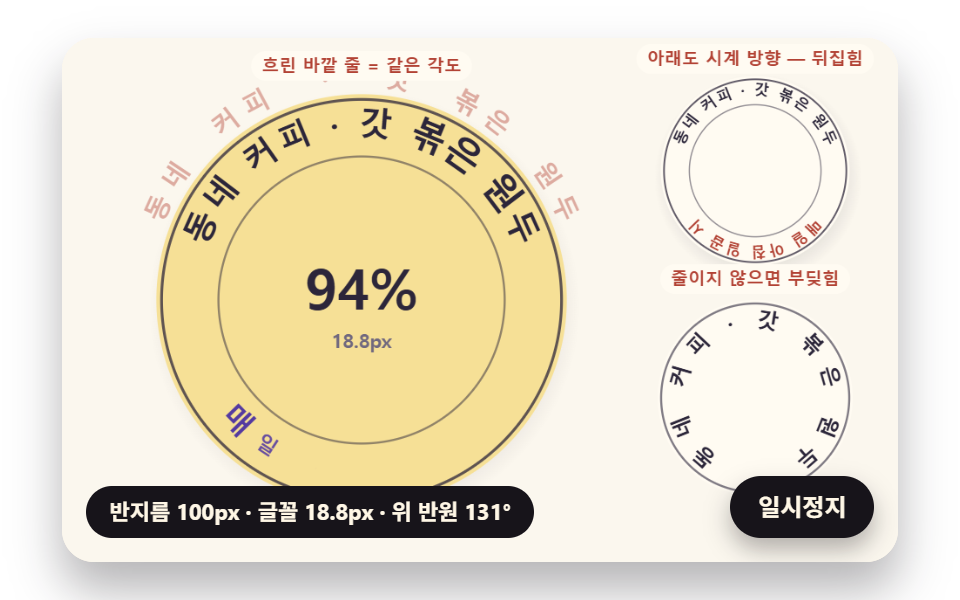 피드백원형 텍스트 만들기 9종 — css 원형 텍스트를 글자 폭으로 계산하기
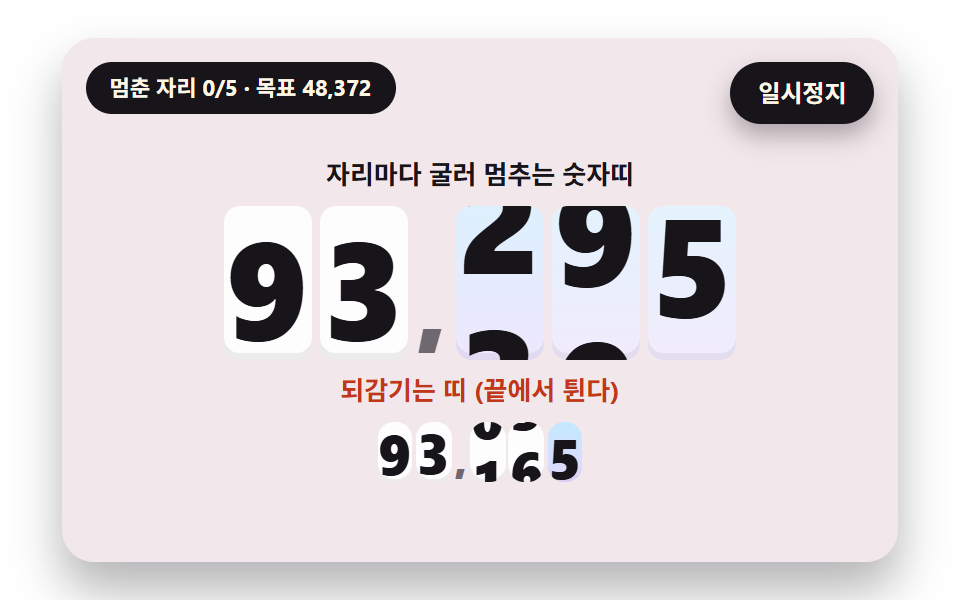 피드백숫자 롤링 애니메이션 9종 — 굴러서 멈추는 계수기부터 올림이 이어지는 전광판까지
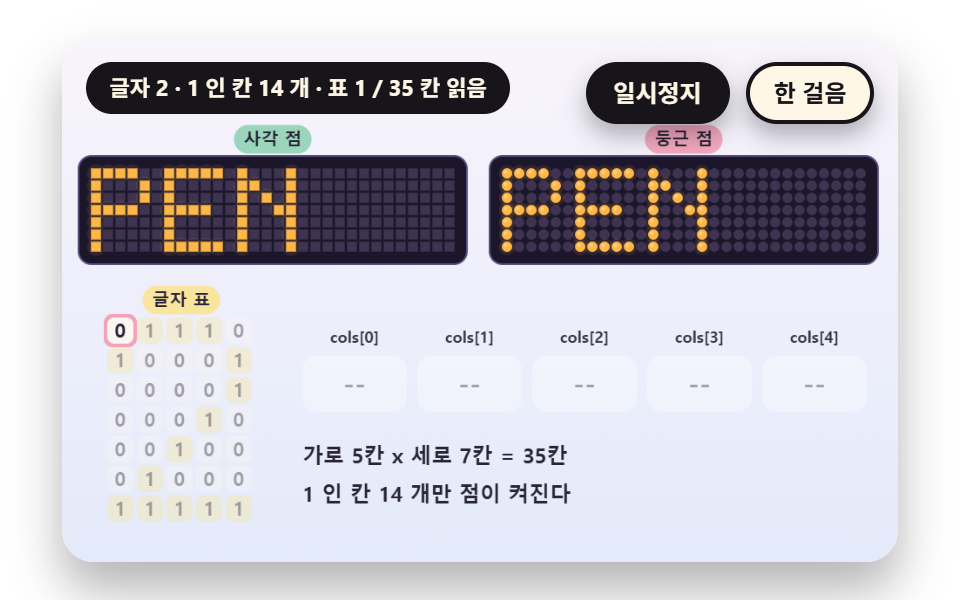 피드백LED 전광판 9종 — 5x7 점 글꼴부터 잔광과 행 스캔까지
 피드백CSS 카드 애니메이션 호버 효과 9종 — 한 줄 복붙으로
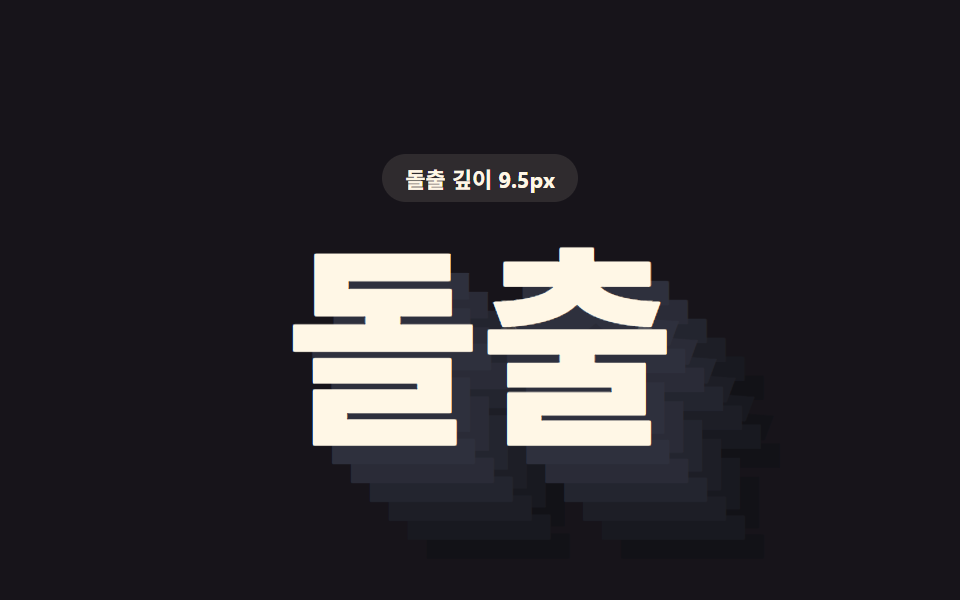 피드백css 텍스트 그림자 효과 9가지 — 층 값이 입체를 만든다
 피드백CSS 마우스 커서 효과 9종 — 한 줄 복붙으로
 피드백CSS 타이핑 효과 9종 — 한 줄 복붙으로
 피드백CSS 텍스트 애니메이션 효과 9종 — 한 줄 복붙으로
 피드백CSS 배경 애니메이션 9종 — 한 줄 복붙으로
 피드백CSS 이미지 호버 효과 9종 — 한 줄 복붙으로