모달 창 애니메이션 9종 — 스프링·원형 마스크·화소로 열고 닫기
열 때는 공들인 모달도 닫힐 때는 대개 그냥 사라진다. 여기서 03번은 가장 먼 모서리까지 잰 원으로 창을 열고, 05번은 칸마다 다른 노이즈 문턱을 넘는 순서로 화소가 맺히며, 07번은 줄마다 폭을 좁혀 한 점으로 빨려 들며 닫힌다.
아홉 가지 방식으로 열리고 닫히는 모달 창 무대
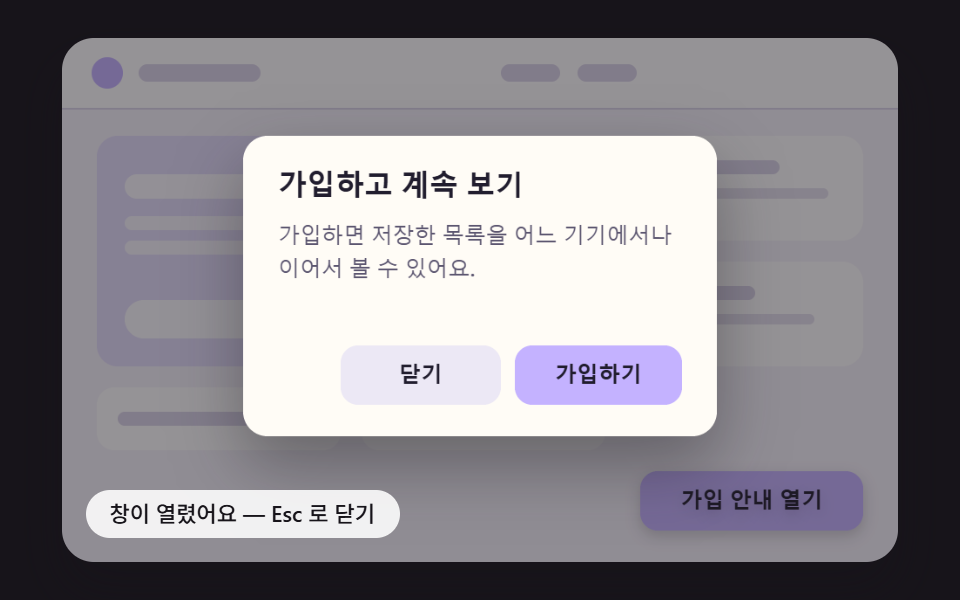 01 modal-anim-spring-pop-shadow-lift
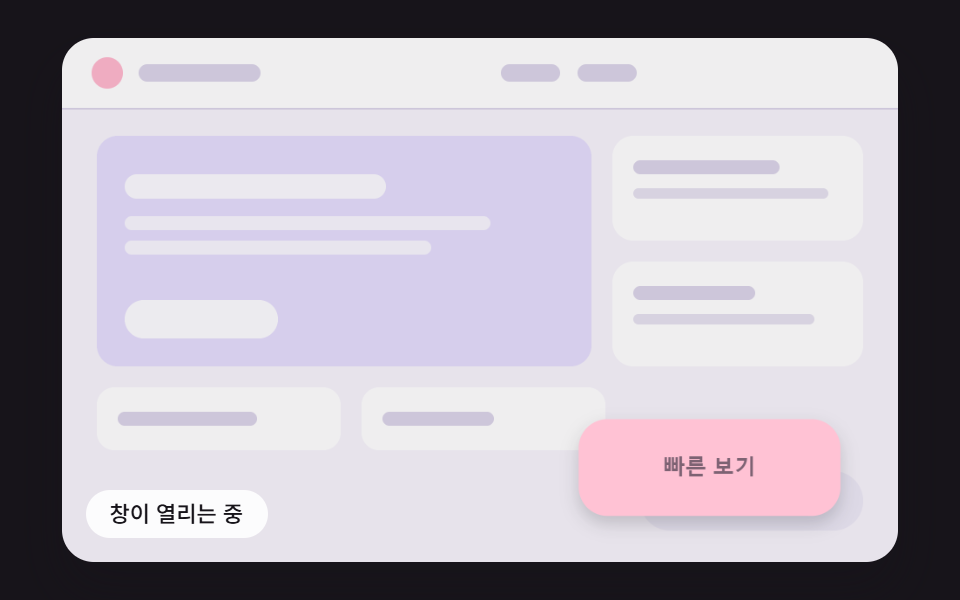 02 modal-anim-grow-from-trigger-rect
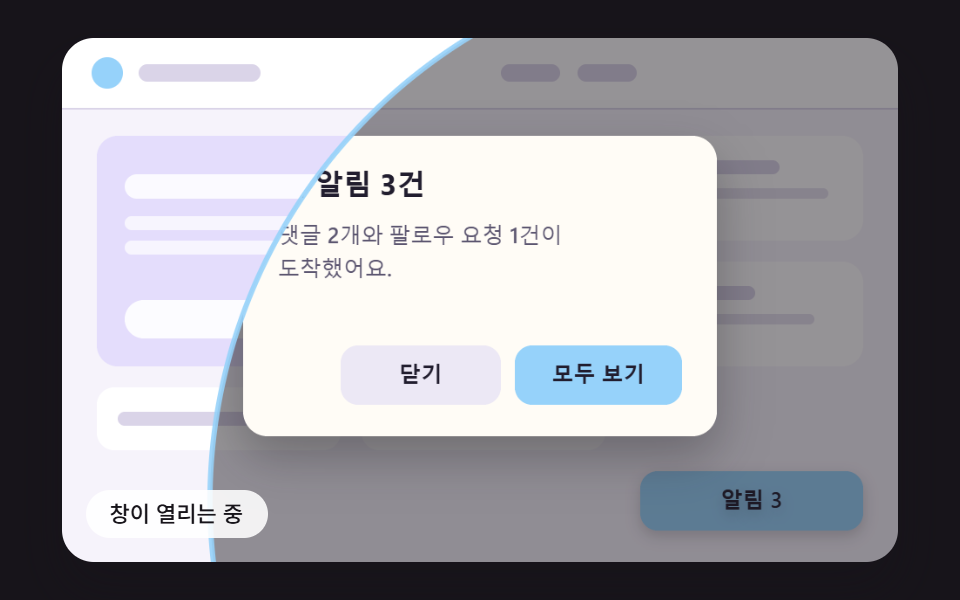 03 modal-anim-iris-circle-farthest-corner
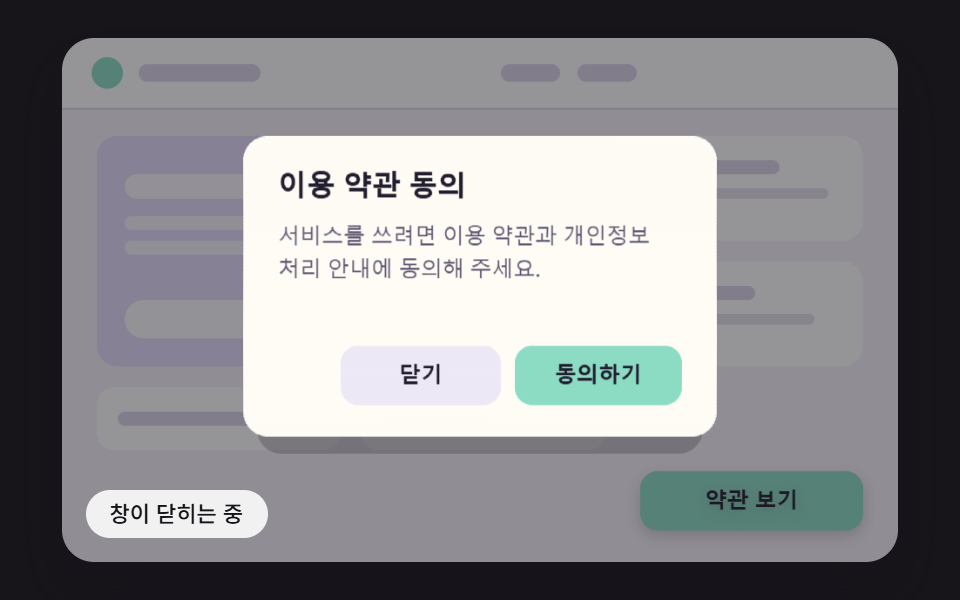 04 modal-anim-paper-fold-unfold-shade
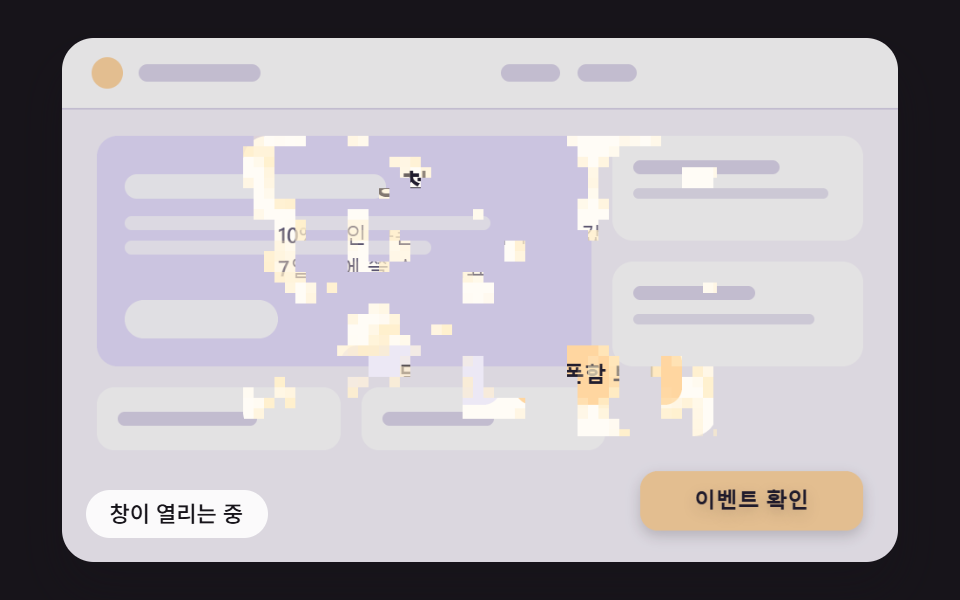 05 modal-anim-pixel-dissolve-noise-threshold
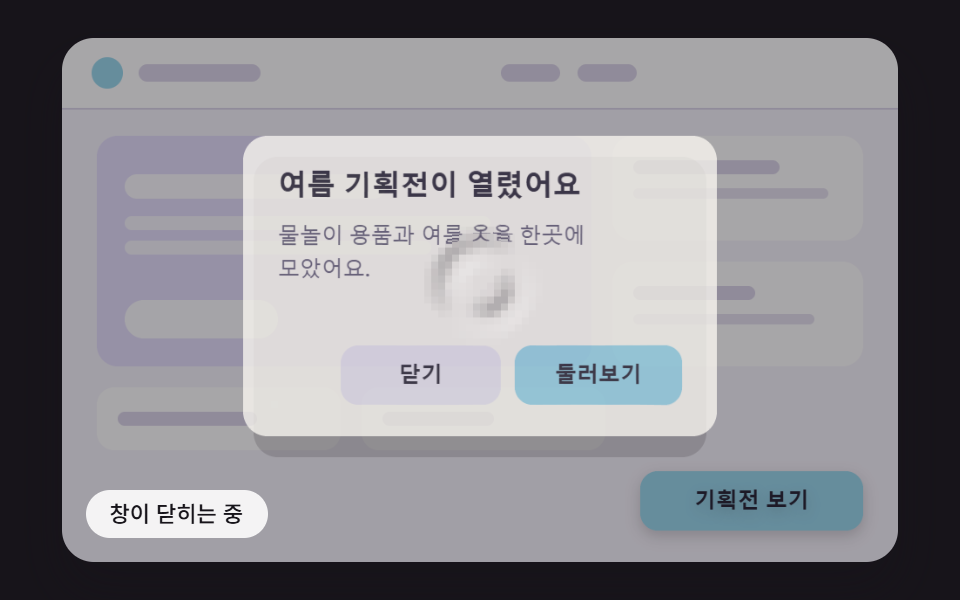 06 modal-anim-water-ripple-refract-open
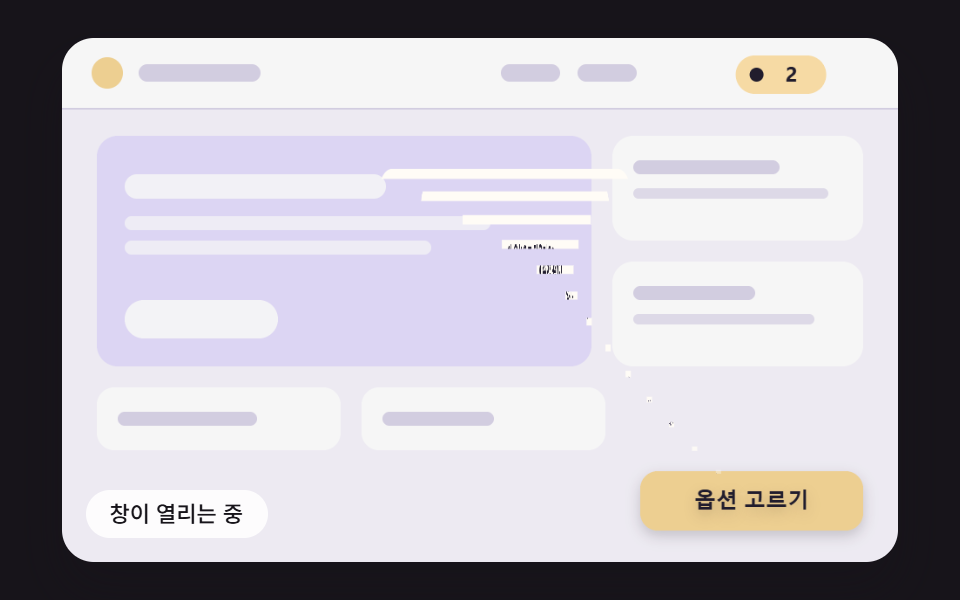 07 modal-anim-funnel-row-shrink-close
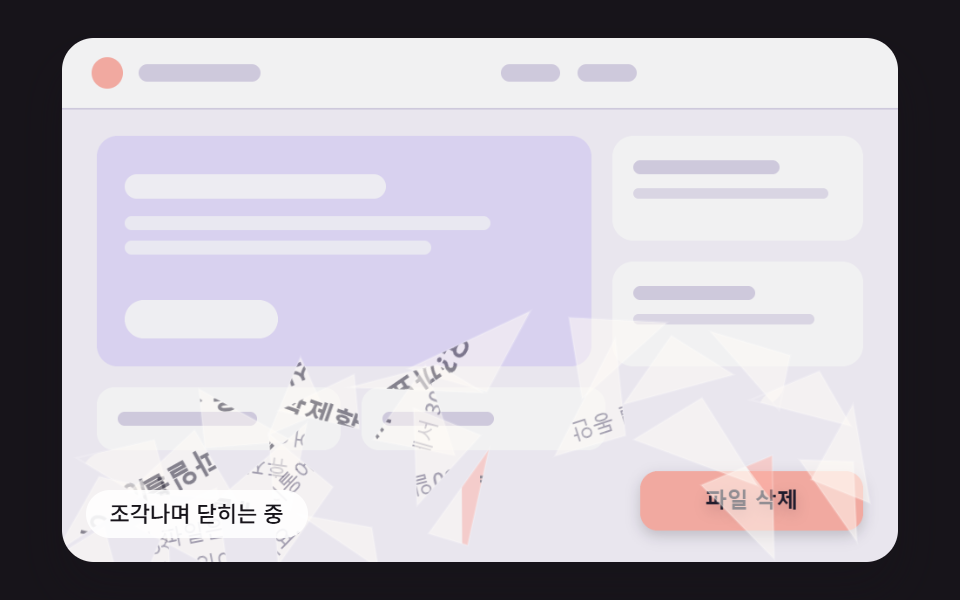 08 modal-anim-glass-shard-fall-close
 09 modal-anim-checkout-confirm-flow-hero
자동 재생 · 눌러서 해당 항목으로 · 전부 한 zip
- 01 스프링으로 튀어 올라 그림자가 깊어지는 모달
- 02 버튼 자리에서 자라나 창이 되는 모달
- 03 가장 먼 모서리까지 잰 원으로 열리는 모달
- 04 접힌 종이가 펴지듯 세 칸으로 열리는 모달
- 05 칸마다 다른 노이즈 문턱으로 화소가 맺히는 모달
- 06 물결이 번지며 일렁이던 창이 맑아지는 모달
- 07 줄마다 폭을 좁혀 한 점으로 빨려 드는 닫힘
- 08 유리처럼 조각나 떨어지는 닫힘
- 09 열리고 확인되고 버튼으로 돌아가 닫히는 결제 확인 모달
칸마다 한 바퀴는 2,400ms 다. 200ms 에 창이 열리기 시작하고, 01 은 1,500ms, 06 은 1,850ms, 07·08 은 1,150ms 처럼 항목이 정한 시각에 닫기 쪽으로 넘어간다. 07 은 「담기」 를, 08 은 「삭제」 를 누른 셈으로 닫혀서 장바구니로 들어가거나 깨지고, 09 는 900ms 에 「확정하기」 를 누른 순간부터 눌림과 체크, 축소가 이어진다.
모달 창 애니메이션 9종 — 스프링·버튼 자리 확장·원형 마스크·종이 접기·화소 디졸브·물결 굴절·깔때기 닫힘·유리 조각·결제 확인 흐름
01~06 은 여는 길이 저마다 다르고, 07·08 은 닫히는 길이 주인공이며, 09 는 열고 누르고 닫는 한 바퀴를 창 하나에 담았다. 스타일시트에는 @keyframes 가 한 줄도 없다. 움직임은 requestAnimationFrame 이 넘겨 주는 시간을 16ms 고정 틱으로 쪼개 매 틱 스프링·보간·노이즈·파동·조각 물리를 푸는 루프가 맡고, 닫힘도 열림을 거꾸로 돌리는 대신 항목마다 따로 계산한다.
화면의 글자는 캔버스가 그리고, 누르는 자리는 투명한 DOM 이 받는다
이 데모의 창과 버튼, 제목과 본문 글자는 전부 480×300 장면 좌표의 캔버스가 매 틱 그린 그림이다. 캔버스는 aria-hidden="true" 로 화면 낭독기에서 빠지고, 같은 자리에는 role="dialog"·aria-modal="true"·aria-labelledby·aria-describedby 를 단 대화상자와 여는 버튼, 창 안 두 버튼이 color: transparent 로 글자를 감춘 DOM 층으로 겹쳐 있어 키보드와 클릭과 낭독을 받는다. 효과가 창을 잘라 내고 늘리고 비틀 수 있는 것은 makeSprite 가 창 그림을 화면 밖 캔버스 세 장(배경까지 다 그린 판, 배경 없는 판, 확인 버튼을 뺀 판)에 미리 떠 두고 그 그림 조각을 drawImage 로 옮겨 그리기 때문이다. 화소를 읽는 getImageData 는 아홉 소스 어디에도 없다. 대신 그림 글자와 진짜 글자가 둘로 나뉘는 구조라서, 실서비스 모달에 그대로 옮기기보다는 같은 계산을 DOM 글자 위의 transform·clip-path 로 얹는 편이 낫다. 그 길은 아래 질문 절에서 다시 짚는다.
렌더 캡처 24장으로 잰 아홉 창의 움직임
2초 동안 찍은 24장 사이의 변화 23번 가운데 화면이 바뀐 횟수를 프레임 칸에 적었다.
| 창 | 누적면적 | 움직인 프레임 | 강도 평균 |
|---|---|---|---|
| 01 스프링 튀어 오름 | 74.8% | 12/23 | 46.8 |
| 02 버튼 자리 확장 | 75.8% | 13/23 | 55.6 |
| 03 원형 마스크 | 67.1% | 15/23 | 94.2 |
| 04 종이 접기 | 75.8% | 16/23 | 50.9 |
| 05 화소 디졸브 | 75.5% | 17/23 | 36.9 |
| 06 물결 굴절 | 75.9% | 21/23 | 34.4 |
| 07 깔때기 닫힘 | 75.9% | 20/23 | 41.4 |
| 08 유리 조각 | 75.9% | 17/23 | 45.8 |
| 09 결제 확인 흐름 | 75.9% | 19/23 | 47.1 |
누적면적이 아홉 개 모두 67~76% 로 큰 것은 창이 그만큼 넓게 움직여서가 아니다. 창이 열릴 때 뒤 페이지를 덮는 어두운 막(최대 불투명도 0.46)이 무대 전체에 깔렸다가 걷히기 때문에, 막이 지나간 화소가 모두 바뀐 것으로 잡힌다. 03 만 67.1% 로 낮은 것은 막과 창을 원 안에만 칠하기 때문으로 보인다. 프레임 수는 01 이 12/23 으로 가장 적은데, 스프링이 480ms 무렵 자리를 잡은 뒤 닫힐 때까지 화면이 그대로 머물기 때문이고, 06 은 물결이 1,504ms 까지 잦아들며 화면을 흔들어 21/23 까지 올라간 것으로 보인다.
가입 안내부터 주문 확정까지, 이런 창에 붙인다
창마다 실제 서비스의 한 장면을 맡겼다. 01 은 회원가입 안내, 02 는 상품 목록의 빠른 보기, 03 은 알림 배지를 눌렀을 때의 알림 상세, 04 는 이용 약관 동의, 05 는 쿠폰 당첨 안내, 06 은 여름 기획전 공지다. 07 은 옵션을 골라 장바구니에 담는 창, 08 은 파일 삭제 확인, 09 는 주문 최종 확인이고 화면에 결제 수단이나 금액은 없는 가상 주문이다.
쇼핑몰이나 예약 서비스에서 모달 창 만들기를 맡으면 창 안의 내용보다 창이 나타나고 사라지는 순간에 손이 덜 가기 쉽다. 같은 확인 창이라도 무엇을 확인하는지에 따라 닫히는 모습이 달라야 할 때가 있어서, 07 은 담긴 물건이 장바구니로 가는 길을, 08 은 지운 파일이 돌아오지 않는다는 느낌을 닫힘 자체로 보여 준다. 08 이 「취소」 로 닫힐 때는 깨지지 않는 것도 그래서다.
01스프링으로 튀어 올라 그림자가 깊어지는 모달
창 크기는 0.55배에서 출발해 강성 150·감쇠 14 스프링을 16ms 마다 적분한 값으로 커지는데, 감쇠비가 0.57 이라 한 번 104.1% 까지 부풀었다가 480ms 부터는 목표의 1% 안에 머문다. 떠오른 높이가 크기에 비례해 그림자 번짐과 아래 거리를 함께 키우므로 넘친 순간에는 떠오름 값이 28.4px 로 SHADOW_LIFT_MAX 26 을 넘어서고, 가볍게 반기는 회원가입 안내 창에 어울린다. 렌더 값은 누적면적 74.8%, 움직인 프레임 12/23, 강도 평균 46.8 이다.
<main class="stage">
<div class="md is-demo" id="md">
  <canvas class="md__canvas" data-role="canvas" width="480" height="300" aria-hidden="true"></canvas>
  <button class="md__open" data-role="open" type="button" aria-haspopup="dialog">가입 안내 열기</button>
  <div class="md__dialog" data-role="dialog" role="dialog" aria-modal="true" aria-labelledby="md-title-01" aria-describedby="md-body-01" hidden>
    <h2 class="md__title" data-role="title" id="md-title-01">가입하고 계속 보기</h2>
    <p class="md__body" data-role="body" id="md-body-01">가입하면 저장한 목록을 어느 기기에서나 이어서 볼 수 있어요.</p>
    <button class="md__btn" data-role="close" type="button">닫기</button>
    <button class="md__btn" data-role="confirm" type="button">가입하기</button>
  </div>
  <p class="md__status" data-role="status" aria-live="off">창이 닫혔어요 — 버튼으로 다시 열기</p>
</div>
</main>
@use "../../../../site/static/demo-tokens" as *;
@include stage($stage-ink);
.md {
position: relative;
width: min(92vw, calc(160vh - 12.8vw));
aspect-ratio: 480 / 300;
margin: 0 auto;
border-radius: $r-card;
overflow: hidden;
box-shadow: $shadow-raised;
background: $subject-ink;
}
.md__canvas {
display: block;
width: 100%;
height: 100%;
// 손가락 세로 쓸기는 브라우저에 남겨 페이지 스크롤이 막히지 않게 한다
touch-action: pan-y;
}
// 버튼·대화상자 층 — 글자는 캔버스가 그리고, 이 층은 같은 자리에 겹쳐 화면 낭독기·키보드·클릭을 받는다.
// 자리(left·top·width·height)는 스크립트가 장면 좌표(480x300)를 백분율로 바꿔 넣는다
.md__open,
.md__dialog,
.md__title,
.md__body,
.md__btn {
position: absolute;
box-sizing: border-box;
margin: 0;
padding: 0;
border: 0;
background: transparent;
color: transparent;
font-weight: 600;
font-size: 12px;
line-height: 1.4;
overflow: hidden;
}
.md__open,
.md__btn {
border-radius: $r-control;
font-family: inherit;
cursor: pointer;
transition: outline-color $dur-instant ease-out;
}
.md__title,
.md__body {
pointer-events: none;
}
.md__open:focus-visible,
.md__btn:focus-visible {
outline: 2px solid $subject-ink;
outline-offset: 2px;
}
// 창이 아직 움직이는 동안에는 초점 고리를 감춘다 — 고리는 다 열린 창의 버튼 자리에 맞춰져 있다
.md:not(.md--open) .md__btn:focus-visible {
outline-color: transparent;
}
.md__status {
position: absolute;
left: $sp-3;
bottom: $sp-3;
box-sizing: border-box;
max-width: 62%;
margin: 0;
padding: $sp-1 $sp-3;
border-radius: $r-control;
background: rgba(255, 255, 255, .88);
color: $subject-ink;
font-weight: 500;
font-size: 11px;
line-height: 1.4;
pointer-events: none;
}
@media (max-width: 340px) {
.md__status { font-size: 10px; padding: $sp-1 $sp-2; }
}
// 움직임은 스크립트가 matchMedia 로 끈다(열기·닫기가 그 자리에서 끝난다). CSS 쪽은 초점 고리 전환을 끈다
@media (prefers-reduced-motion: reduce) {
.md__open, .md__btn { transition: none; }
}html, body {
margin: 0;
overflow: hidden;
}
.stage {
box-sizing: border-box;
min-height: 100vh;
display: grid;
place-items: center;
margin: 0;
background: #17141a;
font-family: -apple-system, "Segoe UI", "Noto Sans KR", sans-serif;
padding: clamp(8px, 4vw, 24px);
}
.md {
position: relative;
width: min(92vw, 160vh - 12.8vw);
aspect-ratio: 480/300;
margin: 0 auto;
border-radius: 16px;
overflow: hidden;
box-shadow: 0 14px 24px rgba(23, 20, 26, 0.32);
background: #17141a;
}
.md__canvas {
display: block;
width: 100%;
height: 100%;
touch-action: pan-y;
}
.md__open,
.md__dialog,
.md__title,
.md__body,
.md__btn {
position: absolute;
box-sizing: border-box;
margin: 0;
padding: 0;
border: 0;
background: transparent;
color: transparent;
font-weight: 600;
font-size: 12px;
line-height: 1.4;
overflow: hidden;
}
.md__open,
.md__btn {
border-radius: 12px;
font-family: inherit;
cursor: pointer;
transition: outline-color 140ms ease-out;
}
.md__title,
.md__body {
pointer-events: none;
}
.md__open:focus-visible,
.md__btn:focus-visible {
outline: 2px solid #17141a;
outline-offset: 2px;
}
.md:not(.md--open) .md__btn:focus-visible {
outline-color: transparent;
}
.md__status {
position: absolute;
left: 12px;
bottom: 12px;
box-sizing: border-box;
max-width: 62%;
margin: 0;
padding: 4px 12px;
border-radius: 12px;
background: rgba(255, 255, 255, 0.88);
color: #17141a;
font-weight: 500;
font-size: 11px;
line-height: 1.4;
pointer-events: none;
}
@media (max-width: 340px) {
.md__status {
font-size: 10px;
padding: 4px 8px;
}
}
@media (prefers-reduced-motion: reduce) {
.md__open, .md__btn {
transition: none;
}
}(function () {
const root = document.getElementById("md");
if (!root) return;
const W = 480;
const H = 300;
const FIXED_DT = 16;
const TAU = Math.PI * 2;
// 창과 여는 버튼의 자리 — 장면 좌표(480x300). 화면 위 버튼·대화상자 층도 이 값으로 같은 자리에 맞춘다
const PANEL = { x: 104, y: 56, w: 272, h: 172 };
const OPENER = { x: 332, y: 248, w: 128, h: 34 };
// 창 안의 자리 — 창 왼쪽 위가 원점
const TITLE_BOX = { x: 20, y: 18, w: 232, h: 26 };
const BODY_BOX = { x: 20, y: 52, w: 232, h: 56 };
const CLOSE_BOX = { x: 56, y: 120, w: 92, h: 34 };
const CONFIRM_BOX = { x: 156, y: 120, w: 96, h: 34 };
const PANEL_RADIUS = 14;
const BUTTON_RADIUS = 10;
// 뒤 페이지를 덮는 막의 가장 진한 값
const SCRIM_MAX = 0.46;
// 파스텔 팔레트 — 밝은 페이지 위에 어두운 막이 덮이며 창이 떠오른다. 글자는 진한 먹색으로 명도 차를 둔다
const PAGE_BG = [246, 243, 251];
const PAGE_CARD = [255, 255, 255];
const PAGE_HERO = [228, 221, 252];
const PAGE_LINE = [218, 212, 232];
const PANEL_BG = [255, 252, 246];
const GHOST = [236, 232, 245];
const INK = [33, 29, 46];
const MUTED = [92, 86, 112];
const SCRIM = [23, 20, 26];
const WHITE = [255, 255, 255];
const FONT_FAMILY = '"Segoe UI", "Malgun Gothic", "Hiragino Sans", "Noto Sans KR", sans-serif';
function clamp(v, lo, hi) { return v < lo ? lo : (v > hi ? hi : v); }
function lerp(a, b, k) { return a + (b - a) * k; }
function smooth(x) { const c = clamp(x, 0, 1); return c * c * (3 - 2 * c); }
// 감속 곡선 — 처음 빠르고 끝에 느리다
function easeOutCubic(x) { const c = 1 - clamp(x, 0, 1); return 1 - c * c * c; }
// 가속 곡선 — 처음 느리고 끝에 빠르다
function easeInCubic(x) { const c = clamp(x, 0, 1); return c * c * c; }
function easeInOutCubic(x) {
const c = clamp(x, 0, 1);
return c < 0.5 ? 4 * c * c * c : 1 - Math.pow(-2 * c + 2, 3) / 2;
}
function mix(a, b, k) { return [lerp(a[0], b[0], k), lerp(a[1], b[1], k), lerp(a[2], b[2], k)]; }
function rgba(c, a) {
return 'rgba(' + Math.round(clamp(c[0], 0, 255)) + ',' + Math.round(clamp(c[1], 0, 255)) + ',' + Math.round(clamp(c[2], 0, 255)) + ',' + clamp(a, 0, 1).toFixed(3) + ')';
}
// 시드 고정 난수 — 같은 시드면 같은 배치가 다시 나온다 (32비트 정수 섞기)
function makeRng(seed) {
let s = seed >>> 0;
return function () {
s = (s + 0x6d2b79f5) >>> 0;
let t = s;
t = Math.imul(t ^ (t >>> 15), t | 1);
t ^= t + Math.imul(t ^ (t >>> 7), t | 61);
return ((t ^ (t >>> 14)) >>> 0) / 4294967296;
};
}
// 진행률을 목표(0 또는 1) 쪽으로 dt/길이만큼 옮긴다 — 닫히는 중에 다시 열면 지금 값에서 그대로 되돌아간다
function approach(v, target, dt, ms) {
const s = dt / ms;
return target > v ? Math.min(target, v + s) : Math.max(target, v - s);
}
    // 감쇠 스프링 한 스텝 — 가속도 = -강성 x (위치 - 목표) - 감쇠 x 속도. 속도를 먼저 고친 뒤 그 속도로 위치를 옮긴다. dt 는 초
    function springStep(s, target, stiffness, damping, dt) {
        const a = -stiffness * (s.x - target) - damping * s.v;
        s.v += a * dt;
        s.x += s.v * dt;
    }
    function springRest(s, target) { return Math.abs(s.x - target) < 0.002 && Math.abs(s.v) < 0.02; }
function lerpRect(a, b, k) {
return { x: lerp(a.x, b.x, k), y: lerp(a.y, b.y, k), w: lerp(a.w, b.w, k), h: lerp(a.h, b.h, k) };
}
function inside(r, x, y) { return x >= r.x && x <= r.x + r.w && y >= r.y && y <= r.y + r.h; }
// 모서리 둥근 사각형 경로 — 가로 반경 rx 와 세로 반경 ry 를 따로 받는다(늘어난 좌표계에서는 배율로 나눈 반경을 넣어 모서리를 원으로 되돌린다)
function roundRectPath(c, x, y, w, h, rx, ry) {
const ax = Math.max(0, Math.min(rx, w / 2));
const ay = Math.max(0, Math.min(ry, h / 2));
c.beginPath();
c.moveTo(x + ax, y);
c.lineTo(x + w - ax, y);
c.ellipse(x + w - ax, y + ay, ax, ay, 0, -Math.PI / 2, 0);
c.lineTo(x + w, y + h - ay);
c.ellipse(x + w - ax, y + h - ay, ax, ay, 0, 0, Math.PI / 2);
c.lineTo(x + ax, y + h);
c.ellipse(x + ax, y + h - ay, ax, ay, 0, Math.PI / 2, Math.PI);
c.lineTo(x, y + ay);
c.ellipse(x + ax, y + ay, ax, ay, 0, Math.PI, Math.PI * 1.5);
c.closePath();
}
const canvasEl = root.querySelector('[data-role="canvas"]');
const statusEl = root.querySelector('[data-role="status"]');
const openEl = root.querySelector('[data-role="open"]');
const dialogEl = root.querySelector('[data-role="dialog"]');
const titleEl = root.querySelector('[data-role="title"]');
const bodyEl = root.querySelector('[data-role="body"]');
const closeEl = root.querySelector('[data-role="close"]');
const confirmEl = root.querySelector('[data-role="confirm"]');
const ctxRaw = canvasEl ? canvasEl.getContext('2d') : null;
if (!canvasEl || !ctxRaw || !statusEl || !openEl || !dialogEl || !titleEl || !bodyEl || !closeEl || !confirmEl) {
return;
}
const cv = canvasEl;
const ctx = ctxRaw;
const status = statusEl;
const openBtn = openEl;
const dialog = dialogEl;
const titleNode = titleEl;
const bodyNode = bodyEl;
const closeBtn = closeEl;
const confirmBtn = confirmEl;
function textOf(el) { return (el.textContent || '').trim(); }
// 화면에 보이는 글자는 DOM 글자를 캔버스에 그린 것 — 문구를 바꾸면 그림도 같이 바뀐다
const OPEN_LABEL = textOf(openBtn);
const TITLE = textOf(titleNode);
const BODY = textOf(bodyNode);
const CLOSE_LABEL = textOf(closeBtn);
const CONFIRM_LABEL = textOf(confirmBtn);
const reduceQuery = window.matchMedia('(prefers-reduced-motion: reduce)');
// 페이지를 연 채 동작 줄이기 설정을 바꿔도 아래 change 리스너가 이 값을 다시 읽는다
let still = reduceQuery.matches;
// 자동 시연 중인가 — 사람이 처음 만지는 순간 시연을 멈추고 상태 줄을 읽어 주기 시작한다
let demo = root.classList.contains('is-demo');
function wake() {
if (!demo) {
return;
}
demo = false;
root.classList.remove('is-demo');
status.setAttribute('aria-live', 'polite');
}
function say(text) {
if (status.textContent !== text) {
status.textContent = text;
}
}
function fontOf(weight, px) { return weight + ' ' + px.toFixed(1) + 'px ' + FONT_FAMILY; }
// 한 줄에 들어가도록 글자 크기를 줄인다 — 언어마다 글자 길이가 달라도 상자 안에 든다
function fitFont(c, text, weight, px, maxW) {
let size = px;
c.font = fontOf(weight, size);
while (size > 8 && c.measureText(text).width > maxW) {
size -= 0.5;
c.font = fontOf(weight, size);
}
return size;
}
// 줄 나누기 — 폭을 넘으면 마지막 띄어쓰기에서 끊고, 띄어쓰기가 없는 글(일본어)은 그 글자에서 끊는다
function wrapLines(c, text, maxW) {
const out = [];
let line = '';
const chars = Array.from(text);
for (let i = 0; i < chars.length; i += 1) {
const ch = chars[i];
const test = line + ch;
if (line !== '' && c.measureText(test).width > maxW) {
const cut = line.lastIndexOf(' ');
if (cut > 0 && ch !== ' ') {
out.push(line.slice(0, cut));
line = line.slice(cut + 1) + ch;
}
else {
out.push(line);
line = ch === ' ' ? '' : ch;
}
}
else {
line = test;
}
}
if (line !== '') {
out.push(line);
}
return out;
}
function drawButton(c, r, fill, label, alpha) {
if (alpha <= 0.001) {
return;
}
c.save();
c.globalAlpha *= alpha;
roundRectPath(c, r.x, r.y, r.w, r.h, BUTTON_RADIUS, BUTTON_RADIUS);
c.fillStyle = rgba(fill, 1);
c.fill();
fitFont(c, label, 600, 12.5, r.w - 14);
c.fillStyle = rgba(INK, 1);
c.textAlign = 'center';
c.textBaseline = 'middle';
c.fillText(label, r.x + r.w / 2, r.y + r.h / 2 + 0.5);
c.restore();
}
// 창 그림 — 창 하나를 화면 밖 캔버스에 한 번 그려 두고, 효과마다 이 그림을 잘라·늘려·옮겨 그린다
let dpr = 1;
function makeSprite(withBg, withConfirm) {
const sc = document.createElement('canvas');
sc.width = Math.round(PANEL.w * dpr);
sc.height = Math.round(PANEL.h * dpr);
const c = sc.getContext('2d');
if (!c) {
return sc;
}
c.setTransform(dpr, 0, 0, dpr, 0, 0);
if (withBg) {
roundRectPath(c, 0, 0, PANEL.w, PANEL.h, PANEL_RADIUS, PANEL_RADIUS);
c.fillStyle = rgba(PANEL_BG, 1);
c.fill();
}
c.textAlign = 'left';
c.textBaseline = 'top';
fitFont(c, TITLE, 700, 16.5, TITLE_BOX.w);
c.fillStyle = rgba(INK, 1);
c.fillText(TITLE, TITLE_BOX.x, TITLE_BOX.y + 3);
// 본문 — 줄 수가 상자 높이를 넘으면 글자 크기를 반 px 씩 줄인다
let size = 12.5;
let lines = [];
for (; size >= 9; size -= 0.5) {
c.font = fontOf(500, size);
lines = wrapLines(c, BODY, BODY_BOX.w);
if (lines.length * size * 1.5 <= BODY_BOX.h) {
break;
}
}
c.fillStyle = rgba(MUTED, 1);
for (let i = 0; i < lines.length; i += 1) {
c.fillText(lines[i], BODY_BOX.x, BODY_BOX.y + i * size * 1.5);
}
drawButton(c, CLOSE_BOX, GHOST, CLOSE_LABEL, 1);
if (withConfirm) {
drawButton(c, CONFIRM_BOX, ACCENT, CONFIRM_LABEL, 1);
}
return sc;
}
// 배경·글자·두 버튼 / 글자·버튼만(배경 없음) / 배경·글자·닫기 버튼만(확인 버튼은 효과가 따로 그린다)
let spriteFull = document.createElement('canvas');
let spriteContent = document.createElement('canvas');
let spriteBare = document.createElement('canvas');
function fitCanvas() {
// 배율은 2 에서 자른다 — 배율 3 기기에서 화소가 2.25배로 늘어 프레임마다 일이 그만큼 커지지 않게
dpr = Math.min(window.devicePixelRatio || 1, 2);
cv.width = Math.round(W * dpr);
cv.height = Math.round(H * dpr);
ctx.setTransform(dpr, 0, 0, dpr, 0, 0);
spriteFull = makeSprite(true, true);
spriteContent = makeSprite(false, true);
spriteBare = makeSprite(true, false);
}
// 창 그림의 한 조각을 장면에 옮겨 그린다 — 원본 좌표는 창 기준 px, 그림 배율을 곱해 화소로 바꾼다
function blit(sp, sx, sy, sw, sh, dx, dy, dw, dh) {
if (sw <= 0 || sh <= 0 || dw <= 0 || dh <= 0) {
return;
}
ctx.drawImage(sp, sx * dpr, sy * dpr, sw * dpr, sh * dpr, dx, dy, dw, dh);
}
// 버튼·대화상자 층을 장면 좌표와 같은 자리에 백분율로 놓는다(한 번만 — 크기가 바뀌어도 백분율이라 그대로 맞는다)
function pct(v, of) { return ((v / of) * 100).toFixed(3) + '%'; }
function place(el, r, pw, ph) {
el.style.left = pct(r.x, pw);
el.style.top = pct(r.y, ph);
el.style.width = pct(r.w, pw);
el.style.height = pct(r.h, ph);
}
function placeOverlays() {
place(openBtn, OPENER, W, H);
place(dialog, PANEL, W, H);
place(titleNode, TITLE_BOX, PANEL.w, PANEL.h);
place(bodyNode, BODY_BOX, PANEL.w, PANEL.h);
place(closeBtn, CLOSE_BOX, PANEL.w, PANEL.h);
place(confirmBtn, CONFIRM_BOX, PANEL.w, PANEL.h);
}
function fillRound(x, y, w, h, r, col, a) {
roundRectPath(ctx, x, y, w, h, r, r);
ctx.fillStyle = rgba(col, a);
ctx.fill();
}
// 뒤 페이지 — 머리 띠·큰 카드·작은 카드 몇 장. 글자 대신 막대로 그려 언어와 상관없이 같은 그림이다
function drawPage() {
ctx.fillStyle = rgba(PAGE_BG, 1);
ctx.fillRect(0, 0, W, H);
ctx.fillStyle = rgba(PAGE_CARD, 1);
ctx.fillRect(0, 0, W, 40);
ctx.fillStyle = rgba(PAGE_LINE, 1);
ctx.fillRect(0, 40, W, 1);
ctx.fillStyle = rgba(ACCENT, 1);
ctx.beginPath();
ctx.arc(26, 20, 9, 0, TAU);
ctx.fill();
fillRound(44, 15, 70, 10, 5, PAGE_LINE, 1);
fillRound(252, 15, 34, 10, 5, PAGE_LINE, 1);
fillRound(296, 15, 34, 10, 5, PAGE_LINE, 1);
fillRound(20, 56, 284, 132, 12, PAGE_HERO, 1);
fillRound(36, 78, 150, 14, 7, WHITE, 0.85);
fillRound(36, 102, 210, 8, 4, WHITE, 0.7);
fillRound(36, 116, 176, 8, 4, WHITE, 0.7);
fillRound(36, 150, 88, 22, 11, WHITE, 0.9);
fillRound(316, 56, 144, 60, 12, PAGE_CARD, 1);
fillRound(328, 70, 84, 8, 4, PAGE_LINE, 1);
fillRound(328, 86, 112, 6, 3, PAGE_LINE, 0.7);
fillRound(316, 128, 144, 60, 12, PAGE_CARD, 1);
fillRound(328, 142, 70, 8, 4, PAGE_LINE, 1);
fillRound(328, 158, 104, 6, 3, PAGE_LINE, 0.7);
fillRound(20, 200, 140, 36, 10, PAGE_CARD, 1);
fillRound(172, 200, 140, 36, 10, PAGE_CARD, 1);
fillRound(32, 214, 80, 8, 4, PAGE_LINE, 1);
fillRound(184, 214, 64, 8, 4, PAGE_LINE, 1);
itemPage();
}
function drawOpener(alpha) {
ctx.save();
ctx.shadowColor = rgba(SCRIM, 0.2);
ctx.shadowBlur = 8 * dpr;
ctx.shadowOffsetY = 3 * dpr;
drawButton(ctx, OPENER, ACCENT, OPEN_LABEL, alpha);
ctx.restore();
}
// 뒤를 덮는 막 — a 는 0(없음)에서 1(가장 진함)
function drawScrim(a) {
if (a <= 0.001) {
return;
}
ctx.fillStyle = rgba(SCRIM, SCRIM_MAX * clamp(a, 0, 1));
ctx.fillRect(0, 0, W, H);
}
// 창을 가운데 기준으로 s 배 키워 그린다. lift 는 떠오른 높이(px) — 그림자 번짐과 거리가 이 값 하나로 정해진다
function drawPanelScaled(sp, s, alpha, lift) {
if (alpha <= 0.001 || s <= 0.001) {
return;
}
const cx = PANEL.x + PANEL.w / 2;
const cy = PANEL.y + PANEL.h / 2;
ctx.save();
ctx.globalAlpha = clamp(alpha, 0, 1);
ctx.translate(cx, cy);
ctx.scale(s, s);
// 그림자 값은 변환을 따라가지 않는 화소 단위라 배율(dpr)을 직접 곱한다
ctx.shadowColor = rgba(SCRIM, clamp(0.16 + 0.008 * lift, 0, 0.5));
ctx.shadowBlur = (4 + lift * 1.3) * dpr;
ctx.shadowOffsetY = (2 + lift * 0.55) * dpr;
ctx.drawImage(sp, -PANEL.w / 2, -PANEL.h / 2, PANEL.w, PANEL.h);
ctx.restore();
}
// 열고 닫는 흐름 — closed → opening → open → closing → closed. 효과마다 itemStep 이 「다 끝났다」 를 알려 준다
let phase = 'closed';
let phaseAge = 0;
function setPhase(p) {
phase = p;
phaseAge = 0;
root.classList.toggle('md--open', p === 'open');
}
function shown() { return phase === 'opening' || phase === 'open'; }
// 대화상자 층 보이기 — 창이 떠 있는 동안 여는 버튼은 inert 로 막아 Tab·클릭이 창 뒤로 새지 않게 한다
function showDialog(v) {
dialog.hidden = !v;
if (v) {
openBtn.setAttribute('inert', '');
}
else {
openBtn.removeAttribute('inert');
}
}
function snapTo(open) {
itemSnap(open);
showDialog(open);
setPhase(open ? 'open' : 'closed');
}
function requestOpen(user) {
if (shown()) {
return;
}
showDialog(true);
setPhase('opening');
itemOpen();
// 동작 줄이기 — 움직임 없이 그 자리에서 다 열린 창을 그린다
if (still) {
snapTo(true);
}
if (user) {
(FIRST_FOCUS === 'close' ? closeBtn : confirmBtn).focus({ preventScroll: true });
}
}
function requestClose(user, via) {
if (!shown()) {
return;
}
const hadFocus = dialog.contains(document.activeElement);
showDialog(false);
setPhase('closing');
itemClose(via);
if (still) {
snapTo(false);
}
// 닫으면 초점은 창을 열었던 버튼으로 돌아간다
if (user || hadFocus) {
openBtn.focus({ preventScroll: true });
}
}
const TXT_CLOSED = '창이 닫혔어요 — 버튼으로 다시 열기';
const TXT_OPENING = '창이 열리는 중';
const TXT_OPEN = '창이 열렸어요 — Esc 로 닫기';
const TXT_CLOSING = '창이 닫히는 중';
function stateText() {
const s = itemStatus();
if (s !== '') {
return s;
}
if (phase === 'open') {
return TXT_OPEN;
}
if (phase === 'opening') {
return TXT_OPENING;
}
if (phase === 'closing') {
return TXT_CLOSING;
}
return TXT_CLOSED;
}
function render() {
drawPage();
itemDraw();
say(stateText());
}
function tick() {
const done = itemStep(FIXED_DT);
phaseAge += FIXED_DT;
if (phase === 'opening' && done) {
setPhase('open');
}
else if (phase === 'closing' && done) {
setPhase('closed');
}
}
// 시연 — DEMO_LOOP_MS 마다 같은 시간표로 연다(DEMO_OPEN_AT) → 닫는다(DEMO_CLOSE_AT, DEMO_CLOSE_VIA 버튼으로)
let demoCycle = -1;
let demoOpened = false;
let demoClosed = false;
function demoTick(t) {
const cyc = Math.floor(t / DEMO_LOOP_MS);
if (cyc !== demoCycle) {
demoCycle = cyc;
demoOpened = false;
demoClosed = false;
if (phase !== 'closed') {
snapTo(false);
}
}
const lt = t - cyc * DEMO_LOOP_MS;
if (!demoOpened && lt >= DEMO_OPEN_AT) {
demoOpened = true;
requestOpen(false);
}
if (!demoClosed && lt >= DEMO_CLOSE_AT) {
demoClosed = true;
if (DEMO_CLOSE_VIA !== 'confirm' || !itemConfirm()) {
requestClose(false, DEMO_CLOSE_VIA);
}
}
}
// 화면 좌표(CSS px) → 장면 좌표(480x300). 리사이즈 뒤에도 그때그때 현재 크기로 다시 잰다
function toScene(ev) {
const r = cv.getBoundingClientRect();
return [((ev.clientX - r.left) / r.width) * W, ((ev.clientY - r.top) / r.height) * H];
}
// 스프링 강성(1/s²) — 클수록 빨리 튄다
const SPRING_STIFFNESS = 150;
// 스프링 감쇠(1/s) — 작을수록 목표를 더 넘고 오래 출렁인다. 감쇠비 = 감쇠 / (2 x 강성의 제곱근)
const SPRING_DAMPING = 14;
// 창이 목표 크기일 때 떠오른 높이(px) — 그림자 번짐과 거리가 이 높이에 비례한다
const SHADOW_LIFT_MAX = 26;
// 열기 시작 크기 — 목표 크기에 대한 비율
const SCALE_FROM = 0.55;
const ACCENT = [196, 178, 255];
const FIRST_FOCUS = 'confirm';
const DEMO_LOOP_MS = 2400;
const DEMO_OPEN_AT = 200;
const DEMO_CLOSE_AT = 1500;
const DEMO_CLOSE_VIA = 'close';
const pop = { x: 0, v: 0 };
let popTarget = 0;
function itemOpen() { popTarget = 1; }
function itemClose(via) { popTarget = 0; }
function itemSnap(open) {
popTarget = open ? 1 : 0;
pop.x = popTarget;
pop.v = 0;
}
function itemStep(dt) {
springStep(pop, popTarget, SPRING_STIFFNESS, SPRING_DAMPING, dt / 1000);
if (popTarget === 1) {
return springRest(pop, 1);
}
// 닫힐 때는 0 을 처음 지나는 순간 끝낸다 — 시작 크기보다 작아지기 전에 사라진다
if (pop.x <= 0) {
pop.x = 0;
pop.v = 0;
return true;
}
return false;
}
    // 크기 — 스프링 값이 1 을 넘으면 목표보다 커진다(넘침)
    function popScale() { return SCALE_FROM + (1 - SCALE_FROM) * pop.x; }
    // 떠오른 높이 — 크기에 비례한다. 넘친 순간에는 목표 높이보다 더 떠서 그림자가 더 깊고 멀다
    function popLift() { return SHADOW_LIFT_MAX * Math.max(0, (popScale() - SCALE_FROM) / (1 - SCALE_FROM)); }
    function itemPage() { drawOpener(1); }
    function itemDraw() {
        if (pop.x <= 0.001) {
            return;
        }
        drawScrim(pop.x);
        drawPanelScaled(spriteFull, popScale(), pop.x * 1.8, popLift());
    }
function itemConfirm() { return false; }
function itemStatus() { return ''; }
function after() { render(); }
root.addEventListener('pointerdown', function () { wake(); });
openBtn.addEventListener('click', function () { wake(); requestOpen(true); after(); });
closeBtn.addEventListener('click', function () { wake(); requestClose(true, 'close'); after(); });
confirmBtn.addEventListener('click', function () {
wake();
if (still || !itemConfirm()) {
requestClose(true, 'confirm');
}
after();
});
// 창 바깥(막)을 누르면 닫는다
cv.addEventListener('pointerdown', function (ev) {
const p = toScene(ev);
if (shown() && !inside(PANEL, p[0], p[1])) {
requestClose(true, 'backdrop');
after();
}
});
root.addEventListener('keydown', function (ev) {
wake();
if (ev.key === 'Escape') {
if (!shown()) {
return;
}
ev.preventDefault();
requestClose(true, 'esc');
after();
return;
}
// 초점 가두기 — 창이 떠 있는 동안 Tab 은 창 안 두 버튼 사이만 돈다
if (ev.key === 'Tab' && shown()) {
const order = [closeBtn, confirmBtn];
const i = order.indexOf(document.activeElement);
const n = i < 0 ? 0 : (i + (ev.shiftKey ? order.length - 1 : 1)) % order.length;
ev.preventDefault();
order[n].focus({ preventScroll: true });
}
});
function onResize() {
fitCanvas();
render();
}
placeOverlays();
fitCanvas();
window.addEventListener('resize', onResize);
let rafId = 0;
let lastTs = -1;
let acc = 0;
let clock = 0;
function frame(ts) {
if (still) {
rafId = 0;
return;
}
if (lastTs < 0) {
lastTs = ts;
}
// 탭이 숨었다 돌아와도 한 번에 100ms 까지만 따라잡는다 — 순간이동 대신 이어서 움직인다
acc += Math.min(ts - lastTs, 100);
lastTs = ts;
let n = 0;
while (acc >= FIXED_DT && n < 6) {
clock += FIXED_DT;
if (demo) {
demoTick(clock);
}
tick();
acc -= FIXED_DT;
n += 1;
}
render();
rafId = window.requestAnimationFrame(frame);
}
function startLoop() {
if (rafId) {
return;
}
lastTs = -1;
acc = 0;
rafId = window.requestAnimationFrame(frame);
}
// 동작 줄이기 설정이 페이지를 연 채 바뀌면 — 켜지면 루프를 멈추고 지금 가는 쪽의 끝 상태로, 꺼지면 루프를 다시 돈다
function onMotionPref() {
still = reduceQuery.matches;
if (still) {
if (rafId) {
window.cancelAnimationFrame(rafId);
rafId = 0;
}
snapTo(shown());
render();
}
else {
startLoop();
}
}
if (typeof reduceQuery.addEventListener === 'function') {
reduceQuery.addEventListener('change', onMotionPref);
}
if (still) {
// 동작 줄이기 — 시연 대신 다 열린 창을 한 장 그려 둔다. 버튼을 누르면 그 자리에서 열리고 닫힌다
snapTo(true);
render();
}
else {
render();
startLoop();
}
return function () {
window.cancelAnimationFrame(rafId);
window.removeEventListener('resize', onResize);
if (typeof reduceQuery.removeEventListener === 'function') {
reduceQuery.removeEventListener('change', onMotionPref);
}
};
})();// SpringPopShadowLift - vanilla 판(01-modal-anim-spring-pop-shadow-lift) 의 React 포트. 같은 계산을 useEffect 안에서 돌린다.
import { useEffect, useRef } from "react";
import styles from "./SpringPopShadowLift.module.scss";
const cx = (s: string): string => s.split(" ").map((n) => styles[n] ?? n).join(" ");
export default function SpringPopShadowLift() {
const rootRef = useRef<HTMLDivElement | null>(null);
useEffect(() => {
const rootEl = rootRef.current;
if (!rootEl) return;
const root: HTMLElement = rootEl;
type RGB = [number, number, number];
type Pt = [number, number];
type Rect = { x: number; y: number; w: number; h: number };
type Spring = { x: number; v: number };
type Phase = 'closed' | 'opening' | 'open' | 'closing';
const W = 480;
const H = 300;
const FIXED_DT = 16;
const TAU = Math.PI * 2;
// 창과 여는 버튼의 자리 — 장면 좌표(480x300). 화면 위 버튼·대화상자 층도 이 값으로 같은 자리에 맞춘다
const PANEL: Rect = { x: 104, y: 56, w: 272, h: 172 };
const OPENER: Rect = { x: 332, y: 248, w: 128, h: 34 };
// 창 안의 자리 — 창 왼쪽 위가 원점
const TITLE_BOX: Rect = { x: 20, y: 18, w: 232, h: 26 };
const BODY_BOX: Rect = { x: 20, y: 52, w: 232, h: 56 };
const CLOSE_BOX: Rect = { x: 56, y: 120, w: 92, h: 34 };
const CONFIRM_BOX: Rect = { x: 156, y: 120, w: 96, h: 34 };
const PANEL_RADIUS = 14;
const BUTTON_RADIUS = 10;
// 뒤 페이지를 덮는 막의 가장 진한 값
const SCRIM_MAX = 0.46;
// 파스텔 팔레트 — 밝은 페이지 위에 어두운 막이 덮이며 창이 떠오른다. 글자는 진한 먹색으로 명도 차를 둔다
const PAGE_BG: RGB = [246, 243, 251];
const PAGE_CARD: RGB = [255, 255, 255];
const PAGE_HERO: RGB = [228, 221, 252];
const PAGE_LINE: RGB = [218, 212, 232];
const PANEL_BG: RGB = [255, 252, 246];
const GHOST: RGB = [236, 232, 245];
const INK: RGB = [33, 29, 46];
const MUTED: RGB = [92, 86, 112];
const SCRIM: RGB = [23, 20, 26];
const WHITE: RGB = [255, 255, 255];
const FONT_FAMILY = '"Segoe UI", "Malgun Gothic", "Hiragino Sans", "Noto Sans KR", sans-serif';
function clamp(v: number, lo: number, hi: number): number { return v < lo ? lo : (v > hi ? hi : v); }
function lerp(a: number, b: number, k: number): number { return a + (b - a) * k; }
function smooth(x: number): number { const c = clamp(x, 0, 1); return c * c * (3 - 2 * c); }
// 감속 곡선 — 처음 빠르고 끝에 느리다
function easeOutCubic(x: number): number { const c = 1 - clamp(x, 0, 1); return 1 - c * c * c; }
// 가속 곡선 — 처음 느리고 끝에 빠르다
function easeInCubic(x: number): number { const c = clamp(x, 0, 1); return c * c * c; }
function easeInOutCubic(x: number): number {
const c = clamp(x, 0, 1);
return c < 0.5 ? 4 * c * c * c : 1 - Math.pow(-2 * c + 2, 3) / 2;
}
function mix(a: RGB, b: RGB, k: number): RGB { return [lerp(a[0], b[0], k), lerp(a[1], b[1], k), lerp(a[2], b[2], k)]; }
function rgba(c: RGB, a: number): string {
return 'rgba(' + Math.round(clamp(c[0], 0, 255)) + ',' + Math.round(clamp(c[1], 0, 255)) + ',' + Math.round(clamp(c[2], 0, 255)) + ',' + clamp(a, 0, 1).toFixed(3) + ')';
}
// 시드 고정 난수 — 같은 시드면 같은 배치가 다시 나온다 (32비트 정수 섞기)
function makeRng(seed: number): () => number {
let s = seed >>> 0;
return function (): number {
s = (s + 0x6d2b79f5) >>> 0;
let t = s;
t = Math.imul(t ^ (t >>> 15), t | 1);
t ^= t + Math.imul(t ^ (t >>> 7), t | 61);
return ((t ^ (t >>> 14)) >>> 0) / 4294967296;
};
}
// 진행률을 목표(0 또는 1) 쪽으로 dt/길이만큼 옮긴다 — 닫히는 중에 다시 열면 지금 값에서 그대로 되돌아간다
function approach(v: number, target: number, dt: number, ms: number): number {
const s = dt / ms;
return target > v ? Math.min(target, v + s) : Math.max(target, v - s);
}
// 감쇠 스프링 한 스텝 — 가속도 = -강성 x (위치 - 목표) - 감쇠 x 속도. 속도를 먼저 고친 뒤 그 속도로 위치를 옮긴다. dt 는 초
function springStep(s: Spring, target: number, stiffness: number, damping: number, dt: number): void {
const a = -stiffness * (s.x - target) - damping * s.v;
s.v += a * dt;
s.x += s.v * dt;
}
function springRest(s: Spring, target: number): boolean { return Math.abs(s.x - target) < 0.002 && Math.abs(s.v) < 0.02; }
function lerpRect(a: Rect, b: Rect, k: number): Rect {
return { x: lerp(a.x, b.x, k), y: lerp(a.y, b.y, k), w: lerp(a.w, b.w, k), h: lerp(a.h, b.h, k) };
}
function inside(r: Rect, x: number, y: number): boolean { return x >= r.x && x <= r.x + r.w && y >= r.y && y <= r.y + r.h; }
// 모서리 둥근 사각형 경로 — 가로 반경 rx 와 세로 반경 ry 를 따로 받는다(늘어난 좌표계에서는 배율로 나눈 반경을 넣어 모서리를 원으로 되돌린다)
function roundRectPath(c: CanvasRenderingContext2D, x: number, y: number, w: number, h: number, rx: number, ry: number): void {
const ax = Math.max(0, Math.min(rx, w / 2));
const ay = Math.max(0, Math.min(ry, h / 2));
c.beginPath();
c.moveTo(x + ax, y);
c.lineTo(x + w - ax, y);
c.ellipse(x + w - ax, y + ay, ax, ay, 0, -Math.PI / 2, 0);
c.lineTo(x + w, y + h - ay);
c.ellipse(x + w - ax, y + h - ay, ax, ay, 0, 0, Math.PI / 2);
c.lineTo(x + ax, y + h);
c.ellipse(x + ax, y + h - ay, ax, ay, 0, Math.PI / 2, Math.PI);
c.lineTo(x, y + ay);
c.ellipse(x + ax, y + ay, ax, ay, 0, Math.PI, Math.PI * 1.5);
c.closePath();
}
const canvasEl = root.querySelector('[data-role="canvas"]') as HTMLCanvasElement | null;
const statusEl = root.querySelector('[data-role="status"]') as HTMLElement | null;
const openEl = root.querySelector('[data-role="open"]') as HTMLButtonElement | null;
const dialogEl = root.querySelector('[data-role="dialog"]') as HTMLElement | null;
const titleEl = root.querySelector('[data-role="title"]') as HTMLElement | null;
const bodyEl = root.querySelector('[data-role="body"]') as HTMLElement | null;
const closeEl = root.querySelector('[data-role="close"]') as HTMLButtonElement | null;
const confirmEl = root.querySelector('[data-role="confirm"]') as HTMLButtonElement | null;
const ctxRaw = canvasEl ? canvasEl.getContext('2d') : null;
if (!canvasEl || !ctxRaw || !statusEl || !openEl || !dialogEl || !titleEl || !bodyEl || !closeEl || !confirmEl) { return; }
const cv: HTMLCanvasElement = canvasEl;
const ctx: CanvasRenderingContext2D = ctxRaw;
const status: HTMLElement = statusEl;
const openBtn: HTMLButtonElement = openEl;
const dialog: HTMLElement = dialogEl;
const titleNode: HTMLElement = titleEl;
const bodyNode: HTMLElement = bodyEl;
const closeBtn: HTMLButtonElement = closeEl;
const confirmBtn: HTMLButtonElement = confirmEl;
function textOf(el: HTMLElement): string { return (el.textContent || '').trim(); }
// 화면에 보이는 글자는 DOM 글자를 캔버스에 그린 것 — 문구를 바꾸면 그림도 같이 바뀐다
const OPEN_LABEL = textOf(openBtn);
const TITLE = textOf(titleNode);
const BODY = textOf(bodyNode);
const CLOSE_LABEL = textOf(closeBtn);
const CONFIRM_LABEL = textOf(confirmBtn);
const reduceQuery = window.matchMedia('(prefers-reduced-motion: reduce)');
// 페이지를 연 채 동작 줄이기 설정을 바꿔도 아래 change 리스너가 이 값을 다시 읽는다
let still = reduceQuery.matches;
// 자동 시연 중인가 — 사람이 처음 만지는 순간 시연을 멈추고 상태 줄을 읽어 주기 시작한다
let demo = root.classList.contains('is-demo');
function wake(): void {
if (!demo) { return; }
demo = false;
root.classList.remove('is-demo');
status.setAttribute('aria-live', 'polite');
}
function say(text: string): void {
if (status.textContent !== text) { status.textContent = text; }
}
function fontOf(weight: number, px: number): string { return weight + ' ' + px.toFixed(1) + 'px ' + FONT_FAMILY; }
// 한 줄에 들어가도록 글자 크기를 줄인다 — 언어마다 글자 길이가 달라도 상자 안에 든다
function fitFont(c: CanvasRenderingContext2D, text: string, weight: number, px: number, maxW: number): number {
let size = px;
c.font = fontOf(weight, size);
while (size > 8 && c.measureText(text).width > maxW) {
size -= 0.5;
c.font = fontOf(weight, size);
}
return size;
}
// 줄 나누기 — 폭을 넘으면 마지막 띄어쓰기에서 끊고, 띄어쓰기가 없는 글(일본어)은 그 글자에서 끊는다
function wrapLines(c: CanvasRenderingContext2D, text: string, maxW: number): string[] {
const out: string[] = [];
let line = '';
const chars = Array.from(text);
for (let i = 0; i < chars.length; i += 1) {
const ch = chars[i];
const test = line + ch;
if (line !== '' && c.measureText(test).width > maxW) {
const cut = line.lastIndexOf(' ');
if (cut > 0 && ch !== ' ') {
out.push(line.slice(0, cut));
line = line.slice(cut + 1) + ch;
} else {
out.push(line);
line = ch === ' ' ? '' : ch;
}
} else {
line = test;
}
}
if (line !== '') { out.push(line); }
return out;
}
function drawButton(c: CanvasRenderingContext2D, r: Rect, fill: RGB, label: string, alpha: number): void {
if (alpha <= 0.001) { return; }
c.save();
c.globalAlpha *= alpha;
roundRectPath(c, r.x, r.y, r.w, r.h, BUTTON_RADIUS, BUTTON_RADIUS);
c.fillStyle = rgba(fill, 1);
c.fill();
fitFont(c, label, 600, 12.5, r.w - 14);
c.fillStyle = rgba(INK, 1);
c.textAlign = 'center';
c.textBaseline = 'middle';
c.fillText(label, r.x + r.w / 2, r.y + r.h / 2 + 0.5);
c.restore();
}
// 창 그림 — 창 하나를 화면 밖 캔버스에 한 번 그려 두고, 효과마다 이 그림을 잘라·늘려·옮겨 그린다
let dpr = 1;
function makeSprite(withBg: boolean, withConfirm: boolean): HTMLCanvasElement {
const sc = document.createElement('canvas');
sc.width = Math.round(PANEL.w * dpr);
sc.height = Math.round(PANEL.h * dpr);
const c = sc.getContext('2d');
if (!c) { return sc; }
c.setTransform(dpr, 0, 0, dpr, 0, 0);
if (withBg) {
roundRectPath(c, 0, 0, PANEL.w, PANEL.h, PANEL_RADIUS, PANEL_RADIUS);
c.fillStyle = rgba(PANEL_BG, 1);
c.fill();
}
c.textAlign = 'left';
c.textBaseline = 'top';
fitFont(c, TITLE, 700, 16.5, TITLE_BOX.w);
c.fillStyle = rgba(INK, 1);
c.fillText(TITLE, TITLE_BOX.x, TITLE_BOX.y + 3);
// 본문 — 줄 수가 상자 높이를 넘으면 글자 크기를 반 px 씩 줄인다
let size = 12.5;
let lines: string[] = [];
for (; size >= 9; size -= 0.5) {
c.font = fontOf(500, size);
lines = wrapLines(c, BODY, BODY_BOX.w);
if (lines.length * size * 1.5 <= BODY_BOX.h) { break; }
}
c.fillStyle = rgba(MUTED, 1);
for (let i = 0; i < lines.length; i += 1) { c.fillText(lines[i], BODY_BOX.x, BODY_BOX.y + i * size * 1.5); }
drawButton(c, CLOSE_BOX, GHOST, CLOSE_LABEL, 1);
if (withConfirm) { drawButton(c, CONFIRM_BOX, ACCENT, CONFIRM_LABEL, 1); }
return sc;
}
// 배경·글자·두 버튼 / 글자·버튼만(배경 없음) / 배경·글자·닫기 버튼만(확인 버튼은 효과가 따로 그린다)
let spriteFull: HTMLCanvasElement = document.createElement('canvas');
let spriteContent: HTMLCanvasElement = document.createElement('canvas');
let spriteBare: HTMLCanvasElement = document.createElement('canvas');
function fitCanvas(): void {
// 배율은 2 에서 자른다 — 배율 3 기기에서 화소가 2.25배로 늘어 프레임마다 일이 그만큼 커지지 않게
dpr = Math.min(window.devicePixelRatio || 1, 2);
cv.width = Math.round(W * dpr);
cv.height = Math.round(H * dpr);
ctx.setTransform(dpr, 0, 0, dpr, 0, 0);
spriteFull = makeSprite(true, true);
spriteContent = makeSprite(false, true);
spriteBare = makeSprite(true, false);
}
// 창 그림의 한 조각을 장면에 옮겨 그린다 — 원본 좌표는 창 기준 px, 그림 배율을 곱해 화소로 바꾼다
function blit(sp: HTMLCanvasElement, sx: number, sy: number, sw: number, sh: number, dx: number, dy: number, dw: number, dh: number): void {
if (sw <= 0 || sh <= 0 || dw <= 0 || dh <= 0) { return; }
ctx.drawImage(sp, sx * dpr, sy * dpr, sw * dpr, sh * dpr, dx, dy, dw, dh);
}
// 버튼·대화상자 층을 장면 좌표와 같은 자리에 백분율로 놓는다(한 번만 — 크기가 바뀌어도 백분율이라 그대로 맞는다)
function pct(v: number, of: number): string { return ((v / of) * 100).toFixed(3) + '%'; }
function place(el: HTMLElement, r: Rect, pw: number, ph: number): void {
el.style.left = pct(r.x, pw);
el.style.top = pct(r.y, ph);
el.style.width = pct(r.w, pw);
el.style.height = pct(r.h, ph);
}
function placeOverlays(): void {
place(openBtn, OPENER, W, H);
place(dialog, PANEL, W, H);
place(titleNode, TITLE_BOX, PANEL.w, PANEL.h);
place(bodyNode, BODY_BOX, PANEL.w, PANEL.h);
place(closeBtn, CLOSE_BOX, PANEL.w, PANEL.h);
place(confirmBtn, CONFIRM_BOX, PANEL.w, PANEL.h);
}
function fillRound(x: number, y: number, w: number, h: number, r: number, col: RGB, a: number): void {
roundRectPath(ctx, x, y, w, h, r, r);
ctx.fillStyle = rgba(col, a);
ctx.fill();
}
// 뒤 페이지 — 머리 띠·큰 카드·작은 카드 몇 장. 글자 대신 막대로 그려 언어와 상관없이 같은 그림이다
function drawPage(): void {
ctx.fillStyle = rgba(PAGE_BG, 1);
ctx.fillRect(0, 0, W, H);
ctx.fillStyle = rgba(PAGE_CARD, 1);
ctx.fillRect(0, 0, W, 40);
ctx.fillStyle = rgba(PAGE_LINE, 1);
ctx.fillRect(0, 40, W, 1);
ctx.fillStyle = rgba(ACCENT, 1);
ctx.beginPath();
ctx.arc(26, 20, 9, 0, TAU);
ctx.fill();
fillRound(44, 15, 70, 10, 5, PAGE_LINE, 1);
fillRound(252, 15, 34, 10, 5, PAGE_LINE, 1);
fillRound(296, 15, 34, 10, 5, PAGE_LINE, 1);
fillRound(20, 56, 284, 132, 12, PAGE_HERO, 1);
fillRound(36, 78, 150, 14, 7, WHITE, 0.85);
fillRound(36, 102, 210, 8, 4, WHITE, 0.7);
fillRound(36, 116, 176, 8, 4, WHITE, 0.7);
fillRound(36, 150, 88, 22, 11, WHITE, 0.9);
fillRound(316, 56, 144, 60, 12, PAGE_CARD, 1);
fillRound(328, 70, 84, 8, 4, PAGE_LINE, 1);
fillRound(328, 86, 112, 6, 3, PAGE_LINE, 0.7);
fillRound(316, 128, 144, 60, 12, PAGE_CARD, 1);
fillRound(328, 142, 70, 8, 4, PAGE_LINE, 1);
fillRound(328, 158, 104, 6, 3, PAGE_LINE, 0.7);
fillRound(20, 200, 140, 36, 10, PAGE_CARD, 1);
fillRound(172, 200, 140, 36, 10, PAGE_CARD, 1);
fillRound(32, 214, 80, 8, 4, PAGE_LINE, 1);
fillRound(184, 214, 64, 8, 4, PAGE_LINE, 1);
itemPage();
}
function drawOpener(alpha: number): void {
ctx.save();
ctx.shadowColor = rgba(SCRIM, 0.2);
ctx.shadowBlur = 8 * dpr;
ctx.shadowOffsetY = 3 * dpr;
drawButton(ctx, OPENER, ACCENT, OPEN_LABEL, alpha);
ctx.restore();
}
// 뒤를 덮는 막 — a 는 0(없음)에서 1(가장 진함)
function drawScrim(a: number): void {
if (a <= 0.001) { return; }
ctx.fillStyle = rgba(SCRIM, SCRIM_MAX * clamp(a, 0, 1));
ctx.fillRect(0, 0, W, H);
}
// 창을 가운데 기준으로 s 배 키워 그린다. lift 는 떠오른 높이(px) — 그림자 번짐과 거리가 이 값 하나로 정해진다
function drawPanelScaled(sp: HTMLCanvasElement, s: number, alpha: number, lift: number): void {
if (alpha <= 0.001 || s <= 0.001) { return; }
const cx = PANEL.x + PANEL.w / 2;
const cy = PANEL.y + PANEL.h / 2;
ctx.save();
ctx.globalAlpha = clamp(alpha, 0, 1);
ctx.translate(cx, cy);
ctx.scale(s, s);
// 그림자 값은 변환을 따라가지 않는 화소 단위라 배율(dpr)을 직접 곱한다
ctx.shadowColor = rgba(SCRIM, clamp(0.16 + 0.008 * lift, 0, 0.5));
ctx.shadowBlur = (4 + lift * 1.3) * dpr;
ctx.shadowOffsetY = (2 + lift * 0.55) * dpr;
ctx.drawImage(sp, -PANEL.w / 2, -PANEL.h / 2, PANEL.w, PANEL.h);
ctx.restore();
}
// 열고 닫는 흐름 — closed → opening → open → closing → closed. 효과마다 itemStep 이 「다 끝났다」 를 알려 준다
let phase: Phase = 'closed';
let phaseAge = 0;
function setPhase(p: Phase): void {
phase = p;
phaseAge = 0;
root.classList.toggle('md--open', p === 'open');
}
function shown(): boolean { return phase === 'opening' || phase === 'open'; }
// 대화상자 층 보이기 — 창이 떠 있는 동안 여는 버튼은 inert 로 막아 Tab·클릭이 창 뒤로 새지 않게 한다
function showDialog(v: boolean): void {
dialog.hidden = !v;
if (v) { openBtn.setAttribute('inert', ''); } else { openBtn.removeAttribute('inert'); }
}
function snapTo(open: boolean): void {
itemSnap(open);
showDialog(open);
setPhase(open ? 'open' : 'closed');
}
function requestOpen(user: boolean): void {
if (shown()) { return; }
showDialog(true);
setPhase('opening');
itemOpen();
// 동작 줄이기 — 움직임 없이 그 자리에서 다 열린 창을 그린다
if (still) { snapTo(true); }
if (user) { (FIRST_FOCUS === 'close' ? closeBtn : confirmBtn).focus({ preventScroll: true }); }
}
function requestClose(user: boolean, via: string): void {
if (!shown()) { return; }
const hadFocus = dialog.contains(document.activeElement);
showDialog(false);
setPhase('closing');
itemClose(via);
if (still) { snapTo(false); }
// 닫으면 초점은 창을 열었던 버튼으로 돌아간다
if (user || hadFocus) { openBtn.focus({ preventScroll: true }); }
}
const TXT_CLOSED = '창이 닫혔어요 — 버튼으로 다시 열기';
const TXT_OPENING = '창이 열리는 중';
const TXT_OPEN = '창이 열렸어요 — Esc 로 닫기';
const TXT_CLOSING = '창이 닫히는 중';
function stateText(): string {
const s = itemStatus();
if (s !== '') { return s; }
if (phase === 'open') { return TXT_OPEN; }
if (phase === 'opening') { return TXT_OPENING; }
if (phase === 'closing') { return TXT_CLOSING; }
return TXT_CLOSED;
}
function render(): void {
drawPage();
itemDraw();
say(stateText());
}
function tick(): void {
const done = itemStep(FIXED_DT);
phaseAge += FIXED_DT;
if (phase === 'opening' && done) { setPhase('open'); }
else if (phase === 'closing' && done) { setPhase('closed'); }
}
// 시연 — DEMO_LOOP_MS 마다 같은 시간표로 연다(DEMO_OPEN_AT) → 닫는다(DEMO_CLOSE_AT, DEMO_CLOSE_VIA 버튼으로)
let demoCycle = -1;
let demoOpened = false;
let demoClosed = false;
function demoTick(t: number): void {
const cyc = Math.floor(t / DEMO_LOOP_MS);
if (cyc !== demoCycle) {
demoCycle = cyc;
demoOpened = false;
demoClosed = false;
if (phase !== 'closed') { snapTo(false); }
}
const lt = t - cyc * DEMO_LOOP_MS;
if (!demoOpened && lt >= DEMO_OPEN_AT) {
demoOpened = true;
requestOpen(false);
}
if (!demoClosed && lt >= DEMO_CLOSE_AT) {
demoClosed = true;
if (DEMO_CLOSE_VIA !== 'confirm' || !itemConfirm()) { requestClose(false, DEMO_CLOSE_VIA); }
}
}
// 화면 좌표(CSS px) → 장면 좌표(480x300). 리사이즈 뒤에도 그때그때 현재 크기로 다시 잰다
function toScene(ev: PointerEvent): Pt {
const r = cv.getBoundingClientRect();
return [((ev.clientX - r.left) / r.width) * W, ((ev.clientY - r.top) / r.height) * H];
}
// 스프링 강성(1/s²) — 클수록 빨리 튄다
const SPRING_STIFFNESS = 150;
// 스프링 감쇠(1/s) — 작을수록 목표를 더 넘고 오래 출렁인다. 감쇠비 = 감쇠 / (2 x 강성의 제곱근)
const SPRING_DAMPING = 14;
// 창이 목표 크기일 때 떠오른 높이(px) — 그림자 번짐과 거리가 이 높이에 비례한다
const SHADOW_LIFT_MAX = 26;
// 열기 시작 크기 — 목표 크기에 대한 비율
const SCALE_FROM = 0.55;
const ACCENT: RGB = [196, 178, 255];
const FIRST_FOCUS: string = 'confirm';
const DEMO_LOOP_MS = 2400;
const DEMO_OPEN_AT = 200;
const DEMO_CLOSE_AT = 1500;
const DEMO_CLOSE_VIA: string = 'close';
const pop: Spring = { x: 0, v: 0 };
let popTarget = 0;
function itemOpen(): void { popTarget = 1; }
function itemClose(via: string): void { popTarget = 0; }
function itemSnap(open: boolean): void {
popTarget = open ? 1 : 0;
pop.x = popTarget;
pop.v = 0;
}
function itemStep(dt: number): boolean {
springStep(pop, popTarget, SPRING_STIFFNESS, SPRING_DAMPING, dt / 1000);
if (popTarget === 1) { return springRest(pop, 1); }
// 닫힐 때는 0 을 처음 지나는 순간 끝낸다 — 시작 크기보다 작아지기 전에 사라진다
if (pop.x <= 0) {
pop.x = 0;
pop.v = 0;
return true;
}
return false;
}
// 크기 — 스프링 값이 1 을 넘으면 목표보다 커진다(넘침)
function popScale(): number { return SCALE_FROM + (1 - SCALE_FROM) * pop.x; }
// 떠오른 높이 — 크기에 비례한다. 넘친 순간에는 목표 높이보다 더 떠서 그림자가 더 깊고 멀다
function popLift(): number { return SHADOW_LIFT_MAX * Math.max(0, (popScale() - SCALE_FROM) / (1 - SCALE_FROM)); }
function itemPage(): void { drawOpener(1); }
function itemDraw(): void {
if (pop.x <= 0.001) { return; }
drawScrim(pop.x);
drawPanelScaled(spriteFull, popScale(), pop.x * 1.8, popLift());
}
function itemConfirm(): boolean { return false; }
function itemStatus(): string { return ''; }
function after(): void { render(); }
root.addEventListener('pointerdown', function (): void { wake(); });
openBtn.addEventListener('click', function (): void { wake(); requestOpen(true); after(); });
closeBtn.addEventListener('click', function (): void { wake(); requestClose(true, 'close'); after(); });
confirmBtn.addEventListener('click', function (): void {
wake();
if (still || !itemConfirm()) { requestClose(true, 'confirm'); }
after();
});
// 창 바깥(막)을 누르면 닫는다
cv.addEventListener('pointerdown', function (ev: PointerEvent): void {
const p = toScene(ev);
if (shown() && !inside(PANEL, p[0], p[1])) {
requestClose(true, 'backdrop');
after();
}
});
root.addEventListener('keydown', function (ev: KeyboardEvent): void {
wake();
if (ev.key === 'Escape') {
if (!shown()) { return; }
ev.preventDefault();
requestClose(true, 'esc');
after();
return;
}
// 초점 가두기 — 창이 떠 있는 동안 Tab 은 창 안 두 버튼 사이만 돈다
if (ev.key === 'Tab' && shown()) {
const order: HTMLButtonElement[] = [closeBtn, confirmBtn];
const i = order.indexOf(document.activeElement as HTMLButtonElement);
const n = i < 0 ? 0 : (i + (ev.shiftKey ? order.length - 1 : 1)) % order.length;
ev.preventDefault();
order[n].focus({ preventScroll: true });
}
});
function onResize(): void {
fitCanvas();
render();
}
placeOverlays();
fitCanvas();
window.addEventListener('resize', onResize);
let rafId = 0;
let lastTs = -1;
let acc = 0;
let clock = 0;
function frame(ts: number): void {
if (still) { rafId = 0; return; }
if (lastTs < 0) { lastTs = ts; }
// 탭이 숨었다 돌아와도 한 번에 100ms 까지만 따라잡는다 — 순간이동 대신 이어서 움직인다
acc += Math.min(ts - lastTs, 100);
lastTs = ts;
let n = 0;
while (acc >= FIXED_DT && n < 6) {
clock += FIXED_DT;
if (demo) { demoTick(clock); }
tick();
acc -= FIXED_DT;
n += 1;
}
render();
rafId = window.requestAnimationFrame(frame);
}
function startLoop(): void {
if (rafId) { return; }
lastTs = -1;
acc = 0;
rafId = window.requestAnimationFrame(frame);
}
// 동작 줄이기 설정이 페이지를 연 채 바뀌면 — 켜지면 루프를 멈추고 지금 가는 쪽의 끝 상태로, 꺼지면 루프를 다시 돈다
function onMotionPref(): void {
still = reduceQuery.matches;
if (still) {
if (rafId) { window.cancelAnimationFrame(rafId); rafId = 0; }
snapTo(shown());
render();
} else {
startLoop();
}
}
if (typeof reduceQuery.addEventListener === 'function') { reduceQuery.addEventListener('change', onMotionPref); }
if (still) {
// 동작 줄이기 — 시연 대신 다 열린 창을 한 장 그려 둔다. 버튼을 누르면 그 자리에서 열리고 닫힌다
snapTo(true);
render();
} else {
render();
startLoop();
}
return function (): void {
window.cancelAnimationFrame(rafId);
window.removeEventListener('resize', onResize);
if (typeof reduceQuery.removeEventListener === 'function') { reduceQuery.removeEventListener('change', onMotionPref); }
};
}, []);
return (
<div className={cx("md") + " is-demo"} ref={rootRef}>
<canvas className={cx("md__canvas")} data-role="canvas" width={480} height={300} aria-hidden="true"></canvas>
<button className={cx("md__open")} data-role="open" type="button" aria-haspopup="dialog">가입 안내 열기</button>
<div className={cx("md__dialog")} data-role="dialog" role="dialog" aria-modal="true" aria-labelledby="md-title-01" aria-describedby="md-body-01" hidden>
<h2 className={cx("md__title")} data-role="title" id="md-title-01">가입하고 계속 보기</h2>
<p className={cx("md__body")} data-role="body" id="md-body-01">가입하면 저장한 목록을 어느 기기에서나 이어서 볼 수 있어요.</p>
<button className={cx("md__btn")} data-role="close" type="button">닫기</button>
<button className={cx("md__btn")} data-role="confirm" type="button">가입하기</button>
</div>
<p className={cx("md__status")} data-role="status" aria-live="off">창이 닫혔어요 — 버튼으로 다시 열기</p>
</div>
);
}01 · 스프링으로 튀어 올라 그림자가 깊어지는 모달 — 측정 누적면적 74.769% · 움직인 프레임 12/23GODRICH 원작 · zip 에 SCSS·React 포함 · 비밀번호 보기
// 감쇠 스프링 한 스텝 — 가속도 = -강성 x (위치 - 목표) - 감쇠 x 속도. 속도를 먼저 고친 뒤 그 속도로 위치를 옮긴다. dt 는 초
function springStep(s, target, stiffness, damping, dt) {
const a = -stiffness * (s.x - target) - damping * s.v;
s.v += a * dt;
s.x += s.v * dt;
}
function springRest(s, target) { return Math.abs(s.x - target) < 0.002 && Math.abs(s.v) < 0.02; }
// 크기 — 스프링 값이 1 을 넘으면 목표보다 커진다(넘침)
function popScale() { return SCALE_FROM + (1 - SCALE_FROM) * pop.x; }
// 떠오른 높이 — 크기에 비례한다. 넘친 순간에는 목표 높이보다 더 떠서 그림자가 더 깊고 멀다
function popLift() { return SHADOW_LIFT_MAX * Math.max(0, (popScale() - SCALE_FROM) / (1 - SCALE_FROM)); }
function itemPage() { drawOpener(1); }
function itemDraw() {
if (pop.x <= 0.001) {
return;
}
drawScrim(pop.x);
drawPanelScaled(spriteFull, popScale(), pop.x * 1.8, popLift());
}
02버튼 자리에서 자라나 창이 되는 모달
128×34 「빠른 보기」 버튼 사각형에서 272×172 창 사각형까지 위치·폭·높이를 520ms 동안 한꺼번에 보간하고, 모서리 반경은 17 에서 14 로 줄이면서 늘어난 좌표계에 맞춰 배율로 나눈 값을 넣는다. 안쪽 글자는 부모 배율의 역수로 되돌려 그리는데 시작 순간 그 값이 가로 2.125·세로 5.059 이고, 상품 목록에서 누른 버튼이 그대로 빠른 보기 창으로 펼쳐지는 흐름에 맞다. 이 창은 75.8% 를 덮었고 13/23 프레임에서 강도 평균 55.6 으로 움직였다.
<main class="stage">
<div class="md is-demo" id="md">
  <canvas class="md__canvas" data-role="canvas" width="480" height="300" aria-hidden="true"></canvas>
  <button class="md__open" data-role="open" type="button" aria-haspopup="dialog">빠른 보기</button>
  <div class="md__dialog" data-role="dialog" role="dialog" aria-modal="true" aria-labelledby="md-title-02" aria-describedby="md-body-02" hidden>
    <h2 class="md__title" data-role="title" id="md-title-02">린넨 셔츠 빠른 보기</h2>
    <p class="md__body" data-role="body" id="md-body-02">색상 세 가지, 사이즈 S부터 XL까지 이 창에서 바로 고를 수 있어요.</p>
    <button class="md__btn" data-role="close" type="button">닫기</button>
    <button class="md__btn" data-role="confirm" type="button">담기</button>
  </div>
  <p class="md__status" data-role="status" aria-live="off">창이 닫혔어요 — 버튼으로 다시 열기</p>
</div>
</main>
@use "../../../../site/static/demo-tokens" as *;
@include stage($stage-ink);
.md {
position: relative;
width: min(92vw, calc(160vh - 12.8vw));
aspect-ratio: 480 / 300;
margin: 0 auto;
border-radius: $r-card;
overflow: hidden;
box-shadow: $shadow-raised;
background: $subject-ink;
}
.md__canvas {
display: block;
width: 100%;
height: 100%;
// 손가락 세로 쓸기는 브라우저에 남겨 페이지 스크롤이 막히지 않게 한다
touch-action: pan-y;
}
// 버튼·대화상자 층 — 글자는 캔버스가 그리고, 이 층은 같은 자리에 겹쳐 화면 낭독기·키보드·클릭을 받는다.
// 자리(left·top·width·height)는 스크립트가 장면 좌표(480x300)를 백분율로 바꿔 넣는다
.md__open,
.md__dialog,
.md__title,
.md__body,
.md__btn {
position: absolute;
box-sizing: border-box;
margin: 0;
padding: 0;
border: 0;
background: transparent;
color: transparent;
font-weight: 600;
font-size: 12px;
line-height: 1.4;
overflow: hidden;
}
.md__open,
.md__btn {
border-radius: $r-control;
font-family: inherit;
cursor: pointer;
transition: outline-color $dur-instant ease-out;
}
.md__title,
.md__body {
pointer-events: none;
}
.md__open:focus-visible,
.md__btn:focus-visible {
outline: 2px solid $subject-ink;
outline-offset: 2px;
}
// 창이 아직 움직이는 동안에는 초점 고리를 감춘다 — 고리는 다 열린 창의 버튼 자리에 맞춰져 있다
.md:not(.md--open) .md__btn:focus-visible {
outline-color: transparent;
}
.md__status {
position: absolute;
left: $sp-3;
bottom: $sp-3;
box-sizing: border-box;
max-width: 62%;
margin: 0;
padding: $sp-1 $sp-3;
border-radius: $r-control;
background: rgba(255, 255, 255, .88);
color: $subject-ink;
font-weight: 500;
font-size: 11px;
line-height: 1.4;
pointer-events: none;
}
@media (max-width: 340px) {
.md__status { font-size: 10px; padding: $sp-1 $sp-2; }
}
// 움직임은 스크립트가 matchMedia 로 끈다(열기·닫기가 그 자리에서 끝난다). CSS 쪽은 초점 고리 전환을 끈다
@media (prefers-reduced-motion: reduce) {
.md__open, .md__btn { transition: none; }
}html, body {
margin: 0;
overflow: hidden;
}
.stage {
box-sizing: border-box;
min-height: 100vh;
display: grid;
place-items: center;
margin: 0;
background: #17141a;
font-family: -apple-system, "Segoe UI", "Noto Sans KR", sans-serif;
padding: clamp(8px, 4vw, 24px);
}
.md {
position: relative;
width: min(92vw, 160vh - 12.8vw);
aspect-ratio: 480/300;
margin: 0 auto;
border-radius: 16px;
overflow: hidden;
box-shadow: 0 14px 24px rgba(23, 20, 26, 0.32);
background: #17141a;
}
.md__canvas {
display: block;
width: 100%;
height: 100%;
touch-action: pan-y;
}
.md__open,
.md__dialog,
.md__title,
.md__body,
.md__btn {
position: absolute;
box-sizing: border-box;
margin: 0;
padding: 0;
border: 0;
background: transparent;
color: transparent;
font-weight: 600;
font-size: 12px;
line-height: 1.4;
overflow: hidden;
}
.md__open,
.md__btn {
border-radius: 12px;
font-family: inherit;
cursor: pointer;
transition: outline-color 140ms ease-out;
}
.md__title,
.md__body {
pointer-events: none;
}
.md__open:focus-visible,
.md__btn:focus-visible {
outline: 2px solid #17141a;
outline-offset: 2px;
}
.md:not(.md--open) .md__btn:focus-visible {
outline-color: transparent;
}
.md__status {
position: absolute;
left: 12px;
bottom: 12px;
box-sizing: border-box;
max-width: 62%;
margin: 0;
padding: 4px 12px;
border-radius: 12px;
background: rgba(255, 255, 255, 0.88);
color: #17141a;
font-weight: 500;
font-size: 11px;
line-height: 1.4;
pointer-events: none;
}
@media (max-width: 340px) {
.md__status {
font-size: 10px;
padding: 4px 8px;
}
}
@media (prefers-reduced-motion: reduce) {
.md__open, .md__btn {
transition: none;
}
}(function () {
const root = document.getElementById("md");
if (!root) return;
const W = 480;
const H = 300;
const FIXED_DT = 16;
const TAU = Math.PI * 2;
// 창과 여는 버튼의 자리 — 장면 좌표(480x300). 화면 위 버튼·대화상자 층도 이 값으로 같은 자리에 맞춘다
const PANEL = { x: 104, y: 56, w: 272, h: 172 };
const OPENER = { x: 332, y: 248, w: 128, h: 34 };
// 창 안의 자리 — 창 왼쪽 위가 원점
const TITLE_BOX = { x: 20, y: 18, w: 232, h: 26 };
const BODY_BOX = { x: 20, y: 52, w: 232, h: 56 };
const CLOSE_BOX = { x: 56, y: 120, w: 92, h: 34 };
const CONFIRM_BOX = { x: 156, y: 120, w: 96, h: 34 };
const PANEL_RADIUS = 14;
const BUTTON_RADIUS = 10;
// 뒤 페이지를 덮는 막의 가장 진한 값
const SCRIM_MAX = 0.46;
// 파스텔 팔레트 — 밝은 페이지 위에 어두운 막이 덮이며 창이 떠오른다. 글자는 진한 먹색으로 명도 차를 둔다
const PAGE_BG = [246, 243, 251];
const PAGE_CARD = [255, 255, 255];
const PAGE_HERO = [228, 221, 252];
const PAGE_LINE = [218, 212, 232];
const PANEL_BG = [255, 252, 246];
const GHOST = [236, 232, 245];
const INK = [33, 29, 46];
const MUTED = [92, 86, 112];
const SCRIM = [23, 20, 26];
const WHITE = [255, 255, 255];
const FONT_FAMILY = '"Segoe UI", "Malgun Gothic", "Hiragino Sans", "Noto Sans KR", sans-serif';
function clamp(v, lo, hi) { return v < lo ? lo : (v > hi ? hi : v); }
function lerp(a, b, k) { return a + (b - a) * k; }
function smooth(x) { const c = clamp(x, 0, 1); return c * c * (3 - 2 * c); }
// 감속 곡선 — 처음 빠르고 끝에 느리다
function easeOutCubic(x) { const c = 1 - clamp(x, 0, 1); return 1 - c * c * c; }
// 가속 곡선 — 처음 느리고 끝에 빠르다
function easeInCubic(x) { const c = clamp(x, 0, 1); return c * c * c; }
function easeInOutCubic(x) {
const c = clamp(x, 0, 1);
return c < 0.5 ? 4 * c * c * c : 1 - Math.pow(-2 * c + 2, 3) / 2;
}
function mix(a, b, k) { return [lerp(a[0], b[0], k), lerp(a[1], b[1], k), lerp(a[2], b[2], k)]; }
function rgba(c, a) {
return 'rgba(' + Math.round(clamp(c[0], 0, 255)) + ',' + Math.round(clamp(c[1], 0, 255)) + ',' + Math.round(clamp(c[2], 0, 255)) + ',' + clamp(a, 0, 1).toFixed(3) + ')';
}
// 시드 고정 난수 — 같은 시드면 같은 배치가 다시 나온다 (32비트 정수 섞기)
function makeRng(seed) {
let s = seed >>> 0;
return function () {
s = (s + 0x6d2b79f5) >>> 0;
let t = s;
t = Math.imul(t ^ (t >>> 15), t | 1);
t ^= t + Math.imul(t ^ (t >>> 7), t | 61);
return ((t ^ (t >>> 14)) >>> 0) / 4294967296;
};
}
// 진행률을 목표(0 또는 1) 쪽으로 dt/길이만큼 옮긴다 — 닫히는 중에 다시 열면 지금 값에서 그대로 되돌아간다
function approach(v, target, dt, ms) {
const s = dt / ms;
return target > v ? Math.min(target, v + s) : Math.max(target, v - s);
}
// 감쇠 스프링 한 스텝 — 가속도 = -강성 x (위치 - 목표) - 감쇠 x 속도. 속도를 먼저 고친 뒤 그 속도로 위치를 옮긴다. dt 는 초
function springStep(s, target, stiffness, damping, dt) {
const a = -stiffness * (s.x - target) - damping * s.v;
s.v += a * dt;
s.x += s.v * dt;
}
function springRest(s, target) { return Math.abs(s.x - target) < 0.002 && Math.abs(s.v) < 0.02; }
function lerpRect(a, b, k) {
return { x: lerp(a.x, b.x, k), y: lerp(a.y, b.y, k), w: lerp(a.w, b.w, k), h: lerp(a.h, b.h, k) };
}
function inside(r, x, y) { return x >= r.x && x <= r.x + r.w && y >= r.y && y <= r.y + r.h; }
// 모서리 둥근 사각형 경로 — 가로 반경 rx 와 세로 반경 ry 를 따로 받는다(늘어난 좌표계에서는 배율로 나눈 반경을 넣어 모서리를 원으로 되돌린다)
function roundRectPath(c, x, y, w, h, rx, ry) {
const ax = Math.max(0, Math.min(rx, w / 2));
const ay = Math.max(0, Math.min(ry, h / 2));
c.beginPath();
c.moveTo(x + ax, y);
c.lineTo(x + w - ax, y);
c.ellipse(x + w - ax, y + ay, ax, ay, 0, -Math.PI / 2, 0);
c.lineTo(x + w, y + h - ay);
c.ellipse(x + w - ax, y + h - ay, ax, ay, 0, 0, Math.PI / 2);
c.lineTo(x + ax, y + h);
c.ellipse(x + ax, y + h - ay, ax, ay, 0, Math.PI / 2, Math.PI);
c.lineTo(x, y + ay);
c.ellipse(x + ax, y + ay, ax, ay, 0, Math.PI, Math.PI * 1.5);
c.closePath();
}
const canvasEl = root.querySelector('[data-role="canvas"]');
const statusEl = root.querySelector('[data-role="status"]');
const openEl = root.querySelector('[data-role="open"]');
const dialogEl = root.querySelector('[data-role="dialog"]');
const titleEl = root.querySelector('[data-role="title"]');
const bodyEl = root.querySelector('[data-role="body"]');
const closeEl = root.querySelector('[data-role="close"]');
const confirmEl = root.querySelector('[data-role="confirm"]');
const ctxRaw = canvasEl ? canvasEl.getContext('2d') : null;
if (!canvasEl || !ctxRaw || !statusEl || !openEl || !dialogEl || !titleEl || !bodyEl || !closeEl || !confirmEl) {
return;
}
const cv = canvasEl;
const ctx = ctxRaw;
const status = statusEl;
const openBtn = openEl;
const dialog = dialogEl;
const titleNode = titleEl;
const bodyNode = bodyEl;
const closeBtn = closeEl;
const confirmBtn = confirmEl;
function textOf(el) { return (el.textContent || '').trim(); }
// 화면에 보이는 글자는 DOM 글자를 캔버스에 그린 것 — 문구를 바꾸면 그림도 같이 바뀐다
const OPEN_LABEL = textOf(openBtn);
const TITLE = textOf(titleNode);
const BODY = textOf(bodyNode);
const CLOSE_LABEL = textOf(closeBtn);
const CONFIRM_LABEL = textOf(confirmBtn);
const reduceQuery = window.matchMedia('(prefers-reduced-motion: reduce)');
// 페이지를 연 채 동작 줄이기 설정을 바꿔도 아래 change 리스너가 이 값을 다시 읽는다
let still = reduceQuery.matches;
// 자동 시연 중인가 — 사람이 처음 만지는 순간 시연을 멈추고 상태 줄을 읽어 주기 시작한다
let demo = root.classList.contains('is-demo');
function wake() {
if (!demo) {
return;
}
demo = false;
root.classList.remove('is-demo');
status.setAttribute('aria-live', 'polite');
}
function say(text) {
if (status.textContent !== text) {
status.textContent = text;
}
}
function fontOf(weight, px) { return weight + ' ' + px.toFixed(1) + 'px ' + FONT_FAMILY; }
// 한 줄에 들어가도록 글자 크기를 줄인다 — 언어마다 글자 길이가 달라도 상자 안에 든다
function fitFont(c, text, weight, px, maxW) {
let size = px;
c.font = fontOf(weight, size);
while (size > 8 && c.measureText(text).width > maxW) {
size -= 0.5;
c.font = fontOf(weight, size);
}
return size;
}
// 줄 나누기 — 폭을 넘으면 마지막 띄어쓰기에서 끊고, 띄어쓰기가 없는 글(일본어)은 그 글자에서 끊는다
function wrapLines(c, text, maxW) {
const out = [];
let line = '';
const chars = Array.from(text);
for (let i = 0; i < chars.length; i += 1) {
const ch = chars[i];
const test = line + ch;
if (line !== '' && c.measureText(test).width > maxW) {
const cut = line.lastIndexOf(' ');
if (cut > 0 && ch !== ' ') {
out.push(line.slice(0, cut));
line = line.slice(cut + 1) + ch;
}
else {
out.push(line);
line = ch === ' ' ? '' : ch;
}
}
else {
line = test;
}
}
if (line !== '') {
out.push(line);
}
return out;
}
function drawButton(c, r, fill, label, alpha) {
if (alpha <= 0.001) {
return;
}
c.save();
c.globalAlpha *= alpha;
roundRectPath(c, r.x, r.y, r.w, r.h, BUTTON_RADIUS, BUTTON_RADIUS);
c.fillStyle = rgba(fill, 1);
c.fill();
fitFont(c, label, 600, 12.5, r.w - 14);
c.fillStyle = rgba(INK, 1);
c.textAlign = 'center';
c.textBaseline = 'middle';
c.fillText(label, r.x + r.w / 2, r.y + r.h / 2 + 0.5);
c.restore();
}
// 창 그림 — 창 하나를 화면 밖 캔버스에 한 번 그려 두고, 효과마다 이 그림을 잘라·늘려·옮겨 그린다
let dpr = 1;
function makeSprite(withBg, withConfirm) {
const sc = document.createElement('canvas');
sc.width = Math.round(PANEL.w * dpr);
sc.height = Math.round(PANEL.h * dpr);
const c = sc.getContext('2d');
if (!c) {
return sc;
}
c.setTransform(dpr, 0, 0, dpr, 0, 0);
if (withBg) {
roundRectPath(c, 0, 0, PANEL.w, PANEL.h, PANEL_RADIUS, PANEL_RADIUS);
c.fillStyle = rgba(PANEL_BG, 1);
c.fill();
}
c.textAlign = 'left';
c.textBaseline = 'top';
fitFont(c, TITLE, 700, 16.5, TITLE_BOX.w);
c.fillStyle = rgba(INK, 1);
c.fillText(TITLE, TITLE_BOX.x, TITLE_BOX.y + 3);
// 본문 — 줄 수가 상자 높이를 넘으면 글자 크기를 반 px 씩 줄인다
let size = 12.5;
let lines = [];
for (; size >= 9; size -= 0.5) {
c.font = fontOf(500, size);
lines = wrapLines(c, BODY, BODY_BOX.w);
if (lines.length * size * 1.5 <= BODY_BOX.h) {
break;
}
}
c.fillStyle = rgba(MUTED, 1);
for (let i = 0; i < lines.length; i += 1) {
c.fillText(lines[i], BODY_BOX.x, BODY_BOX.y + i * size * 1.5);
}
drawButton(c, CLOSE_BOX, GHOST, CLOSE_LABEL, 1);
if (withConfirm) {
drawButton(c, CONFIRM_BOX, ACCENT, CONFIRM_LABEL, 1);
}
return sc;
}
// 배경·글자·두 버튼 / 글자·버튼만(배경 없음) / 배경·글자·닫기 버튼만(확인 버튼은 효과가 따로 그린다)
let spriteFull = document.createElement('canvas');
let spriteContent = document.createElement('canvas');
let spriteBare = document.createElement('canvas');
function fitCanvas() {
// 배율은 2 에서 자른다 — 배율 3 기기에서 화소가 2.25배로 늘어 프레임마다 일이 그만큼 커지지 않게
dpr = Math.min(window.devicePixelRatio || 1, 2);
cv.width = Math.round(W * dpr);
cv.height = Math.round(H * dpr);
ctx.setTransform(dpr, 0, 0, dpr, 0, 0);
spriteFull = makeSprite(true, true);
spriteContent = makeSprite(false, true);
spriteBare = makeSprite(true, false);
}
// 창 그림의 한 조각을 장면에 옮겨 그린다 — 원본 좌표는 창 기준 px, 그림 배율을 곱해 화소로 바꾼다
function blit(sp, sx, sy, sw, sh, dx, dy, dw, dh) {
if (sw <= 0 || sh <= 0 || dw <= 0 || dh <= 0) {
return;
}
ctx.drawImage(sp, sx * dpr, sy * dpr, sw * dpr, sh * dpr, dx, dy, dw, dh);
}
// 버튼·대화상자 층을 장면 좌표와 같은 자리에 백분율로 놓는다(한 번만 — 크기가 바뀌어도 백분율이라 그대로 맞는다)
function pct(v, of) { return ((v / of) * 100).toFixed(3) + '%'; }
function place(el, r, pw, ph) {
el.style.left = pct(r.x, pw);
el.style.top = pct(r.y, ph);
el.style.width = pct(r.w, pw);
el.style.height = pct(r.h, ph);
}
function placeOverlays() {
place(openBtn, OPENER, W, H);
place(dialog, PANEL, W, H);
place(titleNode, TITLE_BOX, PANEL.w, PANEL.h);
place(bodyNode, BODY_BOX, PANEL.w, PANEL.h);
place(closeBtn, CLOSE_BOX, PANEL.w, PANEL.h);
place(confirmBtn, CONFIRM_BOX, PANEL.w, PANEL.h);
}
function fillRound(x, y, w, h, r, col, a) {
roundRectPath(ctx, x, y, w, h, r, r);
ctx.fillStyle = rgba(col, a);
ctx.fill();
}
// 뒤 페이지 — 머리 띠·큰 카드·작은 카드 몇 장. 글자 대신 막대로 그려 언어와 상관없이 같은 그림이다
function drawPage() {
ctx.fillStyle = rgba(PAGE_BG, 1);
ctx.fillRect(0, 0, W, H);
ctx.fillStyle = rgba(PAGE_CARD, 1);
ctx.fillRect(0, 0, W, 40);
ctx.fillStyle = rgba(PAGE_LINE, 1);
ctx.fillRect(0, 40, W, 1);
ctx.fillStyle = rgba(ACCENT, 1);
ctx.beginPath();
ctx.arc(26, 20, 9, 0, TAU);
ctx.fill();
fillRound(44, 15, 70, 10, 5, PAGE_LINE, 1);
fillRound(252, 15, 34, 10, 5, PAGE_LINE, 1);
fillRound(296, 15, 34, 10, 5, PAGE_LINE, 1);
fillRound(20, 56, 284, 132, 12, PAGE_HERO, 1);
fillRound(36, 78, 150, 14, 7, WHITE, 0.85);
fillRound(36, 102, 210, 8, 4, WHITE, 0.7);
fillRound(36, 116, 176, 8, 4, WHITE, 0.7);
fillRound(36, 150, 88, 22, 11, WHITE, 0.9);
fillRound(316, 56, 144, 60, 12, PAGE_CARD, 1);
fillRound(328, 70, 84, 8, 4, PAGE_LINE, 1);
fillRound(328, 86, 112, 6, 3, PAGE_LINE, 0.7);
fillRound(316, 128, 144, 60, 12, PAGE_CARD, 1);
fillRound(328, 142, 70, 8, 4, PAGE_LINE, 1);
fillRound(328, 158, 104, 6, 3, PAGE_LINE, 0.7);
fillRound(20, 200, 140, 36, 10, PAGE_CARD, 1);
fillRound(172, 200, 140, 36, 10, PAGE_CARD, 1);
fillRound(32, 214, 80, 8, 4, PAGE_LINE, 1);
fillRound(184, 214, 64, 8, 4, PAGE_LINE, 1);
itemPage();
}
function drawOpener(alpha) {
ctx.save();
ctx.shadowColor = rgba(SCRIM, 0.2);
ctx.shadowBlur = 8 * dpr;
ctx.shadowOffsetY = 3 * dpr;
drawButton(ctx, OPENER, ACCENT, OPEN_LABEL, alpha);
ctx.restore();
}
// 뒤를 덮는 막 — a 는 0(없음)에서 1(가장 진함)
function drawScrim(a) {
if (a <= 0.001) {
return;
}
ctx.fillStyle = rgba(SCRIM, SCRIM_MAX * clamp(a, 0, 1));
ctx.fillRect(0, 0, W, H);
}
// 창을 가운데 기준으로 s 배 키워 그린다. lift 는 떠오른 높이(px) — 그림자 번짐과 거리가 이 값 하나로 정해진다
function drawPanelScaled(sp, s, alpha, lift) {
if (alpha <= 0.001 || s <= 0.001) {
return;
}
const cx = PANEL.x + PANEL.w / 2;
const cy = PANEL.y + PANEL.h / 2;
ctx.save();
ctx.globalAlpha = clamp(alpha, 0, 1);
ctx.translate(cx, cy);
ctx.scale(s, s);
// 그림자 값은 변환을 따라가지 않는 화소 단위라 배율(dpr)을 직접 곱한다
ctx.shadowColor = rgba(SCRIM, clamp(0.16 + 0.008 * lift, 0, 0.5));
ctx.shadowBlur = (4 + lift * 1.3) * dpr;
ctx.shadowOffsetY = (2 + lift * 0.55) * dpr;
ctx.drawImage(sp, -PANEL.w / 2, -PANEL.h / 2, PANEL.w, PANEL.h);
ctx.restore();
}
// 열고 닫는 흐름 — closed → opening → open → closing → closed. 효과마다 itemStep 이 「다 끝났다」 를 알려 준다
let phase = 'closed';
let phaseAge = 0;
function setPhase(p) {
phase = p;
phaseAge = 0;
root.classList.toggle('md--open', p === 'open');
}
function shown() { return phase === 'opening' || phase === 'open'; }
// 대화상자 층 보이기 — 창이 떠 있는 동안 여는 버튼은 inert 로 막아 Tab·클릭이 창 뒤로 새지 않게 한다
function showDialog(v) {
dialog.hidden = !v;
if (v) {
openBtn.setAttribute('inert', '');
}
else {
openBtn.removeAttribute('inert');
}
}
function snapTo(open) {
itemSnap(open);
showDialog(open);
setPhase(open ? 'open' : 'closed');
}
function requestOpen(user) {
if (shown()) {
return;
}
showDialog(true);
setPhase('opening');
itemOpen();
// 동작 줄이기 — 움직임 없이 그 자리에서 다 열린 창을 그린다
if (still) {
snapTo(true);
}
if (user) {
(FIRST_FOCUS === 'close' ? closeBtn : confirmBtn).focus({ preventScroll: true });
}
}
function requestClose(user, via) {
if (!shown()) {
return;
}
const hadFocus = dialog.contains(document.activeElement);
showDialog(false);
setPhase('closing');
itemClose(via);
if (still) {
snapTo(false);
}
// 닫으면 초점은 창을 열었던 버튼으로 돌아간다
if (user || hadFocus) {
openBtn.focus({ preventScroll: true });
}
}
const TXT_CLOSED = '창이 닫혔어요 — 버튼으로 다시 열기';
const TXT_OPENING = '창이 열리는 중';
const TXT_OPEN = '창이 열렸어요 — Esc 로 닫기';
const TXT_CLOSING = '창이 닫히는 중';
function stateText() {
const s = itemStatus();
if (s !== '') {
return s;
}
if (phase === 'open') {
return TXT_OPEN;
}
if (phase === 'opening') {
return TXT_OPENING;
}
if (phase === 'closing') {
return TXT_CLOSING;
}
return TXT_CLOSED;
}
function render() {
drawPage();
itemDraw();
say(stateText());
}
function tick() {
const done = itemStep(FIXED_DT);
phaseAge += FIXED_DT;
if (phase === 'opening' && done) {
setPhase('open');
}
else if (phase === 'closing' && done) {
setPhase('closed');
}
}
// 시연 — DEMO_LOOP_MS 마다 같은 시간표로 연다(DEMO_OPEN_AT) → 닫는다(DEMO_CLOSE_AT, DEMO_CLOSE_VIA 버튼으로)
let demoCycle = -1;
let demoOpened = false;
let demoClosed = false;
function demoTick(t) {
const cyc = Math.floor(t / DEMO_LOOP_MS);
if (cyc !== demoCycle) {
demoCycle = cyc;
demoOpened = false;
demoClosed = false;
if (phase !== 'closed') {
snapTo(false);
}
}
const lt = t - cyc * DEMO_LOOP_MS;
if (!demoOpened && lt >= DEMO_OPEN_AT) {
demoOpened = true;
requestOpen(false);
}
if (!demoClosed && lt >= DEMO_CLOSE_AT) {
demoClosed = true;
if (DEMO_CLOSE_VIA !== 'confirm' || !itemConfirm()) {
requestClose(false, DEMO_CLOSE_VIA);
}
}
}
// 화면 좌표(CSS px) → 장면 좌표(480x300). 리사이즈 뒤에도 그때그때 현재 크기로 다시 잰다
function toScene(ev) {
const r = cv.getBoundingClientRect();
return [((ev.clientX - r.left) / r.width) * W, ((ev.clientY - r.top) / r.height) * H];
}
// 버튼에서 창까지 자라는 시간(ms) — 닫을 때도 같은 길이로 버튼 자리에 되돌아간다
const GROW_DURATION_MS = 520;
// 처음 모서리 반경(px) — 버튼 높이 34 의 절반이라 알약 모양에서 출발한다
const CORNER_RADIUS_FROM = 17;
// 다 자란 창의 모서리 반경(px)
const CORNER_RADIUS_TO = 14;
const ACCENT = [255, 184, 206];
const FIRST_FOCUS = 'confirm';
const DEMO_LOOP_MS = 2400;
const DEMO_OPEN_AT = 200;
const DEMO_CLOSE_AT = 1400;
const DEMO_CLOSE_VIA = 'close';
let grow = 0;
let growTarget = 0;
function itemOpen() { growTarget = 1; }
function itemClose(via) { growTarget = 0; }
function itemSnap(open) {
growTarget = open ? 1 : 0;
grow = growTarget;
}
function itemStep(dt) {
grow = approach(grow, growTarget, dt, GROW_DURATION_MS);
return grow === growTarget;
}
// 지금 사각형 — 버튼 사각형과 창 사각형의 위치·폭·높이를 같은 진행률로 보간한다
function growRect(e) { return lerpRect(OPENER, PANEL, e); }
function itemPage() {
if (grow <= 0) {
drawOpener(1);
return;
}
// 자리표시 — 버튼이 떠난 자리를 비워 두지 않고 옅은 틀로 남긴다
fillRound(OPENER.x, OPENER.y, OPENER.w, OPENER.h, CORNER_RADIUS_FROM, GHOST, 1);
}
    function itemDraw() {
        if (grow <= 0) {
            return;
        }
        const e = easeInOutCubic(grow);
        drawScrim(e);
        const r = growRect(e);
        const rad = lerp(CORNER_RADIUS_FROM, CORNER_RADIUS_TO, e);
        const sx = r.w / PANEL.w;
        const sy = r.h / PANEL.h;
        ctx.save();
        ctx.translate(r.x, r.y);
        // 부모 층 — 창 전체를 sx, sy 로 늘린 좌표계(DOM 이라면 창에 transform: scale(sx, sy) 한 줄)
        ctx.scale(sx, sy);
        // 반경을 배율로 나눠 넣는다 — 늘어난 뒤에도 모서리가 반경 rad 의 원으로 보인다
        roundRectPath(ctx, 0, 0, PANEL.w, PANEL.h, rad / sx, rad / sy);
        ctx.shadowColor = rgba(SCRIM, 0.16 + 0.18 * e);
        ctx.shadowBlur = (6 + 24 * e) * dpr;
        ctx.shadowOffsetY = (3 + 10 * e) * dpr;
        ctx.fillStyle = rgba(mix(ACCENT, PANEL_BG, smooth(e * 1.6)), 1);
        ctx.fill();
        ctx.shadowColor = 'rgba(0,0,0,0)';
        ctx.clip();
        // 자식 층 — 역비율 1/sx, 1/sy 로 되돌려 안쪽 글자가 늘어나 보이지 않게 한다
        ctx.scale(1 / sx, 1 / sy);
ctx.globalAlpha = smooth((e - 0.4) / 0.5);
ctx.drawImage(spriteContent, 0, 0, PANEL.w, PANEL.h);
// 버튼 글자 — 지금 사각형의 가운데에 원래 크기로 두고 앞부분에서 사라진다
ctx.globalAlpha = 1 - smooth(e / 0.35);
if (ctx.globalAlpha > 0.001) {
fitFont(ctx, OPEN_LABEL, 600, 12.5, OPENER.w - 14);
ctx.fillStyle = rgba(INK, 1);
ctx.textAlign = 'center';
ctx.textBaseline = 'middle';
ctx.fillText(OPEN_LABEL, r.w / 2, r.h / 2 + 0.5);
}
ctx.restore();
}
function itemConfirm() { return false; }
function itemStatus() { return ''; }
function after() { render(); }
root.addEventListener('pointerdown', function () { wake(); });
openBtn.addEventListener('click', function () { wake(); requestOpen(true); after(); });
closeBtn.addEventListener('click', function () { wake(); requestClose(true, 'close'); after(); });
confirmBtn.addEventListener('click', function () {
wake();
if (still || !itemConfirm()) {
requestClose(true, 'confirm');
}
after();
});
// 창 바깥(막)을 누르면 닫는다
cv.addEventListener('pointerdown', function (ev) {
const p = toScene(ev);
if (shown() && !inside(PANEL, p[0], p[1])) {
requestClose(true, 'backdrop');
after();
}
});
root.addEventListener('keydown', function (ev) {
wake();
if (ev.key === 'Escape') {
if (!shown()) {
return;
}
ev.preventDefault();
requestClose(true, 'esc');
after();
return;
}
// 초점 가두기 — 창이 떠 있는 동안 Tab 은 창 안 두 버튼 사이만 돈다
if (ev.key === 'Tab' && shown()) {
const order = [closeBtn, confirmBtn];
const i = order.indexOf(document.activeElement);
const n = i < 0 ? 0 : (i + (ev.shiftKey ? order.length - 1 : 1)) % order.length;
ev.preventDefault();
order[n].focus({ preventScroll: true });
}
});
function onResize() {
fitCanvas();
render();
}
placeOverlays();
fitCanvas();
window.addEventListener('resize', onResize);
let rafId = 0;
let lastTs = -1;
let acc = 0;
let clock = 0;
function frame(ts) {
if (still) {
rafId = 0;
return;
}
if (lastTs < 0) {
lastTs = ts;
}
// 탭이 숨었다 돌아와도 한 번에 100ms 까지만 따라잡는다 — 순간이동 대신 이어서 움직인다
acc += Math.min(ts - lastTs, 100);
lastTs = ts;
let n = 0;
while (acc >= FIXED_DT && n < 6) {
clock += FIXED_DT;
if (demo) {
demoTick(clock);
}
tick();
acc -= FIXED_DT;
n += 1;
}
render();
rafId = window.requestAnimationFrame(frame);
}
function startLoop() {
if (rafId) {
return;
}
lastTs = -1;
acc = 0;
rafId = window.requestAnimationFrame(frame);
}
// 동작 줄이기 설정이 페이지를 연 채 바뀌면 — 켜지면 루프를 멈추고 지금 가는 쪽의 끝 상태로, 꺼지면 루프를 다시 돈다
function onMotionPref() {
still = reduceQuery.matches;
if (still) {
if (rafId) {
window.cancelAnimationFrame(rafId);
rafId = 0;
}
snapTo(shown());
render();
}
else {
startLoop();
}
}
if (typeof reduceQuery.addEventListener === 'function') {
reduceQuery.addEventListener('change', onMotionPref);
}
if (still) {
// 동작 줄이기 — 시연 대신 다 열린 창을 한 장 그려 둔다. 버튼을 누르면 그 자리에서 열리고 닫힌다
snapTo(true);
render();
}
else {
render();
startLoop();
}
return function () {
window.cancelAnimationFrame(rafId);
window.removeEventListener('resize', onResize);
if (typeof reduceQuery.removeEventListener === 'function') {
reduceQuery.removeEventListener('change', onMotionPref);
}
};
})();// GrowFromTriggerRect - vanilla 판(02-modal-anim-grow-from-trigger-rect) 의 React 포트. 같은 계산을 useEffect 안에서 돌린다.
import { useEffect, useRef } from "react";
import styles from "./GrowFromTriggerRect.module.scss";
const cx = (s: string): string => s.split(" ").map((n) => styles[n] ?? n).join(" ");
export default function GrowFromTriggerRect() {
const rootRef = useRef<HTMLDivElement | null>(null);
useEffect(() => {
const rootEl = rootRef.current;
if (!rootEl) return;
const root: HTMLElement = rootEl;
type RGB = [number, number, number];
type Pt = [number, number];
type Rect = { x: number; y: number; w: number; h: number };
type Spring = { x: number; v: number };
type Phase = 'closed' | 'opening' | 'open' | 'closing';
const W = 480;
const H = 300;
const FIXED_DT = 16;
const TAU = Math.PI * 2;
// 창과 여는 버튼의 자리 — 장면 좌표(480x300). 화면 위 버튼·대화상자 층도 이 값으로 같은 자리에 맞춘다
const PANEL: Rect = { x: 104, y: 56, w: 272, h: 172 };
const OPENER: Rect = { x: 332, y: 248, w: 128, h: 34 };
// 창 안의 자리 — 창 왼쪽 위가 원점
const TITLE_BOX: Rect = { x: 20, y: 18, w: 232, h: 26 };
const BODY_BOX: Rect = { x: 20, y: 52, w: 232, h: 56 };
const CLOSE_BOX: Rect = { x: 56, y: 120, w: 92, h: 34 };
const CONFIRM_BOX: Rect = { x: 156, y: 120, w: 96, h: 34 };
const PANEL_RADIUS = 14;
const BUTTON_RADIUS = 10;
// 뒤 페이지를 덮는 막의 가장 진한 값
const SCRIM_MAX = 0.46;
// 파스텔 팔레트 — 밝은 페이지 위에 어두운 막이 덮이며 창이 떠오른다. 글자는 진한 먹색으로 명도 차를 둔다
const PAGE_BG: RGB = [246, 243, 251];
const PAGE_CARD: RGB = [255, 255, 255];
const PAGE_HERO: RGB = [228, 221, 252];
const PAGE_LINE: RGB = [218, 212, 232];
const PANEL_BG: RGB = [255, 252, 246];
const GHOST: RGB = [236, 232, 245];
const INK: RGB = [33, 29, 46];
const MUTED: RGB = [92, 86, 112];
const SCRIM: RGB = [23, 20, 26];
const WHITE: RGB = [255, 255, 255];
const FONT_FAMILY = '"Segoe UI", "Malgun Gothic", "Hiragino Sans", "Noto Sans KR", sans-serif';
function clamp(v: number, lo: number, hi: number): number { return v < lo ? lo : (v > hi ? hi : v); }
function lerp(a: number, b: number, k: number): number { return a + (b - a) * k; }
function smooth(x: number): number { const c = clamp(x, 0, 1); return c * c * (3 - 2 * c); }
// 감속 곡선 — 처음 빠르고 끝에 느리다
function easeOutCubic(x: number): number { const c = 1 - clamp(x, 0, 1); return 1 - c * c * c; }
// 가속 곡선 — 처음 느리고 끝에 빠르다
function easeInCubic(x: number): number { const c = clamp(x, 0, 1); return c * c * c; }
function easeInOutCubic(x: number): number {
const c = clamp(x, 0, 1);
return c < 0.5 ? 4 * c * c * c : 1 - Math.pow(-2 * c + 2, 3) / 2;
}
function mix(a: RGB, b: RGB, k: number): RGB { return [lerp(a[0], b[0], k), lerp(a[1], b[1], k), lerp(a[2], b[2], k)]; }
function rgba(c: RGB, a: number): string {
return 'rgba(' + Math.round(clamp(c[0], 0, 255)) + ',' + Math.round(clamp(c[1], 0, 255)) + ',' + Math.round(clamp(c[2], 0, 255)) + ',' + clamp(a, 0, 1).toFixed(3) + ')';
}
// 시드 고정 난수 — 같은 시드면 같은 배치가 다시 나온다 (32비트 정수 섞기)
function makeRng(seed: number): () => number {
let s = seed >>> 0;
return function (): number {
s = (s + 0x6d2b79f5) >>> 0;
let t = s;
t = Math.imul(t ^ (t >>> 15), t | 1);
t ^= t + Math.imul(t ^ (t >>> 7), t | 61);
return ((t ^ (t >>> 14)) >>> 0) / 4294967296;
};
}
// 진행률을 목표(0 또는 1) 쪽으로 dt/길이만큼 옮긴다 — 닫히는 중에 다시 열면 지금 값에서 그대로 되돌아간다
function approach(v: number, target: number, dt: number, ms: number): number {
const s = dt / ms;
return target > v ? Math.min(target, v + s) : Math.max(target, v - s);
}
// 감쇠 스프링 한 스텝 — 가속도 = -강성 x (위치 - 목표) - 감쇠 x 속도. 속도를 먼저 고친 뒤 그 속도로 위치를 옮긴다. dt 는 초
function springStep(s: Spring, target: number, stiffness: number, damping: number, dt: number): void {
const a = -stiffness * (s.x - target) - damping * s.v;
s.v += a * dt;
s.x += s.v * dt;
}
function springRest(s: Spring, target: number): boolean { return Math.abs(s.x - target) < 0.002 && Math.abs(s.v) < 0.02; }
function lerpRect(a: Rect, b: Rect, k: number): Rect {
return { x: lerp(a.x, b.x, k), y: lerp(a.y, b.y, k), w: lerp(a.w, b.w, k), h: lerp(a.h, b.h, k) };
}
function inside(r: Rect, x: number, y: number): boolean { return x >= r.x && x <= r.x + r.w && y >= r.y && y <= r.y + r.h; }
// 모서리 둥근 사각형 경로 — 가로 반경 rx 와 세로 반경 ry 를 따로 받는다(늘어난 좌표계에서는 배율로 나눈 반경을 넣어 모서리를 원으로 되돌린다)
function roundRectPath(c: CanvasRenderingContext2D, x: number, y: number, w: number, h: number, rx: number, ry: number): void {
const ax = Math.max(0, Math.min(rx, w / 2));
const ay = Math.max(0, Math.min(ry, h / 2));
c.beginPath();
c.moveTo(x + ax, y);
c.lineTo(x + w - ax, y);
c.ellipse(x + w - ax, y + ay, ax, ay, 0, -Math.PI / 2, 0);
c.lineTo(x + w, y + h - ay);
c.ellipse(x + w - ax, y + h - ay, ax, ay, 0, 0, Math.PI / 2);
c.lineTo(x + ax, y + h);
c.ellipse(x + ax, y + h - ay, ax, ay, 0, Math.PI / 2, Math.PI);
c.lineTo(x, y + ay);
c.ellipse(x + ax, y + ay, ax, ay, 0, Math.PI, Math.PI * 1.5);
c.closePath();
}
const canvasEl = root.querySelector('[data-role="canvas"]') as HTMLCanvasElement | null;
const statusEl = root.querySelector('[data-role="status"]') as HTMLElement | null;
const openEl = root.querySelector('[data-role="open"]') as HTMLButtonElement | null;
const dialogEl = root.querySelector('[data-role="dialog"]') as HTMLElement | null;
const titleEl = root.querySelector('[data-role="title"]') as HTMLElement | null;
const bodyEl = root.querySelector('[data-role="body"]') as HTMLElement | null;
const closeEl = root.querySelector('[data-role="close"]') as HTMLButtonElement | null;
const confirmEl = root.querySelector('[data-role="confirm"]') as HTMLButtonElement | null;
const ctxRaw = canvasEl ? canvasEl.getContext('2d') : null;
if (!canvasEl || !ctxRaw || !statusEl || !openEl || !dialogEl || !titleEl || !bodyEl || !closeEl || !confirmEl) { return; }
const cv: HTMLCanvasElement = canvasEl;
const ctx: CanvasRenderingContext2D = ctxRaw;
const status: HTMLElement = statusEl;
const openBtn: HTMLButtonElement = openEl;
const dialog: HTMLElement = dialogEl;
const titleNode: HTMLElement = titleEl;
const bodyNode: HTMLElement = bodyEl;
const closeBtn: HTMLButtonElement = closeEl;
const confirmBtn: HTMLButtonElement = confirmEl;
function textOf(el: HTMLElement): string { return (el.textContent || '').trim(); }
// 화면에 보이는 글자는 DOM 글자를 캔버스에 그린 것 — 문구를 바꾸면 그림도 같이 바뀐다
const OPEN_LABEL = textOf(openBtn);
const TITLE = textOf(titleNode);
const BODY = textOf(bodyNode);
const CLOSE_LABEL = textOf(closeBtn);
const CONFIRM_LABEL = textOf(confirmBtn);
const reduceQuery = window.matchMedia('(prefers-reduced-motion: reduce)');
// 페이지를 연 채 동작 줄이기 설정을 바꿔도 아래 change 리스너가 이 값을 다시 읽는다
let still = reduceQuery.matches;
// 자동 시연 중인가 — 사람이 처음 만지는 순간 시연을 멈추고 상태 줄을 읽어 주기 시작한다
let demo = root.classList.contains('is-demo');
function wake(): void {
if (!demo) { return; }
demo = false;
root.classList.remove('is-demo');
status.setAttribute('aria-live', 'polite');
}
function say(text: string): void {
if (status.textContent !== text) { status.textContent = text; }
}
function fontOf(weight: number, px: number): string { return weight + ' ' + px.toFixed(1) + 'px ' + FONT_FAMILY; }
// 한 줄에 들어가도록 글자 크기를 줄인다 — 언어마다 글자 길이가 달라도 상자 안에 든다
function fitFont(c: CanvasRenderingContext2D, text: string, weight: number, px: number, maxW: number): number {
let size = px;
c.font = fontOf(weight, size);
while (size > 8 && c.measureText(text).width > maxW) {
size -= 0.5;
c.font = fontOf(weight, size);
}
return size;
}
// 줄 나누기 — 폭을 넘으면 마지막 띄어쓰기에서 끊고, 띄어쓰기가 없는 글(일본어)은 그 글자에서 끊는다
function wrapLines(c: CanvasRenderingContext2D, text: string, maxW: number): string[] {
const out: string[] = [];
let line = '';
const chars = Array.from(text);
for (let i = 0; i < chars.length; i += 1) {
const ch = chars[i];
const test = line + ch;
if (line !== '' && c.measureText(test).width > maxW) {
const cut = line.lastIndexOf(' ');
if (cut > 0 && ch !== ' ') {
out.push(line.slice(0, cut));
line = line.slice(cut + 1) + ch;
} else {
out.push(line);
line = ch === ' ' ? '' : ch;
}
} else {
line = test;
}
}
if (line !== '') { out.push(line); }
return out;
}
function drawButton(c: CanvasRenderingContext2D, r: Rect, fill: RGB, label: string, alpha: number): void {
if (alpha <= 0.001) { return; }
c.save();
c.globalAlpha *= alpha;
roundRectPath(c, r.x, r.y, r.w, r.h, BUTTON_RADIUS, BUTTON_RADIUS);
c.fillStyle = rgba(fill, 1);
c.fill();
fitFont(c, label, 600, 12.5, r.w - 14);
c.fillStyle = rgba(INK, 1);
c.textAlign = 'center';
c.textBaseline = 'middle';
c.fillText(label, r.x + r.w / 2, r.y + r.h / 2 + 0.5);
c.restore();
}
// 창 그림 — 창 하나를 화면 밖 캔버스에 한 번 그려 두고, 효과마다 이 그림을 잘라·늘려·옮겨 그린다
let dpr = 1;
function makeSprite(withBg: boolean, withConfirm: boolean): HTMLCanvasElement {
const sc = document.createElement('canvas');
sc.width = Math.round(PANEL.w * dpr);
sc.height = Math.round(PANEL.h * dpr);
const c = sc.getContext('2d');
if (!c) { return sc; }
c.setTransform(dpr, 0, 0, dpr, 0, 0);
if (withBg) {
roundRectPath(c, 0, 0, PANEL.w, PANEL.h, PANEL_RADIUS, PANEL_RADIUS);
c.fillStyle = rgba(PANEL_BG, 1);
c.fill();
}
c.textAlign = 'left';
c.textBaseline = 'top';
fitFont(c, TITLE, 700, 16.5, TITLE_BOX.w);
c.fillStyle = rgba(INK, 1);
c.fillText(TITLE, TITLE_BOX.x, TITLE_BOX.y + 3);
// 본문 — 줄 수가 상자 높이를 넘으면 글자 크기를 반 px 씩 줄인다
let size = 12.5;
let lines: string[] = [];
for (; size >= 9; size -= 0.5) {
c.font = fontOf(500, size);
lines = wrapLines(c, BODY, BODY_BOX.w);
if (lines.length * size * 1.5 <= BODY_BOX.h) { break; }
}
c.fillStyle = rgba(MUTED, 1);
for (let i = 0; i < lines.length; i += 1) { c.fillText(lines[i], BODY_BOX.x, BODY_BOX.y + i * size * 1.5); }
drawButton(c, CLOSE_BOX, GHOST, CLOSE_LABEL, 1);
if (withConfirm) { drawButton(c, CONFIRM_BOX, ACCENT, CONFIRM_LABEL, 1); }
return sc;
}
// 배경·글자·두 버튼 / 글자·버튼만(배경 없음) / 배경·글자·닫기 버튼만(확인 버튼은 효과가 따로 그린다)
let spriteFull: HTMLCanvasElement = document.createElement('canvas');
let spriteContent: HTMLCanvasElement = document.createElement('canvas');
let spriteBare: HTMLCanvasElement = document.createElement('canvas');
function fitCanvas(): void {
// 배율은 2 에서 자른다 — 배율 3 기기에서 화소가 2.25배로 늘어 프레임마다 일이 그만큼 커지지 않게
dpr = Math.min(window.devicePixelRatio || 1, 2);
cv.width = Math.round(W * dpr);
cv.height = Math.round(H * dpr);
ctx.setTransform(dpr, 0, 0, dpr, 0, 0);
spriteFull = makeSprite(true, true);
spriteContent = makeSprite(false, true);
spriteBare = makeSprite(true, false);
}
// 창 그림의 한 조각을 장면에 옮겨 그린다 — 원본 좌표는 창 기준 px, 그림 배율을 곱해 화소로 바꾼다
function blit(sp: HTMLCanvasElement, sx: number, sy: number, sw: number, sh: number, dx: number, dy: number, dw: number, dh: number): void {
if (sw <= 0 || sh <= 0 || dw <= 0 || dh <= 0) { return; }
ctx.drawImage(sp, sx * dpr, sy * dpr, sw * dpr, sh * dpr, dx, dy, dw, dh);
}
// 버튼·대화상자 층을 장면 좌표와 같은 자리에 백분율로 놓는다(한 번만 — 크기가 바뀌어도 백분율이라 그대로 맞는다)
function pct(v: number, of: number): string { return ((v / of) * 100).toFixed(3) + '%'; }
function place(el: HTMLElement, r: Rect, pw: number, ph: number): void {
el.style.left = pct(r.x, pw);
el.style.top = pct(r.y, ph);
el.style.width = pct(r.w, pw);
el.style.height = pct(r.h, ph);
}
function placeOverlays(): void {
place(openBtn, OPENER, W, H);
place(dialog, PANEL, W, H);
place(titleNode, TITLE_BOX, PANEL.w, PANEL.h);
place(bodyNode, BODY_BOX, PANEL.w, PANEL.h);
place(closeBtn, CLOSE_BOX, PANEL.w, PANEL.h);
place(confirmBtn, CONFIRM_BOX, PANEL.w, PANEL.h);
}
function fillRound(x: number, y: number, w: number, h: number, r: number, col: RGB, a: number): void {
roundRectPath(ctx, x, y, w, h, r, r);
ctx.fillStyle = rgba(col, a);
ctx.fill();
}
// 뒤 페이지 — 머리 띠·큰 카드·작은 카드 몇 장. 글자 대신 막대로 그려 언어와 상관없이 같은 그림이다
function drawPage(): void {
ctx.fillStyle = rgba(PAGE_BG, 1);
ctx.fillRect(0, 0, W, H);
ctx.fillStyle = rgba(PAGE_CARD, 1);
ctx.fillRect(0, 0, W, 40);
ctx.fillStyle = rgba(PAGE_LINE, 1);
ctx.fillRect(0, 40, W, 1);
ctx.fillStyle = rgba(ACCENT, 1);
ctx.beginPath();
ctx.arc(26, 20, 9, 0, TAU);
ctx.fill();
fillRound(44, 15, 70, 10, 5, PAGE_LINE, 1);
fillRound(252, 15, 34, 10, 5, PAGE_LINE, 1);
fillRound(296, 15, 34, 10, 5, PAGE_LINE, 1);
fillRound(20, 56, 284, 132, 12, PAGE_HERO, 1);
fillRound(36, 78, 150, 14, 7, WHITE, 0.85);
fillRound(36, 102, 210, 8, 4, WHITE, 0.7);
fillRound(36, 116, 176, 8, 4, WHITE, 0.7);
fillRound(36, 150, 88, 22, 11, WHITE, 0.9);
fillRound(316, 56, 144, 60, 12, PAGE_CARD, 1);
fillRound(328, 70, 84, 8, 4, PAGE_LINE, 1);
fillRound(328, 86, 112, 6, 3, PAGE_LINE, 0.7);
fillRound(316, 128, 144, 60, 12, PAGE_CARD, 1);
fillRound(328, 142, 70, 8, 4, PAGE_LINE, 1);
fillRound(328, 158, 104, 6, 3, PAGE_LINE, 0.7);
fillRound(20, 200, 140, 36, 10, PAGE_CARD, 1);
fillRound(172, 200, 140, 36, 10, PAGE_CARD, 1);
fillRound(32, 214, 80, 8, 4, PAGE_LINE, 1);
fillRound(184, 214, 64, 8, 4, PAGE_LINE, 1);
itemPage();
}
function drawOpener(alpha: number): void {
ctx.save();
ctx.shadowColor = rgba(SCRIM, 0.2);
ctx.shadowBlur = 8 * dpr;
ctx.shadowOffsetY = 3 * dpr;
drawButton(ctx, OPENER, ACCENT, OPEN_LABEL, alpha);
ctx.restore();
}
// 뒤를 덮는 막 — a 는 0(없음)에서 1(가장 진함)
function drawScrim(a: number): void {
if (a <= 0.001) { return; }
ctx.fillStyle = rgba(SCRIM, SCRIM_MAX * clamp(a, 0, 1));
ctx.fillRect(0, 0, W, H);
}
// 창을 가운데 기준으로 s 배 키워 그린다. lift 는 떠오른 높이(px) — 그림자 번짐과 거리가 이 값 하나로 정해진다
function drawPanelScaled(sp: HTMLCanvasElement, s: number, alpha: number, lift: number): void {
if (alpha <= 0.001 || s <= 0.001) { return; }
const cx = PANEL.x + PANEL.w / 2;
const cy = PANEL.y + PANEL.h / 2;
ctx.save();
ctx.globalAlpha = clamp(alpha, 0, 1);
ctx.translate(cx, cy);
ctx.scale(s, s);
// 그림자 값은 변환을 따라가지 않는 화소 단위라 배율(dpr)을 직접 곱한다
ctx.shadowColor = rgba(SCRIM, clamp(0.16 + 0.008 * lift, 0, 0.5));
ctx.shadowBlur = (4 + lift * 1.3) * dpr;
ctx.shadowOffsetY = (2 + lift * 0.55) * dpr;
ctx.drawImage(sp, -PANEL.w / 2, -PANEL.h / 2, PANEL.w, PANEL.h);
ctx.restore();
}
// 열고 닫는 흐름 — closed → opening → open → closing → closed. 효과마다 itemStep 이 「다 끝났다」 를 알려 준다
let phase: Phase = 'closed';
let phaseAge = 0;
function setPhase(p: Phase): void {
phase = p;
phaseAge = 0;
root.classList.toggle('md--open', p === 'open');
}
function shown(): boolean { return phase === 'opening' || phase === 'open'; }
// 대화상자 층 보이기 — 창이 떠 있는 동안 여는 버튼은 inert 로 막아 Tab·클릭이 창 뒤로 새지 않게 한다
function showDialog(v: boolean): void {
dialog.hidden = !v;
if (v) { openBtn.setAttribute('inert', ''); } else { openBtn.removeAttribute('inert'); }
}
function snapTo(open: boolean): void {
itemSnap(open);
showDialog(open);
setPhase(open ? 'open' : 'closed');
}
function requestOpen(user: boolean): void {
if (shown()) { return; }
showDialog(true);
setPhase('opening');
itemOpen();
// 동작 줄이기 — 움직임 없이 그 자리에서 다 열린 창을 그린다
if (still) { snapTo(true); }
if (user) { (FIRST_FOCUS === 'close' ? closeBtn : confirmBtn).focus({ preventScroll: true }); }
}
function requestClose(user: boolean, via: string): void {
if (!shown()) { return; }
const hadFocus = dialog.contains(document.activeElement);
showDialog(false);
setPhase('closing');
itemClose(via);
if (still) { snapTo(false); }
// 닫으면 초점은 창을 열었던 버튼으로 돌아간다
if (user || hadFocus) { openBtn.focus({ preventScroll: true }); }
}
const TXT_CLOSED = '창이 닫혔어요 — 버튼으로 다시 열기';
const TXT_OPENING = '창이 열리는 중';
const TXT_OPEN = '창이 열렸어요 — Esc 로 닫기';
const TXT_CLOSING = '창이 닫히는 중';
function stateText(): string {
const s = itemStatus();
if (s !== '') { return s; }
if (phase === 'open') { return TXT_OPEN; }
if (phase === 'opening') { return TXT_OPENING; }
if (phase === 'closing') { return TXT_CLOSING; }
return TXT_CLOSED;
}
function render(): void {
drawPage();
itemDraw();
say(stateText());
}
function tick(): void {
const done = itemStep(FIXED_DT);
phaseAge += FIXED_DT;
if (phase === 'opening' && done) { setPhase('open'); }
else if (phase === 'closing' && done) { setPhase('closed'); }
}
// 시연 — DEMO_LOOP_MS 마다 같은 시간표로 연다(DEMO_OPEN_AT) → 닫는다(DEMO_CLOSE_AT, DEMO_CLOSE_VIA 버튼으로)
let demoCycle = -1;
let demoOpened = false;
let demoClosed = false;
function demoTick(t: number): void {
const cyc = Math.floor(t / DEMO_LOOP_MS);
if (cyc !== demoCycle) {
demoCycle = cyc;
demoOpened = false;
demoClosed = false;
if (phase !== 'closed') { snapTo(false); }
}
const lt = t - cyc * DEMO_LOOP_MS;
if (!demoOpened && lt >= DEMO_OPEN_AT) {
demoOpened = true;
requestOpen(false);
}
if (!demoClosed && lt >= DEMO_CLOSE_AT) {
demoClosed = true;
if (DEMO_CLOSE_VIA !== 'confirm' || !itemConfirm()) { requestClose(false, DEMO_CLOSE_VIA); }
}
}
// 화면 좌표(CSS px) → 장면 좌표(480x300). 리사이즈 뒤에도 그때그때 현재 크기로 다시 잰다
function toScene(ev: PointerEvent): Pt {
const r = cv.getBoundingClientRect();
return [((ev.clientX - r.left) / r.width) * W, ((ev.clientY - r.top) / r.height) * H];
}
// 버튼에서 창까지 자라는 시간(ms) — 닫을 때도 같은 길이로 버튼 자리에 되돌아간다
const GROW_DURATION_MS = 520;
// 처음 모서리 반경(px) — 버튼 높이 34 의 절반이라 알약 모양에서 출발한다
const CORNER_RADIUS_FROM = 17;
// 다 자란 창의 모서리 반경(px)
const CORNER_RADIUS_TO = 14;
const ACCENT: RGB = [255, 184, 206];
const FIRST_FOCUS: string = 'confirm';
const DEMO_LOOP_MS = 2400;
const DEMO_OPEN_AT = 200;
const DEMO_CLOSE_AT = 1400;
const DEMO_CLOSE_VIA: string = 'close';
let grow = 0;
let growTarget = 0;
function itemOpen(): void { growTarget = 1; }
function itemClose(via: string): void { growTarget = 0; }
function itemSnap(open: boolean): void {
growTarget = open ? 1 : 0;
grow = growTarget;
}
function itemStep(dt: number): boolean {
grow = approach(grow, growTarget, dt, GROW_DURATION_MS);
return grow === growTarget;
}
// 지금 사각형 — 버튼 사각형과 창 사각형의 위치·폭·높이를 같은 진행률로 보간한다
function growRect(e: number): Rect { return lerpRect(OPENER, PANEL, e); }
function itemPage(): void {
if (grow <= 0) {
drawOpener(1);
return;
}
// 자리표시 — 버튼이 떠난 자리를 비워 두지 않고 옅은 틀로 남긴다
fillRound(OPENER.x, OPENER.y, OPENER.w, OPENER.h, CORNER_RADIUS_FROM, GHOST, 1);
}
function itemDraw(): void {
if (grow <= 0) { return; }
const e = easeInOutCubic(grow);
drawScrim(e);
const r = growRect(e);
const rad = lerp(CORNER_RADIUS_FROM, CORNER_RADIUS_TO, e);
const sx = r.w / PANEL.w;
const sy = r.h / PANEL.h;
ctx.save();
ctx.translate(r.x, r.y);
// 부모 층 — 창 전체를 sx, sy 로 늘린 좌표계(DOM 이라면 창에 transform: scale(sx, sy) 한 줄)
ctx.scale(sx, sy);
// 반경을 배율로 나눠 넣는다 — 늘어난 뒤에도 모서리가 반경 rad 의 원으로 보인다
roundRectPath(ctx, 0, 0, PANEL.w, PANEL.h, rad / sx, rad / sy);
ctx.shadowColor = rgba(SCRIM, 0.16 + 0.18 * e);
ctx.shadowBlur = (6 + 24 * e) * dpr;
ctx.shadowOffsetY = (3 + 10 * e) * dpr;
ctx.fillStyle = rgba(mix(ACCENT, PANEL_BG, smooth(e * 1.6)), 1);
ctx.fill();
ctx.shadowColor = 'rgba(0,0,0,0)';
ctx.clip();
// 자식 층 — 역비율 1/sx, 1/sy 로 되돌려 안쪽 글자가 늘어나 보이지 않게 한다
ctx.scale(1 / sx, 1 / sy);
ctx.globalAlpha = smooth((e - 0.4) / 0.5);
ctx.drawImage(spriteContent, 0, 0, PANEL.w, PANEL.h);
// 버튼 글자 — 지금 사각형의 가운데에 원래 크기로 두고 앞부분에서 사라진다
ctx.globalAlpha = 1 - smooth(e / 0.35);
if (ctx.globalAlpha > 0.001) {
fitFont(ctx, OPEN_LABEL, 600, 12.5, OPENER.w - 14);
ctx.fillStyle = rgba(INK, 1);
ctx.textAlign = 'center';
ctx.textBaseline = 'middle';
ctx.fillText(OPEN_LABEL, r.w / 2, r.h / 2 + 0.5);
}
ctx.restore();
}
function itemConfirm(): boolean { return false; }
function itemStatus(): string { return ''; }
function after(): void { render(); }
root.addEventListener('pointerdown', function (): void { wake(); });
openBtn.addEventListener('click', function (): void { wake(); requestOpen(true); after(); });
closeBtn.addEventListener('click', function (): void { wake(); requestClose(true, 'close'); after(); });
confirmBtn.addEventListener('click', function (): void {
wake();
if (still || !itemConfirm()) { requestClose(true, 'confirm'); }
after();
});
// 창 바깥(막)을 누르면 닫는다
cv.addEventListener('pointerdown', function (ev: PointerEvent): void {
const p = toScene(ev);
if (shown() && !inside(PANEL, p[0], p[1])) {
requestClose(true, 'backdrop');
after();
}
});
root.addEventListener('keydown', function (ev: KeyboardEvent): void {
wake();
if (ev.key === 'Escape') {
if (!shown()) { return; }
ev.preventDefault();
requestClose(true, 'esc');
after();
return;
}
// 초점 가두기 — 창이 떠 있는 동안 Tab 은 창 안 두 버튼 사이만 돈다
if (ev.key === 'Tab' && shown()) {
const order: HTMLButtonElement[] = [closeBtn, confirmBtn];
const i = order.indexOf(document.activeElement as HTMLButtonElement);
const n = i < 0 ? 0 : (i + (ev.shiftKey ? order.length - 1 : 1)) % order.length;
ev.preventDefault();
order[n].focus({ preventScroll: true });
}
});
function onResize(): void {
fitCanvas();
render();
}
placeOverlays();
fitCanvas();
window.addEventListener('resize', onResize);
let rafId = 0;
let lastTs = -1;
let acc = 0;
let clock = 0;
function frame(ts: number): void {
if (still) { rafId = 0; return; }
if (lastTs < 0) { lastTs = ts; }
// 탭이 숨었다 돌아와도 한 번에 100ms 까지만 따라잡는다 — 순간이동 대신 이어서 움직인다
acc += Math.min(ts - lastTs, 100);
lastTs = ts;
let n = 0;
while (acc >= FIXED_DT && n < 6) {
clock += FIXED_DT;
if (demo) { demoTick(clock); }
tick();
acc -= FIXED_DT;
n += 1;
}
render();
rafId = window.requestAnimationFrame(frame);
}
function startLoop(): void {
if (rafId) { return; }
lastTs = -1;
acc = 0;
rafId = window.requestAnimationFrame(frame);
}
// 동작 줄이기 설정이 페이지를 연 채 바뀌면 — 켜지면 루프를 멈추고 지금 가는 쪽의 끝 상태로, 꺼지면 루프를 다시 돈다
function onMotionPref(): void {
still = reduceQuery.matches;
if (still) {
if (rafId) { window.cancelAnimationFrame(rafId); rafId = 0; }
snapTo(shown());
render();
} else {
startLoop();
}
}
if (typeof reduceQuery.addEventListener === 'function') { reduceQuery.addEventListener('change', onMotionPref); }
if (still) {
// 동작 줄이기 — 시연 대신 다 열린 창을 한 장 그려 둔다. 버튼을 누르면 그 자리에서 열리고 닫힌다
snapTo(true);
render();
} else {
render();
startLoop();
}
return function (): void {
window.cancelAnimationFrame(rafId);
window.removeEventListener('resize', onResize);
if (typeof reduceQuery.removeEventListener === 'function') { reduceQuery.removeEventListener('change', onMotionPref); }
};
}, []);
return (
<div className={cx("md") + " is-demo"} ref={rootRef}>
<canvas className={cx("md__canvas")} data-role="canvas" width={480} height={300} aria-hidden="true"></canvas>
<button className={cx("md__open")} data-role="open" type="button" aria-haspopup="dialog">빠른 보기</button>
<div className={cx("md__dialog")} data-role="dialog" role="dialog" aria-modal="true" aria-labelledby="md-title-02" aria-describedby="md-body-02" hidden>
<h2 className={cx("md__title")} data-role="title" id="md-title-02">린넨 셔츠 빠른 보기</h2>
<p className={cx("md__body")} data-role="body" id="md-body-02">색상 세 가지, 사이즈 S부터 XL까지 이 창에서 바로 고를 수 있어요.</p>
<button className={cx("md__btn")} data-role="close" type="button">닫기</button>
<button className={cx("md__btn")} data-role="confirm" type="button">담기</button>
</div>
<p className={cx("md__status")} data-role="status" aria-live="off">창이 닫혔어요 — 버튼으로 다시 열기</p>
</div>
);
}02 · 버튼 자리에서 자라나 창이 되는 모달 — 측정 누적면적 75.818% · 움직인 프레임 13/23GODRICH 원작 · zip 에 SCSS·React 포함 · 비밀번호 보기
function itemDraw() {
if (grow <= 0) {
return;
}
const e = easeInOutCubic(grow);
drawScrim(e);
const r = growRect(e);
const rad = lerp(CORNER_RADIUS_FROM, CORNER_RADIUS_TO, e);
const sx = r.w / PANEL.w;
const sy = r.h / PANEL.h;
ctx.save();
ctx.translate(r.x, r.y);
// 부모 층 — 창 전체를 sx, sy 로 늘린 좌표계(DOM 이라면 창에 transform: scale(sx, sy) 한 줄)
ctx.scale(sx, sy);
// 반경을 배율로 나눠 넣는다 — 늘어난 뒤에도 모서리가 반경 rad 의 원으로 보인다
roundRectPath(ctx, 0, 0, PANEL.w, PANEL.h, rad / sx, rad / sy);
ctx.shadowColor = rgba(SCRIM, 0.16 + 0.18 * e);
ctx.shadowBlur = (6 + 24 * e) * dpr;
ctx.shadowOffsetY = (3 + 10 * e) * dpr;
ctx.fillStyle = rgba(mix(ACCENT, PANEL_BG, smooth(e * 1.6)), 1);
ctx.fill();
ctx.shadowColor = 'rgba(0,0,0,0)';
ctx.clip();
// 자식 층 — 역비율 1/sx, 1/sy 로 되돌려 안쪽 글자가 늘어나 보이지 않게 한다
ctx.scale(1 / sx, 1 / sy);
03가장 먼 모서리까지 잰 원으로 열리는 모달
원의 중심은 여는 버튼 가운데(396, 265)이고, 무대 네 모서리까지 거리 476.5·278·397.5·91px 가운데 가장 큰 왼쪽 위 476.5px 를 마지막 반경으로 삼아 700ms 동안 감속 곡선으로 키운다. 막과 창은 원 안에만 그려져서 알림 배지를 누른 자리에서 알림 상세가 번져 나오는 화면에 쓰기 좋고, 닫을 때는 같은 곡선을 거꾸로 밟아 끝에서 빨라진다. 아홉 가운데 누적면적은 67.1% 로 가장 작고 강도 평균은 94.2 로 가장 크며, 15/23 프레임이 바뀌었다.
<main class="stage">
<div class="md is-demo" id="md">
  <canvas class="md__canvas" data-role="canvas" width="480" height="300" aria-hidden="true"></canvas>
  <button class="md__open" data-role="open" type="button" aria-haspopup="dialog">알림 3</button>
  <div class="md__dialog" data-role="dialog" role="dialog" aria-modal="true" aria-labelledby="md-title-03" aria-describedby="md-body-03" hidden>
    <h2 class="md__title" data-role="title" id="md-title-03">새 알림 3건</h2>
    <p class="md__body" data-role="body" id="md-body-03">댓글 2개와 팔로우 요청 1건이 도착했어요.</p>
    <button class="md__btn" data-role="close" type="button">닫기</button>
    <button class="md__btn" data-role="confirm" type="button">모두 보기</button>
  </div>
  <p class="md__status" data-role="status" aria-live="off">창이 닫혔어요 — 버튼으로 다시 열기</p>
</div>
</main>
@use "../../../../site/static/demo-tokens" as *;
@include stage($stage-ink);
.md {
position: relative;
width: min(92vw, calc(160vh - 12.8vw));
aspect-ratio: 480 / 300;
margin: 0 auto;
border-radius: $r-card;
overflow: hidden;
box-shadow: $shadow-raised;
background: $subject-ink;
}
.md__canvas {
display: block;
width: 100%;
height: 100%;
// 손가락 세로 쓸기는 브라우저에 남겨 페이지 스크롤이 막히지 않게 한다
touch-action: pan-y;
}
// 버튼·대화상자 층 — 글자는 캔버스가 그리고, 이 층은 같은 자리에 겹쳐 화면 낭독기·키보드·클릭을 받는다.
// 자리(left·top·width·height)는 스크립트가 장면 좌표(480x300)를 백분율로 바꿔 넣는다
.md__open,
.md__dialog,
.md__title,
.md__body,
.md__btn {
position: absolute;
box-sizing: border-box;
margin: 0;
padding: 0;
border: 0;
background: transparent;
color: transparent;
font-weight: 600;
font-size: 12px;
line-height: 1.4;
overflow: hidden;
}
.md__open,
.md__btn {
border-radius: $r-control;
font-family: inherit;
cursor: pointer;
transition: outline-color $dur-instant ease-out;
}
.md__title,
.md__body {
pointer-events: none;
}
.md__open:focus-visible,
.md__btn:focus-visible {
outline: 2px solid $subject-ink;
outline-offset: 2px;
}
// 창이 아직 움직이는 동안에는 초점 고리를 감춘다 — 고리는 다 열린 창의 버튼 자리에 맞춰져 있다
.md:not(.md--open) .md__btn:focus-visible {
outline-color: transparent;
}
.md__status {
position: absolute;
left: $sp-3;
bottom: $sp-3;
box-sizing: border-box;
max-width: 62%;
margin: 0;
padding: $sp-1 $sp-3;
border-radius: $r-control;
background: rgba(255, 255, 255, .88);
color: $subject-ink;
font-weight: 500;
font-size: 11px;
line-height: 1.4;
pointer-events: none;
}
@media (max-width: 340px) {
.md__status { font-size: 10px; padding: $sp-1 $sp-2; }
}
// 움직임은 스크립트가 matchMedia 로 끈다(열기·닫기가 그 자리에서 끝난다). CSS 쪽은 초점 고리 전환을 끈다
@media (prefers-reduced-motion: reduce) {
.md__open, .md__btn { transition: none; }
}html, body {
margin: 0;
overflow: hidden;
}
.stage {
box-sizing: border-box;
min-height: 100vh;
display: grid;
place-items: center;
margin: 0;
background: #17141a;
font-family: -apple-system, "Segoe UI", "Noto Sans KR", sans-serif;
padding: clamp(8px, 4vw, 24px);
}
.md {
position: relative;
width: min(92vw, 160vh - 12.8vw);
aspect-ratio: 480/300;
margin: 0 auto;
border-radius: 16px;
overflow: hidden;
box-shadow: 0 14px 24px rgba(23, 20, 26, 0.32);
background: #17141a;
}
.md__canvas {
display: block;
width: 100%;
height: 100%;
touch-action: pan-y;
}
.md__open,
.md__dialog,
.md__title,
.md__body,
.md__btn {
position: absolute;
box-sizing: border-box;
margin: 0;
padding: 0;
border: 0;
background: transparent;
color: transparent;
font-weight: 600;
font-size: 12px;
line-height: 1.4;
overflow: hidden;
}
.md__open,
.md__btn {
border-radius: 12px;
font-family: inherit;
cursor: pointer;
transition: outline-color 140ms ease-out;
}
.md__title,
.md__body {
pointer-events: none;
}
.md__open:focus-visible,
.md__btn:focus-visible {
outline: 2px solid #17141a;
outline-offset: 2px;
}
.md:not(.md--open) .md__btn:focus-visible {
outline-color: transparent;
}
.md__status {
position: absolute;
left: 12px;
bottom: 12px;
box-sizing: border-box;
max-width: 62%;
margin: 0;
padding: 4px 12px;
border-radius: 12px;
background: rgba(255, 255, 255, 0.88);
color: #17141a;
font-weight: 500;
font-size: 11px;
line-height: 1.4;
pointer-events: none;
}
@media (max-width: 340px) {
.md__status {
font-size: 10px;
padding: 4px 8px;
}
}
@media (prefers-reduced-motion: reduce) {
.md__open, .md__btn {
transition: none;
}
}(function () {
const root = document.getElementById("md");
if (!root) return;
const W = 480;
const H = 300;
const FIXED_DT = 16;
const TAU = Math.PI * 2;
// 창과 여는 버튼의 자리 — 장면 좌표(480x300). 화면 위 버튼·대화상자 층도 이 값으로 같은 자리에 맞춘다
const PANEL = { x: 104, y: 56, w: 272, h: 172 };
const OPENER = { x: 332, y: 248, w: 128, h: 34 };
// 창 안의 자리 — 창 왼쪽 위가 원점
const TITLE_BOX = { x: 20, y: 18, w: 232, h: 26 };
const BODY_BOX = { x: 20, y: 52, w: 232, h: 56 };
const CLOSE_BOX = { x: 56, y: 120, w: 92, h: 34 };
const CONFIRM_BOX = { x: 156, y: 120, w: 96, h: 34 };
const PANEL_RADIUS = 14;
const BUTTON_RADIUS = 10;
// 뒤 페이지를 덮는 막의 가장 진한 값
const SCRIM_MAX = 0.46;
// 파스텔 팔레트 — 밝은 페이지 위에 어두운 막이 덮이며 창이 떠오른다. 글자는 진한 먹색으로 명도 차를 둔다
const PAGE_BG = [246, 243, 251];
const PAGE_CARD = [255, 255, 255];
const PAGE_HERO = [228, 221, 252];
const PAGE_LINE = [218, 212, 232];
const PANEL_BG = [255, 252, 246];
const GHOST = [236, 232, 245];
const INK = [33, 29, 46];
const MUTED = [92, 86, 112];
const SCRIM = [23, 20, 26];
const WHITE = [255, 255, 255];
const FONT_FAMILY = '"Segoe UI", "Malgun Gothic", "Hiragino Sans", "Noto Sans KR", sans-serif';
function clamp(v, lo, hi) { return v < lo ? lo : (v > hi ? hi : v); }
function lerp(a, b, k) { return a + (b - a) * k; }
function smooth(x) { const c = clamp(x, 0, 1); return c * c * (3 - 2 * c); }
// 감속 곡선 — 처음 빠르고 끝에 느리다
function easeOutCubic(x) { const c = 1 - clamp(x, 0, 1); return 1 - c * c * c; }
// 가속 곡선 — 처음 느리고 끝에 빠르다
function easeInCubic(x) { const c = clamp(x, 0, 1); return c * c * c; }
function easeInOutCubic(x) {
const c = clamp(x, 0, 1);
return c < 0.5 ? 4 * c * c * c : 1 - Math.pow(-2 * c + 2, 3) / 2;
}
function mix(a, b, k) { return [lerp(a[0], b[0], k), lerp(a[1], b[1], k), lerp(a[2], b[2], k)]; }
function rgba(c, a) {
return 'rgba(' + Math.round(clamp(c[0], 0, 255)) + ',' + Math.round(clamp(c[1], 0, 255)) + ',' + Math.round(clamp(c[2], 0, 255)) + ',' + clamp(a, 0, 1).toFixed(3) + ')';
}
// 시드 고정 난수 — 같은 시드면 같은 배치가 다시 나온다 (32비트 정수 섞기)
function makeRng(seed) {
let s = seed >>> 0;
return function () {
s = (s + 0x6d2b79f5) >>> 0;
let t = s;
t = Math.imul(t ^ (t >>> 15), t | 1);
t ^= t + Math.imul(t ^ (t >>> 7), t | 61);
return ((t ^ (t >>> 14)) >>> 0) / 4294967296;
};
}
// 진행률을 목표(0 또는 1) 쪽으로 dt/길이만큼 옮긴다 — 닫히는 중에 다시 열면 지금 값에서 그대로 되돌아간다
function approach(v, target, dt, ms) {
const s = dt / ms;
return target > v ? Math.min(target, v + s) : Math.max(target, v - s);
}
// 감쇠 스프링 한 스텝 — 가속도 = -강성 x (위치 - 목표) - 감쇠 x 속도. 속도를 먼저 고친 뒤 그 속도로 위치를 옮긴다. dt 는 초
function springStep(s, target, stiffness, damping, dt) {
const a = -stiffness * (s.x - target) - damping * s.v;
s.v += a * dt;
s.x += s.v * dt;
}
function springRest(s, target) { return Math.abs(s.x - target) < 0.002 && Math.abs(s.v) < 0.02; }
function lerpRect(a, b, k) {
return { x: lerp(a.x, b.x, k), y: lerp(a.y, b.y, k), w: lerp(a.w, b.w, k), h: lerp(a.h, b.h, k) };
}
function inside(r, x, y) { return x >= r.x && x <= r.x + r.w && y >= r.y && y <= r.y + r.h; }
// 모서리 둥근 사각형 경로 — 가로 반경 rx 와 세로 반경 ry 를 따로 받는다(늘어난 좌표계에서는 배율로 나눈 반경을 넣어 모서리를 원으로 되돌린다)
function roundRectPath(c, x, y, w, h, rx, ry) {
const ax = Math.max(0, Math.min(rx, w / 2));
const ay = Math.max(0, Math.min(ry, h / 2));
c.beginPath();
c.moveTo(x + ax, y);
c.lineTo(x + w - ax, y);
c.ellipse(x + w - ax, y + ay, ax, ay, 0, -Math.PI / 2, 0);
c.lineTo(x + w, y + h - ay);
c.ellipse(x + w - ax, y + h - ay, ax, ay, 0, 0, Math.PI / 2);
c.lineTo(x + ax, y + h);
c.ellipse(x + ax, y + h - ay, ax, ay, 0, Math.PI / 2, Math.PI);
c.lineTo(x, y + ay);
c.ellipse(x + ax, y + ay, ax, ay, 0, Math.PI, Math.PI * 1.5);
c.closePath();
}
const canvasEl = root.querySelector('[data-role="canvas"]');
const statusEl = root.querySelector('[data-role="status"]');
const openEl = root.querySelector('[data-role="open"]');
const dialogEl = root.querySelector('[data-role="dialog"]');
const titleEl = root.querySelector('[data-role="title"]');
const bodyEl = root.querySelector('[data-role="body"]');
const closeEl = root.querySelector('[data-role="close"]');
const confirmEl = root.querySelector('[data-role="confirm"]');
const ctxRaw = canvasEl ? canvasEl.getContext('2d') : null;
if (!canvasEl || !ctxRaw || !statusEl || !openEl || !dialogEl || !titleEl || !bodyEl || !closeEl || !confirmEl) {
return;
}
const cv = canvasEl;
const ctx = ctxRaw;
const status = statusEl;
const openBtn = openEl;
const dialog = dialogEl;
const titleNode = titleEl;
const bodyNode = bodyEl;
const closeBtn = closeEl;
const confirmBtn = confirmEl;
function textOf(el) { return (el.textContent || '').trim(); }
// 화면에 보이는 글자는 DOM 글자를 캔버스에 그린 것 — 문구를 바꾸면 그림도 같이 바뀐다
const OPEN_LABEL = textOf(openBtn);
const TITLE = textOf(titleNode);
const BODY = textOf(bodyNode);
const CLOSE_LABEL = textOf(closeBtn);
const CONFIRM_LABEL = textOf(confirmBtn);
const reduceQuery = window.matchMedia('(prefers-reduced-motion: reduce)');
// 페이지를 연 채 동작 줄이기 설정을 바꿔도 아래 change 리스너가 이 값을 다시 읽는다
let still = reduceQuery.matches;
// 자동 시연 중인가 — 사람이 처음 만지는 순간 시연을 멈추고 상태 줄을 읽어 주기 시작한다
let demo = root.classList.contains('is-demo');
function wake() {
if (!demo) {
return;
}
demo = false;
root.classList.remove('is-demo');
status.setAttribute('aria-live', 'polite');
}
function say(text) {
if (status.textContent !== text) {
status.textContent = text;
}
}
function fontOf(weight, px) { return weight + ' ' + px.toFixed(1) + 'px ' + FONT_FAMILY; }
// 한 줄에 들어가도록 글자 크기를 줄인다 — 언어마다 글자 길이가 달라도 상자 안에 든다
function fitFont(c, text, weight, px, maxW) {
let size = px;
c.font = fontOf(weight, size);
while (size > 8 && c.measureText(text).width > maxW) {
size -= 0.5;
c.font = fontOf(weight, size);
}
return size;
}
// 줄 나누기 — 폭을 넘으면 마지막 띄어쓰기에서 끊고, 띄어쓰기가 없는 글(일본어)은 그 글자에서 끊는다
function wrapLines(c, text, maxW) {
const out = [];
let line = '';
const chars = Array.from(text);
for (let i = 0; i < chars.length; i += 1) {
const ch = chars[i];
const test = line + ch;
if (line !== '' && c.measureText(test).width > maxW) {
const cut = line.lastIndexOf(' ');
if (cut > 0 && ch !== ' ') {
out.push(line.slice(0, cut));
line = line.slice(cut + 1) + ch;
}
else {
out.push(line);
line = ch === ' ' ? '' : ch;
}
}
else {
line = test;
}
}
if (line !== '') {
out.push(line);
}
return out;
}
function drawButton(c, r, fill, label, alpha) {
if (alpha <= 0.001) {
return;
}
c.save();
c.globalAlpha *= alpha;
roundRectPath(c, r.x, r.y, r.w, r.h, BUTTON_RADIUS, BUTTON_RADIUS);
c.fillStyle = rgba(fill, 1);
c.fill();
fitFont(c, label, 600, 12.5, r.w - 14);
c.fillStyle = rgba(INK, 1);
c.textAlign = 'center';
c.textBaseline = 'middle';
c.fillText(label, r.x + r.w / 2, r.y + r.h / 2 + 0.5);
c.restore();
}
// 창 그림 — 창 하나를 화면 밖 캔버스에 한 번 그려 두고, 효과마다 이 그림을 잘라·늘려·옮겨 그린다
let dpr = 1;
function makeSprite(withBg, withConfirm) {
const sc = document.createElement('canvas');
sc.width = Math.round(PANEL.w * dpr);
sc.height = Math.round(PANEL.h * dpr);
const c = sc.getContext('2d');
if (!c) {
return sc;
}
c.setTransform(dpr, 0, 0, dpr, 0, 0);
if (withBg) {
roundRectPath(c, 0, 0, PANEL.w, PANEL.h, PANEL_RADIUS, PANEL_RADIUS);
c.fillStyle = rgba(PANEL_BG, 1);
c.fill();
}
c.textAlign = 'left';
c.textBaseline = 'top';
fitFont(c, TITLE, 700, 16.5, TITLE_BOX.w);
c.fillStyle = rgba(INK, 1);
c.fillText(TITLE, TITLE_BOX.x, TITLE_BOX.y + 3);
// 본문 — 줄 수가 상자 높이를 넘으면 글자 크기를 반 px 씩 줄인다
let size = 12.5;
let lines = [];
for (; size >= 9; size -= 0.5) {
c.font = fontOf(500, size);
lines = wrapLines(c, BODY, BODY_BOX.w);
if (lines.length * size * 1.5 <= BODY_BOX.h) {
break;
}
}
c.fillStyle = rgba(MUTED, 1);
for (let i = 0; i < lines.length; i += 1) {
c.fillText(lines[i], BODY_BOX.x, BODY_BOX.y + i * size * 1.5);
}
drawButton(c, CLOSE_BOX, GHOST, CLOSE_LABEL, 1);
if (withConfirm) {
drawButton(c, CONFIRM_BOX, ACCENT, CONFIRM_LABEL, 1);
}
return sc;
}
// 배경·글자·두 버튼 / 글자·버튼만(배경 없음) / 배경·글자·닫기 버튼만(확인 버튼은 효과가 따로 그린다)
let spriteFull = document.createElement('canvas');
let spriteContent = document.createElement('canvas');
let spriteBare = document.createElement('canvas');
function fitCanvas() {
// 배율은 2 에서 자른다 — 배율 3 기기에서 화소가 2.25배로 늘어 프레임마다 일이 그만큼 커지지 않게
dpr = Math.min(window.devicePixelRatio || 1, 2);
cv.width = Math.round(W * dpr);
cv.height = Math.round(H * dpr);
ctx.setTransform(dpr, 0, 0, dpr, 0, 0);
spriteFull = makeSprite(true, true);
spriteContent = makeSprite(false, true);
spriteBare = makeSprite(true, false);
}
// 창 그림의 한 조각을 장면에 옮겨 그린다 — 원본 좌표는 창 기준 px, 그림 배율을 곱해 화소로 바꾼다
function blit(sp, sx, sy, sw, sh, dx, dy, dw, dh) {
if (sw <= 0 || sh <= 0 || dw <= 0 || dh <= 0) {
return;
}
ctx.drawImage(sp, sx * dpr, sy * dpr, sw * dpr, sh * dpr, dx, dy, dw, dh);
}
// 버튼·대화상자 층을 장면 좌표와 같은 자리에 백분율로 놓는다(한 번만 — 크기가 바뀌어도 백분율이라 그대로 맞는다)
function pct(v, of) { return ((v / of) * 100).toFixed(3) + '%'; }
function place(el, r, pw, ph) {
el.style.left = pct(r.x, pw);
el.style.top = pct(r.y, ph);
el.style.width = pct(r.w, pw);
el.style.height = pct(r.h, ph);
}
function placeOverlays() {
place(openBtn, OPENER, W, H);
place(dialog, PANEL, W, H);
place(titleNode, TITLE_BOX, PANEL.w, PANEL.h);
place(bodyNode, BODY_BOX, PANEL.w, PANEL.h);
place(closeBtn, CLOSE_BOX, PANEL.w, PANEL.h);
place(confirmBtn, CONFIRM_BOX, PANEL.w, PANEL.h);
}
function fillRound(x, y, w, h, r, col, a) {
roundRectPath(ctx, x, y, w, h, r, r);
ctx.fillStyle = rgba(col, a);
ctx.fill();
}
// 뒤 페이지 — 머리 띠·큰 카드·작은 카드 몇 장. 글자 대신 막대로 그려 언어와 상관없이 같은 그림이다
function drawPage() {
ctx.fillStyle = rgba(PAGE_BG, 1);
ctx.fillRect(0, 0, W, H);
ctx.fillStyle = rgba(PAGE_CARD, 1);
ctx.fillRect(0, 0, W, 40);
ctx.fillStyle = rgba(PAGE_LINE, 1);
ctx.fillRect(0, 40, W, 1);
ctx.fillStyle = rgba(ACCENT, 1);
ctx.beginPath();
ctx.arc(26, 20, 9, 0, TAU);
ctx.fill();
fillRound(44, 15, 70, 10, 5, PAGE_LINE, 1);
fillRound(252, 15, 34, 10, 5, PAGE_LINE, 1);
fillRound(296, 15, 34, 10, 5, PAGE_LINE, 1);
fillRound(20, 56, 284, 132, 12, PAGE_HERO, 1);
fillRound(36, 78, 150, 14, 7, WHITE, 0.85);
fillRound(36, 102, 210, 8, 4, WHITE, 0.7);
fillRound(36, 116, 176, 8, 4, WHITE, 0.7);
fillRound(36, 150, 88, 22, 11, WHITE, 0.9);
fillRound(316, 56, 144, 60, 12, PAGE_CARD, 1);
fillRound(328, 70, 84, 8, 4, PAGE_LINE, 1);
fillRound(328, 86, 112, 6, 3, PAGE_LINE, 0.7);
fillRound(316, 128, 144, 60, 12, PAGE_CARD, 1);
fillRound(328, 142, 70, 8, 4, PAGE_LINE, 1);
fillRound(328, 158, 104, 6, 3, PAGE_LINE, 0.7);
fillRound(20, 200, 140, 36, 10, PAGE_CARD, 1);
fillRound(172, 200, 140, 36, 10, PAGE_CARD, 1);
fillRound(32, 214, 80, 8, 4, PAGE_LINE, 1);
fillRound(184, 214, 64, 8, 4, PAGE_LINE, 1);
itemPage();
}
function drawOpener(alpha) {
ctx.save();
ctx.shadowColor = rgba(SCRIM, 0.2);
ctx.shadowBlur = 8 * dpr;
ctx.shadowOffsetY = 3 * dpr;
drawButton(ctx, OPENER, ACCENT, OPEN_LABEL, alpha);
ctx.restore();
}
// 뒤를 덮는 막 — a 는 0(없음)에서 1(가장 진함)
function drawScrim(a) {
if (a <= 0.001) {
return;
}
ctx.fillStyle = rgba(SCRIM, SCRIM_MAX * clamp(a, 0, 1));
ctx.fillRect(0, 0, W, H);
}
// 창을 가운데 기준으로 s 배 키워 그린다. lift 는 떠오른 높이(px) — 그림자 번짐과 거리가 이 값 하나로 정해진다
function drawPanelScaled(sp, s, alpha, lift) {
if (alpha <= 0.001 || s <= 0.001) {
return;
}
const cx = PANEL.x + PANEL.w / 2;
const cy = PANEL.y + PANEL.h / 2;
ctx.save();
ctx.globalAlpha = clamp(alpha, 0, 1);
ctx.translate(cx, cy);
ctx.scale(s, s);
// 그림자 값은 변환을 따라가지 않는 화소 단위라 배율(dpr)을 직접 곱한다
ctx.shadowColor = rgba(SCRIM, clamp(0.16 + 0.008 * lift, 0, 0.5));
ctx.shadowBlur = (4 + lift * 1.3) * dpr;
ctx.shadowOffsetY = (2 + lift * 0.55) * dpr;
ctx.drawImage(sp, -PANEL.w / 2, -PANEL.h / 2, PANEL.w, PANEL.h);
ctx.restore();
}
// 열고 닫는 흐름 — closed → opening → open → closing → closed. 효과마다 itemStep 이 「다 끝났다」 를 알려 준다
let phase = 'closed';
let phaseAge = 0;
function setPhase(p) {
phase = p;
phaseAge = 0;
root.classList.toggle('md--open', p === 'open');
}
function shown() { return phase === 'opening' || phase === 'open'; }
// 대화상자 층 보이기 — 창이 떠 있는 동안 여는 버튼은 inert 로 막아 Tab·클릭이 창 뒤로 새지 않게 한다
function showDialog(v) {
dialog.hidden = !v;
if (v) {
openBtn.setAttribute('inert', '');
}
else {
openBtn.removeAttribute('inert');
}
}
function snapTo(open) {
itemSnap(open);
showDialog(open);
setPhase(open ? 'open' : 'closed');
}
function requestOpen(user) {
if (shown()) {
return;
}
showDialog(true);
setPhase('opening');
itemOpen();
// 동작 줄이기 — 움직임 없이 그 자리에서 다 열린 창을 그린다
if (still) {
snapTo(true);
}
if (user) {
(FIRST_FOCUS === 'close' ? closeBtn : confirmBtn).focus({ preventScroll: true });
}
}
function requestClose(user, via) {
if (!shown()) {
return;
}
const hadFocus = dialog.contains(document.activeElement);
showDialog(false);
setPhase('closing');
itemClose(via);
if (still) {
snapTo(false);
}
// 닫으면 초점은 창을 열었던 버튼으로 돌아간다
if (user || hadFocus) {
openBtn.focus({ preventScroll: true });
}
}
const TXT_CLOSED = '창이 닫혔어요 — 버튼으로 다시 열기';
const TXT_OPENING = '창이 열리는 중';
const TXT_OPEN = '창이 열렸어요 — Esc 로 닫기';
const TXT_CLOSING = '창이 닫히는 중';
function stateText() {
const s = itemStatus();
if (s !== '') {
return s;
}
if (phase === 'open') {
return TXT_OPEN;
}
if (phase === 'opening') {
return TXT_OPENING;
}
if (phase === 'closing') {
return TXT_CLOSING;
}
return TXT_CLOSED;
}
function render() {
drawPage();
itemDraw();
say(stateText());
}
function tick() {
const done = itemStep(FIXED_DT);
phaseAge += FIXED_DT;
if (phase === 'opening' && done) {
setPhase('open');
}
else if (phase === 'closing' && done) {
setPhase('closed');
}
}
// 시연 — DEMO_LOOP_MS 마다 같은 시간표로 연다(DEMO_OPEN_AT) → 닫는다(DEMO_CLOSE_AT, DEMO_CLOSE_VIA 버튼으로)
let demoCycle = -1;
let demoOpened = false;
let demoClosed = false;
function demoTick(t) {
const cyc = Math.floor(t / DEMO_LOOP_MS);
if (cyc !== demoCycle) {
demoCycle = cyc;
demoOpened = false;
demoClosed = false;
if (phase !== 'closed') {
snapTo(false);
}
}
const lt = t - cyc * DEMO_LOOP_MS;
if (!demoOpened && lt >= DEMO_OPEN_AT) {
demoOpened = true;
requestOpen(false);
}
if (!demoClosed && lt >= DEMO_CLOSE_AT) {
demoClosed = true;
if (DEMO_CLOSE_VIA !== 'confirm' || !itemConfirm()) {
requestClose(false, DEMO_CLOSE_VIA);
}
}
}
// 화면 좌표(CSS px) → 장면 좌표(480x300). 리사이즈 뒤에도 그때그때 현재 크기로 다시 잰다
function toScene(ev) {
const r = cv.getBoundingClientRect();
return [((ev.clientX - r.left) / r.width) * W, ((ev.clientY - r.top) / r.height) * H];
}
// 원이 퍼지기 시작하는 점 — 무대 폭·높이에 대한 비율. 여는 버튼의 가운데 (332 + 64, 248 + 17)
const IRIS_ORIGIN_X = 0.825;
const IRIS_ORIGIN_Y = 0.8833;
// 다 열리는 시간(ms) — 닫을 때도 같은 길이로 버튼 쪽으로 오므라든다
const IRIS_DURATION_MS = 700;
const ACCENT = [150, 210, 250];
const FIRST_FOCUS = 'confirm';
const DEMO_LOOP_MS = 2400;
const DEMO_OPEN_AT = 200;
const DEMO_CLOSE_AT = 1450;
const DEMO_CLOSE_VIA = 'close';
    // 마지막 반경 — 시작점에서 무대 네 모서리까지 거리 가운데 가장 큰 값. 이 반경이면 원이 무대를 빈틈없이 덮는다
    function irisMaxRadius(ox, oy) {
        const corners = [[0, 0], [W, 0], [0, H], [W, H]];
        let m = 0;
        for (let i = 0; i < corners.length; i += 1) {
            m = Math.max(m, Math.hypot(corners[i][0] - ox, corners[i][1] - oy));
        }
        return m;
    }
    const IRIS_X = IRIS_ORIGIN_X * W;
    const IRIS_Y = IRIS_ORIGIN_Y * H;
    const IRIS_R = irisMaxRadius(IRIS_X, IRIS_Y);
let iris = 0;
let irisTarget = 0;
function itemOpen() { irisTarget = 1; }
function itemClose(via) { irisTarget = 0; }
function itemSnap(open) {
irisTarget = open ? 1 : 0;
iris = irisTarget;
}
function itemStep(dt) {
iris = approach(iris, irisTarget, dt, IRIS_DURATION_MS);
return iris === irisTarget;
}
// 반경 — 감속 곡선(처음 빠르고 끝에 느리게). 닫힐 때는 같은 곡선을 거꾸로 밟아 끝에 빨라지며 버튼으로 빨려 든다
function irisRadius() { return IRIS_R * easeOutCubic(iris); }
function itemPage() { drawOpener(1); }
function itemDraw() {
if (iris <= 0) {
return;
}
const r = irisRadius();
ctx.save();
ctx.beginPath();
ctx.arc(IRIS_X, IRIS_Y, r, 0, TAU);
ctx.clip();
drawScrim(1);
drawPanelScaled(spriteFull, 1, 1, 18);
ctx.restore();
// 원 테두리 — 퍼지는 동안만 버튼 색으로 보이고 다 열리면 사라진다
const edge = 1 - smooth((iris - 0.55) / 0.45);
if (edge > 0.01) {
ctx.strokeStyle = rgba(ACCENT, 0.9 * edge);
ctx.lineWidth = 3;
ctx.beginPath();
ctx.arc(IRIS_X, IRIS_Y, r, 0, TAU);
ctx.stroke();
}
}
function itemConfirm() { return false; }
function itemStatus() { return ''; }
function after() { render(); }
root.addEventListener('pointerdown', function () { wake(); });
openBtn.addEventListener('click', function () { wake(); requestOpen(true); after(); });
closeBtn.addEventListener('click', function () { wake(); requestClose(true, 'close'); after(); });
confirmBtn.addEventListener('click', function () {
wake();
if (still || !itemConfirm()) {
requestClose(true, 'confirm');
}
after();
});
// 창 바깥(막)을 누르면 닫는다
cv.addEventListener('pointerdown', function (ev) {
const p = toScene(ev);
if (shown() && !inside(PANEL, p[0], p[1])) {
requestClose(true, 'backdrop');
after();
}
});
root.addEventListener('keydown', function (ev) {
wake();
if (ev.key === 'Escape') {
if (!shown()) {
return;
}
ev.preventDefault();
requestClose(true, 'esc');
after();
return;
}
// 초점 가두기 — 창이 떠 있는 동안 Tab 은 창 안 두 버튼 사이만 돈다
if (ev.key === 'Tab' && shown()) {
const order = [closeBtn, confirmBtn];
const i = order.indexOf(document.activeElement);
const n = i < 0 ? 0 : (i + (ev.shiftKey ? order.length - 1 : 1)) % order.length;
ev.preventDefault();
order[n].focus({ preventScroll: true });
}
});
function onResize() {
fitCanvas();
render();
}
placeOverlays();
fitCanvas();
window.addEventListener('resize', onResize);
let rafId = 0;
let lastTs = -1;
let acc = 0;
let clock = 0;
function frame(ts) {
if (still) {
rafId = 0;
return;
}
if (lastTs < 0) {
lastTs = ts;
}
// 탭이 숨었다 돌아와도 한 번에 100ms 까지만 따라잡는다 — 순간이동 대신 이어서 움직인다
acc += Math.min(ts - lastTs, 100);
lastTs = ts;
let n = 0;
while (acc >= FIXED_DT && n < 6) {
clock += FIXED_DT;
if (demo) {
demoTick(clock);
}
tick();
acc -= FIXED_DT;
n += 1;
}
render();
rafId = window.requestAnimationFrame(frame);
}
function startLoop() {
if (rafId) {
return;
}
lastTs = -1;
acc = 0;
rafId = window.requestAnimationFrame(frame);
}
// 동작 줄이기 설정이 페이지를 연 채 바뀌면 — 켜지면 루프를 멈추고 지금 가는 쪽의 끝 상태로, 꺼지면 루프를 다시 돈다
function onMotionPref() {
still = reduceQuery.matches;
if (still) {
if (rafId) {
window.cancelAnimationFrame(rafId);
rafId = 0;
}
snapTo(shown());
render();
}
else {
startLoop();
}
}
if (typeof reduceQuery.addEventListener === 'function') {
reduceQuery.addEventListener('change', onMotionPref);
}
if (still) {
// 동작 줄이기 — 시연 대신 다 열린 창을 한 장 그려 둔다. 버튼을 누르면 그 자리에서 열리고 닫힌다
snapTo(true);
render();
}
else {
render();
startLoop();
}
return function () {
window.cancelAnimationFrame(rafId);
window.removeEventListener('resize', onResize);
if (typeof reduceQuery.removeEventListener === 'function') {
reduceQuery.removeEventListener('change', onMotionPref);
}
};
})();// IrisCircleFarthestCorner - vanilla 판(03-modal-anim-iris-circle-farthest-corner) 의 React 포트. 같은 계산을 useEffect 안에서 돌린다.
import { useEffect, useRef } from "react";
import styles from "./IrisCircleFarthestCorner.module.scss";
const cx = (s: string): string => s.split(" ").map((n) => styles[n] ?? n).join(" ");
export default function IrisCircleFarthestCorner() {
const rootRef = useRef<HTMLDivElement | null>(null);
useEffect(() => {
const rootEl = rootRef.current;
if (!rootEl) return;
const root: HTMLElement = rootEl;
type RGB = [number, number, number];
type Pt = [number, number];
type Rect = { x: number; y: number; w: number; h: number };
type Spring = { x: number; v: number };
type Phase = 'closed' | 'opening' | 'open' | 'closing';
const W = 480;
const H = 300;
const FIXED_DT = 16;
const TAU = Math.PI * 2;
// 창과 여는 버튼의 자리 — 장면 좌표(480x300). 화면 위 버튼·대화상자 층도 이 값으로 같은 자리에 맞춘다
const PANEL: Rect = { x: 104, y: 56, w: 272, h: 172 };
const OPENER: Rect = { x: 332, y: 248, w: 128, h: 34 };
// 창 안의 자리 — 창 왼쪽 위가 원점
const TITLE_BOX: Rect = { x: 20, y: 18, w: 232, h: 26 };
const BODY_BOX: Rect = { x: 20, y: 52, w: 232, h: 56 };
const CLOSE_BOX: Rect = { x: 56, y: 120, w: 92, h: 34 };
const CONFIRM_BOX: Rect = { x: 156, y: 120, w: 96, h: 34 };
const PANEL_RADIUS = 14;
const BUTTON_RADIUS = 10;
// 뒤 페이지를 덮는 막의 가장 진한 값
const SCRIM_MAX = 0.46;
// 파스텔 팔레트 — 밝은 페이지 위에 어두운 막이 덮이며 창이 떠오른다. 글자는 진한 먹색으로 명도 차를 둔다
const PAGE_BG: RGB = [246, 243, 251];
const PAGE_CARD: RGB = [255, 255, 255];
const PAGE_HERO: RGB = [228, 221, 252];
const PAGE_LINE: RGB = [218, 212, 232];
const PANEL_BG: RGB = [255, 252, 246];
const GHOST: RGB = [236, 232, 245];
const INK: RGB = [33, 29, 46];
const MUTED: RGB = [92, 86, 112];
const SCRIM: RGB = [23, 20, 26];
const WHITE: RGB = [255, 255, 255];
const FONT_FAMILY = '"Segoe UI", "Malgun Gothic", "Hiragino Sans", "Noto Sans KR", sans-serif';
function clamp(v: number, lo: number, hi: number): number { return v < lo ? lo : (v > hi ? hi : v); }
function lerp(a: number, b: number, k: number): number { return a + (b - a) * k; }
function smooth(x: number): number { const c = clamp(x, 0, 1); return c * c * (3 - 2 * c); }
// 감속 곡선 — 처음 빠르고 끝에 느리다
function easeOutCubic(x: number): number { const c = 1 - clamp(x, 0, 1); return 1 - c * c * c; }
// 가속 곡선 — 처음 느리고 끝에 빠르다
function easeInCubic(x: number): number { const c = clamp(x, 0, 1); return c * c * c; }
function easeInOutCubic(x: number): number {
const c = clamp(x, 0, 1);
return c < 0.5 ? 4 * c * c * c : 1 - Math.pow(-2 * c + 2, 3) / 2;
}
function mix(a: RGB, b: RGB, k: number): RGB { return [lerp(a[0], b[0], k), lerp(a[1], b[1], k), lerp(a[2], b[2], k)]; }
function rgba(c: RGB, a: number): string {
return 'rgba(' + Math.round(clamp(c[0], 0, 255)) + ',' + Math.round(clamp(c[1], 0, 255)) + ',' + Math.round(clamp(c[2], 0, 255)) + ',' + clamp(a, 0, 1).toFixed(3) + ')';
}
// 시드 고정 난수 — 같은 시드면 같은 배치가 다시 나온다 (32비트 정수 섞기)
function makeRng(seed: number): () => number {
let s = seed >>> 0;
return function (): number {
s = (s + 0x6d2b79f5) >>> 0;
let t = s;
t = Math.imul(t ^ (t >>> 15), t | 1);
t ^= t + Math.imul(t ^ (t >>> 7), t | 61);
return ((t ^ (t >>> 14)) >>> 0) / 4294967296;
};
}
// 진행률을 목표(0 또는 1) 쪽으로 dt/길이만큼 옮긴다 — 닫히는 중에 다시 열면 지금 값에서 그대로 되돌아간다
function approach(v: number, target: number, dt: number, ms: number): number {
const s = dt / ms;
return target > v ? Math.min(target, v + s) : Math.max(target, v - s);
}
// 감쇠 스프링 한 스텝 — 가속도 = -강성 x (위치 - 목표) - 감쇠 x 속도. 속도를 먼저 고친 뒤 그 속도로 위치를 옮긴다. dt 는 초
function springStep(s: Spring, target: number, stiffness: number, damping: number, dt: number): void {
const a = -stiffness * (s.x - target) - damping * s.v;
s.v += a * dt;
s.x += s.v * dt;
}
function springRest(s: Spring, target: number): boolean { return Math.abs(s.x - target) < 0.002 && Math.abs(s.v) < 0.02; }
function lerpRect(a: Rect, b: Rect, k: number): Rect {
return { x: lerp(a.x, b.x, k), y: lerp(a.y, b.y, k), w: lerp(a.w, b.w, k), h: lerp(a.h, b.h, k) };
}
function inside(r: Rect, x: number, y: number): boolean { return x >= r.x && x <= r.x + r.w && y >= r.y && y <= r.y + r.h; }
// 모서리 둥근 사각형 경로 — 가로 반경 rx 와 세로 반경 ry 를 따로 받는다(늘어난 좌표계에서는 배율로 나눈 반경을 넣어 모서리를 원으로 되돌린다)
function roundRectPath(c: CanvasRenderingContext2D, x: number, y: number, w: number, h: number, rx: number, ry: number): void {
const ax = Math.max(0, Math.min(rx, w / 2));
const ay = Math.max(0, Math.min(ry, h / 2));
c.beginPath();
c.moveTo(x + ax, y);
c.lineTo(x + w - ax, y);
c.ellipse(x + w - ax, y + ay, ax, ay, 0, -Math.PI / 2, 0);
c.lineTo(x + w, y + h - ay);
c.ellipse(x + w - ax, y + h - ay, ax, ay, 0, 0, Math.PI / 2);
c.lineTo(x + ax, y + h);
c.ellipse(x + ax, y + h - ay, ax, ay, 0, Math.PI / 2, Math.PI);
c.lineTo(x, y + ay);
c.ellipse(x + ax, y + ay, ax, ay, 0, Math.PI, Math.PI * 1.5);
c.closePath();
}
const canvasEl = root.querySelector('[data-role="canvas"]') as HTMLCanvasElement | null;
const statusEl = root.querySelector('[data-role="status"]') as HTMLElement | null;
const openEl = root.querySelector('[data-role="open"]') as HTMLButtonElement | null;
const dialogEl = root.querySelector('[data-role="dialog"]') as HTMLElement | null;
const titleEl = root.querySelector('[data-role="title"]') as HTMLElement | null;
const bodyEl = root.querySelector('[data-role="body"]') as HTMLElement | null;
const closeEl = root.querySelector('[data-role="close"]') as HTMLButtonElement | null;
const confirmEl = root.querySelector('[data-role="confirm"]') as HTMLButtonElement | null;
const ctxRaw = canvasEl ? canvasEl.getContext('2d') : null;
if (!canvasEl || !ctxRaw || !statusEl || !openEl || !dialogEl || !titleEl || !bodyEl || !closeEl || !confirmEl) { return; }
const cv: HTMLCanvasElement = canvasEl;
const ctx: CanvasRenderingContext2D = ctxRaw;
const status: HTMLElement = statusEl;
const openBtn: HTMLButtonElement = openEl;
const dialog: HTMLElement = dialogEl;
const titleNode: HTMLElement = titleEl;
const bodyNode: HTMLElement = bodyEl;
const closeBtn: HTMLButtonElement = closeEl;
const confirmBtn: HTMLButtonElement = confirmEl;
function textOf(el: HTMLElement): string { return (el.textContent || '').trim(); }
// 화면에 보이는 글자는 DOM 글자를 캔버스에 그린 것 — 문구를 바꾸면 그림도 같이 바뀐다
const OPEN_LABEL = textOf(openBtn);
const TITLE = textOf(titleNode);
const BODY = textOf(bodyNode);
const CLOSE_LABEL = textOf(closeBtn);
const CONFIRM_LABEL = textOf(confirmBtn);
const reduceQuery = window.matchMedia('(prefers-reduced-motion: reduce)');
// 페이지를 연 채 동작 줄이기 설정을 바꿔도 아래 change 리스너가 이 값을 다시 읽는다
let still = reduceQuery.matches;
// 자동 시연 중인가 — 사람이 처음 만지는 순간 시연을 멈추고 상태 줄을 읽어 주기 시작한다
let demo = root.classList.contains('is-demo');
function wake(): void {
if (!demo) { return; }
demo = false;
root.classList.remove('is-demo');
status.setAttribute('aria-live', 'polite');
}
function say(text: string): void {
if (status.textContent !== text) { status.textContent = text; }
}
function fontOf(weight: number, px: number): string { return weight + ' ' + px.toFixed(1) + 'px ' + FONT_FAMILY; }
// 한 줄에 들어가도록 글자 크기를 줄인다 — 언어마다 글자 길이가 달라도 상자 안에 든다
function fitFont(c: CanvasRenderingContext2D, text: string, weight: number, px: number, maxW: number): number {
let size = px;
c.font = fontOf(weight, size);
while (size > 8 && c.measureText(text).width > maxW) {
size -= 0.5;
c.font = fontOf(weight, size);
}
return size;
}
// 줄 나누기 — 폭을 넘으면 마지막 띄어쓰기에서 끊고, 띄어쓰기가 없는 글(일본어)은 그 글자에서 끊는다
function wrapLines(c: CanvasRenderingContext2D, text: string, maxW: number): string[] {
const out: string[] = [];
let line = '';
const chars = Array.from(text);
for (let i = 0; i < chars.length; i += 1) {
const ch = chars[i];
const test = line + ch;
if (line !== '' && c.measureText(test).width > maxW) {
const cut = line.lastIndexOf(' ');
if (cut > 0 && ch !== ' ') {
out.push(line.slice(0, cut));
line = line.slice(cut + 1) + ch;
} else {
out.push(line);
line = ch === ' ' ? '' : ch;
}
} else {
line = test;
}
}
if (line !== '') { out.push(line); }
return out;
}
function drawButton(c: CanvasRenderingContext2D, r: Rect, fill: RGB, label: string, alpha: number): void {
if (alpha <= 0.001) { return; }
c.save();
c.globalAlpha *= alpha;
roundRectPath(c, r.x, r.y, r.w, r.h, BUTTON_RADIUS, BUTTON_RADIUS);
c.fillStyle = rgba(fill, 1);
c.fill();
fitFont(c, label, 600, 12.5, r.w - 14);
c.fillStyle = rgba(INK, 1);
c.textAlign = 'center';
c.textBaseline = 'middle';
c.fillText(label, r.x + r.w / 2, r.y + r.h / 2 + 0.5);
c.restore();
}
// 창 그림 — 창 하나를 화면 밖 캔버스에 한 번 그려 두고, 효과마다 이 그림을 잘라·늘려·옮겨 그린다
let dpr = 1;
function makeSprite(withBg: boolean, withConfirm: boolean): HTMLCanvasElement {
const sc = document.createElement('canvas');
sc.width = Math.round(PANEL.w * dpr);
sc.height = Math.round(PANEL.h * dpr);
const c = sc.getContext('2d');
if (!c) { return sc; }
c.setTransform(dpr, 0, 0, dpr, 0, 0);
if (withBg) {
roundRectPath(c, 0, 0, PANEL.w, PANEL.h, PANEL_RADIUS, PANEL_RADIUS);
c.fillStyle = rgba(PANEL_BG, 1);
c.fill();
}
c.textAlign = 'left';
c.textBaseline = 'top';
fitFont(c, TITLE, 700, 16.5, TITLE_BOX.w);
c.fillStyle = rgba(INK, 1);
c.fillText(TITLE, TITLE_BOX.x, TITLE_BOX.y + 3);
// 본문 — 줄 수가 상자 높이를 넘으면 글자 크기를 반 px 씩 줄인다
let size = 12.5;
let lines: string[] = [];
for (; size >= 9; size -= 0.5) {
c.font = fontOf(500, size);
lines = wrapLines(c, BODY, BODY_BOX.w);
if (lines.length * size * 1.5 <= BODY_BOX.h) { break; }
}
c.fillStyle = rgba(MUTED, 1);
for (let i = 0; i < lines.length; i += 1) { c.fillText(lines[i], BODY_BOX.x, BODY_BOX.y + i * size * 1.5); }
drawButton(c, CLOSE_BOX, GHOST, CLOSE_LABEL, 1);
if (withConfirm) { drawButton(c, CONFIRM_BOX, ACCENT, CONFIRM_LABEL, 1); }
return sc;
}
// 배경·글자·두 버튼 / 글자·버튼만(배경 없음) / 배경·글자·닫기 버튼만(확인 버튼은 효과가 따로 그린다)
let spriteFull: HTMLCanvasElement = document.createElement('canvas');
let spriteContent: HTMLCanvasElement = document.createElement('canvas');
let spriteBare: HTMLCanvasElement = document.createElement('canvas');
function fitCanvas(): void {
// 배율은 2 에서 자른다 — 배율 3 기기에서 화소가 2.25배로 늘어 프레임마다 일이 그만큼 커지지 않게
dpr = Math.min(window.devicePixelRatio || 1, 2);
cv.width = Math.round(W * dpr);
cv.height = Math.round(H * dpr);
ctx.setTransform(dpr, 0, 0, dpr, 0, 0);
spriteFull = makeSprite(true, true);
spriteContent = makeSprite(false, true);
spriteBare = makeSprite(true, false);
}
// 창 그림의 한 조각을 장면에 옮겨 그린다 — 원본 좌표는 창 기준 px, 그림 배율을 곱해 화소로 바꾼다
function blit(sp: HTMLCanvasElement, sx: number, sy: number, sw: number, sh: number, dx: number, dy: number, dw: number, dh: number): void {
if (sw <= 0 || sh <= 0 || dw <= 0 || dh <= 0) { return; }
ctx.drawImage(sp, sx * dpr, sy * dpr, sw * dpr, sh * dpr, dx, dy, dw, dh);
}
// 버튼·대화상자 층을 장면 좌표와 같은 자리에 백분율로 놓는다(한 번만 — 크기가 바뀌어도 백분율이라 그대로 맞는다)
function pct(v: number, of: number): string { return ((v / of) * 100).toFixed(3) + '%'; }
function place(el: HTMLElement, r: Rect, pw: number, ph: number): void {
el.style.left = pct(r.x, pw);
el.style.top = pct(r.y, ph);
el.style.width = pct(r.w, pw);
el.style.height = pct(r.h, ph);
}
function placeOverlays(): void {
place(openBtn, OPENER, W, H);
place(dialog, PANEL, W, H);
place(titleNode, TITLE_BOX, PANEL.w, PANEL.h);
place(bodyNode, BODY_BOX, PANEL.w, PANEL.h);
place(closeBtn, CLOSE_BOX, PANEL.w, PANEL.h);
place(confirmBtn, CONFIRM_BOX, PANEL.w, PANEL.h);
}
function fillRound(x: number, y: number, w: number, h: number, r: number, col: RGB, a: number): void {
roundRectPath(ctx, x, y, w, h, r, r);
ctx.fillStyle = rgba(col, a);
ctx.fill();
}
// 뒤 페이지 — 머리 띠·큰 카드·작은 카드 몇 장. 글자 대신 막대로 그려 언어와 상관없이 같은 그림이다
function drawPage(): void {
ctx.fillStyle = rgba(PAGE_BG, 1);
ctx.fillRect(0, 0, W, H);
ctx.fillStyle = rgba(PAGE_CARD, 1);
ctx.fillRect(0, 0, W, 40);
ctx.fillStyle = rgba(PAGE_LINE, 1);
ctx.fillRect(0, 40, W, 1);
ctx.fillStyle = rgba(ACCENT, 1);
ctx.beginPath();
ctx.arc(26, 20, 9, 0, TAU);
ctx.fill();
fillRound(44, 15, 70, 10, 5, PAGE_LINE, 1);
fillRound(252, 15, 34, 10, 5, PAGE_LINE, 1);
fillRound(296, 15, 34, 10, 5, PAGE_LINE, 1);
fillRound(20, 56, 284, 132, 12, PAGE_HERO, 1);
fillRound(36, 78, 150, 14, 7, WHITE, 0.85);
fillRound(36, 102, 210, 8, 4, WHITE, 0.7);
fillRound(36, 116, 176, 8, 4, WHITE, 0.7);
fillRound(36, 150, 88, 22, 11, WHITE, 0.9);
fillRound(316, 56, 144, 60, 12, PAGE_CARD, 1);
fillRound(328, 70, 84, 8, 4, PAGE_LINE, 1);
fillRound(328, 86, 112, 6, 3, PAGE_LINE, 0.7);
fillRound(316, 128, 144, 60, 12, PAGE_CARD, 1);
fillRound(328, 142, 70, 8, 4, PAGE_LINE, 1);
fillRound(328, 158, 104, 6, 3, PAGE_LINE, 0.7);
fillRound(20, 200, 140, 36, 10, PAGE_CARD, 1);
fillRound(172, 200, 140, 36, 10, PAGE_CARD, 1);
fillRound(32, 214, 80, 8, 4, PAGE_LINE, 1);
fillRound(184, 214, 64, 8, 4, PAGE_LINE, 1);
itemPage();
}
function drawOpener(alpha: number): void {
ctx.save();
ctx.shadowColor = rgba(SCRIM, 0.2);
ctx.shadowBlur = 8 * dpr;
ctx.shadowOffsetY = 3 * dpr;
drawButton(ctx, OPENER, ACCENT, OPEN_LABEL, alpha);
ctx.restore();
}
// 뒤를 덮는 막 — a 는 0(없음)에서 1(가장 진함)
function drawScrim(a: number): void {
if (a <= 0.001) { return; }
ctx.fillStyle = rgba(SCRIM, SCRIM_MAX * clamp(a, 0, 1));
ctx.fillRect(0, 0, W, H);
}
// 창을 가운데 기준으로 s 배 키워 그린다. lift 는 떠오른 높이(px) — 그림자 번짐과 거리가 이 값 하나로 정해진다
function drawPanelScaled(sp: HTMLCanvasElement, s: number, alpha: number, lift: number): void {
if (alpha <= 0.001 || s <= 0.001) { return; }
const cx = PANEL.x + PANEL.w / 2;
const cy = PANEL.y + PANEL.h / 2;
ctx.save();
ctx.globalAlpha = clamp(alpha, 0, 1);
ctx.translate(cx, cy);
ctx.scale(s, s);
// 그림자 값은 변환을 따라가지 않는 화소 단위라 배율(dpr)을 직접 곱한다
ctx.shadowColor = rgba(SCRIM, clamp(0.16 + 0.008 * lift, 0, 0.5));
ctx.shadowBlur = (4 + lift * 1.3) * dpr;
ctx.shadowOffsetY = (2 + lift * 0.55) * dpr;
ctx.drawImage(sp, -PANEL.w / 2, -PANEL.h / 2, PANEL.w, PANEL.h);
ctx.restore();
}
// 열고 닫는 흐름 — closed → opening → open → closing → closed. 효과마다 itemStep 이 「다 끝났다」 를 알려 준다
let phase: Phase = 'closed';
let phaseAge = 0;
function setPhase(p: Phase): void {
phase = p;
phaseAge = 0;
root.classList.toggle('md--open', p === 'open');
}
function shown(): boolean { return phase === 'opening' || phase === 'open'; }
// 대화상자 층 보이기 — 창이 떠 있는 동안 여는 버튼은 inert 로 막아 Tab·클릭이 창 뒤로 새지 않게 한다
function showDialog(v: boolean): void {
dialog.hidden = !v;
if (v) { openBtn.setAttribute('inert', ''); } else { openBtn.removeAttribute('inert'); }
}
function snapTo(open: boolean): void {
itemSnap(open);
showDialog(open);
setPhase(open ? 'open' : 'closed');
}
function requestOpen(user: boolean): void {
if (shown()) { return; }
showDialog(true);
setPhase('opening');
itemOpen();
// 동작 줄이기 — 움직임 없이 그 자리에서 다 열린 창을 그린다
if (still) { snapTo(true); }
if (user) { (FIRST_FOCUS === 'close' ? closeBtn : confirmBtn).focus({ preventScroll: true }); }
}
function requestClose(user: boolean, via: string): void {
if (!shown()) { return; }
const hadFocus = dialog.contains(document.activeElement);
showDialog(false);
setPhase('closing');
itemClose(via);
if (still) { snapTo(false); }
// 닫으면 초점은 창을 열었던 버튼으로 돌아간다
if (user || hadFocus) { openBtn.focus({ preventScroll: true }); }
}
const TXT_CLOSED = '창이 닫혔어요 — 버튼으로 다시 열기';
const TXT_OPENING = '창이 열리는 중';
const TXT_OPEN = '창이 열렸어요 — Esc 로 닫기';
const TXT_CLOSING = '창이 닫히는 중';
function stateText(): string {
const s = itemStatus();
if (s !== '') { return s; }
if (phase === 'open') { return TXT_OPEN; }
if (phase === 'opening') { return TXT_OPENING; }
if (phase === 'closing') { return TXT_CLOSING; }
return TXT_CLOSED;
}
function render(): void {
drawPage();
itemDraw();
say(stateText());
}
function tick(): void {
const done = itemStep(FIXED_DT);
phaseAge += FIXED_DT;
if (phase === 'opening' && done) { setPhase('open'); }
else if (phase === 'closing' && done) { setPhase('closed'); }
}
// 시연 — DEMO_LOOP_MS 마다 같은 시간표로 연다(DEMO_OPEN_AT) → 닫는다(DEMO_CLOSE_AT, DEMO_CLOSE_VIA 버튼으로)
let demoCycle = -1;
let demoOpened = false;
let demoClosed = false;
function demoTick(t: number): void {
const cyc = Math.floor(t / DEMO_LOOP_MS);
if (cyc !== demoCycle) {
demoCycle = cyc;
demoOpened = false;
demoClosed = false;
if (phase !== 'closed') { snapTo(false); }
}
const lt = t - cyc * DEMO_LOOP_MS;
if (!demoOpened && lt >= DEMO_OPEN_AT) {
demoOpened = true;
requestOpen(false);
}
if (!demoClosed && lt >= DEMO_CLOSE_AT) {
demoClosed = true;
if (DEMO_CLOSE_VIA !== 'confirm' || !itemConfirm()) { requestClose(false, DEMO_CLOSE_VIA); }
}
}
// 화면 좌표(CSS px) → 장면 좌표(480x300). 리사이즈 뒤에도 그때그때 현재 크기로 다시 잰다
function toScene(ev: PointerEvent): Pt {
const r = cv.getBoundingClientRect();
return [((ev.clientX - r.left) / r.width) * W, ((ev.clientY - r.top) / r.height) * H];
}
// 원이 퍼지기 시작하는 점 — 무대 폭·높이에 대한 비율. 여는 버튼의 가운데 (332 + 64, 248 + 17)
const IRIS_ORIGIN_X = 0.825;
const IRIS_ORIGIN_Y = 0.8833;
// 다 열리는 시간(ms) — 닫을 때도 같은 길이로 버튼 쪽으로 오므라든다
const IRIS_DURATION_MS = 700;
const ACCENT: RGB = [150, 210, 250];
const FIRST_FOCUS: string = 'confirm';
const DEMO_LOOP_MS = 2400;
const DEMO_OPEN_AT = 200;
const DEMO_CLOSE_AT = 1450;
const DEMO_CLOSE_VIA: string = 'close';
// 마지막 반경 — 시작점에서 무대 네 모서리까지 거리 가운데 가장 큰 값. 이 반경이면 원이 무대를 빈틈없이 덮는다
function irisMaxRadius(ox: number, oy: number): number {
const corners: Pt[] = [[0, 0], [W, 0], [0, H], [W, H]];
let m = 0;
for (let i = 0; i < corners.length; i += 1) { m = Math.max(m, Math.hypot(corners[i][0] - ox, corners[i][1] - oy)); }
return m;
}
const IRIS_X = IRIS_ORIGIN_X * W;
const IRIS_Y = IRIS_ORIGIN_Y * H;
const IRIS_R = irisMaxRadius(IRIS_X, IRIS_Y);
let iris = 0;
let irisTarget = 0;
function itemOpen(): void { irisTarget = 1; }
function itemClose(via: string): void { irisTarget = 0; }
function itemSnap(open: boolean): void {
irisTarget = open ? 1 : 0;
iris = irisTarget;
}
function itemStep(dt: number): boolean {
iris = approach(iris, irisTarget, dt, IRIS_DURATION_MS);
return iris === irisTarget;
}
// 반경 — 감속 곡선(처음 빠르고 끝에 느리게). 닫힐 때는 같은 곡선을 거꾸로 밟아 끝에 빨라지며 버튼으로 빨려 든다
function irisRadius(): number { return IRIS_R * easeOutCubic(iris); }
function itemPage(): void { drawOpener(1); }
function itemDraw(): void {
if (iris <= 0) { return; }
const r = irisRadius();
ctx.save();
ctx.beginPath();
ctx.arc(IRIS_X, IRIS_Y, r, 0, TAU);
ctx.clip();
drawScrim(1);
drawPanelScaled(spriteFull, 1, 1, 18);
ctx.restore();
// 원 테두리 — 퍼지는 동안만 버튼 색으로 보이고 다 열리면 사라진다
const edge = 1 - smooth((iris - 0.55) / 0.45);
if (edge > 0.01) {
ctx.strokeStyle = rgba(ACCENT, 0.9 * edge);
ctx.lineWidth = 3;
ctx.beginPath();
ctx.arc(IRIS_X, IRIS_Y, r, 0, TAU);
ctx.stroke();
}
}
function itemConfirm(): boolean { return false; }
function itemStatus(): string { return ''; }
function after(): void { render(); }
root.addEventListener('pointerdown', function (): void { wake(); });
openBtn.addEventListener('click', function (): void { wake(); requestOpen(true); after(); });
closeBtn.addEventListener('click', function (): void { wake(); requestClose(true, 'close'); after(); });
confirmBtn.addEventListener('click', function (): void {
wake();
if (still || !itemConfirm()) { requestClose(true, 'confirm'); }
after();
});
// 창 바깥(막)을 누르면 닫는다
cv.addEventListener('pointerdown', function (ev: PointerEvent): void {
const p = toScene(ev);
if (shown() && !inside(PANEL, p[0], p[1])) {
requestClose(true, 'backdrop');
after();
}
});
root.addEventListener('keydown', function (ev: KeyboardEvent): void {
wake();
if (ev.key === 'Escape') {
if (!shown()) { return; }
ev.preventDefault();
requestClose(true, 'esc');
after();
return;
}
// 초점 가두기 — 창이 떠 있는 동안 Tab 은 창 안 두 버튼 사이만 돈다
if (ev.key === 'Tab' && shown()) {
const order: HTMLButtonElement[] = [closeBtn, confirmBtn];
const i = order.indexOf(document.activeElement as HTMLButtonElement);
const n = i < 0 ? 0 : (i + (ev.shiftKey ? order.length - 1 : 1)) % order.length;
ev.preventDefault();
order[n].focus({ preventScroll: true });
}
});
function onResize(): void {
fitCanvas();
render();
}
placeOverlays();
fitCanvas();
window.addEventListener('resize', onResize);
let rafId = 0;
let lastTs = -1;
let acc = 0;
let clock = 0;
function frame(ts: number): void {
if (still) { rafId = 0; return; }
if (lastTs < 0) { lastTs = ts; }
// 탭이 숨었다 돌아와도 한 번에 100ms 까지만 따라잡는다 — 순간이동 대신 이어서 움직인다
acc += Math.min(ts - lastTs, 100);
lastTs = ts;
let n = 0;
while (acc >= FIXED_DT && n < 6) {
clock += FIXED_DT;
if (demo) { demoTick(clock); }
tick();
acc -= FIXED_DT;
n += 1;
}
render();
rafId = window.requestAnimationFrame(frame);
}
function startLoop(): void {
if (rafId) { return; }
lastTs = -1;
acc = 0;
rafId = window.requestAnimationFrame(frame);
}
// 동작 줄이기 설정이 페이지를 연 채 바뀌면 — 켜지면 루프를 멈추고 지금 가는 쪽의 끝 상태로, 꺼지면 루프를 다시 돈다
function onMotionPref(): void {
still = reduceQuery.matches;
if (still) {
if (rafId) { window.cancelAnimationFrame(rafId); rafId = 0; }
snapTo(shown());
render();
} else {
startLoop();
}
}
if (typeof reduceQuery.addEventListener === 'function') { reduceQuery.addEventListener('change', onMotionPref); }
if (still) {
// 동작 줄이기 — 시연 대신 다 열린 창을 한 장 그려 둔다. 버튼을 누르면 그 자리에서 열리고 닫힌다
snapTo(true);
render();
} else {
render();
startLoop();
}
return function (): void {
window.cancelAnimationFrame(rafId);
window.removeEventListener('resize', onResize);
if (typeof reduceQuery.removeEventListener === 'function') { reduceQuery.removeEventListener('change', onMotionPref); }
};
}, []);
return (
<div className={cx("md") + " is-demo"} ref={rootRef}>
<canvas className={cx("md__canvas")} data-role="canvas" width={480} height={300} aria-hidden="true"></canvas>
<button className={cx("md__open")} data-role="open" type="button" aria-haspopup="dialog">알림 3</button>
<div className={cx("md__dialog")} data-role="dialog" role="dialog" aria-modal="true" aria-labelledby="md-title-03" aria-describedby="md-body-03" hidden>
<h2 className={cx("md__title")} data-role="title" id="md-title-03">새 알림 3건</h2>
<p className={cx("md__body")} data-role="body" id="md-body-03">댓글 2개와 팔로우 요청 1건이 도착했어요.</p>
<button className={cx("md__btn")} data-role="close" type="button">닫기</button>
<button className={cx("md__btn")} data-role="confirm" type="button">모두 보기</button>
</div>
<p className={cx("md__status")} data-role="status" aria-live="off">창이 닫혔어요 — 버튼으로 다시 열기</p>
</div>
);
}03 · 가장 먼 모서리까지 잰 원으로 열리는 모달 — 측정 누적면적 67.108% · 움직인 프레임 15/23GODRICH 원작 · zip 에 SCSS·React 포함 · 비밀번호 보기
// 마지막 반경 — 시작점에서 무대 네 모서리까지 거리 가운데 가장 큰 값. 이 반경이면 원이 무대를 빈틈없이 덮는다
function irisMaxRadius(ox, oy) {
const corners = [[0, 0], [W, 0], [0, H], [W, H]];
let m = 0;
for (let i = 0; i < corners.length; i += 1) {
m = Math.max(m, Math.hypot(corners[i][0] - ox, corners[i][1] - oy));
}
return m;
}
const IRIS_X = IRIS_ORIGIN_X * W;
const IRIS_Y = IRIS_ORIGIN_Y * H;
const IRIS_R = irisMaxRadius(IRIS_X, IRIS_Y);
04접힌 종이가 펴지듯 세 칸으로 열리는 모달
창을 57.33px 높이의 세 판으로 나눠 84° 로 접힌 상태에서 760ms 동안 평평하게 펴고, 판마다 2px 띠로 잘라 띠의 깊이에 따른 원근 배율(먼 끝 0.901)을 곱해 그린다. 밝기는 판 법선과 빛 방향 사이 각의 코사인으로 정해 빛을 등진 판이 0.42 에서 42° 지점 0.672 로 밝아지는 동안 빛 쪽 판은 1.03 하이라이트를 받고, 끝까지 읽고 동의해야 하는 이용 약관 창처럼 종이 느낌이 어울리는 자리에 쓴다. 캡처에서는 누적면적 75.8%, 16/23 프레임, 강도 평균 50.9 가 잡혔다.
<main class="stage">
<div class="md is-demo" id="md">
  <canvas class="md__canvas" data-role="canvas" width="480" height="300" aria-hidden="true"></canvas>
  <button class="md__open" data-role="open" type="button" aria-haspopup="dialog">약관 보기</button>
  <div class="md__dialog" data-role="dialog" role="dialog" aria-modal="true" aria-labelledby="md-title-04" aria-describedby="md-body-04" hidden>
    <h2 class="md__title" data-role="title" id="md-title-04">이용 약관 동의</h2>
    <p class="md__body" data-role="body" id="md-body-04">서비스를 쓰려면 이용 약관과 개인정보 처리 안내에 동의해 주세요.</p>
    <button class="md__btn" data-role="close" type="button">닫기</button>
    <button class="md__btn" data-role="confirm" type="button">동의하기</button>
  </div>
  <p class="md__status" data-role="status" aria-live="off">창이 닫혔어요 — 버튼으로 다시 열기</p>
</div>
</main>
@use "../../../../site/static/demo-tokens" as *;
@include stage($stage-ink);
.md {
position: relative;
width: min(92vw, calc(160vh - 12.8vw));
aspect-ratio: 480 / 300;
margin: 0 auto;
border-radius: $r-card;
overflow: hidden;
box-shadow: $shadow-raised;
background: $subject-ink;
}
.md__canvas {
display: block;
width: 100%;
height: 100%;
// 손가락 세로 쓸기는 브라우저에 남겨 페이지 스크롤이 막히지 않게 한다
touch-action: pan-y;
}
// 버튼·대화상자 층 — 글자는 캔버스가 그리고, 이 층은 같은 자리에 겹쳐 화면 낭독기·키보드·클릭을 받는다.
// 자리(left·top·width·height)는 스크립트가 장면 좌표(480x300)를 백분율로 바꿔 넣는다
.md__open,
.md__dialog,
.md__title,
.md__body,
.md__btn {
position: absolute;
box-sizing: border-box;
margin: 0;
padding: 0;
border: 0;
background: transparent;
color: transparent;
font-weight: 600;
font-size: 12px;
line-height: 1.4;
overflow: hidden;
}
.md__open,
.md__btn {
border-radius: $r-control;
font-family: inherit;
cursor: pointer;
transition: outline-color $dur-instant ease-out;
}
.md__title,
.md__body {
pointer-events: none;
}
.md__open:focus-visible,
.md__btn:focus-visible {
outline: 2px solid $subject-ink;
outline-offset: 2px;
}
// 창이 아직 움직이는 동안에는 초점 고리를 감춘다 — 고리는 다 열린 창의 버튼 자리에 맞춰져 있다
.md:not(.md--open) .md__btn:focus-visible {
outline-color: transparent;
}
.md__status {
position: absolute;
left: $sp-3;
bottom: $sp-3;
box-sizing: border-box;
max-width: 62%;
margin: 0;
padding: $sp-1 $sp-3;
border-radius: $r-control;
background: rgba(255, 255, 255, .88);
color: $subject-ink;
font-weight: 500;
font-size: 11px;
line-height: 1.4;
pointer-events: none;
}
@media (max-width: 340px) {
.md__status { font-size: 10px; padding: $sp-1 $sp-2; }
}
// 움직임은 스크립트가 matchMedia 로 끈다(열기·닫기가 그 자리에서 끝난다). CSS 쪽은 초점 고리 전환을 끈다
@media (prefers-reduced-motion: reduce) {
.md__open, .md__btn { transition: none; }
}html, body {
margin: 0;
overflow: hidden;
}
.stage {
box-sizing: border-box;
min-height: 100vh;
display: grid;
place-items: center;
margin: 0;
background: #17141a;
font-family: -apple-system, "Segoe UI", "Noto Sans KR", sans-serif;
padding: clamp(8px, 4vw, 24px);
}
.md {
position: relative;
width: min(92vw, 160vh - 12.8vw);
aspect-ratio: 480/300;
margin: 0 auto;
border-radius: 16px;
overflow: hidden;
box-shadow: 0 14px 24px rgba(23, 20, 26, 0.32);
background: #17141a;
}
.md__canvas {
display: block;
width: 100%;
height: 100%;
touch-action: pan-y;
}
.md__open,
.md__dialog,
.md__title,
.md__body,
.md__btn {
position: absolute;
box-sizing: border-box;
margin: 0;
padding: 0;
border: 0;
background: transparent;
color: transparent;
font-weight: 600;
font-size: 12px;
line-height: 1.4;
overflow: hidden;
}
.md__open,
.md__btn {
border-radius: 12px;
font-family: inherit;
cursor: pointer;
transition: outline-color 140ms ease-out;
}
.md__title,
.md__body {
pointer-events: none;
}
.md__open:focus-visible,
.md__btn:focus-visible {
outline: 2px solid #17141a;
outline-offset: 2px;
}
.md:not(.md--open) .md__btn:focus-visible {
outline-color: transparent;
}
.md__status {
position: absolute;
left: 12px;
bottom: 12px;
box-sizing: border-box;
max-width: 62%;
margin: 0;
padding: 4px 12px;
border-radius: 12px;
background: rgba(255, 255, 255, 0.88);
color: #17141a;
font-weight: 500;
font-size: 11px;
line-height: 1.4;
pointer-events: none;
}
@media (max-width: 340px) {
.md__status {
font-size: 10px;
padding: 4px 8px;
}
}
@media (prefers-reduced-motion: reduce) {
.md__open, .md__btn {
transition: none;
}
}(function () {
const root = document.getElementById("md");
if (!root) return;
const W = 480;
const H = 300;
const FIXED_DT = 16;
const TAU = Math.PI * 2;
// 창과 여는 버튼의 자리 — 장면 좌표(480x300). 화면 위 버튼·대화상자 층도 이 값으로 같은 자리에 맞춘다
const PANEL = { x: 104, y: 56, w: 272, h: 172 };
const OPENER = { x: 332, y: 248, w: 128, h: 34 };
// 창 안의 자리 — 창 왼쪽 위가 원점
const TITLE_BOX = { x: 20, y: 18, w: 232, h: 26 };
const BODY_BOX = { x: 20, y: 52, w: 232, h: 56 };
const CLOSE_BOX = { x: 56, y: 120, w: 92, h: 34 };
const CONFIRM_BOX = { x: 156, y: 120, w: 96, h: 34 };
const PANEL_RADIUS = 14;
const BUTTON_RADIUS = 10;
// 뒤 페이지를 덮는 막의 가장 진한 값
const SCRIM_MAX = 0.46;
// 파스텔 팔레트 — 밝은 페이지 위에 어두운 막이 덮이며 창이 떠오른다. 글자는 진한 먹색으로 명도 차를 둔다
const PAGE_BG = [246, 243, 251];
const PAGE_CARD = [255, 255, 255];
const PAGE_HERO = [228, 221, 252];
const PAGE_LINE = [218, 212, 232];
const PANEL_BG = [255, 252, 246];
const GHOST = [236, 232, 245];
const INK = [33, 29, 46];
const MUTED = [92, 86, 112];
const SCRIM = [23, 20, 26];
const WHITE = [255, 255, 255];
const FONT_FAMILY = '"Segoe UI", "Malgun Gothic", "Hiragino Sans", "Noto Sans KR", sans-serif';
function clamp(v, lo, hi) { return v < lo ? lo : (v > hi ? hi : v); }
function lerp(a, b, k) { return a + (b - a) * k; }
function smooth(x) { const c = clamp(x, 0, 1); return c * c * (3 - 2 * c); }
// 감속 곡선 — 처음 빠르고 끝에 느리다
function easeOutCubic(x) { const c = 1 - clamp(x, 0, 1); return 1 - c * c * c; }
// 가속 곡선 — 처음 느리고 끝에 빠르다
function easeInCubic(x) { const c = clamp(x, 0, 1); return c * c * c; }
function easeInOutCubic(x) {
const c = clamp(x, 0, 1);
return c < 0.5 ? 4 * c * c * c : 1 - Math.pow(-2 * c + 2, 3) / 2;
}
function mix(a, b, k) { return [lerp(a[0], b[0], k), lerp(a[1], b[1], k), lerp(a[2], b[2], k)]; }
function rgba(c, a) {
return 'rgba(' + Math.round(clamp(c[0], 0, 255)) + ',' + Math.round(clamp(c[1], 0, 255)) + ',' + Math.round(clamp(c[2], 0, 255)) + ',' + clamp(a, 0, 1).toFixed(3) + ')';
}
// 시드 고정 난수 — 같은 시드면 같은 배치가 다시 나온다 (32비트 정수 섞기)
function makeRng(seed) {
let s = seed >>> 0;
return function () {
s = (s + 0x6d2b79f5) >>> 0;
let t = s;
t = Math.imul(t ^ (t >>> 15), t | 1);
t ^= t + Math.imul(t ^ (t >>> 7), t | 61);
return ((t ^ (t >>> 14)) >>> 0) / 4294967296;
};
}
// 진행률을 목표(0 또는 1) 쪽으로 dt/길이만큼 옮긴다 — 닫히는 중에 다시 열면 지금 값에서 그대로 되돌아간다
function approach(v, target, dt, ms) {
const s = dt / ms;
return target > v ? Math.min(target, v + s) : Math.max(target, v - s);
}
// 감쇠 스프링 한 스텝 — 가속도 = -강성 x (위치 - 목표) - 감쇠 x 속도. 속도를 먼저 고친 뒤 그 속도로 위치를 옮긴다. dt 는 초
function springStep(s, target, stiffness, damping, dt) {
const a = -stiffness * (s.x - target) - damping * s.v;
s.v += a * dt;
s.x += s.v * dt;
}
function springRest(s, target) { return Math.abs(s.x - target) < 0.002 && Math.abs(s.v) < 0.02; }
function lerpRect(a, b, k) {
return { x: lerp(a.x, b.x, k), y: lerp(a.y, b.y, k), w: lerp(a.w, b.w, k), h: lerp(a.h, b.h, k) };
}
function inside(r, x, y) { return x >= r.x && x <= r.x + r.w && y >= r.y && y <= r.y + r.h; }
// 모서리 둥근 사각형 경로 — 가로 반경 rx 와 세로 반경 ry 를 따로 받는다(늘어난 좌표계에서는 배율로 나눈 반경을 넣어 모서리를 원으로 되돌린다)
function roundRectPath(c, x, y, w, h, rx, ry) {
const ax = Math.max(0, Math.min(rx, w / 2));
const ay = Math.max(0, Math.min(ry, h / 2));
c.beginPath();
c.moveTo(x + ax, y);
c.lineTo(x + w - ax, y);
c.ellipse(x + w - ax, y + ay, ax, ay, 0, -Math.PI / 2, 0);
c.lineTo(x + w, y + h - ay);
c.ellipse(x + w - ax, y + h - ay, ax, ay, 0, 0, Math.PI / 2);
c.lineTo(x + ax, y + h);
c.ellipse(x + ax, y + h - ay, ax, ay, 0, Math.PI / 2, Math.PI);
c.lineTo(x, y + ay);
c.ellipse(x + ax, y + ay, ax, ay, 0, Math.PI, Math.PI * 1.5);
c.closePath();
}
const canvasEl = root.querySelector('[data-role="canvas"]');
const statusEl = root.querySelector('[data-role="status"]');
const openEl = root.querySelector('[data-role="open"]');
const dialogEl = root.querySelector('[data-role="dialog"]');
const titleEl = root.querySelector('[data-role="title"]');
const bodyEl = root.querySelector('[data-role="body"]');
const closeEl = root.querySelector('[data-role="close"]');
const confirmEl = root.querySelector('[data-role="confirm"]');
const ctxRaw = canvasEl ? canvasEl.getContext('2d') : null;
if (!canvasEl || !ctxRaw || !statusEl || !openEl || !dialogEl || !titleEl || !bodyEl || !closeEl || !confirmEl) {
return;
}
const cv = canvasEl;
const ctx = ctxRaw;
const status = statusEl;
const openBtn = openEl;
const dialog = dialogEl;
const titleNode = titleEl;
const bodyNode = bodyEl;
const closeBtn = closeEl;
const confirmBtn = confirmEl;
function textOf(el) { return (el.textContent || '').trim(); }
// 화면에 보이는 글자는 DOM 글자를 캔버스에 그린 것 — 문구를 바꾸면 그림도 같이 바뀐다
const OPEN_LABEL = textOf(openBtn);
const TITLE = textOf(titleNode);
const BODY = textOf(bodyNode);
const CLOSE_LABEL = textOf(closeBtn);
const CONFIRM_LABEL = textOf(confirmBtn);
const reduceQuery = window.matchMedia('(prefers-reduced-motion: reduce)');
// 페이지를 연 채 동작 줄이기 설정을 바꿔도 아래 change 리스너가 이 값을 다시 읽는다
let still = reduceQuery.matches;
// 자동 시연 중인가 — 사람이 처음 만지는 순간 시연을 멈추고 상태 줄을 읽어 주기 시작한다
let demo = root.classList.contains('is-demo');
function wake() {
if (!demo) {
return;
}
demo = false;
root.classList.remove('is-demo');
status.setAttribute('aria-live', 'polite');
}
function say(text) {
if (status.textContent !== text) {
status.textContent = text;
}
}
function fontOf(weight, px) { return weight + ' ' + px.toFixed(1) + 'px ' + FONT_FAMILY; }
// 한 줄에 들어가도록 글자 크기를 줄인다 — 언어마다 글자 길이가 달라도 상자 안에 든다
function fitFont(c, text, weight, px, maxW) {
let size = px;
c.font = fontOf(weight, size);
while (size > 8 && c.measureText(text).width > maxW) {
size -= 0.5;
c.font = fontOf(weight, size);
}
return size;
}
// 줄 나누기 — 폭을 넘으면 마지막 띄어쓰기에서 끊고, 띄어쓰기가 없는 글(일본어)은 그 글자에서 끊는다
function wrapLines(c, text, maxW) {
const out = [];
let line = '';
const chars = Array.from(text);
for (let i = 0; i < chars.length; i += 1) {
const ch = chars[i];
const test = line + ch;
if (line !== '' && c.measureText(test).width > maxW) {
const cut = line.lastIndexOf(' ');
if (cut > 0 && ch !== ' ') {
out.push(line.slice(0, cut));
line = line.slice(cut + 1) + ch;
}
else {
out.push(line);
line = ch === ' ' ? '' : ch;
}
}
else {
line = test;
}
}
if (line !== '') {
out.push(line);
}
return out;
}
function drawButton(c, r, fill, label, alpha) {
if (alpha <= 0.001) {
return;
}
c.save();
c.globalAlpha *= alpha;
roundRectPath(c, r.x, r.y, r.w, r.h, BUTTON_RADIUS, BUTTON_RADIUS);
c.fillStyle = rgba(fill, 1);
c.fill();
fitFont(c, label, 600, 12.5, r.w - 14);
c.fillStyle = rgba(INK, 1);
c.textAlign = 'center';
c.textBaseline = 'middle';
c.fillText(label, r.x + r.w / 2, r.y + r.h / 2 + 0.5);
c.restore();
}
// 창 그림 — 창 하나를 화면 밖 캔버스에 한 번 그려 두고, 효과마다 이 그림을 잘라·늘려·옮겨 그린다
let dpr = 1;
function makeSprite(withBg, withConfirm) {
const sc = document.createElement('canvas');
sc.width = Math.round(PANEL.w * dpr);
sc.height = Math.round(PANEL.h * dpr);
const c = sc.getContext('2d');
if (!c) {
return sc;
}
c.setTransform(dpr, 0, 0, dpr, 0, 0);
if (withBg) {
roundRectPath(c, 0, 0, PANEL.w, PANEL.h, PANEL_RADIUS, PANEL_RADIUS);
c.fillStyle = rgba(PANEL_BG, 1);
c.fill();
}
c.textAlign = 'left';
c.textBaseline = 'top';
fitFont(c, TITLE, 700, 16.5, TITLE_BOX.w);
c.fillStyle = rgba(INK, 1);
c.fillText(TITLE, TITLE_BOX.x, TITLE_BOX.y + 3);
// 본문 — 줄 수가 상자 높이를 넘으면 글자 크기를 반 px 씩 줄인다
let size = 12.5;
let lines = [];
for (; size >= 9; size -= 0.5) {
c.font = fontOf(500, size);
lines = wrapLines(c, BODY, BODY_BOX.w);
if (lines.length * size * 1.5 <= BODY_BOX.h) {
break;
}
}
c.fillStyle = rgba(MUTED, 1);
for (let i = 0; i < lines.length; i += 1) {
c.fillText(lines[i], BODY_BOX.x, BODY_BOX.y + i * size * 1.5);
}
drawButton(c, CLOSE_BOX, GHOST, CLOSE_LABEL, 1);
if (withConfirm) {
drawButton(c, CONFIRM_BOX, ACCENT, CONFIRM_LABEL, 1);
}
return sc;
}
// 배경·글자·두 버튼 / 글자·버튼만(배경 없음) / 배경·글자·닫기 버튼만(확인 버튼은 효과가 따로 그린다)
let spriteFull = document.createElement('canvas');
let spriteContent = document.createElement('canvas');
let spriteBare = document.createElement('canvas');
function fitCanvas() {
// 배율은 2 에서 자른다 — 배율 3 기기에서 화소가 2.25배로 늘어 프레임마다 일이 그만큼 커지지 않게
dpr = Math.min(window.devicePixelRatio || 1, 2);
cv.width = Math.round(W * dpr);
cv.height = Math.round(H * dpr);
ctx.setTransform(dpr, 0, 0, dpr, 0, 0);
spriteFull = makeSprite(true, true);
spriteContent = makeSprite(false, true);
spriteBare = makeSprite(true, false);
}
// 창 그림의 한 조각을 장면에 옮겨 그린다 — 원본 좌표는 창 기준 px, 그림 배율을 곱해 화소로 바꾼다
function blit(sp, sx, sy, sw, sh, dx, dy, dw, dh) {
if (sw <= 0 || sh <= 0 || dw <= 0 || dh <= 0) {
return;
}
ctx.drawImage(sp, sx * dpr, sy * dpr, sw * dpr, sh * dpr, dx, dy, dw, dh);
}
// 버튼·대화상자 층을 장면 좌표와 같은 자리에 백분율로 놓는다(한 번만 — 크기가 바뀌어도 백분율이라 그대로 맞는다)
function pct(v, of) { return ((v / of) * 100).toFixed(3) + '%'; }
function place(el, r, pw, ph) {
el.style.left = pct(r.x, pw);
el.style.top = pct(r.y, ph);
el.style.width = pct(r.w, pw);
el.style.height = pct(r.h, ph);
}
function placeOverlays() {
place(openBtn, OPENER, W, H);
place(dialog, PANEL, W, H);
place(titleNode, TITLE_BOX, PANEL.w, PANEL.h);
place(bodyNode, BODY_BOX, PANEL.w, PANEL.h);
place(closeBtn, CLOSE_BOX, PANEL.w, PANEL.h);
place(confirmBtn, CONFIRM_BOX, PANEL.w, PANEL.h);
}
function fillRound(x, y, w, h, r, col, a) {
roundRectPath(ctx, x, y, w, h, r, r);
ctx.fillStyle = rgba(col, a);
ctx.fill();
}
// 뒤 페이지 — 머리 띠·큰 카드·작은 카드 몇 장. 글자 대신 막대로 그려 언어와 상관없이 같은 그림이다
function drawPage() {
ctx.fillStyle = rgba(PAGE_BG, 1);
ctx.fillRect(0, 0, W, H);
ctx.fillStyle = rgba(PAGE_CARD, 1);
ctx.fillRect(0, 0, W, 40);
ctx.fillStyle = rgba(PAGE_LINE, 1);
ctx.fillRect(0, 40, W, 1);
ctx.fillStyle = rgba(ACCENT, 1);
ctx.beginPath();
ctx.arc(26, 20, 9, 0, TAU);
ctx.fill();
fillRound(44, 15, 70, 10, 5, PAGE_LINE, 1);
fillRound(252, 15, 34, 10, 5, PAGE_LINE, 1);
fillRound(296, 15, 34, 10, 5, PAGE_LINE, 1);
fillRound(20, 56, 284, 132, 12, PAGE_HERO, 1);
fillRound(36, 78, 150, 14, 7, WHITE, 0.85);
fillRound(36, 102, 210, 8, 4, WHITE, 0.7);
fillRound(36, 116, 176, 8, 4, WHITE, 0.7);
fillRound(36, 150, 88, 22, 11, WHITE, 0.9);
fillRound(316, 56, 144, 60, 12, PAGE_CARD, 1);
fillRound(328, 70, 84, 8, 4, PAGE_LINE, 1);
fillRound(328, 86, 112, 6, 3, PAGE_LINE, 0.7);
fillRound(316, 128, 144, 60, 12, PAGE_CARD, 1);
fillRound(328, 142, 70, 8, 4, PAGE_LINE, 1);
fillRound(328, 158, 104, 6, 3, PAGE_LINE, 0.7);
fillRound(20, 200, 140, 36, 10, PAGE_CARD, 1);
fillRound(172, 200, 140, 36, 10, PAGE_CARD, 1);
fillRound(32, 214, 80, 8, 4, PAGE_LINE, 1);
fillRound(184, 214, 64, 8, 4, PAGE_LINE, 1);
itemPage();
}
function drawOpener(alpha) {
ctx.save();
ctx.shadowColor = rgba(SCRIM, 0.2);
ctx.shadowBlur = 8 * dpr;
ctx.shadowOffsetY = 3 * dpr;
drawButton(ctx, OPENER, ACCENT, OPEN_LABEL, alpha);
ctx.restore();
}
// 뒤를 덮는 막 — a 는 0(없음)에서 1(가장 진함)
function drawScrim(a) {
if (a <= 0.001) {
return;
}
ctx.fillStyle = rgba(SCRIM, SCRIM_MAX * clamp(a, 0, 1));
ctx.fillRect(0, 0, W, H);
}
// 창을 가운데 기준으로 s 배 키워 그린다. lift 는 떠오른 높이(px) — 그림자 번짐과 거리가 이 값 하나로 정해진다
function drawPanelScaled(sp, s, alpha, lift) {
if (alpha <= 0.001 || s <= 0.001) {
return;
}
const cx = PANEL.x + PANEL.w / 2;
const cy = PANEL.y + PANEL.h / 2;
ctx.save();
ctx.globalAlpha = clamp(alpha, 0, 1);
ctx.translate(cx, cy);
ctx.scale(s, s);
// 그림자 값은 변환을 따라가지 않는 화소 단위라 배율(dpr)을 직접 곱한다
ctx.shadowColor = rgba(SCRIM, clamp(0.16 + 0.008 * lift, 0, 0.5));
ctx.shadowBlur = (4 + lift * 1.3) * dpr;
ctx.shadowOffsetY = (2 + lift * 0.55) * dpr;
ctx.drawImage(sp, -PANEL.w / 2, -PANEL.h / 2, PANEL.w, PANEL.h);
ctx.restore();
}
// 열고 닫는 흐름 — closed → opening → open → closing → closed. 효과마다 itemStep 이 「다 끝났다」 를 알려 준다
let phase = 'closed';
let phaseAge = 0;
function setPhase(p) {
phase = p;
phaseAge = 0;
root.classList.toggle('md--open', p === 'open');
}
function shown() { return phase === 'opening' || phase === 'open'; }
// 대화상자 층 보이기 — 창이 떠 있는 동안 여는 버튼은 inert 로 막아 Tab·클릭이 창 뒤로 새지 않게 한다
function showDialog(v) {
dialog.hidden = !v;
if (v) {
openBtn.setAttribute('inert', '');
}
else {
openBtn.removeAttribute('inert');
}
}
function snapTo(open) {
itemSnap(open);
showDialog(open);
setPhase(open ? 'open' : 'closed');
}
function requestOpen(user) {
if (shown()) {
return;
}
showDialog(true);
setPhase('opening');
itemOpen();
// 동작 줄이기 — 움직임 없이 그 자리에서 다 열린 창을 그린다
if (still) {
snapTo(true);
}
if (user) {
(FIRST_FOCUS === 'close' ? closeBtn : confirmBtn).focus({ preventScroll: true });
}
}
function requestClose(user, via) {
if (!shown()) {
return;
}
const hadFocus = dialog.contains(document.activeElement);
showDialog(false);
setPhase('closing');
itemClose(via);
if (still) {
snapTo(false);
}
// 닫으면 초점은 창을 열었던 버튼으로 돌아간다
if (user || hadFocus) {
openBtn.focus({ preventScroll: true });
}
}
const TXT_CLOSED = '창이 닫혔어요 — 버튼으로 다시 열기';
const TXT_OPENING = '창이 열리는 중';
const TXT_OPEN = '창이 열렸어요 — Esc 로 닫기';
const TXT_CLOSING = '창이 닫히는 중';
function stateText() {
const s = itemStatus();
if (s !== '') {
return s;
}
if (phase === 'open') {
return TXT_OPEN;
}
if (phase === 'opening') {
return TXT_OPENING;
}
if (phase === 'closing') {
return TXT_CLOSING;
}
return TXT_CLOSED;
}
function render() {
drawPage();
itemDraw();
say(stateText());
}
function tick() {
const done = itemStep(FIXED_DT);
phaseAge += FIXED_DT;
if (phase === 'opening' && done) {
setPhase('open');
}
else if (phase === 'closing' && done) {
setPhase('closed');
}
}
// 시연 — DEMO_LOOP_MS 마다 같은 시간표로 연다(DEMO_OPEN_AT) → 닫는다(DEMO_CLOSE_AT, DEMO_CLOSE_VIA 버튼으로)
let demoCycle = -1;
let demoOpened = false;
let demoClosed = false;
function demoTick(t) {
const cyc = Math.floor(t / DEMO_LOOP_MS);
if (cyc !== demoCycle) {
demoCycle = cyc;
demoOpened = false;
demoClosed = false;
if (phase !== 'closed') {
snapTo(false);
}
}
const lt = t - cyc * DEMO_LOOP_MS;
if (!demoOpened && lt >= DEMO_OPEN_AT) {
demoOpened = true;
requestOpen(false);
}
if (!demoClosed && lt >= DEMO_CLOSE_AT) {
demoClosed = true;
if (DEMO_CLOSE_VIA !== 'confirm' || !itemConfirm()) {
requestClose(false, DEMO_CLOSE_VIA);
}
}
}
// 화면 좌표(CSS px) → 장면 좌표(480x300). 리사이즈 뒤에도 그때그때 현재 크기로 다시 잰다
function toScene(ev) {
const r = cv.getBoundingClientRect();
return [((ev.clientX - r.left) / r.width) * W, ((ev.clientY - r.top) / r.height) * H];
}
// 창을 가로로 나눈 판 수 — 아코디언처럼 판마다 기우는 방향이 번갈아 바뀐다
const FOLD_PANELS = 3;
// 접힌 상태의 판 각도(도) — 0 이면 평평하게 펴진 창
const FOLD_START_DEG = 84;
// 가장 어두운 판의 밝기 — 빛을 등지고 누운 판이 이 값까지 내려간다
const FOLD_SHADE_MIN = 0.42;
// 다 펴지는 시간(ms)
const FOLD_DURATION_MS = 760;
// 원근 — 눈에서 화면까지 거리(px). 작을수록 멀리 기운 쪽이 더 좁아 보인다
const FOLD_FOCAL = 520;
// 판을 이 높이(px)의 띠로 잘라 띠마다 깊이를 따로 투영한다
const FOLD_SLICE_PX = 2;
// 빛 방향 — 위·앞에서 비춘다 (y 는 아래가 +, z 는 화면 안쪽이 +)
const LIGHT_Y = -0.42;
const LIGHT_Z = -0.91;
const ACCENT = [140, 220, 196];
const FIRST_FOCUS = 'confirm';
const DEMO_LOOP_MS = 2400;
const DEMO_OPEN_AT = 200;
const DEMO_CLOSE_AT = 1450;
const DEMO_CLOSE_VIA = 'close';
let fold = 0;
let foldTarget = 0;
function itemOpen() { foldTarget = 1; }
function itemClose(via) { foldTarget = 0; }
function itemSnap(open) {
foldTarget = open ? 1 : 0;
fold = foldTarget;
}
function itemStep(dt) {
fold = approach(fold, foldTarget, dt, FOLD_DURATION_MS);
return fold === foldTarget;
}
    // 지금 판 각도(라디안)
    function foldAngle() { return FOLD_START_DEG * (1 - easeInOutCubic(fold)) * Math.PI / 180; }
    // 판 밝기 — 판 법선과 빛 방향 사이 각의 코사인. 똑바로 서면 1, 빛을 등지고 누울수록 FOLD_SHADE_MIN 쪽으로 어두워진다.
    // 1 을 넘는 몫(빛 쪽으로 기운 판)은 하이라이트로 돌려준다
    function foldShade(th, dir) {
        const flat = -LIGHT_Z;
        const lit = (dir * Math.sin(th) * LIGHT_Y - Math.cos(th) * LIGHT_Z) / flat;
        return FOLD_SHADE_MIN + (1 - FOLD_SHADE_MIN) * Math.max(0, lit);
    }
function itemPage() { drawOpener(1); }
function itemDraw() {
if (fold <= 0) {
return;
}
drawScrim(easeInOutCubic(fold));
const th = foldAngle();
const ph = PANEL.h / FOLD_PANELS;
const c = Math.cos(th);
const s = Math.sin(th);
const total = ph * c * FOLD_PANELS;
const top = PANEL.y + (PANEL.h - total) / 2;
const cx = PANEL.x + PANEL.w / 2;
const cy = PANEL.y + PANEL.h / 2;
ctx.save();
ctx.globalAlpha = smooth(fold * 4);
// 바닥 그림자 — 펴진 높이만큼 길어진다
ctx.fillStyle = rgba(SCRIM, 0.22);
roundRectPath(ctx, PANEL.x + 8, top + 10, PANEL.w - 16, total, PANEL_RADIUS, PANEL_RADIUS);
ctx.fill();
for (let i = 0; i < FOLD_PANELS; i += 1) {
// 판 위 끝의 깊이 — 짝수 판은 0 에서 안쪽으로, 홀수 판은 안쪽에서 앞으로 나온다
const dir = i % 2 === 0 ? 1 : -1;
const y0 = top + i * ph * c;
const z0 = i % 2 === 0 ? 0 : ph * s;
const shade = foldShade(th, dir);
for (let v = 0; v < ph; v += FOLD_SLICE_PX) {
const v1 = Math.min(ph, v + FOLD_SLICE_PX);
const za = z0 + dir * v * s;
const zb = z0 + dir * v1 * s;
const ka = FOLD_FOCAL / (FOLD_FOCAL + za);
const kb = FOLD_FOCAL / (FOLD_FOCAL + zb);
// 투영 — 무대 가운데(cx, cy)를 기준으로 깊이만큼 줄인다
const ya = cy + (y0 + v * c - cy) * ka;
const yb = cy + (y0 + v1 * c - cy) * kb;
const k = (ka + kb) / 2;
const w = PANEL.w * k;
const hh = Math.max(0.6, yb - ya + 0.4);
blit(spriteFull, 0, i * ph + v, PANEL.w, v1 - v, cx - w / 2, ya, w, hh);
if (shade < 0.995) {
ctx.fillStyle = rgba(SCRIM, (1 - shade) * 0.9);
ctx.fillRect(cx - w / 2, ya, w, hh);
}
else if (shade > 1.005) {
ctx.fillStyle = rgba(WHITE, (shade - 1) * 0.8);
ctx.fillRect(cx - w / 2, ya, w, hh);
}
}
}
ctx.restore();
}
function itemConfirm() { return false; }
function itemStatus() { return ''; }
function after() { render(); }
root.addEventListener('pointerdown', function () { wake(); });
openBtn.addEventListener('click', function () { wake(); requestOpen(true); after(); });
closeBtn.addEventListener('click', function () { wake(); requestClose(true, 'close'); after(); });
confirmBtn.addEventListener('click', function () {
wake();
if (still || !itemConfirm()) {
requestClose(true, 'confirm');
}
after();
});
// 창 바깥(막)을 누르면 닫는다
cv.addEventListener('pointerdown', function (ev) {
const p = toScene(ev);
if (shown() && !inside(PANEL, p[0], p[1])) {
requestClose(true, 'backdrop');
after();
}
});
root.addEventListener('keydown', function (ev) {
wake();
if (ev.key === 'Escape') {
if (!shown()) {
return;
}
ev.preventDefault();
requestClose(true, 'esc');
after();
return;
}
// 초점 가두기 — 창이 떠 있는 동안 Tab 은 창 안 두 버튼 사이만 돈다
if (ev.key === 'Tab' && shown()) {
const order = [closeBtn, confirmBtn];
const i = order.indexOf(document.activeElement);
const n = i < 0 ? 0 : (i + (ev.shiftKey ? order.length - 1 : 1)) % order.length;
ev.preventDefault();
order[n].focus({ preventScroll: true });
}
});
function onResize() {
fitCanvas();
render();
}
placeOverlays();
fitCanvas();
window.addEventListener('resize', onResize);
let rafId = 0;
let lastTs = -1;
let acc = 0;
let clock = 0;
function frame(ts) {
if (still) {
rafId = 0;
return;
}
if (lastTs < 0) {
lastTs = ts;
}
// 탭이 숨었다 돌아와도 한 번에 100ms 까지만 따라잡는다 — 순간이동 대신 이어서 움직인다
acc += Math.min(ts - lastTs, 100);
lastTs = ts;
let n = 0;
while (acc >= FIXED_DT && n < 6) {
clock += FIXED_DT;
if (demo) {
demoTick(clock);
}
tick();
acc -= FIXED_DT;
n += 1;
}
render();
rafId = window.requestAnimationFrame(frame);
}
function startLoop() {
if (rafId) {
return;
}
lastTs = -1;
acc = 0;
rafId = window.requestAnimationFrame(frame);
}
// 동작 줄이기 설정이 페이지를 연 채 바뀌면 — 켜지면 루프를 멈추고 지금 가는 쪽의 끝 상태로, 꺼지면 루프를 다시 돈다
function onMotionPref() {
still = reduceQuery.matches;
if (still) {
if (rafId) {
window.cancelAnimationFrame(rafId);
rafId = 0;
}
snapTo(shown());
render();
}
else {
startLoop();
}
}
if (typeof reduceQuery.addEventListener === 'function') {
reduceQuery.addEventListener('change', onMotionPref);
}
if (still) {
// 동작 줄이기 — 시연 대신 다 열린 창을 한 장 그려 둔다. 버튼을 누르면 그 자리에서 열리고 닫힌다
snapTo(true);
render();
}
else {
render();
startLoop();
}
return function () {
window.cancelAnimationFrame(rafId);
window.removeEventListener('resize', onResize);
if (typeof reduceQuery.removeEventListener === 'function') {
reduceQuery.removeEventListener('change', onMotionPref);
}
};
})();// PaperFoldUnfoldShade - vanilla 판(04-modal-anim-paper-fold-unfold-shade) 의 React 포트. 같은 계산을 useEffect 안에서 돌린다.
import { useEffect, useRef } from "react";
import styles from "./PaperFoldUnfoldShade.module.scss";
const cx = (s: string): string => s.split(" ").map((n) => styles[n] ?? n).join(" ");
export default function PaperFoldUnfoldShade() {
const rootRef = useRef<HTMLDivElement | null>(null);
useEffect(() => {
const rootEl = rootRef.current;
if (!rootEl) return;
const root: HTMLElement = rootEl;
type RGB = [number, number, number];
type Pt = [number, number];
type Rect = { x: number; y: number; w: number; h: number };
type Spring = { x: number; v: number };
type Phase = 'closed' | 'opening' | 'open' | 'closing';
const W = 480;
const H = 300;
const FIXED_DT = 16;
const TAU = Math.PI * 2;
// 창과 여는 버튼의 자리 — 장면 좌표(480x300). 화면 위 버튼·대화상자 층도 이 값으로 같은 자리에 맞춘다
const PANEL: Rect = { x: 104, y: 56, w: 272, h: 172 };
const OPENER: Rect = { x: 332, y: 248, w: 128, h: 34 };
// 창 안의 자리 — 창 왼쪽 위가 원점
const TITLE_BOX: Rect = { x: 20, y: 18, w: 232, h: 26 };
const BODY_BOX: Rect = { x: 20, y: 52, w: 232, h: 56 };
const CLOSE_BOX: Rect = { x: 56, y: 120, w: 92, h: 34 };
const CONFIRM_BOX: Rect = { x: 156, y: 120, w: 96, h: 34 };
const PANEL_RADIUS = 14;
const BUTTON_RADIUS = 10;
// 뒤 페이지를 덮는 막의 가장 진한 값
const SCRIM_MAX = 0.46;
// 파스텔 팔레트 — 밝은 페이지 위에 어두운 막이 덮이며 창이 떠오른다. 글자는 진한 먹색으로 명도 차를 둔다
const PAGE_BG: RGB = [246, 243, 251];
const PAGE_CARD: RGB = [255, 255, 255];
const PAGE_HERO: RGB = [228, 221, 252];
const PAGE_LINE: RGB = [218, 212, 232];
const PANEL_BG: RGB = [255, 252, 246];
const GHOST: RGB = [236, 232, 245];
const INK: RGB = [33, 29, 46];
const MUTED: RGB = [92, 86, 112];
const SCRIM: RGB = [23, 20, 26];
const WHITE: RGB = [255, 255, 255];
const FONT_FAMILY = '"Segoe UI", "Malgun Gothic", "Hiragino Sans", "Noto Sans KR", sans-serif';
function clamp(v: number, lo: number, hi: number): number { return v < lo ? lo : (v > hi ? hi : v); }
function lerp(a: number, b: number, k: number): number { return a + (b - a) * k; }
function smooth(x: number): number { const c = clamp(x, 0, 1); return c * c * (3 - 2 * c); }
// 감속 곡선 — 처음 빠르고 끝에 느리다
function easeOutCubic(x: number): number { const c = 1 - clamp(x, 0, 1); return 1 - c * c * c; }
// 가속 곡선 — 처음 느리고 끝에 빠르다
function easeInCubic(x: number): number { const c = clamp(x, 0, 1); return c * c * c; }
function easeInOutCubic(x: number): number {
const c = clamp(x, 0, 1);
return c < 0.5 ? 4 * c * c * c : 1 - Math.pow(-2 * c + 2, 3) / 2;
}
function mix(a: RGB, b: RGB, k: number): RGB { return [lerp(a[0], b[0], k), lerp(a[1], b[1], k), lerp(a[2], b[2], k)]; }
function rgba(c: RGB, a: number): string {
return 'rgba(' + Math.round(clamp(c[0], 0, 255)) + ',' + Math.round(clamp(c[1], 0, 255)) + ',' + Math.round(clamp(c[2], 0, 255)) + ',' + clamp(a, 0, 1).toFixed(3) + ')';
}
// 시드 고정 난수 — 같은 시드면 같은 배치가 다시 나온다 (32비트 정수 섞기)
function makeRng(seed: number): () => number {
let s = seed >>> 0;
return function (): number {
s = (s + 0x6d2b79f5) >>> 0;
let t = s;
t = Math.imul(t ^ (t >>> 15), t | 1);
t ^= t + Math.imul(t ^ (t >>> 7), t | 61);
return ((t ^ (t >>> 14)) >>> 0) / 4294967296;
};
}
// 진행률을 목표(0 또는 1) 쪽으로 dt/길이만큼 옮긴다 — 닫히는 중에 다시 열면 지금 값에서 그대로 되돌아간다
function approach(v: number, target: number, dt: number, ms: number): number {
const s = dt / ms;
return target > v ? Math.min(target, v + s) : Math.max(target, v - s);
}
// 감쇠 스프링 한 스텝 — 가속도 = -강성 x (위치 - 목표) - 감쇠 x 속도. 속도를 먼저 고친 뒤 그 속도로 위치를 옮긴다. dt 는 초
function springStep(s: Spring, target: number, stiffness: number, damping: number, dt: number): void {
const a = -stiffness * (s.x - target) - damping * s.v;
s.v += a * dt;
s.x += s.v * dt;
}
function springRest(s: Spring, target: number): boolean { return Math.abs(s.x - target) < 0.002 && Math.abs(s.v) < 0.02; }
function lerpRect(a: Rect, b: Rect, k: number): Rect {
return { x: lerp(a.x, b.x, k), y: lerp(a.y, b.y, k), w: lerp(a.w, b.w, k), h: lerp(a.h, b.h, k) };
}
function inside(r: Rect, x: number, y: number): boolean { return x >= r.x && x <= r.x + r.w && y >= r.y && y <= r.y + r.h; }
// 모서리 둥근 사각형 경로 — 가로 반경 rx 와 세로 반경 ry 를 따로 받는다(늘어난 좌표계에서는 배율로 나눈 반경을 넣어 모서리를 원으로 되돌린다)
function roundRectPath(c: CanvasRenderingContext2D, x: number, y: number, w: number, h: number, rx: number, ry: number): void {
const ax = Math.max(0, Math.min(rx, w / 2));
const ay = Math.max(0, Math.min(ry, h / 2));
c.beginPath();
c.moveTo(x + ax, y);
c.lineTo(x + w - ax, y);
c.ellipse(x + w - ax, y + ay, ax, ay, 0, -Math.PI / 2, 0);
c.lineTo(x + w, y + h - ay);
c.ellipse(x + w - ax, y + h - ay, ax, ay, 0, 0, Math.PI / 2);
c.lineTo(x + ax, y + h);
c.ellipse(x + ax, y + h - ay, ax, ay, 0, Math.PI / 2, Math.PI);
c.lineTo(x, y + ay);
c.ellipse(x + ax, y + ay, ax, ay, 0, Math.PI, Math.PI * 1.5);
c.closePath();
}
const canvasEl = root.querySelector('[data-role="canvas"]') as HTMLCanvasElement | null;
const statusEl = root.querySelector('[data-role="status"]') as HTMLElement | null;
const openEl = root.querySelector('[data-role="open"]') as HTMLButtonElement | null;
const dialogEl = root.querySelector('[data-role="dialog"]') as HTMLElement | null;
const titleEl = root.querySelector('[data-role="title"]') as HTMLElement | null;
const bodyEl = root.querySelector('[data-role="body"]') as HTMLElement | null;
const closeEl = root.querySelector('[data-role="close"]') as HTMLButtonElement | null;
const confirmEl = root.querySelector('[data-role="confirm"]') as HTMLButtonElement | null;
const ctxRaw = canvasEl ? canvasEl.getContext('2d') : null;
if (!canvasEl || !ctxRaw || !statusEl || !openEl || !dialogEl || !titleEl || !bodyEl || !closeEl || !confirmEl) { return; }
const cv: HTMLCanvasElement = canvasEl;
const ctx: CanvasRenderingContext2D = ctxRaw;
const status: HTMLElement = statusEl;
const openBtn: HTMLButtonElement = openEl;
const dialog: HTMLElement = dialogEl;
const titleNode: HTMLElement = titleEl;
const bodyNode: HTMLElement = bodyEl;
const closeBtn: HTMLButtonElement = closeEl;
const confirmBtn: HTMLButtonElement = confirmEl;
function textOf(el: HTMLElement): string { return (el.textContent || '').trim(); }
// 화면에 보이는 글자는 DOM 글자를 캔버스에 그린 것 — 문구를 바꾸면 그림도 같이 바뀐다
const OPEN_LABEL = textOf(openBtn);
const TITLE = textOf(titleNode);
const BODY = textOf(bodyNode);
const CLOSE_LABEL = textOf(closeBtn);
const CONFIRM_LABEL = textOf(confirmBtn);
const reduceQuery = window.matchMedia('(prefers-reduced-motion: reduce)');
// 페이지를 연 채 동작 줄이기 설정을 바꿔도 아래 change 리스너가 이 값을 다시 읽는다
let still = reduceQuery.matches;
// 자동 시연 중인가 — 사람이 처음 만지는 순간 시연을 멈추고 상태 줄을 읽어 주기 시작한다
let demo = root.classList.contains('is-demo');
function wake(): void {
if (!demo) { return; }
demo = false;
root.classList.remove('is-demo');
status.setAttribute('aria-live', 'polite');
}
function say(text: string): void {
if (status.textContent !== text) { status.textContent = text; }
}
function fontOf(weight: number, px: number): string { return weight + ' ' + px.toFixed(1) + 'px ' + FONT_FAMILY; }
// 한 줄에 들어가도록 글자 크기를 줄인다 — 언어마다 글자 길이가 달라도 상자 안에 든다
function fitFont(c: CanvasRenderingContext2D, text: string, weight: number, px: number, maxW: number): number {
let size = px;
c.font = fontOf(weight, size);
while (size > 8 && c.measureText(text).width > maxW) {
size -= 0.5;
c.font = fontOf(weight, size);
}
return size;
}
// 줄 나누기 — 폭을 넘으면 마지막 띄어쓰기에서 끊고, 띄어쓰기가 없는 글(일본어)은 그 글자에서 끊는다
function wrapLines(c: CanvasRenderingContext2D, text: string, maxW: number): string[] {
const out: string[] = [];
let line = '';
const chars = Array.from(text);
for (let i = 0; i < chars.length; i += 1) {
const ch = chars[i];
const test = line + ch;
if (line !== '' && c.measureText(test).width > maxW) {
const cut = line.lastIndexOf(' ');
if (cut > 0 && ch !== ' ') {
out.push(line.slice(0, cut));
line = line.slice(cut + 1) + ch;
} else {
out.push(line);
line = ch === ' ' ? '' : ch;
}
} else {
line = test;
}
}
if (line !== '') { out.push(line); }
return out;
}
function drawButton(c: CanvasRenderingContext2D, r: Rect, fill: RGB, label: string, alpha: number): void {
if (alpha <= 0.001) { return; }
c.save();
c.globalAlpha *= alpha;
roundRectPath(c, r.x, r.y, r.w, r.h, BUTTON_RADIUS, BUTTON_RADIUS);
c.fillStyle = rgba(fill, 1);
c.fill();
fitFont(c, label, 600, 12.5, r.w - 14);
c.fillStyle = rgba(INK, 1);
c.textAlign = 'center';
c.textBaseline = 'middle';
c.fillText(label, r.x + r.w / 2, r.y + r.h / 2 + 0.5);
c.restore();
}
// 창 그림 — 창 하나를 화면 밖 캔버스에 한 번 그려 두고, 효과마다 이 그림을 잘라·늘려·옮겨 그린다
let dpr = 1;
function makeSprite(withBg: boolean, withConfirm: boolean): HTMLCanvasElement {
const sc = document.createElement('canvas');
sc.width = Math.round(PANEL.w * dpr);
sc.height = Math.round(PANEL.h * dpr);
const c = sc.getContext('2d');
if (!c) { return sc; }
c.setTransform(dpr, 0, 0, dpr, 0, 0);
if (withBg) {
roundRectPath(c, 0, 0, PANEL.w, PANEL.h, PANEL_RADIUS, PANEL_RADIUS);
c.fillStyle = rgba(PANEL_BG, 1);
c.fill();
}
c.textAlign = 'left';
c.textBaseline = 'top';
fitFont(c, TITLE, 700, 16.5, TITLE_BOX.w);
c.fillStyle = rgba(INK, 1);
c.fillText(TITLE, TITLE_BOX.x, TITLE_BOX.y + 3);
// 본문 — 줄 수가 상자 높이를 넘으면 글자 크기를 반 px 씩 줄인다
let size = 12.5;
let lines: string[] = [];
for (; size >= 9; size -= 0.5) {
c.font = fontOf(500, size);
lines = wrapLines(c, BODY, BODY_BOX.w);
if (lines.length * size * 1.5 <= BODY_BOX.h) { break; }
}
c.fillStyle = rgba(MUTED, 1);
for (let i = 0; i < lines.length; i += 1) { c.fillText(lines[i], BODY_BOX.x, BODY_BOX.y + i * size * 1.5); }
drawButton(c, CLOSE_BOX, GHOST, CLOSE_LABEL, 1);
if (withConfirm) { drawButton(c, CONFIRM_BOX, ACCENT, CONFIRM_LABEL, 1); }
return sc;
}
// 배경·글자·두 버튼 / 글자·버튼만(배경 없음) / 배경·글자·닫기 버튼만(확인 버튼은 효과가 따로 그린다)
let spriteFull: HTMLCanvasElement = document.createElement('canvas');
let spriteContent: HTMLCanvasElement = document.createElement('canvas');
let spriteBare: HTMLCanvasElement = document.createElement('canvas');
function fitCanvas(): void {
// 배율은 2 에서 자른다 — 배율 3 기기에서 화소가 2.25배로 늘어 프레임마다 일이 그만큼 커지지 않게
dpr = Math.min(window.devicePixelRatio || 1, 2);
cv.width = Math.round(W * dpr);
cv.height = Math.round(H * dpr);
ctx.setTransform(dpr, 0, 0, dpr, 0, 0);
spriteFull = makeSprite(true, true);
spriteContent = makeSprite(false, true);
spriteBare = makeSprite(true, false);
}
// 창 그림의 한 조각을 장면에 옮겨 그린다 — 원본 좌표는 창 기준 px, 그림 배율을 곱해 화소로 바꾼다
function blit(sp: HTMLCanvasElement, sx: number, sy: number, sw: number, sh: number, dx: number, dy: number, dw: number, dh: number): void {
if (sw <= 0 || sh <= 0 || dw <= 0 || dh <= 0) { return; }
ctx.drawImage(sp, sx * dpr, sy * dpr, sw * dpr, sh * dpr, dx, dy, dw, dh);
}
// 버튼·대화상자 층을 장면 좌표와 같은 자리에 백분율로 놓는다(한 번만 — 크기가 바뀌어도 백분율이라 그대로 맞는다)
function pct(v: number, of: number): string { return ((v / of) * 100).toFixed(3) + '%'; }
function place(el: HTMLElement, r: Rect, pw: number, ph: number): void {
el.style.left = pct(r.x, pw);
el.style.top = pct(r.y, ph);
el.style.width = pct(r.w, pw);
el.style.height = pct(r.h, ph);
}
function placeOverlays(): void {
place(openBtn, OPENER, W, H);
place(dialog, PANEL, W, H);
place(titleNode, TITLE_BOX, PANEL.w, PANEL.h);
place(bodyNode, BODY_BOX, PANEL.w, PANEL.h);
place(closeBtn, CLOSE_BOX, PANEL.w, PANEL.h);
place(confirmBtn, CONFIRM_BOX, PANEL.w, PANEL.h);
}
function fillRound(x: number, y: number, w: number, h: number, r: number, col: RGB, a: number): void {
roundRectPath(ctx, x, y, w, h, r, r);
ctx.fillStyle = rgba(col, a);
ctx.fill();
}
// 뒤 페이지 — 머리 띠·큰 카드·작은 카드 몇 장. 글자 대신 막대로 그려 언어와 상관없이 같은 그림이다
function drawPage(): void {
ctx.fillStyle = rgba(PAGE_BG, 1);
ctx.fillRect(0, 0, W, H);
ctx.fillStyle = rgba(PAGE_CARD, 1);
ctx.fillRect(0, 0, W, 40);
ctx.fillStyle = rgba(PAGE_LINE, 1);
ctx.fillRect(0, 40, W, 1);
ctx.fillStyle = rgba(ACCENT, 1);
ctx.beginPath();
ctx.arc(26, 20, 9, 0, TAU);
ctx.fill();
fillRound(44, 15, 70, 10, 5, PAGE_LINE, 1);
fillRound(252, 15, 34, 10, 5, PAGE_LINE, 1);
fillRound(296, 15, 34, 10, 5, PAGE_LINE, 1);
fillRound(20, 56, 284, 132, 12, PAGE_HERO, 1);
fillRound(36, 78, 150, 14, 7, WHITE, 0.85);
fillRound(36, 102, 210, 8, 4, WHITE, 0.7);
fillRound(36, 116, 176, 8, 4, WHITE, 0.7);
fillRound(36, 150, 88, 22, 11, WHITE, 0.9);
fillRound(316, 56, 144, 60, 12, PAGE_CARD, 1);
fillRound(328, 70, 84, 8, 4, PAGE_LINE, 1);
fillRound(328, 86, 112, 6, 3, PAGE_LINE, 0.7);
fillRound(316, 128, 144, 60, 12, PAGE_CARD, 1);
fillRound(328, 142, 70, 8, 4, PAGE_LINE, 1);
fillRound(328, 158, 104, 6, 3, PAGE_LINE, 0.7);
fillRound(20, 200, 140, 36, 10, PAGE_CARD, 1);
fillRound(172, 200, 140, 36, 10, PAGE_CARD, 1);
fillRound(32, 214, 80, 8, 4, PAGE_LINE, 1);
fillRound(184, 214, 64, 8, 4, PAGE_LINE, 1);
itemPage();
}
function drawOpener(alpha: number): void {
ctx.save();
ctx.shadowColor = rgba(SCRIM, 0.2);
ctx.shadowBlur = 8 * dpr;
ctx.shadowOffsetY = 3 * dpr;
drawButton(ctx, OPENER, ACCENT, OPEN_LABEL, alpha);
ctx.restore();
}
// 뒤를 덮는 막 — a 는 0(없음)에서 1(가장 진함)
function drawScrim(a: number): void {
if (a <= 0.001) { return; }
ctx.fillStyle = rgba(SCRIM, SCRIM_MAX * clamp(a, 0, 1));
ctx.fillRect(0, 0, W, H);
}
// 창을 가운데 기준으로 s 배 키워 그린다. lift 는 떠오른 높이(px) — 그림자 번짐과 거리가 이 값 하나로 정해진다
function drawPanelScaled(sp: HTMLCanvasElement, s: number, alpha: number, lift: number): void {
if (alpha <= 0.001 || s <= 0.001) { return; }
const cx = PANEL.x + PANEL.w / 2;
const cy = PANEL.y + PANEL.h / 2;
ctx.save();
ctx.globalAlpha = clamp(alpha, 0, 1);
ctx.translate(cx, cy);
ctx.scale(s, s);
// 그림자 값은 변환을 따라가지 않는 화소 단위라 배율(dpr)을 직접 곱한다
ctx.shadowColor = rgba(SCRIM, clamp(0.16 + 0.008 * lift, 0, 0.5));
ctx.shadowBlur = (4 + lift * 1.3) * dpr;
ctx.shadowOffsetY = (2 + lift * 0.55) * dpr;
ctx.drawImage(sp, -PANEL.w / 2, -PANEL.h / 2, PANEL.w, PANEL.h);
ctx.restore();
}
// 열고 닫는 흐름 — closed → opening → open → closing → closed. 효과마다 itemStep 이 「다 끝났다」 를 알려 준다
let phase: Phase = 'closed';
let phaseAge = 0;
function setPhase(p: Phase): void {
phase = p;
phaseAge = 0;
root.classList.toggle('md--open', p === 'open');
}
function shown(): boolean { return phase === 'opening' || phase === 'open'; }
// 대화상자 층 보이기 — 창이 떠 있는 동안 여는 버튼은 inert 로 막아 Tab·클릭이 창 뒤로 새지 않게 한다
function showDialog(v: boolean): void {
dialog.hidden = !v;
if (v) { openBtn.setAttribute('inert', ''); } else { openBtn.removeAttribute('inert'); }
}
function snapTo(open: boolean): void {
itemSnap(open);
showDialog(open);
setPhase(open ? 'open' : 'closed');
}
function requestOpen(user: boolean): void {
if (shown()) { return; }
showDialog(true);
setPhase('opening');
itemOpen();
// 동작 줄이기 — 움직임 없이 그 자리에서 다 열린 창을 그린다
if (still) { snapTo(true); }
if (user) { (FIRST_FOCUS === 'close' ? closeBtn : confirmBtn).focus({ preventScroll: true }); }
}
function requestClose(user: boolean, via: string): void {
if (!shown()) { return; }
const hadFocus = dialog.contains(document.activeElement);
showDialog(false);
setPhase('closing');
itemClose(via);
if (still) { snapTo(false); }
// 닫으면 초점은 창을 열었던 버튼으로 돌아간다
if (user || hadFocus) { openBtn.focus({ preventScroll: true }); }
}
const TXT_CLOSED = '창이 닫혔어요 — 버튼으로 다시 열기';
const TXT_OPENING = '창이 열리는 중';
const TXT_OPEN = '창이 열렸어요 — Esc 로 닫기';
const TXT_CLOSING = '창이 닫히는 중';
function stateText(): string {
const s = itemStatus();
if (s !== '') { return s; }
if (phase === 'open') { return TXT_OPEN; }
if (phase === 'opening') { return TXT_OPENING; }
if (phase === 'closing') { return TXT_CLOSING; }
return TXT_CLOSED;
}
function render(): void {
drawPage();
itemDraw();
say(stateText());
}
function tick(): void {
const done = itemStep(FIXED_DT);
phaseAge += FIXED_DT;
if (phase === 'opening' && done) { setPhase('open'); }
else if (phase === 'closing' && done) { setPhase('closed'); }
}
// 시연 — DEMO_LOOP_MS 마다 같은 시간표로 연다(DEMO_OPEN_AT) → 닫는다(DEMO_CLOSE_AT, DEMO_CLOSE_VIA 버튼으로)
let demoCycle = -1;
let demoOpened = false;
let demoClosed = false;
function demoTick(t: number): void {
const cyc = Math.floor(t / DEMO_LOOP_MS);
if (cyc !== demoCycle) {
demoCycle = cyc;
demoOpened = false;
demoClosed = false;
if (phase !== 'closed') { snapTo(false); }
}
const lt = t - cyc * DEMO_LOOP_MS;
if (!demoOpened && lt >= DEMO_OPEN_AT) {
demoOpened = true;
requestOpen(false);
}
if (!demoClosed && lt >= DEMO_CLOSE_AT) {
demoClosed = true;
if (DEMO_CLOSE_VIA !== 'confirm' || !itemConfirm()) { requestClose(false, DEMO_CLOSE_VIA); }
}
}
// 화면 좌표(CSS px) → 장면 좌표(480x300). 리사이즈 뒤에도 그때그때 현재 크기로 다시 잰다
function toScene(ev: PointerEvent): Pt {
const r = cv.getBoundingClientRect();
return [((ev.clientX - r.left) / r.width) * W, ((ev.clientY - r.top) / r.height) * H];
}
// 창을 가로로 나눈 판 수 — 아코디언처럼 판마다 기우는 방향이 번갈아 바뀐다
const FOLD_PANELS = 3;
// 접힌 상태의 판 각도(도) — 0 이면 평평하게 펴진 창
const FOLD_START_DEG = 84;
// 가장 어두운 판의 밝기 — 빛을 등지고 누운 판이 이 값까지 내려간다
const FOLD_SHADE_MIN = 0.42;
// 다 펴지는 시간(ms)
const FOLD_DURATION_MS = 760;
// 원근 — 눈에서 화면까지 거리(px). 작을수록 멀리 기운 쪽이 더 좁아 보인다
const FOLD_FOCAL = 520;
// 판을 이 높이(px)의 띠로 잘라 띠마다 깊이를 따로 투영한다
const FOLD_SLICE_PX = 2;
// 빛 방향 — 위·앞에서 비춘다 (y 는 아래가 +, z 는 화면 안쪽이 +)
const LIGHT_Y = -0.42;
const LIGHT_Z = -0.91;
const ACCENT: RGB = [140, 220, 196];
const FIRST_FOCUS: string = 'confirm';
const DEMO_LOOP_MS = 2400;
const DEMO_OPEN_AT = 200;
const DEMO_CLOSE_AT = 1450;
const DEMO_CLOSE_VIA: string = 'close';
let fold = 0;
let foldTarget = 0;
function itemOpen(): void { foldTarget = 1; }
function itemClose(via: string): void { foldTarget = 0; }
function itemSnap(open: boolean): void {
foldTarget = open ? 1 : 0;
fold = foldTarget;
}
function itemStep(dt: number): boolean {
fold = approach(fold, foldTarget, dt, FOLD_DURATION_MS);
return fold === foldTarget;
}
// 지금 판 각도(라디안)
function foldAngle(): number { return FOLD_START_DEG * (1 - easeInOutCubic(fold)) * Math.PI / 180; }
// 판 밝기 — 판 법선과 빛 방향 사이 각의 코사인. 똑바로 서면 1, 빛을 등지고 누울수록 FOLD_SHADE_MIN 쪽으로 어두워진다.
// 1 을 넘는 몫(빛 쪽으로 기운 판)은 하이라이트로 돌려준다
function foldShade(th: number, dir: number): number {
const flat = -LIGHT_Z;
const lit = (dir * Math.sin(th) * LIGHT_Y - Math.cos(th) * LIGHT_Z) / flat;
return FOLD_SHADE_MIN + (1 - FOLD_SHADE_MIN) * Math.max(0, lit);
}
function itemPage(): void { drawOpener(1); }
function itemDraw(): void {
if (fold <= 0) { return; }
drawScrim(easeInOutCubic(fold));
const th = foldAngle();
const ph = PANEL.h / FOLD_PANELS;
const c = Math.cos(th);
const s = Math.sin(th);
const total = ph * c * FOLD_PANELS;
const top = PANEL.y + (PANEL.h - total) / 2;
const cx = PANEL.x + PANEL.w / 2;
const cy = PANEL.y + PANEL.h / 2;
ctx.save();
ctx.globalAlpha = smooth(fold * 4);
// 바닥 그림자 — 펴진 높이만큼 길어진다
ctx.fillStyle = rgba(SCRIM, 0.22);
roundRectPath(ctx, PANEL.x + 8, top + 10, PANEL.w - 16, total, PANEL_RADIUS, PANEL_RADIUS);
ctx.fill();
for (let i = 0; i < FOLD_PANELS; i += 1) {
// 판 위 끝의 깊이 — 짝수 판은 0 에서 안쪽으로, 홀수 판은 안쪽에서 앞으로 나온다
const dir = i % 2 === 0 ? 1 : -1;
const y0 = top + i * ph * c;
const z0 = i % 2 === 0 ? 0 : ph * s;
const shade = foldShade(th, dir);
for (let v = 0; v < ph; v += FOLD_SLICE_PX) {
const v1 = Math.min(ph, v + FOLD_SLICE_PX);
const za = z0 + dir * v * s;
const zb = z0 + dir * v1 * s;
const ka = FOLD_FOCAL / (FOLD_FOCAL + za);
const kb = FOLD_FOCAL / (FOLD_FOCAL + zb);
// 투영 — 무대 가운데(cx, cy)를 기준으로 깊이만큼 줄인다
const ya = cy + (y0 + v * c - cy) * ka;
const yb = cy + (y0 + v1 * c - cy) * kb;
const k = (ka + kb) / 2;
const w = PANEL.w * k;
const hh = Math.max(0.6, yb - ya + 0.4);
blit(spriteFull, 0, i * ph + v, PANEL.w, v1 - v, cx - w / 2, ya, w, hh);
if (shade < 0.995) {
ctx.fillStyle = rgba(SCRIM, (1 - shade) * 0.9);
ctx.fillRect(cx - w / 2, ya, w, hh);
} else if (shade > 1.005) {
ctx.fillStyle = rgba(WHITE, (shade - 1) * 0.8);
ctx.fillRect(cx - w / 2, ya, w, hh);
}
}
}
ctx.restore();
}
function itemConfirm(): boolean { return false; }
function itemStatus(): string { return ''; }
function after(): void { render(); }
root.addEventListener('pointerdown', function (): void { wake(); });
openBtn.addEventListener('click', function (): void { wake(); requestOpen(true); after(); });
closeBtn.addEventListener('click', function (): void { wake(); requestClose(true, 'close'); after(); });
confirmBtn.addEventListener('click', function (): void {
wake();
if (still || !itemConfirm()) { requestClose(true, 'confirm'); }
after();
});
// 창 바깥(막)을 누르면 닫는다
cv.addEventListener('pointerdown', function (ev: PointerEvent): void {
const p = toScene(ev);
if (shown() && !inside(PANEL, p[0], p[1])) {
requestClose(true, 'backdrop');
after();
}
});
root.addEventListener('keydown', function (ev: KeyboardEvent): void {
wake();
if (ev.key === 'Escape') {
if (!shown()) { return; }
ev.preventDefault();
requestClose(true, 'esc');
after();
return;
}
// 초점 가두기 — 창이 떠 있는 동안 Tab 은 창 안 두 버튼 사이만 돈다
if (ev.key === 'Tab' && shown()) {
const order: HTMLButtonElement[] = [closeBtn, confirmBtn];
const i = order.indexOf(document.activeElement as HTMLButtonElement);
const n = i < 0 ? 0 : (i + (ev.shiftKey ? order.length - 1 : 1)) % order.length;
ev.preventDefault();
order[n].focus({ preventScroll: true });
}
});
function onResize(): void {
fitCanvas();
render();
}
placeOverlays();
fitCanvas();
window.addEventListener('resize', onResize);
let rafId = 0;
let lastTs = -1;
let acc = 0;
let clock = 0;
function frame(ts: number): void {
if (still) { rafId = 0; return; }
if (lastTs < 0) { lastTs = ts; }
// 탭이 숨었다 돌아와도 한 번에 100ms 까지만 따라잡는다 — 순간이동 대신 이어서 움직인다
acc += Math.min(ts - lastTs, 100);
lastTs = ts;
let n = 0;
while (acc >= FIXED_DT && n < 6) {
clock += FIXED_DT;
if (demo) { demoTick(clock); }
tick();
acc -= FIXED_DT;
n += 1;
}
render();
rafId = window.requestAnimationFrame(frame);
}
function startLoop(): void {
if (rafId) { return; }
lastTs = -1;
acc = 0;
rafId = window.requestAnimationFrame(frame);
}
// 동작 줄이기 설정이 페이지를 연 채 바뀌면 — 켜지면 루프를 멈추고 지금 가는 쪽의 끝 상태로, 꺼지면 루프를 다시 돈다
function onMotionPref(): void {
still = reduceQuery.matches;
if (still) {
if (rafId) { window.cancelAnimationFrame(rafId); rafId = 0; }
snapTo(shown());
render();
} else {
startLoop();
}
}
if (typeof reduceQuery.addEventListener === 'function') { reduceQuery.addEventListener('change', onMotionPref); }
if (still) {
// 동작 줄이기 — 시연 대신 다 열린 창을 한 장 그려 둔다. 버튼을 누르면 그 자리에서 열리고 닫힌다
snapTo(true);
render();
} else {
render();
startLoop();
}
return function (): void {
window.cancelAnimationFrame(rafId);
window.removeEventListener('resize', onResize);
if (typeof reduceQuery.removeEventListener === 'function') { reduceQuery.removeEventListener('change', onMotionPref); }
};
}, []);
return (
<div className={cx("md") + " is-demo"} ref={rootRef}>
<canvas className={cx("md__canvas")} data-role="canvas" width={480} height={300} aria-hidden="true"></canvas>
<button className={cx("md__open")} data-role="open" type="button" aria-haspopup="dialog">약관 보기</button>
<div className={cx("md__dialog")} data-role="dialog" role="dialog" aria-modal="true" aria-labelledby="md-title-04" aria-describedby="md-body-04" hidden>
<h2 className={cx("md__title")} data-role="title" id="md-title-04">이용 약관 동의</h2>
<p className={cx("md__body")} data-role="body" id="md-body-04">서비스를 쓰려면 이용 약관과 개인정보 처리 안내에 동의해 주세요.</p>
<button className={cx("md__btn")} data-role="close" type="button">닫기</button>
<button className={cx("md__btn")} data-role="confirm" type="button">동의하기</button>
</div>
<p className={cx("md__status")} data-role="status" aria-live="off">창이 닫혔어요 — 버튼으로 다시 열기</p>
</div>
);
}04 · 접힌 종이가 펴지듯 세 칸으로 열리는 모달 — 측정 누적면적 75.815% · 움직인 프레임 16/23GODRICH 원작 · zip 에 SCSS·React 포함 · 비밀번호 보기
// 지금 판 각도(라디안)
function foldAngle() { return FOLD_START_DEG * (1 - easeInOutCubic(fold)) * Math.PI / 180; }
// 판 밝기 — 판 법선과 빛 방향 사이 각의 코사인. 똑바로 서면 1, 빛을 등지고 누울수록 FOLD_SHADE_MIN 쪽으로 어두워진다.
// 1 을 넘는 몫(빛 쪽으로 기운 판)은 하이라이트로 돌려준다
function foldShade(th, dir) {
const flat = -LIGHT_Z;
const lit = (dir * Math.sin(th) * LIGHT_Y - Math.cos(th) * LIGHT_Z) / flat;
return FOLD_SHADE_MIN + (1 - FOLD_SHADE_MIN) * Math.max(0, lit);
}
05칸마다 다른 노이즈 문턱으로 화소가 맺히는 모달
창을 6px 칸 46×29 = 1,334칸으로 나눠 시드 4735 의 값 노이즈 두 겹으로 칸마다 문턱을 정해 두고, 800ms 진행률이 문턱을 넘은 칸만 창 그림에서 잘라 옮기며 막 넘은 칸은 빛 띠 색으로 덧칠한다. 문턱이 고르게 퍼져 있지 않아 진행 25% 에는 18.4% 만 보이다가 50% 에 66.5% 가 맺히므로, 쿠폰 당첨처럼 무엇이 나올지 기대하게 만드는 안내에 맞다. 화면 변화는 17/23 프레임, 누적면적 75.5%, 강도 평균 36.9 였다.
<main class="stage">
<div class="md is-demo" id="md">
  <canvas class="md__canvas" data-role="canvas" width="480" height="300" aria-hidden="true"></canvas>
  <button class="md__open" data-role="open" type="button" aria-haspopup="dialog">이벤트 확인</button>
  <div class="md__dialog" data-role="dialog" role="dialog" aria-modal="true" aria-labelledby="md-title-05" aria-describedby="md-body-05" hidden>
    <h2 class="md__title" data-role="title" id="md-title-05">쿠폰에 당첨됐어요</h2>
    <p class="md__body" data-role="body" id="md-body-05">10% 할인 쿠폰이 쿠폰함에 들어갔어요. 7일 안에 쓸 수 있어요.</p>
    <button class="md__btn" data-role="close" type="button">닫기</button>
    <button class="md__btn" data-role="confirm" type="button">쿠폰함 보기</button>
  </div>
  <p class="md__status" data-role="status" aria-live="off">창이 닫혔어요 — 버튼으로 다시 열기</p>
</div>
</main>
@use "../../../../site/static/demo-tokens" as *;
@include stage($stage-ink);
.md {
position: relative;
width: min(92vw, calc(160vh - 12.8vw));
aspect-ratio: 480 / 300;
margin: 0 auto;
border-radius: $r-card;
overflow: hidden;
box-shadow: $shadow-raised;
background: $subject-ink;
}
.md__canvas {
display: block;
width: 100%;
height: 100%;
// 손가락 세로 쓸기는 브라우저에 남겨 페이지 스크롤이 막히지 않게 한다
touch-action: pan-y;
}
// 버튼·대화상자 층 — 글자는 캔버스가 그리고, 이 층은 같은 자리에 겹쳐 화면 낭독기·키보드·클릭을 받는다.
// 자리(left·top·width·height)는 스크립트가 장면 좌표(480x300)를 백분율로 바꿔 넣는다
.md__open,
.md__dialog,
.md__title,
.md__body,
.md__btn {
position: absolute;
box-sizing: border-box;
margin: 0;
padding: 0;
border: 0;
background: transparent;
color: transparent;
font-weight: 600;
font-size: 12px;
line-height: 1.4;
overflow: hidden;
}
.md__open,
.md__btn {
border-radius: $r-control;
font-family: inherit;
cursor: pointer;
transition: outline-color $dur-instant ease-out;
}
.md__title,
.md__body {
pointer-events: none;
}
.md__open:focus-visible,
.md__btn:focus-visible {
outline: 2px solid $subject-ink;
outline-offset: 2px;
}
// 창이 아직 움직이는 동안에는 초점 고리를 감춘다 — 고리는 다 열린 창의 버튼 자리에 맞춰져 있다
.md:not(.md--open) .md__btn:focus-visible {
outline-color: transparent;
}
.md__status {
position: absolute;
left: $sp-3;
bottom: $sp-3;
box-sizing: border-box;
max-width: 62%;
margin: 0;
padding: $sp-1 $sp-3;
border-radius: $r-control;
background: rgba(255, 255, 255, .88);
color: $subject-ink;
font-weight: 500;
font-size: 11px;
line-height: 1.4;
pointer-events: none;
}
@media (max-width: 340px) {
.md__status { font-size: 10px; padding: $sp-1 $sp-2; }
}
// 움직임은 스크립트가 matchMedia 로 끈다(열기·닫기가 그 자리에서 끝난다). CSS 쪽은 초점 고리 전환을 끈다
@media (prefers-reduced-motion: reduce) {
.md__open, .md__btn { transition: none; }
}html, body {
margin: 0;
overflow: hidden;
}
.stage {
box-sizing: border-box;
min-height: 100vh;
display: grid;
place-items: center;
margin: 0;
background: #17141a;
font-family: -apple-system, "Segoe UI", "Noto Sans KR", sans-serif;
padding: clamp(8px, 4vw, 24px);
}
.md {
position: relative;
width: min(92vw, 160vh - 12.8vw);
aspect-ratio: 480/300;
margin: 0 auto;
border-radius: 16px;
overflow: hidden;
box-shadow: 0 14px 24px rgba(23, 20, 26, 0.32);
background: #17141a;
}
.md__canvas {
display: block;
width: 100%;
height: 100%;
touch-action: pan-y;
}
.md__open,
.md__dialog,
.md__title,
.md__body,
.md__btn {
position: absolute;
box-sizing: border-box;
margin: 0;
padding: 0;
border: 0;
background: transparent;
color: transparent;
font-weight: 600;
font-size: 12px;
line-height: 1.4;
overflow: hidden;
}
.md__open,
.md__btn {
border-radius: 12px;
font-family: inherit;
cursor: pointer;
transition: outline-color 140ms ease-out;
}
.md__title,
.md__body {
pointer-events: none;
}
.md__open:focus-visible,
.md__btn:focus-visible {
outline: 2px solid #17141a;
outline-offset: 2px;
}
.md:not(.md--open) .md__btn:focus-visible {
outline-color: transparent;
}
.md__status {
position: absolute;
left: 12px;
bottom: 12px;
box-sizing: border-box;
max-width: 62%;
margin: 0;
padding: 4px 12px;
border-radius: 12px;
background: rgba(255, 255, 255, 0.88);
color: #17141a;
font-weight: 500;
font-size: 11px;
line-height: 1.4;
pointer-events: none;
}
@media (max-width: 340px) {
.md__status {
font-size: 10px;
padding: 4px 8px;
}
}
@media (prefers-reduced-motion: reduce) {
.md__open, .md__btn {
transition: none;
}
}(function () {
const root = document.getElementById("md");
if (!root) return;
const W = 480;
const H = 300;
const FIXED_DT = 16;
const TAU = Math.PI * 2;
// 창과 여는 버튼의 자리 — 장면 좌표(480x300). 화면 위 버튼·대화상자 층도 이 값으로 같은 자리에 맞춘다
const PANEL = { x: 104, y: 56, w: 272, h: 172 };
const OPENER = { x: 332, y: 248, w: 128, h: 34 };
// 창 안의 자리 — 창 왼쪽 위가 원점
const TITLE_BOX = { x: 20, y: 18, w: 232, h: 26 };
const BODY_BOX = { x: 20, y: 52, w: 232, h: 56 };
const CLOSE_BOX = { x: 56, y: 120, w: 92, h: 34 };
const CONFIRM_BOX = { x: 156, y: 120, w: 96, h: 34 };
const PANEL_RADIUS = 14;
const BUTTON_RADIUS = 10;
// 뒤 페이지를 덮는 막의 가장 진한 값
const SCRIM_MAX = 0.46;
// 파스텔 팔레트 — 밝은 페이지 위에 어두운 막이 덮이며 창이 떠오른다. 글자는 진한 먹색으로 명도 차를 둔다
const PAGE_BG = [246, 243, 251];
const PAGE_CARD = [255, 255, 255];
const PAGE_HERO = [228, 221, 252];
const PAGE_LINE = [218, 212, 232];
const PANEL_BG = [255, 252, 246];
const GHOST = [236, 232, 245];
const INK = [33, 29, 46];
const MUTED = [92, 86, 112];
const SCRIM = [23, 20, 26];
const WHITE = [255, 255, 255];
const FONT_FAMILY = '"Segoe UI", "Malgun Gothic", "Hiragino Sans", "Noto Sans KR", sans-serif';
function clamp(v, lo, hi) { return v < lo ? lo : (v > hi ? hi : v); }
function lerp(a, b, k) { return a + (b - a) * k; }
function smooth(x) { const c = clamp(x, 0, 1); return c * c * (3 - 2 * c); }
// 감속 곡선 — 처음 빠르고 끝에 느리다
function easeOutCubic(x) { const c = 1 - clamp(x, 0, 1); return 1 - c * c * c; }
// 가속 곡선 — 처음 느리고 끝에 빠르다
function easeInCubic(x) { const c = clamp(x, 0, 1); return c * c * c; }
function easeInOutCubic(x) {
const c = clamp(x, 0, 1);
return c < 0.5 ? 4 * c * c * c : 1 - Math.pow(-2 * c + 2, 3) / 2;
}
function mix(a, b, k) { return [lerp(a[0], b[0], k), lerp(a[1], b[1], k), lerp(a[2], b[2], k)]; }
function rgba(c, a) {
return 'rgba(' + Math.round(clamp(c[0], 0, 255)) + ',' + Math.round(clamp(c[1], 0, 255)) + ',' + Math.round(clamp(c[2], 0, 255)) + ',' + clamp(a, 0, 1).toFixed(3) + ')';
}
// 시드 고정 난수 — 같은 시드면 같은 배치가 다시 나온다 (32비트 정수 섞기)
function makeRng(seed) {
let s = seed >>> 0;
return function () {
s = (s + 0x6d2b79f5) >>> 0;
let t = s;
t = Math.imul(t ^ (t >>> 15), t | 1);
t ^= t + Math.imul(t ^ (t >>> 7), t | 61);
return ((t ^ (t >>> 14)) >>> 0) / 4294967296;
};
}
// 진행률을 목표(0 또는 1) 쪽으로 dt/길이만큼 옮긴다 — 닫히는 중에 다시 열면 지금 값에서 그대로 되돌아간다
function approach(v, target, dt, ms) {
const s = dt / ms;
return target > v ? Math.min(target, v + s) : Math.max(target, v - s);
}
// 감쇠 스프링 한 스텝 — 가속도 = -강성 x (위치 - 목표) - 감쇠 x 속도. 속도를 먼저 고친 뒤 그 속도로 위치를 옮긴다. dt 는 초
function springStep(s, target, stiffness, damping, dt) {
const a = -stiffness * (s.x - target) - damping * s.v;
s.v += a * dt;
s.x += s.v * dt;
}
function springRest(s, target) { return Math.abs(s.x - target) < 0.002 && Math.abs(s.v) < 0.02; }
function lerpRect(a, b, k) {
return { x: lerp(a.x, b.x, k), y: lerp(a.y, b.y, k), w: lerp(a.w, b.w, k), h: lerp(a.h, b.h, k) };
}
function inside(r, x, y) { return x >= r.x && x <= r.x + r.w && y >= r.y && y <= r.y + r.h; }
// 모서리 둥근 사각형 경로 — 가로 반경 rx 와 세로 반경 ry 를 따로 받는다(늘어난 좌표계에서는 배율로 나눈 반경을 넣어 모서리를 원으로 되돌린다)
function roundRectPath(c, x, y, w, h, rx, ry) {
const ax = Math.max(0, Math.min(rx, w / 2));
const ay = Math.max(0, Math.min(ry, h / 2));
c.beginPath();
c.moveTo(x + ax, y);
c.lineTo(x + w - ax, y);
c.ellipse(x + w - ax, y + ay, ax, ay, 0, -Math.PI / 2, 0);
c.lineTo(x + w, y + h - ay);
c.ellipse(x + w - ax, y + h - ay, ax, ay, 0, 0, Math.PI / 2);
c.lineTo(x + ax, y + h);
c.ellipse(x + ax, y + h - ay, ax, ay, 0, Math.PI / 2, Math.PI);
c.lineTo(x, y + ay);
c.ellipse(x + ax, y + ay, ax, ay, 0, Math.PI, Math.PI * 1.5);
c.closePath();
}
const canvasEl = root.querySelector('[data-role="canvas"]');
const statusEl = root.querySelector('[data-role="status"]');
const openEl = root.querySelector('[data-role="open"]');
const dialogEl = root.querySelector('[data-role="dialog"]');
const titleEl = root.querySelector('[data-role="title"]');
const bodyEl = root.querySelector('[data-role="body"]');
const closeEl = root.querySelector('[data-role="close"]');
const confirmEl = root.querySelector('[data-role="confirm"]');
const ctxRaw = canvasEl ? canvasEl.getContext('2d') : null;
if (!canvasEl || !ctxRaw || !statusEl || !openEl || !dialogEl || !titleEl || !bodyEl || !closeEl || !confirmEl) {
return;
}
const cv = canvasEl;
const ctx = ctxRaw;
const status = statusEl;
const openBtn = openEl;
const dialog = dialogEl;
const titleNode = titleEl;
const bodyNode = bodyEl;
const closeBtn = closeEl;
const confirmBtn = confirmEl;
function textOf(el) { return (el.textContent || '').trim(); }
// 화면에 보이는 글자는 DOM 글자를 캔버스에 그린 것 — 문구를 바꾸면 그림도 같이 바뀐다
const OPEN_LABEL = textOf(openBtn);
const TITLE = textOf(titleNode);
const BODY = textOf(bodyNode);
const CLOSE_LABEL = textOf(closeBtn);
const CONFIRM_LABEL = textOf(confirmBtn);
const reduceQuery = window.matchMedia('(prefers-reduced-motion: reduce)');
// 페이지를 연 채 동작 줄이기 설정을 바꿔도 아래 change 리스너가 이 값을 다시 읽는다
let still = reduceQuery.matches;
// 자동 시연 중인가 — 사람이 처음 만지는 순간 시연을 멈추고 상태 줄을 읽어 주기 시작한다
let demo = root.classList.contains('is-demo');
function wake() {
if (!demo) {
return;
}
demo = false;
root.classList.remove('is-demo');
status.setAttribute('aria-live', 'polite');
}
function say(text) {
if (status.textContent !== text) {
status.textContent = text;
}
}
function fontOf(weight, px) { return weight + ' ' + px.toFixed(1) + 'px ' + FONT_FAMILY; }
// 한 줄에 들어가도록 글자 크기를 줄인다 — 언어마다 글자 길이가 달라도 상자 안에 든다
function fitFont(c, text, weight, px, maxW) {
let size = px;
c.font = fontOf(weight, size);
while (size > 8 && c.measureText(text).width > maxW) {
size -= 0.5;
c.font = fontOf(weight, size);
}
return size;
}
// 줄 나누기 — 폭을 넘으면 마지막 띄어쓰기에서 끊고, 띄어쓰기가 없는 글(일본어)은 그 글자에서 끊는다
function wrapLines(c, text, maxW) {
const out = [];
let line = '';
const chars = Array.from(text);
for (let i = 0; i < chars.length; i += 1) {
const ch = chars[i];
const test = line + ch;
if (line !== '' && c.measureText(test).width > maxW) {
const cut = line.lastIndexOf(' ');
if (cut > 0 && ch !== ' ') {
out.push(line.slice(0, cut));
line = line.slice(cut + 1) + ch;
}
else {
out.push(line);
line = ch === ' ' ? '' : ch;
}
}
else {
line = test;
}
}
if (line !== '') {
out.push(line);
}
return out;
}
function drawButton(c, r, fill, label, alpha) {
if (alpha <= 0.001) {
return;
}
c.save();
c.globalAlpha *= alpha;
roundRectPath(c, r.x, r.y, r.w, r.h, BUTTON_RADIUS, BUTTON_RADIUS);
c.fillStyle = rgba(fill, 1);
c.fill();
fitFont(c, label, 600, 12.5, r.w - 14);
c.fillStyle = rgba(INK, 1);
c.textAlign = 'center';
c.textBaseline = 'middle';
c.fillText(label, r.x + r.w / 2, r.y + r.h / 2 + 0.5);
c.restore();
}
// 창 그림 — 창 하나를 화면 밖 캔버스에 한 번 그려 두고, 효과마다 이 그림을 잘라·늘려·옮겨 그린다
let dpr = 1;
function makeSprite(withBg, withConfirm) {
const sc = document.createElement('canvas');
sc.width = Math.round(PANEL.w * dpr);
sc.height = Math.round(PANEL.h * dpr);
const c = sc.getContext('2d');
if (!c) {
return sc;
}
c.setTransform(dpr, 0, 0, dpr, 0, 0);
if (withBg) {
roundRectPath(c, 0, 0, PANEL.w, PANEL.h, PANEL_RADIUS, PANEL_RADIUS);
c.fillStyle = rgba(PANEL_BG, 1);
c.fill();
}
c.textAlign = 'left';
c.textBaseline = 'top';
fitFont(c, TITLE, 700, 16.5, TITLE_BOX.w);
c.fillStyle = rgba(INK, 1);
c.fillText(TITLE, TITLE_BOX.x, TITLE_BOX.y + 3);
// 본문 — 줄 수가 상자 높이를 넘으면 글자 크기를 반 px 씩 줄인다
let size = 12.5;
let lines = [];
for (; size >= 9; size -= 0.5) {
c.font = fontOf(500, size);
lines = wrapLines(c, BODY, BODY_BOX.w);
if (lines.length * size * 1.5 <= BODY_BOX.h) {
break;
}
}
c.fillStyle = rgba(MUTED, 1);
for (let i = 0; i < lines.length; i += 1) {
c.fillText(lines[i], BODY_BOX.x, BODY_BOX.y + i * size * 1.5);
}
drawButton(c, CLOSE_BOX, GHOST, CLOSE_LABEL, 1);
if (withConfirm) {
drawButton(c, CONFIRM_BOX, ACCENT, CONFIRM_LABEL, 1);
}
return sc;
}
// 배경·글자·두 버튼 / 글자·버튼만(배경 없음) / 배경·글자·닫기 버튼만(확인 버튼은 효과가 따로 그린다)
let spriteFull = document.createElement('canvas');
let spriteContent = document.createElement('canvas');
let spriteBare = document.createElement('canvas');
function fitCanvas() {
// 배율은 2 에서 자른다 — 배율 3 기기에서 화소가 2.25배로 늘어 프레임마다 일이 그만큼 커지지 않게
dpr = Math.min(window.devicePixelRatio || 1, 2);
cv.width = Math.round(W * dpr);
cv.height = Math.round(H * dpr);
ctx.setTransform(dpr, 0, 0, dpr, 0, 0);
spriteFull = makeSprite(true, true);
spriteContent = makeSprite(false, true);
spriteBare = makeSprite(true, false);
}
// 창 그림의 한 조각을 장면에 옮겨 그린다 — 원본 좌표는 창 기준 px, 그림 배율을 곱해 화소로 바꾼다
function blit(sp, sx, sy, sw, sh, dx, dy, dw, dh) {
if (sw <= 0 || sh <= 0 || dw <= 0 || dh <= 0) {
return;
}
ctx.drawImage(sp, sx * dpr, sy * dpr, sw * dpr, sh * dpr, dx, dy, dw, dh);
}
// 버튼·대화상자 층을 장면 좌표와 같은 자리에 백분율로 놓는다(한 번만 — 크기가 바뀌어도 백분율이라 그대로 맞는다)
function pct(v, of) { return ((v / of) * 100).toFixed(3) + '%'; }
function place(el, r, pw, ph) {
el.style.left = pct(r.x, pw);
el.style.top = pct(r.y, ph);
el.style.width = pct(r.w, pw);
el.style.height = pct(r.h, ph);
}
function placeOverlays() {
place(openBtn, OPENER, W, H);
place(dialog, PANEL, W, H);
place(titleNode, TITLE_BOX, PANEL.w, PANEL.h);
place(bodyNode, BODY_BOX, PANEL.w, PANEL.h);
place(closeBtn, CLOSE_BOX, PANEL.w, PANEL.h);
place(confirmBtn, CONFIRM_BOX, PANEL.w, PANEL.h);
}
function fillRound(x, y, w, h, r, col, a) {
roundRectPath(ctx, x, y, w, h, r, r);
ctx.fillStyle = rgba(col, a);
ctx.fill();
}
// 뒤 페이지 — 머리 띠·큰 카드·작은 카드 몇 장. 글자 대신 막대로 그려 언어와 상관없이 같은 그림이다
function drawPage() {
ctx.fillStyle = rgba(PAGE_BG, 1);
ctx.fillRect(0, 0, W, H);
ctx.fillStyle = rgba(PAGE_CARD, 1);
ctx.fillRect(0, 0, W, 40);
ctx.fillStyle = rgba(PAGE_LINE, 1);
ctx.fillRect(0, 40, W, 1);
ctx.fillStyle = rgba(ACCENT, 1);
ctx.beginPath();
ctx.arc(26, 20, 9, 0, TAU);
ctx.fill();
fillRound(44, 15, 70, 10, 5, PAGE_LINE, 1);
fillRound(252, 15, 34, 10, 5, PAGE_LINE, 1);
fillRound(296, 15, 34, 10, 5, PAGE_LINE, 1);
fillRound(20, 56, 284, 132, 12, PAGE_HERO, 1);
fillRound(36, 78, 150, 14, 7, WHITE, 0.85);
fillRound(36, 102, 210, 8, 4, WHITE, 0.7);
fillRound(36, 116, 176, 8, 4, WHITE, 0.7);
fillRound(36, 150, 88, 22, 11, WHITE, 0.9);
fillRound(316, 56, 144, 60, 12, PAGE_CARD, 1);
fillRound(328, 70, 84, 8, 4, PAGE_LINE, 1);
fillRound(328, 86, 112, 6, 3, PAGE_LINE, 0.7);
fillRound(316, 128, 144, 60, 12, PAGE_CARD, 1);
fillRound(328, 142, 70, 8, 4, PAGE_LINE, 1);
fillRound(328, 158, 104, 6, 3, PAGE_LINE, 0.7);
fillRound(20, 200, 140, 36, 10, PAGE_CARD, 1);
fillRound(172, 200, 140, 36, 10, PAGE_CARD, 1);
fillRound(32, 214, 80, 8, 4, PAGE_LINE, 1);
fillRound(184, 214, 64, 8, 4, PAGE_LINE, 1);
itemPage();
}
function drawOpener(alpha) {
ctx.save();
ctx.shadowColor = rgba(SCRIM, 0.2);
ctx.shadowBlur = 8 * dpr;
ctx.shadowOffsetY = 3 * dpr;
drawButton(ctx, OPENER, ACCENT, OPEN_LABEL, alpha);
ctx.restore();
}
// 뒤를 덮는 막 — a 는 0(없음)에서 1(가장 진함)
function drawScrim(a) {
if (a <= 0.001) {
return;
}
ctx.fillStyle = rgba(SCRIM, SCRIM_MAX * clamp(a, 0, 1));
ctx.fillRect(0, 0, W, H);
}
// 창을 가운데 기준으로 s 배 키워 그린다. lift 는 떠오른 높이(px) — 그림자 번짐과 거리가 이 값 하나로 정해진다
function drawPanelScaled(sp, s, alpha, lift) {
if (alpha <= 0.001 || s <= 0.001) {
return;
}
const cx = PANEL.x + PANEL.w / 2;
const cy = PANEL.y + PANEL.h / 2;
ctx.save();
ctx.globalAlpha = clamp(alpha, 0, 1);
ctx.translate(cx, cy);
ctx.scale(s, s);
// 그림자 값은 변환을 따라가지 않는 화소 단위라 배율(dpr)을 직접 곱한다
ctx.shadowColor = rgba(SCRIM, clamp(0.16 + 0.008 * lift, 0, 0.5));
ctx.shadowBlur = (4 + lift * 1.3) * dpr;
ctx.shadowOffsetY = (2 + lift * 0.55) * dpr;
ctx.drawImage(sp, -PANEL.w / 2, -PANEL.h / 2, PANEL.w, PANEL.h);
ctx.restore();
}
// 열고 닫는 흐름 — closed → opening → open → closing → closed. 효과마다 itemStep 이 「다 끝났다」 를 알려 준다
let phase = 'closed';
let phaseAge = 0;
function setPhase(p) {
phase = p;
phaseAge = 0;
root.classList.toggle('md--open', p === 'open');
}
function shown() { return phase === 'opening' || phase === 'open'; }
// 대화상자 층 보이기 — 창이 떠 있는 동안 여는 버튼은 inert 로 막아 Tab·클릭이 창 뒤로 새지 않게 한다
function showDialog(v) {
dialog.hidden = !v;
if (v) {
openBtn.setAttribute('inert', '');
}
else {
openBtn.removeAttribute('inert');
}
}
function snapTo(open) {
itemSnap(open);
showDialog(open);
setPhase(open ? 'open' : 'closed');
}
function requestOpen(user) {
if (shown()) {
return;
}
showDialog(true);
setPhase('opening');
itemOpen();
// 동작 줄이기 — 움직임 없이 그 자리에서 다 열린 창을 그린다
if (still) {
snapTo(true);
}
if (user) {
(FIRST_FOCUS === 'close' ? closeBtn : confirmBtn).focus({ preventScroll: true });
}
}
function requestClose(user, via) {
if (!shown()) {
return;
}
const hadFocus = dialog.contains(document.activeElement);
showDialog(false);
setPhase('closing');
itemClose(via);
if (still) {
snapTo(false);
}
// 닫으면 초점은 창을 열었던 버튼으로 돌아간다
if (user || hadFocus) {
openBtn.focus({ preventScroll: true });
}
}
const TXT_CLOSED = '창이 닫혔어요 — 버튼으로 다시 열기';
const TXT_OPENING = '창이 열리는 중';
const TXT_OPEN = '창이 열렸어요 — Esc 로 닫기';
const TXT_CLOSING = '창이 닫히는 중';
function stateText() {
const s = itemStatus();
if (s !== '') {
return s;
}
if (phase === 'open') {
return TXT_OPEN;
}
if (phase === 'opening') {
return TXT_OPENING;
}
if (phase === 'closing') {
return TXT_CLOSING;
}
return TXT_CLOSED;
}
function render() {
drawPage();
itemDraw();
say(stateText());
}
function tick() {
const done = itemStep(FIXED_DT);
phaseAge += FIXED_DT;
if (phase === 'opening' && done) {
setPhase('open');
}
else if (phase === 'closing' && done) {
setPhase('closed');
}
}
// 시연 — DEMO_LOOP_MS 마다 같은 시간표로 연다(DEMO_OPEN_AT) → 닫는다(DEMO_CLOSE_AT, DEMO_CLOSE_VIA 버튼으로)
let demoCycle = -1;
let demoOpened = false;
let demoClosed = false;
function demoTick(t) {
const cyc = Math.floor(t / DEMO_LOOP_MS);
if (cyc !== demoCycle) {
demoCycle = cyc;
demoOpened = false;
demoClosed = false;
if (phase !== 'closed') {
snapTo(false);
}
}
const lt = t - cyc * DEMO_LOOP_MS;
if (!demoOpened && lt >= DEMO_OPEN_AT) {
demoOpened = true;
requestOpen(false);
}
if (!demoClosed && lt >= DEMO_CLOSE_AT) {
demoClosed = true;
if (DEMO_CLOSE_VIA !== 'confirm' || !itemConfirm()) {
requestClose(false, DEMO_CLOSE_VIA);
}
}
}
// 화면 좌표(CSS px) → 장면 좌표(480x300). 리사이즈 뒤에도 그때그때 현재 크기로 다시 잰다
function toScene(ev) {
const r = cv.getBoundingClientRect();
return [((ev.clientX - r.left) / r.width) * W, ((ev.clientY - r.top) / r.height) * H];
}
// 칸 크기(px) — 창을 이 크기의 정사각 칸으로 나눠 칸마다 나타나는 순서를 정한다
const DISSOLVE_CELL_PX = 6;
// 노이즈 주파수(1/px) — 격자 점 간격은 그 역수(약 22px). 작을수록 덩어리가 크다
const NOISE_SCALE = 0.045;
// 다 맺히는 시간(ms) — 닫을 때는 0.8배 길이로 같은 문턱을 거꾸로 지난다
const DISSOLVE_DURATION_MS = 800;
// 문턱을 막 넘은 칸이 빛나는 폭 — 진행률 단위
const DISSOLVE_EDGE = 0.08;
const DISSOLVE_COLS = Math.ceil(PANEL.w / DISSOLVE_CELL_PX);
const DISSOLVE_ROWS = Math.ceil(PANEL.h / DISSOLVE_CELL_PX);
const ACCENT = [255, 214, 160];
const GLOW = [255, 238, 200];
const FIRST_FOCUS = 'confirm';
const DEMO_LOOP_MS = 2400;
const DEMO_OPEN_AT = 200;
const DEMO_CLOSE_AT = 1500;
const DEMO_CLOSE_VIA = 'close';
// 값 노이즈 — 격자 점마다 시드 난수 하나, 그 사이는 부드러운 곡선으로 섞는다
function valueNoise(lattice, lw, x, y) {
const ix = Math.floor(x);
const iy = Math.floor(y);
const fx = smooth(x - ix);
const fy = smooth(y - iy);
const a = lattice[iy * lw + ix];
const b = lattice[iy * lw + ix + 1];
const c = lattice[(iy + 1) * lw + ix];
const d = lattice[(iy + 1) * lw + ix + 1];
return lerp(lerp(a, b, fx), lerp(c, d, fx), fy);
}
    // 칸마다 문턱 — 두 겹 노이즈(주파수 x2 는 세기 x0.5)를 더한 뒤 0 에서 (1 - 빛 폭) 사이로 늘린다.
    // 그래서 진행률 1 에서는 마지막 칸까지 빛 띠를 지나 창이 맑게 남는다
    function buildThresholds() {
        const rng = makeRng(4735);
        const lw = Math.ceil(PANEL.w * NOISE_SCALE * 2) + 3;
        const lh = Math.ceil(PANEL.h * NOISE_SCALE * 2) + 3;
        const lattice = [];
        for (let i = 0; i < lw * lh; i += 1) {
            lattice.push(rng());
        }
        const raw = [];
        let lo = 1e9;
        let hi = -1e9;
        for (let r = 0; r < DISSOLVE_ROWS; r += 1) {
            for (let c = 0; c < DISSOLVE_COLS; c += 1) {
                const px = (c + 0.5) * DISSOLVE_CELL_PX;
                const py = (r + 0.5) * DISSOLVE_CELL_PX;
                const v = valueNoise(lattice, lw, px * NOISE_SCALE, py * NOISE_SCALE)
                    + 0.5 * valueNoise(lattice, lw, px * NOISE_SCALE * 2, py * NOISE_SCALE * 2);
                raw.push(v);
                lo = Math.min(lo, v);
                hi = Math.max(hi, v);
            }
        }
        return raw.map(function (v) { return ((v - lo) / Math.max(hi - lo, 1e-6)) * (1 - DISSOLVE_EDGE); });
    }
const thresholds = buildThresholds();
let dissolve = 0;
let dissolveTarget = 0;
function itemOpen() { dissolveTarget = 1; }
function itemClose(via) { dissolveTarget = 0; }
function itemSnap(open) {
dissolveTarget = open ? 1 : 0;
dissolve = dissolveTarget;
}
function itemStep(dt) {
dissolve = approach(dissolve, dissolveTarget, dt, dissolveTarget > dissolve ? DISSOLVE_DURATION_MS : DISSOLVE_DURATION_MS * 0.8);
return dissolve === dissolveTarget;
}
function itemPage() { drawOpener(1); }
function itemDraw() {
if (dissolve <= 0) {
return;
}
const p = dissolve;
drawScrim(smooth(p * 1.3));
if (p >= 1) {
drawPanelScaled(spriteFull, 1, 1, 18);
return;
}
// 진행률 p 가 칸의 문턱을 넘은 칸만 그린다 — 막 넘은 칸은 빛 띠 안에서 밝게 덧칠한다
for (let r = 0; r < DISSOLVE_ROWS; r += 1) {
for (let c = 0; c < DISSOLVE_COLS; c += 1) {
const thr = thresholds[r * DISSOLVE_COLS + c];
if (thr >= p) {
continue;
}
const x = c * DISSOLVE_CELL_PX;
const y = r * DISSOLVE_CELL_PX;
const w = Math.min(DISSOLVE_CELL_PX, PANEL.w - x);
const h = Math.min(DISSOLVE_CELL_PX, PANEL.h - y);
blit(spriteFull, x, y, w, h, PANEL.x + x, PANEL.y + y, w, h);
const k = (p - thr) / DISSOLVE_EDGE;
if (k < 1) {
ctx.fillStyle = rgba(GLOW, (1 - k) * 0.9);
ctx.fillRect(PANEL.x + x, PANEL.y + y, w, h);
}
}
}
}
function itemConfirm() { return false; }
function itemStatus() { return ''; }
function after() { render(); }
root.addEventListener('pointerdown', function () { wake(); });
openBtn.addEventListener('click', function () { wake(); requestOpen(true); after(); });
closeBtn.addEventListener('click', function () { wake(); requestClose(true, 'close'); after(); });
confirmBtn.addEventListener('click', function () {
wake();
if (still || !itemConfirm()) {
requestClose(true, 'confirm');
}
after();
});
// 창 바깥(막)을 누르면 닫는다
cv.addEventListener('pointerdown', function (ev) {
const p = toScene(ev);
if (shown() && !inside(PANEL, p[0], p[1])) {
requestClose(true, 'backdrop');
after();
}
});
root.addEventListener('keydown', function (ev) {
wake();
if (ev.key === 'Escape') {
if (!shown()) {
return;
}
ev.preventDefault();
requestClose(true, 'esc');
after();
return;
}
// 초점 가두기 — 창이 떠 있는 동안 Tab 은 창 안 두 버튼 사이만 돈다
if (ev.key === 'Tab' && shown()) {
const order = [closeBtn, confirmBtn];
const i = order.indexOf(document.activeElement);
const n = i < 0 ? 0 : (i + (ev.shiftKey ? order.length - 1 : 1)) % order.length;
ev.preventDefault();
order[n].focus({ preventScroll: true });
}
});
function onResize() {
fitCanvas();
render();
}
placeOverlays();
fitCanvas();
window.addEventListener('resize', onResize);
let rafId = 0;
let lastTs = -1;
let acc = 0;
let clock = 0;
function frame(ts) {
if (still) {
rafId = 0;
return;
}
if (lastTs < 0) {
lastTs = ts;
}
// 탭이 숨었다 돌아와도 한 번에 100ms 까지만 따라잡는다 — 순간이동 대신 이어서 움직인다
acc += Math.min(ts - lastTs, 100);
lastTs = ts;
let n = 0;
while (acc >= FIXED_DT && n < 6) {
clock += FIXED_DT;
if (demo) {
demoTick(clock);
}
tick();
acc -= FIXED_DT;
n += 1;
}
render();
rafId = window.requestAnimationFrame(frame);
}
function startLoop() {
if (rafId) {
return;
}
lastTs = -1;
acc = 0;
rafId = window.requestAnimationFrame(frame);
}
// 동작 줄이기 설정이 페이지를 연 채 바뀌면 — 켜지면 루프를 멈추고 지금 가는 쪽의 끝 상태로, 꺼지면 루프를 다시 돈다
function onMotionPref() {
still = reduceQuery.matches;
if (still) {
if (rafId) {
window.cancelAnimationFrame(rafId);
rafId = 0;
}
snapTo(shown());
render();
}
else {
startLoop();
}
}
if (typeof reduceQuery.addEventListener === 'function') {
reduceQuery.addEventListener('change', onMotionPref);
}
if (still) {
// 동작 줄이기 — 시연 대신 다 열린 창을 한 장 그려 둔다. 버튼을 누르면 그 자리에서 열리고 닫힌다
snapTo(true);
render();
}
else {
render();
startLoop();
}
return function () {
window.cancelAnimationFrame(rafId);
window.removeEventListener('resize', onResize);
if (typeof reduceQuery.removeEventListener === 'function') {
reduceQuery.removeEventListener('change', onMotionPref);
}
};
})();// PixelDissolveNoiseThreshold - vanilla 판(05-modal-anim-pixel-dissolve-noise-threshold) 의 React 포트. 같은 계산을 useEffect 안에서 돌린다.
import { useEffect, useRef } from "react";
import styles from "./PixelDissolveNoiseThreshold.module.scss";
const cx = (s: string): string => s.split(" ").map((n) => styles[n] ?? n).join(" ");
export default function PixelDissolveNoiseThreshold() {
const rootRef = useRef<HTMLDivElement | null>(null);
useEffect(() => {
const rootEl = rootRef.current;
if (!rootEl) return;
const root: HTMLElement = rootEl;
type RGB = [number, number, number];
type Pt = [number, number];
type Rect = { x: number; y: number; w: number; h: number };
type Spring = { x: number; v: number };
type Phase = 'closed' | 'opening' | 'open' | 'closing';
const W = 480;
const H = 300;
const FIXED_DT = 16;
const TAU = Math.PI * 2;
// 창과 여는 버튼의 자리 — 장면 좌표(480x300). 화면 위 버튼·대화상자 층도 이 값으로 같은 자리에 맞춘다
const PANEL: Rect = { x: 104, y: 56, w: 272, h: 172 };
const OPENER: Rect = { x: 332, y: 248, w: 128, h: 34 };
// 창 안의 자리 — 창 왼쪽 위가 원점
const TITLE_BOX: Rect = { x: 20, y: 18, w: 232, h: 26 };
const BODY_BOX: Rect = { x: 20, y: 52, w: 232, h: 56 };
const CLOSE_BOX: Rect = { x: 56, y: 120, w: 92, h: 34 };
const CONFIRM_BOX: Rect = { x: 156, y: 120, w: 96, h: 34 };
const PANEL_RADIUS = 14;
const BUTTON_RADIUS = 10;
// 뒤 페이지를 덮는 막의 가장 진한 값
const SCRIM_MAX = 0.46;
// 파스텔 팔레트 — 밝은 페이지 위에 어두운 막이 덮이며 창이 떠오른다. 글자는 진한 먹색으로 명도 차를 둔다
const PAGE_BG: RGB = [246, 243, 251];
const PAGE_CARD: RGB = [255, 255, 255];
const PAGE_HERO: RGB = [228, 221, 252];
const PAGE_LINE: RGB = [218, 212, 232];
const PANEL_BG: RGB = [255, 252, 246];
const GHOST: RGB = [236, 232, 245];
const INK: RGB = [33, 29, 46];
const MUTED: RGB = [92, 86, 112];
const SCRIM: RGB = [23, 20, 26];
const WHITE: RGB = [255, 255, 255];
const FONT_FAMILY = '"Segoe UI", "Malgun Gothic", "Hiragino Sans", "Noto Sans KR", sans-serif';
function clamp(v: number, lo: number, hi: number): number { return v < lo ? lo : (v > hi ? hi : v); }
function lerp(a: number, b: number, k: number): number { return a + (b - a) * k; }
function smooth(x: number): number { const c = clamp(x, 0, 1); return c * c * (3 - 2 * c); }
// 감속 곡선 — 처음 빠르고 끝에 느리다
function easeOutCubic(x: number): number { const c = 1 - clamp(x, 0, 1); return 1 - c * c * c; }
// 가속 곡선 — 처음 느리고 끝에 빠르다
function easeInCubic(x: number): number { const c = clamp(x, 0, 1); return c * c * c; }
function easeInOutCubic(x: number): number {
const c = clamp(x, 0, 1);
return c < 0.5 ? 4 * c * c * c : 1 - Math.pow(-2 * c + 2, 3) / 2;
}
function mix(a: RGB, b: RGB, k: number): RGB { return [lerp(a[0], b[0], k), lerp(a[1], b[1], k), lerp(a[2], b[2], k)]; }
function rgba(c: RGB, a: number): string {
return 'rgba(' + Math.round(clamp(c[0], 0, 255)) + ',' + Math.round(clamp(c[1], 0, 255)) + ',' + Math.round(clamp(c[2], 0, 255)) + ',' + clamp(a, 0, 1).toFixed(3) + ')';
}
// 시드 고정 난수 — 같은 시드면 같은 배치가 다시 나온다 (32비트 정수 섞기)
function makeRng(seed: number): () => number {
let s = seed >>> 0;
return function (): number {
s = (s + 0x6d2b79f5) >>> 0;
let t = s;
t = Math.imul(t ^ (t >>> 15), t | 1);
t ^= t + Math.imul(t ^ (t >>> 7), t | 61);
return ((t ^ (t >>> 14)) >>> 0) / 4294967296;
};
}
// 진행률을 목표(0 또는 1) 쪽으로 dt/길이만큼 옮긴다 — 닫히는 중에 다시 열면 지금 값에서 그대로 되돌아간다
function approach(v: number, target: number, dt: number, ms: number): number {
const s = dt / ms;
return target > v ? Math.min(target, v + s) : Math.max(target, v - s);
}
// 감쇠 스프링 한 스텝 — 가속도 = -강성 x (위치 - 목표) - 감쇠 x 속도. 속도를 먼저 고친 뒤 그 속도로 위치를 옮긴다. dt 는 초
function springStep(s: Spring, target: number, stiffness: number, damping: number, dt: number): void {
const a = -stiffness * (s.x - target) - damping * s.v;
s.v += a * dt;
s.x += s.v * dt;
}
function springRest(s: Spring, target: number): boolean { return Math.abs(s.x - target) < 0.002 && Math.abs(s.v) < 0.02; }
function lerpRect(a: Rect, b: Rect, k: number): Rect {
return { x: lerp(a.x, b.x, k), y: lerp(a.y, b.y, k), w: lerp(a.w, b.w, k), h: lerp(a.h, b.h, k) };
}
function inside(r: Rect, x: number, y: number): boolean { return x >= r.x && x <= r.x + r.w && y >= r.y && y <= r.y + r.h; }
// 모서리 둥근 사각형 경로 — 가로 반경 rx 와 세로 반경 ry 를 따로 받는다(늘어난 좌표계에서는 배율로 나눈 반경을 넣어 모서리를 원으로 되돌린다)
function roundRectPath(c: CanvasRenderingContext2D, x: number, y: number, w: number, h: number, rx: number, ry: number): void {
const ax = Math.max(0, Math.min(rx, w / 2));
const ay = Math.max(0, Math.min(ry, h / 2));
c.beginPath();
c.moveTo(x + ax, y);
c.lineTo(x + w - ax, y);
c.ellipse(x + w - ax, y + ay, ax, ay, 0, -Math.PI / 2, 0);
c.lineTo(x + w, y + h - ay);
c.ellipse(x + w - ax, y + h - ay, ax, ay, 0, 0, Math.PI / 2);
c.lineTo(x + ax, y + h);
c.ellipse(x + ax, y + h - ay, ax, ay, 0, Math.PI / 2, Math.PI);
c.lineTo(x, y + ay);
c.ellipse(x + ax, y + ay, ax, ay, 0, Math.PI, Math.PI * 1.5);
c.closePath();
}
const canvasEl = root.querySelector('[data-role="canvas"]') as HTMLCanvasElement | null;
const statusEl = root.querySelector('[data-role="status"]') as HTMLElement | null;
const openEl = root.querySelector('[data-role="open"]') as HTMLButtonElement | null;
const dialogEl = root.querySelector('[data-role="dialog"]') as HTMLElement | null;
const titleEl = root.querySelector('[data-role="title"]') as HTMLElement | null;
const bodyEl = root.querySelector('[data-role="body"]') as HTMLElement | null;
const closeEl = root.querySelector('[data-role="close"]') as HTMLButtonElement | null;
const confirmEl = root.querySelector('[data-role="confirm"]') as HTMLButtonElement | null;
const ctxRaw = canvasEl ? canvasEl.getContext('2d') : null;
if (!canvasEl || !ctxRaw || !statusEl || !openEl || !dialogEl || !titleEl || !bodyEl || !closeEl || !confirmEl) { return; }
const cv: HTMLCanvasElement = canvasEl;
const ctx: CanvasRenderingContext2D = ctxRaw;
const status: HTMLElement = statusEl;
const openBtn: HTMLButtonElement = openEl;
const dialog: HTMLElement = dialogEl;
const titleNode: HTMLElement = titleEl;
const bodyNode: HTMLElement = bodyEl;
const closeBtn: HTMLButtonElement = closeEl;
const confirmBtn: HTMLButtonElement = confirmEl;
function textOf(el: HTMLElement): string { return (el.textContent || '').trim(); }
// 화면에 보이는 글자는 DOM 글자를 캔버스에 그린 것 — 문구를 바꾸면 그림도 같이 바뀐다
const OPEN_LABEL = textOf(openBtn);
const TITLE = textOf(titleNode);
const BODY = textOf(bodyNode);
const CLOSE_LABEL = textOf(closeBtn);
const CONFIRM_LABEL = textOf(confirmBtn);
const reduceQuery = window.matchMedia('(prefers-reduced-motion: reduce)');
// 페이지를 연 채 동작 줄이기 설정을 바꿔도 아래 change 리스너가 이 값을 다시 읽는다
let still = reduceQuery.matches;
// 자동 시연 중인가 — 사람이 처음 만지는 순간 시연을 멈추고 상태 줄을 읽어 주기 시작한다
let demo = root.classList.contains('is-demo');
function wake(): void {
if (!demo) { return; }
demo = false;
root.classList.remove('is-demo');
status.setAttribute('aria-live', 'polite');
}
function say(text: string): void {
if (status.textContent !== text) { status.textContent = text; }
}
function fontOf(weight: number, px: number): string { return weight + ' ' + px.toFixed(1) + 'px ' + FONT_FAMILY; }
// 한 줄에 들어가도록 글자 크기를 줄인다 — 언어마다 글자 길이가 달라도 상자 안에 든다
function fitFont(c: CanvasRenderingContext2D, text: string, weight: number, px: number, maxW: number): number {
let size = px;
c.font = fontOf(weight, size);
while (size > 8 && c.measureText(text).width > maxW) {
size -= 0.5;
c.font = fontOf(weight, size);
}
return size;
}
// 줄 나누기 — 폭을 넘으면 마지막 띄어쓰기에서 끊고, 띄어쓰기가 없는 글(일본어)은 그 글자에서 끊는다
function wrapLines(c: CanvasRenderingContext2D, text: string, maxW: number): string[] {
const out: string[] = [];
let line = '';
const chars = Array.from(text);
for (let i = 0; i < chars.length; i += 1) {
const ch = chars[i];
const test = line + ch;
if (line !== '' && c.measureText(test).width > maxW) {
const cut = line.lastIndexOf(' ');
if (cut > 0 && ch !== ' ') {
out.push(line.slice(0, cut));
line = line.slice(cut + 1) + ch;
} else {
out.push(line);
line = ch === ' ' ? '' : ch;
}
} else {
line = test;
}
}
if (line !== '') { out.push(line); }
return out;
}
function drawButton(c: CanvasRenderingContext2D, r: Rect, fill: RGB, label: string, alpha: number): void {
if (alpha <= 0.001) { return; }
c.save();
c.globalAlpha *= alpha;
roundRectPath(c, r.x, r.y, r.w, r.h, BUTTON_RADIUS, BUTTON_RADIUS);
c.fillStyle = rgba(fill, 1);
c.fill();
fitFont(c, label, 600, 12.5, r.w - 14);
c.fillStyle = rgba(INK, 1);
c.textAlign = 'center';
c.textBaseline = 'middle';
c.fillText(label, r.x + r.w / 2, r.y + r.h / 2 + 0.5);
c.restore();
}
// 창 그림 — 창 하나를 화면 밖 캔버스에 한 번 그려 두고, 효과마다 이 그림을 잘라·늘려·옮겨 그린다
let dpr = 1;
function makeSprite(withBg: boolean, withConfirm: boolean): HTMLCanvasElement {
const sc = document.createElement('canvas');
sc.width = Math.round(PANEL.w * dpr);
sc.height = Math.round(PANEL.h * dpr);
const c = sc.getContext('2d');
if (!c) { return sc; }
c.setTransform(dpr, 0, 0, dpr, 0, 0);
if (withBg) {
roundRectPath(c, 0, 0, PANEL.w, PANEL.h, PANEL_RADIUS, PANEL_RADIUS);
c.fillStyle = rgba(PANEL_BG, 1);
c.fill();
}
c.textAlign = 'left';
c.textBaseline = 'top';
fitFont(c, TITLE, 700, 16.5, TITLE_BOX.w);
c.fillStyle = rgba(INK, 1);
c.fillText(TITLE, TITLE_BOX.x, TITLE_BOX.y + 3);
// 본문 — 줄 수가 상자 높이를 넘으면 글자 크기를 반 px 씩 줄인다
let size = 12.5;
let lines: string[] = [];
for (; size >= 9; size -= 0.5) {
c.font = fontOf(500, size);
lines = wrapLines(c, BODY, BODY_BOX.w);
if (lines.length * size * 1.5 <= BODY_BOX.h) { break; }
}
c.fillStyle = rgba(MUTED, 1);
for (let i = 0; i < lines.length; i += 1) { c.fillText(lines[i], BODY_BOX.x, BODY_BOX.y + i * size * 1.5); }
drawButton(c, CLOSE_BOX, GHOST, CLOSE_LABEL, 1);
if (withConfirm) { drawButton(c, CONFIRM_BOX, ACCENT, CONFIRM_LABEL, 1); }
return sc;
}
// 배경·글자·두 버튼 / 글자·버튼만(배경 없음) / 배경·글자·닫기 버튼만(확인 버튼은 효과가 따로 그린다)
let spriteFull: HTMLCanvasElement = document.createElement('canvas');
let spriteContent: HTMLCanvasElement = document.createElement('canvas');
let spriteBare: HTMLCanvasElement = document.createElement('canvas');
function fitCanvas(): void {
// 배율은 2 에서 자른다 — 배율 3 기기에서 화소가 2.25배로 늘어 프레임마다 일이 그만큼 커지지 않게
dpr = Math.min(window.devicePixelRatio || 1, 2);
cv.width = Math.round(W * dpr);
cv.height = Math.round(H * dpr);
ctx.setTransform(dpr, 0, 0, dpr, 0, 0);
spriteFull = makeSprite(true, true);
spriteContent = makeSprite(false, true);
spriteBare = makeSprite(true, false);
}
// 창 그림의 한 조각을 장면에 옮겨 그린다 — 원본 좌표는 창 기준 px, 그림 배율을 곱해 화소로 바꾼다
function blit(sp: HTMLCanvasElement, sx: number, sy: number, sw: number, sh: number, dx: number, dy: number, dw: number, dh: number): void {
if (sw <= 0 || sh <= 0 || dw <= 0 || dh <= 0) { return; }
ctx.drawImage(sp, sx * dpr, sy * dpr, sw * dpr, sh * dpr, dx, dy, dw, dh);
}
// 버튼·대화상자 층을 장면 좌표와 같은 자리에 백분율로 놓는다(한 번만 — 크기가 바뀌어도 백분율이라 그대로 맞는다)
function pct(v: number, of: number): string { return ((v / of) * 100).toFixed(3) + '%'; }
function place(el: HTMLElement, r: Rect, pw: number, ph: number): void {
el.style.left = pct(r.x, pw);
el.style.top = pct(r.y, ph);
el.style.width = pct(r.w, pw);
el.style.height = pct(r.h, ph);
}
function placeOverlays(): void {
place(openBtn, OPENER, W, H);
place(dialog, PANEL, W, H);
place(titleNode, TITLE_BOX, PANEL.w, PANEL.h);
place(bodyNode, BODY_BOX, PANEL.w, PANEL.h);
place(closeBtn, CLOSE_BOX, PANEL.w, PANEL.h);
place(confirmBtn, CONFIRM_BOX, PANEL.w, PANEL.h);
}
function fillRound(x: number, y: number, w: number, h: number, r: number, col: RGB, a: number): void {
roundRectPath(ctx, x, y, w, h, r, r);
ctx.fillStyle = rgba(col, a);
ctx.fill();
}
// 뒤 페이지 — 머리 띠·큰 카드·작은 카드 몇 장. 글자 대신 막대로 그려 언어와 상관없이 같은 그림이다
function drawPage(): void {
ctx.fillStyle = rgba(PAGE_BG, 1);
ctx.fillRect(0, 0, W, H);
ctx.fillStyle = rgba(PAGE_CARD, 1);
ctx.fillRect(0, 0, W, 40);
ctx.fillStyle = rgba(PAGE_LINE, 1);
ctx.fillRect(0, 40, W, 1);
ctx.fillStyle = rgba(ACCENT, 1);
ctx.beginPath();
ctx.arc(26, 20, 9, 0, TAU);
ctx.fill();
fillRound(44, 15, 70, 10, 5, PAGE_LINE, 1);
fillRound(252, 15, 34, 10, 5, PAGE_LINE, 1);
fillRound(296, 15, 34, 10, 5, PAGE_LINE, 1);
fillRound(20, 56, 284, 132, 12, PAGE_HERO, 1);
fillRound(36, 78, 150, 14, 7, WHITE, 0.85);
fillRound(36, 102, 210, 8, 4, WHITE, 0.7);
fillRound(36, 116, 176, 8, 4, WHITE, 0.7);
fillRound(36, 150, 88, 22, 11, WHITE, 0.9);
fillRound(316, 56, 144, 60, 12, PAGE_CARD, 1);
fillRound(328, 70, 84, 8, 4, PAGE_LINE, 1);
fillRound(328, 86, 112, 6, 3, PAGE_LINE, 0.7);
fillRound(316, 128, 144, 60, 12, PAGE_CARD, 1);
fillRound(328, 142, 70, 8, 4, PAGE_LINE, 1);
fillRound(328, 158, 104, 6, 3, PAGE_LINE, 0.7);
fillRound(20, 200, 140, 36, 10, PAGE_CARD, 1);
fillRound(172, 200, 140, 36, 10, PAGE_CARD, 1);
fillRound(32, 214, 80, 8, 4, PAGE_LINE, 1);
fillRound(184, 214, 64, 8, 4, PAGE_LINE, 1);
itemPage();
}
function drawOpener(alpha: number): void {
ctx.save();
ctx.shadowColor = rgba(SCRIM, 0.2);
ctx.shadowBlur = 8 * dpr;
ctx.shadowOffsetY = 3 * dpr;
drawButton(ctx, OPENER, ACCENT, OPEN_LABEL, alpha);
ctx.restore();
}
// 뒤를 덮는 막 — a 는 0(없음)에서 1(가장 진함)
function drawScrim(a: number): void {
if (a <= 0.001) { return; }
ctx.fillStyle = rgba(SCRIM, SCRIM_MAX * clamp(a, 0, 1));
ctx.fillRect(0, 0, W, H);
}
// 창을 가운데 기준으로 s 배 키워 그린다. lift 는 떠오른 높이(px) — 그림자 번짐과 거리가 이 값 하나로 정해진다
function drawPanelScaled(sp: HTMLCanvasElement, s: number, alpha: number, lift: number): void {
if (alpha <= 0.001 || s <= 0.001) { return; }
const cx = PANEL.x + PANEL.w / 2;
const cy = PANEL.y + PANEL.h / 2;
ctx.save();
ctx.globalAlpha = clamp(alpha, 0, 1);
ctx.translate(cx, cy);
ctx.scale(s, s);
// 그림자 값은 변환을 따라가지 않는 화소 단위라 배율(dpr)을 직접 곱한다
ctx.shadowColor = rgba(SCRIM, clamp(0.16 + 0.008 * lift, 0, 0.5));
ctx.shadowBlur = (4 + lift * 1.3) * dpr;
ctx.shadowOffsetY = (2 + lift * 0.55) * dpr;
ctx.drawImage(sp, -PANEL.w / 2, -PANEL.h / 2, PANEL.w, PANEL.h);
ctx.restore();
}
// 열고 닫는 흐름 — closed → opening → open → closing → closed. 효과마다 itemStep 이 「다 끝났다」 를 알려 준다
let phase: Phase = 'closed';
let phaseAge = 0;
function setPhase(p: Phase): void {
phase = p;
phaseAge = 0;
root.classList.toggle('md--open', p === 'open');
}
function shown(): boolean { return phase === 'opening' || phase === 'open'; }
// 대화상자 층 보이기 — 창이 떠 있는 동안 여는 버튼은 inert 로 막아 Tab·클릭이 창 뒤로 새지 않게 한다
function showDialog(v: boolean): void {
dialog.hidden = !v;
if (v) { openBtn.setAttribute('inert', ''); } else { openBtn.removeAttribute('inert'); }
}
function snapTo(open: boolean): void {
itemSnap(open);
showDialog(open);
setPhase(open ? 'open' : 'closed');
}
function requestOpen(user: boolean): void {
if (shown()) { return; }
showDialog(true);
setPhase('opening');
itemOpen();
// 동작 줄이기 — 움직임 없이 그 자리에서 다 열린 창을 그린다
if (still) { snapTo(true); }
if (user) { (FIRST_FOCUS === 'close' ? closeBtn : confirmBtn).focus({ preventScroll: true }); }
}
function requestClose(user: boolean, via: string): void {
if (!shown()) { return; }
const hadFocus = dialog.contains(document.activeElement);
showDialog(false);
setPhase('closing');
itemClose(via);
if (still) { snapTo(false); }
// 닫으면 초점은 창을 열었던 버튼으로 돌아간다
if (user || hadFocus) { openBtn.focus({ preventScroll: true }); }
}
const TXT_CLOSED = '창이 닫혔어요 — 버튼으로 다시 열기';
const TXT_OPENING = '창이 열리는 중';
const TXT_OPEN = '창이 열렸어요 — Esc 로 닫기';
const TXT_CLOSING = '창이 닫히는 중';
function stateText(): string {
const s = itemStatus();
if (s !== '') { return s; }
if (phase === 'open') { return TXT_OPEN; }
if (phase === 'opening') { return TXT_OPENING; }
if (phase === 'closing') { return TXT_CLOSING; }
return TXT_CLOSED;
}
function render(): void {
drawPage();
itemDraw();
say(stateText());
}
function tick(): void {
const done = itemStep(FIXED_DT);
phaseAge += FIXED_DT;
if (phase === 'opening' && done) { setPhase('open'); }
else if (phase === 'closing' && done) { setPhase('closed'); }
}
// 시연 — DEMO_LOOP_MS 마다 같은 시간표로 연다(DEMO_OPEN_AT) → 닫는다(DEMO_CLOSE_AT, DEMO_CLOSE_VIA 버튼으로)
let demoCycle = -1;
let demoOpened = false;
let demoClosed = false;
function demoTick(t: number): void {
const cyc = Math.floor(t / DEMO_LOOP_MS);
if (cyc !== demoCycle) {
demoCycle = cyc;
demoOpened = false;
demoClosed = false;
if (phase !== 'closed') { snapTo(false); }
}
const lt = t - cyc * DEMO_LOOP_MS;
if (!demoOpened && lt >= DEMO_OPEN_AT) {
demoOpened = true;
requestOpen(false);
}
if (!demoClosed && lt >= DEMO_CLOSE_AT) {
demoClosed = true;
if (DEMO_CLOSE_VIA !== 'confirm' || !itemConfirm()) { requestClose(false, DEMO_CLOSE_VIA); }
}
}
// 화면 좌표(CSS px) → 장면 좌표(480x300). 리사이즈 뒤에도 그때그때 현재 크기로 다시 잰다
function toScene(ev: PointerEvent): Pt {
const r = cv.getBoundingClientRect();
return [((ev.clientX - r.left) / r.width) * W, ((ev.clientY - r.top) / r.height) * H];
}
// 칸 크기(px) — 창을 이 크기의 정사각 칸으로 나눠 칸마다 나타나는 순서를 정한다
const DISSOLVE_CELL_PX = 6;
// 노이즈 주파수(1/px) — 격자 점 간격은 그 역수(약 22px). 작을수록 덩어리가 크다
const NOISE_SCALE = 0.045;
// 다 맺히는 시간(ms) — 닫을 때는 0.8배 길이로 같은 문턱을 거꾸로 지난다
const DISSOLVE_DURATION_MS = 800;
// 문턱을 막 넘은 칸이 빛나는 폭 — 진행률 단위
const DISSOLVE_EDGE = 0.08;
const DISSOLVE_COLS = Math.ceil(PANEL.w / DISSOLVE_CELL_PX);
const DISSOLVE_ROWS = Math.ceil(PANEL.h / DISSOLVE_CELL_PX);
const ACCENT: RGB = [255, 214, 160];
const GLOW: RGB = [255, 238, 200];
const FIRST_FOCUS: string = 'confirm';
const DEMO_LOOP_MS = 2400;
const DEMO_OPEN_AT = 200;
const DEMO_CLOSE_AT = 1500;
const DEMO_CLOSE_VIA: string = 'close';
// 값 노이즈 — 격자 점마다 시드 난수 하나, 그 사이는 부드러운 곡선으로 섞는다
function valueNoise(lattice: number[], lw: number, x: number, y: number): number {
const ix = Math.floor(x);
const iy = Math.floor(y);
const fx = smooth(x - ix);
const fy = smooth(y - iy);
const a = lattice[iy * lw + ix];
const b = lattice[iy * lw + ix + 1];
const c = lattice[(iy + 1) * lw + ix];
const d = lattice[(iy + 1) * lw + ix + 1];
return lerp(lerp(a, b, fx), lerp(c, d, fx), fy);
}
// 칸마다 문턱 — 두 겹 노이즈(주파수 x2 는 세기 x0.5)를 더한 뒤 0 에서 (1 - 빛 폭) 사이로 늘린다.
// 그래서 진행률 1 에서는 마지막 칸까지 빛 띠를 지나 창이 맑게 남는다
function buildThresholds(): number[] {
const rng = makeRng(4735);
const lw = Math.ceil(PANEL.w * NOISE_SCALE * 2) + 3;
const lh = Math.ceil(PANEL.h * NOISE_SCALE * 2) + 3;
const lattice: number[] = [];
for (let i = 0; i < lw * lh; i += 1) { lattice.push(rng()); }
const raw: number[] = [];
let lo = 1e9;
let hi = -1e9;
for (let r = 0; r < DISSOLVE_ROWS; r += 1) {
for (let c = 0; c < DISSOLVE_COLS; c += 1) {
const px = (c + 0.5) * DISSOLVE_CELL_PX;
const py = (r + 0.5) * DISSOLVE_CELL_PX;
const v = valueNoise(lattice, lw, px * NOISE_SCALE, py * NOISE_SCALE)
+ 0.5 * valueNoise(lattice, lw, px * NOISE_SCALE * 2, py * NOISE_SCALE * 2);
raw.push(v);
lo = Math.min(lo, v);
hi = Math.max(hi, v);
}
}
return raw.map(function (v: number): number { return ((v - lo) / Math.max(hi - lo, 1e-6)) * (1 - DISSOLVE_EDGE); });
}
const thresholds: number[] = buildThresholds();
let dissolve = 0;
let dissolveTarget = 0;
function itemOpen(): void { dissolveTarget = 1; }
function itemClose(via: string): void { dissolveTarget = 0; }
function itemSnap(open: boolean): void {
dissolveTarget = open ? 1 : 0;
dissolve = dissolveTarget;
}
function itemStep(dt: number): boolean {
dissolve = approach(dissolve, dissolveTarget, dt, dissolveTarget > dissolve ? DISSOLVE_DURATION_MS : DISSOLVE_DURATION_MS * 0.8);
return dissolve === dissolveTarget;
}
function itemPage(): void { drawOpener(1); }
function itemDraw(): void {
if (dissolve <= 0) { return; }
const p = dissolve;
drawScrim(smooth(p * 1.3));
if (p >= 1) {
drawPanelScaled(spriteFull, 1, 1, 18);
return;
}
// 진행률 p 가 칸의 문턱을 넘은 칸만 그린다 — 막 넘은 칸은 빛 띠 안에서 밝게 덧칠한다
for (let r = 0; r < DISSOLVE_ROWS; r += 1) {
for (let c = 0; c < DISSOLVE_COLS; c += 1) {
const thr = thresholds[r * DISSOLVE_COLS + c];
if (thr >= p) { continue; }
const x = c * DISSOLVE_CELL_PX;
const y = r * DISSOLVE_CELL_PX;
const w = Math.min(DISSOLVE_CELL_PX, PANEL.w - x);
const h = Math.min(DISSOLVE_CELL_PX, PANEL.h - y);
blit(spriteFull, x, y, w, h, PANEL.x + x, PANEL.y + y, w, h);
const k = (p - thr) / DISSOLVE_EDGE;
if (k < 1) {
ctx.fillStyle = rgba(GLOW, (1 - k) * 0.9);
ctx.fillRect(PANEL.x + x, PANEL.y + y, w, h);
}
}
}
}
function itemConfirm(): boolean { return false; }
function itemStatus(): string { return ''; }
function after(): void { render(); }
root.addEventListener('pointerdown', function (): void { wake(); });
openBtn.addEventListener('click', function (): void { wake(); requestOpen(true); after(); });
closeBtn.addEventListener('click', function (): void { wake(); requestClose(true, 'close'); after(); });
confirmBtn.addEventListener('click', function (): void {
wake();
if (still || !itemConfirm()) { requestClose(true, 'confirm'); }
after();
});
// 창 바깥(막)을 누르면 닫는다
cv.addEventListener('pointerdown', function (ev: PointerEvent): void {
const p = toScene(ev);
if (shown() && !inside(PANEL, p[0], p[1])) {
requestClose(true, 'backdrop');
after();
}
});
root.addEventListener('keydown', function (ev: KeyboardEvent): void {
wake();
if (ev.key === 'Escape') {
if (!shown()) { return; }
ev.preventDefault();
requestClose(true, 'esc');
after();
return;
}
// 초점 가두기 — 창이 떠 있는 동안 Tab 은 창 안 두 버튼 사이만 돈다
if (ev.key === 'Tab' && shown()) {
const order: HTMLButtonElement[] = [closeBtn, confirmBtn];
const i = order.indexOf(document.activeElement as HTMLButtonElement);
const n = i < 0 ? 0 : (i + (ev.shiftKey ? order.length - 1 : 1)) % order.length;
ev.preventDefault();
order[n].focus({ preventScroll: true });
}
});
function onResize(): void {
fitCanvas();
render();
}
placeOverlays();
fitCanvas();
window.addEventListener('resize', onResize);
let rafId = 0;
let lastTs = -1;
let acc = 0;
let clock = 0;
function frame(ts: number): void {
if (still) { rafId = 0; return; }
if (lastTs < 0) { lastTs = ts; }
// 탭이 숨었다 돌아와도 한 번에 100ms 까지만 따라잡는다 — 순간이동 대신 이어서 움직인다
acc += Math.min(ts - lastTs, 100);
lastTs = ts;
let n = 0;
while (acc >= FIXED_DT && n < 6) {
clock += FIXED_DT;
if (demo) { demoTick(clock); }
tick();
acc -= FIXED_DT;
n += 1;
}
render();
rafId = window.requestAnimationFrame(frame);
}
function startLoop(): void {
if (rafId) { return; }
lastTs = -1;
acc = 0;
rafId = window.requestAnimationFrame(frame);
}
// 동작 줄이기 설정이 페이지를 연 채 바뀌면 — 켜지면 루프를 멈추고 지금 가는 쪽의 끝 상태로, 꺼지면 루프를 다시 돈다
function onMotionPref(): void {
still = reduceQuery.matches;
if (still) {
if (rafId) { window.cancelAnimationFrame(rafId); rafId = 0; }
snapTo(shown());
render();
} else {
startLoop();
}
}
if (typeof reduceQuery.addEventListener === 'function') { reduceQuery.addEventListener('change', onMotionPref); }
if (still) {
// 동작 줄이기 — 시연 대신 다 열린 창을 한 장 그려 둔다. 버튼을 누르면 그 자리에서 열리고 닫힌다
snapTo(true);
render();
} else {
render();
startLoop();
}
return function (): void {
window.cancelAnimationFrame(rafId);
window.removeEventListener('resize', onResize);
if (typeof reduceQuery.removeEventListener === 'function') { reduceQuery.removeEventListener('change', onMotionPref); }
};
}, []);
return (
<div className={cx("md") + " is-demo"} ref={rootRef}>
<canvas className={cx("md__canvas")} data-role="canvas" width={480} height={300} aria-hidden="true"></canvas>
<button className={cx("md__open")} data-role="open" type="button" aria-haspopup="dialog">이벤트 확인</button>
<div className={cx("md__dialog")} data-role="dialog" role="dialog" aria-modal="true" aria-labelledby="md-title-05" aria-describedby="md-body-05" hidden>
<h2 className={cx("md__title")} data-role="title" id="md-title-05">쿠폰에 당첨됐어요</h2>
<p className={cx("md__body")} data-role="body" id="md-body-05">10% 할인 쿠폰이 쿠폰함에 들어갔어요. 7일 안에 쓸 수 있어요.</p>
<button className={cx("md__btn")} data-role="close" type="button">닫기</button>
<button className={cx("md__btn")} data-role="confirm" type="button">쿠폰함 보기</button>
</div>
<p className={cx("md__status")} data-role="status" aria-live="off">창이 닫혔어요 — 버튼으로 다시 열기</p>
</div>
);
}05 · 칸마다 다른 노이즈 문턱으로 화소가 맺히는 모달 — 측정 누적면적 75.538% · 움직인 프레임 17/23GODRICH 원작 · zip 에 SCSS·React 포함 · 비밀번호 보기
// 칸마다 문턱 — 두 겹 노이즈(주파수 x2 는 세기 x0.5)를 더한 뒤 0 에서 (1 - 빛 폭) 사이로 늘린다.
// 그래서 진행률 1 에서는 마지막 칸까지 빛 띠를 지나 창이 맑게 남는다
function buildThresholds() {
const rng = makeRng(4735);
const lw = Math.ceil(PANEL.w * NOISE_SCALE * 2) + 3;
const lh = Math.ceil(PANEL.h * NOISE_SCALE * 2) + 3;
const lattice = [];
for (let i = 0; i < lw * lh; i += 1) {
lattice.push(rng());
}
const raw = [];
let lo = 1e9;
let hi = -1e9;
for (let r = 0; r < DISSOLVE_ROWS; r += 1) {
for (let c = 0; c < DISSOLVE_COLS; c += 1) {
const px = (c + 0.5) * DISSOLVE_CELL_PX;
const py = (r + 0.5) * DISSOLVE_CELL_PX;
const v = valueNoise(lattice, lw, px * NOISE_SCALE, py * NOISE_SCALE)
+ 0.5 * valueNoise(lattice, lw, px * NOISE_SCALE * 2, py * NOISE_SCALE * 2);
raw.push(v);
lo = Math.min(lo, v);
hi = Math.max(hi, v);
}
}
return raw.map(function (v) { return ((v - lo) / Math.max(hi - lo, 1e-6)) * (1 - DISSOLVE_EDGE); });
}
06물결이 번지며 일렁이던 창이 맑아지는 모달
4px 칸 68×43 높이 격자에 파동 방정식을 16ms 마다 풀어 가운데 물방울 하나와 작은 물방울 둘을 퍼뜨리고, 칸마다 높이 기울기에 0.08 을 곱한 만큼 비켜 간 자리의 창 그림을 가져와 그린다. 굴절로 비켜 가는 거리는 가장 클 때 15.0px 이고 가장 높은 물결이 문턱 6 아래로 내려가는 1,504ms 에 열림이 끝나서, 여름 기획전 공지처럼 계절감을 내고 싶은 창에 쓴다. 21/23 프레임으로 아홉 가운데 가장 오래 움직였고 누적면적 75.9%, 강도 평균 34.4 다.
<main class="stage">
<div class="md is-demo" id="md">
  <canvas class="md__canvas" data-role="canvas" width="480" height="300" aria-hidden="true"></canvas>
  <button class="md__open" data-role="open" type="button" aria-haspopup="dialog">기획전 보기</button>
  <div class="md__dialog" data-role="dialog" role="dialog" aria-modal="true" aria-labelledby="md-title-06" aria-describedby="md-body-06" hidden>
    <h2 class="md__title" data-role="title" id="md-title-06">여름 기획전이 열렸어요</h2>
    <p class="md__body" data-role="body" id="md-body-06">물놀이 용품과 여름 옷을 한곳에 모았어요.</p>
    <button class="md__btn" data-role="close" type="button">닫기</button>
    <button class="md__btn" data-role="confirm" type="button">둘러보기</button>
  </div>
  <p class="md__status" data-role="status" aria-live="off">창이 닫혔어요 — 버튼으로 다시 열기</p>
</div>
</main>
@use "../../../../site/static/demo-tokens" as *;
@include stage($stage-ink);
.md {
position: relative;
width: min(92vw, calc(160vh - 12.8vw));
aspect-ratio: 480 / 300;
margin: 0 auto;
border-radius: $r-card;
overflow: hidden;
box-shadow: $shadow-raised;
background: $subject-ink;
}
.md__canvas {
display: block;
width: 100%;
height: 100%;
// 손가락 세로 쓸기는 브라우저에 남겨 페이지 스크롤이 막히지 않게 한다
touch-action: pan-y;
}
// 버튼·대화상자 층 — 글자는 캔버스가 그리고, 이 층은 같은 자리에 겹쳐 화면 낭독기·키보드·클릭을 받는다.
// 자리(left·top·width·height)는 스크립트가 장면 좌표(480x300)를 백분율로 바꿔 넣는다
.md__open,
.md__dialog,
.md__title,
.md__body,
.md__btn {
position: absolute;
box-sizing: border-box;
margin: 0;
padding: 0;
border: 0;
background: transparent;
color: transparent;
font-weight: 600;
font-size: 12px;
line-height: 1.4;
overflow: hidden;
}
.md__open,
.md__btn {
border-radius: $r-control;
font-family: inherit;
cursor: pointer;
transition: outline-color $dur-instant ease-out;
}
.md__title,
.md__body {
pointer-events: none;
}
.md__open:focus-visible,
.md__btn:focus-visible {
outline: 2px solid $subject-ink;
outline-offset: 2px;
}
// 창이 아직 움직이는 동안에는 초점 고리를 감춘다 — 고리는 다 열린 창의 버튼 자리에 맞춰져 있다
.md:not(.md--open) .md__btn:focus-visible {
outline-color: transparent;
}
.md__status {
position: absolute;
left: $sp-3;
bottom: $sp-3;
box-sizing: border-box;
max-width: 62%;
margin: 0;
padding: $sp-1 $sp-3;
border-radius: $r-control;
background: rgba(255, 255, 255, .88);
color: $subject-ink;
font-weight: 500;
font-size: 11px;
line-height: 1.4;
pointer-events: none;
}
@media (max-width: 340px) {
.md__status { font-size: 10px; padding: $sp-1 $sp-2; }
}
// 움직임은 스크립트가 matchMedia 로 끈다(열기·닫기가 그 자리에서 끝난다). CSS 쪽은 초점 고리 전환을 끈다
@media (prefers-reduced-motion: reduce) {
.md__open, .md__btn { transition: none; }
}html, body {
margin: 0;
overflow: hidden;
}
.stage {
box-sizing: border-box;
min-height: 100vh;
display: grid;
place-items: center;
margin: 0;
background: #17141a;
font-family: -apple-system, "Segoe UI", "Noto Sans KR", sans-serif;
padding: clamp(8px, 4vw, 24px);
}
.md {
position: relative;
width: min(92vw, 160vh - 12.8vw);
aspect-ratio: 480/300;
margin: 0 auto;
border-radius: 16px;
overflow: hidden;
box-shadow: 0 14px 24px rgba(23, 20, 26, 0.32);
background: #17141a;
}
.md__canvas {
display: block;
width: 100%;
height: 100%;
touch-action: pan-y;
}
.md__open,
.md__dialog,
.md__title,
.md__body,
.md__btn {
position: absolute;
box-sizing: border-box;
margin: 0;
padding: 0;
border: 0;
background: transparent;
color: transparent;
font-weight: 600;
font-size: 12px;
line-height: 1.4;
overflow: hidden;
}
.md__open,
.md__btn {
border-radius: 12px;
font-family: inherit;
cursor: pointer;
transition: outline-color 140ms ease-out;
}
.md__title,
.md__body {
pointer-events: none;
}
.md__open:focus-visible,
.md__btn:focus-visible {
outline: 2px solid #17141a;
outline-offset: 2px;
}
.md:not(.md--open) .md__btn:focus-visible {
outline-color: transparent;
}
.md__status {
position: absolute;
left: 12px;
bottom: 12px;
box-sizing: border-box;
max-width: 62%;
margin: 0;
padding: 4px 12px;
border-radius: 12px;
background: rgba(255, 255, 255, 0.88);
color: #17141a;
font-weight: 500;
font-size: 11px;
line-height: 1.4;
pointer-events: none;
}
@media (max-width: 340px) {
.md__status {
font-size: 10px;
padding: 4px 8px;
}
}
@media (prefers-reduced-motion: reduce) {
.md__open, .md__btn {
transition: none;
}
}(function () {
const root = document.getElementById("md");
if (!root) return;
const W = 480;
const H = 300;
const FIXED_DT = 16;
const TAU = Math.PI * 2;
// 창과 여는 버튼의 자리 — 장면 좌표(480x300). 화면 위 버튼·대화상자 층도 이 값으로 같은 자리에 맞춘다
const PANEL = { x: 104, y: 56, w: 272, h: 172 };
const OPENER = { x: 332, y: 248, w: 128, h: 34 };
// 창 안의 자리 — 창 왼쪽 위가 원점
const TITLE_BOX = { x: 20, y: 18, w: 232, h: 26 };
const BODY_BOX = { x: 20, y: 52, w: 232, h: 56 };
const CLOSE_BOX = { x: 56, y: 120, w: 92, h: 34 };
const CONFIRM_BOX = { x: 156, y: 120, w: 96, h: 34 };
const PANEL_RADIUS = 14;
const BUTTON_RADIUS = 10;
// 뒤 페이지를 덮는 막의 가장 진한 값
const SCRIM_MAX = 0.46;
// 파스텔 팔레트 — 밝은 페이지 위에 어두운 막이 덮이며 창이 떠오른다. 글자는 진한 먹색으로 명도 차를 둔다
const PAGE_BG = [246, 243, 251];
const PAGE_CARD = [255, 255, 255];
const PAGE_HERO = [228, 221, 252];
const PAGE_LINE = [218, 212, 232];
const PANEL_BG = [255, 252, 246];
const GHOST = [236, 232, 245];
const INK = [33, 29, 46];
const MUTED = [92, 86, 112];
const SCRIM = [23, 20, 26];
const WHITE = [255, 255, 255];
const FONT_FAMILY = '"Segoe UI", "Malgun Gothic", "Hiragino Sans", "Noto Sans KR", sans-serif';
function clamp(v, lo, hi) { return v < lo ? lo : (v > hi ? hi : v); }
function lerp(a, b, k) { return a + (b - a) * k; }
function smooth(x) { const c = clamp(x, 0, 1); return c * c * (3 - 2 * c); }
// 감속 곡선 — 처음 빠르고 끝에 느리다
function easeOutCubic(x) { const c = 1 - clamp(x, 0, 1); return 1 - c * c * c; }
// 가속 곡선 — 처음 느리고 끝에 빠르다
function easeInCubic(x) { const c = clamp(x, 0, 1); return c * c * c; }
function easeInOutCubic(x) {
const c = clamp(x, 0, 1);
return c < 0.5 ? 4 * c * c * c : 1 - Math.pow(-2 * c + 2, 3) / 2;
}
function mix(a, b, k) { return [lerp(a[0], b[0], k), lerp(a[1], b[1], k), lerp(a[2], b[2], k)]; }
function rgba(c, a) {
return 'rgba(' + Math.round(clamp(c[0], 0, 255)) + ',' + Math.round(clamp(c[1], 0, 255)) + ',' + Math.round(clamp(c[2], 0, 255)) + ',' + clamp(a, 0, 1).toFixed(3) + ')';
}
// 시드 고정 난수 — 같은 시드면 같은 배치가 다시 나온다 (32비트 정수 섞기)
function makeRng(seed) {
let s = seed >>> 0;
return function () {
s = (s + 0x6d2b79f5) >>> 0;
let t = s;
t = Math.imul(t ^ (t >>> 15), t | 1);
t ^= t + Math.imul(t ^ (t >>> 7), t | 61);
return ((t ^ (t >>> 14)) >>> 0) / 4294967296;
};
}
// 진행률을 목표(0 또는 1) 쪽으로 dt/길이만큼 옮긴다 — 닫히는 중에 다시 열면 지금 값에서 그대로 되돌아간다
function approach(v, target, dt, ms) {
const s = dt / ms;
return target > v ? Math.min(target, v + s) : Math.max(target, v - s);
}
// 감쇠 스프링 한 스텝 — 가속도 = -강성 x (위치 - 목표) - 감쇠 x 속도. 속도를 먼저 고친 뒤 그 속도로 위치를 옮긴다. dt 는 초
function springStep(s, target, stiffness, damping, dt) {
const a = -stiffness * (s.x - target) - damping * s.v;
s.v += a * dt;
s.x += s.v * dt;
}
function springRest(s, target) { return Math.abs(s.x - target) < 0.002 && Math.abs(s.v) < 0.02; }
function lerpRect(a, b, k) {
return { x: lerp(a.x, b.x, k), y: lerp(a.y, b.y, k), w: lerp(a.w, b.w, k), h: lerp(a.h, b.h, k) };
}
function inside(r, x, y) { return x >= r.x && x <= r.x + r.w && y >= r.y && y <= r.y + r.h; }
// 모서리 둥근 사각형 경로 — 가로 반경 rx 와 세로 반경 ry 를 따로 받는다(늘어난 좌표계에서는 배율로 나눈 반경을 넣어 모서리를 원으로 되돌린다)
function roundRectPath(c, x, y, w, h, rx, ry) {
const ax = Math.max(0, Math.min(rx, w / 2));
const ay = Math.max(0, Math.min(ry, h / 2));
c.beginPath();
c.moveTo(x + ax, y);
c.lineTo(x + w - ax, y);
c.ellipse(x + w - ax, y + ay, ax, ay, 0, -Math.PI / 2, 0);
c.lineTo(x + w, y + h - ay);
c.ellipse(x + w - ax, y + h - ay, ax, ay, 0, 0, Math.PI / 2);
c.lineTo(x + ax, y + h);
c.ellipse(x + ax, y + h - ay, ax, ay, 0, Math.PI / 2, Math.PI);
c.lineTo(x, y + ay);
c.ellipse(x + ax, y + ay, ax, ay, 0, Math.PI, Math.PI * 1.5);
c.closePath();
}
const canvasEl = root.querySelector('[data-role="canvas"]');
const statusEl = root.querySelector('[data-role="status"]');
const openEl = root.querySelector('[data-role="open"]');
const dialogEl = root.querySelector('[data-role="dialog"]');
const titleEl = root.querySelector('[data-role="title"]');
const bodyEl = root.querySelector('[data-role="body"]');
const closeEl = root.querySelector('[data-role="close"]');
const confirmEl = root.querySelector('[data-role="confirm"]');
const ctxRaw = canvasEl ? canvasEl.getContext('2d') : null;
if (!canvasEl || !ctxRaw || !statusEl || !openEl || !dialogEl || !titleEl || !bodyEl || !closeEl || !confirmEl) {
return;
}
const cv = canvasEl;
const ctx = ctxRaw;
const status = statusEl;
const openBtn = openEl;
const dialog = dialogEl;
const titleNode = titleEl;
const bodyNode = bodyEl;
const closeBtn = closeEl;
const confirmBtn = confirmEl;
function textOf(el) { return (el.textContent || '').trim(); }
// 화면에 보이는 글자는 DOM 글자를 캔버스에 그린 것 — 문구를 바꾸면 그림도 같이 바뀐다
const OPEN_LABEL = textOf(openBtn);
const TITLE = textOf(titleNode);
const BODY = textOf(bodyNode);
const CLOSE_LABEL = textOf(closeBtn);
const CONFIRM_LABEL = textOf(confirmBtn);
const reduceQuery = window.matchMedia('(prefers-reduced-motion: reduce)');
// 페이지를 연 채 동작 줄이기 설정을 바꿔도 아래 change 리스너가 이 값을 다시 읽는다
let still = reduceQuery.matches;
// 자동 시연 중인가 — 사람이 처음 만지는 순간 시연을 멈추고 상태 줄을 읽어 주기 시작한다
let demo = root.classList.contains('is-demo');
function wake() {
if (!demo) {
return;
}
demo = false;
root.classList.remove('is-demo');
status.setAttribute('aria-live', 'polite');
}
function say(text) {
if (status.textContent !== text) {
status.textContent = text;
}
}
function fontOf(weight, px) { return weight + ' ' + px.toFixed(1) + 'px ' + FONT_FAMILY; }
// 한 줄에 들어가도록 글자 크기를 줄인다 — 언어마다 글자 길이가 달라도 상자 안에 든다
function fitFont(c, text, weight, px, maxW) {
let size = px;
c.font = fontOf(weight, size);
while (size > 8 && c.measureText(text).width > maxW) {
size -= 0.5;
c.font = fontOf(weight, size);
}
return size;
}
// 줄 나누기 — 폭을 넘으면 마지막 띄어쓰기에서 끊고, 띄어쓰기가 없는 글(일본어)은 그 글자에서 끊는다
function wrapLines(c, text, maxW) {
const out = [];
let line = '';
const chars = Array.from(text);
for (let i = 0; i < chars.length; i += 1) {
const ch = chars[i];
const test = line + ch;
if (line !== '' && c.measureText(test).width > maxW) {
const cut = line.lastIndexOf(' ');
if (cut > 0 && ch !== ' ') {
out.push(line.slice(0, cut));
line = line.slice(cut + 1) + ch;
}
else {
out.push(line);
line = ch === ' ' ? '' : ch;
}
}
else {
line = test;
}
}
if (line !== '') {
out.push(line);
}
return out;
}
function drawButton(c, r, fill, label, alpha) {
if (alpha <= 0.001) {
return;
}
c.save();
c.globalAlpha *= alpha;
roundRectPath(c, r.x, r.y, r.w, r.h, BUTTON_RADIUS, BUTTON_RADIUS);
c.fillStyle = rgba(fill, 1);
c.fill();
fitFont(c, label, 600, 12.5, r.w - 14);
c.fillStyle = rgba(INK, 1);
c.textAlign = 'center';
c.textBaseline = 'middle';
c.fillText(label, r.x + r.w / 2, r.y + r.h / 2 + 0.5);
c.restore();
}
// 창 그림 — 창 하나를 화면 밖 캔버스에 한 번 그려 두고, 효과마다 이 그림을 잘라·늘려·옮겨 그린다
let dpr = 1;
function makeSprite(withBg, withConfirm) {
const sc = document.createElement('canvas');
sc.width = Math.round(PANEL.w * dpr);
sc.height = Math.round(PANEL.h * dpr);
const c = sc.getContext('2d');
if (!c) {
return sc;
}
c.setTransform(dpr, 0, 0, dpr, 0, 0);
if (withBg) {
roundRectPath(c, 0, 0, PANEL.w, PANEL.h, PANEL_RADIUS, PANEL_RADIUS);
c.fillStyle = rgba(PANEL_BG, 1);
c.fill();
}
c.textAlign = 'left';
c.textBaseline = 'top';
fitFont(c, TITLE, 700, 16.5, TITLE_BOX.w);
c.fillStyle = rgba(INK, 1);
c.fillText(TITLE, TITLE_BOX.x, TITLE_BOX.y + 3);
// 본문 — 줄 수가 상자 높이를 넘으면 글자 크기를 반 px 씩 줄인다
let size = 12.5;
let lines = [];
for (; size >= 9; size -= 0.5) {
c.font = fontOf(500, size);
lines = wrapLines(c, BODY, BODY_BOX.w);
if (lines.length * size * 1.5 <= BODY_BOX.h) {
break;
}
}
c.fillStyle = rgba(MUTED, 1);
for (let i = 0; i < lines.length; i += 1) {
c.fillText(lines[i], BODY_BOX.x, BODY_BOX.y + i * size * 1.5);
}
drawButton(c, CLOSE_BOX, GHOST, CLOSE_LABEL, 1);
if (withConfirm) {
drawButton(c, CONFIRM_BOX, ACCENT, CONFIRM_LABEL, 1);
}
return sc;
}
// 배경·글자·두 버튼 / 글자·버튼만(배경 없음) / 배경·글자·닫기 버튼만(확인 버튼은 효과가 따로 그린다)
let spriteFull = document.createElement('canvas');
let spriteContent = document.createElement('canvas');
let spriteBare = document.createElement('canvas');
function fitCanvas() {
// 배율은 2 에서 자른다 — 배율 3 기기에서 화소가 2.25배로 늘어 프레임마다 일이 그만큼 커지지 않게
dpr = Math.min(window.devicePixelRatio || 1, 2);
cv.width = Math.round(W * dpr);
cv.height = Math.round(H * dpr);
ctx.setTransform(dpr, 0, 0, dpr, 0, 0);
spriteFull = makeSprite(true, true);
spriteContent = makeSprite(false, true);
spriteBare = makeSprite(true, false);
}
// 창 그림의 한 조각을 장면에 옮겨 그린다 — 원본 좌표는 창 기준 px, 그림 배율을 곱해 화소로 바꾼다
function blit(sp, sx, sy, sw, sh, dx, dy, dw, dh) {
if (sw <= 0 || sh <= 0 || dw <= 0 || dh <= 0) {
return;
}
ctx.drawImage(sp, sx * dpr, sy * dpr, sw * dpr, sh * dpr, dx, dy, dw, dh);
}
// 버튼·대화상자 층을 장면 좌표와 같은 자리에 백분율로 놓는다(한 번만 — 크기가 바뀌어도 백분율이라 그대로 맞는다)
function pct(v, of) { return ((v / of) * 100).toFixed(3) + '%'; }
function place(el, r, pw, ph) {
el.style.left = pct(r.x, pw);
el.style.top = pct(r.y, ph);
el.style.width = pct(r.w, pw);
el.style.height = pct(r.h, ph);
}
function placeOverlays() {
place(openBtn, OPENER, W, H);
place(dialog, PANEL, W, H);
place(titleNode, TITLE_BOX, PANEL.w, PANEL.h);
place(bodyNode, BODY_BOX, PANEL.w, PANEL.h);
place(closeBtn, CLOSE_BOX, PANEL.w, PANEL.h);
place(confirmBtn, CONFIRM_BOX, PANEL.w, PANEL.h);
}
function fillRound(x, y, w, h, r, col, a) {
roundRectPath(ctx, x, y, w, h, r, r);
ctx.fillStyle = rgba(col, a);
ctx.fill();
}
// 뒤 페이지 — 머리 띠·큰 카드·작은 카드 몇 장. 글자 대신 막대로 그려 언어와 상관없이 같은 그림이다
function drawPage() {
ctx.fillStyle = rgba(PAGE_BG, 1);
ctx.fillRect(0, 0, W, H);
ctx.fillStyle = rgba(PAGE_CARD, 1);
ctx.fillRect(0, 0, W, 40);
ctx.fillStyle = rgba(PAGE_LINE, 1);
ctx.fillRect(0, 40, W, 1);
ctx.fillStyle = rgba(ACCENT, 1);
ctx.beginPath();
ctx.arc(26, 20, 9, 0, TAU);
ctx.fill();
fillRound(44, 15, 70, 10, 5, PAGE_LINE, 1);
fillRound(252, 15, 34, 10, 5, PAGE_LINE, 1);
fillRound(296, 15, 34, 10, 5, PAGE_LINE, 1);
fillRound(20, 56, 284, 132, 12, PAGE_HERO, 1);
fillRound(36, 78, 150, 14, 7, WHITE, 0.85);
fillRound(36, 102, 210, 8, 4, WHITE, 0.7);
fillRound(36, 116, 176, 8, 4, WHITE, 0.7);
fillRound(36, 150, 88, 22, 11, WHITE, 0.9);
fillRound(316, 56, 144, 60, 12, PAGE_CARD, 1);
fillRound(328, 70, 84, 8, 4, PAGE_LINE, 1);
fillRound(328, 86, 112, 6, 3, PAGE_LINE, 0.7);
fillRound(316, 128, 144, 60, 12, PAGE_CARD, 1);
fillRound(328, 142, 70, 8, 4, PAGE_LINE, 1);
fillRound(328, 158, 104, 6, 3, PAGE_LINE, 0.7);
fillRound(20, 200, 140, 36, 10, PAGE_CARD, 1);
fillRound(172, 200, 140, 36, 10, PAGE_CARD, 1);
fillRound(32, 214, 80, 8, 4, PAGE_LINE, 1);
fillRound(184, 214, 64, 8, 4, PAGE_LINE, 1);
itemPage();
}
function drawOpener(alpha) {
ctx.save();
ctx.shadowColor = rgba(SCRIM, 0.2);
ctx.shadowBlur = 8 * dpr;
ctx.shadowOffsetY = 3 * dpr;
drawButton(ctx, OPENER, ACCENT, OPEN_LABEL, alpha);
ctx.restore();
}
// 뒤를 덮는 막 — a 는 0(없음)에서 1(가장 진함)
function drawScrim(a) {
if (a <= 0.001) {
return;
}
ctx.fillStyle = rgba(SCRIM, SCRIM_MAX * clamp(a, 0, 1));
ctx.fillRect(0, 0, W, H);
}
// 창을 가운데 기준으로 s 배 키워 그린다. lift 는 떠오른 높이(px) — 그림자 번짐과 거리가 이 값 하나로 정해진다
function drawPanelScaled(sp, s, alpha, lift) {
if (alpha <= 0.001 || s <= 0.001) {
return;
}
const cx = PANEL.x + PANEL.w / 2;
const cy = PANEL.y + PANEL.h / 2;
ctx.save();
ctx.globalAlpha = clamp(alpha, 0, 1);
ctx.translate(cx, cy);
ctx.scale(s, s);
// 그림자 값은 변환을 따라가지 않는 화소 단위라 배율(dpr)을 직접 곱한다
ctx.shadowColor = rgba(SCRIM, clamp(0.16 + 0.008 * lift, 0, 0.5));
ctx.shadowBlur = (4 + lift * 1.3) * dpr;
ctx.shadowOffsetY = (2 + lift * 0.55) * dpr;
ctx.drawImage(sp, -PANEL.w / 2, -PANEL.h / 2, PANEL.w, PANEL.h);
ctx.restore();
}
// 열고 닫는 흐름 — closed → opening → open → closing → closed. 효과마다 itemStep 이 「다 끝났다」 를 알려 준다
let phase = 'closed';
let phaseAge = 0;
function setPhase(p) {
phase = p;
phaseAge = 0;
root.classList.toggle('md--open', p === 'open');
}
function shown() { return phase === 'opening' || phase === 'open'; }
// 대화상자 층 보이기 — 창이 떠 있는 동안 여는 버튼은 inert 로 막아 Tab·클릭이 창 뒤로 새지 않게 한다
function showDialog(v) {
dialog.hidden = !v;
if (v) {
openBtn.setAttribute('inert', '');
}
else {
openBtn.removeAttribute('inert');
}
}
function snapTo(open) {
itemSnap(open);
showDialog(open);
setPhase(open ? 'open' : 'closed');
}
function requestOpen(user) {
if (shown()) {
return;
}
showDialog(true);
setPhase('opening');
itemOpen();
// 동작 줄이기 — 움직임 없이 그 자리에서 다 열린 창을 그린다
if (still) {
snapTo(true);
}
if (user) {
(FIRST_FOCUS === 'close' ? closeBtn : confirmBtn).focus({ preventScroll: true });
}
}
function requestClose(user, via) {
if (!shown()) {
return;
}
const hadFocus = dialog.contains(document.activeElement);
showDialog(false);
setPhase('closing');
itemClose(via);
if (still) {
snapTo(false);
}
// 닫으면 초점은 창을 열었던 버튼으로 돌아간다
if (user || hadFocus) {
openBtn.focus({ preventScroll: true });
}
}
const TXT_CLOSED = '창이 닫혔어요 — 버튼으로 다시 열기';
const TXT_OPENING = '창이 열리는 중';
const TXT_OPEN = '창이 열렸어요 — Esc 로 닫기';
const TXT_CLOSING = '창이 닫히는 중';
function stateText() {
const s = itemStatus();
if (s !== '') {
return s;
}
if (phase === 'open') {
return TXT_OPEN;
}
if (phase === 'opening') {
return TXT_OPENING;
}
if (phase === 'closing') {
return TXT_CLOSING;
}
return TXT_CLOSED;
}
function render() {
drawPage();
itemDraw();
say(stateText());
}
function tick() {
const done = itemStep(FIXED_DT);
phaseAge += FIXED_DT;
if (phase === 'opening' && done) {
setPhase('open');
}
else if (phase === 'closing' && done) {
setPhase('closed');
}
}
// 시연 — DEMO_LOOP_MS 마다 같은 시간표로 연다(DEMO_OPEN_AT) → 닫는다(DEMO_CLOSE_AT, DEMO_CLOSE_VIA 버튼으로)
let demoCycle = -1;
let demoOpened = false;
let demoClosed = false;
function demoTick(t) {
const cyc = Math.floor(t / DEMO_LOOP_MS);
if (cyc !== demoCycle) {
demoCycle = cyc;
demoOpened = false;
demoClosed = false;
if (phase !== 'closed') {
snapTo(false);
}
}
const lt = t - cyc * DEMO_LOOP_MS;
if (!demoOpened && lt >= DEMO_OPEN_AT) {
demoOpened = true;
requestOpen(false);
}
if (!demoClosed && lt >= DEMO_CLOSE_AT) {
demoClosed = true;
if (DEMO_CLOSE_VIA !== 'confirm' || !itemConfirm()) {
requestClose(false, DEMO_CLOSE_VIA);
}
}
}
// 화면 좌표(CSS px) → 장면 좌표(480x300). 리사이즈 뒤에도 그때그때 현재 크기로 다시 잰다
function toScene(ev) {
const r = cv.getBoundingClientRect();
return [((ev.clientX - r.left) / r.width) * W, ((ev.clientY - r.top) / r.height) * H];
}
// 물결 감쇠 — 틱(16ms)마다 높이에 곱하는 값. 1 에 가까울수록 오래 일렁인다
const RIPPLE_DAMPING = 0.95;
// 처음 떨어뜨리는 물방울 높이
const RIPPLE_STRENGTH = 160;
// 굴절 — 높이 기울기 1 당 창 그림을 옮기는 거리(px)
const REFRACT_SCALE = 0.08;
// 높이 격자 칸 크기(px)
const RIPPLE_CELL_PX = 4;
const RIPPLE_COLS = Math.ceil(PANEL.w / RIPPLE_CELL_PX);
const RIPPLE_ROWS = Math.ceil(PANEL.h / RIPPLE_CELL_PX);
// 창이 비치기 시작해 다 보이기까지(ms) · 닫히며 흐려지는 시간(ms)
const RIPPLE_FADE_MS = 260;
const RIPPLE_CLOSE_MS = 420;
// 이 높이 밑으로 잦아들면 「맑아졌다」 고 본다
const RIPPLE_CALM = 6;
const ACCENT = [150, 214, 236];
const FIRST_FOCUS = 'confirm';
const DEMO_LOOP_MS = 2400;
const DEMO_OPEN_AT = 200;
const DEMO_CLOSE_AT = 1850;
const DEMO_CLOSE_VIA = 'close';
const TXT_SETTLING = '물결이 잦아드는 중';
let waveCur = new Float32Array(RIPPLE_COLS * RIPPLE_ROWS);
let wavePrev = new Float32Array(RIPPLE_COLS * RIPPLE_ROWS);
let rippleAlpha = 0;
let rippleTarget = 0;
// 물방울 — (gx, gy) 칸 둘레 반경 r 칸 안에 가운데일수록 높게 높이를 더한다
function dropAt(gx, gy, amp, r) {
for (let y = -r; y <= r; y += 1) {
for (let x = -r; x <= r; x += 1) {
const cx = gx + x;
const cy = gy + y;
const d = Math.hypot(x, y) / (r + 0.5);
if (cx < 1 || cy < 1 || cx >= RIPPLE_COLS - 1 || cy >= RIPPLE_ROWS - 1 || d > 1) {
continue;
}
waveCur[cy * RIPPLE_COLS + cx] += amp * (1 - d * d);
}
}
}
    // 파동 방정식 한 스텝 — 다음 높이 = (이웃 넷의 합 / 2 - 이전 높이) x 감쇠. 가장자리 칸은 0 에 묶어 물결이 벽에서 되돌아온다
    function waveStep() {
        const c = waveCur;
        const p = wavePrev;
        for (let y = 1; y < RIPPLE_ROWS - 1; y += 1) {
            for (let x = 1; x < RIPPLE_COLS - 1; x += 1) {
                const i = y * RIPPLE_COLS + x;
                p[i] = ((c[i - 1] + c[i + 1] + c[i - RIPPLE_COLS] + c[i + RIPPLE_COLS]) / 2 - p[i]) * RIPPLE_DAMPING;
            }
        }
        waveCur = p;
        wavePrev = c;
    }
function waveEnergy() {
let m = 0;
for (let i = 0; i < waveCur.length; i += 1) {
m = Math.max(m, Math.abs(waveCur[i]));
}
return m;
}
function clearWaves() {
waveCur.fill(0);
wavePrev.fill(0);
}
function itemOpen() {
rippleTarget = 1;
const rng = makeRng(4736);
dropAt(Math.floor(RIPPLE_COLS / 2), Math.floor(RIPPLE_ROWS / 2), RIPPLE_STRENGTH, 3);
// 작은 물방울 둘 — 자리는 시드 난수로 정해 매번 같다
for (let k = 0; k < 2; k += 1) {
dropAt(4 + Math.floor(rng() * (RIPPLE_COLS - 8)), 4 + Math.floor(rng() * (RIPPLE_ROWS - 8)), RIPPLE_STRENGTH * 0.45, 2);
}
}
function itemClose(via) {
rippleTarget = 0;
dropAt(Math.floor(RIPPLE_COLS / 2), Math.floor(RIPPLE_ROWS / 2), RIPPLE_STRENGTH * 0.6, 2);
}
function itemSnap(open) {
rippleTarget = open ? 1 : 0;
rippleAlpha = rippleTarget;
clearWaves();
}
function itemStep(dt) {
if (rippleAlpha > 0 || rippleTarget > 0) {
waveStep();
}
rippleAlpha = approach(rippleAlpha, rippleTarget, dt, rippleTarget > 0 ? RIPPLE_FADE_MS : RIPPLE_CLOSE_MS);
if (rippleTarget > 0) {
return rippleAlpha === 1 && waveEnergy() < RIPPLE_CALM;
}
if (rippleAlpha === 0) {
clearWaves();
return true;
}
return false;
}
function itemPage() { drawOpener(1); }
function itemDraw() {
if (rippleAlpha <= 0) {
return;
}
drawScrim(smooth(rippleAlpha));
ctx.save();
ctx.globalAlpha = rippleAlpha;
ctx.fillStyle = rgba(SCRIM, 0.22);
roundRectPath(ctx, PANEL.x + 6, PANEL.y + 12, PANEL.w - 12, PANEL.h, PANEL_RADIUS, PANEL_RADIUS);
ctx.fill();
const cs = RIPPLE_CELL_PX;
for (let gy = 0; gy < RIPPLE_ROWS; gy += 1) {
for (let gx = 0; gx < RIPPLE_COLS; gx += 1) {
const i = gy * RIPPLE_COLS + gx;
// 높이 기울기 — 양옆·위아래 칸의 차
const sx = (gx < RIPPLE_COLS - 1 ? waveCur[i + 1] : 0) - (gx > 0 ? waveCur[i - 1] : 0);
const sy = (gy < RIPPLE_ROWS - 1 ? waveCur[i + RIPPLE_COLS] : 0) - (gy > 0 ? waveCur[i - RIPPLE_COLS] : 0);
const x = gx * cs;
const y = gy * cs;
const w = Math.min(cs, PANEL.w - x);
const h = Math.min(cs, PANEL.h - y);
// 굴절 — 기울기만큼 옆 자리의 창 그림을 가져와 그린다
const ox = clamp(x + sx * REFRACT_SCALE, 0, PANEL.w - w);
const oy = clamp(y + sy * REFRACT_SCALE, 0, PANEL.h - h);
blit(spriteFull, ox, oy, w, h, PANEL.x + x, PANEL.y + y, w, h);
// 빛 — 기울기가 왼쪽 위(빛 쪽)를 향하면 밝게, 반대면 어둡게
const light = clamp(-(sx + sy) * 0.006, -0.3, 0.4);
if (light > 0.02) {
ctx.fillStyle = rgba(WHITE, light);
ctx.fillRect(PANEL.x + x, PANEL.y + y, w, h);
}
else if (light < -0.02) {
ctx.fillStyle = rgba(SCRIM, -light);
ctx.fillRect(PANEL.x + x, PANEL.y + y, w, h);
}
}
}
ctx.restore();
}
function itemConfirm() { return false; }
function itemStatus() { return phase === 'opening' && rippleAlpha === 1 ? TXT_SETTLING : ''; }
function after() { render(); }
root.addEventListener('pointerdown', function () { wake(); });
openBtn.addEventListener('click', function () { wake(); requestOpen(true); after(); });
closeBtn.addEventListener('click', function () { wake(); requestClose(true, 'close'); after(); });
confirmBtn.addEventListener('click', function () {
wake();
if (still || !itemConfirm()) {
requestClose(true, 'confirm');
}
after();
});
// 창 바깥(막)을 누르면 닫는다
cv.addEventListener('pointerdown', function (ev) {
const p = toScene(ev);
if (shown() && !inside(PANEL, p[0], p[1])) {
requestClose(true, 'backdrop');
after();
}
});
root.addEventListener('keydown', function (ev) {
wake();
if (ev.key === 'Escape') {
if (!shown()) {
return;
}
ev.preventDefault();
requestClose(true, 'esc');
after();
return;
}
// 초점 가두기 — 창이 떠 있는 동안 Tab 은 창 안 두 버튼 사이만 돈다
if (ev.key === 'Tab' && shown()) {
const order = [closeBtn, confirmBtn];
const i = order.indexOf(document.activeElement);
const n = i < 0 ? 0 : (i + (ev.shiftKey ? order.length - 1 : 1)) % order.length;
ev.preventDefault();
order[n].focus({ preventScroll: true });
}
});
function onResize() {
fitCanvas();
render();
}
placeOverlays();
fitCanvas();
window.addEventListener('resize', onResize);
let rafId = 0;
let lastTs = -1;
let acc = 0;
let clock = 0;
function frame(ts) {
if (still) {
rafId = 0;
return;
}
if (lastTs < 0) {
lastTs = ts;
}
// 탭이 숨었다 돌아와도 한 번에 100ms 까지만 따라잡는다 — 순간이동 대신 이어서 움직인다
acc += Math.min(ts - lastTs, 100);
lastTs = ts;
let n = 0;
while (acc >= FIXED_DT && n < 6) {
clock += FIXED_DT;
if (demo) {
demoTick(clock);
}
tick();
acc -= FIXED_DT;
n += 1;
}
render();
rafId = window.requestAnimationFrame(frame);
}
function startLoop() {
if (rafId) {
return;
}
lastTs = -1;
acc = 0;
rafId = window.requestAnimationFrame(frame);
}
// 동작 줄이기 설정이 페이지를 연 채 바뀌면 — 켜지면 루프를 멈추고 지금 가는 쪽의 끝 상태로, 꺼지면 루프를 다시 돈다
function onMotionPref() {
still = reduceQuery.matches;
if (still) {
if (rafId) {
window.cancelAnimationFrame(rafId);
rafId = 0;
}
snapTo(shown());
render();
}
else {
startLoop();
}
}
if (typeof reduceQuery.addEventListener === 'function') {
reduceQuery.addEventListener('change', onMotionPref);
}
if (still) {
// 동작 줄이기 — 시연 대신 다 열린 창을 한 장 그려 둔다. 버튼을 누르면 그 자리에서 열리고 닫힌다
snapTo(true);
render();
}
else {
render();
startLoop();
}
return function () {
window.cancelAnimationFrame(rafId);
window.removeEventListener('resize', onResize);
if (typeof reduceQuery.removeEventListener === 'function') {
reduceQuery.removeEventListener('change', onMotionPref);
}
};
})();// WaterRippleRefractOpen - vanilla 판(06-modal-anim-water-ripple-refract-open) 의 React 포트. 같은 계산을 useEffect 안에서 돌린다.
import { useEffect, useRef } from "react";
import styles from "./WaterRippleRefractOpen.module.scss";
const cx = (s: string): string => s.split(" ").map((n) => styles[n] ?? n).join(" ");
export default function WaterRippleRefractOpen() {
const rootRef = useRef<HTMLDivElement | null>(null);
useEffect(() => {
const rootEl = rootRef.current;
if (!rootEl) return;
const root: HTMLElement = rootEl;
type RGB = [number, number, number];
type Pt = [number, number];
type Rect = { x: number; y: number; w: number; h: number };
type Spring = { x: number; v: number };
type Phase = 'closed' | 'opening' | 'open' | 'closing';
const W = 480;
const H = 300;
const FIXED_DT = 16;
const TAU = Math.PI * 2;
// 창과 여는 버튼의 자리 — 장면 좌표(480x300). 화면 위 버튼·대화상자 층도 이 값으로 같은 자리에 맞춘다
const PANEL: Rect = { x: 104, y: 56, w: 272, h: 172 };
const OPENER: Rect = { x: 332, y: 248, w: 128, h: 34 };
// 창 안의 자리 — 창 왼쪽 위가 원점
const TITLE_BOX: Rect = { x: 20, y: 18, w: 232, h: 26 };
const BODY_BOX: Rect = { x: 20, y: 52, w: 232, h: 56 };
const CLOSE_BOX: Rect = { x: 56, y: 120, w: 92, h: 34 };
const CONFIRM_BOX: Rect = { x: 156, y: 120, w: 96, h: 34 };
const PANEL_RADIUS = 14;
const BUTTON_RADIUS = 10;
// 뒤 페이지를 덮는 막의 가장 진한 값
const SCRIM_MAX = 0.46;
// 파스텔 팔레트 — 밝은 페이지 위에 어두운 막이 덮이며 창이 떠오른다. 글자는 진한 먹색으로 명도 차를 둔다
const PAGE_BG: RGB = [246, 243, 251];
const PAGE_CARD: RGB = [255, 255, 255];
const PAGE_HERO: RGB = [228, 221, 252];
const PAGE_LINE: RGB = [218, 212, 232];
const PANEL_BG: RGB = [255, 252, 246];
const GHOST: RGB = [236, 232, 245];
const INK: RGB = [33, 29, 46];
const MUTED: RGB = [92, 86, 112];
const SCRIM: RGB = [23, 20, 26];
const WHITE: RGB = [255, 255, 255];
const FONT_FAMILY = '"Segoe UI", "Malgun Gothic", "Hiragino Sans", "Noto Sans KR", sans-serif';
function clamp(v: number, lo: number, hi: number): number { return v < lo ? lo : (v > hi ? hi : v); }
function lerp(a: number, b: number, k: number): number { return a + (b - a) * k; }
function smooth(x: number): number { const c = clamp(x, 0, 1); return c * c * (3 - 2 * c); }
// 감속 곡선 — 처음 빠르고 끝에 느리다
function easeOutCubic(x: number): number { const c = 1 - clamp(x, 0, 1); return 1 - c * c * c; }
// 가속 곡선 — 처음 느리고 끝에 빠르다
function easeInCubic(x: number): number { const c = clamp(x, 0, 1); return c * c * c; }
function easeInOutCubic(x: number): number {
const c = clamp(x, 0, 1);
return c < 0.5 ? 4 * c * c * c : 1 - Math.pow(-2 * c + 2, 3) / 2;
}
function mix(a: RGB, b: RGB, k: number): RGB { return [lerp(a[0], b[0], k), lerp(a[1], b[1], k), lerp(a[2], b[2], k)]; }
function rgba(c: RGB, a: number): string {
return 'rgba(' + Math.round(clamp(c[0], 0, 255)) + ',' + Math.round(clamp(c[1], 0, 255)) + ',' + Math.round(clamp(c[2], 0, 255)) + ',' + clamp(a, 0, 1).toFixed(3) + ')';
}
// 시드 고정 난수 — 같은 시드면 같은 배치가 다시 나온다 (32비트 정수 섞기)
function makeRng(seed: number): () => number {
let s = seed >>> 0;
return function (): number {
s = (s + 0x6d2b79f5) >>> 0;
let t = s;
t = Math.imul(t ^ (t >>> 15), t | 1);
t ^= t + Math.imul(t ^ (t >>> 7), t | 61);
return ((t ^ (t >>> 14)) >>> 0) / 4294967296;
};
}
// 진행률을 목표(0 또는 1) 쪽으로 dt/길이만큼 옮긴다 — 닫히는 중에 다시 열면 지금 값에서 그대로 되돌아간다
function approach(v: number, target: number, dt: number, ms: number): number {
const s = dt / ms;
return target > v ? Math.min(target, v + s) : Math.max(target, v - s);
}
// 감쇠 스프링 한 스텝 — 가속도 = -강성 x (위치 - 목표) - 감쇠 x 속도. 속도를 먼저 고친 뒤 그 속도로 위치를 옮긴다. dt 는 초
function springStep(s: Spring, target: number, stiffness: number, damping: number, dt: number): void {
const a = -stiffness * (s.x - target) - damping * s.v;
s.v += a * dt;
s.x += s.v * dt;
}
function springRest(s: Spring, target: number): boolean { return Math.abs(s.x - target) < 0.002 && Math.abs(s.v) < 0.02; }
function lerpRect(a: Rect, b: Rect, k: number): Rect {
return { x: lerp(a.x, b.x, k), y: lerp(a.y, b.y, k), w: lerp(a.w, b.w, k), h: lerp(a.h, b.h, k) };
}
function inside(r: Rect, x: number, y: number): boolean { return x >= r.x && x <= r.x + r.w && y >= r.y && y <= r.y + r.h; }
// 모서리 둥근 사각형 경로 — 가로 반경 rx 와 세로 반경 ry 를 따로 받는다(늘어난 좌표계에서는 배율로 나눈 반경을 넣어 모서리를 원으로 되돌린다)
function roundRectPath(c: CanvasRenderingContext2D, x: number, y: number, w: number, h: number, rx: number, ry: number): void {
const ax = Math.max(0, Math.min(rx, w / 2));
const ay = Math.max(0, Math.min(ry, h / 2));
c.beginPath();
c.moveTo(x + ax, y);
c.lineTo(x + w - ax, y);
c.ellipse(x + w - ax, y + ay, ax, ay, 0, -Math.PI / 2, 0);
c.lineTo(x + w, y + h - ay);
c.ellipse(x + w - ax, y + h - ay, ax, ay, 0, 0, Math.PI / 2);
c.lineTo(x + ax, y + h);
c.ellipse(x + ax, y + h - ay, ax, ay, 0, Math.PI / 2, Math.PI);
c.lineTo(x, y + ay);
c.ellipse(x + ax, y + ay, ax, ay, 0, Math.PI, Math.PI * 1.5);
c.closePath();
}
const canvasEl = root.querySelector('[data-role="canvas"]') as HTMLCanvasElement | null;
const statusEl = root.querySelector('[data-role="status"]') as HTMLElement | null;
const openEl = root.querySelector('[data-role="open"]') as HTMLButtonElement | null;
const dialogEl = root.querySelector('[data-role="dialog"]') as HTMLElement | null;
const titleEl = root.querySelector('[data-role="title"]') as HTMLElement | null;
const bodyEl = root.querySelector('[data-role="body"]') as HTMLElement | null;
const closeEl = root.querySelector('[data-role="close"]') as HTMLButtonElement | null;
const confirmEl = root.querySelector('[data-role="confirm"]') as HTMLButtonElement | null;
const ctxRaw = canvasEl ? canvasEl.getContext('2d') : null;
if (!canvasEl || !ctxRaw || !statusEl || !openEl || !dialogEl || !titleEl || !bodyEl || !closeEl || !confirmEl) { return; }
const cv: HTMLCanvasElement = canvasEl;
const ctx: CanvasRenderingContext2D = ctxRaw;
const status: HTMLElement = statusEl;
const openBtn: HTMLButtonElement = openEl;
const dialog: HTMLElement = dialogEl;
const titleNode: HTMLElement = titleEl;
const bodyNode: HTMLElement = bodyEl;
const closeBtn: HTMLButtonElement = closeEl;
const confirmBtn: HTMLButtonElement = confirmEl;
function textOf(el: HTMLElement): string { return (el.textContent || '').trim(); }
// 화면에 보이는 글자는 DOM 글자를 캔버스에 그린 것 — 문구를 바꾸면 그림도 같이 바뀐다
const OPEN_LABEL = textOf(openBtn);
const TITLE = textOf(titleNode);
const BODY = textOf(bodyNode);
const CLOSE_LABEL = textOf(closeBtn);
const CONFIRM_LABEL = textOf(confirmBtn);
const reduceQuery = window.matchMedia('(prefers-reduced-motion: reduce)');
// 페이지를 연 채 동작 줄이기 설정을 바꿔도 아래 change 리스너가 이 값을 다시 읽는다
let still = reduceQuery.matches;
// 자동 시연 중인가 — 사람이 처음 만지는 순간 시연을 멈추고 상태 줄을 읽어 주기 시작한다
let demo = root.classList.contains('is-demo');
function wake(): void {
if (!demo) { return; }
demo = false;
root.classList.remove('is-demo');
status.setAttribute('aria-live', 'polite');
}
function say(text: string): void {
if (status.textContent !== text) { status.textContent = text; }
}
function fontOf(weight: number, px: number): string { return weight + ' ' + px.toFixed(1) + 'px ' + FONT_FAMILY; }
// 한 줄에 들어가도록 글자 크기를 줄인다 — 언어마다 글자 길이가 달라도 상자 안에 든다
function fitFont(c: CanvasRenderingContext2D, text: string, weight: number, px: number, maxW: number): number {
let size = px;
c.font = fontOf(weight, size);
while (size > 8 && c.measureText(text).width > maxW) {
size -= 0.5;
c.font = fontOf(weight, size);
}
return size;
}
// 줄 나누기 — 폭을 넘으면 마지막 띄어쓰기에서 끊고, 띄어쓰기가 없는 글(일본어)은 그 글자에서 끊는다
function wrapLines(c: CanvasRenderingContext2D, text: string, maxW: number): string[] {
const out: string[] = [];
let line = '';
const chars = Array.from(text);
for (let i = 0; i < chars.length; i += 1) {
const ch = chars[i];
const test = line + ch;
if (line !== '' && c.measureText(test).width > maxW) {
const cut = line.lastIndexOf(' ');
if (cut > 0 && ch !== ' ') {
out.push(line.slice(0, cut));
line = line.slice(cut + 1) + ch;
} else {
out.push(line);
line = ch === ' ' ? '' : ch;
}
} else {
line = test;
}
}
if (line !== '') { out.push(line); }
return out;
}
function drawButton(c: CanvasRenderingContext2D, r: Rect, fill: RGB, label: string, alpha: number): void {
if (alpha <= 0.001) { return; }
c.save();
c.globalAlpha *= alpha;
roundRectPath(c, r.x, r.y, r.w, r.h, BUTTON_RADIUS, BUTTON_RADIUS);
c.fillStyle = rgba(fill, 1);
c.fill();
fitFont(c, label, 600, 12.5, r.w - 14);
c.fillStyle = rgba(INK, 1);
c.textAlign = 'center';
c.textBaseline = 'middle';
c.fillText(label, r.x + r.w / 2, r.y + r.h / 2 + 0.5);
c.restore();
}
// 창 그림 — 창 하나를 화면 밖 캔버스에 한 번 그려 두고, 효과마다 이 그림을 잘라·늘려·옮겨 그린다
let dpr = 1;
function makeSprite(withBg: boolean, withConfirm: boolean): HTMLCanvasElement {
const sc = document.createElement('canvas');
sc.width = Math.round(PANEL.w * dpr);
sc.height = Math.round(PANEL.h * dpr);
const c = sc.getContext('2d');
if (!c) { return sc; }
c.setTransform(dpr, 0, 0, dpr, 0, 0);
if (withBg) {
roundRectPath(c, 0, 0, PANEL.w, PANEL.h, PANEL_RADIUS, PANEL_RADIUS);
c.fillStyle = rgba(PANEL_BG, 1);
c.fill();
}
c.textAlign = 'left';
c.textBaseline = 'top';
fitFont(c, TITLE, 700, 16.5, TITLE_BOX.w);
c.fillStyle = rgba(INK, 1);
c.fillText(TITLE, TITLE_BOX.x, TITLE_BOX.y + 3);
// 본문 — 줄 수가 상자 높이를 넘으면 글자 크기를 반 px 씩 줄인다
let size = 12.5;
let lines: string[] = [];
for (; size >= 9; size -= 0.5) {
c.font = fontOf(500, size);
lines = wrapLines(c, BODY, BODY_BOX.w);
if (lines.length * size * 1.5 <= BODY_BOX.h) { break; }
}
c.fillStyle = rgba(MUTED, 1);
for (let i = 0; i < lines.length; i += 1) { c.fillText(lines[i], BODY_BOX.x, BODY_BOX.y + i * size * 1.5); }
drawButton(c, CLOSE_BOX, GHOST, CLOSE_LABEL, 1);
if (withConfirm) { drawButton(c, CONFIRM_BOX, ACCENT, CONFIRM_LABEL, 1); }
return sc;
}
// 배경·글자·두 버튼 / 글자·버튼만(배경 없음) / 배경·글자·닫기 버튼만(확인 버튼은 효과가 따로 그린다)
let spriteFull: HTMLCanvasElement = document.createElement('canvas');
let spriteContent: HTMLCanvasElement = document.createElement('canvas');
let spriteBare: HTMLCanvasElement = document.createElement('canvas');
function fitCanvas(): void {
// 배율은 2 에서 자른다 — 배율 3 기기에서 화소가 2.25배로 늘어 프레임마다 일이 그만큼 커지지 않게
dpr = Math.min(window.devicePixelRatio || 1, 2);
cv.width = Math.round(W * dpr);
cv.height = Math.round(H * dpr);
ctx.setTransform(dpr, 0, 0, dpr, 0, 0);
spriteFull = makeSprite(true, true);
spriteContent = makeSprite(false, true);
spriteBare = makeSprite(true, false);
}
// 창 그림의 한 조각을 장면에 옮겨 그린다 — 원본 좌표는 창 기준 px, 그림 배율을 곱해 화소로 바꾼다
function blit(sp: HTMLCanvasElement, sx: number, sy: number, sw: number, sh: number, dx: number, dy: number, dw: number, dh: number): void {
if (sw <= 0 || sh <= 0 || dw <= 0 || dh <= 0) { return; }
ctx.drawImage(sp, sx * dpr, sy * dpr, sw * dpr, sh * dpr, dx, dy, dw, dh);
}
// 버튼·대화상자 층을 장면 좌표와 같은 자리에 백분율로 놓는다(한 번만 — 크기가 바뀌어도 백분율이라 그대로 맞는다)
function pct(v: number, of: number): string { return ((v / of) * 100).toFixed(3) + '%'; }
function place(el: HTMLElement, r: Rect, pw: number, ph: number): void {
el.style.left = pct(r.x, pw);
el.style.top = pct(r.y, ph);
el.style.width = pct(r.w, pw);
el.style.height = pct(r.h, ph);
}
function placeOverlays(): void {
place(openBtn, OPENER, W, H);
place(dialog, PANEL, W, H);
place(titleNode, TITLE_BOX, PANEL.w, PANEL.h);
place(bodyNode, BODY_BOX, PANEL.w, PANEL.h);
place(closeBtn, CLOSE_BOX, PANEL.w, PANEL.h);
place(confirmBtn, CONFIRM_BOX, PANEL.w, PANEL.h);
}
function fillRound(x: number, y: number, w: number, h: number, r: number, col: RGB, a: number): void {
roundRectPath(ctx, x, y, w, h, r, r);
ctx.fillStyle = rgba(col, a);
ctx.fill();
}
// 뒤 페이지 — 머리 띠·큰 카드·작은 카드 몇 장. 글자 대신 막대로 그려 언어와 상관없이 같은 그림이다
function drawPage(): void {
ctx.fillStyle = rgba(PAGE_BG, 1);
ctx.fillRect(0, 0, W, H);
ctx.fillStyle = rgba(PAGE_CARD, 1);
ctx.fillRect(0, 0, W, 40);
ctx.fillStyle = rgba(PAGE_LINE, 1);
ctx.fillRect(0, 40, W, 1);
ctx.fillStyle = rgba(ACCENT, 1);
ctx.beginPath();
ctx.arc(26, 20, 9, 0, TAU);
ctx.fill();
fillRound(44, 15, 70, 10, 5, PAGE_LINE, 1);
fillRound(252, 15, 34, 10, 5, PAGE_LINE, 1);
fillRound(296, 15, 34, 10, 5, PAGE_LINE, 1);
fillRound(20, 56, 284, 132, 12, PAGE_HERO, 1);
fillRound(36, 78, 150, 14, 7, WHITE, 0.85);
fillRound(36, 102, 210, 8, 4, WHITE, 0.7);
fillRound(36, 116, 176, 8, 4, WHITE, 0.7);
fillRound(36, 150, 88, 22, 11, WHITE, 0.9);
fillRound(316, 56, 144, 60, 12, PAGE_CARD, 1);
fillRound(328, 70, 84, 8, 4, PAGE_LINE, 1);
fillRound(328, 86, 112, 6, 3, PAGE_LINE, 0.7);
fillRound(316, 128, 144, 60, 12, PAGE_CARD, 1);
fillRound(328, 142, 70, 8, 4, PAGE_LINE, 1);
fillRound(328, 158, 104, 6, 3, PAGE_LINE, 0.7);
fillRound(20, 200, 140, 36, 10, PAGE_CARD, 1);
fillRound(172, 200, 140, 36, 10, PAGE_CARD, 1);
fillRound(32, 214, 80, 8, 4, PAGE_LINE, 1);
fillRound(184, 214, 64, 8, 4, PAGE_LINE, 1);
itemPage();
}
function drawOpener(alpha: number): void {
ctx.save();
ctx.shadowColor = rgba(SCRIM, 0.2);
ctx.shadowBlur = 8 * dpr;
ctx.shadowOffsetY = 3 * dpr;
drawButton(ctx, OPENER, ACCENT, OPEN_LABEL, alpha);
ctx.restore();
}
// 뒤를 덮는 막 — a 는 0(없음)에서 1(가장 진함)
function drawScrim(a: number): void {
if (a <= 0.001) { return; }
ctx.fillStyle = rgba(SCRIM, SCRIM_MAX * clamp(a, 0, 1));
ctx.fillRect(0, 0, W, H);
}
// 창을 가운데 기준으로 s 배 키워 그린다. lift 는 떠오른 높이(px) — 그림자 번짐과 거리가 이 값 하나로 정해진다
function drawPanelScaled(sp: HTMLCanvasElement, s: number, alpha: number, lift: number): void {
if (alpha <= 0.001 || s <= 0.001) { return; }
const cx = PANEL.x + PANEL.w / 2;
const cy = PANEL.y + PANEL.h / 2;
ctx.save();
ctx.globalAlpha = clamp(alpha, 0, 1);
ctx.translate(cx, cy);
ctx.scale(s, s);
// 그림자 값은 변환을 따라가지 않는 화소 단위라 배율(dpr)을 직접 곱한다
ctx.shadowColor = rgba(SCRIM, clamp(0.16 + 0.008 * lift, 0, 0.5));
ctx.shadowBlur = (4 + lift * 1.3) * dpr;
ctx.shadowOffsetY = (2 + lift * 0.55) * dpr;
ctx.drawImage(sp, -PANEL.w / 2, -PANEL.h / 2, PANEL.w, PANEL.h);
ctx.restore();
}
// 열고 닫는 흐름 — closed → opening → open → closing → closed. 효과마다 itemStep 이 「다 끝났다」 를 알려 준다
let phase: Phase = 'closed';
let phaseAge = 0;
function setPhase(p: Phase): void {
phase = p;
phaseAge = 0;
root.classList.toggle('md--open', p === 'open');
}
function shown(): boolean { return phase === 'opening' || phase === 'open'; }
// 대화상자 층 보이기 — 창이 떠 있는 동안 여는 버튼은 inert 로 막아 Tab·클릭이 창 뒤로 새지 않게 한다
function showDialog(v: boolean): void {
dialog.hidden = !v;
if (v) { openBtn.setAttribute('inert', ''); } else { openBtn.removeAttribute('inert'); }
}
function snapTo(open: boolean): void {
itemSnap(open);
showDialog(open);
setPhase(open ? 'open' : 'closed');
}
function requestOpen(user: boolean): void {
if (shown()) { return; }
showDialog(true);
setPhase('opening');
itemOpen();
// 동작 줄이기 — 움직임 없이 그 자리에서 다 열린 창을 그린다
if (still) { snapTo(true); }
if (user) { (FIRST_FOCUS === 'close' ? closeBtn : confirmBtn).focus({ preventScroll: true }); }
}
function requestClose(user: boolean, via: string): void {
if (!shown()) { return; }
const hadFocus = dialog.contains(document.activeElement);
showDialog(false);
setPhase('closing');
itemClose(via);
if (still) { snapTo(false); }
// 닫으면 초점은 창을 열었던 버튼으로 돌아간다
if (user || hadFocus) { openBtn.focus({ preventScroll: true }); }
}
const TXT_CLOSED = '창이 닫혔어요 — 버튼으로 다시 열기';
const TXT_OPENING = '창이 열리는 중';
const TXT_OPEN = '창이 열렸어요 — Esc 로 닫기';
const TXT_CLOSING = '창이 닫히는 중';
function stateText(): string {
const s = itemStatus();
if (s !== '') { return s; }
if (phase === 'open') { return TXT_OPEN; }
if (phase === 'opening') { return TXT_OPENING; }
if (phase === 'closing') { return TXT_CLOSING; }
return TXT_CLOSED;
}
function render(): void {
drawPage();
itemDraw();
say(stateText());
}
function tick(): void {
const done = itemStep(FIXED_DT);
phaseAge += FIXED_DT;
if (phase === 'opening' && done) { setPhase('open'); }
else if (phase === 'closing' && done) { setPhase('closed'); }
}
// 시연 — DEMO_LOOP_MS 마다 같은 시간표로 연다(DEMO_OPEN_AT) → 닫는다(DEMO_CLOSE_AT, DEMO_CLOSE_VIA 버튼으로)
let demoCycle = -1;
let demoOpened = false;
let demoClosed = false;
function demoTick(t: number): void {
const cyc = Math.floor(t / DEMO_LOOP_MS);
if (cyc !== demoCycle) {
demoCycle = cyc;
demoOpened = false;
demoClosed = false;
if (phase !== 'closed') { snapTo(false); }
}
const lt = t - cyc * DEMO_LOOP_MS;
if (!demoOpened && lt >= DEMO_OPEN_AT) {
demoOpened = true;
requestOpen(false);
}
if (!demoClosed && lt >= DEMO_CLOSE_AT) {
demoClosed = true;
if (DEMO_CLOSE_VIA !== 'confirm' || !itemConfirm()) { requestClose(false, DEMO_CLOSE_VIA); }
}
}
// 화면 좌표(CSS px) → 장면 좌표(480x300). 리사이즈 뒤에도 그때그때 현재 크기로 다시 잰다
function toScene(ev: PointerEvent): Pt {
const r = cv.getBoundingClientRect();
return [((ev.clientX - r.left) / r.width) * W, ((ev.clientY - r.top) / r.height) * H];
}
// 물결 감쇠 — 틱(16ms)마다 높이에 곱하는 값. 1 에 가까울수록 오래 일렁인다
const RIPPLE_DAMPING = 0.95;
// 처음 떨어뜨리는 물방울 높이
const RIPPLE_STRENGTH = 160;
// 굴절 — 높이 기울기 1 당 창 그림을 옮기는 거리(px)
const REFRACT_SCALE = 0.08;
// 높이 격자 칸 크기(px)
const RIPPLE_CELL_PX = 4;
const RIPPLE_COLS = Math.ceil(PANEL.w / RIPPLE_CELL_PX);
const RIPPLE_ROWS = Math.ceil(PANEL.h / RIPPLE_CELL_PX);
// 창이 비치기 시작해 다 보이기까지(ms) · 닫히며 흐려지는 시간(ms)
const RIPPLE_FADE_MS = 260;
const RIPPLE_CLOSE_MS = 420;
// 이 높이 밑으로 잦아들면 「맑아졌다」 고 본다
const RIPPLE_CALM = 6;
const ACCENT: RGB = [150, 214, 236];
const FIRST_FOCUS: string = 'confirm';
const DEMO_LOOP_MS = 2400;
const DEMO_OPEN_AT = 200;
const DEMO_CLOSE_AT = 1850;
const DEMO_CLOSE_VIA: string = 'close';
const TXT_SETTLING = '물결이 잦아드는 중';
let waveCur = new Float32Array(RIPPLE_COLS * RIPPLE_ROWS);
let wavePrev = new Float32Array(RIPPLE_COLS * RIPPLE_ROWS);
let rippleAlpha = 0;
let rippleTarget = 0;
// 물방울 — (gx, gy) 칸 둘레 반경 r 칸 안에 가운데일수록 높게 높이를 더한다
function dropAt(gx: number, gy: number, amp: number, r: number): void {
for (let y = -r; y <= r; y += 1) {
for (let x = -r; x <= r; x += 1) {
const cx = gx + x;
const cy = gy + y;
const d = Math.hypot(x, y) / (r + 0.5);
if (cx < 1 || cy < 1 || cx >= RIPPLE_COLS - 1 || cy >= RIPPLE_ROWS - 1 || d > 1) { continue; }
waveCur[cy * RIPPLE_COLS + cx] += amp * (1 - d * d);
}
}
}
// 파동 방정식 한 스텝 — 다음 높이 = (이웃 넷의 합 / 2 - 이전 높이) x 감쇠. 가장자리 칸은 0 에 묶어 물결이 벽에서 되돌아온다
function waveStep(): void {
const c = waveCur;
const p = wavePrev;
for (let y = 1; y < RIPPLE_ROWS - 1; y += 1) {
for (let x = 1; x < RIPPLE_COLS - 1; x += 1) {
const i = y * RIPPLE_COLS + x;
p[i] = ((c[i - 1] + c[i + 1] + c[i - RIPPLE_COLS] + c[i + RIPPLE_COLS]) / 2 - p[i]) * RIPPLE_DAMPING;
}
}
waveCur = p;
wavePrev = c;
}
function waveEnergy(): number {
let m = 0;
for (let i = 0; i < waveCur.length; i += 1) { m = Math.max(m, Math.abs(waveCur[i])); }
return m;
}
function clearWaves(): void {
waveCur.fill(0);
wavePrev.fill(0);
}
function itemOpen(): void {
rippleTarget = 1;
const rng = makeRng(4736);
dropAt(Math.floor(RIPPLE_COLS / 2), Math.floor(RIPPLE_ROWS / 2), RIPPLE_STRENGTH, 3);
// 작은 물방울 둘 — 자리는 시드 난수로 정해 매번 같다
for (let k = 0; k < 2; k += 1) {
dropAt(4 + Math.floor(rng() * (RIPPLE_COLS - 8)), 4 + Math.floor(rng() * (RIPPLE_ROWS - 8)), RIPPLE_STRENGTH * 0.45, 2);
}
}
function itemClose(via: string): void {
rippleTarget = 0;
dropAt(Math.floor(RIPPLE_COLS / 2), Math.floor(RIPPLE_ROWS / 2), RIPPLE_STRENGTH * 0.6, 2);
}
function itemSnap(open: boolean): void {
rippleTarget = open ? 1 : 0;
rippleAlpha = rippleTarget;
clearWaves();
}
function itemStep(dt: number): boolean {
if (rippleAlpha > 0 || rippleTarget > 0) { waveStep(); }
rippleAlpha = approach(rippleAlpha, rippleTarget, dt, rippleTarget > 0 ? RIPPLE_FADE_MS : RIPPLE_CLOSE_MS);
if (rippleTarget > 0) { return rippleAlpha === 1 && waveEnergy() < RIPPLE_CALM; }
if (rippleAlpha === 0) {
clearWaves();
return true;
}
return false;
}
function itemPage(): void { drawOpener(1); }
function itemDraw(): void {
if (rippleAlpha <= 0) { return; }
drawScrim(smooth(rippleAlpha));
ctx.save();
ctx.globalAlpha = rippleAlpha;
ctx.fillStyle = rgba(SCRIM, 0.22);
roundRectPath(ctx, PANEL.x + 6, PANEL.y + 12, PANEL.w - 12, PANEL.h, PANEL_RADIUS, PANEL_RADIUS);
ctx.fill();
const cs = RIPPLE_CELL_PX;
for (let gy = 0; gy < RIPPLE_ROWS; gy += 1) {
for (let gx = 0; gx < RIPPLE_COLS; gx += 1) {
const i = gy * RIPPLE_COLS + gx;
// 높이 기울기 — 양옆·위아래 칸의 차
const sx = (gx < RIPPLE_COLS - 1 ? waveCur[i + 1] : 0) - (gx > 0 ? waveCur[i - 1] : 0);
const sy = (gy < RIPPLE_ROWS - 1 ? waveCur[i + RIPPLE_COLS] : 0) - (gy > 0 ? waveCur[i - RIPPLE_COLS] : 0);
const x = gx * cs;
const y = gy * cs;
const w = Math.min(cs, PANEL.w - x);
const h = Math.min(cs, PANEL.h - y);
// 굴절 — 기울기만큼 옆 자리의 창 그림을 가져와 그린다
const ox = clamp(x + sx * REFRACT_SCALE, 0, PANEL.w - w);
const oy = clamp(y + sy * REFRACT_SCALE, 0, PANEL.h - h);
blit(spriteFull, ox, oy, w, h, PANEL.x + x, PANEL.y + y, w, h);
// 빛 — 기울기가 왼쪽 위(빛 쪽)를 향하면 밝게, 반대면 어둡게
const light = clamp(-(sx + sy) * 0.006, -0.3, 0.4);
if (light > 0.02) {
ctx.fillStyle = rgba(WHITE, light);
ctx.fillRect(PANEL.x + x, PANEL.y + y, w, h);
} else if (light < -0.02) {
ctx.fillStyle = rgba(SCRIM, -light);
ctx.fillRect(PANEL.x + x, PANEL.y + y, w, h);
}
}
}
ctx.restore();
}
function itemConfirm(): boolean { return false; }
function itemStatus(): string { return phase === 'opening' && rippleAlpha === 1 ? TXT_SETTLING : ''; }
function after(): void { render(); }
root.addEventListener('pointerdown', function (): void { wake(); });
openBtn.addEventListener('click', function (): void { wake(); requestOpen(true); after(); });
closeBtn.addEventListener('click', function (): void { wake(); requestClose(true, 'close'); after(); });
confirmBtn.addEventListener('click', function (): void {
wake();
if (still || !itemConfirm()) { requestClose(true, 'confirm'); }
after();
});
// 창 바깥(막)을 누르면 닫는다
cv.addEventListener('pointerdown', function (ev: PointerEvent): void {
const p = toScene(ev);
if (shown() && !inside(PANEL, p[0], p[1])) {
requestClose(true, 'backdrop');
after();
}
});
root.addEventListener('keydown', function (ev: KeyboardEvent): void {
wake();
if (ev.key === 'Escape') {
if (!shown()) { return; }
ev.preventDefault();
requestClose(true, 'esc');
after();
return;
}
// 초점 가두기 — 창이 떠 있는 동안 Tab 은 창 안 두 버튼 사이만 돈다
if (ev.key === 'Tab' && shown()) {
const order: HTMLButtonElement[] = [closeBtn, confirmBtn];
const i = order.indexOf(document.activeElement as HTMLButtonElement);
const n = i < 0 ? 0 : (i + (ev.shiftKey ? order.length - 1 : 1)) % order.length;
ev.preventDefault();
order[n].focus({ preventScroll: true });
}
});
function onResize(): void {
fitCanvas();
render();
}
placeOverlays();
fitCanvas();
window.addEventListener('resize', onResize);
let rafId = 0;
let lastTs = -1;
let acc = 0;
let clock = 0;
function frame(ts: number): void {
if (still) { rafId = 0; return; }
if (lastTs < 0) { lastTs = ts; }
// 탭이 숨었다 돌아와도 한 번에 100ms 까지만 따라잡는다 — 순간이동 대신 이어서 움직인다
acc += Math.min(ts - lastTs, 100);
lastTs = ts;
let n = 0;
while (acc >= FIXED_DT && n < 6) {
clock += FIXED_DT;
if (demo) { demoTick(clock); }
tick();
acc -= FIXED_DT;
n += 1;
}
render();
rafId = window.requestAnimationFrame(frame);
}
function startLoop(): void {
if (rafId) { return; }
lastTs = -1;
acc = 0;
rafId = window.requestAnimationFrame(frame);
}
// 동작 줄이기 설정이 페이지를 연 채 바뀌면 — 켜지면 루프를 멈추고 지금 가는 쪽의 끝 상태로, 꺼지면 루프를 다시 돈다
function onMotionPref(): void {
still = reduceQuery.matches;
if (still) {
if (rafId) { window.cancelAnimationFrame(rafId); rafId = 0; }
snapTo(shown());
render();
} else {
startLoop();
}
}
if (typeof reduceQuery.addEventListener === 'function') { reduceQuery.addEventListener('change', onMotionPref); }
if (still) {
// 동작 줄이기 — 시연 대신 다 열린 창을 한 장 그려 둔다. 버튼을 누르면 그 자리에서 열리고 닫힌다
snapTo(true);
render();
} else {
render();
startLoop();
}
return function (): void {
window.cancelAnimationFrame(rafId);
window.removeEventListener('resize', onResize);
if (typeof reduceQuery.removeEventListener === 'function') { reduceQuery.removeEventListener('change', onMotionPref); }
};
}, []);
return (
<div className={cx("md") + " is-demo"} ref={rootRef}>
<canvas className={cx("md__canvas")} data-role="canvas" width={480} height={300} aria-hidden="true"></canvas>
<button className={cx("md__open")} data-role="open" type="button" aria-haspopup="dialog">기획전 보기</button>
<div className={cx("md__dialog")} data-role="dialog" role="dialog" aria-modal="true" aria-labelledby="md-title-06" aria-describedby="md-body-06" hidden>
<h2 className={cx("md__title")} data-role="title" id="md-title-06">여름 기획전이 열렸어요</h2>
<p className={cx("md__body")} data-role="body" id="md-body-06">물놀이 용품과 여름 옷을 한곳에 모았어요.</p>
<button className={cx("md__btn")} data-role="close" type="button">닫기</button>
<button className={cx("md__btn")} data-role="confirm" type="button">둘러보기</button>
</div>
<p className={cx("md__status")} data-role="status" aria-live="off">창이 닫혔어요 — 버튼으로 다시 열기</p>
</div>
);
}06 · 물결이 번지며 일렁이던 창이 맑아지는 모달 — 측정 누적면적 75.897% · 움직인 프레임 21/23GODRICH 원작 · zip 에 SCSS·React 포함 · 비밀번호 보기
// 파동 방정식 한 스텝 — 다음 높이 = (이웃 넷의 합 / 2 - 이전 높이) x 감쇠. 가장자리 칸은 0 에 묶어 물결이 벽에서 되돌아온다
function waveStep() {
const c = waveCur;
const p = wavePrev;
for (let y = 1; y < RIPPLE_ROWS - 1; y += 1) {
for (let x = 1; x < RIPPLE_COLS - 1; x += 1) {
const i = y * RIPPLE_COLS + x;
p[i] = ((c[i - 1] + c[i + 1] + c[i - RIPPLE_COLS] + c[i + RIPPLE_COLS]) / 2 - p[i]) * RIPPLE_DAMPING;
}
}
waveCur = p;
wavePrev = c;
}
07줄마다 폭을 좁혀 한 점으로 빨려 드는 닫힘
옵션을 골라 장바구니에 담는 창이 닫힐 때 창 그림을 가로 30줄로 잘라 줄마다 목표점(위쪽 장바구니 알약)까지의 거리로 출발을 늦추고, 폭은 먼저 좁히고 자리와 높이는 제곱 곡선으로 늦게 옮긴다. 장바구니에 가까운 맨 위 줄이 405ms 에 점으로 모일 때 맨 아래 줄은 495ms 에야 출발해 912ms 에 다 들어가며, 「담기」 로 닫으면 장바구니 숫자가 1 오르고 「닫기」·Esc 로 닫으면 여는 버튼 쪽으로 빨려 든다. 누적면적 75.9% 에 20/23 프레임, 강도 평균 41.4 로 측정됐다.
<main class="stage">
<div class="md is-demo" id="md">
  <canvas class="md__canvas" data-role="canvas" width="480" height="300" aria-hidden="true"></canvas>
  <button class="md__open" data-role="open" type="button" aria-haspopup="dialog">옵션 고르기</button>
  <div class="md__dialog" data-role="dialog" role="dialog" aria-modal="true" aria-labelledby="md-title-07" aria-describedby="md-body-07" hidden>
    <h2 class="md__title" data-role="title" id="md-title-07">이 옵션으로 담을까요?</h2>
    <p class="md__body" data-role="body" id="md-body-07">베이지, M 사이즈 한 개를 장바구니에 담아요.</p>
    <button class="md__btn" data-role="close" type="button">닫기</button>
    <button class="md__btn" data-role="confirm" type="button">담기</button>
  </div>
  <p class="md__status" data-role="status" aria-live="off">창이 닫혔어요 — 버튼으로 다시 열기</p>
</div>
</main>
@use "../../../../site/static/demo-tokens" as *;
@include stage($stage-ink);
.md {
position: relative;
width: min(92vw, calc(160vh - 12.8vw));
aspect-ratio: 480 / 300;
margin: 0 auto;
border-radius: $r-card;
overflow: hidden;
box-shadow: $shadow-raised;
background: $subject-ink;
}
.md__canvas {
display: block;
width: 100%;
height: 100%;
// 손가락 세로 쓸기는 브라우저에 남겨 페이지 스크롤이 막히지 않게 한다
touch-action: pan-y;
}
// 버튼·대화상자 층 — 글자는 캔버스가 그리고, 이 층은 같은 자리에 겹쳐 화면 낭독기·키보드·클릭을 받는다.
// 자리(left·top·width·height)는 스크립트가 장면 좌표(480x300)를 백분율로 바꿔 넣는다
.md__open,
.md__dialog,
.md__title,
.md__body,
.md__btn {
position: absolute;
box-sizing: border-box;
margin: 0;
padding: 0;
border: 0;
background: transparent;
color: transparent;
font-weight: 600;
font-size: 12px;
line-height: 1.4;
overflow: hidden;
}
.md__open,
.md__btn {
border-radius: $r-control;
font-family: inherit;
cursor: pointer;
transition: outline-color $dur-instant ease-out;
}
.md__title,
.md__body {
pointer-events: none;
}
.md__open:focus-visible,
.md__btn:focus-visible {
outline: 2px solid $subject-ink;
outline-offset: 2px;
}
// 창이 아직 움직이는 동안에는 초점 고리를 감춘다 — 고리는 다 열린 창의 버튼 자리에 맞춰져 있다
.md:not(.md--open) .md__btn:focus-visible {
outline-color: transparent;
}
.md__status {
position: absolute;
left: $sp-3;
bottom: $sp-3;
box-sizing: border-box;
max-width: 62%;
margin: 0;
padding: $sp-1 $sp-3;
border-radius: $r-control;
background: rgba(255, 255, 255, .88);
color: $subject-ink;
font-weight: 500;
font-size: 11px;
line-height: 1.4;
pointer-events: none;
}
@media (max-width: 340px) {
.md__status { font-size: 10px; padding: $sp-1 $sp-2; }
}
// 움직임은 스크립트가 matchMedia 로 끈다(열기·닫기가 그 자리에서 끝난다). CSS 쪽은 초점 고리 전환을 끈다
@media (prefers-reduced-motion: reduce) {
.md__open, .md__btn { transition: none; }
}html, body {
margin: 0;
overflow: hidden;
}
.stage {
box-sizing: border-box;
min-height: 100vh;
display: grid;
place-items: center;
margin: 0;
background: #17141a;
font-family: -apple-system, "Segoe UI", "Noto Sans KR", sans-serif;
padding: clamp(8px, 4vw, 24px);
}
.md {
position: relative;
width: min(92vw, 160vh - 12.8vw);
aspect-ratio: 480/300;
margin: 0 auto;
border-radius: 16px;
overflow: hidden;
box-shadow: 0 14px 24px rgba(23, 20, 26, 0.32);
background: #17141a;
}
.md__canvas {
display: block;
width: 100%;
height: 100%;
touch-action: pan-y;
}
.md__open,
.md__dialog,
.md__title,
.md__body,
.md__btn {
position: absolute;
box-sizing: border-box;
margin: 0;
padding: 0;
border: 0;
background: transparent;
color: transparent;
font-weight: 600;
font-size: 12px;
line-height: 1.4;
overflow: hidden;
}
.md__open,
.md__btn {
border-radius: 12px;
font-family: inherit;
cursor: pointer;
transition: outline-color 140ms ease-out;
}
.md__title,
.md__body {
pointer-events: none;
}
.md__open:focus-visible,
.md__btn:focus-visible {
outline: 2px solid #17141a;
outline-offset: 2px;
}
.md:not(.md--open) .md__btn:focus-visible {
outline-color: transparent;
}
.md__status {
position: absolute;
left: 12px;
bottom: 12px;
box-sizing: border-box;
max-width: 62%;
margin: 0;
padding: 4px 12px;
border-radius: 12px;
background: rgba(255, 255, 255, 0.88);
color: #17141a;
font-weight: 500;
font-size: 11px;
line-height: 1.4;
pointer-events: none;
}
@media (max-width: 340px) {
.md__status {
font-size: 10px;
padding: 4px 8px;
}
}
@media (prefers-reduced-motion: reduce) {
.md__open, .md__btn {
transition: none;
}
}(function () {
const root = document.getElementById("md");
if (!root) return;
const W = 480;
const H = 300;
const FIXED_DT = 16;
const TAU = Math.PI * 2;
// 창과 여는 버튼의 자리 — 장면 좌표(480x300). 화면 위 버튼·대화상자 층도 이 값으로 같은 자리에 맞춘다
const PANEL = { x: 104, y: 56, w: 272, h: 172 };
const OPENER = { x: 332, y: 248, w: 128, h: 34 };
// 창 안의 자리 — 창 왼쪽 위가 원점
const TITLE_BOX = { x: 20, y: 18, w: 232, h: 26 };
const BODY_BOX = { x: 20, y: 52, w: 232, h: 56 };
const CLOSE_BOX = { x: 56, y: 120, w: 92, h: 34 };
const CONFIRM_BOX = { x: 156, y: 120, w: 96, h: 34 };
const PANEL_RADIUS = 14;
const BUTTON_RADIUS = 10;
// 뒤 페이지를 덮는 막의 가장 진한 값
const SCRIM_MAX = 0.46;
// 파스텔 팔레트 — 밝은 페이지 위에 어두운 막이 덮이며 창이 떠오른다. 글자는 진한 먹색으로 명도 차를 둔다
const PAGE_BG = [246, 243, 251];
const PAGE_CARD = [255, 255, 255];
const PAGE_HERO = [228, 221, 252];
const PAGE_LINE = [218, 212, 232];
const PANEL_BG = [255, 252, 246];
const GHOST = [236, 232, 245];
const INK = [33, 29, 46];
const MUTED = [92, 86, 112];
const SCRIM = [23, 20, 26];
const WHITE = [255, 255, 255];
const FONT_FAMILY = '"Segoe UI", "Malgun Gothic", "Hiragino Sans", "Noto Sans KR", sans-serif';
function clamp(v, lo, hi) { return v < lo ? lo : (v > hi ? hi : v); }
function lerp(a, b, k) { return a + (b - a) * k; }
function smooth(x) { const c = clamp(x, 0, 1); return c * c * (3 - 2 * c); }
// 감속 곡선 — 처음 빠르고 끝에 느리다
function easeOutCubic(x) { const c = 1 - clamp(x, 0, 1); return 1 - c * c * c; }
// 가속 곡선 — 처음 느리고 끝에 빠르다
function easeInCubic(x) { const c = clamp(x, 0, 1); return c * c * c; }
function easeInOutCubic(x) {
const c = clamp(x, 0, 1);
return c < 0.5 ? 4 * c * c * c : 1 - Math.pow(-2 * c + 2, 3) / 2;
}
function mix(a, b, k) { return [lerp(a[0], b[0], k), lerp(a[1], b[1], k), lerp(a[2], b[2], k)]; }
function rgba(c, a) {
return 'rgba(' + Math.round(clamp(c[0], 0, 255)) + ',' + Math.round(clamp(c[1], 0, 255)) + ',' + Math.round(clamp(c[2], 0, 255)) + ',' + clamp(a, 0, 1).toFixed(3) + ')';
}
// 시드 고정 난수 — 같은 시드면 같은 배치가 다시 나온다 (32비트 정수 섞기)
function makeRng(seed) {
let s = seed >>> 0;
return function () {
s = (s + 0x6d2b79f5) >>> 0;
let t = s;
t = Math.imul(t ^ (t >>> 15), t | 1);
t ^= t + Math.imul(t ^ (t >>> 7), t | 61);
return ((t ^ (t >>> 14)) >>> 0) / 4294967296;
};
}
// 진행률을 목표(0 또는 1) 쪽으로 dt/길이만큼 옮긴다 — 닫히는 중에 다시 열면 지금 값에서 그대로 되돌아간다
function approach(v, target, dt, ms) {
const s = dt / ms;
return target > v ? Math.min(target, v + s) : Math.max(target, v - s);
}
// 감쇠 스프링 한 스텝 — 가속도 = -강성 x (위치 - 목표) - 감쇠 x 속도. 속도를 먼저 고친 뒤 그 속도로 위치를 옮긴다. dt 는 초
function springStep(s, target, stiffness, damping, dt) {
const a = -stiffness * (s.x - target) - damping * s.v;
s.v += a * dt;
s.x += s.v * dt;
}
function springRest(s, target) { return Math.abs(s.x - target) < 0.002 && Math.abs(s.v) < 0.02; }
function lerpRect(a, b, k) {
return { x: lerp(a.x, b.x, k), y: lerp(a.y, b.y, k), w: lerp(a.w, b.w, k), h: lerp(a.h, b.h, k) };
}
function inside(r, x, y) { return x >= r.x && x <= r.x + r.w && y >= r.y && y <= r.y + r.h; }
// 모서리 둥근 사각형 경로 — 가로 반경 rx 와 세로 반경 ry 를 따로 받는다(늘어난 좌표계에서는 배율로 나눈 반경을 넣어 모서리를 원으로 되돌린다)
function roundRectPath(c, x, y, w, h, rx, ry) {
const ax = Math.max(0, Math.min(rx, w / 2));
const ay = Math.max(0, Math.min(ry, h / 2));
c.beginPath();
c.moveTo(x + ax, y);
c.lineTo(x + w - ax, y);
c.ellipse(x + w - ax, y + ay, ax, ay, 0, -Math.PI / 2, 0);
c.lineTo(x + w, y + h - ay);
c.ellipse(x + w - ax, y + h - ay, ax, ay, 0, 0, Math.PI / 2);
c.lineTo(x + ax, y + h);
c.ellipse(x + ax, y + h - ay, ax, ay, 0, Math.PI / 2, Math.PI);
c.lineTo(x, y + ay);
c.ellipse(x + ax, y + ay, ax, ay, 0, Math.PI, Math.PI * 1.5);
c.closePath();
}
const canvasEl = root.querySelector('[data-role="canvas"]');
const statusEl = root.querySelector('[data-role="status"]');
const openEl = root.querySelector('[data-role="open"]');
const dialogEl = root.querySelector('[data-role="dialog"]');
const titleEl = root.querySelector('[data-role="title"]');
const bodyEl = root.querySelector('[data-role="body"]');
const closeEl = root.querySelector('[data-role="close"]');
const confirmEl = root.querySelector('[data-role="confirm"]');
const ctxRaw = canvasEl ? canvasEl.getContext('2d') : null;
if (!canvasEl || !ctxRaw || !statusEl || !openEl || !dialogEl || !titleEl || !bodyEl || !closeEl || !confirmEl) {
return;
}
const cv = canvasEl;
const ctx = ctxRaw;
const status = statusEl;
const openBtn = openEl;
const dialog = dialogEl;
const titleNode = titleEl;
const bodyNode = bodyEl;
const closeBtn = closeEl;
const confirmBtn = confirmEl;
function textOf(el) { return (el.textContent || '').trim(); }
// 화면에 보이는 글자는 DOM 글자를 캔버스에 그린 것 — 문구를 바꾸면 그림도 같이 바뀐다
const OPEN_LABEL = textOf(openBtn);
const TITLE = textOf(titleNode);
const BODY = textOf(bodyNode);
const CLOSE_LABEL = textOf(closeBtn);
const CONFIRM_LABEL = textOf(confirmBtn);
const reduceQuery = window.matchMedia('(prefers-reduced-motion: reduce)');
// 페이지를 연 채 동작 줄이기 설정을 바꿔도 아래 change 리스너가 이 값을 다시 읽는다
let still = reduceQuery.matches;
// 자동 시연 중인가 — 사람이 처음 만지는 순간 시연을 멈추고 상태 줄을 읽어 주기 시작한다
let demo = root.classList.contains('is-demo');
function wake() {
if (!demo) {
return;
}
demo = false;
root.classList.remove('is-demo');
status.setAttribute('aria-live', 'polite');
}
function say(text) {
if (status.textContent !== text) {
status.textContent = text;
}
}
function fontOf(weight, px) { return weight + ' ' + px.toFixed(1) + 'px ' + FONT_FAMILY; }
// 한 줄에 들어가도록 글자 크기를 줄인다 — 언어마다 글자 길이가 달라도 상자 안에 든다
function fitFont(c, text, weight, px, maxW) {
let size = px;
c.font = fontOf(weight, size);
while (size > 8 && c.measureText(text).width > maxW) {
size -= 0.5;
c.font = fontOf(weight, size);
}
return size;
}
// 줄 나누기 — 폭을 넘으면 마지막 띄어쓰기에서 끊고, 띄어쓰기가 없는 글(일본어)은 그 글자에서 끊는다
function wrapLines(c, text, maxW) {
const out = [];
let line = '';
const chars = Array.from(text);
for (let i = 0; i < chars.length; i += 1) {
const ch = chars[i];
const test = line + ch;
if (line !== '' && c.measureText(test).width > maxW) {
const cut = line.lastIndexOf(' ');
if (cut > 0 && ch !== ' ') {
out.push(line.slice(0, cut));
line = line.slice(cut + 1) + ch;
}
else {
out.push(line);
line = ch === ' ' ? '' : ch;
}
}
else {
line = test;
}
}
if (line !== '') {
out.push(line);
}
return out;
}
function drawButton(c, r, fill, label, alpha) {
if (alpha <= 0.001) {
return;
}
c.save();
c.globalAlpha *= alpha;
roundRectPath(c, r.x, r.y, r.w, r.h, BUTTON_RADIUS, BUTTON_RADIUS);
c.fillStyle = rgba(fill, 1);
c.fill();
fitFont(c, label, 600, 12.5, r.w - 14);
c.fillStyle = rgba(INK, 1);
c.textAlign = 'center';
c.textBaseline = 'middle';
c.fillText(label, r.x + r.w / 2, r.y + r.h / 2 + 0.5);
c.restore();
}
// 창 그림 — 창 하나를 화면 밖 캔버스에 한 번 그려 두고, 효과마다 이 그림을 잘라·늘려·옮겨 그린다
let dpr = 1;
function makeSprite(withBg, withConfirm) {
const sc = document.createElement('canvas');
sc.width = Math.round(PANEL.w * dpr);
sc.height = Math.round(PANEL.h * dpr);
const c = sc.getContext('2d');
if (!c) {
return sc;
}
c.setTransform(dpr, 0, 0, dpr, 0, 0);
if (withBg) {
roundRectPath(c, 0, 0, PANEL.w, PANEL.h, PANEL_RADIUS, PANEL_RADIUS);
c.fillStyle = rgba(PANEL_BG, 1);
c.fill();
}
c.textAlign = 'left';
c.textBaseline = 'top';
fitFont(c, TITLE, 700, 16.5, TITLE_BOX.w);
c.fillStyle = rgba(INK, 1);
c.fillText(TITLE, TITLE_BOX.x, TITLE_BOX.y + 3);
// 본문 — 줄 수가 상자 높이를 넘으면 글자 크기를 반 px 씩 줄인다
let size = 12.5;
let lines = [];
for (; size >= 9; size -= 0.5) {
c.font = fontOf(500, size);
lines = wrapLines(c, BODY, BODY_BOX.w);
if (lines.length * size * 1.5 <= BODY_BOX.h) {
break;
}
}
c.fillStyle = rgba(MUTED, 1);
for (let i = 0; i < lines.length; i += 1) {
c.fillText(lines[i], BODY_BOX.x, BODY_BOX.y + i * size * 1.5);
}
drawButton(c, CLOSE_BOX, GHOST, CLOSE_LABEL, 1);
if (withConfirm) {
drawButton(c, CONFIRM_BOX, ACCENT, CONFIRM_LABEL, 1);
}
return sc;
}
// 배경·글자·두 버튼 / 글자·버튼만(배경 없음) / 배경·글자·닫기 버튼만(확인 버튼은 효과가 따로 그린다)
let spriteFull = document.createElement('canvas');
let spriteContent = document.createElement('canvas');
let spriteBare = document.createElement('canvas');
function fitCanvas() {
// 배율은 2 에서 자른다 — 배율 3 기기에서 화소가 2.25배로 늘어 프레임마다 일이 그만큼 커지지 않게
dpr = Math.min(window.devicePixelRatio || 1, 2);
cv.width = Math.round(W * dpr);
cv.height = Math.round(H * dpr);
ctx.setTransform(dpr, 0, 0, dpr, 0, 0);
spriteFull = makeSprite(true, true);
spriteContent = makeSprite(false, true);
spriteBare = makeSprite(true, false);
}
// 창 그림의 한 조각을 장면에 옮겨 그린다 — 원본 좌표는 창 기준 px, 그림 배율을 곱해 화소로 바꾼다
function blit(sp, sx, sy, sw, sh, dx, dy, dw, dh) {
if (sw <= 0 || sh <= 0 || dw <= 0 || dh <= 0) {
return;
}
ctx.drawImage(sp, sx * dpr, sy * dpr, sw * dpr, sh * dpr, dx, dy, dw, dh);
}
// 버튼·대화상자 층을 장면 좌표와 같은 자리에 백분율로 놓는다(한 번만 — 크기가 바뀌어도 백분율이라 그대로 맞는다)
function pct(v, of) { return ((v / of) * 100).toFixed(3) + '%'; }
function place(el, r, pw, ph) {
el.style.left = pct(r.x, pw);
el.style.top = pct(r.y, ph);
el.style.width = pct(r.w, pw);
el.style.height = pct(r.h, ph);
}
function placeOverlays() {
place(openBtn, OPENER, W, H);
place(dialog, PANEL, W, H);
place(titleNode, TITLE_BOX, PANEL.w, PANEL.h);
place(bodyNode, BODY_BOX, PANEL.w, PANEL.h);
place(closeBtn, CLOSE_BOX, PANEL.w, PANEL.h);
place(confirmBtn, CONFIRM_BOX, PANEL.w, PANEL.h);
}
function fillRound(x, y, w, h, r, col, a) {
roundRectPath(ctx, x, y, w, h, r, r);
ctx.fillStyle = rgba(col, a);
ctx.fill();
}
// 뒤 페이지 — 머리 띠·큰 카드·작은 카드 몇 장. 글자 대신 막대로 그려 언어와 상관없이 같은 그림이다
function drawPage() {
ctx.fillStyle = rgba(PAGE_BG, 1);
ctx.fillRect(0, 0, W, H);
ctx.fillStyle = rgba(PAGE_CARD, 1);
ctx.fillRect(0, 0, W, 40);
ctx.fillStyle = rgba(PAGE_LINE, 1);
ctx.fillRect(0, 40, W, 1);
ctx.fillStyle = rgba(ACCENT, 1);
ctx.beginPath();
ctx.arc(26, 20, 9, 0, TAU);
ctx.fill();
fillRound(44, 15, 70, 10, 5, PAGE_LINE, 1);
fillRound(252, 15, 34, 10, 5, PAGE_LINE, 1);
fillRound(296, 15, 34, 10, 5, PAGE_LINE, 1);
fillRound(20, 56, 284, 132, 12, PAGE_HERO, 1);
fillRound(36, 78, 150, 14, 7, WHITE, 0.85);
fillRound(36, 102, 210, 8, 4, WHITE, 0.7);
fillRound(36, 116, 176, 8, 4, WHITE, 0.7);
fillRound(36, 150, 88, 22, 11, WHITE, 0.9);
fillRound(316, 56, 144, 60, 12, PAGE_CARD, 1);
fillRound(328, 70, 84, 8, 4, PAGE_LINE, 1);
fillRound(328, 86, 112, 6, 3, PAGE_LINE, 0.7);
fillRound(316, 128, 144, 60, 12, PAGE_CARD, 1);
fillRound(328, 142, 70, 8, 4, PAGE_LINE, 1);
fillRound(328, 158, 104, 6, 3, PAGE_LINE, 0.7);
fillRound(20, 200, 140, 36, 10, PAGE_CARD, 1);
fillRound(172, 200, 140, 36, 10, PAGE_CARD, 1);
fillRound(32, 214, 80, 8, 4, PAGE_LINE, 1);
fillRound(184, 214, 64, 8, 4, PAGE_LINE, 1);
itemPage();
}
function drawOpener(alpha) {
ctx.save();
ctx.shadowColor = rgba(SCRIM, 0.2);
ctx.shadowBlur = 8 * dpr;
ctx.shadowOffsetY = 3 * dpr;
drawButton(ctx, OPENER, ACCENT, OPEN_LABEL, alpha);
ctx.restore();
}
// 뒤를 덮는 막 — a 는 0(없음)에서 1(가장 진함)
function drawScrim(a) {
if (a <= 0.001) {
return;
}
ctx.fillStyle = rgba(SCRIM, SCRIM_MAX * clamp(a, 0, 1));
ctx.fillRect(0, 0, W, H);
}
// 창을 가운데 기준으로 s 배 키워 그린다. lift 는 떠오른 높이(px) — 그림자 번짐과 거리가 이 값 하나로 정해진다
function drawPanelScaled(sp, s, alpha, lift) {
if (alpha <= 0.001 || s <= 0.001) {
return;
}
const cx = PANEL.x + PANEL.w / 2;
const cy = PANEL.y + PANEL.h / 2;
ctx.save();
ctx.globalAlpha = clamp(alpha, 0, 1);
ctx.translate(cx, cy);
ctx.scale(s, s);
// 그림자 값은 변환을 따라가지 않는 화소 단위라 배율(dpr)을 직접 곱한다
ctx.shadowColor = rgba(SCRIM, clamp(0.16 + 0.008 * lift, 0, 0.5));
ctx.shadowBlur = (4 + lift * 1.3) * dpr;
ctx.shadowOffsetY = (2 + lift * 0.55) * dpr;
ctx.drawImage(sp, -PANEL.w / 2, -PANEL.h / 2, PANEL.w, PANEL.h);
ctx.restore();
}
// 열고 닫는 흐름 — closed → opening → open → closing → closed. 효과마다 itemStep 이 「다 끝났다」 를 알려 준다
let phase = 'closed';
let phaseAge = 0;
function setPhase(p) {
phase = p;
phaseAge = 0;
root.classList.toggle('md--open', p === 'open');
}
function shown() { return phase === 'opening' || phase === 'open'; }
// 대화상자 층 보이기 — 창이 떠 있는 동안 여는 버튼은 inert 로 막아 Tab·클릭이 창 뒤로 새지 않게 한다
function showDialog(v) {
dialog.hidden = !v;
if (v) {
openBtn.setAttribute('inert', '');
}
else {
openBtn.removeAttribute('inert');
}
}
function snapTo(open) {
itemSnap(open);
showDialog(open);
setPhase(open ? 'open' : 'closed');
}
function requestOpen(user) {
if (shown()) {
return;
}
showDialog(true);
setPhase('opening');
itemOpen();
// 동작 줄이기 — 움직임 없이 그 자리에서 다 열린 창을 그린다
if (still) {
snapTo(true);
}
if (user) {
(FIRST_FOCUS === 'close' ? closeBtn : confirmBtn).focus({ preventScroll: true });
}
}
function requestClose(user, via) {
if (!shown()) {
return;
}
const hadFocus = dialog.contains(document.activeElement);
showDialog(false);
setPhase('closing');
itemClose(via);
if (still) {
snapTo(false);
}
// 닫으면 초점은 창을 열었던 버튼으로 돌아간다
if (user || hadFocus) {
openBtn.focus({ preventScroll: true });
}
}
const TXT_CLOSED = '창이 닫혔어요 — 버튼으로 다시 열기';
const TXT_OPENING = '창이 열리는 중';
const TXT_OPEN = '창이 열렸어요 — Esc 로 닫기';
const TXT_CLOSING = '창이 닫히는 중';
function stateText() {
const s = itemStatus();
if (s !== '') {
return s;
}
if (phase === 'open') {
return TXT_OPEN;
}
if (phase === 'opening') {
return TXT_OPENING;
}
if (phase === 'closing') {
return TXT_CLOSING;
}
return TXT_CLOSED;
}
function render() {
drawPage();
itemDraw();
say(stateText());
}
function tick() {
const done = itemStep(FIXED_DT);
phaseAge += FIXED_DT;
if (phase === 'opening' && done) {
setPhase('open');
}
else if (phase === 'closing' && done) {
setPhase('closed');
}
}
// 시연 — DEMO_LOOP_MS 마다 같은 시간표로 연다(DEMO_OPEN_AT) → 닫는다(DEMO_CLOSE_AT, DEMO_CLOSE_VIA 버튼으로)
let demoCycle = -1;
let demoOpened = false;
let demoClosed = false;
function demoTick(t) {
const cyc = Math.floor(t / DEMO_LOOP_MS);
if (cyc !== demoCycle) {
demoCycle = cyc;
demoOpened = false;
demoClosed = false;
if (phase !== 'closed') {
snapTo(false);
}
}
const lt = t - cyc * DEMO_LOOP_MS;
if (!demoOpened && lt >= DEMO_OPEN_AT) {
demoOpened = true;
requestOpen(false);
}
if (!demoClosed && lt >= DEMO_CLOSE_AT) {
demoClosed = true;
if (DEMO_CLOSE_VIA !== 'confirm' || !itemConfirm()) {
requestClose(false, DEMO_CLOSE_VIA);
}
}
}
// 화면 좌표(CSS px) → 장면 좌표(480x300). 리사이즈 뒤에도 그때그때 현재 크기로 다시 잰다
function toScene(ev) {
const r = cv.getBoundingClientRect();
return [((ev.clientX - r.left) / r.width) * W, ((ev.clientY - r.top) / r.height) * H];
}
// 창을 가로로 자른 줄 수 — 줄마다 다른 빠르기로 좁아진다
const FUNNEL_ROWS = 30;
// 담기로 닫을 때 빨려 드는 점 — 무대 폭에 대한 비율(머리 띠의 장바구니 알약 가운데)
const FUNNEL_TARGET_X = 0.86;
// 닫히는 시간(ms)
const FUNNEL_DURATION_MS = 900;
// 빨려 드는 점의 높이(px)
const FUNNEL_TARGET_Y = 21;
// 목표점에서 가장 먼 줄이 출발을 늦추는 몫 — 진행률 단위
const FUNNEL_LAG = 0.55;
// 열 때 여는 버튼에서 거꾸로 펼쳐지는 시간(ms)
const FUNNEL_OPEN_MS = 560;
const ACCENT = [246, 214, 150];
const CART_FILL = [255, 226, 170];
const FIRST_FOCUS = 'confirm';
const DEMO_LOOP_MS = 2400;
const DEMO_OPEN_AT = 200;
const DEMO_CLOSE_AT = 1150;
const DEMO_CLOSE_VIA = 'confirm';
const TXT_TO_CART = '장바구니로 담는 중';
const TXT_ADDED = '장바구니에 담았어요 — 버튼으로 다시 열기';
const CART = { x: FUNNEL_TARGET_X * W - 26, y: FUNNEL_TARGET_Y - 11, w: 52, h: 22 };
// suck — 0 이면 창이 다 펼쳐짐, 1 이면 점 하나로 다 빨려 듦
let suck = 1;
let suckTarget = 1;
let pointX = OPENER.x + OPENER.w / 2;
let pointY = OPENER.y + OPENER.h / 2;
let toCart = false;
let added = false;
let cartCount = 2;
const cartBump = { x: 0, v: 0 };
function setPoint(cart) {
toCart = cart;
pointX = cart ? FUNNEL_TARGET_X * W : OPENER.x + OPENER.w / 2;
pointY = cart ? FUNNEL_TARGET_Y : OPENER.y + OPENER.h / 2;
}
function itemOpen() {
// 다 닫혀 있었으면 여는 버튼에서 펼친다. 장바구니로 빨려 들던 중이면 그 자리에서 거꾸로 돌아 나온다
if (suck >= 1) {
setPoint(false);
}
suckTarget = 0;
added = false;
}
function itemClose(via) {
// 담기 버튼으로 닫으면 장바구니로, 그 밖의 닫기는 여는 버튼으로 빨려 든다
setPoint(via === 'confirm');
suckTarget = 1;
}
function itemSnap(open) {
suckTarget = open ? 0 : 1;
suck = suckTarget;
setPoint(false);
}
function itemStep(dt) {
suck = approach(suck, suckTarget, dt, suckTarget > suck ? FUNNEL_DURATION_MS : FUNNEL_OPEN_MS);
if (suck >= 1 && toCart && !added && phase === 'closing') {
added = true;
cartCount = cartCount >= 99 ? 1 : cartCount + 1;
// 장바구니 알약이 한 번 부풀었다 돌아온다 — 속도를 걷어차 스프링으로 되돌린다
cartBump.v = 9;
}
springStep(cartBump, 0, 420, 15, dt / 1000);
return suck === suckTarget;
}
    // 줄 하나의 진행률 — 목표점에서 먼 줄일수록 늦게 출발한다(거리에 비례한 지연). 늦은 만큼 남은 시간에 더 빨리 따라잡는다
    function rowProgress(p, dn) { return clamp((p - FUNNEL_LAG * dn) / (1 - FUNNEL_LAG), 0, 1); }
    function itemPage() {
        drawOpener(1);
        const s = 1 + 0.4 * cartBump.x;
        ctx.save();
        ctx.translate(CART.x + CART.w / 2, CART.y + CART.h / 2);
        ctx.scale(s, s);
        fillRound(-CART.w / 2, -CART.h / 2, CART.w, CART.h, CART.h / 2, CART_FILL, 1);
        ctx.fillStyle = rgba(INK, 1);
        ctx.beginPath();
        ctx.arc(-CART.w / 2 + 12, 0, 4, 0, TAU);
        ctx.fill();
        ctx.font = fontOf(700, 12);
        ctx.textAlign = 'center';
        ctx.textBaseline = 'middle';
        ctx.fillText(String(cartCount), 6, 0.5);
        ctx.restore();
    }
function itemDraw() {
if (suck >= 1) {
return;
}
const p = suck;
drawScrim(1 - smooth(p * 1.2));
const rh = PANEL.h / FUNNEL_ROWS;
const cx0 = PANEL.x + PANEL.w / 2;
const dist = [];
let dmin = 1e9;
let dmax = -1e9;
for (let i = 0; i < FUNNEL_ROWS; i += 1) {
const d = Math.hypot(cx0 - pointX, PANEL.y + (i + 0.5) * rh - pointY);
dist.push(d);
dmin = Math.min(dmin, d);
dmax = Math.max(dmax, d);
}
        // 먼 줄부터 그려 목표점에 가까운 줄이 위에 온다
        const order = [];
        for (let i = 0; i < FUNNEL_ROWS; i += 1) {
            order.push(i);
        }
        order.sort(function (a, b) { return dist[b] - dist[a]; });
        for (let n = 0; n < order.length; n += 1) {
            const i = order[n];
            const dn = (dist[i] - dmin) / Math.max(dmax - dmin, 1);
            const q = rowProgress(p, dn);
            // 폭은 빨리 좁히고(1.6배 빠르게) 자리는 늦게 옮긴다(제곱) — 먼저 가늘어진 뒤 빨려 든다
            const wq = smooth(q * 1.6);
            const mq = q * q;
            const w = lerp(PANEL.w, 3, wq);
            const cx = lerp(cx0, pointX, mq);
            const cy = lerp(PANEL.y + (i + 0.5) * rh, pointY, mq);
            const h = lerp(rh, rh * 0.2, mq);
            ctx.globalAlpha = 1 - smooth((q - 0.85) / 0.15);
            blit(spriteFull, 0, i * rh, PANEL.w, rh, cx - w / 2, cy - h / 2, w, h + 0.4);
        }
        ctx.globalAlpha = 1;
    }
function itemConfirm() { return false; }
function itemStatus() {
if (phase === 'closing' && toCart) {
return TXT_TO_CART;
}
if (phase === 'closed' && added) {
return TXT_ADDED;
}
return '';
}
function after() { render(); }
root.addEventListener('pointerdown', function () { wake(); });
openBtn.addEventListener('click', function () { wake(); requestOpen(true); after(); });
closeBtn.addEventListener('click', function () { wake(); requestClose(true, 'close'); after(); });
confirmBtn.addEventListener('click', function () {
wake();
if (still || !itemConfirm()) {
requestClose(true, 'confirm');
}
after();
});
// 창 바깥(막)을 누르면 닫는다
cv.addEventListener('pointerdown', function (ev) {
const p = toScene(ev);
if (shown() && !inside(PANEL, p[0], p[1])) {
requestClose(true, 'backdrop');
after();
}
});
root.addEventListener('keydown', function (ev) {
wake();
if (ev.key === 'Escape') {
if (!shown()) {
return;
}
ev.preventDefault();
requestClose(true, 'esc');
after();
return;
}
// 초점 가두기 — 창이 떠 있는 동안 Tab 은 창 안 두 버튼 사이만 돈다
if (ev.key === 'Tab' && shown()) {
const order = [closeBtn, confirmBtn];
const i = order.indexOf(document.activeElement);
const n = i < 0 ? 0 : (i + (ev.shiftKey ? order.length - 1 : 1)) % order.length;
ev.preventDefault();
order[n].focus({ preventScroll: true });
}
});
function onResize() {
fitCanvas();
render();
}
placeOverlays();
fitCanvas();
window.addEventListener('resize', onResize);
let rafId = 0;
let lastTs = -1;
let acc = 0;
let clock = 0;
function frame(ts) {
if (still) {
rafId = 0;
return;
}
if (lastTs < 0) {
lastTs = ts;
}
// 탭이 숨었다 돌아와도 한 번에 100ms 까지만 따라잡는다 — 순간이동 대신 이어서 움직인다
acc += Math.min(ts - lastTs, 100);
lastTs = ts;
let n = 0;
while (acc >= FIXED_DT && n < 6) {
clock += FIXED_DT;
if (demo) {
demoTick(clock);
}
tick();
acc -= FIXED_DT;
n += 1;
}
render();
rafId = window.requestAnimationFrame(frame);
}
function startLoop() {
if (rafId) {
return;
}
lastTs = -1;
acc = 0;
rafId = window.requestAnimationFrame(frame);
}
// 동작 줄이기 설정이 페이지를 연 채 바뀌면 — 켜지면 루프를 멈추고 지금 가는 쪽의 끝 상태로, 꺼지면 루프를 다시 돈다
function onMotionPref() {
still = reduceQuery.matches;
if (still) {
if (rafId) {
window.cancelAnimationFrame(rafId);
rafId = 0;
}
snapTo(shown());
render();
}
else {
startLoop();
}
}
if (typeof reduceQuery.addEventListener === 'function') {
reduceQuery.addEventListener('change', onMotionPref);
}
if (still) {
// 동작 줄이기 — 시연 대신 다 열린 창을 한 장 그려 둔다. 버튼을 누르면 그 자리에서 열리고 닫힌다
snapTo(true);
render();
}
else {
render();
startLoop();
}
return function () {
window.cancelAnimationFrame(rafId);
window.removeEventListener('resize', onResize);
if (typeof reduceQuery.removeEventListener === 'function') {
reduceQuery.removeEventListener('change', onMotionPref);
}
};
})();// FunnelRowShrinkClose - vanilla 판(07-modal-anim-funnel-row-shrink-close) 의 React 포트. 같은 계산을 useEffect 안에서 돌린다.
import { useEffect, useRef } from "react";
import styles from "./FunnelRowShrinkClose.module.scss";
const cx = (s: string): string => s.split(" ").map((n) => styles[n] ?? n).join(" ");
export default function FunnelRowShrinkClose() {
const rootRef = useRef<HTMLDivElement | null>(null);
useEffect(() => {
const rootEl = rootRef.current;
if (!rootEl) return;
const root: HTMLElement = rootEl;
type RGB = [number, number, number];
type Pt = [number, number];
type Rect = { x: number; y: number; w: number; h: number };
type Spring = { x: number; v: number };
type Phase = 'closed' | 'opening' | 'open' | 'closing';
const W = 480;
const H = 300;
const FIXED_DT = 16;
const TAU = Math.PI * 2;
// 창과 여는 버튼의 자리 — 장면 좌표(480x300). 화면 위 버튼·대화상자 층도 이 값으로 같은 자리에 맞춘다
const PANEL: Rect = { x: 104, y: 56, w: 272, h: 172 };
const OPENER: Rect = { x: 332, y: 248, w: 128, h: 34 };
// 창 안의 자리 — 창 왼쪽 위가 원점
const TITLE_BOX: Rect = { x: 20, y: 18, w: 232, h: 26 };
const BODY_BOX: Rect = { x: 20, y: 52, w: 232, h: 56 };
const CLOSE_BOX: Rect = { x: 56, y: 120, w: 92, h: 34 };
const CONFIRM_BOX: Rect = { x: 156, y: 120, w: 96, h: 34 };
const PANEL_RADIUS = 14;
const BUTTON_RADIUS = 10;
// 뒤 페이지를 덮는 막의 가장 진한 값
const SCRIM_MAX = 0.46;
// 파스텔 팔레트 — 밝은 페이지 위에 어두운 막이 덮이며 창이 떠오른다. 글자는 진한 먹색으로 명도 차를 둔다
const PAGE_BG: RGB = [246, 243, 251];
const PAGE_CARD: RGB = [255, 255, 255];
const PAGE_HERO: RGB = [228, 221, 252];
const PAGE_LINE: RGB = [218, 212, 232];
const PANEL_BG: RGB = [255, 252, 246];
const GHOST: RGB = [236, 232, 245];
const INK: RGB = [33, 29, 46];
const MUTED: RGB = [92, 86, 112];
const SCRIM: RGB = [23, 20, 26];
const WHITE: RGB = [255, 255, 255];
const FONT_FAMILY = '"Segoe UI", "Malgun Gothic", "Hiragino Sans", "Noto Sans KR", sans-serif';
function clamp(v: number, lo: number, hi: number): number { return v < lo ? lo : (v > hi ? hi : v); }
function lerp(a: number, b: number, k: number): number { return a + (b - a) * k; }
function smooth(x: number): number { const c = clamp(x, 0, 1); return c * c * (3 - 2 * c); }
// 감속 곡선 — 처음 빠르고 끝에 느리다
function easeOutCubic(x: number): number { const c = 1 - clamp(x, 0, 1); return 1 - c * c * c; }
// 가속 곡선 — 처음 느리고 끝에 빠르다
function easeInCubic(x: number): number { const c = clamp(x, 0, 1); return c * c * c; }
function easeInOutCubic(x: number): number {
const c = clamp(x, 0, 1);
return c < 0.5 ? 4 * c * c * c : 1 - Math.pow(-2 * c + 2, 3) / 2;
}
function mix(a: RGB, b: RGB, k: number): RGB { return [lerp(a[0], b[0], k), lerp(a[1], b[1], k), lerp(a[2], b[2], k)]; }
function rgba(c: RGB, a: number): string {
return 'rgba(' + Math.round(clamp(c[0], 0, 255)) + ',' + Math.round(clamp(c[1], 0, 255)) + ',' + Math.round(clamp(c[2], 0, 255)) + ',' + clamp(a, 0, 1).toFixed(3) + ')';
}
// 시드 고정 난수 — 같은 시드면 같은 배치가 다시 나온다 (32비트 정수 섞기)
function makeRng(seed: number): () => number {
let s = seed >>> 0;
return function (): number {
s = (s + 0x6d2b79f5) >>> 0;
let t = s;
t = Math.imul(t ^ (t >>> 15), t | 1);
t ^= t + Math.imul(t ^ (t >>> 7), t | 61);
return ((t ^ (t >>> 14)) >>> 0) / 4294967296;
};
}
// 진행률을 목표(0 또는 1) 쪽으로 dt/길이만큼 옮긴다 — 닫히는 중에 다시 열면 지금 값에서 그대로 되돌아간다
function approach(v: number, target: number, dt: number, ms: number): number {
const s = dt / ms;
return target > v ? Math.min(target, v + s) : Math.max(target, v - s);
}
// 감쇠 스프링 한 스텝 — 가속도 = -강성 x (위치 - 목표) - 감쇠 x 속도. 속도를 먼저 고친 뒤 그 속도로 위치를 옮긴다. dt 는 초
function springStep(s: Spring, target: number, stiffness: number, damping: number, dt: number): void {
const a = -stiffness * (s.x - target) - damping * s.v;
s.v += a * dt;
s.x += s.v * dt;
}
function springRest(s: Spring, target: number): boolean { return Math.abs(s.x - target) < 0.002 && Math.abs(s.v) < 0.02; }
function lerpRect(a: Rect, b: Rect, k: number): Rect {
return { x: lerp(a.x, b.x, k), y: lerp(a.y, b.y, k), w: lerp(a.w, b.w, k), h: lerp(a.h, b.h, k) };
}
function inside(r: Rect, x: number, y: number): boolean { return x >= r.x && x <= r.x + r.w && y >= r.y && y <= r.y + r.h; }
// 모서리 둥근 사각형 경로 — 가로 반경 rx 와 세로 반경 ry 를 따로 받는다(늘어난 좌표계에서는 배율로 나눈 반경을 넣어 모서리를 원으로 되돌린다)
function roundRectPath(c: CanvasRenderingContext2D, x: number, y: number, w: number, h: number, rx: number, ry: number): void {
const ax = Math.max(0, Math.min(rx, w / 2));
const ay = Math.max(0, Math.min(ry, h / 2));
c.beginPath();
c.moveTo(x + ax, y);
c.lineTo(x + w - ax, y);
c.ellipse(x + w - ax, y + ay, ax, ay, 0, -Math.PI / 2, 0);
c.lineTo(x + w, y + h - ay);
c.ellipse(x + w - ax, y + h - ay, ax, ay, 0, 0, Math.PI / 2);
c.lineTo(x + ax, y + h);
c.ellipse(x + ax, y + h - ay, ax, ay, 0, Math.PI / 2, Math.PI);
c.lineTo(x, y + ay);
c.ellipse(x + ax, y + ay, ax, ay, 0, Math.PI, Math.PI * 1.5);
c.closePath();
}
const canvasEl = root.querySelector('[data-role="canvas"]') as HTMLCanvasElement | null;
const statusEl = root.querySelector('[data-role="status"]') as HTMLElement | null;
const openEl = root.querySelector('[data-role="open"]') as HTMLButtonElement | null;
const dialogEl = root.querySelector('[data-role="dialog"]') as HTMLElement | null;
const titleEl = root.querySelector('[data-role="title"]') as HTMLElement | null;
const bodyEl = root.querySelector('[data-role="body"]') as HTMLElement | null;
const closeEl = root.querySelector('[data-role="close"]') as HTMLButtonElement | null;
const confirmEl = root.querySelector('[data-role="confirm"]') as HTMLButtonElement | null;
const ctxRaw = canvasEl ? canvasEl.getContext('2d') : null;
if (!canvasEl || !ctxRaw || !statusEl || !openEl || !dialogEl || !titleEl || !bodyEl || !closeEl || !confirmEl) { return; }
const cv: HTMLCanvasElement = canvasEl;
const ctx: CanvasRenderingContext2D = ctxRaw;
const status: HTMLElement = statusEl;
const openBtn: HTMLButtonElement = openEl;
const dialog: HTMLElement = dialogEl;
const titleNode: HTMLElement = titleEl;
const bodyNode: HTMLElement = bodyEl;
const closeBtn: HTMLButtonElement = closeEl;
const confirmBtn: HTMLButtonElement = confirmEl;
function textOf(el: HTMLElement): string { return (el.textContent || '').trim(); }
// 화면에 보이는 글자는 DOM 글자를 캔버스에 그린 것 — 문구를 바꾸면 그림도 같이 바뀐다
const OPEN_LABEL = textOf(openBtn);
const TITLE = textOf(titleNode);
const BODY = textOf(bodyNode);
const CLOSE_LABEL = textOf(closeBtn);
const CONFIRM_LABEL = textOf(confirmBtn);
const reduceQuery = window.matchMedia('(prefers-reduced-motion: reduce)');
// 페이지를 연 채 동작 줄이기 설정을 바꿔도 아래 change 리스너가 이 값을 다시 읽는다
let still = reduceQuery.matches;
// 자동 시연 중인가 — 사람이 처음 만지는 순간 시연을 멈추고 상태 줄을 읽어 주기 시작한다
let demo = root.classList.contains('is-demo');
function wake(): void {
if (!demo) { return; }
demo = false;
root.classList.remove('is-demo');
status.setAttribute('aria-live', 'polite');
}
function say(text: string): void {
if (status.textContent !== text) { status.textContent = text; }
}
function fontOf(weight: number, px: number): string { return weight + ' ' + px.toFixed(1) + 'px ' + FONT_FAMILY; }
// 한 줄에 들어가도록 글자 크기를 줄인다 — 언어마다 글자 길이가 달라도 상자 안에 든다
function fitFont(c: CanvasRenderingContext2D, text: string, weight: number, px: number, maxW: number): number {
let size = px;
c.font = fontOf(weight, size);
while (size > 8 && c.measureText(text).width > maxW) {
size -= 0.5;
c.font = fontOf(weight, size);
}
return size;
}
// 줄 나누기 — 폭을 넘으면 마지막 띄어쓰기에서 끊고, 띄어쓰기가 없는 글(일본어)은 그 글자에서 끊는다
function wrapLines(c: CanvasRenderingContext2D, text: string, maxW: number): string[] {
const out: string[] = [];
let line = '';
const chars = Array.from(text);
for (let i = 0; i < chars.length; i += 1) {
const ch = chars[i];
const test = line + ch;
if (line !== '' && c.measureText(test).width > maxW) {
const cut = line.lastIndexOf(' ');
if (cut > 0 && ch !== ' ') {
out.push(line.slice(0, cut));
line = line.slice(cut + 1) + ch;
} else {
out.push(line);
line = ch === ' ' ? '' : ch;
}
} else {
line = test;
}
}
if (line !== '') { out.push(line); }
return out;
}
function drawButton(c: CanvasRenderingContext2D, r: Rect, fill: RGB, label: string, alpha: number): void {
if (alpha <= 0.001) { return; }
c.save();
c.globalAlpha *= alpha;
roundRectPath(c, r.x, r.y, r.w, r.h, BUTTON_RADIUS, BUTTON_RADIUS);
c.fillStyle = rgba(fill, 1);
c.fill();
fitFont(c, label, 600, 12.5, r.w - 14);
c.fillStyle = rgba(INK, 1);
c.textAlign = 'center';
c.textBaseline = 'middle';
c.fillText(label, r.x + r.w / 2, r.y + r.h / 2 + 0.5);
c.restore();
}
// 창 그림 — 창 하나를 화면 밖 캔버스에 한 번 그려 두고, 효과마다 이 그림을 잘라·늘려·옮겨 그린다
let dpr = 1;
function makeSprite(withBg: boolean, withConfirm: boolean): HTMLCanvasElement {
const sc = document.createElement('canvas');
sc.width = Math.round(PANEL.w * dpr);
sc.height = Math.round(PANEL.h * dpr);
const c = sc.getContext('2d');
if (!c) { return sc; }
c.setTransform(dpr, 0, 0, dpr, 0, 0);
if (withBg) {
roundRectPath(c, 0, 0, PANEL.w, PANEL.h, PANEL_RADIUS, PANEL_RADIUS);
c.fillStyle = rgba(PANEL_BG, 1);
c.fill();
}
c.textAlign = 'left';
c.textBaseline = 'top';
fitFont(c, TITLE, 700, 16.5, TITLE_BOX.w);
c.fillStyle = rgba(INK, 1);
c.fillText(TITLE, TITLE_BOX.x, TITLE_BOX.y + 3);
// 본문 — 줄 수가 상자 높이를 넘으면 글자 크기를 반 px 씩 줄인다
let size = 12.5;
let lines: string[] = [];
for (; size >= 9; size -= 0.5) {
c.font = fontOf(500, size);
lines = wrapLines(c, BODY, BODY_BOX.w);
if (lines.length * size * 1.5 <= BODY_BOX.h) { break; }
}
c.fillStyle = rgba(MUTED, 1);
for (let i = 0; i < lines.length; i += 1) { c.fillText(lines[i], BODY_BOX.x, BODY_BOX.y + i * size * 1.5); }
drawButton(c, CLOSE_BOX, GHOST, CLOSE_LABEL, 1);
if (withConfirm) { drawButton(c, CONFIRM_BOX, ACCENT, CONFIRM_LABEL, 1); }
return sc;
}
// 배경·글자·두 버튼 / 글자·버튼만(배경 없음) / 배경·글자·닫기 버튼만(확인 버튼은 효과가 따로 그린다)
let spriteFull: HTMLCanvasElement = document.createElement('canvas');
let spriteContent: HTMLCanvasElement = document.createElement('canvas');
let spriteBare: HTMLCanvasElement = document.createElement('canvas');
function fitCanvas(): void {
// 배율은 2 에서 자른다 — 배율 3 기기에서 화소가 2.25배로 늘어 프레임마다 일이 그만큼 커지지 않게
dpr = Math.min(window.devicePixelRatio || 1, 2);
cv.width = Math.round(W * dpr);
cv.height = Math.round(H * dpr);
ctx.setTransform(dpr, 0, 0, dpr, 0, 0);
spriteFull = makeSprite(true, true);
spriteContent = makeSprite(false, true);
spriteBare = makeSprite(true, false);
}
// 창 그림의 한 조각을 장면에 옮겨 그린다 — 원본 좌표는 창 기준 px, 그림 배율을 곱해 화소로 바꾼다
function blit(sp: HTMLCanvasElement, sx: number, sy: number, sw: number, sh: number, dx: number, dy: number, dw: number, dh: number): void {
if (sw <= 0 || sh <= 0 || dw <= 0 || dh <= 0) { return; }
ctx.drawImage(sp, sx * dpr, sy * dpr, sw * dpr, sh * dpr, dx, dy, dw, dh);
}
// 버튼·대화상자 층을 장면 좌표와 같은 자리에 백분율로 놓는다(한 번만 — 크기가 바뀌어도 백분율이라 그대로 맞는다)
function pct(v: number, of: number): string { return ((v / of) * 100).toFixed(3) + '%'; }
function place(el: HTMLElement, r: Rect, pw: number, ph: number): void {
el.style.left = pct(r.x, pw);
el.style.top = pct(r.y, ph);
el.style.width = pct(r.w, pw);
el.style.height = pct(r.h, ph);
}
function placeOverlays(): void {
place(openBtn, OPENER, W, H);
place(dialog, PANEL, W, H);
place(titleNode, TITLE_BOX, PANEL.w, PANEL.h);
place(bodyNode, BODY_BOX, PANEL.w, PANEL.h);
place(closeBtn, CLOSE_BOX, PANEL.w, PANEL.h);
place(confirmBtn, CONFIRM_BOX, PANEL.w, PANEL.h);
}
function fillRound(x: number, y: number, w: number, h: number, r: number, col: RGB, a: number): void {
roundRectPath(ctx, x, y, w, h, r, r);
ctx.fillStyle = rgba(col, a);
ctx.fill();
}
// 뒤 페이지 — 머리 띠·큰 카드·작은 카드 몇 장. 글자 대신 막대로 그려 언어와 상관없이 같은 그림이다
function drawPage(): void {
ctx.fillStyle = rgba(PAGE_BG, 1);
ctx.fillRect(0, 0, W, H);
ctx.fillStyle = rgba(PAGE_CARD, 1);
ctx.fillRect(0, 0, W, 40);
ctx.fillStyle = rgba(PAGE_LINE, 1);
ctx.fillRect(0, 40, W, 1);
ctx.fillStyle = rgba(ACCENT, 1);
ctx.beginPath();
ctx.arc(26, 20, 9, 0, TAU);
ctx.fill();
fillRound(44, 15, 70, 10, 5, PAGE_LINE, 1);
fillRound(252, 15, 34, 10, 5, PAGE_LINE, 1);
fillRound(296, 15, 34, 10, 5, PAGE_LINE, 1);
fillRound(20, 56, 284, 132, 12, PAGE_HERO, 1);
fillRound(36, 78, 150, 14, 7, WHITE, 0.85);
fillRound(36, 102, 210, 8, 4, WHITE, 0.7);
fillRound(36, 116, 176, 8, 4, WHITE, 0.7);
fillRound(36, 150, 88, 22, 11, WHITE, 0.9);
fillRound(316, 56, 144, 60, 12, PAGE_CARD, 1);
fillRound(328, 70, 84, 8, 4, PAGE_LINE, 1);
fillRound(328, 86, 112, 6, 3, PAGE_LINE, 0.7);
fillRound(316, 128, 144, 60, 12, PAGE_CARD, 1);
fillRound(328, 142, 70, 8, 4, PAGE_LINE, 1);
fillRound(328, 158, 104, 6, 3, PAGE_LINE, 0.7);
fillRound(20, 200, 140, 36, 10, PAGE_CARD, 1);
fillRound(172, 200, 140, 36, 10, PAGE_CARD, 1);
fillRound(32, 214, 80, 8, 4, PAGE_LINE, 1);
fillRound(184, 214, 64, 8, 4, PAGE_LINE, 1);
itemPage();
}
function drawOpener(alpha: number): void {
ctx.save();
ctx.shadowColor = rgba(SCRIM, 0.2);
ctx.shadowBlur = 8 * dpr;
ctx.shadowOffsetY = 3 * dpr;
drawButton(ctx, OPENER, ACCENT, OPEN_LABEL, alpha);
ctx.restore();
}
// 뒤를 덮는 막 — a 는 0(없음)에서 1(가장 진함)
function drawScrim(a: number): void {
if (a <= 0.001) { return; }
ctx.fillStyle = rgba(SCRIM, SCRIM_MAX * clamp(a, 0, 1));
ctx.fillRect(0, 0, W, H);
}
// 창을 가운데 기준으로 s 배 키워 그린다. lift 는 떠오른 높이(px) — 그림자 번짐과 거리가 이 값 하나로 정해진다
function drawPanelScaled(sp: HTMLCanvasElement, s: number, alpha: number, lift: number): void {
if (alpha <= 0.001 || s <= 0.001) { return; }
const cx = PANEL.x + PANEL.w / 2;
const cy = PANEL.y + PANEL.h / 2;
ctx.save();
ctx.globalAlpha = clamp(alpha, 0, 1);
ctx.translate(cx, cy);
ctx.scale(s, s);
// 그림자 값은 변환을 따라가지 않는 화소 단위라 배율(dpr)을 직접 곱한다
ctx.shadowColor = rgba(SCRIM, clamp(0.16 + 0.008 * lift, 0, 0.5));
ctx.shadowBlur = (4 + lift * 1.3) * dpr;
ctx.shadowOffsetY = (2 + lift * 0.55) * dpr;
ctx.drawImage(sp, -PANEL.w / 2, -PANEL.h / 2, PANEL.w, PANEL.h);
ctx.restore();
}
// 열고 닫는 흐름 — closed → opening → open → closing → closed. 효과마다 itemStep 이 「다 끝났다」 를 알려 준다
let phase: Phase = 'closed';
let phaseAge = 0;
function setPhase(p: Phase): void {
phase = p;
phaseAge = 0;
root.classList.toggle('md--open', p === 'open');
}
function shown(): boolean { return phase === 'opening' || phase === 'open'; }
// 대화상자 층 보이기 — 창이 떠 있는 동안 여는 버튼은 inert 로 막아 Tab·클릭이 창 뒤로 새지 않게 한다
function showDialog(v: boolean): void {
dialog.hidden = !v;
if (v) { openBtn.setAttribute('inert', ''); } else { openBtn.removeAttribute('inert'); }
}
function snapTo(open: boolean): void {
itemSnap(open);
showDialog(open);
setPhase(open ? 'open' : 'closed');
}
function requestOpen(user: boolean): void {
if (shown()) { return; }
showDialog(true);
setPhase('opening');
itemOpen();
// 동작 줄이기 — 움직임 없이 그 자리에서 다 열린 창을 그린다
if (still) { snapTo(true); }
if (user) { (FIRST_FOCUS === 'close' ? closeBtn : confirmBtn).focus({ preventScroll: true }); }
}
function requestClose(user: boolean, via: string): void {
if (!shown()) { return; }
const hadFocus = dialog.contains(document.activeElement);
showDialog(false);
setPhase('closing');
itemClose(via);
if (still) { snapTo(false); }
// 닫으면 초점은 창을 열었던 버튼으로 돌아간다
if (user || hadFocus) { openBtn.focus({ preventScroll: true }); }
}
const TXT_CLOSED = '창이 닫혔어요 — 버튼으로 다시 열기';
const TXT_OPENING = '창이 열리는 중';
const TXT_OPEN = '창이 열렸어요 — Esc 로 닫기';
const TXT_CLOSING = '창이 닫히는 중';
function stateText(): string {
const s = itemStatus();
if (s !== '') { return s; }
if (phase === 'open') { return TXT_OPEN; }
if (phase === 'opening') { return TXT_OPENING; }
if (phase === 'closing') { return TXT_CLOSING; }
return TXT_CLOSED;
}
function render(): void {
drawPage();
itemDraw();
say(stateText());
}
function tick(): void {
const done = itemStep(FIXED_DT);
phaseAge += FIXED_DT;
if (phase === 'opening' && done) { setPhase('open'); }
else if (phase === 'closing' && done) { setPhase('closed'); }
}
// 시연 — DEMO_LOOP_MS 마다 같은 시간표로 연다(DEMO_OPEN_AT) → 닫는다(DEMO_CLOSE_AT, DEMO_CLOSE_VIA 버튼으로)
let demoCycle = -1;
let demoOpened = false;
let demoClosed = false;
function demoTick(t: number): void {
const cyc = Math.floor(t / DEMO_LOOP_MS);
if (cyc !== demoCycle) {
demoCycle = cyc;
demoOpened = false;
demoClosed = false;
if (phase !== 'closed') { snapTo(false); }
}
const lt = t - cyc * DEMO_LOOP_MS;
if (!demoOpened && lt >= DEMO_OPEN_AT) {
demoOpened = true;
requestOpen(false);
}
if (!demoClosed && lt >= DEMO_CLOSE_AT) {
demoClosed = true;
if (DEMO_CLOSE_VIA !== 'confirm' || !itemConfirm()) { requestClose(false, DEMO_CLOSE_VIA); }
}
}
// 화면 좌표(CSS px) → 장면 좌표(480x300). 리사이즈 뒤에도 그때그때 현재 크기로 다시 잰다
function toScene(ev: PointerEvent): Pt {
const r = cv.getBoundingClientRect();
return [((ev.clientX - r.left) / r.width) * W, ((ev.clientY - r.top) / r.height) * H];
}
// 창을 가로로 자른 줄 수 — 줄마다 다른 빠르기로 좁아진다
const FUNNEL_ROWS = 30;
// 담기로 닫을 때 빨려 드는 점 — 무대 폭에 대한 비율(머리 띠의 장바구니 알약 가운데)
const FUNNEL_TARGET_X = 0.86;
// 닫히는 시간(ms)
const FUNNEL_DURATION_MS = 900;
// 빨려 드는 점의 높이(px)
const FUNNEL_TARGET_Y = 21;
// 목표점에서 가장 먼 줄이 출발을 늦추는 몫 — 진행률 단위
const FUNNEL_LAG = 0.55;
// 열 때 여는 버튼에서 거꾸로 펼쳐지는 시간(ms)
const FUNNEL_OPEN_MS = 560;
const ACCENT: RGB = [246, 214, 150];
const CART_FILL: RGB = [255, 226, 170];
const FIRST_FOCUS: string = 'confirm';
const DEMO_LOOP_MS = 2400;
const DEMO_OPEN_AT = 200;
const DEMO_CLOSE_AT = 1150;
const DEMO_CLOSE_VIA: string = 'confirm';
const TXT_TO_CART = '장바구니로 담는 중';
const TXT_ADDED = '장바구니에 담았어요 — 버튼으로 다시 열기';
const CART: Rect = { x: FUNNEL_TARGET_X * W - 26, y: FUNNEL_TARGET_Y - 11, w: 52, h: 22 };
// suck — 0 이면 창이 다 펼쳐짐, 1 이면 점 하나로 다 빨려 듦
let suck = 1;
let suckTarget = 1;
let pointX = OPENER.x + OPENER.w / 2;
let pointY = OPENER.y + OPENER.h / 2;
let toCart = false;
let added = false;
let cartCount = 2;
const cartBump: Spring = { x: 0, v: 0 };
function setPoint(cart: boolean): void {
toCart = cart;
pointX = cart ? FUNNEL_TARGET_X * W : OPENER.x + OPENER.w / 2;
pointY = cart ? FUNNEL_TARGET_Y : OPENER.y + OPENER.h / 2;
}
function itemOpen(): void {
// 다 닫혀 있었으면 여는 버튼에서 펼친다. 장바구니로 빨려 들던 중이면 그 자리에서 거꾸로 돌아 나온다
if (suck >= 1) { setPoint(false); }
suckTarget = 0;
added = false;
}
function itemClose(via: string): void {
// 담기 버튼으로 닫으면 장바구니로, 그 밖의 닫기는 여는 버튼으로 빨려 든다
setPoint(via === 'confirm');
suckTarget = 1;
}
function itemSnap(open: boolean): void {
suckTarget = open ? 0 : 1;
suck = suckTarget;
setPoint(false);
}
function itemStep(dt: number): boolean {
suck = approach(suck, suckTarget, dt, suckTarget > suck ? FUNNEL_DURATION_MS : FUNNEL_OPEN_MS);
if (suck >= 1 && toCart && !added && phase === 'closing') {
added = true;
cartCount = cartCount >= 99 ? 1 : cartCount + 1;
// 장바구니 알약이 한 번 부풀었다 돌아온다 — 속도를 걷어차 스프링으로 되돌린다
cartBump.v = 9;
}
springStep(cartBump, 0, 420, 15, dt / 1000);
return suck === suckTarget;
}
// 줄 하나의 진행률 — 목표점에서 먼 줄일수록 늦게 출발한다(거리에 비례한 지연). 늦은 만큼 남은 시간에 더 빨리 따라잡는다
function rowProgress(p: number, dn: number): number { return clamp((p - FUNNEL_LAG * dn) / (1 - FUNNEL_LAG), 0, 1); }
function itemPage(): void {
drawOpener(1);
const s = 1 + 0.4 * cartBump.x;
ctx.save();
ctx.translate(CART.x + CART.w / 2, CART.y + CART.h / 2);
ctx.scale(s, s);
fillRound(-CART.w / 2, -CART.h / 2, CART.w, CART.h, CART.h / 2, CART_FILL, 1);
ctx.fillStyle = rgba(INK, 1);
ctx.beginPath();
ctx.arc(-CART.w / 2 + 12, 0, 4, 0, TAU);
ctx.fill();
ctx.font = fontOf(700, 12);
ctx.textAlign = 'center';
ctx.textBaseline = 'middle';
ctx.fillText(String(cartCount), 6, 0.5);
ctx.restore();
}
function itemDraw(): void {
if (suck >= 1) { return; }
const p = suck;
drawScrim(1 - smooth(p * 1.2));
const rh = PANEL.h / FUNNEL_ROWS;
const cx0 = PANEL.x + PANEL.w / 2;
const dist: number[] = [];
let dmin = 1e9;
let dmax = -1e9;
for (let i = 0; i < FUNNEL_ROWS; i += 1) {
const d = Math.hypot(cx0 - pointX, PANEL.y + (i + 0.5) * rh - pointY);
dist.push(d);
dmin = Math.min(dmin, d);
dmax = Math.max(dmax, d);
}
// 먼 줄부터 그려 목표점에 가까운 줄이 위에 온다
const order: number[] = [];
for (let i = 0; i < FUNNEL_ROWS; i += 1) { order.push(i); }
order.sort(function (a: number, b: number): number { return dist[b] - dist[a]; });
for (let n = 0; n < order.length; n += 1) {
const i = order[n];
const dn = (dist[i] - dmin) / Math.max(dmax - dmin, 1);
const q = rowProgress(p, dn);
// 폭은 빨리 좁히고(1.6배 빠르게) 자리는 늦게 옮긴다(제곱) — 먼저 가늘어진 뒤 빨려 든다
const wq = smooth(q * 1.6);
const mq = q * q;
const w = lerp(PANEL.w, 3, wq);
const cx = lerp(cx0, pointX, mq);
const cy = lerp(PANEL.y + (i + 0.5) * rh, pointY, mq);
const h = lerp(rh, rh * 0.2, mq);
ctx.globalAlpha = 1 - smooth((q - 0.85) / 0.15);
blit(spriteFull, 0, i * rh, PANEL.w, rh, cx - w / 2, cy - h / 2, w, h + 0.4);
}
ctx.globalAlpha = 1;
}
function itemConfirm(): boolean { return false; }
function itemStatus(): string {
if (phase === 'closing' && toCart) { return TXT_TO_CART; }
if (phase === 'closed' && added) { return TXT_ADDED; }
return '';
}
function after(): void { render(); }
root.addEventListener('pointerdown', function (): void { wake(); });
openBtn.addEventListener('click', function (): void { wake(); requestOpen(true); after(); });
closeBtn.addEventListener('click', function (): void { wake(); requestClose(true, 'close'); after(); });
confirmBtn.addEventListener('click', function (): void {
wake();
if (still || !itemConfirm()) { requestClose(true, 'confirm'); }
after();
});
// 창 바깥(막)을 누르면 닫는다
cv.addEventListener('pointerdown', function (ev: PointerEvent): void {
const p = toScene(ev);
if (shown() && !inside(PANEL, p[0], p[1])) {
requestClose(true, 'backdrop');
after();
}
});
root.addEventListener('keydown', function (ev: KeyboardEvent): void {
wake();
if (ev.key === 'Escape') {
if (!shown()) { return; }
ev.preventDefault();
requestClose(true, 'esc');
after();
return;
}
// 초점 가두기 — 창이 떠 있는 동안 Tab 은 창 안 두 버튼 사이만 돈다
if (ev.key === 'Tab' && shown()) {
const order: HTMLButtonElement[] = [closeBtn, confirmBtn];
const i = order.indexOf(document.activeElement as HTMLButtonElement);
const n = i < 0 ? 0 : (i + (ev.shiftKey ? order.length - 1 : 1)) % order.length;
ev.preventDefault();
order[n].focus({ preventScroll: true });
}
});
function onResize(): void {
fitCanvas();
render();
}
placeOverlays();
fitCanvas();
window.addEventListener('resize', onResize);
let rafId = 0;
let lastTs = -1;
let acc = 0;
let clock = 0;
function frame(ts: number): void {
if (still) { rafId = 0; return; }
if (lastTs < 0) { lastTs = ts; }
// 탭이 숨었다 돌아와도 한 번에 100ms 까지만 따라잡는다 — 순간이동 대신 이어서 움직인다
acc += Math.min(ts - lastTs, 100);
lastTs = ts;
let n = 0;
while (acc >= FIXED_DT && n < 6) {
clock += FIXED_DT;
if (demo) { demoTick(clock); }
tick();
acc -= FIXED_DT;
n += 1;
}
render();
rafId = window.requestAnimationFrame(frame);
}
function startLoop(): void {
if (rafId) { return; }
lastTs = -1;
acc = 0;
rafId = window.requestAnimationFrame(frame);
}
// 동작 줄이기 설정이 페이지를 연 채 바뀌면 — 켜지면 루프를 멈추고 지금 가는 쪽의 끝 상태로, 꺼지면 루프를 다시 돈다
function onMotionPref(): void {
still = reduceQuery.matches;
if (still) {
if (rafId) { window.cancelAnimationFrame(rafId); rafId = 0; }
snapTo(shown());
render();
} else {
startLoop();
}
}
if (typeof reduceQuery.addEventListener === 'function') { reduceQuery.addEventListener('change', onMotionPref); }
if (still) {
// 동작 줄이기 — 시연 대신 다 열린 창을 한 장 그려 둔다. 버튼을 누르면 그 자리에서 열리고 닫힌다
snapTo(true);
render();
} else {
render();
startLoop();
}
return function (): void {
window.cancelAnimationFrame(rafId);
window.removeEventListener('resize', onResize);
if (typeof reduceQuery.removeEventListener === 'function') { reduceQuery.removeEventListener('change', onMotionPref); }
};
}, []);
return (
<div className={cx("md") + " is-demo"} ref={rootRef}>
<canvas className={cx("md__canvas")} data-role="canvas" width={480} height={300} aria-hidden="true"></canvas>
<button className={cx("md__open")} data-role="open" type="button" aria-haspopup="dialog">옵션 고르기</button>
<div className={cx("md__dialog")} data-role="dialog" role="dialog" aria-modal="true" aria-labelledby="md-title-07" aria-describedby="md-body-07" hidden>
<h2 className={cx("md__title")} data-role="title" id="md-title-07">이 옵션으로 담을까요?</h2>
<p className={cx("md__body")} data-role="body" id="md-body-07">베이지, M 사이즈 한 개를 장바구니에 담아요.</p>
<button className={cx("md__btn")} data-role="close" type="button">닫기</button>
<button className={cx("md__btn")} data-role="confirm" type="button">담기</button>
</div>
<p className={cx("md__status")} data-role="status" aria-live="off">창이 닫혔어요 — 버튼으로 다시 열기</p>
</div>
);
}07 · 줄마다 폭을 좁혀 한 점으로 빨려 드는 닫힘 — 측정 누적면적 75.871% · 움직인 프레임 20/23GODRICH 원작 · zip 에 SCSS·React 포함 · 비밀번호 보기
// 줄 하나의 진행률 — 목표점에서 먼 줄일수록 늦게 출발한다(거리에 비례한 지연). 늦은 만큼 남은 시간에 더 빨리 따라잡는다
function rowProgress(p, dn) { return clamp((p - FUNNEL_LAG * dn) / (1 - FUNNEL_LAG), 0, 1); }
function itemPage() {
drawOpener(1);
const s = 1 + 0.4 * cartBump.x;
ctx.save();
ctx.translate(CART.x + CART.w / 2, CART.y + CART.h / 2);
ctx.scale(s, s);
fillRound(-CART.w / 2, -CART.h / 2, CART.w, CART.h, CART.h / 2, CART_FILL, 1);
ctx.fillStyle = rgba(INK, 1);
ctx.beginPath();
ctx.arc(-CART.w / 2 + 12, 0, 4, 0, TAU);
ctx.fill();
ctx.font = fontOf(700, 12);
ctx.textAlign = 'center';
ctx.textBaseline = 'middle';
ctx.fillText(String(cartCount), 6, 0.5);
ctx.restore();
}
// 먼 줄부터 그려 목표점에 가까운 줄이 위에 온다
const order = [];
for (let i = 0; i < FUNNEL_ROWS; i += 1) {
order.push(i);
}
order.sort(function (a, b) { return dist[b] - dist[a]; });
for (let n = 0; n < order.length; n += 1) {
const i = order[n];
const dn = (dist[i] - dmin) / Math.max(dmax - dmin, 1);
const q = rowProgress(p, dn);
// 폭은 빨리 좁히고(1.6배 빠르게) 자리는 늦게 옮긴다(제곱) — 먼저 가늘어진 뒤 빨려 든다
const wq = smooth(q * 1.6);
const mq = q * q;
const w = lerp(PANEL.w, 3, wq);
const cx = lerp(cx0, pointX, mq);
const cy = lerp(PANEL.y + (i + 0.5) * rh, pointY, mq);
const h = lerp(rh, rh * 0.2, mq);
ctx.globalAlpha = 1 - smooth((q - 0.85) / 0.15);
blit(spriteFull, 0, i * rh, PANEL.w, rh, cx - w / 2, cy - h / 2, w, h + 0.4);
}
ctx.globalAlpha = 1;
}
08유리처럼 조각나 떨어지는 닫힘
창 위에 7×5 점을 깔아 시드 4738 로 칸의 ±35% 안에서 흔들고 칸마다 대각선으로 잘라 삼각 조각 48개를 만든 뒤, 깨진 중심인 삭제 버튼 가운데에서 바깥으로 158.6~237px/s 의 처음 속도와 회전을 주어 중력 1,400px/s² 로 떨어뜨린다. 금이 가는 120ms 와 낙하 900ms 를 지나 1,024ms 에는 48조각이 모두 무대 아래로 빠지고, 「취소」·Esc·막으로 닫으면 깨지지 않고 스프링으로 줄어들어 파일 삭제 확인처럼 되돌릴 수 없는 일에만 깨짐이 남는다. 이 장면의 수치는 누적면적 75.9%, 17/23 프레임, 강도 평균 45.8 이다.
<main class="stage">
<div class="md is-demo" id="md">
  <canvas class="md__canvas" data-role="canvas" width="480" height="300" aria-hidden="true"></canvas>
  <button class="md__open" data-role="open" type="button" aria-haspopup="dialog">파일 삭제</button>
  <div class="md__dialog" data-role="dialog" role="dialog" aria-modal="true" aria-labelledby="md-title-08" aria-describedby="md-body-08" hidden>
    <h2 class="md__title" data-role="title" id="md-title-08">이 파일을 삭제할까요?</h2>
    <p class="md__body" data-role="body" id="md-body-08">삭제한 파일은 휴지통에서 30일 동안 되살릴 수 있어요.</p>
    <button class="md__btn" data-role="close" type="button">취소</button>
    <button class="md__btn" data-role="confirm" type="button">삭제</button>
  </div>
  <p class="md__status" data-role="status" aria-live="off">창이 닫혔어요 — 버튼으로 다시 열기</p>
</div>
</main>
@use "../../../../site/static/demo-tokens" as *;
@include stage($stage-ink);
.md {
position: relative;
width: min(92vw, calc(160vh - 12.8vw));
aspect-ratio: 480 / 300;
margin: 0 auto;
border-radius: $r-card;
overflow: hidden;
box-shadow: $shadow-raised;
background: $subject-ink;
}
.md__canvas {
display: block;
width: 100%;
height: 100%;
// 손가락 세로 쓸기는 브라우저에 남겨 페이지 스크롤이 막히지 않게 한다
touch-action: pan-y;
}
// 버튼·대화상자 층 — 글자는 캔버스가 그리고, 이 층은 같은 자리에 겹쳐 화면 낭독기·키보드·클릭을 받는다.
// 자리(left·top·width·height)는 스크립트가 장면 좌표(480x300)를 백분율로 바꿔 넣는다
.md__open,
.md__dialog,
.md__title,
.md__body,
.md__btn {
position: absolute;
box-sizing: border-box;
margin: 0;
padding: 0;
border: 0;
background: transparent;
color: transparent;
font-weight: 600;
font-size: 12px;
line-height: 1.4;
overflow: hidden;
}
.md__open,
.md__btn {
border-radius: $r-control;
font-family: inherit;
cursor: pointer;
transition: outline-color $dur-instant ease-out;
}
.md__title,
.md__body {
pointer-events: none;
}
.md__open:focus-visible,
.md__btn:focus-visible {
outline: 2px solid $subject-ink;
outline-offset: 2px;
}
// 창이 아직 움직이는 동안에는 초점 고리를 감춘다 — 고리는 다 열린 창의 버튼 자리에 맞춰져 있다
.md:not(.md--open) .md__btn:focus-visible {
outline-color: transparent;
}
.md__status {
position: absolute;
left: $sp-3;
bottom: $sp-3;
box-sizing: border-box;
max-width: 62%;
margin: 0;
padding: $sp-1 $sp-3;
border-radius: $r-control;
background: rgba(255, 255, 255, .88);
color: $subject-ink;
font-weight: 500;
font-size: 11px;
line-height: 1.4;
pointer-events: none;
}
@media (max-width: 340px) {
.md__status { font-size: 10px; padding: $sp-1 $sp-2; }
}
// 움직임은 스크립트가 matchMedia 로 끈다(열기·닫기가 그 자리에서 끝난다). CSS 쪽은 초점 고리 전환을 끈다
@media (prefers-reduced-motion: reduce) {
.md__open, .md__btn { transition: none; }
}html, body {
margin: 0;
overflow: hidden;
}
.stage {
box-sizing: border-box;
min-height: 100vh;
display: grid;
place-items: center;
margin: 0;
background: #17141a;
font-family: -apple-system, "Segoe UI", "Noto Sans KR", sans-serif;
padding: clamp(8px, 4vw, 24px);
}
.md {
position: relative;
width: min(92vw, 160vh - 12.8vw);
aspect-ratio: 480/300;
margin: 0 auto;
border-radius: 16px;
overflow: hidden;
box-shadow: 0 14px 24px rgba(23, 20, 26, 0.32);
background: #17141a;
}
.md__canvas {
display: block;
width: 100%;
height: 100%;
touch-action: pan-y;
}
.md__open,
.md__dialog,
.md__title,
.md__body,
.md__btn {
position: absolute;
box-sizing: border-box;
margin: 0;
padding: 0;
border: 0;
background: transparent;
color: transparent;
font-weight: 600;
font-size: 12px;
line-height: 1.4;
overflow: hidden;
}
.md__open,
.md__btn {
border-radius: 12px;
font-family: inherit;
cursor: pointer;
transition: outline-color 140ms ease-out;
}
.md__title,
.md__body {
pointer-events: none;
}
.md__open:focus-visible,
.md__btn:focus-visible {
outline: 2px solid #17141a;
outline-offset: 2px;
}
.md:not(.md--open) .md__btn:focus-visible {
outline-color: transparent;
}
.md__status {
position: absolute;
left: 12px;
bottom: 12px;
box-sizing: border-box;
max-width: 62%;
margin: 0;
padding: 4px 12px;
border-radius: 12px;
background: rgba(255, 255, 255, 0.88);
color: #17141a;
font-weight: 500;
font-size: 11px;
line-height: 1.4;
pointer-events: none;
}
@media (max-width: 340px) {
.md__status {
font-size: 10px;
padding: 4px 8px;
}
}
@media (prefers-reduced-motion: reduce) {
.md__open, .md__btn {
transition: none;
}
}(function () {
const root = document.getElementById("md");
if (!root) return;
const W = 480;
const H = 300;
const FIXED_DT = 16;
const TAU = Math.PI * 2;
// 창과 여는 버튼의 자리 — 장면 좌표(480x300). 화면 위 버튼·대화상자 층도 이 값으로 같은 자리에 맞춘다
const PANEL = { x: 104, y: 56, w: 272, h: 172 };
const OPENER = { x: 332, y: 248, w: 128, h: 34 };
// 창 안의 자리 — 창 왼쪽 위가 원점
const TITLE_BOX = { x: 20, y: 18, w: 232, h: 26 };
const BODY_BOX = { x: 20, y: 52, w: 232, h: 56 };
const CLOSE_BOX = { x: 56, y: 120, w: 92, h: 34 };
const CONFIRM_BOX = { x: 156, y: 120, w: 96, h: 34 };
const PANEL_RADIUS = 14;
const BUTTON_RADIUS = 10;
// 뒤 페이지를 덮는 막의 가장 진한 값
const SCRIM_MAX = 0.46;
// 파스텔 팔레트 — 밝은 페이지 위에 어두운 막이 덮이며 창이 떠오른다. 글자는 진한 먹색으로 명도 차를 둔다
const PAGE_BG = [246, 243, 251];
const PAGE_CARD = [255, 255, 255];
const PAGE_HERO = [228, 221, 252];
const PAGE_LINE = [218, 212, 232];
const PANEL_BG = [255, 252, 246];
const GHOST = [236, 232, 245];
const INK = [33, 29, 46];
const MUTED = [92, 86, 112];
const SCRIM = [23, 20, 26];
const WHITE = [255, 255, 255];
const FONT_FAMILY = '"Segoe UI", "Malgun Gothic", "Hiragino Sans", "Noto Sans KR", sans-serif';
function clamp(v, lo, hi) { return v < lo ? lo : (v > hi ? hi : v); }
function lerp(a, b, k) { return a + (b - a) * k; }
function smooth(x) { const c = clamp(x, 0, 1); return c * c * (3 - 2 * c); }
// 감속 곡선 — 처음 빠르고 끝에 느리다
function easeOutCubic(x) { const c = 1 - clamp(x, 0, 1); return 1 - c * c * c; }
// 가속 곡선 — 처음 느리고 끝에 빠르다
function easeInCubic(x) { const c = clamp(x, 0, 1); return c * c * c; }
function easeInOutCubic(x) {
const c = clamp(x, 0, 1);
return c < 0.5 ? 4 * c * c * c : 1 - Math.pow(-2 * c + 2, 3) / 2;
}
function mix(a, b, k) { return [lerp(a[0], b[0], k), lerp(a[1], b[1], k), lerp(a[2], b[2], k)]; }
function rgba(c, a) {
return 'rgba(' + Math.round(clamp(c[0], 0, 255)) + ',' + Math.round(clamp(c[1], 0, 255)) + ',' + Math.round(clamp(c[2], 0, 255)) + ',' + clamp(a, 0, 1).toFixed(3) + ')';
}
// 시드 고정 난수 — 같은 시드면 같은 배치가 다시 나온다 (32비트 정수 섞기)
function makeRng(seed) {
let s = seed >>> 0;
return function () {
s = (s + 0x6d2b79f5) >>> 0;
let t = s;
t = Math.imul(t ^ (t >>> 15), t | 1);
t ^= t + Math.imul(t ^ (t >>> 7), t | 61);
return ((t ^ (t >>> 14)) >>> 0) / 4294967296;
};
}
// 진행률을 목표(0 또는 1) 쪽으로 dt/길이만큼 옮긴다 — 닫히는 중에 다시 열면 지금 값에서 그대로 되돌아간다
function approach(v, target, dt, ms) {
const s = dt / ms;
return target > v ? Math.min(target, v + s) : Math.max(target, v - s);
}
// 감쇠 스프링 한 스텝 — 가속도 = -강성 x (위치 - 목표) - 감쇠 x 속도. 속도를 먼저 고친 뒤 그 속도로 위치를 옮긴다. dt 는 초
function springStep(s, target, stiffness, damping, dt) {
const a = -stiffness * (s.x - target) - damping * s.v;
s.v += a * dt;
s.x += s.v * dt;
}
function springRest(s, target) { return Math.abs(s.x - target) < 0.002 && Math.abs(s.v) < 0.02; }
function lerpRect(a, b, k) {
return { x: lerp(a.x, b.x, k), y: lerp(a.y, b.y, k), w: lerp(a.w, b.w, k), h: lerp(a.h, b.h, k) };
}
function inside(r, x, y) { return x >= r.x && x <= r.x + r.w && y >= r.y && y <= r.y + r.h; }
// 모서리 둥근 사각형 경로 — 가로 반경 rx 와 세로 반경 ry 를 따로 받는다(늘어난 좌표계에서는 배율로 나눈 반경을 넣어 모서리를 원으로 되돌린다)
function roundRectPath(c, x, y, w, h, rx, ry) {
const ax = Math.max(0, Math.min(rx, w / 2));
const ay = Math.max(0, Math.min(ry, h / 2));
c.beginPath();
c.moveTo(x + ax, y);
c.lineTo(x + w - ax, y);
c.ellipse(x + w - ax, y + ay, ax, ay, 0, -Math.PI / 2, 0);
c.lineTo(x + w, y + h - ay);
c.ellipse(x + w - ax, y + h - ay, ax, ay, 0, 0, Math.PI / 2);
c.lineTo(x + ax, y + h);
c.ellipse(x + ax, y + h - ay, ax, ay, 0, Math.PI / 2, Math.PI);
c.lineTo(x, y + ay);
c.ellipse(x + ax, y + ay, ax, ay, 0, Math.PI, Math.PI * 1.5);
c.closePath();
}
const canvasEl = root.querySelector('[data-role="canvas"]');
const statusEl = root.querySelector('[data-role="status"]');
const openEl = root.querySelector('[data-role="open"]');
const dialogEl = root.querySelector('[data-role="dialog"]');
const titleEl = root.querySelector('[data-role="title"]');
const bodyEl = root.querySelector('[data-role="body"]');
const closeEl = root.querySelector('[data-role="close"]');
const confirmEl = root.querySelector('[data-role="confirm"]');
const ctxRaw = canvasEl ? canvasEl.getContext('2d') : null;
if (!canvasEl || !ctxRaw || !statusEl || !openEl || !dialogEl || !titleEl || !bodyEl || !closeEl || !confirmEl) {
return;
}
const cv = canvasEl;
const ctx = ctxRaw;
const status = statusEl;
const openBtn = openEl;
const dialog = dialogEl;
const titleNode = titleEl;
const bodyNode = bodyEl;
const closeBtn = closeEl;
const confirmBtn = confirmEl;
function textOf(el) { return (el.textContent || '').trim(); }
// 화면에 보이는 글자는 DOM 글자를 캔버스에 그린 것 — 문구를 바꾸면 그림도 같이 바뀐다
const OPEN_LABEL = textOf(openBtn);
const TITLE = textOf(titleNode);
const BODY = textOf(bodyNode);
const CLOSE_LABEL = textOf(closeBtn);
const CONFIRM_LABEL = textOf(confirmBtn);
const reduceQuery = window.matchMedia('(prefers-reduced-motion: reduce)');
// 페이지를 연 채 동작 줄이기 설정을 바꿔도 아래 change 리스너가 이 값을 다시 읽는다
let still = reduceQuery.matches;
// 자동 시연 중인가 — 사람이 처음 만지는 순간 시연을 멈추고 상태 줄을 읽어 주기 시작한다
let demo = root.classList.contains('is-demo');
function wake() {
if (!demo) {
return;
}
demo = false;
root.classList.remove('is-demo');
status.setAttribute('aria-live', 'polite');
}
function say(text) {
if (status.textContent !== text) {
status.textContent = text;
}
}
function fontOf(weight, px) { return weight + ' ' + px.toFixed(1) + 'px ' + FONT_FAMILY; }
// 한 줄에 들어가도록 글자 크기를 줄인다 — 언어마다 글자 길이가 달라도 상자 안에 든다
function fitFont(c, text, weight, px, maxW) {
let size = px;
c.font = fontOf(weight, size);
while (size > 8 && c.measureText(text).width > maxW) {
size -= 0.5;
c.font = fontOf(weight, size);
}
return size;
}
// 줄 나누기 — 폭을 넘으면 마지막 띄어쓰기에서 끊고, 띄어쓰기가 없는 글(일본어)은 그 글자에서 끊는다
function wrapLines(c, text, maxW) {
const out = [];
let line = '';
const chars = Array.from(text);
for (let i = 0; i < chars.length; i += 1) {
const ch = chars[i];
const test = line + ch;
if (line !== '' && c.measureText(test).width > maxW) {
const cut = line.lastIndexOf(' ');
if (cut > 0 && ch !== ' ') {
out.push(line.slice(0, cut));
line = line.slice(cut + 1) + ch;
}
else {
out.push(line);
line = ch === ' ' ? '' : ch;
}
}
else {
line = test;
}
}
if (line !== '') {
out.push(line);
}
return out;
}
function drawButton(c, r, fill, label, alpha) {
if (alpha <= 0.001) {
return;
}
c.save();
c.globalAlpha *= alpha;
roundRectPath(c, r.x, r.y, r.w, r.h, BUTTON_RADIUS, BUTTON_RADIUS);
c.fillStyle = rgba(fill, 1);
c.fill();
fitFont(c, label, 600, 12.5, r.w - 14);
c.fillStyle = rgba(INK, 1);
c.textAlign = 'center';
c.textBaseline = 'middle';
c.fillText(label, r.x + r.w / 2, r.y + r.h / 2 + 0.5);
c.restore();
}
// 창 그림 — 창 하나를 화면 밖 캔버스에 한 번 그려 두고, 효과마다 이 그림을 잘라·늘려·옮겨 그린다
let dpr = 1;
function makeSprite(withBg, withConfirm) {
const sc = document.createElement('canvas');
sc.width = Math.round(PANEL.w * dpr);
sc.height = Math.round(PANEL.h * dpr);
const c = sc.getContext('2d');
if (!c) {
return sc;
}
c.setTransform(dpr, 0, 0, dpr, 0, 0);
if (withBg) {
roundRectPath(c, 0, 0, PANEL.w, PANEL.h, PANEL_RADIUS, PANEL_RADIUS);
c.fillStyle = rgba(PANEL_BG, 1);
c.fill();
}
c.textAlign = 'left';
c.textBaseline = 'top';
fitFont(c, TITLE, 700, 16.5, TITLE_BOX.w);
c.fillStyle = rgba(INK, 1);
c.fillText(TITLE, TITLE_BOX.x, TITLE_BOX.y + 3);
// 본문 — 줄 수가 상자 높이를 넘으면 글자 크기를 반 px 씩 줄인다
let size = 12.5;
let lines = [];
for (; size >= 9; size -= 0.5) {
c.font = fontOf(500, size);
lines = wrapLines(c, BODY, BODY_BOX.w);
if (lines.length * size * 1.5 <= BODY_BOX.h) {
break;
}
}
c.fillStyle = rgba(MUTED, 1);
for (let i = 0; i < lines.length; i += 1) {
c.fillText(lines[i], BODY_BOX.x, BODY_BOX.y + i * size * 1.5);
}
drawButton(c, CLOSE_BOX, GHOST, CLOSE_LABEL, 1);
if (withConfirm) {
drawButton(c, CONFIRM_BOX, ACCENT, CONFIRM_LABEL, 1);
}
return sc;
}
// 배경·글자·두 버튼 / 글자·버튼만(배경 없음) / 배경·글자·닫기 버튼만(확인 버튼은 효과가 따로 그린다)
let spriteFull = document.createElement('canvas');
let spriteContent = document.createElement('canvas');
let spriteBare = document.createElement('canvas');
function fitCanvas() {
// 배율은 2 에서 자른다 — 배율 3 기기에서 화소가 2.25배로 늘어 프레임마다 일이 그만큼 커지지 않게
dpr = Math.min(window.devicePixelRatio || 1, 2);
cv.width = Math.round(W * dpr);
cv.height = Math.round(H * dpr);
ctx.setTransform(dpr, 0, 0, dpr, 0, 0);
spriteFull = makeSprite(true, true);
spriteContent = makeSprite(false, true);
spriteBare = makeSprite(true, false);
}
// 창 그림의 한 조각을 장면에 옮겨 그린다 — 원본 좌표는 창 기준 px, 그림 배율을 곱해 화소로 바꾼다
function blit(sp, sx, sy, sw, sh, dx, dy, dw, dh) {
if (sw <= 0 || sh <= 0 || dw <= 0 || dh <= 0) {
return;
}
ctx.drawImage(sp, sx * dpr, sy * dpr, sw * dpr, sh * dpr, dx, dy, dw, dh);
}
// 버튼·대화상자 층을 장면 좌표와 같은 자리에 백분율로 놓는다(한 번만 — 크기가 바뀌어도 백분율이라 그대로 맞는다)
function pct(v, of) { return ((v / of) * 100).toFixed(3) + '%'; }
function place(el, r, pw, ph) {
el.style.left = pct(r.x, pw);
el.style.top = pct(r.y, ph);
el.style.width = pct(r.w, pw);
el.style.height = pct(r.h, ph);
}
function placeOverlays() {
place(openBtn, OPENER, W, H);
place(dialog, PANEL, W, H);
place(titleNode, TITLE_BOX, PANEL.w, PANEL.h);
place(bodyNode, BODY_BOX, PANEL.w, PANEL.h);
place(closeBtn, CLOSE_BOX, PANEL.w, PANEL.h);
place(confirmBtn, CONFIRM_BOX, PANEL.w, PANEL.h);
}
function fillRound(x, y, w, h, r, col, a) {
roundRectPath(ctx, x, y, w, h, r, r);
ctx.fillStyle = rgba(col, a);
ctx.fill();
}
// 뒤 페이지 — 머리 띠·큰 카드·작은 카드 몇 장. 글자 대신 막대로 그려 언어와 상관없이 같은 그림이다
function drawPage() {
ctx.fillStyle = rgba(PAGE_BG, 1);
ctx.fillRect(0, 0, W, H);
ctx.fillStyle = rgba(PAGE_CARD, 1);
ctx.fillRect(0, 0, W, 40);
ctx.fillStyle = rgba(PAGE_LINE, 1);
ctx.fillRect(0, 40, W, 1);
ctx.fillStyle = rgba(ACCENT, 1);
ctx.beginPath();
ctx.arc(26, 20, 9, 0, TAU);
ctx.fill();
fillRound(44, 15, 70, 10, 5, PAGE_LINE, 1);
fillRound(252, 15, 34, 10, 5, PAGE_LINE, 1);
fillRound(296, 15, 34, 10, 5, PAGE_LINE, 1);
fillRound(20, 56, 284, 132, 12, PAGE_HERO, 1);
fillRound(36, 78, 150, 14, 7, WHITE, 0.85);
fillRound(36, 102, 210, 8, 4, WHITE, 0.7);
fillRound(36, 116, 176, 8, 4, WHITE, 0.7);
fillRound(36, 150, 88, 22, 11, WHITE, 0.9);
fillRound(316, 56, 144, 60, 12, PAGE_CARD, 1);
fillRound(328, 70, 84, 8, 4, PAGE_LINE, 1);
fillRound(328, 86, 112, 6, 3, PAGE_LINE, 0.7);
fillRound(316, 128, 144, 60, 12, PAGE_CARD, 1);
fillRound(328, 142, 70, 8, 4, PAGE_LINE, 1);
fillRound(328, 158, 104, 6, 3, PAGE_LINE, 0.7);
fillRound(20, 200, 140, 36, 10, PAGE_CARD, 1);
fillRound(172, 200, 140, 36, 10, PAGE_CARD, 1);
fillRound(32, 214, 80, 8, 4, PAGE_LINE, 1);
fillRound(184, 214, 64, 8, 4, PAGE_LINE, 1);
itemPage();
}
function drawOpener(alpha) {
ctx.save();
ctx.shadowColor = rgba(SCRIM, 0.2);
ctx.shadowBlur = 8 * dpr;
ctx.shadowOffsetY = 3 * dpr;
drawButton(ctx, OPENER, ACCENT, OPEN_LABEL, alpha);
ctx.restore();
}
// 뒤를 덮는 막 — a 는 0(없음)에서 1(가장 진함)
function drawScrim(a) {
if (a <= 0.001) {
return;
}
ctx.fillStyle = rgba(SCRIM, SCRIM_MAX * clamp(a, 0, 1));
ctx.fillRect(0, 0, W, H);
}
// 창을 가운데 기준으로 s 배 키워 그린다. lift 는 떠오른 높이(px) — 그림자 번짐과 거리가 이 값 하나로 정해진다
function drawPanelScaled(sp, s, alpha, lift) {
if (alpha <= 0.001 || s <= 0.001) {
return;
}
const cx = PANEL.x + PANEL.w / 2;
const cy = PANEL.y + PANEL.h / 2;
ctx.save();
ctx.globalAlpha = clamp(alpha, 0, 1);
ctx.translate(cx, cy);
ctx.scale(s, s);
// 그림자 값은 변환을 따라가지 않는 화소 단위라 배율(dpr)을 직접 곱한다
ctx.shadowColor = rgba(SCRIM, clamp(0.16 + 0.008 * lift, 0, 0.5));
ctx.shadowBlur = (4 + lift * 1.3) * dpr;
ctx.shadowOffsetY = (2 + lift * 0.55) * dpr;
ctx.drawImage(sp, -PANEL.w / 2, -PANEL.h / 2, PANEL.w, PANEL.h);
ctx.restore();
}
// 열고 닫는 흐름 — closed → opening → open → closing → closed. 효과마다 itemStep 이 「다 끝났다」 를 알려 준다
let phase = 'closed';
let phaseAge = 0;
function setPhase(p) {
phase = p;
phaseAge = 0;
root.classList.toggle('md--open', p === 'open');
}
function shown() { return phase === 'opening' || phase === 'open'; }
// 대화상자 층 보이기 — 창이 떠 있는 동안 여는 버튼은 inert 로 막아 Tab·클릭이 창 뒤로 새지 않게 한다
function showDialog(v) {
dialog.hidden = !v;
if (v) {
openBtn.setAttribute('inert', '');
}
else {
openBtn.removeAttribute('inert');
}
}
function snapTo(open) {
itemSnap(open);
showDialog(open);
setPhase(open ? 'open' : 'closed');
}
function requestOpen(user) {
if (shown()) {
return;
}
showDialog(true);
setPhase('opening');
itemOpen();
// 동작 줄이기 — 움직임 없이 그 자리에서 다 열린 창을 그린다
if (still) {
snapTo(true);
}
if (user) {
(FIRST_FOCUS === 'close' ? closeBtn : confirmBtn).focus({ preventScroll: true });
}
}
function requestClose(user, via) {
if (!shown()) {
return;
}
const hadFocus = dialog.contains(document.activeElement);
showDialog(false);
setPhase('closing');
itemClose(via);
if (still) {
snapTo(false);
}
// 닫으면 초점은 창을 열었던 버튼으로 돌아간다
if (user || hadFocus) {
openBtn.focus({ preventScroll: true });
}
}
const TXT_CLOSED = '창이 닫혔어요 — 버튼으로 다시 열기';
const TXT_OPENING = '창이 열리는 중';
const TXT_OPEN = '창이 열렸어요 — Esc 로 닫기';
const TXT_CLOSING = '창이 닫히는 중';
function stateText() {
const s = itemStatus();
if (s !== '') {
return s;
}
if (phase === 'open') {
return TXT_OPEN;
}
if (phase === 'opening') {
return TXT_OPENING;
}
if (phase === 'closing') {
return TXT_CLOSING;
}
return TXT_CLOSED;
}
function render() {
drawPage();
itemDraw();
say(stateText());
}
function tick() {
const done = itemStep(FIXED_DT);
phaseAge += FIXED_DT;
if (phase === 'opening' && done) {
setPhase('open');
}
else if (phase === 'closing' && done) {
setPhase('closed');
}
}
// 시연 — DEMO_LOOP_MS 마다 같은 시간표로 연다(DEMO_OPEN_AT) → 닫는다(DEMO_CLOSE_AT, DEMO_CLOSE_VIA 버튼으로)
let demoCycle = -1;
let demoOpened = false;
let demoClosed = false;
function demoTick(t) {
const cyc = Math.floor(t / DEMO_LOOP_MS);
if (cyc !== demoCycle) {
demoCycle = cyc;
demoOpened = false;
demoClosed = false;
if (phase !== 'closed') {
snapTo(false);
}
}
const lt = t - cyc * DEMO_LOOP_MS;
if (!demoOpened && lt >= DEMO_OPEN_AT) {
demoOpened = true;
requestOpen(false);
}
if (!demoClosed && lt >= DEMO_CLOSE_AT) {
demoClosed = true;
if (DEMO_CLOSE_VIA !== 'confirm' || !itemConfirm()) {
requestClose(false, DEMO_CLOSE_VIA);
}
}
}
// 화면 좌표(CSS px) → 장면 좌표(480x300). 리사이즈 뒤에도 그때그때 현재 크기로 다시 잰다
function toScene(ev) {
const r = cv.getBoundingClientRect();
return [((ev.clientX - r.left) / r.width) * W, ((ev.clientY - r.top) / r.height) * H];
}
// 조각 수 — 창 위에 깐 점 격자의 칸마다 삼각형 둘이라 줄 수 x 열 수 x 2
const SHARD_COUNT = 48;
// 중력(px/s²)
const SHARD_GRAVITY = 1400;
// 조각 회전 속도의 가장 큰 값(rad/s) — 조각마다 시드 난수로 -값에서 +값 사이
const SHARD_SPIN_MAX = 6;
const SHARD_ROWS = 4;
const SHARD_COLS = SHARD_COUNT / (2 * SHARD_ROWS);
// 깨진 중심 바로 옆 조각의 처음 속도(px/s) — 멀수록 절반까지 느려진다
const SHARD_SPEED = 240;
// 깨지기 전에 금이 먼저 번쩍이는 시간(ms) · 조각이 떨어지며 사라지는 시간(ms)
const SHARD_CRACK_MS = 120;
const SHARD_FALL_MS = 900;
// 열기 스프링 — 감쇠비 약 0.69 로 살짝 넘었다 선다
const OPEN_STIFFNESS = 230;
const OPEN_DAMPING = 21;
const ACCENT = [255, 178, 168];
const FIRST_FOCUS = 'close';
const DEMO_LOOP_MS = 2400;
const DEMO_OPEN_AT = 200;
const DEMO_CLOSE_AT = 1150;
const DEMO_CLOSE_VIA = 'confirm';
const TXT_SHATTER = '조각나며 닫히는 중';
let shards = [];
let breaking = false;
let breakAge = 0;
const pop = { x: 0, v: 0 };
let popTarget = 0;
    // 조각 나누기 — 창 위에 (열+1)x(줄+1) 점을 깔고 시드 난수로 흔든 뒤, 칸마다 대각선 하나로 삼각형 둘을 만든다.
    // 처음 속도는 깨진 중심(bx, by)에서 무게중심 쪽(바깥) 방향, 가까울수록 빠르다
    function buildShards(bx, by) {
        const rng = makeRng(4738);
        const cw = PANEL.w / SHARD_COLS;
        const ch = PANEL.h / SHARD_ROWS;
        const px = [];
        const py = [];
        for (let r = 0; r <= SHARD_ROWS; r += 1) {
            for (let c = 0; c <= SHARD_COLS; c += 1) {
                let x = c * cw;
                let y = r * ch;
                if (c > 0 && c < SHARD_COLS) {
                    x += (rng() - 0.5) * cw * 0.7;
                }
                if (r > 0 && r < SHARD_ROWS) {
                    y += (rng() - 0.5) * ch * 0.7;
                }
                px.push(x);
                py.push(y);
            }
        }
        const idx = function (r, c) { return r * (SHARD_COLS + 1) + c; };
        const tris = [];
for (let r = 0; r < SHARD_ROWS; r += 1) {
for (let c = 0; c < SHARD_COLS; c += 1) {
const a = idx(r, c);
const b = idx(r, c + 1);
const d = idx(r + 1, c + 1);
const e = idx(r + 1, c);
if (rng() < 0.5) {
tris.push([a, b, d], [a, d, e]);
}
else {
tris.push([a, b, e], [b, d, e]);
}
}
}
const maxD = Math.hypot(PANEL.w, PANEL.h);
shards = tris.map(function (t) {
const gx = (px[t[0]] + px[t[1]] + px[t[2]]) / 3;
const gy = (py[t[0]] + py[t[1]] + py[t[2]]) / 3;
const dx = gx - bx;
const dy = gy - by;
const d = Math.max(Math.hypot(dx, dy), 1);
const speed = SHARD_SPEED * (0.5 + 0.5 * (1 - d / maxD));
return {
pts: [px[t[0]] - gx, py[t[0]] - gy, px[t[1]] - gx, py[t[1]] - gy, px[t[2]] - gx, py[t[2]] - gy],
ox: gx, oy: gy, x: gx, y: gy,
vx: (dx / d) * speed, vy: (dy / d) * speed - 160,
a: 0, w: (rng() * 2 - 1) * SHARD_SPIN_MAX,
};
});
}
function itemOpen() {
if (breaking) {
breaking = false;
pop.x = 0;
pop.v = 0;
}
popTarget = 1;
}
function itemClose(via) {
if (via === 'confirm') {
// 삭제 버튼을 눌러 닫으면 그 버튼 가운데에서 깨진다
buildShards(CONFIRM_BOX.x + CONFIRM_BOX.w / 2, CONFIRM_BOX.y + CONFIRM_BOX.h / 2);
breaking = true;
breakAge = 0;
}
else {
popTarget = 0;
}
}
function itemSnap(open) {
breaking = false;
popTarget = open ? 1 : 0;
pop.x = popTarget;
pop.v = 0;
}
function itemStep(dt) {
if (breaking) {
breakAge += dt;
if (breakAge > SHARD_CRACK_MS) {
const s = dt / 1000;
for (let i = 0; i < shards.length; i += 1) {
const sh = shards[i];
sh.vy += SHARD_GRAVITY * s;
sh.x += sh.vx * s;
sh.y += sh.vy * s;
sh.a += sh.w * s;
}
}
if (breakAge >= SHARD_CRACK_MS + SHARD_FALL_MS) {
breaking = false;
pop.x = 0;
pop.v = 0;
popTarget = 0;
return true;
}
return false;
}
springStep(pop, popTarget, OPEN_STIFFNESS, OPEN_DAMPING, dt / 1000);
if (popTarget === 1) {
return springRest(pop, 1);
}
if (pop.x <= 0) {
pop.x = 0;
pop.v = 0;
return true;
}
return false;
}
function shardPath(sh) {
ctx.beginPath();
ctx.moveTo(sh.pts[0], sh.pts[1]);
ctx.lineTo(sh.pts[2], sh.pts[3]);
ctx.lineTo(sh.pts[4], sh.pts[5]);
ctx.closePath();
}
function itemPage() { drawOpener(1); }
function itemDraw() {
if (breaking) {
const f = clamp((breakAge - SHARD_CRACK_MS) / SHARD_FALL_MS, 0, 1);
drawScrim(1 - smooth(f));
// 금 — 깨지기 전 SHARD_CRACK_MS 동안 조각 경계가 밝아지고, 떨어지기 시작하면 조각 테두리 반사로 남는다
const crack = breakAge < SHARD_CRACK_MS ? smooth(breakAge / SHARD_CRACK_MS) : 1 - smooth(f * 1.5) * 0.6;
for (let i = 0; i < shards.length; i += 1) {
const sh = shards[i];
ctx.save();
ctx.globalAlpha = 1 - smooth((f - 0.55) / 0.45);
ctx.translate(PANEL.x + sh.x, PANEL.y + sh.y);
ctx.rotate(sh.a);
shardPath(sh);
ctx.save();
ctx.clip();
ctx.drawImage(spriteFull, -sh.ox, -sh.oy, PANEL.w, PANEL.h);
ctx.restore();
ctx.strokeStyle = rgba(WHITE, 0.85 * crack);
ctx.lineWidth = 1.2;
ctx.stroke();
ctx.restore();
}
return;
}
if (pop.x <= 0.001) {
return;
}
drawScrim(pop.x);
drawPanelScaled(spriteFull, 0.6 + 0.4 * pop.x, pop.x * 1.8, 20 * Math.max(0, pop.x));
}
function itemConfirm() { return false; }
function itemStatus() { return breaking ? TXT_SHATTER : ''; }
function after() { render(); }
root.addEventListener('pointerdown', function () { wake(); });
openBtn.addEventListener('click', function () { wake(); requestOpen(true); after(); });
closeBtn.addEventListener('click', function () { wake(); requestClose(true, 'close'); after(); });
confirmBtn.addEventListener('click', function () {
wake();
if (still || !itemConfirm()) {
requestClose(true, 'confirm');
}
after();
});
// 창 바깥(막)을 누르면 닫는다
cv.addEventListener('pointerdown', function (ev) {
const p = toScene(ev);
if (shown() && !inside(PANEL, p[0], p[1])) {
requestClose(true, 'backdrop');
after();
}
});
root.addEventListener('keydown', function (ev) {
wake();
if (ev.key === 'Escape') {
if (!shown()) {
return;
}
ev.preventDefault();
requestClose(true, 'esc');
after();
return;
}
// 초점 가두기 — 창이 떠 있는 동안 Tab 은 창 안 두 버튼 사이만 돈다
if (ev.key === 'Tab' && shown()) {
const order = [closeBtn, confirmBtn];
const i = order.indexOf(document.activeElement);
const n = i < 0 ? 0 : (i + (ev.shiftKey ? order.length - 1 : 1)) % order.length;
ev.preventDefault();
order[n].focus({ preventScroll: true });
}
});
function onResize() {
fitCanvas();
render();
}
placeOverlays();
fitCanvas();
window.addEventListener('resize', onResize);
let rafId = 0;
let lastTs = -1;
let acc = 0;
let clock = 0;
function frame(ts) {
if (still) {
rafId = 0;
return;
}
if (lastTs < 0) {
lastTs = ts;
}
// 탭이 숨었다 돌아와도 한 번에 100ms 까지만 따라잡는다 — 순간이동 대신 이어서 움직인다
acc += Math.min(ts - lastTs, 100);
lastTs = ts;
let n = 0;
while (acc >= FIXED_DT && n < 6) {
clock += FIXED_DT;
if (demo) {
demoTick(clock);
}
tick();
acc -= FIXED_DT;
n += 1;
}
render();
rafId = window.requestAnimationFrame(frame);
}
function startLoop() {
if (rafId) {
return;
}
lastTs = -1;
acc = 0;
rafId = window.requestAnimationFrame(frame);
}
// 동작 줄이기 설정이 페이지를 연 채 바뀌면 — 켜지면 루프를 멈추고 지금 가는 쪽의 끝 상태로, 꺼지면 루프를 다시 돈다
function onMotionPref() {
still = reduceQuery.matches;
if (still) {
if (rafId) {
window.cancelAnimationFrame(rafId);
rafId = 0;
}
snapTo(shown());
render();
}
else {
startLoop();
}
}
if (typeof reduceQuery.addEventListener === 'function') {
reduceQuery.addEventListener('change', onMotionPref);
}
if (still) {
// 동작 줄이기 — 시연 대신 다 열린 창을 한 장 그려 둔다. 버튼을 누르면 그 자리에서 열리고 닫힌다
snapTo(true);
render();
}
else {
render();
startLoop();
}
return function () {
window.cancelAnimationFrame(rafId);
window.removeEventListener('resize', onResize);
if (typeof reduceQuery.removeEventListener === 'function') {
reduceQuery.removeEventListener('change', onMotionPref);
}
};
})();// GlassShardFallClose - vanilla 판(08-modal-anim-glass-shard-fall-close) 의 React 포트. 같은 계산을 useEffect 안에서 돌린다.
import { useEffect, useRef } from "react";
import styles from "./GlassShardFallClose.module.scss";
const cx = (s: string): string => s.split(" ").map((n) => styles[n] ?? n).join(" ");
export default function GlassShardFallClose() {
const rootRef = useRef<HTMLDivElement | null>(null);
useEffect(() => {
const rootEl = rootRef.current;
if (!rootEl) return;
const root: HTMLElement = rootEl;
type RGB = [number, number, number];
type Pt = [number, number];
type Rect = { x: number; y: number; w: number; h: number };
type Spring = { x: number; v: number };
type Phase = 'closed' | 'opening' | 'open' | 'closing';
const W = 480;
const H = 300;
const FIXED_DT = 16;
const TAU = Math.PI * 2;
// 창과 여는 버튼의 자리 — 장면 좌표(480x300). 화면 위 버튼·대화상자 층도 이 값으로 같은 자리에 맞춘다
const PANEL: Rect = { x: 104, y: 56, w: 272, h: 172 };
const OPENER: Rect = { x: 332, y: 248, w: 128, h: 34 };
// 창 안의 자리 — 창 왼쪽 위가 원점
const TITLE_BOX: Rect = { x: 20, y: 18, w: 232, h: 26 };
const BODY_BOX: Rect = { x: 20, y: 52, w: 232, h: 56 };
const CLOSE_BOX: Rect = { x: 56, y: 120, w: 92, h: 34 };
const CONFIRM_BOX: Rect = { x: 156, y: 120, w: 96, h: 34 };
const PANEL_RADIUS = 14;
const BUTTON_RADIUS = 10;
// 뒤 페이지를 덮는 막의 가장 진한 값
const SCRIM_MAX = 0.46;
// 파스텔 팔레트 — 밝은 페이지 위에 어두운 막이 덮이며 창이 떠오른다. 글자는 진한 먹색으로 명도 차를 둔다
const PAGE_BG: RGB = [246, 243, 251];
const PAGE_CARD: RGB = [255, 255, 255];
const PAGE_HERO: RGB = [228, 221, 252];
const PAGE_LINE: RGB = [218, 212, 232];
const PANEL_BG: RGB = [255, 252, 246];
const GHOST: RGB = [236, 232, 245];
const INK: RGB = [33, 29, 46];
const MUTED: RGB = [92, 86, 112];
const SCRIM: RGB = [23, 20, 26];
const WHITE: RGB = [255, 255, 255];
const FONT_FAMILY = '"Segoe UI", "Malgun Gothic", "Hiragino Sans", "Noto Sans KR", sans-serif';
function clamp(v: number, lo: number, hi: number): number { return v < lo ? lo : (v > hi ? hi : v); }
function lerp(a: number, b: number, k: number): number { return a + (b - a) * k; }
function smooth(x: number): number { const c = clamp(x, 0, 1); return c * c * (3 - 2 * c); }
// 감속 곡선 — 처음 빠르고 끝에 느리다
function easeOutCubic(x: number): number { const c = 1 - clamp(x, 0, 1); return 1 - c * c * c; }
// 가속 곡선 — 처음 느리고 끝에 빠르다
function easeInCubic(x: number): number { const c = clamp(x, 0, 1); return c * c * c; }
function easeInOutCubic(x: number): number {
const c = clamp(x, 0, 1);
return c < 0.5 ? 4 * c * c * c : 1 - Math.pow(-2 * c + 2, 3) / 2;
}
function mix(a: RGB, b: RGB, k: number): RGB { return [lerp(a[0], b[0], k), lerp(a[1], b[1], k), lerp(a[2], b[2], k)]; }
function rgba(c: RGB, a: number): string {
return 'rgba(' + Math.round(clamp(c[0], 0, 255)) + ',' + Math.round(clamp(c[1], 0, 255)) + ',' + Math.round(clamp(c[2], 0, 255)) + ',' + clamp(a, 0, 1).toFixed(3) + ')';
}
// 시드 고정 난수 — 같은 시드면 같은 배치가 다시 나온다 (32비트 정수 섞기)
function makeRng(seed: number): () => number {
let s = seed >>> 0;
return function (): number {
s = (s + 0x6d2b79f5) >>> 0;
let t = s;
t = Math.imul(t ^ (t >>> 15), t | 1);
t ^= t + Math.imul(t ^ (t >>> 7), t | 61);
return ((t ^ (t >>> 14)) >>> 0) / 4294967296;
};
}
// 진행률을 목표(0 또는 1) 쪽으로 dt/길이만큼 옮긴다 — 닫히는 중에 다시 열면 지금 값에서 그대로 되돌아간다
function approach(v: number, target: number, dt: number, ms: number): number {
const s = dt / ms;
return target > v ? Math.min(target, v + s) : Math.max(target, v - s);
}
// 감쇠 스프링 한 스텝 — 가속도 = -강성 x (위치 - 목표) - 감쇠 x 속도. 속도를 먼저 고친 뒤 그 속도로 위치를 옮긴다. dt 는 초
function springStep(s: Spring, target: number, stiffness: number, damping: number, dt: number): void {
const a = -stiffness * (s.x - target) - damping * s.v;
s.v += a * dt;
s.x += s.v * dt;
}
function springRest(s: Spring, target: number): boolean { return Math.abs(s.x - target) < 0.002 && Math.abs(s.v) < 0.02; }
function lerpRect(a: Rect, b: Rect, k: number): Rect {
return { x: lerp(a.x, b.x, k), y: lerp(a.y, b.y, k), w: lerp(a.w, b.w, k), h: lerp(a.h, b.h, k) };
}
function inside(r: Rect, x: number, y: number): boolean { return x >= r.x && x <= r.x + r.w && y >= r.y && y <= r.y + r.h; }
// 모서리 둥근 사각형 경로 — 가로 반경 rx 와 세로 반경 ry 를 따로 받는다(늘어난 좌표계에서는 배율로 나눈 반경을 넣어 모서리를 원으로 되돌린다)
function roundRectPath(c: CanvasRenderingContext2D, x: number, y: number, w: number, h: number, rx: number, ry: number): void {
const ax = Math.max(0, Math.min(rx, w / 2));
const ay = Math.max(0, Math.min(ry, h / 2));
c.beginPath();
c.moveTo(x + ax, y);
c.lineTo(x + w - ax, y);
c.ellipse(x + w - ax, y + ay, ax, ay, 0, -Math.PI / 2, 0);
c.lineTo(x + w, y + h - ay);
c.ellipse(x + w - ax, y + h - ay, ax, ay, 0, 0, Math.PI / 2);
c.lineTo(x + ax, y + h);
c.ellipse(x + ax, y + h - ay, ax, ay, 0, Math.PI / 2, Math.PI);
c.lineTo(x, y + ay);
c.ellipse(x + ax, y + ay, ax, ay, 0, Math.PI, Math.PI * 1.5);
c.closePath();
}
const canvasEl = root.querySelector('[data-role="canvas"]') as HTMLCanvasElement | null;
const statusEl = root.querySelector('[data-role="status"]') as HTMLElement | null;
const openEl = root.querySelector('[data-role="open"]') as HTMLButtonElement | null;
const dialogEl = root.querySelector('[data-role="dialog"]') as HTMLElement | null;
const titleEl = root.querySelector('[data-role="title"]') as HTMLElement | null;
const bodyEl = root.querySelector('[data-role="body"]') as HTMLElement | null;
const closeEl = root.querySelector('[data-role="close"]') as HTMLButtonElement | null;
const confirmEl = root.querySelector('[data-role="confirm"]') as HTMLButtonElement | null;
const ctxRaw = canvasEl ? canvasEl.getContext('2d') : null;
if (!canvasEl || !ctxRaw || !statusEl || !openEl || !dialogEl || !titleEl || !bodyEl || !closeEl || !confirmEl) { return; }
const cv: HTMLCanvasElement = canvasEl;
const ctx: CanvasRenderingContext2D = ctxRaw;
const status: HTMLElement = statusEl;
const openBtn: HTMLButtonElement = openEl;
const dialog: HTMLElement = dialogEl;
const titleNode: HTMLElement = titleEl;
const bodyNode: HTMLElement = bodyEl;
const closeBtn: HTMLButtonElement = closeEl;
const confirmBtn: HTMLButtonElement = confirmEl;
function textOf(el: HTMLElement): string { return (el.textContent || '').trim(); }
// 화면에 보이는 글자는 DOM 글자를 캔버스에 그린 것 — 문구를 바꾸면 그림도 같이 바뀐다
const OPEN_LABEL = textOf(openBtn);
const TITLE = textOf(titleNode);
const BODY = textOf(bodyNode);
const CLOSE_LABEL = textOf(closeBtn);
const CONFIRM_LABEL = textOf(confirmBtn);
const reduceQuery = window.matchMedia('(prefers-reduced-motion: reduce)');
// 페이지를 연 채 동작 줄이기 설정을 바꿔도 아래 change 리스너가 이 값을 다시 읽는다
let still = reduceQuery.matches;
// 자동 시연 중인가 — 사람이 처음 만지는 순간 시연을 멈추고 상태 줄을 읽어 주기 시작한다
let demo = root.classList.contains('is-demo');
function wake(): void {
if (!demo) { return; }
demo = false;
root.classList.remove('is-demo');
status.setAttribute('aria-live', 'polite');
}
function say(text: string): void {
if (status.textContent !== text) { status.textContent = text; }
}
function fontOf(weight: number, px: number): string { return weight + ' ' + px.toFixed(1) + 'px ' + FONT_FAMILY; }
// 한 줄에 들어가도록 글자 크기를 줄인다 — 언어마다 글자 길이가 달라도 상자 안에 든다
function fitFont(c: CanvasRenderingContext2D, text: string, weight: number, px: number, maxW: number): number {
let size = px;
c.font = fontOf(weight, size);
while (size > 8 && c.measureText(text).width > maxW) {
size -= 0.5;
c.font = fontOf(weight, size);
}
return size;
}
// 줄 나누기 — 폭을 넘으면 마지막 띄어쓰기에서 끊고, 띄어쓰기가 없는 글(일본어)은 그 글자에서 끊는다
function wrapLines(c: CanvasRenderingContext2D, text: string, maxW: number): string[] {
const out: string[] = [];
let line = '';
const chars = Array.from(text);
for (let i = 0; i < chars.length; i += 1) {
const ch = chars[i];
const test = line + ch;
if (line !== '' && c.measureText(test).width > maxW) {
const cut = line.lastIndexOf(' ');
if (cut > 0 && ch !== ' ') {
out.push(line.slice(0, cut));
line = line.slice(cut + 1) + ch;
} else {
out.push(line);
line = ch === ' ' ? '' : ch;
}
} else {
line = test;
}
}
if (line !== '') { out.push(line); }
return out;
}
function drawButton(c: CanvasRenderingContext2D, r: Rect, fill: RGB, label: string, alpha: number): void {
if (alpha <= 0.001) { return; }
c.save();
c.globalAlpha *= alpha;
roundRectPath(c, r.x, r.y, r.w, r.h, BUTTON_RADIUS, BUTTON_RADIUS);
c.fillStyle = rgba(fill, 1);
c.fill();
fitFont(c, label, 600, 12.5, r.w - 14);
c.fillStyle = rgba(INK, 1);
c.textAlign = 'center';
c.textBaseline = 'middle';
c.fillText(label, r.x + r.w / 2, r.y + r.h / 2 + 0.5);
c.restore();
}
// 창 그림 — 창 하나를 화면 밖 캔버스에 한 번 그려 두고, 효과마다 이 그림을 잘라·늘려·옮겨 그린다
let dpr = 1;
function makeSprite(withBg: boolean, withConfirm: boolean): HTMLCanvasElement {
const sc = document.createElement('canvas');
sc.width = Math.round(PANEL.w * dpr);
sc.height = Math.round(PANEL.h * dpr);
const c = sc.getContext('2d');
if (!c) { return sc; }
c.setTransform(dpr, 0, 0, dpr, 0, 0);
if (withBg) {
roundRectPath(c, 0, 0, PANEL.w, PANEL.h, PANEL_RADIUS, PANEL_RADIUS);
c.fillStyle = rgba(PANEL_BG, 1);
c.fill();
}
c.textAlign = 'left';
c.textBaseline = 'top';
fitFont(c, TITLE, 700, 16.5, TITLE_BOX.w);
c.fillStyle = rgba(INK, 1);
c.fillText(TITLE, TITLE_BOX.x, TITLE_BOX.y + 3);
// 본문 — 줄 수가 상자 높이를 넘으면 글자 크기를 반 px 씩 줄인다
let size = 12.5;
let lines: string[] = [];
for (; size >= 9; size -= 0.5) {
c.font = fontOf(500, size);
lines = wrapLines(c, BODY, BODY_BOX.w);
if (lines.length * size * 1.5 <= BODY_BOX.h) { break; }
}
c.fillStyle = rgba(MUTED, 1);
for (let i = 0; i < lines.length; i += 1) { c.fillText(lines[i], BODY_BOX.x, BODY_BOX.y + i * size * 1.5); }
drawButton(c, CLOSE_BOX, GHOST, CLOSE_LABEL, 1);
if (withConfirm) { drawButton(c, CONFIRM_BOX, ACCENT, CONFIRM_LABEL, 1); }
return sc;
}
// 배경·글자·두 버튼 / 글자·버튼만(배경 없음) / 배경·글자·닫기 버튼만(확인 버튼은 효과가 따로 그린다)
let spriteFull: HTMLCanvasElement = document.createElement('canvas');
let spriteContent: HTMLCanvasElement = document.createElement('canvas');
let spriteBare: HTMLCanvasElement = document.createElement('canvas');
function fitCanvas(): void {
// 배율은 2 에서 자른다 — 배율 3 기기에서 화소가 2.25배로 늘어 프레임마다 일이 그만큼 커지지 않게
dpr = Math.min(window.devicePixelRatio || 1, 2);
cv.width = Math.round(W * dpr);
cv.height = Math.round(H * dpr);
ctx.setTransform(dpr, 0, 0, dpr, 0, 0);
spriteFull = makeSprite(true, true);
spriteContent = makeSprite(false, true);
spriteBare = makeSprite(true, false);
}
// 창 그림의 한 조각을 장면에 옮겨 그린다 — 원본 좌표는 창 기준 px, 그림 배율을 곱해 화소로 바꾼다
function blit(sp: HTMLCanvasElement, sx: number, sy: number, sw: number, sh: number, dx: number, dy: number, dw: number, dh: number): void {
if (sw <= 0 || sh <= 0 || dw <= 0 || dh <= 0) { return; }
ctx.drawImage(sp, sx * dpr, sy * dpr, sw * dpr, sh * dpr, dx, dy, dw, dh);
}
// 버튼·대화상자 층을 장면 좌표와 같은 자리에 백분율로 놓는다(한 번만 — 크기가 바뀌어도 백분율이라 그대로 맞는다)
function pct(v: number, of: number): string { return ((v / of) * 100).toFixed(3) + '%'; }
function place(el: HTMLElement, r: Rect, pw: number, ph: number): void {
el.style.left = pct(r.x, pw);
el.style.top = pct(r.y, ph);
el.style.width = pct(r.w, pw);
el.style.height = pct(r.h, ph);
}
function placeOverlays(): void {
place(openBtn, OPENER, W, H);
place(dialog, PANEL, W, H);
place(titleNode, TITLE_BOX, PANEL.w, PANEL.h);
place(bodyNode, BODY_BOX, PANEL.w, PANEL.h);
place(closeBtn, CLOSE_BOX, PANEL.w, PANEL.h);
place(confirmBtn, CONFIRM_BOX, PANEL.w, PANEL.h);
}
function fillRound(x: number, y: number, w: number, h: number, r: number, col: RGB, a: number): void {
roundRectPath(ctx, x, y, w, h, r, r);
ctx.fillStyle = rgba(col, a);
ctx.fill();
}
// 뒤 페이지 — 머리 띠·큰 카드·작은 카드 몇 장. 글자 대신 막대로 그려 언어와 상관없이 같은 그림이다
function drawPage(): void {
ctx.fillStyle = rgba(PAGE_BG, 1);
ctx.fillRect(0, 0, W, H);
ctx.fillStyle = rgba(PAGE_CARD, 1);
ctx.fillRect(0, 0, W, 40);
ctx.fillStyle = rgba(PAGE_LINE, 1);
ctx.fillRect(0, 40, W, 1);
ctx.fillStyle = rgba(ACCENT, 1);
ctx.beginPath();
ctx.arc(26, 20, 9, 0, TAU);
ctx.fill();
fillRound(44, 15, 70, 10, 5, PAGE_LINE, 1);
fillRound(252, 15, 34, 10, 5, PAGE_LINE, 1);
fillRound(296, 15, 34, 10, 5, PAGE_LINE, 1);
fillRound(20, 56, 284, 132, 12, PAGE_HERO, 1);
fillRound(36, 78, 150, 14, 7, WHITE, 0.85);
fillRound(36, 102, 210, 8, 4, WHITE, 0.7);
fillRound(36, 116, 176, 8, 4, WHITE, 0.7);
fillRound(36, 150, 88, 22, 11, WHITE, 0.9);
fillRound(316, 56, 144, 60, 12, PAGE_CARD, 1);
fillRound(328, 70, 84, 8, 4, PAGE_LINE, 1);
fillRound(328, 86, 112, 6, 3, PAGE_LINE, 0.7);
fillRound(316, 128, 144, 60, 12, PAGE_CARD, 1);
fillRound(328, 142, 70, 8, 4, PAGE_LINE, 1);
fillRound(328, 158, 104, 6, 3, PAGE_LINE, 0.7);
fillRound(20, 200, 140, 36, 10, PAGE_CARD, 1);
fillRound(172, 200, 140, 36, 10, PAGE_CARD, 1);
fillRound(32, 214, 80, 8, 4, PAGE_LINE, 1);
fillRound(184, 214, 64, 8, 4, PAGE_LINE, 1);
itemPage();
}
function drawOpener(alpha: number): void {
ctx.save();
ctx.shadowColor = rgba(SCRIM, 0.2);
ctx.shadowBlur = 8 * dpr;
ctx.shadowOffsetY = 3 * dpr;
drawButton(ctx, OPENER, ACCENT, OPEN_LABEL, alpha);
ctx.restore();
}
// 뒤를 덮는 막 — a 는 0(없음)에서 1(가장 진함)
function drawScrim(a: number): void {
if (a <= 0.001) { return; }
ctx.fillStyle = rgba(SCRIM, SCRIM_MAX * clamp(a, 0, 1));
ctx.fillRect(0, 0, W, H);
}
// 창을 가운데 기준으로 s 배 키워 그린다. lift 는 떠오른 높이(px) — 그림자 번짐과 거리가 이 값 하나로 정해진다
function drawPanelScaled(sp: HTMLCanvasElement, s: number, alpha: number, lift: number): void {
if (alpha <= 0.001 || s <= 0.001) { return; }
const cx = PANEL.x + PANEL.w / 2;
const cy = PANEL.y + PANEL.h / 2;
ctx.save();
ctx.globalAlpha = clamp(alpha, 0, 1);
ctx.translate(cx, cy);
ctx.scale(s, s);
// 그림자 값은 변환을 따라가지 않는 화소 단위라 배율(dpr)을 직접 곱한다
ctx.shadowColor = rgba(SCRIM, clamp(0.16 + 0.008 * lift, 0, 0.5));
ctx.shadowBlur = (4 + lift * 1.3) * dpr;
ctx.shadowOffsetY = (2 + lift * 0.55) * dpr;
ctx.drawImage(sp, -PANEL.w / 2, -PANEL.h / 2, PANEL.w, PANEL.h);
ctx.restore();
}
// 열고 닫는 흐름 — closed → opening → open → closing → closed. 효과마다 itemStep 이 「다 끝났다」 를 알려 준다
let phase: Phase = 'closed';
let phaseAge = 0;
function setPhase(p: Phase): void {
phase = p;
phaseAge = 0;
root.classList.toggle('md--open', p === 'open');
}
function shown(): boolean { return phase === 'opening' || phase === 'open'; }
// 대화상자 층 보이기 — 창이 떠 있는 동안 여는 버튼은 inert 로 막아 Tab·클릭이 창 뒤로 새지 않게 한다
function showDialog(v: boolean): void {
dialog.hidden = !v;
if (v) { openBtn.setAttribute('inert', ''); } else { openBtn.removeAttribute('inert'); }
}
function snapTo(open: boolean): void {
itemSnap(open);
showDialog(open);
setPhase(open ? 'open' : 'closed');
}
function requestOpen(user: boolean): void {
if (shown()) { return; }
showDialog(true);
setPhase('opening');
itemOpen();
// 동작 줄이기 — 움직임 없이 그 자리에서 다 열린 창을 그린다
if (still) { snapTo(true); }
if (user) { (FIRST_FOCUS === 'close' ? closeBtn : confirmBtn).focus({ preventScroll: true }); }
}
function requestClose(user: boolean, via: string): void {
if (!shown()) { return; }
const hadFocus = dialog.contains(document.activeElement);
showDialog(false);
setPhase('closing');
itemClose(via);
if (still) { snapTo(false); }
// 닫으면 초점은 창을 열었던 버튼으로 돌아간다
if (user || hadFocus) { openBtn.focus({ preventScroll: true }); }
}
const TXT_CLOSED = '창이 닫혔어요 — 버튼으로 다시 열기';
const TXT_OPENING = '창이 열리는 중';
const TXT_OPEN = '창이 열렸어요 — Esc 로 닫기';
const TXT_CLOSING = '창이 닫히는 중';
function stateText(): string {
const s = itemStatus();
if (s !== '') { return s; }
if (phase === 'open') { return TXT_OPEN; }
if (phase === 'opening') { return TXT_OPENING; }
if (phase === 'closing') { return TXT_CLOSING; }
return TXT_CLOSED;
}
function render(): void {
drawPage();
itemDraw();
say(stateText());
}
function tick(): void {
const done = itemStep(FIXED_DT);
phaseAge += FIXED_DT;
if (phase === 'opening' && done) { setPhase('open'); }
else if (phase === 'closing' && done) { setPhase('closed'); }
}
// 시연 — DEMO_LOOP_MS 마다 같은 시간표로 연다(DEMO_OPEN_AT) → 닫는다(DEMO_CLOSE_AT, DEMO_CLOSE_VIA 버튼으로)
let demoCycle = -1;
let demoOpened = false;
let demoClosed = false;
function demoTick(t: number): void {
const cyc = Math.floor(t / DEMO_LOOP_MS);
if (cyc !== demoCycle) {
demoCycle = cyc;
demoOpened = false;
demoClosed = false;
if (phase !== 'closed') { snapTo(false); }
}
const lt = t - cyc * DEMO_LOOP_MS;
if (!demoOpened && lt >= DEMO_OPEN_AT) {
demoOpened = true;
requestOpen(false);
}
if (!demoClosed && lt >= DEMO_CLOSE_AT) {
demoClosed = true;
if (DEMO_CLOSE_VIA !== 'confirm' || !itemConfirm()) { requestClose(false, DEMO_CLOSE_VIA); }
}
}
// 화면 좌표(CSS px) → 장면 좌표(480x300). 리사이즈 뒤에도 그때그때 현재 크기로 다시 잰다
function toScene(ev: PointerEvent): Pt {
const r = cv.getBoundingClientRect();
return [((ev.clientX - r.left) / r.width) * W, ((ev.clientY - r.top) / r.height) * H];
}
// 조각 수 — 창 위에 깐 점 격자의 칸마다 삼각형 둘이라 줄 수 x 열 수 x 2
const SHARD_COUNT = 48;
// 중력(px/s²)
const SHARD_GRAVITY = 1400;
// 조각 회전 속도의 가장 큰 값(rad/s) — 조각마다 시드 난수로 -값에서 +값 사이
const SHARD_SPIN_MAX = 6;
const SHARD_ROWS = 4;
const SHARD_COLS = SHARD_COUNT / (2 * SHARD_ROWS);
// 깨진 중심 바로 옆 조각의 처음 속도(px/s) — 멀수록 절반까지 느려진다
const SHARD_SPEED = 240;
// 깨지기 전에 금이 먼저 번쩍이는 시간(ms) · 조각이 떨어지며 사라지는 시간(ms)
const SHARD_CRACK_MS = 120;
const SHARD_FALL_MS = 900;
// 열기 스프링 — 감쇠비 약 0.69 로 살짝 넘었다 선다
const OPEN_STIFFNESS = 230;
const OPEN_DAMPING = 21;
const ACCENT: RGB = [255, 178, 168];
const FIRST_FOCUS: string = 'close';
const DEMO_LOOP_MS = 2400;
const DEMO_OPEN_AT = 200;
const DEMO_CLOSE_AT = 1150;
const DEMO_CLOSE_VIA: string = 'confirm';
const TXT_SHATTER = '조각나며 닫히는 중';
// 조각 — pts 는 무게중심 기준 꼭짓점 셋, (ox, oy) 는 창 안 처음 무게중심, (x, y) 는 지금 무게중심(창 기준 px)
type Shard = { pts: number[]; ox: number; oy: number; x: number; y: number; vx: number; vy: number; a: number; w: number };
let shards: Shard[] = [];
let breaking = false;
let breakAge = 0;
const pop: Spring = { x: 0, v: 0 };
let popTarget = 0;
// 조각 나누기 — 창 위에 (열+1)x(줄+1) 점을 깔고 시드 난수로 흔든 뒤, 칸마다 대각선 하나로 삼각형 둘을 만든다.
// 처음 속도는 깨진 중심(bx, by)에서 무게중심 쪽(바깥) 방향, 가까울수록 빠르다
function buildShards(bx: number, by: number): void {
const rng = makeRng(4738);
const cw = PANEL.w / SHARD_COLS;
const ch = PANEL.h / SHARD_ROWS;
const px: number[] = [];
const py: number[] = [];
for (let r = 0; r <= SHARD_ROWS; r += 1) {
for (let c = 0; c <= SHARD_COLS; c += 1) {
let x = c * cw;
let y = r * ch;
if (c > 0 && c < SHARD_COLS) { x += (rng() - 0.5) * cw * 0.7; }
if (r > 0 && r < SHARD_ROWS) { y += (rng() - 0.5) * ch * 0.7; }
px.push(x);
py.push(y);
}
}
const idx = function (r: number, c: number): number { return r * (SHARD_COLS + 1) + c; };
const tris: number[][] = [];
for (let r = 0; r < SHARD_ROWS; r += 1) {
for (let c = 0; c < SHARD_COLS; c += 1) {
const a = idx(r, c);
const b = idx(r, c + 1);
const d = idx(r + 1, c + 1);
const e = idx(r + 1, c);
if (rng() < 0.5) { tris.push([a, b, d], [a, d, e]); } else { tris.push([a, b, e], [b, d, e]); }
}
}
const maxD = Math.hypot(PANEL.w, PANEL.h);
shards = tris.map(function (t: number[]): Shard {
const gx = (px[t[0]] + px[t[1]] + px[t[2]]) / 3;
const gy = (py[t[0]] + py[t[1]] + py[t[2]]) / 3;
const dx = gx - bx;
const dy = gy - by;
const d = Math.max(Math.hypot(dx, dy), 1);
const speed = SHARD_SPEED * (0.5 + 0.5 * (1 - d / maxD));
return {
pts: [px[t[0]] - gx, py[t[0]] - gy, px[t[1]] - gx, py[t[1]] - gy, px[t[2]] - gx, py[t[2]] - gy],
ox: gx, oy: gy, x: gx, y: gy,
vx: (dx / d) * speed, vy: (dy / d) * speed - 160,
a: 0, w: (rng() * 2 - 1) * SHARD_SPIN_MAX,
};
});
}
function itemOpen(): void {
if (breaking) {
breaking = false;
pop.x = 0;
pop.v = 0;
}
popTarget = 1;
}
function itemClose(via: string): void {
if (via === 'confirm') {
// 삭제 버튼을 눌러 닫으면 그 버튼 가운데에서 깨진다
buildShards(CONFIRM_BOX.x + CONFIRM_BOX.w / 2, CONFIRM_BOX.y + CONFIRM_BOX.h / 2);
breaking = true;
breakAge = 0;
} else {
popTarget = 0;
}
}
function itemSnap(open: boolean): void {
breaking = false;
popTarget = open ? 1 : 0;
pop.x = popTarget;
pop.v = 0;
}
function itemStep(dt: number): boolean {
if (breaking) {
breakAge += dt;
if (breakAge > SHARD_CRACK_MS) {
const s = dt / 1000;
for (let i = 0; i < shards.length; i += 1) {
const sh = shards[i];
sh.vy += SHARD_GRAVITY * s;
sh.x += sh.vx * s;
sh.y += sh.vy * s;
sh.a += sh.w * s;
}
}
if (breakAge >= SHARD_CRACK_MS + SHARD_FALL_MS) {
breaking = false;
pop.x = 0;
pop.v = 0;
popTarget = 0;
return true;
}
return false;
}
springStep(pop, popTarget, OPEN_STIFFNESS, OPEN_DAMPING, dt / 1000);
if (popTarget === 1) { return springRest(pop, 1); }
if (pop.x <= 0) {
pop.x = 0;
pop.v = 0;
return true;
}
return false;
}
function shardPath(sh: Shard): void {
ctx.beginPath();
ctx.moveTo(sh.pts[0], sh.pts[1]);
ctx.lineTo(sh.pts[2], sh.pts[3]);
ctx.lineTo(sh.pts[4], sh.pts[5]);
ctx.closePath();
}
function itemPage(): void { drawOpener(1); }
function itemDraw(): void {
if (breaking) {
const f = clamp((breakAge - SHARD_CRACK_MS) / SHARD_FALL_MS, 0, 1);
drawScrim(1 - smooth(f));
// 금 — 깨지기 전 SHARD_CRACK_MS 동안 조각 경계가 밝아지고, 떨어지기 시작하면 조각 테두리 반사로 남는다
const crack = breakAge < SHARD_CRACK_MS ? smooth(breakAge / SHARD_CRACK_MS) : 1 - smooth(f * 1.5) * 0.6;
for (let i = 0; i < shards.length; i += 1) {
const sh = shards[i];
ctx.save();
ctx.globalAlpha = 1 - smooth((f - 0.55) / 0.45);
ctx.translate(PANEL.x + sh.x, PANEL.y + sh.y);
ctx.rotate(sh.a);
shardPath(sh);
ctx.save();
ctx.clip();
ctx.drawImage(spriteFull, -sh.ox, -sh.oy, PANEL.w, PANEL.h);
ctx.restore();
ctx.strokeStyle = rgba(WHITE, 0.85 * crack);
ctx.lineWidth = 1.2;
ctx.stroke();
ctx.restore();
}
return;
}
if (pop.x <= 0.001) { return; }
drawScrim(pop.x);
drawPanelScaled(spriteFull, 0.6 + 0.4 * pop.x, pop.x * 1.8, 20 * Math.max(0, pop.x));
}
function itemConfirm(): boolean { return false; }
function itemStatus(): string { return breaking ? TXT_SHATTER : ''; }
function after(): void { render(); }
root.addEventListener('pointerdown', function (): void { wake(); });
openBtn.addEventListener('click', function (): void { wake(); requestOpen(true); after(); });
closeBtn.addEventListener('click', function (): void { wake(); requestClose(true, 'close'); after(); });
confirmBtn.addEventListener('click', function (): void {
wake();
if (still || !itemConfirm()) { requestClose(true, 'confirm'); }
after();
});
// 창 바깥(막)을 누르면 닫는다
cv.addEventListener('pointerdown', function (ev: PointerEvent): void {
const p = toScene(ev);
if (shown() && !inside(PANEL, p[0], p[1])) {
requestClose(true, 'backdrop');
after();
}
});
root.addEventListener('keydown', function (ev: KeyboardEvent): void {
wake();
if (ev.key === 'Escape') {
if (!shown()) { return; }
ev.preventDefault();
requestClose(true, 'esc');
after();
return;
}
// 초점 가두기 — 창이 떠 있는 동안 Tab 은 창 안 두 버튼 사이만 돈다
if (ev.key === 'Tab' && shown()) {
const order: HTMLButtonElement[] = [closeBtn, confirmBtn];
const i = order.indexOf(document.activeElement as HTMLButtonElement);
const n = i < 0 ? 0 : (i + (ev.shiftKey ? order.length - 1 : 1)) % order.length;
ev.preventDefault();
order[n].focus({ preventScroll: true });
}
});
function onResize(): void {
fitCanvas();
render();
}
placeOverlays();
fitCanvas();
window.addEventListener('resize', onResize);
let rafId = 0;
let lastTs = -1;
let acc = 0;
let clock = 0;
function frame(ts: number): void {
if (still) { rafId = 0; return; }
if (lastTs < 0) { lastTs = ts; }
// 탭이 숨었다 돌아와도 한 번에 100ms 까지만 따라잡는다 — 순간이동 대신 이어서 움직인다
acc += Math.min(ts - lastTs, 100);
lastTs = ts;
let n = 0;
while (acc >= FIXED_DT && n < 6) {
clock += FIXED_DT;
if (demo) { demoTick(clock); }
tick();
acc -= FIXED_DT;
n += 1;
}
render();
rafId = window.requestAnimationFrame(frame);
}
function startLoop(): void {
if (rafId) { return; }
lastTs = -1;
acc = 0;
rafId = window.requestAnimationFrame(frame);
}
// 동작 줄이기 설정이 페이지를 연 채 바뀌면 — 켜지면 루프를 멈추고 지금 가는 쪽의 끝 상태로, 꺼지면 루프를 다시 돈다
function onMotionPref(): void {
still = reduceQuery.matches;
if (still) {
if (rafId) { window.cancelAnimationFrame(rafId); rafId = 0; }
snapTo(shown());
render();
} else {
startLoop();
}
}
if (typeof reduceQuery.addEventListener === 'function') { reduceQuery.addEventListener('change', onMotionPref); }
if (still) {
// 동작 줄이기 — 시연 대신 다 열린 창을 한 장 그려 둔다. 버튼을 누르면 그 자리에서 열리고 닫힌다
snapTo(true);
render();
} else {
render();
startLoop();
}
return function (): void {
window.cancelAnimationFrame(rafId);
window.removeEventListener('resize', onResize);
if (typeof reduceQuery.removeEventListener === 'function') { reduceQuery.removeEventListener('change', onMotionPref); }
};
}, []);
return (
<div className={cx("md") + " is-demo"} ref={rootRef}>
<canvas className={cx("md__canvas")} data-role="canvas" width={480} height={300} aria-hidden="true"></canvas>
<button className={cx("md__open")} data-role="open" type="button" aria-haspopup="dialog">파일 삭제</button>
<div className={cx("md__dialog")} data-role="dialog" role="dialog" aria-modal="true" aria-labelledby="md-title-08" aria-describedby="md-body-08" hidden>
<h2 className={cx("md__title")} data-role="title" id="md-title-08">이 파일을 삭제할까요?</h2>
<p className={cx("md__body")} data-role="body" id="md-body-08">삭제한 파일은 휴지통에서 30일 동안 되살릴 수 있어요.</p>
<button className={cx("md__btn")} data-role="close" type="button">취소</button>
<button className={cx("md__btn")} data-role="confirm" type="button">삭제</button>
</div>
<p className={cx("md__status")} data-role="status" aria-live="off">창이 닫혔어요 — 버튼으로 다시 열기</p>
</div>
);
}08 · 유리처럼 조각나 떨어지는 닫힘 — 측정 누적면적 75.914% · 움직인 프레임 17/23GODRICH 원작 · zip 에 SCSS·React 포함 · 비밀번호 보기
// 조각 나누기 — 창 위에 (열+1)x(줄+1) 점을 깔고 시드 난수로 흔든 뒤, 칸마다 대각선 하나로 삼각형 둘을 만든다.
// 처음 속도는 깨진 중심(bx, by)에서 무게중심 쪽(바깥) 방향, 가까울수록 빠르다
function buildShards(bx, by) {
const rng = makeRng(4738);
const cw = PANEL.w / SHARD_COLS;
const ch = PANEL.h / SHARD_ROWS;
const px = [];
const py = [];
for (let r = 0; r <= SHARD_ROWS; r += 1) {
for (let c = 0; c <= SHARD_COLS; c += 1) {
let x = c * cw;
let y = r * ch;
if (c > 0 && c < SHARD_COLS) {
x += (rng() - 0.5) * cw * 0.7;
}
if (r > 0 && r < SHARD_ROWS) {
y += (rng() - 0.5) * ch * 0.7;
}
px.push(x);
py.push(y);
}
}
const idx = function (r, c) { return r * (SHARD_COLS + 1) + c; };
const tris = [];
09열리고 확인되고 버튼으로 돌아가 닫히는 결제 확인 모달
주문 확정 창이 감쇠비 0.62 스프링으로 열린 뒤 「확정하기」 버튼이 눌림 스프링으로 0.924배까지 들어갔다 돌아오고, 누른 뒤 384ms 동안 버튼이 동그라미로 좁아지며 체크 획이 점선 간격을 줄여 그려진다. 688ms 부터 창이 여는 버튼 자리로 줄어들어 1,136ms 에 닫힘이 끝나는 한 바퀴라 주문 최종 확인 단계에 맞고, 화면에는 결제 수단도 금액도 없다. 75.9% 를 덮으며 19/23 프레임에서 강도 평균 47.1 로 움직였다.
<main class="stage">
<div class="md is-demo" id="md">
  <canvas class="md__canvas" data-role="canvas" width="480" height="300" aria-hidden="true"></canvas>
  <button class="md__open" data-role="open" type="button" aria-haspopup="dialog">주문하기</button>
  <div class="md__dialog" data-role="dialog" role="dialog" aria-modal="true" aria-labelledby="md-title-09" aria-describedby="md-body-09" hidden>
    <h2 class="md__title" data-role="title" id="md-title-09">주문을 확정할까요?</h2>
    <p class="md__body" data-role="body" id="md-body-09">주문 내용을 한 번 더 확인했어요. 확정하면 준비를 시작해요.</p>
    <button class="md__btn" data-role="close" type="button">닫기</button>
    <button class="md__btn" data-role="confirm" type="button">확정하기</button>
  </div>
  <p class="md__status" data-role="status" aria-live="off">창이 닫혔어요 — 버튼으로 다시 열기</p>
</div>
</main>
@use "../../../../site/static/demo-tokens" as *;
@include stage($stage-ink);
.md {
position: relative;
width: min(92vw, calc(160vh - 12.8vw));
aspect-ratio: 480 / 300;
margin: 0 auto;
border-radius: $r-card;
overflow: hidden;
box-shadow: $shadow-raised;
background: $subject-ink;
}
.md__canvas {
display: block;
width: 100%;
height: 100%;
// 손가락 세로 쓸기는 브라우저에 남겨 페이지 스크롤이 막히지 않게 한다
touch-action: pan-y;
}
// 버튼·대화상자 층 — 글자는 캔버스가 그리고, 이 층은 같은 자리에 겹쳐 화면 낭독기·키보드·클릭을 받는다.
// 자리(left·top·width·height)는 스크립트가 장면 좌표(480x300)를 백분율로 바꿔 넣는다
.md__open,
.md__dialog,
.md__title,
.md__body,
.md__btn {
position: absolute;
box-sizing: border-box;
margin: 0;
padding: 0;
border: 0;
background: transparent;
color: transparent;
font-weight: 600;
font-size: 12px;
line-height: 1.4;
overflow: hidden;
}
.md__open,
.md__btn {
border-radius: $r-control;
font-family: inherit;
cursor: pointer;
transition: outline-color $dur-instant ease-out;
}
.md__title,
.md__body {
pointer-events: none;
}
.md__open:focus-visible,
.md__btn:focus-visible {
outline: 2px solid $subject-ink;
outline-offset: 2px;
}
// 창이 아직 움직이는 동안에는 초점 고리를 감춘다 — 고리는 다 열린 창의 버튼 자리에 맞춰져 있다
.md:not(.md--open) .md__btn:focus-visible {
outline-color: transparent;
}
.md__status {
position: absolute;
left: $sp-3;
bottom: $sp-3;
box-sizing: border-box;
max-width: 62%;
margin: 0;
padding: $sp-1 $sp-3;
border-radius: $r-control;
background: rgba(255, 255, 255, .88);
color: $subject-ink;
font-weight: 500;
font-size: 11px;
line-height: 1.4;
pointer-events: none;
}
@media (max-width: 340px) {
.md__status { font-size: 10px; padding: $sp-1 $sp-2; }
}
// 움직임은 스크립트가 matchMedia 로 끈다(열기·닫기가 그 자리에서 끝난다). CSS 쪽은 초점 고리 전환을 끈다
@media (prefers-reduced-motion: reduce) {
.md__open, .md__btn { transition: none; }
}html, body {
margin: 0;
overflow: hidden;
}
.stage {
box-sizing: border-box;
min-height: 100vh;
display: grid;
place-items: center;
margin: 0;
background: #17141a;
font-family: -apple-system, "Segoe UI", "Noto Sans KR", sans-serif;
padding: clamp(8px, 4vw, 24px);
}
.md {
position: relative;
width: min(92vw, 160vh - 12.8vw);
aspect-ratio: 480/300;
margin: 0 auto;
border-radius: 16px;
overflow: hidden;
box-shadow: 0 14px 24px rgba(23, 20, 26, 0.32);
background: #17141a;
}
.md__canvas {
display: block;
width: 100%;
height: 100%;
touch-action: pan-y;
}
.md__open,
.md__dialog,
.md__title,
.md__body,
.md__btn {
position: absolute;
box-sizing: border-box;
margin: 0;
padding: 0;
border: 0;
background: transparent;
color: transparent;
font-weight: 600;
font-size: 12px;
line-height: 1.4;
overflow: hidden;
}
.md__open,
.md__btn {
border-radius: 12px;
font-family: inherit;
cursor: pointer;
transition: outline-color 140ms ease-out;
}
.md__title,
.md__body {
pointer-events: none;
}
.md__open:focus-visible,
.md__btn:focus-visible {
outline: 2px solid #17141a;
outline-offset: 2px;
}
.md:not(.md--open) .md__btn:focus-visible {
outline-color: transparent;
}
.md__status {
position: absolute;
left: 12px;
bottom: 12px;
box-sizing: border-box;
max-width: 62%;
margin: 0;
padding: 4px 12px;
border-radius: 12px;
background: rgba(255, 255, 255, 0.88);
color: #17141a;
font-weight: 500;
font-size: 11px;
line-height: 1.4;
pointer-events: none;
}
@media (max-width: 340px) {
.md__status {
font-size: 10px;
padding: 4px 8px;
}
}
@media (prefers-reduced-motion: reduce) {
.md__open, .md__btn {
transition: none;
}
}(function () {
const root = document.getElementById("md");
if (!root) return;
const W = 480;
const H = 300;
const FIXED_DT = 16;
const TAU = Math.PI * 2;
// 창과 여는 버튼의 자리 — 장면 좌표(480x300). 화면 위 버튼·대화상자 층도 이 값으로 같은 자리에 맞춘다
const PANEL = { x: 104, y: 56, w: 272, h: 172 };
const OPENER = { x: 332, y: 248, w: 128, h: 34 };
// 창 안의 자리 — 창 왼쪽 위가 원점
const TITLE_BOX = { x: 20, y: 18, w: 232, h: 26 };
const BODY_BOX = { x: 20, y: 52, w: 232, h: 56 };
const CLOSE_BOX = { x: 56, y: 120, w: 92, h: 34 };
const CONFIRM_BOX = { x: 156, y: 120, w: 96, h: 34 };
const PANEL_RADIUS = 14;
const BUTTON_RADIUS = 10;
// 뒤 페이지를 덮는 막의 가장 진한 값
const SCRIM_MAX = 0.46;
// 파스텔 팔레트 — 밝은 페이지 위에 어두운 막이 덮이며 창이 떠오른다. 글자는 진한 먹색으로 명도 차를 둔다
const PAGE_BG = [246, 243, 251];
const PAGE_CARD = [255, 255, 255];
const PAGE_HERO = [228, 221, 252];
const PAGE_LINE = [218, 212, 232];
const PANEL_BG = [255, 252, 246];
const GHOST = [236, 232, 245];
const INK = [33, 29, 46];
const MUTED = [92, 86, 112];
const SCRIM = [23, 20, 26];
const WHITE = [255, 255, 255];
const FONT_FAMILY = '"Segoe UI", "Malgun Gothic", "Hiragino Sans", "Noto Sans KR", sans-serif';
function clamp(v, lo, hi) { return v < lo ? lo : (v > hi ? hi : v); }
function lerp(a, b, k) { return a + (b - a) * k; }
function smooth(x) { const c = clamp(x, 0, 1); return c * c * (3 - 2 * c); }
// 감속 곡선 — 처음 빠르고 끝에 느리다
function easeOutCubic(x) { const c = 1 - clamp(x, 0, 1); return 1 - c * c * c; }
// 가속 곡선 — 처음 느리고 끝에 빠르다
function easeInCubic(x) { const c = clamp(x, 0, 1); return c * c * c; }
function easeInOutCubic(x) {
const c = clamp(x, 0, 1);
return c < 0.5 ? 4 * c * c * c : 1 - Math.pow(-2 * c + 2, 3) / 2;
}
function mix(a, b, k) { return [lerp(a[0], b[0], k), lerp(a[1], b[1], k), lerp(a[2], b[2], k)]; }
function rgba(c, a) {
return 'rgba(' + Math.round(clamp(c[0], 0, 255)) + ',' + Math.round(clamp(c[1], 0, 255)) + ',' + Math.round(clamp(c[2], 0, 255)) + ',' + clamp(a, 0, 1).toFixed(3) + ')';
}
// 시드 고정 난수 — 같은 시드면 같은 배치가 다시 나온다 (32비트 정수 섞기)
function makeRng(seed) {
let s = seed >>> 0;
return function () {
s = (s + 0x6d2b79f5) >>> 0;
let t = s;
t = Math.imul(t ^ (t >>> 15), t | 1);
t ^= t + Math.imul(t ^ (t >>> 7), t | 61);
return ((t ^ (t >>> 14)) >>> 0) / 4294967296;
};
}
// 진행률을 목표(0 또는 1) 쪽으로 dt/길이만큼 옮긴다 — 닫히는 중에 다시 열면 지금 값에서 그대로 되돌아간다
function approach(v, target, dt, ms) {
const s = dt / ms;
return target > v ? Math.min(target, v + s) : Math.max(target, v - s);
}
// 감쇠 스프링 한 스텝 — 가속도 = -강성 x (위치 - 목표) - 감쇠 x 속도. 속도를 먼저 고친 뒤 그 속도로 위치를 옮긴다. dt 는 초
function springStep(s, target, stiffness, damping, dt) {
const a = -stiffness * (s.x - target) - damping * s.v;
s.v += a * dt;
s.x += s.v * dt;
}
function springRest(s, target) { return Math.abs(s.x - target) < 0.002 && Math.abs(s.v) < 0.02; }
function lerpRect(a, b, k) {
return { x: lerp(a.x, b.x, k), y: lerp(a.y, b.y, k), w: lerp(a.w, b.w, k), h: lerp(a.h, b.h, k) };
}
function inside(r, x, y) { return x >= r.x && x <= r.x + r.w && y >= r.y && y <= r.y + r.h; }
// 모서리 둥근 사각형 경로 — 가로 반경 rx 와 세로 반경 ry 를 따로 받는다(늘어난 좌표계에서는 배율로 나눈 반경을 넣어 모서리를 원으로 되돌린다)
function roundRectPath(c, x, y, w, h, rx, ry) {
const ax = Math.max(0, Math.min(rx, w / 2));
const ay = Math.max(0, Math.min(ry, h / 2));
c.beginPath();
c.moveTo(x + ax, y);
c.lineTo(x + w - ax, y);
c.ellipse(x + w - ax, y + ay, ax, ay, 0, -Math.PI / 2, 0);
c.lineTo(x + w, y + h - ay);
c.ellipse(x + w - ax, y + h - ay, ax, ay, 0, 0, Math.PI / 2);
c.lineTo(x + ax, y + h);
c.ellipse(x + ax, y + h - ay, ax, ay, 0, Math.PI / 2, Math.PI);
c.lineTo(x, y + ay);
c.ellipse(x + ax, y + ay, ax, ay, 0, Math.PI, Math.PI * 1.5);
c.closePath();
}
const canvasEl = root.querySelector('[data-role="canvas"]');
const statusEl = root.querySelector('[data-role="status"]');
const openEl = root.querySelector('[data-role="open"]');
const dialogEl = root.querySelector('[data-role="dialog"]');
const titleEl = root.querySelector('[data-role="title"]');
const bodyEl = root.querySelector('[data-role="body"]');
const closeEl = root.querySelector('[data-role="close"]');
const confirmEl = root.querySelector('[data-role="confirm"]');
const ctxRaw = canvasEl ? canvasEl.getContext('2d') : null;
if (!canvasEl || !ctxRaw || !statusEl || !openEl || !dialogEl || !titleEl || !bodyEl || !closeEl || !confirmEl) {
return;
}
const cv = canvasEl;
const ctx = ctxRaw;
const status = statusEl;
const openBtn = openEl;
const dialog = dialogEl;
const titleNode = titleEl;
const bodyNode = bodyEl;
const closeBtn = closeEl;
const confirmBtn = confirmEl;
function textOf(el) { return (el.textContent || '').trim(); }
// 화면에 보이는 글자는 DOM 글자를 캔버스에 그린 것 — 문구를 바꾸면 그림도 같이 바뀐다
const OPEN_LABEL = textOf(openBtn);
const TITLE = textOf(titleNode);
const BODY = textOf(bodyNode);
const CLOSE_LABEL = textOf(closeBtn);
const CONFIRM_LABEL = textOf(confirmBtn);
const reduceQuery = window.matchMedia('(prefers-reduced-motion: reduce)');
// 페이지를 연 채 동작 줄이기 설정을 바꿔도 아래 change 리스너가 이 값을 다시 읽는다
let still = reduceQuery.matches;
// 자동 시연 중인가 — 사람이 처음 만지는 순간 시연을 멈추고 상태 줄을 읽어 주기 시작한다
let demo = root.classList.contains('is-demo');
function wake() {
if (!demo) {
return;
}
demo = false;
root.classList.remove('is-demo');
status.setAttribute('aria-live', 'polite');
}
function say(text) {
if (status.textContent !== text) {
status.textContent = text;
}
}
function fontOf(weight, px) { return weight + ' ' + px.toFixed(1) + 'px ' + FONT_FAMILY; }
// 한 줄에 들어가도록 글자 크기를 줄인다 — 언어마다 글자 길이가 달라도 상자 안에 든다
function fitFont(c, text, weight, px, maxW) {
let size = px;
c.font = fontOf(weight, size);
while (size > 8 && c.measureText(text).width > maxW) {
size -= 0.5;
c.font = fontOf(weight, size);
}
return size;
}
// 줄 나누기 — 폭을 넘으면 마지막 띄어쓰기에서 끊고, 띄어쓰기가 없는 글(일본어)은 그 글자에서 끊는다
function wrapLines(c, text, maxW) {
const out = [];
let line = '';
const chars = Array.from(text);
for (let i = 0; i < chars.length; i += 1) {
const ch = chars[i];
const test = line + ch;
if (line !== '' && c.measureText(test).width > maxW) {
const cut = line.lastIndexOf(' ');
if (cut > 0 && ch !== ' ') {
out.push(line.slice(0, cut));
line = line.slice(cut + 1) + ch;
}
else {
out.push(line);
line = ch === ' ' ? '' : ch;
}
}
else {
line = test;
}
}
if (line !== '') {
out.push(line);
}
return out;
}
function drawButton(c, r, fill, label, alpha) {
if (alpha <= 0.001) {
return;
}
c.save();
c.globalAlpha *= alpha;
roundRectPath(c, r.x, r.y, r.w, r.h, BUTTON_RADIUS, BUTTON_RADIUS);
c.fillStyle = rgba(fill, 1);
c.fill();
fitFont(c, label, 600, 12.5, r.w - 14);
c.fillStyle = rgba(INK, 1);
c.textAlign = 'center';
c.textBaseline = 'middle';
c.fillText(label, r.x + r.w / 2, r.y + r.h / 2 + 0.5);
c.restore();
}
// 창 그림 — 창 하나를 화면 밖 캔버스에 한 번 그려 두고, 효과마다 이 그림을 잘라·늘려·옮겨 그린다
let dpr = 1;
function makeSprite(withBg, withConfirm) {
const sc = document.createElement('canvas');
sc.width = Math.round(PANEL.w * dpr);
sc.height = Math.round(PANEL.h * dpr);
const c = sc.getContext('2d');
if (!c) {
return sc;
}
c.setTransform(dpr, 0, 0, dpr, 0, 0);
if (withBg) {
roundRectPath(c, 0, 0, PANEL.w, PANEL.h, PANEL_RADIUS, PANEL_RADIUS);
c.fillStyle = rgba(PANEL_BG, 1);
c.fill();
}
c.textAlign = 'left';
c.textBaseline = 'top';
fitFont(c, TITLE, 700, 16.5, TITLE_BOX.w);
c.fillStyle = rgba(INK, 1);
c.fillText(TITLE, TITLE_BOX.x, TITLE_BOX.y + 3);
// 본문 — 줄 수가 상자 높이를 넘으면 글자 크기를 반 px 씩 줄인다
let size = 12.5;
let lines = [];
for (; size >= 9; size -= 0.5) {
c.font = fontOf(500, size);
lines = wrapLines(c, BODY, BODY_BOX.w);
if (lines.length * size * 1.5 <= BODY_BOX.h) {
break;
}
}
c.fillStyle = rgba(MUTED, 1);
for (let i = 0; i < lines.length; i += 1) {
c.fillText(lines[i], BODY_BOX.x, BODY_BOX.y + i * size * 1.5);
}
drawButton(c, CLOSE_BOX, GHOST, CLOSE_LABEL, 1);
if (withConfirm) {
drawButton(c, CONFIRM_BOX, ACCENT, CONFIRM_LABEL, 1);
}
return sc;
}
// 배경·글자·두 버튼 / 글자·버튼만(배경 없음) / 배경·글자·닫기 버튼만(확인 버튼은 효과가 따로 그린다)
let spriteFull = document.createElement('canvas');
let spriteContent = document.createElement('canvas');
let spriteBare = document.createElement('canvas');
function fitCanvas() {
// 배율은 2 에서 자른다 — 배율 3 기기에서 화소가 2.25배로 늘어 프레임마다 일이 그만큼 커지지 않게
dpr = Math.min(window.devicePixelRatio || 1, 2);
cv.width = Math.round(W * dpr);
cv.height = Math.round(H * dpr);
ctx.setTransform(dpr, 0, 0, dpr, 0, 0);
spriteFull = makeSprite(true, true);
spriteContent = makeSprite(false, true);
spriteBare = makeSprite(true, false);
}
// 창 그림의 한 조각을 장면에 옮겨 그린다 — 원본 좌표는 창 기준 px, 그림 배율을 곱해 화소로 바꾼다
function blit(sp, sx, sy, sw, sh, dx, dy, dw, dh) {
if (sw <= 0 || sh <= 0 || dw <= 0 || dh <= 0) {
return;
}
ctx.drawImage(sp, sx * dpr, sy * dpr, sw * dpr, sh * dpr, dx, dy, dw, dh);
}
// 버튼·대화상자 층을 장면 좌표와 같은 자리에 백분율로 놓는다(한 번만 — 크기가 바뀌어도 백분율이라 그대로 맞는다)
function pct(v, of) { return ((v / of) * 100).toFixed(3) + '%'; }
function place(el, r, pw, ph) {
el.style.left = pct(r.x, pw);
el.style.top = pct(r.y, ph);
el.style.width = pct(r.w, pw);
el.style.height = pct(r.h, ph);
}
function placeOverlays() {
place(openBtn, OPENER, W, H);
place(dialog, PANEL, W, H);
place(titleNode, TITLE_BOX, PANEL.w, PANEL.h);
place(bodyNode, BODY_BOX, PANEL.w, PANEL.h);
place(closeBtn, CLOSE_BOX, PANEL.w, PANEL.h);
place(confirmBtn, CONFIRM_BOX, PANEL.w, PANEL.h);
}
function fillRound(x, y, w, h, r, col, a) {
roundRectPath(ctx, x, y, w, h, r, r);
ctx.fillStyle = rgba(col, a);
ctx.fill();
}
// 뒤 페이지 — 머리 띠·큰 카드·작은 카드 몇 장. 글자 대신 막대로 그려 언어와 상관없이 같은 그림이다
function drawPage() {
ctx.fillStyle = rgba(PAGE_BG, 1);
ctx.fillRect(0, 0, W, H);
ctx.fillStyle = rgba(PAGE_CARD, 1);
ctx.fillRect(0, 0, W, 40);
ctx.fillStyle = rgba(PAGE_LINE, 1);
ctx.fillRect(0, 40, W, 1);
ctx.fillStyle = rgba(ACCENT, 1);
ctx.beginPath();
ctx.arc(26, 20, 9, 0, TAU);
ctx.fill();
fillRound(44, 15, 70, 10, 5, PAGE_LINE, 1);
fillRound(252, 15, 34, 10, 5, PAGE_LINE, 1);
fillRound(296, 15, 34, 10, 5, PAGE_LINE, 1);
fillRound(20, 56, 284, 132, 12, PAGE_HERO, 1);
fillRound(36, 78, 150, 14, 7, WHITE, 0.85);
fillRound(36, 102, 210, 8, 4, WHITE, 0.7);
fillRound(36, 116, 176, 8, 4, WHITE, 0.7);
fillRound(36, 150, 88, 22, 11, WHITE, 0.9);
fillRound(316, 56, 144, 60, 12, PAGE_CARD, 1);
fillRound(328, 70, 84, 8, 4, PAGE_LINE, 1);
fillRound(328, 86, 112, 6, 3, PAGE_LINE, 0.7);
fillRound(316, 128, 144, 60, 12, PAGE_CARD, 1);
fillRound(328, 142, 70, 8, 4, PAGE_LINE, 1);
fillRound(328, 158, 104, 6, 3, PAGE_LINE, 0.7);
fillRound(20, 200, 140, 36, 10, PAGE_CARD, 1);
fillRound(172, 200, 140, 36, 10, PAGE_CARD, 1);
fillRound(32, 214, 80, 8, 4, PAGE_LINE, 1);
fillRound(184, 214, 64, 8, 4, PAGE_LINE, 1);
itemPage();
}
function drawOpener(alpha) {
ctx.save();
ctx.shadowColor = rgba(SCRIM, 0.2);
ctx.shadowBlur = 8 * dpr;
ctx.shadowOffsetY = 3 * dpr;
drawButton(ctx, OPENER, ACCENT, OPEN_LABEL, alpha);
ctx.restore();
}
// 뒤를 덮는 막 — a 는 0(없음)에서 1(가장 진함)
function drawScrim(a) {
if (a <= 0.001) {
return;
}
ctx.fillStyle = rgba(SCRIM, SCRIM_MAX * clamp(a, 0, 1));
ctx.fillRect(0, 0, W, H);
}
// 창을 가운데 기준으로 s 배 키워 그린다. lift 는 떠오른 높이(px) — 그림자 번짐과 거리가 이 값 하나로 정해진다
function drawPanelScaled(sp, s, alpha, lift) {
if (alpha <= 0.001 || s <= 0.001) {
return;
}
const cx = PANEL.x + PANEL.w / 2;
const cy = PANEL.y + PANEL.h / 2;
ctx.save();
ctx.globalAlpha = clamp(alpha, 0, 1);
ctx.translate(cx, cy);
ctx.scale(s, s);
// 그림자 값은 변환을 따라가지 않는 화소 단위라 배율(dpr)을 직접 곱한다
ctx.shadowColor = rgba(SCRIM, clamp(0.16 + 0.008 * lift, 0, 0.5));
ctx.shadowBlur = (4 + lift * 1.3) * dpr;
ctx.shadowOffsetY = (2 + lift * 0.55) * dpr;
ctx.drawImage(sp, -PANEL.w / 2, -PANEL.h / 2, PANEL.w, PANEL.h);
ctx.restore();
}
// 열고 닫는 흐름 — closed → opening → open → closing → closed. 효과마다 itemStep 이 「다 끝났다」 를 알려 준다
let phase = 'closed';
let phaseAge = 0;
function setPhase(p) {
phase = p;
phaseAge = 0;
root.classList.toggle('md--open', p === 'open');
}
function shown() { return phase === 'opening' || phase === 'open'; }
// 대화상자 층 보이기 — 창이 떠 있는 동안 여는 버튼은 inert 로 막아 Tab·클릭이 창 뒤로 새지 않게 한다
function showDialog(v) {
dialog.hidden = !v;
if (v) {
openBtn.setAttribute('inert', '');
}
else {
openBtn.removeAttribute('inert');
}
}
function snapTo(open) {
itemSnap(open);
showDialog(open);
setPhase(open ? 'open' : 'closed');
}
function requestOpen(user) {
if (shown()) {
return;
}
showDialog(true);
setPhase('opening');
itemOpen();
// 동작 줄이기 — 움직임 없이 그 자리에서 다 열린 창을 그린다
if (still) {
snapTo(true);
}
if (user) {
(FIRST_FOCUS === 'close' ? closeBtn : confirmBtn).focus({ preventScroll: true });
}
}
function requestClose(user, via) {
if (!shown()) {
return;
}
const hadFocus = dialog.contains(document.activeElement);
showDialog(false);
setPhase('closing');
itemClose(via);
if (still) {
snapTo(false);
}
// 닫으면 초점은 창을 열었던 버튼으로 돌아간다
if (user || hadFocus) {
openBtn.focus({ preventScroll: true });
}
}
const TXT_CLOSED = '창이 닫혔어요 — 버튼으로 다시 열기';
const TXT_OPENING = '창이 열리는 중';
const TXT_OPEN = '창이 열렸어요 — Esc 로 닫기';
const TXT_CLOSING = '창이 닫히는 중';
function stateText() {
const s = itemStatus();
if (s !== '') {
return s;
}
if (phase === 'open') {
return TXT_OPEN;
}
if (phase === 'opening') {
return TXT_OPENING;
}
if (phase === 'closing') {
return TXT_CLOSING;
}
return TXT_CLOSED;
}
function render() {
drawPage();
itemDraw();
say(stateText());
}
function tick() {
const done = itemStep(FIXED_DT);
phaseAge += FIXED_DT;
if (phase === 'opening' && done) {
setPhase('open');
}
else if (phase === 'closing' && done) {
setPhase('closed');
}
}
// 시연 — DEMO_LOOP_MS 마다 같은 시간표로 연다(DEMO_OPEN_AT) → 닫는다(DEMO_CLOSE_AT, DEMO_CLOSE_VIA 버튼으로)
let demoCycle = -1;
let demoOpened = false;
let demoClosed = false;
function demoTick(t) {
const cyc = Math.floor(t / DEMO_LOOP_MS);
if (cyc !== demoCycle) {
demoCycle = cyc;
demoOpened = false;
demoClosed = false;
if (phase !== 'closed') {
snapTo(false);
}
}
const lt = t - cyc * DEMO_LOOP_MS;
if (!demoOpened && lt >= DEMO_OPEN_AT) {
demoOpened = true;
requestOpen(false);
}
if (!demoClosed && lt >= DEMO_CLOSE_AT) {
demoClosed = true;
if (DEMO_CLOSE_VIA !== 'confirm' || !itemConfirm()) {
requestClose(false, DEMO_CLOSE_VIA);
}
}
}
// 화면 좌표(CSS px) → 장면 좌표(480x300). 리사이즈 뒤에도 그때그때 현재 크기로 다시 잰다
function toScene(ev) {
const r = cv.getBoundingClientRect();
return [((ev.clientX - r.left) / r.width) * W, ((ev.clientY - r.top) / r.height) * H];
}
// 체크가 그려진 뒤 「확정됐어요」 를 보여 주며 머무는 시간(ms) — 그 뒤 창이 여는 버튼 자리로 줄어들며 닫힌다
const CONFIRM_HOLD_MS = 300;
// 확정 버튼이 동그라미로 줄며 체크가 그려지는 시간(ms)
const CHECK_MORPH_MS = 380;
// 시연 한 바퀴(ms) — 열림 → 버튼 눌림 → 체크 → 버튼 자리로 닫힘을 같은 시간표로 되풀이한다
const LOOP_MS = 2400;
const DEMO_LOOP_MS = LOOP_MS;
const DEMO_OPEN_AT = 200;
const DEMO_CLOSE_AT = 900;
const DEMO_CLOSE_VIA = 'confirm';
// 열기 스프링 — 감쇠비 약 0.62
const OPEN_STIFFNESS = 210;
const OPEN_DAMPING = 18;
// 눌림 스프링 — 누르는 순간 속도를 걷어차 버튼 크기가 줄었다 넘쳐 돌아온다
const PRESS_STIFFNESS = 900;
const PRESS_DAMPING = 26;
const PRESS_KICK = -10;
// 눌림 깊이 — 눌림 스프링 값 1 당 버튼 크기 변화 비율
const PRESS_DEPTH = 0.6;
// 닫힐 때 창 사각형이 여는 버튼 사각형까지 줄어드는 시간(ms)
const SHRINK_MS = 460;
const ACCENT = [196, 178, 255];
const SUCCESS = [140, 222, 186];
const FIRST_FOCUS = 'confirm';
const TXT_CONFIRMING = '확정하는 중';
const TXT_CONFIRMED = '확정됐어요';
let stage = 'idle';
let stageAge = 0;
let confirmByUser = false;
const pop = { x: 0, v: 0 };
let popTarget = 0;
const press = { x: 0, v: 0 };
let shrink = 0;
let shrinking = false;
function itemOpen() {
if (shrinking) {
shrinking = false;
shrink = 0;
pop.x = 0;
pop.v = 0;
}
stage = 'idle';
popTarget = 1;
}
// 어느 버튼으로 닫든 창은 여는 버튼 자리로 줄어든다
function itemClose(via) {
shrinking = true;
shrink = 0;
}
function itemSnap(open) {
stage = 'idle';
shrinking = false;
shrink = 0;
popTarget = open ? 1 : 0;
pop.x = popTarget;
pop.v = 0;
press.x = 0;
press.v = 0;
}
function itemConfirm() {
if (!shown()) {
return false;
}
if (stage === 'idle') {
stage = 'press';
stageAge = 0;
press.v = PRESS_KICK;
confirmByUser = !demo;
}
return true;
}
function itemStep(dt) {
const s = dt / 1000;
springStep(pop, popTarget, OPEN_STIFFNESS, OPEN_DAMPING, s);
springStep(press, 0, PRESS_STIFFNESS, PRESS_DAMPING, s);
if (stage !== 'idle' && !shrinking) {
stageAge += dt;
if (stage === 'press' && stageAge >= CHECK_MORPH_MS) {
stage = 'done';
stageAge = 0;
}
else if (stage === 'done' && stageAge >= CONFIRM_HOLD_MS) {
requestClose(confirmByUser, 'confirm');
}
}
if (shrinking) {
shrink = approach(shrink, 1, dt, SHRINK_MS);
if (shrink >= 1) {
// 버튼 자리에 닿으면 줄어든 창을 지운다 — 그 자리에는 원래 여는 버튼이 그려져 있다
shrinking = false;
shrink = 0;
pop.x = 0;
pop.v = 0;
popTarget = 0;
return true;
}
return false;
}
return springRest(pop, 1);
}
// 모프 진행률 — 0 은 글자 버튼, 1 은 체크가 다 그려진 동그라미
function morph() {
if (stage === 'press') {
return easeInOutCubic(stageAge / CHECK_MORPH_MS);
}
return stage === 'done' ? 1 : 0;
}
    // 확정 버튼 — 눌림 스프링으로 크기가, 모프로 폭(동그라미까지)·색·체크 획이 정해진다. 창 기준 좌표
    function drawConfirm() {
        const m = morph();
        const bx = CONFIRM_BOX.x + CONFIRM_BOX.w / 2;
        const by = CONFIRM_BOX.y + CONFIRM_BOX.h / 2;
        const k = 1 + press.x * PRESS_DEPTH;
        const w = lerp(CONFIRM_BOX.w, CONFIRM_BOX.h, m) * k;
        const h = CONFIRM_BOX.h * k;
        roundRectPath(ctx, bx - w / 2, by - h / 2, w, h, lerp(BUTTON_RADIUS, h / 2, m), lerp(BUTTON_RADIUS, h / 2, m));
        ctx.fillStyle = rgba(mix(ACCENT, SUCCESS, m), 1);
        ctx.fill();
        const la = 1 - smooth(m / 0.4);
        if (la > 0.001) {
            ctx.save();
            ctx.globalAlpha *= la;
            ctx.translate(bx, by);
            ctx.scale(k, k);
            fitFont(ctx, CONFIRM_LABEL, 600, 12.5, CONFIRM_BOX.w - 14);
            ctx.fillStyle = rgba(INK, 1);
            ctx.textAlign = 'center';
            ctx.textBaseline = 'middle';
            ctx.fillText(CONFIRM_LABEL, 0, 0.5);
            ctx.restore();
        }
        // 체크 획 — 꺾인 선 두 마디를 획 길이만큼 점선 간격을 주고 그 간격을 줄여 앞에서부터 그려 나간다
        const ck = smooth((m - 0.35) / 0.65);
        if (ck > 0.001) {
            const len = Math.hypot(5, 5) + Math.hypot(10, 11);
            ctx.save();
            ctx.translate(bx, by);
            ctx.strokeStyle = rgba(INK, 1);
            ctx.lineWidth = 3;
            ctx.lineCap = 'round';
            ctx.lineJoin = 'round';
            ctx.setLineDash([len, len]);
            ctx.lineDashOffset = len * (1 - ck);
            ctx.beginPath();
            ctx.moveTo(-7, 0);
            ctx.lineTo(-2, 5);
            ctx.lineTo(8, -6);
            ctx.stroke();
            ctx.restore();
        }
    }
function itemPage() { drawOpener(1); }
function itemDraw() {
if (shrinking) {
// 버튼 자리로 닫힘 — 창 사각형을 여는 버튼 사각형까지 가속 곡선으로 보간하고 색도 버튼 색으로 옮긴다
const e = easeInCubic(shrink);
drawScrim(1 - smooth(shrink));
const r = lerpRect(PANEL, OPENER, e);
const rad = lerp(PANEL_RADIUS, BUTTON_RADIUS, e);
ctx.save();
ctx.shadowColor = rgba(SCRIM, 0.3 * (1 - e));
ctx.shadowBlur = 24 * (1 - e) * dpr;
ctx.shadowOffsetY = 10 * (1 - e) * dpr;
roundRectPath(ctx, r.x, r.y, r.w, r.h, rad, rad);
ctx.fillStyle = rgba(mix(PANEL_BG, ACCENT, smooth(e * 1.4)), 1);
ctx.fill();
ctx.restore();
const ca = 1 - smooth(shrink / 0.35);
if (ca > 0.001) {
ctx.save();
ctx.globalAlpha = ca;
roundRectPath(ctx, r.x, r.y, r.w, r.h, rad, rad);
ctx.clip();
ctx.translate(r.x, r.y);
ctx.scale(r.w / PANEL.w, r.h / PANEL.h);
ctx.drawImage(spriteBare, 0, 0, PANEL.w, PANEL.h);
drawConfirm();
ctx.restore();
}
return;
}
if (pop.x <= 0.001) {
return;
}
const sc = 0.6 + 0.4 * pop.x;
drawScrim(pop.x);
drawPanelScaled(spriteBare, sc, pop.x * 1.8, 20 * Math.max(0, pop.x));
ctx.save();
ctx.globalAlpha = clamp(pop.x * 1.8, 0, 1);
ctx.translate(PANEL.x + PANEL.w / 2, PANEL.y + PANEL.h / 2);
ctx.scale(sc, sc);
ctx.translate(-PANEL.w / 2, -PANEL.h / 2);
drawConfirm();
ctx.restore();
}
function itemStatus() {
if (stage === 'press') {
return TXT_CONFIRMING;
}
if (stage === 'done' && (shown() || phase === 'closing')) {
return TXT_CONFIRMED;
}
return '';
}
function after() { render(); }
root.addEventListener('pointerdown', function () { wake(); });
openBtn.addEventListener('click', function () { wake(); requestOpen(true); after(); });
closeBtn.addEventListener('click', function () { wake(); requestClose(true, 'close'); after(); });
confirmBtn.addEventListener('click', function () {
wake();
if (still || !itemConfirm()) {
requestClose(true, 'confirm');
}
after();
});
// 창 바깥(막)을 누르면 닫는다
cv.addEventListener('pointerdown', function (ev) {
const p = toScene(ev);
if (shown() && !inside(PANEL, p[0], p[1])) {
requestClose(true, 'backdrop');
after();
}
});
root.addEventListener('keydown', function (ev) {
wake();
if (ev.key === 'Escape') {
if (!shown()) {
return;
}
ev.preventDefault();
requestClose(true, 'esc');
after();
return;
}
// 초점 가두기 — 창이 떠 있는 동안 Tab 은 창 안 두 버튼 사이만 돈다
if (ev.key === 'Tab' && shown()) {
const order = [closeBtn, confirmBtn];
const i = order.indexOf(document.activeElement);
const n = i < 0 ? 0 : (i + (ev.shiftKey ? order.length - 1 : 1)) % order.length;
ev.preventDefault();
order[n].focus({ preventScroll: true });
}
});
function onResize() {
fitCanvas();
render();
}
placeOverlays();
fitCanvas();
window.addEventListener('resize', onResize);
let rafId = 0;
let lastTs = -1;
let acc = 0;
let clock = 0;
function frame(ts) {
if (still) {
rafId = 0;
return;
}
if (lastTs < 0) {
lastTs = ts;
}
// 탭이 숨었다 돌아와도 한 번에 100ms 까지만 따라잡는다 — 순간이동 대신 이어서 움직인다
acc += Math.min(ts - lastTs, 100);
lastTs = ts;
let n = 0;
while (acc >= FIXED_DT && n < 6) {
clock += FIXED_DT;
if (demo) {
demoTick(clock);
}
tick();
acc -= FIXED_DT;
n += 1;
}
render();
rafId = window.requestAnimationFrame(frame);
}
function startLoop() {
if (rafId) {
return;
}
lastTs = -1;
acc = 0;
rafId = window.requestAnimationFrame(frame);
}
// 동작 줄이기 설정이 페이지를 연 채 바뀌면 — 켜지면 루프를 멈추고 지금 가는 쪽의 끝 상태로, 꺼지면 루프를 다시 돈다
function onMotionPref() {
still = reduceQuery.matches;
if (still) {
if (rafId) {
window.cancelAnimationFrame(rafId);
rafId = 0;
}
snapTo(shown());
render();
}
else {
startLoop();
}
}
if (typeof reduceQuery.addEventListener === 'function') {
reduceQuery.addEventListener('change', onMotionPref);
}
if (still) {
// 동작 줄이기 — 시연 대신 다 열린 창을 한 장 그려 둔다. 버튼을 누르면 그 자리에서 열리고 닫힌다
snapTo(true);
render();
}
else {
render();
startLoop();
}
return function () {
window.cancelAnimationFrame(rafId);
window.removeEventListener('resize', onResize);
if (typeof reduceQuery.removeEventListener === 'function') {
reduceQuery.removeEventListener('change', onMotionPref);
}
};
})();// CheckoutConfirmFlow - vanilla 판(09-modal-anim-checkout-confirm-flow-hero) 의 React 포트. 같은 계산을 useEffect 안에서 돌린다.
import { useEffect, useRef } from "react";
import styles from "./CheckoutConfirmFlow.module.scss";
const cx = (s: string): string => s.split(" ").map((n) => styles[n] ?? n).join(" ");
export default function CheckoutConfirmFlow() {
const rootRef = useRef<HTMLDivElement | null>(null);
useEffect(() => {
const rootEl = rootRef.current;
if (!rootEl) return;
const root: HTMLElement = rootEl;
type RGB = [number, number, number];
type Pt = [number, number];
type Rect = { x: number; y: number; w: number; h: number };
type Spring = { x: number; v: number };
type Phase = 'closed' | 'opening' | 'open' | 'closing';
const W = 480;
const H = 300;
const FIXED_DT = 16;
const TAU = Math.PI * 2;
// 창과 여는 버튼의 자리 — 장면 좌표(480x300). 화면 위 버튼·대화상자 층도 이 값으로 같은 자리에 맞춘다
const PANEL: Rect = { x: 104, y: 56, w: 272, h: 172 };
const OPENER: Rect = { x: 332, y: 248, w: 128, h: 34 };
// 창 안의 자리 — 창 왼쪽 위가 원점
const TITLE_BOX: Rect = { x: 20, y: 18, w: 232, h: 26 };
const BODY_BOX: Rect = { x: 20, y: 52, w: 232, h: 56 };
const CLOSE_BOX: Rect = { x: 56, y: 120, w: 92, h: 34 };
const CONFIRM_BOX: Rect = { x: 156, y: 120, w: 96, h: 34 };
const PANEL_RADIUS = 14;
const BUTTON_RADIUS = 10;
// 뒤 페이지를 덮는 막의 가장 진한 값
const SCRIM_MAX = 0.46;
// 파스텔 팔레트 — 밝은 페이지 위에 어두운 막이 덮이며 창이 떠오른다. 글자는 진한 먹색으로 명도 차를 둔다
const PAGE_BG: RGB = [246, 243, 251];
const PAGE_CARD: RGB = [255, 255, 255];
const PAGE_HERO: RGB = [228, 221, 252];
const PAGE_LINE: RGB = [218, 212, 232];
const PANEL_BG: RGB = [255, 252, 246];
const GHOST: RGB = [236, 232, 245];
const INK: RGB = [33, 29, 46];
const MUTED: RGB = [92, 86, 112];
const SCRIM: RGB = [23, 20, 26];
const WHITE: RGB = [255, 255, 255];
const FONT_FAMILY = '"Segoe UI", "Malgun Gothic", "Hiragino Sans", "Noto Sans KR", sans-serif';
function clamp(v: number, lo: number, hi: number): number { return v < lo ? lo : (v > hi ? hi : v); }
function lerp(a: number, b: number, k: number): number { return a + (b - a) * k; }
function smooth(x: number): number { const c = clamp(x, 0, 1); return c * c * (3 - 2 * c); }
// 감속 곡선 — 처음 빠르고 끝에 느리다
function easeOutCubic(x: number): number { const c = 1 - clamp(x, 0, 1); return 1 - c * c * c; }
// 가속 곡선 — 처음 느리고 끝에 빠르다
function easeInCubic(x: number): number { const c = clamp(x, 0, 1); return c * c * c; }
function easeInOutCubic(x: number): number {
const c = clamp(x, 0, 1);
return c < 0.5 ? 4 * c * c * c : 1 - Math.pow(-2 * c + 2, 3) / 2;
}
function mix(a: RGB, b: RGB, k: number): RGB { return [lerp(a[0], b[0], k), lerp(a[1], b[1], k), lerp(a[2], b[2], k)]; }
function rgba(c: RGB, a: number): string {
return 'rgba(' + Math.round(clamp(c[0], 0, 255)) + ',' + Math.round(clamp(c[1], 0, 255)) + ',' + Math.round(clamp(c[2], 0, 255)) + ',' + clamp(a, 0, 1).toFixed(3) + ')';
}
// 시드 고정 난수 — 같은 시드면 같은 배치가 다시 나온다 (32비트 정수 섞기)
function makeRng(seed: number): () => number {
let s = seed >>> 0;
return function (): number {
s = (s + 0x6d2b79f5) >>> 0;
let t = s;
t = Math.imul(t ^ (t >>> 15), t | 1);
t ^= t + Math.imul(t ^ (t >>> 7), t | 61);
return ((t ^ (t >>> 14)) >>> 0) / 4294967296;
};
}
// 진행률을 목표(0 또는 1) 쪽으로 dt/길이만큼 옮긴다 — 닫히는 중에 다시 열면 지금 값에서 그대로 되돌아간다
function approach(v: number, target: number, dt: number, ms: number): number {
const s = dt / ms;
return target > v ? Math.min(target, v + s) : Math.max(target, v - s);
}
// 감쇠 스프링 한 스텝 — 가속도 = -강성 x (위치 - 목표) - 감쇠 x 속도. 속도를 먼저 고친 뒤 그 속도로 위치를 옮긴다. dt 는 초
function springStep(s: Spring, target: number, stiffness: number, damping: number, dt: number): void {
const a = -stiffness * (s.x - target) - damping * s.v;
s.v += a * dt;
s.x += s.v * dt;
}
function springRest(s: Spring, target: number): boolean { return Math.abs(s.x - target) < 0.002 && Math.abs(s.v) < 0.02; }
function lerpRect(a: Rect, b: Rect, k: number): Rect {
return { x: lerp(a.x, b.x, k), y: lerp(a.y, b.y, k), w: lerp(a.w, b.w, k), h: lerp(a.h, b.h, k) };
}
function inside(r: Rect, x: number, y: number): boolean { return x >= r.x && x <= r.x + r.w && y >= r.y && y <= r.y + r.h; }
// 모서리 둥근 사각형 경로 — 가로 반경 rx 와 세로 반경 ry 를 따로 받는다(늘어난 좌표계에서는 배율로 나눈 반경을 넣어 모서리를 원으로 되돌린다)
function roundRectPath(c: CanvasRenderingContext2D, x: number, y: number, w: number, h: number, rx: number, ry: number): void {
const ax = Math.max(0, Math.min(rx, w / 2));
const ay = Math.max(0, Math.min(ry, h / 2));
c.beginPath();
c.moveTo(x + ax, y);
c.lineTo(x + w - ax, y);
c.ellipse(x + w - ax, y + ay, ax, ay, 0, -Math.PI / 2, 0);
c.lineTo(x + w, y + h - ay);
c.ellipse(x + w - ax, y + h - ay, ax, ay, 0, 0, Math.PI / 2);
c.lineTo(x + ax, y + h);
c.ellipse(x + ax, y + h - ay, ax, ay, 0, Math.PI / 2, Math.PI);
c.lineTo(x, y + ay);
c.ellipse(x + ax, y + ay, ax, ay, 0, Math.PI, Math.PI * 1.5);
c.closePath();
}
const canvasEl = root.querySelector('[data-role="canvas"]') as HTMLCanvasElement | null;
const statusEl = root.querySelector('[data-role="status"]') as HTMLElement | null;
const openEl = root.querySelector('[data-role="open"]') as HTMLButtonElement | null;
const dialogEl = root.querySelector('[data-role="dialog"]') as HTMLElement | null;
const titleEl = root.querySelector('[data-role="title"]') as HTMLElement | null;
const bodyEl = root.querySelector('[data-role="body"]') as HTMLElement | null;
const closeEl = root.querySelector('[data-role="close"]') as HTMLButtonElement | null;
const confirmEl = root.querySelector('[data-role="confirm"]') as HTMLButtonElement | null;
const ctxRaw = canvasEl ? canvasEl.getContext('2d') : null;
if (!canvasEl || !ctxRaw || !statusEl || !openEl || !dialogEl || !titleEl || !bodyEl || !closeEl || !confirmEl) { return; }
const cv: HTMLCanvasElement = canvasEl;
const ctx: CanvasRenderingContext2D = ctxRaw;
const status: HTMLElement = statusEl;
const openBtn: HTMLButtonElement = openEl;
const dialog: HTMLElement = dialogEl;
const titleNode: HTMLElement = titleEl;
const bodyNode: HTMLElement = bodyEl;
const closeBtn: HTMLButtonElement = closeEl;
const confirmBtn: HTMLButtonElement = confirmEl;
function textOf(el: HTMLElement): string { return (el.textContent || '').trim(); }
// 화면에 보이는 글자는 DOM 글자를 캔버스에 그린 것 — 문구를 바꾸면 그림도 같이 바뀐다
const OPEN_LABEL = textOf(openBtn);
const TITLE = textOf(titleNode);
const BODY = textOf(bodyNode);
const CLOSE_LABEL = textOf(closeBtn);
const CONFIRM_LABEL = textOf(confirmBtn);
const reduceQuery = window.matchMedia('(prefers-reduced-motion: reduce)');
// 페이지를 연 채 동작 줄이기 설정을 바꿔도 아래 change 리스너가 이 값을 다시 읽는다
let still = reduceQuery.matches;
// 자동 시연 중인가 — 사람이 처음 만지는 순간 시연을 멈추고 상태 줄을 읽어 주기 시작한다
let demo = root.classList.contains('is-demo');
function wake(): void {
if (!demo) { return; }
demo = false;
root.classList.remove('is-demo');
status.setAttribute('aria-live', 'polite');
}
function say(text: string): void {
if (status.textContent !== text) { status.textContent = text; }
}
function fontOf(weight: number, px: number): string { return weight + ' ' + px.toFixed(1) + 'px ' + FONT_FAMILY; }
// 한 줄에 들어가도록 글자 크기를 줄인다 — 언어마다 글자 길이가 달라도 상자 안에 든다
function fitFont(c: CanvasRenderingContext2D, text: string, weight: number, px: number, maxW: number): number {
let size = px;
c.font = fontOf(weight, size);
while (size > 8 && c.measureText(text).width > maxW) {
size -= 0.5;
c.font = fontOf(weight, size);
}
return size;
}
// 줄 나누기 — 폭을 넘으면 마지막 띄어쓰기에서 끊고, 띄어쓰기가 없는 글(일본어)은 그 글자에서 끊는다
function wrapLines(c: CanvasRenderingContext2D, text: string, maxW: number): string[] {
const out: string[] = [];
let line = '';
const chars = Array.from(text);
for (let i = 0; i < chars.length; i += 1) {
const ch = chars[i];
const test = line + ch;
if (line !== '' && c.measureText(test).width > maxW) {
const cut = line.lastIndexOf(' ');
if (cut > 0 && ch !== ' ') {
out.push(line.slice(0, cut));
line = line.slice(cut + 1) + ch;
} else {
out.push(line);
line = ch === ' ' ? '' : ch;
}
} else {
line = test;
}
}
if (line !== '') { out.push(line); }
return out;
}
function drawButton(c: CanvasRenderingContext2D, r: Rect, fill: RGB, label: string, alpha: number): void {
if (alpha <= 0.001) { return; }
c.save();
c.globalAlpha *= alpha;
roundRectPath(c, r.x, r.y, r.w, r.h, BUTTON_RADIUS, BUTTON_RADIUS);
c.fillStyle = rgba(fill, 1);
c.fill();
fitFont(c, label, 600, 12.5, r.w - 14);
c.fillStyle = rgba(INK, 1);
c.textAlign = 'center';
c.textBaseline = 'middle';
c.fillText(label, r.x + r.w / 2, r.y + r.h / 2 + 0.5);
c.restore();
}
// 창 그림 — 창 하나를 화면 밖 캔버스에 한 번 그려 두고, 효과마다 이 그림을 잘라·늘려·옮겨 그린다
let dpr = 1;
function makeSprite(withBg: boolean, withConfirm: boolean): HTMLCanvasElement {
const sc = document.createElement('canvas');
sc.width = Math.round(PANEL.w * dpr);
sc.height = Math.round(PANEL.h * dpr);
const c = sc.getContext('2d');
if (!c) { return sc; }
c.setTransform(dpr, 0, 0, dpr, 0, 0);
if (withBg) {
roundRectPath(c, 0, 0, PANEL.w, PANEL.h, PANEL_RADIUS, PANEL_RADIUS);
c.fillStyle = rgba(PANEL_BG, 1);
c.fill();
}
c.textAlign = 'left';
c.textBaseline = 'top';
fitFont(c, TITLE, 700, 16.5, TITLE_BOX.w);
c.fillStyle = rgba(INK, 1);
c.fillText(TITLE, TITLE_BOX.x, TITLE_BOX.y + 3);
// 본문 — 줄 수가 상자 높이를 넘으면 글자 크기를 반 px 씩 줄인다
let size = 12.5;
let lines: string[] = [];
for (; size >= 9; size -= 0.5) {
c.font = fontOf(500, size);
lines = wrapLines(c, BODY, BODY_BOX.w);
if (lines.length * size * 1.5 <= BODY_BOX.h) { break; }
}
c.fillStyle = rgba(MUTED, 1);
for (let i = 0; i < lines.length; i += 1) { c.fillText(lines[i], BODY_BOX.x, BODY_BOX.y + i * size * 1.5); }
drawButton(c, CLOSE_BOX, GHOST, CLOSE_LABEL, 1);
if (withConfirm) { drawButton(c, CONFIRM_BOX, ACCENT, CONFIRM_LABEL, 1); }
return sc;
}
// 배경·글자·두 버튼 / 글자·버튼만(배경 없음) / 배경·글자·닫기 버튼만(확인 버튼은 효과가 따로 그린다)
let spriteFull: HTMLCanvasElement = document.createElement('canvas');
let spriteContent: HTMLCanvasElement = document.createElement('canvas');
let spriteBare: HTMLCanvasElement = document.createElement('canvas');
function fitCanvas(): void {
// 배율은 2 에서 자른다 — 배율 3 기기에서 화소가 2.25배로 늘어 프레임마다 일이 그만큼 커지지 않게
dpr = Math.min(window.devicePixelRatio || 1, 2);
cv.width = Math.round(W * dpr);
cv.height = Math.round(H * dpr);
ctx.setTransform(dpr, 0, 0, dpr, 0, 0);
spriteFull = makeSprite(true, true);
spriteContent = makeSprite(false, true);
spriteBare = makeSprite(true, false);
}
// 창 그림의 한 조각을 장면에 옮겨 그린다 — 원본 좌표는 창 기준 px, 그림 배율을 곱해 화소로 바꾼다
function blit(sp: HTMLCanvasElement, sx: number, sy: number, sw: number, sh: number, dx: number, dy: number, dw: number, dh: number): void {
if (sw <= 0 || sh <= 0 || dw <= 0 || dh <= 0) { return; }
ctx.drawImage(sp, sx * dpr, sy * dpr, sw * dpr, sh * dpr, dx, dy, dw, dh);
}
// 버튼·대화상자 층을 장면 좌표와 같은 자리에 백분율로 놓는다(한 번만 — 크기가 바뀌어도 백분율이라 그대로 맞는다)
function pct(v: number, of: number): string { return ((v / of) * 100).toFixed(3) + '%'; }
function place(el: HTMLElement, r: Rect, pw: number, ph: number): void {
el.style.left = pct(r.x, pw);
el.style.top = pct(r.y, ph);
el.style.width = pct(r.w, pw);
el.style.height = pct(r.h, ph);
}
function placeOverlays(): void {
place(openBtn, OPENER, W, H);
place(dialog, PANEL, W, H);
place(titleNode, TITLE_BOX, PANEL.w, PANEL.h);
place(bodyNode, BODY_BOX, PANEL.w, PANEL.h);
place(closeBtn, CLOSE_BOX, PANEL.w, PANEL.h);
place(confirmBtn, CONFIRM_BOX, PANEL.w, PANEL.h);
}
function fillRound(x: number, y: number, w: number, h: number, r: number, col: RGB, a: number): void {
roundRectPath(ctx, x, y, w, h, r, r);
ctx.fillStyle = rgba(col, a);
ctx.fill();
}
// 뒤 페이지 — 머리 띠·큰 카드·작은 카드 몇 장. 글자 대신 막대로 그려 언어와 상관없이 같은 그림이다
function drawPage(): void {
ctx.fillStyle = rgba(PAGE_BG, 1);
ctx.fillRect(0, 0, W, H);
ctx.fillStyle = rgba(PAGE_CARD, 1);
ctx.fillRect(0, 0, W, 40);
ctx.fillStyle = rgba(PAGE_LINE, 1);
ctx.fillRect(0, 40, W, 1);
ctx.fillStyle = rgba(ACCENT, 1);
ctx.beginPath();
ctx.arc(26, 20, 9, 0, TAU);
ctx.fill();
fillRound(44, 15, 70, 10, 5, PAGE_LINE, 1);
fillRound(252, 15, 34, 10, 5, PAGE_LINE, 1);
fillRound(296, 15, 34, 10, 5, PAGE_LINE, 1);
fillRound(20, 56, 284, 132, 12, PAGE_HERO, 1);
fillRound(36, 78, 150, 14, 7, WHITE, 0.85);
fillRound(36, 102, 210, 8, 4, WHITE, 0.7);
fillRound(36, 116, 176, 8, 4, WHITE, 0.7);
fillRound(36, 150, 88, 22, 11, WHITE, 0.9);
fillRound(316, 56, 144, 60, 12, PAGE_CARD, 1);
fillRound(328, 70, 84, 8, 4, PAGE_LINE, 1);
fillRound(328, 86, 112, 6, 3, PAGE_LINE, 0.7);
fillRound(316, 128, 144, 60, 12, PAGE_CARD, 1);
fillRound(328, 142, 70, 8, 4, PAGE_LINE, 1);
fillRound(328, 158, 104, 6, 3, PAGE_LINE, 0.7);
fillRound(20, 200, 140, 36, 10, PAGE_CARD, 1);
fillRound(172, 200, 140, 36, 10, PAGE_CARD, 1);
fillRound(32, 214, 80, 8, 4, PAGE_LINE, 1);
fillRound(184, 214, 64, 8, 4, PAGE_LINE, 1);
itemPage();
}
function drawOpener(alpha: number): void {
ctx.save();
ctx.shadowColor = rgba(SCRIM, 0.2);
ctx.shadowBlur = 8 * dpr;
ctx.shadowOffsetY = 3 * dpr;
drawButton(ctx, OPENER, ACCENT, OPEN_LABEL, alpha);
ctx.restore();
}
// 뒤를 덮는 막 — a 는 0(없음)에서 1(가장 진함)
function drawScrim(a: number): void {
if (a <= 0.001) { return; }
ctx.fillStyle = rgba(SCRIM, SCRIM_MAX * clamp(a, 0, 1));
ctx.fillRect(0, 0, W, H);
}
// 창을 가운데 기준으로 s 배 키워 그린다. lift 는 떠오른 높이(px) — 그림자 번짐과 거리가 이 값 하나로 정해진다
function drawPanelScaled(sp: HTMLCanvasElement, s: number, alpha: number, lift: number): void {
if (alpha <= 0.001 || s <= 0.001) { return; }
const cx = PANEL.x + PANEL.w / 2;
const cy = PANEL.y + PANEL.h / 2;
ctx.save();
ctx.globalAlpha = clamp(alpha, 0, 1);
ctx.translate(cx, cy);
ctx.scale(s, s);
// 그림자 값은 변환을 따라가지 않는 화소 단위라 배율(dpr)을 직접 곱한다
ctx.shadowColor = rgba(SCRIM, clamp(0.16 + 0.008 * lift, 0, 0.5));
ctx.shadowBlur = (4 + lift * 1.3) * dpr;
ctx.shadowOffsetY = (2 + lift * 0.55) * dpr;
ctx.drawImage(sp, -PANEL.w / 2, -PANEL.h / 2, PANEL.w, PANEL.h);
ctx.restore();
}
// 열고 닫는 흐름 — closed → opening → open → closing → closed. 효과마다 itemStep 이 「다 끝났다」 를 알려 준다
let phase: Phase = 'closed';
let phaseAge = 0;
function setPhase(p: Phase): void {
phase = p;
phaseAge = 0;
root.classList.toggle('md--open', p === 'open');
}
function shown(): boolean { return phase === 'opening' || phase === 'open'; }
// 대화상자 층 보이기 — 창이 떠 있는 동안 여는 버튼은 inert 로 막아 Tab·클릭이 창 뒤로 새지 않게 한다
function showDialog(v: boolean): void {
dialog.hidden = !v;
if (v) { openBtn.setAttribute('inert', ''); } else { openBtn.removeAttribute('inert'); }
}
function snapTo(open: boolean): void {
itemSnap(open);
showDialog(open);
setPhase(open ? 'open' : 'closed');
}
function requestOpen(user: boolean): void {
if (shown()) { return; }
showDialog(true);
setPhase('opening');
itemOpen();
// 동작 줄이기 — 움직임 없이 그 자리에서 다 열린 창을 그린다
if (still) { snapTo(true); }
if (user) { (FIRST_FOCUS === 'close' ? closeBtn : confirmBtn).focus({ preventScroll: true }); }
}
function requestClose(user: boolean, via: string): void {
if (!shown()) { return; }
const hadFocus = dialog.contains(document.activeElement);
showDialog(false);
setPhase('closing');
itemClose(via);
if (still) { snapTo(false); }
// 닫으면 초점은 창을 열었던 버튼으로 돌아간다
if (user || hadFocus) { openBtn.focus({ preventScroll: true }); }
}
const TXT_CLOSED = '창이 닫혔어요 — 버튼으로 다시 열기';
const TXT_OPENING = '창이 열리는 중';
const TXT_OPEN = '창이 열렸어요 — Esc 로 닫기';
const TXT_CLOSING = '창이 닫히는 중';
function stateText(): string {
const s = itemStatus();
if (s !== '') { return s; }
if (phase === 'open') { return TXT_OPEN; }
if (phase === 'opening') { return TXT_OPENING; }
if (phase === 'closing') { return TXT_CLOSING; }
return TXT_CLOSED;
}
function render(): void {
drawPage();
itemDraw();
say(stateText());
}
function tick(): void {
const done = itemStep(FIXED_DT);
phaseAge += FIXED_DT;
if (phase === 'opening' && done) { setPhase('open'); }
else if (phase === 'closing' && done) { setPhase('closed'); }
}
// 시연 — DEMO_LOOP_MS 마다 같은 시간표로 연다(DEMO_OPEN_AT) → 닫는다(DEMO_CLOSE_AT, DEMO_CLOSE_VIA 버튼으로)
let demoCycle = -1;
let demoOpened = false;
let demoClosed = false;
function demoTick(t: number): void {
const cyc = Math.floor(t / DEMO_LOOP_MS);
if (cyc !== demoCycle) {
demoCycle = cyc;
demoOpened = false;
demoClosed = false;
if (phase !== 'closed') { snapTo(false); }
}
const lt = t - cyc * DEMO_LOOP_MS;
if (!demoOpened && lt >= DEMO_OPEN_AT) {
demoOpened = true;
requestOpen(false);
}
if (!demoClosed && lt >= DEMO_CLOSE_AT) {
demoClosed = true;
if (DEMO_CLOSE_VIA !== 'confirm' || !itemConfirm()) { requestClose(false, DEMO_CLOSE_VIA); }
}
}
// 화면 좌표(CSS px) → 장면 좌표(480x300). 리사이즈 뒤에도 그때그때 현재 크기로 다시 잰다
function toScene(ev: PointerEvent): Pt {
const r = cv.getBoundingClientRect();
return [((ev.clientX - r.left) / r.width) * W, ((ev.clientY - r.top) / r.height) * H];
}
// 체크가 그려진 뒤 「확정됐어요」 를 보여 주며 머무는 시간(ms) — 그 뒤 창이 여는 버튼 자리로 줄어들며 닫힌다
const CONFIRM_HOLD_MS = 300;
// 확정 버튼이 동그라미로 줄며 체크가 그려지는 시간(ms)
const CHECK_MORPH_MS = 380;
// 시연 한 바퀴(ms) — 열림 → 버튼 눌림 → 체크 → 버튼 자리로 닫힘을 같은 시간표로 되풀이한다
const LOOP_MS = 2400;
const DEMO_LOOP_MS = LOOP_MS;
const DEMO_OPEN_AT = 200;
const DEMO_CLOSE_AT = 900;
const DEMO_CLOSE_VIA: string = 'confirm';
// 열기 스프링 — 감쇠비 약 0.62
const OPEN_STIFFNESS = 210;
const OPEN_DAMPING = 18;
// 눌림 스프링 — 누르는 순간 속도를 걷어차 버튼 크기가 줄었다 넘쳐 돌아온다
const PRESS_STIFFNESS = 900;
const PRESS_DAMPING = 26;
const PRESS_KICK = -10;
// 눌림 깊이 — 눌림 스프링 값 1 당 버튼 크기 변화 비율
const PRESS_DEPTH = 0.6;
// 닫힐 때 창 사각형이 여는 버튼 사각형까지 줄어드는 시간(ms)
const SHRINK_MS = 460;
const ACCENT: RGB = [196, 178, 255];
const SUCCESS: RGB = [140, 222, 186];
const FIRST_FOCUS: string = 'confirm';
const TXT_CONFIRMING = '확정하는 중';
const TXT_CONFIRMED = '확정됐어요';
type Stage = 'idle' | 'press' | 'done';
let stage: Stage = 'idle';
let stageAge = 0;
let confirmByUser = false;
const pop: Spring = { x: 0, v: 0 };
let popTarget = 0;
const press: Spring = { x: 0, v: 0 };
let shrink = 0;
let shrinking = false;
function itemOpen(): void {
if (shrinking) {
shrinking = false;
shrink = 0;
pop.x = 0;
pop.v = 0;
}
stage = 'idle';
popTarget = 1;
}
// 어느 버튼으로 닫든 창은 여는 버튼 자리로 줄어든다
function itemClose(via: string): void {
shrinking = true;
shrink = 0;
}
function itemSnap(open: boolean): void {
stage = 'idle';
shrinking = false;
shrink = 0;
popTarget = open ? 1 : 0;
pop.x = popTarget;
pop.v = 0;
press.x = 0;
press.v = 0;
}
function itemConfirm(): boolean {
if (!shown()) { return false; }
if (stage === 'idle') {
stage = 'press';
stageAge = 0;
press.v = PRESS_KICK;
confirmByUser = !demo;
}
return true;
}
function itemStep(dt: number): boolean {
const s = dt / 1000;
springStep(pop, popTarget, OPEN_STIFFNESS, OPEN_DAMPING, s);
springStep(press, 0, PRESS_STIFFNESS, PRESS_DAMPING, s);
if (stage !== 'idle' && !shrinking) {
stageAge += dt;
if (stage === 'press' && stageAge >= CHECK_MORPH_MS) {
stage = 'done';
stageAge = 0;
} else if (stage === 'done' && stageAge >= CONFIRM_HOLD_MS) {
requestClose(confirmByUser, 'confirm');
}
}
if (shrinking) {
shrink = approach(shrink, 1, dt, SHRINK_MS);
if (shrink >= 1) {
// 버튼 자리에 닿으면 줄어든 창을 지운다 — 그 자리에는 원래 여는 버튼이 그려져 있다
shrinking = false;
shrink = 0;
pop.x = 0;
pop.v = 0;
popTarget = 0;
return true;
}
return false;
}
return springRest(pop, 1);
}
// 모프 진행률 — 0 은 글자 버튼, 1 은 체크가 다 그려진 동그라미
function morph(): number {
if (stage === 'press') { return easeInOutCubic(stageAge / CHECK_MORPH_MS); }
return stage === 'done' ? 1 : 0;
}
// 확정 버튼 — 눌림 스프링으로 크기가, 모프로 폭(동그라미까지)·색·체크 획이 정해진다. 창 기준 좌표
function drawConfirm(): void {
const m = morph();
const bx = CONFIRM_BOX.x + CONFIRM_BOX.w / 2;
const by = CONFIRM_BOX.y + CONFIRM_BOX.h / 2;
const k = 1 + press.x * PRESS_DEPTH;
const w = lerp(CONFIRM_BOX.w, CONFIRM_BOX.h, m) * k;
const h = CONFIRM_BOX.h * k;
roundRectPath(ctx, bx - w / 2, by - h / 2, w, h, lerp(BUTTON_RADIUS, h / 2, m), lerp(BUTTON_RADIUS, h / 2, m));
ctx.fillStyle = rgba(mix(ACCENT, SUCCESS, m), 1);
ctx.fill();
const la = 1 - smooth(m / 0.4);
if (la > 0.001) {
ctx.save();
ctx.globalAlpha *= la;
ctx.translate(bx, by);
ctx.scale(k, k);
fitFont(ctx, CONFIRM_LABEL, 600, 12.5, CONFIRM_BOX.w - 14);
ctx.fillStyle = rgba(INK, 1);
ctx.textAlign = 'center';
ctx.textBaseline = 'middle';
ctx.fillText(CONFIRM_LABEL, 0, 0.5);
ctx.restore();
}
// 체크 획 — 꺾인 선 두 마디를 획 길이만큼 점선 간격을 주고 그 간격을 줄여 앞에서부터 그려 나간다
const ck = smooth((m - 0.35) / 0.65);
if (ck > 0.001) {
const len = Math.hypot(5, 5) + Math.hypot(10, 11);
ctx.save();
ctx.translate(bx, by);
ctx.strokeStyle = rgba(INK, 1);
ctx.lineWidth = 3;
ctx.lineCap = 'round';
ctx.lineJoin = 'round';
ctx.setLineDash([len, len]);
ctx.lineDashOffset = len * (1 - ck);
ctx.beginPath();
ctx.moveTo(-7, 0);
ctx.lineTo(-2, 5);
ctx.lineTo(8, -6);
ctx.stroke();
ctx.restore();
}
}
function itemPage(): void { drawOpener(1); }
function itemDraw(): void {
if (shrinking) {
// 버튼 자리로 닫힘 — 창 사각형을 여는 버튼 사각형까지 가속 곡선으로 보간하고 색도 버튼 색으로 옮긴다
const e = easeInCubic(shrink);
drawScrim(1 - smooth(shrink));
const r = lerpRect(PANEL, OPENER, e);
const rad = lerp(PANEL_RADIUS, BUTTON_RADIUS, e);
ctx.save();
ctx.shadowColor = rgba(SCRIM, 0.3 * (1 - e));
ctx.shadowBlur = 24 * (1 - e) * dpr;
ctx.shadowOffsetY = 10 * (1 - e) * dpr;
roundRectPath(ctx, r.x, r.y, r.w, r.h, rad, rad);
ctx.fillStyle = rgba(mix(PANEL_BG, ACCENT, smooth(e * 1.4)), 1);
ctx.fill();
ctx.restore();
const ca = 1 - smooth(shrink / 0.35);
if (ca > 0.001) {
ctx.save();
ctx.globalAlpha = ca;
roundRectPath(ctx, r.x, r.y, r.w, r.h, rad, rad);
ctx.clip();
ctx.translate(r.x, r.y);
ctx.scale(r.w / PANEL.w, r.h / PANEL.h);
ctx.drawImage(spriteBare, 0, 0, PANEL.w, PANEL.h);
drawConfirm();
ctx.restore();
}
return;
}
if (pop.x <= 0.001) { return; }
const sc = 0.6 + 0.4 * pop.x;
drawScrim(pop.x);
drawPanelScaled(spriteBare, sc, pop.x * 1.8, 20 * Math.max(0, pop.x));
ctx.save();
ctx.globalAlpha = clamp(pop.x * 1.8, 0, 1);
ctx.translate(PANEL.x + PANEL.w / 2, PANEL.y + PANEL.h / 2);
ctx.scale(sc, sc);
ctx.translate(-PANEL.w / 2, -PANEL.h / 2);
drawConfirm();
ctx.restore();
}
function itemStatus(): string {
if (stage === 'press') { return TXT_CONFIRMING; }
if (stage === 'done' && (shown() || phase === 'closing')) { return TXT_CONFIRMED; }
return '';
}
function after(): void { render(); }
root.addEventListener('pointerdown', function (): void { wake(); });
openBtn.addEventListener('click', function (): void { wake(); requestOpen(true); after(); });
closeBtn.addEventListener('click', function (): void { wake(); requestClose(true, 'close'); after(); });
confirmBtn.addEventListener('click', function (): void {
wake();
if (still || !itemConfirm()) { requestClose(true, 'confirm'); }
after();
});
// 창 바깥(막)을 누르면 닫는다
cv.addEventListener('pointerdown', function (ev: PointerEvent): void {
const p = toScene(ev);
if (shown() && !inside(PANEL, p[0], p[1])) {
requestClose(true, 'backdrop');
after();
}
});
root.addEventListener('keydown', function (ev: KeyboardEvent): void {
wake();
if (ev.key === 'Escape') {
if (!shown()) { return; }
ev.preventDefault();
requestClose(true, 'esc');
after();
return;
}
// 초점 가두기 — 창이 떠 있는 동안 Tab 은 창 안 두 버튼 사이만 돈다
if (ev.key === 'Tab' && shown()) {
const order: HTMLButtonElement[] = [closeBtn, confirmBtn];
const i = order.indexOf(document.activeElement as HTMLButtonElement);
const n = i < 0 ? 0 : (i + (ev.shiftKey ? order.length - 1 : 1)) % order.length;
ev.preventDefault();
order[n].focus({ preventScroll: true });
}
});
function onResize(): void {
fitCanvas();
render();
}
placeOverlays();
fitCanvas();
window.addEventListener('resize', onResize);
let rafId = 0;
let lastTs = -1;
let acc = 0;
let clock = 0;
function frame(ts: number): void {
if (still) { rafId = 0; return; }
if (lastTs < 0) { lastTs = ts; }
// 탭이 숨었다 돌아와도 한 번에 100ms 까지만 따라잡는다 — 순간이동 대신 이어서 움직인다
acc += Math.min(ts - lastTs, 100);
lastTs = ts;
let n = 0;
while (acc >= FIXED_DT && n < 6) {
clock += FIXED_DT;
if (demo) { demoTick(clock); }
tick();
acc -= FIXED_DT;
n += 1;
}
render();
rafId = window.requestAnimationFrame(frame);
}
function startLoop(): void {
if (rafId) { return; }
lastTs = -1;
acc = 0;
rafId = window.requestAnimationFrame(frame);
}
// 동작 줄이기 설정이 페이지를 연 채 바뀌면 — 켜지면 루프를 멈추고 지금 가는 쪽의 끝 상태로, 꺼지면 루프를 다시 돈다
function onMotionPref(): void {
still = reduceQuery.matches;
if (still) {
if (rafId) { window.cancelAnimationFrame(rafId); rafId = 0; }
snapTo(shown());
render();
} else {
startLoop();
}
}
if (typeof reduceQuery.addEventListener === 'function') { reduceQuery.addEventListener('change', onMotionPref); }
if (still) {
// 동작 줄이기 — 시연 대신 다 열린 창을 한 장 그려 둔다. 버튼을 누르면 그 자리에서 열리고 닫힌다
snapTo(true);
render();
} else {
render();
startLoop();
}
return function (): void {
window.cancelAnimationFrame(rafId);
window.removeEventListener('resize', onResize);
if (typeof reduceQuery.removeEventListener === 'function') { reduceQuery.removeEventListener('change', onMotionPref); }
};
}, []);
return (
<div className={cx("md") + " is-demo"} ref={rootRef}>
<canvas className={cx("md__canvas")} data-role="canvas" width={480} height={300} aria-hidden="true"></canvas>
<button className={cx("md__open")} data-role="open" type="button" aria-haspopup="dialog">주문하기</button>
<div className={cx("md__dialog")} data-role="dialog" role="dialog" aria-modal="true" aria-labelledby="md-title-09" aria-describedby="md-body-09" hidden>
<h2 className={cx("md__title")} data-role="title" id="md-title-09">주문을 확정할까요?</h2>
<p className={cx("md__body")} data-role="body" id="md-body-09">주문 내용을 한 번 더 확인했어요. 확정하면 준비를 시작해요.</p>
<button className={cx("md__btn")} data-role="close" type="button">닫기</button>
<button className={cx("md__btn")} data-role="confirm" type="button">확정하기</button>
</div>
<p className={cx("md__status")} data-role="status" aria-live="off">창이 닫혔어요 — 버튼으로 다시 열기</p>
</div>
);
}09 · 열리고 확인되고 버튼으로 돌아가 닫히는 결제 확인 모달 — 측정 누적면적 75.903% · 움직인 프레임 19/23GODRICH 원작 · zip 에 SCSS·React 포함 · 비밀번호 보기
// 확정 버튼 — 눌림 스프링으로 크기가, 모프로 폭(동그라미까지)·색·체크 획이 정해진다. 창 기준 좌표
function drawConfirm() {
const m = morph();
const bx = CONFIRM_BOX.x + CONFIRM_BOX.w / 2;
const by = CONFIRM_BOX.y + CONFIRM_BOX.h / 2;
const k = 1 + press.x * PRESS_DEPTH;
const w = lerp(CONFIRM_BOX.w, CONFIRM_BOX.h, m) * k;
const h = CONFIRM_BOX.h * k;
roundRectPath(ctx, bx - w / 2, by - h / 2, w, h, lerp(BUTTON_RADIUS, h / 2, m), lerp(BUTTON_RADIUS, h / 2, m));
ctx.fillStyle = rgba(mix(ACCENT, SUCCESS, m), 1);
ctx.fill();
const la = 1 - smooth(m / 0.4);
if (la > 0.001) {
ctx.save();
ctx.globalAlpha *= la;
ctx.translate(bx, by);
ctx.scale(k, k);
fitFont(ctx, CONFIRM_LABEL, 600, 12.5, CONFIRM_BOX.w - 14);
ctx.fillStyle = rgba(INK, 1);
ctx.textAlign = 'center';
ctx.textBaseline = 'middle';
ctx.fillText(CONFIRM_LABEL, 0, 0.5);
ctx.restore();
}
// 체크 획 — 꺾인 선 두 마디를 획 길이만큼 점선 간격을 주고 그 간격을 줄여 앞에서부터 그려 나간다
const ck = smooth((m - 0.35) / 0.65);
if (ck > 0.001) {
const len = Math.hypot(5, 5) + Math.hypot(10, 11);
ctx.save();
ctx.translate(bx, by);
ctx.strokeStyle = rgba(INK, 1);
ctx.lineWidth = 3;
ctx.lineCap = 'round';
ctx.lineJoin = 'round';
ctx.setLineDash([len, len]);
ctx.lineDashOffset = len * (1 - ck);
ctx.beginPath();
ctx.moveTo(-7, 0);
ctx.lineTo(-2, 5);
ctx.lineTo(8, -6);
ctx.stroke();
ctx.restore();
}
}
투명도와 크기만 바꾸던 모달은 왜 어디서 왔는지 알려 주지 못하는가?
투명도와 크기만 바꾸는 창은 기준점이 창 가운데에 있다. 여는 버튼이 화면 오른쪽 아래에 있어도 창은 가운데서 커지고 가운데로 작아지니, 무엇을 눌러서 이 창이 나왔는지를 움직임이 말해 주지 않는다. 이 편 무대도 여는 버튼은 오른쪽 아래(가운데 396, 265), 창은 가운데(104, 56 에서 272×172)에 있다. 그래서 02 는 그 버튼 사각형에서 창을 키우고, 03 은 버튼 가운데에서 원을 퍼뜨리며, 07 은 닫힐 때 장바구니나 여는 버튼으로 빨려 들고, 09 는 닫힘을 여는 버튼 자리로 되돌린다. 출발점과 도착점을 화면 안의 실제 물건에 묶어 두면 눈은 창이 어디서 나와 어디로 들어갔는지를 따로 설명 없이 따라간다. 키프레임 페이드와 스케일로 꾸미는 모달 팝업 디자인은 CSS 모달 팝업 애니메이션 9종 에 모여 있고, 이 편은 그 위에 출발점을 기억하는 계산을 얹은 쪽이다.
열린 자리를 기억하는 사각형 보간과, 원 반경을 가장 먼 모서리까지 재는 계산
버튼 사각형을 창 사각형으로 늘리면서 글자는 되돌리는 02
02 는 매 틱 lerpRect(OPENER, PANEL, e) 로 지금의 사각형을 구하고, 그 사각형과 완성된 창의 폭·높이 비 sx·sy 로 부모 층을 늘린다. 늘린 좌표계 안에서 그대로 글자를 그리면 글자도 같이 찌그러지므로 자식 층은 1 / sx, 1 / sy 로 다시 줄인다. 진행에 따라 그 역비율은 이렇게 바뀐다.
| 시간 진행 | 곡선 값 e | 배율 sx × sy | 글자 역비율 |
|---|---|---|---|
| 0% | 0 | 0.471 × 0.198 | 2.125 × 5.059 |
| 50% | 0.5 | 0.735 × 0.599 | 1.36 × 1.67 |
| 75% | 0.938 | 0.967 × 0.950 | 1.034 × 1.053 |
출발 순간 세로 역비율이 5 를 넘는 것은 버튼 높이 34px 가 창 높이 172px 의 0.198 배밖에 안 되어서다. 버튼 글자는 곡선 값 0.35 전에 사라지고 창 내용은 0.4 뒤에 나타나도록 투명도를 나눠, 가장 심하게 되돌려야 하는 앞부분에는 두 글자가 겹쳐 보이지 않는다. DOM 으로 옮긴다면 부모에 transform: scale(sx, sy), 자식에 그 역수를 거는 두 줄이고, 모서리 반경을 배율로 나눠 넣는 일도 같은 원리다.
가장 먼 모서리를 재지 않으면 구석이 남는 03
03 의 원이 무대를 다 덮으려면 반경이 중심에서 가장 먼 점까지 닿아야 한다. 직사각형 안에서 가장 먼 점은 네 모서리 가운데 하나라서 irisMaxRadius 는 네 거리만 재고 큰 값을 고른다. 반경을 왼쪽 아래까지인 397.5px 로 두었다면 왼쪽 위 모서리 근처가 79px 만큼 덮이지 않은 채 열림이 끝났을 것이다. 감속 곡선 easeOutCubic 을 씌운 반경은 시간에 따라 이렇게 자란다.
| 시간 진행 | 10% | 25% | 50% | 75% | 100% |
|---|---|---|---|---|---|
| 반경 | 129.1px | 275.5px | 416.9px | 469px | 476.5px |
시간의 절반이 지났을 때 반경은 이미 87.5% 에 와 있고 나머지 절반은 마지막 59.6px 를 천천히 채우는 데 쓴다. 이미지 위에서 원이나 띠로 그림을 드러내는 계산은 이미지 전환 효과 9종 에 더 있다.
창이 화면보다 클 때·스크롤 도중에 열 때·닫히는 중에 다시 열 때 — 모달 전환이 깨지는 자리
닫히는 중에 다시 열면 항목마다 되돌아가는 길이 다르다
02·03·04·05 는 진행률이 지금 값에서 반대로 돌아서고, 01·09 는 스프링의 목표만 바뀌어 속도를 이어받은 채 방향을 튼다. 07 은 빨려 들던 점에서 거꾸로 펼쳐져 나오고, 08 은 깨지던 중이면 크기 0 에서 스프링을 다시 시작하며, 06 은 물방울을 하나 더 떨어뜨려 물결 위에 물결을 얹는다. 시연에서는 2,400ms 바퀴가 넘어가는 순간 아직 닫히지 않은 창을 snapTo(false) 로 끊어서, 앞 바퀴의 닫힘이 다음 바퀴의 열림과 섞이지 않게 했다.
창이 화면보다 클 때
창 크기는 장면 좌표 272×172 로 고정이고, 화면이 좁아지면 무대 전체가 aspect-ratio: 480 / 300 을 지킨 채 줄어든다. 그래서 이 데모에서는 창이 화면을 넘칠 일이 없고, 본문이 길면 최대 높이 56px 안에 들어갈 때까지 글자를 0.5px 씩 줄일 뿐이다. 긴 약관 전문처럼 창 안에서 스크롤해야 하는 내용은 다루지 않으며, 실서비스에서는 창 안 스크롤 영역을 따로 두어야 할 것으로 보인다.
스크롤 도중에 열 때
창을 열면 초점이 확인 버튼으로, 닫으면 여는 버튼으로 옮겨 가는데 세 군데 .focus() 호출 모두 { preventScroll: true } 를 넘겨 초점 이동이 페이지를 그 버튼 쪽으로 끌어당기지 않게 했다. 창이 떠 있는 동안 뒤 페이지 스크롤을 잠그는 코드는 이 데모에 없다. 열린 창 뒤로 페이지가 굴러가는 것을 막으려면 실서비스에서 문서 쪽 overflow: hidden 같은 잠금이 따로 필요해 보인다.
움직이는 동안 그림과 누르는 자리가 어긋난다
투명 DOM 층은 다 열린 자리에 고정돼 있다. 02 처럼 버튼 크기에서 자라는 중이거나 08 처럼 조각이 떨어지는 중에는 그림과 클릭 자리가 맞지 않고, 열리는 중에 누르면 최종 자리 기준으로 받는다. 초점 고리도 다 열린 자리에 맞춰져 있어서 .md--open 이 붙기 전에는 고리를 투명하게 감춘다.
문구를 바꿔도 그림은 옛 글자다
캔버스는 DOM 글자를 읽어 창 그림을 한 번 떠 두고 그 그림을 쓴다. 실행 중에 제목이나 본문을 바꾸면 크기가 바뀌어 fitCanvas 가 그림을 다시 뜰 때까지 화면에는 옛 문구가 남는다. 이 데모는 로케일 문구를 불러오기 전에 끼워 넣어서 이 문제를 비켜 갔다.
물결과 화소는 그리는 횟수가 많다
06 은 프레임마다 drawImage 를 2,924번 부르고 명암 칠하기도 최대 그만큼 더하며, 05 는 최대 1,334번, 04 는 87띠마다 그림과 그늘을, 08 은 조각 48개를 저마다 잘라 그린다. 캔버스 배율은 Math.min(window.devicePixelRatio || 1, 2) 로 막아 두어 배율 3 기기에서도 화소 수는 장면의 4배를 넘지 않는다. 개발 중 06 은 감쇠를 더 약하게 두었을 때 물결이 시연의 닫힘 시각까지 잦아들지 않아 지금의 0.95·문턱 6 으로 바꿨고, 09 의 눌림도 처음 값으로는 크기 변화가 눈에 띄지 않아 PRESS_DEPTH 를 0.6 으로 키웠다.
아홉 폴더의 vanilla 소스와 같은 계산을 옮긴 리액트 판은 내려받은 zip 에 함께 들어 있고, 압축을 풀 때 hp73ywt5 을 넣으면 내 서비스 문구로 바로 바꿔 볼 수 있다.
스프링 감쇠·디졸브 칸 크기·빨려 드는 시간을 바꾸면 열림과 닫힘은 어떻게 달라지는가
| 이름 | 값 | 느낌 |
|---|---|---|
| 스프링 감쇠 낮추기 | 01 SPRING_DAMPING 14 → 8 | 14 에서는 감쇠비 0.57 로 창이 104.1% 까지 한 번 부풀고 480ms 부터 1% 안에 머문다. 8 로 낮추면 감쇠비 0.33 이 되어 114.7% 까지 부풀고 목표 위로 세 번 솟았다가 1,088ms 에야 1% 안에 들어오며, 떠오름도 34.5px 까지 깊어졌다 얕아지기를 되풀이한다. |
| 디졸브 칸 키우기 | 05 DISSOLVE_CELL_PX 6 → 16 | 6px 이면 46×29 = 1,334칸이 고운 모래처럼 맺히고, 16px 이면 17×11 = 187칸으로 줄어 굵은 모자이크 조각이 툭툭 채워진다. 진행 50% 에 맺힌 칸도 66.5% 에서 58.3% 로 내려간다. |
| 빨려 드는 시간 줄이기 | 07 FUNNEL_DURATION_MS 900 → 500 | 900 이면 맨 위 줄이 405ms 에 점으로 모이고 맨 아래 줄은 495ms 에 출발해 깔때기 모양이 또렷하다. 500 이면 같은 비율이 225ms·275ms 로 당겨지고 512ms 에 다 들어가, 줄 사이 빠르기 차가 짧은 시간에 몰려 창이 휘는 모습은 덜 보인다. |
표의 세 값 말고도 03 의 IRIS_ORIGIN_X·IRIS_ORIGIN_Y 를 옮기면 irisMaxRadius 가 새 중심에서 네 모서리를 다시 재므로 반경을 손으로 고칠 필요가 없다. 08 의 SHARD_COUNT 48 은 직접 적어 둔 값이고, SHARD_COLS 가 SHARD_COUNT / (2 * SHARD_ROWS) 로 거기서 6 을 얻는다. 조각 수를 바꿀 때는 SHARD_COUNT 와 SHARD_ROWS 를 함께 맞추되, 열 수가 정수로 떨어지게 SHARD_COUNT 를 SHARD_ROWS 2배의 배수로 둔다.
창이 열렸다는 것을 알리는 대화상자 역할과 움직임 줄이기 접근성
아홉 창 모두 투명 DOM 층의 <div class="md__dialog"> 가 role="dialog"·aria-modal="true" 를 갖고, aria-labelledby 로 제목 <h2> 를, aria-describedby 로 본문 <p> 를 가리킨다. 여는 버튼에는 aria-haspopup="dialog" 가 붙고, 닫힌 동안 대화상자는 hidden 이라 낭독기가 빈 창을 읽지 않는다. 캔버스 그림은 aria-hidden="true" 로 빠져 있어 들리는 것은 DOM 글자뿐이다.
키보드로 열고 닫고 초점이 돌아오는 길
Esc 는 창이 떠 있을 때만 닫기로 받고, 창 바깥 막을 눌러도 닫힌다. 열 때 첫 초점은 확인 버튼으로 가지만 08 만 되돌릴 수 없는 삭제라 「취소」 버튼이 먼저 초점을 받는다. 창이 떠 있는 동안 여는 버튼에는 inert 가 걸리고, Tab 은 창 안 두 버튼 사이만 돌도록 초점 가두기도 들어 있다. 닫을 때 초점을 여는 버튼으로 되돌리는 부분은 아홉 소스에 같은 모양으로 있다.
    function requestClose(user, via) {
        if (!shown()) {
            return;
        }
        const hadFocus = dialog.contains(document.activeElement);
        showDialog(false);
        setPhase('closing');
        itemClose(via);
        if (still) {
            snapTo(false);
        }
        // 닫으면 초점은 창을 열었던 버튼으로 돌아간다
        if (user || hadFocus) {
            openBtn.focus({ preventScroll: true });
        }
    }
사람이 누른 닫기이거나 초점이 창 안에 있던 경우에만 초점을 옮기므로, 자동 시연이 창을 닫을 때 보던 곳에서 초점을 빼앗지 않는다. 초점 고리는 focus-visible 규칙으로 그리고, 창이 움직이는 동안에는 고리를 투명하게 둔다. 왼쪽 아래 상태 줄은 aria-live="off" 로 시연 중에 조용하다가, 사람이 처음 누르거나 키를 치는 순간 polite 로 바뀌어 그 뒤의 열림과 닫힘을 알려 준다.
움직임을 줄인 화면에서는 그 자리에서 열고 닫는다
prefers-reduced-motion 에서 reduce 를 고른 화면은 requestAnimationFrame 루프를 돌리지 않는다. 첫 화면은 다 열린 창 한 장이고, 열기와 닫기는 snapTo 가 스프링도 조각도 없이 끝 상태로 바로 바꿔 그린다. 09 는 「확정하기」 를 누르면 눌림과 체크를 건너뛰고 곧장 닫힌다. 아홉 소스 모두 matchMedia 의 change 리스너가 설정을 지켜보고 있어서, 페이지를 연 채 설정을 켜면 가던 방향의 끝 모습으로 멈추고 끄면 루프가 다시 돈다. 대화상자 역할과 aria-modal 의 뜻은 MDN 의 aria-modal 설명 이 정리해 두었다.
팝업 애니메이션 효과를 실제 서비스 모달에 붙일 때 자주 묻는 질문
모달 창 구현을 할 때도 이 데모처럼 캔버스로 그려야 하나?
그럴 필요는 없고, 대부분은 DOM 글자에 같은 계산을 얹는 쪽이 낫다. 이 데모는 창을 잘라 옮기는 효과를 보여 주려고 글자까지 캔버스로 그리고 투명 DOM 을 겹쳤지만, 그 탓에 움직이는 동안 그림과 클릭 자리가 어긋나고 문구를 바꾸면 그림을 다시 떠야 한다. 01·02·09 의 스프링과 사각형 보간은 transform, 03 의 원은 clip-path 의 circle() 반경에 계산값을 넣으면 DOM 그대로 옮겨지고, 05·06·07·08 처럼 창 그림을 칸이나 줄이나 조각으로 나누는 효과만 캔버스가 맡을 몫으로 남는다. 페이지 사이를 잇는 전환이라면 view transitions api 9가지 가, 사진을 키워 보이는 창이라면 css 이미지 확대 애니메이션 9종 이 더 가깝다.
09 를 실제 주문 확인 창에 그대로 써도 되나?
데모의 체크는 버튼을 누른 뒤 정해진 시간표대로 그려지고, 실제 주문 요청은 어디에도 보내지 않는다. 실서비스라면 눌림 스프링까지만 바로 보여 주고 체크 모프와 축소는 주문 응답을 받은 뒤에 시작하도록 순서를 바꾸는 편이 맞다. 그래야 실패한 주문에 체크가 그려지는 일이 없다.
닫히는 효과가 길면 Esc 를 눌러도 기다려야 하나?
기다리지 않아도 된다. Esc 를 누르는 순간 DOM 대화상자는 바로 hidden 이 되고 초점도 여는 버튼으로 돌아가며, 화면의 닫힘 그림만 뒤에 이어진다. 09 는 체크가 그려지는 중에도 Esc 나 「닫기」 가 먹어서 곧장 축소로 넘어가고, 08 은 Esc 로 닫으면 깨지지 않고 스프링으로 줄어든다.
이런 글이랑 어울려요
 전환CSS 모달 팝업 애니메이션 9종 — JS 최소, @starting-style로
 전환필터 UI 9종 — 패널 슬라이드부터 칩 제거까지
 전환장바구니 담기 UI 9종 — 스프링부터 배지 관성까지
 전환캐러셀 슬라이드 예제 9종 — 관성 드래그부터 3D 원근까지
 전환이미지 전환 효과 9종 — 캔버스 픽셀 계산으로 완성되는 리빌
 전환글리치 전환 효과 9가지 — css 글리치 효과 모음
 전환css 구분선 9가지 — 양 끝이 사라지고 글자 폭에 맞춰 선이 나뉘는 구분선 장면
 전환플립북 애니메이션 9종 — 쪽 넘기는 속도부터 양파 껍질과 중간 쪽까지
 버튼CSS 버튼 애니메이션 9종 — 복붙하면 되는 SCSS + React
 전환CSS 아코디언 애니메이션 9종 — JS 없이, CSS만으로