view transitions api 9가지 — 값 하나로 화면 잇기
화면이 그대로 이어진 것처럼 보이지만 실제로는 직전 화면을 스냅샷 값으로 남겨 다음 화면과 겹쳐 지나간다 — 이름표 값으로 요소를 짝짓고, 지원 여부 값으로 물러나고, 동작 줄임 값으로 지속시간을 끈다.
 01 view-transition-name-pair-swap
 02 view-transition-mpa-cross-document
 03 view-transition-clip-circle-reveal
 04 view-transition-group-nested
 05 view-transition-class-custom-easing
 06 view-transition-direction-aware-slide
 07 view-transition-skip-fallback
 08 view-transition-list-reorder
 09 view-transition-reduced-motion-guard
자동 재생 · 눌러서 해당 항목으로 · 전부 한 zip
- 01 고유 이름표 값으로 요소를 짝지어 잇는 전환
- 02 실제 문서 이동에도 끊기지 않는 문서 간 전환
- 03 누른 지점 값에서 둥글게 번지는 전환
- 04 부모·자식을 한 묶음으로 같이 옮기는 중첩 전환
- 05 요소군마다 다른 감속 값을 주는 클래스 지정 전환
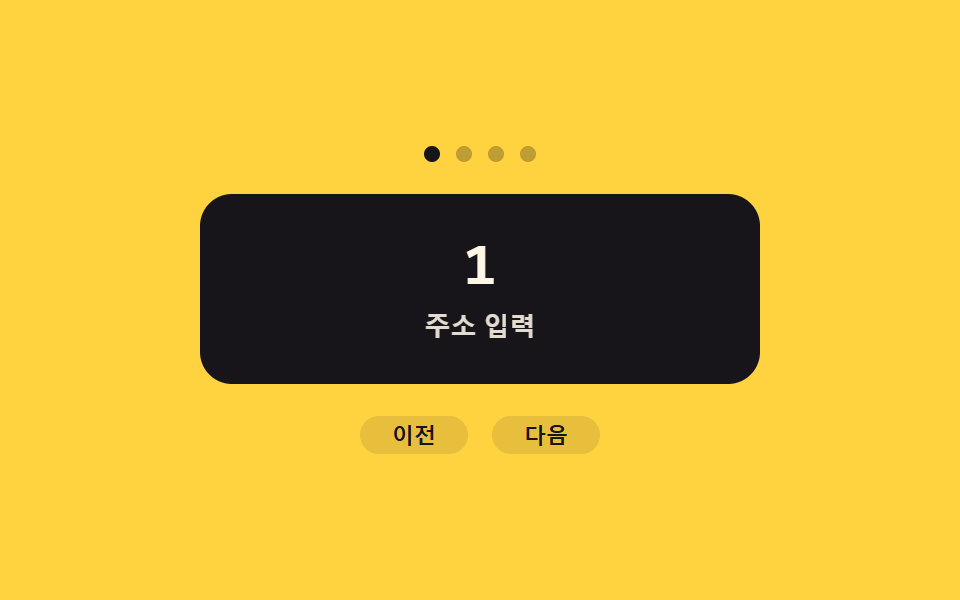
- 06 이동 방향 값을 읽어 반대로 도는 슬라이드 전환
- 07 지원 여부 값을 먼저 확인해 물러나는 전환
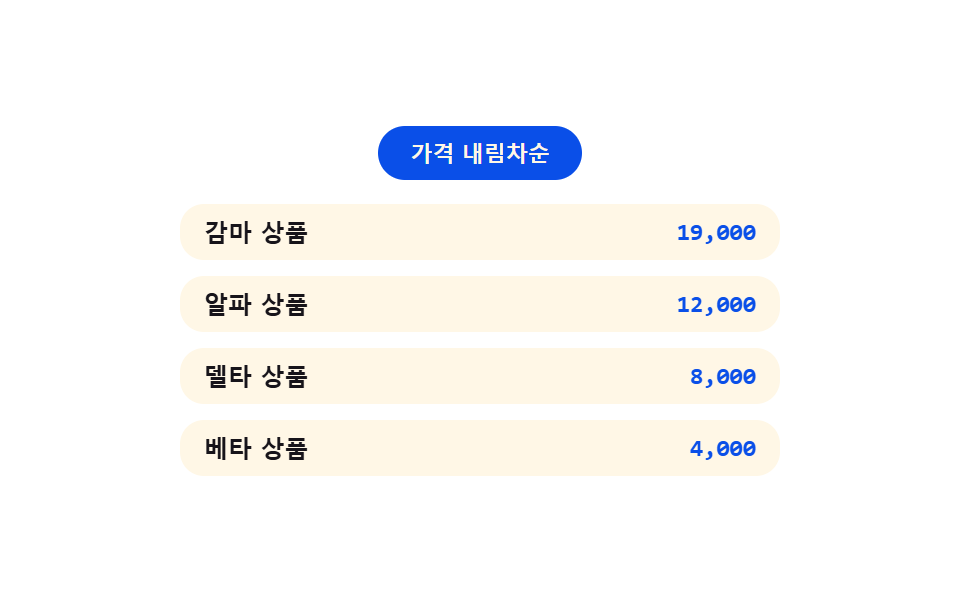
- 08 정렬 순서 값이 바뀔 때 미끄러지는 전환
- 09 동작 줄임 값을 감지해 전환을 끄는 안전장치
아홉 가지 뷰 트랜지션 패턴 — 어디서 스냅샷 값이 갈리는가
아래 아홉 개 view transitions api demo 는 모두 같은 자리에서 시작합니다. 문서 최상단에서 var SUPPORTS_VT = 'startViewTransition' in document; 값을 한 번만 계산해 두고, 그 값이 참일 때만 document.startViewTransition 을 불러 화면을 바꿉니다. 값이 거짓이면 전환 없이 곧바로 다음 상태를 그려, 이 값 하나가 아홉 항목 전체의 갈림길이 됩니다.
항목마다 클릭과 키보드(Enter · Space)로 같은 동작을 걸 수 있게 리스너를 두 갈래로 달아 두었습니다. 마우스만 쓰는 사람과 키보드만 쓰는 사람이 같은 결과를 보게 하려는 값 설계이며, 이 공통 골격 위에서 항목마다 무엇에 이름표 값을 붙이는지, 어디서 반지름·방향·클래스 값을 계산하는지가 달라집니다. 값 하나하나의 정확한 동작 범위는 MDN 의 View Transitions API 문서에서 확인할 수 있습니다.
항목 07 폴백이 먼저 와야 하는 이유
아홉 항목 중 07 은 새로운 전환 방식을 보여주지 않습니다. 대신 나머지 여덟 항목이 전부 기대고 있는 규칙, 즉 지원 여부 값을 먼저 확인하고 그 값에 따라 갈라지는 규칙 자체를 보여줍니다. SUPPORTS_VT 가 참이면 document.startViewTransition(fn) 으로 감싸 스냅샷을 겹쳐 전환하고, 거짓이면 fn() 을 그 자리에서 바로 불러 애니메이션 없이 상태만 바꿉니다.
이 갈림길을 먼저 짚어 두는 이유는 간단합니다 — 01 의 이름표 짝짓기도, 03 의 원형 확산도, 08 의 정렬 이동도 결국은 startViewTransition 콜백 안에서 상태를 바꾸는 함수 하나로 수렴하고, 그 함수를 부르는 조건은 07 에서 이미 정해져 있기 때문입니다. 아래 01부터 09까지, 각 항목이 이 조건 위에 무엇을 얹는지 하나씩 봅니다.
01고유 이름표 값으로 요소를 짝지어 잇는 전환
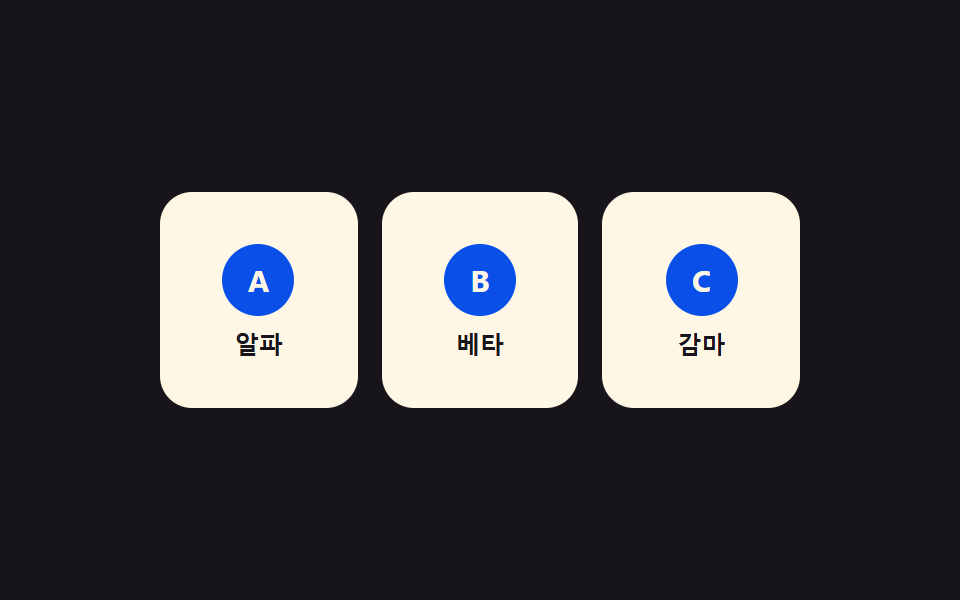
카드를 열 때마다 assignName() 함수가 방금 선택된 카드 하나에만 이름표 값 np-shared 를 실어 보내고, 나머지 카드에는 값을 비워 둡니다. 상세 패널에도 같은 이름표 값을 붙여 두면 브라우저가 두 요소를 자동으로 짝지어, 카드 하나가 패널 크기로 늘어나는 것처럼 스냅샷 사이를 보간합니다. 패널을 닫을 때는 반대 순서로 이름표 값을 지워, 다음 전환이 새로 고른 카드에서만 다시 일어나게 합니다.
<main class="stage">
<div class="np is-demo" id="np">
  <div class="np__grid" id="npGrid">
    <button type="button" class="np__card" id="npCard0" data-id="0" aria-label="알파 열기">
      <span class="np__badge">A</span><span class="np__t">알파</span>
    </button>
    <button type="button" class="np__card" id="npCard1" data-id="1" aria-label="베타 열기">
      <span class="np__badge">B</span><span class="np__t">베타</span>
    </button>
    <button type="button" class="np__card" id="npCard2" data-id="2" aria-label="감마 열기">
      <span class="np__badge">C</span><span class="np__t">감마</span>
    </button>
  </div>
  <div class="np__detail" id="npDetail" hidden>
    <button type="button" class="np__back" id="npBack" aria-label="목록으로">뒤로</button>
    <span class="np__badge np__badge--lg" id="npDetailBadge">A</span>
    <p class="np__title" id="npDetailTitle">알파</p>
    <p class="np__desc">이름표 값 <code id="npName">card-0</code>로 짝지어졌다</p>
  </div>
</div>
</main>
@use "../../../../site/static/demo-tokens" as *;
// ── 변수 3개 ──────────────────────────────────────────
$duration: $dur-enter;
$easing: $ease-spring;
$color: $subject-blue-deep;
@include stage($stage-ink);
.np { position: relative; width: min(100%, 320px); height: 200px; }
.np__grid {
display: grid; grid-template-columns: repeat(3, 1fr); gap: $sp-3;
width: 100%; height: 100%; align-content: center;
}
// [hidden] 은 UA 스타일시트라 같은 특이도의 author .np__grid{display:grid} 에 밀린다 —
// 명시적으로 덮어써야 실제로 사라진다(안 그러면 두 패널이 동시에 렌더돼 이름표 값이 겹친다)
.np__grid[hidden], .np__detail[hidden] { display: none; }
.np__card {
view-transition-name: none;
display: flex; flex-direction: column; align-items: center; justify-content: center; gap: $sp-2;
border: none; border-radius: $r-card; background: $subject-cream; cursor: pointer;
padding: $sp-4 $sp-2; height: 108px;
}
.np__card:focus-visible { outline: 2px solid $subject-cream; outline-offset: 2px; }
.np__badge {
display: grid; place-items: center; width: 36px; height: 36px; border-radius: $r-pill;
background: $color; color: $subject-cream; font: 700 15px/1 -apple-system, "Segoe UI", sans-serif;
}
.np__badge--lg { width: 56px; height: 56px; font-size: 22px; }
.np__t { font: 600 12px/1 -apple-system, "Segoe UI", sans-serif; color: $subject-ink; }
.np__detail {
position: relative; width: 100%; height: 100%; box-sizing: border-box;
display: flex; flex-direction: column; align-items: center; justify-content: center; gap: $sp-2;
border-radius: $r-card; background: $subject-cream; padding: $sp-4;
}
.np__back {
position: absolute; top: $sp-3; left: $sp-3; border: none; border-radius: $r-pill;
background: rgba($subject-ink, .1); color: $subject-ink; font: 700 11px/1 -apple-system, sans-serif;
padding: $sp-1 $sp-3; cursor: pointer;
}
.np__title { margin: 0; font: 700 18px/1 -apple-system, "Segoe UI", sans-serif; color: $subject-ink; }
.np__desc { margin: 0; font: 400 11px/1.4 -apple-system, sans-serif; color: rgba($subject-ink, .72); text-align: center; }
.np__desc code {
display: inline-block; margin-top: $sp-1; padding: $sp-1 $sp-2; border-radius: $r-xs;
background: rgba($subject-ink, .1); font: 700 11px/1.2 "Space Mono", monospace; color: $subject-ink;
}
// 실사용 원리: 열릴 카드와 상세 패널에 같은 view-transition-name 값을 순간적으로 실어
// document.startViewTransition() 을 부르면, 브라우저가 두 스냅샷의 위치·크기 차이를 자동으로 보간한다.
::view-transition-group(np-shared) {
animation-duration: $duration;
animation-timing-function: $easing;
}
@media (max-width: 340px) {
.np { height: 160px; }
.np__card { height: 80px; padding: $sp-2 $sp-1; gap: $sp-1; }
.np__badge { width: 26px; height: 26px; font-size: 12px; }
.np__detail { padding: $sp-3; gap: $sp-1; }
.np__title { font-size: 15px; }
.np__desc { font-size: 10px; }
}
@media (prefers-reduced-motion: reduce) {
::view-transition-group(*),
::view-transition-old(*),
::view-transition-new(*) { animation: none !important; }
}html, body {
margin: 0;
overflow: hidden;
}
.stage {
box-sizing: border-box;
min-height: 100vh;
display: grid;
place-items: center;
margin: 0;
background: #17141a;
font-family: -apple-system, "Segoe UI", "Noto Sans KR", sans-serif;
padding: clamp(8px, 4vw, 24px);
}
.np {
position: relative;
width: min(100%, 320px);
height: 200px;
}
.np__grid {
display: grid;
grid-template-columns: repeat(3, 1fr);
gap: 12px;
width: 100%;
height: 100%;
align-content: center;
}
.np__grid[hidden], .np__detail[hidden] {
display: none;
}
.np__card {
view-transition-name: none;
display: flex;
flex-direction: column;
align-items: center;
justify-content: center;
gap: 8px;
border: none;
border-radius: 16px;
background: #fff7e6;
cursor: pointer;
padding: 16px 8px;
height: 108px;
}
.np__card:focus-visible {
outline: 2px solid #fff7e6;
outline-offset: 2px;
}
.np__badge {
display: grid;
place-items: center;
width: 36px;
height: 36px;
border-radius: 999px;
background: #0a4fe8;
color: #fff7e6;
font: 700 15px/1 -apple-system, "Segoe UI", sans-serif;
}
.np__badge--lg {
width: 56px;
height: 56px;
font-size: 22px;
}
.np__t {
font: 600 12px/1 -apple-system, "Segoe UI", sans-serif;
color: #17141a;
}
.np__detail {
position: relative;
width: 100%;
height: 100%;
box-sizing: border-box;
display: flex;
flex-direction: column;
align-items: center;
justify-content: center;
gap: 8px;
border-radius: 16px;
background: #fff7e6;
padding: 16px;
}
.np__back {
position: absolute;
top: 12px;
left: 12px;
border: none;
border-radius: 999px;
background: rgba(23, 20, 26, 0.1);
color: #17141a;
font: 700 11px/1 -apple-system, sans-serif;
padding: 4px 12px;
cursor: pointer;
}
.np__title {
margin: 0;
font: 700 18px/1 -apple-system, "Segoe UI", sans-serif;
color: #17141a;
}
.np__desc {
margin: 0;
font: 400 11px/1.4 -apple-system, sans-serif;
color: rgba(23, 20, 26, 0.72);
text-align: center;
}
.np__desc code {
display: inline-block;
margin-top: 4px;
padding: 4px 8px;
border-radius: 4px;
background: rgba(23, 20, 26, 0.1);
font: 700 11px/1.2 "Space Mono", monospace;
color: #17141a;
}
::view-transition-group(np-shared) {
animation-duration: 600ms;
animation-timing-function: cubic-bezier(0.2, 0.8, 0.2, 1);
}
@media (max-width: 340px) {
.np {
height: 160px;
}
.np__card {
height: 80px;
padding: 8px 4px;
gap: 4px;
}
.np__badge {
width: 26px;
height: 26px;
font-size: 12px;
}
.np__detail {
padding: 12px;
gap: 4px;
}
.np__title {
font-size: 15px;
}
.np__desc {
font-size: 10px;
}
}
@media (prefers-reduced-motion: reduce) {
::view-transition-group(*),
::view-transition-old(*),
::view-transition-new(*) {
animation: none !important;
}
}(function () {
var SUPPORTS_VT = 'startViewTransition' in document;
var root = document.getElementById('np');
var grid = document.getElementById('npGrid');
var detail = document.getElementById('npDetail');
var back = document.getElementById('npBack');
var cards = [0, 1, 2].map(function (i) { return document.getElementById('npCard' + i); });
var detailBadge = document.getElementById('npDetailBadge');
var detailTitle = document.getElementById('npDetailTitle');
var nameEl = document.getElementById('npName');
var DATA = [{ b: 'A', t: '알파' }, { b: 'B', t: '베타' }, { b: 'C', t: '감마' }];
var HOLD_MS = 1000;
var reduce = window.matchMedia('(prefers-reduced-motion: reduce)').matches;
var opened = null;
var isDemo = true;
function human() {
if (isDemo) { root.classList.remove('is-demo'); isDemo = false; }
}
  // 계산 겹: 이름표 값(view-transition-name)을 그 순간 선택된 카드 하나에만 실어 보낸다 —
  // 모든 카드에 상시 부여하면 이름이 겹쳐 매칭이 깨진다. 값은 매번 새로 계산해서 준다.
  function assignName(id, on) {
    cards[id].style.viewTransitionName = on ? 'np-shared' : '';
  }

  function openRender(id) {
    if (opened !== null) assignName(opened, false);
    assignName(id, true);
    detail.style.viewTransitionName = 'np-shared';
    grid.hidden = true;
    detail.hidden = false;
    detailBadge.textContent = DATA[id].b;
    detailTitle.textContent = DATA[id].t;
    nameEl.textContent = 'card-' + id;
    opened = id;
  }

  function closeRender() {
    detail.hidden = true;
    grid.hidden = false;
    if (opened !== null) assignName(opened, false);
    detail.style.viewTransitionName = '';
    opened = null;
  }
function change(fn) {
if (SUPPORTS_VT) { document.startViewTransition(fn); }
else { fn(); }
}
function open(id) {
if (opened === id) return;
change(function () { openRender(id); });
}
function close() {
if (opened === null) return;
change(closeRender);
}
cards.forEach(function (c, i) {
c.addEventListener('click', function () { human(); open(i); });
});
back.addEventListener('click', function () { human(); close(); });
root.addEventListener('keydown', function (e) {
if (e.key === 'Escape') { human(); close(); }
});
var seq = [0, 1, 2];
var si = 0;
function loop() {
if (!isDemo) return;
if (opened === null) { open(seq[si % seq.length]); si++; }
else { close(); }
window.setTimeout(loop, HOLD_MS);
}
if (!reduce) {
window.setTimeout(loop, HOLD_MS);
} else {
root.classList.remove('is-demo');
}
})();// NameTagPairSwap — vanilla 판(run/401/demo/01-view-transition-name-pair-swap/index.html) 의 React 포트.
// 카드와 상세 패널에 같은 view-transition-name 값(np-shared)을 그 순간에만 실어 startViewTransition 을 부른다.
import { useEffect, useRef } from "react";
import styles from "./NameTagPairSwap.module.scss";
type Box<T> = { current: T };
const DATA = [
{ b: "A", t: "알파" },
{ b: "B", t: "베타" },
{ b: "C", t: "감마" },
];
const HOLD_MS = 1000;
export default function NameTagPairSwap() {
const rootRef = useRef(null) as unknown as Box<HTMLDivElement>;
const gridRef = useRef(null) as unknown as Box<HTMLDivElement>;
const detailRef = useRef(null) as unknown as Box<HTMLDivElement>;
const cardRefs = useRef([null, null, null]) as unknown as Box<(HTMLButtonElement | null)[]>;
const badgeRef = useRef(null) as unknown as Box<HTMLElement>;
const titleRef = useRef(null) as unknown as Box<HTMLElement>;
const nameRef = useRef(null) as unknown as Box<HTMLElement>;
const timerRef = useRef(0) as unknown as Box<number>;
useEffect(() => {
const SUPPORTS_VT = "startViewTransition" in document;
const reduce = window.matchMedia("(prefers-reduced-motion: reduce)").matches;
let isDemo = true;
let opened: number | null = null;
function human() {
if (isDemo) { rootRef.current?.classList.remove(styles.isDemo); isDemo = false; }
}
// 계산 겹: 이름표 값(view-transition-name)을 그 순간 선택된 카드 하나에만 실어 보낸다 —
// 모든 카드에 상시 부여하면 이름이 겹쳐 매칭이 깨진다. 값은 매번 새로 계산해서 준다.
function assignName(id: number, on: boolean) {
const c = cardRefs.current[id];
if (c) c.style.viewTransitionName = on ? "np-shared" : "";
}
function openRender(id: number) {
if (opened !== null) assignName(opened, false);
assignName(id, true);
const detail = detailRef.current;
const grid = gridRef.current;
if (detail) detail.style.viewTransitionName = "np-shared";
grid?.setAttribute("hidden", "");
detail?.removeAttribute("hidden");
if (badgeRef.current) badgeRef.current.textContent = DATA[id].b;
if (titleRef.current) titleRef.current.textContent = DATA[id].t;
if (nameRef.current) nameRef.current.textContent = "card-" + id;
opened = id;
}
function closeRender() {
detailRef.current?.setAttribute("hidden", "");
gridRef.current?.removeAttribute("hidden");
if (opened !== null) assignName(opened, false);
if (detailRef.current) detailRef.current.style.viewTransitionName = "";
opened = null;
}
function change(fn: () => void) {
if (SUPPORTS_VT) { document.startViewTransition(fn); }
else { fn(); }
}
function open(id: number) {
if (opened === id) return;
change(() => openRender(id));
}
function close() {
if (opened === null) return;
change(closeRender);
}
function onCardClick(i: number) { return () => { human(); open(i); }; }
const clickHandlers = [0, 1, 2].map(onCardClick);
cardRefs.current.forEach((c, i) => c?.addEventListener("click", clickHandlers[i]));
function onBackClick() { human(); close(); }
detailRef.current; // noop keep ref referenced
const backBtn = rootRef.current?.querySelector<HTMLButtonElement>("[data-back]");
backBtn?.addEventListener("click", onBackClick);
function onKeydown(e: KeyboardEvent) {
if (e.key === "Escape") { human(); close(); }
}
rootRef.current?.addEventListener("keydown", onKeydown);
const seq = [0, 1, 2];
let si = 0;
function loop() {
if (!isDemo) return;
if (opened === null) { open(seq[si % seq.length]); si++; }
else { close(); }
timerRef.current = window.setTimeout(loop, HOLD_MS);
}
if (!reduce) {
timerRef.current = window.setTimeout(loop, HOLD_MS);
} else {
rootRef.current?.classList.remove(styles.isDemo);
}
return () => {
window.clearTimeout(timerRef.current);
cardRefs.current.forEach((c, i) => c?.removeEventListener("click", clickHandlers[i]));
backBtn?.removeEventListener("click", onBackClick);
rootRef.current?.removeEventListener("keydown", onKeydown);
};
}, []);
return (
<main className={styles.stage}>
<div className={styles.np + " " + styles.isDemo} ref={rootRef}>
<div className={styles.grid} ref={gridRef}>
<button type="button" className={styles.card} aria-label="알파 열기" ref={(el: HTMLButtonElement | null) => { cardRefs.current[0] = el; }}>
<span className={styles.badge}>A</span><span className={styles.t}>알파</span>
</button>
<button type="button" className={styles.card} aria-label="베타 열기" ref={(el: HTMLButtonElement | null) => { cardRefs.current[1] = el; }}>
<span className={styles.badge}>B</span><span className={styles.t}>베타</span>
</button>
<button type="button" className={styles.card} aria-label="감마 열기" ref={(el: HTMLButtonElement | null) => { cardRefs.current[2] = el; }}>
<span className={styles.badge}>C</span><span className={styles.t}>감마</span>
</button>
</div>
<div className={styles.detail} ref={detailRef} hidden>
<button type="button" className={styles.back} data-back aria-label="목록으로">뒤로</button>
<span className={styles.badge + " " + styles.badgeLg} ref={badgeRef}>A</span>
<p className={styles.title} ref={titleRef}>알파</p>
<p className={styles.desc}>이름표 값 <code ref={nameRef}>card-0</code>로 짝지어졌다</p>
</div>
</div>
</main>
);
}01 · 고유 이름표 값으로 요소를 짝지어 잇는 전환 — 측정 누적면적 44.292% · 움직인 프레임 7/23GODRICH 원작 · zip 에 SCSS·React 포함 · 비밀번호 보기
// 계산 겹: 이름표 값(view-transition-name)을 그 순간 선택된 카드 하나에만 실어 보낸다 —
// 모든 카드에 상시 부여하면 이름이 겹쳐 매칭이 깨진다. 값은 매번 새로 계산해서 준다.
function assignName(id, on) {
cards[id].style.viewTransitionName = on ? 'np-shared' : '';
}
function openRender(id) {
if (opened !== null) assignName(opened, false);
assignName(id, true);
detail.style.viewTransitionName = 'np-shared';
grid.hidden = true;
detail.hidden = false;
detailBadge.textContent = DATA[id].b;
detailTitle.textContent = DATA[id].t;
nameEl.textContent = 'card-' + id;
opened = id;
}
function closeRender() {
detail.hidden = true;
grid.hidden = false;
if (opened !== null) assignName(opened, false);
detail.style.viewTransitionName = '';
opened = null;
}
02실제 문서 이동에도 끊기지 않는 문서 간 전환
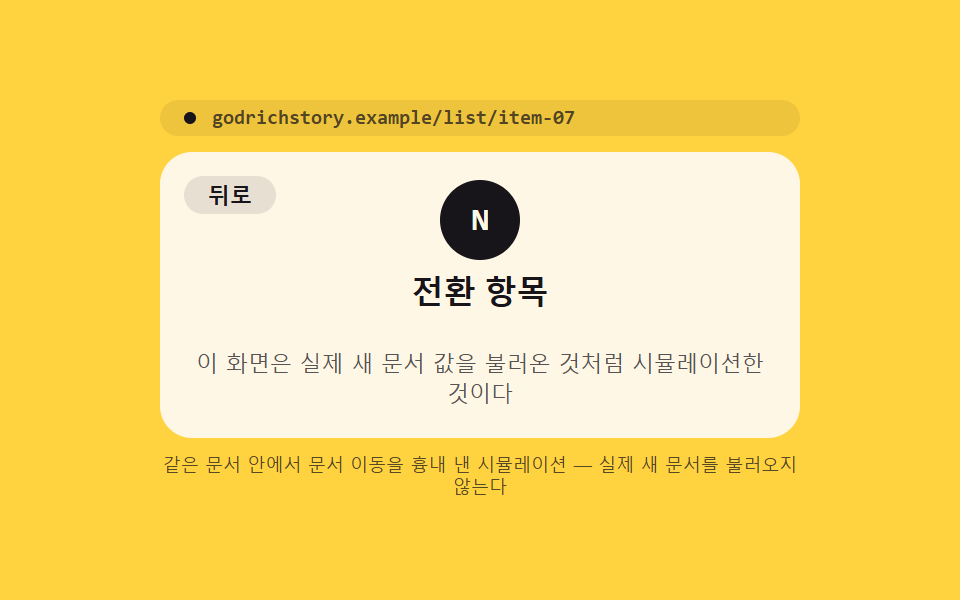
이 항목은 실제 문서 두 개를 오가는 대신, 같은 문서 안에서 주소 표시줄 값과 문서 A·B 영역만 바꿔치기해 cross-document 전환을 흉내 냅니다 — 실제 페이지를 다시 불러오는 동작은 없습니다. human() 함수는 사용자가 처음으로 실제 조작을 하는 순간 is-demo 클래스를 떼어, 자동 재생되던 시연 상태에서 손으로 넘기는 상태로 바꿉니다.
<main class="stage">
<div class="mp is-demo" id="mp">
  <p class="mp__bar" id="mpBar" aria-hidden="true"><span class="mp__dot"></span><span id="mpUrl">godrichstory.example/list</span></p>
  <div class="mp__view" id="mpView">
    <div class="mp__doc" id="mpList">
      <p class="mp__kicker">문서 A</p>
      <p class="mp__h">글 목록</p>
      <button type="button" class="mp__row" id="mpOpen" aria-label="글 항목 열기 — 같은 문서인 것처럼 시뮬레이션">
        <span class="mp__chip" id="mpChipList">N</span><span class="mp__rowT">전환 항목</span>
      </button>
      <p class="mp__row mp__row--ghost"></p>
      <p class="mp__row mp__row--ghost"></p>
    </div>
    <div class="mp__doc mp__doc--article" id="mpArticle" hidden>
      <button type="button" class="mp__back" id="mpBack" aria-label="목록 문서로 돌아가기">뒤로</button>
      <span class="mp__chip mp__chip--lg" id="mpChipArt">N</span>
      <p class="mp__h">전환 항목</p>
      <p class="mp__desc">이 화면은 실제 새 문서 값을 불러온 것처럼 시뮬레이션한 것이다</p>
    </div>
  </div>
  <p class="mp__note">같은 문서 안에서 문서 이동을 흉내 낸 시뮬레이션 — 실제 새 문서를 불러오지 않는다</p>
</div>
</main>
@use "../../../../site/static/demo-tokens" as *;
// ── 변수 3개 ──────────────────────────────────────────
$duration: $dur-enter;
$easing: $ease-out;
$color: $subject-ink;
@include stage($stage-yellow);
.mp { position: relative; width: min(100%, 320px); height: 200px; display: flex; flex-direction: column; gap: $sp-2; }
.mp__bar {
margin: 0; display: flex; align-items: center; gap: $sp-2;
background: rgba($subject-ink, .08); border-radius: $r-pill; padding: $sp-1 $sp-3;
font: 700 10px/1 "Space Mono", monospace; color: rgba($subject-ink, .72);
}
.mp__dot { width: 6px; height: 6px; border-radius: 50%; background: $subject-ink; flex: 0 0 auto; }
.mp__view { position: relative; flex: 1 1 auto; }
.mp__doc {
view-transition-name: none;
position: absolute; inset: 0; box-sizing: border-box;
background: $subject-cream; border-radius: $r-card; padding: $sp-4;
}
// [hidden] 은 UA 스타일이라 author 의 position:absolute 규칙과 특이도가 같으면 밀린다 — 명시적으로 덮는다
.mp__doc[hidden] { display: none; }
.mp__kicker { margin: 0 0 $sp-1; font: 700 10px/1 "Space Mono", monospace; color: rgba($subject-ink, .72); }
.mp__h { margin: 0 0 $sp-3; font: 700 16px/1 -apple-system, "Segoe UI", sans-serif; color: $subject-ink; }
.mp__row {
display: flex; align-items: center; gap: $sp-2; width: 100%; box-sizing: border-box;
border: none; border-radius: $r-control; background: rgba($subject-ink, .06); cursor: pointer;
padding: $sp-2 $sp-3; margin: 0 0 $sp-2; text-align: left;
}
.mp__row:focus-visible { outline: 2px solid $subject-ink; outline-offset: 2px; }
.mp__row--ghost { height: 30px; background: rgba($subject-ink, .04); }
.mp__chip {
display: grid; place-items: center; width: 26px; height: 26px; border-radius: $r-pill;
background: $color; color: $subject-cream; font: 700 12px/1 "Space Mono", monospace; flex: 0 0 auto;
}
.mp__chip--lg { width: 40px; height: 40px; font-size: 16px; }
.mp__rowT { font: 600 12px/1 -apple-system, sans-serif; color: $subject-ink; }
.mp__doc--article { display: flex; flex-direction: column; align-items: center; justify-content: center; gap: $sp-2; text-align: center; }
.mp__back {
position: absolute; top: $sp-3; left: $sp-3; border: none; border-radius: $r-pill;
background: rgba($subject-ink, .1); color: $subject-ink; font: 700 11px/1 -apple-system, sans-serif;
padding: $sp-1 $sp-3; cursor: pointer;
}
.mp__desc { margin: 0; font: 400 11px/1.4 -apple-system, sans-serif; color: rgba($subject-ink, .72); }
.mp__note { margin: 0; font: 400 9px/1.3 -apple-system, sans-serif; color: rgba($subject-ink, .72); text-align: center; }
::view-transition-group(root) {
animation-duration: $duration;
animation-timing-function: $easing;
}
@media (max-width: 340px) {
.mp { height: 168px; }
.mp__doc { padding: $sp-3; }
.mp__h { font-size: 14px; margin-bottom: $sp-2; }
.mp__row { padding: $sp-1 $sp-2; }
.mp__row--ghost { height: 22px; }
}
@media (prefers-reduced-motion: reduce) {
::view-transition-group(*),
::view-transition-old(*),
::view-transition-new(*) { animation: none !important; }
}html, body {
margin: 0;
overflow: hidden;
}
.stage {
box-sizing: border-box;
min-height: 100vh;
display: grid;
place-items: center;
margin: 0;
background: #ffd23f;
font-family: -apple-system, "Segoe UI", "Noto Sans KR", sans-serif;
padding: clamp(8px, 4vw, 24px);
}
.mp {
position: relative;
width: min(100%, 320px);
height: 200px;
display: flex;
flex-direction: column;
gap: 8px;
}
.mp__bar {
margin: 0;
display: flex;
align-items: center;
gap: 8px;
background: rgba(23, 20, 26, 0.08);
border-radius: 999px;
padding: 4px 12px;
font: 700 10px/1 "Space Mono", monospace;
color: rgba(23, 20, 26, 0.72);
}
.mp__dot {
width: 6px;
height: 6px;
border-radius: 50%;
background: #17141a;
flex: 0 0 auto;
}
.mp__view {
position: relative;
flex: 1 1 auto;
}
.mp__doc {
view-transition-name: none;
position: absolute;
inset: 0;
box-sizing: border-box;
background: #fff7e6;
border-radius: 16px;
padding: 16px;
}
.mp__doc[hidden] {
display: none;
}
.mp__kicker {
margin: 0 0 4px;
font: 700 10px/1 "Space Mono", monospace;
color: rgba(23, 20, 26, 0.72);
}
.mp__h {
margin: 0 0 12px;
font: 700 16px/1 -apple-system, "Segoe UI", sans-serif;
color: #17141a;
}
.mp__row {
display: flex;
align-items: center;
gap: 8px;
width: 100%;
box-sizing: border-box;
border: none;
border-radius: 12px;
background: rgba(23, 20, 26, 0.06);
cursor: pointer;
padding: 8px 12px;
margin: 0 0 8px;
text-align: left;
}
.mp__row:focus-visible {
outline: 2px solid #17141a;
outline-offset: 2px;
}
.mp__row--ghost {
height: 30px;
background: rgba(23, 20, 26, 0.04);
}
.mp__chip {
display: grid;
place-items: center;
width: 26px;
height: 26px;
border-radius: 999px;
background: #17141a;
color: #fff7e6;
font: 700 12px/1 "Space Mono", monospace;
flex: 0 0 auto;
}
.mp__chip--lg {
width: 40px;
height: 40px;
font-size: 16px;
}
.mp__rowT {
font: 600 12px/1 -apple-system, sans-serif;
color: #17141a;
}
.mp__doc--article {
display: flex;
flex-direction: column;
align-items: center;
justify-content: center;
gap: 8px;
text-align: center;
}
.mp__back {
position: absolute;
top: 12px;
left: 12px;
border: none;
border-radius: 999px;
background: rgba(23, 20, 26, 0.1);
color: #17141a;
font: 700 11px/1 -apple-system, sans-serif;
padding: 4px 12px;
cursor: pointer;
}
.mp__desc {
margin: 0;
font: 400 11px/1.4 -apple-system, sans-serif;
color: rgba(23, 20, 26, 0.72);
}
.mp__note {
margin: 0;
font: 400 9px/1.3 -apple-system, sans-serif;
color: rgba(23, 20, 26, 0.72);
text-align: center;
}
::view-transition-group(root) {
animation-duration: 600ms;
animation-timing-function: ease-out;
}
@media (max-width: 340px) {
.mp {
height: 168px;
}
.mp__doc {
padding: 12px;
}
.mp__h {
font-size: 14px;
margin-bottom: 8px;
}
.mp__row {
padding: 4px 8px;
}
.mp__row--ghost {
height: 22px;
}
}
@media (prefers-reduced-motion: reduce) {
::view-transition-group(*),
::view-transition-old(*),
::view-transition-new(*) {
animation: none !important;
}
}(function () {
var SUPPORTS_VT = 'startViewTransition' in document;
  // 시뮬레이션 안내: 실제 문서 간(MPA) 전환은 브라우저가 @view-transition { navigation: auto }
  // 규칙을 문서마다 읽어 두 문서의 스냅샷을 자동으로 잇는다. 이 데모는 같은 문서 안에서
  // 주소 표시줄 값과 문서 A/B 전환만 흉내 낸 것으로, 실제 페이지 이동·불러오기는 없다.
  var root = document.getElementById('mp');
  var bar = document.getElementById('mpBar');
  var urlEl = document.getElementById('mpUrl');
  var list = document.getElementById('mpList');
  var article = document.getElementById('mpArticle');
  var openBtn = document.getElementById('mpOpen');
  var backBtn = document.getElementById('mpBack');
  var chipList = document.getElementById('mpChipList');
  var chipArt = document.getElementById('mpChipArt');
  var reduce = window.matchMedia('(prefers-reduced-motion: reduce)').matches;

  var atArticle = false;
  var isDemo = true;

  function human() {
    if (isDemo) { root.classList.remove('is-demo'); isDemo = false; }
  }
function toArticleRender() {
urlEl.textContent = 'godrichstory.example/list/item-07';
list.hidden = true;
article.hidden = false;
chipArt.textContent = chipList.textContent;
atArticle = true;
}
function toListRender() {
urlEl.textContent = 'godrichstory.example/list';
article.hidden = true;
list.hidden = false;
atArticle = false;
}
function change(fn) {
if (SUPPORTS_VT) { document.startViewTransition(fn); }
else { fn(); }
}
function toArticle() {
if (atArticle) return;
change(toArticleRender);
}
function toList() {
if (!atArticle) return;
change(toListRender);
}
openBtn.addEventListener('click', function () { human(); toArticle(); });
backBtn.addEventListener('click', function () { human(); toList(); });
root.addEventListener('keydown', function (e) {
if (e.key === 'Escape') { human(); toList(); }
});
var HOLD_MS = 1000;
function loop() {
if (!isDemo) return;
if (atArticle) toList(); else toArticle();
window.setTimeout(loop, HOLD_MS);
}
if (!reduce) {
window.setTimeout(loop, HOLD_MS);
} else {
root.classList.remove('is-demo');
}
})();// MpaCrossDocument — vanilla 판(run/401/demo/02-view-transition-mpa-cross-document/index.html) 의 React 포트.
// 시뮬레이션 안내: 실제 문서 간(MPA) 전환은 브라우저가 @view-transition { navigation: auto } 규칙을
// 문서마다 읽어 두 문서의 스냅샷을 자동으로 잇는다. 이 포트는 같은 문서 안에서 주소 표시줄 값과
// 문서 A/B 전환만 흉내 낸 것으로, 실제 페이지 이동·불러오기는 없다.
import { useEffect, useRef } from "react";
import styles from "./MpaCrossDocument.module.scss";
type Box<T> = { current: T };
const HOLD_MS = 1000;
export default function MpaCrossDocument() {
const rootRef = useRef(null) as unknown as Box<HTMLDivElement>;
const urlRef = useRef(null) as unknown as Box<HTMLElement>;
const listRef = useRef(null) as unknown as Box<HTMLDivElement>;
const articleRef = useRef(null) as unknown as Box<HTMLDivElement>;
const openBtnRef = useRef(null) as unknown as Box<HTMLButtonElement>;
const backBtnRef = useRef(null) as unknown as Box<HTMLButtonElement>;
const chipListRef = useRef(null) as unknown as Box<HTMLElement>;
const chipArtRef = useRef(null) as unknown as Box<HTMLElement>;
const timerRef = useRef(0) as unknown as Box<number>;
useEffect(() => {
const SUPPORTS_VT = "startViewTransition" in document;
const reduce = window.matchMedia("(prefers-reduced-motion: reduce)").matches;
let isDemo = true;
let atArticle = false;
function human() {
if (isDemo) { rootRef.current?.classList.remove(styles.isDemo); isDemo = false; }
}
function toArticleRender() {
if (urlRef.current) urlRef.current.textContent = "godrichstory.example/list/item-07";
listRef.current?.setAttribute("hidden", "");
articleRef.current?.removeAttribute("hidden");
if (chipArtRef.current && chipListRef.current) chipArtRef.current.textContent = chipListRef.current.textContent;
atArticle = true;
}
function toListRender() {
if (urlRef.current) urlRef.current.textContent = "godrichstory.example/list";
articleRef.current?.setAttribute("hidden", "");
listRef.current?.removeAttribute("hidden");
atArticle = false;
}
function change(fn: () => void) {
if (SUPPORTS_VT) { document.startViewTransition(fn); }
else { fn(); }
}
function toArticle() { if (atArticle) return; change(toArticleRender); }
function toList() { if (!atArticle) return; change(toListRender); }
function onOpenClick() { human(); toArticle(); }
function onBackClick() { human(); toList(); }
function onKeydown(e: KeyboardEvent) { if (e.key === "Escape") { human(); toList(); } }
openBtnRef.current?.addEventListener("click", onOpenClick);
backBtnRef.current?.addEventListener("click", onBackClick);
rootRef.current?.addEventListener("keydown", onKeydown);
function loop() {
if (!isDemo) return;
if (atArticle) toList(); else toArticle();
timerRef.current = window.setTimeout(loop, HOLD_MS);
}
if (!reduce) {
timerRef.current = window.setTimeout(loop, HOLD_MS);
} else {
rootRef.current?.classList.remove(styles.isDemo);
}
return () => {
window.clearTimeout(timerRef.current);
openBtnRef.current?.removeEventListener("click", onOpenClick);
backBtnRef.current?.removeEventListener("click", onBackClick);
rootRef.current?.removeEventListener("keydown", onKeydown);
};
}, []);
return (
<main className={styles.stage}>
<div className={styles.mp + " " + styles.isDemo} ref={rootRef}>
<p className={styles.bar} aria-hidden="true"><span className={styles.dot} /><span ref={urlRef}>godrichstory.example/list</span></p>
<div className={styles.view}>
<div className={styles.doc} ref={listRef}>
<p className={styles.kicker}>문서 A</p>
<p className={styles.h}>글 목록</p>
<button type="button" className={styles.row} ref={openBtnRef} aria-label="글 항목 열기 — 같은 문서인 것처럼 시뮬레이션">
<span className={styles.chip} ref={chipListRef}>N</span><span className={styles.rowT}>전환 항목</span>
</button>
<p className={styles.row + " " + styles.rowGhost} />
<p className={styles.row + " " + styles.rowGhost} />
</div>
<div className={styles.doc + " " + styles.docArticle} ref={articleRef} hidden>
<button type="button" className={styles.back} ref={backBtnRef} aria-label="목록 문서로 돌아가기">뒤로</button>
<span className={styles.chip + " " + styles.chipLg} ref={chipArtRef}>N</span>
<p className={styles.h}>전환 항목</p>
<p className={styles.desc}>이 화면은 실제 새 문서 값을 불러온 것처럼 시뮬레이션한 것이다</p>
</div>
</div>
<p className={styles.note}>같은 문서 안에서 문서 이동을 흉내 낸 시뮬레이션 — 실제 새 문서를 불러오지 않는다</p>
</div>
</main>
);
}02 · 실제 문서 이동에도 끊기지 않는 문서 간 전환 — 측정 누적면적 11.061% · 움직인 프레임 10/23GODRICH 원작 · zip 에 SCSS·React 포함 · 비밀번호 보기
// 시뮬레이션 안내: 실제 문서 간(MPA) 전환은 브라우저가 @view-transition { navigation: auto }
// 규칙을 문서마다 읽어 두 문서의 스냅샷을 자동으로 잇는다. 이 데모는 같은 문서 안에서
// 주소 표시줄 값과 문서 A/B 전환만 흉내 낸 것으로, 실제 페이지 이동·불러오기는 없다.
var root = document.getElementById('mp');
var bar = document.getElementById('mpBar');
var urlEl = document.getElementById('mpUrl');
var list = document.getElementById('mpList');
var article = document.getElementById('mpArticle');
var openBtn = document.getElementById('mpOpen');
var backBtn = document.getElementById('mpBack');
var chipList = document.getElementById('mpChipList');
var chipArt = document.getElementById('mpChipArt');
var reduce = window.matchMedia('(prefers-reduced-motion: reduce)').matches;
var atArticle = false;
var isDemo = true;
function human() {
if (isDemo) { root.classList.remove('is-demo'); isDemo = false; }
}
03누른 지점 값에서 둥글게 번지는 전환
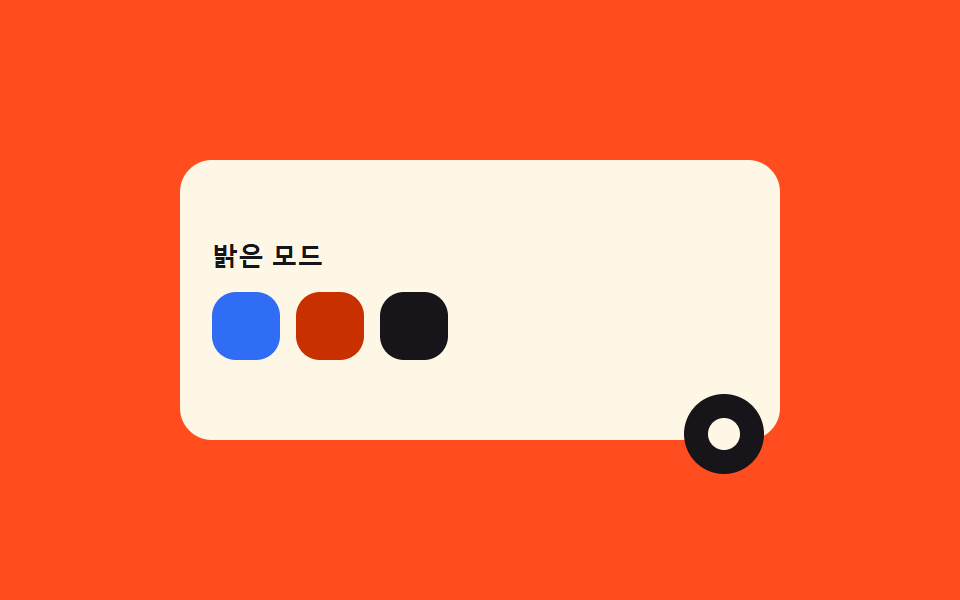
클릭 좌표(x, y)를 받은 playClip() 은 그 지점에서 패널 모서리까지의 가장 먼 반지름 값을 계산한 뒤, 패널에 이름표 값 cr-panel 을 붙이고 startViewTransition 을 부릅니다. 전환이 준비되는 시점(t.ready)에 문서 자체를 대상으로 clipPath 값을 시작 반지름에서 계산된 반지름까지 키우는 애니메이션을 걸어, ::view-transition-new(cr-panel) 의사 요소 안쪽에서만 다음 화면이 드러나게 합니다. 지원 값이 없거나 애니메이션 API 가 없으면 이 함수는 즉시 renderState() 로 물러납니다.
<main class="stage">
<div class="cr is-demo" id="cr">
  <div class="cr__panel" id="crPanel">
    <p class="cr__label" id="crLabel">밝은 모드</p>
    <div class="cr__swatches">
      <span class="cr__sw"></span><span class="cr__sw"></span><span class="cr__sw"></span>
    </div>
  </div>
  <button type="button" class="cr__toggle" id="crToggle" aria-label="테마 전환 — 누른 좌표 값에서 원이 번진다">
    <span class="cr__toggleDot" id="crDot"></span>
  </button>
</div>
</main>
@use "../../../../site/static/demo-tokens" as *;
// ── 변수 3개 ──────────────────────────────────────────
$duration: $dur-enter;
$easing: $ease-out;
$color: $subject-cream;
@include stage($stage-orange);
.cr { position: relative; width: min(100%, 300px); height: 190px; display: flex; flex-direction: column; align-items: center; justify-content: center; gap: $sp-4; }
.cr__panel {
position: relative; width: 100%; height: 140px; box-sizing: border-box; overflow: hidden;
border-radius: $r-card; background: $subject-cream; padding: $sp-4;
display: flex; flex-direction: column; justify-content: center; gap: $sp-3;
}
.cr__panel.is-dark { background: $subject-ink; }
.cr__label { margin: 0; font: 700 13px/1 -apple-system, "Segoe UI", sans-serif; color: $subject-ink; }
.cr__panel.is-dark .cr__label { color: $color; }
.cr__swatches { display: flex; gap: $sp-2; }
.cr__sw { width: 34px; height: 34px; border-radius: $r-control; background: $subject-blue; }
.cr__sw:nth-child(2) { background: $subject-orange-deep; }
.cr__sw:nth-child(3) { background: $subject-ink; }
.cr__panel.is-dark .cr__sw:nth-child(3) { background: $subject-cream; }
.cr__toggle {
position: absolute; bottom: $sp-2; right: $sp-2; width: 40px; height: 40px; border-radius: $r-pill;
border: none; background: $subject-ink; cursor: pointer; display: grid; place-items: center;
}
.cr__toggle:focus-visible { outline: 2px solid $subject-cream; outline-offset: 2px; }
.cr__toggleDot { width: 16px; height: 16px; border-radius: 50%; background: $color; }
@media (prefers-reduced-motion: reduce) {
::view-transition-group(*),
::view-transition-old(*),
::view-transition-new(*) { animation: none !important; }
}
@media (max-width: 340px) {
.cr { height: 150px; gap: $sp-2; }
.cr__panel { height: 108px; padding: $sp-3; gap: $sp-2; }
.cr__sw { width: 26px; height: 26px; }
.cr__toggle { width: 32px; height: 32px; }
.cr__toggleDot { width: 12px; height: 12px; }
}html, body {
margin: 0;
overflow: hidden;
}
.stage {
box-sizing: border-box;
min-height: 100vh;
display: grid;
place-items: center;
margin: 0;
background: #ff4d1f;
font-family: -apple-system, "Segoe UI", "Noto Sans KR", sans-serif;
padding: clamp(8px, 4vw, 24px);
}
.cr {
position: relative;
width: min(100%, 300px);
height: 190px;
display: flex;
flex-direction: column;
align-items: center;
justify-content: center;
gap: 16px;
}
.cr__panel {
position: relative;
width: 100%;
height: 140px;
box-sizing: border-box;
overflow: hidden;
border-radius: 16px;
background: #fff7e6;
padding: 16px;
display: flex;
flex-direction: column;
justify-content: center;
gap: 12px;
}
.cr__panel.is-dark {
background: #17141a;
}
.cr__label {
margin: 0;
font: 700 13px/1 -apple-system, "Segoe UI", sans-serif;
color: #17141a;
}
.cr__panel.is-dark .cr__label {
color: #fff7e6;
}
.cr__swatches {
display: flex;
gap: 8px;
}
.cr__sw {
width: 34px;
height: 34px;
border-radius: 12px;
background: #2f6df6;
}
.cr__sw:nth-child(2) {
background: #c93000;
}
.cr__sw:nth-child(3) {
background: #17141a;
}
.cr__panel.is-dark .cr__sw:nth-child(3) {
background: #fff7e6;
}
.cr__toggle {
position: absolute;
bottom: 8px;
right: 8px;
width: 40px;
height: 40px;
border-radius: 999px;
border: none;
background: #17141a;
cursor: pointer;
display: grid;
place-items: center;
}
.cr__toggle:focus-visible {
outline: 2px solid #fff7e6;
outline-offset: 2px;
}
.cr__toggleDot {
width: 16px;
height: 16px;
border-radius: 50%;
background: #fff7e6;
}
@media (prefers-reduced-motion: reduce) {
::view-transition-group(*),
::view-transition-old(*),
::view-transition-new(*) {
animation: none !important;
}
}
@media (max-width: 340px) {
.cr {
height: 150px;
gap: 8px;
}
.cr__panel {
height: 108px;
padding: 12px;
gap: 8px;
}
.cr__sw {
width: 26px;
height: 26px;
}
.cr__toggle {
width: 32px;
height: 32px;
}
.cr__toggleDot {
width: 12px;
height: 12px;
}
}(function () {
var SUPPORTS_VT = 'startViewTransition' in document;
var root = document.getElementById('cr');
var panel = document.getElementById('crPanel');
var label = document.getElementById('crLabel');
var toggle = document.getElementById('crToggle');
var dot = document.getElementById('crDot');
var reduce = window.matchMedia('(prefers-reduced-motion: reduce)').matches;
var dark = false;
var isDemo = true;
var CLIP_START_RADIUS_PX = 0;
function human() {
if (isDemo) { root.classList.remove('is-demo'); isDemo = false; }
}
function renderState() {
panel.classList.toggle('is-dark', dark);
label.textContent = dark ? '어두운 모드' : '밝은 모드';
}
// 계산 겹: 누른 좌표 값(x, y)에서 패널의 네 꼭짓점까지 거리 중 가장 먼 값을 반지름으로 쓴다 —
// 그래야 원이 다 자랐을 때 패널 전체를 남김없이 덮는다.
function farthestCornerRadius(x, y, rect) {
var corners = [
[0, 0], [rect.width, 0], [0, rect.height], [rect.width, rect.height]
];
var r = 0;
for (var i = 0; i < corners.length; i++) {
var dx = x - corners[i][0];
var dy = y - corners[i][1];
r = Math.max(r, Math.hypot(dx, dy));
}
return r;
}
  function playClip(x, y, rect) {
    if (!SUPPORTS_VT || !panel.animate) { renderState(); return; }
    var radius = farthestCornerRadius(x, y, rect);
    panel.style.viewTransitionName = 'cr-panel';
    var t = document.startViewTransition(function () { renderState(); });
    t.ready.then(function () {
      document.documentElement.animate(
        { clipPath: ['circle(' + CLIP_START_RADIUS_PX + 'px at ' + x + 'px ' + y + 'px)', 'circle(' + radius.toFixed(1) + 'px at ' + x + 'px ' + y + 'px)'] },
        { duration: 520, easing: 'ease-in', pseudoElement: '::view-transition-new(cr-panel)' }
      );
    });
    t.finished.then(function () { panel.style.viewTransitionName = ''; });
  }
function toggleAt(x, y) {
dark = !dark;
var rect = panel.getBoundingClientRect();
var lx = x - rect.left;
var ly = y - rect.top;
playClip(lx, ly, rect);
}
toggle.addEventListener('click', function (e) {
human();
toggleAt(e.clientX, e.clientY);
});
root.addEventListener('keydown', function (e) {
if (e.key === 'Enter' || e.key === ' ') {
human();
var r = toggle.getBoundingClientRect();
e.preventDefault();
toggleAt(r.left + r.width / 2, r.top + r.height / 2);
}
});
var corners = [
function () { var r = panel.getBoundingClientRect(); return [r.left + 8, r.top + 8]; },
function () { var r = panel.getBoundingClientRect(); return [r.right - 8, r.bottom - 8]; }
];
var ci = 0;
var HOLD_MS = 1000;
function loop() {
if (!isDemo) return;
var p = corners[ci % corners.length](); ci++;
dark = !dark;
playClip(p[0] - panel.getBoundingClientRect().left, p[1] - panel.getBoundingClientRect().top, panel.getBoundingClientRect());
window.setTimeout(loop, HOLD_MS);
}
if (!reduce) {
window.setTimeout(loop, HOLD_MS);
} else {
root.classList.remove('is-demo');
}
})();// ClipCircleReveal — vanilla 판(run/401/demo/03-view-transition-clip-circle-reveal/index.html) 의 React 포트.
// 계산 겹: 누른 좌표 값(x, y)에서 패널의 네 꼭짓점까지 거리 중 가장 먼 값을 반지름으로 써서
// 원이 다 자랐을 때 패널 전체를 남김없이 덮는다.
import { useEffect, useRef } from "react";
import styles from "./ClipCircleReveal.module.scss";
type Box<T> = { current: T };
const HOLD_MS = 1000;
const CLIP_START_RADIUS_PX = 0;
function farthestCornerRadius(x: number, y: number, rect: { width: number; height: number }): number {
const corners: [number, number][] = [
[0, 0], [rect.width, 0], [0, rect.height], [rect.width, rect.height],
];
let r = 0;
for (let i = 0; i < corners.length; i++) {
const dx = x - corners[i][0];
const dy = y - corners[i][1];
r = Math.max(r, Math.hypot(dx, dy));
}
return r;
}
export default function ClipCircleReveal() {
const rootRef = useRef(null) as unknown as Box<HTMLDivElement>;
const panelRef = useRef(null) as unknown as Box<HTMLDivElement>;
const labelRef = useRef(null) as unknown as Box<HTMLElement>;
const toggleRef = useRef(null) as unknown as Box<HTMLButtonElement>;
const timerRef = useRef(0) as unknown as Box<number>;
useEffect(() => {
const SUPPORTS_VT = "startViewTransition" in document;
const reduce = window.matchMedia("(prefers-reduced-motion: reduce)").matches;
let isDemo = true;
let dark = false;
function human() {
if (isDemo) { rootRef.current?.classList.remove(styles.isDemo); isDemo = false; }
}
function renderState() {
panelRef.current?.classList.toggle(styles.isDark, dark);
if (labelRef.current) labelRef.current.textContent = dark ? "어두운 모드" : "밝은 모드";
}
function playClip(x: number, y: number, rect: DOMRect) {
const panel = panelRef.current;
if (!SUPPORTS_VT || !panel || !panel.animate) { renderState(); return; }
const radius = farthestCornerRadius(x, y, rect);
panel.style.viewTransitionName = "cr-panel";
const t = document.startViewTransition(() => { renderState(); });
t.ready.then(() => {
document.documentElement.animate(
{ clipPath: ["circle(" + CLIP_START_RADIUS_PX + "px at " + x + "px " + y + "px)", "circle(" + radius.toFixed(1) + "px at " + x + "px " + y + "px)"] },
{ duration: 520, easing: "ease-in", pseudoElement: "::view-transition-new(cr-panel)" }
);
});
t.finished.then(() => { if (panel) panel.style.viewTransitionName = ""; });
}
function toggleAt(x: number, y: number) {
dark = !dark;
const panel = panelRef.current;
if (!panel) return;
const rect = panel.getBoundingClientRect();
playClip(x - rect.left, y - rect.top, rect);
}
function onToggleClick(e: MouseEvent) { human(); toggleAt(e.clientX, e.clientY); }
function onKeydown(e: KeyboardEvent) {
if (e.key === "Enter" || e.key === " ") {
human();
const r = toggleRef.current?.getBoundingClientRect();
if (!r) return;
e.preventDefault();
toggleAt(r.left + r.width / 2, r.top + r.height / 2);
}
}
toggleRef.current?.addEventListener("click", onToggleClick);
rootRef.current?.addEventListener("keydown", onKeydown);
const corners = [
() => { const r = panelRef.current!.getBoundingClientRect(); return [r.left + 8, r.top + 8]; },
() => { const r = panelRef.current!.getBoundingClientRect(); return [r.right - 8, r.bottom - 8]; },
];
let ci = 0;
function loop() {
if (!isDemo) return;
const p = corners[ci % corners.length](); ci++;
dark = !dark;
const rect = panelRef.current!.getBoundingClientRect();
playClip(p[0] - rect.left, p[1] - rect.top, rect);
timerRef.current = window.setTimeout(loop, HOLD_MS);
}
if (!reduce) {
timerRef.current = window.setTimeout(loop, HOLD_MS);
} else {
rootRef.current?.classList.remove(styles.isDemo);
}
return () => {
window.clearTimeout(timerRef.current);
toggleRef.current?.removeEventListener("click", onToggleClick);
rootRef.current?.removeEventListener("keydown", onKeydown);
};
}, []);
return (
<main className={styles.stage}>
<div className={styles.cr + " " + styles.isDemo} ref={rootRef}>
<div className={styles.panel} ref={panelRef}>
<p className={styles.label} ref={labelRef}>밝은 모드</p>
<div className={styles.swatches}>
<span className={styles.sw} /><span className={styles.sw} /><span className={styles.sw} />
</div>
</div>
<button type="button" className={styles.toggle} ref={toggleRef} aria-label="테마 전환 — 누른 좌표 값에서 원이 번진다">
<span className={styles.toggleDot} />
</button>
</div>
</main>
);
}03 · 누른 지점 값에서 둥글게 번지는 전환 — 측정 누적면적 29.044% · 움직인 프레임 12/23GODRICH 원작 · zip 에 SCSS·React 포함 · 비밀번호 보기
function playClip(x, y, rect) {
if (!SUPPORTS_VT || !panel.animate) { renderState(); return; }
var radius = farthestCornerRadius(x, y, rect);
panel.style.viewTransitionName = 'cr-panel';
var t = document.startViewTransition(function () { renderState(); });
t.ready.then(function () {
document.documentElement.animate(
{ clipPath: ['circle(' + CLIP_START_RADIUS_PX + 'px at ' + x + 'px ' + y + 'px)', 'circle(' + radius.toFixed(1) + 'px at ' + x + 'px ' + y + 'px)'] },
{ duration: 520, easing: 'ease-in', pseudoElement: '::view-transition-new(cr-panel)' }
);
});
t.finished.then(function () { panel.style.viewTransitionName = ''; });
}
04부모·자식을 한 묶음으로 같이 옮기는 중첩 전환
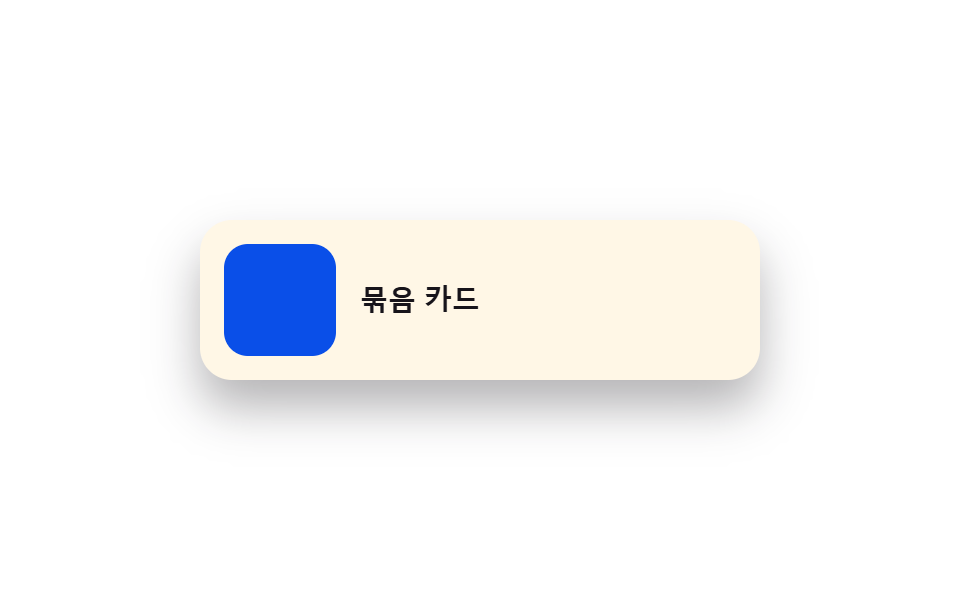
.gn__card 는 자신의 이름표 값(gn-card)을 갖고, 그 안의 .gn__thumb·.gn__title 도 각각 이름표 값을 가지면서 view-transition-group: nearest 를 함께 선언해 가장 가까운 조상 그룹에 묶입니다. 카드가 열림 상태로 바뀌며 썸네일·제목의 크기와 글자 크기가 커질 때, 바깥 틀과 안쪽 요소가 같은 그룹 값 안에서 함께 움직여 부모만 먼저 커지고 자식이 뒤늦게 튀는 어긋남이 생기지 않습니다.
<main class="stage">
<div class="gn is-demo" id="gn">
  <button type="button" class="gn__card" id="gnCard" aria-label="카드 펼치기">
    <span class="gn__thumb" id="gnThumb"></span>
    <span class="gn__title" id="gnTitle">묶음 카드</span>
  </button>
</div>
</main>
@use "../../../../site/static/demo-tokens" as *;
// ── 변수 3개 ──────────────────────────────────────────
$duration: $dur-enter;
$easing: $ease-spring;
$color: $subject-blue-deep;
@include stage($stage-paper);
.gn { width: min(100%, 280px); }
.gn__card {
  view-transition-name: gn-card;
  position: relative; width: 100%; box-sizing: border-box; border: none; cursor: pointer;
  display: flex; align-items: center; gap: $sp-3; text-align: left;
  background: $subject-cream; border-radius: $r-card; padding: $sp-3;
  box-shadow: $shadow-raised;
}
.gn__card:focus-visible { outline: 2px solid $color; outline-offset: 2px; }

.gn__thumb {
  view-transition-name: gn-thumb;
  view-transition-group: nearest;
  width: 56px; height: 56px; border-radius: $r-control; background: $color; flex: 0 0 auto;
}
.gn__title {
  view-transition-name: gn-title;
  view-transition-group: nearest;
  font: 700 14px/1.3 -apple-system, "Segoe UI", sans-serif; color: $subject-ink;
}

.gn__card.is-open {
  flex-direction: column; align-items: flex-start; gap: $sp-3; padding: $sp-5;
}
.gn__card.is-open .gn__thumb { width: 100%; height: 96px; border-radius: $r-card; }
.gn__card.is-open .gn__title { font-size: 18px; }
// 실사용 원리: 바깥 카드가 gn-card 값으로, 안쪽 썸네일·제목이 각각 gn-thumb·gn-title 값으로
// 스스로 전환에 참여하면서 view-transition-group:nearest 가 자식 그룹을 부모(gn-card) 그룹
// 아래에 중첩시켜, 부모 크기 변화와 같은 비율로 자식도 함께 보간된다(따로 놀지 않는다).
::view-transition-group(gn-card),
::view-transition-group(gn-thumb),
::view-transition-group(gn-title) {
animation-duration: $duration;
animation-timing-function: $easing;
}
@media (max-width: 340px) {
.gn__card { padding: $sp-2; gap: $sp-2; }
.gn__thumb { width: 44px; height: 44px; }
.gn__title { font-size: 12px; }
.gn__card.is-open { padding: $sp-3; }
.gn__card.is-open .gn__thumb { height: 70px; }
.gn__card.is-open .gn__title { font-size: 15px; }
}
@media (prefers-reduced-motion: reduce) {
::view-transition-group(*),
::view-transition-old(*),
::view-transition-new(*) { animation: none !important; }
}html, body {
margin: 0;
overflow: hidden;
}
.stage {
box-sizing: border-box;
min-height: 100vh;
display: grid;
place-items: center;
margin: 0;
background: #ffffff;
font-family: -apple-system, "Segoe UI", "Noto Sans KR", sans-serif;
padding: clamp(8px, 4vw, 24px);
}
.gn {
width: min(100%, 280px);
}
.gn__card {
view-transition-name: gn-card;
position: relative;
width: 100%;
box-sizing: border-box;
border: none;
cursor: pointer;
display: flex;
align-items: center;
gap: 12px;
text-align: left;
background: #fff7e6;
border-radius: 16px;
padding: 12px;
box-shadow: 0 14px 24px rgba(23, 20, 26, 0.32);
}
.gn__card:focus-visible {
outline: 2px solid #0a4fe8;
outline-offset: 2px;
}
.gn__thumb {
view-transition-name: gn-thumb;
view-transition-group: nearest;
width: 56px;
height: 56px;
border-radius: 12px;
background: #0a4fe8;
flex: 0 0 auto;
}
.gn__title {
view-transition-name: gn-title;
view-transition-group: nearest;
font: 700 14px/1.3 -apple-system, "Segoe UI", sans-serif;
color: #17141a;
}
.gn__card.is-open {
flex-direction: column;
align-items: flex-start;
gap: 12px;
padding: 20px;
}
.gn__card.is-open .gn__thumb {
width: 100%;
height: 96px;
border-radius: 16px;
}
.gn__card.is-open .gn__title {
font-size: 18px;
}
::view-transition-group(gn-card),
::view-transition-group(gn-thumb),
::view-transition-group(gn-title) {
animation-duration: 600ms;
animation-timing-function: cubic-bezier(0.2, 0.8, 0.2, 1);
}
@media (max-width: 340px) {
.gn__card {
padding: 8px;
gap: 8px;
}
.gn__thumb {
width: 44px;
height: 44px;
}
.gn__title {
font-size: 12px;
}
.gn__card.is-open {
padding: 12px;
}
.gn__card.is-open .gn__thumb {
height: 70px;
}
.gn__card.is-open .gn__title {
font-size: 15px;
}
}
@media (prefers-reduced-motion: reduce) {
::view-transition-group(*),
::view-transition-old(*),
::view-transition-new(*) {
animation: none !important;
}
}(function () {
var SUPPORTS_VT = 'startViewTransition' in document;
var root = document.getElementById('gn');
var card = document.getElementById('gnCard');
var thumb = document.getElementById('gnThumb');
var title = document.getElementById('gnTitle');
var reduce = window.matchMedia('(prefers-reduced-motion: reduce)').matches;
var open = false;
var isDemo = true;
function human() {
if (isDemo) { root.classList.remove('is-demo'); isDemo = false; }
}
function render() {
card.classList.toggle('is-open', open);
}
function change(fn) {
if (SUPPORTS_VT) { document.startViewTransition(fn); }
else { fn(); }
}
function toggle() {
open = !open;
change(render);
}
card.addEventListener('click', function () { human(); toggle(); });
root.addEventListener('keydown', function (e) {
if (e.key === 'Enter' || e.key === ' ') { human(); e.preventDefault(); toggle(); }
});
var HOLD_MS = 1000;
function loop() {
if (!isDemo) return;
toggle();
window.setTimeout(loop, HOLD_MS);
}
if (!reduce) {
window.setTimeout(loop, HOLD_MS);
} else {
root.classList.remove('is-demo');
}
})();// GroupNested — vanilla 판(run/401/demo/04-view-transition-group-nested/index.html) 의 React 포트.
// 계산 겹 없음(브리프 지정) — view-transition-group: nearest 로 부모·자식이 중첩 그룹을 이룬다.
import { useEffect, useRef } from "react";
import styles from "./GroupNested.module.scss";
type Box<T> = { current: T };
const HOLD_MS = 1000;
export default function GroupNested() {
const rootRef = useRef(null) as unknown as Box<HTMLDivElement>;
const cardRef = useRef(null) as unknown as Box<HTMLButtonElement>;
const timerRef = useRef(0) as unknown as Box<number>;
useEffect(() => {
const SUPPORTS_VT = "startViewTransition" in document;
const reduce = window.matchMedia("(prefers-reduced-motion: reduce)").matches;
let isDemo = true;
let open = false;
function human() {
if (isDemo) { rootRef.current?.classList.remove(styles.isDemo); isDemo = false; }
}
function render() {
cardRef.current?.classList.toggle(styles.isOpen, open);
}
function change(fn: () => void) {
if (SUPPORTS_VT) { document.startViewTransition(fn); }
else { fn(); }
}
function toggle() {
open = !open;
change(render);
}
function onClick() { human(); toggle(); }
function onKeydown(e: KeyboardEvent) {
if (e.key === "Enter" || e.key === " ") { human(); e.preventDefault(); toggle(); }
}
cardRef.current?.addEventListener("click", onClick);
rootRef.current?.addEventListener("keydown", onKeydown);
function loop() {
if (!isDemo) return;
toggle();
timerRef.current = window.setTimeout(loop, HOLD_MS);
}
if (!reduce) {
timerRef.current = window.setTimeout(loop, HOLD_MS);
} else {
rootRef.current?.classList.remove(styles.isDemo);
}
return () => {
window.clearTimeout(timerRef.current);
cardRef.current?.removeEventListener("click", onClick);
rootRef.current?.removeEventListener("keydown", onKeydown);
};
}, []);
return (
<main className={styles.stage}>
<div className={styles.gn + " " + styles.isDemo} ref={rootRef}>
<button type="button" className={styles.card} ref={cardRef} aria-label="카드 펼치기">
<span className={styles.thumb} />
<span className={styles.title}>묶음 카드</span>
</button>
</div>
</main>
);
}04 · 부모·자식을 한 묶음으로 같이 옮기는 중첩 전환 — 측정 누적면적 44.171% · 움직인 프레임 12/23GODRICH 원작 · zip 에 SCSS·React 포함 · 비밀번호 보기
.gn__card {
view-transition-name: gn-card;
position: relative; width: 100%; box-sizing: border-box; border: none; cursor: pointer;
display: flex; align-items: center; gap: $sp-3; text-align: left;
background: $subject-cream; border-radius: $r-card; padding: $sp-3;
box-shadow: $shadow-raised;
}
.gn__card:focus-visible { outline: 2px solid $color; outline-offset: 2px; }
.gn__thumb {
view-transition-name: gn-thumb;
view-transition-group: nearest;
width: 56px; height: 56px; border-radius: $r-control; background: $color; flex: 0 0 auto;
}
.gn__title {
view-transition-name: gn-title;
view-transition-group: nearest;
font: 700 14px/1.3 -apple-system, "Segoe UI", sans-serif; color: $subject-ink;
}
.gn__card.is-open {
flex-direction: column; align-items: flex-start; gap: $sp-3; padding: $sp-5;
}
.gn__card.is-open .gn__thumb { width: 100%; height: 96px; border-radius: $r-card; }
.gn__card.is-open .gn__title { font-size: 18px; }
05요소군마다 다른 감속 값을 주는 클래스 지정 전환
.ce__btn 에는 view-transition-class: vt-fast 값이 붙어 있어, 이름표 값은 제각각이어도 같은 클래스 값을 가진 요소들을 ::view-transition-group(.vt-fast) 하나로 묶어 지속시간을 따로 줄 수 있습니다. 느리게 움직여야 하는 쪽은 vt-slow 클래스로 묶어 지속시간을 절반 넘게 늘리고, 버튼 쪽은 vt-fast 클래스로 묶어 더 짧은 값과 통통 튀는 감속 곡선을 씁니다.
<main class="stage">
<div class="ce is-demo" id="ce">
  <div class="ce__hero" id="ceHero"></div>
  <button type="button" class="ce__btn" id="ceBtn" aria-label="배치 전환 — 배경은 느리게 버튼은 빠르게">전환</button>
</div>
</main>
@use "../../../../site/static/demo-tokens" as *;
// ── 변수 3개 ──────────────────────────────────────────
$duration: $dur-loop;
$easing: $ease-spring;
$color: $subject-blue-light;
@include stage($stage-ink);
.ce { position: relative; width: min(100%, 300px); height: 180px; display: flex; flex-direction: column; gap: $sp-3; justify-content: center; }
.ce__hero {
view-transition-name: ce-hero;
view-transition-class: vt-slow;
width: 60%; height: 88px; border-radius: $r-card; background: $subject-blue-deep;
}
.is-wide .ce__hero { width: 100%; background: $color; }
.ce__btn {
  view-transition-name: ce-btn;
  view-transition-class: vt-fast;
  align-self: flex-start; border: none; border-radius: $r-pill; cursor: pointer;
  background: $subject-cream; color: $subject-ink; font: 700 12px/1 -apple-system, sans-serif;
  padding: $sp-2 $sp-4;
}
.is-wide .ce__btn { align-self: flex-end; }
.ce__btn:focus-visible { outline: 2px solid $subject-cream; outline-offset: 2px; }

// 실사용 원리: view-transition-class 값(vt-slow·vt-fast)을 요소마다 다르게 달아 두면
// 이름은 제각각이어도 ::view-transition-group(.클래스) 로 한 번에 묶어 지속시간을 나눌 수 있다 —
// 배경은 느리게(감속 값 큼) 버튼은 빠르게(감속 값 작음) 같은 트리거에서 서로 다른 속도로 움직인다.
::view-transition-group(.vt-slow) {
  animation-duration: $duration / 2.2;
  animation-timing-function: $easing;
}
::view-transition-group(.vt-fast) {
  animation-duration: $dur-quick;
  animation-timing-function: $ease-pop;
}
@media (max-width: 340px) {
.ce { height: 150px; gap: $sp-2; }
.ce__hero { height: 70px; }
.ce__btn { padding: $sp-1 $sp-3; font-size: 11px; }
}
@media (prefers-reduced-motion: reduce) {
::view-transition-group(*),
::view-transition-old(*),
::view-transition-new(*) { animation: none !important; }
}html, body {
margin: 0;
overflow: hidden;
}
.stage {
box-sizing: border-box;
min-height: 100vh;
display: grid;
place-items: center;
margin: 0;
background: #17141a;
font-family: -apple-system, "Segoe UI", "Noto Sans KR", sans-serif;
padding: clamp(8px, 4vw, 24px);
}
.ce {
position: relative;
width: min(100%, 300px);
height: 180px;
display: flex;
flex-direction: column;
gap: 12px;
justify-content: center;
}
.ce__hero {
view-transition-name: ce-hero;
view-transition-class: vt-slow;
width: 60%;
height: 88px;
border-radius: 16px;
background: #0a4fe8;
}
.is-wide .ce__hero {
width: 100%;
background: #5b8cf8;
}
.ce__btn {
view-transition-name: ce-btn;
view-transition-class: vt-fast;
align-self: flex-start;
border: none;
border-radius: 999px;
cursor: pointer;
background: #fff7e6;
color: #17141a;
font: 700 12px/1 -apple-system, sans-serif;
padding: 8px 16px;
}
.is-wide .ce__btn {
align-self: flex-end;
}
.ce__btn:focus-visible {
outline: 2px solid #fff7e6;
outline-offset: 2px;
}
::view-transition-group(.vt-slow) {
animation-duration: 0.9090909091s;
animation-timing-function: cubic-bezier(0.2, 0.8, 0.2, 1);
}
::view-transition-group(.vt-fast) {
animation-duration: 220ms;
animation-timing-function: cubic-bezier(0.2, 1.4, 0.4, 1);
}
@media (max-width: 340px) {
.ce {
height: 150px;
gap: 8px;
}
.ce__hero {
height: 70px;
}
.ce__btn {
padding: 4px 12px;
font-size: 11px;
}
}
@media (prefers-reduced-motion: reduce) {
::view-transition-group(*),
::view-transition-old(*),
::view-transition-new(*) {
animation: none !important;
}
}(function () {
var SUPPORTS_VT = 'startViewTransition' in document;
var root = document.getElementById('ce');
var hero = document.getElementById('ceHero');
var btn = document.getElementById('ceBtn');
var reduce = window.matchMedia('(prefers-reduced-motion: reduce)').matches;
var wide = false;
var isDemo = true;
function human() {
if (isDemo) { root.classList.remove('is-demo'); isDemo = false; }
}
function render() {
root.classList.toggle('is-wide', wide);
}
function change(fn) {
if (SUPPORTS_VT) { document.startViewTransition(fn); }
else { fn(); }
}
function toggle() {
wide = !wide;
change(render);
}
btn.addEventListener('click', function () { human(); toggle(); });
root.addEventListener('keydown', function (e) {
if (e.key === 'Enter' || e.key === ' ') { human(); e.preventDefault(); toggle(); }
});
var HOLD_MS = 1000;
function loop() {
if (!isDemo) return;
toggle();
window.setTimeout(loop, HOLD_MS);
}
if (!reduce) {
window.setTimeout(loop, HOLD_MS);
} else {
root.classList.remove('is-demo');
}
})();// ClassCustomEasing — vanilla 판(run/401/demo/05-view-transition-class-custom-easing/index.html) 의 React 포트.
// 계산 겹 없음(브리프 지정) — view-transition-class 로 요소군마다 다른 이징을 묶어 지정한다.
import { useEffect, useRef } from "react";
import styles from "./ClassCustomEasing.module.scss";
type Box<T> = { current: T };
const HOLD_MS = 1000;
export default function ClassCustomEasing() {
const rootRef = useRef(null) as unknown as Box<HTMLDivElement>;
const btnRef = useRef(null) as unknown as Box<HTMLButtonElement>;
const timerRef = useRef(0) as unknown as Box<number>;
useEffect(() => {
const SUPPORTS_VT = "startViewTransition" in document;
const reduce = window.matchMedia("(prefers-reduced-motion: reduce)").matches;
let isDemo = true;
let wide = false;
function human() {
if (isDemo) { rootRef.current?.classList.remove(styles.isDemo); isDemo = false; }
}
function render() {
rootRef.current?.classList.toggle(styles.isWide, wide);
}
function change(fn: () => void) {
if (SUPPORTS_VT) { document.startViewTransition(fn); }
else { fn(); }
}
function toggle() {
wide = !wide;
change(render);
}
function onClick() { human(); toggle(); }
function onKeydown(e: KeyboardEvent) {
if (e.key === "Enter" || e.key === " ") { human(); e.preventDefault(); toggle(); }
}
btnRef.current?.addEventListener("click", onClick);
rootRef.current?.addEventListener("keydown", onKeydown);
function loop() {
if (!isDemo) return;
toggle();
timerRef.current = window.setTimeout(loop, HOLD_MS);
}
if (!reduce) {
timerRef.current = window.setTimeout(loop, HOLD_MS);
} else {
rootRef.current?.classList.remove(styles.isDemo);
}
return () => {
window.clearTimeout(timerRef.current);
btnRef.current?.removeEventListener("click", onClick);
rootRef.current?.removeEventListener("keydown", onKeydown);
};
}, []);
return (
<main className={styles.stage}>
<div className={styles.ce + " " + styles.isDemo} ref={rootRef}>
<div className={styles.hero} />
<button type="button" className={styles.btn} ref={btnRef} aria-label="배치 전환 — 배경은 느리게 버튼은 빠르게">전환</button>
</div>
</main>
);
}05 · 요소군마다 다른 감속 값을 주는 클래스 지정 전환 — 측정 누적면적 29.267% · 움직인 프레임 14/23GODRICH 원작 · zip 에 SCSS·React 포함 · 비밀번호 보기
.ce__btn {
view-transition-name: ce-btn;
view-transition-class: vt-fast;
align-self: flex-start; border: none; border-radius: $r-pill; cursor: pointer;
background: $subject-cream; color: $subject-ink; font: 700 12px/1 -apple-system, sans-serif;
padding: $sp-2 $sp-4;
}
.is-wide .ce__btn { align-self: flex-end; }
.ce__btn:focus-visible { outline: 2px solid $subject-cream; outline-offset: 2px; }
// 실사용 원리: view-transition-class 값(vt-slow·vt-fast)을 요소마다 다르게 달아 두면
// 이름은 제각각이어도 ::view-transition-group(.클래스) 로 한 번에 묶어 지속시간을 나눌 수 있다 —
// 배경은 느리게(감속 값 큼) 버튼은 빠르게(감속 값 작음) 같은 트리거에서 서로 다른 속도로 움직인다.
::view-transition-group(.vt-slow) {
animation-duration: $duration / 2.2;
animation-timing-function: $easing;
}
::view-transition-group(.vt-fast) {
animation-duration: $dur-quick;
animation-timing-function: $ease-pop;
}
06이동 방향 값을 읽어 반대로 도는 슬라이드 전환
goto() 는 다음 인덱스와 현재 인덱스의 차이에서 부호만 취해 이동 방향 값(dir, +1 또는 -1)을 구하고, 그 값을 CSS 변수 --dir 로 문서에 실어 보냅니다. change() 함수는 지원 값이 있을 때만 startViewTransition 으로 감싸고 없으면 render() 를 바로 불러, 같은 코드가 매번 반대 방향으로 슬라이드하는 경우와 즉시 전환하는 경우를 모두 처리합니다.
<main class="stage">
<div class="ds is-demo" id="ds">
  <div class="ds__dots" id="dsDots">
    <span class="ds__dot is-active" data-i="0"></span>
    <span class="ds__dot" data-i="1"></span>
    <span class="ds__dot" data-i="2"></span>
    <span class="ds__dot" data-i="3"></span>
  </div>
  <div class="ds__panel" id="dsPanel">
    <p class="ds__num" id="dsNum">1</p>
    <p class="ds__t" id="dsT">주소 입력</p>
  </div>
  <div class="ds__nav">
    <button type="button" class="ds__navBtn" id="dsPrev" aria-label="이전 단계">이전</button>
    <button type="button" class="ds__navBtn" id="dsNext" aria-label="다음 단계">다음</button>
  </div>
</div>
</main>
@use "../../../../site/static/demo-tokens" as *;
// ── 변수 3개 ──────────────────────────────────────────
$duration: $dur-base;
$easing: $ease-out;
$color: $subject-cream;
$slide-travel-pct: 100%;
@include stage($stage-yellow);
:root { --dir: 1; }
.ds { width: min(100%, 280px); display: flex; flex-direction: column; align-items: center; gap: $sp-4; }
.ds__dots { display: flex; gap: $sp-2; }
.ds__dot { width: 8px; height: 8px; border-radius: 50%; background: rgba($subject-ink, .28); }
.ds__dot.is-active { background: $subject-ink; }
.ds__panel {
view-transition-name: ds-step;
position: relative; width: 100%; box-sizing: border-box; overflow: hidden;
background: $subject-ink; border-radius: $r-card; padding: $sp-5 $sp-4;
display: flex; flex-direction: column; align-items: center; gap: $sp-2; text-align: center;
}
.ds__num { margin: 0; font: 700 30px/1 "Space Mono", monospace; color: $color; }
.ds__t { margin: 0; font: 600 13px/1.3 -apple-system, "Segoe UI", sans-serif; color: rgba($color, .88); }
.ds__nav { display: flex; gap: $sp-3; }
.ds__navBtn {
border: none; border-radius: $r-pill; cursor: pointer; background: rgba($subject-ink, .1);
color: $subject-ink; font: 700 11px/1 -apple-system, sans-serif; padding: $sp-1 $sp-4;
}
.ds__navBtn:focus-visible { outline: 2px solid $subject-ink; outline-offset: 2px; }
// 실사용 원리: --dir 값(+1/-1)을 전환 시작 직전에 문서 루트에 심어 두면 view-transition 의사요소
// 트리도 그 커스텀 프로퍼티를 물려받는다 — 그래서 같은 키프레임 한 쌍으로 앞으로 갈 땐 오른쪽에서
// 뒤로 갈 땐 왼쪽에서 들어오는 반대 방향 슬라이드를 만들 수 있다.
::view-transition-old(ds-step) {
animation: ds-out $duration $easing both;
}
::view-transition-new(ds-step) {
animation: ds-in $duration $easing both;
}
@keyframes ds-out {
to { transform: translateX(calc(var(--dir) * -#{$slide-travel-pct})); opacity: 0; }
}
@keyframes ds-in {
from { transform: translateX(calc(var(--dir) * #{$slide-travel-pct})); opacity: 0; }
to { transform: translateX(0); opacity: 1; }
}
@media (max-width: 340px) {
.ds__panel { padding: $sp-4 $sp-3; }
.ds__num { font-size: 24px; }
.ds__t { font-size: 11px; }
}
@media (prefers-reduced-motion: reduce) {
::view-transition-group(*),
::view-transition-old(*),
::view-transition-new(*) { animation: none !important; }
}html, body {
margin: 0;
overflow: hidden;
}
.stage {
box-sizing: border-box;
min-height: 100vh;
display: grid;
place-items: center;
margin: 0;
background: #ffd23f;
font-family: -apple-system, "Segoe UI", "Noto Sans KR", sans-serif;
padding: clamp(8px, 4vw, 24px);
}
:root {
--dir: 1;
}
.ds {
width: min(100%, 280px);
display: flex;
flex-direction: column;
align-items: center;
gap: 16px;
}
.ds__dots {
display: flex;
gap: 8px;
}
.ds__dot {
width: 8px;
height: 8px;
border-radius: 50%;
background: rgba(23, 20, 26, 0.28);
}
.ds__dot.is-active {
background: #17141a;
}
.ds__panel {
view-transition-name: ds-step;
position: relative;
width: 100%;
box-sizing: border-box;
overflow: hidden;
background: #17141a;
border-radius: 16px;
padding: 20px 16px;
display: flex;
flex-direction: column;
align-items: center;
gap: 8px;
text-align: center;
}
.ds__num {
margin: 0;
font: 700 30px/1 "Space Mono", monospace;
color: #fff7e6;
}
.ds__t {
margin: 0;
font: 600 13px/1.3 -apple-system, "Segoe UI", sans-serif;
color: rgba(255, 247, 230, 0.88);
}
.ds__nav {
display: flex;
gap: 12px;
}
.ds__navBtn {
border: none;
border-radius: 999px;
cursor: pointer;
background: rgba(23, 20, 26, 0.1);
color: #17141a;
font: 700 11px/1 -apple-system, sans-serif;
padding: 4px 16px;
}
.ds__navBtn:focus-visible {
outline: 2px solid #17141a;
outline-offset: 2px;
}
::view-transition-old(ds-step) {
animation: ds-out 300ms ease-out both;
}
::view-transition-new(ds-step) {
animation: ds-in 300ms ease-out both;
}
@keyframes ds-out {
to {
transform: translateX(calc(var(--dir) * -100%));
opacity: 0;
}
}
@keyframes ds-in {
from {
transform: translateX(calc(var(--dir) * 100%));
opacity: 0;
}
to {
transform: translateX(0);
opacity: 1;
}
}
@media (max-width: 340px) {
.ds__panel {
padding: 16px 12px;
}
.ds__num {
font-size: 24px;
}
.ds__t {
font-size: 11px;
}
}
@media (prefers-reduced-motion: reduce) {
::view-transition-group(*),
::view-transition-old(*),
::view-transition-new(*) {
animation: none !important;
}
}(function () {
var SUPPORTS_VT = 'startViewTransition' in document;
var root = document.getElementById('ds');
var panel = document.getElementById('dsPanel');
var numEl = document.getElementById('dsNum');
var tEl = document.getElementById('dsT');
var dots = Array.prototype.slice.call(document.querySelectorAll('.ds__dot'));
var prevBtn = document.getElementById('dsPrev');
var nextBtn = document.getElementById('dsNext');
var reduce = window.matchMedia('(prefers-reduced-motion: reduce)').matches;
var STEPS = ['주소 입력', '결제 값 확인', '수령 방법', '완료'];
var idx = 0;
var isDemo = true;
function human() {
if (isDemo) { root.classList.remove('is-demo'); isDemo = false; }
}
function render(newIdx) {
numEl.textContent = String(newIdx + 1);
tEl.textContent = STEPS[newIdx];
dots.forEach(function (d, i) { d.classList.toggle('is-active', i === newIdx); });
idx = newIdx;
}
  function change(fn) {
    if (SUPPORTS_VT) { document.startViewTransition(fn); }
    else { fn(); }
  }

  function goto(newIdx) {
    if (newIdx === idx || newIdx < 0 || newIdx > 3) return;
    // 계산 겹: 다음 인덱스 - 현재 인덱스의 부호만 취해 이동 방향 값을 얻는다 (+1 앞으로 · -1 뒤로)
    var dir = Math.sign(newIdx - idx) || 1;
    document.documentElement.style.setProperty('--dir', String(dir));
    change(function () { render(newIdx); });
  }
nextBtn.addEventListener('click', function () { human(); goto(idx + 1 > 3 ? 0 : idx + 1); });
prevBtn.addEventListener('click', function () { human(); goto(idx - 1 < 0 ? 3 : idx - 1); });
root.addEventListener('keydown', function (e) {
if (e.key === 'ArrowRight') { human(); goto(idx + 1 > 3 ? 0 : idx + 1); }
else if (e.key === 'ArrowLeft') { human(); goto(idx - 1 < 0 ? 3 : idx - 1); }
});
var seq = [1, 2, 3, 2, 1, 0];
var si = 0;
var HOLD_MS = 900;
function loop() {
if (!isDemo) return;
goto(seq[si % seq.length]);
si++;
window.setTimeout(loop, HOLD_MS);
}
if (!reduce) {
window.setTimeout(loop, HOLD_MS);
} else {
root.classList.remove('is-demo');
}
})();// DirectionAwareSlide — vanilla 판(run/401/demo/06-view-transition-direction-aware-slide/index.html) 의 React 포트.
// 계산 겹: 다음 인덱스 - 현재 인덱스의 부호만 취해 이동 방향 값을 얻는다 (+1 앞으로 · -1 뒤로).
import { useEffect, useRef } from "react";
import styles from "./DirectionAwareSlide.module.scss";
type Box<T> = { current: T };
const STEPS = ["주소 입력", "결제 값 확인", "수령 방법", "완료"];
const SEQ = [1, 2, 3, 2, 1, 0];
const HOLD_MS = 900;
export default function DirectionAwareSlide() {
const rootRef = useRef(null) as unknown as Box<HTMLDivElement>;
const numRef = useRef(null) as unknown as Box<HTMLElement>;
const tRef = useRef(null) as unknown as Box<HTMLElement>;
const dotRefs = useRef([null, null, null, null]) as unknown as Box<(HTMLSpanElement | null)[]>;
const prevBtnRef = useRef(null) as unknown as Box<HTMLButtonElement>;
const nextBtnRef = useRef(null) as unknown as Box<HTMLButtonElement>;
const timerRef = useRef(0) as unknown as Box<number>;
useEffect(() => {
const SUPPORTS_VT = "startViewTransition" in document;
const reduce = window.matchMedia("(prefers-reduced-motion: reduce)").matches;
let isDemo = true;
let idx = 0;
function human() {
if (isDemo) { rootRef.current?.classList.remove(styles.isDemo); isDemo = false; }
}
function render(newIdx: number) {
if (numRef.current) numRef.current.textContent = String(newIdx + 1);
if (tRef.current) tRef.current.textContent = STEPS[newIdx];
dotRefs.current.forEach((d, i) => d?.classList.toggle(styles.isActive, i === newIdx));
idx = newIdx;
}
function change(fn: () => void) {
if (SUPPORTS_VT) { document.startViewTransition(fn); }
else { fn(); }
}
function goto(newIdx: number) {
if (newIdx === idx || newIdx < 0 || newIdx > 3) return;
const dir = Math.sign(newIdx - idx) || 1;
document.documentElement.style.setProperty("--dir", String(dir));
change(() => render(newIdx));
}
function onNext() { human(); goto(idx + 1 > 3 ? 0 : idx + 1); }
function onPrev() { human(); goto(idx - 1 < 0 ? 3 : idx - 1); }
function onKeydown(e: KeyboardEvent) {
if (e.key === "ArrowRight") { human(); goto(idx + 1 > 3 ? 0 : idx + 1); }
else if (e.key === "ArrowLeft") { human(); goto(idx - 1 < 0 ? 3 : idx - 1); }
}
nextBtnRef.current?.addEventListener("click", onNext);
prevBtnRef.current?.addEventListener("click", onPrev);
rootRef.current?.addEventListener("keydown", onKeydown);
let si = 0;
function loop() {
if (!isDemo) return;
goto(SEQ[si % SEQ.length]);
si++;
timerRef.current = window.setTimeout(loop, HOLD_MS);
}
if (!reduce) {
timerRef.current = window.setTimeout(loop, HOLD_MS);
} else {
rootRef.current?.classList.remove(styles.isDemo);
}
return () => {
window.clearTimeout(timerRef.current);
nextBtnRef.current?.removeEventListener("click", onNext);
prevBtnRef.current?.removeEventListener("click", onPrev);
rootRef.current?.removeEventListener("keydown", onKeydown);
};
}, []);
return (
<main className={styles.stage}>
<div className={styles.ds + " " + styles.isDemo} ref={rootRef}>
<div className={styles.dots}>
<span className={styles.dot + " " + styles.isActive} ref={(el: HTMLSpanElement | null) => { dotRefs.current[0] = el; }} />
<span className={styles.dot} ref={(el: HTMLSpanElement | null) => { dotRefs.current[1] = el; }} />
<span className={styles.dot} ref={(el: HTMLSpanElement | null) => { dotRefs.current[2] = el; }} />
<span className={styles.dot} ref={(el: HTMLSpanElement | null) => { dotRefs.current[3] = el; }} />
</div>
<div className={styles.panel}>
<p className={styles.num} ref={numRef}>1</p>
<p className={styles.t} ref={tRef}>주소 입력</p>
</div>
<div className={styles.nav}>
<button type="button" className={styles.navBtn} ref={prevBtnRef} aria-label="이전 단계">이전</button>
<button type="button" className={styles.navBtn} ref={nextBtnRef} aria-label="다음 단계">다음</button>
</div>
</div>
</main>
);
}06 · 이동 방향 값을 읽어 반대로 도는 슬라이드 전환 — 측정 누적면적 31.792% · 움직인 프레임 6/23GODRICH 원작 · zip 에 SCSS·React 포함 · 비밀번호 보기
function change(fn) {
if (SUPPORTS_VT) { document.startViewTransition(fn); }
else { fn(); }
}
function goto(newIdx) {
if (newIdx === idx || newIdx < 0 || newIdx > 3) return;
// 계산 겹: 다음 인덱스 - 현재 인덱스의 부호만 취해 이동 방향 값을 얻는다 (+1 앞으로 · -1 뒤로)
var dir = Math.sign(newIdx - idx) || 1;
document.documentElement.style.setProperty('--dir', String(dir));
change(function () { render(newIdx); });
}
07지원 여부 값을 먼저 확인해 물러나는 전환
step() 은 지원 여부 값과 시뮬레이션용 값을 함께 확인해 willUseTransition 값을 만들고, 그 값이 참일 때만 document.startViewTransition(applyState) 를 부릅니다. 거짓이면 applyState() 를 곧바로 불러 화면이 끊기지 않고 즉시 다음 상태로 넘어갑니다. renderLabels() 는 이 결과를 '전환 사용'과 '즉시 전환(대체)' 문구로 화면에 그대로 보여줍니다.
<main class="stage">
<div class="sf is-demo" id="sf">
  <div class="sf__card" id="sfCard">
    <p class="sf__num" id="sfNum">01</p>
  </div>
  <p class="sf__meta">
    <span class="sf__pill" id="sfSupport">지원 값 예</span>
    <span class="sf__pill sf__pill--path" id="sfPath">전환 사용</span>
  </p>
  <button type="button" class="sf__btn" id="sfBtn" aria-label="지원 여부 값을 뒤집어 경로 전환">환경 뒤집기</button>
</div>
</main>
@use "../../../../site/static/demo-tokens" as *;
// ── 변수 3개 ──────────────────────────────────────────
$duration: $dur-enter;
$easing: $ease-spring;
$color: $subject-ink;
@include stage($stage-orange);
.sf { width: min(100%, 260px); display: flex; flex-direction: column; align-items: center; gap: $sp-3; }
.sf__card {
view-transition-name: sf-card;
width: 120px; height: 90px; border-radius: $r-card; background: $subject-cream;
display: grid; place-items: center;
}
.sf__card.is-alt { background: $color; }
.sf__num { margin: 0; font: 700 26px/1 "Space Mono", monospace; color: $color; }
.sf__card.is-alt .sf__num { color: $subject-cream; }
::view-transition-old(sf-card),
::view-transition-new(sf-card) {
animation-duration: $duration;
animation-timing-function: $easing;
}
.sf__meta { margin: 0; display: flex; gap: $sp-2; }
.sf__pill {
border-radius: $r-pill; background: rgba($subject-ink, .1); color: $subject-ink;
font: 700 10px/1 -apple-system, sans-serif; padding: $sp-1 $sp-3;
}
.sf__pill--path.is-fallback { background: $subject-ink; color: $subject-cream; }
.sf__btn {
border: none; border-radius: $r-pill; cursor: pointer; background: $subject-ink;
color: $subject-cream; font: 700 11px/1 -apple-system, sans-serif; padding: $sp-2 $sp-4;
}
.sf__btn:focus-visible { outline: 2px solid $subject-ink; outline-offset: 2px; }
@media (max-width: 340px) {
.sf__card { width: 96px; height: 72px; }
.sf__num { font-size: 20px; }
.sf__pill { font-size: 9px; padding: $sp-1 $sp-2; }
}
@media (prefers-reduced-motion: reduce) {
::view-transition-group(*),
::view-transition-old(*),
::view-transition-new(*) { animation: none !important; }
}html, body {
margin: 0;
overflow: hidden;
}
.stage {
box-sizing: border-box;
min-height: 100vh;
display: grid;
place-items: center;
margin: 0;
background: #ff4d1f;
font-family: -apple-system, "Segoe UI", "Noto Sans KR", sans-serif;
padding: clamp(8px, 4vw, 24px);
}
.sf {
width: min(100%, 260px);
display: flex;
flex-direction: column;
align-items: center;
gap: 12px;
}
.sf__card {
view-transition-name: sf-card;
width: 120px;
height: 90px;
border-radius: 16px;
background: #fff7e6;
display: grid;
place-items: center;
}
.sf__card.is-alt {
background: #17141a;
}
.sf__num {
margin: 0;
font: 700 26px/1 "Space Mono", monospace;
color: #17141a;
}
.sf__card.is-alt .sf__num {
color: #fff7e6;
}
::view-transition-old(sf-card),
::view-transition-new(sf-card) {
animation-duration: 600ms;
animation-timing-function: cubic-bezier(0.2, 0.8, 0.2, 1);
}
.sf__meta {
margin: 0;
display: flex;
gap: 8px;
}
.sf__pill {
border-radius: 999px;
background: rgba(23, 20, 26, 0.1);
color: #17141a;
font: 700 10px/1 -apple-system, sans-serif;
padding: 4px 12px;
}
.sf__pill--path.is-fallback {
background: #17141a;
color: #fff7e6;
}
.sf__btn {
border: none;
border-radius: 999px;
cursor: pointer;
background: #17141a;
color: #fff7e6;
font: 700 11px/1 -apple-system, sans-serif;
padding: 8px 16px;
}
.sf__btn:focus-visible {
outline: 2px solid #17141a;
outline-offset: 2px;
}
@media (max-width: 340px) {
.sf__card {
width: 96px;
height: 72px;
}
.sf__num {
font-size: 20px;
}
.sf__pill {
font-size: 9px;
padding: 4px 8px;
}
}
@media (prefers-reduced-motion: reduce) {
::view-transition-group(*),
::view-transition-old(*),
::view-transition-new(*) {
animation: none !important;
}
}(function () {
var SUPPORTS_VT = 'startViewTransition' in document;
var root = document.getElementById('sf');
var card = document.getElementById('sfCard');
var numEl = document.getElementById('sfNum');
var supportEl = document.getElementById('sfSupport');
var pathEl = document.getElementById('sfPath');
var btn = document.getElementById('sfBtn');
var reduce = window.matchMedia('(prefers-reduced-motion: reduce)').matches;
var STATES = ['01', '02', '03'];
var si = 0;
var isDemo = true;
// 데모 전용: 실제로는 지원하는 환경이지만, 지원하지 않는 환경의 물러나는 경로를 눈에 보이도록
// 번갈아 흉내 낸다. 판정 코드 자체는 실제 SUPPORTS_VT 값을 그대로 쓴다.
var simulateUnsupported = false;
function human() {
if (isDemo) { root.classList.remove('is-demo'); isDemo = false; }
}
  function renderLabels(usedTransition) {
    supportEl.textContent = simulateUnsupported ? '지원 값 아니오' : '지원 값 예';
    pathEl.textContent = usedTransition ? '전환 사용' : '즉시 전환(대체)';
    pathEl.classList.toggle('is-fallback', !usedTransition);
  }

  function applyState() {
    si = (si + 1) % STATES.length;
    numEl.textContent = STATES[si];
    card.classList.toggle('is-alt', si % 2 === 1);
  }

  // 이 함수가 규칙의 핵심이다: 지원 여부 값을 먼저 확인하고(SUPPORTS_VT), 시뮬레이션으로
  // "지원하지 않는 환경"을 흉내 낼 때는 지원 여부와 무관하게 즉시 전환(대체) 경로로 물러난다.
  function step() {
    var willUseTransition = SUPPORTS_VT && !simulateUnsupported;
    if (willUseTransition) {
      document.startViewTransition(applyState);
    } else {
      applyState();
    }
    renderLabels(willUseTransition);
  }
btn.addEventListener('click', function () { human(); simulateUnsupported = !simulateUnsupported; step(); });
root.addEventListener('keydown', function (e) {
if (e.key === 'Enter' || e.key === ' ') { human(); e.preventDefault(); simulateUnsupported = !simulateUnsupported; step(); }
});
var HOLD_MS = 600;
function loop() {
if (!isDemo) return;
simulateUnsupported = !simulateUnsupported;
step();
window.setTimeout(loop, HOLD_MS);
}
renderLabels(SUPPORTS_VT);
if (!reduce) {
window.setTimeout(loop, HOLD_MS);
} else {
root.classList.remove('is-demo');
}
})();// SkipFallback — vanilla 판(run/401/demo/07-view-transition-skip-fallback/index.html) 의 React 포트.
// 이 함수가 규칙의 핵심이다: 지원 여부 값을 먼저 확인하고(SUPPORTS_VT), 시뮬레이션으로
// "지원하지 않는 환경"을 흉내 낼 때는 지원 여부와 무관하게 즉시 전환(대체) 경로로 물러난다.
import { useEffect, useRef } from "react";
import styles from "./SkipFallback.module.scss";
type Box<T> = { current: T };
const STATES = ["01", "02", "03"];
const HOLD_MS = 600;
export default function SkipFallback() {
const rootRef = useRef(null) as unknown as Box<HTMLDivElement>;
const cardRef = useRef(null) as unknown as Box<HTMLDivElement>;
const numRef = useRef(null) as unknown as Box<HTMLElement>;
const supportRef = useRef(null) as unknown as Box<HTMLElement>;
const pathRef = useRef(null) as unknown as Box<HTMLElement>;
const btnRef = useRef(null) as unknown as Box<HTMLButtonElement>;
const timerRef = useRef(0) as unknown as Box<number>;
useEffect(() => {
const SUPPORTS_VT = "startViewTransition" in document;
const reduce = window.matchMedia("(prefers-reduced-motion: reduce)").matches;
let isDemo = true;
let si = 0;
// 데모 전용: 실제로는 지원하는 환경이지만, 지원하지 않는 환경의 물러나는 경로를 눈에 보이도록
// 번갈아 흉내 낸다. 판정 코드 자체는 실제 SUPPORTS_VT 값을 그대로 쓴다.
let simulateUnsupported = false;
function human() {
if (isDemo) { rootRef.current?.classList.remove(styles.isDemo); isDemo = false; }
}
function renderLabels(usedTransition: boolean) {
if (supportRef.current) supportRef.current.textContent = simulateUnsupported ? "지원 값 아니오" : "지원 값 예";
if (pathRef.current) {
pathRef.current.textContent = usedTransition ? "전환 사용" : "즉시 전환(대체)";
pathRef.current.classList.toggle(styles.isFallback, !usedTransition);
}
}
function applyState() {
si = (si + 1) % STATES.length;
if (numRef.current) numRef.current.textContent = STATES[si];
cardRef.current?.classList.toggle(styles.isAlt, si % 2 === 1);
}
function step() {
const willUseTransition = SUPPORTS_VT && !simulateUnsupported;
if (willUseTransition) {
document.startViewTransition(applyState);
} else {
applyState();
}
renderLabels(willUseTransition);
}
function onClick() { human(); simulateUnsupported = !simulateUnsupported; step(); }
function onKeydown(e: KeyboardEvent) {
if (e.key === "Enter" || e.key === " ") { human(); e.preventDefault(); simulateUnsupported = !simulateUnsupported; step(); }
}
btnRef.current?.addEventListener("click", onClick);
rootRef.current?.addEventListener("keydown", onKeydown);
function loop() {
if (!isDemo) return;
simulateUnsupported = !simulateUnsupported;
step();
timerRef.current = window.setTimeout(loop, HOLD_MS);
}
renderLabels(SUPPORTS_VT);
if (!reduce) {
timerRef.current = window.setTimeout(loop, HOLD_MS);
} else {
rootRef.current?.classList.remove(styles.isDemo);
}
return () => {
window.clearTimeout(timerRef.current);
btnRef.current?.removeEventListener("click", onClick);
rootRef.current?.removeEventListener("keydown", onKeydown);
};
}, []);
return (
<main className={styles.stage}>
<div className={styles.sf + " " + styles.isDemo} ref={rootRef}>
<div className={styles.card} ref={cardRef}>
<p className={styles.num} ref={numRef}>01</p>
</div>
<p className={styles.meta}>
<span className={styles.pill} ref={supportRef}>지원 값 예</span>
<span className={styles.pill + " " + styles.pillPath} ref={pathRef}>전환 사용</span>
</p>
<button type="button" className={styles.btn} ref={btnRef} aria-label="지원 여부 값을 뒤집어 경로 전환">환경 뒤집기</button>
</div>
</main>
);
}07 · 지원 여부 값을 먼저 확인해 물러나는 전환 — 측정 누적면적 9.112% · 움직인 프레임 9/23GODRICH 원작 · zip 에 SCSS·React 포함 · 비밀번호 보기
function renderLabels(usedTransition) {
supportEl.textContent = simulateUnsupported ? '지원 값 아니오' : '지원 값 예';
pathEl.textContent = usedTransition ? '전환 사용' : '즉시 전환(대체)';
pathEl.classList.toggle('is-fallback', !usedTransition);
}
function applyState() {
si = (si + 1) % STATES.length;
numEl.textContent = STATES[si];
card.classList.toggle('is-alt', si % 2 === 1);
}
// 이 함수가 규칙의 핵심이다: 지원 여부 값을 먼저 확인하고(SUPPORTS_VT), 시뮬레이션으로
// "지원하지 않는 환경"을 흉내 낼 때는 지원 여부와 무관하게 즉시 전환(대체) 경로로 물러난다.
function step() {
var willUseTransition = SUPPORTS_VT && !simulateUnsupported;
if (willUseTransition) {
document.startViewTransition(applyState);
} else {
applyState();
}
renderLabels(willUseTransition);
}
08정렬 순서 값이 바뀔 때 미끄러지는 전환
카드마다 lr-item- 뒤에 데이터 id 값을 붙인 고유 이름표 값을 미리 심어 둬, 정렬 순서가 바뀌어 DOM 순서가 달라져도 브라우저가 같은 카드를 계속 같은 요소로 알아봅니다. render() 는 가격 값을 기준으로 배열을 다시 정렬한 뒤 appendChild 로 새 순서대로 다시 붙이는데, 이때 카드가 사라졌다 나타나는 대신 이전 자리에서 새 자리까지 미끄러지듯 이동합니다.
<main class="stage">
<div class="lr is-demo" id="lr">
  <button type="button" class="lr__sort" id="lrSort" aria-label="가격순 정렬 뒤집기">가격 오름차순</button>
  <ul class="lr__list" id="lrList">
    <li class="lr__item" data-id="a"><span class="lr__name">알파 상품</span><span class="lr__price" data-v="12000">12,000</span></li>
    <li class="lr__item" data-id="b"><span class="lr__name">베타 상품</span><span class="lr__price" data-v="4000">4,000</span></li>
    <li class="lr__item" data-id="c"><span class="lr__name">감마 상품</span><span class="lr__price" data-v="19000">19,000</span></li>
    <li class="lr__item" data-id="d"><span class="lr__name">델타 상품</span><span class="lr__price" data-v="8000">8,000</span></li>
  </ul>
</div>
</main>
@use "../../../../site/static/demo-tokens" as *;
// ── 변수 3개 ──────────────────────────────────────────
$duration: $dur-enter;
$easing: $ease-spring;
$color: $subject-blue-deep;
@include stage($stage-paper);
.lr { width: min(100%, 300px); display: flex; flex-direction: column; align-items: center; gap: $sp-3; }
.lr__sort {
border: none; border-radius: $r-pill; cursor: pointer; background: $color;
color: $subject-cream; font: 700 11px/1 -apple-system, sans-serif; padding: $sp-2 $sp-4;
}
.lr__sort:focus-visible { outline: 2px solid $color; outline-offset: 2px; }
.lr__list { list-style: none; margin: 0; padding: 0; width: 100%; display: flex; flex-direction: column; gap: $sp-2; }
.lr__item {
display: flex; align-items: center; justify-content: space-between; box-sizing: border-box;
background: $subject-cream; border-radius: $r-control; padding: $sp-2 $sp-3;
}
.lr__name { font: 600 12px/1 -apple-system, sans-serif; color: $subject-ink; }
.lr__price { font: 700 12px/1 "Space Mono", monospace; color: $color; }
// 실사용 원리: 각 li 가 lr-item-a…d 라는 자기만의 이름표 값을 갖고 있으므로, 정렬 뒤 DOM 순서를
// 다시 붙여도(appendChild) 브라우저가 같은 이름표를 가진 옛·새 위치를 짝지어 미끄러뜨린다 —
// 사라졌다 나타나는 대신 카드 하나하나가 자기 새 자리까지 이동해 보인다.
::view-transition-group(*) {
animation-duration: $duration;
animation-timing-function: $easing;
}
@media (max-width: 340px) {
.lr__item { padding: $sp-1 $sp-2; }
.lr__name, .lr__price { font-size: 11px; }
}
@media (prefers-reduced-motion: reduce) {
::view-transition-group(*),
::view-transition-old(*),
::view-transition-new(*) { animation: none !important; }
}html, body {
margin: 0;
overflow: hidden;
}
.stage {
box-sizing: border-box;
min-height: 100vh;
display: grid;
place-items: center;
margin: 0;
background: #ffffff;
font-family: -apple-system, "Segoe UI", "Noto Sans KR", sans-serif;
padding: clamp(8px, 4vw, 24px);
}
.lr {
width: min(100%, 300px);
display: flex;
flex-direction: column;
align-items: center;
gap: 12px;
}
.lr__sort {
border: none;
border-radius: 999px;
cursor: pointer;
background: #0a4fe8;
color: #fff7e6;
font: 700 11px/1 -apple-system, sans-serif;
padding: 8px 16px;
}
.lr__sort:focus-visible {
outline: 2px solid #0a4fe8;
outline-offset: 2px;
}
.lr__list {
list-style: none;
margin: 0;
padding: 0;
width: 100%;
display: flex;
flex-direction: column;
gap: 8px;
}
.lr__item {
display: flex;
align-items: center;
justify-content: space-between;
box-sizing: border-box;
background: #fff7e6;
border-radius: 12px;
padding: 8px 12px;
}
.lr__name {
font: 600 12px/1 -apple-system, sans-serif;
color: #17141a;
}
.lr__price {
font: 700 12px/1 "Space Mono", monospace;
color: #0a4fe8;
}
::view-transition-group(*) {
animation-duration: 600ms;
animation-timing-function: cubic-bezier(0.2, 0.8, 0.2, 1);
}
@media (max-width: 340px) {
.lr__item {
padding: 4px 8px;
}
.lr__name, .lr__price {
font-size: 11px;
}
}
@media (prefers-reduced-motion: reduce) {
::view-transition-group(*),
::view-transition-old(*),
::view-transition-new(*) {
animation: none !important;
}
}(function () {
var SUPPORTS_VT = 'startViewTransition' in document;
var root = document.getElementById('lr');
var sortBtn = document.getElementById('lrSort');
var list = document.getElementById('lrList');
var items = Array.prototype.slice.call(list.children);
var reduce = window.matchMedia('(prefers-reduced-motion: reduce)').matches;
  // 계산 겹: 카드마다 데이터 id 값으로 고유한 이름표 값을 지어 붙인다 — 순서가 바뀌어도
  // 같은 카드는 같은 이름표를 유지하니 브라우저가 "이 카드가 저 자리로 이동했다"를 알 수 있다.
  items.forEach(function (el) {
    el.style.viewTransitionName = 'lr-item-' + el.dataset.id;
  });

  var asc = true;
  var isDemo = true;

  function human() {
    if (isDemo) { root.classList.remove('is-demo'); isDemo = false; }
  }

  function render() {
    var sorted = items.slice().sort(function (a, b) {
      var av = Number(a.querySelector('.lr__price').dataset.v);
      var bv = Number(b.querySelector('.lr__price').dataset.v);
      return asc ? av - bv : bv - av;
    });
    sorted.forEach(function (el) { list.appendChild(el); });
    sortBtn.textContent = asc ? '가격 오름차순' : '가격 내림차순';
  }
function change(fn) {
if (SUPPORTS_VT) { document.startViewTransition(fn); }
else { fn(); }
}
function toggleSort() {
asc = !asc;
change(render);
}
sortBtn.addEventListener('click', function () { human(); toggleSort(); });
root.addEventListener('keydown', function (e) {
if (e.key === 'Enter' || e.key === ' ') { human(); e.preventDefault(); toggleSort(); }
});
var HOLD_MS = 1000;
function loop() {
if (!isDemo) return;
toggleSort();
window.setTimeout(loop, HOLD_MS);
}
if (!reduce) {
window.setTimeout(loop, HOLD_MS);
} else {
root.classList.remove('is-demo');
}
})();// ListReorder — vanilla 판(run/401/demo/08-view-transition-list-reorder/index.html) 의 React 포트.
// 계산 겹: 카드마다 데이터 id 값으로 고유한 이름표 값을 지어 붙인다 — 순서가 바뀌어도 같은 카드는
// 같은 이름표를 유지하니 브라우저가 "이 카드가 저 자리로 이동했다"를 알 수 있다.
import { useEffect, useRef } from "react";
import styles from "./ListReorder.module.scss";
type Box<T> = { current: T };
const ITEMS = [
{ id: "a", name: "알파 상품", price: 12000 },
{ id: "b", name: "베타 상품", price: 4000 },
{ id: "c", name: "감마 상품", price: 19000 },
{ id: "d", name: "델타 상품", price: 8000 },
];
const HOLD_MS = 1000;
export default function ListReorder() {
const rootRef = useRef(null) as unknown as Box<HTMLDivElement>;
const listRef = useRef(null) as unknown as Box<HTMLUListElement>;
const sortBtnRef = useRef(null) as unknown as Box<HTMLButtonElement>;
const itemRefs = useRef([null, null, null, null]) as unknown as Box<(HTMLLIElement | null)[]>;
const timerRef = useRef(0) as unknown as Box<number>;
useEffect(() => {
const SUPPORTS_VT = "startViewTransition" in document;
const reduce = window.matchMedia("(prefers-reduced-motion: reduce)").matches;
let isDemo = true;
let asc = true;
const items = itemRefs.current.filter((el): el is HTMLLIElement => !!el);
// 계산 겹: 카드마다 고유한 이름표 값을 지어 붙인다
items.forEach((el) => {
el.style.viewTransitionName = "lr-item-" + el.dataset.id;
});
function human() {
if (isDemo) { rootRef.current?.classList.remove(styles.isDemo); isDemo = false; }
}
function render() {
const list = listRef.current;
if (!list) return;
const sorted = items.slice().sort((a, b) => {
const av = Number(a.dataset.v);
const bv = Number(b.dataset.v);
return asc ? av - bv : bv - av;
});
sorted.forEach((el) => list.appendChild(el));
if (sortBtnRef.current) sortBtnRef.current.textContent = asc ? "가격 오름차순" : "가격 내림차순";
}
function change(fn: () => void) {
if (SUPPORTS_VT) { document.startViewTransition(fn); }
else { fn(); }
}
function toggleSort() {
asc = !asc;
change(render);
}
function onClick() { human(); toggleSort(); }
function onKeydown(e: KeyboardEvent) {
if (e.key === "Enter" || e.key === " ") { human(); e.preventDefault(); toggleSort(); }
}
sortBtnRef.current?.addEventListener("click", onClick);
rootRef.current?.addEventListener("keydown", onKeydown);
function loop() {
if (!isDemo) return;
toggleSort();
timerRef.current = window.setTimeout(loop, HOLD_MS);
}
if (!reduce) {
timerRef.current = window.setTimeout(loop, HOLD_MS);
} else {
rootRef.current?.classList.remove(styles.isDemo);
}
return () => {
window.clearTimeout(timerRef.current);
sortBtnRef.current?.removeEventListener("click", onClick);
rootRef.current?.removeEventListener("keydown", onKeydown);
};
}, []);
return (
<main className={styles.stage}>
<div className={styles.lr + " " + styles.isDemo} ref={rootRef}>
<button type="button" className={styles.sort} ref={sortBtnRef} aria-label="가격순 정렬 뒤집기">가격 오름차순</button>
<ul className={styles.list} ref={listRef}>
{ITEMS.map((it, i) => (
<li key={it.id} className={styles.item} data-id={it.id} ref={(el: HTMLLIElement | null) => { itemRefs.current[i] = el; }}>
<span className={styles.name}>{it.name}</span>
<span className={styles.price} data-v={it.price}>{it.price.toLocaleString("ko-KR")}</span>
</li>
))}
</ul>
</div>
</main>
);
}08 · 정렬 순서 값이 바뀔 때 미끄러지는 전환 — 측정 누적면적 26.685% · 움직인 프레임 12/23GODRICH 원작 · zip 에 SCSS·React 포함 · 비밀번호 보기
// 계산 겹: 카드마다 데이터 id 값으로 고유한 이름표 값을 지어 붙인다 — 순서가 바뀌어도
// 같은 카드는 같은 이름표를 유지하니 브라우저가 "이 카드가 저 자리로 이동했다"를 알 수 있다.
items.forEach(function (el) {
el.style.viewTransitionName = 'lr-item-' + el.dataset.id;
});
var asc = true;
var isDemo = true;
function human() {
if (isDemo) { root.classList.remove('is-demo'); isDemo = false; }
}
function render() {
var sorted = items.slice().sort(function (a, b) {
var av = Number(a.querySelector('.lr__price').dataset.v);
var bv = Number(b.querySelector('.lr__price').dataset.v);
return asc ? av - bv : bv - av;
});
sorted.forEach(function (el) { list.appendChild(el); });
sortBtn.textContent = asc ? '가격 오름차순' : '가격 내림차순';
}
09동작 줄임 값을 감지해 전환을 끄는 안전장치
effectiveReduce() 는 시스템의 실제 동작 줄임 값과 시연용 값을 하나로 합쳐 반환하고, step() 은 그 값이 참이면 지속시간을 0으로 낮춰 화면을 즉시 바꿉니다. 값이 거짓이고 지원 값도 참일 때만 document.startViewTransition(render) 를 불러 앞의 여덟 항목과 같은 전환이 재생됩니다.
<main class="stage">
<div class="rg is-demo" id="rg">
  <div class="rg__card" id="rgCard">
    <span class="rg__badge" id="rgBadge">켬</span>
  </div>
  <p class="rg__meta">
    <span class="rg__pill" id="rgReduce">동작 줄임 꺼짐</span>
    <span class="rg__pill" id="rgDur">지속시간 <b id="rgDurV">320</b>ms</span>
  </p>
  <button type="button" class="rg__btn" id="rgBtn" aria-label="동작 줄임 값 뒤집어 보기">값 뒤집기</button>
</div>
</main>
@use "../../../../site/static/demo-tokens" as *;
// ── 변수 3개 ──────────────────────────────────────────
$duration: $dur-base;
$easing: $ease-pop;
$color: $subject-blue-light;
@include stage($stage-ink);
.rg { width: min(100%, 260px); display: flex; flex-direction: column; align-items: center; gap: $sp-3; }
.rg__card {
view-transition-name: rg-card;
width: 120px; height: 90px; border-radius: $r-card; background: $color;
display: grid; place-items: center;
}
.rg__card.is-off { background: rgba($subject-cream, .16); }
::view-transition-old(rg-card),
::view-transition-new(rg-card) {
animation-duration: $duration;
animation-timing-function: $easing;
}
.rg__badge { font: 700 20px/1 -apple-system, "Segoe UI", sans-serif; color: $subject-ink; }
.rg__card.is-off .rg__badge { color: $subject-cream; }
.rg__meta { margin: 0; display: flex; gap: $sp-2; }
.rg__pill {
border-radius: $r-pill; background: rgba($subject-cream, .12); color: $subject-cream;
font: 700 10px/1 -apple-system, sans-serif; padding: $sp-1 $sp-3;
}
.rg__pill b { font-weight: 700; }
.rg__btn {
border: none; border-radius: $r-pill; cursor: pointer; background: $subject-cream;
color: $subject-ink; font: 700 11px/1 -apple-system, sans-serif; padding: $sp-2 $sp-4;
}
.rg__btn:focus-visible { outline: 2px solid $subject-cream; outline-offset: 2px; }
@media (max-width: 340px) {
.rg__card { width: 96px; height: 72px; }
.rg__badge { font-size: 16px; }
.rg__pill { font-size: 9px; padding: $sp-1 $sp-2; }
}
@media (prefers-reduced-motion: reduce) {
::view-transition-group(*),
::view-transition-old(*),
::view-transition-new(*) { animation: none !important; }
}html, body {
margin: 0;
overflow: hidden;
}
.stage {
box-sizing: border-box;
min-height: 100vh;
display: grid;
place-items: center;
margin: 0;
background: #17141a;
font-family: -apple-system, "Segoe UI", "Noto Sans KR", sans-serif;
padding: clamp(8px, 4vw, 24px);
}
.rg {
width: min(100%, 260px);
display: flex;
flex-direction: column;
align-items: center;
gap: 12px;
}
.rg__card {
view-transition-name: rg-card;
width: 120px;
height: 90px;
border-radius: 16px;
background: #5b8cf8;
display: grid;
place-items: center;
}
.rg__card.is-off {
background: rgba(255, 247, 230, 0.16);
}
::view-transition-old(rg-card),
::view-transition-new(rg-card) {
animation-duration: 300ms;
animation-timing-function: cubic-bezier(0.2, 1.4, 0.4, 1);
}
.rg__badge {
font: 700 20px/1 -apple-system, "Segoe UI", sans-serif;
color: #17141a;
}
.rg__card.is-off .rg__badge {
color: #fff7e6;
}
.rg__meta {
margin: 0;
display: flex;
gap: 8px;
}
.rg__pill {
border-radius: 999px;
background: rgba(255, 247, 230, 0.12);
color: #fff7e6;
font: 700 10px/1 -apple-system, sans-serif;
padding: 4px 12px;
}
.rg__pill b {
font-weight: 700;
}
.rg__btn {
border: none;
border-radius: 999px;
cursor: pointer;
background: #fff7e6;
color: #17141a;
font: 700 11px/1 -apple-system, sans-serif;
padding: 8px 16px;
}
.rg__btn:focus-visible {
outline: 2px solid #fff7e6;
outline-offset: 2px;
}
@media (max-width: 340px) {
.rg__card {
width: 96px;
height: 72px;
}
.rg__badge {
font-size: 16px;
}
.rg__pill {
font-size: 9px;
padding: 4px 8px;
}
}
@media (prefers-reduced-motion: reduce) {
::view-transition-group(*),
::view-transition-old(*),
::view-transition-new(*) {
animation: none !important;
}
}(function () {
var SUPPORTS_VT = 'startViewTransition' in document;
var REAL_REDUCE = window.matchMedia('(prefers-reduced-motion: reduce)').matches;
var NORMAL_MS = 300;
var root = document.getElementById('rg');
var card = document.getElementById('rgCard');
var badge = document.getElementById('rgBadge');
var reduceEl = document.getElementById('rgReduce');
var durVEl = document.getElementById('rgDurV');
var btn = document.getElementById('rgBtn');
var on = true;
var isDemo = true;
// 데모 전용: 실제 환경 값(REAL_REDUCE)은 헤드리스 렌더에서 대개 꺼짐으로 읽히므로,
// 값이 켜졌을 때의 전환 붕괴를 눈으로 보이도록 번갈아 흉내 낸다.
var simulateReduce = false;
function human() {
if (isDemo) { root.classList.remove('is-demo'); isDemo = false; }
}
function render() {
on = !on;
card.classList.toggle('is-off', !on);
badge.textContent = on ? '켬' : '끔';
}
  // 계산 겹: 실제 동작 줄임 값과 시연용 값을 합쳐 하나의 효과값으로 만들고, 그 값에 따라
  // 지속시간을 0으로 낮출지 정상값을 쓸지 결정한다 — 접근성 판단은 항상 REAL_REDUCE 를 포함한다.
  function effectiveReduce() { return REAL_REDUCE || simulateReduce; }

  function step() {
    var reduceNow = effectiveReduce();
    var dur = reduceNow ? 0 : NORMAL_MS;
    reduceEl.textContent = reduceNow ? '동작 줄임 켜짐' : '동작 줄임 꺼짐';
    durVEl.textContent = String(dur);

    if (SUPPORTS_VT && !reduceNow) {
      document.startViewTransition(render);
    } else {
      render();
    }
  }
btn.addEventListener('click', function () { human(); simulateReduce = !simulateReduce; step(); });
root.addEventListener('keydown', function (e) {
if (e.key === 'Enter' || e.key === ' ') { human(); e.preventDefault(); simulateReduce = !simulateReduce; step(); }
});
var HOLD_MS = 480;
function loop() {
if (!isDemo) return;
simulateReduce = !simulateReduce;
step();
window.setTimeout(loop, HOLD_MS);
}
reduceEl.textContent = effectiveReduce() ? '동작 줄임 켜짐' : '동작 줄임 꺼짐';
durVEl.textContent = String(effectiveReduce() ? 0 : NORMAL_MS);
if (!REAL_REDUCE) {
window.setTimeout(loop, HOLD_MS);
} else {
root.classList.remove('is-demo');
}
})();// ReducedMotionGuard — vanilla 판(run/401/demo/09-view-transition-reduced-motion-guard/index.html) 의 React 포트.
// 계산 겹: 실제 동작 줄임 값과 시연용 값을 합쳐 하나의 효과값으로 만들고, 그 값에 따라
// 지속시간을 0으로 낮출지 정상값을 쓸지 결정한다 — 접근성 판단은 항상 REAL_REDUCE 를 포함한다.
import { useEffect, useRef } from "react";
import styles from "./ReducedMotionGuard.module.scss";
type Box<T> = { current: T };
const NORMAL_MS = 300;
const HOLD_MS = 480;
export default function ReducedMotionGuard() {
const rootRef = useRef(null) as unknown as Box<HTMLDivElement>;
const cardRef = useRef(null) as unknown as Box<HTMLDivElement>;
const badgeRef = useRef(null) as unknown as Box<HTMLElement>;
const reduceRef = useRef(null) as unknown as Box<HTMLElement>;
const durVRef = useRef(null) as unknown as Box<HTMLElement>;
const btnRef = useRef(null) as unknown as Box<HTMLButtonElement>;
const timerRef = useRef(0) as unknown as Box<number>;
useEffect(() => {
const SUPPORTS_VT = "startViewTransition" in document;
const REAL_REDUCE = window.matchMedia("(prefers-reduced-motion: reduce)").matches;
let isDemo = true;
let on = true;
// 데모 전용: 실제 환경 값(REAL_REDUCE)은 헤드리스 렌더에서 대개 꺼짐으로 읽히므로,
// 값이 켜졌을 때의 전환 붕괴를 눈으로 보이도록 번갈아 흉내 낸다.
let simulateReduce = false;
function human() {
if (isDemo) { rootRef.current?.classList.remove(styles.isDemo); isDemo = false; }
}
function render() {
on = !on;
cardRef.current?.classList.toggle(styles.isOff, !on);
if (badgeRef.current) badgeRef.current.textContent = on ? "켬" : "끔";
}
// 계산 겹: 실제 값과 시연 값을 합쳐 하나의 효과값을 만든다 — 접근성 판단은 항상 REAL_REDUCE 를 포함한다.
function effectiveReduce() {
return REAL_REDUCE || simulateReduce;
}
function step() {
const reduceNow = effectiveReduce();
const dur = reduceNow ? 0 : NORMAL_MS;
if (reduceRef.current) reduceRef.current.textContent = reduceNow ? "동작 줄임 켜짐" : "동작 줄임 꺼짐";
if (durVRef.current) durVRef.current.textContent = String(dur);
if (SUPPORTS_VT && !reduceNow) {
document.startViewTransition(render);
} else {
render();
}
}
function onClick() { human(); simulateReduce = !simulateReduce; step(); }
function onKeydown(e: KeyboardEvent) {
if (e.key === "Enter" || e.key === " ") { human(); e.preventDefault(); simulateReduce = !simulateReduce; step(); }
}
btnRef.current?.addEventListener("click", onClick);
rootRef.current?.addEventListener("keydown", onKeydown);
function loop() {
if (!isDemo) return;
simulateReduce = !simulateReduce;
step();
timerRef.current = window.setTimeout(loop, HOLD_MS);
}
if (reduceRef.current) reduceRef.current.textContent = effectiveReduce() ? "동작 줄임 켜짐" : "동작 줄임 꺼짐";
if (durVRef.current) durVRef.current.textContent = String(effectiveReduce() ? 0 : NORMAL_MS);
if (!REAL_REDUCE) {
timerRef.current = window.setTimeout(loop, HOLD_MS);
} else {
rootRef.current?.classList.remove(styles.isDemo);
}
return () => {
window.clearTimeout(timerRef.current);
btnRef.current?.removeEventListener("click", onClick);
rootRef.current?.removeEventListener("keydown", onKeydown);
};
}, []);
return (
<main className={styles.stage}>
<div className={styles.rg + " " + styles.isDemo} ref={rootRef}>
<div className={styles.card} ref={cardRef}>
<span className={styles.badge} ref={badgeRef}>켬</span>
</div>
<p className={styles.meta}>
<span className={styles.pill} ref={reduceRef}>동작 줄임 꺼짐</span>
<span className={styles.pill}>지속시간 <b ref={durVRef}>320</b>ms</span>
</p>
<button type="button" className={styles.btn} ref={btnRef} aria-label="동작 줄임 값 뒤집어 보기">값 뒤집기</button>
</div>
</main>
);
}09 · 동작 줄임 값을 감지해 전환을 끄는 안전장치 — 측정 누적면적 8.36% · 움직인 프레임 6/23GODRICH 원작 · zip 에 SCSS·React 포함 · 비밀번호 보기
// 계산 겹: 실제 동작 줄임 값과 시연용 값을 합쳐 하나의 효과값으로 만들고, 그 값에 따라
// 지속시간을 0으로 낮출지 정상값을 쓸지 결정한다 — 접근성 판단은 항상 REAL_REDUCE 를 포함한다.
function effectiveReduce() { return REAL_REDUCE || simulateReduce; }
function step() {
var reduceNow = effectiveReduce();
var dur = reduceNow ? 0 : NORMAL_MS;
reduceEl.textContent = reduceNow ? '동작 줄임 켜짐' : '동작 줄임 꺼짐';
durVEl.textContent = String(dur);
if (SUPPORTS_VT && !reduceNow) {
document.startViewTransition(render);
} else {
render();
}
}
함정 셋 — 이름표 값이 겹치거나 사라질 때 깨지는 곳
첫째, 같은 이름표 값을 가진 요소가 화면에 동시에 두 개 이상 있으면 브라우저는 어느 쪽과 짝지어야 할지 정하지 못해 전환을 건너뜁니다. 01 의 assignName() 이 새 카드를 열기 전에 반드시 이전 카드의 이름표 값부터 비우는 이유가 이것입니다 — 값을 먼저 지우지 않으면 두 카드가 한순간 같은 이름표 값을 나눠 갖습니다.
둘째, view-transition-name 의 기본값은 아무 이름표 값도 주지 않은 상태와 같아서, 그런 요소는 어떤 전환에도 짝지어지지 않습니다. 이름표 값을 요소마다 손으로 다 정하기 번거롭다면 view transition name auto 값을 줘, 브라우저가 요소마다 고유한 값을 자동으로 지어 붙이게 할 수 있습니다 — 다만 여러 요소에 한꺼번에 이 값을 주면 각각 다른 시점에 움직여 장면이 조각조각 끊겨 보일 수 있습니다.
셋째, 화면 크기가 전환 도중 갑자기 바뀌면 짝지어진 두 스냅샷의 비율이 어긋나 늘어나는 방향이 이상하게 튈 수 있습니다. 전환을 걸기 직전에 레이아웃이 안정된 상태인지 먼저 확인하는 편이 안전합니다.
접근성과 동작 줄임(reduced-motion) 값을 지키는 법
시스템의 동작 줄임 설정이 켜져 있어도 브라우저가 자동으로 지속시간을 줄여 주지는 않습니다 — 그 판단은 개발자가 CSS 와 JS 양쪽에서 직접 처리해야 합니다. 이 페이지의 모든 항목은 window.matchMedia('(prefers-reduced-motion: reduce)').matches 값을 읽어 그 값이 참이면 ::view-transition-* 규칙에 animation: none 을 걸거나 지속시간을 0으로 낮춰, 스냅샷이 겹치는 구간 없이 상태만 즉시 바뀌게 합니다.
09 는 이 판단을 가장 분명하게 보여줍니다 — 실제 동작 줄임 값과 시연용 값을 하나로 합친 뒤, 그 값이 참이면 지속시간을 0으로 낮추고 지원 여부 값과 함께 거짓일 때만 전환을 겁니다. 나머지 여덟 항목도 같은 판단 위에서 동작하며, 이 판단을 건너뛰면 동작에 민감한 사용자에게 원치 않는 움직임을 그대로 보여주게 됩니다. 정확한 값의 정의는 MDN 의 prefers-reduced-motion 문서에 있습니다.
측정 표 — 아홉 항목이 움직인 면적과 프레임
직접 렌더링한 화면을 프레임 단위로 비교해 얻은 값입니다. 누적면적은 전환되는 동안 화면에서 실제로 바뀐 영역 비율의 합, 강도 평균은 그 변화의 세기, 움직인 프레임은 전체 23 구간 중 값이 실제로 달라진 구간 수입니다.
| 항목 | 누적면적 | 강도 평균 | 움직인 프레임 |
|---|---|---|---|
| 01 고유 이름표 값으로 요소를 짝지어 잇는 전환 | 44.3% | 59.7 | 7/23 |
| 02 실제 문서 이동에도 끊기지 않는 문서 간 전환 | 11.1% | 35.8 | 10/23 |
| 03 누른 지점 값에서 둥글게 번지는 전환 | 29.0% | 167.8 | 12/23 |
| 04 부모·자식을 한 묶음으로 같이 옮기는 중첩 전환 | 44.2% | 116.4 | 12/23 |
| 05 요소군마다 다른 감속 값을 주는 클래스 지정 전환 | 29.3% | 122.8 | 14/23 |
| 06 이동 방향 값을 읽어 반대로 도는 슬라이드 전환 | 31.8% | 90.5 | 6/23 |
| 07 지원 여부 값을 먼저 확인해 물러나는 전환 | 9.1% | 93.2 | 9/23 |
| 08 정렬 순서 값이 바뀔 때 미끄러지는 전환 | 26.7% | 59.4 | 12/23 |
| 09 동작 줄임 값을 감지해 전환을 끄는 안전장치 | 8.4% | 150.7 | 6/23 |
변형 세 가지로 값만 바꿔 느낌을 비교한다
| 항목 | 값 | 느낌 |
|---|---|---|
| 01 전환 지속시간 값 조정 | $duration 600ms → 300ms |
지속시간 값을 줄이면 스냅샷이 겹치는 시간이 짧아져 화면이 끊어지듯 빠르게 바뀌고, 값을 늘리면 두 화면이 겹쳐 있는 구간이 길어져 다음 화면이 서서히 스며듭니다. |
| 03 원형 확산 시작 반지름 값 조정 | CLIP_START_RADIUS_PX 0 → 48 |
시작 반지름 값을 0에 가깝게 낮추면 누른 지점 한 점에서 원이 열리듯 시작되고, 값을 키우면 처음부터 넓은 원으로 시작해 확산이라기보다 겹쳐 놓은 두 화면이 빠르게 자리를 바꾸는 것처럼 보입니다. |
| 06 방향 슬라이드 이동 거리 값 조정 | $slide-travel-pct 100% → 40% |
이동 거리 값을 화면 너비의 절반 아래로 줄이면 다음 화면이 화면 한쪽에 걸친 채로 슬라이드가 끝나 두 화면이 잠깐 겹쳐 보이고, 값을 화면 너비 이상으로 늘리면 다음 화면이 완전히 바깥에서 들어와 겹침 없이 딱 맞아떨어집니다. |
어디에 붙이나 — 카드 상세, 정렬 목록, 테마 전환
이 아홉 가지를 실제 프로젝트 파일로 가져가려면 압축을 풀 때 비밀번호 va4qdsmz 을 입력해야 합니다.
01 의 이름표 짝짓기는 목록 카드를 눌러 상세 화면으로 넘어가는 자리에 그대로 붙습니다 — 카드 썸네일이 상세 이미지로, 카드 제목이 상세 제목으로 자연스럽게 늘어나 보이려면 카드와 상세 쪽 요소에 같은 이름표 값만 맞춰 주면 됩니다.
03 의 원형 확산은 테마 전환 버튼처럼 사용자가 누른 지점이 명확한 토글에 어울립니다. 버튼을 누른 자리에서 원이 번지듯 다음 테마로 넘어가면, 전환이 어디서 시작됐는지가 눈에 바로 보입니다.
08 의 정렬 미끄러짐은 가격순·인기순 정렬 목록이나 칸반 보드처럼 순서만 바뀌고 항목 자체는 그대로인 화면에 맞습니다. 카드가 사라졌다 다시 나타나는 대신 옛 자리에서 새 자리로 미끄러지면, 사용자가 어떤 카드가 어디로 이동했는지 눈으로 따라갈 수 있습니다.
관련 편과 무엇이 다른가 — 006·060·388
CSS 다크모드 토글 애니메이션 9종 — 한 줄 복붙으로 편은 색상 값 자체가 서서히 바뀌는 것이 핵심이고, DOM 요소가 서로 다른 두 자리를 오가며 짝지어지는 계산은 없습니다. 이 편은 반대로 요소의 위치·크기가 통째로 달라지는 두 상태를 스냅샷으로 잇는 계산에 집중합니다.
CSS 이미지 슬라이드 애니메이션 9종 편의 전환은 transform·clip-path 값을 CSS 만으로 직접 트윈하는 방식이라, 다음 이미지가 어떤 값에서 시작해 어떤 값으로 끝나는지 작성자가 처음부터 끝까지 값을 다 정해 둬야 합니다. 이 편은 시작 값과 끝 값을 브라우저가 두 스냅샷에서 직접 읽어 가운데를 계산하므로, 작성자는 이름표 값만 맞추면 됩니다.
이미지 전환 효과 9종 — 캔버스 픽셀 계산으로 완성되는 리빌 편은 픽셀 데이터를 직접 읽고 써서 화면을 그리는 캔버스 계산이 핵심이라 DOM 요소 자체는 그대로입니다. 이 편은 캔버스를 전혀 쓰지 않고, 브라우저가 두 DOM 상태를 스냅샷으로 찍어 의사 요소 레이어로 겹쳐 보여주는 내장 기능만 씁니다 — 그 차이가 03 의 원형 확산과 388 편의 픽셀 리빌이 결과는 비슷해 보여도 계산 방식은 완전히 다른 이유입니다.
view transitions api examples 는 어디서 더 볼 수 있나?
이 페이지 맨 위 3×3 그리드에서 아홉 항목을 순서 없이 눌러 보며 비교할 수 있습니다. 코드를 항목별로 나눠 보고 싶다면 위의 01~09 섹션을 그대로 내려받아 프로젝트에 붙여 넣어도 되고, 전체를 한 번에 확인하고 싶다면 압축 파일 안의 index.html 아홉 개를 각각 열어 보는 편이 가장 빠릅니다.
자주 묻는 질문
view-transition-name 값을 아예 안 주면 어떻게 되나요?
기본값이 적용됩니다. 이 상태는 view transition name none 값과 같아서, 그 요소는 어떤 전환에도 짝지어지지 않고 부모 문서 스냅샷의 일부로만 함께 바뀝니다. 요소 하나를 다른 요소와 분리해 따로 애니메이션을 주고 싶을 때만 이름표 값을 명시적으로 붙이면 됩니다.
지원하지 않는 환경에서는 어떻게 보이나요?
지원 여부 값(SUPPORTS_VT)이 거짓으로 나오는 환경에서는 애니메이션 없이 다음 상태가 즉시 그려집니다. 07·09 항목처럼 조건문 하나로 갈라 두면 지원하지 않는 환경에서도 화면이 멈추거나 비지 않고 정상적으로 다음 내용을 보여줍니다.
전환 지속시간이나 감속 값은 어디서 바꾸나요?
이 데모에서는 demo-tokens.scss 의 $duration·$easing 같은 값을 바꾸면 전체 지속시간과 감속 곡선이 함께 바뀝니다. 05 처럼 요소군마다 다른 값을 주고 싶다면 view-transition-class 값으로 묶은 뒤 ::view-transition-group(.클래스) 규칙에서 따로 지정하면 됩니다.
이런 글이랑 어울려요
 전환메가 메뉴 ui 9종 — 링크 나열이 아니라 사이트 지도
 전환장바구니 담기 UI 9종 — 스프링부터 배지 관성까지
 전환모바일 하단 탭바 9종 — 상태 값으로 바뀌는 아홉 가지 전환
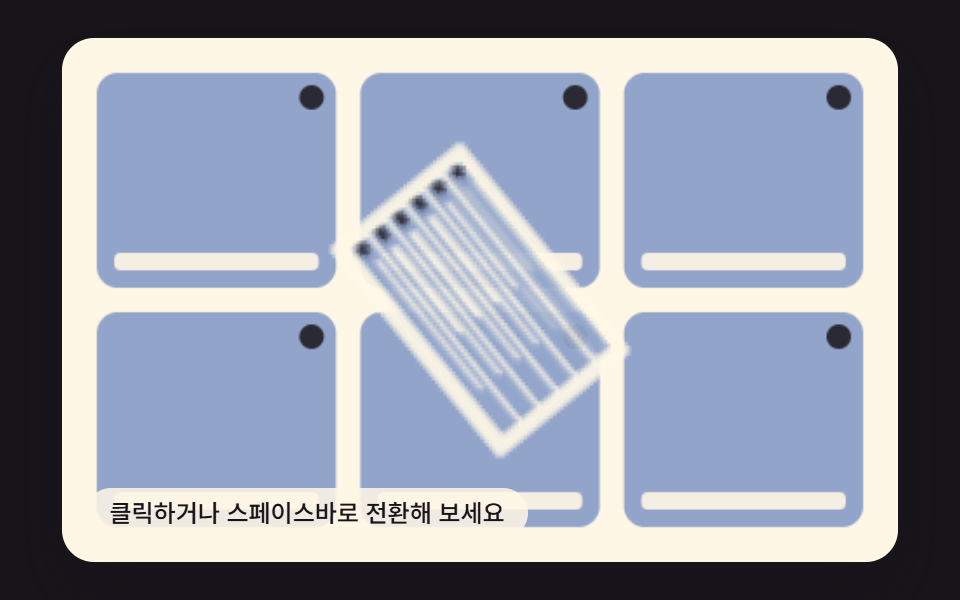 전환화면전환 애니메이션 효과 9가지 — 파티클 물리로 만들기
 전환CSS 모달 팝업 애니메이션 9종 — JS 최소, @starting-style로
 전환CSS 페이지 전환 애니메이션 9종 — JS 없이, CSS만으로
 전환CSS 햄버거 메뉴 애니메이션 9종 — JS 없이, CSS만으로
 전환CSS 드롭다운 메뉴 애니메이션 9종 — JS 없이, CSS만으로
 전환CSS 사이드바 드로어 슬라이드 9종 — JS 최소로
 전환필터 UI 9종 — 패널 슬라이드부터 칩 제거까지