이모지 검색기 9가지 — 값 하나로 여닫는 패턴
이모지 검색기 아홉 가지를 나란히 놓고 보면, 입력창 아래 남은 공간 값이 패널 높이보다 작을 때만 패널이 위로 열리는 자리로 바뀌고, 누르고 있는 시간 값이 정해둔 값을 넘을 때만 같은 이모지의 변형이 부채꼴로 펼쳐지며, 커서 위치 값을 미리 저장해 둔 경우에만 고른 이모지가 그
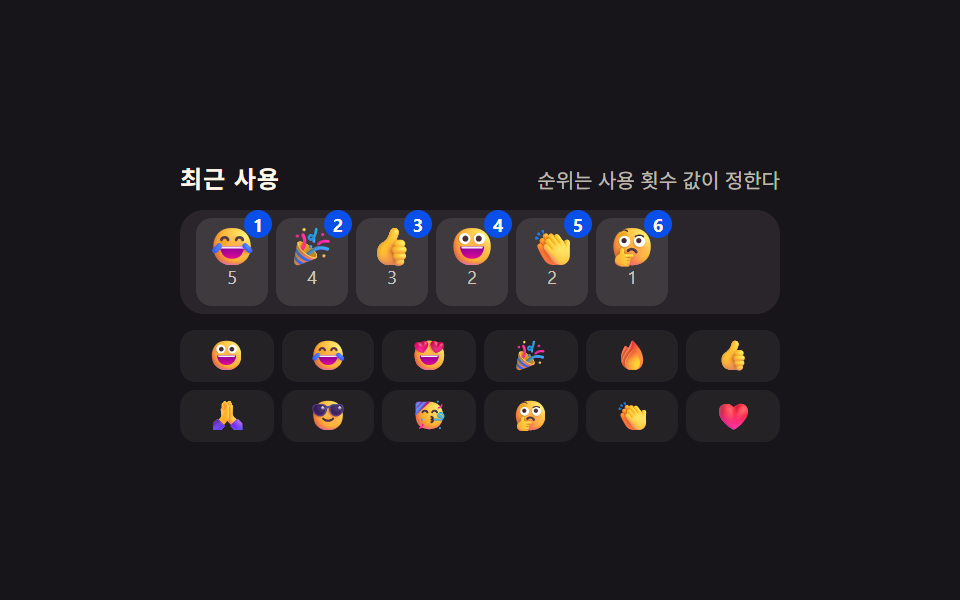 01 emoji-picker-recent-frequency-rank
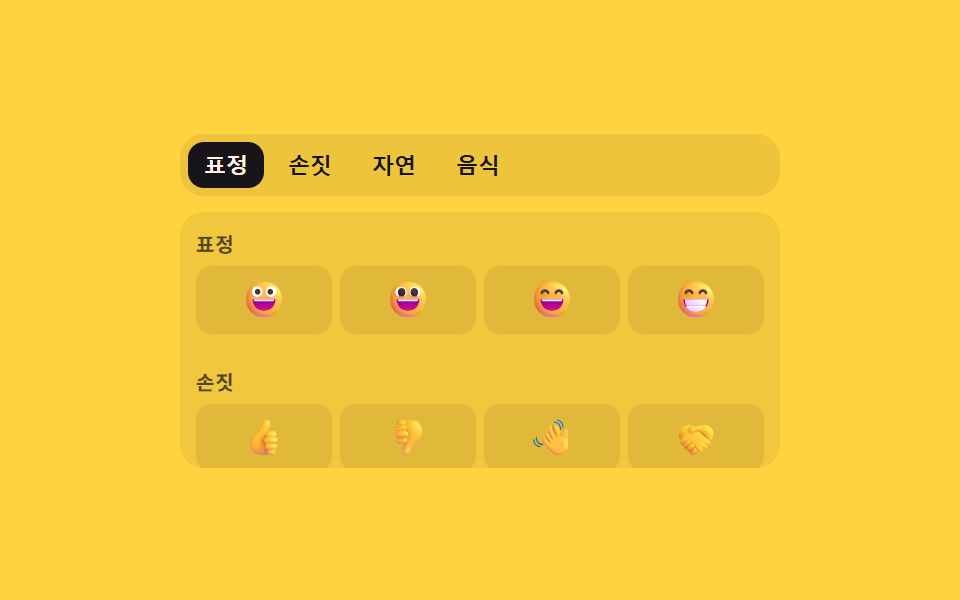 02 emoji-picker-category-index-scroll-sync
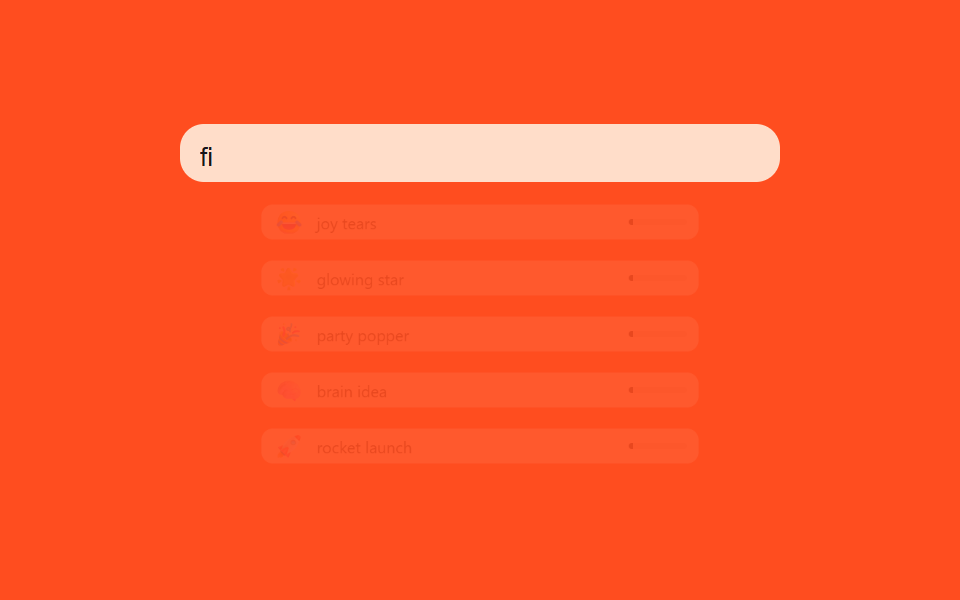 03 emoji-picker-search-fuzzy-match-score
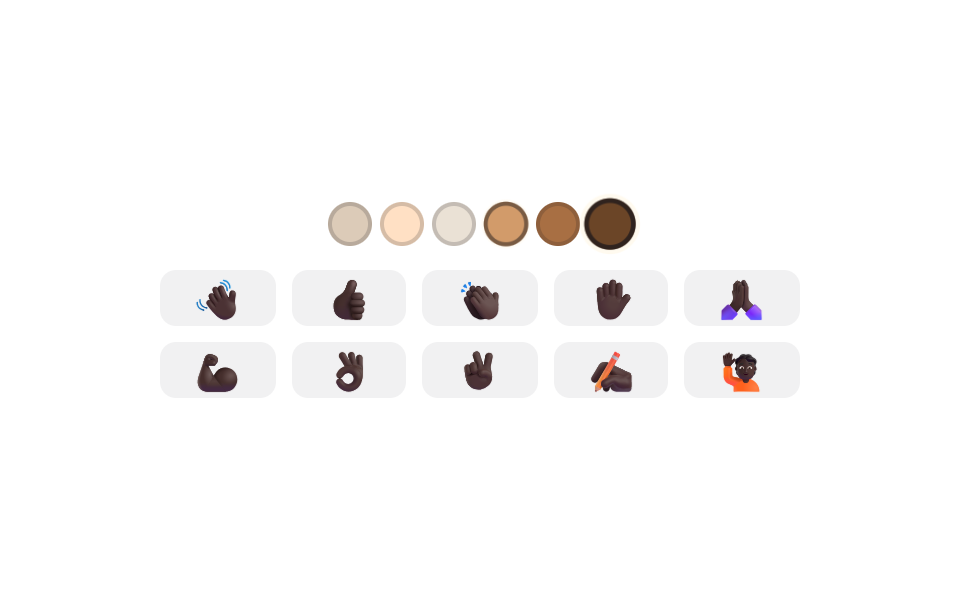 04 emoji-picker-skin-tone-modifier-swap
 05 emoji-picker-variant-longpress-fan
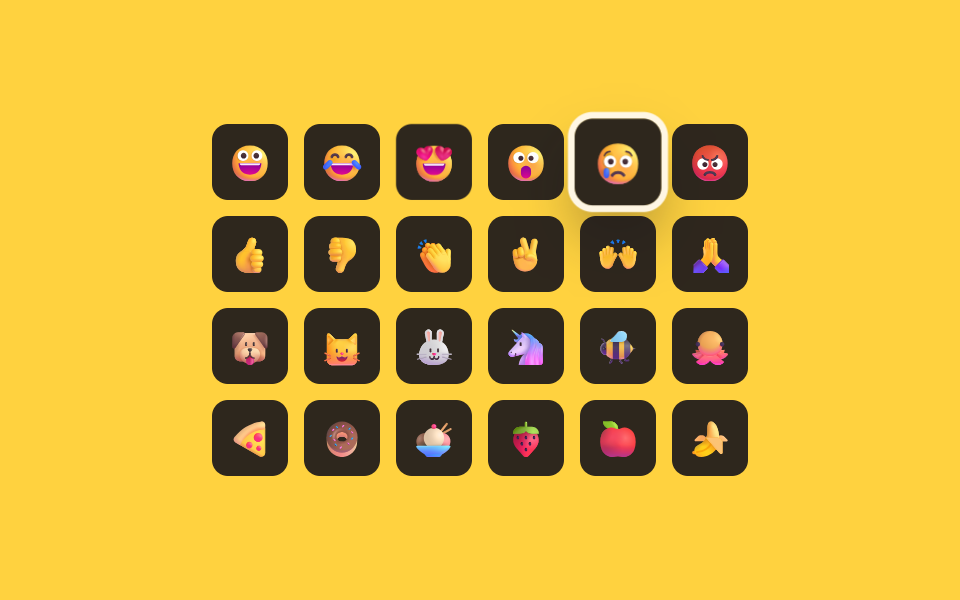 06 emoji-picker-keyboard-arrow-grid-nav
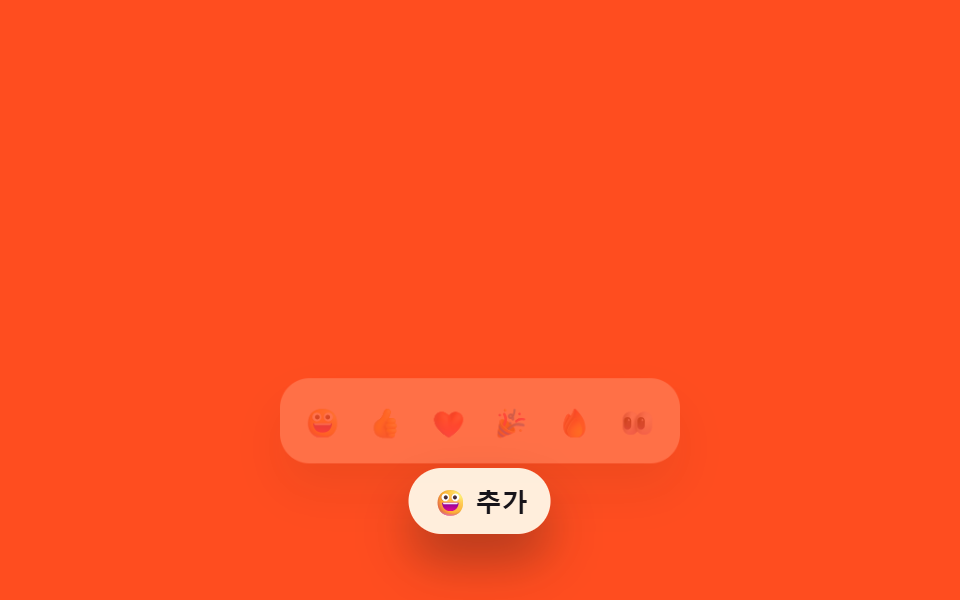 07 emoji-picker-anchor-position-flip
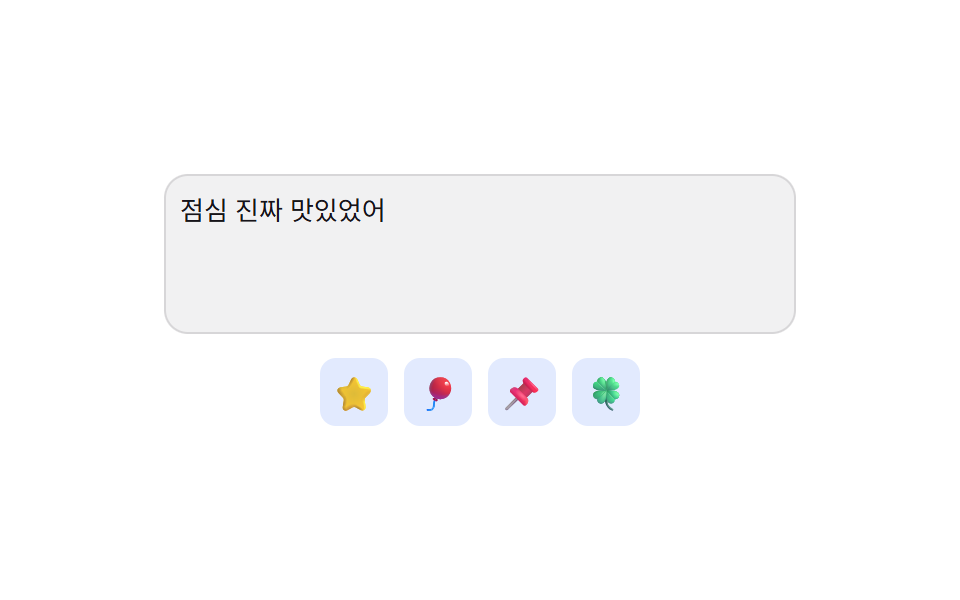 08 emoji-picker-insert-cursor-position-preserve
 09 emoji-picker-reduced-motion-instant-panel
자동 재생 · 눌러서 해당 항목으로 · 전부 한 zip
- 01 사용 빈도 값으로 순서가 바뀌는 최근 사용 탭
- 02 스크롤 위치 값과 탭 번호가 서로 맞춰지는 카테고리 전환
- 03 입력한 글자와 이름 사이 유사도 값으로 줄을 세우는 검색
- 04 고른 톤 값에 따라 해당 이모지 집합이 통째로 바뀌는 톤 전환
- 05 누른 시간 값이 문턱을 넘으면 변형이 펼쳐지는 길게 누르기
- 06 방향키 값으로 격자 안 초점이 옮겨 다니는 키보드 탐색
- 07 남은 공간 값을 계산해 여는 방향이 바뀌는 앵커 배치
- 08 저장해 둔 커서 위치 값에 정확히 끼워 넣는 삽입
- 09 동작 줄임 값을 감지해 펼침 없이 바로 뜨는 패널
계산해 둔 값 하나가 이모지 피커 아홉 개의 동작을 가릅니다
이모지 피커는 겉보기엔 비슷해 보여도 항목마다 계산해 둔 값 하나로 서로 다른 동작을 결정합니다. 01은 사용 횟수, 02는 스크롤 거리, 03은 유사도 점수, 04는 고른 톤 값, 05는 누른 시간, 06은 방향키와 실제 열 수, 07은 남은 공간, 08은 저장해 둔 커서 위치, 09는 동작 줄임 여부 — 이 값이 바뀌는 순간마다 패널이 다시 정렬되거나 펼쳐지거나 자리를 바꿉니다. 항목마다 그 한 값을 만들어 내는 함수와, 값이 바뀐 뒤 화면 어디에 다시 쓰이는지를 실제 소스 그대로 아래에서 짚습니다.
01사용 빈도 값으로 순서가 바뀌는 최근 사용 탭
이모지를 고를 때마다 그 이모지의 사용 횟수 값이 하나씩 올라가고, 최근 사용 탭은 그 값이 큰 순서대로 다시 정렬되어 자주 쓰는 이모지가 앞쪽에 남습니다. rank()는 사용 횟수 내림차순으로 정렬하되 동률이면 lastPicked 값의 최근 순으로 다시 줄을 세워 RECENT_MAX개까지만 자르고, fillItem()이 그 순위를 aria-label과 배지 숫자로 함께 그립니다.
<main class="stage">
<div class="ep is-demo" id="ep">
  <div class="ep__head">
    <span class="ep__label">최근 사용</span>
    <span class="ep__sub" id="epSub">순위는 사용 횟수 값이 정한다</span>
  </div>
  <ul class="ep__recent" id="epRecent" role="listbox" aria-label="최근 사용 이모지, 사용 빈도 순"></ul>
  <div class="ep__all" role="listbox" aria-label="전체 이모지" id="epAll"></div>
  <p class="ep__sr" role="status" aria-live="polite" id="epLive"></p>
</div>
</main>
@use "../../../../site/static/demo-tokens" as *;
// 계산 겹: index.html rank() 가 사용 횟수 값(counts)을 내림차순으로 다시 정렬하고, renderRecent() 가
// FLIP(getBoundingClientRect 실측 → transform 되돌리기)로 그 재배치를 움직임으로 보여준다.
@include stage($stage-ink);
.ep { width: min(100%, 300px); display: flex; flex-direction: column; gap: $sp-2; }
.ep__head { display: flex; justify-content: space-between; align-items: baseline; }
.ep__label { font-size: 12px; font-weight: 700; color: $subject-cream; text-transform: uppercase; letter-spacing: .04em; }
.ep__sub { font-size: 10px; color: rgba($subject-cream, .72); }
.ep__recent {
list-style: none; margin: 0; padding: $sp-1 $sp-2; display: flex; flex-wrap: wrap; gap: $sp-1;
background: rgba($subject-cream, .08); border-radius: $r-control; min-height: 44px;
}
.ep__item {
position: relative; display: flex; flex-direction: column; align-items: center; gap: 0;
width: 36px; padding: $sp-1 0; border-radius: $r-sm; background: rgba($subject-cream, .1);
transition: transform $dur-base $ease-spring;
}
.ep__item--enter { animation: epPop $dur-quick $ease-pop; }
.ep__rank {
position: absolute; top: -4px; right: -2px; width: 14px; height: 14px; border-radius: $r-pill;
background: $subject-blue-deep; color: $subject-cream; font-size: 9px; font-weight: 700;
display: grid; place-items: center;
}
.ep__ch { font-size: 19px; line-height: 1; }
.ep__count { font-size: 9px; color: rgba($subject-cream, .74); }
.ep__all { display: grid; grid-template-columns: repeat(6, 1fr); grid-auto-rows: 26px; gap: $sp-1; }
.ep__all-btn {
border: none; background: rgba($subject-cream, .06); color: $subject-cream; border-radius: $r-sm;
font-size: 15px; line-height: 1; padding: 0; cursor: pointer; display: grid; place-items: center;
}
.ep__all-btn:hover, .ep__all-btn:focus-visible { background: rgba($subject-cream, .18); }
.ep__all-btn:focus-visible { outline: 2px solid $subject-blue-light; outline-offset: 1px; }
.ep__sr { position: absolute; width: 1px; height: 1px; overflow: hidden; clip: rect(0 0 0 0); margin: -1px; padding: 0; border: 0; }
@keyframes epPop { 0% { opacity: 0; transform: scale(.6); } 100% { opacity: 1; transform: scale(1); } }
@media (max-width: 340px) {
.ep { width: 100%; }
.ep__all { grid-template-columns: repeat(5, 1fr); }
}
@media (prefers-reduced-motion: reduce) {
.ep__item { transition: none; }
.ep__item--enter { animation: none; }
}html, body {
margin: 0;
overflow: hidden;
}
.stage {
box-sizing: border-box;
min-height: 100vh;
display: grid;
place-items: center;
margin: 0;
background: #17141a;
font-family: -apple-system, "Segoe UI", "Noto Sans KR", sans-serif;
padding: clamp(8px, 4vw, 24px);
}
.ep {
width: min(100%, 300px);
display: flex;
flex-direction: column;
gap: 8px;
}
.ep__head {
display: flex;
justify-content: space-between;
align-items: baseline;
}
.ep__label {
font-size: 12px;
font-weight: 700;
color: #fff7e6;
text-transform: uppercase;
letter-spacing: 0.04em;
}
.ep__sub {
font-size: 10px;
color: rgba(255, 247, 230, 0.72);
}
.ep__recent {
list-style: none;
margin: 0;
padding: 4px 8px;
display: flex;
flex-wrap: wrap;
gap: 4px;
background: rgba(255, 247, 230, 0.08);
border-radius: 12px;
min-height: 44px;
}
.ep__item {
position: relative;
display: flex;
flex-direction: column;
align-items: center;
gap: 0;
width: 36px;
padding: 4px 0;
border-radius: 8px;
background: rgba(255, 247, 230, 0.1);
transition: transform 300ms cubic-bezier(0.2, 0.8, 0.2, 1);
}
.ep__item--enter {
animation: epPop 220ms cubic-bezier(0.2, 1.4, 0.4, 1);
}
.ep__rank {
position: absolute;
top: -4px;
right: -2px;
width: 14px;
height: 14px;
border-radius: 999px;
background: #0a4fe8;
color: #fff7e6;
font-size: 9px;
font-weight: 700;
display: grid;
place-items: center;
}
.ep__ch {
font-size: 19px;
line-height: 1;
}
.ep__count {
font-size: 9px;
color: rgba(255, 247, 230, 0.74);
}
.ep__all {
display: grid;
grid-template-columns: repeat(6, 1fr);
grid-auto-rows: 26px;
gap: 4px;
}
.ep__all-btn {
border: none;
background: rgba(255, 247, 230, 0.06);
color: #fff7e6;
border-radius: 8px;
font-size: 15px;
line-height: 1;
padding: 0;
cursor: pointer;
display: grid;
place-items: center;
}
.ep__all-btn:hover, .ep__all-btn:focus-visible {
background: rgba(255, 247, 230, 0.18);
}
.ep__all-btn:focus-visible {
outline: 2px solid #5b8cf8;
outline-offset: 1px;
}
.ep__sr {
position: absolute;
width: 1px;
height: 1px;
overflow: hidden;
clip: rect(0 0 0 0);
margin: -1px;
padding: 0;
border: 0;
}
@keyframes epPop {
0% {
opacity: 0;
transform: scale(0.6);
}
100% {
opacity: 1;
transform: scale(1);
}
}
@media (max-width: 340px) {
.ep {
width: 100%;
}
.ep__all {
grid-template-columns: repeat(5, 1fr);
}
}
@media (prefers-reduced-motion: reduce) {
.ep__item {
transition: none;
}
.ep__item--enter {
animation: none;
}
}(function () {
var EMOJIS = [
{ ch: '\u{1F600}', key: 'smile', seed: 2 }, { ch: '\u{1F602}', key: 'joy', seed: 5 },
{ ch: '\u{1F60D}', key: 'heart-eyes', seed: 1 }, { ch: '\u{1F389}', key: 'party', seed: 4 },
{ ch: '\u{1F525}', key: 'fire', seed: 0 }, { ch: '\u{1F44D}', key: 'thumbs-up', seed: 3 },
{ ch: '\u{1F64F}', key: 'pray', seed: 0 }, { ch: '\u{1F60E}', key: 'cool', seed: 1 },
{ ch: '\u{1F973}', key: 'celebrate', seed: 0 }, { ch: '\u{1F914}', key: 'think', seed: 0 },
{ ch: '\u{1F44F}', key: 'clap', seed: 2 }, { ch: '\u{2764}\u{FE0F}', key: 'love', seed: 0 }
];
var RECENT_MAX = 6;
var counts = {}, lastPicked = {}, seq = 0;
EMOJIS.forEach(function (e) { counts[e.key] = e.seed; });
var recentEl = document.getElementById('epRecent');
var allEl = document.getElementById('epAll');
var live = document.getElementById('epLive');
var root = document.getElementById('ep');
function human() { if (root.classList.contains('is-demo')) root.classList.remove('is-demo'); }
  // 계산 겹: 사용 횟수 값 내림차순, 동률이면 가장 최근에 고른 순으로 다시 줄을 세운다
  function rank() {
    return EMOJIS.slice().sort(function (a, b) {
      var d = (counts[b.key] || 0) - (counts[a.key] || 0);
      return d !== 0 ? d : (lastPicked[b.key] || 0) - (lastPicked[a.key] || 0);
    }).slice(0, RECENT_MAX);
  }

  function fillItem(li, e, idx) {
    li.dataset.key = e.key;
    li.setAttribute('role', 'option');
    li.setAttribute('aria-selected', 'false');
    li.setAttribute('aria-label', e.key + ', 사용 ' + (counts[e.key] || 0) + '회, 순위 ' + (idx + 1));
    li.innerHTML = '<b class="ep__rank">' + (idx + 1) + '</b><span class="ep__ch">' + e.ch + '</span><span class="ep__count">' + (counts[e.key] || 0) + '</span>';
  }
// 계산 겹: FLIP — 재배치 전 위치를 실측(getBoundingClientRect)해 두고, 재배치 후 그 차이만큼
// transform 으로 되돌린 뒤 transition 으로 0 까지 풀어 "움직여 자리를 바꾸는" 것처럼 보이게 한다.
function renderRecent() {
var before = {};
Array.prototype.forEach.call(recentEl.children, function (li) { before[li.dataset.key] = li.getBoundingClientRect(); });
var list = rank();
recentEl.innerHTML = '';
list.forEach(function (e, idx) {
var li = document.createElement('li');
li.className = 'ep__item';
fillItem(li, e, idx);
li.addEventListener('click', function () { human(); pick(e); });
recentEl.appendChild(li);
});
Array.prototype.forEach.call(recentEl.children, function (li) {
var b = before[li.dataset.key];
if (!b) { li.classList.add('ep__item--enter'); requestAnimationFrame(function () { li.classList.remove('ep__item--enter'); }); return; }
var a = li.getBoundingClientRect(), dx = b.left - a.left, dy = b.top - a.top;
if (Math.abs(dx) > .5 || Math.abs(dy) > .5) {
li.style.transition = 'none';
li.style.transform = 'translate(' + dx + 'px,' + dy + 'px)';
li.offsetHeight;
li.style.transition = '';
li.style.transform = '';
}
});
}
function pick(e) {
counts[e.key] = (counts[e.key] || 0) + 1;
lastPicked[e.key] = ++seq;
renderRecent();
live.textContent = e.ch + ' 사용 ' + counts[e.key] + '회 · 최근 사용 순위 갱신';
}
EMOJIS.forEach(function (e) {
var b = document.createElement('button');
b.type = 'button'; b.className = 'ep__all-btn'; b.setAttribute('role', 'option');
b.setAttribute('aria-selected', 'false'); b.setAttribute('aria-label', e.key);
b.textContent = e.ch;
b.addEventListener('click', function () { human(); pick(e); });
allEl.appendChild(b);
});
renderRecent();
var reduce = window.matchMedia('(prefers-reduced-motion: reduce)').matches;
var SEQ = [4, 6, 9, 4, 8, 6];
var i = 0, timer = 0;
function loop() {
if (!root.classList.contains('is-demo')) return;
pick(EMOJIS[SEQ[i % SEQ.length]]);
i++;
timer = window.setTimeout(loop, 420);
}
if (!reduce) { timer = window.setTimeout(loop, 380); }
else { root.classList.remove('is-demo'); }
})();// EmojiRecentFrequencyRank — vanilla 판(run/402/demo/01-emoji-picker-recent-frequency-rank/index.html) 의 React 포트.
// rank() 가 사용 횟수 값을 내림차순으로 정렬하고, useEffect 가 재배치 전 위치를 실측(getBoundingClientRect)해
// FLIP 으로 그 차이만큼 transform 되돌린 뒤 CSS transition 으로 0 까지 풀어 움직임을 만든다.
import { useEffect, useRef, useState } from "react";
import styles from "./EmojiRecentFrequencyRank.module.scss";
type Box<T> = { current: T };
type Emoji = { ch: string; key: string; seed: number };
const EMOJIS: Emoji[] = [
{ ch: "\u{1F600}", key: "smile", seed: 2 }, { ch: "\u{1F602}", key: "joy", seed: 5 },
{ ch: "\u{1F60D}", key: "heart-eyes", seed: 1 }, { ch: "\u{1F389}", key: "party", seed: 4 },
{ ch: "\u{1F525}", key: "fire", seed: 0 }, { ch: "\u{1F44D}", key: "thumbs-up", seed: 3 },
{ ch: "\u{1F64F}", key: "pray", seed: 0 }, { ch: "\u{1F60E}", key: "cool", seed: 1 },
{ ch: "\u{1F973}", key: "celebrate", seed: 0 }, { ch: "\u{1F914}", key: "think", seed: 0 },
{ ch: "\u{1F44F}", key: "clap", seed: 2 }, { ch: "\u{2764}\u{FE0F}", key: "love", seed: 0 },
];
const RECENT_MAX = 6;
const SEQ = [4, 6, 9, 4, 8, 6];
export default function EmojiRecentFrequencyRank() {
const countsRef = useRef({} as Record<string, number>) as unknown as Box<Record<string, number>>;
const lastPickedRef = useRef({} as Record<string, number>) as unknown as Box<Record<string, number>>;
const seqRef = useRef(0) as unknown as Box<number>;
const isDemoRef = useRef(true) as unknown as Box<boolean>;
const timerRef = useRef(0) as unknown as Box<number>;
const recentRef = useRef(null) as unknown as Box<HTMLUListElement>;
const rectsRef = useRef({} as Record<string, DOMRect>) as unknown as Box<Record<string, DOMRect>>;
if (Object.keys(countsRef.current).length === 0) {
EMOJIS.forEach((e) => { countsRef.current[e.key] = e.seed; });
}
const [tick, setTick] = useState(0);
const [isDemo, setIsDemo] = useState(true);
const [live, setLive] = useState("");
function rank(): Emoji[] {
const c = countsRef.current, lp = lastPickedRef.current;
return EMOJIS.slice().sort((a, b) => {
const d = (c[b.key] || 0) - (c[a.key] || 0);
return d !== 0 ? d : (lp[b.key] || 0) - (lp[a.key] || 0);
}).slice(0, RECENT_MAX);
}
function human() { if (isDemoRef.current) { isDemoRef.current = false; setIsDemo(false); } }
function pick(e: Emoji) {
if (recentRef.current) {
rectsRef.current = {};
Array.prototype.forEach.call(recentRef.current.children, (li: HTMLElement) => {
rectsRef.current[li.dataset.key as string] = li.getBoundingClientRect();
});
}
countsRef.current[e.key] = (countsRef.current[e.key] || 0) + 1;
lastPickedRef.current[e.key] = ++seqRef.current;
setLive(e.ch + " 사용 " + countsRef.current[e.key] + "회 · 최근 사용 순위 갱신");
setTick((t) => t + 1);
}
useEffect(() => {
if (!recentRef.current) return;
const before = rectsRef.current;
Array.prototype.forEach.call(recentRef.current.children, (li: HTMLElement) => {
const key = li.dataset.key as string, b = before[key];
if (!b) { li.classList.add(styles.itemEnter); requestAnimationFrame(() => li.classList.remove(styles.itemEnter)); return; }
const a = li.getBoundingClientRect(), dx = b.left - a.left, dy = b.top - a.top;
if (Math.abs(dx) > .5 || Math.abs(dy) > .5) {
li.style.transition = "none";
li.style.transform = "translate(" + dx + "px," + dy + "px)";
li.offsetHeight;
li.style.transition = "";
li.style.transform = "";
}
});
}, [tick]);
useEffect(() => {
const reduce = window.matchMedia("(prefers-reduced-motion: reduce)").matches;
let i = 0;
function loop() {
if (!isDemoRef.current) return;
pick(EMOJIS[SEQ[i % SEQ.length]]);
i++;
timerRef.current = window.setTimeout(loop, 420);
}
if (!reduce) { timerRef.current = window.setTimeout(loop, 380); }
else { isDemoRef.current = false; setIsDemo(false); }
return () => window.clearTimeout(timerRef.current);
// eslint-disable-next-line react-hooks/exhaustive-deps
}, []);
const list = rank();
return (
<main className={styles.stage}>
<div className={styles.ep + " " + (isDemo ? styles.isDemo : "")}>
<div className={styles.head}>
<span className={styles.label}>최근 사용</span>
<span className={styles.sub}>순위는 사용 횟수 값이 정한다</span>
</div>
<ul className={styles.recent} role="listbox" aria-label="최근 사용 이모지, 사용 빈도 순" ref={recentRef}>
{list.map((e, idx) => (
<li key={e.key} data-key={e.key} className={styles.item} role="option" aria-selected="false"
aria-label={e.key + ", 사용 " + (countsRef.current[e.key] || 0) + "회, 순위 " + (idx + 1)}
onClick={() => { human(); pick(e); }}>
<b className={styles.rank}>{idx + 1}</b>
<span className={styles.ch}>{e.ch}</span>
<span className={styles.count}>{countsRef.current[e.key] || 0}</span>
</li>
))}
</ul>
<div className={styles.all} role="listbox" aria-label="전체 이모지">
{EMOJIS.map((e) => (
<button key={e.key} type="button" className={styles.allBtn} role="option" aria-selected="false"
aria-label={e.key} onClick={() => { human(); pick(e); }}>{e.ch}</button>
))}
</div>
<p className={styles.sr} role="status" aria-live="polite">{live}</p>
</div>
</main>
);
}01 · 사용 빈도 값으로 순서가 바뀌는 최근 사용 탭 — 측정 누적면적 2.785% · 움직인 프레임 10/23GODRICH 원작 · zip 에 SCSS·React 포함 · 비밀번호 보기
// 계산 겹: 사용 횟수 값 내림차순, 동률이면 가장 최근에 고른 순으로 다시 줄을 세운다
function rank() {
return EMOJIS.slice().sort(function (a, b) {
var d = (counts[b.key] || 0) - (counts[a.key] || 0);
return d !== 0 ? d : (lastPicked[b.key] || 0) - (lastPicked[a.key] || 0);
}).slice(0, RECENT_MAX);
}
function fillItem(li, e, idx) {
li.dataset.key = e.key;
li.setAttribute('role', 'option');
li.setAttribute('aria-selected', 'false');
li.setAttribute('aria-label', e.key + ', 사용 ' + (counts[e.key] || 0) + '회, 순위 ' + (idx + 1));
li.innerHTML = '<b class="ep__rank">' + (idx + 1) + '</b><span class="ep__ch">' + e.ch + '</span><span class="ep__count">' + (counts[e.key] || 0) + '</span>';
}
02스크롤 위치 값과 탭 번호가 서로 맞춰지는 카테고리 전환
패널을 손으로 내리면 지나간 거리 값을 읽어 지금 보이는 카테고리의 탭이 자동으로 밝아지고, 반대로 탭을 누르면 그 탭의 번호 값만큼 패널이 스크롤되어 둘이 항상 같은 자리를 가리킵니다. onScroll()이 scrollTop 값을 각 섹션의 offsetTop과 비교해 지금 보이는 카테고리 번호를 역산하고, setActive()가 만든 스크롤과 사람이 만든 스크롤을 구분하려고 syncing 플래그로 잠깐 무시 구간을 둡니다.
<main class="stage">
<div class="cx is-demo" id="cx">
  <div class="cx__tabs" role="tablist" aria-label="이모지 카테고리" id="cxTabs">
    <span class="cx__ind" id="cxInd" aria-hidden="true"></span>
  </div>
  <div class="cx__panel" id="cxPanel" tabindex="0" aria-label="이모지 패널"></div>
  <p class="cx__sr" role="status" aria-live="polite" id="cxLive"></p>
</div>
</main>
@use "../../../../site/static/demo-tokens" as *;
// 계산 겹: index.html onScroll() 이 패널의 scrollTop(지나간 거리 값)을 섹션 오프셋과 비교해 카테고리
// 번호를 역산하고, goTo() 는 반대로 그 번호 × 섹션 오프셋으로 패널을 스크롤한다 — 둘이 늘 같은 자리를 가리킨다.
@include stage($stage-yellow);
.cx { width: min(100%, 300px); display: flex; flex-direction: column; gap: $sp-2; }
.cx__tabs {
position: relative; display: flex; gap: $sp-1; background: rgba($subject-ink, .08);
border-radius: $r-control; padding: $sp-1;
}
.cx__tab {
flex: 0 0 auto; border: none; background: transparent; color: $subject-ink; font-size: 11px; font-weight: 600;
padding: $sp-1 $sp-2; border-radius: $r-sm; cursor: pointer; position: relative; z-index: 1;
}
.cx__tab[aria-selected="true"] { color: $subject-cream; }
.cx__ind {
position: absolute; top: $sp-1; left: 0; height: calc(100% - #{$sp-1 * 2}); border-radius: $r-sm;
background: $subject-ink; transition: transform $dur-base $ease-spring, width $dur-base $ease-spring; z-index: 0;
}
.cx__panel { height: 128px; overflow-y: auto; border-radius: $r-control; background: rgba($subject-ink, .06); }
.cx__section { padding: $sp-2; }
.cx__h {
margin: 0 0 $sp-1; font-size: 10px; font-weight: 700; color: rgba($subject-ink, .72);
text-transform: uppercase; letter-spacing: .04em;
}
.cx__grid { display: grid; grid-template-columns: repeat(4, 1fr); gap: $sp-1; }
.cx__ch {
border: none; background: rgba($subject-ink, .08); border-radius: $r-sm; font-size: 18px; line-height: 1;
padding: $sp-2 0; cursor: pointer; display: grid; place-items: center;
}
.cx__ch:hover, .cx__ch:focus-visible { background: rgba($subject-ink, .18); }
.cx__ch:focus-visible { outline: 2px solid $subject-blue-deep; outline-offset: 1px; }
.cx__sr { position: absolute; width: 1px; height: 1px; overflow: hidden; clip: rect(0 0 0 0); margin: -1px; padding: 0; border: 0; }
@media (max-width: 340px) {
.cx { width: 100%; }
.cx__panel { height: 112px; }
}
@media (prefers-reduced-motion: reduce) {
.cx__ind { transition: none; }
}html, body {
margin: 0;
overflow: hidden;
}
.stage {
box-sizing: border-box;
min-height: 100vh;
display: grid;
place-items: center;
margin: 0;
background: #ffd23f;
font-family: -apple-system, "Segoe UI", "Noto Sans KR", sans-serif;
padding: clamp(8px, 4vw, 24px);
}
.cx {
width: min(100%, 300px);
display: flex;
flex-direction: column;
gap: 8px;
}
.cx__tabs {
position: relative;
display: flex;
gap: 4px;
background: rgba(23, 20, 26, 0.08);
border-radius: 12px;
padding: 4px;
}
.cx__tab {
flex: 0 0 auto;
border: none;
background: transparent;
color: #17141a;
font-size: 11px;
font-weight: 600;
padding: 4px 8px;
border-radius: 8px;
cursor: pointer;
position: relative;
z-index: 1;
}
.cx__tab[aria-selected=true] {
color: #fff7e6;
}
.cx__ind {
position: absolute;
top: 4px;
left: 0;
height: calc(100% - 8px);
border-radius: 8px;
background: #17141a;
transition: transform 300ms cubic-bezier(0.2, 0.8, 0.2, 1), width 300ms cubic-bezier(0.2, 0.8, 0.2, 1);
z-index: 0;
}
.cx__panel {
height: 128px;
overflow-y: auto;
border-radius: 12px;
background: rgba(23, 20, 26, 0.06);
}
.cx__section {
padding: 8px;
}
.cx__h {
margin: 0 0 4px;
font-size: 10px;
font-weight: 700;
color: rgba(23, 20, 26, 0.72);
text-transform: uppercase;
letter-spacing: 0.04em;
}
.cx__grid {
display: grid;
grid-template-columns: repeat(4, 1fr);
gap: 4px;
}
.cx__ch {
border: none;
background: rgba(23, 20, 26, 0.08);
border-radius: 8px;
font-size: 18px;
line-height: 1;
padding: 8px 0;
cursor: pointer;
display: grid;
place-items: center;
}
.cx__ch:hover, .cx__ch:focus-visible {
background: rgba(23, 20, 26, 0.18);
}
.cx__ch:focus-visible {
outline: 2px solid #0a4fe8;
outline-offset: 1px;
}
.cx__sr {
position: absolute;
width: 1px;
height: 1px;
overflow: hidden;
clip: rect(0 0 0 0);
margin: -1px;
padding: 0;
border: 0;
}
@media (max-width: 340px) {
.cx {
width: 100%;
}
.cx__panel {
height: 112px;
}
}
@media (prefers-reduced-motion: reduce) {
.cx__ind {
transition: none;
}
}(function () {
var CATS = [
{ id: 'smiley', name: '표정', emoji: ['\u{1F600}', '\u{1F603}', '\u{1F604}', '\u{1F601}'] },
{ id: 'gesture', name: '손짓', emoji: ['\u{1F44D}', '\u{1F44E}', '\u{1F44B}', '\u{1F91D}'] },
{ id: 'nature', name: '자연', emoji: ['\u{1F338}', '\u{1F319}', '\u{2B50}', '\u{1F308}'] },
{ id: 'food', name: '음식', emoji: ['\u{1F355}', '\u{1F354}', '\u{1F369}', '\u{1F34E}'] }
];
var root = document.getElementById('cx');
var tabsEl = document.getElementById('cxTabs');
var panelEl = document.getElementById('cxPanel');
var indEl = document.getElementById('cxInd');
var live = document.getElementById('cxLive');
var tabs = [], sections = [];
var active = 0, syncing = false;
function human() { if (root.classList.contains('is-demo')) root.classList.remove('is-demo'); }
CATS.forEach(function (cat, i) {
var tab = document.createElement('button');
tab.type = 'button'; tab.className = 'cx__tab'; tab.id = 'cxTab' + i;
tab.setAttribute('role', 'tab');
tab.setAttribute('aria-selected', i === 0 ? 'true' : 'false');
tab.setAttribute('aria-controls', 'cxSec' + i);
tab.textContent = cat.name;
tab.addEventListener('click', function () { human(); goTo(i, false); });
tabsEl.appendChild(tab);
tabs.push(tab);
var sec = document.createElement('section');
sec.className = 'cx__section'; sec.id = 'cxSec' + i;
sec.setAttribute('role', 'region'); sec.setAttribute('aria-labelledby', 'cxTab' + i);
var h = document.createElement('h3'); h.className = 'cx__h'; h.textContent = cat.name;
var grid = document.createElement('div'); grid.className = 'cx__grid'; grid.setAttribute('role', 'listbox'); grid.setAttribute('aria-label', cat.name);
cat.emoji.forEach(function (ch) {
var b = document.createElement('button');
b.type = 'button'; b.className = 'cx__ch'; b.setAttribute('role', 'option'); b.setAttribute('aria-selected', 'false');
b.textContent = ch;
grid.appendChild(b);
});
sec.appendChild(h); sec.appendChild(grid);
panelEl.appendChild(sec);
sections.push(sec);
});
// 계산 겹: 탭을 누르면 그 탭의 번호 값 × 섹션 오프셋을 읽어 패널을 그 위치로 스크롤한다.
function goTo(i, silent) {
active = i;
var top = sections[i].offsetTop - panelEl.clientTop;
syncing = true;
panelEl.scrollTo({ top: top, behavior: reduce ? 'auto' : 'smooth' });
setActive(i);
window.setTimeout(function () { syncing = false; }, reduce ? 30 : 420);
if (!silent) live.textContent = CATS[i].name + ' 카테고리로 이동';
}
function setActive(i) {
tabs.forEach(function (t, k) { t.setAttribute('aria-selected', k === i ? 'true' : 'false'); });
var r = tabs[i].getBoundingClientRect(), pr = tabsEl.getBoundingClientRect();
indEl.style.width = r.width + 'px';
indEl.style.transform = 'translateX(' + (r.left - pr.left) + 'px)';
}
  // 계산 겹: 패널을 손으로 내리면 지나간 거리 값(scrollTop)을 각 섹션의 오프셋과 비교해
  // 지금 보이는 카테고리 번호를 역산하고, 그 번호로 탭 표시를 맞춘다.
  function onScroll() {
    if (syncing) return;
    var dist = panelEl.scrollTop, i = 0;
    for (var k = 0; k < sections.length; k++) {
      if (sections[k].offsetTop - panelEl.clientTop <= dist + 18) i = k;
    }
    if (i !== active) { active = i; setActive(i); live.textContent = CATS[i].name + ' 카테고리 보임'; }
  }
  panelEl.addEventListener('scroll', function () { human(); onScroll(); });
var reduce = window.matchMedia('(prefers-reduced-motion: reduce)').matches;
setActive(0);
window.addEventListener('resize', function () { setActive(active); });
var SEQ = [1, 2, 3, 0, 2];
var i = 0, timer = 0;
function loop() {
if (!root.classList.contains('is-demo')) return;
goTo(SEQ[i % SEQ.length], true);
i++;
timer = window.setTimeout(loop, 780);
}
if (!reduce) { timer = window.setTimeout(loop, 500); }
else { root.classList.remove('is-demo'); }
})();// EmojiCategoryIndexScrollSync — vanilla 판(run/402/demo/02-.../index.html) 의 React 포트.
// onScroll() 이 패널의 scrollTop(지나간 거리 값)을 섹션 오프셋과 비교해 카테고리 번호를 역산하고,
// goTo() 는 반대로 그 번호 값으로 패널을 스크롤한다 — 둘은 항상 같은 자리를 가리킨다.
import { useEffect, useRef, useState } from "react";
import styles from "./EmojiCategoryIndexScrollSync.module.scss";
type Box<T> = { current: T };
type Cat = { id: string; name: string; emoji: string[] };
const CATS: Cat[] = [
{ id: "smiley", name: "표정", emoji: ["\u{1F600}", "\u{1F603}", "\u{1F604}", "\u{1F601}"] },
{ id: "gesture", name: "손짓", emoji: ["\u{1F44D}", "\u{1F44E}", "\u{1F44B}", "\u{1F91D}"] },
{ id: "nature", name: "자연", emoji: ["\u{1F338}", "\u{1F319}", "\u{2B50}", "\u{1F308}"] },
{ id: "food", name: "음식", emoji: ["\u{1F355}", "\u{1F354}", "\u{1F369}", "\u{1F34E}"] },
];
const SEQ = [1, 2, 3, 0, 2];
export default function EmojiCategoryIndexScrollSync() {
const [active, setActiveState] = useState(0);
const [isDemo, setIsDemo] = useState(true);
const [live, setLive] = useState("");
const [ind, setInd] = useState({ w: 0, x: 0 });
const isDemoRef = useRef(true) as unknown as Box<boolean>;
const syncingRef = useRef(false) as unknown as Box<boolean>;
const activeRef = useRef(0) as unknown as Box<number>;
const timerRef = useRef(0) as unknown as Box<number>;
const tabsRef = useRef(null) as unknown as Box<HTMLDivElement>;
const tabRefs = useRef([] as HTMLButtonElement[]) as unknown as Box<HTMLButtonElement[]>;
const panelRef = useRef(null) as unknown as Box<HTMLDivElement>;
const secRefs = useRef([] as HTMLDivElement[]) as unknown as Box<HTMLDivElement[]>;
function human() { if (isDemoRef.current) { isDemoRef.current = false; setIsDemo(false); } }
function measureInd(i: number) {
const tab = tabRefs.current[i], wrap = tabsRef.current;
if (!tab || !wrap) return;
const r = tab.getBoundingClientRect(), pr = wrap.getBoundingClientRect();
setInd({ w: r.width, x: r.left - pr.left });
}
function setActive(i: number) {
activeRef.current = i;
setActiveState(i);
measureInd(i);
}
function goTo(i: number, silent: boolean) {
const reduce = window.matchMedia("(prefers-reduced-motion: reduce)").matches;
const panel = panelRef.current, sec = secRefs.current[i];
if (panel && sec) {
syncingRef.current = true;
panel.scrollTo({ top: sec.offsetTop - panel.clientTop, behavior: reduce ? "auto" : "smooth" });
window.setTimeout(() => { syncingRef.current = false; }, reduce ? 30 : 420);
}
setActive(i);
if (!silent) setLive(CATS[i].name + " 카테고리로 이동");
}
function onScroll() {
human();
if (syncingRef.current) return;
const panel = panelRef.current;
if (!panel) return;
const dist = panel.scrollTop;
let i = 0;
for (let k = 0; k < secRefs.current.length; k++) {
const sec = secRefs.current[k];
if (sec && sec.offsetTop - panel.clientTop <= dist + 18) i = k;
}
if (i !== activeRef.current) { setActive(i); setLive(CATS[i].name + " 카테고리 보임"); }
}
useEffect(() => {
measureInd(0);
const onResize = () => measureInd(activeRef.current);
window.addEventListener("resize", onResize);
const reduce = window.matchMedia("(prefers-reduced-motion: reduce)").matches;
let i = 0;
function loop() {
if (!isDemoRef.current) return;
goTo(SEQ[i % SEQ.length], true);
i++;
timerRef.current = window.setTimeout(loop, 780);
}
if (!reduce) { timerRef.current = window.setTimeout(loop, 500); }
else { isDemoRef.current = false; setIsDemo(false); }
return () => { window.removeEventListener("resize", onResize); window.clearTimeout(timerRef.current); };
// eslint-disable-next-line react-hooks/exhaustive-deps
}, []);
return (
<main className={styles.stage}>
<div className={styles.cx + " " + (isDemo ? styles.isDemo : "")}>
<div className={styles.tabs} role="tablist" aria-label="이모지 카테고리" ref={tabsRef}>
<span className={styles.ind} aria-hidden="true" style={{ width: ind.w, transform: "translateX(" + ind.x + "px)" }} />
{CATS.map((cat, i) => (
<button key={cat.id} type="button" className={styles.tab} id={"cxTab" + i} role="tab"
aria-selected={active === i} aria-controls={"cxSec" + i}
ref={(el: HTMLButtonElement | null) => { if (el) tabRefs.current[i] = el; }}
onClick={() => { human(); goTo(i, false); }}>{cat.name}</button>
))}
</div>
<div className={styles.panel} tabIndex={0} aria-label="이모지 패널" ref={panelRef} onScroll={onScroll}>
{CATS.map((cat, i) => (
<section key={cat.id} className={styles.section} id={"cxSec" + i} role="region" aria-labelledby={"cxTab" + i}
ref={(el: HTMLDivElement | null) => { if (el) secRefs.current[i] = el; }}>
<h3 className={styles.h}>{cat.name}</h3>
<div className={styles.grid} role="listbox" aria-label={cat.name}>
{cat.emoji.map((ch, j) => (
<button key={j} type="button" className={styles.ch} role="option" aria-selected="false">{ch}</button>
))}
</div>
</section>
))}
</div>
<p className={styles.sr} role="status" aria-live="polite">{live}</p>
</div>
</main>
);
}02 · 스크롤 위치 값과 탭 번호가 서로 맞춰지는 카테고리 전환 — 측정 누적면적 16.651% · 움직인 프레임 9/23GODRICH 원작 · zip 에 SCSS·React 포함 · 비밀번호 보기
// 계산 겹: 패널을 손으로 내리면 지나간 거리 값(scrollTop)을 각 섹션의 오프셋과 비교해
// 지금 보이는 카테고리 번호를 역산하고, 그 번호로 탭 표시를 맞춘다.
function onScroll() {
if (syncing) return;
var dist = panelEl.scrollTop, i = 0;
for (var k = 0; k < sections.length; k++) {
if (sections[k].offsetTop - panelEl.clientTop <= dist + 18) i = k;
}
if (i !== active) { active = i; setActive(i); live.textContent = CATS[i].name + ' 카테고리 보임'; }
}
panelEl.addEventListener('scroll', function () { human(); onScroll(); });
03입력한 글자와 이름 사이 유사도 값으로 줄을 세우는 검색
입력창에 글자를 넣을 때마다 이모지 이름과 그 글자 사이의 유사도 값을 다시 매겨, 완전히 같지 않아도 값이 높은 이모지부터 위에서 보여주는 것이 이 이모지 검색 상자의 핵심입니다. score()는 입력 글자를 이름 글자열 안에서 순서대로 찾아가며 연속으로 이어질수록·앞쪽에서 맞을수록 값을 더 높게 매기고, 입력마다 EMOJI_SEARCH_DEBOUNCE_MS(200ms) 뒤에 한 번만 다시 계산합니다.
<main class="stage">
<div class="fz is-demo" id="fz">
  <div class="fz__field">
    <input class="fz__input" id="fzInput" type="text" placeholder="이모지 이름 검색" aria-label="이모지 이름 검색" autocomplete="off">
  </div>
  <ul class="fz__list" id="fzList" role="listbox" aria-label="검색 결과"></ul>
  <p class="fz__sr" role="status" aria-live="polite" id="fzLive"></p>
</div>
</main>
@use "../../../../site/static/demo-tokens" as *;
// 계산 겹: index.html score() 가 입력 글자를 이름 글자열 안에서 순서대로 찾아가며 연속·위치 가중치로
// 유사도 값을 매기고, rank() 는 그 값 내림차순으로 다시 줄을 세운다(FLIP 로 재배치를 보여준다).
@include stage($stage-orange);
.fz { width: min(100%, 300px); display: flex; flex-direction: column; gap: $sp-2; }
.fz__field { background: rgba($subject-cream, .85); border-radius: $r-control; padding: $sp-1 $sp-2; }
.fz__input {
width: 100%; border: none; background: transparent; font-size: 13px; color: $subject-ink; outline: none;
}
.fz__input::placeholder { color: rgba($subject-ink, .55); }
.fz__list { list-style: none; margin: 0; padding: 0; display: flex; flex-direction: column; gap: $sp-1; max-height: 140px; overflow: hidden; }
.fz__item {
display: flex; align-items: center; gap: $sp-2; background: rgba($subject-cream, .7); border-radius: $r-sm;
padding: $sp-1 $sp-2; transition: transform $dur-base $ease-spring;
}
.fz__item--enter { animation: fzPop $dur-quick $ease-pop; }
.fz__item--exit { animation: fzOut $dur-quick $ease-pop forwards; }
.fz__ch { font-size: 16px; line-height: 1; }
.fz__name { font-size: 11px; color: $subject-ink; flex: 1 1 auto; }
// 계산 겹의 결과 값(유사도 s)을 정해진 배율로 그대로 막대 폭으로 바꿔 보여준다 — 값이 바뀔 때마다
// 폭이 전환되어, 순서가 안 바뀌는 글자에도 유사도 값 변화가 눈에 보인다.
.fz__bar { width: 40px; height: 4px; border-radius: $r-xs; background: rgba($subject-ink, .12); overflow: hidden; flex: 0 0 auto; }
.fz__barFill { display: block; height: 100%; width: 0%; background: $subject-ink; transition: width $dur-base $ease-spring; }
.fz__sr { position: absolute; width: 1px; height: 1px; overflow: hidden; clip: rect(0 0 0 0); margin: -1px; padding: 0; border: 0; }
@keyframes fzPop { 0% { opacity: 0; transform: scale(.7); } 100% { opacity: 1; transform: scale(1); } }
@keyframes fzOut { 0% { opacity: 1; transform: scale(1); } 100% { opacity: 0; transform: scale(.7); } }
@media (max-width: 340px) {
.fz { width: 100%; }
.fz__list { max-height: 120px; }
.fz__bar { width: 28px; }
}
@media (prefers-reduced-motion: reduce) {
.fz__item { transition: none; }
.fz__item--enter, .fz__item--exit { animation: none; }
.fz__barFill { transition: none; }
}html, body {
margin: 0;
overflow: hidden;
}
.stage {
box-sizing: border-box;
min-height: 100vh;
display: grid;
place-items: center;
margin: 0;
background: #ff4d1f;
font-family: -apple-system, "Segoe UI", "Noto Sans KR", sans-serif;
padding: clamp(8px, 4vw, 24px);
}
.fz {
width: min(100%, 300px);
display: flex;
flex-direction: column;
gap: 8px;
}
.fz__field {
background: rgba(255, 247, 230, 0.85);
border-radius: 12px;
padding: 4px 8px;
}
.fz__input {
width: 100%;
border: none;
background: transparent;
font-size: 13px;
color: #17141a;
outline: none;
}
.fz__input::placeholder {
color: rgba(23, 20, 26, 0.55);
}
.fz__list {
list-style: none;
margin: 0;
padding: 0;
display: flex;
flex-direction: column;
gap: 4px;
max-height: 140px;
overflow: hidden;
}
.fz__item {
display: flex;
align-items: center;
gap: 8px;
background: rgba(255, 247, 230, 0.7);
border-radius: 8px;
padding: 4px 8px;
transition: transform 300ms cubic-bezier(0.2, 0.8, 0.2, 1);
}
.fz__item--enter {
animation: fzPop 220ms cubic-bezier(0.2, 1.4, 0.4, 1);
}
.fz__item--exit {
animation: fzOut 220ms cubic-bezier(0.2, 1.4, 0.4, 1) forwards;
}
.fz__ch {
font-size: 16px;
line-height: 1;
}
.fz__name {
font-size: 11px;
color: #17141a;
flex: 1 1 auto;
}
.fz__bar {
width: 40px;
height: 4px;
border-radius: 4px;
background: rgba(23, 20, 26, 0.12);
overflow: hidden;
flex: 0 0 auto;
}
.fz__barFill {
display: block;
height: 100%;
width: 0%;
background: #17141a;
transition: width 300ms cubic-bezier(0.2, 0.8, 0.2, 1);
}
.fz__sr {
position: absolute;
width: 1px;
height: 1px;
overflow: hidden;
clip: rect(0 0 0 0);
margin: -1px;
padding: 0;
border: 0;
}
@keyframes fzPop {
0% {
opacity: 0;
transform: scale(0.7);
}
100% {
opacity: 1;
transform: scale(1);
}
}
@keyframes fzOut {
0% {
opacity: 1;
transform: scale(1);
}
100% {
opacity: 0;
transform: scale(0.7);
}
}
@media (max-width: 340px) {
.fz {
width: 100%;
}
.fz__list {
max-height: 120px;
}
.fz__bar {
width: 28px;
}
}
@media (prefers-reduced-motion: reduce) {
.fz__item {
transition: none;
}
.fz__item--enter, .fz__item--exit {
animation: none;
}
.fz__barFill {
transition: none;
}
}(function () {
var EMOJI_SEARCH_DEBOUNCE_MS = 200;
var ITEMS = [
{ ch: '\u{1F600}', name: 'grinning face' }, { ch: '\u{1F602}', name: 'joy tears' },
{ ch: '\u{1F525}', name: 'fire flame' }, { ch: '\u{1F31F}', name: 'glowing star' },
{ ch: '\u{1F389}', name: 'party popper' }, { ch: '\u{1F9E0}', name: 'brain idea' },
{ ch: '\u{1F680}', name: 'rocket launch' }, { ch: '\u{1F338}', name: 'cherry blossom' },
{ ch: '\u{1F4A7}', name: 'water drop' }, { ch: '\u{1F308}', name: 'rainbow arc' },
{ ch: '\u{1F52C}', name: 'science lab' }, { ch: '\u{1F9ED}', name: 'compass guide' }
];
var root = document.getElementById('fz');
var input = document.getElementById('fzInput');
var listEl = document.getElementById('fzList');
var live = document.getElementById('fzLive');
var timer = 0;
var synthetic = false;
function human() { if (synthetic) return; if (root.classList.contains('is-demo')) root.classList.remove('is-demo'); }
  // 계산 겹: 입력 글자를 이름 글자열 안에서 순서대로 찾아가며, 연속으로 이어질수록·앞쪽에서
  // 맞을수록 유사도 값을 더 높게 쳐서 완전히 같지 않아도 값 순서로 줄을 세운다.
  function score(query, name) {
    if (!query) return 1;
    var qi = 0, s = 0, streak = 0;
    for (var ni = 0; ni < name.length && qi < query.length; ni++) {
      if (name[ni] === query[qi]) {
        streak++;
        s += 1 + streak * 2 + (ni === 0 ? 4 : 0);
        qi++;
      } else {
        streak = 0;
      }
    }
    if (qi < query.length) return 0;
    return s;
  }
function rank(query) {
var q = query.trim().toLowerCase();
return ITEMS.map(function (it) { return { it: it, s: score(q, it.name) }; })
.filter(function (r) { return r.s > 0; })
.sort(function (a, b) { return b.s - a.s; });
}
var liByName = {};
var mounted = false;
// list 가 바뀔 때마다 통째로 다시 그리지 않는다 — 남는 항목은 위치만 옮기고(FLIP)
// 유사도 값으로 정한 막대 폭만 새로 매겨 전환시킨다. 그래야 값이 바뀔 때마다 화면이
// 계속 움직인다(키만 눌렀다 하면 순간 교체로 끝나던 것과 달리).
function renderList(query) {
var ranked = rank(query);
var keep = {};
var before = {};
Array.prototype.forEach.call(listEl.children, function (li) { before[li.dataset.name] = li.getBoundingClientRect(); });
ranked.forEach(function (r) {
var it = r.it, pct = Math.min(100, Math.max(8, Math.round(r.s * 3)));
keep[it.name] = true;
var li = liByName[it.name];
if (!li) {
li = document.createElement('li');
li.className = mounted ? 'fz__item fz__item--enter' : 'fz__item'; li.dataset.name = it.name;
li.setAttribute('role', 'option'); li.setAttribute('aria-selected', 'false');
li.innerHTML = '<span class="fz__ch">' + it.ch + '</span><span class="fz__name">' + it.name +
'</span><span class="fz__bar"><span class="fz__barFill"></span></span>';
liByName[it.name] = li;
listEl.appendChild(li);
if (mounted) {
requestAnimationFrame(function () {
li.classList.remove('fz__item--enter');
li.querySelector('.fz__barFill').style.width = pct + '%';
});
} else {
li.querySelector('.fz__barFill').style.width = pct + '%';
}
} else {
li.classList.remove('fz__item--exit');
listEl.appendChild(li);
li.querySelector('.fz__barFill').style.width = pct + '%';
}
});
Object.keys(liByName).forEach(function (name) {
if (keep[name]) return;
var li = liByName[name];
li.classList.add('fz__item--exit');
delete liByName[name];
window.setTimeout(function () { if (li.parentNode) li.parentNode.removeChild(li); }, 220);
});
Array.prototype.forEach.call(listEl.children, function (li) {
if (li.classList.contains('fz__item--enter') || li.classList.contains('fz__item--exit')) return;
var b = before[li.dataset.name];
if (!b) return;
var a = li.getBoundingClientRect(), dy = b.top - a.top;
if (Math.abs(dy) > .5) {
li.style.transition = 'none';
li.style.transform = 'translateY(' + dy + 'px)';
li.offsetHeight;
li.style.transition = '';
li.style.transform = '';
}
});
live.textContent = ranked.length + '개 일치';
}
function onInput() {
human();
var q = input.value;
window.clearTimeout(timer);
timer = window.setTimeout(function () { renderList(q); }, reduce ? 0 : EMOJI_SEARCH_DEBOUNCE_MS);
}
input.addEventListener('input', onInput);
renderList('');
mounted = true;
var reduce = window.matchMedia('(prefers-reduced-motion: reduce)').matches;
var WORDS = ['fire', 'roc', 'star', 'gui', ''];
var STEP = 260;
var wi = 0, ci = 0, phase = 'type', loopTimer = 0;
function typeLoop() {
if (!root.classList.contains('is-demo')) return;
var word = WORDS[wi % WORDS.length];
if (phase === 'type') {
ci++;
input.value = word.slice(0, ci);
synthetic = true; input.dispatchEvent(new Event('input')); synthetic = false;
if (ci >= word.length) { phase = 'erase'; loopTimer = window.setTimeout(typeLoop, STEP + 200); return; }
loopTimer = window.setTimeout(typeLoop, STEP);
return;
}
ci--;
input.value = word.slice(0, Math.max(ci, 0));
synthetic = true; input.dispatchEvent(new Event('input')); synthetic = false;
if (ci <= 0) { phase = 'type'; wi++; loopTimer = window.setTimeout(typeLoop, STEP); return; }
loopTimer = window.setTimeout(typeLoop, STEP);
}
if (!reduce) { loopTimer = window.setTimeout(typeLoop, 200); }
else { root.classList.remove('is-demo'); }
})();// EmojiSearchFuzzyMatchScore — vanilla 판(run/402/demo/03-.../index.html) 의 React 포트.
// score() 는 입력 글자를 이름 글자열 안에서 순서대로 찾아가며 연속·위치 가중치로 유사도 값을 매기고,
// rank() 는 그 값 내림차순으로 줄을 세운다. 목록은 React 가 다시 그리지 않고(liByName 로 노드를 재사용)
// FLIP 재배치 + 유사도 값을 그대로 막대 폭으로 바꾼 전환만 imperative 하게 준다 — vanilla 와 동일 동작.
import { useEffect, useRef, useState } from "react";
import styles from "./EmojiSearchFuzzyMatchScore.module.scss";
type Box<T> = { current: T };
const EMOJI_SEARCH_DEBOUNCE_MS = 200;
type Item = { ch: string; name: string };
const ITEMS: Item[] = [
{ ch: "\u{1F600}", name: "grinning face" }, { ch: "\u{1F602}", name: "joy tears" },
{ ch: "\u{1F525}", name: "fire flame" }, { ch: "\u{1F31F}", name: "glowing star" },
{ ch: "\u{1F389}", name: "party popper" }, { ch: "\u{1F9E0}", name: "brain idea" },
{ ch: "\u{1F680}", name: "rocket launch" }, { ch: "\u{1F338}", name: "cherry blossom" },
{ ch: "\u{1F4A7}", name: "water drop" }, { ch: "\u{1F308}", name: "rainbow arc" },
{ ch: "\u{1F52C}", name: "science lab" }, { ch: "\u{1F9ED}", name: "compass guide" },
];
const WORDS = ["fire", "roc", "star", "gui", ""];
const STEP = 260;
// 계산 겹: index.html score() 와 동일 — 입력 글자를 이름 글자열 안에서 순서대로 찾아가며
// 연속으로 이어질수록·앞쪽에서 맞을수록 유사도 값을 더 높게 쳐서 완전히 같지 않아도 값 순서로 줄을 세운다.
function score(query: string, name: string): number {
if (!query) return 1;
let qi = 0, s = 0, streak = 0;
for (let ni = 0; ni < name.length && qi < query.length; ni++) {
if (name[ni] === query[qi]) {
streak++;
s += 1 + streak * 2 + (ni === 0 ? 4 : 0);
qi++;
} else {
streak = 0;
}
}
if (qi < query.length) return 0;
return s;
}
function rank(query: string): { it: Item; s: number }[] {
const q = query.trim().toLowerCase();
return ITEMS.map((it) => ({ it, s: score(q, it.name) }))
.filter((r) => r.s > 0)
.sort((a, b) => b.s - a.s);
}
export default function EmojiSearchFuzzyMatchScore() {
const [isDemo, setIsDemo] = useState(true);
const isDemoRef = useRef(true) as unknown as Box<boolean>;
const synthRef = useRef(false) as unknown as Box<boolean>;
const rootRef = useRef(null) as unknown as Box<HTMLDivElement>;
const inputRef = useRef(null) as unknown as Box<HTMLInputElement>;
const listRef = useRef(null) as unknown as Box<HTMLUListElement>;
const liveRef = useRef(null) as unknown as Box<HTMLParagraphElement>;
const liByNameRef = useRef({} as { [k: string]: HTMLLIElement }) as unknown as Box<{ [k: string]: HTMLLIElement }>;
const mountedRef = useRef(false) as unknown as Box<boolean>;
const timerRef = useRef(0) as unknown as Box<number>;
const loopTimerRef = useRef(0) as unknown as Box<number>;
const wiRef = useRef(0) as unknown as Box<number>;
const ciRef = useRef(0) as unknown as Box<number>;
const phaseRef = useRef("type") as unknown as Box<string>;
function human() {
if (synthRef.current) return;
if (isDemoRef.current) { isDemoRef.current = false; setIsDemo(false); }
}
function renderList(query: string) {
const listEl = listRef.current;
if (!listEl) return;
const liByName = liByNameRef.current;
const ranked = rank(query);
const keep: { [k: string]: boolean } = {};
const before: { [k: string]: DOMRect } = {};
Array.prototype.forEach.call(listEl.children, (li: HTMLLIElement) => { before[li.dataset.name as string] = li.getBoundingClientRect(); });
ranked.forEach((r) => {
const it = r.it, pct = Math.min(100, Math.max(8, Math.round(r.s * 3)));
keep[it.name] = true;
let li = liByName[it.name];
if (!li) {
li = document.createElement("li");
li.className = mountedRef.current ? styles.item + " " + styles.itemEnter : styles.item;
li.dataset.name = it.name;
li.setAttribute("role", "option"); li.setAttribute("aria-selected", "false");
li.innerHTML = '<span class="' + styles.ch + '">' + it.ch + '</span><span class="' + styles.name + '">' + it.name +
'</span><span class="' + styles.bar + '"><span class="' + styles.barFill + '"></span></span>';
liByName[it.name] = li;
listEl.appendChild(li);
if (mountedRef.current) {
requestAnimationFrame(() => {
li!.classList.remove(styles.itemEnter);
const fill = li!.querySelector("." + styles.barFill) as HTMLElement | null;
if (fill) fill.style.width = pct + "%";
});
} else {
const fill = li.querySelector("." + styles.barFill) as HTMLElement | null;
if (fill) fill.style.width = pct + "%";
}
} else {
li.classList.remove(styles.itemExit);
listEl.appendChild(li);
const fill = li.querySelector("." + styles.barFill) as HTMLElement | null;
if (fill) fill.style.width = pct + "%";
}
});
Object.keys(liByName).forEach((name) => {
if (keep[name]) return;
const li = liByName[name];
li.classList.add(styles.itemExit);
delete liByName[name];
window.setTimeout(() => { if (li.parentNode) li.parentNode.removeChild(li); }, 220);
});
Array.prototype.forEach.call(listEl.children, (li: HTMLLIElement) => {
if (li.classList.contains(styles.itemEnter) || li.classList.contains(styles.itemExit)) return;
const b = before[li.dataset.name as string];
if (!b) return;
const a = li.getBoundingClientRect(), dy = b.top - a.top;
if (Math.abs(dy) > 0.5) {
li.style.transition = "none";
li.style.transform = "translateY(" + dy + "px)";
li.offsetHeight;
li.style.transition = "";
li.style.transform = "";
}
});
if (liveRef.current) liveRef.current.textContent = ranked.length + "개 일치";
}
function onInput() {
human();
const q = inputRef.current ? inputRef.current.value : "";
const reduce = window.matchMedia("(prefers-reduced-motion: reduce)").matches;
window.clearTimeout(timerRef.current);
timerRef.current = window.setTimeout(() => { renderList(q); }, reduce ? 0 : EMOJI_SEARCH_DEBOUNCE_MS);
}
useEffect(() => {
renderList("");
mountedRef.current = true;
const reduce = window.matchMedia("(prefers-reduced-motion: reduce)").matches;
function typeLoop() {
if (!isDemoRef.current) return;
const input = inputRef.current;
if (!input) return;
const word = WORDS[wiRef.current % WORDS.length];
if (phaseRef.current === "type") {
ciRef.current++;
input.value = word.slice(0, ciRef.current);
synthRef.current = true; input.dispatchEvent(new Event("input")); synthRef.current = false;
if (ciRef.current >= word.length) { phaseRef.current = "erase"; loopTimerRef.current = window.setTimeout(typeLoop, STEP + 200); return; }
loopTimerRef.current = window.setTimeout(typeLoop, STEP);
return;
}
ciRef.current--;
input.value = word.slice(0, Math.max(ciRef.current, 0));
synthRef.current = true; input.dispatchEvent(new Event("input")); synthRef.current = false;
if (ciRef.current <= 0) { phaseRef.current = "type"; wiRef.current++; loopTimerRef.current = window.setTimeout(typeLoop, STEP); return; }
loopTimerRef.current = window.setTimeout(typeLoop, STEP);
}
if (!reduce) { loopTimerRef.current = window.setTimeout(typeLoop, 200); }
else { isDemoRef.current = false; setIsDemo(false); }
return () => { window.clearTimeout(timerRef.current); window.clearTimeout(loopTimerRef.current); };
// eslint-disable-next-line react-hooks/exhaustive-deps
}, []);
return (
<main className={styles.stage}>
<div className={styles.fz + " " + (isDemo ? styles.isDemo : "")} ref={rootRef}>
<div className={styles.field}>
<input className={styles.input} type="text" placeholder="이모지 이름 검색" aria-label="이모지 이름 검색"
autoComplete="off" ref={inputRef} onInput={onInput} />
</div>
<ul className={styles.list} role="listbox" aria-label="검색 결과" ref={listRef} />
<p className={styles.sr} role="status" aria-live="polite" ref={liveRef} />
</div>
</main>
);
}03 · 입력한 글자와 이름 사이 유사도 값으로 줄을 세우는 검색 — 측정 누적면적 33.422% · 움직인 프레임 16/23GODRICH 원작 · zip 에 SCSS·React 포함 · 비밀번호 보기
// 계산 겹: 입력 글자를 이름 글자열 안에서 순서대로 찾아가며, 연속으로 이어질수록·앞쪽에서
// 맞을수록 유사도 값을 더 높게 쳐서 완전히 같지 않아도 값 순서로 줄을 세운다.
function score(query, name) {
if (!query) return 1;
var qi = 0, s = 0, streak = 0;
for (var ni = 0; ni < name.length && qi < query.length; ni++) {
if (name[ni] === query[qi]) {
streak++;
s += 1 + streak * 2 + (ni === 0 ? 4 : 0);
qi++;
} else {
streak = 0;
}
}
if (qi < query.length) return 0;
return s;
}
04고른 톤 값에 따라 해당 이모지 집합이 통째로 바뀌는 톤 전환
톤 선택 칸에서 고른 톤 값을 저장해 두었다가, 사람 형태를 가진 이모지가 화면에 그려질 때마다 그 값을 같이 읽어 손·얼굴이 있는 부분만 고른 톤으로 바뀐 버전으로 대신 그립니다. combine()은 BASES 배열의 기본 코드포인트에 EMOJI_TONE_MODIFIERS(U+1F3FB~U+1F3FF) 중 하나를 이어 붙여 새 문자열을 만들 뿐이라, 미리 그려 둔 이미지를 바꿔 끼우는 것이 아니라 매번 코드포인트를 조합합니다.
<main class="stage">
<div class="tn is-demo" id="tn">
  <div class="tn__strip" role="radiogroup" aria-label="톤 선택" id="tnStrip"></div>
  <ul class="tn__grid" id="tnGrid"></ul>
  <p class="tn__sr" role="status" aria-live="polite" id="tnLive"></p>
</div>
</main>
@use "../../../../site/static/demo-tokens" as *;
// 계산 겹: index.html combine() 이 사람 형태 이모지의 코드포인트에 톤 수정자 코드포인트를 그대로
// 이어 붙여 새 문자를 만든다 — 미리 렌더한 다섯 벌 그림을 바꿔 끼우는 게 아니라 문자 자체를 조합한다.
@include stage($stage-paper);
.tn { width: min(100%, 320px); display: flex; flex-direction: column; gap: $sp-3; align-items: center; }
.tn__strip { display: flex; gap: $sp-1; }
.tn__swatch {
width: 22px; height: 22px; border-radius: 50%; border: none; padding: 0; cursor: pointer;
box-shadow: inset 0 0 0 2px rgba($subject-ink, .18); transition: transform $dur-quick $ease-spring, box-shadow $dur-quick $ease-out;
}
.tn__swatch--t0 { background: #dccbb8; }
.tn__swatch--t1 { background: #ffe0c4; }
.tn__swatch--t2 { background: #eae1d5; }
.tn__swatch--t3 { background: #d29b6a; }
.tn__swatch--t4 { background: #a86f43; }
.tn__swatch--t5 { background: #6b4527; }
.tn__swatch[aria-checked="true"] { transform: scale(1.18); box-shadow: inset 0 0 0 2px $subject-ink, 0 0 0 3px $subject-cream; }
.tn__grid {
list-style: none; margin: 0; padding: 0; display: grid; grid-template-columns: repeat(5, 1fr); gap: $sp-2;
width: 100%;
}
.tn__item { display: flex; align-items: center; justify-content: center; background: rgba($subject-ink, .06); border-radius: $r-sm; padding: $sp-1; }
.tn__ch { font-size: 20px; line-height: 1; display: inline-block; }
.tn__ch--swap { animation: tnPop $dur-quick $ease-pop; }
.tn__sr { position: absolute; width: 1px; height: 1px; overflow: hidden; clip: rect(0 0 0 0); margin: -1px; padding: 0; border: 0; }
@keyframes tnPop { 0% { opacity: .35; transform: scale(.72); } 100% { opacity: 1; transform: scale(1); } }
@media (max-width: 340px) {
.tn { width: 100%; }
.tn__grid { grid-template-columns: repeat(4, 1fr); }
.tn__ch { font-size: 17px; }
}
@media (prefers-reduced-motion: reduce) {
.tn__swatch { transition: none; }
.tn__ch--swap { animation: none; }
}html, body {
margin: 0;
overflow: hidden;
}
.stage {
box-sizing: border-box;
min-height: 100vh;
display: grid;
place-items: center;
margin: 0;
background: #ffffff;
font-family: -apple-system, "Segoe UI", "Noto Sans KR", sans-serif;
padding: clamp(8px, 4vw, 24px);
}
.tn {
width: min(100%, 320px);
display: flex;
flex-direction: column;
gap: 12px;
align-items: center;
}
.tn__strip {
display: flex;
gap: 4px;
}
.tn__swatch {
width: 22px;
height: 22px;
border-radius: 50%;
border: none;
padding: 0;
cursor: pointer;
box-shadow: inset 0 0 0 2px rgba(23, 20, 26, 0.18);
transition: transform 220ms cubic-bezier(0.2, 0.8, 0.2, 1), box-shadow 220ms ease-out;
}
.tn__swatch--t0 {
background: #dccbb8;
}
.tn__swatch--t1 {
background: #ffe0c4;
}
.tn__swatch--t2 {
background: #eae1d5;
}
.tn__swatch--t3 {
background: #d29b6a;
}
.tn__swatch--t4 {
background: #a86f43;
}
.tn__swatch--t5 {
background: #6b4527;
}
.tn__swatch[aria-checked=true] {
transform: scale(1.18);
box-shadow: inset 0 0 0 2px #17141a, 0 0 0 3px #fff7e6;
}
.tn__grid {
list-style: none;
margin: 0;
padding: 0;
display: grid;
grid-template-columns: repeat(5, 1fr);
gap: 8px;
width: 100%;
}
.tn__item {
display: flex;
align-items: center;
justify-content: center;
background: rgba(23, 20, 26, 0.06);
border-radius: 8px;
padding: 4px;
}
.tn__ch {
font-size: 20px;
line-height: 1;
display: inline-block;
}
.tn__ch--swap {
animation: tnPop 220ms cubic-bezier(0.2, 1.4, 0.4, 1);
}
.tn__sr {
position: absolute;
width: 1px;
height: 1px;
overflow: hidden;
clip: rect(0 0 0 0);
margin: -1px;
padding: 0;
border: 0;
}
@keyframes tnPop {
0% {
opacity: 0.35;
transform: scale(0.72);
}
100% {
opacity: 1;
transform: scale(1);
}
}
@media (max-width: 340px) {
.tn {
width: 100%;
}
.tn__grid {
grid-template-columns: repeat(4, 1fr);
}
.tn__ch {
font-size: 17px;
}
}
@media (prefers-reduced-motion: reduce) {
.tn__swatch {
transition: none;
}
.tn__ch--swap {
animation: none;
}
}(function () {
  // 계산 겹: 사람 형태 이모지의 원본 코드포인트에 톤 수정자 코드포인트(U+1F3FB~U+1F3FF)를 이어 붙여
  // 새 문자열을 만든다 — 미리 그려둔 다섯 벌을 갈아 끼우는 게 아니라 매번 코드포인트를 조합한다.
  var EMOJI_TONE_MODIFIERS = ['\u{1F3FB}', '\u{1F3FC}', '\u{1F3FD}', '\u{1F3FE}', '\u{1F3FF}'];
  var TONE_NAMES = ['기본', '톤 1', '톤 2', '톤 3', '톤 4', '톤 5'];
  var BASES = [
    { cp: '\u{1F44B}', name: 'waving hand' }, { cp: '\u{1F44D}', name: 'thumbs up' },
    { cp: '\u{1F44F}', name: 'clapping hands' }, { cp: '\u{270B}', name: 'raised hand' },
    { cp: '\u{1F64F}', name: 'folded hands' }, { cp: '\u{1F4AA}', name: 'flexed bicep' },
    { cp: '\u{1F44C}', name: 'ok hand' }, { cp: '\u{270C}', name: 'victory hand' },
    { cp: '\u{270D}', name: 'writing hand' }, { cp: '\u{1F64B}', name: 'raising hand' }
  ];

  function combine(base, toneIndex) {
    if (toneIndex === 0) return base;
    return base + EMOJI_TONE_MODIFIERS[toneIndex - 1];
  }
var root = document.getElementById('tn');
var strip = document.getElementById('tnStrip');
var grid = document.getElementById('tnGrid');
var live = document.getElementById('tnLive');
var synthetic = false;
function human() { if (synthetic) return; if (root.classList.contains('is-demo')) root.classList.remove('is-demo'); }
var mounted = false;
var tone = 0;
var swatchEls = [];
function buildStrip() {
TONE_NAMES.forEach(function (label, i) {
var b = document.createElement('button');
b.type = 'button'; b.className = 'tn__swatch tn__swatch--t' + i;
b.setAttribute('role', 'radio'); b.setAttribute('aria-checked', i === 0 ? 'true' : 'false');
b.setAttribute('aria-label', label);
b.addEventListener('click', function () { human(); setTone(i); });
strip.appendChild(b);
swatchEls.push(b);
});
}
function buildGrid() {
BASES.forEach(function (it) {
var li = document.createElement('li');
li.className = 'tn__item'; li.dataset.base = it.cp;
li.innerHTML = '<span class="tn__ch"></span>';
grid.appendChild(li);
});
}
function renderGrid() {
Array.prototype.forEach.call(grid.children, function (li) {
var ch = li.querySelector('.tn__ch');
if (mounted) { ch.classList.remove('tn__ch--swap'); void ch.offsetWidth; ch.classList.add('tn__ch--swap'); }
ch.textContent = combine(li.dataset.base, tone);
});
}
function setTone(i) {
tone = i;
swatchEls.forEach(function (b, j) { b.setAttribute('aria-checked', j === i ? 'true' : 'false'); });
renderGrid();
live.textContent = TONE_NAMES[i] + ' 선택됨, ' + BASES.length + '개 갱신';
}
buildStrip();
buildGrid();
renderGrid();
mounted = true;
var reduce = window.matchMedia('(prefers-reduced-motion: reduce)').matches;
var order = [1, 3, 5, 2, 4, 0];
var oi = 0, loopTimer = 0;
function loop() {
if (!root.classList.contains('is-demo')) return;
synthetic = true; swatchEls[order[oi % order.length]].click(); synthetic = false;
oi++;
loopTimer = window.setTimeout(loop, 620);
}
if (!reduce) { loopTimer = window.setTimeout(loop, 500); }
else { root.classList.remove('is-demo'); }
})();// EmojiSkinToneModifierSwap — vanilla 판(run/402/demo/04-.../index.html) 의 React 포트.
// combine() 은 사람 형태 이모지의 원본 코드포인트에 톤 수정자 코드포인트(U+1F3FB~U+1F3FF)를 그대로
// 이어 붙여 새 문자를 만든다 — 다섯 벌을 미리 그려 바꿔 끼우지 않고 문자 자체를 조합한다.
import { useEffect, useRef, useState } from "react";
import styles from "./EmojiSkinToneModifierSwap.module.scss";
type Box<T> = { current: T };
const EMOJI_TONE_MODIFIERS = ["\u{1F3FB}", "\u{1F3FC}", "\u{1F3FD}", "\u{1F3FE}", "\u{1F3FF}"];
const TONE_NAMES = ["기본", "톤 1", "톤 2", "톤 3", "톤 4", "톤 5"];
const BASES = [
{ cp: "\u{1F44B}", name: "waving hand" }, { cp: "\u{1F44D}", name: "thumbs up" },
{ cp: "\u{1F44F}", name: "clapping hands" }, { cp: "\u{270B}", name: "raised hand" },
{ cp: "\u{1F64F}", name: "folded hands" }, { cp: "\u{1F4AA}", name: "flexed bicep" },
{ cp: "\u{1F44C}", name: "ok hand" }, { cp: "\u{270C}", name: "victory hand" },
{ cp: "\u{270D}", name: "writing hand" }, { cp: "\u{1F64B}", name: "raising hand" },
];
function combine(base: string, toneIndex: number): string {
if (toneIndex === 0) return base;
return base + EMOJI_TONE_MODIFIERS[toneIndex - 1];
}
export default function EmojiSkinToneModifierSwap() {
const [isDemo, setIsDemo] = useState(true);
const [tone, setToneState] = useState(0);
const [swapKey, setSwapKey] = useState(0);
const isDemoRef = useRef(true) as unknown as Box<boolean>;
const synthRef = useRef(false) as unknown as Box<boolean>;
const toneRef = useRef(0) as unknown as Box<number>;
const mountedRef = useRef(false) as unknown as Box<boolean>;
const liveRef = useRef(null) as unknown as Box<HTMLParagraphElement>;
const loopTimerRef = useRef(0) as unknown as Box<number>;
const swatchRefs = useRef({} as { [i: number]: HTMLButtonElement }) as unknown as Box<{ [i: number]: HTMLButtonElement }>;
function human() {
if (synthRef.current) return;
if (isDemoRef.current) { isDemoRef.current = false; setIsDemo(false); }
}
function setTone(i: number) {
toneRef.current = i;
setToneState(i);
if (mountedRef.current) setSwapKey((k) => k + 1);
if (liveRef.current) liveRef.current.textContent = TONE_NAMES[i] + " 선택됨, " + BASES.length + "개 갱신";
}
function onSwatchClick(i: number) {
human();
setTone(i);
}
useEffect(() => {
mountedRef.current = true;
const reduce = window.matchMedia("(prefers-reduced-motion: reduce)").matches;
const order = [1, 3, 5, 2, 4, 0];
let oi = 0;
function loop() {
if (!isDemoRef.current) return;
const i = order[oi % order.length];
const btn = swatchRefs.current[i];
synthRef.current = true;
if (btn) btn.click(); else onSwatchClick(i);
synthRef.current = false;
oi++;
loopTimerRef.current = window.setTimeout(loop, 620);
}
if (!reduce) { loopTimerRef.current = window.setTimeout(loop, 500); }
else { isDemoRef.current = false; setIsDemo(false); }
return () => window.clearTimeout(loopTimerRef.current);
// eslint-disable-next-line react-hooks/exhaustive-deps
}, []);
return (
<main className={styles.stage}>
<div className={styles.tn + " " + (isDemo ? styles.isDemo : "")}>
<div className={styles.strip} role="radiogroup" aria-label="톤 선택">
{TONE_NAMES.map((label, i) => (
<button
key={label}
type="button"
className={styles.swatch + " " + (styles as any)["swatchT" + i]}
role="radio"
aria-checked={tone === i}
aria-label={label}
ref={(el: HTMLButtonElement | null) => { if (el) swatchRefs.current[i] = el; }}
onClick={() => onSwatchClick(i)}
/>
))}
</div>
<ul className={styles.grid}>
{BASES.map((it) => (
<li key={it.name} className={styles.item}>
<span key={it.name + "-" + swapKey} className={styles.ch + " " + styles.chSwap}>{combine(it.cp, tone)}</span>
</li>
))}
</ul>
<p className={styles.sr} role="status" aria-live="polite" ref={liveRef} />
</div>
</main>
);
}04 · 고른 톤 값에 따라 해당 이모지 집합이 통째로 바뀌는 톤 전환 — 측정 누적면적 3.824% · 움직인 프레임 11/23GODRICH 원작 · zip 에 SCSS·React 포함 · 비밀번호 보기
// 계산 겹: 사람 형태 이모지의 원본 코드포인트에 톤 수정자 코드포인트(U+1F3FB~U+1F3FF)를 이어 붙여
// 새 문자열을 만든다 — 미리 그려둔 다섯 벌을 갈아 끼우는 게 아니라 매번 코드포인트를 조합한다.
var EMOJI_TONE_MODIFIERS = ['\u{1F3FB}', '\u{1F3FC}', '\u{1F3FD}', '\u{1F3FE}', '\u{1F3FF}'];
var TONE_NAMES = ['기본', '톤 1', '톤 2', '톤 3', '톤 4', '톤 5'];
var BASES = [
{ cp: '\u{1F44B}', name: 'waving hand' }, { cp: '\u{1F44D}', name: 'thumbs up' },
{ cp: '\u{1F44F}', name: 'clapping hands' }, { cp: '\u{270B}', name: 'raised hand' },
{ cp: '\u{1F64F}', name: 'folded hands' }, { cp: '\u{1F4AA}', name: 'flexed bicep' },
{ cp: '\u{1F44C}', name: 'ok hand' }, { cp: '\u{270C}', name: 'victory hand' },
{ cp: '\u{270D}', name: 'writing hand' }, { cp: '\u{1F64B}', name: 'raising hand' }
];
function combine(base, toneIndex) {
if (toneIndex === 0) return base;
return base + EMOJI_TONE_MODIFIERS[toneIndex - 1];
}
05누른 시간 값이 문턱을 넘으면 변형이 펼쳐지는 길게 누르기
손가락을 뗄 때까지 누르고 있는 시간 값을 계속 재다가 정해둔 값을 넘어서는 순간 같은 이모지의 색·표정이 다른 변형들이 부채꼴로 펼쳐지고, 그전에 떼면 원래 하나만 그대로 골라집니다. tick()이 매 프레임 performance.now() 값과 pressStart 값의 차를 EMOJI_LONGPRESS_THRESHOLD_MS(550ms)와 비교해 그 비율을 링 채움으로 보여주고, 값이 문턱을 넘는 순간 openFan()이 변형을 펼칩니다.
<main class="stage">
<div class="lp is-demo" id="lp">
<div class="lp__wrap">
<div class="lp__fan" id="lpFan" role="menu" aria-label="반응 변형" hidden></div>
<button class="lp__main" id="lpMain" type="button" aria-label="좋아요">
<span class="lp__mainCh" id="lpMainCh">👍</span>
<span class="lp__ring" aria-hidden="true"><span class="lp__ringFill" id="lpRingFill"></span></span>
</button>
</div>
<p class="lp__sr" role="status" aria-live="polite" id="lpLive"></p>
</div>
</main>@use "../../../../site/static/demo-tokens" as *;
// 계산 겹: index.html press()/tick() 이 pointerdown 시각을 performance.now() 로 저장해 두고
// 매 프레임 지금 시각과의 차(누른 시간 값)를 문턱과 비교한다 — 그 값을 링 채움 비율로 그대로 쓴다.
@include stage($stage-ink);
.lp { display: flex; flex-direction: column; align-items: center; gap: $sp-2; }
.lp__wrap { position: relative; display: flex; flex-direction: column; align-items: center; }
.lp__main {
position: relative; width: 56px; height: 56px; border-radius: 50%; border: none;
background: rgba($subject-cream, .92); display: flex; align-items: center; justify-content: center;
box-shadow: $shadow-raised; cursor: pointer; touch-action: none;
}
.lp__mainCh { font-size: 26px; line-height: 1; display: inline-block; }
.lp__mainCh--pop { animation: lpPop $dur-quick $ease-pop; }
.lp__ring { position: absolute; left: 8px; right: 8px; bottom: -10px; height: 4px; border-radius: $r-xs; background: rgba($subject-cream, .28); overflow: hidden; }
.lp__ringFill { display: block; width: 100%; height: 100%; background: $subject-cream; transform: scaleX(0); transform-origin: left center; }
// 부채꼴: 각 변형은 --i 로 받은 자기 순번만큼 회전해 자리를 잡고, 다시 반대로 회전해 글자를 세운다
// (rotate → translateY → rotate). transform·opacity 만 쓰므로 위치가 바뀌어도 레이아웃은 안 움직인다.
.lp__fan {
position: absolute; left: 50%; bottom: 100%; margin-bottom: $sp-2; width: 0; height: 0; list-style: none;
}
.lp__variant {
position: absolute; left: 0; top: 0; width: 40px; height: 40px; margin: -20px 0 0 -20px; border: none; border-radius: 50%;
background: rgba($subject-cream, .92); display: flex; align-items: center; justify-content: center; font-size: 18px;
box-shadow: $shadow-press; cursor: pointer; opacity: 0;
transform: rotate(calc((var(--i) - 2) * 20deg)) translateY(0) rotate(calc((var(--i) - 2) * -20deg)) scale(.5);
transition: transform $dur-base $ease-spring, opacity $dur-quick $ease-out, box-shadow $dur-quick $ease-out;
transition-delay: calc(var(--i) * 18ms);
}
.lp__fan--open .lp__variant {
opacity: 1;
transform: rotate(calc((var(--i) - 2) * 20deg)) translateY(-58px) rotate(calc((var(--i) - 2) * -20deg)) scale(1);
}
.lp__variant--hover { box-shadow: 0 0 0 3px $subject-cream, $shadow-raised; transform: rotate(calc((var(--i) - 2) * 20deg)) translateY(-64px) rotate(calc((var(--i) - 2) * -20deg)) scale(1.25) !important; }
.lp__sr { position: absolute; width: 1px; height: 1px; overflow: hidden; clip: rect(0 0 0 0); margin: -1px; padding: 0; border: 0; }
@keyframes lpPop { 0% { transform: scale(.6); } 60% { transform: scale(1.22); } 100% { transform: scale(1); } }
@media (max-width: 340px) {
.lp__main { width: 48px; height: 48px; }
.lp__mainCh { font-size: 22px; }
.lp__variant { width: 34px; height: 34px; margin: -17px 0 0 -17px; font-size: 15px; }
.lp__fan--open .lp__variant { transform: rotate(calc((var(--i) - 2) * 20deg)) translateY(-46px) rotate(calc((var(--i) - 2) * -20deg)) scale(1); }
}
@media (prefers-reduced-motion: reduce) {
.lp__mainCh--pop { animation: none; }
.lp__ringFill { transition: none; }
.lp__variant { transition: none; transition-delay: 0ms; }
}html, body {
margin: 0;
overflow: hidden;
}
.stage {
box-sizing: border-box;
min-height: 100vh;
display: grid;
place-items: center;
margin: 0;
background: #17141a;
font-family: -apple-system, "Segoe UI", "Noto Sans KR", sans-serif;
padding: clamp(8px, 4vw, 24px);
}
.lp {
display: flex;
flex-direction: column;
align-items: center;
gap: 8px;
}
.lp__wrap {
position: relative;
display: flex;
flex-direction: column;
align-items: center;
}
.lp__main {
position: relative;
width: 56px;
height: 56px;
border-radius: 50%;
border: none;
background: rgba(255, 247, 230, 0.92);
display: flex;
align-items: center;
justify-content: center;
box-shadow: 0 14px 24px rgba(23, 20, 26, 0.32);
cursor: pointer;
touch-action: none;
}
.lp__mainCh {
font-size: 26px;
line-height: 1;
display: inline-block;
}
.lp__mainCh--pop {
animation: lpPop 220ms cubic-bezier(0.2, 1.4, 0.4, 1);
}
.lp__ring {
position: absolute;
left: 8px;
right: 8px;
bottom: -10px;
height: 4px;
border-radius: 4px;
background: rgba(255, 247, 230, 0.28);
overflow: hidden;
}
.lp__ringFill {
display: block;
width: 100%;
height: 100%;
background: #fff7e6;
transform: scaleX(0);
transform-origin: left center;
}
.lp__fan {
position: absolute;
left: 50%;
bottom: 100%;
margin-bottom: 8px;
width: 0;
height: 0;
list-style: none;
}
.lp__variant {
position: absolute;
left: 0;
top: 0;
width: 40px;
height: 40px;
margin: -20px 0 0 -20px;
border: none;
border-radius: 50%;
background: rgba(255, 247, 230, 0.92);
display: flex;
align-items: center;
justify-content: center;
font-size: 18px;
box-shadow: 0 6px 12px rgba(23, 20, 26, 0.32);
cursor: pointer;
opacity: 0;
transform: rotate(calc((var(--i) - 2) * 20deg)) translateY(0) rotate(calc((var(--i) - 2) * -20deg)) scale(0.5);
transition: transform 300ms cubic-bezier(0.2, 0.8, 0.2, 1), opacity 220ms ease-out, box-shadow 220ms ease-out;
transition-delay: calc(var(--i) * 18ms);
}
.lp__fan--open .lp__variant {
opacity: 1;
transform: rotate(calc((var(--i) - 2) * 20deg)) translateY(-58px) rotate(calc((var(--i) - 2) * -20deg)) scale(1);
}
.lp__variant--hover {
box-shadow: 0 0 0 3px #fff7e6, 0 14px 24px rgba(23, 20, 26, 0.32);
transform: rotate(calc((var(--i) - 2) * 20deg)) translateY(-64px) rotate(calc((var(--i) - 2) * -20deg)) scale(1.25) !important;
}
.lp__sr {
position: absolute;
width: 1px;
height: 1px;
overflow: hidden;
clip: rect(0 0 0 0);
margin: -1px;
padding: 0;
border: 0;
}
@keyframes lpPop {
0% {
transform: scale(0.6);
}
60% {
transform: scale(1.22);
}
100% {
transform: scale(1);
}
}
@media (max-width: 340px) {
.lp__main {
width: 48px;
height: 48px;
}
.lp__mainCh {
font-size: 22px;
}
.lp__variant {
width: 34px;
height: 34px;
margin: -17px 0 0 -17px;
font-size: 15px;
}
.lp__fan--open .lp__variant {
transform: rotate(calc((var(--i) - 2) * 20deg)) translateY(-46px) rotate(calc((var(--i) - 2) * -20deg)) scale(1);
}
}
@media (prefers-reduced-motion: reduce) {
.lp__mainCh--pop {
animation: none;
}
.lp__ringFill {
transition: none;
}
.lp__variant {
transition: none;
transition-delay: 0ms;
}
}(function () {
var EMOJI_LONGPRESS_THRESHOLD_MS = 550;
var VARIANTS = [
{ ch: '\u{1F44D}', label: '좋아요' }, { ch: '\u{2764}\u{FE0F}', label: '사랑해요' },
{ ch: '\u{1F602}', label: '웃겨요' }, { ch: '\u{1F62E}', label: '놀라워요' },
{ ch: '\u{1F622}', label: '슬퍼요' }
];
var root = document.getElementById('lp');
var main = document.getElementById('lpMain');
var mainCh = document.getElementById('lpMainCh');
var ringFill = document.getElementById('lpRingFill');
var fan = document.getElementById('lpFan');
var live = document.getElementById('lpLive');
var synthetic = false;
function human() { if (synthetic) return; if (root.classList.contains('is-demo')) root.classList.remove('is-demo'); }
var variantEls = [];
VARIANTS.forEach(function (v, i) {
var b = document.createElement('button');
b.type = 'button'; b.className = 'lp__variant'; b.dataset.i = String(i);
b.setAttribute('role', 'menuitem'); b.setAttribute('aria-label', v.label);
b.style.setProperty('--i', String(i));
b.textContent = v.ch;
fan.appendChild(b);
variantEls.push(b);
});
  // 계산 겹: pointerdown 시각을 performance.now() 로 저장해 두고 매 프레임 지금 시각과의 차(누른
  // 시간 값)를 문턱과 비교한다 — 그 값을 그대로 링 채움 비율로 써서 문턱까지 남은 거리를 보여주고,
  // 값이 문턱을 넘는 순간에만 변형이 펼쳐진다.
  var pressing = false, pressStart = 0, fanOpened = false, rafId = 0, hoverIndex = -1;

  function tick() {
    if (!pressing) return;
    var elapsed = performance.now() - pressStart;
    var pct = Math.min(1, elapsed / EMOJI_LONGPRESS_THRESHOLD_MS);
    ringFill.style.transform = 'scaleX(' + pct + ')';
    if (pct >= 1 && !fanOpened) openFan();
    rafId = requestAnimationFrame(tick);
  }

  function openFan() {
    fanOpened = true;
    fan.hidden = false;
    requestAnimationFrame(function () { fan.classList.add('lp__fan--open'); });
    live.textContent = '변형 ' + VARIANTS.length + '개 펼쳐짐';
  }
function closeFan() {
fan.classList.remove('lp__fan--open');
variantEls.forEach(function (b) { b.classList.remove('lp__variant--hover'); });
hoverIndex = -1;
window.setTimeout(function () { if (!fanOpened) fan.hidden = true; }, 220);
}
function selectDefault() {
mainCh.classList.remove('lp__mainCh--pop'); void mainCh.offsetWidth; mainCh.classList.add('lp__mainCh--pop');
live.textContent = VARIANTS[0].label + ' 선택됨';
}
function selectVariant(i) {
mainCh.textContent = VARIANTS[i].ch;
mainCh.classList.remove('lp__mainCh--pop'); void mainCh.offsetWidth; mainCh.classList.add('lp__mainCh--pop');
live.textContent = VARIANTS[i].label + ' 선택됨';
}
function setHover(i) {
if (hoverIndex === i) return;
if (hoverIndex >= 0) variantEls[hoverIndex].classList.remove('lp__variant--hover');
hoverIndex = i;
if (i >= 0) variantEls[i].classList.add('lp__variant--hover');
}
function press() {
pressing = true; pressStart = performance.now(); fanOpened = false; hoverIndex = -1;
ringFill.style.transform = 'scaleX(0)';
rafId = requestAnimationFrame(tick);
}
function release() {
if (!pressing) return;
pressing = false;
cancelAnimationFrame(rafId);
ringFill.style.transform = 'scaleX(0)';
if (fanOpened) {
if (hoverIndex >= 0) selectVariant(hoverIndex); else live.textContent = '닫힘';
closeFan();
} else {
selectDefault();
}
}
main.addEventListener('pointerdown', function () { human(); press(); });
window.addEventListener('pointerup', function () { release(); });
main.addEventListener('pointercancel', function () { release(); });
var mounted = false;
var reduce = window.matchMedia('(prefers-reduced-motion: reduce)').matches;
var steps = [
{ hold: 240, hover: -1 },
{ hold: 780, hover: 1 },
{ hold: 240, hover: -1 },
{ hold: 900, hover: 3 }
];
var si = 0, loopTimer = 0;
function runStep() {
if (!root.classList.contains('is-demo')) return;
var s = steps[si % steps.length];
synthetic = true; main.dispatchEvent(new PointerEvent('pointerdown', { bubbles: true, pointerId: 1 })); synthetic = false;
var mid = Math.round(s.hold * .78);
window.setTimeout(function () {
if (s.hover >= 0 && fanOpened) setHover(s.hover);
}, mid);
window.setTimeout(function () {
synthetic = true; window.dispatchEvent(new PointerEvent('pointerup', { bubbles: true, pointerId: 1 })); synthetic = false;
si++;
loopTimer = window.setTimeout(runStep, 520);
}, s.hold);
}
if (!reduce) { loopTimer = window.setTimeout(runStep, 400); }
else { root.classList.remove('is-demo'); }
mounted = true;
})();// EmojiPickerVariantLongpressFan — vanilla 판(run/402/demo/05-.../index.html) 의 React 포트.
// 계산 겹: pointerdown 시각을 performance.now() 로 저장해 두고 매 프레임 지금 시각과의 차(누른
// 시간 값)를 문턱과 비교한다 — 그 값을 그대로 링 채움 비율로 써서, 값이 문턱을 넘는 순간에만
// 반응 변형이 부채꼴로 펼쳐진다.
import { useEffect, useRef, useState } from "react";
import styles from "./EmojiPickerVariantLongpressFan.module.scss";
type Box<T> = { current: T };
const EMOJI_LONGPRESS_THRESHOLD_MS = 550;
const VARIANTS = [
{ ch: "\u{1F44D}", label: "좋아요" },
{ ch: "\u{2764}\u{FE0F}", label: "사랑해요" },
{ ch: "\u{1F602}", label: "웃겨요" },
{ ch: "\u{1F62E}", label: "놀라워요" },
{ ch: "\u{1F622}", label: "슬퍼요" },
];
export default function EmojiPickerVariantLongpressFan() {
const [isDemo, setIsDemo] = useState(true);
const [fanOpen, setFanOpen] = useState(false);
const [hoverIndex, setHoverIndex] = useState(-1);
const [ch, setCh] = useState(VARIANTS[0].ch);
const [pop, setPop] = useState(0);
const isDemoRef = useRef(true) as unknown as Box<boolean>;
const synthRef = useRef(false) as unknown as Box<boolean>;
const pressingRef = useRef(false) as unknown as Box<boolean>;
const pressStartRef = useRef(0) as unknown as Box<number>;
const fanOpenedRef = useRef(false) as unknown as Box<boolean>;
const hoverIndexRef = useRef(-1) as unknown as Box<number>;
const rafRef = useRef(0) as unknown as Box<number>;
const loopTimerRef = useRef(0) as unknown as Box<number>;
const liveRef = useRef(null) as unknown as Box<HTMLParagraphElement>;
const ringRef = useRef(null) as unknown as Box<HTMLSpanElement>;
function human() {
if (synthRef.current) return;
if (isDemoRef.current) { isDemoRef.current = false; setIsDemo(false); }
}
function tick() {
if (!pressingRef.current) return;
const elapsed = performance.now() - pressStartRef.current;
const pct = Math.min(1, elapsed / EMOJI_LONGPRESS_THRESHOLD_MS);
if (ringRef.current) ringRef.current.style.transform = "scaleX(" + pct + ")";
if (pct >= 1 && !fanOpenedRef.current) openFan();
rafRef.current = requestAnimationFrame(tick);
}
function openFan() {
fanOpenedRef.current = true;
setFanOpen(true);
if (liveRef.current) liveRef.current.textContent = "변형 " + VARIANTS.length + "개 펼쳐짐";
}
function closeFan(commit: boolean) {
setFanOpen(false);
setHoverIndex(-1);
hoverIndexRef.current = -1;
if (!commit && liveRef.current) liveRef.current.textContent = "닫힘";
fanOpenedRef.current = false;
}
function selectDefault() {
setCh(VARIANTS[0].ch);
setPop((p) => p + 1);
if (liveRef.current) liveRef.current.textContent = VARIANTS[0].label + " 선택됨";
}
function selectVariant(i: number) {
setCh(VARIANTS[i].ch);
setPop((p) => p + 1);
if (liveRef.current) liveRef.current.textContent = VARIANTS[i].label + " 선택됨";
}
function setHover(i: number) {
if (hoverIndexRef.current === i) return;
hoverIndexRef.current = i;
setHoverIndex(i);
}
function press() {
pressingRef.current = true;
pressStartRef.current = performance.now();
fanOpenedRef.current = false;
hoverIndexRef.current = -1;
setHoverIndex(-1);
if (ringRef.current) ringRef.current.style.transform = "scaleX(0)";
rafRef.current = requestAnimationFrame(tick);
}
function release() {
if (!pressingRef.current) return;
pressingRef.current = false;
cancelAnimationFrame(rafRef.current);
if (ringRef.current) ringRef.current.style.transform = "scaleX(0)";
if (fanOpenedRef.current) {
const hi = hoverIndexRef.current;
if (hi >= 0) selectVariant(hi);
closeFan(hi >= 0);
} else {
selectDefault();
}
}
useEffect(() => {
function onUp() { release(); }
window.addEventListener("pointerup", onUp);
const reduce = window.matchMedia("(prefers-reduced-motion: reduce)").matches;
const steps = [
{ hold: 240, hover: -1 },
{ hold: 780, hover: 1 },
{ hold: 240, hover: -1 },
{ hold: 900, hover: 3 },
];
let si = 0;
function runStep() {
if (!isDemoRef.current) return;
const s = steps[si % steps.length];
synthRef.current = true; press(); synthRef.current = false;
const mid = Math.round(s.hold * 0.78);
window.setTimeout(() => { if (s.hover >= 0 && fanOpenedRef.current) setHover(s.hover); }, mid);
window.setTimeout(() => {
synthRef.current = true; release(); synthRef.current = false;
si++;
loopTimerRef.current = window.setTimeout(runStep, 520);
}, s.hold);
}
if (!reduce) { loopTimerRef.current = window.setTimeout(runStep, 400); }
else { isDemoRef.current = false; setIsDemo(false); }
return () => { window.removeEventListener("pointerup", onUp); window.clearTimeout(loopTimerRef.current); cancelAnimationFrame(rafRef.current); };
// eslint-disable-next-line react-hooks/exhaustive-deps
}, []);
return (
<main className={styles.stage}>
<div className={styles.lp + " " + (isDemo ? styles.isDemo : "")}>
<div className={styles.wrap}>
<div
className={styles.fan + " " + (fanOpen ? styles.fanOpen : "")}
role="menu"
aria-label="반응 변형"
hidden={!fanOpen && !isDemo}
>
{VARIANTS.map((v, i) => (
<button
key={v.label}
type="button"
className={styles.variant + " " + (hoverIndex === i ? styles.variantHover : "")}
role="menuitem"
aria-label={v.label}
style={{ "--i": i } as any}
>
{v.ch}
</button>
))}
</div>
<button
className={styles.main}
type="button"
aria-label="좋아요"
onPointerDown={() => { human(); press(); }}
onPointerCancel={() => release()}
>
<span key={pop} className={styles.mainCh + " " + styles.mainChPop}>{ch}</span>
<span className={styles.ring} aria-hidden="true">
<span className={styles.ringFill} ref={ringRef} />
</span>
</button>
</div>
<p className={styles.sr} role="status" aria-live="polite" ref={liveRef} />
</div>
</main>
);
}05 · 누른 시간 값이 문턱을 넘으면 변형이 펼쳐지는 길게 누르기 — 측정 누적면적 5.267% · 움직인 프레임 20/23GODRICH 원작 · zip 에 SCSS·React 포함 · 비밀번호 보기
// 계산 겹: pointerdown 시각을 performance.now() 로 저장해 두고 매 프레임 지금 시각과의 차(누른
// 시간 값)를 문턱과 비교한다 — 그 값을 그대로 링 채움 비율로 써서 문턱까지 남은 거리를 보여주고,
// 값이 문턱을 넘는 순간에만 변형이 펼쳐진다.
var pressing = false, pressStart = 0, fanOpened = false, rafId = 0, hoverIndex = -1;
function tick() {
if (!pressing) return;
var elapsed = performance.now() - pressStart;
var pct = Math.min(1, elapsed / EMOJI_LONGPRESS_THRESHOLD_MS);
ringFill.style.transform = 'scaleX(' + pct + ')';
if (pct >= 1 && !fanOpened) openFan();
rafId = requestAnimationFrame(tick);
}
function openFan() {
fanOpened = true;
fan.hidden = false;
requestAnimationFrame(function () { fan.classList.add('lp__fan--open'); });
live.textContent = '변형 ' + VARIANTS.length + '개 펼쳐짐';
}
06방향키 값으로 격자 안 초점이 옮겨 다니는 키보드 탐색
방향키를 누른 값을 격자의 가로·세로 칸 수와 맞춰 계산해, 화살표 하나에 초점이 옆 칸이 아니라 줄이 바뀌는 위치까지 정확히 건너뛰도록 만듭니다. measureCols()가 첫 줄 칸들의 getBoundingClientRect().top 값이 서로 같다는 사실로 지금 렌더된 실제 열 수를 재고, move()는 그 값을 방향키에 맞춰 ±1 또는 ±열 수만큼 focusIndex를 옮깁니다.
<main class="stage">
<div class="kg is-demo" id="kg">
  <div class="kg__grid" id="kgGrid" role="grid" aria-label="이모지 격자"></div>
  <p class="kg__sr" role="status" aria-live="polite" id="kgLive"></p>
</div>
</main>
@use "../../../../site/static/demo-tokens" as *;
// 계산 겹: index.html measureCols() 가 첫 줄 칸들의 실제 렌더 top 값을 재서 지금 열 수를 구하고,
// move() 가 그 값으로 ArrowUp/Down 이 몇 칸을 건너뛸지 계산한다 — 열 수를 상수로 박아두지 않는다.
@include stage($stage-yellow);
.kg { display: flex; flex-direction: column; align-items: center; justify-content: center; }
.kg__grid {
display: grid; grid-template-columns: repeat(6, 1fr); gap: $sp-2;
}
.kg__cell {
width: 38px; height: 38px; border: none; border-radius: $r-sm;
background: rgba($subject-ink, .90); display: flex; align-items: center; justify-content: center;
font-size: 18px; cursor: pointer; outline: none;
transform: scale(1); transition: transform $dur-quick $ease-spring, box-shadow $dur-quick $ease-out;
}
.kg__cell--active { transform: scale(1.14); box-shadow: 0 0 0 3px $subject-cream, $shadow-raised; }
.kg__cell:focus-visible { box-shadow: 0 0 0 3px $subject-cream, $shadow-raised; }
.kg__sr { position: absolute; width: 1px; height: 1px; overflow: hidden; clip: rect(0 0 0 0); margin: -1px; padding: 0; border: 0; }
@media (max-width: 340px) {
.kg__grid { grid-template-columns: repeat(6, 1fr); gap: $sp-1; }
.kg__cell { width: 26px; height: 26px; font-size: 13px; }
}
@media (prefers-reduced-motion: reduce) {
.kg__cell { transition: none; }
}html, body {
margin: 0;
overflow: hidden;
}
.stage {
box-sizing: border-box;
min-height: 100vh;
display: grid;
place-items: center;
margin: 0;
background: #ffd23f;
font-family: -apple-system, "Segoe UI", "Noto Sans KR", sans-serif;
padding: clamp(8px, 4vw, 24px);
}
.kg {
display: flex;
flex-direction: column;
align-items: center;
justify-content: center;
}
.kg__grid {
display: grid;
grid-template-columns: repeat(6, 1fr);
gap: 8px;
}
.kg__cell {
width: 38px;
height: 38px;
border: none;
border-radius: 8px;
background: rgba(23, 20, 26, 0.9);
display: flex;
align-items: center;
justify-content: center;
font-size: 18px;
cursor: pointer;
outline: none;
transform: scale(1);
transition: transform 220ms cubic-bezier(0.2, 0.8, 0.2, 1), box-shadow 220ms ease-out;
}
.kg__cell--active {
transform: scale(1.14);
box-shadow: 0 0 0 3px #fff7e6, 0 14px 24px rgba(23, 20, 26, 0.32);
}
.kg__cell:focus-visible {
box-shadow: 0 0 0 3px #fff7e6, 0 14px 24px rgba(23, 20, 26, 0.32);
}
.kg__sr {
position: absolute;
width: 1px;
height: 1px;
overflow: hidden;
clip: rect(0 0 0 0);
margin: -1px;
padding: 0;
border: 0;
}
@media (max-width: 340px) {
.kg__grid {
grid-template-columns: repeat(6, 1fr);
gap: 4px;
}
.kg__cell {
width: 26px;
height: 26px;
font-size: 13px;
}
}
@media (prefers-reduced-motion: reduce) {
.kg__cell {
transition: none;
}
}(function () {
var EMOJIS = [
{ ch: '\u{1F600}', name: '웃음' }, { ch: '\u{1F602}', name: '폭소' }, { ch: '\u{1F60D}', name: '하트눈' },
{ ch: '\u{1F62E}', name: '놀람' }, { ch: '\u{1F622}', name: '눈물' }, { ch: '\u{1F621}', name: '화남' },
{ ch: '\u{1F44D}', name: '좋아요' }, { ch: '\u{1F44E}', name: '싫어요' }, { ch: '\u{1F44F}', name: '박수' },
{ ch: '\u{270C}', name: '브이' }, { ch: '\u{1F64C}', name: '만세' }, { ch: '\u{1F64F}', name: '기도' },
{ ch: '\u{1F436}', name: '강아지' }, { ch: '\u{1F431}', name: '고양이' }, { ch: '\u{1F430}', name: '토끼' },
{ ch: '\u{1F984}', name: '유니콘' }, { ch: '\u{1F41D}', name: '꿀벌' }, { ch: '\u{1F419}', name: '문어' },
{ ch: '\u{1F355}', name: '피자' }, { ch: '\u{1F369}', name: '도넛' }, { ch: '\u{1F368}', name: '아이스크림' },
{ ch: '\u{1F353}', name: '딸기' }, { ch: '\u{1F34E}', name: '사과' }, { ch: '\u{1F34C}', name: '바나나' }
];
var root = document.getElementById('kg');
var grid = document.getElementById('kgGrid');
var live = document.getElementById('kgLive');
var synthetic = false;
function human() { if (synthetic) return; if (root.classList.contains('is-demo')) root.classList.remove('is-demo'); }
var cells = [];
EMOJIS.forEach(function (e, i) {
var b = document.createElement('button');
b.type = 'button'; b.className = 'kg__cell'; b.setAttribute('role', 'gridcell');
b.setAttribute('aria-label', e.name); b.setAttribute('aria-selected', i === 0 ? 'true' : 'false');
b.tabIndex = i === 0 ? 0 : -1;
b.textContent = e.ch;
grid.appendChild(b);
cells.push(b);
});
cells[0].classList.add('kg__cell--active');
// 계산 겹: 방향키 하나가 옆 칸(±1)으로 갈지 줄(±열 수)로 건너뛸지는 격자의 실제 렌더 열 수에
// 달려 있다 — 열 수를 상수로 박아두지 않고, 첫 줄에 속한 칸들의 getBoundingClientRect().top 이
// 서로 같다는 사실로 지금 이 순간의 실제 열 수를 측정해서 그 값으로 이동 폭을 계산한다.
function measureCols() {
if (!cells.length) return 1;
var firstTop = cells[0].getBoundingClientRect().top;
var n = 0;
for (var i = 0; i < cells.length; i++) {
if (Math.abs(cells[i].getBoundingClientRect().top - firstTop) < 1) n++; else break;
}
return n || 1;
}
var focusIndex = 0;
function setFocus(i, announce) {
cells[focusIndex].tabIndex = -1;
cells[focusIndex].setAttribute('aria-selected', 'false');
cells[focusIndex].classList.remove('kg__cell--active');
focusIndex = i;
cells[focusIndex].tabIndex = 0;
cells[focusIndex].setAttribute('aria-selected', 'true');
cells[focusIndex].classList.add('kg__cell--active');
cells[focusIndex].focus({ preventScroll: true });
if (announce) {
var cols = measureCols();
var row = Math.floor(focusIndex / cols) + 1;
var col = (focusIndex % cols) + 1;
live.textContent = row + '번째 줄 ' + col + '번째 칸, ' + EMOJIS[focusIndex].name;
}
}
  function move(key) {
    var cols = measureCols();
    var next = focusIndex;
    if (key === 'ArrowRight') next = focusIndex + 1;
    else if (key === 'ArrowLeft') next = focusIndex - 1;
    else if (key === 'ArrowDown') next = focusIndex + cols;
    else if (key === 'ArrowUp') next = focusIndex - cols;
    else if (key === 'Home') next = 0;
    else if (key === 'End') next = cells.length - 1;
    if (next < 0 || next >= cells.length) return;
    setFocus(next, true);
  }

  var NAV_KEYS = ['ArrowRight', 'ArrowLeft', 'ArrowUp', 'ArrowDown', 'Home', 'End'];
  grid.addEventListener('keydown', function (ev) {
    if (NAV_KEYS.indexOf(ev.key) === -1) return;
    ev.preventDefault();
    human();
    move(ev.key);
  });
var reduce = window.matchMedia('(prefers-reduced-motion: reduce)').matches;
var steps = ['ArrowRight', 'ArrowRight', 'ArrowDown', 'ArrowDown', 'ArrowLeft', 'ArrowUp'];
var si = 0, loopTimer = 0;
function runStep() {
if (!root.classList.contains('is-demo')) return;
var key = steps[si % steps.length];
synthetic = true;
cells[focusIndex].dispatchEvent(new KeyboardEvent('keydown', { key: key, bubbles: true }));
synthetic = false;
si++;
loopTimer = window.setTimeout(runStep, 640);
}
if (!reduce) { loopTimer = window.setTimeout(runStep, 500); }
else { root.classList.remove('is-demo'); }
})();// EmojiPickerKeyboardArrowGridNav — vanilla 판(run/402/demo/06-.../index.html) 의 React 포트.
// 계산 겹: measureCols() 가 첫 줄 칸들의 실제 렌더 top 값을 재서 지금 열 수를 구하고, move() 가
// 그 값으로 ArrowUp/Down 이 몇 칸을 건너뛸지 계산한다 — 열 수를 상수로 박아두지 않는다.
import { useEffect, useRef, useState } from "react";
import styles from "./EmojiPickerKeyboardArrowGridNav.module.scss";
type Box<T> = { current: T };
const EMOJIS = [
{ ch: "\u{1F600}", name: "웃음" }, { ch: "\u{1F602}", name: "폭소" }, { ch: "\u{1F60D}", name: "하트눈" },
{ ch: "\u{1F62E}", name: "놀람" }, { ch: "\u{1F622}", name: "눈물" }, { ch: "\u{1F621}", name: "화남" },
{ ch: "\u{1F44D}", name: "좋아요" }, { ch: "\u{1F44E}", name: "싫어요" }, { ch: "\u{1F44F}", name: "박수" },
{ ch: "\u{270C}", name: "브이" }, { ch: "\u{1F64C}", name: "만세" }, { ch: "\u{1F64F}", name: "기도" },
{ ch: "\u{1F436}", name: "강아지" }, { ch: "\u{1F431}", name: "고양이" }, { ch: "\u{1F430}", name: "토끼" },
{ ch: "\u{1F984}", name: "유니콘" }, { ch: "\u{1F41D}", name: "꿀벌" }, { ch: "\u{1F419}", name: "문어" },
{ ch: "\u{1F355}", name: "피자" }, { ch: "\u{1F369}", name: "도넛" }, { ch: "\u{1F368}", name: "아이스크림" },
{ ch: "\u{1F353}", name: "딸기" }, { ch: "\u{1F34E}", name: "사과" }, { ch: "\u{1F34C}", name: "바나나" },
];
const NAV_KEYS = ["ArrowRight", "ArrowLeft", "ArrowUp", "ArrowDown", "Home", "End"];
export default function EmojiPickerKeyboardArrowGridNav() {
const [isDemo, setIsDemo] = useState(true);
const [focusIndex, setFocusIndexState] = useState(0);
const isDemoRef = useRef(true) as unknown as Box<boolean>;
const synthRef = useRef(false) as unknown as Box<boolean>;
const focusIndexRef = useRef(0) as unknown as Box<number>;
const liveRef = useRef(null) as unknown as Box<HTMLParagraphElement>;
const gridRef = useRef(null) as unknown as Box<HTMLDivElement>;
const loopTimerRef = useRef(0) as unknown as Box<number>;
const cellRefs = useRef({} as { [i: number]: HTMLButtonElement }) as unknown as Box<{ [i: number]: HTMLButtonElement }>;
function human() {
if (synthRef.current) return;
if (isDemoRef.current) { isDemoRef.current = false; setIsDemo(false); }
}
function measureCols(): number {
const n = EMOJIS.length;
if (n === 0) return 1;
const first = cellRefs.current[0];
if (!first) return 1;
const firstTop = first.getBoundingClientRect().top;
let cols = 0;
for (let i = 0; i < n; i++) {
const el = cellRefs.current[i];
if (!el) break;
if (Math.abs(el.getBoundingClientRect().top - firstTop) < 1) cols++; else break;
}
return cols || 1;
}
function setFocus(i: number, announce: boolean) {
focusIndexRef.current = i;
setFocusIndexState(i);
const el = cellRefs.current[i];
if (el) el.focus({ preventScroll: true });
if (announce && liveRef.current) {
const cols = measureCols();
const row = Math.floor(i / cols) + 1;
const col = (i % cols) + 1;
liveRef.current.textContent = row + "번째 줄 " + col + "번째 칸, " + EMOJIS[i].name;
}
}
function move(key: string) {
const cols = measureCols();
const cur = focusIndexRef.current;
let next = cur;
if (key === "ArrowRight") next = cur + 1;
else if (key === "ArrowLeft") next = cur - 1;
else if (key === "ArrowDown") next = cur + cols;
else if (key === "ArrowUp") next = cur - cols;
else if (key === "Home") next = 0;
else if (key === "End") next = EMOJIS.length - 1;
if (next < 0 || next >= EMOJIS.length) return;
setFocus(next, true);
}
function onKeyDown(ev: { key: string; preventDefault: () => void }) {
if (NAV_KEYS.indexOf(ev.key) === -1) return;
ev.preventDefault();
human();
move(ev.key);
}
useEffect(() => {
const reduce = window.matchMedia("(prefers-reduced-motion: reduce)").matches;
const steps = ["ArrowRight", "ArrowRight", "ArrowDown", "ArrowDown", "ArrowLeft", "ArrowUp"];
let si = 0;
function runStep() {
if (!isDemoRef.current) return;
const key = steps[si % steps.length];
const el = cellRefs.current[focusIndexRef.current];
synthRef.current = true;
if (el) el.dispatchEvent(new KeyboardEvent("keydown", { key: key, bubbles: true }));
synthRef.current = false;
si++;
loopTimerRef.current = window.setTimeout(runStep, 640);
}
if (!reduce) { loopTimerRef.current = window.setTimeout(runStep, 500); }
else { isDemoRef.current = false; setIsDemo(false); }
return () => window.clearTimeout(loopTimerRef.current);
// eslint-disable-next-line react-hooks/exhaustive-deps
}, []);
return (
<main className={styles.stage}>
<div className={styles.kg + " " + (isDemo ? styles.isDemo : "")}>
<div
className={styles.grid}
role="grid"
aria-label="이모지 격자"
ref={gridRef}
onKeyDown={onKeyDown}
>
{EMOJIS.map((e, i) => (
<button
key={e.name + i}
type="button"
className={styles.cell + " " + (focusIndex === i ? styles.cellActive : "")}
role="gridcell"
aria-label={e.name}
aria-selected={focusIndex === i}
tabIndex={focusIndex === i ? 0 : -1}
ref={(el: HTMLButtonElement | null) => { if (el) cellRefs.current[i] = el; }}
>
{e.ch}
</button>
))}
</div>
<p className={styles.sr} role="status" aria-live="polite" ref={liveRef} />
</div>
</main>
);
}06 · 방향키 값으로 격자 안 초점이 옮겨 다니는 키보드 탐색 — 측정 누적면적 6.242% · 움직인 프레임 12/23GODRICH 원작 · zip 에 SCSS·React 포함 · 비밀번호 보기
function move(key) {
var cols = measureCols();
var next = focusIndex;
if (key === 'ArrowRight') next = focusIndex + 1;
else if (key === 'ArrowLeft') next = focusIndex - 1;
else if (key === 'ArrowDown') next = focusIndex + cols;
else if (key === 'ArrowUp') next = focusIndex - cols;
else if (key === 'Home') next = 0;
else if (key === 'End') next = cells.length - 1;
if (next < 0 || next >= cells.length) return;
setFocus(next, true);
}
var NAV_KEYS = ['ArrowRight', 'ArrowLeft', 'ArrowUp', 'ArrowDown', 'Home', 'End'];
grid.addEventListener('keydown', function (ev) {
if (NAV_KEYS.indexOf(ev.key) === -1) return;
ev.preventDefault();
human();
move(ev.key);
});
07남은 공간 값을 계산해 여는 방향이 바뀌는 앵커 배치
입력창 위·아래로 남은 화면 공간 값을 각각 재서 더 넓은 쪽을 고르고, 아래쪽 공간 값이 패널 높이보다 작을 때만 패널이 입력창 위로 열리도록 자리를 바꿉니다. measureAndPlace()는 패널 높이를 짐작하지 않고 화면 밖에서 한 번 펼쳐 실제 렌더 높이를 재며, 아래쪽 공간 값이 패널 높이보다 EMOJI_PANEL_FLIP_MARGIN_PX(8px)만큼도 안 남을 때만 위로 뒤집습니다.
<main class="stage">
<div class="af is-demo" id="af">
<div class="af__viewport" id="afViewport">
<div class="af__panel af__panel--below" id="afPanel" role="dialog" aria-label="이모지 패널" hidden>
<button class="af__pick" type="button">😀</button>
<button class="af__pick" type="button">👍</button>
<button class="af__pick" type="button">❤️</button>
<button class="af__pick" type="button">🎉</button>
<button class="af__pick" type="button">🔥</button>
<button class="af__pick" type="button">👀</button>
</div>
<button class="af__trigger af__trigger--low" id="afTrigger" type="button" aria-haspopup="true" aria-expanded="false">😀 추가</button>
</div>
<p class="af__sr" role="status" aria-live="polite" id="afLive"></p>
</div>
</main>@use "../../../../site/static/demo-tokens" as *;
// 계산 겹: index.html measureAndPlace() 가 뷰포트·입력창의 실제 렌더 좌표(getBoundingClientRect)와
// 패널의 실제 렌더 높이(offsetHeight)를 재서, 아래쪽 남은 공간이 패널 높이보다 작을 때만 위로 연다.
@include stage($stage-orange);
.af { position: relative; width: 100%; height: 100%; }
.af__viewport { position: absolute; inset: 0; }
.af__trigger {
position: absolute; left: 50%; transform: translateX(-50%);
padding: $sp-2 $sp-3; border: none; border-radius: $r-pill;
background: rgba($subject-cream, .95); color: $subject-ink; font-size: 13px; font-weight: 600;
cursor: pointer; box-shadow: $shadow-raised;
}
.af__trigger--low { bottom: 14px; }
.af__trigger--high { top: 14px; }
.af__panel {
position: absolute; left: 50%; display: flex; gap: $sp-1; padding: $sp-2; border-radius: $r-card;
background: rgba($subject-cream, .97); box-shadow: $shadow-raised;
transform: translate(-50%, var(--ty, 0)) scale(.92); opacity: 0; pointer-events: none;
transition: transform $dur-base $ease-spring, opacity $dur-quick $ease-out;
}
.af__panel--below { --ty: -8px; }
.af__panel--above { --ty: 8px; }
.af__panel--open { transform: translate(-50%, 0) scale(1); opacity: 1; pointer-events: auto; }
.af__pick {
width: 30px; height: 30px; border: none; border-radius: $r-sm; background: transparent;
font-size: 16px; cursor: pointer; display: flex; align-items: center; justify-content: center;
}
.af__sr { position: absolute; width: 1px; height: 1px; overflow: hidden; clip: rect(0 0 0 0); margin: -1px; padding: 0; border: 0; }
@media (max-width: 340px) {
.af__panel { gap: $sp-1; padding: $sp-1; }
.af__pick { width: 24px; height: 24px; font-size: 13px; }
}
@media (prefers-reduced-motion: reduce) {
.af__panel { transition: none; }
}html, body {
margin: 0;
overflow: hidden;
}
.stage {
box-sizing: border-box;
min-height: 100vh;
display: grid;
place-items: center;
margin: 0;
background: #ff4d1f;
font-family: -apple-system, "Segoe UI", "Noto Sans KR", sans-serif;
padding: clamp(8px, 4vw, 24px);
}
.af {
position: relative;
width: 100%;
height: 100%;
}
.af__viewport {
position: absolute;
inset: 0;
}
.af__trigger {
position: absolute;
left: 50%;
transform: translateX(-50%);
padding: 8px 12px;
border: none;
border-radius: 999px;
background: rgba(255, 247, 230, 0.95);
color: #17141a;
font-size: 13px;
font-weight: 600;
cursor: pointer;
box-shadow: 0 14px 24px rgba(23, 20, 26, 0.32);
}
.af__trigger--low {
bottom: 14px;
}
.af__trigger--high {
top: 14px;
}
.af__panel {
position: absolute;
left: 50%;
display: flex;
gap: 4px;
padding: 8px;
border-radius: 16px;
background: rgba(255, 247, 230, 0.97);
box-shadow: 0 14px 24px rgba(23, 20, 26, 0.32);
transform: translate(-50%, var(--ty, 0)) scale(0.92);
opacity: 0;
pointer-events: none;
transition: transform 300ms cubic-bezier(0.2, 0.8, 0.2, 1), opacity 220ms ease-out;
}
.af__panel--below {
--ty: -8px;
}
.af__panel--above {
--ty: 8px;
}
.af__panel--open {
transform: translate(-50%, 0) scale(1);
opacity: 1;
pointer-events: auto;
}
.af__pick {
width: 30px;
height: 30px;
border: none;
border-radius: 8px;
background: transparent;
font-size: 16px;
cursor: pointer;
display: flex;
align-items: center;
justify-content: center;
}
.af__sr {
position: absolute;
width: 1px;
height: 1px;
overflow: hidden;
clip: rect(0 0 0 0);
margin: -1px;
padding: 0;
border: 0;
}
@media (max-width: 340px) {
.af__panel {
gap: 4px;
padding: 4px;
}
.af__pick {
width: 24px;
height: 24px;
font-size: 13px;
}
}
@media (prefers-reduced-motion: reduce) {
.af__panel {
transition: none;
}
}(function () {
var EMOJI_PANEL_FLIP_MARGIN_PX = 8;
var root = document.getElementById('af');
var viewport = document.getElementById('afViewport');
var trigger = document.getElementById('afTrigger');
var panel = document.getElementById('afPanel');
var live = document.getElementById('afLive');
var synthetic = false;
function human() { if (synthetic) return; if (root.classList.contains('is-demo')) root.classList.remove('is-demo'); }
// 계산 겹: 입력창 위·아래로 남은 화면 공간 값을 실측(getBoundingClientRect)해 비교한다. 패널
// 높이도 짐작하지 않고 화면 밖(visibility:hidden)에서 한 번 펼쳐 실제 렌더 높이를 잰다. 아래쪽
// 공간 값이 패널 높이보다 여유값(EMOJI_PANEL_FLIP_MARGIN_PX)만큼도 안 남을 때만 위로 연다.
  function measureAndPlace() {
    var vpRect = viewport.getBoundingClientRect();
    var trRect = trigger.getBoundingClientRect();
    var wasHidden = panel.hidden;
    panel.style.visibility = 'hidden';
    panel.hidden = false;
    var panelH = panel.offsetHeight;
    panel.hidden = wasHidden;
    panel.style.visibility = '';
    var spaceBelow = vpRect.bottom - trRect.bottom;
    var spaceAbove = trRect.top - vpRect.top;
    var openAbove = (spaceBelow - EMOJI_PANEL_FLIP_MARGIN_PX) < panelH && spaceAbove > spaceBelow;
    panel.classList.toggle('af__panel--above', openAbove);
    panel.classList.toggle('af__panel--below', !openAbove);
    if (openAbove) {
      panel.style.bottom = (vpRect.bottom - trRect.top + EMOJI_PANEL_FLIP_MARGIN_PX) + 'px';
      panel.style.top = 'auto';
    } else {
      panel.style.top = (trRect.bottom - vpRect.top + EMOJI_PANEL_FLIP_MARGIN_PX) + 'px';
      panel.style.bottom = 'auto';
    }
    panel.style.left = (trRect.left + trRect.width / 2 - vpRect.left) + 'px';
    live.textContent = '남은 공간 아래 ' + Math.round(spaceBelow) + 'px · 위 ' + Math.round(spaceAbove) + 'px, ' + (openAbove ? '위로 열림' : '아래로 열림');
    return openAbove;
  }
function openPanel() {
measureAndPlace();
panel.hidden = false;
requestAnimationFrame(function () { panel.classList.add('af__panel--open'); });
trigger.setAttribute('aria-expanded', 'true');
}
function closePanel() {
panel.classList.remove('af__panel--open');
trigger.setAttribute('aria-expanded', 'false');
window.setTimeout(function () { if (!panel.classList.contains('af__panel--open')) panel.hidden = true; }, 220);
}
trigger.addEventListener('click', function () {
human();
if (panel.hidden) openPanel(); else closePanel();
});
window.addEventListener('resize', function () {
if (!panel.hidden) measureAndPlace();
});
function movePosition(low) {
trigger.classList.toggle('af__trigger--low', low);
trigger.classList.toggle('af__trigger--high', !low);
if (!panel.hidden) measureAndPlace();
}
var reduce = window.matchMedia('(prefers-reduced-motion: reduce)').matches;
var lowState = true, loopTimer = 0;
function runStep() {
if (!root.classList.contains('is-demo')) return;
movePosition(lowState);
lowState = !lowState;
synthetic = true; trigger.dispatchEvent(new MouseEvent('click', { bubbles: true })); synthetic = false;
window.setTimeout(function () {
synthetic = true; trigger.dispatchEvent(new MouseEvent('click', { bubbles: true })); synthetic = false;
loopTimer = window.setTimeout(runStep, 480);
}, 900);
}
if (!reduce) { loopTimer = window.setTimeout(runStep, 420); }
else { root.classList.remove('is-demo'); }
})();// EmojiPickerAnchorPositionFlip — vanilla 판(run/402/demo/07-.../index.html) 의 React 포트.
// 계산 겹: measureAndPlace() 가 뷰포트·입력창의 실제 렌더 좌표(getBoundingClientRect)와 패널의
// 실제 렌더 높이(offsetHeight)를 재서, 아래쪽 남은 공간이 패널 높이보다 작을 때만 위로 연다.
import { useEffect, useRef, useState } from "react";
import styles from "./EmojiPickerAnchorPositionFlip.module.scss";
type Box<T> = { current: T };
const EMOJI_PANEL_FLIP_MARGIN_PX = 8;
const PICKS = ["\u{1F600}", "\u{1F44D}", "\u{2764}\u{FE0F}", "\u{1F389}", "\u{1F525}", "\u{1F440}"];
export default function EmojiPickerAnchorPositionFlip() {
const [isDemo, setIsDemo] = useState(true);
const [open, setOpen] = useState(false);
const [above, setAbove] = useState(false);
const [low, setLow] = useState(true);
const [panelStyle, setPanelStyle] = useState<{ top?: string; bottom?: string; left?: string }>({});
const isDemoRef = useRef(true) as unknown as Box<boolean>;
const synthRef = useRef(false) as unknown as Box<boolean>;
const openRef = useRef(false) as unknown as Box<boolean>;
const lowRef = useRef(true) as unknown as Box<boolean>;
const liveRef = useRef(null) as unknown as Box<HTMLParagraphElement>;
const viewportRef = useRef(null) as unknown as Box<HTMLDivElement>;
const triggerRef = useRef(null) as unknown as Box<HTMLButtonElement>;
const panelRef = useRef(null) as unknown as Box<HTMLDivElement>;
const loopTimerRef = useRef(0) as unknown as Box<number>;
function human() {
if (synthRef.current) return;
if (isDemoRef.current) { isDemoRef.current = false; setIsDemo(false); }
}
function measureAndPlace(): boolean {
const vp = viewportRef.current, tr = triggerRef.current, pn = panelRef.current;
if (!vp || !tr || !pn) return false;
const vpRect = vp.getBoundingClientRect();
const trRect = tr.getBoundingClientRect();
const wasHidden = pn.hidden;
pn.style.visibility = "hidden";
pn.hidden = false;
const panelH = pn.offsetHeight;
pn.hidden = wasHidden;
pn.style.visibility = "";
const spaceBelow = vpRect.bottom - trRect.bottom;
const spaceAbove = trRect.top - vpRect.top;
const openAbove = (spaceBelow - EMOJI_PANEL_FLIP_MARGIN_PX) < panelH && spaceAbove > spaceBelow;
setAbove(openAbove);
const left = (trRect.left + trRect.width / 2 - vpRect.left) + "px";
if (openAbove) {
setPanelStyle({ bottom: (vpRect.bottom - trRect.top + EMOJI_PANEL_FLIP_MARGIN_PX) + "px", top: "auto", left: left });
} else {
setPanelStyle({ top: (trRect.bottom - vpRect.top + EMOJI_PANEL_FLIP_MARGIN_PX) + "px", bottom: "auto", left: left });
}
if (liveRef.current) {
liveRef.current.textContent = "남은 공간 아래 " + Math.round(spaceBelow) + "px · 위 " + Math.round(spaceAbove) + "px, " + (openAbove ? "위로 열림" : "아래로 열림");
}
return openAbove;
}
function togglePanel() {
human();
if (!openRef.current) {
measureAndPlace();
openRef.current = true;
setOpen(true);
} else {
openRef.current = false;
setOpen(false);
}
}
function movePosition(nextLow: boolean) {
lowRef.current = nextLow;
setLow(nextLow);
if (openRef.current) window.setTimeout(measureAndPlace, 0);
}
useEffect(() => {
function onResize() { if (openRef.current) measureAndPlace(); }
window.addEventListener("resize", onResize);
const reduce = window.matchMedia("(prefers-reduced-motion: reduce)").matches;
let lowState = true;
function runStep() {
if (!isDemoRef.current) return;
movePosition(lowState);
lowState = !lowState;
synthRef.current = true; togglePanel(); synthRef.current = false;
window.setTimeout(() => {
synthRef.current = true; togglePanel(); synthRef.current = false;
loopTimerRef.current = window.setTimeout(runStep, 480);
}, 900);
}
if (!reduce) { loopTimerRef.current = window.setTimeout(runStep, 420); }
else { isDemoRef.current = false; setIsDemo(false); }
return () => { window.removeEventListener("resize", onResize); window.clearTimeout(loopTimerRef.current); };
// eslint-disable-next-line react-hooks/exhaustive-deps
}, []);
return (
<main className={styles.stage}>
<div className={styles.af + " " + (isDemo ? styles.isDemo : "")}>
<div className={styles.viewport} ref={viewportRef}>
<div
className={
styles.panel + " " +
(above ? styles.panelAbove : styles.panelBelow) + " " +
(open ? styles.panelOpen : "")
}
role="dialog"
aria-label="이모지 패널"
hidden={!open}
ref={panelRef}
style={panelStyle}
>
{PICKS.map((p, i) => (
<button key={i} type="button" className={styles.pick}>{p}</button>
))}
</div>
<button
className={styles.trigger + " " + (low ? styles.triggerLow : styles.triggerHigh)}
type="button"
aria-haspopup="true"
aria-expanded={open}
ref={triggerRef}
onClick={togglePanel}
>
{"\u{1F600} 추가"}
</button>
</div>
<p className={styles.sr} role="status" aria-live="polite" ref={liveRef} />
</div>
</main>
);
}07 · 남은 공간 값을 계산해 여는 방향이 바뀌는 앵커 배치 — 측정 누적면적 27.115% · 움직인 프레임 12/23GODRICH 원작 · zip 에 SCSS·React 포함 · 비밀번호 보기
function measureAndPlace() {
var vpRect = viewport.getBoundingClientRect();
var trRect = trigger.getBoundingClientRect();
var wasHidden = panel.hidden;
panel.style.visibility = 'hidden';
panel.hidden = false;
var panelH = panel.offsetHeight;
panel.hidden = wasHidden;
panel.style.visibility = '';
var spaceBelow = vpRect.bottom - trRect.bottom;
var spaceAbove = trRect.top - vpRect.top;
var openAbove = (spaceBelow - EMOJI_PANEL_FLIP_MARGIN_PX) < panelH && spaceAbove > spaceBelow;
panel.classList.toggle('af__panel--above', openAbove);
panel.classList.toggle('af__panel--below', !openAbove);
if (openAbove) {
panel.style.bottom = (vpRect.bottom - trRect.top + EMOJI_PANEL_FLIP_MARGIN_PX) + 'px';
panel.style.top = 'auto';
} else {
panel.style.top = (trRect.bottom - vpRect.top + EMOJI_PANEL_FLIP_MARGIN_PX) + 'px';
panel.style.bottom = 'auto';
}
panel.style.left = (trRect.left + trRect.width / 2 - vpRect.left) + 'px';
live.textContent = '남은 공간 아래 ' + Math.round(spaceBelow) + 'px · 위 ' + Math.round(spaceAbove) + 'px, ' + (openAbove ? '위로 열림' : '아래로 열림');
return openAbove;
}
08저장해 둔 커서 위치 값에 정확히 끼워 넣는 삽입
입력창을 벗어나기 직전의 커서 위치 값을 미리 저장해 두었다가, 이모지를 고른 순간 그 값이 가리키던 글자 사이로 되돌아가 끼워 넣어 커서가 늘 맨 끝으로 밀리지 않게 합니다. field가 blur될 때 selectionStart·selectionEnd 값을 savedStart·savedEnd에 저장해 두고, 이모지를 고르면 그 값이 가리키던 글자 사이에 문자열을 끼워 넣은 뒤 setSelectionRange()로 커서를 그 자리로 되돌립니다.
<main class="stage">
<div class="ip is-demo" id="ip">
<textarea class="ip__field" id="ipField" rows="3" aria-label="메시지 입력"></textarea>
<div class="ip__panel" role="group" aria-label="이모지 삽입">
<button class="ip__pick" type="button" aria-label="별">⭐</button>
<button class="ip__pick" type="button" aria-label="풍선">🎈</button>
<button class="ip__pick" type="button" aria-label="압정">📌</button>
<button class="ip__pick" type="button" aria-label="네잎클로버">🍀</button>
</div>
<p class="ip__sr" role="status" aria-live="polite" id="ipLive"></p>
</div>
</main>@use "../../../../site/static/demo-tokens" as *;
// 계산 겹: index.html 이 blur 시각의 selectionStart/selectionEnd 값을 저장해 두고,
// 이모지를 고르면 그 값이 가리키던 글자 사이로 되돌아가 끼워 넣는다 — 끝에 붙이지 않는다.
@include stage($stage-paper);
.ip { display: flex; flex-direction: column; align-items: center; gap: $sp-3; width: 100%; padding: 0 $sp-3; }
.ip__field {
width: 100%; max-width: 300px; min-height: 64px; border: none; border-radius: $r-control;
background: rgba($subject-ink, .06); color: $subject-ink; font-size: 13px; line-height: 1.6;
padding: $sp-2; resize: none; box-shadow: 0 0 0 1px rgba($subject-ink, .12) inset;
font-family: inherit;
}
.ip__field:focus-visible { outline: 2px solid $subject-blue; outline-offset: 2px; }
.ip__panel { display: flex; gap: $sp-2; }
.ip__pick {
width: 34px; height: 34px; border: none; border-radius: $r-sm; background: rgba($subject-blue, .14);
font-size: 17px; cursor: pointer; display: flex; align-items: center; justify-content: center;
transform: scale(1); transition: transform $dur-quick $ease-spring, background $dur-quick $ease-out;
}
.ip__pick:hover, .ip__pick:focus-visible { background: rgba($subject-blue, .26); transform: scale(1.12); }
.ip__pick--pop { animation: ipPop $dur-quick $ease-pop; }
.ip__sr { position: absolute; width: 1px; height: 1px; overflow: hidden; clip: rect(0 0 0 0); margin: -1px; padding: 0; border: 0; }
@keyframes ipPop {
0% { transform: scale(.7); }
60% { transform: scale(1.22); }
100% { transform: scale(1); }
}
@media (max-width: 340px) {
.ip__field { max-width: 260px; min-height: 56px; font-size: 12px; }
.ip__pick { width: 28px; height: 28px; font-size: 14px; }
}
@media (prefers-reduced-motion: reduce) {
.ip__pick { transition: none; }
.ip__pick--pop { animation: none; }
}html, body {
margin: 0;
overflow: hidden;
}
.stage {
box-sizing: border-box;
min-height: 100vh;
display: grid;
place-items: center;
margin: 0;
background: #ffffff;
font-family: -apple-system, "Segoe UI", "Noto Sans KR", sans-serif;
padding: clamp(8px, 4vw, 24px);
}
.ip {
display: flex;
flex-direction: column;
align-items: center;
gap: 12px;
width: 100%;
padding: 0 12px;
}
.ip__field {
width: 100%;
max-width: 300px;
min-height: 64px;
border: none;
border-radius: 12px;
background: rgba(23, 20, 26, 0.06);
color: #17141a;
font-size: 13px;
line-height: 1.6;
padding: 8px;
resize: none;
box-shadow: 0 0 0 1px rgba(23, 20, 26, 0.12) inset;
font-family: inherit;
}
.ip__field:focus-visible {
outline: 2px solid #2f6df6;
outline-offset: 2px;
}
.ip__panel {
display: flex;
gap: 8px;
}
.ip__pick {
width: 34px;
height: 34px;
border: none;
border-radius: 8px;
background: rgba(47, 109, 246, 0.14);
font-size: 17px;
cursor: pointer;
display: flex;
align-items: center;
justify-content: center;
transform: scale(1);
transition: transform 220ms cubic-bezier(0.2, 0.8, 0.2, 1), background 220ms ease-out;
}
.ip__pick:hover, .ip__pick:focus-visible {
background: rgba(47, 109, 246, 0.26);
transform: scale(1.12);
}
.ip__pick--pop {
animation: ipPop 220ms cubic-bezier(0.2, 1.4, 0.4, 1);
}
.ip__sr {
position: absolute;
width: 1px;
height: 1px;
overflow: hidden;
clip: rect(0 0 0 0);
margin: -1px;
padding: 0;
border: 0;
}
@keyframes ipPop {
0% {
transform: scale(0.7);
}
60% {
transform: scale(1.22);
}
100% {
transform: scale(1);
}
}
@media (max-width: 340px) {
.ip__field {
max-width: 260px;
min-height: 56px;
font-size: 12px;
}
.ip__pick {
width: 28px;
height: 28px;
font-size: 14px;
}
}
@media (prefers-reduced-motion: reduce) {
.ip__pick {
transition: none;
}
.ip__pick--pop {
animation: none;
}
}(function () {
var root = document.getElementById('ip');
var field = document.getElementById('ipField');
var live = document.getElementById('ipLive');
var synthetic = false;
function human() { if (synthetic) return; if (root.classList.contains('is-demo')) root.classList.remove('is-demo'); }
  // 계산 겹: 입력창이 초점을 잃기 직전(blur)에 selectionStart/selectionEnd 값을 저장해 두고,
  // 이모지를 고르는 순간 그 값이 가리키던 글자 사이에 정확히 끼워 넣어 커서를 그 자리로 되돌린다.
  // (끝에 이어붙이면 값을 안 쓴 것과 같다 — 저장된 위치 값을 실제로 읽어 쓰는 것이 계산 겹이다.)
  var savedStart = 0;
  var savedEnd = 0;
  field.addEventListener('blur', function () {
    savedStart = field.selectionStart;
    savedEnd = field.selectionEnd;
  });

  field.addEventListener('input', function () {
    live.textContent = '글자 ' + field.value.length + '개, 커서 ' + field.selectionStart + '번째';
  });
var picks = Array.prototype.slice.call(document.querySelectorAll('.ip__pick'));
picks.forEach(function (btn) {
btn.addEventListener('click', function () {
human();
var emoji = btn.textContent;
var value = field.value;
var before = value.slice(0, savedStart);
var after = value.slice(savedEnd);
field.value = before + emoji + after;
var landAt = savedStart + emoji.length;
field.focus({ preventScroll: true });
field.setSelectionRange(landAt, landAt);
savedStart = landAt;
savedEnd = landAt;
live.textContent = before.length + '번째 글자 뒤에 끼워짐, 커서 ' + landAt + '번째로 이동';
btn.classList.add('ip__pick--pop');
window.setTimeout(function () { btn.classList.remove('ip__pick--pop'); }, 260);
});
});
var reduce = window.matchMedia('(prefers-reduced-motion: reduce)').matches;
var DEMO_TEXT = '점심 진짜 맛있었어';
var MID = 5;
var step = 0, loopTimer = 0;
function runStep() {
if (!root.classList.contains('is-demo')) return;
synthetic = true;
if (step % 2 === 0) {
field.value = DEMO_TEXT;
field.focus({ preventScroll: true });
field.setSelectionRange(MID, MID);
field.blur();
} else {
var idx = (step / 2) % picks.length | 0;
picks[idx].dispatchEvent(new MouseEvent('click', { bubbles: true }));
}
synthetic = false;
step++;
loopTimer = window.setTimeout(runStep, 620);
}
if (!reduce) { loopTimer = window.setTimeout(runStep, 480); }
else { root.classList.remove('is-demo'); }
})();// EmojiPickerInsertCursorPositionPreserve — vanilla 판(run/402/demo/08-.../index.html) 의 React 포트.
// 계산 겹: 입력창이 blur 되는 순간의 selectionStart/selectionEnd 값을 저장해 두고, 이모지를
// 고르면 그 값이 가리키던 글자 사이로 되돌아가 끼워 넣는다 — 끝에 이어붙이지 않는다.
import { useEffect, useRef, useState } from "react";
import styles from "./EmojiPickerInsertCursorPositionPreserve.module.scss";
type Box<T> = { current: T };
const PICKS = [
{ ch: "⭐", label: "별" },
{ ch: "\u{1F388}", label: "풍선" },
{ ch: "\u{1F4CC}", label: "압정" },
{ ch: "\u{1F340}", label: "네잎클로버" },
];
const DEMO_TEXT = "점심 진짜 맛있었어";
const MID = 5;
export default function EmojiPickerInsertCursorPositionPreserve() {
const [isDemo, setIsDemo] = useState(true);
const [value, setValue] = useState("");
const [live, setLive] = useState("");
const [popIndex, setPopIndex] = useState(-1);
const isDemoRef = useRef(true) as unknown as Box<boolean>;
const synthRef = useRef(false) as unknown as Box<boolean>;
const valueRef = useRef("") as unknown as Box<string>;
const savedStartRef = useRef(0) as unknown as Box<number>;
const savedEndRef = useRef(0) as unknown as Box<number>;
const fieldRef = useRef(null) as unknown as Box<HTMLTextAreaElement>;
const loopTimerRef = useRef(0) as unknown as Box<number>;
const popTimerRef = useRef(0) as unknown as Box<number>;
function human() {
if (synthRef.current) return;
if (isDemoRef.current) { isDemoRef.current = false; setIsDemo(false); }
}
function onBlur() {
const el = fieldRef.current;
if (!el) return;
savedStartRef.current = el.selectionStart;
savedEndRef.current = el.selectionEnd;
}
function onInput(e: { target: { value: string; selectionStart: number | null } }) {
valueRef.current = e.target.value;
setValue(e.target.value);
setLive("글자 " + e.target.value.length + "개, 커서 " + (e.target.selectionStart ?? 0) + "번째");
}
function pick(i: number) {
human();
const emoji = PICKS[i].ch;
const start = savedStartRef.current;
const end = savedEndRef.current;
const cur = valueRef.current;
const before = cur.slice(0, start);
const after = cur.slice(end);
const next = before + emoji + after;
valueRef.current = next;
setValue(next);
const landAt = start + emoji.length;
savedStartRef.current = landAt;
savedEndRef.current = landAt;
setLive(before.length + "번째 글자 뒤에 끼워짐, 커서 " + landAt + "번째로 이동");
const el = fieldRef.current;
if (el) {
window.setTimeout(() => {
el.focus({ preventScroll: true });
el.setSelectionRange(landAt, landAt);
}, 0);
}
setPopIndex(i);
window.clearTimeout(popTimerRef.current);
popTimerRef.current = window.setTimeout(() => setPopIndex(-1), 260);
}
useEffect(() => {
const reduce = window.matchMedia("(prefers-reduced-motion: reduce)").matches;
let step = 0;
function runStep() {
if (!isDemoRef.current) return;
synthRef.current = true;
if (step % 2 === 0) {
valueRef.current = DEMO_TEXT;
setValue(DEMO_TEXT);
const el = fieldRef.current;
if (el) {
el.focus({ preventScroll: true });
el.setSelectionRange(MID, MID);
el.blur();
} else {
savedStartRef.current = MID;
savedEndRef.current = MID;
}
} else {
const idx = Math.floor(step / 2) % PICKS.length;
pick(idx);
}
synthRef.current = false;
step++;
loopTimerRef.current = window.setTimeout(runStep, 620);
}
if (!reduce) { loopTimerRef.current = window.setTimeout(runStep, 480); }
else { isDemoRef.current = false; setIsDemo(false); }
return () => { window.clearTimeout(loopTimerRef.current); window.clearTimeout(popTimerRef.current); };
// eslint-disable-next-line react-hooks/exhaustive-deps
}, []);
return (
<main className={styles.stage}>
<div className={styles.ip + " " + (isDemo ? styles.isDemo : "")}>
<textarea
className={styles.field}
rows={3}
aria-label="메시지 입력"
ref={fieldRef}
value={value}
onChange={onInput}
onBlur={onBlur}
/>
<div className={styles.panel} role="group" aria-label="이모지 삽입">
{PICKS.map((p, i) => (
<button
key={i}
type="button"
className={styles.pick + " " + (popIndex === i ? styles.pickPop : "")}
aria-label={p.label}
onClick={() => pick(i)}
>
{p.ch}
</button>
))}
</div>
<p className={styles.sr} role="status" aria-live="polite">{live}</p>
</div>
</main>
);
}08 · 저장해 둔 커서 위치 값에 정확히 끼워 넣는 삽입 — 측정 누적면적 2.754% · 움직인 프레임 8/23GODRICH 원작 · zip 에 SCSS·React 포함 · 비밀번호 보기
// 계산 겹: 입력창이 초점을 잃기 직전(blur)에 selectionStart/selectionEnd 값을 저장해 두고,
// 이모지를 고르는 순간 그 값이 가리키던 글자 사이에 정확히 끼워 넣어 커서를 그 자리로 되돌린다.
// (끝에 이어붙이면 값을 안 쓴 것과 같다 — 저장된 위치 값을 실제로 읽어 쓰는 것이 계산 겹이다.)
var savedStart = 0;
var savedEnd = 0;
field.addEventListener('blur', function () {
savedStart = field.selectionStart;
savedEnd = field.selectionEnd;
});
field.addEventListener('input', function () {
live.textContent = '글자 ' + field.value.length + '개, 커서 ' + field.selectionStart + '번째';
});
09동작 줄임 값을 감지해 펼침 없이 바로 뜨는 패널
시스템의 동작 줄임 설정 값을 감지해 그 값이 켜져 있으면 패널이 펼쳐지는 과정 없이 바로 다 켜진 채로 나타나고, 꺼져 있을 때만 앞의 여덟 패턴이 원래 속도로 열립니다. applyMotionPref()가 reduceMQ.matches와 데모용 강제 값 forcedReduce를 합쳐 REDUCE_MOTION_DURATION_MS(0ms)와 NORMAL_MOTION_DURATION_MS(240ms) 중 하나를 고르고, 그 값을 패널 transitionDuration에 직접 놓습니다.
<main class="stage">
<div class="rp is-demo" id="rp">
  <button class="rp__trigger" id="rpTrigger" type="button" aria-haspopup="true" aria-expanded="false">설정</button>
  <div class="rp__panel" id="rpPanel" role="menu" hidden>
    <div class="rp__row" role="menuitem">배경 무늬</div>
    <div class="rp__row" role="menuitem">알림음</div>
    <div class="rp__row" role="menuitem">글자 크기</div>
  </div>
  <p class="rp__badge" id="rpBadge">동작 줄임 꺼짐</p>
  <p class="rp__sr" role="status" aria-live="polite" id="rpLive"></p>
</div>
</main>
@use "../../../../site/static/demo-tokens" as *;
// 계산 겹: index.html applyMotionPref() 가 matchMedia(prefers-reduced-motion).matches 값과
// 데모용 강제 값을 합쳐 지속시간(ms) 숫자를 계산해 패널에 인라인으로 놓는다.
@include stage($stage-ink);
.rp { display: flex; flex-direction: column; align-items: center; gap: $sp-2; position: relative; }
.rp__trigger {
padding: $sp-2 $sp-3; border: none; border-radius: $r-pill;
background: rgba($subject-cream, .92); color: $subject-ink; font-size: 13px; font-weight: 600;
cursor: pointer; box-shadow: $shadow-raised;
}
.rp__panel {
position: absolute; top: 100%; margin-top: $sp-2; left: 50%; min-width: 140px;
display: flex; flex-direction: column; gap: $sp-1; padding: $sp-2; border-radius: $r-card;
background: rgba($subject-cream, .97); box-shadow: $shadow-raised;
// 붙는 지점(트리거 아래)이 있는 요소라 원점을 위쪽 중앙에 둔다
transform-origin: top center;
transform: translateX(-50%) scale(.9); opacity: 0; pointer-events: none;
transition: transform $dur-base $ease-spring, opacity $dur-quick $ease-out;
}
// [hidden] 은 UA 스타일이 author .rp__panel 과 같은 특이도라 밀린다 — 명시로 되살린다
.rp__panel[hidden] { display: none; }
.rp__panel--open { transform: translateX(-50%) scale(1); opacity: 1; pointer-events: auto; }
.rp__row { padding: $sp-1 $sp-2; border-radius: $r-xs; color: $subject-ink; font-size: 12px; }
.rp__badge { font-size: 11px; color: rgba($subject-cream, .72); }
.rp__sr { position: absolute; width: 1px; height: 1px; overflow: hidden; clip: rect(0 0 0 0); margin: -1px; padding: 0; border: 0; }
@media (max-width: 340px) {
.rp__panel { min-width: 116px; }
.rp__trigger { font-size: 12px; padding: $sp-1 $sp-2; }
}
@media (prefers-reduced-motion: reduce) {
.rp__panel { transition: none !important; }
}html, body {
margin: 0;
overflow: hidden;
}
.stage {
box-sizing: border-box;
min-height: 100vh;
display: grid;
place-items: center;
margin: 0;
background: #17141a;
font-family: -apple-system, "Segoe UI", "Noto Sans KR", sans-serif;
padding: clamp(8px, 4vw, 24px);
}
.rp {
display: flex;
flex-direction: column;
align-items: center;
gap: 8px;
position: relative;
}
.rp__trigger {
padding: 8px 12px;
border: none;
border-radius: 999px;
background: rgba(255, 247, 230, 0.92);
color: #17141a;
font-size: 13px;
font-weight: 600;
cursor: pointer;
box-shadow: 0 14px 24px rgba(23, 20, 26, 0.32);
}
.rp__panel {
position: absolute;
top: 100%;
margin-top: 8px;
left: 50%;
min-width: 140px;
display: flex;
flex-direction: column;
gap: 4px;
padding: 8px;
border-radius: 16px;
background: rgba(255, 247, 230, 0.97);
box-shadow: 0 14px 24px rgba(23, 20, 26, 0.32);
transform-origin: top center;
transform: translateX(-50%) scale(0.9);
opacity: 0;
pointer-events: none;
transition: transform 300ms cubic-bezier(0.2, 0.8, 0.2, 1), opacity 220ms ease-out;
}
.rp__panel[hidden] {
display: none;
}
.rp__panel--open {
transform: translateX(-50%) scale(1);
opacity: 1;
pointer-events: auto;
}
.rp__row {
padding: 4px 8px;
border-radius: 4px;
color: #17141a;
font-size: 12px;
}
.rp__badge {
font-size: 11px;
color: rgba(255, 247, 230, 0.72);
}
.rp__sr {
position: absolute;
width: 1px;
height: 1px;
overflow: hidden;
clip: rect(0 0 0 0);
margin: -1px;
padding: 0;
border: 0;
}
@media (max-width: 340px) {
.rp__panel {
min-width: 116px;
}
.rp__trigger {
font-size: 12px;
padding: 4px 8px;
}
}
@media (prefers-reduced-motion: reduce) {
.rp__panel {
transition: none !important;
}
}(function () {
var root = document.getElementById('rp');
var trigger = document.getElementById('rpTrigger');
var panel = document.getElementById('rpPanel');
var badge = document.getElementById('rpBadge');
var live = document.getElementById('rpLive');
var synthetic = false;
function human() { if (synthetic) return; if (root.classList.contains('is-demo')) root.classList.remove('is-demo'); }
  var REDUCE_MOTION_DURATION_MS = 0;
  var NORMAL_MOTION_DURATION_MS = 240;
  var reduceMQ = window.matchMedia('(prefers-reduced-motion: reduce)');
  var forcedReduce = false;

  // 계산 겹: 시스템의 동작 줄임 값(matchMedia.matches)과 데모용 강제 값(forcedReduce)을 합쳐
  // 실제로 쓸 지속시간 값을 계산해 패널에 직접 놓는다 — 미디어쿼리 블록이 있고 없고가 아니라
  // 그 값 자체를 읽어 duration 숫자를 정하고, 그 숫자를 배지·안내문에도 그대로 노출한다.
  function applyMotionPref() {
    var reduce = reduceMQ.matches || forcedReduce;
    var ms = reduce ? REDUCE_MOTION_DURATION_MS : NORMAL_MOTION_DURATION_MS;
    panel.style.transitionDuration = ms + 'ms';
    badge.textContent = '동작 줄임 ' + (reduce ? '켜짐' : '꺼짐');
    return { reduce: reduce, ms: ms };
  }
  applyMotionPref();
function openPanel() {
var pref = applyMotionPref();
panel.hidden = false;
requestAnimationFrame(function () { panel.classList.add('rp__panel--open'); });
trigger.setAttribute('aria-expanded', 'true');
live.textContent = pref.ms + 'ms 값으로 ' + (pref.reduce ? '즉시 표시' : '펼쳐짐');
}
function closePanel() {
panel.classList.remove('rp__panel--open');
trigger.setAttribute('aria-expanded', 'false');
var pref = applyMotionPref();
window.setTimeout(function () { if (!panel.classList.contains('rp__panel--open')) panel.hidden = true; }, pref.ms + 20);
}
trigger.addEventListener('click', function () {
human();
if (panel.hidden) openPanel(); else closePanel();
});
if (typeof reduceMQ.addEventListener === 'function') {
reduceMQ.addEventListener('change', function () { forcedReduce = false; applyMotionPref(); });
}
var reduce = reduceMQ.matches;
var phase = 0, loopTimer = 0;
function runStep() {
if (!root.classList.contains('is-demo')) return;
synthetic = true;
if (phase % 4 === 0) { forcedReduce = false; applyMotionPref(); }
else if (phase % 4 === 2) { forcedReduce = true; applyMotionPref(); }
trigger.dispatchEvent(new MouseEvent('click', { bubbles: true }));
synthetic = false;
phase++;
loopTimer = window.setTimeout(runStep, 350);
}
if (!reduce) { loopTimer = window.setTimeout(runStep, 420); }
else { root.classList.remove('is-demo'); }
})();// EmojiPickerReducedMotionInstantPanel — vanilla 판(run/402/demo/09-.../index.html) 의 React 포트.
// 계산 겹: matchMedia(prefers-reduced-motion).matches 값과 데모용 강제 값을 합쳐 지속시간(ms)
// 숫자를 계산해 패널에 인라인으로 놓는다 — 미디어쿼리 블록의 존재 여부가 아니라 그 값 자체를 쓴다.
import { useEffect, useRef, useState } from "react";
import styles from "./EmojiPickerReducedMotionInstantPanel.module.scss";
type Box<T> = { current: T };
const REDUCE_MOTION_DURATION_MS = 0;
const NORMAL_MOTION_DURATION_MS = 240;
const ROWS = ["배경 무늬", "알림음", "글자 크기"];
export default function EmojiPickerReducedMotionInstantPanel() {
const [isDemo, setIsDemo] = useState(true);
const [open, setOpen] = useState(false);
const [hidden, setHidden] = useState(true);
const [reduceOn, setReduceOn] = useState(false);
const [live, setLive] = useState("");
const [durationMs, setDurationMs] = useState(NORMAL_MOTION_DURATION_MS);
const isDemoRef = useRef(true) as unknown as Box<boolean>;
const synthRef = useRef(false) as unknown as Box<boolean>;
const openRef = useRef(false) as unknown as Box<boolean>;
const forcedReduceRef = useRef(false) as unknown as Box<boolean>;
const hideTimerRef = useRef(0) as unknown as Box<number>;
const loopTimerRef = useRef(0) as unknown as Box<number>;
function human() {
if (synthRef.current) return;
if (isDemoRef.current) { isDemoRef.current = false; setIsDemo(false); }
}
function applyMotionPref(): { reduce: boolean; ms: number } {
const mq = window.matchMedia("(prefers-reduced-motion: reduce)");
const reduce = mq.matches || forcedReduceRef.current;
const ms = reduce ? REDUCE_MOTION_DURATION_MS : NORMAL_MOTION_DURATION_MS;
setDurationMs(ms);
setReduceOn(reduce);
return { reduce: reduce, ms: ms };
}
function openPanel() {
const pref = applyMotionPref();
setHidden(false);
window.setTimeout(() => setOpen(true), 0);
setLive(pref.ms + "ms 값으로 " + (pref.reduce ? "즉시 표시" : "펼쳐짐"));
}
function closePanel() {
setOpen(false);
const pref = applyMotionPref();
window.clearTimeout(hideTimerRef.current);
hideTimerRef.current = window.setTimeout(() => setHidden(true), pref.ms + 20);
}
function toggle() {
human();
if (!openRef.current) { openRef.current = true; openPanel(); }
else { openRef.current = false; closePanel(); }
}
useEffect(() => {
const mq = window.matchMedia("(prefers-reduced-motion: reduce)");
function onChange() { forcedReduceRef.current = false; applyMotionPref(); }
if (typeof mq.addEventListener === "function") mq.addEventListener("change", onChange);
const reduce = mq.matches;
let phase = 0;
function runStep() {
if (!isDemoRef.current) return;
synthRef.current = true;
if (phase % 4 === 0) { forcedReduceRef.current = false; applyMotionPref(); }
else if (phase % 4 === 2) { forcedReduceRef.current = true; applyMotionPref(); }
toggle();
synthRef.current = false;
phase++;
loopTimerRef.current = window.setTimeout(runStep, 350);
}
if (!reduce) { loopTimerRef.current = window.setTimeout(runStep, 420); }
else { isDemoRef.current = false; setIsDemo(false); }
return () => {
window.clearTimeout(loopTimerRef.current);
window.clearTimeout(hideTimerRef.current);
if (typeof mq.removeEventListener === "function") mq.removeEventListener("change", onChange);
};
// eslint-disable-next-line react-hooks/exhaustive-deps
}, []);
const panelStyle = { transitionDuration: durationMs + "ms" } as any;
return (
<main className={styles.stage}>
<div className={styles.rp + " " + (isDemo ? styles.isDemo : "")}>
<button
className={styles.trigger}
type="button"
aria-haspopup="true"
aria-expanded={open}
onClick={toggle}
>
설정
</button>
<div
className={styles.panel + " " + (open ? styles.panelOpen : "")}
role="menu"
hidden={hidden}
style={panelStyle}
>
{ROWS.map((r, i) => (
<div key={i} className={styles.row} role="menuitem">{r}</div>
))}
</div>
<p className={styles.badge}>{"동작 줄임 " + (reduceOn ? "켜짐" : "꺼짐")}</p>
<p className={styles.sr} role="status" aria-live="polite">{live}</p>
</div>
</main>
);
}09 · 동작 줄임 값을 감지해 펼침 없이 바로 뜨는 패널 — 측정 누적면적 10.636% · 움직인 프레임 10/23GODRICH 원작 · zip 에 SCSS·React 포함 · 비밀번호 보기
var REDUCE_MOTION_DURATION_MS = 0;
var NORMAL_MOTION_DURATION_MS = 240;
var reduceMQ = window.matchMedia('(prefers-reduced-motion: reduce)');
var forcedReduce = false;
// 계산 겹: 시스템의 동작 줄임 값(matchMedia.matches)과 데모용 강제 값(forcedReduce)을 합쳐
// 실제로 쓸 지속시간 값을 계산해 패널에 직접 놓는다 — 미디어쿼리 블록이 있고 없고가 아니라
// 그 값 자체를 읽어 duration 숫자를 정하고, 그 숫자를 배지·안내문에도 그대로 노출한다.
function applyMotionPref() {
var reduce = reduceMQ.matches || forcedReduce;
var ms = reduce ? REDUCE_MOTION_DURATION_MS : NORMAL_MOTION_DURATION_MS;
panel.style.transitionDuration = ms + 'ms';
badge.textContent = '동작 줄임 ' + (reduce ? '켜짐' : '꺼짐');
return { reduce: reduce, ms: ms };
}
applyMotionPref();
격자 방향키와 aria-live, reduce 값이 지키는 접근성
01·02·04는 role="option" 또는 목록 구조 위에서 aria-selected·aria-label로 지금 상태를 읽어 주고, 06은 격자 전체에 role="grid"를 주고 칸마다 role="gridcell"과 tabIndex를 굴려 방향키 한 번에 초점이 하나만 움직이는 로빙 탭인덱스로 동작합니다. 09를 뺀 여덟 항목은 각자 role="status" aria-live="polite"인 안내문을 두어 값이 바뀔 때마다 순위·카테고리·남은 공간 같은 수치를 문장으로 다시 읽어 줍니다.
아홉 항목 전부 window.matchMedia('(prefers-reduced-motion: reduce)')를 직접 읽어, 값이 참이면 자동 재생 루프를 시작하지 않고 is-demo 클래스를 곧바로 지워 정지 상태로 둡니다. 09는 한 걸음 더 나아가 이 값 자체를 실제 상호작용에도 반영해, reduced-motion 이 켜진 사용자에게는 펼침 애니메이션 없이 다 켜진 패널을 즉시 보여줍니다 — 나머지 여덟 항목은 정지만 시킬 뿐 값을 바꾸지 않지만, 09는 그 값을 applyMotionPref()의 지속시간 계산에 직접 넣는다는 점이 다릅니다.
이모지 피커를 실무 화면 어디에 붙이나?
채팅 앱의 반응 선택 화면에 이 이모지 피커를 그대로 붙인다면 01(최근 사용)과 03(유사도 검색)을 함께 쓰는 조합이 자연스럽습니다. 자주 쓰는 반응은 검색 없이 최근 탭에서 바로 고르고, 처음 찾는 이모지만 검색창에 이름을 쳐서 유사도 순으로 좁히는 흐름이 실제 메신저 반응 UI와 같습니다.
댓글창이나 긴 메시지 입력창처럼 본문 중간에 이모지를 끼워 넣어야 하는 화면에서는 08(커서 위치 보존)이 핵심입니다. 02(카테고리 스크롤 동기화)·06(키보드 격자 탐색)은 이모지 수가 수백 개로 많아 한 화면에 다 못 보여주는 커스텀 이모지 보드에서, 마우스로 스크롤하거나 키보드만으로 훑는 두 가지 탐색 방식을 함께 제공할 때 붙입니다.
화면 아래쪽에 고정된 입력창처럼 패널 아래 공간이 늘 넉넉하지 않은 레이아웃에서는 07(앵커 배치 뒤집기)을 반드시 함께 써야 패널이 화면 밖으로 잘리지 않습니다. 04(톤 전환)·05(길게 누르기 변형)는 손·얼굴 이모지가 많은 반응 보드에서, 이모지 사용법을 따로 안내하지 않아도 누르는 시간만으로 변형을 발견하게 만드는 조합입니다.
아홉 항목의 실측값 — 누적 면적·강도·움직인 프레임
렌더 화면을 24장 찍어 바로 앞 장과 견준 수치입니다. 움직인프레임 칸은 그 24장을 잇는 23번의 비교 가운데 실제로 화면이 달라진 횟수를 셉니다.
| 항목 | 누적면적% | 강도평균 | 움직인프레임 |
|---|---|---|---|
| 01 최근 사용 순위 | 2.785 | 93.4 | 10/23 |
| 02 카테고리 스크롤 동기화 | 16.651 | 64.8 | 9/23 |
| 03 유사도 검색 | 33.422 | 137.6 | 16/23 |
| 04 톤 전환 | 3.824 | 58.4 | 11/23 |
| 05 길게 누르기 변형 | 5.267 | 116.4 | 20/23 |
| 06 키보드 격자 탐색 | 6.242 | 63.1 | 12/23 |
| 07 앵커 배치 뒤집기 | 27.115 | 63.8 | 12/23 |
| 08 커서 위치 보존 삽입 | 2.754 | 93.9 | 8/23 |
| 09 동작 줄임 즉시 패널 | 10.636 | 157.4 | 10/23 |
08처럼 누적면적이 2~3%대로 낮은 항목은 커서만 옮기고 배지 하나만 반짝이는 짧은 동작이라 면적이 작은 것이 정상이고, 03·07처럼 검색 결과 목록이나 패널 전체가 다시 그려지는 항목은 면적이 크게 잡힙니다. 항목마다 값이 다른 이유는 입력 순간에만 계산이 일어나는 컴포넌트라서 그렇습니다 — 배경에서 쉬지 않고 도는 장면이 아니라 사용자가 누르거나 스크롤하거나 타이핑하는 그 순간에만 값이 갱신됩니다.
EMOJI_SEARCH_DEBOUNCE_MS·EMOJI_LONGPRESS_THRESHOLD_MS·EMOJI_PANEL_FLIP_MARGIN_PX, 값 하나씩 바꾼 결과
03의 EMOJI_SEARCH_DEBOUNCE_MS는 입력마다 유사도 값을 언제 다시 계산할지 정하는 지연 값입니다 — 200ms를 400ms로 늘리면 한 글자 칠 때마다 거의 바로 다시 계산되던 것이 타이핑이 멈춘 뒤에야 한 번에 다시 계산돼 목록이 자주 깜빡이지 않고 차분하게 바뀝니다. 05의 EMOJI_LONGPRESS_THRESHOLD_MS는 변형이 펼쳐지는 누른 시간 문턱 값으로, 550ms를 900ms로 올리면 살짝만 눌러도 열리던 것과 달리 꽤 오래 눌러야 펼쳐져 짧게 누르는 선택과 뚜렷이 구분됩니다. 07의 EMOJI_PANEL_FLIP_MARGIN_PX는 패널이 위로 뒤집히는 여유 공간 값으로, 8px을 24px로 늘리면 아래 공간이 넉넉해 보여도 패널이 더 일찍 위쪽으로 돌아 열립니다.
| 항목 | 상수 | 전 → 후 |
|---|---|---|
| 03 | EMOJI_SEARCH_DEBOUNCE_MS | 200ms → 400ms |
| 05 | EMOJI_LONGPRESS_THRESHOLD_MS | 550ms → 900ms |
| 07 | EMOJI_PANEL_FLIP_MARGIN_PX | 8px → 24px |
톤 값을 미리 안 재면 깨지는 함정
04는 사람 형태 이모지의 기본 코드포인트에 톤 수정자 코드포인트를 이어 붙여 매번 새 문자열을 계산합니다. 이 조합 순서를 건너뛰고 톤별로 미리 그려 둔 이미지를 갈아 끼우는 방식으로 바꾸면, 새 이모지가 추가될 때마다 다섯 벌의 이미지를 새로 준비해야 하고 코드포인트 자체가 바뀌는 유니코드 갱신을 따라가지 못해 깨집니다. 07도 같은 종류의 함정이 있습니다 — 패널 높이를 상수로 미리 박아 두면 내용에 따라 실제 높이가 달라지는 순간 남은 공간 계산이 틀어져 패널이 화면 밖으로 잘립니다. measureAndPlace()처럼 화면 밖에서 한 번 실측한 뒤에 자리를 정해야 이런 어긋남이 생기지 않습니다. 전체 동작을 코드 그대로 확인하려면 8wfz3py4으로 아홉 개 데모의 HTML·SCSS·JS 원본을 열어 이 계산 순서를 직접 비교해 보는 편이 빠릅니다.
컬러피커 342편, 태그 입력 397편과 무엇이 다른가
컬러피커 UI 디자인 9종 — 휠부터 최근 색상까지의 최근 색상 칸은 342편 01처럼 고른 시각 값으로 순서를 매긴다는 점에서 이 편 01의 사용 횟수 순위와 결이 닮았지만, 342편은 색상값 자체를 저장하고 402편은 몇 번 골랐는지 횟수만 저장한다는 점이 다릅니다. 태그 입력 ui 9가지 — 칩 UI 코드로 만들기는 입력창 안에서 값이 개별 칩으로 쪼개지고 합쳐지는 흐름을 다루지만, 이 편은 이미 정해진 문자 하나(이모지)를 고르는 흐름이라 칩을 새로 만들거나 지우는 로직이 없고, 대신 그 문자를 어떤 기준(빈도·유사도·톤)으로 고르게 하느냐가 항목마다 다릅니다. 세그먼트 컨트롤 선택 UI 9종 — 복붙하면 되는은 몇 개 안 되는 고정 옵션 중 하나를 스위치처럼 고르는 흐름이 중심이라 검색·스크롤 같은 탐색 로직이 필요 없지만, 이 편은 수백 개 이모지 중 하나를 찾아야 하므로 검색(03)·카테고리 스크롤(02)·키보드 격자 탐색(06)처럼 탐색 자체를 돕는 항목이 절반 가까이 됩니다.
이모지 검색은 어디서 더 볼 수 있나?
이 편의 격자·목록 구조는 W3C ARIA 콤보박스·리스트박스 패턴의 role·상태 속성 구성을 참고했고, 09가 읽는 동작 줄임 값의 판정 기준은 MDN prefers-reduced-motion 문서를 따릅니다. 이 검색 기능 자체를 더 넓혀 보고 싶다면 03의 score()가 비교하는 이름 문자열 범위를 늘리거나, 자모 단위 초성 검색처럼 다른 유사도 규칙을 얹는 방향으로 확장할 수 있습니다.
이모지 피커를 적용하기 전에 자주 나오는 질문
06의 방향키 탐색이 이모지 단축키를 새로 만드는 기능인가요?
아니요. 06은 화면 안 격자에서 키보드로 초점만 옮기는 탐색이고, measureCols()가 잰 실제 열 수만큼 focusIndex가 움직일 뿐입니다. 운영체제나 메신저가 제공하는 이모지 단축키 변경 설정과는 별개의 기능이며, 이 편은 그 설정 자체를 바꾸지 않습니다.
이모지 피커를 만들 때 외부 라이브러리나 스프라이트 이미지가 필요한가요?
필요 없습니다. 아홉 항목 전부 화면에 보이는 이모지는 유니코드 문자 그대로이고 이미지 스프라이트나 CDN 폰트를 쓰지 않습니다. 04의 톤 전환도 이미지를 갈아 끼우는 게 아니라 코드포인트를 그때그때 조합해서 만듭니다.
01의 최근 사용 기록은 새로고침해도 남나요?
남지 않습니다. counts·lastPicked 값은 자바스크립트 메모리 안 객체에만 쌓이고 localStorage나 서버에 저장하지 않으므로, 페이지를 새로고침하면 최근 사용 순위가 초기 상태로 돌아갑니다.
이런 글이랑 어울려요
 입력 UI입력창 디자인 9가지 — 복붙하면 되는 폼 위젯
 입력 UI회원가입 단계 ui 9가지 — 갈라지고 이어서 쓰는 폼
 입력 UI장바구니 UI 9종 — 복붙하면 되는 수량·쿠폰·결제 코드
 입력 UI숫자 스텝퍼 UI 패턴 9종 — 길게 누를수록 빨라지는 것부터 눈금에 붙는 것까지
 입력 UI커스텀 체크박스 9종 — 체크 값으로 바뀌는 아홉 가지 방식
 입력 UI범위 슬라이더 9종 — 핸들 두 개가 서로 못 넘어가는 계산까지
 입력 UI태그 입력 ui 9가지 — 칩 UI 코드로 만들기
 입력 UI진행 단계 ui 9가지 — 스텝 인디케이터를 물리 계산으로 다듬기
 입력 UItextarea 글자수 카운터 9가지 — 자소 단위로 세고 한도를 링으로 보여 주는 입력창
 입력 UI인증번호 입력 UI 만들 때 겪는 9가지 상황 — 폼 검증까지 챙긴