css 이미지 확대 애니메이션 9종 — 라이트박스 전환 모음
css 이미지 확대 애니메이션 아홉 가지 중 하나는 클릭한 썸네일이 있던 자리에서 그대로 커지며 펼쳐지고, 하나는 아래로 스와이프한 속도를 계산해 닫을지 되돌아갈지를 정하며, 하나는 키보드로 넘길 때마다 포커스 링이 다음 자리로 미끄러집니다.
이벤트만 놓고 보면 01·02·03·08은 클릭(click)과 키보드(keydown)만으로 반응하는 단순한 구조를 공유하고, 04·06은 pointerdown·pointermove·pointerup·pointercancel까지 더한 드래그형이며, 05는 더블탭(dblclick)까지 얹어 아홉 개 중 가장 많은 네 계열(클릭·더블탭·키보드·포인터)의 입력을 듣습니다. 07은 click·keydown과 별개로 focus 이벤트로 포커스 이동 자체를 감지하고, 09는 클릭 버튼·키보드와 별개로 matchMedia의 change 리스너를 열어 두어 OS의 동작 줄이기 설정이 바뀌는 순간을 이 편에서 유일하게 실시간으로 반영합니다. 입력의 많고 적음보다 계산 한 겹이 어디서 도는지가 이 편에서 항목을 늘어놓은 기준입니다.
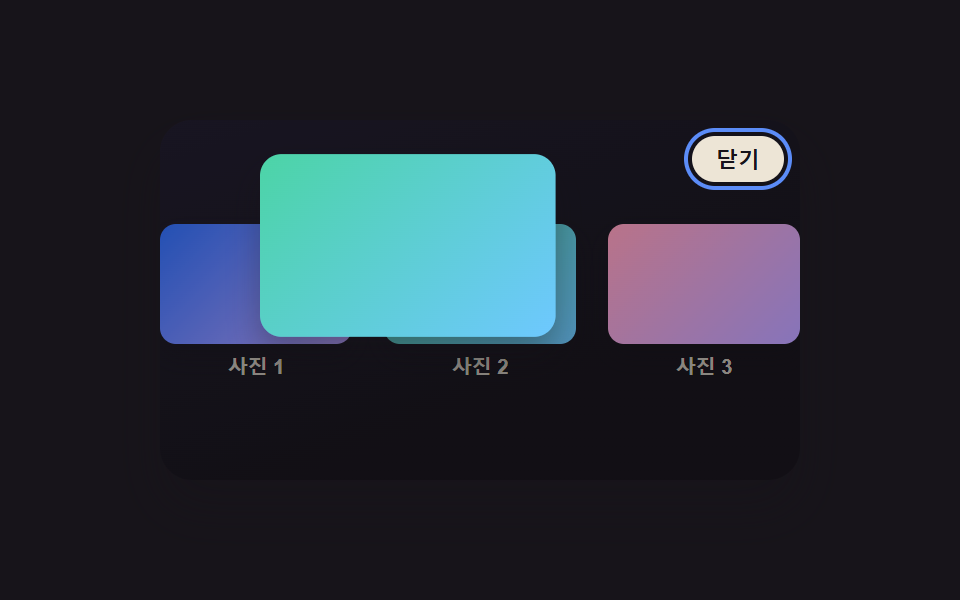 01 lightbox-thumbnail-morph-expand
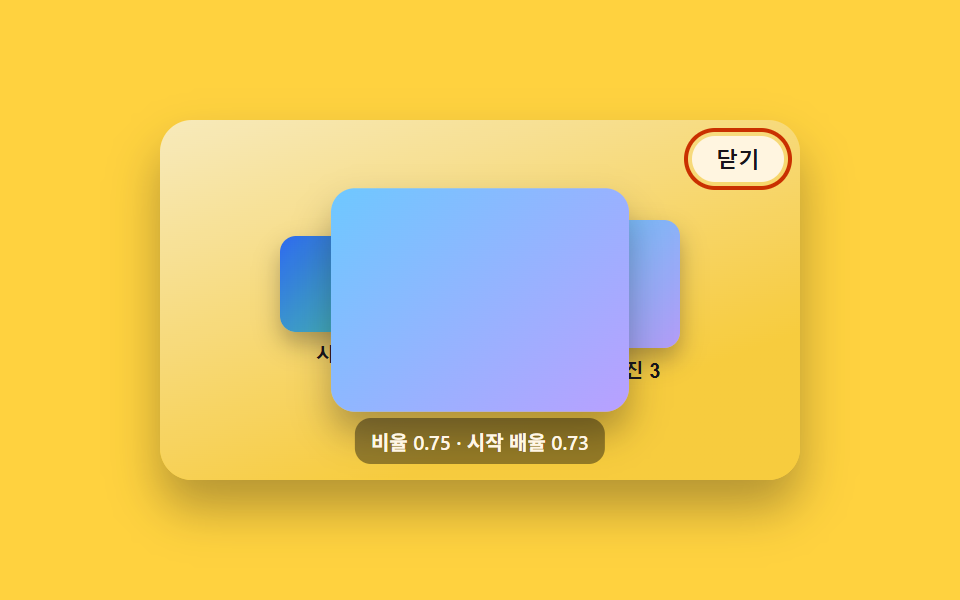 02 lightbox-backdrop-fade-scale
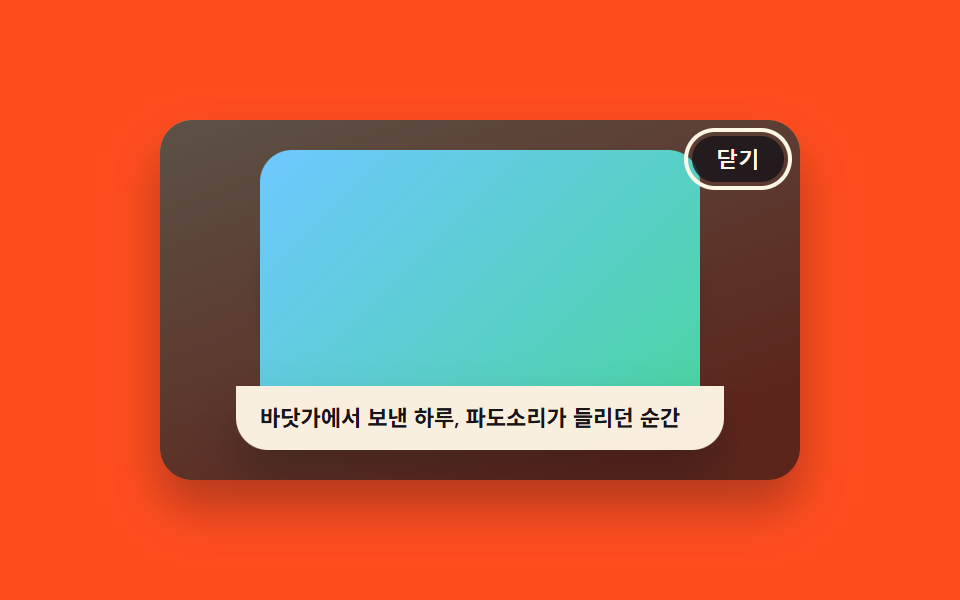 03 lightbox-caption-slide-up
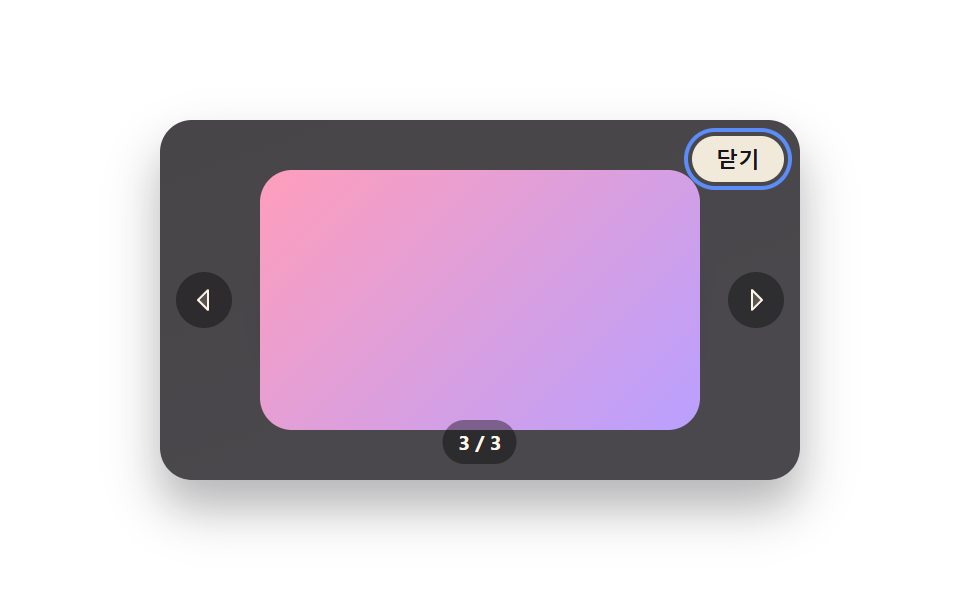 04 lightbox-swipe-next-prev
 05 lightbox-zoom-pan-drag
 06 lightbox-close-velocity-fling
 07 lightbox-keyboard-focus-trap-ring
 08 lightbox-thumbnail-strip-sync
 09 lightbox-reduced-motion-instant
자동 재생 · 눌러서 해당 항목으로 · 전부 한 zip
- 01 썸네일 자리에서 확장하는 라이트박스
- 02 배경 페이드 + 이미지 스케일업 전환
- 03 캡션이 아래에서 슬라이드로 올라오는 라이트박스
- 04 스와이프로 다음·이전 넘기는 라이트박스
- 05 확대 후 드래그로 이동하는 라이트박스
- 06 아래로 던지듯 닫는 라이트박스
- 07 포커스 링이 미끄러지며 갇히는 라이트박스
- 08 썸네일 줄이 따라 움직이는 라이트박스
- 09 모션 줄이기를 즉시 반영하는 라이트박스
아홉 개의 해부 — 계산 한 겹이 어디서 도는가
누구나 이미지 클릭 시 확대되는 동작을 기대하지만, 그 확대가 어디서 시작해 어디서 멈추는지는 아홉 가지가 저마다 다른 계산으로 답합니다. 애니메이션 구동은 animate(duration, onFrame, onDone) 헬퍼 하나로 공통인데, reduce가 참이면 트윈 없이 onFrame(1)을 즉시 불러 최종값으로 스냅하고 아니면 requestAnimationFrame 루프를 돕니다(01~09 전부 같은 헬퍼).
| 번호 | 이름 | 누적면적 | 강도_평균 | 움직인프레임 |
|---|---|---|---|---|
| 01 | 썸네일 자리에서 확장하는 라이트박스 | 36.70% | 111.0 | 15/23 |
| 02 | 배경 페이드 + 이미지 스케일업 전환 | 39.72% | 79.2 | 14/23 |
| 03 | 캡션이 아래에서 슬라이드로 올라오는 라이트박스 | 39.87% | 110.8 | 21/23 |
| 04 | 스와이프로 다음·이전 넘기는 라이트박스 | 39.87% | 95.2 | 20/23 |
| 05 | 확대 후 드래그로 이동하는 라이트박스 | 30.18% | 53.5 | 9/23 |
| 06 | 아래로 던지듯 닫는 라이트박스 | 39.87% | 74.1 | 15/23 |
| 07 | 포커스 링이 미끄러지며 갇히는 라이트박스 | 39.82% | 106.4 | 20/23 |
| 08 | 썸네일 줄이 따라 움직이는 라이트박스 | 39.87% | 99.7 | 10/23 |
| 09 | 모션 줄이기를 즉시 반영하는 라이트박스 | 22.44% | 78.2 | 17/23 |
누적면적이 가장 큰 항목은 03·04·06·08 네 개로 39.87%에서 공동입니다. 가장 작은 항목은 09로, 두 판 다 좁은 이미지 하나만 켜고 끄듯 전환해 22.44%에 그칩니다. 강도_평균이 가장 높은 항목은 01 하나로 111.0까지 오르는데, 03(110.8)과 0.2 차이로 매우 가깝지만 01이 근소하게 앞섭니다. 강도_평균이 가장 낮은 항목은 05로 53.5에 그치는데, 확대 배율이 커도 이동 자체는 서서히 보간되기 때문입니다. 23개 델타 구간 가운데 움직인프레임이 가장 촘촘한 항목은 03으로 21/23이고, 가장 뜸한 항목은 05로 9/23입니다.
실제 좌표를 재서 이동 거리를 만든다 — 01·07
01의 openFrom()은 getBoundingClientRect로 썸네일과 목표 이미지의 실제 화면 좌표를 재고, 두 중심점의 차(dx·dy)와 너비 비율(scaleFrom)을 구해 그 차이만큼 이동·확대하는 FLIP 기법을 씁니다. 07의 glideRingTo()도 같은 방식으로 포커스 링의 이전 위치와 목표 요소의 실제 위치를 매번 실측해, 그 델타만큼 되돌렸다가 0으로 애니메이션하는 식으로 링이 미끄러지는 것처럼 보이게 만듭니다.
손을 뗄 때의 속도로 판정한다 — 04·06
04의 endDrag()와 06의 endDrag()는 둘 다 pointermove마다 (e.clientX - lastMoveX) / dt 또는 (e.clientY - lastMoveY) / dt로 순간 속도를 계산해 두었다가, 손을 뗀 순간 그 속도가 SWIPE_VELOCITY_PX_MS·LIGHTBOX_FLING_VELOCITY_PX_MS(둘 다 0.5)를 넘는지로 커밋 여부를 판정합니다. 04는 거리 조건(SWIPE_COMMIT_RATIO)과 속도 조건 중 하나만 넘어도 다음·이전 이미지로 넘어가고, 06은 같은 방식으로 거리(DRAG_COMMIT_RATIO)나 속도 중 하나만 넘으면 닫힘으로 판정합니다.
자기 자신의 치수를 실측해 값을 만든다 — 02·03·08
02의 fromAspect()는 이미지 자신의 가로세로 비율(aspect)을 ASPECT_NORM_LO·HI 사이로 정규화해 시작 스케일과 배경 어둡기를 함께 도출하고, 03은 caption.getBoundingClientRect().height로 캡션 자신의 실제 렌더 높이를 잰 뒤 그 높이만큼 아래서부터 밀어 올립니다. 08의 centerOffsetFor()는 offsetLeft·offsetWidth·clientWidth를 매번 실측해 활성 썸네일이 줄 가운데로 오는 이동량을 index × 고정폭이 아니라 그때그때 계산합니다.
확대 비율에 따라 이동 범위를 다시 잰다 — 05
05의 panBounds(s)는 frame.getBoundingClientRect()로 뷰포트 실제 크기를 잰 뒤 (s - 1) × 너비 / 2 로 지금 확대 배율에서 남는 여백을 계산합니다. 배율이 바뀔 때마다 이 함수가 다시 불리므로 드래그로 이동할 수 있는 범위도 매번 새로 정해집니다.
실시간 리스너로 설정 변화를 따라간다 — 09
나머지 여덟 개는 로드 시점에 matchMedia 값을 한 번만 읽어 reduce 변수에 고정하지만, 09는 mql.addEventListener('change', onRealChange)로 실제 OS 설정이 바뀌는 순간까지 실시간 반영하고, 화면 안 스위치가 만드는 simulateReduce와 합쳐 effectiveReduce() 하나로 두 신호를 함께 판정합니다. 아홉 개 전부 Math.random을 쓰지 않는 결정적 계산이라 같은 조작에는 항상 같은 결과가 나옵니다.
패턴별 코드
01썸네일 자리에서 확장하는 라이트박스
그리드의 썸네일을 클릭하면 그 이미지가 있던 화면 위 자리와 크기에서 그대로 커지기 시작해 화면 전체 라이트박스로 펼쳐지며, 항상 중앙에서 뜨는 일반 대화상자와 달리 시작 위치가 클릭한 자리 그대로입니다. getBoundingClientRect로 썸네일과 목표 이미지의 실제 좌표를 재서 그 차이만큼 이동·확대하는 FLIP 기법을 씁니다. 상품·포트폴리오 이미지 그리드에 맞습니다.
  function openFrom(idx) {
    if (open) return;
    open = true;
    var thumbImg = thumbs[idx].querySelector('.thumbImg');
    var fromRect = thumbImg.getBoundingClientRect();
    fullImg.className = 'fullImg ' + imgClassByIdx[idx];
    lightbox.style.visibility = 'visible';
    lightbox.setAttribute('aria-hidden', 'false');
    backdrop.style.visibility = 'visible';
    var toRect = fullImg.getBoundingClientRect();
    var dx = (fromRect.left + fromRect.width / 2) - (toRect.left + toRect.width / 2);
    var dy = (fromRect.top + fromRect.height / 2) - (toRect.top + toRect.height / 2);
    var scaleFrom = fromRect.width / toRect.width;
    animate(OPEN_MS, function (e) {
      var s = scaleFrom + (1 - scaleFrom) * e;
      var tx = dx * (1 - e);
      var ty = dy * (1 - e);
      fullImg.style.transform = 'translate(' + tx.toFixed(2) + 'px,' + ty.toFixed(2) + 'px) scale(' + s.toFixed(4) + ')';
      backdrop.style.opacity = (e * 0.72).toFixed(3);
    }, function () {
      closeBtn.focus({ preventScroll: true });
    });
  }
<main class="stage">
<div class="scene is-demo" id="scene">
  <ul class="grid" id="grid">
    <li><button class="thumb" id="thumb0" type="button" aria-haspopup="dialog"><span class="thumbImg thumbImg--a"></span><span class="thumbLabel">사진 1</span></button></li>
    <li><button class="thumb" id="thumb1" type="button" aria-haspopup="dialog"><span class="thumbImg thumbImg--b"></span><span class="thumbLabel">사진 2</span></button></li>
    <li><button class="thumb" id="thumb2" type="button" aria-haspopup="dialog"><span class="thumbImg thumbImg--c"></span><span class="thumbLabel">사진 3</span></button></li>
  </ul>
  <div class="backdrop" id="backdrop"></div>
  <div class="lightbox" id="lightbox" role="dialog" aria-modal="true" aria-hidden="true" aria-label="사진 확대 보기">
    <span class="fullImg" id="fullImg"></span>
    <button class="closeBtn" id="closeBtn" type="button">닫기</button>
  </div>
</div>
</main>
@use "../../../../site/static/demo-tokens" as *;
// 변수 3개
$duration: $dur-enter;
$easing: $ease-out;
$color: $subject-blue-light;
// 계산 겹: index.html 의 openFrom()/closeLightbox() 가 클릭한 썸네일과 풀 이미지의
// getBoundingClientRect 차이(FLIP)로 매 프레임 translate·scale 을 산술로 만든다 — 고정 트윈이 아니다.
@include stage($stage-ink);
.scene {
position: relative;
width: 320px;
height: 180px;
border-radius: $r-card;
overflow: hidden;
box-shadow: $shadow-raised;
background: linear-gradient(160deg, #201c2c, $stage-ink 70%);
}
.grid {
position: absolute;
inset: 0;
margin: 0;
padding: 0;
list-style: none;
display: flex;
align-items: center;
justify-content: center;
gap: $sp-4;
}
.thumb {
appearance: none;
border: none;
background: none;
padding: 0;
display: flex;
flex-direction: column;
align-items: center;
gap: $sp-1;
cursor: pointer;
&:focus-visible .thumbImg { outline: 2px solid $color; outline-offset: 2px; }
}
.thumbImg {
display: block;
border-radius: $r-sm;
box-shadow: $shadow-press;
&--a { background: linear-gradient(135deg, $subject-blue, $subject-lilac); }
&--b { background: linear-gradient(135deg, $subject-mint, $subject-sky); }
&--c { background: linear-gradient(135deg, $subject-pink, $subject-lilac); }
}
.thumbLabel {
font-size: 10px;
font-weight: 600;
color: rgba($subject-cream, .72);
}
.backdrop {
position: absolute;
inset: 0;
background: rgba(#050409, .92);
opacity: 0;
visibility: hidden;
pointer-events: none;
}
.lightbox {
position: absolute;
inset: 0;
display: grid;
place-items: center;
visibility: hidden;
}
.fullImg {
display: block;
width: 220px;
height: 136px;
border-radius: $r-card;
box-shadow: $shadow-raised;
transform-origin: top left;
&--a { background: linear-gradient(135deg, $subject-blue, $subject-lilac); }
&--b { background: linear-gradient(135deg, $subject-mint, $subject-sky); }
&--c { background: linear-gradient(135deg, $subject-pink, $subject-lilac); }
}
.closeBtn {
position: absolute;
top: $sp-2;
right: $sp-2;
appearance: none;
border: none;
border-radius: $r-pill;
padding: $sp-1 $sp-3;
font-size: 11px;
font-weight: 600;
color: $subject-ink;
background: rgba($subject-cream, .92);
cursor: pointer;
&:focus-visible { outline: 2px solid $color; outline-offset: 2px; }
}
@media (max-width: 340px) {
.scene { width: 220px; height: 124px; }
.fullImg { width: 156px; height: 96px; }
.thumbLabel { font-size: 9px; }
}
@media (prefers-reduced-motion: reduce) {
// 실사용 경로 적용 — 주 확장·닫힘 트윈은 index.html 의 animate() 가 reduce 시 즉시 최종 상태로 처리한다.
// 여기서는 CSS 전용 보조 트랜지션(포커스 아웃라인 등)만 정리한다.
.closeBtn, .thumb { transition: none; }
}html, body {
margin: 0;
overflow: hidden;
}
.stage {
box-sizing: border-box;
min-height: 100vh;
display: grid;
place-items: center;
margin: 0;
background: #17141a;
font-family: -apple-system, "Segoe UI", "Noto Sans KR", sans-serif;
padding: clamp(8px, 4vw, 24px);
}
.scene {
position: relative;
width: 320px;
height: 180px;
border-radius: 16px;
overflow: hidden;
box-shadow: 0 14px 24px rgba(23, 20, 26, 0.32);
background: linear-gradient(160deg, #201c2c, #17141a 70%);
}
.grid {
position: absolute;
inset: 0;
margin: 0;
padding: 0;
list-style: none;
display: flex;
align-items: center;
justify-content: center;
gap: 16px;
}
.thumb {
appearance: none;
border: none;
background: none;
padding: 0;
display: flex;
flex-direction: column;
align-items: center;
gap: 4px;
cursor: pointer;
}
.thumb:focus-visible .thumbImg {
outline: 2px solid #5b8cf8;
outline-offset: 2px;
}
.thumbImg {
display: block;
border-radius: 8px;
box-shadow: 0 6px 12px rgba(23, 20, 26, 0.32);
}
.thumbImg--a {
background: linear-gradient(135deg, #2f6df6, #b9a0ff);
}
.thumbImg--b {
background: linear-gradient(135deg, #4cd4a6, #6ec8ff);
}
.thumbImg--c {
background: linear-gradient(135deg, #ff9ebb, #b9a0ff);
}
.thumbLabel {
font-size: 10px;
font-weight: 600;
color: rgba(255, 247, 230, 0.72);
}
.backdrop {
position: absolute;
inset: 0;
background: rgba(5, 4, 9, 0.92);
opacity: 0;
visibility: hidden;
pointer-events: none;
}
.lightbox {
position: absolute;
inset: 0;
display: grid;
place-items: center;
visibility: hidden;
}
.fullImg {
display: block;
width: 220px;
height: 136px;
border-radius: 16px;
box-shadow: 0 14px 24px rgba(23, 20, 26, 0.32);
transform-origin: top left;
}
.fullImg--a {
background: linear-gradient(135deg, #2f6df6, #b9a0ff);
}
.fullImg--b {
background: linear-gradient(135deg, #4cd4a6, #6ec8ff);
}
.fullImg--c {
background: linear-gradient(135deg, #ff9ebb, #b9a0ff);
}
.closeBtn {
position: absolute;
top: 8px;
right: 8px;
appearance: none;
border: none;
border-radius: 999px;
padding: 4px 12px;
font-size: 11px;
font-weight: 600;
color: #17141a;
background: rgba(255, 247, 230, 0.92);
cursor: pointer;
}
.closeBtn:focus-visible {
outline: 2px solid #5b8cf8;
outline-offset: 2px;
}
@media (max-width: 340px) {
.scene {
width: 220px;
height: 124px;
}
.fullImg {
width: 156px;
height: 96px;
}
.thumbLabel {
font-size: 9px;
}
}
@media (prefers-reduced-motion: reduce) {
.closeBtn, .thumb {
transition: none;
}
}(function () {
var LIGHTBOX_MORPH_SCALE_FROM = 0.3; // 썸네일 폭 = 장면 폭 × 이 비율 — 실제 레이아웃 크기로 FLIP 델타를 잰다
var OPEN_MS = 650;
var CLOSE_MS = 480;
var LOOP_MS = 2000;
var HOLD_OPEN_MS = 600;
var scene = document.getElementById('scene');
var backdrop = document.getElementById('backdrop');
var lightbox = document.getElementById('lightbox');
var fullImg = document.getElementById('fullImg');
var closeBtn = document.getElementById('closeBtn');
var thumbs = [].slice.call(document.querySelectorAll('.thumb'));
var reduce = window.matchMedia('(prefers-reduced-motion: reduce)').matches;
var imgClassByIdx = ['thumbImg--a', 'thumbImg--b', 'thumbImg--c'];
var sceneW = scene.getBoundingClientRect().width || 320;
var thumbW = Math.round(sceneW * LIGHTBOX_MORPH_SCALE_FROM);
thumbs.forEach(function (t) {
var img = t.querySelector('.thumbImg');
img.style.width = thumbW + 'px';
img.style.height = Math.round(thumbW * 0.62) + 'px';
});
var open = false;
var activeIdx = 1;
var timers = [];
function clamp(v, lo, hi) { return Math.min(hi, Math.max(lo, v)); }
function easeOutCubic(t) { return 1 - Math.pow(1 - t, 3); }
// reduce: 실사용 경로 적용 — 트윈 없이 최종 상태로 즉시 전환한다(자동 루프는 아래에서 아예 안 돈다)
function animate(duration, onFrame, onDone) {
if (reduce) { onFrame(1); if (onDone) onDone(); return; }
var start = performance.now();
function frame(now) {
var p = clamp((now - start) / duration, 0, 1);
onFrame(easeOutCubic(p));
if (p < 1) requestAnimationFrame(frame);
else if (onDone) onDone();
}
requestAnimationFrame(frame);
}
function openFrom(idx) {
if (open) return;
open = true;
var thumbImg = thumbs[idx].querySelector('.thumbImg');
var fromRect = thumbImg.getBoundingClientRect();
fullImg.className = 'fullImg ' + imgClassByIdx[idx];
lightbox.style.visibility = 'visible';
lightbox.setAttribute('aria-hidden', 'false');
backdrop.style.visibility = 'visible';
var toRect = fullImg.getBoundingClientRect();
var dx = (fromRect.left + fromRect.width / 2) - (toRect.left + toRect.width / 2);
var dy = (fromRect.top + fromRect.height / 2) - (toRect.top + toRect.height / 2);
var scaleFrom = fromRect.width / toRect.width;
animate(OPEN_MS, function (e) {
var s = scaleFrom + (1 - scaleFrom) * e;
var tx = dx * (1 - e);
var ty = dy * (1 - e);
fullImg.style.transform = 'translate(' + tx.toFixed(2) + 'px,' + ty.toFixed(2) + 'px) scale(' + s.toFixed(4) + ')';
backdrop.style.opacity = (e * 0.72).toFixed(3);
}, function () {
closeBtn.focus({ preventScroll: true });
});
}
function closeLightbox(idx) {
if (!open) return;
var thumbImg = thumbs[idx].querySelector('.thumbImg');
var fromRect = thumbImg.getBoundingClientRect();
var toRect = fullImg.getBoundingClientRect();
var dx = (fromRect.left + fromRect.width / 2) - (toRect.left + toRect.width / 2);
var dy = (fromRect.top + fromRect.height / 2) - (toRect.top + toRect.height / 2);
var scaleTo = fromRect.width / toRect.width;
animate(CLOSE_MS, function (e) {
var s = 1 + (scaleTo - 1) * e;
var tx = dx * e;
var ty = dy * e;
fullImg.style.transform = 'translate(' + tx.toFixed(2) + 'px,' + ty.toFixed(2) + 'px) scale(' + s.toFixed(4) + ')';
backdrop.style.opacity = (0.72 * (1 - e)).toFixed(3);
}, function () {
lightbox.style.visibility = 'hidden';
lightbox.setAttribute('aria-hidden', 'true');
backdrop.style.visibility = 'hidden';
open = false;
thumbs[idx].focus({ preventScroll: true });
});
}
function human() {
if (scene.classList.contains('is-demo')) {
scene.classList.remove('is-demo');
timers.forEach(function (t) { clearTimeout(t); clearInterval(t); });
timers = [];
}
}
thumbs.forEach(function (t, i) {
t.addEventListener('click', function () {
human();
activeIdx = i;
openFrom(i);
});
});
closeBtn.addEventListener('click', function () { human(); closeLightbox(activeIdx); });
backdrop.addEventListener('click', function () { human(); closeLightbox(activeIdx); });
document.addEventListener('keydown', function (e) {
if (e.key === 'Escape' && open) { human(); closeLightbox(activeIdx); }
});
function cycle() {
activeIdx = 1;
openFrom(1);
timers.push(setTimeout(function () { closeLightbox(1); }, OPEN_MS + HOLD_OPEN_MS));
}
if (!reduce) {
cycle();
timers.push(setInterval(function () {
if (scene.classList.contains('is-demo')) cycle();
}, LOOP_MS));
}
})();import { useEffect, useRef } from 'react';
import styles from './ThumbnailMorphExpand.module.scss';
const LIGHTBOX_MORPH_SCALE_FROM = 0.3; // 썸네일 폭 = 장면 폭 × 이 비율 — 실제 레이아웃 크기로 FLIP 델타를 잰다
const OPEN_MS = 650;
const CLOSE_MS = 480;
const LOOP_MS = 2000;
const HOLD_OPEN_MS = 600;
export default function ThumbnailMorphExpand() {
const sceneRef = useRef<HTMLDivElement>(null);
useEffect(() => {
const scene0 = sceneRef.current;
if (!scene0) return undefined;
const backdrop0 = scene0.querySelector<HTMLDivElement>('.' + styles.backdrop);
const lightbox0 = scene0.querySelector<HTMLDivElement>('.' + styles.lightbox);
const fullImg0 = scene0.querySelector<HTMLSpanElement>('.' + styles.fullImg);
const closeBtn0 = scene0.querySelector<HTMLButtonElement>('.' + styles.closeBtn);
const thumbs = Array.from(scene0.querySelectorAll<HTMLButtonElement>('.' + styles.thumb));
if (!backdrop0 || !lightbox0 || !fullImg0 || !closeBtn0 || thumbs.length === 0) return undefined;
const scene = scene0;
const backdrop = backdrop0;
const lightbox = lightbox0;
const fullImg = fullImg0;
const closeBtn = closeBtn0;
const reduce = window.matchMedia('(prefers-reduced-motion: reduce)').matches;
const imgClassByIdx = [styles['thumbImg--a'], styles['thumbImg--b'], styles['thumbImg--c']];
const sceneW = scene.getBoundingClientRect().width || 320;
const thumbW = Math.round(sceneW * LIGHTBOX_MORPH_SCALE_FROM);
thumbs.forEach((t) => {
const img = t.querySelector<HTMLSpanElement>('.' + styles.thumbImg);
if (!img) return;
img.style.width = thumbW + 'px';
img.style.height = Math.round(thumbW * 0.62) + 'px';
});
let open = false;
let activeIdx = 1;
let timers: number[] = [];
function clamp(v: number, lo: number, hi: number) { return Math.min(hi, Math.max(lo, v)); }
function easeOutCubic(t: number) { return 1 - Math.pow(1 - t, 3); }
// reduce: 실사용 경로 적용 — 트윈 없이 최종 상태로 즉시 전환한다(자동 루프는 아래에서 아예 안 돈다)
function animate(duration: number, onFrame: (e: number) => void, onDone?: () => void) {
if (reduce) { onFrame(1); if (onDone) onDone(); return; }
const start = performance.now();
function frame(now: number) {
const p = clamp((now - start) / duration, 0, 1);
onFrame(easeOutCubic(p));
if (p < 1) requestAnimationFrame(frame);
else if (onDone) onDone();
}
requestAnimationFrame(frame);
}
function openFrom(idx: number) {
if (open) return;
open = true;
const thumbImg = thumbs[idx].querySelector<HTMLSpanElement>('.' + styles.thumbImg);
if (!thumbImg) return;
const fromRect = thumbImg.getBoundingClientRect();
fullImg.className = styles.fullImg + ' ' + imgClassByIdx[idx];
lightbox.style.visibility = 'visible';
lightbox.setAttribute('aria-hidden', 'false');
backdrop.style.visibility = 'visible';
const toRect = fullImg.getBoundingClientRect();
const dx = (fromRect.left + fromRect.width / 2) - (toRect.left + toRect.width / 2);
const dy = (fromRect.top + fromRect.height / 2) - (toRect.top + toRect.height / 2);
const scaleFrom = fromRect.width / toRect.width;
animate(OPEN_MS, (e) => {
const s = scaleFrom + (1 - scaleFrom) * e;
const tx = dx * (1 - e);
const ty = dy * (1 - e);
fullImg.style.transform = 'translate(' + tx.toFixed(2) + 'px,' + ty.toFixed(2) + 'px) scale(' + s.toFixed(4) + ')';
backdrop.style.opacity = (e * 0.72).toFixed(3);
}, () => {
closeBtn.focus({ preventScroll: true });
});
}
function closeLightbox(idx: number) {
if (!open) return;
const thumbImg = thumbs[idx].querySelector<HTMLSpanElement>('.' + styles.thumbImg);
if (!thumbImg) return;
const fromRect = thumbImg.getBoundingClientRect();
const toRect = fullImg.getBoundingClientRect();
const dx = (fromRect.left + fromRect.width / 2) - (toRect.left + toRect.width / 2);
const dy = (fromRect.top + fromRect.height / 2) - (toRect.top + toRect.height / 2);
const scaleTo = fromRect.width / toRect.width;
animate(CLOSE_MS, (e) => {
const s = 1 + (scaleTo - 1) * e;
const tx = dx * e;
const ty = dy * e;
fullImg.style.transform = 'translate(' + tx.toFixed(2) + 'px,' + ty.toFixed(2) + 'px) scale(' + s.toFixed(4) + ')';
backdrop.style.opacity = (0.72 * (1 - e)).toFixed(3);
}, () => {
lightbox.style.visibility = 'hidden';
lightbox.setAttribute('aria-hidden', 'true');
backdrop.style.visibility = 'hidden';
open = false;
thumbs[idx].focus({ preventScroll: true });
});
}
function human() {
if (scene.classList.contains(styles['is-demo'])) {
scene.classList.remove(styles['is-demo']);
timers.forEach((id) => { window.clearTimeout(id); window.clearInterval(id); });
timers = [];
}
}
const onThumbClick = (i: number) => () => { human(); activeIdx = i; openFrom(i); };
const thumbHandlers = thumbs.map((_, i) => onThumbClick(i));
thumbs.forEach((t, i) => t.addEventListener('click', thumbHandlers[i]));
function onCloseClick() { human(); closeLightbox(activeIdx); }
function onBackdropClick() { human(); closeLightbox(activeIdx); }
function onKeydown(e: KeyboardEvent) {
if (e.key === 'Escape' && open) { human(); closeLightbox(activeIdx); }
}
closeBtn.addEventListener('click', onCloseClick);
backdrop.addEventListener('click', onBackdropClick);
document.addEventListener('keydown', onKeydown);
function cycle() {
activeIdx = 1;
openFrom(1);
timers.push(window.setTimeout(() => { closeLightbox(1); }, OPEN_MS + HOLD_OPEN_MS));
}
if (!reduce) {
cycle();
timers.push(window.setInterval(() => {
if (scene.classList.contains(styles['is-demo'])) cycle();
}, LOOP_MS));
}
return () => {
timers.forEach((id) => { window.clearTimeout(id); window.clearInterval(id); });
thumbs.forEach((t, i) => t.removeEventListener('click', thumbHandlers[i]));
closeBtn.removeEventListener('click', onCloseClick);
backdrop.removeEventListener('click', onBackdropClick);
document.removeEventListener('keydown', onKeydown);
};
}, []);
return (
<div className={`${styles.scene} ${styles['is-demo']}`} ref={sceneRef}>
<ul className={styles.grid}>
<li><button className={styles.thumb} type="button" aria-haspopup="dialog"><span className={`${styles.thumbImg} ${styles['thumbImg--a']}`} /><span className={styles.thumbLabel}>사진 1</span></button></li>
<li><button className={styles.thumb} type="button" aria-haspopup="dialog"><span className={`${styles.thumbImg} ${styles['thumbImg--b']}`} /><span className={styles.thumbLabel}>사진 2</span></button></li>
<li><button className={styles.thumb} type="button" aria-haspopup="dialog"><span className={`${styles.thumbImg} ${styles['thumbImg--c']}`} /><span className={styles.thumbLabel}>사진 3</span></button></li>
</ul>
<div className={styles.backdrop} />
<div className={styles.lightbox} role="dialog" aria-modal="true" aria-hidden="true" aria-label="사진 확대 보기">
<span className={styles.fullImg} />
<button className={styles.closeBtn} type="button">닫기</button>
</div>
</div>
);
}01 · 썸네일 자리에서 확장하는 라이트박스 — 측정 누적면적 36.697% · 움직인 프레임 15/23GODRICH 원작 · zip 에 SCSS·React 포함 · 비밀번호 보기
02배경 페이드 + 이미지 스케일업 전환
뒤 배경이 어둡게 페이드되는 동안 이미지는 최종 크기보다 살짝 작은 상태로 시작해 커지며 멈춥니다. 일반적인 대화상자의 페이드-스케일과 다른 지점은, 시작 스케일과 배경 어둡기가 둘 다 이미지 자신의 가로세로 비율에서 함께 계산된다는 것입니다. 블로그 본문 이미지를 확대해 보여줄 때 맞습니다.
  // 이미지 자신의 가로세로 비율에서 시작 스케일과 배경 어둡기를 함께 계산한다 — 두 값이 같은 정규화 지점에서 나온다
  function fromAspect(w, h) {
    var aspect = w / h;
    var norm = clamp((aspect - ASPECT_NORM_LO) / (ASPECT_NORM_HI - ASPECT_NORM_LO), 0, 1);
    var scaleFrom = SCALE_FROM_MIN + (SCALE_FROM_MAX - SCALE_FROM_MIN) * norm;
    var dim = DIM_MAX - (DIM_MAX - DIM_MIN) * norm;
    return { aspect: aspect, scaleFrom: scaleFrom, dim: dim };
  }
<main class="stage">
<div class="scene is-demo" id="scene">
  <ul class="grid" id="grid">
    <li><button class="thumb" id="thumb0" type="button" aria-haspopup="dialog" data-w="280" data-h="210"><span class="thumbImg thumbImg--a"></span><span class="thumbLabel">사진 1</span></button></li>
    <li><button class="thumb" id="thumb1" type="button" aria-haspopup="dialog" data-w="200" data-h="200"><span class="thumbImg thumbImg--b"></span><span class="thumbLabel">사진 2</span></button></li>
    <li><button class="thumb" id="thumb2" type="button" aria-haspopup="dialog" data-w="180" data-h="240"><span class="thumbImg thumbImg--c"></span><span class="thumbLabel">사진 3</span></button></li>
  </ul>
  <div class="backdrop" id="backdrop"></div>
  <div class="lightbox" id="lightbox" role="dialog" aria-modal="true" aria-hidden="true" aria-label="사진 확대 보기">
    <span class="fullImg" id="fullImg"></span>
    <p class="ratioNote" id="ratioNote"></p>
    <button class="closeBtn" id="closeBtn" type="button">닫기</button>
  </div>
</div>
</main>
@use "../../../../site/static/demo-tokens" as *;
// 변수 3개
$duration: $dur-base;
$easing: $ease-out;
$color: $subject-orange-deep;
// 계산 겹: index.html 의 fromAspect() 가 이미지 자신의 가로세로 비율을 0~1 로 정규화해
// 시작 스케일과 배경 어둡기(dim)를 같은 지점에서 함께 산출한다 — 세 사진마다 값이 다르다.
@include stage($stage-yellow);
.scene {
position: relative;
width: 320px;
height: 180px;
border-radius: $r-card;
overflow: hidden;
box-shadow: $shadow-raised;
background: linear-gradient(160deg, #fff1c2, $stage-yellow 75%);
}
.grid {
position: absolute;
inset: 0;
margin: 0;
padding: 0;
list-style: none;
display: flex;
align-items: center;
justify-content: center;
gap: $sp-4;
}
.thumb {
appearance: none;
border: none;
background: none;
padding: 0;
display: flex;
flex-direction: column;
align-items: center;
gap: $sp-1;
cursor: pointer;
&:focus-visible .thumbImg { outline: 2px solid $color; outline-offset: 2px; }
}
.thumbImg {
display: block;
width: 64px;
height: 48px;
border-radius: $r-sm;
box-shadow: $shadow-press;
&--a { background: linear-gradient(135deg, $subject-blue, $subject-mint); height: 48px; }
&--b { background: linear-gradient(135deg, $subject-pink, $subject-lilac); width: 56px; height: 56px; }
&--c { background: linear-gradient(135deg, $subject-sky, $subject-lilac); width: 48px; height: 64px; }
}
.thumbLabel {
font-size: 10px;
font-weight: 600;
color: $subject-ink;
}
.backdrop {
position: absolute;
inset: 0;
background: $subject-ink;
opacity: 0;
visibility: hidden;
pointer-events: none;
}
.lightbox {
position: absolute;
inset: 0;
display: grid;
place-items: center;
gap: $sp-2;
visibility: hidden;
}
.fullImg {
display: block;
width: 200px;
height: 150px;
border-radius: $r-card;
box-shadow: $shadow-raised;
transform-origin: center;
&--a { background: linear-gradient(135deg, $subject-blue, $subject-mint); }
&--b { background: linear-gradient(135deg, $subject-pink, $subject-lilac); width: 172px; height: 172px; }
&--c { background: linear-gradient(135deg, $subject-sky, $subject-lilac); width: 138px; height: 184px; }
}
.ratioNote {
position: absolute;
bottom: $sp-2;
left: 50%;
transform: translateX(-50%);
margin: 0;
font-size: 10px;
font-weight: 600;
color: $subject-cream;
background: rgba(#000, .4);
padding: $sp-1 $sp-2;
border-radius: $r-sm;
}
.closeBtn {
position: absolute;
top: $sp-2;
right: $sp-2;
appearance: none;
border: none;
border-radius: $r-pill;
padding: $sp-1 $sp-3;
font-size: 11px;
font-weight: 600;
color: $subject-ink;
background: rgba($subject-cream, .95);
cursor: pointer;
&:focus-visible { outline: 2px solid $color; outline-offset: 2px; }
}
@media (max-width: 340px) {
.scene { width: 220px; height: 124px; }
.fullImg { width: 140px; height: 104px; &--b { width: 118px; height: 118px; } &--c { width: 96px; height: 128px; } }
.ratioNote { font-size: 9px; }
}
@media (prefers-reduced-motion: reduce) {
// 실사용 경로 적용 — 스케일업·페이드 트윈은 index.html 의 animate() 가 reduce 시 즉시 최종 상태로 처리한다.
.closeBtn, .thumb { transition: none; }
}html, body {
margin: 0;
overflow: hidden;
}
.stage {
box-sizing: border-box;
min-height: 100vh;
display: grid;
place-items: center;
margin: 0;
background: #ffd23f;
font-family: -apple-system, "Segoe UI", "Noto Sans KR", sans-serif;
padding: clamp(8px, 4vw, 24px);
}
.scene {
position: relative;
width: 320px;
height: 180px;
border-radius: 16px;
overflow: hidden;
box-shadow: 0 14px 24px rgba(23, 20, 26, 0.32);
background: linear-gradient(160deg, #fff1c2, #ffd23f 75%);
}
.grid {
position: absolute;
inset: 0;
margin: 0;
padding: 0;
list-style: none;
display: flex;
align-items: center;
justify-content: center;
gap: 16px;
}
.thumb {
appearance: none;
border: none;
background: none;
padding: 0;
display: flex;
flex-direction: column;
align-items: center;
gap: 4px;
cursor: pointer;
}
.thumb:focus-visible .thumbImg {
outline: 2px solid #c93000;
outline-offset: 2px;
}
.thumbImg {
display: block;
width: 64px;
height: 48px;
border-radius: 8px;
box-shadow: 0 6px 12px rgba(23, 20, 26, 0.32);
}
.thumbImg--a {
background: linear-gradient(135deg, #2f6df6, #4cd4a6);
height: 48px;
}
.thumbImg--b {
background: linear-gradient(135deg, #ff9ebb, #b9a0ff);
width: 56px;
height: 56px;
}
.thumbImg--c {
background: linear-gradient(135deg, #6ec8ff, #b9a0ff);
width: 48px;
height: 64px;
}
.thumbLabel {
font-size: 10px;
font-weight: 600;
color: #17141a;
}
.backdrop {
position: absolute;
inset: 0;
background: #17141a;
opacity: 0;
visibility: hidden;
pointer-events: none;
}
.lightbox {
position: absolute;
inset: 0;
display: grid;
place-items: center;
gap: 8px;
visibility: hidden;
}
.fullImg {
display: block;
width: 200px;
height: 150px;
border-radius: 16px;
box-shadow: 0 14px 24px rgba(23, 20, 26, 0.32);
transform-origin: center;
}
.fullImg--a {
background: linear-gradient(135deg, #2f6df6, #4cd4a6);
}
.fullImg--b {
background: linear-gradient(135deg, #ff9ebb, #b9a0ff);
width: 172px;
height: 172px;
}
.fullImg--c {
background: linear-gradient(135deg, #6ec8ff, #b9a0ff);
width: 138px;
height: 184px;
}
.ratioNote {
position: absolute;
bottom: 8px;
left: 50%;
transform: translateX(-50%);
margin: 0;
font-size: 10px;
font-weight: 600;
color: #fff7e6;
background: rgba(0, 0, 0, 0.4);
padding: 4px 8px;
border-radius: 8px;
}
.closeBtn {
position: absolute;
top: 8px;
right: 8px;
appearance: none;
border: none;
border-radius: 999px;
padding: 4px 12px;
font-size: 11px;
font-weight: 600;
color: #17141a;
background: rgba(255, 247, 230, 0.95);
cursor: pointer;
}
.closeBtn:focus-visible {
outline: 2px solid #c93000;
outline-offset: 2px;
}
@media (max-width: 340px) {
.scene {
width: 220px;
height: 124px;
}
.fullImg {
width: 140px;
height: 104px;
}
.fullImg--b {
width: 118px;
height: 118px;
}
.fullImg--c {
width: 96px;
height: 128px;
}
.ratioNote {
font-size: 9px;
}
}
@media (prefers-reduced-motion: reduce) {
.closeBtn, .thumb {
transition: none;
}
}(function () {
var OPEN_MS = 600;
var CLOSE_MS = 420;
var LOOP_MS = 2000;
var HOLD_OPEN_MS = 620;
var ASPECT_NORM_LO = 0.6;
var ASPECT_NORM_HI = 1.6;
var SCALE_FROM_MIN = 0.7;
var SCALE_FROM_MAX = 0.92;
var DIM_MAX = 0.82;
var DIM_MIN = 0.58;
var scene = document.getElementById('scene');
var backdrop = document.getElementById('backdrop');
var lightbox = document.getElementById('lightbox');
var fullImg = document.getElementById('fullImg');
var ratioNote = document.getElementById('ratioNote');
var closeBtn = document.getElementById('closeBtn');
var thumbs = [].slice.call(document.querySelectorAll('.thumb'));
var reduce = window.matchMedia('(prefers-reduced-motion: reduce)').matches;
var imgClassByIdx = ['thumbImg--a', 'thumbImg--b', 'thumbImg--c'];
function clamp(v, lo, hi) { return Math.min(hi, Math.max(lo, v)); }
function easeOutCubic(t) { return 1 - Math.pow(1 - t, 3); }
// 이미지 자신의 가로세로 비율에서 시작 스케일과 배경 어둡기를 함께 계산한다 — 두 값이 같은 정규화 지점에서 나온다
function fromAspect(w, h) {
var aspect = w / h;
var norm = clamp((aspect - ASPECT_NORM_LO) / (ASPECT_NORM_HI - ASPECT_NORM_LO), 0, 1);
var scaleFrom = SCALE_FROM_MIN + (SCALE_FROM_MAX - SCALE_FROM_MIN) * norm;
var dim = DIM_MAX - (DIM_MAX - DIM_MIN) * norm;
return { aspect: aspect, scaleFrom: scaleFrom, dim: dim };
}
var open = false;
var activeIdx = 1;
var timers = [];
// reduce: 실사용 경로 적용 — 트윈 없이 최종 상태로 즉시 전환한다
function animate(duration, onFrame, onDone) {
if (reduce) { onFrame(1); if (onDone) onDone(); return; }
var start = performance.now();
function frame(now) {
var p = clamp((now - start) / duration, 0, 1);
onFrame(easeOutCubic(p));
if (p < 1) requestAnimationFrame(frame);
else if (onDone) onDone();
}
requestAnimationFrame(frame);
}
function openFrom(idx) {
if (open) return;
open = true;
var t = thumbs[idx];
var calc = fromAspect(Number(t.dataset.w), Number(t.dataset.h));
fullImg.className = 'fullImg ' + imgClassByIdx[idx];
ratioNote.textContent = '비율 ' + calc.aspect.toFixed(2) + ' · 시작 배율 ' + calc.scaleFrom.toFixed(2);
lightbox.style.visibility = 'visible';
lightbox.setAttribute('aria-hidden', 'false');
backdrop.style.visibility = 'visible';
animate(OPEN_MS, function (e) {
var s = calc.scaleFrom + (1 - calc.scaleFrom) * e;
fullImg.style.transform = 'scale(' + s.toFixed(4) + ')';
backdrop.style.opacity = (calc.dim * e).toFixed(3);
}, function () {
closeBtn.focus({ preventScroll: true });
});
}
function closeLightbox(idx) {
if (!open) return;
var t = thumbs[idx];
var calc = fromAspect(Number(t.dataset.w), Number(t.dataset.h));
animate(CLOSE_MS, function (e) {
var s = 1 + (calc.scaleFrom - 1) * e;
fullImg.style.transform = 'scale(' + s.toFixed(4) + ')';
backdrop.style.opacity = (calc.dim * (1 - e)).toFixed(3);
}, function () {
lightbox.style.visibility = 'hidden';
lightbox.setAttribute('aria-hidden', 'true');
backdrop.style.visibility = 'hidden';
open = false;
thumbs[idx].focus({ preventScroll: true });
});
}
function human() {
if (scene.classList.contains('is-demo')) {
scene.classList.remove('is-demo');
timers.forEach(function (id) { clearTimeout(id); clearInterval(id); });
timers = [];
}
}
thumbs.forEach(function (t, i) {
t.addEventListener('click', function () {
human();
activeIdx = i;
openFrom(i);
});
});
closeBtn.addEventListener('click', function () { human(); closeLightbox(activeIdx); });
backdrop.addEventListener('click', function () { human(); closeLightbox(activeIdx); });
document.addEventListener('keydown', function (e) {
if (e.key === 'Escape' && open) { human(); closeLightbox(activeIdx); }
});
function cycle() {
activeIdx = 2;
openFrom(2);
timers.push(setTimeout(function () { closeLightbox(2); }, OPEN_MS + HOLD_OPEN_MS));
}
if (!reduce) {
cycle();
timers.push(setInterval(function () {
if (scene.classList.contains('is-demo')) cycle();
}, LOOP_MS));
}
})();import { useEffect, useRef } from 'react';
import styles from './BackdropFadeScale.module.scss';
const OPEN_MS = 600;
const CLOSE_MS = 420;
const LOOP_MS = 2000;
const HOLD_OPEN_MS = 620;
const ASPECT_NORM_LO = 0.6;
const ASPECT_NORM_HI = 1.6;
const SCALE_FROM_MIN = 0.7;
const SCALE_FROM_MAX = 0.92;
const DIM_MAX = 0.82;
const DIM_MIN = 0.58;
const THUMB_SIZES: { w: number; h: number }[] = [
{ w: 280, h: 210 },
{ w: 200, h: 200 },
{ w: 180, h: 240 },
];
export default function BackdropFadeScale() {
const sceneRef = useRef<HTMLDivElement>(null);
useEffect(() => {
const scene0 = sceneRef.current;
if (!scene0) return undefined;
const backdrop0 = scene0.querySelector<HTMLDivElement>('.' + styles.backdrop);
const lightbox0 = scene0.querySelector<HTMLDivElement>('.' + styles.lightbox);
const fullImg0 = scene0.querySelector<HTMLSpanElement>('.' + styles.fullImg);
const ratioNote0 = scene0.querySelector<HTMLParagraphElement>('.' + styles.ratioNote);
const closeBtn0 = scene0.querySelector<HTMLButtonElement>('.' + styles.closeBtn);
const thumbs = Array.from(scene0.querySelectorAll<HTMLButtonElement>('.' + styles.thumb));
if (!backdrop0 || !lightbox0 || !fullImg0 || !ratioNote0 || !closeBtn0 || thumbs.length === 0) return undefined;
const scene = scene0;
const backdrop = backdrop0;
const lightbox = lightbox0;
const fullImg = fullImg0;
const ratioNote = ratioNote0;
const closeBtn = closeBtn0;
const reduce = window.matchMedia('(prefers-reduced-motion: reduce)').matches;
const imgClassByIdx = [styles['thumbImg--a'], styles['thumbImg--b'], styles['thumbImg--c']];
function clamp(v: number, lo: number, hi: number) { return Math.min(hi, Math.max(lo, v)); }
function easeOutCubic(t: number) { return 1 - Math.pow(1 - t, 3); }
// 이미지 자신의 가로세로 비율에서 시작 스케일과 배경 어둡기를 함께 계산한다 — 두 값이 같은 정규화 지점에서 나온다
function fromAspect(w: number, h: number) {
const aspect = w / h;
const norm = clamp((aspect - ASPECT_NORM_LO) / (ASPECT_NORM_HI - ASPECT_NORM_LO), 0, 1);
const scaleFrom = SCALE_FROM_MIN + (SCALE_FROM_MAX - SCALE_FROM_MIN) * norm;
const dim = DIM_MAX - (DIM_MAX - DIM_MIN) * norm;
return { aspect, scaleFrom, dim };
}
let open = false;
let activeIdx = 1;
let timers: number[] = [];
// reduce: 실사용 경로 적용 — 트윈 없이 최종 상태로 즉시 전환한다
function animate(duration: number, onFrame: (e: number) => void, onDone?: () => void) {
if (reduce) { onFrame(1); if (onDone) onDone(); return; }
const start = performance.now();
function frame(now: number) {
const p = clamp((now - start) / duration, 0, 1);
onFrame(easeOutCubic(p));
if (p < 1) requestAnimationFrame(frame);
else if (onDone) onDone();
}
requestAnimationFrame(frame);
}
function openFrom(idx: number) {
if (open) return;
open = true;
const calc = fromAspect(THUMB_SIZES[idx].w, THUMB_SIZES[idx].h);
fullImg.className = styles.fullImg + ' ' + imgClassByIdx[idx];
ratioNote.textContent = '비율 ' + calc.aspect.toFixed(2) + ' · 시작 배율 ' + calc.scaleFrom.toFixed(2);
lightbox.style.visibility = 'visible';
lightbox.setAttribute('aria-hidden', 'false');
backdrop.style.visibility = 'visible';
animate(OPEN_MS, (e) => {
const s = calc.scaleFrom + (1 - calc.scaleFrom) * e;
fullImg.style.transform = 'scale(' + s.toFixed(4) + ')';
backdrop.style.opacity = (calc.dim * e).toFixed(3);
}, () => {
closeBtn.focus({ preventScroll: true });
});
}
function closeLightbox(idx: number) {
if (!open) return;
const calc = fromAspect(THUMB_SIZES[idx].w, THUMB_SIZES[idx].h);
animate(CLOSE_MS, (e) => {
const s = 1 + (calc.scaleFrom - 1) * e;
fullImg.style.transform = 'scale(' + s.toFixed(4) + ')';
backdrop.style.opacity = (calc.dim * (1 - e)).toFixed(3);
}, () => {
lightbox.style.visibility = 'hidden';
lightbox.setAttribute('aria-hidden', 'true');
backdrop.style.visibility = 'hidden';
open = false;
thumbs[idx].focus({ preventScroll: true });
});
}
function human() {
if (scene.classList.contains(styles['is-demo'])) {
scene.classList.remove(styles['is-demo']);
timers.forEach((id) => { window.clearTimeout(id); window.clearInterval(id); });
timers = [];
}
}
const thumbHandlers = thumbs.map((_, i) => () => { human(); activeIdx = i; openFrom(i); });
thumbs.forEach((t, i) => t.addEventListener('click', thumbHandlers[i]));
function onCloseClick() { human(); closeLightbox(activeIdx); }
function onBackdropClick() { human(); closeLightbox(activeIdx); }
function onKeydown(e: KeyboardEvent) {
if (e.key === 'Escape' && open) { human(); closeLightbox(activeIdx); }
}
closeBtn.addEventListener('click', onCloseClick);
backdrop.addEventListener('click', onBackdropClick);
document.addEventListener('keydown', onKeydown);
function cycle() {
activeIdx = 2;
openFrom(2);
timers.push(window.setTimeout(() => { closeLightbox(2); }, OPEN_MS + HOLD_OPEN_MS));
}
if (!reduce) {
cycle();
timers.push(window.setInterval(() => {
if (scene.classList.contains(styles['is-demo'])) cycle();
}, LOOP_MS));
}
return () => {
timers.forEach((id) => { window.clearTimeout(id); window.clearInterval(id); });
thumbs.forEach((t, i) => t.removeEventListener('click', thumbHandlers[i]));
closeBtn.removeEventListener('click', onCloseClick);
backdrop.removeEventListener('click', onBackdropClick);
document.removeEventListener('keydown', onKeydown);
};
}, []);
return (
<div className={`${styles.scene} ${styles['is-demo']}`} ref={sceneRef}>
<ul className={styles.grid}>
<li><button className={styles.thumb} type="button" aria-haspopup="dialog"><span className={`${styles.thumbImg} ${styles['thumbImg--a']}`} /><span className={styles.thumbLabel}>사진 1</span></button></li>
<li><button className={styles.thumb} type="button" aria-haspopup="dialog"><span className={`${styles.thumbImg} ${styles['thumbImg--b']}`} /><span className={styles.thumbLabel}>사진 2</span></button></li>
<li><button className={styles.thumb} type="button" aria-haspopup="dialog"><span className={`${styles.thumbImg} ${styles['thumbImg--c']}`} /><span className={styles.thumbLabel}>사진 3</span></button></li>
</ul>
<div className={styles.backdrop} />
<div className={styles.lightbox} role="dialog" aria-modal="true" aria-hidden="true" aria-label="사진 확대 보기">
<span className={styles.fullImg} />
<p className={styles.ratioNote} />
<button className={styles.closeBtn} type="button">닫기</button>
</div>
</div>
);
}02 · 배경 페이드 + 이미지 스케일업 전환 — 측정 누적면적 39.722% · 움직인 프레임 14/23GODRICH 원작 · zip 에 SCSS·React 포함 · 비밀번호 보기
03캡션이 아래에서 슬라이드로 올라오는 라이트박스
이미지가 다 펼쳐지고 나서 한 박자 늦게 하단 캡션 띠가 화면 아래에서부터 밀려 올라와 자리를 잡아, 이미지와 캡션이 한꺼번에 나타나지 않고 두 단계로 나뉩니다. 캡션 자신의 실제 렌더 높이를 측정해 그 높이만큼 아래서부터 밀어 올리므로 글자 수가 달라져도 시작 위치가 어긋나지 않습니다. 사진 설명이 있는 갤러리, 작품 상세 보기에 맞습니다.
    animate(IMAGE_MS, function (e) {
      fullImg.style.transform = 'scale(' + (0.86 + 0.14 * e).toFixed(4) + ')';
      fullImg.style.opacity = e.toFixed(3);
      backdrop.style.opacity = (0.7 * e).toFixed(3);
    }, function () {
      // 캡션 자신의 실제 렌더 높이를 측정해 그 높이만큼 아래서 밀어 올린다 — 텍스트 길이마다 시작 위치가 다르다
      caption.style.visibility = 'hidden';
      caption.style.opacity = '1';
      var capH = caption.getBoundingClientRect().height;
      caption.style.transform = 'translateY(' + capH.toFixed(1) + 'px)';
      caption.style.visibility = 'visible';
      timers.push(setTimeout(function () {
        animate(CAPTION_MS, function (e2) {
          caption.style.transform = 'translateY(' + (capH * (1 - e2)).toFixed(1) + 'px)';
        }, function () {
          closeBtn.focus({ preventScroll: true });
        });
      }, CAPTION_GAP_MS));
    });
<main class="stage">
<div class="scene is-demo" id="scene">
  <ul class="grid" id="grid">
    <li><button class="thumb" id="thumb0" type="button" aria-haspopup="dialog"><span class="thumbImg thumbImg--a"></span><span class="thumbLabel">사진 1</span></button></li>
    <li><button class="thumb" id="thumb1" type="button" aria-haspopup="dialog"><span class="thumbImg thumbImg--b"></span><span class="thumbLabel">사진 2</span></button></li>
    <li><button class="thumb" id="thumb2" type="button" aria-haspopup="dialog"><span class="thumbImg thumbImg--c"></span><span class="thumbLabel">사진 3</span></button></li>
  </ul>
  <div class="backdrop" id="backdrop"></div>
  <div class="lightbox" id="lightbox" role="dialog" aria-modal="true" aria-hidden="true" aria-label="사진과 설명 보기">
    <span class="fullImg" id="fullImg"></span>
    <p class="caption" id="caption"></p>
    <button class="closeBtn" id="closeBtn" type="button">닫기</button>
  </div>
</div>
</main>
@use "../../../../site/static/demo-tokens" as *;
// 변수 3개
$duration: $dur-enter;
$easing: $ease-out;
$color: $subject-ink;
// 계산 겹: index.html 이 캡션 요소를 먼저 visibility:hidden 으로 렌더해 실제 높이(getBoundingClientRect)를
// 잰 뒤 그 값만큼 translateY 로 내렸다가 0 으로 올린다 — 텍스트 길이(로케일)마다 시작 위치가 다르다.
@include stage($stage-orange);
.scene {
position: relative;
width: 320px;
height: 180px;
border-radius: $r-card;
overflow: hidden;
box-shadow: $shadow-raised;
background: linear-gradient(160deg, #ffe3b0, $stage-orange 85%);
}
.grid {
position: absolute;
inset: 0;
margin: 0;
padding: 0;
list-style: none;
display: flex;
align-items: center;
justify-content: center;
gap: $sp-4;
}
.thumb {
appearance: none;
border: none;
background: none;
padding: 0;
display: flex;
flex-direction: column;
align-items: center;
gap: $sp-1;
cursor: pointer;
&:focus-visible .thumbImg { outline: 2px solid $subject-ink; outline-offset: 2px; }
}
.thumbImg {
display: block;
width: 60px;
height: 44px;
border-radius: $r-sm;
box-shadow: $shadow-press;
&--a { background: linear-gradient(135deg, $subject-mint, $subject-sky); }
&--b { background: linear-gradient(135deg, $subject-lilac, $subject-blue); }
&--c { background: linear-gradient(135deg, $subject-sky, $subject-mint); }
}
.thumbLabel {
font-size: 10px;
font-weight: 700;
color: $subject-ink;
}
.backdrop {
position: absolute;
inset: 0;
background: $subject-ink;
opacity: 0;
visibility: hidden;
pointer-events: none;
}
.lightbox {
position: absolute;
inset: 0;
display: flex;
flex-direction: column;
align-items: center;
justify-content: center;
gap: 0;
visibility: hidden;
overflow: hidden;
}
.fullImg {
display: block;
width: 220px;
height: 118px;
border-radius: $r-card $r-card 0 0;
opacity: 0;
&--a { background: linear-gradient(135deg, $subject-mint, $subject-sky); }
&--b { background: linear-gradient(135deg, $subject-lilac, $subject-blue); }
&--c { background: linear-gradient(135deg, $subject-sky, $subject-mint); }
}
.caption {
width: 220px;
margin: 0;
padding: $sp-2 $sp-3;
border-radius: 0 0 $r-card $r-card;
background: rgba($subject-cream, .96);
color: $subject-ink;
font-size: 11px;
font-weight: 600;
line-height: 1.4;
box-shadow: $shadow-raised;
}
.closeBtn {
position: absolute;
top: $sp-2;
right: $sp-2;
appearance: none;
border: none;
border-radius: $r-pill;
padding: $sp-1 $sp-3;
font-size: 11px;
font-weight: 600;
color: $subject-cream;
background: rgba($subject-ink, .82);
cursor: pointer;
&:focus-visible { outline: 2px solid $subject-cream; outline-offset: 2px; }
}
@media (max-width: 340px) {
.scene { width: 220px; height: 124px; }
.fullImg { width: 160px; height: 82px; }
.caption { width: 160px; font-size: 10px; }
}
@media (prefers-reduced-motion: reduce) {
// 실사용 경로 적용 — 이미지 등장·캡션 슬라이드는 index.html 의 animate() 가 reduce 시 즉시 최종 상태로 처리한다.
.closeBtn, .thumb { transition: none; }
}html, body {
margin: 0;
overflow: hidden;
}
.stage {
box-sizing: border-box;
min-height: 100vh;
display: grid;
place-items: center;
margin: 0;
background: #ff4d1f;
font-family: -apple-system, "Segoe UI", "Noto Sans KR", sans-serif;
padding: clamp(8px, 4vw, 24px);
}
.scene {
position: relative;
width: 320px;
height: 180px;
border-radius: 16px;
overflow: hidden;
box-shadow: 0 14px 24px rgba(23, 20, 26, 0.32);
background: linear-gradient(160deg, #ffe3b0, #ff4d1f 85%);
}
.grid {
position: absolute;
inset: 0;
margin: 0;
padding: 0;
list-style: none;
display: flex;
align-items: center;
justify-content: center;
gap: 16px;
}
.thumb {
appearance: none;
border: none;
background: none;
padding: 0;
display: flex;
flex-direction: column;
align-items: center;
gap: 4px;
cursor: pointer;
}
.thumb:focus-visible .thumbImg {
outline: 2px solid #17141a;
outline-offset: 2px;
}
.thumbImg {
display: block;
width: 60px;
height: 44px;
border-radius: 8px;
box-shadow: 0 6px 12px rgba(23, 20, 26, 0.32);
}
.thumbImg--a {
background: linear-gradient(135deg, #4cd4a6, #6ec8ff);
}
.thumbImg--b {
background: linear-gradient(135deg, #b9a0ff, #2f6df6);
}
.thumbImg--c {
background: linear-gradient(135deg, #6ec8ff, #4cd4a6);
}
.thumbLabel {
font-size: 10px;
font-weight: 700;
color: #17141a;
}
.backdrop {
position: absolute;
inset: 0;
background: #17141a;
opacity: 0;
visibility: hidden;
pointer-events: none;
}
.lightbox {
position: absolute;
inset: 0;
display: flex;
flex-direction: column;
align-items: center;
justify-content: center;
gap: 0;
visibility: hidden;
overflow: hidden;
}
.fullImg {
display: block;
width: 220px;
height: 118px;
border-radius: 16px 16px 0 0;
opacity: 0;
}
.fullImg--a {
background: linear-gradient(135deg, #4cd4a6, #6ec8ff);
}
.fullImg--b {
background: linear-gradient(135deg, #b9a0ff, #2f6df6);
}
.fullImg--c {
background: linear-gradient(135deg, #6ec8ff, #4cd4a6);
}
.caption {
width: 220px;
margin: 0;
padding: 8px 12px;
border-radius: 0 0 16px 16px;
background: rgba(255, 247, 230, 0.96);
color: #17141a;
font-size: 11px;
font-weight: 600;
line-height: 1.4;
box-shadow: 0 14px 24px rgba(23, 20, 26, 0.32);
}
.closeBtn {
position: absolute;
top: 8px;
right: 8px;
appearance: none;
border: none;
border-radius: 999px;
padding: 4px 12px;
font-size: 11px;
font-weight: 600;
color: #fff7e6;
background: rgba(23, 20, 26, 0.82);
cursor: pointer;
}
.closeBtn:focus-visible {
outline: 2px solid #fff7e6;
outline-offset: 2px;
}
@media (max-width: 340px) {
.scene {
width: 220px;
height: 124px;
}
.fullImg {
width: 160px;
height: 82px;
}
.caption {
width: 160px;
font-size: 10px;
}
}
@media (prefers-reduced-motion: reduce) {
.closeBtn, .thumb {
transition: none;
}
}(function () {
var IMAGE_MS = 550;
var CAPTION_GAP_MS = 120;
var CAPTION_MS = 420;
var HOLD_MS = 480;
var CLOSE_MS = 380;
var LOOP_MS = 2000;
var scene = document.getElementById('scene');
var backdrop = document.getElementById('backdrop');
var lightbox = document.getElementById('lightbox');
var fullImg = document.getElementById('fullImg');
var caption = document.getElementById('caption');
var closeBtn = document.getElementById('closeBtn');
var thumbs = [].slice.call(document.querySelectorAll('.thumb'));
var reduce = window.matchMedia('(prefers-reduced-motion: reduce)').matches;
var imgClassByIdx = ['fullImg--a', 'fullImg--b', 'fullImg--c'];
// 문구.json 에서 en·ja 로 함께 옮겨지도록 문자열 리터럴로 둔다(html data-* 속성은 문구치환 대상 밖)
var captionByIdx = ['가을 산책길에서 담은 한 장', '도시의 야경', '바닷가에서 보낸 하루, 파도소리가 들리던 순간'];
function clamp(v, lo, hi) { return Math.min(hi, Math.max(lo, v)); }
function easeOutCubic(t) { return 1 - Math.pow(1 - t, 3); }
// reduce: 실사용 경로 적용 — 트윈 없이 최종 상태로 즉시 전환한다
function animate(duration, onFrame, onDone) {
if (reduce) { onFrame(1); if (onDone) onDone(); return; }
var start = performance.now();
function frame(now) {
var p = clamp((now - start) / duration, 0, 1);
onFrame(easeOutCubic(p));
if (p < 1) requestAnimationFrame(frame);
else if (onDone) onDone();
}
requestAnimationFrame(frame);
}
var open = false;
var activeIdx = 1;
var timers = [];
function openFrom(idx) {
if (open) return;
open = true;
caption.textContent = captionByIdx[idx];
caption.style.transform = 'translateY(0px)';
caption.style.opacity = '0';
fullImg.className = 'fullImg ' + imgClassByIdx[idx];
fullImg.style.transform = 'scale(.86)';
fullImg.style.opacity = '0';
lightbox.style.visibility = 'visible';
lightbox.setAttribute('aria-hidden', 'false');
backdrop.style.visibility = 'visible';
animate(IMAGE_MS, function (e) {
fullImg.style.transform = 'scale(' + (0.86 + 0.14 * e).toFixed(4) + ')';
fullImg.style.opacity = e.toFixed(3);
backdrop.style.opacity = (0.7 * e).toFixed(3);
}, function () {
// 캡션 자신의 실제 렌더 높이를 측정해 그 높이만큼 아래서 밀어 올린다 — 텍스트 길이마다 시작 위치가 다르다
caption.style.visibility = 'hidden';
caption.style.opacity = '1';
var capH = caption.getBoundingClientRect().height;
caption.style.transform = 'translateY(' + capH.toFixed(1) + 'px)';
caption.style.visibility = 'visible';
timers.push(setTimeout(function () {
animate(CAPTION_MS, function (e2) {
caption.style.transform = 'translateY(' + (capH * (1 - e2)).toFixed(1) + 'px)';
}, function () {
closeBtn.focus({ preventScroll: true });
});
}, CAPTION_GAP_MS));
});
}
function closeLightbox() {
if (!open) return;
animate(CLOSE_MS, function (e) {
fullImg.style.opacity = (1 - e).toFixed(3);
caption.style.opacity = (1 - e).toFixed(3);
backdrop.style.opacity = (0.7 * (1 - e)).toFixed(3);
}, function () {
lightbox.style.visibility = 'hidden';
lightbox.setAttribute('aria-hidden', 'true');
backdrop.style.visibility = 'hidden';
open = false;
thumbs[activeIdx].focus({ preventScroll: true });
});
}
function human() {
if (scene.classList.contains('is-demo')) {
scene.classList.remove('is-demo');
timers.forEach(function (id) { clearTimeout(id); clearInterval(id); });
timers = [];
}
}
thumbs.forEach(function (t, i) {
t.addEventListener('click', function () {
human();
activeIdx = i;
openFrom(i);
});
});
closeBtn.addEventListener('click', function () { human(); closeLightbox(); });
backdrop.addEventListener('click', function () { human(); closeLightbox(); });
document.addEventListener('keydown', function (e) {
if (e.key === 'Escape' && open) { human(); closeLightbox(); }
});
function cycle() {
activeIdx = 2;
openFrom(2);
timers.push(setTimeout(closeLightbox, IMAGE_MS + CAPTION_GAP_MS + CAPTION_MS + HOLD_MS));
}
if (!reduce) {
cycle();
timers.push(setInterval(function () {
if (scene.classList.contains('is-demo')) cycle();
}, LOOP_MS));
}
})();import { useEffect, useRef } from 'react';
import styles from './CaptionSlideUp.module.scss';
const IMAGE_MS = 550;
const CAPTION_GAP_MS = 120;
const CAPTION_MS = 420;
const HOLD_MS = 480;
const CLOSE_MS = 380;
const LOOP_MS = 2000;
// 문구.json 에서 en·ja 로 함께 옮겨지도록 문자열 리터럴로 둔다(html data-* 속성은 문구치환 대상 밖)
const captionByIdx = ['가을 산책길에서 담은 한 장', '도시의 야경', '바닷가에서 보낸 하루, 파도소리가 들리던 순간'];
export default function CaptionSlideUp() {
const sceneRef = useRef<HTMLDivElement>(null);
useEffect(() => {
const scene0 = sceneRef.current;
if (!scene0) return undefined;
const backdrop0 = scene0.querySelector<HTMLDivElement>('.' + styles.backdrop);
const lightbox0 = scene0.querySelector<HTMLDivElement>('.' + styles.lightbox);
const fullImg0 = scene0.querySelector<HTMLSpanElement>('.' + styles.fullImg);
const caption0 = scene0.querySelector<HTMLParagraphElement>('.' + styles.caption);
const closeBtn0 = scene0.querySelector<HTMLButtonElement>('.' + styles.closeBtn);
const thumbs = Array.from(scene0.querySelectorAll<HTMLButtonElement>('.' + styles.thumb));
if (!backdrop0 || !lightbox0 || !fullImg0 || !caption0 || !closeBtn0 || thumbs.length === 0) return undefined;
const scene = scene0;
const backdrop = backdrop0;
const lightbox = lightbox0;
const fullImg = fullImg0;
const caption = caption0;
const closeBtn = closeBtn0;
const reduce = window.matchMedia('(prefers-reduced-motion: reduce)').matches;
const imgClassByIdx = [styles['fullImg--a'], styles['fullImg--b'], styles['fullImg--c']];
function clamp(v: number, lo: number, hi: number) { return Math.min(hi, Math.max(lo, v)); }
function easeOutCubic(t: number) { return 1 - Math.pow(1 - t, 3); }
// reduce: 실사용 경로 적용 — 트윈 없이 최종 상태로 즉시 전환한다
function animate(duration: number, onFrame: (e: number) => void, onDone?: () => void) {
if (reduce) { onFrame(1); if (onDone) onDone(); return; }
const start = performance.now();
function frame(now: number) {
const p = clamp((now - start) / duration, 0, 1);
onFrame(easeOutCubic(p));
if (p < 1) requestAnimationFrame(frame);
else if (onDone) onDone();
}
requestAnimationFrame(frame);
}
let open = false;
let activeIdx = 1;
let timers: number[] = [];
function openFrom(idx: number) {
if (open) return;
open = true;
caption.textContent = captionByIdx[idx];
caption.style.transform = 'translateY(0px)';
caption.style.opacity = '0';
fullImg.className = styles.fullImg + ' ' + imgClassByIdx[idx];
fullImg.style.transform = 'scale(.86)';
fullImg.style.opacity = '0';
lightbox.style.visibility = 'visible';
lightbox.setAttribute('aria-hidden', 'false');
backdrop.style.visibility = 'visible';
animate(IMAGE_MS, (e) => {
fullImg.style.transform = 'scale(' + (0.86 + 0.14 * e).toFixed(4) + ')';
fullImg.style.opacity = e.toFixed(3);
backdrop.style.opacity = (0.7 * e).toFixed(3);
}, () => {
// 캡션 자신의 실제 렌더 높이를 측정해 그 높이만큼 아래서 밀어 올린다 — 텍스트 길이마다 시작 위치가 다르다
caption.style.visibility = 'hidden';
caption.style.opacity = '1';
const capH = caption.getBoundingClientRect().height;
caption.style.transform = 'translateY(' + capH.toFixed(1) + 'px)';
caption.style.visibility = 'visible';
timers.push(window.setTimeout(() => {
animate(CAPTION_MS, (e2) => {
caption.style.transform = 'translateY(' + (capH * (1 - e2)).toFixed(1) + 'px)';
}, () => {
closeBtn.focus({ preventScroll: true });
});
}, CAPTION_GAP_MS));
});
}
function closeLightbox() {
if (!open) return;
animate(CLOSE_MS, (e) => {
fullImg.style.opacity = (1 - e).toFixed(3);
caption.style.opacity = (1 - e).toFixed(3);
backdrop.style.opacity = (0.7 * (1 - e)).toFixed(3);
}, () => {
lightbox.style.visibility = 'hidden';
lightbox.setAttribute('aria-hidden', 'true');
backdrop.style.visibility = 'hidden';
open = false;
thumbs[activeIdx].focus({ preventScroll: true });
});
}
function human() {
if (scene.classList.contains(styles['is-demo'])) {
scene.classList.remove(styles['is-demo']);
timers.forEach((id) => { window.clearTimeout(id); window.clearInterval(id); });
timers = [];
}
}
const thumbHandlers = thumbs.map((_, i) => () => { human(); activeIdx = i; openFrom(i); });
thumbs.forEach((t, i) => t.addEventListener('click', thumbHandlers[i]));
function onCloseClick() { human(); closeLightbox(); }
function onBackdropClick() { human(); closeLightbox(); }
function onKeydown(e: KeyboardEvent) {
if (e.key === 'Escape' && open) { human(); closeLightbox(); }
}
closeBtn.addEventListener('click', onCloseClick);
backdrop.addEventListener('click', onBackdropClick);
document.addEventListener('keydown', onKeydown);
function cycle() {
activeIdx = 2;
openFrom(2);
timers.push(window.setTimeout(closeLightbox, IMAGE_MS + CAPTION_GAP_MS + CAPTION_MS + HOLD_MS));
}
if (!reduce) {
cycle();
timers.push(window.setInterval(() => {
if (scene.classList.contains(styles['is-demo'])) cycle();
}, LOOP_MS));
}
return () => {
timers.forEach((id) => { window.clearTimeout(id); window.clearInterval(id); });
thumbs.forEach((t, i) => t.removeEventListener('click', thumbHandlers[i]));
closeBtn.removeEventListener('click', onCloseClick);
backdrop.removeEventListener('click', onBackdropClick);
document.removeEventListener('keydown', onKeydown);
};
}, []);
return (
<div className={`${styles.scene} ${styles['is-demo']}`} ref={sceneRef}>
<ul className={styles.grid}>
<li><button className={styles.thumb} type="button" aria-haspopup="dialog"><span className={`${styles.thumbImg} ${styles['thumbImg--a']}`} /><span className={styles.thumbLabel}>사진 1</span></button></li>
<li><button className={styles.thumb} type="button" aria-haspopup="dialog"><span className={`${styles.thumbImg} ${styles['thumbImg--b']}`} /><span className={styles.thumbLabel}>사진 2</span></button></li>
<li><button className={styles.thumb} type="button" aria-haspopup="dialog"><span className={`${styles.thumbImg} ${styles['thumbImg--c']}`} /><span className={styles.thumbLabel}>사진 3</span></button></li>
</ul>
<div className={styles.backdrop} />
<div className={styles.lightbox} role="dialog" aria-modal="true" aria-hidden="true" aria-label="사진과 설명 보기">
<span className={styles.fullImg} />
<p className={styles.caption} />
<button className={styles.closeBtn} type="button">닫기</button>
</div>
</div>
);
}03 · 캡션이 아래에서 슬라이드로 올라오는 라이트박스 — 측정 누적면적 39.872% · 움직인 프레임 21/23GODRICH 원작 · zip 에 SCSS·React 포함 · 비밀번호 보기
04스와이프로 다음·이전 넘기는 라이트박스
라이트박스가 열린 채로 좌우로 드래그하면 지금 이미지가 밀려나면서 다음 또는 이전 이미지가 그 자리를 채웁니다. 082의 인라인 캐러셀 슬라이더와 다른 시연으로, 여긴 전체화면 오버레이 안에서 번호 카운터와 함께 넘어가고 드래그 거리와 손을 뗄 때의 순간 속도 둘 중 하나만 기준을 넘어도 다음 장으로 커밋됩니다. 여러 장짜리 상품·여행 사진 라이트박스에 씁니다.
  viewport.addEventListener('pointermove', function (e) {
    if (!dragging) return;
    var now = performance.now();
    var dt = now - lastMoveT;
    if (dt > 0) velocity = (e.clientX - lastMoveX) / dt;
    lastMoveX = e.clientX;
    lastMoveT = now;
    setTrackX(dragBaseX + (e.clientX - dragStartX));
  });
  function endDrag(e) {
    if (!dragging) return;
    dragging = false;
    var deltaX = e.clientX - dragStartX;
    var w = viewportW();
    var commit = Math.abs(deltaX) > w * SWIPE_COMMIT_RATIO || Math.abs(velocity) > SWIPE_VELOCITY_PX_MS;
    if (commit) {
      goTo(idx + (deltaX < 0 ? 1 : -1));
    } else {
      goTo(idx);
    }
  }
<main class="stage">
<div class="scene is-demo" id="scene">
  <ul class="grid" id="grid">
    <li><button class="thumb" id="thumb0" type="button" aria-haspopup="dialog"><span class="thumbImg thumbImg--a"></span></button></li>
    <li><button class="thumb" id="thumb1" type="button" aria-haspopup="dialog"><span class="thumbImg thumbImg--b"></span></button></li>
    <li><button class="thumb" id="thumb2" type="button" aria-haspopup="dialog"><span class="thumbImg thumbImg--c"></span></button></li>
  </ul>
  <div class="backdrop" id="backdrop"></div>
  <div class="lightbox" id="lightbox" role="dialog" aria-modal="true" aria-hidden="true" aria-label="사진 넘겨보기">
    <div class="viewport" id="viewport">
      <div class="track" id="track">
        <span class="fullImg fullImg--a"></span>
        <span class="fullImg fullImg--b"></span>
        <span class="fullImg fullImg--c"></span>
      </div>
    </div>
    <button class="navBtn navBtn--prev" id="prevBtn" type="button" aria-label="이전 사진"><svg xmlns="http://www.w3.org/2000/svg" width="1em" height="1em" viewBox="0 0 256 256" aria-hidden="true"><g fill="currentColor"><path d="M160 48v160l-80-80Z" opacity=".2"/><path d="M163.06 40.61a8 8 0 0 0-8.72 1.73l-80 80a8 8 0 0 0 0 11.32l80 80A8 8 0 0 0 168 208V48a8 8 0 0 0-4.94-7.39M152 188.69L91.31 128L152 67.31Z"/></g></svg></button>
    <button class="navBtn navBtn--next" id="nextBtn" type="button" aria-label="다음 사진"><svg xmlns="http://www.w3.org/2000/svg" width="1em" height="1em" viewBox="0 0 256 256" aria-hidden="true"><g fill="currentColor"><path d="m176 128l-80 80V48Z" opacity=".2"/><path d="m181.66 122.34l-80-80A8 8 0 0 0 88 48v160a8 8 0 0 0 13.66 5.66l80-80a8 8 0 0 0 0-11.32M104 188.69V67.31L164.69 128Z"/></g></svg></button>
    <p class="counter" id="counter" aria-live="polite">1 / 3</p>
    <button class="closeBtn" id="closeBtn" type="button">닫기</button>
  </div>
</div>
</main>
@use "../../../../site/static/demo-tokens" as *;
// 변수 3개
$duration: $dur-base;
$easing: $ease-out;
$color: $subject-blue-light;
// 계산 겹: index.html 의 pointermove 가 매 이동마다 속도(px/ms)를 계산하고, pointerup 에서
// 드래그 거리 비율 또는 그 속도가 문턱을 넘는지로 다음/이전 커밋 여부를 판정한다.
@include stage($stage-paper);
.scene {
position: relative;
width: 320px;
height: 180px;
border-radius: $r-card;
overflow: hidden;
box-shadow: $shadow-raised;
background: linear-gradient(160deg, #f3f1ea, $stage-paper 70%);
}
.grid {
position: absolute;
inset: 0;
margin: 0;
padding: 0;
list-style: none;
display: flex;
align-items: center;
justify-content: center;
gap: $sp-4;
}
.thumb {
appearance: none;
border: none;
background: none;
padding: 0;
cursor: pointer;
&:focus-visible .thumbImg { outline: 2px solid $color; outline-offset: 2px; }
}
.thumbImg {
display: block;
width: 58px;
height: 58px;
border-radius: $r-sm;
box-shadow: $shadow-press;
&--a { background: linear-gradient(135deg, $subject-blue, $subject-lilac); }
&--b { background: linear-gradient(135deg, $subject-mint, $subject-sky); }
&--c { background: linear-gradient(135deg, $subject-pink, $subject-lilac); }
}
.backdrop {
position: absolute;
inset: 0;
background: $subject-ink;
opacity: 0;
visibility: hidden;
pointer-events: none;
}
.lightbox {
position: absolute;
inset: 0;
display: grid;
place-items: center;
visibility: hidden;
}
.viewport {
position: relative;
width: 220px;
height: 130px;
border-radius: $r-card;
overflow: hidden;
touch-action: pan-y;
}
.track {
display: flex;
width: 660px;
height: 100%;
}
.fullImg {
display: block;
width: 220px;
height: 100%;
flex: 0 0 auto;
&--a { background: linear-gradient(135deg, $subject-blue, $subject-lilac); }
&--b { background: linear-gradient(135deg, $subject-mint, $subject-sky); }
&--c { background: linear-gradient(135deg, $subject-pink, $subject-lilac); }
}
.navBtn {
position: absolute;
top: 50%;
transform: translateY(-50%);
appearance: none;
border: none;
width: 28px;
height: 28px;
border-radius: $r-pill;
display: grid;
place-items: center;
background: rgba(#000, .38);
color: $subject-cream;
font-size: 16px;
cursor: pointer;
&--prev { left: $sp-2; }
&--next { right: $sp-2; }
&:focus-visible { outline: 2px solid $color; outline-offset: 2px; }
}
.counter {
position: absolute;
bottom: $sp-2;
left: 50%;
transform: translateX(-50%);
margin: 0;
font-size: 10px;
font-weight: 700;
color: $subject-cream;
background: rgba(#000, .4);
padding: $sp-1 $sp-2;
border-radius: $r-pill;
}
.closeBtn {
position: absolute;
top: $sp-2;
right: $sp-2;
appearance: none;
border: none;
border-radius: $r-pill;
padding: $sp-1 $sp-3;
font-size: 11px;
font-weight: 600;
color: $subject-ink;
background: rgba($subject-cream, .92);
cursor: pointer;
&:focus-visible { outline: 2px solid $color; outline-offset: 2px; }
}
@media (max-width: 340px) {
.scene { width: 220px; height: 124px; }
.viewport { width: 160px; height: 96px; }
.track { width: 480px; }
.fullImg { width: 160px; }
.navBtn { width: 24px; height: 24px; font-size: 13px; }
}
@media (prefers-reduced-motion: reduce) {
// 실사용 경로 적용 — 스와이프 커밋·백드롭 트윈은 index.html 의 animate() 가 reduce 시 즉시 최종 상태로 처리한다.
.closeBtn, .navBtn, .thumb { transition: none; }
}html, body {
margin: 0;
overflow: hidden;
}
.stage {
box-sizing: border-box;
min-height: 100vh;
display: grid;
place-items: center;
margin: 0;
background: #ffffff;
font-family: -apple-system, "Segoe UI", "Noto Sans KR", sans-serif;
padding: clamp(8px, 4vw, 24px);
}
.scene {
position: relative;
width: 320px;
height: 180px;
border-radius: 16px;
overflow: hidden;
box-shadow: 0 14px 24px rgba(23, 20, 26, 0.32);
background: linear-gradient(160deg, #f3f1ea, #ffffff 70%);
}
.grid {
position: absolute;
inset: 0;
margin: 0;
padding: 0;
list-style: none;
display: flex;
align-items: center;
justify-content: center;
gap: 16px;
}
.thumb {
appearance: none;
border: none;
background: none;
padding: 0;
cursor: pointer;
}
.thumb:focus-visible .thumbImg {
outline: 2px solid #5b8cf8;
outline-offset: 2px;
}
.thumbImg {
display: block;
width: 58px;
height: 58px;
border-radius: 8px;
box-shadow: 0 6px 12px rgba(23, 20, 26, 0.32);
}
.thumbImg--a {
background: linear-gradient(135deg, #2f6df6, #b9a0ff);
}
.thumbImg--b {
background: linear-gradient(135deg, #4cd4a6, #6ec8ff);
}
.thumbImg--c {
background: linear-gradient(135deg, #ff9ebb, #b9a0ff);
}
.backdrop {
position: absolute;
inset: 0;
background: #17141a;
opacity: 0;
visibility: hidden;
pointer-events: none;
}
.lightbox {
position: absolute;
inset: 0;
display: grid;
place-items: center;
visibility: hidden;
}
.viewport {
position: relative;
width: 220px;
height: 130px;
border-radius: 16px;
overflow: hidden;
touch-action: pan-y;
}
.track {
display: flex;
width: 660px;
height: 100%;
}
.fullImg {
display: block;
width: 220px;
height: 100%;
flex: 0 0 auto;
}
.fullImg--a {
background: linear-gradient(135deg, #2f6df6, #b9a0ff);
}
.fullImg--b {
background: linear-gradient(135deg, #4cd4a6, #6ec8ff);
}
.fullImg--c {
background: linear-gradient(135deg, #ff9ebb, #b9a0ff);
}
.navBtn {
position: absolute;
top: 50%;
transform: translateY(-50%);
appearance: none;
border: none;
width: 28px;
height: 28px;
border-radius: 999px;
display: grid;
place-items: center;
background: rgba(0, 0, 0, 0.38);
color: #fff7e6;
font-size: 16px;
cursor: pointer;
}
.navBtn--prev {
left: 8px;
}
.navBtn--next {
right: 8px;
}
.navBtn:focus-visible {
outline: 2px solid #5b8cf8;
outline-offset: 2px;
}
.counter {
position: absolute;
bottom: 8px;
left: 50%;
transform: translateX(-50%);
margin: 0;
font-size: 10px;
font-weight: 700;
color: #fff7e6;
background: rgba(0, 0, 0, 0.4);
padding: 4px 8px;
border-radius: 999px;
}
.closeBtn {
position: absolute;
top: 8px;
right: 8px;
appearance: none;
border: none;
border-radius: 999px;
padding: 4px 12px;
font-size: 11px;
font-weight: 600;
color: #17141a;
background: rgba(255, 247, 230, 0.92);
cursor: pointer;
}
.closeBtn:focus-visible {
outline: 2px solid #5b8cf8;
outline-offset: 2px;
}
@media (max-width: 340px) {
.scene {
width: 220px;
height: 124px;
}
.viewport {
width: 160px;
height: 96px;
}
.track {
width: 480px;
}
.fullImg {
width: 160px;
}
.navBtn {
width: 24px;
height: 24px;
font-size: 13px;
}
}
@media (prefers-reduced-motion: reduce) {
.closeBtn, .navBtn, .thumb {
transition: none;
}
}(function () {
var SWIPE_COMMIT_RATIO = 0.25; // 드래그 거리 / 뷰포트 폭 이 이 비율을 넘으면 커밋
var SWIPE_VELOCITY_PX_MS = 0.5; // 놓는 순간 속도(px/ms) 가 이 값을 넘어도 커밋
var SNAP_MS = 320;
var LOOP_MS = 2000;
var scene = document.getElementById('scene');
var backdrop = document.getElementById('backdrop');
var lightbox = document.getElementById('lightbox');
var viewport = document.getElementById('viewport');
var track = document.getElementById('track');
var prevBtn = document.getElementById('prevBtn');
var nextBtn = document.getElementById('nextBtn');
var counter = document.getElementById('counter');
var closeBtn = document.getElementById('closeBtn');
var thumbs = [].slice.call(document.querySelectorAll('.thumb'));
var reduce = window.matchMedia('(prefers-reduced-motion: reduce)').matches;
var COUNT = 3;
var idx = 0;
var open = false;
var dragging = false;
var dragStartX = 0;
var dragBaseX = 0;
var lastMoveX = 0;
var lastMoveT = 0;
var velocity = 0;
var timers = [];
function clamp(v, lo, hi) { return Math.min(hi, Math.max(lo, v)); }
function easeOutCubic(t) { return 1 - Math.pow(1 - t, 3); }
function viewportW() { return viewport.getBoundingClientRect().width; }
function animate(duration, onFrame, onDone) {
if (reduce) { onFrame(1); if (onDone) onDone(); return; }
var start = performance.now();
function frame(now) {
var p = clamp((now - start) / duration, 0, 1);
onFrame(easeOutCubic(p));
if (p < 1) requestAnimationFrame(frame);
else if (onDone) onDone();
}
requestAnimationFrame(frame);
}
function setTrackX(px) { track.style.transform = 'translateX(' + px.toFixed(2) + 'px)'; }
function baseXFor(i) { return -i * viewportW(); }
function goTo(nextIdx, onDone) {
nextIdx = clamp(nextIdx, 0, COUNT - 1);
var fromX = baseXFor(idx);
var toX = baseXFor(nextIdx);
animate(SNAP_MS, function (e) {
setTrackX(fromX + (toX - fromX) * e);
}, function () {
idx = nextIdx;
counter.textContent = (idx + 1) + ' / ' + COUNT;
if (onDone) onDone();
});
}
function openFrom(startIdx) {
if (open) return;
open = true;
idx = startIdx;
setTrackX(baseXFor(idx));
counter.textContent = (idx + 1) + ' / ' + COUNT;
lightbox.style.visibility = 'visible';
lightbox.setAttribute('aria-hidden', 'false');
backdrop.style.visibility = 'visible';
backdrop.style.opacity = '0';
animate(260, function (e) { backdrop.style.opacity = (e * 0.78).toFixed(3); }, function () {
closeBtn.focus({ preventScroll: true });
});
}
function closeLightbox() {
if (!open) return;
animate(240, function (e) { backdrop.style.opacity = (0.78 * (1 - e)).toFixed(3); }, function () {
lightbox.style.visibility = 'hidden';
lightbox.setAttribute('aria-hidden', 'true');
backdrop.style.visibility = 'hidden';
open = false;
thumbs[idx].focus({ preventScroll: true });
});
}
function human() {
if (scene.classList.contains('is-demo')) {
scene.classList.remove('is-demo');
timers.forEach(function (id) { clearTimeout(id); clearInterval(id); });
timers = [];
}
}
thumbs.forEach(function (t, i) {
t.addEventListener('click', function () { human(); openFrom(i); });
});
closeBtn.addEventListener('click', function () { human(); closeLightbox(); });
backdrop.addEventListener('click', function () { human(); closeLightbox(); });
prevBtn.addEventListener('click', function () { human(); goTo(idx - 1); });
nextBtn.addEventListener('click', function () { human(); goTo(idx + 1); });
document.addEventListener('keydown', function (e) {
if (!open) return;
if (e.key === 'Escape') { human(); closeLightbox(); }
else if (e.key === 'ArrowLeft') { human(); goTo(idx - 1); }
else if (e.key === 'ArrowRight') { human(); goTo(idx + 1); }
});
viewport.addEventListener('pointerdown', function (e) {
human();
dragging = true;
dragStartX = e.clientX;
dragBaseX = baseXFor(idx);
lastMoveX = e.clientX;
lastMoveT = performance.now();
velocity = 0;
viewport.setPointerCapture(e.pointerId);
});
viewport.addEventListener('pointermove', function (e) {
if (!dragging) return;
var now = performance.now();
var dt = now - lastMoveT;
if (dt > 0) velocity = (e.clientX - lastMoveX) / dt;
lastMoveX = e.clientX;
lastMoveT = now;
setTrackX(dragBaseX + (e.clientX - dragStartX));
});
function endDrag(e) {
if (!dragging) return;
dragging = false;
var deltaX = e.clientX - dragStartX;
var w = viewportW();
var commit = Math.abs(deltaX) > w * SWIPE_COMMIT_RATIO || Math.abs(velocity) > SWIPE_VELOCITY_PX_MS;
if (commit) {
goTo(idx + (deltaX < 0 ? 1 : -1));
} else {
goTo(idx);
}
}
viewport.addEventListener('pointerup', endDrag);
viewport.addEventListener('pointercancel', endDrag);
function cycle() {
openFrom(0);
timers.push(setTimeout(function () { goTo(1); }, 420));
timers.push(setTimeout(function () { goTo(2); }, 1020));
timers.push(setTimeout(closeLightbox, 1620));
}
if (!reduce) {
cycle();
timers.push(setInterval(function () {
if (scene.classList.contains('is-demo')) cycle();
}, LOOP_MS));
}
})();import { useEffect, useRef } from 'react';
import styles from './SwipeNextPrev.module.scss';
const SWIPE_COMMIT_RATIO = 0.25; // 드래그 거리 / 뷰포트 폭 이 이 비율을 넘으면 커밋
const SWIPE_VELOCITY_PX_MS = 0.5; // 놓는 순간 속도(px/ms) 가 이 값을 넘어도 커밋
const SNAP_MS = 320;
const LOOP_MS = 2000;
const COUNT = 3;
export default function SwipeNextPrev() {
const sceneRef = useRef<HTMLDivElement>(null);
useEffect(() => {
const scene0 = sceneRef.current;
if (!scene0) return undefined;
const backdrop0 = scene0.querySelector<HTMLDivElement>('.' + styles.backdrop);
const lightbox0 = scene0.querySelector<HTMLDivElement>('.' + styles.lightbox);
const viewport0 = scene0.querySelector<HTMLDivElement>('.' + styles.viewport);
const track0 = scene0.querySelector<HTMLDivElement>('.' + styles.track);
const prevBtn0 = scene0.querySelector<HTMLButtonElement>('.' + styles['navBtn--prev']);
const nextBtn0 = scene0.querySelector<HTMLButtonElement>('.' + styles['navBtn--next']);
const counter0 = scene0.querySelector<HTMLParagraphElement>('.' + styles.counter);
const closeBtn0 = scene0.querySelector<HTMLButtonElement>('.' + styles.closeBtn);
const thumbs = Array.from(scene0.querySelectorAll<HTMLButtonElement>('.' + styles.thumb));
if (!backdrop0 || !lightbox0 || !viewport0 || !track0 || !prevBtn0 || !nextBtn0 || !counter0 || !closeBtn0 || thumbs.length === 0) return undefined;
const scene = scene0;
const backdrop = backdrop0;
const lightbox = lightbox0;
const viewport = viewport0;
const track = track0;
const prevBtn = prevBtn0;
const nextBtn = nextBtn0;
const counter = counter0;
const closeBtn = closeBtn0;
const reduce = window.matchMedia('(prefers-reduced-motion: reduce)').matches;
let idx = 0;
let open = false;
let dragging = false;
let dragStartX = 0;
let dragBaseX = 0;
let lastMoveX = 0;
let lastMoveT = 0;
let velocity = 0;
let timers: number[] = [];
function clamp(v: number, lo: number, hi: number) { return Math.min(hi, Math.max(lo, v)); }
function easeOutCubic(t: number) { return 1 - Math.pow(1 - t, 3); }
function viewportW() { return viewport.getBoundingClientRect().width; }
function animate(duration: number, onFrame: (e: number) => void, onDone?: () => void) {
if (reduce) { onFrame(1); if (onDone) onDone(); return; }
const start = performance.now();
function frame(now: number) {
const p = clamp((now - start) / duration, 0, 1);
onFrame(easeOutCubic(p));
if (p < 1) requestAnimationFrame(frame);
else if (onDone) onDone();
}
requestAnimationFrame(frame);
}
function setTrackX(px: number) { track.style.transform = 'translateX(' + px.toFixed(2) + 'px)'; }
function baseXFor(i: number) { return -i * viewportW(); }
function goTo(nextIdxRaw: number, onDone?: () => void) {
const nextIdx = clamp(nextIdxRaw, 0, COUNT - 1);
const fromX = baseXFor(idx);
const toX = baseXFor(nextIdx);
animate(SNAP_MS, (e) => {
setTrackX(fromX + (toX - fromX) * e);
}, () => {
idx = nextIdx;
counter.textContent = (idx + 1) + ' / ' + COUNT;
if (onDone) onDone();
});
}
function openFrom(startIdx: number) {
if (open) return;
open = true;
idx = startIdx;
setTrackX(baseXFor(idx));
counter.textContent = (idx + 1) + ' / ' + COUNT;
lightbox.style.visibility = 'visible';
lightbox.setAttribute('aria-hidden', 'false');
backdrop.style.visibility = 'visible';
backdrop.style.opacity = '0';
animate(260, (e) => { backdrop.style.opacity = (e * 0.78).toFixed(3); }, () => {
closeBtn.focus({ preventScroll: true });
});
}
function closeLightbox() {
if (!open) return;
animate(240, (e) => { backdrop.style.opacity = (0.78 * (1 - e)).toFixed(3); }, () => {
lightbox.style.visibility = 'hidden';
lightbox.setAttribute('aria-hidden', 'true');
backdrop.style.visibility = 'hidden';
open = false;
thumbs[idx].focus({ preventScroll: true });
});
}
function human() {
if (scene.classList.contains(styles['is-demo'])) {
scene.classList.remove(styles['is-demo']);
timers.forEach((id) => { window.clearTimeout(id); window.clearInterval(id); });
timers = [];
}
}
const thumbHandlers = thumbs.map((_, i) => () => { human(); openFrom(i); });
thumbs.forEach((t, i) => t.addEventListener('click', thumbHandlers[i]));
function onCloseClick() { human(); closeLightbox(); }
function onBackdropClick() { human(); closeLightbox(); }
function onPrevClick() { human(); goTo(idx - 1); }
function onNextClick() { human(); goTo(idx + 1); }
function onKeydown(e: KeyboardEvent) {
if (!open) return;
if (e.key === 'Escape') { human(); closeLightbox(); }
else if (e.key === 'ArrowLeft') { human(); goTo(idx - 1); }
else if (e.key === 'ArrowRight') { human(); goTo(idx + 1); }
}
closeBtn.addEventListener('click', onCloseClick);
backdrop.addEventListener('click', onBackdropClick);
prevBtn.addEventListener('click', onPrevClick);
nextBtn.addEventListener('click', onNextClick);
document.addEventListener('keydown', onKeydown);
function onPointerDown(e: PointerEvent) {
human();
dragging = true;
dragStartX = e.clientX;
dragBaseX = baseXFor(idx);
lastMoveX = e.clientX;
lastMoveT = performance.now();
velocity = 0;
viewport.setPointerCapture(e.pointerId);
}
function onPointerMove(e: PointerEvent) {
if (!dragging) return;
const now = performance.now();
const dt = now - lastMoveT;
if (dt > 0) velocity = (e.clientX - lastMoveX) / dt;
lastMoveX = e.clientX;
lastMoveT = now;
setTrackX(dragBaseX + (e.clientX - dragStartX));
}
function endDrag(e: PointerEvent) {
if (!dragging) return;
dragging = false;
const deltaX = e.clientX - dragStartX;
const w = viewportW();
const commit = Math.abs(deltaX) > w * SWIPE_COMMIT_RATIO || Math.abs(velocity) > SWIPE_VELOCITY_PX_MS;
if (commit) goTo(idx + (deltaX < 0 ? 1 : -1));
else goTo(idx);
}
viewport.addEventListener('pointerdown', onPointerDown);
viewport.addEventListener('pointermove', onPointerMove);
viewport.addEventListener('pointerup', endDrag);
viewport.addEventListener('pointercancel', endDrag);
function cycle() {
openFrom(0);
timers.push(window.setTimeout(() => { goTo(1); }, 420));
timers.push(window.setTimeout(() => { goTo(2); }, 1020));
timers.push(window.setTimeout(closeLightbox, 1620));
}
if (!reduce) {
cycle();
timers.push(window.setInterval(() => {
if (scene.classList.contains(styles['is-demo'])) cycle();
}, LOOP_MS));
}
return () => {
timers.forEach((id) => { window.clearTimeout(id); window.clearInterval(id); });
thumbs.forEach((t, i) => t.removeEventListener('click', thumbHandlers[i]));
closeBtn.removeEventListener('click', onCloseClick);
backdrop.removeEventListener('click', onBackdropClick);
prevBtn.removeEventListener('click', onPrevClick);
nextBtn.removeEventListener('click', onNextClick);
document.removeEventListener('keydown', onKeydown);
viewport.removeEventListener('pointerdown', onPointerDown);
viewport.removeEventListener('pointermove', onPointerMove);
viewport.removeEventListener('pointerup', endDrag);
viewport.removeEventListener('pointercancel', endDrag);
};
}, []);
return (
<div className={`${styles.scene} ${styles['is-demo']}`} ref={sceneRef}>
<ul className={styles.grid}>
<li><button className={styles.thumb} type="button" aria-haspopup="dialog"><span className={`${styles.thumbImg} ${styles['thumbImg--a']}`} /></button></li>
<li><button className={styles.thumb} type="button" aria-haspopup="dialog"><span className={`${styles.thumbImg} ${styles['thumbImg--b']}`} /></button></li>
<li><button className={styles.thumb} type="button" aria-haspopup="dialog"><span className={`${styles.thumbImg} ${styles['thumbImg--c']}`} /></button></li>
</ul>
<div className={styles.backdrop} />
<div className={styles.lightbox} role="dialog" aria-modal="true" aria-hidden="true" aria-label="사진 넘겨보기">
<div className={styles.viewport}>
<div className={styles.track}>
<span className={`${styles.fullImg} ${styles['fullImg--a']}`} />
<span className={`${styles.fullImg} ${styles['fullImg--b']}`} />
<span className={`${styles.fullImg} ${styles['fullImg--c']}`} />
</div>
</div>
<button className={`${styles.navBtn} ${styles['navBtn--prev']}`} type="button" aria-label="이전 사진">
<svg xmlns="http://www.w3.org/2000/svg" width="1em" height="1em" viewBox="0 0 256 256" aria-hidden="true">
<g fill="currentColor">
<path d="M160 48v160l-80-80Z" opacity=".2" />
<path d="M163.06 40.61a8 8 0 0 0-8.72 1.73l-80 80a8 8 0 0 0 0 11.32l80 80A8 8 0 0 0 168 208V48a8 8 0 0 0-4.94-7.39M152 188.69L91.31 128L152 67.31Z" />
</g>
</svg>
</button>
<button className={`${styles.navBtn} ${styles['navBtn--next']}`} type="button" aria-label="다음 사진">
<svg xmlns="http://www.w3.org/2000/svg" width="1em" height="1em" viewBox="0 0 256 256" aria-hidden="true">
<g fill="currentColor">
<path d="m176 128l-80 80V48Z" opacity=".2" />
<path d="m181.66 122.34l-80-80A8 8 0 0 0 88 48v160a8 8 0 0 0 13.66 5.66l80-80a8 8 0 0 0 0-11.32M104 188.69V67.31L164.69 128Z" />
</g>
</svg>
</button>
<p className={styles.counter} aria-live="polite">1 / 3</p>
<button className={styles.closeBtn} type="button">닫기</button>
</div>
</div>
);
}04 · 스와이프로 다음·이전 넘기는 라이트박스 — 측정 누적면적 39.872% · 움직인 프레임 20/23GODRICH 원작 · zip 에 SCSS·React 포함 · 비밀번호 보기
05확대 후 드래그로 이동하는 라이트박스
더블탭이나 버튼으로 이미지를 확대하면 그다음부터는 드래그한 방향으로 이미지가 이동합니다. 확대된 만큼 남는 여백 안에서만 움직이도록 이동 범위가 매번 다시 계산되는데, 이는 256의 돋보기·미니맵 뷰어와 다른 지점으로 여긴 라이트박스가 열려 있는 동안의 확대·이동만 다룹니다. 제품 상세 이미지, 지도·도면 이미지 확대에 맞습니다.
  // 확대 배율만큼 남는 여백을 프레임 실측 크기로 매번 다시 계산한다 — 확대 정도가 바뀌면 이동 가능 범위도 바뀐다
  function panBounds(s) {
    var r = frame.getBoundingClientRect();
    return { x: (s - 1) * r.width / 2, y: (s - 1) * r.height / 2 };
  }

  function apply() {
    fullImg.style.transform = 'translate(' + offX.toFixed(2) + 'px,' + offY.toFixed(2) + 'px) scale(' + scale.toFixed(3) + ')';
    zoomNote.textContent = scale.toFixed(1) + '×';
  }

  function zoomTo(target, onDone) {
    var fromScale = scale;
    var fromX = offX, fromY = offY;
    animate(ZOOM_MS, function (e) {
      scale = fromScale + (target - fromScale) * e;
      var b = panBounds(scale);
      offX = clamp(fromX * (1 - e), -b.x, b.x);
      offY = clamp(fromY * (1 - e), -b.y, b.y);
      apply();
    }, onDone);
  }
<main class="stage">
<div class="scene is-demo" id="scene">
  <ul class="grid" id="grid">
    <li><button class="thumb" id="thumb0" type="button" aria-haspopup="dialog"><span class="thumbImg"></span></button></li>
  </ul>
  <div class="backdrop" id="backdrop"></div>
  <div class="lightbox" id="lightbox" role="dialog" aria-modal="true" aria-hidden="true" aria-label="사진 확대 이동">
    <div class="frame" id="frame">
      <span class="fullImg" id="fullImg"></span>
    </div>
    <button class="zoomBtn zoomBtn--in" id="zoomInBtn" type="button" aria-label="확대"><svg xmlns="http://www.w3.org/2000/svg" width="1em" height="1em" viewBox="0 0 256 256" aria-hidden="true"><g fill="currentColor"><path d="M192 112a80 80 0 1 1-80-80a80 80 0 0 1 80 80" opacity=".2"/><path d="m229.66 218.34l-50.06-50.06a88.21 88.21 0 1 0-11.32 11.31l50.06 50.07a8 8 0 0 0 11.32-11.32M40 112a72 72 0 1 1 72 72a72.08 72.08 0 0 1-72-72m112 0a8 8 0 0 1-8 8h-24v24a8 8 0 0 1-16 0v-24H80a8 8 0 0 1 0-16h24V80a8 8 0 0 1 16 0v24h24a8 8 0 0 1 8 8"/></g></svg></button>
    <button class="zoomBtn zoomBtn--out" id="zoomOutBtn" type="button" aria-label="축소"><svg xmlns="http://www.w3.org/2000/svg" width="1em" height="1em" viewBox="0 0 256 256" aria-hidden="true"><g fill="currentColor"><path d="M192 112a80 80 0 1 1-80-80a80 80 0 0 1 80 80" opacity=".2"/><path d="m229.66 218.34l-50.06-50.06a88.21 88.21 0 1 0-11.32 11.31l50.06 50.07a8 8 0 0 0 11.32-11.32M40 112a72 72 0 1 1 72 72a72.08 72.08 0 0 1-72-72m112 0a8 8 0 0 1-8 8H80a8 8 0 0 1 0-16h64a8 8 0 0 1 8 8"/></g></svg></button>
    <p class="zoomNote" id="zoomNote">1.0×</p>
    <button class="closeBtn" id="closeBtn" type="button">닫기</button>
  </div>
</div>
</main>
@use "../../../../site/static/demo-tokens" as *;
// 변수 3개
$duration: $dur-base;
$easing: $ease-out;
$color: $subject-mint;
// 계산 겹: index.html 의 panBounds() 가 확대 배율(scale)과 프레임 실측 크기(getBoundingClientRect)로
// 그때그때 남는 여백을 다시 계산해 드래그·자동 이동 범위를 그 값 안으로 clamp 한다.
@include stage($stage-ink);
.scene {
position: relative;
width: 320px;
height: 180px;
border-radius: $r-card;
overflow: hidden;
box-shadow: $shadow-raised;
background: linear-gradient(160deg, #232a3a, $stage-ink 85%);
}
.grid {
position: absolute;
inset: 0;
margin: 0;
padding: 0;
list-style: none;
display: flex;
align-items: center;
justify-content: center;
}
.thumb {
appearance: none;
border: none;
background: none;
padding: 0;
cursor: pointer;
&:focus-visible .thumbImg { outline: 2px solid $color; outline-offset: 2px; }
}
.thumbImg {
display: block;
width: 72px;
height: 72px;
border-radius: $r-sm;
box-shadow: $shadow-press;
background: linear-gradient(135deg, $subject-mint, $subject-sky);
}
.backdrop {
position: absolute;
inset: 0;
background: $subject-ink;
opacity: 0;
visibility: hidden;
pointer-events: none;
}
.lightbox {
position: absolute;
inset: 0;
display: grid;
place-items: center;
visibility: hidden;
}
.frame {
position: relative;
width: 220px;
height: 140px;
border-radius: $r-card;
overflow: hidden;
touch-action: none;
background: rgba(#000, .2);
}
.fullImg {
position: absolute;
inset: 0;
display: block;
background: linear-gradient(135deg, $subject-mint, $subject-sky 55%, $subject-lilac);
transform-origin: center center;
}
.zoomBtn {
position: absolute;
bottom: $sp-2;
appearance: none;
border: none;
width: 26px;
height: 26px;
border-radius: $r-pill;
display: grid;
place-items: center;
background: rgba(#000, .4);
color: $subject-cream;
font-size: 14px;
cursor: pointer;
&--in { right: 46px; }
&--out { right: $sp-2; }
&:focus-visible { outline: 2px solid $color; outline-offset: 2px; }
}
.zoomNote {
position: absolute;
bottom: $sp-2;
left: $sp-2;
margin: 0;
font-size: 10px;
font-weight: 700;
color: $subject-cream;
background: rgba(#000, .4);
padding: $sp-1 $sp-2;
border-radius: $r-pill;
}
.closeBtn {
position: absolute;
top: $sp-2;
right: $sp-2;
appearance: none;
border: none;
border-radius: $r-pill;
padding: $sp-1 $sp-3;
font-size: 11px;
font-weight: 600;
color: $subject-ink;
background: rgba($subject-cream, .92);
cursor: pointer;
&:focus-visible { outline: 2px solid $color; outline-offset: 2px; }
}
@media (max-width: 340px) {
.scene { width: 220px; height: 124px; }
.frame { width: 160px; height: 100px; }
.zoomBtn { width: 22px; height: 22px; font-size: 12px; }
.zoomBtn--in { right: 38px; }
}
@media (prefers-reduced-motion: reduce) {
// 실사용 경로 적용 — 확대·이동 트윈은 index.html 의 animate()/panLoop() 가 reduce 시 즉시 최종 상태로 처리한다.
.closeBtn, .zoomBtn, .thumb { transition: none; }
}html, body {
margin: 0;
overflow: hidden;
}
.stage {
box-sizing: border-box;
min-height: 100vh;
display: grid;
place-items: center;
margin: 0;
background: #17141a;
font-family: -apple-system, "Segoe UI", "Noto Sans KR", sans-serif;
padding: clamp(8px, 4vw, 24px);
}
.scene {
position: relative;
width: 320px;
height: 180px;
border-radius: 16px;
overflow: hidden;
box-shadow: 0 14px 24px rgba(23, 20, 26, 0.32);
background: linear-gradient(160deg, #232a3a, #17141a 85%);
}
.grid {
position: absolute;
inset: 0;
margin: 0;
padding: 0;
list-style: none;
display: flex;
align-items: center;
justify-content: center;
}
.thumb {
appearance: none;
border: none;
background: none;
padding: 0;
cursor: pointer;
}
.thumb:focus-visible .thumbImg {
outline: 2px solid #4cd4a6;
outline-offset: 2px;
}
.thumbImg {
display: block;
width: 72px;
height: 72px;
border-radius: 8px;
box-shadow: 0 6px 12px rgba(23, 20, 26, 0.32);
background: linear-gradient(135deg, #4cd4a6, #6ec8ff);
}
.backdrop {
position: absolute;
inset: 0;
background: #17141a;
opacity: 0;
visibility: hidden;
pointer-events: none;
}
.lightbox {
position: absolute;
inset: 0;
display: grid;
place-items: center;
visibility: hidden;
}
.frame {
position: relative;
width: 220px;
height: 140px;
border-radius: 16px;
overflow: hidden;
touch-action: none;
background: rgba(0, 0, 0, 0.2);
}
.fullImg {
position: absolute;
inset: 0;
display: block;
background: linear-gradient(135deg, #4cd4a6, #6ec8ff 55%, #b9a0ff);
transform-origin: center center;
}
.zoomBtn {
position: absolute;
bottom: 8px;
appearance: none;
border: none;
width: 26px;
height: 26px;
border-radius: 999px;
display: grid;
place-items: center;
background: rgba(0, 0, 0, 0.4);
color: #fff7e6;
font-size: 14px;
cursor: pointer;
}
.zoomBtn--in {
right: 46px;
}
.zoomBtn--out {
right: 8px;
}
.zoomBtn:focus-visible {
outline: 2px solid #4cd4a6;
outline-offset: 2px;
}
.zoomNote {
position: absolute;
bottom: 8px;
left: 8px;
margin: 0;
font-size: 10px;
font-weight: 700;
color: #fff7e6;
background: rgba(0, 0, 0, 0.4);
padding: 4px 8px;
border-radius: 999px;
}
.closeBtn {
position: absolute;
top: 8px;
right: 8px;
appearance: none;
border: none;
border-radius: 999px;
padding: 4px 12px;
font-size: 11px;
font-weight: 600;
color: #17141a;
background: rgba(255, 247, 230, 0.92);
cursor: pointer;
}
.closeBtn:focus-visible {
outline: 2px solid #4cd4a6;
outline-offset: 2px;
}
@media (max-width: 340px) {
.scene {
width: 220px;
height: 124px;
}
.frame {
width: 160px;
height: 100px;
}
.zoomBtn {
width: 22px;
height: 22px;
font-size: 12px;
}
.zoomBtn--in {
right: 38px;
}
}
@media (prefers-reduced-motion: reduce) {
.closeBtn, .zoomBtn, .thumb {
transition: none;
}
}(function () {
var ZOOM_SCALE = 2.2;
var ZOOM_MS = 420;
var PAN_MS = 900;
var LOOP_MS = 2000;
var scene = document.getElementById('scene');
var backdrop = document.getElementById('backdrop');
var lightbox = document.getElementById('lightbox');
var frame = document.getElementById('frame');
var fullImg = document.getElementById('fullImg');
var zoomInBtn = document.getElementById('zoomInBtn');
var zoomOutBtn = document.getElementById('zoomOutBtn');
var zoomNote = document.getElementById('zoomNote');
var closeBtn = document.getElementById('closeBtn');
var thumb = document.getElementById('thumb0');
var reduce = window.matchMedia('(prefers-reduced-motion: reduce)').matches;
var open = false;
var scale = 1;
var offX = 0;
var offY = 0;
var dragging = false;
var dragStartX = 0;
var dragStartY = 0;
var dragBaseX = 0;
var dragBaseY = 0;
var panRafId = null;
var timers = [];
function clamp(v, lo, hi) { return Math.min(hi, Math.max(lo, v)); }
function easeOutCubic(t) { return 1 - Math.pow(1 - t, 3); }
function animate(duration, onFrame, onDone) {
if (reduce) { onFrame(1); if (onDone) onDone(); return; }
var start = performance.now();
function frame(now) {
var p = clamp((now - start) / duration, 0, 1);
onFrame(easeOutCubic(p));
if (p < 1) requestAnimationFrame(frame);
else if (onDone) onDone();
}
requestAnimationFrame(frame);
}
// 확대 배율만큼 남는 여백을 프레임 실측 크기로 매번 다시 계산한다 — 확대 정도가 바뀌면 이동 가능 범위도 바뀐다
function panBounds(s) {
var r = frame.getBoundingClientRect();
return { x: (s - 1) * r.width / 2, y: (s - 1) * r.height / 2 };
}
function apply() {
fullImg.style.transform = 'translate(' + offX.toFixed(2) + 'px,' + offY.toFixed(2) + 'px) scale(' + scale.toFixed(3) + ')';
zoomNote.textContent = scale.toFixed(1) + '×';
}
function zoomTo(target, onDone) {
var fromScale = scale;
var fromX = offX, fromY = offY;
animate(ZOOM_MS, function (e) {
scale = fromScale + (target - fromScale) * e;
var b = panBounds(scale);
offX = clamp(fromX * (1 - e), -b.x, b.x);
offY = clamp(fromY * (1 - e), -b.y, b.y);
apply();
}, onDone);
}
function panLoop(durationMs, onDone) {
if (reduce) { if (onDone) onDone(); return; }
var start = performance.now();
function frame2(now) {
var t = now - start;
var b = panBounds(scale);
offX = clamp(b.x * Math.sin(t / 300), -b.x, b.x);
offY = clamp(b.y * 0.6 * Math.sin(t / 420 + 1), -b.y, b.y);
apply();
if (t < durationMs) panRafId = requestAnimationFrame(frame2);
else if (onDone) onDone();
}
panRafId = requestAnimationFrame(frame2);
}
function openFrom() {
if (open) return;
open = true;
scale = 1; offX = 0; offY = 0;
apply();
lightbox.style.visibility = 'visible';
lightbox.setAttribute('aria-hidden', 'false');
backdrop.style.visibility = 'visible';
animate(240, function (e) { backdrop.style.opacity = (e * 0.78).toFixed(3); }, function () {
zoomInBtn.focus({ preventScroll: true });
});
}
function closeLightbox() {
if (!open) return;
if (panRafId) cancelAnimationFrame(panRafId);
animate(220, function (e) { backdrop.style.opacity = (0.78 * (1 - e)).toFixed(3); }, function () {
lightbox.style.visibility = 'hidden';
lightbox.setAttribute('aria-hidden', 'true');
backdrop.style.visibility = 'hidden';
open = false;
thumb.focus({ preventScroll: true });
});
}
function human() {
if (scene.classList.contains('is-demo')) {
scene.classList.remove('is-demo');
if (panRafId) cancelAnimationFrame(panRafId);
timers.forEach(function (id) { clearTimeout(id); clearInterval(id); });
timers = [];
}
}
thumb.addEventListener('click', function () { human(); openFrom(); });
closeBtn.addEventListener('click', function () { human(); closeLightbox(); });
backdrop.addEventListener('click', function () { human(); closeLightbox(); });
zoomInBtn.addEventListener('click', function () { human(); zoomTo(ZOOM_SCALE); });
zoomOutBtn.addEventListener('click', function () { human(); zoomTo(1); });
frame.addEventListener('dblclick', function () { human(); zoomTo(scale > 1.01 ? 1 : ZOOM_SCALE); });
document.addEventListener('keydown', function (e) {
if (open && e.key === 'Escape') { human(); closeLightbox(); }
});
frame.addEventListener('pointerdown', function (e) {
if (scale <= 1.01) return;
human();
dragging = true;
dragStartX = e.clientX;
dragStartY = e.clientY;
dragBaseX = offX;
dragBaseY = offY;
frame.setPointerCapture(e.pointerId);
});
frame.addEventListener('pointermove', function (e) {
if (!dragging) return;
var b = panBounds(scale);
offX = clamp(dragBaseX + (e.clientX - dragStartX), -b.x, b.x);
offY = clamp(dragBaseY + (e.clientY - dragStartY), -b.y, b.y);
apply();
});
function endDrag() { dragging = false; }
frame.addEventListener('pointerup', endDrag);
frame.addEventListener('pointercancel', endDrag);
function cycle() {
openFrom();
timers.push(setTimeout(function () {
zoomTo(ZOOM_SCALE, function () {
panLoop(PAN_MS, function () {
zoomTo(1);
});
});
}, 260));
timers.push(setTimeout(closeLightbox, 1780));
}
if (!reduce) {
cycle();
timers.push(setInterval(function () {
if (scene.classList.contains('is-demo')) cycle();
}, LOOP_MS));
}
})();import { useEffect, useRef } from 'react';
import styles from './ZoomPanDrag.module.scss';
const ZOOM_SCALE = 2.2;
const ZOOM_MS = 420;
const PAN_MS = 900;
const LOOP_MS = 2000;
export default function ZoomPanDrag() {
const sceneRef = useRef<HTMLDivElement>(null);
useEffect(() => {
const scene0 = sceneRef.current;
if (!scene0) return undefined;
const backdrop0 = scene0.querySelector<HTMLDivElement>('.' + styles.backdrop);
const lightbox0 = scene0.querySelector<HTMLDivElement>('.' + styles.lightbox);
const frame0 = scene0.querySelector<HTMLDivElement>('.' + styles.frame);
const fullImg0 = scene0.querySelector<HTMLSpanElement>('.' + styles.fullImg);
const zoomInBtn0 = scene0.querySelector<HTMLButtonElement>('.' + styles['zoomBtn--in']);
const zoomOutBtn0 = scene0.querySelector<HTMLButtonElement>('.' + styles['zoomBtn--out']);
const zoomNote0 = scene0.querySelector<HTMLParagraphElement>('.' + styles.zoomNote);
const closeBtn0 = scene0.querySelector<HTMLButtonElement>('.' + styles.closeBtn);
const thumb0 = scene0.querySelector<HTMLButtonElement>('.' + styles.thumb);
if (!backdrop0 || !lightbox0 || !frame0 || !fullImg0 || !zoomInBtn0 || !zoomOutBtn0 || !zoomNote0 || !closeBtn0 || !thumb0) return undefined;
const scene = scene0;
const backdrop = backdrop0;
const lightbox = lightbox0;
const frame = frame0;
const fullImg = fullImg0;
const zoomInBtn = zoomInBtn0;
const zoomOutBtn = zoomOutBtn0;
const zoomNote = zoomNote0;
const closeBtn = closeBtn0;
const thumb = thumb0;
const reduce = window.matchMedia('(prefers-reduced-motion: reduce)').matches;
let open = false;
let scale = 1;
let offX = 0;
let offY = 0;
let dragging = false;
let dragStartX = 0;
let dragStartY = 0;
let dragBaseX = 0;
let dragBaseY = 0;
let panRafId: number | null = null;
let timers: number[] = [];
function clamp(v: number, lo: number, hi: number) { return Math.min(hi, Math.max(lo, v)); }
function easeOutCubic(t: number) { return 1 - Math.pow(1 - t, 3); }
function animate(duration: number, onFrame: (e: number) => void, onDone?: () => void) {
if (reduce) { onFrame(1); if (onDone) onDone(); return; }
const start = performance.now();
function frame2(now: number) {
const p = clamp((now - start) / duration, 0, 1);
onFrame(easeOutCubic(p));
if (p < 1) requestAnimationFrame(frame2);
else if (onDone) onDone();
}
requestAnimationFrame(frame2);
}
// 확대 배율만큼 남는 여백을 프레임 실측 크기로 매번 다시 계산한다 — 확대 정도가 바뀌면 이동 가능 범위도 바뀐다
function panBounds(s: number) {
const r = frame.getBoundingClientRect();
return { x: (s - 1) * r.width / 2, y: (s - 1) * r.height / 2 };
}
function apply() {
fullImg.style.transform = 'translate(' + offX.toFixed(2) + 'px,' + offY.toFixed(2) + 'px) scale(' + scale.toFixed(3) + ')';
zoomNote.textContent = scale.toFixed(1) + '×';
}
function zoomTo(target: number, onDone?: () => void) {
const fromScale = scale;
const fromX = offX, fromY = offY;
animate(ZOOM_MS, (e) => {
scale = fromScale + (target - fromScale) * e;
const b = panBounds(scale);
offX = clamp(fromX * (1 - e), -b.x, b.x);
offY = clamp(fromY * (1 - e), -b.y, b.y);
apply();
}, onDone);
}
function panLoop(durationMs: number, onDone?: () => void) {
if (reduce) { if (onDone) onDone(); return; }
const start = performance.now();
function frame2(now: number) {
const t = now - start;
const b = panBounds(scale);
offX = clamp(b.x * Math.sin(t / 300), -b.x, b.x);
offY = clamp(b.y * 0.6 * Math.sin(t / 420 + 1), -b.y, b.y);
apply();
if (t < durationMs) panRafId = requestAnimationFrame(frame2);
else if (onDone) onDone();
}
panRafId = requestAnimationFrame(frame2);
}
function openFrom() {
if (open) return;
open = true;
scale = 1; offX = 0; offY = 0;
apply();
lightbox.style.visibility = 'visible';
lightbox.setAttribute('aria-hidden', 'false');
backdrop.style.visibility = 'visible';
animate(240, (e) => { backdrop.style.opacity = (e * 0.78).toFixed(3); }, () => {
zoomInBtn.focus({ preventScroll: true });
});
}
function closeLightbox() {
if (!open) return;
if (panRafId) cancelAnimationFrame(panRafId);
animate(220, (e) => { backdrop.style.opacity = (0.78 * (1 - e)).toFixed(3); }, () => {
lightbox.style.visibility = 'hidden';
lightbox.setAttribute('aria-hidden', 'true');
backdrop.style.visibility = 'hidden';
open = false;
thumb.focus({ preventScroll: true });
});
}
function human() {
if (scene.classList.contains(styles['is-demo'])) {
scene.classList.remove(styles['is-demo']);
if (panRafId) cancelAnimationFrame(panRafId);
timers.forEach((id) => { window.clearTimeout(id); window.clearInterval(id); });
timers = [];
}
}
function onThumbClick() { human(); openFrom(); }
function onCloseClick() { human(); closeLightbox(); }
function onBackdropClick() { human(); closeLightbox(); }
function onZoomInClick() { human(); zoomTo(ZOOM_SCALE); }
function onZoomOutClick() { human(); zoomTo(1); }
function onFrameDblClick() { human(); zoomTo(scale > 1.01 ? 1 : ZOOM_SCALE); }
function onKeydown(e: KeyboardEvent) {
if (open && e.key === 'Escape') { human(); closeLightbox(); }
}
thumb.addEventListener('click', onThumbClick);
closeBtn.addEventListener('click', onCloseClick);
backdrop.addEventListener('click', onBackdropClick);
zoomInBtn.addEventListener('click', onZoomInClick);
zoomOutBtn.addEventListener('click', onZoomOutClick);
frame.addEventListener('dblclick', onFrameDblClick);
document.addEventListener('keydown', onKeydown);
function onPointerDown(e: PointerEvent) {
if (scale <= 1.01) return;
human();
dragging = true;
dragStartX = e.clientX;
dragStartY = e.clientY;
dragBaseX = offX;
dragBaseY = offY;
frame.setPointerCapture(e.pointerId);
}
function onPointerMove(e: PointerEvent) {
if (!dragging) return;
const b = panBounds(scale);
offX = clamp(dragBaseX + (e.clientX - dragStartX), -b.x, b.x);
offY = clamp(dragBaseY + (e.clientY - dragStartY), -b.y, b.y);
apply();
}
function endDrag() { dragging = false; }
frame.addEventListener('pointerdown', onPointerDown);
frame.addEventListener('pointermove', onPointerMove);
frame.addEventListener('pointerup', endDrag);
frame.addEventListener('pointercancel', endDrag);
function cycle() {
openFrom();
timers.push(window.setTimeout(() => {
zoomTo(ZOOM_SCALE, () => {
panLoop(PAN_MS, () => {
zoomTo(1);
});
});
}, 260));
timers.push(window.setTimeout(closeLightbox, 1780));
}
if (!reduce) {
cycle();
timers.push(window.setInterval(() => {
if (scene.classList.contains(styles['is-demo'])) cycle();
}, LOOP_MS));
}
return () => {
timers.forEach((id) => { window.clearTimeout(id); window.clearInterval(id); });
if (panRafId) cancelAnimationFrame(panRafId);
thumb.removeEventListener('click', onThumbClick);
closeBtn.removeEventListener('click', onCloseClick);
backdrop.removeEventListener('click', onBackdropClick);
zoomInBtn.removeEventListener('click', onZoomInClick);
zoomOutBtn.removeEventListener('click', onZoomOutClick);
frame.removeEventListener('dblclick', onFrameDblClick);
document.removeEventListener('keydown', onKeydown);
frame.removeEventListener('pointerdown', onPointerDown);
frame.removeEventListener('pointermove', onPointerMove);
frame.removeEventListener('pointerup', endDrag);
frame.removeEventListener('pointercancel', endDrag);
};
}, []);
return (
<div className={`${styles.scene} ${styles['is-demo']}`} ref={sceneRef}>
<ul className={styles.grid}>
<li><button className={styles.thumb} type="button" aria-haspopup="dialog"><span className={styles.thumbImg} /></button></li>
</ul>
<div className={styles.backdrop} />
<div className={styles.lightbox} role="dialog" aria-modal="true" aria-hidden="true" aria-label="사진 확대 이동">
<div className={styles.frame}>
<span className={styles.fullImg} />
</div>
<button className={`${styles.zoomBtn} ${styles['zoomBtn--in']}`} type="button" aria-label="확대">
<svg xmlns="http://www.w3.org/2000/svg" width="1em" height="1em" viewBox="0 0 256 256" aria-hidden="true">
<g fill="currentColor">
<path d="M192 112a80 80 0 1 1-80-80a80 80 0 0 1 80 80" opacity=".2" />
<path d="m229.66 218.34l-50.06-50.06a88.21 88.21 0 1 0-11.32 11.31l50.06 50.07a8 8 0 0 0 11.32-11.32M40 112a72 72 0 1 1 72 72a72.08 72.08 0 0 1-72-72m112 0a8 8 0 0 1-8 8h-24v24a8 8 0 0 1-16 0v-24H80a8 8 0 0 1 0-16h24V80a8 8 0 0 1 16 0v24h24a8 8 0 0 1 8 8" />
</g>
</svg>
</button>
<button className={`${styles.zoomBtn} ${styles['zoomBtn--out']}`} type="button" aria-label="축소">
<svg xmlns="http://www.w3.org/2000/svg" width="1em" height="1em" viewBox="0 0 256 256" aria-hidden="true">
<g fill="currentColor">
<path d="M192 112a80 80 0 1 1-80-80a80 80 0 0 1 80 80" opacity=".2" />
<path d="m229.66 218.34l-50.06-50.06a88.21 88.21 0 1 0-11.32 11.31l50.06 50.07a8 8 0 0 0 11.32-11.32M40 112a72 72 0 1 1 72 72a72.08 72.08 0 0 1-72-72m112 0a8 8 0 0 1-8 8H80a8 8 0 0 1 0-16h64a8 8 0 0 1 8 8" />
</g>
</svg>
</button>
<p className={styles.zoomNote}>1.0×</p>
<button className={styles.closeBtn} type="button">닫기</button>
</div>
</div>
);
}05 · 확대 후 드래그로 이동하는 라이트박스 — 측정 누적면적 30.183% · 움직인 프레임 9/23GODRICH 원작 · zip 에 SCSS·React 포함 · 비밀번호 보기
06아래로 던지듯 닫는 라이트박스
아래로 드래그하다 손을 떼는 순간 마지막 이동 속도를 계산해, 빠르게 떨쳐낸 경우에만 화면 밖으로 튕겨 나가듯 닫힙니다. 느리게 놓으면 스프링으로 원래 자리에 되돌아옵니다. 모바일 사진 뷰어, 스토리형 이미지 뷰에 맞습니다.
  fullImg.addEventListener('pointermove', function (e) {
    if (!dragging) return;
    var now = performance.now();
    var dt = now - lastMoveT;
    if (dt > 0) velocityY = (e.clientY - lastMoveY) / dt;
    lastMoveY = e.clientY;
    lastMoveT = now;
    curX = e.clientX - dragStartX;
    curY = Math.max(0, e.clientY - dragStartY);
    var progress = clamp(curY / (stageH() * DRAG_COMMIT_RATIO), 0, 1);
    setDrag(curX, curY, progress);
  });
  function endDrag() {
    if (!dragging) return;
    dragging = false;
    var h = stageH();
    var commit = curY > h * DRAG_COMMIT_RATIO || Math.abs(velocityY) > LIGHTBOX_FLING_VELOCITY_PX_MS;
    if (commit) flingClose(velocityY);
    else springBack();
  }
<main class="stage">
<div class="scene is-demo" id="scene">
  <ul class="grid" id="grid">
    <li><button class="thumb" id="thumb0" type="button" aria-haspopup="dialog"><span class="thumbImg"></span></button></li>
  </ul>
  <div class="backdrop" id="backdrop"></div>
  <div class="lightbox" id="lightbox" role="dialog" aria-modal="true" aria-hidden="true" aria-label="사진 던져서 닫기">
    <span class="fullImg" id="fullImg"></span>
    <p class="dragNote" id="dragNote">아래로 끌어서 닫기</p>
    <button class="closeBtn" id="closeBtn" type="button">닫기</button>
  </div>
</div>
</main>
@use "../../../../site/static/demo-tokens" as *;
// 변수 3개
$duration: $dur-base;
$easing: $ease-spring;
$color: $subject-orange-deep;
// 계산 겹: index.html 의 pointermove 가 매 이동마다 세로 속도(px/ms) 를 재고, pointerup 에서
// 그 속도 또는 드래그 거리 비율로 "던졌는지" 판정한다. 던지면 그 속도로 남은 거리를 마저 날아가는
// 시간을 역산하고(flingClose), 아니면 스프링 오버슛 이징으로 되돌아온다(springBack).
@include stage($stage-yellow);
.scene {
position: relative;
width: 320px;
height: 180px;
border-radius: $r-card;
overflow: hidden;
box-shadow: $shadow-raised;
background: linear-gradient(160deg, #fff3c4, $stage-yellow 85%);
}
.grid {
position: absolute;
inset: 0;
margin: 0;
padding: 0;
list-style: none;
display: flex;
align-items: center;
justify-content: center;
}
.thumb {
appearance: none;
border: none;
background: none;
padding: 0;
cursor: pointer;
&:focus-visible .thumbImg { outline: 2px solid $color; outline-offset: 2px; }
}
.thumbImg {
display: block;
width: 72px;
height: 72px;
border-radius: $r-sm;
box-shadow: $shadow-press;
background: linear-gradient(135deg, $subject-pink, $subject-lilac);
}
.backdrop {
position: absolute;
inset: 0;
background: $subject-ink;
opacity: 0;
visibility: hidden;
pointer-events: none;
}
.lightbox {
position: absolute;
inset: 0;
display: grid;
place-items: center;
visibility: hidden;
overflow: hidden;
}
.fullImg {
display: block;
width: 190px;
height: 130px;
border-radius: $r-card;
background: linear-gradient(135deg, $subject-pink, $subject-lilac 60%, $subject-sky);
touch-action: none;
cursor: grab;
&:active { cursor: grabbing; }
}
.dragNote {
position: absolute;
bottom: $sp-3;
left: 50%;
transform: translateX(-50%);
margin: 0;
font-size: 10px;
font-weight: 700;
color: $subject-cream;
background: rgba(#000, .38);
padding: $sp-1 $sp-3;
border-radius: $r-pill;
pointer-events: none;
}
.closeBtn {
position: absolute;
top: $sp-2;
right: $sp-2;
appearance: none;
border: none;
border-radius: $r-pill;
padding: $sp-1 $sp-3;
font-size: 11px;
font-weight: 600;
color: $subject-ink;
background: rgba($subject-cream, .92);
cursor: pointer;
&:focus-visible { outline: 2px solid $color; outline-offset: 2px; }
}
@media (max-width: 340px) {
.scene { width: 220px; height: 124px; }
.fullImg { width: 140px; height: 96px; }
}
@media (prefers-reduced-motion: reduce) {
// 실사용 경로 적용 — 던지기·스프링백 트윈은 index.html 의 animate() 가 reduce 시 즉시 최종 상태로 처리한다.
.closeBtn, .thumb { transition: none; }
}html, body {
margin: 0;
overflow: hidden;
}
.stage {
box-sizing: border-box;
min-height: 100vh;
display: grid;
place-items: center;
margin: 0;
background: #ffd23f;
font-family: -apple-system, "Segoe UI", "Noto Sans KR", sans-serif;
padding: clamp(8px, 4vw, 24px);
}
.scene {
position: relative;
width: 320px;
height: 180px;
border-radius: 16px;
overflow: hidden;
box-shadow: 0 14px 24px rgba(23, 20, 26, 0.32);
background: linear-gradient(160deg, #fff3c4, #ffd23f 85%);
}
.grid {
position: absolute;
inset: 0;
margin: 0;
padding: 0;
list-style: none;
display: flex;
align-items: center;
justify-content: center;
}
.thumb {
appearance: none;
border: none;
background: none;
padding: 0;
cursor: pointer;
}
.thumb:focus-visible .thumbImg {
outline: 2px solid #c93000;
outline-offset: 2px;
}
.thumbImg {
display: block;
width: 72px;
height: 72px;
border-radius: 8px;
box-shadow: 0 6px 12px rgba(23, 20, 26, 0.32);
background: linear-gradient(135deg, #ff9ebb, #b9a0ff);
}
.backdrop {
position: absolute;
inset: 0;
background: #17141a;
opacity: 0;
visibility: hidden;
pointer-events: none;
}
.lightbox {
position: absolute;
inset: 0;
display: grid;
place-items: center;
visibility: hidden;
overflow: hidden;
}
.fullImg {
display: block;
width: 190px;
height: 130px;
border-radius: 16px;
background: linear-gradient(135deg, #ff9ebb, #b9a0ff 60%, #6ec8ff);
touch-action: none;
cursor: grab;
}
.fullImg:active {
cursor: grabbing;
}
.dragNote {
position: absolute;
bottom: 12px;
left: 50%;
transform: translateX(-50%);
margin: 0;
font-size: 10px;
font-weight: 700;
color: #fff7e6;
background: rgba(0, 0, 0, 0.38);
padding: 4px 12px;
border-radius: 999px;
pointer-events: none;
}
.closeBtn {
position: absolute;
top: 8px;
right: 8px;
appearance: none;
border: none;
border-radius: 999px;
padding: 4px 12px;
font-size: 11px;
font-weight: 600;
color: #17141a;
background: rgba(255, 247, 230, 0.92);
cursor: pointer;
}
.closeBtn:focus-visible {
outline: 2px solid #c93000;
outline-offset: 2px;
}
@media (max-width: 340px) {
.scene {
width: 220px;
height: 124px;
}
.fullImg {
width: 140px;
height: 96px;
}
}
@media (prefers-reduced-motion: reduce) {
.closeBtn, .thumb {
transition: none;
}
}(function () {
var LIGHTBOX_FLING_VELOCITY_PX_MS = 0.5; // 놓는 순간 이 속도(px/ms) 를 넘으면 던진 것으로 본다
var DRAG_COMMIT_RATIO = 0.32; // 드래그 거리 / 무대 높이 가 이 비율을 넘어도 던진 것으로 본다
var SPRING_BACK_MS = 380;
var LOOP_MS = 2000;
var scene = document.getElementById('scene');
var backdrop = document.getElementById('backdrop');
var lightbox = document.getElementById('lightbox');
var fullImg = document.getElementById('fullImg');
var dragNote = document.getElementById('dragNote');
var closeBtn = document.getElementById('closeBtn');
var thumb = document.getElementById('thumb0');
var reduce = window.matchMedia('(prefers-reduced-motion: reduce)').matches;
var open = false;
var dragging = false;
var dragStartY = 0;
var dragStartX = 0;
var curY = 0;
var curX = 0;
var lastMoveY = 0;
var lastMoveT = 0;
var velocityY = 0;
var timers = [];
function clamp(v, lo, hi) { return Math.min(hi, Math.max(lo, v)); }
function easeOutCubic(t) { return 1 - Math.pow(1 - t, 3); }
// 스프링 오버슛: 목표를 살짝 지나쳤다 되돌아온다
function easeSpringBack(t) { var p = t - 1; return 1 + p * p * (2.7 * p + 1.7); }
function stageH() { return scene.getBoundingClientRect().height; }
function animate(duration, onFrame, onDone, easeFn) {
var ease = easeFn || easeOutCubic;
if (reduce) { onFrame(1); if (onDone) onDone(); return; }
var start = performance.now();
function frame(now) {
var p = clamp((now - start) / duration, 0, 1);
onFrame(ease(p));
if (p < 1) requestAnimationFrame(frame);
else if (onDone) onDone();
}
requestAnimationFrame(frame);
}
function setDrag(x, y, progress) {
fullImg.style.transform = 'translate(' + x.toFixed(2) + 'px,' + y.toFixed(2) + 'px) scale(' + (1 - progress * 0.22).toFixed(4) + ')';
backdrop.style.opacity = (0.78 * (1 - progress)).toFixed(3);
dragNote.style.opacity = (1 - progress * 2).toFixed(3);
}
function openFrom() {
if (open) return;
open = true;
curX = 0; curY = 0;
dragNote.style.opacity = '1';
setDrag(0, 0, 0);
lightbox.style.visibility = 'visible';
lightbox.setAttribute('aria-hidden', 'false');
backdrop.style.visibility = 'visible';
animate(240, function (e) { backdrop.style.opacity = (e * 0.78).toFixed(3); }, function () {
closeBtn.focus({ preventScroll: true });
});
}
function closeLightbox() {
if (!open) return;
lightbox.style.visibility = 'hidden';
lightbox.setAttribute('aria-hidden', 'true');
backdrop.style.visibility = 'hidden';
open = false;
thumb.focus({ preventScroll: true });
}
// 던진 속도로 남은 거리를 마저 날아가게 한다 — 값이 클수록 짧고 빠르게 끝난다
function flingClose(vy) {
var h = stageH();
var fromY = curY;
var fromX = curX;
var targetY = fromY + Math.sign(vy || 1) * (h * 1.4);
var duration = clamp(220 / Math.max(Math.abs(vy), 0.35), 120, 320);
animate(duration, function (e) {
var y = fromY + (targetY - fromY) * e;
var progress = clamp(Math.abs(y) / h, 0, 1);
setDrag(fromX * (1 - e), y, progress);
}, closeLightbox, function (t) { return t; });
}
function springBack() {
var fromX = curX;
var fromY = curY;
animate(SPRING_BACK_MS, function (e) {
setDrag(fromX * (1 - e), fromY * (1 - e), 0);
}, function () {
curX = 0; curY = 0;
closeBtn.focus({ preventScroll: true });
}, easeSpringBack);
}
function human() {
if (scene.classList.contains('is-demo')) {
scene.classList.remove('is-demo');
timers.forEach(function (id) { clearTimeout(id); clearInterval(id); });
timers = [];
}
}
thumb.addEventListener('click', function () { human(); openFrom(); });
closeBtn.addEventListener('click', function () { human(); closeLightbox(); });
backdrop.addEventListener('click', function () { human(); closeLightbox(); });
document.addEventListener('keydown', function (e) {
if (open && e.key === 'Escape') { human(); closeLightbox(); }
});
fullImg.addEventListener('pointerdown', function (e) {
human();
dragging = true;
dragStartX = e.clientX;
dragStartY = e.clientY;
lastMoveY = e.clientY;
lastMoveT = performance.now();
velocityY = 0;
fullImg.setPointerCapture(e.pointerId);
});
fullImg.addEventListener('pointermove', function (e) {
if (!dragging) return;
var now = performance.now();
var dt = now - lastMoveT;
if (dt > 0) velocityY = (e.clientY - lastMoveY) / dt;
lastMoveY = e.clientY;
lastMoveT = now;
curX = e.clientX - dragStartX;
curY = Math.max(0, e.clientY - dragStartY);
var progress = clamp(curY / (stageH() * DRAG_COMMIT_RATIO), 0, 1);
setDrag(curX, curY, progress);
});
function endDrag() {
if (!dragging) return;
dragging = false;
var h = stageH();
var commit = curY > h * DRAG_COMMIT_RATIO || Math.abs(velocityY) > LIGHTBOX_FLING_VELOCITY_PX_MS;
if (commit) flingClose(velocityY);
else springBack();
}
fullImg.addEventListener('pointerup', endDrag);
fullImg.addEventListener('pointercancel', endDrag);
function cycle() {
openFrom();
timers.push(setTimeout(function () {
curX = 6; curY = 0;
var h = stageH();
var fromY = 0;
animate(360, function (e) {
curY = fromY + h * 0.62 * e;
setDrag(curX * (1 - e * 0.4), curY, e * 0.7);
}, function () {
flingClose(LIGHTBOX_FLING_VELOCITY_PX_MS * 1.6);
});
}, 420));
}
if (!reduce) {
cycle();
timers.push(setInterval(function () {
if (scene.classList.contains('is-demo')) cycle();
}, LOOP_MS));
}
})();import { useEffect, useRef } from 'react';
import styles from './CloseVelocityFling.module.scss';
const LIGHTBOX_FLING_VELOCITY_PX_MS = 0.5; // 놓는 순간 이 속도(px/ms) 를 넘으면 던진 것으로 본다
const DRAG_COMMIT_RATIO = 0.32; // 드래그 거리 / 무대 높이 가 이 비율을 넘어도 던진 것으로 본다
const SPRING_BACK_MS = 380;
const LOOP_MS = 2000;
export default function CloseVelocityFling() {
const sceneRef = useRef<HTMLDivElement>(null);
useEffect(() => {
const scene0 = sceneRef.current;
if (!scene0) return undefined;
const backdrop0 = scene0.querySelector<HTMLDivElement>('.' + styles.backdrop);
const lightbox0 = scene0.querySelector<HTMLDivElement>('.' + styles.lightbox);
const fullImg0 = scene0.querySelector<HTMLSpanElement>('.' + styles.fullImg);
const dragNote0 = scene0.querySelector<HTMLParagraphElement>('.' + styles.dragNote);
const closeBtn0 = scene0.querySelector<HTMLButtonElement>('.' + styles.closeBtn);
const thumb0 = scene0.querySelector<HTMLButtonElement>('.' + styles.thumb);
if (!backdrop0 || !lightbox0 || !fullImg0 || !dragNote0 || !closeBtn0 || !thumb0) return undefined;
const scene = scene0;
const backdrop = backdrop0;
const lightbox = lightbox0;
const fullImg = fullImg0;
const dragNote = dragNote0;
const closeBtn = closeBtn0;
const thumb = thumb0;
const reduce = window.matchMedia('(prefers-reduced-motion: reduce)').matches;
let open = false;
let dragging = false;
let dragStartY = 0;
let dragStartX = 0;
let curY = 0;
let curX = 0;
let lastMoveY = 0;
let lastMoveT = 0;
let velocityY = 0;
let timers: number[] = [];
function clamp(v: number, lo: number, hi: number) { return Math.min(hi, Math.max(lo, v)); }
function easeOutCubic(t: number) { return 1 - Math.pow(1 - t, 3); }
// 스프링 오버슛: 목표를 살짝 지나쳤다 되돌아온다
function easeSpringBack(t: number) { const p = t - 1; return 1 + p * p * (2.7 * p + 1.7); }
function stageH() { return scene.getBoundingClientRect().height; }
function animate(duration: number, onFrame: (e: number) => void, onDone?: () => void, easeFn?: (t: number) => number) {
const ease = easeFn || easeOutCubic;
if (reduce) { onFrame(1); if (onDone) onDone(); return; }
const start = performance.now();
function frame(now: number) {
const p = clamp((now - start) / duration, 0, 1);
onFrame(ease(p));
if (p < 1) requestAnimationFrame(frame);
else if (onDone) onDone();
}
requestAnimationFrame(frame);
}
function setDrag(x: number, y: number, progress: number) {
fullImg.style.transform = 'translate(' + x.toFixed(2) + 'px,' + y.toFixed(2) + 'px) scale(' + (1 - progress * 0.22).toFixed(4) + ')';
backdrop.style.opacity = (0.78 * (1 - progress)).toFixed(3);
dragNote.style.opacity = (1 - progress * 2).toFixed(3);
}
function openFrom() {
if (open) return;
open = true;
curX = 0; curY = 0;
dragNote.style.opacity = '1';
setDrag(0, 0, 0);
lightbox.style.visibility = 'visible';
lightbox.setAttribute('aria-hidden', 'false');
backdrop.style.visibility = 'visible';
animate(240, (e) => { backdrop.style.opacity = (e * 0.78).toFixed(3); }, () => {
closeBtn.focus({ preventScroll: true });
});
}
function closeLightbox() {
if (!open) return;
lightbox.style.visibility = 'hidden';
lightbox.setAttribute('aria-hidden', 'true');
backdrop.style.visibility = 'hidden';
open = false;
thumb.focus({ preventScroll: true });
}
// 던진 속도로 남은 거리를 마저 날아가게 한다 — 값이 클수록 짧고 빠르게 끝난다
function flingClose(vy: number) {
const h = stageH();
const fromY = curY;
const fromX = curX;
const targetY = fromY + Math.sign(vy || 1) * (h * 1.4);
const duration = clamp(220 / Math.max(Math.abs(vy), 0.35), 120, 320);
animate(duration, (e) => {
const y = fromY + (targetY - fromY) * e;
const progress = clamp(Math.abs(y) / h, 0, 1);
setDrag(fromX * (1 - e), y, progress);
}, closeLightbox, (t) => t);
}
function springBack() {
const fromX = curX;
const fromY = curY;
animate(SPRING_BACK_MS, (e) => {
setDrag(fromX * (1 - e), fromY * (1 - e), 0);
}, () => {
curX = 0; curY = 0;
closeBtn.focus({ preventScroll: true });
}, easeSpringBack);
}
function human() {
if (scene.classList.contains(styles['is-demo'])) {
scene.classList.remove(styles['is-demo']);
timers.forEach((id) => { window.clearTimeout(id); window.clearInterval(id); });
timers = [];
}
}
function onThumbClick() { human(); openFrom(); }
function onCloseClick() { human(); closeLightbox(); }
function onBackdropClick() { human(); closeLightbox(); }
function onKeydown(e: KeyboardEvent) {
if (open && e.key === 'Escape') { human(); closeLightbox(); }
}
thumb.addEventListener('click', onThumbClick);
closeBtn.addEventListener('click', onCloseClick);
backdrop.addEventListener('click', onBackdropClick);
document.addEventListener('keydown', onKeydown);
function onPointerDown(e: PointerEvent) {
human();
dragging = true;
dragStartX = e.clientX;
dragStartY = e.clientY;
lastMoveY = e.clientY;
lastMoveT = performance.now();
velocityY = 0;
fullImg.setPointerCapture(e.pointerId);
}
function onPointerMove(e: PointerEvent) {
if (!dragging) return;
const now = performance.now();
const dt = now - lastMoveT;
if (dt > 0) velocityY = (e.clientY - lastMoveY) / dt;
lastMoveY = e.clientY;
lastMoveT = now;
curX = e.clientX - dragStartX;
curY = Math.max(0, e.clientY - dragStartY);
const progress = clamp(curY / (stageH() * DRAG_COMMIT_RATIO), 0, 1);
setDrag(curX, curY, progress);
}
function endDrag() {
if (!dragging) return;
dragging = false;
const h = stageH();
const commit = curY > h * DRAG_COMMIT_RATIO || Math.abs(velocityY) > LIGHTBOX_FLING_VELOCITY_PX_MS;
if (commit) flingClose(velocityY);
else springBack();
}
fullImg.addEventListener('pointerdown', onPointerDown);
fullImg.addEventListener('pointermove', onPointerMove);
fullImg.addEventListener('pointerup', endDrag);
fullImg.addEventListener('pointercancel', endDrag);
function cycle() {
openFrom();
timers.push(window.setTimeout(() => {
curX = 6; curY = 0;
const h = stageH();
const fromY = 0;
animate(360, (e) => {
curY = fromY + h * 0.62 * e;
setDrag(curX * (1 - e * 0.4), curY, e * 0.7);
}, () => {
flingClose(LIGHTBOX_FLING_VELOCITY_PX_MS * 1.6);
});
}, 420));
}
if (!reduce) {
cycle();
timers.push(window.setInterval(() => {
if (scene.classList.contains(styles['is-demo'])) cycle();
}, LOOP_MS));
}
return () => {
timers.forEach((id) => { window.clearTimeout(id); window.clearInterval(id); });
thumb.removeEventListener('click', onThumbClick);
closeBtn.removeEventListener('click', onCloseClick);
backdrop.removeEventListener('click', onBackdropClick);
document.removeEventListener('keydown', onKeydown);
fullImg.removeEventListener('pointerdown', onPointerDown);
fullImg.removeEventListener('pointermove', onPointerMove);
fullImg.removeEventListener('pointerup', endDrag);
fullImg.removeEventListener('pointercancel', endDrag);
};
}, []);
return (
<div className={`${styles.scene} ${styles['is-demo']}`} ref={sceneRef}>
<ul className={styles.grid}>
<li><button className={styles.thumb} type="button" aria-haspopup="dialog"><span className={styles.thumbImg} /></button></li>
</ul>
<div className={styles.backdrop} />
<div className={styles.lightbox} role="dialog" aria-modal="true" aria-hidden="true" aria-label="사진 던져서 닫기">
<span className={styles.fullImg} />
<p className={styles.dragNote}>아래로 끌어서 닫기</p>
<button className={styles.closeBtn} type="button">닫기</button>
</div>
</div>
);
}06 · 아래로 던지듯 닫는 라이트박스 — 측정 누적면적 39.872% · 움직인 프레임 15/23GODRICH 원작 · zip 에 SCSS·React 포함 · 비밀번호 보기
07포커스 링이 미끄러지며 갇히는 라이트박스
라이트박스 안에서 탭이나 화살표로 다음 버튼으로 옮겨갈 때마다, 각진 포커스 사각형이 순간이동하지 않고 이전 위치에서 다음 위치까지 실측 좌표로 미끄러지듯 이동합니다. 끝에서 Tab 하면 처음으로, 처음에서 Shift+Tab 하면 끝으로 감기는 진짜 포커스 트랩이라 초점이 라이트박스 밖으로 새지 않습니다. 키보드로 다루는 이미지 뷰어, 접근성 중시 갤러리에 맞습니다.
    var boxRect = lightbox.getBoundingClientRect();
    var toRect = el.getBoundingClientRect();
    var toX = toRect.left - boxRect.left;
    var toY = toRect.top - boxRect.top;
    var toW = toRect.width;
    var toH = toRect.height;
    var fromRect = lastRingRect || { x: toX, y: toY, w: toW, h: toH };
    focusRing.style.width = toW + 'px';
    focusRing.style.height = toH + 'px';
    focusRing.style.transform = 'translate(' + toX + 'px,' + toY + 'px)';
    var dx = fromRect.x - toX;
    var dy = fromRect.y - toY;
    var sx = fromRect.w / toW;
    var sy = fromRect.h / toH;
    focusRing.style.opacity = '1';
    animate(LIGHTBOX_FOCUS_RING_MS, function (e) {
      var ix = dx * (1 - e);
      var iy = dy * (1 - e);
      var isx = sx + (1 - sx) * e;
      var isy = sy + (1 - sy) * e;
      focusRing.style.transform = 'translate(' + (toX + ix).toFixed(2) + 'px,' + (toY + iy).toFixed(2) + 'px) scale(' + isx.toFixed(4) + ',' + isy.toFixed(4) + ')';
    }, function () {
      lastRingRect = { x: toX, y: toY, w: toW, h: toH };
    });
<main class="stage">
<div class="scene is-demo" id="scene">
  <ul class="grid" id="grid">
    <li><button class="thumb" id="thumb0" type="button" aria-haspopup="dialog"><span class="thumbImg"></span></button></li>
  </ul>
  <div class="backdrop" id="backdrop"></div>
  <div class="lightbox" id="lightbox" role="dialog" aria-modal="true" aria-hidden="true" aria-label="키보드로만 움직이는 라이트박스">
    <span class="fullImg" id="fullImg"></span>
    <div class="toolbar" id="toolbar">
      <button class="ctrlBtn" id="prevBtn" type="button">이전</button>
      <button class="ctrlBtn" id="infoBtn" type="button">정보</button>
      <button class="ctrlBtn ctrlBtn--primary" id="nextBtn" type="button">다음</button>
    </div>
    <button class="closeBtn" id="closeBtn" type="button">닫기</button>
    <span class="focusRing" id="focusRing" aria-hidden="true"></span>
  </div>
</div>
</main>
@use "../../../../site/static/demo-tokens" as *;
// 변수 3개
$duration: $dur-quick;
$easing: $ease-out;
$color: $subject-sky;
// 계산 겹: index.html 의 glideRingTo() 가 링의 실제 이전 위치와 다음 포커스 요소의 실제 위치를
// (getBoundingClientRect, FLIP) 측정해 그 차이만큼 이동·스케일 보간한다 — 좌표를 하드코딩하지 않는다.
@include stage($stage-orange);
.scene {
position: relative;
width: 320px;
height: 180px;
border-radius: $r-card;
overflow: hidden;
box-shadow: $shadow-raised;
background: linear-gradient(160deg, #ffe3b0, $stage-orange 85%);
}
.grid {
position: absolute;
inset: 0;
margin: 0;
padding: 0;
list-style: none;
display: flex;
align-items: center;
justify-content: center;
}
.thumb {
appearance: none;
border: none;
background: none;
padding: 0;
cursor: pointer;
&:focus-visible .thumbImg { outline: 2px solid $color; outline-offset: 2px; }
}
.thumbImg {
display: block;
width: 72px;
height: 72px;
border-radius: $r-sm;
box-shadow: $shadow-press;
background: linear-gradient(135deg, $subject-blue, $subject-sky);
}
.backdrop {
position: absolute;
inset: 0;
background: $subject-ink;
opacity: 0;
visibility: hidden;
pointer-events: none;
}
.lightbox {
position: absolute;
inset: 0;
display: flex;
flex-direction: column;
align-items: center;
justify-content: center;
gap: $sp-3;
visibility: hidden;
}
.fullImg {
display: block;
width: 190px;
height: 108px;
border-radius: $r-card;
background: linear-gradient(135deg, $subject-blue, $subject-sky 60%, $subject-mint);
}
.toolbar {
display: flex;
gap: $sp-2;
}
.ctrlBtn {
appearance: none;
border: none;
border-radius: $r-pill;
padding: $sp-1 $sp-3;
font-size: 11px;
font-weight: 600;
color: $subject-ink;
background: rgba($subject-cream, .92);
cursor: pointer;
position: relative;
&--primary { background: $subject-sky; color: $subject-ink; }
}
.closeBtn {
position: absolute;
top: $sp-2;
right: $sp-2;
appearance: none;
border: none;
border-radius: $r-pill;
padding: $sp-1 $sp-3;
font-size: 11px;
font-weight: 600;
color: $subject-ink;
background: rgba($subject-cream, .92);
cursor: pointer;
}
.focusRing {
position: absolute;
top: 0;
left: 0;
border-radius: $r-pill;
border: 2px solid $color;
box-shadow: 0 0 0 3px rgba($subject-sky, .32);
opacity: 0;
pointer-events: none;
will-change: transform;
}
@media (max-width: 340px) {
.scene { width: 220px; height: 124px; }
.fullImg { width: 140px; height: 80px; }
.ctrlBtn { font-size: 10px; padding: $sp-1 $sp-2; }
}
@media (prefers-reduced-motion: reduce) {
// 실사용 경로 적용 — 링 이동은 index.html 의 animate() 가 reduce 시 즉시 최종 위치로 처리한다.
.closeBtn, .ctrlBtn, .thumb { transition: none; }
}html, body {
margin: 0;
overflow: hidden;
}
.stage {
box-sizing: border-box;
min-height: 100vh;
display: grid;
place-items: center;
margin: 0;
background: #ff4d1f;
font-family: -apple-system, "Segoe UI", "Noto Sans KR", sans-serif;
padding: clamp(8px, 4vw, 24px);
}
.scene {
position: relative;
width: 320px;
height: 180px;
border-radius: 16px;
overflow: hidden;
box-shadow: 0 14px 24px rgba(23, 20, 26, 0.32);
background: linear-gradient(160deg, #ffe3b0, #ff4d1f 85%);
}
.grid {
position: absolute;
inset: 0;
margin: 0;
padding: 0;
list-style: none;
display: flex;
align-items: center;
justify-content: center;
}
.thumb {
appearance: none;
border: none;
background: none;
padding: 0;
cursor: pointer;
}
.thumb:focus-visible .thumbImg {
outline: 2px solid #6ec8ff;
outline-offset: 2px;
}
.thumbImg {
display: block;
width: 72px;
height: 72px;
border-radius: 8px;
box-shadow: 0 6px 12px rgba(23, 20, 26, 0.32);
background: linear-gradient(135deg, #2f6df6, #6ec8ff);
}
.backdrop {
position: absolute;
inset: 0;
background: #17141a;
opacity: 0;
visibility: hidden;
pointer-events: none;
}
.lightbox {
position: absolute;
inset: 0;
display: flex;
flex-direction: column;
align-items: center;
justify-content: center;
gap: 12px;
visibility: hidden;
}
.fullImg {
display: block;
width: 190px;
height: 108px;
border-radius: 16px;
background: linear-gradient(135deg, #2f6df6, #6ec8ff 60%, #4cd4a6);
}
.toolbar {
display: flex;
gap: 8px;
}
.ctrlBtn {
appearance: none;
border: none;
border-radius: 999px;
padding: 4px 12px;
font-size: 11px;
font-weight: 600;
color: #17141a;
background: rgba(255, 247, 230, 0.92);
cursor: pointer;
position: relative;
}
.ctrlBtn--primary {
background: #6ec8ff;
color: #17141a;
}
.closeBtn {
position: absolute;
top: 8px;
right: 8px;
appearance: none;
border: none;
border-radius: 999px;
padding: 4px 12px;
font-size: 11px;
font-weight: 600;
color: #17141a;
background: rgba(255, 247, 230, 0.92);
cursor: pointer;
}
.focusRing {
position: absolute;
top: 0;
left: 0;
border-radius: 999px;
border: 2px solid #6ec8ff;
box-shadow: 0 0 0 3px rgba(110, 200, 255, 0.32);
opacity: 0;
pointer-events: none;
will-change: transform;
}
@media (max-width: 340px) {
.scene {
width: 220px;
height: 124px;
}
.fullImg {
width: 140px;
height: 80px;
}
.ctrlBtn {
font-size: 10px;
padding: 4px 8px;
}
}
@media (prefers-reduced-motion: reduce) {
.closeBtn, .ctrlBtn, .thumb {
transition: none;
}
}(function () {
var LIGHTBOX_FOCUS_RING_MS = 220; // 포커스 링이 다음 요소로 미끄러지는 시간
var STEP_HOLD_MS = 260;
var LOOP_MS = 2000;
var scene = document.getElementById('scene');
var backdrop = document.getElementById('backdrop');
var lightbox = document.getElementById('lightbox');
var closeBtn = document.getElementById('closeBtn');
var prevBtn = document.getElementById('prevBtn');
var infoBtn = document.getElementById('infoBtn');
var nextBtn = document.getElementById('nextBtn');
var focusRing = document.getElementById('focusRing');
var thumb = document.getElementById('thumb0');
var reduce = window.matchMedia('(prefers-reduced-motion: reduce)').matches;
// 실제 tab 순서 — 이 배열이 곧 트랩의 앞뒤 경계다
var order = [closeBtn, prevBtn, infoBtn, nextBtn];
var open = false;
var timers = [];
var lastRingRect = null;
function clamp(v, lo, hi) { return Math.min(hi, Math.max(lo, v)); }
function easeOutCubic(t) { return 1 - Math.pow(1 - t, 3); }
function animate(duration, onFrame, onDone) {
if (reduce) { onFrame(1); if (onDone) onDone(); return; }
var start = performance.now();
function frame(now) {
var p = clamp((now - start) / duration, 0, 1);
onFrame(easeOutCubic(p));
if (p < 1) requestAnimationFrame(frame);
else if (onDone) onDone();
}
requestAnimationFrame(frame);
}
// FLIP: 링의 지금 실제 위치와 목표 요소의 실제 위치를 측정해 그 차만큼 되돌렸다가 0 으로 애니메이션한다
function glideRingTo(el) {
var boxRect = lightbox.getBoundingClientRect();
var toRect = el.getBoundingClientRect();
var toX = toRect.left - boxRect.left;
var toY = toRect.top - boxRect.top;
var toW = toRect.width;
var toH = toRect.height;
var fromRect = lastRingRect || { x: toX, y: toY, w: toW, h: toH };
focusRing.style.width = toW + 'px';
focusRing.style.height = toH + 'px';
focusRing.style.transform = 'translate(' + toX + 'px,' + toY + 'px)';
var dx = fromRect.x - toX;
var dy = fromRect.y - toY;
var sx = fromRect.w / toW;
var sy = fromRect.h / toH;
focusRing.style.opacity = '1';
animate(LIGHTBOX_FOCUS_RING_MS, function (e) {
var ix = dx * (1 - e);
var iy = dy * (1 - e);
var isx = sx + (1 - sx) * e;
var isy = sy + (1 - sy) * e;
focusRing.style.transform = 'translate(' + (toX + ix).toFixed(2) + 'px,' + (toY + iy).toFixed(2) + 'px) scale(' + isx.toFixed(4) + ',' + isy.toFixed(4) + ')';
}, function () {
lastRingRect = { x: toX, y: toY, w: toW, h: toH };
});
}
order.forEach(function (el) {
el.addEventListener('focus', function () { glideRingTo(el); });
});
function openFrom() {
if (open) return;
open = true;
lastRingRect = null;
focusRing.style.opacity = '0';
lightbox.style.visibility = 'visible';
lightbox.setAttribute('aria-hidden', 'false');
backdrop.style.visibility = 'visible';
animate(220, function (e) { backdrop.style.opacity = (e * 0.78).toFixed(3); }, function () {
closeBtn.focus({ preventScroll: true });
});
}
function closeLightbox() {
if (!open) return;
animate(200, function (e) { backdrop.style.opacity = (0.78 * (1 - e)).toFixed(3); }, function () {
lightbox.style.visibility = 'hidden';
lightbox.setAttribute('aria-hidden', 'true');
backdrop.style.visibility = 'hidden';
focusRing.style.opacity = '0';
open = false;
thumb.focus({ preventScroll: true });
});
}
function human() {
if (scene.classList.contains('is-demo')) {
scene.classList.remove('is-demo');
timers.forEach(function (id) { clearTimeout(id); clearInterval(id); });
timers = [];
}
}
thumb.addEventListener('click', function () { human(); openFrom(); });
closeBtn.addEventListener('click', function () { human(); closeLightbox(); });
backdrop.addEventListener('click', function () { human(); closeLightbox(); });
// 진짜 포커스 트랩: 끝에서 Tab 하면 처음으로, 처음에서 Shift+Tab 하면 끝으로 감긴다
lightbox.addEventListener('keydown', function (e) {
if (!open) return;
if (e.key === 'Escape') { human(); closeLightbox(); return; }
if (e.key !== 'Tab') return;
var i = order.indexOf(document.activeElement);
if (i === -1) return;
if (e.shiftKey && i === 0) {
e.preventDefault();
human();
order[order.length - 1].focus({ preventScroll: true });
} else if (!e.shiftKey && i === order.length - 1) {
e.preventDefault();
human();
order[0].focus({ preventScroll: true });
}
});
function cycle() {
openFrom();
var i = 0;
function step() {
if (i >= order.length) {
// 끝에서 다시 처음으로 — 실제 트랩과 같은 감김을 시연
order[0].focus({ preventScroll: true });
timers.push(setTimeout(closeLightbox, STEP_HOLD_MS));
return;
}
order[i].focus({ preventScroll: true });
i += 1;
timers.push(setTimeout(step, STEP_HOLD_MS));
}
timers.push(setTimeout(step, 260));
}
if (!reduce) {
cycle();
timers.push(setInterval(function () {
if (scene.classList.contains('is-demo')) cycle();
}, LOOP_MS));
}
})();import { useEffect, useRef } from 'react';
import styles from './KeyboardFocusTrapRing.module.scss';
const LIGHTBOX_FOCUS_RING_MS = 220; // 포커스 링이 다음 요소로 미끄러지는 시간
const STEP_HOLD_MS = 260;
const LOOP_MS = 2000;
type RingRect = { x: number; y: number; w: number; h: number };
export default function KeyboardFocusTrapRing() {
const sceneRef = useRef<HTMLDivElement>(null);
useEffect(() => {
const scene0 = sceneRef.current;
if (!scene0) return undefined;
const backdrop0 = scene0.querySelector<HTMLDivElement>('.' + styles.backdrop);
const lightbox0 = scene0.querySelector<HTMLDivElement>('.' + styles.lightbox);
const closeBtn0 = scene0.querySelector<HTMLButtonElement>('.' + styles.closeBtn);
const prevBtn0 = scene0.querySelector<HTMLButtonElement>('.' + styles.prevBtn);
const infoBtn0 = scene0.querySelector<HTMLButtonElement>('.' + styles.infoBtn);
const nextBtn0 = scene0.querySelector<HTMLButtonElement>('.' + styles.nextBtn);
const focusRing0 = scene0.querySelector<HTMLSpanElement>('.' + styles.focusRing);
const thumb0 = scene0.querySelector<HTMLButtonElement>('.' + styles.thumb);
if (!backdrop0 || !lightbox0 || !closeBtn0 || !prevBtn0 || !infoBtn0 || !nextBtn0 || !focusRing0 || !thumb0) return undefined;
const scene = scene0;
const backdrop = backdrop0;
const lightbox = lightbox0;
const closeBtn = closeBtn0;
const prevBtn = prevBtn0;
const infoBtn = infoBtn0;
const nextBtn = nextBtn0;
const focusRing = focusRing0;
const thumb = thumb0;
const reduce = window.matchMedia('(prefers-reduced-motion: reduce)').matches;
// 실제 tab 순서 — 이 배열이 곧 트랩의 앞뒤 경계다
const order = [closeBtn, prevBtn, infoBtn, nextBtn];
let open = false;
let timers: number[] = [];
let lastRingRect: RingRect | null = null;
function clamp(v: number, lo: number, hi: number) { return Math.min(hi, Math.max(lo, v)); }
function easeOutCubic(t: number) { return 1 - Math.pow(1 - t, 3); }
function animate(duration: number, onFrame: (e: number) => void, onDone?: () => void) {
if (reduce) { onFrame(1); if (onDone) onDone(); return; }
const start = performance.now();
function frame(now: number) {
const p = clamp((now - start) / duration, 0, 1);
onFrame(easeOutCubic(p));
if (p < 1) requestAnimationFrame(frame);
else if (onDone) onDone();
}
requestAnimationFrame(frame);
}
// FLIP: 링의 지금 실제 위치와 목표 요소의 실제 위치를 측정해 그 차만큼 되돌렸다가 0 으로 애니메이션한다
function glideRingTo(el: HTMLElement) {
const boxRect = lightbox.getBoundingClientRect();
const toRect = el.getBoundingClientRect();
const toX = toRect.left - boxRect.left;
const toY = toRect.top - boxRect.top;
const toW = toRect.width;
const toH = toRect.height;
const fromRect: RingRect = lastRingRect || { x: toX, y: toY, w: toW, h: toH };
focusRing.style.width = toW + 'px';
focusRing.style.height = toH + 'px';
focusRing.style.transform = 'translate(' + toX + 'px,' + toY + 'px)';
const dx = fromRect.x - toX;
const dy = fromRect.y - toY;
const sx = fromRect.w / toW;
const sy = fromRect.h / toH;
focusRing.style.opacity = '1';
animate(LIGHTBOX_FOCUS_RING_MS, (e) => {
const ix = dx * (1 - e);
const iy = dy * (1 - e);
const isx = sx + (1 - sx) * e;
const isy = sy + (1 - sy) * e;
focusRing.style.transform = 'translate(' + (toX + ix).toFixed(2) + 'px,' + (toY + iy).toFixed(2) + 'px) scale(' + isx.toFixed(4) + ',' + isy.toFixed(4) + ')';
}, () => {
lastRingRect = { x: toX, y: toY, w: toW, h: toH };
});
}
const focusHandlers = order.map((el) => () => glideRingTo(el));
order.forEach((el, i) => el.addEventListener('focus', focusHandlers[i]));
function openFrom() {
if (open) return;
open = true;
lastRingRect = null;
focusRing.style.opacity = '0';
lightbox.style.visibility = 'visible';
lightbox.setAttribute('aria-hidden', 'false');
backdrop.style.visibility = 'visible';
animate(220, (e) => { backdrop.style.opacity = (e * 0.78).toFixed(3); }, () => {
closeBtn.focus({ preventScroll: true });
});
}
function closeLightbox() {
if (!open) return;
animate(200, (e) => { backdrop.style.opacity = (0.78 * (1 - e)).toFixed(3); }, () => {
lightbox.style.visibility = 'hidden';
lightbox.setAttribute('aria-hidden', 'true');
backdrop.style.visibility = 'hidden';
focusRing.style.opacity = '0';
open = false;
thumb.focus({ preventScroll: true });
});
}
function human() {
if (scene.classList.contains(styles['is-demo'])) {
scene.classList.remove(styles['is-demo']);
timers.forEach((id) => { window.clearTimeout(id); window.clearInterval(id); });
timers = [];
}
}
function onThumbClick() { human(); openFrom(); }
function onCloseClick() { human(); closeLightbox(); }
function onBackdropClick() { human(); closeLightbox(); }
thumb.addEventListener('click', onThumbClick);
closeBtn.addEventListener('click', onCloseClick);
backdrop.addEventListener('click', onBackdropClick);
// 진짜 포커스 트랩: 끝에서 Tab 하면 처음으로, 처음에서 Shift+Tab 하면 끝으로 감긴다
function onLightboxKeydown(e: KeyboardEvent) {
if (!open) return;
if (e.key === 'Escape') { human(); closeLightbox(); return; }
if (e.key !== 'Tab') return;
const i = order.indexOf(document.activeElement as HTMLButtonElement);
if (i === -1) return;
if (e.shiftKey && i === 0) {
e.preventDefault();
human();
order[order.length - 1].focus({ preventScroll: true });
} else if (!e.shiftKey && i === order.length - 1) {
e.preventDefault();
human();
order[0].focus({ preventScroll: true });
}
}
lightbox.addEventListener('keydown', onLightboxKeydown);
function cycle() {
openFrom();
let i = 0;
function step() {
if (i >= order.length) {
// 끝에서 다시 처음으로 — 실제 트랩과 같은 감김을 시연
order[0].focus({ preventScroll: true });
timers.push(window.setTimeout(closeLightbox, STEP_HOLD_MS));
return;
}
order[i].focus({ preventScroll: true });
i += 1;
timers.push(window.setTimeout(step, STEP_HOLD_MS));
}
timers.push(window.setTimeout(step, 260));
}
if (!reduce) {
cycle();
timers.push(window.setInterval(() => {
if (scene.classList.contains(styles['is-demo'])) cycle();
}, LOOP_MS));
}
return () => {
timers.forEach((id) => { window.clearTimeout(id); window.clearInterval(id); });
order.forEach((el, i) => el.removeEventListener('focus', focusHandlers[i]));
thumb.removeEventListener('click', onThumbClick);
closeBtn.removeEventListener('click', onCloseClick);
backdrop.removeEventListener('click', onBackdropClick);
lightbox.removeEventListener('keydown', onLightboxKeydown);
};
}, []);
return (
<div className={`${styles.scene} ${styles['is-demo']}`} ref={sceneRef}>
<ul className={styles.grid}>
<li><button className={styles.thumb} type="button" aria-haspopup="dialog"><span className={styles.thumbImg} /></button></li>
</ul>
<div className={styles.backdrop} />
<div className={styles.lightbox} role="dialog" aria-modal="true" aria-hidden="true" aria-label="키보드로만 움직이는 라이트박스">
<span className={styles.fullImg} />
<div className={styles.toolbar}>
<button className={styles.prevBtn + ' ' + styles.ctrlBtn} type="button">이전</button>
<button className={styles.infoBtn + ' ' + styles.ctrlBtn} type="button">정보</button>
<button className={`${styles.nextBtn} ${styles.ctrlBtn} ${styles['ctrlBtn--primary']}`} type="button">다음</button>
</div>
<button className={styles.closeBtn} type="button">닫기</button>
<span className={styles.focusRing} aria-hidden="true" />
</div>
</div>
);
}07 · 포커스 링이 미끄러지며 갇히는 라이트박스 — 측정 누적면적 39.817% · 움직인 프레임 20/23GODRICH 원작 · zip 에 SCSS·React 포함 · 비밀번호 보기
08썸네일 줄이 따라 움직이는 라이트박스
라이트박스 하단의 작은 썸네일 띠에서 지금 보고 있는 사진의 썸네일에만 테두리가 표시됩니다. 이미지를 넘길 때마다 그 테두리를 중심으로 띠 전체가 가운데로 오도록 오프셋을 다시 실측하는데, 이는 082의 정적 배열형 슬라이더 썸네일 트랙과 다른 지점으로 여긴 슬라이더 본문이 아니라 이미 열린 라이트박스에 딸린 보조 띠입니다. 여러 장 사진 라이트박스의 하단 내비게이션에 씁니다.
  // 활성 썸네일을 줄 가운데로 오게 하는 이동량을 그때그때 실측한다 — index * 고정폭이 아니다.
  // (082/256 의 정적 배열형 스트립과 다른 지점: 여기는 화면 폭이 바뀌거나 썸네일 크기가 달라져도
  // offsetLeft·clientWidth 실측으로 다시 계산되므로 항상 정중앙에 맞는다.)
  function centerOffsetFor(el) {
    var thumbLeft = el.offsetLeft;
    var thumbW = el.offsetWidth;
    var stripW = strip.clientWidth;
    var trackW = stripTrack.scrollWidth;
    var target = stripW / 2 - thumbLeft - thumbW / 2;
    var minOffset = Math.min(0, stripW - trackW);
    return clamp(target, minOffset, 0);
  }
<main class="stage">
<div class="scene is-demo" id="scene">
  <ul class="grid" id="grid">
    <li><button class="thumb" id="thumb0" type="button" aria-haspopup="dialog"><span class="thumbImg thumbImg--a"></span></button></li>
  </ul>
  <div class="backdrop" id="backdrop"></div>
  <div class="lightbox" id="lightbox" role="dialog" aria-modal="true" aria-hidden="true" aria-label="썸네일 줄과 함께 보기">
    <span class="fullImg" id="fullImg"></span>
    <div class="strip" id="strip">
      <div class="stripTrack" id="stripTrack">
        <button class="stripThumb" id="stripThumb0" type="button" aria-label="1번째 사진"><span class="thumbImg thumbImg--a"></span></button>
        <button class="stripThumb" id="stripThumb1" type="button" aria-label="2번째 사진"><span class="thumbImg thumbImg--b"></span></button>
        <button class="stripThumb" id="stripThumb2" type="button" aria-label="3번째 사진"><span class="thumbImg thumbImg--c"></span></button>
        <button class="stripThumb" id="stripThumb3" type="button" aria-label="4번째 사진"><span class="thumbImg thumbImg--d"></span></button>
        <button class="stripThumb" id="stripThumb4" type="button" aria-label="5번째 사진"><span class="thumbImg thumbImg--e"></span></button>
      </div>
    </div>
    <button class="closeBtn" id="closeBtn" type="button">닫기</button>
  </div>
</div>
</main>
@use "../../../../site/static/demo-tokens" as *;
// 변수 3개
$duration: $dur-base;
$easing: $ease-out;
$color: $subject-blue-deep;
// 계산 겹: index.html 의 centerOffsetFor() 가 활성 썸네일의 실측 offsetLeft·offsetWidth 와
// 스트립의 실측 clientWidth 로 "가운데로 오는 이동량"을 매 전환마다 다시 계산한다(index*고정폭 아님).
@include stage($stage-paper);
.scene {
position: relative;
width: 320px;
height: 180px;
border-radius: $r-card;
overflow: hidden;
box-shadow: $shadow-raised;
background: linear-gradient(160deg, #f3f1ea, $stage-paper 70%);
}
.grid {
position: absolute;
inset: 0;
margin: 0;
padding: 0;
list-style: none;
display: flex;
align-items: center;
justify-content: center;
}
.thumb {
appearance: none;
border: none;
background: none;
padding: 0;
cursor: pointer;
&:focus-visible .thumbImg { outline: 2px solid $color; outline-offset: 2px; }
}
.thumbImg {
display: block;
width: 72px;
height: 72px;
border-radius: $r-sm;
box-shadow: $shadow-press;
&--a { background: linear-gradient(135deg, $subject-blue, $subject-lilac); }
&--b { background: linear-gradient(135deg, $subject-mint, $subject-sky); }
&--c { background: linear-gradient(135deg, $subject-pink, $subject-lilac); }
&--d { background: linear-gradient(135deg, $subject-sky, $subject-mint); }
&--e { background: linear-gradient(135deg, $subject-lilac, $subject-blue); }
}
.backdrop {
position: absolute;
inset: 0;
background: $subject-ink;
opacity: 0;
visibility: hidden;
pointer-events: none;
}
.lightbox {
position: absolute;
inset: 0;
display: flex;
flex-direction: column;
align-items: center;
justify-content: center;
gap: $sp-3;
visibility: hidden;
}
.fullImg {
display: block;
width: 210px;
height: 108px;
border-radius: $r-card;
&--a { background: linear-gradient(135deg, $subject-blue, $subject-lilac); }
&--b { background: linear-gradient(135deg, $subject-mint, $subject-sky); }
&--c { background: linear-gradient(135deg, $subject-pink, $subject-lilac); }
&--d { background: linear-gradient(135deg, $subject-sky, $subject-mint); }
&--e { background: linear-gradient(135deg, $subject-lilac, $subject-blue); }
}
.strip {
position: relative;
width: 240px;
overflow: hidden;
}
.stripTrack {
display: flex;
gap: $sp-2;
width: max-content;
will-change: transform;
}
.stripThumb {
appearance: none;
border: none;
background: none;
padding: 0;
cursor: pointer;
flex: 0 0 auto;
border-radius: $r-sm;
.thumbImg { width: 40px; height: 40px; opacity: .55; }
&.is-active .thumbImg {
opacity: 1;
outline: 2px solid $color;
outline-offset: 2px;
}
&:focus-visible .thumbImg { outline: 2px solid $color; outline-offset: 2px; }
}
.closeBtn {
position: absolute;
top: $sp-2;
right: $sp-2;
appearance: none;
border: none;
border-radius: $r-pill;
padding: $sp-1 $sp-3;
font-size: 11px;
font-weight: 600;
color: $subject-cream;
background: rgba($subject-ink, .82);
cursor: pointer;
&:focus-visible { outline: 2px solid $color; outline-offset: 2px; }
}
@media (max-width: 340px) {
.scene { width: 220px; height: 124px; }
.fullImg { width: 150px; height: 80px; }
.strip { width: 170px; }
.stripThumb .thumbImg { width: 30px; height: 30px; }
}
@media (prefers-reduced-motion: reduce) {
// 실사용 경로 적용 — 스트립 중앙 정렬 이동은 index.html 의 animate() 가 reduce 시 즉시 최종 위치로 처리한다.
.closeBtn, .thumb, .stripThumb { transition: none; }
}html, body {
margin: 0;
overflow: hidden;
}
.stage {
box-sizing: border-box;
min-height: 100vh;
display: grid;
place-items: center;
margin: 0;
background: #ffffff;
font-family: -apple-system, "Segoe UI", "Noto Sans KR", sans-serif;
padding: clamp(8px, 4vw, 24px);
}
.scene {
position: relative;
width: 320px;
height: 180px;
border-radius: 16px;
overflow: hidden;
box-shadow: 0 14px 24px rgba(23, 20, 26, 0.32);
background: linear-gradient(160deg, #f3f1ea, #ffffff 70%);
}
.grid {
position: absolute;
inset: 0;
margin: 0;
padding: 0;
list-style: none;
display: flex;
align-items: center;
justify-content: center;
}
.thumb {
appearance: none;
border: none;
background: none;
padding: 0;
cursor: pointer;
}
.thumb:focus-visible .thumbImg {
outline: 2px solid #0a4fe8;
outline-offset: 2px;
}
.thumbImg {
display: block;
width: 72px;
height: 72px;
border-radius: 8px;
box-shadow: 0 6px 12px rgba(23, 20, 26, 0.32);
}
.thumbImg--a {
background: linear-gradient(135deg, #2f6df6, #b9a0ff);
}
.thumbImg--b {
background: linear-gradient(135deg, #4cd4a6, #6ec8ff);
}
.thumbImg--c {
background: linear-gradient(135deg, #ff9ebb, #b9a0ff);
}
.thumbImg--d {
background: linear-gradient(135deg, #6ec8ff, #4cd4a6);
}
.thumbImg--e {
background: linear-gradient(135deg, #b9a0ff, #2f6df6);
}
.backdrop {
position: absolute;
inset: 0;
background: #17141a;
opacity: 0;
visibility: hidden;
pointer-events: none;
}
.lightbox {
position: absolute;
inset: 0;
display: flex;
flex-direction: column;
align-items: center;
justify-content: center;
gap: 12px;
visibility: hidden;
}
.fullImg {
display: block;
width: 210px;
height: 108px;
border-radius: 16px;
}
.fullImg--a {
background: linear-gradient(135deg, #2f6df6, #b9a0ff);
}
.fullImg--b {
background: linear-gradient(135deg, #4cd4a6, #6ec8ff);
}
.fullImg--c {
background: linear-gradient(135deg, #ff9ebb, #b9a0ff);
}
.fullImg--d {
background: linear-gradient(135deg, #6ec8ff, #4cd4a6);
}
.fullImg--e {
background: linear-gradient(135deg, #b9a0ff, #2f6df6);
}
.strip {
position: relative;
width: 240px;
overflow: hidden;
}
.stripTrack {
display: flex;
gap: 8px;
width: max-content;
will-change: transform;
}
.stripThumb {
appearance: none;
border: none;
background: none;
padding: 0;
cursor: pointer;
flex: 0 0 auto;
border-radius: 8px;
}
.stripThumb .thumbImg {
width: 40px;
height: 40px;
opacity: 0.55;
}
.stripThumb.is-active .thumbImg {
opacity: 1;
outline: 2px solid #0a4fe8;
outline-offset: 2px;
}
.stripThumb:focus-visible .thumbImg {
outline: 2px solid #0a4fe8;
outline-offset: 2px;
}
.closeBtn {
position: absolute;
top: 8px;
right: 8px;
appearance: none;
border: none;
border-radius: 999px;
padding: 4px 12px;
font-size: 11px;
font-weight: 600;
color: #fff7e6;
background: rgba(23, 20, 26, 0.82);
cursor: pointer;
}
.closeBtn:focus-visible {
outline: 2px solid #0a4fe8;
outline-offset: 2px;
}
@media (max-width: 340px) {
.scene {
width: 220px;
height: 124px;
}
.fullImg {
width: 150px;
height: 80px;
}
.strip {
width: 170px;
}
.stripThumb .thumbImg {
width: 30px;
height: 30px;
}
}
@media (prefers-reduced-motion: reduce) {
.closeBtn, .thumb, .stripThumb {
transition: none;
}
}(function () {
var SYNC_MS = 320;
var HOLD_MS = 340;
var LOOP_MS = 2000;
var scene = document.getElementById('scene');
var backdrop = document.getElementById('backdrop');
var lightbox = document.getElementById('lightbox');
var fullImg = document.getElementById('fullImg');
var strip = document.getElementById('strip');
var stripTrack = document.getElementById('stripTrack');
var closeBtn = document.getElementById('closeBtn');
var thumb = document.getElementById('thumb0');
var reduce = window.matchMedia('(prefers-reduced-motion: reduce)').matches;
var stripThumbs = [].slice.call(document.querySelectorAll('.stripThumb'));
var imgClassByIdx = ['a', 'b', 'c', 'd', 'e'];
var COUNT = stripThumbs.length;
var open = false;
var idx = 0;
var currentX = 0;
var timers = [];
function clamp(v, lo, hi) { return Math.min(hi, Math.max(lo, v)); }
function easeOutCubic(t) { return 1 - Math.pow(1 - t, 3); }
function animate(duration, onFrame, onDone) {
if (reduce) { onFrame(1); if (onDone) onDone(); return; }
var start = performance.now();
function frame(now) {
var p = clamp((now - start) / duration, 0, 1);
onFrame(easeOutCubic(p));
if (p < 1) requestAnimationFrame(frame);
else if (onDone) onDone();
}
requestAnimationFrame(frame);
}
// 활성 썸네일을 줄 가운데로 오게 하는 이동량을 그때그때 실측한다 — index * 고정폭이 아니다.
// (082/256 의 정적 배열형 스트립과 다른 지점: 여기는 화면 폭이 바뀌거나 썸네일 크기가 달라져도
// offsetLeft·clientWidth 실측으로 다시 계산되므로 항상 정중앙에 맞는다.)
function centerOffsetFor(el) {
var thumbLeft = el.offsetLeft;
var thumbW = el.offsetWidth;
var stripW = strip.clientWidth;
var trackW = stripTrack.scrollWidth;
var target = stripW / 2 - thumbLeft - thumbW / 2;
var minOffset = Math.min(0, stripW - trackW);
return clamp(target, minOffset, 0);
}
function setStripX(px) { stripTrack.style.transform = 'translateX(' + px.toFixed(2) + 'px)'; }
function goTo(nextIdx, onDone) {
nextIdx = clamp(nextIdx, 0, COUNT - 1);
idx = nextIdx;
fullImg.className = 'fullImg fullImg--' + imgClassByIdx[idx];
stripThumbs.forEach(function (t, i) { t.classList.toggle('is-active', i === idx); });
var target = centerOffsetFor(stripThumbs[idx]);
var fromX = currentX;
animate(SYNC_MS, function (e) {
var x = fromX + (target - fromX) * e;
setStripX(x);
}, function () {
currentX = target;
if (onDone) onDone();
});
}
function openFrom() {
if (open) return;
open = true;
idx = 0;
currentX = 0;
setStripX(0);
fullImg.className = 'fullImg fullImg--a';
stripThumbs.forEach(function (t, i) { t.classList.toggle('is-active', i === 0); });
lightbox.style.visibility = 'visible';
lightbox.setAttribute('aria-hidden', 'false');
backdrop.style.visibility = 'visible';
animate(220, function (e) { backdrop.style.opacity = (e * 0.78).toFixed(3); }, function () {
closeBtn.focus({ preventScroll: true });
});
}
function closeLightbox() {
if (!open) return;
animate(200, function (e) { backdrop.style.opacity = (0.78 * (1 - e)).toFixed(3); }, function () {
lightbox.style.visibility = 'hidden';
lightbox.setAttribute('aria-hidden', 'true');
backdrop.style.visibility = 'hidden';
open = false;
thumb.focus({ preventScroll: true });
});
}
function human() {
if (scene.classList.contains('is-demo')) {
scene.classList.remove('is-demo');
timers.forEach(function (id) { clearTimeout(id); clearInterval(id); });
timers = [];
}
}
thumb.addEventListener('click', function () { human(); openFrom(); });
closeBtn.addEventListener('click', function () { human(); closeLightbox(); });
backdrop.addEventListener('click', function () { human(); closeLightbox(); });
stripThumbs.forEach(function (t, i) {
t.addEventListener('click', function () { human(); goTo(i); });
});
document.addEventListener('keydown', function (e) {
if (!open) return;
if (e.key === 'Escape') { human(); closeLightbox(); }
else if (e.key === 'ArrowRight') { human(); goTo(idx + 1); }
else if (e.key === 'ArrowLeft') { human(); goTo(idx - 1); }
});
function cycle() {
openFrom();
timers.push(setTimeout(function () { goTo(2); }, 300));
timers.push(setTimeout(function () { goTo(4); }, 300 + SYNC_MS + HOLD_MS));
timers.push(setTimeout(closeLightbox, 300 + (SYNC_MS + HOLD_MS) * 2));
}
if (!reduce) {
cycle();
timers.push(setInterval(function () {
if (scene.classList.contains('is-demo')) cycle();
}, LOOP_MS));
}
})();import { useEffect, useRef } from 'react';
import styles from './ThumbnailStripSync.module.scss';
const SYNC_MS = 320;
const HOLD_MS = 340;
const LOOP_MS = 2000;
export default function ThumbnailStripSync() {
const sceneRef = useRef<HTMLDivElement>(null);
useEffect(() => {
const scene0 = sceneRef.current;
if (!scene0) return undefined;
const backdrop0 = scene0.querySelector<HTMLDivElement>('.' + styles.backdrop);
const lightbox0 = scene0.querySelector<HTMLDivElement>('.' + styles.lightbox);
const fullImg0 = scene0.querySelector<HTMLSpanElement>('.' + styles.fullImg);
const strip0 = scene0.querySelector<HTMLDivElement>('.' + styles.strip);
const stripTrack0 = scene0.querySelector<HTMLDivElement>('.' + styles.stripTrack);
const closeBtn0 = scene0.querySelector<HTMLButtonElement>('.' + styles.closeBtn);
const thumb0 = scene0.querySelector<HTMLButtonElement>('.' + styles.thumb);
const stripThumbs = Array.from(scene0.querySelectorAll<HTMLButtonElement>('.' + styles.stripThumb));
if (!backdrop0 || !lightbox0 || !fullImg0 || !strip0 || !stripTrack0 || !closeBtn0 || !thumb0 || stripThumbs.length === 0) return undefined;
const scene = scene0;
const backdrop = backdrop0;
const lightbox = lightbox0;
const fullImg = fullImg0;
const strip = strip0;
const stripTrack = stripTrack0;
const closeBtn = closeBtn0;
const thumb = thumb0;
const reduce = window.matchMedia('(prefers-reduced-motion: reduce)').matches;
const imgClassByIdx = ['a', 'b', 'c', 'd', 'e'];
const fullImgClassByIdx = [styles['fullImg--a'], styles['fullImg--b'], styles['fullImg--c'], styles['fullImg--d'], styles['fullImg--e']];
const COUNT = stripThumbs.length;
let open = false;
let idx = 0;
let currentX = 0;
let timers: number[] = [];
function clamp(v: number, lo: number, hi: number) { return Math.min(hi, Math.max(lo, v)); }
function easeOutCubic(t: number) { return 1 - Math.pow(1 - t, 3); }
function animate(duration: number, onFrame: (e: number) => void, onDone?: () => void) {
if (reduce) { onFrame(1); if (onDone) onDone(); return; }
const start = performance.now();
function frame(now: number) {
const p = clamp((now - start) / duration, 0, 1);
onFrame(easeOutCubic(p));
if (p < 1) requestAnimationFrame(frame);
else if (onDone) onDone();
}
requestAnimationFrame(frame);
}
// 활성 썸네일을 줄 가운데로 오게 하는 이동량을 그때그때 실측한다 — index * 고정폭이 아니다.
function centerOffsetFor(el: HTMLElement) {
const thumbLeft = el.offsetLeft;
const thumbW = el.offsetWidth;
const stripW = strip.clientWidth;
const trackW = stripTrack.scrollWidth;
const target = stripW / 2 - thumbLeft - thumbW / 2;
const minOffset = Math.min(0, stripW - trackW);
return clamp(target, minOffset, 0);
}
function setStripX(px: number) { stripTrack.style.transform = 'translateX(' + px.toFixed(2) + 'px)'; }
function goTo(nextIdxRaw: number, onDone?: () => void) {
const nextIdx = clamp(nextIdxRaw, 0, COUNT - 1);
idx = nextIdx;
fullImg.className = styles.fullImg + ' ' + fullImgClassByIdx[idx];
stripThumbs.forEach((t, i) => { t.classList.toggle(styles['is-active'], i === idx); });
const target = centerOffsetFor(stripThumbs[idx]);
const fromX = currentX;
animate(SYNC_MS, (e) => {
const x = fromX + (target - fromX) * e;
setStripX(x);
}, () => {
currentX = target;
if (onDone) onDone();
});
}
function openFrom() {
if (open) return;
open = true;
idx = 0;
currentX = 0;
setStripX(0);
fullImg.className = styles.fullImg + ' ' + styles['fullImg--a'];
stripThumbs.forEach((t, i) => { t.classList.toggle(styles['is-active'], i === 0); });
lightbox.style.visibility = 'visible';
lightbox.setAttribute('aria-hidden', 'false');
backdrop.style.visibility = 'visible';
animate(220, (e) => { backdrop.style.opacity = (e * 0.78).toFixed(3); }, () => {
closeBtn.focus({ preventScroll: true });
});
}
function closeLightbox() {
if (!open) return;
animate(200, (e) => { backdrop.style.opacity = (0.78 * (1 - e)).toFixed(3); }, () => {
lightbox.style.visibility = 'hidden';
lightbox.setAttribute('aria-hidden', 'true');
backdrop.style.visibility = 'hidden';
open = false;
thumb.focus({ preventScroll: true });
});
}
function human() {
if (scene.classList.contains(styles['is-demo'])) {
scene.classList.remove(styles['is-demo']);
timers.forEach((id) => { window.clearTimeout(id); window.clearInterval(id); });
timers = [];
}
}
function onThumbClick() { human(); openFrom(); }
function onCloseClick() { human(); closeLightbox(); }
function onBackdropClick() { human(); closeLightbox(); }
thumb.addEventListener('click', onThumbClick);
closeBtn.addEventListener('click', onCloseClick);
backdrop.addEventListener('click', onBackdropClick);
const stripHandlers = stripThumbs.map((_, i) => () => { human(); goTo(i); });
stripThumbs.forEach((t, i) => t.addEventListener('click', stripHandlers[i]));
function onKeydown(e: KeyboardEvent) {
if (!open) return;
if (e.key === 'Escape') { human(); closeLightbox(); }
else if (e.key === 'ArrowRight') { human(); goTo(idx + 1); }
else if (e.key === 'ArrowLeft') { human(); goTo(idx - 1); }
}
document.addEventListener('keydown', onKeydown);
function cycle() {
openFrom();
timers.push(window.setTimeout(() => { goTo(2); }, 300));
timers.push(window.setTimeout(() => { goTo(4); }, 300 + SYNC_MS + HOLD_MS));
timers.push(window.setTimeout(closeLightbox, 300 + (SYNC_MS + HOLD_MS) * 2));
}
if (!reduce) {
cycle();
timers.push(window.setInterval(() => {
if (scene.classList.contains(styles['is-demo'])) cycle();
}, LOOP_MS));
}
return () => {
timers.forEach((id) => { window.clearTimeout(id); window.clearInterval(id); });
thumb.removeEventListener('click', onThumbClick);
closeBtn.removeEventListener('click', onCloseClick);
backdrop.removeEventListener('click', onBackdropClick);
stripThumbs.forEach((t, i) => t.removeEventListener('click', stripHandlers[i]));
document.removeEventListener('keydown', onKeydown);
};
}, []);
return (
<div className={`${styles.scene} ${styles['is-demo']}`} ref={sceneRef}>
<ul className={styles.grid}>
<li><button className={styles.thumb} type="button" aria-haspopup="dialog"><span className={`${styles.thumbImg} ${styles['thumbImg--a']}`} /></button></li>
</ul>
<div className={styles.backdrop} />
<div className={styles.lightbox} role="dialog" aria-modal="true" aria-hidden="true" aria-label="썸네일 줄과 함께 보기">
<span className={styles.fullImg} />
<div className={styles.strip}>
<div className={styles.stripTrack}>
<button className={styles.stripThumb} type="button" aria-label="1번째 사진"><span className={`${styles.thumbImg} ${styles['thumbImg--a']}`} /></button>
<button className={styles.stripThumb} type="button" aria-label="2번째 사진"><span className={`${styles.thumbImg} ${styles['thumbImg--b']}`} /></button>
<button className={styles.stripThumb} type="button" aria-label="3번째 사진"><span className={`${styles.thumbImg} ${styles['thumbImg--c']}`} /></button>
<button className={styles.stripThumb} type="button" aria-label="4번째 사진"><span className={`${styles.thumbImg} ${styles['thumbImg--d']}`} /></button>
<button className={styles.stripThumb} type="button" aria-label="5번째 사진"><span className={`${styles.thumbImg} ${styles['thumbImg--e']}`} /></button>
</div>
</div>
<button className={styles.closeBtn} type="button">닫기</button>
</div>
</div>
);
}08 · 썸네일 줄이 따라 움직이는 라이트박스 — 측정 누적면적 39.872% · 움직인 프레임 10/23GODRICH 원작 · zip 에 SCSS·React 포함 · 비밀번호 보기
09모션 줄이기를 즉시 반영하는 라이트박스
모션을 줄이도록 설정돼 있으면 확장·스와이프·플링 같은 움직임을 전부 생략하고, 이미지와 배경이 스위치처럼 즉시 나타나고 사라집니다. 로드 시점에 한 번만 값을 읽는 다른 여덟 개와 달리, matchMedia의 change 리스너로 실제 OS 설정이 바뀌는 순간까지 실시간으로 반영합니다. 접근성 대응이 필요한 모든 이미지 라이트박스에 맞습니다.
  function openFrom() {
    if (open) return;
    open = true;
    var reduceNow = effectiveReduce();
    modeNote.textContent = reduceNow ? '즉시 전환 (모션 줄이기)' : '보통 모션으로 열림';
    fullImg.style.transform = 'scale(.82)';
    fullImg.style.opacity = '0';
    lightbox.style.visibility = 'visible';
    lightbox.setAttribute('aria-hidden', 'false');
    backdrop.style.visibility = 'visible';
    animate(OPEN_MS, function (e) {
      fullImg.style.transform = 'scale(' + (0.82 + 0.18 * e).toFixed(4) + ')';
      fullImg.style.opacity = e.toFixed(3);
      backdrop.style.opacity = (0.74 * e).toFixed(3);
    }, function () {
      closeBtn.focus({ preventScroll: true });
    });
  }
<main class="stage">
<div class="scene is-demo" id="scene">
  <div class="switchRow">
    <button class="switch" id="switchBtn" type="button" role="switch" aria-checked="false" aria-label="모션 줄이기 시뮬레이션">
      <span class="switchKnob" id="switchKnob"></span>
    </button>
    <p class="switchLabel" id="switchLabel">모션 보통</p>
  </div>
  <ul class="grid" id="grid">
    <li><button class="thumb" id="thumb0" type="button" aria-haspopup="dialog"><span class="thumbImg"></span></button></li>
  </ul>
  <div class="backdrop" id="backdrop"></div>
  <div class="lightbox" id="lightbox" role="dialog" aria-modal="true" aria-hidden="true" aria-label="모션 줄이기 비교">
    <span class="fullImg" id="fullImg"></span>
    <p class="modeNote" id="modeNote">보통 모션으로 열림</p>
    <button class="closeBtn" id="closeBtn" type="button">닫기</button>
  </div>
</div>
</main>
@use "../../../../site/static/demo-tokens" as *;
// 변수 3개
$duration: $dur-base;
$easing: $ease-out;
$color: $subject-lilac;
// 계산 겹: index.html 은 실제 `matchMedia('(prefers-reduced-motion: reduce)')` 결과와 화면의
// 시뮬레이션 스위치를 OR 로 합친 effectiveReduce() 하나로 열기/닫기 트윈 실행 여부를 결정한다 —
// 실제 설정이 바뀌는 change 이벤트와 스위치 클릭 둘 다 같은 함수로 수렴한다.
@include stage($stage-ink);
.scene {
position: relative;
width: 320px;
height: 180px;
border-radius: $r-card;
overflow: hidden;
box-shadow: $shadow-raised;
background: linear-gradient(160deg, #232a3a, $stage-ink 85%);
}
.switchRow {
position: absolute;
top: $sp-2;
left: $sp-2;
display: flex;
align-items: center;
gap: $sp-2;
z-index: 2;
}
.switch {
appearance: none;
border: none;
width: 36px;
height: 20px;
border-radius: $r-pill;
background: rgba($subject-cream, .28);
padding: $sp-1;
cursor: pointer;
position: relative;
&.is-on { background: $color; }
}
.switchKnob {
display: block;
width: 12px;
height: 12px;
border-radius: 50%;
background: $subject-cream;
transform: translateX(0);
transition: transform $dur-quick $ease-out;
.switch.is-on & { transform: translateX(16px); }
}
.switchLabel {
margin: 0;
font-size: 9px;
font-weight: 700;
color: $subject-cream;
}
.grid {
position: absolute;
inset: 0;
margin: 0;
padding: 0;
list-style: none;
display: flex;
align-items: center;
justify-content: center;
}
.thumb {
appearance: none;
border: none;
background: none;
padding: 0;
cursor: pointer;
&:focus-visible .thumbImg { outline: 2px solid $color; outline-offset: 2px; }
}
.thumbImg {
display: block;
width: 72px;
height: 72px;
border-radius: $r-sm;
box-shadow: $shadow-press;
background: linear-gradient(135deg, $subject-lilac, $subject-blue);
}
.backdrop {
position: absolute;
inset: 0;
background: $subject-ink;
opacity: 0;
visibility: hidden;
pointer-events: none;
}
.lightbox {
position: absolute;
inset: 0;
display: flex;
flex-direction: column;
align-items: center;
justify-content: center;
gap: $sp-2;
visibility: hidden;
}
.fullImg {
display: block;
width: 190px;
height: 110px;
border-radius: $r-card;
background: linear-gradient(135deg, $subject-lilac, $subject-blue 55%, $subject-sky);
}
.modeNote {
margin: 0;
font-size: 10px;
font-weight: 700;
color: $subject-cream;
background: rgba(#000, .38);
padding: $sp-1 $sp-3;
border-radius: $r-pill;
}
.closeBtn {
position: absolute;
top: $sp-2;
right: $sp-2;
appearance: none;
border: none;
border-radius: $r-pill;
padding: $sp-1 $sp-3;
font-size: 11px;
font-weight: 600;
color: $subject-ink;
background: rgba($subject-cream, .92);
cursor: pointer;
&:focus-visible { outline: 2px solid $color; outline-offset: 2px; }
}
@media (max-width: 340px) {
.scene { width: 220px; height: 124px; }
.fullImg { width: 140px; height: 84px; }
.switchLabel { font-size: 8px; }
}
@media (prefers-reduced-motion: reduce) {
// 실사용 경로 적용 — 열기/닫기 트윈은 index.html 의 effectiveReduce() 가 실제 매체쿼리를 읽어
// reduce 시 animate() 를 건너뛰고 즉시 최종 상태로 처리한다. 스위치 노브의 슬라이드도 여기서 끈다.
.switchKnob { transition: none; }
.closeBtn, .thumb { transition: none; }
}html, body {
margin: 0;
overflow: hidden;
}
.stage {
box-sizing: border-box;
min-height: 100vh;
display: grid;
place-items: center;
margin: 0;
background: #17141a;
font-family: -apple-system, "Segoe UI", "Noto Sans KR", sans-serif;
padding: clamp(8px, 4vw, 24px);
}
.scene {
position: relative;
width: 320px;
height: 180px;
border-radius: 16px;
overflow: hidden;
box-shadow: 0 14px 24px rgba(23, 20, 26, 0.32);
background: linear-gradient(160deg, #232a3a, #17141a 85%);
}
.switchRow {
position: absolute;
top: 8px;
left: 8px;
display: flex;
align-items: center;
gap: 8px;
z-index: 2;
}
.switch {
appearance: none;
border: none;
width: 36px;
height: 20px;
border-radius: 999px;
background: rgba(255, 247, 230, 0.28);
padding: 4px;
cursor: pointer;
position: relative;
}
.switch.is-on {
background: #b9a0ff;
}
.switchKnob {
display: block;
width: 12px;
height: 12px;
border-radius: 50%;
background: #fff7e6;
transform: translateX(0);
transition: transform 220ms ease-out;
}
.switch.is-on .switchKnob {
transform: translateX(16px);
}
.switchLabel {
margin: 0;
font-size: 9px;
font-weight: 700;
color: #fff7e6;
}
.grid {
position: absolute;
inset: 0;
margin: 0;
padding: 0;
list-style: none;
display: flex;
align-items: center;
justify-content: center;
}
.thumb {
appearance: none;
border: none;
background: none;
padding: 0;
cursor: pointer;
}
.thumb:focus-visible .thumbImg {
outline: 2px solid #b9a0ff;
outline-offset: 2px;
}
.thumbImg {
display: block;
width: 72px;
height: 72px;
border-radius: 8px;
box-shadow: 0 6px 12px rgba(23, 20, 26, 0.32);
background: linear-gradient(135deg, #b9a0ff, #2f6df6);
}
.backdrop {
position: absolute;
inset: 0;
background: #17141a;
opacity: 0;
visibility: hidden;
pointer-events: none;
}
.lightbox {
position: absolute;
inset: 0;
display: flex;
flex-direction: column;
align-items: center;
justify-content: center;
gap: 8px;
visibility: hidden;
}
.fullImg {
display: block;
width: 190px;
height: 110px;
border-radius: 16px;
background: linear-gradient(135deg, #b9a0ff, #2f6df6 55%, #6ec8ff);
}
.modeNote {
margin: 0;
font-size: 10px;
font-weight: 700;
color: #fff7e6;
background: rgba(0, 0, 0, 0.38);
padding: 4px 12px;
border-radius: 999px;
}
.closeBtn {
position: absolute;
top: 8px;
right: 8px;
appearance: none;
border: none;
border-radius: 999px;
padding: 4px 12px;
font-size: 11px;
font-weight: 600;
color: #17141a;
background: rgba(255, 247, 230, 0.92);
cursor: pointer;
}
.closeBtn:focus-visible {
outline: 2px solid #b9a0ff;
outline-offset: 2px;
}
@media (max-width: 340px) {
.scene {
width: 220px;
height: 124px;
}
.fullImg {
width: 140px;
height: 84px;
}
.switchLabel {
font-size: 8px;
}
}
@media (prefers-reduced-motion: reduce) {
.switchKnob {
transition: none;
}
.closeBtn, .thumb {
transition: none;
}
}(function () {
var OPEN_MS = 420;
var CLOSE_MS = 320;
var HOLD_MS = 380;
var LOOP_MS = 2000;
var scene = document.getElementById('scene');
var backdrop = document.getElementById('backdrop');
var lightbox = document.getElementById('lightbox');
var fullImg = document.getElementById('fullImg');
var modeNote = document.getElementById('modeNote');
var closeBtn = document.getElementById('closeBtn');
var thumb = document.getElementById('thumb0');
var switchBtn = document.getElementById('switchBtn');
var switchLabel = document.getElementById('switchLabel');
// 실제 OS/브라우저 설정 — 이 값이 true 면 시뮬레이션 스위치와 무관하게 항상 즉시 전환한다
var mql = window.matchMedia('(prefers-reduced-motion: reduce)');
var realReduce = mql.matches;
// 시연용 시뮬레이션 스위치 — 실제 설정이 "보통"이어도 이 편의 라이트박스만 강제로 즉시 전환해 차이를 비교한다
var simulateReduce = false;
function effectiveReduce() { return realReduce || simulateReduce; }
var open = false;
var timers = [];
function clamp(v, lo, hi) { return Math.min(hi, Math.max(lo, v)); }
function easeOutCubic(t) { return 1 - Math.pow(1 - t, 3); }
function animate(duration, onFrame, onDone) {
if (effectiveReduce()) { onFrame(1); if (onDone) onDone(); return; }
var start = performance.now();
function frame(now) {
var p = clamp((now - start) / duration, 0, 1);
onFrame(easeOutCubic(p));
if (p < 1) requestAnimationFrame(frame);
else if (onDone) onDone();
}
requestAnimationFrame(frame);
}
function updateSwitchUI() {
switchBtn.setAttribute('aria-checked', simulateReduce ? 'true' : 'false');
switchBtn.classList.toggle('is-on', simulateReduce);
if (realReduce) {
switchLabel.textContent = '실제 설정: 모션 줄이기 켜짐';
} else {
switchLabel.textContent = simulateReduce ? '모션 줄이기 시뮬레이션 켜짐' : '모션 보통';
}
}
function setSimulate(on) {
simulateReduce = on;
updateSwitchUI();
}
function openFrom() {
if (open) return;
open = true;
var reduceNow = effectiveReduce();
modeNote.textContent = reduceNow ? '즉시 전환 (모션 줄이기)' : '보통 모션으로 열림';
fullImg.style.transform = 'scale(.82)';
fullImg.style.opacity = '0';
lightbox.style.visibility = 'visible';
lightbox.setAttribute('aria-hidden', 'false');
backdrop.style.visibility = 'visible';
animate(OPEN_MS, function (e) {
fullImg.style.transform = 'scale(' + (0.82 + 0.18 * e).toFixed(4) + ')';
fullImg.style.opacity = e.toFixed(3);
backdrop.style.opacity = (0.74 * e).toFixed(3);
}, function () {
closeBtn.focus({ preventScroll: true });
});
}
function closeLightbox() {
if (!open) return;
animate(CLOSE_MS, function (e) {
fullImg.style.opacity = (1 - e).toFixed(3);
backdrop.style.opacity = (0.74 * (1 - e)).toFixed(3);
}, function () {
lightbox.style.visibility = 'hidden';
lightbox.setAttribute('aria-hidden', 'true');
backdrop.style.visibility = 'hidden';
open = false;
thumb.focus({ preventScroll: true });
});
}
function human() {
if (scene.classList.contains('is-demo')) {
scene.classList.remove('is-demo');
timers.forEach(function (id) { clearTimeout(id); clearInterval(id); });
timers = [];
}
}
thumb.addEventListener('click', function () { human(); openFrom(); });
closeBtn.addEventListener('click', function () { human(); closeLightbox(); });
backdrop.addEventListener('click', function () { human(); closeLightbox(); });
switchBtn.addEventListener('click', function () { human(); setSimulate(!simulateReduce); });
document.addEventListener('keydown', function (e) {
if (open && e.key === 'Escape') { human(); closeLightbox(); }
});
// 실제 설정이 바뀌면(운영체제·브라우저 쪽) 즉시 반영한다 — 시뮬레이션과 별개의 진짜 경로
function onRealChange(e) {
realReduce = e.matches;
updateSwitchUI();
}
if (mql.addEventListener) mql.addEventListener('change', onRealChange);
else if (mql.addListener) mql.addListener(onRealChange);
function cycle() {
setSimulate(false);
openFrom();
timers.push(setTimeout(closeLightbox, OPEN_MS + HOLD_MS));
timers.push(setTimeout(function () {
setSimulate(true);
openFrom();
}, OPEN_MS + HOLD_MS + CLOSE_MS + 160));
timers.push(setTimeout(closeLightbox, OPEN_MS + HOLD_MS + CLOSE_MS + 160 + HOLD_MS));
}
updateSwitchUI();
if (!realReduce) {
cycle();
timers.push(setInterval(function () {
if (scene.classList.contains('is-demo')) cycle();
}, LOOP_MS));
} else {
// 실제 설정이 이미 줄이기라면 루프를 돌리지 않고 정적 상태로 둔다 — 실사용 경로 그대로
modeNote.textContent = '즉시 전환 (모션 줄이기)';
}
})();import { useEffect, useRef } from 'react';
import styles from './ReducedMotionInstant.module.scss';
const OPEN_MS = 420;
const CLOSE_MS = 320;
const HOLD_MS = 380;
const LOOP_MS = 2000;
export default function ReducedMotionInstant() {
const sceneRef = useRef<HTMLDivElement>(null);
useEffect(() => {
const scene0 = sceneRef.current;
if (!scene0) return undefined;
const backdrop0 = scene0.querySelector<HTMLDivElement>('.' + styles.backdrop);
const lightbox0 = scene0.querySelector<HTMLDivElement>('.' + styles.lightbox);
const fullImg0 = scene0.querySelector<HTMLSpanElement>('.' + styles.fullImg);
const modeNote0 = scene0.querySelector<HTMLParagraphElement>('.' + styles.modeNote);
const closeBtn0 = scene0.querySelector<HTMLButtonElement>('.' + styles.closeBtn);
const thumb0 = scene0.querySelector<HTMLButtonElement>('.' + styles.thumb);
const switchBtn0 = scene0.querySelector<HTMLButtonElement>('.' + styles.switch);
const switchLabel0 = scene0.querySelector<HTMLParagraphElement>('.' + styles.switchLabel);
if (!backdrop0 || !lightbox0 || !fullImg0 || !modeNote0 || !closeBtn0 || !thumb0 || !switchBtn0 || !switchLabel0) return undefined;
const scene = scene0;
const backdrop = backdrop0;
const lightbox = lightbox0;
const fullImg = fullImg0;
const modeNote = modeNote0;
const closeBtn = closeBtn0;
const thumb = thumb0;
const switchBtn = switchBtn0;
const switchLabel = switchLabel0;
// 실제 OS/브라우저 설정 — 이 값이 true 면 시뮬레이션 스위치와 무관하게 항상 즉시 전환한다
const mql = window.matchMedia('(prefers-reduced-motion: reduce)');
let realReduce = mql.matches;
// 시연용 시뮬레이션 스위치 — 실제 설정이 "보통"이어도 이 편의 라이트박스만 강제로 즉시 전환해 차이를 비교한다
let simulateReduce = false;
function effectiveReduce() { return realReduce || simulateReduce; }
let open = false;
let timers: number[] = [];
function clamp(v: number, lo: number, hi: number) { return Math.min(hi, Math.max(lo, v)); }
function easeOutCubic(t: number) { return 1 - Math.pow(1 - t, 3); }
function animate(duration: number, onFrame: (e: number) => void, onDone?: () => void) {
if (effectiveReduce()) { onFrame(1); if (onDone) onDone(); return; }
const start = performance.now();
function frame(now: number) {
const p = clamp((now - start) / duration, 0, 1);
onFrame(easeOutCubic(p));
if (p < 1) requestAnimationFrame(frame);
else if (onDone) onDone();
}
requestAnimationFrame(frame);
}
function updateSwitchUI() {
switchBtn.setAttribute('aria-checked', simulateReduce ? 'true' : 'false');
switchBtn.classList.toggle(styles['is-on'], simulateReduce);
if (realReduce) {
switchLabel.textContent = '실제 설정: 모션 줄이기 켜짐';
} else {
switchLabel.textContent = simulateReduce ? '모션 줄이기 시뮬레이션 켜짐' : '모션 보통';
}
}
function setSimulate(on: boolean) {
simulateReduce = on;
updateSwitchUI();
}
function openFrom() {
if (open) return;
open = true;
const reduceNow = effectiveReduce();
modeNote.textContent = reduceNow ? '즉시 전환 (모션 줄이기)' : '보통 모션으로 열림';
fullImg.style.transform = 'scale(.82)';
fullImg.style.opacity = '0';
lightbox.style.visibility = 'visible';
lightbox.setAttribute('aria-hidden', 'false');
backdrop.style.visibility = 'visible';
animate(OPEN_MS, (e) => {
fullImg.style.transform = 'scale(' + (0.82 + 0.18 * e).toFixed(4) + ')';
fullImg.style.opacity = e.toFixed(3);
backdrop.style.opacity = (0.74 * e).toFixed(3);
}, () => {
closeBtn.focus({ preventScroll: true });
});
}
function closeLightbox() {
if (!open) return;
animate(CLOSE_MS, (e) => {
fullImg.style.opacity = (1 - e).toFixed(3);
backdrop.style.opacity = (0.74 * (1 - e)).toFixed(3);
}, () => {
lightbox.style.visibility = 'hidden';
lightbox.setAttribute('aria-hidden', 'true');
backdrop.style.visibility = 'hidden';
open = false;
thumb.focus({ preventScroll: true });
});
}
function human() {
if (scene.classList.contains(styles['is-demo'])) {
scene.classList.remove(styles['is-demo']);
timers.forEach((id) => { window.clearTimeout(id); window.clearInterval(id); });
timers = [];
}
}
function onThumbClick() { human(); openFrom(); }
function onCloseClick() { human(); closeLightbox(); }
function onBackdropClick() { human(); closeLightbox(); }
function onSwitchClick() { human(); setSimulate(!simulateReduce); }
function onKeydown(e: KeyboardEvent) {
if (open && e.key === 'Escape') { human(); closeLightbox(); }
}
thumb.addEventListener('click', onThumbClick);
closeBtn.addEventListener('click', onCloseClick);
backdrop.addEventListener('click', onBackdropClick);
switchBtn.addEventListener('click', onSwitchClick);
document.addEventListener('keydown', onKeydown);
// 실제 설정이 바뀌면(운영체제·브라우저 쪽) 즉시 반영한다 — 시뮬레이션과 별개의 진짜 경로
function onRealChange(e: MediaQueryListEvent) {
realReduce = e.matches;
updateSwitchUI();
}
if (mql.addEventListener) mql.addEventListener('change', onRealChange);
function cycle() {
setSimulate(false);
openFrom();
timers.push(window.setTimeout(closeLightbox, OPEN_MS + HOLD_MS));
timers.push(window.setTimeout(() => {
setSimulate(true);
openFrom();
}, OPEN_MS + HOLD_MS + CLOSE_MS + 160));
timers.push(window.setTimeout(closeLightbox, OPEN_MS + HOLD_MS + CLOSE_MS + 160 + HOLD_MS));
}
updateSwitchUI();
if (!realReduce) {
cycle();
timers.push(window.setInterval(() => {
if (scene.classList.contains(styles['is-demo'])) cycle();
}, LOOP_MS));
} else {
// 실제 설정이 이미 줄이기라면 루프를 돌리지 않고 정적 상태로 둔다 — 실사용 경로 그대로
modeNote.textContent = '즉시 전환 (모션 줄이기)';
}
return () => {
timers.forEach((id) => { window.clearTimeout(id); window.clearInterval(id); });
thumb.removeEventListener('click', onThumbClick);
closeBtn.removeEventListener('click', onCloseClick);
backdrop.removeEventListener('click', onBackdropClick);
switchBtn.removeEventListener('click', onSwitchClick);
document.removeEventListener('keydown', onKeydown);
if (mql.removeEventListener) mql.removeEventListener('change', onRealChange);
};
}, []);
return (
<div className={`${styles.scene} ${styles['is-demo']}`} ref={sceneRef}>
<div className={styles.switchRow}>
<button className={styles.switch} type="button" role="switch" aria-checked="false" aria-label="모션 줄이기 시뮬레이션">
<span className={styles.switchKnob} />
</button>
<p className={styles.switchLabel}>모션 보통</p>
</div>
<ul className={styles.grid}>
<li><button className={styles.thumb} type="button" aria-haspopup="dialog"><span className={styles.thumbImg} /></button></li>
</ul>
<div className={styles.backdrop} />
<div className={styles.lightbox} role="dialog" aria-modal="true" aria-hidden="true" aria-label="모션 줄이기 비교">
<span className={styles.fullImg} />
<p className={styles.modeNote}>보통 모션으로 열림</p>
<button className={styles.closeBtn} type="button">닫기</button>
</div>
</div>
);
}09 · 모션 줄이기를 즉시 반영하는 라이트박스 — 측정 누적면적 22.44% · 움직인 프레임 17/23GODRICH 원작 · zip 에 SCSS·React 포함 · 비밀번호 보기
값이 UI를 바꾸는 곳 — 스케일 시작점·속도 임계치·유지시간
상수 하나만 옮겨도 화면에서 받는 인상이 눈에 띄게 갈립니다. 01은 LIGHTBOX_MORPH_SCALE_FROM(0.3)이 썸네일이 시작하는 크기를 장면 폭 대비 몇 %로 잡을지를, 02는 ASPECT_NORM_LO·HI와 SCALE_FROM_MIN·MAX·DIM_MIN·MAX가 이미지 비율에 따라 시작 스케일과 배경 어둡기를 어디까지 벌릴지를, 03은 CAPTION_GAP_MS(120ms)가 이미지가 다 펼쳐진 뒤 캡션이 올라오기까지 쉬는 한 박자를 결정합니다. 04는 SWIPE_COMMIT_RATIO(0.25)·SWIPE_VELOCITY_PX_MS(0.5)가 드래그를 다음 장 전환으로 커밋할 거리·속도 기준을, 05는 ZOOM_SCALE(2.2)이 더블탭했을 때의 배율을, 06은 DRAG_COMMIT_RATIO(0.32)·LIGHTBOX_FLING_VELOCITY_PX_MS(0.5)가 던진 것으로 볼 거리·속도 기준을 정합니다. 07은 LIGHTBOX_FOCUS_RING_MS(220ms)가 포커스 링이 다음 자리로 미끄러지는 시간을, 08은 SYNC_MS(320ms)가 썸네일 띠가 재중앙 정렬되는 데 걸리는 시간을, 09는 실제 설정과 화면 안 스위치를 합친 effectiveReduce() 하나가 애니메이션 전체를 켜고 끄는 스위치 역할을 그대로 결정합니다. 탐색 막대나 썸네일 없이 사진 한 장만 놓고 이미지 확대 보기를 붙이고 싶다면 02나 09처럼 배경 페이드와 스케일만 쓰는 항목이 가장 가볍습니다.
이웃 가지
같은 이미지 확대·갤러리 축에서도 초점은 갈립니다. 그리드에 박힌 이미지가 순서대로 나타나는 전환에 집중한 CSS 이미지 슬라이드 애니메이션 9종은 이미지가 등장하는 방식을 다루지만, 이 편의 01·02·03은 그 이미지가 클릭된 뒤 라이트박스로 확장되거나 페이드되는 전환만 다룬다는 점이 다릅니다. 인라인 캐러셀로 여러 장을 넘기는 이미지 슬라이드 css 9종 — GSAP 없이 반응형까지와도 이어지지만, 이 편의 04·08은 슬라이더 본문이 아니라 이미 열린 라이트박스 안에서 스와이프·썸네일 동기화만 다룬다는 점에서 갈립니다. 돋보기·미니맵처럼 확대 보기 자체가 주제인 이미지 확대 보기 UI 9종 — 사진 파일 없이 만드는 뷰어와 비교하면, 이 편의 05는 라이트박스가 열려 있는 동안의 확대·이동만 다뤄 뷰어 단독 UI보다 범위가 좁습니다.
어디서 깨지는가 — 접근성·reduced-motion·포커스 이동
그리드에 지금 붙어 있는 이미지 대신 실제 사진으로 이 아홉 가지 라이트박스 전환을 확인하려면, zip 비밀번호 nhfnnp8k를 입력해 vanilla·react 코드를 각각 열어보면 됩니다.
06의 endDrag()가 실제로 겪은 함정은 거리 조건 하나만으로 닫힘을 판정했을 때 나옵니다 — curY > h * DRAG_COMMIT_RATIO만 보면, 화면 위쪽에서 짧고 빠르게 아래로 튕기듯 던진 동작이 이동 거리 자체는 짧아 커밋되지 않고 그대로 원래 자리로 되돌아옵니다. 그래서 06은 거리 조건과 Math.abs(velocityY) > LIGHTBOX_FLING_VELOCITY_PX_MS라는 속도 조건을 OR로 묶어, 둘 중 하나만 넘어도 닫히게 합니다.
reduce 상태에서 각자 무엇을 멈추는가
01~08은 로드 시점에 window.matchMedia('(prefers-reduced-motion: reduce)').matches를 한 번만 읽어 reduce 변수에 고정합니다. reduce가 참이면 01·02는 각각 FLIP 위치 보간과 스케일·배경 전환을 건너뛰고 최종 상태로 바로 나타나거나 사라지며, 03은 확대 전환만 멈추되 캡션이 이미지보다 한 박자 늦게 뜨는 순서 자체는 그대로 유지한 채 둘 다 즉시 최종 위치에 나타납니다. 04·08은 각각 스와이프 전환과 썸네일 띠 재정렬 애니메이션만 멈추고 다음 이미지·오프셋으로 바로 건너뛰며, 05는 확대·이동 트윈이 멈추는 것은 물론 자동 시연의 panLoop() 자체가 아예 실행되지 않아 도는 동작이 하나도 남지 않습니다. 06은 드래그를 따라가는 실시간 이동은 그대로 두되(포인터 좌표를 직접 대입하는 부분이라 애초에 트윈이 아닙니다) 손을 뗀 뒤의 스프링백·플링 전환만 즉시 스냅으로 바뀌고, 07은 포커스 링이 다음 요소로 미끄러지지 않고 그 자리로 바로 이동합니다. 09만 다릅니다 — 로드 시점 판정 대신 effectiveReduce()가 실제 OS 설정과 화면 안 시뮬레이션 스위치를 둘 다 실시간으로 반영해, 스위치를 눌러도 즉시 전환 여부가 바뀌는 유일한 항목입니다.
키보드·스크린리더로 확인할 것
아홉 개 모두 role="dialog"와 aria-modal="true"를 라이트박스 요소에 달아 열려 있는 동안 그 안이 별도의 대화상자임을 알리고, Escape 키로 닫히는 동작도 공유합니다. 07은 여기서 한 겹 더 나아가 탭이나 화살표로 다음 컨트롤로 옮길 때 끝에서 Tab 하면 처음으로, 처음에서 Shift+Tab 하면 끝으로 감기는 진짜 포커스 트랩을 구현해 초점이 라이트박스 밖으로 새지 않고, 04·05·06은 pointerdown·pointermove·pointerup·pointercancel과 별개로 화살표 키나 더블탭으로도 같은 조작을 할 수 있어 마우스가 없어도 됩니다. dialog 역할과 Pointer Events의 정확한 동작은 MDN 문서에 정리돼 있습니다.
변형 세 가지와 접근성
| 변형 | 값 | 느낌 |
|---|---|---|
| 썸네일 확장 시작 스케일 넓히기 | 01 LIGHTBOX_MORPH_SCALE_FROM 0.3 → 0.6 | 시작 크기를 장면 폭의 30%에서 60%로 넓히면 썸네일이 이미 커진 상태에서 시작해 펼쳐지는 거리가 짧아지고 커지는 느낌이 약해진다 |
| 닫힘 판정 스와이프 속도 임계치 낮추기 | 06 LIGHTBOX_FLING_VELOCITY_PX_MS 0.5 → 0.2 | 속도 임계치를 0.5에서 0.2로 낮추면 더 느리게 놓아도 던진 것으로 인정돼 닫히는 판정이 훨씬 쉬워진다 |
| 포커스 링 이동 시간 늘리기 | 07 LIGHTBOX_FOCUS_RING_MS 220 → 400 | 이동 시간을 220ms에서 400ms로 늘리면 포커스 링이 다음 자리로 더 천천히 미끄러져 눈으로 따라가기 쉬워진다 |
세 변형 다 마크업이나 리스너 배선은 손대지 않고 상수 하나씩만 옮긴 값이라, role·aria-modal·Escape 닫기 같은 접근성 속성과 reduce 분기는 변형과 상관없이 그대로 살아 있습니다. 시작 스케일이나 속도 임계치, 이동 시간을 바꿔도 스크린리더가 읽는 값이나 동작 줄이기 대응은 깨지지 않습니다.
FAQ
아홉 개 다 실제 사진 파일이 필요한가요?
아니요. 아홉 개 모두 이미지 영역을 자체 CSS 그라디언트로 그려, 사진 파일이 하나도 없어도 데모가 그대로 동작합니다. 실제 서비스에 붙일 때는 fullImg에 해당하는 요소의 배경을 실제 나 사진 URL로만 바꾸면 되고, 이동·확대·전환 계산은 이미지 내용과 무관하게 좌표와 크기만 봅니다.
이 라이트박스를 css 모달 팝업으로 써도 되나요?
부분적으로는 됩니다. role="dialog"·aria-modal="true"·Escape 닫기 같은 구조는 일반 모달 팝업과 같지만, 09를 뺀 나머지는 시작 위치·전환 방식이 이미지 하나를 확대해서 보여주는 데 맞춰져 있어 폼이나 안내문처럼 내용이 긴 팝업에는 03의 캡션 슬라이드 정도만 그대로 옮겨 쓰는 편이 자연스럽습니다.
setTimeout·setInterval 대신 requestAnimationFrame만 써도 되나요?
가능합니다. 03의 캡션 지연(CAPTION_GAP_MS)처럼 실제 시간 간격이 필요한 곳은 setTimeout이 맞고, 그 외 값이 바뀌는 구간은 이미 animate() 안에서 requestAnimationFrame 루프를 돌고 있어 따로 바꿀 부분이 없습니다. 값을 계산하는 함수(FLIP 델타·속도 판정·실측 오프셋)와 언제 그 값을 부르는지는 아홉 개 모두 항상 분리돼 있습니다.
이런 글이랑 어울려요
 전환캐러셀 슬라이드 예제 9종 — 관성 드래그부터 3D 원근까지
 전환글리치 전환 효과 9가지 — css 글리치 효과 모음
 전환CSS 모달 팝업 애니메이션 9종 — JS 최소, @starting-style로
 전환CSS 페이지 전환 애니메이션 9종 — JS 없이, CSS만으로
 전환CSS 햄버거 메뉴 애니메이션 9종 — JS 없이, CSS만으로
 전환CSS 아코디언 애니메이션 9종 — JS 없이, CSS만으로
 전환CSS 드롭다운 메뉴 애니메이션 9종 — JS 없이, CSS만으로
 전환웹 토스트 알림 CSS 애니메이션 9종 — JS 없이, CSS만으로
 전환CSS 사이드바 드로어 슬라이드 9종 — JS 최소로
 전환CSS 탭 메뉴 전환 애니메이션 9종 — JS 없이, CSS만으로