버퍼링 표시 애니메이션 9종 — 스피너부터 화질 배지까지
버퍼링 표시 아홉 가지 중 하나는 재생 위치와 버퍼링 위치를 두 겹의 링으로 함께 그리고, 하나는 오디오 파형이 버퍼된 만큼만 밝게 채워지며, 하나는 버퍼가 부족해지면 화질이 자동으로 낮아졌다는 배지가 뜹니다.
이벤트만 놓고 보면 아홉 가지 버퍼링 애니메이션 중 일곱 개(01~06·08)는 버튼 하나를 클릭할 때만 반응하는 단순한 구조를 공유하고, 07은 pointerdown·pointermove·pointerup에 화살표 키(keydown)까지 더해 아홉 개 중 가장 많은 입력을 듣는 드래그형 탐색바이며, 09는 클릭 버튼과 별개로 matchMedia의 change 리스너를 열어 두어 OS의 동작 줄이기 설정이 바뀌는 순간 자체를 이 편에서 유일하게 실시간으로 반영합니다. 입력의 많고 적음보다 계산 한 겹이 어디서 도는지(합성파·히스테리시스·베지어 이징·실측 좌표)가 이 편에서 항목을 늘어놓은 기준입니다.
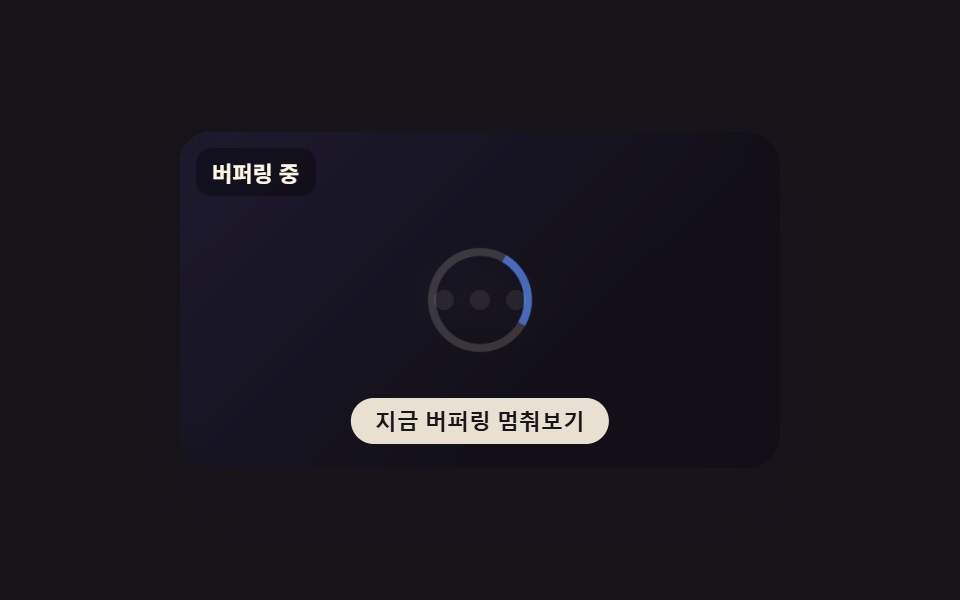 01 buffering-spinner-overlay
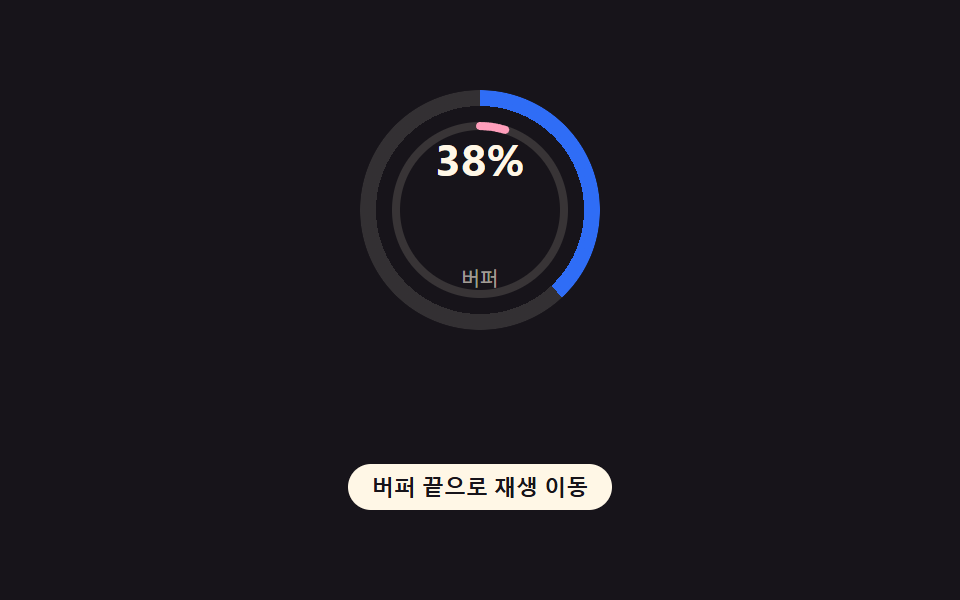 02 buffering-progress-ring
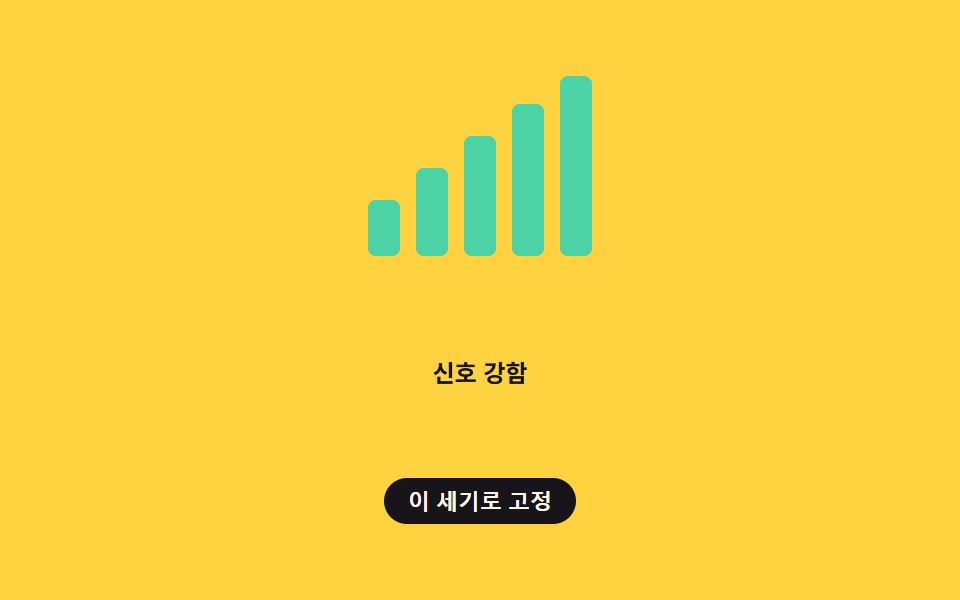 03 buffering-network-signal-bars
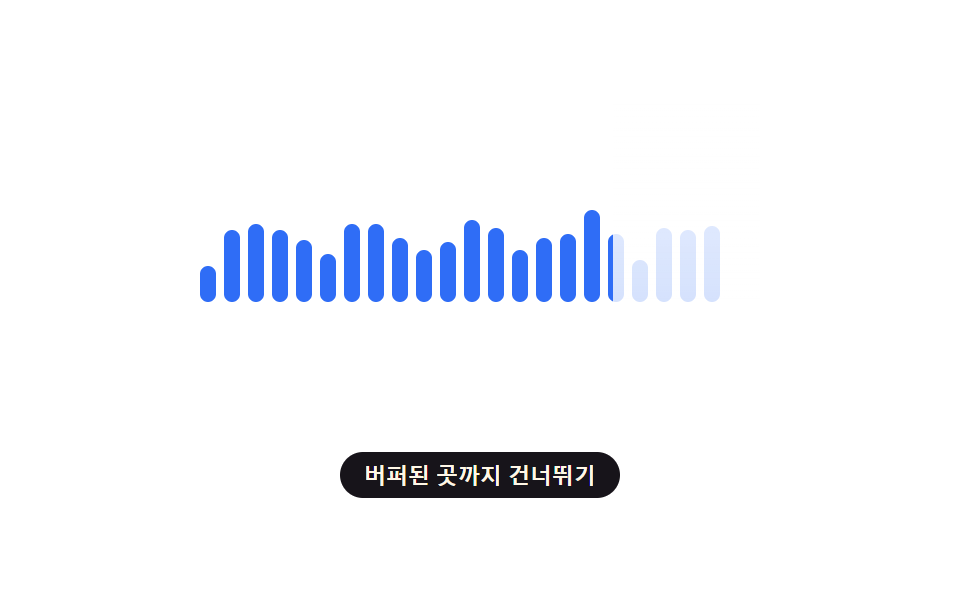 04 buffering-waveform-fill
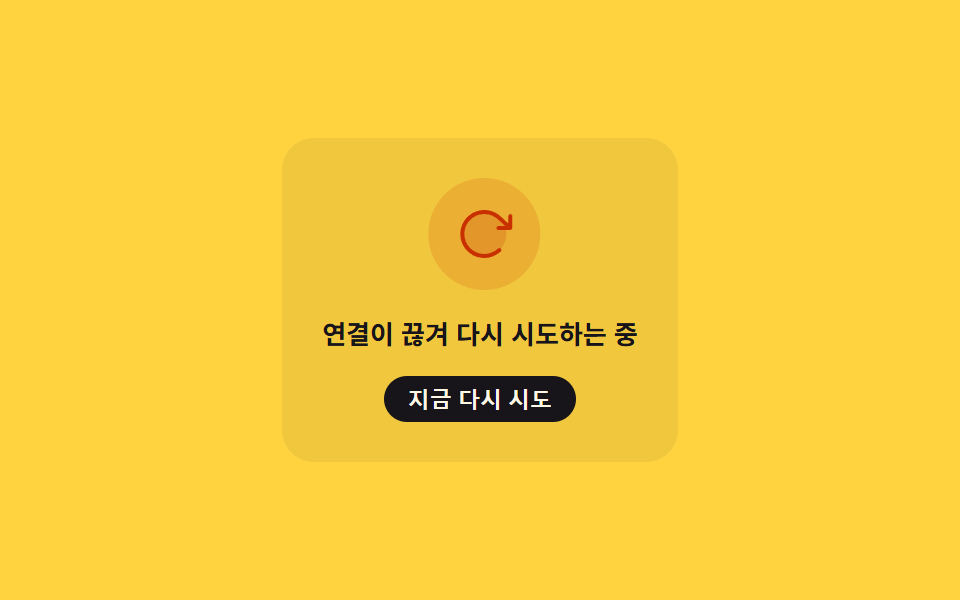 05 buffering-stall-retry-shake
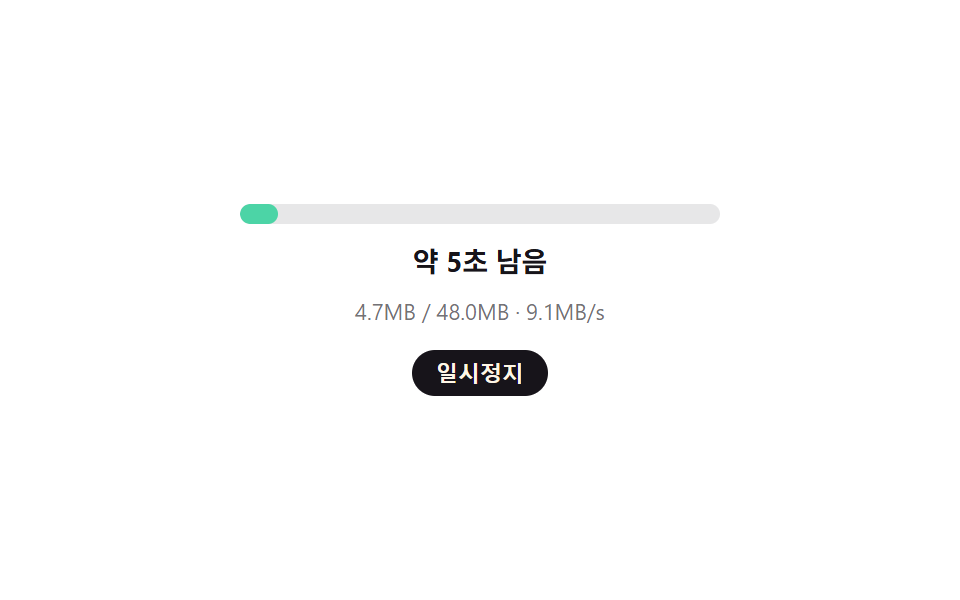 06 buffering-countdown-eta
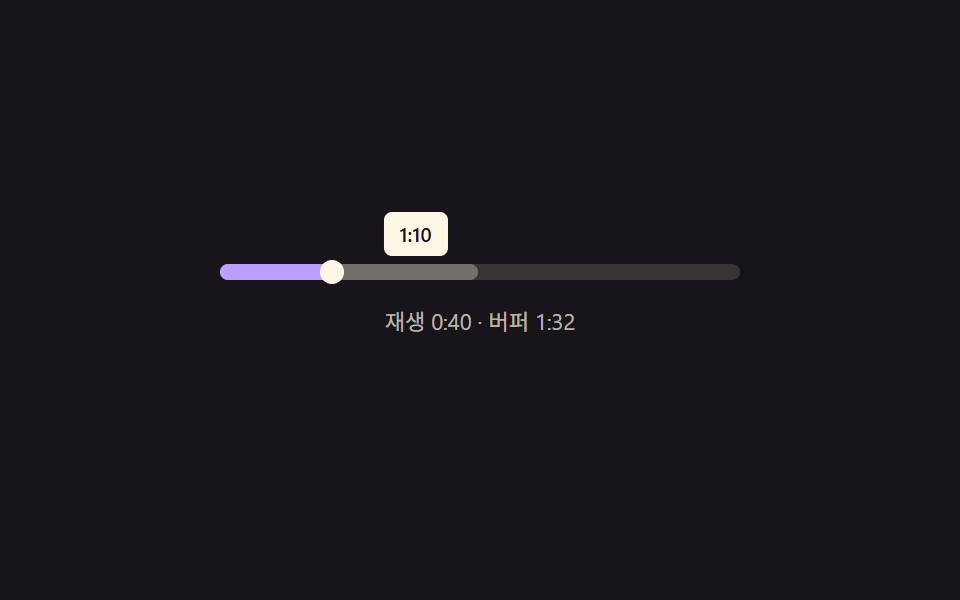 07 buffering-scrub-preview-ghost
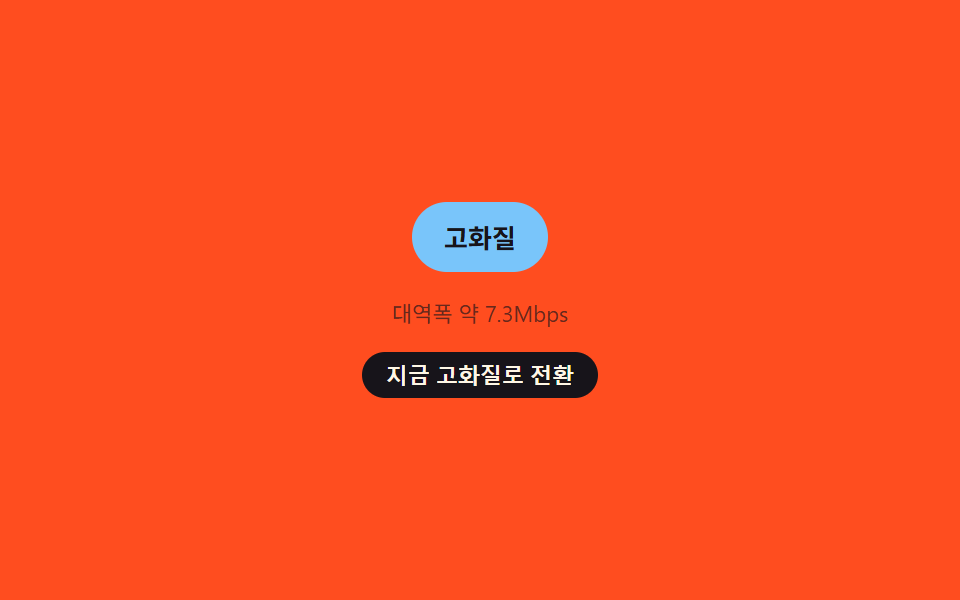 08 buffering-quality-drop-badge
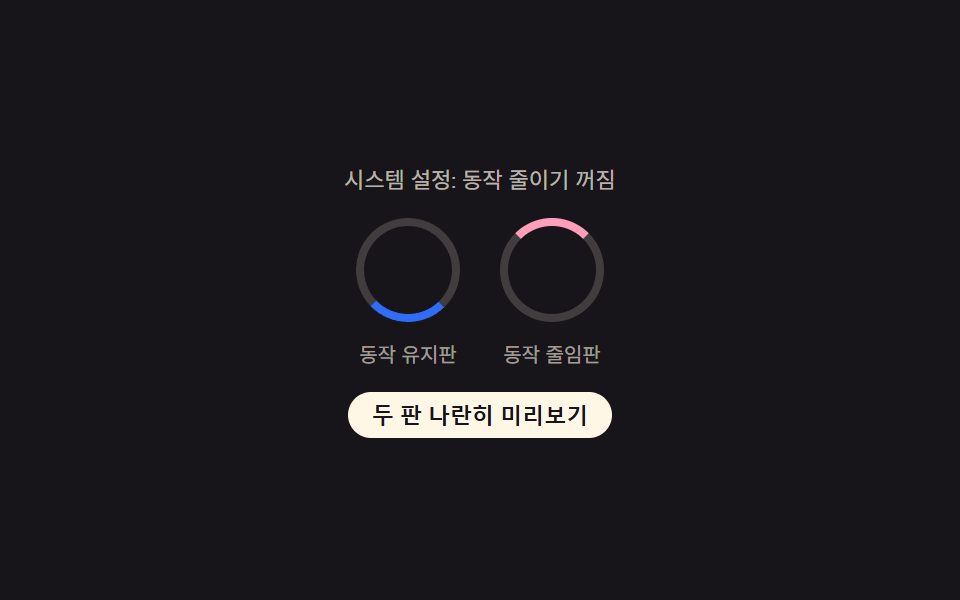 09 buffering-reduced-motion
자동 재생 · 눌러서 해당 항목으로 · 전부 한 zip
- 01 정지 화면 위 버퍼링 오버레이
- 02 재생·버퍼 이중 링
- 03 신호 세기 막대 버퍼 표시
- 04 버퍼된 만큼 채워지는 파형
- 05 정지 감지 후 흔들리는 재시도 아이콘
- 06 남은 용량·속도로 다시 계산하는 예상 시간
- 07 탐색 막대의 버퍼 유령 미리보기
- 08 대역폭 판정으로 바뀌는 화질 배지
- 09 동작 줄이기 켜짐·꺼짐 나란히 비교
아홉 개의 해부 — 계산 한 겹이 어디서 도는가
보통 css 로딩 애니메이션은 opacity나 transform 트윈 하나로 끝나지만, 아홉 개 모두 그 위에 계산 한 겹을 얹습니다 — 사인파를 합성해 신호를 흉내 내거나, 히스테리시스로 순간적인 튐을 거르거나, 포인터 좌표를 실측해 되먹입니다. 애니메이션 루프도 requestAnimationFrame 대신 setInterval(loop, TICK_MS)로 간격을 고정해, 측정 캡처 창에서 프레임 타이밍이 흔들리지 않게 했습니다.
| 번호 | 이름 | 누적면적 | 강도_평균 | 움직인프레임 |
|---|---|---|---|---|
| 01 | 정지 화면 위 버퍼링 오버레이 | 4.02% | 71.5 | 20/23 |
| 02 | 재생·버퍼 이중 링 | 1.78% | 140.2 | 23/23 |
| 03 | 신호 세기 막대 버퍼 표시 | 2.56% | 141.2 | 13/23 |
| 04 | 버퍼된 만큼 채워지는 파형 | 4.61% | 168.3 | 23/23 |
| 05 | 정지 감지 후 흔들리는 재시도 아이콘 | 10.05% | 47.2 | 17/23 |
| 06 | 남은 용량·속도로 다시 계산하는 예상 시간 | 1.79% | 106.0 | 23/23 |
| 07 | 탐색 막대의 버퍼 유령 미리보기 | 3.03% | 143.0 | 23/23 |
| 08 | 대역폭 판정으로 바뀌는 화질 배지 | 1.53% | 67.9 | 16/23 |
| 09 | 동작 줄이기 켜짐·꺼짐 나란히 비교 | 0.96% | 110.3 | 23/23 |
누적면적이 가장 큰 항목은 05로, 재시도 아이콘이 흔들리는 동안 10.05%까지 오릅니다. 가장 작은 항목은 09로, 두 판이 좁은 링 하나만 움직여 0.96%에 그칩니다. 강도_평균이 가장 높은 항목은 04 하나뿐으로 168.3까지 오르고, 05는 47.2로 가장 낮은데 — 05는 흔들림 폭(SHAKE_AMP_PX)이 9px로 작게 잡혀 있는 반면 04는 파형 막대 하나가 채워지는 순간 높이와 밝기가 한꺼번에 바뀌기 때문입니다. 23개 틱 구간 가운데 움직인프레임이 23/23으로 가장 촘촘한 항목은 02·04·06·07·09이고, 03은 히스테리시스가 순간 변화를 걸러내려고 틱을 늘려 13/23으로 가장 뜸합니다.
합성 사인파 하나로 신호값을 흉내낸다 — 01·03·06·08
01은 두 항의 사인파(Math.sin(elapsedMs/190), Math.sin(elapsedMs/61))를 더해 만든 jitter 값으로 오버레이의 흐림·불투명도와 스피너 회전 속도를 한꺼번에 계산하고, 03은 세 항의 사인파를 더한 rawSpeed(ms)를 BAR_COUNT(5)로 늘린 뒤 히스테리시스로 걸러 막대 레벨을 정합니다. 06은 두 항의 사인파로 만든 instSpeed(ms)를 남은 용량과 나눠 매 틱 예상 시간을 다시 계산하고, 08은 같은 방식의 bandwidth(ms)를 HIGH_MBPS(6)·LOW_MBPS(2.5) 기준으로 고·중·저 세 단계로 판정한 뒤 유지 시간만큼 지나야 라벨을 바꿉니다. 네 항목 모두 Math.random을 쓰지 않는 결정적 함수라 같은 경과 시각엔 늘 같은 값이 나옵니다.
감쇠하는 사인파로 흔들림 폭을 줄인다 — 05
05의 shakeOffset(stallOverMs)은 SHAKE_AMP_PX(9px)에 지수 감쇠(Math.exp(-SHAKE_DECAY × stallOverMs), SHAKE_DECAY=0.0018)를 곱한 뒤 사인파로 방향을 뒤집어, 정지가 길어질수록 처음엔 크게 흔들리다 진폭이 점점 줄어드는 움직임을 만듭니다. STALL_THRESHOLD_MS(300ms)를 넘긴 뒤부터만 이 함수가 호출되므로 아주 짧은 끊김에는 흔들리지 않습니다.
원의 둘레와 3차 베지어로 값을 그림으로 바꾼다 — 02·04
02는 원의 둘레(CIRC)를 기준으로 재생 진행률만큼 stroke-dashoffset을 빼 안쪽 링을 채우고, 바깥 링은 --buffer-pct 값을 conic-gradient 정지점으로 받아 원 둘레를 색으로 나눕니다. 04는 easeFn()이 WAVEFORM_FILL_EASE 문자열을 읽어 linear거나 3차 베지어 곡선(bezier())으로 진행률을 다시 매기고, 그 결과를 mask-image로 막을 걷어내는 폭에 그대로 반영합니다.
실측 좌표와 실시간 리스너로 반응한다 — 07·09
07의 fracFromPointer(clientX)는 getBoundingClientRect로 트랙의 실제 위치와 폭을 매 pointermove마다 다시 재 포인터 비율을 계산하는 유일한 항목이고, 나머지 여덟 개는 합성파나 진행률 같은 값을 스스로 만들어 씁니다. 09는 tickMotion()이 각도를 연속으로 계산해 왼쪽 링을 돌리고 tickReduced()가 같은 시간을 REDUCED_STEP_MS(900ms) 단위로 끊어 오른쪽 링을 계단식으로 바꾸며, mq의 change 리스너로 OS 설정이 바뀌는 순간까지 즉시 반영해 둘을 나란히 비교합니다.
패턴별 코드
01정지 화면 위 버퍼링 오버레이
스트리밍 중 데이터가 끊기면 화면 위에 반투명 오버레이가 깔리고 그 위에서 스피너가 돕니다 — tick(elapsedMs)가 정지 경과 위상만으로 스피너 속도(SPIN_MS_STALL_START 1500ms → SPIN_MS_STALL_END 550ms)와 오버레이 흐림 정도를 산술로 계산합니다. 두 개의 사인 항을 더한 합성파가 매 순간 다른 흔들림 값을 만들어, Math.random 없이도 네트워크가 미세하게 떨리는 인상을 냅니다. 동영상·라이브 스트림 재생 화면에서 정지된 프레임 위에 상태를 얹을 때 씁니다.
  // 정지 경과 시간과 사이클 위상만으로 스피너 속도·오버레이 흐림 정도를 계산한다 — 값 자체는 CSS 트윈이 아니라 산술이다
  function tick(elapsedMs) {
    var phase = elapsedMs % STALL_CYCLE_MS;
    var stallSpan = STALL_CYCLE_MS * STALL_PORTION;
    var stalling = phase < stallSpan;
    if (stalling) {
      var stallFrac = clamp(phase / stallSpan, 0, 1);
      var spinMs = SPIN_MS_STALL_START - (SPIN_MS_STALL_START - SPIN_MS_STALL_END) * stallFrac;
      // 합성파 두 개로 네트워크 흔들림을 흉내낸다 — Math.random 은 렌더마다 프레임이 달라져 측정을 어지럽힌다
      var jitter = 0.5 + 0.28 * Math.sin(elapsedMs / 190) + 0.14 * Math.sin(elapsedMs / 61);
      jitter = clamp(jitter, 0, 1);
      ring.style.setProperty('--spin-duration', spinMs.toFixed(0) + 'ms');
      overlay.style.setProperty('--blur', (4 + jitter * 7).toFixed(2) + 'px');
      overlay.style.opacity = (0.5 + jitter * 0.28).toFixed(2);
      if (status.textContent !== '버퍼링 중') status.textContent = '버퍼링 중';
    } else {
      overlay.style.opacity = '0';
      if (status.textContent !== '재생 재개') status.textContent = '재생 재개';
    }
  }
<main class="stage">
<div class="player is-demo" id="player">
  <div class="frame" id="frame" aria-hidden="true">
    <span class="frameDot"></span>
    <span class="frameDot"></span>
    <span class="frameDot"></span>
  </div>
  <div class="overlay" id="overlay">
    <span class="ring" id="ring"></span>
  </div>
  <button class="toggleBtn" id="toggleBtn" type="button" aria-pressed="false">지금 버퍼링 멈춰보기</button>
  <p class="status" id="status" aria-live="polite">버퍼링 중</p>
</div>
</main>
@use "../../../../site/static/demo-tokens" as *;
// 변수 3개
$duration: $dur-loop;
$easing: linear;
$color: $subject-blue-light;
// 계산 겹: index.html 의 tick() 이 정지 경과 시간(phase)으로 스피너 회전 속도(--spin-duration)와
// 오버레이 흐림량(--blur)·불투명도를 매 틱 산술로 갱신한다 — 고정 트윈이 아니다.
@include stage($stage-ink);
.player {
position: relative;
width: 300px;
height: 168px;
border-radius: $r-card;
overflow: hidden;
box-shadow: $shadow-raised;
}
.frame {
position: absolute;
inset: 0;
background: linear-gradient(135deg, #2a2740, $stage-ink 70%);
display: flex;
align-items: center;
justify-content: center;
gap: $sp-2;
}
.frameDot {
width: 10px;
height: 10px;
border-radius: 50%;
background: rgba($subject-cream, .25);
}
.overlay {
position: absolute;
inset: 0;
display: grid;
place-items: center;
background: rgba(#0a0812, .55);
backdrop-filter: blur(var(--blur, 6px));
-webkit-backdrop-filter: blur(var(--blur, 6px));
opacity: 0;
transition: opacity $dur-quick $ease-out;
}
.ring {
--spin-duration: 900ms;
width: 44px;
height: 44px;
border-radius: 50%;
border: 4px solid rgba($subject-cream, .22);
border-top-color: $color;
transform-origin: center;
animation: spin var(--spin-duration) linear infinite;
}
@keyframes spin {
from { transform: rotate(0deg); }
to { transform: rotate(360deg); }
}
.toggleBtn {
position: absolute;
left: 50%;
bottom: $sp-3;
transform: translateX(-50%);
appearance: none;
border: none;
border-radius: $r-pill;
padding: $sp-1 $sp-3;
font-size: 11px;
font-weight: 600;
color: $subject-ink;
background: rgba($subject-cream, .9);
cursor: pointer;
&:focus-visible { outline: 2px solid $color; outline-offset: 2px; }
}
.status {
position: absolute;
top: $sp-2;
left: $sp-2;
margin: 0;
padding: $sp-1 $sp-2;
border-radius: $r-sm;
font-size: 11px;
font-weight: 600;
color: $subject-cream;
background: rgba(#000, .35);
}
@media (max-width: 340px) {
.player { width: 220px; height: 140px; }
.ring { width: 34px; height: 34px; border-width: 3px; }
.toggleBtn { font-size: 10px; padding: $sp-1 $sp-2; bottom: $sp-2; }
.status { font-size: 10px; }
}
// reduce: 실사용 경로 적용 — 스피너 회전(장식)만 멈춘다. 오버레이 존재·상태 문구(aria-live)는 그대로 갱신된다
@media (prefers-reduced-motion: reduce) {
.ring { animation: none; }
.overlay { transition: none; }
}html, body {
margin: 0;
overflow: hidden;
}
.stage {
box-sizing: border-box;
min-height: 100vh;
display: grid;
place-items: center;
margin: 0;
background: #17141a;
font-family: -apple-system, "Segoe UI", "Noto Sans KR", sans-serif;
padding: clamp(8px, 4vw, 24px);
}
.player {
position: relative;
width: 300px;
height: 168px;
border-radius: 16px;
overflow: hidden;
box-shadow: 0 14px 24px rgba(23, 20, 26, 0.32);
}
.frame {
position: absolute;
inset: 0;
background: linear-gradient(135deg, #2a2740, #17141a 70%);
display: flex;
align-items: center;
justify-content: center;
gap: 8px;
}
.frameDot {
width: 10px;
height: 10px;
border-radius: 50%;
background: rgba(255, 247, 230, 0.25);
}
.overlay {
position: absolute;
inset: 0;
display: grid;
place-items: center;
background: rgba(10, 8, 18, 0.55);
backdrop-filter: blur(var(--blur, 6px));
-webkit-backdrop-filter: blur(var(--blur, 6px));
opacity: 0;
transition: opacity 220ms ease-out;
}
.ring {
--spin-duration: 900ms;
width: 44px;
height: 44px;
border-radius: 50%;
border: 4px solid rgba(255, 247, 230, 0.22);
border-top-color: #5b8cf8;
transform-origin: center;
animation: spin var(--spin-duration) linear infinite;
}
@keyframes spin {
from {
transform: rotate(0deg);
}
to {
transform: rotate(360deg);
}
}
.toggleBtn {
position: absolute;
left: 50%;
bottom: 12px;
transform: translateX(-50%);
appearance: none;
border: none;
border-radius: 999px;
padding: 4px 12px;
font-size: 11px;
font-weight: 600;
color: #17141a;
background: rgba(255, 247, 230, 0.9);
cursor: pointer;
}
.toggleBtn:focus-visible {
outline: 2px solid #5b8cf8;
outline-offset: 2px;
}
.status {
position: absolute;
top: 8px;
left: 8px;
margin: 0;
padding: 4px 8px;
border-radius: 8px;
font-size: 11px;
font-weight: 600;
color: #fff7e6;
background: rgba(0, 0, 0, 0.35);
}
@media (max-width: 340px) {
.player {
width: 220px;
height: 140px;
}
.ring {
width: 34px;
height: 34px;
border-width: 3px;
}
.toggleBtn {
font-size: 10px;
padding: 4px 8px;
bottom: 8px;
}
.status {
font-size: 10px;
}
}
@media (prefers-reduced-motion: reduce) {
.ring {
animation: none;
}
.overlay {
transition: none;
}
}(function () {
var STALL_CYCLE_MS = 2000; // 정지→회복 한 사이클 — 캡처 창(2초)의 약수
var STALL_PORTION = 0.72; // 한 사이클 중 정지 상태가 차지하는 비율
var TICK_MS = 60; // 계산 갱신 간격
var SPIN_MS_STALL_START = 1500; // 정지 시작 시 스피너 한 바퀴 시간(느림)
var SPIN_MS_STALL_END = 550; // 정지가 길어질수록 빨라지는 하한
var overlay = document.getElementById('overlay');
var ring = document.getElementById('ring');
var status = document.getElementById('status');
var toggleBtn = document.getElementById('toggleBtn');
var player = document.getElementById('player');
var reduce = window.matchMedia('(prefers-reduced-motion: reduce)').matches;
function clamp(v, lo, hi) { return Math.min(hi, Math.max(lo, v)); }
// 정지 경과 시간과 사이클 위상만으로 스피너 속도·오버레이 흐림 정도를 계산한다 — 값 자체는 CSS 트윈이 아니라 산술이다
function tick(elapsedMs) {
var phase = elapsedMs % STALL_CYCLE_MS;
var stallSpan = STALL_CYCLE_MS * STALL_PORTION;
var stalling = phase < stallSpan;
if (stalling) {
var stallFrac = clamp(phase / stallSpan, 0, 1);
var spinMs = SPIN_MS_STALL_START - (SPIN_MS_STALL_START - SPIN_MS_STALL_END) * stallFrac;
// 합성파 두 개로 네트워크 흔들림을 흉내낸다 — Math.random 은 렌더마다 프레임이 달라져 측정을 어지럽힌다
var jitter = 0.5 + 0.28 * Math.sin(elapsedMs / 190) + 0.14 * Math.sin(elapsedMs / 61);
jitter = clamp(jitter, 0, 1);
ring.style.setProperty('--spin-duration', spinMs.toFixed(0) + 'ms');
overlay.style.setProperty('--blur', (4 + jitter * 7).toFixed(2) + 'px');
overlay.style.opacity = (0.5 + jitter * 0.28).toFixed(2);
if (status.textContent !== '버퍼링 중') status.textContent = '버퍼링 중';
} else {
overlay.style.opacity = '0';
if (status.textContent !== '재생 재개') status.textContent = '재생 재개';
}
}
var timer = null;
var start = 0;
function loop() {
tick(performance.now() - start);
}
function human() {
if (player.classList.contains('is-demo')) {
player.classList.remove('is-demo');
window.clearInterval(timer);
timer = null;
}
}
toggleBtn.addEventListener('click', function () {
human();
var manualStall = overlay.style.opacity !== '1';
overlay.style.opacity = manualStall ? '1' : '0';
overlay.style.setProperty('--blur', '8px');
ring.style.setProperty('--spin-duration', '900ms');
status.textContent = manualStall ? '버퍼링 중' : '재생 재개';
toggleBtn.setAttribute('aria-pressed', manualStall ? 'true' : 'false');
toggleBtn.textContent = manualStall ? '재생 다시 잇기' : '지금 버퍼링 멈춰보기';
});
if (!reduce) {
start = performance.now();
tick(0);
timer = window.setInterval(loop, TICK_MS);
} else {
// reduce: 실사용 경로 — 회전·흐림 변화는 멈추고 정지된 오버레이 상태 하나만 고정으로 보여준다
overlay.style.opacity = '0.6';
overlay.style.setProperty('--blur', '6px');
status.textContent = '버퍼링 중';
}
})();import { useEffect, useRef } from 'react';
import styles from './BufferingSpinnerOverlay.module.scss';
const STALL_CYCLE_MS = 2000;
const STALL_PORTION = 0.72;
const TICK_MS = 60;
const SPIN_MS_STALL_START = 1500;
const SPIN_MS_STALL_END = 550;
function clamp(v: number, lo: number, hi: number) {
return Math.min(hi, Math.max(lo, v));
}
export default function BufferingSpinnerOverlay() {
const playerRef = useRef<HTMLDivElement>(null);
const overlayRef = useRef<HTMLDivElement>(null);
const ringRef = useRef<HTMLSpanElement>(null);
const statusRef = useRef<HTMLParagraphElement>(null);
const toggleBtnRef = useRef<HTMLButtonElement>(null);
useEffect(() => {
const player = playerRef.current;
const overlay = overlayRef.current;
const ring = ringRef.current;
const status = statusRef.current;
const toggleBtn = toggleBtnRef.current;
if (!player || !overlay || !ring || !status || !toggleBtn) return undefined;
const reduce = window.matchMedia('(prefers-reduced-motion: reduce)').matches;
function tick(elapsedMs: number) {
if (!overlay || !ring || !status) return;
const phase = elapsedMs % STALL_CYCLE_MS;
const stallSpan = STALL_CYCLE_MS * STALL_PORTION;
const stalling = phase < stallSpan;
if (stalling) {
const stallFrac = clamp(phase / stallSpan, 0, 1);
const spinMs = SPIN_MS_STALL_START - (SPIN_MS_STALL_START - SPIN_MS_STALL_END) * stallFrac;
const jitter = clamp(0.5 + 0.28 * Math.sin(elapsedMs / 190) + 0.14 * Math.sin(elapsedMs / 61), 0, 1);
ring.style.setProperty('--spin-duration', spinMs.toFixed(0) + 'ms');
overlay.style.setProperty('--blur', (4 + jitter * 7).toFixed(2) + 'px');
overlay.style.opacity = (0.5 + jitter * 0.28).toFixed(2);
if (status.textContent !== '버퍼링 중') status.textContent = '버퍼링 중';
} else {
overlay.style.opacity = '0';
if (status.textContent !== '재생 재개') status.textContent = '재생 재개';
}
}
let timer: ReturnType<typeof window.setInterval> | null = null;
let start = 0;
function loop() {
tick(performance.now() - start);
}
function human() {
if (player && player.classList.contains(styles['is-demo'])) {
player.classList.remove(styles['is-demo']);
if (timer !== null) window.clearInterval(timer);
timer = null;
}
}
function onToggle() {
human();
if (!overlay || !ring || !status || !toggleBtn) return;
const manualStall = overlay.style.opacity !== '1';
overlay.style.opacity = manualStall ? '1' : '0';
overlay.style.setProperty('--blur', '8px');
ring.style.setProperty('--spin-duration', '900ms');
status.textContent = manualStall ? '버퍼링 중' : '재생 재개';
toggleBtn.setAttribute('aria-pressed', manualStall ? 'true' : 'false');
toggleBtn.textContent = manualStall ? '재생 다시 잇기' : '지금 버퍼링 멈춰보기';
}
toggleBtn.addEventListener('click', onToggle);
if (!reduce) {
start = performance.now();
tick(0);
timer = window.setInterval(loop, TICK_MS);
} else {
// reduce: 실사용 경로 적용 — 회전·흐림 변화는 멈추고 정지된 오버레이 상태 하나만 고정으로 보여준다
overlay.style.opacity = '0.6';
overlay.style.setProperty('--blur', '6px');
status.textContent = '버퍼링 중';
}
return () => {
if (timer !== null) window.clearInterval(timer);
toggleBtn.removeEventListener('click', onToggle);
};
}, []);
return (
<div className={`${styles.player} ${styles['is-demo']}`} ref={playerRef}>
<div className={styles.frame} aria-hidden="true">
<span className={styles.frameDot} />
<span className={styles.frameDot} />
<span className={styles.frameDot} />
</div>
<div className={styles.overlay} ref={overlayRef}>
<span className={styles.ring} ref={ringRef} />
</div>
<button className={styles.toggleBtn} ref={toggleBtnRef} type="button" aria-pressed="false">지금 버퍼링 멈춰보기</button>
<p className={styles.status} ref={statusRef} aria-live="polite">버퍼링 중</p>
</div>
);
}01 · 정지 화면 위 버퍼링 오버레이 — 측정 누적면적 4.024% · 움직인 프레임 20/23GODRICH 원작 · zip 에 SCSS·React 포함 · 비밀번호 보기
02재생·버퍼 이중 링
원형 링을 두 겹으로 겹쳐 바깥 링은 지금까지 받아 둔 버퍼 양을, 안쪽 링은 실제 재생 위치를 함께 그립니다 — 두 링 사이의 간격 자체가 버퍼가 재생 위치를 얼마나 앞서는지를 보여주는 시연입니다. stroke-dashoffset이 원의 둘레(CIRC)를 기준으로 안쪽 링의 진행 길이를 정하고, 바깥 링은 --buffer-pct 값을 conic-gradient 정지점으로 받습니다. 동영상 재생바나 오디오 스트리밍 플레이어의 탐색 UI에 맞습니다.
  wrap.style.setProperty('--ring-w', BUFFER_RING_STROKE_WIDTH + 'px');
  playValue.style.strokeWidth = '4';
  playValue.setAttribute('stroke-dasharray', CIRC.toFixed(2));

  function easeInOut(x) { return x < 0.5 ? 2 * x * x : 1 - Math.pow(-2 * x + 2, 2) / 2; }
  function lerp(a, b, t) { return a + (b - a) * t; }

  var manualPlay = null;

  // 버퍼 퍼센트·재생 퍼센트를 각도(그라디언트 정지점)·둘레 길이(stroke-dashoffset)로 바꾸는 산술
  function apply(bufferFrac, playFrac) {
    var bp = Math.round(bufferFrac * 100);
    bufferRing.style.setProperty('--buffer-pct', bp + '%');
    var offset = CIRC * (1 - playFrac);
    playValue.style.strokeDashoffset = offset.toFixed(2);
    bufferPctEl.textContent = bp + '%';
    wrap.setAttribute('aria-valuenow', String(bp));
  }

  function tick(elapsedMs) {
    var t = (elapsedMs % LOOP_MS) / LOOP_MS;
    var bufferFrac = lerp(0.32, 0.95, t);
    var playFrac = manualPlay !== null ? manualPlay : lerp(0.04, 0.8, easeInOut(t));
    apply(bufferFrac, Math.min(playFrac, bufferFrac));
  }
<main class="stage">
<div class="ringWrap is-demo" id="ringWrap" role="progressbar" aria-label="버퍼 진행률" aria-valuemin="0" aria-valuemax="100" aria-valuenow="0">
  <div class="bufferRing" id="bufferRing"></div>
  <svg class="playRing" id="playRing" viewBox="0 0 120 120" aria-hidden="true">
    <circle class="playTrack" cx="60" cy="60" r="42"></circle>
    <circle class="playValue" id="playValue" cx="60" cy="60" r="42"></circle>
  </svg>
  <div class="readout">
    <span class="pct" id="bufferPct">0%</span>
    <span class="label">버퍼</span>
  </div>
</div>
<button class="jumpBtn" id="jumpBtn" type="button">버퍼 끝으로 재생 이동</button>
</main>
@use "../../../../site/static/demo-tokens" as *;
// 변수 3개
$duration: $dur-loop;
$easing: $ease-out;
$color: $subject-blue;
// 계산 겹: index.html 의 apply() 가 버퍼·재생 퍼센트를 conic-gradient 정지점(%)과
// SVG 둘레 길이(stroke-dashoffset)로 바꾼다 — 두 링 사이 간격이 곧 "버퍼가 재생을 얼마나 앞서는가"다.
@include stage($stage-ink);
main.stage { position: relative; flex-direction: column; gap: $sp-4; display: grid; place-items: center; }
.ringWrap {
--ring-w: 6px;
--buffer-pct: 0%;
position: relative;
width: 120px;
height: 120px;
}
.bufferRing {
position: absolute;
inset: 0;
border-radius: 50%;
background: conic-gradient($color var(--buffer-pct), rgba($subject-cream, .12) 0);
mask: radial-gradient(farthest-side, transparent calc(100% - var(--ring-w) - 2px), #000 calc(100% - var(--ring-w) - 2px));
-webkit-mask: radial-gradient(farthest-side, transparent calc(100% - var(--ring-w) - 2px), #000 calc(100% - var(--ring-w) - 2px));
transition: background 40ms linear;
}
.playRing {
position: absolute;
inset: 0;
width: 100%;
height: 100%;
transform: rotate(-90deg);
transform-origin: center;
}
.playTrack {
fill: none;
stroke: rgba($subject-cream, .14);
stroke-width: 4;
}
.playValue {
fill: none;
stroke: $subject-pink;
stroke-linecap: round;
transition: stroke-dashoffset $easing 40ms;
}
.readout {
position: absolute;
inset: 0;
display: grid;
place-items: center;
text-align: center;
}
.pct {
display: block;
font-size: 22px;
font-weight: 700;
color: $subject-cream;
}
.label {
display: block;
font-size: 10px;
color: rgba($subject-cream, .6);
}
.jumpBtn {
appearance: none;
border: none;
border-radius: $r-pill;
padding: $sp-1 $sp-3;
font-size: 11px;
font-weight: 600;
color: $subject-ink;
background: $subject-cream;
cursor: pointer;
&:focus-visible { outline: 2px solid $subject-blue-light; outline-offset: 2px; }
}
@media (max-width: 340px) {
.ringWrap { width: 92px; height: 92px; }
.pct { font-size: 18px; }
.jumpBtn { font-size: 10px; }
}
// reduce: 실사용 경로 적용 — 링 값 전환(트랜지션)만 끈다. 값 자체(퍼센트)는 그대로 보여야 의미가 있다
@media (prefers-reduced-motion: reduce) {
.bufferRing, .playValue { transition: none; }
}html, body {
margin: 0;
overflow: hidden;
}
.stage {
box-sizing: border-box;
min-height: 100vh;
display: grid;
place-items: center;
margin: 0;
background: #17141a;
font-family: -apple-system, "Segoe UI", "Noto Sans KR", sans-serif;
padding: clamp(8px, 4vw, 24px);
}
main.stage {
position: relative;
flex-direction: column;
gap: 16px;
display: grid;
place-items: center;
}
.ringWrap {
--ring-w: 6px;
--buffer-pct: 0%;
position: relative;
width: 120px;
height: 120px;
}
.bufferRing {
position: absolute;
inset: 0;
border-radius: 50%;
background: conic-gradient(#2f6df6 var(--buffer-pct), rgba(255, 247, 230, 0.12) 0);
mask: radial-gradient(farthest-side, transparent calc(100% - var(--ring-w) - 2px), #000 calc(100% - var(--ring-w) - 2px));
-webkit-mask: radial-gradient(farthest-side, transparent calc(100% - var(--ring-w) - 2px), #000 calc(100% - var(--ring-w) - 2px));
transition: background 40ms linear;
}
.playRing {
position: absolute;
inset: 0;
width: 100%;
height: 100%;
transform: rotate(-90deg);
transform-origin: center;
}
.playTrack {
fill: none;
stroke: rgba(255, 247, 230, 0.14);
stroke-width: 4;
}
.playValue {
fill: none;
stroke: #ff9ebb;
stroke-linecap: round;
transition: stroke-dashoffset ease-out 40ms;
}
.readout {
position: absolute;
inset: 0;
display: grid;
place-items: center;
text-align: center;
}
.pct {
display: block;
font-size: 22px;
font-weight: 700;
color: #fff7e6;
}
.label {
display: block;
font-size: 10px;
color: rgba(255, 247, 230, 0.6);
}
.jumpBtn {
appearance: none;
border: none;
border-radius: 999px;
padding: 4px 12px;
font-size: 11px;
font-weight: 600;
color: #17141a;
background: #fff7e6;
cursor: pointer;
}
.jumpBtn:focus-visible {
outline: 2px solid #5b8cf8;
outline-offset: 2px;
}
@media (max-width: 340px) {
.ringWrap {
width: 92px;
height: 92px;
}
.pct {
font-size: 18px;
}
.jumpBtn {
font-size: 10px;
}
}
@media (prefers-reduced-motion: reduce) {
.bufferRing, .playValue {
transition: none;
}
}(function () {
var BUFFER_RING_STROKE_WIDTH = 6; // px — 변형이 6→14 로 바꾸는 값
var LOOP_MS = 2000; // 캡처 창과 같은 한 사이클
var TICK_MS = 50;
var PLAY_R = 42;
var CIRC = 2 * Math.PI * PLAY_R;
var wrap = document.getElementById('ringWrap');
var bufferRing = document.getElementById('bufferRing');
var playValue = document.getElementById('playValue');
var bufferPctEl = document.getElementById('bufferPct');
var jumpBtn = document.getElementById('jumpBtn');
var reduce = window.matchMedia('(prefers-reduced-motion: reduce)').matches;
wrap.style.setProperty('--ring-w', BUFFER_RING_STROKE_WIDTH + 'px');
playValue.style.strokeWidth = '4';
playValue.setAttribute('stroke-dasharray', CIRC.toFixed(2));
function easeInOut(x) { return x < 0.5 ? 2 * x * x : 1 - Math.pow(-2 * x + 2, 2) / 2; }
function lerp(a, b, t) { return a + (b - a) * t; }
var manualPlay = null;
// 버퍼 퍼센트·재생 퍼센트를 각도(그라디언트 정지점)·둘레 길이(stroke-dashoffset)로 바꾸는 산술
function apply(bufferFrac, playFrac) {
var bp = Math.round(bufferFrac * 100);
bufferRing.style.setProperty('--buffer-pct', bp + '%');
var offset = CIRC * (1 - playFrac);
playValue.style.strokeDashoffset = offset.toFixed(2);
bufferPctEl.textContent = bp + '%';
wrap.setAttribute('aria-valuenow', String(bp));
}
function tick(elapsedMs) {
var t = (elapsedMs % LOOP_MS) / LOOP_MS;
var bufferFrac = lerp(0.32, 0.95, t);
var playFrac = manualPlay !== null ? manualPlay : lerp(0.04, 0.8, easeInOut(t));
apply(bufferFrac, Math.min(playFrac, bufferFrac));
}
var timer = null;
var start = 0;
function loop() { tick(performance.now() - start); }
function human() {
if (wrap.classList.contains('is-demo')) {
wrap.classList.remove('is-demo');
window.clearInterval(timer);
timer = null;
}
}
jumpBtn.addEventListener('click', function () {
human();
var bp = parseFloat(bufferRing.style.getPropertyValue('--buffer-pct')) / 100;
manualPlay = bp;
apply(bp, bp);
});
if (!reduce) {
start = performance.now();
tick(0);
timer = window.setInterval(loop, TICK_MS);
} else {
// reduce: 실사용 경로 — 링은 계속 진행률을 나타내야 하므로 애니메이션(전환)만 끄고 값은 정적으로 한 번 그린다
apply(0.62, 0.4);
}
})();import { useEffect, useRef } from 'react';
import styles from './BufferingProgressRing.module.scss';
const BUFFER_RING_STROKE_WIDTH = 6; // px — 변형이 6→14 로 바꾸는 값
const LOOP_MS = 2000;
const TICK_MS = 50;
const PLAY_R = 42;
const CIRC = 2 * Math.PI * PLAY_R;
function easeInOut(x: number) {
return x < 0.5 ? 2 * x * x : 1 - Math.pow(-2 * x + 2, 2) / 2;
}
function lerp(a: number, b: number, t: number) {
return a + (b - a) * t;
}
export default function BufferingProgressRing() {
const wrapRef = useRef<HTMLDivElement>(null);
const bufferRingRef = useRef<HTMLDivElement>(null);
const playValueRef = useRef<SVGCircleElement>(null);
const bufferPctRef = useRef<HTMLSpanElement>(null);
const jumpBtnRef = useRef<HTMLButtonElement>(null);
useEffect(() => {
const wrap = wrapRef.current;
const bufferRing = bufferRingRef.current;
const playValue = playValueRef.current;
const bufferPctEl = bufferPctRef.current;
const jumpBtn = jumpBtnRef.current;
if (!wrap || !bufferRing || !playValue || !bufferPctEl || !jumpBtn) return undefined;
const reduce = window.matchMedia('(prefers-reduced-motion: reduce)').matches;
wrap.style.setProperty('--ring-w', BUFFER_RING_STROKE_WIDTH + 'px');
playValue.style.strokeWidth = '4';
playValue.setAttribute('stroke-dasharray', CIRC.toFixed(2));
let manualPlay: number | null = null;
function apply(bufferFrac: number, playFrac: number) {
if (!bufferRing || !playValue || !bufferPctEl || !wrap) return;
const bp = Math.round(bufferFrac * 100);
bufferRing.style.setProperty('--buffer-pct', bp + '%');
const offset = CIRC * (1 - playFrac);
playValue.style.strokeDashoffset = offset.toFixed(2);
bufferPctEl.textContent = bp + '%';
wrap.setAttribute('aria-valuenow', String(bp));
}
function tick(elapsedMs: number) {
const t = (elapsedMs % LOOP_MS) / LOOP_MS;
const bufferFrac = lerp(0.32, 0.95, t);
const playFrac = manualPlay !== null ? manualPlay : lerp(0.04, 0.8, easeInOut(t));
apply(bufferFrac, Math.min(playFrac, bufferFrac));
}
let timer: ReturnType<typeof window.setInterval> | null = null;
let start = 0;
function loop() {
tick(performance.now() - start);
}
function human() {
if (wrap && wrap.classList.contains(styles['is-demo'])) {
wrap.classList.remove(styles['is-demo']);
if (timer !== null) window.clearInterval(timer);
timer = null;
}
}
function onJump() {
human();
if (!bufferRing) return;
const bp = parseFloat(bufferRing.style.getPropertyValue('--buffer-pct')) / 100;
manualPlay = bp;
apply(bp, bp);
}
jumpBtn.addEventListener('click', onJump);
if (!reduce) {
start = performance.now();
tick(0);
timer = window.setInterval(loop, TICK_MS);
} else {
// reduce: 실사용 경로 — 링은 계속 진행률을 나타내야 하므로 애니메이션(전환)만 끄고 값은 정적으로 한 번 그린다
apply(0.62, 0.4);
}
return () => {
if (timer !== null) window.clearInterval(timer);
jumpBtn.removeEventListener('click', onJump);
};
}, []);
return (
<>
<div
className={`${styles.ringWrap} ${styles['is-demo']}`}
ref={wrapRef}
role="progressbar"
aria-label="버퍼 진행률"
aria-valuemin={0}
aria-valuemax={100}
aria-valuenow={0}
>
<div className={styles.bufferRing} ref={bufferRingRef} />
<svg className={styles.playRing} viewBox="0 0 120 120" aria-hidden="true">
<circle className={styles.playTrack} cx={60} cy={60} r={42} />
<circle className={styles.playValue} ref={playValueRef} cx={60} cy={60} r={42} />
</svg>
<div className={styles.readout}>
<span className={styles.pct} ref={bufferPctRef}>0%</span>
<span className={styles.label}>버퍼</span>
</div>
</div>
<button className={styles.jumpBtn} ref={jumpBtnRef} type="button">버퍼 끝으로 재생 이동</button>
</>
);
}02 · 재생·버퍼 이중 링 — 측정 누적면적 1.778% · 움직인 프레임 23/23GODRICH 원작 · zip 에 SCSS·React 포함 · 비밀번호 보기
03신호 세기 막대 버퍼 표시
신호 세기를 나타내는 막대 다섯 개가 버퍼링 속도에 맞춰 순서대로 밝아지고 어두워지길 반복해, 지금 받는 속도가 빠른지 느린지를 막대 개수로 보여줍니다. rawSpeed(ms)가 세 항의 사인파를 더해 만든 값을 BAR_COUNT로 늘린 뒤, 목표 레벨이 CHANGE_MARGIN(0.6) 이상 벌어진 채 HOLD_TICKS(3)만큼 유지될 때만 실제로 표시 레벨을 바꿔 순간적인 흔들림을 걸러냅니다. 통화·화상회의 연결 상태나 스트리밍 앱 상단바에 맞습니다.
  function tick(ms) {
    if (pinned !== null) return;
    var raw = rawSpeed(ms) * BAR_COUNT;
    var targetLevel = clamp(Math.round(raw), 0, BAR_COUNT);
    if (targetLevel !== displayLevel && Math.abs(raw - displayLevel) > CHANGE_MARGIN) {
      if (targetLevel === pendingLevel) {
        pendingCount++;
      } else {
        pendingLevel = targetLevel;
        pendingCount = 1;
      }
      if (pendingCount >= HOLD_TICKS) {
        displayLevel = pendingLevel;
        pendingCount = 0;
      }
    } else {
      pendingCount = 0;
      pendingLevel = displayLevel;
    }
    paint(displayLevel);
  }
<main class="stage">
<div class="meter is-demo" id="meter" role="img" aria-label="네트워크 신호 세기">
  <span class="bar" data-i="0"></span>
  <span class="bar" data-i="1"></span>
  <span class="bar" data-i="2"></span>
  <span class="bar" data-i="3"></span>
  <span class="bar" data-i="4"></span>
</div>
<p class="readout" id="readout">신호 보통</p>
<button class="pinBtn" id="pinBtn" type="button" aria-pressed="false">이 세기로 고정</button>
</main>
@use "../../../../site/static/demo-tokens" as *;
// 변수 3개
$duration: $dur-quick;
$easing: $ease-out;
$color: $subject-mint;
// 계산 겹: index.html 의 tick() 이 결정론적 합성파를 만들고, 목표 레벨과 표시 레벨 차이가
// CHANGE_MARGIN 을 넘고 HOLD_TICKS 만큼 유지될 때만 레벨을 바꾼다 — 값 흔들림(플리커)을 막는 히스테리시스.
@include stage($stage-yellow);
.meter {
display: flex;
align-items: flex-end;
gap: $sp-2;
height: 90px;
}
.bar {
--bar-level: .22;
display: block;
width: 16px;
border-radius: $r-xs;
background: $color;
// 막대는 바닥(baseline)에 붙어 자라는 계기판이라 origin 을 bottom 으로 둔다 (rule 8 예외: 시작 변에서 자라는 요소)
transform-origin: bottom;
transform: scaleY(var(--bar-level));
transition: transform $duration $easing;
&:nth-child(1) { height: 28px; }
&:nth-child(2) { height: 44px; }
&:nth-child(3) { height: 60px; }
&:nth-child(4) { height: 76px; }
&:nth-child(5) { height: 90px; }
}
.readout {
margin: $sp-3 0 0;
font-size: 12px;
font-weight: 600;
color: $subject-ink;
text-align: center;
}
.pinBtn {
appearance: none;
border: none;
margin-top: $sp-2;
border-radius: $r-pill;
padding: $sp-1 $sp-3;
font-size: 11px;
font-weight: 600;
color: $subject-cream;
background: $subject-ink;
cursor: pointer;
&:focus-visible { outline: 2px solid $subject-blue; outline-offset: 2px; }
&[aria-pressed="true"] { background: $subject-orange-deep; }
}
@media (max-width: 340px) {
.meter { height: 64px; gap: $sp-1; }
.bar { width: 12px; }
.bar:nth-child(1) { height: 20px; }
.bar:nth-child(2) { height: 30px; }
.bar:nth-child(3) { height: 42px; }
.bar:nth-child(4) { height: 54px; }
.bar:nth-child(5) { height: 64px; }
.readout, .pinBtn { font-size: 10px; }
}
// reduce: 실사용 경로 적용 — 막대 높이 전환만 끈다. 레벨 값 자체는 그대로 반영해야 신호 정보가 전달된다
@media (prefers-reduced-motion: reduce) {
.bar { transition: none; }
}html, body {
margin: 0;
overflow: hidden;
}
.stage {
box-sizing: border-box;
min-height: 100vh;
display: grid;
place-items: center;
margin: 0;
background: #ffd23f;
font-family: -apple-system, "Segoe UI", "Noto Sans KR", sans-serif;
padding: clamp(8px, 4vw, 24px);
}
.meter {
display: flex;
align-items: flex-end;
gap: 8px;
height: 90px;
}
.bar {
--bar-level: .22;
display: block;
width: 16px;
border-radius: 4px;
background: #4cd4a6;
transform-origin: bottom;
transform: scaleY(var(--bar-level));
transition: transform 220ms ease-out;
}
.bar:nth-child(1) {
height: 28px;
}
.bar:nth-child(2) {
height: 44px;
}
.bar:nth-child(3) {
height: 60px;
}
.bar:nth-child(4) {
height: 76px;
}
.bar:nth-child(5) {
height: 90px;
}
.readout {
margin: 12px 0 0;
font-size: 12px;
font-weight: 600;
color: #17141a;
text-align: center;
}
.pinBtn {
appearance: none;
border: none;
margin-top: 8px;
border-radius: 999px;
padding: 4px 12px;
font-size: 11px;
font-weight: 600;
color: #fff7e6;
background: #17141a;
cursor: pointer;
}
.pinBtn:focus-visible {
outline: 2px solid #2f6df6;
outline-offset: 2px;
}
.pinBtn[aria-pressed=true] {
background: #c93000;
}
@media (max-width: 340px) {
.meter {
height: 64px;
gap: 4px;
}
.bar {
width: 12px;
}
.bar:nth-child(1) {
height: 20px;
}
.bar:nth-child(2) {
height: 30px;
}
.bar:nth-child(3) {
height: 42px;
}
.bar:nth-child(4) {
height: 54px;
}
.bar:nth-child(5) {
height: 64px;
}
.readout, .pinBtn {
font-size: 10px;
}
}
@media (prefers-reduced-motion: reduce) {
.bar {
transition: none;
}
}(function () {
var BAR_COUNT = 5;
var TICK_MS = 90; // 신호 재측정 간격
var CHANGE_MARGIN = 0.6; // 히스테리시스 — 표시 레벨을 바꾸려면 이만큼은 벌어져야 한다(레벨 단위)
var HOLD_TICKS = 3; // 새 레벨이 이 틱 수만큼 계속 유지돼야 실제로 바뀐다
var meter = document.getElementById('meter');
var bars = Array.prototype.slice.call(meter.querySelectorAll('.bar'));
var readout = document.getElementById('readout');
var pinBtn = document.getElementById('pinBtn');
var reduce = window.matchMedia('(prefers-reduced-motion: reduce)').matches;
var labels = ['신호 약함', '신호 약함', '신호 보통', '신호 양호', '신호 강함'];
var displayLevel = 2;
var pendingLevel = 2;
var pendingCount = 0;
var pinned = null;
function clamp(v, lo, hi) { return Math.min(hi, Math.max(lo, v)); }
// 결정론적 합성파로 "속도"를 흉내내고, 그 값을 0~5 레벨로 양자화한 뒤 히스테리시스를 거친다
function rawSpeed(ms) {
var w = 0.5 + 0.5 * Math.sin(ms / 700) + 0.25 * Math.sin(ms / 233) + 0.15 * Math.sin(ms / 97);
return clamp(w, 0, 1.35);
}
function paint(level) {
bars.forEach(function (b, i) {
b.style.setProperty('--bar-level', i < level ? '1' : '.22');
});
readout.textContent = labels[clamp(level, 0, 4)];
meter.setAttribute('aria-label', '네트워크 신호 세기 ' + level + ' / ' + BAR_COUNT);
}
function tick(ms) {
if (pinned !== null) return;
var raw = rawSpeed(ms) * BAR_COUNT;
var targetLevel = clamp(Math.round(raw), 0, BAR_COUNT);
if (targetLevel !== displayLevel && Math.abs(raw - displayLevel) > CHANGE_MARGIN) {
if (targetLevel === pendingLevel) {
pendingCount++;
} else {
pendingLevel = targetLevel;
pendingCount = 1;
}
if (pendingCount >= HOLD_TICKS) {
displayLevel = pendingLevel;
pendingCount = 0;
}
} else {
pendingCount = 0;
pendingLevel = displayLevel;
}
paint(displayLevel);
}
var timer = null;
var start = 0;
function loop() { tick(performance.now() - start); }
function human() {
if (meter.classList.contains('is-demo')) {
meter.classList.remove('is-demo');
window.clearInterval(timer);
timer = null;
}
}
pinBtn.addEventListener('click', function () {
human();
if (pinned === null) {
pinned = displayLevel;
pinBtn.setAttribute('aria-pressed', 'true');
pinBtn.textContent = '고정 풀기';
} else {
pinned = null;
pinBtn.setAttribute('aria-pressed', 'false');
pinBtn.textContent = '이 세기로 고정';
}
});
if (!reduce) {
start = performance.now();
tick(0);
timer = window.setInterval(loop, TICK_MS);
} else {
// reduce: 실사용 경로 — 막대 높이 전환은 멈추고 마지막 측정 레벨 하나로 고정해 보여준다
paint(3);
}
})();import { useEffect, useRef } from 'react';
import styles from './BufferingNetworkSignalBars.module.scss';
const BAR_COUNT = 5;
const TICK_MS = 90; // 신호 재측정 간격
const CHANGE_MARGIN = 0.6; // 히스테리시스 — 표시 레벨을 바꾸려면 이만큼은 벌어져야 한다(레벨 단위)
const HOLD_TICKS = 3; // 새 레벨이 이 틱 수만큼 계속 유지돼야 실제로 바뀐다
const LABELS = ['신호 약함', '신호 약함', '신호 보통', '신호 양호', '신호 강함'];
function clamp(v: number, lo: number, hi: number) {
return Math.min(hi, Math.max(lo, v));
}
export default function BufferingNetworkSignalBars() {
const meterRef = useRef<HTMLDivElement>(null);
const barRefs = useRef<(HTMLSpanElement | null)[]>([]);
const readoutRef = useRef<HTMLParagraphElement>(null);
const pinBtnRef = useRef<HTMLButtonElement>(null);
useEffect(() => {
const meter = meterRef.current;
const readout = readoutRef.current;
const pinBtn = pinBtnRef.current;
const bars = barRefs.current;
if (!meter || !readout || !pinBtn || !bars) return undefined;
const reduce = window.matchMedia('(prefers-reduced-motion: reduce)').matches;
let displayLevel = 2;
let pendingLevel = 2;
let pendingCount = 0;
let pinned: number | null = null;
// 결정론적 합성파로 "속도"를 흉내내고, 그 값을 0~5 레벨로 양자화한 뒤 히스테리시스를 거친다
function rawSpeed(ms: number) {
const w = 0.5 + 0.5 * Math.sin(ms / 700) + 0.25 * Math.sin(ms / 233) + 0.15 * Math.sin(ms / 97);
return clamp(w, 0, 1.35);
}
function paint(level: number) {
bars!.forEach((b, i) => {
if (b) b.style.setProperty('--bar-level', i < level ? '1' : '.22');
});
if (readout) readout.textContent = LABELS[clamp(level, 0, 4)];
if (meter) meter.setAttribute('aria-label', '네트워크 신호 세기 ' + level + ' / ' + BAR_COUNT);
}
function tick(ms: number) {
if (pinned !== null) return;
const raw = rawSpeed(ms) * BAR_COUNT;
const targetLevel = clamp(Math.round(raw), 0, BAR_COUNT);
if (targetLevel !== displayLevel && Math.abs(raw - displayLevel) > CHANGE_MARGIN) {
if (targetLevel === pendingLevel) {
pendingCount++;
} else {
pendingLevel = targetLevel;
pendingCount = 1;
}
if (pendingCount >= HOLD_TICKS) {
displayLevel = pendingLevel;
pendingCount = 0;
}
} else {
pendingCount = 0;
pendingLevel = displayLevel;
}
paint(displayLevel);
}
let timer: ReturnType<typeof window.setInterval> | null = null;
let start = 0;
function loop() {
tick(performance.now() - start);
}
function human() {
if (meter && meter.classList.contains(styles['is-demo'])) {
meter.classList.remove(styles['is-demo']);
if (timer !== null) window.clearInterval(timer);
timer = null;
}
}
function onPin() {
human();
if (!pinBtn) return;
if (pinned === null) {
pinned = displayLevel;
pinBtn.setAttribute('aria-pressed', 'true');
pinBtn.textContent = '고정 풀기';
} else {
pinned = null;
pinBtn.setAttribute('aria-pressed', 'false');
pinBtn.textContent = '이 세기로 고정';
}
}
pinBtn.addEventListener('click', onPin);
if (!reduce) {
start = performance.now();
tick(0);
timer = window.setInterval(loop, TICK_MS);
} else {
// reduce: 실사용 경로 — 막대 높이 전환은 멈추고 마지막 측정 레벨 하나로 고정해 보여준다
paint(3);
}
return () => {
if (timer !== null) window.clearInterval(timer);
pinBtn.removeEventListener('click', onPin);
};
}, []);
return (
<>
<div className={`${styles.meter} ${styles['is-demo']}`} ref={meterRef} role="img" aria-label="네트워크 신호 세기">
{[0, 1, 2, 3, 4].map((i) => (
<span key={i} className={styles.bar} ref={(el: HTMLSpanElement | null) => { if (barRefs.current) barRefs.current[i] = el; }} />
))}
</div>
<p className={styles.readout} ref={readoutRef}>신호 보통</p>
<button className={styles.pinBtn} ref={pinBtnRef} type="button" aria-pressed="false">이 세기로 고정</button>
</>
);
}03 · 신호 세기 막대 버퍼 표시 — 측정 누적면적 2.558% · 움직인 프레임 13/23GODRICH 원작 · zip 에 SCSS·React 포함 · 비밀번호 보기
04버퍼된 만큼 채워지는 파형
오디오 파형 막대 위에 반투명 막을 겹쳐 두고 버퍼된 구간만큼만 그 막을 걷어 원래 색이 드러나게 합니다 — 오디오 분석 없이 버퍼 진행률 값 하나만으로 막이 걷히는 폭을 계산하는 시연입니다. easeFn()이 WAVEFORM_FILL_EASE 값을 3차 베지어 곡선으로 풀어 진행 속도에 곡선을 입히고, 경계에 걸친 막대 하나는 사인 함수로 짧게 솟아올라(bump) 채워지는 순간을 강조합니다. 팟캐스트·음악 플레이어 재생바에 맞습니다.
  function easeFn() {
    if (WAVEFORM_FILL_EASE === 'linear') return function (x) { return x; };
    var nums = WAVEFORM_FILL_EASE.replace('cubic-bezier(', '').replace(')', '').split(',').map(Number);
    return bezier(nums[0], nums[1], nums[2], nums[3]);
  }
  var ease = easeFn();

  function paint(pct) {
    var pctStr = (pct * 100).toFixed(1) + '%';
    film.style.setProperty('--buffer-pct', pctStr);
    wrap.setAttribute('aria-valuenow', String(Math.round(pct * 100)));
    var raw = pct * BAR_COUNT;
    var idx = Math.min(BAR_COUNT - 1, Math.floor(raw));
    var frac = raw - idx;
    bars.forEach(function (b, i) {
      var bump = i === idx ? Math.sin(frac * Math.PI) * BUMP_PX : 0;
      b.style.setProperty('--bump', bump.toFixed(1) + 'px');
    });
  }
<main class="stage">
<div class="waveWrap is-demo" id="waveWrap" role="progressbar" aria-label="오디오 버퍼 진행률" aria-valuemin="0" aria-valuemax="100" aria-valuenow="0">
  <div class="bars" id="bars"></div>
  <div class="film" id="film"></div>
</div>
<button class="skipBtn" id="skipBtn" type="button">버퍼된 곳까지 건너뛰기</button>
</main>
@use "../../../../site/static/demo-tokens" as *;
// 변수 3개
$duration: $dur-loop;
$easing: $ease-out;
$color: $subject-blue;
// 계산 겹: index.html 의 bezier() 가 WAVEFORM_FILL_EASE 문자열을 실제 3차 베지어 곡선으로 풀어
// 진행률(t)을 채움 비율로 바꾸고, 그 비율의 경계 막대에만 sin() 범프를 얹어 "채워지는 순간"을 표시한다.
@include stage($stage-paper);
.waveWrap {
position: relative;
width: 280px;
height: 100px;
}
.bars {
display: flex;
align-items: flex-end;
gap: 4px;
height: 100%;
}
.bar {
--h: 20px;
--bump: 0px;
display: block;
width: 8px;
border-radius: $r-xs;
background: $color;
// 막대는 바닥에서 자라는 파형 계기라 origin 을 bottom 으로 둔다
transform-origin: bottom;
height: calc(var(--h) + var(--bump));
}
.film {
position: absolute;
inset: 0;
background: linear-gradient(180deg, rgba($stage-paper, .92), rgba($stage-paper, .8));
mask-image: linear-gradient(to right, transparent var(--buffer-pct), #000 var(--buffer-pct));
-webkit-mask-image: linear-gradient(to right, transparent var(--buffer-pct), #000 var(--buffer-pct));
}
.skipBtn {
appearance: none;
border: none;
margin-top: $sp-3;
border-radius: $r-pill;
padding: $sp-1 $sp-3;
font-size: 11px;
font-weight: 600;
color: $subject-cream;
background: $subject-ink;
cursor: pointer;
&:focus-visible { outline: 2px solid $subject-blue-deep; outline-offset: 2px; }
}
@media (max-width: 340px) {
.waveWrap { width: 220px; height: 76px; }
.bar { width: 6px; }
.skipBtn { font-size: 10px; }
}
// reduce: 실사용 경로 적용 — 채움 이징(진행) 자체는 JS 가 멈춘 채 한 값으로 그리므로 scss 는 덧붙일 전환이 없다
@media (prefers-reduced-motion: reduce) {
.bar { transition: none; }
}html, body {
margin: 0;
overflow: hidden;
}
.stage {
box-sizing: border-box;
min-height: 100vh;
display: grid;
place-items: center;
margin: 0;
background: #ffffff;
font-family: -apple-system, "Segoe UI", "Noto Sans KR", sans-serif;
padding: clamp(8px, 4vw, 24px);
}
.waveWrap {
position: relative;
width: 280px;
height: 100px;
}
.bars {
display: flex;
align-items: flex-end;
gap: 4px;
height: 100%;
}
.bar {
--h: 20px;
--bump: 0px;
display: block;
width: 8px;
border-radius: 4px;
background: #2f6df6;
transform-origin: bottom;
height: calc(var(--h) + var(--bump));
}
.film {
position: absolute;
inset: 0;
background: linear-gradient(180deg, rgba(255, 255, 255, 0.92), rgba(255, 255, 255, 0.8));
mask-image: linear-gradient(to right, transparent var(--buffer-pct), #000 var(--buffer-pct));
-webkit-mask-image: linear-gradient(to right, transparent var(--buffer-pct), #000 var(--buffer-pct));
}
.skipBtn {
appearance: none;
border: none;
margin-top: 12px;
border-radius: 999px;
padding: 4px 12px;
font-size: 11px;
font-weight: 600;
color: #fff7e6;
background: #17141a;
cursor: pointer;
}
.skipBtn:focus-visible {
outline: 2px solid #0a4fe8;
outline-offset: 2px;
}
@media (max-width: 340px) {
.waveWrap {
width: 220px;
height: 76px;
}
.bar {
width: 6px;
}
.skipBtn {
font-size: 10px;
}
}
@media (prefers-reduced-motion: reduce) {
.bar {
transition: none;
}
}(function () {
var WAVEFORM_FILL_EASE = 'linear'; // 훅 — 변형이 cubic-bezier(.22,1,.36,1) 로 바꾸는 값
var BAR_COUNT = 22;
var LOOP_MS = 2000;
var TICK_MS = 70;
var BUMP_PX = 10; // 버퍼 경계 막대가 채워지는 순간 살짝 솟는 최대 높이
// 고정 패턴(사인 두 겹 합성) — Math.random 없이 매번 같은 파형을 만든다
var HEIGHTS = [];
for (var i = 0; i < BAR_COUNT; i++) {
var v = 18 + 16 * Math.abs(Math.sin(i * 0.7)) + 8 * Math.abs(Math.sin(i * 1.9));
HEIGHTS.push(Math.round(v));
}
var wrap = document.getElementById('waveWrap');
var barsEl = document.getElementById('bars');
var film = document.getElementById('film');
var skipBtn = document.getElementById('skipBtn');
var reduce = window.matchMedia('(prefers-reduced-motion: reduce)').matches;
var bars = HEIGHTS.map(function (h, i) {
var b = document.createElement('span');
b.className = 'bar';
b.style.setProperty('--h', h + 'px');
barsEl.appendChild(b);
return b;
});
// 3차 베지어 이징 평가기 — WAVEFORM_FILL_EASE 값을 실제 진행률 곡선에 반영한다
function bezier(x1, y1, x2, y2) {
function s(a, b) { return 3 * a * (1 - 3 * b + 3 * a) + 3 * b * b * (0); }
function bx(t) { return 3 * (1 - t) * (1 - t) * t * x1 + 3 * (1 - t) * t * t * x2 + t * t * t; }
function by(t) { return 3 * (1 - t) * (1 - t) * t * y1 + 3 * (1 - t) * t * t * y2 + t * t * t; }
return function (x) {
var t = x;
for (var it = 0; it < 6; it++) {
var cx = bx(t) - x;
var d = 3 * (1 - t) * (1 - t) * x1 + 6 * (1 - t) * t * (x2 - x1) + 3 * t * t * (1 - x2);
if (Math.abs(d) < 1e-6) break;
t -= cx / d;
t = Math.min(1, Math.max(0, t));
}
return by(t);
};
}
function easeFn() {
if (WAVEFORM_FILL_EASE === 'linear') return function (x) { return x; };
var nums = WAVEFORM_FILL_EASE.replace('cubic-bezier(', '').replace(')', '').split(',').map(Number);
return bezier(nums[0], nums[1], nums[2], nums[3]);
}
var ease = easeFn();
function paint(pct) {
var pctStr = (pct * 100).toFixed(1) + '%';
film.style.setProperty('--buffer-pct', pctStr);
wrap.setAttribute('aria-valuenow', String(Math.round(pct * 100)));
var raw = pct * BAR_COUNT;
var idx = Math.min(BAR_COUNT - 1, Math.floor(raw));
var frac = raw - idx;
bars.forEach(function (b, i) {
var bump = i === idx ? Math.sin(frac * Math.PI) * BUMP_PX : 0;
b.style.setProperty('--bump', bump.toFixed(1) + 'px');
});
}
var manualPct = null;
function tick(elapsedMs) {
if (manualPct !== null) { paint(manualPct); return; }
var t = (elapsedMs % LOOP_MS) / LOOP_MS;
paint(ease(t));
}
var timer = null;
var start = 0;
function loop() { tick(performance.now() - start); }
function human() {
if (wrap.classList.contains('is-demo')) {
wrap.classList.remove('is-demo');
window.clearInterval(timer);
timer = null;
}
}
skipBtn.addEventListener('click', function () {
human();
manualPct = 1;
paint(1);
});
if (!reduce) {
start = performance.now();
tick(0);
timer = window.setInterval(loop, TICK_MS);
} else {
// reduce: 실사용 경로 — 채워지는 전환은 멈추고 버퍼 진행률을 고정된 한 장면으로만 보여준다
paint(0.55);
}
})();import { useEffect, useRef } from 'react';
import type { CSSProperties } from 'react';
import styles from './BufferingWaveformFill.module.scss';
const WAVEFORM_FILL_EASE: string = 'linear'; // 훅 — 변형이 cubic-bezier(.22,1,.36,1) 로 바꾸는 값
const BAR_COUNT = 22;
const LOOP_MS = 2000;
const TICK_MS = 70;
const BUMP_PX = 10; // 버퍼 경계 막대가 채워지는 순간 살짝 솟는 최대 높이
// 고정 패턴(사인 두 겹 합성) — Math.random 없이 매번 같은 파형을 만든다
const HEIGHTS: number[] = [];
for (let i = 0; i < BAR_COUNT; i++) {
const v = 18 + 16 * Math.abs(Math.sin(i * 0.7)) + 8 * Math.abs(Math.sin(i * 1.9));
HEIGHTS.push(Math.round(v));
}
// 3차 베지어 이징 평가기 — WAVEFORM_FILL_EASE 값을 실제 진행률 곡선에 반영한다
function bezier(x1: number, y1: number, x2: number, y2: number) {
function bx(t: number) { return 3 * (1 - t) * (1 - t) * t * x1 + 3 * (1 - t) * t * t * x2 + t * t * t; }
function by(t: number) { return 3 * (1 - t) * (1 - t) * t * y1 + 3 * (1 - t) * t * t * y2 + t * t * t; }
return function (x: number) {
let t = x;
for (let it = 0; it < 6; it++) {
const cx = bx(t) - x;
const d = 3 * (1 - t) * (1 - t) * x1 + 6 * (1 - t) * t * (x2 - x1) + 3 * t * t * (1 - x2);
if (Math.abs(d) < 1e-6) break;
t -= cx / d;
t = Math.min(1, Math.max(0, t));
}
return by(t);
};
}
function easeFn(): (x: number) => number {
if (WAVEFORM_FILL_EASE === 'linear') return (x: number) => x;
const nums = WAVEFORM_FILL_EASE.replace('cubic-bezier(', '').replace(')', '').split(',').map(Number);
return bezier(nums[0], nums[1], nums[2], nums[3]);
}
export default function BufferingWaveformFill() {
const wrapRef = useRef<HTMLDivElement>(null);
const filmRef = useRef<HTMLDivElement>(null);
const skipBtnRef = useRef<HTMLButtonElement>(null);
const barRefs = useRef<(HTMLSpanElement | null)[]>([]);
useEffect(() => {
const wrap = wrapRef.current;
const film = filmRef.current;
const skipBtn = skipBtnRef.current;
const bars = barRefs.current;
if (!wrap || !film || !skipBtn || !bars) return undefined;
const reduce = window.matchMedia('(prefers-reduced-motion: reduce)').matches;
const ease = easeFn();
function paint(pct: number) {
if (!film || !wrap) return;
const pctStr = (pct * 100).toFixed(1) + '%';
film.style.setProperty('--buffer-pct', pctStr);
wrap.setAttribute('aria-valuenow', String(Math.round(pct * 100)));
const raw = pct * BAR_COUNT;
const idx = Math.min(BAR_COUNT - 1, Math.floor(raw));
const frac = raw - idx;
bars!.forEach((b, i) => {
if (!b) return;
const bump = i === idx ? Math.sin(frac * Math.PI) * BUMP_PX : 0;
b.style.setProperty('--bump', bump.toFixed(1) + 'px');
});
}
let manualPct: number | null = null;
function tick(elapsedMs: number) {
if (manualPct !== null) { paint(manualPct); return; }
const t = (elapsedMs % LOOP_MS) / LOOP_MS;
paint(ease(t));
}
let timer: ReturnType<typeof window.setInterval> | null = null;
let start = 0;
function loop() {
tick(performance.now() - start);
}
function human() {
if (wrap && wrap.classList.contains(styles['is-demo'])) {
wrap.classList.remove(styles['is-demo']);
if (timer !== null) window.clearInterval(timer);
timer = null;
}
}
function onSkip() {
human();
manualPct = 1;
paint(1);
}
skipBtn.addEventListener('click', onSkip);
if (!reduce) {
start = performance.now();
tick(0);
timer = window.setInterval(loop, TICK_MS);
} else {
// reduce: 실사용 경로 — 채워지는 전환은 멈추고 버퍼 진행률을 고정된 한 장면으로만 보여준다
paint(0.55);
}
return () => {
if (timer !== null) window.clearInterval(timer);
skipBtn.removeEventListener('click', onSkip);
};
}, []);
return (
<>
<div
className={`${styles.waveWrap} ${styles['is-demo']}`}
ref={wrapRef}
role="progressbar"
aria-label="오디오 버퍼 진행률"
aria-valuemin={0}
aria-valuemax={100}
aria-valuenow={0}
>
<div className={styles.bars}>
{HEIGHTS.map((h, i) => (
<span
key={i}
className={styles.bar}
ref={(el: HTMLSpanElement | null) => { if (barRefs.current) barRefs.current[i] = el; }}
style={{ ['--h' as string]: h + 'px' } as CSSProperties}
/>
))}
</div>
<div className={styles.film} ref={filmRef} />
</div>
<button className={styles.skipBtn} ref={skipBtnRef} type="button">버퍼된 곳까지 건너뛰기</button>
</>
);
}04 · 버퍼된 만큼 채워지는 파형 — 측정 누적면적 4.609% · 움직인 프레임 23/23GODRICH 원작 · zip 에 SCSS·React 포함 · 비밀번호 보기
05정지 감지 후 흔들리는 재시도 아이콘
재생이 멈춘 채로 STALL_THRESHOLD_MS(300ms)가 지나면 상태 문구가 '정지됨'에서 '연결이 끊겨 다시 시도하는 중'으로 바뀌며 재시도 아이콘이 흔들립니다. shakeOffset()이 감쇠율(SHAKE_DECAY)만큼 진폭을 지수적으로 줄여가는 사인파로 흔들림 폭을 계산해, 처음엔 크게 흔들리다 짧게 잦아들고 정지 구간이 끝나면 바로 재생 재개로 돌아갑니다. 불안정한 네트워크 환경의 영상·오디오 플레이어에 맞습니다.
    if (manualRecovered !== null) return;
    var loopPos = elapsedMs % LOOP_MS;
    var normalEnd = LOOP_MS * NORMAL_FRAC;
    var stallEnd = LOOP_MS * STALL_FRAC;
    if (loopPos < normalEnd) {
      setStatus('정상 재생');
      iconWrap.style.transform = 'translateX(0px)';
      card.classList.remove('is-stalled');
    } else if (loopPos < stallEnd) {
      var stallElapsed = loopPos - normalEnd;
      card.classList.add('is-stalled');
      if (stallElapsed > STALL_THRESHOLD_MS) {
        setStatus('연결이 끊겨 다시 시도하는 중');
        var offset = shakeOffset(stallElapsed - STALL_THRESHOLD_MS);
        iconWrap.style.transform = 'translateX(' + offset.toFixed(2) + 'px)';
      } else {
        setStatus('정지됨');
        iconWrap.style.transform = 'translateX(0px)';
      }
    } else {
      setStatus('재생 재개');
      iconWrap.style.transform = 'translateX(0px)';
      card.classList.remove('is-stalled');
    }
<main class="stage">
<div class="stallCard is-demo" id="stallCard">
  <div class="iconWrap" id="iconWrap" aria-hidden="true">
    <svg xmlns="http://www.w3.org/2000/svg" width="32" height="32" viewBox="0 0 256 256">
      <g fill="currentColor">
        <path d="M216 128a88 88 0 1 1-88-88a88 88 0 0 1 88 88" opacity=".2"/>
        <path d="M240 56v48a8 8 0 0 1-8 8h-48a8 8 0 0 1 0-16h27.4l-26.59-24.36l-.25-.24a80 80 0 1 0-1.67 114.78a8 8 0 0 1 11 11.63A95.44 95.44 0 0 1 128 224h-1.32a96 96 0 1 1 69.07-164L224 85.8V56a8 8 0 1 1 16 0"/>
      </g>
    </svg>
  </div>
  <p class="status" id="status" aria-live="polite">정상 재생</p>
  <button class="retryBtn" id="retryBtn" type="button">지금 다시 시도</button>
</div>
</main>
@use "../../../../site/static/demo-tokens" as *;
// 변수 3개
$duration: $dur-quick;
$easing: $ease-out;
$color: $subject-orange-deep;
// 계산 겹: index.html 의 shakeOffset() 이 정지 지속 시간을 감쇠 사인파(진폭 exp 감쇠 × sin)로 바꿔
// translateX 오프셋을 매 틱 계산한다 — 고정 keyframe 흔들림이 아니라 물리 감쇠를 흉내낸 값.
@include stage($stage-yellow);
.stallCard {
display: flex;
flex-direction: column;
align-items: center;
gap: $sp-3;
padding: $sp-5;
border-radius: $r-card;
background: rgba($subject-ink, .06);
}
.iconWrap {
display: grid;
place-items: center;
width: 56px;
height: 56px;
border-radius: 50%;
color: $subject-ink;
background: rgba($subject-cream, .5);
}
.is-stalled .iconWrap {
color: $color;
background: rgba($subject-orange-deep, .16);
}
.status {
margin: 0;
font-size: 13px;
font-weight: 600;
color: $subject-ink;
text-align: center;
}
.retryBtn {
appearance: none;
border: none;
border-radius: $r-pill;
padding: $sp-1 $sp-3;
font-size: 11px;
font-weight: 600;
color: $subject-cream;
background: $subject-ink;
cursor: pointer;
&:focus-visible { outline: 2px solid $color; outline-offset: 2px; }
}
@media (max-width: 340px) {
.stallCard { padding: $sp-3; gap: $sp-2; }
.iconWrap { width: 44px; height: 44px; }
.status, .retryBtn { font-size: 10px; }
}
// reduce: 실사용 경로 적용 — 흔들림 오프셋은 JS 가 이미 0 으로 고정하므로 scss 쪽은 별도 전환이 없다
@media (prefers-reduced-motion: reduce) {
.iconWrap { transition: none; }
}html, body {
margin: 0;
overflow: hidden;
}
.stage {
box-sizing: border-box;
min-height: 100vh;
display: grid;
place-items: center;
margin: 0;
background: #ffd23f;
font-family: -apple-system, "Segoe UI", "Noto Sans KR", sans-serif;
padding: clamp(8px, 4vw, 24px);
}
.stallCard {
display: flex;
flex-direction: column;
align-items: center;
gap: 12px;
padding: 20px;
border-radius: 16px;
background: rgba(23, 20, 26, 0.06);
}
.iconWrap {
display: grid;
place-items: center;
width: 56px;
height: 56px;
border-radius: 50%;
color: #17141a;
background: rgba(255, 247, 230, 0.5);
}
.is-stalled .iconWrap {
color: #c93000;
background: rgba(201, 48, 0, 0.16);
}
.status {
margin: 0;
font-size: 13px;
font-weight: 600;
color: #17141a;
text-align: center;
}
.retryBtn {
appearance: none;
border: none;
border-radius: 999px;
padding: 4px 12px;
font-size: 11px;
font-weight: 600;
color: #fff7e6;
background: #17141a;
cursor: pointer;
}
.retryBtn:focus-visible {
outline: 2px solid #c93000;
outline-offset: 2px;
}
@media (max-width: 340px) {
.stallCard {
padding: 12px;
gap: 8px;
}
.iconWrap {
width: 44px;
height: 44px;
}
.status, .retryBtn {
font-size: 10px;
}
}
@media (prefers-reduced-motion: reduce) {
.iconWrap {
transition: none;
}
}(function () {
var LOOP_MS = 2000;
var TICK_MS = 30;
var NORMAL_FRAC = 0.15; // 이 지점까지는 정상 재생
var STALL_FRAC = 0.92; // 이 지점부터 재생 재개
var STALL_THRESHOLD_MS = 300; // 정지가 이만큼 지속돼야 흔들림이 시작된다
var SHAKE_DECAY = 0.0018; // 감쇠율 — 클수록 빨리 잦아든다
var SHAKE_FREQ = 0.05; // 각속도
var SHAKE_AMP_PX = 9;
var card = document.getElementById('stallCard');
var iconWrap = document.getElementById('iconWrap');
var status = document.getElementById('status');
var retryBtn = document.getElementById('retryBtn');
var reduce = window.matchMedia('(prefers-reduced-motion: reduce)').matches;
function setStatus(text) {
if (status.textContent !== text) status.textContent = text;
}
// 정지 지속 시간(ms) 을 감쇠 사인파의 위상으로 바꿔 흔들림 폭을 계산한다 — CSS keyframe 이 아니라 매 틱 산술
function shakeOffset(stallOverMs) {
var amp = SHAKE_AMP_PX * Math.exp(-SHAKE_DECAY * stallOverMs);
return amp * Math.sin(stallOverMs * SHAKE_FREQ);
}
var manualRecovered = null;
function tick(elapsedMs) {
if (manualRecovered !== null) return;
var loopPos = elapsedMs % LOOP_MS;
var normalEnd = LOOP_MS * NORMAL_FRAC;
var stallEnd = LOOP_MS * STALL_FRAC;
if (loopPos < normalEnd) {
setStatus('정상 재생');
iconWrap.style.transform = 'translateX(0px)';
card.classList.remove('is-stalled');
} else if (loopPos < stallEnd) {
var stallElapsed = loopPos - normalEnd;
card.classList.add('is-stalled');
if (stallElapsed > STALL_THRESHOLD_MS) {
setStatus('연결이 끊겨 다시 시도하는 중');
var offset = shakeOffset(stallElapsed - STALL_THRESHOLD_MS);
iconWrap.style.transform = 'translateX(' + offset.toFixed(2) + 'px)';
} else {
setStatus('정지됨');
iconWrap.style.transform = 'translateX(0px)';
}
} else {
setStatus('재생 재개');
iconWrap.style.transform = 'translateX(0px)';
card.classList.remove('is-stalled');
}
}
var timer = null;
var start = 0;
function loop() { tick(performance.now() - start); }
function human() {
if (card.classList.contains('is-demo')) {
card.classList.remove('is-demo');
window.clearInterval(timer);
timer = null;
}
}
retryBtn.addEventListener('click', function () {
human();
manualRecovered = true;
card.classList.remove('is-stalled');
iconWrap.style.transform = 'translateX(0px)';
setStatus('재생 재개');
});
if (!reduce) {
start = performance.now();
tick(0);
timer = window.setInterval(loop, TICK_MS);
} else {
// reduce: 실사용 경로 적용 — 흔들림(진동)만 멈추고 정지 상태·문구는 그대로 전달한다
card.classList.add('is-stalled');
setStatus('정지됨');
}
})();import { useEffect, useRef } from 'react';
import styles from './BufferingStallRetryShake.module.scss';
const LOOP_MS = 2000;
const TICK_MS = 30;
const NORMAL_FRAC = 0.15; // 이 지점까지는 정상 재생
const STALL_FRAC = 0.92; // 이 지점부터 재생 재개
const STALL_THRESHOLD_MS = 300; // 정지가 이만큼 지속돼야 흔들림이 시작된다
const SHAKE_DECAY = 0.0018; // 감쇠율 — 클수록 빨리 잦아든다
const SHAKE_FREQ = 0.05; // 각속도
const SHAKE_AMP_PX = 9;
// 정지 지속 시간(ms) 을 감쇠 사인파의 위상으로 바꿔 흔들림 폭을 계산한다 — CSS keyframe 이 아니라 매 틱 산술
function shakeOffset(stallOverMs: number) {
const amp = SHAKE_AMP_PX * Math.exp(-SHAKE_DECAY * stallOverMs);
return amp * Math.sin(stallOverMs * SHAKE_FREQ);
}
const ICON_PATHS = [
'M216 128a88 88 0 1 1-88-88a88 88 0 0 1 88 88',
'M240 56v48a8 8 0 0 1-8 8h-48a8 8 0 0 1 0-16h27.4l-26.59-24.36l-.25-.24a80 80 0 1 0-1.67 114.78a8 8 0 0 1 11 11.63A95.44 95.44 0 0 1 128 224h-1.32a96 96 0 1 1 69.07-164L224 85.8V56a8 8 0 1 1 16 0',
];
export default function BufferingStallRetryShake() {
const cardRef = useRef<HTMLDivElement>(null);
const iconWrapRef = useRef<HTMLDivElement>(null);
const statusRef = useRef<HTMLParagraphElement>(null);
const retryBtnRef = useRef<HTMLButtonElement>(null);
useEffect(() => {
const card = cardRef.current;
const iconWrap = iconWrapRef.current;
const status = statusRef.current;
const retryBtn = retryBtnRef.current;
if (!card || !iconWrap || !status || !retryBtn) return undefined;
const reduce = window.matchMedia('(prefers-reduced-motion: reduce)').matches;
function setStatus(text: string) {
if (status && status.textContent !== text) status.textContent = text;
}
let manualRecovered: boolean | null = null;
function tick(elapsedMs: number) {
if (manualRecovered !== null || !card || !iconWrap) return;
const loopPos = elapsedMs % LOOP_MS;
const normalEnd = LOOP_MS * NORMAL_FRAC;
const stallEnd = LOOP_MS * STALL_FRAC;
if (loopPos < normalEnd) {
setStatus('정상 재생');
iconWrap.style.transform = 'translateX(0px)';
card.classList.remove(styles.isStalled);
} else if (loopPos < stallEnd) {
const stallElapsed = loopPos - normalEnd;
card.classList.add(styles.isStalled);
if (stallElapsed > STALL_THRESHOLD_MS) {
setStatus('연결이 끊겨 다시 시도하는 중');
const offset = shakeOffset(stallElapsed - STALL_THRESHOLD_MS);
iconWrap.style.transform = 'translateX(' + offset.toFixed(2) + 'px)';
} else {
setStatus('정지됨');
iconWrap.style.transform = 'translateX(0px)';
}
} else {
setStatus('재생 재개');
iconWrap.style.transform = 'translateX(0px)';
card.classList.remove(styles.isStalled);
}
}
let timer: ReturnType<typeof window.setInterval> | null = null;
let start = 0;
function loop() {
tick(performance.now() - start);
}
function human() {
if (card && card.classList.contains(styles['is-demo'])) {
card.classList.remove(styles['is-demo']);
if (timer !== null) window.clearInterval(timer);
timer = null;
}
}
function onRetry() {
human();
manualRecovered = true;
if (card) card.classList.remove(styles.isStalled);
if (iconWrap) iconWrap.style.transform = 'translateX(0px)';
setStatus('재생 재개');
}
retryBtn.addEventListener('click', onRetry);
if (!reduce) {
start = performance.now();
tick(0);
timer = window.setInterval(loop, TICK_MS);
} else {
// reduce: 실사용 경로 적용 — 흔들림(진동)만 멈추고 정지 상태·문구는 그대로 전달한다
card.classList.add(styles.isStalled);
setStatus('정지됨');
}
return () => {
if (timer !== null) window.clearInterval(timer);
retryBtn.removeEventListener('click', onRetry);
};
}, []);
return (
<div className={`${styles.stallCard} ${styles['is-demo']}`} ref={cardRef}>
<div className={styles.iconWrap} ref={iconWrapRef} aria-hidden="true">
<svg xmlns="http://www.w3.org/2000/svg" width="32" height="32" viewBox="0 0 256 256">
<g fill="currentColor">
<path d={ICON_PATHS[0]} opacity=".2" />
<path d={ICON_PATHS[1]} />
</g>
</svg>
</div>
<p className={styles.status} ref={statusRef} aria-live="polite">정상 재생</p>
<button className={styles.retryBtn} ref={retryBtnRef} type="button">지금 다시 시도</button>
</div>
);
}05 · 정지 감지 후 흔들리는 재시도 아이콘 — 측정 누적면적 10.052% · 움직인 프레임 17/23GODRICH 원작 · zip 에 SCSS·React 포함 · 비밀번호 보기
06남은 용량·속도로 다시 계산하는 예상 시간
지금까지 받은 용량과 매 틱 다시 계산한 순간 속도로 '남은 용량 ÷ 순간 속도'를 다시 나눠 예상 시간을 갱신합니다 — 대기 카운트다운을 저장해 두는 방식이 아니라, 지금 채워지는 속도로 매 순간 남은 초를 다시 계산하는 방식입니다. instSpeed(ms)가 두 항의 사인파를 더해 순간 전송 속도를 흉내 내고, 일시정지하면 문구가 멈추며 다 받으면 '받기 완료'로 바뀝니다. 대용량 스트리밍 로딩이나 다운로드 예상 완료 표시에 맞습니다.
  // 결정론적 합성파로 순간 전송 속도를 흉내낸다 — 매 틱 다른 속도라 ETA 가 매번 다시 계산된다
  function instSpeed(ms) {
    var w = 1 + SPEED_VARIANCE * Math.sin(ms / 480) + 0.2 * Math.sin(ms / 133);
    return Math.max(0.15, BASE_SPEED_MBPS * w);
  }

  function paint(speed) {
    var pct = Math.min(100, (loadedMb / TOTAL_MB) * 100);
    fill.style.setProperty('--fill-pct', pct.toFixed(1) + '%');
    track.setAttribute('aria-valuenow', String(Math.round(pct)));
    detail.textContent = loadedMb.toFixed(1) + 'MB / ' + TOTAL_MB.toFixed(1) + 'MB · ' + speed.toFixed(1) + 'MB/s';
    if (paused) {
      etaEl.textContent = '일시정지됨';
    } else if (loadedMb >= TOTAL_MB) {
      etaEl.textContent = '받기 완료';
    } else {
      // 남은 용량 ÷ 지금 속도 = 예상 시간 — 저장해 둔 카운트다운이 아니라 매 틱 새로 나눈 값
      var remaining = TOTAL_MB - loadedMb;
      var etaSec = remaining / speed;
      etaEl.textContent = '약 ' + Math.ceil(etaSec) + '초 남음';
    }
  }
<main class="stage">
<div class="etaCard is-demo" id="etaCard">
  <div class="track" id="track" role="progressbar" aria-label="받은 용량" aria-valuemin="0" aria-valuemax="100" aria-valuenow="0">
    <div class="fill" id="fill"></div>
  </div>
  <p class="eta" id="eta" aria-live="polite">계산 중</p>
  <p class="detail" id="detail">0.0MB / 48.0MB · 0.0MB/s</p>
  <button class="pauseBtn" id="pauseBtn" type="button" aria-pressed="false">일시정지</button>
</div>
</main>
@use "../../../../site/static/demo-tokens" as *;
// 변수 3개
$duration: $dur-base;
$easing: $ease-out;
$color: $subject-mint;
// 계산 겹: index.html 의 instSpeed() 가 합성파로 순간 속도를 만들고, tick() 이
// "남은 용량 ÷ 그 순간 속도" 를 매 틱 다시 나눠 ETA 문구를 새로 계산한다 — 저장된 카운트다운이 아니다.
@include stage($stage-paper);
.etaCard {
display: flex;
flex-direction: column;
align-items: center;
gap: $sp-2;
width: 240px;
}
.track {
position: relative;
width: 100%;
height: 10px;
border-radius: $r-pill;
background: rgba($subject-ink, .1);
overflow: hidden;
}
.fill {
--fill-pct: 0%;
position: absolute;
inset: 0;
width: var(--fill-pct);
border-radius: $r-pill;
background: $color;
transition: width $duration $easing;
}
.eta {
margin: 0;
font-size: 14px;
font-weight: 700;
color: $subject-ink;
}
.detail {
margin: 0;
font-size: 11px;
color: rgba($subject-ink, .6);
}
.pauseBtn {
appearance: none;
border: none;
margin-top: $sp-1;
border-radius: $r-pill;
padding: $sp-1 $sp-3;
font-size: 11px;
font-weight: 600;
color: $subject-cream;
background: $subject-ink;
cursor: pointer;
&:focus-visible { outline: 2px solid $subject-blue-deep; outline-offset: 2px; }
&[aria-pressed="true"] { background: $subject-orange-deep; }
}
@media (max-width: 340px) {
.etaCard { width: 190px; }
.eta { font-size: 12px; }
.detail, .pauseBtn { font-size: 10px; }
}
// reduce: 실사용 경로 적용 — 채움 막대 너비 전환만 끈다. ETA 문구는 값이 곧 정보라 계속 갱신돼야 한다
@media (prefers-reduced-motion: reduce) {
.fill { transition: none; }
}html, body {
margin: 0;
overflow: hidden;
}
.stage {
box-sizing: border-box;
min-height: 100vh;
display: grid;
place-items: center;
margin: 0;
background: #ffffff;
font-family: -apple-system, "Segoe UI", "Noto Sans KR", sans-serif;
padding: clamp(8px, 4vw, 24px);
}
.etaCard {
display: flex;
flex-direction: column;
align-items: center;
gap: 8px;
width: 240px;
}
.track {
position: relative;
width: 100%;
height: 10px;
border-radius: 999px;
background: rgba(23, 20, 26, 0.1);
overflow: hidden;
}
.fill {
--fill-pct: 0%;
position: absolute;
inset: 0;
width: var(--fill-pct);
border-radius: 999px;
background: #4cd4a6;
transition: width 300ms ease-out;
}
.eta {
margin: 0;
font-size: 14px;
font-weight: 700;
color: #17141a;
}
.detail {
margin: 0;
font-size: 11px;
color: rgba(23, 20, 26, 0.6);
}
.pauseBtn {
appearance: none;
border: none;
margin-top: 4px;
border-radius: 999px;
padding: 4px 12px;
font-size: 11px;
font-weight: 600;
color: #fff7e6;
background: #17141a;
cursor: pointer;
}
.pauseBtn:focus-visible {
outline: 2px solid #0a4fe8;
outline-offset: 2px;
}
.pauseBtn[aria-pressed=true] {
background: #c93000;
}
@media (max-width: 340px) {
.etaCard {
width: 190px;
}
.eta {
font-size: 12px;
}
.detail, .pauseBtn {
font-size: 10px;
}
}
@media (prefers-reduced-motion: reduce) {
.fill {
transition: none;
}
}(function () {
var TOTAL_MB = 48;
var LOOP_MS = 7000; // 이 시간 안에 전체를 받는 기준 사이클
var TICK_MS = 120;
var BASE_SPEED_MBPS = TOTAL_MB / (LOOP_MS / 1000);
var SPEED_VARIANCE = 0.55; // 속도 흔들림 비율
var etaCard = document.getElementById('etaCard');
var track = document.getElementById('track');
var fill = document.getElementById('fill');
var etaEl = document.getElementById('eta');
var detail = document.getElementById('detail');
var pauseBtn = document.getElementById('pauseBtn');
var reduce = window.matchMedia('(prefers-reduced-motion: reduce)').matches;
var loadedMb = 0;
var lastMs = 0;
var paused = false;
// 결정론적 합성파로 순간 전송 속도를 흉내낸다 — 매 틱 다른 속도라 ETA 가 매번 다시 계산된다
function instSpeed(ms) {
var w = 1 + SPEED_VARIANCE * Math.sin(ms / 480) + 0.2 * Math.sin(ms / 133);
return Math.max(0.15, BASE_SPEED_MBPS * w);
}
function paint(speed) {
var pct = Math.min(100, (loadedMb / TOTAL_MB) * 100);
fill.style.setProperty('--fill-pct', pct.toFixed(1) + '%');
track.setAttribute('aria-valuenow', String(Math.round(pct)));
detail.textContent = loadedMb.toFixed(1) + 'MB / ' + TOTAL_MB.toFixed(1) + 'MB · ' + speed.toFixed(1) + 'MB/s';
if (paused) {
etaEl.textContent = '일시정지됨';
} else if (loadedMb >= TOTAL_MB) {
etaEl.textContent = '받기 완료';
} else {
// 남은 용량 ÷ 지금 속도 = 예상 시간 — 저장해 둔 카운트다운이 아니라 매 틱 새로 나눈 값
var remaining = TOTAL_MB - loadedMb;
var etaSec = remaining / speed;
etaEl.textContent = '약 ' + Math.ceil(etaSec) + '초 남음';
}
}
function tick(nowMs) {
var dtMs = lastMs === 0 ? 0 : nowMs - lastMs;
lastMs = nowMs;
var speed = instSpeed(nowMs);
if (!paused && loadedMb < TOTAL_MB) {
loadedMb = Math.min(TOTAL_MB, loadedMb + speed * (dtMs / 1000));
}
if (loadedMb >= TOTAL_MB && !paused) {
loadedMb = 0; // 데모 루프 — 완료 뒤 처음부터 다시
}
paint(speed);
}
var timer = null;
var start = 0;
function loop() { tick(performance.now() - start); }
function human() {
if (etaCard.classList.contains('is-demo')) {
etaCard.classList.remove('is-demo');
window.clearInterval(timer);
timer = null;
}
}
pauseBtn.addEventListener('click', function () {
human();
paused = !paused;
pauseBtn.setAttribute('aria-pressed', paused ? 'true' : 'false');
pauseBtn.textContent = paused ? '이어받기' : '일시정지';
paint(instSpeed(performance.now() - start));
if (!timer) {
lastMs = performance.now() - start;
timer = window.setInterval(loop, TICK_MS);
}
});
if (!reduce) {
start = performance.now();
tick(0);
timer = window.setInterval(loop, TICK_MS);
} else {
// reduce: 실사용 경로 적용 — 채움 막대 전환만 멈추고 남은 시간 문구는 한 값으로 고정해 보여준다
loadedMb = TOTAL_MB * 0.4;
paint(BASE_SPEED_MBPS);
}
})();import { useEffect, useRef } from 'react';
import styles from './BufferingCountdownEta.module.scss';
const TOTAL_MB = 48;
const LOOP_MS = 7000; // 이 시간 안에 전체를 받는 기준 사이클
const TICK_MS = 120;
const BASE_SPEED_MBPS = TOTAL_MB / (LOOP_MS / 1000);
const SPEED_VARIANCE = 0.55; // 속도 흔들림 비율
// 결정론적 합성파로 순간 전송 속도를 흉내낸다 — 매 틱 다른 속도라 ETA 가 매번 다시 계산된다
function instSpeed(ms: number) {
const w = 1 + SPEED_VARIANCE * Math.sin(ms / 480) + 0.2 * Math.sin(ms / 133);
return Math.max(0.15, BASE_SPEED_MBPS * w);
}
export default function BufferingCountdownEta() {
const cardRef = useRef<HTMLDivElement>(null);
const trackRef = useRef<HTMLDivElement>(null);
const fillRef = useRef<HTMLDivElement>(null);
const etaRef = useRef<HTMLParagraphElement>(null);
const detailRef = useRef<HTMLParagraphElement>(null);
const pauseBtnRef = useRef<HTMLButtonElement>(null);
useEffect(() => {
const card = cardRef.current;
const track = trackRef.current;
const fill = fillRef.current;
const etaEl = etaRef.current;
const detail = detailRef.current;
const pauseBtn = pauseBtnRef.current;
if (!card || !track || !fill || !etaEl || !detail || !pauseBtn) return undefined;
const reduce = window.matchMedia('(prefers-reduced-motion: reduce)').matches;
let loadedMb = 0;
let lastMs = 0;
let paused = false;
function paint(speed: number) {
if (!fill || !track || !detail || !etaEl) return;
const pct = Math.min(100, (loadedMb / TOTAL_MB) * 100);
fill.style.setProperty('--fill-pct', pct.toFixed(1) + '%');
track.setAttribute('aria-valuenow', String(Math.round(pct)));
detail.textContent = loadedMb.toFixed(1) + 'MB / ' + TOTAL_MB.toFixed(1) + 'MB · ' + speed.toFixed(1) + 'MB/s';
if (paused) {
etaEl.textContent = '일시정지됨';
} else if (loadedMb >= TOTAL_MB) {
etaEl.textContent = '받기 완료';
} else {
// 남은 용량 ÷ 지금 속도 = 예상 시간 — 저장해 둔 카운트다운이 아니라 매 틱 새로 나눈 값
const remaining = TOTAL_MB - loadedMb;
const etaSec = remaining / speed;
etaEl.textContent = '약 ' + Math.ceil(etaSec) + '초 남음';
}
}
function tick(nowMs: number) {
const dtMs = lastMs === 0 ? 0 : nowMs - lastMs;
lastMs = nowMs;
const speed = instSpeed(nowMs);
if (!paused && loadedMb < TOTAL_MB) {
loadedMb = Math.min(TOTAL_MB, loadedMb + speed * (dtMs / 1000));
}
if (loadedMb >= TOTAL_MB && !paused) {
loadedMb = 0; // 데모 루프 — 완료 뒤 처음부터 다시
}
paint(speed);
}
let timer: ReturnType<typeof window.setInterval> | null = null;
let start = 0;
function loop() {
tick(performance.now() - start);
}
function human() {
if (card && card.classList.contains(styles['is-demo'])) {
card.classList.remove(styles['is-demo']);
if (timer !== null) window.clearInterval(timer);
timer = null;
}
}
function onPause() {
human();
if (!pauseBtn) return;
paused = !paused;
pauseBtn.setAttribute('aria-pressed', paused ? 'true' : 'false');
pauseBtn.textContent = paused ? '이어받기' : '일시정지';
paint(instSpeed(performance.now() - start));
if (!timer) {
lastMs = performance.now() - start;
timer = window.setInterval(loop, TICK_MS);
}
}
pauseBtn.addEventListener('click', onPause);
if (!reduce) {
start = performance.now();
tick(0);
timer = window.setInterval(loop, TICK_MS);
} else {
// reduce: 실사용 경로 적용 — 채움 막대 전환만 멈추고 남은 시간 문구는 한 값으로 고정해 보여준다
loadedMb = TOTAL_MB * 0.4;
paint(BASE_SPEED_MBPS);
}
return () => {
if (timer !== null) window.clearInterval(timer);
pauseBtn.removeEventListener('click', onPause);
};
}, []);
return (
<div className={`${styles.etaCard} ${styles['is-demo']}`} ref={cardRef}>
<div
className={styles.track}
ref={trackRef}
role="progressbar"
aria-label="받은 용량"
aria-valuemin={0}
aria-valuemax={100}
aria-valuenow={0}
>
<div className={styles.fill} ref={fillRef} />
</div>
<p className={styles.eta} ref={etaRef} aria-live="polite">계산 중</p>
<p className={styles.detail} ref={detailRef}>0.0MB / 48.0MB · 0.0MB/s</p>
<button className={styles.pauseBtn} ref={pauseBtnRef} type="button" aria-pressed="false">일시정지</button>
</div>
);
}06 · 남은 용량·속도로 다시 계산하는 예상 시간 — 측정 누적면적 1.794% · 움직인 프레임 23/23GODRICH 원작 · zip 에 SCSS·React 포함 · 비밀번호 보기
07탐색 막대의 버퍼 유령 미리보기
탐색 막대를 드래그하면 getBoundingClientRect로 실측한 트랙 폭을 기준으로 포인터 비율을 구해 유령 마커 위치와 시간 라벨을 계산합니다. fracFromPointer(clientX)가 매 pointermove마다 트랙 위치를 다시 재기 때문에 화면 크기가 바뀌어도 유령 위치가 좌표와 어긋나지 않고, 재생·버퍼 시간을 함께 보여줍니다. 동영상 탐색바나 팟캐스트 구간 이동에 맞습니다.
  // 실제 포인터 좌표 → 트랙 안 비율로 바꾸는 계산 (getBoundingClientRect 실측)
  function fracFromPointer(clientX) {
    var rect = track.getBoundingClientRect();
    return clamp((clientX - rect.left) / rect.width, 0, 1);
  }

  var dragging = false;

  track.addEventListener('pointermove', function (ev) {
    human();
    var f = fracFromPointer(ev.clientX);
    setGhost(f);
    if (dragging) {
      manualPlayFrac = f;
      paint(f, f);
    }
  });

  track.addEventListener('pointerdown', function (ev) {
    human();
    dragging = true;
    var f = fracFromPointer(ev.clientX);
    manualPlayFrac = f;
    paint(f, f);
  });
<main class="stage">
<div class="scrubWrap is-demo" id="scrubWrap">
  <div class="track" id="track" role="slider" aria-label="탐색 막대" aria-valuemin="0" aria-valuemax="100" aria-valuenow="0" tabindex="0">
    <div class="bufferFill" id="bufferFill"></div>
    <div class="playFill" id="playFill"></div>
    <div class="ghost" id="ghost">
      <span class="ghostTip" id="ghostTip">0:00</span>
    </div>
    <div class="handle" id="handle"></div>
  </div>
  <p class="readout" id="readout" aria-live="polite">재생 0:00 · 버퍼 0:00</p>
</div>
</main>
@use "../../../../site/static/demo-tokens" as *;
// 변수 3개
$duration: $dur-quick;
$easing: $ease-out;
$color: $subject-lilac;
// 계산 겹: index.html 의 fracFromPointer() 가 getBoundingClientRect 로 트랙 폭을 실측해
// 포인터 X 좌표를 0~1 비율로 바꾸고, 그 비율이 유령 미리보기 위치·시간 라벨을 만든다.
@include stage($stage-ink);
.scrubWrap {
display: flex;
flex-direction: column;
gap: $sp-3;
width: 260px;
}
.track {
position: relative;
width: 100%;
height: 8px;
border-radius: $r-pill;
background: rgba($subject-cream, .14);
cursor: pointer;
&:focus-visible { outline: 2px solid $subject-blue-light; outline-offset: 3px; }
}
.bufferFill {
--buffer-pct: 0%;
position: absolute;
inset: 0;
width: var(--buffer-pct);
border-radius: $r-pill;
background: rgba($subject-cream, .3);
}
.playFill {
--play-pct: 0%;
position: absolute;
inset: 0;
width: var(--play-pct);
border-radius: $r-pill;
background: $color;
}
.handle {
--play-pct: 0%;
position: absolute;
top: 50%;
left: var(--play-pct);
width: 12px;
height: 12px;
border-radius: 50%;
background: $subject-cream;
transform: translate(-50%, -50%);
}
.ghost {
--ghost-pct: 0%;
position: absolute;
top: -28px;
left: var(--ghost-pct);
transform: translateX(-50%);
pointer-events: none;
}
.ghostTip {
display: inline-block;
padding: 4px $sp-2;
border-radius: $r-xs;
font-size: 10px;
font-weight: 600;
color: $subject-ink;
background: $subject-cream;
white-space: nowrap;
}
.readout {
margin: 0;
font-size: 11px;
color: rgba($subject-cream, .7);
text-align: center;
}
@media (max-width: 340px) {
.scrubWrap { width: 200px; }
.readout { font-size: 10px; }
}
// reduce: 실사용 경로 적용 — 자동 이동에서만 쓰던 매끄러운 값 갱신을 멈춘다. 위치 값 자체는 그대로 정확해야 한다
@media (prefers-reduced-motion: reduce) {
.bufferFill, .playFill, .handle { transition: none; }
}html, body {
margin: 0;
overflow: hidden;
}
.stage {
box-sizing: border-box;
min-height: 100vh;
display: grid;
place-items: center;
margin: 0;
background: #17141a;
font-family: -apple-system, "Segoe UI", "Noto Sans KR", sans-serif;
padding: clamp(8px, 4vw, 24px);
}
.scrubWrap {
display: flex;
flex-direction: column;
gap: 12px;
width: 260px;
}
.track {
position: relative;
width: 100%;
height: 8px;
border-radius: 999px;
background: rgba(255, 247, 230, 0.14);
cursor: pointer;
}
.track:focus-visible {
outline: 2px solid #5b8cf8;
outline-offset: 3px;
}
.bufferFill {
--buffer-pct: 0%;
position: absolute;
inset: 0;
width: var(--buffer-pct);
border-radius: 999px;
background: rgba(255, 247, 230, 0.3);
}
.playFill {
--play-pct: 0%;
position: absolute;
inset: 0;
width: var(--play-pct);
border-radius: 999px;
background: #b9a0ff;
}
.handle {
--play-pct: 0%;
position: absolute;
top: 50%;
left: var(--play-pct);
width: 12px;
height: 12px;
border-radius: 50%;
background: #fff7e6;
transform: translate(-50%, -50%);
}
.ghost {
--ghost-pct: 0%;
position: absolute;
top: -28px;
left: var(--ghost-pct);
transform: translateX(-50%);
pointer-events: none;
}
.ghostTip {
display: inline-block;
padding: 4px 8px;
border-radius: 4px;
font-size: 10px;
font-weight: 600;
color: #17141a;
background: #fff7e6;
white-space: nowrap;
}
.readout {
margin: 0;
font-size: 11px;
color: rgba(255, 247, 230, 0.7);
text-align: center;
}
@media (max-width: 340px) {
.scrubWrap {
width: 200px;
}
.readout {
font-size: 10px;
}
}
@media (prefers-reduced-motion: reduce) {
.bufferFill, .playFill, .handle {
transition: none;
}
}(function () {
var TOTAL_SEC = 185; // 총 길이(가상)
var LOOP_MS = 4200;
var TICK_MS = 60;
var BUFFER_LEAD = 0.28; // 버퍼가 재생보다 앞서는 고정 여유(비율)
var wrap = document.getElementById('scrubWrap');
var track = document.getElementById('track');
var bufferFill = document.getElementById('bufferFill');
var playFill = document.getElementById('playFill');
var ghost = document.getElementById('ghost');
var ghostTip = document.getElementById('ghostTip');
var handle = document.getElementById('handle');
var readout = document.getElementById('readout');
var reduce = window.matchMedia('(prefers-reduced-motion: reduce)').matches;
function fmt(sec) {
var s = Math.max(0, Math.round(sec));
var m = Math.floor(s / 60);
var r = s % 60;
return m + ':' + (r < 10 ? '0' : '') + r;
}
function clamp(v, lo, hi) { return Math.min(hi, Math.max(lo, v)); }
var playFrac = 0.18;
var manualPlayFrac = null;
function setGhost(frac) {
var pct = (frac * 100).toFixed(1) + '%';
ghost.style.setProperty('--ghost-pct', pct);
ghostTip.textContent = fmt(frac * TOTAL_SEC);
}
function paint(playF, ghostF) {
var bufF = clamp(playF + BUFFER_LEAD, 0, 1);
bufferFill.style.setProperty('--buffer-pct', (bufF * 100).toFixed(1) + '%');
playFill.style.setProperty('--play-pct', (playF * 100).toFixed(1) + '%');
handle.style.setProperty('--play-pct', (playF * 100).toFixed(1) + '%');
track.setAttribute('aria-valuenow', String(Math.round(playF * 100)));
setGhost(ghostF);
readout.textContent = '재생 ' + fmt(playF * TOTAL_SEC) + ' · 버퍼 ' + fmt(bufF * TOTAL_SEC);
}
function tick(elapsedMs) {
var t = (elapsedMs % LOOP_MS) / LOOP_MS;
playFrac = manualPlayFrac !== null ? manualPlayFrac : 0.05 + 0.55 * t;
// 유령(미리보기) 위치는 실제 포인터 X 좌표를 트랙 폭 기준 비율로 바꾼 값 — 여기선 같은 방식을 합성파로 재현
var pointerFrac = clamp(playFrac + 0.22 + 0.06 * Math.sin(elapsedMs / 260), 0, 1);
paint(playFrac, pointerFrac);
}
var timer = null;
var start = 0;
function loop() { tick(performance.now() - start); }
function human() {
if (wrap.classList.contains('is-demo')) {
wrap.classList.remove('is-demo');
window.clearInterval(timer);
timer = null;
}
}
// 실제 포인터 좌표 → 트랙 안 비율로 바꾸는 계산 (getBoundingClientRect 실측)
function fracFromPointer(clientX) {
var rect = track.getBoundingClientRect();
return clamp((clientX - rect.left) / rect.width, 0, 1);
}
var dragging = false;
track.addEventListener('pointermove', function (ev) {
human();
var f = fracFromPointer(ev.clientX);
setGhost(f);
if (dragging) {
manualPlayFrac = f;
paint(f, f);
}
});
track.addEventListener('pointerdown', function (ev) {
human();
dragging = true;
var f = fracFromPointer(ev.clientX);
manualPlayFrac = f;
paint(f, f);
});
window.addEventListener('pointerup', function () { dragging = false; });
track.addEventListener('keydown', function (ev) {
human();
var step = 0.02;
if (ev.key === 'ArrowRight') { manualPlayFrac = clamp((manualPlayFrac !== null ? manualPlayFrac : playFrac) + step, 0, 1); paint(manualPlayFrac, manualPlayFrac); }
else if (ev.key === 'ArrowLeft') { manualPlayFrac = clamp((manualPlayFrac !== null ? manualPlayFrac : playFrac) - step, 0, 1); paint(manualPlayFrac, manualPlayFrac); }
});
if (!reduce) {
start = performance.now();
tick(0);
timer = window.setInterval(loop, TICK_MS);
} else {
// reduce: 실사용 경로 적용 — 자동 이동은 멈추고 재생·버퍼·유령 위치를 한 장면으로 고정한다
paint(0.3, 0.5);
}
})();import { useEffect, useRef } from 'react';
import styles from './BufferingScrubPreviewGhost.module.scss';
const TOTAL_SEC = 185; // 총 길이(가상)
const LOOP_MS = 4200;
const TICK_MS = 60;
const BUFFER_LEAD = 0.28; // 버퍼가 재생보다 앞서는 고정 여유(비율)
function fmt(sec: number) {
const s = Math.max(0, Math.round(sec));
const m = Math.floor(s / 60);
const r = s % 60;
return m + ':' + (r < 10 ? '0' : '') + r;
}
function clamp(v: number, lo: number, hi: number) {
return Math.min(hi, Math.max(lo, v));
}
export default function BufferingScrubPreviewGhost() {
const wrapRef = useRef<HTMLDivElement>(null);
const trackRef = useRef<HTMLDivElement>(null);
const bufferFillRef = useRef<HTMLDivElement>(null);
const playFillRef = useRef<HTMLDivElement>(null);
const ghostRef = useRef<HTMLDivElement>(null);
const ghostTipRef = useRef<HTMLSpanElement>(null);
const handleRef = useRef<HTMLDivElement>(null);
const readoutRef = useRef<HTMLParagraphElement>(null);
useEffect(() => {
const wrap = wrapRef.current;
const track = trackRef.current;
const bufferFill = bufferFillRef.current;
const playFill = playFillRef.current;
const ghost = ghostRef.current;
const ghostTip = ghostTipRef.current;
const handle = handleRef.current;
const readout = readoutRef.current;
if (!wrap || !track || !bufferFill || !playFill || !ghost || !ghostTip || !handle || !readout) return undefined;
const reduce = window.matchMedia('(prefers-reduced-motion: reduce)').matches;
let playFrac = 0.18;
let manualPlayFrac: number | null = null;
function setGhost(frac: number) {
if (!ghost || !ghostTip) return;
const pct = (frac * 100).toFixed(1) + '%';
ghost.style.setProperty('--ghost-pct', pct);
ghostTip.textContent = fmt(frac * TOTAL_SEC);
}
function paint(playF: number, ghostF: number) {
if (!bufferFill || !playFill || !handle || !track || !readout) return;
const bufF = clamp(playF + BUFFER_LEAD, 0, 1);
bufferFill.style.setProperty('--buffer-pct', (bufF * 100).toFixed(1) + '%');
playFill.style.setProperty('--play-pct', (playF * 100).toFixed(1) + '%');
handle.style.setProperty('--play-pct', (playF * 100).toFixed(1) + '%');
track.setAttribute('aria-valuenow', String(Math.round(playF * 100)));
setGhost(ghostF);
readout.textContent = '재생 ' + fmt(playF * TOTAL_SEC) + ' · 버퍼 ' + fmt(bufF * TOTAL_SEC);
}
function tick(elapsedMs: number) {
const t = (elapsedMs % LOOP_MS) / LOOP_MS;
playFrac = manualPlayFrac !== null ? manualPlayFrac : 0.05 + 0.55 * t;
// 유령(미리보기) 위치는 실제 포인터 X 좌표를 트랙 폭 기준 비율로 바꾼 값 — 여기선 같은 방식을 합성파로 재현
const pointerFrac = clamp(playFrac + 0.22 + 0.06 * Math.sin(elapsedMs / 260), 0, 1);
paint(playFrac, pointerFrac);
}
let timer: ReturnType<typeof window.setInterval> | null = null;
let start = 0;
function loop() {
tick(performance.now() - start);
}
function human() {
if (wrap && wrap.classList.contains(styles['is-demo'])) {
wrap.classList.remove(styles['is-demo']);
if (timer !== null) window.clearInterval(timer);
timer = null;
}
}
// 실제 포인터 좌표 → 트랙 안 비율로 바꾸는 계산 (getBoundingClientRect 실측)
function fracFromPointer(clientX: number) {
if (!track) return 0;
const rect = track.getBoundingClientRect();
return clamp((clientX - rect.left) / rect.width, 0, 1);
}
let dragging = false;
function onPointerMove(ev: PointerEvent) {
human();
const f = fracFromPointer(ev.clientX);
setGhost(f);
if (dragging) {
manualPlayFrac = f;
paint(f, f);
}
}
function onPointerDown(ev: PointerEvent) {
human();
dragging = true;
const f = fracFromPointer(ev.clientX);
manualPlayFrac = f;
paint(f, f);
}
function onPointerUp() {
dragging = false;
}
function onKeyDown(ev: KeyboardEvent) {
human();
const step = 0.02;
if (ev.key === 'ArrowRight') {
manualPlayFrac = clamp((manualPlayFrac !== null ? manualPlayFrac : playFrac) + step, 0, 1);
paint(manualPlayFrac, manualPlayFrac);
} else if (ev.key === 'ArrowLeft') {
manualPlayFrac = clamp((manualPlayFrac !== null ? manualPlayFrac : playFrac) - step, 0, 1);
paint(manualPlayFrac, manualPlayFrac);
}
}
track.addEventListener('pointermove', onPointerMove);
track.addEventListener('pointerdown', onPointerDown);
window.addEventListener('pointerup', onPointerUp);
track.addEventListener('keydown', onKeyDown);
if (!reduce) {
start = performance.now();
tick(0);
timer = window.setInterval(loop, TICK_MS);
} else {
// reduce: 실사용 경로 적용 — 자동 이동은 멈추고 재생·버퍼·유령 위치를 한 장면으로 고정한다
paint(0.3, 0.5);
}
return () => {
if (timer !== null) window.clearInterval(timer);
track.removeEventListener('pointermove', onPointerMove);
track.removeEventListener('pointerdown', onPointerDown);
window.removeEventListener('pointerup', onPointerUp);
track.removeEventListener('keydown', onKeyDown);
};
}, []);
return (
<div className={`${styles.scrubWrap} ${styles['is-demo']}`} ref={wrapRef}>
<div
className={styles.track}
ref={trackRef}
role="slider"
aria-label="탐색 막대"
aria-valuemin={0}
aria-valuemax={100}
aria-valuenow={0}
tabIndex={0}
>
<div className={styles.bufferFill} ref={bufferFillRef} />
<div className={styles.playFill} ref={playFillRef} />
<div className={styles.ghost} ref={ghostRef}>
<span className={styles.ghostTip} ref={ghostTipRef}>0:00</span>
</div>
<div className={styles.handle} ref={handleRef} />
</div>
<p className={styles.readout} ref={readoutRef} aria-live="polite">재생 0:00 · 버퍼 0:00</p>
</div>
);
}07 · 탐색 막대의 버퍼 유령 미리보기 — 측정 누적면적 3.027% · 움직인 프레임 23/23GODRICH 원작 · zip 에 SCSS·React 포함 · 비밀번호 보기
08대역폭 판정으로 바뀌는 화질 배지
합성파로 흉내낸 대역폭 값을 매 틱 고·중·저로 판정하되, 새 판정이 QUALITY_BADGE_HOLD_MS(1200ms) 동안 유지될 때만 배지 글자를 바꿔 순간적인 튐을 막습니다. 배지 바탕색은 그 사이에도 liveColor()가 원시 대역폭 값을 매 틱 계속 섞어 실시간 신호를 따로 보여주므로, 글자와 색이 서로 다른 갱신 규칙을 따릅니다. 적응형 스트리밍 플레이어의 상태 표시에 맞습니다.
  // 대역폭이 임계값을 넘었다고 즉시 바꾸지 않고, QUALITY_BADGE_HOLD_MS 만큼 그 판정이
  // 계속 유지될 때만 라벨·아이콘을 바꾼다 — 순간 튐으로 배지 글자가 깜빡이는 것을 막는 판정 계산.
  // (바탕색은 위 liveColor() 로 매 틱 계속 움직여 실시간 신호 자체는 감추지 않는다)
  function tick(ms) {
    var mbps = bandwidth(ms);
    if (forced !== null) { paint(forced, mbps); return; }
    var target = judge(mbps);
    if (target !== displayLevel) {
      if (target === pendingLevel) {
        if (ms - pendingSinceMs >= QUALITY_BADGE_HOLD_MS) {
          displayLevel = target;
        }
      } else {
        pendingLevel = target;
        pendingSinceMs = ms;
      }
    } else {
      pendingLevel = displayLevel;
    }
    paint(displayLevel, mbps);
  }
<main class="stage">
<div class="qualityCard is-demo" id="qualityCard">
  <div class="badge" id="badge">
    <span class="warnIcon" id="warnIcon" aria-hidden="true">
      <svg xmlns="http://www.w3.org/2000/svg" width="16" height="16" viewBox="0 0 256 256">
        <g fill="currentColor">
          <path d="M215.46 216H40.54c-12.62 0-20.54-13.21-14.41-23.91l87.46-151.87c6.3-11 22.52-11 28.82 0l87.46 151.87c6.13 10.7-1.79 23.91-14.41 23.91" opacity=".2"/>
          <path d="M236.8 188.09L149.35 36.22a24.76 24.76 0 0 0-42.7 0L19.2 188.09a23.51 23.51 0 0 0 0 23.72A24.35 24.35 0 0 0 40.55 224h174.9a24.35 24.35 0 0 0 21.33-12.19a23.51 23.51 0 0 0 .02-23.72m-13.87 15.71a8.5 8.5 0 0 1-7.48 4.2H40.55a8.5 8.5 0 0 1-7.48-4.2a7.59 7.59 0 0 1 0-7.72l87.45-151.87a8.75 8.75 0 0 1 15 0l87.45 151.87a7.59 7.59 0 0 1-.04 7.72M120 144v-40a8 8 0 0 1 16 0v40a8 8 0 0 1-16 0m20 36a12 12 0 1 1-12-12a12 12 0 0 1 12 12"/>
        </g>
      </svg>
    </span>
    <span class="badgeText" id="badgeText">고화질</span>
  </div>
  <p class="readout" id="readout" aria-live="polite">대역폭 약 6.0Mbps</p>
  <button class="forceBtn" id="forceBtn" type="button" aria-pressed="false">지금 고화질로 전환</button>
</div>
</main>
@use "../../../../site/static/demo-tokens" as *;
// 변수 3개
$duration: $dur-base;
$easing: $ease-out;
$color: $subject-sky;
// 계산 겹: index.html 의 judge() 가 합성파 대역폭을 등급으로 판정하고, tick() 이
// QUALITY_BADGE_HOLD_MS 동안 같은 판정이 유지될 때만 배지를 바꾼다 — 순간 튐 방지 판정.
@include stage($stage-orange);
.qualityCard {
display: flex;
flex-direction: column;
align-items: center;
gap: $sp-3;
}
.badge {
display: flex;
align-items: center;
gap: $sp-1;
padding: $sp-2 $sp-4;
border-radius: $r-pill;
background: $color;
// 바탕색은 JS liveColor() 가 매 틱 인라인으로 계속 덮어쓴다(실시간 대역폭) — 여기 transition 은 그 갱신을 부드럽게만 잇는다
transition: background-color 90ms linear;
}
.warnIcon {
display: inline-flex;
color: $subject-cream;
&[hidden] { display: none; }
}
.badgeText {
font-size: 13px;
font-weight: 700;
color: $subject-ink;
}
.badge[data-level="low"] .badgeText { color: $subject-cream; }
.readout {
margin: 0;
font-size: 11px;
color: rgba($subject-ink, .65);
}
.forceBtn {
appearance: none;
border: none;
border-radius: $r-pill;
padding: $sp-1 $sp-3;
font-size: 11px;
font-weight: 600;
color: $subject-cream;
background: $subject-ink;
cursor: pointer;
&:focus-visible { outline: 2px solid $subject-blue-deep; outline-offset: 2px; }
&[aria-pressed="true"] { background: $subject-orange-deep; }
}
@media (max-width: 340px) {
.badge { padding: $sp-1 $sp-3; }
.badgeText, .readout, .forceBtn { font-size: 10px; }
}
// reduce: 실사용 경로 적용 — 배지 배경색 전환만 끈다. 등급 판정 자체는 계속 갱신돼야 의미가 있다
@media (prefers-reduced-motion: reduce) {
.badge { transition: none; }
}html, body {
margin: 0;
overflow: hidden;
}
.stage {
box-sizing: border-box;
min-height: 100vh;
display: grid;
place-items: center;
margin: 0;
background: #ff4d1f;
font-family: -apple-system, "Segoe UI", "Noto Sans KR", sans-serif;
padding: clamp(8px, 4vw, 24px);
}
.qualityCard {
display: flex;
flex-direction: column;
align-items: center;
gap: 12px;
}
.badge {
display: flex;
align-items: center;
gap: 4px;
padding: 8px 16px;
border-radius: 999px;
background: #6ec8ff;
transition: background-color 90ms linear;
}
.warnIcon {
display: inline-flex;
color: #fff7e6;
}
.warnIcon[hidden] {
display: none;
}
.badgeText {
font-size: 13px;
font-weight: 700;
color: #17141a;
}
.badge[data-level=low] .badgeText {
color: #fff7e6;
}
.readout {
margin: 0;
font-size: 11px;
color: rgba(23, 20, 26, 0.65);
}
.forceBtn {
appearance: none;
border: none;
border-radius: 999px;
padding: 4px 12px;
font-size: 11px;
font-weight: 600;
color: #fff7e6;
background: #17141a;
cursor: pointer;
}
.forceBtn:focus-visible {
outline: 2px solid #0a4fe8;
outline-offset: 2px;
}
.forceBtn[aria-pressed=true] {
background: #c93000;
}
@media (max-width: 340px) {
.badge {
padding: 4px 12px;
}
.badgeText, .readout, .forceBtn {
font-size: 10px;
}
}
@media (prefers-reduced-motion: reduce) {
.badge {
transition: none;
}
}(function () {
var QUALITY_BADGE_HOLD_MS = 1200; // 훅 — 변형이 1200→3000 으로 바꾸는 값
var LOOP_MS = 6000;
var TICK_MS = 100;
var HIGH_MBPS = 6;
var LOW_MBPS = 2.5;
var card = document.getElementById('qualityCard');
var badge = document.getElementById('badge');
var badgeText = document.getElementById('badgeText');
var warnIcon = document.getElementById('warnIcon');
var readout = document.getElementById('readout');
var forceBtn = document.getElementById('forceBtn');
var reduce = window.matchMedia('(prefers-reduced-motion: reduce)').matches;
var LEVELS = { high: '고화질', mid: '중간 화질', low: '저화질' };
// 판정 배지의 바탕색을 만드는 3점 그라디언트 정지색(고→중→저)
var STOP_HIGH = [110, 200, 255];
var STOP_MID = [255, 158, 187];
var STOP_LOW = [194, 54, 26];
function bandwidth(ms) {
var w = 4.2 + 3.6 * Math.sin(ms / 380) + 1.3 * Math.sin(ms / 133);
return Math.max(0.4, w);
}
function judge(mbps) {
if (mbps >= HIGH_MBPS) return 'high';
if (mbps <= LOW_MBPS) return 'low';
return 'mid';
}
function mix(a, b, t) { return Math.round(a + (b - a) * t); }
// 원시 대역폭 값을 0~1 로 정규화해 바탕색을 매 틱 연속으로 섞는다(실시간 신호) —
// 화면 문구(고/중/저)는 아래 tick() 의 판정+홀드 결과를 따로 쓴다(순간 튐 없는 결정)
function liveColor(mbps) {
var t = Math.max(0, Math.min(1, (mbps - LOW_MBPS) / (HIGH_MBPS - LOW_MBPS)));
var stops = t > 0.5 ? [STOP_MID, STOP_HIGH, (t - 0.5) * 2] : [STOP_LOW, STOP_MID, t * 2];
var from = stops[0], to = stops[1], localT = stops[2];
return 'rgb(' + mix(from[0], to[0], localT) + ',' + mix(from[1], to[1], localT) + ',' + mix(from[2], to[2], localT) + ')';
}
var displayLevel = 'high';
var pendingLevel = 'high';
var pendingSinceMs = 0;
var forced = null;
function paint(level, mbps) {
badgeText.textContent = LEVELS[level];
badge.setAttribute('data-level', level);
badge.style.backgroundColor = liveColor(mbps);
warnIcon.hidden = level !== 'low';
readout.textContent = '대역폭 약 ' + mbps.toFixed(1) + 'Mbps';
}
// 대역폭이 임계값을 넘었다고 즉시 바꾸지 않고, QUALITY_BADGE_HOLD_MS 만큼 그 판정이
// 계속 유지될 때만 라벨·아이콘을 바꾼다 — 순간 튐으로 배지 글자가 깜빡이는 것을 막는 판정 계산.
// (바탕색은 위 liveColor() 로 매 틱 계속 움직여 실시간 신호 자체는 감추지 않는다)
function tick(ms) {
var mbps = bandwidth(ms);
if (forced !== null) { paint(forced, mbps); return; }
var target = judge(mbps);
if (target !== displayLevel) {
if (target === pendingLevel) {
if (ms - pendingSinceMs >= QUALITY_BADGE_HOLD_MS) {
displayLevel = target;
}
} else {
pendingLevel = target;
pendingSinceMs = ms;
}
} else {
pendingLevel = displayLevel;
}
paint(displayLevel, mbps);
}
var timer = null;
var start = 0;
function loop() { tick(performance.now() - start); }
function human() {
if (card.classList.contains('is-demo')) {
card.classList.remove('is-demo');
window.clearInterval(timer);
timer = null;
}
}
forceBtn.addEventListener('click', function () {
human();
if (forced === null) {
forced = 'high';
forceBtn.setAttribute('aria-pressed', 'true');
forceBtn.textContent = '자동 판정으로 되돌리기';
} else {
forced = null;
forceBtn.setAttribute('aria-pressed', 'false');
forceBtn.textContent = '지금 고화질로 전환';
}
});
if (!reduce) {
start = performance.now();
tick(0);
timer = window.setInterval(loop, TICK_MS);
} else {
// reduce: 실사용 경로 적용 — 판정 갱신을 멈추고 한 등급을 고정해 보여준다
paint('mid', 4.0);
}
})();import { useEffect, useRef } from 'react';
import styles from './BufferingQualityDropBadge.module.scss';
const QUALITY_BADGE_HOLD_MS = 1200; // 훅 — 변형이 1200→3000 으로 바꾸는 값
const LOOP_MS = 6000;
const TICK_MS = 100;
const HIGH_MBPS = 6;
const LOW_MBPS = 2.5;
const WARN_ICON_PATH_BG =
'M215.46 216H40.54c-12.62 0-20.54-13.21-14.41-23.91l87.46-151.87c6.3-11 22.52-11 28.82 0l87.46 151.87c6.13 10.7-1.79 23.91-14.41 23.91';
const WARN_ICON_PATH_FG =
'M236.8 188.09L149.35 36.22a24.76 24.76 0 0 0-42.7 0L19.2 188.09a23.51 23.51 0 0 0 0 23.72A24.35 24.35 0 0 0 40.55 224h174.9a24.35 24.35 0 0 0 21.33-12.19a23.51 23.51 0 0 0 .02-23.72m-13.87 15.71a8.5 8.5 0 0 1-7.48 4.2H40.55a8.5 8.5 0 0 1-7.48-4.2a7.59 7.59 0 0 1 0-7.72l87.45-151.87a8.75 8.75 0 0 1 15 0l87.45 151.87a7.59 7.59 0 0 1-.04 7.72M120 144v-40a8 8 0 0 1 16 0v40a8 8 0 0 1-16 0m20 36a12 12 0 1 1-12-12a12 12 0 0 1 12 12';
type Level = 'high' | 'mid' | 'low';
const LEVELS: Record<Level, string> = { high: '고화질', mid: '중간 화질', low: '저화질' };
// 판정 배지의 바탕색을 만드는 3점 그라디언트 정지색(고→중→저)
const STOP_HIGH: [number, number, number] = [110, 200, 255];
const STOP_MID: [number, number, number] = [255, 158, 187];
const STOP_LOW: [number, number, number] = [194, 54, 26];
function bandwidth(ms: number) {
const w = 4.2 + 3.6 * Math.sin(ms / 380) + 1.3 * Math.sin(ms / 133);
return Math.max(0.4, w);
}
function judge(mbps: number): Level {
if (mbps >= HIGH_MBPS) return 'high';
if (mbps <= LOW_MBPS) return 'low';
return 'mid';
}
function mix(a: number, b: number, t: number) {
return Math.round(a + (b - a) * t);
}
// 원시 대역폭 값을 0~1 로 정규화해 바탕색을 매 틱 연속으로 섞는다(실시간 신호) —
// 화면 문구(고/중/저)는 tick() 의 판정+홀드 결과를 따로 쓴다(순간 튐 없는 결정)
function liveColor(mbps: number) {
const t = Math.max(0, Math.min(1, (mbps - LOW_MBPS) / (HIGH_MBPS - LOW_MBPS)));
const from = t > 0.5 ? STOP_MID : STOP_LOW;
const to = t > 0.5 ? STOP_HIGH : STOP_MID;
const localT = t > 0.5 ? (t - 0.5) * 2 : t * 2;
return `rgb(${mix(from[0], to[0], localT)},${mix(from[1], to[1], localT)},${mix(from[2], to[2], localT)})`;
}
export default function BufferingQualityDropBadge() {
const cardRef = useRef<HTMLDivElement>(null);
const badgeRef = useRef<HTMLDivElement>(null);
const warnIconRef = useRef<HTMLSpanElement>(null);
const badgeTextRef = useRef<HTMLSpanElement>(null);
const readoutRef = useRef<HTMLParagraphElement>(null);
const forceBtnRef = useRef<HTMLButtonElement>(null);
useEffect(() => {
const card = cardRef.current;
const badge = badgeRef.current;
const warnIcon = warnIconRef.current;
const badgeText = badgeTextRef.current;
const readout = readoutRef.current;
const forceBtn = forceBtnRef.current;
if (!card || !badge || !warnIcon || !badgeText || !readout || !forceBtn) return undefined;
const reduce = window.matchMedia('(prefers-reduced-motion: reduce)').matches;
let displayLevel: Level = 'high';
let pendingLevel: Level = 'high';
let pendingSinceMs = 0;
let forced: Level | null = null;
function paint(level: Level, mbps: number) {
if (!badgeText || !badge || !warnIcon || !readout) return;
badgeText.textContent = LEVELS[level];
badge.setAttribute('data-level', level);
badge.style.backgroundColor = liveColor(mbps);
warnIcon.hidden = level !== 'low';
readout.textContent = '대역폭 약 ' + mbps.toFixed(1) + 'Mbps';
}
// 대역폭이 임계값을 넘었다고 즉시 바꾸지 않고, QUALITY_BADGE_HOLD_MS 만큼 그 판정이
// 계속 유지될 때만 라벨·아이콘을 바꾼다 — 순간 튐으로 배지 글자가 깜빡이는 것을 막는 판정 계산.
// (바탕색은 위 liveColor() 로 매 틱 계속 움직여 실시간 신호 자체는 감추지 않는다)
function tick(ms: number) {
const mbps = bandwidth(ms);
if (forced !== null) {
paint(forced, mbps);
return;
}
const target = judge(mbps);
if (target !== displayLevel) {
if (target === pendingLevel) {
if (ms - pendingSinceMs >= QUALITY_BADGE_HOLD_MS) {
displayLevel = target;
}
} else {
pendingLevel = target;
pendingSinceMs = ms;
}
} else {
pendingLevel = displayLevel;
}
paint(displayLevel, mbps);
}
let timer: ReturnType<typeof window.setInterval> | null = null;
let start = 0;
function loop() {
tick(performance.now() - start);
}
function human() {
if (card && card.classList.contains(styles['is-demo'])) {
card.classList.remove(styles['is-demo']);
if (timer !== null) window.clearInterval(timer);
timer = null;
}
}
function onForce() {
human();
if (!forceBtn) return;
if (forced === null) {
forced = 'high';
forceBtn.setAttribute('aria-pressed', 'true');
forceBtn.textContent = '자동 판정으로 되돌리기';
} else {
forced = null;
forceBtn.setAttribute('aria-pressed', 'false');
forceBtn.textContent = '지금 고화질로 전환';
}
}
forceBtn.addEventListener('click', onForce);
if (!reduce) {
start = performance.now();
tick(0);
timer = window.setInterval(loop, TICK_MS);
} else {
// reduce: 실사용 경로 적용 — 판정 갱신을 멈추고 한 등급을 고정해 보여준다
paint('mid', 4.0);
}
return () => {
if (timer !== null) window.clearInterval(timer);
forceBtn.removeEventListener('click', onForce);
};
}, []);
return (
<div className={`${styles.qualityCard} ${styles['is-demo']}`} ref={cardRef}>
<div className={styles.badge} ref={badgeRef} data-level="high">
<span className={styles.warnIcon} ref={warnIconRef} hidden aria-hidden="true">
<svg xmlns="http://www.w3.org/2000/svg" width="16" height="16" viewBox="0 0 256 256">
<g fill="currentColor">
<path d={WARN_ICON_PATH_BG} opacity=".2" />
<path d={WARN_ICON_PATH_FG} />
</g>
</svg>
</span>
<span className={styles.badgeText} ref={badgeTextRef}>고화질</span>
</div>
<p className={styles.readout} ref={readoutRef} aria-live="polite">대역폭 약 6.0Mbps</p>
<button className={styles.forceBtn} ref={forceBtnRef} type="button" aria-pressed="false">지금 고화질로 전환</button>
</div>
);
}08 · 대역폭 판정으로 바뀌는 화질 배지 — 측정 누적면적 1.535% · 움직인 프레임 16/23GODRICH 원작 · zip 에 SCSS·React 포함 · 비밀번호 보기
09동작 줄이기 켜짐·꺼짐 나란히 비교
왼쪽 판은 tickMotion()으로 각도를 연속 계산해 링을 계속 회전시키고, 오른쪽 판은 같은 경과 시간을 REDUCED_STEP_MS(900ms) 단위로 끊은 tickReduced()로 계단식으로만 바꿔 두 판을 나란히 비교합니다. 시스템 설정 확인 문구는 matchMedia의 change 리스너로 실시간 반영되어, 다른 여덟 개처럼 로드 시점에 한 번만 확인하는 것과 달리 OS 설정이 바뀌는 순간 그대로 따라갑니다. 접근성 대응이 필요한 모든 버퍼링 화면에 맞습니다.
  // 실사용 경로 적용 — 실제 OS 환경설정이 바뀌면 이 리스너가 즉시 문구를 다시 쓴다(새로고침 불필요)
  function updateSystemStatus() {
    sysStatus.textContent = '시스템 설정: 동작 줄이기 ' + (mq.matches ? '켜짐' : '꺼짐');
  }
  mq.addEventListener('change', updateSystemStatus);
  updateSystemStatus();

  // 왼쪽(동작 유지)은 각도를 연속으로 계산해 회전시키고, 오른쪽(동작 줄임)은 같은 시간 입력을
  // REDUCED_STEP_MS 단위로 끊어(정수 나눗셈) 계단식으로만 바꾼다 — 두 분기를 같은 시계로 비교하는 계산.
  function tickMotion(ms) {
    var deg = (ms % SPIN_MS) / SPIN_MS * 360;
    ringMotion.style.transform = 'rotate(' + deg.toFixed(1) + 'deg)';
  }

  function tickReduced(ms) {
    var step = Math.floor(ms / REDUCED_STEP_MS) % 2;
    ringReduced.style.setProperty('--dim', step === 0 ? '1' : '.45');
  }
<main class="stage">
<div class="compareWrap is-demo" id="compareWrap">
  <p class="sysStatus" id="sysStatus" aria-live="polite">시스템 설정 확인 중</p>
  <div class="panels">
    <div class="panel">
      <span class="ring ringMotion" id="ringMotion" aria-hidden="true"></span>
      <p class="panelLabel">동작 유지판</p>
    </div>
    <div class="panel">
      <span class="ring ringReduced" id="ringReduced" aria-hidden="true"></span>
      <p class="panelLabel">동작 줄임판</p>
    </div>
  </div>
  <button class="previewBtn" id="previewBtn" type="button" aria-pressed="false">두 판 나란히 미리보기</button>
</div>
</main>
@use "../../../../site/static/demo-tokens" as *;
// 변수 3개
$duration: $dur-loop;
$easing: linear;
$color: $subject-blue;
// 계산 겹: index.html 의 tickMotion()·tickReduced() 가 같은 경과 시간(ms)을 두 갈래로 계산한다 —
// 하나는 연속 각도(회전), 하나는 REDUCED_STEP_MS 로 끊은 계단식 값. 그 차이 자체가 이 편의 주제다.
@include stage($stage-ink);
.compareWrap {
display: flex;
flex-direction: column;
align-items: center;
gap: $sp-3;
}
.sysStatus {
margin: 0;
font-size: 11px;
color: rgba($subject-cream, .7);
}
.panels {
display: flex;
gap: $sp-5;
}
.panel {
display: flex;
flex-direction: column;
align-items: center;
gap: $sp-2;
}
.ring {
display: block;
width: 44px;
height: 44px;
border-radius: 50%;
border: 4px solid rgba($subject-cream, .18);
}
.ringMotion {
border-top-color: $color;
}
.ringReduced {
--dim: 1;
border-top-color: $subject-pink;
opacity: var(--dim);
}
.panelLabel {
margin: 0;
font-size: 10px;
color: rgba($subject-cream, .6);
}
.single-panel .panels .panel:first-child {
display: none;
}
.previewBtn {
appearance: none;
border: none;
border-radius: $r-pill;
padding: $sp-1 $sp-3;
font-size: 11px;
font-weight: 600;
color: $subject-ink;
background: $subject-cream;
cursor: pointer;
&:focus-visible { outline: 2px solid $subject-blue-light; outline-offset: 2px; }
}
@media (max-width: 340px) {
.panels { gap: $sp-3; }
.ring { width: 34px; height: 34px; border-width: 3px; }
.sysStatus, .panelLabel, .previewBtn { font-size: 10px; }
}
// reduce: 실사용 경로 적용 — 동작 유지판(왼쪽)의 실제 회전을 강제로 멈춘다(!important 로 인라인 transform 을 덮는다).
// 동작 줄임판(오른쪽)은 원래도 계단식이라 손댈 전환이 없다. 시연 비교 토글 자체는 시연 게이트만이라 이 블록과 무관하다.
@media (prefers-reduced-motion: reduce) {
.ringMotion { transform: none !important; }
}html, body {
margin: 0;
overflow: hidden;
}
.stage {
box-sizing: border-box;
min-height: 100vh;
display: grid;
place-items: center;
margin: 0;
background: #17141a;
font-family: -apple-system, "Segoe UI", "Noto Sans KR", sans-serif;
padding: clamp(8px, 4vw, 24px);
}
.compareWrap {
display: flex;
flex-direction: column;
align-items: center;
gap: 12px;
}
.sysStatus {
margin: 0;
font-size: 11px;
color: rgba(255, 247, 230, 0.7);
}
.panels {
display: flex;
gap: 20px;
}
.panel {
display: flex;
flex-direction: column;
align-items: center;
gap: 8px;
}
.ring {
display: block;
width: 44px;
height: 44px;
border-radius: 50%;
border: 4px solid rgba(255, 247, 230, 0.18);
}
.ringMotion {
border-top-color: #2f6df6;
}
.ringReduced {
--dim: 1;
border-top-color: #ff9ebb;
opacity: var(--dim);
}
.panelLabel {
margin: 0;
font-size: 10px;
color: rgba(255, 247, 230, 0.6);
}
.single-panel .panels .panel:first-child {
display: none;
}
.previewBtn {
appearance: none;
border: none;
border-radius: 999px;
padding: 4px 12px;
font-size: 11px;
font-weight: 600;
color: #17141a;
background: #fff7e6;
cursor: pointer;
}
.previewBtn:focus-visible {
outline: 2px solid #5b8cf8;
outline-offset: 2px;
}
@media (max-width: 340px) {
.panels {
gap: 12px;
}
.ring {
width: 34px;
height: 34px;
border-width: 3px;
}
.sysStatus, .panelLabel, .previewBtn {
font-size: 10px;
}
}
@media (prefers-reduced-motion: reduce) {
.ringMotion {
transform: none !important;
}
}(function () {
var SPIN_MS = 1600;
var TICK_MS = 40;
var REDUCED_STEP_MS = 900; // 동작 줄임판은 이 간격마다 한 번씩만 상태를 바꾼다(연속 회전 없음)
var wrap = document.getElementById('compareWrap');
var sysStatus = document.getElementById('sysStatus');
var ringMotion = document.getElementById('ringMotion');
var ringReduced = document.getElementById('ringReduced');
var previewBtn = document.getElementById('previewBtn');
var mq = window.matchMedia('(prefers-reduced-motion: reduce)');
// 실사용 경로 적용 — 실제 OS 환경설정이 바뀌면 이 리스너가 즉시 문구를 다시 쓴다(새로고침 불필요)
function updateSystemStatus() {
sysStatus.textContent = '시스템 설정: 동작 줄이기 ' + (mq.matches ? '켜짐' : '꺼짐');
}
mq.addEventListener('change', updateSystemStatus);
updateSystemStatus();
// 왼쪽(동작 유지)은 각도를 연속으로 계산해 회전시키고, 오른쪽(동작 줄임)은 같은 시간 입력을
// REDUCED_STEP_MS 단위로 끊어(정수 나눗셈) 계단식으로만 바꾼다 — 두 분기를 같은 시계로 비교하는 계산.
function tickMotion(ms) {
var deg = (ms % SPIN_MS) / SPIN_MS * 360;
ringMotion.style.transform = 'rotate(' + deg.toFixed(1) + 'deg)';
}
function tickReduced(ms) {
var step = Math.floor(ms / REDUCED_STEP_MS) % 2;
ringReduced.style.setProperty('--dim', step === 0 ? '1' : '.45');
}
var timer = null;
var start = 0;
function loop() {
var ms = performance.now() - start;
tickMotion(ms);
tickReduced(ms);
}
function human() {
if (wrap.classList.contains('is-demo')) {
wrap.classList.remove('is-demo');
window.clearInterval(timer);
timer = null;
}
}
// 시연 게이트만 — 실제 시스템 설정과 무관하게, 이 데모 안에서만 두 판을 동시에 보여주는 비교 토글이다
var comparing = true;
previewBtn.addEventListener('click', function () {
human();
comparing = !comparing;
previewBtn.setAttribute('aria-pressed', comparing ? 'true' : 'false');
previewBtn.textContent = comparing ? '동작 유지판 숨기기' : '두 판 나란히 미리보기';
wrap.classList.toggle('single-panel', !comparing);
});
start = performance.now();
tickMotion(0);
tickReduced(0);
timer = window.setInterval(loop, TICK_MS);
})();import { useEffect, useRef } from 'react';
import styles from './BufferingReducedMotion.module.scss';
const SPIN_MS = 1600;
const TICK_MS = 40;
const REDUCED_STEP_MS = 900; // 동작 줄임판은 이 간격마다 한 번씩만 상태를 바꾼다(연속 회전 없음)
// 왼쪽(동작 유지)은 각도를 연속으로 계산해 회전시키고, 오른쪽(동작 줄임)은 같은 시간 입력을
// REDUCED_STEP_MS 단위로 끊어(정수 나눗셈) 계단식으로만 바꾼다 — 두 분기를 같은 시계로 비교하는 계산.
function tickMotion(ms: number) {
return (ms % SPIN_MS) / SPIN_MS * 360;
}
function tickReduced(ms: number) {
return Math.floor(ms / REDUCED_STEP_MS) % 2;
}
export default function BufferingReducedMotion() {
const wrapRef = useRef<HTMLDivElement>(null);
const sysStatusRef = useRef<HTMLParagraphElement>(null);
const ringMotionRef = useRef<HTMLSpanElement>(null);
const ringReducedRef = useRef<HTMLSpanElement>(null);
const previewBtnRef = useRef<HTMLButtonElement>(null);
useEffect(() => {
const wrap = wrapRef.current;
const sysStatus = sysStatusRef.current;
const ringMotion = ringMotionRef.current;
const ringReduced = ringReducedRef.current;
const previewBtn = previewBtnRef.current;
if (!wrap || !sysStatus || !ringMotion || !ringReduced || !previewBtn) return undefined;
const mq = window.matchMedia('(prefers-reduced-motion: reduce)');
// 실사용 경로 적용 — 실제 OS 환경설정이 바뀌면 이 리스너가 즉시 문구를 다시 쓴다(새로고침 불필요)
function updateSystemStatus() {
if (!sysStatus) return;
sysStatus.textContent = '시스템 설정: 동작 줄이기 ' + (mq.matches ? '켜짐' : '꺼짐');
}
mq.addEventListener('change', updateSystemStatus);
updateSystemStatus();
function paintMotion(ms: number) {
if (!ringMotion) return;
const deg = tickMotion(ms);
ringMotion.style.transform = 'rotate(' + deg.toFixed(1) + 'deg)';
}
function paintReduced(ms: number) {
if (!ringReduced) return;
const step = tickReduced(ms);
ringReduced.style.setProperty('--dim', step === 0 ? '1' : '.45');
}
let timer: ReturnType<typeof window.setInterval> | null = null;
let start = 0;
function loop() {
const ms = performance.now() - start;
paintMotion(ms);
paintReduced(ms);
}
function human() {
if (wrap && wrap.classList.contains(styles['is-demo'])) {
wrap.classList.remove(styles['is-demo']);
if (timer !== null) window.clearInterval(timer);
timer = null;
}
}
// 시연 게이트만 — 실제 시스템 설정과 무관하게, 이 데모 안에서만 두 판을 동시에 보여주는 비교 토글이다
let comparing = true;
function onPreview() {
human();
if (!wrap || !previewBtn) return;
comparing = !comparing;
previewBtn.setAttribute('aria-pressed', comparing ? 'true' : 'false');
previewBtn.textContent = comparing ? '동작 유지판 숨기기' : '두 판 나란히 미리보기';
wrap.classList.toggle(styles['single-panel'], !comparing);
}
previewBtn.addEventListener('click', onPreview);
start = performance.now();
paintMotion(0);
paintReduced(0);
timer = window.setInterval(loop, TICK_MS);
return () => {
if (timer !== null) window.clearInterval(timer);
previewBtn.removeEventListener('click', onPreview);
mq.removeEventListener('change', updateSystemStatus);
};
}, []);
return (
<div className={`${styles.compareWrap} ${styles['is-demo']}`} ref={wrapRef}>
<p className={styles.sysStatus} ref={sysStatusRef} aria-live="polite">시스템 설정 확인 중</p>
<div className={styles.panels}>
<div className={styles.panel}>
<span className={`${styles.ring} ${styles.ringMotion}`} ref={ringMotionRef} aria-hidden="true" />
<p className={styles.panelLabel}>동작 유지판</p>
</div>
<div className={styles.panel}>
<span className={`${styles.ring} ${styles.ringReduced}`} ref={ringReducedRef} aria-hidden="true" />
<p className={styles.panelLabel}>동작 줄임판</p>
</div>
</div>
<button className={styles.previewBtn} ref={previewBtnRef} type="button" aria-pressed="false">두 판 나란히 미리보기</button>
</div>
);
}09 · 동작 줄이기 켜짐·꺼짐 나란히 비교 — 측정 누적면적 0.961% · 움직인 프레임 23/23GODRICH 원작 · zip 에 SCSS·React 포함 · 비밀번호 보기
값이 UI를 바꾸는 곳 — 속도·임계치·유지시간·순서
값 하나만 바뀌어도 인상이 통째로 달라집니다. 01은 STALL_PORTION(0.72)이 한 사이클 중 정지 상태가 차지하는 비율을, 02는 BUFFER_RING_STROKE_WIDTH가 두 링 사이 띠의 두께를, 03은 HOLD_TICKS·CHANGE_MARGIN이 표시 레벨이 바뀌기까지 버텨야 하는 틱 수와 폭을, 04는 WAVEFORM_FILL_EASE가 막이 걷히는 속도 곡선의 모양을, 05는 STALL_THRESHOLD_MS·SHAKE_AMP_PX가 흔들림이 시작되는 시점과 최대 진폭을, 06은 SPEED_VARIANCE(0.55)가 순간 속도가 기준값 대비 얼마나 출렁이는지를, 07은 BUFFER_LEAD(0.28)가 유령 마커가 재생 위치보다 얼마나 앞서 표시되는지를, 08은 QUALITY_BADGE_HOLD_MS·HIGH_MBPS·LOW_MBPS가 배지 글자가 바뀌기까지 걸리는 시간과 고·중·저를 가르는 경계를, 09는 REDUCED_STEP_MS가 계단식 판의 갱신 간격을 그대로 결정합니다.
이웃 가지
같은 로딩바 애니메이션 축에서도 초점은 갈립니다. 값 하나가 채워지는 과정 자체를 다루는 파일 업로드 진행률 로더 9종 — 드래그부터 체크까지 계산은 업로드 진행률 숫자 하나가 바뀌는 데 집중하지만, 이 편의 02·04는 그 진행률을 재생 위치와 겹쳐 두 값의 관계(버퍼가 재생을 얼마나 앞서는지)를 보여준다는 점이 다릅니다. 속도 값으로 화면을 바꾸는 축은 다운로드 진행 상황 표시 9종 — 값이 퍼센트 단위로 갱신되는 아홉 가지 방식과도 이어지지만, 이 편의 06·08은 속도를 퍼센트가 아니라 예상 시간이나 화질 등급으로 옮겨 계산한다는 점에서 갈립니다. 값 자체가 아니라 소리 신호를 시각화하는 오디오 비주얼라이저 만들기 9종 — 막대부터 마이크까지는 실시간 오디오 분석이 입력인 반면, 이 편의 04는 오디오 분석 없이 버퍼 진행률 값 하나로 막대의 막을 걷어낼 뿐입니다.
어디서 깨지는가 — 접근성·reduced-motion·저속 네트워크
아홉 개를 실제 프로젝트에 그대로 붙여 확인하고 싶다면 다운로드 zip 비밀번호 nj7m3t5r로 vanilla·react 코드를 함께 풀어볼 수 있습니다.
08의 tick()은 배지 글자(라벨)만 QUALITY_BADGE_HOLD_MS(1200ms) 동안 판정이 유지될 때 바꾸고, 배지 바탕색은 이 홀드 로직과 별개로 liveColor()가 원시 대역폭 값을 매 틱 계속 섞습니다. 이 둘을 하나의 판정 함수로 합쳐 텍스트가 바뀔 때만 배경색도 같이 바꾸면, 대역폭이 잠깐씩 튈 때마다 배경색까지 같이 멈춰버려 배지 전체가 죽은 것처럼 보입니다 — 글자는 안정시키되 색은 계속 살아 있게 두는 두 갈래 갱신이 이 항목의 핵심입니다.
reduce 상태에서 각자 무엇을 멈추는가
01~08은 로드 시점에 window.matchMedia('(prefers-reduced-motion: reduce)').matches를 한 번만 읽어 그 값을 reduce 변수에 고정합니다. reduce가 참이면 01은 회전·흐림 변화를 멈추고 정지된 오버레이 상태 하나만 고정해서 보여주고, 02는 링 자체는 계속 진행률을 나타내되 전환만 끄고 값을 정적으로 한 번 그리며, 03은 막대 높이 전환을 멈추고 마지막 측정 레벨 하나로 고정합니다. 04는 채워지는 전환을 멈추고 버퍼 진행률을 고정된 한 장면으로만 보여주고, 05는 흔들림(진동)만 멈추고 정지 상태·문구는 그대로 전달하며, 06은 채움 막대 전환만 멈추고 남은 시간 문구를 한 값으로 고정하고, 07은 자동 이동을 멈추고 재생·버퍼·유령 위치를 한 장면으로 고정하며, 08은 판정 갱신을 멈추고 한 등급을 고정해서 보여줍니다. 09만 다릅니다 — 로드 시점 판정 대신 mq.addEventListener('change', updateSystemStatus)로 실제 OS 설정이 바뀌는 순간을 실시간으로 반영하고, tickReduced()가 원래부터 계단식 갱신 자체를 보여주는 시연이라 reduce 여부와 무관하게 두 판을 나란히 켜 둡니다.
키보드·스크린리더로 확인할 것
02·04·06·07은 role="progressbar"(07은 slider)와 aria-valuenow를 매 틱 갱신해 스크린리더가 지금 값을 수치로 읽게 하고, 그중 06·07은 상태 문구에 aria-live="polite"까지 겹쳐 달아 두 방식을 함께 씁니다. 01·05·08·09는 role 없이 상태 문구 노드에 aria-live="polite"만 달아 텍스트가 바뀔 때마다 자동으로 안내되고, 03은 막대 대신 role="img"와 aria-label로 신호 세기를 문장으로 매 틱 갱신해 전달합니다. 07은 pointerdown·pointermove·pointerup 드래그와 별개로 화살표 키(keydown)가 같은 유령 위치를 직접 옮겨, 마우스 없이도 탐색이 됩니다. aria-live 속성과 prefers-reduced-motion 미디어 쿼리의 정확한 동작은 MDN 문서에 정리돼 있습니다.
변형 세 가지와 접근성
| 변형 | 값 | 느낌 |
|---|---|---|
| 버퍼 링 두께 키우기 | 02 BUFFER_RING_STROKE_WIDTH 6px → 14px | 두 링 사이 간격이 훨씬 두꺼운 띠로 보여, 버퍼가 재생 위치를 얼마나 앞서는지가 숫자 없이도 한눈에 굵게 드러난다 |
| 파형 채움 이징 부드럽게 | 04 WAVEFORM_FILL_EASE linear → cubic-bezier(.22,1,.36,1) | 막이 걷히는 속도가 끝으로 갈수록 느려져, 버퍼가 막 따라잡은 순간을 뚝뚝 끊기지 않고 부드럽게 멈춰서는 느낌으로 보여준다 |
| 화질 하향 배지 유지 시간 늘리기 | 08 QUALITY_BADGE_HOLD_MS 1200 → 3000 | 배지가 화면에 머무는 시간이 두 배 넘게 늘어, 버퍼가 금방 회복돼도 방금 화질이 낮아졌었다는 사실을 놓치지 않고 읽을 여유가 생긴다 |
세 변형 모두 화면 뼈대(마크업)나 리스너 구조는 그대로 두고 상수 하나만 옮긴 값입니다 — 접근성 속성(role·aria-valuenow·aria-live)과 reduce 분기는 변형과 무관하게 그대로 동작해, 두께나 이징, 유지 시간을 바꿔도 스크린리더가 읽는 값이나 동작 줄이기 대응은 깨지지 않습니다.
FAQ
아홉 개 다 실제 네트워크 상태를 읽나요?
아니요. 아홉 개 모두 완전히 시뮬레이션입니다 — fetch나 미디어 API, 실제 Date 시각, 실제 URL을 쓰지 않고 사인파 합성이나 pointermove 좌표만으로 값을 계산합니다. 서비스 이름이나 코덱·해상도 같은 상표성 표기도 없어, 어떤 실제 스트리밍 서비스와도 무관한 순수 데모입니다.
화면 문구를 다른 언어나 다른 서비스 이름으로 바꿔서 로딩바 애니메이션으로 옮겨 써도 되나요?
네, 상태 문구는 각 항목의 setStatus·textContent 대입부 문자열만 바꾸면 됩니다. 다만 03의 HOLD_TICKS·CHANGE_MARGIN이나 08의 QUALITY_BADGE_HOLD_MS처럼 판정을 지연시키는 상수는 문구와 별개로 남아 있으니, 반응 속도를 더 빠르게 원하면 이 값도 함께 낮춰야 합니다.
setInterval 대신 requestAnimationFrame으로 바꿔도 되나요?
가능합니다. 지금은 캡처 측정 창에서 프레임 타이밍을 고정하려고 setInterval(loop, TICK_MS)를 썼는데, 실제 서비스에 붙일 때는 tick(ms) 계산 함수는 그대로 두고 호출부만 requestAnimationFrame 루프로 바꾸면 동일하게 동작합니다 — 값을 만드는 함수와 값을 언제 부르는지는 이 아홉 개에서 항상 분리돼 있습니다.
이런 글이랑 어울려요
 로딩css 인트로 애니메이션 9종 — 인트로 만들기 핵심
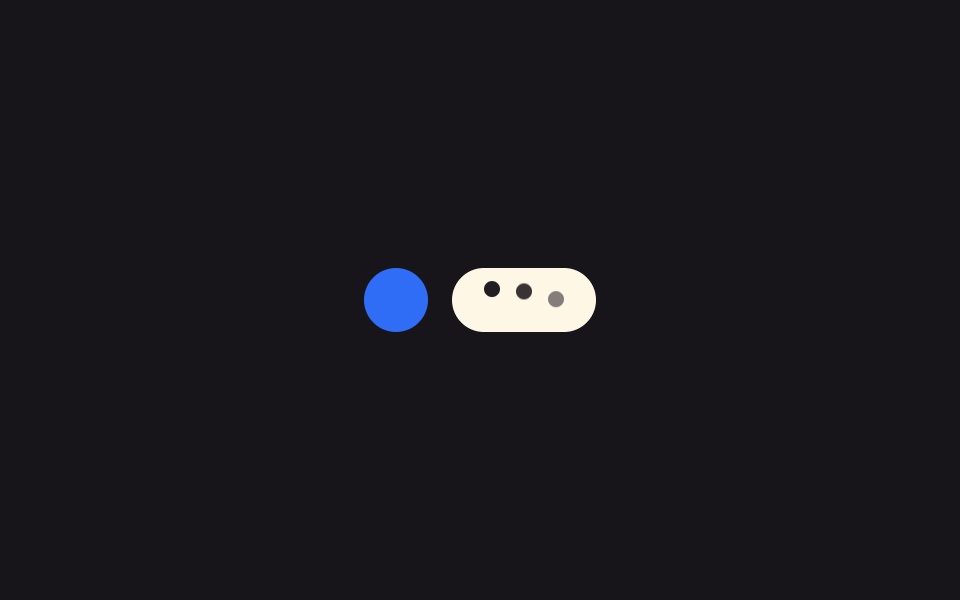 로딩타이핑 인디케이터 UI 9종 — 점 3개부터 그룹 채팅까지
 로딩로딩 스켈레톤 ui 9종 — 차트가 계산으로 완성되는 순간까지
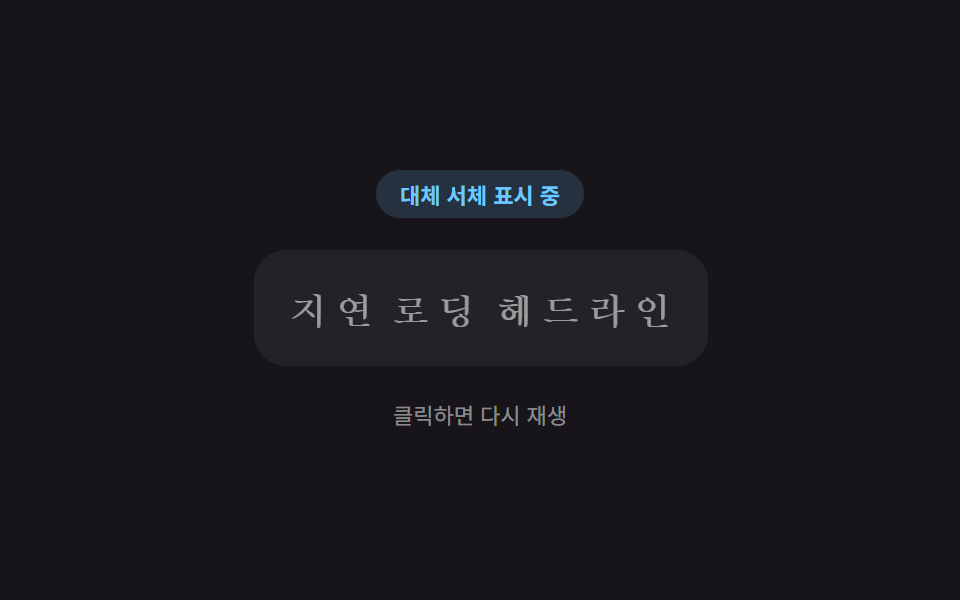 로딩이미지 지연 로딩 9종 — 레이지 로딩 자리표시자 모음
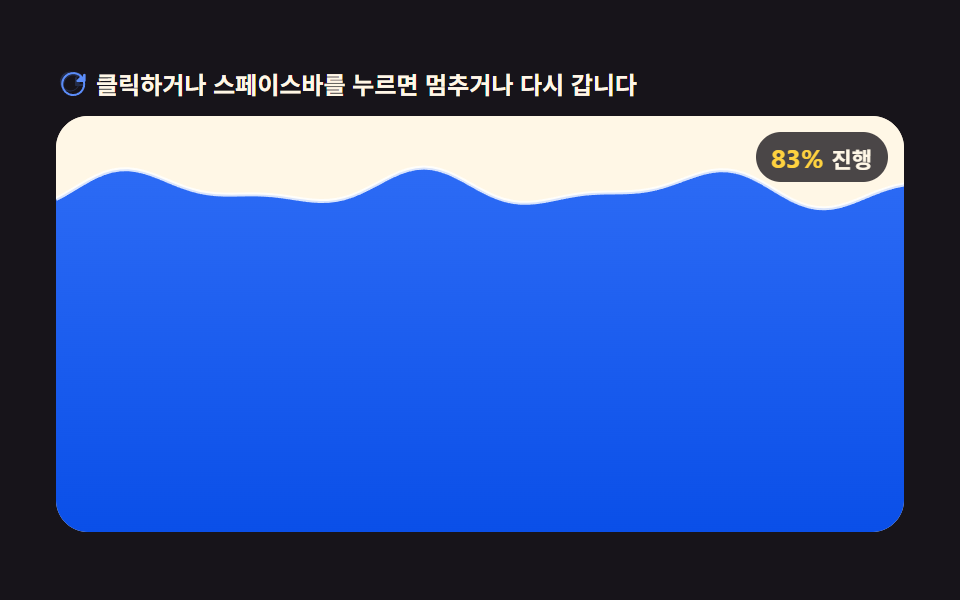 로딩캔버스 로딩 애니메이션 효과 9가지 — 코드 그대로
 로딩스켈레톤 UI CSS 9종 — 복붙하면 되는 로딩 화면
 로딩CSS 로딩 스피너 9종 — div 하나로 끝나는
 로딩원형 프로그레스바 CSS 9종 — 값만 바꾸면 되는
 로딩AI 채팅 CSS 로딩 애니메이션 9종
 로딩로딩페이지 디자인 9종 — 복붙하는 예쁜 CSS 로딩 화면