스티커 효과 9종 — 흰 테두리부터 홀로그램 스윕까지
스티커 효과 아홉 가지 중 하나는 흰 테두리와 그림자만으로 다이컷 스티커처럼 보이게 하고, 하나는 마우스를 올리면 표면 위로 무지개빛이 각도 따라 쓸고 지나가며, 하나는 커서를 따라 살짝 기울어져 진짜 스티커를 만지는 느낌을 냅니다.
어떤 이벤트를 듣는지 늘어놓아 보면 손끝 동작이 갈립니다. 01은 pointerenter·pointerleave와 focus·blur를 함께 들어 커서가 카드에 들고 날 때만 반응하고, 02·06은 진입 판정을 pointerenter 대신 pointermove로 바꿔 커서가 표면 위 어디에 있는지까지 매 프레임 추적하며, 03은 focus·blur 없이 pointermove·pointerleave 두 가지만 들어 색 전환에만 집중하고, 04·05·07·09는 click 하나로 상태를 뒤집으며, 08은 pointerdown·pointermove·pointerup·pointercancel에 keydown까지 더해 아홉 개 중 가장 많은 이벤트를 듣습니다. 스티커를 실제로 만질 때 손끝이 하는 동작(올리기·누르기·끌기·떼기)을 한 편에 모아 서로 비교하도록 순서를 짰습니다.
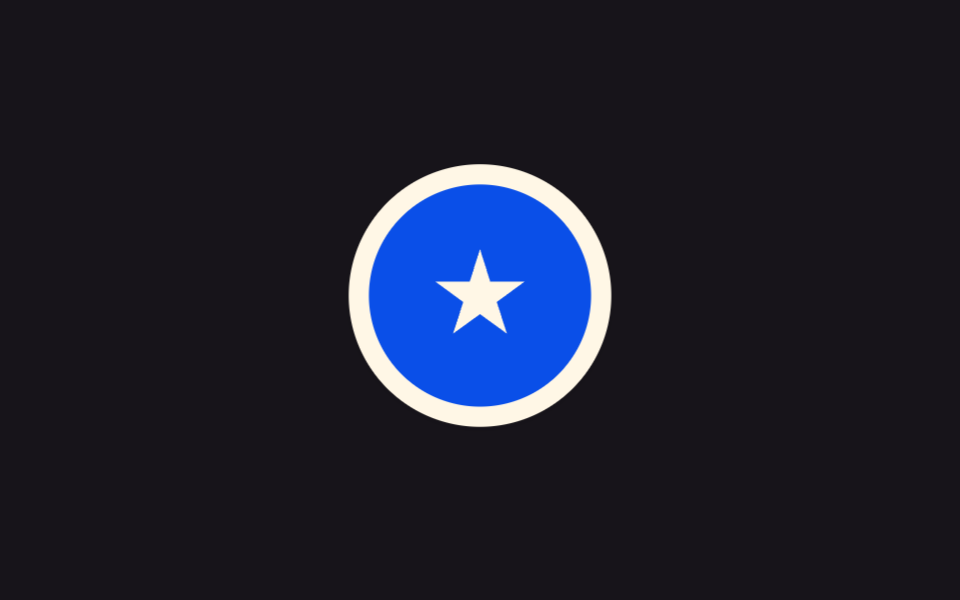 01 sticker-white-border-drop-shadow
 02 sticker-peel-corner
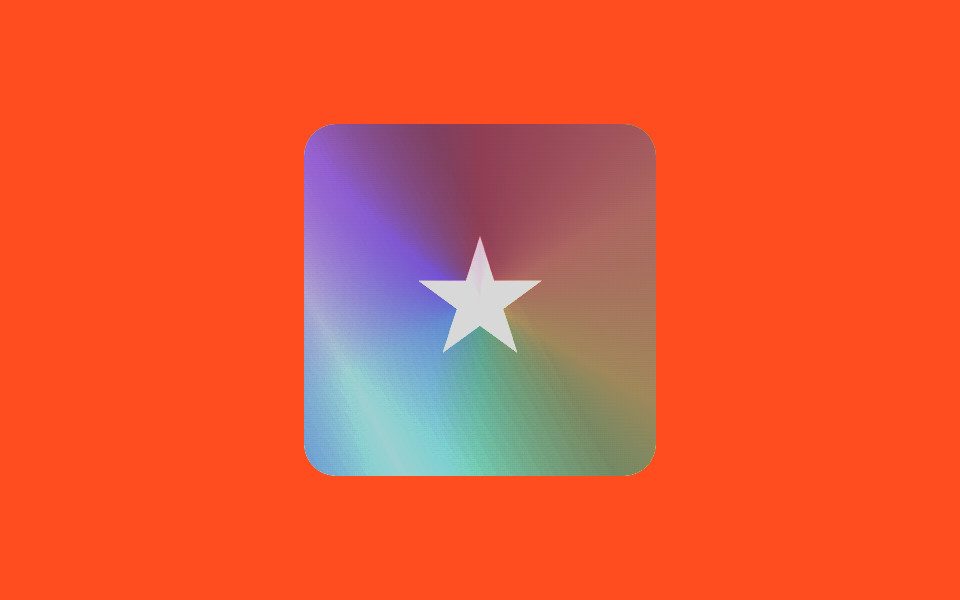 03 sticker-holographic
 04 sticker-tape-strip
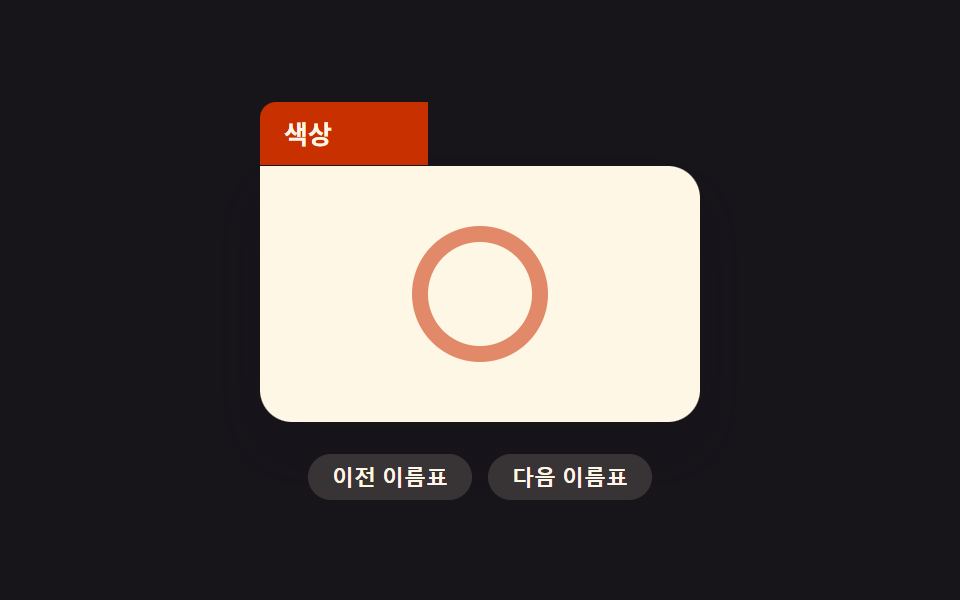 05 sticker-folder-tab
 06 sticker-tilt-on-hover
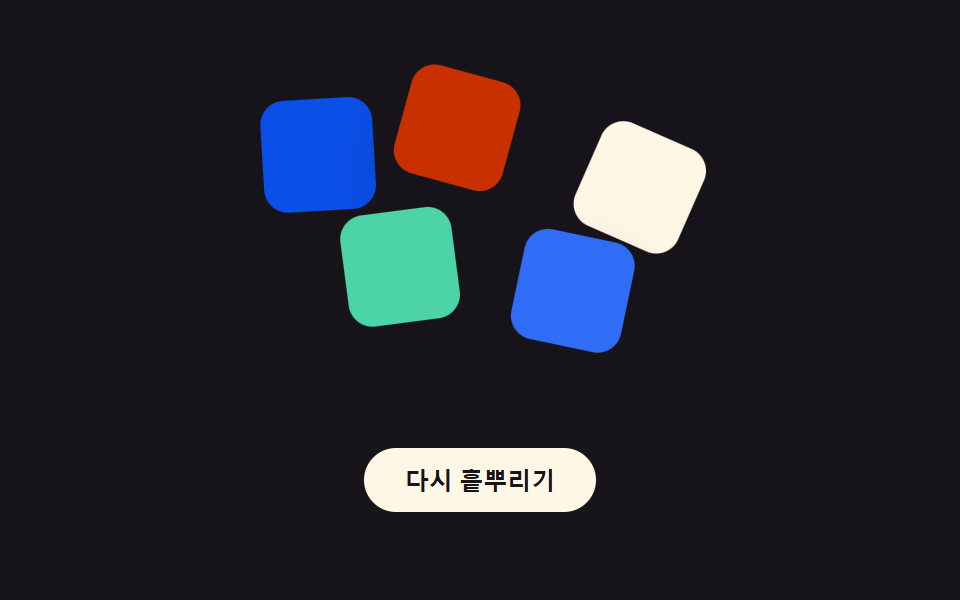 07 sticker-random-rotate-scatter
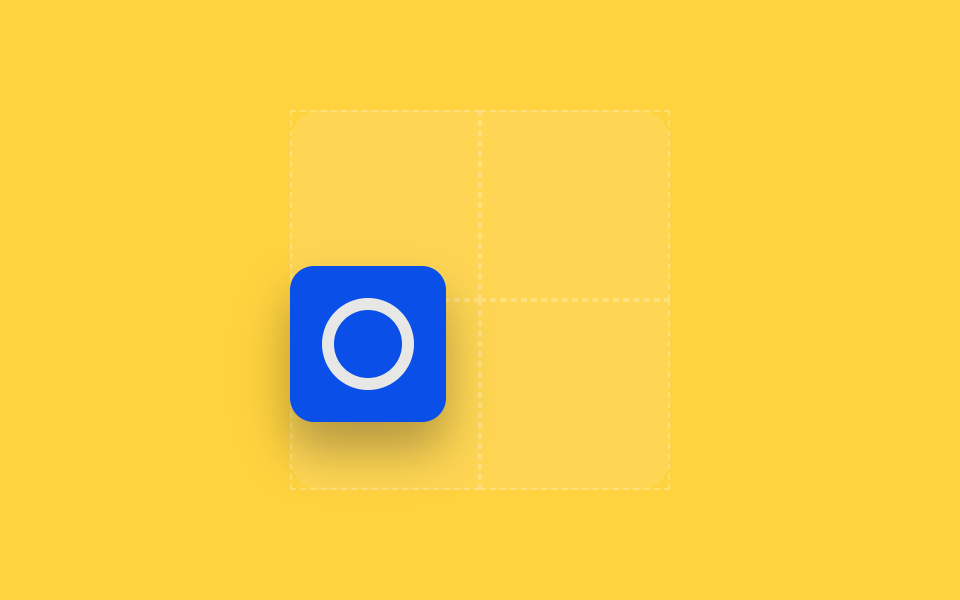 08 sticker-drag-place
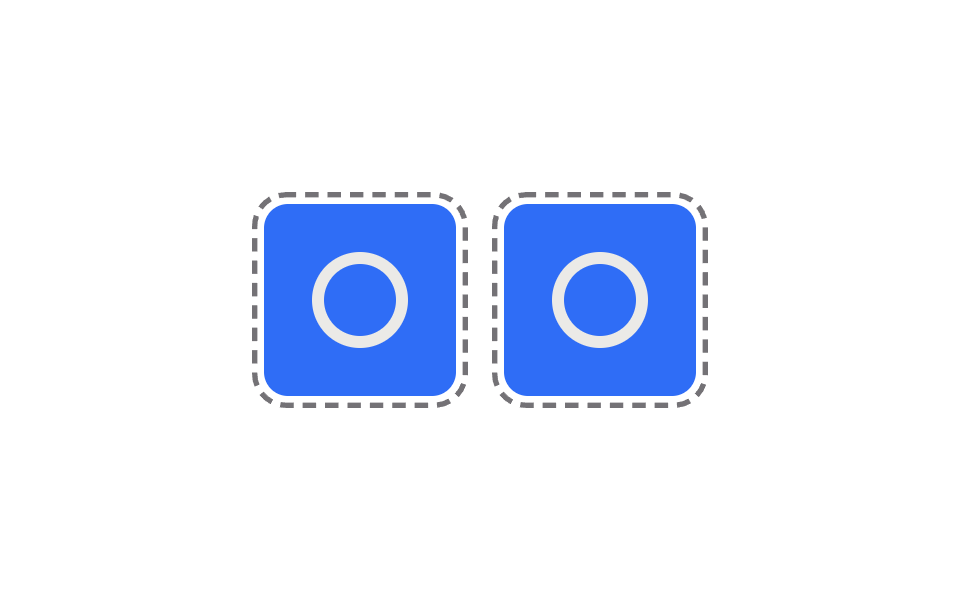 09 sticker-print-cut-line
자동 재생 · 눌러서 해당 항목으로 · 전부 한 zip
- 01 흰 테두리 다이컷 스티커 카드
- 02 모서리부터 벗겨지는 스티커
- 03 각도 따라 도는 홀로그램 스티커
- 04 마스킹 테이프로 붙인 스티커
- 05 폴더 탭 모양 스티커
- 06 커서를 따라 기울어지는 스티커
- 07 랜덤 각도로 흩뿌려진 스티커 무더기
- 08 드래그해서 붙이는 스티커
- 09 인쇄 절단선이 보이는 스티커 시트
아홉 개의 해부 — 계산 한 겹이 어디서 도는가
| 번호 | 이름 | 누적면적 | 강도_평균 | 움직인프레임 |
|---|---|---|---|---|
| 01 | 흰 테두리 다이컷 스티커 카드 | 7.18% | 100.8 | 15/23 |
| 02 | 모서리부터 벗겨지는 스티커 | 0.11% | 71.9 | 22/23 |
| 03 | 각도 따라 도는 홀로그램 스티커 | 14.42% | 24.9 | 23/23 |
| 04 | 마스킹 테이프로 붙인 스티커 | 10.05% | 78.3 | 20/23 |
| 05 | 폴더 탭 모양 스티커 | 1.11% | 127.5 | 15/23 |
| 06 | 커서를 따라 기울어지는 스티커 | 5.16% | 57.7 | 23/23 |
| 07 | 랜덤 각도로 흩뿌려진 스티커 무더기 | 18.39% | 101.0 | 17/23 |
| 08 | 드래그해서 붙이는 스티커 | 21.61% | 128.2 | 16/23 |
| 09 | 인쇄 절단선이 보이는 스티커 시트 | 8.43% | 72.3 | 23/23 |
화면이 가장 많이 바뀌는 항목은 08로, 스티커를 놓을 때마다 격자 전체가 다시 그려져 누적면적이 21.61%까지 오릅니다. 반대로 02는 커서가 모서리 근처에 있을 때만 삼각형 하나가 작게 벗겨져 0.11%로 가장 작습니다. 프레임 사이 픽셀 변화의 세기(강도_평균)는 08이 128.2로 가장 세고 — 05도 127.5로 근접하지만 08 하나만 최고로 꼽습니다 — 03이 24.9로 가장 약한데, 03은 hue·sweep이 부드러운 그라디언트 색 전환이라 그렇고 08은 놓는 순간 그림자와 회전이 한꺼번에 바뀌기 때문입니다. 23개 구간 중 실제로 픽셀이 움직인 구간은 03·06·09가 23/23으로 가장 촘촘하고 — 홀로그램 스윕과 기울기, 절단선 행진이 매 프레임 값을 갱신하기 때문입니다 — 01·05는 15/23으로 가장 뜸한데 진행률이 목표에 도달한 뒤에는 그림자와 탭 너비가 멈춰 있기 때문입니다.
포인터 벡터를 각도로 바꾼다 — 02·03·06
02는 카드 모서리를 기준점으로 삼아 커서까지의 dx·dy를 atan2에 넣어 벗겨지는 방향각을 구하고, 03은 같은 atan2 결과에 이동 속도(px/ms)를 곱해 홀로그램 스윕 각도와 색상 회전 속도를 동시에 정합니다. 06은 atan2 없이 카드 중심 기준 좌표를 -1..1로 정규화한 값에 MAX_TILT 상수를 곱해 rotateX·rotateY 각도를 만드는데, 방향을 구하는 계산식은 다르지만 셋 다 포인터 좌표가 곧 회전이나 그라디언트 각도라는 점이 같습니다. 포인터 좌표계의 정확한 정의는 MDN Pointer_events 문서에 나와 있습니다.
인덱스·씨앗값으로 각도를 만든다 — 04·07
04는 tapeAngle(i)가 인덱스 i에 TAPE_ANGLE_STEP을 곱하고 홀짝 인덱스마다 부호를 뒤집어 두 테이프가 서로 다른 방향으로 기울게 하고, 07은 같은 인덱스 자리에 사인 함수 기반 해시(hash(seed))를 넣어 규칙적인 증가 대신 뒤섞인 듯한 각도를 뽑습니다. 이름에 random이 들어 있지만 07은 Math.random을 전혀 쓰지 않는 결정적 산란이라, 같은 seed면 새로고침해도 늘 같은 배치가 나옵니다.
진행률·경과 시간을 산술식에 넣는다 — 01·09
01은 카드가 들리는 진행률 t(0~1)에 레이어 인덱스 i를 곱해 shadowFor(t)가 5겹의 오프셋·블러·알파를 한 번에 계산하고, 09는 타임스탬프에 MARCH_SPEED를 곱한 값을 점선 마디 길이로 나눈 나머지(모듈로)를 매 프레임 strokeDashoffset에 넣어 절단선이 끊김 없이 도는 것처럼 보이게 합니다. 둘 다 픽셀 좌표를 직접 계산하지 않고, 진행률이나 시간이라는 숫자 하나를 산술식에 통과시켜 그림을 만듭니다.
실측·좌표를 그대로 옮긴다 — 05·08
05는 canvas의 measureText()로 라벨 글자의 실제 폭을 재 그 값을 clip-path의 드러나는 폭으로 바로 옮기고, 08은 포인터가 놓인 좌표를 snap()이 격자 칸 크기로 나눠 반올림해 가장 가까운 칸 중심으로 되돌립니다. 05는 콘텐츠 크기를, 08은 콘텐츠 위치를 실측·반올림해 그대로 되먹인다는 점이 같습니다.
패턴별 코드
01흰 테두리 다이컷 스티커 카드
커서를 올리면(pointerenter) shadowFor(t)가 진행률 t에 맞춰 5겹의 그림자를 offset·blur·alpha 모두 산술로 늘리고, 뗄 때(pointerleave)는 같은 함수가 역방향으로 줄어들며 원래 자리로 돌아갑니다. 포트폴리오 이미지 꾸미기나 SNS 피드형 카드에서 이미지 하나를 실제 스티커처럼 보이게 할 때 씁니다.
  function shadowFor(t) {
    var parts = [];
    for (var i = 1; i <= LIFT_LAYERS; i++) {
      var off = (LAYER_OFFSET * i * t).toFixed(2);
      var blur = (LAYER_BLUR * i * t + 2).toFixed(2);
      var alpha = Math.max(0, LAYER_ALPHA_BASE - LAYER_ALPHA_STEP * i) * t;
      parts.push('0 ' + off + 'px ' + blur + 'px rgba(10,8,14,' + alpha.toFixed(3) + ')');
    }
    return parts.join(', ');
  }
<main class="stage">
<div class="wrap is-demo" id="wrap">
  <button class="badge" id="badge" type="button" aria-label="다이컷 스티커, 마우스를 올리거나 초점을 주면 들어올려진다">
    <span class="badgeMark" aria-hidden="true"></span>
  </button>
</div>
</main>
@use "../../../../site/static/demo-tokens" as *;
// 계산 겹은 index.html 의 shadowFor(t) 에 있다 — 들어올림 진행도(t, 0~1)에 비례해 그림자 레이어
// 5장의 오프셋·흐림·불투명도를 산술로 늘려 쌓아 하나의 box-shadow 로 합친다. 여기는 다이컷 모양의
// 흰 테두리와 배지 표면만 맡는다. transform·box-shadow 는 JS 가 매 프레임 직접 쓴다(rAF, paint 만).
@include stage($stage-ink);
.wrap {
display: grid;
place-items: center;
}
.badge {
position: relative;
width: 130px;
height: 130px;
border-radius: 50%;
border: 10px solid $subject-cream;
background: $subject-blue-deep;
padding: 0;
appearance: none;
cursor: pointer;
will-change: transform, box-shadow;
&:focus-visible { outline: 2px solid $subject-blue-light; outline-offset: 4px; }
}
.badgeMark {
position: absolute;
inset: 0;
margin: auto;
width: 46px;
height: 46px;
background: $subject-cream;
clip-path: polygon(50% 0%, 61% 35%, 98% 35%, 68% 57%, 79% 91%, 50% 70%, 21% 91%, 32% 57%, 2% 35%, 39% 35%);
}
@media (max-width: 340px) {
.badge { width: 100px; height: 100px; border-width: 8px; }
.badgeMark { width: 36px; height: 36px; }
}
@media (prefers-reduced-motion: reduce) {
// 실사용 경로(pointerenter/focus)는 그대로 두되, 자동 루프의 시각 전환만 즉시 스냅되도록
// index.html 의 reduce 분기가 lerp 를 건너뛴다 — 여긴 transition 이 없어 추가로 끌 것이 없다.
.badge { transition: none; }
}html, body {
margin: 0;
overflow: hidden;
}
.stage {
box-sizing: border-box;
min-height: 100vh;
display: grid;
place-items: center;
margin: 0;
background: #17141a;
font-family: -apple-system, "Segoe UI", "Noto Sans KR", sans-serif;
padding: clamp(8px, 4vw, 24px);
}
.wrap {
display: grid;
place-items: center;
}
.badge {
position: relative;
width: 130px;
height: 130px;
border-radius: 50%;
border: 10px solid #fff7e6;
background: #0a4fe8;
padding: 0;
appearance: none;
cursor: pointer;
will-change: transform, box-shadow;
}
.badge:focus-visible {
outline: 2px solid #5b8cf8;
outline-offset: 4px;
}
.badgeMark {
position: absolute;
inset: 0;
margin: auto;
width: 46px;
height: 46px;
background: #fff7e6;
clip-path: polygon(50% 0%, 61% 35%, 98% 35%, 68% 57%, 79% 91%, 50% 70%, 21% 91%, 32% 57%, 2% 35%, 39% 35%);
}
@media (max-width: 340px) {
.badge {
width: 100px;
height: 100px;
border-width: 8px;
}
.badgeMark {
width: 36px;
height: 36px;
}
}
@media (prefers-reduced-motion: reduce) {
.badge {
transition: none;
}
}(function () {
var LIFT_LAYERS = 5; // 그림자를 쌓는 겹 수
var LAYER_OFFSET = 3.6; // 겹마다 늘어나는 세로 오프셋(px, 완전히 뜬 상태 기준)
var LAYER_BLUR = 6; // 겹마다 늘어나는 흐림(px)
var LAYER_ALPHA_BASE = .34; // 첫 겹 불투명도
var LAYER_ALPHA_STEP = .05; // 겹마다 옅어지는 정도
var LIFT_PX = 18; // 완전히 뜬 상태에서 위로 이동하는 거리(px)
var LIFT_SCALE = .08; // 완전히 뜬 상태에서 커지는 비율
var LERP_RATE = .16;
var STEP_MS = 900;
var reduce = window.matchMedia('(prefers-reduced-motion: reduce)').matches;
var wrap = document.getElementById('wrap');
var badge = document.getElementById('badge');
var isDemo = true;
var target = 0; // 0 = 붙어 있음, 1 = 완전히 뜸
var shown = 0;
// 겹마다 오프셋·흐림·불투명도를 산술로 늘려 쌓는다 — 하나의 box-shadow 문자열로 합쳐 다이컷 스티커의
// 두꺼운 그림자 뒤판을 만든다. 이 계산이 뜬 정도(t)에 정비례해 매 프레임 다시 도는 것이 계산 겹이다.
function shadowFor(t) {
var parts = [];
for (var i = 1; i <= LIFT_LAYERS; i++) {
var off = (LAYER_OFFSET * i * t).toFixed(2);
var blur = (LAYER_BLUR * i * t + 2).toFixed(2);
var alpha = Math.max(0, LAYER_ALPHA_BASE - LAYER_ALPHA_STEP * i) * t;
parts.push('0 ' + off + 'px ' + blur + 'px rgba(10,8,14,' + alpha.toFixed(3) + ')');
}
return parts.join(', ');
}
function human() { if (isDemo) { wrap.classList.remove('is-demo'); isDemo = false; } }
function lift() { human(); target = 1; }
function drop() { human(); target = 0; }
badge.addEventListener('pointerenter', lift);
badge.addEventListener('pointerleave', drop);
badge.addEventListener('focus', lift);
badge.addEventListener('blur', drop);
var dir = 1;
var last = 0;
function autoAdvance(ts) {
if (ts - last < STEP_MS) return;
last = ts;
target = dir > 0 ? 1 : 0;
dir *= -1;
}
function loop(ts) {
if (!last) last = ts;
if (isDemo && !reduce) autoAdvance(ts);
if (reduce) { shown = target; } else { shown += (target - shown) * LERP_RATE; }
badge.style.transform = 'translateY(' + (-LIFT_PX * shown).toFixed(2) + 'px) scale(' + (1 + LIFT_SCALE * shown).toFixed(3) + ')';
badge.style.boxShadow = shadowFor(shown);
requestAnimationFrame(loop);
}
requestAnimationFrame(loop);
})();// WhiteBorderDropShadow — vanilla 판(run/378/demo/01-sticker-white-border-drop-shadow/index.html) 의 React 포트.
// 들어올림 진행도(t)에 비례해 그림자 레이어 5장의 오프셋·흐림·불투명도를 산술로 늘려 쌓아
// 하나의 box-shadow 로 합친다 — 계산 겹은 shadowFor(t) 에 있다.
import { useEffect, useRef } from "react";
import styles from "./WhiteBorderDropShadow.module.scss";
type Box<T> = { current: T };
const LIFT_LAYERS = 5;
const LAYER_OFFSET = 3.6;
const LAYER_BLUR = 6;
const LAYER_ALPHA_BASE = 0.34;
const LAYER_ALPHA_STEP = 0.05;
const LIFT_PX = 18;
const LIFT_SCALE = 0.08;
const LERP_RATE = 0.16;
const STEP_MS = 900;
export default function WhiteBorderDropShadow() {
const rootRef = useRef(null) as unknown as Box<HTMLDivElement>;
const badgeRef = useRef(null) as unknown as Box<HTMLButtonElement>;
const rafRef = useRef(0) as unknown as Box<number>;
useEffect(() => {
const reduce = window.matchMedia("(prefers-reduced-motion: reduce)").matches;
const wrap = rootRef.current;
const badge = badgeRef.current;
if (!wrap || !badge) return;
let isDemo = true;
let target = 0;
let shown = 0;
function shadowFor(t: number) {
const parts: string[] = [];
for (let i = 1; i <= LIFT_LAYERS; i++) {
const off = (LAYER_OFFSET * i * t).toFixed(2);
const blur = (LAYER_BLUR * i * t + 2).toFixed(2);
const alpha = Math.max(0, LAYER_ALPHA_BASE - LAYER_ALPHA_STEP * i) * t;
parts.push("0 " + off + "px " + blur + "px rgba(10,8,14," + alpha.toFixed(3) + ")");
}
return parts.join(", ");
}
function human() { if (isDemo) { wrap!.classList.remove(styles.isDemo); isDemo = false; } }
function lift() { human(); target = 1; }
function drop() { human(); target = 0; }
badge.addEventListener("pointerenter", lift);
badge.addEventListener("pointerleave", drop);
badge.addEventListener("focus", lift);
badge.addEventListener("blur", drop);
let dir = 1;
let last = 0;
function autoAdvance(ts: number) {
if (ts - last < STEP_MS) return;
last = ts;
target = dir > 0 ? 1 : 0;
dir *= -1;
}
function loop(ts: number) {
if (!last) last = ts;
if (isDemo && !reduce) autoAdvance(ts);
if (reduce) { shown = target; } else { shown += (target - shown) * LERP_RATE; }
badge!.style.transform = "translateY(" + (-LIFT_PX * shown).toFixed(2) + "px) scale(" + (1 + LIFT_SCALE * shown).toFixed(3) + ")";
badge!.style.boxShadow = shadowFor(shown);
rafRef.current = requestAnimationFrame(loop);
}
rafRef.current = requestAnimationFrame(loop);
return () => {
badge!.removeEventListener("pointerenter", lift);
badge!.removeEventListener("pointerleave", drop);
badge!.removeEventListener("focus", lift);
badge!.removeEventListener("blur", drop);
cancelAnimationFrame(rafRef.current);
};
}, []);
return (
<main className={styles.stage}>
<div className={styles.wrap + " " + styles.isDemo} ref={rootRef}>
<button className={styles.badge} ref={badgeRef} type="button" aria-label="다이컷 스티커, 마우스를 올리거나 초점을 주면 들어올려진다">
<span className={styles.badgeMark} aria-hidden="true"></span>
</button>
</div>
</main>
);
}01 · 흰 테두리 다이컷 스티커 카드 — 측정 누적면적 7.179% · 움직인 프레임 15/23GODRICH 원작 · zip 에 SCSS·React 포함 · 비밀번호 보기
02모서리부터 벗겨지는 스티커
카드 위에서 커서를 움직이면(pointermove) 모서리 기준점까지의 거리와 각도를 hypot·atan2로 구해 가까울수록 크게 벗겨지는 삼각형을 clip-path로 그립니다(133의 홀로그램 배지 필+스윕 조합과 다른 시연 — 여긴 벗겨지는 각도 자체가 커서 위치를 따라간다). 쿠폰·배지 카드를 강조하거나 갤러리 썸네일에 호기심을 주는 용도에 맞습니다.
  function applyFromPoint(px, py) {
    var r = card.getBoundingClientRect();
    var pivotX = r.right, pivotY = r.top;
    var dx = pivotX - px, dy = py - pivotY;
    var distance = Math.hypot(dx, dy);
    var amt = Math.max(0, Math.min(1, 1 - distance / PEEL_REACH));
    targetSize = amt * PEEL_CORNER_SIZE;
    targetDeg = (Math.atan2(dy, dx) * 180 / Math.PI + 360) % 360;
  }
<main class="stage">
<div class="wrap is-demo" id="wrap">
  <div class="cardZone" id="zone">
    <div class="backing" aria-hidden="true"></div>
    <button class="card" id="card" type="button" aria-label="스티커 카드, 커서를 모서리 쪽으로 움직이면 벗겨진다">
      <span class="cardMark" aria-hidden="true"></span>
      <span class="peelShade" id="shade" aria-hidden="true"></span>
    </button>
  </div>
</div>
</main>
@use "../../../../site/static/demo-tokens" as *;
// 계산 겹은 index.html 의 applyFromPoint(px, py) 에 있다 — 카드 우상단 꼭짓점에서 포인터까지의
// 거리로 벗겨지는 크기(--peel-size)를, atan2 각도로 그라디언트 방향(--peel-deg)을 매 프레임 다시 잰다.
// 여기는 그 두 변수를 clip-path 코너 컷과 그라디언트에 그대로 꽂아 쓴다(레이아웃을 건드리지 않는 paint 계산).
@include stage($stage-yellow);
.wrap { display: grid; place-items: center; }
.cardZone {
position: relative;
width: 170px;
height: 170px;
}
.backing {
position: absolute;
inset: 0;
border-radius: $r-card;
background: $subject-cream;
}
.card {
position: absolute;
inset: 0;
border: 0;
padding: 0;
appearance: none;
cursor: pointer;
background: $subject-blue;
--peel-size: 0px;
clip-path: polygon(0 0, calc(100% - var(--peel-size)) 0, 100% var(--peel-size), 100% 100%, 0 100%);
&:focus-visible { outline: 2px solid $subject-blue-light; outline-offset: 4px; }
}
.cardMark {
position: absolute;
inset: 0;
margin: auto;
width: 56px;
height: 56px;
border-radius: 50%;
border: 8px solid rgba($subject-cream, .8);
}
.peelShade {
position: absolute;
top: 0;
right: 0;
width: var(--peel-size, 0px);
height: var(--peel-size, 0px);
--peel-deg: 45deg;
clip-path: polygon(100% 0, 100% 100%, 0 0);
background: linear-gradient(var(--peel-deg), rgba(255, 247, 230, .95), rgba(255, 247, 230, 0) 72%);
pointer-events: none;
}
@media (max-width: 340px) {
.cardZone { width: 130px; height: 130px; }
.cardMark { width: 42px; height: 42px; border-width: 6px; }
}
@media (prefers-reduced-motion: reduce) {
.card { transition: none; }
}html, body {
margin: 0;
overflow: hidden;
}
.stage {
box-sizing: border-box;
min-height: 100vh;
display: grid;
place-items: center;
margin: 0;
background: #ffd23f;
font-family: -apple-system, "Segoe UI", "Noto Sans KR", sans-serif;
padding: clamp(8px, 4vw, 24px);
}
.wrap {
display: grid;
place-items: center;
}
.cardZone {
position: relative;
width: 170px;
height: 170px;
}
.backing {
position: absolute;
inset: 0;
border-radius: 16px;
background: #fff7e6;
}
.card {
position: absolute;
inset: 0;
border: 0;
padding: 0;
appearance: none;
cursor: pointer;
background: #2f6df6;
--peel-size: 0px;
clip-path: polygon(0 0, calc(100% - var(--peel-size)) 0, 100% var(--peel-size), 100% 100%, 0 100%);
}
.card:focus-visible {
outline: 2px solid #5b8cf8;
outline-offset: 4px;
}
.cardMark {
position: absolute;
inset: 0;
margin: auto;
width: 56px;
height: 56px;
border-radius: 50%;
border: 8px solid rgba(255, 247, 230, 0.8);
}
.peelShade {
position: absolute;
top: 0;
right: 0;
width: var(--peel-size, 0px);
height: var(--peel-size, 0px);
--peel-deg: 45deg;
clip-path: polygon(100% 0, 100% 100%, 0 0);
background: linear-gradient(var(--peel-deg), rgba(255, 247, 230, 0.95), rgba(255, 247, 230, 0) 72%);
pointer-events: none;
}
@media (max-width: 340px) {
.cardZone {
width: 130px;
height: 130px;
}
.cardMark {
width: 42px;
height: 42px;
border-width: 6px;
}
}
@media (prefers-reduced-motion: reduce) {
.card {
transition: none;
}
}(function () {
var PEEL_CORNER_SIZE = 24; // 커서가 모서리에 딱 붙었을 때 벗겨지는 기본 크기(px) — 변형은 44px
var PEEL_REACH = 190; // 이 거리(px) 밖이면 벗겨짐이 0 이 된다
var LERP_RATE = .18;
var ORBIT_MS = 2600; // 자동 루프가 코너 주변을 도는 한 바퀴 시간
var reduce = window.matchMedia('(prefers-reduced-motion: reduce)').matches;
var wrap = document.getElementById('wrap');
var zone = document.getElementById('zone');
var card = document.getElementById('card');
var shade = document.getElementById('shade');
var isDemo = true;
var targetSize = 0, targetDeg = 45;
var shownSize = 0, shownDeg = 45;
// 카드 우상단 꼭짓점(pivot)에서 포인터까지의 벡터로 벗겨짐 크기와 그라디언트 각도를 계산한다.
// 거리(distance)가 가까울수록 크게 벗겨지고, 각도(atan2)는 그라디언트가 흐르는 방향을 정한다 —
// 포인터 각도 → clip-path/그라디언트 계산.
function applyFromPoint(px, py) {
var r = card.getBoundingClientRect();
var pivotX = r.right, pivotY = r.top;
var dx = pivotX - px, dy = py - pivotY;
var distance = Math.hypot(dx, dy);
var amt = Math.max(0, Math.min(1, 1 - distance / PEEL_REACH));
targetSize = amt * PEEL_CORNER_SIZE;
targetDeg = (Math.atan2(dy, dx) * 180 / Math.PI + 360) % 360;
}
function human() { if (isDemo) { wrap.classList.remove('is-demo'); isDemo = false; } }
function onMove(e) { human(); applyFromPoint(e.clientX, e.clientY); }
function onLeave() { human(); targetSize = 0; }
zone.addEventListener('pointermove', onMove);
zone.addEventListener('pointerleave', onLeave);
card.addEventListener('focus', function () { human(); applyFromPoint(card.getBoundingClientRect().left, card.getBoundingClientRect().top); });
card.addEventListener('blur', function () { human(); targetSize = 0; });
var last = 0;
function autoAdvance(ts) {
if (!last) last = ts;
var r = card.getBoundingClientRect();
var t = ((ts - last) % ORBIT_MS) / ORBIT_MS;
var angle = t * Math.PI * 2;
var px = r.right - 26 + Math.cos(angle) * 30;
var py = r.top + 26 + Math.sin(angle) * 30;
applyFromPoint(px, py);
}
function loop(ts) {
if (isDemo && !reduce) autoAdvance(ts);
if (reduce) { shownSize = targetSize; shownDeg = targetDeg; }
else {
shownSize += (targetSize - shownSize) * LERP_RATE;
shownDeg += (targetDeg - shownDeg) * LERP_RATE;
}
card.style.setProperty('--peel-size', shownSize.toFixed(2) + 'px');
shade.style.setProperty('--peel-deg', shownDeg.toFixed(1) + 'deg');
requestAnimationFrame(loop);
}
requestAnimationFrame(loop);
})();// PeelCorner — vanilla 판(run/378/demo/02-sticker-peel-corner/index.html) 의 React 포트.
// 카드 우상단 꼭짓점에서 포인터까지의 벡터로 벗겨짐 크기와 그라디언트 각도(atan2)를 계산한다.
import { useEffect, useRef } from "react";
import styles from "./PeelCorner.module.scss";
type Box<T> = { current: T };
const PEEL_CORNER_SIZE = 24; // 변형: 44px
const PEEL_REACH = 190;
const LERP_RATE = 0.18;
const ORBIT_MS = 2600;
export default function PeelCorner() {
const rootRef = useRef(null) as unknown as Box<HTMLDivElement>;
const zoneRef = useRef(null) as unknown as Box<HTMLDivElement>;
const cardRef = useRef(null) as unknown as Box<HTMLButtonElement>;
const shadeRef = useRef(null) as unknown as Box<HTMLSpanElement>;
const rafRef = useRef(0) as unknown as Box<number>;
useEffect(() => {
const reduce = window.matchMedia("(prefers-reduced-motion: reduce)").matches;
const wrap = rootRef.current;
const zone = zoneRef.current;
const card = cardRef.current;
const shade = shadeRef.current;
if (!wrap || !zone || !card || !shade) return;
let isDemo = true;
let targetSize = 0, targetDeg = 45;
let shownSize = 0, shownDeg = 45;
function applyFromPoint(px: number, py: number) {
const r = card!.getBoundingClientRect();
const pivotX = r.right, pivotY = r.top;
const dx = pivotX - px, dy = py - pivotY;
const distance = Math.hypot(dx, dy);
const amt = Math.max(0, Math.min(1, 1 - distance / PEEL_REACH));
targetSize = amt * PEEL_CORNER_SIZE;
targetDeg = (Math.atan2(dy, dx) * 180 / Math.PI + 360) % 360;
}
function human() { if (isDemo) { wrap!.classList.remove(styles.isDemo); isDemo = false; } }
function onMove(e: PointerEvent) { human(); applyFromPoint(e.clientX, e.clientY); }
function onLeave() { human(); targetSize = 0; }
function onFocus() { human(); const r = card!.getBoundingClientRect(); applyFromPoint(r.left, r.top); }
function onBlur() { human(); targetSize = 0; }
zone.addEventListener("pointermove", onMove);
zone.addEventListener("pointerleave", onLeave);
card.addEventListener("focus", onFocus);
card.addEventListener("blur", onBlur);
let last = 0;
function autoAdvance(ts: number) {
if (!last) last = ts;
const r = card!.getBoundingClientRect();
const t = ((ts - last) % ORBIT_MS) / ORBIT_MS;
const angle = t * Math.PI * 2;
const px = r.right - 26 + Math.cos(angle) * 30;
const py = r.top + 26 + Math.sin(angle) * 30;
applyFromPoint(px, py);
}
function loop(ts: number) {
if (isDemo && !reduce) autoAdvance(ts);
if (reduce) { shownSize = targetSize; shownDeg = targetDeg; }
else {
shownSize += (targetSize - shownSize) * LERP_RATE;
shownDeg += (targetDeg - shownDeg) * LERP_RATE;
}
card!.style.setProperty("--peel-size", shownSize.toFixed(2) + "px");
shade!.style.setProperty("--peel-deg", shownDeg.toFixed(1) + "deg");
rafRef.current = requestAnimationFrame(loop);
}
rafRef.current = requestAnimationFrame(loop);
return () => {
zone!.removeEventListener("pointermove", onMove);
zone!.removeEventListener("pointerleave", onLeave);
card!.removeEventListener("focus", onFocus);
card!.removeEventListener("blur", onBlur);
cancelAnimationFrame(rafRef.current);
};
}, []);
return (
<main className={styles.stage}>
<div className={styles.wrap + " " + styles.isDemo} ref={rootRef}>
<div className={styles.cardZone} ref={zoneRef}>
<div className={styles.backing} aria-hidden="true"></div>
<button className={styles.card} ref={cardRef} type="button" aria-label="스티커 카드, 커서를 모서리 쪽으로 움직이면 벗겨진다">
<span className={styles.cardMark} aria-hidden="true"></span>
<span className={styles.peelShade} ref={shadeRef} aria-hidden="true"></span>
</button>
</div>
</div>
</main>
);
}02 · 모서리부터 벗겨지는 스티커 — 측정 누적면적 0.108% · 움직인 프레임 22/23GODRICH 원작 · zip 에 SCSS·React 포함 · 비밀번호 보기
03각도 따라 도는 홀로그램 스티커
커서가 표면 위를 지나가는 속도(px/ms)를 재 그 값에 비례해 무지개 빛의 색상(hue)과 스윕 위치를 동시에 돌리고, 이동 방향은 atan2로 구해 스윕이 흐르는 기준각을 정합니다(133의 정적 카드·배지 홀로그램 세트와 다른 시연 — 여긴 포인터 이동량이 빛의 이동 속도를 직접 정한다). conic-gradient로 그린 무지개 막은 mix-blend-mode:color-dodge로 아래 카드 색과 섞여 실제 홀로그램 필름처럼 밝은 부분만 더 밝게 도드라지고, 한정판 카드나 홀로그램 스티커 느낌의 굿즈 목업 미리보기에서 손에 들고 기울이는 인상을 낼 때 씁니다.
  function applyMove(x, y, now) {
    if (lastX !== null) {
      var dt = Math.max(now - lastTime, 1);
      var dx = x - lastX, dy = y - lastY;
      var speed = Math.hypot(dx, dy) / dt; // px/ms
      hue = (hue + speed * HUE_SPEED * (dt / 1000)) % 360;
      sweepPos = (sweepPos + speed * SWEEP_SPEED * (dt / 1000)) % 200;
      sweepAngleTarget = 90 + (Math.atan2(dy, dx) * 180 / Math.PI) % HOLO_SWEEP_ANGLE_RANGE;
    }
    lastX = x; lastY = y; lastTime = now;
  }
<main class="stage">
<div class="wrap is-demo" id="wrap">
  <button class="card" id="card" type="button" aria-label="홀로그램 스티커, 커서를 움직이면 표면 위 무지개빛이 방향과 속도를 따라간다">
    <span class="cardMark" aria-hidden="true"></span>
    <span class="sheen" id="sheen" aria-hidden="true"></span>
  </button>
</div>
</main>
@use "../../../../site/static/demo-tokens" as *;
// 계산 겹은 index.html 의 applyMove(x, y, now) 에 있다 — 포인터의 이동 속도(px/ms)가 색상 회전
// 속도(--hue-deg)와 빛 이동 위치(--sweep-pos)를 직접 정하고, 이동 방향(atan2)이 스윕 각도(--sweep-angle)를
// 정한다. 133 의 정적 카드·배지 홀로그램과 다른 계산 축 — 여기는 포인터 이동량이 입력이다.
@include stage($stage-orange);
.wrap { display: grid; place-items: center; }
.card {
position: relative;
width: 176px;
height: 176px;
border: 0;
padding: 0;
appearance: none;
cursor: pointer;
border-radius: $r-card;
background: $subject-ink;
overflow: hidden;
&:focus-visible { outline: 2px solid $subject-blue-light; outline-offset: 4px; }
}
.cardMark {
position: absolute;
inset: 0;
margin: auto;
width: 64px;
height: 64px;
background: $subject-cream;
clip-path: polygon(50% 0%, 61% 35%, 98% 35%, 68% 57%, 79% 91%, 50% 70%, 21% 91%, 32% 57%, 2% 35%, 39% 35%);
opacity: .18;
}
.sheen {
position: absolute;
inset: 0;
--hue-deg: 0deg;
--sweep-pos: 0%;
--sweep-angle: 115deg;
background:
linear-gradient(var(--sweep-angle),
transparent 0%, rgba(255, 255, 255, .5) 18%, transparent 36%),
conic-gradient(from var(--hue-deg),
#ddb9bc, #e3d6c5, #e1e0c1, #c1e1d2, #c1d8e1, #cdc1e1, #ddb9bc);
background-size: 220% 220%, 160% 160%;
background-position: var(--sweep-pos) 50%, center;
mix-blend-mode: color-dodge;
opacity: .8;
pointer-events: none;
}
@media (max-width: 340px) {
.card { width: 138px; height: 138px; }
.cardMark { width: 50px; height: 50px; }
}
@media (prefers-reduced-motion: reduce) {
.card { transition: none; }
}html, body {
margin: 0;
overflow: hidden;
}
.stage {
box-sizing: border-box;
min-height: 100vh;
display: grid;
place-items: center;
margin: 0;
background: #ff4d1f;
font-family: -apple-system, "Segoe UI", "Noto Sans KR", sans-serif;
padding: clamp(8px, 4vw, 24px);
}
.wrap {
display: grid;
place-items: center;
}
.card {
position: relative;
width: 176px;
height: 176px;
border: 0;
padding: 0;
appearance: none;
cursor: pointer;
border-radius: 16px;
background: #17141a;
overflow: hidden;
}
.card:focus-visible {
outline: 2px solid #5b8cf8;
outline-offset: 4px;
}
.cardMark {
position: absolute;
inset: 0;
margin: auto;
width: 64px;
height: 64px;
background: #fff7e6;
clip-path: polygon(50% 0%, 61% 35%, 98% 35%, 68% 57%, 79% 91%, 50% 70%, 21% 91%, 32% 57%, 2% 35%, 39% 35%);
opacity: 0.18;
}
.sheen {
position: absolute;
inset: 0;
--hue-deg: 0deg;
--sweep-pos: 0%;
--sweep-angle: 115deg;
background: linear-gradient(var(--sweep-angle), transparent 0%, rgba(255, 255, 255, 0.5) 18%, transparent 36%), conic-gradient(from var(--hue-deg), #ddb9bc, #e3d6c5, #e1e0c1, #c1e1d2, #c1d8e1, #cdc1e1, #ddb9bc);
background-size: 220% 220%, 160% 160%;
background-position: var(--sweep-pos) 50%, center;
mix-blend-mode: color-dodge;
opacity: 0.8;
pointer-events: none;
}
@media (max-width: 340px) {
.card {
width: 138px;
height: 138px;
}
.cardMark {
width: 50px;
height: 50px;
}
}
@media (prefers-reduced-motion: reduce) {
.card {
transition: none;
}
}(function () {
var HOLO_SWEEP_ANGLE_RANGE = 45; // 스윕 그라디언트가 회전하는 각도 폭(deg) — 변형은 90deg
var HUE_SPEED = 220; // 포인터 속도(px/ms) 가 색상 회전 속도(deg/s)에 곱해지는 계수
var SWEEP_SPEED = 340; // 포인터 속도가 빛 이동 위치(%/s)에 곱해지는 계수
var LERP_RATE = .2;
var ORBIT_MS = 1900;
var reduce = window.matchMedia('(prefers-reduced-motion: reduce)').matches;
var wrap = document.getElementById('wrap');
var card = document.getElementById('card');
var sheen = document.getElementById('sheen');
var isDemo = true;
var hue = 0, sweepPos = 0, sweepAngleTarget = 115;
var shownAngle = 115;
var lastX = null, lastY = null, lastTime = 0;
// 포인터의 이동량(dx, dy)과 걸린 시간(dt)으로 속도를 구해 색상 회전 속도와 빛의 이동 속도를
// 직접 정한다 — 133 의 정적 홀로그램과 달리 여기선 포인터 이동량 자체가 계산 입력이다.
function applyMove(x, y, now) {
if (lastX !== null) {
var dt = Math.max(now - lastTime, 1);
var dx = x - lastX, dy = y - lastY;
var speed = Math.hypot(dx, dy) / dt; // px/ms
hue = (hue + speed * HUE_SPEED * (dt / 1000)) % 360;
sweepPos = (sweepPos + speed * SWEEP_SPEED * (dt / 1000)) % 200;
sweepAngleTarget = 90 + (Math.atan2(dy, dx) * 180 / Math.PI) % HOLO_SWEEP_ANGLE_RANGE;
}
lastX = x; lastY = y; lastTime = now;
}
function human() { if (isDemo) { wrap.classList.remove('is-demo'); isDemo = false; } }
function onMove(e) { human(); applyMove(e.clientX, e.clientY, performance.now()); }
card.addEventListener('pointermove', onMove);
card.addEventListener('pointerleave', function () { human(); lastX = null; });
var orbitLast = 0;
function autoAdvance(ts) {
var t = (ts % ORBIT_MS) / ORBIT_MS;
var angle = t * Math.PI * 2;
var r = card.getBoundingClientRect();
var px = r.left + r.width / 2 + Math.cos(angle) * (r.width * .38);
var py = r.top + r.height / 2 + Math.sin(angle) * (r.height * .38);
applyMove(px, py, ts);
}
function loop(ts) {
if (isDemo && !reduce) autoAdvance(ts);
if (reduce) { shownAngle = sweepAngleTarget; }
else { shownAngle += (sweepAngleTarget - shownAngle) * LERP_RATE; }
card.style.setProperty('--hue-deg', (reduce ? 0 : hue).toFixed(1) + 'deg');
card.style.setProperty('--sweep-pos', (reduce ? 0 : sweepPos).toFixed(1) + '%');
sheen.style.setProperty('--sweep-angle', shownAngle.toFixed(1) + 'deg');
requestAnimationFrame(loop);
}
requestAnimationFrame(loop);
})();// Holographic — vanilla 판(run/378/demo/03-sticker-holographic/index.html) 의 React 포트.
// 포인터 이동 속도(px/ms)가 색상 회전 속도(--hue-deg)와 빛 이동 속도(--sweep-pos)를 직접 정하고,
// 이동 방향(atan2)이 스윕 각도(--sweep-angle)를 정한다 — 계산 겹은 applyMove(x, y, now) 에 있다.
import { useEffect, useRef } from "react";
import styles from "./Holographic.module.scss";
type Box<T> = { current: T };
const HOLO_SWEEP_ANGLE_RANGE = 45; // 변형: 90deg
const HUE_SPEED = 220;
const SWEEP_SPEED = 340;
const LERP_RATE = 0.2;
const ORBIT_MS = 1900;
export default function Holographic() {
const rootRef = useRef(null) as unknown as Box<HTMLDivElement>;
const cardRef = useRef(null) as unknown as Box<HTMLButtonElement>;
const sheenRef = useRef(null) as unknown as Box<HTMLSpanElement>;
const rafRef = useRef(0) as unknown as Box<number>;
useEffect(() => {
const reduce = window.matchMedia("(prefers-reduced-motion: reduce)").matches;
const wrap = rootRef.current;
const card = cardRef.current;
const sheen = sheenRef.current;
if (!wrap || !card || !sheen) return;
let isDemo = true;
let hue = 0, sweepPos = 0, sweepAngleTarget = 115;
let shownAngle = 115;
let lastX: number | null = null, lastY = 0, lastTime = 0;
function applyMove(x: number, y: number, now: number) {
if (lastX !== null) {
const dt = Math.max(now - lastTime, 1);
const dx = x - lastX, dy = y - lastY;
const speed = Math.hypot(dx, dy) / dt;
hue = (hue + speed * HUE_SPEED * (dt / 1000)) % 360;
sweepPos = (sweepPos + speed * SWEEP_SPEED * (dt / 1000)) % 200;
sweepAngleTarget = 90 + (Math.atan2(dy, dx) * 180 / Math.PI) % HOLO_SWEEP_ANGLE_RANGE;
}
lastX = x; lastY = y; lastTime = now;
}
function human() { if (isDemo) { wrap!.classList.remove(styles.isDemo); isDemo = false; } }
function onMove(e: PointerEvent) { human(); applyMove(e.clientX, e.clientY, performance.now()); }
function onLeave() { human(); lastX = null; }
card.addEventListener("pointermove", onMove);
card.addEventListener("pointerleave", onLeave);
function autoAdvance(ts: number) {
const t = (ts % ORBIT_MS) / ORBIT_MS;
const angle = t * Math.PI * 2;
const r = card!.getBoundingClientRect();
const px = r.left + r.width / 2 + Math.cos(angle) * (r.width * 0.38);
const py = r.top + r.height / 2 + Math.sin(angle) * (r.height * 0.38);
applyMove(px, py, ts);
}
function loop(ts: number) {
if (isDemo && !reduce) autoAdvance(ts);
if (reduce) { shownAngle = sweepAngleTarget; }
else { shownAngle += (sweepAngleTarget - shownAngle) * LERP_RATE; }
card!.style.setProperty("--hue-deg", (reduce ? 0 : hue).toFixed(1) + "deg");
card!.style.setProperty("--sweep-pos", (reduce ? 0 : sweepPos).toFixed(1) + "%");
sheen!.style.setProperty("--sweep-angle", shownAngle.toFixed(1) + "deg");
rafRef.current = requestAnimationFrame(loop);
}
rafRef.current = requestAnimationFrame(loop);
return () => {
card!.removeEventListener("pointermove", onMove);
card!.removeEventListener("pointerleave", onLeave);
cancelAnimationFrame(rafRef.current);
};
}, []);
return (
<main className={styles.stage}>
<div className={styles.wrap + " " + styles.isDemo} ref={rootRef}>
<button className={styles.card} ref={cardRef} type="button" aria-label="홀로그램 스티커, 커서를 움직이면 표면 위 무지개빛이 방향과 속도를 따라간다">
<span className={styles.cardMark} aria-hidden="true"></span>
<span className={styles.sheen} ref={sheenRef} aria-hidden="true"></span>
</button>
</div>
</main>
);
}03 · 각도 따라 도는 홀로그램 스티커 — 측정 누적면적 14.422% · 움직인 프레임 23/23GODRICH 원작 · zip 에 SCSS·React 포함 · 비밀번호 보기
04마스킹 테이프로 붙인 스티커
클릭할 때마다(click) tapeAngle(i)가 인덱스에 상수를 곱해 두 테이프 조각의 기울기를 정하고, 떼는 동안에는 그중 하나가 TAPE_STRETCH만큼 더 기울어지며 스크랩북 페이지를 손으로 뜯는 듯한 순간을 만듭니다. 다이어리나 무드보드 스타일 섹션에서 카드가 손으로 고정된 느낌을 낼 때 맞습니다.
  function tapeAngle(i) {
    var sign = i % 2 === 0 ? -1 : 1;
    return sign * (TAPE_BASE_ANGLE + TAPE_ANGLE_STEP * i);
  }
  var baseAngleA = tapeAngle(1);
  var baseAngleB = tapeAngle(2);
  tapeB.style.transform = 'rotate(' + baseAngleB + 'deg)';

  var target = 0; // 0 = 붙어 있음, 1 = 한쪽이 떼어짐
  var shown = 0;
  var pinned = true;
<main class="stage">
<div class="wrap is-demo" id="wrap">
  <div class="cardZone">
    <div class="card" id="card">
      <span class="cardMark" aria-hidden="true"></span>
    </div>
    <span class="tape tape--a" id="tapeA" aria-hidden="true"></span>
    <span class="tape tape--b" id="tapeB" aria-hidden="true"></span>
  </div>
  <button class="pinBtn" id="pinBtn" type="button" aria-pressed="false">테이프 한쪽 떼기</button>
</div>
</main>
@use "../../../../site/static/demo-tokens" as *;
// 계산 겹은 index.html 의 tapeAngle(i) 에 있다 — 두 테이프의 기울기를 base + i*step 산술식으로
// 얻고(하드코딩 개별값 아님), 카드는 그 자체가 아니라 떼어짐 진행도(shown)에 비례해 회전·이동한다.
// 여기는 카드·테이프의 모양과 위치만 담당한다.
@include stage($stage-paper);
.wrap {
display: grid;
place-items: center;
gap: $sp-4;
}
.cardZone {
position: relative;
width: 168px;
height: 168px;
}
.card {
position: absolute;
inset: 0;
border-radius: $r-card;
background: $subject-blue;
box-shadow: $shadow-raised;
transform-origin: 20% 80%; // 오른쪽 위 테이프에 붙들려 왼쪽 아래를 축으로 기운다
display: grid;
place-items: center;
}
.cardMark {
width: 56px;
height: 56px;
border-radius: 50%;
border: 8px solid rgba($subject-cream, .85);
}
.tape {
position: absolute;
width: 84px;
height: 30px;
background: rgba($subject-cream, .55);
border: 1px solid rgba($subject-ink, .08);
box-shadow: 0 2px 4px rgba($subject-ink, .12);
}
.tape--a { top: -10px; left: -18px; }
.tape--b { bottom: -12px; right: -16px; }
.pinBtn {
appearance: none;
border: none;
border-radius: $r-pill;
background: $subject-ink;
color: $subject-cream;
padding: $sp-2 $sp-4;
font-weight: 600;
font-size: 12px;
cursor: pointer;
transition: transform $dur-instant $ease-out;
&:hover { transform: scale(1.03); }
&:active { transform: scale(.97); }
&:focus-visible { outline: 2px solid $subject-blue-light; outline-offset: 3px; }
}
@media (max-width: 340px) {
.cardZone { width: 130px; height: 130px; }
.cardMark { width: 44px; height: 44px; border-width: 6px; }
.tape { width: 66px; height: 24px; }
.pinBtn { font-size: 11px; padding: $sp-1 $sp-3; }
}
@media (prefers-reduced-motion: reduce) {
.pinBtn { transition: none; }
}html, body {
margin: 0;
overflow: hidden;
}
.stage {
box-sizing: border-box;
min-height: 100vh;
display: grid;
place-items: center;
margin: 0;
background: #ffffff;
font-family: -apple-system, "Segoe UI", "Noto Sans KR", sans-serif;
padding: clamp(8px, 4vw, 24px);
}
.wrap {
display: grid;
place-items: center;
gap: 16px;
}
.cardZone {
position: relative;
width: 168px;
height: 168px;
}
.card {
position: absolute;
inset: 0;
border-radius: 16px;
background: #2f6df6;
box-shadow: 0 14px 24px rgba(23, 20, 26, 0.32);
transform-origin: 20% 80%;
display: grid;
place-items: center;
}
.cardMark {
width: 56px;
height: 56px;
border-radius: 50%;
border: 8px solid rgba(255, 247, 230, 0.85);
}
.tape {
position: absolute;
width: 84px;
height: 30px;
background: rgba(255, 247, 230, 0.55);
border: 1px solid rgba(23, 20, 26, 0.08);
box-shadow: 0 2px 4px rgba(23, 20, 26, 0.12);
}
.tape--a {
top: -10px;
left: -18px;
}
.tape--b {
bottom: -12px;
right: -16px;
}
.pinBtn {
appearance: none;
border: none;
border-radius: 999px;
background: #17141a;
color: #fff7e6;
padding: 8px 16px;
font-weight: 600;
font-size: 12px;
cursor: pointer;
transition: transform 140ms ease-out;
}
.pinBtn:hover {
transform: scale(1.03);
}
.pinBtn:active {
transform: scale(0.97);
}
.pinBtn:focus-visible {
outline: 2px solid #5b8cf8;
outline-offset: 3px;
}
@media (max-width: 340px) {
.cardZone {
width: 130px;
height: 130px;
}
.cardMark {
width: 44px;
height: 44px;
border-width: 6px;
}
.tape {
width: 66px;
height: 24px;
}
.pinBtn {
font-size: 11px;
padding: 4px 12px;
}
}
@media (prefers-reduced-motion: reduce) {
.pinBtn {
transition: none;
}
}(function () {
var TAPE_BASE_ANGLE = 14; // 테이프 기울기의 시작값(deg)
var TAPE_ANGLE_STEP = 8; // 테이프마다 더해지는 기울기 증가폭(deg) — 각도는 하드코딩이 아니라 산술로 만든다
var LIFT_MAX_DEG = 10; // 완전히 떼어졌을 때 카드가 기우는 각도(deg)
var LIFT_MAX_PX = 8; // 완전히 떼어졌을 때 카드가 뜨는 높이(px)
var TAPE_STRETCH = 6; // 떼는 동안 tapeA 가 더 기울어지는 최대폭(deg)
var LERP_RATE = .17;
var STEP_MS = 550;
var reduce = window.matchMedia('(prefers-reduced-motion: reduce)').matches;
var wrap = document.getElementById('wrap');
var card = document.getElementById('card');
var tapeA = document.getElementById('tapeA');
var tapeB = document.getElementById('tapeB');
var pinBtn = document.getElementById('pinBtn');
var isDemo = true;
// 두 테이프의 기울기는 코너 순번(i)에 산술식(base + i*step)을 적용해 얻는다 — 부호는 좌우 대칭으로
// 번갈아 뒤집는다. 하드코딩된 개별 각도값이 아니라 하나의 공식에서 나온 값이라는 게 계산 겹이다.
function tapeAngle(i) {
var sign = i % 2 === 0 ? -1 : 1;
return sign * (TAPE_BASE_ANGLE + TAPE_ANGLE_STEP * i);
}
var baseAngleA = tapeAngle(1);
var baseAngleB = tapeAngle(2);
tapeB.style.transform = 'rotate(' + baseAngleB + 'deg)';
var target = 0; // 0 = 붙어 있음, 1 = 한쪽이 떼어짐
var shown = 0;
var pinned = true;
function human() { if (isDemo) { wrap.classList.remove('is-demo'); isDemo = false; } }
function toggle() {
human();
pinned = !pinned;
target = pinned ? 0 : 1;
pinBtn.setAttribute('aria-pressed', String(!pinned));
pinBtn.textContent = pinned ? '테이프 한쪽 떼기' : '다시 붙이기';
}
pinBtn.addEventListener('click', toggle);
var dir = 1, last = 0;
function autoAdvance(ts) {
if (ts - last < STEP_MS) return;
last = ts;
target = dir > 0 ? 1 : 0;
dir *= -1;
}
function loop(ts) {
if (!last) last = ts;
if (isDemo && !reduce) autoAdvance(ts);
if (reduce) { shown = target; } else { shown += (target - shown) * LERP_RATE; }
card.style.transform = 'rotate(' + (LIFT_MAX_DEG * shown).toFixed(2) + 'deg) translate(' +
(LIFT_MAX_PX * shown * .6).toFixed(2) + 'px, ' + (-LIFT_MAX_PX * shown).toFixed(2) + 'px)';
tapeA.style.transform = 'rotate(' + (baseAngleA + TAPE_STRETCH * shown).toFixed(2) + 'deg) translateY(' +
(-LIFT_MAX_PX * .6 * shown).toFixed(2) + 'px)';
requestAnimationFrame(loop);
}
requestAnimationFrame(loop);
})();// TapeStrip — vanilla 판(run/378/demo/04-sticker-tape-strip/index.html) 의 React 포트.
// 두 테이프의 기울기를 base + i*step 산술식(tapeAngle)으로 얻는다 — 하드코딩 개별값이 아니다.
import { useEffect, useRef } from "react";
import styles from "./TapeStrip.module.scss";
type Box<T> = { current: T };
const TAPE_BASE_ANGLE = 14;
const TAPE_ANGLE_STEP = 8;
const LIFT_MAX_DEG = 10;
const LIFT_MAX_PX = 8;
const TAPE_STRETCH = 6;
const LERP_RATE = 0.17;
const STEP_MS = 550;
function tapeAngle(i: number) {
const sign = i % 2 === 0 ? -1 : 1;
return sign * (TAPE_BASE_ANGLE + TAPE_ANGLE_STEP * i);
}
const baseAngleA = tapeAngle(1);
const baseAngleB = tapeAngle(2);
export default function TapeStrip() {
const rootRef = useRef(null) as unknown as Box<HTMLDivElement>;
const cardRef = useRef(null) as unknown as Box<HTMLDivElement>;
const tapeARef = useRef(null) as unknown as Box<HTMLSpanElement>;
const tapeBRef = useRef(null) as unknown as Box<HTMLSpanElement>;
const pinBtnRef = useRef(null) as unknown as Box<HTMLButtonElement>;
const rafRef = useRef(0) as unknown as Box<number>;
useEffect(() => {
const reduce = window.matchMedia("(prefers-reduced-motion: reduce)").matches;
const wrap = rootRef.current;
const card = cardRef.current;
const tapeA = tapeARef.current;
const tapeB = tapeBRef.current;
const pinBtn = pinBtnRef.current;
if (!wrap || !card || !tapeA || !tapeB || !pinBtn) return;
tapeB.style.transform = "rotate(" + baseAngleB + "deg)";
let isDemo = true;
let target = 0;
let shown = 0;
let pinned = true;
function human() { if (isDemo) { wrap!.classList.remove(styles.isDemo); isDemo = false; } }
function toggle() {
human();
pinned = !pinned;
target = pinned ? 0 : 1;
pinBtn!.setAttribute("aria-pressed", String(!pinned));
pinBtn!.textContent = pinned ? "테이프 한쪽 떼기" : "다시 붙이기";
}
pinBtn.addEventListener("click", toggle);
let dir = 1, last = 0;
function autoAdvance(ts: number) {
if (ts - last < STEP_MS) return;
last = ts;
target = dir > 0 ? 1 : 0;
dir *= -1;
}
function loop(ts: number) {
if (!last) last = ts;
if (isDemo && !reduce) autoAdvance(ts);
if (reduce) { shown = target; } else { shown += (target - shown) * LERP_RATE; }
card!.style.transform = "rotate(" + (LIFT_MAX_DEG * shown).toFixed(2) + "deg) translate(" +
(LIFT_MAX_PX * shown * 0.6).toFixed(2) + "px, " + (-LIFT_MAX_PX * shown).toFixed(2) + "px)";
tapeA!.style.transform = "rotate(" + (baseAngleA + TAPE_STRETCH * shown).toFixed(2) + "deg) translateY(" +
(-LIFT_MAX_PX * 0.6 * shown).toFixed(2) + "px)";
rafRef.current = requestAnimationFrame(loop);
}
rafRef.current = requestAnimationFrame(loop);
return () => {
pinBtn!.removeEventListener("click", toggle);
cancelAnimationFrame(rafRef.current);
};
}, []);
return (
<main className={styles.stage}>
<div className={styles.wrap + " " + styles.isDemo} ref={rootRef}>
<div className={styles.cardZone}>
<div className={styles.card} ref={cardRef}>
<span className={styles.cardMark} aria-hidden="true"></span>
</div>
<span className={styles.tape + " " + styles.tapeA} ref={tapeARef} aria-hidden="true"></span>
<span className={styles.tape + " " + styles.tapeB} ref={tapeBRef} aria-hidden="true"></span>
</div>
<button className={styles.pinBtn} ref={pinBtnRef} type="button" aria-pressed="false">테이프 한쪽 떼기</button>
</div>
</main>
);
}04 · 마스킹 테이프로 붙인 스티커 — 측정 누적면적 10.047% · 움직인 프레임 20/23GODRICH 원작 · zip 에 SCSS·React 포함 · 비밀번호 보기
05폴더 탭 모양 스티커
라벨을 클릭하면(click) measureWidth()가 canvas로 그 글자의 실제 폭을 재 탭이 딱 그 크기로 넓어지도록 clip-path의 드러나는 폭을 옮기고, 상자 크기 자체는 레이아웃 재계산 없이 최대치로 고정해 둡니다. 카테고리 태그나 파일함 UI 장식에서 이름표 길이가 저마다 다른 탭을 만들 때 씁니다.
  // 라벨 글자 폭을 canvas 로 실측해 탭이 그 글자에 딱 맞는 폭을 갖게 한다 — 폭은 미리 정한 값이
  // 아니라 매번 실제로 잰 값이다. 실제 상자 너비(width)는 최대치로 고정해 두고 clip-path 로만
  // 드러내는 폭을 바꿔 레이아웃 재계산 없이(transform·opacity 규칙과 같은 취지) 늘고 준다.
  function measureWidth(text) {
    ctx.font = '600 13px -apple-system, "Segoe UI", "Noto Sans KR", sans-serif';
    var w = ctx.measureText(text).width;
    return Math.max(TAB_MIN, Math.min(TAB_MAX, w + TAB_PADDING));
  }
<main class="stage">
<div class="wrap is-demo" id="wrap">
  <div class="folder">
    <div class="tab" id="tab">
      <span class="tabLabel" id="tabLabel">문서</span>
    </div>
    <div class="body"><span class="cardMark" aria-hidden="true"></span></div>
  </div>
  <div class="switchRow">
    <button type="button" id="btnPrev">이전 이름표</button>
    <button type="button" id="btnNext">다음 이름표</button>
  </div>
</div>
</main>
@use "../../../../site/static/demo-tokens" as *;
// 계산 겹은 index.html 의 measureWidth(text) 에 있다 — 숨은 canvas 로 라벨 글자 폭을 실측해 탭
// 폭(--tab-w)을 정한다. 탭 상자 실제 width 는 최대치(TAB_MAX)로 고정해 두고 clip-path 로만
// 드러내는 폭을 바꿔 레이아웃을 다시 계산시키지 않는다.
@include stage($stage-ink);
.wrap {
display: grid;
place-items: center;
gap: $sp-4;
}
.folder {
width: 220px;
}
.tab {
--tab-w: 88px;
position: relative;
height: 32px;
width: 156px;
clip-path: inset(0 calc(156px - var(--tab-w)) 0 0);
background: $subject-orange-deep;
border-radius: $r-sm $r-sm 0 0;
display: flex;
align-items: center;
padding: 0 $sp-3;
}
.tabLabel {
color: $subject-cream;
font-size: 13px;
font-weight: 600;
white-space: nowrap;
}
.body {
height: 128px;
border-radius: 0 $r-card $r-card $r-card;
background: $subject-cream;
box-shadow: $shadow-raised;
display: grid;
place-items: center;
}
.cardMark {
width: 52px;
height: 52px;
border-radius: 50%;
border: 8px solid rgba($subject-orange-deep, .55);
}
.switchRow {
display: flex;
gap: $sp-2;
}
.switchRow button {
appearance: none;
border: none;
border-radius: $r-pill;
background: rgba($subject-cream, .14);
color: $subject-cream;
padding: $sp-1 $sp-3;
font-size: 11px;
font-weight: 600;
cursor: pointer;
transition: background $dur-instant $ease-out;
&:hover { background: rgba($subject-cream, .24); }
&:focus-visible { outline: 2px solid $subject-blue-light; outline-offset: 2px; }
}
@media (max-width: 340px) {
.folder { width: 180px; }
.tab { width: 128px; clip-path: inset(0 calc(128px - var(--tab-w)) 0 0); height: 28px; }
.body { height: 100px; }
.cardMark { width: 40px; height: 40px; border-width: 6px; }
.switchRow button { font-size: 10px; }
}
@media (prefers-reduced-motion: reduce) {
.switchRow button { transition: none; }
}html, body {
margin: 0;
overflow: hidden;
}
.stage {
box-sizing: border-box;
min-height: 100vh;
display: grid;
place-items: center;
margin: 0;
background: #17141a;
font-family: -apple-system, "Segoe UI", "Noto Sans KR", sans-serif;
padding: clamp(8px, 4vw, 24px);
}
.wrap {
display: grid;
place-items: center;
gap: 16px;
}
.folder {
width: 220px;
}
.tab {
--tab-w: 88px;
position: relative;
height: 32px;
width: 156px;
clip-path: inset(0 calc(156px - var(--tab-w)) 0 0);
background: #c93000;
border-radius: 8px 8px 0 0;
display: flex;
align-items: center;
padding: 0 12px;
}
.tabLabel {
color: #fff7e6;
font-size: 13px;
font-weight: 600;
white-space: nowrap;
}
.body {
height: 128px;
border-radius: 0 16px 16px 16px;
background: #fff7e6;
box-shadow: 0 14px 24px rgba(23, 20, 26, 0.32);
display: grid;
place-items: center;
}
.cardMark {
width: 52px;
height: 52px;
border-radius: 50%;
border: 8px solid rgba(201, 48, 0, 0.55);
}
.switchRow {
display: flex;
gap: 8px;
}
.switchRow button {
appearance: none;
border: none;
border-radius: 999px;
background: rgba(255, 247, 230, 0.14);
color: #fff7e6;
padding: 4px 12px;
font-size: 11px;
font-weight: 600;
cursor: pointer;
transition: background 140ms ease-out;
}
.switchRow button:hover {
background: rgba(255, 247, 230, 0.24);
}
.switchRow button:focus-visible {
outline: 2px solid #5b8cf8;
outline-offset: 2px;
}
@media (max-width: 340px) {
.folder {
width: 180px;
}
.tab {
width: 128px;
clip-path: inset(0 calc(128px - var(--tab-w)) 0 0);
height: 28px;
}
.body {
height: 100px;
}
.cardMark {
width: 40px;
height: 40px;
border-width: 6px;
}
.switchRow button {
font-size: 10px;
}
}
@media (prefers-reduced-motion: reduce) {
.switchRow button {
transition: none;
}
}(function () {
var LABELS = ['문서', '색상', '자료 보관함']; // 순서대로만 순환 — 길이가 다 다르다
var TAB_PADDING = 28; // 실측한 글자 폭 양옆에 더하는 여백(px)
var TAB_MIN = 60;
var TAB_MAX = 156;
var LERP_RATE = .15;
var STEP_MS = 500;
var reduce = window.matchMedia('(prefers-reduced-motion: reduce)').matches;
var wrap = document.getElementById('wrap');
var tab = document.getElementById('tab');
var tabLabel = document.getElementById('tabLabel');
var btnPrev = document.getElementById('btnPrev');
var btnNext = document.getElementById('btnNext');
var isDemo = true;
var measureCanvas = document.createElement('canvas');
var ctx = measureCanvas.getContext('2d');
// 라벨 글자 폭을 canvas 로 실측해 탭이 그 글자에 딱 맞는 폭을 갖게 한다 — 폭은 미리 정한 값이
// 아니라 매번 실제로 잰 값이다. 실제 상자 너비(width)는 최대치로 고정해 두고 clip-path 로만
// 드러내는 폭을 바꿔 레이아웃 재계산 없이(transform·opacity 규칙과 같은 취지) 늘고 준다.
function measureWidth(text) {
ctx.font = '600 13px -apple-system, "Segoe UI", "Noto Sans KR", sans-serif';
var w = ctx.measureText(text).width;
return Math.max(TAB_MIN, Math.min(TAB_MAX, w + TAB_PADDING));
}
var index = 0;
var target = measureWidth(LABELS[0]);
var shown = target;
function human() { if (isDemo) { wrap.classList.remove('is-demo'); isDemo = false; } }
function setLabel(i) {
index = (i + LABELS.length) % LABELS.length;
tabLabel.textContent = LABELS[index];
target = measureWidth(LABELS[index]);
}
btnPrev.addEventListener('click', function () { human(); setLabel(index - 1); });
btnNext.addEventListener('click', function () { human(); setLabel(index + 1); });
var last = 0;
function autoAdvance(ts) {
if (ts - last < STEP_MS) return;
last = ts;
setLabel(index + 1);
}
function loop(ts) {
if (!last) last = ts;
if (isDemo && !reduce) autoAdvance(ts);
if (reduce) { shown = target; } else { shown += (target - shown) * LERP_RATE; }
tab.style.setProperty('--tab-w', shown.toFixed(2) + 'px');
requestAnimationFrame(loop);
}
requestAnimationFrame(loop);
})();// FolderTab — vanilla 판(run/378/demo/05-sticker-folder-tab/index.html) 의 React 포트.
// 숨은 canvas 로 라벨 글자 폭을 실측해(measureWidth) 탭 폭(--tab-w)을 정한다 — 실제 상자 width 는
// 최대치로 고정하고 clip-path 로만 드러내는 폭을 바꿔 레이아웃 재계산을 피한다.
import { useEffect, useRef } from "react";
import styles from "./FolderTab.module.scss";
type Box<T> = { current: T };
const LABELS = ["문서", "색상", "자료 보관함"];
const TAB_PADDING = 28;
const TAB_MIN = 60;
const TAB_MAX = 156;
const LERP_RATE = 0.15;
const STEP_MS = 500;
export default function FolderTab() {
const rootRef = useRef(null) as unknown as Box<HTMLDivElement>;
const tabRef = useRef(null) as unknown as Box<HTMLDivElement>;
const labelRef = useRef(null) as unknown as Box<HTMLSpanElement>;
const prevRef = useRef(null) as unknown as Box<HTMLButtonElement>;
const nextRef = useRef(null) as unknown as Box<HTMLButtonElement>;
const rafRef = useRef(0) as unknown as Box<number>;
useEffect(() => {
const reduce = window.matchMedia("(prefers-reduced-motion: reduce)").matches;
const wrap = rootRef.current;
const tab = tabRef.current;
const tabLabel = labelRef.current;
const btnPrev = prevRef.current;
const btnNext = nextRef.current;
if (!wrap || !tab || !tabLabel || !btnPrev || !btnNext) return;
const measureCanvas = document.createElement("canvas");
const ctx = measureCanvas.getContext("2d");
function measureWidth(text: string) {
if (!ctx) return TAB_MIN;
ctx.font = '600 13px -apple-system, "Segoe UI", "Noto Sans KR", sans-serif';
const w = ctx.measureText(text).width;
return Math.max(TAB_MIN, Math.min(TAB_MAX, w + TAB_PADDING));
}
let isDemo = true;
let index = 0;
let target = measureWidth(LABELS[0]);
let shown = target;
function human() { if (isDemo) { wrap!.classList.remove(styles.isDemo); isDemo = false; } }
function setLabel(i: number) {
index = (i + LABELS.length) % LABELS.length;
tabLabel!.textContent = LABELS[index];
target = measureWidth(LABELS[index]);
}
function onPrev() { human(); setLabel(index - 1); }
function onNext() { human(); setLabel(index + 1); }
btnPrev.addEventListener("click", onPrev);
btnNext.addEventListener("click", onNext);
let last = 0;
function autoAdvance(ts: number) {
if (ts - last < STEP_MS) return;
last = ts;
setLabel(index + 1);
}
function loop(ts: number) {
if (!last) last = ts;
if (isDemo && !reduce) autoAdvance(ts);
if (reduce) { shown = target; } else { shown += (target - shown) * LERP_RATE; }
tab!.style.setProperty("--tab-w", shown.toFixed(2) + "px");
rafRef.current = requestAnimationFrame(loop);
}
rafRef.current = requestAnimationFrame(loop);
return () => {
btnPrev!.removeEventListener("click", onPrev);
btnNext!.removeEventListener("click", onNext);
cancelAnimationFrame(rafRef.current);
};
}, []);
return (
<main className={styles.stage}>
<div className={styles.wrap + " " + styles.isDemo} ref={rootRef}>
<div className={styles.folder}>
<div className={styles.tab} ref={tabRef}>
<span className={styles.tabLabel} ref={labelRef}>문서</span>
</div>
<div className={styles.body}><span className={styles.cardMark} aria-hidden="true"></span></div>
</div>
<div className={styles.switchRow}>
<button type="button" ref={prevRef}>이전 이름표</button>
<button type="button" ref={nextRef}>다음 이름표</button>
</div>
</div>
</main>
);
}05 · 폴더 탭 모양 스티커 — 측정 누적면적 1.111% · 움직인 프레임 15/23GODRICH 원작 · zip 에 SCSS·React 포함 · 비밀번호 보기
06커서를 따라 기울어지는 스티커
포인터가 카드 위 어디에 있는지를 중심 기준 -1..1로 정규화해 rotateX·rotateY 각도로 바꾸고, 표면 위 하이라이트도 같은 좌표를 따라 이동해 두께가 있는 것처럼 보입니다. 제품 카드나 굿즈 프리뷰에서 입체감을 주고 싶을 때 맞습니다.
  // 포인터 좌표를 카드 중심 기준 -1..1 로 정규화한 뒤 그 값에 MAX_TILT 를 곱해 회전각을 얻는다.
  // 세로 이동은 rotateX 를, 가로 이동은 rotateY 를 반대 부호로 결정한다(위로 밀면 뒤로 젖혀짐).
  function applyFromPoint(px, py) {
    var rect = zone.getBoundingClientRect();
    var nx = ((px - rect.left) / rect.width) * 2 - 1;
    var ny = ((py - rect.top) / rect.height) * 2 - 1;
    nx = Math.max(-1, Math.min(1, nx));
    ny = Math.max(-1, Math.min(1, ny));
    targetRY = nx * MAX_TILT;
    targetRX = -ny * MAX_TILT;
    targetGX = 50 + nx * GLARE_RANGE;
    targetGY = 50 + ny * GLARE_RANGE;
  }
<main class="stage">
<div class="wrap is-demo" id="wrap">
  <button class="cardZone" id="cardZone" type="button" aria-label="스티커, 마우스를 올리면 포인터 방향으로 기운다">
    <span class="card" id="card">
      <span class="glare" id="glare" aria-hidden="true"></span>
      <span class="cardMark" aria-hidden="true"></span>
    </span>
  </button>
</div>
</main>
@use "../../../../site/static/demo-tokens" as *;
// 계산 겹은 index.html 의 applyFromPoint(px, py) 에 있다 — 포인터 좌표를 카드 중심 기준
// -1..1 로 정규화한 값에 MAX_TILT 를 곱해 rotateX/rotateY 를 얻고, 같은 정규화 값으로
// 광택(glare) 위치도 함께 옮긴다. perspective 는 부모(.cardZone)에 둔다.
@include stage($stage-yellow);
.wrap { display: grid; place-items: center; }
.cardZone {
appearance: none;
border: 0;
padding: 0;
background: none;
cursor: pointer;
perspective: 700px;
&:focus-visible .card { outline: 2px solid $subject-blue-deep; outline-offset: 4px; }
}
.card {
position: relative;
display: grid;
place-items: center;
width: 172px;
height: 172px;
border-radius: $r-card;
background: $subject-cream;
box-shadow: $shadow-raised;
transform-style: preserve-3d;
overflow: hidden;
}
.cardMark {
width: 60px;
height: 60px;
border-radius: 50%;
border: 8px solid $subject-blue-deep;
}
.glare {
position: absolute;
inset: 0;
pointer-events: none;
mix-blend-mode: overlay;
}
@media (max-width: 340px) {
.card { width: 132px; height: 132px; }
.cardMark { width: 46px; height: 46px; border-width: 6px; }
}
@media (prefers-reduced-motion: reduce) {
.card { transition: none; }
}html, body {
margin: 0;
overflow: hidden;
}
.stage {
box-sizing: border-box;
min-height: 100vh;
display: grid;
place-items: center;
margin: 0;
background: #ffd23f;
font-family: -apple-system, "Segoe UI", "Noto Sans KR", sans-serif;
padding: clamp(8px, 4vw, 24px);
}
.wrap {
display: grid;
place-items: center;
}
.cardZone {
appearance: none;
border: 0;
padding: 0;
background: none;
cursor: pointer;
perspective: 700px;
}
.cardZone:focus-visible .card {
outline: 2px solid #0a4fe8;
outline-offset: 4px;
}
.card {
position: relative;
display: grid;
place-items: center;
width: 172px;
height: 172px;
border-radius: 16px;
background: #fff7e6;
box-shadow: 0 14px 24px rgba(23, 20, 26, 0.32);
transform-style: preserve-3d;
overflow: hidden;
}
.cardMark {
width: 60px;
height: 60px;
border-radius: 50%;
border: 8px solid #0a4fe8;
}
.glare {
position: absolute;
inset: 0;
pointer-events: none;
mix-blend-mode: overlay;
}
@media (max-width: 340px) {
.card {
width: 132px;
height: 132px;
}
.cardMark {
width: 46px;
height: 46px;
border-width: 6px;
}
}
@media (prefers-reduced-motion: reduce) {
.card {
transition: none;
}
}(function () {
var MAX_TILT = 14; // 최대 회전각(deg)
var GLARE_RANGE = 60; // 광택 이동 범위(%)
var LERP_RATE = .18;
var ORBIT_MS = 2200;
var reduce = window.matchMedia('(prefers-reduced-motion: reduce)').matches;
var wrap = document.getElementById('wrap');
var zone = document.getElementById('cardZone');
var card = document.getElementById('card');
var glare = document.getElementById('glare');
var isDemo = true;
var targetRX = 0, targetRY = 0, targetGX = 50, targetGY = 50;
var shownRX = 0, shownRY = 0, shownGX = 50, shownGY = 50;
function human() { if (isDemo) { wrap.classList.remove('is-demo'); isDemo = false; } }
// 포인터 좌표를 카드 중심 기준 -1..1 로 정규화한 뒤 그 값에 MAX_TILT 를 곱해 회전각을 얻는다.
// 세로 이동은 rotateX 를, 가로 이동은 rotateY 를 반대 부호로 결정한다(위로 밀면 뒤로 젖혀짐).
function applyFromPoint(px, py) {
var rect = zone.getBoundingClientRect();
var nx = ((px - rect.left) / rect.width) * 2 - 1;
var ny = ((py - rect.top) / rect.height) * 2 - 1;
nx = Math.max(-1, Math.min(1, nx));
ny = Math.max(-1, Math.min(1, ny));
targetRY = nx * MAX_TILT;
targetRX = -ny * MAX_TILT;
targetGX = 50 + nx * GLARE_RANGE;
targetGY = 50 + ny * GLARE_RANGE;
}
function reset() { targetRX = 0; targetRY = 0; targetGX = 50; targetGY = 50; }
zone.addEventListener('pointermove', function (e) { human(); applyFromPoint(e.clientX, e.clientY); });
zone.addEventListener('pointerleave', function () { human(); reset(); });
zone.addEventListener('focus', function () { human(); targetRY = MAX_TILT * .5; targetRX = -MAX_TILT * .3; });
zone.addEventListener('blur', function () { reset(); });
var start = 0;
function autoAdvance(ts) {
if (!start) start = ts;
var t = ((ts - start) % ORBIT_MS) / ORBIT_MS * Math.PI * 2;
applyFromPoint(
zone.getBoundingClientRect().left + zone.getBoundingClientRect().width * (.5 + .4 * Math.cos(t)),
zone.getBoundingClientRect().top + zone.getBoundingClientRect().height * (.5 + .4 * Math.sin(t))
);
}
function loop(ts) {
if (isDemo && !reduce) autoAdvance(ts);
if (reduce) {
shownRX = targetRX; shownRY = targetRY; shownGX = targetGX; shownGY = targetGY;
} else {
shownRX += (targetRX - shownRX) * LERP_RATE;
shownRY += (targetRY - shownRY) * LERP_RATE;
shownGX += (targetGX - shownGX) * LERP_RATE;
shownGY += (targetGY - shownGY) * LERP_RATE;
}
card.style.transform = 'rotateX(' + shownRX.toFixed(2) + 'deg) rotateY(' + shownRY.toFixed(2) + 'deg)';
glare.style.background = 'radial-gradient(circle at ' + shownGX.toFixed(1) + '% ' + shownGY.toFixed(1) +
'%, rgba(255,255,255,.5), transparent 55%)';
requestAnimationFrame(loop);
}
requestAnimationFrame(loop);
})();// TiltOnHover — vanilla 판(run/378/demo/06-sticker-tilt-on-hover/index.html) 의 React 포트.
// 포인터 좌표를 카드 중심 기준 -1..1 로 정규화한 값에 MAX_TILT 를 곱해 rotateX/rotateY 를 얻는다
// (applyFromPoint) — 같은 정규화 값으로 광택 위치도 함께 옮긴다.
import { useEffect, useRef } from "react";
import styles from "./TiltOnHover.module.scss";
type Box<T> = { current: T };
const MAX_TILT = 14;
const GLARE_RANGE = 60;
const LERP_RATE = 0.18;
const ORBIT_MS = 2200;
export default function TiltOnHover() {
const rootRef = useRef(null) as unknown as Box<HTMLDivElement>;
const zoneRef = useRef(null) as unknown as Box<HTMLButtonElement>;
const cardRef = useRef(null) as unknown as Box<HTMLSpanElement>;
const glareRef = useRef(null) as unknown as Box<HTMLSpanElement>;
const rafRef = useRef(0) as unknown as Box<number>;
useEffect(() => {
const reduce = window.matchMedia("(prefers-reduced-motion: reduce)").matches;
const wrap = rootRef.current;
const zone = zoneRef.current;
const card = cardRef.current;
const glare = glareRef.current;
if (!wrap || !zone || !card || !glare) return;
let isDemo = true;
let targetRX = 0, targetRY = 0, targetGX = 50, targetGY = 50;
let shownRX = 0, shownRY = 0, shownGX = 50, shownGY = 50;
function human() { if (isDemo) { wrap!.classList.remove(styles.isDemo); isDemo = false; } }
function applyFromPoint(px: number, py: number) {
const rect = zone!.getBoundingClientRect();
let nx = ((px - rect.left) / rect.width) * 2 - 1;
let ny = ((py - rect.top) / rect.height) * 2 - 1;
nx = Math.max(-1, Math.min(1, nx));
ny = Math.max(-1, Math.min(1, ny));
targetRY = nx * MAX_TILT;
targetRX = -ny * MAX_TILT;
targetGX = 50 + nx * GLARE_RANGE;
targetGY = 50 + ny * GLARE_RANGE;
}
function reset() { targetRX = 0; targetRY = 0; targetGX = 50; targetGY = 50; }
function onMove(e: PointerEvent) { human(); applyFromPoint(e.clientX, e.clientY); }
function onLeave() { human(); reset(); }
function onFocus() { human(); targetRY = MAX_TILT * 0.5; targetRX = -MAX_TILT * 0.3; }
function onBlur() { reset(); }
zone.addEventListener("pointermove", onMove);
zone.addEventListener("pointerleave", onLeave);
zone.addEventListener("focus", onFocus);
zone.addEventListener("blur", onBlur);
let start = 0;
function autoAdvance(ts: number) {
if (!start) start = ts;
const t = ((ts - start) % ORBIT_MS) / ORBIT_MS * Math.PI * 2;
const rect = zone!.getBoundingClientRect();
applyFromPoint(
rect.left + rect.width * (0.5 + 0.4 * Math.cos(t)),
rect.top + rect.height * (0.5 + 0.4 * Math.sin(t))
);
}
function loop(ts: number) {
if (isDemo && !reduce) autoAdvance(ts);
if (reduce) {
shownRX = targetRX; shownRY = targetRY; shownGX = targetGX; shownGY = targetGY;
} else {
shownRX += (targetRX - shownRX) * LERP_RATE;
shownRY += (targetRY - shownRY) * LERP_RATE;
shownGX += (targetGX - shownGX) * LERP_RATE;
shownGY += (targetGY - shownGY) * LERP_RATE;
}
card!.style.transform = "rotateX(" + shownRX.toFixed(2) + "deg) rotateY(" + shownRY.toFixed(2) + "deg)";
glare!.style.background = "radial-gradient(circle at " + shownGX.toFixed(1) + "% " + shownGY.toFixed(1) +
"%, rgba(255,255,255,.5), transparent 55%)";
rafRef.current = requestAnimationFrame(loop);
}
rafRef.current = requestAnimationFrame(loop);
return () => {
zone!.removeEventListener("pointermove", onMove);
zone!.removeEventListener("pointerleave", onLeave);
zone!.removeEventListener("focus", onFocus);
zone!.removeEventListener("blur", onBlur);
cancelAnimationFrame(rafRef.current);
};
}, []);
return (
<main className={styles.stage}>
<div className={styles.wrap + " " + styles.isDemo} ref={rootRef}>
<button className={styles.cardZone} ref={zoneRef} type="button" aria-label="스티커, 마우스를 올리면 포인터 방향으로 기운다">
<span className={styles.card} ref={cardRef}>
<span className={styles.glare} ref={glareRef} aria-hidden="true"></span>
<span className={styles.cardMark} aria-hidden="true"></span>
</span>
</button>
</div>
</main>
);
}06 · 커서를 따라 기울어지는 스티커 — 측정 누적면적 5.158% · 움직인 프레임 23/23GODRICH 원작 · zip 에 SCSS·React 포함 · 비밀번호 보기
07랜덤 각도로 흩뿌려진 스티커 무더기
클릭하면(click) hash(seed)가 사인 함수로 0~1 사이 소수부를 뽑아 회전각과 위치 오프셋을 정하는데, 이름에 random이 있어도 Math.random은 전혀 쓰지 않는 결정적 산란이라 같은 seed에서는 새로고침해도 항상 같은 배치가 나옵니다. 노트북 스티커 무드보드나 랜딩 히어로 장식에서 흩어진 듯하지만 재현 가능한 배치가 필요할 때 씁니다.
  // deterministic scatter (seeded, no Math.random) — 사인 해시로 씨앗값 하나에서 항상 같은
  // 소수부를 뽑는다. seed 가 같으면 언제 호출해도 같은 결과가 나오는 결정적 함수다.
  function hash(seed) {
    var v = Math.sin(seed * 12.9898 + 78.233) * 43758.5453;
    return v - Math.floor(v);
  }

  function layoutFor(seed) {
    var h1 = hash(seed);
    var h2 = hash(seed + 100);
    var h3 = hash(seed + 200);
    return {
      rot: (h1 * 2 - 1) * SCATTER_ROTATE_RANGE,
      dx: (h2 * 2 - 1) * SCATTER_POS_RANGE,
      dy: (h3 * 2 - 1) * SCATTER_POS_RANGE
    };
  }
<main class="stage">
<div class="wrap is-demo" id="wrap">
  <div class="tray" id="tray">
    <span class="chip chip--a" id="chipA" aria-hidden="true"></span>
    <span class="chip chip--b" id="chipB" aria-hidden="true"></span>
    <span class="chip chip--c" id="chipC" aria-hidden="true"></span>
    <span class="chip chip--d" id="chipD" aria-hidden="true"></span>
    <span class="chip chip--e" id="chipE" aria-hidden="true"></span>
  </div>
  <button class="shuffleBtn" id="shuffleBtn" type="button">다시 흩뿌리기</button>
</div>
</main>
@use "../../../../site/static/demo-tokens" as *;
// 계산 겹은 index.html 의 hash(seed) 에 있다 — Math.random 없이 사인 해시로 결정적 소수부를
// 뽑아 회전·이동값을 만든다(deterministic scatter, seeded). 고정된 SEEDS 배열을 순환하므로
// 매 라운드 배치가 달라 보이지만 항상 재현 가능하다.
@include stage($stage-ink);
.wrap {
display: grid;
place-items: center;
gap: $sp-5;
}
.tray {
position: relative;
width: 220px;
height: 160px;
}
.chip {
position: absolute;
width: 56px;
height: 56px;
border-radius: $r-control;
box-shadow: $shadow-raised;
}
.chip--a { left: 10px; top: 10px; background: $subject-blue-deep; }
.chip--b { left: 80px; top: 4px; background: $subject-orange-deep; }
.chip--c { left: 150px; top: 20px; background: $subject-cream; }
.chip--d { left: 40px; top: 80px; background: $subject-mint; }
.chip--e { left: 120px; top: 84px; background: $subject-blue; }
.shuffleBtn {
appearance: none;
border: none;
border-radius: $r-pill;
background: $subject-cream;
color: $subject-ink;
padding: $sp-2 $sp-5;
font-weight: 600;
font-size: 12px;
cursor: pointer;
transition: transform $dur-instant $ease-out;
&:hover { transform: scale(1.04); }
&:active { transform: scale(.96); }
&:focus-visible { outline: 2px solid $subject-blue-light; outline-offset: 3px; }
}
@media (max-width: 340px) {
.tray { width: 176px; height: 130px; transform: scale(.86); transform-origin: top center; }
.shuffleBtn { font-size: 11px; padding: $sp-1 $sp-4; }
}
@media (prefers-reduced-motion: reduce) {
.shuffleBtn { transition: none; }
}html, body {
margin: 0;
overflow: hidden;
}
.stage {
box-sizing: border-box;
min-height: 100vh;
display: grid;
place-items: center;
margin: 0;
background: #17141a;
font-family: -apple-system, "Segoe UI", "Noto Sans KR", sans-serif;
padding: clamp(8px, 4vw, 24px);
}
.wrap {
display: grid;
place-items: center;
gap: 20px;
}
.tray {
position: relative;
width: 220px;
height: 160px;
}
.chip {
position: absolute;
width: 56px;
height: 56px;
border-radius: 12px;
box-shadow: 0 14px 24px rgba(23, 20, 26, 0.32);
}
.chip--a {
left: 10px;
top: 10px;
background: #0a4fe8;
}
.chip--b {
left: 80px;
top: 4px;
background: #c93000;
}
.chip--c {
left: 150px;
top: 20px;
background: #fff7e6;
}
.chip--d {
left: 40px;
top: 80px;
background: #4cd4a6;
}
.chip--e {
left: 120px;
top: 84px;
background: #2f6df6;
}
.shuffleBtn {
appearance: none;
border: none;
border-radius: 999px;
background: #fff7e6;
color: #17141a;
padding: 8px 20px;
font-weight: 600;
font-size: 12px;
cursor: pointer;
transition: transform 140ms ease-out;
}
.shuffleBtn:hover {
transform: scale(1.04);
}
.shuffleBtn:active {
transform: scale(0.96);
}
.shuffleBtn:focus-visible {
outline: 2px solid #5b8cf8;
outline-offset: 3px;
}
@media (max-width: 340px) {
.tray {
width: 176px;
height: 130px;
transform: scale(0.86);
transform-origin: top center;
}
.shuffleBtn {
font-size: 11px;
padding: 4px 16px;
}
}
@media (prefers-reduced-motion: reduce) {
.shuffleBtn {
transition: none;
}
}(function () {
var SCATTER_ROTATE_RANGE = 30; // 칩 하나가 회전할 수 있는 최대폭(deg) — 변형에서만 바뀐다
var SCATTER_POS_RANGE = 22; // 칩 중심에서 벗어나는 최대 거리(px)
var LERP_RATE = .22;
var SEEDS = [3, 17, 41, 8, 26]; // 고정된 씨앗값 목록 — 순환만 하고 매번 값 자체를 새로 뽑지 않는다
var reduce = window.matchMedia('(prefers-reduced-motion: reduce)').matches;
var wrap = document.getElementById('wrap');
var shuffleBtn = document.getElementById('shuffleBtn');
var chips = [
document.getElementById('chipA'), document.getElementById('chipB'),
document.getElementById('chipC'), document.getElementById('chipD'),
document.getElementById('chipE')
];
var isDemo = true;
// deterministic scatter (seeded, no Math.random) — 사인 해시로 씨앗값 하나에서 항상 같은
// 소수부를 뽑는다. seed 가 같으면 언제 호출해도 같은 결과가 나오는 결정적 함수다.
function hash(seed) {
var v = Math.sin(seed * 12.9898 + 78.233) * 43758.5453;
return v - Math.floor(v);
}
function layoutFor(seed) {
var h1 = hash(seed);
var h2 = hash(seed + 100);
var h3 = hash(seed + 200);
return {
rot: (h1 * 2 - 1) * SCATTER_ROTATE_RANGE,
dx: (h2 * 2 - 1) * SCATTER_POS_RANGE,
dy: (h3 * 2 - 1) * SCATTER_POS_RANGE
};
}
var round = 0;
var targets = chips.map(function (_, i) { return layoutFor(SEEDS[i] + round * 1000); });
var shown = targets.map(function (t) { return { rot: 0, dx: 0, dy: 0 }; });
function human() { if (isDemo) { wrap.classList.remove('is-demo'); isDemo = false; } }
function reshuffle() {
round += 1;
targets = chips.map(function (_, i) { return layoutFor(SEEDS[i] + round * 1000); });
}
shuffleBtn.addEventListener('click', function () { human(); reshuffle(); });
var last = 0, STEP_MS = 700;
function autoAdvance(ts) {
if (ts - last < STEP_MS) return;
last = ts;
reshuffle();
}
function loop(ts) {
if (!last) last = ts;
if (isDemo && !reduce) autoAdvance(ts);
chips.forEach(function (chip, i) {
var t = targets[i], s = shown[i];
if (reduce) { s.rot = t.rot; s.dx = t.dx; s.dy = t.dy; }
else {
s.rot += (t.rot - s.rot) * LERP_RATE;
s.dx += (t.dx - s.dx) * LERP_RATE;
s.dy += (t.dy - s.dy) * LERP_RATE;
}
chip.style.transform = 'translate(' + s.dx.toFixed(2) + 'px, ' + s.dy.toFixed(2) + 'px) rotate(' + s.rot.toFixed(2) + 'deg)';
});
requestAnimationFrame(loop);
}
requestAnimationFrame(loop);
})();// RandomRotateScatter — vanilla 판(run/378/demo/07-sticker-random-rotate-scatter/index.html) 의
// React 포트. deterministic scatter (seeded, no Math.random) — 사인 해시(hash)로 씨앗값 하나에서
// 항상 같은 소수부를 뽑아 회전·이동값을 만든다. 고정된 SEEDS 배열만 순환한다.
import { useEffect, useRef } from "react";
import styles from "./RandomRotateScatter.module.scss";
type Box<T> = { current: T };
const SCATTER_ROTATE_RANGE = 30; // 변형: 10deg
const SCATTER_POS_RANGE = 22;
const LERP_RATE = 0.22;
const SEEDS = [3, 17, 41, 8, 26];
const STEP_MS = 700;
function hash(seed: number) {
const v = Math.sin(seed * 12.9898 + 78.233) * 43758.5453;
return v - Math.floor(v);
}
function layoutFor(seed: number) {
const h1 = hash(seed);
const h2 = hash(seed + 100);
const h3 = hash(seed + 200);
return {
rot: (h1 * 2 - 1) * SCATTER_ROTATE_RANGE,
dx: (h2 * 2 - 1) * SCATTER_POS_RANGE,
dy: (h3 * 2 - 1) * SCATTER_POS_RANGE,
};
}
export default function RandomRotateScatter() {
const rootRef = useRef(null) as unknown as Box<HTMLDivElement>;
const shuffleRef = useRef(null) as unknown as Box<HTMLButtonElement>;
const chipARef = useRef(null) as unknown as Box<HTMLSpanElement>;
const chipBRef = useRef(null) as unknown as Box<HTMLSpanElement>;
const chipCRef = useRef(null) as unknown as Box<HTMLSpanElement>;
const chipDRef = useRef(null) as unknown as Box<HTMLSpanElement>;
const chipERef = useRef(null) as unknown as Box<HTMLSpanElement>;
const rafRef = useRef(0) as unknown as Box<number>;
useEffect(() => {
const reduce = window.matchMedia("(prefers-reduced-motion: reduce)").matches;
const wrap = rootRef.current;
const shuffleBtn = shuffleRef.current;
const chips = [chipARef.current, chipBRef.current, chipCRef.current, chipDRef.current, chipERef.current];
if (!wrap || !shuffleBtn || chips.some((c) => !c)) return;
let isDemo = true;
let round = 0;
let targets = chips.map((_, i) => layoutFor(SEEDS[i] + round * 1000));
const shown = chips.map(() => ({ rot: 0, dx: 0, dy: 0 }));
function human() { if (isDemo) { wrap!.classList.remove(styles.isDemo); isDemo = false; } }
function reshuffle() {
round += 1;
targets = chips.map((_, i) => layoutFor(SEEDS[i] + round * 1000));
}
function onShuffle() { human(); reshuffle(); }
shuffleBtn.addEventListener("click", onShuffle);
let last = 0;
function autoAdvance(ts: number) {
if (ts - last < STEP_MS) return;
last = ts;
reshuffle();
}
function loop(ts: number) {
if (!last) last = ts;
if (isDemo && !reduce) autoAdvance(ts);
chips.forEach((chip, i) => {
const t = targets[i], s = shown[i];
if (reduce) { s.rot = t.rot; s.dx = t.dx; s.dy = t.dy; }
else {
s.rot += (t.rot - s.rot) * LERP_RATE;
s.dx += (t.dx - s.dx) * LERP_RATE;
s.dy += (t.dy - s.dy) * LERP_RATE;
}
chip!.style.transform = "translate(" + s.dx.toFixed(2) + "px, " + s.dy.toFixed(2) + "px) rotate(" + s.rot.toFixed(2) + "deg)";
});
rafRef.current = requestAnimationFrame(loop);
}
rafRef.current = requestAnimationFrame(loop);
return () => {
shuffleBtn!.removeEventListener("click", onShuffle);
cancelAnimationFrame(rafRef.current);
};
}, []);
return (
<main className={styles.stage}>
<div className={styles.wrap + " " + styles.isDemo} ref={rootRef}>
<div className={styles.tray}>
<span className={styles.chip + " " + styles.chipA} ref={chipARef} aria-hidden="true"></span>
<span className={styles.chip + " " + styles.chipB} ref={chipBRef} aria-hidden="true"></span>
<span className={styles.chip + " " + styles.chipC} ref={chipCRef} aria-hidden="true"></span>
<span className={styles.chip + " " + styles.chipD} ref={chipDRef} aria-hidden="true"></span>
<span className={styles.chip + " " + styles.chipE} ref={chipERef} aria-hidden="true"></span>
</div>
<button className={styles.shuffleBtn} ref={shuffleRef} type="button">다시 흩뿌리기</button>
</div>
</main>
);
}07 · 랜덤 각도로 흩뿌려진 스티커 무더기 — 측정 누적면적 18.395% · 움직인 프레임 17/23GODRICH 원작 · zip 에 SCSS·React 포함 · 비밀번호 보기
08드래그해서 붙이는 스티커
스티커를 누르면(pointerdown) setPointerCapture()로 포인터를 붙잡고, 움직이는 동안(pointermove) 좌표를 계속 추적하다 놓으면(pointerup) snap()이 그 좌표를 가장 가까운 격자 칸 중심으로 반올림해 그 자리에 고정합니다. 커스텀 무드보드 메이커나 꾸미기 위젯에서 자유롭게 배치하되 자리는 깔끔하게 정렬하고 싶을 때 맞습니다.
  function snap(px, py) {
    var col = Math.max(0, Math.min(1, Math.round((px - GRID / 2) / GRID)));
    var row = Math.max(0, Math.min(1, Math.round((py - GRID / 2) / GRID)));
    return { x: col * GRID + GRID / 2, y: row * GRID + GRID / 2 };
  }

  chip.addEventListener('pointerdown', function (e) {
    human();
    dragging = true;
    chip.setPointerCapture(e.pointerId);
  });
  chip.addEventListener('pointermove', function (e) {
    if (!dragging) return;
    var rect = board.getBoundingClientRect();
    var px = Math.max(0, Math.min(BOARD_W, e.clientX - rect.left));
    var py = Math.max(0, Math.min(BOARD_H, e.clientY - rect.top));
    target = snap(px, py);
  });
<main class="stage">
<div class="wrap is-demo" id="wrap">
  <div class="board" id="board">
    <span class="cell" aria-hidden="true"></span>
    <span class="cell" aria-hidden="true"></span>
    <span class="cell" aria-hidden="true"></span>
    <span class="cell" aria-hidden="true"></span>
    <button class="chip" id="chip" type="button" aria-label="스티커, 끌어서 격자 칸에 놓는다">
      <span class="chipMark" aria-hidden="true"></span>
    </button>
  </div>
</div>
</main>
@use "../../../../site/static/demo-tokens" as *;
// 계산 겹은 index.html 의 snap(px, py) 에 있다 — 포인터 좌표를 GRID 칸 크기로 나눈 몫을
// 반올림해 항상 격자 위 한 점으로 되돌린다(자유 좌표 아님). 자동 루프도 같은 snap 대상
// 좌표(slots)만 순회해 실제 조작과 같은 경로를 탄다.
@include stage($stage-yellow);
.wrap { display: grid; place-items: center; }
.board {
position: relative;
width: 190px;
height: 190px;
border-radius: $r-card;
background: rgba($subject-cream, .12);
display: grid;
grid-template-columns: 1fr 1fr;
grid-template-rows: 1fr 1fr;
}
.cell {
border: 1px dashed rgba($subject-cream, .3);
}
.chip {
position: absolute;
left: 0;
top: 0;
width: 78px;
height: 78px;
appearance: none;
border: 0;
padding: 0;
cursor: grab;
border-radius: $r-control;
background: $subject-blue-deep;
box-shadow: $shadow-raised;
display: grid;
place-items: center;
touch-action: none;
&:active { cursor: grabbing; }
&:focus-visible { outline: 2px solid $subject-cream; outline-offset: 3px; }
}
.chipMark {
width: 34px;
height: 34px;
border-radius: 50%;
border: 6px solid rgba($subject-cream, .9);
}
@media (max-width: 340px) {
.board { width: 150px; height: 150px; }
.chip { width: 62px; height: 62px; }
.chipMark { width: 26px; height: 26px; border-width: 5px; }
}
@media (prefers-reduced-motion: reduce) {
.chip { transition: none; }
}html, body {
margin: 0;
overflow: hidden;
}
.stage {
box-sizing: border-box;
min-height: 100vh;
display: grid;
place-items: center;
margin: 0;
background: #ffd23f;
font-family: -apple-system, "Segoe UI", "Noto Sans KR", sans-serif;
padding: clamp(8px, 4vw, 24px);
}
.wrap {
display: grid;
place-items: center;
}
.board {
position: relative;
width: 190px;
height: 190px;
border-radius: 16px;
background: rgba(255, 247, 230, 0.12);
display: grid;
grid-template-columns: 1fr 1fr;
grid-template-rows: 1fr 1fr;
}
.cell {
border: 1px dashed rgba(255, 247, 230, 0.3);
}
.chip {
position: absolute;
left: 0;
top: 0;
width: 78px;
height: 78px;
appearance: none;
border: 0;
padding: 0;
cursor: grab;
border-radius: 12px;
background: #0a4fe8;
box-shadow: 0 14px 24px rgba(23, 20, 26, 0.32);
display: grid;
place-items: center;
touch-action: none;
}
.chip:active {
cursor: grabbing;
}
.chip:focus-visible {
outline: 2px solid #fff7e6;
outline-offset: 3px;
}
.chipMark {
width: 34px;
height: 34px;
border-radius: 50%;
border: 6px solid rgba(255, 247, 230, 0.9);
}
@media (max-width: 340px) {
.board {
width: 150px;
height: 150px;
}
.chip {
width: 62px;
height: 62px;
}
.chipMark {
width: 26px;
height: 26px;
border-width: 5px;
}
}
@media (prefers-reduced-motion: reduce) {
.chip {
transition: none;
}
}(function () {
var GRID = 78; // 격자 한 칸 크기(px) — 스냅 계산의 기준
var BOARD_W = 190, BOARD_H = 190;
var LERP_RATE = .22;
var ORBIT_MS = 650;
var reduce = window.matchMedia('(prefers-reduced-motion: reduce)').matches;
var wrap = document.getElementById('wrap');
var board = document.getElementById('board');
var chip = document.getElementById('chip');
var isDemo = true;
var dragging = false;
var target = { x: GRID / 2, y: GRID / 2 };
var shown = { x: target.x, y: target.y };
function human() { if (isDemo) { wrap.classList.remove('is-demo'); isDemo = false; } }
// 포인터가 놓인 좌표를 GRID 칸 크기로 나눈 몫을 반올림해 칸 중심 좌표로 되돌린다 —
// 자유 좌표가 아니라 항상 격자 위 한 점으로 스냅되는 계산이다.
function snap(px, py) {
var col = Math.max(0, Math.min(1, Math.round((px - GRID / 2) / GRID)));
var row = Math.max(0, Math.min(1, Math.round((py - GRID / 2) / GRID)));
return { x: col * GRID + GRID / 2, y: row * GRID + GRID / 2 };
}
chip.addEventListener('pointerdown', function (e) {
human();
dragging = true;
chip.setPointerCapture(e.pointerId);
});
chip.addEventListener('pointermove', function (e) {
if (!dragging) return;
var rect = board.getBoundingClientRect();
var px = Math.max(0, Math.min(BOARD_W, e.clientX - rect.left));
var py = Math.max(0, Math.min(BOARD_H, e.clientY - rect.top));
target = snap(px, py);
});
function endDrag() { dragging = false; }
chip.addEventListener('pointerup', endDrag);
chip.addEventListener('pointercancel', endDrag);
chip.addEventListener('keydown', function (e) {
human();
var col = target.x > GRID ? 1 : 0, row = target.y > GRID ? 1 : 0;
if (e.key === 'ArrowRight') col = 1;
else if (e.key === 'ArrowLeft') col = 0;
else if (e.key === 'ArrowDown') row = 1;
else if (e.key === 'ArrowUp') row = 0;
else return;
e.preventDefault();
target = { x: col * GRID + GRID / 2, y: row * GRID + GRID / 2 };
});
var slots = [[0, 0], [1, 0], [0, 1], [1, 1]];
var slotIdx = 0, last = 0;
function autoAdvance(ts) {
if (ts - last < ORBIT_MS) return;
last = ts;
slotIdx = (slotIdx + 1) % slots.length;
target = { x: slots[slotIdx][0] * GRID + GRID / 2, y: slots[slotIdx][1] * GRID + GRID / 2 };
}
function loop(ts) {
if (!last) last = ts;
if (isDemo && !reduce && !dragging) autoAdvance(ts);
if (reduce) { shown.x = target.x; shown.y = target.y; }
else {
shown.x += (target.x - shown.x) * LERP_RATE;
shown.y += (target.y - shown.y) * LERP_RATE;
}
chip.style.transform = 'translate(' + (shown.x - GRID / 2).toFixed(2) + 'px, ' + (shown.y - GRID / 2).toFixed(2) + 'px)';
requestAnimationFrame(loop);
}
requestAnimationFrame(loop);
})();// DragPlace — vanilla 판(run/378/demo/08-sticker-drag-place/index.html) 의 React 포트.
// 포인터 좌표를 GRID 칸 크기로 나눈 몫을 반올림해 항상 격자 위 한 점으로 되돌린다(snap) —
// 자유 좌표가 아니라 항상 격자 스냅 계산이다. 자동 루프도 같은 slots 좌표만 순회한다.
import { useEffect, useRef } from "react";
import styles from "./DragPlace.module.scss";
type Box<T> = { current: T };
const GRID = 78;
const BOARD_W = 190, BOARD_H = 190;
const LERP_RATE = 0.22;
const ORBIT_MS = 650;
export default function DragPlace() {
const rootRef = useRef(null) as unknown as Box<HTMLDivElement>;
const boardRef = useRef(null) as unknown as Box<HTMLDivElement>;
const chipRef = useRef(null) as unknown as Box<HTMLButtonElement>;
const rafRef = useRef(0) as unknown as Box<number>;
useEffect(() => {
const reduce = window.matchMedia("(prefers-reduced-motion: reduce)").matches;
const wrap = rootRef.current;
const board = boardRef.current;
const chip = chipRef.current;
if (!wrap || !board || !chip) return;
let isDemo = true;
let dragging = false;
let target = { x: GRID / 2, y: GRID / 2 };
const shown = { x: target.x, y: target.y };
function human() { if (isDemo) { wrap!.classList.remove(styles.isDemo); isDemo = false; } }
function snap(px: number, py: number) {
const col = Math.max(0, Math.min(1, Math.round((px - GRID / 2) / GRID)));
const row = Math.max(0, Math.min(1, Math.round((py - GRID / 2) / GRID)));
return { x: col * GRID + GRID / 2, y: row * GRID + GRID / 2 };
}
function onDown(e: PointerEvent) {
human();
dragging = true;
chip!.setPointerCapture(e.pointerId);
}
function onMove(e: PointerEvent) {
if (!dragging) return;
const rect = board!.getBoundingClientRect();
const px = Math.max(0, Math.min(BOARD_W, e.clientX - rect.left));
const py = Math.max(0, Math.min(BOARD_H, e.clientY - rect.top));
target = snap(px, py);
}
function endDrag() { dragging = false; }
function onKeyDown(e: KeyboardEvent) {
human();
let col = target.x > GRID ? 1 : 0, row = target.y > GRID ? 1 : 0;
if (e.key === "ArrowRight") col = 1;
else if (e.key === "ArrowLeft") col = 0;
else if (e.key === "ArrowDown") row = 1;
else if (e.key === "ArrowUp") row = 0;
else return;
e.preventDefault();
target = { x: col * GRID + GRID / 2, y: row * GRID + GRID / 2 };
}
chip.addEventListener("pointerdown", onDown);
chip.addEventListener("pointermove", onMove);
chip.addEventListener("pointerup", endDrag);
chip.addEventListener("pointercancel", endDrag);
chip.addEventListener("keydown", onKeyDown);
const slots = [[0, 0], [1, 0], [0, 1], [1, 1]];
let slotIdx = 0, last = 0;
function autoAdvance(ts: number) {
if (ts - last < ORBIT_MS) return;
last = ts;
slotIdx = (slotIdx + 1) % slots.length;
target = { x: slots[slotIdx][0] * GRID + GRID / 2, y: slots[slotIdx][1] * GRID + GRID / 2 };
}
function loop(ts: number) {
if (!last) last = ts;
if (isDemo && !reduce && !dragging) autoAdvance(ts);
if (reduce) { shown.x = target.x; shown.y = target.y; }
else {
shown.x += (target.x - shown.x) * LERP_RATE;
shown.y += (target.y - shown.y) * LERP_RATE;
}
chip!.style.transform = "translate(" + (shown.x - GRID / 2).toFixed(2) + "px, " + (shown.y - GRID / 2).toFixed(2) + "px)";
rafRef.current = requestAnimationFrame(loop);
}
rafRef.current = requestAnimationFrame(loop);
return () => {
chip!.removeEventListener("pointerdown", onDown);
chip!.removeEventListener("pointermove", onMove);
chip!.removeEventListener("pointerup", endDrag);
chip!.removeEventListener("pointercancel", endDrag);
chip!.removeEventListener("keydown", onKeyDown);
cancelAnimationFrame(rafRef.current);
};
}, []);
return (
<main className={styles.stage}>
<div className={styles.wrap + " " + styles.isDemo} ref={rootRef}>
<div className={styles.board} ref={boardRef}>
<span className={styles.cell} aria-hidden="true"></span>
<span className={styles.cell} aria-hidden="true"></span>
<span className={styles.cell} aria-hidden="true"></span>
<span className={styles.cell} aria-hidden="true"></span>
<button className={styles.chip} ref={chipRef} type="button" aria-label="스티커, 끌어서 격자 칸에 놓는다">
<span className={styles.chipMark} aria-hidden="true"></span>
</button>
</div>
</div>
</main>
);
}08 · 드래그해서 붙이는 스티커 — 측정 누적면적 21.61% · 움직인 프레임 16/23GODRICH 원작 · zip 에 SCSS·React 포함 · 비밀번호 보기
09인쇄 절단선이 보이는 스티커 시트
낱장을 클릭하면(click) aria-pressed가 바뀌며 그 스티커만 살짝 앞으로 떨어져 나오고, 격자 전체에 그려진 점선은 타임스탬프에 MARCH_SPEED를 곱한 값을 strokeDashoffset에 모듈로 연산으로 되먹여 끊김 없이 행진합니다. 스티커 팩 랜딩이나 다운로드 미리보기에서 인쇄 절단선 자체를 시각적 장치로 쓰고 싶을 때 맞습니다.
  // 점선 마디 길이(PATTERN)에 대해 경과 시간을 곱한 오프셋을 모듈로 연산으로 되감아, 끊김 없이
  // 도는 재단선(stroke-dashoffset)을 만든다 — 실제 인쇄 재단선의 "개미 행진" 표시와 같은 계산.
  function loop(ts) {
    if (!last) last = ts;
    last = ts;
    if (isDemo && !reduce) autoAdvance(ts);
    if (!reduce) {
      var offset = (ts * MARCH_SPEED / 1000) % PATTERN;
      rects.forEach(function (r) { r.style.strokeDashoffset = (-offset).toFixed(2); });
    }
    requestAnimationFrame(loop);
  }
<main class="stage">
<div class="wrap is-demo" id="wrap">
  <div class="sheet">
    <button class="die" id="dieA" type="button" aria-pressed="false" aria-label="첫 번째 스티커, 눌러서 오려내기">
      <span class="dieMark" aria-hidden="true"></span>
      <svg class="cutLine" viewBox="0 0 100 100" aria-hidden="true">
        <rect class="cutLineRect" x="3" y="3" width="94" height="94" rx="14" />
      </svg>
    </button>
    <button class="die" id="dieB" type="button" aria-pressed="false" aria-label="두 번째 스티커, 눌러서 오려내기">
      <span class="dieMark" aria-hidden="true"></span>
      <svg class="cutLine" viewBox="0 0 100 100" aria-hidden="true">
        <rect class="cutLineRect" x="3" y="3" width="94" height="94" rx="14" />
      </svg>
    </button>
  </div>
</div>
</main>
@use "../../../../site/static/demo-tokens" as *;
// 계산 겹은 index.html 의 loop(ts) 안 offset 산술에 있다 — 경과 시간에 속도를 곱한 값을
// 점선 마디 길이로 모듈로 연산해 끊김 없이 도는 재단선(background-position)을 만든다.
// reduce 는 이 행진만 멈추고, 클릭으로 오려내는 실사용 경로는 그대로 둔다.
@include stage($stage-paper);
.wrap { display: grid; place-items: center; }
.sheet {
display: flex;
gap: $sp-6;
}
.die {
position: relative;
appearance: none;
border: 0;
padding: 0;
cursor: pointer;
width: 96px;
height: 96px;
border-radius: $r-control;
background: $subject-blue;
display: grid;
place-items: center;
transition: transform $dur-base $ease-out, opacity $dur-base $ease-out;
&:focus-visible { outline: 2px solid $subject-blue-deep; outline-offset: 3px; }
&.is-punched {
transform: scale(.9) rotate(-4deg);
opacity: .55;
}
}
.dieMark {
width: 36px;
height: 36px;
border-radius: 50%;
border: 6px solid rgba($subject-cream, .9);
}
.cutLine {
position: absolute;
inset: -8px;
width: calc(100% + 16px);
height: calc(100% + 16px);
pointer-events: none;
opacity: .6;
}
.cutLineRect {
fill: none;
stroke: $subject-ink;
stroke-width: 2.4;
}
@media (max-width: 340px) {
.sheet { gap: $sp-4; }
.die { width: 74px; height: 74px; }
.dieMark { width: 28px; height: 28px; border-width: 5px; }
}
@media (prefers-reduced-motion: reduce) {
.die { transition: none; }
}html, body {
margin: 0;
overflow: hidden;
}
.stage {
box-sizing: border-box;
min-height: 100vh;
display: grid;
place-items: center;
margin: 0;
background: #ffffff;
font-family: -apple-system, "Segoe UI", "Noto Sans KR", sans-serif;
padding: clamp(8px, 4vw, 24px);
}
.wrap {
display: grid;
place-items: center;
}
.sheet {
display: flex;
gap: 24px;
}
.die {
position: relative;
appearance: none;
border: 0;
padding: 0;
cursor: pointer;
width: 96px;
height: 96px;
border-radius: 12px;
background: #2f6df6;
display: grid;
place-items: center;
transition: transform 300ms ease-out, opacity 300ms ease-out;
}
.die:focus-visible {
outline: 2px solid #0a4fe8;
outline-offset: 3px;
}
.die.is-punched {
transform: scale(0.9) rotate(-4deg);
opacity: 0.55;
}
.dieMark {
width: 36px;
height: 36px;
border-radius: 50%;
border: 6px solid rgba(255, 247, 230, 0.9);
}
.cutLine {
position: absolute;
inset: -8px;
width: calc(100% + 16px);
height: calc(100% + 16px);
pointer-events: none;
opacity: 0.6;
}
.cutLineRect {
fill: none;
stroke: #17141a;
stroke-width: 2.4;
}
@media (max-width: 340px) {
.sheet {
gap: 16px;
}
.die {
width: 74px;
height: 74px;
}
.dieMark {
width: 28px;
height: 28px;
border-width: 5px;
}
}
@media (prefers-reduced-motion: reduce) {
.die {
transition: none;
}
}(function () {
var DASH = 6, GAP = 4; // 재단선 점선 한 마디 길이(svg 단위, viewBox 100 기준)
var MARCH_SPEED = 14; // 점선이 도는 속도(단위/s)
var PATTERN = DASH + GAP;
var STEP_MS = 1700;
var reduce = window.matchMedia('(prefers-reduced-motion: reduce)').matches;
var wrap = document.getElementById('wrap');
var dies = [document.getElementById('dieA'), document.getElementById('dieB')];
var rects = Array.prototype.map.call(document.querySelectorAll('.cutLineRect'), function (r) { return r; });
rects.forEach(function (r) { r.style.strokeDasharray = DASH + ' ' + GAP; });
var isDemo = true;
var punched = [false, false];
function human() { if (isDemo) { wrap.classList.remove('is-demo'); isDemo = false; } }
function togglePunch(i) {
punched[i] = !punched[i];
dies[i].setAttribute('aria-pressed', String(punched[i]));
dies[i].classList.toggle('is-punched', punched[i]);
}
dies.forEach(function (die, i) {
die.addEventListener('click', function () { human(); togglePunch(i); });
});
var last = 0, stepLast = 0, autoIdx = 0;
function autoAdvance(ts) {
if (ts - stepLast < STEP_MS) return;
stepLast = ts;
togglePunch(autoIdx);
autoIdx = (autoIdx + 1) % dies.length;
}
// 점선 마디 길이(PATTERN)에 대해 경과 시간을 곱한 오프셋을 모듈로 연산으로 되감아, 끊김 없이
// 도는 재단선(stroke-dashoffset)을 만든다 — 실제 인쇄 재단선의 "개미 행진" 표시와 같은 계산.
function loop(ts) {
if (!last) last = ts;
last = ts;
if (isDemo && !reduce) autoAdvance(ts);
if (!reduce) {
var offset = (ts * MARCH_SPEED / 1000) % PATTERN;
rects.forEach(function (r) { r.style.strokeDashoffset = (-offset).toFixed(2); });
}
requestAnimationFrame(loop);
}
requestAnimationFrame(loop);
})();// PrintCutLine — vanilla 판(run/378/demo/09-sticker-print-cut-line/index.html) 의 React 포트.
// 경과 시간에 속도를 곱한 값을 점선 마디 길이(PATTERN)로 모듈로 연산해 끊김 없이 도는
// 재단선(stroke-dashoffset)을 만든다 — SVG rect 의 stroke-dasharray 기반 마칭 앤츠.
import { useEffect, useRef } from "react";
import styles from "./PrintCutLine.module.scss";
type Box<T> = { current: T };
const DASH = 6, GAP = 4;
const MARCH_SPEED = 14;
const PATTERN = DASH + GAP;
const STEP_MS = 1700;
export default function PrintCutLine() {
const rootRef = useRef(null) as unknown as Box<HTMLDivElement>;
const dieARef = useRef(null) as unknown as Box<HTMLButtonElement>;
const dieBRef = useRef(null) as unknown as Box<HTMLButtonElement>;
const rectARef = useRef(null) as unknown as Box<SVGRectElement>;
const rectBRef = useRef(null) as unknown as Box<SVGRectElement>;
const rafRef = useRef(0) as unknown as Box<number>;
useEffect(() => {
const reduce = window.matchMedia("(prefers-reduced-motion: reduce)").matches;
const wrap = rootRef.current;
const dies = [dieARef.current, dieBRef.current];
const rects = [rectARef.current, rectBRef.current];
if (!wrap || dies.some((d) => !d) || rects.some((r) => !r)) return;
rects.forEach((r) => { r!.style.strokeDasharray = DASH + " " + GAP; });
let isDemo = true;
const punched = [false, false];
function human() { if (isDemo) { wrap!.classList.remove(styles.isDemo); isDemo = false; } }
function togglePunch(i: number) {
punched[i] = !punched[i];
dies[i]!.setAttribute("aria-pressed", String(punched[i]));
dies[i]!.classList.toggle(styles.isPunched, punched[i]);
}
const clickHandlers = dies.map((die, i) => {
const fn = () => { human(); togglePunch(i); };
die!.addEventListener("click", fn);
return fn;
});
let last = 0, stepLast = 0, autoIdx = 0;
function autoAdvance(ts: number) {
if (ts - stepLast < STEP_MS) return;
stepLast = ts;
togglePunch(autoIdx);
autoIdx = (autoIdx + 1) % dies.length;
}
function loop(ts: number) {
if (!last) last = ts;
last = ts;
if (isDemo && !reduce) autoAdvance(ts);
if (!reduce) {
const offset = (ts * MARCH_SPEED / 1000) % PATTERN;
rects.forEach((r) => { r!.style.strokeDashoffset = (-offset).toFixed(2); });
}
rafRef.current = requestAnimationFrame(loop);
}
rafRef.current = requestAnimationFrame(loop);
return () => {
dies.forEach((die, i) => die!.removeEventListener("click", clickHandlers[i]));
cancelAnimationFrame(rafRef.current);
};
}, []);
return (
<main className={styles.stage}>
<div className={styles.wrap + " " + styles.isDemo} ref={rootRef}>
<div className={styles.sheet}>
<button className={styles.die} ref={dieARef} type="button" aria-pressed="false" aria-label="첫 번째 스티커, 눌러서 오려내기">
<span className={styles.dieMark} aria-hidden="true"></span>
<svg className={styles.cutLine} viewBox="0 0 100 100" aria-hidden="true">
<rect ref={rectARef} className={styles.cutLineRect} x={3} y={3} width={94} height={94} rx={14} />
</svg>
</button>
<button className={styles.die} ref={dieBRef} type="button" aria-pressed="false" aria-label="두 번째 스티커, 눌러서 오려내기">
<span className={styles.dieMark} aria-hidden="true"></span>
<svg className={styles.cutLine} viewBox="0 0 100 100" aria-hidden="true">
<rect ref={rectBRef} className={styles.cutLineRect} x={3} y={3} width={94} height={94} rx={14} />
</svg>
</button>
</div>
</div>
</main>
);
}09 · 인쇄 절단선이 보이는 스티커 시트 — 측정 누적면적 8.425% · 움직인 프레임 23/23GODRICH 원작 · zip 에 SCSS·React 포함 · 비밀번호 보기
값이 UI를 바꾸는 곳 — 각도·크기·타이밍·순서
모바일 화면처럼 폭이 좁아지면 스티커 애니메이션 상수 하나가 전체 인상을 바꿉니다. 01은 LIFT_LAYERS와 LAYER_OFFSET이 그림자가 몇 겹까지 얼마나 멀리 퍼지는지를, 02는 PEEL_CORNER_SIZE가 최대로 벗겨졌을 때 드러나는 삼각형의 크기를, 03은 HOLO_SWEEP_ANGLE_RANGE가 스윕이 흐르는 기준각의 폭을, 04는 TAPE_ANGLE_STEP이 두 테이프 사이 기울기 차이를, 05는 TAB_MIN·TAB_MAX가 탭이 줄어들고 늘어나는 한계를, 06은 MAX_TILT가 최대로 기울어지는 각도를, 07은 SCATTER_ROTATE_RANGE가 스티커 무더기의 흩어진 정도를, 08은 GRID가 격자 칸의 크기를, 09는 MARCH_SPEED가 점선이 도는 속도를 그대로 결정합니다.
이웃 가지
모서리를 파고들어 각도를 계산하는 방식은 CSS 홀로그램 카드 효과 9가지 — 스티커·뱃지·티켓의 정적 카드·배지 세트와 이 편의 02·03이 같은 재질(홀로그램·벗겨짐)을 다루지만, 그 편은 카드 자체가 고정된 배지·티켓 형태인 반면 이 편은 커서 위치와 속도가 각도·색상을 직접 구동한다는 점이 갈립니다. 캐릭터 일러스트가 아니라 스티커라는 오브제 자체의 재질과 움직임에 집중하는 접근은 귀여운 캐릭터 애니메이션 9종 — 일러스트 캐릭터 CSS 모음과 대비되고, 종이 질감으로 오려 붙인 레이아웃을 만드는 발상은 종이 질감 디자인 랜딩 키트, 오려 붙인 섹션 9개의 섹션 단위 오려내기와 이 편의 04·09가 조각 하나를 오려 붙이거나 잘라낸다는 점에서 이어지지만, 이 편은 시트 전체가 아니라 스티커 한 장 단위로 동작합니다.
어디서 깨지는가 — 접근성·reduced-motion·키보드
아홉 개를 실제 프로젝트에 그대로 붙여 확인하고 싶다면 다운로드 zip 비밀번호 dkbn5f83 로 vanilla·react 코드와 prompt.md를 함께 풀어볼 수 있습니다.
06의 applyFromPoint 함수는 포인터가 움직일 때마다 zone 요소의 위치와 크기를 새로 조회해 좌표를 정규화합니다. 이 계산이 성립하려면 rotateX·rotateY 회전은 반드시 바깥쪽 zone이 아니라 안쪽 card에만 걸려 있어야 합니다 — 회전을 zone 자체에 걸면 다음 조회 때 회전이 반영된 크기값이 돌아와 nx·ny 계산이 프레임마다 어긋나고, 기울기가 한 값에 안정되지 못한 채 떨립니다.
reduced-motion 아래 남는 것
아홉 항목 모두 .is-demo가 붙어 있고 prefers-reduced-motion:reduce가 아닐 때만 자동 시연(autoAdvance)이 돌며, 처음 상호작용하는 순간 human()이 .is-demo를 떼어 자동 재생을 끕니다. reduce일 때는 아홉 개 전부 LERP_RATE 보간을 건너뛰고 목표값으로 즉시 스냅하는데, 03은 한발 더 나아가 hue·sweepPos 값 자체를 0으로 고정해 색상 회전을 멈추고, 09는 strokeDashoffset 갱신 자체를 멈춰 절단선이 도는 것을 완전히 끕니다. 아홉 개 style.scss 모두 reduced-motion 블록에서 트리거 요소의 transition을 별도로 꺼둡니다.
키보드·스크린리더로 확인할 것
01·02·03·06·08은 각각 aria-label로 무엇이 어떻게 움직이는지 문장으로 설명해 스크린리더가 시각 효과 없이도 상태를 알 수 있게 하고, 04는 버튼 텍스트("테이프 한쪽 떼기")가 접근성 이름을 대신하며 aria-pressed로 지금 떼어졌는지를, 09는 각 낱장에 붙은 aria-label과 aria-pressed로 몇 번째 스티커가 오려졌는지를 함께 전달합니다. 08은 pointerdown·move·up 드래그와 별개로 화살표 키(keydown)가 같은 target 좌표를 직접 정해, 마우스 없이도 네 칸 격자 전체를 오갈 수 있습니다.
변형 세 가지와 접근성
| 이름 | 값 | 느낌 |
|---|---|---|
| 홀로그램 스윕 각도 범위 넓히기 | 03 HOLO_SWEEP_ANGLE_RANGE 45deg → 90deg | 빛줄기가 흐르는 기준각이 넓어져, 포인터를 살짝만 움직여도 스윕이 대각선을 크게 가로지르며 방향이 확 꺾인다 — 45deg 대비 반응이 과장돼 보인다 |
| 벗겨지는 모서리 크기 키우기 | 02 PEEL_CORNER_SIZE 24px → 44px | 최대로 벗겨졌을 때 드러나는 삼각형이 거의 두 배로 커져, 숨어 있던 뒷면 색이 코너 장식이 아니라 카드 내용의 일부처럼 눈에 띈다 — 은은한 힌트에서 뚜렷한 폭로로 바뀐다 |
| 랜덤 스캐터 각도 폭 줄이기 | 07 SCATTER_ROTATE_RANGE 30deg → 10deg | 같은 해시값이라도 회전 폭이 좁아져 스티커들이 거의 나란히 놓인 것처럼 정돈돼 보인다 — 아무렇게나 던져둔 무더기에서 살짝만 어긋난 진열대 느낌으로 바뀐다 |
세 변형 모두 값만 바뀔 뿐 aria-label·aria-pressed 같은 접근성 속성은 그대로 남아, 03의 스윕 각도가 넓어지거나 02의 벗겨지는 삼각형이 커지거나 07의 회전 폭이 좁아져도 스크린리더가 읽는 정보는 달라지지 않습니다.
FAQ
이 스티커 디자인들은 실제 이미지 없이 그림만 CSS로 그린 건가요?
네, 아홉 개 전부 외부 이미지나 브랜드 로고 없이 SVG·CSS 도형만으로 그렸기 때문에 <img> 태그나 원격 이미지 주소가 하나도 없습니다.
애니메이션 캐릭터 스티커처럼 그림 자체를 바꿔서 써도 되나요?
네, 아홉 개 모두 흰 테두리·클립패스·홀로그램 같은 효과가 감싸는 방식이라 안쪽 도형만 원하는 그림으로 바꾸면 되고, 회전·벗겨짐·타이밍을 계산하는 JS는 손댈 필요가 없습니다.
드래그해서 붙이는 스티커는 터치 기기에서도 되나요?
네, pointerdown·pointermove·pointerup·pointercancel은 마우스·펜·터치를 하나로 묶는 Pointer Events라 그대로 동작하고, touch-action:none을 걸어 두어 드래그 중에 화면이 함께 스크롤되는 충돌도 막아 둡니다.
이런 글이랑 어울려요
 크리에이티브 UI스트링아트 9종 — 실 감기 한 올 한 올을 계산하는 캔버스
 크리에이티브 UI네트워크 그래프 9종 — 힘으로 밀고 당겨 스스로 배치되는 캔버스
 크리에이티브 UIL시스템 프랙탈 나무 9종 — 문자 하나가 가지를 뻗는 캔버스
 크리에이티브 UIcss 게이지 바 9종 — 손잡이가 계산으로 도는 원형 컨트롤
 크리에이티브 UI리퀴드 글라스 효과 9가지 — 굴절 계산으로 만드는 리퀴드 글라스 디자인
 크리에이티브 UI플로우차트 UI 9종 — 노드를 선으로 잇는 화면
 크리에이티브 UI서명 패드와 캔버스 드로잉 UI 9종 — 라이브러리 없이
 크리에이티브 UI오디오 비주얼라이저 만들기 9종 — 막대부터 마이크까지
 크리에이티브 UI물리 시뮬레이션 만들기 9종 — 스프링부터 관성 스크럽까지
 크리에이티브 UICSS 배경 패턴 9종 — 시드 하나로 다시 그리기