플로우차트 UI 9종 — 노드를 선으로 잇는 화면
플로우차트 UI 는 상자를 늘어놓고 선으로 이어 「무엇 다음에 무엇이 오는지」를 눈으로 보여 주는 화면입니다. 여기 모은 아홉 벌은 n8n·피그마 같은 편집기의 그 화면을 라이브러리 없이 바닐라 JS 와 SCSS 로만 다시 짠 부품이라, 붙이는 즉시 끌리고 이어지고 끊깁니다.
 01 node-box-ports
 02 node-bezier-wire
 03 node-drag-connect
 04 node-delete-wire
 05 node-flow-animation
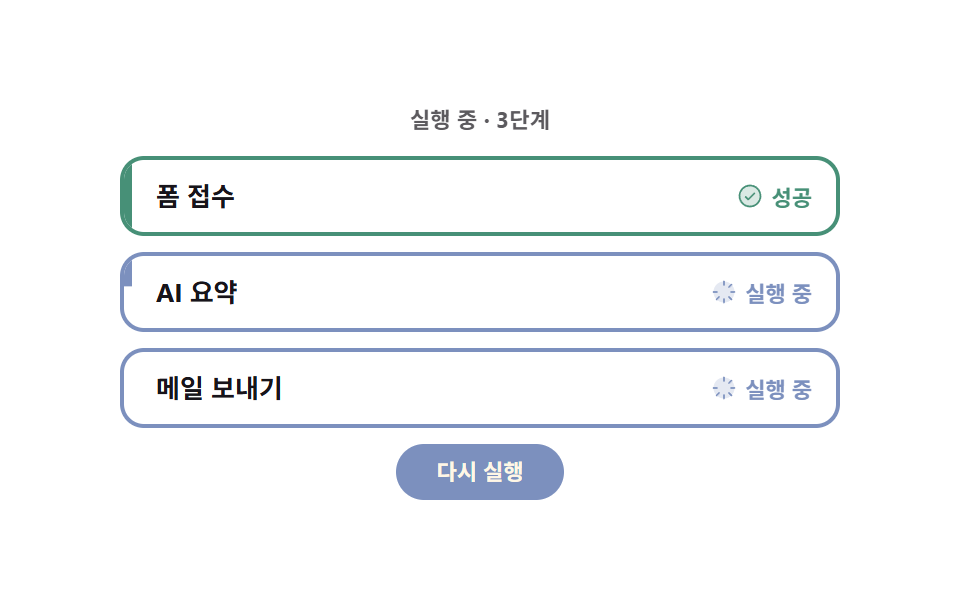 06 node-run-status
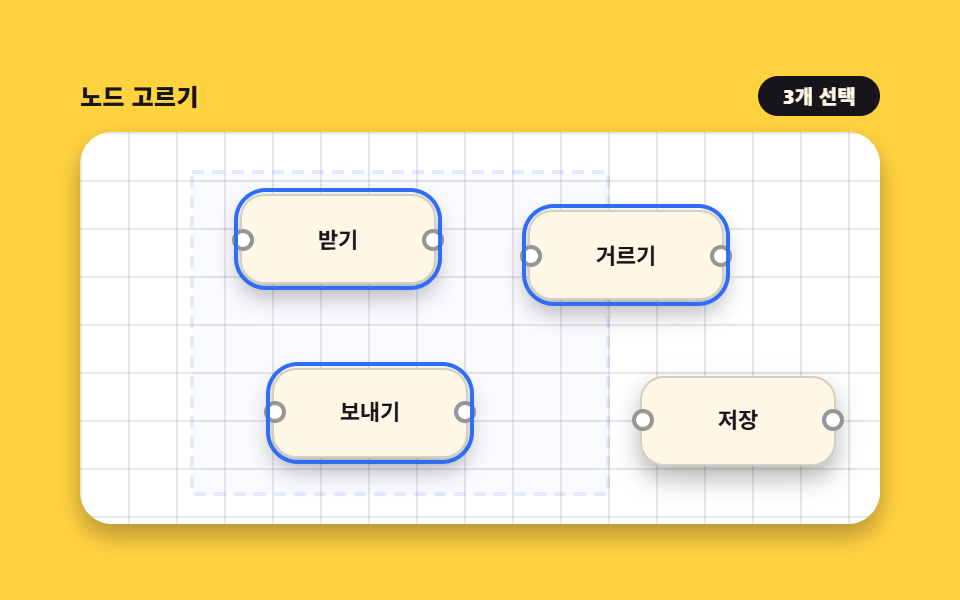 07 node-select-multi
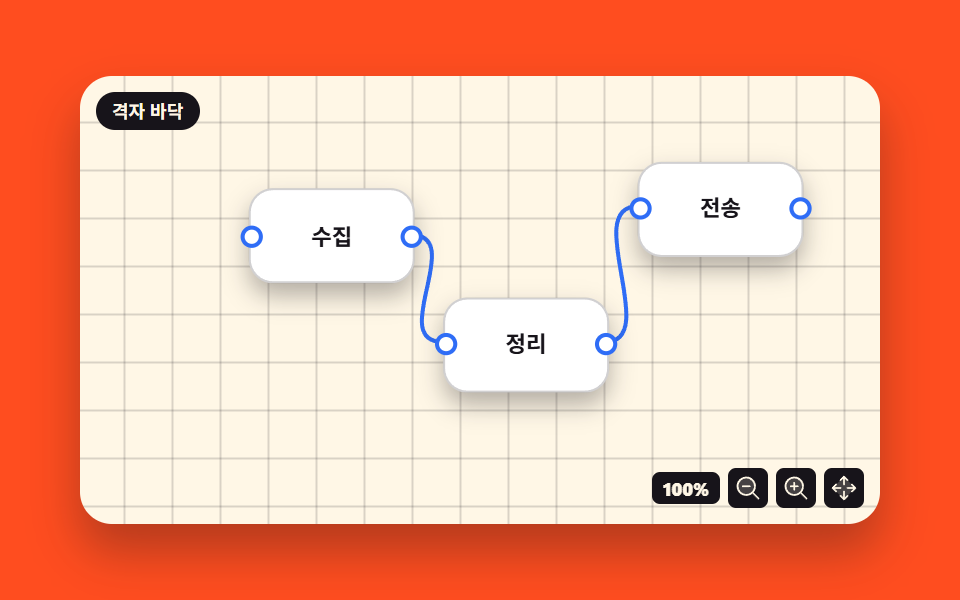 08 node-pan-zoom-canvas
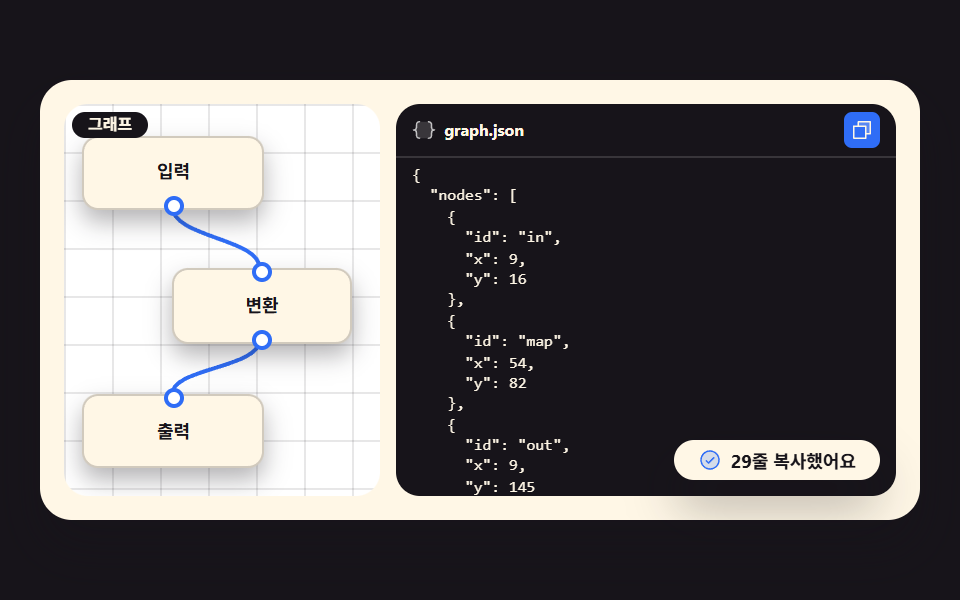 09 node-save-json
자동 재생 · 눌러서 해당 항목으로 · 전부 한 zip
- 01 포트 달린 노드 상자
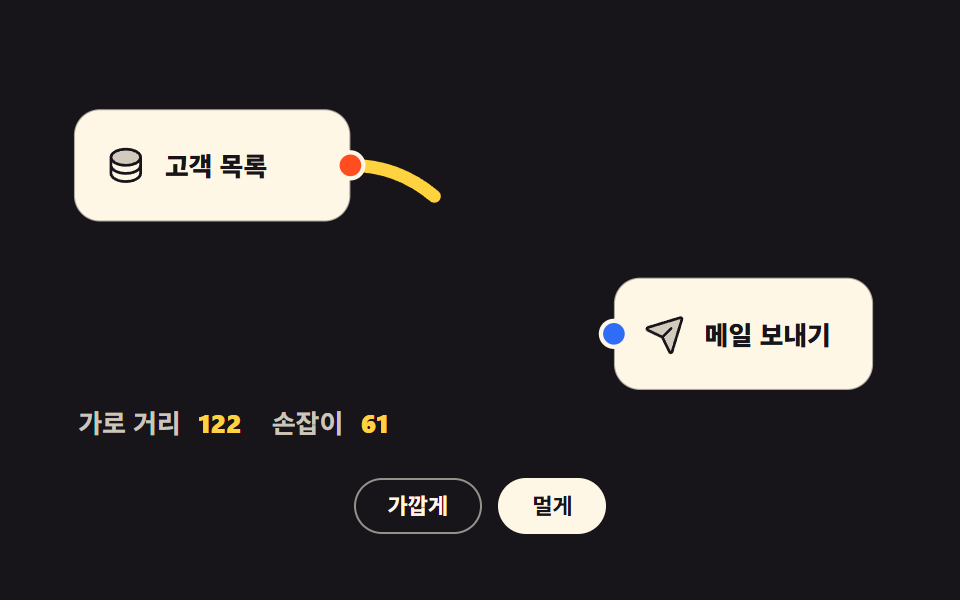
- 02 두 점을 잇는 곡선
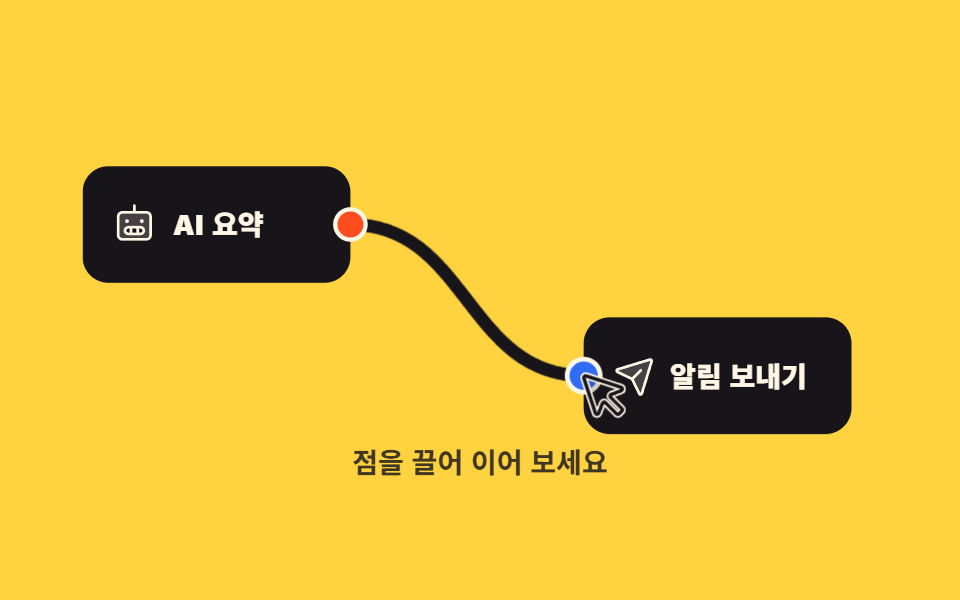
- 03 점에서 끌어 연결하기
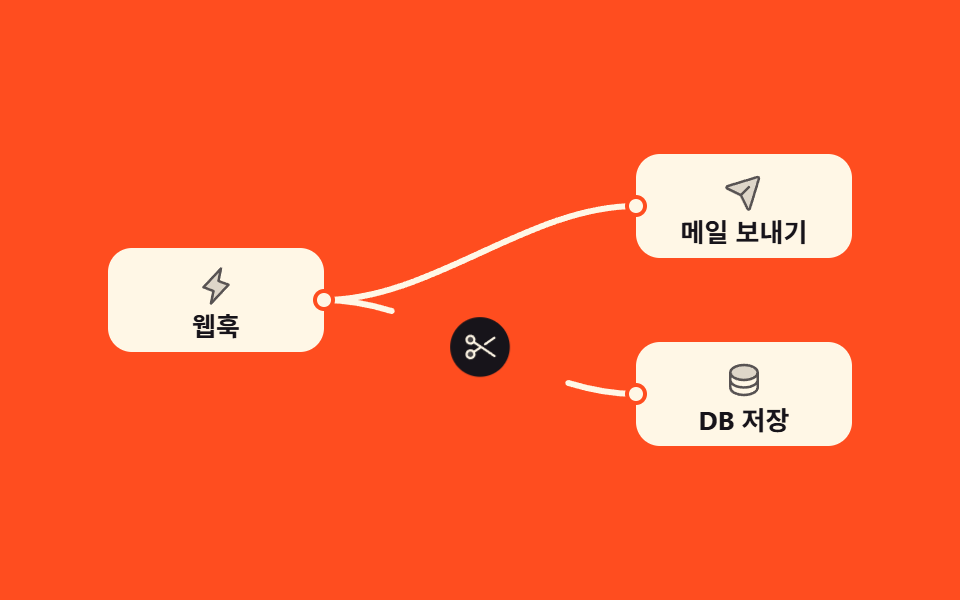
- 04 연결선 끊기
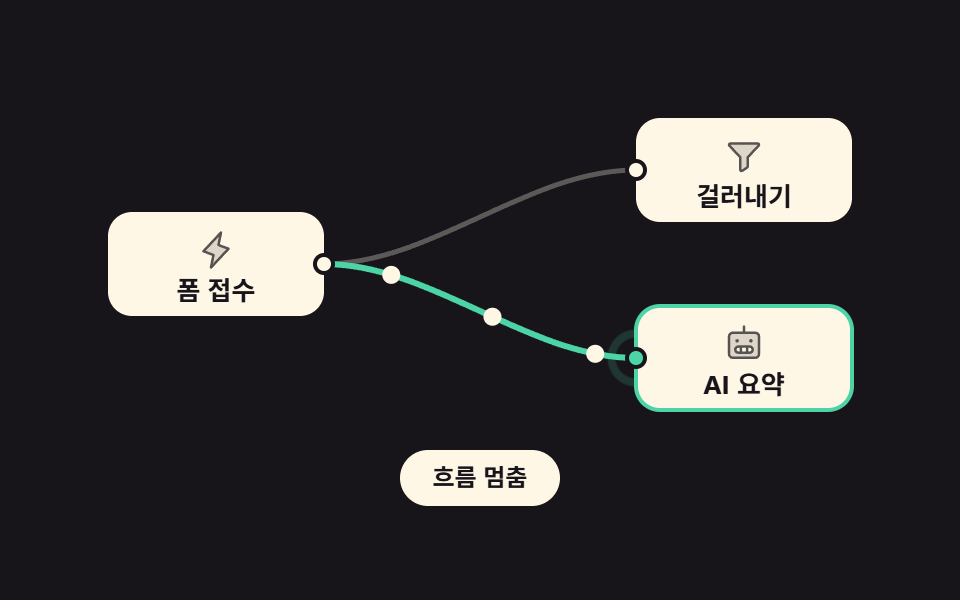
- 05 선을 따라 흐르는 점
- 06 노드 실행 상태
- 07 끌어서 여러 개 고르기
- 08 격자 바닥 밀고 키우기
- 09 그린 것을 JSON 으로
아홉 개의 순서는 다이어그램 ui 유행이 아니라 이런 화면을 만드는 사람이 실제로 겪는 순서입니다. 상자를 놓고(01) 두 점을 곡선으로 이은 다음(02), 손으로 끌어서 이어 보고(03), 잘못 이은 것을 끊고(04), 지금 실행 중인 길을 보여 주고(05), 끝난 결과를 상태로 표시하고(06), 여러 개를 한꺼번에 골라(07) 화면을 밀고 키운 뒤(08), 마지막에 그린 것을 JSON 으로 꺼냅니다(09). 무대 색은 네 가지를 돌려 씁니다 — 종이색(01·06), 먹색(02·05·09), 옐로(03·07), 오렌지(04·08). 같은 토큰을 나눠 쓰기 때문에 아홉 중 몇 개만 골라 한 페이지에 섞어도 색과 간격이 어긋나지 않습니다. 자동화 쪽 짝인 n8n 워크플로우 예제 9종 과 편집기 좌우를 나누는 CSS 화면 분할 패널 9종 을 같이 보면 편집기 한 벌이 거의 완성됩니다. 포인터를 좌표로 받아 그리는 같은 재주를 자유 곡선 쪽으로 밀면 서명 패드와 캔버스 드로잉이 됩니다.
01포트 달린 노드 상자
노드 ui 에서 무엇이 보이나
상자 왼쪽에 받는 점(파랑), 오른쪽에 보내는 점(오렌지)을 붙여 두고 커서를 올리면 그 점만 1.5배로 커집니다. 점은 자기 중심에서 커져야 하므로 transform-origin 을 50% 50% 로 두고 세로 가운데 정렬용 translateY(-50%) 를 scale 앞에 붙여 둡니다.
<main class="stage">
<div class="ng is-demo" id="ng">
  <div class="ng__canvas">

    <div class="ng__node">
      <div class="ng__head">
        <span class="ng__ico" aria-hidden="true"><svg xmlns="http://www.w3.org/2000/svg" viewBox="0 0 256 256" fill="currentColor"><path d="M216,80c0,26.51-39.4,48-88,48S40,106.51,40,80s39.4-48,88-48S216,53.49,216,80Z" opacity="0.2"/><path d="M128,24C74.17,24,32,48.6,32,80v96c0,31.4,42.17,56,96,56s96-24.6,96-56V80C224,48.6,181.83,24,128,24Zm80,104c0,9.62-7.88,19.43-21.61,26.92C170.93,163.35,150.19,168,128,168s-42.93-4.65-58.39-13.08C55.88,147.43,48,137.62,48,128V111.36c17.06,15,46.23,24.64,80,24.64s62.94-9.68,80-24.64ZM69.61,53.08C85.07,44.65,105.81,40,128,40s42.93,4.65,58.39,13.08C200.12,60.57,208,70.38,208,80s-7.88,19.43-21.61,26.92C170.93,115.35,150.19,120,128,120s-42.93-4.65-58.39-13.08C55.88,99.43,48,89.62,48,80S55.88,60.57,69.61,53.08ZM186.39,202.92C170.93,211.35,150.19,216,128,216s-42.93-4.65-58.39-13.08C55.88,195.43,48,185.62,48,176V159.36c17.06,15,46.23,24.64,80,24.64s62.94-9.68,80-24.64V176C208,185.62,200.12,195.43,186.39,202.92Z"/></svg></span>
        <span class="ng__name">주문 불러오기</span>
      </div>
      <p class="ng__body">새 주문이 들어오면 목록을 가져옵니다</p>
      <button type="button" class="ng__port ng__port--in" aria-label="받는 점" aria-describedby="ngHintIn"></button>
      <button type="button" class="ng__port ng__port--out" aria-label="보내는 점" aria-describedby="ngHintOut"></button>
    </div>

    <div class="ng__node">
      <div class="ng__head">
        <span class="ng__ico" aria-hidden="true"><svg xmlns="http://www.w3.org/2000/svg" viewBox="0 0 256 256" fill="currentColor"><path d="M221.9,61.38,152,136v58.65a8,8,0,0,1-3.56,6.66l-32,21.33A8,8,0,0,1,104,216V136L34.1,61.38A8,8,0,0,1,40,48H216A8,8,0,0,1,221.9,61.38Z" opacity="0.2"/><path d="M230.6,49.53A15.81,15.81,0,0,0,216,40H40A16,16,0,0,0,28.19,66.76l.08.09L96,139.17V216a16,16,0,0,0,24.87,13.32l32-21.34A16,16,0,0,0,160,194.66V139.17l67.74-72.32.08-.09A15.8,15.8,0,0,0,230.6,49.53ZM40,56h0Zm106.18,74.58A8,8,0,0,0,144,136v58.66L112,216V136a8,8,0,0,0-2.16-5.47L40,56H216Z"/></svg></span>
        <span class="ng__name">금액 거르기</span>
      </div>
      <p class="ng__body">1만 원이 넘는 주문만 통과시킵니다</p>
      <button type="button" class="ng__port ng__port--in" aria-label="받는 점" aria-describedby="ngHintIn"></button>
      <button type="button" class="ng__port ng__port--out" aria-label="보내는 점" aria-describedby="ngHintOut"></button>
    </div>

  </div>

  <ul class="ng__legend">
    <li class="ng__hint" id="ngHintIn"><i class="ng__dot ng__dot--in" aria-hidden="true"></i>받는 점 — 앞 단계의 결과가 들어옵니다</li>
    <li class="ng__hint" id="ngHintOut"><i class="ng__dot ng__dot--out" aria-hidden="true"></i>보내는 점 — 이 단계의 결과가 나갑니다</li>
  </ul>
</div>
</main>@use "../../../../site/static/demo-tokens" as *;
$duration: $dur-loop;
$easing: $ease-pop;
$color: $subject-blue;
@include stage($stage-paper);
.ng { box-sizing: border-box; width: min(100%, 432px); display: flex; flex-direction: column; gap: $sp-3; }
// 격자 바닥 — 노드가 놓인 캔버스
.ng__canvas {
position: relative; box-sizing: border-box;
display: flex; align-items: center; justify-content: center;
gap: $sp-10; padding: $sp-4;
border: 1px solid rgba(23, 20, 26, .14); border-radius: $r-card;
background-color: $stage-paper;
background-image: linear-gradient(to right, rgba(23, 20, 26, .09) 1px, transparent 1px),
linear-gradient(to bottom, rgba(23, 20, 26, .09) 1px, transparent 1px);
background-size: 16px 16px;
}
.ng__node {
position: relative; box-sizing: border-box;
width: clamp(104px, 36vw, 168px);
padding: $sp-3;
background: $subject-cream;
border: 1px solid rgba(23, 20, 26, .22);
border-radius: $r-card;
box-shadow: $shadow-press;
}
// 머리는 [아이콘 | 이름] 두 칸 — 이름이 길어져도 아이콘 칸은 안 눌린다
.ng__head { display: grid; grid-template-columns: auto 1fr; align-items: center; gap: $sp-2; }
.ng__ico {
display: inline-flex; align-items: center; justify-content: center;
width: 22px; height: 22px; border-radius: $r-sm;
background: $color; color: $subject-cream; flex: 0 0 auto;
}
.ng__ico svg { width: 64%; height: 64%; }
.ng__name { font-weight: 800; font-size: clamp(10px, 3vw, 12px); line-height: 1.2; color: $subject-ink; }
.ng__body {
margin: $sp-2 0 0; font-weight: 500; font-size: clamp(8px, 2.4vw, 10px);
line-height: 1.35; color: rgba(23, 20, 26, .74);
}
// 포트 — 왼쪽 변에 받는 점, 오른쪽 변에 보내는 점
.ng__port {
  position: absolute; top: 50%;
  width: 14px; height: 14px; padding: 0;
  border: 2px solid $stage-paper; border-radius: 50%; cursor: pointer;
  // 포트는 스스로 완결한 점이다 — 커질 때 옆으로 밀리지 않게 자기 중심에서 (blog-demo 규칙 8)
  transform-origin: 50% 50%;
  transform: translateY(-50%) scale(1);
  transition: transform $dur-quick $easing;
}
.ng__port--in  { left: -7px;  background: $color; }
.ng__port--out { right: -7px; background: $stage-orange; }
.ng__port:hover,
.ng__port:focus-visible { transform: translateY(-50%) scale(1.5); }
.ng__legend { list-style: none; margin: 0; padding: 0; display: grid; gap: $sp-1; }
.ng__hint {
display: flex; align-items: center; gap: $sp-2;
font-weight: 600; font-size: clamp(8px, 2.4vw, 10px); line-height: 1.3;
color: rgba(23, 20, 26, .78);
}
.ng__dot { width: 8px; height: 8px; border-radius: 50%; flex: 0 0 auto; }
.ng__dot--in { background: $color; }
.ng__dot--out { background: $stage-orange; }
// ── 미리보기 루프: 네 점이 차례로 부푼다 (2s 주기, 마지막 점은 1.12s 에 끝난다)
.ng.is-demo .ng__port {
animation-name: ngPortPulse; animation-duration: $duration;
animation-timing-function: $easing; animation-iteration-count: infinite;
animation-fill-mode: backwards;
}
.ng.is-demo .ng__node:nth-child(1) .ng__port--in { animation-delay: 0ms; }
.ng.is-demo .ng__node:nth-child(1) .ng__port--out { animation-delay: 200ms; }
.ng.is-demo .ng__node:nth-child(2) .ng__port--in { animation-delay: 400ms; }
.ng.is-demo .ng__node:nth-child(2) .ng__port--out { animation-delay: 600ms; }
@keyframes ngPortPulse {
0% { transform: translateY(-50%) scale(1); }
12% { transform: translateY(-50%) scale(1.55); }
26% { transform: translateY(-50%) scale(1); }
100% { transform: translateY(-50%) scale(1); }
}
// ── 320×200 폰 (값은 내리기만 한다 — 올리면 세로가 넘친다)
@media (max-width: 340px), (max-height: 220px) {
.ng { gap: $sp-2; }
.ng__canvas { gap: $sp-2; padding: $sp-2; }
.ng__node { padding: $sp-2; }
.ng__ico { width: 18px; height: 18px; }
.ng__body { margin-top: $sp-1; }
}
@media (prefers-reduced-motion: reduce) {
.ng.is-demo .ng__port { animation-name: none !important; transform: translateY(-50%) scale(1) !important; }
.ng__port { transition: none !important; }
}html, body {
margin: 0;
overflow: hidden;
}
.stage {
box-sizing: border-box;
min-height: 100vh;
display: grid;
place-items: center;
margin: 0;
background: #ffffff;
font-family: -apple-system, "Segoe UI", "Noto Sans KR", sans-serif;
padding: clamp(8px, 4vw, 24px);
}
.ng {
box-sizing: border-box;
width: min(100%, 432px);
display: flex;
flex-direction: column;
gap: 12px;
}
.ng__canvas {
position: relative;
box-sizing: border-box;
display: flex;
align-items: center;
justify-content: center;
gap: 40px;
padding: 16px;
border: 1px solid rgba(23, 20, 26, 0.14);
border-radius: 16px;
background-color: #ffffff;
background-image: linear-gradient(to right, rgba(23, 20, 26, 0.09) 1px, transparent 1px), linear-gradient(to bottom, rgba(23, 20, 26, 0.09) 1px, transparent 1px);
background-size: 16px 16px;
}
.ng__node {
position: relative;
box-sizing: border-box;
width: clamp(104px, 36vw, 168px);
padding: 12px;
background: #fff7e6;
border: 1px solid rgba(23, 20, 26, 0.22);
border-radius: 16px;
box-shadow: 0 6px 12px rgba(23, 20, 26, 0.32);
}
.ng__head {
display: grid;
grid-template-columns: auto 1fr;
align-items: center;
gap: 8px;
}
.ng__ico {
display: inline-flex;
align-items: center;
justify-content: center;
width: 22px;
height: 22px;
border-radius: 8px;
background: #2f6df6;
color: #fff7e6;
flex: 0 0 auto;
}
.ng__ico svg {
width: 64%;
height: 64%;
}
.ng__name {
font-weight: 800;
font-size: clamp(10px, 3vw, 12px);
line-height: 1.2;
color: #17141a;
}
.ng__body {
margin: 8px 0 0;
font-weight: 500;
font-size: clamp(8px, 2.4vw, 10px);
line-height: 1.35;
color: rgba(23, 20, 26, 0.74);
}
.ng__port {
position: absolute;
top: 50%;
width: 14px;
height: 14px;
padding: 0;
border: 2px solid #ffffff;
border-radius: 50%;
cursor: pointer;
transform-origin: 50% 50%;
transform: translateY(-50%) scale(1);
transition: transform 220ms cubic-bezier(0.2, 1.4, 0.4, 1);
}
.ng__port--in {
left: -7px;
background: #2f6df6;
}
.ng__port--out {
right: -7px;
background: #ff4d1f;
}
.ng__port:hover,
.ng__port:focus-visible {
transform: translateY(-50%) scale(1.5);
}
.ng__legend {
list-style: none;
margin: 0;
padding: 0;
display: grid;
gap: 4px;
}
.ng__hint {
display: flex;
align-items: center;
gap: 8px;
font-weight: 600;
font-size: clamp(8px, 2.4vw, 10px);
line-height: 1.3;
color: rgba(23, 20, 26, 0.78);
}
.ng__dot {
width: 8px;
height: 8px;
border-radius: 50%;
flex: 0 0 auto;
}
.ng__dot--in {
background: #2f6df6;
}
.ng__dot--out {
background: #ff4d1f;
}
.ng.is-demo .ng__port {
animation-name: ngPortPulse;
animation-duration: 2s;
animation-timing-function: cubic-bezier(0.2, 1.4, 0.4, 1);
animation-iteration-count: infinite;
animation-fill-mode: backwards;
}
.ng.is-demo .ng__node:nth-child(1) .ng__port--in {
animation-delay: 0ms;
}
.ng.is-demo .ng__node:nth-child(1) .ng__port--out {
animation-delay: 200ms;
}
.ng.is-demo .ng__node:nth-child(2) .ng__port--in {
animation-delay: 400ms;
}
.ng.is-demo .ng__node:nth-child(2) .ng__port--out {
animation-delay: 600ms;
}
@keyframes ngPortPulse {
0% {
transform: translateY(-50%) scale(1);
}
12% {
transform: translateY(-50%) scale(1.55);
}
26% {
transform: translateY(-50%) scale(1);
}
100% {
transform: translateY(-50%) scale(1);
}
}
@media (max-width: 340px), (max-height: 220px) {
.ng {
gap: 8px;
}
.ng__canvas {
gap: 8px;
padding: 8px;
}
.ng__node {
padding: 8px;
}
.ng__ico {
width: 18px;
height: 18px;
}
.ng__body {
margin-top: 4px;
}
}
@media (prefers-reduced-motion: reduce) {
.ng.is-demo .ng__port {
animation-name: none !important;
transform: translateY(-50%) scale(1) !important;
}
.ng__port {
transition: none !important;
}
}// 사람이 점을 만지는 순간 미리보기 루프를 끄고 hover/:focus-visible 경로로 넘긴다
var ng = document.getElementById('ng');
var ports = document.querySelectorAll('.ng__port');
function wake() { ng.classList.remove('is-demo'); }
for (var i = 0; i < ports.length; i++) {
ports[i].addEventListener('pointerenter', wake);
ports[i].addEventListener('focus', wake);
ports[i].addEventListener('click', wake);
}import { useState } from "react";
import styles from "./NodeBoxPorts.module.scss";
export type NodeBoxPortsProps = { duration?: number; easing?: string; color?: string };
type NodeSpec = { name: string; body: string; icon: string };
type PortSpec = { kind: string; label: string; hintId: string };
const NODES: NodeSpec[] = [
{ name: "주문 불러오기", body: "새 주문이 들어오면 목록을 가져옵니다", icon: "database" },
{ name: "금액 거르기", body: "1만 원이 넘는 주문만 통과시킵니다", icon: "funnel" },
];
const PORTS: PortSpec[] = [
{ kind: "in", label: "받는 점", hintId: "ngHintIn" },
{ kind: "out", label: "보내는 점", hintId: "ngHintOut" },
];
const OUT_COLOR = "#ff4d1f";
function glyph(kind: string) {
if (kind === "database") {
return (
<svg xmlns="http://www.w3.org/2000/svg" viewBox="0 0 256 256" fill="currentColor"><path d="M216,80c0,26.51-39.4,48-88,48S40,106.51,40,80s39.4-48,88-48S216,53.49,216,80Z" opacity="0.2"/><path d="M128,24C74.17,24,32,48.6,32,80v96c0,31.4,42.17,56,96,56s96-24.6,96-56V80C224,48.6,181.83,24,128,24Zm80,104c0,9.62-7.88,19.43-21.61,26.92C170.93,163.35,150.19,168,128,168s-42.93-4.65-58.39-13.08C55.88,147.43,48,137.62,48,128V111.36c17.06,15,46.23,24.64,80,24.64s62.94-9.68,80-24.64ZM69.61,53.08C85.07,44.65,105.81,40,128,40s42.93,4.65,58.39,13.08C200.12,60.57,208,70.38,208,80s-7.88,19.43-21.61,26.92C170.93,115.35,150.19,120,128,120s-42.93-4.65-58.39-13.08C55.88,99.43,48,89.62,48,80S55.88,60.57,69.61,53.08ZM186.39,202.92C170.93,211.35,150.19,216,128,216s-42.93-4.65-58.39-13.08C55.88,195.43,48,185.62,48,176V159.36c17.06,15,46.23,24.64,80,24.64s62.94-9.68,80-24.64V176C208,185.62,200.12,195.43,186.39,202.92Z"/></svg>
);
}
return (
<svg xmlns="http://www.w3.org/2000/svg" viewBox="0 0 256 256" fill="currentColor"><path d="M221.9,61.38,152,136v58.65a8,8,0,0,1-3.56,6.66l-32,21.33A8,8,0,0,1,104,216V136L34.1,61.38A8,8,0,0,1,40,48H216A8,8,0,0,1,221.9,61.38Z" opacity="0.2"/><path d="M230.6,49.53A15.81,15.81,0,0,0,216,40H40A16,16,0,0,0,28.19,66.76l.08.09L96,139.17V216a16,16,0,0,0,24.87,13.32l32-21.34A16,16,0,0,0,160,194.66V139.17l67.74-72.32.08-.09A15.8,15.8,0,0,0,230.6,49.53ZM40,56h0Zm106.18,74.58A8,8,0,0,0,144,136v58.66L112,216V136a8,8,0,0,0-2.16-5.47L40,56H216Z"/></svg>
);
}
export default function NodeBoxPorts({
duration = 2000,
easing = "cubic-bezier(.2,1.4,.4,1)",
color = "#2f6df6",
}: NodeBoxPortsProps) {
const [demo, setDemo] = useState(true);
const wake = () => setDemo(false);
return (
<main className={styles.stage}>
<div className={styles.ng}>
<div className={styles.canvas}>
{NODES.map((n, i) => (
<div className={styles.node} key={n.name}>
<div className={styles.head}>
<span className={styles.ico} aria-hidden="true" style={{ background: color }}>{glyph(n.icon)}</span>
<span className={styles.name}>{n.name}</span>
</div>
<p className={styles.body}>{n.body}</p>
{PORTS.map((p, j) => (
<button
key={p.kind}
type="button"
className={`${styles.port} ${p.kind === "in" ? styles.portIn : styles.portOut}`}
aria-label={p.label}
aria-describedby={p.hintId}
style={{
background: p.kind === "in" ? color : OUT_COLOR,
...(demo
? {
animationName: "ngPortPulse",
animationDuration: `${duration}ms`,
animationTimingFunction: easing,
animationIterationCount: "infinite",
animationFillMode: "backwards",
animationDelay: `${(i * 2 + j) * 200}ms`,
}
: {}),
}}
onPointerEnter={wake}
onFocus={wake}
onClick={wake}
/>
))}
</div>
))}
</div>
<ul className={styles.legend}>
<li className={styles.hint} id="ngHintIn">
<i className={styles.dot} style={{ background: color }} aria-hidden="true" />받는 점 — 앞 단계의 결과가 들어옵니다
</li>
<li className={styles.hint} id="ngHintOut">
<i className={styles.dot} style={{ background: OUT_COLOR }} aria-hidden="true" />보내는 점 — 이 단계의 결과가 나갑니다
</li>
</ul>
</div>
</main>
);
}01 · 포트 달린 노드 상자 — 측정 누적면적 0.79% · 움직인 프레임 12/23GODRICH 원작 · zip 에 SCSS·React 포함 · 비밀번호 보기
코드에서 볼 곳
누적면적 0.79% · 움직인 프레임 12/23 으로, 네 점이 0.2초씩 어긋나 차례로 부푸는 미리보기만 도는 조용한 부품입니다.
.ng__port {
position: absolute; top: 50%;
width: 14px; height: 14px; padding: 0;
border: 2px solid $stage-paper; border-radius: 50%; cursor: pointer;
// 포트는 스스로 완결한 점이다 — 커질 때 옆으로 밀리지 않게 자기 중심에서 (blog-demo 규칙 8)
transform-origin: 50% 50%;
transform: translateY(-50%) scale(1);
transition: transform $dur-quick $easing;
}
.ng__port--in { left: -7px; background: $color; }
.ng__port--out { right: -7px; background: $stage-orange; }
.ng__port:hover,
.ng__port:focus-visible { transform: translateY(-50%) scale(1.5); }
02두 점을 잇는 곡선
화면에서 일어나는 일
선 한 줄은 3차 베지어 하나이고, 양쪽 손잡이는 두 점의 가로 거리의 절반(최소 40)만큼 수평으로 뻗습니다. 손잡이가 수평이라 선은 언제나 포트 옆구리로 빠져나가고, 노드를 66px 오른쪽으로 밀면 손잡이도 같이 길어져 곡선이 완만해집니다.
<main class="stage">
<div class="ng is-demo" id="ng">

  <svg class="ng__svg" id="ngSvg" viewBox="0 0 400 180" role="group" aria-label="두 노드를 잇는 곡선 한 줄">

    <!-- 연결선 — 노드보다 먼저 그려 상자 뒤로 깔린다 -->
    <path class="ng__wire" id="ngWire" fill="none" d="M140,46 C201,46 201,124 262,124"/>

    <!-- 앞 노드 -->
    <g class="ng__node">
      <rect x="12" y="20" width="128" height="52" rx="12"/>
      <svg x="26" y="36" width="20" height="20" viewBox="0 0 256 256" fill="currentColor" class="ng__ico" aria-hidden="true"><path d="M216,80c0,26.51-39.4,48-88,48S40,106.51,40,80s39.4-48,88-48S216,53.49,216,80Z" opacity="0.2"/><path d="M128,24C74.17,24,32,48.6,32,80v96c0,31.4,42.17,56,96,56s96-24.6,96-56V80C224,48.6,181.83,24,128,24Zm80,104c0,9.62-7.88,19.43-21.61,26.92C170.93,163.35,150.19,168,128,168s-42.93-4.65-58.39-13.08C55.88,147.43,48,137.62,48,128V111.36c17.06,15,46.23,24.64,80,24.64s62.94-9.68,80-24.64ZM69.61,53.08C85.07,44.65,105.81,40,128,40s42.93,4.65,58.39,13.08C200.12,60.57,208,70.38,208,80s-7.88,19.43-21.61,26.92C170.93,115.35,150.19,120,128,120s-42.93-4.65-58.39-13.08C55.88,99.43,48,89.62,48,80S55.88,60.57,69.61,53.08ZM186.39,202.92C170.93,211.35,150.19,216,128,216s-42.93-4.65-58.39-13.08C55.88,195.43,48,185.62,48,176V159.36c17.06,15,46.23,24.64,80,24.64s62.94-9.68,80-24.64V176C208,185.62,200.12,195.43,186.39,202.92Z"/></svg>
      <text class="ng__nm" x="54" y="46">고객 목록</text>
      <circle class="ng__port ng__port--out" cx="140" cy="46" r="6"/>
    </g>

    <!-- 뒤 노드 — 통째로 밀어 두 점의 가로 거리를 바꾼다 -->
    <g class="ng__node" id="ngNodeB" transform="translate(66,0)">
      <rect x="196" y="98" width="120" height="52" rx="12"/>
      <svg x="210" y="114" width="20" height="20" viewBox="0 0 256 256" fill="currentColor" class="ng__ico" aria-hidden="true"><path d="M223.69,42.18l-58.22,192a8,8,0,0,1-14.92,1.25L108,148,20.58,105.45a8,8,0,0,1,1.25-14.92l192-58.22A8,8,0,0,1,223.69,42.18Z" opacity="0.2"/><path d="M227.32,28.68a16,16,0,0,0-15.66-4.08l-.15,0L19.57,82.84a16,16,0,0,0-2.49,29.8L102,154l41.3,84.87A15.86,15.86,0,0,0,157.74,248q.69,0,1.38-.06a15.88,15.88,0,0,0,14-11.51l58.2-191.94c0-.05,0-.1,0-.15A16,16,0,0,0,227.32,28.68ZM157.83,231.85l-.05.14,0-.07-40.06-82.3,48-48a8,8,0,0,0-11.31-11.31l-48,48L24.08,98.25l-.07,0,.14,0L216,40Z"/></svg>
      <text class="ng__nm" x="238" y="124">메일 보내기</text>
      <circle class="ng__port ng__port--in" cx="196" cy="124" r="6"/>
    </g>

    <text class="ng__cap" x="14" y="170"><tspan class="ng__capk">가로 거리</tspan><tspan class="ng__capv" id="ngDx" dx="8">122</tspan><tspan class="ng__capk" dx="14">손잡이</tspan><tspan class="ng__capv" id="ngH" dx="8">61</tspan></text>
  </svg>

  <div class="ng__bar">
    <button type="button" class="ng__btn" id="ngNear" aria-pressed="false">가깝게</button>
    <button type="button" class="ng__btn is-on" id="ngFar" aria-pressed="true">멀게</button>
  </div>

</div>
</main>@use "../../../../site/static/demo-tokens" as *;
$duration: $dur-loop;
$easing: $ease-out;
$color: $stage-yellow;
@include stage($stage-ink);
.ng { box-sizing: border-box; width: min(100%, 432px); display: flex; flex-direction: column; gap: $sp-3; }
.ng__svg { display: block; width: 100%; height: auto; }
// 노드 상자 — 어두운 무대 위 크림 카드
.ng__node rect { fill: $subject-cream; stroke: rgba(23, 20, 26, .35); stroke-width: 1; }
.ng__node .ng__ico { color: $subject-ink; }
.ng__nm { font-weight: 800; font-size: 12px; fill: $subject-ink; dominant-baseline: central; }
.ng__port { stroke: $subject-cream; stroke-width: 2; }
.ng__port--out { fill: $stage-orange; }
.ng__port--in { fill: $subject-blue; }
// 연결선 — 끝을 둥글게 잘라 포트 원과 이가 맞는다
.ng__wire {
stroke: $color; stroke-width: 6; stroke-linecap: round;
// 점선 한 칸 = 선 전체 길이. JS 가 getTotalLength() 로 잰 값을 --len 에 넣는다
stroke-dasharray: var(--len);
stroke-dashoffset: 0;
}
.ng__cap { font-size: 12px; }
.ng__capk { font-weight: 600; fill: rgba(255, 247, 230, .78); }
.ng__capv { font-weight: 800; fill: $color; }
.ng__bar { display: flex; justify-content: center; gap: $sp-2; }
.ng__btn {
font-family: inherit; font-weight: 700; font-size: clamp(9px, 2.6vw, 11px); line-height: 1.6;
padding: $sp-1 $sp-4; border-radius: $r-pill; cursor: pointer;
background: none; border: 1px solid rgba(255, 247, 230, .55); color: $subject-cream;
transition: background $dur-quick $easing, color $dur-quick $easing;
}
.ng__btn.is-on { background: $subject-cream; border-color: $subject-cream; color: $subject-ink; }
// ── 미리보기 루프: 선이 왼쪽에서 오른쪽으로 그려졌다가 88% 에 도로 감긴다
// --len 은 JS 가 getTotalLength() 로 잰 실제 선 길이 (점선 한 칸 = 선 전체)
.ng.is-demo .ng__wire {
animation-name: ngWireDraw; animation-duration: $duration;
animation-timing-function: $easing; animation-iteration-count: infinite;
animation-fill-mode: backwards;
}
@keyframes ngWireDraw {
0% { stroke-dashoffset: var(--len); }
60% { stroke-dashoffset: 0; }
78% { stroke-dashoffset: 0; }
88% { stroke-dashoffset: var(--len); }
100% { stroke-dashoffset: var(--len); }
}
// ── 320×200 폰 (값은 내리기만 한다)
@media (max-width: 340px), (max-height: 220px) {
.ng { gap: $sp-1; }
.ng__btn { padding: 0 $sp-3; }
}
@media (prefers-reduced-motion: reduce) {
.ng.is-demo .ng__wire { animation-name: none !important; stroke-dashoffset: 0 !important; }
.ng__btn { transition: none !important; }
}html, body {
margin: 0;
overflow: hidden;
}
.stage {
box-sizing: border-box;
min-height: 100vh;
display: grid;
place-items: center;
margin: 0;
background: #17141a;
font-family: -apple-system, "Segoe UI", "Noto Sans KR", sans-serif;
padding: clamp(8px, 4vw, 24px);
}
.ng {
box-sizing: border-box;
width: min(100%, 432px);
display: flex;
flex-direction: column;
gap: 12px;
}
.ng__svg {
display: block;
width: 100%;
height: auto;
}
.ng__node rect {
fill: #fff7e6;
stroke: rgba(23, 20, 26, 0.35);
stroke-width: 1;
}
.ng__node .ng__ico {
color: #17141a;
}
.ng__nm {
font-weight: 800;
font-size: 12px;
fill: #17141a;
dominant-baseline: central;
}
.ng__port {
stroke: #fff7e6;
stroke-width: 2;
}
.ng__port--out {
fill: #ff4d1f;
}
.ng__port--in {
fill: #2f6df6;
}
.ng__wire {
stroke: #ffd23f;
stroke-width: 6;
stroke-linecap: round;
stroke-dasharray: var(--len);
stroke-dashoffset: 0;
}
.ng__cap {
font-size: 12px;
}
.ng__capk {
font-weight: 600;
fill: rgba(255, 247, 230, 0.78);
}
.ng__capv {
font-weight: 800;
fill: #ffd23f;
}
.ng__bar {
display: flex;
justify-content: center;
gap: 8px;
}
.ng__btn {
font-family: inherit;
font-weight: 700;
font-size: clamp(9px, 2.6vw, 11px);
line-height: 1.6;
padding: 4px 16px;
border-radius: 999px;
cursor: pointer;
background: none;
border: 1px solid rgba(255, 247, 230, 0.55);
color: #fff7e6;
transition: background 220ms ease-out, color 220ms ease-out;
}
.ng__btn.is-on {
background: #fff7e6;
border-color: #fff7e6;
color: #17141a;
}
.ng.is-demo .ng__wire {
animation-name: ngWireDraw;
animation-duration: 2s;
animation-timing-function: ease-out;
animation-iteration-count: infinite;
animation-fill-mode: backwards;
}
@keyframes ngWireDraw {
0% {
stroke-dashoffset: var(--len);
}
60% {
stroke-dashoffset: 0;
}
78% {
stroke-dashoffset: 0;
}
88% {
stroke-dashoffset: var(--len);
}
100% {
stroke-dashoffset: var(--len);
}
}
@media (max-width: 340px), (max-height: 220px) {
.ng {
gap: 4px;
}
.ng__btn {
padding: 0 12px;
}
}
@media (prefers-reduced-motion: reduce) {
.ng.is-demo .ng__wire {
animation-name: none !important;
stroke-dashoffset: 0 !important;
}
.ng__btn {
transition: none !important;
}
}var ng = document.getElementById('ng');
var wire = document.getElementById('ngWire');
var nodeB = document.getElementById('ngNodeB');
var dxOut = document.getElementById('ngDx');
var handleOut = document.getElementById('ngH');
var nearBtn = document.getElementById('ngNear');
var farBtn = document.getElementById('ngFar');
var OUT = { x: 140, y: 46 }; // 보내는 점
var BASE_IN = { x: 196, y: 124 }; // 뒤 노드가 「가깝게」 자리에 있을 때의 받는 점
var SHIFT = { near: 0, far: 66 }; // 뒤 노드를 오른쪽으로 미는 거리
// 3차 베지어 — 손잡이는 두 점의 가로 거리의 절반, 최소 40.
// 손잡이가 두 점에서 수평으로 뻗으므로 선은 항상 포트 옆구리로 빠진다.
function wirePath(x1, y1, x2, y2) {
  var h = Math.max(40, Math.abs(x2 - x1) * 0.5);
  return { d: 'M' + x1 + ',' + y1 + ' C' + (x1 + h) + ',' + y1 + ' ' + (x2 - h) + ',' + y2 + ' ' + x2 + ',' + y2, handle: h };
}

function layout(shift) {
  nodeB.setAttribute('transform', 'translate(' + shift + ',0)');
  var inX = BASE_IN.x + shift;
  var r = wirePath(OUT.x, OUT.y, inX, BASE_IN.y);
  wire.setAttribute('d', r.d);
  var len = wire.getTotalLength();          // 선 길이를 재서 점선 한 칸으로 만든다
  wire.style.setProperty('--len', len);   // 점선 칸 길이는 scss 가 var(--len) 으로 받는다
  dxOut.textContent = String(inX - OUT.x);
  handleOut.textContent = String(Math.round(r.handle));
}
function pick(kind) {
ng.classList.remove('is-demo');
layout(SHIFT[kind]);
nearBtn.classList.toggle('is-on', kind === 'near');
farBtn.classList.toggle('is-on', kind === 'far');
nearBtn.setAttribute('aria-pressed', String(kind === 'near'));
farBtn.setAttribute('aria-pressed', String(kind === 'far'));
}
nearBtn.addEventListener('click', function () { pick('near'); });
farBtn.addEventListener('click', function () { pick('far'); });
layout(SHIFT.far);import { useEffect, useRef, useState } from "react";
import styles from "./BezierWire.module.scss";
export type BezierWireProps = { duration?: number; easing?: string; color?: string };
const OUT = { x: 140, y: 46 }; // 보내는 점
const BASE_IN = { x: 196, y: 124 }; // 뒤 노드가 「가깝게」 자리에 있을 때의 받는 점
const SHIFT = { near: 0, far: 66 }; // 뒤 노드를 오른쪽으로 미는 거리
// 3차 베지어 — 손잡이는 두 점의 가로 거리의 절반, 최소 40.
// 손잡이가 두 점에서 수평으로 뻗으므로 선은 항상 포트 옆구리로 빠진다.
function wirePath(x1: number, y1: number, x2: number, y2: number): { d: string; handle: number } {
const h = Math.max(40, Math.abs(x2 - x1) * 0.5);
return { d: `M${x1},${y1} C${x1 + h},${y1} ${x2 - h},${y2} ${x2},${y2}`, handle: h };
}
export default function BezierWire({
duration = 2000,
easing = "ease-out",
color = "#ffd23f",
}: BezierWireProps) {
const [demo, setDemo] = useState(true);
const [kind, setKind] = useState("far");
const [len, setLen] = useState(0);
const wireRef = useRef<SVGPathElement>(null);
const shift = kind === "far" ? SHIFT.far : SHIFT.near;
const inX = BASE_IN.x + shift;
const wire = wirePath(OUT.x, OUT.y, inX, BASE_IN.y);
useEffect(() => {
const el = wireRef.current;
if (el) setLen(el.getTotalLength()); // 선 길이를 재서 점선 한 칸으로 만든다
}, [wire.d]);
const pick = (next: string) => { setDemo(false); setKind(next); };
return (
<main className={styles.stage}>
<div className={styles.ng}>
<svg className={styles.svg} viewBox="0 0 400 180" role="group" aria-label="두 노드를 잇는 곡선 한 줄">
<path
ref={wireRef}
className={styles.wire}
fill="none"
d={wire.d}
style={{
stroke: color,
"--len": len,
...(demo
? {
animationName: "ngWireDraw",
animationDuration: `${duration}ms`,
animationTimingFunction: easing,
animationIterationCount: "infinite",
animationFillMode: "backwards",
}
: {}),
}}
/>
<g className={styles.node}>
<rect x="12" y="20" width="128" height="52" rx="12"/>
<svg x="26" y="36" width="20" height="20" viewBox="0 0 256 256" fill="currentColor" className={styles.ico} aria-hidden="true"><path d="M216,80c0,26.51-39.4,48-88,48S40,106.51,40,80s39.4-48,88-48S216,53.49,216,80Z" opacity="0.2"/><path d="M128,24C74.17,24,32,48.6,32,80v96c0,31.4,42.17,56,96,56s96-24.6,96-56V80C224,48.6,181.83,24,128,24Zm80,104c0,9.62-7.88,19.43-21.61,26.92C170.93,163.35,150.19,168,128,168s-42.93-4.65-58.39-13.08C55.88,147.43,48,137.62,48,128V111.36c17.06,15,46.23,24.64,80,24.64s62.94-9.68,80-24.64ZM69.61,53.08C85.07,44.65,105.81,40,128,40s42.93,4.65,58.39,13.08C200.12,60.57,208,70.38,208,80s-7.88,19.43-21.61,26.92C170.93,115.35,150.19,120,128,120s-42.93-4.65-58.39-13.08C55.88,99.43,48,89.62,48,80S55.88,60.57,69.61,53.08ZM186.39,202.92C170.93,211.35,150.19,216,128,216s-42.93-4.65-58.39-13.08C55.88,195.43,48,185.62,48,176V159.36c17.06,15,46.23,24.64,80,24.64s62.94-9.68,80-24.64V176C208,185.62,200.12,195.43,186.39,202.92Z"/></svg>
<text className={styles.nm} x="54" y="46">고객 목록</text>
<circle className={styles.portOut} cx="140" cy="46" r="6"/>
</g>
<g className={styles.node} transform={`translate(${shift},0)`}>
<rect x="196" y="98" width="120" height="52" rx="12"/>
<svg x="210" y="114" width="20" height="20" viewBox="0 0 256 256" fill="currentColor" className={styles.ico} aria-hidden="true"><path d="M223.69,42.18l-58.22,192a8,8,0,0,1-14.92,1.25L108,148,20.58,105.45a8,8,0,0,1,1.25-14.92l192-58.22A8,8,0,0,1,223.69,42.18Z" opacity="0.2"/><path d="M227.32,28.68a16,16,0,0,0-15.66-4.08l-.15,0L19.57,82.84a16,16,0,0,0-2.49,29.8L102,154l41.3,84.87A15.86,15.86,0,0,0,157.74,248q.69,0,1.38-.06a15.88,15.88,0,0,0,14-11.51l58.2-191.94c0-.05,0-.1,0-.15A16,16,0,0,0,227.32,28.68ZM157.83,231.85l-.05.14,0-.07-40.06-82.3,48-48a8,8,0,0,0-11.31-11.31l-48,48L24.08,98.25l-.07,0,.14,0L216,40Z"/></svg>
<text className={styles.nm} x="238" y="124">메일 보내기</text>
<circle className={styles.portIn} cx="196" cy="124" r="6"/>
</g>
<text className={styles.cap} x="14" y="170">
<tspan className={styles.capk}>가로 거리</tspan>
<tspan className={styles.capv} dx="8">{inX - OUT.x}</tspan>
<tspan className={styles.capk} dx="14">손잡이</tspan>
<tspan className={styles.capv} dx="8">{Math.round(wire.handle)}</tspan>
</text>
</svg>
<div className={styles.bar}>
<button
type="button"
className={`${styles.btn} ${kind === "near" ? styles.isOn : ""}`}
aria-pressed={kind === "near"}
onClick={() => pick("near")}
>가깝게</button>
<button
type="button"
className={`${styles.btn} ${kind === "far" ? styles.isOn : ""}`}
aria-pressed={kind === "far"}
onClick={() => pick("far")}
>멀게</button>
</div>
</div>
</main>
);
}02 · 두 점을 잇는 곡선 — 측정 누적면적 0.802% · 움직인 프레임 18/23GODRICH 원작 · zip 에 SCSS·React 포함 · 비밀번호 보기
코드 읽는 법
그린 뒤 getTotalLength() 로 잰 길이를 --len 에 넣어 점선 한 칸을 선 전체 길이로 만들면, 그 한 칸을 밀고 당기는 것만으로 선이 그려졌다 지워집니다(강도 128.0 · 18/23).
// 3차 베지어 — 손잡이는 두 점의 가로 거리의 절반, 최소 40.
// 손잡이가 두 점에서 수평으로 뻗으므로 선은 항상 포트 옆구리로 빠진다.
function wirePath(x1, y1, x2, y2) {
var h = Math.max(40, Math.abs(x2 - x1) * 0.5);
return { d: 'M' + x1 + ',' + y1 + ' C' + (x1 + h) + ',' + y1 + ' ' + (x2 - h) + ',' + y2 + ' ' + x2 + ',' + y2, handle: h };
}
function layout(shift) {
nodeB.setAttribute('transform', 'translate(' + shift + ',0)');
var inX = BASE_IN.x + shift;
var r = wirePath(OUT.x, OUT.y, inX, BASE_IN.y);
wire.setAttribute('d', r.d);
var len = wire.getTotalLength(); // 선 길이를 재서 점선 한 칸으로 만든다
wire.style.setProperty('--len', len); // 점선 칸 길이는 scss 가 var(--len) 으로 받는다
dxOut.textContent = String(inX - OUT.x);
handleOut.textContent = String(Math.round(r.handle));
}
03점에서 끌어 연결하기
어떤 움직임인가
보내는 점을 누르면 포인터 이벤트 의 setPointerCapture 가 그 점에 포인터를 묶어, 손가락이 상자 밖으로 나가도 끌기가 끊기지 않습니다. 임시 선 끝은 매 프레임 포인터를 따라오다가 받는 점 중심에서 28 안으로 들어오면 그 점에 달라붙고, 받는 점이 1.7배로 한 번 부풀어 「여기 놓으면 된다」를 알려 줍니다.
<main class="stage">
<div class="ng is-demo" id="ng">

  <svg class="ng__svg" id="ngSvg" viewBox="0 0 400 176" role="group" aria-label="두 노드를 끌어서 잇는 화면">

    <!-- 확정된 연결선 -->
    <path class="ng__wire" id="ngWire" fill="none" d="M140,53 C194,53 194,123 248,123"/>
    <!-- 끌고 있는 동안의 임시 선 -->
    <path class="ng__temp" id="ngTemp" fill="none" d="M140,53 C194,53 194,123 248,123"/>

    <g class="ng__node">
      <rect x="16" y="26" width="124" height="54" rx="12"/>
      <svg x="30" y="43" width="20" height="20" viewBox="0 0 256 256" fill="currentColor" class="ng__ico" aria-hidden="true"><path d="M200,56H56A24,24,0,0,0,32,80V192a24,24,0,0,0,24,24H200a24,24,0,0,0,24-24V80A24,24,0,0,0,200,56ZM164,184H92a20,20,0,0,1,0-40h72a20,20,0,0,1,0,40Z" opacity="0.2"/><path d="M200,48H136V16a8,8,0,0,0-16,0V48H56A32,32,0,0,0,24,80V192a32,32,0,0,0,32,32H200a32,32,0,0,0,32-32V80A32,32,0,0,0,200,48Zm16,144a16,16,0,0,1-16,16H56a16,16,0,0,1-16-16V80A16,16,0,0,1,56,64H200a16,16,0,0,1,16,16ZM72,108a12,12,0,1,1,12,12A12,12,0,0,1,72,108Zm88,0a12,12,0,1,1,12,12A12,12,0,0,1,160,108Zm4,28H92a28,28,0,0,0,0,56h72a28,28,0,0,0,0-56Zm-24,16v24H116V152ZM80,164a12,12,0,0,1,12-12h8v24H92A12,12,0,0,1,80,164Zm84,12h-8V152h8a12,12,0,0,1,0,24Z"/></svg>
      <text class="ng__nm" x="58" y="53">AI 요약</text>
    </g>

    <g class="ng__node">
      <rect x="248" y="96" width="124" height="54" rx="12"/>
      <svg x="262" y="113" width="20" height="20" viewBox="0 0 256 256" fill="currentColor" class="ng__ico" aria-hidden="true"><path d="M223.69,42.18l-58.22,192a8,8,0,0,1-14.92,1.25L108,148,20.58,105.45a8,8,0,0,1,1.25-14.92l192-58.22A8,8,0,0,1,223.69,42.18Z" opacity="0.2"/><path d="M227.32,28.68a16,16,0,0,0-15.66-4.08l-.15,0L19.57,82.84a16,16,0,0,0-2.49,29.8L102,154l41.3,84.87A15.86,15.86,0,0,0,157.74,248q.69,0,1.38-.06a15.88,15.88,0,0,0,14-11.51l58.2-191.94c0-.05,0-.1,0-.15A16,16,0,0,0,227.32,28.68ZM157.83,231.85l-.05.14,0-.07-40.06-82.3,48-48a8,8,0,0,0-11.31-11.31l-48,48L24.08,98.25l-.07,0,.14,0L216,40Z"/></svg>
      <text class="ng__nm" x="288" y="123">알림 보내기</text>
    </g>

    <circle class="ng__port ng__port--out" id="ngOut" cx="140" cy="53" r="7" role="button" tabindex="0" aria-label="보내는 점"/>
    <circle class="ng__port ng__port--in"  id="ngIn"  cx="248" cy="123" r="7" role="button" tabindex="0" aria-label="받는 점"/>

    <!-- 미리보기 루프의 가짜 포인터 -->
    <g class="ng__cursor" aria-hidden="true">
      <svg x="0" y="0" width="26" height="26" viewBox="0 0 256 256" fill="currentColor"><path d="M213.66,201,201,213.66a8,8,0,0,1-11.31,0l-51.31-51.31a8,8,0,0,0-13,2.46l-17.82,46.41a8,8,0,0,1-14.85-.71L40.41,50.44a8,8,0,0,1,10-10L210.51,92.68a8,8,0,0,1,.71,14.85l-46.41,17.82a8,8,0,0,0-2.46,13l51.31,51.31A8,8,0,0,1,213.66,201Z" opacity="0.2"/><path d="M168,132.69,214.08,115l.33-.13A16,16,0,0,0,213,85.07L52.92,32.8A15.95,15.95,0,0,0,32.8,52.92L85.07,213a15.82,15.82,0,0,0,14.41,11l.78,0a15.84,15.84,0,0,0,14.61-9.59l.13-.33L132.69,168,184,219.31a16,16,0,0,0,22.63,0l12.68-12.68a16,16,0,0,0,0-22.63ZM195.31,208,144,156.69a16,16,0,0,0-26,4.93c0,.11-.09.22-.13.32l-17.65,46L48,48l159.85,52.2-45.95,17.64-.32.13a16,16,0,0,0-4.93,26h0L208,195.31Z"/></svg>
    </g>

    <text class="ng__hint" id="ngHint" x="200" y="168" text-anchor="middle" aria-live="polite">점을 끌어 이어 보세요</text>
  </svg>

</div>
</main>@use "../../../../site/static/demo-tokens" as *;
$duration: $dur-loop;
$easing: $ease-out;
$color: $subject-ink;
@include stage($stage-yellow);
.ng { box-sizing: border-box; width: min(100%, 432px); }
.ng__svg { display: block; width: 100%; height: auto; touch-action: none; }
.ng__node rect { fill: $subject-ink; }
.ng__node .ng__ico { color: $subject-cream; }
.ng__nm { font-weight: 800; font-size: 13px; fill: $subject-cream; dominant-baseline: central; }
// 포트 — SVG 도형은 transform-origin 기준이 뷰박스 원점이라 fill-box 로 바꿔야 제자리에서 커진다
.ng__port {
stroke: $subject-cream; stroke-width: 2; cursor: crosshair;
transform-box: fill-box; transform-origin: 50% 50%;
transition: transform $dur-quick $easing;
}
.ng__port--out { fill: $stage-orange; }
.ng__port--in { fill: $subject-blue; }
.ng__port:focus-visible { outline: 2px solid $subject-ink; outline-offset: 2px; }
.ng__port--in.is-near,
.ng__port--out.is-armed { transform: scale(1.7); }
.ng__wire { stroke: $color; stroke-width: 6; stroke-linecap: round; opacity: 0; pointer-events: none; }
.ng__temp { stroke: rgba(23, 20, 26, .55); stroke-width: 4; stroke-linecap: round; opacity: 0; pointer-events: none; }
.ng__cursor { opacity: 0; color: $subject-ink; pointer-events: none; }
// 포인터가 어두운 노드 위로 올라가면 먹색끼리 겹쳐 사라진다 — 크림 테두리를 먼저 칠해 띄운다
.ng__cursor path { stroke: $subject-cream; stroke-width: 16; stroke-linejoin: round; paint-order: stroke; }
.ng__hint { font-weight: 700; font-size: 13px; fill: rgba(23, 20, 26, .82); }
// ── 미리보기 루프: 가짜 포인터가 보내는 점 → 받는 점으로 이어 달리고,
// 58% 에 받는 점이 부풀며 스냅, 61% 에 굵은 선으로 컷, 87% 안에 처음으로 돌아온다.
// 포인터는 안 보이는 동안(78~79%) 출발점으로 되돌아간다 — 화면에 텔레포트가 안 보인다
.ng.is-demo .ng__cursor {
animation-name: ngCursorMove; animation-duration: $duration;
animation-timing-function: linear; animation-iteration-count: infinite;
animation-fill-mode: backwards;
}
.ng.is-demo .ng__temp {
stroke-dasharray: var(--len);
animation-name: ngTempDraw; animation-duration: $duration;
animation-timing-function: linear; animation-iteration-count: infinite;
animation-fill-mode: backwards;
}
.ng.is-demo .ng__wire {
animation-name: ngCommit; animation-duration: $duration;
animation-timing-function: steps(1, end); animation-iteration-count: infinite;
animation-fill-mode: backwards;
}
.ng.is-demo .ng__port--in {
animation-name: ngSnap; animation-duration: $duration;
animation-timing-function: $ease-pop; animation-iteration-count: infinite;
animation-fill-mode: backwards;
}
// 포인터 좌표는 3차 베지어 위의 t = 0 / .25 / .5 / .75 / 1 지점에서 아이콘 끝(4,4)만큼 뺀 값
@keyframes ngCursorMove {
0% { opacity: 0; transform: translate(136px, 49px); }
6% { opacity: 1; transform: translate(136px, 49px); }
8% { opacity: 1; transform: translate(136px, 49px); }
20.5% { opacity: 1; transform: translate(168px, 60px); }
33% { opacity: 1; transform: translate(190px, 84px); }
45.5% { opacity: 1; transform: translate(212px, 108px); }
58% { opacity: 1; transform: translate(244px, 119px); }
70% { opacity: 1; transform: translate(244px, 119px); }
78% { opacity: 0; transform: translate(244px, 119px); }
79% { opacity: 0; transform: translate(136px, 49px); }
100% { opacity: 0; transform: translate(136px, 49px); }
}
@keyframes ngTempDraw {
0%, 7% { opacity: 0; stroke-dashoffset: var(--len); }
8% { opacity: 1; stroke-dashoffset: var(--len); }
58% { opacity: 1; stroke-dashoffset: 0; }
61% { opacity: 1; stroke-dashoffset: 0; }
62% { opacity: 0; stroke-dashoffset: 0; }
100% { opacity: 0; stroke-dashoffset: 0; }
}
@keyframes ngCommit {
0%, 60% { opacity: 0; }
61% { opacity: 1; }
86% { opacity: 1; }
87% { opacity: 0; }
100% { opacity: 0; }
}
@keyframes ngSnap {
0%, 52% { transform: scale(1); }
60% { transform: scale(1.7); }
72% { transform: scale(1); }
100% { transform: scale(1); }
}
@media (prefers-reduced-motion: reduce) {
.ng.is-demo .ng__cursor,
.ng.is-demo .ng__temp,
.ng.is-demo .ng__wire,
.ng.is-demo .ng__port--in { animation-name: none !important; }
.ng.is-demo .ng__wire { opacity: 1 !important; }
.ng.is-demo .ng__temp { opacity: 0 !important; }
.ng__port { transition: none !important; }
}html, body {
margin: 0;
overflow: hidden;
}
.stage {
box-sizing: border-box;
min-height: 100vh;
display: grid;
place-items: center;
margin: 0;
background: #ffd23f;
font-family: -apple-system, "Segoe UI", "Noto Sans KR", sans-serif;
padding: clamp(8px, 4vw, 24px);
}
.ng {
box-sizing: border-box;
width: min(100%, 432px);
}
.ng__svg {
display: block;
width: 100%;
height: auto;
touch-action: none;
}
.ng__node rect {
fill: #17141a;
}
.ng__node .ng__ico {
color: #fff7e6;
}
.ng__nm {
font-weight: 800;
font-size: 13px;
fill: #fff7e6;
dominant-baseline: central;
}
.ng__port {
stroke: #fff7e6;
stroke-width: 2;
cursor: crosshair;
transform-box: fill-box;
transform-origin: 50% 50%;
transition: transform 220ms ease-out;
}
.ng__port--out {
fill: #ff4d1f;
}
.ng__port--in {
fill: #2f6df6;
}
.ng__port:focus-visible {
outline: 2px solid #17141a;
outline-offset: 2px;
}
.ng__port--in.is-near,
.ng__port--out.is-armed {
transform: scale(1.7);
}
.ng__wire {
stroke: #17141a;
stroke-width: 6;
stroke-linecap: round;
opacity: 0;
pointer-events: none;
}
.ng__temp {
stroke: rgba(23, 20, 26, 0.55);
stroke-width: 4;
stroke-linecap: round;
opacity: 0;
pointer-events: none;
}
.ng__cursor {
opacity: 0;
color: #17141a;
pointer-events: none;
}
.ng__cursor path {
stroke: #fff7e6;
stroke-width: 16;
stroke-linejoin: round;
paint-order: stroke;
}
.ng__hint {
font-weight: 700;
font-size: 13px;
fill: rgba(23, 20, 26, 0.82);
}
.ng.is-demo .ng__cursor {
animation-name: ngCursorMove;
animation-duration: 2s;
animation-timing-function: linear;
animation-iteration-count: infinite;
animation-fill-mode: backwards;
}
.ng.is-demo .ng__temp {
stroke-dasharray: var(--len);
animation-name: ngTempDraw;
animation-duration: 2s;
animation-timing-function: linear;
animation-iteration-count: infinite;
animation-fill-mode: backwards;
}
.ng.is-demo .ng__wire {
animation-name: ngCommit;
animation-duration: 2s;
animation-timing-function: steps(1, end);
animation-iteration-count: infinite;
animation-fill-mode: backwards;
}
.ng.is-demo .ng__port--in {
animation-name: ngSnap;
animation-duration: 2s;
animation-timing-function: cubic-bezier(0.2, 1.4, 0.4, 1);
animation-iteration-count: infinite;
animation-fill-mode: backwards;
}
@keyframes ngCursorMove {
0% {
opacity: 0;
transform: translate(136px, 49px);
}
6% {
opacity: 1;
transform: translate(136px, 49px);
}
8% {
opacity: 1;
transform: translate(136px, 49px);
}
20.5% {
opacity: 1;
transform: translate(168px, 60px);
}
33% {
opacity: 1;
transform: translate(190px, 84px);
}
45.5% {
opacity: 1;
transform: translate(212px, 108px);
}
58% {
opacity: 1;
transform: translate(244px, 119px);
}
70% {
opacity: 1;
transform: translate(244px, 119px);
}
78% {
opacity: 0;
transform: translate(244px, 119px);
}
79% {
opacity: 0;
transform: translate(136px, 49px);
}
100% {
opacity: 0;
transform: translate(136px, 49px);
}
}
@keyframes ngTempDraw {
0%, 7% {
opacity: 0;
stroke-dashoffset: var(--len);
}
8% {
opacity: 1;
stroke-dashoffset: var(--len);
}
58% {
opacity: 1;
stroke-dashoffset: 0;
}
61% {
opacity: 1;
stroke-dashoffset: 0;
}
62% {
opacity: 0;
stroke-dashoffset: 0;
}
100% {
opacity: 0;
stroke-dashoffset: 0;
}
}
@keyframes ngCommit {
0%, 60% {
opacity: 0;
}
61% {
opacity: 1;
}
86% {
opacity: 1;
}
87% {
opacity: 0;
}
100% {
opacity: 0;
}
}
@keyframes ngSnap {
0%, 52% {
transform: scale(1);
}
60% {
transform: scale(1.7);
}
72% {
transform: scale(1);
}
100% {
transform: scale(1);
}
}
@media (prefers-reduced-motion: reduce) {
.ng.is-demo .ng__cursor,
.ng.is-demo .ng__temp,
.ng.is-demo .ng__wire,
.ng.is-demo .ng__port--in {
animation-name: none !important;
}
.ng.is-demo .ng__wire {
opacity: 1 !important;
}
.ng.is-demo .ng__temp {
opacity: 0 !important;
}
.ng__port {
transition: none !important;
}
}var VIEW_W = 400; // viewBox 가로 — 화면 px 를 이 좌표계로 되돌릴 때 쓴다
var SNAP = 28; // 받는 점 중심에서 이 거리 안이면 달라붙는다
var ng = document.getElementById('ng');
var svg = document.getElementById('ngSvg');
var temp = document.getElementById('ngTemp');
var wire = document.getElementById('ngWire');
var outPort = document.getElementById('ngOut');
var inPort = document.getElementById('ngIn');
var hint = document.getElementById('ngHint');
var OUT = { x: 140, y: 53 };
var IN = { x: 248, y: 123 };
var dragging = false, snapped = false, armed = false;
// 화면 좌표 → viewBox 좌표. 무대가 줄어도 배율 하나로 되돌린다
function toLocal(e) {
var box = svg.getBoundingClientRect();
var k = VIEW_W / box.width;
return { x: (e.clientX - box.left) * k, y: (e.clientY - box.top) * k };
}
// 손잡이는 두 점의 가로 거리의 절반, 최소 40
function wirePath(x1, y1, x2, y2) {
var h = Math.max(40, Math.abs(x2 - x1) * 0.5);
return 'M' + x1 + ',' + y1 + ' C' + (x1 + h) + ',' + y1 + ' ' + (x2 - h) + ',' + y2 + ' ' + x2 + ',' + y2;
}
function wake() { ng.classList.remove('is-demo'); }
function drawTo(p) {
var far = Math.sqrt((p.x - IN.x) * (p.x - IN.x) + (p.y - IN.y) * (p.y - IN.y));
snapped = far < SNAP;
var end = snapped ? IN : p;
temp.setAttribute('d', wirePath(OUT.x, OUT.y, end.x, end.y));
inPort.classList.toggle('is-near', snapped);
}
function commit() {
wire.setAttribute('d', wirePath(OUT.x, OUT.y, IN.x, IN.y));
wire.style.opacity = '1';
hint.textContent = '이어졌습니다';
}
function stop() {
dragging = false; armed = false;
temp.style.opacity = '0';
inPort.classList.remove('is-near');
outPort.classList.remove('is-armed');
}
outPort.addEventListener('pointerdown', function (e) {
e.preventDefault(); wake();
outPort.setPointerCapture(e.pointerId); // 손가락이 포트를 벗어나도 이 점이 계속 받는다
dragging = true; snapped = false;
temp.style.opacity = '1';
drawTo(toLocal(e));
});
outPort.addEventListener('pointermove', function (e) { if (dragging) drawTo(toLocal(e)); });
outPort.addEventListener('pointerup', function () {
if (!dragging) return;
if (snapped) commit();
stop();
});
outPort.addEventListener('pointercancel', stop);
// 키보드: 보내는 점에서 Enter → 받는 점에서 Enter
outPort.addEventListener('keydown', function (e) {
if (e.key !== 'Enter' && e.key !== ' ') return;
e.preventDefault(); wake();
armed = true;
outPort.classList.add('is-armed');
inPort.classList.add('is-near');
inPort.focus({ preventScroll: true });
});
inPort.addEventListener('keydown', function (e) {
if (e.key !== 'Enter' && e.key !== ' ') return;
e.preventDefault();
if (armed) { commit(); stop(); }
});
outPort.addEventListener('focus', wake);
inPort.addEventListener('focus', wake);
// 미리보기 루프가 쓸 선 길이 — 점선 한 칸이 선 전체가 되게 한다
temp.style.setProperty('--len', temp.getTotalLength());import { useEffect, useRef, useState } from "react";
import styles from "./DragConnect.module.scss";
export type DragConnectProps = { duration?: number; easing?: string; color?: string };
// ambient 에 React 이벤트 제네릭이 없다 — 쓰는 필드만 적은 로컬 타입
type PointerEvt = {
clientX: number; clientY: number; pointerId: number;
currentTarget: { setPointerCapture(id: number): void };
preventDefault(): void;
};
type KeyEvt = { key: string; preventDefault(): void };
type Point = { x: number; y: number };
const VIEW_W = 400; // viewBox 가로 — 화면 px 를 이 좌표계로 되돌릴 때 쓴다
const SNAP = 28; // 받는 점 중심에서 이 거리 안이면 달라붙는다
const OUT: Point = { x: 140, y: 53 };
const IN: Point = { x: 248, y: 123 };
// 손잡이는 두 점의 가로 거리의 절반, 최소 40
function wirePath(x1: number, y1: number, x2: number, y2: number): string {
const h = Math.max(40, Math.abs(x2 - x1) * 0.5);
return `M${x1},${y1} C${x1 + h},${y1} ${x2 - h},${y2} ${x2},${y2}`;
}
const FULL = wirePath(OUT.x, OUT.y, IN.x, IN.y);
export default function DragConnect({
duration = 2000,
easing = "linear",
color = "#17141a",
}: DragConnectProps) {
const [demo, setDemo] = useState(true);
const [temp, setTemp] = useState("");
const [near, setNear] = useState(false);
const [armed, setArmed] = useState(false);
const [connected, setConnected] = useState(false);
const [len, setLen] = useState(0);
const svgRef = useRef<SVGSVGElement>(null);
const tempRef = useRef<SVGPathElement>(null);
const inRef = useRef<SVGCircleElement>(null);
const dragRef = useRef<boolean>(false);
const snapRef = useRef<boolean>(false);
useEffect(() => {
const el = tempRef.current;
if (el) setLen(el.getTotalLength()); // 미리보기 루프가 쓸 선 길이
}, []);
// 화면 좌표 → viewBox 좌표. 무대가 줄어도 배율 하나로 되돌린다
const local = (e: PointerEvt): Point => {
const el = svgRef.current;
if (!el) return { x: 0, y: 0 };
const box = el.getBoundingClientRect();
const k = VIEW_W / box.width;
return { x: (e.clientX - box.left) * k, y: (e.clientY - box.top) * k };
};
const drawTo = (p: Point) => {
const gap = Math.sqrt((p.x - IN.x) * (p.x - IN.x) + (p.y - IN.y) * (p.y - IN.y));
const hit = gap < SNAP;
snapRef.current = hit;
setNear(hit);
const end = hit ? IN : p;
setTemp(wirePath(OUT.x, OUT.y, end.x, end.y));
};
const stop = () => {
dragRef.current = false;
setTemp(""); setNear(false); setArmed(false);
};
const onDown = (e: PointerEvt) => {
e.preventDefault();
setDemo(false);
e.currentTarget.setPointerCapture(e.pointerId); // 손가락이 포트를 벗어나도 이 점이 계속 받는다
dragRef.current = true; snapRef.current = false;
drawTo(local(e));
};
const onMove = (e: PointerEvt) => { if (dragRef.current) drawTo(local(e)); };
const onUp = () => {
if (!dragRef.current) return;
if (snapRef.current) setConnected(true);
stop();
};
const onOutKey = (e: KeyEvt) => {
if (e.key !== "Enter" && e.key !== " ") return;
e.preventDefault();
setDemo(false); setArmed(true); setNear(true);
const el = inRef.current;
if (el) el.focus({ preventScroll: true });
};
const onInKey = (e: KeyEvt) => {
if (e.key !== "Enter" && e.key !== " ") return;
e.preventDefault();
if (armed) { setConnected(true); stop(); }
};
const loop = (name: string, timing: string) => (demo
? {
animationName: name,
animationDuration: `${duration}ms`,
animationTimingFunction: timing,
animationIterationCount: "infinite",
animationFillMode: "backwards",
}
: {});
return (
<main className={styles.stage}>
<div className={styles.ng}>
<svg ref={svgRef} className={styles.svg} viewBox="0 0 400 176" role="group" aria-label="두 노드를 끌어서 잇는 화면">
<path
className={styles.wire}
fill="none"
d={FULL}
style={{ stroke: color, opacity: demo ? undefined : (connected ? 1 : 0), ...loop("ngCommit", "steps(1, end)") }}
/>
<path
ref={tempRef}
className={styles.temp}
fill="none"
d={demo ? FULL : (temp || FULL)}
style={{
opacity: demo ? undefined : (temp ? 1 : 0),
...(demo ? { strokeDasharray: len || undefined, "--len": len } : {}),
...loop("ngTempDraw", "linear"),
}}
/>
<g className={styles.node}>
<rect x="16" y="26" width="124" height="54" rx="12"/>
<svg x="30" y="43" width="20" height="20" viewBox="0 0 256 256" fill="currentColor" className={styles.ico} aria-hidden="true"><path d="M200,56H56A24,24,0,0,0,32,80V192a24,24,0,0,0,24,24H200a24,24,0,0,0,24-24V80A24,24,0,0,0,200,56ZM164,184H92a20,20,0,0,1,0-40h72a20,20,0,0,1,0,40Z" opacity="0.2"/><path d="M200,48H136V16a8,8,0,0,0-16,0V48H56A32,32,0,0,0,24,80V192a32,32,0,0,0,32,32H200a32,32,0,0,0,32-32V80A32,32,0,0,0,200,48Zm16,144a16,16,0,0,1-16,16H56a16,16,0,0,1-16-16V80A16,16,0,0,1,56,64H200a16,16,0,0,1,16,16ZM72,108a12,12,0,1,1,12,12A12,12,0,0,1,72,108Zm88,0a12,12,0,1,1,12,12A12,12,0,0,1,160,108Zm4,28H92a28,28,0,0,0,0,56h72a28,28,0,0,0,0-56Zm-24,16v24H116V152ZM80,164a12,12,0,0,1,12-12h8v24H92A12,12,0,0,1,80,164Zm84,12h-8V152h8a12,12,0,0,1,0,24Z"/></svg>
<text className={styles.nm} x="58" y="53">AI 요약</text>
</g>
<g className={styles.node}>
<rect x="248" y="96" width="124" height="54" rx="12"/>
<svg x="262" y="113" width="20" height="20" viewBox="0 0 256 256" fill="currentColor" className={styles.ico} aria-hidden="true"><path d="M223.69,42.18l-58.22,192a8,8,0,0,1-14.92,1.25L108,148,20.58,105.45a8,8,0,0,1,1.25-14.92l192-58.22A8,8,0,0,1,223.69,42.18Z" opacity="0.2"/><path d="M227.32,28.68a16,16,0,0,0-15.66-4.08l-.15,0L19.57,82.84a16,16,0,0,0-2.49,29.8L102,154l41.3,84.87A15.86,15.86,0,0,0,157.74,248q.69,0,1.38-.06a15.88,15.88,0,0,0,14-11.51l58.2-191.94c0-.05,0-.1,0-.15A16,16,0,0,0,227.32,28.68ZM157.83,231.85l-.05.14,0-.07-40.06-82.3,48-48a8,8,0,0,0-11.31-11.31l-48,48L24.08,98.25l-.07,0,.14,0L216,40Z"/></svg>
<text className={styles.nm} x="288" y="123">알림 보내기</text>
</g>
<circle
className={`${styles.port} ${styles.portOut} ${armed ? styles.isArmed : ""}`}
cx="140" cy="53" r="7" role="button" tabIndex={0} aria-label="보내는 점"
onPointerDown={onDown}
onPointerMove={onMove}
onPointerUp={onUp}
onPointerCancel={stop}
onKeyDown={onOutKey}
onFocus={() => setDemo(false)}
/>
<circle
ref={inRef}
className={`${styles.port} ${styles.portIn} ${near ? styles.isNear : ""}`}
cx="248" cy="123" r="7" role="button" tabIndex={0} aria-label="받는 점"
style={loop("ngSnap", "cubic-bezier(.2, 1.4, .4, 1)")}
onKeyDown={onInKey}
onFocus={() => setDemo(false)}
/>
<g className={styles.cursor} aria-hidden="true" style={loop("ngCursorMove", easing)}>
<svg x="0" y="0" width="26" height="26" viewBox="0 0 256 256" fill="currentColor"><path d="M213.66,201,201,213.66a8,8,0,0,1-11.31,0l-51.31-51.31a8,8,0,0,0-13,2.46l-17.82,46.41a8,8,0,0,1-14.85-.71L40.41,50.44a8,8,0,0,1,10-10L210.51,92.68a8,8,0,0,1,.71,14.85l-46.41,17.82a8,8,0,0,0-2.46,13l51.31,51.31A8,8,0,0,1,213.66,201Z" opacity="0.2"/><path d="M168,132.69,214.08,115l.33-.13A16,16,0,0,0,213,85.07L52.92,32.8A15.95,15.95,0,0,0,32.8,52.92L85.07,213a15.82,15.82,0,0,0,14.41,11l.78,0a15.84,15.84,0,0,0,14.61-9.59l.13-.33L132.69,168,184,219.31a16,16,0,0,0,22.63,0l12.68-12.68a16,16,0,0,0,0-22.63ZM195.31,208,144,156.69a16,16,0,0,0-26,4.93c0,.11-.09.22-.13.32l-17.65,46L48,48l159.85,52.2-45.95,17.64-.32.13a16,16,0,0,0-4.93,26h0L208,195.31Z"/></svg>
</g>
<text className={styles.hint} x="200" y="168" textAnchor="middle" aria-live="polite">
{connected ? "이어졌습니다" : "점을 끌어 이어 보세요"}
</text>
</svg>
</div>
</main>
);
}03 · 점에서 끌어 연결하기 — 측정 누적면적 2.532% · 움직인 프레임 20/23GODRICH 원작 · zip 에 SCSS·React 포함 · 비밀번호 보기
어디를 바꾸면 되나
키보드만 쓰는 사람을 위해 보내는 점에서 Enter, 받는 점에서 다시 Enter 하는 길을 따로 열어 두었습니다(누적면적 2.515% · 20/23).
function drawTo(p) {
  var far = Math.sqrt((p.x - IN.x) * (p.x - IN.x) + (p.y - IN.y) * (p.y - IN.y));
  snapped = far < SNAP;
  var end = snapped ? IN : p;
  temp.setAttribute('d', wirePath(OUT.x, OUT.y, end.x, end.y));
  inPort.classList.toggle('is-near', snapped);
}

outPort.addEventListener('pointerdown', function (e) {
  e.preventDefault(); wake();
  outPort.setPointerCapture(e.pointerId);        // 손가락이 포트를 벗어나도 이 점이 계속 받는다
  dragging = true; snapped = false;
  temp.style.opacity = '1';
  drawTo(toLocal(e));
});
outPort.addEventListener('pointerup', function () {
  if (!dragging) return;
  if (snapped) commit();
  stop();
});
04연결선 끊기
무엇이 보이나
선은 가운데에서 각 노드로 뻗는 반쪽 두 줄이고, 점선 한 칸을 선 길이(83)로 잡아 두면 stroke-dashoffset 을 키우는 것만으로 가운데부터 양옆으로 갈라집니다. 집히는 영역은 칠이 아니라 투명한 굵은 선 한 겹이라 pointer-events: stroke 로 선 위에서만 집히고, 커서를 올리면 가운데에 가위 단추가 떠오릅니다.
<main class="stage">
<div class="ng is-demo" id="ng">
<svg class="ng__canvas" viewBox="0 0 400 170" role="group" aria-label="노드 세 개를 잇는 연결선 두 개">

  <!-- 위 연결선: 루프 내내 그대로 둔다 (끊겨도 화면이 비지 않게) -->
  <g class="ng__wirewrap ng__wirewrap--t">
    <path class="ng__wire" d="M122,85 C149,85 174.5,73.25 200,61.5"/>
    <path class="ng__wire" d="M278,38 C251,38 225.5,49.75 200,61.5"/>
    <path class="ng__hit" d="M122,85 C176,85 224,38 278,38"/>
    <g class="ng__cutpos" transform="translate(200 61.5)">
      <g class="ng__cut" role="button" tabindex="0" aria-pressed="false" aria-label="연결 끊기">
        <circle class="ng__cutbg" r="15"/>
        <svg class="ng__cutico" x="-9" y="-9" width="18" height="18" viewBox="0 0 256 256" fill="currentColor" aria-hidden="true"><path d="M40.2,95.8a28,28,0,1,1,39.6,0A28,28,0,0,1,40.2,95.8Zm0,64.4a28,28,0,1,0,39.6,0A28,28,0,0,0,40.2,160.2Z" opacity="0.2"/><path d="M157.73,113.13A8,8,0,0,1,159.82,102L227.48,55.7a8,8,0,0,1,9,13.21l-67.67,46.3a7.92,7.92,0,0,1-4.51,1.4A8,8,0,0,1,157.73,113.13Zm80.87,85.09a8,8,0,0,1-11.12,2.08L136,137.7,93.49,166.78a36,36,0,1,1-9-13.19L121.83,128,84.44,102.41a35.86,35.86,0,1,1,9-13.19l143,97.87A8,8,0,0,1,238.6,198.22ZM80,180a20,20,0,1,0-5.86,14.14A19.85,19.85,0,0,0,80,180ZM74.14,90.13a20,20,0,1,0-28.28,0A19.85,19.85,0,0,0,74.14,90.13Z"/></svg>
      </g>
    </g>
  </g>

  <!-- 아래 연결선: 미리보기 루프에서 끊겼다 다시 이어진다 -->
  <g class="ng__wirewrap ng__wirewrap--b">
    <path class="ng__wire" d="M122,85 C149,85 174.5,96.75 200,108.5"/>
    <path class="ng__wire" d="M278,132 C251,132 225.5,120.25 200,108.5"/>
    <path class="ng__hit" d="M122,85 C176,85 224,132 278,132"/>
    <g class="ng__cutpos" transform="translate(200 108.5)">
      <g class="ng__cut" role="button" tabindex="0" aria-pressed="false" aria-label="연결 끊기">
        <circle class="ng__cutbg" r="15"/>
        <svg class="ng__cutico" x="-9" y="-9" width="18" height="18" viewBox="0 0 256 256" fill="currentColor" aria-hidden="true"><path d="M40.2,95.8a28,28,0,1,1,39.6,0A28,28,0,0,1,40.2,95.8Zm0,64.4a28,28,0,1,0,39.6,0A28,28,0,0,0,40.2,160.2Z" opacity="0.2"/><path d="M157.73,113.13A8,8,0,0,1,159.82,102L227.48,55.7a8,8,0,0,1,9,13.21l-67.67,46.3a7.92,7.92,0,0,1-4.51,1.4A8,8,0,0,1,157.73,113.13Zm80.87,85.09a8,8,0,0,1-11.12,2.08L136,137.7,93.49,166.78a36,36,0,1,1-9-13.19L121.83,128,84.44,102.41a35.86,35.86,0,1,1,9-13.19l143,97.87A8,8,0,0,1,238.6,198.22ZM80,180a20,20,0,1,0-5.86,14.14A19.85,19.85,0,0,0,80,180ZM74.14,90.13a20,20,0,1,0-28.28,0A19.85,19.85,0,0,0,74.14,90.13Z"/></svg>
      </g>
    </g>
  </g>

  <g class="ng__node ng__node--a">
    <rect class="ng__box" x="14" y="59" width="108" height="52" rx="12"/>
    <svg class="ng__ico" x="58" y="68" width="20" height="20" viewBox="0 0 256 256" fill="currentColor" aria-hidden="true"><path d="M96,240l16-80L48,136,160,16,144,96l64,24Z" opacity="0.2"/><path d="M215.79,118.17a8,8,0,0,0-5-5.66L153.18,90.9l14.66-73.33a8,8,0,0,0-13.69-7l-112,120a8,8,0,0,0,3,13l57.63,21.61L88.16,238.43a8,8,0,0,0,13.69,7l112-120A8,8,0,0,0,215.79,118.17ZM109.37,214l10.47-52.38a8,8,0,0,0-5-9.06L62,132.71l84.62-90.66L136.16,94.43a8,8,0,0,0,5,9.06l52.8,19.8Z"/></svg>
    <text class="ng__label" x="68" y="103" text-anchor="middle">웹훅</text>
    <circle class="ng__port" cx="122" cy="85" r="4.5"/>
  </g>

  <g class="ng__node ng__node--t">
    <rect class="ng__box" x="278" y="12" width="108" height="52" rx="12"/>
    <svg class="ng__ico" x="322" y="21" width="20" height="20" viewBox="0 0 256 256" fill="currentColor" aria-hidden="true"><path d="M223.69,42.18l-58.22,192a8,8,0,0,1-14.92,1.25L108,148,20.58,105.45a8,8,0,0,1,1.25-14.92l192-58.22A8,8,0,0,1,223.69,42.18Z" opacity="0.2"/><path d="M227.32,28.68a16,16,0,0,0-15.66-4.08l-.15,0L19.57,82.84a16,16,0,0,0-2.49,29.8L102,154l41.3,84.87A15.86,15.86,0,0,0,157.74,248q.69,0,1.38-.06a15.88,15.88,0,0,0,14-11.51l58.2-191.94c0-.05,0-.1,0-.15A16,16,0,0,0,227.32,28.68ZM157.83,231.85l-.05.14,0-.07-40.06-82.3,48-48a8,8,0,0,0-11.31-11.31l-48,48L24.08,98.25l-.07,0,.14,0L216,40Z"/></svg>
    <text class="ng__label" x="332" y="56" text-anchor="middle">메일 보내기</text>
    <circle class="ng__port" cx="278" cy="38" r="4.5"/>
  </g>

  <g class="ng__node ng__node--c">
    <rect class="ng__box" x="278" y="106" width="108" height="52" rx="12"/>
    <svg class="ng__ico" x="322" y="115" width="20" height="20" viewBox="0 0 256 256" fill="currentColor" aria-hidden="true"><path d="M216,80c0,26.51-39.4,48-88,48S40,106.51,40,80s39.4-48,88-48S216,53.49,216,80Z" opacity="0.2"/><path d="M128,24C74.17,24,32,48.6,32,80v96c0,31.4,42.17,56,96,56s96-24.6,96-56V80C224,48.6,181.83,24,128,24Zm80,104c0,9.62-7.88,19.43-21.61,26.92C170.93,163.35,150.19,168,128,168s-42.93-4.65-58.39-13.08C55.88,147.43,48,137.62,48,128V111.36c17.06,15,46.23,24.64,80,24.64s62.94-9.68,80-24.64ZM69.61,53.08C85.07,44.65,105.81,40,128,40s42.93,4.65,58.39,13.08C200.12,60.57,208,70.38,208,80s-7.88,19.43-21.61,26.92C170.93,115.35,150.19,120,128,120s-42.93-4.65-58.39-13.08C55.88,99.43,48,89.62,48,80S55.88,60.57,69.61,53.08ZM186.39,202.92C170.93,211.35,150.19,216,128,216s-42.93-4.65-58.39-13.08C55.88,195.43,48,185.62,48,176V159.36c17.06,15,46.23,24.64,80,24.64s62.94-9.68,80-24.64V176C208,185.62,200.12,195.43,186.39,202.92Z"/></svg>
    <text class="ng__label" x="332" y="150" text-anchor="middle">DB 저장</text>
    <circle class="ng__port" cx="278" cy="132" r="4.5"/>
  </g>
</svg>
</div>
</main>@use "../../../../site/static/demo-tokens" as *;
// 변형 3개는 이 셋만 바꾼다
$duration: $dur-base;
$easing: $ease-spring;
$color: $subject-cream;
@include stage($stage-orange);
// 반쪽 곡선 한 줄의 실제 길이는 82.14 (3차 베지에 수치적분) — 1 만 여유를 준 83 으로 잡는다.
// dasharray 를 길이보다 크게 잡으면 dashoffset 이 길이를 넘는 구간이 무동작이 되므로 딱 붙여 쓴다
$wire-len: 83;
.ng { width: min(100%, 400px); }
.ng__canvas { display: block; width: 100%; height: auto; }
// ── 노드
.ng__box { fill: $subject-cream; }
.ng__ico { color: $subject-ink; opacity: .72; }
.ng__label { font-weight: 700; font-size: 13px; fill: $subject-ink; }
.ng__port { fill: $subject-cream; stroke: $stage-orange; stroke-width: 2; }
// ── 연결선: 가운데(200,y)에서 각 노드 쪽으로 뻗는 반쪽 두 개.
// d 의 시작점이 노드, 끝점이 가운데라서 dashoffset 을 키우면 **가운데부터** 비어 간다
.ng__wire {
  fill: none; stroke: $color; stroke-width: 3; stroke-linecap: round; pointer-events: none;
  stroke-dasharray: $wire-len; stroke-dashoffset: 0;
  transition: stroke-dashoffset $duration $easing, stroke-width $dur-quick $easing;
}
// 집는 영역만 굵게 — 칠(fill)이 아니라 **선 위에서만** 집힌다
.ng__hit { fill: none; stroke: transparent; stroke-width: 18; pointer-events: stroke; cursor: pointer; }

.ng__wirewrap:hover .ng__wire,
.ng__wirewrap:focus-within .ng__wire { stroke-width: 5; }
.ng__wirewrap.is-cut .ng__wire { stroke-dashoffset: $wire-len; }
// ── 가위 단추: 자기 중심에서 커진다 (transform-box: fill-box 가 있어야 50% 50% 가 제 bbox 중심)
.ng__cut {
transform-box: fill-box; transform-origin: 50% 50%;
opacity: 0; transform: scale(.6); pointer-events: none; cursor: pointer;
transition: opacity $dur-quick $easing, transform $dur-quick $ease-pop;
}
.ng__wirewrap:hover .ng__cut,
.ng__wirewrap:focus-within .ng__cut,
.ng__wirewrap.is-cut .ng__cut { opacity: 1; transform: scale(1); pointer-events: auto; }
.ng__cutbg { fill: $subject-ink; }
.ng__cutico { color: $subject-cream; }
// SVG <g role="button"> 는 마우스 클릭에도 UA 포커스 사각형이 뜬다 (285 Playwright 실측) — 링은 우리가 그린다
.ng__cut:focus { outline: none; }
.ng__cut:focus-visible .ng__cutbg { stroke: $subject-cream; stroke-width: 3; }
// ── 미리보기 루프 (2s): 아래 선만 가위가 떠올랐다 → 끊겼다 → 88% 안에 다시 이어진다.
// 위 선과 노드 세 장은 루프 내내 그대로라 대표 이미지가 절대 비지 않는다
.ng.is-demo .ng__wirewrap--b .ng__wire {
animation-name: ngCut; animation-duration: 2s; animation-timing-function: $easing; animation-iteration-count: infinite;
}
.ng.is-demo .ng__wirewrap--b .ng__cut {
animation-name: ngCutBtn; animation-duration: 2s; animation-timing-function: $easing; animation-iteration-count: infinite;
}
// 선이 끊긴 동안 받는 점만 비워 둔다. 카드째 어둡게 하면 poster 뽑기가 「끊는 장면」이 아니라
// 「되살아나는 장면」으로 넘어간다 — 면적이 같아 tie 가 나므로 대표 이미지가 흔들린다 (285 실측)
.ng.is-demo .ng__node--c .ng__port {
animation-name: ngPortOff; animation-duration: 2s; animation-timing-function: steps(1, end); animation-iteration-count: infinite;
}
@keyframes ngCut {
0%, 34% { stroke-dashoffset: 0; }
56%, 68% { stroke-dashoffset: $wire-len; }
88%, 100% { stroke-dashoffset: 0; }
}
@keyframes ngCutBtn {
0% { opacity: 0; transform: scale(.6) rotate(-18deg); }
14%, 30% { opacity: 1; transform: scale(1) rotate(0deg); }
34% { opacity: 1; transform: scale(.82) rotate(-8deg); }
40%, 60% { opacity: 1; transform: scale(1) rotate(0deg); }
// 단추는 선이 다시 이어지기(68%) 전에 사라진다 — 반투명 단추가 선 위에 겹친 유령 프레임을 막는다
68%, 100% { opacity: 0; transform: scale(.6) rotate(-18deg); }
}
// 상태 교체는 컷 — 크로스페이드 중간 장(반투명 유령)을 만들지 않는다
@keyframes ngPortOff {
0%, 55.9% { fill: $subject-cream; }
56%, 87.9% { fill: $stage-orange; }
88%, 100% { fill: $subject-cream; }
}
// ── 320×200 폰 (BD9): 글자만 줄인다. 여기서 간격을 올리면 세로가 넘친다
@media (max-width: 340px), (max-height: 220px) {
.ng__label { font-size: 14px; }
}
@media (prefers-reduced-motion: reduce) {
.ng__wire,
.ng__cut,
.ng__port { animation: none !important; transition: none !important; }
}html, body {
margin: 0;
overflow: hidden;
}
.stage {
box-sizing: border-box;
min-height: 100vh;
display: grid;
place-items: center;
margin: 0;
background: #ff4d1f;
font-family: -apple-system, "Segoe UI", "Noto Sans KR", sans-serif;
padding: clamp(8px, 4vw, 24px);
}
.ng {
width: min(100%, 400px);
}
.ng__canvas {
display: block;
width: 100%;
height: auto;
}
.ng__box {
fill: #fff7e6;
}
.ng__ico {
color: #17141a;
opacity: 0.72;
}
.ng__label {
font-weight: 700;
font-size: 13px;
fill: #17141a;
}
.ng__port {
fill: #fff7e6;
stroke: #ff4d1f;
stroke-width: 2;
}
.ng__wire {
fill: none;
stroke: #fff7e6;
stroke-width: 3;
stroke-linecap: round;
pointer-events: none;
stroke-dasharray: 83;
stroke-dashoffset: 0;
transition: stroke-dashoffset 300ms cubic-bezier(0.2, 0.8, 0.2, 1), stroke-width 220ms cubic-bezier(0.2, 0.8, 0.2, 1);
}
.ng__hit {
fill: none;
stroke: transparent;
stroke-width: 18;
pointer-events: stroke;
cursor: pointer;
}
.ng__wirewrap:hover .ng__wire,
.ng__wirewrap:focus-within .ng__wire {
stroke-width: 5;
}
.ng__wirewrap.is-cut .ng__wire {
stroke-dashoffset: 83;
}
.ng__cut {
transform-box: fill-box;
transform-origin: 50% 50%;
opacity: 0;
transform: scale(0.6);
pointer-events: none;
cursor: pointer;
transition: opacity 220ms cubic-bezier(0.2, 0.8, 0.2, 1), transform 220ms cubic-bezier(0.2, 1.4, 0.4, 1);
}
.ng__wirewrap:hover .ng__cut,
.ng__wirewrap:focus-within .ng__cut,
.ng__wirewrap.is-cut .ng__cut {
opacity: 1;
transform: scale(1);
pointer-events: auto;
}
.ng__cutbg {
fill: #17141a;
}
.ng__cutico {
color: #fff7e6;
}
.ng__cut:focus {
outline: none;
}
.ng__cut:focus-visible .ng__cutbg {
stroke: #fff7e6;
stroke-width: 3;
}
.ng.is-demo .ng__wirewrap--b .ng__wire {
animation-name: ngCut;
animation-duration: 2s;
animation-timing-function: cubic-bezier(0.2, 0.8, 0.2, 1);
animation-iteration-count: infinite;
}
.ng.is-demo .ng__wirewrap--b .ng__cut {
animation-name: ngCutBtn;
animation-duration: 2s;
animation-timing-function: cubic-bezier(0.2, 0.8, 0.2, 1);
animation-iteration-count: infinite;
}
.ng.is-demo .ng__node--c .ng__port {
animation-name: ngPortOff;
animation-duration: 2s;
animation-timing-function: steps(1, end);
animation-iteration-count: infinite;
}
@keyframes ngCut {
0%, 34% {
stroke-dashoffset: 0;
}
56%, 68% {
stroke-dashoffset: 83;
}
88%, 100% {
stroke-dashoffset: 0;
}
}
@keyframes ngCutBtn {
0% {
opacity: 0;
transform: scale(0.6) rotate(-18deg);
}
14%, 30% {
opacity: 1;
transform: scale(1) rotate(0deg);
}
34% {
opacity: 1;
transform: scale(0.82) rotate(-8deg);
}
40%, 60% {
opacity: 1;
transform: scale(1) rotate(0deg);
}
68%, 100% {
opacity: 0;
transform: scale(0.6) rotate(-18deg);
}
}
@keyframes ngPortOff {
0%, 55.9% {
fill: #fff7e6;
}
56%, 87.9% {
fill: #ff4d1f;
}
88%, 100% {
fill: #fff7e6;
}
}
@media (max-width: 340px), (max-height: 220px) {
.ng__label {
font-size: 14px;
}
}
@media (prefers-reduced-motion: reduce) {
.ng__wire,
.ng__cut,
.ng__port {
animation: none !important;
transition: none !important;
}
}var root = document.getElementById('ng');
var cutButtons = document.querySelectorAll('.ng__cut');
function toggleWire(button) {
root.classList.remove('is-demo');
var wrap = button.closest('.ng__wirewrap');
var isCut = wrap.classList.toggle('is-cut');
button.setAttribute('aria-pressed', String(isCut));
button.setAttribute('aria-label', isCut ? '다시 잇기' : '연결 끊기');
}
for (var i = 0; i < cutButtons.length; i++) {
cutButtons[i].addEventListener('click', function () { toggleWire(this); });
cutButtons[i].addEventListener('keydown', function (event) {
if (event.key === 'Enter' || event.key === ' ') { event.preventDefault(); toggleWire(this); }
});
}import { useState } from "react";
import styles from "./CutWire.module.scss";
export type CutWireProps = { duration?: number; easing?: string; color?: string };
/** ambient 에 React 이벤트 제네릭이 없다 — 파일 안에서 쓰는 만큼만 로컬 타입으로 선언한다 */
type KeyEvt = { key: string; preventDefault: () => void };
const SCISSORS = (
<svg className={styles.cutico} x="-9" y="-9" width="18" height="18" viewBox="0 0 256 256" fill="currentColor" aria-hidden="true">
<path d="M40.2,95.8a28,28,0,1,1,39.6,0A28,28,0,0,1,40.2,95.8Zm0,64.4a28,28,0,1,0,39.6,0A28,28,0,0,0,40.2,160.2Z" opacity="0.2" />
<path d="M157.73,113.13A8,8,0,0,1,159.82,102L227.48,55.7a8,8,0,0,1,9,13.21l-67.67,46.3a7.92,7.92,0,0,1-4.51,1.4A8,8,0,0,1,157.73,113.13Zm80.87,85.09a8,8,0,0,1-11.12,2.08L136,137.7,93.49,166.78a36,36,0,1,1-9-13.19L121.83,128,84.44,102.41a35.86,35.86,0,1,1,9-13.19l143,97.87A8,8,0,0,1,238.6,198.22ZM80,180a20,20,0,1,0-5.86,14.14A19.85,19.85,0,0,0,80,180ZM74.14,90.13a20,20,0,1,0-28.28,0A19.85,19.85,0,0,0,74.14,90.13Z" />
</svg>
);
/** 가운데(200, y)에서 노드 쪽으로 뻗는 반쪽 두 개 + 집는 영역이 되는 전체 곡선 */
const WIRES = [
{ id: "t", halfA: "M122,85 C149,85 174.5,73.25 200,61.5", halfB: "M278,38 C251,38 225.5,49.75 200,61.5", hit: "M122,85 C176,85 224,38 278,38", mid: "translate(200 61.5)" },
{ id: "b", halfA: "M122,85 C149,85 174.5,96.75 200,108.5", halfB: "M278,132 C251,132 225.5,120.25 200,108.5", hit: "M122,85 C176,85 224,132 278,132", mid: "translate(200 108.5)" },
];
export default function CutWire({ duration = 300, easing = "cubic-bezier(.2,.8,.2,1)", color = "#fff7e6" }: CutWireProps) {
const [demo, setDemo] = useState(true);
const [cut, setCut] = useState<string[]>([]);
const toggleWire = (id: string) => {
setDemo(false);
setCut((prev) => (prev.indexOf(id) >= 0 ? prev.filter((v) => v !== id) : prev.concat([id])));
};
return (
<main className={styles.stage}>
<div
className={`${styles.ng} ${demo ? styles.isDemo : ""}`}
style={{ "--ng-duration": `${duration}ms`, "--ng-easing": easing, "--ng-color": color }}
>
<svg className={styles.canvas} viewBox="0 0 400 170" role="group" aria-label="노드 세 개를 잇는 연결선 두 개">
{WIRES.map((w) => {
const isCut = cut.indexOf(w.id) >= 0;
return (
<g key={w.id} className={`${styles.wirewrap} ${w.id === "b" ? styles.wireB : ""} ${isCut ? styles.isCut : ""}`}>
<path className={styles.wire} d={w.halfA} />
<path className={styles.wire} d={w.halfB} />
<path className={styles.hit} d={w.hit} />
<g transform={w.mid}>
<g
className={styles.cut}
role="button"
tabIndex={0}
aria-pressed={isCut}
aria-label={isCut ? "다시 잇기" : "연결 끊기"}
onClick={() => toggleWire(w.id)}
onKeyDown={(e: KeyEvt) => { if (e.key === "Enter" || e.key === " ") { e.preventDefault(); toggleWire(w.id); } }}
>
<circle className={styles.cutbg} r="15" />
{SCISSORS}
</g>
</g>
</g>
);
})}
<g className={styles.node}>
<rect className={styles.box} x="14" y="59" width="108" height="52" rx="12" />
<svg className={styles.ico} x="58" y="68" width="20" height="20" viewBox="0 0 256 256" fill="currentColor" aria-hidden="true"><path d="M96,240l16-80L48,136,160,16,144,96l64,24Z" opacity="0.2" /><path d="M215.79,118.17a8,8,0,0,0-5-5.66L153.18,90.9l14.66-73.33a8,8,0,0,0-13.69-7l-112,120a8,8,0,0,0,3,13l57.63,21.61L88.16,238.43a8,8,0,0,0,13.69,7l112-120A8,8,0,0,0,215.79,118.17ZM109.37,214l10.47-52.38a8,8,0,0,0-5-9.06L62,132.71l84.62-90.66L136.16,94.43a8,8,0,0,0,5,9.06l52.8,19.8Z" /></svg>
<text className={styles.label} x="68" y="103" textAnchor="middle">웹훅</text>
<circle className={styles.port} cx="122" cy="85" r="4.5" />
</g>
<g className={styles.node}>
<rect className={styles.box} x="278" y="12" width="108" height="52" rx="12" />
<svg className={styles.ico} x="322" y="21" width="20" height="20" viewBox="0 0 256 256" fill="currentColor" aria-hidden="true"><path d="M223.69,42.18l-58.22,192a8,8,0,0,1-14.92,1.25L108,148,20.58,105.45a8,8,0,0,1,1.25-14.92l192-58.22A8,8,0,0,1,223.69,42.18Z" opacity="0.2" /><path d="M227.32,28.68a16,16,0,0,0-15.66-4.08l-.15,0L19.57,82.84a16,16,0,0,0-2.49,29.8L102,154l41.3,84.87A15.86,15.86,0,0,0,157.74,248q.69,0,1.38-.06a15.88,15.88,0,0,0,14-11.51l58.2-191.94c0-.05,0-.1,0-.15A16,16,0,0,0,227.32,28.68ZM157.83,231.85l-.05.14,0-.07-40.06-82.3,48-48a8,8,0,0,0-11.31-11.31l-48,48L24.08,98.25l-.07,0,.14,0L216,40Z" /></svg>
<text className={styles.label} x="332" y="56" textAnchor="middle">메일 보내기</text>
<circle className={styles.port} cx="278" cy="38" r="4.5" />
</g>
<g className={`${styles.node} ${styles.nodeC}`}>
<rect className={styles.box} x="278" y="106" width="108" height="52" rx="12" />
<svg className={styles.ico} x="322" y="115" width="20" height="20" viewBox="0 0 256 256" fill="currentColor" aria-hidden="true"><path d="M216,80c0,26.51-39.4,48-88,48S40,106.51,40,80s39.4-48,88-48S216,53.49,216,80Z" opacity="0.2" /><path d="M128,24C74.17,24,32,48.6,32,80v96c0,31.4,42.17,56,96,56s96-24.6,96-56V80C224,48.6,181.83,24,128,24Zm80,104c0,9.62-7.88,19.43-21.61,26.92C170.93,163.35,150.19,168,128,168s-42.93-4.65-58.39-13.08C55.88,147.43,48,137.62,48,128V111.36c17.06,15,46.23,24.64,80,24.64s62.94-9.68,80-24.64ZM69.61,53.08C85.07,44.65,105.81,40,128,40s42.93,4.65,58.39,13.08C200.12,60.57,208,70.38,208,80s-7.88,19.43-21.61,26.92C170.93,115.35,150.19,120,128,120s-42.93-4.65-58.39-13.08C55.88,99.43,48,89.62,48,80S55.88,60.57,69.61,53.08ZM186.39,202.92C170.93,211.35,150.19,216,128,216s-42.93-4.65-58.39-13.08C55.88,195.43,48,185.62,48,176V159.36c17.06,15,46.23,24.64,80,24.64s62.94-9.68,80-24.64V176C208,185.62,200.12,195.43,186.39,202.92Z" /></svg>
<text className={styles.label} x="332" y="150" textAnchor="middle">DB 저장</text>
<circle className={styles.port} cx="278" cy="132" r="4.5" />
</g>
</svg>
</div>
</main>
);
}04 · 연결선 끊기 — 측정 누적면적 0.899% · 움직인 프레임 16/23GODRICH 원작 · zip 에 SCSS·React 포함 · 비밀번호 보기
코드에서 볼 곳
누적면적 0.899% · 강도 104.7 로 화면 대부분은 가만히 있고 끊기는 선만 움직입니다.
// ── 연결선: 가운데(200,y)에서 각 노드 쪽으로 뻗는 반쪽 두 개.
// d 의 시작점이 노드, 끝점이 가운데라서 dashoffset 을 키우면 **가운데부터** 비어 간다
.ng__wire {
fill: none; stroke: $color; stroke-width: 3; stroke-linecap: round; pointer-events: none;
stroke-dasharray: $wire-len; stroke-dashoffset: 0;
transition: stroke-dashoffset $duration $easing, stroke-width $dur-quick $easing;
}
// 집는 영역만 굵게 — 칠(fill)이 아니라 **선 위에서만** 집힌다
.ng__hit { fill: none; stroke: transparent; stroke-width: 18; pointer-events: stroke; cursor: pointer; }
.ng__wirewrap:hover .ng__wire,
.ng__wirewrap:focus-within .ng__wire { stroke-width: 5; }
.ng__wirewrap.is-cut .ng__wire { stroke-dashoffset: $wire-len; }
05선을 따라 흐르는 점
화면에서 일어나는 일
점 세 개가 곡선 길을 따라 앞 노드에서 뒤 노드로 흐르며 지금 일하는 갈래를 가리킵니다. 길은 CSS 로 새로 그린 것이 아니라 선의 d 를 그대로 복사한 path() 문자열이고, SVG 요소에 건 offset-path 는 viewBox 좌표계에서 풀리므로 선과 점이 어긋나지 않습니다.
<main class="stage">
<div class="ng is-demo" id="ng">
<svg class="ng__canvas" viewBox="0 0 400 170" role="group" aria-label="실행 중인 갈래를 점으로 보여 주는 연결도">

  <!-- 선 두 개. 아래 갈래만 실행 중이라 색이 다르다 -->
  <path class="ng__wire" d="M122,85 C176,85 224,38 278,38"/>
  <path class="ng__wire ng__wire--run" d="M122,85 C176,85 224,132 278,132"/>

  <!-- 도착 표시: 점이 닿는 0.667s 주기에 맞춰 퍼진다 -->
  <circle class="ng__ring" cx="278" cy="132" r="6"/>

  <!-- 흐르는 점 셋. offset-path 의 좌표는 위 선의 d 와 **글자 그대로 같은 문자열**이라 좌표계가 어긋날 수 없다 -->
  <circle class="ng__dot ng__dot--1" cx="0" cy="0" r="4.5"/>
  <circle class="ng__dot ng__dot--2" cx="0" cy="0" r="4.5"/>
  <circle class="ng__dot ng__dot--3" cx="0" cy="0" r="4.5"/>

  <g class="ng__node">
    <rect class="ng__box" x="14" y="59" width="108" height="52" rx="12"/>
    <svg class="ng__ico" x="58" y="68" width="20" height="20" viewBox="0 0 256 256" fill="currentColor" aria-hidden="true"><path d="M96,240l16-80L48,136,160,16,144,96l64,24Z" opacity="0.2"/><path d="M215.79,118.17a8,8,0,0,0-5-5.66L153.18,90.9l14.66-73.33a8,8,0,0,0-13.69-7l-112,120a8,8,0,0,0,3,13l57.63,21.61L88.16,238.43a8,8,0,0,0,13.69,7l112-120A8,8,0,0,0,215.79,118.17ZM109.37,214l10.47-52.38a8,8,0,0,0-5-9.06L62,132.71l84.62-90.66L136.16,94.43a8,8,0,0,0,5,9.06l52.8,19.8Z"/></svg>
    <text class="ng__label" x="68" y="103" text-anchor="middle">폼 접수</text>
    <circle class="ng__port" cx="122" cy="85" r="4.5"/>
  </g>

  <g class="ng__node">
    <rect class="ng__box" x="278" y="12" width="108" height="52" rx="12"/>
    <svg class="ng__ico" x="322" y="21" width="20" height="20" viewBox="0 0 256 256" fill="currentColor" aria-hidden="true"><path d="M221.9,61.38,152,136v58.65a8,8,0,0,1-3.56,6.66l-32,21.33A8,8,0,0,1,104,216V136L34.1,61.38A8,8,0,0,1,40,48H216A8,8,0,0,1,221.9,61.38Z" opacity="0.2"/><path d="M230.6,49.53A15.81,15.81,0,0,0,216,40H40A16,16,0,0,0,28.19,66.76l.08.09L96,139.17V216a16,16,0,0,0,24.87,13.32l32-21.34A16,16,0,0,0,160,194.66V139.17l67.74-72.32.08-.09A15.8,15.8,0,0,0,230.6,49.53ZM40,56h0Zm106.18,74.58A8,8,0,0,0,144,136v58.66L112,216V136a8,8,0,0,0-2.16-5.47L40,56H216Z"/></svg>
    <text class="ng__label" x="332" y="56" text-anchor="middle">걸러내기</text>
    <circle class="ng__port" cx="278" cy="38" r="4.5"/>
  </g>

  <g class="ng__node">
    <rect class="ng__box ng__box--run" x="278" y="106" width="108" height="52" rx="12"/>
    <svg class="ng__ico" x="322" y="115" width="20" height="20" viewBox="0 0 256 256" fill="currentColor" aria-hidden="true"><path d="M200,56H56A24,24,0,0,0,32,80V192a24,24,0,0,0,24,24H200a24,24,0,0,0,24-24V80A24,24,0,0,0,200,56ZM164,184H92a20,20,0,0,1,0-40h72a20,20,0,0,1,0,40Z" opacity="0.2"/><path d="M200,48H136V16a8,8,0,0,0-16,0V48H56A32,32,0,0,0,24,80V192a32,32,0,0,0,32,32H200a32,32,0,0,0,32-32V80A32,32,0,0,0,200,48Zm16,144a16,16,0,0,1-16,16H56a16,16,0,0,1-16-16V80A16,16,0,0,1,56,64H200a16,16,0,0,1,16,16ZM72,108a12,12,0,1,1,12,12A12,12,0,0,1,72,108Zm88,0a12,12,0,1,1,12,12A12,12,0,0,1,160,108Zm4,28H92a28,28,0,0,0,0,56h72a28,28,0,0,0,0-56Zm-24,16v24H116V152ZM80,164a12,12,0,0,1,12-12h8v24H92A12,12,0,0,1,80,164Zm84,12h-8V152h8a12,12,0,0,1,0,24Z"/></svg>
    <text class="ng__label" x="332" y="150" text-anchor="middle">AI 요약</text>
    <circle class="ng__port ng__port--run" cx="278" cy="132" r="4.5"/>
  </g>
</svg>

<div class="ng__bar">
  <button type="button" class="ng__toggle" id="ngToggle" aria-pressed="false">흐름 멈춤</button>
</div>
</div>
</main>@use "../../../../site/static/demo-tokens" as *;
// 변형 3개는 이 셋만 바꾼다
$duration: $dur-loop;
$easing: linear;
$color: $subject-mint;
// 점 세 개가 2s 를 셋으로 나눠 도착한다 → 도착 표시의 주기이자 지연 (2s 의 약수)
$arrive: 0.6667s;
@include stage($stage-ink);
.ng { width: min(100%, 400px); display: grid; gap: $sp-2; justify-items: center; }
.ng__canvas { display: block; width: 100%; height: auto; }
// ── 노드
.ng__box { fill: $subject-cream; }
.ng__box--run { stroke: $color; stroke-width: 2; }
.ng__ico { color: $subject-ink; opacity: .72; }
.ng__label { font-weight: 700; font-size: 13px; fill: $subject-ink; }
.ng__port { fill: $subject-cream; stroke: $stage-ink; stroke-width: 2; }
.ng__port--run { fill: $color; }
// ── 선: 실행 중인 갈래만 색이 다르다
.ng__wire { fill: none; stroke: rgba(255, 247, 230, .3); stroke-width: 2.5; stroke-linecap: round; }
.ng__wire--run { stroke: $color; stroke-width: 3; }
// ── 흐르는 점: 길은 CSS 가 아니라 위 선의 d 를 그대로 복사한 것이다.
// SVG 요소에 건 offset-path 는 viewBox 사용자 좌표계에서 풀리므로 선과 점이 어긋나지 않는다 (285 Playwright 실측 오차 0.01px)
.ng__dot {
offset-path: path("M122,85 C176,85 224,132 278,132");
offset-distance: 0%;
offset-rotate: 0deg;
fill: $subject-cream;
animation-name: ngFlow; animation-duration: $duration; animation-timing-function: $easing;
animation-iteration-count: infinite; animation-fill-mode: backwards;
}
// 지연은 **음수** 다. 양수 지연(0.4s·0.8s)을 주면 2초 캡처 창의 마지막 장에서 점이 길 중간에 서 있다가
// 다음 바퀴 0프레임에 0% 로 순간이동한다 — 양수 지연은 주기의 배수일 때만 루프가 닫힌다 (285 실측)
.ng__dot--2 { animation-delay: -0.6667s; }
.ng__dot--3 { animation-delay: -1.3333s; }
// ── 도착 표시: 점이 닿는 주기(2s / 3)에 맞춰 퍼진다.
// 지연이 걸려 있으므로 backwards 가 없으면 0~0.667s 구간에 작성 상태(그냥 놓인 원)가 그대로 찍힌다
.ng__ring {
fill: none; stroke: $color; stroke-width: 2;
transform-box: fill-box; transform-origin: 50% 50%;
animation-name: ngArrive; animation-duration: $arrive; animation-timing-function: $ease-out;
animation-iteration-count: infinite; animation-delay: $arrive; animation-fill-mode: backwards;
}
@keyframes ngFlow {
from { offset-distance: 0%; }
to { offset-distance: 100%; }
}
@keyframes ngArrive {
0% { transform: scale(.5); opacity: .9; }
100% { transform: scale(2.4); opacity: 0; }
}
// ── 멈춤: 선과 노드는 그대로 두고 흐름만 끈다
.ng.is-paused .ng__dot,
.ng.is-paused .ng__ring { animation-name: none; opacity: 0; }
.ng.is-paused .ng__wire--run { stroke: rgba(255, 247, 230, .3); stroke-width: 2.5; }
.ng.is-paused .ng__box--run { stroke: none; }
.ng.is-paused .ng__port--run { fill: $subject-cream; }
// ── 단추
.ng__bar { display: flex; justify-content: center; }
.ng__toggle {
font-family: inherit; font-weight: 700; font-size: clamp(11px, 3vw, 12px); line-height: 1.6;
color: $subject-ink; background: $subject-cream; border: none; border-radius: $r-pill;
padding: $sp-1 $sp-4; cursor: pointer;
}
.ng__toggle:focus-visible { outline: 2px solid $color; outline-offset: 2px; }
// ── 320×200 폰 (BD9): 글자만 줄인다. 여기서 간격을 올리면 세로가 넘친다
@media (max-width: 340px), (max-height: 220px) {
.ng__label { font-size: 14px; }
.ng__toggle { padding: 0 $sp-3; }
}
@media (prefers-reduced-motion: reduce) {
.ng__dot,
.ng__ring { animation: none !important; }
.ng__dot--2 { offset-distance: 40% !important; }
.ng__dot--3 { offset-distance: 75% !important; }
}html, body {
margin: 0;
overflow: hidden;
}
.stage {
box-sizing: border-box;
min-height: 100vh;
display: grid;
place-items: center;
margin: 0;
background: #17141a;
font-family: -apple-system, "Segoe UI", "Noto Sans KR", sans-serif;
padding: clamp(8px, 4vw, 24px);
}
.ng {
width: min(100%, 400px);
display: grid;
gap: 8px;
justify-items: center;
}
.ng__canvas {
display: block;
width: 100%;
height: auto;
}
.ng__box {
fill: #fff7e6;
}
.ng__box--run {
stroke: #4cd4a6;
stroke-width: 2;
}
.ng__ico {
color: #17141a;
opacity: 0.72;
}
.ng__label {
font-weight: 700;
font-size: 13px;
fill: #17141a;
}
.ng__port {
fill: #fff7e6;
stroke: #17141a;
stroke-width: 2;
}
.ng__port--run {
fill: #4cd4a6;
}
.ng__wire {
fill: none;
stroke: rgba(255, 247, 230, 0.3);
stroke-width: 2.5;
stroke-linecap: round;
}
.ng__wire--run {
stroke: #4cd4a6;
stroke-width: 3;
}
.ng__dot {
offset-path: path("M122,85 C176,85 224,132 278,132");
offset-distance: 0%;
offset-rotate: 0deg;
fill: #fff7e6;
animation-name: ngFlow;
animation-duration: 2s;
animation-timing-function: linear;
animation-iteration-count: infinite;
animation-fill-mode: backwards;
}
.ng__dot--2 {
animation-delay: -0.6667s;
}
.ng__dot--3 {
animation-delay: -1.3333s;
}
.ng__ring {
fill: none;
stroke: #4cd4a6;
stroke-width: 2;
transform-box: fill-box;
transform-origin: 50% 50%;
animation-name: ngArrive;
animation-duration: 0.6667s;
animation-timing-function: ease-out;
animation-iteration-count: infinite;
animation-delay: 0.6667s;
animation-fill-mode: backwards;
}
@keyframes ngFlow {
from {
offset-distance: 0%;
}
to {
offset-distance: 100%;
}
}
@keyframes ngArrive {
0% {
transform: scale(0.5);
opacity: 0.9;
}
100% {
transform: scale(2.4);
opacity: 0;
}
}
.ng.is-paused .ng__dot,
.ng.is-paused .ng__ring {
animation-name: none;
opacity: 0;
}
.ng.is-paused .ng__wire--run {
stroke: rgba(255, 247, 230, 0.3);
stroke-width: 2.5;
}
.ng.is-paused .ng__box--run {
stroke: none;
}
.ng.is-paused .ng__port--run {
fill: #fff7e6;
}
.ng__bar {
display: flex;
justify-content: center;
}
.ng__toggle {
font-family: inherit;
font-weight: 700;
font-size: clamp(11px, 3vw, 12px);
line-height: 1.6;
color: #17141a;
background: #fff7e6;
border: none;
border-radius: 999px;
padding: 4px 16px;
cursor: pointer;
}
.ng__toggle:focus-visible {
outline: 2px solid #4cd4a6;
outline-offset: 2px;
}
@media (max-width: 340px), (max-height: 220px) {
.ng__label {
font-size: 14px;
}
.ng__toggle {
padding: 0 12px;
}
}
@media (prefers-reduced-motion: reduce) {
.ng__dot,
.ng__ring {
animation: none !important;
}
.ng__dot--2 {
offset-distance: 40% !important;
}
.ng__dot--3 {
offset-distance: 75% !important;
}
}var root = document.getElementById('ng');
var toggle = document.getElementById('ngToggle');
toggle.addEventListener('click', function () {
root.classList.remove('is-demo');
var paused = root.classList.toggle('is-paused');
toggle.setAttribute('aria-pressed', String(paused));
toggle.textContent = paused ? '흐름 재생' : '흐름 멈춤';
});import { useState } from "react";
import styles from "./FlowDots.module.scss";
export type FlowDotsProps = { duration?: number; easing?: string; color?: string };
/** 실행 중인 갈래. offset-path 의 path() 와 **글자 그대로 같은 문자열**이라 좌표계가 어긋날 수 없다 */
const RUN_WIRE = "M122,85 C176,85 224,132 278,132";
const IDLE_WIRE = "M122,85 C176,85 224,38 278,38";
export default function FlowDots({ duration = 2000, easing = "linear", color = "#4cd4a6" }: FlowDotsProps) {
const [paused, setPaused] = useState(false);
return (
<main className={styles.stage}>
<div
className={`${styles.ng} ${paused ? styles.isPaused : ""}`}
style={{ "--ng-duration": `${duration}ms`, "--ng-easing": easing, "--ng-color": color }}
>
<svg className={styles.canvas} viewBox="0 0 400 170" role="group" aria-label="실행 중인 갈래를 점으로 보여 주는 연결도">
<path className={styles.wire} d={IDLE_WIRE} />
<path className={`${styles.wire} ${styles.wireRun}`} d={RUN_WIRE} />
<circle className={styles.ring} cx="278" cy="132" r="6" />
<circle className={styles.dot} cx="0" cy="0" r="4.5" />
<circle className={`${styles.dot} ${styles.dot2}`} cx="0" cy="0" r="4.5" />
<circle className={`${styles.dot} ${styles.dot3}`} cx="0" cy="0" r="4.5" />
<g className={styles.node}>
<rect className={styles.box} x="14" y="59" width="108" height="52" rx="12" />
<svg className={styles.ico} x="58" y="68" width="20" height="20" viewBox="0 0 256 256" fill="currentColor" aria-hidden="true"><path d="M96,240l16-80L48,136,160,16,144,96l64,24Z" opacity="0.2" /><path d="M215.79,118.17a8,8,0,0,0-5-5.66L153.18,90.9l14.66-73.33a8,8,0,0,0-13.69-7l-112,120a8,8,0,0,0,3,13l57.63,21.61L88.16,238.43a8,8,0,0,0,13.69,7l112-120A8,8,0,0,0,215.79,118.17ZM109.37,214l10.47-52.38a8,8,0,0,0-5-9.06L62,132.71l84.62-90.66L136.16,94.43a8,8,0,0,0,5,9.06l52.8,19.8Z" /></svg>
<text className={styles.label} x="68" y="103" textAnchor="middle">폼 접수</text>
<circle className={styles.port} cx="122" cy="85" r="4.5" />
</g>
<g className={styles.node}>
<rect className={styles.box} x="278" y="12" width="108" height="52" rx="12" />
<svg className={styles.ico} x="322" y="21" width="20" height="20" viewBox="0 0 256 256" fill="currentColor" aria-hidden="true"><path d="M221.9,61.38,152,136v58.65a8,8,0,0,1-3.56,6.66l-32,21.33A8,8,0,0,1,104,216V136L34.1,61.38A8,8,0,0,1,40,48H216A8,8,0,0,1,221.9,61.38Z" opacity="0.2" /><path d="M230.6,49.53A15.81,15.81,0,0,0,216,40H40A16,16,0,0,0,28.19,66.76l.08.09L96,139.17V216a16,16,0,0,0,24.87,13.32l32-21.34A16,16,0,0,0,160,194.66V139.17l67.74-72.32.08-.09A15.8,15.8,0,0,0,230.6,49.53ZM40,56h0Zm106.18,74.58A8,8,0,0,0,144,136v58.66L112,216V136a8,8,0,0,0-2.16-5.47L40,56H216Z" /></svg>
<text className={styles.label} x="332" y="56" textAnchor="middle">걸러내기</text>
<circle className={styles.port} cx="278" cy="38" r="4.5" />
</g>
<g className={styles.node}>
<rect className={`${styles.box} ${styles.boxRun}`} x="278" y="106" width="108" height="52" rx="12" />
<svg className={styles.ico} x="322" y="115" width="20" height="20" viewBox="0 0 256 256" fill="currentColor" aria-hidden="true"><path d="M200,56H56A24,24,0,0,0,32,80V192a24,24,0,0,0,24,24H200a24,24,0,0,0,24-24V80A24,24,0,0,0,200,56ZM164,184H92a20,20,0,0,1,0-40h72a20,20,0,0,1,0,40Z" opacity="0.2" /><path d="M200,48H136V16a8,8,0,0,0-16,0V48H56A32,32,0,0,0,24,80V192a32,32,0,0,0,32,32H200a32,32,0,0,0,32-32V80A32,32,0,0,0,200,48Zm16,144a16,16,0,0,1-16,16H56a16,16,0,0,1-16-16V80A16,16,0,0,1,56,64H200a16,16,0,0,1,16,16ZM72,108a12,12,0,1,1,12,12A12,12,0,0,1,72,108Zm88,0a12,12,0,1,1,12,12A12,12,0,0,1,160,108Zm4,28H92a28,28,0,0,0,0,56h72a28,28,0,0,0,0-56Zm-24,16v24H116V152ZM80,164a12,12,0,0,1,12-12h8v24H92A12,12,0,0,1,80,164Zm84,12h-8V152h8a12,12,0,0,1,0,24Z" /></svg>
<text className={styles.label} x="332" y="150" textAnchor="middle">AI 요약</text>
<circle className={`${styles.port} ${styles.portRun}`} cx="278" cy="132" r="4.5" />
</g>
</svg>
<div className={styles.bar}>
<button type="button" className={styles.toggle} aria-pressed={paused} onClick={() => setPaused((v) => !v)}>
{paused ? "흐름 재생" : "흐름 멈춤"}
</button>
</div>
</div>
</main>
);
}05 · 선을 따라 흐르는 점 — 측정 누적면적 1.118% · 움직인 프레임 23/23GODRICH 원작 · zip 에 SCSS·React 포함 · 비밀번호 보기
코드 읽는 법
아홉 중 유일하게 움직인 프레임이 23/23 이고 강도도 157.6 으로 가장 높습니다.
// ── 흐르는 점: 길은 CSS 가 아니라 위 선의 d 를 그대로 복사한 것이다.
// SVG 요소에 건 offset-path 는 viewBox 사용자 좌표계에서 풀리므로 선과 점이 어긋나지 않는다 (285 Playwright 실측 오차 0.01px)
.ng__dot {
  offset-path: path("M122,85 C176,85 224,132 278,132");
  offset-distance: 0%;
  offset-rotate: 0deg;
  fill: $subject-cream;
  animation-name: ngFlow; animation-duration: $duration; animation-timing-function: $easing;
  animation-iteration-count: infinite; animation-fill-mode: backwards;
}
.ng__dot--2 { animation-delay: -0.6667s; }
.ng__dot--3 { animation-delay: -1.3333s; }

@keyframes ngFlow {
  from { offset-distance: 0%; }
  to { offset-distance: 100%; }
}
06노드 실행 상태
어떤 움직임인가
대기·실행 중·성공·실패 네 상태의 칩을 세로로 쌓아 두고 한 칸(20px)의 배수만큼 밀어 한 장만 보여 줍니다. 미는 타이밍이 steps(1, end) 라 반투명하게 섞인 중간 상태가 생기지 않고, data-state 속성 하나만 바꿔도 테두리 색·왼쪽 띠·칩이 한꺼번에 따라옵니다.
<main class="stage">
<div class="ng is-demo" id="ng">

  <p class="ng__livewrap">
    <span class="ng__live" id="ngLive" aria-live="polite">대기 중 · 3단계</span>
    <span class="ng__demolive" aria-hidden="true">
      <span class="ng__lstrip">
        <span class="ng__lt">대기 중 · 3단계</span>
        <span class="ng__lt">실행 중 · 3단계</span>
        <span class="ng__lt">성공 2 · 실패 1</span>
      </span>
    </span>
  </p>

  <ul class="ng__list">
    <li class="ng__card ng__card--1" data-state="wait">
      <span class="ng__band" aria-hidden="true"></span>
      <span class="ng__title">폼 접수</span>
      <span class="ng__chips" aria-hidden="true"><span class="ng__strip">
        <span class="ng__chip ng__chip--wait"><svg class="ng__ic" viewBox="0 0 256 256" fill="currentColor" aria-hidden="true"><path d="M224,128a96,96,0,1,1-96-96A96,96,0,0,1,224,128Z" opacity="0.2"/><path d="M128,24A104,104,0,1,0,232,128,104.11,104.11,0,0,0,128,24Zm0,192a88,88,0,1,1,88-88A88.1,88.1,0,0,1,128,216Zm64-88a8,8,0,0,1-8,8H128a8,8,0,0,1-8-8V72a8,8,0,0,1,16,0v48h48A8,8,0,0,1,192,128Z"/></svg><span class="ng__txt">대기</span></span>
        <span class="ng__chip ng__chip--run"><svg class="ng__ic ng__ic--spin" viewBox="0 0 256 256" fill="currentColor" aria-hidden="true"><path d="M224,128a96,96,0,1,1-96-96A96,96,0,0,1,224,128Z" opacity="0.2"/><path d="M136,32V64a8,8,0,0,1-16,0V32a8,8,0,0,1,16,0Zm88,88H192a8,8,0,0,0,0,16h32a8,8,0,0,0,0-16Zm-45.09,47.6a8,8,0,0,0-11.31,11.31l22.62,22.63a8,8,0,0,0,11.32-11.32ZM128,184a8,8,0,0,0-8,8v32a8,8,0,0,0,16,0V192A8,8,0,0,0,128,184ZM77.09,167.6,54.46,190.22a8,8,0,0,0,11.32,11.32L88.4,178.91A8,8,0,0,0,77.09,167.6ZM72,128a8,8,0,0,0-8-8H32a8,8,0,0,0,0,16H64A8,8,0,0,0,72,128ZM65.78,54.46A8,8,0,0,0,54.46,65.78L77.09,88.4A8,8,0,0,0,88.4,77.09Z"/></svg><span class="ng__txt">실행 중</span></span>
        <span class="ng__chip ng__chip--done"><svg class="ng__ic" viewBox="0 0 256 256" fill="currentColor" aria-hidden="true"><path d="M224,128a96,96,0,1,1-96-96A96,96,0,0,1,224,128Z" opacity="0.2"/><path d="M173.66,98.34a8,8,0,0,1,0,11.32l-56,56a8,8,0,0,1-11.32,0l-24-24a8,8,0,0,1,11.32-11.32L112,148.69l50.34-50.35A8,8,0,0,1,173.66,98.34ZM232,128A104,104,0,1,1,128,24,104.11,104.11,0,0,1,232,128Zm-16,0a88,88,0,1,0-88,88A88.1,88.1,0,0,0,216,128Z"/></svg><span class="ng__txt">성공</span></span>
        <span class="ng__chip ng__chip--fail"><svg class="ng__ic" viewBox="0 0 256 256" fill="currentColor" aria-hidden="true"><path d="M224,128a96,96,0,1,1-96-96A96,96,0,0,1,224,128Z" opacity="0.2"/><path d="M128,24A104,104,0,1,0,232,128,104.11,104.11,0,0,0,128,24Zm0,192a88,88,0,1,1,88-88A88.1,88.1,0,0,1,128,216Zm-8-80V80a8,8,0,0,1,16,0v56a8,8,0,0,1-16,0Zm20,36a12,12,0,1,1-12-12A12,12,0,0,1,140,172Z"/></svg><span class="ng__txt">실패</span></span>
      </span></span>
    </li>

    <li class="ng__card ng__card--2" data-state="wait">
      <span class="ng__band" aria-hidden="true"></span>
      <span class="ng__title">AI 요약</span>
      <span class="ng__chips" aria-hidden="true"><span class="ng__strip">
        <span class="ng__chip ng__chip--wait"><svg class="ng__ic" viewBox="0 0 256 256" fill="currentColor" aria-hidden="true"><path d="M224,128a96,96,0,1,1-96-96A96,96,0,0,1,224,128Z" opacity="0.2"/><path d="M128,24A104,104,0,1,0,232,128,104.11,104.11,0,0,0,128,24Zm0,192a88,88,0,1,1,88-88A88.1,88.1,0,0,1,128,216Zm64-88a8,8,0,0,1-8,8H128a8,8,0,0,1-8-8V72a8,8,0,0,1,16,0v48h48A8,8,0,0,1,192,128Z"/></svg><span class="ng__txt">대기</span></span>
        <span class="ng__chip ng__chip--run"><svg class="ng__ic ng__ic--spin" viewBox="0 0 256 256" fill="currentColor" aria-hidden="true"><path d="M224,128a96,96,0,1,1-96-96A96,96,0,0,1,224,128Z" opacity="0.2"/><path d="M136,32V64a8,8,0,0,1-16,0V32a8,8,0,0,1,16,0Zm88,88H192a8,8,0,0,0,0,16h32a8,8,0,0,0,0-16Zm-45.09,47.6a8,8,0,0,0-11.31,11.31l22.62,22.63a8,8,0,0,0,11.32-11.32ZM128,184a8,8,0,0,0-8,8v32a8,8,0,0,0,16,0V192A8,8,0,0,0,128,184ZM77.09,167.6,54.46,190.22a8,8,0,0,0,11.32,11.32L88.4,178.91A8,8,0,0,0,77.09,167.6ZM72,128a8,8,0,0,0-8-8H32a8,8,0,0,0,0,16H64A8,8,0,0,0,72,128ZM65.78,54.46A8,8,0,0,0,54.46,65.78L77.09,88.4A8,8,0,0,0,88.4,77.09Z"/></svg><span class="ng__txt">실행 중</span></span>
        <span class="ng__chip ng__chip--done"><svg class="ng__ic" viewBox="0 0 256 256" fill="currentColor" aria-hidden="true"><path d="M224,128a96,96,0,1,1-96-96A96,96,0,0,1,224,128Z" opacity="0.2"/><path d="M173.66,98.34a8,8,0,0,1,0,11.32l-56,56a8,8,0,0,1-11.32,0l-24-24a8,8,0,0,1,11.32-11.32L112,148.69l50.34-50.35A8,8,0,0,1,173.66,98.34ZM232,128A104,104,0,1,1,128,24,104.11,104.11,0,0,1,232,128Zm-16,0a88,88,0,1,0-88,88A88.1,88.1,0,0,0,216,128Z"/></svg><span class="ng__txt">성공</span></span>
        <span class="ng__chip ng__chip--fail"><svg class="ng__ic" viewBox="0 0 256 256" fill="currentColor" aria-hidden="true"><path d="M224,128a96,96,0,1,1-96-96A96,96,0,0,1,224,128Z" opacity="0.2"/><path d="M128,24A104,104,0,1,0,232,128,104.11,104.11,0,0,0,128,24Zm0,192a88,88,0,1,1,88-88A88.1,88.1,0,0,1,128,216Zm-8-80V80a8,8,0,0,1,16,0v56a8,8,0,0,1-16,0Zm20,36a12,12,0,1,1-12-12A12,12,0,0,1,140,172Z"/></svg><span class="ng__txt">실패</span></span>
      </span></span>
    </li>

    <li class="ng__card ng__card--3" data-state="wait">
      <span class="ng__band" aria-hidden="true"></span>
      <span class="ng__title">메일 보내기</span>
      <span class="ng__chips" aria-hidden="true"><span class="ng__strip">
        <span class="ng__chip ng__chip--wait"><svg class="ng__ic" viewBox="0 0 256 256" fill="currentColor" aria-hidden="true"><path d="M224,128a96,96,0,1,1-96-96A96,96,0,0,1,224,128Z" opacity="0.2"/><path d="M128,24A104,104,0,1,0,232,128,104.11,104.11,0,0,0,128,24Zm0,192a88,88,0,1,1,88-88A88.1,88.1,0,0,1,128,216Zm64-88a8,8,0,0,1-8,8H128a8,8,0,0,1-8-8V72a8,8,0,0,1,16,0v48h48A8,8,0,0,1,192,128Z"/></svg><span class="ng__txt">대기</span></span>
        <span class="ng__chip ng__chip--run"><svg class="ng__ic ng__ic--spin" viewBox="0 0 256 256" fill="currentColor" aria-hidden="true"><path d="M224,128a96,96,0,1,1-96-96A96,96,0,0,1,224,128Z" opacity="0.2"/><path d="M136,32V64a8,8,0,0,1-16,0V32a8,8,0,0,1,16,0Zm88,88H192a8,8,0,0,0,0,16h32a8,8,0,0,0,0-16Zm-45.09,47.6a8,8,0,0,0-11.31,11.31l22.62,22.63a8,8,0,0,0,11.32-11.32ZM128,184a8,8,0,0,0-8,8v32a8,8,0,0,0,16,0V192A8,8,0,0,0,128,184ZM77.09,167.6,54.46,190.22a8,8,0,0,0,11.32,11.32L88.4,178.91A8,8,0,0,0,77.09,167.6ZM72,128a8,8,0,0,0-8-8H32a8,8,0,0,0,0,16H64A8,8,0,0,0,72,128ZM65.78,54.46A8,8,0,0,0,54.46,65.78L77.09,88.4A8,8,0,0,0,88.4,77.09Z"/></svg><span class="ng__txt">실행 중</span></span>
        <span class="ng__chip ng__chip--done"><svg class="ng__ic" viewBox="0 0 256 256" fill="currentColor" aria-hidden="true"><path d="M224,128a96,96,0,1,1-96-96A96,96,0,0,1,224,128Z" opacity="0.2"/><path d="M173.66,98.34a8,8,0,0,1,0,11.32l-56,56a8,8,0,0,1-11.32,0l-24-24a8,8,0,0,1,11.32-11.32L112,148.69l50.34-50.35A8,8,0,0,1,173.66,98.34ZM232,128A104,104,0,1,1,128,24,104.11,104.11,0,0,1,232,128Zm-16,0a88,88,0,1,0-88,88A88.1,88.1,0,0,0,216,128Z"/></svg><span class="ng__txt">성공</span></span>
        <span class="ng__chip ng__chip--fail"><svg class="ng__ic" viewBox="0 0 256 256" fill="currentColor" aria-hidden="true"><path d="M224,128a96,96,0,1,1-96-96A96,96,0,0,1,224,128Z" opacity="0.2"/><path d="M128,24A104,104,0,1,0,232,128,104.11,104.11,0,0,0,128,24Zm0,192a88,88,0,1,1,88-88A88.1,88.1,0,0,1,128,216Zm-8-80V80a8,8,0,0,1,16,0v56a8,8,0,0,1-16,0Zm20,36a12,12,0,1,1-12-12A12,12,0,0,1,140,172Z"/></svg><span class="ng__txt">실패</span></span>
      </span></span>
    </li>
  </ul>

  <button type="button" class="ng__run" id="ngRun">다시 실행</button>
</div>
</main>@use "../../../../site/static/demo-tokens" as *;
// 변형 3개는 이 셋만 바꾼다
$duration: $dur-loop;
$easing: steps(1, end);
$color: $subject-blue;
// 흰 무대 위 글자는 4.5:1 이 필요하다 — 토큰 $subject-blue 는 4.53 으로 아슬아슬해 한 단 어둡게 쓰고,
// 성공 초록은 팔레트에 없어 민트를 어둡게 잡았다 (실측 5.63 · 6.08, 279·280 이 CTA 파랑에 쓴 방식)
$run-ink: #7c90be;
$done-ink: #479077;
$wait-ink: rgba(23, 20, 26, .62);
$line-ink: rgba(23, 20, 26, .7);
$wait-edge: rgba(23, 20, 26, .18);
$wait-band: rgba(23, 20, 26, .28);
// 상태 한 칸의 높이. 칩 네 장을 세로로 쌓고 이 값의 배수만큼 밀어 한 장만 보여 준다
$cell: 20px;
@include stage($stage-paper);
.ng { width: min(100%, 360px); display: grid; gap: $sp-2; }
// ── 알림 줄: 진짜 aria-live 와 미리보기용 줄을 같은 칸에 겹쳐 둔다.
// 감출 때 display:none 을 쓰면 칸 폭까지 사라진다 → opacity 로 자리만 지킨다
.ng__livewrap { display: grid; justify-items: center; margin: 0; }
.ng__live, .ng__demolive { grid-area: 1 / 1; }
.ng__live {
font-weight: 700; font-size: clamp(10px, 3vw, 11px); line-height: $cell; color: $line-ink;
letter-spacing: .01em;
}
.ng__demolive { height: $cell; overflow: hidden; opacity: 0; }
.ng__lstrip { display: grid; }
.ng__lt {
height: $cell; font-weight: 700; font-size: clamp(10px, 3vw, 11px); line-height: $cell; color: $line-ink;
letter-spacing: .01em; white-space: nowrap; text-align: center;
}
// ── 카드
.ng__list { list-style: none; margin: 0; padding: 0; display: grid; gap: $sp-2; }
.ng__card {
position: relative; overflow: hidden;
display: grid; grid-template-columns: 1fr auto; align-items: center; gap: $sp-2;
padding: $sp-2 $sp-3; padding-left: $sp-4;
border: 2px solid $wait-edge; border-radius: $r-control; background: $stage-paper;
}
.ng__title { font-weight: 700; font-size: clamp(11px, 3.2vw, 13px); line-height: $cell; color: $subject-ink; }
// 왼쪽 띠는 위 변에 **붙어** 아래로 자란다 — 붙는 지점이 있는 요소라 origin 이 중심이 아니다 (blog-demo 규칙 8)
.ng__band {
position: absolute; left: 0; top: 0; bottom: 0; width: 4px;
background: $wait-band; transform: scaleY(0); transform-origin: 50% 0;
}
// ── 상태 칩: 네 장을 쌓고 $cell 배수만큼 밀어 한 장만 보인다
.ng__chips { display: block; height: $cell; overflow: hidden; }
.ng__strip { display: grid; }
.ng__chip {
display: flex; align-items: center; justify-content: flex-end; gap: $sp-1;
height: $cell; white-space: nowrap;
font-weight: 700; font-size: clamp(10px, 3vw, 11px); line-height: 1;
}
.ng__ic { width: 14px; height: 14px; flex: 0 0 auto; }
.ng__chip--wait { color: $wait-ink; }
.ng__chip--run { color: $run-ink; }
.ng__chip--done { color: $done-ink; }
.ng__chip--fail { color: $error; }
// ── 정적 경로: data-state 가 그대로 화면이다 (미리보기 루프가 없어도 완성 화면)
.ng__card[data-state="wait"] .ng__strip { transform: translateY(0); }
.ng__card[data-state="run"] .ng__strip { transform: translateY(-$cell); }
.ng__card[data-state="done"] .ng__strip { transform: translateY(-$cell * 2); }
.ng__card[data-state="fail"] .ng__strip { transform: translateY(-$cell * 3); }
.ng__card[data-state="run"] { border-color: $run-ink; }
.ng__card[data-state="done"] { border-color: $done-ink; }
.ng__card[data-state="fail"] { border-color: $error; }
.ng__card[data-state="run"] .ng__band {
background: $run-ink; transform-origin: 50% 0;
animation-name: ngFill; animation-duration: 800ms; animation-timing-function: $ease-out; animation-fill-mode: forwards;
}
.ng__card[data-state="done"] .ng__band { background: $done-ink; transform: scaleY(1); }
.ng__card[data-state="fail"] .ng__band { background: $error; transform: scaleY(1); }
// 실행 중 아이콘은 제 중심에서 계속 돈다 — 컷 전환만으로는 모자란 프레임을 이게 채운다
.ng__ic--spin {
transform-origin: 50% 50%;
animation-name: ngSpin; animation-duration: 1s; animation-timing-function: linear; animation-iteration-count: infinite;
}
// ── 단추
.ng__run {
justify-self: center; font-family: inherit; font-weight: 700; font-size: clamp(10px, 3vw, 11px); line-height: 1.8;
color: $subject-cream; background: $run-ink; border: none; border-radius: $r-pill; padding: $sp-1 $sp-5; cursor: pointer;
}
.ng__run:focus-visible { outline: 2px solid $subject-ink; outline-offset: 2px; }
// ── 미리보기 루프 (2s): 세 카드가 차례로 실행되고 88% 안에 대기로 돌아온다.
// 교체는 steps(1, end) 컷 — 크로스페이드 중간 장(반투명 유령)을 만들지 않는다
.ng.is-demo .ng__live { opacity: 0; }
.ng.is-demo .ng__demolive { opacity: 1; }
.ng.is-demo .ng__lstrip {
animation-name: ngLine; animation-duration: $duration; animation-timing-function: $easing; animation-iteration-count: infinite;
}
.ng.is-demo .ng__card--1 { animation-name: ngEdge1; }
.ng.is-demo .ng__card--2 { animation-name: ngEdge2; }
.ng.is-demo .ng__card--3 { animation-name: ngEdge3; }
.ng.is-demo .ng__card--1 .ng__strip { animation-name: ngStrip1; }
.ng.is-demo .ng__card--2 .ng__strip { animation-name: ngStrip2; }
.ng.is-demo .ng__card--3 .ng__strip { animation-name: ngStrip3; }
.ng.is-demo .ng__card,
.ng.is-demo .ng__strip {
animation-duration: $duration; animation-timing-function: $easing; animation-iteration-count: infinite;
}
.ng.is-demo .ng__card--1 .ng__band { animation-name: ngBand1; }
.ng.is-demo .ng__card--2 .ng__band { animation-name: ngBand2; }
.ng.is-demo .ng__card--3 .ng__band { animation-name: ngBand3; }
.ng.is-demo .ng__band {
animation-duration: $duration; animation-timing-function: $easing; animation-iteration-count: infinite;
}
@keyframes ngSpin {
from { transform: rotate(0deg); }
to { transform: rotate(360deg); }
}
@keyframes ngFill {
from { transform: scaleY(0); }
to { transform: scaleY(1); }
}
@keyframes ngLine {
0%, 11.9% { transform: translateY(0); }
12%, 71.9% { transform: translateY(-$cell); }
72%, 87.9% { transform: translateY(-$cell * 2); }
88%, 100% { transform: translateY(0); }
}
// 1번: 대기 → 실행 중(12%) → 성공(36%) → 대기(80%)
@keyframes ngStrip1 {
0%, 11.9% { transform: translateY(0); }
12%, 35.9% { transform: translateY(-$cell); }
36%, 79.9% { transform: translateY(-$cell * 2); }
80%, 100% { transform: translateY(0); }
}
@keyframes ngEdge1 {
0%, 11.9% { border-color: $wait-edge; }
12%, 35.9% { border-color: $run-ink; }
36%, 79.9% { border-color: $done-ink; }
80%, 100% { border-color: $wait-edge; }
}
// 띠는 실행 구간만 linear 로 자라고 나머지는 컷이다 (키프레임마다 타이밍을 따로 준다)
@keyframes ngBand1 {
0% { transform: scaleY(0); background-color: $wait-band; animation-timing-function: steps(1, end); }
12% { transform: scaleY(0); background-color: $run-ink; animation-timing-function: linear; }
35.9% { transform: scaleY(1); background-color: $run-ink; animation-timing-function: steps(1, end); }
36%, 79.9% { transform: scaleY(1); background-color: $done-ink; animation-timing-function: steps(1, end); }
80%, 100% { transform: scaleY(0); background-color: $wait-band; }
}
// 2번: 대기 → 실행 중(24%) → 성공(56%) → 대기(84%)
@keyframes ngStrip2 {
0%, 23.9% { transform: translateY(0); }
24%, 55.9% { transform: translateY(-$cell); }
56%, 83.9% { transform: translateY(-$cell * 2); }
84%, 100% { transform: translateY(0); }
}
@keyframes ngEdge2 {
0%, 23.9% { border-color: $wait-edge; }
24%, 55.9% { border-color: $run-ink; }
56%, 83.9% { border-color: $done-ink; }
84%, 100% { border-color: $wait-edge; }
}
@keyframes ngBand2 {
0% { transform: scaleY(0); background-color: $wait-band; animation-timing-function: steps(1, end); }
24% { transform: scaleY(0); background-color: $run-ink; animation-timing-function: linear; }
55.9% { transform: scaleY(1); background-color: $run-ink; animation-timing-function: steps(1, end); }
56%, 83.9% { transform: scaleY(1); background-color: $done-ink; animation-timing-function: steps(1, end); }
84%, 100% { transform: scaleY(0); background-color: $wait-band; }
}
// 3번: 대기 → 실행 중(36%) → 실패(72%) → 대기(88%)
@keyframes ngStrip3 {
0%, 35.9% { transform: translateY(0); }
36%, 71.9% { transform: translateY(-$cell); }
72%, 87.9% { transform: translateY(-$cell * 3); }
88%, 100% { transform: translateY(0); }
}
@keyframes ngEdge3 {
0%, 35.9% { border-color: $wait-edge; }
36%, 71.9% { border-color: $run-ink; }
72%, 87.9% { border-color: $error; }
88%, 100% { border-color: $wait-edge; }
}
@keyframes ngBand3 {
0% { transform: scaleY(0); background-color: $wait-band; animation-timing-function: steps(1, end); }
36% { transform: scaleY(0); background-color: $run-ink; animation-timing-function: linear; }
71.9% { transform: scaleY(1); background-color: $run-ink; animation-timing-function: steps(1, end); }
72%, 87.9% { transform: scaleY(1); background-color: $error; animation-timing-function: steps(1, end); }
88%, 100% { transform: scaleY(0); background-color: $wait-band; }
}
// ── 320×200 폰 (BD9): 여백만 줄인다. 여기서 값을 올리면 세로 174px 안에 안 들어간다
@media (max-width: 340px), (max-height: 220px) {
.ng { gap: $sp-1; }
.ng__list { gap: $sp-1; }
.ng__card { padding: $sp-1 $sp-2; padding-left: $sp-3; }
}
@media (prefers-reduced-motion: reduce) {
.ng__ic--spin,
.ng__band,
.ng__card,
.ng__strip,
.ng__lstrip { animation: none !important; }
.ng__card[data-state="run"] .ng__band { transform: scaleY(1) !important; }
}html, body {
margin: 0;
overflow: hidden;
}
.stage {
box-sizing: border-box;
min-height: 100vh;
display: grid;
place-items: center;
margin: 0;
background: #ffffff;
font-family: -apple-system, "Segoe UI", "Noto Sans KR", sans-serif;
padding: clamp(8px, 4vw, 24px);
}
.ng {
width: min(100%, 360px);
display: grid;
gap: 8px;
}
.ng__livewrap {
display: grid;
justify-items: center;
margin: 0;
}
.ng__live, .ng__demolive {
grid-area: 1/1;
}
.ng__live {
font-weight: 700;
font-size: clamp(10px, 3vw, 11px);
line-height: 20px;
color: rgba(23, 20, 26, 0.7);
letter-spacing: 0.01em;
}
.ng__demolive {
height: 20px;
overflow: hidden;
opacity: 0;
}
.ng__lstrip {
display: grid;
}
.ng__lt {
height: 20px;
font-weight: 700;
font-size: clamp(10px, 3vw, 11px);
line-height: 20px;
color: rgba(23, 20, 26, 0.7);
letter-spacing: 0.01em;
white-space: nowrap;
text-align: center;
}
.ng__list {
list-style: none;
margin: 0;
padding: 0;
display: grid;
gap: 8px;
}
.ng__card {
position: relative;
overflow: hidden;
display: grid;
grid-template-columns: 1fr auto;
align-items: center;
gap: 8px;
padding: 8px 12px;
padding-left: 16px;
border: 2px solid rgba(23, 20, 26, 0.18);
border-radius: 12px;
background: #ffffff;
}
.ng__title {
font-weight: 700;
font-size: clamp(11px, 3.2vw, 13px);
line-height: 20px;
color: #17141a;
}
.ng__band {
position: absolute;
left: 0;
top: 0;
bottom: 0;
width: 4px;
background: rgba(23, 20, 26, 0.28);
transform: scaleY(0);
transform-origin: 50% 0;
}
.ng__chips {
display: block;
height: 20px;
overflow: hidden;
}
.ng__strip {
display: grid;
}
.ng__chip {
display: flex;
align-items: center;
justify-content: flex-end;
gap: 4px;
height: 20px;
white-space: nowrap;
font-weight: 700;
font-size: clamp(10px, 3vw, 11px);
line-height: 1;
}
.ng__ic {
width: 14px;
height: 14px;
flex: 0 0 auto;
}
.ng__chip--wait {
color: rgba(23, 20, 26, 0.62);
}
.ng__chip--run {
color: #7c90be;
}
.ng__chip--done {
color: #479077;
}
.ng__chip--fail {
color: #c2361a;
}
.ng__card[data-state=wait] .ng__strip {
transform: translateY(0);
}
.ng__card[data-state=run] .ng__strip {
transform: translateY(-20px);
}
.ng__card[data-state=done] .ng__strip {
transform: translateY(-40px);
}
.ng__card[data-state=fail] .ng__strip {
transform: translateY(-60px);
}
.ng__card[data-state=run] {
border-color: #7c90be;
}
.ng__card[data-state=done] {
border-color: #479077;
}
.ng__card[data-state=fail] {
border-color: #c2361a;
}
.ng__card[data-state=run] .ng__band {
background: #7c90be;
transform-origin: 50% 0;
animation-name: ngFill;
animation-duration: 800ms;
animation-timing-function: ease-out;
animation-fill-mode: forwards;
}
.ng__card[data-state=done] .ng__band {
background: #479077;
transform: scaleY(1);
}
.ng__card[data-state=fail] .ng__band {
background: #c2361a;
transform: scaleY(1);
}
.ng__ic--spin {
transform-origin: 50% 50%;
animation-name: ngSpin;
animation-duration: 1s;
animation-timing-function: linear;
animation-iteration-count: infinite;
}
.ng__run {
justify-self: center;
font-family: inherit;
font-weight: 700;
font-size: clamp(10px, 3vw, 11px);
line-height: 1.8;
color: #fff7e6;
background: #7c90be;
border: none;
border-radius: 999px;
padding: 4px 20px;
cursor: pointer;
}
.ng__run:focus-visible {
outline: 2px solid #17141a;
outline-offset: 2px;
}
.ng.is-demo .ng__live {
opacity: 0;
}
.ng.is-demo .ng__demolive {
opacity: 1;
}
.ng.is-demo .ng__lstrip {
animation-name: ngLine;
animation-duration: 2s;
animation-timing-function: steps(1, end);
animation-iteration-count: infinite;
}
.ng.is-demo .ng__card--1 {
animation-name: ngEdge1;
}
.ng.is-demo .ng__card--2 {
animation-name: ngEdge2;
}
.ng.is-demo .ng__card--3 {
animation-name: ngEdge3;
}
.ng.is-demo .ng__card--1 .ng__strip {
animation-name: ngStrip1;
}
.ng.is-demo .ng__card--2 .ng__strip {
animation-name: ngStrip2;
}
.ng.is-demo .ng__card--3 .ng__strip {
animation-name: ngStrip3;
}
.ng.is-demo .ng__card,
.ng.is-demo .ng__strip {
animation-duration: 2s;
animation-timing-function: steps(1, end);
animation-iteration-count: infinite;
}
.ng.is-demo .ng__card--1 .ng__band {
animation-name: ngBand1;
}
.ng.is-demo .ng__card--2 .ng__band {
animation-name: ngBand2;
}
.ng.is-demo .ng__card--3 .ng__band {
animation-name: ngBand3;
}
.ng.is-demo .ng__band {
animation-duration: 2s;
animation-timing-function: steps(1, end);
animation-iteration-count: infinite;
}
@keyframes ngSpin {
from {
transform: rotate(0deg);
}
to {
transform: rotate(360deg);
}
}
@keyframes ngFill {
from {
transform: scaleY(0);
}
to {
transform: scaleY(1);
}
}
@keyframes ngLine {
0%, 11.9% {
transform: translateY(0);
}
12%, 71.9% {
transform: translateY(-20px);
}
72%, 87.9% {
transform: translateY(-40px);
}
88%, 100% {
transform: translateY(0);
}
}
@keyframes ngStrip1 {
0%, 11.9% {
transform: translateY(0);
}
12%, 35.9% {
transform: translateY(-20px);
}
36%, 79.9% {
transform: translateY(-40px);
}
80%, 100% {
transform: translateY(0);
}
}
@keyframes ngEdge1 {
0%, 11.9% {
border-color: rgba(23, 20, 26, 0.18);
}
12%, 35.9% {
border-color: #7c90be;
}
36%, 79.9% {
border-color: #479077;
}
80%, 100% {
border-color: rgba(23, 20, 26, 0.18);
}
}
@keyframes ngBand1 {
0% {
transform: scaleY(0);
background-color: rgba(23, 20, 26, 0.28);
animation-timing-function: steps(1, end);
}
12% {
transform: scaleY(0);
background-color: #7c90be;
animation-timing-function: linear;
}
35.9% {
transform: scaleY(1);
background-color: #7c90be;
animation-timing-function: steps(1, end);
}
36%, 79.9% {
transform: scaleY(1);
background-color: #479077;
animation-timing-function: steps(1, end);
}
80%, 100% {
transform: scaleY(0);
background-color: rgba(23, 20, 26, 0.28);
}
}
@keyframes ngStrip2 {
0%, 23.9% {
transform: translateY(0);
}
24%, 55.9% {
transform: translateY(-20px);
}
56%, 83.9% {
transform: translateY(-40px);
}
84%, 100% {
transform: translateY(0);
}
}
@keyframes ngEdge2 {
0%, 23.9% {
border-color: rgba(23, 20, 26, 0.18);
}
24%, 55.9% {
border-color: #7c90be;
}
56%, 83.9% {
border-color: #479077;
}
84%, 100% {
border-color: rgba(23, 20, 26, 0.18);
}
}
@keyframes ngBand2 {
0% {
transform: scaleY(0);
background-color: rgba(23, 20, 26, 0.28);
animation-timing-function: steps(1, end);
}
24% {
transform: scaleY(0);
background-color: #7c90be;
animation-timing-function: linear;
}
55.9% {
transform: scaleY(1);
background-color: #7c90be;
animation-timing-function: steps(1, end);
}
56%, 83.9% {
transform: scaleY(1);
background-color: #479077;
animation-timing-function: steps(1, end);
}
84%, 100% {
transform: scaleY(0);
background-color: rgba(23, 20, 26, 0.28);
}
}
@keyframes ngStrip3 {
0%, 35.9% {
transform: translateY(0);
}
36%, 71.9% {
transform: translateY(-20px);
}
72%, 87.9% {
transform: translateY(-60px);
}
88%, 100% {
transform: translateY(0);
}
}
@keyframes ngEdge3 {
0%, 35.9% {
border-color: rgba(23, 20, 26, 0.18);
}
36%, 71.9% {
border-color: #7c90be;
}
72%, 87.9% {
border-color: #c2361a;
}
88%, 100% {
border-color: rgba(23, 20, 26, 0.18);
}
}
@keyframes ngBand3 {
0% {
transform: scaleY(0);
background-color: rgba(23, 20, 26, 0.28);
animation-timing-function: steps(1, end);
}
36% {
transform: scaleY(0);
background-color: #7c90be;
animation-timing-function: linear;
}
71.9% {
transform: scaleY(1);
background-color: #7c90be;
animation-timing-function: steps(1, end);
}
72%, 87.9% {
transform: scaleY(1);
background-color: #c2361a;
animation-timing-function: steps(1, end);
}
88%, 100% {
transform: scaleY(0);
background-color: rgba(23, 20, 26, 0.28);
}
}
@media (max-width: 340px), (max-height: 220px) {
.ng {
gap: 4px;
}
.ng__list {
gap: 4px;
}
.ng__card {
padding: 4px 8px;
padding-left: 12px;
}
}
@media (prefers-reduced-motion: reduce) {
.ng__ic--spin,
.ng__band,
.ng__card,
.ng__strip,
.ng__lstrip {
animation: none !important;
}
.ng__card[data-state=run] .ng__band {
transform: scaleY(1) !important;
}
}const root = document.getElementById('ng');
const runButton = document.getElementById('ngRun');
const live = document.getElementById('ngLive');
const cards = Array.prototype.slice.call(document.querySelectorAll('.ng__card'));
const RESULT = ['done', 'done', 'fail'];
const LINE = { wait: '대기 중 · 3단계', run: '실행 중 · 3단계', end: '성공 2 · 실패 1' };
let timers = [];
function runPipeline() {
root.classList.remove('is-demo');
timers.forEach(function (id) { clearTimeout(id); });
timers = [];
cards.forEach(function (card) { card.setAttribute('data-state', 'wait'); });
live.textContent = LINE.wait;
cards.forEach(function (card, i) {
timers.push(setTimeout(function () {
card.setAttribute('data-state', 'run');
if (i === 0) { live.textContent = LINE.run; }
}, 300 + i * 600));
timers.push(setTimeout(function () {
card.setAttribute('data-state', RESULT[i]);
if (i === cards.length - 1) { live.textContent = LINE.end; }
}, 1100 + i * 600));
});
}
runButton.addEventListener('click', runPipeline);import { useRef, useState } from "react";
import styles from "./RunStatus.module.scss";
export type RunStatusProps = { duration?: number; easing?: string; color?: string };
/** ambient 의 useRef 는 T|null 을 돌려준다 — 배열 상자로 단언해 null 가드를 줄인다 */
type Box<T> = { current: T };
const CLOCK = (
<svg className={styles.ic} viewBox="0 0 256 256" fill="currentColor" aria-hidden="true"><path d="M224,128a96,96,0,1,1-96-96A96,96,0,0,1,224,128Z" opacity="0.2" /><path d="M128,24A104,104,0,1,0,232,128,104.11,104.11,0,0,0,128,24Zm0,192a88,88,0,1,1,88-88A88.1,88.1,0,0,1,128,216Zm64-88a8,8,0,0,1-8,8H128a8,8,0,0,1-8-8V72a8,8,0,0,1,16,0v48h48A8,8,0,0,1,192,128Z" /></svg>
);
const SPINNER = (
<svg className={`${styles.ic} ${styles.icSpin}`} viewBox="0 0 256 256" fill="currentColor" aria-hidden="true"><path d="M224,128a96,96,0,1,1-96-96A96,96,0,0,1,224,128Z" opacity="0.2" /><path d="M136,32V64a8,8,0,0,1-16,0V32a8,8,0,0,1,16,0Zm88,88H192a8,8,0,0,0,0,16h32a8,8,0,0,0,0-16Zm-45.09,47.6a8,8,0,0,0-11.31,11.31l22.62,22.63a8,8,0,0,0,11.32-11.32ZM128,184a8,8,0,0,0-8,8v32a8,8,0,0,0,16,0V192A8,8,0,0,0,128,184ZM77.09,167.6,54.46,190.22a8,8,0,0,0,11.32,11.32L88.4,178.91A8,8,0,0,0,77.09,167.6ZM72,128a8,8,0,0,0-8-8H32a8,8,0,0,0,0,16H64A8,8,0,0,0,72,128ZM65.78,54.46A8,8,0,0,0,54.46,65.78L77.09,88.4A8,8,0,0,0,88.4,77.09Z" /></svg>
);
const CHECK = (
<svg className={styles.ic} viewBox="0 0 256 256" fill="currentColor" aria-hidden="true"><path d="M224,128a96,96,0,1,1-96-96A96,96,0,0,1,224,128Z" opacity="0.2" /><path d="M173.66,98.34a8,8,0,0,1,0,11.32l-56,56a8,8,0,0,1-11.32,0l-24-24a8,8,0,0,1,11.32-11.32L112,148.69l50.34-50.35A8,8,0,0,1,173.66,98.34ZM232,128A104,104,0,1,1,128,24,104.11,104.11,0,0,1,232,128Zm-16,0a88,88,0,1,0-88,88A88.1,88.1,0,0,0,216,128Z" /></svg>
);
const WARN = (
<svg className={styles.ic} viewBox="0 0 256 256" fill="currentColor" aria-hidden="true"><path d="M224,128a96,96,0,1,1-96-96A96,96,0,0,1,224,128Z" opacity="0.2" /><path d="M128,24A104,104,0,1,0,232,128,104.11,104.11,0,0,0,128,24Zm0,192a88,88,0,1,1,88-88A88.1,88.1,0,0,1,128,216Zm-8-80V80a8,8,0,0,1,16,0v56a8,8,0,0,1-16,0Zm20,36a12,12,0,1,1-12-12A12,12,0,0,1,140,172Z" /></svg>
);
const CHIPS = [
{ key: "wait", cls: styles.chipWait, icon: CLOCK, text: "대기" },
{ key: "run", cls: styles.chipRun, icon: SPINNER, text: "실행 중" },
{ key: "done", cls: styles.chipDone, icon: CHECK, text: "성공" },
{ key: "fail", cls: styles.chipFail, icon: WARN, text: "실패" },
];
const TITLES = ["폼 접수", "AI 요약", "메일 보내기"];
const RESULT = ["done", "done", "fail"];
const LINE = { wait: "대기 중 · 3단계", run: "실행 중 · 3단계", end: "성공 2 · 실패 1" };
const CARD_CLASS = [styles.card1, styles.card2, styles.card3];
export default function RunStatus({ duration = 800, easing = "ease-out", color = "#2a5fd8" }: RunStatusProps) {
const [demo, setDemo] = useState(true);
const [states, setStates] = useState<string[]>(["wait", "wait", "wait"]);
const [line, setLine] = useState<string>(LINE.wait);
const timers = useRef<number[]>([]) as Box<number[]>;
const runPipeline = () => {
setDemo(false);
timers.current.forEach((id) => clearTimeout(id));
timers.current = [];
setStates(["wait", "wait", "wait"]);
setLine(LINE.wait);
TITLES.forEach((_, i) => {
timers.current.push(setTimeout(() => {
setStates((prev) => prev.map((v, j) => (j === i ? "run" : v)));
if (i === 0) { setLine(LINE.run); }
}, 300 + i * 600));
timers.current.push(setTimeout(() => {
setStates((prev) => prev.map((v, j) => (j === i ? RESULT[i] : v)));
if (i === TITLES.length - 1) { setLine(LINE.end); }
}, 1100 + i * 600));
});
};
return (
<main className={styles.stage}>
<div
className={`${styles.ng} ${demo ? styles.isDemo : ""}`}
style={{ "--ng-duration": `${duration}ms`, "--ng-easing": easing, "--ng-color": color }}
>
<p className={styles.livewrap}>
<span className={styles.live} aria-live="polite">{line}</span>
<span className={styles.demolive} aria-hidden="true">
<span className={styles.lstrip}>
<span className={styles.lt}>{LINE.wait}</span>
<span className={styles.lt}>{LINE.run}</span>
<span className={styles.lt}>{LINE.end}</span>
</span>
</span>
</p>
<ul className={styles.list}>
{TITLES.map((title, i) => (
<li key={title} className={`${styles.card} ${CARD_CLASS[i]}`} data-state={states[i]}>
<span className={styles.band} aria-hidden="true" />
<span className={styles.title}>{title}</span>
<span className={styles.chips} aria-hidden="true">
<span className={styles.strip}>
{CHIPS.map((chip) => (
<span key={chip.key} className={`${styles.chip} ${chip.cls}`}>
{chip.icon}
<span className={styles.txt}>{chip.text}</span>
</span>
))}
</span>
</span>
</li>
))}
</ul>
<button type="button" className={styles.run} onClick={runPipeline}>다시 실행</button>
</div>
</main>
);
}06 · 노드 실행 상태 — 측정 누적면적 4.892% · 움직인 프레임 19/23GODRICH 원작 · zip 에 SCSS·React 포함 · 비밀번호 보기
어디를 바꾸면 되나
상태 카드가 넓은 면을 차지해 누적면적은 4.903%, 움직인 프레임은 19/23 입니다.
// ── 상태 칩: 네 장을 쌓고 $cell 배수만큼 밀어 한 장만 보인다
.ng__chips { display: block; height: $cell; overflow: hidden; }
.ng__strip { display: grid; }
.ng__chip {
  display: flex; align-items: center; justify-content: flex-end; gap: $sp-1;
  height: $cell; white-space: nowrap;
  font-weight: 700; font-size: clamp(10px, 3vw, 11px); line-height: 1;
}
// ── 정적 경로: data-state 가 그대로 화면이다 (미리보기 루프가 없어도 완성 화면)
.ng__card[data-state="wait"] .ng__strip { transform: translateY(0); }
.ng__card[data-state="run"] .ng__strip { transform: translateY(-$cell); }
.ng__card[data-state="done"] .ng__strip { transform: translateY(-$cell * 2); }
.ng__card[data-state="fail"] .ng__strip { transform: translateY(-$cell * 3); }

.ng__card[data-state="run"] { border-color: $run-ink; }
.ng__card[data-state="done"] { border-color: $done-ink; }
.ng__card[data-state="fail"] { border-color: $error; }
07끌어서 여러 개 고르기
무엇이 보이나
빈 바닥을 누른 채 끌면 점선 사각형이 자라고, 사각형에 걸친 노드마다 테두리가 켜지며 배지의 숫자가 바뀝니다. 어느 방향으로 끌어도 되게 두 점 중 작은 쪽을 좌상단으로, 차의 절댓값을 크기로 정규화하는 두 줄이 핵심이고, 이 두 줄이 없으면 왼쪽이나 위로 끌 때 사각형이 아예 그려지지 않습니다.
<main class="stage">
<div class="ng is-demo" id="ng">
  <div class="ng__bar">
    <span class="ng__title">노드 고르기</span>
    <span class="ng__badge">
      <span class="ng__num" aria-hidden="true"><span class="ng__digits" id="ngDigits"><i>0개 선택</i><i>1개 선택</i><i>2개 선택</i><i>3개 선택</i><i>4개 선택</i></span></span>
    </span>
  </div>
  <div class="ng__canvas" id="ngCanvas">
    <svg class="ng__layer" viewBox="0 0 400 196" preserveAspectRatio="none" aria-hidden="true">
      <rect class="ng__marquee" id="ngMarquee" x="56" y="20" width="208" height="161"/>
    </svg>
    <div class="ng__node ng__node--a">
      <span class="ng__port ng__port--in" aria-hidden="true"></span>
      <span class="ng__name">받기</span>
      <span class="ng__port ng__port--out" aria-hidden="true"></span>
      <span class="ng__ring" aria-hidden="true"></span>
    </div>
    <div class="ng__node ng__node--b">
      <span class="ng__port ng__port--in" aria-hidden="true"></span>
      <span class="ng__name">거르기</span>
      <span class="ng__port ng__port--out" aria-hidden="true"></span>
      <span class="ng__ring" aria-hidden="true"></span>
    </div>
    <div class="ng__node ng__node--c">
      <span class="ng__port ng__port--in" aria-hidden="true"></span>
      <span class="ng__name">보내기</span>
      <span class="ng__port ng__port--out" aria-hidden="true"></span>
      <span class="ng__ring" aria-hidden="true"></span>
    </div>
    <div class="ng__node ng__node--d">
      <span class="ng__port ng__port--in" aria-hidden="true"></span>
      <span class="ng__name">저장</span>
      <span class="ng__port ng__port--out" aria-hidden="true"></span>
      <span class="ng__ring" aria-hidden="true"></span>
    </div>
  </div>
  <p class="ng__sr" id="ngLive" aria-live="polite" data-tpl="노드 N개 선택">노드 0개 선택</p>
</div>
</main>@use "../../../../site/static/demo-tokens" as *;
$duration: $dur-loop; // 미리보기 루프 주기 — 설정 `초`(2s) 고정
$easing: $ease-out; // 사각형이 사라질 때의 감속
$color: $subject-blue; // 고른 상태의 색 — 테두리·사각형·배지
@include stage($stage-yellow);
.stage { position: relative; }
.ng { width: min(100%, 400px); display: flex; flex-direction: column; gap: $sp-2; }
.ng__bar { display: flex; align-items: center; justify-content: space-between; gap: $sp-2; }
.ng__title { font-weight: 800; font-size: clamp(10px, 2.8vw, 12px); line-height: 1.2; color: $subject-ink; letter-spacing: .01em; }
.ng__badge {
display: inline-flex; align-items: center; gap: $sp-1; background: $subject-ink; color: $subject-cream;
border-radius: $r-pill; padding: $sp-1 $sp-3; font-weight: 700; font-size: clamp(9px, 2.4vw, 10px); line-height: 1;
}
// 개수 문구를 세로로 쌓아 두고 한 칸씩 밀어 올린다 — 컷이라 반투명한 중간 숫자가 안 생긴다
.ng__num { display: inline-block; height: 12px; overflow: hidden; }
.ng__digits { display: block; transform: translateY(0); }
.ng__digits i { display: block; height: 12px; font-style: normal; font-weight: 800; font-size: 10px; line-height: 12px; white-space: nowrap; }
.ng__canvas {
position: relative; width: 100%; height: clamp(132px, 42vw, 196px);
background-color: $stage-paper;
background-image: linear-gradient(to right, rgba($subject-ink, .10) 1px, transparent 1px),
linear-gradient(to bottom, rgba($subject-ink, .10) 1px, transparent 1px);
background-size: 24px 24px;
border-radius: $r-card; overflow: hidden; box-shadow: $shadow-press;
touch-action: none; cursor: crosshair;
}
.ng__layer { position: absolute; inset: 0; display: block; width: 100%; height: 100%; }
.ng__marquee {
fill: rgba($color, .16); stroke: $color; stroke-width: 2; stroke-dasharray: 6 4;
// 굵기를 화면 px 으로 고정 — scale 로 키워도 점선이 두꺼워지지 않는다
vector-effect: non-scaling-stroke;
opacity: 0;
// 비중심 origin: 끌기 시작점(사각형의 좌상단)에 붙어 자라는 요소라서 0 0 이다
transform-box: fill-box; transform-origin: 0 0;
}
.ng__marquee.is-on { opacity: 1; }
.ng__node {
position: absolute; width: 24%; height: 22%;
display: flex; align-items: center; justify-content: center;
background: $subject-cream; border: 1px solid rgba($subject-ink, .18);
border-radius: $r-control; box-shadow: $shadow-press;
}
.ng__node--a { left: 20%; top: 16%; }
.ng__node--b { left: 56%; top: 20%; }
.ng__node--c { left: 24%; top: 60%; }
.ng__node--d { left: 70%; top: 62%; }
.ng__name { font-weight: 700; font-size: clamp(8px, 2.4vw, 11px); line-height: 1.1; color: $subject-ink; }
.ng__port {
position: absolute; top: 50%; width: 7px; height: 7px; border-radius: 50%;
background: $stage-paper; border: 2px solid rgba($subject-ink, .45); transform: translateY(-50%);
}
.ng__port--in { left: -5px; }
.ng__port--out { right: -5px; }
.ng__ring {
position: absolute; inset: -4px; border: 2px solid $color; border-radius: $r-card;
opacity: 0; pointer-events: none;
}
.ng__node.is-picked .ng__ring { opacity: 1; }
.ng__sr { position: absolute; width: 1px; height: 1px; margin: 0; padding: 0; overflow: hidden; clip-path: inset(50%); white-space: nowrap; }
// ── 미리보기 루프 (2s) : 사각형이 좌상단에서 우하단으로 연속으로 자라고
// 걸친 노드가 14.5% · 42.5% · 53.5% 에 차례로 컷으로 켜진다.
// 사각형만 90% 안에 사라지고 켜진 테두리는 남는다 — 화면이 비지 않게
.ng.is-demo .ng__marquee {
animation-name: ngGrow, ngFade;
animation-duration: $duration, $duration;
animation-timing-function: linear, $easing; // 자라는 건 등속(손가락 속도), 사라지는 건 감속
animation-iteration-count: infinite, infinite;
animation-fill-mode: backwards, backwards;
}
@keyframes ngGrow {
0%, 8% { transform: scale(.02, .02); }
64%, 100% { transform: scale(1, 1); }
}
@keyframes ngFade {
0%, 7% { opacity: 0; }
9%, 82% { opacity: 1; }
90%, 100% { opacity: 0; }
}
.ng.is-demo .ng__digits {
animation-name: ngCount; animation-duration: $duration; animation-timing-function: steps(1, end);
animation-iteration-count: infinite; animation-fill-mode: backwards;
}
@keyframes ngCount {
0% { transform: translateY(0); }
14.5% { transform: translateY(-12px); }
42.5% { transform: translateY(-24px); }
53.5% { transform: translateY(-36px); }
100% { transform: translateY(-36px); }
}
.ng.is-demo .ng__ring {
animation-duration: $duration; animation-timing-function: steps(1, end);
animation-iteration-count: infinite; animation-fill-mode: backwards;
}
.ng.is-demo .ng__node--a .ng__ring { animation-name: ngRingA; }
.ng.is-demo .ng__node--c .ng__ring { animation-name: ngRingC; }
.ng.is-demo .ng__node--b .ng__ring { animation-name: ngRingB; }
@keyframes ngRingA { 0% { opacity: 0; } 14.5% { opacity: 1; } 100% { opacity: 1; } }
@keyframes ngRingC { 0% { opacity: 0; } 42.5% { opacity: 1; } 100% { opacity: 1; } }
@keyframes ngRingB { 0% { opacity: 0; } 53.5% { opacity: 1; } 100% { opacity: 1; } }
// ── 320×200 폰 (BD9). 좁은 쪽에서는 값을 올리지 않는다
@media (max-width: 340px), (max-height: 220px) {
.ng { gap: $sp-1; }
.ng__badge { padding: 0 $sp-2; }
.ng__title { font-size: 9px; }
}
@media (prefers-reduced-motion: reduce) {
.ng.is-demo .ng__marquee,
.ng.is-demo .ng__digits,
.ng.is-demo .ng__ring { animation: none !important; }
.ng.is-demo .ng__marquee { opacity: 1 !important; transform: scale(1, 1) !important; }
.ng.is-demo .ng__ring { opacity: 1 !important; }
.ng.is-demo .ng__node--d .ng__ring { opacity: 0 !important; }
.ng.is-demo .ng__digits { transform: translateY(-36px) !important; }
}html, body {
margin: 0;
overflow: hidden;
}
.stage {
box-sizing: border-box;
min-height: 100vh;
display: grid;
place-items: center;
margin: 0;
background: #ffd23f;
font-family: -apple-system, "Segoe UI", "Noto Sans KR", sans-serif;
padding: clamp(8px, 4vw, 24px);
}
.stage {
position: relative;
}
.ng {
width: min(100%, 400px);
display: flex;
flex-direction: column;
gap: 8px;
}
.ng__bar {
display: flex;
align-items: center;
justify-content: space-between;
gap: 8px;
}
.ng__title {
font-weight: 800;
font-size: clamp(10px, 2.8vw, 12px);
line-height: 1.2;
color: #17141a;
letter-spacing: 0.01em;
}
.ng__badge {
display: inline-flex;
align-items: center;
gap: 4px;
background: #17141a;
color: #fff7e6;
border-radius: 999px;
padding: 4px 12px;
font-weight: 700;
font-size: clamp(9px, 2.4vw, 10px);
line-height: 1;
}
.ng__num {
display: inline-block;
height: 12px;
overflow: hidden;
}
.ng__digits {
display: block;
transform: translateY(0);
}
.ng__digits i {
display: block;
height: 12px;
font-style: normal;
font-weight: 800;
font-size: 10px;
line-height: 12px;
white-space: nowrap;
}
.ng__canvas {
position: relative;
width: 100%;
height: clamp(132px, 42vw, 196px);
background-color: #ffffff;
background-image: linear-gradient(to right, rgba(23, 20, 26, 0.1) 1px, transparent 1px), linear-gradient(to bottom, rgba(23, 20, 26, 0.1) 1px, transparent 1px);
background-size: 24px 24px;
border-radius: 16px;
overflow: hidden;
box-shadow: 0 6px 12px rgba(23, 20, 26, 0.32);
touch-action: none;
cursor: crosshair;
}
.ng__layer {
position: absolute;
inset: 0;
display: block;
width: 100%;
height: 100%;
}
.ng__marquee {
fill: rgba(47, 109, 246, 0.16);
stroke: #2f6df6;
stroke-width: 2;
stroke-dasharray: 6 4;
vector-effect: non-scaling-stroke;
opacity: 0;
transform-box: fill-box;
transform-origin: 0 0;
}
.ng__marquee.is-on {
opacity: 1;
}
.ng__node {
position: absolute;
width: 24%;
height: 22%;
display: flex;
align-items: center;
justify-content: center;
background: #fff7e6;
border: 1px solid rgba(23, 20, 26, 0.18);
border-radius: 12px;
box-shadow: 0 6px 12px rgba(23, 20, 26, 0.32);
}
.ng__node--a {
left: 20%;
top: 16%;
}
.ng__node--b {
left: 56%;
top: 20%;
}
.ng__node--c {
left: 24%;
top: 60%;
}
.ng__node--d {
left: 70%;
top: 62%;
}
.ng__name {
font-weight: 700;
font-size: clamp(8px, 2.4vw, 11px);
line-height: 1.1;
color: #17141a;
}
.ng__port {
position: absolute;
top: 50%;
width: 7px;
height: 7px;
border-radius: 50%;
background: #ffffff;
border: 2px solid rgba(23, 20, 26, 0.45);
transform: translateY(-50%);
}
.ng__port--in {
left: -5px;
}
.ng__port--out {
right: -5px;
}
.ng__ring {
position: absolute;
inset: -4px;
border: 2px solid #2f6df6;
border-radius: 16px;
opacity: 0;
pointer-events: none;
}
.ng__node.is-picked .ng__ring {
opacity: 1;
}
.ng__sr {
position: absolute;
width: 1px;
height: 1px;
margin: 0;
padding: 0;
overflow: hidden;
clip-path: inset(50%);
white-space: nowrap;
}
.ng.is-demo .ng__marquee {
animation-name: ngGrow, ngFade;
animation-duration: 2s, 2s;
animation-timing-function: linear, ease-out;
animation-iteration-count: infinite, infinite;
animation-fill-mode: backwards, backwards;
}
@keyframes ngGrow {
0%, 8% {
transform: scale(0.02, 0.02);
}
64%, 100% {
transform: scale(1, 1);
}
}
@keyframes ngFade {
0%, 7% {
opacity: 0;
}
9%, 82% {
opacity: 1;
}
90%, 100% {
opacity: 0;
}
}
.ng.is-demo .ng__digits {
animation-name: ngCount;
animation-duration: 2s;
animation-timing-function: steps(1, end);
animation-iteration-count: infinite;
animation-fill-mode: backwards;
}
@keyframes ngCount {
0% {
transform: translateY(0);
}
14.5% {
transform: translateY(-12px);
}
42.5% {
transform: translateY(-24px);
}
53.5% {
transform: translateY(-36px);
}
100% {
transform: translateY(-36px);
}
}
.ng.is-demo .ng__ring {
animation-duration: 2s;
animation-timing-function: steps(1, end);
animation-iteration-count: infinite;
animation-fill-mode: backwards;
}
.ng.is-demo .ng__node--a .ng__ring {
animation-name: ngRingA;
}
.ng.is-demo .ng__node--c .ng__ring {
animation-name: ngRingC;
}
.ng.is-demo .ng__node--b .ng__ring {
animation-name: ngRingB;
}
@keyframes ngRingA {
0% {
opacity: 0;
}
14.5% {
opacity: 1;
}
100% {
opacity: 1;
}
}
@keyframes ngRingC {
0% {
opacity: 0;
}
42.5% {
opacity: 1;
}
100% {
opacity: 1;
}
}
@keyframes ngRingB {
0% {
opacity: 0;
}
53.5% {
opacity: 1;
}
100% {
opacity: 1;
}
}
@media (max-width: 340px), (max-height: 220px) {
.ng {
gap: 4px;
}
.ng__badge {
padding: 0 8px;
}
.ng__title {
font-size: 9px;
}
}
@media (prefers-reduced-motion: reduce) {
.ng.is-demo .ng__marquee,
.ng.is-demo .ng__digits,
.ng.is-demo .ng__ring {
animation: none !important;
}
.ng.is-demo .ng__marquee {
opacity: 1 !important;
transform: scale(1, 1) !important;
}
.ng.is-demo .ng__ring {
opacity: 1 !important;
}
.ng.is-demo .ng__node--d .ng__ring {
opacity: 0 !important;
}
.ng.is-demo .ng__digits {
transform: translateY(-36px) !important;
}
}(function () {
var ng = document.getElementById('ng');
var canvas = document.getElementById('ngCanvas');
var marquee = document.getElementById('ngMarquee');
var digits = document.getElementById('ngDigits');
var live = document.getElementById('ngLive');
var nodes = canvas.querySelectorAll('.ng__node');
var DIGIT_H = 12; // 숫자 한 칸 높이 — style.scss 의 .ng__digits i 높이와 같은 값
var VIEW_W = 400, VIEW_H = 196; // svg viewBox 단위. 화면 px 을 이 좌표로 되돌려 넣는다
var start = null;
function rectOf(el) {
var r = el.getBoundingClientRect(), c = canvas.getBoundingClientRect();
return { x: r.left - c.left, y: r.top - c.top, w: r.width, h: r.height };
}
function place(x, y, w, h) {
var c = canvas.getBoundingClientRect();
marquee.setAttribute('x', String(x / c.width * VIEW_W));
marquee.setAttribute('y', String(y / c.height * VIEW_H));
marquee.setAttribute('width', String(w / c.width * VIEW_W));
marquee.setAttribute('height', String(h / c.height * VIEW_H));
}
function pick(x, y, w, h) {
var n = 0;
for (var i = 0; i < nodes.length; i++) {
var b = rectOf(nodes[i]);
var hit = b.x < x + w && b.x + b.w > x && b.y < y + h && b.y + b.h > y;
nodes[i].classList.toggle('is-picked', hit);
if (hit) n++;
}
digits.style.transform = 'translateY(' + (-DIGIT_H * n) + 'px)';
live.textContent = live.getAttribute('data-tpl').replace('N', String(n));
}
canvas.addEventListener('pointerdown', function (e) {
  if (e.target.closest('.ng__node')) return;   // 빈 바닥에서만 사각형이 시작한다
  ng.classList.remove('is-demo');
  var c = canvas.getBoundingClientRect();
  start = { x: e.clientX - c.left, y: e.clientY - c.top };
  canvas.setPointerCapture(e.pointerId);
  marquee.classList.add('is-on');
  place(start.x, start.y, 0, 0);
  e.preventDefault();
});
canvas.addEventListener('pointermove', function (e) {
  if (!start) return;
  var c = canvas.getBoundingClientRect();
  var cx = e.clientX - c.left, cy = e.clientY - c.top;
  // 어느 방향으로 끌어도 되게 정규화한다 — 두 점 중 작은 쪽이 좌상단,
  // 차의 절댓값이 크기다. 이 두 줄이 없으면 왼쪽·위로 끌 때 사각형이 안 그려진다
  var x = Math.min(start.x, cx), y = Math.min(start.y, cy);
  var w = Math.abs(cx - start.x), h = Math.abs(cy - start.y);
  place(x, y, w, h);
  pick(x, y, w, h);
});
function stop() { start = null; marquee.classList.remove('is-on'); }
canvas.addEventListener('pointerup', stop);
canvas.addEventListener('pointercancel', stop);
})();import { useRef, useState } from "react";
import styles from "./MarqueeSelect.module.scss";
export type MarqueeSelectProps = { duration?: number; easing?: string; color?: string };
// ambient 에 React 이벤트 제네릭이 없다 — 필요한 것만 로컬 타입으로 선언한다
type PointerEvt = { clientX: number; clientY: number; pointerId: number; target: any; preventDefault(): void };
type Box<T> = { current: T };
type Rect = { x: number; y: number; w: number; h: number };
const VIEW_W = 400;
const VIEW_H = 196;
const DIGIT_H = 12;
const NODES = [
{ key: "a", name: "받기", left: "20%", top: "16%" },
{ key: "b", name: "거르기", left: "56%", top: "20%" },
{ key: "c", name: "보내기", left: "24%", top: "60%" },
{ key: "d", name: "저장", left: "70%", top: "62%" },
];
const COUNTS = ["0개 선택", "1개 선택", "2개 선택", "3개 선택", "4개 선택"];
const LIVE = ["노드 0개 선택", "노드 1개 선택", "노드 2개 선택", "노드 3개 선택", "노드 4개 선택"];
export default function MarqueeSelect({ duration = 2000, easing = "ease-out", color = "#2f6df6" }: MarqueeSelectProps) {
const [demo, setDemo] = useState(true);
const [picked, setPicked] = useState<boolean[]>([false, false, false, false]);
const [rect, setRect] = useState<Rect | null>(null);
const canvasRef = useRef<any>(null) as Box<any>;
const nodeRefs = useRef<any[]>([]) as Box<any[]>;
const startRef = useRef<{ x: number; y: number } | null>(null) as Box<{ x: number; y: number } | null>;
const count = picked.filter(Boolean).length;
const rootStyle = { "--ngDur": duration + "ms", "--ngEase": easing, "--ngColor": color } as { [k: string]: string };
function onDown(e: PointerEvt) {
if (e.target && e.target.closest && e.target.closest("[data-node]")) return; // 빈 바닥에서만 시작
setDemo(false);
const c = canvasRef.current.getBoundingClientRect();
startRef.current = { x: e.clientX - c.left, y: e.clientY - c.top };
canvasRef.current.setPointerCapture(e.pointerId);
setRect({ x: (startRef.current.x / c.width) * VIEW_W, y: (startRef.current.y / c.height) * VIEW_H, w: 0, h: 0 });
e.preventDefault();
}
function onMove(e: PointerEvt) {
const s = startRef.current;
if (!s) return;
const c = canvasRef.current.getBoundingClientRect();
const cx = e.clientX - c.left;
const cy = e.clientY - c.top;
// 어느 방향으로 끌어도 되게 정규화한다 — 두 점 중 작은 쪽이 좌상단, 차의 절댓값이 크기다
const x = Math.min(s.x, cx);
const y = Math.min(s.y, cy);
const w = Math.abs(cx - s.x);
const h = Math.abs(cy - s.y);
setRect({ x: (x / c.width) * VIEW_W, y: (y / c.height) * VIEW_H, w: (w / c.width) * VIEW_W, h: (h / c.height) * VIEW_H });
setPicked(
nodeRefs.current.map(function (el: any) {
if (!el) return false;
const r = el.getBoundingClientRect();
return r.left - c.left < x + w && r.right - c.left > x && r.top - c.top < y + h && r.bottom - c.top > y;
})
);
}
function onUp() {
startRef.current = null;
setRect(null);
}
return (
<main className={styles.stage}>
<div className={demo ? styles.ng + " " + styles.isDemo : styles.ng} style={rootStyle}>
<div className={styles.bar}>
<span className={styles.title}>노드 고르기</span>
<span className={styles.badge}>
<span className={styles.num} aria-hidden="true">
<span
className={styles.digits}
style={demo ? undefined : { transform: "translateY(" + -DIGIT_H * count + "px)" }}
>
{COUNTS.map((c) => (
<i key={c}>{c}</i>
))}
</span>
</span>
</span>
</div>
<div
className={styles.canvas}
ref={(el: any) => { canvasRef.current = el; }}
onPointerDown={onDown}
onPointerMove={onMove}
onPointerUp={onUp}
onPointerCancel={onUp}
>
<svg className={styles.layer} viewBox={"0 0 " + VIEW_W + " " + VIEW_H} preserveAspectRatio="none" aria-hidden="true">
<rect
className={rect ? styles.marquee + " " + styles.isOn : styles.marquee}
x={rect ? rect.x : 56}
y={rect ? rect.y : 20}
width={rect ? rect.w : 208}
height={rect ? rect.h : 161}
/>
</svg>
{NODES.map((n, i) => (
<div
key={n.key}
data-node={n.key}
ref={(el: any) => { nodeRefs.current[i] = el; }}
className={[styles.node, styles["node_" + n.key], picked[i] ? styles.isPicked : ""].join(" ")}
style={{ left: n.left, top: n.top }}
>
<span className={styles.port + " " + styles.portIn} aria-hidden="true" />
<span className={styles.name}>{n.name}</span>
<span className={styles.port + " " + styles.portOut} aria-hidden="true" />
<span className={styles.ring} aria-hidden="true" />
</div>
))}
</div>
<p className={styles.sr} aria-live="polite">{LIVE[count]}</p>
</div>
</main>
);
}07 · 끌어서 여러 개 고르기 — 측정 누적면적 17.009% · 움직인 프레임 18/23GODRICH 원작 · zip 에 SCSS·React 포함 · 비밀번호 보기
코드에서 볼 곳
사각형이 화면을 가로지르므로 누적면적이 17.009% 까지 올라갑니다.
canvas.addEventListener('pointerdown', function (e) {
if (e.target.closest('.ng__node')) return; // 빈 바닥에서만 사각형이 시작한다
ng.classList.remove('is-demo');
var c = canvas.getBoundingClientRect();
start = { x: e.clientX - c.left, y: e.clientY - c.top };
canvas.setPointerCapture(e.pointerId);
marquee.classList.add('is-on');
place(start.x, start.y, 0, 0);
e.preventDefault();
});
canvas.addEventListener('pointermove', function (e) {
if (!start) return;
var c = canvas.getBoundingClientRect();
var cx = e.clientX - c.left, cy = e.clientY - c.top;
// 어느 방향으로 끌어도 되게 정규화한다 — 두 점 중 작은 쪽이 좌상단,
// 차의 절댓값이 크기다. 이 두 줄이 없으면 왼쪽·위로 끌 때 사각형이 안 그려진다
var x = Math.min(start.x, cx), y = Math.min(start.y, cy);
var w = Math.abs(cx - start.x), h = Math.abs(cy - start.y);
place(x, y, w, h);
pick(x, y, w, h);
});
08격자 바닥 밀고 키우기
화면에서 일어나는 일
바닥의 격자 무늬는 background-position, 노드와 선은 레이어 하나의 translate 로 밀리는데 둘 다 −36px·−20px 로 같은 거리를 줍니다. 확대는 transform-origin 을 50% 50% 로 두어 무대 한가운데를 축 삼아 1.2배까지 올라가고, 되돌아올 때는 88% 안에 제자리로 돌아와 2초 루프가 닫힙니다.
<main class="stage">
<div class="ng is-demo" id="ng">
  <div class="ng__canvas" id="ngCanvas">
    <div class="ng__world" id="ngWorld">
      <svg class="ng__wires" viewBox="0 0 400 224" preserveAspectRatio="none" aria-hidden="true">
        <path class="ng__wire" d="M168,81 C196,81 156,134 184,134"/>
        <path class="ng__wire" d="M264,134 C292,134 252,67 280,67"/>
      </svg>
      <div class="ng__node ng__node--a">
        <span class="ng__port ng__port--in" aria-hidden="true"></span>
        <span class="ng__name">수집</span>
        <span class="ng__port ng__port--out" aria-hidden="true"></span>
      </div>
      <div class="ng__node ng__node--b">
        <span class="ng__port ng__port--in" aria-hidden="true"></span>
        <span class="ng__name">정리</span>
        <span class="ng__port ng__port--out" aria-hidden="true"></span>
      </div>
      <div class="ng__node ng__node--c">
        <span class="ng__port ng__port--in" aria-hidden="true"></span>
        <span class="ng__name">전송</span>
        <span class="ng__port ng__port--out" aria-hidden="true"></span>
      </div>
    </div>
    <span class="ng__chip">격자 바닥</span>
    <div class="ng__tools">
      <span class="ng__zoom" title="배율">
        <b class="ng__zoomNow" id="ngZoom">100%</b>
        <b class="ng__zoomAlt" aria-hidden="true">120%</b>
      </span>
      <button type="button" class="ng__btn" id="ngOut" aria-label="축소"><svg xmlns="http://www.w3.org/2000/svg" viewBox="0 0 256 256" fill="currentColor" class="ng__ico" aria-hidden="true"><path d="M192,112a80,80,0,1,1-80-80A80,80,0,0,1,192,112Z" opacity="0.2"/><path d="M229.66,218.34,179.6,168.28a88.21,88.21,0,1,0-11.32,11.31l50.06,50.07a8,8,0,0,0,11.32-11.32ZM40,112a72,72,0,1,1,72,72A72.08,72.08,0,0,1,40,112Zm112,0a8,8,0,0,1-8,8H80a8,8,0,0,1,0-16h64A8,8,0,0,1,152,112Z"/></svg></button>
      <button type="button" class="ng__btn" id="ngIn" aria-label="확대"><svg xmlns="http://www.w3.org/2000/svg" viewBox="0 0 256 256" fill="currentColor" class="ng__ico" aria-hidden="true"><path d="M192,112a80,80,0,1,1-80-80A80,80,0,0,1,192,112Z" opacity="0.2"/><path d="M229.66,218.34,179.6,168.28a88.21,88.21,0,1,0-11.32,11.31l50.06,50.07a8,8,0,0,0,11.32-11.32ZM40,112a72,72,0,1,1,72,72A72.08,72.08,0,0,1,40,112Zm112,0a8,8,0,0,1-8,8H120v24a8,8,0,0,1-16,0V120H80a8,8,0,0,1,0-16h24V80a8,8,0,0,1,16,0v24h24A8,8,0,0,1,152,112Z"/></svg></button>
      <button type="button" class="ng__btn" id="ngHome" aria-label="가운데로"><svg xmlns="http://www.w3.org/2000/svg" viewBox="0 0 256 256" fill="currentColor" class="ng__ico" aria-hidden="true"><path d="M232,128,128,232,24,128,128,24Z" opacity="0.2"/><path d="M90.34,61.66a8,8,0,0,1,0-11.32l32-32a8,8,0,0,1,11.32,0l32,32a8,8,0,0,1-11.32,11.32L136,43.31V96a8,8,0,0,1-16,0V43.31L101.66,61.66A8,8,0,0,1,90.34,61.66Zm64,132.68L136,212.69V160a8,8,0,0,0-16,0v52.69l-18.34-18.35a8,8,0,0,0-11.32,11.32l32,32a8,8,0,0,0,11.32,0l32-32a8,8,0,0,0-11.32-11.32Zm83.32-72-32-32a8,8,0,0,0-11.32,11.32L212.69,120H160a8,8,0,0,0,0,16h52.69l-18.35,18.34a8,8,0,0,0,11.32,11.32l32-32A8,8,0,0,0,237.66,122.34ZM43.31,136H96a8,8,0,0,0,0-16H43.31l18.35-18.34A8,8,0,0,0,50.34,90.34l-32,32a8,8,0,0,0,0,11.32l32,32a8,8,0,0,0,11.32-11.32Z"/></svg></button>
    </div>
  </div>
</div>
</main>@use "../../../../site/static/demo-tokens" as *;
$duration: $dur-loop; // 미리보기 루프 주기 — 설정 `초`(2s) 고정
$easing: $ease-out; // 단추 눌림 피드백 (팬은 아래 주석대로 일부러 linear)
$color: $subject-blue; // 연결선·포트 색
@include stage($stage-orange);
.ng { width: min(100%, 400px); }
.ng__canvas {
position: relative; width: 100%; height: clamp(140px, 48vw, 224px); overflow: hidden;
border-radius: $r-card; box-shadow: $shadow-raised;
background-color: $subject-cream;
// 격자 무늬 = 세로줄 한 겹 + 가로줄 한 겹. 타일 크기는 background-size 가 정한다
background-image: linear-gradient(to right, rgba($subject-ink, .16) 1px, transparent 1px),
linear-gradient(to bottom, rgba($subject-ink, .16) 1px, transparent 1px);
background-size: 24px 24px;
background-position: 0 0;
touch-action: none; cursor: grab;
}
.ng__world {
position: absolute; inset: 0;
// 확대는 무대 한가운데를 축으로 — 모서리에 두면 커지는 게 아니라 옆으로 밀리며 늘어나 보인다
transform-origin: 50% 50%;
transform: translate(0, 0) scale(1);
}
.ng__wires { position: absolute; inset: 0; display: block; width: 100%; height: 100%; }
.ng__wire { fill: none; stroke: $color; stroke-width: 2; stroke-linecap: round; vector-effect: non-scaling-stroke; }
.ng__node {
position: absolute; width: 20%; height: 20%;
display: flex; align-items: center; justify-content: center;
background: $stage-paper; border: 1px solid rgba($subject-ink, .20);
border-radius: $r-control; box-shadow: $shadow-press;
}
.ng__node--a { left: 22%; top: 26%; }
.ng__node--b { left: 46%; top: 50%; }
.ng__node--c { left: 70%; top: 20%; }
.ng__name { font-weight: 700; font-size: clamp(8px, 2.4vw, 11px); line-height: 1.1; color: $subject-ink; }
.ng__port {
position: absolute; top: 50%; width: 7px; height: 7px; border-radius: 50%;
background: $stage-paper; border: 2px solid $color; transform: translateY(-50%);
}
.ng__port--in { left: -5px; }
.ng__port--out { right: -5px; }
.ng__chip {
position: absolute; left: 8px; top: 8px;
background: $subject-ink; color: $subject-cream; border-radius: $r-pill;
padding: $sp-1 $sp-2; font-weight: 700; font-size: 9px; line-height: 1.2;
}
.ng__tools { position: absolute; right: 8px; bottom: 8px; display: flex; align-items: center; gap: $sp-1; }
.ng__zoom {
position: relative; display: inline-block; width: 34px; height: 16px;
background: $subject-ink; border-radius: $r-xs;
}
.ng__zoomNow, .ng__zoomAlt {
position: absolute; inset: 0; display: flex; align-items: center; justify-content: center;
font-weight: 800; font-size: 9px; line-height: 1; color: $subject-cream;
}
.ng__zoomAlt { opacity: 0; }
.ng__btn {
display: inline-flex; align-items: center; justify-content: center;
width: 20px; height: 20px; padding: 0; border: none; border-radius: $r-xs;
background: $subject-ink; color: $subject-cream; cursor: pointer;
transition: transform $dur-instant $easing;
}
.ng__btn:active { transform: scale(.92); } // 자기 중심에서 눌린다
.ng__ico { width: 14px; height: 14px; }
// ── 미리보기 루프 (2s) : 천천히 팬 → 한 번 확대 → 88% 에 복귀
// ⚠ 격자(background-position)와 노드 레이어(translate)는 **같은 키프레임 시각·같은 이징**이어야 한다.
// 한쪽만 ease 를 쓰면 중간 프레임에서 거리가 어긋나 바닥이 미끄러져 보인다 — 그래서 둘 다 linear
.ng.is-demo .ng__canvas {
  animation-name: ngGridPan; animation-duration: $duration; animation-timing-function: linear;
  animation-iteration-count: infinite; animation-fill-mode: backwards;
}
.ng.is-demo .ng__world {
  animation-name: ngWorldPan; animation-duration: $duration; animation-timing-function: linear;
  animation-iteration-count: infinite; animation-fill-mode: backwards;
}
@keyframes ngGridPan {
  0% { background-position: 0 0; }
  40%, 80% { background-position: -36px -20px; }
  88%, 100% { background-position: 0 0; }
}
@keyframes ngWorldPan {
  0% { transform: translate(0, 0) scale(1); }
  40% { transform: translate(-36px, -20px) scale(1); }
  50%, 80% { transform: translate(-36px, -20px) scale(1.2); }
  88%, 100% { transform: translate(0, 0) scale(1); }
}
// 배율 글자는 컷으로 갈아끼운다 — 두 겹을 페이드로 섞으면 반투명 유령 프레임이 생긴다
.ng.is-demo .ng__zoomNow, .ng.is-demo .ng__zoomAlt {
animation-duration: $duration; animation-timing-function: steps(1, end);
animation-iteration-count: infinite; animation-fill-mode: backwards;
}
.ng.is-demo .ng__zoomNow { animation-name: ngLabelBase; }
.ng.is-demo .ng__zoomAlt { animation-name: ngLabelZoom; }
@keyframes ngLabelBase { 0% { opacity: 1; } 45.5% { opacity: 0; } 83.5% { opacity: 1; } 100% { opacity: 1; } }
@keyframes ngLabelZoom { 0% { opacity: 0; } 45.5% { opacity: 1; } 83.5% { opacity: 0; } 100% { opacity: 0; } }
// ── 320×200 폰 (BD9). 좁은 쪽에서는 값을 올리지 않는다
@media (max-width: 340px), (max-height: 220px) {
.ng__chip { font-size: 8px; padding: 0 $sp-1; }
.ng__btn { width: 18px; height: 18px; }
.ng__ico { width: 12px; height: 12px; }
.ng__zoom { width: 30px; height: 14px; }
.ng__zoomNow, .ng__zoomAlt { font-size: 8px; }
}
@media (prefers-reduced-motion: reduce) {
.ng.is-demo .ng__canvas,
.ng.is-demo .ng__world,
.ng.is-demo .ng__zoomNow,
.ng.is-demo .ng__zoomAlt { animation: none !important; }
.ng.is-demo .ng__world { transform: translate(0, 0) scale(1) !important; }
.ng.is-demo .ng__canvas { background-position: 0 0 !important; }
.ng.is-demo .ng__zoomNow { opacity: 1 !important; }
.ng.is-demo .ng__zoomAlt { opacity: 0 !important; }
.ng__btn { transition: none !important; }
}html, body {
margin: 0;
overflow: hidden;
}
.stage {
box-sizing: border-box;
min-height: 100vh;
display: grid;
place-items: center;
margin: 0;
background: #ff4d1f;
font-family: -apple-system, "Segoe UI", "Noto Sans KR", sans-serif;
padding: clamp(8px, 4vw, 24px);
}
.ng {
width: min(100%, 400px);
}
.ng__canvas {
position: relative;
width: 100%;
height: clamp(140px, 48vw, 224px);
overflow: hidden;
border-radius: 16px;
box-shadow: 0 14px 24px rgba(23, 20, 26, 0.32);
background-color: #fff7e6;
background-image: linear-gradient(to right, rgba(23, 20, 26, 0.16) 1px, transparent 1px), linear-gradient(to bottom, rgba(23, 20, 26, 0.16) 1px, transparent 1px);
background-size: 24px 24px;
background-position: 0 0;
touch-action: none;
cursor: grab;
}
.ng__world {
position: absolute;
inset: 0;
transform-origin: 50% 50%;
transform: translate(0, 0) scale(1);
}
.ng__wires {
position: absolute;
inset: 0;
display: block;
width: 100%;
height: 100%;
}
.ng__wire {
fill: none;
stroke: #2f6df6;
stroke-width: 2;
stroke-linecap: round;
vector-effect: non-scaling-stroke;
}
.ng__node {
position: absolute;
width: 20%;
height: 20%;
display: flex;
align-items: center;
justify-content: center;
background: #ffffff;
border: 1px solid rgba(23, 20, 26, 0.2);
border-radius: 12px;
box-shadow: 0 6px 12px rgba(23, 20, 26, 0.32);
}
.ng__node--a {
left: 22%;
top: 26%;
}
.ng__node--b {
left: 46%;
top: 50%;
}
.ng__node--c {
left: 70%;
top: 20%;
}
.ng__name {
font-weight: 700;
font-size: clamp(8px, 2.4vw, 11px);
line-height: 1.1;
color: #17141a;
}
.ng__port {
position: absolute;
top: 50%;
width: 7px;
height: 7px;
border-radius: 50%;
background: #ffffff;
border: 2px solid #2f6df6;
transform: translateY(-50%);
}
.ng__port--in {
left: -5px;
}
.ng__port--out {
right: -5px;
}
.ng__chip {
position: absolute;
left: 8px;
top: 8px;
background: #17141a;
color: #fff7e6;
border-radius: 999px;
padding: 4px 8px;
font-weight: 700;
font-size: 9px;
line-height: 1.2;
}
.ng__tools {
position: absolute;
right: 8px;
bottom: 8px;
display: flex;
align-items: center;
gap: 4px;
}
.ng__zoom {
position: relative;
display: inline-block;
width: 34px;
height: 16px;
background: #17141a;
border-radius: 4px;
}
.ng__zoomNow, .ng__zoomAlt {
position: absolute;
inset: 0;
display: flex;
align-items: center;
justify-content: center;
font-weight: 800;
font-size: 9px;
line-height: 1;
color: #fff7e6;
}
.ng__zoomAlt {
opacity: 0;
}
.ng__btn {
display: inline-flex;
align-items: center;
justify-content: center;
width: 20px;
height: 20px;
padding: 0;
border: none;
border-radius: 4px;
background: #17141a;
color: #fff7e6;
cursor: pointer;
transition: transform 140ms ease-out;
}
.ng__btn:active {
transform: scale(0.92);
}
.ng__ico {
width: 14px;
height: 14px;
}
.ng.is-demo .ng__canvas {
animation-name: ngGridPan;
animation-duration: 2s;
animation-timing-function: linear;
animation-iteration-count: infinite;
animation-fill-mode: backwards;
}
.ng.is-demo .ng__world {
animation-name: ngWorldPan;
animation-duration: 2s;
animation-timing-function: linear;
animation-iteration-count: infinite;
animation-fill-mode: backwards;
}
@keyframes ngGridPan {
0% {
background-position: 0 0;
}
40%, 80% {
background-position: -36px -20px;
}
88%, 100% {
background-position: 0 0;
}
}
@keyframes ngWorldPan {
0% {
transform: translate(0, 0) scale(1);
}
40% {
transform: translate(-36px, -20px) scale(1);
}
50%, 80% {
transform: translate(-36px, -20px) scale(1.2);
}
88%, 100% {
transform: translate(0, 0) scale(1);
}
}
.ng.is-demo .ng__zoomNow, .ng.is-demo .ng__zoomAlt {
animation-duration: 2s;
animation-timing-function: steps(1, end);
animation-iteration-count: infinite;
animation-fill-mode: backwards;
}
.ng.is-demo .ng__zoomNow {
animation-name: ngLabelBase;
}
.ng.is-demo .ng__zoomAlt {
animation-name: ngLabelZoom;
}
@keyframes ngLabelBase {
0% {
opacity: 1;
}
45.5% {
opacity: 0;
}
83.5% {
opacity: 1;
}
100% {
opacity: 1;
}
}
@keyframes ngLabelZoom {
0% {
opacity: 0;
}
45.5% {
opacity: 1;
}
83.5% {
opacity: 0;
}
100% {
opacity: 0;
}
}
@media (max-width: 340px), (max-height: 220px) {
.ng__chip {
font-size: 8px;
padding: 0 4px;
}
.ng__btn {
width: 18px;
height: 18px;
}
.ng__ico {
width: 12px;
height: 12px;
}
.ng__zoom {
width: 30px;
height: 14px;
}
.ng__zoomNow, .ng__zoomAlt {
font-size: 8px;
}
}
@media (prefers-reduced-motion: reduce) {
.ng.is-demo .ng__canvas,
.ng.is-demo .ng__world,
.ng.is-demo .ng__zoomNow,
.ng.is-demo .ng__zoomAlt {
animation: none !important;
}
.ng.is-demo .ng__world {
transform: translate(0, 0) scale(1) !important;
}
.ng.is-demo .ng__canvas {
background-position: 0 0 !important;
}
.ng.is-demo .ng__zoomNow {
opacity: 1 !important;
}
.ng.is-demo .ng__zoomAlt {
opacity: 0 !important;
}
.ng__btn {
transition: none !important;
}
}(function () {
var ng = document.getElementById('ng');
var canvas = document.getElementById('ngCanvas');
var world = document.getElementById('ngWorld');
var zoomText = document.getElementById('ngZoom');
var panX = 0, panY = 0, zoom = 1, from = null;
function apply() {
// 격자와 노드 레이어에 같은 거리를 준다. 한쪽만 움직이면 바닥이 노드 밑에서 미끄러져 보인다
canvas.style.backgroundPosition = panX + 'px ' + panY + 'px';
world.style.transform = 'translate(' + panX + 'px, ' + panY + 'px) scale(' + zoom + ')';
zoomText.textContent = Math.round(zoom * 100) + '%';
}
function stopDemo() { ng.classList.remove('is-demo'); }
function setZoom(next) {
stopDemo();
zoom = Math.min(2, Math.max(0.6, Math.round(next * 10) / 10));
apply();
}
canvas.addEventListener('pointerdown', function (e) {
if (e.target.closest('.ng__btn')) return;
stopDemo();
from = { x: e.clientX - panX, y: e.clientY - panY };
canvas.setPointerCapture(e.pointerId);
e.preventDefault();
});
canvas.addEventListener('pointermove', function (e) {
if (!from) return;
panX = e.clientX - from.x;
panY = e.clientY - from.y;
apply();
});
function stop() { from = null; }
canvas.addEventListener('pointerup', stop);
canvas.addEventListener('pointercancel', stop);
document.getElementById('ngIn').addEventListener('click', function () { setZoom(zoom + 0.2); });
document.getElementById('ngOut').addEventListener('click', function () { setZoom(zoom - 0.2); });
document.getElementById('ngHome').addEventListener('click', function () {
stopDemo(); panX = 0; panY = 0; zoom = 1; apply();
});
})();import { useRef, useState } from "react";
import styles from "./PanZoomCanvas.module.scss";
export type PanZoomCanvasProps = { duration?: number; easing?: string; color?: string };
// ambient 에 React 이벤트 제네릭이 없다 — 필요한 것만 로컬 타입으로 선언한다
type PointerEvt = { clientX: number; clientY: number; pointerId: number; target: any; preventDefault(): void };
type Box<T> = { current: T };
const NODES = [
{ key: "a", name: "수집", left: "22%", top: "26%", inPort: false, outPort: true },
{ key: "b", name: "정리", left: "46%", top: "50%", inPort: true, outPort: true },
{ key: "c", name: "전송", left: "70%", top: "20%", inPort: true, outPort: false },
];
const WIRES = ["M168,81 C196,81 156,134 184,134", "M264,134 C292,134 252,67 280,67"];
export default function PanZoomCanvas({ duration = 2000, easing = "ease-out", color = "#2f6df6" }: PanZoomCanvasProps) {
const [demo, setDemo] = useState(true);
const [pan, setPan] = useState<{ x: number; y: number }>({ x: 0, y: 0 });
const [zoom, setZoom] = useState(1);
const canvasRef = useRef<any>(null) as Box<any>;
const fromRef = useRef<{ x: number; y: number } | null>(null) as Box<{ x: number; y: number } | null>;
const rootStyle = { "--ngDur": duration + "ms", "--ngEase": easing, "--ngColor": color } as { [k: string]: string };
// 격자와 노드 레이어에 **같은 거리**를 준다. 한쪽만 움직이면 바닥이 노드 밑에서 미끄러져 보인다
const gridStyle = demo ? undefined : { backgroundPosition: pan.x + "px " + pan.y + "px" };
const worldStyle = demo ? undefined : { transform: "translate(" + pan.x + "px, " + pan.y + "px) scale(" + zoom + ")" };
function step(next: number) {
setDemo(false);
setZoom(Math.min(2, Math.max(0.6, Math.round(next * 10) / 10)));
}
function onDown(e: PointerEvt) {
if (e.target && e.target.closest && e.target.closest("button")) return;
setDemo(false);
fromRef.current = { x: e.clientX - pan.x, y: e.clientY - pan.y };
canvasRef.current.setPointerCapture(e.pointerId);
e.preventDefault();
}
function onMove(e: PointerEvt) {
const f = fromRef.current;
if (!f) return;
setPan({ x: e.clientX - f.x, y: e.clientY - f.y });
}
function onUp() {
fromRef.current = null;
}
return (
<main className={styles.stage}>
<div className={demo ? styles.ng + " " + styles.isDemo : styles.ng} style={rootStyle}>
<div
className={styles.canvas}
ref={(el: any) => { canvasRef.current = el; }}
style={gridStyle}
onPointerDown={onDown}
onPointerMove={onMove}
onPointerUp={onUp}
onPointerCancel={onUp}
>
<div className={styles.world} style={worldStyle}>
<svg className={styles.wires} viewBox="0 0 400 224" preserveAspectRatio="none" aria-hidden="true">
{WIRES.map((d) => (
<path key={d} className={styles.wire} d={d} />
))}
</svg>
{NODES.map((n) => (
<div key={n.key} className={styles.node} style={{ left: n.left, top: n.top }}>
{n.inPort ? <span className={styles.port + " " + styles.portIn} aria-hidden="true" /> : null}
<span className={styles.name}>{n.name}</span>
{n.outPort ? <span className={styles.port + " " + styles.portOut} aria-hidden="true" /> : null}
</div>
))}
</div>
<span className={styles.chip}>격자 바닥</span>
<div className={styles.tools}>
<span className={styles.zoom} title="배율">
<b className={styles.zoomNow}>{Math.round(zoom * 100) + "%"}</b>
<b className={styles.zoomAlt} aria-hidden="true">120%</b>
</span>
<button type="button" className={styles.btn} aria-label="축소" onClick={() => step(zoom - 0.2)}>
<svg xmlns="http://www.w3.org/2000/svg" viewBox="0 0 256 256" fill="currentColor" className={styles.ico} aria-hidden="true"><path d="M192,112a80,80,0,1,1-80-80A80,80,0,0,1,192,112Z" opacity="0.2"/><path d="M229.66,218.34,179.6,168.28a88.21,88.21,0,1,0-11.32,11.31l50.06,50.07a8,8,0,0,0,11.32-11.32ZM40,112a72,72,0,1,1,72,72A72.08,72.08,0,0,1,40,112Zm112,0a8,8,0,0,1-8,8H80a8,8,0,0,1,0-16h64A8,8,0,0,1,152,112Z"/></svg>
</button>
<button type="button" className={styles.btn} aria-label="확대" onClick={() => step(zoom + 0.2)}>
<svg xmlns="http://www.w3.org/2000/svg" viewBox="0 0 256 256" fill="currentColor" className={styles.ico} aria-hidden="true"><path d="M192,112a80,80,0,1,1-80-80A80,80,0,0,1,192,112Z" opacity="0.2"/><path d="M229.66,218.34,179.6,168.28a88.21,88.21,0,1,0-11.32,11.31l50.06,50.07a8,8,0,0,0,11.32-11.32ZM40,112a72,72,0,1,1,72,72A72.08,72.08,0,0,1,40,112Zm112,0a8,8,0,0,1-8,8H120v24a8,8,0,0,1-16,0V120H80a8,8,0,0,1,0-16h24V80a8,8,0,0,1,16,0v24h24A8,8,0,0,1,152,112Z"/></svg>
</button>
<button
type="button"
className={styles.btn}
aria-label="가운데로"
onClick={() => { setDemo(false); setPan({ x: 0, y: 0 }); setZoom(1); }}
>
<svg xmlns="http://www.w3.org/2000/svg" viewBox="0 0 256 256" fill="currentColor" className={styles.ico} aria-hidden="true"><path d="M232,128,128,232,24,128,128,24Z" opacity="0.2"/><path d="M90.34,61.66a8,8,0,0,1,0-11.32l32-32a8,8,0,0,1,11.32,0l32,32a8,8,0,0,1-11.32,11.32L136,43.31V96a8,8,0,0,1-16,0V43.31L101.66,61.66A8,8,0,0,1,90.34,61.66Zm64,132.68L136,212.69V160a8,8,0,0,0-16,0v52.69l-18.34-18.35a8,8,0,0,0-11.32,11.32l32,32a8,8,0,0,0,11.32,0l32-32a8,8,0,0,0-11.32-11.32Zm83.32-72-32-32a8,8,0,0,0-11.32,11.32L212.69,120H160a8,8,0,0,0,0,16h52.69l-18.35,18.34a8,8,0,0,0,11.32,11.32l32-32A8,8,0,0,0,237.66,122.34ZM43.31,136H96a8,8,0,0,0,0-16H43.31l18.35-18.34A8,8,0,0,0,50.34,90.34l-32,32a8,8,0,0,0,0,11.32l32,32a8,8,0,0,0,11.32-11.32Z"/></svg>
</button>
</div>
</div>
</div>
</main>
);
}08 · 격자 바닥 밀고 키우기 — 측정 누적면적 54.162% · 움직인 프레임 15/23GODRICH 원작 · zip 에 SCSS·React 포함 · 비밀번호 보기
코드 읽는 법
화면 전체가 함께 움직이는 항목이라 누적면적은 54.162% 로 아홉 중 가장 넓고 강도는 41.6 으로 가장 낮습니다.
// ⚠ 격자(background-position)와 노드 레이어(translate)는 **같은 키프레임 시각·같은 이징**이어야 한다.
// 한쪽만 ease 를 쓰면 중간 프레임에서 거리가 어긋나 바닥이 미끄러져 보인다 — 그래서 둘 다 linear
.ng.is-demo .ng__canvas {
animation-name: ngGridPan; animation-duration: $duration; animation-timing-function: linear;
animation-iteration-count: infinite; animation-fill-mode: backwards;
}
.ng.is-demo .ng__world {
animation-name: ngWorldPan; animation-duration: $duration; animation-timing-function: linear;
animation-iteration-count: infinite; animation-fill-mode: backwards;
}
@keyframes ngGridPan {
0% { background-position: 0 0; }
40%, 80% { background-position: -36px -20px; }
88%, 100% { background-position: 0 0; }
}
@keyframes ngWorldPan {
0% { transform: translate(0, 0) scale(1); }
40% { transform: translate(-36px, -20px) scale(1); }
50%, 80% { transform: translate(-36px, -20px) scale(1.2); }
88%, 100% { transform: translate(0, 0) scale(1); }
}
09그린 것을 JSON 으로
어떤 움직임인가
화면에 놓인 노드를 그대로 훑어 좌표와 연결 목록을 객체로 만들고, JSON.stringify(graph, null, 2) 로 들여쓴 문자열을 오른쪽 칸에 한 줄씩 떠오르게 뿌립니다. 오른쪽 글자는 장식이 아니라 왼쪽 그림에서 방금 뽑아낸 값이고, 복사 단추는 사용자 동작과 권한을 요구하는 Clipboard.writeText 가 성공한 뒤에야 몇 줄을 옮겼는지 세어 말하고, 실패하면 글자를 직접 선택하도록 되돌립니다.
<main class="stage">
<div class="ng is-demo" id="ng">
  <div class="ng__board" id="ngCanvas">
    <span class="ng__chip">그래프</span>
    <svg class="ng__wires" viewBox="0 0 152 196" preserveAspectRatio="none" aria-hidden="true">
      <path class="ng__wire" d="M52,51 C52,67 94,67 94,82"/>
      <path class="ng__wire" d="M94,118 C94,132 52,132 52,145"/>
    </svg>
    <div class="ng__node ng__node--a" data-id="in">
      <span class="ng__name">입력</span>
      <span class="ng__port ng__port--out" aria-hidden="true"></span>
    </div>
    <div class="ng__node ng__node--b" data-id="map">
      <span class="ng__port ng__port--in" aria-hidden="true"></span>
      <span class="ng__name">변환</span>
      <span class="ng__port ng__port--out" aria-hidden="true"></span>
    </div>
    <div class="ng__node ng__node--c" data-id="out">
      <span class="ng__port ng__port--in" aria-hidden="true"></span>
      <span class="ng__name">출력</span>
    </div>
  </div>
  <div class="ng__panel">
    <div class="ng__head">
      <span class="ng__brace" aria-hidden="true"><svg xmlns="http://www.w3.org/2000/svg" viewBox="0 0 256 256" fill="currentColor" class="ng__ico"><path d="M240,128c-64,0,0,88-64,88H80c-64,0,0-88-64-88,64,0,0-88,64-88h96C240,40,176,128,240,128Z" opacity="0.2"/><path d="M43.18,128a29.78,29.78,0,0,1,8,10.26c4.8,9.9,4.8,22,4.8,33.74,0,24.31,1,36,24,36a8,8,0,0,1,0,16c-17.48,0-29.32-6.14-35.2-18.26-4.8-9.9-4.8-22-4.8-33.74,0-24.31-1-36-24-36a8,8,0,0,1,0-16c23,0,24-11.69,24-36,0-11.72,0-23.84,4.8-33.74C50.68,38.14,62.52,32,80,32a8,8,0,0,1,0,16C57,48,56,59.69,56,84c0,11.72,0,23.84-4.8,33.74A29.78,29.78,0,0,1,43.18,128ZM240,120c-23,0-24-11.69-24-36,0-11.72,0-23.84-4.8-33.74C205.32,38.14,193.48,32,176,32a8,8,0,0,0,0,16c23,0,24,11.69,24,36,0,11.72,0,23.84,4.8,33.74a29.78,29.78,0,0,0,8,10.26,29.78,29.78,0,0,0-8,10.26c-4.8,9.9-4.8,22-4.8,33.74,0,24.31-1,36-24,36a8,8,0,0,0,0,16c17.48,0,29.32-6.14,35.2-18.26,4.8-9.9,4.8-22,4.8-33.74,0-24.31,1-36,24-36a8,8,0,0,0,0-16Z"/></svg></span>
      <span class="ng__file">graph.json</span>
      <button type="button" class="ng__copy" id="ngCopy" aria-label="JSON 복사"><svg xmlns="http://www.w3.org/2000/svg" viewBox="0 0 256 256" fill="currentColor" class="ng__ico" aria-hidden="true"><path d="M216,40V168H168V88H88V40Z" opacity="0.2"/><path d="M216,32H88a8,8,0,0,0-8,8V80H40a8,8,0,0,0-8,8V216a8,8,0,0,0,8,8H168a8,8,0,0,0,8-8V176h40a8,8,0,0,0,8-8V40A8,8,0,0,0,216,32ZM160,208H48V96H160Zm48-48H176V88a8,8,0,0,0-8-8H96V48H208Z"/></svg></button>
    </div>
    <pre class="ng__code" id="ngCode"></pre>
  </div>
  <p class="ng__toast" id="ngToast" aria-live="polite" data-tpl="N줄 복사했어요" data-fail="복사 실패 — 글자를 직접 선택하세요">
    <span class="ng__tick" aria-hidden="true"><svg xmlns="http://www.w3.org/2000/svg" viewBox="0 0 256 256" fill="currentColor" class="ng__ico"><path d="M224,128a96,96,0,1,1-96-96A96,96,0,0,1,224,128Z" opacity="0.2"/><path d="M173.66,98.34a8,8,0,0,1,0,11.32l-56,56a8,8,0,0,1-11.32,0l-24-24a8,8,0,0,1,11.32-11.32L112,148.69l50.34-50.35A8,8,0,0,1,173.66,98.34ZM232,128A104,104,0,1,1,128,24,104.11,104.11,0,0,1,232,128Zm-16,0a88,88,0,1,0-88,88A88.1,88.1,0,0,0,216,128Z"/></svg></span><span class="ng__toastText" id="ngToastText">29줄 복사했어요</span></p>
</div>
</main>@use "../../../../site/static/demo-tokens" as *;
$duration: $dur-loop; // 미리보기 루프 주기 — 설정 `초`(2s) 고정
$easing: $ease-spring; // JSON 한 줄이 떠오르는 곡선
$color: $subject-blue; // 연결선·복사 단추·체크 표시
@include stage($stage-ink);
.ng {
position: relative; width: min(100%, 416px);
display: grid; grid-template-columns: 38% 1fr; gap: $sp-2;
background: $subject-cream; border-radius: $r-card; padding: $sp-3; box-shadow: $shadow-raised;
}
.ng__board {
position: relative; height: clamp(140px, 44vw, 196px); overflow: hidden;
border-radius: $r-control; background-color: $stage-paper;
background-image: linear-gradient(to right, rgba($subject-ink, .10) 1px, transparent 1px),
linear-gradient(to bottom, rgba($subject-ink, .10) 1px, transparent 1px);
background-size: 24px 24px;
}
.ng__chip {
position: absolute; left: 4px; top: 4px; z-index: 2;
background: $subject-ink; color: $subject-cream; border-radius: $r-pill;
padding: 0 $sp-2; font-weight: 700; font-size: 8px; line-height: 1.6;
}
.ng__wires { position: absolute; inset: 0; display: block; width: 100%; height: 100%; }
.ng__wire { fill: none; stroke: $color; stroke-width: 2; stroke-linecap: round; vector-effect: non-scaling-stroke; }
.ng__node {
position: absolute; width: 56%; height: 18%;
display: flex; align-items: center; justify-content: center;
background: $subject-cream; border: 1px solid rgba($subject-ink, .20);
border-radius: $r-sm; box-shadow: $shadow-press;
}
.ng__node--a { left: 6%; top: 8%; }
.ng__node--b { left: 34%; top: 42%; }
.ng__node--c { left: 6%; top: 74%; }
.ng__name { font-weight: 700; font-size: clamp(7px, 2vw, 9px); line-height: 1.1; color: $subject-ink; }
.ng__port {
position: absolute; left: 50%; width: 6px; height: 6px; border-radius: 50%;
background: $stage-paper; border: 2px solid $color; transform: translateX(-50%);
}
.ng__port--in { top: -4px; }
.ng__port--out { bottom: -4px; }
.ng__panel {
height: clamp(140px, 44vw, 196px); overflow: hidden;
border-radius: $r-control; background: $subject-ink; display: flex; flex-direction: column;
}
.ng__head {
display: flex; align-items: center; gap: $sp-1; padding: $sp-1 $sp-2;
border-bottom: 1px solid rgba($stage-paper, .14); flex: 0 0 auto;
}
.ng__brace { display: inline-flex; color: rgba($stage-paper, .72); flex: 0 0 auto; }
.ng__file { font-weight: 700; font-size: 8px; line-height: 1.4; color: $subject-cream; flex: 1 1 auto; }
.ng__ico { width: 12px; height: 12px; display: block; }
.ng__copy {
display: inline-flex; align-items: center; justify-content: center;
width: 18px; height: 18px; padding: 0; border: none; border-radius: $r-xs;
background: $color; color: $subject-cream; cursor: pointer; flex: 0 0 auto;
transition: transform $dur-instant $ease-pop;
}
.ng__copy:active { transform: scale(.92); } // 자기 중심에서 눌린다
.ng__code {
margin: 0; padding: $sp-1 $sp-2; overflow: hidden; flex: 1 1 auto;
font-family: ui-monospace, "Consolas", "Courier New", monospace;
font-size: clamp(5px, 1.8vw, 8px); line-height: 1.3; color: $subject-cream;
white-space: pre;
}
.ng__line { display: block; }
.ng__toast {
position: absolute; right: 20px; bottom: 20px; margin: 0;
display: inline-flex; align-items: center; gap: $sp-1;
background: $subject-cream; color: $subject-ink; border-radius: $r-pill;
padding: $sp-1 $sp-3; box-shadow: $shadow-raised;
font-weight: 700; font-size: 9px; line-height: 1.2; white-space: nowrap;
opacity: 0; transform: translateY(6px);
}
.ng__tick { display: inline-flex; color: $color; flex: 0 0 auto; }
.ng__toast.is-on { opacity: 1; transform: translateY(0); }
// ── 미리보기 루프 (2s) : JSON 이 위에서 아래로 한 줄씩 떠오르고,
// 다 차면 복사 배지가 컷으로 떴다가 88% 안에 되돌아온다
.ng.is-demo .ng__line:nth-child(-n + 16) {
animation-name: ngLine; animation-duration: $duration; animation-timing-function: $easing;
animation-iteration-count: infinite;
animation-fill-mode: backwards; // 지연 구간에 작성 상태가 한 번 번쩍이는 것을 막는다
}
@for $i from 1 through 16 {
.ng.is-demo .ng__line:nth-child(#{$i}) { animation-delay: #{($i - 1) * 22}ms; }
}
@keyframes ngLine {
0% { opacity: 0; transform: translateY(6px); }
13% { opacity: 1; transform: translateY(0); }
100% { opacity: 1; transform: translateY(0); }
}
.ng.is-demo .ng__toast {
animation-name: ngToastCut; animation-duration: $duration; animation-timing-function: steps(1, end);
animation-iteration-count: infinite; animation-fill-mode: backwards;
}
@keyframes ngToastCut {
0% { opacity: 0; transform: translateY(6px); }
70.5% { opacity: 1; transform: translateY(0); }
84.5% { opacity: 0; transform: translateY(6px); }
100% { opacity: 0; transform: translateY(6px); }
}
// ── 320×200 폰 (BD9). 좁은 쪽에서는 값을 올리지 않는다
@media (max-width: 340px), (max-height: 220px) {
.ng { padding: $sp-2; gap: $sp-1; }
.ng__head { padding: 0 $sp-1; }
.ng__code { padding: 0 $sp-1; }
.ng__file { font-size: 7px; }
.ng__copy { width: 16px; height: 16px; }
.ng__ico { width: 10px; height: 10px; }
.ng__toast { right: 12px; bottom: 12px; font-size: 8px; padding: 0 $sp-2; }
.ng__chip { font-size: 7px; }
}
@media (prefers-reduced-motion: reduce) {
.ng.is-demo .ng__line,
.ng.is-demo .ng__toast { animation: none !important; }
.ng.is-demo .ng__line { opacity: 1 !important; transform: none !important; }
.ng.is-demo .ng__toast { opacity: 1 !important; transform: none !important; }
.ng__copy { transition: none !important; }
}html, body {
margin: 0;
overflow: hidden;
}
.stage {
box-sizing: border-box;
min-height: 100vh;
display: grid;
place-items: center;
margin: 0;
background: #17141a;
font-family: -apple-system, "Segoe UI", "Noto Sans KR", sans-serif;
padding: clamp(8px, 4vw, 24px);
}
.ng {
position: relative;
width: min(100%, 416px);
display: grid;
grid-template-columns: 38% 1fr;
gap: 8px;
background: #fff7e6;
border-radius: 16px;
padding: 12px;
box-shadow: 0 14px 24px rgba(23, 20, 26, 0.32);
}
.ng__board {
position: relative;
height: clamp(140px, 44vw, 196px);
overflow: hidden;
border-radius: 12px;
background-color: #ffffff;
background-image: linear-gradient(to right, rgba(23, 20, 26, 0.1) 1px, transparent 1px), linear-gradient(to bottom, rgba(23, 20, 26, 0.1) 1px, transparent 1px);
background-size: 24px 24px;
}
.ng__chip {
position: absolute;
left: 4px;
top: 4px;
z-index: 2;
background: #17141a;
color: #fff7e6;
border-radius: 999px;
padding: 0 8px;
font-weight: 700;
font-size: 8px;
line-height: 1.6;
}
.ng__wires {
position: absolute;
inset: 0;
display: block;
width: 100%;
height: 100%;
}
.ng__wire {
fill: none;
stroke: #2f6df6;
stroke-width: 2;
stroke-linecap: round;
vector-effect: non-scaling-stroke;
}
.ng__node {
position: absolute;
width: 56%;
height: 18%;
display: flex;
align-items: center;
justify-content: center;
background: #fff7e6;
border: 1px solid rgba(23, 20, 26, 0.2);
border-radius: 8px;
box-shadow: 0 6px 12px rgba(23, 20, 26, 0.32);
}
.ng__node--a {
left: 6%;
top: 8%;
}
.ng__node--b {
left: 34%;
top: 42%;
}
.ng__node--c {
left: 6%;
top: 74%;
}
.ng__name {
font-weight: 700;
font-size: clamp(7px, 2vw, 9px);
line-height: 1.1;
color: #17141a;
}
.ng__port {
position: absolute;
left: 50%;
width: 6px;
height: 6px;
border-radius: 50%;
background: #ffffff;
border: 2px solid #2f6df6;
transform: translateX(-50%);
}
.ng__port--in {
top: -4px;
}
.ng__port--out {
bottom: -4px;
}
.ng__panel {
height: clamp(140px, 44vw, 196px);
overflow: hidden;
border-radius: 12px;
background: #17141a;
display: flex;
flex-direction: column;
}
.ng__head {
display: flex;
align-items: center;
gap: 4px;
padding: 4px 8px;
border-bottom: 1px solid rgba(255, 255, 255, 0.14);
flex: 0 0 auto;
}
.ng__brace {
display: inline-flex;
color: rgba(255, 255, 255, 0.72);
flex: 0 0 auto;
}
.ng__file {
font-weight: 700;
font-size: 8px;
line-height: 1.4;
color: #fff7e6;
flex: 1 1 auto;
}
.ng__ico {
width: 12px;
height: 12px;
display: block;
}
.ng__copy {
display: inline-flex;
align-items: center;
justify-content: center;
width: 18px;
height: 18px;
padding: 0;
border: none;
border-radius: 4px;
background: #2f6df6;
color: #fff7e6;
cursor: pointer;
flex: 0 0 auto;
transition: transform 140ms cubic-bezier(0.2, 1.4, 0.4, 1);
}
.ng__copy:active {
transform: scale(0.92);
}
.ng__code {
margin: 0;
padding: 4px 8px;
overflow: hidden;
flex: 1 1 auto;
font-family: ui-monospace, "Consolas", "Courier New", monospace;
font-size: clamp(5px, 1.8vw, 8px);
line-height: 1.3;
color: #fff7e6;
white-space: pre;
}
.ng__line {
display: block;
}
.ng__toast {
position: absolute;
right: 20px;
bottom: 20px;
margin: 0;
display: inline-flex;
align-items: center;
gap: 4px;
background: #fff7e6;
color: #17141a;
border-radius: 999px;
padding: 4px 12px;
box-shadow: 0 14px 24px rgba(23, 20, 26, 0.32);
font-weight: 700;
font-size: 9px;
line-height: 1.2;
white-space: nowrap;
opacity: 0;
transform: translateY(6px);
}
.ng__tick {
display: inline-flex;
color: #2f6df6;
flex: 0 0 auto;
}
.ng__toast.is-on {
opacity: 1;
transform: translateY(0);
}
.ng.is-demo .ng__line:nth-child(-n+16) {
animation-name: ngLine;
animation-duration: 2s;
animation-timing-function: cubic-bezier(0.2, 0.8, 0.2, 1);
animation-iteration-count: infinite;
animation-fill-mode: backwards;
}
.ng.is-demo .ng__line:nth-child(1) {
animation-delay: 0ms;
}
.ng.is-demo .ng__line:nth-child(2) {
animation-delay: 22ms;
}
.ng.is-demo .ng__line:nth-child(3) {
animation-delay: 44ms;
}
.ng.is-demo .ng__line:nth-child(4) {
animation-delay: 66ms;
}
.ng.is-demo .ng__line:nth-child(5) {
animation-delay: 88ms;
}
.ng.is-demo .ng__line:nth-child(6) {
animation-delay: 110ms;
}
.ng.is-demo .ng__line:nth-child(7) {
animation-delay: 132ms;
}
.ng.is-demo .ng__line:nth-child(8) {
animation-delay: 154ms;
}
.ng.is-demo .ng__line:nth-child(9) {
animation-delay: 176ms;
}
.ng.is-demo .ng__line:nth-child(10) {
animation-delay: 198ms;
}
.ng.is-demo .ng__line:nth-child(11) {
animation-delay: 220ms;
}
.ng.is-demo .ng__line:nth-child(12) {
animation-delay: 242ms;
}
.ng.is-demo .ng__line:nth-child(13) {
animation-delay: 264ms;
}
.ng.is-demo .ng__line:nth-child(14) {
animation-delay: 286ms;
}
.ng.is-demo .ng__line:nth-child(15) {
animation-delay: 308ms;
}
.ng.is-demo .ng__line:nth-child(16) {
animation-delay: 330ms;
}
@keyframes ngLine {
0% {
opacity: 0;
transform: translateY(6px);
}
13% {
opacity: 1;
transform: translateY(0);
}
100% {
opacity: 1;
transform: translateY(0);
}
}
.ng.is-demo .ng__toast {
animation-name: ngToastCut;
animation-duration: 2s;
animation-timing-function: steps(1, end);
animation-iteration-count: infinite;
animation-fill-mode: backwards;
}
@keyframes ngToastCut {
0% {
opacity: 0;
transform: translateY(6px);
}
70.5% {
opacity: 1;
transform: translateY(0);
}
84.5% {
opacity: 0;
transform: translateY(6px);
}
100% {
opacity: 0;
transform: translateY(6px);
}
}
@media (max-width: 340px), (max-height: 220px) {
.ng {
padding: 8px;
gap: 4px;
}
.ng__head {
padding: 0 4px;
}
.ng__code {
padding: 0 4px;
}
.ng__file {
font-size: 7px;
}
.ng__copy {
width: 16px;
height: 16px;
}
.ng__ico {
width: 10px;
height: 10px;
}
.ng__toast {
right: 12px;
bottom: 12px;
font-size: 8px;
padding: 0 8px;
}
.ng__chip {
font-size: 7px;
}
}
@media (prefers-reduced-motion: reduce) {
.ng.is-demo .ng__line,
.ng.is-demo .ng__toast {
animation: none !important;
}
.ng.is-demo .ng__line {
opacity: 1 !important;
transform: none !important;
}
.ng.is-demo .ng__toast {
opacity: 1 !important;
transform: none !important;
}
.ng__copy {
transition: none !important;
}
}(function () {
var ng = document.getElementById('ng');
var board = document.getElementById('ngCanvas');
var code = document.getElementById('ngCode');
var copyBtn = document.getElementById('ngCopy');
var toast = document.getElementById('ngToast');
var toastText = document.getElementById('ngToastText');
var nodes = board.querySelectorAll('.ng__node');
var hideTimer = 0;
function build() {
  // 화면에 놓인 노드를 그대로 훑어 객체로 만든다 — 아래 글자는 전부 이 객체에서 나온 것이다
  var b = board.getBoundingClientRect();
  var graph = { nodes: [], links: [] };
  for (var i = 0; i < nodes.length; i++) {
    var r = nodes[i].getBoundingClientRect();
    graph.nodes.push({
      id: nodes[i].getAttribute('data-id'),
      x: Math.round(r.left - b.left),
      y: Math.round(r.top - b.top)
    });
  }
  for (var j = 1; j < graph.nodes.length; j++) {
    graph.links.push({ from: graph.nodes[j - 1].id, to: graph.nodes[j].id });
  }
  return JSON.stringify(graph, null, 2);
}
function paint(text) {
code.textContent = '';
var rows = text.split('\n');
for (var i = 0; i < rows.length; i++) {
var row = document.createElement('span');
row.className = 'ng__line';
row.textContent = rows[i];
code.appendChild(row);
}
}
function say(text) {
toastText.textContent = text;
toast.classList.add('is-on');
clearTimeout(hideTimer);
hideTimer = setTimeout(function () { toast.classList.remove('is-on'); }, 1600);
}
var json = build();
paint(json);
copyBtn.addEventListener('click', function () {
ng.classList.remove('is-demo');
var count = json.split('\n').length; // 몇 줄인지는 글자를 직접 세어 말한다
var job = navigator.clipboard ? navigator.clipboard.writeText(json) : Promise.reject();
job.then(function () {
say(toast.getAttribute('data-tpl').replace('N', String(count)));
}, function () {
say(toast.getAttribute('data-fail'));
var range = document.createRange();
range.selectNodeContents(code);
var sel = window.getSelection();
sel.removeAllRanges();
sel.addRange(range);
});
});
})();import { useEffect, useRef, useState } from "react";
import styles from "./GraphToJson.module.scss";
export type GraphToJsonProps = { duration?: number; easing?: string; color?: string };
type Box<T> = { current: T };
type GraphNode = { id: string; x: number; y: number };
type GraphLink = { from: string; to: string };
const NODES = [
{ id: "in", name: "입력", left: "6%", top: "8%", inPort: false, outPort: true },
{ id: "map", name: "변환", left: "34%", top: "42%", inPort: true, outPort: true },
{ id: "out", name: "출력", left: "6%", top: "74%", inPort: true, outPort: false },
];
const WIRES = ["M52,51 C52,67 94,67 94,82", "M94,118 C94,132 52,132 52,145"];
const FAIL = "복사 실패 — 글자를 직접 선택하세요";
const DONE = "N줄 복사했어요";
export default function GraphToJson({ duration = 2000, easing = "cubic-bezier(.2,.8,.2,1)", color = "#2f6df6" }: GraphToJsonProps) {
const [demo, setDemo] = useState(true);
const [json, setJson] = useState("");
const [toast, setToast] = useState("29줄 복사했어요");
const [shown, setShown] = useState(false);
const boardRef = useRef<any>(null) as Box<any>;
const codeRef = useRef<any>(null) as Box<any>;
const nodeRefs = useRef<any[]>([]) as Box<any[]>;
const rootStyle = { "--ngDur": duration + "ms", "--ngEase": easing, "--ngColor": color } as { [k: string]: string };
useEffect(() => {
// 화면에 놓인 노드를 그대로 훑어 객체로 만든다 — 아래 글자는 전부 이 객체에서 나온 것이다
const board = boardRef.current;
if (!board) return;
const b = board.getBoundingClientRect();
const nodes: GraphNode[] = [];
for (let i = 0; i < NODES.length; i++) {
const el = nodeRefs.current[i];
if (!el) continue;
const r = el.getBoundingClientRect();
nodes.push({ id: NODES[i].id, x: Math.round(r.left - b.left), y: Math.round(r.top - b.top) });
}
const links: GraphLink[] = [];
for (let j = 1; j < nodes.length; j++) links.push({ from: nodes[j - 1].id, to: nodes[j].id });
setJson(JSON.stringify({ nodes: nodes, links: links }, null, 2));
}, []);
function say(text: string) {
setToast(text);
setShown(true);
setTimeout(() => setShown(false), 1600);
}
function onCopy() {
setDemo(false);
const count = json.split("\n").length; // 몇 줄인지는 글자를 직접 세어 말한다
const job = navigator.clipboard ? navigator.clipboard.writeText(json) : Promise.reject();
job.then(
() => say(DONE.replace("N", String(count))),
() => {
say(FAIL);
const node = codeRef.current;
if (!node) return;
const range = document.createRange();
range.selectNodeContents(node);
const sel = window.getSelection();
if (!sel) return;
sel.removeAllRanges();
sel.addRange(range);
}
);
}
const lines = json ? json.split("\n") : [];
return (
<main className={styles.stage}>
<div className={demo ? styles.ng + " " + styles.isDemo : styles.ng} style={rootStyle}>
<div className={styles.board} ref={(el: any) => { boardRef.current = el; }}>
<span className={styles.chip}>그래프</span>
<svg className={styles.wires} viewBox="0 0 152 196" preserveAspectRatio="none" aria-hidden="true">
{WIRES.map((d) => (
<path key={d} className={styles.wire} d={d} />
))}
</svg>
{NODES.map((n, i) => (
<div
key={n.id}
ref={(el: any) => { nodeRefs.current[i] = el; }}
className={styles.node}
style={{ left: n.left, top: n.top }}
>
{n.inPort ? <span className={styles.port + " " + styles.portIn} aria-hidden="true" /> : null}
<span className={styles.name}>{n.name}</span>
{n.outPort ? <span className={styles.port + " " + styles.portOut} aria-hidden="true" /> : null}
</div>
))}
</div>
<div className={styles.panel}>
<div className={styles.head}>
<span className={styles.brace} aria-hidden="true">
<svg xmlns="http://www.w3.org/2000/svg" viewBox="0 0 256 256" fill="currentColor" className={styles.ico}><path d="M240,128c-64,0,0,88-64,88H80c-64,0,0-88-64-88,64,0,0-88,64-88h96C240,40,176,128,240,128Z" opacity="0.2"/><path d="M43.18,128a29.78,29.78,0,0,1,8,10.26c4.8,9.9,4.8,22,4.8,33.74,0,24.31,1,36,24,36a8,8,0,0,1,0,16c-17.48,0-29.32-6.14-35.2-18.26-4.8-9.9-4.8-22-4.8-33.74,0-24.31-1-36-24-36a8,8,0,0,1,0-16c23,0,24-11.69,24-36,0-11.72,0-23.84,4.8-33.74C50.68,38.14,62.52,32,80,32a8,8,0,0,1,0,16C57,48,56,59.69,56,84c0,11.72,0,23.84-4.8,33.74A29.78,29.78,0,0,1,43.18,128ZM240,120c-23,0-24-11.69-24-36,0-11.72,0-23.84-4.8-33.74C205.32,38.14,193.48,32,176,32a8,8,0,0,0,0,16c23,0,24,11.69,24,36,0,11.72,0,23.84,4.8,33.74a29.78,29.78,0,0,0,8,10.26,29.78,29.78,0,0,0-8,10.26c-4.8,9.9-4.8,22-4.8,33.74,0,24.31-1,36-24,36a8,8,0,0,0,0,16c17.48,0,29.32-6.14,35.2-18.26,4.8-9.9,4.8-22,4.8-33.74,0-24.31,1-36,24-36a8,8,0,0,0,0-16Z"/></svg>
</span>
<span className={styles.file}>graph.json</span>
<button type="button" className={styles.copy} aria-label="JSON 복사" onClick={onCopy}>
<svg xmlns="http://www.w3.org/2000/svg" viewBox="0 0 256 256" fill="currentColor" className={styles.ico} aria-hidden="true"><path d="M216,40V168H168V88H88V40Z" opacity="0.2"/><path d="M216,32H88a8,8,0,0,0-8,8V80H40a8,8,0,0,0-8,8V216a8,8,0,0,0,8,8H168a8,8,0,0,0,8-8V176h40a8,8,0,0,0,8-8V40A8,8,0,0,0,216,32ZM160,208H48V96H160Zm48-48H176V88a8,8,0,0,0-8-8H96V48H208Z"/></svg>
</button>
</div>
<pre className={styles.code} ref={(el: any) => { codeRef.current = el; }}>
{lines.map((row, i) => (
<span key={String(i) + row} className={styles.line}>{row}</span>
))}
</pre>
</div>
<p className={shown ? styles.toast + " " + styles.isOn : styles.toast} aria-live="polite">
<span className={styles.tick} aria-hidden="true">
<svg xmlns="http://www.w3.org/2000/svg" viewBox="0 0 256 256" fill="currentColor" className={styles.ico}><path d="M224,128a96,96,0,1,1-96-96A96,96,0,0,1,224,128Z" opacity="0.2"/><path d="M173.66,98.34a8,8,0,0,1,0,11.32l-56,56a8,8,0,0,1-11.32,0l-24-24a8,8,0,0,1,11.32-11.32L112,148.69l50.34-50.35A8,8,0,0,1,173.66,98.34ZM232,128A104,104,0,1,1,128,24,104.11,104.11,0,0,1,232,128Zm-16,0a88,88,0,1,0-88,88A88.1,88.1,0,0,0,216,128Z"/></svg>
</span>
<span className={styles.toastText}>{toast}</span>
</p>
</div>
</main>
);
}09 · 그린 것을 JSON 으로 — 측정 누적면적 3.749% · 움직인 프레임 9/23GODRICH 원작 · zip 에 SCSS·React 포함 · 비밀번호 보기
어디를 바꾸면 되나
글자만 바뀌는 항목이라 움직인 프레임이 9/23 으로 가장 적고 누적면적은 3.749% 입니다.
function build() {
// 화면에 놓인 노드를 그대로 훑어 객체로 만든다 — 아래 글자는 전부 이 객체에서 나온 것이다
var b = board.getBoundingClientRect();
var graph = { nodes: [], links: [] };
for (var i = 0; i < nodes.length; i++) {
var r = nodes[i].getBoundingClientRect();
graph.nodes.push({
id: nodes[i].getAttribute('data-id'),
x: Math.round(r.left - b.left),
y: Math.round(r.top - b.top)
});
}
for (var j = 1; j < graph.nodes.length; j++) {
graph.links.push({ from: graph.nodes[j - 1].id, to: graph.nodes[j].id });
}
return JSON.stringify(graph, null, 2);
}
어디서 깨지는가 — 함정
가장 오래 애먹인 것은 05 의 흐르는 점이었습니다. 점 세 개를 0초·0.4초·0.8초로 어긋나게 놓고 주기를 2초로 잡았더니, 2초짜리 캡처 창의 마지막 장에서 둘째 점이 길 한가운데 서 있다가 다음 바퀴 0프레임에서 0% 로 순간이동했습니다. 양수 지연은 그만큼 시작이 늦어지므로 주기의 배수가 아닌 한 캡처 창이 닫힐 때까지 한 바퀴를 못 채웁니다. 지연을 음수로 바꿔 0초·−0.6667초·−1.3333초, 즉 2초를 셋으로 나눈 값을 주자 세 점이 처음부터 등간격으로 자리를 잡았고 움직인 프레임이 23/23 으로 채워졌습니다.
두 번째는 대표 이미지가 엉뚱한 장면으로 뽑힌 04 입니다. poster 는 앞 장과 가장 크게 달라진 장을 고르는데, 선이 끊긴 동안 노드 카드 한 장을 통째로 어둡게 만들어 두었더니, 그 연출을 켜는 프레임과 끄는 프레임이 같은 카드 한 장(가로 108·세로 52)을 똑같이 바꿔 두 후보의 점수가 나란해졌습니다. 면적이 같으니 「끊는 장면」과 「되살아나는 장면」 중 어느 쪽이 뽑힐지 매번 흔들렸고, 실제로 한 번은 이미 이어진 그림이 썸네일로 나왔습니다. 카드째 어둡게 하는 연출을 버리고 반지름 4.5 짜리 받는 점 하나만 비우자 그 경쟁에서 빠져 poster 가 가위 단추와 갈라지는 선으로 고정됐고, 지금 누적면적은 0.899% 입니다.
세 번째는 08 에서 노드 한 장이 무대 가장자리까지 밀려난 일입니다. translate 와 scale 을 한 줄에 쓰면 오른쪽에 적은 scale 이 먼저 적용되므로, 왼쪽 노드의 x 는 중심 200px 에서 1.2배만큼 벌어진 뒤에 −36px 밀립니다. 노드를 왼쪽 18%(400px 바닥에서 72px)에 두었을 때 200+(72−200)×1.2−36 은 10.4px, 바닥 왼쪽 끝까지 10px밖에 안 남습니다. 노드를 22%(88px)로 옮겨 200+(88−200)×1.2−36 = 29.6px 로 되돌리고 나서야 확대가 가장 깊은 구간에서도 여백이 남았습니다. 팬과 확대를 같이 쓰는 캔버스에서는 계산을 한 번 손으로 해 보는 편이 빠릅니다. 07 의 여러 개 고르기를 키보드로도 하게 하려면 키보드 단축키 UI가 키캡 표시와 도움말 시트까지 같이 다룹니다. 세 가지를 다 반영한 아홉 벌의 완성본은 이 글 아래 압축 파일에 들어 있고, 여는 비밀번호는 4y5hy4a5 입니다.
접근성
색만으로 상태를 말하지 않도록 네 상태에 아이콘과 글자를 함께 붙였고, 글자 대비는 WCAG 2.1 상대휘도로 직접 계산했습니다.
| 어디 | 앞 | 뒤 | 비율 |
|---|---|---|---|
| 노드 이름 | 잉크 #17141a | 크림 카드 #fff7e6 | 17.11:1 |
| 노드 이름 | 잉크 #17141a | 흰 카드 #ffffff | 18.24:1 |
| 노드 설명 (잉크 74%) | #534f4f | 크림 카드 | 7.58:1 |
| 범례 (잉크 78%) | #4a484c | 흰 바닥 | 9.04:1 |
| 곡선 캡션 숫자 | 옐로 #ffd23f | 잉크 무대 #17141a | 12.63:1 |
| 안내문 (잉크 82%) | #413621 | 옐로 무대 #ffd23f | 8.20:1 |
| 「실행 중」 | 파랑 #2a5fd8 | 흰 카드 | 5.63:1 |
| 「성공」 | 초록 #0f7050 | 흰 카드 | 6.08:1 |
| 「실패」 | 빨강 #c2361a | 흰 카드 | 5.47:1 |
| 「대기」 (잉크 62%) | #6f6d71 | 흰 카드 | 5.12:1 |
| 단추 글자 | 크림 #fff7e6 | 파랑 #2a5fd8 | 5.29:1 |
| 받는 점 | 파랑 #2f6df6 | 크림 카드 | 4.25:1 — 그림 요소(3:1) 통과, 글자로는 안 씀 |
| 보내는 점 | 오렌지 #ff4d1f | 크림 카드 | 3.11:1 — 그림 요소 통과, 글자로는 안 씀 |
| (미달) 크림 글자 | #fff7e6 | 오렌지 무대 #ff4d1f | 3.11:1 — 그래서 오렌지 무대에는 글자를 두지 않고 전부 크림 카드 안으로 넣었습니다 |
| (아슬아슬) 파랑 | #2f6df6 | 흰 바탕 | 4.53:1 — 상태 글자는 #2a5fd8 로 한 단 어둡게 바꿨습니다 |
prefers-reduced-motion: reduce 에서는 아홉 개가 저마다 다른 것을 남깁니다. 01 은 점의 맥박과 커지는 전환을 끄고 점을 제 크기로 세워 둡니다. 02 는 선 그리기를 끄고 stroke-dashoffset: 0, 즉 완전히 이어진 선을 남깁니다. 03 은 가짜 포인터와 임시 선을 지우고 이어진 굵은 선만 보이게 합니다. 04 는 선·가위 단추·포트의 애니메이션과 전환을 모두 끄고, 가위는 커서를 올리거나 초점이 갔을 때만 나타납니다. 05 는 점이 선 위 0%·40%·75% 지점에 멈춰 서고 선과 노드는 그대로 남습니다. 06 은 도는 아이콘과 자라는 띠를 멈추되 실행 중인 카드의 띠는 꽉 찬 상태로 고정해 진행 중이라는 사실은 남기고, 07 은 사각형을 완전한 크기로 세워 세 노드가 골라진 최종 장면을 보여 줍니다. 08 은 팬과 확대를 원점으로 되돌려 100% 화면을 남기고, 09 는 JSON 줄이 떠오르는 연출을 지운 채 글자를 전부 세워 두고 복사 배지도 띄운 상태로 남깁니다.
스크린 리더에는 그림이 아니라 사건을 읽힙니다. 01 의 두 점은 aria-label 로 「받는 점」·「보내는 점」이 되고 aria-describedby 로 아래 범례 문장과 이어집니다. 03 의 안내 글자에는 aria-live="polite" 가 걸려 있어 연결이 끝나면 「이어졌습니다」가 읽히고, 04 의 가위는 role="button" 과 aria-label="연결 끊기" 를 가진 SVG 그룹이라 탭으로 닿습니다. 06 은 카드 위쪽의 「대기 중 · 3단계」 줄이, 07 은 화면 밖 문단의 「노드 N개 선택」이 상태를 알리고, 09 의 배지는 「N줄 복사했어요」를 같은 방식으로 말합니다. 나머지 장식용 도형에는 전부 aria-hidden="true" 를 걸어 두 번 읽히지 않게 했습니다. 부품을 더 찾는다면 JS 카테고리 에 같은 규격으로 만든 것들이 모여 있습니다.
FAQ
라이브러리 없이 이 정도 워크플로우 ui 편집기를 만들 수 있나요
아홉 벌 모두 외부 의존성이 없는 HTML·SCSS·바닐라 JS 입니다. 곡선은 SVG path 한 줄, 끌기는 포인터 이벤트, 상태는 data-state 속성으로 끝나기 때문에 빌드 도구도 필요하지 않습니다. 노드가 수백 개로 늘어나면 그때 가상화가 필요하지만, 화면 하나에 열 개 안팎이면 이 정도로 충분합니다. 끌 때 손을 떼도 관성으로 미끄러지게 하려면 물리 시뮬레이션의 스프링 값을 그대로 옮겨 쓸 수 있습니다.
선을 왜 SVG 로 그리나요
div 를 회전시켜 만든 선은 두 점 사이가 직선일 때만 맞고 곡선이 되는 순간 무너집니다. SVG path 는 곡선 하나를 문자열 한 줄로 적을 수 있고 getTotalLength() 로 길이까지 재 주므로, 그려지는 연출과 끊기는 연출이 같은 속성 하나로 해결됩니다. 경로 문법은 MDN SVG d 속성 문서가 기준입니다.
휴대폰 터치에서도 끌기가 되나요
됩니다. 마우스·터치·펜을 나누지 않는 포인터 이벤트만 쓰고, 끌기가 일어나는 바닥에는 touch-action: none 을 걸어 브라우저의 스크롤 제스처가 끌기를 가로채지 않게 막아 두었습니다. 다만 포트 원은 작으므로 손가락으로 쓸 화면이라면 반지름을 키우거나 주변 여백을 넓히는 편이 좋습니다.
이런 글이랑 어울려요
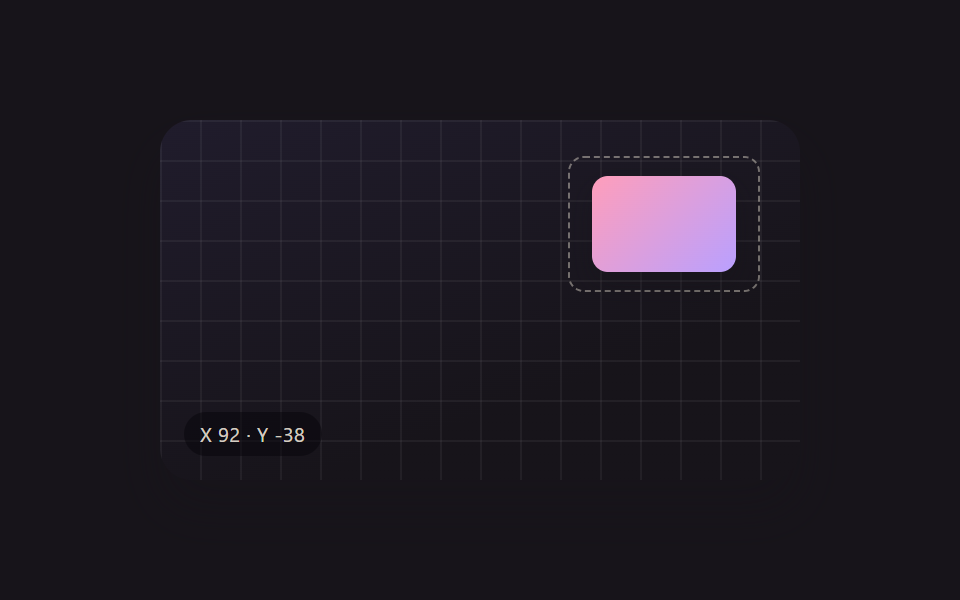 크리에이티브 UI리사이즈 핸들 9종 — 오브젝트 자유 변형 캔버스 툴킷
 크리에이티브 UI이미지 크롭 기능 9종 — 업로드 없이 브라우저에서
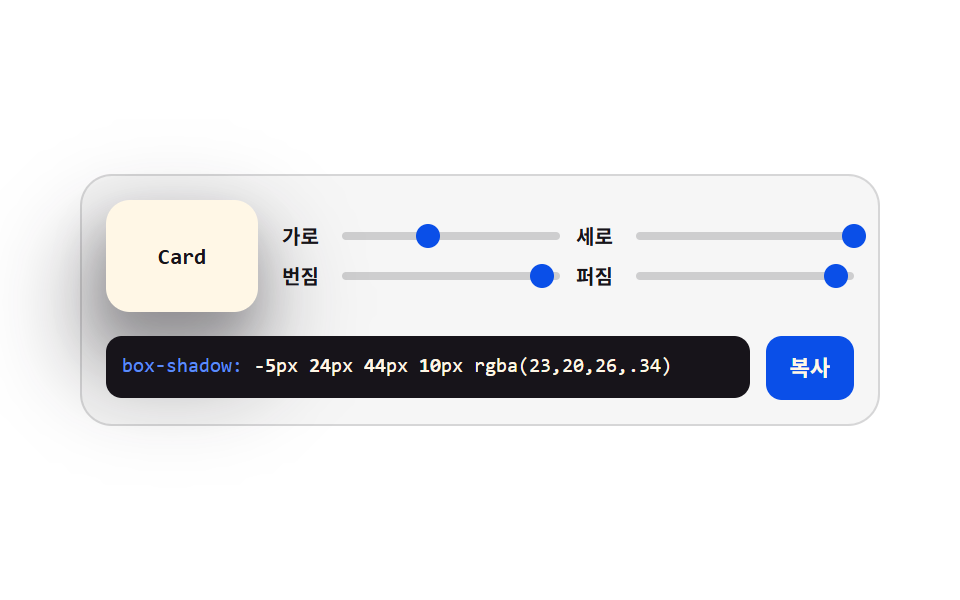 크리에이티브 UIcss generator 9종 — 슬라이더로 만드는 css 그림자 효과
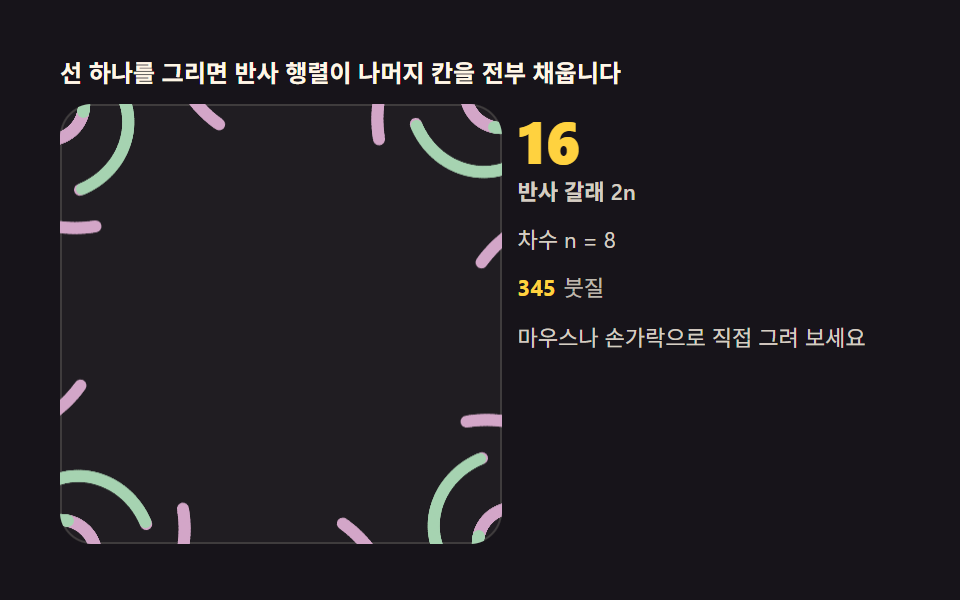 크리에이티브 UI만화경 그리기 — 대칭 반사 각도로 그리는 캔버스 9종
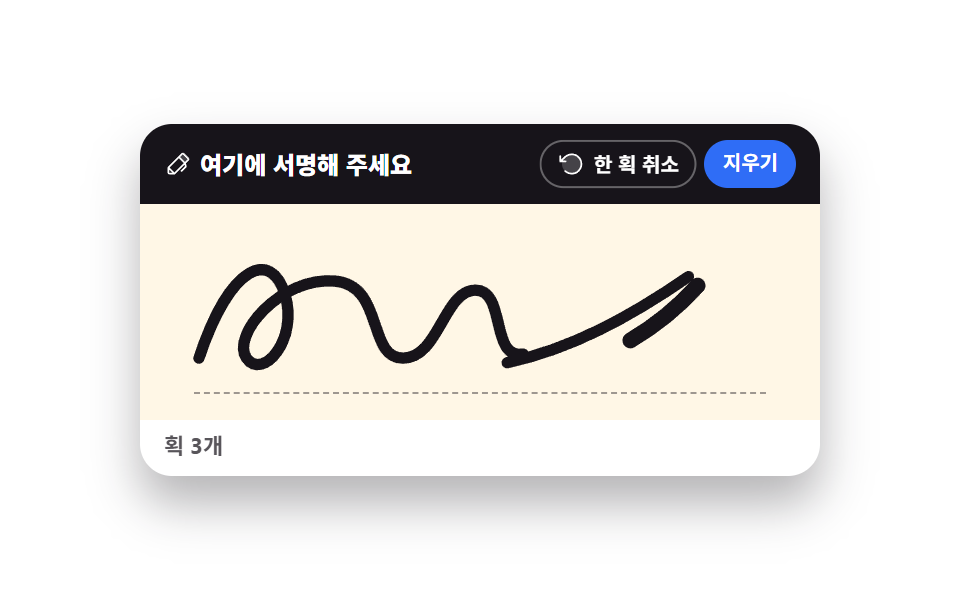 크리에이티브 UI서명 패드와 캔버스 드로잉 UI 9종 — 라이브러리 없이
 크리에이티브 UICSS 배경 패턴 9종 — 시드 하나로 다시 그리기
 크리에이티브 UI리사주 곡선 만들기 9종 — 파동 간섭으로 그리는 캔버스
 크리에이티브 UI자바스크립트 물리엔진 원리 9종 — Verlet 로프부터 래그돌까지
 크리에이티브 UI유체 시뮬레이션 9종 — 캔버스 연기·잉크 격자 계산 (WebGL 없이)
 크리에이티브 UI네트워크 그래프 9종 — 힘으로 밀고 당겨 스스로 배치되는 캔버스