ai 랜딩페이지 오브 디자인 키트, 빛나는 섹션 9개
ai 랜딩페이지 오브 디자인은 화면 전체를 물들이는 대신 짙은 단색 무대 위에 빛나는 구슬 하나만 올려 제품의 성격을 말하는 방식입니다. 배경 그라디언트 없이도 AI 다워 보인다는 이 계산을 섹션 아홉 개로 잘라 정리했습니다.
지난 몇 년 동안 AI 제품 페이지는 대부분 화면 뒤편을 보라와 청록으로 물들이는 쪽을 골랐습니다. 다들 같은 배경을 쓰니 배경만으로는 구분이 안 되고, 그 위에 얹힌 글자와 버튼은 대비를 맞추느라 계속 무거워졌습니다. 여기 아홉 개는 반대로 갑니다. 무대를 잉크색 한 겹으로 눌러 두고 빛의 예산을 오브 하나에만 씁니다. 배경은 단색, 버튼은 솔리드, 빛나는 것은 구슬뿐입니다. 그렇게 조립한 한 장짜리 페이지가 아래에 실제로 돌아가고 있으니 스크롤해 보면서 화면 안에서 빛나는 것이 몇 개인지 세어 보세요.

저 페이지를 뜯어 아홉 조각으로 늘어놓은 것이 다음 격자입니다. 순서는 ai 랜딩페이지 만들기 인기순이 아니라 방문자가 화면을 만나는 차례입니다. 첫 화면에서 눈이 멈추고, 상단 메뉴를 훑고, 기능 카드를 고르고, 목록으로 내려가고, 요금을 따져 보고, 다른 사람의 후기를 읽고, 가입 띠에서 결정하고, 푸터에서 헤어집니다. 아홉 번째인 버튼과 챗 인풋은 어느 섹션에나 끼어드는 조작 부품이라 마지막에 두었습니다. 같은 아홉 칸을 점과 물결로 채운 쪽은 멤피스 패턴 랜딩 키트이고, 이 화면의 문법을 받은 편지함으로 옮긴 쪽은 뉴스레터 디자인입니다.
 01 hero-orb
 02 nav-orb
 03 card-grid-orb
 04 feature-list-orb
 05 pricing-orb
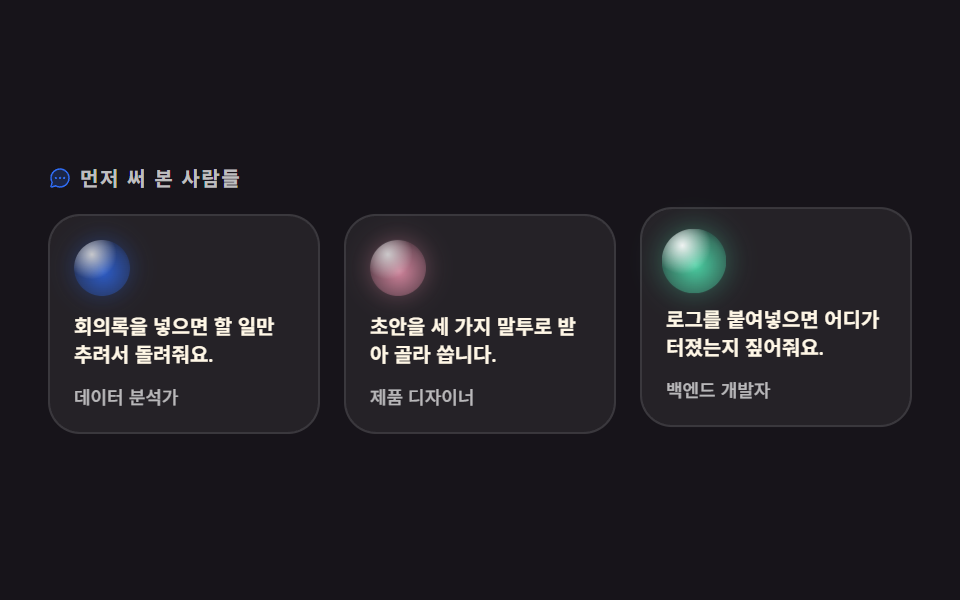 06 testimonial-orb
 07 cta-band-orb
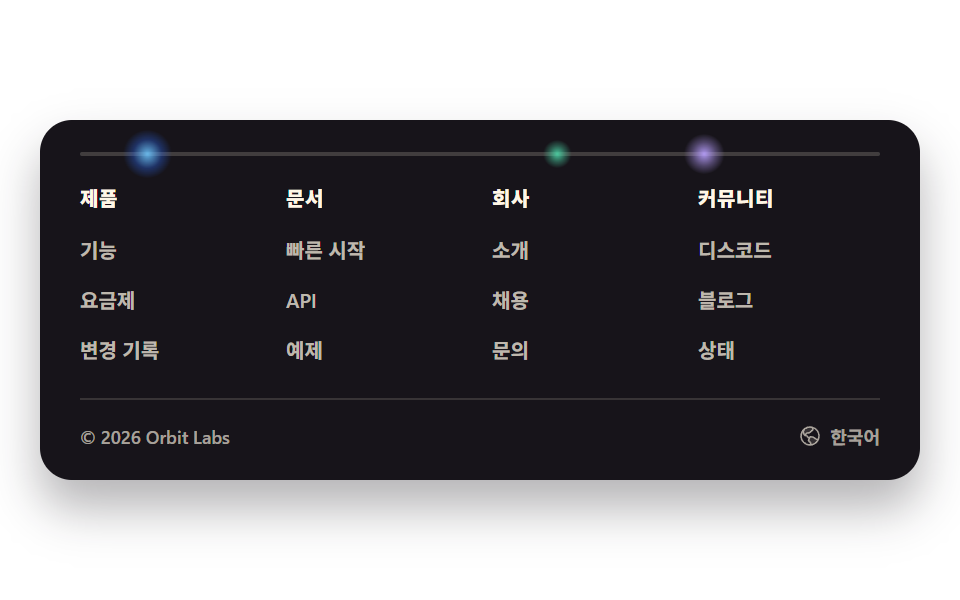 08 footer-orb
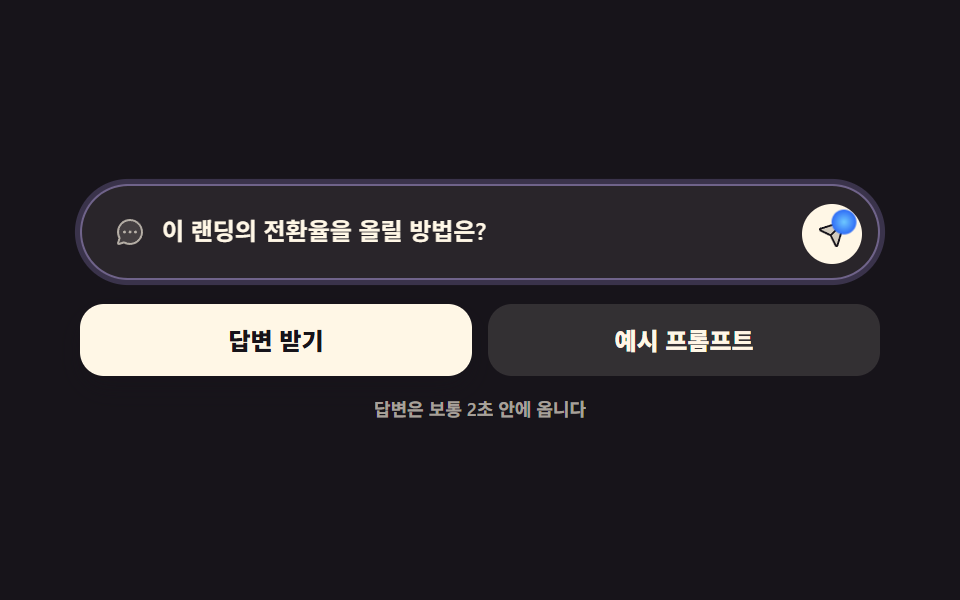 09 buttons-inputs-orb
자동 재생 · 눌러서 해당 항목으로 · 전부 한 zip
- 01 떠오르는 오브 히어로
- 02 미끄러지는 오브 닷 내비
- 03 반짝 반응 카드 격자
- 04 차례로 깨는 기능 목록
- 05 오브 배지 요금제
- 06 오브 아바타 후기
- 07 유영하는 오브 CTA 밴드
- 08 궤도 오브 푸터
- 09 오브 버튼·챗 인풋
01떠오르는 오브 히어로
랜딩페이지 디자인 ai 에서 무엇이 보이나
152px 상자 안에 104px 구슬이 앉아 2초에 한 번 위아래 7px씩 오르내리고, 뒤에 깔린 빛 무리가 같은 박자로 0.82배에서 1배까지 부풀었다 줄어듭니다.
<main class="stage">
<section class="ho">
<div class="ho__text">
  <p class="ho__eyebrow">
    <span class="ho__ico" aria-hidden="true"><svg xmlns="http://www.w3.org/2000/svg" viewBox="0 0 256 256" fill="currentColor"><path d="M194.82,151.43l-55.09,20.3-20.3,55.09a7.92,7.92,0,0,1-14.86,0l-20.3-55.09-55.09-20.3a7.92,7.92,0,0,1,0-14.86l55.09-20.3,20.3-55.09a7.92,7.92,0,0,1,14.86,0l20.3,55.09,55.09,20.3A7.92,7.92,0,0,1,194.82,151.43Z" opacity="0.2"/><path d="M197.58,129.06,146,110l-19-51.62a15.92,15.92,0,0,0-29.88,0L78,110l-51.62,19a15.92,15.92,0,0,0,0,29.88L78,178l19,51.62a15.92,15.92,0,0,0,29.88,0L146,178l51.62-19a15.92,15.92,0,0,0,0-29.88ZM137,164.22a8,8,0,0,0-4.74,4.74L112,223.85,91.78,169A8,8,0,0,0,87,164.22L32.15,144,87,123.78A8,8,0,0,0,91.78,119L112,64.15,132.22,119a8,8,0,0,0,4.74,4.74L191.85,144ZM144,40a8,8,0,0,1,8-8h16V16a8,8,0,0,1,16,0V32h16a8,8,0,0,1,0,16H184V64a8,8,0,0,1-16,0V48H152A8,8,0,0,1,144,40ZM248,88a8,8,0,0,1-8,8h-8v8a8,8,0,0,1-16,0V96h-8a8,8,0,0,1,0-16h8V72a8,8,0,0,1,16,0v8h8A8,8,0,0,1,248,88Z"/></svg></span>
    새 모델 공개
  </p>
  <h1 class="ho__title">묻기만 하면 초안이 나옵니다</h1>
  <p class="ho__sub">회의록·기획서·메일을 한 번에 정리합니다.</p>
  <a class="ho__cta" href="#" role="button">무료로 시작하기<span class="ho__arrow" aria-hidden="true"><svg xmlns="http://www.w3.org/2000/svg" viewBox="0 0 256 256" fill="currentColor"><path d="M216,128l-72,72V56Z" opacity="0.2"/><path d="M221.66,122.34l-72-72A8,8,0,0,0,136,56v64H40a8,8,0,0,0,0,16h96v64a8,8,0,0,0,13.66,5.66l72-72A8,8,0,0,0,221.66,122.34ZM152,180.69V75.31L204.69,128Z"/></svg></span></a>
</div>
<div class="ho__orbwrap" aria-hidden="true">
  <span class="ho__halo"></span>
  <span class="ho__orb"></span>
</div>
</section>
</main>
@use "../../../../site/static/demo-tokens" as *;
// 변수 3개 — 변형은 이 셋만 바꾼다
$duration: $dur-loop; // 떠오름·맥박 한 주기 (설정 `초` 와 같은 2s)
$easing: ease-in-out; // 위아래 왕복은 양끝에서 멎어야 숨쉬듯 보인다
$color: $subject-sky; // 오브의 빛 색
// 이 편 아홉 항목은 전부 잉크 무대다 — 빛나는 오브는 어두운 바탕에서만 빛으로 읽힌다
@include stage($stage-ink);
.ho {
display: grid; grid-template-columns: 1fr auto; align-items: center; gap: $sp-5;
width: min(100%, 432px);
}
// 대비 실측(WCAG 상대휘도로 계산): 무대 $stage-ink 의 상대휘도 0.00757
.ho__eyebrow {
display: flex; align-items: center; gap: $sp-1; margin: 0 0 $sp-2;
font-weight: 700; font-size: 10px; line-height: 1; letter-spacing: .04em;
color: $color; // $subject-sky on $stage-ink = 9.87:1
}
.ho__ico { display: inline-flex; width: 12px; height: 12px; flex: 0 0 auto; }
.ho__ico svg { width: 100%; height: 100%; }
.ho__title {
margin: 0; font-weight: 800; font-size: clamp(17px, 5.2vw, 25px); line-height: 1.18;
letter-spacing: -.01em; color: $subject-cream; // $subject-cream on $stage-ink = 17.11:1
}
// keep-all 은 한국어에만 — 어절 가운데서 끊기지 않게 한다(묻기만 하면 / 초안이 나옵니다).
// 일본어에 걸면 띄어쓰기가 없어 줄바꿈 자리가 사라지고 가로로 넘친다 (ja 사본 480×300 실측 2026-09-12)
.ho__title:lang(ko) {
word-break: keep-all;
}
.ho__sub {
margin: $sp-2 0 0; font-weight: 500; font-size: clamp(10px, 2.8vw, 12px); line-height: 1.45;
color: rgba(255, 247, 230, .72); // 잉크 위에서 #beb7ad 로 합성 = 9.18:1
}
.ho__cta {
display: inline-flex; align-items: center; gap: $sp-1; margin-top: $sp-4;
padding: $sp-2 $sp-4; border-radius: $r-pill;
background: $subject-cream; color: $subject-ink; // 크림 위 잉크 글자 = 17.11:1
font-weight: 700; font-size: 11px; line-height: 1; text-decoration: none;
}
.ho__arrow { display: inline-flex; width: 12px; height: 12px; }
.ho__arrow svg { width: 100%; height: 100%; }
// ── 오브: 겹으로 쌓은 radial-gradient 네 겹 = 하이라이트 · 빛 · 반사 · 코어
.ho__orbwrap {
position: relative; width: 152px; height: 152px; flex: 0 0 auto;
display: grid; place-items: center;
}
.ho__orb {
position: relative; z-index: 1; width: 104px; height: 104px; border-radius: 50%;
background:
radial-gradient(circle at 34% 28%, rgba(255, 255, 255, .92), rgba(255, 255, 255, 0) 44%),
radial-gradient(circle at 28% 66%, rgba(110, 200, 255, .9), rgba(110, 200, 255, 0) 58%),
radial-gradient(circle at 74% 72%, rgba(185, 160, 255, .8), rgba(185, 160, 255, 0) 56%),
radial-gradient(circle at 50% 50%, rgba(47, 109, 246, .95) 10%, rgba(23, 20, 26, .96) 92%);
animation-name: hoFloat; animation-duration: $duration; animation-timing-function: $easing;
animation-iteration-count: infinite;
}
// 빛 무리 — 오브와 같은 2초 주기로 커졌다 작아진다. 자기 중심에서 커진다 (blog-demo 규칙 8)
.ho__halo {
position: absolute; inset: 0; border-radius: 50%; transform-origin: 50% 50%;
background: radial-gradient(circle at 50% 50%, rgba(110, 200, 255, .42), rgba(110, 200, 255, .16) 48%, rgba(110, 200, 255, 0) 72%);
animation-name: hoPulse; animation-duration: $duration; animation-timing-function: $easing;
animation-iteration-count: infinite;
}
// translateY 왕복 — 0%·100% 가 같은 값이라 루프 이음매가 없다
@keyframes hoFloat {
0%, 100% { transform: translateY(7px); }
50% { transform: translateY(-7px); }
}
// scale 최대가 1 — 커져도 감싼 상자(152px) 밖으로 안 나간다. 넘침(BD9) 방지
@keyframes hoPulse {
0%, 100% { transform: scale(.82); opacity: .5; }
50% { transform: scale(1); opacity: .9; }
}
// ── 320×200 폰 실측 대비 압축 (BD9)
@media (max-width: 340px), (max-height: 220px) {
.ho { gap: $sp-3; }
.ho__eyebrow { margin-bottom: $sp-1; font-size: 9px; }
.ho__title { font-size: 15px; }
.ho__sub { margin-top: $sp-1; font-size: 9px; }
.ho__cta { margin-top: $sp-2; padding: $sp-1 $sp-3; font-size: 10px; }
.ho__orbwrap { width: 96px; height: 96px; }
.ho__orb { width: 68px; height: 68px; }
}
@media (prefers-reduced-motion: reduce) {
.ho__orb, .ho__halo { animation: none !important; transform: none !important; opacity: .9 !important; }
}html, body {
margin: 0;
overflow: hidden;
}
.stage {
box-sizing: border-box;
min-height: 100vh;
display: grid;
place-items: center;
margin: 0;
background: #17141a;
font-family: -apple-system, "Segoe UI", "Noto Sans KR", sans-serif;
padding: clamp(8px, 4vw, 24px);
}
.ho {
display: grid;
grid-template-columns: 1fr auto;
align-items: center;
gap: 20px;
width: min(100%, 432px);
}
.ho__eyebrow {
display: flex;
align-items: center;
gap: 4px;
margin: 0 0 8px;
font-weight: 700;
font-size: 10px;
line-height: 1;
letter-spacing: 0.04em;
color: #6ec8ff;
}
.ho__ico {
display: inline-flex;
width: 12px;
height: 12px;
flex: 0 0 auto;
}
.ho__ico svg {
width: 100%;
height: 100%;
}
.ho__title {
margin: 0;
font-weight: 800;
font-size: clamp(17px, 5.2vw, 25px);
line-height: 1.18;
letter-spacing: -0.01em;
color: #fff7e6;
}
.ho__title:lang(ko) {
word-break: keep-all;
}
.ho__sub {
margin: 8px 0 0;
font-weight: 500;
font-size: clamp(10px, 2.8vw, 12px);
line-height: 1.45;
color: rgba(255, 247, 230, 0.72);
}
.ho__cta {
display: inline-flex;
align-items: center;
gap: 4px;
margin-top: 16px;
padding: 8px 16px;
border-radius: 999px;
background: #fff7e6;
color: #17141a;
font-weight: 700;
font-size: 11px;
line-height: 1;
text-decoration: none;
}
.ho__arrow {
display: inline-flex;
width: 12px;
height: 12px;
}
.ho__arrow svg {
width: 100%;
height: 100%;
}
.ho__orbwrap {
position: relative;
width: 152px;
height: 152px;
flex: 0 0 auto;
display: grid;
place-items: center;
}
.ho__orb {
position: relative;
z-index: 1;
width: 104px;
height: 104px;
border-radius: 50%;
background: radial-gradient(circle at 34% 28%, rgba(255, 255, 255, 0.92), rgba(255, 255, 255, 0) 44%), radial-gradient(circle at 28% 66%, rgba(110, 200, 255, 0.9), rgba(110, 200, 255, 0) 58%), radial-gradient(circle at 74% 72%, rgba(185, 160, 255, 0.8), rgba(185, 160, 255, 0) 56%), radial-gradient(circle at 50% 50%, rgba(47, 109, 246, 0.95) 10%, rgba(23, 20, 26, 0.96) 92%);
animation-name: hoFloat;
animation-duration: 2s;
animation-timing-function: ease-in-out;
animation-iteration-count: infinite;
}
.ho__halo {
position: absolute;
inset: 0;
border-radius: 50%;
transform-origin: 50% 50%;
background: radial-gradient(circle at 50% 50%, rgba(110, 200, 255, 0.42), rgba(110, 200, 255, 0.16) 48%, rgba(110, 200, 255, 0) 72%);
animation-name: hoPulse;
animation-duration: 2s;
animation-timing-function: ease-in-out;
animation-iteration-count: infinite;
}
@keyframes hoFloat {
0%, 100% {
transform: translateY(7px);
}
50% {
transform: translateY(-7px);
}
}
@keyframes hoPulse {
0%, 100% {
transform: scale(0.82);
opacity: 0.5;
}
50% {
transform: scale(1);
opacity: 0.9;
}
}
@media (max-width: 340px), (max-height: 220px) {
.ho {
gap: 12px;
}
.ho__eyebrow {
margin-bottom: 4px;
font-size: 9px;
}
.ho__title {
font-size: 15px;
}
.ho__sub {
margin-top: 4px;
font-size: 9px;
}
.ho__cta {
margin-top: 8px;
padding: 4px 12px;
font-size: 10px;
}
.ho__orbwrap {
width: 96px;
height: 96px;
}
.ho__orb {
width: 68px;
height: 68px;
}
}
@media (prefers-reduced-motion: reduce) {
.ho__orb, .ho__halo {
animation: none !important;
transform: none !important;
opacity: 0.9 !important;
}
}import styles from "./HeroOrb.module.scss";
export type HeroOrbProps = { duration?: string; easing?: string; color?: string };
export default function HeroOrb({ duration = "2s", easing = "ease-in-out", color = "#6ec8ff" }: HeroOrbProps) {
// 변수 3개는 props 로 — 오브가 한 번 떠올랐다 내려앉는 시간 · 그 이징 · 빛 색
const motion = { animationDuration: duration, animationTimingFunction: easing };
return (
<main className={styles.stage}>
<section className={styles.ho}>
<div className={styles.text}>
<p className={styles.eyebrow} style={{ color }}>
<span className={styles.ico} aria-hidden="true">
<svg xmlns="http://www.w3.org/2000/svg" viewBox="0 0 256 256" fill="currentColor"><path d="M194.82,151.43l-55.09,20.3-20.3,55.09a7.92,7.92,0,0,1-14.86,0l-20.3-55.09-55.09-20.3a7.92,7.92,0,0,1,0-14.86l55.09-20.3,20.3-55.09a7.92,7.92,0,0,1,14.86,0l20.3,55.09,55.09,20.3A7.92,7.92,0,0,1,194.82,151.43Z" opacity="0.2"/><path d="M197.58,129.06,146,110l-19-51.62a15.92,15.92,0,0,0-29.88,0L78,110l-51.62,19a15.92,15.92,0,0,0,0,29.88L78,178l19,51.62a15.92,15.92,0,0,0,29.88,0L146,178l51.62-19a15.92,15.92,0,0,0,0-29.88ZM137,164.22a8,8,0,0,0-4.74,4.74L112,223.85,91.78,169A8,8,0,0,0,87,164.22L32.15,144,87,123.78A8,8,0,0,0,91.78,119L112,64.15,132.22,119a8,8,0,0,0,4.74,4.74L191.85,144ZM144,40a8,8,0,0,1,8-8h16V16a8,8,0,0,1,16,0V32h16a8,8,0,0,1,0,16H184V64a8,8,0,0,1-16,0V48H152A8,8,0,0,1,144,40ZM248,88a8,8,0,0,1-8,8h-8v8a8,8,0,0,1-16,0V96h-8a8,8,0,0,1,0-16h8V72a8,8,0,0,1,16,0v8h8A8,8,0,0,1,248,88Z"/></svg>
</span>
새 모델 공개
</p>
<h1 className={styles.title}>묻기만 하면 초안이 나옵니다</h1>
<p className={styles.sub}>회의록·기획서·메일을 한 번에 정리합니다.</p>
<a className={styles.cta} href="#" role="button" onClick={(e: { preventDefault: () => void }) => { e.preventDefault(); }}>
무료로 시작하기
<span className={styles.arrow} aria-hidden="true">
<svg xmlns="http://www.w3.org/2000/svg" viewBox="0 0 256 256" fill="currentColor"><path d="M216,128l-72,72V56Z" opacity="0.2"/><path d="M221.66,122.34l-72-72A8,8,0,0,0,136,56v64H40a8,8,0,0,0,0,16h96v64a8,8,0,0,0,13.66,5.66l72-72A8,8,0,0,0,221.66,122.34ZM152,180.69V75.31L204.69,128Z"/></svg>
</span>
</a>
</div>
<div className={styles.orbwrap} aria-hidden="true">
<span className={styles.halo} style={motion} />
<span className={styles.orb} style={motion} />
</div>
</section>
</main>
);
}01 · 떠오르는 오브 히어로 — 측정 누적면적 9.735% · 움직인 프레임 23/23GODRICH 원작 · zip 에 SCSS·React 포함 · 비밀번호 보기
코드에서 볼 곳
구슬은 사진도 filter: blur 도 아니라 하이라이트 한 겹, 하늘색 한 겹, 라일락 한 겹, 몸통 한 겹을 포갠 radial-gradient 네 장입니다.
.ho__orb {
  position: relative; z-index: 1; width: 104px; height: 104px; border-radius: 50%;
  background:
    radial-gradient(circle at 34% 28%, rgba(255, 255, 255, .92), rgba(255, 255, 255, 0) 44%),
    radial-gradient(circle at 28% 66%, rgba(110, 200, 255, .9), rgba(110, 200, 255, 0) 58%),
    radial-gradient(circle at 74% 72%, rgba(185, 160, 255, .8), rgba(185, 160, 255, 0) 56%),
    radial-gradient(circle at 50% 50%, rgba(47, 109, 246, .95) 10%, rgba(23, 20, 26, .96) 92%);
  animation-name: hoFloat; animation-duration: $duration; animation-timing-function: $easing;
  animation-iteration-count: infinite;
}
@keyframes hoFloat {
  0%, 100% { transform: translateY(7px); }
  50% { transform: translateY(-7px); }
}
@keyframes hoPulse {
  0%, 100% { transform: scale(.82); opacity: .5; }
  50% { transform: scale(1); opacity: .9; }
}
02미끄러지는 오브 닷 내비
화면에서 일어나는 일
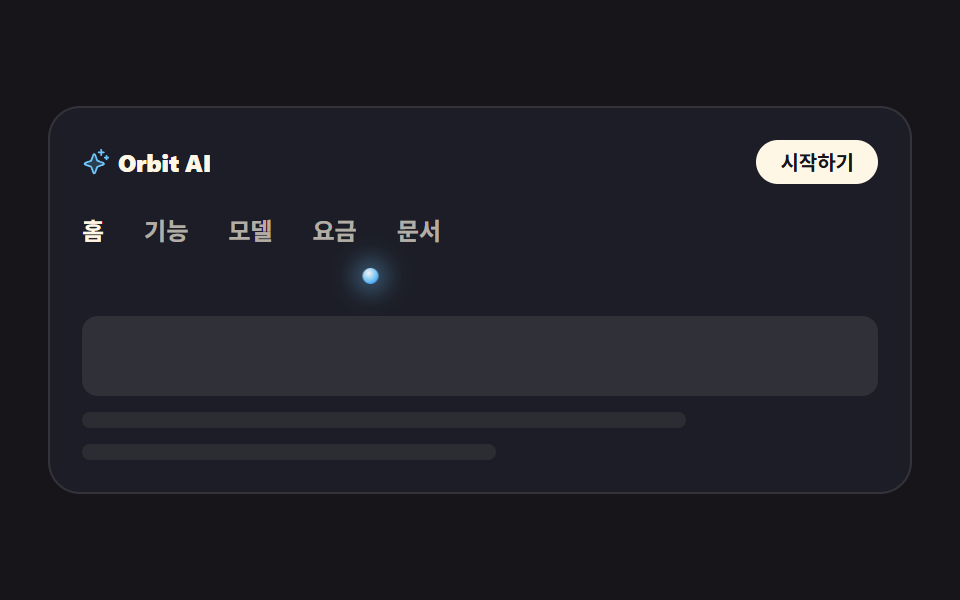
메뉴 다섯 개 아래에 8px 발광 점 하나가 서서 활성 항목 쪽으로 가로로 미끄러집니다. 자리는 --p1 부터 --p5 까지 CSS 변수 다섯 개로 박아 두었고, 사람이 실제로 누르면 300ms 스프링 이징으로 옮겨 갑니다.
<main class="stage">
<div class="nv is-demo" id="nv">
  <div class="nv__top">
    <span class="nv__brand">
      <span class="nv__mark" aria-hidden="true"><svg xmlns="http://www.w3.org/2000/svg" viewBox="0 0 256 256" fill="currentColor"><path d="M194.82,151.43l-55.09,20.3-20.3,55.09a7.92,7.92,0,0,1-14.86,0l-20.3-55.09-55.09-20.3a7.92,7.92,0,0,1,0-14.86l55.09-20.3,20.3-55.09a7.92,7.92,0,0,1,14.86,0l20.3,55.09,55.09,20.3A7.92,7.92,0,0,1,194.82,151.43Z" opacity="0.2"/><path d="M197.58,129.06,146,110l-19-51.62a15.92,15.92,0,0,0-29.88,0L78,110l-51.62,19a15.92,15.92,0,0,0,0,29.88L78,178l19,51.62a15.92,15.92,0,0,0,29.88,0L146,178l51.62-19a15.92,15.92,0,0,0,0-29.88ZM137,164.22a8,8,0,0,0-4.74,4.74L112,223.85,91.78,169A8,8,0,0,0,87,164.22L32.15,144,87,123.78A8,8,0,0,0,91.78,119L112,64.15,132.22,119a8,8,0,0,0,4.74,4.74L191.85,144ZM144,40a8,8,0,0,1,8-8h16V16a8,8,0,0,1,16,0V32h16a8,8,0,0,1,0,16H184V64a8,8,0,0,1-16,0V48H152A8,8,0,0,1,144,40ZM248,88a8,8,0,0,1-8,8h-8v8a8,8,0,0,1-16,0V96h-8a8,8,0,0,1,0-16h8V72a8,8,0,0,1,16,0v8h8A8,8,0,0,1,248,88Z"/></svg></span>
      Orbit AI
    </span>
    <a class="nv__cta" href="#" role="button">시작하기</a>
  </div>
  <nav class="nv__nav" aria-label="주요 메뉴">
    <ul class="nv__tabs" id="tabs">
      <li class="nv__item"><a class="nv__tab is-on" href="#" aria-current="page">홈</a></li>
      <li class="nv__item"><a class="nv__tab" href="#">기능</a></li>
      <li class="nv__item"><a class="nv__tab" href="#">모델</a></li>
      <li class="nv__item"><a class="nv__tab" href="#">요금</a></li>
      <li class="nv__item"><a class="nv__tab" href="#">문서</a></li>
    </ul>
    <span class="nv__dot" id="dot" aria-hidden="true"></span>
  </nav>
  <div class="nv__panel" aria-hidden="true">
    <span class="nv__block"></span>
    <span class="nv__line nv__line--a"></span>
    <span class="nv__line nv__line--b"></span>
  </div>
</div>
</main>@use "../../../../site/static/demo-tokens" as *;
// 변수 3개 — 변형은 이 셋만 바꾼다
$duration: $dur-base; // 실제 클릭에서 점이 옮겨가는 시간
$easing: $ease-spring; // 도착점에서 멎는 감속
$color: $subject-sky; // 발광 점의 빛 색
// 이 편 아홉 항목은 전부 잉크 무대다 — 빛나는 오브는 어두운 바탕에서만 빛으로 읽힌다
@include stage($stage-ink);
.nv {
box-sizing: border-box; width: min(100%, 432px); padding: $sp-4;
border: 1px solid rgba(255, 247, 230, .1); border-radius: $r-card;
background: rgba(110, 200, 255, .05);
}
// 대비 실측(WCAG 상대휘도 계산): 무대 $stage-ink 의 상대휘도 0.00757,
// 카드 바탕(잉크+하늘색 5%)은 0.0128 — 아래 값은 카드 바탕 기준이다
.nv__top { display: flex; align-items: center; justify-content: space-between; gap: $sp-3; }
.nv__brand {
display: inline-flex; align-items: center; gap: $sp-1;
font-weight: 800; font-size: 12px; line-height: 1; letter-spacing: -.01em;
color: $subject-cream; // $subject-cream 기준 15.7:1
}
.nv__mark { display: inline-flex; width: 14px; height: 14px; color: $color; }
.nv__mark svg { width: 100%; height: 100%; }
.nv__cta {
padding: $sp-1 $sp-3; border-radius: $r-pill; background: $subject-cream; color: $subject-ink;
font-weight: 700; font-size: 10px; line-height: 1.4; text-decoration: none; // 크림 위 잉크 = 17.11:1
}
// ── 탭 줄: 점이 고정 px 로 움직이므로 탭은 내용 폭이어야 한다 (BD19)
.nv__nav { position: relative; margin-top: $sp-4; padding-bottom: $sp-3; }
.nv__tabs { display: flex; gap: $sp-5; margin: 0; padding: 0 0 $sp-2; list-style: none; }
.nv__item { flex: 0 0 auto; }
.nv__tab {
flex: 0 0 auto; display: block; font-weight: 600; font-size: 12px; line-height: 1.2;
text-decoration: none; color: rgba(255, 247, 230, .66); // 카드 바탕 위 = 7.2:1
}
.nv__tab.is-on { font-weight: 700; color: $subject-cream; }
// 발광 점 — 활성 탭 중심에 서고, translateX 로 옆 탭으로 미끄러진다
.nv__dot {
// 다섯 자리는 짐작이 아니라 Playwright getBoundingClientRect 실측값 (480×300 렌더, 2026-09-12)
--p1: 1.5px; --p2: 38px; --p3: 80px; --p4: 122px; --p5: 164px;
position: absolute; left: 0; bottom: 0; width: 8px; height: 8px; border-radius: 50%;
background: radial-gradient(circle at 38% 32%, rgba(255, 255, 255, .95), rgba(110, 200, 255, .95) 58%, rgba(47, 109, 246, .9) 100%);
box-shadow: 0 0 12px 4px rgba(110, 200, 255, .45);
transform: translateX(var(--p1));
transition: transform $duration $easing; // 사람이 클릭했을 때의 이동
}
// 미리보기 루프: 2초 안에 1 → 3 → 5 → 1 세 자리를 돈다. 복귀는 86% 에 끝난다
// (라벨을 바꾸지 않고 점만 옮기므로 반투명 유령 프레임이 생기지 않는다)
.nv.is-demo .nv__dot {
animation-name: nvGlide; animation-duration: $dur-loop; animation-timing-function: $easing;
animation-iteration-count: infinite;
}
@keyframes nvGlide {
0%, 8% { transform: translateX(var(--p1)); }
24%, 34% { transform: translateX(var(--p3)); }
50%, 62% { transform: translateX(var(--p5)); }
86%, 100% { transform: translateX(var(--p1)); }
}
// ── 탭이 가리키는 화면 (정적 장식)
.nv__panel { display: grid; gap: $sp-2; margin-top: $sp-4; }
.nv__block { height: 40px; border-radius: $r-sm; background: rgba(255, 247, 230, .09); }
.nv__line { height: 8px; border-radius: $r-pill; background: rgba(255, 247, 230, .07); }
.nv__line--a { width: 76%; }
.nv__line--b { width: 52%; }
// ── 320×200 폰 실측 대비 압축 (BD9). 좁은 화면에서는 간격을 올리지 않는다
@media (max-width: 340px), (max-height: 220px) {
.nv { padding: $sp-2; }
.nv__brand { font-size: 11px; }
.nv__cta { font-size: 9px; padding: 0 $sp-2; }
.nv__nav { margin-top: $sp-2; padding-bottom: $sp-2; }
.nv__tabs { gap: $sp-3; padding-bottom: $sp-1; }
.nv__tab { font-size: 11px; }
.nv__dot { --p1: 1px; --p2: 28px; --p3: 60px; --p4: 93px; --p5: 125px; } // 320×200 실측값
.nv__panel { gap: $sp-1; margin-top: $sp-2; }
.nv__block { height: 28px; }
.nv__line { height: 6px; }
}
@media (prefers-reduced-motion: reduce) {
.nv__dot { transition: none !important; }
.nv.is-demo .nv__dot { animation: none !important; }
}html, body {
margin: 0;
overflow: hidden;
}
.stage {
box-sizing: border-box;
min-height: 100vh;
display: grid;
place-items: center;
margin: 0;
background: #17141a;
font-family: -apple-system, "Segoe UI", "Noto Sans KR", sans-serif;
padding: clamp(8px, 4vw, 24px);
}
.nv {
box-sizing: border-box;
width: min(100%, 432px);
padding: 16px;
border: 1px solid rgba(255, 247, 230, 0.1);
border-radius: 16px;
background: rgba(110, 200, 255, 0.05);
}
.nv__top {
display: flex;
align-items: center;
justify-content: space-between;
gap: 12px;
}
.nv__brand {
display: inline-flex;
align-items: center;
gap: 4px;
font-weight: 800;
font-size: 12px;
line-height: 1;
letter-spacing: -0.01em;
color: #fff7e6;
}
.nv__mark {
display: inline-flex;
width: 14px;
height: 14px;
color: #6ec8ff;
}
.nv__mark svg {
width: 100%;
height: 100%;
}
.nv__cta {
padding: 4px 12px;
border-radius: 999px;
background: #fff7e6;
color: #17141a;
font-weight: 700;
font-size: 10px;
line-height: 1.4;
text-decoration: none;
}
.nv__nav {
position: relative;
margin-top: 16px;
padding-bottom: 12px;
}
.nv__tabs {
display: flex;
gap: 20px;
margin: 0;
padding: 0 0 8px;
list-style: none;
}
.nv__item {
flex: 0 0 auto;
}
.nv__tab {
flex: 0 0 auto;
display: block;
font-weight: 600;
font-size: 12px;
line-height: 1.2;
text-decoration: none;
color: rgba(255, 247, 230, 0.66);
}
.nv__tab.is-on {
font-weight: 700;
color: #fff7e6;
}
.nv__dot {
--p1: 1.5px;
--p2: 38px;
--p3: 80px;
--p4: 122px;
--p5: 164px;
position: absolute;
left: 0;
bottom: 0;
width: 8px;
height: 8px;
border-radius: 50%;
background: radial-gradient(circle at 38% 32%, rgba(255, 255, 255, 0.95), rgba(110, 200, 255, 0.95) 58%, rgba(47, 109, 246, 0.9) 100%);
box-shadow: 0 0 12px 4px rgba(110, 200, 255, 0.45);
transform: translateX(var(--p1));
transition: transform 300ms cubic-bezier(0.2, 0.8, 0.2, 1);
}
.nv.is-demo .nv__dot {
animation-name: nvGlide;
animation-duration: 2s;
animation-timing-function: cubic-bezier(0.2, 0.8, 0.2, 1);
animation-iteration-count: infinite;
}
@keyframes nvGlide {
0%, 8% {
transform: translateX(var(--p1));
}
24%, 34% {
transform: translateX(var(--p3));
}
50%, 62% {
transform: translateX(var(--p5));
}
86%, 100% {
transform: translateX(var(--p1));
}
}
.nv__panel {
display: grid;
gap: 8px;
margin-top: 16px;
}
.nv__block {
height: 40px;
border-radius: 8px;
background: rgba(255, 247, 230, 0.09);
}
.nv__line {
height: 8px;
border-radius: 999px;
background: rgba(255, 247, 230, 0.07);
}
.nv__line--a {
width: 76%;
}
.nv__line--b {
width: 52%;
}
@media (max-width: 340px), (max-height: 220px) {
.nv {
padding: 8px;
}
.nv__brand {
font-size: 11px;
}
.nv__cta {
font-size: 9px;
padding: 0 8px;
}
.nv__nav {
margin-top: 8px;
padding-bottom: 8px;
}
.nv__tabs {
gap: 12px;
padding-bottom: 4px;
}
.nv__tab {
font-size: 11px;
}
.nv__dot {
--p1: 1px;
--p2: 28px;
--p3: 60px;
--p4: 93px;
--p5: 125px;
}
.nv__panel {
gap: 4px;
margin-top: 8px;
}
.nv__block {
height: 28px;
}
.nv__line {
height: 6px;
}
}
@media (prefers-reduced-motion: reduce) {
.nv__dot {
transition: none !important;
}
.nv.is-demo .nv__dot {
animation: none !important;
}
}var nav = document.getElementById('nv');
var dot = document.getElementById('dot');
var tabs = document.querySelectorAll('.nv__tab');
function dotLeft(tab) {
return tab.offsetLeft + tab.offsetWidth / 2 - dot.offsetWidth / 2;
}
function layoutDots() {
// --p1~--p5 의 기본값은 한국어 480×300 실측 px 이다. 라벨 폭은 언어마다 다르므로
// 실제 렌더 좌표로 한 번 덮어써 en·ja 에서도 점이 라벨 한가운데 선다
for (var k = 0; k < tabs.length; k++) {
dot.style.setProperty('--p' + (k + 1), dotLeft(tabs[k]) + 'px');
}
}
function moveDot(tab) {
// 클릭·키보드는 실제 렌더 좌표로 옮긴다 (미리보기 루프는 키프레임이 --p 값을 쓴다)
dot.style.transform = 'translateX(' + dotLeft(tab) + 'px)';
}
layoutDots();
window.addEventListener('resize', layoutDots);
for (var i = 0; i < tabs.length; i++) {
tabs[i].addEventListener('click', function (e) {
e.preventDefault();
nav.classList.remove('is-demo');
for (var j = 0; j < tabs.length; j++) {
tabs[j].classList.remove('is-on');
tabs[j].removeAttribute('aria-current');
}
this.classList.add('is-on');
this.setAttribute('aria-current', 'page');
moveDot(this);
});
}import { useEffect, useRef, useState } from "react";
import styles from "./NavOrb.module.scss";
export type NavOrbProps = { duration?: string; easing?: string; color?: string };
const TABS = ["홈", "기능", "모델", "요금", "문서"];
export default function NavOrb({ duration = "300ms", easing = "cubic-bezier(.2,.8,.2,1)", color = "#6ec8ff" }: NavOrbProps) {
// 변수 3개는 props 로 — 점이 옆 탭으로 옮겨가는 시간 · 그 이징 · 빛 색
const [demo, setDemo] = useState(true);
const [active, setActive] = useState(0);
const navRef = useRef<HTMLElement>(null);
// --p1~--p5 의 기본값은 한국어 480×300 실측 px 이다. 라벨 폭은 언어마다 다르므로
// 실제 렌더 좌표로 한 번 덮어써 en·ja 에서도 점이 라벨 한가운데 선다
useEffect(() => {
const root = navRef.current;
if (!root) return;
const dotEl = root.querySelector("[data-dot]") as HTMLElement | null;
if (!dotEl) return;
const tabEls = root.querySelectorAll("[data-tab]");
for (let i = 0; i < tabEls.length; i++) {
const t = tabEls[i] as HTMLElement;
dotEl.style.setProperty(`--p${i + 1}`, `${t.offsetLeft + t.offsetWidth / 2 - dotEl.offsetWidth / 2}px`);
}
}, []);
// 자리는 CSS 변수 --p1~--p5 (480×300·320×200 렌더 실측값). 클릭하면 그 자리로 미끄러진다
const dotStyle = demo
? { transitionDuration: duration, transitionTimingFunction: easing }
: { transform: `translateX(var(--p${active + 1}))`, transitionDuration: duration, transitionTimingFunction: easing };
return (
<main className={styles.stage}>
<div className={styles.nv}>
<div className={styles.top}>
<span className={styles.brand}>
<span className={styles.mark} aria-hidden="true" style={{ color }}>
<svg xmlns="http://www.w3.org/2000/svg" viewBox="0 0 256 256" fill="currentColor"><path d="M194.82,151.43l-55.09,20.3-20.3,55.09a7.92,7.92,0,0,1-14.86,0l-20.3-55.09-55.09-20.3a7.92,7.92,0,0,1,0-14.86l55.09-20.3,20.3-55.09a7.92,7.92,0,0,1,14.86,0l20.3,55.09,55.09,20.3A7.92,7.92,0,0,1,194.82,151.43Z" opacity="0.2"/><path d="M197.58,129.06,146,110l-19-51.62a15.92,15.92,0,0,0-29.88,0L78,110l-51.62,19a15.92,15.92,0,0,0,0,29.88L78,178l19,51.62a15.92,15.92,0,0,0,29.88,0L146,178l51.62-19a15.92,15.92,0,0,0,0-29.88ZM137,164.22a8,8,0,0,0-4.74,4.74L112,223.85,91.78,169A8,8,0,0,0,87,164.22L32.15,144,87,123.78A8,8,0,0,0,91.78,119L112,64.15,132.22,119a8,8,0,0,0,4.74,4.74L191.85,144ZM144,40a8,8,0,0,1,8-8h16V16a8,8,0,0,1,16,0V32h16a8,8,0,0,1,0,16H184V64a8,8,0,0,1-16,0V48H152A8,8,0,0,1,144,40ZM248,88a8,8,0,0,1-8,8h-8v8a8,8,0,0,1-16,0V96h-8a8,8,0,0,1,0-16h8V72a8,8,0,0,1,16,0v8h8A8,8,0,0,1,248,88Z"/></svg>
</span>
Orbit AI
</span>
<a className={styles.cta} href="#" role="button" onClick={(e: { preventDefault: () => void }) => { e.preventDefault(); }}>시작하기</a>
</div>
<nav className={styles.nav} aria-label="주요 메뉴" ref={navRef}>
<ul className={styles.tabs}>
{TABS.map((label, i) => (
<li className={styles.item} key={label}>
<a
className={`${styles.tab} ${active === i ? styles.isOn : ""}`}
href="#"
data-tab=""
aria-current={active === i ? "page" : undefined}
onClick={(e: { preventDefault: () => void }) => { e.preventDefault(); setDemo(false); setActive(i); }}
>
{label}
</a>
</li>
))}
</ul>
<span className={`${styles.dot} ${demo ? styles.isDemo : ""}`} aria-hidden="true" data-dot="" style={dotStyle} />
</nav>
<div className={styles.panel} aria-hidden="true">
<span className={styles.block} />
<span className={`${styles.line} ${styles.lineA}`} />
<span className={`${styles.line} ${styles.lineB}`} />
</div>
</div>
</main>
);
}02 · 미끄러지는 오브 닷 내비 — 측정 누적면적 2.107% · 움직인 프레임 16/23GODRICH 원작 · zip 에 SCSS·React 포함 · 비밀번호 보기
코드 읽는 법
점 자체는 뜻을 전달하지 않으므로 활성 항목에는 aria-current 를 따로 답니다.
.nv__dot {
  --p1: 1.5px; --p2: 38px; --p3: 80px; --p4: 122px; --p5: 164px;
  position: absolute; left: 0; bottom: 0; width: 8px; height: 8px; border-radius: 50%;
  background: radial-gradient(circle at 38% 32%, rgba(255, 255, 255, .95), rgba(110, 200, 255, .95) 58%, rgba(47, 109, 246, .9) 100%);
  box-shadow: 0 0 12px 4px rgba(110, 200, 255, .45);
  transform: translateX(var(--p1));
  transition: transform $duration $easing;
}
@keyframes nvGlide {
  0%, 8% { transform: translateX(var(--p1)); }
  24%, 34% { transform: translateX(var(--p3)); }
  50%, 62% { transform: translateX(var(--p5)); }
  86%, 100% { transform: translateX(var(--p1)); }
}
03반짝 반응 카드 격자
어떤 움직임인가
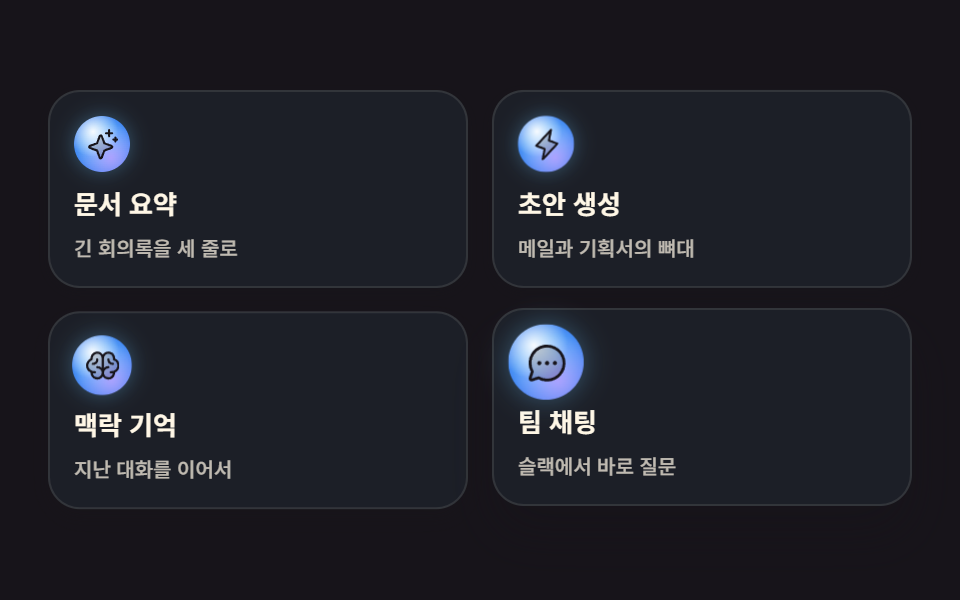
카드 네 장에 28px 구슬이 하나씩 얹혀 있고, 손을 올리면 220ms 동안 카드가 2px 뜨고 그림자가 깊어지면서 구슬이 제 중심에서 1.35배로 커집니다. 커서를 쫓아다니는 스포트라이트는 쓰지 않았습니다.
<main class="stage">
<div class="cg is-demo" id="cg">
  <a class="cg__card" href="#">
    <span class="cg__orb" aria-hidden="true"><svg xmlns="http://www.w3.org/2000/svg" viewBox="0 0 256 256" fill="currentColor"><path d="M194.82,151.43l-55.09,20.3-20.3,55.09a7.92,7.92,0,0,1-14.86,0l-20.3-55.09-55.09-20.3a7.92,7.92,0,0,1,0-14.86l55.09-20.3,20.3-55.09a7.92,7.92,0,0,1,14.86,0l20.3,55.09,55.09,20.3A7.92,7.92,0,0,1,194.82,151.43Z" opacity="0.2"/><path d="M197.58,129.06,146,110l-19-51.62a15.92,15.92,0,0,0-29.88,0L78,110l-51.62,19a15.92,15.92,0,0,0,0,29.88L78,178l19,51.62a15.92,15.92,0,0,0,29.88,0L146,178l51.62-19a15.92,15.92,0,0,0,0-29.88ZM137,164.22a8,8,0,0,0-4.74,4.74L112,223.85,91.78,169A8,8,0,0,0,87,164.22L32.15,144,87,123.78A8,8,0,0,0,91.78,119L112,64.15,132.22,119a8,8,0,0,0,4.74,4.74L191.85,144ZM144,40a8,8,0,0,1,8-8h16V16a8,8,0,0,1,16,0V32h16a8,8,0,0,1,0,16H184V64a8,8,0,0,1-16,0V48H152A8,8,0,0,1,144,40ZM248,88a8,8,0,0,1-8,8h-8v8a8,8,0,0,1-16,0V96h-8a8,8,0,0,1,0-16h8V72a8,8,0,0,1,16,0v8h8A8,8,0,0,1,248,88Z"/></svg></span>
    <span class="cg__name">문서 요약</span>
    <span class="cg__line">긴 회의록을 세 줄로</span>
  </a>
  <a class="cg__card" href="#">
    <span class="cg__orb" aria-hidden="true"><svg xmlns="http://www.w3.org/2000/svg" viewBox="0 0 256 256" fill="currentColor"><path d="M96,240l16-80L48,136,160,16,144,96l64,24Z" opacity="0.2"/><path d="M215.79,118.17a8,8,0,0,0-5-5.66L153.18,90.9l14.66-73.33a8,8,0,0,0-13.69-7l-112,120a8,8,0,0,0,3,13l57.63,21.61L88.16,238.43a8,8,0,0,0,13.69,7l112-120A8,8,0,0,0,215.79,118.17ZM109.37,214l10.47-52.38a8,8,0,0,0-5-9.06L62,132.71l84.62-90.66L136.16,94.43a8,8,0,0,0,5,9.06l52.8,19.8Z"/></svg></span>
    <span class="cg__name">초안 생성</span>
    <span class="cg__line">메일과 기획서의 뼈대</span>
  </a>
  <a class="cg__card" href="#">
    <span class="cg__orb" aria-hidden="true"><svg xmlns="http://www.w3.org/2000/svg" viewBox="0 0 256 256" fill="currentColor"><path d="M240,124a48,48,0,0,1-32,45.27h0V176a40,40,0,0,1-80,0,40,40,0,0,1-80,0v-6.73h0a48,48,0,0,1,0-90.54V72a40,40,0,0,1,80,0,40,40,0,0,1,80,0v6.73A48,48,0,0,1,240,124Z" opacity="0.2"/><path d="M248,124a56.11,56.11,0,0,0-32-50.61V72a48,48,0,0,0-88-26.49A48,48,0,0,0,40,72v1.39a56,56,0,0,0,0,101.2V176a48,48,0,0,0,88,26.49A48,48,0,0,0,216,176v-1.41A56.09,56.09,0,0,0,248,124ZM88,208a32,32,0,0,1-31.81-28.56A55.87,55.87,0,0,0,64,180h8a8,8,0,0,0,0-16H64A40,40,0,0,1,50.67,86.27,8,8,0,0,0,56,78.73V72a32,32,0,0,1,64,0v68.26A47.8,47.8,0,0,0,88,128a8,8,0,0,0,0,16,32,32,0,0,1,0,64Zm104-44h-8a8,8,0,0,0,0,16h8a55.87,55.87,0,0,0,7.81-.56A32,32,0,1,1,168,144a8,8,0,0,0,0-16,47.8,47.8,0,0,0-32,12.26V72a32,32,0,0,1,64,0v6.73a8,8,0,0,0,5.33,7.54A40,40,0,0,1,192,164Zm16-52a8,8,0,0,1-8,8h-4a36,36,0,0,1-36-36V80a8,8,0,0,1,16,0v4a20,20,0,0,0,20,20h4A8,8,0,0,1,208,112ZM60,120H56a8,8,0,0,1,0-16h4A20,20,0,0,0,80,84V80a8,8,0,0,1,16,0v4A36,36,0,0,1,60,120Z"/></svg></span>
    <span class="cg__name">맥락 기억</span>
    <span class="cg__line">지난 대화를 이어서</span>
  </a>
  <a class="cg__card" href="#">
    <span class="cg__orb" aria-hidden="true"><svg xmlns="http://www.w3.org/2000/svg" viewBox="0 0 256 256" fill="currentColor"><path d="M224,128A96,96,0,0,1,79.93,211.11h0L42.54,223.58a8,8,0,0,1-10.12-10.12l12.47-37.39h0A96,96,0,1,1,224,128Z" opacity="0.2"/><path d="M128,24A104,104,0,0,0,36.18,176.88L24.83,210.93a16,16,0,0,0,20.24,20.24l34.05-11.35A104,104,0,1,0,128,24Zm0,192a87.87,87.87,0,0,1-44.06-11.81,8,8,0,0,0-4-1.08,7.85,7.85,0,0,0-2.53.42L40,216,52.47,178.6a8,8,0,0,0-.66-6.54A88,88,0,1,1,128,216Zm12-88a12,12,0,1,1-12-12A12,12,0,0,1,140,128Zm-44,0a12,12,0,1,1-12-12A12,12,0,0,1,96,128Zm88,0a12,12,0,1,1-12-12A12,12,0,0,1,184,128Z"/></svg></span>
    <span class="cg__name">팀 채팅</span>
    <span class="cg__line">슬랙에서 바로 질문</span>
  </a>
</div>
</main>
@use "../../../../site/static/demo-tokens" as *;
// 변수 3개 — 변형은 이 셋만 바꾼다
$duration: $dur-quick; // 실제 호버에서 카드가 뜨는 시간
$easing: $ease-spring;
$color: $subject-sky; // 카드 오브의 빛 색
// 이 편 아홉 항목은 전부 잉크 무대다 — 빛나는 오브는 어두운 바탕에서만 빛으로 읽힌다
@include stage($stage-ink);
.cg {
display: grid; grid-template-columns: repeat(2, 1fr); gap: $sp-3;
width: min(100%, 432px);
}
// 대비 실측(WCAG 상대휘도 계산): 카드 바탕(잉크+하늘색 6%)의 상대휘도 0.0137
.cg__card {
box-sizing: border-box; display: grid; gap: $sp-2; padding: $sp-3;
border: 1px solid rgba(255, 247, 230, .1); border-radius: $r-card;
background: rgba(110, 200, 255, .06);
box-shadow: 0 2px 6px rgba(23, 20, 26, .28);
text-decoration: none;
transition: transform $duration $easing, box-shadow $duration $easing;
}
.cg__name {
font-weight: 700; font-size: 13px; line-height: 1.2; color: $subject-cream; // $subject-cream 기준 15.46:1
}
.cg__line {
font-weight: 500; font-size: 10px; line-height: 1.3;
color: rgba(255, 247, 230, .72); // 카드 바탕 위에서 #beb7ad 로 합성 = 8.32:1
}
// 오브 — 겹으로 쌓은 radial-gradient. 커질 땐 자기 중심에서 (blog-demo 규칙 8)
.cg__orb {
display: inline-flex; align-items: center; justify-content: center;
width: 28px; height: 28px; border-radius: 50%; transform-origin: 50% 50%;
color: $stage-ink;
background:
radial-gradient(circle at 34% 28%, rgba(255, 255, 255, .95), rgba(255, 255, 255, 0) 46%),
radial-gradient(circle at 66% 74%, rgba(185, 160, 255, .85), rgba(185, 160, 255, 0) 60%),
radial-gradient(circle at 50% 50%, rgba(110, 200, 255, 1) 20%, rgba(47, 109, 246, .95) 96%);
box-shadow: 0 0 10px rgba(110, 200, 255, .35);
transition: transform $duration $easing;
}
.cg__orb svg { width: 60%; height: 60%; }
// 사람이 실제로 올렸을 때 — 카드는 2px 뜨고 그림자가 깊어지고 오브가 커진다
.cg__card:hover, .cg__card:focus-visible {
transform: translateY(-2px); box-shadow: $shadow-raised;
}
.cg__card:hover .cg__orb, .cg__card:focus-visible .cg__orb { transform: scale(1.35); }
// ── 미리보기 루프: 네 장이 차례로 같은 호버 상태를 지난다
// animation 단축은 delay 를 0 으로 리셋한다 → 낱개 속성으로. 지연 구간의 번쩍임은 backwards 로 막는다
.cg.is-demo .cg__card {
animation-name: cgLift; animation-duration: $dur-loop; animation-timing-function: $easing;
animation-iteration-count: infinite; animation-fill-mode: backwards;
}
.cg.is-demo .cg__orb {
animation-name: cgOrb; animation-duration: $dur-loop; animation-timing-function: $easing;
animation-iteration-count: infinite; animation-fill-mode: backwards;
}
.cg.is-demo .cg__card:nth-child(2), .cg.is-demo .cg__card:nth-child(2) .cg__orb { animation-delay: 120ms; }
.cg.is-demo .cg__card:nth-child(3), .cg.is-demo .cg__card:nth-child(3) .cg__orb { animation-delay: 240ms; }
.cg.is-demo .cg__card:nth-child(4), .cg.is-demo .cg__card:nth-child(4) .cg__orb { animation-delay: 360ms; }
@keyframes cgLift {
0%, 8% { transform: translateY(0); box-shadow: 0 2px 6px rgba(23, 20, 26, .28); }
22%, 46% { transform: translateY(-2px); box-shadow: $shadow-raised; }
62%, 100% { transform: translateY(0); box-shadow: 0 2px 6px rgba(23, 20, 26, .28); }
}
@keyframes cgOrb {
0%, 8% { transform: scale(1); }
22%, 46% { transform: scale(1.35); }
62%, 100% { transform: scale(1); }
}
// ── 320×200 폰 실측 대비 압축 (BD9). 좁은 화면에서는 간격을 올리지 않는다
@media (max-width: 340px), (max-height: 220px) {
.cg { gap: $sp-2; }
.cg__card { gap: $sp-1; padding: $sp-2; }
.cg__orb { width: 22px; height: 22px; }
.cg__name { font-size: 11px; }
.cg__line { font-size: 9px; }
}
@media (prefers-reduced-motion: reduce) {
.cg__card, .cg__orb { transition: none !important; }
.cg.is-demo .cg__card, .cg.is-demo .cg__orb { animation: none !important; }
}html, body {
margin: 0;
overflow: hidden;
}
.stage {
box-sizing: border-box;
min-height: 100vh;
display: grid;
place-items: center;
margin: 0;
background: #17141a;
font-family: -apple-system, "Segoe UI", "Noto Sans KR", sans-serif;
padding: clamp(8px, 4vw, 24px);
}
.cg {
display: grid;
grid-template-columns: repeat(2, 1fr);
gap: 12px;
width: min(100%, 432px);
}
.cg__card {
box-sizing: border-box;
display: grid;
gap: 8px;
padding: 12px;
border: 1px solid rgba(255, 247, 230, 0.1);
border-radius: 16px;
background: rgba(110, 200, 255, 0.06);
box-shadow: 0 2px 6px rgba(23, 20, 26, 0.28);
text-decoration: none;
transition: transform 220ms cubic-bezier(0.2, 0.8, 0.2, 1), box-shadow 220ms cubic-bezier(0.2, 0.8, 0.2, 1);
}
.cg__name {
font-weight: 700;
font-size: 13px;
line-height: 1.2;
color: #fff7e6;
}
.cg__line {
font-weight: 500;
font-size: 10px;
line-height: 1.3;
color: rgba(255, 247, 230, 0.72);
}
.cg__orb {
display: inline-flex;
align-items: center;
justify-content: center;
width: 28px;
height: 28px;
border-radius: 50%;
transform-origin: 50% 50%;
color: #17141a;
background: radial-gradient(circle at 34% 28%, rgba(255, 255, 255, 0.95), rgba(255, 255, 255, 0) 46%), radial-gradient(circle at 66% 74%, rgba(185, 160, 255, 0.85), rgba(185, 160, 255, 0) 60%), radial-gradient(circle at 50% 50%, rgb(110, 200, 255) 20%, rgba(47, 109, 246, 0.95) 96%);
box-shadow: 0 0 10px rgba(110, 200, 255, 0.35);
transition: transform 220ms cubic-bezier(0.2, 0.8, 0.2, 1);
}
.cg__orb svg {
width: 60%;
height: 60%;
}
.cg__card:hover, .cg__card:focus-visible {
transform: translateY(-2px);
box-shadow: 0 14px 24px rgba(23, 20, 26, 0.32);
}
.cg__card:hover .cg__orb, .cg__card:focus-visible .cg__orb {
transform: scale(1.35);
}
.cg.is-demo .cg__card {
animation-name: cgLift;
animation-duration: 2s;
animation-timing-function: cubic-bezier(0.2, 0.8, 0.2, 1);
animation-iteration-count: infinite;
animation-fill-mode: backwards;
}
.cg.is-demo .cg__orb {
animation-name: cgOrb;
animation-duration: 2s;
animation-timing-function: cubic-bezier(0.2, 0.8, 0.2, 1);
animation-iteration-count: infinite;
animation-fill-mode: backwards;
}
.cg.is-demo .cg__card:nth-child(2), .cg.is-demo .cg__card:nth-child(2) .cg__orb {
animation-delay: 120ms;
}
.cg.is-demo .cg__card:nth-child(3), .cg.is-demo .cg__card:nth-child(3) .cg__orb {
animation-delay: 240ms;
}
.cg.is-demo .cg__card:nth-child(4), .cg.is-demo .cg__card:nth-child(4) .cg__orb {
animation-delay: 360ms;
}
@keyframes cgLift {
0%, 8% {
transform: translateY(0);
box-shadow: 0 2px 6px rgba(23, 20, 26, 0.28);
}
22%, 46% {
transform: translateY(-2px);
box-shadow: 0 14px 24px rgba(23, 20, 26, 0.32);
}
62%, 100% {
transform: translateY(0);
box-shadow: 0 2px 6px rgba(23, 20, 26, 0.28);
}
}
@keyframes cgOrb {
0%, 8% {
transform: scale(1);
}
22%, 46% {
transform: scale(1.35);
}
62%, 100% {
transform: scale(1);
}
}
@media (max-width: 340px), (max-height: 220px) {
.cg {
gap: 8px;
}
.cg__card {
gap: 4px;
padding: 8px;
}
.cg__orb {
width: 22px;
height: 22px;
}
.cg__name {
font-size: 11px;
}
.cg__line {
font-size: 9px;
}
}
@media (prefers-reduced-motion: reduce) {
.cg__card, .cg__orb {
transition: none !important;
}
.cg.is-demo .cg__card, .cg.is-demo .cg__orb {
animation: none !important;
}
}var grid = document.getElementById('cg');
function stopLoop() { grid.classList.remove('is-demo'); }
grid.addEventListener('pointerenter', stopLoop);
grid.addEventListener('focusin', stopLoop);
var cards = document.querySelectorAll('.cg__card');
for (var i = 0; i < cards.length; i++) {
cards[i].addEventListener('click', function (e) { e.preventDefault(); stopLoop(); });
}import { useState } from "react";
import styles from "./CardGridOrb.module.scss";
export type CardGridOrbProps = { duration?: string; easing?: string; color?: string };
const SPARKLE = (
<svg xmlns="http://www.w3.org/2000/svg" viewBox="0 0 256 256" fill="currentColor"><path d="M194.82,151.43l-55.09,20.3-20.3,55.09a7.92,7.92,0,0,1-14.86,0l-20.3-55.09-55.09-20.3a7.92,7.92,0,0,1,0-14.86l55.09-20.3,20.3-55.09a7.92,7.92,0,0,1,14.86,0l20.3,55.09,55.09,20.3A7.92,7.92,0,0,1,194.82,151.43Z" opacity="0.2"/><path d="M197.58,129.06,146,110l-19-51.62a15.92,15.92,0,0,0-29.88,0L78,110l-51.62,19a15.92,15.92,0,0,0,0,29.88L78,178l19,51.62a15.92,15.92,0,0,0,29.88,0L146,178l51.62-19a15.92,15.92,0,0,0,0-29.88ZM137,164.22a8,8,0,0,0-4.74,4.74L112,223.85,91.78,169A8,8,0,0,0,87,164.22L32.15,144,87,123.78A8,8,0,0,0,91.78,119L112,64.15,132.22,119a8,8,0,0,0,4.74,4.74L191.85,144ZM144,40a8,8,0,0,1,8-8h16V16a8,8,0,0,1,16,0V32h16a8,8,0,0,1,0,16H184V64a8,8,0,0,1-16,0V48H152A8,8,0,0,1,144,40ZM248,88a8,8,0,0,1-8,8h-8v8a8,8,0,0,1-16,0V96h-8a8,8,0,0,1,0-16h8V72a8,8,0,0,1,16,0v8h8A8,8,0,0,1,248,88Z"/></svg>
);
const LIGHTNING = (
<svg xmlns="http://www.w3.org/2000/svg" viewBox="0 0 256 256" fill="currentColor"><path d="M96,240l16-80L48,136,160,16,144,96l64,24Z" opacity="0.2"/><path d="M215.79,118.17a8,8,0,0,0-5-5.66L153.18,90.9l14.66-73.33a8,8,0,0,0-13.69-7l-112,120a8,8,0,0,0,3,13l57.63,21.61L88.16,238.43a8,8,0,0,0,13.69,7l112-120A8,8,0,0,0,215.79,118.17ZM109.37,214l10.47-52.38a8,8,0,0,0-5-9.06L62,132.71l84.62-90.66L136.16,94.43a8,8,0,0,0,5,9.06l52.8,19.8Z"/></svg>
);
const BRAIN = (
<svg xmlns="http://www.w3.org/2000/svg" viewBox="0 0 256 256" fill="currentColor"><path d="M240,124a48,48,0,0,1-32,45.27h0V176a40,40,0,0,1-80,0,40,40,0,0,1-80,0v-6.73h0a48,48,0,0,1,0-90.54V72a40,40,0,0,1,80,0,40,40,0,0,1,80,0v6.73A48,48,0,0,1,240,124Z" opacity="0.2"/><path d="M248,124a56.11,56.11,0,0,0-32-50.61V72a48,48,0,0,0-88-26.49A48,48,0,0,0,40,72v1.39a56,56,0,0,0,0,101.2V176a48,48,0,0,0,88,26.49A48,48,0,0,0,216,176v-1.41A56.09,56.09,0,0,0,248,124ZM88,208a32,32,0,0,1-31.81-28.56A55.87,55.87,0,0,0,64,180h8a8,8,0,0,0,0-16H64A40,40,0,0,1,50.67,86.27,8,8,0,0,0,56,78.73V72a32,32,0,0,1,64,0v68.26A47.8,47.8,0,0,0,88,128a8,8,0,0,0,0,16,32,32,0,0,1,0,64Zm104-44h-8a8,8,0,0,0,0,16h8a55.87,55.87,0,0,0,7.81-.56A32,32,0,1,1,168,144a8,8,0,0,0,0-16,47.8,47.8,0,0,0-32,12.26V72a32,32,0,0,1,64,0v6.73a8,8,0,0,0,5.33,7.54A40,40,0,0,1,192,164Zm16-52a8,8,0,0,1-8,8h-4a36,36,0,0,1-36-36V80a8,8,0,0,1,16,0v4a20,20,0,0,0,20,20h4A8,8,0,0,1,208,112ZM60,120H56a8,8,0,0,1,0-16h4A20,20,0,0,0,80,84V80a8,8,0,0,1,16,0v4A36,36,0,0,1,60,120Z"/></svg>
);
const CHAT = (
<svg xmlns="http://www.w3.org/2000/svg" viewBox="0 0 256 256" fill="currentColor"><path d="M224,128A96,96,0,0,1,79.93,211.11h0L42.54,223.58a8,8,0,0,1-10.12-10.12l12.47-37.39h0A96,96,0,1,1,224,128Z" opacity="0.2"/><path d="M128,24A104,104,0,0,0,36.18,176.88L24.83,210.93a16,16,0,0,0,20.24,20.24l34.05-11.35A104,104,0,1,0,128,24Zm0,192a87.87,87.87,0,0,1-44.06-11.81,8,8,0,0,0-4-1.08,7.85,7.85,0,0,0-2.53.42L40,216,52.47,178.6a8,8,0,0,0-.66-6.54A88,88,0,1,1,128,216Zm12-88a12,12,0,1,1-12-12A12,12,0,0,1,140,128Zm-44,0a12,12,0,1,1-12-12A12,12,0,0,1,96,128Zm88,0a12,12,0,1,1-12-12A12,12,0,0,1,184,128Z"/></svg>
);
const CARDS = [
{ icon: SPARKLE, name: "문서 요약", line: "긴 회의록을 세 줄로" },
{ icon: LIGHTNING, name: "초안 생성", line: "메일과 기획서의 뼈대" },
{ icon: BRAIN, name: "맥락 기억", line: "지난 대화를 이어서" },
{ icon: CHAT, name: "팀 채팅", line: "슬랙에서 바로 질문" },
];
export default function CardGridOrb({ duration = "220ms", easing = "cubic-bezier(.2,.8,.2,1)", color = "#6ec8ff" }: CardGridOrbProps) {
// 변수 3개는 props 로 — 카드가 뜨는 시간 · 그 이징 · 오브의 빛 색
const [demo, setDemo] = useState(true);
const stopLoop = () => setDemo(false);
return (
<main className={styles.stage} style={{ "--orb": color }}>
<div className={styles.cg} onPointerEnter={stopLoop} onFocus={stopLoop}>
{CARDS.map((card, i) => (
<a
key={card.name}
className={`${styles.card} ${demo ? styles.isDemo : ""}`}
href="#"
style={{ transitionDuration: duration, transitionTimingFunction: easing, animationDelay: `${i * 120}ms` }}
onClick={(e: { preventDefault: () => void }) => { e.preventDefault(); stopLoop(); }}
>
<span className={styles.orb} aria-hidden="true" style={{ transitionDuration: duration, transitionTimingFunction: easing, animationDelay: `${i * 120}ms` }}>
{card.icon}
</span>
<span className={styles.name}>{card.name}</span>
<span className={styles.line}>{card.line}</span>
</a>
))}
</div>
</main>
);
}03 · 반짝 반응 카드 격자 — 측정 누적면적 10.769% · 움직인 프레임 18/23GODRICH 원작 · zip 에 SCSS·React 포함 · 비밀번호 보기
어디를 바꾸면 되나
빛나는 면적이 커질수록 어느 카드를 보고 있는지가 오히려 흐려지기 때문입니다.
.cg__orb {
  display: inline-flex; align-items: center; justify-content: center;
  width: 28px; height: 28px; border-radius: 50%; transform-origin: 50% 50%;
  color: $stage-ink;
  background:
    radial-gradient(circle at 34% 28%, rgba(255, 255, 255, .95), rgba(255, 255, 255, 0) 46%),
    radial-gradient(circle at 66% 74%, rgba(185, 160, 255, .85), rgba(185, 160, 255, 0) 60%),
    radial-gradient(circle at 50% 50%, rgba(110, 200, 255, 1) 20%, rgba(47, 109, 246, .95) 96%);
  box-shadow: 0 0 10px rgba(110, 200, 255, .35);
  transition: transform $duration $easing;
}
.cg__card:hover, .cg__card:focus-visible {
  transform: translateY(-2px); box-shadow: $shadow-raised;
}
.cg__card:hover .cg__orb, .cg__card:focus-visible .cg__orb { transform: scale(1.35); }
04차례로 깨는 기능 목록
무엇이 보이나
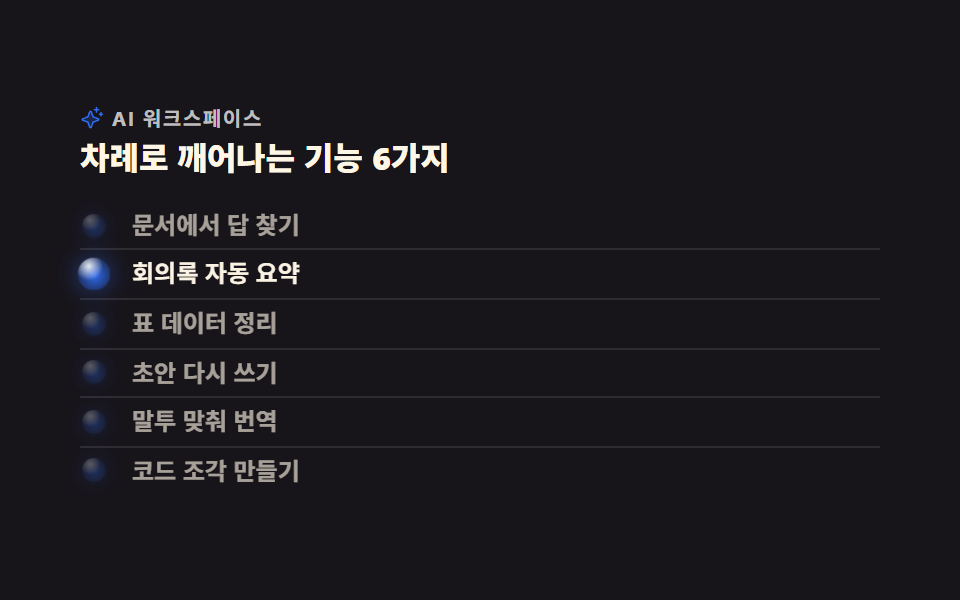
여섯 행에 놓인 14px 구슬이 위에서부터 334ms 간격으로 한 번씩 깨어납니다. 밝아지는 구간은 한 바퀴의 16퍼센트, 그러니까 320ms 안에 끝나도록 잡았습니다.
<main class="stage">
<section class="fl is-demo" id="fl">
  <p class="fl__eyebrow">
    <span class="fl__ico" aria-hidden="true"><svg xmlns="http://www.w3.org/2000/svg" viewBox="0 0 256 256" fill="currentColor"><path d="M194.82,151.43l-55.09,20.3-20.3,55.09a7.92,7.92,0,0,1-14.86,0l-20.3-55.09-55.09-20.3a7.92,7.92,0,0,1,0-14.86l55.09-20.3,20.3-55.09a7.92,7.92,0,0,1,14.86,0l20.3,55.09,55.09,20.3A7.92,7.92,0,0,1,194.82,151.43Z" opacity="0.2"/><path d="M197.58,129.06,146,110l-19-51.62a15.92,15.92,0,0,0-29.88,0L78,110l-51.62,19a15.92,15.92,0,0,0,0,29.88L78,178l19,51.62a15.92,15.92,0,0,0,29.88,0L146,178l51.62-19a15.92,15.92,0,0,0,0-29.88ZM137,164.22a8,8,0,0,0-4.74,4.74L112,223.85,91.78,169A8,8,0,0,0,87,164.22L32.15,144,87,123.78A8,8,0,0,0,91.78,119L112,64.15,132.22,119a8,8,0,0,0,4.74,4.74L191.85,144ZM144,40a8,8,0,0,1,8-8h16V16a8,8,0,0,1,16,0V32h16a8,8,0,0,1,0,16H184V64a8,8,0,0,1-16,0V48H152A8,8,0,0,1,144,40ZM248,88a8,8,0,0,1-8,8h-8v8a8,8,0,0,1-16,0V96h-8a8,8,0,0,1,0-16h8V72a8,8,0,0,1,16,0v8h8A8,8,0,0,1,248,88Z"/></svg></span>
    AI 워크스페이스
  </p>
  <h2 class="fl__title">차례로 깨어나는 기능 6가지</h2>
  <ul class="fl__list">
    <li class="fl__row"><span class="fl__orb" aria-hidden="true"></span><span class="fl__label">문서에서 답 찾기</span></li>
    <li class="fl__row"><span class="fl__orb" aria-hidden="true"></span><span class="fl__label">회의록 자동 요약</span></li>
    <li class="fl__row"><span class="fl__orb" aria-hidden="true"></span><span class="fl__label">표 데이터 정리</span></li>
    <li class="fl__row"><span class="fl__orb" aria-hidden="true"></span><span class="fl__label">초안 다시 쓰기</span></li>
    <li class="fl__row"><span class="fl__orb" aria-hidden="true"></span><span class="fl__label">말투 맞춰 번역</span></li>
    <li class="fl__row"><span class="fl__orb" aria-hidden="true"></span><span class="fl__label">코드 조각 만들기</span></li>
  </ul>
</section>
</main>
@use "../../../../site/static/demo-tokens" as *;
// 변형은 이 셋만 바꾼다
$duration: $dur-loop; // 한 바퀴 2초. 여섯 행이 이 안에서 한 번씩 깬다 (2000 ÷ 6 = 334ms 간격)
$easing: $ease-out;
$color: $subject-blue;
@include stage($stage-ink);
// 오브 표면 — 왼쪽 위 하이라이트 한 겹 + 본체 한 겹. 가장자리는 무대 쪽으로 가라앉는다
@mixin orbSkin($hue) {
background:
radial-gradient(circle at 34% 26%, rgba(255, 255, 255, .92) 0%, rgba(255, 255, 255, 0) 44%),
radial-gradient(circle at 52% 54%, $hue 0%, rgba($hue, .45) 58%, rgba($subject-ink, .92) 100%);
}
.fl { width: min(100%, 400px); }
.fl__eyebrow {
display: flex; align-items: center; gap: $sp-1; margin: 0;
font-weight: 700; font-size: clamp(8px, 2.4vw, 10px); line-height: 1; letter-spacing: .08em;
color: rgba(255, 255, 255, .72); // 잉크 무대 위 9.81:1 — 계산 2026-09-12
}
.fl__ico { display: inline-flex; width: 12px; height: 12px; flex: 0 0 auto; color: $color; } // 장식 아이콘, 잉크 위 4.03:1
.fl__ico svg { width: 100%; height: 100%; }
.fl__title {
margin: $sp-1 0 0; font-weight: 800; font-size: clamp(13px, 3.6vw, 16px); line-height: 1.25;
color: $subject-cream; // 잉크 위 16.2:1
}
.fl__list { list-style: none; margin: $sp-3 0 0; padding: 0; }
.fl__row {
display: grid; grid-template-columns: 14px 1fr; align-items: center; gap: $sp-3;
padding: $sp-1 0; border-top: 1px solid rgba(255, 255, 255, .1);
}
.fl__row:first-child { border-top: 0; }
// 빛 무리는 box-shadow 한 겹. opacity 가 요소째 흐려지므로 오브가 어두워질 때 무리도 같이 죽는다
.fl__orb { width: 14px; height: 14px; border-radius: 50%; box-shadow: 0 0 10px rgba($color, .5); @include orbSkin($color); }
.fl__label {
font-weight: 600; font-size: clamp(10px, 3vw, 12px); line-height: 1.3;
color: $subject-cream; // 루프의 가장 어두운 순간(opacity .62)에도 잉크 위 7.09:1
}
// ── 미리보기 루프: 오브가 위에서 아래로 한 칸씩 깬다
// animation 단축을 쓰면 delay 가 0s 로 리셋된다 → 낱개 속성으로. 지연이 걸리므로 fill-mode: backwards 필수
.fl.is-demo .fl__orb,
.fl.is-demo .fl__label {
animation-duration: $duration; animation-timing-function: $easing;
animation-iteration-count: infinite; animation-fill-mode: backwards;
}
.fl.is-demo .fl__orb { animation-name: flWake; }
.fl.is-demo .fl__label { animation-name: flLabelWake; }
.fl.is-demo .fl__row:nth-child(1) .fl__orb, .fl.is-demo .fl__row:nth-child(1) .fl__label { animation-delay: 0ms; }
.fl.is-demo .fl__row:nth-child(2) .fl__orb, .fl.is-demo .fl__row:nth-child(2) .fl__label { animation-delay: 334ms; }
.fl.is-demo .fl__row:nth-child(3) .fl__orb, .fl.is-demo .fl__row:nth-child(3) .fl__label { animation-delay: 667ms; }
.fl.is-demo .fl__row:nth-child(4) .fl__orb, .fl.is-demo .fl__row:nth-child(4) .fl__label { animation-delay: 1000ms; }
.fl.is-demo .fl__row:nth-child(5) .fl__orb, .fl.is-demo .fl__row:nth-child(5) .fl__label { animation-delay: 1334ms; }
.fl.is-demo .fl__row:nth-child(6) .fl__orb, .fl.is-demo .fl__row:nth-child(6) .fl__label { animation-delay: 1667ms; }
// 밝은 구간은 16%(320ms) 로 끝난다 — 다음 행이 깨는 334ms 보다 짧아야 한 번에 하나만 밝다
@keyframes flWake {
0% { opacity: .32; transform: scale(.86); }
5% { opacity: 1; transform: scale(1.18); }
11% { opacity: 1; transform: scale(1.06); }
16% { opacity: .32; transform: scale(.86); }
100% { opacity: .32; transform: scale(.86); }
}
@keyframes flLabelWake {
0% { opacity: .62; }
5% { opacity: 1; }
11% { opacity: 1; }
16% { opacity: .62; }
100% { opacity: .62; }
}
// ── 320×200 폰 압축 (BD9). 이 안에서는 간격을 올리지 않는다
@media (max-width: 340px), (max-height: 220px) {
.fl__eyebrow { font-size: 8px; }
.fl__ico { width: 10px; height: 10px; }
.fl__title { font-size: 11px; }
.fl__list { margin-top: $sp-2; }
.fl__row { grid-template-columns: 10px 1fr; gap: $sp-2; }
.fl__orb { width: 10px; height: 10px; }
.fl__label { font-size: 9px; }
}
@media (prefers-reduced-motion: reduce) {
.fl.is-demo .fl__orb,
.fl.is-demo .fl__label { animation: none !important; opacity: 1 !important; transform: none !important; }
}html, body {
margin: 0;
overflow: hidden;
}
.stage {
box-sizing: border-box;
min-height: 100vh;
display: grid;
place-items: center;
margin: 0;
background: #17141a;
font-family: -apple-system, "Segoe UI", "Noto Sans KR", sans-serif;
padding: clamp(8px, 4vw, 24px);
}
.fl {
width: min(100%, 400px);
}
.fl__eyebrow {
display: flex;
align-items: center;
gap: 4px;
margin: 0;
font-weight: 700;
font-size: clamp(8px, 2.4vw, 10px);
line-height: 1;
letter-spacing: 0.08em;
color: rgba(255, 255, 255, 0.72);
}
.fl__ico {
display: inline-flex;
width: 12px;
height: 12px;
flex: 0 0 auto;
color: #2f6df6;
}
.fl__ico svg {
width: 100%;
height: 100%;
}
.fl__title {
margin: 4px 0 0;
font-weight: 800;
font-size: clamp(13px, 3.6vw, 16px);
line-height: 1.25;
color: #fff7e6;
}
.fl__list {
list-style: none;
margin: 12px 0 0;
padding: 0;
}
.fl__row {
display: grid;
grid-template-columns: 14px 1fr;
align-items: center;
gap: 12px;
padding: 4px 0;
border-top: 1px solid rgba(255, 255, 255, 0.1);
}
.fl__row:first-child {
border-top: 0;
}
.fl__orb {
width: 14px;
height: 14px;
border-radius: 50%;
box-shadow: 0 0 10px rgba(47, 109, 246, 0.5);
background: radial-gradient(circle at 34% 26%, rgba(255, 255, 255, 0.92) 0%, rgba(255, 255, 255, 0) 44%), radial-gradient(circle at 52% 54%, #2f6df6 0%, rgba(47, 109, 246, 0.45) 58%, rgba(23, 20, 26, 0.92) 100%);
}
.fl__label {
font-weight: 600;
font-size: clamp(10px, 3vw, 12px);
line-height: 1.3;
color: #fff7e6;
}
.fl.is-demo .fl__orb,
.fl.is-demo .fl__label {
animation-duration: 2s;
animation-timing-function: ease-out;
animation-iteration-count: infinite;
animation-fill-mode: backwards;
}
.fl.is-demo .fl__orb {
animation-name: flWake;
}
.fl.is-demo .fl__label {
animation-name: flLabelWake;
}
.fl.is-demo .fl__row:nth-child(1) .fl__orb, .fl.is-demo .fl__row:nth-child(1) .fl__label {
animation-delay: 0ms;
}
.fl.is-demo .fl__row:nth-child(2) .fl__orb, .fl.is-demo .fl__row:nth-child(2) .fl__label {
animation-delay: 334ms;
}
.fl.is-demo .fl__row:nth-child(3) .fl__orb, .fl.is-demo .fl__row:nth-child(3) .fl__label {
animation-delay: 667ms;
}
.fl.is-demo .fl__row:nth-child(4) .fl__orb, .fl.is-demo .fl__row:nth-child(4) .fl__label {
animation-delay: 1000ms;
}
.fl.is-demo .fl__row:nth-child(5) .fl__orb, .fl.is-demo .fl__row:nth-child(5) .fl__label {
animation-delay: 1334ms;
}
.fl.is-demo .fl__row:nth-child(6) .fl__orb, .fl.is-demo .fl__row:nth-child(6) .fl__label {
animation-delay: 1667ms;
}
@keyframes flWake {
0% {
opacity: 0.32;
transform: scale(0.86);
}
5% {
opacity: 1;
transform: scale(1.18);
}
11% {
opacity: 1;
transform: scale(1.06);
}
16% {
opacity: 0.32;
transform: scale(0.86);
}
100% {
opacity: 0.32;
transform: scale(0.86);
}
}
@keyframes flLabelWake {
0% {
opacity: 0.62;
}
5% {
opacity: 1;
}
11% {
opacity: 1;
}
16% {
opacity: 0.62;
}
100% {
opacity: 0.62;
}
}
@media (max-width: 340px), (max-height: 220px) {
.fl__eyebrow {
font-size: 8px;
}
.fl__ico {
width: 10px;
height: 10px;
}
.fl__title {
font-size: 11px;
}
.fl__list {
margin-top: 8px;
}
.fl__row {
grid-template-columns: 10px 1fr;
gap: 8px;
}
.fl__orb {
width: 10px;
height: 10px;
}
.fl__label {
font-size: 9px;
}
}
@media (prefers-reduced-motion: reduce) {
.fl.is-demo .fl__orb,
.fl.is-demo .fl__label {
animation: none !important;
opacity: 1 !important;
transform: none !important;
}
}import styles from "./FeatureListOrb.module.scss";
export type FeatureListOrbProps = {
/** 한 바퀴(ms). 행 수로 나눈 값이 행 사이 간격이 된다 */
duration?: number;
easing?: string;
/** 오브 색. 6자리 hex 로 준다 (#2f6df6) */
color?: string;
};
const FEATURES = [
"문서에서 답 찾기",
"회의록 자동 요약",
"표 데이터 정리",
"초안 다시 쓰기",
"말투 맞춰 번역",
"코드 조각 만들기",
];
// 6자리 hex 에 알파 두 자리를 붙인다 — #2f6df6 + "73" 꼴
function withAlpha(hex: string, alpha: number): string {
const n = Math.round(alpha * 255);
return hex + (n < 16 ? "0" : "") + n.toString(16);
}
export default function FeatureListOrb({
duration = 2000,
easing = "ease-out",
color = "#2f6df6",
}: FeatureListOrbProps) {
const orbSkin = {
background:
"radial-gradient(circle at 34% 26%, rgba(255, 255, 255, 0.92) 0%, rgba(255, 255, 255, 0) 44%), " +
"radial-gradient(circle at 52% 54%, " + color + " 0%, " + withAlpha(color, 0.45) + " 58%, rgba(23, 20, 26, 0.92) 100%)",
boxShadow: "0 0 10px " + withAlpha(color, 0.5),
};
// animation 단축을 쓰면 delay 가 0s 로 리셋된다 → 낱개로. 지연이 걸리므로 fill-mode 는 scss 쪽에서 backwards
const loop = (i: number) => ({
animationDuration: duration + "ms",
animationTimingFunction: easing,
animationDelay: Math.round((duration / FEATURES.length) * i) + "ms",
});
return (
<main className={styles.stage}>
<section className={`${styles.fl} ${styles.demoLoop}`}>
<p className={styles.eyebrow}>
<span className={styles.ico} aria-hidden="true">
<svg xmlns="http://www.w3.org/2000/svg" viewBox="0 0 256 256" fill="currentColor"><path d="M194.82,151.43l-55.09,20.3-20.3,55.09a7.92,7.92,0,0,1-14.86,0l-20.3-55.09-55.09-20.3a7.92,7.92,0,0,1,0-14.86l55.09-20.3,20.3-55.09a7.92,7.92,0,0,1,14.86,0l20.3,55.09,55.09,20.3A7.92,7.92,0,0,1,194.82,151.43Z" opacity="0.2"/><path d="M197.58,129.06,146,110l-19-51.62a15.92,15.92,0,0,0-29.88,0L78,110l-51.62,19a15.92,15.92,0,0,0,0,29.88L78,178l19,51.62a15.92,15.92,0,0,0,29.88,0L146,178l51.62-19a15.92,15.92,0,0,0,0-29.88ZM137,164.22a8,8,0,0,0-4.74,4.74L112,223.85,91.78,169A8,8,0,0,0,87,164.22L32.15,144,87,123.78A8,8,0,0,0,91.78,119L112,64.15,132.22,119a8,8,0,0,0,4.74,4.74L191.85,144ZM144,40a8,8,0,0,1,8-8h16V16a8,8,0,0,1,16,0V32h16a8,8,0,0,1,0,16H184V64a8,8,0,0,1-16,0V48H152A8,8,0,0,1,144,40ZM248,88a8,8,0,0,1-8,8h-8v8a8,8,0,0,1-16,0V96h-8a8,8,0,0,1,0-16h8V72a8,8,0,0,1,16,0v8h8A8,8,0,0,1,248,88Z"/></svg>
</span>
AI 워크스페이스
</p>
<h2 className={styles.title}>차례로 깨어나는 기능 6가지</h2>
<ul className={styles.list}>
{FEATURES.map((feature, i) => (
<li className={styles.row} key={feature}>
<span className={styles.orb} aria-hidden="true" style={{ ...orbSkin, ...loop(i) }} />
<span className={styles.label} style={loop(i)}>{feature}</span>
</li>
))}
</ul>
</section>
</main>
);
}04 · 차례로 깨는 기능 목록 — 측정 누적면적 4.368% · 움직인 프레임 23/23GODRICH 원작 · zip 에 SCSS·React 포함 · 비밀번호 보기
코드에서 볼 곳
다음 행이 깨어나는 334ms보다 짧아야 한 번에 딱 하나만 밝기 때문입니다.
@mixin orbSkin($hue) {
  background:
    radial-gradient(circle at 34% 26%, rgba(255, 255, 255, .92) 0%, rgba(255, 255, 255, 0) 44%),
    radial-gradient(circle at 52% 54%, $hue 0%, rgba($hue, .45) 58%, rgba($subject-ink, .92) 100%);
}
.fl__orb { width: 14px; height: 14px; border-radius: 50%; box-shadow: 0 0 10px rgba($color, .5); @include orbSkin($color); }
.fl.is-demo .fl__row:nth-child(2) .fl__orb, .fl.is-demo .fl__row:nth-child(2) .fl__label { animation-delay: 334ms; }
.fl.is-demo .fl__row:nth-child(3) .fl__orb, .fl.is-demo .fl__row:nth-child(3) .fl__label { animation-delay: 667ms; }
@keyframes flWake {
  0%   { opacity: .32; transform: scale(.86); }
  5%   { opacity: 1;   transform: scale(1.18); }
  11%  { opacity: 1;   transform: scale(1.06); }
  16%  { opacity: .32; transform: scale(.86); }
  100% { opacity: .32; transform: scale(.86); }
}
05오브 배지 요금제
화면에서 일어나는 일
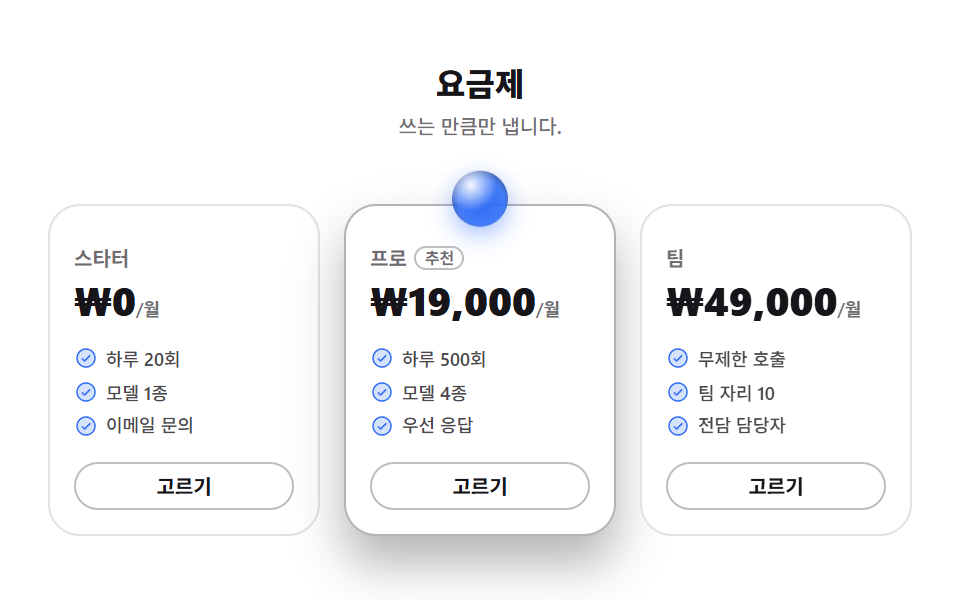
세 플랜 중 추천 카드 머리 위로 14px 걸쳐 나온 28px 배지가 1초 주기로 6px 떠올랐다 내려앉습니다. 추천 카드는 색을 바꾸지 않습니다.
<main class="stage">
<section class="pr is-demo" id="pr">
  <header class="pr__head">
    <h2 class="pr__title">요금제</h2>
    <p class="pr__sub">쓰는 만큼만 냅니다.</p>
  </header>
  <div class="pr__grid">

    <article class="pr__card">
      <p class="pr__plan">스타터</p>
      <p class="pr__price">₩0<span class="pr__per">/월</span></p>
      <ul class="pr__feats">
        <li class="pr__feat"><span class="pr__ico" aria-hidden="true"><svg xmlns="http://www.w3.org/2000/svg" viewBox="0 0 256 256" fill="currentColor"><path d="M224,128a96,96,0,1,1-96-96A96,96,0,0,1,224,128Z" opacity="0.2"/><path d="M173.66,98.34a8,8,0,0,1,0,11.32l-56,56a8,8,0,0,1-11.32,0l-24-24a8,8,0,0,1,11.32-11.32L112,148.69l50.34-50.35A8,8,0,0,1,173.66,98.34ZM232,128A104,104,0,1,1,128,24,104.11,104.11,0,0,1,232,128Zm-16,0a88,88,0,1,0-88,88A88.1,88.1,0,0,0,216,128Z"/></svg></span>하루 20회</li>
        <li class="pr__feat"><span class="pr__ico" aria-hidden="true"><svg xmlns="http://www.w3.org/2000/svg" viewBox="0 0 256 256" fill="currentColor"><path d="M224,128a96,96,0,1,1-96-96A96,96,0,0,1,224,128Z" opacity="0.2"/><path d="M173.66,98.34a8,8,0,0,1,0,11.32l-56,56a8,8,0,0,1-11.32,0l-24-24a8,8,0,0,1,11.32-11.32L112,148.69l50.34-50.35A8,8,0,0,1,173.66,98.34ZM232,128A104,104,0,1,1,128,24,104.11,104.11,0,0,1,232,128Zm-16,0a88,88,0,1,0-88,88A88.1,88.1,0,0,0,216,128Z"/></svg></span>모델 1종</li>
        <li class="pr__feat"><span class="pr__ico" aria-hidden="true"><svg xmlns="http://www.w3.org/2000/svg" viewBox="0 0 256 256" fill="currentColor"><path d="M224,128a96,96,0,1,1-96-96A96,96,0,0,1,224,128Z" opacity="0.2"/><path d="M173.66,98.34a8,8,0,0,1,0,11.32l-56,56a8,8,0,0,1-11.32,0l-24-24a8,8,0,0,1,11.32-11.32L112,148.69l50.34-50.35A8,8,0,0,1,173.66,98.34ZM232,128A104,104,0,1,1,128,24,104.11,104.11,0,0,1,232,128Zm-16,0a88,88,0,1,0-88,88A88.1,88.1,0,0,0,216,128Z"/></svg></span>이메일 문의</li>
      </ul>
      <button type="button" class="pr__pick">고르기</button>
    </article>

    <article class="pr__card pr__card--pick">
      <span class="pr__orb" aria-hidden="true"></span>
      <p class="pr__plan">프로 <span class="pr__flag">추천</span></p>
      <p class="pr__price">₩19,000<span class="pr__per">/월</span></p>
      <ul class="pr__feats">
        <li class="pr__feat"><span class="pr__ico" aria-hidden="true"><svg xmlns="http://www.w3.org/2000/svg" viewBox="0 0 256 256" fill="currentColor"><path d="M224,128a96,96,0,1,1-96-96A96,96,0,0,1,224,128Z" opacity="0.2"/><path d="M173.66,98.34a8,8,0,0,1,0,11.32l-56,56a8,8,0,0,1-11.32,0l-24-24a8,8,0,0,1,11.32-11.32L112,148.69l50.34-50.35A8,8,0,0,1,173.66,98.34ZM232,128A104,104,0,1,1,128,24,104.11,104.11,0,0,1,232,128Zm-16,0a88,88,0,1,0-88,88A88.1,88.1,0,0,0,216,128Z"/></svg></span>하루 500회</li>
        <li class="pr__feat"><span class="pr__ico" aria-hidden="true"><svg xmlns="http://www.w3.org/2000/svg" viewBox="0 0 256 256" fill="currentColor"><path d="M224,128a96,96,0,1,1-96-96A96,96,0,0,1,224,128Z" opacity="0.2"/><path d="M173.66,98.34a8,8,0,0,1,0,11.32l-56,56a8,8,0,0,1-11.32,0l-24-24a8,8,0,0,1,11.32-11.32L112,148.69l50.34-50.35A8,8,0,0,1,173.66,98.34ZM232,128A104,104,0,1,1,128,24,104.11,104.11,0,0,1,232,128Zm-16,0a88,88,0,1,0-88,88A88.1,88.1,0,0,0,216,128Z"/></svg></span>모델 4종</li>
        <li class="pr__feat"><span class="pr__ico" aria-hidden="true"><svg xmlns="http://www.w3.org/2000/svg" viewBox="0 0 256 256" fill="currentColor"><path d="M224,128a96,96,0,1,1-96-96A96,96,0,0,1,224,128Z" opacity="0.2"/><path d="M173.66,98.34a8,8,0,0,1,0,11.32l-56,56a8,8,0,0,1-11.32,0l-24-24a8,8,0,0,1,11.32-11.32L112,148.69l50.34-50.35A8,8,0,0,1,173.66,98.34ZM232,128A104,104,0,1,1,128,24,104.11,104.11,0,0,1,232,128Zm-16,0a88,88,0,1,0-88,88A88.1,88.1,0,0,0,216,128Z"/></svg></span>우선 응답</li>
      </ul>
      <button type="button" class="pr__pick">고르기</button>
    </article>

    <article class="pr__card">
      <p class="pr__plan">팀</p>
      <p class="pr__price">₩49,000<span class="pr__per">/월</span></p>
      <ul class="pr__feats">
        <li class="pr__feat"><span class="pr__ico" aria-hidden="true"><svg xmlns="http://www.w3.org/2000/svg" viewBox="0 0 256 256" fill="currentColor"><path d="M224,128a96,96,0,1,1-96-96A96,96,0,0,1,224,128Z" opacity="0.2"/><path d="M173.66,98.34a8,8,0,0,1,0,11.32l-56,56a8,8,0,0,1-11.32,0l-24-24a8,8,0,0,1,11.32-11.32L112,148.69l50.34-50.35A8,8,0,0,1,173.66,98.34ZM232,128A104,104,0,1,1,128,24,104.11,104.11,0,0,1,232,128Zm-16,0a88,88,0,1,0-88,88A88.1,88.1,0,0,0,216,128Z"/></svg></span>무제한 호출</li>
        <li class="pr__feat"><span class="pr__ico" aria-hidden="true"><svg xmlns="http://www.w3.org/2000/svg" viewBox="0 0 256 256" fill="currentColor"><path d="M224,128a96,96,0,1,1-96-96A96,96,0,0,1,224,128Z" opacity="0.2"/><path d="M173.66,98.34a8,8,0,0,1,0,11.32l-56,56a8,8,0,0,1-11.32,0l-24-24a8,8,0,0,1,11.32-11.32L112,148.69l50.34-50.35A8,8,0,0,1,173.66,98.34ZM232,128A104,104,0,1,1,128,24,104.11,104.11,0,0,1,232,128Zm-16,0a88,88,0,1,0-88,88A88.1,88.1,0,0,0,216,128Z"/></svg></span>팀 자리 10</li>
        <li class="pr__feat"><span class="pr__ico" aria-hidden="true"><svg xmlns="http://www.w3.org/2000/svg" viewBox="0 0 256 256" fill="currentColor"><path d="M224,128a96,96,0,1,1-96-96A96,96,0,0,1,224,128Z" opacity="0.2"/><path d="M173.66,98.34a8,8,0,0,1,0,11.32l-56,56a8,8,0,0,1-11.32,0l-24-24a8,8,0,0,1,11.32-11.32L112,148.69l50.34-50.35A8,8,0,0,1,173.66,98.34ZM232,128A104,104,0,1,1,128,24,104.11,104.11,0,0,1,232,128Zm-16,0a88,88,0,1,0-88,88A88.1,88.1,0,0,0,216,128Z"/></svg></span>전담 담당자</li>
      </ul>
      <button type="button" class="pr__pick">고르기</button>
    </article>

  </div>
</section>
</main>@use "../../../../site/static/demo-tokens" as *;
// 변형은 이 셋만 바꾼다
$duration: $dur-loop * .5; // 1s — 2초 캡처 창의 약수라 gif 가 두 바퀴 온전히 담긴다
$easing: $ease-spring;
$color: $subject-blue;
@include stage($stage-paper);
.pr { width: min(100%, 432px); }
.pr__head { margin: 0; text-align: center; }
.pr__title {
margin: 0; font-weight: 800; font-size: clamp(13px, 3.6vw, 16px); line-height: 1.25;
color: $subject-ink; // 흰 무대 위 18.24:1
}
.pr__sub {
margin: $sp-1 0 0; font-weight: 500; font-size: clamp(8px, 2.4vw, 10px); line-height: 1.4;
color: rgba($subject-ink, .62); // 흰 무대 위 5.12:1
}
.pr__grid {
display: grid; grid-template-columns: repeat(3, 1fr); gap: $sp-3;
margin: $sp-3 0 0; padding-top: $sp-5; // 오브 배지가 카드 위로 나오므로 그만큼 자리를 비워 둔다
}
.pr__card {
position: relative; box-sizing: border-box; display: flex; flex-direction: column;
padding: $sp-5 $sp-3 $sp-3; border: 1px solid rgba($subject-ink, .12); border-radius: $r-card;
background: $stage-paper;
}
// 추천 카드는 색이 아니라 테두리와 그림자로만 앞에 선다
.pr__card--pick { border-color: rgba($subject-ink, .32); box-shadow: $shadow-raised; }
.pr__plan {
display: flex; align-items: center; gap: $sp-1; margin: 0;
font-weight: 700; font-size: clamp(8px, 2.4vw, 10px); line-height: 1.2;
color: rgba($subject-ink, .62); // 흰 무대 위 5.12:1
}
.pr__flag {
padding: 0 $sp-1; border: 1px solid rgba($subject-ink, .28); border-radius: $r-pill;
// 행간 1.2 — 이보다 크면 알약이 플랜 이름 줄보다 높아져 추천 카드만 값이 아래로 밀린다 (480 실측 3.5px)
font-weight: 700; font-size: 8px; line-height: 1.2; color: rgba($subject-ink, .62);
}
.pr__price {
margin: $sp-1 0 0; font-weight: 800; font-size: clamp(14px, 4.4vw, 20px); line-height: 1.1;
color: $subject-ink; // 흰 무대 위 18.24:1
}
.pr__per { font-weight: 600; font-size: clamp(7px, 2vw, 9px); line-height: 1; color: rgba($subject-ink, .62); }
.pr__feats { list-style: none; margin: $sp-3 0 0; padding: 0; display: grid; gap: $sp-1; }
.pr__feat {
display: grid; grid-template-columns: 12px 1fr; align-items: center; gap: $sp-1;
font-weight: 500; font-size: clamp(7px, 2.2vw, 9px); line-height: 1.4;
color: rgba($subject-ink, .78); // 흰 무대 위 9.04:1
}
.pr__ico { display: inline-flex; width: 12px; height: 12px; color: $color; } // 장식 아이콘, 흰 무대 위 4.53:1
.pr__ico svg { width: 100%; height: 100%; }
.pr__pick {
margin: $sp-3 0 0; padding: $sp-1 0; width: 100%;
border: 1px solid rgba($subject-ink, .28); border-radius: $r-pill; background: none;
font-family: inherit; font-weight: 700; font-size: clamp(8px, 2.2vw, 10px); line-height: 1.4;
color: $subject-ink; cursor: pointer; // 세 카드가 같은 버튼 — 위계는 테두리·그림자만 진다
}
// 오브 배지 — 추천 카드 머리 위. 흰 바탕이라 가장자리를 잉크로 내려 경계를 세운다
.pr__orb {
position: absolute; top: -14px; left: 50%; width: 28px; height: 28px; border-radius: 50%;
background:
radial-gradient(circle at 34% 26%, rgba(255, 255, 255, .95) 0%, rgba(255, 255, 255, 0) 46%),
radial-gradient(circle at 52% 56%, $color 0%, rgba($color, .9) 54%, rgba($subject-ink, .82) 100%);
box-shadow: 0 4px 12px rgba($color, .45);
transform: translateX(-50%); // 가로 가운데 맞춤은 고정, 세로만 루프가 움직인다
}
// ── 미리보기 루프: 배지가 1초에 한 번 떠올랐다 내려앉는다
.pr.is-demo .pr__orb {
animation-name: prBob; animation-duration: $duration; animation-timing-function: $easing;
animation-iteration-count: infinite;
}
@keyframes prBob {
0% { transform: translateX(-50%) translateY(0); }
50% { transform: translateX(-50%) translateY(-6px); }
100% { transform: translateX(-50%) translateY(0); }
}
// ── 320×200 폰 압축 (BD9). 이 안에서는 간격을 올리지 않는다
@media (max-width: 340px), (max-height: 220px) {
.pr__title { font-size: 11px; }
.pr__sub { font-size: 8px; margin-top: 0; }
.pr__grid { gap: $sp-2; margin-top: $sp-2; padding-top: $sp-4; }
.pr__card { padding: $sp-4 $sp-2 $sp-2; }
.pr__plan { font-size: 8px; }
.pr__flag { font-size: 7px; }
// 320×200 실측 207px(7px 넘침) → 아래 세 간격만 내려 195px 로 맞췄다 (올리지 않는다, BD9)
.pr__price { font-size: 13px; margin-top: 0; }
.pr__feats { margin-top: $sp-1; }
.pr__feat { grid-template-columns: 10px 1fr; font-size: 7px; }
.pr__ico { width: 10px; height: 10px; }
.pr__pick { margin-top: $sp-1; font-size: 8px; }
.pr__orb { top: -10px; width: 20px; height: 20px; }
}
@media (prefers-reduced-motion: reduce) {
.pr.is-demo .pr__orb { animation: none !important; transform: translateX(-50%) !important; }
}html, body {
margin: 0;
overflow: hidden;
}
.stage {
box-sizing: border-box;
min-height: 100vh;
display: grid;
place-items: center;
margin: 0;
background: #ffffff;
font-family: -apple-system, "Segoe UI", "Noto Sans KR", sans-serif;
padding: clamp(8px, 4vw, 24px);
}
.pr {
width: min(100%, 432px);
}
.pr__head {
margin: 0;
text-align: center;
}
.pr__title {
margin: 0;
font-weight: 800;
font-size: clamp(13px, 3.6vw, 16px);
line-height: 1.25;
color: #17141a;
}
.pr__sub {
margin: 4px 0 0;
font-weight: 500;
font-size: clamp(8px, 2.4vw, 10px);
line-height: 1.4;
color: rgba(23, 20, 26, 0.62);
}
.pr__grid {
display: grid;
grid-template-columns: repeat(3, 1fr);
gap: 12px;
margin: 12px 0 0;
padding-top: 20px;
}
.pr__card {
position: relative;
box-sizing: border-box;
display: flex;
flex-direction: column;
padding: 20px 12px 12px;
border: 1px solid rgba(23, 20, 26, 0.12);
border-radius: 16px;
background: #ffffff;
}
.pr__card--pick {
border-color: rgba(23, 20, 26, 0.32);
box-shadow: 0 14px 24px rgba(23, 20, 26, 0.32);
}
.pr__plan {
display: flex;
align-items: center;
gap: 4px;
margin: 0;
font-weight: 700;
font-size: clamp(8px, 2.4vw, 10px);
line-height: 1.2;
color: rgba(23, 20, 26, 0.62);
}
.pr__flag {
padding: 0 4px;
border: 1px solid rgba(23, 20, 26, 0.28);
border-radius: 999px;
font-weight: 700;
font-size: 8px;
line-height: 1.2;
color: rgba(23, 20, 26, 0.62);
}
.pr__price {
margin: 4px 0 0;
font-weight: 800;
font-size: clamp(14px, 4.4vw, 20px);
line-height: 1.1;
color: #17141a;
}
.pr__per {
font-weight: 600;
font-size: clamp(7px, 2vw, 9px);
line-height: 1;
color: rgba(23, 20, 26, 0.62);
}
.pr__feats {
list-style: none;
margin: 12px 0 0;
padding: 0;
display: grid;
gap: 4px;
}
.pr__feat {
display: grid;
grid-template-columns: 12px 1fr;
align-items: center;
gap: 4px;
font-weight: 500;
font-size: clamp(7px, 2.2vw, 9px);
line-height: 1.4;
color: rgba(23, 20, 26, 0.78);
}
.pr__ico {
display: inline-flex;
width: 12px;
height: 12px;
color: #2f6df6;
}
.pr__ico svg {
width: 100%;
height: 100%;
}
.pr__pick {
margin: 12px 0 0;
padding: 4px 0;
width: 100%;
border: 1px solid rgba(23, 20, 26, 0.28);
border-radius: 999px;
background: none;
font-family: inherit;
font-weight: 700;
font-size: clamp(8px, 2.2vw, 10px);
line-height: 1.4;
color: #17141a;
cursor: pointer;
}
.pr__orb {
position: absolute;
top: -14px;
left: 50%;
width: 28px;
height: 28px;
border-radius: 50%;
background: radial-gradient(circle at 34% 26%, rgba(255, 255, 255, 0.95) 0%, rgba(255, 255, 255, 0) 46%), radial-gradient(circle at 52% 56%, #2f6df6 0%, rgba(47, 109, 246, 0.9) 54%, rgba(23, 20, 26, 0.82) 100%);
box-shadow: 0 4px 12px rgba(47, 109, 246, 0.45);
transform: translateX(-50%);
}
.pr.is-demo .pr__orb {
animation-name: prBob;
animation-duration: 1s;
animation-timing-function: cubic-bezier(0.2, 0.8, 0.2, 1);
animation-iteration-count: infinite;
}
@keyframes prBob {
0% {
transform: translateX(-50%) translateY(0);
}
50% {
transform: translateX(-50%) translateY(-6px);
}
100% {
transform: translateX(-50%) translateY(0);
}
}
@media (max-width: 340px), (max-height: 220px) {
.pr__title {
font-size: 11px;
}
.pr__sub {
font-size: 8px;
margin-top: 0;
}
.pr__grid {
gap: 8px;
margin-top: 8px;
padding-top: 16px;
}
.pr__card {
padding: 16px 8px 8px;
}
.pr__plan {
font-size: 8px;
}
.pr__flag {
font-size: 7px;
}
.pr__price {
font-size: 13px;
margin-top: 0;
}
.pr__feats {
margin-top: 4px;
}
.pr__feat {
grid-template-columns: 10px 1fr;
font-size: 7px;
}
.pr__ico {
width: 10px;
height: 10px;
}
.pr__pick {
margin-top: 4px;
font-size: 8px;
}
.pr__orb {
top: -10px;
width: 20px;
height: 20px;
}
}
@media (prefers-reduced-motion: reduce) {
.pr.is-demo .pr__orb {
animation: none !important;
transform: translateX(-50%) !important;
}
}import styles from "./PricingOrb.module.scss";
export type PricingOrbProps = {
/** 배지가 한 번 떠올랐다 내려앉는 시간(ms). 2000 의 약수로 둔다 */
duration?: number;
easing?: string;
/** 오브 배지 색. 6자리 hex 로 준다 (#2f6df6) */
color?: string;
};
type Plan = { plan: string; price: string; feats: string[]; recommended: boolean };
const PLANS: Plan[] = [
{ plan: "스타터", price: "₩0", feats: ["하루 20회", "모델 1종", "이메일 문의"], recommended: false },
{ plan: "프로", price: "₩19,000", feats: ["하루 500회", "모델 4종", "우선 응답"], recommended: true },
{ plan: "팀", price: "₩49,000", feats: ["무제한 호출", "팀 자리 10", "전담 담당자"], recommended: false },
];
// 6자리 hex 에 알파 두 자리를 붙인다 — #2f6df6 + "73" 꼴
function withAlpha(hex: string, alpha: number): string {
const n = Math.round(alpha * 255);
return hex + (n < 16 ? "0" : "") + n.toString(16);
}
function CheckIcon() {
return (
<svg xmlns="http://www.w3.org/2000/svg" viewBox="0 0 256 256" fill="currentColor"><path d="M224,128a96,96,0,1,1-96-96A96,96,0,0,1,224,128Z" opacity="0.2"/><path d="M173.66,98.34a8,8,0,0,1,0,11.32l-56,56a8,8,0,0,1-11.32,0l-24-24a8,8,0,0,1,11.32-11.32L112,148.69l50.34-50.35A8,8,0,0,1,173.66,98.34ZM232,128A104,104,0,1,1,128,24,104.11,104.11,0,0,1,232,128Zm-16,0a88,88,0,1,0-88,88A88.1,88.1,0,0,0,216,128Z"/></svg>
);
}
export default function PricingOrb({
duration = 1000,
easing = "cubic-bezier(.2, .8, .2, 1)",
color = "#2f6df6",
}: PricingOrbProps) {
const orbStyle = {
background:
"radial-gradient(circle at 34% 26%, rgba(255, 255, 255, 0.95) 0%, rgba(255, 255, 255, 0) 46%), " +
"radial-gradient(circle at 52% 56%, " + color + " 0%, " + withAlpha(color, 0.9) + " 54%, rgba(23, 20, 26, 0.82) 100%)",
boxShadow: "0 4px 12px " + withAlpha(color, 0.45),
animationDuration: duration + "ms",
animationTimingFunction: easing,
};
return (
<main className={styles.stage}>
<section className={`${styles.pr} ${styles.demoLoop}`}>
<header className={styles.head}>
<h2 className={styles.title}>요금제</h2>
<p className={styles.sub}>쓰는 만큼만 냅니다.</p>
</header>
<div className={styles.grid}>
{PLANS.map((p) => (
<article key={p.plan} className={`${styles.card} ${p.recommended ? styles.cardPick : ""}`}>
{p.recommended ? <span className={styles.orb} aria-hidden="true" style={orbStyle} /> : null}
<p className={styles.plan}>
{p.plan}
{p.recommended ? <span className={styles.flag}>추천</span> : null}
</p>
<p className={styles.price}>
{p.price}
<span className={styles.per}>/월</span>
</p>
<ul className={styles.feats}>
{p.feats.map((f) => (
<li key={f} className={styles.feat}>
<span className={styles.ico} aria-hidden="true"><CheckIcon /></span>
{f}
</li>
))}
</ul>
<button type="button" className={styles.pick} onClick={(e: { preventDefault: () => void }) => { e.preventDefault(); }}>
고르기
</button>
</article>
))}
</div>
</section>
</main>
);
}05 · 오브 배지 요금제 — 측정 누적면적 0.681% · 움직인 프레임 16/23GODRICH 원작 · zip 에 SCSS·React 포함 · 비밀번호 보기
코드 읽는 법
테두리를 잉크 32퍼센트로 진하게, 그림자를 $shadow-raised 로 깊게 주는 것이 전부라서 색을 구분하기 어려운 방문자에게도 위계가 그대로 남습니다.
.pr__orb {
  position: absolute; top: -14px; left: 50%; width: 28px; height: 28px; border-radius: 50%;
  background:
    radial-gradient(circle at 34% 26%, rgba(255, 255, 255, .95) 0%, rgba(255, 255, 255, 0) 46%),
    radial-gradient(circle at 52% 56%, $color 0%, rgba($color, .9) 54%, rgba($subject-ink, .82) 100%);
  box-shadow: 0 4px 12px rgba($color, .45);
  transform: translateX(-50%);
}
.pr__card--pick { border-color: rgba($subject-ink, .32); box-shadow: $shadow-raised; }
@keyframes prBob {
  0%   { transform: translateX(-50%) translateY(0); }
  50%  { transform: translateX(-50%) translateY(-6px); }
  100% { transform: translateX(-50%) translateY(0); }
}
06오브 아바타 후기
어떤 움직임인가
후기 세 장 맨 위에 파랑, 핑크, 민트 세 색조의 구슬 아바타가 하나씩 앉습니다. 얼굴 사진도 회사 로고도 별점도 없이 색조만으로 말하는 사람을 구분하는 방식이라, 실제 고객 사진을 아직 받지 못한 초기 제품에서 특히 쓸모가 있습니다.
<main class="stage">
<section class="tm is-demo" id="tm">
  <p class="tm__eyebrow">
    <span class="tm__ico" aria-hidden="true"><svg xmlns="http://www.w3.org/2000/svg" viewBox="0 0 256 256" fill="currentColor"><path d="M224,128A96,96,0,0,1,79.93,211.11h0L42.54,223.58a8,8,0,0,1-10.12-10.12l12.47-37.39h0A96,96,0,1,1,224,128Z" opacity="0.2"/><path d="M128,24A104,104,0,0,0,36.18,176.88L24.83,210.93a16,16,0,0,0,20.24,20.24l34.05-11.35A104,104,0,1,0,128,24Zm0,192a87.87,87.87,0,0,1-44.06-11.81,8,8,0,0,0-4-1.08,7.85,7.85,0,0,0-2.53.42L40,216,52.47,178.6a8,8,0,0,0-.66-6.54A88,88,0,1,1,128,216Zm12-88a12,12,0,1,1-12-12A12,12,0,0,1,140,128Zm-44,0a12,12,0,1,1-12-12A12,12,0,0,1,96,128Zm88,0a12,12,0,1,1-12-12A12,12,0,0,1,184,128Z"/></svg></span>
    먼저 써 본 사람들
  </p>
  <div class="tm__grid">
    <article class="tm__card">
      <span class="tm__orb tm__orb--first" aria-hidden="true"></span>
      <p class="tm__quote">회의록을 넣으면 할 일만 추려서 돌려줘요.</p>
      <p class="tm__role">데이터 분석가</p>
    </article>
    <article class="tm__card">
      <span class="tm__orb tm__orb--second" aria-hidden="true"></span>
      <p class="tm__quote">초안을 세 가지 말투로 받아 골라 씁니다.</p>
      <p class="tm__role">제품 디자이너</p>
    </article>
    <article class="tm__card">
      <span class="tm__orb tm__orb--third" aria-hidden="true"></span>
      <p class="tm__quote">로그를 붙여넣으면 어디가 터졌는지 짚어줘요.</p>
      <p class="tm__role">백엔드 개발자</p>
    </article>
  </div>
</section>
</main>@use "../../../../site/static/demo-tokens" as *;
// 변형은 이 셋만 바꾼다
$duration: $dur-loop; // 2초 안에 카드 셋이 667ms 간격으로 한 번씩 반응한다
$easing: $ease-spring;
$color: $subject-blue;
@include stage($stage-ink);
// 오브 아바타 표면 — 하이라이트 한 겹 + 본체 한 겹. 색조만 바꿔 말하는 사람을 구분한다
@mixin orbSkin($hue) {
background:
radial-gradient(circle at 32% 26%, rgba(255, 255, 255, .95) 0%, rgba(255, 255, 255, 0) 44%),
radial-gradient(circle at 52% 56%, $hue 0%, rgba($hue, .5) 58%, rgba($subject-ink, .92) 100%);
box-shadow: 0 0 12px rgba($hue, .42); // 빛 무리. 오브 opacity 가 내려가면 무리도 같이 죽는다
}
.tm { width: min(100%, 432px); }
.tm__eyebrow {
display: flex; align-items: center; gap: $sp-1; margin: 0;
font-weight: 700; font-size: clamp(8px, 2.4vw, 10px); line-height: 1; letter-spacing: .08em;
color: rgba(255, 255, 255, .72); // 잉크 무대 위 9.81:1 — 계산 2026-09-12
}
.tm__ico { display: inline-flex; width: 12px; height: 12px; flex: 0 0 auto; color: $color; } // 장식, 잉크 위 4.03:1
.tm__ico svg { width: 100%; height: 100%; }
.tm__grid { display: grid; grid-template-columns: repeat(3, 1fr); gap: $sp-3; margin: $sp-3 0 0; }
.tm__card {
box-sizing: border-box; padding: $sp-3; border: 1px solid rgba(255, 255, 255, .1);
border-radius: $r-card; background: rgba(255, 255, 255, .06);
transition: transform $dur-quick $easing;
}
.tm__orb {
display: block; width: 28px; height: 28px; border-radius: 50%; opacity: .78;
transform-origin: 50% 50%; // 아바타는 제 중심에서 커진다 (모서리 origin 은 밀려 보인다)
transition: transform $dur-quick $easing, opacity $dur-quick $easing;
}
.tm__orb--first { @include orbSkin($subject-blue); }
.tm__orb--second { @include orbSkin($subject-pink); }
.tm__orb--third { @include orbSkin($subject-mint); }
.tm__quote {
margin: $sp-2 0 0; font-weight: 600; font-size: clamp(8px, 2.6vw, 10px); line-height: 1.45;
color: $subject-cream; // 카드 바탕(#252228) 위 14.72:1
}
.tm__role {
margin: $sp-2 0 0; font-weight: 500; font-size: clamp(7px, 2vw, 9px); line-height: 1.3;
color: rgba(255, 255, 255, .68); // 카드 바탕 위 7.99:1
}
// 실제 조작 — 손을 올리거나(터치는 :active) 하면 오브가 커지며 밝아지고 카드가 뜬다
.tm__card:hover, .tm__card:active { transform: translateY(-4px); }
.tm__card:hover .tm__orb, .tm__card:active .tm__orb { opacity: 1; transform: scale(1.18); }
// ── 미리보기 루프: 같은 반응을 카드 순서대로 강제한다
// animation 단축은 delay 를 0s 로 리셋하므로 낱개 속성으로. 지연이 걸린 쪽은 fill-mode: backwards 필수
.tm.is-demo .tm__card,
.tm.is-demo .tm__orb {
animation-duration: $duration; animation-timing-function: $easing;
animation-iteration-count: infinite; animation-fill-mode: backwards;
}
.tm.is-demo .tm__card { animation-name: tmLift; }
.tm.is-demo .tm__orb { animation-name: tmOrbPop; }
.tm.is-demo .tm__card:nth-child(2), .tm.is-demo .tm__card:nth-child(2) .tm__orb { animation-delay: 667ms; }
.tm.is-demo .tm__card:nth-child(3), .tm.is-demo .tm__card:nth-child(3) .tm__orb { animation-delay: 1334ms; }
@keyframes tmLift {
0% { transform: translateY(0); }
12% { transform: translateY(-4px); }
28% { transform: translateY(-4px); }
40% { transform: translateY(0); }
100% { transform: translateY(0); }
}
@keyframes tmOrbPop {
0% { opacity: .78; transform: scale(1); }
12% { opacity: 1; transform: scale(1.18); }
28% { opacity: 1; transform: scale(1.14); }
40% { opacity: .78; transform: scale(1); }
100% { opacity: .78; transform: scale(1); }
}
// ── 320×200 폰 압축 (BD9). 이 안에서는 간격을 올리지 않는다
@media (max-width: 340px), (max-height: 220px) {
.tm__eyebrow { font-size: 8px; }
.tm__ico { width: 10px; height: 10px; }
.tm__grid { gap: $sp-2; margin-top: $sp-2; }
.tm__card { padding: $sp-2; }
.tm__orb { width: 20px; height: 20px; }
.tm__quote { font-size: 8px; margin-top: $sp-1; }
.tm__role { font-size: 7px; margin-top: $sp-1; }
}
@media (prefers-reduced-motion: reduce) {
.tm.is-demo .tm__card,
.tm.is-demo .tm__orb { animation: none !important; transform: none !important; opacity: 1 !important; }
.tm__card, .tm__orb { transition: none !important; }
}html, body {
margin: 0;
overflow: hidden;
}
.stage {
box-sizing: border-box;
min-height: 100vh;
display: grid;
place-items: center;
margin: 0;
background: #17141a;
font-family: -apple-system, "Segoe UI", "Noto Sans KR", sans-serif;
padding: clamp(8px, 4vw, 24px);
}
.tm {
width: min(100%, 432px);
}
.tm__eyebrow {
display: flex;
align-items: center;
gap: 4px;
margin: 0;
font-weight: 700;
font-size: clamp(8px, 2.4vw, 10px);
line-height: 1;
letter-spacing: 0.08em;
color: rgba(255, 255, 255, 0.72);
}
.tm__ico {
display: inline-flex;
width: 12px;
height: 12px;
flex: 0 0 auto;
color: #2f6df6;
}
.tm__ico svg {
width: 100%;
height: 100%;
}
.tm__grid {
display: grid;
grid-template-columns: repeat(3, 1fr);
gap: 12px;
margin: 12px 0 0;
}
.tm__card {
box-sizing: border-box;
padding: 12px;
border: 1px solid rgba(255, 255, 255, 0.1);
border-radius: 16px;
background: rgba(255, 255, 255, 0.06);
transition: transform 220ms cubic-bezier(0.2, 0.8, 0.2, 1);
}
.tm__orb {
display: block;
width: 28px;
height: 28px;
border-radius: 50%;
opacity: 0.78;
transform-origin: 50% 50%;
transition: transform 220ms cubic-bezier(0.2, 0.8, 0.2, 1), opacity 220ms cubic-bezier(0.2, 0.8, 0.2, 1);
}
.tm__orb--first {
background: radial-gradient(circle at 32% 26%, rgba(255, 255, 255, 0.95) 0%, rgba(255, 255, 255, 0) 44%), radial-gradient(circle at 52% 56%, #2f6df6 0%, rgba(47, 109, 246, 0.5) 58%, rgba(23, 20, 26, 0.92) 100%);
box-shadow: 0 0 12px rgba(47, 109, 246, 0.42);
}
.tm__orb--second {
background: radial-gradient(circle at 32% 26%, rgba(255, 255, 255, 0.95) 0%, rgba(255, 255, 255, 0) 44%), radial-gradient(circle at 52% 56%, #ff9ebb 0%, rgba(255, 158, 187, 0.5) 58%, rgba(23, 20, 26, 0.92) 100%);
box-shadow: 0 0 12px rgba(255, 158, 187, 0.42);
}
.tm__orb--third {
background: radial-gradient(circle at 32% 26%, rgba(255, 255, 255, 0.95) 0%, rgba(255, 255, 255, 0) 44%), radial-gradient(circle at 52% 56%, #4cd4a6 0%, rgba(76, 212, 166, 0.5) 58%, rgba(23, 20, 26, 0.92) 100%);
box-shadow: 0 0 12px rgba(76, 212, 166, 0.42);
}
.tm__quote {
margin: 8px 0 0;
font-weight: 600;
font-size: clamp(8px, 2.6vw, 10px);
line-height: 1.45;
color: #fff7e6;
}
.tm__role {
margin: 8px 0 0;
font-weight: 500;
font-size: clamp(7px, 2vw, 9px);
line-height: 1.3;
color: rgba(255, 255, 255, 0.68);
}
.tm__card:hover, .tm__card:active {
transform: translateY(-4px);
}
.tm__card:hover .tm__orb, .tm__card:active .tm__orb {
opacity: 1;
transform: scale(1.18);
}
.tm.is-demo .tm__card,
.tm.is-demo .tm__orb {
animation-duration: 2s;
animation-timing-function: cubic-bezier(0.2, 0.8, 0.2, 1);
animation-iteration-count: infinite;
animation-fill-mode: backwards;
}
.tm.is-demo .tm__card {
animation-name: tmLift;
}
.tm.is-demo .tm__orb {
animation-name: tmOrbPop;
}
.tm.is-demo .tm__card:nth-child(2), .tm.is-demo .tm__card:nth-child(2) .tm__orb {
animation-delay: 667ms;
}
.tm.is-demo .tm__card:nth-child(3), .tm.is-demo .tm__card:nth-child(3) .tm__orb {
animation-delay: 1334ms;
}
@keyframes tmLift {
0% {
transform: translateY(0);
}
12% {
transform: translateY(-4px);
}
28% {
transform: translateY(-4px);
}
40% {
transform: translateY(0);
}
100% {
transform: translateY(0);
}
}
@keyframes tmOrbPop {
0% {
opacity: 0.78;
transform: scale(1);
}
12% {
opacity: 1;
transform: scale(1.18);
}
28% {
opacity: 1;
transform: scale(1.14);
}
40% {
opacity: 0.78;
transform: scale(1);
}
100% {
opacity: 0.78;
transform: scale(1);
}
}
@media (max-width: 340px), (max-height: 220px) {
.tm__eyebrow {
font-size: 8px;
}
.tm__ico {
width: 10px;
height: 10px;
}
.tm__grid {
gap: 8px;
margin-top: 8px;
}
.tm__card {
padding: 8px;
}
.tm__orb {
width: 20px;
height: 20px;
}
.tm__quote {
font-size: 8px;
margin-top: 4px;
}
.tm__role {
font-size: 7px;
margin-top: 4px;
}
}
@media (prefers-reduced-motion: reduce) {
.tm.is-demo .tm__card,
.tm.is-demo .tm__orb {
animation: none !important;
transform: none !important;
opacity: 1 !important;
}
.tm__card, .tm__orb {
transition: none !important;
}
}var tm = document.getElementById('tm');
function stopLoop() { tm.classList.remove('is-demo'); }
tm.addEventListener('pointerenter', stopLoop);
tm.addEventListener('click', stopLoop);import { useState } from "react";
import styles from "./TestimonialOrb.module.scss";
export type TestimonialOrbProps = {
/** 카드 셋이 한 바퀴 도는 시간(ms). 카드 수로 나눈 값이 카드 사이 간격이 된다 */
duration?: number;
easing?: string;
/** 오브 아바타 색조. 6자리 hex 로 준다 */
hues?: string[];
};
type Quote = { quote: string; role: string };
const QUOTES: Quote[] = [
{ quote: "회의록을 넣으면 할 일만 추려서 돌려줘요.", role: "데이터 분석가" },
{ quote: "초안을 세 가지 말투로 받아 골라 씁니다.", role: "제품 디자이너" },
{ quote: "로그를 붙여넣으면 어디가 터졌는지 짚어줘요.", role: "백엔드 개발자" },
];
// 6자리 hex 에 알파 두 자리를 붙인다 — #2f6df6 + "73" 꼴
function withAlpha(hex: string, alpha: number): string {
const n = Math.round(alpha * 255);
return hex + (n < 16 ? "0" : "") + n.toString(16);
}
export default function TestimonialOrb({
duration = 2000,
easing = "cubic-bezier(.2, .8, .2, 1)",
hues = ["#2f6df6", "#ff9ebb", "#4cd4a6"],
}: TestimonialOrbProps) {
const [demo, setDemo] = useState(true);
const stopLoop = () => { setDemo(false); };
const orbSkin = (hue: string) => ({
background:
"radial-gradient(circle at 32% 26%, rgba(255, 255, 255, 0.95) 0%, rgba(255, 255, 255, 0) 44%), " +
"radial-gradient(circle at 52% 56%, " + hue + " 0%, " + withAlpha(hue, 0.5) + " 58%, rgba(23, 20, 26, 0.92) 100%)",
boxShadow: "0 0 12px " + withAlpha(hue, 0.42),
});
// animation 단축을 쓰면 delay 가 0s 로 리셋된다 → 낱개로. 지연이 걸리므로 fill-mode 는 scss 쪽에서 backwards
const loop = (i: number) => ({
animationDuration: duration + "ms",
animationTimingFunction: easing,
animationDelay: Math.round((duration / QUOTES.length) * i) + "ms",
});
return (
<main className={styles.stage}>
<section
className={`${styles.tm} ${demo ? styles.demoLoop : ""}`}
onPointerEnter={stopLoop}
onClick={stopLoop}
>
<p className={styles.eyebrow}>
<span className={styles.ico} aria-hidden="true">
<svg xmlns="http://www.w3.org/2000/svg" viewBox="0 0 256 256" fill="currentColor"><path d="M224,128A96,96,0,0,1,79.93,211.11h0L42.54,223.58a8,8,0,0,1-10.12-10.12l12.47-37.39h0A96,96,0,1,1,224,128Z" opacity="0.2"/><path d="M128,24A104,104,0,0,0,36.18,176.88L24.83,210.93a16,16,0,0,0,20.24,20.24l34.05-11.35A104,104,0,1,0,128,24Zm0,192a87.87,87.87,0,0,1-44.06-11.81,8,8,0,0,0-4-1.08,7.85,7.85,0,0,0-2.53.42L40,216,52.47,178.6a8,8,0,0,0-.66-6.54A88,88,0,1,1,128,216Zm12-88a12,12,0,1,1-12-12A12,12,0,0,1,140,128Zm-44,0a12,12,0,1,1-12-12A12,12,0,0,1,96,128Zm88,0a12,12,0,1,1-12-12A12,12,0,0,1,184,128Z"/></svg>
</span>
먼저 써 본 사람들
</p>
<div className={styles.grid}>
{QUOTES.map((q, i) => (
<article key={q.role} className={styles.card} style={demo ? loop(i) : undefined}>
<span
className={styles.orb}
aria-hidden="true"
style={demo ? { ...orbSkin(hues[i % hues.length]), ...loop(i) } : orbSkin(hues[i % hues.length])}
/>
<p className={styles.quote}>{q.quote}</p>
<p className={styles.role}>{q.role}</p>
</article>
))}
</div>
</section>
</main>
);
}06 · 오브 아바타 후기 — 측정 누적면적 10.181% · 움직인 프레임 17/23GODRICH 원작 · zip 에 SCSS·React 포함 · 비밀번호 보기
어디를 바꾸면 되나
손을 올리면 아바타가 불투명도 0.78에서 1로 오르며 1.18배 부풉니다.
@mixin orbSkin($hue) {
  background:
    radial-gradient(circle at 32% 26%, rgba(255, 255, 255, .95) 0%, rgba(255, 255, 255, 0) 44%),
    radial-gradient(circle at 52% 56%, $hue 0%, rgba($hue, .5) 58%, rgba($subject-ink, .92) 100%);
  box-shadow: 0 0 12px rgba($hue, .42);
}
.tm__orb {
  display: block; width: 28px; height: 28px; border-radius: 50%; opacity: .78;
  transform-origin: 50% 50%;
  transition: transform $dur-quick $easing, opacity $dur-quick $easing;
}
.tm__orb--first  { @include orbSkin($subject-blue); }
.tm__orb--second { @include orbSkin($subject-pink); }
.tm__orb--third  { @include orbSkin($subject-mint); }
.tm__card:hover .tm__orb, .tm__card:active .tm__orb { opacity: 1; transform: scale(1.18); }
07유영하는 오브 CTA 밴드
무엇이 보이나
208px짜리 큰 구슬이 밴드 뒤편에서 좌우로 34퍼센트씩 왕복하며 천천히 흘러 다닙니다. 밴드는 overflow: hidden 으로 잘라 두었으니 구슬이 밴드 밖으로 새지 않습니다. 앞에 선 버튼은 크림색 솔리드 그대로 두고 호버에서 1px만 뜨게 했습니다.
<main class="stage">
<section class="cb is-demo" id="cb">
  <!-- 오브는 순수 장식 — 낭독기에서 숨긴다 -->
  <span class="cb__orb" aria-hidden="true"></span>
  <p class="cb__eyebrow">
    <span class="cb__ico" aria-hidden="true"><svg xmlns="http://www.w3.org/2000/svg" viewBox="0 0 256 256" fill="currentColor"><path d="M194.82,151.43l-55.09,20.3-20.3,55.09a7.92,7.92,0,0,1-14.86,0l-20.3-55.09-55.09-20.3a7.92,7.92,0,0,1,0-14.86l55.09-20.3,20.3-55.09a7.92,7.92,0,0,1,14.86,0l20.3,55.09,55.09,20.3A7.92,7.92,0,0,1,194.82,151.43Z" opacity="0.2"/><path d="M197.58,129.06,146,110l-19-51.62a15.92,15.92,0,0,0-29.88,0L78,110l-51.62,19a15.92,15.92,0,0,0,0,29.88L78,178l19,51.62a15.92,15.92,0,0,0,29.88,0L146,178l51.62-19a15.92,15.92,0,0,0,0-29.88ZM137,164.22a8,8,0,0,0-4.74,4.74L112,223.85,91.78,169A8,8,0,0,0,87,164.22L32.15,144,87,123.78A8,8,0,0,0,91.78,119L112,64.15,132.22,119a8,8,0,0,0,4.74,4.74L191.85,144ZM144,40a8,8,0,0,1,8-8h16V16a8,8,0,0,1,16,0V32h16a8,8,0,0,1,0,16H184V64a8,8,0,0,1-16,0V48H152A8,8,0,0,1,144,40ZM248,88a8,8,0,0,1-8,8h-8v8a8,8,0,0,1-16,0V96h-8a8,8,0,0,1,0-16h8V72a8,8,0,0,1,16,0v8h8A8,8,0,0,1,248,88Z"/></svg></span>
    무료 체험 열림
  </p>
  <h2 class="cb__title">첫 프롬프트를 오늘 안에 돌려보세요</h2>
  <p class="cb__sub">카드 등록 없이 5분이면 팀 작업실이 열립니다.</p>
  <button type="button" class="cb__cta" id="cbCta">
    무료로 시작하기
    <span class="cb__ico cb__ico--sm" aria-hidden="true"><svg xmlns="http://www.w3.org/2000/svg" viewBox="0 0 256 256" fill="currentColor"><path d="M216,128l-72,72V56Z" opacity="0.2"/><path d="M221.66,122.34l-72-72A8,8,0,0,0,136,56v64H40a8,8,0,0,0,0,16h96v64a8,8,0,0,0,13.66,5.66l72-72A8,8,0,0,0,221.66,122.34ZM152,180.69V75.31L204.69,128Z"/></svg></span>
  </button>
  <p class="cb__note">언제든 해지할 수 있어요</p>
</section>
</main>
@use "../../../../site/static/demo-tokens" as *;
$duration: $dur-loop; // 오브가 좌 → 우 → 좌 를 한 바퀴 도는 시간
$easing: $ease-spring; // 버튼이 떠오르는 이징
$color: $subject-lilac; // 오브 핵심 색
@include stage($stage-orange);
.cb {
position: relative; overflow: hidden; // 오브가 밴드 밖으로 새지 않게
box-sizing: border-box; width: min(100%, 420px);
background: $subject-ink; border-radius: $r-card; box-shadow: $shadow-raised;
padding: $sp-5; text-align: center;
}
// ── 오브: 겹친 radial-gradient 한 덩어리. 필터도 이미지도 없이 그라디언트만으로 공처럼 보이게 한다
// 핵심 알파를 .55 로 묶으면 오브 한가운데가 가장 밝을 때도 글자가 AA 를 넘는다 —
// 렌더 픽셀 실측(오브를 가운데 세우고 글자를 감춘 뒤, 요소마다 그 띠에서 가장 밝은 배경을 샘플).
// 네 요소는 오브의 서로 다른 높이에 걸치므로 배경도 각각 다르다 — 한 배경을 공유하지 않는다:
// 제목 크림 100% / #53528a → 6.70:1
// 부제 크림 100% / #6e6096 → 5.22:1 (오브 핵을 정면으로 지나 가장 밝은 자리)
// 눈썹 크림 72% / #475c90 → 6.32:1
// 주석 크림 62% / #1e305f → 5.59:1
// 부제만 크림 72% 로 두었을 때 3.58:1 이라 알파를 100% 로 올렸다 (11px 500 은 큰 글자 예외도 못 받는다).
// 위계는 색이 아니라 크기(19px↔11px)와 굵기(800↔500)가 만든다. (오브 없는 잉크 바탕에서는 17.11:1)
.cb__orb {
position: absolute; left: 50%; top: 50%;
margin-left: -104px; margin-top: -104px; // 자기 크기의 절반만큼 당겨 가운데로
width: 208px; height: 208px; border-radius: 50%; z-index: 0; pointer-events: none;
background: radial-gradient(circle at 50% 50%,
rgba($color, .55) 0%,
rgba($subject-blue, .40) 38%,
rgba($subject-blue, 0) 70%);
// 유영은 부품의 기본 성질 — .is-demo 와 무관하게 항상 돈다
animation-name: orbDrift;
animation-duration: $duration;
animation-timing-function: ease-in-out; // 왕복이라 양 끝에서 느려져야 한다 ($ease-out 은 편도용)
animation-iteration-count: infinite;
}
// 왕복이라 되돌아오는 경로가 그대로 보인다 — 끝에서 처음으로 튀는 구간이 없다
@keyframes orbDrift {
0% { transform: translateX(-34%); }
50% { transform: translateX(34%); }
100% { transform: translateX(-34%); }
}
.cb__eyebrow,
.cb__title,
.cb__sub,
.cb__cta,
.cb__note { position: relative; z-index: 1; }
.cb__eyebrow {
display: inline-flex; align-items: center; gap: $sp-1; margin: 0;
font-weight: 800; font-size: clamp(9px, 2.6vw, 10px); line-height: 1;
letter-spacing: .04em; color: rgba($subject-cream, .72); // 눈썹 띠 최악 배경 #475c90 위 6.32:1
}
.cb__ico { display: inline-flex; width: 14px; height: 14px; flex: 0 0 auto; }
.cb__ico--sm { width: 12px; height: 12px; }
.cb__ico svg { width: 100%; height: 100%; }
.cb__title {
margin: $sp-2 0 0; font-weight: 800; font-size: clamp(14px, 4.2vw, 19px); line-height: 1.25;
color: $subject-cream; // 제목 띠 최악 배경 #53528a 위 6.70:1 (잉크 바탕 17.11:1)
}
.cb__sub {
margin: $sp-2 0 0; font-weight: 500; font-size: clamp(9px, 2.8vw, 11px); line-height: 1.45;
color: $subject-cream; // 부제 띠 최악 배경 #6e6096 위 5.22:1 (72% 였을 때 3.58:1 미달)
}
// ── 솔리드 버튼: 빛나지 않는다. 떠오름은 transform, 깊이는 그림자
.cb__cta {
display: inline-flex; align-items: center; gap: $sp-2; margin-top: $sp-4;
padding: $sp-3 $sp-6; border: 0; border-radius: $r-control; cursor: pointer;
background: $subject-cream; color: $subject-ink; // 17.11:1
font-family: inherit; font-weight: 800; font-size: clamp(11px, 3.2vw, 13px); line-height: 1;
box-shadow: $shadow-press;
transition: transform $dur-quick $easing, box-shadow $dur-quick $easing;
}
.cb__cta:hover,
.cb__cta:focus-visible { transform: translateY(-1px); box-shadow: $shadow-raised; }
.cb__cta:active { transform: translateY(0); box-shadow: $shadow-press; }
.cb__note {
margin: $sp-2 0 0; font-weight: 600; font-size: clamp(8px, 2.4vw, 9px); line-height: 1;
color: rgba($subject-cream, .62); // 주석 띠 최악 배경 #1e305f 위 5.59:1
}
// ── 미리보기 루프: 호버를 못 하는 격자 칸에서도 "떠오르는 버튼" 을 보여준다 (복귀 90% 안)
.cb.is-demo .cb__cta {
animation-name: ctaLift;
animation-duration: $duration;
animation-timing-function: $easing;
animation-iteration-count: infinite;
}
@keyframes ctaLift {
0%, 40% { transform: translateY(0); box-shadow: $shadow-press; }
54%, 84% { transform: translateY(-1px); box-shadow: $shadow-raised; }
90%, 100% { transform: translateY(0); box-shadow: $shadow-press; }
}
// ── 320×200 폰 실측 대비 압축 (BD9). 이 블록 안에서는 간격을 올리지 않는다
@media (max-width: 340px), (max-height: 220px) {
.cb { padding: $sp-3; }
.cb__orb { width: 160px; height: 160px; margin-left: -80px; margin-top: -80px; }
.cb__eyebrow { font-size: 8px; }
.cb__ico { width: 12px; height: 12px; }
.cb__title { font-size: 12px; margin-top: $sp-1; }
.cb__sub { font-size: 8px; margin-top: $sp-1; }
.cb__cta { margin-top: $sp-2; padding: $sp-2 $sp-4; font-size: 10px; }
.cb__note { font-size: 7px; margin-top: $sp-1; }
}
@media (prefers-reduced-motion: reduce) {
.cb__orb { animation: none !important; transform: none !important; }
.cb.is-demo .cb__cta { animation: none !important; }
.cb__cta { transition: none !important; }
}html, body {
margin: 0;
overflow: hidden;
}
.stage {
box-sizing: border-box;
min-height: 100vh;
display: grid;
place-items: center;
margin: 0;
background: #ff4d1f;
font-family: -apple-system, "Segoe UI", "Noto Sans KR", sans-serif;
padding: clamp(8px, 4vw, 24px);
}
.cb {
position: relative;
overflow: hidden;
box-sizing: border-box;
width: min(100%, 420px);
background: #17141a;
border-radius: 16px;
box-shadow: 0 14px 24px rgba(23, 20, 26, 0.32);
padding: 20px;
text-align: center;
}
.cb__orb {
position: absolute;
left: 50%;
top: 50%;
margin-left: -104px;
margin-top: -104px;
width: 208px;
height: 208px;
border-radius: 50%;
z-index: 0;
pointer-events: none;
background: radial-gradient(circle at 50% 50%, rgba(185, 160, 255, 0.55) 0%, rgba(47, 109, 246, 0.4) 38%, rgba(47, 109, 246, 0) 70%);
animation-name: orbDrift;
animation-duration: 2s;
animation-timing-function: ease-in-out;
animation-iteration-count: infinite;
}
@keyframes orbDrift {
0% {
transform: translateX(-34%);
}
50% {
transform: translateX(34%);
}
100% {
transform: translateX(-34%);
}
}
.cb__eyebrow,
.cb__title,
.cb__sub,
.cb__cta,
.cb__note {
position: relative;
z-index: 1;
}
.cb__eyebrow {
display: inline-flex;
align-items: center;
gap: 4px;
margin: 0;
font-weight: 800;
font-size: clamp(9px, 2.6vw, 10px);
line-height: 1;
letter-spacing: 0.04em;
color: rgba(255, 247, 230, 0.72);
}
.cb__ico {
display: inline-flex;
width: 14px;
height: 14px;
flex: 0 0 auto;
}
.cb__ico--sm {
width: 12px;
height: 12px;
}
.cb__ico svg {
width: 100%;
height: 100%;
}
.cb__title {
margin: 8px 0 0;
font-weight: 800;
font-size: clamp(14px, 4.2vw, 19px);
line-height: 1.25;
color: #fff7e6;
}
.cb__sub {
margin: 8px 0 0;
font-weight: 500;
font-size: clamp(9px, 2.8vw, 11px);
line-height: 1.45;
color: #fff7e6;
}
.cb__cta {
display: inline-flex;
align-items: center;
gap: 8px;
margin-top: 16px;
padding: 12px 24px;
border: 0;
border-radius: 12px;
cursor: pointer;
background: #fff7e6;
color: #17141a;
font-family: inherit;
font-weight: 800;
font-size: clamp(11px, 3.2vw, 13px);
line-height: 1;
box-shadow: 0 6px 12px rgba(23, 20, 26, 0.32);
transition: transform 220ms cubic-bezier(0.2, 0.8, 0.2, 1), box-shadow 220ms cubic-bezier(0.2, 0.8, 0.2, 1);
}
.cb__cta:hover,
.cb__cta:focus-visible {
transform: translateY(-1px);
box-shadow: 0 14px 24px rgba(23, 20, 26, 0.32);
}
.cb__cta:active {
transform: translateY(0);
box-shadow: 0 6px 12px rgba(23, 20, 26, 0.32);
}
.cb__note {
margin: 8px 0 0;
font-weight: 600;
font-size: clamp(8px, 2.4vw, 9px);
line-height: 1;
color: rgba(255, 247, 230, 0.62);
}
.cb.is-demo .cb__cta {
animation-name: ctaLift;
animation-duration: 2s;
animation-timing-function: cubic-bezier(0.2, 0.8, 0.2, 1);
animation-iteration-count: infinite;
}
@keyframes ctaLift {
0%, 40% {
transform: translateY(0);
box-shadow: 0 6px 12px rgba(23, 20, 26, 0.32);
}
54%, 84% {
transform: translateY(-1px);
box-shadow: 0 14px 24px rgba(23, 20, 26, 0.32);
}
90%, 100% {
transform: translateY(0);
box-shadow: 0 6px 12px rgba(23, 20, 26, 0.32);
}
}
@media (max-width: 340px), (max-height: 220px) {
.cb {
padding: 12px;
}
.cb__orb {
width: 160px;
height: 160px;
margin-left: -80px;
margin-top: -80px;
}
.cb__eyebrow {
font-size: 8px;
}
.cb__ico {
width: 12px;
height: 12px;
}
.cb__title {
font-size: 12px;
margin-top: 4px;
}
.cb__sub {
font-size: 8px;
margin-top: 4px;
}
.cb__cta {
margin-top: 8px;
padding: 8px 16px;
font-size: 10px;
}
.cb__note {
font-size: 7px;
margin-top: 4px;
}
}
@media (prefers-reduced-motion: reduce) {
.cb__orb {
animation: none !important;
transform: none !important;
}
.cb.is-demo .cb__cta {
animation: none !important;
}
.cb__cta {
transition: none !important;
}
}// 사람이 손을 대면 미리보기 루프를 끄고 진짜 호버·포커스에 넘긴다
var band = document.getElementById('cb');
var cta = document.getElementById('cbCta');
function stopPreview() { band.classList.remove('is-demo'); }
cta.addEventListener('pointerenter', stopPreview);
cta.addEventListener('focus', stopPreview);
cta.addEventListener('click', stopPreview);import { useState } from "react";
import styles from "./CtaBandOrb.module.scss";
export type CtaBandOrbProps = {
/** 오브가 좌 → 우 → 좌 를 한 바퀴 도는 시간 */
duration?: string;
/** 버튼이 떠오르는 이징 */
easing?: string;
/** 오브 핵심 색 — --orbColor 로 내려간다 */
color?: string;
};
export default function CtaBandOrb({
duration = "2s",
easing = "cubic-bezier(.2,.8,.2,1)",
color = "#b9a0ff",
}: CtaBandOrbProps) {
// 사람이 손을 대면 미리보기 루프를 끄고 진짜 호버·포커스에 넘긴다
const [preview, setPreview] = useState(true);
const stopPreview = () => { setPreview(false); };
return (
<main className={styles.stage}>
<section className={styles.cb} style={{ "--orbColor": color }}>
{/* 오브는 순수 장식 — 낭독기에서 숨긴다 */}
<span
className={styles.orb}
aria-hidden="true"
style={{
animationName: "orbDrift",
animationDuration: duration,
animationTimingFunction: "ease-in-out",
animationIterationCount: "infinite",
}}
/>
<p className={styles.eyebrow}>
<span className={styles.ico} aria-hidden="true"><svg xmlns="http://www.w3.org/2000/svg" viewBox="0 0 256 256" fill="currentColor"><path d="M194.82,151.43l-55.09,20.3-20.3,55.09a7.92,7.92,0,0,1-14.86,0l-20.3-55.09-55.09-20.3a7.92,7.92,0,0,1,0-14.86l55.09-20.3,20.3-55.09a7.92,7.92,0,0,1,14.86,0l20.3,55.09,55.09,20.3A7.92,7.92,0,0,1,194.82,151.43Z" opacity="0.2"/><path d="M197.58,129.06,146,110l-19-51.62a15.92,15.92,0,0,0-29.88,0L78,110l-51.62,19a15.92,15.92,0,0,0,0,29.88L78,178l19,51.62a15.92,15.92,0,0,0,29.88,0L146,178l51.62-19a15.92,15.92,0,0,0,0-29.88ZM137,164.22a8,8,0,0,0-4.74,4.74L112,223.85,91.78,169A8,8,0,0,0,87,164.22L32.15,144,87,123.78A8,8,0,0,0,91.78,119L112,64.15,132.22,119a8,8,0,0,0,4.74,4.74L191.85,144ZM144,40a8,8,0,0,1,8-8h16V16a8,8,0,0,1,16,0V32h16a8,8,0,0,1,0,16H184V64a8,8,0,0,1-16,0V48H152A8,8,0,0,1,144,40ZM248,88a8,8,0,0,1-8,8h-8v8a8,8,0,0,1-16,0V96h-8a8,8,0,0,1,0-16h8V72a8,8,0,0,1,16,0v8h8A8,8,0,0,1,248,88Z"/></svg></span>
무료 체험 열림
</p>
<h2 className={styles.title}>첫 프롬프트를 오늘 안에 돌려보세요</h2>
<p className={styles.sub}>카드 등록 없이 5분이면 팀 작업실이 열립니다.</p>
<button
type="button"
className={styles.cta}
style={preview ? {
animationName: "ctaLift",
animationDuration: duration,
animationTimingFunction: easing,
animationIterationCount: "infinite",
} : undefined}
onPointerEnter={stopPreview}
onFocus={stopPreview}
onClick={stopPreview}
>
무료로 시작하기
<span className={`${styles.ico} ${styles.icoSm}`} aria-hidden="true"><svg xmlns="http://www.w3.org/2000/svg" viewBox="0 0 256 256" fill="currentColor"><path d="M216,128l-72,72V56Z" opacity="0.2"/><path d="M221.66,122.34l-72-72A8,8,0,0,0,136,56v64H40a8,8,0,0,0,0,16h96v64a8,8,0,0,0,13.66,5.66l72-72A8,8,0,0,0,221.66,122.34ZM152,180.69V75.31L204.69,128Z"/></svg></span>
</button>
<p className={styles.note}>언제든 해지할 수 있어요</p>
</section>
</main>
);
}07 · 유영하는 오브 CTA 밴드 — 측정 누적면적 33.242% · 움직인 프레임 18/23GODRICH 원작 · zip 에 SCSS·React 포함 · 비밀번호 보기
코드에서 볼 곳
빛나는 버튼을 얹으면 뒤의 구슬과 빛을 나눠 갖게 되기 때문입니다.
.cb__orb {
  position: absolute; left: 50%; top: 50%;
  margin-left: -104px; margin-top: -104px;
  width: 208px; height: 208px; border-radius: 50%; z-index: 0; pointer-events: none;
  background: radial-gradient(circle at 50% 50%,
    rgba($color, .55) 0%,
    rgba($subject-blue, .40) 38%,
    rgba($subject-blue, 0) 70%);
  animation-name: orbDrift;
  animation-duration: $duration;
  animation-timing-function: ease-in-out;
  animation-iteration-count: infinite;
}
@keyframes orbDrift {
  0%   { transform: translateX(-34%); }
  50%  { transform: translateX(34%); }
  100% { transform: translateX(-34%); }
}
08궤도 오브 푸터
화면에서 일어나는 일
푸터 맨 위 2px 구분선이 그대로 궤도가 되고, 라일락 20px, 민트 14px, 파랑 24px 세 구슬이 왼쪽 밖에서 오른쪽 밖까지 건너가는데, 속도는 2초짜리 둘과 그 절반인 1초짜리 하나 두 종류뿐이고 셋을 갈라놓는 것은 -400·-500·-1200ms 의 음수 지연입니다. 움직이는 것은 구슬이 아니라 궤도와 폭이 같은 투명 캐리어입니다.
<main class="stage">
<footer class="fo">
  <!-- 구분선 위를 지나가는 미니 오브 셋 — 장식이라 낭독기에서 숨긴다 -->
  <div class="fo__rail" aria-hidden="true">
    <span class="fo__beacon fo__beacon--slow"><span class="fo__dot fo__dot--lilac"></span></span>
    <span class="fo__beacon fo__beacon--fast"><span class="fo__dot fo__dot--mint"></span></span>
    <span class="fo__beacon fo__beacon--drift"><span class="fo__dot fo__dot--blue"></span></span>
  </div>
  <div class="fo__cols">
    <section class="fo__col">
      <h2 class="fo__head">제품</h2>
      <ul class="fo__links">
        <li><a href="#">기능</a></li>
        <li><a href="#">요금제</a></li>
        <li><a href="#">변경 기록</a></li>
      </ul>
    </section>
    <section class="fo__col">
      <h2 class="fo__head">문서</h2>
      <ul class="fo__links">
        <li><a href="#">빠른 시작</a></li>
        <li><a href="#">API</a></li>
        <li><a href="#">예제</a></li>
      </ul>
    </section>
    <section class="fo__col">
      <h2 class="fo__head">회사</h2>
      <ul class="fo__links">
        <li><a href="#">소개</a></li>
        <li><a href="#">채용</a></li>
        <li><a href="#">문의</a></li>
      </ul>
    </section>
    <section class="fo__col">
      <h2 class="fo__head">커뮤니티</h2>
      <ul class="fo__links">
        <li><a href="#">디스코드</a></li>
        <li><a href="#">블로그</a></li>
        <li><a href="#">상태</a></li>
      </ul>
    </section>
  </div>
  <p class="fo__copy">
    <span>© 2026 Orbit Labs</span>
    <span class="fo__lang">
      <span class="fo__ico" aria-hidden="true"><svg xmlns="http://www.w3.org/2000/svg" viewBox="0 0 256 256" fill="currentColor"><path d="M213.09,172.48a96,96,0,0,1-80.41,51.41l3.17-16.44a8,8,0,0,0-2-6.95l-19.74-20.33a8,8,0,0,1-1.44-8.69l13.7-30.74a8,8,0,0,1,8.38-4.67l22.82,3.08a8.11,8.11,0,0,1,3.12,1.11ZM116.71,95,129,88.24a7.46,7.46,0,0,0,1.5-1.07l26.91-24.33A8,8,0,0,0,159,53l-10.5-18.81A96.62,96.62,0,0,0,128,32,95.61,95.61,0,0,0,67.78,53.23L56,81.08A8,8,0,0,0,55.88,87l11.5,30.67a8,8,0,0,0,5.81,5l2.69.58L89.2,100a8,8,0,0,1,6.94-4h16.71A7.9,7.9,0,0,0,116.71,95Z" opacity="0.2"/><path d="M128,24A104,104,0,1,0,232,128,104.11,104.11,0,0,0,128,24Zm88,104a87.62,87.62,0,0,1-6.4,32.94l-44.7-27.49a15.92,15.92,0,0,0-6.24-2.23l-22.82-3.08a16.11,16.11,0,0,0-16,7.86h-8.72l-3.8-7.86a15.91,15.91,0,0,0-11-8.67l-8-1.73L96.14,104h16.71a16.06,16.06,0,0,0,7.73-2l12.25-6.76a16.62,16.62,0,0,0,3-2.14l26.91-24.34A15.93,15.93,0,0,0,166,49.1l-.36-.65A88.11,88.11,0,0,1,216,128ZM143.31,41.34,152,56.9,125.09,81.24,112.85,88H96.14a16,16,0,0,0-13.88,8l-8.73,15.23L63.38,84.19,74.32,58.32a87.87,87.87,0,0,1,69-17ZM40,128a87.53,87.53,0,0,1,8.54-37.8l11.34,30.27a16,16,0,0,0,11.62,10l21.43,4.61L96.74,143a16.09,16.09,0,0,0,14.4,9h1.48l-7.23,16.23a16,16,0,0,0,2.86,17.37l.14.14L128,205.94l-1.94,10A88.11,88.11,0,0,1,40,128Zm102.58,86.78,1.13-5.81a16.09,16.09,0,0,0-4-13.9,1.85,1.85,0,0,1-.14-.14L120,174.74,133.7,144l22.82,3.08,45.72,28.12A88.18,88.18,0,0,1,142.58,214.78Z"/></svg></span>
      한국어
    </span>
  </p>
</footer>
</main>@use "../../../../site/static/demo-tokens" as *;
$duration: $dur-loop; // 느린 오브가 구분선을 한 번 건너는 시간 (빠른 쪽은 이것의 절반)
$easing: linear; // 지나가는 빛은 가속하지 않는다
$color: $subject-lilac; // 첫 오브 색
@include stage($stage-paper);
.fo {
position: relative; overflow: hidden; // 오브가 푸터 밖으로 새지 않게
box-sizing: border-box; width: min(100%, 440px);
background: $subject-ink; border-radius: $r-card; box-shadow: $shadow-raised;
padding: $sp-4 $sp-5 $sp-4;
color: $subject-cream;
}
// ── 상단 구분선 = 오브가 지나가는 궤도
.fo__rail {
position: relative; height: 2px; border-radius: $r-pill;
background: rgba($subject-cream, .18);
}
// 캐리어. 폭이 궤도와 같아서 translateX 의 % 가 곧 "궤도의 몇 %" 가 된다
// (점 자체에 % 를 주면 20·14·24px 짜리 점 자기 폭의 % 라 궤도를 못 건넌다)
.fo__beacon {
position: absolute; left: 0; top: 50%; width: 100%; height: 0;
animation-name: beaconCross;
animation-timing-function: $easing;
animation-iteration-count: infinite;
animation-fill-mode: backwards; // 지연이 걸린 루프 — 없으면 첫 프레임에 기본 상태가 번쩍인다
}
.fo__beacon--slow { animation-duration: $duration; animation-delay: -400ms; }
.fo__beacon--fast { animation-duration: $dur-loop * .5; animation-delay: -500ms; }
.fo__beacon--drift { animation-duration: $duration; animation-delay: -1200ms; }
// 음수 지연으로 셋의 위상을 20% · 50% · 62% 로 벌려 둔다 — 어느 순간에도 최소 하나는 궤도 안에 있다
// (poster 가 빈 구분선이 되지 않게)
.fo__dot {
position: absolute; left: 0; top: 0; transform: translate(-50%, -50%);
width: 20px; height: 20px; border-radius: 50%;
}
.fo__dot--lilac { background: radial-gradient(circle at 50% 50%, rgba($color, .92) 0%, rgba($color, .34) 42%, rgba($color, 0) 72%); }
.fo__dot--mint { width: 14px; height: 14px;
background: radial-gradient(circle at 50% 50%, rgba($subject-mint, .92) 0%, rgba($subject-mint, .34) 42%, rgba($subject-mint, 0) 72%); }
.fo__dot--blue { width: 24px; height: 24px;
background: radial-gradient(circle at 50% 50%, rgba($subject-sky, .88) 0%, rgba($subject-blue, .34) 42%, rgba($subject-blue, 0) 72%); }
@keyframes beaconCross {
from { transform: translateX(-8%); }
to { transform: translateX(108%); }
}
// ── 네 열
.fo__cols {
display: grid; grid-template-columns: repeat(4, 1fr); gap: $sp-4 $sp-3;
margin-top: $sp-4;
}
.fo__col { min-width: 0; }
.fo__head {
margin: 0; font-weight: 800; font-size: clamp(9px, 2.6vw, 10px); line-height: 1;
letter-spacing: .03em; color: $subject-cream; // 17.11:1
}
.fo__links { list-style: none; margin: $sp-2 0 0; padding: 0; }
.fo__links li { margin-top: $sp-1; }
.fo__links li:first-child { margin-top: 0; }
.fo__links a {
font-weight: 600; font-size: clamp(8px, 2.4vw, 10px); line-height: 1.3;
color: rgba($subject-cream, .72); // 9.18:1
text-decoration: none; transition: color $dur-quick $ease-out;
}
.fo__links a:hover,
.fo__links a:focus-visible { color: $subject-cream; }
.fo__copy {
display: flex; align-items: center; justify-content: space-between; gap: $sp-2;
margin: $sp-4 0 0; padding-top: $sp-3;
border-top: 1px solid rgba($subject-cream, .14);
font-weight: 600; font-size: clamp(7px, 2.2vw, 9px); line-height: 1;
color: rgba($subject-cream, .62); // 7.12:1
}
.fo__lang { display: inline-flex; align-items: center; gap: $sp-1; }
.fo__ico { display: inline-flex; width: 12px; height: 12px; }
.fo__ico svg { width: 100%; height: 100%; }
// ── 320×200 폰 실측 대비 압축 (BD9). 네 열이 한 열로 접힌다 — 이 블록 안에서는 간격을 올리지 않는다
@media (max-width: 340px), (max-height: 220px) {
.fo { padding: $sp-3; }
.fo__cols { grid-template-columns: 1fr; gap: $sp-2; margin-top: $sp-3; }
// 한 열이 되면 제목과 링크를 한 줄에 눕혀 네 덩어리가 폰 높이 안에 들어오게 한다
.fo__col { display: flex; align-items: baseline; gap: $sp-2; }
.fo__head { font-size: 8px; flex: 0 0 auto; }
.fo__links { display: flex; flex-wrap: wrap; gap: $sp-2; margin-top: 0; }
.fo__links li { margin-top: 0; }
.fo__links a { font-size: 8px; }
.fo__dot { width: 14px; height: 14px; }
.fo__dot--mint { width: 10px; height: 10px; }
.fo__dot--blue { width: 16px; height: 16px; }
.fo__copy { margin-top: $sp-2; padding-top: $sp-2; font-size: 7px; }
.fo__ico { width: 10px; height: 10px; }
}
@media (prefers-reduced-motion: reduce) {
.fo__beacon { animation: none !important; }
.fo__beacon--slow { transform: translateX(20%) !important; }
.fo__beacon--fast { transform: translateX(50%) !important; }
.fo__beacon--drift { transform: translateX(62%) !important; }
.fo__links a { transition: none !important; }
}html, body {
margin: 0;
overflow: hidden;
}
.stage {
box-sizing: border-box;
min-height: 100vh;
display: grid;
place-items: center;
margin: 0;
background: #ffffff;
font-family: -apple-system, "Segoe UI", "Noto Sans KR", sans-serif;
padding: clamp(8px, 4vw, 24px);
}
.fo {
position: relative;
overflow: hidden;
box-sizing: border-box;
width: min(100%, 440px);
background: #17141a;
border-radius: 16px;
box-shadow: 0 14px 24px rgba(23, 20, 26, 0.32);
padding: 16px 20px 16px;
color: #fff7e6;
}
.fo__rail {
position: relative;
height: 2px;
border-radius: 999px;
background: rgba(255, 247, 230, 0.18);
}
.fo__beacon {
position: absolute;
left: 0;
top: 50%;
width: 100%;
height: 0;
animation-name: beaconCross;
animation-timing-function: linear;
animation-iteration-count: infinite;
animation-fill-mode: backwards;
}
.fo__beacon--slow {
animation-duration: 2s;
animation-delay: -400ms;
}
.fo__beacon--fast {
animation-duration: 1s;
animation-delay: -500ms;
}
.fo__beacon--drift {
animation-duration: 2s;
animation-delay: -1200ms;
}
.fo__dot {
position: absolute;
left: 0;
top: 0;
transform: translate(-50%, -50%);
width: 20px;
height: 20px;
border-radius: 50%;
}
.fo__dot--lilac {
background: radial-gradient(circle at 50% 50%, rgba(185, 160, 255, 0.92) 0%, rgba(185, 160, 255, 0.34) 42%, rgba(185, 160, 255, 0) 72%);
}
.fo__dot--mint {
width: 14px;
height: 14px;
background: radial-gradient(circle at 50% 50%, rgba(76, 212, 166, 0.92) 0%, rgba(76, 212, 166, 0.34) 42%, rgba(76, 212, 166, 0) 72%);
}
.fo__dot--blue {
width: 24px;
height: 24px;
background: radial-gradient(circle at 50% 50%, rgba(110, 200, 255, 0.88) 0%, rgba(47, 109, 246, 0.34) 42%, rgba(47, 109, 246, 0) 72%);
}
@keyframes beaconCross {
from {
transform: translateX(-8%);
}
to {
transform: translateX(108%);
}
}
.fo__cols {
display: grid;
grid-template-columns: repeat(4, 1fr);
gap: 16px 12px;
margin-top: 16px;
}
.fo__col {
min-width: 0;
}
.fo__head {
margin: 0;
font-weight: 800;
font-size: clamp(9px, 2.6vw, 10px);
line-height: 1;
letter-spacing: 0.03em;
color: #fff7e6;
}
.fo__links {
list-style: none;
margin: 8px 0 0;
padding: 0;
}
.fo__links li {
margin-top: 4px;
}
.fo__links li:first-child {
margin-top: 0;
}
.fo__links a {
font-weight: 600;
font-size: clamp(8px, 2.4vw, 10px);
line-height: 1.3;
color: rgba(255, 247, 230, 0.72);
text-decoration: none;
transition: color 220ms ease-out;
}
.fo__links a:hover,
.fo__links a:focus-visible {
color: #fff7e6;
}
.fo__copy {
display: flex;
align-items: center;
justify-content: space-between;
gap: 8px;
margin: 16px 0 0;
padding-top: 12px;
border-top: 1px solid rgba(255, 247, 230, 0.14);
font-weight: 600;
font-size: clamp(7px, 2.2vw, 9px);
line-height: 1;
color: rgba(255, 247, 230, 0.62);
}
.fo__lang {
display: inline-flex;
align-items: center;
gap: 4px;
}
.fo__ico {
display: inline-flex;
width: 12px;
height: 12px;
}
.fo__ico svg {
width: 100%;
height: 100%;
}
@media (max-width: 340px), (max-height: 220px) {
.fo {
padding: 12px;
}
.fo__cols {
grid-template-columns: 1fr;
gap: 8px;
margin-top: 12px;
}
.fo__col {
display: flex;
align-items: baseline;
gap: 8px;
}
.fo__head {
font-size: 8px;
flex: 0 0 auto;
}
.fo__links {
display: flex;
flex-wrap: wrap;
gap: 8px;
margin-top: 0;
}
.fo__links li {
margin-top: 0;
}
.fo__links a {
font-size: 8px;
}
.fo__dot {
width: 14px;
height: 14px;
}
.fo__dot--mint {
width: 10px;
height: 10px;
}
.fo__dot--blue {
width: 16px;
height: 16px;
}
.fo__copy {
margin-top: 8px;
padding-top: 8px;
font-size: 7px;
}
.fo__ico {
width: 10px;
height: 10px;
}
}
@media (prefers-reduced-motion: reduce) {
.fo__beacon {
animation: none !important;
}
.fo__beacon--slow {
transform: translateX(20%) !important;
}
.fo__beacon--fast {
transform: translateX(50%) !important;
}
.fo__beacon--drift {
transform: translateX(62%) !important;
}
.fo__links a {
transition: none !important;
}
}import styles from "./FooterOrb.module.scss";
export type FooterOrbProps = {
/** 느린 오브가 구분선을 한 번 건너는 시간 (빠른 쪽은 이것의 절반) */
duration?: string;
/** 지나가는 빛의 이징 — 가속하지 않는다 */
easing?: string;
/** 첫 오브 색 — --beaconColor 로 내려간다 */
color?: string;
};
type Column = { head: string; links: string[] };
const COLUMNS: Column[] = [
{ head: "제품", links: ["기능", "요금제", "변경 기록"] },
{ head: "문서", links: ["빠른 시작", "API", "예제"] },
{ head: "회사", links: ["소개", "채용", "문의"] },
{ head: "커뮤니티", links: ["디스코드", "블로그", "상태"] },
];
// 음수 지연으로 셋의 위상을 20% · 50% · 62% 로 벌려 둔다 — 어느 순간에도 최소 하나는 궤도 안에 있다
const BEACONS = [
{ dot: styles.dotLilac, delay: "-400ms", half: false },
{ dot: styles.dotMint, delay: "-500ms", half: true },
{ dot: styles.dotBlue, delay: "-1200ms", half: false },
];
function halfOf(duration: string): string {
const n = parseFloat(duration);
return duration.indexOf("ms") >= 0 ? `${n / 2}ms` : `${n / 2}s`;
}
export default function FooterOrb({
duration = "2s",
easing = "linear",
color = "#b9a0ff",
}: FooterOrbProps) {
return (
<main className={styles.stage}>
<footer className={styles.fo} style={{ "--beaconColor": color }}>
{/* 구분선 위를 지나가는 미니 오브 셋 — 장식이라 낭독기에서 숨긴다 */}
<div className={styles.rail} aria-hidden="true">
{BEACONS.map((b) => (
<span
key={b.delay}
className={styles.beacon}
style={{
animationName: "beaconCross",
animationDuration: b.half ? halfOf(duration) : duration,
animationTimingFunction: easing,
animationIterationCount: "infinite",
animationFillMode: "backwards",
animationDelay: b.delay,
}}
>
<span className={`${styles.dot} ${b.dot}`} />
</span>
))}
</div>
<div className={styles.cols}>
{COLUMNS.map((c) => (
<section key={c.head} className={styles.col}>
<h2 className={styles.head}>{c.head}</h2>
<ul className={styles.links}>
{c.links.map((l) => (
<li key={l}><a href="#" onClick={(e: { preventDefault: () => void }) => { e.preventDefault(); }}>{l}</a></li>
))}
</ul>
</section>
))}
</div>
<p className={styles.copy}>
<span>© 2026 Orbit Labs</span>
<span className={styles.lang}>
<span className={styles.ico} aria-hidden="true"><svg xmlns="http://www.w3.org/2000/svg" viewBox="0 0 256 256" fill="currentColor"><path d="M213.09,172.48a96,96,0,0,1-80.41,51.41l3.17-16.44a8,8,0,0,0-2-6.95l-19.74-20.33a8,8,0,0,1-1.44-8.69l13.7-30.74a8,8,0,0,1,8.38-4.67l22.82,3.08a8.11,8.11,0,0,1,3.12,1.11ZM116.71,95,129,88.24a7.46,7.46,0,0,0,1.5-1.07l26.91-24.33A8,8,0,0,0,159,53l-10.5-18.81A96.62,96.62,0,0,0,128,32,95.61,95.61,0,0,0,67.78,53.23L56,81.08A8,8,0,0,0,55.88,87l11.5,30.67a8,8,0,0,0,5.81,5l2.69.58L89.2,100a8,8,0,0,1,6.94-4h16.71A7.9,7.9,0,0,0,116.71,95Z" opacity="0.2"/><path d="M128,24A104,104,0,1,0,232,128,104.11,104.11,0,0,0,128,24Zm88,104a87.62,87.62,0,0,1-6.4,32.94l-44.7-27.49a15.92,15.92,0,0,0-6.24-2.23l-22.82-3.08a16.11,16.11,0,0,0-16,7.86h-8.72l-3.8-7.86a15.91,15.91,0,0,0-11-8.67l-8-1.73L96.14,104h16.71a16.06,16.06,0,0,0,7.73-2l12.25-6.76a16.62,16.62,0,0,0,3-2.14l26.91-24.34A15.93,15.93,0,0,0,166,49.1l-.36-.65A88.11,88.11,0,0,1,216,128ZM143.31,41.34,152,56.9,125.09,81.24,112.85,88H96.14a16,16,0,0,0-13.88,8l-8.73,15.23L63.38,84.19,74.32,58.32a87.87,87.87,0,0,1,69-17ZM40,128a87.53,87.53,0,0,1,8.54-37.8l11.34,30.27a16,16,0,0,0,11.62,10l21.43,4.61L96.74,143a16.09,16.09,0,0,0,14.4,9h1.48l-7.23,16.23a16,16,0,0,0,2.86,17.37l.14.14L128,205.94l-1.94,10A88.11,88.11,0,0,1,40,128Zm102.58,86.78,1.13-5.81a16.09,16.09,0,0,0-4-13.9,1.85,1.85,0,0,1-.14-.14L120,174.74,133.7,144l22.82,3.08,45.72,28.12A88.18,88.18,0,0,1,142.58,214.78Z"/></svg></span>
한국어
</span>
</p>
</footer>
</main>
);
}08 · 궤도 오브 푸터 — 측정 누적면적 6.163% · 움직인 프레임 23/23GODRICH 원작 · zip 에 SCSS·React 포함 · 비밀번호 보기
코드 읽는 법
20·14·24px짜리 점에 퍼센트 값을 주면 자기 폭의 퍼센트라 궤도를 건너지 못하기 때문입니다.
.fo__beacon {
  position: absolute; left: 0; top: 50%; width: 100%; height: 0;
  animation-name: beaconCross;
  animation-timing-function: $easing;
  animation-iteration-count: infinite;
  animation-fill-mode: backwards;
}
.fo__beacon--slow  { animation-duration: $duration; animation-delay: -400ms; }
.fo__beacon--fast  { animation-duration: $dur-loop * .5; animation-delay: -500ms; }
.fo__beacon--drift { animation-duration: $duration; animation-delay: -1200ms; }
.fo__dot {
  position: absolute; left: 0; top: 0; transform: translate(-50%, -50%);
  width: 20px; height: 20px; border-radius: 50%;
}
@keyframes beaconCross {
  from { transform: translateX(-8%); }
  to   { transform: translateX(108%); }
}
09오브 버튼·챗 인풋
어떤 움직임인가
둥근 챗 입력창과 솔리드 버튼 둘입니다. 입력창이 포커스를 받으면 라일락 34퍼센트짜리 빛 무리가 box-shadow 로 딱 한 겹 생깁니다. 두 겹부터는 입력창이 스스로 빛나기 시작해 페이지의 빛 예산을 갉아먹습니다.
<main class="stage">
<div class="ch is-demo" id="ch">
  <div class="ch__field">
    <span class="ch__lead" aria-hidden="true"><svg xmlns="http://www.w3.org/2000/svg" viewBox="0 0 256 256" fill="currentColor"><path d="M224,128A96,96,0,0,1,79.93,211.11h0L42.54,223.58a8,8,0,0,1-10.12-10.12l12.47-37.39h0A96,96,0,1,1,224,128Z" opacity="0.2"/><path d="M128,24A104,104,0,0,0,36.18,176.88L24.83,210.93a16,16,0,0,0,20.24,20.24l34.05-11.35A104,104,0,1,0,128,24Zm0,192a87.87,87.87,0,0,1-44.06-11.81,8,8,0,0,0-4-1.08,7.85,7.85,0,0,0-2.53.42L40,216,52.47,178.6a8,8,0,0,0-.66-6.54A88,88,0,1,1,128,216Zm12-88a12,12,0,1,1-12-12A12,12,0,0,1,140,128Zm-44,0a12,12,0,1,1-12-12A12,12,0,0,1,96,128Zm88,0a12,12,0,1,1-12-12A12,12,0,0,1,184,128Z"/></svg></span>
    <span class="ch__box">
      <input class="ch__input" id="chInput" type="text" placeholder="무엇이든 물어보세요" aria-label="AI에게 물어볼 내용">
      <!-- 미리보기용 고스트 글자. .is-demo 동안만 보이고 그때 placeholder 는 투명해진다 -->
      <span class="ch__ghost" aria-hidden="true">이 랜딩의 전환율을 올릴 방법은?</span>
    </span>
    <button type="button" class="ch__send" id="chSend" aria-label="보내기">
      <span class="ch__dot" aria-hidden="true"></span>
      <span class="ch__ico" aria-hidden="true"><svg xmlns="http://www.w3.org/2000/svg" viewBox="0 0 256 256" fill="currentColor"><path d="M223.69,42.18l-58.22,192a8,8,0,0,1-14.92,1.25L108,148,20.58,105.45a8,8,0,0,1,1.25-14.92l192-58.22A8,8,0,0,1,223.69,42.18Z" opacity="0.2"/><path d="M227.32,28.68a16,16,0,0,0-15.66-4.08l-.15,0L19.57,82.84a16,16,0,0,0-2.49,29.8L102,154l41.3,84.87A15.86,15.86,0,0,0,157.74,248q.69,0,1.38-.06a15.88,15.88,0,0,0,14-11.51l58.2-191.94c0-.05,0-.1,0-.15A16,16,0,0,0,227.32,28.68ZM157.83,231.85l-.05.14,0-.07-40.06-82.3,48-48a8,8,0,0,0-11.31-11.31l-48,48L24.08,98.25l-.07,0,.14,0L216,40Z"/></svg></span>
    </button>
  </div>
  <div class="ch__row">
    <button type="button" class="ch__btn ch__btn--solid">답변 받기</button>
    <button type="button" class="ch__btn ch__btn--quiet">예시 프롬프트</button>
  </div>
  <p class="ch__hint">답변은 보통 2초 안에 옵니다</p>
</div>
</main>
@use "../../../../site/static/demo-tokens" as *;
$duration: $dur-loop; // 묻고 → 보내고 → 돌아오는 한 바퀴
$easing: $ease-out; // 빛 무리가 번지는 이징
$color: $subject-lilac; // 빛 무리 색
@include stage($stage-ink);
.ch { box-sizing: border-box; width: min(100%, 400px); }
// ── 둥근 챗 입력창. 포커스 링은 box-shadow 한 겹뿐 — 두 겹 이상 쌓으면 "빛나는 입력창" 이 된다
.ch__field {
display: flex; align-items: center; gap: $sp-2;
padding: $sp-2 $sp-2 $sp-2 $sp-4;
border: 1px solid rgba($subject-cream, .18);
border-radius: $r-pill;
background: rgba($subject-cream, .08);
box-shadow: 0 0 0 0 rgba($color, 0);
transition: box-shadow $dur-base $easing, border-color $dur-base $easing;
}
.ch__field:focus-within {
border-color: rgba($color, .62);
box-shadow: 0 0 0 4px rgba($color, .34);
}
.ch__lead { display: inline-flex; width: 16px; height: 16px; flex: 0 0 auto; color: rgba($subject-cream, .62); }
.ch__lead svg { width: 100%; height: 100%; }
.ch__box { position: relative; display: block; flex: 1 1 auto; min-width: 0; }
.ch__input {
display: block; width: 100%; border: 0; background: none; padding: 0;
font-family: inherit; font-weight: 600; font-size: clamp(10px, 2.9vw, 12px); line-height: 1.6;
color: $subject-cream; // 13.96:1
}
.ch__input:focus { outline: none; } // 링을 field 가 그리므로 기본 아웃라인은 뺀다
.ch__input::placeholder { color: rgba($subject-cream, .62); opacity: 1; } // 6.29:1
.ch__ghost {
position: absolute; left: 0; top: 0; width: 100%; opacity: 0;
font-weight: 600; font-size: clamp(10px, 2.9vw, 12px); line-height: 1.6;
color: $subject-cream; white-space: nowrap; overflow: hidden; text-overflow: ellipsis;
pointer-events: none;
}
// 고스트 글자가 보일 땐 placeholder 를 투명하게 — 두 글자가 겹치면 둘 다 못 읽는다
.ch.is-demo .ch__input::placeholder { color: transparent; }
// ── 전송 버튼: 솔리드. 안의 작은 오브 점이 눌림을 표시한다
.ch__send {
position: relative; display: inline-flex; align-items: center; justify-content: center;
width: 30px; height: 30px; flex: 0 0 auto; border: 0; border-radius: 50%; cursor: pointer;
background: $subject-cream; color: $subject-ink; // 아이콘 17.11:1
transition: transform $dur-instant $easing;
}
.ch__ico { display: inline-flex; width: 15px; height: 15px; }
.ch__ico svg { width: 100%; height: 100%; }
.ch__dot {
position: absolute; right: 5px; top: 5px;
width: 8px; height: 8px; border-radius: 50%; opacity: .6;
background: radial-gradient(circle at 50% 50%, rgba($subject-sky, 1) 0%, rgba($subject-blue, 1) 70%);
transform-origin: 50% 50%; // 스스로 완결한 점 — 제 중심에서 커진다
transition: transform $dur-instant $easing, opacity $dur-instant $easing;
}
.ch__send:active { transform: translateY(1px); }
.ch__send:active .ch__dot { transform: scale(1.55); opacity: 1; }
.ch__send:focus-visible { outline: 2px solid rgba($color, .8); outline-offset: 2px; }
// ── 솔리드 버튼 둘
.ch__row { display: flex; gap: $sp-2; margin-top: $sp-3; }
.ch__btn {
flex: 1 1 0; padding: $sp-3 $sp-2; border: 0; border-radius: $r-control; cursor: pointer;
font-family: inherit; font-weight: 800; font-size: clamp(10px, 2.9vw, 12px); line-height: 1;
transition: transform $dur-quick $easing, box-shadow $dur-quick $easing;
}
.ch__btn--solid { background: $subject-cream; color: $subject-ink; box-shadow: $shadow-press; } // 17.11:1
.ch__btn--quiet { background: rgba($subject-cream, .12); color: $subject-cream; } // 12.33:1
.ch__btn:hover,
.ch__btn:focus-visible { transform: translateY(-1px); }
.ch__btn--solid:hover,
.ch__btn--solid:focus-visible { box-shadow: $shadow-raised; }
.ch__btn:active { transform: translateY(0); }
.ch__hint {
margin: $sp-3 0 0; text-align: center;
font-weight: 600; font-size: clamp(8px, 2.4vw, 9px); line-height: 1;
color: rgba($subject-cream, .62); // 7.12:1
}
// ── 미리보기 루프: 포커스 → 빛 무리 한 겹 → 전송 → 원래대로 (복귀 90% 안)
.ch.is-demo .ch__field {
animation-name: chRing;
animation-duration: $duration;
animation-timing-function: $easing;
animation-iteration-count: infinite;
}
.ch.is-demo .ch__ghost {
animation-name: chGhost;
animation-duration: $duration;
animation-timing-function: steps(1, end); // 글자 교체는 컷 — 반투명 유령 프레임을 만들지 않는다
animation-iteration-count: infinite;
}
.ch.is-demo .ch__send {
animation-name: chPress;
animation-duration: $duration;
animation-timing-function: $easing;
animation-iteration-count: infinite;
}
.ch.is-demo .ch__dot {
animation-name: chDot;
animation-duration: $duration;
animation-timing-function: $easing;
animation-iteration-count: infinite;
}
@keyframes chRing {
0%, 6% { border-color: rgba($subject-cream, .18); box-shadow: 0 0 0 0 rgba($color, 0); }
30%, 66% { border-color: rgba($color, .62); box-shadow: 0 0 0 4px rgba($color, .34); }
86%, 100% { border-color: rgba($subject-cream, .18); box-shadow: 0 0 0 0 rgba($color, 0); }
}
@keyframes chGhost {
0% { opacity: 0; }
12% { opacity: 1; }
86% { opacity: 0; }
100% { opacity: 0; }
}
@keyframes chPress {
0%, 62% { transform: translateY(0); }
66%, 74% { transform: translateY(1px); }
78%, 100% { transform: translateY(0); }
}
@keyframes chDot {
0%, 62% { transform: scale(1); opacity: .6; }
66%, 74% { transform: scale(1.55); opacity: 1; }
78%, 100% { transform: scale(1); opacity: .6; }
}
// ── 320×200 폰 실측 대비 압축 (BD9). 이 블록 안에서는 간격을 올리지 않는다
@media (max-width: 340px), (max-height: 220px) {
.ch__field { padding: $sp-1 $sp-1 $sp-1 $sp-3; }
.ch__lead { width: 14px; height: 14px; }
.ch__input, .ch__ghost { font-size: 10px; }
.ch__send { width: 26px; height: 26px; }
.ch__ico { width: 13px; height: 13px; }
.ch__row { margin-top: $sp-2; }
.ch__btn { padding: $sp-2; font-size: 10px; }
.ch__hint { margin-top: $sp-2; font-size: 7px; }
}
@media (prefers-reduced-motion: reduce) {
// 움직임만 뺀다 — 포커스 링과 고스트 글자라는 피드백은 그대로 남긴다
.ch.is-demo .ch__field,
.ch.is-demo .ch__ghost,
.ch.is-demo .ch__send,
.ch.is-demo .ch__dot { animation: none !important; }
.ch.is-demo .ch__field { border-color: rgba($color, .62) !important; box-shadow: 0 0 0 4px rgba($color, .34) !important; }
.ch.is-demo .ch__ghost { opacity: 1 !important; }
.ch__field, .ch__send, .ch__dot, .ch__btn { transition: none !important; }
}html, body {
margin: 0;
overflow: hidden;
}
.stage {
box-sizing: border-box;
min-height: 100vh;
display: grid;
place-items: center;
margin: 0;
background: #17141a;
font-family: -apple-system, "Segoe UI", "Noto Sans KR", sans-serif;
padding: clamp(8px, 4vw, 24px);
}
.ch {
box-sizing: border-box;
width: min(100%, 400px);
}
.ch__field {
display: flex;
align-items: center;
gap: 8px;
padding: 8px 8px 8px 16px;
border: 1px solid rgba(255, 247, 230, 0.18);
border-radius: 999px;
background: rgba(255, 247, 230, 0.08);
box-shadow: 0 0 0 0 rgba(185, 160, 255, 0);
transition: box-shadow 300ms ease-out, border-color 300ms ease-out;
}
.ch__field:focus-within {
border-color: rgba(185, 160, 255, 0.62);
box-shadow: 0 0 0 4px rgba(185, 160, 255, 0.34);
}
.ch__lead {
display: inline-flex;
width: 16px;
height: 16px;
flex: 0 0 auto;
color: rgba(255, 247, 230, 0.62);
}
.ch__lead svg {
width: 100%;
height: 100%;
}
.ch__box {
position: relative;
display: block;
flex: 1 1 auto;
min-width: 0;
}
.ch__input {
display: block;
width: 100%;
border: 0;
background: none;
padding: 0;
font-family: inherit;
font-weight: 600;
font-size: clamp(10px, 2.9vw, 12px);
line-height: 1.6;
color: #fff7e6;
}
.ch__input:focus {
outline: none;
}
.ch__input::placeholder {
color: rgba(255, 247, 230, 0.62);
opacity: 1;
}
.ch__ghost {
position: absolute;
left: 0;
top: 0;
width: 100%;
opacity: 0;
font-weight: 600;
font-size: clamp(10px, 2.9vw, 12px);
line-height: 1.6;
color: #fff7e6;
white-space: nowrap;
overflow: hidden;
text-overflow: ellipsis;
pointer-events: none;
}
.ch.is-demo .ch__input::placeholder {
color: transparent;
}
.ch__send {
position: relative;
display: inline-flex;
align-items: center;
justify-content: center;
width: 30px;
height: 30px;
flex: 0 0 auto;
border: 0;
border-radius: 50%;
cursor: pointer;
background: #fff7e6;
color: #17141a;
transition: transform 140ms ease-out;
}
.ch__ico {
display: inline-flex;
width: 15px;
height: 15px;
}
.ch__ico svg {
width: 100%;
height: 100%;
}
.ch__dot {
position: absolute;
right: 5px;
top: 5px;
width: 8px;
height: 8px;
border-radius: 50%;
opacity: 0.6;
background: radial-gradient(circle at 50% 50%, #6ec8ff 0%, #2f6df6 70%);
transform-origin: 50% 50%;
transition: transform 140ms ease-out, opacity 140ms ease-out;
}
.ch__send:active {
transform: translateY(1px);
}
.ch__send:active .ch__dot {
transform: scale(1.55);
opacity: 1;
}
.ch__send:focus-visible {
outline: 2px solid rgba(185, 160, 255, 0.8);
outline-offset: 2px;
}
.ch__row {
display: flex;
gap: 8px;
margin-top: 12px;
}
.ch__btn {
flex: 1 1 0;
padding: 12px 8px;
border: 0;
border-radius: 12px;
cursor: pointer;
font-family: inherit;
font-weight: 800;
font-size: clamp(10px, 2.9vw, 12px);
line-height: 1;
transition: transform 220ms ease-out, box-shadow 220ms ease-out;
}
.ch__btn--solid {
background: #fff7e6;
color: #17141a;
box-shadow: 0 6px 12px rgba(23, 20, 26, 0.32);
}
.ch__btn--quiet {
background: rgba(255, 247, 230, 0.12);
color: #fff7e6;
}
.ch__btn:hover,
.ch__btn:focus-visible {
transform: translateY(-1px);
}
.ch__btn--solid:hover,
.ch__btn--solid:focus-visible {
box-shadow: 0 14px 24px rgba(23, 20, 26, 0.32);
}
.ch__btn:active {
transform: translateY(0);
}
.ch__hint {
margin: 12px 0 0;
text-align: center;
font-weight: 600;
font-size: clamp(8px, 2.4vw, 9px);
line-height: 1;
color: rgba(255, 247, 230, 0.62);
}
.ch.is-demo .ch__field {
animation-name: chRing;
animation-duration: 2s;
animation-timing-function: ease-out;
animation-iteration-count: infinite;
}
.ch.is-demo .ch__ghost {
animation-name: chGhost;
animation-duration: 2s;
animation-timing-function: steps(1, end);
animation-iteration-count: infinite;
}
.ch.is-demo .ch__send {
animation-name: chPress;
animation-duration: 2s;
animation-timing-function: ease-out;
animation-iteration-count: infinite;
}
.ch.is-demo .ch__dot {
animation-name: chDot;
animation-duration: 2s;
animation-timing-function: ease-out;
animation-iteration-count: infinite;
}
@keyframes chRing {
0%, 6% {
border-color: rgba(255, 247, 230, 0.18);
box-shadow: 0 0 0 0 rgba(185, 160, 255, 0);
}
30%, 66% {
border-color: rgba(185, 160, 255, 0.62);
box-shadow: 0 0 0 4px rgba(185, 160, 255, 0.34);
}
86%, 100% {
border-color: rgba(255, 247, 230, 0.18);
box-shadow: 0 0 0 0 rgba(185, 160, 255, 0);
}
}
@keyframes chGhost {
0% {
opacity: 0;
}
12% {
opacity: 1;
}
86% {
opacity: 0;
}
100% {
opacity: 0;
}
}
@keyframes chPress {
0%, 62% {
transform: translateY(0);
}
66%, 74% {
transform: translateY(1px);
}
78%, 100% {
transform: translateY(0);
}
}
@keyframes chDot {
0%, 62% {
transform: scale(1);
opacity: 0.6;
}
66%, 74% {
transform: scale(1.55);
opacity: 1;
}
78%, 100% {
transform: scale(1);
opacity: 0.6;
}
}
@media (max-width: 340px), (max-height: 220px) {
.ch__field {
padding: 4px 4px 4px 12px;
}
.ch__lead {
width: 14px;
height: 14px;
}
.ch__input, .ch__ghost {
font-size: 10px;
}
.ch__send {
width: 26px;
height: 26px;
}
.ch__ico {
width: 13px;
height: 13px;
}
.ch__row {
margin-top: 8px;
}
.ch__btn {
padding: 8px;
font-size: 10px;
}
.ch__hint {
margin-top: 8px;
font-size: 7px;
}
}
@media (prefers-reduced-motion: reduce) {
.ch.is-demo .ch__field,
.ch.is-demo .ch__ghost,
.ch.is-demo .ch__send,
.ch.is-demo .ch__dot {
animation: none !important;
}
.ch.is-demo .ch__field {
border-color: rgba(185, 160, 255, 0.62) !important;
box-shadow: 0 0 0 4px rgba(185, 160, 255, 0.34) !important;
}
.ch.is-demo .ch__ghost {
opacity: 1 !important;
}
.ch__field, .ch__send, .ch__dot, .ch__btn {
transition: none !important;
}
}// 사람이 손을 대면 미리보기 루프를 끄고 진짜 포커스·누름에 넘긴다.
// 포커스를 코드로 강제하지 않는다 — iframe 안에서 강제 포커스는 부모 페이지를 끌어당긴다 (BD18)
var chat = document.getElementById('ch');
var input = document.getElementById('chInput');
var send = document.getElementById('chSend');
function stopPreview() { chat.classList.remove('is-demo'); }
input.addEventListener('focus', stopPreview);
input.addEventListener('pointerdown', stopPreview);
send.addEventListener('pointerdown', stopPreview);
send.addEventListener('focus', stopPreview);import { useState } from "react";
import styles from "./ButtonsInputsOrb.module.scss";
export type ButtonsInputsOrbProps = {
/** 묻고 → 보내고 → 돌아오는 한 바퀴 */
duration?: string;
/** 빛 무리가 번지는 이징 */
easing?: string;
/** 빛 무리 색 — --ringColor 로 내려간다 */
color?: string;
};
type Loop = {
animationName: string;
animationDuration: string;
animationTimingFunction: string;
animationIterationCount: string;
};
export default function ButtonsInputsOrb({
duration = "2s",
easing = "ease-out",
color = "#b9a0ff",
}: ButtonsInputsOrbProps) {
// 사람이 손을 대면 미리보기 루프를 끈다. 포커스를 코드로 강제하지 않는다 —
// iframe 안에서 강제 포커스는 부모 페이지를 끌어당긴다 (BD18)
const [preview, setPreview] = useState(true);
const [text, setText] = useState("");
const stopPreview = () => { setPreview(false); };
const loop = (name: string, timing: string): Loop | undefined =>
preview ? {
animationName: name,
animationDuration: duration,
animationTimingFunction: timing,
animationIterationCount: "infinite",
} : undefined;
return (
<main className={styles.stage}>
<div className={`${styles.ch} ${preview ? styles.isDemo : ""}`} style={{ "--ringColor": color }}>
<div className={styles.field} style={loop("chRing", easing)}>
<span className={styles.lead} aria-hidden="true"><svg xmlns="http://www.w3.org/2000/svg" viewBox="0 0 256 256" fill="currentColor"><path d="M224,128A96,96,0,0,1,79.93,211.11h0L42.54,223.58a8,8,0,0,1-10.12-10.12l12.47-37.39h0A96,96,0,1,1,224,128Z" opacity="0.2"/><path d="M128,24A104,104,0,0,0,36.18,176.88L24.83,210.93a16,16,0,0,0,20.24,20.24l34.05-11.35A104,104,0,1,0,128,24Zm0,192a87.87,87.87,0,0,1-44.06-11.81,8,8,0,0,0-4-1.08,7.85,7.85,0,0,0-2.53.42L40,216,52.47,178.6a8,8,0,0,0-.66-6.54A88,88,0,1,1,128,216Zm12-88a12,12,0,1,1-12-12A12,12,0,0,1,140,128Zm-44,0a12,12,0,1,1-12-12A12,12,0,0,1,96,128Zm88,0a12,12,0,1,1-12-12A12,12,0,0,1,184,128Z"/></svg></span>
<span className={styles.box}>
<input
className={styles.input}
type="text"
placeholder="무엇이든 물어보세요"
aria-label="AI에게 물어볼 내용"
value={text}
onChange={(e: { target: { value: string } }) => { setText(e.target.value); }}
onFocus={stopPreview}
onPointerDown={stopPreview}
/>
{/* 미리보기용 고스트 글자. 보일 때는 placeholder 가 투명해진다 */}
<span className={styles.ghost} aria-hidden="true" style={loop("chGhost", "steps(1, end)")}>
이 랜딩의 전환율을 올릴 방법은?
</span>
</span>
<button
type="button"
className={styles.send}
aria-label="보내기"
style={loop("chPress", easing)}
onPointerDown={stopPreview}
onFocus={stopPreview}
>
<span className={styles.dot} aria-hidden="true" style={loop("chDot", easing)} />
<span className={styles.ico} aria-hidden="true"><svg xmlns="http://www.w3.org/2000/svg" viewBox="0 0 256 256" fill="currentColor"><path d="M223.69,42.18l-58.22,192a8,8,0,0,1-14.92,1.25L108,148,20.58,105.45a8,8,0,0,1,1.25-14.92l192-58.22A8,8,0,0,1,223.69,42.18Z" opacity="0.2"/><path d="M227.32,28.68a16,16,0,0,0-15.66-4.08l-.15,0L19.57,82.84a16,16,0,0,0-2.49,29.8L102,154l41.3,84.87A15.86,15.86,0,0,0,157.74,248q.69,0,1.38-.06a15.88,15.88,0,0,0,14-11.51l58.2-191.94c0-.05,0-.1,0-.15A16,16,0,0,0,227.32,28.68ZM157.83,231.85l-.05.14,0-.07-40.06-82.3,48-48a8,8,0,0,0-11.31-11.31l-48,48L24.08,98.25l-.07,0,.14,0L216,40Z"/></svg></span>
</button>
</div>
<div className={styles.row}>
<button type="button" className={`${styles.btn} ${styles.btnSolid}`} onClick={stopPreview}>답변 받기</button>
<button type="button" className={`${styles.btn} ${styles.btnQuiet}`} onClick={stopPreview}>예시 프롬프트</button>
</div>
<p className={styles.hint}>답변은 보통 2초 안에 옵니다</p>
</div>
</main>
);
}09 · 오브 버튼·챗 인풋 — 측정 누적면적 4.223% · 움직인 프레임 12/23GODRICH 원작 · zip 에 SCSS·React 포함 · 비밀번호 보기
어디를 바꾸면 되나
전송 버튼 안 8px 점은 누르는 동안 1.55배로 커지며 눌림을 알립니다.
.ch__field {
  display: flex; align-items: center; gap: $sp-2;
  padding: $sp-2 $sp-2 $sp-2 $sp-4;
  border: 1px solid rgba($subject-cream, .18);
  border-radius: $r-pill;
  background: rgba($subject-cream, .08);
  box-shadow: 0 0 0 0 rgba($color, 0);
  transition: box-shadow $dur-base $easing, border-color $dur-base $easing;
}
.ch__field:focus-within {
  border-color: rgba($color, .62);
  box-shadow: 0 0 0 4px rgba($color, .34);
}
.ch__dot {
  position: absolute; right: 5px; top: 5px;
  width: 8px; height: 8px; border-radius: 50%; opacity: .6;
  background: radial-gradient(circle at 50% 50%, rgba($subject-sky, 1) 0%, rgba($subject-blue, 1) 70%);
  transform-origin: 50% 50%;
  transition: transform $dur-instant $easing, opacity $dur-instant $easing;
}
.ch__send:active .ch__dot { transform: scale(1.55); opacity: 1; }
아홉 개를 480×300 화면에서 2초씩 12fps로 찍어 픽셀이 얼마나 바뀌는지 잰 값이 아래 표입니다. 누적면적은 첫 장과 한 번이라도 달라진 픽셀의 비율, 강도는 변한 픽셀의 평균 차이(0~255), 움직인프레임은 찍은 24장을 이웃끼리 견준 23칸 중 변화가 잡힌 칸의 수입니다.
| 부품 | 무대 | 오브 색조 | 누적면적 | 강도 | 움직인프레임 |
|---|---|---|---|---|---|
| 01 떠오르는 오브 히어로 | 잉크 | sky | 9.73% | 43.7 | 23/23 |
| 02 미끄러지는 오브 닷 내비 | 잉크 | sky | 2.11% | 48.7 | 16/23 |
| 03 반짝 반응 카드 격자 | 잉크 | sky | 10.77% | 49.8 | 18/23 |
| 04 차례로 깨는 기능 목록 | 잉크 | blue | 4.37% | 40.5 | 23/23 |
| 05 오브 배지 요금제 | 흰 페이퍼 | blue | 0.68% | 36.2 | 16/23 |
| 06 오브 아바타 후기 | 잉크 | blue | 10.18% | 40.9 | 17/23 |
| 07 유영하는 오브 CTA 밴드 | 오렌지 | lilac | 33.24% | 25.5 | 18/23 |
| 08 궤도 오브 푸터 | 흰 페이퍼 | lilac | 6.16% | 70.5 | 23/23 |
| 09 오브 버튼·챗 인풋 | 잉크 | lilac | 4.22% | 40.3 | 12/23 |
07번이 33.24퍼센트로 가장 넓게 변하는데 강도는 25.5로 가장 낮습니다. 큰 구슬이 넓은 면을 부드럽게 쓸고 지나가기 때문입니다. 반대로 08번은 6.16퍼센트만 바뀌는 대신 강도가 70.5로 가장 높습니다. 작은 점이 어두운 띠 위를 또렷하게 건너가기 때문입니다. 넓고 흐리게 갈 것인가 좁고 또렷하게 갈 것인가를 이 두 숫자가 갈라 줍니다.
tailwind.config 커스텀
값을 한 곳에 모아야 하는 이유는 색이 아니라 빛의 예산 때문입니다. 그림자는 쉼(rest), 떠오름(raised), 포커스 빛 무리(halo) 세 개뿐이고 그중 빛나는 것은 halo 하나입니다. 세 개를 넘기는 순간 어느 요소가 앞에 있는지 눈이 고르지 못합니다.
theme: {
  extend: {
    colors: {
      ink: "#17141a", surface: "#252228", line: "#332f38",
      cream: "#fff7e6", mute: "#beb7ad",
      sky: "#6ec8ff", brand: "#2f6df6", lilac: "#b9a0ff",
      flame: "#ff4d1f", paper: "#ffffff",
      pink: "#ff9ebb", mint: "#4cd4a6",
    },
    borderRadius: { card: "16px", control: "12px", chip: "4px", pill: "999px" },
    boxShadow: {
      rest: "0 6px 12px rgba(23,20,26,.32)",
      raised: "0 14px 24px rgba(23,20,26,.32)",
      halo: "0 0 0 4px rgba(185,160,255,.34)",
    },
    spacing: { gutter: "16px" },
    transitionTimingFunction: {
      spring: "cubic-bezier(.2,.8,.2,1)",
      pop: "cubic-bezier(.2,1.4,.4,1)",
    },
  },
},
sky, brand, lilac 세 색을 아무렇게나 흩뿌리지는 않습니다. 이 셋은 페이지를 내려가며 단계적으로 바뀝니다. 01부터 03까지는 하늘색, 04부터 06까지는 파랑, 07부터 09까지는 라일락입니다. 방문자가 스크롤을 내릴수록 빛의 온도가 조금씩 옮겨 가는 셈이라, 각 섹션이 다른 화면처럼 보이면서도 한 페이지로 읽힙니다. 텍스트 색을 세 벌 만들 필요도 없습니다. 잉크 무대에서는 cream, 흰 무대에서는 ink 하나면 끝납니다. Tailwind를 안 쓴다면 같은 값이 CSS 변수로 정리된 tokens.css 파일 하나만 링크해도 됩니다.
바이브코딩 프롬프트
설정을 심었으면 Claude Code나 Cursor에 넘길 지시는 아래 한 덩어리로 충분합니다. 색 목록보다 무엇이 빛나면 안 되는지를 먼저 말하는 순서가 중요합니다. 생략 없는 원문은 zip 안 prompt.md 에 들어 있습니다.
빛나는 것은 오브뿐이다. 배경은 ink 단색으로 칠하고 그라디언트를 쓰지 않는다.
버튼은 cream 솔리드, 호버는 translateY 1~2px 와 그림자 교체로만 표현한다.
오브는 이미지도 filter:blur 도 아니다. radial-gradient 를 겹쳐 만든다 —
하이라이트를 30% 30% 에 한 겹, 몸통을 50% 50% 에 한 겹, 뒤에 빛 무리 한 겹.
오브는 aria-hidden="true" 로 읽기에서 빼고, 활성·추천·순서는 글자와 테두리로 따로 적는다.
색조는 페이지를 내려가며 sky → brand → lilac 로 옮긴다.
어디서 깨지는가 — 함정
가장 오래 붙들었던 것은 07번 CTA 밴드의 부제였습니다. 큰 구슬이 좌우로 흘러 다니니 밴드 안 네 줄이 각각 구슬의 다른 높이를 지나가고, 그래서 줄마다 뒤에 깔리는 색이 다릅니다. 구슬을 가운데 세워 두고 글자를 감춘 뒤 줄마다 가장 밝은 배경 픽셀을 찍어 봤더니, 19px 제목은 구슬 위쪽 어깨인 #53528a 를 지나며 6.70:1로 버티는데, 바로 아래 11px 부제만 핵을 정면으로 통과해 #6e6096 을 만나고 거기서 크림 72퍼센트가 3.58:1로 떨어졌습니다. 부제를 흐리게 깔아 제목과 위계를 만들어 뒀던 것이 원인입니다. 11px에 500 굵기라 큰 글자 예외도 못 받으므로 알파를 걷어 크림 100퍼센트로 올렸고, 같은 #6e6096 위에서 5.22:1이 되었습니다. 위계는 다시 크기(19px 대 11px)와 굵기(800 대 500)가 맡습니다. 흐린 글자로 위계를 만드는 습관은 잉크 맨바닥에서는 통하지만 빛 위에서는 그대로 깨집니다.
둘째는 줄바꿈입니다. 01번 제목에 word-break: keep-all 을 걸면 한국어는 어절 가운데서 끊기지 않아 보기 좋아집니다. 그런데 일본어는 띄어쓰기가 없어서 같은 속성을 걸면 줄을 바꿀 자리가 통째로 사라지고 제목이 가로로 넘칩니다. 결국 :lang(ko) 셀렉터를 달아 한국어에만 걸었습니다. 무대 색과 구슬 크기는 세 언어가 공유해도 되지만 글자 규칙은 그렇지 않습니다.
셋째는 다시 언어였습니다. 02번의 점이 서는 다섯 자리는 1.5px, 38px, 80px, 122px, 164px로 박아 둔 값인데, 이 좌표는 한국어 라벨을 480×300 화면에서 getBoundingClientRect 로 실제로 재서 얻은 제작용 실측값입니다. 라벨 폭은 언어마다 다르므로 영어와 일본어 화면에서는 점이 글자 한가운데를 비껴 섭니다. 그래서 데모 안에서는 offsetLeft 와 offsetWidth 로 진짜 좌표를 한 번 읽어 --p1 부터 --p5 까지를 덮어쓰게 했고, 창 크기가 바뀔 때도 같은 계산을 다시 돌립니다. 글자 폭이 언어마다 달라 자리 계산이 무너지는 이 함정은 이메일 템플릿 디자인에서도 버튼 라벨을 두고 똑같이 나타납니다. 아홉 부품이 든 zip 의 비밀번호는 e3bm95my 이고, 이 좌표 덮어쓰기 코드도 그 안에 그대로 있습니다.
접근성
구슬은 뜻을 전하지 않으므로 아홉 개 전부 aria-hidden="true" 로 읽기에서 빼고, 상태와 순서는 글자나 테두리로 따로 적었습니다. 02번의 활성 메뉴는 MDN aria-current 문서대로 속성을 달아 소리로도 위치를 알리고, 05번의 추천 플랜은 색이 아니라 테두리와 그림자로 구분합니다.
MDN prefers-reduced-motion 문서의 미디어 쿼리는 아홉 개 전부에 넣었고, 움직임만 끄고 정보는 남겼습니다. 01번은 구슬과 빛 무리가 제자리에 서서 불투명도 0.9로 켜진 채 멈춥니다. 02번의 점은 첫 자리에 주차하고 위치는 aria-current 가 대신합니다. 03번은 카드 네 장이 쉬는 높이에 그대로 놓이고 손을 올려도 튀지 않으며, 04번은 여섯 구슬이 전부 완전히 밝은 상태로 굳습니다. 05번의 배지는 카드 위 가운데에 멈추고, 06번의 아바타 셋은 불투명도 1로 고정되어 세 색조가 오히려 또렷해집니다. 07번의 큰 구슬은 밴드 한가운데 주차해 글자 뒤 배경 역할만 하고, 08번의 세 구슬은 궤도의 20, 50, 62퍼센트 지점에 각각 서서 빈 선이 되지 않게 합니다. 09번은 포커스 링과 예시 글자를 켜 둔 채 애니메이션만 끕니다.
대비는 WCAG 2.1 최소 대비 기준의 상대휘도 공식으로 직접 계산했습니다.
| 글자 조합 | 대비 | 판정 |
|---|---|---|
| 잉크 무대 #17141a 위 크림 글자 #fff7e6 | 17.11:1 | 통과 |
| 잉크 위 하늘색 라벨 #6ec8ff | 9.87:1 | 통과 |
| 잉크 위 크림 72% 합성 #beb7ad | 9.18:1 | 통과 |
| 후기 카드 #252228 위 크림 글자 | 14.72:1 | 통과 |
| 흰 무대 #ffffff 위 잉크 글자 #17141a | 18.24:1 | 통과 |
| CTA 제목(19px) 배경 최악 #53528a 위 크림 100% | 6.70:1 | 통과 |
| CTA 부제(11px) 배경 최악 #6e6096 위 크림 100% | 5.22:1 | 통과 |
| 같은 #6e6096 위에 부제를 크림 72%로 깔았을 때 | 3.58:1 | 실패 — 알파를 걷어 수리 |
| CTA 눈썹(10px) 배경 최악 #203871 위 크림 72% | 6.32:1 | 통과 |
| CTA 주석(9px) 배경 최악 #1e305f 위 크림 62% | 5.59:1 | 통과 |
| 잉크 위 브랜드 파랑 #2f6df6 | 4.03:1 | 본문 금지, 장식 아이콘만 |
기준을 못 넘는 줄은 둘이고 둘 다 처리가 끝났습니다. 부제의 3.58:1은 위에 적은 대로 알파를 걷어 5.22:1로 올렸고, 브랜드 파랑은 작은 장식 아이콘에만 쓰고 읽어야 하는 글자에는 쓰지 않았습니다. 구슬의 재료가 되는 그라디언트 자체는 MDN radial-gradient 문서의 표준 값이라, 지원이 없는 환경에서 최악의 결과도 단색 원입니다.
같은 무대를 부드러운 그림자로 푸는 방식은 뉴모피즘 소프트 UI 랜딩에, 이 편이 일부러 피한 배경 그라디언트 쪽은 오로라 메시 그라디언트 랜딩에 따로 정리해 두었습니다. 어떤 스타일이 지금 유행하는지는 디자인 트렌드 모아보기에서 이어 보세요.
FAQ
ai 홈페이지 디자인 배경에 그라디언트를 조금만 깔면 안 되나요?
깔 수는 있지만 그러면 구슬이 배경에 묻힙니다. 이 키트의 전제는 화면에서 빛나는 곳이 한 군데뿐이라는 것입니다. 배경까지 빛나면 방문자의 눈이 어디를 봐야 할지 고르지 못하고, 무대 위 글자 대비도 지점마다 달라져 매번 다시 재야 합니다. 05 의 요금 칸을 토글과 계산까지 살려 쓰려면 요금제 인터랙션에 그 부품이 따로 있습니다.
구슬을 filter: blur 로 만들면 더 쉽지 않나요?
더 쉽지만 값이 비쌉니다. filter 는 요소를 따로 합성해 그리므로 구슬이 여러 개 움직이는 화면에서 부담이 커지고, 흐림 정도를 화면 크기마다 다시 잡아야 합니다. 겹친 radial-gradient 는 배경 그리기 한 번으로 끝나고 하이라이트 위치를 퍼센트로 고정할 수 있습니다.
React 프로젝트에도 바로 붙일 수 있나요?
zip 안에 아홉 부품의 React 판이 .tsx 와 .module.scss 쌍으로 같이 들어 있습니다. 시간, 이징, 대표색은 props로 받으므로 붙인 다음 값만 갈아 끼우면 됩니다. 바닐라 판과 React 판은 같은 토큰으로 함께 검증했습니다.
이런 글이랑 어울려요
 디자인 트렌드파스텔 톤 디자인 랜딩 UI 키트, 캔디 색 섹션 9개
 디자인 트렌드청량한 디자인 랜딩 UI 키트, 시트러스 컬러 섹션 9개
 디자인 트렌드saas 랜딩페이지 신뢰감 디자인 키트, 클린 섹션 9개
 디자인 트렌드스큐어모피즘 디자인 랜딩 키트, 질감 부품 9개
 디자인 트렌드벤토 그리드 디자인 — 요즘 핀터레스트에서 유행하는 부품 9개
 디자인 트렌드다크 SaaS 랜딩에 스며든 리니어 디자인 시스템 9종
 디자인 트렌드키네틱 타이포그래피 랜딩페이지, 코드로 뜯어봤다
 디자인 트렌드클레이모피즘 랜딩 UI 키트, 통통한 섹션 9개
 디자인 트렌드그레인 얹은 오로라 그라디언트 랜딩 부품 9개
 디자인 트렌드네오브루탈리즘 UI 랜딩 부품 9개, 그림자는 안 번진다