파스텔 톤 디자인 랜딩 UI 키트, 캔디 색 섹션 9개
파스텔 톤 디자인은 크림색 바탕 위에 버블검 핑크·피치·레몬·민트·라벤더의 연한 색을 얹고, 그림자까지 회색 대신 같은 계열의 파스텔로 그려 사탕처럼 말랑하고 상큼하게 보이게 만드는 스타일입니다.
핀터레스트에 스크린샷으로만 저장해 두던 이 화면을 실제로 만든 원페이지로 아래에 그대로 올렸습니다. 내비게이션에서 푸터까지 스크롤하면서 전체 인상부터 확인해 보세요.

위 화면을 이루는 부품 아홉 개를 하나씩 떼어 격자에 다시 늘어놓았습니다. 방문자가 처음 화면을 열 때 눈길이 가는 차례 — 시선을 끌기, 둘러보기, 가격 확인, 신뢰, 행동 유도, 가입 — 그 순서 그대로입니다. 그중 넷(그라디언트 안개 히어로·캔디 아이콘 목록·캔디 그라디언트 CTA 밴드·스캘럽 가장자리 푸터)은 그림자의 색을 회색에서 파스텔로 바꾸는 것만으로 분위기가 통째로 바뀐다는 이 스타일의 핵심을 애니메이션으로 직접 보여줍니다.
 01 hero-candy
 02 nav-candy
 03 card-grid-candy
 04 feature-list-candy
 05 pricing-candy
 06 testimonial-candy
 07 cta-band-candy
 08 footer-candy
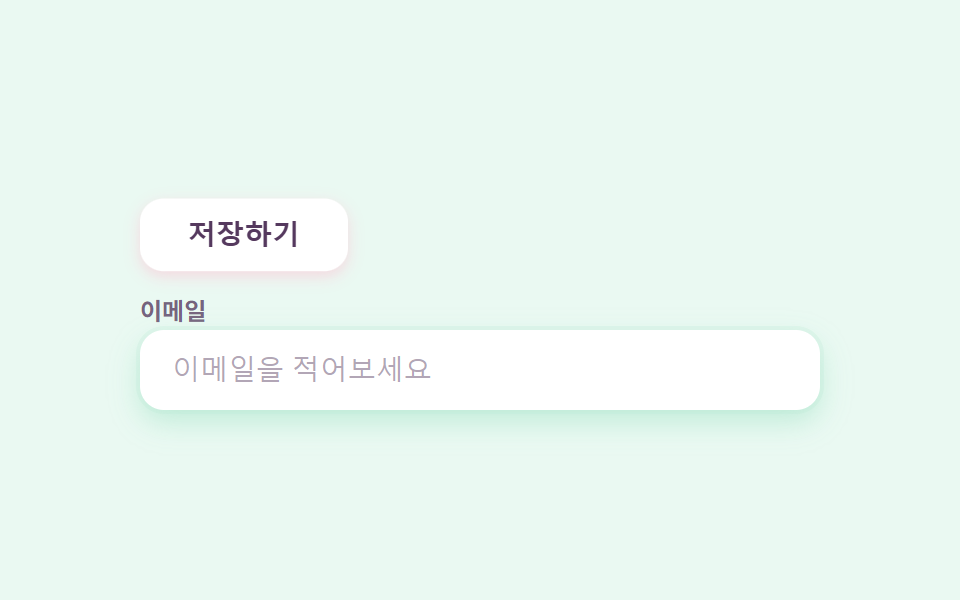 09 buttons-inputs-candy
자동 재생 · 눌러서 해당 항목으로 · 전부 한 zip
- 01 그라디언트 안개 히어로
- 02 젤리 인디케이터 내비
- 03 스티커 배지 카드 격자
- 04 캔디 아이콘 목록
- 05 마카롱 요금제
- 06 말풍선 후기
- 07 캔디 그라디언트 CTA 밴드
- 08 스캘럽 가장자리 푸터
- 09 말랑한 버튼·인풋
이 키트 전체의 색은 파스텔 톤 색상 조합 일곱 개로 끝납니다. 글자는 항상 맨 아래 베리 잉크 하나로 고정하는 것이 읽히는 파스텔의 조건입니다. 같은 design 기둥에서 그림자를 회색 대신 잉크 두 겹으로 눌러 앉힌 쪽이 뉴모피즘 랜딩 UI 키트이고, 붓 자국을 그대로 살린 쪽이 손그림 디자인 랜딩 UI 키트입니다.
| 역할 | 색 | 쓰는 곳 |
|---|---|---|
| 크림 | #fff6f0 |
페이지 바탕 전체 |
| 버블검 핑크 | #ffb9cf |
주인공 색 — CTA·배지·강조 |
| 피치 | #ffd2b8 |
카드·말풍선 아바타 |
| 레몬 | #ffe9a3 |
카드·요금제 |
| 민트 | #b5e8d2 |
내비 인디케이터·입력창 링 |
| 라벤더 | #cdbcf2 |
카드·그라디언트 중간색 |
| 베리 잉크 | #55395e |
모든 글자 (대비 5.7~9.2:1) |
01그라디언트 안개 히어로
파스텔 디자인에서 무엇이 보이나
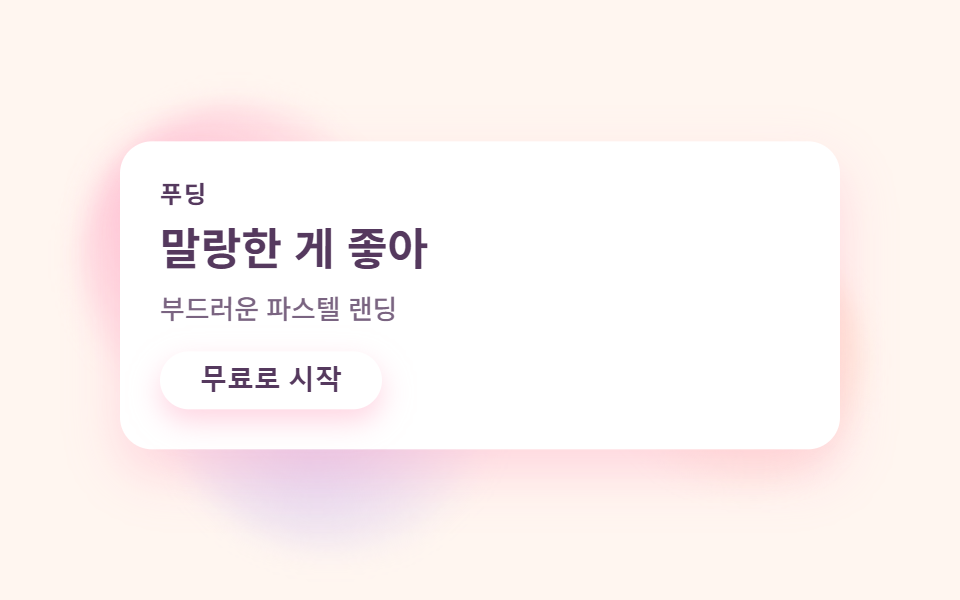
크림 바탕 위에 핑크·피치·라벤더 세 색의 흐릿한 원이 안개처럼 떠다니고, 그 앞의 흰 카드가 살짝 들썩입니다.
<main class="stage">
  <section class="herocandy">
    <span class="herocandy__mist herocandy__mist--a" aria-hidden="true"></span>
    <span class="herocandy__mist herocandy__mist--b" aria-hidden="true"></span>
    <span class="herocandy__mist herocandy__mist--c" aria-hidden="true"></span>
    <div class="herocandy__card">
      <p class="herocandy__eyebrow">푸딩</p>
      <h1 class="herocandy__title">말랑한 게 좋아</h1>
      <p class="herocandy__desc">부드러운 파스텔 랜딩</p>
      <button class="herocandy__cta" type="button">무료로 시작</button>
    </div>
  </section>
</main>
@use "../../../../site/static/demo-tokens" as *;
$duration: $dur-loop; // 안개가 한 바퀴 떠도는 주기
$easing: $ease-spring; // 통통하게 떠오르는 곡선
$color: $stage-ink; // 글자 색 기본값(토큰) — 아래 캔디 팔레트의 베리 잉크로 덮는다
// 캔디 팔레트 — 이 편의 역할 색. 값은 tailwind.config.js · tokens.css 와 같다
$candy-cream: #fff6f0; // 크림 바탕
$candy-bubble: #ffb9cf; // 버블검 핑크 — 주인공
$candy-peach: #ffd2b8; // 피치
$candy-lemon: #ffe9a3; // 레몬
$candy-mint: #b5e8d2; // 민트
$candy-lavender: #cdbcf2; // 라벤더
$candy-berry: #55395e; // 베리 잉크 — 글자는 항상 이 색(대비 9:1)
@include stage($candy-cream);
.herocandy {
position: relative;
width: clamp(220px, 76vw, 360px);
}
.herocandy__mist {
position: absolute;
width: clamp(96px, 36vw, 150px);
aspect-ratio: 1;
border-radius: 50%;
pointer-events: none;
filter: blur(6px);
}
.herocandy__mist--a {
top: -22px;
left: -20px;
background: radial-gradient(circle at 35% 35%, rgba($candy-bubble, .95), rgba($candy-bubble, 0) 70%);
animation: mistA $duration $easing infinite;
}
.herocandy__mist--b {
right: -24px;
top: 26%;
background: radial-gradient(circle at 60% 40%, rgba($candy-peach, .95), rgba($candy-peach, 0) 70%);
animation: mistB $duration $easing infinite;
animation-delay: -1s;
}
.herocandy__mist--c {
left: 6%;
bottom: -26px;
background: radial-gradient(circle at 45% 55%, rgba($candy-lavender, .9), rgba($candy-lavender, 0) 70%);
animation: mistA $duration $easing infinite;
animation-delay: -.5s;
}
.herocandy__card {
position: relative;
box-sizing: border-box;
width: 100%;
display: flex;
flex-direction: column;
align-items: flex-start;
gap: $sp-2;
padding: $sp-5;
border-radius: $r-card;
background: $stage-paper;
box-shadow: 0 10px 24px rgba($candy-bubble, .55);
animation: cardBob $duration $easing infinite;
}
.herocandy__eyebrow {
margin: 0;
color: $candy-berry;
font-weight: 700; font-size: clamp(10px, 2.6vw, 12px); line-height: 1;
letter-spacing: .08em;
text-transform: uppercase;
}
.herocandy__title {
margin: 0;
color: $candy-berry;
font-weight: 700; font-size: clamp(18px, 4.6vw, 24px); line-height: 1.2;
}
.herocandy__desc {
margin: 0;
color: rgba($candy-berry, .78);
font-weight: 500; font-size: clamp(12px, 2.8vw, 14px); line-height: 1.4;
}
.herocandy__cta {
margin-top: $sp-1;
border: 0;
border-radius: $r-pill;
background: $stage-paper;
color: $candy-berry;
padding: $sp-2 $sp-5;
font-weight: 700; font-size: clamp(12px, 2.8vw, 14px); line-height: 1;
box-shadow: 0 6px 14px rgba($candy-bubble, .6);
}
.herocandy__cta:focus-visible {
outline: 3px solid $candy-berry;
outline-offset: 2px;
}
// 데모: 안개 세 개가 각자 다른 위상으로 떠다니고, 카드는 살짝 들썩인다 (WAAPI 시계가 잡을 수 있게 keyframes)
@keyframes mistA {
0%, 100% { transform: translate(0, 0) scale(1); }
50% { transform: translate(7%, 9%) scale(1.14); }
}
@keyframes mistB {
0%, 100% { transform: translate(0, 0) scale(1); }
50% { transform: translate(-6%, -7%) scale(.88); }
}
@keyframes cardBob {
0%, 100% { transform: translateY(0); box-shadow: 0 10px 24px rgba($candy-bubble, .55); }
50% { transform: translateY(-7px); box-shadow: 0 16px 30px rgba($candy-bubble, .5); }
}
// 반응형: 320×200 처럼 세로가 짧은 화면에선 안개 번짐과 카드 속을 줄인다(BD9 — 219 크랙 편에서 실측한 방식)
@media (max-width: 340px), (max-height: 220px) {
.herocandy__mist { width: clamp(60px, 22vw, 86px); }
.herocandy__mist--a { top: -8px; left: -8px; }
.herocandy__mist--b { right: -8px; top: 12%; }
.herocandy__mist--c { left: 8%; bottom: -8px; }
.herocandy__card { padding: $sp-3 $sp-4; gap: $sp-1; }
.herocandy__eyebrow { display: none; }
}
@media (prefers-reduced-motion: reduce) {
.herocandy__mist, .herocandy__card { animation: none !important; transform: none; }
}html, body {
margin: 0;
overflow: hidden;
}
.stage {
box-sizing: border-box;
min-height: 100vh;
display: grid;
place-items: center;
margin: 0;
background: #fff6f0;
font-family: -apple-system, "Segoe UI", "Noto Sans KR", sans-serif;
padding: clamp(8px, 4vw, 24px);
}
.herocandy {
position: relative;
width: clamp(220px, 76vw, 360px);
}
.herocandy__mist {
position: absolute;
width: clamp(96px, 36vw, 150px);
aspect-ratio: 1;
border-radius: 50%;
pointer-events: none;
filter: blur(6px);
}
.herocandy__mist--a {
top: -22px;
left: -20px;
background: radial-gradient(circle at 35% 35%, rgba(255, 185, 207, 0.95), rgba(255, 185, 207, 0) 70%);
animation: mistA 2s cubic-bezier(0.2, 0.8, 0.2, 1) infinite;
}
.herocandy__mist--b {
right: -24px;
top: 26%;
background: radial-gradient(circle at 60% 40%, rgba(255, 210, 184, 0.95), rgba(255, 210, 184, 0) 70%);
animation: mistB 2s cubic-bezier(0.2, 0.8, 0.2, 1) infinite;
animation-delay: -1s;
}
.herocandy__mist--c {
left: 6%;
bottom: -26px;
background: radial-gradient(circle at 45% 55%, rgba(205, 188, 242, 0.9), rgba(205, 188, 242, 0) 70%);
animation: mistA 2s cubic-bezier(0.2, 0.8, 0.2, 1) infinite;
animation-delay: -0.5s;
}
.herocandy__card {
position: relative;
box-sizing: border-box;
width: 100%;
display: flex;
flex-direction: column;
align-items: flex-start;
gap: 8px;
padding: 20px;
border-radius: 16px;
background: #ffffff;
box-shadow: 0 10px 24px rgba(255, 185, 207, 0.55);
animation: cardBob 2s cubic-bezier(0.2, 0.8, 0.2, 1) infinite;
}
.herocandy__eyebrow {
margin: 0;
color: #55395e;
font-weight: 700;
font-size: clamp(10px, 2.6vw, 12px);
line-height: 1;
letter-spacing: 0.08em;
text-transform: uppercase;
}
.herocandy__title {
margin: 0;
color: #55395e;
font-weight: 700;
font-size: clamp(18px, 4.6vw, 24px);
line-height: 1.2;
}
.herocandy__desc {
margin: 0;
color: rgba(85, 57, 94, 0.78);
font-weight: 500;
font-size: clamp(12px, 2.8vw, 14px);
line-height: 1.4;
}
.herocandy__cta {
margin-top: 4px;
border: 0;
border-radius: 999px;
background: #ffffff;
color: #55395e;
padding: 8px 20px;
font-weight: 700;
font-size: clamp(12px, 2.8vw, 14px);
line-height: 1;
box-shadow: 0 6px 14px rgba(255, 185, 207, 0.6);
}
.herocandy__cta:focus-visible {
outline: 3px solid #55395e;
outline-offset: 2px;
}
@keyframes mistA {
0%, 100% {
transform: translate(0, 0) scale(1);
}
50% {
transform: translate(7%, 9%) scale(1.14);
}
}
@keyframes mistB {
0%, 100% {
transform: translate(0, 0) scale(1);
}
50% {
transform: translate(-6%, -7%) scale(0.88);
}
}
@keyframes cardBob {
0%, 100% {
transform: translateY(0);
box-shadow: 0 10px 24px rgba(255, 185, 207, 0.55);
}
50% {
transform: translateY(-7px);
box-shadow: 0 16px 30px rgba(255, 185, 207, 0.5);
}
}
@media (max-width: 340px), (max-height: 220px) {
.herocandy__mist {
width: clamp(60px, 22vw, 86px);
}
.herocandy__mist--a {
top: -8px;
left: -8px;
}
.herocandy__mist--b {
right: -8px;
top: 12%;
}
.herocandy__mist--c {
left: 8%;
bottom: -8px;
}
.herocandy__card {
padding: 12px 16px;
gap: 4px;
}
.herocandy__eyebrow {
display: none;
}
}
@media (prefers-reduced-motion: reduce) {
.herocandy__mist, .herocandy__card {
animation: none !important;
transform: none;
}
}import type { CSSProperties } from "react";
import styles from "./HeroCandy.module.scss";
export type HeroCandyProps = {
eyebrow?: string;
title?: string;
desc?: string;
cta?: string;
/** 한 주기(기본 2000ms) */
duration?: number;
easing?: string;
color?: string;
};
type Vars = CSSProperties & { "--duration"?: string; "--easing"?: string; "--color"?: string };
export default function HeroCandy({
eyebrow = "푸딩",
title = "말랑한 게 좋아",
desc = "부드러운 파스텔 랜딩",
cta = "무료로 시작",
duration = 2000,
easing = "cubic-bezier(.2,.8,.2,1)",
color = "#ffb9cf",
}: HeroCandyProps) {
const vars: Vars = { "--duration": `${duration}ms`, "--easing": easing, "--color": color };
return (
<section className={styles.herocandy} style={vars}>
<span className={`${styles.mist} ${styles.mistA}`} aria-hidden="true" />
<span className={`${styles.mist} ${styles.mistB}`} aria-hidden="true" />
<span className={`${styles.mist} ${styles.mistC}`} aria-hidden="true" />
<div className={styles.card}>
<p className={styles.eyebrow}>{eyebrow}</p>
<h1 className={styles.title}>{title}</h1>
<p className={styles.desc}>{desc}</p>
<button type="button" className={styles.cta}>{cta}</button>
</div>
</section>
);
}01 · 그라디언트 안개 히어로 — 측정 누적면적 10.269% · 움직인 프레임 12/23GODRICH 원작 · zip 에 SCSS·React 포함 · 비밀번호 보기
코드에서 볼 곳
그림자가 회색이 아니라 핑크색이라는 점이 이 스타일의 첫 신호입니다.
<div class="relative mx-auto max-w-xl flex flex-col items-start gap-4
            rounded-candy bg-white p-10 shadow-candy-pink">
  <p class="text-xs font-bold uppercase tracking-widest text-berry/70">Pudding</p>
  <h1 class="text-4xl font-bold">말랑한 게 좋아</h1>
  <button class="rounded-pill bg-white px-6 py-3 text-sm font-bold
                 shadow-candy-berry">무료로 시작</button>
</div>
02젤리 인디케이터 내비
화면에서 일어나는 일
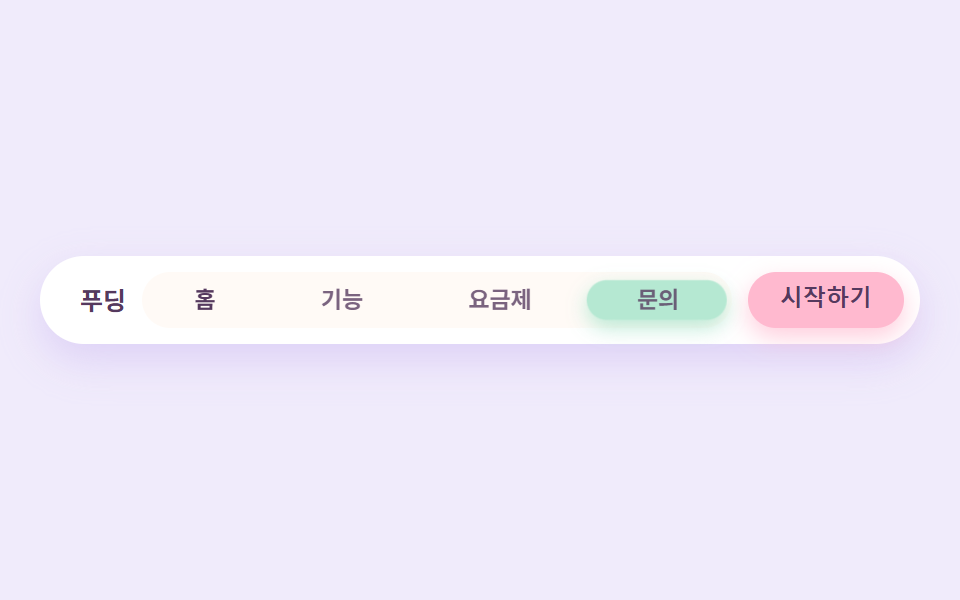
활성 탭을 알려주는 민트색 알약이 옆칸으로 옮겨 갈 때 가로로 살짝 늘어났다가 도착하며 통통하게 줄어듭니다.
<main class="stage">
  <nav class="navcandy" aria-label="주요 메뉴">
    <span class="navcandy__brand">푸딩</span>
    <div class="navcandy__track">
      <span class="navcandy__pill" aria-hidden="true"></span>
      <span class="navcandy__tab navcandy__tab--on">홈</span>
      <span class="navcandy__tab">기능</span>
      <span class="navcandy__tab">요금제</span>
      <span class="navcandy__tab">문의</span>
    </div>
    <button class="navcandy__cta" type="button">시작하기</button>
  </nav>
</main>
@use "../../../../site/static/demo-tokens" as *;
$duration: $dur-loop; // 알약이 네 칸을 한 바퀴 도는 주기
$easing: $ease-spring; // 도착할 때 통통하게 줄어드는 곡선
$color: $stage-ink; // 글자 기본(토큰) — 아래 베리 잉크로 덮는다
// 캔디 팔레트 — 값은 tailwind.config.js · tokens.css 와 같다
$candy-cream: #fff6f0;
$candy-bubble: #ffb9cf;
$candy-lavender: #cdbcf2;
$candy-mint: #b5e8d2;
$candy-berry: #55395e;
// 무대 — 라벤더 물색
@include stage(mix($candy-lavender, $stage-paper, 30%));
.navcandy {
box-sizing: border-box;
width: clamp(280px, 92vw, 440px);
display: flex;
align-items: center;
gap: $sp-2;
padding: $sp-2;
border-radius: $r-pill;
background: $stage-paper;
box-shadow: 0 8px 20px rgba($candy-lavender, .55);
}
.navcandy__brand {
flex: 0 0 auto;
padding-left: $sp-3;
color: $candy-berry;
font-weight: 700; font-size: clamp(11px, 2.6vw, 13px); line-height: 1;
}
.navcandy__track {
position: relative;
flex: 1 1 auto;
min-width: 0;
display: flex;
border-radius: $r-pill;
background: mix($candy-cream, $stage-paper, 60%);
}
.navcandy__pill {
position: absolute;
top: $sp-1;
bottom: $sp-1;
left: $sp-1;
width: calc(25% - $sp-1);
box-sizing: border-box;
border-radius: $r-pill;
background: $candy-mint;
box-shadow: 0 4px 10px rgba($candy-mint, .9);
// 네 칸을 순서대로 옮겨 다니며 도착할 때마다 젤리처럼 세로로 살짝 눌린다
animation: pillWalk $duration $easing infinite;
}
.navcandy__tab {
position: relative;
z-index: 1;
flex: 1 1 auto;
min-width: 0;
padding: $sp-2 0;
text-align: center;
color: rgba($candy-berry, .78);
font-weight: 600; font-size: clamp(10px, 2.4vw, 12px); line-height: 1;
white-space: nowrap;
overflow: hidden;
text-overflow: ellipsis;
}
.navcandy__tab--on {
color: $candy-berry;
font-weight: 700;
}
.navcandy__cta {
flex: 0 0 auto;
border: 0;
border-radius: $r-pill;
background: $candy-bubble;
color: $candy-berry;
padding: $sp-2 $sp-4;
font-weight: 700; font-size: clamp(10px, 2.4vw, 12px); line-height: 1;
box-shadow: 0 5px 12px rgba($candy-bubble, .7);
}
.navcandy__cta:focus-visible {
outline: 3px solid $candy-berry;
outline-offset: 2px;
}
// 데모: 칸 폭은 25% — translateX(100%) 가 정확히 한 칸. 도착 순간 scaleY 로 눌렸다 펴진다
// 데모: % 이동은 이 요소 자기 폭 기준 — 폭이 calc(25% - 4px) 라 한 칸(트랙의 25%)보다 4px 모자라
// 이동량을 calc(100% + 4px) 씩 보정한다(보정 없으면 세 칸을 지나며 12px 밀린다 — 실측)
@keyframes pillWalk {
0%, 24% { transform: translateX(0) scaleY(1); }
30% { transform: translateX(0) scaleY(.82); }
36%, 49% { transform: translateX(calc(100% + 4px)) scaleY(1); }
55% { transform: translateX(calc(100% + 4px)) scaleY(.82); }
61%, 74% { transform: translateX(calc(200% + 8px)) scaleY(1); }
80% { transform: translateX(calc(200% + 8px)) scaleY(.82); }
86%, 100% { transform: translateX(calc(300% + 12px)) scaleY(1); }
}
@media (prefers-reduced-motion: reduce) {
.navcandy__pill { animation: none !important; transform: none; }
}html, body {
margin: 0;
overflow: hidden;
}
.stage {
box-sizing: border-box;
min-height: 100vh;
display: grid;
place-items: center;
margin: 0;
background: rgb(94.1176470588%, 92.1176470588%, 98.4705882353%);
font-family: -apple-system, "Segoe UI", "Noto Sans KR", sans-serif;
padding: clamp(8px, 4vw, 24px);
}
.navcandy {
box-sizing: border-box;
width: clamp(280px, 92vw, 440px);
display: flex;
align-items: center;
gap: 8px;
padding: 8px;
border-radius: 999px;
background: #ffffff;
box-shadow: 0 8px 20px rgba(205, 188, 242, 0.55);
}
.navcandy__brand {
flex: 0 0 auto;
padding-left: 12px;
color: #55395e;
font-weight: 700;
font-size: clamp(11px, 2.6vw, 13px);
line-height: 1;
}
.navcandy__track {
position: relative;
flex: 1 1 auto;
min-width: 0;
display: flex;
border-radius: 999px;
background: rgb(100%, 97.8823529412%, 96.4705882353%);
}
.navcandy__pill {
position: absolute;
top: 4px;
bottom: 4px;
left: 4px;
width: calc(25% - 4px);
box-sizing: border-box;
border-radius: 999px;
background: #b5e8d2;
box-shadow: 0 4px 10px rgba(181, 232, 210, 0.9);
animation: pillWalk 2s cubic-bezier(0.2, 0.8, 0.2, 1) infinite;
}
.navcandy__tab {
position: relative;
z-index: 1;
flex: 1 1 auto;
min-width: 0;
padding: 8px 0;
text-align: center;
color: rgba(85, 57, 94, 0.78);
font-weight: 600;
font-size: clamp(10px, 2.4vw, 12px);
line-height: 1;
white-space: nowrap;
overflow: hidden;
text-overflow: ellipsis;
}
.navcandy__tab--on {
color: #55395e;
font-weight: 700;
}
.navcandy__cta {
flex: 0 0 auto;
border: 0;
border-radius: 999px;
background: #ffb9cf;
color: #55395e;
padding: 8px 16px;
font-weight: 700;
font-size: clamp(10px, 2.4vw, 12px);
line-height: 1;
box-shadow: 0 5px 12px rgba(255, 185, 207, 0.7);
}
.navcandy__cta:focus-visible {
outline: 3px solid #55395e;
outline-offset: 2px;
}
@keyframes pillWalk {
0%, 24% {
transform: translateX(0) scaleY(1);
}
30% {
transform: translateX(0) scaleY(0.82);
}
36%, 49% {
transform: translateX(calc(100% + 4px)) scaleY(1);
}
55% {
transform: translateX(calc(100% + 4px)) scaleY(0.82);
}
61%, 74% {
transform: translateX(calc(200% + 8px)) scaleY(1);
}
80% {
transform: translateX(calc(200% + 8px)) scaleY(0.82);
}
86%, 100% {
transform: translateX(calc(300% + 12px)) scaleY(1);
}
}
@media (prefers-reduced-motion: reduce) {
.navcandy__pill {
animation: none !important;
transform: none;
}
}import type { CSSProperties } from "react";
import styles from "./NavCandy.module.scss";
export type NavCandyProps = {
brand?: string;
tabs?: string[];
cta?: string;
/** 한 주기(기본 2000ms) */
duration?: number;
easing?: string;
color?: string;
};
type Vars = CSSProperties & { "--duration"?: string; "--easing"?: string; "--color"?: string };
export default function NavCandy({
brand = "푸딩",
tabs = ["홈", "기능", "요금제", "문의"],
cta = "시작하기",
duration = 2000,
easing = "cubic-bezier(.2,.8,.2,1)",
color = "#b5e8d2",
}: NavCandyProps) {
const vars: Vars = { "--duration": `${duration}ms`, "--easing": easing, "--color": color };
return (
<nav className={styles.navcandy} aria-label="주요 메뉴" style={vars}>
<span className={styles.brand}>{brand}</span>
<div className={styles.track}>
<span className={styles.pill} aria-hidden="true" />
{tabs.map((t, i) => (
<span key={t} className={`${styles.tab} ${i === 0 ? styles.tabOn : ""}`}>{t}</span>
))}
</div>
<button type="button" className={styles.cta}>{cta}</button>
</nav>
);
}02 · 젤리 인디케이터 내비 — 측정 누적면적 5.476% · 움직인 프레임 12/23GODRICH 원작 · zip 에 SCSS·React 포함 · 비밀번호 보기
코드 읽는 법
젤리를 젓가락으로 집었을 때의 그 탄력을 scaleY 한 줄로 냅니다.
<div class="relative flex flex-1 rounded-pill bg-cream/60 p-1">
  <span class="absolute inset-y-1 left-1 w-1/4 rounded-pill bg-mint
               shadow-candy-mint"></span>
  <span class="relative z-10 flex-1 text-center text-xs font-semibold py-2">홈</span>
</div>
03스티커 배지 카드 격자
어떤 움직임인가
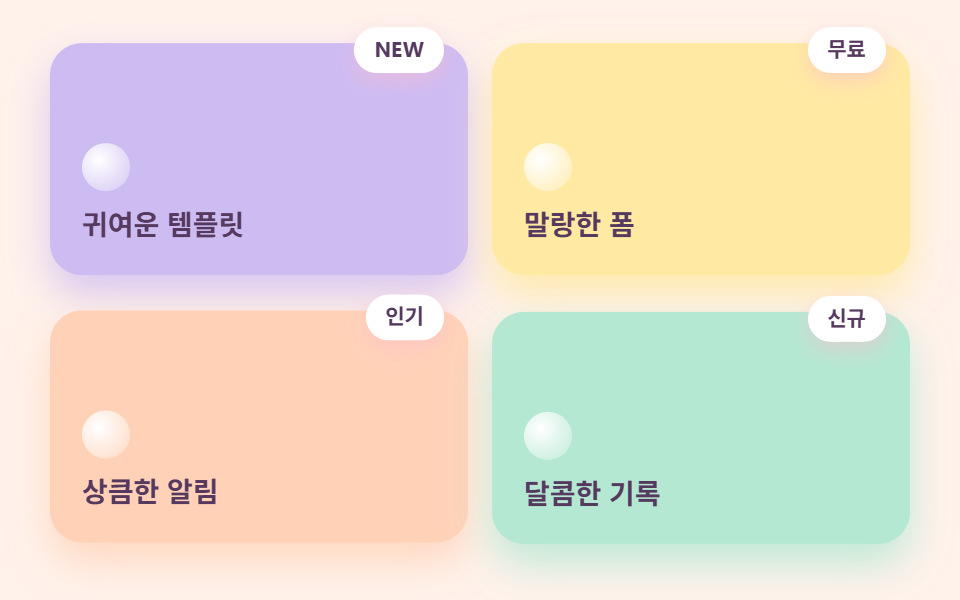
카드마다 라벤더·레몬·피치·민트 저마다 다른 파스텔 바탕에 같은 색으로 물든 그림자를 얹고, 모서리에는 점선 테두리 스티커 배지가 붙습니다.
<main class="stage">
  <div class="gridcandy">
    <div class="gridcandy__card gridcandy__card--lav">
      <span class="gridcandy__badge">NEW</span>
      <span class="gridcandy__dot" aria-hidden="true"></span>
      <p class="gridcandy__name">귀여운 템플릿</p>
    </div>
    <div class="gridcandy__card gridcandy__card--lem">
      <span class="gridcandy__badge">무료</span>
      <span class="gridcandy__dot" aria-hidden="true"></span>
      <p class="gridcandy__name">말랑한 폼</p>
    </div>
    <div class="gridcandy__card gridcandy__card--pea">
      <span class="gridcandy__badge">인기</span>
      <span class="gridcandy__dot" aria-hidden="true"></span>
      <p class="gridcandy__name">상큼한 알림</p>
    </div>
    <div class="gridcandy__card gridcandy__card--min">
      <span class="gridcandy__badge">신규</span>
      <span class="gridcandy__dot" aria-hidden="true"></span>
      <p class="gridcandy__name">달콤한 기록</p>
    </div>
  </div>
</main>
@use "../../../../site/static/demo-tokens" as *;
$duration: $dur-loop; // 카드 네 장이 한 바퀴 들썩이는 주기
$easing: $ease-spring;
$color: $stage-ink; // 글자 기본(토큰) — 베리 잉크로 덮는다
// 캔디 팔레트 — 값은 tailwind.config.js · tokens.css 와 같다
$candy-cream: #fff6f0;
$candy-bubble: #ffb9cf;
$candy-peach: #ffd2b8;
$candy-lemon: #ffe9a3;
$candy-mint: #b5e8d2;
$candy-lavender: #cdbcf2;
$candy-berry: #55395e;
// 무대 — 피치 물색
@include stage(mix($candy-peach, $stage-paper, 28%));
.gridcandy {
box-sizing: border-box;
width: clamp(280px, 92vw, 430px);
display: grid;
grid-template-columns: repeat(auto-fit, minmax(clamp(120px, 40vw, 160px), 1fr));
gap: $sp-3;
}
.gridcandy__card {
position: relative;
box-sizing: border-box;
min-height: clamp(92px, 26vw, 116px);
display: flex;
flex-direction: column;
justify-content: flex-end;
gap: $sp-2;
padding: $sp-4;
border-radius: $r-card;
animation: cardWave $duration $easing infinite;
}
.gridcandy__card--lav {
background: $candy-lavender;
box-shadow: 0 10px 20px rgba($candy-lavender, .8);
}
.gridcandy__card--lem {
background: $candy-lemon;
box-shadow: 0 10px 20px rgba($candy-lemon, .85);
animation-delay: calc($duration / -4);
}
.gridcandy__card--pea {
background: $candy-peach;
box-shadow: 0 10px 20px rgba($candy-peach, .85);
animation-delay: calc($duration / -2);
}
.gridcandy__card--min {
background: $candy-mint;
box-shadow: 0 10px 20px rgba($candy-mint, .85);
animation-delay: calc($duration / -4 * 3);
}
.gridcandy__badge {
position: absolute;
top: calc($sp-2 * -1);
right: $sp-3;
padding: $sp-1 $sp-2;
border: 2px dashed $stage-paper;
border-radius: $r-pill;
background: $stage-paper;
color: $candy-berry;
font-weight: 700; font-size: clamp(9px, 2.2vw, 11px); line-height: 1;
box-shadow: 0 4px 10px rgba($candy-bubble, .5);
}
.gridcandy__dot {
width: $sp-6;
aspect-ratio: 1;
border-radius: 50%;
background: radial-gradient(circle at 35% 35%, $stage-paper, rgba($stage-paper, .35) 75%);
}
.gridcandy__name {
margin: 0;
color: $candy-berry;
font-weight: 700; font-size: clamp(12px, 3vw, 14px); line-height: 1.3;
}
// 데모: 네 카드가 시작 시각을 1/4 주기씩 어긋내 순서대로 들썩인다
@keyframes cardWave {
0%, 100% { transform: translateY(0); }
30% { transform: translateY(-8px); }
}
// 반응형: 320×200 처럼 세로가 짧은 화면에선 카드 속을 줄인다(BD9)
@media (max-width: 340px), (max-height: 220px) {
.gridcandy { gap: $sp-2; }
.gridcandy__card { min-height: 64px; padding: $sp-2 $sp-3; gap: $sp-1; }
.gridcandy__badge { display: none; }
.gridcandy__dot { width: $sp-4; }
.gridcandy__name { font-size: 11px; }
}
@media (prefers-reduced-motion: reduce) {
.gridcandy__card { animation: none !important; transform: none; }
}html, body {
margin: 0;
overflow: hidden;
}
.stage {
box-sizing: border-box;
min-height: 100vh;
display: grid;
place-items: center;
margin: 0;
background: rgb(100%, 95.0588235294%, 92.2039215686%);
font-family: -apple-system, "Segoe UI", "Noto Sans KR", sans-serif;
padding: clamp(8px, 4vw, 24px);
}
.gridcandy {
box-sizing: border-box;
width: clamp(280px, 92vw, 430px);
display: grid;
grid-template-columns: repeat(auto-fit, minmax(clamp(120px, 40vw, 160px), 1fr));
gap: 12px;
}
.gridcandy__card {
position: relative;
box-sizing: border-box;
min-height: clamp(92px, 26vw, 116px);
display: flex;
flex-direction: column;
justify-content: flex-end;
gap: 8px;
padding: 16px;
border-radius: 16px;
animation: cardWave 2s cubic-bezier(0.2, 0.8, 0.2, 1) infinite;
}
.gridcandy__card--lav {
background: #cdbcf2;
box-shadow: 0 10px 20px rgba(205, 188, 242, 0.8);
}
.gridcandy__card--lem {
background: #ffe9a3;
box-shadow: 0 10px 20px rgba(255, 233, 163, 0.85);
animation-delay: -0.5s;
}
.gridcandy__card--pea {
background: #ffd2b8;
box-shadow: 0 10px 20px rgba(255, 210, 184, 0.85);
animation-delay: -1s;
}
.gridcandy__card--min {
background: #b5e8d2;
box-shadow: 0 10px 20px rgba(181, 232, 210, 0.85);
animation-delay: -1.5s;
}
.gridcandy__badge {
position: absolute;
top: -8px;
right: 12px;
padding: 4px 8px;
border: 2px dashed #ffffff;
border-radius: 999px;
background: #ffffff;
color: #55395e;
font-weight: 700;
font-size: clamp(9px, 2.2vw, 11px);
line-height: 1;
box-shadow: 0 4px 10px rgba(255, 185, 207, 0.5);
}
.gridcandy__dot {
width: 24px;
aspect-ratio: 1;
border-radius: 50%;
background: radial-gradient(circle at 35% 35%, #ffffff, rgba(255, 255, 255, 0.35) 75%);
}
.gridcandy__name {
margin: 0;
color: #55395e;
font-weight: 700;
font-size: clamp(12px, 3vw, 14px);
line-height: 1.3;
}
@keyframes cardWave {
0%, 100% {
transform: translateY(0);
}
30% {
transform: translateY(-8px);
}
}
@media (max-width: 340px), (max-height: 220px) {
.gridcandy {
gap: 8px;
}
.gridcandy__card {
min-height: 64px;
padding: 8px 12px;
gap: 4px;
}
.gridcandy__badge {
display: none;
}
.gridcandy__dot {
width: 16px;
}
.gridcandy__name {
font-size: 11px;
}
}
@media (prefers-reduced-motion: reduce) {
.gridcandy__card {
animation: none !important;
transform: none;
}
}import type { CSSProperties } from "react";
import styles from "./CardGridCandy.module.scss";
export type CardGridCandyProps = {
cards?: { name: string; badge: string }[];
/** 한 주기(기본 2000ms) */
duration?: number;
easing?: string;
color?: string;
};
type Vars = CSSProperties & { "--duration"?: string; "--easing"?: string; "--color"?: string };
const TONE = ["lav", "lem", "pea", "min"] as const;
export default function CardGridCandy({
cards = [
{ name: "귀여운 템플릿", badge: "NEW" },
{ name: "말랑한 폼", badge: "무료" },
{ name: "상큼한 알림", badge: "인기" },
{ name: "달콤한 기록", badge: "신규" },
],
duration = 2000,
easing = "cubic-bezier(.2,.8,.2,1)",
color = "#ffb9cf",
}: CardGridCandyProps) {
const vars: Vars = { "--duration": `${duration}ms`, "--easing": easing, "--color": color };
return (
<div className={styles.gridcandy} style={vars}>
{cards.map((c, i) => (
<div key={c.name} className={`${styles.card} ${styles[TONE[i % 4]]}`}>
<span className={styles.badge}>{c.badge}</span>
<span className={styles.dot} aria-hidden="true" />
<p className={styles.name}>{c.name}</p>
</div>
))}
</div>
);
}03 · 스티커 배지 카드 격자 — 측정 누적면적 18.565% · 움직인 프레임 23/23GODRICH 원작 · zip 에 SCSS·React 포함 · 비밀번호 보기
어디를 바꾸면 되나
네 카드가 시작 시각을 어긋내 순서대로 들썩입니다.
<div class="relative flex min-h-32 flex-col justify-end gap-2
            rounded-candy bg-lavender p-5 shadow-candy-lavender">
  <span class="absolute -top-2 right-4 rounded-pill border-2 border-dashed
               border-white bg-white px-3 py-1 text-[11px] font-bold
               shadow-candy-pink">NEW</span>
  <p class="text-sm font-bold">귀여운 템플릿</p>
</div>
04캔디 아이콘 목록
무엇이 보이나
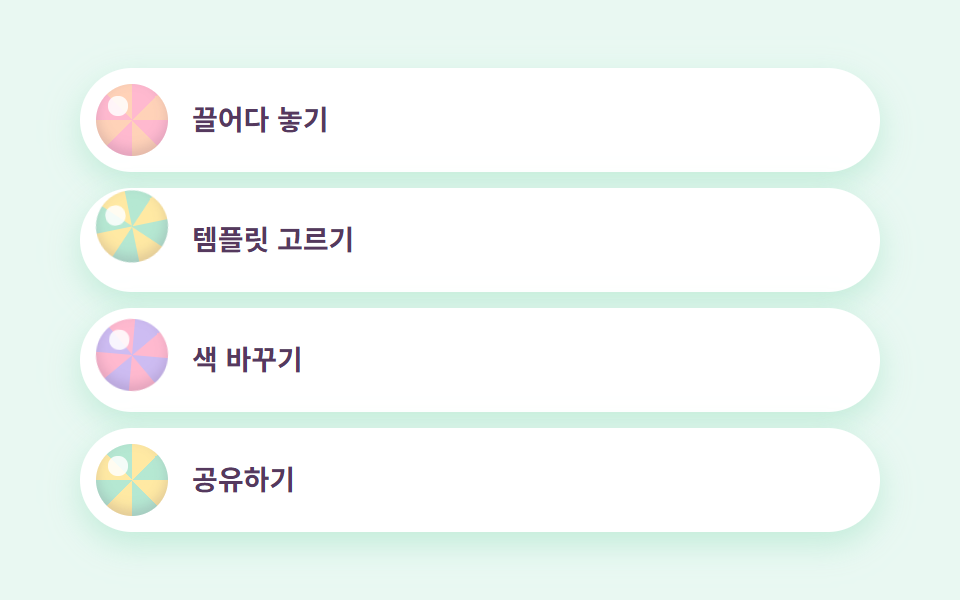
행마다 흰 알약 카드가 있고 그 안의 동그란 아이콘이 repeating-conic-gradient로 그린 단단한 사탕 무늬입니다.
<main class="stage">
  <ul class="listcandy">
    <li class="listcandy__row">
      <span class="listcandy__candy listcandy__candy--a" aria-hidden="true"></span>
      <span class="listcandy__label">끌어다 놓기</span>
    </li>
    <li class="listcandy__row">
      <span class="listcandy__candy listcandy__candy--b" aria-hidden="true"></span>
      <span class="listcandy__label">템플릿 고르기</span>
    </li>
    <li class="listcandy__row">
      <span class="listcandy__candy listcandy__candy--c" aria-hidden="true"></span>
      <span class="listcandy__label">색 바꾸기</span>
    </li>
    <li class="listcandy__row">
      <span class="listcandy__candy listcandy__candy--d" aria-hidden="true"></span>
      <span class="listcandy__label">공유하기</span>
    </li>
  </ul>
</main>
@use "../../../../site/static/demo-tokens" as *;
$duration: $dur-loop; // 사탕이 한 번 튀고 쉬는 주기
$easing: $ease-pop; // 튀어 오르는 감
$color: $stage-ink; // 글자 기본(토큰) — 베리 잉크로 덮는다
// 캔디 팔레트 — 값은 tailwind.config.js · tokens.css 와 같다
$candy-cream: #fff6f0;
$candy-bubble: #ffb9cf;
$candy-peach: #ffd2b8;
$candy-lemon: #ffe9a3;
$candy-mint: #b5e8d2;
$candy-lavender: #cdbcf2;
$candy-berry: #55395e;
// 무대 — 민트 물색
@include stage(mix($candy-mint, $stage-paper, 30%));
.listcandy {
box-sizing: border-box;
width: clamp(260px, 88vw, 400px);
margin: 0;
padding: 0;
list-style: none;
display: flex;
flex-direction: column;
gap: $sp-2;
}
.listcandy__row {
display: flex;
align-items: center;
gap: $sp-3;
padding: $sp-2 $sp-4 $sp-2 $sp-2;
border-radius: $r-pill;
background: $stage-paper;
box-shadow: 0 6px 16px rgba($candy-mint, .75);
}
// 단단한 사탕 무늬 — conic gradient 를 원으로 잘라 쓰고 하이라이트 점을 얹는다
.listcandy__candy {
flex: 0 0 auto;
width: clamp(28px, 8vw, 36px);
aspect-ratio: 1;
border-radius: 50%;
position: relative;
box-shadow: inset 0 -3px 6px rgba($candy-berry, .18);
}
.listcandy__candy::after {
content: "";
position: absolute;
top: 18%;
left: 18%;
width: 26%;
aspect-ratio: 1;
border-radius: 50%;
background: rgba($stage-paper, .85);
}
.listcandy__candy--a {
background: repeating-conic-gradient($candy-bubble 0deg 45deg, $candy-peach 45deg 90deg);
animation: candyBounce $duration $easing infinite;
}
.listcandy__candy--b {
background: repeating-conic-gradient($candy-mint 0deg 45deg, $candy-lemon 45deg 90deg);
animation: candyBounce $duration $easing infinite;
animation-delay: calc($duration / -4);
}
.listcandy__candy--c {
background: repeating-conic-gradient($candy-lavender 0deg 45deg, $candy-bubble 45deg 90deg);
animation: candyBounce $duration $easing infinite;
animation-delay: calc($duration / -2);
}
.listcandy__candy--d {
background: repeating-conic-gradient($candy-lemon 0deg 45deg, $candy-mint 45deg 90deg);
animation: candyBounce $duration $easing infinite;
animation-delay: calc($duration / -4 * 3);
}
.listcandy__label {
color: $candy-berry;
font-weight: 600; font-size: clamp(12px, 3vw, 14px); line-height: 1;
}
// 데모: 사탕 네 개가 시작 시각을 어긋내 각자 다른 박자로 통통 튄다
@keyframes candyBounce {
0%, 40%, 100% { transform: translateY(0) rotate(0deg); }
15% { transform: translateY(-7px) rotate(-12deg); }
28% { transform: translateY(0) rotate(0deg); }
34% { transform: translateY(-3px) rotate(6deg); }
}
// 반응형: 320×200 처럼 세로가 짧은 화면에선 행 속을 줄인다(BD9)
@media (max-width: 340px), (max-height: 220px) {
.listcandy { gap: $sp-1; }
.listcandy__row { padding: $sp-1 $sp-3 $sp-1 $sp-1; gap: $sp-2; }
.listcandy__candy { width: 20px; }
.listcandy__label { font-size: 11px; }
}
@media (prefers-reduced-motion: reduce) {
.listcandy__candy { animation: none !important; transform: none; }
}html, body {
margin: 0;
overflow: hidden;
}
.stage {
box-sizing: border-box;
min-height: 100vh;
display: grid;
place-items: center;
margin: 0;
background: rgb(91.2941176471%, 97.2941176471%, 94.7058823529%);
font-family: -apple-system, "Segoe UI", "Noto Sans KR", sans-serif;
padding: clamp(8px, 4vw, 24px);
}
.listcandy {
box-sizing: border-box;
width: clamp(260px, 88vw, 400px);
margin: 0;
padding: 0;
list-style: none;
display: flex;
flex-direction: column;
gap: 8px;
}
.listcandy__row {
display: flex;
align-items: center;
gap: 12px;
padding: 8px 16px 8px 8px;
border-radius: 999px;
background: #ffffff;
box-shadow: 0 6px 16px rgba(181, 232, 210, 0.75);
}
.listcandy__candy {
flex: 0 0 auto;
width: clamp(28px, 8vw, 36px);
aspect-ratio: 1;
border-radius: 50%;
position: relative;
box-shadow: inset 0 -3px 6px rgba(85, 57, 94, 0.18);
}
.listcandy__candy::after {
content: "";
position: absolute;
top: 18%;
left: 18%;
width: 26%;
aspect-ratio: 1;
border-radius: 50%;
background: rgba(255, 255, 255, 0.85);
}
.listcandy__candy--a {
background: repeating-conic-gradient(#ffb9cf 0deg 45deg, #ffd2b8 45deg 90deg);
animation: candyBounce 2s cubic-bezier(0.2, 1.4, 0.4, 1) infinite;
}
.listcandy__candy--b {
background: repeating-conic-gradient(#b5e8d2 0deg 45deg, #ffe9a3 45deg 90deg);
animation: candyBounce 2s cubic-bezier(0.2, 1.4, 0.4, 1) infinite;
animation-delay: -0.5s;
}
.listcandy__candy--c {
background: repeating-conic-gradient(#cdbcf2 0deg 45deg, #ffb9cf 45deg 90deg);
animation: candyBounce 2s cubic-bezier(0.2, 1.4, 0.4, 1) infinite;
animation-delay: -1s;
}
.listcandy__candy--d {
background: repeating-conic-gradient(#ffe9a3 0deg 45deg, #b5e8d2 45deg 90deg);
animation: candyBounce 2s cubic-bezier(0.2, 1.4, 0.4, 1) infinite;
animation-delay: -1.5s;
}
.listcandy__label {
color: #55395e;
font-weight: 600;
font-size: clamp(12px, 3vw, 14px);
line-height: 1;
}
@keyframes candyBounce {
0%, 40%, 100% {
transform: translateY(0) rotate(0deg);
}
15% {
transform: translateY(-7px) rotate(-12deg);
}
28% {
transform: translateY(0) rotate(0deg);
}
34% {
transform: translateY(-3px) rotate(6deg);
}
}
@media (max-width: 340px), (max-height: 220px) {
.listcandy {
gap: 4px;
}
.listcandy__row {
padding: 4px 12px 4px 4px;
gap: 8px;
}
.listcandy__candy {
width: 20px;
}
.listcandy__label {
font-size: 11px;
}
}
@media (prefers-reduced-motion: reduce) {
.listcandy__candy {
animation: none !important;
transform: none;
}
}import type { CSSProperties } from "react";
import styles from "./FeatureListCandy.module.scss";
export type FeatureListCandyProps = {
items?: string[];
/** 한 주기(기본 2000ms) */
duration?: number;
easing?: string;
color?: string;
};
type Vars = CSSProperties & { "--duration"?: string; "--easing"?: string; "--color"?: string };
const CANDY = ["a", "b", "c", "d"] as const;
export default function FeatureListCandy({
items = ["끌어다 놓기", "템플릿 고르기", "색 바꾸기", "공유하기"],
duration = 2000,
easing = "cubic-bezier(.2,1.4,.4,1)",
color = "#ffb9cf",
}: FeatureListCandyProps) {
const vars: Vars = { "--duration": `${duration}ms`, "--easing": easing, "--color": color };
return (
<ul className={styles.listcandy} style={vars}>
{items.map((label, i) => (
<li key={label} className={styles.row}>
<span className={`${styles.candy} ${styles[CANDY[i % 4]]}`} aria-hidden="true" />
<span className={styles.label}>{label}</span>
</li>
))}
</ul>
);
}04 · 캔디 아이콘 목록 — 측정 누적면적 3.528% · 움직인 프레임 23/23GODRICH 원작 · zip 에 SCSS·React 포함 · 비밀번호 보기
코드에서 볼 곳
아이콘마다 시작 시각을 어긋내 놓으면 사탕이 각자 다른 박자로 통통 튑니다.
<li class="flex items-center gap-3 rounded-pill bg-white p-2 pr-5
           shadow-candy-mint">
  <span class="h-9 w-9 shrink-0 rounded-full shadow-inner"
        style="background:repeating-conic-gradient(#ffb9cf 0deg 45deg,
               #ffd2b8 45deg 90deg)"></span>
  <span class="text-sm font-semibold">끌어다 놓기</span>
</li>
05마카롱 요금제
화면에서 일어나는 일
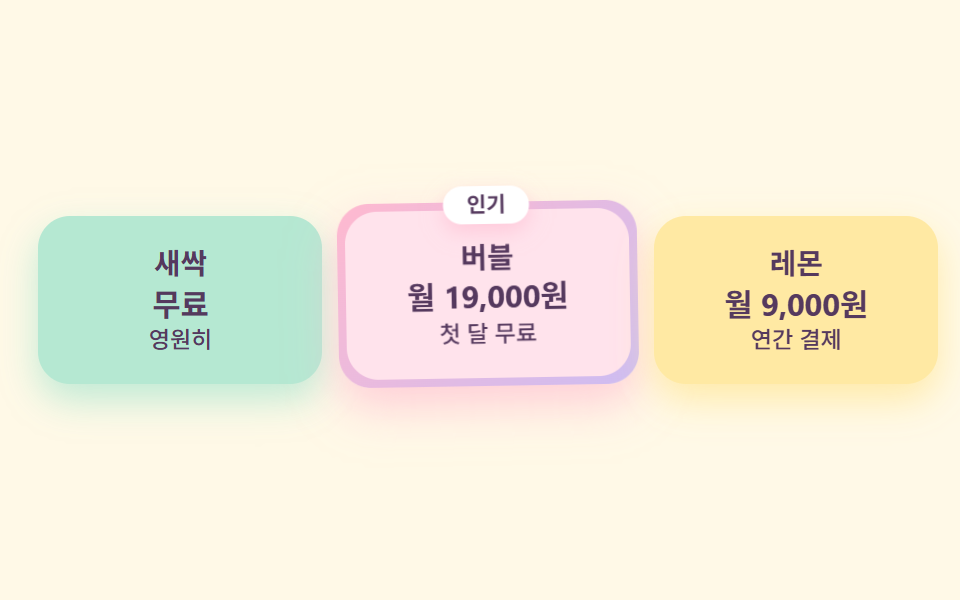
세 요금제를 민트·버블검 핑크·레몬 마카롱처럼 각각 다른 파스텔로 두고, 추천 플랜만 그라디언트 테두리와 인기 배지를 얹어 살짝 크고 통통거립니다.
<main class="stage">
  <div class="pricecandy">
    <div class="pricecandy__plan pricecandy__plan--mint">
      <p class="pricecandy__name">새싹</p>
      <p class="pricecandy__price">무료</p>
      <p class="pricecandy__per">영원히</p>
    </div>
    <div class="pricecandy__plan pricecandy__plan--pick">
      <span class="pricecandy__badge">인기</span>
      <div class="pricecandy__inner">
        <p class="pricecandy__name">버블</p>
        <p class="pricecandy__price">월 19,000원</p>
        <p class="pricecandy__per">첫 달 무료</p>
      </div>
    </div>
    <div class="pricecandy__plan pricecandy__plan--lemon">
      <p class="pricecandy__name">레몬</p>
      <p class="pricecandy__price">월 9,000원</p>
      <p class="pricecandy__per">연간 결제</p>
    </div>
  </div>
</main>
@use "../../../../site/static/demo-tokens" as *;
$duration: $dur-loop; // 추천 플랜이 한 번 통통거리는 주기
$easing: $ease-spring;
$color: $stage-ink; // 글자 기본(토큰) — 베리 잉크로 덮는다
// 캔디 팔레트 — 값은 tailwind.config.js · tokens.css 와 같다
$candy-cream: #fff6f0;
$candy-bubble: #ffb9cf;
$candy-lemon: #ffe9a3;
$candy-mint: #b5e8d2;
$candy-lavender: #cdbcf2;
$candy-berry: #55395e;
// 무대 — 레몬 물색
@include stage(mix($candy-lemon, $stage-paper, 26%));
.pricecandy {
box-sizing: border-box;
width: clamp(280px, 94vw, 450px);
display: flex;
align-items: center;
gap: $sp-2;
}
.pricecandy__plan {
position: relative;
box-sizing: border-box;
flex: 1 1 0;
min-width: 0;
display: flex;
flex-direction: column;
gap: $sp-1;
padding: $sp-4 $sp-3;
border-radius: $r-card;
text-align: center;
}
.pricecandy__plan--mint {
background: $candy-mint;
box-shadow: 0 8px 18px rgba($candy-mint, .85);
}
.pricecandy__plan--lemon {
background: $candy-lemon;
box-shadow: 0 8px 18px rgba($candy-lemon, .9);
}
// 추천 플랜 — 핑크 그라디언트 테두리(겉을 감싼 알약) + 살짝 크게
.pricecandy__plan--pick {
flex: 1.2 1 0;
padding: $sp-1;
background: linear-gradient(135deg, $candy-bubble, $candy-lavender);
box-shadow: 0 10px 22px rgba($candy-bubble, .65);
animation: pickJiggle $duration $easing infinite;
}
.pricecandy__inner {
display: flex;
flex-direction: column;
gap: $sp-1;
padding: $sp-4 $sp-3;
border-radius: $r-card;
background: mix($candy-bubble, $stage-paper, 40%);
}
.pricecandy__badge {
position: absolute;
top: calc($sp-2 * -1);
left: 50%;
transform: translateX(-50%);
z-index: 1;
padding: $sp-1 $sp-3;
border-radius: $r-pill;
background: $stage-paper;
color: $candy-berry;
font-weight: 700; font-size: clamp(9px, 2.2vw, 11px); line-height: 1;
box-shadow: 0 4px 10px rgba($candy-bubble, .6);
}
.pricecandy__name {
margin: 0;
color: $candy-berry;
font-weight: 700; font-size: clamp(12px, 3vw, 15px); line-height: 1;
}
.pricecandy__price {
margin: 0;
color: $candy-berry;
font-weight: 700; font-size: clamp(12px, 3.2vw, 16px); line-height: 1.15;
}
.pricecandy__per {
margin: 0;
color: $candy-berry;
font-weight: 500; font-size: clamp(10px, 2.4vw, 12px); line-height: 1;
}
// 데모: 추천 플랜만 살짝 흔들리며 통통거린다 — 색과 크기가 이미 주인공임을 움직임도 돕는다
@keyframes pickJiggle {
0%, 100% { transform: rotate(0deg) translateY(0); }
25% { transform: rotate(-1.6deg) translateY(-5px); }
50% { transform: rotate(0deg) translateY(0); }
75% { transform: rotate(1.6deg) translateY(-5px); }
}
@media (prefers-reduced-motion: reduce) {
.pricecandy__plan--pick { animation: none !important; transform: none; }
}html, body {
margin: 0;
overflow: hidden;
}
.stage {
box-sizing: border-box;
min-height: 100vh;
display: grid;
place-items: center;
margin: 0;
background: rgb(100%, 97.7568627451%, 90.6196078431%);
font-family: -apple-system, "Segoe UI", "Noto Sans KR", sans-serif;
padding: clamp(8px, 4vw, 24px);
}
.pricecandy {
box-sizing: border-box;
width: clamp(280px, 94vw, 450px);
display: flex;
align-items: center;
gap: 8px;
}
.pricecandy__plan {
position: relative;
box-sizing: border-box;
flex: 1 1 0;
min-width: 0;
display: flex;
flex-direction: column;
gap: 4px;
padding: 16px 12px;
border-radius: 16px;
text-align: center;
}
.pricecandy__plan--mint {
background: #b5e8d2;
box-shadow: 0 8px 18px rgba(181, 232, 210, 0.85);
}
.pricecandy__plan--lemon {
background: #ffe9a3;
box-shadow: 0 8px 18px rgba(255, 233, 163, 0.9);
}
.pricecandy__plan--pick {
flex: 1.2 1 0;
padding: 4px;
background: linear-gradient(135deg, #ffb9cf, #cdbcf2);
box-shadow: 0 10px 22px rgba(255, 185, 207, 0.65);
animation: pickJiggle 2s cubic-bezier(0.2, 0.8, 0.2, 1) infinite;
}
.pricecandy__inner {
display: flex;
flex-direction: column;
gap: 4px;
padding: 16px 12px;
border-radius: 16px;
background: rgb(100%, 89.0196078431%, 92.4705882353%);
}
.pricecandy__badge {
position: absolute;
top: -8px;
left: 50%;
transform: translateX(-50%);
z-index: 1;
padding: 4px 12px;
border-radius: 999px;
background: #ffffff;
color: #55395e;
font-weight: 700;
font-size: clamp(9px, 2.2vw, 11px);
line-height: 1;
box-shadow: 0 4px 10px rgba(255, 185, 207, 0.6);
}
.pricecandy__name {
margin: 0;
color: #55395e;
font-weight: 700;
font-size: clamp(12px, 3vw, 15px);
line-height: 1;
}
.pricecandy__price {
margin: 0;
color: #55395e;
font-weight: 700;
font-size: clamp(12px, 3.2vw, 16px);
line-height: 1.15;
}
.pricecandy__per {
margin: 0;
color: #55395e;
font-weight: 500;
font-size: clamp(10px, 2.4vw, 12px);
line-height: 1;
}
@keyframes pickJiggle {
0%, 100% {
transform: rotate(0deg) translateY(0);
}
25% {
transform: rotate(-1.6deg) translateY(-5px);
}
50% {
transform: rotate(0deg) translateY(0);
}
75% {
transform: rotate(1.6deg) translateY(-5px);
}
}
@media (prefers-reduced-motion: reduce) {
.pricecandy__plan--pick {
animation: none !important;
transform: none;
}
}import type { CSSProperties } from "react";
import styles from "./PricingCandy.module.scss";
export type PricingCandyProps = {
plans?: { name: string; price: string; per: string; pick?: boolean; badge?: string }[];
/** 한 주기(기본 2000ms) */
duration?: number;
easing?: string;
color?: string;
};
type Vars = CSSProperties & { "--duration"?: string; "--easing"?: string; "--color"?: string };
export default function PricingCandy({
plans = [
{ name: "새싹", price: "무료", per: "영원히" },
{ name: "버블", price: "월 19,000원", per: "첫 달 무료", pick: true, badge: "인기" },
{ name: "레몬", price: "월 9,000원", per: "연간 결제" },
],
duration = 2000,
easing = "cubic-bezier(.2,.8,.2,1)",
color = "#ffb9cf",
}: PricingCandyProps) {
const vars: Vars = { "--duration": `${duration}ms`, "--easing": easing, "--color": color };
return (
<div className={styles.pricecandy} style={vars}>
{plans.map((p, i) =>
p.pick ? (
<div key={p.name} className={`${styles.plan} ${styles.pick}`}>
{p.badge ? <span className={styles.badge}>{p.badge}</span> : null}
<div className={styles.inner}>
<p className={styles.name}>{p.name}</p>
<p className={styles.price}>{p.price}</p>
<p className={styles.per}>{p.per}</p>
</div>
</div>
) : (
<div key={p.name} className={`${styles.plan} ${i === 0 ? styles.mint : styles.lemon}`}>
<p className={styles.name}>{p.name}</p>
<p className={styles.price}>{p.price}</p>
<p className={styles.per}>{p.per}</p>
</div>
)
)}
</div>
);
}05 · 마카롱 요금제 — 측정 누적면적 4.164% · 움직인 프레임 21/23GODRICH 원작 · zip 에 SCSS·React 포함 · 비밀번호 보기
코드 읽는 법
표 없이 색만으로 어느 플랜이 주인공인지 보입니다.
<div class="relative flex-[1.2] rounded-candy p-1 shadow-candy-pink"
     style="background:linear-gradient(135deg,#ffb9cf,#cdbcf2)">
  <span class="absolute -top-3 left-1/2 -translate-x-1/2 rounded-pill
               bg-white px-3 py-1 text-[11px] font-bold shadow-candy-pink">인기</span>
  <div class="flex flex-col gap-1 rounded-candy p-6 text-center"
       style="background:#ffd9e6">
    <p class="text-sm font-bold">버블</p>
  </div>
</div>
06말풍선 후기
어떤 움직임인가
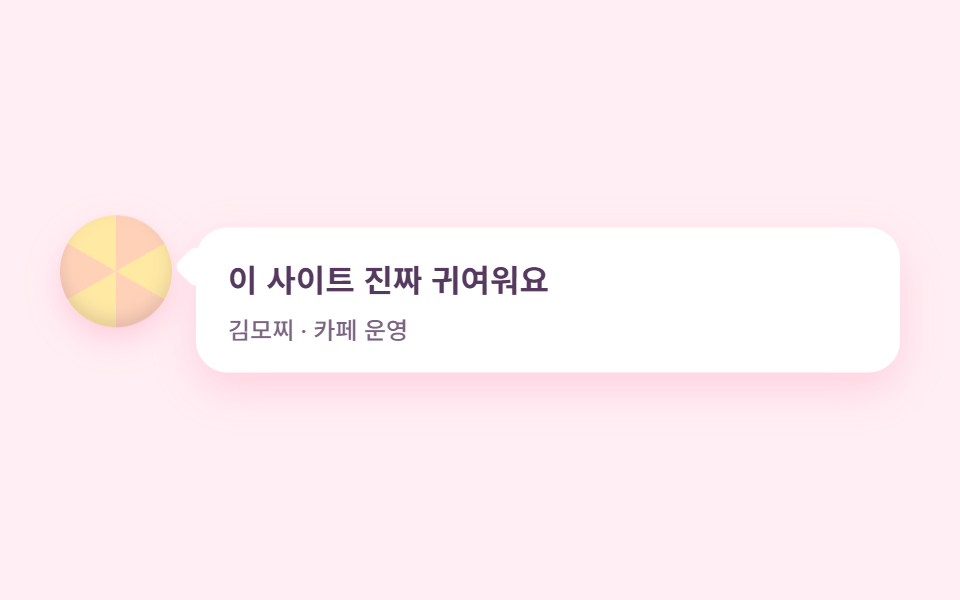
후기는 꼬리가 달린 둥근 말풍선에 담고, 옆의 아바타는 사탕 무늬 동그라미입니다.
<main class="stage">
  <figure class="quotecandy">
    <span class="quotecandy__avatar" aria-hidden="true"></span>
    <div class="quotecandy__bubble">
      <blockquote class="quotecandy__text">
        <p class="quotecandy__line">이 사이트 진짜 귀여워요</p>
      </blockquote>
      <figcaption class="quotecandy__who">김모찌 · 카페 운영</figcaption>
    </div>
  </figure>
</main>
@use "../../../../site/static/demo-tokens" as *;
$duration: $dur-loop; // 말풍선이 한 번 눌렸다 펴지는 주기
$easing: $ease-spring;
$color: $stage-ink; // 글자 기본(토큰) — 베리 잉크로 덮는다
// 캔디 팔레트 — 값은 tailwind.config.js · tokens.css 와 같다
$candy-cream: #fff6f0;
$candy-bubble: #ffb9cf;
$candy-peach: #ffd2b8;
$candy-lemon: #ffe9a3;
$candy-lavender: #cdbcf2;
$candy-berry: #55395e;
// 무대 — 버블검 물색
@include stage(mix($candy-bubble, $stage-paper, 24%));
.quotecandy {
box-sizing: border-box;
width: clamp(280px, 90vw, 420px);
margin: 0;
display: flex;
align-items: flex-start;
gap: $sp-3;
}
// 사탕 무늬 아바타
.quotecandy__avatar {
flex: 0 0 auto;
width: clamp(44px, 12vw, 56px);
aspect-ratio: 1;
border-radius: 50%;
background: repeating-conic-gradient($candy-peach 0deg 60deg, $candy-lemon 60deg 120deg);
box-shadow: inset 0 -4px 8px rgba($candy-berry, .16), 0 6px 14px rgba($candy-bubble, .6);
animation: avatarBob $duration $easing infinite;
animation-delay: calc($duration / -2);
}
.quotecandy__bubble {
position: relative;
flex: 1 1 auto;
min-width: 0;
box-sizing: border-box;
padding: $sp-4;
border-radius: $r-card;
background: $stage-paper;
box-shadow: 0 8px 20px rgba($candy-bubble, .55);
animation: bubbleSquish $duration $easing infinite;
}
// 말풍선 꼬리 — 정사각형 하나를 45도 돌려 절반만 보이게
.quotecandy__bubble::before {
content: "";
position: absolute;
top: $sp-3;
left: calc($sp-2 * -1);
width: $sp-4;
aspect-ratio: 1;
border-radius: $r-xs;
background: $stage-paper;
transform: rotate(45deg);
}
.quotecandy__text {
margin: 0;
}
.quotecandy__line {
margin: 0;
color: $candy-berry;
font-weight: 700; font-size: clamp(13px, 3.4vw, 16px); line-height: 1.4;
}
.quotecandy__who {
margin: $sp-2 0 0;
color: rgba($candy-berry, .78);
font-weight: 500; font-size: clamp(10px, 2.6vw, 12px); line-height: 1;
}
// 데모: 말풍선은 젤리처럼 세로로 살짝 눌렸다 펴지고, 아바타는 반대 위상으로 떠오른다
@keyframes bubbleSquish {
0%, 100% { transform: scaleY(1); }
50% { transform: scaleY(.94); }
}
@keyframes avatarBob {
0%, 100% { transform: translateY(0); }
50% { transform: translateY(-8px); }
}
@media (prefers-reduced-motion: reduce) {
.quotecandy__bubble, .quotecandy__avatar { animation: none !important; transform: none; }
}html, body {
margin: 0;
overflow: hidden;
}
.stage {
box-sizing: border-box;
min-height: 100vh;
display: grid;
place-items: center;
margin: 0;
background: rgb(100%, 93.4117647059%, 95.4823529412%);
font-family: -apple-system, "Segoe UI", "Noto Sans KR", sans-serif;
padding: clamp(8px, 4vw, 24px);
}
.quotecandy {
box-sizing: border-box;
width: clamp(280px, 90vw, 420px);
margin: 0;
display: flex;
align-items: flex-start;
gap: 12px;
}
.quotecandy__avatar {
flex: 0 0 auto;
width: clamp(44px, 12vw, 56px);
aspect-ratio: 1;
border-radius: 50%;
background: repeating-conic-gradient(#ffd2b8 0deg 60deg, #ffe9a3 60deg 120deg);
box-shadow: inset 0 -4px 8px rgba(85, 57, 94, 0.16), 0 6px 14px rgba(255, 185, 207, 0.6);
animation: avatarBob 2s cubic-bezier(0.2, 0.8, 0.2, 1) infinite;
animation-delay: -1s;
}
.quotecandy__bubble {
position: relative;
flex: 1 1 auto;
min-width: 0;
box-sizing: border-box;
padding: 16px;
border-radius: 16px;
background: #ffffff;
box-shadow: 0 8px 20px rgba(255, 185, 207, 0.55);
animation: bubbleSquish 2s cubic-bezier(0.2, 0.8, 0.2, 1) infinite;
}
.quotecandy__bubble::before {
content: "";
position: absolute;
top: 12px;
left: -8px;
width: 16px;
aspect-ratio: 1;
border-radius: 4px;
background: #ffffff;
transform: rotate(45deg);
}
.quotecandy__text {
margin: 0;
}
.quotecandy__line {
margin: 0;
color: #55395e;
font-weight: 700;
font-size: clamp(13px, 3.4vw, 16px);
line-height: 1.4;
}
.quotecandy__who {
margin: 8px 0 0;
color: rgba(85, 57, 94, 0.78);
font-weight: 500;
font-size: clamp(10px, 2.6vw, 12px);
line-height: 1;
}
@keyframes bubbleSquish {
0%, 100% {
transform: scaleY(1);
}
50% {
transform: scaleY(0.94);
}
}
@keyframes avatarBob {
0%, 100% {
transform: translateY(0);
}
50% {
transform: translateY(-8px);
}
}
@media (prefers-reduced-motion: reduce) {
.quotecandy__bubble, .quotecandy__avatar {
animation: none !important;
transform: none;
}
}import type { CSSProperties } from "react";
import styles from "./TestimonialCandy.module.scss";
export type TestimonialCandyProps = {
quote?: string;
who?: string;
/** 한 주기(기본 2000ms) */
duration?: number;
easing?: string;
color?: string;
};
type Vars = CSSProperties & { "--duration"?: string; "--easing"?: string; "--color"?: string };
export default function TestimonialCandy({
quote = "이 사이트 진짜 귀여워요",
who = "김모찌 · 카페 운영",
duration = 2000,
easing = "cubic-bezier(.2,.8,.2,1)",
color = "#ffb9cf",
}: TestimonialCandyProps) {
const vars: Vars = { "--duration": `${duration}ms`, "--easing": easing, "--color": color };
return (
<figure className={styles.quotecandy} style={vars}>
<span className={styles.avatar} aria-hidden="true" />
<div className={styles.bubble}>
<blockquote className={styles.text}>
<p className={styles.line}>{quote}</p>
</blockquote>
<figcaption className={styles.who}>{who}</figcaption>
</div>
</figure>
);
}06 · 말풍선 후기 — 측정 누적면적 3.167% · 움직인 프레임 14/23GODRICH 원작 · zip 에 SCSS·React 포함 · 비밀번호 보기
어디를 바꾸면 되나
말풍선이 젤리처럼 세로로 살짝 눌렸다 펴지기를 반복해 페이지 전체가 말랑해 보입니다.
<figure class="flex items-start gap-4">
  <span class="h-14 w-14 shrink-0 rounded-full shadow-candy-pink"
        style="background:repeating-conic-gradient(#ffd2b8 0deg 60deg,
               #ffe9a3 60deg 120deg)"></span>
  <div class="relative flex-1 rounded-candy bg-white p-5 shadow-candy-pink">
    <span class="absolute left-[-8px] top-3 h-4 w-4 rotate-45
                 rounded-sm bg-white"></span>
    <p class="text-sm font-bold">이 사이트 진짜 귀여워요</p>
  </div>
</figure>
07캔디 그라디언트 CTA 밴드
무엇이 보이나
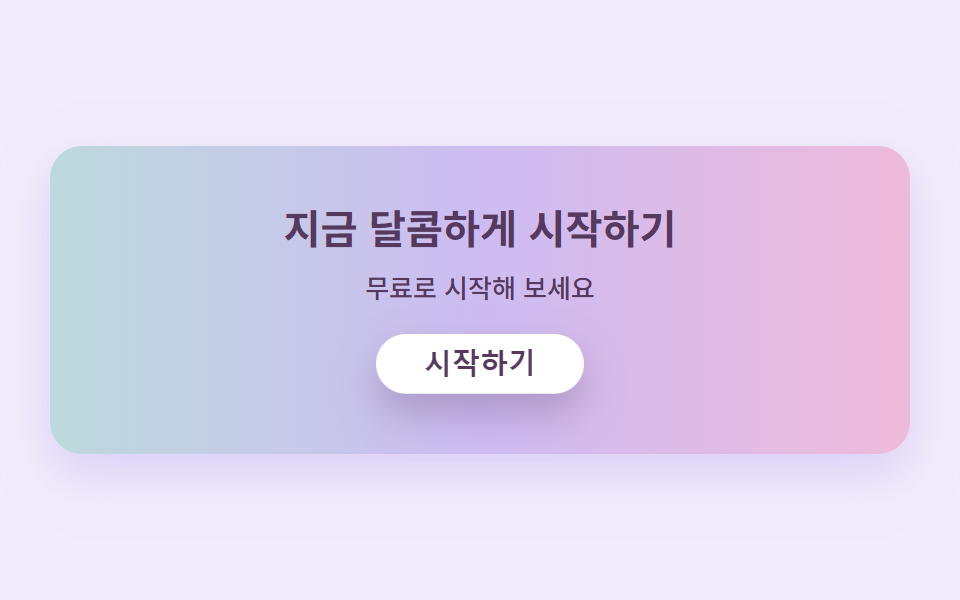
밴드 하나에 핑크에서 라벤더, 민트로 지나가는 캔디 그라디언트를 깔고 그 위치가 천천히 흐릅니다.
<main class="stage">
  <section class="ctacandy">
    <h2 class="ctacandy__title">지금 달콤하게 시작하기</h2>
    <p class="ctacandy__sub">무료로 시작해 보세요</p>
    <button class="ctacandy__btn" type="button">시작하기</button>
  </section>
</main>
@use "../../../../site/static/demo-tokens" as *;
$duration: $dur-loop; // 그라디언트가 한 바퀴 흐르는 주기
$easing: $ease-spring; // 버튼이 눌렸다 튕겨 돌아오는 곡선
$color: $stage-ink; // 글자 기본(토큰) — 베리 잉크로 덮는다
// 캔디 팔레트 — 값은 tailwind.config.js · tokens.css 와 같다
$candy-cream: #fff6f0;
$candy-bubble: #ffb9cf;
$candy-peach: #ffd2b8;
$candy-lemon: #ffe9a3;
$candy-mint: #b5e8d2;
$candy-lavender: #cdbcf2;
$candy-berry: #55395e;
// 무대 — 라벤더 물색
@include stage(mix($candy-lavender, $stage-paper, 28%));
.ctacandy {
box-sizing: border-box;
width: clamp(280px, 90vw, 430px);
display: flex;
flex-direction: column;
align-items: center;
gap: $sp-2;
padding: clamp($sp-5, 6vw, $sp-8) $sp-5;
border-radius: $r-card;
// 캔디 그라디언트 — 색이 이어지도록 양 끝을 같은 색으로 두고 300% 폭으로 깔아 위치를 흘린다
background: linear-gradient(90deg, $candy-bubble, $candy-lavender, $candy-mint, $candy-lavender, $candy-bubble);
background-size: 300% 100%;
box-shadow: 0 10px 24px rgba($candy-lavender, .6);
animation: gradFlow $duration linear infinite;
}
.ctacandy__title {
margin: 0;
color: $candy-berry;
font-weight: 700; font-size: clamp(16px, 4.2vw, 21px); line-height: 1.25;
text-align: center;
}
.ctacandy__sub {
margin: 0;
color: $candy-berry;
font-weight: 500; font-size: clamp(11px, 2.8vw, 13px); line-height: 1.4;
text-align: center;
}
.ctacandy__btn {
margin-top: $sp-2;
border: 0;
border-radius: $r-pill;
background: $stage-paper;
color: $candy-berry;
padding: $sp-2 $sp-6;
font-weight: 700; font-size: clamp(12px, 3vw, 14px); line-height: 1;
box-shadow: 0 8px 18px rgba($candy-berry, .28);
animation: btnPress $duration $easing infinite;
}
.ctacandy__btn:focus-visible {
outline: 3px solid $candy-berry;
outline-offset: 2px;
}
// 데모: 그라디언트는 왼쪽으로 천천히 흐르고, 버튼은 살짝 눌렸다 통통 튕겨 돌아온다
@keyframes gradFlow {
0% { background-position: 0% 50%; }
100% { background-position: -300% 50%; }
}
@keyframes btnPress {
0%, 55%, 100% { transform: translateY(0); box-shadow: 0 8px 18px rgba($candy-berry, .28); }
65% { transform: translateY(4px) scaleY(.96); box-shadow: 0 2px 6px rgba($candy-berry, .2); }
82% { transform: translateY(-3px); box-shadow: 0 11px 22px rgba($candy-berry, .3); }
}
@media (prefers-reduced-motion: reduce) {
.ctacandy, .ctacandy__btn { animation: none !important; transform: none; }
}html, body {
margin: 0;
overflow: hidden;
}
.stage {
box-sizing: border-box;
min-height: 100vh;
display: grid;
place-items: center;
margin: 0;
background: rgb(94.5098039216%, 92.6431372549%, 98.5725490196%);
font-family: -apple-system, "Segoe UI", "Noto Sans KR", sans-serif;
padding: clamp(8px, 4vw, 24px);
}
.ctacandy {
box-sizing: border-box;
width: clamp(280px, 90vw, 430px);
display: flex;
flex-direction: column;
align-items: center;
gap: 8px;
padding: clamp(20px, 6vw, 32px) 20px;
border-radius: 16px;
background: linear-gradient(90deg, #ffb9cf, #cdbcf2, #b5e8d2, #cdbcf2, #ffb9cf);
background-size: 300% 100%;
box-shadow: 0 10px 24px rgba(205, 188, 242, 0.6);
animation: gradFlow 2s linear infinite;
}
.ctacandy__title {
margin: 0;
color: #55395e;
font-weight: 700;
font-size: clamp(16px, 4.2vw, 21px);
line-height: 1.25;
text-align: center;
}
.ctacandy__sub {
margin: 0;
color: #55395e;
font-weight: 500;
font-size: clamp(11px, 2.8vw, 13px);
line-height: 1.4;
text-align: center;
}
.ctacandy__btn {
margin-top: 8px;
border: 0;
border-radius: 999px;
background: #ffffff;
color: #55395e;
padding: 8px 24px;
font-weight: 700;
font-size: clamp(12px, 3vw, 14px);
line-height: 1;
box-shadow: 0 8px 18px rgba(85, 57, 94, 0.28);
animation: btnPress 2s cubic-bezier(0.2, 0.8, 0.2, 1) infinite;
}
.ctacandy__btn:focus-visible {
outline: 3px solid #55395e;
outline-offset: 2px;
}
@keyframes gradFlow {
0% {
background-position: 0% 50%;
}
100% {
background-position: -300% 50%;
}
}
@keyframes btnPress {
0%, 55%, 100% {
transform: translateY(0);
box-shadow: 0 8px 18px rgba(85, 57, 94, 0.28);
}
65% {
transform: translateY(4px) scaleY(0.96);
box-shadow: 0 2px 6px rgba(85, 57, 94, 0.2);
}
82% {
transform: translateY(-3px);
box-shadow: 0 11px 22px rgba(85, 57, 94, 0.3);
}
}
@media (prefers-reduced-motion: reduce) {
.ctacandy, .ctacandy__btn {
animation: none !important;
transform: none;
}
}import type { CSSProperties } from "react";
import styles from "./CtaBandCandy.module.scss";
export type CtaBandCandyProps = {
title?: string;
sub?: string;
cta?: string;
/** 한 주기(기본 2000ms) */
duration?: number;
easing?: string;
color?: string;
};
type Vars = CSSProperties & { "--duration"?: string; "--easing"?: string; "--color"?: string };
export default function CtaBandCandy({
title = "지금 달콤하게 시작하기",
sub = "무료로 시작해 보세요",
cta = "시작하기",
duration = 2000,
easing = "cubic-bezier(.2,.8,.2,1)",
color = "#ffb9cf",
}: CtaBandCandyProps) {
const vars: Vars = { "--duration": `${duration}ms`, "--easing": easing, "--color": color };
return (
<section className={styles.ctacandy} style={vars}>
<h2 className={styles.title}>{title}</h2>
<p className={styles.sub}>{sub}</p>
<button type="button" className={styles.btn}>{cta}</button>
</section>
);
}07 · 캔디 그라디언트 CTA 밴드 — 측정 누적면적 44.037% · 움직인 프레임 23/23GODRICH 원작 · zip 에 SCSS·React 포함 · 비밀번호 보기
코드에서 볼 곳
흰 버튼은 살짝 가라앉았다가 제자리로 튀어 오르기를 되풀이합니다.
<div class="relative overflow-hidden rounded-candy px-10 py-14
            shadow-candy-lavender"
     style="background:linear-gradient(90deg,#ffb9cf,#cdbcf2,#b5e8d2,
            #cdbcf2,#ffb9cf);background-size:300% 100%">
  <h3 class="text-3xl font-bold">지금 달콤하게 시작하기</h3>
  <button class="rounded-pill bg-white px-8 py-3 text-sm font-bold
                 shadow-candy-berry">시작하기</button>
</div>
08스캘럽 가장자리 푸터
화면에서 일어나는 일
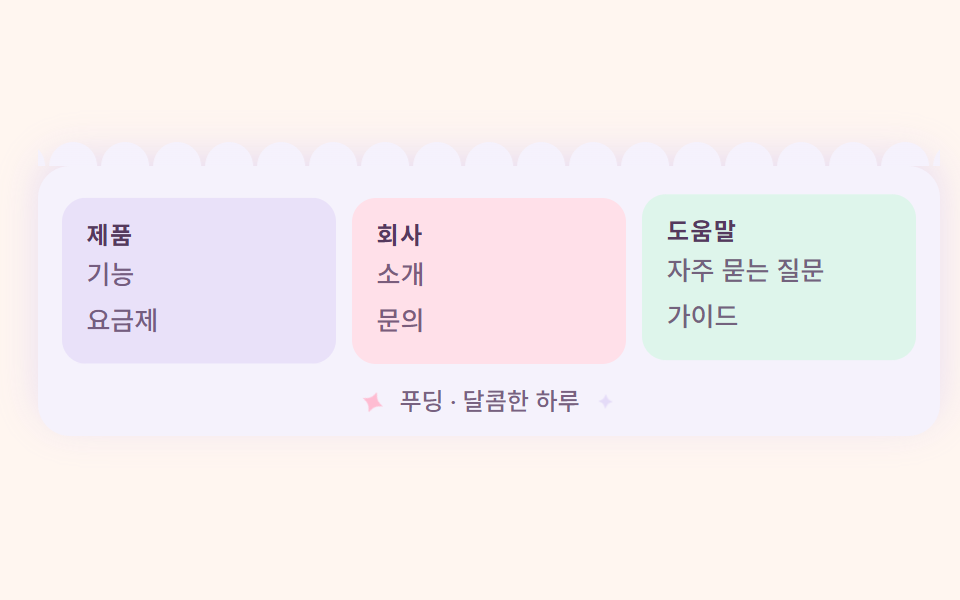
푸터의 윗변을 반원이 죽 이어진 스캘럽 무늬로 띄우는데, 반원 하나하나를 그리는 요소 없이 배경 반복 하나로 그립니다.
<main class="stage">
  <footer class="footercandy">
    <span class="footercandy__scallop" aria-hidden="true"></span>
    <div class="footercandy__cols">
      <div class="footercandy__col footercandy__col--lav">
        <p class="footercandy__head">제품</p>
        <p class="footercandy__link">기능</p>
        <p class="footercandy__link">요금제</p>
      </div>
      <div class="footercandy__col footercandy__col--bub">
        <p class="footercandy__head">회사</p>
        <p class="footercandy__link">소개</p>
        <p class="footercandy__link">문의</p>
      </div>
      <div class="footercandy__col footercandy__col--min">
        <p class="footercandy__head">도움말</p>
        <p class="footercandy__link">자주 묻는 질문</p>
        <p class="footercandy__link">가이드</p>
      </div>
    </div>
    <p class="footercandy__copy"><span class="footercandy__spark" aria-hidden="true">✦</span> 푸딩 · 달콤한 하루 <span class="footercandy__spark footercandy__spark--b" aria-hidden="true">✦</span></p>
  </footer>
</main>
@use "../../../../site/static/demo-tokens" as *;
$duration: $dur-loop; // 별이 한 번 반짝이는 주기
$easing: $ease-out;
$color: $stage-ink; // 글자 기본(토큰) — 베리 잉크로 덮는다
// 캔디 팔레트 — 값은 tailwind.config.js · tokens.css 와 같다
$candy-cream: #fff6f0;
$candy-bubble: #ffb9cf;
$candy-lemon: #ffe9a3;
$candy-mint: #b5e8d2;
$candy-lavender: #cdbcf2;
$candy-berry: #55395e;
// 푸터 패널 색 — 크림보다 살짝 진한 베리 우유크림
$panel: mix($candy-lavender, $stage-paper, 20%);
@include stage($candy-cream);
.footercandy {
position: relative;
box-sizing: border-box;
width: clamp(300px, 94vw, 460px);
padding: $sp-4 $sp-3 $sp-3;
border-radius: $r-card;
background: $panel;
box-shadow: 0 -6px 20px rgba($candy-lavender, .45);
}
// 스캘럽 가장자리 — 반원 하나하나를 요소로 그리지 않고 배경 반복 하나로 그린다.
// 각 타일(26×13px) 아래변 중심에 반원을 그리면 윗반원만 남아 조개 껍질 가장자리가 된다
.footercandy__scallop {
position: absolute;
top: calc($sp-3 * -1);
left: 0;
width: 100%;
height: $sp-3;
background-image: radial-gradient(circle at 50% 100%, $panel 0 64%, transparent 66%);
background-size: 26px 13px;
background-repeat: repeat-x;
background-position: bottom center;
}
.footercandy__cols {
display: grid;
grid-template-columns: repeat(auto-fit, minmax(clamp(84px, 26vw, 120px), 1fr));
gap: $sp-2;
}
.footercandy__col {
box-sizing: border-box;
display: flex;
flex-direction: column;
gap: $sp-1;
padding: $sp-3;
border-radius: $r-control;
}
.footercandy__col--lav { background: mix($candy-lavender, $stage-paper, 45%); animation: colWave $duration $easing infinite; }
.footercandy__col--bub { background: mix($candy-bubble, $stage-paper, 45%); animation: colWave $duration $easing infinite; animation-delay: calc($duration / -3); }
.footercandy__col--min { background: mix($candy-mint, $stage-paper, 45%); animation: colWave $duration $easing infinite; animation-delay: calc($duration / -3 * 2); }
.footercandy__head {
margin: 0;
color: $candy-berry;
font-weight: 700; font-size: clamp(10px, 2.6vw, 12px); line-height: 1;
letter-spacing: .06em;
}
.footercandy__link {
margin: 0;
color: rgba($candy-berry, .78);
font-weight: 500; font-size: clamp(11px, 2.8vw, 13px); line-height: 1.5;
}
.footercandy__copy {
display: flex;
align-items: center;
justify-content: center;
gap: $sp-2;
margin: $sp-3 0 0;
color: rgba($candy-berry, .78);
font-weight: 500; font-size: clamp(10px, 2.6vw, 12px); line-height: 1;
}
.footercandy__spark {
color: $candy-bubble;
animation: sparkTwinkle $duration $easing infinite;
}
.footercandy__spark--b {
animation-delay: calc($duration / -2);
color: $candy-lavender;
}
// 데모: 세 칸이 순서대로 살짝 들썩이는 물결을 만들고, 별 두 개는 어긋나게 반짝인다
@keyframes colWave {
0%, 40%, 100% { transform: translateY(0); }
20% { transform: translateY(-6px); }
}
@keyframes sparkTwinkle {
0%, 100% { opacity: .35; transform: scale(.8) rotate(0deg); }
50% { opacity: 1; transform: scale(1.3) rotate(25deg); }
}
// 반응형: 320×200 처럼 세로가 짧은 화면에선 칸 속과 스캘럽 번짐을 줄인다(BD9)
@media (max-width: 340px), (max-height: 220px) {
.footercandy { padding: $sp-3 $sp-2 $sp-2; }
.footercandy__scallop { top: calc($sp-2 * -1); height: $sp-2; background-size: 20px 10px; }
.footercandy__cols { gap: $sp-1; }
.footercandy__col { padding: $sp-2; }
.footercandy__link { display: none; }
.footercandy__copy { margin-top: $sp-2; font-size: 9px; }
}
@media (prefers-reduced-motion: reduce) {
.footercandy__col, .footercandy__spark { animation: none !important; transform: none; }
.footercandy__spark { opacity: .8; }
}html, body {
margin: 0;
overflow: hidden;
}
.stage {
box-sizing: border-box;
min-height: 100vh;
display: grid;
place-items: center;
margin: 0;
background: #fff6f0;
font-family: -apple-system, "Segoe UI", "Noto Sans KR", sans-serif;
padding: clamp(8px, 4vw, 24px);
}
.footercandy {
position: relative;
box-sizing: border-box;
width: clamp(300px, 94vw, 460px);
padding: 16px 12px 12px;
border-radius: 16px;
background: rgb(96.0784313725%, 94.7450980392%, 98.9803921569%);
box-shadow: 0 -6px 20px rgba(205, 188, 242, 0.45);
}
.footercandy__scallop {
position: absolute;
top: -12px;
left: 0;
width: 100%;
height: 12px;
background-image: radial-gradient(circle at 50% 100%, rgb(96.0784313725%, 94.7450980392%, 98.9803921569%) 0 64%, transparent 66%);
background-size: 26px 13px;
background-repeat: repeat-x;
background-position: bottom center;
}
.footercandy__cols {
display: grid;
grid-template-columns: repeat(auto-fit, minmax(clamp(84px, 26vw, 120px), 1fr));
gap: 8px;
}
.footercandy__col {
box-sizing: border-box;
display: flex;
flex-direction: column;
gap: 4px;
padding: 12px;
border-radius: 12px;
}
.footercandy__col--lav {
background: rgb(91.1764705882%, 88.1764705882%, 97.7058823529%);
animation: colWave 2s ease-out infinite;
}
.footercandy__col--bub {
background: rgb(100%, 87.6470588235%, 91.5294117647%);
animation: colWave 2s ease-out infinite;
animation-delay: -0.6666666667s;
}
.footercandy__col--min {
background: rgb(86.9411764706%, 95.9411764706%, 92.0588235294%);
animation: colWave 2s ease-out infinite;
animation-delay: -1.3333333333s;
}
.footercandy__head {
margin: 0;
color: #55395e;
font-weight: 700;
font-size: clamp(10px, 2.6vw, 12px);
line-height: 1;
letter-spacing: 0.06em;
}
.footercandy__link {
margin: 0;
color: rgba(85, 57, 94, 0.78);
font-weight: 500;
font-size: clamp(11px, 2.8vw, 13px);
line-height: 1.5;
}
.footercandy__copy {
display: flex;
align-items: center;
justify-content: center;
gap: 8px;
margin: 12px 0 0;
color: rgba(85, 57, 94, 0.78);
font-weight: 500;
font-size: clamp(10px, 2.6vw, 12px);
line-height: 1;
}
.footercandy__spark {
color: #ffb9cf;
animation: sparkTwinkle 2s ease-out infinite;
}
.footercandy__spark--b {
animation-delay: -1s;
color: #cdbcf2;
}
@keyframes colWave {
0%, 40%, 100% {
transform: translateY(0);
}
20% {
transform: translateY(-6px);
}
}
@keyframes sparkTwinkle {
0%, 100% {
opacity: 0.35;
transform: scale(0.8) rotate(0deg);
}
50% {
opacity: 1;
transform: scale(1.3) rotate(25deg);
}
}
@media (max-width: 340px), (max-height: 220px) {
.footercandy {
padding: 12px 8px 8px;
}
.footercandy__scallop {
top: -8px;
height: 8px;
background-size: 20px 10px;
}
.footercandy__cols {
gap: 4px;
}
.footercandy__col {
padding: 8px;
}
.footercandy__link {
display: none;
}
.footercandy__copy {
margin-top: 8px;
font-size: 9px;
}
}
@media (prefers-reduced-motion: reduce) {
.footercandy__col, .footercandy__spark {
animation: none !important;
transform: none;
}
.footercandy__spark {
opacity: 0.8;
}
}import type { CSSProperties } from "react";
import styles from "./FooterCandy.module.scss";
export type FooterCandyProps = {
columns?: { head: string; links: string[] }[];
copy?: string;
/** 한 주기(기본 2000ms) */
duration?: number;
easing?: string;
color?: string;
};
type Vars = CSSProperties & { "--duration"?: string; "--easing"?: string; "--color"?: string };
const TONE = ["lav", "bub", "min"] as const;
export default function FooterCandy({
columns = [
{ head: "제품", links: ["기능", "요금제"] },
{ head: "회사", links: ["소개", "문의"] },
{ head: "도움말", links: ["자주 묻는 질문", "가이드"] },
],
copy = "푸딩 · 달콤한 하루",
duration = 2000,
easing = "ease-out",
color = "#ffb9cf",
}: FooterCandyProps) {
const vars: Vars = { "--duration": `${duration}ms`, "--easing": easing, "--color": color };
return (
<footer className={styles.footercandy} style={vars}>
<span className={styles.scallop} aria-hidden="true" />
<div className={styles.cols}>
{columns.map((c, i) => (
<div key={c.head} className={`${styles.col} ${styles[TONE[i % 3]]}`}>
<p className={styles.head}>{c.head}</p>
{c.links.map((l) => (
<p key={l} className={styles.link}>{l}</p>
))}
</div>
))}
</div>
<p className={styles.copy}>
<span className={styles.spark} aria-hidden="true">✦</span> {copy} <span className={`${styles.spark} ${styles.sparkB}`} aria-hidden="true">✦</span>
</p>
</footer>
);
}08 · 스캘럽 가장자리 푸터 — 측정 누적면적 6.003% · 움직인 프레임 23/23GODRICH 원작 · zip 에 SCSS·React 포함 · 비밀번호 보기
코드 읽는 법
안의 칸들은 연보라·연분홍·연초록으로 나뉘고 별이 반짝입니다.
.scallop {
  height: 13px;
  background-image: radial-gradient(circle at 50% 100%,
    #f0eaf9 0 64%, transparent 66%);
  background-size: 26px 13px;
  background-repeat: repeat-x;
}
09말랑한 버튼·인풋
어떤 움직임인가
버튼은 눌릴 때 몸이 살짝 눌리고 핑크색 그림자도 함께 얕아져 손맛이 나고, 입력창은 포커스를 받으면 민트색 링이 부드럽게 퍼집니다.
<main class="stage">
  <div class="ctrlcandy">
    <button class="ctrlcandy__btn" type="button">저장하기</button>
    <label class="ctrlcandy__field">
      <span class="ctrlcandy__label">이메일</span>
      <input class="ctrlcandy__input" type="email" placeholder="이메일을 적어보세요">
    </label>
  </div>
</main>
@use "../../../../site/static/demo-tokens" as *;
$duration: $dur-loop; // 버튼이 눌렸다 돌아오는 주기
$easing: $ease-spring;
$color: $stage-ink; // 글자 기본(토큰) — 베리 잉크로 덮는다
// 캔디 팔레트 — 값은 tailwind.config.js · tokens.css 와 같다
$candy-cream: #fff6f0;
$candy-bubble: #ffb9cf;
$candy-mint: #b5e8d2;
$candy-lavender: #cdbcf2;
$candy-berry: #55395e;
// 무대 — 민트 물색
@include stage(mix($candy-mint, $stage-paper, 28%));
.ctrlcandy {
box-sizing: border-box;
width: clamp(260px, 84vw, 340px);
display: flex;
flex-direction: column;
gap: $sp-4;
}
.ctrlcandy__btn {
align-self: flex-start;
border: 0;
border-radius: $r-control;
background: $stage-paper;
color: $candy-berry;
padding: $sp-3 $sp-6;
font-weight: 700; font-size: clamp(12px, 3vw, 14px); line-height: 1;
box-shadow: 0 8px 18px rgba($candy-bubble, .65);
// 데모에서는 눌림을 보여주기 위해 is-demo 로 루프를 건다
animation: candyPress $duration $easing infinite;
}
.ctrlcandy__btn:focus-visible {
outline: 3px solid $candy-berry;
outline-offset: 2px;
}
.ctrlcandy__field {
display: flex;
flex-direction: column;
gap: $sp-1;
}
.ctrlcandy__label {
color: rgba($candy-berry, .78);
font-weight: 600; font-size: clamp(10px, 2.6vw, 12px); line-height: 1;
}
.ctrlcandy__input {
box-sizing: border-box;
width: 100%;
border: 0;
border-radius: $r-control;
background: $stage-paper;
color: $candy-berry;
padding: $sp-3 $sp-4;
font-weight: 500; font-size: clamp(12px, 3vw, 14px); line-height: 1;
box-shadow: 0 6px 14px rgba($candy-mint, .8);
// 데모: 포커스를 받은 것처럼 민트 링이 부드럽게 퍼졌다 줄어들기를 반복
animation: ringPulse $duration $easing infinite;
}
.ctrlcandy__input::placeholder {
color: rgba($candy-berry, .45);
}
// 데모: 버튼은 몸과 그림자가 함께 눌렸다 튕기고, 입력창은 민트 링이 숨쉰다
@keyframes candyPress {
0%, 55%, 100% { transform: translateY(0) scaleY(1); box-shadow: 0 8px 18px rgba($candy-bubble, .65); }
65% { transform: translateY(4px) scaleY(.95); box-shadow: 0 2px 6px rgba($candy-bubble, .5); }
82% { transform: translateY(-3px); box-shadow: 0 12px 24px rgba($candy-bubble, .7); }
}
@keyframes ringPulse {
0%, 100% { box-shadow: 0 6px 14px rgba($candy-mint, .8); }
50% { box-shadow: 0 6px 14px rgba($candy-mint, .8), 0 0 0 5px rgba($candy-mint, .55); }
}
@media (prefers-reduced-motion: reduce) {
.ctrlcandy__btn, .ctrlcandy__input { animation: none !important; transform: none; }
}html, body {
margin: 0;
overflow: hidden;
}
.stage {
box-sizing: border-box;
min-height: 100vh;
display: grid;
place-items: center;
margin: 0;
background: rgb(91.8745098039%, 97.4745098039%, 95.0588235294%);
font-family: -apple-system, "Segoe UI", "Noto Sans KR", sans-serif;
padding: clamp(8px, 4vw, 24px);
}
.ctrlcandy {
box-sizing: border-box;
width: clamp(260px, 84vw, 340px);
display: flex;
flex-direction: column;
gap: 16px;
}
.ctrlcandy__btn {
align-self: flex-start;
border: 0;
border-radius: 12px;
background: #ffffff;
color: #55395e;
padding: 12px 24px;
font-weight: 700;
font-size: clamp(12px, 3vw, 14px);
line-height: 1;
box-shadow: 0 8px 18px rgba(255, 185, 207, 0.65);
animation: candyPress 2s cubic-bezier(0.2, 0.8, 0.2, 1) infinite;
}
.ctrlcandy__btn:focus-visible {
outline: 3px solid #55395e;
outline-offset: 2px;
}
.ctrlcandy__field {
display: flex;
flex-direction: column;
gap: 4px;
}
.ctrlcandy__label {
color: rgba(85, 57, 94, 0.78);
font-weight: 600;
font-size: clamp(10px, 2.6vw, 12px);
line-height: 1;
}
.ctrlcandy__input {
box-sizing: border-box;
width: 100%;
border: 0;
border-radius: 12px;
background: #ffffff;
color: #55395e;
padding: 12px 16px;
font-weight: 500;
font-size: clamp(12px, 3vw, 14px);
line-height: 1;
box-shadow: 0 6px 14px rgba(181, 232, 210, 0.8);
animation: ringPulse 2s cubic-bezier(0.2, 0.8, 0.2, 1) infinite;
}
.ctrlcandy__input::placeholder {
color: rgba(85, 57, 94, 0.45);
}
@keyframes candyPress {
0%, 55%, 100% {
transform: translateY(0) scaleY(1);
box-shadow: 0 8px 18px rgba(255, 185, 207, 0.65);
}
65% {
transform: translateY(4px) scaleY(0.95);
box-shadow: 0 2px 6px rgba(255, 185, 207, 0.5);
}
82% {
transform: translateY(-3px);
box-shadow: 0 12px 24px rgba(255, 185, 207, 0.7);
}
}
@keyframes ringPulse {
0%, 100% {
box-shadow: 0 6px 14px rgba(181, 232, 210, 0.8);
}
50% {
box-shadow: 0 6px 14px rgba(181, 232, 210, 0.8), 0 0 0 5px rgba(181, 232, 210, 0.55);
}
}
@media (prefers-reduced-motion: reduce) {
.ctrlcandy__btn, .ctrlcandy__input {
animation: none !important;
transform: none;
}
}import type { CSSProperties } from "react";
import styles from "./ButtonsInputsCandy.module.scss";
export type ButtonsInputsCandyProps = {
buttonLabel?: string;
inputLabel?: string;
placeholder?: string;
/** 한 주기(기본 2000ms) */
duration?: number;
easing?: string;
color?: string;
};
type Vars = CSSProperties & { "--duration"?: string; "--easing"?: string; "--color"?: string };
export default function ButtonsInputsCandy({
buttonLabel = "저장하기",
inputLabel = "이메일",
placeholder = "이메일을 적어보세요",
duration = 2000,
easing = "cubic-bezier(.2,.8,.2,1)",
color = "#ffb9cf",
}: ButtonsInputsCandyProps) {
const vars: Vars = { "--duration": `${duration}ms`, "--easing": easing, "--color": color };
return (
<div className={styles.ctrlcandy} style={vars}>
<button type="button" className={styles.btn}>{buttonLabel}</button>
<label className={styles.field}>
<span className={styles.label}>{inputLabel}</span>
<input className={styles.input} type="email" placeholder={placeholder} />
</label>
</div>
);
}09 · 말랑한 버튼·인풋 — 측정 누적면적 4.149% · 움직인 프레임 14/23GODRICH 원작 · zip 에 SCSS·React 포함 · 비밀번호 보기
어디를 바꾸면 되나
파스텔 키트의 손맛을 하나로 묶은 항목입니다.
<button class="rounded-control bg-white px-6 py-3 text-sm font-bold
               shadow-candy-pink">저장하기</button>
<input class="w-full rounded-control bg-white px-4 py-3 text-sm
              shadow-candy-mint" type="email"
       placeholder="이메일을 적어보세요">
tailwind.config 커스텀
파스텔 일곱 색과 색 그림자 여섯 종을 이 한 곳에 적어 두면 원페이지와 부품 아홉 개가 전부 같은 색 규칙을 따라갑니다. 색 그림자를 매번 새로 쓰지 않고 shadow-candy-* 이름으로 부릅니다.
theme: {
  extend: {
    colors: {
      cream: "#fff6f0", bubble: "#ffb9cf", peach: "#ffd2b8",
      lemon: "#ffe9a3", mint: "#b5e8d2", lavender: "#cdbcf2",
      berry: "#55395e",
    },
    borderRadius: { candy: "24px", control: "12px", pill: "999px" },
    boxShadow: {
      "candy-pink": "0 10px 24px rgba(255,185,207,.55)",
      "candy-mint": "0 10px 24px rgba(181,232,210,.85)",
      "candy-berry": "0 8px 18px rgba(85,57,94,.28)",
    },
  },
},
바이브코딩 프롬프트
config 를 프로젝트에 넣은 뒤 Claude Code·Cursor 에 건네는 말은 아래가 전부입니다. 규칙이 다섯 줄로 끝나는 이유는 config 가 색과 그림자를 이미 정해 두기 때문입니다. 지시문 전문은 zip 의 prompt.md 에 담겨 있습니다.
배경을 cream(#fff6f0) 하나로 통일한다. 카드마다 bubble·peach·lemon·mint·lavender
중 하나를 준다. 그림자는 회색이 아니라 카드와 같은 계열 파스텔 그림자
(shadow-candy-*)를 쓴다. 글자는 항상 berry(#55395e)다 — 파스텔 위 파스텔 글자는
대비가 안 나 안 읽힌다. 모서리는 rounded-candy 또는 rounded-pill 로 통일한다.
이 지시문을 page/index.html 로 실제로 구현해 1280px 화면 전체를 찍은 것이 아래 그림입니다.
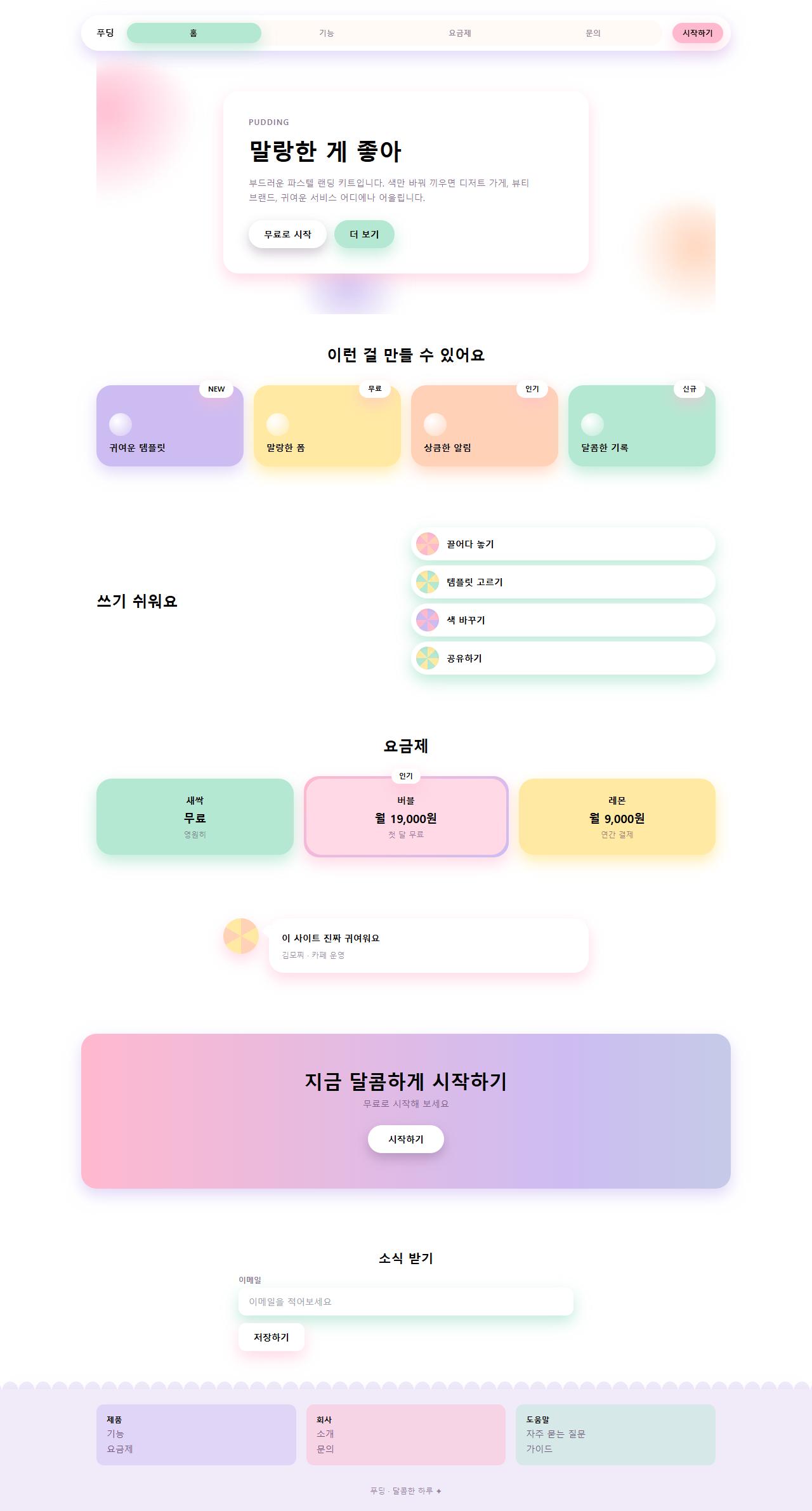
어디서 깨지는가 — 함정
첫 번째로 실제로 겪은 것은 내비 인디케이터의 미세한 밀림이었습니다. 알약 폭을 트랙의 4분의 1에서 좌측 여백 4px를 뺀 calc(25% - 4px)로 두고 translateX(100%)로 옮겼는데, 퍼센트 이동은 그 요소 자기 폭을 기준으로 계산되기 때문에 한 칸 이동마다 4px씩 모자라 세 칸을 지날 때는 12px나 앞 칸에 걸쳐 보였습니다. 렌더된 화면을 확대해 보고서야 알았고, 이동량을 calc(100% + 4px)씩 보정해 맞췄습니다.
두 번째는 푸터의 움직임이 사실상 안 보였던 문제였습니다. 별 두 개만 12px 크기로 깜빡이게 두고 움직임을 측정했더니 화면이 바뀐 면적이 0.12%로, 정지 화면과 구분이 안 됐습니다. 세 칸이 순서대로 들썩이는 물결을 더하고 나서야 6.91%로 올라갔습니다. 세 번째는 그라디언트의 이음새입니다. CTA 밴드처럼 그라디언트를 흐르게 할 때 양 끝 색을 다르게 두면 background-position이 한 바퀴 돌아오는 지점에서 색이 튑니다. 양 끝을 같은 색(핑크)으로 두고 background-size: 300%로 늘려 놓아야 이음매 없이 계속 흐릅니다. 파스텔 일곱 색이 메일 앱에서 어디까지 버티는지는 이메일 템플릿 디자인에서 실측했습니다. 이 세 가지를 다 보정한 완성본을, 이 비밀번호 42smbkak이 걸린 zip을 받아 그대로 열어 확인할 수 있습니다.
아홉 개 데모 전부 MDN prefers-reduced-motion 문서가 정의한 미디어 쿼리를 감지하면 동작을 멈추고 각 요소를 애니메이션이 시작되기 전의 정지 상태(카드는 들썩이기 전 위치, 버튼은 눌리기 전 상태)로 되돌려 고정합니다. 동작을 줄인 방문자에게는 안개가 흐르거나 사탕이 튀는 애니메이션이 안 보이는 대신, 카드·버튼·입력창 자체는 그대로 남아 정보가 빠지지 않습니다.
접근성
파스텔 스타일의 가장 흔한 실패는 글자 대비입니다. 흰 글자를 버블검 핑크(#ffb9cf) 위에 올리면 대비가 1.6:1로 WCAG 2.1 최소 대비 기준인 4.5:1에 크게 못 미칩니다. 이 편은 그래서 글자를 전부 짙은 베리 잉크(#55395e)로 고정했습니다. 크림 바탕에서 9.2:1, 이 팔레트에서 가장 어두운 파스텔인 라벤더 위에서도 5.7:1로 본문 기준을 통과합니다. 파스텔은 표면과 장식의 몫이지 글자의 몫이 아닙니다. 색 그림자는 MDN box-shadow 문서가 안내하는 문법 그대로 쓰되 투명도를 0.28~0.9로 낮춰 그림자가 테두리 역할을 대신하지 않게 했고, 키보드 초점은 색 그림자에 의존하지 않고 :focus-visible 아웃라인을 베리 잉크로 별도 그렸습니다.
파스텔 캔디 말고 다른 홈페이지 유행이 궁금하면 디자인 트렌드 카테고리를 훑어보시고, 이 블로그가 통째로 뭘 다루는지는 소개 페이지에 정리해 뒀습니다.
FAQ
파스텔 캔디와 클레이모피즘은 뭐가 다른가요?
클레이모피즘은 카드가 찰흙처럼 부풀어 오른 입체감이 주인공이라 두꺼운 테두리와 안쪽 그림자로 덩어리를 만듭니다. 파스텔 캔디는 평평한 표면에 색과 그림자의 색으로 분위기를 냅니다. 입체감을 과하게 살리면 클레이가 되고, 색만 남기면 캔디가 됩니다. 파스텔 무드로 프로모션 장면만 떼어 낸 구성은 프로모션 페이지 랜딩 섹션 템플릿 9종에 있습니다.
파스텔 톤 색상 코드가 밝은데 어두운 브랜드에도 쓸 수 있나요?
쓸 수 있지만 파스텔 일곱 색을 그대로 가져가면 브랜드와 부딪힙니다. 크림 바탕과 베리 잉크 구조는 유지하고 카드 색만 브랜드 색의 톤을 낮춘 파스텔로 바꾸면 어두운 브랜드에서도 어울립니다. 그림자도 같은 계열로 맞추는 것이 규칙입니다.
글자 크기가 작아지면 어떻게 되나요?
대비 4.5:1은 본문 크기 기준이고, 18px보다 큰 굵은 글자는 3:1만 통과하면 됩니다. 이 키트의 베리 잉크는 어떤 파스텔 위에서든 최소 5.7:1이므로 크기를 줄여도 본문 기준을 유지합니다. 반대로 연한 파스텔 글자는 크기를 키워도 통과하지 못하니 쓰지 않는 것이 정답입니다.
이런 글이랑 어울려요
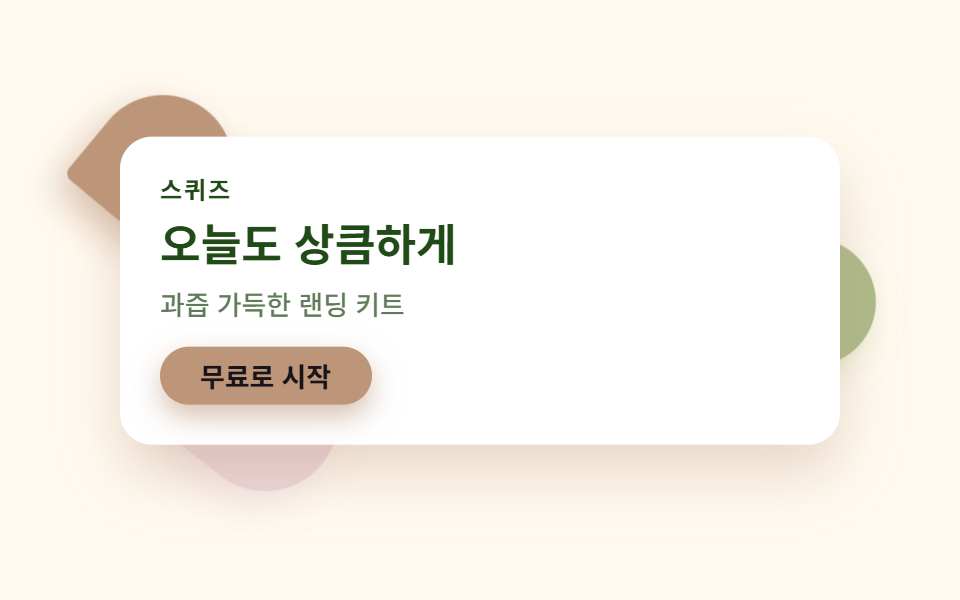 디자인 트렌드청량한 디자인 랜딩 UI 키트, 시트러스 컬러 섹션 9개
 디자인 트렌드saas 랜딩페이지 신뢰감 디자인 키트, 클린 섹션 9개
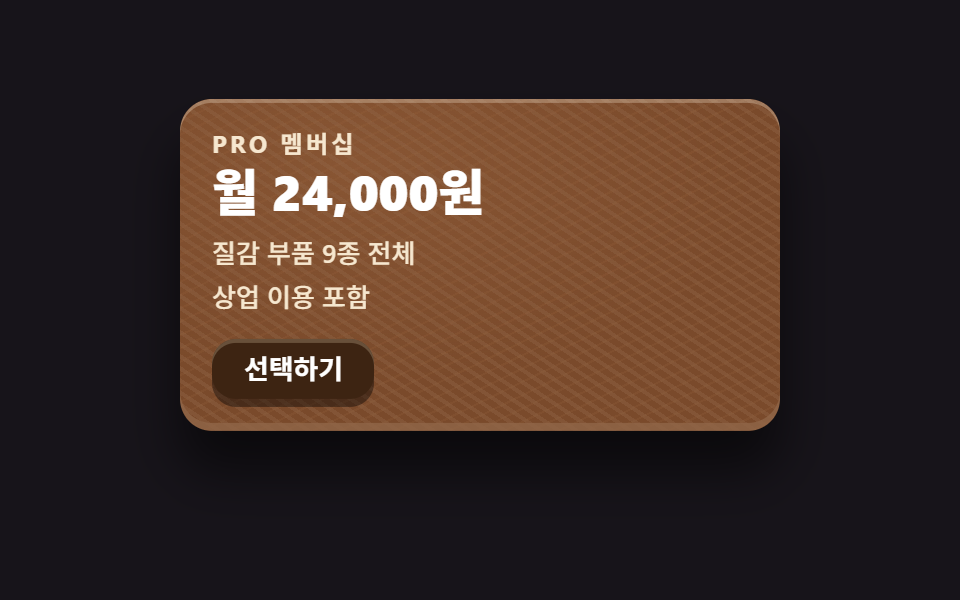 디자인 트렌드스큐어모피즘 디자인 랜딩 키트, 질감 부품 9개
 디자인 트렌드ai 랜딩페이지 오브 디자인 키트, 빛나는 섹션 9개
 디자인 트렌드벤토 그리드 디자인 — 요즘 핀터레스트에서 유행하는 부품 9개
 디자인 트렌드다크 SaaS 랜딩에 스며든 리니어 디자인 시스템 9종
 디자인 트렌드키네틱 타이포그래피 랜딩페이지, 코드로 뜯어봤다
 디자인 트렌드클레이모피즘 랜딩 UI 키트, 통통한 섹션 9개
 디자인 트렌드그레인 얹은 오로라 그라디언트 랜딩 부품 9개
 디자인 트렌드네오브루탈리즘 UI 랜딩 부품 9개, 그림자는 안 번진다