대시보드 차트 디자인 인터랙션 9종 — 호버부터 드릴다운까지
대시보드 차트 디자인에서 진짜 일을 하는 건 그려진 선이 아니라 그 위에서 손이 하는 일입니다. 아홉 개 전부 차트 라이브러리 없이 CSS 막대와 인라인 SVG 위에 바닐라 JS만 얹었고, 만지면 숫자가 바뀌는 쪽으로만 골랐습니다.
 01 chart-ia-crosshair-tooltip
 02 chart-ia-legend-toggle
 03 chart-ia-brush-range
 04 chart-ia-bar-drilldown
 05 chart-ia-period-segment
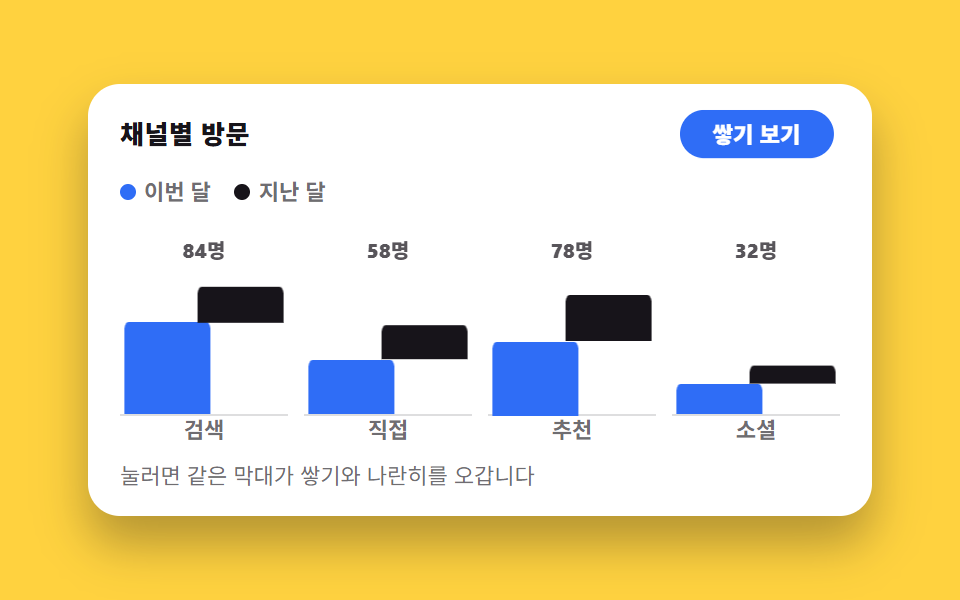 06 chart-ia-stack-group-switch
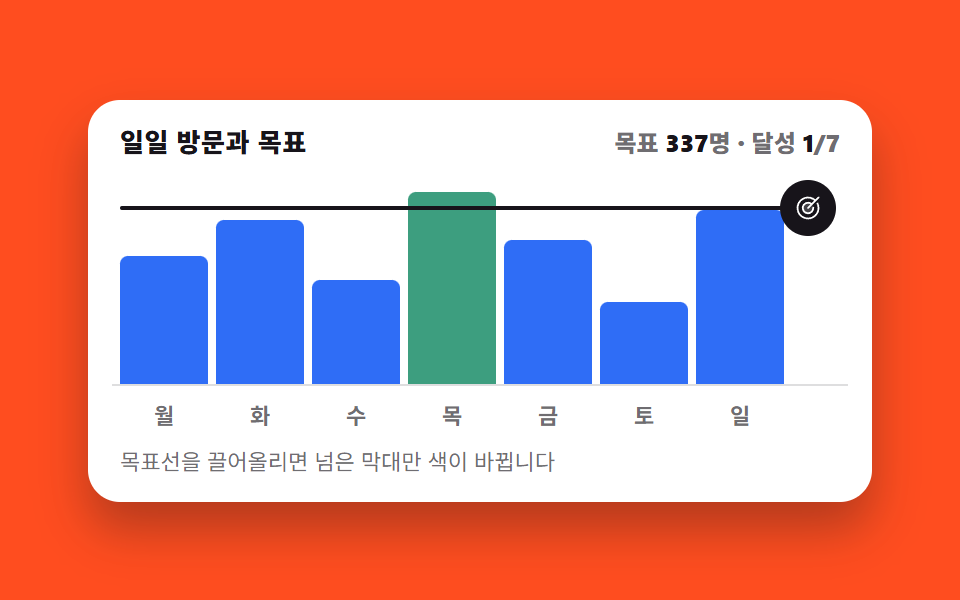 07 chart-ia-goal-line-drag
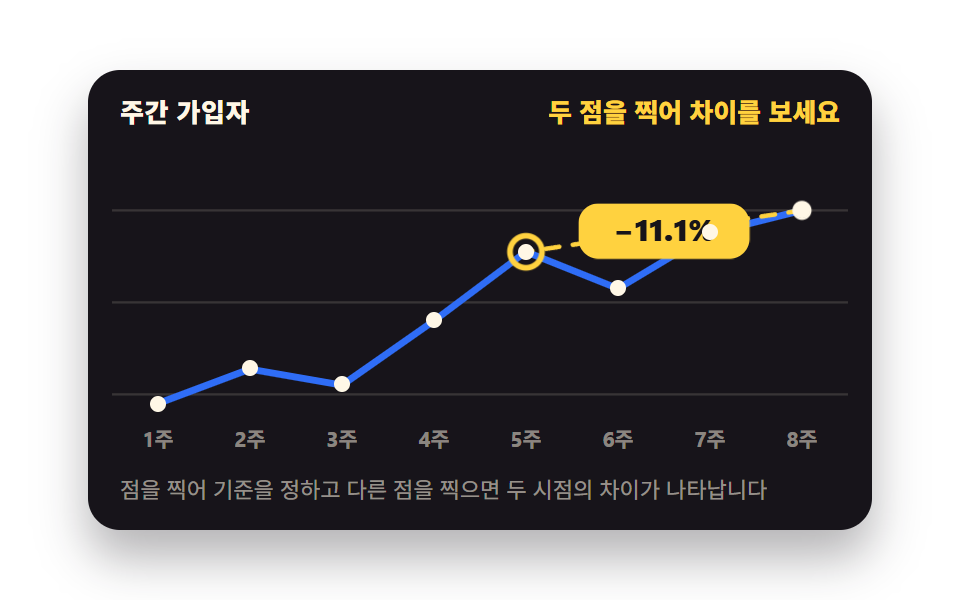 08 chart-ia-compare-pin
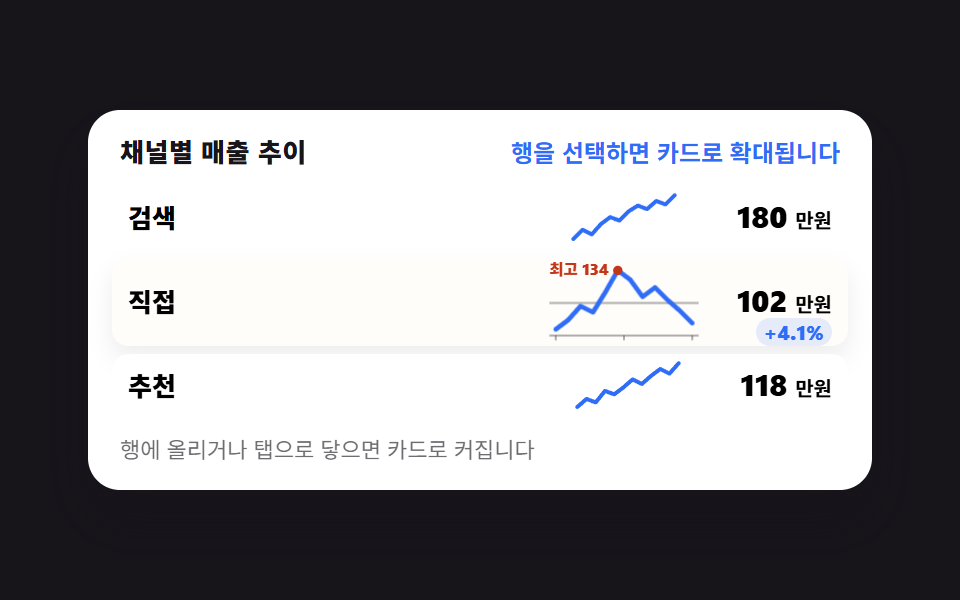 09 chart-ia-sparkline-row-expand
자동 재생 · 눌러서 해당 항목으로 · 전부 한 zip
- 01 마우스를 따라가며 가장 가까운 점에 달라붙는다
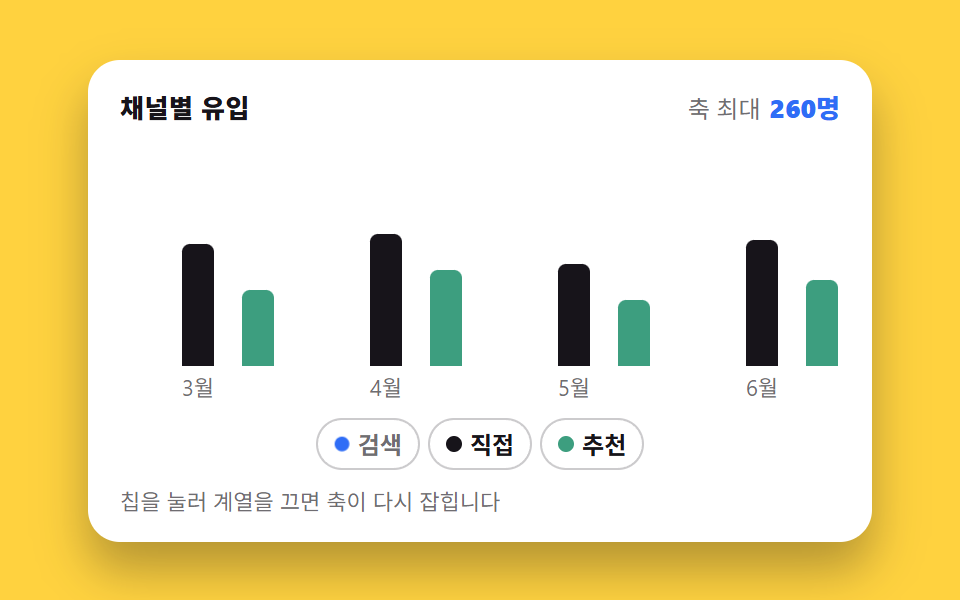
- 02 범례를 끄면 남은 막대가 다시 커진다
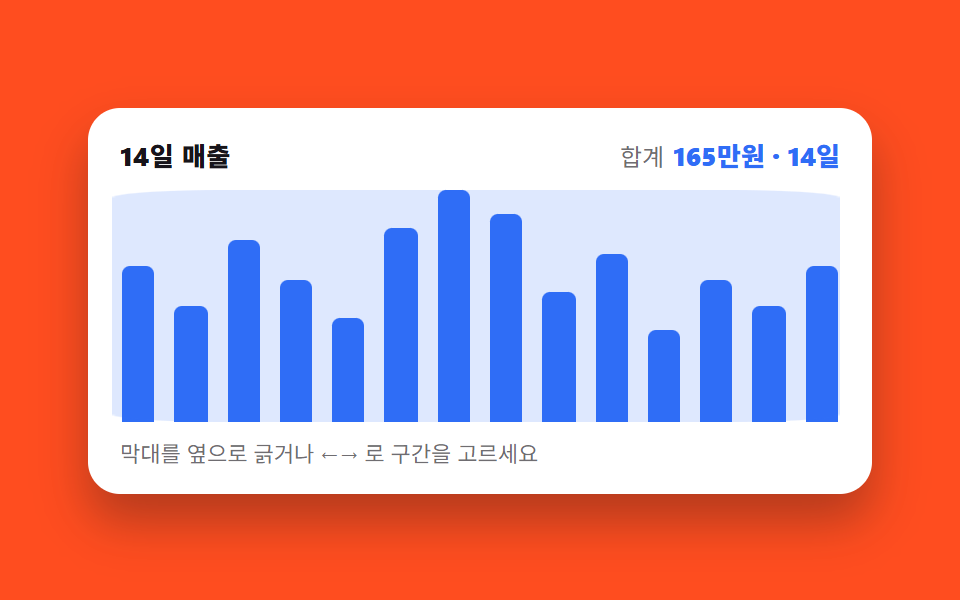
- 03 드래그로 구간을 긁으면 요약 숫자가 바뀐다
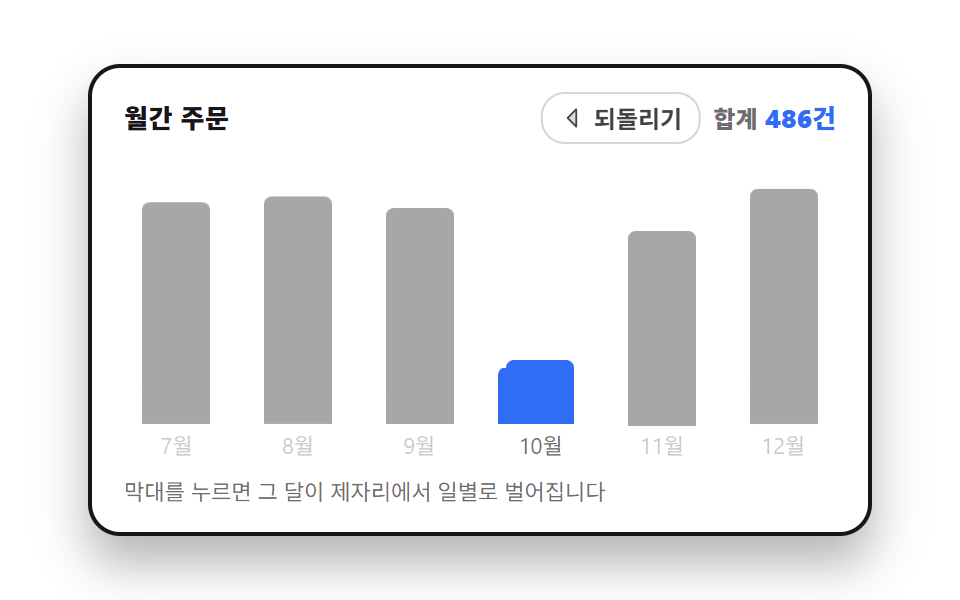
- 04 월 막대를 누르면 그 자리에서 일별로 쪼개진다
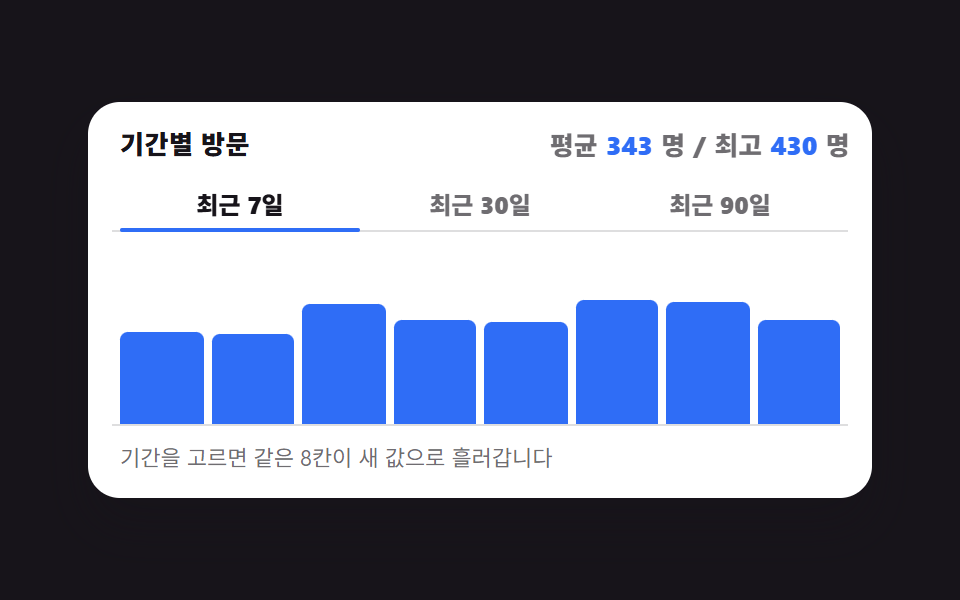
- 05 7일·30일·90일을 고르면 막대가 갈아입는다
- 06 쌓기와 나란히를 오가며 같은 값을 다르게 본다
- 07 목표선을 끌어올리면 넘긴 막대만 색이 바뀐다
- 08 두 점을 찍으면 그 사이 차이가 뜬다
- 09 표 안의 작은 선이 카드로 커진다
순서는 사람이 차트를 읽어 가는 순서입니다. 먼저 값 하나를 확인하고(01), 볼 계열을 추리고(02), 기간을 손으로 긁어 잡습니다(03). 그다음은 파고드는 단계입니다. 한 달을 눌러 일별로 쪼개고(04), 미리 만들어 둔 기간으로 갈아 끼우고(05), 같은 값을 쌓기와 나란히로 뒤집어 봅니다(06). 마지막 셋은 판단하는 단계입니다. 목표선을 직접 옮겨 달성 개수를 세고(07), 두 시점을 찍어 차이를 읽고(08), 표의 한 줄을 확대해 그 채널만 들여다봅니다(09). 아홉 개를 하나로 묶는 약속이 있습니다. 눈에 보이는 모든 변화는 @property로 등록한 커스텀 속성과 aria-*·data-* 속성에만 담기고, 자바스크립트는 그 값을 고칠 뿐 그리는 일은 CSS에 맡깁니다. 그래야 자동 재생 미리보기와 사람이 실제로 만졌을 때가 같은 값을 공유합니다. 도넛 차트 디자인처럼 모양이 먼저 정해진 차트도 결국 같은 약속을 따르는데, 값이 속성에 적혀 있으면 원호든 막대든 그리는 쪽만 갈아 끼우면 되기 때문입니다. 같은 대시보드에서 창을 여는 쪽은 css 검색창 디자인 Cmd+K 팔레트이고, 그래프 자체를 그리는 쪽은 css 그래프 만들기 SVG로가 맡습니다.
01마우스를 따라가며 가장 가까운 점에 달라붙는다
무엇이 보이나
선 위에서 포인터를 옮기면 세로 점선이 점과 점 사이에 어정쩡하게 서지 않고 가장 가까운 날짜 칸으로 끌려갑니다. 마우스 x를 칸 비율로 바꿔 반올림한 정수 하나가 스냅의 전부이고, 나머지는 CSS가 그 정수를 읽어 그립니다.
<main class="stage">
  <figure class="ch is-demo" id="ch">
    <figcaption class="ch__head">
      <span class="ch__title">주간 방문</span>
      <span class="ch__val" aria-live="polite" id="ch-val">5일 · 398명</span>
    </figcaption>
    <div class="ch__plot">
      <svg class="ch__svg" viewBox="0 0 320 132" role="img" aria-label="12일간 방문자 추이 꺾은선. 5일 398명, 12일 401명이 높은 봉우리">
        <g class="ch__grid" aria-hidden="true">
          <line x1="0" y1="24" x2="320" y2="24"/><line x1="0" y1="60" x2="320" y2="60"/><line x1="0" y1="96" x2="320" y2="96"/>
        </g>
        <polyline class="ch__line" points="14,66 40,54 66,58 92,47 118,27 144,39 170,53 196,42 222,29 248,45 274,36 300,25"/>
        <g class="ch__dots" aria-hidden="true">
          <circle cx="14" cy="66" r="3"/><circle cx="40" cy="54" r="3"/><circle cx="66" cy="58" r="3"/><circle cx="92" cy="47" r="3"/><circle cx="118" cy="27" r="3"/><circle cx="144" cy="39" r="3"/><circle cx="170" cy="53" r="3"/><circle cx="196" cy="42" r="3"/><circle cx="222" cy="29" r="3"/><circle cx="248" cy="45" r="3"/><circle cx="274" cy="36" r="3"/><circle cx="300" cy="25" r="3"/>
        </g>
        <g class="ch__cursor" aria-hidden="true">
          <line class="ch__x" x1="0" y1="6" x2="0" y2="112"/>
          <g class="ch__mark"><circle class="ch__ring" r="7"/></g>
          <g class="ch__tip"><g class="ch__tipbox"><rect x="-31" y="-32" width="62" height="24" rx="6"/><text x="0" y="-15" text-anchor="middle">398명</text></g></g>
        </g>
      </svg>
      <button class="ch__hot" type="button" id="ch-hot" aria-label="꺾은선 위 이동 — 날짜별 값 읽기"></button>
    </div>
    <p class="ch__hint">선 위를 옮기면 가장 가까운 날에 붙습니다</p>
    <div class="sr"><table>
      <caption>12일간 방문자 수</caption>
      <tbody><tr><th>1일</th><td>220</td></tr><tr><th>2일</th><td>268</td></tr><tr><th>3일</th><td>254</td></tr><tr><th>4일</th><td>305</td></tr><tr><th>5일</th><td>398</td></tr><tr><th>6일</th><td>342</td></tr><tr><th>7일</th><td>287</td></tr><tr><th>8일</th><td>331</td></tr><tr><th>9일</th><td>376</td></tr><tr><th>10일</th><td>309</td></tr><tr><th>11일</th><td>352</td></tr><tr><th>12일</th><td>401</td></tr></tbody>
    </table></div>
  </figure>
</main>@use "../../../../site/static/demo-tokens" as *;
// 칸 번호와 그 점의 높이를 등록한다. <integer>·<length> 로 등록해야
// 두 값이 타입을 갖고, 정적 경로의 transition 이 칸 사이를 부드럽게 이어 준다.
// 등록하지 않으면 문자열이라 보간이 아예 일어나지 않는다
@property --i {
syntax: "<integer>";
initial-value: 4;
inherits: true;
}
@property --y {
syntax: "<length>";
initial-value: 27px;
inherits: true;
}
$duration: $dur-quick;
$easing: $ease-out;
$color: $subject-blue;
$step: 26px; // 칸 간격 = (300 - 14) / 11, viewBox 단위
@include stage($stage-ink);
.sr {
position: absolute;
width: 1px;
height: 1px;
overflow: hidden;
clip-path: inset(50%);
white-space: nowrap;
}
.ch {
--i: 4;
--y: 27px;
box-sizing: border-box;
width: min(392px, 88vw);
display: flex;
flex-direction: column;
gap: $sp-2;
margin: 0;
padding: $sp-3;
border-radius: $r-card;
background: $stage-paper;
box-shadow: $shadow-raised;
color: $subject-ink;
font-family: -apple-system, "Segoe UI", "Noto Sans KR", sans-serif;
}
.ch__head {
display: flex;
align-items: baseline;
justify-content: space-between;
gap: $sp-2;
padding: 0 $sp-1;
}
.ch__title { font-size: 13px; line-height: 18px; font-weight: 800; letter-spacing: .02em; }
.ch__val { font-size: 13px; line-height: 18px; font-weight: 800; color: $color; font-variant-numeric: tabular-nums; }
.ch__plot { position: relative; }
.ch__svg { display: block; width: 100%; height: auto; }
.ch__grid line { stroke: rgba(23, 20, 26, .14); stroke-width: 1; }
.ch__line {
fill: none;
stroke: $color;
stroke-width: 3;
stroke-linecap: round;
stroke-linejoin: round;
}
.ch__dots circle { fill: $stage-paper; stroke: $color; stroke-width: 2; }
// ── 커서 한 덩어리 ──
// 세로선·고리·툴팁을 **한 그룹** 안에 넣고 그룹만 옮긴다. 셋을 각자 옮기면
// 이징이 조금만 달라도 툴팁이 선을 앞질러 날아간다 (첫 판 실측)
.ch__cursor {
transform: translateX(calc(var(--i) * #{$step} + 14px));
opacity: 0;
}
.ch__x {
stroke: $subject-ink;
stroke-width: 1.5;
stroke-dasharray: 3 4;
}
.ch__mark { transform: translateY(var(--y)); }
.ch__ring {
fill: none;
stroke: $subject-ink;
stroke-width: 2.5;
}
// 툴팁은 커서 그룹 안에서 점 높이만 따라간다. 좌우 위치는 그룹이 이미 정했다
.ch__tip { transform: translateY(var(--y)); }
.ch__tipbox {
transform-box: fill-box;
transform-origin: center;
}
.ch__tipbox rect { fill: $subject-ink; }
.ch__tipbox text { fill: $stage-paper; font-size: 12px; font-weight: 800; }
.ch__hot {
position: absolute;
inset: 0;
margin: 0;
padding: 0;
border: 0;
border-radius: $r-sm;
background: transparent;
cursor: crosshair;
}
.ch__hot:focus-visible { outline: 2px solid $color; outline-offset: -2px; }
.ch__hint { margin: 0; padding: 0 $sp-1; font-size: 11px; line-height: 16px; color: rgba(23, 20, 26, .62); }
// ── 사람이 만진 뒤(정적 경로) — 커서가 보이고 칸 사이를 짧게 미끄러진다 ──
.ch:not(.is-demo) .ch__cursor {
opacity: 1;
transition-property: transform;
transition-duration: $duration;
transition-timing-function: $easing;
}
.ch:not(.is-demo) .ch__mark,
.ch:not(.is-demo) .ch__tip {
transition-property: transform;
transition-duration: $duration;
transition-timing-function: $easing;
}
// ── 자동 루프(2초): 5일 → 9일 → 12일 → 5일 칸을 짚는다 ──
// 칸 이동은 steps(1, end) 컷이다. 사람 손은 칸을 "건너뛰지" 않으므로
// 중간 프레임에 선이 점 사이에 떠 있으면 그 자체가 거짓말이 된다
.ch.is-demo .ch__cursor {
animation-name: ch-x;
animation-duration: $dur-loop;
animation-timing-function: steps(1, end);
animation-iteration-count: infinite;
opacity: 1;
}
@keyframes ch-x {
0% { transform: translateX(calc(4 * #{$step} + 14px)); }
28% { transform: translateX(calc(8 * #{$step} + 14px)); }
56% { transform: translateX(calc(11 * #{$step} + 14px)); }
84% { transform: translateX(calc(4 * #{$step} + 14px)); }
100% { transform: translateX(calc(4 * #{$step} + 14px)); }
}
.ch.is-demo .ch__mark,
.ch.is-demo .ch__tip {
animation-name: ch-y;
animation-duration: $dur-loop;
animation-timing-function: steps(1, end);
animation-iteration-count: infinite;
}
@keyframes ch-y {
0% { transform: translateY(27px); }
28% { transform: translateY(29px); }
56% { transform: translateY(25px); }
84% { transform: translateY(27px); }
100% { transform: translateY(27px); }
}
// 컷 옆에 **반투명이 안 생기는** 움직임을 붙여 프레임을 채운다 — 둘 다 transform 이다
.ch.is-demo .ch__ring {
animation-name: ch-ring;
animation-duration: $dur-loop;
animation-timing-function: $ease-pop;
animation-iteration-count: infinite;
}
@keyframes ch-ring {
0%, 28%, 56%, 84% { transform: scale(.45); }
14%, 42%, 70%, 96% { transform: scale(1.12); }
22%, 50%, 78%, 100% { transform: scale(1); }
}
.ch.is-demo .ch__tipbox {
animation-name: ch-tipbox;
animation-duration: $dur-loop;
animation-timing-function: $ease-pop;
animation-iteration-count: infinite;
}
@keyframes ch-tipbox {
0%, 28%, 56%, 84% { transform: translateY(7px) scale(.8); }
16%, 44%, 72%, 98% { transform: translateY(0) scale(1.04); }
24%, 52%, 80%, 100% { transform: translateY(0) scale(1); }
}
@media (max-width: 340px) {
.ch { padding: $sp-2; gap: $sp-1; }
.ch__hint { display: none; }
.ch__title, .ch__val { font-size: 12px; line-height: 16px; }
}
@media (prefers-reduced-motion: reduce) {
.ch.is-demo .ch__cursor,
.ch.is-demo .ch__mark,
.ch.is-demo .ch__tip,
.ch.is-demo .ch__ring,
.ch.is-demo .ch__tipbox { animation: none !important; }
.ch:not(.is-demo) .ch__cursor,
.ch:not(.is-demo) .ch__mark,
.ch:not(.is-demo) .ch__tip { transition: none !important; }
.ch.is-demo .ch__cursor { opacity: 1; transform: translateX(calc(4 * #{$step} + 14px)); }
.ch.is-demo .ch__mark,
.ch.is-demo .ch__tip { transform: translateY(27px); }
}@property --i {
syntax: "<integer>";
initial-value: 4;
inherits: true;
}
@property --y {
syntax: "<length>";
initial-value: 27px;
inherits: true;
}
html, body {
margin: 0;
overflow: hidden;
}
.stage {
box-sizing: border-box;
min-height: 100vh;
display: grid;
place-items: center;
margin: 0;
background: #17141a;
font-family: -apple-system, "Segoe UI", "Noto Sans KR", sans-serif;
padding: clamp(8px, 4vw, 24px);
}
.sr {
position: absolute;
width: 1px;
height: 1px;
overflow: hidden;
clip-path: inset(50%);
white-space: nowrap;
}
.ch {
--i: 4;
--y: 27px;
box-sizing: border-box;
width: min(392px, 88vw);
display: flex;
flex-direction: column;
gap: 8px;
margin: 0;
padding: 12px;
border-radius: 16px;
background: #ffffff;
box-shadow: 0 14px 24px rgba(23, 20, 26, 0.32);
color: #17141a;
font-family: -apple-system, "Segoe UI", "Noto Sans KR", sans-serif;
}
.ch__head {
display: flex;
align-items: baseline;
justify-content: space-between;
gap: 8px;
padding: 0 4px;
}
.ch__title {
font-size: 13px;
line-height: 18px;
font-weight: 800;
letter-spacing: 0.02em;
}
.ch__val {
font-size: 13px;
line-height: 18px;
font-weight: 800;
color: #2f6df6;
font-variant-numeric: tabular-nums;
}
.ch__plot {
position: relative;
}
.ch__svg {
display: block;
width: 100%;
height: auto;
}
.ch__grid line {
stroke: rgba(23, 20, 26, 0.14);
stroke-width: 1;
}
.ch__line {
fill: none;
stroke: #2f6df6;
stroke-width: 3;
stroke-linecap: round;
stroke-linejoin: round;
}
.ch__dots circle {
fill: #ffffff;
stroke: #2f6df6;
stroke-width: 2;
}
.ch__cursor {
transform: translateX(calc(var(--i) * 26px + 14px));
opacity: 0;
}
.ch__x {
stroke: #17141a;
stroke-width: 1.5;
stroke-dasharray: 3 4;
}
.ch__mark {
transform: translateY(var(--y));
}
.ch__ring {
fill: none;
stroke: #17141a;
stroke-width: 2.5;
}
.ch__tip {
transform: translateY(var(--y));
}
.ch__tipbox {
transform-box: fill-box;
transform-origin: center;
}
.ch__tipbox rect {
fill: #17141a;
}
.ch__tipbox text {
fill: #ffffff;
font-size: 12px;
font-weight: 800;
}
.ch__hot {
position: absolute;
inset: 0;
margin: 0;
padding: 0;
border: 0;
border-radius: 8px;
background: transparent;
cursor: crosshair;
}
.ch__hot:focus-visible {
outline: 2px solid #2f6df6;
outline-offset: -2px;
}
.ch__hint {
margin: 0;
padding: 0 4px;
font-size: 11px;
line-height: 16px;
color: rgba(23, 20, 26, 0.62);
}
.ch:not(.is-demo) .ch__cursor {
opacity: 1;
transition-property: transform;
transition-duration: 220ms;
transition-timing-function: ease-out;
}
.ch:not(.is-demo) .ch__mark,
.ch:not(.is-demo) .ch__tip {
transition-property: transform;
transition-duration: 220ms;
transition-timing-function: ease-out;
}
.ch.is-demo .ch__cursor {
animation-name: ch-x;
animation-duration: 2s;
animation-timing-function: steps(1, end);
animation-iteration-count: infinite;
opacity: 1;
}
@keyframes ch-x {
0% {
transform: translateX(calc(4 * 26px + 14px));
}
28% {
transform: translateX(calc(8 * 26px + 14px));
}
56% {
transform: translateX(calc(11 * 26px + 14px));
}
84% {
transform: translateX(calc(4 * 26px + 14px));
}
100% {
transform: translateX(calc(4 * 26px + 14px));
}
}
.ch.is-demo .ch__mark,
.ch.is-demo .ch__tip {
animation-name: ch-y;
animation-duration: 2s;
animation-timing-function: steps(1, end);
animation-iteration-count: infinite;
}
@keyframes ch-y {
0% {
transform: translateY(27px);
}
28% {
transform: translateY(29px);
}
56% {
transform: translateY(25px);
}
84% {
transform: translateY(27px);
}
100% {
transform: translateY(27px);
}
}
.ch.is-demo .ch__ring {
animation-name: ch-ring;
animation-duration: 2s;
animation-timing-function: cubic-bezier(0.2, 1.4, 0.4, 1);
animation-iteration-count: infinite;
}
@keyframes ch-ring {
0%, 28%, 56%, 84% {
transform: scale(0.45);
}
14%, 42%, 70%, 96% {
transform: scale(1.12);
}
22%, 50%, 78%, 100% {
transform: scale(1);
}
}
.ch.is-demo .ch__tipbox {
animation-name: ch-tipbox;
animation-duration: 2s;
animation-timing-function: cubic-bezier(0.2, 1.4, 0.4, 1);
animation-iteration-count: infinite;
}
@keyframes ch-tipbox {
0%, 28%, 56%, 84% {
transform: translateY(7px) scale(0.8);
}
16%, 44%, 72%, 98% {
transform: translateY(0) scale(1.04);
}
24%, 52%, 80%, 100% {
transform: translateY(0) scale(1);
}
}
@media (max-width: 340px) {
.ch {
padding: 8px;
gap: 4px;
}
.ch__hint {
display: none;
}
.ch__title, .ch__val {
font-size: 12px;
line-height: 16px;
}
}
@media (prefers-reduced-motion: reduce) {
.ch.is-demo .ch__cursor,
.ch.is-demo .ch__mark,
.ch.is-demo .ch__tip,
.ch.is-demo .ch__ring,
.ch.is-demo .ch__tipbox {
animation: none !important;
}
.ch:not(.is-demo) .ch__cursor,
.ch:not(.is-demo) .ch__mark,
.ch:not(.is-demo) .ch__tip {
transition: none !important;
}
.ch.is-demo .ch__cursor {
opacity: 1;
transform: translateX(calc(4 * 26px + 14px));
}
.ch.is-demo .ch__mark,
.ch.is-demo .ch__tip {
transform: translateY(27px);
}
}// 실제 동작: pointermove 의 x 를 12칸 중 가장 가까운 칸으로 반올림해 **스냅**한다.
// 결과는 커스텀 속성 두 개(--i 칸 번호, --y 그 점의 높이)로만 나가고,
// 세로선·고리·툴팁은 전부 그 두 값을 읽는 같은 그룹 안에 있다 — 그래서 절대 어긋나지 않는다.
var N = 12;
var ch = document.getElementById('ch');
var hot = document.getElementById('ch-hot');
var val = document.getElementById('ch-val');
var tip = ch.querySelector('.ch__tip text');
var ys = [66, 54, 58, 47, 27, 39, 53, 42, 29, 45, 36, 25];
var nums = [220, 268, 254, 305, 398, 342, 287, 331, 376, 309, 352, 401];
var cur = 4;
function snap(i) {
cur = Math.min(Math.max(i, 0), N - 1);
ch.classList.remove('is-demo');
ch.style.setProperty('--i', String(cur));
ch.style.setProperty('--y', ys[cur] + 'px');
tip.textContent = nums[cur] + '명';
val.textContent = (cur + 1) + '일 · ' + nums[cur] + '명';
}
hot.addEventListener('pointermove', function (e) {
var r = hot.getBoundingClientRect();
var t = Math.min(Math.max((e.clientX - r.left) / r.width, 0), 1);
snap(Math.round(t * (N - 1)));
});
hot.addEventListener('keydown', function (e) {
var d = e.key === 'ArrowRight' ? 1 : e.key === 'ArrowLeft' ? -1 : 0;
if (d) { e.preventDefault(); snap(cur + d); hot.focus({ preventScroll: true }); }
if (e.key === 'Home' || e.key === 'End') { e.preventDefault(); snap(e.key === 'Home' ? 0 : N - 1); }
});import { useState } from "react";
import type { CSSProperties } from "react";
import styles from "./CrosshairTooltip.module.scss";
export type CrosshairTooltipProps = {
title?: string;
hint?: string;
unit?: string;
dayLabel?: (i: number) => string;
chartLabel?: string;
hotLabel?: string;
tableCaption?: string;
duration?: number;
easing?: string;
color?: string;
};
type Vars = CSSProperties & {
"--duration"?: string;
"--easing"?: string;
"--color"?: string;
"--i"?: string;
"--y"?: string;
};
// ambient 타입에 React 이벤트 제네릭이 없어 필요한 모양만 직접 적는다
type PointerLike = { clientX: number; currentTarget: { getBoundingClientRect(): DOMRect } };
type KeyEvt = { key: string; preventDefault(): void };
const XS = [14, 40, 66, 92, 118, 144, 170, 196, 222, 248, 274, 300];
const YS = [66, 54, 58, 47, 27, 39, 53, 42, 29, 45, 36, 25];
const NUMS = [220, 268, 254, 305, 398, 342, 287, 331, 376, 309, 352, 401];
const N = NUMS.length;
export default function CrosshairTooltip({
title = "Weekly visits",
hint = "Move across the line and it snaps to the nearest day",
unit = "",
dayLabel = (i: number) => `Day ${i + 1}`,
chartLabel = "Visitor trend over 12 days. Day 5 at 398 and day 12 at 401 are the peaks",
hotLabel = "Move across the line to read each day",
tableCaption = "Visitors over 12 days",
duration = 220,
easing = "ease-out",
color = "#2f6df6",
}: CrosshairTooltipProps) {
const [demo, setDemo] = useState(true);
const [i, setI] = useState(4);
// 칸 번호와 그 점의 높이 두 값만 CSS 로 내보낸다 — 세로선·고리·툴팁이 같은 그룹 안에서 그 값을 읽는다
const vars: Vars = {
"--duration": `${duration}ms`,
"--easing": easing,
"--color": color,
"--i": String(i),
"--y": `${YS[i]}px`,
};
function snap(next: number) {
setDemo(false);
setI(Math.min(Math.max(next, 0), N - 1));
}
function onMove(e: PointerLike) {
const r = e.currentTarget.getBoundingClientRect();
const t = Math.min(Math.max((e.clientX - r.left) / r.width, 0), 1);
snap(Math.round(t * (N - 1)));
}
function onKey(e: KeyEvt) {
if (e.key === "ArrowRight") { e.preventDefault(); snap(i + 1); }
if (e.key === "ArrowLeft") { e.preventDefault(); snap(i - 1); }
if (e.key === "Home") { e.preventDefault(); snap(0); }
if (e.key === "End") { e.preventDefault(); snap(N - 1); }
}
const points = XS.map((x, k) => `${x},${YS[k]}`).join(" ");
return (
<figure className={`${styles.ch} ${demo ? styles.isDemo : ""}`} style={vars}>
<figcaption className={styles.head}>
<span className={styles.title}>{title}</span>
<span className={styles.val} aria-live="polite">
{dayLabel(i)} · {NUMS[i]}{unit}
</span>
</figcaption>
<div className={styles.plot}>
<svg className={styles.svg} viewBox="0 0 320 132" role="img" aria-label={chartLabel}>
<g className={styles.grid} aria-hidden="true">
<line x1="0" y1="24" x2="320" y2="24" /><line x1="0" y1="60" x2="320" y2="60" /><line x1="0" y1="96" x2="320" y2="96" />
</g>
<polyline className={styles.line} points={points} />
<g className={styles.dots} aria-hidden="true">
{XS.map((x, k) => <circle key={x} cx={x} cy={YS[k]} r="3" />)}
</g>
<g className={styles.cursor} aria-hidden="true">
<line className={styles.x} x1="0" y1="6" x2="0" y2="112" />
<g className={styles.mark}><circle className={styles.ring} r="7" /></g>
<g className={styles.tip}>
<g className={styles.tipbox}>
<rect x="-31" y="-32" width="62" height="24" rx="6" />
<text x="0" y="-15" textAnchor="middle">{NUMS[i]}{unit}</text>
</g>
</g>
</g>
</svg>
<button className={styles.hot} type="button" aria-label={hotLabel} onPointerMove={onMove} onKeyDown={onKey} />
</div>
<p className={styles.hint}>{hint}</p>
<div className={styles.sr}>
<table>
<caption>{tableCaption}</caption>
<tbody>
{NUMS.map((n, k) => <tr key={n + "-" + k}><th>{dayLabel(k)}</th><td>{n}</td></tr>)}
</tbody>
</table>
</div>
</figure>
);
}01 · 마우스를 따라가며 가장 가까운 점에 달라붙는다 — 측정 누적면적 4.833% · 움직인 프레임 23/23GODRICH 원작 · zip 에 SCSS·React 포함 · 비밀번호 보기
코드에서 볼 곳
24프레임 렌더에서 움직인 프레임은 23장, 누적면적은 4.833%입니다.
var N = 12;
function snap(i) {
  cur = Math.min(Math.max(i, 0), N - 1);
  ch.classList.remove('is-demo');
  ch.style.setProperty('--i', String(cur));
  ch.style.setProperty('--y', ys[cur] + 'px');
  tip.textContent = nums[cur] + '명';
  val.textContent = (cur + 1) + '일 · ' + nums[cur] + '명';
}
hot.addEventListener('pointermove', function (e) {
  var r = hot.getBoundingClientRect();
  var t = Math.min(Math.max((e.clientX - r.left) / r.width, 0), 1);
  snap(Math.round(t * (N - 1)));
});
02범례를 끄면 남은 막대가 다시 커진다
차트 ui 에서 범례를 끄면 화면에서 무엇이 달라지나
범례 칩을 누르면 그 계열이 바닥으로 접히고, 남은 계열의 최댓값으로 축이 다시 잡혀 나머지 막대가 전부 더 높이 자랍니다.
<main class="stage">
  <figure class="lg is-demo" id="lg">
    <figcaption class="lg__head">
      <span class="lg__title">채널별 유입</span>
      <span class="lg__sum"><span class="lg__lab">축 최대</span> <span class="lg__val" aria-hidden="true"><i class="lg__n"></i>명</span></span>
    </figcaption>
    <div class="lg__plot" role="img" aria-label="채널별 유입 막대 그래프. 검색이 가장 높고 5월 460명이 최대, 직접은 최대 260명, 추천은 최대 190명">
      <div class="lg__groups">
        <div class="lg__group">
          <i class="lg__bar" data-s="0" data-m="0" style="--b:91.3%"></i>
          <i class="lg__bar" data-s="1" data-m="0" style="--b:52.2%"></i>
          <i class="lg__bar" data-s="2" data-m="0" style="--b:32.6%"></i>
        </div>
        <div class="lg__group">
          <i class="lg__bar" data-s="0" data-m="1" style="--b:82.6%"></i>
          <i class="lg__bar" data-s="1" data-m="1" style="--b:56.5%"></i>
          <i class="lg__bar" data-s="2" data-m="1" style="--b:41.3%"></i>
        </div>
        <div class="lg__group">
          <i class="lg__bar" data-s="0" data-m="2" style="--b:100%"></i>
          <i class="lg__bar" data-s="1" data-m="2" style="--b:43.5%"></i>
          <i class="lg__bar" data-s="2" data-m="2" style="--b:28.3%"></i>
        </div>
        <div class="lg__group">
          <i class="lg__bar" data-s="0" data-m="3" style="--b:95.7%"></i>
          <i class="lg__bar" data-s="1" data-m="3" style="--b:54.3%"></i>
          <i class="lg__bar" data-s="2" data-m="3" style="--b:37%"></i>
        </div>
      </div>
      <div class="lg__axis" aria-hidden="true">
        <span>3월</span><span>4월</span><span>5월</span><span>6월</span>
      </div>
    </div>
    <div class="lg__chips" role="group" aria-label="보일 계열 고르기">
      <button class="lg__chip" type="button" data-s="0" aria-pressed="true"><i class="lg__dot" aria-hidden="true"></i>검색</button>
      <button class="lg__chip" type="button" data-s="1" aria-pressed="true"><i class="lg__dot" aria-hidden="true"></i>직접</button>
      <button class="lg__chip" type="button" data-s="2" aria-pressed="true"><i class="lg__dot" aria-hidden="true"></i>추천</button>
    </div>
    <p class="lg__hint">칩을 눌러 계열을 끄면 축이 다시 잡힙니다</p>
    <span class="sr" aria-live="polite" id="lg-live">축 최대 460명</span>
    <div class="sr"><table>
      <caption>채널별 월간 유입</caption>
      <thead><tr><th>월</th><th>검색</th><th>직접</th><th>추천</th></tr></thead>
      <tbody>
        <tr><th>3월</th><td>420</td><td>240</td><td>150</td></tr>
        <tr><th>4월</th><td>380</td><td>260</td><td>190</td></tr>
        <tr><th>5월</th><td>460</td><td>200</td><td>130</td></tr>
        <tr><th>6월</th><td>440</td><td>250</td><td>170</td></tr>
      </tbody>
    </table></div>
  </figure>
</main>@use "../../../../site/static/demo-tokens" as *;
// 막대 높이를 <percentage> 로 등록한다. 등록해야만 --h 가 "값"이 되어
// transition 이 숫자를 보간한다 — 등록 안 된 커스텀 속성은 문자열 토큰이라
// 값이 바뀌면 그냥 뛰어넘는다 (이 데모의 주제).
@property --h {
syntax: "<percentage>";
initial-value: 0%;
inherits: false;
}
// 자동 루프가 굴리는 축 배율. 계승되어 모든 막대의 --h 계산에 들어간다.
// 루프에서도 정적 경로와 같은 원리(--h 보간)로 막대가 자란다.
@property --g {
syntax: "<number>";
initial-value: 1;
inherits: true;
}
// 축 최대값. 글자로 두면 루프에서 갈아 끼울 수 없어 「검색을 껐는데 축은 460」 같은
// 프레임이 남는다 — 정수로 등록해 카운터로 그린다
@property --mx {
syntax: "<integer>";
initial-value: 460;
inherits: true;
}
$duration: $dur-base;
$easing: $ease-spring;
$color: $subject-blue;
// 흰 카드 위의 막대는 $subject-mint 그대로는 흰 바탕과 1.86:1 이라
// WCAG 1.4.11(비텍스트 3:1)에 못 미친다. 토큰 두 개를 섞어 3.28:1 로 내린 판을 쓴다
$mint-bar: mix($subject-mint, $subject-ink, 72%);
$axis-max: 460; // 켜진 계열 전체의 최댓값
$axis-next: 260; // 검색을 뺐을 때 남은 계열의 최댓값
$axis-scale: 1.7692; // 460 / 260 — 축이 다시 잡히는 배율 (calc 안에서는 변수 치환이 안 되니 밖에서 계산해 둔다)
@include stage($stage-yellow);
.sr {
position: absolute;
width: 1px;
height: 1px;
overflow: hidden;
clip-path: inset(50%);
white-space: nowrap;
}
.lg {
--g: 1;
--mx: 460;
box-sizing: border-box;
width: min(392px, 88vw);
display: flex;
flex-direction: column;
gap: $sp-2;
margin: 0;
padding: $sp-3;
border-radius: $r-card;
background: $stage-paper;
box-shadow: $shadow-raised;
color: $subject-ink;
font-family: -apple-system, "Segoe UI", "Noto Sans KR", sans-serif;
}
.lg__head {
display: flex;
align-items: baseline;
justify-content: space-between;
gap: $sp-2;
padding: 0 $sp-1;
}
.lg__title { font-size: 13px; line-height: 18px; font-weight: 800; letter-spacing: .02em; }
.lg__lab { font-size: 12px; line-height: 18px; color: rgba(23, 20, 26, .62); }
.lg__n { font-style: normal; counter-reset: mx var(--mx); }
.lg__n::after { content: counter(mx); }
.lg__val { font-size: 13px; line-height: 18px; font-weight: 800; color: $color; font-variant-numeric: tabular-nums; }
.lg__plot { display: flex; flex-direction: column; gap: $sp-1; }
// 칸 배분은 flex 가 아니라 grid 균등 분할 — scaleX 인디케이터 오탐(BD19) 회피이자
// 칸 폭이 정확히 균등해지는 정답
.lg__groups {
display: grid;
grid-template-columns: repeat(4, 1fr);
gap: $sp-2;
height: 112px;
}
.lg__group {
display: grid;
grid-template-columns: repeat(3, 1fr);
gap: $sp-1;
align-items: end;
}
.lg__bar {
--h: var(--b); // 기본 높이 = 축 최댓값(460) 기준 백분율
justify-self: center;
width: 64%;
height: var(--h);
border-radius: $r-xs $r-xs 0 0;
background: $color;
transform-origin: 50% 100%; // 바닥 고정 — 접히면 아래로 사라진다
}
.lg__bar[data-s="1"] { background: $subject-ink; }
.lg__bar[data-s="2"] { background: $mint-bar; }
// 꺼진 계열: 숨기는 게 아니라 바닥으로 접는다 — transform 이라 레이아웃 재계산 없음
.lg__bar[data-fold="1"] { transform: scaleY(0); }
.lg__axis {
display: grid;
grid-template-columns: repeat(4, 1fr);
gap: $sp-2;
}
.lg__axis span { text-align: center; font-size: 11px; line-height: 14px; color: rgba(23, 20, 26, .62); }
.lg__chips {
display: flex;
flex-wrap: wrap;
justify-content: center;
gap: $sp-1;
padding: 0 $sp-1;
}
.lg__chip {
display: inline-flex;
align-items: center;
gap: $sp-1;
margin: 0;
padding: $sp-1 $sp-2;
border: 1.5px solid rgba(23, 20, 26, .22);
border-radius: $r-pill;
background: $stage-paper;
color: $subject-ink;
font-family: inherit;
font-size: 12px;
line-height: 16px;
font-weight: 700;
cursor: pointer;
}
.lg__chip:focus-visible { outline: 2px solid $color; outline-offset: 1px; }
.lg__dot { width: 8px; height: 8px; border-radius: 50%; background: $color; }
.lg__chip[data-s="1"] .lg__dot { background: $subject-ink; }
.lg__chip[data-s="2"] .lg__dot { background: $mint-bar; }
.lg__chip[aria-pressed="false"] { color: rgba(23, 20, 26, .62); }
.lg__chip[aria-pressed="false"] .lg__dot { transform: scale(.55); }
.lg__hint { margin: 0; padding: 0 $sp-1; font-size: 11px; line-height: 16px; color: rgba(23, 20, 26, .62); }
// ── 사람이 만진 뒤(정적 경로) ──
// --h 를 transition 대상에 넣는 게 핵심이다. 등록된 커스텀 속성이라
// 값 자체가 보간되고, height 는 var(--h) 를 매 프레임 따라간다.
.lg:not(.is-demo) .lg__bar {
transition-property: --h, transform;
transition-duration: $duration;
transition-timing-function: $easing;
}
.lg:not(.is-demo) .lg__dot {
transition-property: transform;
transition-duration: $dur-quick;
transition-timing-function: $easing;
}
// ── 자동 루프(2초): 검색을 끄면 남은 막대가 다시 자란다 ──
// --g 는 축 배율(460/260). 루프에서 막대의 --h 는 원본 백분율 × 배율로 계산되고,
// --g 가 부드럽게 굴러가므로 정적 경로와 같은 보간으로 막대가 자란다.
.lg.is-demo .lg__bar { --h: calc(var(--b) * var(--g)); }
.lg.is-demo,
.lg.is-demo .lg__bar[data-s="0"] {
animation-duration: $dur-loop;
animation-iteration-count: infinite;
}
// 키프레임 안의 커스텀 속성에는 sass 변수가 그대로 새겨지지 않는다 — #{} 로 치환해야 한다
@keyframes lg-grow {
0%, 12% { --g: 1; }
30%, 68% { --g: #{$axis-scale}; }
84%, 100% { --g: 1; }
}
// 검색 막대의 접힘/복귀는 컷 — 반쯤 접힌 막대는 거짓말이다
.lg.is-demo .lg__bar[data-s="0"] {
animation-name: lg-fold;
animation-timing-function: steps(1, end);
}
@keyframes lg-fold {
0%, 11.99% { transform: scaleY(1); }
12%, 83.99% { transform: scaleY(0); }
84%, 100% { transform: scaleY(1); }
}
// 칩도 같은 박자로: 점은 컷과 별개로 부드럽게 줄어들며 프레임을 채운다
.lg.is-demo .lg__chip[data-s="0"] {
animation-name: lg-chip;
animation-duration: $dur-loop;
animation-timing-function: steps(1, end);
animation-iteration-count: infinite;
}
// 축 최대 숫자도 칩과 **같은 박자**의 컷 — 상태는 누른 순간 바뀌고 막대가 따라 자란다.
// 숫자만 막대 도착 시각에 두면 「축은 아직 460인데 막대는 260 기준」 프레임이 생긴다
.lg.is-demo { animation-name: lg-grow, lg-mx; animation-timing-function: $ease-out, steps(1, end); }
@keyframes lg-mx {
0%, 11.99% { --mx: #{$axis-max}; }
12%, 83.99% { --mx: #{$axis-next}; }
84%, 100% { --mx: #{$axis-max}; }
}
@keyframes lg-chip {
0%, 11.99% { color: $subject-ink; }
12%, 83.99% { color: rgba(23, 20, 26, .62); }
84%, 100% { color: $subject-ink; }
}
.lg.is-demo .lg__chip[data-s="0"] .lg__dot {
animation-name: lg-dot;
animation-duration: $dur-loop;
animation-timing-function: $ease-pop;
animation-iteration-count: infinite;
}
@keyframes lg-dot {
0%, 12% { transform: scale(1); }
30%, 68% { transform: scale(.55); }
84%, 100% { transform: scale(1); }
}
@media (max-width: 340px) {
.lg { padding: $sp-2; gap: $sp-1; }
.lg__groups { height: 84px; gap: $sp-1; }
.lg__title, .lg__val { font-size: 12px; line-height: 16px; }
.lg__lab { font-size: 11px; line-height: 16px; }
.lg__chip { padding: $sp-1; font-size: 11px; line-height: 14px; }
.lg__hint { display: none; }
}
@media (prefers-reduced-motion: reduce) {
.lg.is-demo,
.lg.is-demo .lg__bar[data-s="0"],
.lg.is-demo .lg__chip[data-s="0"],
.lg.is-demo .lg__chip[data-s="0"] .lg__dot { animation: none !important; }
.lg:not(.is-demo) .lg__bar,
.lg:not(.is-demo) .lg__dot { transition: none !important; }
}@property --h {
syntax: "<percentage>";
initial-value: 0%;
inherits: false;
}
@property --g {
syntax: "<number>";
initial-value: 1;
inherits: true;
}
@property --mx {
syntax: "<integer>";
initial-value: 460;
inherits: true;
}
html, body {
margin: 0;
overflow: hidden;
}
.stage {
box-sizing: border-box;
min-height: 100vh;
display: grid;
place-items: center;
margin: 0;
background: #ffd23f;
font-family: -apple-system, "Segoe UI", "Noto Sans KR", sans-serif;
padding: clamp(8px, 4vw, 24px);
}
.sr {
position: absolute;
width: 1px;
height: 1px;
overflow: hidden;
clip-path: inset(50%);
white-space: nowrap;
}
.lg {
--g: 1;
--mx: 460;
box-sizing: border-box;
width: min(392px, 88vw);
display: flex;
flex-direction: column;
gap: 8px;
margin: 0;
padding: 12px;
border-radius: 16px;
background: #ffffff;
box-shadow: 0 14px 24px rgba(23, 20, 26, 0.32);
color: #17141a;
font-family: -apple-system, "Segoe UI", "Noto Sans KR", sans-serif;
}
.lg__head {
display: flex;
align-items: baseline;
justify-content: space-between;
gap: 8px;
padding: 0 4px;
}
.lg__title {
font-size: 13px;
line-height: 18px;
font-weight: 800;
letter-spacing: 0.02em;
}
.lg__lab {
font-size: 12px;
line-height: 18px;
color: rgba(23, 20, 26, 0.62);
}
.lg__n {
font-style: normal;
counter-reset: mx var(--mx);
}
.lg__n::after {
content: counter(mx);
}
.lg__val {
font-size: 13px;
line-height: 18px;
font-weight: 800;
color: #2f6df6;
font-variant-numeric: tabular-nums;
}
.lg__plot {
display: flex;
flex-direction: column;
gap: 4px;
}
.lg__groups {
display: grid;
grid-template-columns: repeat(4, 1fr);
gap: 8px;
height: 112px;
}
.lg__group {
display: grid;
grid-template-columns: repeat(3, 1fr);
gap: 4px;
align-items: end;
}
.lg__bar {
--h: var(--b);
justify-self: center;
width: 64%;
height: var(--h);
border-radius: 4px 4px 0 0;
background: #2f6df6;
transform-origin: 50% 100%;
}
.lg__bar[data-s="1"] {
background: #17141a;
}
.lg__bar[data-s="2"] {
background: rgb(23.9843137255%, 62.0549019608%, 49.7254901961%);
}
.lg__bar[data-fold="1"] {
transform: scaleY(0);
}
.lg__axis {
display: grid;
grid-template-columns: repeat(4, 1fr);
gap: 8px;
}
.lg__axis span {
text-align: center;
font-size: 11px;
line-height: 14px;
color: rgba(23, 20, 26, 0.62);
}
.lg__chips {
display: flex;
flex-wrap: wrap;
justify-content: center;
gap: 4px;
padding: 0 4px;
}
.lg__chip {
display: inline-flex;
align-items: center;
gap: 4px;
margin: 0;
padding: 4px 8px;
border: 1.5px solid rgba(23, 20, 26, 0.22);
border-radius: 999px;
background: #ffffff;
color: #17141a;
font-family: inherit;
font-size: 12px;
line-height: 16px;
font-weight: 700;
cursor: pointer;
}
.lg__chip:focus-visible {
outline: 2px solid #2f6df6;
outline-offset: 1px;
}
.lg__dot {
width: 8px;
height: 8px;
border-radius: 50%;
background: #2f6df6;
}
.lg__chip[data-s="1"] .lg__dot {
background: #17141a;
}
.lg__chip[data-s="2"] .lg__dot {
background: rgb(23.9843137255%, 62.0549019608%, 49.7254901961%);
}
.lg__chip[aria-pressed=false] {
color: rgba(23, 20, 26, 0.62);
}
.lg__chip[aria-pressed=false] .lg__dot {
transform: scale(0.55);
}
.lg__hint {
margin: 0;
padding: 0 4px;
font-size: 11px;
line-height: 16px;
color: rgba(23, 20, 26, 0.62);
}
.lg:not(.is-demo) .lg__bar {
transition-property: --h, transform;
transition-duration: 300ms;
transition-timing-function: cubic-bezier(0.2, 0.8, 0.2, 1);
}
.lg:not(.is-demo) .lg__dot {
transition-property: transform;
transition-duration: 220ms;
transition-timing-function: cubic-bezier(0.2, 0.8, 0.2, 1);
}
.lg.is-demo .lg__bar {
--h: calc(var(--b) * var(--g));
}
.lg.is-demo,
.lg.is-demo .lg__bar[data-s="0"] {
animation-duration: 2s;
animation-iteration-count: infinite;
}
@keyframes lg-grow {
0%, 12% {
--g: 1;
}
30%, 68% {
--g: 1.7692;
}
84%, 100% {
--g: 1;
}
}
.lg.is-demo .lg__bar[data-s="0"] {
animation-name: lg-fold;
animation-timing-function: steps(1, end);
}
@keyframes lg-fold {
0%, 11.99% {
transform: scaleY(1);
}
12%, 83.99% {
transform: scaleY(0);
}
84%, 100% {
transform: scaleY(1);
}
}
.lg.is-demo .lg__chip[data-s="0"] {
animation-name: lg-chip;
animation-duration: 2s;
animation-timing-function: steps(1, end);
animation-iteration-count: infinite;
}
.lg.is-demo {
animation-name: lg-grow, lg-mx;
animation-timing-function: ease-out, steps(1, end);
}
@keyframes lg-mx {
0%, 11.99% {
--mx: 460;
}
12%, 83.99% {
--mx: 260;
}
84%, 100% {
--mx: 460;
}
}
@keyframes lg-chip {
0%, 11.99% {
color: #17141a;
}
12%, 83.99% {
color: rgba(23, 20, 26, 0.62);
}
84%, 100% {
color: #17141a;
}
}
.lg.is-demo .lg__chip[data-s="0"] .lg__dot {
animation-name: lg-dot;
animation-duration: 2s;
animation-timing-function: cubic-bezier(0.2, 1.4, 0.4, 1);
animation-iteration-count: infinite;
}
@keyframes lg-dot {
0%, 12% {
transform: scale(1);
}
30%, 68% {
transform: scale(0.55);
}
84%, 100% {
transform: scale(1);
}
}
@media (max-width: 340px) {
.lg {
padding: 8px;
gap: 4px;
}
.lg__groups {
height: 84px;
gap: 4px;
}
.lg__title, .lg__val {
font-size: 12px;
line-height: 16px;
}
.lg__lab {
font-size: 11px;
line-height: 16px;
}
.lg__chip {
padding: 4px;
font-size: 11px;
line-height: 14px;
}
.lg__hint {
display: none;
}
}
@media (prefers-reduced-motion: reduce) {
.lg.is-demo,
.lg.is-demo .lg__bar[data-s="0"],
.lg.is-demo .lg__chip[data-s="0"],
.lg.is-demo .lg__chip[data-s="0"] .lg__dot {
animation: none !important;
}
.lg:not(.is-demo) .lg__bar,
.lg:not(.is-demo) .lg__dot {
transition: none !important;
}
}// 범례 토글의 핵심은 "숨기기"가 아니라 "축 다시 잡기"다.
// 칩을 끄면 (1) 그 계열 막대는 scaleY(0) 로 바닥에 접히고(transform-origin: bottom),
// (2) 남은 계열의 최댓값으로 축을 다시 계산해 각 막대의 --h 를 다시 쓴다.
// --h 는 @property 로 등록한 <percentage> 라 transition 이 값을 보간한다 —
// 등록 안 된 커스텀 속성은 문자열이라 값이 바뀌어도 뛰어넘는다.
var lg = document.getElementById('lg');
var live = document.getElementById('lg-live');
var bars = lg.querySelectorAll('.lg__bar');
var chips = lg.querySelectorAll('.lg__chip');
var V = [[420, 380, 460, 440], [240, 260, 200, 250], [150, 190, 130, 170]];
function apply() {
  lg.classList.remove('is-demo');
  var on = [], max = 0;
  for (var k = 0; k < 3; k++) if (chips[k].getAttribute('aria-pressed') === 'true') on.push(k);
  on.forEach(function (k) { V[k].forEach(function (v) { if (v > max) max = v; }); });
  for (var i = 0; i < bars.length; i++) {
    var b = bars[i], s = +b.getAttribute('data-s');
    if (on.indexOf(s) < 0) { b.setAttribute('data-fold', '1'); }
    else {
      b.removeAttribute('data-fold');
      b.style.setProperty('--h', (max ? V[s][+b.getAttribute('data-m')] / max * 100 : 0).toFixed(1) + '%');
    }
  }
  lg.style.setProperty('--mx', String(max));
  live.textContent = '축 최대 ' + max + '명';
}
chips.forEach(function (c) {
c.addEventListener('click', function () {
c.setAttribute('aria-pressed', String(c.getAttribute('aria-pressed') !== 'true'));
apply();
});
});import { useState } from "react";
import type { CSSProperties } from "react";
import styles from "./LegendToggle.module.scss";
// 범례 토글 React 판 — vanilla(run/264/demo/02) 와 같은 동작.
// 상태는 pressed 배열 하나뿐: 파생값(축 최댓값·막대 높이)은 전부 렌더마다 다시 계산한다.
export type LegendToggleProps = {
title?: string;
axisLabel?: string;
unit?: string;
seriesLabels?: string[];
monthLabels?: string[];
values?: number[][]; // [계열][달]
duration?: number; // ms — --duration 으로 transition 에 전달
easing?: string;
color?: string;
};
type Vars = CSSProperties & { "--duration"?: string; "--easing"?: string; "--color"?: string };
type BarVars = CSSProperties & { "--b"?: string; "--h"?: string };
export default function LegendToggle({
title = "채널별 유입",
axisLabel = "축 최대",
unit = "명",
seriesLabels = ["검색", "직접", "추천"],
monthLabels = ["3월", "4월", "5월", "6월"],
values = [[420, 380, 460, 440], [240, 260, 200, 250], [150, 190, 130, 170]],
duration = 300,
easing = "cubic-bezier(.2,.8,.2,1)",
color = "#2f6df6",
}: LegendToggleProps) {
const [demo, setDemo] = useState(true);
const [pressed, setPressed] = useState<boolean[]>([true, true, true]);
const onIdx = pressed.map((p, k) => (p ? k : -1)).filter((k) => k >= 0);
const axisMax = onIdx.length
? Math.max(...onIdx.flatMap((k) => values[k]))
: 0; // 전부 꺼면 0 — 막대는 바닥(0%)으로
const fullMax = Math.max(...values.flat()); // 처음 축(전 계열 최댓값) 기준 백분율
const vars: Vars = { "--duration": `${duration}ms`, "--easing": easing, "--color": color };
function toggle(i: number) {
setDemo(false);
setPressed((prev) => prev.map((p, k) => (k === i ? !p : p)));
}
return (
<figure className={`${styles.lg} ${demo ? styles.isDemo : ""}`} style={vars}>
<figcaption className={styles.head}>
<span className={styles.title}>{title}</span>
<span className={styles.sum}>
<span className={styles.lab}>{axisLabel}</span>{" "}
<span className={styles.val} aria-live="polite">
{axisMax}
{unit}
</span>
</span>
</figcaption>
<div
className={styles.plot}
role="img"
aria-label="채널별 유입 막대 그래프. 검색이 가장 높고 5월 460명이 최대, 직접은 최대 260명, 추천은 최대 190명"
>
<div className={styles.groups}>
{monthLabels.map((m, mi) => (
<div className={styles.group} key={m}>
{seriesLabels.map((s, si) => {
const folded = !pressed[si];
const barVars: BarVars = {
"--b": `${((values[si][mi] / fullMax) * 100).toFixed(1)}%`,
"--h": axisMax ? `${((values[si][mi] / axisMax) * 100).toFixed(1)}%` : "0%",
};
return (
<i
className={styles.bar}
key={s}
data-s={si}
data-fold={folded ? "1" : undefined}
style={barVars}
/>
);
})}
</div>
))}
</div>
<div className={styles.axis} aria-hidden="true">
{monthLabels.map((m) => <span key={m}>{m}</span>)}
</div>
</div>
<div className={styles.chips} role="group" aria-label="보일 계열 고르기">
{seriesLabels.map((s, si) => (
<button
key={s}
type="button"
className={styles.chip}
data-s={si}
aria-pressed={pressed[si]}
onClick={() => toggle(si)}
>
<i className={styles.dot} aria-hidden="true" />
{s}
</button>
))}
</div>
<p className={styles.hint}>칩을 눌러 계열을 끄면 축이 다시 잡힙니다</p>
</figure>
);
}02 · 범례를 끄면 남은 막대가 다시 커진다 — 측정 누적면적 8.599% · 움직인 프레임 11/23GODRICH 원작 · zip 에 SCSS·React 포함 · 비밀번호 보기
코드 읽는 법
숨기는 게 아니라 축을 다시 재는 것이라, 카드 머리에도 합계 대신 축 최대를 460명에서 260명으로 바꿔 보여 줍니다.
function apply() {
lg.classList.remove('is-demo');
var on = [], max = 0;
for (var k = 0; k < 3; k++) if (chips[k].getAttribute('aria-pressed') === 'true') on.push(k);
on.forEach(function (k) { V[k].forEach(function (v) { if (v > max) max = v; }); });
for (var i = 0; i < bars.length; i++) {
var b = bars[i], s = +b.getAttribute('data-s');
if (on.indexOf(s) < 0) { b.setAttribute('data-fold', '1'); }
else {
b.removeAttribute('data-fold');
b.style.setProperty('--h', (max ? V[s][+b.getAttribute('data-m')] / max * 100 : 0).toFixed(1) + '%');
}
}
lg.style.setProperty('--mx', String(max));
live.textContent = '축 최대 ' + max + '명';
}
03드래그로 구간을 긁으면 요약 숫자가 바뀐다
어떤 움직임인가
14칸 막대 위를 옆으로 긁으면 그 구간만 밝게 남고 바깥은 가라앉으며, 머리글의 합계와 일수가 손을 떼기 전부터 다시 세어집니다.
<main class="stage">
  <figure class="br is-demo" id="br">
    <figcaption class="br__head">
      <span class="br__title">14일 매출</span>
      <span class="br__sum"><span class="br__lab">합계</span> <span class="br__val" aria-hidden="true"><i class="br__n"></i><span class="br__u">만원</span> · <i class="br__d"></i><span class="br__u">일</span></span></span>
    </figcaption>
    <div class="br__plot" role="img" aria-label="14일 매출 막대 그래프. 7일째 18만원이 가장 높고 11일째 7만원이 가장 낮다">
      <div class="br__track">
        <i class="br__bar" data-far="1" data-in="0" style="--b:66.7%"></i>
        <i class="br__bar" data-far="1" data-in="0" style="--b:50%"></i>
        <i class="br__bar" data-far="1" data-in="0" style="--b:77.8%"></i>
        <i class="br__bar" data-far="1" data-in="0" style="--b:61.1%"></i>
        <i class="br__bar" data-in="1" style="--b:44.4%"></i>
        <i class="br__bar" data-in="1" style="--b:83.3%"></i>
        <i class="br__bar" data-in="1" style="--b:100%"></i>
        <i class="br__bar" data-in="1" style="--b:88.9%"></i>
        <i class="br__bar" data-in="1" style="--b:55.6%"></i>
        <i class="br__bar" data-far="1" data-in="0" style="--b:72.2%"></i>
        <i class="br__bar" data-far="1" data-in="0" style="--b:38.9%"></i>
        <i class="br__bar" data-far="1" data-in="0" style="--b:61.1%"></i>
        <i class="br__bar" data-far="1" data-in="0" style="--b:50%"></i>
        <i class="br__bar" data-far="1" data-in="0" style="--b:66.7%"></i>
      </div>
      <i class="br__band" aria-hidden="true"></i>
      <button class="br__hot" type="button" id="br-hot" aria-label="구간 긁기 — 끝점은 ←→ · 시작점은 Shift+←→"></button>
    </div>
    <p class="br__hint">막대를 옆으로 긁거나 ←→ 로 구간을 고르세요</p>
    <span class="sr" aria-live="polite" id="br-live">67만원 · 5일</span>
    <div class="sr"><table>
      <caption>14일 일별 매출</caption>
      <thead><tr><th>날짜</th><th>매출</th></tr></thead>
      <tbody>
        <tr><th>1</th><td>12</td></tr><tr><th>2</th><td>9</td></tr><tr><th>3</th><td>14</td></tr><tr><th>4</th><td>11</td></tr>
        <tr><th>5</th><td>8</td></tr><tr><th>6</th><td>15</td></tr><tr><th>7</th><td>18</td></tr><tr><th>8</th><td>16</td></tr>
        <tr><th>9</th><td>10</td></tr><tr><th>10</th><td>13</td></tr><tr><th>11</th><td>7</td></tr><tr><th>12</th><td>11</td></tr>
        <tr><th>13</th><td>9</td></tr><tr><th>14</th><td>12</td></tr>
      </tbody>
    </table></div>
  </figure>
</main>@use "../../../../site/static/demo-tokens" as *;
// 브러시의 상태는 등록된 정수 네 개다. 등록해야 (1) 값이 교체돼도 transition 대상이 되고
// (2) 자동 루프의 keyframes 가 값을 컷으로 갈아끼울 수 있다.
@property --s { syntax: "<integer>"; initial-value: 4; inherits: true; } // 구간 시작칸
@property --e { syntax: "<integer>"; initial-value: 8; inherits: true; } // 구간 끝칸
@property --n { syntax: "<integer>"; initial-value: 67; inherits: true; } // 구간 합계(만원)
@property --d { syntax: "<integer>"; initial-value: 5; inherits: true; } // 구간 일수
$duration: $dur-quick;
$easing: $ease-out;
$color: $subject-blue;
$cell: 14; // 막대(칸) 수 — 띠 계산의 분모
@include stage($stage-orange);
.sr {
position: absolute;
width: 1px;
height: 1px;
overflow: hidden;
clip-path: inset(50%);
white-space: nowrap;
}
.br {
--s: 4;
--e: 8;
box-sizing: border-box;
width: min(392px, 88vw);
display: flex;
flex-direction: column;
gap: $sp-2;
margin: 0;
padding: $sp-3;
border-radius: $r-card;
background: $stage-paper;
box-shadow: $shadow-raised;
color: $subject-ink;
font-family: -apple-system, "Segoe UI", "Noto Sans KR", sans-serif;
}
.br__head {
display: flex;
align-items: baseline;
justify-content: space-between;
gap: $sp-2;
padding: 0 $sp-1;
}
.br__title { font-size: 13px; line-height: 18px; font-weight: 800; letter-spacing: .02em; }
.br__lab { font-size: 12px; line-height: 18px; color: rgba(23, 20, 26, .62); }
.br__val { font-size: 13px; line-height: 18px; font-weight: 800; color: $color; font-variant-numeric: tabular-nums; }
// 숫자는 텍스트가 아니라 카운터 — 루프에서도 --n 이 컷으로 갈아끼워지면 글자가 따라 바뀐다.
// 화면용 숫자라 aria-hidden 하고, 실제 알림은 아래 sr 낱말(aria-live)이 맡는다
.br__n { font-style: normal; counter-reset: n var(--n); }
.br__n::after { content: counter(n); }
.br__d { font-style: normal; counter-reset: d var(--d); }
.br__d::after { content: counter(d); }
.br__u { font-style: normal; }
// plot 은 1×1 격자 — 막대 트랙·밝은 띠·글기 버튼 세 겹을 같은 칸에 explicit 으로 겹친다.
// auto 배치로 두면 띠·버튼이 한 칸을 차지해 막대가 안 보이는 암시적 줄로 밀려난다 (실측)
.br__plot {
display: grid;
height: 116px;
}
.br__track,
.br__band,
.br__hot { grid-area: 1 / 1; }
// 칸 배분은 grid 균등 분할(flex 아님) — 칸 폭이 정확히 1/14 이어야 띠 계산이 맞는다
.br__track {
display: grid;
grid-template-columns: repeat($cell, 1fr);
grid-template-rows: 1fr;
}
.br__bar {
align-self: end;
justify-self: center;
width: 62%;
height: var(--b);
border-radius: $r-xs $r-xs 0 0;
background: $color;
}
// 구간 밖 막대는 가라앉는다 — 상태는 data-in 속성에만 있다
.br__bar[data-in="0"] { opacity: .3; }
// 밝은 띠: 절대배치가 아니라 그리드 칸 위의 겹침 요소. 폭 = 칸 하나 × scaleX(칸 수),
// 위치 = translateX(시작칸 × 칸 폭) — 둘 다 % 라 칸 폭이 몇 px 든 수식이 그대로 맞는다
.br__band {
display: block;
height: 100%;
width: calc(100% / $cell);
border-radius: $r-xs;
background: rgba(47, 109, 246, .16);
transform-origin: left center; // 규칙8: 칸수 scaleX 수식 계산
transform: translateX(calc(var(--s) * 100%)) scaleX(calc(var(--e) - var(--s) + 1));
}
.br__hot {
border: 0;
border-radius: $r-sm;
background: transparent;
cursor: col-resize;
}
.br__hot:focus-visible { outline: 2px solid $color; outline-offset: -2px; }
.br__hint { margin: 0; padding: 0 $sp-1; font-size: 11px; line-height: 16px; color: rgba(23, 20, 26, .62); }
// ── 사람이 만진 뒤(정적 경로): 띠는 짧게 쫓아가고 막대는 살짝 가라앉는다 ──
.br:not(.is-demo) .br__band {
transition-property: transform;
transition-duration: $duration;
transition-timing-function: $easing;
}
.br:not(.is-demo) .br__bar {
transition-property: opacity;
transition-duration: $dur-instant;
transition-timing-function: $easing;
}
// ── 자동 루프(2초): 좁은 구간[5~9일째] ↔ 전체 14일. 복귀는 88% 에 끝난다 ──
// 띠의 폭만 scaleX 로 부드럽게 늘어나고, 바깥 막대의 밝아짐과 합계 숫자는
// 띠가 **다 도착한 시각(40%)** 에 함께 컷 한다 — 세 가지 중 하나라도 시각이 어긋나면
// 「띠는 5칸인데 합계는 14일」 같은 프레임이 그대로 대표 이미지가 된다 (첫 판 실측)
.br.is-demo .br__band {
animation-name: br-band;
animation-duration: $dur-loop;
animation-timing-function: $easing;
animation-iteration-count: infinite;
}
@keyframes br-band {
0%, 15% { transform: translateX(calc(4 * 100%)) scaleX(5); }
40%, 70% { transform: translateX(0) scaleX(#{$cell}); }
88%, 100% { transform: translateX(calc(4 * 100%)) scaleX(5); }
}
// data-far 은 루프 연출용으로 미리 적어둔 표시(초기 구간[4,8] 밖의 막대) —
// 사람이 조작하면 data-in 이 진짜 상태고 이 애니메이션은 .is-demo 를 떼며 사라진다
.br.is-demo .br__bar[data-far="1"] {
animation-name: br-far;
animation-duration: $dur-loop;
animation-timing-function: steps(1, end);
animation-iteration-count: infinite;
}
@keyframes br-far {
0%, 39.99% { opacity: .3; }
40%, 87.99% { opacity: 1; }
88%, 100% { opacity: .3; }
}
// 합계·일수 카운터도 같은 박자의 컷 — 루프의 어느 장면이든 숫자는 그 장면과 맞는 값
.br.is-demo {
animation-name: br-nums;
animation-duration: $dur-loop;
animation-timing-function: steps(1, end);
animation-iteration-count: infinite;
}
@keyframes br-nums {
0%, 39.99% { --n: 67; --d: 5; }
40%, 87.99% { --n: 165; --d: #{$cell}; }
88%, 100% { --n: 67; --d: 5; }
}
@media (max-width: 340px) {
.br { padding: $sp-2; gap: $sp-1; }
.br__plot { height: 88px; }
.br__title, .br__val { font-size: 12px; line-height: 16px; }
.br__lab { font-size: 11px; line-height: 16px; }
.br__hint { display: none; }
}
@media (prefers-reduced-motion: reduce) {
.br.is-demo,
.br.is-demo .br__band,
.br.is-demo .br__bar[data-far="1"] { animation: none !important; }
.br:not(.is-demo) .br__band,
.br:not(.is-demo) .br__bar { transition: none !important; }
}@property --s {
syntax: "<integer>";
initial-value: 4;
inherits: true;
}
@property --e {
syntax: "<integer>";
initial-value: 8;
inherits: true;
}
@property --n {
syntax: "<integer>";
initial-value: 67;
inherits: true;
}
@property --d {
syntax: "<integer>";
initial-value: 5;
inherits: true;
}
html, body {
margin: 0;
overflow: hidden;
}
.stage {
box-sizing: border-box;
min-height: 100vh;
display: grid;
place-items: center;
margin: 0;
background: #ff4d1f;
font-family: -apple-system, "Segoe UI", "Noto Sans KR", sans-serif;
padding: clamp(8px, 4vw, 24px);
}
.sr {
position: absolute;
width: 1px;
height: 1px;
overflow: hidden;
clip-path: inset(50%);
white-space: nowrap;
}
.br {
--s: 4;
--e: 8;
box-sizing: border-box;
width: min(392px, 88vw);
display: flex;
flex-direction: column;
gap: 8px;
margin: 0;
padding: 12px;
border-radius: 16px;
background: #ffffff;
box-shadow: 0 14px 24px rgba(23, 20, 26, 0.32);
color: #17141a;
font-family: -apple-system, "Segoe UI", "Noto Sans KR", sans-serif;
}
.br__head {
display: flex;
align-items: baseline;
justify-content: space-between;
gap: 8px;
padding: 0 4px;
}
.br__title {
font-size: 13px;
line-height: 18px;
font-weight: 800;
letter-spacing: 0.02em;
}
.br__lab {
font-size: 12px;
line-height: 18px;
color: rgba(23, 20, 26, 0.62);
}
.br__val {
font-size: 13px;
line-height: 18px;
font-weight: 800;
color: #2f6df6;
font-variant-numeric: tabular-nums;
}
.br__n {
font-style: normal;
counter-reset: n var(--n);
}
.br__n::after {
content: counter(n);
}
.br__d {
font-style: normal;
counter-reset: d var(--d);
}
.br__d::after {
content: counter(d);
}
.br__u {
font-style: normal;
}
.br__plot {
display: grid;
height: 116px;
}
.br__track,
.br__band,
.br__hot {
grid-area: 1/1;
}
.br__track {
display: grid;
grid-template-columns: repeat(14, 1fr);
grid-template-rows: 1fr;
}
.br__bar {
align-self: end;
justify-self: center;
width: 62%;
height: var(--b);
border-radius: 4px 4px 0 0;
background: #2f6df6;
}
.br__bar[data-in="0"] {
opacity: 0.3;
}
.br__band {
display: block;
height: 100%;
width: 7.1428571429%;
border-radius: 4px;
background: rgba(47, 109, 246, 0.16);
transform-origin: left center;
transform: translateX(calc(var(--s) * 100%)) scaleX(calc(var(--e) - var(--s) + 1));
}
.br__hot {
border: 0;
border-radius: 8px;
background: transparent;
cursor: col-resize;
}
.br__hot:focus-visible {
outline: 2px solid #2f6df6;
outline-offset: -2px;
}
.br__hint {
margin: 0;
padding: 0 4px;
font-size: 11px;
line-height: 16px;
color: rgba(23, 20, 26, 0.62);
}
.br:not(.is-demo) .br__band {
transition-property: transform;
transition-duration: 220ms;
transition-timing-function: ease-out;
}
.br:not(.is-demo) .br__bar {
transition-property: opacity;
transition-duration: 140ms;
transition-timing-function: ease-out;
}
.br.is-demo .br__band {
animation-name: br-band;
animation-duration: 2s;
animation-timing-function: ease-out;
animation-iteration-count: infinite;
}
@keyframes br-band {
0%, 15% {
transform: translateX(400%) scaleX(5);
}
40%, 70% {
transform: translateX(0) scaleX(14);
}
88%, 100% {
transform: translateX(400%) scaleX(5);
}
}
.br.is-demo .br__bar[data-far="1"] {
animation-name: br-far;
animation-duration: 2s;
animation-timing-function: steps(1, end);
animation-iteration-count: infinite;
}
@keyframes br-far {
0%, 39.99% {
opacity: 0.3;
}
40%, 87.99% {
opacity: 1;
}
88%, 100% {
opacity: 0.3;
}
}
.br.is-demo {
animation-name: br-nums;
animation-duration: 2s;
animation-timing-function: steps(1, end);
animation-iteration-count: infinite;
}
@keyframes br-nums {
0%, 39.99% {
--n: 67;
--d: 5;
}
40%, 87.99% {
--n: 165;
--d: 14;
}
88%, 100% {
--n: 67;
--d: 5;
}
}
@media (max-width: 340px) {
.br {
padding: 8px;
gap: 4px;
}
.br__plot {
height: 88px;
}
.br__title, .br__val {
font-size: 12px;
line-height: 16px;
}
.br__lab {
font-size: 11px;
line-height: 16px;
}
.br__hint {
display: none;
}
}
@media (prefers-reduced-motion: reduce) {
.br.is-demo,
.br.is-demo .br__band,
.br.is-demo .br__bar[data-far="1"] {
animation: none !important;
}
.br:not(.is-demo) .br__band,
.br:not(.is-demo) .br__bar {
transition: none !important;
}
}// 브러시의 상태는 정수 두 개(--s 시작칸, --e 끝칸)뿐이다.
// 밝은 띠의 위치·폭은 CSS 가 이 두 값을 transform 으로 계산하고,
// 각 막대의 안팎은 data-in 속성만 읽어 칠한다 — JS 가 스타일을 직접 만지지 않는다.
var br = document.getElementById('br');
var hot = document.getElementById('br-hot');
var live = document.getElementById('br-live');
var bars = br.querySelectorAll('.br__bar');
var V = [12, 9, 14, 11, 8, 15, 18, 16, 10, 13, 7, 11, 9, 12];
var N = 14, s = 4, e = 8;
function idx(x) {
var r = hot.getBoundingClientRect();
var t = Math.min(Math.max((x - r.left) / r.width, 0), 1);
return Math.min(Math.max(Math.round(t * (N - 1)), 0), N - 1);
}
function apply() {
var sum = 0;
for (var i = 0; i < N; i++) {
var inn = i >= s && i <= e;
bars[i].setAttribute('data-in', inn ? '1' : '0');
if (inn) sum += V[i];
}
br.style.setProperty('--s', String(s));
br.style.setProperty('--e', String(e));
br.style.setProperty('--n', String(sum));
br.style.setProperty('--d', String(e - s + 1));
live.textContent = sum + '만원 · ' + (e - s + 1) + '일';
}
// 마우스·터치 공용: 누른 점을 붙잡고(pointer capture) 옆으로 긁는다
hot.addEventListener('pointerdown', function (ev) {
br.classList.remove('is-demo');
hot.setPointerCapture(ev.pointerId);
var a = idx(ev.clientX);
function move(m) { s = Math.min(a, idx(m.clientX)); e = Math.max(a, idx(m.clientX)); apply(); }
function up() { hot.removeEventListener('pointermove', move); hot.removeEventListener('pointerup', up); }
hot.addEventListener('pointermove', move);
hot.addEventListener('pointerup', up);
move(ev);
});
// 키보드: ←→ 는 끝점, Shift+←→ 는 시작점 — 벗어난 쪽이 반대편을 넘지 못하게 붙잡는다
hot.addEventListener('keydown', function (ev) {
var d = ev.key === 'ArrowRight' ? 1 : ev.key === 'ArrowLeft' ? -1 : 0;
if (!d) { if (ev.key === 'Home' || ev.key === 'End') { ev.preventDefault(); s = e = ev.key === 'Home' ? 0 : N - 1; apply(); } return; }
ev.preventDefault();
if (ev.shiftKey) { s = Math.min(Math.max(s + d, 0), e); } else { e = Math.min(Math.max(e + d, s), N - 1); }
apply();
hot.focus({ preventScroll: true });
});import { useState } from "react";
import type { CSSProperties } from "react";
import styles from "./BrushRange.module.scss";
// 브러시 구간 React 판 — vanilla(run/264/demo/03) 와 같은 동작.
// 상태는 정수 두 개(s, e). 띠의 위치·폭은 CSS 가 --s/--e 로 transform 계산하고,
// 막대의 안팎은 data-in 속성으로만 전달한다.
export type BrushRangeProps = {
title?: string;
totalLabel?: string;
unit?: string;
dayWord?: string;
values?: number[];
initS?: number;
initE?: number;
duration?: number;
easing?: string;
color?: string;
};
// ambient 타입이 빽약하다 — 이벤트는 파일 안에서 로컬 타입으로 선언
type PointerTarget = {
getBoundingClientRect(): DOMRect;
setPointerCapture(id: number): void;
addEventListener(t: string, f: EventListener): void;
removeEventListener(t: string, f: EventListener): void;
};
type PointerLike = {
clientX: number;
pointerId: number;
currentTarget: PointerTarget;
};
type KeyEvt = { key: string; shiftKey: boolean; preventDefault(): void };
type Vars = CSSProperties & {
"--duration"?: string;
"--easing"?: string;
"--color"?: string;
"--s"?: string;
"--e"?: string;
"--n"?: string;
"--d"?: string;
};
type BarVars = CSSProperties & { "--b"?: string };
export default function BrushRange({
title = "14일 매출",
totalLabel = "합계",
unit = "만원",
dayWord = "일",
values = [12, 9, 14, 11, 8, 15, 18, 16, 10, 13, 7, 11, 9, 12],
initS = 4,
initE = 8,
duration = 220,
easing = "ease-out",
color = "#2f6df6",
}: BrushRangeProps) {
const N = values.length;
const maxV = Math.max(...values);
const [demo, setDemo] = useState(true);
const [s, setS] = useState(initS);
const [e, setE] = useState(initE);
const sum = values.reduce((a, v, i) => a + (i >= s && i <= e ? v : 0), 0);
const days = e - s + 1;
const vars: Vars = {
"--duration": `${duration}ms`,
"--easing": easing,
"--color": color,
"--s": String(s),
"--e": String(e),
"--n": String(sum),
"--d": String(days),
};
function idx(clientX: number, r: DOMRect) {
const t = Math.min(Math.max((clientX - r.left) / r.width, 0), 1);
return Math.min(Math.max(Math.round(t * (N - 1)), 0), N - 1);
}
function onDown(ev: PointerLike) {
setDemo(false);
ev.currentTarget.setPointerCapture(ev.pointerId); // 마우스·터치 공용 붙잡기
const r = ev.currentTarget.getBoundingClientRect();
const a = idx(ev.clientX, r);
const move = (m: PointerLike) => {
const c = idx(m.clientX, r);
setS(Math.min(a, c));
setE(Math.max(a, c));
};
const target = ev.currentTarget;
const up = () => {
target.removeEventListener("pointermove", move as unknown as EventListener);
target.removeEventListener("pointerup", up as unknown as EventListener);
};
target.addEventListener("pointermove", move as unknown as EventListener);
target.addEventListener("pointerup", up as unknown as EventListener);
move(ev);
}
function onKey(ev: KeyEvt) {
const d = ev.key === "ArrowRight" ? 1 : ev.key === "ArrowLeft" ? -1 : 0;
if (!d) {
if (ev.key === "Home" || ev.key === "End") {
ev.preventDefault();
setS(ev.key === "Home" ? 0 : N - 1);
setE(ev.key === "Home" ? 0 : N - 1);
}
return;
}
ev.preventDefault();
setDemo(false);
if (ev.shiftKey) setS((v) => Math.min(Math.max(v + d, 0), e));
else setE((v) => Math.min(Math.max(v + d, s), N - 1));
}
return (
<figure className={`${styles.br} ${demo ? styles.isDemo : ""}`} style={vars}>
<figcaption className={styles.head}>
<span className={styles.title}>{title}</span>
<span className={styles.sum}>
<span className={styles.lab}>{totalLabel}</span>{" "}
<span className={styles.val} aria-hidden="true">
<i className={styles.n} />
<span className={styles.u}>{unit}</span> · <i className={styles.d} />
<span className={styles.u}>{dayWord}</span>
</span>
</span>
</figcaption>
<div
className={styles.plot}
role="img"
aria-label="14일 매출 막대 그래프. 7일째 18만원이 가장 높고 11일째 7만원이 가장 낮다"
>
<div className={styles.track}>
{values.map((v, i) => (
<i
className={styles.bar}
key={i}
data-far={i < initS || i > initE ? "1" : undefined}
data-in={i >= s && i <= e ? "1" : "0"}
style={{ "--b": `${((v / maxV) * 100).toFixed(1)}%` } as BarVars}
/>
))}
</div>
<i className={styles.band} aria-hidden="true" />
<button
type="button"
className={styles.hot}
aria-label="구간 긁기 — 끝점은 ←→ · 시작점은 Shift+←→"
onPointerDown={onDown}
onKeyDown={onKey}
/>
</div>
<p className={styles.hint}>막대를 옆으로 긁거나 ←→ 로 구간을 고르세요</p>
<span className={styles.sr} aria-live="polite">
{sum}
{unit} · {days}
{dayWord}
</span>
</figure>
);
}03 · 드래그로 구간을 긁으면 요약 숫자가 바뀐다 — 측정 누적면적 19.367% · 움직인 프레임 13/23GODRICH 원작 · zip 에 SCSS·React 포함 · 비밀번호 보기
어디를 바꾸면 되나
밝은 띠는 절대 배치가 아니라 칸 하나 폭의 요소를 시작칸만큼 밀고 칸 수만큼 늘린 것이라, 칸이 몇 px이든 수식이 그대로 맞습니다.
.br__band {
  display: block;
  height: 100%;
  width: calc(100% / $cell);
  border-radius: $r-xs;
  background: rgba(47, 109, 246, .16);
  transform-origin: left center;
  transform: translateX(calc(var(--s) * 100%)) scaleX(calc(var(--e) - var(--s) + 1));
}
04월 막대를 누르면 그 자리에서 일별로 쪼개진다
무엇이 보이나
월 막대를 누르면 화면이 갈아 끼워지지 않고 그 막대가 선 자리에서 일별 막대 다섯 개로 벌어집니다.
<main class="stage">
  <figure class="dd is-demo" id="dd">
    <figcaption class="dd__head">
      <span class="dd__title">월간 주문</span>
      <span class="dd__right">
        <button class="dd__back" type="button" id="dd-back" aria-label="되돌리기" disabled>
          <svg class="dd__bic" viewBox="0 0 256 256" aria-hidden="true" focusable="false"><g fill="currentColor"><path d="M160 48v160l-80-80Z" opacity=".2"/><path d="M163.06 40.61a8 8 0 0 0-8.72 1.73l-80 80a8 8 0 0 0 0 11.32l80 80A8 8 0 0 0 168 208V48a8 8 0 0 0-4.94-7.39M152 188.69L91.31 128L152 67.31Z"/></g></svg>
          <span class="dd__btext">되돌리기</span>
        </button>
        <span class="dd__val"><span class="dd__lab">합계</span> <span aria-live="polite" id="dd-num">486건</span></span>
      </span>
    </figcaption>
    <div class="dd__plot" role="img" aria-label="월간 주문 막대 그래프. 10월 91건이 가장 높고 11월 70건이 가장 낮다">
      <div class="dd__cols">
        <button class="dd__col" type="button" data-m="0" aria-expanded="false">
          <span class="dd__spot">
            <i class="dd__day" style="--h:15.4%; --i:0"></i>
            <i class="dd__day" style="--h:19.8%; --i:1"></i>
            <i class="dd__day" style="--h:13.2%; --i:2"></i>
            <i class="dd__day" style="--h:22%; --i:3"></i>
            <i class="dd__day" style="--h:17.6%; --i:4"></i>
            <i class="dd__month" style="--h:87.9%"></i>
          </span>
          <span class="dd__mlab">7월</span>
        </button>
        <button class="dd__col" type="button" data-m="1" aria-expanded="false">
          <span class="dd__spot">
            <i class="dd__day" style="--h:17.6%; --i:0"></i>
            <i class="dd__day" style="--h:15.4%; --i:1"></i>
            <i class="dd__day" style="--h:20.9%; --i:2"></i>
            <i class="dd__day" style="--h:16.5%; --i:3"></i>
            <i class="dd__day" style="--h:19.8%; --i:4"></i>
            <i class="dd__month" style="--h:90.1%"></i>
          </span>
          <span class="dd__mlab">8월</span>
        </button>
        <button class="dd__col" type="button" data-m="2" aria-expanded="false">
          <span class="dd__spot">
            <i class="dd__day" style="--h:13.2%; --i:0"></i>
            <i class="dd__day" style="--h:18.7%; --i:1"></i>
            <i class="dd__day" style="--h:23.1%; --i:2"></i>
            <i class="dd__day" style="--h:14.3%; --i:3"></i>
            <i class="dd__day" style="--h:16.5%; --i:4"></i>
            <i class="dd__month" style="--h:85.7%"></i>
          </span>
          <span class="dd__mlab">9월</span>
        </button>
        <button class="dd__col" type="button" data-m="3" aria-expanded="false">
          <span class="dd__spot">
            <i class="dd__day" style="--h:20.9%; --i:0"></i>
            <i class="dd__day" style="--h:16.5%; --i:1"></i>
            <i class="dd__day" style="--h:18.7%; --i:2"></i>
            <i class="dd__day" style="--h:24.2%; --i:3"></i>
            <i class="dd__day" style="--h:19.8%; --i:4"></i>
            <i class="dd__month" style="--h:100%"></i>
          </span>
          <span class="dd__mlab">10월</span>
        </button>
        <button class="dd__col" type="button" data-m="4" aria-expanded="false">
          <span class="dd__spot">
            <i class="dd__day" style="--h:16.5%; --i:0"></i>
            <i class="dd__day" style="--h:13.2%; --i:1"></i>
            <i class="dd__day" style="--h:17.6%; --i:2"></i>
            <i class="dd__day" style="--h:15.4%; --i:3"></i>
            <i class="dd__day" style="--h:14.3%; --i:4"></i>
            <i class="dd__month" style="--h:76.9%"></i>
          </span>
          <span class="dd__mlab">11월</span>
        </button>
        <button class="dd__col" type="button" data-m="5" aria-expanded="false">
          <span class="dd__spot">
            <i class="dd__day" style="--h:18.7%; --i:0"></i>
            <i class="dd__day" style="--h:22%; --i:1"></i>
            <i class="dd__day" style="--h:15.4%; --i:2"></i>
            <i class="dd__day" style="--h:19.8%; --i:3"></i>
            <i class="dd__day" style="--h:17.6%; --i:4"></i>
            <i class="dd__month" style="--h:93.4%"></i>
          </span>
          <span class="dd__mlab">12월</span>
        </button>
      </div>
    </div>
    <p class="dd__hint">막대를 누르면 그 달이 제자리에서 일별로 벌어집니다</p>
    <div class="sr"><table>
      <caption>월간 주문 합계</caption>
      <thead><tr><th>월</th><th>주문</th></tr></thead>
      <tbody>
        <tr><th>7월</th><td>80</td></tr>
        <tr><th>8월</th><td>82</td></tr>
        <tr><th>9월</th><td>78</td></tr>
        <tr><th>10월</th><td>91</td></tr>
        <tr><th>11월</th><td>70</td></tr>
        <tr><th>12월</th><td>85</td></tr>
      </tbody>
    </table></div>
  </figure>
</main>@use "../../../../site/static/demo-tokens" as *;
$duration: $dur-base;
$easing: $ease-spring;
$color: $subject-blue;
$demo-month: 3; // 자동 루프가 쪼개 보이는 달(10월)의 data-m 값
// 페이퍼 무대 — 잉크 테두리 흰 카드
@include stage($stage-paper);
.sr {
position: absolute;
width: 1px;
height: 1px;
overflow: hidden;
clip-path: inset(50%);
white-space: nowrap;
}
.dd {
box-sizing: border-box;
width: min(392px, 88vw);
display: flex;
flex-direction: column;
gap: $sp-2;
margin: 0;
padding: $sp-3;
border: 2px solid $subject-ink;
border-radius: $r-card;
background: $stage-paper;
box-shadow: $shadow-raised;
color: $subject-ink;
font-family: -apple-system, "Segoe UI", "Noto Sans KR", sans-serif;
}
.dd__head {
display: flex;
align-items: center;
justify-content: space-between;
gap: $sp-2;
padding: 0 $sp-1;
}
.dd__title { font-size: 13px; line-height: 18px; font-weight: 800; letter-spacing: .02em; }
.dd__right { display: flex; align-items: center; gap: $sp-2; }
.dd__lab { font-size: 12px; line-height: 18px; color: rgba(23, 20, 26, .62); }
.dd__val { font-size: 13px; line-height: 18px; font-weight: 800; color: $color; font-variant-numeric: tabular-nums; }
// 되돌리기 — 닫혀 있을 땐 어둡게 붙어 있다가 열리면 살아난다
.dd__back {
display: inline-flex;
align-items: center;
gap: $sp-1;
margin: 0;
padding: $sp-1 $sp-2;
border: 1.5px solid rgba(23, 20, 26, .22);
border-radius: $r-control;
background: $stage-paper;
color: $subject-ink;
font-family: inherit;
font-size: 12px;
line-height: 16px;
font-weight: 700;
cursor: pointer;
opacity: .45;
}
.dd__back:not([disabled]) { opacity: 1; }
.dd__back:focus-visible { outline: 2px solid $color; outline-offset: 1px; }
.dd__bic { width: 14px; height: 14px; }
// 칸 배분은 grid 근등 분할 (BD19 오탐 회피)
.dd__cols {
display: grid;
grid-template-columns: repeat(6, 1fr);
}
.dd__col {
display: flex;
flex-direction: column;
gap: $sp-1;
align-items: stretch;
margin: 0;
padding: 0;
border: 0;
background: transparent;
font-family: inherit;
cursor: pointer;
}
.dd__col:focus-visible { outline: 2px solid $color; outline-offset: 2px; border-radius: $r-xs; }
.dd__spot { position: relative; display: block; height: 132px; }
// 일별 5개: 월 막대와 같은 자리에 겹쳐 둔다(DOM 이 앞이라 월 막대가 가린다).
// 접힘 기본값 = translateX(0) scaleX(1) — transform-origin 이 아래 중간이라
// 벌어질 때 아래가 붙은 채 옆으로만 펴진다
.dd__day {
position: absolute;
inset-inline: 22%;
bottom: 0;
height: var(--h);
border-radius: $r-xs $r-xs 0 0;
background: $color;
transform-origin: 50% 100%; // 규칙8: 일 막대 바닥 고정 벌림
transform: translateX(0) scaleX(1);
}
// 월 막대: 일별 5개를 덮는 뚜껑. 열리면 scaleY(0) 으로 바닥에 흡수된다
.dd__month {
position: absolute;
inset-inline: 22%;
bottom: 0;
height: var(--h);
border-radius: $r-xs $r-xs 0 0;
background: $subject-ink;
transform-origin: 50% 100%; // 규칙8: 월 막대 바닥으로 접힘
}
.dd__mlab { text-align: center; font-size: 11px; line-height: 14px; color: rgba(23, 20, 26, .62); }
.dd__hint { margin: 0; padding: 0 $sp-1; font-size: 11px; line-height: 16px; color: rgba(23, 20, 26, .62); }
// ── 열림 상태(정적): 그 자리에서 5개로 벌어진다 — 레이아웃 재계산 없이 transform 만 ──
.dd__col[aria-expanded="true"] .dd__day {
transform: translateX(calc((var(--i) - 2) * 30%)) scaleX(.3);
}
.dd__col[aria-expanded="true"] .dd__month { transform: scaleY(0); opacity: 0; }
// 다른 달은 완전히 사라지지 않고 뒤로 물러난다 — 포스터가 비면 안 된다
.dd[data-open] .dd__col[aria-expanded="false"] { opacity: .38; }
.dd[data-open] .dd__col[aria-expanded="false"] .dd__month { transform: scaleY(.72); }
.dd:not(.is-demo) .dd__day {
transition-property: transform;
transition-duration: $duration;
transition-timing-function: $easing;
transition-delay: calc(var(--i) * 40ms); // 한 개씩 시차
}
.dd:not(.is-demo) .dd__month {
transition-property: transform, opacity;
transition-duration: $dur-quick;
transition-timing-function: $easing;
}
.dd:not(.is-demo) .dd__col {
transition-property: opacity;
transition-duration: $dur-quick;
transition-timing-function: $easing;
}
// ── 자동 루프(2초): 접힘 → 펼침(시차) → 다시 접힘. 10월(data-m=3)으로 시연 ──
// 열린 달의 월 막대는 컷으로 사라진다 — 반쯤 스러진 막대는 유령이 된다
.dd.is-demo .dd__col[data-m="#{$demo-month}"] .dd__month {
animation-name: dd-vanish;
animation-duration: $dur-loop;
animation-timing-function: steps(1, end);
animation-iteration-count: infinite;
}
@keyframes dd-vanish {
0%, 14.99% { transform: scaleY(1); opacity: 1; }
15%, 83.99% { transform: scaleY(0); opacity: 0; }
84%, 100% { transform: scaleY(1); opacity: 1; }
}
// 일별 벌어짐: keyframes 안의 var(--i) 은 "이 애니메이션을 타는 요소" 기준으로 풀린다 —
// 같은 키프레임 하나가 5개 막대를 각각 제 자리로 보낸다.
// animation-delay 로 시차를 줬으므로 animation-fill-mode: backwards 가 없으면
// 지연 구간에 기본 상태가 프레임 0 에 한 번 번쩍인다 (252-08 실측)
.dd.is-demo .dd__col[data-m="#{$demo-month}"] .dd__day {
  animation-name: dd-day;
  animation-duration: $dur-loop;
  animation-timing-function: $easing;
  animation-iteration-count: infinite;
  animation-delay: calc(var(--i) * 40ms);
  animation-fill-mode: backwards;
}
@keyframes dd-day {
  0%, 14% { transform: translateX(0) scaleX(1); }
  36%, 58% { transform: translateX(calc((var(--i) - 2) * 30%)) scaleX(.3); }
  78%, 100% { transform: translateX(0) scaleX(1); }
}
// 다른 달: 컷으로 물러났다가(sat) 막대는 부드럽게 낮아진다
.dd.is-demo .dd__col:not([data-m="#{$demo-month}"]) {
animation-name: dd-rest;
animation-duration: $dur-loop;
animation-timing-function: steps(1, end);
animation-iteration-count: infinite;
}
@keyframes dd-rest {
0%, 14.99% { opacity: 1; }
15%, 83.99% { opacity: .38; }
84%, 100% { opacity: 1; }
}
.dd.is-demo .dd__col:not([data-m="#{$demo-month}"]) .dd__month {
animation-name: dd-restbar;
animation-duration: $dur-loop;
animation-timing-function: $ease-out;
animation-iteration-count: infinite;
}
@keyframes dd-restbar {
0%, 15% { transform: scaleY(1); }
32%, 60% { transform: scaleY(.72); }
82%, 100% { transform: scaleY(1); }
}
// 되돌리기 버튼: 컷이 아니라 살짝 밀려나며 살아난다(컷 옆의 보조 움직임)
.dd.is-demo .dd__back {
animation-name: dd-back;
animation-duration: $dur-loop;
animation-timing-function: $easing;
animation-iteration-count: infinite;
}
@keyframes dd-back {
0%, 15% { opacity: .45; transform: translateX(4px); }
24%, 80% { opacity: 1; transform: translateX(0); }
86%, 100% { opacity: .45; transform: translateX(4px); }
}
@media (max-width: 340px) {
.dd { padding: $sp-2; gap: $sp-1; }
.dd__spot { height: 96px; }
.dd__title, .dd__val { font-size: 12px; line-height: 16px; }
.dd__lab { font-size: 11px; line-height: 16px; }
.dd__back { padding: $sp-1; }
.dd__btext { display: none; } // 좁은 화면에선 아이콘만 — 이름은 aria-label 이 유지한다
.dd__mlab { font-size: 10px; line-height: 12px; }
.dd__hint { display: none; }
}
@media (prefers-reduced-motion: reduce) {
.dd.is-demo .dd__col[data-m="#{$demo-month}"] .dd__month,
.dd.is-demo .dd__col[data-m="#{$demo-month}"] .dd__day,
.dd.is-demo .dd__col:not([data-m="#{$demo-month}"]),
.dd.is-demo .dd__col:not([data-m="#{$demo-month}"]) .dd__month,
.dd.is-demo .dd__back { animation: none !important; }
.dd:not(.is-demo) .dd__day,
.dd:not(.is-demo) .dd__month,
.dd:not(.is-demo) .dd__col { transition: none !important; }
}html, body {
margin: 0;
overflow: hidden;
}
.stage {
box-sizing: border-box;
min-height: 100vh;
display: grid;
place-items: center;
margin: 0;
background: #ffffff;
font-family: -apple-system, "Segoe UI", "Noto Sans KR", sans-serif;
padding: clamp(8px, 4vw, 24px);
}
.sr {
position: absolute;
width: 1px;
height: 1px;
overflow: hidden;
clip-path: inset(50%);
white-space: nowrap;
}
.dd {
box-sizing: border-box;
width: min(392px, 88vw);
display: flex;
flex-direction: column;
gap: 8px;
margin: 0;
padding: 12px;
border: 2px solid #17141a;
border-radius: 16px;
background: #ffffff;
box-shadow: 0 14px 24px rgba(23, 20, 26, 0.32);
color: #17141a;
font-family: -apple-system, "Segoe UI", "Noto Sans KR", sans-serif;
}
.dd__head {
display: flex;
align-items: center;
justify-content: space-between;
gap: 8px;
padding: 0 4px;
}
.dd__title {
font-size: 13px;
line-height: 18px;
font-weight: 800;
letter-spacing: 0.02em;
}
.dd__right {
display: flex;
align-items: center;
gap: 8px;
}
.dd__lab {
font-size: 12px;
line-height: 18px;
color: rgba(23, 20, 26, 0.62);
}
.dd__val {
font-size: 13px;
line-height: 18px;
font-weight: 800;
color: #2f6df6;
font-variant-numeric: tabular-nums;
}
.dd__back {
display: inline-flex;
align-items: center;
gap: 4px;
margin: 0;
padding: 4px 8px;
border: 1.5px solid rgba(23, 20, 26, 0.22);
border-radius: 12px;
background: #ffffff;
color: #17141a;
font-family: inherit;
font-size: 12px;
line-height: 16px;
font-weight: 700;
cursor: pointer;
opacity: 0.45;
}
.dd__back:not([disabled]) {
opacity: 1;
}
.dd__back:focus-visible {
outline: 2px solid #2f6df6;
outline-offset: 1px;
}
.dd__bic {
width: 14px;
height: 14px;
}
.dd__cols {
display: grid;
grid-template-columns: repeat(6, 1fr);
}
.dd__col {
display: flex;
flex-direction: column;
gap: 4px;
align-items: stretch;
margin: 0;
padding: 0;
border: 0;
background: transparent;
font-family: inherit;
cursor: pointer;
}
.dd__col:focus-visible {
outline: 2px solid #2f6df6;
outline-offset: 2px;
border-radius: 4px;
}
.dd__spot {
position: relative;
display: block;
height: 132px;
}
.dd__day {
position: absolute;
inset-inline: 22%;
bottom: 0;
height: var(--h);
border-radius: 4px 4px 0 0;
background: #2f6df6;
transform-origin: 50% 100%;
transform: translateX(0) scaleX(1);
}
.dd__month {
position: absolute;
inset-inline: 22%;
bottom: 0;
height: var(--h);
border-radius: 4px 4px 0 0;
background: #17141a;
transform-origin: 50% 100%;
}
.dd__mlab {
text-align: center;
font-size: 11px;
line-height: 14px;
color: rgba(23, 20, 26, 0.62);
}
.dd__hint {
margin: 0;
padding: 0 4px;
font-size: 11px;
line-height: 16px;
color: rgba(23, 20, 26, 0.62);
}
.dd__col[aria-expanded=true] .dd__day {
transform: translateX(calc((var(--i) - 2) * 30%)) scaleX(0.3);
}
.dd__col[aria-expanded=true] .dd__month {
transform: scaleY(0);
opacity: 0;
}
.dd[data-open] .dd__col[aria-expanded=false] {
opacity: 0.38;
}
.dd[data-open] .dd__col[aria-expanded=false] .dd__month {
transform: scaleY(0.72);
}
.dd:not(.is-demo) .dd__day {
transition-property: transform;
transition-duration: 300ms;
transition-timing-function: cubic-bezier(0.2, 0.8, 0.2, 1);
transition-delay: calc(var(--i) * 40ms);
}
.dd:not(.is-demo) .dd__month {
transition-property: transform, opacity;
transition-duration: 220ms;
transition-timing-function: cubic-bezier(0.2, 0.8, 0.2, 1);
}
.dd:not(.is-demo) .dd__col {
transition-property: opacity;
transition-duration: 220ms;
transition-timing-function: cubic-bezier(0.2, 0.8, 0.2, 1);
}
.dd.is-demo .dd__col[data-m="3"] .dd__month {
animation-name: dd-vanish;
animation-duration: 2s;
animation-timing-function: steps(1, end);
animation-iteration-count: infinite;
}
@keyframes dd-vanish {
0%, 14.99% {
transform: scaleY(1);
opacity: 1;
}
15%, 83.99% {
transform: scaleY(0);
opacity: 0;
}
84%, 100% {
transform: scaleY(1);
opacity: 1;
}
}
.dd.is-demo .dd__col[data-m="3"] .dd__day {
animation-name: dd-day;
animation-duration: 2s;
animation-timing-function: cubic-bezier(0.2, 0.8, 0.2, 1);
animation-iteration-count: infinite;
animation-delay: calc(var(--i) * 40ms);
animation-fill-mode: backwards;
}
@keyframes dd-day {
0%, 14% {
transform: translateX(0) scaleX(1);
}
36%, 58% {
transform: translateX(calc((var(--i) - 2) * 30%)) scaleX(0.3);
}
78%, 100% {
transform: translateX(0) scaleX(1);
}
}
.dd.is-demo .dd__col:not([data-m="3"]) {
animation-name: dd-rest;
animation-duration: 2s;
animation-timing-function: steps(1, end);
animation-iteration-count: infinite;
}
@keyframes dd-rest {
0%, 14.99% {
opacity: 1;
}
15%, 83.99% {
opacity: 0.38;
}
84%, 100% {
opacity: 1;
}
}
.dd.is-demo .dd__col:not([data-m="3"]) .dd__month {
animation-name: dd-restbar;
animation-duration: 2s;
animation-timing-function: ease-out;
animation-iteration-count: infinite;
}
@keyframes dd-restbar {
0%, 15% {
transform: scaleY(1);
}
32%, 60% {
transform: scaleY(0.72);
}
82%, 100% {
transform: scaleY(1);
}
}
.dd.is-demo .dd__back {
animation-name: dd-back;
animation-duration: 2s;
animation-timing-function: cubic-bezier(0.2, 0.8, 0.2, 1);
animation-iteration-count: infinite;
}
@keyframes dd-back {
0%, 15% {
opacity: 0.45;
transform: translateX(4px);
}
24%, 80% {
opacity: 1;
transform: translateX(0);
}
86%, 100% {
opacity: 0.45;
transform: translateX(4px);
}
}
@media (max-width: 340px) {
.dd {
padding: 8px;
gap: 4px;
}
.dd__spot {
height: 96px;
}
.dd__title, .dd__val {
font-size: 12px;
line-height: 16px;
}
.dd__lab {
font-size: 11px;
line-height: 16px;
}
.dd__back {
padding: 4px;
}
.dd__btext {
display: none;
}
.dd__mlab {
font-size: 10px;
line-height: 12px;
}
.dd__hint {
display: none;
}
}
@media (prefers-reduced-motion: reduce) {
.dd.is-demo .dd__col[data-m="3"] .dd__month,
.dd.is-demo .dd__col[data-m="3"] .dd__day,
.dd.is-demo .dd__col:not([data-m="3"]),
.dd.is-demo .dd__col:not([data-m="3"]) .dd__month,
.dd.is-demo .dd__back {
animation: none !important;
}
.dd:not(.is-demo) .dd__day,
.dd:not(.is-demo) .dd__month,
.dd:not(.is-demo) .dd__col {
transition: none !important;
}
}// 드릴다운은 화면 교체가 아니라 같은 자리의 변형이다.
// 일별 막대 5개는 처음부터 월 막대와 같은 자리에 겹쳐 있다(월 막대가 위에 얹혀 가려 둔다).
// 열면 월 막대가 scaleY(0) 으로 비켜나고(--origin: bottom) 일별이 translateX+scaleX 로 벌어진다.
var dd = document.getElementById('dd');
var cols = dd.querySelectorAll('.dd__col');
var back = document.getElementById('dd-back');
var num = document.getElementById('dd-num');
var M = [80, 82, 78, 91, 70, 85];
var LAB = ['7월', '8월', '9월', '10월', '11월', '12월'];
var open = -1;
function setOpen(i) {
dd.classList.remove('is-demo');
open = i;
if (i < 0) {
dd.removeAttribute('data-open');
num.textContent = '486건';
} else {
dd.setAttribute('data-open', String(i));
num.textContent = LAB[i] + ' · ' + M[i] + '건';
}
for (var k = 0; k < cols.length; k++) cols[k].setAttribute('aria-expanded', String(k === i));
back.disabled = i < 0;
}
for (var j = 0; j < cols.length; j++) {
(function (k) {
cols[k].addEventListener('click', function () { setOpen(open === k ? -1 : k); });
})(j);
}
back.addEventListener('click', function () {
setOpen(-1);
back.focus({ preventScroll: true });
});import { useState } from "react";
import type { CSSProperties } from "react";
import styles from "./BarDrilldown.module.scss";
// 월 막대 드릴다운 React 판 — vanilla(run/264/demo/04) 와 같은 동작.
// 화면을 갈아 끼우지 않는다: 일별 5개는 처음부터 월 막대 자리에 겹쳐 있고
// 열림은 aria-expanded 하나로 CSS transform 만 갈아끼운다.
export type BarDrilldownProps = {
title?: string;
totalLabel?: string;
unit?: string;
backLabel?: string;
monthLabels?: string[];
monthTotals?: number[];
dayValues?: number[][]; // [달][일]
duration?: number;
easing?: string;
color?: string;
};
type Vars = CSSProperties & {
"--duration"?: string;
"--easing"?: string;
"--color"?: string;
};
type DayVars = CSSProperties & { "--h"?: string; "--i"?: string };
type BarVars = CSSProperties & { "--h"?: string };
export default function BarDrilldown({
title = "월간 주문",
totalLabel = "합계",
unit = "건",
backLabel = "되돌리기",
monthLabels = ["7월", "8월", "9월", "10월", "11월", "12월"],
monthTotals = [80, 82, 78, 91, 70, 85],
dayValues = [
[14, 18, 12, 20, 16],
[16, 14, 19, 15, 18],
[12, 17, 21, 13, 15],
[19, 15, 17, 22, 18],
[15, 12, 16, 14, 13],
[17, 20, 14, 18, 16],
],
duration = 300,
easing = "cubic-bezier(.2,.8,.2,1)",
color = "#2f6df6",
}: BarDrilldownProps) {
const [demo, setDemo] = useState(true);
const [open, setOpen] = useState(-1);
const axisMax = Math.max(...monthTotals);
const grand = monthTotals.reduce((a, b) => a + b, 0);
const vars: Vars = { "--duration": `${duration}ms`, "--easing": easing, "--color": color };
function pick(i: number) {
setDemo(false);
setOpen((cur) => (cur === i ? -1 : i));
}
return (
<figure
className={`${styles.dd} ${demo ? styles.isDemo : ""}`}
data-open={open >= 0 ? String(open) : undefined}
style={vars}
>
<figcaption className={styles.head}>
<span className={styles.title}>{title}</span>
<span className={styles.right}>
<button
type="button"
className={styles.back}
aria-label={backLabel}
disabled={open < 0}
onClick={() => {
setDemo(false);
setOpen(-1);
}}
>
<svg className={styles.bic} viewBox="0 0 256 256" aria-hidden="true" focusable="false">
<g fill="currentColor">
<path d="M160 48v160l-80-80Z" opacity=".2" />
<path d="M163.06 40.61a8 8 0 0 0-8.72 1.73l-80 80a8 8 0 0 0 0 11.32l80 80A8 8 0 0 0 168 208V48a8 8 0 0 0-4.94-7.39M152 188.69L91.31 128L152 67.31Z" />
</g>
</svg>
<span className={styles.btext}>{backLabel}</span>
</button>
<span className={styles.val}>
<span className={styles.lab}>{totalLabel}</span>{" "}
<span aria-live="polite">
{open < 0 ? `${grand}${unit}` : `${monthLabels[open]} · ${monthTotals[open]}${unit}`}
</span>
</span>
</span>
</figcaption>
<div
className={styles.plot}
role="img"
aria-label="월간 주문 막대 그래프. 10월 91건이 가장 높고 11월 70건이 가장 낮다"
>
<div className={styles.cols}>
{monthLabels.map((m, mi) => (
<button
key={m}
type="button"
className={styles.col}
data-m={mi}
aria-expanded={mi === open}
onClick={() => pick(mi)}
>
<span className={styles.spot}>
{dayValues[mi].map((d, di) => (
<i
key={di}
className={styles.day}
style={{ "--h": `${((d / axisMax) * 100).toFixed(1)}%`, "--i": String(di) } as DayVars}
/>
))}
<i
className={styles.month}
style={{ "--h": `${((monthTotals[mi] / axisMax) * 100).toFixed(1)}%` } as BarVars}
/>
</span>
<span className={styles.mlab}>{m}</span>
</button>
))}
</div>
</div>
<p className={styles.hint}>막대를 누르면 그 달이 제자리에서 일별로 벌어집니다</p>
</figure>
);
}04 · 월 막대를 누르면 그 자리에서 일별로 쪼개진다 — 측정 누적면적 17.915% · 움직인 프레임 15/23GODRICH 원작 · zip 에 SCSS·React 포함 · 비밀번호 보기
코드에서 볼 곳
다섯은 처음부터 같은 칸에 겹쳐 있다가 월 막대가 비켜나면 각자 제 자리로 밀려나는데, 키프레임 안의 var(--i)가 그 애니메이션을 타는 요소마다 따로 풀리기 때문에 규칙 하나가 다섯 개를 각각 보냅니다.
.dd.is-demo .dd__col[data-m="#{$demo-month}"] .dd__day {
animation-name: dd-day;
animation-duration: $dur-loop;
animation-timing-function: $easing;
animation-iteration-count: infinite;
animation-delay: calc(var(--i) * 40ms);
animation-fill-mode: backwards;
}
@keyframes dd-day {
0%, 14% { transform: translateX(0) scaleX(1); }
36%, 58% { transform: translateX(calc((var(--i) - 2) * 30%)) scaleX(.3); }
78%, 100% { transform: translateX(0) scaleX(1); }
}
057일·30일·90일을 고르면 막대가 갈아입는다
화면에서 일어나는 일
기간을 바꿔도 막대는 여덟 칸 그대로고 높이만 새 값으로 흘러갑니다.
<main class="stage">
  <figure class="pg is-demo" id="pg" data-period="7">
    <figcaption class="pg__head">
      <span class="pg__title">기간별 방문</span>
      <span class="pg__sum">
        <span class="pg__k">평균</span><span class="pg__n pg__n--avg" aria-hidden="true"></span><span class="pg__u">명</span>
        <span class="pg__slash" aria-hidden="true">/</span>
        <span class="pg__k">최고</span><span class="pg__n pg__n--max" aria-hidden="true"></span><span class="pg__u">명</span>
      </span>
    </figcaption>

    <div class="pg__seg" role="tablist" aria-label="기간 고르기">
      <span class="pg__ind" aria-hidden="true"></span>
      <button class="pg__tab" type="button" role="tab" aria-selected="true" tabindex="0">최근 7일</button>
      <button class="pg__tab" type="button" role="tab" aria-selected="false" tabindex="-1">최근 30일</button>
      <button class="pg__tab" type="button" role="tab" aria-selected="false" tabindex="-1">최근 90일</button>
    </div>

    <div class="pg__plot" role="img" aria-label="8구간 방문 막대. 7일 평균 343명, 최고 430명">
      <span class="pg__bar"></span><span class="pg__bar"></span><span class="pg__bar"></span><span class="pg__bar"></span>
      <span class="pg__bar"></span><span class="pg__bar"></span><span class="pg__bar"></span><span class="pg__bar"></span>
    </div>

    <p class="pg__hint">기간을 고르면 같은 8칸이 새 값으로 흘러갑니다</p>

    <div class="sr">
      <span aria-live="polite" id="pg-live"></span>
      <table>
        <caption>8구간 방문자 수</caption>
        <thead><tr><th>구간</th><th>최근 7일</th><th>최근 30일</th><th>최근 90일</th></tr></thead>
        <tbody>
          <tr><th>1</th><td>312</td><td>258</td><td>198</td></tr>
          <tr><th>2</th><td>268</td><td>296</td><td>235</td></tr>
          <tr><th>3</th><td>401</td><td>221</td><td>262</td></tr>
          <tr><th>4</th><td>355</td><td>340</td><td>214</td></tr>
          <tr><th>5</th><td>289</td><td>372</td><td>289</td></tr>
          <tr><th>6</th><td>430</td><td>305</td><td>246</td></tr>
          <tr><th>7</th><td>372</td><td>264</td><td>310</td></tr>
          <tr><th>8</th><td>317</td><td>288</td><td>270</td></tr>
        </tbody>
      </table>
    </div>
  </figure>
</main>@use "../../../../site/static/demo-tokens" as *;
// 등록하지 않은 커스텀 속성은 문자열이라 보간이 아예 일어나지 않는다.
// 막대 높이(%)·밑줄 칸 번호·요약 숫자 셋 다 애니메이션 대상이라 전부 등록한다.
@property --h {
syntax: "<percentage>";
initial-value: 50%;
inherits: false;
}
@property --seg {
syntax: "<integer>";
initial-value: 0;
inherits: true;
}
@property --avg {
syntax: "<integer>";
initial-value: 343;
inherits: true;
}
@property --max {
syntax: "<integer>";
initial-value: 430;
inherits: true;
}
$duration: $dur-quick;
$easing: $ease-out;
$color: $subject-blue;
// 여덟 칸의 높이 = 그 구간 방문자 수 ÷ 5 (세로 축 상한 500명). 표의 숫자와 같은 값이다
$d7: 62.4% 53.6% 80.2% 71% 57.8% 86% 74.4% 63.4%;
$d30: 51.6% 59.2% 44.2% 68% 74.4% 61% 52.8% 57.6%;
$d90: 39.6% 47% 52.4% 42.8% 57.8% 49.2% 62% 54%;
$plot: 88px;
@include stage($stage-ink);
.sr {
position: absolute;
width: 1px;
height: 1px;
overflow: hidden;
clip-path: inset(50%);
white-space: nowrap;
}
.pg {
box-sizing: border-box;
width: min(392px, 88vw);
display: flex;
flex-direction: column;
gap: $sp-2;
margin: 0;
padding: $sp-3;
border-radius: $r-card;
background: $stage-paper;
box-shadow: $shadow-raised;
color: $subject-ink;
font-family: -apple-system, "Segoe UI", "Noto Sans KR", sans-serif;
}
.pg__head {
display: flex;
align-items: baseline;
justify-content: space-between;
gap: $sp-2;
padding: 0 $sp-1;
}
.pg__title { font-size: 13px; line-height: 18px; font-weight: 800; letter-spacing: .02em; }
// 요약 숫자는 글자가 아니라 카운터다 — --avg·--max 가 바뀌면 그 정수가 그대로 글자가 된다.
// 덕분에 자동 루프(CSS 만 도는 동안)에도 숫자가 기간을 따라 바뀐다
.pg__sum {
display: inline-flex;
align-items: baseline;
gap: $sp-1;
font-size: 12px;
line-height: 18px;
font-weight: 800;
font-variant-numeric: tabular-nums;
}
.pg__k { color: rgba(23, 20, 26, .62); }
.pg__u { color: rgba(23, 20, 26, .62); }
.pg__slash { color: rgba(23, 20, 26, .62); }
.pg__n { color: $color; }
.pg__n--avg { counter-reset: a var(--avg); }
.pg__n--avg::after { content: counter(a); }
.pg__n--max { counter-reset: m var(--max); }
.pg__n--max::after { content: counter(m); }
// ── 세그먼트 컨트롤 ──
// 세 칸은 grid repeat(3, 1fr) 로 정확히 3등분하고, 밑줄은 자기 폭(=1/3)의
// 배수만큼 translateX 한다. 고정 px 을 짐작하지 않으니 글자 길이가 바뀌어도 안 어긋난다
.pg__seg {
position: relative;
display: grid;
grid-template-columns: repeat(3, 1fr);
padding: 0 $sp-1;
border-bottom: 1px solid rgba(23, 20, 26, .14);
}
.pg__tab {
margin: 0;
padding: $sp-1 0;
border: 0;
border-radius: $r-xs;
background: transparent;
color: rgba(23, 20, 26, .62);
font-family: inherit;
font-size: 12px;
line-height: 18px;
font-weight: 800;
cursor: pointer;
}
.pg__tab[aria-selected="true"] { color: $subject-ink; }
.pg__tab:focus-visible { outline: 2px solid $color; outline-offset: -2px; }
.pg__ind {
position: absolute;
left: $sp-1;
bottom: -1px;
height: 2px;
width: calc((100% - 2 * #{$sp-1}) / 3);
border-radius: $r-pill;
background: $color;
transform: translateX(calc(var(--seg) * 100%));
}
// ── 막대 여덟 칸 ──
.pg__plot {
display: grid;
grid-template-columns: repeat(8, 1fr);
grid-template-rows: $plot;
align-items: end;
gap: $sp-1;
padding: 0 $sp-1;
border-bottom: 1px solid rgba(23, 20, 26, .14);
}
.pg__bar {
height: var(--h);
min-height: 2px;
border-radius: $r-xs $r-xs 0 0;
background: $color;
}
.pg__hint { margin: 0; padding: 0 $sp-1; font-size: 11px; line-height: 16px; color: rgba(23, 20, 26, .62); }
// ── 정적 경로(사람이 만진 뒤). 여기서 이미 완성된 화면이 나와야 한다 ──
.pg[data-period="7"] { --seg: 0; --avg: 343; --max: 430; }
.pg[data-period="30"] { --seg: 1; --avg: 293; --max: 372; }
.pg[data-period="90"] { --seg: 2; --avg: 253; --max: 310; }
@each $p, $d in ("7": $d7, "30": $d30, "90": $d90) {
@for $i from 1 through 8 {
.pg[data-period="#{$p}"] .pg__bar:nth-child(#{$i}) { --h: #{nth($d, $i)}; }
}
}
// 막대는 개수가 아니라 **높이**만 바뀐다. 등록된 <percentage> 라서 --h 하나만
// transition 에 걸면 height 가 따라온다
.pg:not(.is-demo) .pg__bar {
transition-property: --h;
transition-duration: $duration;
transition-timing-function: $easing;
}
.pg:not(.is-demo) .pg__ind {
transition-property: transform;
transition-duration: $duration;
transition-timing-function: $easing;
}
// ── 자동 루프(2초): 7일 → 30일 → 90일 → 7일 ──
// 높이와 밑줄은 보간(부드럽게), 고른 칸 강조와 요약 숫자는 steps(1, end) 컷.
// 컷과 보간을 한 요소에 섞으면 둘 중 하나가 반드시 거짓말이 된다.
// 컷은 **움직임이 시작되는 순간**(20·48·76%)에 둔다 — 라벨이 먼저 바뀌고 막대가
// 따라오는 게 실제 탭 UI 이고, 중간 프레임도 "저 기간으로 가는 중"으로 읽힌다.
// 컷을 움직임 끝에 두면 막대는 이미 새 값인데 라벨만 옛 기간인 장면이 poster 에 찍힌다(실측)
@for $i from 1 through 8 {
@keyframes pg-h#{$i} {
0%, 20% { --h: #{nth($d7, $i)}; }
28%, 48% { --h: #{nth($d30, $i)}; }
56%, 76% { --h: #{nth($d90, $i)}; }
84%, 100% { --h: #{nth($d7, $i)}; }
}
.pg.is-demo .pg__bar:nth-child(#{$i}) {
animation-name: pg-h#{$i};
animation-duration: $dur-loop;
animation-timing-function: $easing;
animation-iteration-count: infinite;
}
}
.pg.is-demo .pg__ind {
animation-name: pg-ind;
animation-duration: $dur-loop;
animation-timing-function: $easing;
animation-iteration-count: infinite;
}
// 밑줄은 막대(8%)보다 **짧은 3%** 안에 자리를 잡는다. 24프레임 표본에서 한 칸은 4.17% 라
// 창이 넓으면 poster 로 뽑히는 "가장 크게 변한 프레임"이 늘 밑줄이 뜬 순간이 된다(실측:
// 밑줄이 30일 밑에 있는데 강조는 7일인 장면이 카드 이미지로 나왔다)
@keyframes pg-ind {
0%, 20% { transform: translateX(0); }
23%, 48% { transform: translateX(100%); }
51%, 76% { transform: translateX(200%); }
79%, 100% { transform: translateX(0); }
}
// 요약 숫자 — 88% 전에 첫 기간으로 돌아온다(루프가 튀지 않게)
.pg.is-demo {
animation-name: pg-sum;
animation-duration: $dur-loop;
animation-timing-function: steps(1, end);
animation-iteration-count: infinite;
}
@keyframes pg-sum {
0% { --avg: 343; --max: 430; }
20% { --avg: 293; --max: 372; }
48% { --avg: 253; --max: 310; }
76%, 100% { --avg: 343; --max: 430; }
}
// 고른 칸 강조도 컷. 색이 서서히 섞이면 두 칸이 동시에 켜진 장면이 poster 에 찍힌다
.pg.is-demo .pg__tab:nth-of-type(1) {
animation-name: pg-t1;
animation-duration: $dur-loop;
animation-timing-function: steps(1, end);
animation-iteration-count: infinite;
}
@keyframes pg-t1 {
0% { color: $subject-ink; }
20% { color: rgba(23, 20, 26, .62); }
76%, 100% { color: $subject-ink; }
}
.pg.is-demo .pg__tab:nth-of-type(2) {
animation-name: pg-t2;
animation-duration: $dur-loop;
animation-timing-function: steps(1, end);
animation-iteration-count: infinite;
}
@keyframes pg-t2 {
0% { color: rgba(23, 20, 26, .62); }
20% { color: $subject-ink; }
48%, 100% { color: rgba(23, 20, 26, .62); }
}
.pg.is-demo .pg__tab:nth-of-type(3) {
animation-name: pg-t3;
animation-duration: $dur-loop;
animation-timing-function: steps(1, end);
animation-iteration-count: infinite;
}
@keyframes pg-t3 {
0% { color: rgba(23, 20, 26, .62); }
48% { color: $subject-ink; }
76%, 100% { color: rgba(23, 20, 26, .62); }
}
// 컷 옆의 보조 움직임은 transform 이어야 한다 — 페이드로 채우면 중간 프레임이 유령이 된다
.pg.is-demo .pg__sum {
animation-name: pg-pop;
animation-duration: $dur-loop;
animation-timing-function: $ease-pop;
animation-iteration-count: infinite;
}
@keyframes pg-pop {
0%, 20%, 48%, 76% { transform: scale(1); }
4%, 24%, 52%, 80% { transform: scale(1.07); }
10%, 30%, 58%, 86% { transform: scale(1); }
}
@media (max-width: 340px) {
.pg { padding: $sp-2; gap: $sp-1; }
.pg__hint { display: none; }
.pg__title, .pg__sum { font-size: 11px; line-height: 16px; }
.pg__plot { grid-template-rows: 64px; }
}
@media (prefers-reduced-motion: reduce) {
.pg.is-demo,
.pg.is-demo .pg__bar,
.pg.is-demo .pg__ind,
.pg.is-demo .pg__sum,
.pg.is-demo .pg__tab { animation: none !important; }
.pg:not(.is-demo) .pg__bar,
.pg:not(.is-demo) .pg__ind { transition: none !important; }
}@property --h {
syntax: "<percentage>";
initial-value: 50%;
inherits: false;
}
@property --seg {
syntax: "<integer>";
initial-value: 0;
inherits: true;
}
@property --avg {
syntax: "<integer>";
initial-value: 343;
inherits: true;
}
@property --max {
syntax: "<integer>";
initial-value: 430;
inherits: true;
}
html, body {
margin: 0;
overflow: hidden;
}
.stage {
box-sizing: border-box;
min-height: 100vh;
display: grid;
place-items: center;
margin: 0;
background: #17141a;
font-family: -apple-system, "Segoe UI", "Noto Sans KR", sans-serif;
padding: clamp(8px, 4vw, 24px);
}
.sr {
position: absolute;
width: 1px;
height: 1px;
overflow: hidden;
clip-path: inset(50%);
white-space: nowrap;
}
.pg {
box-sizing: border-box;
width: min(392px, 88vw);
display: flex;
flex-direction: column;
gap: 8px;
margin: 0;
padding: 12px;
border-radius: 16px;
background: #ffffff;
box-shadow: 0 14px 24px rgba(23, 20, 26, 0.32);
color: #17141a;
font-family: -apple-system, "Segoe UI", "Noto Sans KR", sans-serif;
}
.pg__head {
display: flex;
align-items: baseline;
justify-content: space-between;
gap: 8px;
padding: 0 4px;
}
.pg__title {
font-size: 13px;
line-height: 18px;
font-weight: 800;
letter-spacing: 0.02em;
}
.pg__sum {
display: inline-flex;
align-items: baseline;
gap: 4px;
font-size: 12px;
line-height: 18px;
font-weight: 800;
font-variant-numeric: tabular-nums;
}
.pg__k {
color: rgba(23, 20, 26, 0.62);
}
.pg__u {
color: rgba(23, 20, 26, 0.62);
}
.pg__slash {
color: rgba(23, 20, 26, 0.62);
}
.pg__n {
color: #2f6df6;
}
.pg__n--avg {
counter-reset: a var(--avg);
}
.pg__n--avg::after {
content: counter(a);
}
.pg__n--max {
counter-reset: m var(--max);
}
.pg__n--max::after {
content: counter(m);
}
.pg__seg {
position: relative;
display: grid;
grid-template-columns: repeat(3, 1fr);
padding: 0 4px;
border-bottom: 1px solid rgba(23, 20, 26, 0.14);
}
.pg__tab {
margin: 0;
padding: 4px 0;
border: 0;
border-radius: 4px;
background: transparent;
color: rgba(23, 20, 26, 0.62);
font-family: inherit;
font-size: 12px;
line-height: 18px;
font-weight: 800;
cursor: pointer;
}
.pg__tab[aria-selected=true] {
color: #17141a;
}
.pg__tab:focus-visible {
outline: 2px solid #2f6df6;
outline-offset: -2px;
}
.pg__ind {
position: absolute;
left: 4px;
bottom: -1px;
height: 2px;
width: calc((100% - 2 * 4px) / 3);
border-radius: 999px;
background: #2f6df6;
transform: translateX(calc(var(--seg) * 100%));
}
.pg__plot {
display: grid;
grid-template-columns: repeat(8, 1fr);
grid-template-rows: 88px;
align-items: end;
gap: 4px;
padding: 0 4px;
border-bottom: 1px solid rgba(23, 20, 26, 0.14);
}
.pg__bar {
height: var(--h);
min-height: 2px;
border-radius: 4px 4px 0 0;
background: #2f6df6;
}
.pg__hint {
margin: 0;
padding: 0 4px;
font-size: 11px;
line-height: 16px;
color: rgba(23, 20, 26, 0.62);
}
.pg[data-period="7"] {
--seg: 0;
--avg: 343;
--max: 430;
}
.pg[data-period="30"] {
--seg: 1;
--avg: 293;
--max: 372;
}
.pg[data-period="90"] {
--seg: 2;
--avg: 253;
--max: 310;
}
.pg[data-period="7"] .pg__bar:nth-child(1) {
--h: 62.4%;
}
.pg[data-period="7"] .pg__bar:nth-child(2) {
--h: 53.6%;
}
.pg[data-period="7"] .pg__bar:nth-child(3) {
--h: 80.2%;
}
.pg[data-period="7"] .pg__bar:nth-child(4) {
--h: 71%;
}
.pg[data-period="7"] .pg__bar:nth-child(5) {
--h: 57.8%;
}
.pg[data-period="7"] .pg__bar:nth-child(6) {
--h: 86%;
}
.pg[data-period="7"] .pg__bar:nth-child(7) {
--h: 74.4%;
}
.pg[data-period="7"] .pg__bar:nth-child(8) {
--h: 63.4%;
}
.pg[data-period="30"] .pg__bar:nth-child(1) {
--h: 51.6%;
}
.pg[data-period="30"] .pg__bar:nth-child(2) {
--h: 59.2%;
}
.pg[data-period="30"] .pg__bar:nth-child(3) {
--h: 44.2%;
}
.pg[data-period="30"] .pg__bar:nth-child(4) {
--h: 68%;
}
.pg[data-period="30"] .pg__bar:nth-child(5) {
--h: 74.4%;
}
.pg[data-period="30"] .pg__bar:nth-child(6) {
--h: 61%;
}
.pg[data-period="30"] .pg__bar:nth-child(7) {
--h: 52.8%;
}
.pg[data-period="30"] .pg__bar:nth-child(8) {
--h: 57.6%;
}
.pg[data-period="90"] .pg__bar:nth-child(1) {
--h: 39.6%;
}
.pg[data-period="90"] .pg__bar:nth-child(2) {
--h: 47%;
}
.pg[data-period="90"] .pg__bar:nth-child(3) {
--h: 52.4%;
}
.pg[data-period="90"] .pg__bar:nth-child(4) {
--h: 42.8%;
}
.pg[data-period="90"] .pg__bar:nth-child(5) {
--h: 57.8%;
}
.pg[data-period="90"] .pg__bar:nth-child(6) {
--h: 49.2%;
}
.pg[data-period="90"] .pg__bar:nth-child(7) {
--h: 62%;
}
.pg[data-period="90"] .pg__bar:nth-child(8) {
--h: 54%;
}
.pg:not(.is-demo) .pg__bar {
transition-property: --h;
transition-duration: 220ms;
transition-timing-function: ease-out;
}
.pg:not(.is-demo) .pg__ind {
transition-property: transform;
transition-duration: 220ms;
transition-timing-function: ease-out;
}
@keyframes pg-h1 {
0%, 20% {
--h: 62.4%;
}
28%, 48% {
--h: 51.6%;
}
56%, 76% {
--h: 39.6%;
}
84%, 100% {
--h: 62.4%;
}
}
.pg.is-demo .pg__bar:nth-child(1) {
animation-name: pg-h1;
animation-duration: 2s;
animation-timing-function: ease-out;
animation-iteration-count: infinite;
}
@keyframes pg-h2 {
0%, 20% {
--h: 53.6%;
}
28%, 48% {
--h: 59.2%;
}
56%, 76% {
--h: 47%;
}
84%, 100% {
--h: 53.6%;
}
}
.pg.is-demo .pg__bar:nth-child(2) {
animation-name: pg-h2;
animation-duration: 2s;
animation-timing-function: ease-out;
animation-iteration-count: infinite;
}
@keyframes pg-h3 {
0%, 20% {
--h: 80.2%;
}
28%, 48% {
--h: 44.2%;
}
56%, 76% {
--h: 52.4%;
}
84%, 100% {
--h: 80.2%;
}
}
.pg.is-demo .pg__bar:nth-child(3) {
animation-name: pg-h3;
animation-duration: 2s;
animation-timing-function: ease-out;
animation-iteration-count: infinite;
}
@keyframes pg-h4 {
0%, 20% {
--h: 71%;
}
28%, 48% {
--h: 68%;
}
56%, 76% {
--h: 42.8%;
}
84%, 100% {
--h: 71%;
}
}
.pg.is-demo .pg__bar:nth-child(4) {
animation-name: pg-h4;
animation-duration: 2s;
animation-timing-function: ease-out;
animation-iteration-count: infinite;
}
@keyframes pg-h5 {
0%, 20% {
--h: 57.8%;
}
28%, 48% {
--h: 74.4%;
}
56%, 76% {
--h: 57.8%;
}
84%, 100% {
--h: 57.8%;
}
}
.pg.is-demo .pg__bar:nth-child(5) {
animation-name: pg-h5;
animation-duration: 2s;
animation-timing-function: ease-out;
animation-iteration-count: infinite;
}
@keyframes pg-h6 {
0%, 20% {
--h: 86%;
}
28%, 48% {
--h: 61%;
}
56%, 76% {
--h: 49.2%;
}
84%, 100% {
--h: 86%;
}
}
.pg.is-demo .pg__bar:nth-child(6) {
animation-name: pg-h6;
animation-duration: 2s;
animation-timing-function: ease-out;
animation-iteration-count: infinite;
}
@keyframes pg-h7 {
0%, 20% {
--h: 74.4%;
}
28%, 48% {
--h: 52.8%;
}
56%, 76% {
--h: 62%;
}
84%, 100% {
--h: 74.4%;
}
}
.pg.is-demo .pg__bar:nth-child(7) {
animation-name: pg-h7;
animation-duration: 2s;
animation-timing-function: ease-out;
animation-iteration-count: infinite;
}
@keyframes pg-h8 {
0%, 20% {
--h: 63.4%;
}
28%, 48% {
--h: 57.6%;
}
56%, 76% {
--h: 54%;
}
84%, 100% {
--h: 63.4%;
}
}
.pg.is-demo .pg__bar:nth-child(8) {
animation-name: pg-h8;
animation-duration: 2s;
animation-timing-function: ease-out;
animation-iteration-count: infinite;
}
.pg.is-demo .pg__ind {
animation-name: pg-ind;
animation-duration: 2s;
animation-timing-function: ease-out;
animation-iteration-count: infinite;
}
@keyframes pg-ind {
0%, 20% {
transform: translateX(0);
}
23%, 48% {
transform: translateX(100%);
}
51%, 76% {
transform: translateX(200%);
}
79%, 100% {
transform: translateX(0);
}
}
.pg.is-demo {
animation-name: pg-sum;
animation-duration: 2s;
animation-timing-function: steps(1, end);
animation-iteration-count: infinite;
}
@keyframes pg-sum {
0% {
--avg: 343;
--max: 430;
}
20% {
--avg: 293;
--max: 372;
}
48% {
--avg: 253;
--max: 310;
}
76%, 100% {
--avg: 343;
--max: 430;
}
}
.pg.is-demo .pg__tab:nth-of-type(1) {
animation-name: pg-t1;
animation-duration: 2s;
animation-timing-function: steps(1, end);
animation-iteration-count: infinite;
}
@keyframes pg-t1 {
0% {
color: #17141a;
}
20% {
color: rgba(23, 20, 26, 0.62);
}
76%, 100% {
color: #17141a;
}
}
.pg.is-demo .pg__tab:nth-of-type(2) {
animation-name: pg-t2;
animation-duration: 2s;
animation-timing-function: steps(1, end);
animation-iteration-count: infinite;
}
@keyframes pg-t2 {
0% {
color: rgba(23, 20, 26, 0.62);
}
20% {
color: #17141a;
}
48%, 100% {
color: rgba(23, 20, 26, 0.62);
}
}
.pg.is-demo .pg__tab:nth-of-type(3) {
animation-name: pg-t3;
animation-duration: 2s;
animation-timing-function: steps(1, end);
animation-iteration-count: infinite;
}
@keyframes pg-t3 {
0% {
color: rgba(23, 20, 26, 0.62);
}
48% {
color: #17141a;
}
76%, 100% {
color: rgba(23, 20, 26, 0.62);
}
}
.pg.is-demo .pg__sum {
animation-name: pg-pop;
animation-duration: 2s;
animation-timing-function: cubic-bezier(0.2, 1.4, 0.4, 1);
animation-iteration-count: infinite;
}
@keyframes pg-pop {
0%, 20%, 48%, 76% {
transform: scale(1);
}
4%, 24%, 52%, 80% {
transform: scale(1.07);
}
10%, 30%, 58%, 86% {
transform: scale(1);
}
}
@media (max-width: 340px) {
.pg {
padding: 8px;
gap: 4px;
}
.pg__hint {
display: none;
}
.pg__title, .pg__sum {
font-size: 11px;
line-height: 16px;
}
.pg__plot {
grid-template-rows: 64px;
}
}
@media (prefers-reduced-motion: reduce) {
.pg.is-demo,
.pg.is-demo .pg__bar,
.pg.is-demo .pg__ind,
.pg.is-demo .pg__sum,
.pg.is-demo .pg__tab {
animation: none !important;
}
.pg:not(.is-demo) .pg__bar,
.pg:not(.is-demo) .pg__ind {
transition: none !important;
}
}// 실제 동작: JS 는 고른 칸을 data-period 와 aria-selected 에만 적는다.
// 막대 8칸의 높이(--h)·밑줄 위치(--seg)·요약 숫자(--avg --max)는 전부 CSS 가
// data-period 를 읽어 정한다 — 그래서 화면과 보조기술이 갈라질 자리가 없다.
var pg = document.getElementById('pg');
var live = document.getElementById('pg-live');
var tabs = [].slice.call(pg.querySelectorAll('.pg__tab'));
var KEY = ['7', '30', '90']; // data-period 값 (번역 대상이 아니다)
var AVG = [343, 293, 253]; // 표의 여덟 값 평균 — 2744/8 · 2344/8 · 2024/8
var MAX = [430, 372, 310]; // 표의 여덟 값 중 최댓값
var cur = 0;
function pick(i) {
cur = (i + 3) % 3;
pg.classList.remove('is-demo');
pg.dataset.period = KEY[cur];
tabs.forEach(function (t, k) {
t.setAttribute('aria-selected', k === cur ? 'true' : 'false');
t.tabIndex = k === cur ? 0 : -1;
});
live.textContent = tabs[cur].textContent + ' 평균 ' + AVG[cur] + '명, 최고 ' + MAX[cur] + '명';
}
tabs.forEach(function (t, i) {
t.addEventListener('click', function () { pick(i); });
t.addEventListener('keydown', function (e) {
var d = e.key === 'ArrowRight' ? 1 : e.key === 'ArrowLeft' ? -1 : 0;
if (!d) { return; }
e.preventDefault();
pick(i + d);
tabs[cur].focus({ preventScroll: true });
});
});import { useState } from "react";
import type { CSSProperties } from "react";
import styles from "./PeriodSegment.module.scss";
export type PeriodSegmentProps = {
title?: string;
avgLabel?: string;
maxLabel?: string;
unit?: string;
tabs?: string[];
hint?: string;
chartLabel?: string;
periodGroupLabel?: string;
live7?: string;
live30?: string;
live90?: string;
duration?: number;
easing?: string;
color?: string;
};
// ambient 타입이 빈약해 이벤트는 파일 안 로컬 타입으로만 다룬다
type KeyEvt = { key: string; preventDefault(): void };
type Vars = CSSProperties & {
"--duration"?: string;
"--easing"?: string;
"--color"?: string;
};
// 표와 같은 여덟 값 — 높이는 ÷5 (세로 축 상한 500명)
const COLS = [312, 268, 401, 355, 289, 430, 372, 317];
const D7 = COLS.map((v) => v / 5);
const D30 = [258, 296, 221, 340, 372, 305, 264, 288].map((v) => v / 5);
const D90 = [198, 235, 262, 214, 289, 246, 310, 270].map((v) => v / 5);
const SETS = [D7, D30, D90];
// 평균·최대 — 표의 값에서 직접 계산해 소수를 버린다 (2744/8 · 2344/8 · 2024/8)
const AVG = [343, 293, 253];
const MAX = [430, 372, 310];
const KEYS = ["7", "30", "90"];
export default function PeriodSegment({
title = "기간별 방문",
avgLabel = "평균",
maxLabel = "최고",
unit = "명",
tabs = ["최근 7일", "최근 30일", "최근 90일"],
hint = "기간을 고르면 같은 8칸이 새 값으로 흘러갑니다",
chartLabel = "8구간 방문 막대. 7일 평균 343명, 최고 430명",
periodGroupLabel = "기간 고르기",
live7 = "7일 평균 343명, 최고 430명",
live30 = "30일 평균 293명, 최고 372명",
live90 = "90일 평균 253명, 최고 310명",
duration = 220,
easing = "ease-out",
color = "#2f6df6",
}: PeriodSegmentProps) {
const [demo, setDemo] = useState(true);
const [cur, setCur] = useState(0);
const vars: Vars = { "--duration": `${duration}ms`, "--easing": easing, "--color": color };
const live = [live7, live30, live90][cur];
function pick(i: number) {
setDemo(false);
setCur(((i % 3) + 3) % 3);
}
function onKey(e: KeyEvt, i: number) {
const d = e.key === "ArrowRight" ? 1 : e.key === "ArrowLeft" ? -1 : 0;
if (!d) return;
e.preventDefault();
pick(i + d);
}
return (
<div
className={`${styles.pg} ${demo ? styles.isDemo : ""}`}
data-period={KEYS[cur]}
style={vars}
>
<div className={styles.head}>
<span className={styles.title}>{title}</span>
<span className={styles.sum}>
<span className={styles.k}>{avgLabel}</span>
<span className={styles.nAvg} aria-hidden="true" />
<span className={styles.u}>{unit}</span>
<span className={styles.slash} aria-hidden="true">/</span>
<span className={styles.k}>{maxLabel}</span>
<span className={styles.nMax} aria-hidden="true" />
<span className={styles.u}>{unit}</span>
</span>
</div>
<div className={styles.seg} role="tablist" aria-label={periodGroupLabel}>
<span className={styles.ind} aria-hidden="true" />
{tabs.map((t, i) => (
<button
key={t}
type="button"
role="tab"
className={styles.tab}
aria-selected={cur === i}
tabIndex={cur === i ? 0 : -1}
onClick={() => pick(i)}
onKeyDown={(e: KeyEvt) => onKey(e, i)}
>
{t}
</button>
))}
</div>
<div className={styles.plot} role="img" aria-label={chartLabel}>
{SETS[cur].map((h, i) => (
<span key={i} className={styles.bar} style={{ "--h": `${h}%` } as CSSProperties} />
))}
</div>
<p className={styles.hint}>{hint}</p>
<div className={styles.sr}>
<span aria-live="polite">{live}</span>
<table>
<caption>8구간 방문자 수</caption>
<thead>
<tr><th>구간</th><th>7일</th><th>30일</th><th>90일</th></tr>
</thead>
<tbody>
{COLS.map((v, i) => (
<tr key={i}>
<th>{i + 1}</th>
<td>{v}</td>
<td>{Math.round(D30[i] * 5)}</td>
<td>{Math.round(D90[i] * 5)}</td>
</tr>
))}
</tbody>
</table>
</div>
</div>
);
}05 · 7일·30일·90일을 고르면 막대가 갈아입는다 — 측정 누적면적 6.915% · 움직인 프레임 12/23GODRICH 원작 · zip 에 SCSS·React 포함 · 비밀번호 보기
코드 읽는 법
자바스크립트가 하는 일은 data-period와 aria-selected를 고치는 것뿐이고, 여덟 칸의 높이도 밑줄 위치도 평균·최고 숫자도 전부 data-period 하나를 읽는 선택자에서 갈라집니다.
.pg[data-period="7"]  { --seg: 0; --avg: 343; --max: 430; }
.pg[data-period="30"] { --seg: 1; --avg: 293; --max: 372; }
.pg[data-period="90"] { --seg: 2; --avg: 253; --max: 310; }

@each $p, $d in (7: $d7, 30: $d30, 90: $d90) {
  @for $i from 1 through 8 {
    .pg[data-period="#{$p}"] .pg__bar:nth-child(#{$i}) { --h: #{nth($d, $i)}; }
  }
}
06쌓기와 나란히를 오가며 같은 값을 다르게 본다
어떤 움직임인가
토글 하나로 같은 데이터가 쌓은 막대와 나란한 막대로 갈립니다.
<main class="stage">
  <figure class="sk is-demo" id="sk" data-mode="stack">
    <figcaption class="sk__head">
      <span class="sk__title">채널별 방문</span>
      <button class="sk__btn" type="button" id="sk-btn" aria-pressed="false" aria-label="막대 배열 바꾸기">
        <span class="sk__lab sk__lab--side">나란히 보기</span>
        <span class="sk__lab sk__lab--stack">쌓기 보기</span>
      </button>
    </figcaption>

    <div class="sk__legend" aria-hidden="true">
      <span class="sk__key"><i class="sk__dot sk__dot--a"></i>이번 달</span>
      <span class="sk__key"><i class="sk__dot sk__dot--b"></i>지난 달</span>
    </div>

    <div class="sk__plot" role="img" aria-label="채널 4개의 이번 달·지난 달 방문 막대. 검색 60·24, 직접 36·22, 추천 48·30, 소셜 20·12">
      <div class="sk__col">
        <span class="sk__tot">84명</span>
        <span class="sk__b sk__b--a"></span><span class="sk__b sk__b--b"></span>
      </div>
      <div class="sk__col">
        <span class="sk__tot">58명</span>
        <span class="sk__b sk__b--a"></span><span class="sk__b sk__b--b"></span>
      </div>
      <div class="sk__col">
        <span class="sk__tot">78명</span>
        <span class="sk__b sk__b--a"></span><span class="sk__b sk__b--b"></span>
      </div>
      <div class="sk__col">
        <span class="sk__tot">32명</span>
        <span class="sk__b sk__b--a"></span><span class="sk__b sk__b--b"></span>
      </div>
      <span class="sk__x">검색</span><span class="sk__x">직접</span><span class="sk__x">추천</span><span class="sk__x">소셜</span>
    </div>

    <p class="sk__hint">눌러면 같은 막대가 쌓기와 나란히를 오갑니다</p>

    <div class="sr">
      <span aria-live="polite" id="sk-live"></span>
      <table>
        <caption>채널별 방문자 수</caption>
        <thead><tr><th>채널</th><th>이번 달</th><th>지난 달</th><th>합계</th></tr></thead>
        <tbody>
          <tr><th>검색</th><td>60</td><td>24</td><td>84</td></tr>
          <tr><th>직접</th><td>36</td><td>22</td><td>58</td></tr>
          <tr><th>추천</th><td>48</td><td>30</td><td>78</td></tr>
          <tr><th>소셜</th><td>20</td><td>12</td><td>32</td></tr>
        </tbody>
      </table>
    </div>
  </figure>
</main>@use "../../../../site/static/demo-tokens" as *;
// 두 계열의 높이(px). 막대 구역이 76px 고정이라 값/100×76 로 정한다 — 84·58·78·32.
// 합계 라벨(84명…)도 이 값에서 나온다. 소수는 그대로 둔다(76px 안에서만 쓰인다)
$ha: 45.6px 27.4px 36.5px 15.2px; // 이번 달 60·36·48·20
$hb: 18.2px 16.7px 22.8px 9.1px; // 지난 달 24·22·30·12
$duration: $dur-quick;
$easing: $ease-spring;
$color: $subject-blue;
@include stage($stage-yellow);
.sr {
position: absolute;
width: 1px;
height: 1px;
overflow: hidden;
clip-path: inset(50%);
white-space: nowrap;
}
.sk {
box-sizing: border-box;
width: min(392px, 88vw);
display: flex;
flex-direction: column;
gap: $sp-2;
margin: 0;
padding: $sp-3;
border-radius: $r-card;
background: $stage-paper;
box-shadow: $shadow-raised;
color: $subject-ink;
font-family: -apple-system, "Segoe UI", "Noto Sans KR", sans-serif;
}
.sk__head {
display: flex;
align-items: center;
justify-content: space-between;
gap: $sp-2;
padding: 0 $sp-1;
}
.sk__title { font-size: 13px; line-height: 18px; font-weight: 800; letter-spacing: .02em; }
// 토글 — aria-pressed 로 눌림을 알린다. 두 라벨을 한 칸에 겹쳐 놓고
// data-mode 가 보여 줄 쪽만 딱 바꾼다(교체지 페이드가 아니다)
.sk__btn {
position: relative;
display: grid;
place-items: center;
margin: 0;
padding: $sp-1 $sp-3;
border: 0;
border-radius: $r-pill;
background: $color;
color: $stage-paper;
font-family: inherit;
font-size: 12px;
line-height: 18px;
font-weight: 800;
cursor: pointer;
}
.sk__btn[aria-pressed="true"] { background: $subject-ink; }
.sk__btn:focus-visible { outline: 2px solid $subject-ink; outline-offset: 2px; }
.sk__lab { grid-area: 1 / 1; white-space: nowrap; }
.sk[data-mode="stack"] .sk__lab--stack,
.sk[data-mode="side"] .sk__lab--side { visibility: hidden; }
.sk__legend {
display: flex;
gap: $sp-3;
padding: 0 $sp-1;
font-size: 11px;
line-height: 16px;
font-weight: 700;
color: rgba(23, 20, 26, .62);
}
.sk__key { display: inline-flex; align-items: center; gap: $sp-1; }
.sk__dot { width: 8px; height: 8px; border-radius: $r-xs; }
.sk__dot--a { background: $color; }
.sk__dot--b { background: $subject-ink; }
// ── 차트: 카테고리 4칸 grid, 아래 축 라벨이 같은 grid 의 둘째 줄 ──
.sk__plot {
display: grid;
grid-template-columns: repeat(4, 1fr);
grid-template-rows: 96px 14px;
column-gap: $sp-2;
padding: 0 $sp-1;
}
.sk__x {
grid-row: 2;
text-align: center;
font-size: 11px;
line-height: 14px;
font-weight: 700;
color: rgba(23, 20, 26, .62);
}
// 칸 하나 — 안은 다시 2열 grid. 막대 둘은 **같은 칸(grid-column: 1 / -1)에 겹쳐** 놓고
// 쌓기/나란히를 전부 transform 으로 갈아입는다. grid 칸 배치를 모드마다 바꾸면
// transition 이 안 되고 레이아웃이 점프한다 — 그래서 칸은 고정, transform 이 움직인다
.sk__col {
grid-row: 1;
display: grid;
grid-template-columns: repeat(2, 1fr);
grid-template-rows: 20px 1fr;
align-items: end;
border-bottom: 1px solid rgba(23, 20, 26, .14);
}
// 합계 라벨은 모드에 따라 자리가 달라진다 — 쌓기에서는 두 계열을 덮는 한 줄,
// 나란히에서는 위 칸 반쪽(grid-column: 1)으로 물러난 뒤 감춘다. 어차피 컷으로
// 사라지니 점프는 보이지 않는다
.sk__tot {
grid-row: 1;
grid-column: 1 / -1;
align-self: end;
justify-self: center;
font-size: 10px;
line-height: 14px;
font-weight: 800;
font-variant-numeric: tabular-nums;
color: rgba(23, 20, 26, .72);
}
.sk[data-mode="side"] .sk__tot { grid-column: 1; grid-row: 2; justify-self: start; visibility: hidden; }
.sk__b {
grid-row: 2;
grid-column: 1 / -1;
align-self: end;
transform-origin: 0 100%; // 왼쪽 아래 고정 — scaleX 로 폭을 줄여도 바닥은 그대로
border-radius: $r-xs $r-xs 0 0;
}
.sk__b--a { background: $color; }
.sk__b--b { background: $subject-ink; }
@for $i from 1 through 4 {
.sk__col:nth-child(#{$i}) .sk__b--a { height: nth($ha, $i); }
.sk__col:nth-child(#{$i}) .sk__b--b { height: nth($hb, $i); }
}
// ── 정적 경로(사람이 만진 뒤). 쌓기 ↔ 나란히 전부 transform ──
// 나란히: 두 계열이 각자 반쪽으로 폭을 줄고(sX .44) 좌우로 벌어진다(tX 3%·53%).
// 쌓기: b 계열이 a 위로 올라탄다(tY −a높이). 함수 목록 순서는 언제나 동일해야 보간된다
.sk[data-mode="side"] .sk__b--a { transform: translateX(3%) scaleX(.44); }
.sk[data-mode="side"] .sk__b--b { transform: translateX(53%) translateY(0) scaleX(.44); }
.sk[data-mode="stack"] .sk__b--a { transform: translateX(0) scaleX(1); }
@for $i from 1 through 4 {
.sk[data-mode="stack"] .sk__col:nth-child(#{$i}) .sk__b--b {
transform: translateX(0) translateY(#{-1 * nth($ha, $i)}) scaleX(1);
}
}
.sk:not(.is-demo) .sk__b {
transition-property: transform;
transition-duration: $duration;
transition-timing-function: $easing;
}
.sk__hint { margin: 0; padding: 0 $sp-1; font-size: 11px; line-height: 16px; color: rgba(23, 20, 26, .62); }
// ── 자동 루프(2초): 쌓기 → 나란히 → 쌓기. 복귀는 88% 안에 끝난다 ──
// 막대는 부드러운 transform, 라벨 교체는 steps(1, end) 컷(움직임 시작점에서 갈아입는다)
@for $i from 1 through 4 {
@keyframes sk-a#{$i} {
0%, 34% { transform: translateX(0) scaleX(1); }
44%, 76% { transform: translateX(3%) scaleX(.44); }
86%, 100% { transform: translateX(0) scaleX(1); }
}
// 지난 달 계열은 **가로로 먼저 비켜난 뒤에** 내려앉는다(그 반대로 올라탄다).
// 가로·세로를 한꺼번에 보간하면 검은 막대가 파란 막대를 대각선으로 뚫고 지나가
// 두 계열이 겹친 프레임이 생기고, 그 장이 곧 대표 이미지가 된다 (첫 판 실측)
@keyframes sk-b#{$i} {
  0%, 34%   { transform: translateX(0) translateY(#{-1 * nth($ha, $i)}) scaleX(1); }
  44%       { transform: translateX(53%) translateY(#{-1 * nth($ha, $i)}) scaleX(.44); }
  52%, 76%  { transform: translateX(53%) translateY(0) scaleX(.44); }
  82%       { transform: translateX(53%) translateY(#{-1 * nth($ha, $i)}) scaleX(.44); }
  86%, 100% { transform: translateX(0) translateY(#{-1 * nth($ha, $i)}) scaleX(1); }
}
.sk.is-demo .sk__col:nth-child(#{$i}) .sk__b--a {
animation-name: sk-a#{$i};
animation-duration: $dur-loop;
animation-timing-function: $easing;
animation-iteration-count: infinite;
}
.sk.is-demo .sk__col:nth-child(#{$i}) .sk__b--b {
animation-name: sk-b#{$i};
animation-duration: $dur-loop;
animation-timing-function: $easing;
animation-iteration-count: infinite;
}
}
// 합계 라벨 — 쌓기에서만 보인다(컷). 컷은 막대가 움직이기 시작하는 36% 가 아니라
// **다 도착한 52%**(복귀는 86%)에 둔다. 시작에 두면 막대가 아직 겹쳐 미끄러지는 중인
// 프레임이 「가장 크게 달라진 장」이 되어 대표 이미지로 뽑힌다 (첫 판 실측)
.sk.is-demo .sk__tot {
animation-name: sk-tot;
animation-duration: $dur-loop;
animation-timing-function: steps(1, end);
animation-iteration-count: infinite;
}
@keyframes sk-tot {
0% { opacity: 1; }
52% { opacity: 0; }
86%, 100% { opacity: 1; }
}
// 버튼 라벨도 같은 박자의 컷 — 두 라벨이 겹치지 않는다
.sk.is-demo .sk__lab--side {
animation-name: sk-lside;
animation-duration: $dur-loop;
animation-timing-function: steps(1, end);
animation-iteration-count: infinite;
}
@keyframes sk-lside {
0% { visibility: visible; }
36% { visibility: hidden; }
80%, 100% { visibility: visible; }
}
.sk.is-demo .sk__lab--stack {
animation-name: sk-lstack;
animation-duration: $dur-loop;
animation-timing-function: steps(1, end);
animation-iteration-count: infinite;
}
@keyframes sk-lstack {
0% { visibility: hidden; }
36% { visibility: visible; }
80%, 100% { visibility: hidden; }
}
// 컷 옆의 보조 움직임 — 버튼이 살짝 눌렸다 돌아온다(페이드가 아닌 transform)
.sk.is-demo .sk__btn {
animation-name: sk-press;
animation-duration: $dur-loop;
animation-timing-function: $ease-pop;
animation-iteration-count: infinite;
}
@keyframes sk-press {
0%, 36%, 80% { transform: scale(1); }
40%, 84% { transform: scale(.93); }
46%, 90% { transform: scale(1); }
}
@media (max-width: 340px) {
.sk { padding: $sp-2; gap: $sp-1; }
.sk__hint { display: none; }
.sk__title { font-size: 12px; line-height: 16px; }
.sk__legend { font-size: 10px; line-height: 14px; }
.sk__btn { padding: $sp-1 $sp-2; font-size: 11px; }
.sk__plot { grid-template-rows: 88px 14px; }
}
@media (prefers-reduced-motion: reduce) {
.sk.is-demo .sk__b,
.sk.is-demo .sk__tot,
.sk.is-demo .sk__lab--side,
.sk.is-demo .sk__lab--stack,
.sk.is-demo .sk__btn { animation: none !important; }
.sk:not(.is-demo) .sk__b { transition: none !important; }
}html, body {
margin: 0;
overflow: hidden;
}
.stage {
box-sizing: border-box;
min-height: 100vh;
display: grid;
place-items: center;
margin: 0;
background: #ffd23f;
font-family: -apple-system, "Segoe UI", "Noto Sans KR", sans-serif;
padding: clamp(8px, 4vw, 24px);
}
.sr {
position: absolute;
width: 1px;
height: 1px;
overflow: hidden;
clip-path: inset(50%);
white-space: nowrap;
}
.sk {
box-sizing: border-box;
width: min(392px, 88vw);
display: flex;
flex-direction: column;
gap: 8px;
margin: 0;
padding: 12px;
border-radius: 16px;
background: #ffffff;
box-shadow: 0 14px 24px rgba(23, 20, 26, 0.32);
color: #17141a;
font-family: -apple-system, "Segoe UI", "Noto Sans KR", sans-serif;
}
.sk__head {
display: flex;
align-items: center;
justify-content: space-between;
gap: 8px;
padding: 0 4px;
}
.sk__title {
font-size: 13px;
line-height: 18px;
font-weight: 800;
letter-spacing: 0.02em;
}
.sk__btn {
position: relative;
display: grid;
place-items: center;
margin: 0;
padding: 4px 12px;
border: 0;
border-radius: 999px;
background: #2f6df6;
color: #ffffff;
font-family: inherit;
font-size: 12px;
line-height: 18px;
font-weight: 800;
cursor: pointer;
}
.sk__btn[aria-pressed=true] {
background: #17141a;
}
.sk__btn:focus-visible {
outline: 2px solid #17141a;
outline-offset: 2px;
}
.sk__lab {
grid-area: 1/1;
white-space: nowrap;
}
.sk[data-mode=stack] .sk__lab--stack,
.sk[data-mode=side] .sk__lab--side {
visibility: hidden;
}
.sk__legend {
display: flex;
gap: 12px;
padding: 0 4px;
font-size: 11px;
line-height: 16px;
font-weight: 700;
color: rgba(23, 20, 26, 0.62);
}
.sk__key {
display: inline-flex;
align-items: center;
gap: 4px;
}
.sk__dot {
width: 8px;
height: 8px;
border-radius: 4px;
}
.sk__dot--a {
background: #2f6df6;
}
.sk__dot--b {
background: #17141a;
}
.sk__plot {
display: grid;
grid-template-columns: repeat(4, 1fr);
grid-template-rows: 96px 14px;
column-gap: 8px;
padding: 0 4px;
}
.sk__x {
grid-row: 2;
text-align: center;
font-size: 11px;
line-height: 14px;
font-weight: 700;
color: rgba(23, 20, 26, 0.62);
}
.sk__col {
grid-row: 1;
display: grid;
grid-template-columns: repeat(2, 1fr);
grid-template-rows: 20px 1fr;
align-items: end;
border-bottom: 1px solid rgba(23, 20, 26, 0.14);
}
.sk__tot {
grid-row: 1;
grid-column: 1/-1;
align-self: end;
justify-self: center;
font-size: 10px;
line-height: 14px;
font-weight: 800;
font-variant-numeric: tabular-nums;
color: rgba(23, 20, 26, 0.72);
}
.sk[data-mode=side] .sk__tot {
grid-column: 1;
grid-row: 2;
justify-self: start;
visibility: hidden;
}
.sk__b {
grid-row: 2;
grid-column: 1/-1;
align-self: end;
transform-origin: 0 100%;
border-radius: 4px 4px 0 0;
}
.sk__b--a {
background: #2f6df6;
}
.sk__b--b {
background: #17141a;
}
.sk__col:nth-child(1) .sk__b--a {
height: 45.6px;
}
.sk__col:nth-child(1) .sk__b--b {
height: 18.2px;
}
.sk__col:nth-child(2) .sk__b--a {
height: 27.4px;
}
.sk__col:nth-child(2) .sk__b--b {
height: 16.7px;
}
.sk__col:nth-child(3) .sk__b--a {
height: 36.5px;
}
.sk__col:nth-child(3) .sk__b--b {
height: 22.8px;
}
.sk__col:nth-child(4) .sk__b--a {
height: 15.2px;
}
.sk__col:nth-child(4) .sk__b--b {
height: 9.1px;
}
.sk[data-mode=side] .sk__b--a {
transform: translateX(3%) scaleX(0.44);
}
.sk[data-mode=side] .sk__b--b {
transform: translateX(53%) translateY(0) scaleX(0.44);
}
.sk[data-mode=stack] .sk__b--a {
transform: translateX(0) scaleX(1);
}
.sk[data-mode=stack] .sk__col:nth-child(1) .sk__b--b {
transform: translateX(0) translateY(-45.6px) scaleX(1);
}
.sk[data-mode=stack] .sk__col:nth-child(2) .sk__b--b {
transform: translateX(0) translateY(-27.4px) scaleX(1);
}
.sk[data-mode=stack] .sk__col:nth-child(3) .sk__b--b {
transform: translateX(0) translateY(-36.5px) scaleX(1);
}
.sk[data-mode=stack] .sk__col:nth-child(4) .sk__b--b {
transform: translateX(0) translateY(-15.2px) scaleX(1);
}
.sk:not(.is-demo) .sk__b {
transition-property: transform;
transition-duration: 220ms;
transition-timing-function: cubic-bezier(0.2, 0.8, 0.2, 1);
}
.sk__hint {
margin: 0;
padding: 0 4px;
font-size: 11px;
line-height: 16px;
color: rgba(23, 20, 26, 0.62);
}
@keyframes sk-a1 {
0%, 34% {
transform: translateX(0) scaleX(1);
}
44%, 76% {
transform: translateX(3%) scaleX(0.44);
}
86%, 100% {
transform: translateX(0) scaleX(1);
}
}
@keyframes sk-b1 {
0%, 34% {
transform: translateX(0) translateY(-45.6px) scaleX(1);
}
44% {
transform: translateX(53%) translateY(-45.6px) scaleX(0.44);
}
52%, 76% {
transform: translateX(53%) translateY(0) scaleX(0.44);
}
82% {
transform: translateX(53%) translateY(-45.6px) scaleX(0.44);
}
86%, 100% {
transform: translateX(0) translateY(-45.6px) scaleX(1);
}
}
.sk.is-demo .sk__col:nth-child(1) .sk__b--a {
animation-name: sk-a1;
animation-duration: 2s;
animation-timing-function: cubic-bezier(0.2, 0.8, 0.2, 1);
animation-iteration-count: infinite;
}
.sk.is-demo .sk__col:nth-child(1) .sk__b--b {
animation-name: sk-b1;
animation-duration: 2s;
animation-timing-function: cubic-bezier(0.2, 0.8, 0.2, 1);
animation-iteration-count: infinite;
}
@keyframes sk-a2 {
0%, 34% {
transform: translateX(0) scaleX(1);
}
44%, 76% {
transform: translateX(3%) scaleX(0.44);
}
86%, 100% {
transform: translateX(0) scaleX(1);
}
}
@keyframes sk-b2 {
0%, 34% {
transform: translateX(0) translateY(-27.4px) scaleX(1);
}
44% {
transform: translateX(53%) translateY(-27.4px) scaleX(0.44);
}
52%, 76% {
transform: translateX(53%) translateY(0) scaleX(0.44);
}
82% {
transform: translateX(53%) translateY(-27.4px) scaleX(0.44);
}
86%, 100% {
transform: translateX(0) translateY(-27.4px) scaleX(1);
}
}
.sk.is-demo .sk__col:nth-child(2) .sk__b--a {
animation-name: sk-a2;
animation-duration: 2s;
animation-timing-function: cubic-bezier(0.2, 0.8, 0.2, 1);
animation-iteration-count: infinite;
}
.sk.is-demo .sk__col:nth-child(2) .sk__b--b {
animation-name: sk-b2;
animation-duration: 2s;
animation-timing-function: cubic-bezier(0.2, 0.8, 0.2, 1);
animation-iteration-count: infinite;
}
@keyframes sk-a3 {
0%, 34% {
transform: translateX(0) scaleX(1);
}
44%, 76% {
transform: translateX(3%) scaleX(0.44);
}
86%, 100% {
transform: translateX(0) scaleX(1);
}
}
@keyframes sk-b3 {
0%, 34% {
transform: translateX(0) translateY(-36.5px) scaleX(1);
}
44% {
transform: translateX(53%) translateY(-36.5px) scaleX(0.44);
}
52%, 76% {
transform: translateX(53%) translateY(0) scaleX(0.44);
}
82% {
transform: translateX(53%) translateY(-36.5px) scaleX(0.44);
}
86%, 100% {
transform: translateX(0) translateY(-36.5px) scaleX(1);
}
}
.sk.is-demo .sk__col:nth-child(3) .sk__b--a {
animation-name: sk-a3;
animation-duration: 2s;
animation-timing-function: cubic-bezier(0.2, 0.8, 0.2, 1);
animation-iteration-count: infinite;
}
.sk.is-demo .sk__col:nth-child(3) .sk__b--b {
animation-name: sk-b3;
animation-duration: 2s;
animation-timing-function: cubic-bezier(0.2, 0.8, 0.2, 1);
animation-iteration-count: infinite;
}
@keyframes sk-a4 {
0%, 34% {
transform: translateX(0) scaleX(1);
}
44%, 76% {
transform: translateX(3%) scaleX(0.44);
}
86%, 100% {
transform: translateX(0) scaleX(1);
}
}
@keyframes sk-b4 {
0%, 34% {
transform: translateX(0) translateY(-15.2px) scaleX(1);
}
44% {
transform: translateX(53%) translateY(-15.2px) scaleX(0.44);
}
52%, 76% {
transform: translateX(53%) translateY(0) scaleX(0.44);
}
82% {
transform: translateX(53%) translateY(-15.2px) scaleX(0.44);
}
86%, 100% {
transform: translateX(0) translateY(-15.2px) scaleX(1);
}
}
.sk.is-demo .sk__col:nth-child(4) .sk__b--a {
animation-name: sk-a4;
animation-duration: 2s;
animation-timing-function: cubic-bezier(0.2, 0.8, 0.2, 1);
animation-iteration-count: infinite;
}
.sk.is-demo .sk__col:nth-child(4) .sk__b--b {
animation-name: sk-b4;
animation-duration: 2s;
animation-timing-function: cubic-bezier(0.2, 0.8, 0.2, 1);
animation-iteration-count: infinite;
}
.sk.is-demo .sk__tot {
animation-name: sk-tot;
animation-duration: 2s;
animation-timing-function: steps(1, end);
animation-iteration-count: infinite;
}
@keyframes sk-tot {
0% {
opacity: 1;
}
52% {
opacity: 0;
}
86%, 100% {
opacity: 1;
}
}
.sk.is-demo .sk__lab--side {
animation-name: sk-lside;
animation-duration: 2s;
animation-timing-function: steps(1, end);
animation-iteration-count: infinite;
}
@keyframes sk-lside {
0% {
visibility: visible;
}
36% {
visibility: hidden;
}
80%, 100% {
visibility: visible;
}
}
.sk.is-demo .sk__lab--stack {
animation-name: sk-lstack;
animation-duration: 2s;
animation-timing-function: steps(1, end);
animation-iteration-count: infinite;
}
@keyframes sk-lstack {
0% {
visibility: hidden;
}
36% {
visibility: visible;
}
80%, 100% {
visibility: hidden;
}
}
.sk.is-demo .sk__btn {
animation-name: sk-press;
animation-duration: 2s;
animation-timing-function: cubic-bezier(0.2, 1.4, 0.4, 1);
animation-iteration-count: infinite;
}
@keyframes sk-press {
0%, 36%, 80% {
transform: scale(1);
}
40%, 84% {
transform: scale(0.93);
}
46%, 90% {
transform: scale(1);
}
}
@media (max-width: 340px) {
.sk {
padding: 8px;
gap: 4px;
}
.sk__hint {
display: none;
}
.sk__title {
font-size: 12px;
line-height: 16px;
}
.sk__legend {
font-size: 10px;
line-height: 14px;
}
.sk__btn {
padding: 4px 8px;
font-size: 11px;
}
.sk__plot {
grid-template-rows: 88px 14px;
}
}
@media (prefers-reduced-motion: reduce) {
.sk.is-demo .sk__b,
.sk.is-demo .sk__tot,
.sk.is-demo .sk__lab--side,
.sk.is-demo .sk__lab--stack,
.sk.is-demo .sk__btn {
animation: none !important;
}
.sk:not(.is-demo) .sk__b {
transition: none !important;
}
}// 실제 동작: JS 는 data-mode 와 aria-pressed 에만 적는다. 막대가 어디 붙는지는
// CSS 가 data-mode 를 읽어 transform 으로 정한다 — grid 칸은 그대로다.
var sk = document.getElementById('sk');
var btn = document.getElementById('sk-btn');
var live = document.getElementById('sk-live');
btn.addEventListener('click', function () {
var side = sk.dataset.mode !== 'side';
sk.classList.remove('is-demo');
sk.dataset.mode = side ? 'side' : 'stack';
btn.setAttribute('aria-pressed', side ? 'true' : 'false');
live.textContent = side ? '나란히 보기' : '쌓기 보기';
});import { useState } from "react";
import type { CSSProperties } from "react";
import styles from "./StackGroupSwitch.module.scss";
export type StackGroupSwitchProps = {
title?: string;
toggleLabel?: string;
sideLabel?: string;
stackLabel?: string;
seriesA?: string;
seriesB?: string;
categories?: string[];
totals?: string[];
hint?: string;
chartLabel?: string;
tableCaption?: string;
headChannel?: string;
headTotal?: string;
rows?: [number, number][];
duration?: number;
easing?: string;
color?: string;
};
// 값은 vanilla(run/264/demo/06) 의 표와 같다 — 합계 84·58·78·32
export default function StackGroupSwitch({
title = "채널별 방문",
toggleLabel = "막대 배열 바꾸기",
sideLabel = "나란히 보기",
stackLabel = "쌓기 보기",
seriesA = "이번 달",
seriesB = "지난 달",
categories = ["검색", "직접", "추천", "소셜"],
totals = ["84명", "58명", "78명", "32명"],
hint = "눌러면 같은 막대가 쌓기와 나란히를 오갑니다",
chartLabel = "채널 4개의 이번 달·지난 달 방문 막대. 검색 60·24, 직접 36·22, 추천 48·30, 소셜 20·12",
tableCaption = "채널별 방문자 수",
headChannel = "채널",
headTotal = "합계",
rows = [[60, 24], [36, 22], [48, 30], [20, 12]],
duration = 220,
easing = "cubic-bezier(.2,.8,.2,1)",
color = "#2f6df6",
}: StackGroupSwitchProps) {
const [demo, setDemo] = useState(true);
const [side, setSide] = useState(false);
const vars: CSSProperties = { "--duration": `${duration}ms`, "--easing": easing, "--color": color } as CSSProperties;
function toggle() {
setDemo(false);
setSide((v) => !v);
}
return (
<div
className={`${styles.sk} ${demo ? styles.isDemo : ""}`}
data-mode={side ? "side" : "stack"}
style={vars}
>
<div className={styles.head}>
<span className={styles.title}>{title}</span>
<button
type="button"
className={styles.btn}
aria-pressed={side}
aria-label={toggleLabel}
onClick={toggle}
>
<span className={styles.labSide}>{sideLabel}</span>
<span className={styles.labStack}>{stackLabel}</span>
</button>
</div>
<div className={styles.legend} aria-hidden="true">
<span className={styles.key}><i className={styles.dotA} />{seriesA}</span>
<span className={styles.key}><i className={styles.dotB} />{seriesB}</span>
</div>
<div className={styles.plot} role="img" aria-label={chartLabel}>
{categories.map((c, i) => (
<div className={styles.col} key={c}>
<span className={styles.tot}>{totals[i]}</span>
<span className={`${styles.b} ${styles.bA}`} />
<span className={`${styles.b} ${styles.bB}`} />
</div>
))}
{categories.map((c) => <span className={styles.x} key={"x" + c}>{c}</span>)}
</div>
<p className={styles.hint}>{hint}</p>
<div className={styles.sr}>
<span aria-live="polite">{side ? sideLabel : stackLabel}</span>
<table>
<caption>{tableCaption}</caption>
<thead>
<tr><th>{headChannel}</th><th>{seriesA}</th><th>{seriesB}</th><th>{headTotal}</th></tr>
</thead>
<tbody>
{rows.map((r, i) => (
<tr key={i}><th>{categories[i]}</th><td>{r[0]}</td><td>{r[1]}</td><td>{r[0] + r[1]}</td></tr>
))}
</tbody>
</table>
</div>
</div>
);
}06 · 쌓기와 나란히를 오가며 같은 값을 다르게 본다 — 측정 누적면적 9.367% · 움직인 프레임 9/23GODRICH 원작 · zip 에 SCSS·React 포함 · 비밀번호 보기
어디를 바꾸면 되나
지난 달 계열은 가로로 먼저 비켜난 뒤에 내려앉고 돌아올 때는 반대 순서를 밟는데, 가로와 세로를 한꺼번에 보간하면 검은 막대가 파란 막대를 대각선으로 뚫고 지나가는 프레임이 생기기 때문입니다.
@keyframes sk-b#{$i} {
0%, 34% { transform: translateX(0) translateY(#{-1 * nth($ha, $i)}) scaleX(1); }
44% { transform: translateX(53%) translateY(#{-1 * nth($ha, $i)}) scaleX(.44); }
52%, 76% { transform: translateX(53%) translateY(0) scaleX(.44); }
82% { transform: translateX(53%) translateY(#{-1 * nth($ha, $i)}) scaleX(.44); }
86%, 100% { transform: translateX(0) translateY(#{-1 * nth($ha, $i)}) scaleX(1); }
}
07목표선을 끌어올리면 넘긴 막대만 색이 바뀐다
무엇이 보이나
가로 목표선을 위아래로 끌면 선을 넘은 막대만 색이 바뀌고 옆의 달성 개수가 손을 떼기 전에도 따라옵니다. 드래그는 setPointerCapture로 포인터를 붙잡아 차트 밖으로 나가도 끊기지 않고, 손잡이는 role="slider"라 ↑↓ 키로도 같은 값을 움직입니다.
<main class="stage">
  <figure class="gl is-demo" id="gl">
    <figcaption class="gl__head">
      <span class="gl__title">일일 방문과 목표</span>
      <span class="gl__stat" aria-hidden="true">목표 <b class="gl__n gl__n--v"></b>명 · 달성 <b class="gl__n gl__n--c"></b>/7</span>
    </figcaption>

    <div class="gl__zone">
      <div class="gl__bars" role="img" aria-label="요일 7개 방문 막대와 목표선 300명. 월 245, 화 312, 수 198, 목 368, 금 276, 토 154, 일 332명">
        <span class="gl__bar"></span>
        <span class="gl__bar" data-over="1"></span>
        <span class="gl__bar"></span>
        <span class="gl__bar" data-over="1"></span>
        <span class="gl__bar"></span>
        <span class="gl__bar"></span>
        <span class="gl__bar" data-over="1"></span>
      </div>
      <div class="gl__goal">
        <span class="gl__rail" aria-hidden="true"></span>
        <button class="gl__grab" type="button" role="slider" aria-orientation="vertical"
                aria-label="목표선 끌기" aria-valuemin="50" aria-valuemax="400"
                aria-valuenow="300" aria-valuetext="300명" id="gl-grab">
          <svg class="gl__ic" viewBox="0 0 256 256" aria-hidden="true"><g fill="currentColor"><path d="M176 128a48 48 0 1 1-48-48a48 48 0 0 1 48 48" opacity=".2"/><path d="M221.87 83.16A104.1 104.1 0 1 1 195.67 49l22.67-22.68a8 8 0 0 1 11.32 11.32l-96 96a8 8 0 0 1-11.32-11.32l27.72-27.72a40 40 0 1 0 17.87 31.09a8 8 0 1 1 16-.9a56 56 0 1 1-22.38-41.65l22.75-22.75a87.88 87.88 0 1 0 23.13 29.67a8 8 0 0 1 14.44-6.9"/></g></svg>
        </button>
      </div>
    </div>

    <div class="gl__days" aria-hidden="true">
      <span>월</span><span>화</span><span>수</span><span>목</span><span>금</span><span>토</span><span>일</span>
    </div>

    <p class="gl__hint">목표선을 끌어올리면 넘은 막대만 색이 바뀝니다</p>

    <div class="sr">
      <span aria-live="polite" id="gl-live"></span>
      <table>
        <caption>요일별 방문자 수</caption>
        <thead><tr><th>요일</th><th>방문</th></tr></thead>
        <tbody>
          <tr><th>월</th><td>245</td></tr><tr><th>화</th><td>312</td></tr><tr><th>수</th><td>198</td></tr>
          <tr><th>목</th><td>368</td></tr><tr><th>금</th><td>276</td></tr><tr><th>토</th><td>154</td></tr>
          <tr><th>일</th><td>332</td></tr>
        </tbody>
      </table>
    </div>
  </figure>
</main>@use "../../../../site/static/demo-tokens" as *;
// 목표선 위치(%). 등록해야 keyframes 가 값을 보간할 수 있고, 숫자 카운터도 굴러간다
@property --goal {
syntax: "<percentage>";
initial-value: 75%;
inherits: true;
}
@property --gv {
syntax: "<integer>";
initial-value: 300;
inherits: true;
}
@property --n {
syntax: "<integer>";
initial-value: 3;
inherits: true;
}
$duration: $dur-quick;
$easing: $ease-out;
$color: $subject-blue;
// 흰 카드 위의 막대는 $subject-mint 그대로는 흰 바탕과 1.86:1 이라
// WCAG 1.4.11(비텍스트 3:1)에 못 미친다. 토큰 두 개를 섞어 3.28:1 로 내린 판을 쓴다
$mint-bar: mix($subject-mint, $subject-ink, 72%);
// 요일별 방문(명). 높이 = 값/400 — 세로 축 상한 400명
$h: 61.25% 78% 49.5% 92% 69% 38.5% 83%;
@include stage($stage-orange);
.sr {
position: absolute;
width: 1px;
height: 1px;
overflow: hidden;
clip-path: inset(50%);
white-space: nowrap;
}
.gl {
box-sizing: border-box;
width: min(392px, 88vw);
display: flex;
flex-direction: column;
gap: $sp-2;
margin: 0;
padding: $sp-3;
border-radius: $r-card;
background: $stage-paper;
box-shadow: $shadow-raised;
color: $subject-ink;
font-family: -apple-system, "Segoe UI", "Noto Sans KR", sans-serif;
--goal: 75%;
--gv: 300;
--n: 3;
}
.gl__head {
display: flex;
align-items: baseline;
justify-content: space-between;
gap: $sp-2;
padding: 0 $sp-1;
}
.gl__title { font-size: 13px; line-height: 18px; font-weight: 800; letter-spacing: .02em; }
// 목표값·달성 개수는 글자가 아니라 카운터 — --gv·--n 이 바뀌면 그 정수가 그대로 글자가
// 된다. 손을 떼기 전에도(pointermove 중에도) 계속 따라온다
.gl__stat {
font-size: 12px;
line-height: 18px;
font-weight: 800;
font-variant-numeric: tabular-nums;
color: rgba(23, 20, 26, .62);
}
.gl__n { color: $subject-ink; }
.gl__n--v { counter-reset: gv var(--gv); }
.gl__n--v::after { content: counter(gv); }
.gl__n--c { counter-reset: n var(--n); }
.gl__n--c::after { content: counter(n); }
// ── 차트 구역: 막대 7칸 grid + 그 위에 목표선 오버레이 ──
// 주의: role="img" wrapper 안 span 은 grid 자식이 아니면 inline 이라 높이를 안 가진다 —
// wrapper 자체를 grid 로 만든다 (05 와 같은 실수를 여기서 피한 이유)
.gl__zone {
position: relative;
height: 104px;
padding: 0 $sp-8 0 $sp-1; // 오른쪽 32px 은 손잡이 자리
border-bottom: 1px solid rgba(23, 20, 26, .14);
}
.gl__bars {
display: grid;
grid-template-columns: repeat(7, 1fr);
align-items: end;
column-gap: $sp-1;
height: 100%;
}
.gl__bar {
height: var(--h);
border-radius: $r-xs $r-xs 0 0;
background: $color;
}
@for $i from 1 through 7 {
// nth() 는 #{} 로 감싸야 evaluate 된다 — 밖에 두면 그대로 CSS 로 새어나간다
.gl__bar:nth-child(#{$i}) { --h: #{nth($h, $i)}; }
}
// 넘김 판정은 JS 가 data-over 에만 적는다 — CSS 는 그 속성만 읽는다
.gl__bar[data-over="1"] { background: $mint-bar; }
// 목표선 한 덩어리(선+손잡이) — 칸 아닌, 등록된 --goal 하나로 통째로 움직인다
.gl__goal {
position: absolute;
left: $sp-1;
right: $sp-8;
bottom: var(--goal);
}
.gl__rail {
position: absolute;
left: 0;
right: 0;
top: -1px;
height: 2px;
border-radius: $r-pill;
background: $subject-ink;
}
.gl__grab {
position: absolute;
right: -26px;
top: 50%;
transform: translateY(-50%);
display: grid;
place-items: center;
width: 28px;
height: 28px;
margin: 0;
padding: 0;
border: 0;
border-radius: 50%;
background: $subject-ink;
color: $stage-paper;
cursor: ns-resize;
touch-action: none; // pointermove 를 브라우저 스크롤에게 뺏기지 않는다
}
.gl__grab:focus-visible { outline: 2px solid $subject-ink; outline-offset: 2px; }
.gl__ic { width: 14px; height: 14px; }
.gl__days {
display: grid;
grid-template-columns: repeat(7, 1fr);
column-gap: $sp-1;
padding: 0 $sp-8 0 $sp-1;
font-size: 11px;
line-height: 14px;
font-weight: 700;
text-align: center;
color: rgba(23, 20, 26, .62);
}
.gl__hint { margin: 0; padding: 0 $sp-1; font-size: 11px; line-height: 16px; color: rgba(23, 20, 26, .62); }
// ── 자동 루프(2초): 목표선이 300 → 140 → 380 → 140 → 300 명을 오간다(90% 안에 복귀) ──
// 선·숫자는 linear 로 **드래그처럼 등속** — 카운터가 선과 어긋나지 않는다.
// 달성 개수(--n)와 막대 색은 이산값이라 steps(1, end) 컷: 선이 그 막대 꼭대기를 지나는
// 바로 그 순간의 퍼센트에서 갈아입는다(아래 숫자들은 값/400 위치에서 계산한 교차시각)
.gl.is-demo {
animation-name: gl-goal, gl-gv, gl-n;
animation-duration: $dur-loop, $dur-loop, $dur-loop;
animation-timing-function: linear, linear, steps(1, end);
animation-iteration-count: infinite, infinite, infinite;
}
@keyframes gl-goal {
0% { --goal: 75%; }
8% { --goal: 35%; }
44% { --goal: 95%; }
80% { --goal: 35%; }
90%, 100% { --goal: 75%; }
}
@keyframes gl-gv {
0% { --gv: 300; }
8% { --gv: 140; }
44% { --gv: 380; }
80% { --gv: 140; }
90%, 100% { --gv: 300; }
}
// 달성 개수 — 선이 각 막대 꼭대기를 지나는 순간마다 ±1 (교차시각 계산값)
@keyframes gl-n {
0% { --n: 3; }
1.2% { --n: 4; }
2.8% { --n: 5; }
5.1% { --n: 6; }
7.3% { --n: 7; }
10.1% { --n: 6; }
16.7% { --n: 5; }
23.8% { --n: 4; }
28.4% { --n: 3; }
33.8% { --n: 2; }
36.8% { --n: 1; }
42.2% { --n: 0; }
45.8% { --n: 1; }
51.2% { --n: 2; }
54.2% { --n: 3; }
59.6% { --n: 4; }
64.3% { --n: 5; }
71.3% { --n: 6; }
77.9% { --n: 7; }
80.9% { --n: 6; }
83.6% { --n: 5; }
86.6% { --n: 4; }
88.5%, 100% { --n: 3; }
}
// 막대 색 컷 — 각 막대가 넘는 구간에만 민트. steps(1,end) 는 구간 시작값을
// 구간 끝까지 잡으므로 두 색이 겹쳐 반쯤 섞인 프레임이 생기지 않는다
@keyframes gl-c1 { 0%{background:$color;} 2.8%{background:$mint-bar;} 23.8%{background:$color;} 64.3%{background:$mint-bar;} 86.6%,100%{background:$color;} }
@keyframes gl-c2 { 0%{background:$mint-bar;} 33.8%{background:$color;} 54.2%,100%{background:$mint-bar;} }
@keyframes gl-c3 { 0%{background:$color;} 5.1%{background:$mint-bar;} 16.7%{background:$color;} 71.3%{background:$mint-bar;} 83.6%,100%{background:$color;} }
@keyframes gl-c4 { 0%{background:$mint-bar;} 42.2%{background:$color;} 45.8%,100%{background:$mint-bar;} }
@keyframes gl-c5 { 0%{background:$color;} 1.2%{background:$mint-bar;} 28.4%{background:$color;} 59.6%{background:$mint-bar;} 88.5%,100%{background:$color;} }
@keyframes gl-c6 { 0%{background:$color;} 7.3%{background:$mint-bar;} 10.1%{background:$color;} 77.9%{background:$mint-bar;} 80.9%,100%{background:$color;} }
@keyframes gl-c7 { 0%{background:$mint-bar;} 36.8%{background:$color;} 51.2%,100%{background:$mint-bar;} }
@for $i from 1 through 7 {
.gl.is-demo .gl__bar:nth-child(#{$i}) {
animation-name: gl-c#{$i};
animation-duration: $dur-loop;
animation-timing-function: steps(1, end);
animation-iteration-count: infinite;
}
}
@media (max-width: 340px) {
.gl { padding: $sp-2; gap: $sp-1; }
.gl__hint { display: none; }
.gl__title { font-size: 12px; line-height: 16px; }
.gl__stat { font-size: 11px; line-height: 16px; }
.gl__zone { height: 84px; }
.gl__grab { width: 24px; height: 24px; }
.gl__ic { width: 12px; height: 12px; }
}
@media (prefers-reduced-motion: reduce) {
.gl.is-demo,
.gl.is-demo .gl__bar { animation: none !important; }
}@property --goal {
syntax: "<percentage>";
initial-value: 75%;
inherits: true;
}
@property --gv {
syntax: "<integer>";
initial-value: 300;
inherits: true;
}
@property --n {
syntax: "<integer>";
initial-value: 3;
inherits: true;
}
html, body {
margin: 0;
overflow: hidden;
}
.stage {
box-sizing: border-box;
min-height: 100vh;
display: grid;
place-items: center;
margin: 0;
background: #ff4d1f;
font-family: -apple-system, "Segoe UI", "Noto Sans KR", sans-serif;
padding: clamp(8px, 4vw, 24px);
}
.sr {
position: absolute;
width: 1px;
height: 1px;
overflow: hidden;
clip-path: inset(50%);
white-space: nowrap;
}
.gl {
box-sizing: border-box;
width: min(392px, 88vw);
display: flex;
flex-direction: column;
gap: 8px;
margin: 0;
padding: 12px;
border-radius: 16px;
background: #ffffff;
box-shadow: 0 14px 24px rgba(23, 20, 26, 0.32);
color: #17141a;
font-family: -apple-system, "Segoe UI", "Noto Sans KR", sans-serif;
--goal: 75%;
--gv: 300;
--n: 3;
}
.gl__head {
display: flex;
align-items: baseline;
justify-content: space-between;
gap: 8px;
padding: 0 4px;
}
.gl__title {
font-size: 13px;
line-height: 18px;
font-weight: 800;
letter-spacing: 0.02em;
}
.gl__stat {
font-size: 12px;
line-height: 18px;
font-weight: 800;
font-variant-numeric: tabular-nums;
color: rgba(23, 20, 26, 0.62);
}
.gl__n {
color: #17141a;
}
.gl__n--v {
counter-reset: gv var(--gv);
}
.gl__n--v::after {
content: counter(gv);
}
.gl__n--c {
counter-reset: n var(--n);
}
.gl__n--c::after {
content: counter(n);
}
.gl__zone {
position: relative;
height: 104px;
padding: 0 32px 0 4px;
border-bottom: 1px solid rgba(23, 20, 26, 0.14);
}
.gl__bars {
display: grid;
grid-template-columns: repeat(7, 1fr);
align-items: end;
column-gap: 4px;
height: 100%;
}
.gl__bar {
height: var(--h);
border-radius: 4px 4px 0 0;
background: #2f6df6;
}
.gl__bar:nth-child(1) {
--h: 61.25%;
}
.gl__bar:nth-child(2) {
--h: 78%;
}
.gl__bar:nth-child(3) {
--h: 49.5%;
}
.gl__bar:nth-child(4) {
--h: 92%;
}
.gl__bar:nth-child(5) {
--h: 69%;
}
.gl__bar:nth-child(6) {
--h: 38.5%;
}
.gl__bar:nth-child(7) {
--h: 83%;
}
.gl__bar[data-over="1"] {
background: rgb(23.9843137255%, 62.0549019608%, 49.7254901961%);
}
.gl__goal {
position: absolute;
left: 4px;
right: 32px;
bottom: var(--goal);
}
.gl__rail {
position: absolute;
left: 0;
right: 0;
top: -1px;
height: 2px;
border-radius: 999px;
background: #17141a;
}
.gl__grab {
position: absolute;
right: -26px;
top: 50%;
transform: translateY(-50%);
display: grid;
place-items: center;
width: 28px;
height: 28px;
margin: 0;
padding: 0;
border: 0;
border-radius: 50%;
background: #17141a;
color: #ffffff;
cursor: ns-resize;
touch-action: none;
}
.gl__grab:focus-visible {
outline: 2px solid #17141a;
outline-offset: 2px;
}
.gl__ic {
width: 14px;
height: 14px;
}
.gl__days {
display: grid;
grid-template-columns: repeat(7, 1fr);
column-gap: 4px;
padding: 0 32px 0 4px;
font-size: 11px;
line-height: 14px;
font-weight: 700;
text-align: center;
color: rgba(23, 20, 26, 0.62);
}
.gl__hint {
margin: 0;
padding: 0 4px;
font-size: 11px;
line-height: 16px;
color: rgba(23, 20, 26, 0.62);
}
.gl.is-demo {
animation-name: gl-goal, gl-gv, gl-n;
animation-duration: 2s, 2s, 2s;
animation-timing-function: linear, linear, steps(1, end);
animation-iteration-count: infinite, infinite, infinite;
}
@keyframes gl-goal {
0% {
--goal: 75%;
}
8% {
--goal: 35%;
}
44% {
--goal: 95%;
}
80% {
--goal: 35%;
}
90%, 100% {
--goal: 75%;
}
}
@keyframes gl-gv {
0% {
--gv: 300;
}
8% {
--gv: 140;
}
44% {
--gv: 380;
}
80% {
--gv: 140;
}
90%, 100% {
--gv: 300;
}
}
@keyframes gl-n {
0% {
--n: 3;
}
1.2% {
--n: 4;
}
2.8% {
--n: 5;
}
5.1% {
--n: 6;
}
7.3% {
--n: 7;
}
10.1% {
--n: 6;
}
16.7% {
--n: 5;
}
23.8% {
--n: 4;
}
28.4% {
--n: 3;
}
33.8% {
--n: 2;
}
36.8% {
--n: 1;
}
42.2% {
--n: 0;
}
45.8% {
--n: 1;
}
51.2% {
--n: 2;
}
54.2% {
--n: 3;
}
59.6% {
--n: 4;
}
64.3% {
--n: 5;
}
71.3% {
--n: 6;
}
77.9% {
--n: 7;
}
80.9% {
--n: 6;
}
83.6% {
--n: 5;
}
86.6% {
--n: 4;
}
88.5%, 100% {
--n: 3;
}
}
@keyframes gl-c1 {
0% {
background: #2f6df6;
}
2.8% {
background: rgb(23.9843137255%, 62.0549019608%, 49.7254901961%);
}
23.8% {
background: #2f6df6;
}
64.3% {
background: rgb(23.9843137255%, 62.0549019608%, 49.7254901961%);
}
86.6%, 100% {
background: #2f6df6;
}
}
@keyframes gl-c2 {
0% {
background: rgb(23.9843137255%, 62.0549019608%, 49.7254901961%);
}
33.8% {
background: #2f6df6;
}
54.2%, 100% {
background: rgb(23.9843137255%, 62.0549019608%, 49.7254901961%);
}
}
@keyframes gl-c3 {
0% {
background: #2f6df6;
}
5.1% {
background: rgb(23.9843137255%, 62.0549019608%, 49.7254901961%);
}
16.7% {
background: #2f6df6;
}
71.3% {
background: rgb(23.9843137255%, 62.0549019608%, 49.7254901961%);
}
83.6%, 100% {
background: #2f6df6;
}
}
@keyframes gl-c4 {
0% {
background: rgb(23.9843137255%, 62.0549019608%, 49.7254901961%);
}
42.2% {
background: #2f6df6;
}
45.8%, 100% {
background: rgb(23.9843137255%, 62.0549019608%, 49.7254901961%);
}
}
@keyframes gl-c5 {
0% {
background: #2f6df6;
}
1.2% {
background: rgb(23.9843137255%, 62.0549019608%, 49.7254901961%);
}
28.4% {
background: #2f6df6;
}
59.6% {
background: rgb(23.9843137255%, 62.0549019608%, 49.7254901961%);
}
88.5%, 100% {
background: #2f6df6;
}
}
@keyframes gl-c6 {
0% {
background: #2f6df6;
}
7.3% {
background: rgb(23.9843137255%, 62.0549019608%, 49.7254901961%);
}
10.1% {
background: #2f6df6;
}
77.9% {
background: rgb(23.9843137255%, 62.0549019608%, 49.7254901961%);
}
80.9%, 100% {
background: #2f6df6;
}
}
@keyframes gl-c7 {
0% {
background: rgb(23.9843137255%, 62.0549019608%, 49.7254901961%);
}
36.8% {
background: #2f6df6;
}
51.2%, 100% {
background: rgb(23.9843137255%, 62.0549019608%, 49.7254901961%);
}
}
.gl.is-demo .gl__bar:nth-child(1) {
animation-name: gl-c1;
animation-duration: 2s;
animation-timing-function: steps(1, end);
animation-iteration-count: infinite;
}
.gl.is-demo .gl__bar:nth-child(2) {
animation-name: gl-c2;
animation-duration: 2s;
animation-timing-function: steps(1, end);
animation-iteration-count: infinite;
}
.gl.is-demo .gl__bar:nth-child(3) {
animation-name: gl-c3;
animation-duration: 2s;
animation-timing-function: steps(1, end);
animation-iteration-count: infinite;
}
.gl.is-demo .gl__bar:nth-child(4) {
animation-name: gl-c4;
animation-duration: 2s;
animation-timing-function: steps(1, end);
animation-iteration-count: infinite;
}
.gl.is-demo .gl__bar:nth-child(5) {
animation-name: gl-c5;
animation-duration: 2s;
animation-timing-function: steps(1, end);
animation-iteration-count: infinite;
}
.gl.is-demo .gl__bar:nth-child(6) {
animation-name: gl-c6;
animation-duration: 2s;
animation-timing-function: steps(1, end);
animation-iteration-count: infinite;
}
.gl.is-demo .gl__bar:nth-child(7) {
animation-name: gl-c7;
animation-duration: 2s;
animation-timing-function: steps(1, end);
animation-iteration-count: infinite;
}
@media (max-width: 340px) {
.gl {
padding: 8px;
gap: 4px;
}
.gl__hint {
display: none;
}
.gl__title {
font-size: 12px;
line-height: 16px;
}
.gl__stat {
font-size: 11px;
line-height: 16px;
}
.gl__zone {
height: 84px;
}
.gl__grab {
width: 24px;
height: 24px;
}
.gl__ic {
width: 12px;
height: 12px;
}
}
@media (prefers-reduced-motion: reduce) {
.gl.is-demo,
.gl.is-demo .gl__bar {
animation: none !important;
}
}// 실제 동작: 드래그(pointerdown → setPointerCapture → pointermove)로 목표값을 바꾸면
// JS 는 등록된 커스텀 속성 세 개(--goal 위치 · --gv 값 · --n 달성 개수)와 막대의
// data-over 만 고친다. 색·선·숫자는 전부 CSS 가 그 값들을 읽어 그린다.
var root = document.getElementById('gl');
var grab = document.getElementById('gl-grab');
var live = document.getElementById('gl-live');
var bars = [].slice.call(root.querySelectorAll('.gl__bar'));
var DATA = [245, 312, 198, 368, 276, 154, 332]; // 표와 같은 값
var MIN = 50, MAX = 400;
function setGoal(v) {
v = Math.max(MIN, Math.min(MAX, Math.round(v)));
var n = 0;
bars.forEach(function (b, i) {
var over = DATA[i] >= v ? '1' : '0';
b.dataset.over = over;
if (over === '1') { n += 1; }
});
root.style.setProperty('--goal', v / 4 + '%'); // 세로 축 상한 400명 = 100%
root.style.setProperty('--gv', String(v));
root.style.setProperty('--n', String(n));
grab.setAttribute('aria-valuenow', String(v));
grab.setAttribute('aria-valuetext', v + '명');
live.textContent = '목표 ' + v + '명, 달성 ' + n + '개 중 7개';
}
function fromPointer(e) {
var r = root.querySelector('.gl__zone').getBoundingClientRect();
setGoal((1 - (e.clientY - r.top) / r.height) * MAX);
}
grab.addEventListener('pointerdown', function (e) {
root.classList.remove('is-demo');
grab.setPointerCapture(e.pointerId);
fromPointer(e);
});
grab.addEventListener('pointermove', function (e) {
if (grab.hasPointerCapture(e.pointerId)) { fromPointer(e); }
});
grab.addEventListener('keydown', function (e) {
var now = Number(grab.getAttribute('aria-valuenow'));
var v = null;
if (e.key === 'ArrowUp') { v = now + 10; }
if (e.key === 'ArrowDown') { v = now - 10; }
if (e.key === 'Home') { v = MIN; }
if (e.key === 'End') { v = MAX; }
if (v !== null) { e.preventDefault(); root.classList.remove('is-demo'); setGoal(v); }
});import { useRef, useState } from "react";
import type { CSSProperties } from "react";
import styles from "./GoalLineDrag.module.scss";
export type GoalLineDragProps = {
title?: string;
goalLabel?: string;
hitLabel?: string;
unit?: string;
sliderLabel?: string;
hint?: string;
chartLabel?: string;
tableCaption?: string;
headDay?: string;
headVisits?: string;
days?: string[];
values?: number[];
min?: number;
max?: number;
initialGoal?: number;
duration?: number;
easing?: string;
color?: string;
};
// ambient 타입이 빈약해 포인터 이벤트는 파일 안 로컬 타입으로만 다룬다
type PointerLike = {
clientY: number;
pointerId: number;
currentTarget: {
setPointerCapture(id: number): void;
hasPointerCapture(id: number): boolean;
getBoundingClientRect(): DOMRect;
};
};
type KeyEvt = { key: string; preventDefault(): void };
type Vars = CSSProperties & {
"--duration"?: string;
"--easing"?: string;
"--color"?: string;
"--goal"?: string;
"--gv"?: string;
"--n"?: string;
};
const DATA = [245, 312, 198, 368, 276, 154, 332]; // 표와 같은 값 — 월화수목금토일
export default function GoalLineDrag({
title = "일일 방문과 목표",
goalLabel = "목표",
hitLabel = "달성",
unit = "명",
sliderLabel = "목표선 끌기",
hint = "목표선을 끌어올리면 넘은 막대만 색이 바뀝니다",
chartLabel = "요일 7개 방문 막대와 목표선 300명. 월 245, 화 312, 수 198, 목 368, 금 276, 토 154, 일 332명",
tableCaption = "요일별 방문자 수",
headDay = "요일",
headVisits = "방문",
days = ["월", "화", "수", "목", "금", "토", "일"],
values = DATA,
min = 50,
max = 400,
initialGoal = 300,
duration = 220,
easing = "ease-out",
color = "#2f6df6",
}: GoalLineDragProps) {
const [demo, setDemo] = useState(true);
const [goal, setGoal] = useState(initialGoal);
// 목표값은 그래픽 좌표가 아니라 값으로 센다 — 손 위치는 차트 구역 rect 기준
const zoneRef = useRef<{ getBoundingClientRect(): DOMRect } | null>(null);
// 상태는 숫자 하나뿐 — 달성 개수·넘김 여부는 전부 여기서 파생한다
const over = values.map((v) => v >= goal);
const n = over.filter(Boolean).length;
const vars: Vars = {
"--duration": `${duration}ms`, "--easing": easing, "--color": color,
"--goal": `${goal / 4}%`, "--gv": String(goal), "--n": String(n),
};
function apply(v: number) {
setDemo(false);
setGoal(Math.max(min, Math.min(max, Math.round(v))));
}
function fromPointer(e: PointerLike) {
const z = zoneRef.current;
if (!z) { return; }
const r = z.getBoundingClientRect();
apply((1 - (e.clientY - r.top) / r.height) * max);
}
function onKey(e: KeyEvt) {
let v: number | null = null;
if (e.key === "ArrowUp") v = goal + 10;
if (e.key === "ArrowDown") v = goal - 10;
if (e.key === "Home") v = min;
if (e.key === "End") v = max;
if (v !== null) { e.preventDefault(); apply(v); }
}
return (
<div className={`${styles.gl} ${demo ? styles.isDemo : ""}`} style={vars}>
<div className={styles.head}>
<span className={styles.title}>{title}</span>
<span className={styles.stat} aria-hidden="true">
{goalLabel} <b className={styles.nV} />{unit} · {hitLabel} <b className={styles.nC} />/{values.length}
</span>
</div>
<div className={styles.zone} ref={zoneRef}>
<div className={styles.bars} role="img" aria-label={chartLabel}>
{values.map((v, i) => (
<span key={i} className={styles.bar} data-over={over[i] ? "1" : "0"} style={{ "--h": `${v / 4}%` } as CSSProperties} />
))}
</div>
<div className={styles.goal}>
<span className={styles.rail} aria-hidden="true" />
<button
type="button"
className={styles.grab}
role="slider"
aria-orientation="vertical"
aria-label={sliderLabel}
aria-valuemin={min}
aria-valuemax={max}
aria-valuenow={goal}
aria-valuetext={`${goal}${unit}`}
onPointerDown={(e: PointerLike) => { e.currentTarget.setPointerCapture(e.pointerId); fromPointer(e); }}
onPointerMove={(e: PointerLike) => { if (e.currentTarget.hasPointerCapture(e.pointerId)) fromPointer(e); }}
onKeyDown={onKey}
>
<svg className={styles.ic} viewBox="0 0 256 256" aria-hidden="true"><g fill="currentColor"><path d="M176 128a48 48 0 1 1-48-48a48 48 0 0 1 48 48" opacity=".2"/><path d="M221.87 83.16A104.1 104.1 0 1 1 195.67 49l22.67-22.68a8 8 0 0 1 11.32 11.32l-96 96a8 8 0 0 1-11.32-11.32l27.72-27.72a40 40 0 1 0 17.87 31.09a8 8 0 1 1 16-.9a56 56 0 1 1-22.38-41.65l22.75-22.75a87.88 87.88 0 1 0 23.13 29.67a8 8 0 0 1 14.44-6.9"/></g></svg>
</button>
</div>
</div>
<div className={styles.daysRow} aria-hidden="true">
{days.map((d) => <span key={d}>{d}</span>)}
</div>
<p className={styles.hint}>{hint}</p>
<div className={styles.sr}>
<span aria-live="polite">{goalLabel} {goal}{unit}, {hitLabel} {n}개 중 {values.length}개</span>
<table>
<caption>{tableCaption}</caption>
<thead><tr><th>{headDay}</th><th>{headVisits}</th></tr></thead>
<tbody>
{values.map((v, i) => <tr key={i}><th>{days[i]}</th><td>{v}</td></tr>)}
</tbody>
</table>
</div>
</div>
);
}07 · 목표선을 끌어올리면 넘긴 막대만 색이 바뀐다 — 측정 누적면적 18.649% · 움직인 프레임 22/23GODRICH 원작 · zip 에 SCSS·React 포함 · 비밀번호 보기
코드에서 볼 곳
24프레임 중 22장이 움직이고 강도는 151.0입니다.
function setGoal(v) {
  v = Math.max(MIN, Math.min(MAX, Math.round(v)));
  var n = 0;
  bars.forEach(function (b, i) {
    var over = DATA[i] >= v ? '1' : '0';
    b.dataset.over = over;
    if (over === '1') { n += 1; }
  });
  root.style.setProperty('--goal', v / 4 + '%');
  root.style.setProperty('--gv', String(v));
  root.style.setProperty('--n', String(n));
  grab.setAttribute('aria-valuenow', String(v));
  grab.setAttribute('aria-valuetext', v + '명');
}
08두 점을 찍으면 그 사이 차이가 뜬다
화면에서 일어나는 일
첫 점이 기준이 되고 두 번째 점을 찍으면 두 점을 잇는 점선과 차이 배지가 뜨며, 세 번째를 찍으면 기준이 그 점으로 옮겨 갑니다.
<main class="stage">
  <figure class="cmp is-demo" id="cmp" data-a="0">
    <figcaption class="cmp__head">
      <span class="cmp__title">주간 가입자</span>
      <span class="cmp__val" aria-live="polite" id="cmp-live">두 점을 찍어 차이를 보세요</span>
    </figcaption>
    <div class="cmp__plot">
      <svg class="cmp__svg" viewBox="0 0 320 136" role="img" aria-label="8주간 가입자 추이, 1주 128명에서 8주 262명으로 증가">
        <g class="cmp__grid" aria-hidden="true">
          <line x1="0" y1="28" x2="320" y2="28"/><line x1="0" y1="68" x2="320" y2="68"/><line x1="0" y1="108" x2="320" y2="108"/>
        </g>
        <g class="cmp__labels" aria-hidden="true">
          <text x="20" y="131">1주</text><text x="60" y="131">2주</text><text x="100" y="131">3주</text><text x="140" y="131">4주</text><text x="180" y="131">5주</text><text x="220" y="131">6주</text><text x="260" y="131">7주</text><text x="300" y="131">8주</text>
        </g>
        <polyline class="cmp__line" points="20,112 60,97 100,104 140,76 180,46 220,62 260,38 300,28"/>
        <g class="cmp__link" aria-hidden="true">
          <g class="cmp__linkpos">
            <g class="cmp__draw1"><line class="cmp__l1" id="cmp-line" x1="0" y1="0" x2="280" y2="-84"/></g>
            <g class="cmp__draw2"><line class="cmp__l2" x1="0" y1="0" x2="-120" y2="18"/></g>
          </g>
        </g>
        <g class="cmp__pinB" aria-hidden="true">
          <g class="cmp__pinBIn"><circle class="cmp__bring" r="7"/><circle class="cmp__bdot" r="2.5"/></g>
        </g>
        <g class="cmp__badge cmp__badge1" aria-hidden="true">
          <g class="cmp__badgeIn"><rect x="-34" y="-11" width="68" height="22" rx="8"/><text x="0" y="4" text-anchor="middle">+104.7%</text></g>
        </g>
        <g class="cmp__badge cmp__badge2" aria-hidden="true">
          <g class="cmp__badgeIn"><rect x="-34" y="-11" width="68" height="22" rx="8"/><text x="0" y="4" text-anchor="middle">−11.1%</text></g>
        </g>
        <g class="cmp__base" aria-hidden="true">
          <g class="cmp__baseIn"><circle class="cmp__aring" r="7.5"/><circle class="cmp__adot" r="2.5"/></g>
        </g>
      </svg>
      <button class="cmp__pt" type="button" tabindex="0" aria-pressed="true" aria-label="1주 128명" style="left:6.25%;top:82.4%"><span class="cmp__dot" aria-hidden="true"></span></button>
      <button class="cmp__pt" type="button" tabindex="-1" aria-pressed="false" aria-label="2주 152명" style="left:18.75%;top:71.3%"><span class="cmp__dot" aria-hidden="true"></span></button>
      <button class="cmp__pt" type="button" tabindex="-1" aria-pressed="false" aria-label="3주 141명" style="left:31.25%;top:76.5%"><span class="cmp__dot" aria-hidden="true"></span></button>
      <button class="cmp__pt" type="button" tabindex="-1" aria-pressed="false" aria-label="4주 186명" style="left:43.75%;top:55.9%"><span class="cmp__dot" aria-hidden="true"></span></button>
      <button class="cmp__pt" type="button" tabindex="-1" aria-pressed="false" aria-label="5주 233명" style="left:56.25%;top:33.8%"><span class="cmp__dot" aria-hidden="true"></span></button>
      <button class="cmp__pt" type="button" tabindex="-1" aria-pressed="false" aria-label="6주 208명" style="left:68.75%;top:45.6%"><span class="cmp__dot" aria-hidden="true"></span></button>
      <button class="cmp__pt" type="button" tabindex="-1" aria-pressed="false" aria-label="7주 246명" style="left:81.25%;top:27.9%"><span class="cmp__dot" aria-hidden="true"></span></button>
      <button class="cmp__pt" type="button" tabindex="-1" aria-pressed="false" aria-label="8주 262명" style="left:93.75%;top:20.6%"><span class="cmp__dot" aria-hidden="true"></span></button>
    </div>
    <p class="cmp__hint">점을 찍어 기준을 정하고 다른 점을 찍으면 두 시점의 차이가 나타납니다</p>
    <div class="sr"><table>
      <caption>주간 가입자 수</caption>
      <tbody><tr><th>1주</th><td>128</td></tr><tr><th>2주</th><td>152</td></tr><tr><th>3주</th><td>141</td></tr><tr><th>4주</th><td>186</td></tr><tr><th>5주</th><td>233</td></tr><tr><th>6주</th><td>208</td></tr><tr><th>7주</th><td>246</td></tr><tr><th>8주</th><td>262</td></tr></tbody>
    </table></div>
  </figure>
</main>@use "../../../../site/static/demo-tokens" as *;
// ── 핀 좌표 여섯 개를 등록한다 ──
// 등록하지 않으면 문자열 취급이라 값이 바뀌어도 transform transition 이 못 탄다.
// 기본값 = 자동 루프 첫 장(기준 1주, 비교 8주)과 같은 상태 — .is-demo 를 떼도 화면이 안 튄다
@property --ax {
syntax: "<length>";
initial-value: 20px;
inherits: true;
}
@property --ay {
syntax: "<length>";
initial-value: 112px;
inherits: true;
}
@property --bx {
syntax: "<length>";
initial-value: 300px;
inherits: true;
}
@property --by {
syntax: "<length>";
initial-value: 28px;
inherits: true;
}
@property --mx {
syntax: "<length>";
initial-value: 160px;
inherits: true;
}
@property --my {
syntax: "<length>";
initial-value: 70px;
inherits: true;
}
$duration: $dur-quick;
$easing: $ease-out;
$color: $subject-blue;
@include stage($stage-paper);
.sr {
position: absolute;
width: 1px;
height: 1px;
overflow: hidden;
clip-path: inset(50%);
white-space: nowrap;
}
// 페이퍼 무대 → 잉크 카드. 카드 안이라 글자 대비가 WCAG 안전하다
.cmp {
--ax: 20px; --ay: 112px;
--bx: 300px; --by: 28px;
--mx: 160px; --my: 70px;
box-sizing: border-box;
width: min(392px, 88vw);
display: flex;
flex-direction: column;
gap: $sp-2;
margin: 0;
padding: $sp-3;
border-radius: $r-card;
background: $subject-ink;
box-shadow: $shadow-raised;
color: $subject-cream;
font-family: -apple-system, "Segoe UI", "Noto Sans KR", sans-serif;
}
.cmp__head {
display: flex;
align-items: baseline;
justify-content: space-between;
gap: $sp-2;
padding: 0 $sp-1;
}
.cmp__title { font-size: 13px; line-height: 18px; font-weight: 800; letter-spacing: .02em; }
.cmp__val { font-size: 13px; line-height: 18px; font-weight: 800; color: $stage-yellow; font-variant-numeric: tabular-nums; text-align: right; }
.cmp__plot { position: relative; }
.cmp__svg { display: block; width: 100%; height: auto; }
.cmp__grid line { stroke: rgba(255, 247, 230, .14); stroke-width: 1; }
.cmp__labels text { fill: rgba(255, 247, 230, .5); font-size: 9px; font-weight: 700; text-anchor: middle; }
.cmp__line {
fill: none;
stroke: $color;
stroke-width: 3;
stroke-linecap: round;
stroke-linejoin: round;
}
// ── 두 점을 잇는 점선 (stroke-dasharray) ──
// draw 그룹의 scale 은 균등라서 선이 자기 방향을 따라 뻗는다. 원점은 기준 쪽 끝:
// l1 은 bbox 의 왼쪽 아래(0,0), l2 는 오른쪽 위(0,0) — 각각 기준점이 거기 있다
.cmp__l1, .cmp__l2 {
fill: none;
stroke: $stage-yellow;
stroke-width: 2;
stroke-dasharray: 6 6;
stroke-linecap: round;
}
.cmp__draw1 { transform-box: fill-box; transform-origin: 0% 100%; } // 규칙8: 점선 기준 끝점서 뻗음
.cmp__draw2 { transform-box: fill-box; transform-origin: 100% 0%; } // 규칙8: 점선 기준 끝점서 뻗음
// ── 핀 마커 ── 기준(크림) · 비교(옐로). 안쪽 그룹의 scale 팝을 위해 fill-box 중심
.cmp__baseIn, .cmp__pinBIn, .cmp__badgeIn {
transform-box: fill-box;
transform-origin: center;
}
.cmp__aring { fill: none; stroke: $subject-cream; stroke-width: 2.5; }
.cmp__adot { fill: $subject-cream; }
.cmp__bring { fill: none; stroke: $stage-yellow; stroke-width: 2.5; }
.cmp__bdot { fill: $stage-yellow; }
.cmp__badgeIn rect { fill: $stage-yellow; }
.cmp__badgeIn text { fill: $subject-ink; font-size: 12px; font-weight: 800; }
// ── 점 버튼 (HTML 오버레이 — 실제 키보드 포커스·aria-pressed 를 얻는다) ──
.cmp__pt {
position: absolute;
box-sizing: border-box;
margin: 0;
padding: 0;
width: 24px;
height: 24px;
border: 0;
border-radius: 50%;
background: transparent;
transform: translate(-50%, -50%);
cursor: pointer;
}
.cmp__pt:focus-visible { outline: 2px solid $stage-yellow; outline-offset: 2px; }
.cmp__dot {
display: block;
width: 8px;
height: 8px;
margin: 0 auto;
border-radius: 50%;
background: $subject-cream;
transition-property: transform, background-color;
transition-duration: $duration;
transition-timing-function: $easing;
}
.cmp__pt:hover .cmp__dot { transform: scale(1.35); }
.cmp__pt[aria-pressed="true"] .cmp__dot { background: $stage-yellow; transform: scale(1.2); }
// 루프 동안에는 HTML 기본값(1주 pressed) 노란 점이 기준 링과 어긋난다 —
// 루프에서는 점을 전부 중립색으로 두고 기준 위치는 링에게만 맡긴다
.cmp.is-demo .cmp__pt[aria-pressed="true"] .cmp__dot { background: $subject-cream; transform: none; }
.cmp__hint { margin: 0; padding: 0 $sp-1; font-size: 11px; line-height: 16px; color: rgba(255, 247, 230, .55); }
// ══ 정적 경로 (사람이 만진 뒤) — 먼저 쓰고 루프를 그 위에 덧씌운다 ══
// 기준 핀은 항상 보이고, [data-b] 가 있어야 점선·둘째 핀·배지가 뜬다
.cmp__base { transform: translate(var(--ax), var(--ay)); }
.cmp__link, .cmp__pinB, .cmp__badge1 { opacity: 0; }
.cmp__badge2 { opacity: 0; transform: translate(240px, 37px); } // 루프 전용(두 번째 구간 배지) — 정적에선 안 씀
.cmp__linkpos { transform: translate(var(--ax), var(--ay)); }
.cmp__draw1 { transform: scale(0); }
.cmp__pinB { transform: translate(var(--bx), var(--by)); }
.cmp__pinBIn { transform: scale(.5); }
.cmp__badge1 { transform: translate(var(--mx), var(--my)); }
.cmp__badgeIn { transform: scale(1); }
.cmp__l1 { opacity: 0; }
.cmp__l2 { opacity: 0; }
.cmp[data-b] .cmp__link,
.cmp[data-b] .cmp__pinB,
.cmp[data-b] .cmp__badge1 { opacity: 1; }
.cmp[data-b] .cmp__l1 { opacity: 1; }
.cmp[data-b] .cmp__draw1 { transform: scale(1); }
.cmp[data-b] .cmp__pinBIn { transform: scale(1); }
.cmp:not(.is-demo) .cmp__base,
.cmp:not(.is-demo) .cmp__linkpos,
.cmp:not(.is-demo) .cmp__draw1,
.cmp:not(.is-demo) .cmp__pinB,
.cmp:not(.is-demo) .cmp__pinBIn,
.cmp:not(.is-demo) .cmp__badge1 {
transition-property: transform, opacity;
transition-duration: $duration;
transition-timing-function: $easing;
}
// 배지 팝은 살짝 튀게
.cmp:not(.is-demo) .cmp__badge1 { transform: translate(var(--mx), var(--my)) scale(.7); }
.cmp[data-b]:not(.is-demo) .cmp__badge1 { transform: translate(var(--mx), var(--my)) scale(1); }
// ══ 자동 루프(2초) ══
// 이야기: 1주 핀 고정 → 8주 핀 + 점선 뻗음 + 배지(+104.7%) → 기준을 8주로 옮김
// → 5주 핀 + 점선 + 배지(−11.1%) → 처음으로. 핀이 전부 사라지는 프레임은 없다
.cmp.is-demo .cmp__base {
animation-name: cp-base-pos;
animation-duration: $dur-loop;
animation-timing-function: steps(1, end);
animation-iteration-count: infinite;
}
@keyframes cp-base-pos {
0% { transform: translate(20px, 112px); }
46% { transform: translate(300px, 28px); }
84% { transform: translate(20px, 112px); }
100% { transform: translate(20px, 112px); }
}
.cmp.is-demo .cmp__baseIn {
animation-name: cp-base-pop;
animation-duration: $dur-loop;
animation-timing-function: $ease-pop;
animation-iteration-count: infinite;
}
@keyframes cp-base-pop {
0%, 46%, 84% { transform: scale(.5); }
8%, 54%, 92% { transform: scale(1.15); }
14%, 60%, 98%, 100% { transform: scale(1); }
}
.cmp.is-demo .cmp__link {
animation-name: cp-link-face;
animation-duration: $dur-loop;
animation-timing-function: steps(1, end);
animation-iteration-count: infinite;
}
@keyframes cp-link-face {
0% { opacity: 0; }
12% { opacity: 1; }
46% { opacity: 0; }
58% { opacity: 1; }
84% { opacity: 0; }
100% { opacity: 0; }
}
.cmp.is-demo .cmp__linkpos {
animation-name: cp-link-pos;
animation-duration: $dur-loop;
animation-timing-function: steps(1, end);
animation-iteration-count: infinite;
}
@keyframes cp-link-pos {
0% { transform: translate(20px, 112px); }
46% { transform: translate(300px, 28px); }
100% { transform: translate(300px, 28px); }
}
.cmp.is-demo .cmp__l1 {
animation-name: cp-l1-face;
animation-duration: $dur-loop;
animation-timing-function: steps(1, end);
animation-iteration-count: infinite;
}
@keyframes cp-l1-face {
0% { opacity: 0; }
12% { opacity: 1; }
46% { opacity: 0; }
100% { opacity: 0; }
}
.cmp.is-demo .cmp__l2 {
animation-name: cp-l2-face;
animation-duration: $dur-loop;
animation-timing-function: steps(1, end);
animation-iteration-count: infinite;
}
@keyframes cp-l2-face {
0% { opacity: 0; }
58% { opacity: 1; }
84% { opacity: 0; }
100% { opacity: 0; }
}
// 점선 뻗음 — 등장은 컷, 자라남은 균등 scale 이라 중간 프레임이 유령이 안 된다
.cmp.is-demo .cmp__draw1 {
animation-name: cp-draw1;
animation-duration: $dur-loop;
animation-timing-function: $easing;
animation-iteration-count: infinite;
}
@keyframes cp-draw1 {
0%, 12% { transform: scale(0); }
26%, 100% { transform: scale(1); }
}
.cmp.is-demo .cmp__draw2 {
animation-name: cp-draw2;
animation-duration: $dur-loop;
animation-timing-function: $easing;
animation-iteration-count: infinite;
}
@keyframes cp-draw2 {
0%, 58% { transform: scale(0); }
72%, 100% { transform: scale(1); }
}
.cmp.is-demo .cmp__pinB {
animation-name: cp-pinb-pos, cp-pinb-face;
animation-duration: $dur-loop, $dur-loop;
animation-timing-function: steps(1, end), steps(1, end);
animation-iteration-count: infinite, infinite;
}
@keyframes cp-pinb-pos {
0% { transform: translate(300px, 28px); }
58% { transform: translate(180px, 46px); }
100% { transform: translate(180px, 46px); }
}
@keyframes cp-pinb-face {
0% { opacity: 0; }
12% { opacity: 1; }
46% { opacity: 0; }
58% { opacity: 1; }
84% { opacity: 0; }
100% { opacity: 0; }
}
.cmp.is-demo .cmp__pinBIn {
animation-name: cp-pinb-pop;
animation-duration: $dur-loop;
animation-timing-function: $ease-pop;
animation-iteration-count: infinite;
}
@keyframes cp-pinb-pop {
0%, 12% { transform: scale(.4); }
20% { transform: scale(1.15); }
28%, 46% { transform: scale(1); }
58% { transform: scale(.4); }
66% { transform: scale(1.15); }
74%, 100% { transform: scale(1); }
}
.cmp.is-demo .cmp__badge1 {
animation-name: cp-b1-face;
animation-duration: $dur-loop;
animation-timing-function: steps(1, end);
animation-iteration-count: infinite;
}
@keyframes cp-b1-face {
0% { opacity: 0; }
24% { opacity: 1; }
42% { opacity: 0; } // 배지 혼자 먼저 컷 — 46% 대컷과 겹치면 poster 가 컷 뒤 빈 장면을 고른다
100% { opacity: 0; }
}
.cmp.is-demo .cmp__badge1 .cmp__badgeIn {
animation-name: cp-b1-pop;
animation-duration: $dur-loop;
animation-timing-function: $ease-pop;
animation-iteration-count: infinite;
}
@keyframes cp-b1-pop {
0%, 24% { transform: scale(.55); }
32% { transform: scale(1.08); }
40%, 100% { transform: scale(1); }
}
.cmp.is-demo .cmp__badge2 {
animation-name: cp-b2-face;
animation-duration: $dur-loop;
animation-timing-function: steps(1, end);
animation-iteration-count: infinite;
}
@keyframes cp-b2-face {
0% { opacity: 0; }
68% { opacity: 1; }
80% { opacity: 0; } // 첫 배지와 같은 이유로 대컷(84%) 보다 먼저
100% { opacity: 0; }
}
.cmp.is-demo .cmp__badge2 .cmp__badgeIn {
animation-name: cp-b2-pop;
animation-duration: $dur-loop;
animation-timing-function: $ease-pop;
animation-iteration-count: infinite;
}
@keyframes cp-b2-pop {
0%, 68% { transform: scale(.55); }
76% { transform: scale(1.08); }
84%, 100% { transform: scale(1); }
}
@media (max-width: 340px) {
.cmp { padding: $sp-2; gap: $sp-1; }
.cmp__hint { display: none; }
.cmp__title, .cmp__val { font-size: 12px; line-height: 16px; }
}
@media (prefers-reduced-motion: reduce) {
.cmp.is-demo .cmp__base,
.cmp.is-demo .cmp__baseIn,
.cmp.is-demo .cmp__link,
.cmp.is-demo .cmp__linkpos,
.cmp.is-demo .cmp__l1,
.cmp.is-demo .cmp__l2,
.cmp.is-demo .cmp__draw1,
.cmp.is-demo .cmp__draw2,
.cmp.is-demo .cmp__pinB,
.cmp.is-demo .cmp__pinBIn,
.cmp.is-demo .cmp__badge1,
.cmp.is-demo .cmp__badge2 { animation: none !important; }
.cmp:not(.is-demo) .cmp__base,
.cmp:not(.is-demo) .cmp__linkpos,
.cmp:not(.is-demo) .cmp__draw1,
.cmp:not(.is-demo) .cmp__pinB,
.cmp:not(.is-demo) .cmp__pinBIn,
.cmp:not(.is-demo) .cmp__badge1,
.cmp:not(.is-demo) .cmp__badgeIn,
.cmp__dot { transition: none !important; }
}@property --ax {
syntax: "<length>";
initial-value: 20px;
inherits: true;
}
@property --ay {
syntax: "<length>";
initial-value: 112px;
inherits: true;
}
@property --bx {
syntax: "<length>";
initial-value: 300px;
inherits: true;
}
@property --by {
syntax: "<length>";
initial-value: 28px;
inherits: true;
}
@property --mx {
syntax: "<length>";
initial-value: 160px;
inherits: true;
}
@property --my {
syntax: "<length>";
initial-value: 70px;
inherits: true;
}
html, body {
margin: 0;
overflow: hidden;
}
.stage {
box-sizing: border-box;
min-height: 100vh;
display: grid;
place-items: center;
margin: 0;
background: #ffffff;
font-family: -apple-system, "Segoe UI", "Noto Sans KR", sans-serif;
padding: clamp(8px, 4vw, 24px);
}
.sr {
position: absolute;
width: 1px;
height: 1px;
overflow: hidden;
clip-path: inset(50%);
white-space: nowrap;
}
.cmp {
--ax: 20px;
--ay: 112px;
--bx: 300px;
--by: 28px;
--mx: 160px;
--my: 70px;
box-sizing: border-box;
width: min(392px, 88vw);
display: flex;
flex-direction: column;
gap: 8px;
margin: 0;
padding: 12px;
border-radius: 16px;
background: #17141a;
box-shadow: 0 14px 24px rgba(23, 20, 26, 0.32);
color: #fff7e6;
font-family: -apple-system, "Segoe UI", "Noto Sans KR", sans-serif;
}
.cmp__head {
display: flex;
align-items: baseline;
justify-content: space-between;
gap: 8px;
padding: 0 4px;
}
.cmp__title {
font-size: 13px;
line-height: 18px;
font-weight: 800;
letter-spacing: 0.02em;
}
.cmp__val {
font-size: 13px;
line-height: 18px;
font-weight: 800;
color: #ffd23f;
font-variant-numeric: tabular-nums;
text-align: right;
}
.cmp__plot {
position: relative;
}
.cmp__svg {
display: block;
width: 100%;
height: auto;
}
.cmp__grid line {
stroke: rgba(255, 247, 230, 0.14);
stroke-width: 1;
}
.cmp__labels text {
fill: rgba(255, 247, 230, 0.5);
font-size: 9px;
font-weight: 700;
text-anchor: middle;
}
.cmp__line {
fill: none;
stroke: #2f6df6;
stroke-width: 3;
stroke-linecap: round;
stroke-linejoin: round;
}
.cmp__l1, .cmp__l2 {
fill: none;
stroke: #ffd23f;
stroke-width: 2;
stroke-dasharray: 6 6;
stroke-linecap: round;
}
.cmp__draw1 {
transform-box: fill-box;
transform-origin: 0% 100%;
}
.cmp__draw2 {
transform-box: fill-box;
transform-origin: 100% 0%;
}
.cmp__baseIn, .cmp__pinBIn, .cmp__badgeIn {
transform-box: fill-box;
transform-origin: center;
}
.cmp__aring {
fill: none;
stroke: #fff7e6;
stroke-width: 2.5;
}
.cmp__adot {
fill: #fff7e6;
}
.cmp__bring {
fill: none;
stroke: #ffd23f;
stroke-width: 2.5;
}
.cmp__bdot {
fill: #ffd23f;
}
.cmp__badgeIn rect {
fill: #ffd23f;
}
.cmp__badgeIn text {
fill: #17141a;
font-size: 12px;
font-weight: 800;
}
.cmp__pt {
position: absolute;
box-sizing: border-box;
margin: 0;
padding: 0;
width: 24px;
height: 24px;
border: 0;
border-radius: 50%;
background: transparent;
transform: translate(-50%, -50%);
cursor: pointer;
}
.cmp__pt:focus-visible {
outline: 2px solid #ffd23f;
outline-offset: 2px;
}
.cmp__dot {
display: block;
width: 8px;
height: 8px;
margin: 0 auto;
border-radius: 50%;
background: #fff7e6;
transition-property: transform, background-color;
transition-duration: 220ms;
transition-timing-function: ease-out;
}
.cmp__pt:hover .cmp__dot {
transform: scale(1.35);
}
.cmp__pt[aria-pressed=true] .cmp__dot {
background: #ffd23f;
transform: scale(1.2);
}
.cmp.is-demo .cmp__pt[aria-pressed=true] .cmp__dot {
background: #fff7e6;
transform: none;
}
.cmp__hint {
margin: 0;
padding: 0 4px;
font-size: 11px;
line-height: 16px;
color: rgba(255, 247, 230, 0.55);
}
.cmp__base {
transform: translate(var(--ax), var(--ay));
}
.cmp__link, .cmp__pinB, .cmp__badge1 {
opacity: 0;
}
.cmp__badge2 {
opacity: 0;
transform: translate(240px, 37px);
}
.cmp__linkpos {
transform: translate(var(--ax), var(--ay));
}
.cmp__draw1 {
transform: scale(0);
}
.cmp__pinB {
transform: translate(var(--bx), var(--by));
}
.cmp__pinBIn {
transform: scale(0.5);
}
.cmp__badge1 {
transform: translate(var(--mx), var(--my));
}
.cmp__badgeIn {
transform: scale(1);
}
.cmp__l1 {
opacity: 0;
}
.cmp__l2 {
opacity: 0;
}
.cmp[data-b] .cmp__link,
.cmp[data-b] .cmp__pinB,
.cmp[data-b] .cmp__badge1 {
opacity: 1;
}
.cmp[data-b] .cmp__l1 {
opacity: 1;
}
.cmp[data-b] .cmp__draw1 {
transform: scale(1);
}
.cmp[data-b] .cmp__pinBIn {
transform: scale(1);
}
.cmp:not(.is-demo) .cmp__base,
.cmp:not(.is-demo) .cmp__linkpos,
.cmp:not(.is-demo) .cmp__draw1,
.cmp:not(.is-demo) .cmp__pinB,
.cmp:not(.is-demo) .cmp__pinBIn,
.cmp:not(.is-demo) .cmp__badge1 {
transition-property: transform, opacity;
transition-duration: 220ms;
transition-timing-function: ease-out;
}
.cmp:not(.is-demo) .cmp__badge1 {
transform: translate(var(--mx), var(--my)) scale(0.7);
}
.cmp[data-b]:not(.is-demo) .cmp__badge1 {
transform: translate(var(--mx), var(--my)) scale(1);
}
.cmp.is-demo .cmp__base {
animation-name: cp-base-pos;
animation-duration: 2s;
animation-timing-function: steps(1, end);
animation-iteration-count: infinite;
}
@keyframes cp-base-pos {
0% {
transform: translate(20px, 112px);
}
46% {
transform: translate(300px, 28px);
}
84% {
transform: translate(20px, 112px);
}
100% {
transform: translate(20px, 112px);
}
}
.cmp.is-demo .cmp__baseIn {
animation-name: cp-base-pop;
animation-duration: 2s;
animation-timing-function: cubic-bezier(0.2, 1.4, 0.4, 1);
animation-iteration-count: infinite;
}
@keyframes cp-base-pop {
0%, 46%, 84% {
transform: scale(0.5);
}
8%, 54%, 92% {
transform: scale(1.15);
}
14%, 60%, 98%, 100% {
transform: scale(1);
}
}
.cmp.is-demo .cmp__link {
animation-name: cp-link-face;
animation-duration: 2s;
animation-timing-function: steps(1, end);
animation-iteration-count: infinite;
}
@keyframes cp-link-face {
0% {
opacity: 0;
}
12% {
opacity: 1;
}
46% {
opacity: 0;
}
58% {
opacity: 1;
}
84% {
opacity: 0;
}
100% {
opacity: 0;
}
}
.cmp.is-demo .cmp__linkpos {
animation-name: cp-link-pos;
animation-duration: 2s;
animation-timing-function: steps(1, end);
animation-iteration-count: infinite;
}
@keyframes cp-link-pos {
0% {
transform: translate(20px, 112px);
}
46% {
transform: translate(300px, 28px);
}
100% {
transform: translate(300px, 28px);
}
}
.cmp.is-demo .cmp__l1 {
animation-name: cp-l1-face;
animation-duration: 2s;
animation-timing-function: steps(1, end);
animation-iteration-count: infinite;
}
@keyframes cp-l1-face {
0% {
opacity: 0;
}
12% {
opacity: 1;
}
46% {
opacity: 0;
}
100% {
opacity: 0;
}
}
.cmp.is-demo .cmp__l2 {
animation-name: cp-l2-face;
animation-duration: 2s;
animation-timing-function: steps(1, end);
animation-iteration-count: infinite;
}
@keyframes cp-l2-face {
0% {
opacity: 0;
}
58% {
opacity: 1;
}
84% {
opacity: 0;
}
100% {
opacity: 0;
}
}
.cmp.is-demo .cmp__draw1 {
animation-name: cp-draw1;
animation-duration: 2s;
animation-timing-function: ease-out;
animation-iteration-count: infinite;
}
@keyframes cp-draw1 {
0%, 12% {
transform: scale(0);
}
26%, 100% {
transform: scale(1);
}
}
.cmp.is-demo .cmp__draw2 {
animation-name: cp-draw2;
animation-duration: 2s;
animation-timing-function: ease-out;
animation-iteration-count: infinite;
}
@keyframes cp-draw2 {
0%, 58% {
transform: scale(0);
}
72%, 100% {
transform: scale(1);
}
}
.cmp.is-demo .cmp__pinB {
animation-name: cp-pinb-pos, cp-pinb-face;
animation-duration: 2s, 2s;
animation-timing-function: steps(1, end), steps(1, end);
animation-iteration-count: infinite, infinite;
}
@keyframes cp-pinb-pos {
0% {
transform: translate(300px, 28px);
}
58% {
transform: translate(180px, 46px);
}
100% {
transform: translate(180px, 46px);
}
}
@keyframes cp-pinb-face {
0% {
opacity: 0;
}
12% {
opacity: 1;
}
46% {
opacity: 0;
}
58% {
opacity: 1;
}
84% {
opacity: 0;
}
100% {
opacity: 0;
}
}
.cmp.is-demo .cmp__pinBIn {
animation-name: cp-pinb-pop;
animation-duration: 2s;
animation-timing-function: cubic-bezier(0.2, 1.4, 0.4, 1);
animation-iteration-count: infinite;
}
@keyframes cp-pinb-pop {
0%, 12% {
transform: scale(0.4);
}
20% {
transform: scale(1.15);
}
28%, 46% {
transform: scale(1);
}
58% {
transform: scale(0.4);
}
66% {
transform: scale(1.15);
}
74%, 100% {
transform: scale(1);
}
}
.cmp.is-demo .cmp__badge1 {
animation-name: cp-b1-face;
animation-duration: 2s;
animation-timing-function: steps(1, end);
animation-iteration-count: infinite;
}
@keyframes cp-b1-face {
0% {
opacity: 0;
}
24% {
opacity: 1;
}
42% {
opacity: 0;
}
100% {
opacity: 0;
}
}
.cmp.is-demo .cmp__badge1 .cmp__badgeIn {
animation-name: cp-b1-pop;
animation-duration: 2s;
animation-timing-function: cubic-bezier(0.2, 1.4, 0.4, 1);
animation-iteration-count: infinite;
}
@keyframes cp-b1-pop {
0%, 24% {
transform: scale(0.55);
}
32% {
transform: scale(1.08);
}
40%, 100% {
transform: scale(1);
}
}
.cmp.is-demo .cmp__badge2 {
animation-name: cp-b2-face;
animation-duration: 2s;
animation-timing-function: steps(1, end);
animation-iteration-count: infinite;
}
@keyframes cp-b2-face {
0% {
opacity: 0;
}
68% {
opacity: 1;
}
80% {
opacity: 0;
}
100% {
opacity: 0;
}
}
.cmp.is-demo .cmp__badge2 .cmp__badgeIn {
animation-name: cp-b2-pop;
animation-duration: 2s;
animation-timing-function: cubic-bezier(0.2, 1.4, 0.4, 1);
animation-iteration-count: infinite;
}
@keyframes cp-b2-pop {
0%, 68% {
transform: scale(0.55);
}
76% {
transform: scale(1.08);
}
84%, 100% {
transform: scale(1);
}
}
@media (max-width: 340px) {
.cmp {
padding: 8px;
gap: 4px;
}
.cmp__hint {
display: none;
}
.cmp__title, .cmp__val {
font-size: 12px;
line-height: 16px;
}
}
@media (prefers-reduced-motion: reduce) {
.cmp.is-demo .cmp__base,
.cmp.is-demo .cmp__baseIn,
.cmp.is-demo .cmp__link,
.cmp.is-demo .cmp__linkpos,
.cmp.is-demo .cmp__l1,
.cmp.is-demo .cmp__l2,
.cmp.is-demo .cmp__draw1,
.cmp.is-demo .cmp__draw2,
.cmp.is-demo .cmp__pinB,
.cmp.is-demo .cmp__pinBIn,
.cmp.is-demo .cmp__badge1,
.cmp.is-demo .cmp__badge2 {
animation: none !important;
}
.cmp:not(.is-demo) .cmp__base,
.cmp:not(.is-demo) .cmp__linkpos,
.cmp:not(.is-demo) .cmp__draw1,
.cmp:not(.is-demo) .cmp__pinB,
.cmp:not(.is-demo) .cmp__pinBIn,
.cmp:not(.is-demo) .cmp__badge1,
.cmp:not(.is-demo) .cmp__badgeIn,
.cmp__dot {
transition: none !important;
}
}// 실제 동작: 점 버튼을 찍으면 첫 점이 기준(aria-pressed)이 되고, 두 번째 점을 찍으면
// 두 점을 잇는 점선과 차이 값 배지가 뜬다. 세 번째 찍기는 기준을 그 점으로 옮긴다.
// 좌표는 --ax/--ay(기준) --bx/--by(비교 핀) --mx/--my(배지 중간점) 여섯 값으로만 나가고
// 점선·배지·둘째 핀의 등장은 CSS 가 [data-b] 유무로 결정한다.
var root = document.getElementById('cmp');
var btns = [].slice.call(root.querySelectorAll('.cmp__pt'));
var live = document.getElementById('cmp-live');
var line = document.getElementById('cmp-line');
var badge = root.querySelector('.cmp__badge1 text');
var xs = [20, 60, 100, 140, 180, 220, 260, 300];
var ys = [112, 97, 104, 76, 46, 62, 38, 28];
var vs = [128, 152, 141, 186, 233, 208, 246, 262];
var a = 0, b = null, cur = 0;
function put(k, v) { root.style.setProperty(k, v); }
function draw() {
btns.forEach(function (t, i) {
t.setAttribute('aria-pressed', i === a ? 'true' : 'false');
t.tabIndex = i === cur ? 0 : -1;
});
put('--ax', xs[a] + 'px');
put('--ay', ys[a] + 'px');
if (b === null) {
root.removeAttribute('data-b');
live.textContent = btns[a].getAttribute('aria-label');
return;
}
put('--bx', xs[b] + 'px');
put('--by', ys[b] + 'px');
  put('--mx', (xs[a] + xs[b]) / 2 + 'px');
  put('--my', (ys[a] + ys[b]) / 2 + 'px');
  line.setAttribute('x2', xs[b] - xs[a]);
  line.setAttribute('y2', ys[b] - ys[a]);
  var d = (vs[b] - vs[a]) / vs[a] * 100;
  var pct = (d >= 0 ? '+' : '−') + Math.abs(d).toFixed(1) + '%';
  badge.textContent = pct;
  root.setAttribute('data-b', '1');
live.textContent = btns[a].getAttribute('aria-label') + ' · ' + btns[b].getAttribute('aria-label') + ' · ' + pct;
}
function pin(i) {
root.classList.remove('is-demo');
if (b !== null) { a = i; b = null; } // 세 번째 찍기: 기준 이동, 둘째 핀 해제
else if (i !== a) { b = i; } // 두 번째 찍기: 비교 핀
draw();
}
btns.forEach(function (t, i) {
t.addEventListener('click', function () { cur = i; pin(i); });
t.addEventListener('focus', function () { cur = i; root.classList.remove('is-demo'); });
});
root.addEventListener('keydown', function (e) {
var d = e.key === 'ArrowRight' ? 1 : e.key === 'ArrowLeft' ? -1 : 0;
if (!d) return;
e.preventDefault();
root.classList.remove('is-demo');
cur = Math.min(Math.max(cur + d, 0), btns.length - 1);
btns[cur].focus({ preventScroll: true });
});import { useState } from "react";
import type { CSSProperties } from "react";
import styles from "./ChartComparePin.module.scss";
// 편 264 · 08 — 두 점을 찍으면 그 사이 차이가 뜬다 (vanilla 와 같은 동작)
// 상태는 React state(a·b·cur) 에, 화면은 CSS 가 --ax/--ay/… 와 [data-b] 로 그린다.
export type ChartComparePinProps = {
title?: string;
liveInitial?: string;
hint?: string;
chartLabel?: string;
caption?: string;
weeks?: string[];
unit?: string;
duration?: number;
easing?: string;
color?: string;
};
type KeyEvt = { key: string; preventDefault(): void };
type Btn = { focus(o: { preventScroll: boolean }): void };
const XS = [20, 60, 100, 140, 180, 220, 260, 300];
const YS = [112, 97, 104, 76, 46, 62, 38, 28];
const VS = [128, 152, 141, 186, 233, 208, 246, 262];
type Vars = CSSProperties & {
"--ax"?: string; "--ay"?: string; "--bx"?: string; "--by"?: string;
"--mx"?: string; "--my"?: string;
"--duration"?: string; "--easing"?: string; "--color"?: string;
};
export default function ChartComparePin({
title = "주간 가입자",
liveInitial = "두 점을 찍어 차이를 보세요",
hint = "점을 찍어 기준을 정하고 다른 점을 찍으면 두 시점의 차이가 나타납니다",
chartLabel = "8주간 가입자 추이, 1주 128명에서 8주 262명으로 증가",
caption = "주간 가입자 수",
weeks = ["1주", "2주", "3주", "4주", "5주", "6주", "7주", "8주"],
unit = "명",
duration = 220,
easing = "ease-out",
color = "#2f6df6",
}: ChartComparePinProps) {
const [demo, setDemo] = useState(true);
const [a, setA] = useState(0);
const [b, setB] = useState<number | null>(null);
const [cur, setCur] = useState(0);
const btns: { current: Btn[] } = { current: [] };
const labels = weeks.map((w, i) => w + " " + VS[i] + unit);
const pct =
b === null
? null
: ((VS[b] - VS[a]) / VS[a]) * 100;
const pctText =
pct === null ? "+104.7%" : (pct >= 0 ? "+" : "−") + Math.abs(pct).toFixed(1) + "%";
const liveText =
b === null
? labels[a]
: labels[a] + " · " + labels[b] + " · " + pctText;
const vars: Vars = {
"--ax": XS[a] + "px", "--ay": YS[a] + "px",
"--bx": XS[b === null ? 7 : b] + "px", "--by": YS[b === null ? 7 : b] + "px",
"--mx": b === null ? "160px" : (XS[a] + XS[b]) / 2 + "px",
"--my": b === null ? "70px" : (YS[a] + YS[b]) / 2 + "px",
"--duration": duration + "ms", "--easing": easing, "--color": color,
};
// 세 번째 찍기는 기준 이동 + 둘째 핀 해제, 두 번째 찍기는 비교 핀
function pin(i: number) {
setDemo(false);
if (b !== null) { setA(i); setB(null); }
else if (i !== a) { setB(i); }
}
function onKey(e: KeyEvt) {
const d = e.key === "ArrowRight" ? 1 : e.key === "ArrowLeft" ? -1 : 0;
if (!d) return;
e.preventDefault();
setDemo(false);
const n = Math.min(Math.max(cur + d, 0), XS.length - 1);
setCur(n);
const t = btns.current[n];
if (t) t.focus({ preventScroll: true });
}
return (
<figure
className={`${styles.cmp} ${demo ? styles.isDemo : ""}`}
data-b={b === null ? undefined : "1"}
style={vars}
onKeyDown={onKey}
>
<figcaption className={styles.head}>
<span className={styles.title}>{title}</span>
<span className={styles.val} aria-live="polite">{demo ? liveInitial : liveText}</span>
</figcaption>
<div className={styles.plot}>
<svg className={styles.svg} viewBox="0 0 320 136" role="img" aria-label={chartLabel}>
<g className={styles.grid} aria-hidden="true">
<line x1="0" y1="28" x2="320" y2="28"/><line x1="0" y1="68" x2="320" y2="68"/><line x1="0" y1="108" x2="320" y2="108"/>
</g>
<g className={styles.labels} aria-hidden="true">
{weeks.map((w, i) => <text key={i} x={XS[i]} y="131">{w}</text>)}
</g>
<polyline className={styles.line} points="20,112 60,97 100,104 140,76 180,46 220,62 260,38 300,28"/>
<g className={styles.link} aria-hidden="true">
<g className={styles.linkpos}>
<g className={styles.draw1}>
<line className={styles.l1} x1="0" y1="0" x2={b === null ? 280 : XS[b] - XS[a]} y2={b === null ? -84 : YS[b] - YS[a]}/>
</g>
<g className={styles.draw2}>
<line className={styles.l2} x1="0" y1="0" x2="-120" y2="18"/>
</g>
</g>
</g>
<g className={styles.pinB} aria-hidden="true">
<g className={styles.pinBIn}><circle className={styles.bring} r="7"/><circle className={styles.bdot} r="2.5"/></g>
</g>
<g className={styles.badge1} aria-hidden="true">
<g className={styles.badgeIn}><rect x="-34" y="-11" width="68" height="22" rx="8"/><text x="0" y="4" text-anchor="middle">{pctText}</text></g>
</g>
<g className={styles.badge2} aria-hidden="true">
<g className={styles.badgeIn}><rect x="-34" y="-11" width="68" height="22" rx="8"/><text x="0" y="4" text-anchor="middle">−11.1%</text></g>
</g>
<g className={styles.base} aria-hidden="true">
<g className={styles.baseIn}><circle className={styles.aring} r="7.5"/><circle className={styles.adot} r="2.5"/></g>
</g>
</svg>
{labels.map((lab, i) => (
<button
key={i}
ref={(el: Btn | null) => { if (el) btns.current[i] = el; }}
className={styles.pt}
type="button"
tabIndex={i === cur ? 0 : -1}
aria-pressed={i === a}
aria-label={lab}
style={{ left: (XS[i] / 320) * 100 + "%", top: (YS[i] / 136) * 100 + "%" }}
onClick={() => { setCur(i); pin(i); }}
onFocus={() => { setDemo(false); setCur(i); }}
><span className={styles.dot} aria-hidden="true"></span></button>
))}
</div>
<p className={styles.hint}>{hint}</p>
<div className={styles.sr}><table>
<caption>{caption}</caption>
<tbody>{weeks.map((w, i) => (<tr key={i}><th>{w}</th><td>{VS[i]}</td></tr>))}</tbody>
</table></div>
</figure>
);
}08 · 두 점을 찍으면 그 사이 차이가 뜬다 — 측정 누적면적 4.678% · 움직인 프레임 23/23GODRICH 원작 · zip 에 SCSS·React 포함 · 비밀번호 보기
코드 읽는 법
1주 128명에서 8주 262명이면 +104.7%, 8주에서 5주 233명으로 되짚으면 −11.1%처럼 배지 숫자는 표의 값으로 그때그때 계산합니다.
put('--mx', (xs[a] + xs[b]) / 2 + 'px');
put('--my', (ys[a] + ys[b]) / 2 + 'px');
line.setAttribute('x2', xs[b] - xs[a]);
line.setAttribute('y2', ys[b] - ys[a]);
var d = (vs[b] - vs[a]) / vs[a] * 100;
var pct = (d >= 0 ? '+' : '−') + Math.abs(d).toFixed(1) + '%';
badge.textContent = pct;
root.setAttribute('data-b', '1');
09표 안의 작은 선이 카드로 커진다
어떤 움직임인가
행에 손을 올리거나 키보드로 닿으면 그 줄이 카드로 커지면서 선이 굵어지고 축과 최고점 표시가 나타납니다.
<main class="stage">
  <figure class="sp is-demo" id="sp">
    <figcaption class="sp__head">
      <span class="sp__title">채널별 매출 추이</span>
      <span class="sp__val" aria-live="polite" id="sp-live">행을 선택하면 카드로 확대됩니다</span>
    </figcaption>
    <div class="sp__rows" id="sp-rows" data-open="0">
      <button class="sp__row" type="button" data-i="0" aria-label="검색 12주 매출, 현재 180만원">
        <span class="sp__name">검색</span>
        <svg class="sp__spark" viewBox="0 0 100 56" preserveAspectRatio="xMidYMid meet" role="img" aria-label="검색 추이 꺾은선, 최고 180만원, 최저 120만원">
          <g class="sp__axis" aria-hidden="true">
            <line x1="2" y1="29" x2="98" y2="29"/><line x1="6" y1="50" x2="6" y2="53"/><line x1="50" y1="50" x2="50" y2="53"/><line x1="94" y1="50" x2="94" y2="53"/>
          </g>
          <line class="sp__base" x1="2" y1="50" x2="98" y2="50" aria-hidden="true"/>
          <polyline class="sp__line" points="6,46 14,38 22,42 30,33 38,27 46,30 54,22 62,17 70,20 78,13 86,16 94,8"/>
          <g class="sp__peak" aria-hidden="true"><circle cx="94" cy="8" r="3"/><text x="88" y="11" text-anchor="end">최고 180</text></g>
        </svg>
        <span class="sp__num">180<small>만원</small><i class="sp__delta">+50.0%</i></span>
      </button>
      <button class="sp__row" type="button" data-i="1" aria-label="직접 12주 매출, 현재 102만원">
        <span class="sp__name">직접</span>
        <svg class="sp__spark" viewBox="0 0 100 56" preserveAspectRatio="xMidYMid meet" role="img" aria-label="직접 추이 꺾은선, 최고 134만원, 최저 98만원">
          <g class="sp__axis" aria-hidden="true">
            <line x1="2" y1="29" x2="98" y2="29"/><line x1="6" y1="50" x2="6" y2="53"/><line x1="50" y1="50" x2="50" y2="53"/><line x1="94" y1="50" x2="94" y2="53"/>
          </g>
          <line class="sp__base" x1="2" y1="50" x2="98" y2="50" aria-hidden="true"/>
          <polyline class="sp__line" points="6,46 14,40 22,31 30,35 38,22 46,8 54,14 62,25 70,19 78,27 86,34 94,42"/>
          <g class="sp__peak" aria-hidden="true"><circle cx="46" cy="8" r="3"/><text x="40" y="11" text-anchor="end">최고 134</text></g>
        </svg>
        <span class="sp__num">102<small>만원</small><i class="sp__delta">+4.1%</i></span>
      </button>
      <button class="sp__row" type="button" data-i="2" aria-label="추천 12주 매출, 현재 118만원">
        <span class="sp__name">추천</span>
        <svg class="sp__spark" viewBox="0 0 100 56" preserveAspectRatio="xMidYMid meet" role="img" aria-label="추천 추이 꺾은선, 최고 118만원, 최저 76만원">
          <g class="sp__axis" aria-hidden="true">
            <line x1="2" y1="29" x2="98" y2="29"/><line x1="6" y1="50" x2="6" y2="53"/><line x1="50" y1="50" x2="50" y2="53"/><line x1="94" y1="50" x2="94" y2="53"/>
          </g>
          <line class="sp__base" x1="2" y1="50" x2="98" y2="50" aria-hidden="true"/>
          <polyline class="sp__line" points="6,46 14,39 22,42 30,32 38,35 46,29 54,22 62,26 70,19 78,13 86,17 94,8"/>
          <g class="sp__peak" aria-hidden="true"><circle cx="94" cy="8" r="3"/><text x="88" y="11" text-anchor="end">최고 118</text></g>
        </svg>
        <span class="sp__num">118<small>만원</small><i class="sp__delta">+55.3%</i></span>
      </button>
    </div>
    <p class="sp__hint">행에 올리거나 탭으로 닿으면 카드로 커집니다</p>
    <div class="sr"><table>
      <caption>채널별 12주 매출</caption>
      <thead><tr><th>채널</th><th>현재</th><th>최고</th><th>최저</th></tr></thead>
      <tbody>
        <tr><th>검색</th><td>180</td><td>180</td><td>120</td></tr>
        <tr><th>직접</th><td>102</td><td>134</td><td>98</td></tr>
        <tr><th>추천</th><td>118</td><td>118</td><td>76</td></tr>
      </tbody>
    </table></div>
  </figure>
</main>@use "../../../../site/static/demo-tokens" as *;
$duration: $dur-base;
$easing: $ease-spring;
$color: $subject-blue;
@include stage($stage-ink);
// 접힘 36px · 펼침 68px — 펼친 만큼 나머지 두 행이 20px 로 줄어 총 높이는 그대로다.
// 그래서 카드가 무대를 넘치지 않는다(320×200 포함)
$fold: 36px;
$open: 68px;
$squash: 20px;
.sr {
position: absolute;
width: 1px;
height: 1px;
overflow: hidden;
clip-path: inset(50%);
white-space: nowrap;
}
.sp {
box-sizing: border-box;
width: min(392px, 88vw);
display: flex;
flex-direction: column;
gap: $sp-2;
margin: 0;
padding: $sp-3;
border-radius: $r-card;
background: $stage-paper;
box-shadow: $shadow-raised;
color: $subject-ink;
font-family: -apple-system, "Segoe UI", "Noto Sans KR", sans-serif;
}
.sp__head {
display: flex;
align-items: baseline;
justify-content: space-between;
gap: $sp-2;
padding: 0 $sp-1;
}
.sp__title { font-size: 13px; line-height: 18px; font-weight: 800; letter-spacing: .02em; }
.sp__val { font-size: 12px; line-height: 18px; font-weight: 700; color: $color; font-variant-numeric: tabular-nums; text-align: right; }
// ── 행 목록: 높이 분배를 grid-template-rows 하나가 독점한다 ──
// 어떤 행이 열리든 세 트랙 값만 바뀌고, 트랙 보간이 세 행을 한 덩이처럼 밀어낸다
.sp__rows {
display: grid;
grid-template-rows: $fold $fold $fold;
gap: $sp-1;
transition-property: grid-template-rows;
transition-duration: $duration;
transition-timing-function: $easing;
}
.sp__rows[data-open="1"],
.sp__rows:has(.sp__row[data-i="0"]:hover),
.sp__rows:has(.sp__row[data-i="0"]:focus-visible) { grid-template-rows: $open $squash $squash; }
.sp__rows[data-open="2"],
.sp__rows:has(.sp__row[data-i="1"]:hover),
.sp__rows:has(.sp__row[data-i="1"]:focus-visible) { grid-template-rows: $squash $open $squash; }
.sp__rows[data-open="3"],
.sp__rows:has(.sp__row[data-i="2"]:hover),
.sp__rows:has(.sp__row[data-i="2"]:focus-visible) { grid-template-rows: $squash $squash $open; }
// ── 행 버튼 ── <td> 가 아니라 버튼 자체가 grid 칸이라 익명 table-cell 함정이 없다
.sp__row {
--open: 0; // 안쪽 요소가 이 값으로 축·눈금·증감칩을 낸다
box-sizing: border-box;
display: grid;
grid-template-columns: minmax(0, 1fr) 96px max-content;
align-items: center;
column-gap: $sp-2;
margin: 0;
padding: 0 $sp-2;
border: 0;
border-radius: $r-sm;
background: $stage-paper;
box-shadow: 0 6px 12px rgba(23, 20, 26, 0);
overflow: hidden; // 접힌 행에서 증감침이 밖으로 새어나가지 않게
cursor: pointer;
font-family: inherit;
text-align: left;
transition-property: background-color, box-shadow;
transition-duration: $duration;
transition-timing-function: $easing;
}
.sp__row:focus-visible { outline: 2px solid $color; outline-offset: -2px; }
@mixin open-row($i) {
.sp__rows[data-open="#{$i + 1}"] .sp__row[data-i="#{$i}"],
.sp__row[data-i="#{$i}"]:is(:hover, :focus-visible) {
--open: 1;
background: $subject-cream;
box-shadow: $shadow-press;
}
}
@include open-row(0);
@include open-row(1);
@include open-row(2);
.sp__name { font-size: 13px; line-height: 16px; font-weight: 800; white-space: nowrap; }
// ── 미니 꺾은선: vector-effect 로 선굵기가 확대 배율과 무관하게 움직인다 ──
.sp__spark { display: block; width: 100%; height: 100%; }
.sp__line {
fill: none;
stroke: $color;
stroke-width: calc(2px + var(--open) * 1.5px);
stroke-linecap: round;
stroke-linejoin: round;
vector-effect: non-scaling-stroke;
transition-property: stroke-width;
transition-duration: $duration;
transition-timing-function: $easing;
}
.sp__base, .sp__axis line {
fill: none;
stroke: rgba(23, 20, 26, .35);
stroke-width: 1;
vector-effect: non-scaling-stroke;
}
.sp__axis, .sp__base { opacity: var(--open); }
.sp__peak {
opacity: var(--open);
transform-box: fill-box;
transform-origin: center;
transition-property: opacity, transform;
transition-duration: $duration;
transition-timing-function: $ease-pop;
transform: scale(.85);
}
.sp__row:is(:hover, :focus-visible) .sp__peak,
.sp__rows[data-open="1"] .sp__row[data-i="0"] .sp__peak,
.sp__rows[data-open="2"] .sp__row[data-i="1"] .sp__peak,
.sp__rows[data-open="3"] .sp__row[data-i="2"] .sp__peak { transform: scale(1); }
.sp__peak circle { fill: $error; }
.sp__peak text { fill: $error; font-size: 10px; font-weight: 800; }
// ── 값 · 증감칩 ── 칩은 접힌 행에서 overflow:hidden 에 가려진다
.sp__num {
position: relative;
display: block;
font-size: 15px;
line-height: 18px;
font-weight: 800;
font-variant-numeric: tabular-nums;
text-align: right;
}
.sp__num small { font-size: 10px; line-height: 18px; font-weight: 700; margin-left: $sp-1; }
.sp__delta {
position: absolute;
top: 18px;
right: 0;
margin: 0;
padding: 0 $sp-1;
border-radius: $r-pill;
background: rgba(47, 109, 246, .12);
color: $color;
font-size: 10px;
line-height: 14px;
font-style: normal;
font-weight: 800;
opacity: var(--open);
transition-property: opacity;
transition-duration: $duration;
transition-timing-function: $easing;
}
.sp__hint { margin: 0; padding: 0 $sp-1; font-size: 11px; line-height: 16px; color: rgba(23, 20, 26, .62); }
// ══ 자동 루프(2초): 1행 확대 → 접기 → 2행 확대 → 접기. 복귀는 92% 안 ══
// grid-template-rows 보간 자체가 주인공이라 컷이 필요 없다 — 트랙이 늘어나는 동안
// 매 프레임이 중간 상태다. 눈금·최고점은 등장만 steps 컷(반투명 유령 방지)
.sp.is-demo .sp__rows {
animation-name: sp-rows-t;
animation-duration: $dur-loop;
animation-timing-function: $easing;
animation-iteration-count: infinite;
}
@keyframes sp-rows-t {
0%, 6% { grid-template-rows: $fold $fold $fold; }
16%, 40% { grid-template-rows: $open $squash $squash; }
50%, 56% { grid-template-rows: $fold $fold $fold; }
66%, 86% { grid-template-rows: $squash $open $squash; }
92%, 100% { grid-template-rows: $fold $fold $fold; }
}
.sp.is-demo .sp__row[data-i="0"] {
animation-name: sp-row1;
animation-duration: $dur-loop;
animation-timing-function: $easing;
animation-iteration-count: infinite;
}
@keyframes sp-row1 {
0%, 6% { background-color: $stage-paper; box-shadow: 0 6px 12px rgba(23, 20, 26, 0); }
16%, 40% { background-color: $subject-cream; box-shadow: $shadow-press; }
50%, 100% { background-color: $stage-paper; box-shadow: 0 6px 12px rgba(23, 20, 26, 0); }
}
.sp.is-demo .sp__row[data-i="1"] {
animation-name: sp-row2;
animation-duration: $dur-loop;
animation-timing-function: $easing;
animation-iteration-count: infinite;
}
@keyframes sp-row2 {
0%, 56% { background-color: $stage-paper; box-shadow: 0 6px 12px rgba(23, 20, 26, 0); }
66%, 86% { background-color: $subject-cream; box-shadow: $shadow-press; }
92%, 100% { background-color: $stage-paper; box-shadow: 0 6px 12px rgba(23, 20, 26, 0); }
}
// 선굵기 — 트랙이 늘어나는 같은 구간에 맞춰 2px → 3.5px
.sp.is-demo .sp__row[data-i="0"] .sp__line {
animation-name: sp-sw1;
animation-duration: $dur-loop;
animation-timing-function: $easing;
animation-iteration-count: infinite;
}
@keyframes sp-sw1 {
0%, 6% { stroke-width: 2px; }
16%, 40% { stroke-width: 3.5px; }
50%, 100% { stroke-width: 2px; }
}
.sp.is-demo .sp__row[data-i="1"] .sp__line {
animation-name: sp-sw2;
animation-duration: $dur-loop;
animation-timing-function: $easing;
animation-iteration-count: infinite;
}
@keyframes sp-sw2 {
0%, 56% { stroke-width: 2px; }
66%, 86% { stroke-width: 3.5px; }
92%, 100% { stroke-width: 2px; }
}
// 눈금·최고점 등장은 컷(유령 프레임 금지), 최고점 도트 팝은 transform
.sp.is-demo .sp__row[data-i="0"] .sp__axis,
.sp.is-demo .sp__row[data-i="0"] .sp__base {
animation-name: sp-ax1;
animation-duration: $dur-loop;
animation-timing-function: steps(1, end);
animation-iteration-count: infinite;
}
@keyframes sp-ax1 {
0% { opacity: 0; }
14% { opacity: 1; }
50% { opacity: 0; }
100% { opacity: 0; }
}
.sp.is-demo .sp__row[data-i="1"] .sp__axis,
.sp.is-demo .sp__row[data-i="1"] .sp__base {
animation-name: sp-ax2;
animation-duration: $dur-loop;
animation-timing-function: steps(1, end);
animation-iteration-count: infinite;
}
@keyframes sp-ax2 {
0% { opacity: 0; }
64% { opacity: 1; }
92% { opacity: 0; }
100% { opacity: 0; }
}
.sp.is-demo .sp__row[data-i="0"] .sp__peak {
animation-name: sp-pk1o, sp-pk1p;
animation-duration: $dur-loop, $dur-loop;
animation-timing-function: steps(1, end), $ease-pop;
animation-iteration-count: infinite, infinite;
}
@keyframes sp-pk1o {
0% { opacity: 0; }
14% { opacity: 1; }
50% { opacity: 0; }
100% { opacity: 0; }
}
@keyframes sp-pk1p {
0%, 14% { transform: scale(.55); }
22% { transform: scale(1.1); }
30%, 100% { transform: scale(1); }
}
.sp.is-demo .sp__row[data-i="1"] .sp__peak {
animation-name: sp-pk2o, sp-pk2p;
animation-duration: $dur-loop, $dur-loop;
animation-timing-function: steps(1, end), $ease-pop;
animation-iteration-count: infinite, infinite;
}
@keyframes sp-pk2o {
0% { opacity: 0; }
64% { opacity: 1; }
92% { opacity: 0; }
100% { opacity: 0; }
}
@keyframes sp-pk2p {
0%, 64% { transform: scale(.55); }
72% { transform: scale(1.1); }
80%, 100% { transform: scale(1); }
}
// 증감칩도 같은 창에 컷
.sp.is-demo .sp__row[data-i="0"] .sp__delta {
animation-name: sp-dl1;
animation-duration: $dur-loop;
animation-timing-function: steps(1, end);
animation-iteration-count: infinite;
}
@keyframes sp-dl1 {
0% { opacity: 0; }
14% { opacity: 1; }
50% { opacity: 0; }
100% { opacity: 0; }
}
.sp.is-demo .sp__row[data-i="1"] .sp__delta {
animation-name: sp-dl2;
animation-duration: $dur-loop;
animation-timing-function: steps(1, end);
animation-iteration-count: infinite;
}
@keyframes sp-dl2 {
0% { opacity: 0; }
64% { opacity: 1; }
92% { opacity: 0; }
100% { opacity: 0; }
}
@media (max-width: 340px) {
.sp { padding: $sp-2; gap: $sp-1; }
.sp__hint { display: none; }
.sp__title { font-size: 12px; line-height: 16px; }
.sp__val { font-size: 11px; line-height: 16px; }
}
@media (prefers-reduced-motion: reduce) {
.sp.is-demo .sp__rows,
.sp.is-demo .sp__row,
.sp.is-demo .sp__line,
.sp.is-demo .sp__axis,
.sp.is-demo .sp__base,
.sp.is-demo .sp__peak,
.sp.is-demo .sp__delta { animation: none !important; }
.sp__rows,
.sp__row,
.sp__line,
.sp__peak,
.sp__delta { transition: none !important; }
}html, body {
margin: 0;
overflow: hidden;
}
.stage {
box-sizing: border-box;
min-height: 100vh;
display: grid;
place-items: center;
margin: 0;
background: #17141a;
font-family: -apple-system, "Segoe UI", "Noto Sans KR", sans-serif;
padding: clamp(8px, 4vw, 24px);
}
.sr {
position: absolute;
width: 1px;
height: 1px;
overflow: hidden;
clip-path: inset(50%);
white-space: nowrap;
}
.sp {
box-sizing: border-box;
width: min(392px, 88vw);
display: flex;
flex-direction: column;
gap: 8px;
margin: 0;
padding: 12px;
border-radius: 16px;
background: #ffffff;
box-shadow: 0 14px 24px rgba(23, 20, 26, 0.32);
color: #17141a;
font-family: -apple-system, "Segoe UI", "Noto Sans KR", sans-serif;
}
.sp__head {
display: flex;
align-items: baseline;
justify-content: space-between;
gap: 8px;
padding: 0 4px;
}
.sp__title {
font-size: 13px;
line-height: 18px;
font-weight: 800;
letter-spacing: 0.02em;
}
.sp__val {
font-size: 12px;
line-height: 18px;
font-weight: 700;
color: #2f6df6;
font-variant-numeric: tabular-nums;
text-align: right;
}
.sp__rows {
display: grid;
grid-template-rows: 36px 36px 36px;
gap: 4px;
transition-property: grid-template-rows;
transition-duration: 300ms;
transition-timing-function: cubic-bezier(0.2, 0.8, 0.2, 1);
}
.sp__rows[data-open="1"],
.sp__rows:has(.sp__row[data-i="0"]:hover),
.sp__rows:has(.sp__row[data-i="0"]:focus-visible) {
grid-template-rows: 68px 20px 20px;
}
.sp__rows[data-open="2"],
.sp__rows:has(.sp__row[data-i="1"]:hover),
.sp__rows:has(.sp__row[data-i="1"]:focus-visible) {
grid-template-rows: 20px 68px 20px;
}
.sp__rows[data-open="3"],
.sp__rows:has(.sp__row[data-i="2"]:hover),
.sp__rows:has(.sp__row[data-i="2"]:focus-visible) {
grid-template-rows: 20px 20px 68px;
}
.sp__row {
--open: 0;
box-sizing: border-box;
display: grid;
grid-template-columns: minmax(0, 1fr) 96px max-content;
align-items: center;
column-gap: 8px;
margin: 0;
padding: 0 8px;
border: 0;
border-radius: 8px;
background: #ffffff;
box-shadow: 0 6px 12px rgba(23, 20, 26, 0);
overflow: hidden;
cursor: pointer;
font-family: inherit;
text-align: left;
transition-property: background-color, box-shadow;
transition-duration: 300ms;
transition-timing-function: cubic-bezier(0.2, 0.8, 0.2, 1);
}
.sp__row:focus-visible {
outline: 2px solid #2f6df6;
outline-offset: -2px;
}
.sp__rows[data-open="1"] .sp__row[data-i="0"],
.sp__row[data-i="0"]:is(:hover, :focus-visible) {
--open: 1;
background: #fff7e6;
box-shadow: 0 6px 12px rgba(23, 20, 26, 0.32);
}
.sp__rows[data-open="2"] .sp__row[data-i="1"],
.sp__row[data-i="1"]:is(:hover, :focus-visible) {
--open: 1;
background: #fff7e6;
box-shadow: 0 6px 12px rgba(23, 20, 26, 0.32);
}
.sp__rows[data-open="3"] .sp__row[data-i="2"],
.sp__row[data-i="2"]:is(:hover, :focus-visible) {
--open: 1;
background: #fff7e6;
box-shadow: 0 6px 12px rgba(23, 20, 26, 0.32);
}
.sp__name {
font-size: 13px;
line-height: 16px;
font-weight: 800;
white-space: nowrap;
}
.sp__spark {
display: block;
width: 100%;
height: 100%;
}
.sp__line {
fill: none;
stroke: #2f6df6;
stroke-width: calc(2px + var(--open) * 1.5px);
stroke-linecap: round;
stroke-linejoin: round;
vector-effect: non-scaling-stroke;
transition-property: stroke-width;
transition-duration: 300ms;
transition-timing-function: cubic-bezier(0.2, 0.8, 0.2, 1);
}
.sp__base, .sp__axis line {
fill: none;
stroke: rgba(23, 20, 26, 0.35);
stroke-width: 1;
vector-effect: non-scaling-stroke;
}
.sp__axis, .sp__base {
opacity: var(--open);
}
.sp__peak {
opacity: var(--open);
transform-box: fill-box;
transform-origin: center;
transition-property: opacity, transform;
transition-duration: 300ms;
transition-timing-function: cubic-bezier(0.2, 1.4, 0.4, 1);
transform: scale(0.85);
}
.sp__row:is(:hover, :focus-visible) .sp__peak,
.sp__rows[data-open="1"] .sp__row[data-i="0"] .sp__peak,
.sp__rows[data-open="2"] .sp__row[data-i="1"] .sp__peak,
.sp__rows[data-open="3"] .sp__row[data-i="2"] .sp__peak {
transform: scale(1);
}
.sp__peak circle {
fill: #c2361a;
}
.sp__peak text {
fill: #c2361a;
font-size: 10px;
font-weight: 800;
}
.sp__num {
position: relative;
display: block;
font-size: 15px;
line-height: 18px;
font-weight: 800;
font-variant-numeric: tabular-nums;
text-align: right;
}
.sp__num small {
font-size: 10px;
line-height: 18px;
font-weight: 700;
margin-left: 4px;
}
.sp__delta {
position: absolute;
top: 18px;
right: 0;
margin: 0;
padding: 0 4px;
border-radius: 999px;
background: rgba(47, 109, 246, 0.12);
color: #2f6df6;
font-size: 10px;
line-height: 14px;
font-style: normal;
font-weight: 800;
opacity: var(--open);
transition-property: opacity;
transition-duration: 300ms;
transition-timing-function: cubic-bezier(0.2, 0.8, 0.2, 1);
}
.sp__hint {
margin: 0;
padding: 0 4px;
font-size: 11px;
line-height: 16px;
color: rgba(23, 20, 26, 0.62);
}
.sp.is-demo .sp__rows {
animation-name: sp-rows-t;
animation-duration: 2s;
animation-timing-function: cubic-bezier(0.2, 0.8, 0.2, 1);
animation-iteration-count: infinite;
}
@keyframes sp-rows-t {
0%, 6% {
grid-template-rows: 36px 36px 36px;
}
16%, 40% {
grid-template-rows: 68px 20px 20px;
}
50%, 56% {
grid-template-rows: 36px 36px 36px;
}
66%, 86% {
grid-template-rows: 20px 68px 20px;
}
92%, 100% {
grid-template-rows: 36px 36px 36px;
}
}
.sp.is-demo .sp__row[data-i="0"] {
animation-name: sp-row1;
animation-duration: 2s;
animation-timing-function: cubic-bezier(0.2, 0.8, 0.2, 1);
animation-iteration-count: infinite;
}
@keyframes sp-row1 {
0%, 6% {
background-color: #ffffff;
box-shadow: 0 6px 12px rgba(23, 20, 26, 0);
}
16%, 40% {
background-color: #fff7e6;
box-shadow: 0 6px 12px rgba(23, 20, 26, 0.32);
}
50%, 100% {
background-color: #ffffff;
box-shadow: 0 6px 12px rgba(23, 20, 26, 0);
}
}
.sp.is-demo .sp__row[data-i="1"] {
animation-name: sp-row2;
animation-duration: 2s;
animation-timing-function: cubic-bezier(0.2, 0.8, 0.2, 1);
animation-iteration-count: infinite;
}
@keyframes sp-row2 {
0%, 56% {
background-color: #ffffff;
box-shadow: 0 6px 12px rgba(23, 20, 26, 0);
}
66%, 86% {
background-color: #fff7e6;
box-shadow: 0 6px 12px rgba(23, 20, 26, 0.32);
}
92%, 100% {
background-color: #ffffff;
box-shadow: 0 6px 12px rgba(23, 20, 26, 0);
}
}
.sp.is-demo .sp__row[data-i="0"] .sp__line {
animation-name: sp-sw1;
animation-duration: 2s;
animation-timing-function: cubic-bezier(0.2, 0.8, 0.2, 1);
animation-iteration-count: infinite;
}
@keyframes sp-sw1 {
0%, 6% {
stroke-width: 2px;
}
16%, 40% {
stroke-width: 3.5px;
}
50%, 100% {
stroke-width: 2px;
}
}
.sp.is-demo .sp__row[data-i="1"] .sp__line {
animation-name: sp-sw2;
animation-duration: 2s;
animation-timing-function: cubic-bezier(0.2, 0.8, 0.2, 1);
animation-iteration-count: infinite;
}
@keyframes sp-sw2 {
0%, 56% {
stroke-width: 2px;
}
66%, 86% {
stroke-width: 3.5px;
}
92%, 100% {
stroke-width: 2px;
}
}
.sp.is-demo .sp__row[data-i="0"] .sp__axis,
.sp.is-demo .sp__row[data-i="0"] .sp__base {
animation-name: sp-ax1;
animation-duration: 2s;
animation-timing-function: steps(1, end);
animation-iteration-count: infinite;
}
@keyframes sp-ax1 {
0% {
opacity: 0;
}
14% {
opacity: 1;
}
50% {
opacity: 0;
}
100% {
opacity: 0;
}
}
.sp.is-demo .sp__row[data-i="1"] .sp__axis,
.sp.is-demo .sp__row[data-i="1"] .sp__base {
animation-name: sp-ax2;
animation-duration: 2s;
animation-timing-function: steps(1, end);
animation-iteration-count: infinite;
}
@keyframes sp-ax2 {
0% {
opacity: 0;
}
64% {
opacity: 1;
}
92% {
opacity: 0;
}
100% {
opacity: 0;
}
}
.sp.is-demo .sp__row[data-i="0"] .sp__peak {
animation-name: sp-pk1o, sp-pk1p;
animation-duration: 2s, 2s;
animation-timing-function: steps(1, end), cubic-bezier(0.2, 1.4, 0.4, 1);
animation-iteration-count: infinite, infinite;
}
@keyframes sp-pk1o {
0% {
opacity: 0;
}
14% {
opacity: 1;
}
50% {
opacity: 0;
}
100% {
opacity: 0;
}
}
@keyframes sp-pk1p {
0%, 14% {
transform: scale(0.55);
}
22% {
transform: scale(1.1);
}
30%, 100% {
transform: scale(1);
}
}
.sp.is-demo .sp__row[data-i="1"] .sp__peak {
animation-name: sp-pk2o, sp-pk2p;
animation-duration: 2s, 2s;
animation-timing-function: steps(1, end), cubic-bezier(0.2, 1.4, 0.4, 1);
animation-iteration-count: infinite, infinite;
}
@keyframes sp-pk2o {
0% {
opacity: 0;
}
64% {
opacity: 1;
}
92% {
opacity: 0;
}
100% {
opacity: 0;
}
}
@keyframes sp-pk2p {
0%, 64% {
transform: scale(0.55);
}
72% {
transform: scale(1.1);
}
80%, 100% {
transform: scale(1);
}
}
.sp.is-demo .sp__row[data-i="0"] .sp__delta {
animation-name: sp-dl1;
animation-duration: 2s;
animation-timing-function: steps(1, end);
animation-iteration-count: infinite;
}
@keyframes sp-dl1 {
0% {
opacity: 0;
}
14% {
opacity: 1;
}
50% {
opacity: 0;
}
100% {
opacity: 0;
}
}
.sp.is-demo .sp__row[data-i="1"] .sp__delta {
animation-name: sp-dl2;
animation-duration: 2s;
animation-timing-function: steps(1, end);
animation-iteration-count: infinite;
}
@keyframes sp-dl2 {
0% {
opacity: 0;
}
64% {
opacity: 1;
}
92% {
opacity: 0;
}
100% {
opacity: 0;
}
}
@media (max-width: 340px) {
.sp {
padding: 8px;
gap: 4px;
}
.sp__hint {
display: none;
}
.sp__title {
font-size: 12px;
line-height: 16px;
}
.sp__val {
font-size: 11px;
line-height: 16px;
}
}
@media (prefers-reduced-motion: reduce) {
.sp.is-demo .sp__rows,
.sp.is-demo .sp__row,
.sp.is-demo .sp__line,
.sp.is-demo .sp__axis,
.sp.is-demo .sp__base,
.sp.is-demo .sp__peak,
.sp.is-demo .sp__delta {
animation: none !important;
}
.sp__rows,
.sp__row,
.sp__line,
.sp__peak,
.sp__delta {
transition: none !important;
}
}// 실제 동작: 행 버튼에 닿으면(hover) 그 행만 카드로 커지고 나머지 행은 밀려난다.
// 클릭·탭은 data-open 으로 고정하고, ↑↓ 키로도 행 사이를 옮긴다(:focus-visible 확대).
// 어느 행이 열렸는지는 목록의 data-open 에만 담기고 CSS 가 grid-template-rows 를 움직인다.
var root = document.getElementById('sp');
var list = document.getElementById('sp-rows');
var rows = [].slice.call(list.querySelectorAll('.sp__row'));
var live = document.getElementById('sp-live');
var cur = 0;
rows.forEach(function (r, i) {
r.addEventListener('pointerenter', function () {
root.classList.remove('is-demo');
live.textContent = r.getAttribute('aria-label');
});
r.addEventListener('click', function () {
root.classList.remove('is-demo');
var now = list.getAttribute('data-open') === String(i + 1) ? '0' : String(i + 1);
list.setAttribute('data-open', now);
live.textContent = r.getAttribute('aria-label');
});
r.addEventListener('focus', function () {
root.classList.remove('is-demo');
cur = i;
live.textContent = r.getAttribute('aria-label');
});
r.addEventListener('blur', function () { list.setAttribute('data-open', '0'); });
});
list.addEventListener('keydown', function (e) {
var d = e.key === 'ArrowDown' ? 1 : e.key === 'ArrowUp' ? -1 : 0;
if (!d) return;
e.preventDefault();
root.classList.remove('is-demo');
cur = Math.min(Math.max(cur + d, 0), rows.length - 1);
rows[cur].focus({ preventScroll: true });
});import { useState } from "react";
import type { CSSProperties } from "react";
import styles from "./SparklineRowExpand.module.scss";
// 편 264 · 09 — 표 안의 작은 선이 카드로 커진다 (vanilla 와 같은 동작)
// 열린 행은 data-open 하나로 나가고 CSS 가 grid-template-rows 세 트랙을 움직인다.
export type SparklineRowExpandProps = {
title?: string;
liveInitial?: string;
hint?: string;
caption?: string;
duration?: number;
easing?: string;
color?: string;
};
type KeyEvt = { key: string; preventDefault(): void };
type Btn = { focus(o: { preventScroll: boolean }): void };
type Row = {
name: string;
points: string;
peakX: number;
peakLabel: string;
peakAnchor: "end";
value: string;
unit: string;
delta: string;
label: string;
sparkLabel: string;
max: string;
min: string;
};
const ROWS: Row[] = [
{
name: "검색", points: "6,46 14,38 22,42 30,33 38,27 46,30 54,22 62,17 70,20 78,13 86,16 94,8",
peakX: 88, peakLabel: "최고 180", peakAnchor: "end",
value: "180", unit: "만원", delta: "+50.0%",
label: "검색 12주 매출, 현재 180만원",
sparkLabel: "검색 추이 꺾은선, 최고 180만원, 최저 120만원",
max: "180", min: "120",
},
{
name: "직접", points: "6,46 14,40 22,31 30,35 38,22 46,8 54,14 62,25 70,19 78,27 86,34 94,42",
peakX: 40, peakLabel: "최고 134", peakAnchor: "end",
value: "102", unit: "만원", delta: "+4.1%",
label: "직접 12주 매출, 현재 102만원",
sparkLabel: "직접 추이 꺾은선, 최고 134만원, 최저 98만원",
max: "134", min: "98",
},
{
name: "추천", points: "6,46 14,39 22,42 30,32 38,35 46,29 54,22 62,26 70,19 78,13 86,17 94,8",
peakX: 88, peakLabel: "최고 118", peakAnchor: "end",
value: "118", unit: "만원", delta: "+55.3%",
label: "추천 12주 매출, 현재 118만원",
sparkLabel: "추천 추이 꺾은선, 최고 118만원, 최저 76만원",
max: "118", min: "76",
},
];
type Vars = CSSProperties & { "--duration"?: string; "--easing"?: string; "--color"?: string };
export default function SparklineRowExpand({
title = "채널별 매출 추이",
liveInitial = "행을 선택하면 카드로 확대됩니다",
hint = "행에 올리거나 탭으로 닿으면 카드로 커집니다",
caption = "채널별 12주 매출",
duration = 300,
easing = "cubic-bezier(.2,.8,.2,1)",
color = "#2f6df6",
}: SparklineRowExpandProps) {
const [demo, setDemo] = useState(true);
const [open, setOpen] = useState(0); // 0 = 전부 접힘, 1..3 = 그 행 고정
const [cur, setCur] = useState(0);
const [live, setLive] = useState("");
const btns: { current: Btn[] } = { current: [] };
const vars: Vars = { "--duration": duration + "ms", "--easing": easing, "--color": color };
const liveText = live || liveInitial;
function say(i: number) { setLive(ROWS[i].label); }
function onKey(e: KeyEvt) {
const d = e.key === "ArrowDown" ? 1 : e.key === "ArrowUp" ? -1 : 0;
if (!d) return;
e.preventDefault();
setDemo(false);
const n = Math.min(Math.max(cur + d, 0), ROWS.length - 1);
setCur(n);
const t = btns.current[n];
if (t) t.focus({ preventScroll: true });
}
return (
<figure className={`${styles.sp} ${demo ? styles.isDemo : ""}`} style={vars} onKeyDown={onKey}>
<figcaption className={styles.head}>
<span className={styles.title}>{title}</span>
<span className={styles.val} aria-live="polite">{liveText}</span>
</figcaption>
<div className={styles.rows} data-open={String(open)}>
{ROWS.map((r, i) => (
<button
key={i}
ref={(el: Btn | null) => { if (el) btns.current[i] = el; }}
className={styles.row}
type="button"
data-i={String(i)}
aria-label={r.label}
onMouseEnter={() => { setDemo(false); say(i); }}
onClick={() => { setDemo(false); setOpen(open === i + 1 ? 0 : i + 1); say(i); }}
onFocus={() => { setDemo(false); setCur(i); say(i); }}
onBlur={() => setOpen(0)}
>
<span className={styles.name}>{r.name}</span>
<svg className={styles.spark} viewBox="0 0 100 56" preserveAspectRatio="xMidYMid meet" role="img" aria-label={r.sparkLabel}>
<g className={styles.axis} aria-hidden="true">
<line x1="2" y1="29" x2="98" y2="29"/><line x1="6" y1="50" x2="6" y2="53"/><line x1="50" y1="50" x2="50" y2="53"/><line x1="94" y1="50" x2="94" y2="53"/>
</g>
<line className={styles.base} x1="2" y1="50" x2="98" y2="50" aria-hidden="true"/>
<polyline className={styles.line} points={r.points}/>
<g className={styles.peak} aria-hidden="true">
<circle cx={r.peakX === 88 ? "94" : "46"} cy="8" r="3"/>
<text x={String(r.peakX)} y="11" text-anchor={r.peakAnchor}>{r.peakLabel}</text>
</g>
</svg>
<span className={styles.num}>{r.value}<small>{r.unit}</small><i className={styles.delta}>{r.delta}</i></span>
</button>
))}
</div>
<p className={styles.hint}>{hint}</p>
<div className={styles.sr}><table>
<caption>{caption}</caption>
<thead><tr><th>채널</th><th>현재</th><th>최고</th><th>최저</th></tr></thead>
<tbody>{ROWS.map((r, i) => (<tr key={i}><th>{r.name}</th><td>{r.value}</td><td>{r.max}</td><td>{r.min}</td></tr>))}</tbody>
</table></div>
</figure>
);
}09 · 표 안의 작은 선이 카드로 커진다 — 측정 누적면적 26.139% · 움직인 프레임 18/23GODRICH 원작 · zip 에 SCSS·React 포함 · 비밀번호 보기
어디를 바꾸면 되나
높이 분배는 grid-template-rows 한 줄이 독점하는데, 열린 행이 68px로 커지는 만큼 나머지 두 행이 20px로 줄어 목록 전체 높이가 108px 그대로라 카드가 무대를 넘지 않습니다.
.sp__rows {
  display: grid;
  grid-template-rows: $fold $fold $fold;
  transition-property: grid-template-rows;
}
.sp__rows:has(.sp__row[data-i="0"]:focus-visible) { grid-template-rows: $open $squash $squash; }
.sp__rows:has(.sp__row[data-i="1"]:focus-visible) { grid-template-rows: $squash $open $squash; }
.sp__rows:has(.sp__row[data-i="2"]:focus-visible) { grid-template-rows: $squash $squash $open; }
.sp__line { vector-effect: non-scaling-stroke; }
어디서 깨지는가 — 값이 먼저 도착하면 그 프레임이 대표 이미지가 된다
이 편에서 제일 많이 고친 건 코드가 아니라 시각이었습니다. 미리보기 대표 이미지는 2초를 스물넷으로 나눈 프레임 가운데 앞 장과 가장 크게 달라진 한 장으로 뽑히는데, 값이 도착하는 시각과 그림이 도착하는 시각이 어긋나면 그 사이의 어느 장이 대표 이미지가 됩니다. 03번이 그랬습니다. 밝은 띠는 scaleX로 부드럽게 늘어나는데 합계 숫자와 바깥 막대의 밝아짐은 띠가 출발하는 15%에 컷으로 걸어 두었더니, 띠는 다섯 칸인데 머리글은 165만원·14일이라고 적힌 장이 뽑혔습니다. 세 가지를 전부 띠가 다 도착한 40%로 옮기고 복귀를 88%에 끝내자 한 프레임도 어긋나지 않게 됐습니다. 06번은 반대 방향이었습니다. 두 계열이 자리를 바꾸는 동안 가로와 세로를 한꺼번에 보간했더니 검은 막대가 파란 막대를 대각선으로 뚫고 지나가면서 두 색이 겹친 장이 제일 크게 변한 프레임이 됐고, 그 장이 그대로 대표 이미지였습니다. 가로 이동과 세로 이동을 두 단계로 쪼개 먼저 비켜난 다음 내려앉게 하니 겹치는 순간 자체가 사라졌습니다. 02번은 시각이 아니라 값이 문제였습니다. 미리보기가 검색 계열을 끄는 동안에도 머리글은 계속 합계 3,290명을 붙들고 있었는데, 실제로 칩을 누르면 자바스크립트가 1,590명으로 다시 세니 미리보기와 조작이 다른 말을 하고 있었습니다. 머리글을 축 최대로 바꾸고 그 숫자마저 @property로 등록해 카운터로 그리자 460명과 260명이 미리보기에서도 제대로 갈렸습니다. 셋 다 코드를 읽어서는 안 보이고 프레임을 한 장씩 열어 봐야 보이는 종류라, 아홉 장의 대표 이미지를 전부 눈으로 확인한 뒤에 넘어갔습니다. 같은 요령으로 뗀 정적 상태도 한 장씩 찍어 확인했습니다. 자동 재생의 .is-demo만 뺀 화면을 열어 숫자·라벨·선택 표시가 전부 나오는지를 보는 것입니다. 루프용 연출에만 값을 두고 있으면 사람이 실제로 만졌을 때 화면이 비는데, 측정도 게이트도 루프 상태만 보므로 어느 쪽도 이걸 잡지 못합니다. 프레임 밖에서 걸린 것도 둘 있었습니다. 하나는 01번의 요약 표였습니다. 시각적으로만 숨기려고 width: 1px과 clip-path를 표에 직접 걸었더니, 표는 제 내용 크기대로 자라 열두 행이 그대로 쌓이면서 480×300 무대에 세로 411px짜리 문서가 만들어졌습니다. 화면에는 아무것도 안 보이는데 스크롤바만 생기니 원인을 찾는 데 한참 걸렸고, 답은 표를 감싸는 div에 그 규칙을 옮기는 것이었습니다. 다른 하나는 07번의 아이콘과 스냅입니다. 목표선 손잡이에 넣은 Phosphor 아이콘의 호 좌표가 A104.1 104.1 0 1 1이어야 하는데 회전 자리에 1이 들어가 A104.1 104.1 1 1 1로 적혀 있었습니다. 두 원이 겹친 과녁 모양이라 육안으로는 멀쩡해 보였고, 받아 둔 원본 SVG와 글자 단위로 맞춰 보고서야 드러났습니다. 같은 데모에서 목표값을 10 단위로 반올림해 스냅하던 줄도 걷어냈습니다. 자동 재생은 값을 연속으로 굴려 목표 337명 같은 장면을 보여 주는데, 스냅이 남아 있으면 사람이 아무리 끌어도 그 숫자에 닿지 못해 미리보기가 보여 준 화면이 거짓말이 됩니다. 이 편의 규칙은 그래서 하나로 모입니다. 미리보기가 보여 주는 모든 장면은 사람이 실제로 손으로 만들어 낼 수 있는 장면이어야 합니다. 값 옆에 붙는 코드 조각 표시는 코드 블록 UI가 그 창을 대신 열어 줍니다. 아홉 벌을 담은 zip의 압축 비밀번호는 3b3n74ca이고, 바닐라와 React 포트가 같은 이름의 폴더로 나란히 들어 있습니다.
접근성 — reduced-motion 에서 무엇이 남는가
아홉 개 모두 prefers-reduced-motion: reduce에서 자동 재생 루프를 끄고 값과 상태는 남깁니다. 그 블록 안의 선언에는 !important를 붙였는데, .x.is-demo .y 꼴의 선택자가 특이도에서 이겨 버리기 때문입니다. 상태를 말로 전하는 쪽은 애니메이션을 꺼도 그대로 남습니다. 01·08번은 aria-live="polite" 한 곳이 짚은 점과 차이를 한 문장으로 읽고, 07번 손잡이는 role="slider"와 aria-valuetext로 목표값을 말하며, 02번 칩은 aria-pressed, 04번 막대는 aria-expanded, 05번 세그먼트는 aria-selected가 상태를 남깁니다. 아홉 개 전부 차트에 role="img"와 실제 숫자가 들어간 aria-label을 주고, 같은 값을 담은 요약 표를 시각적으로만 숨겨 카드 안에 함께 넣었습니다. 숨길 때 표 자체에 width: 1px을 주면 표가 내용 크기로 커져 문서가 세로로 411px까지 늘어나므로, 감싸는 div에 주어야 합니다. 키보드도 장식이 아닙니다. 01·08번은 ←→로 점 사이를, 03번은 ←→로 끝점과 Shift+←→로 시작점을, 05번은 ←→로 세그먼트를, 07번은 ↑↓로 목표선을, 09번은 ↑↓로 행을 옮깁니다.
글자와 막대 대비는 WCAG 상대휘도 공식으로 직접 계산했습니다. 반투명 글자는 카드 배경과 합성한 실효색으로 쟀습니다.
| 쓰이는 곳 | 앞 | 뒤 | 대비 |
|---|---|---|---|
| 01·03·04 본문 잉크 / 흰 카드 | #17141a |
#ffffff |
18.24:1 |
| 01·02·03 값 · 파랑 / 흰 카드 | #2f6df6 |
#ffffff |
4.53:1 |
| 08 안내 · 옐로 / 먹 카드 | #ffd23f |
#17141a |
12.63:1 |
| 보조 글자 · 잉크 62% / 흰 카드 | #17141a 62% |
#ffffff |
5.12:1 |
| 02·07 계열 막대 · 내린 민트 / 흰 카드 | #3d9e7f |
#ffffff |
3.28:1 |
두 종류를 고쳐서 통과시켰습니다. 하나는 축 라벨·단위·꺼진 칩처럼 일부러 흐리게 둔 글자들로, 잉크 50~58% 투명도에서 3.44:1부터 4.45:1까지 흩어져 있어 쉰한 곳을 62%로 올려 5.12:1을 맞췄습니다. 다른 하나는 막대 색입니다. 파스텔 민트 #4cd4a6는 어두운 무대를 전제로 만든 색이라 흰 카드 위에서는 1.86:1밖에 안 나와 막대가 바탕에 녹아 버립니다. 같은 민트를 잉크와 72:28로 섞어 3.28:1로 끌어올리니 비텍스트 대비 기준인 3:1을 넘겼습니다. 07번은 넘긴 막대의 색이 유일한 신호가 아니라 목표선 위라는 위치가 같은 사실을 한 번 더 말해 주므로, 색만으로 판단해야 하는 상황도 남지 않습니다. 이웃한 대시보드 컴포넌트 9종은 같은 기둥의 부품을 다루고, 대시보드 분류에 이 기둥의 다른 편들이 모여 있습니다. 커스텀 속성 등록 규격은 MDN @property 문서를 따랐습니다.
자주 묻는 질문
차트 라이브러리를 안 쓰고 그래프 디자인을 직접 하면 뭐가 불편한가요
축 눈금 자동 계산, 로그 스케일, 수천 점 렌더링처럼 라이브러리가 대신 해 주던 일을 직접 짜야 합니다. 이 아홉 개는 반대쪽을 고른 것입니다. 점이 열몇 개고 조작이 한두 가지인 대시보드 카드라면 라이브러리가 가져오는 번들과 그 안의 DOM 구조를 감당하는 대신, 막대 높이를 커스텀 속성 하나로 두고 CSS가 보간하게 하는 편이 코드도 짧고 손댈 곳도 분명합니다. 고른 값이 장바구니로 흘러가야 한다면 장바구니 UI가 다음 문을 준비합니다.
@property 없이 막대 높이를 애니메이션할 수 있나요
커스텀 속성을 등록하지 않으면 브라우저가 값을 그냥 글자로 보기 때문에 두 값 사이에 중간값이 없습니다. 막대가 자라는 대신 어느 순간 툭 바뀌고, 자동 재생 미리보기에서는 움직인 프레임이 두세 장으로 떨어집니다. syntax를 "<percentage>"나 "<integer>"로 선언하고 initial-value까지 주어야 그 사이가 채워집니다.
크로스헤어를 왜 가장 가까운 점에 붙이나요
붙이지 않으면 사람이 읽는 값과 커서가 가리키는 자리가 조금씩 어긋납니다. 점과 점 사이에 세로선이 서 있으면 어느 날의 값인지 다시 눈으로 확인해야 하고, 값을 읽어 주는 보조기술 입장에서는 아예 가리킬 대상이 없습니다. 칸 비율을 반올림하는 한 줄이면 커서 위치와 읽히는 값이 언제나 같은 날을 가리킵니다.
이런 글이랑 어울려요
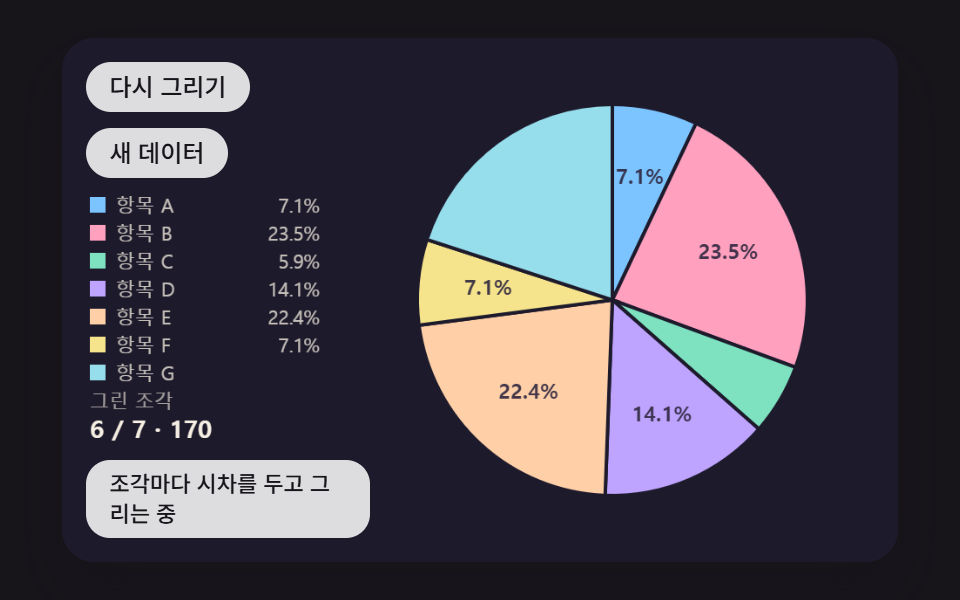 대시보드 UI원형 그래프 만들기 9종 — 조각이 튀어나오고 3D로 기우는 계산
 대시보드 UI대시보드 컴포넌트 9종 — 화면 통째로 말고 이 부품만
 대시보드 UI원형 프로그레스바 css 스탯 링 위젯 9종 — 숫자가 진짜 올라가는
 대시보드 UIcss 검색창 디자인 9종 — Cmd+K로 열리는 팔레트
 대시보드 UIcss 그래프 만들기 SVG로 9종 — 라이브러리 없이
 대시보드 UI습관 트래커 UI 9종 — 잔디 격자부터 공유 카드까지
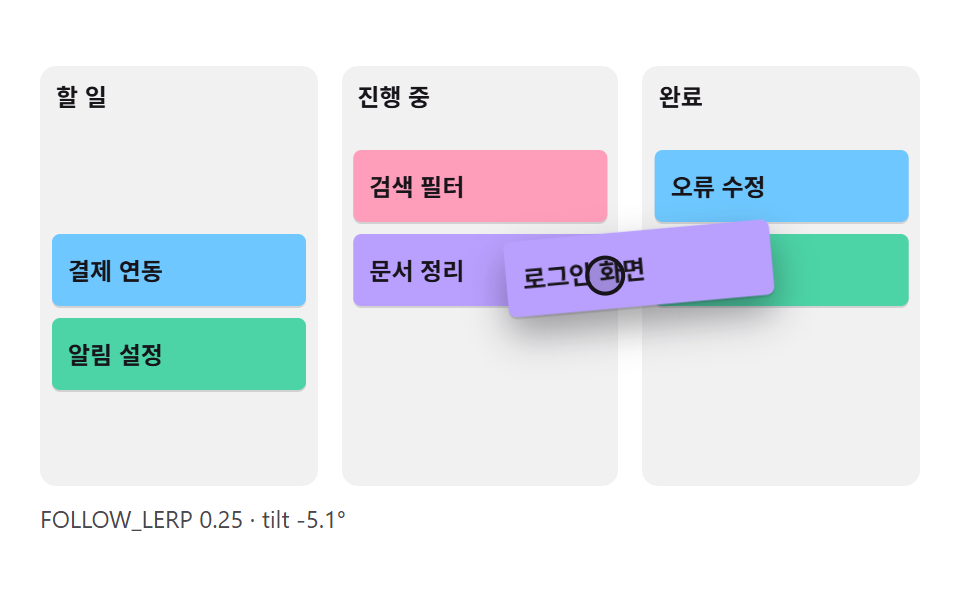 대시보드 UIcss kanban board 9가지 — 카드가 따라붙고 놓을 자리가 열리는 보드
 대시보드 UI워드 클라우드 만들기 9종 — 나선 배치·모양 채우기·3D 구·실시간 투표
 대시보드 UI대시보드 사이드바·위젯 UI 9종 — 완성 페이지 말고 이 조각 하나만
 대시보드 UI주식 앱 ui 실시간 시세판 9종 — API 키 없이