투두 리스트 ui 패턴 9종 — 진행률 게이지부터 되감기까지 한 번에 정리
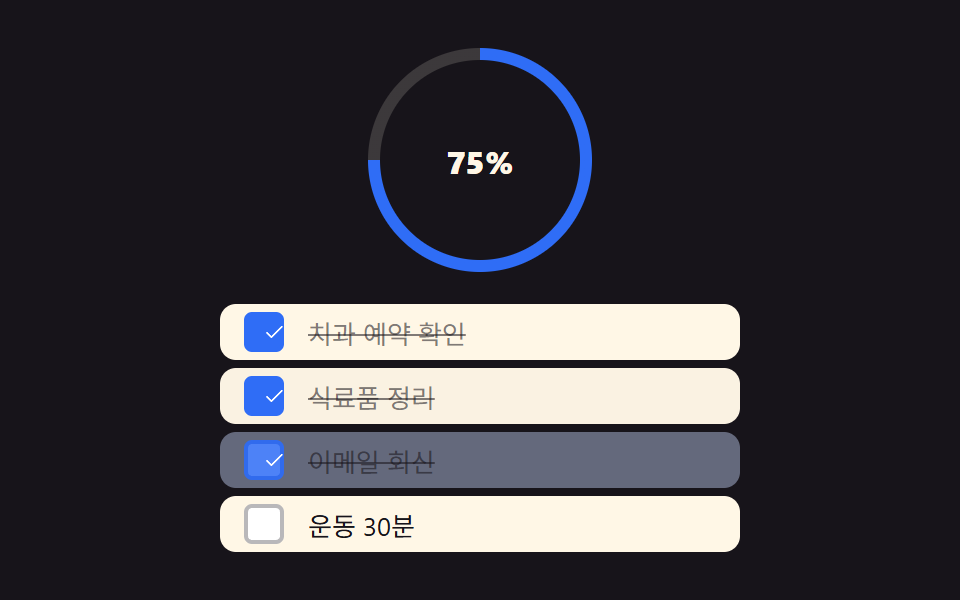
투두 리스트 ui 아홉 패턴 중 하나는 더보기를 누를 때마다 불러오는 개수가 두 배로 늘고, 하나는 되감기를 누르면 완료 타임라인이 방금 순서의 역순으로 사라지며, 하나는 체크박스를 누를 때마다 원형 게이지가 그 비율만큼 즉시 채워집니다.
트리거를 기준으로 늘어놓으면 흐름이 보입니다. 01·03·09 는 click 과 keydown 을 함께 듣고, 02 는 keydown·pointerdown·scroll·wheel 네 가지를 동시에 듣는 유일한 항목이며, 04·08 은 click 하나로 끝나고, 05 는 click·keydown·pointerdown·pointerup·pointerleave 다섯 가지가 겹치고, 06 은 keydown 과 pointerdown·pointermove·pointerup 조합으로 손잡이를 움직이며, 07 은 blur·click·input·keydown 네 가지가 입력창 하나 위에서 겹칩니다. 투두리스트 앱을 실제로 쓸 때 마주치는 손끝 동작(누르기·길게 누르기·끌기·타이핑)을 한 편에 모아 서로 비교하도록 순서를 짰습니다.
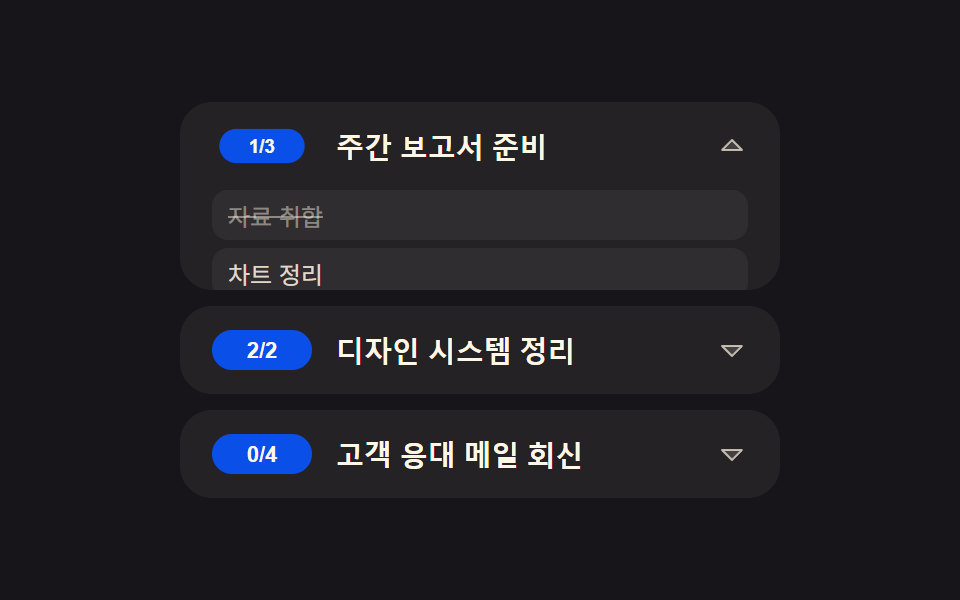 01 row-expand
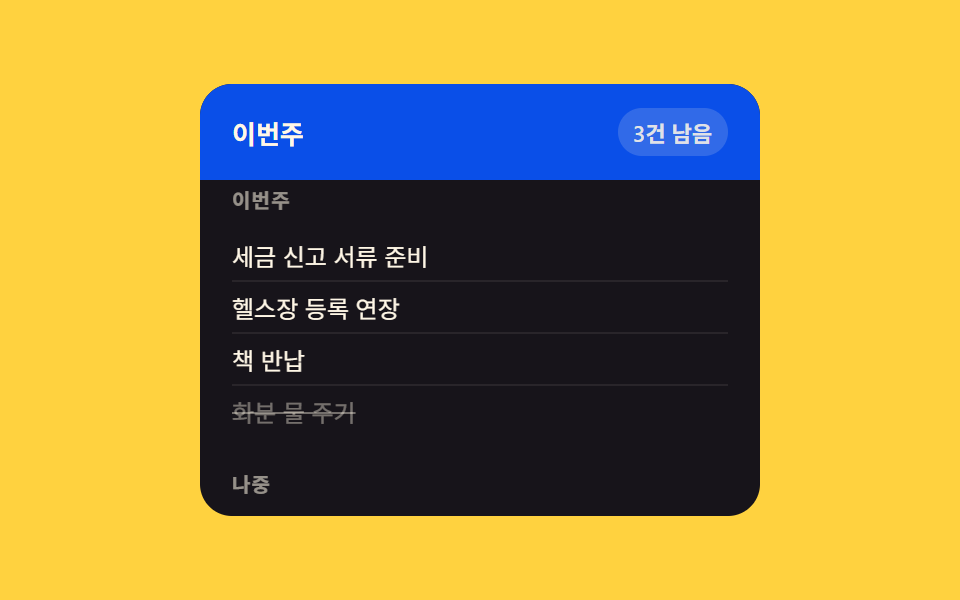 02 grouped-header
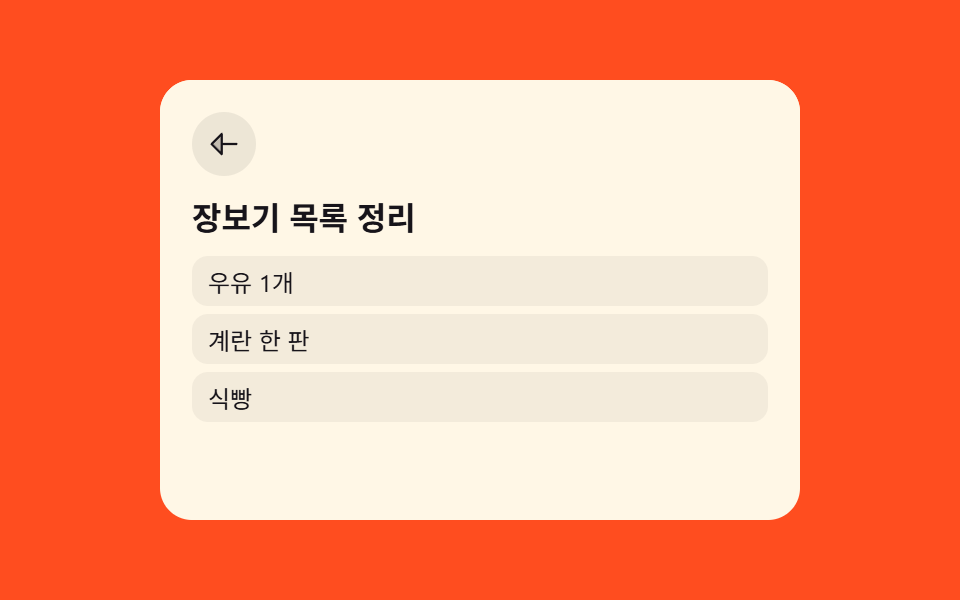 03 list-to-detail
 04 load-more
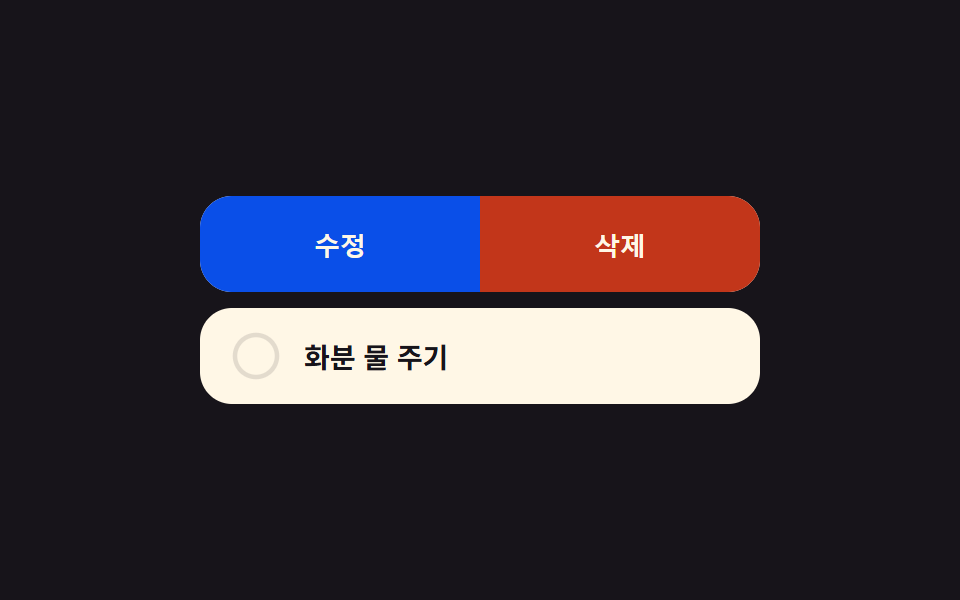 05 long-press-actions
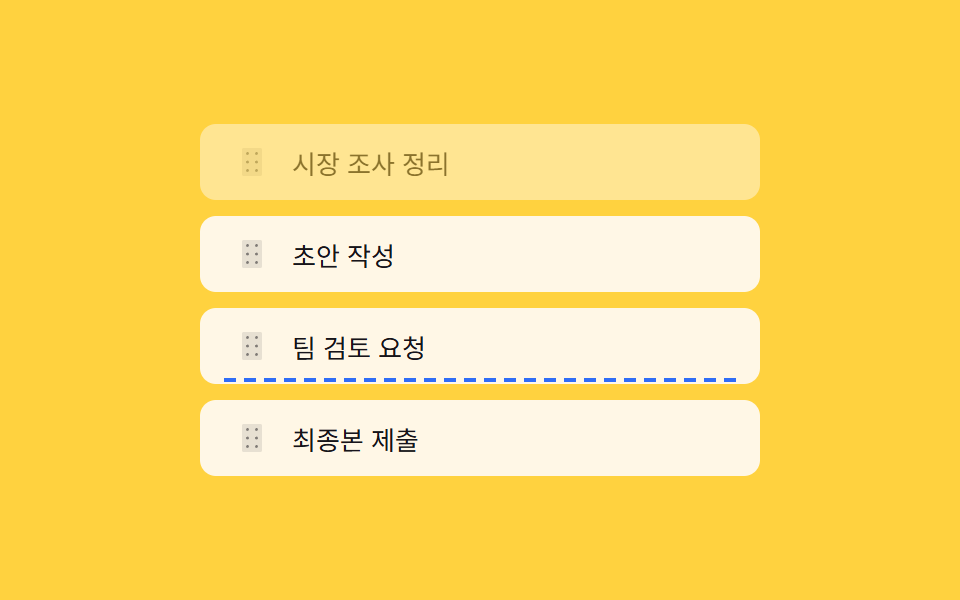 06 reorder-indicator
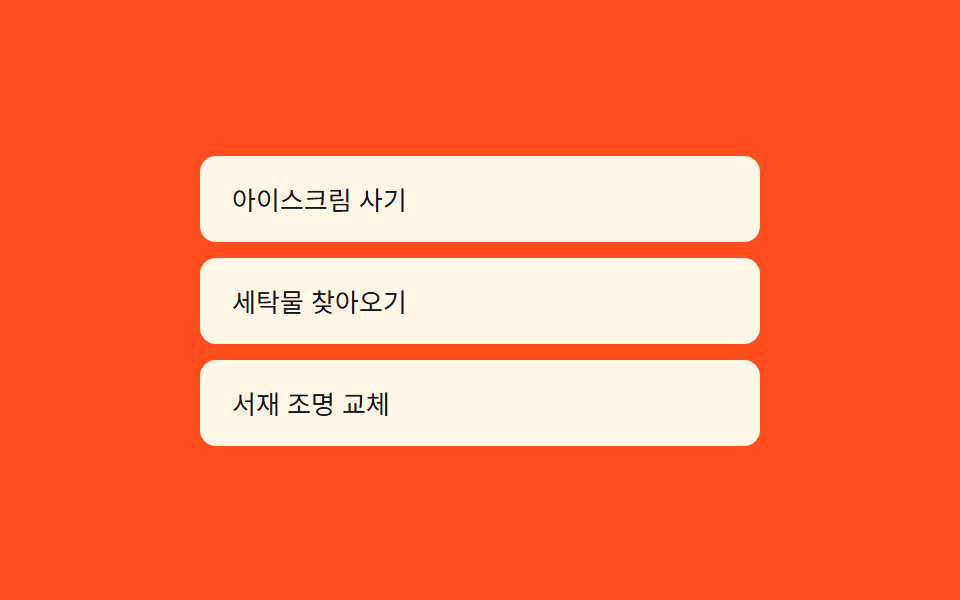 07 inline-edit
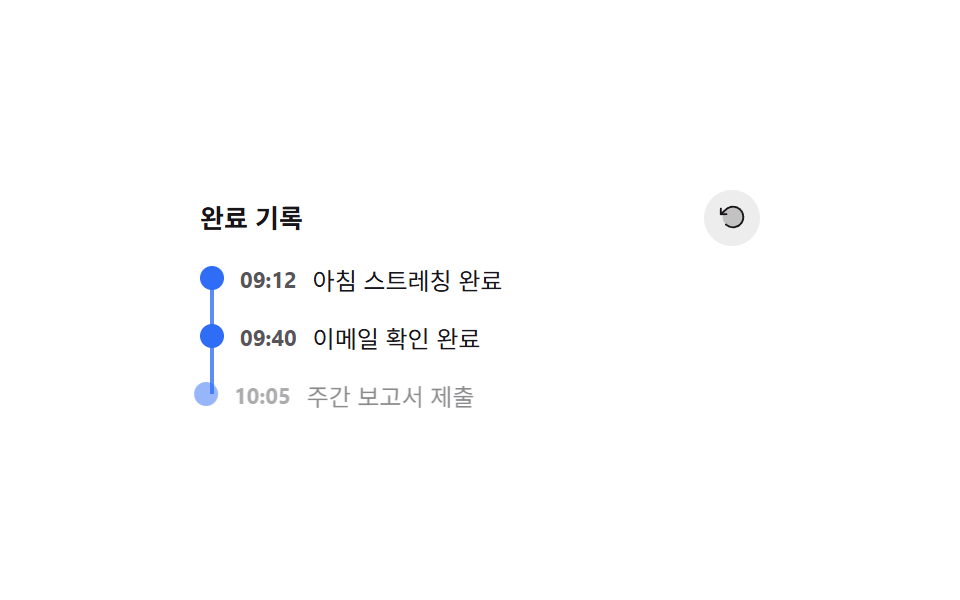 08 activity-timeline
 09 checklist
자동 재생 · 눌러서 해당 항목으로 · 전부 한 zip
- 01 할일 하위 작업 펼치기
- 02 마감일별 그룹 고정 헤더
- 03 리스트→상세 카드 확대 전환
- 04 더보기 배치 두 배 로드
- 05 길게 눌러 완료 취소 예약 링
- 06 재정렬 삽입선 프리뷰
- 07 인라인 편집 + 글자 수 카운트다운
- 08 완료 타임라인 되감기
- 09 체크리스트 진행률 원형 게이지
아홉 개의 해부 — 계산 한 겹이 어디서 도는가
| 번호 | 이름 | 누적면적 | 강도_평균 | 움직인프레임 |
|---|---|---|---|---|
| 01 | 할일 하위 작업 펼치기 | 43.15% | 82.7 | 7/23 |
| 02 | 마감일별 그룹 고정 헤더 | 8.50% | 108.5 | 8/23 |
| 03 | 리스트→상세 카드 확대 전환 | 26.05% | 149.9 | 7/23 |
| 04 | 더보기 배치 두 배 로드 | 6.28% | 88.4 | 6/23 |
| 05 | 길게 눌러 완료 취소 예약 링 | 18.42% | 148.1 | 16/23 |
| 06 | 재정렬 삽입선 프리뷰 | 10.54% | 176.9 | 12/23 |
| 07 | 인라인 편집 + 글자 수 카운트다운 | 7.76% | 94.8 | 11/23 |
| 08 | 완료 타임라인 되감기 | 9.17% | 79.8 | 22/23 |
| 09 | 체크리스트 진행률 원형 게이지 | 25.24% | 70.4 | 22/23 |
화면이 가장 많이 바뀌는 항목은 01 로, 배지가 줄어드는 면적과 하위 목록이 펼쳐지는 면적이 겹쳐 43.15% 까지 올라갑니다. 반대로 04 는 새 항목 몇 개가 아래에 조용히 추가될 뿐이라 6.28% 로 가장 작습니다. 프레임 사이 픽셀 변화의 세기(강도_평균)는 06 이 176.9 로 가장 세고 09 가 70.4 로 가장 약한데, 06 은 삽입선이 얇지만 대비가 강한 점선이라 그렇고 09 는 색 전환이 부드러운 conic-gradient 라 그렇습니다. 24 개 구간 중 실제로 픽셀이 움직인 구간은 08·09 가 22/23 로 가장 촘촘하고 — 하나는 타임라인 점이 하나씩 사라지는 매 프레임이, 하나는 반짝임 스윕이 매 프레임을 채우기 때문입니다 — 04 는 6/23 로 가장 뜸한데 더보기 클릭 사이에는 화면이 그대로 멈춰 있기 때문입니다.
치수를 재서 되먹인다 — 01·03·07
01 은 하위 작업 목록의 scrollHeight 를 재 --h 변수에 넣고, 03 은 카드와 상세 패널 두 요소의 getBoundingClientRect() 좌표 차이를 재며, 07 은 숨은 미러 span 의 실측 너비로 입력창 폭을 정합니다. 셋 다 값을 미리 정해두지 않고 그 순간의 DOM 크기를 읽어 되먹인다는 점이 같은데, 이 좌표계의 정확한 정의는 MDN Element.getBoundingClientRect() 문서에 나와 있습니다.
포인터·스크롤 위치를 판정한다 — 02·06
02 는 scroller.scrollTop 을 각 그룹의 offsetTop 과 비교해 지금 보이는 그룹을 찾고, 06 은 포인터 Y 좌표를 각 행의 경계와 비교해 삽입 지점을 찾습니다. 둘 다 좌표 비교로 "지금 어디인가"만 판정할 뿐, 02 는 그 결과로 헤더 텍스트를 갱신하고 06 은 삽입선 하나만 옮긴다는 차이가 있습니다.
비율을 각도·오프셋으로 바꾼다 — 05·09
05 는 elapsed / LONGPRESS_HOLD_MS 비율을 원 둘레 길이에 곱해 strokeDashoffset 으로, 09 는 done / total 비율에 360 을 곱해 --fill-deg 각도로 바꿉니다. 0~1 사이 값 하나를 선형으로 늘려 그대로 그림으로 옮기는 계산이라 겉보기와 달리 코드는 몇 줄 안 됩니다.
순서·개수를 조작한다 — 04·08
04 는 클릭 횟수의 지수함수로 다음에 불러올 개수를 늘리고, 08 은 total - 1 - i 로 구한 역순 인덱스에 지연 시간을 곱해 사라지는 순서를 뒤집습니다. 둘 다 애니메이션 자체보다 배열 인덱스 연산이 결과 순서를 결정합니다.
패턴별 코드
01할일 하위 작업 펼치기
행을 누르거나 포커스에서 Enter·Space 를 누르면 aria-expanded 값이 먼저 바뀌고, done/total 비율(ratio())로 계산한 만큼 배지가 줄어든 뒤 하위 작업 목록이 scrollHeight 실측값을 --h 로 받아 그 높이까지 펼쳐집니다. 231 의 화살표 회전 펼치기와 달리 트리거는 배지 축소이며, 하위 작업이 딸린 할일을 한 목록에 섞어 쓰는 체크리스트 그룹에 맞습니다.
  function ratio(i) {
    var text = rows[i].badge.textContent; // "1/3" 꼴 — done/total 을 파싱해 축소폭을 계산한다
    var parts = text.split('/');
    var done = parseInt(parts[0], 10);
    var total = parseInt(parts[1], 10);
    return total > 0 ? done / total : 0;
  }

  function measure(sub) {
    // 실제 콘텐츠 높이를 재서 CSS 변수로 넘긴다 — 고정 px 가 아니라 하위 작업 개수만큼 자란다
    sub.style.setProperty('--h', sub.firstElementChild.scrollHeight + 'px');
  }

  function setOpen(i, open) {
    var r = rows[i];
    if (r.open === open) return;
    r.open = open;
    r.btn.setAttribute('aria-expanded', String(open));
    // 배지가 먼저 줄어든다 — 축소폭은 완료 비율로 계산(할 일이 남을수록 더 움츠러들어 눈에 띈다)
    var shrink = 1 - (1 - ratio(i)) * BADGE_SHRINK_MAX;
    r.badge.style.transform = open ? 'scale(' + shrink + ')' : 'scale(1)';
    r.caret.style.transform = open ? 'rotate(180deg)' : 'rotate(0deg)';
    if (open) measure(r.sub);
    r.sub.classList.toggle('open', open);
  }
<main class="stage">
<ul class="list is-demo" id="list">
  <li class="row" id="row-0">
    <button class="rowBtn" id="btn-0" type="button" aria-expanded="false" aria-controls="sub-0">
      <span class="badge" id="badge-0">1/3</span>
      <span class="title">주간 보고서 준비</span>
      <svg class="caret" id="caret-0" viewBox="0 0 256 256" aria-hidden="true"><g fill="currentColor"><path d="m208 96l-80 80l-80-80Z" opacity=".2"/><path d="M215.39 92.94A8 8 0 0 0 208 88H48a8 8 0 0 0-5.66 13.66l80 80a8 8 0 0 0 11.32 0l80-80a8 8 0 0 0 1.73-8.72M128 164.69L67.31 104h121.38Z"/></g></svg>
    </button>
    <div class="subWrap" id="sub-0" role="group" aria-label="하위 작업">
      <ul class="subList">
        <li class="done">자료 취합</li>
        <li>차트 정리</li>
        <li>검토 요청</li>
      </ul>
    </div>
  </li>
  <li class="row" id="row-1">
    <button class="rowBtn" id="btn-1" type="button" aria-expanded="false" aria-controls="sub-1">
      <span class="badge" id="badge-1">2/2</span>
      <span class="title">디자인 시스템 정리</span>
      <svg class="caret" id="caret-1" viewBox="0 0 256 256" aria-hidden="true"><g fill="currentColor"><path d="m208 96l-80 80l-80-80Z" opacity=".2"/><path d="M215.39 92.94A8 8 0 0 0 208 88H48a8 8 0 0 0-5.66 13.66l80 80a8 8 0 0 0 11.32 0l80-80a8 8 0 0 0 1.73-8.72M128 164.69L67.31 104h121.38Z"/></g></svg>
    </button>
    <div class="subWrap" id="sub-1" role="group" aria-label="하위 작업">
      <ul class="subList">
        <li class="done">토큰 표 작성</li>
        <li class="done">컴포넌트 목록</li>
      </ul>
    </div>
  </li>
  <li class="row" id="row-2">
    <button class="rowBtn" id="btn-2" type="button" aria-expanded="false" aria-controls="sub-2">
      <span class="badge" id="badge-2">0/4</span>
      <span class="title">고객 응대 메일 회신</span>
      <svg class="caret" id="caret-2" viewBox="0 0 256 256" aria-hidden="true"><g fill="currentColor"><path d="m208 96l-80 80l-80-80Z" opacity=".2"/><path d="M215.39 92.94A8 8 0 0 0 208 88H48a8 8 0 0 0-5.66 13.66l80 80a8 8 0 0 0 11.32 0l80-80a8 8 0 0 0 1.73-8.72M128 164.69L67.31 104h121.38Z"/></g></svg>
    </button>
    <div class="subWrap" id="sub-2" role="group" aria-label="하위 작업">
      <ul class="subList">
        <li>문의 분류</li>
        <li>답변 초안</li>
        <li>담당자 확인</li>
        <li>발송</li>
      </ul>
    </div>
  </li>
</ul>
</main>@use "../../../../site/static/demo-tokens" as *;
// 계산 겹: index.html 의 ratio(i) 가 배지 "완료/전체" 문자열을 파싱해 축소 비율을 산술로 구하고,
// measure() 가 하위 작업 목록의 실제 scrollHeight 를 재서 --h 로 넘긴다 — 고정 px 아코디언이 아니다.
@include stage($stage-ink);
.list {
list-style: none;
margin: 0;
padding: 0;
width: 300px;
display: grid;
gap: $sp-2;
}
.row {
border-radius: $r-card;
background: rgba($subject-cream, .06);
overflow: hidden;
}
.rowBtn {
appearance: none;
border: none;
width: 100%;
box-sizing: border-box;
display: flex;
align-items: center;
gap: $sp-3;
padding: $sp-3 $sp-4;
background: transparent;
cursor: pointer;
text-align: left;
&:focus-visible { outline: 2px solid $subject-blue-light; outline-offset: -2px; }
}
.badge {
flex: 0 0 auto;
min-width: 34px;
padding: $sp-1 $sp-2;
border-radius: $r-pill;
background: $subject-blue-deep;
color: $subject-cream;
font-size: 11px;
font-weight: 700;
text-align: center;
transform-origin: center;
transition: transform $dur-quick $ease-out;
}
.title {
flex: 1 1 auto;
color: $subject-cream;
font-size: 14px;
font-weight: 600;
}
.caret {
flex: 0 0 auto;
width: 16px;
height: 16px;
color: rgba($subject-cream, .7);
transition: transform $dur-base $ease-out;
}
.subWrap {
overflow: hidden;
max-height: var(--h, 0px);
transition: max-height $dur-enter $ease-spring;
&.open { max-height: var(--h, 240px); }
}
.subList {
list-style: none;
margin: 0;
padding: 0 $sp-4 $sp-3;
display: grid;
gap: $sp-1;
}
.subList li {
padding: $sp-1 $sp-2;
border-radius: $r-sm;
background: rgba($subject-cream, .05);
color: rgba($subject-cream, .85);
font-size: 12px;
&.done {
color: rgba($subject-cream, .45);
text-decoration: line-through;
}
}
@media (max-width: 340px) {
// 320×200 폰 렌더 예산 안에 여유를 두려고 세 겹으로 줄인다(경계값 실측 09-22: 정확히 200px 근방은
// 폰트 렌더링 미세 편차로 넘침 판정이 흔들린다 — 여유 없이 딱 맞추지 않는다)
.list { width: 240px; gap: $sp-1; }
.title { font-size: 13px; }
.rowBtn { padding: $sp-1 $sp-3; }
.subWrap.open { max-height: 40px; overflow-y: auto; }
}
// reduce: 실사용 경로(클릭 토글)에는 그대로 적용 — 전환만 없앤다. 자동 루프는 JS 쪽(reduce 체크)이 애초에 안 돈다
@media (prefers-reduced-motion: reduce) {
.badge, .caret, .subWrap { transition: none; }
}html, body {
margin: 0;
overflow: hidden;
}
.stage {
box-sizing: border-box;
min-height: 100vh;
display: grid;
place-items: center;
margin: 0;
background: #17141a;
font-family: -apple-system, "Segoe UI", "Noto Sans KR", sans-serif;
padding: clamp(8px, 4vw, 24px);
}
.list {
list-style: none;
margin: 0;
padding: 0;
width: 300px;
display: grid;
gap: 8px;
}
.row {
border-radius: 16px;
background: rgba(255, 247, 230, 0.06);
overflow: hidden;
}
.rowBtn {
appearance: none;
border: none;
width: 100%;
box-sizing: border-box;
display: flex;
align-items: center;
gap: 12px;
padding: 12px 16px;
background: transparent;
cursor: pointer;
text-align: left;
}
.rowBtn:focus-visible {
outline: 2px solid #5b8cf8;
outline-offset: -2px;
}
.badge {
flex: 0 0 auto;
min-width: 34px;
padding: 4px 8px;
border-radius: 999px;
background: #0a4fe8;
color: #fff7e6;
font-size: 11px;
font-weight: 700;
text-align: center;
transform-origin: center;
transition: transform 220ms ease-out;
}
.title {
flex: 1 1 auto;
color: #fff7e6;
font-size: 14px;
font-weight: 600;
}
.caret {
flex: 0 0 auto;
width: 16px;
height: 16px;
color: rgba(255, 247, 230, 0.7);
transition: transform 300ms ease-out;
}
.subWrap {
overflow: hidden;
max-height: var(--h, 0px);
transition: max-height 600ms cubic-bezier(0.2, 0.8, 0.2, 1);
}
.subWrap.open {
max-height: var(--h, 240px);
}
.subList {
list-style: none;
margin: 0;
padding: 0 16px 12px;
display: grid;
gap: 4px;
}
.subList li {
padding: 4px 8px;
border-radius: 8px;
background: rgba(255, 247, 230, 0.05);
color: rgba(255, 247, 230, 0.85);
font-size: 12px;
}
.subList li.done {
color: rgba(255, 247, 230, 0.45);
text-decoration: line-through;
}
@media (max-width: 340px) {
.list {
width: 240px;
gap: 4px;
}
.title {
font-size: 13px;
}
.rowBtn {
padding: 4px 12px;
}
.subWrap.open {
max-height: 40px;
overflow-y: auto;
}
}
@media (prefers-reduced-motion: reduce) {
.badge, .caret, .subWrap {
transition: none;
}
}(function () {
var BADGE_SHRINK_MAX = 0.22; // 배지 축소폭 상한 — 완료 비율이 낮을수록(할 일이 많을수록) 더 작게 움츠러든다
var STEP_MS = 700; // 자동 루프에서 한 행이 열려 있는 시간 — 2초 측정 창 안에 세 행이 순서대로 열린다
var reduce = window.matchMedia('(prefers-reduced-motion: reduce)').matches;
var list = document.getElementById('list');
var rows = [0, 1, 2].map(function (i) {
return {
btn: document.getElementById('btn-' + i),
badge: document.getElementById('badge-' + i),
caret: document.getElementById('caret-' + i),
sub: document.getElementById('sub-' + i),
open: false
};
});
function ratio(i) {
var text = rows[i].badge.textContent; // "1/3" 꼴 — done/total 을 파싱해 축소폭을 계산한다
var parts = text.split('/');
var done = parseInt(parts[0], 10);
var total = parseInt(parts[1], 10);
return total > 0 ? done / total : 0;
}
function measure(sub) {
// 실제 콘텐츠 높이를 재서 CSS 변수로 넘긴다 — 고정 px 가 아니라 하위 작업 개수만큼 자란다
sub.style.setProperty('--h', sub.firstElementChild.scrollHeight + 'px');
}
function setOpen(i, open) {
var r = rows[i];
if (r.open === open) return;
r.open = open;
r.btn.setAttribute('aria-expanded', String(open));
// 배지가 먼저 줄어든다 — 축소폭은 완료 비율로 계산(할 일이 남을수록 더 움츠러들어 눈에 띈다)
var shrink = 1 - (1 - ratio(i)) * BADGE_SHRINK_MAX;
r.badge.style.transform = open ? 'scale(' + shrink + ')' : 'scale(1)';
r.caret.style.transform = open ? 'rotate(180deg)' : 'rotate(0deg)';
if (open) measure(r.sub);
r.sub.classList.toggle('open', open);
}
function human() {
if (list.classList.contains('is-demo')) list.classList.remove('is-demo');
window.clearInterval(loopTimer);
}
rows.forEach(function (r, i) {
r.btn.addEventListener('click', function () {
human();
setOpen(i, !r.open);
});
r.btn.addEventListener('keydown', function (e) {
if (e.key === 'Enter' || e.key === ' ') { e.preventDefault(); human(); setOpen(i, !r.open); }
});
});
var cursor = 0;
function autoStep() {
if (reduce) return;
rows.forEach(function (r, i) { if (i !== cursor) setOpen(i, false); });
setOpen(cursor, true);
cursor = (cursor + 1) % rows.length;
}
var loopTimer;
if (!reduce) {
autoStep();
loopTimer = window.setInterval(autoStep, STEP_MS);
}
})();// RowExpand — vanilla 판(run/377/demo/01-row-expand/index.html) 의 React 포트.
// 배지가 완료 비율만큼 먼저 움츠러들고, 하위 작업 목록은 실제 scrollHeight 를 측정해 그 높이까지 펼쳐진다.
import { useEffect, useRef, useState } from "react";
import styles from "./RowExpand.module.scss";
type Box<T> = { current: T };
const BADGE_SHRINK_MAX = 0.22; // 배지 축소폭 상한 — 완료 비율이 낮을수록 더 작게 움츠러든다
const STEP_MS = 700; // 자동 루프에서 한 행이 열려 있는 시간
type Task = { title: string; subs: { text: string; done: boolean }[] };
const TASKS: Task[] = [
{ title: "주간 보고서 준비", subs: [{ text: "자료 취합", done: true }, { text: "차트 정리", done: false }, { text: "검토 요청", done: false }] },
{ title: "디자인 시스템 정리", subs: [{ text: "토큰 표 작성", done: true }, { text: "컴포넌트 목록", done: true }] },
{ title: "고객 응대 메일 회신", subs: [{ text: "문의 분류", done: false }, { text: "답변 초안", done: false }, { text: "담당자 확인", done: false }, { text: "발송", done: false }] },
];
function ratio(task: Task) {
const done = task.subs.filter(function (s) { return s.done; }).length;
return task.subs.length > 0 ? done / task.subs.length : 0;
}
export default function RowExpand() {
const [isDemo, setIsDemo] = useState(true);
const [openIndex, setOpenIndex] = useState<number | null>(null);
const subRefs = useRef([]) as unknown as Box<(HTMLDivElement | null)[]>;
const cursorRef = useRef(0) as unknown as Box<number>;
const timerRef = useRef(0) as unknown as Box<number>;
useEffect(function () {
const reduce = window.matchMedia("(prefers-reduced-motion: reduce)").matches;
if (reduce) { setOpenIndex(null); return; }
function autoStep() {
setOpenIndex(cursorRef.current);
cursorRef.current = (cursorRef.current + 1) % TASKS.length;
}
autoStep();
timerRef.current = window.setInterval(autoStep, STEP_MS);
return function () { window.clearInterval(timerRef.current); };
}, []);
useEffect(function () {
if (openIndex === null) return;
const el = subRefs.current[openIndex];
if (el && el.firstElementChild) {
el.style.setProperty("--h", (el.firstElementChild as HTMLElement).scrollHeight + "px");
}
}, [openIndex]);
function human() {
if (isDemo) { setIsDemo(false); window.clearInterval(timerRef.current); }
}
function toggle(i: number) {
human();
setOpenIndex(function (cur) { return cur === i ? null : i; });
}
return (
<main className={styles.stage}>
<ul className={styles.list + (isDemo ? " " + styles.isDemo : "")}>
{TASKS.map(function (task, i) {
const open = openIndex === i;
const done = task.subs.filter(function (s) { return s.done; }).length;
const shrink = 1 - (1 - ratio(task)) * BADGE_SHRINK_MAX;
return (
<li className={styles.row} key={task.title}>
<button
className={styles.rowBtn}
type="button"
aria-expanded={open}
aria-controls={"sub-" + i}
onClick={function () { toggle(i); }}
>
<span className={styles.badge} style={{ transform: open ? "scale(" + shrink + ")" : "scale(1)" }}>
{done}/{task.subs.length}
</span>
<span className={styles.title}>{task.title}</span>
<svg className={styles.caret} style={{ transform: open ? "rotate(180deg)" : "rotate(0deg)" }} viewBox="0 0 256 256" aria-hidden="true">
<g fill="currentColor">
<path d="m208 96l-80 80l-80-80Z" opacity=".2" />
<path d="M215.39 92.94A8 8 0 0 0 208 88H48a8 8 0 0 0-5.66 13.66l80 80a8 8 0 0 0 11.32 0l80-80a8 8 0 0 0 1.73-8.72M128 164.69L67.31 104h121.38Z" />
</g>
</svg>
</button>
<div
className={styles.subWrap + (open ? " " + styles.open : "")}
id={"sub-" + i}
role="group"
aria-label="하위 작업"
ref={function (el: HTMLDivElement | null) { subRefs.current[i] = el; }}
>
<ul className={styles.subList}>
{task.subs.map(function (s) {
return <li key={s.text} className={s.done ? styles.done : ""}>{s.text}</li>;
})}
</ul>
</div>
</li>
);
})}
</ul>
</main>
);
}01 · 할일 하위 작업 펼치기 — 측정 누적면적 43.151% · 움직인 프레임 7/23GODRICH 원작 · zip 에 SCSS·React 포함 · 비밀번호 보기
02마감일별 그룹 고정 헤더
keydown·pointerdown·scroll·wheel 을 모두 들어 어떤 조작으로도 반응하고, currentGroupAndRemain() 이 매 프레임 scroller.scrollTop 을 각 그룹의 offsetTop 과 비교해 지금 보이는 그룹과 그 안의 미완료 개수를 다시 셉니다. 231 의 이름 첫 글자 그룹과 달리 마감일(오늘·이번주·나중) 기준이라 캘린더 연동 리스트에 맞습니다.
  // 계산 겹: 스크롤 위치로 "현재 그룹"을 찾고, 그 그룹 안의 미완료 개수를 실시간으로 다시 센다.
  // 미리 계산해 둔 표가 아니라 매 스크롤 프레임마다 DOM 을 다시 읽어 센다.
  function currentGroupAndRemain() {
    var top = scroller.scrollTop;
    var current = groups[0];
    for (var i = 0; i < groups.length; i++) {
      if (groups[i].offsetTop - scroller.offsetTop <= top + 4) current = groups[i];
    }
    var items = current.querySelectorAll('.items li');
    var remain = 0;
    for (var j = 0; j < items.length; j++) {
      if (items[j].getAttribute('data-done') === '0') remain++;
    }
    return { name: current.getAttribute('data-group'), remain: remain };
  }
<main class="stage">
<div class="wrap is-demo" id="wrap">
  <div class="head" id="head">
    <span class="headLabel" id="headLabel">오늘</span>
    <span class="headCount" id="headCount">3건 남음</span>
  </div>
  <div class="scroller" id="scroller">
    <ul class="list" id="list">
      <li class="group" data-group="오늘">
        <p class="groupTitle">오늘</p>
        <ul class="items">
          <li data-done="0">치과 예약 확인</li>
          <li data-done="0">보고서 초안 제출</li>
          <li data-done="1">우유 사기</li>
        </ul>
      </li>
      <li class="group" data-group="이번주">
        <p class="groupTitle">이번주</p>
        <ul class="items">
          <li data-done="0">세금 신고 서류 준비</li>
          <li data-done="0">헬스장 등록 연장</li>
          <li data-done="0">책 반납</li>
          <li data-done="1">화분 물 주기</li>
        </ul>
      </li>
      <li class="group" data-group="나중">
        <p class="groupTitle">나중</p>
        <ul class="items">
          <li data-done="0">여행 계획 세우기</li>
          <li data-done="0">책상 정리</li>
        </ul>
      </li>
    </ul>
  </div>
</div>
</main>@use "../../../../site/static/demo-tokens" as *;
// 계산 겹: index.html 의 currentGroupAndRemain() 이 스크롤 위치로 현재 그룹을 찾고
// 그 그룹의 미완료 개수를 매 스크롤 프레임마다 다시 센다 — 캐시된 표가 아니다.
@include stage($stage-yellow);
.wrap {
width: 280px;
border-radius: $r-card;
background: $subject-ink;
overflow: hidden;
}
.head {
display: flex;
align-items: center;
justify-content: space-between;
gap: $sp-3;
padding: $sp-3 $sp-4;
background: $subject-blue-deep;
}
.headLabel {
color: $subject-cream;
font-size: 13px;
font-weight: 700;
}
.headCount {
color: rgba($subject-cream, .85);
font-size: 11px;
font-weight: 600;
padding: $sp-1 $sp-2;
border-radius: $r-pill;
background: rgba($subject-cream, .16);
}
.scroller {
height: 168px;
overflow-y: scroll;
}
.list {
list-style: none;
margin: 0;
padding: 0;
}
.groupTitle {
margin: 0;
padding: $sp-2 $sp-4;
color: rgba($subject-cream, .55);
font-size: 10px;
font-weight: 700;
letter-spacing: .06em;
text-transform: uppercase;
}
.items {
list-style: none;
margin: 0;
padding: 0 $sp-4 $sp-2;
}
.items li {
padding: $sp-1 0;
color: $subject-cream;
font-size: 12px;
border-bottom: 1px solid rgba($subject-cream, .08);
&:last-child { border-bottom: none; }
&[data-done="1"] { color: rgba($subject-cream, .4); text-decoration: line-through; }
}
@media (max-width: 340px) {
.wrap { width: 220px; }
.head { padding: $sp-2 $sp-3; }
.scroller { height: 120px; }
}
@media (prefers-reduced-motion: reduce) {
// scss 만 — 이 항목은 트랜지션이 없다(값이 즉시 바뀐다). reduce 는 JS 쪽 자동 스크롤 루프를 멈춘다
}html, body {
margin: 0;
overflow: hidden;
}
.stage {
box-sizing: border-box;
min-height: 100vh;
display: grid;
place-items: center;
margin: 0;
background: #ffd23f;
font-family: -apple-system, "Segoe UI", "Noto Sans KR", sans-serif;
padding: clamp(8px, 4vw, 24px);
}
.wrap {
width: 280px;
border-radius: 16px;
background: #17141a;
overflow: hidden;
}
.head {
display: flex;
align-items: center;
justify-content: space-between;
gap: 12px;
padding: 12px 16px;
background: #0a4fe8;
}
.headLabel {
color: #fff7e6;
font-size: 13px;
font-weight: 700;
}
.headCount {
color: rgba(255, 247, 230, 0.85);
font-size: 11px;
font-weight: 600;
padding: 4px 8px;
border-radius: 999px;
background: rgba(255, 247, 230, 0.16);
}
.scroller {
height: 168px;
overflow-y: scroll;
}
.list {
list-style: none;
margin: 0;
padding: 0;
}
.groupTitle {
margin: 0;
padding: 8px 16px;
color: rgba(255, 247, 230, 0.55);
font-size: 10px;
font-weight: 700;
letter-spacing: 0.06em;
text-transform: uppercase;
}
.items {
list-style: none;
margin: 0;
padding: 0 16px 8px;
}
.items li {
padding: 4px 0;
color: #fff7e6;
font-size: 12px;
border-bottom: 1px solid rgba(255, 247, 230, 0.08);
}
.items li:last-child {
border-bottom: none;
}
.items li[data-done="1"] {
color: rgba(255, 247, 230, 0.4);
text-decoration: line-through;
}
@media (max-width: 340px) {
.wrap {
width: 220px;
}
.head {
padding: 8px 12px;
}
.scroller {
height: 120px;
}
}(function () {
var reduce = window.matchMedia('(prefers-reduced-motion: reduce)').matches;
var wrap = document.getElementById('wrap');
var scroller = document.getElementById('scroller');
var headLabel = document.getElementById('headLabel');
var headCount = document.getElementById('headCount');
var groups = Array.prototype.slice.call(document.querySelectorAll('.group'));
// 계산 겹: 스크롤 위치로 "현재 그룹"을 찾고, 그 그룹 안의 미완료 개수를 실시간으로 다시 센다.
// 미리 계산해 둔 표가 아니라 매 스크롤 프레임마다 DOM 을 다시 읽어 센다.
function currentGroupAndRemain() {
var top = scroller.scrollTop;
var current = groups[0];
for (var i = 0; i < groups.length; i++) {
if (groups[i].offsetTop - scroller.offsetTop <= top + 4) current = groups[i];
}
var items = current.querySelectorAll('.items li');
var remain = 0;
for (var j = 0; j < items.length; j++) {
if (items[j].getAttribute('data-done') === '0') remain++;
}
return { name: current.getAttribute('data-group'), remain: remain };
}
function paint() {
var r = currentGroupAndRemain();
headLabel.textContent = r.name;
headCount.textContent = r.remain + '건 남음';
}
function human() {
if (wrap.classList.contains('is-demo')) { wrap.classList.remove('is-demo'); window.clearInterval(autoTimer); }
}
scroller.addEventListener('scroll', paint);
scroller.addEventListener('pointerdown', human);
scroller.addEventListener('keydown', human);
scroller.addEventListener('wheel', human, { passive: true });
var max = 0, dir = 1;
function autoAdvance() {
max = scroller.scrollHeight - scroller.clientHeight;
var next = scroller.scrollTop + dir * (max * 0.34);
if (next >= max - 1) { next = max; dir = -1; }
else if (next <= 1) { next = 0; dir = 1; }
scroller.scrollTop = next;
paint();
}
paint();
var autoTimer;
// 2초 측정 창 안에서 전환이 5~6회는 나야 "움직인 프레임" 하한을 안정적으로 넘긴다 —
// 인터벌만 걸면 첫 전환이 480ms 뒤에나 나와 여유가 border 에 걸린다(실측 09-22 5~6 왕복)
if (!reduce) { autoAdvance(); autoTimer = window.setInterval(autoAdvance, 350); }
})();// GroupedHeader — vanilla 판(run/377/demo/02-grouped-header/index.html) 의 React 포트.
// 스크롤 위치로 현재 그룹을 찾고 그 그룹의 미완료 개수를 매 스크롤 프레임마다 다시 센다.
import { useEffect, useRef, useState } from "react";
import styles from "./GroupedHeader.module.scss";
type Box<T> = { current: T };
type Item = { text: string; done: boolean };
type Group = { name: string; items: Item[] };
const GROUPS: Group[] = [
{ name: "오늘", items: [{ text: "치과 예약 확인", done: false }, { text: "보고서 초안 제출", done: false }, { text: "우유 사기", done: true }] },
{ name: "이번주", items: [{ text: "세금 신고 서류 준비", done: false }, { text: "헬스장 등록 연장", done: false }, { text: "책 반납", done: false }, { text: "화분 물 주기", done: true }] },
{ name: "나중", items: [{ text: "여행 계획 세우기", done: false }, { text: "책상 정리", done: false }] },
];
export default function GroupedHeader() {
const scrollerRef = useRef(null) as unknown as Box<HTMLDivElement>;
const groupRefs = useRef([]) as unknown as Box<(HTMLLIElement | null)[]>;
const [isDemo, setIsDemo] = useState(true);
const [head, setHead] = useState({ name: GROUPS[0].name, remain: GROUPS[0].items.filter(function (i) { return !i.done; }).length });
const timerRef = useRef(0) as unknown as Box<number>;
function paint() {
const scroller = scrollerRef.current;
if (!scroller) return;
const top = scroller.scrollTop;
let idx = 0;
for (let i = 0; i < groupRefs.current.length; i++) {
const el = groupRefs.current[i];
if (el && el.offsetTop - scroller.offsetTop <= top + 4) idx = i;
}
const remain = GROUPS[idx].items.filter(function (it) { return !it.done; }).length;
setHead({ name: GROUPS[idx].name, remain: remain });
}
function human() {
if (isDemo) { setIsDemo(false); window.clearInterval(timerRef.current); }
}
useEffect(function () {
const reduce = window.matchMedia("(prefers-reduced-motion: reduce)").matches;
const scroller = scrollerRef.current;
if (!scroller || reduce) return;
let dir = 1;
function autoAdvance() {
const max = scroller!.scrollHeight - scroller!.clientHeight;
let next = scroller!.scrollTop + dir * (max * 0.34);
if (next >= max - 1) { next = max; dir = -1; }
else if (next <= 1) { next = 0; dir = 1; }
scroller!.scrollTop = next;
paint();
}
// vanilla 와 동일 — 첫 전환을 즉시 내고 간격을 좁혀 측정 창 안에서 안정적으로 여러 번 전환한다
autoAdvance();
timerRef.current = window.setInterval(autoAdvance, 350);
return function () { window.clearInterval(timerRef.current); };
// eslint-disable-next-line
}, []);
return (
<main className={styles.stage}>
<div className={styles.wrap + (isDemo ? " " + styles.isDemo : "")}>
<div className={styles.head}>
<span className={styles.headLabel}>{head.name}</span>
<span className={styles.headCount}>{head.remain}건 남음</span>
</div>
<div
className={styles.scroller}
ref={scrollerRef}
onScroll={paint}
onPointerDown={human}
onKeyDown={human}
onWheel={human}
>
<ul className={styles.list}>
{GROUPS.map(function (g, i) {
return (
<li className={styles.group} key={g.name} ref={function (el: HTMLLIElement | null) { groupRefs.current[i] = el; }}>
<p className={styles.groupTitle}>{g.name}</p>
<ul className={styles.items}>
{g.items.map(function (it) {
return <li key={it.text} data-done={it.done ? "1" : "0"}>{it.text}</li>;
})}
</ul>
</li>
);
})}
</ul>
</div>
</div>
</main>
);
}02 · 마감일별 그룹 고정 헤더 — 측정 누적면적 8.496% · 움직인 프레임 8/23GODRICH 원작 · zip 에 SCSS·React 포함 · 비밀번호 보기
03리스트→상세 카드 확대 전환
카드를 누르거나 Enter 를 누르면 flipFrom() 이 카드와 상세 패널의 getBoundingClientRect() 좌표 차이를 구해 dx·dy·sx·sy 로 변환하고, transitionend 시점에 다음 상태로 넘어갑니다. 231 의 좌우 슬라이드 전환과 달리 카드가 그 자리에서 화면 크기로 확대되며, 할일 상세 화면 전환에 맞습니다.
  // 계산 겹: 카드의 실제 화면 좌표(First)와 상세 패널이 이미 차지한 화면 전체 좌표(Last)의
  // 차이를 실측해 translate·scale 로 변환한다 — FLIP(First-Last-Invert-Play).
  function flipFrom(cardEl) {
    var c = cardEl.getBoundingClientRect();
    var d = detail.getBoundingClientRect();
    return {
      dx: c.left - d.left,
      dy: c.top - d.top,
      sx: c.width / d.width,
      sy: c.height / d.height
    };
  }
<main class="stage">
<div class="scene is-demo" id="scene">
  <ul class="cards" id="cards">
    <li>
      <button class="card" id="card-0" type="button" aria-haspopup="dialog">
        <span class="cardTitle">장보기 목록 정리</span>
        <span class="cardMeta">오늘 · 3개 항목</span>
      </button>
    </li>
    <li>
      <button class="card" id="card-1" type="button" aria-haspopup="dialog">
        <span class="cardTitle">주간 회의 자료</span>
        <span class="cardMeta">내일 · 5개 항목</span>
      </button>
    </li>
  </ul>
  <div class="detail" id="detail" role="dialog" aria-modal="true" aria-hidden="true">
    <button class="backBtn" id="backBtn" type="button" aria-label="목록으로 돌아가기">
      <svg viewBox="0 0 256 256" aria-hidden="true"><g fill="currentColor"><path d="M112 56v144l-72-72Z" opacity=".2"/><path d="M216 120h-96V56a8 8 0 0 0-13.66-5.66l-72 72a8 8 0 0 0 0 11.32l72 72A8 8 0 0 0 120 200v-64h96a8 8 0 0 0 0-16m-112 60.69L51.31 128L104 75.31Z"/></g></svg>
    </button>
    <h2 class="detailTitle" id="detailTitle">장보기 목록 정리</h2>
    <ul class="detailList" id="detailList">
      <li>우유 1개</li>
      <li>계란 한 판</li>
      <li>식빵</li>
    </ul>
  </div>
</div>
</main>@use "../../../../site/static/demo-tokens" as *;
// 계산 겹은 index.html 의 flipFrom() 에 있다 — 카드의 실제 화면 좌표와 상세 패널이 이미
// 차지한 좌표 차이를 실측해 translate·scale 로 되돌린 뒤(Invert) 그 값을 지워(Play) 확대돼 보이게 한다.
@include stage($stage-orange);
.scene {
position: relative;
width: 320px;
height: 220px;
overflow: hidden;
--flip-ease: #{$ease-spring};
}
.cards {
list-style: none;
margin: 0;
padding: 0;
display: grid;
gap: $sp-2;
}
.card {
appearance: none;
border: none;
width: 100%;
box-sizing: border-box;
display: flex;
flex-direction: column;
gap: $sp-1;
align-items: flex-start;
padding: $sp-3 $sp-4;
border-radius: $r-card;
background: $subject-cream;
cursor: pointer;
text-align: left;
&:focus-visible { outline: 2px solid $subject-blue-light; outline-offset: 2px; }
}
.cardTitle {
color: $subject-ink;
font-size: 14px;
font-weight: 700;
}
.cardMeta {
color: rgba($subject-ink, .55);
font-size: 11px;
}
.detail {
display: none;
position: absolute;
inset: 0;
box-sizing: border-box;
flex-direction: column;
gap: $sp-2;
padding: $sp-4;
border-radius: $r-card;
background: $subject-cream;
transform-origin: top left;
will-change: transform;
overflow-y: auto;
}
.backBtn {
appearance: none;
border: none;
align-self: flex-start;
width: 32px;
height: 32px;
display: grid;
place-items: center;
border-radius: $r-pill;
background: rgba($subject-ink, .08);
color: $subject-ink;
cursor: pointer;
svg { width: 18px; height: 18px; }
&:focus-visible { outline: 2px solid $subject-blue-light; outline-offset: 2px; }
}
.detailTitle {
margin: 0;
color: $subject-ink;
font-size: 16px;
font-weight: 700;
}
.detailList {
list-style: none;
margin: 0;
padding: 0;
display: grid;
gap: $sp-1;
}
.detailList li {
padding: $sp-1 $sp-2;
border-radius: $r-sm;
background: rgba($subject-ink, .05);
color: $subject-ink;
font-size: 12px;
}
@media (max-width: 340px) {
.scene { width: 240px; height: 160px; }
.card { padding: $sp-2 $sp-3; gap: $sp-1; }
.cards { gap: $sp-1; }
}
@media (prefers-reduced-motion: reduce) {
.detail { transition: none !important; }
}html, body {
margin: 0;
overflow: hidden;
}
.stage {
box-sizing: border-box;
min-height: 100vh;
display: grid;
place-items: center;
margin: 0;
background: #ff4d1f;
font-family: -apple-system, "Segoe UI", "Noto Sans KR", sans-serif;
padding: clamp(8px, 4vw, 24px);
}
.scene {
position: relative;
width: 320px;
height: 220px;
overflow: hidden;
--flip-ease: cubic-bezier(0.2, 0.8, 0.2, 1);
}
.cards {
list-style: none;
margin: 0;
padding: 0;
display: grid;
gap: 8px;
}
.card {
appearance: none;
border: none;
width: 100%;
box-sizing: border-box;
display: flex;
flex-direction: column;
gap: 4px;
align-items: flex-start;
padding: 12px 16px;
border-radius: 16px;
background: #fff7e6;
cursor: pointer;
text-align: left;
}
.card:focus-visible {
outline: 2px solid #5b8cf8;
outline-offset: 2px;
}
.cardTitle {
color: #17141a;
font-size: 14px;
font-weight: 700;
}
.cardMeta {
color: rgba(23, 20, 26, 0.55);
font-size: 11px;
}
.detail {
display: none;
position: absolute;
inset: 0;
box-sizing: border-box;
flex-direction: column;
gap: 8px;
padding: 16px;
border-radius: 16px;
background: #fff7e6;
transform-origin: top left;
will-change: transform;
overflow-y: auto;
}
.backBtn {
appearance: none;
border: none;
align-self: flex-start;
width: 32px;
height: 32px;
display: grid;
place-items: center;
border-radius: 999px;
background: rgba(23, 20, 26, 0.08);
color: #17141a;
cursor: pointer;
}
.backBtn svg {
width: 18px;
height: 18px;
}
.backBtn:focus-visible {
outline: 2px solid #5b8cf8;
outline-offset: 2px;
}
.detailTitle {
margin: 0;
color: #17141a;
font-size: 16px;
font-weight: 700;
}
.detailList {
list-style: none;
margin: 0;
padding: 0;
display: grid;
gap: 4px;
}
.detailList li {
padding: 4px 8px;
border-radius: 8px;
background: rgba(23, 20, 26, 0.05);
color: #17141a;
font-size: 12px;
}
@media (max-width: 340px) {
.scene {
width: 240px;
height: 160px;
}
.card {
padding: 8px 12px;
gap: 4px;
}
.cards {
gap: 4px;
}
}
@media (prefers-reduced-motion: reduce) {
.detail {
transition: none !important;
}
}(function () {
var DUR_MS = 420;
var reduce = window.matchMedia('(prefers-reduced-motion: reduce)').matches;
var scene = document.getElementById('scene');
var detail = document.getElementById('detail');
var backBtn = document.getElementById('backBtn');
var detailTitle = document.getElementById('detailTitle');
var cards = [document.getElementById('card-0'), document.getElementById('card-1')];
var data = [
{ title: '장보기 목록 정리', items: ['우유 1개', '계란 한 판', '식빵'] },
{ title: '주간 회의 자료', items: ['안건 정리', '자료 인쇄', '회의실 예약', '참석자 확인', '노트북 충전'] }
];
var back = null; // 닫을 때 되돌아갈 FLIP 값
function human() { scene.classList.remove('is-demo'); window.clearInterval(autoTimer); }
// 계산 겹: 카드의 실제 화면 좌표(First)와 상세 패널이 이미 차지한 화면 전체 좌표(Last)의
// 차이를 실측해 translate·scale 로 변환한다 — FLIP(First-Last-Invert-Play).
function flipFrom(cardEl) {
var c = cardEl.getBoundingClientRect();
var d = detail.getBoundingClientRect();
return {
dx: c.left - d.left,
dy: c.top - d.top,
sx: c.width / d.width,
sy: c.height / d.height
};
}
function openDetail(i) {
var item = data[i];
detailTitle.textContent = item.title;
document.getElementById('detailList').innerHTML = item.items.map(function (t) { return '<li>' + t + '</li>'; }).join('');
detail.setAttribute('aria-hidden', 'false');
detail.style.transition = 'none';
detail.style.display = 'flex';
back = flipFrom(cards[i]);
detail.style.transform = 'translate(' + back.dx + 'px,' + back.dy + 'px) scale(' + back.sx + ',' + back.sy + ')';
detail.style.opacity = '1';
// 강제 리플로 — Invert 상태를 실제로 그린 뒤에야 Play(역전 제거) 애니메이션이 성립한다
detail.getBoundingClientRect();
detail.style.transition = reduce ? 'none' : 'transform ' + DUR_MS + 'ms var(--flip-ease)';
detail.style.transform = 'translate(0,0) scale(1,1)';
}
function closeDetail() {
if (!back) { detail.style.display = 'none'; detail.setAttribute('aria-hidden', 'true'); return; }
detail.style.transition = reduce ? 'none' : 'transform ' + DUR_MS + 'ms var(--flip-ease)';
detail.style.transform = 'translate(' + back.dx + 'px,' + back.dy + 'px) scale(' + back.sx + ',' + back.sy + ')';
var done = function () {
detail.style.display = 'none';
detail.setAttribute('aria-hidden', 'true');
detail.removeEventListener('transitionend', done);
};
if (reduce) { done(); } else { detail.addEventListener('transitionend', done); }
}
cards.forEach(function (c, i) {
c.addEventListener('click', function () { human(); openDetail(i); });
});
backBtn.addEventListener('click', function () { human(); closeDetail(); });
document.addEventListener('keydown', function (e) {
if (e.key === 'Escape' && detail.getAttribute('aria-hidden') === 'false') { human(); closeDetail(); }
});
var cursor = 0;
function autoStep() {
openDetail(cursor);
window.setTimeout(function () {
if (scene.classList.contains('is-demo')) closeDetail();
}, 900);
cursor = (cursor + 1) % cards.length;
}
var autoTimer;
if (!reduce) { autoStep(); autoTimer = window.setInterval(autoStep, 1400); }
})();// ListToDetail — vanilla 판(run/377/demo/03-list-to-detail/index.html) 의 React 포트.
// FLIP: 카드의 실제 화면 좌표와 상세 패널이 이미 차지한 좌표 차이를 실측해 변환값을 만들고,
// 그 값을 적용한 뒤 지워서(역전 제거) 확대·축소돼 보이게 한다.
import { useEffect, useRef, useState } from "react";
import styles from "./ListToDetail.module.scss";
type Box<T> = { current: T };
type Flip = { dx: number; dy: number; sx: number; sy: number };
const DUR_MS = 420;
const DATA = [
{ title: "장보기 목록 정리", items: ["우유 1개", "계란 한 판", "식빵"] },
{ title: "주간 회의 자료", items: ["안건 정리", "자료 인쇄", "회의실 예약", "참석자 확인", "노트북 충전"] },
];
export default function ListToDetail() {
const [isDemo, setIsDemo] = useState(true);
const [openIndex, setOpenIndex] = useState<number | null>(null);
const [transform, setTransform] = useState("translate(0,0) scale(1,1)");
const [animate, setAnimate] = useState(false);
const cardRefs = useRef([]) as unknown as Box<(HTMLButtonElement | null)[]>;
const detailRef = useRef(null) as unknown as Box<HTMLDivElement>;
const backRef = useRef<Flip | null>(null) as unknown as Box<Flip | null>;
const timerRef = useRef(0) as unknown as Box<number>;
const stepRef = useRef(0) as unknown as Box<number>;
const reduce = typeof window !== "undefined" && window.matchMedia("(prefers-reduced-motion: reduce)").matches;
function flipFrom(cardEl: HTMLButtonElement) {
const c = cardEl.getBoundingClientRect();
const d = detailRef.current.getBoundingClientRect();
return { dx: c.left - d.left, dy: c.top - d.top, sx: c.width / d.width, sy: c.height / d.height };
}
function openDetail(i: number) {
const cardEl = cardRefs.current[i];
if (!cardEl) return;
setOpenIndex(i);
setAnimate(false);
requestAnimationFrame(function () {
const f = flipFrom(cardEl);
backRef.current = f;
setTransform("translate(" + f.dx + "px," + f.dy + "px) scale(" + f.sx + "," + f.sy + ")");
requestAnimationFrame(function () {
setAnimate(!reduce);
setTransform("translate(0,0) scale(1,1)");
});
});
}
function closeDetail() {
const f = backRef.current;
if (!f) { setOpenIndex(null); return; }
setAnimate(!reduce);
setTransform("translate(" + f.dx + "px," + f.dy + "px) scale(" + f.sx + "," + f.sy + ")");
}
function onDetailTransitionEnd() {
if (transform !== "translate(0,0) scale(1,1)") setOpenIndex(null);
}
function human() {
if (isDemo) { setIsDemo(false); window.clearInterval(timerRef.current); }
}
useEffect(function () {
if (reduce) return;
function autoStep() {
const i = stepRef.current;
openDetail(i);
window.setTimeout(function () { closeDetail(); }, 900);
stepRef.current = (i + 1) % DATA.length;
}
autoStep();
timerRef.current = window.setInterval(autoStep, 1400);
return function () { window.clearInterval(timerRef.current); };
// eslint-disable-next-line
}, []);
return (
<main className={styles.stage}>
<div className={styles.scene + (isDemo ? " " + styles.isDemo : "")}>
<ul className={styles.cards}>
{DATA.map(function (item, i) {
return (
<li key={item.title}>
<button
className={styles.card}
type="button"
aria-haspopup="dialog"
ref={function (el: HTMLButtonElement | null) { cardRefs.current[i] = el; }}
onClick={function () { human(); openDetail(i); }}
>
<span className={styles.cardTitle}>{item.title}</span>
<span className={styles.cardMeta}>{item.items.length}개 항목</span>
</button>
</li>
);
})}
</ul>
<div
className={styles.detail}
ref={detailRef}
role="dialog"
aria-modal="true"
aria-hidden={openIndex === null}
style={{
display: openIndex === null ? "none" : "flex",
transform: transform,
transition: animate ? "transform " + DUR_MS + "ms var(--flip-ease)" : "none",
}}
onTransitionEnd={onDetailTransitionEnd}
>
<button
className={styles.backBtn}
type="button"
aria-label="목록으로 돌아가기"
onClick={function () { human(); closeDetail(); }}
>
<svg viewBox="0 0 256 256" aria-hidden="true">
<g fill="currentColor">
<path d="M112 56v144l-72-72Z" opacity=".2" />
<path d="M216 120h-96V56a8 8 0 0 0-13.66-5.66l-72 72a8 8 0 0 0 0 11.32l72 72A8 8 0 0 0 120 200v-64h96a8 8 0 0 0 0-16m-112 60.69L51.31 128L104 75.31Z" />
</g>
</svg>
</button>
<h2 className={styles.detailTitle}>{openIndex !== null ? DATA[openIndex].title : ""}</h2>
<ul className={styles.detailList}>
{openIndex !== null ? DATA[openIndex].items.map(function (t) { return <li key={t}>{t}</li>; }) : null}
</ul>
</div>
</div>
</main>
);
}03 · 리스트→상세 카드 확대 전환 — 측정 누적면적 26.048% · 움직인 프레임 7/23GODRICH 원작 · zip 에 SCSS·React 포함 · 비밀번호 보기
04더보기 배치 두 배 로드
더보기를 누를 때마다(click) nextBatchSize() 가 BASE_BATCH 에 LOAD_MORE_MULTIPLIER 의 클릭 횟수 제곱을 곱해 다음에 불러올 개수를 지수적으로 늘리고, 늘어난 항목 수는 aria-live 영역으로 안내됩니다. 231 의 고정 세 개씩 순차 슬라이드와 달리 배치 크기 자체가 커지며, 무한 스크롤 대신 페이지네이션을 대체할 때 씁니다.
  var shown = 0;   // 화면에 낸 개수
  var clicks = 0;  // 클릭 횟수 — 계산 겹의 입력값

  // 계산 겹: 다음 묶음 크기는 고정값이 아니라 클릭 횟수의 지수함수다.
  function nextBatchSize() {
    var size = Math.round(BASE_BATCH * Math.pow(LOAD_MORE_MULTIPLIER, clicks));
    var remain = ALL.length - shown;
    return Math.min(size, remain);
  }
<main class="stage">
<div class="wrap is-demo" id="wrap">
  <ul class="list" id="list"></ul>
  <button class="moreBtn" id="moreBtn" type="button">
    <span id="moreLabel">4개 더 보기</span>
  </button>
  <p class="liveNote" id="liveNote" aria-live="polite"></p>
</div>
</main>
@use "../../../../site/static/demo-tokens" as *;
// 계산 겹은 index.html 의 nextBatchSize() 에 있다 — 다음 묶음 크기가 클릭 횟수의 지수함수로
// 커진다(고정 3개 나열이 아니다). 진입 지연도 묶음 안 순서를 실측해 매긴다.
@include stage($stage-paper);
.wrap {
width: 280px;
display: grid;
gap: $sp-3;
}
.list {
list-style: none;
margin: 0;
padding: 0;
display: grid;
gap: $sp-1;
}
.row {
padding: $sp-2 $sp-3;
border-radius: $r-sm;
background: $subject-cream;
color: $subject-ink;
font-size: 13px;
opacity: 0;
transform: translateY(6px);
transition: opacity $dur-base $ease-out, transform $dur-base $ease-out;
&.in { opacity: 1; transform: translateY(0); }
}
.moreBtn {
appearance: none;
border: none;
padding: $sp-2 $sp-4;
border-radius: $r-pill;
background: $subject-blue;
color: $subject-cream;
font-size: 13px;
font-weight: 700;
cursor: pointer;
transition: transform $dur-quick $ease-out, background $dur-quick $ease-out;
&:hover { transform: translateY(-1px); }
&:focus-visible { outline: 2px solid $subject-blue-light; outline-offset: 2px; }
&:disabled { background: rgba($subject-ink, .16); color: rgba($subject-ink, .55); cursor: default; transform: none; }
}
.liveNote {
position: absolute;
width: 1px;
height: 1px;
overflow: hidden;
clip: rect(0 0 0 0);
margin: -1px;
}
@media (max-width: 340px) {
.wrap { width: 220px; }
}
@media (prefers-reduced-motion: reduce) {
// 실사용 경로(더 보기 클릭)에도 적용 — 새 항목이 즉시 나타나고 지연 없이 붙는다
.row { transition: none !important; }
.moreBtn { transition: none !important; }
}html, body {
margin: 0;
overflow: hidden;
}
.stage {
box-sizing: border-box;
min-height: 100vh;
display: grid;
place-items: center;
margin: 0;
background: #ffffff;
font-family: -apple-system, "Segoe UI", "Noto Sans KR", sans-serif;
padding: clamp(8px, 4vw, 24px);
}
.wrap {
width: 280px;
display: grid;
gap: 12px;
}
.list {
list-style: none;
margin: 0;
padding: 0;
display: grid;
gap: 4px;
}
.row {
padding: 8px 12px;
border-radius: 8px;
background: #fff7e6;
color: #17141a;
font-size: 13px;
opacity: 0;
transform: translateY(6px);
transition: opacity 300ms ease-out, transform 300ms ease-out;
}
.row.in {
opacity: 1;
transform: translateY(0);
}
.moreBtn {
appearance: none;
border: none;
padding: 8px 16px;
border-radius: 999px;
background: #2f6df6;
color: #fff7e6;
font-size: 13px;
font-weight: 700;
cursor: pointer;
transition: transform 220ms ease-out, background 220ms ease-out;
}
.moreBtn:hover {
transform: translateY(-1px);
}
.moreBtn:focus-visible {
outline: 2px solid #5b8cf8;
outline-offset: 2px;
}
.moreBtn:disabled {
background: rgba(23, 20, 26, 0.16);
color: rgba(23, 20, 26, 0.55);
cursor: default;
transform: none;
}
.liveNote {
position: absolute;
width: 1px;
height: 1px;
overflow: hidden;
clip: rect(0 0 0 0);
margin: -1px;
}
@media (max-width: 340px) {
.wrap {
width: 220px;
}
}
@media (prefers-reduced-motion: reduce) {
.row {
transition: none !important;
}
.moreBtn {
transition: none !important;
}
}(function () {
var BASE_BATCH = 2;
var LOAD_MORE_MULTIPLIER = 2.0; // 클릭마다 다음 묶음 크기 = BASE_BATCH * 배수^클릭수
var STAGGER_MS = 60;
var reduce = window.matchMedia('(prefers-reduced-motion: reduce)').matches;
var wrap = document.getElementById('wrap');
var list = document.getElementById('list');
var moreBtn = document.getElementById('moreBtn');
var moreLabel = document.getElementById('moreLabel');
var liveNote = document.getElementById('liveNote');
var ALL = [
'치약 사기', '분리수거 내놓기', '이불 세탁 맡기기', '전구 교체',
'자동차 세차 예약', '냉장고 정리', '독서 목록 정하기', '운동화 끈 교체',
'식물 분갈이', '책상 서랍 정리', '영수증 정리', '충전기 케이블 정리',
'겨울옷 꺼내기', '우산 점검', '건전지 재고 확인', '수건 교체',
'창문 방충망 청소', '신발장 정리', '노트북 먼지 청소', '메모장 비우기'
];
var shown = 0; // 화면에 낸 개수
var clicks = 0; // 클릭 횟수 — 계산 겹의 입력값
// 계산 겹: 다음 묶음 크기는 고정값이 아니라 클릭 횟수의 지수함수다.
function nextBatchSize() {
var size = Math.round(BASE_BATCH * Math.pow(LOAD_MORE_MULTIPLIER, clicks));
var remain = ALL.length - shown;
return Math.min(size, remain);
}
function renderBatch(n) {
var frag = document.createDocumentFragment();
for (var i = 0; i < n; i++) {
var idx = shown + i;
var li = document.createElement('li');
li.className = 'row';
li.textContent = ALL[idx];
// 계산 겹: 묶음 안 순서(i)로 진입 지연을 실측해 매긴다 — 고정 delay 나열이 아니다.
li.style.transitionDelay = reduce ? '0ms' : (i * STAGGER_MS) + 'ms';
list.appendChild(li);
frag.appendChild(li);
}
shown += n;
// 강제 리플로 뒤 클래스 부여 — 방금 추가한 항목만 시작 상태에서 도착 상태로 전환된다
list.getBoundingClientRect();
var added = list.querySelectorAll('.row:not(.in)');
for (var j = 0; j < added.length; j++) added[j].classList.add('in');
}
function paintButton() {
var remain = ALL.length - shown;
if (remain <= 0) {
moreBtn.disabled = true;
moreLabel.textContent = '모두 봤어요';
return;
}
var next = nextBatchSize();
moreLabel.textContent = next + '개 더 보기';
}
function loadMore() {
var n = nextBatchSize();
if (n <= 0) return;
renderBatch(n);
clicks += 1;
liveNote.textContent = n + '개 항목이 추가됐습니다. 총 ' + shown + '개.';
paintButton();
}
function human() { wrap.classList.remove('is-demo'); window.clearInterval(autoTimer); }
moreBtn.addEventListener('click', function () { human(); loadMore(); });
function reset() {
list.innerHTML = '';
shown = 0;
clicks = 0;
moreBtn.disabled = false;
paintButton();
}
var autoTimer;
function autoStep() {
if (ALL.length - shown <= 0) { reset(); }
loadMore();
}
reset();
loadMore();
if (!reduce) { autoTimer = window.setInterval(autoStep, 620); }
})();// LoadMore — vanilla 판(run/377/demo/04-load-more/index.html) 의 React 포트.
// 다음 묶음 크기 = BASE_BATCH * LOAD_MORE_MULTIPLIER^클릭수 (고정 3개 나열이 아니다).
import { useEffect, useRef, useState } from "react";
import styles from "./LoadMore.module.scss";
type Box<T> = { current: T };
const BASE_BATCH = 2;
const LOAD_MORE_MULTIPLIER = 2.0;
const STAGGER_MS = 60;
const ALL = [
"치약 사기", "분리수거 내놓기", "이불 세탁 맡기기", "전구 교체",
"자동차 세차 예약", "냉장고 정리", "독서 목록 정하기", "운동화 끈 교체",
"식물 분갈이", "책상 서랍 정리", "영수증 정리", "충전기 케이블 정리",
"겨울옷 꺼내기", "우산 점검", "건전지 재고 확인", "수건 교체",
"창문 방충망 청소", "신발장 정리", "노트북 먼지 청소", "메모장 비우기",
];
type Row = { text: string; delayMs: number; entered: boolean };
export default function LoadMore() {
const [isDemo, setIsDemo] = useState(true);
const [rows, setRows] = useState<Row[]>([]);
const [clicks, setClicks] = useState(0);
const [liveNote, setLiveNote] = useState("");
const timerRef = useRef(0) as unknown as Box<number>;
const clicksRef = useRef(0) as unknown as Box<number>;
const shownRef = useRef(0) as unknown as Box<number>;
const reduce = typeof window !== "undefined" && window.matchMedia("(prefers-reduced-motion: reduce)").matches;
// 계산 겹: 다음 묶음 크기는 고정값이 아니라 클릭 횟수의 지수함수다.
function nextBatchSize(clickCount: number, shownCount: number) {
const size = Math.round(BASE_BATCH * Math.pow(LOAD_MORE_MULTIPLIER, clickCount));
const remain = ALL.length - shownCount;
return Math.min(size, remain);
}
function loadMore() {
const s = shownRef.current;
const c = clicksRef.current;
const n = nextBatchSize(c, s);
if (n <= 0) return;
const batch: Row[] = [];
for (let i = 0; i < n; i++) {
batch.push({ text: ALL[s + i], delayMs: reduce ? 0 : i * STAGGER_MS, entered: false });
}
setRows(function (prev) { return prev.concat(batch); });
shownRef.current = s + n;
clicksRef.current = c + 1;
setClicks(clicksRef.current);
setLiveNote(n + "개 항목이 추가됐습니다. 총 " + shownRef.current + "개.");
window.requestAnimationFrame(function () {
setRows(function (prev) { return prev.map(function (r) { return { ...r, entered: true }; }); });
});
}
function reset() {
shownRef.current = 0;
clicksRef.current = 0;
setClicks(0);
setRows([]);
}
function human() {
if (isDemo) { setIsDemo(false); window.clearInterval(timerRef.current); }
}
useEffect(function () {
loadMore();
if (reduce) return;
timerRef.current = window.setInterval(function () {
if (ALL.length - shownRef.current <= 0) reset();
loadMore();
}, 620);
return function () { window.clearInterval(timerRef.current); };
// eslint-disable-next-line
}, []);
const remain = ALL.length - shownRef.current;
const nextSize = nextBatchSize(clicks, shownRef.current);
return (
<main className={styles.stage}>
<div className={styles.wrap + (isDemo ? " " + styles.isDemo : "")}>
<ul className={styles.list}>
{rows.map(function (r, i) {
return (
<li
key={i}
className={styles.row + (r.entered ? " " + styles.in : "")}
style={{ transitionDelay: r.delayMs + "ms" }}
>
{r.text}
</li>
);
})}
</ul>
<button className={styles.moreBtn} type="button" disabled={remain <= 0} onClick={function () { human(); loadMore(); }}>
{remain <= 0 ? "모두 봤어요" : nextSize + "개 더 보기"}
</button>
<p className={styles.liveNote} aria-live="polite">{liveNote}</p>
</div>
</main>
);
}04 · 더보기 배치 두 배 로드 — 측정 누적면적 6.275% · 움직인 프레임 6/23GODRICH 원작 · zip 에 SCSS·React 포함 · 비밀번호 보기
05길게 눌러 완료 취소 예약 링
누르고 있는 동안(pointerdown) paintRing() 이 elapsed/LONGPRESS_HOLD_MS 비율을 원 둘레 길이에 곱해 strokeDashoffset 을 매 프레임 갱신하고, 링이 다 차기 전에 손을 떼면(pointerup·pointerleave) 예약이 취소되며 Enter·Space 는 이 과정 없이 즉시 확정됩니다. 231 의 즉시 튀어나오는 아이콘 메뉴와 달리 시간차 확인 링이 실수 방지용 완료 취소에 맞습니다.
  // 계산 겹: 실제 경과 시간 비율(elapsed / LONGPRESS_HOLD_MS)을 원의 둘레 길이에 곱해
  // 링이 실제로 몇 초 눌렀는지를 정확히 반영하게 한다.
  function paintRing(i, ratio) {
    var offset = CIRC * (1 - Math.min(1, Math.max(0, ratio)));
    rings[i].style.strokeDashoffset = offset.toFixed(2);
  }

  function startPress(i, startTime) {
    rows[i].classList.add('pressing');
    var raf;
    function tick(now) {
      var elapsed = now - startTime;
      var ratio = elapsed / LONGPRESS_HOLD_MS;
      paintRing(i, ratio);
      if (ratio >= 1) {
        openActions(i);
        cancelPress(i);
        return;
      }
      raf = requestAnimationFrame(tick);
    }
    raf = requestAnimationFrame(tick);
    rows[i]._raf = raf;
  }
<main class="stage">
<ul class="list is-demo" id="list">
  <li class="row" id="row-0" data-actions="false" tabindex="0" role="button" aria-haspopup="true" aria-label="우편함 확인하기 — 길게 눌러 액션 보기">
    <span class="ring" aria-hidden="true"><svg viewBox="0 0 32 32"><circle class="ringTrack" cx="16" cy="16" r="14"/><circle class="ringFill" id="ringFill-0" cx="16" cy="16" r="14"/></svg></span>
    <span class="rowText">우편함 확인하기</span>
    <span class="actions" id="actions-0">
      <button class="actBtn actEdit" type="button" aria-label="수정">수정</button>
      <button class="actBtn actDel" type="button" aria-label="삭제">삭제</button>
    </span>
  </li>
  <li class="row" id="row-1" data-actions="false" tabindex="0" role="button" aria-haspopup="true" aria-label="화분 물 주기 — 길게 눌러 액션 보기">
    <span class="ring" aria-hidden="true"><svg viewBox="0 0 32 32"><circle class="ringTrack" cx="16" cy="16" r="14"/><circle class="ringFill" id="ringFill-1" cx="16" cy="16" r="14"/></svg></span>
    <span class="rowText">화분 물 주기</span>
    <span class="actions" id="actions-1">
      <button class="actBtn actEdit" type="button" aria-label="수정">수정</button>
      <button class="actBtn actDel" type="button" aria-label="삭제">삭제</button>
    </span>
  </li>
</ul>
</main>
@use "../../../../site/static/demo-tokens" as *;
// 계산 겹은 index.html 의 startPress() 에 있다 — 실제 경과 시간(elapsed)을
// LONGPRESS_HOLD_MS 로 나눈 비율을 원 둘레 길이(strokeDasharray)에 곱해 링을 채운다.
@include stage($stage-ink);
.list {
list-style: none;
margin: 0;
padding: 0;
width: 280px;
display: grid;
gap: $sp-2;
}
.row {
position: relative;
display: flex;
align-items: center;
gap: $sp-3;
padding: $sp-3 $sp-4;
border-radius: $r-card;
background: $subject-cream;
cursor: pointer;
overflow: hidden;
touch-action: none;
transition: transform $dur-quick $ease-out;
&.pressing { transform: scale(.98); }
&:focus-visible { outline: 2px solid $subject-blue-light; outline-offset: 2px; }
}
.ring {
width: 24px;
height: 24px;
flex: none;
svg { width: 100%; height: 100%; transform: rotate(-90deg); }
}
.ringTrack {
fill: none;
stroke: rgba($subject-ink, .12);
stroke-width: 3;
}
.ringFill {
fill: none;
stroke: $subject-blue;
stroke-width: 3;
stroke-linecap: round;
}
.rowText {
flex: 1;
color: $subject-ink;
font-size: 14px;
font-weight: 600;
}
.actions {
position: absolute;
inset: 0;
display: flex;
transform: translateX(100%);
transition: transform $dur-base $ease-spring;
}
.row[data-actions="true"] .actions { transform: translateX(0); }
.actBtn {
appearance: none;
border: none;
flex: 1;
color: $subject-cream;
font-size: 13px;
font-weight: 700;
cursor: pointer;
}
.actEdit { background: $subject-blue-deep; }
.actDel { background: $error; }
@media (max-width: 340px) {
.list { width: 220px; }
}
@media (prefers-reduced-motion: reduce) {
// 실사용 경로에도 적용 — 링은 값 갱신만(전환 없음), 액션 패널은 슬라이드 없이 즉시 나타난다
.row { transition: none !important; }
.actions { transition: none !important; }
}html, body {
margin: 0;
overflow: hidden;
}
.stage {
box-sizing: border-box;
min-height: 100vh;
display: grid;
place-items: center;
margin: 0;
background: #17141a;
font-family: -apple-system, "Segoe UI", "Noto Sans KR", sans-serif;
padding: clamp(8px, 4vw, 24px);
}
.list {
list-style: none;
margin: 0;
padding: 0;
width: 280px;
display: grid;
gap: 8px;
}
.row {
position: relative;
display: flex;
align-items: center;
gap: 12px;
padding: 12px 16px;
border-radius: 16px;
background: #fff7e6;
cursor: pointer;
overflow: hidden;
touch-action: none;
transition: transform 220ms ease-out;
}
.row.pressing {
transform: scale(0.98);
}
.row:focus-visible {
outline: 2px solid #5b8cf8;
outline-offset: 2px;
}
.ring {
width: 24px;
height: 24px;
flex: none;
}
.ring svg {
width: 100%;
height: 100%;
transform: rotate(-90deg);
}
.ringTrack {
fill: none;
stroke: rgba(23, 20, 26, 0.12);
stroke-width: 3;
}
.ringFill {
fill: none;
stroke: #2f6df6;
stroke-width: 3;
stroke-linecap: round;
}
.rowText {
flex: 1;
color: #17141a;
font-size: 14px;
font-weight: 600;
}
.actions {
position: absolute;
inset: 0;
display: flex;
transform: translateX(100%);
transition: transform 300ms cubic-bezier(0.2, 0.8, 0.2, 1);
}
.row[data-actions=true] .actions {
transform: translateX(0);
}
.actBtn {
appearance: none;
border: none;
flex: 1;
color: #fff7e6;
font-size: 13px;
font-weight: 700;
cursor: pointer;
}
.actEdit {
background: #0a4fe8;
}
.actDel {
background: #c2361a;
}
@media (max-width: 340px) {
.list {
width: 220px;
}
}
@media (prefers-reduced-motion: reduce) {
.row {
transition: none !important;
}
.actions {
transition: none !important;
}
}(function () {
var LONGPRESS_HOLD_MS = 500; // 누른 채 버티면 이 시간에 링이 다 찬다
var reduce = window.matchMedia('(prefers-reduced-motion: reduce)').matches;
var list = document.getElementById('list');
var rows = [document.getElementById('row-0'), document.getElementById('row-1')];
var rings = [document.getElementById('ringFill-0'), document.getElementById('ringFill-1')];
var CIRC = 2 * Math.PI * 14;
function human() { list.classList.remove('is-demo'); window.clearInterval(autoTimer); }
rings.forEach(function (r) {
r.style.strokeDasharray = CIRC.toFixed(2);
r.style.strokeDashoffset = CIRC.toFixed(2);
});
// 계산 겹: 실제 경과 시간 비율(elapsed / LONGPRESS_HOLD_MS)을 원의 둘레 길이에 곱해
// 링이 실제로 몇 초 눌렀는지를 정확히 반영하게 한다.
function paintRing(i, ratio) {
var offset = CIRC * (1 - Math.min(1, Math.max(0, ratio)));
rings[i].style.strokeDashoffset = offset.toFixed(2);
}
function startPress(i, startTime) {
rows[i].classList.add('pressing');
var raf;
function tick(now) {
var elapsed = now - startTime;
var ratio = elapsed / LONGPRESS_HOLD_MS;
paintRing(i, ratio);
if (ratio >= 1) {
openActions(i);
cancelPress(i);
return;
}
raf = requestAnimationFrame(tick);
}
raf = requestAnimationFrame(tick);
rows[i]._raf = raf;
}
function cancelPress(i) {
rows[i].classList.remove('pressing');
if (rows[i]._raf) cancelAnimationFrame(rows[i]._raf);
paintRing(i, 0);
}
function openActions(i) {
rows[i].setAttribute('data-actions', 'true');
}
function closeActions(i) {
rows[i].setAttribute('data-actions', 'false');
}
rows.forEach(function (row, i) {
var downAt = 0;
row.addEventListener('pointerdown', function (e) {
human();
downAt = performance.now();
startPress(i, downAt);
});
row.addEventListener('pointerup', function () { cancelPress(i); });
row.addEventListener('pointerleave', function () { cancelPress(i); });
row.addEventListener('keydown', function (e) {
human();
if (e.key === 'Enter' || e.key === ' ') {
e.preventDefault();
openActions(i);
} else if (e.key === 'Escape') {
closeActions(i);
}
});
var editBtn = document.getElementById('actions-' + i).querySelector('.actEdit');
var delBtn = document.getElementById('actions-' + i).querySelector('.actDel');
editBtn.addEventListener('click', function (e) { e.stopPropagation(); human(); closeActions(i); });
delBtn.addEventListener('click', function (e) { e.stopPropagation(); human(); closeActions(i); });
});
var cursor = 0;
function autoStep() {
var i = cursor;
var start = performance.now();
startPress(i, start - LONGPRESS_HOLD_MS * 0.02);
window.setTimeout(function () {
window.setTimeout(function () { closeActions(i); }, 700);
}, LONGPRESS_HOLD_MS + 60);
cursor = (cursor + 1) % rows.length;
}
var autoTimer;
if (!reduce) { autoStep(); autoTimer = window.setInterval(autoStep, 1900); }
})();// LongPressActions — vanilla 판(run/377/demo/05-long-press-actions/index.html) 의 React 포트.
// 계산 겹: 실제 경과 시간(elapsed) / LONGPRESS_HOLD_MS 비율을 원 둘레 길이에 곱해 링을 채운다.
import { useEffect, useRef, useState } from "react";
import type { MouseEvent as ReactMouseEvent } from "react";
// KeyboardEvent 는 "react" 스텁이 export 하지 않는다(demo.py ambient.d.ts) — lib.dom 의 전역 타입을 그대로 쓴다.
import styles from "./LongPressActions.module.scss";
type Box<T> = { current: T };
const LONGPRESS_HOLD_MS = 500;
const CIRC = 2 * Math.PI * 14;
const ROWS = [
{ id: 0, text: "우편함 확인하기" },
{ id: 1, text: "화분 물 주기" },
];
export default function LongPressActions() {
const [isDemo, setIsDemo] = useState(true);
const [ratios, setRatios] = useState([0, 0]);
const [pressing, setPressing] = useState([false, false]);
const [actionsOpen, setActionsOpen] = useState([false, false]);
const rafRefs = useRef([0, 0]) as unknown as Box<number[]>;
const timerRef = useRef(0) as unknown as Box<number>;
function human() {
if (isDemo) { setIsDemo(false); window.clearInterval(timerRef.current); }
}
function startPress(i: number, startTime: number) {
setPressing(function (p) { const n = p.slice(); n[i] = true; return n; });
function tick(now: number) {
const elapsed = now - startTime;
const ratio = Math.min(1, Math.max(0, elapsed / LONGPRESS_HOLD_MS));
setRatios(function (r) { const n = r.slice(); n[i] = ratio; return n; });
if (ratio >= 1) {
setActionsOpen(function (a) { const n = a.slice(); n[i] = true; return n; });
cancelPress(i);
return;
}
rafRefs.current[i] = requestAnimationFrame(tick);
}
rafRefs.current[i] = requestAnimationFrame(tick);
}
function cancelPress(i: number) {
setPressing(function (p) { const n = p.slice(); n[i] = false; return n; });
setRatios(function (r) { const n = r.slice(); n[i] = 0; return n; });
cancelAnimationFrame(rafRefs.current[i]);
}
function closeActions(i: number) {
setActionsOpen(function (a) { const n = a.slice(); n[i] = false; return n; });
}
useEffect(function () {
const reduce = window.matchMedia("(prefers-reduced-motion: reduce)").matches;
if (reduce) return;
let cursor = 0;
function autoStep() {
const i = cursor;
startPress(i, performance.now() - LONGPRESS_HOLD_MS * 0.02);
window.setTimeout(function () {
window.setTimeout(function () { closeActions(i); }, 700);
}, LONGPRESS_HOLD_MS + 60);
cursor = (cursor + 1) % ROWS.length;
}
autoStep();
timerRef.current = window.setInterval(autoStep, 1900);
return function () {
window.clearInterval(timerRef.current);
rafRefs.current.forEach(function (id) { cancelAnimationFrame(id); });
};
// eslint-disable-next-line
}, []);
return (
<main className={styles.stage}>
<ul className={styles.list + (isDemo ? " " + styles.isDemo : "")}>
{ROWS.map(function (row, i) {
const offset = CIRC * (1 - ratios[i]);
return (
<li
key={row.id}
className={styles.row + (pressing[i] ? " " + styles.pressing : "")}
tabIndex={0}
role="button"
aria-haspopup="true"
aria-label={row.text + " — 길게 눌러 액션 보기"}
onPointerDown={function () { human(); startPress(i, performance.now()); }}
onPointerUp={function () { cancelPress(i); }}
onPointerLeave={function () { cancelPress(i); }}
onKeyDown={function (e: KeyboardEvent) {
human();
if (e.key === "Enter" || e.key === " ") { e.preventDefault(); setActionsOpen(function (a) { const n = a.slice(); n[i] = true; return n; }); }
else if (e.key === "Escape") { closeActions(i); }
}}
>
<span className={styles.ring} aria-hidden="true">
<svg viewBox="0 0 32 32">
<circle className={styles.ringTrack} cx={16} cy={16} r={14} />
<circle className={styles.ringFill} cx={16} cy={16} r={14} style={{ strokeDasharray: CIRC.toFixed(2), strokeDashoffset: offset.toFixed(2) }} />
</svg>
</span>
<span className={styles.rowText}>{row.text}</span>
<span className={styles.actions} data-open={actionsOpen[i] ? "true" : "false"}>
<button className={styles.actEdit} type="button" aria-label="수정" onClick={function (e: ReactMouseEvent) { e.stopPropagation(); human(); closeActions(i); }}>수정</button>
<button className={styles.actDel} type="button" aria-label="삭제" onClick={function (e: ReactMouseEvent) { e.stopPropagation(); human(); closeActions(i); }}>삭제</button>
</span>
</li>
);
})}
</ul>
</main>
);
}05 · 길게 눌러 완료 취소 예약 링 — 측정 누적면적 18.42% · 움직인 프레임 16/23GODRICH 원작 · zip 에 SCSS·React 포함 · 비밀번호 보기
06재정렬 삽입선 프리뷰
손잡이를 누르고 움직이면(pointermove) gapIndexFor() 가 포인터 Y 좌표를 각 행의 실측 경계와 비교해 삽입 지점만 찾고, 실제 항목은 손을 뗄 때(pointerup) 한 번에 옮겨지며 방향키(keydown)로도 같은 판정을 부릅니다. 231 의 파란 빈 줄, 336 의 실시간 드래그 이동과 달리 이동 없이 판정만 하는 가벼운 프리뷰라 저사양 기기용 리스트에 맞습니다.
  // 계산 겹: 포인터 Y 좌표를 각 행의 실측 경계(top/bottom)와 비교해 삽입 지점을 찾는다.
  // 요소를 실시간으로 옮기지 않고, 삽입선 하나만 그 지점으로 옮긴다.
  function gapIndexFor(pointerY, excludeIndex) {
    var rows = Array.prototype.slice.call(list.querySelectorAll('.row'));
    var visible = rows.filter(function (r) { return Number(r.dataset.index) !== excludeIndex; });
    for (var i = 0; i < visible.length; i++) {
      var rect = visible[i].getBoundingClientRect();
      var mid = rect.top + rect.height / 2;
      if (pointerY < mid) return i;
    }
    return visible.length;
  }
<main class="stage">
<ul class="list is-demo" id="list">
</ul>
<p class="liveNote" id="liveNote" aria-live="polite"></p>
</main>
@use "../../../../site/static/demo-tokens" as *;
// 계산 겹은 index.html 의 gapIndexFor()/showLineAt() 에 있다 — 포인터 Y 를 각 행의 실측 경계와
// 비교해 삽입선 위치를 정한다. 항목 자체는 놓기 전까지 옮기지 않는다(라이브 이동 없음).
@include stage($stage-yellow);
.list {
position: relative;
list-style: none;
margin: 0;
padding: 0;
width: 280px;
display: grid;
gap: $sp-2;
}
.row {
display: flex;
align-items: center;
gap: $sp-3;
padding: $sp-2 $sp-3;
border-radius: $r-sm;
background: $subject-cream;
&.dragging { opacity: .5; }
}
.handle {
appearance: none;
border: none;
background: none;
flex: none;
width: 22px;
height: 22px;
display: grid;
place-items: center;
color: rgba($subject-ink, .5);
cursor: grab;
touch-action: none;
svg { width: 16px; height: 16px; }
&:focus-visible { outline: 2px solid $subject-blue-light; outline-offset: 2px; }
}
.rowText {
color: $subject-ink;
font-size: 13px;
}
.insertLine {
position: absolute;
left: $sp-3;
right: $sp-3;
height: 0;
border-top: 2px dashed $subject-blue;
pointer-events: none;
transition: top $dur-quick $ease-out;
}
.liveNote {
position: absolute;
width: 1px;
height: 1px;
overflow: hidden;
clip: rect(0 0 0 0);
margin: -1px;
}
@media (max-width: 340px) {
.list { width: 220px; gap: $sp-1; }
.row { padding: $sp-1 $sp-3; }
}
@media (prefers-reduced-motion: reduce) {
// 실사용 경로에도 적용 — 삽입선이 전환 없이 즉시 다음 위치로 옮는다
.insertLine { transition: none !important; }
}html, body {
margin: 0;
overflow: hidden;
}
.stage {
box-sizing: border-box;
min-height: 100vh;
display: grid;
place-items: center;
margin: 0;
background: #ffd23f;
font-family: -apple-system, "Segoe UI", "Noto Sans KR", sans-serif;
padding: clamp(8px, 4vw, 24px);
}
.list {
position: relative;
list-style: none;
margin: 0;
padding: 0;
width: 280px;
display: grid;
gap: 8px;
}
.row {
display: flex;
align-items: center;
gap: 12px;
padding: 8px 12px;
border-radius: 8px;
background: #fff7e6;
}
.row.dragging {
opacity: 0.5;
}
.handle {
appearance: none;
border: none;
background: none;
flex: none;
width: 22px;
height: 22px;
display: grid;
place-items: center;
color: rgba(23, 20, 26, 0.5);
cursor: grab;
touch-action: none;
}
.handle svg {
width: 16px;
height: 16px;
}
.handle:focus-visible {
outline: 2px solid #5b8cf8;
outline-offset: 2px;
}
.rowText {
color: #17141a;
font-size: 13px;
}
.insertLine {
position: absolute;
left: 12px;
right: 12px;
height: 0;
border-top: 2px dashed #2f6df6;
pointer-events: none;
transition: top 220ms ease-out;
}
.liveNote {
position: absolute;
width: 1px;
height: 1px;
overflow: hidden;
clip: rect(0 0 0 0);
margin: -1px;
}
@media (max-width: 340px) {
.list {
width: 220px;
gap: 4px;
}
.row {
padding: 4px 12px;
}
}
@media (prefers-reduced-motion: reduce) {
.insertLine {
transition: none !important;
}
}(function () {
var reduce = window.matchMedia('(prefers-reduced-motion: reduce)').matches;
var list = document.getElementById('list');
var liveNote = document.getElementById('liveNote');
var HANDLE_SVG = '<svg viewBox="0 0 256 256" aria-hidden="true"><g fill="currentColor"><path d="M208 32v192a16 16 0 0 1-16 16H64a16 16 0 0 1-16-16V32a16 16 0 0 1 16-16h128a16 16 0 0 1 16 16" opacity=".2"/><path d="M104 60a12 12 0 1 1-12-12a12 12 0 0 1 12 12m60 12a12 12 0 1 0-12-12a12 12 0 0 0 12 12m-72 44a12 12 0 1 0 12 12a12 12 0 0 0-12-12m72 0a12 12 0 1 0 12 12a12 12 0 0 0-12-12m-72 68a12 12 0 1 0 12 12a12 12 0 0 0-12-12m72 0a12 12 0 1 0 12 12a12 12 0 0 0-12-12"/></g></svg>';
var order = ['시장 조사 정리', '초안 작성', '팀 검토 요청', '최종본 제출'];
var dragIndex = -1;
var line = document.createElement('div');
line.className = 'insertLine';
line.setAttribute('aria-hidden', 'true');
function human() { list.classList.remove('is-demo'); window.clearInterval(autoTimer); }
function render() {
list.innerHTML = '';
order.forEach(function (text, i) {
var li = document.createElement('li');
li.className = 'row';
li.dataset.index = i;
li.innerHTML =
'<button class="handle" type="button" aria-label="' + text + ' 순서 이동 손잡이 — 방향키로도 이동할 수 있습니다">' + HANDLE_SVG + '</button>' +
'<span class="rowText">' + text + '</span>';
list.appendChild(li);
});
bindHandles();
}
// 계산 겹: 포인터 Y 좌표를 각 행의 실측 경계(top/bottom)와 비교해 삽입 지점을 찾는다.
// 요소를 실시간으로 옮기지 않고, 삽입선 하나만 그 지점으로 옮긴다.
function gapIndexFor(pointerY, excludeIndex) {
var rows = Array.prototype.slice.call(list.querySelectorAll('.row'));
var visible = rows.filter(function (r) { return Number(r.dataset.index) !== excludeIndex; });
for (var i = 0; i < visible.length; i++) {
var rect = visible[i].getBoundingClientRect();
var mid = rect.top + rect.height / 2;
if (pointerY < mid) return i;
}
return visible.length;
}
function showLineAt(gapIndex, excludeIndex) {
var rows = Array.prototype.slice.call(list.querySelectorAll('.row'));
var visible = rows.filter(function (r) { return Number(r.dataset.index) !== excludeIndex; });
var listRect = list.getBoundingClientRect();
var y;
if (visible.length === 0) { y = 0; }
else if (gapIndex <= 0) { y = visible[0].getBoundingClientRect().top - listRect.top - 3; }
else if (gapIndex >= visible.length) { y = visible[visible.length - 1].getBoundingClientRect().bottom - listRect.top + 3; }
else {
var a = visible[gapIndex - 1].getBoundingClientRect();
var b = visible[gapIndex].getBoundingClientRect();
y = ((a.bottom + b.top) / 2) - listRect.top;
}
line.style.top = y + 'px';
if (!line.parentNode) list.appendChild(line);
}
function hideLine() {
if (line.parentNode) line.parentNode.removeChild(line);
}
function commitMove(fromIndex, gapIndex) {
var item = order[fromIndex];
var rest = order.slice(0, fromIndex).concat(order.slice(fromIndex + 1));
var insertAt = gapIndex;
rest.splice(insertAt, 0, item);
order = rest;
liveNote.textContent = '"' + item + '" 항목을 ' + (insertAt + 1) + '번째 자리로 옮겼습니다.';
render();
}
function bindHandles() {
var handles = list.querySelectorAll('.handle');
handles.forEach(function (h) {
var row = h.closest('.row');
h.addEventListener('pointerdown', function (e) {
human();
dragIndex = Number(row.dataset.index);
row.classList.add('dragging');
h.setPointerCapture(e.pointerId);
});
h.addEventListener('pointermove', function (e) {
if (dragIndex < 0) return;
var gap = gapIndexFor(e.clientY, dragIndex);
showLineAt(gap, dragIndex);
});
h.addEventListener('pointerup', function (e) {
if (dragIndex < 0) return;
var gap = gapIndexFor(e.clientY, dragIndex);
hideLine();
var from = dragIndex;
dragIndex = -1;
commitMove(from, gap);
});
h.addEventListener('keydown', function (e) {
human();
var i = Number(row.dataset.index);
if (e.key === 'ArrowUp' && i > 0) {
e.preventDefault();
var tmp = order[i - 1]; order[i - 1] = order[i]; order[i] = tmp;
render();
list.querySelectorAll('.handle')[i - 1].focus({ preventScroll: true });
} else if (e.key === 'ArrowDown' && i < order.length - 1) {
e.preventDefault();
var tmp2 = order[i + 1]; order[i + 1] = order[i]; order[i] = tmp2;
render();
list.querySelectorAll('.handle')[i + 1].focus({ preventScroll: true });
}
});
});
}
render();
var autoTimer;
function autoStep() {
var listRect = list.getBoundingClientRect();
var fromRow = list.querySelector('.row[data-index="0"]');
if (!fromRow) return;
var fromRect = fromRow.getBoundingClientRect();
var targetY = listRect.bottom - 8;
dragIndex = 0;
fromRow.classList.add('dragging');
var steps = 16;
var i = 0;
var iv = setInterval(function () {
i++;
var y = fromRect.top + (targetY - fromRect.top) * (i / steps);
var gap = gapIndexFor(y, dragIndex);
showLineAt(gap, dragIndex);
if (i >= steps) {
clearInterval(iv);
var gapFinal = gapIndexFor(targetY, dragIndex);
hideLine();
var from = dragIndex;
dragIndex = -1;
commitMove(from, gapFinal);
}
}, 60);
}
if (!reduce) { autoStep(); autoTimer = window.setInterval(autoStep, 1500); }
})();// ReorderIndicator — vanilla 판(run/377/demo/06-reorder-indicator/index.html) 의 React 포트.
// 계산 겹: 포인터 Y 를 각 행의 실측 경계와 비교해 삽입선 위치를 정한다. 항목은 놓을 때만 옮긴다.
import { useEffect, useRef, useState } from "react";
import type { PointerEvent as ReactPointerEvent } from "react";
// KeyboardEvent 는 "react" 스텁이 export 하지 않는다(demo.py ambient.d.ts) — lib.dom 의 전역 타입을 그대로 쓴다.
import styles from "./ReorderIndicator.module.scss";
type Box<T> = { current: T };
export default function ReorderIndicator() {
const [isDemo, setIsDemo] = useState(true);
const [order, setOrder] = useState(["시장 조사 정리", "초안 작성", "팀 검토 요청", "최종본 제출"]);
const [liveNote, setLiveNote] = useState("");
const [lineTop, setLineTop] = useState<number | null>(null);
const listRef = useRef(null) as unknown as Box<HTMLUListElement>;
const rowRefs = useRef([]) as unknown as Box<(HTMLLIElement | null)[]>;
const handleRefs = useRef([]) as unknown as Box<(HTMLButtonElement | null)[]>;
const dragIndexRef = useRef(-1) as unknown as Box<number>;
const [draggingIndex, setDraggingIndex] = useState(-1);
const timerRef = useRef(0) as unknown as Box<number>;
const focusNextRef = useRef(-1) as unknown as Box<number>;
function human() {
if (isDemo) { setIsDemo(false); window.clearInterval(timerRef.current); }
}
function gapIndexFor(pointerY: number, excludeIndex: number) {
const rows = rowRefs.current.filter(function (_r, i) { return i !== excludeIndex; });
for (let i = 0; i < rows.length; i++) {
const el = rows[i];
if (!el) continue;
const rect = el.getBoundingClientRect();
const mid = rect.top + rect.height / 2;
if (pointerY < mid) return i;
}
return rows.length;
}
function showLineAt(gapIndex: number, excludeIndex: number) {
const list = listRef.current;
if (!list) return;
const rows = rowRefs.current.filter(function (_r, i) { return i !== excludeIndex; });
const listRect = list.getBoundingClientRect();
let y;
if (rows.length === 0) y = 0;
else if (gapIndex <= 0) y = (rows[0] as HTMLLIElement).getBoundingClientRect().top - listRect.top - 3;
else if (gapIndex >= rows.length) y = (rows[rows.length - 1] as HTMLLIElement).getBoundingClientRect().bottom - listRect.top + 3;
else {
const a = (rows[gapIndex - 1] as HTMLLIElement).getBoundingClientRect();
const b = (rows[gapIndex] as HTMLLIElement).getBoundingClientRect();
y = (a.bottom + b.top) / 2 - listRect.top;
}
setLineTop(y);
}
function commitMove(fromIndex: number, gapIndex: number) {
setOrder(function (prev) {
const item = prev[fromIndex];
const rest = prev.slice(0, fromIndex).concat(prev.slice(fromIndex + 1));
rest.splice(gapIndex, 0, item);
setLiveNote('"' + item + '" 항목을 ' + (gapIndex + 1) + "번째 자리로 옮겼습니다.");
return rest;
});
}
function onHandlePointerDown(i: number, e: ReactPointerEvent<HTMLButtonElement>) {
human();
dragIndexRef.current = i;
setDraggingIndex(i);
(e.target as HTMLButtonElement).setPointerCapture(e.pointerId);
}
function onHandlePointerMove(e: ReactPointerEvent<HTMLButtonElement>) {
if (dragIndexRef.current < 0) return;
const gap = gapIndexFor(e.clientY, dragIndexRef.current);
showLineAt(gap, dragIndexRef.current);
}
function onHandlePointerUp(e: ReactPointerEvent<HTMLButtonElement>) {
if (dragIndexRef.current < 0) return;
const gap = gapIndexFor(e.clientY, dragIndexRef.current);
setLineTop(null);
const from = dragIndexRef.current;
dragIndexRef.current = -1;
setDraggingIndex(-1);
commitMove(from, gap);
}
function onHandleKeyDown(i: number, e: KeyboardEvent) {
human();
if (e.key === "ArrowUp" && i > 0) {
e.preventDefault();
setOrder(function (prev) {
const n = prev.slice();
const t = n[i - 1]; n[i - 1] = n[i]; n[i] = t;
return n;
});
focusNextRef.current = i - 1;
} else if (e.key === "ArrowDown" && i < order.length - 1) {
e.preventDefault();
setOrder(function (prev) {
const n = prev.slice();
const t = n[i + 1]; n[i + 1] = n[i]; n[i] = t;
return n;
});
focusNextRef.current = i + 1;
}
}
// 화살표로 옮긴 뒤에도 같은 손잡이를 계속 조작할 수 있도록, 옮겨간 자리로 포커스를 따라가게 한다.
useEffect(function () {
if (focusNextRef.current < 0) return;
const target = handleRefs.current[focusNextRef.current];
focusNextRef.current = -1;
if (target) target.focus({ preventScroll: true });
}, [order]);
useEffect(function () {
const reduce = window.matchMedia("(prefers-reduced-motion: reduce)").matches;
if (reduce) return;
function autoStep() {
const list = listRef.current;
const fromRow = rowRefs.current[0];
if (!list || !fromRow) return;
const listRect = list.getBoundingClientRect();
const fromRect = fromRow.getBoundingClientRect();
const targetY = listRect.bottom - 8;
dragIndexRef.current = 0;
setDraggingIndex(0);
const steps = 16;
let i = 0;
const iv = window.setInterval(function () {
i++;
const y = fromRect.top + (targetY - fromRect.top) * (i / steps);
const gap = gapIndexFor(y, 0);
showLineAt(gap, 0);
if (i >= steps) {
window.clearInterval(iv);
const gapFinal = gapIndexFor(targetY, 0);
setLineTop(null);
dragIndexRef.current = -1;
setDraggingIndex(-1);
commitMove(0, gapFinal);
}
}, 60);
}
autoStep();
timerRef.current = window.setInterval(autoStep, 1500);
return function () { window.clearInterval(timerRef.current); };
// eslint-disable-next-line
}, []);
return (
<main className={styles.stage}>
<ul className={styles.list + (isDemo ? " " + styles.isDemo : "")} ref={listRef}>
{order.map(function (text, i) {
return (
<li
key={text}
className={styles.row + (draggingIndex === i ? " " + styles.dragging : "")}
ref={function (el: HTMLLIElement | null) { rowRefs.current[i] = el; }}
>
<button
className={styles.handle}
type="button"
ref={function (el: HTMLButtonElement | null) { handleRefs.current[i] = el; }}
aria-label={text + " 순서 이동 손잡이 — 방향키로도 이동할 수 있습니다"}
onPointerDown={function (e: ReactPointerEvent<HTMLButtonElement>) { onHandlePointerDown(i, e); }}
onPointerMove={onHandlePointerMove}
onPointerUp={onHandlePointerUp}
onKeyDown={function (e: KeyboardEvent) { onHandleKeyDown(i, e); }}
>
<svg viewBox="0 0 256 256" aria-hidden="true">
<g fill="currentColor">
<path d="M208 32v192a16 16 0 0 1-16 16H64a16 16 0 0 1-16-16V32a16 16 0 0 1 16-16h128a16 16 0 0 1 16 16" opacity=".2" />
<path d="M104 60a12 12 0 1 1-12-12a12 12 0 0 1 12 12m60 12a12 12 0 1 0-12-12a12 12 0 0 0 12 12m-72 44a12 12 0 1 0 12 12a12 12 0 0 0-12-12m72 0a12 12 0 1 0 12 12a12 12 0 0 0-12-12m-72 68a12 12 0 1 0 12 12a12 12 0 0 0-12-12m72 0a12 12 0 1 0 12 12a12 12 0 0 0-12-12" />
</g>
</svg>
</button>
<span className={styles.rowText}>{text}</span>
</li>
);
})}
{lineTop !== null ? <div className={styles.insertLine} aria-hidden="true" style={{ top: lineTop + "px" }} /> : null}
</ul>
<p className={styles.liveNote} aria-live="polite">{liveNote}</p>
</main>
);
}06 · 재정렬 삽입선 프리뷰 — 측정 누적면적 10.539% · 움직인 프레임 12/23GODRICH 원작 · zip 에 SCSS·React 포함 · 비밀번호 보기
07인라인 편집 + 글자 수 카운트다운
글자를 클릭하면 blur·input·keydown 을 듣는 진짜 input 요소가 만들어지고, 입력마다 measureWidth() 가 숨은 미러 span 의 getBoundingClientRect().width 를 재 입력창 너비를 맞추며, 남은 글자 수가 MAX_LEN 에 가까워지면 배지가 붉게 흔들립니다. 231 의 연필→체크 아이콘 전환과 달리 글자 수 카운터가 핵심이라 메모 인라인 편집에 맞습니다.
  // 계산 겹: 실제 텍스트 폭을 숨은 미러 span 으로 측정해(scrollWidth) input 너비를 그 값에 맞춘다.
  function measureWidth(text) {
    mirror.textContent = text || ' ';
    var w = mirror.getBoundingClientRect().width + 24;
    return Math.max(MIN_W, Math.min(MAX_W, w));
  }
<main class="stage">
<ul class="list is-demo" id="list">
  <li class="row" data-id="0">
    <span class="display" id="display-0" tabindex="0" role="button" aria-label="수정하려면 선택">아이스크림 사기</span>
  </li>
  <li class="row" data-id="1">
    <span class="display" id="display-1" tabindex="0" role="button" aria-label="수정하려면 선택">세탁물 찾아오기</span>
  </li>
  <li class="row" data-id="2">
    <span class="display" id="display-2" tabindex="0" role="button" aria-label="수정하려면 선택">서재 조명 교체</span>
  </li>
</ul>
<span class="mirror" id="mirror" aria-hidden="true"></span>
</main>
@use "../../../../site/static/demo-tokens" as *;
// 계산 겹은 index.html 의 measureWidth() 에 있다 — 숨은 미러 span 으로 실제 텍스트 폭을 재서
// input 너비를 그 값에 맞춘다(고정 너비가 아니다).
@include stage($stage-orange);
.list {
list-style: none;
margin: 0;
padding: 0;
width: 280px;
display: grid;
gap: $sp-2;
}
.row {
padding: $sp-2 $sp-3;
border-radius: $r-sm;
background: $subject-cream;
}
.display {
display: inline-block;
color: $subject-ink;
font-size: 13px;
padding: $sp-1 $sp-1;
cursor: pointer;
border-radius: $r-xs;
&:focus-visible { outline: 2px solid $subject-blue-light; outline-offset: 2px; }
}
.editWrap {
display: inline-flex;
align-items: center;
gap: $sp-2;
}
.editInput {
appearance: none;
border: 1px solid rgba($subject-ink, .2);
border-radius: $r-xs;
padding: 4px 8px;
font-size: 13px;
color: $subject-ink;
background: #fff;
transition: width $dur-quick $ease-out, border-color $dur-quick $ease-out;
&.warn { border-color: $error; }
&:focus-visible { outline: 2px solid $subject-blue-light; outline-offset: 2px; }
}
.countBadge {
font-size: 11px;
font-weight: 700;
color: rgba($subject-ink, .5);
min-width: 16px;
text-align: right;
&.warn { color: $error; }
&.shake { animation: shakeBadge $dur-quick $ease-out; }
}
.mirror {
position: absolute;
left: -9999px;
top: -9999px;
white-space: pre;
font-size: 13px;
}
@keyframes shakeBadge {
0%, 100% { transform: translateX(0); }
25% { transform: translateX(-2px); }
75% { transform: translateX(2px); }
}
@media (max-width: 340px) {
.list { width: 220px; }
}
@media (prefers-reduced-motion: reduce) {
// 실사용 경로에도 적용 — 너비는 즉시 바뀌고(전환 없음), 경고 흔들림은 재생하지 않는다(js 쪽 분기)
.editInput { transition: none !important; }
.countBadge.shake { animation: none !important; }
}html, body {
margin: 0;
overflow: hidden;
}
.stage {
box-sizing: border-box;
min-height: 100vh;
display: grid;
place-items: center;
margin: 0;
background: #ff4d1f;
font-family: -apple-system, "Segoe UI", "Noto Sans KR", sans-serif;
padding: clamp(8px, 4vw, 24px);
}
.list {
list-style: none;
margin: 0;
padding: 0;
width: 280px;
display: grid;
gap: 8px;
}
.row {
padding: 8px 12px;
border-radius: 8px;
background: #fff7e6;
}
.display {
display: inline-block;
color: #17141a;
font-size: 13px;
padding: 4px 4px;
cursor: pointer;
border-radius: 4px;
}
.display:focus-visible {
outline: 2px solid #5b8cf8;
outline-offset: 2px;
}
.editWrap {
display: inline-flex;
align-items: center;
gap: 8px;
}
.editInput {
appearance: none;
border: 1px solid rgba(23, 20, 26, 0.2);
border-radius: 4px;
padding: 4px 8px;
font-size: 13px;
color: #17141a;
background: #fff;
transition: width 220ms ease-out, border-color 220ms ease-out;
}
.editInput.warn {
border-color: #c2361a;
}
.editInput:focus-visible {
outline: 2px solid #5b8cf8;
outline-offset: 2px;
}
.countBadge {
font-size: 11px;
font-weight: 700;
color: rgba(23, 20, 26, 0.5);
min-width: 16px;
text-align: right;
}
.countBadge.warn {
color: #c2361a;
}
.countBadge.shake {
animation: shakeBadge 220ms ease-out;
}
.mirror {
position: absolute;
left: -9999px;
top: -9999px;
white-space: pre;
font-size: 13px;
}
@keyframes shakeBadge {
0%, 100% {
transform: translateX(0);
}
25% {
transform: translateX(-2px);
}
75% {
transform: translateX(2px);
}
}
@media (max-width: 340px) {
.list {
width: 220px;
}
}
@media (prefers-reduced-motion: reduce) {
.editInput {
transition: none !important;
}
.countBadge.shake {
animation: none !important;
}
}(function () {
var MAX_LEN = 24;
var WARN_AT = 8; // 남은 글자 수가 이 값 이하면 경고
var MIN_W = 90, MAX_W = 220;
var reduce = window.matchMedia('(prefers-reduced-motion: reduce)').matches;
var list = document.getElementById('list');
var mirror = document.getElementById('mirror');
function human() { list.classList.remove('is-demo'); window.clearInterval(autoTimer); }
// 계산 겹: 실제 텍스트 폭을 숨은 미러 span 으로 측정해(scrollWidth) input 너비를 그 값에 맞춘다.
function measureWidth(text) {
mirror.textContent = text || ' ';
var w = mirror.getBoundingClientRect().width + 24;
return Math.max(MIN_W, Math.min(MAX_W, w));
}
function enterEdit(row) {
var display = row.querySelector('.display');
var text = display.textContent;
var wrap = document.createElement('span');
wrap.className = 'editWrap';
var input = document.createElement('input');
input.className = 'editInput';
input.type = 'text';
input.value = text;
input.maxLength = MAX_LEN;
input.setAttribute('aria-label', '할 일 내용 수정');
var badge = document.createElement('span');
badge.className = 'countBadge';
wrap.appendChild(input);
wrap.appendChild(badge);
display.replaceWith(wrap);
function paint() {
var remain = MAX_LEN - input.value.length;
badge.textContent = String(remain);
input.style.width = measureWidth(input.value) + 'px';
var warn = remain <= WARN_AT;
badge.classList.toggle('warn', warn);
input.classList.toggle('warn', warn);
if (warn && !reduce) {
badge.classList.remove('shake');
void badge.offsetWidth;
badge.classList.add('shake');
}
}
function save() {
var val = input.value.trim() || text;
var newDisplay = document.createElement('span');
newDisplay.className = 'display';
newDisplay.id = display.id;
newDisplay.tabIndex = 0;
newDisplay.setAttribute('role', 'button');
newDisplay.setAttribute('aria-label', '수정하려면 선택');
newDisplay.textContent = val;
wrap.replaceWith(newDisplay);
bindDisplay(newDisplay);
}
input.addEventListener('input', function () { human(); paint(); });
input.addEventListener('keydown', function (e) {
human();
if (e.key === 'Enter') { e.preventDefault(); save(); }
else if (e.key === 'Escape') { input.value = text; save(); }
});
input.addEventListener('blur', save);
paint();
input.focus({ preventScroll: true });
input.setSelectionRange(input.value.length, input.value.length);
return input;
}
function bindDisplay(display) {
display.addEventListener('click', function () { human(); enterEdit(display.closest('.row')); });
display.addEventListener('keydown', function (e) {
if (e.key === 'Enter' || e.key === ' ') { e.preventDefault(); human(); enterEdit(display.closest('.row')); }
});
}
Array.prototype.forEach.call(list.querySelectorAll('.display'), bindDisplay);
var SCRIPT = [
{ id: 0, append: ' (편의점, 마트 둘 다)' },
{ id: 1, append: ' 오늘 저녁까지' }
];
var cursor = 0;
function autoStep() {
var step = SCRIPT[cursor];
var row = list.querySelector('.row[data-id="' + step.id + '"]');
var display = row.querySelector('.display');
if (!display) { cursor = (cursor + 1) % SCRIPT.length; return; }
var input = enterEdit(row);
var base = input.value;
var full = (base + step.append).slice(0, MAX_LEN);
var i = base.length;
var typeIv = setInterval(function () {
i++;
input.value = full.slice(0, i);
input.dispatchEvent(new Event('input'));
if (i >= full.length) {
clearInterval(typeIv);
window.setTimeout(function () {
input.dispatchEvent(new KeyboardEvent('keydown', { key: 'Enter' }));
}, 260);
}
}, 70);
cursor = (cursor + 1) % SCRIPT.length;
}
var autoTimer;
if (!reduce) { autoTimer = window.setInterval(autoStep, 1700); }
})();// InlineEdit — vanilla 판(run/377/demo/07-inline-edit/index.html) 의 React 포트.
// 계산 겹: 숨은 미러 span 으로 실제 텍스트 폭을 재서 input 너비를 그 값에 맞춘다.
import { useEffect, useRef, useState } from "react";
import type { ChangeEvent } from "react";
// KeyboardEvent 는 "react" 스텁이 export 하지 않는다(demo.py ambient.d.ts) — lib.dom 의 전역 타입을 그대로 쓴다.
import styles from "./InlineEdit.module.scss";
type Box<T> = { current: T };
const MAX_LEN = 24;
const WARN_AT = 8;
const MIN_W = 90;
const MAX_W = 220;
const ROWS = [
{ id: 0, text: "아이스크림 사기" },
{ id: 1, text: "세탁물 찾아오기" },
{ id: 2, text: "서재 조명 교체" },
];
const SCRIPT = [
{ id: 0, append: " (편의점, 마트 둘 다)" },
{ id: 1, append: " 오늘 저녁까지" },
];
export default function InlineEdit() {
const [isDemo, setIsDemo] = useState(true);
const [values, setValues] = useState(ROWS.map(function (r) { return r.text; }));
const [editing, setEditing] = useState(-1);
const [draft, setDraft] = useState("");
const [width, setWidth] = useState(MIN_W);
const [shakeKey, setShakeKey] = useState(0);
const mirrorRef = useRef(null) as unknown as Box<HTMLSpanElement>;
const inputRef = useRef(null) as unknown as Box<HTMLInputElement | null>;
const timerRef = useRef(0) as unknown as Box<number>;
const reduce = typeof window !== "undefined" && window.matchMedia("(prefers-reduced-motion: reduce)").matches;
function human() {
if (isDemo) { setIsDemo(false); window.clearInterval(timerRef.current); }
}
function measureWidth(text: string) {
const mirror = mirrorRef.current;
if (!mirror) return MIN_W;
mirror.textContent = text || " ";
const w = mirror.getBoundingClientRect().width + 24;
return Math.max(MIN_W, Math.min(MAX_W, w));
}
function startEdit(i: number) {
human();
setEditing(i);
setDraft(values[i]);
setWidth(measureWidth(values[i]));
}
function onDraftChange(v: string) {
setDraft(v);
setWidth(measureWidth(v));
const remain = MAX_LEN - v.length;
if (remain <= WARN_AT && !reduce) setShakeKey(function (k) { return k + 1; });
}
function save() {
const i = editing;
if (i < 0) return;
setValues(function (prev) {
const n = prev.slice();
n[i] = draft.trim() || prev[i];
return n;
});
setEditing(-1);
}
function cancel() {
setEditing(-1);
}
useEffect(function () {
if (editing >= 0 && inputRef.current) {
inputRef.current.focus({ preventScroll: true });
const len = inputRef.current.value.length;
inputRef.current.setSelectionRange(len, len);
}
}, [editing]);
useEffect(function () {
if (reduce) return;
let cursor = 0;
function autoStep() {
const step = SCRIPT[cursor];
cursor = (cursor + 1) % SCRIPT.length;
startEdit(step.id);
const base = ROWS[step.id].text;
const full = (base + step.append).slice(0, MAX_LEN);
let i = base.length;
const typeIv = window.setInterval(function () {
i++;
const v = full.slice(0, i);
setDraft(v);
setWidth(measureWidth(v));
if (i >= full.length) {
window.clearInterval(typeIv);
window.setTimeout(function () {
setValues(function (prev) {
const n = prev.slice();
n[step.id] = v.trim() || prev[step.id];
return n;
});
setEditing(-1);
}, 260);
}
}, 70);
}
autoStep();
timerRef.current = window.setInterval(autoStep, 1700);
return function () { window.clearInterval(timerRef.current); };
// eslint-disable-next-line
}, []);
const remain = MAX_LEN - draft.length;
const warn = editing >= 0 && remain <= WARN_AT;
return (
<main className={styles.stage}>
<ul className={styles.list + (isDemo ? " " + styles.isDemo : "")}>
{ROWS.map(function (row, i) {
if (editing === i) {
return (
<li key={row.id} className={styles.row}>
<span className={styles.editWrap}>
<input
ref={inputRef}
className={styles.editInput + (warn ? " " + styles.warn : "")}
type="text"
value={draft}
maxLength={MAX_LEN}
aria-label="할 일 내용 수정"
style={{ width: width + "px" }}
onChange={function (e: ChangeEvent<HTMLInputElement>) { human(); onDraftChange(e.target.value); }}
onKeyDown={function (e: KeyboardEvent) {
human();
if (e.key === "Enter") { e.preventDefault(); save(); }
else if (e.key === "Escape") { cancel(); }
}}
onBlur={save}
/>
<span key={shakeKey} className={styles.countBadge + (warn ? " " + styles.warn + " " + styles.shake : "")}>{remain}</span>
</span>
</li>
);
}
return (
<li key={row.id} className={styles.row}>
<span
className={styles.display}
tabIndex={0}
role="button"
aria-label="수정하려면 선택"
onClick={function () { startEdit(i); }}
onKeyDown={function (e: KeyboardEvent) { if (e.key === "Enter" || e.key === " ") { e.preventDefault(); startEdit(i); } }}
>
{values[i]}
</span>
</li>
);
})}
</ul>
<span ref={mirrorRef} className={styles.mirror} aria-hidden="true" />
</main>
);
}07 · 인라인 편집 + 글자 수 카운트다운 — 측정 누적면적 7.756% · 움직인 프레임 11/23GODRICH 원작 · zip 에 SCSS·React 포함 · 비밀번호 보기
08완료 타임라인 되감기
되감기를 누르면(click) rewind() 가 항목마다 total - 1 - i 로 역순 인덱스를 구해 그 값에 STAGGER_MS 를 곱한 만큼 지연을 주고, reduce 상태에서는 이 지연이 곧장 0 이 되며 진행 상황은 aria-live 로 안내됩니다. 231 의 위에서부터 순차 등장과 달리 역순 되감기가 핵심이라 활동 로그를 되짚어볼 때 맞습니다.
  // 계산 겹: 되감기는 최근 항목부터 지우되, 각 항목의 지연 시간을 "끝에서부터의 역순 인덱스"로
  // 계산한다 — 안쪽(오래된 항목)일수록 나중에 사라진다.
  function rewind() {
    var total = shown.length;
    if (total === 0) return;
    var toRemove = shown.slice().reverse();
    toRemove.forEach(function (li, i) {
      var reverseIndex = total - 1 - i; // 뒤에서부터 셀수록 커지는 값
      var delay = reduce ? 0 : reverseIndex * STAGGER_MS * 0.4;
      window.setTimeout(function () {
        li.classList.remove('in');
        li.classList.add('out');
        window.setTimeout(function () {
          if (li.parentNode) li.parentNode.removeChild(li);
          paintLine();
        }, reduce ? 0 : 220);
      }, delay);
    });
    shown = [];
    liveNote.textContent = total + '개 기록을 되감았습니다.';
  }
<main class="stage">
<div class="wrap is-demo" id="wrap">
  <div class="head">
    <span class="headTitle">완료 기록</span>
    <button class="rewindBtn" id="rewindBtn" type="button" aria-label="되감기 — 최근 항목부터 되돌리기">
      <svg viewBox="0 0 256 256" aria-hidden="true"><g fill="currentColor"><path d="M216 128a88 88 0 1 1-88-88a88 88 0 0 1 88 88" opacity=".2"/><path d="M224 128a96 96 0 0 1-94.71 96H128a95.38 95.38 0 0 1-65.9-26.2a8 8 0 0 1 11-11.63a80 80 0 1 0-1.67-114.78a3 3 0 0 1-.26.25L44.59 96H72a8 8 0 0 1 0 16H24a8 8 0 0 1-8-8V56a8 8 0 0 1 16 0v29.8L60.25 60A96 96 0 0 1 224 128"/></g></svg>
    </button>
  </div>
  <ol class="timeline" id="timeline"></ol>
  <p class="liveNote" id="liveNote" aria-live="polite"></p>
</div>
</main>
@use "../../../../site/static/demo-tokens" as *;
// 계산 겹은 index.html 의 paintLine() 에 있다 — 첫 점·마지막 점의 실제 화면 좌표 차이를 재서
// 세로선 길이를 정한다. rewind() 는 역순 인덱스로 지연을 계산해 최근 항목부터 지운다.
@include stage($stage-paper);
.wrap {
width: 280px;
display: grid;
gap: $sp-2;
}
.head {
display: flex;
align-items: center;
justify-content: space-between;
}
.headTitle {
color: $subject-ink;
font-size: 13px;
font-weight: 700;
}
.rewindBtn {
appearance: none;
border: none;
background: rgba($subject-ink, .08);
width: 28px;
height: 28px;
border-radius: $r-pill;
display: grid;
place-items: center;
color: $subject-ink;
cursor: pointer;
svg { width: 15px; height: 15px; }
&:focus-visible { outline: 2px solid $subject-blue-light; outline-offset: 2px; }
}
.timeline {
position: relative;
list-style: none;
margin: 0;
padding: 0;
display: grid;
gap: $sp-3;
min-height: 40px;
}
.timelineLine {
position: absolute;
left: 5px;
width: 2px;
background: $subject-blue-light;
transform: scaleY(0);
transform-origin: top;
transition: transform $dur-quick $ease-out, height $dur-quick $ease-out;
}
.entry {
position: relative;
display: grid;
grid-template-columns: 12px auto 1fr;
align-items: center;
gap: $sp-2;
padding-left: 0;
opacity: 0;
transform: translateX(-6px);
transition: opacity $dur-base $ease-out, transform $dur-base $ease-out;
&.in { opacity: 1; transform: translateX(0); }
&.out { opacity: 0; transform: translateX(6px); transition-duration: 220ms; }
}
.dot {
width: 12px;
height: 12px;
border-radius: 50%;
background: $subject-blue;
}
.entryTime {
color: rgba($subject-ink, .72);
font-size: 11px;
font-weight: 700;
}
.entryText {
color: $subject-ink;
font-size: 12px;
}
.liveNote {
position: absolute;
width: 1px;
height: 1px;
overflow: hidden;
clip: rect(0 0 0 0);
margin: -1px;
}
@media (max-width: 340px) {
.wrap { width: 220px; }
}
@media (prefers-reduced-motion: reduce) {
// 실사용 경로에도 적용 — 추가·제거가 전환 없이 즉시 일어난다
.timelineLine { transition: none !important; }
.entry { transition: none !important; }
}html, body {
margin: 0;
overflow: hidden;
}
.stage {
box-sizing: border-box;
min-height: 100vh;
display: grid;
place-items: center;
margin: 0;
background: #ffffff;
font-family: -apple-system, "Segoe UI", "Noto Sans KR", sans-serif;
padding: clamp(8px, 4vw, 24px);
}
.wrap {
width: 280px;
display: grid;
gap: 8px;
}
.head {
display: flex;
align-items: center;
justify-content: space-between;
}
.headTitle {
color: #17141a;
font-size: 13px;
font-weight: 700;
}
.rewindBtn {
appearance: none;
border: none;
background: rgba(23, 20, 26, 0.08);
width: 28px;
height: 28px;
border-radius: 999px;
display: grid;
place-items: center;
color: #17141a;
cursor: pointer;
}
.rewindBtn svg {
width: 15px;
height: 15px;
}
.rewindBtn:focus-visible {
outline: 2px solid #5b8cf8;
outline-offset: 2px;
}
.timeline {
position: relative;
list-style: none;
margin: 0;
padding: 0;
display: grid;
gap: 12px;
min-height: 40px;
}
.timelineLine {
position: absolute;
left: 5px;
width: 2px;
background: #5b8cf8;
transform: scaleY(0);
transform-origin: top;
transition: transform 220ms ease-out, height 220ms ease-out;
}
.entry {
position: relative;
display: grid;
grid-template-columns: 12px auto 1fr;
align-items: center;
gap: 8px;
padding-left: 0;
opacity: 0;
transform: translateX(-6px);
transition: opacity 300ms ease-out, transform 300ms ease-out;
}
.entry.in {
opacity: 1;
transform: translateX(0);
}
.entry.out {
opacity: 0;
transform: translateX(6px);
transition-duration: 220ms;
}
.dot {
width: 12px;
height: 12px;
border-radius: 50%;
background: #2f6df6;
}
.entryTime {
color: rgba(23, 20, 26, 0.72);
font-size: 11px;
font-weight: 700;
}
.entryText {
color: #17141a;
font-size: 12px;
}
.liveNote {
position: absolute;
width: 1px;
height: 1px;
overflow: hidden;
clip: rect(0 0 0 0);
margin: -1px;
}
@media (max-width: 340px) {
.wrap {
width: 220px;
}
}
@media (prefers-reduced-motion: reduce) {
.timelineLine {
transition: none !important;
}
.entry {
transition: none !important;
}
}(function () {
var STAGGER_MS = 90;
var reduce = window.matchMedia('(prefers-reduced-motion: reduce)').matches;
var wrap = document.getElementById('wrap');
var timeline = document.getElementById('timeline');
var rewindBtn = document.getElementById('rewindBtn');
var liveNote = document.getElementById('liveNote');
var line = document.createElement('div');
line.className = 'timelineLine';
line.setAttribute('aria-hidden', 'true');
timeline.appendChild(line);
var LOG = [
{ time: '09:12', text: '아침 스트레칭 완료' },
{ time: '09:40', text: '이메일 확인 완료' },
{ time: '10:05', text: '주간 보고서 제출' },
{ time: '11:20', text: '팀 스탠드업 참여' },
{ time: '13:00', text: '점심 식단 기록' }
];
var shown = [];
function human() { wrap.classList.remove('is-demo'); window.clearInterval(autoTimer); }
// 계산 겹: 첫 점과 마지막 점의 실제 화면 좌표 차이를 재서 세로선의 길이(scaleY)를 정한다 —
// 고정 px 나열이 아니다.
function paintLine() {
var dots = timeline.querySelectorAll('.dot');
if (dots.length < 2) { line.style.transform = 'scaleY(0)'; return; }
var first = dots[0].getBoundingClientRect();
var last = dots[dots.length - 1].getBoundingClientRect();
var timelineRect = timeline.getBoundingClientRect();
var top = first.top + first.height / 2 - timelineRect.top;
var span = (last.top + last.height / 2) - (first.top + first.height / 2);
line.style.top = top + 'px';
line.style.height = span + 'px';
line.style.transform = 'scaleY(1)';
}
function renderEntry(entry, index) {
var li = document.createElement('li');
li.className = 'entry';
li.style.transitionDelay = reduce ? '0ms' : (index * STAGGER_MS) + 'ms';
li.innerHTML =
'<span class="dot" aria-hidden="true"></span>' +
'<span class="entryTime">' + entry.time + '</span>' +
'<span class="entryText">' + entry.text + '</span>';
timeline.appendChild(li);
return li;
}
function addNext() {
if (shown.length >= LOG.length) return;
var entry = LOG[shown.length];
var li = renderEntry(entry, shown.length);
shown.push(li);
timeline.getBoundingClientRect();
li.classList.add('in');
paintLine();
liveNote.textContent = entry.text + ' 기록이 추가됐습니다.';
}
// 계산 겹: 되감기는 최근 항목부터 지우되, 각 항목의 지연 시간을 "끝에서부터의 역순 인덱스"로
// 계산한다 — 안쪽(오래된 항목)일수록 나중에 사라진다.
function rewind() {
var total = shown.length;
if (total === 0) return;
var toRemove = shown.slice().reverse();
toRemove.forEach(function (li, i) {
var reverseIndex = total - 1 - i; // 뒤에서부터 셀수록 커지는 값
var delay = reduce ? 0 : reverseIndex * STAGGER_MS * 0.4;
window.setTimeout(function () {
li.classList.remove('in');
li.classList.add('out');
window.setTimeout(function () {
if (li.parentNode) li.parentNode.removeChild(li);
paintLine();
}, reduce ? 0 : 220);
}, delay);
});
shown = [];
liveNote.textContent = total + '개 기록을 되감았습니다.';
}
rewindBtn.addEventListener('click', function () { human(); rewind(); });
var cursor = 0;
function autoStep() {
if (shown.length >= LOG.length) {
rewind();
return;
}
addNext();
}
var autoTimer;
if (!reduce) { autoTimer = window.setInterval(autoStep, 420); }
})();// ActivityTimeline — vanilla 판(run/377/demo/08-activity-timeline/index.html) 의 React 포트.
// 계산 겹: 첫 점·마지막 점의 실제 화면 좌표 차이로 세로선 길이를 정하고, 되감기는 역순 인덱스로
// 지연을 계산한다(오래된 항목일수록 나중에 사라진다).
import { useEffect, useRef, useState } from "react";
import styles from "./ActivityTimeline.module.scss";
type Box<T> = { current: T };
const STAGGER_MS = 90;
const LOG = [
{ time: "09:12", text: "아침 스트레칭 완료" },
{ time: "09:40", text: "이메일 확인 완료" },
{ time: "10:05", text: "주간 보고서 제출" },
{ time: "11:20", text: "팀 스탠드업 참여" },
{ time: "13:00", text: "점심 식단 기록" },
];
type Entry = { time: string; text: string; state: "in" | "out" };
export default function ActivityTimeline() {
const [isDemo, setIsDemo] = useState(true);
const [entries, setEntries] = useState<Entry[]>([]);
const [line, setLine] = useState({ top: 0, height: 0, scale: 0 });
const [liveNote, setLiveNote] = useState("");
const dotRefs = useRef([]) as unknown as Box<(HTMLSpanElement | null)[]>;
const timelineRef = useRef(null) as unknown as Box<HTMLOListElement>;
const timerRef = useRef(0) as unknown as Box<number>;
const reduce = typeof window !== "undefined" && window.matchMedia("(prefers-reduced-motion: reduce)").matches;
function human() {
if (isDemo) { setIsDemo(false); window.clearInterval(timerRef.current); }
}
function paintLine() {
const dots = dotRefs.current.filter(Boolean) as HTMLSpanElement[];
const timeline = timelineRef.current;
if (!timeline || dots.length < 2) { setLine({ top: 0, height: 0, scale: 0 }); return; }
const first = dots[0].getBoundingClientRect();
const last = dots[dots.length - 1].getBoundingClientRect();
const timelineRect = timeline.getBoundingClientRect();
const top = first.top + first.height / 2 - timelineRect.top;
const span = (last.top + last.height / 2) - (first.top + first.height / 2);
setLine({ top: top, height: span, scale: 1 });
}
function addNext() {
setEntries(function (prev) {
if (prev.length >= LOG.length) return prev;
const next = LOG[prev.length];
setLiveNote(next.text + " 기록이 추가됐습니다.");
return prev.concat([{ time: next.time, text: next.text, state: "in" }]);
});
}
function rewind() {
setEntries(function (prev) {
const total = prev.length;
if (total === 0) return prev;
prev.forEach(function (_e, i) {
const reverseIndex = total - 1 - i;
const delay = reduce ? 0 : reverseIndex * STAGGER_MS * 0.4;
window.setTimeout(function () {
setEntries(function (cur) {
const n = cur.slice();
if (n[i]) n[i] = { ...n[i], state: "out" };
return n;
});
}, delay);
});
window.setTimeout(function () { setEntries([]); }, reduce ? 0 : total * STAGGER_MS * 0.4 + 220);
setLiveNote(total + "개 기록을 되감았습니다.");
return prev;
});
}
useEffect(paintLine);
useEffect(function () {
addNext();
if (reduce) return;
timerRef.current = window.setInterval(function () {
setEntries(function (prev) {
if (prev.length >= LOG.length) { rewind(); return prev; }
addNext();
return prev;
});
}, 420);
return function () { window.clearInterval(timerRef.current); };
// eslint-disable-next-line
}, []);
return (
<main className={styles.stage}>
<div className={styles.wrap + (isDemo ? " " + styles.isDemo : "")}>
<div className={styles.head}>
<span className={styles.headTitle}>완료 기록</span>
<button
className={styles.rewindBtn}
type="button"
aria-label="되감기 — 최근 항목부터 되돌리기"
onClick={function () { human(); rewind(); }}
>
<svg viewBox="0 0 256 256" aria-hidden="true">
<g fill="currentColor">
<path d="M216 128a88 88 0 1 1-88-88a88 88 0 0 1 88 88" opacity=".2" />
<path d="M224 128a96 96 0 0 1-94.71 96H128a95.38 95.38 0 0 1-65.9-26.2a8 8 0 0 1 11-11.63a80 80 0 1 0-1.67-114.78a3 3 0 0 1-.26.25L44.59 96H72a8 8 0 0 1 0 16H24a8 8 0 0 1-8-8V56a8 8 0 0 1 16 0v29.8L60.25 60A96 96 0 0 1 224 128" />
</g>
</svg>
</button>
</div>
<ol className={styles.timeline} ref={timelineRef}>
<div className={styles.timelineLine} aria-hidden="true" style={{ top: line.top + "px", height: line.height + "px", transform: "scaleY(" + line.scale + ")" }} />
{entries.map(function (entry, i) {
return (
<li
key={entry.time + entry.text}
className={styles.entry + " " + styles[entry.state]}
style={{ transitionDelay: reduce ? "0ms" : i * STAGGER_MS + "ms" }}
>
<span className={styles.dot} aria-hidden="true" ref={function (el: HTMLSpanElement | null) { dotRefs.current[i] = el; }} />
<span className={styles.entryTime}>{entry.time}</span>
<span className={styles.entryText}>{entry.text}</span>
</li>
);
})}
</ol>
<p className={styles.liveNote} aria-live="polite">{liveNote}</p>
</div>
</main>
);
}08 · 완료 타임라인 되감기 — 측정 누적면적 9.168% · 움직인 프레임 22/23GODRICH 원작 · zip 에 SCSS·React 포함 · 비밀번호 보기
09체크리스트 진행률 원형 게이지
체크박스(button[role=checkbox])를 누르면 aria-checked 가 바뀌고 paintGauge() 가 done/total 비율을 0~360deg 각도로 바꿔 conic-gradient 로 그리며, 100% 가 되는 순간 한 번만 반짝임이 돕니다. 231 의 취소선 애니메이션과 달리 전체 진행률 게이지가 핵심이라 체크리스트 완료를 축하하는 화면에 맞습니다.
  // 계산 겹: 체크된 개수/전체 개수 비율을 각도(0~360deg)로 바꿔 conic-gradient 로 그린다.
  function paintGauge() {
    var total = rows.length;
    var done = rows.filter(function (r) { return r.dataset.done === '1'; }).length;
    var ratio = done / total;
    var deg = ratio * 360;
    gauge.style.setProperty('--fill-deg', deg + 'deg');
    gaugePct.textContent = Math.round(ratio * 100) + '%';
    if (ratio >= 1 && !wasFull) {
      wasFull = true;
      if (!reduce) {
        shine.classList.remove('play');
        void shine.offsetWidth;
        shine.classList.add('play');
      }
    } else if (ratio < 1) {
      wasFull = false;
    }
  }
<main class="stage">
<div class="wrap is-demo" id="wrap">
  <div class="gauge" id="gauge" style="--fill-deg:0deg">
    <div class="gaugeHole" id="gaugeHole">
      <span class="gaugePct" id="gaugePct">0%</span>
    </div>
    <span class="shine" id="shine" aria-hidden="true"></span>
  </div>
  <ul class="list" id="list">
    <li class="row" data-id="0"><button class="check" type="button" role="checkbox" aria-checked="false" aria-label="치과 예약 확인"><span class="checkMark" aria-hidden="true"></span></button><span class="rowText">치과 예약 확인</span></li>
    <li class="row" data-id="1"><button class="check" type="button" role="checkbox" aria-checked="false" aria-label="식료품 정리"><span class="checkMark" aria-hidden="true"></span></button><span class="rowText">식료품 정리</span></li>
    <li class="row" data-id="2"><button class="check" type="button" role="checkbox" aria-checked="false" aria-label="이메일 회신"><span class="checkMark" aria-hidden="true"></span></button><span class="rowText">이메일 회신</span></li>
    <li class="row" data-id="3"><button class="check" type="button" role="checkbox" aria-checked="false" aria-label="운동 30분"><span class="checkMark" aria-hidden="true"></span></button><span class="rowText">운동 30분</span></li>
  </ul>
</div>
</main>
@use "../../../../site/static/demo-tokens" as *;
// 계산 겹은 index.html 의 paintGauge() 에 있다 — 체크 비율을 각도로 바꿔 conic-gradient 로 그린다.
// 100% 가 되는 순간에만 shine 스윕이 한 번 재생된다(반복 없음).
@include stage($stage-ink);
.wrap {
width: 260px;
display: grid;
justify-items: center;
gap: $sp-4;
}
.gauge {
--ring-w: 6px;
position: relative;
width: 112px;
height: 112px;
border-radius: 50%;
background: conic-gradient($subject-blue 0 var(--fill-deg), rgba($subject-cream, .16) var(--fill-deg) 360deg);
transition: background $dur-base $ease-out;
overflow: hidden;
}
.gaugeHole {
position: absolute;
inset: var(--ring-w);
border-radius: 50%;
background: $stage-ink;
display: grid;
place-items: center;
}
.gaugePct {
color: $subject-cream;
font-size: 16px;
font-weight: 800;
}
.shine {
position: absolute;
inset: -20%;
background: conic-gradient(from 0deg, transparent 0deg, rgba(255, 255, 255, .55) 12deg, transparent 26deg);
opacity: 0;
transform: rotate(0deg);
&.play { animation: shineSweep $dur-loop $ease-out 1; }
}
@keyframes shineSweep {
0% { opacity: 0; transform: rotate(0deg); }
15% { opacity: 1; }
100% { opacity: 0; transform: rotate(360deg); }
}
.list {
list-style: none;
margin: 0;
padding: 0;
width: 100%;
display: grid;
gap: $sp-1;
}
.row {
display: flex;
align-items: center;
gap: $sp-3;
padding: $sp-1 $sp-3;
border-radius: $r-sm;
background: $subject-cream;
transition: background $dur-base $ease-out;
&[data-done="1"] .rowText { text-decoration: line-through; color: rgba($subject-ink, .55); }
// 계산 겹 2: 토글 순간에만 행 전체 배경이 잠깐 밝아졌다 원래대로 — justToggled 는 JS 가 380ms 뒤 스스로 지운다
&.justToggled { background: rgba($subject-blue, .22); }
}
.check {
appearance: none;
border: 2px solid rgba($subject-ink, .3);
border-radius: $r-xs;
width: 20px;
height: 20px;
flex: none;
display: grid;
place-items: center;
background: #fff;
cursor: pointer;
transition: background $dur-quick $ease-out, border-color $dur-quick $ease-out;
&[aria-checked="true"] { background: $subject-blue; border-color: $subject-blue; }
&:focus-visible { outline: 2px solid $subject-blue-light; outline-offset: 2px; }
}
.checkMark {
width: 14px;
height: 14px;
color: #fff;
display: block;
}
.rowText {
color: $subject-ink;
font-size: 13px;
}
@media (max-width: 340px) {
.wrap { width: 200px; gap: $sp-2; }
.gauge { width: 64px; height: 64px; }
.row { padding: 0 $sp-3; }
}
@media (prefers-reduced-motion: reduce) {
// 실사용 경로에도 적용 — 게이지 값은 전환 없이 즉시 바뀌고, shine 스윕은 재생하지 않는다(js 쪽 분기)
.gauge { transition: none !important; }
.shine.play { animation: none !important; }
.check { transition: none !important; }
// 행 배경 플래시도 전환 없이 즉시 켜졌다 즉시 꺼진다(JS 타이머는 그대로, 애니메이션만 제거)
.row { transition: none !important; }
}html, body {
margin: 0;
overflow: hidden;
}
.stage {
box-sizing: border-box;
min-height: 100vh;
display: grid;
place-items: center;
margin: 0;
background: #17141a;
font-family: -apple-system, "Segoe UI", "Noto Sans KR", sans-serif;
padding: clamp(8px, 4vw, 24px);
}
.wrap {
width: 260px;
display: grid;
justify-items: center;
gap: 16px;
}
.gauge {
--ring-w: 6px;
position: relative;
width: 112px;
height: 112px;
border-radius: 50%;
background: conic-gradient(#2f6df6 0 var(--fill-deg), rgba(255, 247, 230, 0.16) var(--fill-deg) 360deg);
transition: background 300ms ease-out;
overflow: hidden;
}
.gaugeHole {
position: absolute;
inset: var(--ring-w);
border-radius: 50%;
background: #17141a;
display: grid;
place-items: center;
}
.gaugePct {
color: #fff7e6;
font-size: 16px;
font-weight: 800;
}
.shine {
position: absolute;
inset: -20%;
background: conic-gradient(from 0deg, transparent 0deg, rgba(255, 255, 255, 0.55) 12deg, transparent 26deg);
opacity: 0;
transform: rotate(0deg);
}
.shine.play {
animation: shineSweep 2s ease-out 1;
}
@keyframes shineSweep {
0% {
opacity: 0;
transform: rotate(0deg);
}
15% {
opacity: 1;
}
100% {
opacity: 0;
transform: rotate(360deg);
}
}
.list {
list-style: none;
margin: 0;
padding: 0;
width: 100%;
display: grid;
gap: 4px;
}
.row {
display: flex;
align-items: center;
gap: 12px;
padding: 4px 12px;
border-radius: 8px;
background: #fff7e6;
transition: background 300ms ease-out;
}
.row[data-done="1"] .rowText {
text-decoration: line-through;
color: rgba(23, 20, 26, 0.55);
}
.row.justToggled {
background: rgba(47, 109, 246, 0.22);
}
.check {
appearance: none;
border: 2px solid rgba(23, 20, 26, 0.3);
border-radius: 4px;
width: 20px;
height: 20px;
flex: none;
display: grid;
place-items: center;
background: #fff;
cursor: pointer;
transition: background 220ms ease-out, border-color 220ms ease-out;
}
.check[aria-checked=true] {
background: #2f6df6;
border-color: #2f6df6;
}
.check:focus-visible {
outline: 2px solid #5b8cf8;
outline-offset: 2px;
}
.checkMark {
width: 14px;
height: 14px;
color: #fff;
display: block;
}
.rowText {
color: #17141a;
font-size: 13px;
}
@media (max-width: 340px) {
.wrap {
width: 200px;
gap: 8px;
}
.gauge {
width: 64px;
height: 64px;
}
.row {
padding: 0 12px;
}
}
@media (prefers-reduced-motion: reduce) {
.gauge {
transition: none !important;
}
.shine.play {
animation: none !important;
}
.check {
transition: none !important;
}
.row {
transition: none !important;
}
}(function () {
var GAUGE_RING_WIDTH = 6; // px — 게이지 링 두께
var reduce = window.matchMedia('(prefers-reduced-motion: reduce)').matches;
var wrap = document.getElementById('wrap');
var gauge = document.getElementById('gauge');
var gaugeHole = document.getElementById('gaugeHole');
var gaugePct = document.getElementById('gaugePct');
var shine = document.getElementById('shine');
var list = document.getElementById('list');
var rows = Array.prototype.slice.call(list.querySelectorAll('.row'));
var CHECK_SVG = '<svg viewBox="0 0 256 256" aria-hidden="true"><g fill="currentColor"><path d="m205.66 85.66l-96 96a8 8 0 0 1-11.32 0l-40-40a8 8 0 0 1 11.32-11.32L104 164.69l90.34-90.35a8 8 0 0 1 11.32 11.32"/></g></svg>';
gauge.style.setProperty('--ring-w', GAUGE_RING_WIDTH + 'px');
rows.forEach(function (r) { r.querySelector('.checkMark').innerHTML = ''; });
var wasFull = false;
function human() { wrap.classList.remove('is-demo'); window.clearInterval(autoTimer); }
// 계산 겹: 체크된 개수/전체 개수 비율을 각도(0~360deg)로 바꿔 conic-gradient 로 그린다.
function paintGauge() {
var total = rows.length;
var done = rows.filter(function (r) { return r.dataset.done === '1'; }).length;
var ratio = done / total;
var deg = ratio * 360;
gauge.style.setProperty('--fill-deg', deg + 'deg');
gaugePct.textContent = Math.round(ratio * 100) + '%';
if (ratio >= 1 && !wasFull) {
wasFull = true;
if (!reduce) {
shine.classList.remove('play');
void shine.offsetWidth;
shine.classList.add('play');
}
} else if (ratio < 1) {
wasFull = false;
}
}
function toggle(row) {
var done = row.dataset.done === '1';
row.dataset.done = done ? '0' : '1';
var btn = row.querySelector('.check');
var mark = row.querySelector('.checkMark');
btn.setAttribute('aria-checked', done ? 'false' : 'true');
mark.innerHTML = done ? '' : CHECK_SVG;
paintGauge();
// 계산 겹 2: 토글된 행만 잠깐 밝아졌다가 스스로 꺼진다 — 클래스 자체가 380ms 뒤 타이머로 지워진다
row.classList.add('justToggled');
window.clearTimeout(row._flashTimer);
row._flashTimer = window.setTimeout(function () { row.classList.remove('justToggled'); }, 380);
}
rows.forEach(function (row) {
var btn = row.querySelector('.check');
btn.addEventListener('click', function () { human(); toggle(row); });
btn.addEventListener('keydown', function (e) {
if (e.key === 'Enter' || e.key === ' ') { e.preventDefault(); human(); toggle(row); }
});
});
paintGauge();
var cursor = 0;
function autoStep() {
if (cursor >= rows.length) {
rows.forEach(function (r) { r.dataset.done = '0'; r.querySelector('.check').setAttribute('aria-checked', 'false'); r.querySelector('.checkMark').innerHTML = ''; });
paintGauge();
cursor = 0;
return;
}
toggle(rows[cursor]);
cursor++;
}
var autoTimer;
if (!reduce) { autoStep(); autoTimer = window.setInterval(autoStep, 480); }
})();// Checklist — vanilla 판(run/377/demo/09-checklist/index.html) 의 React 포트.
// 계산 겹: 체크 비율을 각도로 바꿔 conic-gradient 로 그린다. 100% 가 되는 순간에만 shine 이 한 번 재생된다.
import { useEffect, useRef, useState } from "react";
import type { CSSProperties } from "react";
import styles from "./Checklist.module.scss";
type Box<T> = { current: T };
type WrapVars = CSSProperties & { "--ring-w"?: string };
type GaugeVars = CSSProperties & { "--fill-deg"?: string };
const GAUGE_RING_WIDTH = 6;
const ROWS = [
{ id: 0, text: "치과 예약 확인" },
{ id: 1, text: "식료품 정리" },
{ id: 2, text: "이메일 회신" },
{ id: 3, text: "운동 30분" },
];
export default function Checklist() {
const [isDemo, setIsDemo] = useState(true);
const [done, setDone] = useState(ROWS.map(function () { return false; }));
const [shineKey, setShineKey] = useState(0);
const [justToggled, setJustToggled] = useState(-1);
const wasFullRef = useRef(false) as unknown as Box<boolean>;
const timerRef = useRef(0) as unknown as Box<number>;
const flashTimerRef = useRef(0) as unknown as Box<number>;
const reduce = typeof window !== "undefined" && window.matchMedia("(prefers-reduced-motion: reduce)").matches;
function human() {
if (isDemo) { setIsDemo(false); window.clearInterval(timerRef.current); }
}
const total = ROWS.length;
const doneCount = done.filter(Boolean).length;
const ratio = doneCount / total;
const deg = ratio * 360;
const pct = Math.round(ratio * 100);
useEffect(function () {
if (ratio >= 1 && !wasFullRef.current) {
wasFullRef.current = true;
if (!reduce) setShineKey(function (k) { return k + 1; });
} else if (ratio < 1) {
wasFullRef.current = false;
}
// eslint-disable-next-line
}, [ratio]);
function toggle(i: number) {
human();
setDone(function (prev) {
const n = prev.slice();
n[i] = !n[i];
return n;
});
// 계산 겹 2: 토글된 행만 잠깐 밝아졌다가 스스로 꺼진다
setJustToggled(i);
window.clearTimeout(flashTimerRef.current);
flashTimerRef.current = window.setTimeout(function () { setJustToggled(-1); }, 380);
}
function resetAll() {
setDone(ROWS.map(function () { return false; }));
}
useEffect(function () {
if (reduce) return;
let cursor = 0;
function autoStep() {
if (cursor >= ROWS.length) { resetAll(); cursor = 0; return; }
const i = cursor;
setDone(function (prev) {
const n = prev.slice();
n[i] = true;
return n;
});
// 계산 겹 2: 자동 재생 중에도 방금 체크된 행이 잠깐 밝아진다(toggle() 과 동일한 플래시)
setJustToggled(i);
window.clearTimeout(flashTimerRef.current);
flashTimerRef.current = window.setTimeout(function () { setJustToggled(-1); }, 380);
cursor++;
}
autoStep();
timerRef.current = window.setInterval(autoStep, 480);
return function () { window.clearInterval(timerRef.current); window.clearTimeout(flashTimerRef.current); };
// eslint-disable-next-line
}, []);
return (
<main className={styles.stage}>
<div className={styles.wrap + (isDemo ? " " + styles.isDemo : "")} style={{ "--ring-w": GAUGE_RING_WIDTH + "px" } as WrapVars}>
<div className={styles.gauge} style={{ "--fill-deg": deg + "deg" } as GaugeVars}>
<div className={styles.gaugeHole}>
<span className={styles.gaugePct}>{pct}%</span>
</div>
<span key={shineKey} className={styles.shine + (shineKey > 0 ? " " + styles.play : "")} aria-hidden="true" />
</div>
<ul className={styles.list}>
{ROWS.map(function (row, i) {
return (
<li key={row.id} className={styles.row + (justToggled === i ? " " + styles.justToggled : "")} data-done={done[i] ? "1" : "0"}>
<button
className={styles.check}
type="button"
role="checkbox"
aria-checked={done[i]}
aria-label={row.text}
onClick={function () { toggle(i); }}
onKeyDown={function (e: KeyboardEvent) { if (e.key === "Enter" || e.key === " ") { e.preventDefault(); toggle(i); } }}
>
<span className={styles.checkMark} aria-hidden="true">
{done[i] ? (
<svg viewBox="0 0 256 256">
<g fill="currentColor">
<path d="m205.66 85.66l-96 96a8 8 0 0 1-11.32 0l-40-40a8 8 0 0 1 11.32-11.32L104 164.69l90.34-90.35a8 8 0 0 1 11.32 11.32" />
</g>
</svg>
) : null}
</span>
</button>
<span className={styles.rowText}>{row.text}</span>
</li>
);
})}
</ul>
</div>
</main>
);
}09 · 체크리스트 진행률 원형 게이지 — 측정 누적면적 25.237% · 움직인 프레임 22/23GODRICH 원작 · zip 에 SCSS·React 포함 · 비밀번호 보기
값이 UI를 바꾸는 곳 — 비율·글자 수·배치 크기·순서
모바일 리스트 ui 처럼 폭이 좁은 화면에서는 상수 하나가 레이아웃 전체를 흔듭니다. 01 은 ratio() 가 돌려주는 배지 축소 비율과 하위 목록의 scrollHeight 실측값이, 02 는 scrollTop 이 가리키는 그룹과 그 안의 미완료 개수가, 03 은 flipFrom() 이 구한 좌표 차이가, 04 는 LOAD_MORE_MULTIPLIER 가, 05 는 elapsed/LONGPRESS_HOLD_MS 비율이, 06 은 gapIndexFor() 가 비교하는 포인터 Y 좌표가, 07 은 MAX_LEN 과 measureWidth() 의 측정값이, 08 은 STAGGER_MS 와 역순 인덱스가, 09 는 GAUGE_RING_WIDTH 와 done/total 비율이 화면에 보이는 크기·색·위치를 그대로 결정합니다.
이웃 가지
손잡이만 있고 요소는 안 움직이는 재정렬은 아코디언 리스트 UI 9가지 — 체크리스트까지의 파란 빈 줄 프리뷰와 이 편의 06 삽입선 프리뷰가 같은 목적을 다른 판정으로 풀고, 항목이 실제로 옮겨 다니는 드래그는 드래그 앤 드롭 UI 리스트 — 목표 인덱스 계산을 얹은 9종의 실시간 이동과 이어지지만 이 편의 06 은 이동 없이 삽입 위치만 미리 보여준다는 점이 갈립니다. 행이 아니라 셀 단위로 값을 고르고 끄는 상호작용은 데이터 테이블 UI 9종 — 열을 끌어 넓히고 셀을 골라 복사하는 표에서 다루고, 이 편은 표가 아니라 리스트 항목 자체의 상태 전환에 집중합니다.
어디서 깨지는가 — 접근성·reduced-motion·키보드
아홉 개를 실제 프로젝트에 그대로 붙여 확인하고 싶다면 다운로드 zip 비밀번호 jq5k5x9y 로 vanilla·react 코드와 prompt.md 를 함께 풀어볼 수 있습니다.
02 의 그룹 헤더는 position:sticky 를 전혀 쓰지 않습니다. .head 는 .scroller 의 형제 요소로 떨어져 있고 .scroller 자신이 overflow-y:scroll 로 스크롤을 갖는 별도 컨테이너라, currentGroupAndRemain() 이 이 scroller.scrollTop 값을 읽어야만 헤더가 갱신됩니다. 이 분리된 스크롤 컨테이너를 없애고 페이지 전체 스크롤로 옮기면 — sticky 처럼 보이는 CSS 만 남고 실제로 읽을 scrollTop 대상이 사라져 — 값이 0 에 멈춰 헤더가 "오늘"에서 그대로 굳습니다.
reduced-motion 아래 남는 것
아홉 항목 모두 .is-demo 가 붙어 있고 prefers-reduced-motion:reduce 가 아닐 때만 자동 재생을 돌리며, 처음 상호작용하는 순간 human() 이 .is-demo 를 떼어 자동 재생을 끕니다. 아홉 개 style.scss 모두 reduced-motion 블록으로 트랜지션 자체를 꺼두는데, 03 은 여기서 더 나아가 transitionend 대신 done() 을 즉시 불러 카드 확대 전환을 건너뛰고, 04 의 등장 지연과 08 의 되감기 지연은 reduce 에서 곧장 0ms 가 되며, 09 는 100% 완료 반짝임 자체를 생략합니다.
키보드·스크린리더로 확인할 것
01 은 aria-expanded 로 펼침 상태를, 09 는 button[role=checkbox]·aria-checked 로 체크 상태를 알리고, 07 은 화면 표시용 span 이 아니라 진짜 input 요소라 스크린리더가 값 입력 자체를 읽습니다. 05 는 Enter·Space 를 누르면 링이 차오르는 과정 없이 openActions() 가 즉시 실행돼 포인터로 길게 누를 때와 결과에 이르는 방식이 다르고, 04·08 은 aria-live="polite" 영역으로 몇 개가 추가되거나 되감겼는지 텍스트로 알립니다.
변형 세 가지와 접근성
| 이름 | 값 | 느낌 |
|---|---|---|
| 체크리스트 게이지 링 두께 키우기 | 09 GAUGE_RING_WIDTH 6px → 12px | GAUGE_RING_WIDTH 를 12px 로 키우면 진행률 변화가 더 도드라져 보인다 |
| 롱프레스 확인 링 시간 늘리기 | 05 LONGPRESS_HOLD_MS 500 → 900 | LONGPRESS_HOLD_MS 를 900 으로 늘리면 실수로 완료 취소되는 빈도가 줄어드는 대신 반응이 느리게 느껴진다 |
| 더보기 배치 배율 낮추기 | 04 LOAD_MORE_MULTIPLIER 2.0 → 1.5 | LOAD_MORE_MULTIPLIER 를 1.5 로 낮추면 항목이 완만하게 늘어나 스크롤 길이가 급격히 길어지지 않는다 |
세 변형 모두 값만 바뀔 뿐 aria-expanded·aria-checked·role=checkbox·aria-live 같은 접근성 속성은 그대로 남아, 09 의 게이지가 굵어지거나 05 의 링이 느리게 차거나 04 의 배치가 완만해져도 스크린리더가 읽는 정보는 달라지지 않습니다.
FAQ
투두 리스트 ui 아홉 패턴을 전부 그대로 복사해 써도 되나요?
네, vanilla 폴더의 순수 JS·CSS 로 각 항목이 독립적으로 동작하도록 짰기 때문에 필요한 항목 폴더만 골라 붙여도 됩니다.
체크리스트 ui 진행률은 꼭 원형 게이지여야 하나요?
아닙니다 — paintGauge() 가 계산하는 값은 done/total 비율 하나뿐이라, --fill-deg 를 conic-gradient 대신 막대 너비나 숫자 카운터에 연결해도 같은 데이터로 동작합니다.
리스트→상세 확대 전환은 어떤 화면에 가장 잘 맞나요?
카드 한 장이 그대로 상세 화면이 되는 03 은 목록과 상세를 자주 오가는 좁은 화면에서 가장 자연스럽고, 데스크톱처럼 넓은 화면에서는 오히려 02 의 고정 헤더 쪽이 더 어울립니다.
이런 글이랑 어울려요
 목록·표 UI스와이프 삭제 리스트 UI 9가지 — 페이지네이션까지
 목록·표 UI아코디언 리스트 UI 9가지 — 체크리스트까지
 목록·표 UI데이터 테이블 UI 9종 — 열을 끌어 넓히고 셀을 골라 복사하는 표
 목록·표 UI빈 화면 디자인 9종 — CSS로 그리는 빈 상태 카드
 목록·표 UI파일 트리 만들기 9종 — 폴더가 진짜로 열리는 사이드바
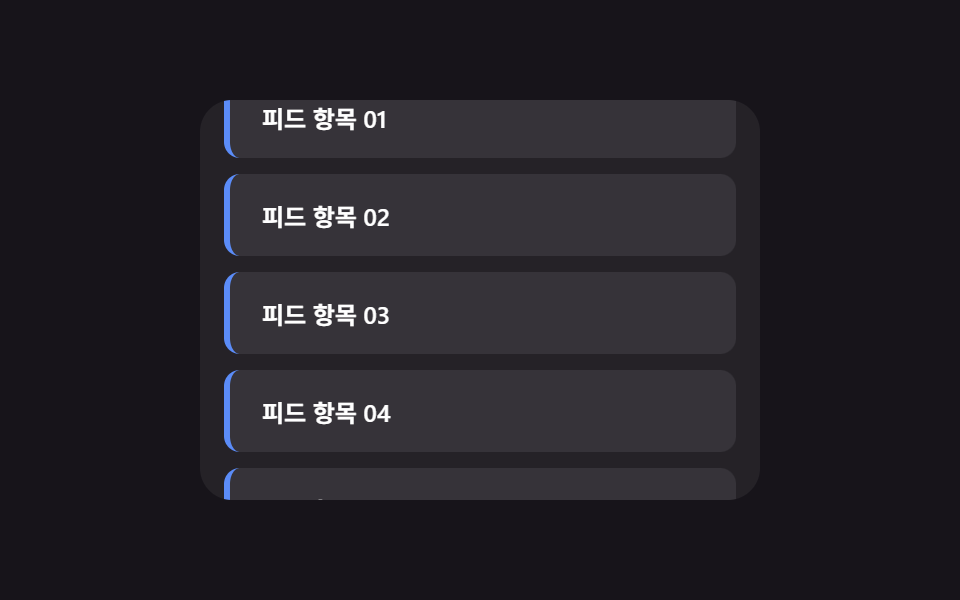 목록·표 UI무한 스크롤 구현 9종 — 리스트·테이블 UI 기본 패턴
 목록·표 UIcss receipt 9가지 — 한 줄씩 인쇄·절취선 찢기·바코드 스캔·나눠 내기
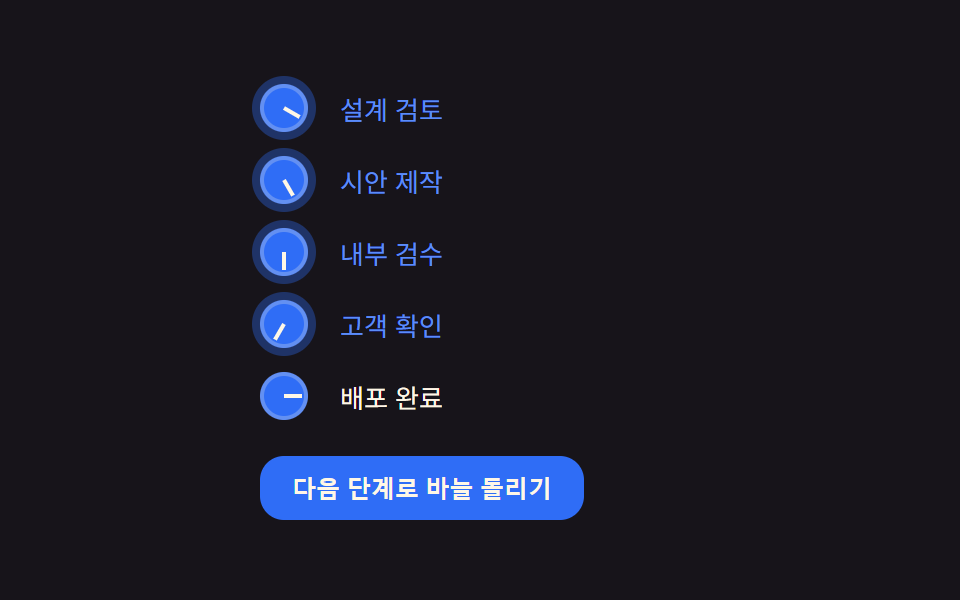 목록·표 UIcss 리스트 디자인 9종 — 마커가 계산으로 움직이는 목록 꾸미기
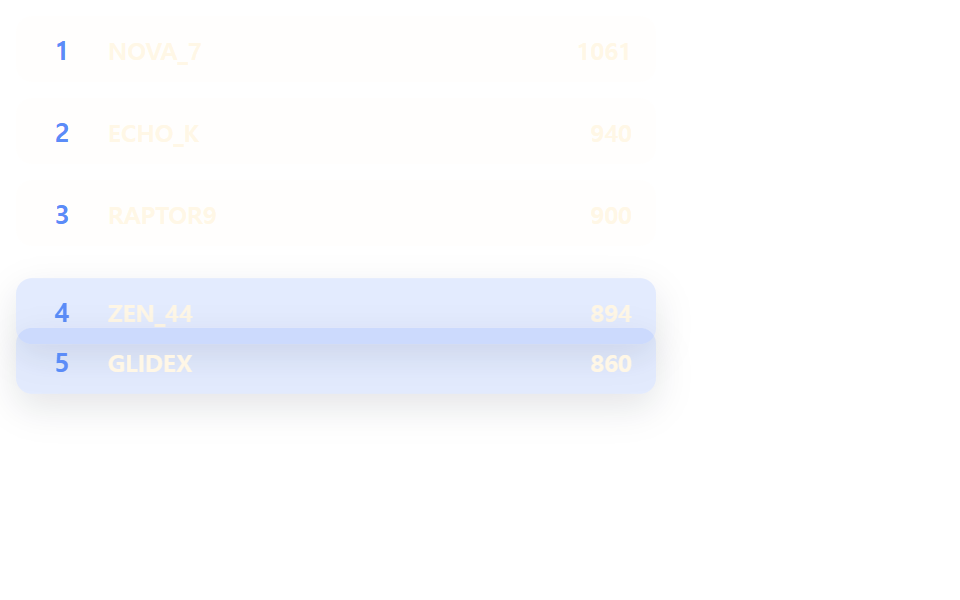 목록·표 UI랭킹 ui 디자인 9가지 — 랭킹 페이지 디자인도 같은 원리다
 목록·표 UI댓글 ui 9가지 — 대댓글 깊이부터 삭제 뒤 빈 자리까지 계산하는 목록