css 리스트 디자인 9종 — 마커가 계산으로 움직이는 목록 꾸미기
아홉 가지 리스트 마커 중 하나는 다이얼 각도 값이 항목마다 쌓이며 불릿이 시계처럼 돌고, 하나는 카운터 값이 자릿수별로 분해되어 숫자가 주행계처럼 굴러가고, 하나는 소수 판정 값에 따라 그 번호의 마커만 글로우가 맥박칩니다.
트리거는 아홉 항목이 모두 click 리스너 하나씩입니다 — 버튼의 역할만 제각각이라 01 은 다음 단계를 진행하고, 02 는 1위 값을 올리며, 03 은 배속을 바꾸고, 04 는 행진을 멈췄다 켜고, 05 는 시작 번호를 옮기고, 06 은 집계를 순환하고, 07 은 깊이를 공개하고, 09 는 전체를 제출하며, 08 만 목록 각 행의 마커 버튼이 상태를 넘깁니다. 자동 시연은 is-demo 클래스가 남아 있고 prefers-reduced-motion 이 거짓일 때만 돌다가 첫 클릭에 풀리는데, 04 는 reduce 검사를 자동 시연 조건 밖에 둬서 사람이 조작하기 시작한 뒤에도 설정을 계속 지킵니다. 마커는 아홉 셋 모두 ::marker 가 하지 못하는 일을 하므로 list-style: none 으로 네이티브 마커를 지우고 같은 자리에 다시 세운 것으로, 01·02·05 는 <ol>, 나머지 여섯은 <ul> 위에서 돕니다.
 01 list-style-marker-dial-rotate
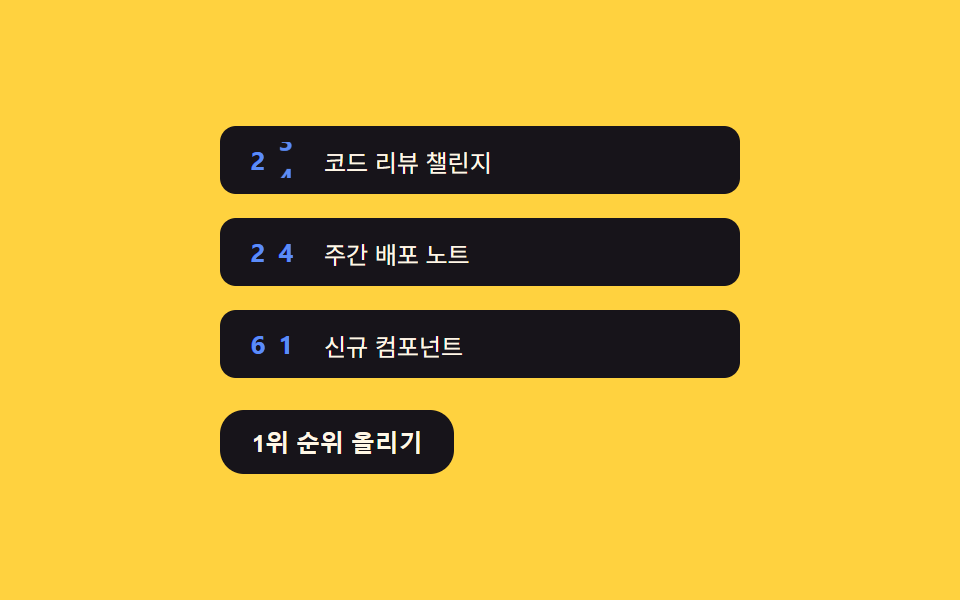 02 list-style-counter-flip-odometer
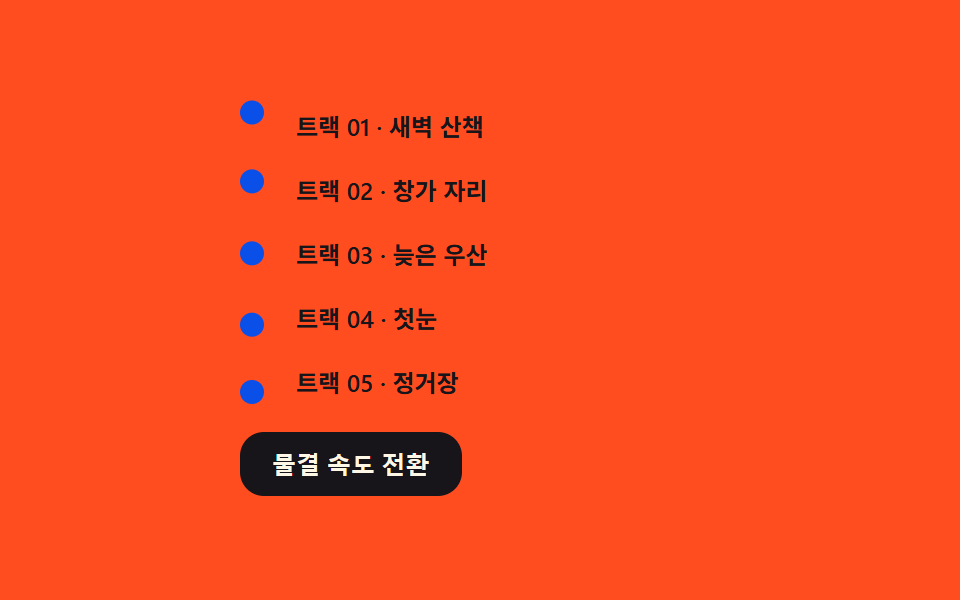 03 list-style-marker-wave-phase
 04 list-style-dash-march-offset
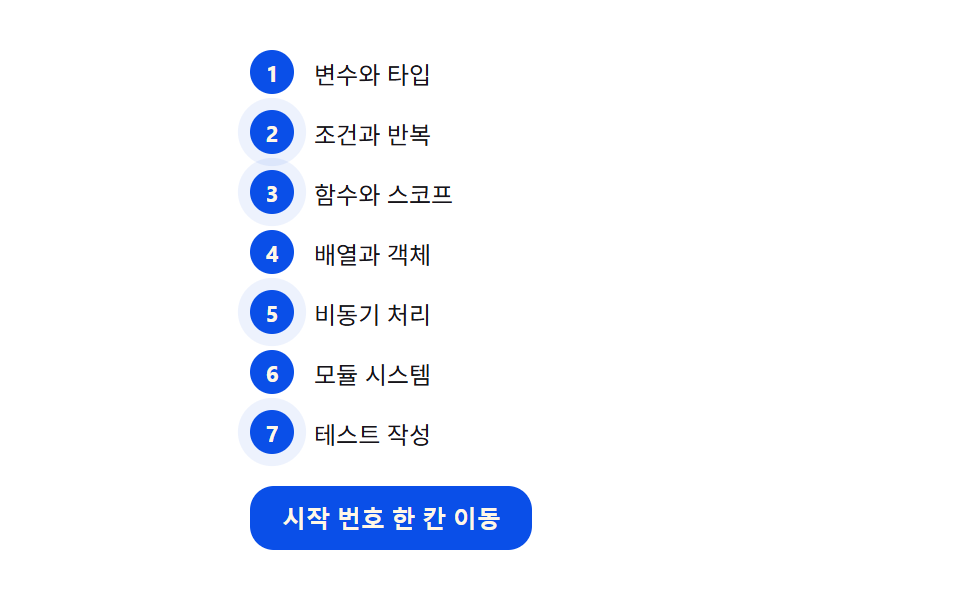 05 list-style-number-prime-glow
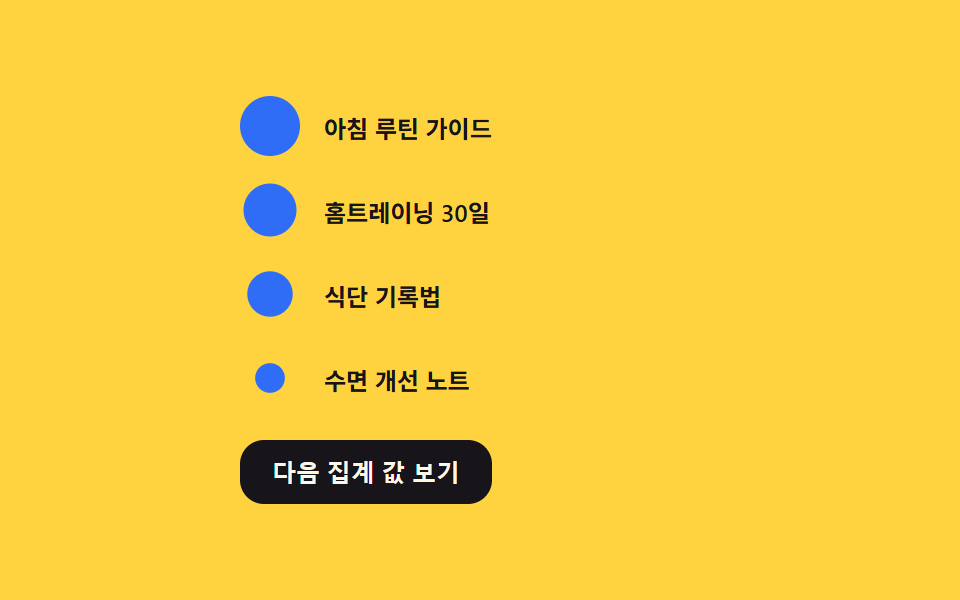 06 list-style-marker-size-rank
 07 list-style-nested-indent-rail
 08 list-style-hybrid-marker-swap
 09 list-style-check-burst-stagger
자동 재생 · 눌러서 해당 항목으로 · 전부 한 zip
- 01 다이얼 회전 마커 — 항목 번호에 각도 값을 쌓아 불릿이 시계처럼 도는 방식
- 02 주행계 카운터 — 카운터 값을 자릿수로 분해해 숫자 마커가 굴러가는 방식
- 03 위상 물결 마커 — 항목마다 위상 값을 밀어 불릿이 물결치는 방식
- 04 진행 대시 마커 — 오프셋 값을 흘려 대시가 행진하는 방식
- 05 소수 글로우 마커 — 소수 판정 값을 계산해 해당 번호만 빛나는 방식
- 06 크기 순위 마커 — 값에 비례해 마커 면적을 계산하는 방식
- 07 계층 레일 마커 — 깊이 값으로 인덴트 레일을 계산하는 방식
- 08 하이브리드 교체 마커 — 상태 값에 따라 마커 종류가 바뀌는 방식
- 09 연쇄 체크 마커 — 지연 값을 누적해 체크가 연쇄 터지는 방식
아홉 개의 해부 — 어떤 계산이 마커를 움직이는가
항목별로 화면을 얼마나 채웠는지(누적면적), 프레임 사이 픽셀 차가 얼마나 셌는지(강도), 24장 캡처 중 몇 장에서 움직였는지(움직인프레임)를 재면 다음 표와 같습니다.
| 항목 | 누적면적% | 강도_평균 | 움직인프레임 |
|---|---|---|---|
| 01 | 2.81% | 70.2 | 17/23 |
| 02 | 0.19% | 115.5 | 19/23 |
| 03 | 0.93% | 142.2 | 23/23 |
| 04 | 0.42% | 124.9 | 23/23 |
| 05 | 2.42% | 27.8 | 20/23 |
| 06 | 1.28% | 98.1 | 15/23 |
| 07 | 0.93% | 47.0 | 10/23 |
| 08 | 1.21% | 109.4 | 11/23 |
| 09 | 0.37% | 91.0 | 10/23 |
누적면적 1위는 01(2.81%)입니다 — 클릭마다 번호에 비례해 여러 바늘이 한꺼번에 돌아 활동 하이라이트까지 겹치니 픽셀이 바뀌는 폭이 가장 넓습니다. 꼴찌는 02(0.19%)로 굴러가는 숫자가 좁은 칸 안만 바꾸기 때문이고, 07 은 표에서 03 과 같은 0.93% 로 보이지만 측정 소수로는 03(0.931)이 근소하게 큽니다. 강도가 140 을 넘는 항목은 03(142.2) 하나뿐이고 최저인 05(27.8)는 글로우가 알파로 번지는 저대비 변화라 프레임 차가 작습니다. 움직인 프레임은 03·04 가 23/23 로 가장 많고 07·09 가 10/23 로 가장 적으며, 이는 흠이 아니라 단계 사이 머무는 정지 구간의 길이가 다를 뿐입니다.
계산 축으로 나누면 네 부류가 나옵니다.
누적 값으로 마커를 미는 01·02·09
01 은 클릭 한 번이 turns[i] 에 쌓여 바늘 각도가 번호를 곱해 커지고, 02 는 카운터 값을 10 의 거듭제곱으로 나눠 자릿수마다 분해하며, 09 는 터지는 시각을 i * DELAY_STEP_MS 로 누적합니다. 셋 모두 지금의 입력이 아니라 지나온 횟수·순서가 마커에 새겨지는 축입니다.
흐르는 시간을 넣는 03·04
03 은 sin(t * speed + i * PHASE_RAD) 로 공통 시간에 항목 번호만큼 위상을 밀어 같은 순간에 서로 다른 높이를 만들고, 04 는 acc += dt/1000 * MARCH_RATE_DEG_S 로 오프셋을 경과 시간에 정속 적분합니다. 이전 상태 없이 그 프레임의 시간이 값을 정한다는 점이 같습니다.
판정식이 켜고 끄는 05·07
05 는 번호마다 isPrime() 나눗셈을 다시 돌려 통과한 항목에만 is-prime 클래스를 붙이고, 07 은 revealed >= depth 비교식 하나로 전 레일의 is-open 을 즉시 갱신합니다. 정해둔 목록이 아니라 값이 바뀔 때마다 판정이 다시 돈다는 점이 이 축의 성질입니다.
비례식이 크기를 재는 06·08
06 은 factor = sqrt(v)/sqrt(max) 제곱근 비례로 면적이 값에 비례하게 반지름을 잡고, 08 은 max(1.5, BASE_AREA/size²·3) 면적 보존 식으로 커진 마커일수록 선을 얇게 역산합니다. 값의 크기가 마커의 크기·무게로 환산되는 축입니다.
패턴별 코드
01다이얼 회전 마커 — 항목 번호에 각도 값을 쌓아 불릿이 시계처럼 도는 방식
클릭 한 번이 항목이 지나온 횟수(turns[i])에 쌓이고, 바늘 각도는 여기에 항목 번호(i+1)와 DIAL_STEP_DEG(30)를 곱해 번호가 클수록 같은 클릭에 더 크게 돕니다. 자동으로도 STEP_MS(480)마다 한 칸씩 전진합니다.
  // 계산 겹: 항목 i 의 바늘 각도는 그 항목이 지금까지 지나온 횟수(turns[i]) 에 자기 번호(i+1) 를 곱해 쌓인다.
  // 뒤 항목일수록 같은 한 번의 전진에도 더 큰 각도를 받는다 — 단순 지연이 아니라 번호에 비례한 누적이다.
  var turns = items.map(function () { return 0; });

  function render() {
    items.forEach(function (el, i) {
      var deg = turns[i] * DIAL_STEP_DEG * (i + 1);
      el.style.setProperty('--angle', (deg % 360) + 'deg');
    });
  }
<main class="stage">
<div class="wrap is-demo" id="wrap">
  <ol class="dial-list" id="list">
    <li style="--i:0">설계 검토</li>
    <li style="--i:1">시안 제작</li>
    <li style="--i:2">내부 검수</li>
    <li style="--i:3">고객 확인</li>
    <li style="--i:4">배포 완료</li>
  </ol>
  <button class="advance" id="advance" type="button">다음 단계로 바늘 돌리기</button>
</div>
</main>
@use "../../../../site/static/demo-tokens" as *;
// 계산 겹은 index.html 의 turns[i] * DIAL_STEP_DEG * (i+1) 누적식에 있다 — 여기는 다이얼 모양·판만 맡는다.
// ::marker 는 transform(rotate) 을 지원하지 않아 바늘을 돌릴 수 없다 (::marker 로 되는 건 color·content·font 뿐).
// 그래서 list-style:none 으로 네이티브 마커를 지우고 ::before(다이얼 원판)·::after(바늘) 로 대체한다.
@include stage($stage-ink);
.dial-list {
list-style: none;
margin: 0;
padding: 0;
display: flex;
flex-direction: column;
gap: $sp-2;
width: 220px;
}
.dial-list li {
position: relative;
padding-left: 40px;
min-height: 28px;
display: flex;
align-items: center;
color: $subject-cream;
font-size: 13px;
transition: color $dur-quick $ease-out;
}
.dial-list li::before {
content: '';
position: absolute;
left: 0;
top: 50%;
width: 24px;
height: 24px;
margin-top: -12px;
border-radius: 50%;
background: $subject-blue;
box-shadow: inset 0 0 0 2px rgba($subject-cream, .25);
}
.dial-list li::after {
content: '';
position: absolute;
left: 12px;
top: 50%;
width: 9px;
height: 2px;
margin-top: -1px;
background: $subject-cream;
transform-origin: left center; // 바늘의 회전축 — 다이얼 중심에 고정된 채 끝만 돈다
transform: rotate(var(--angle, 0deg));
transition: transform $dur-quick $ease-out;
}
.dial-list li.is-active {
color: $subject-blue-light;
}
.dial-list li.is-active::before {
box-shadow: inset 0 0 0 2px rgba($subject-cream, .25), 0 0 0 4px rgba($subject-blue, .35);
}
.advance {
appearance: none;
border: none;
margin-top: $sp-4;
padding: $sp-2 $sp-4;
border-radius: $r-control;
background: $subject-blue;
color: $subject-cream;
font-size: 12px;
font-weight: 600;
cursor: pointer;
transition: transform $dur-instant $ease-out;
&:hover { transform: translateY(-1px); }
&:active { transform: scale(.96); }
&:focus-visible { outline: 2px solid $subject-blue-light; outline-offset: 2px; }
}
@media (max-width: 340px) {
.dial-list { width: 180px; gap: $sp-1; }
.dial-list li { font-size: 11px; min-height: 22px; padding-left: 32px; }
.dial-list li::before { width: 20px; height: 20px; margin-top: -10px; }
.dial-list li::after { left: 10px; }
.advance { margin-top: $sp-2; padding: $sp-1 $sp-3; }
}
@media (prefers-reduced-motion: reduce) {
.dial-list li::after { transition: none; }
.advance { transition: none; }
}html, body {
margin: 0;
overflow: hidden;
}
.stage {
box-sizing: border-box;
min-height: 100vh;
display: grid;
place-items: center;
margin: 0;
background: #17141a;
font-family: -apple-system, "Segoe UI", "Noto Sans KR", sans-serif;
padding: clamp(8px, 4vw, 24px);
}
.dial-list {
list-style: none;
margin: 0;
padding: 0;
display: flex;
flex-direction: column;
gap: 8px;
width: 220px;
}
.dial-list li {
position: relative;
padding-left: 40px;
min-height: 28px;
display: flex;
align-items: center;
color: #fff7e6;
font-size: 13px;
transition: color 220ms ease-out;
}
.dial-list li::before {
content: "";
position: absolute;
left: 0;
top: 50%;
width: 24px;
height: 24px;
margin-top: -12px;
border-radius: 50%;
background: #2f6df6;
box-shadow: inset 0 0 0 2px rgba(255, 247, 230, 0.25);
}
.dial-list li::after {
content: "";
position: absolute;
left: 12px;
top: 50%;
width: 9px;
height: 2px;
margin-top: -1px;
background: #fff7e6;
transform-origin: left center;
transform: rotate(var(--angle, 0deg));
transition: transform 220ms ease-out;
}
.dial-list li.is-active {
color: #5b8cf8;
}
.dial-list li.is-active::before {
box-shadow: inset 0 0 0 2px rgba(255, 247, 230, 0.25), 0 0 0 4px rgba(47, 109, 246, 0.35);
}
.advance {
appearance: none;
border: none;
margin-top: 16px;
padding: 8px 16px;
border-radius: 12px;
background: #2f6df6;
color: #fff7e6;
font-size: 12px;
font-weight: 600;
cursor: pointer;
transition: transform 140ms ease-out;
}
.advance:hover {
transform: translateY(-1px);
}
.advance:active {
transform: scale(0.96);
}
.advance:focus-visible {
outline: 2px solid #5b8cf8;
outline-offset: 2px;
}
@media (max-width: 340px) {
.dial-list {
width: 180px;
gap: 4px;
}
.dial-list li {
font-size: 11px;
min-height: 22px;
padding-left: 32px;
}
.dial-list li::before {
width: 20px;
height: 20px;
margin-top: -10px;
}
.dial-list li::after {
left: 10px;
}
.advance {
margin-top: 8px;
padding: 4px 12px;
}
}
@media (prefers-reduced-motion: reduce) {
.dial-list li::after {
transition: none;
}
.advance {
transition: none;
}
}(function () {
var DIAL_STEP_DEG = 30; // 클릭 한 번이 바늘에 더하는 각도 — 변형 01 목표: 30 → 15
var reduce = window.matchMedia('(prefers-reduced-motion: reduce)').matches;
var wrap = document.getElementById('wrap');
var list = document.getElementById('list');
var items = Array.prototype.slice.call(list.querySelectorAll('li'));
var button = document.getElementById('advance');
var isDemo = true;
// 계산 겹: 항목 i 의 바늘 각도는 그 항목이 지금까지 지나온 횟수(turns[i]) 에 자기 번호(i+1) 를 곱해 쌓인다.
// 뒤 항목일수록 같은 한 번의 전진에도 더 큰 각도를 받는다 — 단순 지연이 아니라 번호에 비례한 누적이다.
var turns = items.map(function () { return 0; });
function render() {
items.forEach(function (el, i) {
var deg = turns[i] * DIAL_STEP_DEG * (i + 1);
el.style.setProperty('--angle', (deg % 360) + 'deg');
});
}
function human() { if (isDemo) { wrap.classList.remove('is-demo'); isDemo = false; } }
var active = 0;
function advance() {
turns[active] += 1;
items[active].classList.add('is-active');
setTimeout(function () { items[active] && items[active].classList.remove('is-active'); }, 260);
active = (active + 1) % items.length;
render();
}
button.addEventListener('click', function () { human(); advance(); });
var last = 0;
var STEP_MS = 480;
function loop(ts) {
if (!last) last = ts;
if (isDemo) {
if (reduce) {
turns = items.map(function (_, i) { return i + 1; }); // 계산은 유지, 시간 축소 대신 종료 상태로 즉시 고정
render();
} else if (ts - last >= STEP_MS) {
last = ts;
advance();
}
}
requestAnimationFrame(loop);
}
requestAnimationFrame(loop);
render();
})();// DialRotateMarker — vanilla 판(run/373/demo/01-list-style-marker-dial-rotate/index.html) 의 React 포트.
// ::marker 는 transform(rotate) 을 지원하지 않아 list-style:none 으로 지우고 ::before(다이얼 원판)·
// ::after(바늘) 로 마커를 다시 그린다. 바늘 각도는 turns[i] * DIAL_STEP_DEG * (i+1) 로 항목 번호에 비례해 쌓인다.
import { useEffect, useRef } from "react";
import styles from "./DialRotateMarker.module.scss";
type Box<T> = { current: T };
const DIAL_STEP_DEG = 30; // 클릭 한 번이 바늘에 더하는 각도 — 변형 01 목표: 30 → 15
const STEP_MS = 480; // 자동 루프에서 한 단계 전진하는 간격
const STEPS = ["설계 검토", "시안 제작", "내부 검수", "고객 확인", "배포 완료"];
export default function DialRotateMarker() {
const rootRef = useRef(null) as unknown as Box<HTMLDivElement>;
const listRef = useRef(null) as unknown as Box<HTMLOListElement>;
const rafRef = useRef(0) as unknown as Box<number>;
useEffect(() => {
const reduce = window.matchMedia("(prefers-reduced-motion: reduce)").matches;
const root = rootRef.current;
const list = listRef.current;
if (!root || !list) return;
const items = Array.prototype.slice.call(list.querySelectorAll("li"));
let isDemo = true;
// 계산 겹: 항목 i 의 바늘 각도는 그 항목이 지금까지 지나온 횟수(turns[i]) 에 자기 번호(i+1) 를 곱해 쌓인다.
// 뒤 항목일수록 같은 한 번의 전진에도 더 큰 각도를 받는다 — 단순 지연이 아니라 번호에 비례한 누적이다.
let turns = items.map(function () { return 0; });
function render() {
items.forEach(function (el: HTMLElement, i: number) {
const deg = turns[i] * DIAL_STEP_DEG * (i + 1);
el.style.setProperty("--angle", (deg % 360) + "deg");
});
}
function human() { if (isDemo) { root!.classList.remove(styles.isDemo); isDemo = false; } }
let active = 0;
function advance() {
turns[active] += 1;
items[active].classList.add("is-active");
setTimeout(function () { items[active] && items[active].classList.remove("is-active"); }, 260);
active = (active + 1) % items.length;
render();
}
function onClick() { human(); advance(); }
root!.addEventListener("click", onClick);
let last = 0;
function loop(ts: number) {
if (!last) last = ts;
if (isDemo) {
if (reduce) {
turns = items.map(function (_: HTMLElement, i: number) { return i + 1; }); // 계산은 유지, 종료 상태로 즉시 고정
render();
} else if (ts - last >= STEP_MS) {
last = ts;
advance();
}
}
rafRef.current = requestAnimationFrame(loop);
}
rafRef.current = requestAnimationFrame(loop);
render();
return () => {
root!.removeEventListener("click", onClick);
cancelAnimationFrame(rafRef.current);
};
}, []);
return (
<main className={styles.stage}>
<div className={styles.wrap + " " + styles.isDemo} ref={rootRef}>
<ol className={styles.dialList} ref={listRef}>
{STEPS.map(function (s, i) { return <li key={s} style={{ ["--i" as string]: String(i) } as Record<string, string>}>{s}</li>; })}
</ol>
<button className={styles.advance} type="button">다음 단계로 바늘 돌리기</button>
</div>
</main>
);
}01 · 다이얼 회전 마커 — 항목 번호에 각도 값을 쌓아 불릿이 시계처럼 도는 방식 — 측정 누적면적 2.805% · 움직인 프레임 17/23GODRICH 원작 · zip 에 SCSS·React 포함 · 비밀번호 보기
02주행계 카운터 — 카운터 값을 자릿수로 분해해 숫자 마커가 굴러가는 방식
카운터 값을 place = 10^(ODO_DIGITS-1-d) 로 나눠 자릿수마다 분해하고, 0부터 9까지 스트립을 translateY(-digit * DIGIT_H) 로 끌어올립니다. 자리마다 전환 속도를 260 + d * 220 ms 로 달리해 왼쪽 높은 자리가 260ms 로 먼저 멈추고 오른쪽 낮은 자리가 260 + 220ms 로 뒤늦게 따라옵니다.
  // 계산 겹: 카운터 값을 10 의 거듭제곱으로 나눠 자릿수로 분해한다. 각 자릿수 칸은 서로 다른 전환 속도를 가져
  // 낮은 자리부터 먼저 자리를 잡고(빠름) 높은 자리가 뒤따른다(느림) — 단순 opacity 페이드가 아니라 자릿수별 롤링.
  function setDigits(odo, value) {
    var strips = odo.querySelectorAll('.odo-strip');
    for (var d = 0; d < ODO_DIGITS; d++) {
      var place = Math.pow(10, ODO_DIGITS - 1 - d);
      var digit = Math.floor(value / place) % 10;
      strips[d].style.transform = 'translateY(' + (-digit * DIGIT_H) + 'px)';
    }
  }

  function speedClass(odo) {
    var strips = odo.querySelectorAll('.odo-strip');
    strips.forEach(function (s, d) {
      // d=0(가장 왼쪽=가장 높은 자리)이 가장 느리고, 오른쪽(낮은 자리)일수록 빠르다
      var ms = 260 + d * 220;
      s.style.transitionDuration = ms + 'ms';
    });
  }
  odos.forEach(speedClass);
<main class="stage">
<div class="wrap is-demo" id="wrap">
  <ol class="rank-list" id="list">
    <li data-value="8">코드 리뷰 챌린지</li>
    <li data-value="24">주간 배포 노트</li>
    <li data-value="61">신규 컴포넌트</li>
  </ol>
  <button class="bump" id="bump" type="button">1위 순위 올리기</button>
</div>
</main>
@use "../../../../site/static/demo-tokens" as *;
// 계산 겹은 index.html 의 자릿수 분해(value / 10^n % 10)와 자리별 전환 속도 차등에 있다 — 여기는 창·트랙만 맡는다.
// 네이티브 ::marker 는 세로로 구를(translateY) 자릿수 스트립을 담을 수 없어(자식을 못 가진다) 실제 DOM 요소로
// 마커 자리를 대신한다 — list-style:none 으로 원 마커를 지우고 aria-hidden 장식으로만 노출한다.
@include stage($stage-yellow);
.rank-list {
list-style: none;
margin: 0;
padding: 0;
display: flex;
flex-direction: column;
gap: $sp-3;
width: 260px;
}
.rank-list li {
display: flex;
align-items: center;
gap: $sp-3;
padding: $sp-2 $sp-3;
background: $subject-ink;
border-radius: $r-sm;
color: $subject-cream;
font-size: 12px;
}
.odo {
display: flex;
flex-shrink: 0;
}
.odo-col {
width: 14px;
height: 18px;
overflow: hidden;
position: relative;
font-variant-numeric: tabular-nums;
}
.odo-strip {
display: flex;
flex-direction: column;
transition: transform $dur-base $ease-out;
}
.odo-digit {
height: 18px;
line-height: 18px;
text-align: center;
color: $subject-blue-light;
font-weight: 700;
font-size: 13px;
}
.bump {
appearance: none;
border: none;
margin-top: $sp-4;
padding: $sp-2 $sp-4;
border-radius: $r-control;
background: $subject-ink;
color: $subject-cream;
font-size: 12px;
font-weight: 600;
cursor: pointer;
transition: transform $dur-instant $ease-out;
&:hover { transform: translateY(-1px); }
&:active { transform: scale(.96); }
&:focus-visible { outline: 2px solid $subject-blue-light; outline-offset: 2px; }
}
@media (max-width: 340px) {
.rank-list { width: 210px; }
.rank-list li { font-size: 11px; }
}
@media (prefers-reduced-motion: reduce) {
.odo-strip { transition: none; }
.bump { transition: none; }
}html, body {
margin: 0;
overflow: hidden;
}
.stage {
box-sizing: border-box;
min-height: 100vh;
display: grid;
place-items: center;
margin: 0;
background: #ffd23f;
font-family: -apple-system, "Segoe UI", "Noto Sans KR", sans-serif;
padding: clamp(8px, 4vw, 24px);
}
.rank-list {
list-style: none;
margin: 0;
padding: 0;
display: flex;
flex-direction: column;
gap: 12px;
width: 260px;
}
.rank-list li {
display: flex;
align-items: center;
gap: 12px;
padding: 8px 12px;
background: #17141a;
border-radius: 8px;
color: #fff7e6;
font-size: 12px;
}
.odo {
display: flex;
flex-shrink: 0;
}
.odo-col {
width: 14px;
height: 18px;
overflow: hidden;
position: relative;
font-variant-numeric: tabular-nums;
}
.odo-strip {
display: flex;
flex-direction: column;
transition: transform 300ms ease-out;
}
.odo-digit {
height: 18px;
line-height: 18px;
text-align: center;
color: #5b8cf8;
font-weight: 700;
font-size: 13px;
}
.bump {
appearance: none;
border: none;
margin-top: 16px;
padding: 8px 16px;
border-radius: 12px;
background: #17141a;
color: #fff7e6;
font-size: 12px;
font-weight: 600;
cursor: pointer;
transition: transform 140ms ease-out;
}
.bump:hover {
transform: translateY(-1px);
}
.bump:active {
transform: scale(0.96);
}
.bump:focus-visible {
outline: 2px solid #5b8cf8;
outline-offset: 2px;
}
@media (max-width: 340px) {
.rank-list {
width: 210px;
}
.rank-list li {
font-size: 11px;
}
}
@media (prefers-reduced-motion: reduce) {
.odo-strip {
transition: none;
}
.bump {
transition: none;
}
}(function () {
var ODO_DIGITS = 2; // 자릿수 — 변형 02 목표: 2 → 3
var DIGIT_H = 18; // 숫자 스트립 한 칸 높이(px)
var reduce = window.matchMedia('(prefers-reduced-motion: reduce)').matches;
var wrap = document.getElementById('wrap');
var list = document.getElementById('list');
var items = Array.prototype.slice.call(list.querySelectorAll('li'));
var button = document.getElementById('bump');
var isDemo = true;
function buildOdometer(li) {
var odo = document.createElement('span');
odo.className = 'odo';
odo.setAttribute('aria-hidden', 'true');
for (var d = 0; d < ODO_DIGITS; d++) {
var col = document.createElement('span');
col.className = 'odo-col';
var strip = document.createElement('span');
strip.className = 'odo-strip';
for (var n = 0; n < 10; n++) {
var digit = document.createElement('span');
digit.className = 'odo-digit';
digit.textContent = String(n);
strip.appendChild(digit);
}
col.appendChild(strip);
odo.appendChild(col);
}
li.insertBefore(odo, li.firstChild);
return odo;
}
var odos = items.map(buildOdometer);
// 계산 겹: 카운터 값을 10 의 거듭제곱으로 나눠 자릿수로 분해한다. 각 자릿수 칸은 서로 다른 전환 속도를 가져
// 낮은 자리부터 먼저 자리를 잡고(빠름) 높은 자리가 뒤따른다(느림) — 단순 opacity 페이드가 아니라 자릿수별 롤링.
function setDigits(odo, value) {
var strips = odo.querySelectorAll('.odo-strip');
for (var d = 0; d < ODO_DIGITS; d++) {
var place = Math.pow(10, ODO_DIGITS - 1 - d);
var digit = Math.floor(value / place) % 10;
strips[d].style.transform = 'translateY(' + (-digit * DIGIT_H) + 'px)';
}
}
function speedClass(odo) {
var strips = odo.querySelectorAll('.odo-strip');
strips.forEach(function (s, d) {
// d=0(가장 왼쪽=가장 높은 자리)이 가장 느리고, 오른쪽(낮은 자리)일수록 빠르다
var ms = 260 + d * 220;
s.style.transitionDuration = ms + 'ms';
});
}
odos.forEach(speedClass);
var values = items.map(function (li) { return parseInt(li.getAttribute('data-value'), 10); });
function render() {
items.forEach(function (li, i) { setDigits(odos[i], values[i] % Math.pow(10, ODO_DIGITS)); });
}
function human() { if (isDemo) { wrap.classList.remove('is-demo'); isDemo = false; } }
function bump() {
values[0] = (values[0] + 7) % Math.pow(10, ODO_DIGITS);
render();
}
button.addEventListener('click', function () { human(); bump(); });
var last = 0;
var STEP_MS = 620;
function loop(ts) {
if (!last) last = ts;
if (isDemo) {
if (reduce) {
values = [42, 97, 5]; // 계산은 유지, 시간 축소 대신 굴러간 결과 상태로 즉시 고정
render();
} else if (ts - last >= STEP_MS) {
last = ts;
bump();
}
}
requestAnimationFrame(loop);
}
requestAnimationFrame(loop);
render();
})();// OdometerCounterMarker — vanilla 판(run/373/demo/02-list-style-counter-flip-odometer/index.html) 의 React 포트.
// 카운터 값을 10 의 거듭제곱으로 나눠 자릿수로 분해하고, 각 자릿수 칸이 서로 다른 전환 속도로 굴러간다.
// 네이티브 ::marker 는 자식을 가질 수 없어 세로 스트립을 담지 못하므로 실제 DOM 요소로 마커 자리를 대신한다.
import { useEffect, useRef } from "react";
import styles from "./OdometerCounterMarker.module.scss";
type Box<T> = { current: T };
const ODO_DIGITS = 2; // 자릿수 — 변형 02 목표: 2 → 3
const DIGIT_H = 18; // 숫자 스트립 한 칸 높이(px)
const STEP_MS = 620; // 자동 루프에서 1위 값을 올리는 간격
const ROWS = [
{ label: "코드 리뷰 챌린지", value: 8 },
{ label: "주간 배포 노트", value: 24 },
{ label: "신규 컴포넌트", value: 61 },
];
export default function OdometerCounterMarker() {
const rootRef = useRef(null) as unknown as Box<HTMLDivElement>;
const listRef = useRef(null) as unknown as Box<HTMLOListElement>;
const rafRef = useRef(0) as unknown as Box<number>;
useEffect(() => {
const reduce = window.matchMedia("(prefers-reduced-motion: reduce)").matches;
const root = rootRef.current;
const list = listRef.current;
if (!root || !list) return;
const items = Array.prototype.slice.call(list.querySelectorAll("li"));
let isDemo = true;
// 계산 겹: 카운터 값을 10 의 거듭제곱으로 나눠 자릿수로 분해한다. 각 자릿수 칸은 서로 다른 전환 속도를 가져
// 낮은 자리부터 먼저 자리를 잡고(빠름) 높은 자리가 뒤따른다(느림) — 단순 opacity 페이드가 아니라 자릿수별 롤링.
function setDigits(odo: Element, value: number) {
const strips = odo.querySelectorAll("." + (styles.odoStrip || "odo-strip"));
for (let d = 0; d < ODO_DIGITS; d++) {
const place = Math.pow(10, ODO_DIGITS - 1 - d);
const digit = Math.floor(value / place) % 10;
(strips[d] as HTMLElement).style.transform = "translateY(" + (-digit * DIGIT_H) + "px)";
}
}
function speedClass() {
items.forEach(function (li: HTMLElement) {
const odo = li.querySelector("." + (styles.odo || "odo"));
if (!odo) return;
const strips = odo.querySelectorAll("." + (styles.odoStrip || "odo-strip"));
Array.prototype.forEach.call(strips, function (s: HTMLElement, d: number) {
// d=0(가장 왼쪽=가장 높은 자리)이 가장 느리고, 오른쪽(낮은 자리)일수록 빠르다
const ms = 260 + d * 220;
s.style.transitionDuration = ms + "ms";
});
});
}
let values = ROWS.map(function (r) { return r.value; });
function render() {
items.forEach(function (li: HTMLElement, i: number) {
const odo = li.querySelector("." + (styles.odo || "odo"));
if (odo) setDigits(odo, values[i] % Math.pow(10, ODO_DIGITS));
});
}
function human() { if (isDemo) { root!.classList.remove(styles.isDemo); isDemo = false; } }
function bump() {
values[0] = (values[0] + 7) % Math.pow(10, ODO_DIGITS);
render();
}
function onClick() { human(); bump(); }
root!.addEventListener("click", onClick);
speedClass();
let last = 0;
function loop(ts: number) {
if (!last) last = ts;
if (isDemo) {
if (reduce) {
values = [42, 97, 5]; // 계산은 유지, 시간 축소 대신 굴러간 결과 상태로 즉시 고정
render();
} else if (ts - last >= STEP_MS) {
last = ts;
bump();
}
}
rafRef.current = requestAnimationFrame(loop);
}
rafRef.current = requestAnimationFrame(loop);
render();
return () => {
root!.removeEventListener("click", onClick);
cancelAnimationFrame(rafRef.current);
};
}, []);
return (
<main className={styles.stage}>
<div className={styles.wrap + " " + styles.isDemo} ref={rootRef}>
<ol className={styles.rankList} ref={listRef}>
{ROWS.map(function (r) {
return (
<li key={r.label}>
<span className={styles.odo} aria-hidden="true">
{Array.from({ length: ODO_DIGITS }).map(function (_, d) {
return (
<span className={styles.odoCol} key={d}>
<span className={styles.odoStrip}>
{Array.from({ length: 10 }).map(function (_, n) {
return <span className={styles.odoDigit} key={n}>{String(n)}</span>;
})}
</span>
</span>
);
})}
</span>
{r.label}
</li>
);
})}
</ol>
<button className={styles.bump} type="button">1위 순위 올리기</button>
</div>
</main>
);
}02 · 주행계 카운터 — 카운터 값을 자릿수로 분해해 숫자 마커가 굴러가는 방식 — 측정 누적면적 0.189% · 움직인 프레임 19/23GODRICH 원작 · zip 에 SCSS·React 포함 · 비밀번호 보기
03위상 물결 마커 — 항목마다 위상 값을 밀어 불릿이 물결치는 방식
불릿의 세로 위치를 진폭 AMPLITUDE_PX(6)의 사인값으로 정하고, 위상을 항목 번호만큼(i * PHASE_RAD) 밀어 넣어 목록 전체가 한 줄의 물결로 흐릅니다. SPEEDS [1, 2, 0.5] 프리셋을 클릭으로 순환합니다.
  // 계산 겹: 각 불릿의 세로 위치는 사인 함수에 항목 번호만큼 위상을 밀어 넣은 값이다.
  // t(공통 시간) 는 흐르되 위상이 다르면 같은 순간에도 서로 다른 높이가 된다 — 이것이 "물결"의 원리다.
  function apply(t) {
    var speed = SPEEDS[speedIdx];
    items.forEach(function (el, i) {
      var phase = i * PHASE_RAD;
      var y = AMPLITUDE_PX * Math.sin(t * speed + phase);
      el.style.setProperty('--y', y.toFixed(2) + 'px');
    });
  }
<main class="stage">
<div class="wrap is-demo" id="wrap">
  <ul class="wave-list" id="list">
    <li style="--i:0">트랙 01 · 새벽 산책</li>
    <li style="--i:1">트랙 02 · 창가 자리</li>
    <li style="--i:2">트랙 03 · 늦은 우산</li>
    <li style="--i:3">트랙 04 · 첫눈</li>
    <li style="--i:4">트랙 05 · 정거장</li>
  </ul>
  <button class="speed" id="speed" type="button">물결 속도 전환</button>
</div>
</main>
@use "../../../../site/static/demo-tokens" as *;
// 계산 겹은 index.html 의 사인 함수 위상 이동(sin(t*speed + i*phase)) 에 있다 — 여기는 불릿 모양·판만 맡는다.
// ::marker 는 transform(translateY) 을 지원하지 않아 물결을 만들 수 없다 — list-style:none 으로 지우고
// ::before 로 대체한 불릿에 커스텀 프로퍼티 --y 를 실어 세로로 흔든다.
@include stage($stage-orange);
.wave-list {
list-style: none;
margin: 0;
padding: 0;
display: flex;
flex-direction: column;
gap: $sp-3;
width: 240px;
}
.wave-list li {
position: relative;
padding-left: 28px;
min-height: 20px;
display: flex;
align-items: center;
color: $subject-ink;
font-size: 12px;
font-weight: 600;
}
.wave-list li::before {
content: '';
position: absolute;
left: 0;
top: 50%;
width: 12px;
height: 12px;
margin-top: -6px;
border-radius: 50%;
background: $subject-blue-deep;
transform: translateY(var(--y, 0px));
}
.speed {
appearance: none;
border: none;
margin-top: $sp-4;
padding: $sp-2 $sp-4;
border-radius: $r-control;
background: $subject-ink;
color: $subject-cream;
font-size: 12px;
font-weight: 600;
cursor: pointer;
transition: transform $dur-instant $ease-out;
&:hover { transform: translateY(-1px); }
&:active { transform: scale(.96); }
&:focus-visible { outline: 2px solid $subject-blue-light; outline-offset: 2px; }
}
@media (max-width: 340px) {
.wave-list { width: 190px; gap: $sp-1; }
.wave-list li { font-size: 11px; min-height: 16px; padding-left: 20px; }
.wave-list li::before { width: 10px; height: 10px; margin-top: -5px; }
.speed { margin-top: $sp-2; padding: $sp-1 $sp-3; }
}
@media (prefers-reduced-motion: reduce) {
.wave-list li::before { transition: none; }
.speed { transition: none; }
}html, body {
margin: 0;
overflow: hidden;
}
.stage {
box-sizing: border-box;
min-height: 100vh;
display: grid;
place-items: center;
margin: 0;
background: #ff4d1f;
font-family: -apple-system, "Segoe UI", "Noto Sans KR", sans-serif;
padding: clamp(8px, 4vw, 24px);
}
.wave-list {
list-style: none;
margin: 0;
padding: 0;
display: flex;
flex-direction: column;
gap: 12px;
width: 240px;
}
.wave-list li {
position: relative;
padding-left: 28px;
min-height: 20px;
display: flex;
align-items: center;
color: #17141a;
font-size: 12px;
font-weight: 600;
}
.wave-list li::before {
content: "";
position: absolute;
left: 0;
top: 50%;
width: 12px;
height: 12px;
margin-top: -6px;
border-radius: 50%;
background: #0a4fe8;
transform: translateY(var(--y, 0px));
}
.speed {
appearance: none;
border: none;
margin-top: 16px;
padding: 8px 16px;
border-radius: 12px;
background: #17141a;
color: #fff7e6;
font-size: 12px;
font-weight: 600;
cursor: pointer;
transition: transform 140ms ease-out;
}
.speed:hover {
transform: translateY(-1px);
}
.speed:active {
transform: scale(0.96);
}
.speed:focus-visible {
outline: 2px solid #5b8cf8;
outline-offset: 2px;
}
@media (max-width: 340px) {
.wave-list {
width: 190px;
gap: 4px;
}
.wave-list li {
font-size: 11px;
min-height: 16px;
padding-left: 20px;
}
.wave-list li::before {
width: 10px;
height: 10px;
margin-top: -5px;
}
.speed {
margin-top: 8px;
padding: 4px 12px;
}
}
@media (prefers-reduced-motion: reduce) {
.wave-list li::before {
transition: none;
}
.speed {
transition: none;
}
}(function () {
var WAVE_PHASE_DEG = 40; // 항목 사이 위상차 — 변형 03 목표: 40 → 80
var AMPLITUDE_PX = 6;
var SPEEDS = [1, 2, 0.5]; // 배속 프리셋
var reduce = window.matchMedia('(prefers-reduced-motion: reduce)').matches;
var wrap = document.getElementById('wrap');
var list = document.getElementById('list');
var items = Array.prototype.slice.call(list.querySelectorAll('li'));
var button = document.getElementById('speed');
var isDemo = true;
var speedIdx = 0;
var PHASE_RAD = WAVE_PHASE_DEG * Math.PI / 180;
// 계산 겹: 각 불릿의 세로 위치는 사인 함수에 항목 번호만큼 위상을 밀어 넣은 값이다.
// t(공통 시간) 는 흐르되 위상이 다르면 같은 순간에도 서로 다른 높이가 된다 — 이것이 "물결"의 원리다.
function apply(t) {
var speed = SPEEDS[speedIdx];
items.forEach(function (el, i) {
var phase = i * PHASE_RAD;
var y = AMPLITUDE_PX * Math.sin(t * speed + phase);
el.style.setProperty('--y', y.toFixed(2) + 'px');
});
}
function human() { if (isDemo) { wrap.classList.remove('is-demo'); isDemo = false; } }
button.addEventListener('click', function () {
human();
speedIdx = (speedIdx + 1) % SPEEDS.length;
});
var start = 0;
function loop(ts) {
if (!start) start = ts;
if (isDemo) {
if (reduce) {
apply(Math.PI / 2); // 계산은 유지, 시간 축소 대신 파고 정점 위상으로 즉시 고정
} else {
apply((ts - start) / 260);
}
}
requestAnimationFrame(loop);
}
requestAnimationFrame(loop);
apply(0);
})();// PhaseWaveMarker — vanilla 판(run/373/demo/03-list-style-marker-wave-phase/index.html) 의 React 포트.
// ::marker 는 transform(translateY) 을 지원하지 않아 물결을 만들 수 없다 — list-style:none 으로 지우고
// ::before 로 대체한 불릿에 커스텀 프로퍼티 --y 를 실어 사인 위상차로 세로로 흔든다.
import { useEffect, useRef } from "react";
import styles from "./PhaseWaveMarker.module.scss";
type Box<T> = { current: T };
const WAVE_PHASE_DEG = 40; // 인접 항목 사이 위상 간격 — 변형 03 목표: 40 → 80
const AMPLITUDE_PX = 6; // 물결 진폭 상한(px)
const SPEEDS = [1, 2, 0.5]; // 속도 프리셋 — 버튼으로 순환한다 (Math.random 금지, 결정적 배열)
const TRACKS = ["트랙 01 · 새벽 산책", "트랙 02 · 창가 자리", "트랙 03 · 늦은 우산", "트랙 04 · 첫눈", "트랙 05 · 정거장"];
export default function PhaseWaveMarker() {
const rootRef = useRef(null) as unknown as Box<HTMLDivElement>;
const listRef = useRef(null) as unknown as Box<HTMLUListElement>;
const rafRef = useRef(0) as unknown as Box<number>;
useEffect(() => {
const reduce = window.matchMedia("(prefers-reduced-motion: reduce)").matches;
const root = rootRef.current;
const list = listRef.current;
if (!root || !list) return;
const items = Array.prototype.slice.call(list.querySelectorAll("li"));
const PHASE_RAD = (WAVE_PHASE_DEG * Math.PI) / 180;
let speedIdx = 0;
let isDemo = true;
// 계산 겹: 항목 i 의 불릿 위치는 sin(t * speed + i * phase) 로 계산한다 — 같은 시각에 항목마다 위상이 달라
// 줄 전체가 하나의 파동으로 보인다. CSS transition 이 아니라 프레임마다 계산되는 값이다.
function apply(t: number) {
items.forEach(function (el: HTMLElement, i: number) {
const y = AMPLITUDE_PX * Math.sin(t * SPEEDS[speedIdx] + i * PHASE_RAD);
el.style.setProperty("--y", y.toFixed(2) + "px");
});
}
function human() { if (isDemo) { root!.classList.remove(styles.isDemo); isDemo = false; } }
function onClick() {
human();
speedIdx = (speedIdx + 1) % SPEEDS.length;
}
root!.addEventListener("click", onClick);
let last = 0;
function loop(ts: number) {
if (!last) last = ts;
if (isDemo && !reduce) apply((ts - last) / 1000);
else if (reduce) apply(1.57); // 계산은 유지, 시간 축소 대신 파도 꼭대기 위상(π/2) 으로 즉시 고정
rafRef.current = requestAnimationFrame(loop);
}
rafRef.current = requestAnimationFrame(loop);
return () => {
root!.removeEventListener("click", onClick);
cancelAnimationFrame(rafRef.current);
};
}, []);
return (
<main className={styles.stage}>
<div className={styles.wrap + " " + styles.isDemo} ref={rootRef}>
<ul className={styles.waveList} ref={listRef}>
{TRACKS.map(function (t) { return <li key={t}>{t}</li>; })}
</ul>
<button className={styles.speed} type="button">물결 속도 전환</button>
</div>
</main>
);
}03 · 위상 물결 마커 — 항목마다 위상 값을 밀어 불릿이 물결치는 방식 — 측정 누적면적 0.931% · 움직인 프레임 23/23GODRICH 원작 · zip 에 SCSS·React 포함 · 비밀번호 보기
04진행 대시 마커 — 오프셋 값을 흘려 대시가 행진하는 방식
오프셋 각도를 매 프레임 acc += dt/1000 * MARCH_RATE_DEG_S(140) 로 경과 시간에 정속 적분해 점선 테두리가 원을 따라 흐릅니다. 멈췄다 다시 켜도 값이 이어져 흐름이 끊기지 않습니다.
  var last = 0;
  var acc = 0;
  function loop(ts) {
    if (!last) last = ts;
    var dt = ts - last;
    last = ts;
    if (reduce) {
      apply(90); // 계산은 유지, 시간 축소 대신 4분의1 회전 지점으로 즉시 고정 (자동 루프·실사용 공통)
    } else if (running) {
      acc += dt / 1000 * MARCH_RATE_DEG_S;
      apply(acc);
    }
    requestAnimationFrame(loop);
  }
<main class="stage">
<div class="wrap is-demo" id="wrap">
  <ul class="queue-list" id="list">
    <li>영상 인코딩 대기</li>
    <li>썸네일 생성 대기</li>
    <li>자막 정렬 대기</li>
  </ul>
  <button class="toggle" id="toggle" type="button" aria-pressed="false">행진 멈추기</button>
</div>
</main>
@use "../../../../site/static/demo-tokens" as *;
// 계산 겹은 index.html 의 시간 적분(acc += dt/1000 * MARCH_RATE_DEG_S) 에 있다 — 여기는 대시 링·판만 맡는다.
// ::marker 는 border-style:dashed 를 표현할 수 없어(마커 콘텐츠 상자일 뿐) list-style:none 으로 지우고
// 실제 span(.ring) 을 마커 자리에 넣어 점선 테두리를 회전시킨다.
@include stage($stage-ink);
.queue-list {
list-style: none;
margin: 0;
padding: 0;
display: flex;
flex-direction: column;
gap: $sp-3;
width: 250px;
}
.queue-list li {
display: flex;
align-items: center;
gap: $sp-3;
color: $subject-cream;
font-size: 12px;
}
.ring {
flex-shrink: 0;
width: 20px;
height: 20px;
border-radius: 50%;
border: 2px dashed $subject-blue-light;
transform: rotate(var(--offset, 0deg));
}
.toggle {
appearance: none;
border: none;
margin-top: $sp-4;
padding: $sp-2 $sp-4;
border-radius: $r-control;
background: $subject-blue;
color: $subject-cream;
font-size: 12px;
font-weight: 600;
cursor: pointer;
transition: transform $dur-instant $ease-out;
&:hover { transform: translateY(-1px); }
&:active { transform: scale(.96); }
&:focus-visible { outline: 2px solid $subject-blue-light; outline-offset: 2px; }
}
@media (max-width: 340px) {
.queue-list { width: 190px; }
.queue-list li { font-size: 11px; }
}
@media (prefers-reduced-motion: reduce) {
.toggle { transition: none; }
}html, body {
margin: 0;
overflow: hidden;
}
.stage {
box-sizing: border-box;
min-height: 100vh;
display: grid;
place-items: center;
margin: 0;
background: #17141a;
font-family: -apple-system, "Segoe UI", "Noto Sans KR", sans-serif;
padding: clamp(8px, 4vw, 24px);
}
.queue-list {
list-style: none;
margin: 0;
padding: 0;
display: flex;
flex-direction: column;
gap: 12px;
width: 250px;
}
.queue-list li {
display: flex;
align-items: center;
gap: 12px;
color: #fff7e6;
font-size: 12px;
}
.ring {
flex-shrink: 0;
width: 20px;
height: 20px;
border-radius: 50%;
border: 2px dashed #5b8cf8;
transform: rotate(var(--offset, 0deg));
}
.toggle {
appearance: none;
border: none;
margin-top: 16px;
padding: 8px 16px;
border-radius: 12px;
background: #2f6df6;
color: #fff7e6;
font-size: 12px;
font-weight: 600;
cursor: pointer;
transition: transform 140ms ease-out;
}
.toggle:hover {
transform: translateY(-1px);
}
.toggle:active {
transform: scale(0.96);
}
.toggle:focus-visible {
outline: 2px solid #5b8cf8;
outline-offset: 2px;
}
@media (max-width: 340px) {
.queue-list {
width: 190px;
}
.queue-list li {
font-size: 11px;
}
}
@media (prefers-reduced-motion: reduce) {
.toggle {
transition: none;
}
}(function () {
var MARCH_RATE_DEG_S = 140; // 초당 회전 각도 — 대시가 흐르는 속도
var reduce = window.matchMedia('(prefers-reduced-motion: reduce)').matches;
var wrap = document.getElementById('wrap');
var list = document.getElementById('list');
var markers = Array.prototype.slice.call(list.querySelectorAll('li')).map(function (li) {
var m = document.createElement('span');
m.className = 'ring';
m.setAttribute('aria-hidden', 'true');
li.insertBefore(m, li.firstChild);
return m;
});
var button = document.getElementById('toggle');
var isDemo = true;
var running = true;
// 계산 겹: 오프셋 각도는 시간에 정속(MARCH_RATE_DEG_S)으로 누적된다. 대시 테두리를 이 각도만큼 계속
// 회전시키면 점선이 원을 따라 "흐르는" 것처럼 보인다 — 단일 keyframe 반복이 아니라 시간 적분값이다.
function apply(offsetDeg) {
markers.forEach(function (m) { m.style.setProperty('--offset', (offsetDeg % 360) + 'deg'); });
}
function human() { if (isDemo) { wrap.classList.remove('is-demo'); isDemo = false; } }
button.addEventListener('click', function () {
human();
running = !running;
button.setAttribute('aria-pressed', String(!running));
button.textContent = running ? '행진 멈추기' : '행진 다시 시작';
});
var last = 0;
var acc = 0;
function loop(ts) {
if (!last) last = ts;
var dt = ts - last;
last = ts;
if (reduce) {
apply(90); // 계산은 유지, 시간 축소 대신 4분의1 회전 지점으로 즉시 고정 (자동 루프·실사용 공통)
} else if (running) {
acc += dt / 1000 * MARCH_RATE_DEG_S;
apply(acc);
}
requestAnimationFrame(loop);
}
requestAnimationFrame(loop);
apply(0);
})();// DashMarchMarker — vanilla 판(run/373/demo/04-list-style-dash-march-offset/index.html) 의 React 포트.
// ::marker 는 transform(rotate)·테두리를 지원하지 않아 링 마커를 그릴 수 없다 — 실제 span 링으로 마커를 대신하고
// 오프셋 각도를 시간 적분해 대시가 원을 따라 흐르게 만든다.
import { useEffect, useRef } from "react";
import styles from "./DashMarchMarker.module.scss";
type Box<T> = { current: T };
const MARCH_RATE_DEG_S = 140; // 초당 회전 각도 — 대시가 흐르는 속도
const QUEUES = ["영상 인코딩 대기", "썸네일 생성 대기", "자막 정렬 대기"];
export default function DashMarchMarker() {
const rootRef = useRef(null) as unknown as Box<HTMLDivElement>;
const listRef = useRef(null) as unknown as Box<HTMLUListElement>;
const buttonRef = useRef(null) as unknown as Box<HTMLButtonElement>;
const rafRef = useRef(0) as unknown as Box<number>;
useEffect(() => {
const reduce = window.matchMedia("(prefers-reduced-motion: reduce)").matches;
const root = rootRef.current;
const list = listRef.current;
const button = buttonRef.current;
if (!root || !list || !button) return;
const markers = Array.prototype.slice.call(list.querySelectorAll("li")).map(function (li: HTMLElement) {
const m = document.createElement("span");
m.className = styles.ring;
m.setAttribute("aria-hidden", "true");
li.insertBefore(m, li.firstChild);
return m;
});
let isDemo = true;
let running = true;
// 계산 겹: 오프셋 각도는 시간에 정속(MARCH_RATE_DEG_S)으로 누적된다. 대시 테두리를 이 각도만큼 계속
// 회전시키면 점선이 원을 따라 "흐르는" 것처럼 보인다 — 단일 keyframe 반복이 아니라 시간 적분값이다.
function apply(offsetDeg: number) {
markers.forEach(function (m: HTMLElement) { m.style.setProperty("--offset", (offsetDeg % 360) + "deg"); });
}
function human() { if (isDemo) { root!.classList.remove(styles.isDemo); isDemo = false; } }
function onClick() {
human();
running = !running;
button!.setAttribute("aria-pressed", String(!running));
button!.textContent = running ? "행진 멈추기" : "행진 다시 시작";
}
button.addEventListener("click", onClick);
let last = 0;
let acc = 0;
function loop(ts: number) {
if (!last) last = ts;
const dt = ts - last;
last = ts;
if (reduce) {
apply(90); // 계산은 유지, 시간 축소 대신 4분의1 회전 지점으로 즉시 고정 (자동 루프·실사용 공통)
} else if (running) {
acc += dt / 1000 * MARCH_RATE_DEG_S;
apply(acc);
}
rafRef.current = requestAnimationFrame(loop);
}
rafRef.current = requestAnimationFrame(loop);
apply(0);
return () => {
button.removeEventListener("click", onClick);
cancelAnimationFrame(rafRef.current);
};
}, []);
return (
<main className={styles.stage}>
<div className={styles.wrap + " " + styles.isDemo} ref={rootRef}>
<ul className={styles.queueList} ref={listRef}>
{QUEUES.map(function (q) { return <li key={q}>{q}</li>; })}
</ul>
<button className={styles.toggle} ref={buttonRef} type="button" aria-pressed="false">행진 멈추기</button>
</div>
</main>
);
}04 · 진행 대시 마커 — 오프셋 값을 흘려 대시가 행진하는 방식 — 측정 누적면적 0.421% · 움직인 프레임 23/23GODRICH 원작 · zip 에 SCSS·React 포함 · 비밀번호 보기
05소수 글로우 마커 — 소수 판정 값을 계산해 해당 번호만 빛나는 방식
항목 번호마다 isPrime() 나눗셈을 직접 돌려 통과한 번호에만 글로우가 맥박칩니다. 시작 번호가 옮겨가면 판정이 매번 다시 돌고, 번호는 list-style: none 으로 지운 뒤 counter(item) 값으로 ::before 에 다시 그립니다.
  // 계산 겹: 각 항목 번호에 소수 판정을 직접 계산한다 — 미리 정해둔 목록이 아니라 실행마다 다시 돈다.
  function isPrime(n) {
    if (n < 2) return false;
    for (var d = 2; d * d <= n; d++) {
      if (n % d === 0) return false;
    }
    return true;
  }

  function recompute() {
    list.setAttribute('start', String(start));
    items.forEach(function (li, i) {
      var n = start + i;
      li.classList.toggle('is-prime', isPrime(n));
    });
  }
<main class="stage">
<div class="wrap is-demo" id="wrap">
  <ol class="prime-list" id="list" start="1">
    <li>변수와 타입</li>
    <li>조건과 반복</li>
    <li>함수와 스코프</li>
    <li>배열과 객체</li>
    <li>비동기 처리</li>
    <li>모듈 시스템</li>
    <li>테스트 작성</li>
  </ol>
  <button class="shift" id="shift" type="button">시작 번호 한 칸 이동</button>
</div>
</main>
@use "../../../../site/static/demo-tokens" as *;
// 계산 겹은 index.html 의 isPrime() 시행 나눗셈 판정에 있다 — 여기는 번호 상자·글로우 애니메이션만 맡는다.
// ::marker 는 box-shadow(글로우)·animation 을 지원하지 않는다(color·content·font 뿐) — list-style:none 으로
// 네이티브 번호를 지우고 counter() 값을 ::before 콘텐츠로 다시 그려 그 위에 글로우를 건다.
@include stage($stage-paper);
.prime-list {
list-style: none;
counter-reset: item;
margin: 0;
padding: 0;
display: flex;
flex-direction: column;
gap: $sp-2;
width: 230px;
}
.prime-list li {
counter-increment: item;
position: relative;
padding-left: 32px;
min-height: 22px;
display: flex;
align-items: center;
color: $subject-ink;
font-size: 12px;
}
.prime-list li::before {
content: counter(item);
position: absolute;
left: 0;
top: 50%;
width: 22px;
height: 22px;
margin-top: -11px;
border-radius: 50%;
background: $subject-blue-deep;
color: $subject-cream;
font-size: 11px;
font-weight: 700;
display: flex;
align-items: center;
justify-content: center;
box-shadow: 0 0 0 0 rgba($subject-blue-deep, 0);
}
.prime-list li.is-prime::before {
animation: primePulse $dur-loop $ease-out infinite;
}
@keyframes primePulse {
0%, 100% { box-shadow: 0 0 0 0 rgba($subject-blue-deep, .55); }
50% { box-shadow: 0 0 0 7px rgba($subject-blue-deep, 0); }
}
.shift {
appearance: none;
border: none;
margin-top: $sp-4;
padding: $sp-2 $sp-4;
border-radius: $r-control;
background: $subject-blue-deep;
color: $subject-cream;
font-size: 12px;
font-weight: 600;
cursor: pointer;
transition: transform $dur-instant $ease-out;
&:hover { transform: translateY(-1px); }
&:active { transform: scale(.96); }
&:focus-visible { outline: 2px solid $subject-blue-light; outline-offset: 2px; }
}
@media (max-width: 340px) {
.prime-list {
width: 260px;
display: grid;
grid-template-columns: repeat(2, 1fr);
gap: $sp-1;
}
.prime-list li { font-size: 10px; min-height: 20px; padding-left: 24px; }
.prime-list li::before { width: 18px; height: 18px; margin-top: -9px; font-size: 10px; }
.shift { margin-top: $sp-2; padding: $sp-1 $sp-3; }
}
@media (prefers-reduced-motion: reduce) {
.prime-list li.is-prime::before { animation: none; box-shadow: 0 0 0 4px rgba($subject-blue-deep, .35); }
.shift { transition: none; }
}html, body {
margin: 0;
overflow: hidden;
}
.stage {
box-sizing: border-box;
min-height: 100vh;
display: grid;
place-items: center;
margin: 0;
background: #ffffff;
font-family: -apple-system, "Segoe UI", "Noto Sans KR", sans-serif;
padding: clamp(8px, 4vw, 24px);
}
.prime-list {
list-style: none;
counter-reset: item;
margin: 0;
padding: 0;
display: flex;
flex-direction: column;
gap: 8px;
width: 230px;
}
.prime-list li {
counter-increment: item;
position: relative;
padding-left: 32px;
min-height: 22px;
display: flex;
align-items: center;
color: #17141a;
font-size: 12px;
}
.prime-list li::before {
content: counter(item);
position: absolute;
left: 0;
top: 50%;
width: 22px;
height: 22px;
margin-top: -11px;
border-radius: 50%;
background: #0a4fe8;
color: #fff7e6;
font-size: 11px;
font-weight: 700;
display: flex;
align-items: center;
justify-content: center;
box-shadow: 0 0 0 0 rgba(10, 79, 232, 0);
}
.prime-list li.is-prime::before {
animation: primePulse 2s ease-out infinite;
}
@keyframes primePulse {
0%, 100% {
box-shadow: 0 0 0 0 rgba(10, 79, 232, 0.55);
}
50% {
box-shadow: 0 0 0 7px rgba(10, 79, 232, 0);
}
}
.shift {
appearance: none;
border: none;
margin-top: 16px;
padding: 8px 16px;
border-radius: 12px;
background: #0a4fe8;
color: #fff7e6;
font-size: 12px;
font-weight: 600;
cursor: pointer;
transition: transform 140ms ease-out;
}
.shift:hover {
transform: translateY(-1px);
}
.shift:active {
transform: scale(0.96);
}
.shift:focus-visible {
outline: 2px solid #5b8cf8;
outline-offset: 2px;
}
@media (max-width: 340px) {
.prime-list {
width: 260px;
display: grid;
grid-template-columns: repeat(2, 1fr);
gap: 4px;
}
.prime-list li {
font-size: 10px;
min-height: 20px;
padding-left: 24px;
}
.prime-list li::before {
width: 18px;
height: 18px;
margin-top: -9px;
font-size: 10px;
}
.shift {
margin-top: 8px;
padding: 4px 12px;
}
}
@media (prefers-reduced-motion: reduce) {
.prime-list li.is-prime::before {
animation: none;
box-shadow: 0 0 0 4px rgba(10, 79, 232, 0.35);
}
.shift {
transition: none;
}
}(function () {
var GLOW_PULSE_MS = 1100;
var reduce = window.matchMedia('(prefers-reduced-motion: reduce)').matches;
var wrap = document.getElementById('wrap');
var list = document.getElementById('list');
var items = Array.prototype.slice.call(list.querySelectorAll('li'));
var button = document.getElementById('shift');
var isDemo = true;
var start = 1;
// 계산 겹: 각 항목 번호에 소수 판정을 직접 계산한다 — 미리 정해둔 목록이 아니라 실행마다 다시 돈다.
function isPrime(n) {
if (n < 2) return false;
for (var d = 2; d * d <= n; d++) {
if (n % d === 0) return false;
}
return true;
}
function recompute() {
list.setAttribute('start', String(start));
items.forEach(function (li, i) {
var n = start + i;
li.classList.toggle('is-prime', isPrime(n));
});
}
function human() { if (isDemo) { wrap.classList.remove('is-demo'); isDemo = false; } }
button.addEventListener('click', function () {
human();
start += 1;
recompute();
});
var last = 0;
var STEP_MS = 900;
function loop(ts) {
if (!last) last = ts;
if (isDemo && !reduce && ts - last >= STEP_MS) {
last = ts;
start += 1;
recompute();
}
requestAnimationFrame(loop);
}
requestAnimationFrame(loop);
recompute();
})();// PrimeGlowMarker — vanilla 판(run/373/demo/05-list-style-number-prime-glow/index.html) 의 React 포트.
// ::marker 는 box-shadow(글로우)·animation 을 지원하지 않는다(color·content·font 뿐) — counter() 값을
// ::before 콘텐츠로 다시 그려 그 위에 글로우를 건다. 소수 판정은 매번 직접 계산한다.
import { useEffect, useRef } from "react";
import styles from "./PrimeGlowMarker.module.scss";
type Box<T> = { current: T };
const STEP_MS = 900; // 자동 루프에서 시작 번호를 한 칸 옮기는 간격
const LESSONS = ["변수와 타입", "조건과 반복", "함수와 스코프", "배열과 객체", "비동기 처리", "모듈 시스템", "테스트 작성"];
export default function PrimeGlowMarker() {
const rootRef = useRef(null) as unknown as Box<HTMLDivElement>;
const listRef = useRef(null) as unknown as Box<HTMLOListElement>;
const rafRef = useRef(0) as unknown as Box<number>;
useEffect(() => {
const reduce = window.matchMedia("(prefers-reduced-motion: reduce)").matches;
const root = rootRef.current;
const list = listRef.current;
if (!root || !list) return;
const items = Array.prototype.slice.call(list.querySelectorAll("li"));
let isDemo = true;
let start = 1;
// 계산 겹: 각 항목 번호에 소수 판정을 직접 계산한다 — 미리 정해둔 목록이 아니라 실행마다 다시 돈다.
function isPrime(n: number) {
if (n < 2) return false;
for (let d = 2; d * d <= n; d++) {
if (n % d === 0) return false;
}
return true;
}
function recompute() {
list!.setAttribute("start", String(start));
items.forEach(function (li: HTMLElement, i: number) {
const n = start + i;
li.classList.toggle("is-prime", isPrime(n));
});
}
function human() { if (isDemo) { root!.classList.remove(styles.isDemo); isDemo = false; } }
function onClick() {
human();
start += 1;
recompute();
}
root!.addEventListener("click", onClick);
let last = 0;
function loop(ts: number) {
if (!last) last = ts;
if (isDemo && !reduce && ts - last >= STEP_MS) {
last = ts;
start += 1;
recompute();
}
rafRef.current = requestAnimationFrame(loop);
}
rafRef.current = requestAnimationFrame(loop);
recompute();
return () => {
root!.removeEventListener("click", onClick);
cancelAnimationFrame(rafRef.current);
};
}, []);
return (
<main className={styles.stage}>
<div className={styles.wrap + " " + styles.isDemo} ref={rootRef}>
<ol className={styles.primeList} ref={listRef} start={1}>
{LESSONS.map(function (l) { return <li key={l}>{l}</li>; })}
</ol>
<button className={styles.shift} type="button">시작 번호 한 칸 이동</button>
</div>
</main>
);
}05 · 소수 글로우 마커 — 소수 판정 값을 계산해 해당 번호만 빛나는 방식 — 측정 누적면적 2.419% · 움직인 프레임 20/23GODRICH 원작 · zip 에 SCSS·React 포함 · 비밀번호 보기
06크기 순위 마커 — 값에 비례해 마커 면적을 계산하는 방식
마커 반지름을 factor = sqrt(v)/sqrt(max) 제곱근 비례로 잡아 면적이 값에 비례하게 합니다 — 선형 비례는 큰 값이 과장돼 보입니다. 집계 값은 결정적 프리셋 세트를 STEP_MS(550)마다 순환해 Math.random 없이 재현됩니다.
  // 계산 겹: 마커 반경은 값의 제곱근에 비례한다(면적이 값에 비례하도록) — 선형 비례는 큰 값이 과장돼 보인다.
  function apply(set) {
    var max = Math.max.apply(null, Object.keys(set).map(function (k) { return set[k]; }));
    items.forEach(function (li, i) {
      var key = li.getAttribute('data-key');
      var v = set[key];
      var factor = Math.sqrt(v) / Math.sqrt(max);
      markers[i].style.setProperty('--scale', factor.toFixed(3));
    });
  }
<main class="stage">
<div class="wrap is-demo" id="wrap">
  <ul class="stat-list" id="list">
    <li data-key="a">아침 루틴 가이드</li>
    <li data-key="b">홈트레이닝 30일</li>
    <li data-key="c">식단 기록법</li>
    <li data-key="d">수면 개선 노트</li>
  </ul>
  <button class="cycle" id="cycle" type="button">다음 집계 값 보기</button>
</div>
</main>
@use "../../../../site/static/demo-tokens" as *;
// 계산 겹은 index.html 의 제곱근 비례(sqrt(v)/sqrt(max)) 에 있다 — 여기는 칩 기본 크기·판만 맡는다.
// ::marker 는 transform(scale) 을 지원하지 않아 면적을 키울 수 없다 — list-style:none 으로 지우고
// 실제 span(.chip) 을 마커 자리에 넣어 항상 최대 지름을 기준으로 scale() 만 줄인다(가장자리 좌표가 안 밀린다).
@include stage($stage-yellow);
.stat-list {
list-style: none;
margin: 0;
padding: 0;
display: flex;
flex-direction: column;
gap: $sp-3;
width: 240px;
}
.stat-list li {
display: flex;
align-items: center;
gap: $sp-3;
color: $subject-ink;
font-size: 12px;
font-weight: 600;
}
.chip {
flex-shrink: 0;
width: 30px;
height: 30px;
display: flex;
align-items: center;
justify-content: center;
}
.chip::before {
content: '';
width: 30px;
height: 30px;
border-radius: 50%;
background: $subject-blue;
transform: scale(var(--scale, 1));
transition: transform $dur-base $ease-out;
}
.cycle {
appearance: none;
border: none;
margin-top: $sp-4;
padding: $sp-2 $sp-4;
border-radius: $r-control;
background: $subject-ink;
color: $subject-cream;
font-size: 12px;
font-weight: 600;
cursor: pointer;
transition: transform $dur-instant $ease-out;
&:hover { transform: translateY(-1px); }
&:active { transform: scale(.96); }
&:focus-visible { outline: 2px solid $subject-blue-light; outline-offset: 2px; }
}
@media (max-width: 340px) {
.stat-list { width: 190px; gap: $sp-1; }
.stat-list li { font-size: 11px; }
.chip, .chip::before { width: 22px; height: 22px; }
.cycle { margin-top: $sp-2; padding: $sp-1 $sp-3; }
}
@media (prefers-reduced-motion: reduce) {
.chip::before { transition: none; }
.cycle { transition: none; }
}html, body {
margin: 0;
overflow: hidden;
}
.stage {
box-sizing: border-box;
min-height: 100vh;
display: grid;
place-items: center;
margin: 0;
background: #ffd23f;
font-family: -apple-system, "Segoe UI", "Noto Sans KR", sans-serif;
padding: clamp(8px, 4vw, 24px);
}
.stat-list {
list-style: none;
margin: 0;
padding: 0;
display: flex;
flex-direction: column;
gap: 12px;
width: 240px;
}
.stat-list li {
display: flex;
align-items: center;
gap: 12px;
color: #17141a;
font-size: 12px;
font-weight: 600;
}
.chip {
flex-shrink: 0;
width: 30px;
height: 30px;
display: flex;
align-items: center;
justify-content: center;
}
.chip::before {
content: "";
width: 30px;
height: 30px;
border-radius: 50%;
background: #2f6df6;
transform: scale(var(--scale, 1));
transition: transform 300ms ease-out;
}
.cycle {
appearance: none;
border: none;
margin-top: 16px;
padding: 8px 16px;
border-radius: 12px;
background: #17141a;
color: #fff7e6;
font-size: 12px;
font-weight: 600;
cursor: pointer;
transition: transform 140ms ease-out;
}
.cycle:hover {
transform: translateY(-1px);
}
.cycle:active {
transform: scale(0.96);
}
.cycle:focus-visible {
outline: 2px solid #5b8cf8;
outline-offset: 2px;
}
@media (max-width: 340px) {
.stat-list {
width: 190px;
gap: 4px;
}
.stat-list li {
font-size: 11px;
}
.chip, .chip::before {
width: 22px;
height: 22px;
}
.cycle {
margin-top: 8px;
padding: 4px 12px;
}
}
@media (prefers-reduced-motion: reduce) {
.chip::before {
transition: none;
}
.cycle {
transition: none;
}
}(function () {
var R_MAX = 15; // 최대 값을 가진 마커의 반경(px) — scale() 기준 반경
// 결정적 집계 프리셋 3세트를 순환한다(Math.random 미사용)
var SETS = [
{ a: 82, b: 64, c: 47, d: 20 },
{ a: 30, b: 90, c: 55, d: 65 },
{ a: 58, b: 22, c: 88, d: 41 }
];
var reduce = window.matchMedia('(prefers-reduced-motion: reduce)').matches;
var wrap = document.getElementById('wrap');
var list = document.getElementById('list');
var items = Array.prototype.slice.call(list.querySelectorAll('li'));
var markers = items.map(function (li) {
var m = document.createElement('span');
m.className = 'chip';
m.setAttribute('aria-hidden', 'true');
li.insertBefore(m, li.firstChild);
return m;
});
var button = document.getElementById('cycle');
var isDemo = true;
var setIdx = 0;
// 계산 겹: 마커 반경은 값의 제곱근에 비례한다(면적이 값에 비례하도록) — 선형 비례는 큰 값이 과장돼 보인다.
function apply(set) {
var max = Math.max.apply(null, Object.keys(set).map(function (k) { return set[k]; }));
items.forEach(function (li, i) {
var key = li.getAttribute('data-key');
var v = set[key];
var factor = Math.sqrt(v) / Math.sqrt(max);
markers[i].style.setProperty('--scale', factor.toFixed(3));
});
}
function human() { if (isDemo) { wrap.classList.remove('is-demo'); isDemo = false; } }
function next() {
setIdx = (setIdx + 1) % SETS.length;
apply(SETS[setIdx]);
}
button.addEventListener('click', function () { human(); next(); });
var last = 0;
var STEP_MS = 550;
function loop(ts) {
if (!last) last = ts;
if (isDemo) {
if (reduce) {
apply(SETS[1]); // 계산은 유지, 시간 축소 대신 두 번째 집계 상태로 즉시 고정
} else if (ts - last >= STEP_MS) {
last = ts;
next();
}
}
requestAnimationFrame(loop);
}
requestAnimationFrame(loop);
apply(SETS[0]);
})();// SizeRankMarker — vanilla 판(run/373/demo/06-list-style-marker-size-rank/index.html) 의 React 포트.
// ::marker 는 transform(scale) 을 지원하지 않아 면적을 키울 수 없다 — list-style:none 으로 지우고
// 실제 span(.chip) 을 마커 자리에 넣어 항상 최대 지름을 기준으로 scale() 만 줄인다.
import { useEffect, useRef } from "react";
import styles from "./SizeRankMarker.module.scss";
type Box<T> = { current: T };
// 결정적 집계 프리셋 3세트를 순환한다(Math.random 미사용)
const SETS: Array<{ a: number; b: number; c: number; d: number }> = [
{ a: 82, b: 64, c: 47, d: 20 },
{ a: 30, b: 90, c: 55, d: 65 },
{ a: 58, b: 22, c: 88, d: 41 },
];
const STEP_MS = 550; // 자동 루프에서 다음 집계로 넘어가는 간격
const NOTES: Array<{ key: string; label: string }> = [
{ key: "a", label: "아침 루틴 가이드" },
{ key: "b", label: "홈트레이닝 30일" },
{ key: "c", label: "식단 기록법" },
{ key: "d", label: "수면 개선 노트" },
];
export default function SizeRankMarker() {
const rootRef = useRef(null) as unknown as Box<HTMLDivElement>;
const listRef = useRef(null) as unknown as Box<HTMLUListElement>;
const rafRef = useRef(0) as unknown as Box<number>;
useEffect(() => {
const reduce = window.matchMedia("(prefers-reduced-motion: reduce)").matches;
const root = rootRef.current;
const list = listRef.current;
if (!root || !list) return;
const items = Array.prototype.slice.call(list.querySelectorAll("li"));
const markers = items.map(function (li: HTMLElement) {
const m = document.createElement("span");
m.className = styles.chip;
m.setAttribute("aria-hidden", "true");
li.insertBefore(m, li.firstChild);
return m;
});
let isDemo = true;
let setIdx = 0;
// 계산 겹: 마커 반경은 값의 제곱근에 비례한다(면적이 값에 비례하도록) — 선형 비례는 큰 값이 과장돼 보인다.
function apply(set: { a: number; b: number; c: number; d: number }) {
const max = Math.max.apply(null, Object.keys(set).map(function (k) { return (set as Record<string, number>)[k]; }));
items.forEach(function (li: HTMLElement, i: number) {
const key = li.getAttribute("data-key") || "a";
const v = (set as Record<string, number>)[key];
const factor = Math.sqrt(v) / Math.sqrt(max);
markers[i].style.setProperty("--scale", factor.toFixed(3));
});
}
function human() { if (isDemo) { root!.classList.remove(styles.isDemo); isDemo = false; } }
function next() {
setIdx = (setIdx + 1) % SETS.length;
apply(SETS[setIdx]);
}
function onClick() { human(); next(); }
root!.addEventListener("click", onClick);
let last = 0;
function loop(ts: number) {
if (!last) last = ts;
if (isDemo) {
if (reduce) {
apply(SETS[1]); // 계산은 유지, 시간 축소 대신 두 번째 집계 상태로 즉시 고정
} else if (ts - last >= STEP_MS) {
last = ts;
next();
}
}
rafRef.current = requestAnimationFrame(loop);
}
rafRef.current = requestAnimationFrame(loop);
apply(SETS[0]);
return () => {
root!.removeEventListener("click", onClick);
cancelAnimationFrame(rafRef.current);
};
}, []);
return (
<main className={styles.stage}>
<div className={styles.wrap + " " + styles.isDemo} ref={rootRef}>
<ul className={styles.statList} ref={listRef}>
{NOTES.map(function (n) { return <li key={n.key} data-key={n.key}>{n.label}</li>; })}
</ul>
<button className={styles.cycle} type="button">다음 집계 값 보기</button>
</div>
</main>
);
}06 · 크기 순위 마커 — 값에 비례해 마커 면적을 계산하는 방식 — 측정 누적면적 1.283% · 움직인 프레임 15/23GODRICH 원작 · zip 에 SCSS·React 포함 · 비밀번호 보기
07계층 레일 마커 — 깊이 값으로 인덴트 레일을 계산하는 방식
중첩 ul 마다 data-depth 를 두고 revealed >= depth 비교식 하나로 전 레일의 표시 여부를 즉시 갱신합니다 — 레일마다 별도 타이머가 아닙니다. 레일 선은 ::before 를 scaleY(0)에서 scaleY(1)로 뻗습니다.
  // 계산 겹: 레일 각각의 표시 여부는 "지금 공개된 깊이 ≥ 이 레일의 깊이" 라는 비교식의 결과다.
  // 값 하나(revealed)가 바뀌면 그보다 얕은 레일은 전부 즉시 갱신된다 — 레일마다 별도 타이머가 아니다.
  function apply() {
    tree.style.setProperty('--revealed', String(revealed));
    rails.forEach(function (rail) {
      var d = parseInt(rail.getAttribute('data-depth'), 10);
      rail.classList.toggle('is-open', revealed >= d);
    });
    button.setAttribute('aria-expanded', String(revealed >= MAX_DEPTH));
  }
<main class="stage">
<div class="wrap is-demo" id="wrap">
  <ul class="tree" id="tree">
    <li>사이트맵
      <ul class="rail" data-depth="1">
        <li>제품
          <ul class="rail" data-depth="2">
            <li>가격 안내</li>
            <li>도입 사례</li>
          </ul>
        </li>
        <li>고객지원</li>
      </ul>
    </li>
    <li>회사 소개</li>
  </ul>
  <button class="reveal" id="reveal" type="button">깊이 한 단계 더 보기</button>
</div>
</main>
@use "../../../../site/static/demo-tokens" as *;
// 계산 겹은 index.html 의 비교식(revealed >= depth) 에 있다 — 여기는 레일 선·판만 맡는다.
// ::marker 는 transform(scaleY) 을 지원하지 않아 레일을 늘일 수 없다 — 중첩 <ul> 자체에 ::before 레일을
// 붙이고, 각 <li> 의 네이티브 마커는 list-style:none 으로 지운 뒤 깊이별 색 점으로 대체한다.
@include stage($stage-ink);
.tree, .rail {
list-style: none;
margin: 0;
padding: 0;
}
.tree { width: 220px; }
.tree > li {
color: $subject-cream;
font-size: 13px;
font-weight: 600;
margin-bottom: $sp-2;
}
.rail {
position: relative;
margin-top: $sp-2;
padding-left: $sp-4;
}
.rail::before {
content: '';
position: absolute;
left: 3px;
top: 0;
bottom: 0;
width: 2px;
background: $subject-blue-light;
transform-origin: top;
transform: scaleY(0);
transition: transform $dur-base $ease-out;
}
.rail.is-open::before {
transform: scaleY(1);
}
.rail li {
position: relative;
padding-left: $sp-3;
color: $subject-cream;
font-size: 12px;
font-weight: 400;
opacity: .72; // 접힌 상태 — BD25 흐린 글자 알파 하한(0.72) 에 맞춘다
transition: opacity $dur-base $ease-out;
}
.rail.is-open > li {
opacity: 1;
}
.rail li::before {
content: '';
position: absolute;
left: -3px;
top: 9px;
width: 5px;
height: 5px;
border-radius: 50%;
background: $subject-blue-light;
}
.reveal {
appearance: none;
border: none;
margin-top: $sp-4;
padding: $sp-2 $sp-4;
border-radius: $r-control;
background: $subject-blue;
color: $subject-cream;
font-size: 12px;
font-weight: 600;
cursor: pointer;
transition: transform $dur-instant $ease-out;
&:hover { transform: translateY(-1px); }
&:active { transform: scale(.96); }
&:focus-visible { outline: 2px solid $subject-blue-light; outline-offset: 2px; }
}
@media (max-width: 340px) {
.tree { width: 170px; }
.tree > li { font-size: 12px; margin-bottom: $sp-1; }
.rail { margin-top: $sp-1; padding-left: $sp-3; }
.rail li { font-size: 10px; padding-left: $sp-2; }
.reveal { margin-top: $sp-2; padding: $sp-1 $sp-3; }
}
@media (prefers-reduced-motion: reduce) {
.rail::before { transition: none; }
.rail li { transition: none; }
.reveal { transition: none; }
}html, body {
margin: 0;
overflow: hidden;
}
.stage {
box-sizing: border-box;
min-height: 100vh;
display: grid;
place-items: center;
margin: 0;
background: #17141a;
font-family: -apple-system, "Segoe UI", "Noto Sans KR", sans-serif;
padding: clamp(8px, 4vw, 24px);
}
.tree, .rail {
list-style: none;
margin: 0;
padding: 0;
}
.tree {
width: 220px;
}
.tree > li {
color: #fff7e6;
font-size: 13px;
font-weight: 600;
margin-bottom: 8px;
}
.rail {
position: relative;
margin-top: 8px;
padding-left: 16px;
}
.rail::before {
content: "";
position: absolute;
left: 3px;
top: 0;
bottom: 0;
width: 2px;
background: #5b8cf8;
transform-origin: top;
transform: scaleY(0);
transition: transform 300ms ease-out;
}
.rail.is-open::before {
transform: scaleY(1);
}
.rail li {
position: relative;
padding-left: 12px;
color: #fff7e6;
font-size: 12px;
font-weight: 400;
opacity: 0.72;
transition: opacity 300ms ease-out;
}
.rail.is-open > li {
opacity: 1;
}
.rail li::before {
content: "";
position: absolute;
left: -3px;
top: 9px;
width: 5px;
height: 5px;
border-radius: 50%;
background: #5b8cf8;
}
.reveal {
appearance: none;
border: none;
margin-top: 16px;
padding: 8px 16px;
border-radius: 12px;
background: #2f6df6;
color: #fff7e6;
font-size: 12px;
font-weight: 600;
cursor: pointer;
transition: transform 140ms ease-out;
}
.reveal:hover {
transform: translateY(-1px);
}
.reveal:active {
transform: scale(0.96);
}
.reveal:focus-visible {
outline: 2px solid #5b8cf8;
outline-offset: 2px;
}
@media (max-width: 340px) {
.tree {
width: 170px;
}
.tree > li {
font-size: 12px;
margin-bottom: 4px;
}
.rail {
margin-top: 4px;
padding-left: 12px;
}
.rail li {
font-size: 10px;
padding-left: 8px;
}
.reveal {
margin-top: 8px;
padding: 4px 12px;
}
}
@media (prefers-reduced-motion: reduce) {
.rail::before {
transition: none;
}
.rail li {
transition: none;
}
.reveal {
transition: none;
}
}(function () {
var MAX_DEPTH = 2;
var reduce = window.matchMedia('(prefers-reduced-motion: reduce)').matches;
var wrap = document.getElementById('wrap');
var tree = document.getElementById('tree');
var rails = Array.prototype.slice.call(tree.querySelectorAll('.rail'));
var button = document.getElementById('reveal');
var isDemo = true;
var revealed = 0;
// 계산 겹: 레일 각각의 표시 여부는 "지금 공개된 깊이 ≥ 이 레일의 깊이" 라는 비교식의 결과다.
// 값 하나(revealed)가 바뀌면 그보다 얕은 레일은 전부 즉시 갱신된다 — 레일마다 별도 타이머가 아니다.
function apply() {
tree.style.setProperty('--revealed', String(revealed));
rails.forEach(function (rail) {
var d = parseInt(rail.getAttribute('data-depth'), 10);
rail.classList.toggle('is-open', revealed >= d);
});
button.setAttribute('aria-expanded', String(revealed >= MAX_DEPTH));
}
function human() { if (isDemo) { wrap.classList.remove('is-demo'); isDemo = false; } }
function step() {
revealed = (revealed + 1) % (MAX_DEPTH + 1);
apply();
}
button.addEventListener('click', function () { human(); step(); });
var last = 0;
var STEP_MS = 750;
function loop(ts) {
if (!last) last = ts;
if (isDemo) {
if (reduce) {
revealed = MAX_DEPTH; // 계산은 유지, 시간 축소 대신 완전히 펼쳐진 상태로 즉시 고정
apply();
} else if (ts - last >= STEP_MS) {
last = ts;
step();
}
}
requestAnimationFrame(loop);
}
requestAnimationFrame(loop);
apply();
})();// NestedIndentRailMarker — vanilla 판(run/373/demo/07-list-style-nested-indent-rail/index.html) 의 React 포트.
// ::marker 는 transform(scaleY) 을 지원하지 않아 레일을 늘일 수 없다 — 중첩 <ul> 자체에 ::before 레일을 붙이고
// 깊이 값과 공개 깊이의 비교식으로 레일 전체를 한 번에 갱신한다.
import { useEffect, useRef } from "react";
import styles from "./NestedIndentRailMarker.module.scss";
type Box<T> = { current: T };
const STEP_MS = 750; // 자동 루프에서 깊이 한 단계를 더 보이는 간격
export default function NestedIndentRailMarker() {
const rootRef = useRef(null) as unknown as Box<HTMLDivElement>;
const treeRef = useRef(null) as unknown as Box<HTMLUListElement>;
const buttonRef = useRef(null) as unknown as Box<HTMLButtonElement>;
const rafRef = useRef(0) as unknown as Box<number>;
useEffect(() => {
const MAX_DEPTH = 2;
const reduce = window.matchMedia("(prefers-reduced-motion: reduce)").matches;
const root = rootRef.current;
const tree = treeRef.current;
const button = buttonRef.current;
if (!root || !tree || !button) return;
const rails = Array.prototype.slice.call(tree.querySelectorAll("." + (styles.rail || "rail")));
let isDemo = true;
let revealed = 0;
// 계산 겹: 레일 각각의 표시 여부는 "지금 공개된 깊이 ≥ 이 레일의 깊이" 라는 비교식의 결과다.
// 값 하나(revealed)가 바뀌면 그보다 얕은 레일은 전부 즉시 갱신된다 — 레일마다 별도 타이머가 아니다.
function apply() {
tree!.style.setProperty("--revealed", String(revealed));
rails.forEach(function (rail: HTMLElement) {
const d = parseInt(rail.getAttribute("data-depth") || "1", 10);
rail.classList.toggle("is-open", revealed >= d);
});
button!.setAttribute("aria-expanded", String(revealed >= MAX_DEPTH));
}
function human() { if (isDemo) { root!.classList.remove(styles.isDemo); isDemo = false; } }
function step() {
revealed = (revealed + 1) % (MAX_DEPTH + 1);
apply();
}
function onClick() { human(); step(); }
button.addEventListener("click", onClick);
let last = 0;
function loop(ts: number) {
if (!last) last = ts;
if (isDemo) {
if (reduce) {
revealed = MAX_DEPTH; // 계산은 유지, 시간 축소 대신 완전히 펼쳐진 상태로 즉시 고정
apply();
} else if (ts - last >= STEP_MS) {
last = ts;
step();
}
}
rafRef.current = requestAnimationFrame(loop);
}
rafRef.current = requestAnimationFrame(loop);
apply();
return () => {
button.removeEventListener("click", onClick);
cancelAnimationFrame(rafRef.current);
};
}, []);
return (
<main className={styles.stage}>
<div className={styles.wrap + " " + styles.isDemo} ref={rootRef}>
<ul className={styles.tree} ref={treeRef}>
<li>사이트맵
<ul className={styles.rail} data-depth="1">
<li>제품
<ul className={styles.rail} data-depth="2">
<li>가격 안내</li>
<li>도입 사례</li>
</ul>
</li>
<li>고객지원</li>
</ul>
</li>
<li>회사 소개</li>
</ul>
<button className={styles.reveal} ref={buttonRef} type="button" aria-expanded="false">깊이 한 단계 더 보기</button>
</div>
</main>
);
}07 · 계층 레일 마커 — 깊이 값으로 인덴트 레일을 계산하는 방식 — 측정 누적면적 0.93% · 움직인 프레임 10/23GODRICH 원작 · zip 에 SCSS·React 포함 · 비밀번호 보기
08하이브리드 교체 마커 — 상태 값에 따라 마커 종류가 바뀌는 방식
상태(대기 중·진행 중·완료)마다 지름 SIZE_BY_STATE [14, 20, 24] 로 마커가 점에서 다이아·체크로 모프합니다. 두께는 max(1.5, BASE_AREA/size²·3) 면적 보존 식으로 역산돼 커질수록 선이 얇아져 무게가 맞물립니다.
  // 계산 겹: 두께는 "면적 보존" 식(BASE_AREA / size)으로 역산한다 — 커지는 마커일수록 선이 얇아져
  // 시각적 무게가 서로 비슷하게 맞물린다. 임의의 고정 두께 3종을 나열한 것이 아니다.
  function thicknessFor(size) {
    return Math.max(1.5, BASE_AREA / (size * size) * 3);
  }

  function apply(li) {
    var state = parseInt(li.getAttribute('data-state'), 10);
    var btn = li.querySelector('.marker');
    var size = SIZE_BY_STATE[state];
    var thick = thicknessFor(size);
    btn.style.setProperty('--size', size + 'px');
    btn.style.setProperty('--thick', thick.toFixed(2) + 'px');
    btn.className = 'marker state-' + state;
    btn.setAttribute('aria-label', '상태 전환: ' + STATES[state]);
    btn.textContent = STATES[state];
  }
<main class="stage">
<div class="wrap is-demo" id="wrap">
  <ul class="task-list" id="list">
    <li data-state="0"><button class="marker" type="button" aria-label="상태 전환: 대기 중">대기 중</button><span class="label">디자인 시안 승인</span></li>
    <li data-state="1"><button class="marker" type="button" aria-label="상태 전환: 진행 중">진행 중</button><span class="label">배너 애니메이션 제작</span></li>
    <li data-state="2"><button class="marker" type="button" aria-label="상태 전환: 완료">완료</button><span class="label">문구 교정</span></li>
  </ul>
</div>
</main>
@use "../../../../site/static/demo-tokens" as *;
// 계산 겹은 index.html 의 면적 보존 역산(BASE_AREA / size^2 * 3) 에 있다 — 여기는 세 형태(점·다이아·체크)만 맡는다.
// ::marker 는 border·transform(rotate)·다중 셀렉터(::after) 를 함께 쓸 수 없어 상태에 따라 모양 자체가
// 바뀌는 마커를 표현하지 못한다 — list-style:none 으로 지우고 실제 <button> 을 마커 자리에 둔다(클릭 가능해야 하므로
// 애초에 대화형 요소가 필요하다 — 장식 pseudo 로는 aria 상태를 못 준다).
@include stage($stage-paper);
.task-list {
list-style: none;
margin: 0;
padding: 0;
display: flex;
flex-direction: column;
gap: $sp-3;
width: 250px;
}
.task-list li {
display: flex;
align-items: center;
gap: $sp-3;
}
.marker {
position: relative;
width: 28px;
height: 28px;
flex-shrink: 0;
display: inline-flex;
align-items: center;
justify-content: center;
border: none;
background: transparent;
padding: 0;
margin: 0;
cursor: pointer;
color: transparent;
font-size: 0; // 접근성 이름은 aria-label·버튼 텍스트가 맡고, 화면엔 모양(pseudo)만 보인다
&:focus-visible { outline: 2px solid $subject-blue-light; outline-offset: 3px; }
}
.marker::before,
.marker::after {
content: '';
position: absolute;
transition: width $dur-base $ease-out, height $dur-base $ease-out,
border-width $dur-base $ease-out, transform $dur-base $ease-out, opacity $dur-quick $ease-out;
}
// state-0: 점 — ::before 원, ::after 는 숨김
.marker.state-0::before {
left: 50%; top: 50%;
width: var(--size); height: var(--size);
margin-left: calc(var(--size) / -2);
margin-top: calc(var(--size) / -2);
border-radius: 50%;
background: $subject-blue-light;
}
.marker.state-0::after { opacity: 0; width: 0; height: 0; }
// state-1: 다이아몬드 — ::before 회전한 정사각 테두리(두께는 면적 보존 값)
.marker.state-1::before {
left: 50%; top: 50%;
width: var(--size); height: var(--size);
margin-left: calc(var(--size) / -2);
margin-top: calc(var(--size) / -2);
border-radius: $r-xs;
border: var(--thick) solid $subject-blue;
background: transparent;
transform: rotate(45deg);
}
.marker.state-1::after { opacity: 0; width: 0; height: 0; }
// state-2: 체크 — ::before(짧은 막대)·::after(긴 막대) 가 같은 꼭짓점에서 출발한다 (BD16)
.marker.state-2::before,
.marker.state-2::after {
left: 30%;
top: 55%;
height: var(--thick);
background: $subject-mint;
border-radius: $r-pill;
transform-origin: left center;
}
.marker.state-2::before {
width: calc(var(--size) * .45);
transform: rotate(225deg);
}
.marker.state-2::after {
width: calc(var(--size) * .8);
transform: rotate(-52deg);
}
.label {
color: $subject-ink;
font-size: 12px;
}
@media (max-width: 340px) {
.task-list { width: 200px; }
.label { font-size: 11px; }
}
@media (prefers-reduced-motion: reduce) {
.marker::before,
.marker::after { transition: none; }
}html, body {
margin: 0;
overflow: hidden;
}
.stage {
box-sizing: border-box;
min-height: 100vh;
display: grid;
place-items: center;
margin: 0;
background: #ffffff;
font-family: -apple-system, "Segoe UI", "Noto Sans KR", sans-serif;
padding: clamp(8px, 4vw, 24px);
}
.task-list {
list-style: none;
margin: 0;
padding: 0;
display: flex;
flex-direction: column;
gap: 12px;
width: 250px;
}
.task-list li {
display: flex;
align-items: center;
gap: 12px;
}
.marker {
position: relative;
width: 28px;
height: 28px;
flex-shrink: 0;
display: inline-flex;
align-items: center;
justify-content: center;
border: none;
background: transparent;
padding: 0;
margin: 0;
cursor: pointer;
color: transparent;
font-size: 0;
}
.marker:focus-visible {
outline: 2px solid #5b8cf8;
outline-offset: 3px;
}
.marker::before,
.marker::after {
content: "";
position: absolute;
transition: width 300ms ease-out, height 300ms ease-out, border-width 300ms ease-out, transform 300ms ease-out, opacity 220ms ease-out;
}
.marker.state-0::before {
left: 50%;
top: 50%;
width: var(--size);
height: var(--size);
margin-left: calc(var(--size) / -2);
margin-top: calc(var(--size) / -2);
border-radius: 50%;
background: #5b8cf8;
}
.marker.state-0::after {
opacity: 0;
width: 0;
height: 0;
}
.marker.state-1::before {
left: 50%;
top: 50%;
width: var(--size);
height: var(--size);
margin-left: calc(var(--size) / -2);
margin-top: calc(var(--size) / -2);
border-radius: 4px;
border: var(--thick) solid #2f6df6;
background: transparent;
transform: rotate(45deg);
}
.marker.state-1::after {
opacity: 0;
width: 0;
height: 0;
}
.marker.state-2::before,
.marker.state-2::after {
left: 30%;
top: 55%;
height: var(--thick);
background: #4cd4a6;
border-radius: 999px;
transform-origin: left center;
}
.marker.state-2::before {
width: calc(var(--size) * 0.45);
transform: rotate(225deg);
}
.marker.state-2::after {
width: calc(var(--size) * 0.8);
transform: rotate(-52deg);
}
.label {
color: #17141a;
font-size: 12px;
}
@media (max-width: 340px) {
.task-list {
width: 200px;
}
.label {
font-size: 11px;
}
}
@media (prefers-reduced-motion: reduce) {
.marker::before,
.marker::after {
transition: none;
}
}(function () {
var BASE_AREA = 400; // 마커 기준 면적(px^2) — 두께는 면적/지름 으로 역산해 커질수록 얇아진다
var STATES = ['대기 중', '진행 중', '완료'];
var reduce = window.matchMedia('(prefers-reduced-motion: reduce)').matches;
var wrap = document.getElementById('wrap');
var list = document.getElementById('list');
var rows = Array.prototype.slice.call(list.querySelectorAll('li'));
var isDemo = true;
var SIZE_BY_STATE = [14, 20, 24]; // 대기(점) < 진행(다이아) < 완료(체크) 지름
// 계산 겹: 두께는 "면적 보존" 식(BASE_AREA / size)으로 역산한다 — 커지는 마커일수록 선이 얇아져
// 시각적 무게가 서로 비슷하게 맞물린다. 임의의 고정 두께 3종을 나열한 것이 아니다.
function thicknessFor(size) {
return Math.max(1.5, BASE_AREA / (size * size) * 3);
}
function apply(li) {
var state = parseInt(li.getAttribute('data-state'), 10);
var btn = li.querySelector('.marker');
var size = SIZE_BY_STATE[state];
var thick = thicknessFor(size);
btn.style.setProperty('--size', size + 'px');
btn.style.setProperty('--thick', thick.toFixed(2) + 'px');
btn.className = 'marker state-' + state;
btn.setAttribute('aria-label', '상태 전환: ' + STATES[state]);
btn.textContent = STATES[state];
}
function human() { if (isDemo) { wrap.classList.remove('is-demo'); isDemo = false; } }
function advance(li) {
var state = (parseInt(li.getAttribute('data-state'), 10) + 1) % 3;
li.setAttribute('data-state', String(state));
apply(li);
}
rows.forEach(function (li) {
li.querySelector('.marker').addEventListener('click', function () {
human();
advance(li);
});
apply(li);
});
var last = 0;
var STEP_MS = 700;
var cursor = 0;
function loop(ts) {
if (!last) last = ts;
if (isDemo) {
if (reduce) {
rows.forEach(function (li, i) { li.setAttribute('data-state', String(i % 3)); apply(li); }); // 계산은 유지, 시간 축소 대신 서로 다른 상태로 즉시 고정
} else if (ts - last >= STEP_MS) {
last = ts;
advance(rows[cursor]);
cursor = (cursor + 1) % rows.length;
}
}
requestAnimationFrame(loop);
}
requestAnimationFrame(loop);
})();// HybridSwapMarker — vanilla 판(run/373/demo/08-list-style-hybrid-marker-swap/index.html) 의 React 포트.
// ::marker 는 자식·box-shadow 를 가질 수 없어 점·다이아·체크 모양 마커를 그릴 수 없다 — 실제 <button class="marker">
// 로 마커 자리를 대신하고, 상태마다 크기와 두께를 면적 보존 식으로 함께 바꾼다.
import { useEffect, useRef } from "react";
import styles from "./HybridSwapMarker.module.scss";
type Box<T> = { current: T };
const BASE_AREA = 400; // 마커 기준 면적(px^2) — 두께는 면적/지름 으로 역산해 커질수록 얇아진다
const SIZE_BY_STATE = [14, 20, 24]; // 대기(점) < 진행(다이아) < 완료(체크) 지름
const STATES = ["대기 중", "진행 중", "완료"];
const STEP_MS = 700; // 자동 루프에서 다음 행의 상태를 넘기는 간격
const TASKS = [
{ label: "디자인 시안 승인", state: 0 },
{ label: "배너 애니메이션 제작", state: 1 },
{ label: "문구 교정", state: 2 },
];
export default function HybridSwapMarker() {
const rootRef = useRef(null) as unknown as Box<HTMLDivElement>;
const listRef = useRef(null) as unknown as Box<HTMLUListElement>;
const rafRef = useRef(0) as unknown as Box<number>;
useEffect(() => {
const reduce = window.matchMedia("(prefers-reduced-motion: reduce)").matches;
const root = rootRef.current;
const list = listRef.current;
if (!root || !list) return;
const rows = Array.prototype.slice.call(list.querySelectorAll("li"));
let isDemo = true;
// 계산 겹: 두께는 "면적 보존" 식(BASE_AREA / size)으로 역산한다 — 커지는 마커일수록 선이 얇아져
// 시각적 무게가 서로 비슷하게 맞물린다. 임의의 고정 두께 3종을 나열한 것이 아니다.
function thicknessFor(size: number) {
return Math.max(1.5, BASE_AREA / (size * size) * 3);
}
function apply(li: HTMLElement) {
const state = parseInt(li.getAttribute("data-state") || "0", 10);
const btn = li.querySelector("." + (styles.marker || "marker")) as HTMLElement | null;
if (!btn) return;
const size = SIZE_BY_STATE[state];
const thick = thicknessFor(size);
btn.style.setProperty("--size", size + "px");
btn.style.setProperty("--thick", thick.toFixed(2) + "px");
btn.className = (styles.marker || "marker") + " state-" + state;
btn.setAttribute("aria-label", "상태 전환: " + STATES[state]);
btn.textContent = STATES[state];
}
function human() { if (isDemo) { root!.classList.remove(styles.isDemo); isDemo = false; } }
function advance(li: HTMLElement) {
const state = (parseInt(li.getAttribute("data-state") || "0", 10) + 1) % 3;
li.setAttribute("data-state", String(state));
apply(li);
}
rows.forEach(function (li: HTMLElement) {
const btn = li.querySelector("." + (styles.marker || "marker"));
const onClick = function () {
human();
advance(li);
};
btn!.addEventListener("click", onClick);
apply(li);
});
let last = 0;
let cursor = 0;
function loop(ts: number) {
if (!last) last = ts;
if (isDemo) {
if (reduce) {
rows.forEach(function (li: HTMLElement, i: number) { li.setAttribute("data-state", String(i % 3)); apply(li); }); // 계산은 유지, 시간 축소 대신 서로 다른 상태로 즉시 고정
} else if (ts - last >= STEP_MS) {
last = ts;
advance(rows[cursor]);
cursor = (cursor + 1) % rows.length;
}
}
rafRef.current = requestAnimationFrame(loop);
}
rafRef.current = requestAnimationFrame(loop);
return () => {
cancelAnimationFrame(rafRef.current);
};
}, []);
return (
<main className={styles.stage}>
<div className={styles.wrap + " " + styles.isDemo} ref={rootRef}>
<ul className={styles.taskList} ref={listRef}>
{TASKS.map(function (t) {
return (
<li key={t.label} data-state={t.state}>
<button className={styles.marker} type="button" aria-label={"상태 전환: " + STATES[t.state]}>{STATES[t.state]}</button>
<span className={styles.label}>{t.label}</span>
</li>
);
})}
</ul>
</div>
</main>
);
}08 · 하이브리드 교체 마커 — 상태 값에 따라 마커 종류가 바뀌는 방식 — 측정 누적면적 1.21% · 움직인 프레임 11/23GODRICH 원작 · zip 에 SCSS·React 포함 · 비밀번호 보기
09연쇄 체크 마커 — 지연 값을 누적해 체크가 연쇄 터지는 방식
항목 i 가 터지는 시각을 i * DELAY_STEP_MS(110) 누적으로 정해 CSS 변수 --delay 로 animation-delay 에 그대로 실습니다. 자바스크립트는 클래스 토글 한 번만 하고 연쇄 타이밍은 CSS 가 계산합니다.
  // 계산 겹: 항목 i 가 터지는 시각은 지연 값을 i 번 누적한 값(i * DELAY_STEP_MS)이다 — CSS 변수로 실어
  // animation-delay 에 그대로 쓴다. 자바스크립트는 트리거 한 번(클래스 토글)만 하고 연쇄는 CSS 가 계산한다.
  items.forEach(function (li, i) {
    li.style.setProperty('--delay', (i * DELAY_STEP_MS) + 'ms');
  });

  function human() { if (isDemo) { wrap.classList.remove('is-demo'); isDemo = false; } }

  function burst() {
    list.classList.remove('is-bursting');
    // reflow 를 강제해 같은 클래스를 다시 걸어도 애니메이션이 재시작되게 한다
    void list.offsetWidth;
    list.classList.add('is-bursting');
  }
<main class="stage">
<div class="wrap is-demo" id="wrap">
  <ul class="done-list" id="list">
    <li style="--i:0">계약서 확인</li>
    <li style="--i:1">결제 정보 등록</li>
    <li style="--i:2">배송지 입력</li>
    <li style="--i:3">최종 제출</li>
  </ul>
  <button class="submit" id="submit" type="button">전체 제출</button>
</div>
</main>
@use "../../../../site/static/demo-tokens" as *;
// 계산 겹은 index.html 의 지연 누적(i * DELAY_STEP_MS) 에 있다 — CSS 변수 --delay 로 넘어와
// animation-delay 에 그대로 꽂힌다(자바스크립트는 트리거만, 연쇄 타이밍은 CSS 가 계산).
// ::marker 는 두 개의 막대(::before·::after)를 동시에 가질 수 없어 체크 모양을 못 만든다 — list-style:none 으로
// 지우고 li 자체에 두 pseudo 로 체크를 그린다(BD16: 같은 꼭짓점에서 출발).
@include stage($stage-ink);
.done-list {
list-style: none;
margin: 0;
padding: 0;
display: flex;
flex-direction: column;
gap: $sp-3;
width: 230px;
}
.done-list li {
position: relative;
padding-left: 32px;
min-height: 22px;
display: flex;
align-items: center;
color: $subject-cream;
font-size: 12px;
}
.done-list li::before,
.done-list li::after {
content: '';
position: absolute;
left: 4px;
top: 11px;
height: 3px;
border-radius: $r-pill;
background: $subject-mint;
transform-origin: left center;
opacity: 0;
}
.done-list li::before {
width: 7px;
transform: scale(0) rotate(225deg);
}
.done-list li::after {
width: 13px;
transform: scale(0) rotate(-52deg);
}
.done-list.is-bursting li::before {
animation: burstBefore $dur-base $ease-pop both;
animation-delay: var(--delay, 0ms);
}
.done-list.is-bursting li::after {
animation: burstAfter $dur-base $ease-pop both;
animation-delay: var(--delay, 0ms);
}
@keyframes burstBefore {
0% { opacity: 0; transform: scale(0) rotate(225deg); }
55% { opacity: 1; transform: scale(1.3) rotate(225deg); }
100% { opacity: 1; transform: scale(1) rotate(225deg); }
}
@keyframes burstAfter {
0% { opacity: 0; transform: scale(0) rotate(-52deg); }
55% { opacity: 1; transform: scale(1.3) rotate(-52deg); }
100% { opacity: 1; transform: scale(1) rotate(-52deg); }
}
.submit {
appearance: none;
border: none;
margin-top: $sp-4;
padding: $sp-2 $sp-4;
border-radius: $r-control;
background: $subject-blue;
color: $subject-cream;
font-size: 12px;
font-weight: 600;
cursor: pointer;
transition: transform $dur-instant $ease-out;
&:hover { transform: translateY(-1px); }
&:active { transform: scale(.96); }
&:focus-visible { outline: 2px solid $subject-blue-light; outline-offset: 2px; }
}
@media (max-width: 340px) {
.done-list { width: 190px; }
.done-list li { font-size: 11px; }
}
@media (prefers-reduced-motion: reduce) {
.done-list.is-bursting li::before,
.done-list.is-bursting li::after { animation: none; opacity: 1; }
.done-list.is-bursting li::before { transform: scale(1) rotate(225deg); }
.done-list.is-bursting li::after { transform: scale(1) rotate(-52deg); }
.submit { transition: none; }
}html, body {
margin: 0;
overflow: hidden;
}
.stage {
box-sizing: border-box;
min-height: 100vh;
display: grid;
place-items: center;
margin: 0;
background: #17141a;
font-family: -apple-system, "Segoe UI", "Noto Sans KR", sans-serif;
padding: clamp(8px, 4vw, 24px);
}
.done-list {
list-style: none;
margin: 0;
padding: 0;
display: flex;
flex-direction: column;
gap: 12px;
width: 230px;
}
.done-list li {
position: relative;
padding-left: 32px;
min-height: 22px;
display: flex;
align-items: center;
color: #fff7e6;
font-size: 12px;
}
.done-list li::before,
.done-list li::after {
content: "";
position: absolute;
left: 4px;
top: 11px;
height: 3px;
border-radius: 999px;
background: #4cd4a6;
transform-origin: left center;
opacity: 0;
}
.done-list li::before {
width: 7px;
transform: scale(0) rotate(225deg);
}
.done-list li::after {
width: 13px;
transform: scale(0) rotate(-52deg);
}
.done-list.is-bursting li::before {
animation: burstBefore 300ms cubic-bezier(0.2, 1.4, 0.4, 1) both;
animation-delay: var(--delay, 0ms);
}
.done-list.is-bursting li::after {
animation: burstAfter 300ms cubic-bezier(0.2, 1.4, 0.4, 1) both;
animation-delay: var(--delay, 0ms);
}
@keyframes burstBefore {
0% {
opacity: 0;
transform: scale(0) rotate(225deg);
}
55% {
opacity: 1;
transform: scale(1.3) rotate(225deg);
}
100% {
opacity: 1;
transform: scale(1) rotate(225deg);
}
}
@keyframes burstAfter {
0% {
opacity: 0;
transform: scale(0) rotate(-52deg);
}
55% {
opacity: 1;
transform: scale(1.3) rotate(-52deg);
}
100% {
opacity: 1;
transform: scale(1) rotate(-52deg);
}
}
.submit {
appearance: none;
border: none;
margin-top: 16px;
padding: 8px 16px;
border-radius: 12px;
background: #2f6df6;
color: #fff7e6;
font-size: 12px;
font-weight: 600;
cursor: pointer;
transition: transform 140ms ease-out;
}
.submit:hover {
transform: translateY(-1px);
}
.submit:active {
transform: scale(0.96);
}
.submit:focus-visible {
outline: 2px solid #5b8cf8;
outline-offset: 2px;
}
@media (max-width: 340px) {
.done-list {
width: 190px;
}
.done-list li {
font-size: 11px;
}
}
@media (prefers-reduced-motion: reduce) {
.done-list.is-bursting li::before,
.done-list.is-bursting li::after {
animation: none;
opacity: 1;
}
.done-list.is-bursting li::before {
transform: scale(1) rotate(225deg);
}
.done-list.is-bursting li::after {
transform: scale(1) rotate(-52deg);
}
.submit {
transition: none;
}
}(function () {
var DELAY_STEP_MS = 110; // 항목 사이 누적 지연 — 값이 커질수록 파동이 느리게 번진다
var reduce = window.matchMedia('(prefers-reduced-motion: reduce)').matches;
var wrap = document.getElementById('wrap');
var list = document.getElementById('list');
var items = Array.prototype.slice.call(list.querySelectorAll('li'));
var button = document.getElementById('submit');
var isDemo = true;
// 계산 겹: 항목 i 가 터지는 시각은 지연 값을 i 번 누적한 값(i * DELAY_STEP_MS)이다 — CSS 변수로 실어
// animation-delay 에 그대로 쓴다. 자바스크립트는 트리거 한 번(클래스 토글)만 하고 연쇄는 CSS 가 계산한다.
items.forEach(function (li, i) {
li.style.setProperty('--delay', (i * DELAY_STEP_MS) + 'ms');
});
function human() { if (isDemo) { wrap.classList.remove('is-demo'); isDemo = false; } }
function burst() {
list.classList.remove('is-bursting');
// reflow 를 강제해 같은 클래스를 다시 걸어도 애니메이션이 재시작되게 한다
void list.offsetWidth;
list.classList.add('is-bursting');
}
button.addEventListener('click', function () { human(); burst(); });
var last = 0;
var CYCLE_MS = 950;
function loop(ts) {
if (!last) { last = ts; if (isDemo && !reduce) burst(); }
if (isDemo) {
if (reduce) {
list.classList.add('is-bursting'); // 계산은 유지, 시간 축소 대신 완료 상태로 즉시 고정
} else if (ts - last >= CYCLE_MS) {
last = ts;
burst();
}
}
requestAnimationFrame(loop);
}
requestAnimationFrame(loop);
})();// CheckBurstMarker — vanilla 판(run/373/demo/09-list-style-check-burst-stagger/index.html) 의 React 포트.
// ::marker 는 animation·자식 막대를 지원하지 않아 체크가 터지는 마커를 그릴 수 없다 — list-style:none 으로 지우고
// ::before·::after 막대 체크를 얹되, 항목마다 지연 값(i * DELAY_STEP_MS)을 누적해 연쇄 터진다.
import { useEffect, useRef } from "react";
import styles from "./CheckBurstMarker.module.scss";
type Box<T> = { current: T };
const DELAY_STEP_MS = 110; // 항목 사이 누적 지연 — 값이 커질수록 파동이 느리게 번진다
const CYCLE_MS = 950; // 자동 루프에서 연쇄를 다시 터뜨리는 주기
const STEPS = ["계약서 확인", "결제 정보 등록", "배송지 입력", "최종 제출"];
export default function CheckBurstMarker() {
const rootRef = useRef(null) as unknown as Box<HTMLDivElement>;
const listRef = useRef(null) as unknown as Box<HTMLUListElement>;
const rafRef = useRef(0) as unknown as Box<number>;
useEffect(() => {
const reduce = window.matchMedia("(prefers-reduced-motion: reduce)").matches;
const root = rootRef.current;
const list = listRef.current;
if (!root || !list) return;
const items = Array.prototype.slice.call(list.querySelectorAll("li"));
let isDemo = true;
// 계산 겹: 항목 i 가 터지는 시각은 지연 값을 i 번 누적한 값(i * DELAY_STEP_MS)이다 — CSS 변수로 실어
// animation-delay 에 그대로 쓴다. 자바스크립트는 트리거 한 번(클래스 토글)만 하고 연쇄는 CSS 가 계산한다.
items.forEach(function (li: HTMLElement, i: number) {
li.style.setProperty("--delay", (i * DELAY_STEP_MS) + "ms");
});
function human() { if (isDemo) { root!.classList.remove(styles.isDemo); isDemo = false; } }
function burst() {
list!.classList.remove("is-bursting");
// reflow 를 강제해 같은 클래스를 다시 걸어도 애니메이션이 재시작되게 한다
void list!.offsetWidth;
list!.classList.add("is-bursting");
}
function onClick() { human(); burst(); }
root!.addEventListener("click", onClick);
let last = 0;
function loop(ts: number) {
if (!last) { last = ts; if (isDemo && !reduce) burst(); }
if (isDemo) {
if (reduce) {
list!.classList.add("is-bursting"); // 계산은 유지, 시간 축소 대신 완료 상태로 즉시 고정
} else if (ts - last >= CYCLE_MS) {
last = ts;
burst();
}
}
rafRef.current = requestAnimationFrame(loop);
}
rafRef.current = requestAnimationFrame(loop);
return () => {
root!.removeEventListener("click", onClick);
cancelAnimationFrame(rafRef.current);
};
}, []);
return (
<main className={styles.stage}>
<div className={styles.wrap + " " + styles.isDemo} ref={rootRef}>
<ul className={styles.doneList} ref={listRef}>
{STEPS.map(function (s, i) { return <li key={s} style={{ ["--i" as string]: String(i) } as Record<string, string>}>{s}</li>; })}
</ul>
<button className={styles.submit} type="button">전체 제출</button>
</div>
</main>
);
}09 · 연쇄 체크 마커 — 지연 값을 누적해 체크가 연쇄 터지는 방식 — 측정 누적면적 0.367% · 움직인 프레임 10/23GODRICH 원작 · zip 에 SCSS·React 포함 · 비밀번호 보기
값이 마커를 바꾸는 곳 — 각도·자릿수·위상·판정 기준
한 걸음을 정하는 상수들
각 항목의 표정은 이름 붙은 상수가 정합니다 — 01 의 DIAL_STEP_DEG(30)·STEP_MS(480), 02 의 ODO_DIGITS(2)·DIGIT_H(18), 03 의 WAVE_PHASE_DEG(40)·AMPLITUDE_PX(6), 04 의 MARCH_RATE_DEG_S(140), 05 의 STEP_MS(900), 06 의 R_MAX(15), 07 의 MAX_DEPTH(2), 08 의 BASE_AREA(400), 09 의 DELAY_STEP_MS(110)·CYCLE_MS(950) 입니다. css 리스트 스타일이라고 하면 보통 list-style-type 으로 불릿 모양을 갈아 끼우는 일을 뜻하지만, 이 편에서 값을 손대는 자리는 모양 목록이 아니라 이 상수들입니다. 참고로 05 의 글로우 맥박 주기는 자바스크립트 상수가 아니라 scss 의 $dur-loop(2s) 토큰이 정합니다.
이웃 가지 — 리스트 축의 다른 편
목록 항목을 여닫는 상호작용은 아코디언 리스트 UI 9가지 — 체크리스트까지가 다루고, 이 편은 항목 앞 마커의 계산만 다룹니다. 항목을 밀어 지우고 넘기는 조작은 스와이프 삭제 리스트 UI 9가지 — 페이지네이션까지에서, 숫자를 세 올리는 움직임은 CSS 숫자 증가 애니메이션 9종 — 한 줄 복붙으로에서 다룹니다 — 이 편의 02 주행계는 값을 자릿수로 분해해 굴린다는 점에서 세 올리기와 갈립니다. 목록 문법 자체는 list-style 문서와 CSS counters 문서를 따릅니다.
어디서 깨지는가 — list-style 지원 범위, 폴백, reduced-motion
::marker 가 직접 받는 속성은 color·content·font 세 가지뿐이라 회전·이동·확대·글로우·애니메이션·자식 요소는 전부 불가능합니다. 그래서 아홉 항목 모두 list-style: none 으로 네이티브 마커를 지우고 같은 자리에 다시 세우는데, 01·03·05·09 는 li 의 ::before·::after 로 세우고 02·04·06·08 은 굴러가는 숫자 스트립과 클릭 가능한 버튼을 담아야 해서 실제 DOM 요소를 넣으며, 07 은 중첩 ul 자체에 ::before 레일을 붙입니다. 번호를 다시 그리는 건 05 하나로 counter-reset·counter-increment 와 content: counter(item) 값을 씁니다. css 리스트 점 없애기가 궁금해서 찾아온 사람에게는, 그 첫 동작이 이미 아홉 항목 전부에 들어 있습니다.
아홉 항목의 html·scss·js 전체는 6tdgyv9r 압축 비밀번호로 받아 상수를 직접 바꿔가며 열어볼 수 있습니다.
reduced-motion 이 남기는 것
reduce 설정이 켜지면 01 은 turns 를 i+1 종료 상태로, 02 는 값을 [42, 97, 5] 결과로, 03 은 위상을 π/2 파고 정점으로, 04 는 오프셋을 90 도로 즉시 고정합니다. 05 는 펄스를 끊고 4px 정적 링을 남기며, 06 은 두 번째 프리셋을 고정하고, 07 은 완전히 펼치며, 08 은 행마다 서로 다른 상태를, 09 는 체크가 다 찬 완료 상태를 보여 줍니다. CSS 쪽에도 항목마다 reduced-motion 블록이 있어 전환을 전부 끊습니다.
한 페이지에 아홉을 몰아 넣으면 requestAnimationFrame 루프가 동시에 아홉 개 도는 셈이라 저사양 기기에서는 프레임이 밀릴 수 있습니다 — 실서비스에 붙일 때는 필요한 마커 하나만 남기는 편이 안전합니다.
변형 세 가지와 접근성
| 변형 | 값 | 느낌 |
|---|---|---|
| 다이얼 각도 촘촘하게 하기 | 01 DIAL_STEP_DEG 30 → 15 | DIAL_STEP_DEG 를 15 로 낮추면 같은 횟수의 전진에 바늘이 받는 각도가 작아져(turns[i] * DIAL_STEP_DEG * (i+1)) 다음 눈금에 닿기까지 클릭이 더 많이 필요해진다 — 다이얼이 한 걸음씩 촘촘하게 오른다 |
| 주행계 자릿수 늘리기 | 02 ODO_DIGITS 2 → 3 | ODO_DIGITS 를 3 으로 올리면 자릿수 분해가 백의 자리까지 늘어나(Math.floor(value / place) % 10, place = 10^(ODO_DIGITS-1-d)) 000 부터 999 까지 세 자리 주행계로 굴러간다 — 값이 두 배가 아니라 열 배로 넓어진다 |
| 물결 위상 넓히기 | 03 WAVE_PHASE_DEG 40 → 80 | WAVE_PHASE_DEG 를 80 로 올리면 인접 항목 사이 위상 간격이 넓어져(i * WAVE_PHASE_DEG * π/180) 같은 시각에 목록 전체에 파도 마디가 더 많이 들어온다 — 물결이 성기게 번지는 대신 촘촘한 겹결로 보인다 |
장식 마커는 스크린 리더가 읽지 않도록 02 의 주행계·04 의 링·06 의 칩이 aria-hidden 으로 숨겨져 있고, 번호를 다시 그리는 05 의 ::before 는 내용이 곧 번호라 그대로 노출됩니다. 08 의 마커는 상태를 aria-label 로 알리는 실제 button 이고, 04 는 행진 토글에 aria-pressed 를, 07 은 깊이 공개 버튼에 aria-expanded 를 상태에 맞춰 바꿉니다. 조작이 전부 button 이라 Enter·Space 로 그대로 되고, reduce 환경에서는 앞 절에서 본 대로 항목마다 저마다의 최종 모양이 애니메이션 없이 남습니다.
FAQ
css 리스트 가로정렬로 방향을 바꿔도 이 마커들을 그대로 쓸 수 있나요?
li 의 ::before·::after 로 마커를 세운 01·03·05·09 는 배경이 되는 목록을 가로로 흘려도 마커가 항목을 따라가고, 실제 요소를 넣은 02·04·06·08 도 인라인이라 같이 흐릅니다. 07 의 레일만 세로 신장을 전제로 그려져 있어 가로 배치에서는 레일 축을 다시 그려야 합니다.
::marker 에 직접 이 효과들을 걸 수는 없나요?
color·content·font 외의 속성은 ::marker 가 받지 못해 회전·굴림·글로우는 애초에 불가능합니다. 아홉 항목이 모두 list-style: none 으로 마커를 지우고 같은 자리에 다시 세우는 구조인 것도 그래서이고, 마커가 목록 문법 안에 있으면서도 움직이게 하려면 이 대체가 출발점입니다.
아홉 중 어느 항목이 화면에 가장 큰 영향을 주나요?
매 프레임 값을 다시 계산하는 바쁨으로는 03·04 가 23/23 로 가장 앞서고, 번지는 폭으로는 누적면적 2.81% 의 01 이, 픽셀 차의 셈으로는 강도 142.2 의 03 이 가장 큽니다. 계산량 자체는 모두 가볍습니다 — 05 의 나눗셈 판정도 이 시연의 번호 범위에서는 횟수가 적어 부담이 되지 않습니다.
이런 글이랑 어울려요
 목록·표 UI스와이프 삭제 리스트 UI 9가지 — 페이지네이션까지
 목록·표 UI아코디언 리스트 UI 9가지 — 체크리스트까지
 목록·표 UI빈 화면 디자인 9종 — CSS로 그리는 빈 상태 카드
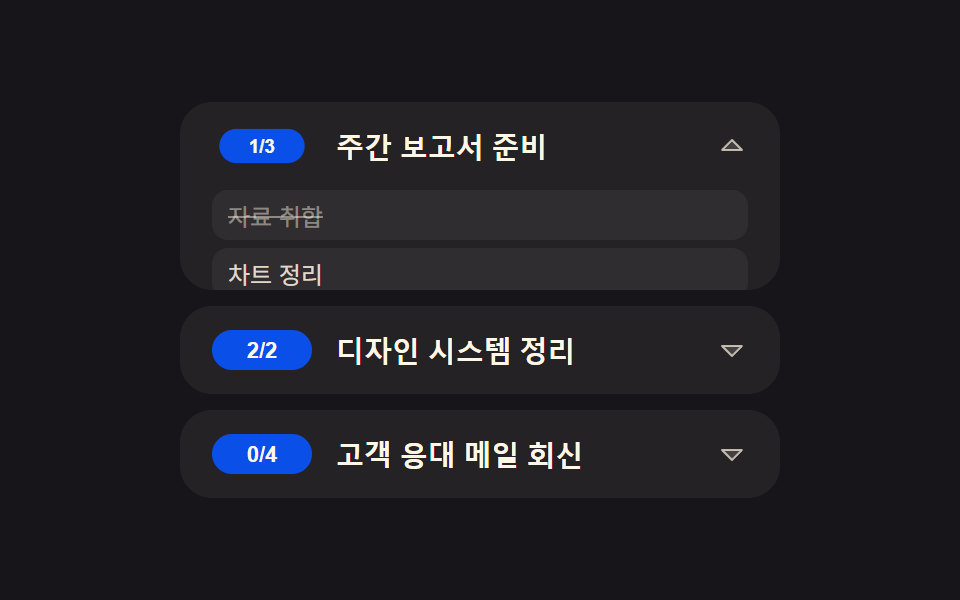 목록·표 UI투두 리스트 ui 패턴 9종 — 진행률 게이지부터 되감기까지 한 번에 정리
 목록·표 UI데이터 테이블 UI 9종 — 열을 끌어 넓히고 셀을 골라 복사하는 표
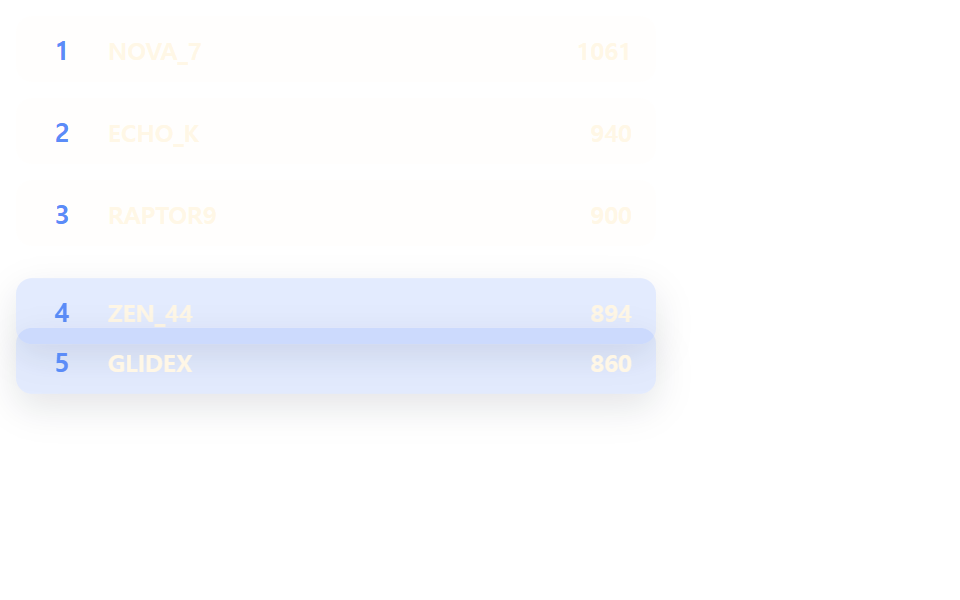 목록·표 UI랭킹 ui 디자인 9가지 — 랭킹 페이지 디자인도 같은 원리다
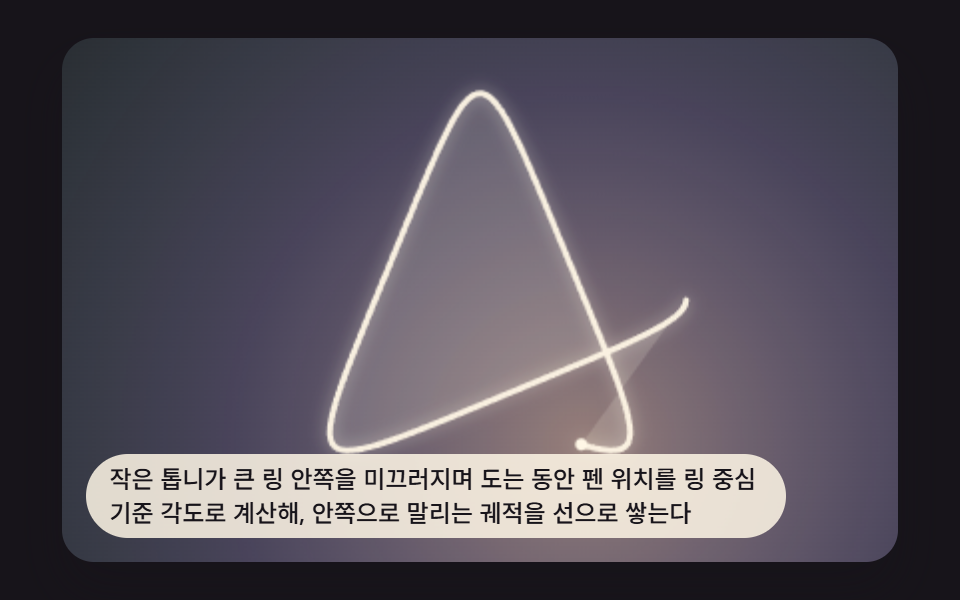 크리에이티브 UI스피로그래프 그리기 9가지 — 톱니비율로 그리는 기하 무늬
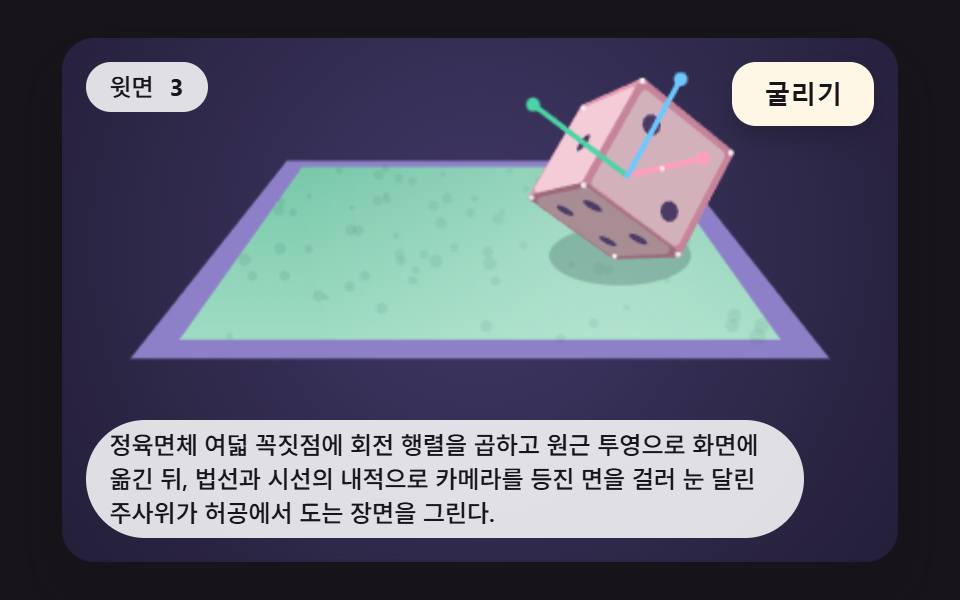 인터랙션주사위 굴리기 9가지 — 회전 행렬로 윗면을 읽어 내는 3D 장면
 목록·표 UI페이지네이션 ui 9가지 — 창 계산부터 스프링 알약까지 고르는 쪽 이동
 목록·표 UIcss receipt 9가지 — 한 줄씩 인쇄·절취선 찢기·바코드 스캔·나눠 내기