댓글 ui 9가지 — 대댓글 깊이부터 삭제 뒤 빈 자리까지 계산하는 목록
댓글 ui는 대댓글이 몇 단계 깊이인지, 지워진 칸의 높이가 얼마인지, 고정된 뒤 얼마나 시간이 지났는지를 계산해 화면에 반영하는 댓글 목록이다. 지워진 댓글 칸이 차지했던 픽셀 값을 그대로 이어받아 아래 댓글들이 그만큼만 올라가고, 답글 들여쓰기는 몇 단계 깊이인지에서, 고정 댓글의
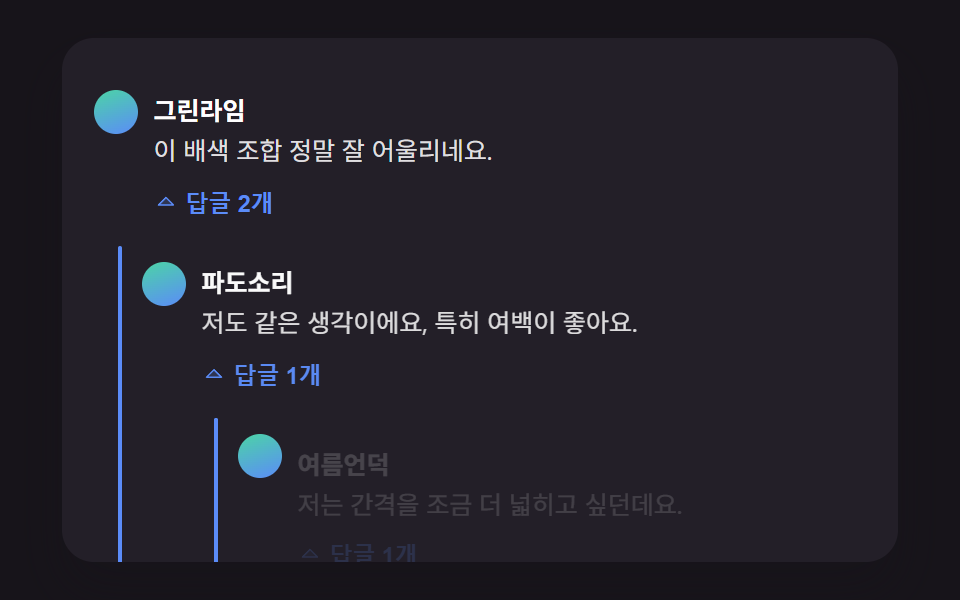 01 comment-thread-reply-indent-depth
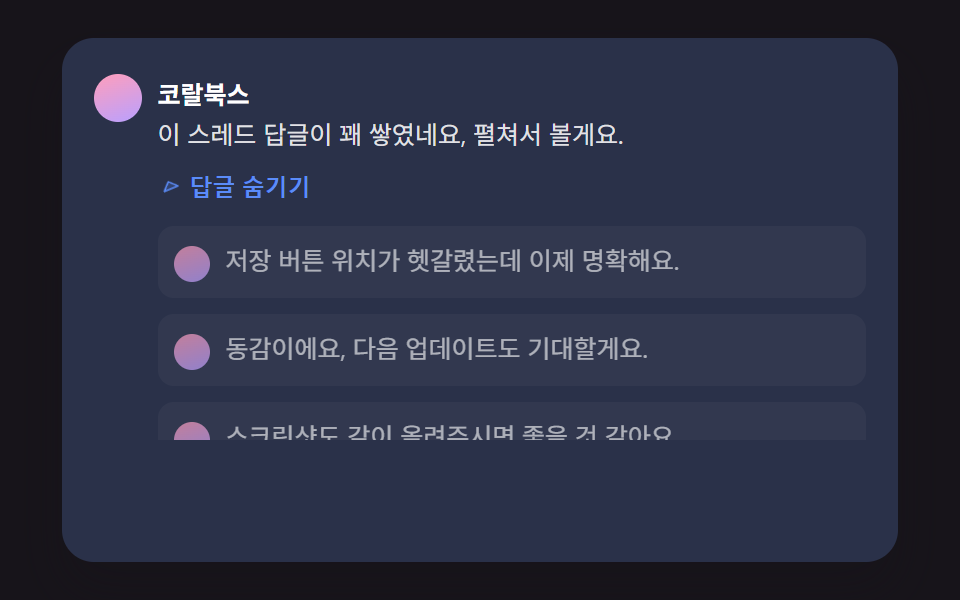 02 comment-thread-collapse-height-spring
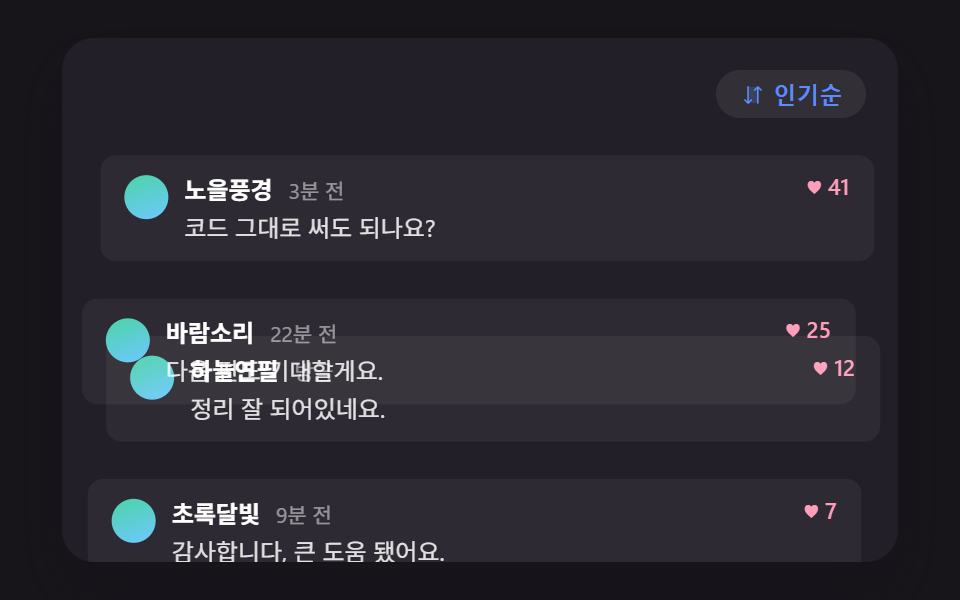 03 comment-thread-sort-reorder-flip
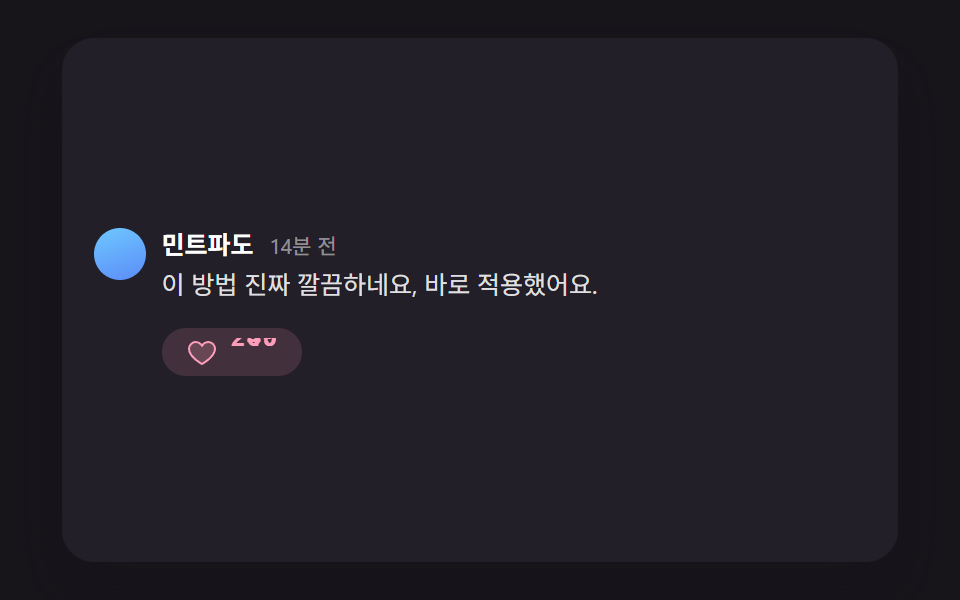 04 comment-thread-like-count-elastic-pop
 05 comment-thread-skeleton-shimmer-stagger
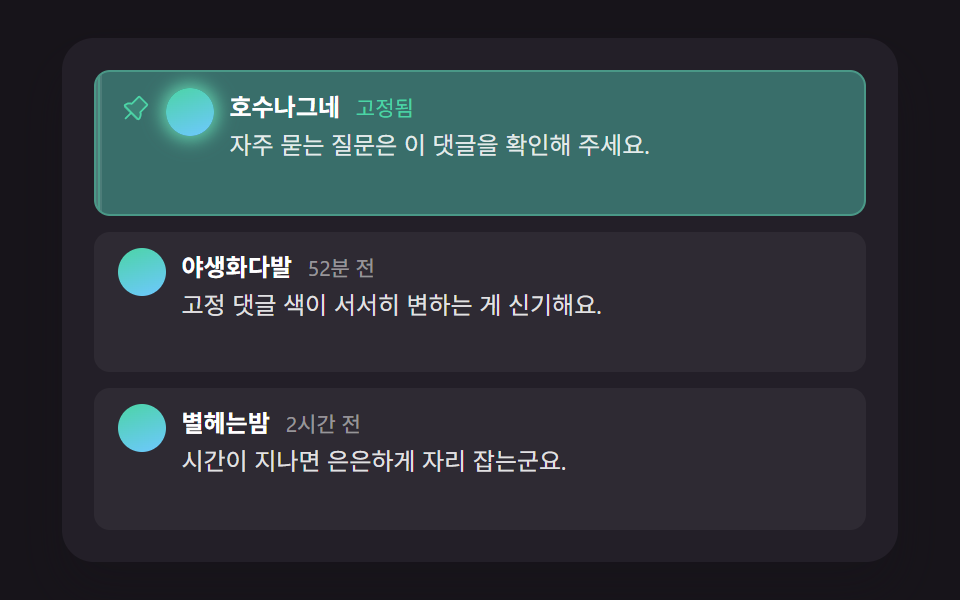 06 comment-thread-pinned-highlight-decay
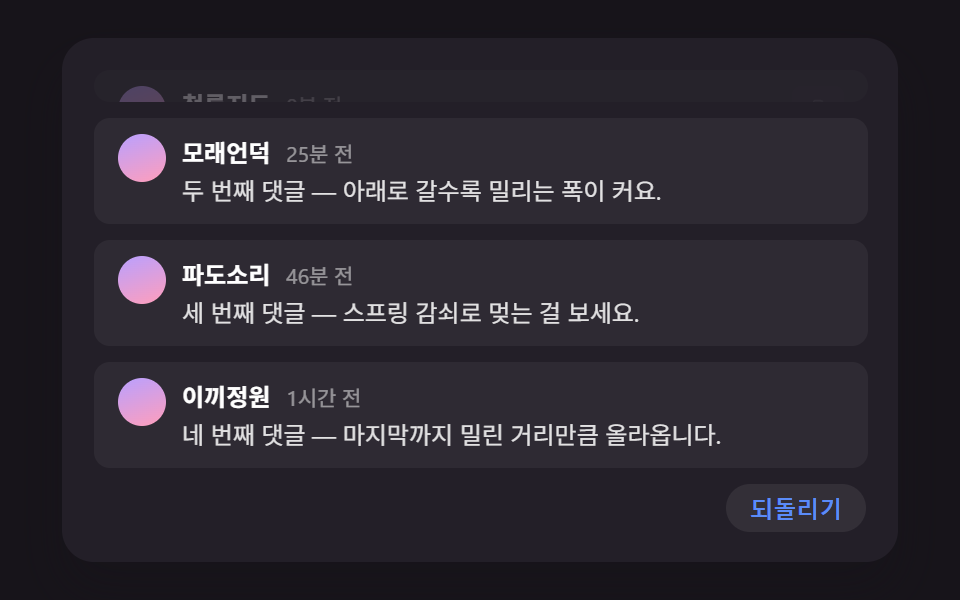 07 comment-thread-delete-collapse-shift
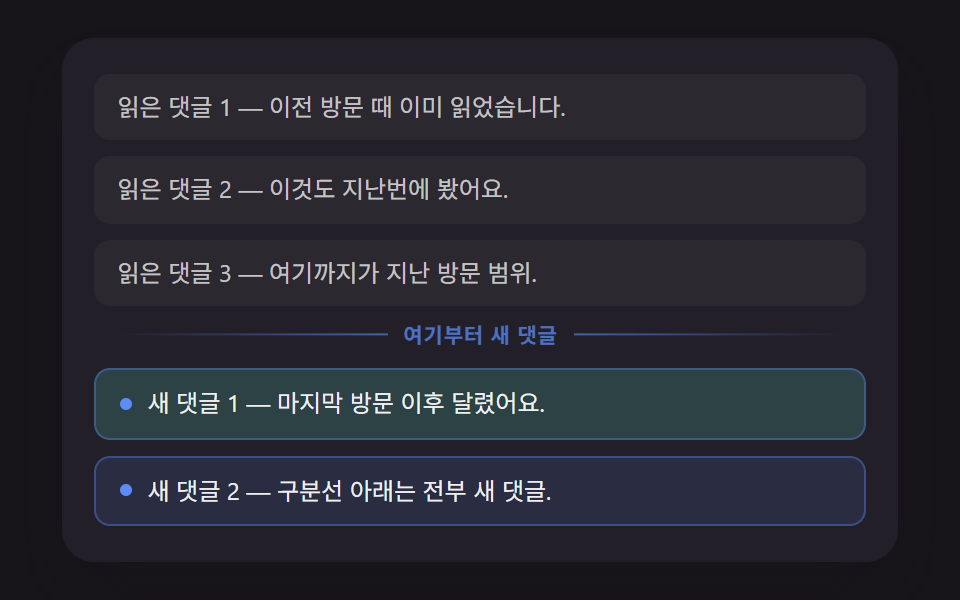 08 comment-thread-unread-divider-position
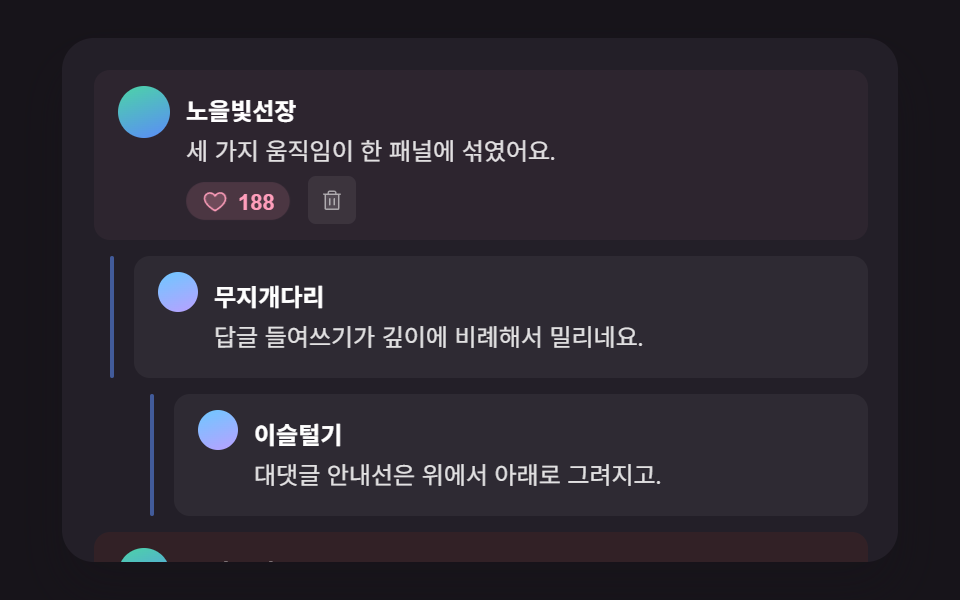 09 comment-thread-hero-panel-scene
자동 재생 · 눌러서 해당 항목으로 · 전부 한 zip
- 01 깊이 단계를 계산해 들여쓰기 폭을 정하는 대댓글 인덴트
- 02 실측한 높이까지 스프링으로 늘어나는 답글 접기·펼치기
- 03 이전 위치와의 거리를 계산해 미끄러지는 정렬 전환
- 04 이전 값과의 차이를 굴려 올리는 좋아요 카운트 팝
- 05 줄 순서를 계산해 시차를 두고 흐르는 스켈레톤 로딩
- 06 고정 뒤 지난 시간만큼 옅어지는 고정 댓글 강조
- 07 지워진 칸의 높이만큼 아래 댓글이 밀려 올라가는 삭제 시프트
- 08 마지막 방문 시각과 비교해 자리를 계산하는 새 댓글 구분선
- 09 여러 계산을 한 패널에 모은 댓글 목록 히어로 장면
댓글 ui 9가지 — 깊이·높이·시간을 계산해 움직이는 댓글 목록
01 대댓글 인덴트는 답글이 화면에 나타나는 순간 깊이부터 결정하고, 02 접기·펼치기는 그 답글 무더기를 열고 닫는 동작을, 03 정렬 전환은 목록 전체의 순서를, 04 좋아요 카운트 팝은 한 줄 안의 숫자를 바꾼다. 05 스켈레톤 로딩은 이 목록이 뜨기 전 단계를, 06 고정 댓글 강조와 08 새 댓글 구분선은 시간이 지나면서 달라지는 표시를 맡고, 07 삭제 시프트는 줄어드는 순간을, 09 히어로 패널이 이 계산들을 한 화면에 모은다. 깊이 → 펼침 → 정렬 → 반응 → 로딩 → 시간 → 삭제 → 완성 순으로 훑으면 댓글 목록 하나가 실제로 움직이는 순서와 같다.
패턴별 코드
아홉 항목 각각 깊이·시간·높이를 계산하는 핵심 구간만 발췌했고, 나머지 마크업·스타일은 데모 아래 압축 파일 안에 통째로 들어 있다. 댓글 작성자 이름과 본문은 전부 데모용 가짜 값이고, 실제 서버와는 통신하지 않는다.
01깊이 단계를 계산해 들여쓰기 폭을 정하는 대댓글 인덴트
각 답글의 data-depth 값에 REPLY_INDENT_STEP_PX 를 곱해 들여쓰기 폭을 CSS 변수로 계산하고, 답글 그룹을 펼칠 때는 세로 안내선이 scaleY(0→1) 로 위에서 아래로 그려지며 부모 댓글과 이어진다. 블로그 글 아래 대댓글 스레드처럼 깊이가 여러 단계로 갈라지는 목록에 쓴다. 01 항목은 누적면적 5.2%·강도 평균 65.5·23프레임 중 11프레임에서 움직였다.
<main class="stage">
<div class="cmt is-demo" id="cmtRoot">
  <ul class="cmt__list" role="list" id="cmtList">
    <li class="cmt__item" data-depth="0">
      <div class="cmt__row">
        <span class="cmt__avatar" aria-hidden="true"></span>
        <div class="cmt__body">
          <p class="cmt__meta"><strong class="cmt__name">그린라임</strong></p>
          <p class="cmt__text">이 배색 조합 정말 잘 어울리네요.</p>
          <button type="button" class="cmt__toggle" id="toggle1" aria-expanded="false" aria-controls="replies1">
            <svg class="cmt__toggleIcon" viewBox="0 0 256 256" aria-hidden="true"><g fill="currentColor"><path d="m208 96l-80 80l-80-80Z" opacity=".2"/><path d="M215.39 92.94A8 8 0 0 0 208 88H48a8 8 0 0 0-5.66 13.66l80 80a8 8 0 0 0 11.32 0l80-80a8 8 0 0 0 1.73-8.72M128 164.69L67.31 104h121.38Z"/></g></svg>
            <span class="cmt__toggleLabel">답글 2개</span>
          </button>
        </div>
      </div>
      <ul class="cmt__replies" role="list" id="replies1">
        <li class="cmt__item" data-depth="1">
          <span class="cmt__guide" aria-hidden="true"></span>
          <div class="cmt__row">
            <span class="cmt__avatar" aria-hidden="true"></span>
            <div class="cmt__body">
              <p class="cmt__meta"><strong class="cmt__name">파도소리</strong></p>
              <p class="cmt__text">저도 같은 생각이에요, 특히 여백이 좋아요.</p>
              <button type="button" class="cmt__toggle" id="toggle1a" aria-expanded="false" aria-controls="replies1a">
                <svg class="cmt__toggleIcon" viewBox="0 0 256 256" aria-hidden="true"><g fill="currentColor"><path d="m208 96l-80 80l-80-80Z" opacity=".2"/><path d="M215.39 92.94A8 8 0 0 0 208 88H48a8 8 0 0 0-5.66 13.66l80 80a8 8 0 0 0 11.32 0l80-80a8 8 0 0 0 1.73-8.72M128 164.69L67.31 104h121.38Z"/></g></svg>
                <span class="cmt__toggleLabel">답글 1개</span>
              </button>
            </div>
          </div>
          <ul class="cmt__replies" role="list" id="replies1a">
            <li class="cmt__item" data-depth="2">
              <span class="cmt__guide" aria-hidden="true"></span>
              <div class="cmt__row">
                <span class="cmt__avatar" aria-hidden="true"></span>
                <div class="cmt__body">
                  <p class="cmt__meta"><strong class="cmt__name">여름언덕</strong></p>
                  <p class="cmt__text">저는 간격을 조금 더 넓히고 싶던데요.</p>
                  <button type="button" class="cmt__toggle" id="toggle1a1" aria-expanded="false" aria-controls="replies1a1">
                    <svg class="cmt__toggleIcon" viewBox="0 0 256 256" aria-hidden="true"><g fill="currentColor"><path d="m208 96l-80 80l-80-80Z" opacity=".2"/><path d="M215.39 92.94A8 8 0 0 0 208 88H48a8 8 0 0 0-5.66 13.66l80 80a8 8 0 0 0 11.32 0l80-80a8 8 0 0 0 1.73-8.72M128 164.69L67.31 104h121.38Z"/></g></svg>
                    <span class="cmt__toggleLabel">답글 1개</span>
                  </button>
                </div>
              </div>
              <ul class="cmt__replies" role="list" id="replies1a1">
                <li class="cmt__item" data-depth="3">
                  <span class="cmt__guide" aria-hidden="true"></span>
                  <div class="cmt__row">
                    <span class="cmt__avatar" aria-hidden="true"></span>
                    <div class="cmt__body">
                      <p class="cmt__meta"><strong class="cmt__name">그린라임</strong></p>
                      <p class="cmt__text">넓히는 것도 좋을 것 같아요, 다음에 반영할게요.</p>
                    </div>
                  </div>
                </li>
              </ul>
            </li>
          </ul>
        </li>
      </ul>
    </li>
    <li class="cmt__item" data-depth="0">
      <div class="cmt__row">
        <span class="cmt__avatar" aria-hidden="true"></span>
        <div class="cmt__body">
          <p class="cmt__meta"><strong class="cmt__name">민트페이지</strong></p>
          <p class="cmt__text">버튼 크기도 지금이 딱 좋아요.</p>
          <button type="button" class="cmt__toggle" id="toggle2" aria-expanded="false" aria-controls="replies2">
            <svg class="cmt__toggleIcon" viewBox="0 0 256 256" aria-hidden="true"><g fill="currentColor"><path d="m208 96l-80 80l-80-80Z" opacity=".2"/><path d="M215.39 92.94A8 8 0 0 0 208 88H48a8 8 0 0 0-5.66 13.66l80 80a8 8 0 0 0 11.32 0l80-80a8 8 0 0 0 1.73-8.72M128 164.69L67.31 104h121.38Z"/></g></svg>
            <span class="cmt__toggleLabel">답글 1개</span>
          </button>
        </div>
      </div>
      <ul class="cmt__replies" role="list" id="replies2">
        <li class="cmt__item" data-depth="1">
          <span class="cmt__guide" aria-hidden="true"></span>
          <div class="cmt__row">
            <span class="cmt__avatar" aria-hidden="true"></span>
            <div class="cmt__body">
              <p class="cmt__meta"><strong class="cmt__name">파도소리</strong></p>
              <p class="cmt__text">맞아요, 누르기 편해졌어요.</p>
            </div>
          </div>
        </li>
      </ul>
    </li>
  </ul>
  <p class="cmt__sr" id="cmtStatus" aria-live="polite"></p>
</div>
</main>@use "../../../../site/static/demo-tokens" as *;
@include stage($stage-ink);
.cmt {
position: relative;
width: min(92vw, calc(160vh - 12.8vw));
aspect-ratio: 480 / 300;
margin: 0 auto;
border-radius: $r-card;
overflow: hidden;
box-shadow: $shadow-raised;
background: $tick-panel;
padding: $sp-4;
box-sizing: border-box;
font-family: -apple-system, "Segoe UI", "Noto Sans KR", sans-serif;
}
.cmt__list,
.cmt__replies {
list-style: none;
margin: 0;
padding: 0;
}
.cmt__replies {
margin-top: $sp-2;
}
.cmt__item {
position: relative;
margin-left: var(--depth-indent, 0px);
padding-top: $sp-2;
}
.cmt__item[data-depth="0"] + .cmt__item[data-depth="0"] {
margin-top: $sp-3;
padding-top: $sp-3;
border-top: 1px solid rgba(255, 255, 255, .08);
}
.cmt__guide {
position: absolute;
left: -12px;
top: 2px;
bottom: 2px;
width: 2px;
background: $subject-blue-light;
border-radius: $r-xs;
transform-origin: top;
transform: scaleY(0);
}
.cmt__row {
display: flex;
align-items: flex-start;
gap: $sp-2;
}
.cmt__avatar {
flex: none;
width: 22px;
height: 22px;
border-radius: 50%;
background: linear-gradient(160deg, $subject-mint, $subject-blue-light);
margin-top: 4px;
}
.cmt__body {
min-width: 0;
}
.cmt__meta {
margin: 0 0 4px;
}
.cmt__name {
color: #fff;
font-size: 12.5px;
font-weight: 700;
}
.cmt__text {
margin: 0 0 4px;
color: rgba(255, 255, 255, .86);
font-size: 12.5px;
line-height: 1.5;
}
.cmt__toggle {
display: inline-flex;
align-items: center;
gap: 4px;
border: 0;
background: transparent;
color: $subject-blue-light;
font-size: 11.5px;
font-weight: 600;
padding: $sp-1 $sp-2 $sp-1 0;
cursor: pointer;
border-radius: $r-xs;
}
.cmt__toggle:focus-visible {
outline: 2px solid $subject-blue-light;
outline-offset: 2px;
}
.cmt__toggleIcon {
width: 12px;
height: 12px;
transition: transform $dur-quick $ease-out;
}
.cmt__toggle[aria-expanded="true"] .cmt__toggleIcon {
transform: rotate(180deg);
}
.cmt__sr {
position: absolute;
width: 1px;
height: 1px;
overflow: hidden;
clip: rect(0 0 0 0);
white-space: nowrap;
}
@media (max-width: 340px) {
.cmt { padding: $sp-3; }
.cmt__text, .cmt__name { font-size: 11.5px; }
}
@media (prefers-reduced-motion: reduce) {
.cmt__guide,
.cmt__body,
.cmt__toggleIcon {
transition: none !important;
}
}html, body {
margin: 0;
overflow: hidden;
}
.stage {
box-sizing: border-box;
min-height: 100vh;
display: grid;
place-items: center;
margin: 0;
background: #17141a;
font-family: -apple-system, "Segoe UI", "Noto Sans KR", sans-serif;
padding: clamp(8px, 4vw, 24px);
}
.cmt {
position: relative;
width: min(92vw, 160vh - 12.8vw);
aspect-ratio: 480/300;
margin: 0 auto;
border-radius: 16px;
overflow: hidden;
box-shadow: 0 14px 24px rgba(23, 20, 26, 0.32);
background: #231f28;
padding: 16px;
box-sizing: border-box;
font-family: -apple-system, "Segoe UI", "Noto Sans KR", sans-serif;
}
.cmt__list,
.cmt__replies {
list-style: none;
margin: 0;
padding: 0;
}
.cmt__replies {
margin-top: 8px;
}
.cmt__item {
position: relative;
margin-left: var(--depth-indent, 0px);
padding-top: 8px;
}
.cmt__item[data-depth="0"] + .cmt__item[data-depth="0"] {
margin-top: 12px;
padding-top: 12px;
border-top: 1px solid rgba(255, 255, 255, 0.08);
}
.cmt__guide {
position: absolute;
left: -12px;
top: 2px;
bottom: 2px;
width: 2px;
background: #5b8cf8;
border-radius: 4px;
transform-origin: top;
transform: scaleY(0);
}
.cmt__row {
display: flex;
align-items: flex-start;
gap: 8px;
}
.cmt__avatar {
flex: none;
width: 22px;
height: 22px;
border-radius: 50%;
background: linear-gradient(160deg, #4cd4a6, #5b8cf8);
margin-top: 2px;
}
.cmt__body {
min-width: 0;
}
.cmt__meta {
margin: 0 0 2px;
}
.cmt__name {
color: #fff;
font-size: 12.5px;
font-weight: 700;
}
.cmt__text {
margin: 0 0 4px;
color: rgba(255, 255, 255, 0.86);
font-size: 12.5px;
line-height: 1.5;
}
.cmt__toggle {
display: inline-flex;
align-items: center;
gap: 4px;
border: 0;
background: transparent;
color: #5b8cf8;
font-size: 11.5px;
font-weight: 600;
padding: 4px 8px 4px 0;
cursor: pointer;
border-radius: 4px;
}
.cmt__toggle:focus-visible {
outline: 2px solid #5b8cf8;
outline-offset: 2px;
}
.cmt__toggleIcon {
width: 12px;
height: 12px;
transition: transform 220ms ease-out;
}
.cmt__toggle[aria-expanded=true] .cmt__toggleIcon {
transform: rotate(180deg);
}
.cmt__sr {
position: absolute;
width: 1px;
height: 1px;
overflow: hidden;
clip: rect(0 0 0 0);
white-space: nowrap;
}
@media (max-width: 340px) {
.cmt {
padding: 12px;
}
.cmt__text, .cmt__name {
font-size: 11.5px;
}
}
@media (prefers-reduced-motion: reduce) {
.cmt__guide,
.cmt__body,
.cmt__toggleIcon {
transition: none !important;
}
}(function () {
// 기법: 각 항목의 data-depth 값을 REPLY_INDENT_STEP_PX 와 곱해 들여쓰기 폭을 계산해
// CSS 변수로 꽂는다(레이아웃은 고정, 애니메이션 대상 아님). 펼침 애니메이션은 세로 안내선의
// scaleY 와 답글 내용의 opacity/translateY 두 가지 transform·opacity 속성만 움직인다.
  var REPLY_INDENT_STEP_PX = 24;

  var root = document.getElementById('cmtRoot');
  var list = document.getElementById('cmtList');
  var status = document.getElementById('cmtStatus');

  var items = list.querySelectorAll('.cmt__item[data-depth]');
  for (var i = 0; i < items.length; i += 1) {
    var depth = parseInt(items[i].getAttribute('data-depth'), 10) || 0;
    items[i].style.setProperty('--depth-indent', (depth * REPLY_INDENT_STEP_PX) + 'px');
  }

  var reduce = window.matchMedia('(prefers-reduced-motion: reduce)').matches;
if (reduce) root.classList.remove('is-demo');
function groupParts(ulId) {
var ul = document.getElementById(ulId);
var kids = ul.querySelectorAll(':scope > .cmt__item');
var guides = [];
var bodies = [];
for (var i = 0; i < kids.length; i += 1) {
var g = kids[i].querySelector(':scope > .cmt__guide');
var b = kids[i].querySelector(':scope > .cmt__row .cmt__body');
if (g) guides.push(g);
if (b) bodies.push(b);
}
return { ul: ul, guides: guides, bodies: bodies };
}
function openGroup(ulId, toggleId, delayMs, durMs) {
var parts = groupParts(ulId);
var toggle = document.getElementById(toggleId);
if (toggle) toggle.setAttribute('aria-expanded', 'true');
if (reduce) {
parts.ul.style.setProperty('--reveal', '1');
for (var i = 0; i < parts.guides.length; i += 1) parts.guides[i].style.transform = 'scaleY(1)';
for (var j = 0; j < parts.bodies.length; j += 1) { parts.bodies[j].style.opacity = '1'; parts.bodies[j].style.transform = 'translateY(0)'; }
return;
}
for (var gi = 0; gi < parts.guides.length; gi += 1) {
parts.guides[gi].animate(
[{ transform: 'scaleY(0)' }, { transform: 'scaleY(1)' }],
{ duration: durMs, delay: delayMs, easing: 'cubic-bezier(.2,.7,.2,1)', fill: 'forwards' }
);
}
for (var bi = 0; bi < parts.bodies.length; bi += 1) {
parts.bodies[bi].animate(
[{ opacity: 0, transform: 'translateY(6px)' }, { opacity: 1, transform: 'translateY(0)' }],
{ duration: durMs, delay: delayMs + 60, easing: 'ease-out', fill: 'forwards' }
);
}
}
function closeGroupInstant(ulId, toggleId) {
var parts = groupParts(ulId);
var toggle = document.getElementById(toggleId);
if (toggle) toggle.setAttribute('aria-expanded', 'false');
for (var i = 0; i < parts.guides.length; i += 1) parts.guides[i].style.transform = 'scaleY(0)';
for (var j = 0; j < parts.bodies.length; j += 1) { parts.bodies[j].style.opacity = '0'; parts.bodies[j].style.transform = 'translateY(6px)'; }
}
closeGroupInstant('replies1', 'toggle1');
closeGroupInstant('replies1a', 'toggle1a');
closeGroupInstant('replies1a1', 'toggle1a1');
closeGroupInstant('replies2', 'toggle2');
function playSequence() {
closeGroupInstant('replies1', 'toggle1');
closeGroupInstant('replies1a', 'toggle1a');
closeGroupInstant('replies1a1', 'toggle1a1');
closeGroupInstant('replies2', 'toggle2');
openGroup('replies1', 'toggle1', 200, 460);
openGroup('replies2', 'toggle2', 200, 460);
openGroup('replies1a', 'toggle1a', 560, 460);
openGroup('replies1a1', 'toggle1a1', 920, 460);
status.textContent = '깊이 3단계까지 답글이 펼쳐졌습니다.';
}
function bindToggle(toggleId, ulId) {
var toggle = document.getElementById(toggleId);
toggle.addEventListener('click', function () {
root.classList.remove('is-demo');
var open = toggle.getAttribute('aria-expanded') === 'true';
if (open) {
closeGroupInstant(ulId, toggleId);
} else {
openGroup(ulId, toggleId, 0, reduce ? 0 : 260);
}
});
toggle.addEventListener('keydown', function (e) {
if (e.key === 'Enter' || e.key === ' ') {
e.preventDefault();
toggle.click();
}
});
}
bindToggle('toggle1', 'replies1');
bindToggle('toggle1a', 'replies1a');
bindToggle('toggle1a1', 'replies1a1');
bindToggle('toggle2', 'replies2');
if (reduce) {
openGroup('replies1', 'toggle1', 0, 0);
openGroup('replies2', 'toggle2', 0, 0);
openGroup('replies1a', 'toggle1a', 0, 0);
openGroup('replies1a1', 'toggle1a1', 0, 0);
} else {
playSequence();
window.setInterval(function () {
if (!root.classList.contains('is-demo')) return;
playSequence();
}, 2400);
}
})();import { useEffect, useRef } from "react";
import styles from "./CommentThreadReplyIndentDepth.module.scss";
const REPLY_INDENT_STEP_PX = 24;
const CARET_PATH = (
<g fill="currentColor">
<path d="m208 96l-80 80l-80-80Z" opacity=".2" />
<path d="M215.39 92.94A8 8 0 0 0 208 88H48a8 8 0 0 0-5.66 13.66l80 80a8 8 0 0 0 11.32 0l80-80a8 8 0 0 0 1.73-8.72M128 164.69L67.31 104h121.38Z" />
</g>
);
type GroupRefs = { ul: HTMLUListElement | null; toggle: HTMLButtonElement | null };
export default function CommentThreadReplyIndentDepth() {
const rootRef = useRef<HTMLDivElement>(null);
const statusRef = useRef<HTMLParagraphElement>(null);
const g1 = useRef<HTMLUListElement>(null);
const g1a = useRef<HTMLUListElement>(null);
const g1a1 = useRef<HTMLUListElement>(null);
const g2 = useRef<HTMLUListElement>(null);
const t1 = useRef<HTMLButtonElement>(null);
const t1a = useRef<HTMLButtonElement>(null);
const t1a1 = useRef<HTMLButtonElement>(null);
const t2 = useRef<HTMLButtonElement>(null);
useEffect(() => {
const root = rootRef.current;
const status = statusRef.current;
if (!root || !status) return;
const items = root.querySelectorAll<HTMLElement>("[data-depth]");
items.forEach((el) => {
const depth = parseInt(el.getAttribute("data-depth") || "0", 10) || 0;
el.style.setProperty("--depth-indent", `${depth * REPLY_INDENT_STEP_PX}px`);
});
const reduce = window.matchMedia("(prefers-reduced-motion: reduce)").matches;
if (reduce) root.classList.remove("is-demo");
function parts(group: GroupRefs) {
const ul = group.ul;
const guides: HTMLElement[] = [];
const bodies: HTMLElement[] = [];
if (ul) {
ul.querySelectorAll<HTMLElement>(":scope > li").forEach((li) => {
const guide = li.querySelector<HTMLElement>(":scope > .guide");
const body = li.querySelector<HTMLElement>(":scope > .row .body");
if (guide) guides.push(guide);
if (body) bodies.push(body);
});
}
return { guides, bodies };
}
function closeInstant(group: GroupRefs) {
const { guides, bodies } = parts(group);
if (group.toggle) group.toggle.setAttribute("aria-expanded", "false");
guides.forEach((g) => { g.style.transform = "scaleY(0)"; });
bodies.forEach((b) => { b.style.opacity = "0"; b.style.transform = "translateY(6px)"; });
}
function open(group: GroupRefs, delayMs: number, durMs: number) {
const { guides, bodies } = parts(group);
if (group.toggle) group.toggle.setAttribute("aria-expanded", "true");
if (reduce) {
guides.forEach((g) => { g.style.transform = "scaleY(1)"; });
bodies.forEach((b) => { b.style.opacity = "1"; b.style.transform = "translateY(0)"; });
return;
}
guides.forEach((g) => {
g.animate(
[{ transform: "scaleY(0)" }, { transform: "scaleY(1)" }],
{ duration: durMs, delay: delayMs, easing: "cubic-bezier(.2,.7,.2,1)", fill: "forwards" }
);
});
bodies.forEach((b) => {
b.animate(
[{ opacity: 0, transform: "translateY(6px)" }, { opacity: 1, transform: "translateY(0)" }],
{ duration: durMs, delay: delayMs + 60, easing: "ease-out", fill: "forwards" }
);
});
}
const groups: Record<string, GroupRefs> = {
replies1: { ul: g1.current, toggle: t1.current },
replies1a: { ul: g1a.current, toggle: t1a.current },
replies1a1: { ul: g1a1.current, toggle: t1a1.current },
replies2: { ul: g2.current, toggle: t2.current }
};
function playSequence() {
Object.values(groups).forEach(closeInstant);
open(groups.replies1, 200, 460);
open(groups.replies2, 200, 460);
open(groups.replies1a, 560, 460);
open(groups.replies1a1, 920, 460);
if (status) status.textContent = "깊이 3단계까지 답글이 펼쳐졌습니다.";
}
function bind(group: GroupRefs, key: string) {
const toggle = group.toggle;
if (!toggle) return;
const onActivate = () => {
if (!root) return;
root.classList.remove("is-demo");
const isOpen = toggle.getAttribute("aria-expanded") === "true";
if (isOpen) closeInstant(group);
else open(group, 0, reduce ? 0 : 260);
};
toggle.addEventListener("click", onActivate);
toggle.addEventListener("keydown", (e) => {
if (e.key === "Enter" || e.key === " ") { e.preventDefault(); onActivate(); }
});
}
Object.entries(groups).forEach(([key, g]) => bind(g, key));
let timer: number | undefined;
if (reduce) {
Object.values(groups).forEach((g) => open(g, 0, 0));
} else {
playSequence();
timer = window.setInterval(() => {
if (!root.classList.contains("is-demo")) return;
playSequence();
}, 2400);
}
return () => { if (timer) window.clearInterval(timer); };
}, []);
return (
<main className={styles.stage}>
<div className={`${styles.cmt} is-demo`} ref={rootRef}>
<ul className={styles.cmt__list} role="list">
<li className={styles.cmt__item} data-depth="0">
<div className={`row ${styles.cmt__row}`}>
<span className={styles.cmt__avatar} aria-hidden="true" />
<div className={`body ${styles.cmt__body}`}>
<p className={styles.cmt__meta}><strong className={styles.cmt__name}>그린라임</strong></p>
<p className={styles.cmt__text}>이 배색 조합 정말 잘 어울리네요.</p>
<button type="button" className={styles.cmt__toggle} ref={t1} aria-expanded="false" aria-controls="replies1">
<svg className={styles.cmt__toggleIcon} viewBox="0 0 256 256" aria-hidden="true">{CARET_PATH}</svg>
<span>답글 2개</span>
</button>
</div>
</div>
<ul className={styles.cmt__replies} role="list" id="replies1" ref={g1}>
<li className={styles.cmt__item} data-depth="1">
<span className={`guide ${styles.cmt__guide}`} aria-hidden="true" />
<div className={`row ${styles.cmt__row}`}>
<span className={styles.cmt__avatar} aria-hidden="true" />
<div className={`body ${styles.cmt__body}`}>
<p className={styles.cmt__meta}><strong className={styles.cmt__name}>파도소리</strong></p>
<p className={styles.cmt__text}>저도 같은 생각이에요, 특히 여백이 좋아요.</p>
<button type="button" className={styles.cmt__toggle} ref={t1a} aria-expanded="false" aria-controls="replies1a">
<svg className={styles.cmt__toggleIcon} viewBox="0 0 256 256" aria-hidden="true">{CARET_PATH}</svg>
<span>답글 1개</span>
</button>
</div>
</div>
<ul className={styles.cmt__replies} role="list" id="replies1a" ref={g1a}>
<li className={styles.cmt__item} data-depth="2">
<span className={`guide ${styles.cmt__guide}`} aria-hidden="true" />
<div className={`row ${styles.cmt__row}`}>
<span className={styles.cmt__avatar} aria-hidden="true" />
<div className={`body ${styles.cmt__body}`}>
<p className={styles.cmt__meta}><strong className={styles.cmt__name}>여름언덕</strong></p>
<p className={styles.cmt__text}>저는 간격을 조금 더 넓히고 싶던데요.</p>
<button type="button" className={styles.cmt__toggle} ref={t1a1} aria-expanded="false" aria-controls="replies1a1">
<svg className={styles.cmt__toggleIcon} viewBox="0 0 256 256" aria-hidden="true">{CARET_PATH}</svg>
<span>답글 1개</span>
</button>
</div>
</div>
<ul className={styles.cmt__replies} role="list" id="replies1a1" ref={g1a1}>
<li className={styles.cmt__item} data-depth="3">
<span className={`guide ${styles.cmt__guide}`} aria-hidden="true" />
<div className={`row ${styles.cmt__row}`}>
<span className={styles.cmt__avatar} aria-hidden="true" />
<div className={`body ${styles.cmt__body}`}>
<p className={styles.cmt__meta}><strong className={styles.cmt__name}>그린라임</strong></p>
<p className={styles.cmt__text}>넓히는 것도 좋을 것 같아요, 다음에 반영할게요.</p>
</div>
</div>
</li>
</ul>
</li>
</ul>
</li>
</ul>
</li>
<li className={styles.cmt__item} data-depth="0">
<div className={`row ${styles.cmt__row}`}>
<span className={styles.cmt__avatar} aria-hidden="true" />
<div className={`body ${styles.cmt__body}`}>
<p className={styles.cmt__meta}><strong className={styles.cmt__name}>민트페이지</strong></p>
<p className={styles.cmt__text}>버튼 크기도 지금이 딱 좋아요.</p>
<button type="button" className={styles.cmt__toggle} ref={t2} aria-expanded="false" aria-controls="replies2">
<svg className={styles.cmt__toggleIcon} viewBox="0 0 256 256" aria-hidden="true">{CARET_PATH}</svg>
<span>답글 1개</span>
</button>
</div>
</div>
<ul className={styles.cmt__replies} role="list" id="replies2" ref={g2}>
<li className={styles.cmt__item} data-depth="1">
<span className={`guide ${styles.cmt__guide}`} aria-hidden="true" />
<div className={`row ${styles.cmt__row}`}>
<span className={styles.cmt__avatar} aria-hidden="true" />
<div className={`body ${styles.cmt__body}`}>
<p className={styles.cmt__meta}><strong className={styles.cmt__name}>파도소리</strong></p>
<p className={styles.cmt__text}>맞아요, 누르기 편해졌어요.</p>
</div>
</div>
</li>
</ul>
</li>
</ul>
<p className={styles.cmt__sr} ref={statusRef} aria-live="polite" />
</div>
</main>
);
}01 · 깊이 단계를 계산해 들여쓰기 폭을 정하는 대댓글 인덴트 — 측정 누적면적 5.21% · 움직인 프레임 11/23GODRICH 원작 · zip 에 SCSS·React 포함 · 비밀번호 보기
var REPLY_INDENT_STEP_PX = 24;
var root = document.getElementById('cmtRoot');
var list = document.getElementById('cmtList');
var status = document.getElementById('cmtStatus');
var items = list.querySelectorAll('.cmt__item[data-depth]');
for (var i = 0; i < items.length; i += 1) {
var depth = parseInt(items[i].getAttribute('data-depth'), 10) || 0;
items[i].style.setProperty('--depth-indent', (depth * REPLY_INDENT_STEP_PX) + 'px');
}
var reduce = window.matchMedia('(prefers-reduced-motion: reduce)').matches;
02실측한 높이까지 스프링으로 늘어나는 답글 접기·펼치기
펼칠 답글들의 실제 높이를 measure() 로 재서 목표 값으로 삼고, 패널은 SPRING_SETTLE_EASING 곡선으로 그 값까지 늘어나며 살짝 넘쳤다가 멎는 동안 화살표 아이콘과 카드 배경 전체에도 같은 구간에서 옅은 변화가 겹쳐진다. 긴 답글 스레드를 접어 두었다가 필요할 때만 펼치는 토글에 쓴다. 02 항목은 누적면적 74.9%·강도 평균 26.6·23프레임 중 8프레임에서 움직였다(패널 확장에 배경 펄스까지 겹쳐 면적이 크게 잡힌다).
<main class="stage">
<div class="ch is-demo" id="chRoot">
  <div class="ch__card">
    <div class="ch__row">
      <span class="ch__avatar" aria-hidden="true"></span>
      <div class="ch__body">
        <p class="ch__meta"><strong class="ch__name">코랄북스</strong></p>
        <p class="ch__text">이 스레드 답글이 꽤 쌓였네요, 펼쳐서 볼게요.</p>
        <button type="button" class="ch__toggle" id="chToggle" aria-expanded="false" aria-controls="chPanel">
          <svg class="ch__toggleIcon" id="chIcon" viewBox="0 0 256 256" aria-hidden="true"><g fill="currentColor"><path d="m208 96l-80 80l-80-80Z" opacity=".2"/><path d="M215.39 92.94A8 8 0 0 0 208 88H48a8 8 0 0 0-5.66 13.66l80 80a8 8 0 0 0 11.32 0l80-80a8 8 0 0 0 1.73-8.72M128 164.69L67.31 104h121.38Z"/></g></svg>
          <span class="ch__toggleLabel">답글 3개 보기</span>
        </button>
      </div>
    </div>
    <div class="ch__panel" id="chPanel">
      <div class="ch__panelInner" id="chPanelInner">
        <div class="ch__reply">
          <span class="ch__avatar ch__avatar--sm" aria-hidden="true"></span>
          <p class="ch__text">저장 버튼 위치가 헷갈렸는데 이제 명확해요.</p>
        </div>
        <div class="ch__reply">
          <span class="ch__avatar ch__avatar--sm" aria-hidden="true"></span>
          <p class="ch__text">동감이에요, 다음 업데이트도 기대할게요.</p>
        </div>
        <div class="ch__reply">
          <span class="ch__avatar ch__avatar--sm" aria-hidden="true"></span>
          <p class="ch__text">스크린샷도 같이 올려주시면 좋을 것 같아요.</p>
        </div>
      </div>
    </div>
  </div>
  <p class="ch__sr" id="chStatus" aria-live="polite"></p>
</div>
</main>@use "../../../../site/static/demo-tokens" as *;
@include stage($stage-ink);
.ch {
position: relative;
width: min(92vw, calc(160vh - 12.8vw));
aspect-ratio: 480 / 300;
margin: 0 auto;
border-radius: $r-card;
overflow: hidden;
box-shadow: $shadow-raised;
background: $tick-panel;
font-family: -apple-system, "Segoe UI", "Noto Sans KR", sans-serif;
}
.ch__card {
padding: $sp-4;
box-sizing: border-box;
height: 100%;
overflow: hidden;
}
.ch__row { display: flex; align-items: flex-start; gap: $sp-2; }
.ch__avatar {
flex: none;
width: 24px;
height: 24px;
border-radius: 50%;
background: linear-gradient(160deg, $subject-pink, $subject-lilac);
margin-top: 4px;
&--sm { width: 18px; height: 18px; }
}
.ch__body { min-width: 0; }
.ch__meta { margin: 0 0 4px; }
.ch__name { color: #fff; font-size: 12.5px; font-weight: 700; }
.ch__text { margin: 0 0 4px; color: rgba(255, 255, 255, .86); font-size: 12.5px; line-height: 1.5; }
.ch__toggle {
display: inline-flex;
align-items: center;
gap: 4px;
border: 0;
background: transparent;
color: $subject-blue-light;
font-size: 11.5px;
font-weight: 600;
padding: $sp-1 $sp-2 $sp-1 0;
cursor: pointer;
border-radius: $r-xs;
}
.ch__toggle:focus-visible { outline: 2px solid $subject-blue-light; outline-offset: 2px; }
.ch__toggleIcon { width: 12px; height: 12px; transform-origin: center; }
.ch__panel {
overflow: hidden;
margin-left: 32px;
}
.ch__panelInner {
display: flex;
flex-direction: column;
gap: $sp-2;
padding-top: $sp-2;
}
.ch__reply {
display: flex;
align-items: flex-start;
gap: $sp-2;
padding: $sp-2;
background: rgba(255, 255, 255, .05);
border-radius: $r-sm;
.ch__text { margin: 0; }
}
.ch__sr {
position: absolute;
width: 1px; height: 1px;
overflow: hidden;
clip: rect(0 0 0 0);
white-space: nowrap;
}
@media (max-width: 340px) {
.ch__card { padding: $sp-3; }
.ch__text, .ch__name { font-size: 11.5px; }
}
@media (prefers-reduced-motion: reduce) {
.ch__panel, .ch__toggleIcon { transition: none !important; }
}html, body {
margin: 0;
overflow: hidden;
}
.stage {
box-sizing: border-box;
min-height: 100vh;
display: grid;
place-items: center;
margin: 0;
background: #17141a;
font-family: -apple-system, "Segoe UI", "Noto Sans KR", sans-serif;
padding: clamp(8px, 4vw, 24px);
}
.ch {
position: relative;
width: min(92vw, 160vh - 12.8vw);
aspect-ratio: 480/300;
margin: 0 auto;
border-radius: 16px;
overflow: hidden;
box-shadow: 0 14px 24px rgba(23, 20, 26, 0.32);
background: #231f28;
font-family: -apple-system, "Segoe UI", "Noto Sans KR", sans-serif;
}
.ch__card {
padding: 16px;
box-sizing: border-box;
height: 100%;
overflow: hidden;
}
.ch__row {
display: flex;
align-items: flex-start;
gap: 8px;
}
.ch__avatar {
flex: none;
width: 24px;
height: 24px;
border-radius: 50%;
background: linear-gradient(160deg, #ff9ebb, #b9a0ff);
margin-top: 2px;
}
.ch__avatar--sm {
width: 18px;
height: 18px;
}
.ch__body {
min-width: 0;
}
.ch__meta {
margin: 0 0 2px;
}
.ch__name {
color: #fff;
font-size: 12.5px;
font-weight: 700;
}
.ch__text {
margin: 0 0 4px;
color: rgba(255, 255, 255, 0.86);
font-size: 12.5px;
line-height: 1.5;
}
.ch__toggle {
display: inline-flex;
align-items: center;
gap: 4px;
border: 0;
background: transparent;
color: #5b8cf8;
font-size: 11.5px;
font-weight: 600;
padding: 4px 8px 4px 0;
cursor: pointer;
border-radius: 4px;
}
.ch__toggle:focus-visible {
outline: 2px solid #5b8cf8;
outline-offset: 2px;
}
.ch__toggleIcon {
width: 12px;
height: 12px;
transform-origin: center;
}
.ch__panel {
overflow: hidden;
margin-left: 32px;
}
.ch__panelInner {
display: flex;
flex-direction: column;
gap: 8px;
padding-top: 8px;
}
.ch__reply {
display: flex;
align-items: flex-start;
gap: 8px;
padding: 8px;
background: rgba(255, 255, 255, 0.05);
border-radius: 8px;
}
.ch__reply .ch__text {
margin: 0;
}
.ch__sr {
position: absolute;
width: 1px;
height: 1px;
overflow: hidden;
clip: rect(0 0 0 0);
white-space: nowrap;
}
@media (max-width: 340px) {
.ch__card {
padding: 12px;
}
.ch__text, .ch__name {
font-size: 11.5px;
}
}
@media (prefers-reduced-motion: reduce) {
.ch__panel, .ch__toggleIcon {
transition: none !important;
}
}(function () {
// 기법: 패널을 height:0 으로 접어 두고 펼칠 때 height:auto 로 잠깐 바꿔 scrollHeight 를
// 실측한 뒤(레이아웃은 그 순간 한 번만 재계산), 그 실측값을 목표로 스프링 이징(선형 샘플
// 곡선, 100% 를 살짝 넘겼다가 되돌아오는 값들)으로 height 를 직접 움직인다. 같은 이징·같은
// 진행률로 화살표를 0→180도 회전시켜 "펼침 비율만큼 회전"을 구현한다.
var root = document.getElementById('chRoot');
var toggle = document.getElementById('chToggle');
var icon = document.getElementById('chIcon');
var panel = document.getElementById('chPanel');
var inner = document.getElementById('chPanelInner');
var status = document.getElementById('chStatus');
var label = toggle.querySelector('.ch__toggleLabel');
// $ease-lerp-settle 곡선(site/static/demo-tokens.scss)과 같은 샘플 — 1 을 넘겼다가(최대 1.126) 되돌아온다.
var SPRING_SETTLE_EASING = 'linear(0.0, 0.051, 0.176, 0.341, 0.518, 0.685, 0.831, 0.947, 1.032, 1.087, 1.117, 1.126, 1.121, 1.105, 1.085, 1.062, 1.041, 1.022, 1.008, 0.997, 1)';
var reduce = window.matchMedia('(prefers-reduced-motion: reduce)').matches;
if (reduce) root.classList.remove('is-demo');
var open = false;
var panelAnim = null;
var innerAnim = null;
var iconAnim = null;
var bgAnim = null;
function measure() {
panel.style.height = 'auto';
inner.style.opacity = '1';
var h = panel.scrollHeight;
return h;
}
  function setOpen(next, animate, delayMs) {
    open = next;
    toggle.setAttribute('aria-expanded', String(open));
    label.textContent = open ? '답글 숨기기' : '답글 3개 보기';
    status.textContent = open ? '답글 3개가 펼쳐졌습니다.' : '답글이 접혔습니다.';
    if (panelAnim) panelAnim.cancel();
    if (innerAnim) innerAnim.cancel();
    if (iconAnim) iconAnim.cancel();
    if (bgAnim) bgAnim.cancel();

    var target = measure();
    var from = open ? 0 : target;
    var to = open ? target : 0;
    panel.style.height = from + 'px';
    inner.style.opacity = open ? '0' : '1';

    if (!animate || reduce) {
      panel.style.height = to + 'px';
      inner.style.opacity = open ? '1' : '0';
      icon.style.transform = 'rotate(' + (open ? 180 : 0) + 'deg)';
      return;
    }
    // 계산: 패널이 실측한 픽셀 높이가 클수록 늘어나는 데 걸리는 시간도 조금 더 길게 잡는다.
    var dur = Math.max(320, Math.min(680, 300 + target * 0.9));
    panelAnim = panel.animate(
[{ height: from + 'px' }, { height: to + 'px' }],
{ duration: dur, delay: delayMs || 0, easing: SPRING_SETTLE_EASING, fill: 'forwards' }
);
innerAnim = inner.animate(
[{ opacity: open ? 0 : 1 }, { opacity: open ? 1 : 0 }],
{ duration: Math.round(dur * 0.6), delay: delayMs || 0, easing: 'ease-out', fill: 'forwards' }
);
iconAnim = icon.animate(
[{ transform: 'rotate(' + (open ? 0 : 180) + 'deg)' }, { transform: 'rotate(' + (open ? 180 : 0) + 'deg)' }],
{ duration: dur, delay: delayMs || 0, easing: SPRING_SETTLE_EASING, fill: 'forwards' }
);
// 계산: 펼침 비율이 0→1(또는 반대)로 진행되는 같은 구간 동안, 패널 전체(카드 바탕)에도
// 옅은 색 변화를 얹어 화살표·패널 경계 바깥까지 값을 전파한다(넓은 면적의 근거 있는 변화).
bgAnim = root.animate(
[{ backgroundColor: '#231f28' }, { backgroundColor: '#2b3550' }, { backgroundColor: '#231f28' }],
{ duration: Math.round(dur * 1.15), delay: delayMs || 0, easing: 'ease-out' }
);
}
panel.style.height = '0px';
inner.style.opacity = '0';
toggle.addEventListener('click', function () {
root.classList.remove('is-demo');
setOpen(!open, true, 0);
});
toggle.addEventListener('keydown', function (e) {
if (e.key === 'Enter' || e.key === ' ') { e.preventDefault(); toggle.click(); }
});
var seqTimer = null;
function playSequence() {
if (seqTimer) { window.clearTimeout(seqTimer); seqTimer = null; }
setOpen(false, false, 0);
setOpen(true, true, 200);
seqTimer = window.setTimeout(function () {
setOpen(false, true, 0);
}, 1080);
}
if (reduce) {
setOpen(true, false, 0);
} else {
playSequence();
window.setInterval(function () {
if (!root.classList.contains('is-demo')) return;
playSequence();
}, 2600);
}
})();import { useEffect, useRef } from "react";
import styles from "./CommentThreadCollapseHeightSpring.module.scss";
// $ease-lerp-settle 곡선(site/static/demo-tokens.scss)과 같은 샘플 — 1 을 넘겼다가(최대 1.126) 되돌아온다.
const SPRING_SETTLE_EASING =
"linear(0.0, 0.051, 0.176, 0.341, 0.518, 0.685, 0.831, 0.947, 1.032, 1.087, 1.117, 1.126, 1.121, 1.105, 1.085, 1.062, 1.041, 1.022, 1.008, 0.997, 1)";
export default function CommentThreadCollapseHeightSpring() {
const rootRef = useRef<HTMLDivElement>(null);
const toggleRef = useRef<HTMLButtonElement>(null);
const iconRef = useRef<SVGSVGElement>(null);
const panelRef = useRef<HTMLDivElement>(null);
const innerRef = useRef<HTMLDivElement>(null);
const labelRef = useRef<HTMLSpanElement>(null);
const statusRef = useRef<HTMLParagraphElement>(null);
useEffect(() => {
const root = rootRef.current;
const toggle = toggleRef.current;
const icon = iconRef.current;
const panel = panelRef.current;
const inner = innerRef.current;
const label = labelRef.current;
const status = statusRef.current;
if (!root || !toggle || !icon || !panel || !inner || !label || !status) return;
const reduce = window.matchMedia("(prefers-reduced-motion: reduce)").matches;
if (reduce) root.classList.remove("is-demo");
let open = false;
let panelAnim: Animation | null = null;
let innerAnim: Animation | null = null;
let iconAnim: Animation | null = null;
let bgAnim: Animation | null = null;
function measure() {
panel!.style.height = "auto";
inner!.style.opacity = "1";
return panel!.scrollHeight;
}
function setOpen(next: boolean, animate: boolean, delayMs: number) {
open = next;
toggle!.setAttribute("aria-expanded", String(open));
label!.textContent = open ? "답글 숨기기" : "답글 3개 보기";
status!.textContent = open ? "답글 3개가 펼쳐졌습니다." : "답글이 접혔습니다.";
if (panelAnim) panelAnim.cancel();
if (innerAnim) innerAnim.cancel();
if (iconAnim) iconAnim.cancel();
if (bgAnim) bgAnim.cancel();
const target = measure();
const from = open ? 0 : target;
const to = open ? target : 0;
panel!.style.height = from + "px";
inner!.style.opacity = open ? "0" : "1";
if (!animate || reduce) {
panel!.style.height = to + "px";
inner!.style.opacity = open ? "1" : "0";
icon!.style.transform = `rotate(${open ? 180 : 0}deg)`;
return;
}
const dur = Math.max(320, Math.min(680, 300 + target * 0.9));
panelAnim = panel!.animate(
[{ height: from + "px" }, { height: to + "px" }],
{ duration: dur, delay: delayMs, easing: SPRING_SETTLE_EASING, fill: "forwards" }
);
innerAnim = inner!.animate(
[{ opacity: open ? 0 : 1 }, { opacity: open ? 1 : 0 }],
{ duration: Math.round(dur * 0.6), delay: delayMs, easing: "ease-out", fill: "forwards" }
);
iconAnim = icon!.animate(
[{ transform: `rotate(${open ? 0 : 180}deg)` }, { transform: `rotate(${open ? 180 : 0}deg)` }],
{ duration: dur, delay: delayMs, easing: SPRING_SETTLE_EASING, fill: "forwards" }
);
// 계산: 펼침 비율이 0→1(또는 반대)로 진행되는 같은 구간 동안, 패널 전체(카드 바탕)에도
// 옅은 색 변화를 얹어 화살표·패널 경계 바깥까지 값을 전파한다(넓은 면적의 근거 있는 변화).
bgAnim = root!.animate(
[{ backgroundColor: "#231f28" }, { backgroundColor: "#2b3550" }, { backgroundColor: "#231f28" }],
{ duration: Math.round(dur * 1.15), delay: delayMs, easing: "ease-out" }
);
}
panel.style.height = "0px";
inner.style.opacity = "0";
const onActivate = () => { root.classList.remove("is-demo"); setOpen(!open, true, 0); };
toggle.addEventListener("click", onActivate);
toggle.addEventListener("keydown", (e) => {
if (e.key === "Enter" || e.key === " ") { e.preventDefault(); onActivate(); }
});
let seqTimer: number | undefined;
function playSequence() {
if (seqTimer) { window.clearTimeout(seqTimer); seqTimer = undefined; }
setOpen(false, false, 0);
setOpen(true, true, 200);
seqTimer = window.setTimeout(() => { setOpen(false, true, 0); }, 1080);
}
let timer: number | undefined;
if (reduce) {
setOpen(true, false, 0);
} else {
playSequence();
timer = window.setInterval(() => {
if (!root.classList.contains("is-demo")) return;
playSequence();
}, 2600);
}
return () => { if (timer) window.clearInterval(timer); if (seqTimer) window.clearTimeout(seqTimer); };
}, []);
return (
<main className={styles.stage}>
<div className={`${styles.ch} is-demo`} ref={rootRef}>
<div className={styles.ch__card}>
<div className={styles.ch__row}>
<span className={styles.ch__avatar} aria-hidden="true" />
<div className={styles.ch__body}>
<p className={styles.ch__meta}><strong className={styles.ch__name}>코랄북스</strong></p>
<p className={styles.ch__text}>이 스레드 답글이 꽤 쌓였네요, 펼쳐서 볼게요.</p>
<button type="button" className={styles.ch__toggle} ref={toggleRef} aria-expanded="false" aria-controls="chPanel">
<svg className={styles.ch__toggleIcon} ref={iconRef} viewBox="0 0 256 256" aria-hidden="true">
<g fill="currentColor">
<path d="m208 96l-80 80l-80-80Z" opacity=".2" />
<path d="M215.39 92.94A8 8 0 0 0 208 88H48a8 8 0 0 0-5.66 13.66l80 80a8 8 0 0 0 11.32 0l80-80a8 8 0 0 0 1.73-8.72M128 164.69L67.31 104h121.38Z" />
</g>
</svg>
<span ref={labelRef}>답글 3개 보기</span>
</button>
</div>
</div>
<div className={styles.ch__panel} id="chPanel" ref={panelRef}>
<div className={styles.ch__panelInner} ref={innerRef}>
<div className={styles.ch__reply}>
<span className={`${styles.ch__avatar} ${styles["ch__avatar--sm"]}`} aria-hidden="true" />
<p className={styles.ch__text}>저장 버튼 위치가 헷갈렸는데 이제 명확해요.</p>
</div>
<div className={styles.ch__reply}>
<span className={`${styles.ch__avatar} ${styles["ch__avatar--sm"]}`} aria-hidden="true" />
<p className={styles.ch__text}>동감이에요, 다음 업데이트도 기대할게요.</p>
</div>
<div className={styles.ch__reply}>
<span className={`${styles.ch__avatar} ${styles["ch__avatar--sm"]}`} aria-hidden="true" />
<p className={styles.ch__text}>스크린샷도 같이 올려주시면 좋을 것 같아요.</p>
</div>
</div>
</div>
</div>
<p className={styles.ch__sr} ref={statusRef} aria-live="polite" />
</div>
</main>
);
}02 · 실측한 높이까지 스프링으로 늘어나는 답글 접기·펼치기 — 측정 누적면적 74.878% · 움직인 프레임 8/23GODRICH 원작 · zip 에 SCSS·React 포함 · 비밀번호 보기
function setOpen(next, animate, delayMs) {
open = next;
toggle.setAttribute('aria-expanded', String(open));
label.textContent = open ? '답글 숨기기' : '답글 3개 보기';
status.textContent = open ? '답글 3개가 펼쳐졌습니다.' : '답글이 접혔습니다.';
if (panelAnim) panelAnim.cancel();
if (innerAnim) innerAnim.cancel();
if (iconAnim) iconAnim.cancel();
if (bgAnim) bgAnim.cancel();
var target = measure();
var from = open ? 0 : target;
var to = open ? target : 0;
panel.style.height = from + 'px';
inner.style.opacity = open ? '0' : '1';
if (!animate || reduce) {
panel.style.height = to + 'px';
inner.style.opacity = open ? '1' : '0';
icon.style.transform = 'rotate(' + (open ? 180 : 0) + 'deg)';
return;
}
// 계산: 패널이 실측한 픽셀 높이가 클수록 늘어나는 데 걸리는 시간도 조금 더 길게 잡는다.
var dur = Math.max(320, Math.min(680, 300 + target * 0.9));
panelAnim = panel.animate(
03이전 위치와의 거리를 계산해 미끄러지는 정렬 전환
정렬 기준을 바꾸면 각 댓글의 이전 위치를 getBoundingClientRect 로 기록해 두고 새 순서로 DOM 을 옮긴 뒤, 두 위치의 차이만큼 transform 으로 되돌렸다가 0 으로 애니메이션하는 FLIP 계산을 쓴다. 인기순·최신순을 오가는 전환 버튼에 붙인다. 03 항목은 누적면적 21.9%·강도 평균 82.1·23프레임 중 7프레임에서 움직였다.
<main class="stage">
<div class="srt is-demo" id="srtRoot">
  <div class="srt__head">
    <button type="button" class="srt__sortBtn" id="srtSortBtn" aria-pressed="false">
      <svg class="srt__sortIcon" viewBox="0 0 256 256" aria-hidden="true"><g fill="currentColor"><path d="M176 48v160H80V48Z" opacity=".2"/><path d="M117.66 170.34a8 8 0 0 1 0 11.32l-32 32a8 8 0 0 1-11.32 0l-32-32a8 8 0 0 1 11.32-11.32L72 188.69V48a8 8 0 0 1 16 0v140.69l18.34-18.35a8 8 0 0 1 11.32 0m96-96l-32-32a8 8 0 0 0-11.32 0l-32 32a8 8 0 0 0 11.32 11.32L168 67.31V208a8 8 0 0 0 16 0V67.31l18.34 18.35a8 8 0 0 0 11.32-11.32"/></g></svg>
      <span class="srt__sortLabel" id="srtSortLabel">최신순</span>
    </button>
  </div>
  <ul class="srt__list" role="list" id="srtList">
    <li class="srt__item" data-id="c1" data-likes="12">
      <span class="srt__avatar" aria-hidden="true"></span>
      <div class="srt__body">
        <p class="srt__meta"><strong class="srt__name">하늘연필</strong><span class="srt__time">방금</span></p>
        <p class="srt__text">정리 잘 되어있네요.</p>
      </div>
      <span class="srt__likes">♥ 12</span>
    </li>
    <li class="srt__item" data-id="c2" data-likes="41">
      <span class="srt__avatar" aria-hidden="true"></span>
      <div class="srt__body">
        <p class="srt__meta"><strong class="srt__name">노을풍경</strong><span class="srt__time">3분 전</span></p>
        <p class="srt__text">코드 그대로 써도 되나요?</p>
      </div>
      <span class="srt__likes">♥ 41</span>
    </li>
    <li class="srt__item" data-id="c3" data-likes="7">
      <span class="srt__avatar" aria-hidden="true"></span>
      <div class="srt__body">
        <p class="srt__meta"><strong class="srt__name">초록달빛</strong><span class="srt__time">9분 전</span></p>
        <p class="srt__text">감사합니다, 큰 도움 됐어요.</p>
      </div>
      <span class="srt__likes">♥ 7</span>
    </li>
    <li class="srt__item" data-id="c4" data-likes="25">
      <span class="srt__avatar" aria-hidden="true"></span>
      <div class="srt__body">
        <p class="srt__meta"><strong class="srt__name">바람소리</strong><span class="srt__time">22분 전</span></p>
        <p class="srt__text">다음 편도 기대할게요.</p>
      </div>
      <span class="srt__likes">♥ 25</span>
    </li>
    <li class="srt__item" data-id="c5" data-likes="3">
      <span class="srt__avatar" aria-hidden="true"></span>
      <div class="srt__body">
        <p class="srt__meta"><strong class="srt__name">모래시계</strong><span class="srt__time">41분 전</span></p>
        <p class="srt__text">이 부분 설명 최고예요.</p>
      </div>
      <span class="srt__likes">♥ 3</span>
    </li>
  </ul>
  <p class="srt__sr" id="srtStatus" aria-live="polite"></p>
</div>
</main>@use "../../../../site/static/demo-tokens" as *;
@include stage($stage-ink);
.srt {
position: relative;
width: min(92vw, calc(160vh - 12.8vw));
aspect-ratio: 480 / 300;
margin: 0 auto;
border-radius: $r-card;
overflow: hidden;
box-shadow: $shadow-raised;
background: $tick-panel;
font-family: -apple-system, "Segoe UI", "Noto Sans KR", sans-serif;
box-sizing: border-box;
padding: $sp-4;
display: flex;
flex-direction: column;
gap: $sp-2;
}
.srt__head {
display: flex;
justify-content: flex-end;
}
.srt__sortBtn {
display: inline-flex;
align-items: center;
gap: $sp-1;
border: 0;
background: rgba(255, 255, 255, .07);
color: $subject-blue-light;
font-size: 11.5px;
font-weight: 600;
padding: $sp-1 $sp-3;
border-radius: $r-pill;
cursor: pointer;
}
.srt__sortBtn:focus-visible { outline: 2px solid $subject-blue-light; outline-offset: 2px; }
.srt__sortIcon { width: 13px; height: 13px; }
.srt__list {
position: relative;
list-style: none;
margin: 0;
padding: 0;
display: flex;
flex-direction: column;
gap: $sp-2;
flex: 1;
}
.srt__item {
display: flex;
align-items: flex-start;
gap: $sp-2;
padding: $sp-2 $sp-3;
background: rgba(255, 255, 255, .05);
border-radius: $r-sm;
will-change: transform;
}
.srt__avatar {
flex: none;
width: 22px;
height: 22px;
border-radius: 50%;
background: linear-gradient(160deg, $subject-mint, $subject-sky);
margin-top: 4px;
}
.srt__body { min-width: 0; flex: 1; }
.srt__meta { margin: 0 0 4px; display: flex; align-items: baseline; gap: $sp-2; }
.srt__name { color: #fff; font-size: 12px; font-weight: 700; }
.srt__time { color: rgba(255, 255, 255, .5); font-size: 10.5px; }
.srt__text { margin: 0; color: rgba(255, 255, 255, .86); font-size: 12px; line-height: 1.5; }
.srt__likes {
flex: none;
color: $subject-pink;
font-size: 11px;
font-weight: 600;
white-space: nowrap;
}
.srt__sr {
position: absolute;
width: 1px; height: 1px;
overflow: hidden;
clip: rect(0 0 0 0);
white-space: nowrap;
}
@media (max-width: 340px) {
.srt { padding: $sp-3; }
.srt__text, .srt__name { font-size: 11px; }
}
@media (prefers-reduced-motion: reduce) {
.srt__item { transition: none !important; }
}html, body {
margin: 0;
overflow: hidden;
}
.stage {
box-sizing: border-box;
min-height: 100vh;
display: grid;
place-items: center;
margin: 0;
background: #17141a;
font-family: -apple-system, "Segoe UI", "Noto Sans KR", sans-serif;
padding: clamp(8px, 4vw, 24px);
}
.srt {
position: relative;
width: min(92vw, 160vh - 12.8vw);
aspect-ratio: 480/300;
margin: 0 auto;
border-radius: 16px;
overflow: hidden;
box-shadow: 0 14px 24px rgba(23, 20, 26, 0.32);
background: #231f28;
font-family: -apple-system, "Segoe UI", "Noto Sans KR", sans-serif;
box-sizing: border-box;
padding: 16px;
display: flex;
flex-direction: column;
gap: 8px;
}
.srt__head {
display: flex;
justify-content: flex-end;
}
.srt__sortBtn {
display: inline-flex;
align-items: center;
gap: 4px;
border: 0;
background: rgba(255, 255, 255, 0.07);
color: #5b8cf8;
font-size: 11.5px;
font-weight: 600;
padding: 4px 12px;
border-radius: 999px;
cursor: pointer;
}
.srt__sortBtn:focus-visible {
outline: 2px solid #5b8cf8;
outline-offset: 2px;
}
.srt__sortIcon {
width: 13px;
height: 13px;
}
.srt__list {
position: relative;
list-style: none;
margin: 0;
padding: 0;
display: flex;
flex-direction: column;
gap: 8px;
flex: 1;
}
.srt__item {
display: flex;
align-items: flex-start;
gap: 8px;
padding: 8px 12px;
background: rgba(255, 255, 255, 0.05);
border-radius: 8px;
will-change: transform;
}
.srt__avatar {
flex: none;
width: 22px;
height: 22px;
border-radius: 50%;
background: linear-gradient(160deg, #4cd4a6, #6ec8ff);
margin-top: 2px;
}
.srt__body {
min-width: 0;
flex: 1;
}
.srt__meta {
margin: 0 0 2px;
display: flex;
align-items: baseline;
gap: 8px;
}
.srt__name {
color: #fff;
font-size: 12px;
font-weight: 700;
}
.srt__time {
color: rgba(255, 255, 255, 0.5);
font-size: 10.5px;
}
.srt__text {
margin: 0;
color: rgba(255, 255, 255, 0.86);
font-size: 12px;
line-height: 1.5;
}
.srt__likes {
flex: none;
color: #ff9ebb;
font-size: 11px;
font-weight: 600;
white-space: nowrap;
}
.srt__sr {
position: absolute;
width: 1px;
height: 1px;
overflow: hidden;
clip: rect(0 0 0 0);
white-space: nowrap;
}
@media (max-width: 340px) {
.srt {
padding: 12px;
}
.srt__text, .srt__name {
font-size: 11px;
}
}
@media (prefers-reduced-motion: reduce) {
.srt__item {
transition: none !important;
}
}(function () {
// 기법: FLIP(First-Last-Invert-Play). 정렬 기준을 바꾸기 전 각 항목의 getBoundingClientRect
// 를 기록(First)하고, DOM 순서를 새 정렬로 바로 바꾼 뒤(Last, 레이아웃은 이 한 번만 재계산)
// 다시 rect 를 재서 두 값의 차이(Invert)를 transform 으로 되돌려 놓았다가 0 으로 애니메이션
// (Play)한다. 실제로는 항상 최종 DOM 위치에 있고, 눈에 보이는 "이동"은 transform 뿐이다.
var SORT_FLIP_DURATION_MS = 320;
var root = document.getElementById('srtRoot');
var list = document.getElementById('srtList');
var sortBtn = document.getElementById('srtSortBtn');
var sortLabel = document.getElementById('srtSortLabel');
var status = document.getElementById('srtStatus');
var reduce = window.matchMedia('(prefers-reduced-motion: reduce)').matches;
if (reduce) root.classList.remove('is-demo');
var byNewestOrder = ['c1', 'c2', 'c3', 'c4', 'c5'];
var popular = false;
function sortedIds() {
if (!popular) return byNewestOrder.slice();
var items = list.querySelectorAll('.srt__item');
var arr = [];
for (var i = 0; i < items.length; i += 1) arr.push(items[i]);
arr.sort(function (a, b) { return parseInt(b.getAttribute('data-likes'), 10) - parseInt(a.getAttribute('data-likes'), 10); });
return arr.map(function (el) { return el.getAttribute('data-id'); });
}
function applySort(animate, delayMs) {
var items = list.querySelectorAll('.srt__item');
var before = {};
for (var i = 0; i < items.length; i += 1) {
before[items[i].getAttribute('data-id')] = items[i].getBoundingClientRect();
}
var order = sortedIds();
var byId = {};
for (var j = 0; j < items.length; j += 1) byId[items[j].getAttribute('data-id')] = items[j];
for (var k = 0; k < order.length; k += 1) list.appendChild(byId[order[k]]);
    if (!animate || reduce) return;

    for (var m = 0; m < order.length; m += 1) {
      var el = byId[order[m]];
      var after = el.getBoundingClientRect();
      var b = before[order[m]];
      var dy = b.top - after.top;
      if (Math.abs(dy) < 0.5) continue;
      var sideX = (m % 2 === 0 ? 1 : -1) * Math.min(14, Math.abs(dy) * 0.12);
      el.style.zIndex = String(10 - m);
      el.animate(
        [
          { transform: 'translate(0px,' + dy + 'px)' },
          { transform: 'translate(' + sideX + 'px,' + (dy * 0.4) + 'px)' },
          { transform: 'translate(0px,0px)' }
        ],
        { duration: SORT_FLIP_DURATION_MS, delay: delayMs || 0, easing: 'cubic-bezier(.2,.7,.2,1)', fill: 'both' }
      );
    }
  }
function setPopular(next, animate, delayMs) {
popular = next;
sortBtn.setAttribute('aria-pressed', String(popular));
sortLabel.textContent = popular ? '인기순' : '최신순';
status.textContent = popular ? '좋아요 많은 순으로 정렬했습니다.' : '최신 순으로 정렬했습니다.';
applySort(animate, delayMs);
}
sortBtn.addEventListener('click', function () {
root.classList.remove('is-demo');
setPopular(!popular, true, 0);
});
sortBtn.addEventListener('keydown', function (e) {
if (e.key === 'Enter' || e.key === ' ') { e.preventDefault(); sortBtn.click(); }
});
var seqTimer = null;
function playSequence() {
if (seqTimer) { window.clearTimeout(seqTimer); seqTimer = null; }
setPopular(false, false, 0);
setPopular(true, true, 240);
seqTimer = window.setTimeout(function () {
setPopular(false, true, 0);
}, 1080);
}
if (reduce) {
setPopular(false, false, 0);
} else {
playSequence();
window.setInterval(function () {
if (!root.classList.contains('is-demo')) return;
setPopular(!popular, true, 0);
}, 2400);
}
})();import { useEffect, useRef } from "react";
import styles from "./CommentThreadSortReorderFlip.module.scss";
// 기법: FLIP(First-Last-Invert-Play). 정렬 기준을 바꾸기 전 각 항목의 rect 를 기록(First)하고
// DOM 순서를 새 정렬로 바로 바꾼 뒤(Last) 다시 rect 를 재서 차이(Invert)를 transform 으로
// 되돌렸다가 0 으로 애니메이션(Play)한다.
const SORT_FLIP_DURATION_MS = 320;
const NEWEST_ORDER = ["c1", "c2", "c3", "c4", "c5"];
const LIKES: Record<string, number> = { c1: 12, c2: 41, c3: 7, c4: 25, c5: 3 };
export default function CommentThreadSortReorderFlip() {
const rootRef = useRef<HTMLDivElement>(null);
const listRef = useRef<HTMLUListElement>(null);
const sortBtnRef = useRef<HTMLButtonElement>(null);
const sortLabelRef = useRef<HTMLSpanElement>(null);
const statusRef = useRef<HTMLParagraphElement>(null);
const itemRefs = useRef<Record<string, HTMLLIElement | null>>({});
useEffect(() => {
const root = rootRef.current;
const list = listRef.current;
const sortBtn = sortBtnRef.current;
const sortLabel = sortLabelRef.current;
const status = statusRef.current;
if (!root || !list || !sortBtn || !sortLabel || !status) return;
const reduce = window.matchMedia("(prefers-reduced-motion: reduce)").matches;
if (reduce) root.classList.remove("is-demo");
let popular = false;
function sortedIds(): string[] {
if (!popular) return NEWEST_ORDER.slice();
return NEWEST_ORDER.slice().sort((a, b) => LIKES[b] - LIKES[a]);
}
function applySort(animate: boolean, delayMs: number) {
const refs = itemRefs.current!;
const ids = NEWEST_ORDER;
const before: Record<string, DOMRect> = {};
for (const id of ids) {
const el = refs[id];
if (el) before[id] = el.getBoundingClientRect();
}
const order = sortedIds();
for (const id of order) {
const el = refs[id];
if (el) list!.appendChild(el);
}
if (!animate || reduce) return;
order.forEach((id, m) => {
const el = refs[id];
if (!el) return;
const after = el.getBoundingClientRect();
const b = before[id];
const dy = b.top - after.top;
if (Math.abs(dy) < 0.5) return;
const sideX = (m % 2 === 0 ? 1 : -1) * Math.min(14, Math.abs(dy) * 0.12);
el.style.zIndex = String(10 - m);
el.animate(
[
{ transform: `translate(0px,${dy}px)` },
{ transform: `translate(${sideX}px,${dy * 0.4}px)` },
{ transform: "translate(0px,0px)" },
],
{ duration: SORT_FLIP_DURATION_MS, delay: delayMs, easing: "cubic-bezier(.2,.7,.2,1)", fill: "both" }
);
});
}
function setPopular(next: boolean, animate: boolean, delayMs: number) {
popular = next;
sortBtn!.setAttribute("aria-pressed", String(popular));
sortLabel!.textContent = popular ? "인기순" : "최신순";
status!.textContent = popular ? "좋아요 많은 순으로 정렬했습니다." : "최신 순으로 정렬했습니다.";
applySort(animate, delayMs);
}
const onActivate = () => { root.classList.remove("is-demo"); setPopular(!popular, true, 0); };
sortBtn.addEventListener("click", onActivate);
sortBtn.addEventListener("keydown", (e) => {
if (e.key === "Enter" || e.key === " ") { e.preventDefault(); onActivate(); }
});
let seqTimer: number | undefined;
function playSequence() {
if (seqTimer) { window.clearTimeout(seqTimer); seqTimer = undefined; }
setPopular(false, false, 0);
setPopular(true, true, 240);
seqTimer = window.setTimeout(() => { setPopular(false, true, 0); }, 1080);
}
let timer: number | undefined;
if (reduce) {
setPopular(false, false, 0);
} else {
playSequence();
timer = window.setInterval(() => {
if (!root.classList.contains("is-demo")) return;
setPopular(!popular, true, 0);
}, 2400);
}
return () => { if (timer) window.clearInterval(timer); if (seqTimer) window.clearTimeout(seqTimer); };
}, []);
const comments = [
{ id: "c1", name: "하늘연필", time: "방금", text: "정리 잘 되어있네요.", likes: 12 },
{ id: "c2", name: "노을풍경", time: "3분 전", text: "코드 그대로 써도 되나요?", likes: 41 },
{ id: "c3", name: "초록달빛", time: "9분 전", text: "감사합니다, 큰 도움 됐어요.", likes: 7 },
{ id: "c4", name: "바람소리", time: "22분 전", text: "다음 편도 기대할게요.", likes: 25 },
{ id: "c5", name: "모래시계", time: "41분 전", text: "이 부분 설명 최고예요.", likes: 3 },
];
return (
<main className={styles.stage}>
<div className={`${styles.srt} is-demo`} ref={rootRef}>
<div className={styles.srt__head}>
<button type="button" className={styles.srt__sortBtn} ref={sortBtnRef} aria-pressed="false">
<svg className={styles.srt__sortIcon} viewBox="0 0 256 256" aria-hidden="true">
<g fill="currentColor">
<path d="M176 48v160H80V48Z" opacity=".2" />
<path d="M117.66 170.34a8 8 0 0 1 0 11.32l-32 32a8 8 0 0 1-11.32 0l-32-32a8 8 0 0 1 11.32-11.32L72 188.69V48a8 8 0 0 1 16 0v140.69l18.34-18.35a8 8 0 0 1 11.32 0m96-96l-32-32a8 8 0 0 0-11.32 0l-32 32a8 8 0 0 0 11.32 11.32L168 67.31V208a8 8 0 0 0 16 0V67.31l18.34 18.35a8 8 0 0 0 11.32-11.32" />
</g>
</svg>
<span className={styles.srt__sortLabel} ref={sortLabelRef}>최신순</span>
</button>
</div>
<ul className={styles.srt__list} role="list" ref={listRef}>
{comments.map((c) => (
<li
key={c.id}
className={styles.srt__item}
data-id={c.id}
data-likes={c.likes}
ref={(el: HTMLLIElement | null) => { itemRefs.current![c.id] = el; }}
>
<span className={styles.srt__avatar} aria-hidden="true" />
<div className={styles.srt__body}>
<p className={styles.srt__meta}>
<strong className={styles.srt__name}>{c.name}</strong>
<span className={styles.srt__time}>{c.time}</span>
</p>
<p className={styles.srt__text}>{c.text}</p>
</div>
<span className={styles.srt__likes}>♥ {c.likes}</span>
</li>
))}
</ul>
<p className={styles.srt__sr} ref={statusRef} aria-live="polite" />
</div>
</main>
);
}03 · 이전 위치와의 거리를 계산해 미끄러지는 정렬 전환 — 측정 누적면적 21.874% · 움직인 프레임 7/23GODRICH 원작 · zip 에 SCSS·React 포함 · 비밀번호 보기
if (!animate || reduce) return;
for (var m = 0; m < order.length; m += 1) {
var el = byId[order[m]];
var after = el.getBoundingClientRect();
var b = before[order[m]];
var dy = b.top - after.top;
if (Math.abs(dy) < 0.5) continue;
var sideX = (m % 2 === 0 ? 1 : -1) * Math.min(14, Math.abs(dy) * 0.12);
el.style.zIndex = String(10 - m);
el.animate(
[
{ transform: 'translate(0px,' + dy + 'px)' },
{ transform: 'translate(' + sideX + 'px,' + (dy * 0.4) + 'px)' },
{ transform: 'translate(0px,0px)' }
],
{ duration: SORT_FLIP_DURATION_MS, delay: delayMs || 0, easing: 'cubic-bezier(.2,.7,.2,1)', fill: 'both' }
);
}
}
04이전 값과의 차이를 굴려 올리는 좋아요 카운트 팝
좋아요를 누르면 이전 숫자와 새 숫자의 차이를 diff 로 계산해 그 차이가 있는 자리 값만 rollDigit 으로 굴려 올리고, 버튼은 탄성 계수만큼 커졌다가 줄어든다. 댓글 좋아요 버튼처럼 숫자가 자주 바뀌는 자리에 쓴다. 04 항목은 누적면적 24.6%·강도 평균 38.4·23프레임 중 8프레임에서 움직였다.
<main class="stage">
<div class="lk is-demo" id="lkRoot">
  <div class="lk__row" id="lkRow">
    <span class="lk__avatar" aria-hidden="true"></span>
    <div class="lk__body">
      <p class="lk__meta"><strong class="lk__name">민트파도</strong><span class="lk__time">14분 전</span></p>
      <p class="lk__text">이 방법 진짜 깔끔하네요, 바로 적용했어요.</p>
      <button type="button" class="lk__likeBtn" id="lkBtn" aria-pressed="false" aria-label="좋아요">
        <svg class="lk__heart" id="lkHeart" viewBox="0 0 256 256" aria-hidden="true"><g fill="currentColor"><path d="M232 102c0 66-104 122-104 122S24 168 24 102a54 54 0 0 1 54-54c22.59 0 41.94 12.31 50 32c8.06-19.69 27.41-32 50-32a54 54 0 0 1 54 54" opacity=".2"/><path d="M178 40c-20.65 0-38.73 8.88-50 23.89C116.73 48.88 98.65 40 78 40a62.07 62.07 0 0 0-62 62c0 70 103.79 126.66 108.21 129a8 8 0 0 0 7.58 0C136.21 228.66 240 172 240 102a62.07 62.07 0 0 0-62-62m-50 174.8c-18.26-10.64-96-59.11-96-112.8a46.06 46.06 0 0 1 46-46c19.45 0 35.78 10.36 42.6 27a8 8 0 0 0 14.8 0c6.82-16.67 23.15-27 42.6-27a46.06 46.06 0 0 1 46 46c0 53.61-77.76 102.15-96 112.8"/></g></svg>
        <span class="lk__count" id="lkCount" aria-hidden="true">
          <span class="lk__digitCol"><span class="lk__digitTrack"><span class="lk__digit">2</span></span></span>
          <span class="lk__digitCol"><span class="lk__digitTrack"><span class="lk__digit">4</span></span></span>
          <span class="lk__digitCol"><span class="lk__digitTrack"><span class="lk__digit">9</span></span></span>
        </span>
      </button>
    </div>
  </div>
  <p class="lk__sr" id="lkStatus" aria-live="polite"></p>
</div>
</main>
@use "../../../../site/static/demo-tokens" as *;
@include stage($stage-ink);
.lk {
position: relative;
width: min(92vw, calc(160vh - 12.8vw));
aspect-ratio: 480 / 300;
margin: 0 auto;
border-radius: $r-card;
overflow: hidden;
box-shadow: $shadow-raised;
background: $tick-panel;
font-family: -apple-system, "Segoe UI", "Noto Sans KR", sans-serif;
box-sizing: border-box;
padding: $sp-4;
display: flex;
align-items: center;
}
.lk__row { display: flex; align-items: flex-start; gap: $sp-2; width: 100%; border-radius: $r-sm; padding: $sp-2; margin: -#{$sp-2}; }
.lk__avatar {
flex: none;
width: 26px;
height: 26px;
border-radius: 50%;
background: linear-gradient(160deg, $subject-sky, $subject-blue-light);
margin-top: 4px;
}
.lk__body { min-width: 0; flex: 1; }
.lk__meta { margin: 0 0 4px; display: flex; align-items: baseline; gap: $sp-2; }
.lk__name { color: #fff; font-size: 12.5px; font-weight: 700; }
.lk__time { color: rgba(255, 255, 255, .5); font-size: 10.5px; }
.lk__text { margin: 0 0 $sp-3; color: rgba(255, 255, 255, .86); font-size: 12.5px; line-height: 1.5; }
.lk__likeBtn {
display: inline-flex;
align-items: center;
gap: 8px;
border: 0;
background: rgba(255, 255, 255, .06);
color: rgba(255, 255, 255, .7);
padding: $sp-1 $sp-3;
border-radius: $r-pill;
cursor: pointer;
&:focus-visible { outline: 2px solid $subject-blue-light; outline-offset: 2px; }
&.is-liked {
color: $subject-pink;
background: rgba(255, 158, 187, .14);
}
}
.lk__heart { width: 16px; height: 16px; transform-origin: center; }
.lk__count {
display: inline-flex;
font-variant-numeric: tabular-nums;
font-weight: 700;
font-size: 12.5px;
line-height: 1;
}
.lk__digitCol {
position: relative;
width: 8px;
height: 14px;
overflow: hidden;
display: inline-block;
}
.lk__digitTrack { position: relative; width: 100%; height: 100%; }
.lk__digit {
position: absolute;
inset: 0;
display: flex;
align-items: center;
justify-content: center;
}
.lk__sr {
position: absolute;
width: 1px; height: 1px;
overflow: hidden;
clip: rect(0 0 0 0);
white-space: nowrap;
}
@media (max-width: 340px) {
.lk { padding: $sp-3; }
.lk__text, .lk__name { font-size: 11.5px; }
}
@media (prefers-reduced-motion: reduce) {
.lk__digit, .lk__heart, .lk__likeBtn { transition: none !important; }
}html, body {
margin: 0;
overflow: hidden;
}
.stage {
box-sizing: border-box;
min-height: 100vh;
display: grid;
place-items: center;
margin: 0;
background: #17141a;
font-family: -apple-system, "Segoe UI", "Noto Sans KR", sans-serif;
padding: clamp(8px, 4vw, 24px);
}
.lk {
position: relative;
width: min(92vw, 160vh - 12.8vw);
aspect-ratio: 480/300;
margin: 0 auto;
border-radius: 16px;
overflow: hidden;
box-shadow: 0 14px 24px rgba(23, 20, 26, 0.32);
background: #231f28;
font-family: -apple-system, "Segoe UI", "Noto Sans KR", sans-serif;
box-sizing: border-box;
padding: 16px;
display: flex;
align-items: center;
}
.lk__row {
display: flex;
align-items: flex-start;
gap: 8px;
width: 100%;
border-radius: 8px;
padding: 8px;
margin: -8px;
}
.lk__avatar {
flex: none;
width: 26px;
height: 26px;
border-radius: 50%;
background: linear-gradient(160deg, #6ec8ff, #5b8cf8);
margin-top: 2px;
}
.lk__body {
min-width: 0;
flex: 1;
}
.lk__meta {
margin: 0 0 2px;
display: flex;
align-items: baseline;
gap: 8px;
}
.lk__name {
color: #fff;
font-size: 12.5px;
font-weight: 700;
}
.lk__time {
color: rgba(255, 255, 255, 0.5);
font-size: 10.5px;
}
.lk__text {
margin: 0 0 12px;
color: rgba(255, 255, 255, 0.86);
font-size: 12.5px;
line-height: 1.5;
}
.lk__likeBtn {
display: inline-flex;
align-items: center;
gap: 6px;
border: 0;
background: rgba(255, 255, 255, 0.06);
color: rgba(255, 255, 255, 0.7);
padding: 4px 12px;
border-radius: 999px;
cursor: pointer;
}
.lk__likeBtn:focus-visible {
outline: 2px solid #5b8cf8;
outline-offset: 2px;
}
.lk__likeBtn.is-liked {
color: #ff9ebb;
background: rgba(255, 158, 187, 0.14);
}
.lk__heart {
width: 16px;
height: 16px;
transform-origin: center;
}
.lk__count {
display: inline-flex;
font-variant-numeric: tabular-nums;
font-weight: 700;
font-size: 12.5px;
line-height: 1;
}
.lk__digitCol {
position: relative;
width: 8px;
height: 14px;
overflow: hidden;
display: inline-block;
}
.lk__digitTrack {
position: relative;
width: 100%;
height: 100%;
}
.lk__digit {
position: absolute;
inset: 0;
display: flex;
align-items: center;
justify-content: center;
}
.lk__sr {
position: absolute;
width: 1px;
height: 1px;
overflow: hidden;
clip: rect(0 0 0 0);
white-space: nowrap;
}
@media (max-width: 340px) {
.lk {
padding: 12px;
}
.lk__text, .lk__name {
font-size: 11.5px;
}
}
@media (prefers-reduced-motion: reduce) {
.lk__digit, .lk__heart, .lk__likeBtn {
transition: none !important;
}
}(function () {
// 기법: 좋아요 이전 개수와 이후 개수의 차이(diff)를 계산해, 자릿수가 바뀌는 칸만 그 방향으로
// 슬라이드시켜 "굴러가는" 시각을 만든다(249→250 이면 1의 자리 9→0, 10의 자리 4→5 가 동시에
// 굴러 올림수 전파를 보여준다). 버튼·하트 아이콘의 탄성 튐 폭도 diff 크기로 계산한다.
var root = document.getElementById('lkRoot');
var row = document.getElementById('lkRow');
var btn = document.getElementById('lkBtn');
var heart = document.getElementById('lkHeart');
var countWrap = document.getElementById('lkCount');
var status = document.getElementById('lkStatus');
var reduce = window.matchMedia('(prefers-reduced-motion: reduce)').matches;
if (reduce) root.classList.remove('is-demo');
var count = 249;
var liked = false;
  function rollDigit(col, newCh, diff, animate, delayMs) {
    var track = col.querySelector('.lk__digitTrack');
    var cur = track.querySelector('.lk__digit');
    if (cur.textContent === newCh) return;
    var next = document.createElement('span');
    next.className = 'lk__digit';
    next.textContent = newCh;
    next.style.transform = 'translateY(' + (diff > 0 ? '100%' : '-100%') + ')';
    track.appendChild(next);

    if (!animate || reduce) {
      cur.remove();
      next.style.transform = 'translateY(0)';
      return;
    }
    var dur = 260 + Math.min(200, Math.abs(diff) * 80);
    cur.animate(
      [{ transform: 'translateY(0)' }, { transform: 'translateY(' + (diff > 0 ? '-100%' : '100%') + ')' }],
      { duration: dur, delay: delayMs || 0, easing: 'cubic-bezier(.3,.7,.2,1)', fill: 'forwards' }
    );
    var anim = next.animate(
      [{ transform: 'translateY(' + (diff > 0 ? '100%' : '-100%') + ')' }, { transform: 'translateY(0)' }],
      { duration: dur, delay: delayMs || 0, easing: 'cubic-bezier(.3,.7,.2,1)', fill: 'forwards' }
    );
anim.onfinish = function () {
if (cur.parentNode) cur.remove();
next.style.transform = 'translateY(0)';
};
}
function renderCount(newCount, animate, delayMs) {
var diff = newCount - count;
if (diff === 0) return;
var oldStr = String(count).padStart(3, '0');
var newStr = String(newCount).padStart(3, '0');
var cols = countWrap.querySelectorAll('.lk__digitCol');
for (var i = 0; i < cols.length; i += 1) {
if (oldStr[i] === newStr[i]) continue;
rollDigit(cols[i], newStr[i], diff, animate, delayMs);
}
count = newCount;
}
function pop(el, diff, animate, delayMs) {
if (!animate || reduce) return;
var amp = 1.14 + Math.min(0.26, Math.abs(diff) * 0.04);
el.animate(
[
{ transform: 'scale(1)' },
{ transform: 'scale(' + amp + ')' },
{ transform: 'scale(0.94)' },
{ transform: 'scale(1.03)' },
{ transform: 'scale(1)' }
],
{ duration: 420, delay: delayMs || 0, easing: 'ease-out' }
);
}
function rowPulse(diff, animate, delayMs) {
// 계산: 좋아요 차이(diff)의 크기만큼 행 전체 배경이 밝아졌다 가라앉는 폭을 넓혀
// 버튼 주변뿐 아니라 행 전체로 값을 전파한다(넓은 면적의 근거 있는 변화).
if (!animate || reduce) return;
var amp = Math.min(0.22, 0.1 + Math.abs(diff) * 0.04);
row.animate(
[
{ backgroundColor: 'rgba(255,158,187,0)' },
{ backgroundColor: 'rgba(255,158,187,' + amp + ')' },
{ backgroundColor: 'rgba(255,158,187,0)' }
],
{ duration: 640, delay: delayMs || 0, easing: 'ease-out' }
);
}
function setLiked(next, animate, delayMs) {
liked = next;
var diff = liked ? 1 : -1;
btn.setAttribute('aria-pressed', String(liked));
btn.classList.toggle('is-liked', liked);
var nextCount = count + diff;
status.textContent = liked
? '좋아요를 눌렀습니다. 좋아요 ' + nextCount + '개'
: '좋아요를 취소했습니다. 좋아요 ' + nextCount + '개';
renderCount(nextCount, animate, delayMs);
pop(btn, diff, animate, delayMs);
pop(heart, diff, animate, delayMs);
rowPulse(diff, animate, delayMs);
}
btn.addEventListener('click', function () {
root.classList.remove('is-demo');
setLiked(!liked, true, 0);
});
btn.addEventListener('keydown', function (e) {
if (e.key === 'Enter' || e.key === ' ') { e.preventDefault(); btn.click(); }
});
if (reduce) {
// 초기 마크업이 이미 최종 상태(249, 좋아요 전)이므로 별도 처리 없음.
} else {
setLiked(true, true, 220);
window.setTimeout(function () {
if (root.classList.contains('is-demo')) setLiked(false, true, 0);
}, 1100);
window.setInterval(function () {
if (!root.classList.contains('is-demo')) return;
setLiked(!liked, true, 0);
}, 2200);
}
})();import { useEffect, useRef } from "react";
import styles from "./CommentThreadLikeCountElasticPop.module.scss";
// 기법: 좋아요 이전 개수와 이후 개수의 차이(diff)를 계산해, 자릿수가 바뀌는 칸만 그 방향으로
// 슬라이드시켜 "굴러가는" 시각을 만든다(249→250 이면 1의 자리 9→0, 10의 자리 4→5 가 동시에
// 굴러 올림수 전파를 보여준다). 버튼·하트 아이콘의 탄성 튐 폭도 diff 크기로 계산한다.
const INITIAL_COUNT = 249;
export default function CommentThreadLikeCountElasticPop() {
const rootRef = useRef<HTMLDivElement>(null);
const rowRef = useRef<HTMLDivElement>(null);
const btnRef = useRef<HTMLButtonElement>(null);
const heartRef = useRef<SVGSVGElement>(null);
const countRef = useRef<HTMLSpanElement>(null);
const statusRef = useRef<HTMLParagraphElement>(null);
useEffect(() => {
const root = rootRef.current;
const row = rowRef.current;
const btn = btnRef.current;
const heart = heartRef.current;
const countWrap = countRef.current;
const status = statusRef.current;
if (!root || !row || !btn || !heart || !countWrap || !status) return;
const reduce = window.matchMedia("(prefers-reduced-motion: reduce)").matches;
if (reduce) root.classList.remove("is-demo");
let count = INITIAL_COUNT;
let liked = false;
function rollDigit(col: Element, newCh: string, diff: number, animate: boolean, delayMs: number) {
const track = col.querySelector(":scope > .lk__digitTrack");
const cur = track?.querySelector(":scope > .lk__digit");
if (!track || !cur) return;
if (cur.textContent === newCh) return;
const next = document.createElement("span");
next.className = "lk__digit";
next.textContent = newCh;
next.style.transform = `translateY(${diff > 0 ? "100%" : "-100%"})`;
track.appendChild(next);
if (!animate || reduce) {
cur.remove();
next.style.transform = "translateY(0)";
return;
}
const dur = 260 + Math.min(200, Math.abs(diff) * 80);
cur.animate(
[{ transform: "translateY(0)" }, { transform: `translateY(${diff > 0 ? "-100%" : "100%"})` }],
{ duration: dur, delay: delayMs, easing: "cubic-bezier(.3,.7,.2,1)", fill: "forwards" }
);
const anim = next.animate(
[{ transform: `translateY(${diff > 0 ? "100%" : "-100%"})` }, { transform: "translateY(0)" }],
{ duration: dur, delay: delayMs, easing: "cubic-bezier(.3,.7,.2,1)", fill: "forwards" }
);
anim.onfinish = () => {
if (cur.parentNode) cur.remove();
next.style.transform = "translateY(0)";
};
}
function renderCount(newCount: number, animate: boolean, delayMs: number) {
const diff = newCount - count;
if (diff === 0) return;
const oldStr = String(count).padStart(3, "0");
const newStr = String(newCount).padStart(3, "0");
const cols = countWrap!.querySelectorAll(":scope > .lk__digitCol");
cols.forEach((col, i) => {
if (oldStr[i] === newStr[i]) return;
rollDigit(col, newStr[i], diff, animate, delayMs);
});
count = newCount;
}
function pop(el: Element, diff: number, animate: boolean, delayMs: number) {
if (!animate || reduce) return;
const amp = 1.14 + Math.min(0.26, Math.abs(diff) * 0.04);
el.animate(
[
{ transform: "scale(1)" },
{ transform: `scale(${amp})` },
{ transform: "scale(0.94)" },
{ transform: "scale(1.03)" },
{ transform: "scale(1)" },
],
{ duration: 420, delay: delayMs, easing: "ease-out" }
);
}
function rowPulse(diff: number, animate: boolean, delayMs: number) {
// 계산: 좋아요 차이(diff)의 크기만큼 행 전체 배경이 밝아졌다 가라앉는 폭을 넓혀
// 버튼 주변뿐 아니라 행 전체로 값을 전파한다(넓은 면적의 근거 있는 변화).
if (!animate || reduce) return;
const amp = Math.min(0.22, 0.1 + Math.abs(diff) * 0.04);
row!.animate(
[
{ backgroundColor: "rgba(255,158,187,0)" },
{ backgroundColor: `rgba(255,158,187,${amp})` },
{ backgroundColor: "rgba(255,158,187,0)" },
],
{ duration: 640, delay: delayMs, easing: "ease-out" }
);
}
function setLiked(next: boolean, animate: boolean, delayMs: number) {
liked = next;
const diff = liked ? 1 : -1;
btn!.setAttribute("aria-pressed", String(liked));
btn!.classList.toggle("is-liked", liked);
const nextCount = count + diff;
status!.textContent = liked
? `좋아요를 눌렀습니다. 좋아요 ${nextCount}개`
: `좋아요를 취소했습니다. 좋아요 ${nextCount}개`;
renderCount(nextCount, animate, delayMs);
pop(btn!, diff, animate, delayMs);
pop(heart!, diff, animate, delayMs);
rowPulse(diff, animate, delayMs);
}
const onActivate = () => { root.classList.remove("is-demo"); setLiked(!liked, true, 0); };
btn.addEventListener("click", onActivate);
btn.addEventListener("keydown", (e) => {
if (e.key === "Enter" || e.key === " ") { e.preventDefault(); onActivate(); }
});
let timer: number | undefined;
let popTimer: number | undefined;
if (reduce) {
// 초기 마크업이 이미 최종 상태(249, 좋아요 전)이므로 별도 처리 없음.
} else {
setLiked(true, true, 220);
popTimer = window.setTimeout(() => {
if (root.classList.contains("is-demo")) setLiked(false, true, 0);
}, 1100);
timer = window.setInterval(() => {
if (!root.classList.contains("is-demo")) return;
setLiked(!liked, true, 0);
}, 2200);
}
return () => { if (timer) window.clearInterval(timer); if (popTimer) window.clearTimeout(popTimer); };
}, []);
const digits = String(INITIAL_COUNT).padStart(3, "0").split("");
return (
<main className={styles.stage}>
<div className={`${styles.lk} is-demo`} ref={rootRef}>
<div className={styles.lk__row} ref={rowRef}>
<span className={styles.lk__avatar} aria-hidden="true" />
<div className={styles.lk__body}>
<p className={styles.lk__meta}>
<strong className={styles.lk__name}>민트파도</strong>
<span className={styles.lk__time}>14분 전</span>
</p>
<p className={styles.lk__text}>이 방법 진짜 깔끔하네요, 바로 적용했어요.</p>
<button type="button" className={`lk__likeBtn ${styles.lk__likeBtn}`} ref={btnRef} aria-pressed="false" aria-label="좋아요">
<svg className={`lk__heart ${styles.lk__heart}`} ref={heartRef} viewBox="0 0 256 256" aria-hidden="true">
<g fill="currentColor">
<path d="M232 102c0 66-104 122-104 122S24 168 24 102a54 54 0 0 1 54-54c22.59 0 41.94 12.31 50 32c8.06-19.69 27.41-32 50-32a54 54 0 0 1 54 54" opacity=".2" />
<path d="M178 40c-20.65 0-38.73 8.88-50 23.89C116.73 48.88 98.65 40 78 40a62.07 62.07 0 0 0-62 62c0 70 103.79 126.66 108.21 129a8 8 0 0 0 7.58 0C136.21 228.66 240 172 240 102a62.07 62.07 0 0 0-62-62m-50 174.8c-18.26-10.64-96-59.11-96-112.8a46.06 46.06 0 0 1 46-46c19.45 0 35.78 10.36 42.6 27a8 8 0 0 0 14.8 0c6.82-16.67 23.15-27 42.6-27a46.06 46.06 0 0 1 46 46c0 53.61-77.76 102.15-96 112.8" />
</g>
</svg>
<span className={`lk__count ${styles.lk__count}`} ref={countRef} aria-hidden="true">
{digits.map((d, i) => (
<span key={i} className={`lk__digitCol ${styles.lk__digitCol}`}>
<span className={`lk__digitTrack ${styles.lk__digitTrack}`}>
<span className={`lk__digit ${styles.lk__digit}`}>{d}</span>
</span>
</span>
))}
</span>
</button>
</div>
</div>
<p className={styles.lk__sr} ref={statusRef} aria-live="polite" />
</div>
</main>
);
}04 · 이전 값과의 차이를 굴려 올리는 좋아요 카운트 팝 — 측정 누적면적 24.637% · 움직인 프레임 8/23GODRICH 원작 · zip 에 SCSS·React 포함 · 비밀번호 보기
function rollDigit(col, newCh, diff, animate, delayMs) {
var track = col.querySelector('.lk__digitTrack');
var cur = track.querySelector('.lk__digit');
if (cur.textContent === newCh) return;
var next = document.createElement('span');
next.className = 'lk__digit';
next.textContent = newCh;
next.style.transform = 'translateY(' + (diff > 0 ? '100%' : '-100%') + ')';
track.appendChild(next);
if (!animate || reduce) {
cur.remove();
next.style.transform = 'translateY(0)';
return;
}
var dur = 260 + Math.min(200, Math.abs(diff) * 80);
cur.animate(
[{ transform: 'translateY(0)' }, { transform: 'translateY(' + (diff > 0 ? '-100%' : '100%') + ')' }],
{ duration: dur, delay: delayMs || 0, easing: 'cubic-bezier(.3,.7,.2,1)', fill: 'forwards' }
);
var anim = next.animate(
[{ transform: 'translateY(' + (diff > 0 ? '100%' : '-100%') + ')' }, { transform: 'translateY(0)' }],
{ duration: dur, delay: delayMs || 0, easing: 'cubic-bezier(.3,.7,.2,1)', fill: 'forwards' }
);
05줄 순서를 계산해 시차를 두고 흐르는 스켈레톤 로딩
댓글을 불러오는 동안 각 행의 순서를 rowsInOrder 로 계산해 반짝이는 결이 SHIMMER_STAGGER_STEP_MS 씩 밀려 위에서 아래로 흐르고, 실제 댓글이 도착한 행은 그 자리에서 바로 교차 페이드한다. 댓글 목록을 처음 불러올 때의 로딩 자리표시자로 쓴다. 05 항목은 누적면적 12.3%·강도 평균 36.6·23프레임 중 14프레임에서 움직였다.
<main class="stage">
<div class="skel is-demo" id="skelRoot">
  <div class="skel__head">
    <button type="button" class="skel__replayBtn" id="skelReplay">다시 불러오기</button>
  </div>
  <ul class="skel__list" role="list" id="skelList">
    <li class="skel__item" data-row="0">
      <div class="skel__ghost">
        <span class="skel__bone skel__avatar"><i class="skel__glare"></i></span>
        <span class="skel__boneGroup">
          <span class="skel__bone skel__bone--name"><i class="skel__glare"></i></span>
          <span class="skel__bone skel__bone--text"><i class="skel__glare"></i></span>
        </span>
      </div>
      <div class="skel__real">
        <span class="skel__realAvatar" aria-hidden="true"></span>
        <div class="skel__realBody">
          <p class="skel__meta"><strong class="skel__name">은하수밤</strong><span class="skel__time">7분 전</span></p>
          <p class="skel__text">스켈레톤이 사라지는 타이밍이 매끄러워요.</p>
        </div>
      </div>
    </li>
    <li class="skel__item" data-row="1">
      <div class="skel__ghost">
        <span class="skel__bone skel__avatar"><i class="skel__glare"></i></span>
        <span class="skel__boneGroup">
          <span class="skel__bone skel__bone--name"><i class="skel__glare"></i></span>
          <span class="skel__bone skel__bone--text"><i class="skel__glare"></i></span>
        </span>
      </div>
      <div class="skel__real">
        <span class="skel__realAvatar" aria-hidden="true"></span>
        <div class="skel__realBody">
          <p class="skel__meta"><strong class="skel__name">구름조각</strong><span class="skel__time">31분 전</span></p>
          <p class="skel__text">행마다 반짝임이 한 박자씩 밀리는 게 보이네요.</p>
        </div>
      </div>
    </li>
    <li class="skel__item" data-row="2">
      <div class="skel__ghost">
        <span class="skel__bone skel__avatar"><i class="skel__glare"></i></span>
        <span class="skel__boneGroup">
          <span class="skel__bone skel__bone--name"><i class="skel__glare"></i></span>
          <span class="skel__bone skel__bone--text"><i class="skel__glare"></i></span>
        </span>
      </div>
      <div class="skel__real">
        <span class="skel__realAvatar" aria-hidden="true"></span>
        <div class="skel__realBody">
          <p class="skel__meta"><strong class="skel__name">달빛서점</strong><span class="skel__time">1시간 전</span></p>
          <p class="skel__text">로딩 상태를 이렇게 표현하면 기다림이 덜 지루해요.</p>
        </div>
      </div>
    </li>
    <li class="skel__item" data-row="3">
      <div class="skel__ghost">
        <span class="skel__bone skel__avatar"><i class="skel__glare"></i></span>
        <span class="skel__boneGroup">
          <span class="skel__bone skel__bone--name"><i class="skel__glare"></i></span>
          <span class="skel__bone skel__bone--text"><i class="skel__glare"></i></span>
        </span>
      </div>
      <div class="skel__real">
        <span class="skel__realAvatar" aria-hidden="true"></span>
        <div class="skel__realBody">
          <p class="skel__meta"><strong class="skel__name">소나기우산</strong><span class="skel__time">2시간 전</span></p>
          <p class="skel__text">다음 글에서도 이 패턴 써먹어야겠어요.</p>
        </div>
      </div>
    </li>
  </ul>
  <p class="skel__sr" id="skelStatus" aria-live="polite"></p>
</div>
</main>@use "../../../../site/static/demo-tokens" as *;
@include stage($stage-ink);
.skel {
position: relative;
width: min(92vw, calc(160vh - 12.8vw));
aspect-ratio: 480 / 300;
margin: 0 auto;
border-radius: $r-card;
overflow: hidden;
box-shadow: $shadow-raised;
background: $tick-panel;
font-family: -apple-system, "Segoe UI", "Noto Sans KR", sans-serif;
box-sizing: border-box;
padding: $sp-4;
display: flex;
flex-direction: column;
gap: $sp-2;
}
.skel__head { display: flex; justify-content: flex-end; }
.skel__replayBtn {
display: inline-flex;
align-items: center;
gap: $sp-1;
border: 0;
background: rgba(255, 255, 255, .07);
color: $subject-blue-light;
font-size: 11.5px;
font-weight: 600;
padding: $sp-1 $sp-3;
border-radius: $r-pill;
cursor: pointer;
&:focus-visible { outline: 2px solid $subject-blue-light; outline-offset: 2px; }
}
.skel__list {
list-style: none;
margin: 0;
padding: 0;
display: flex;
flex-direction: column;
gap: $sp-2;
flex: 1;
}
.skel__item {
position: relative;
flex: 1;
min-height: 0;
border-radius: $r-sm;
}
.skel__ghost, .skel__real {
position: absolute;
inset: 0;
display: flex;
align-items: center;
gap: $sp-2;
padding: $sp-2 $sp-3;
border-radius: $r-sm;
}
.skel__real { opacity: 0; }
.skel__item.is-real .skel__ghost { visibility: hidden; }
.skel__bone {
position: relative;
display: block;
overflow: hidden;
background: rgba(255, 255, 255, .08);
border-radius: $r-xs;
}
.skel__avatar { flex: none; width: 24px; height: 24px; border-radius: 50%; }
.skel__boneGroup {
flex: 1;
display: flex;
flex-direction: column;
gap: $sp-1;
}
.skel__bone--name { height: 9px; width: 38%; border-radius: $r-pill; }
.skel__bone--text { height: 9px; width: 82%; border-radius: $r-pill; }
.skel__glare {
position: absolute;
top: 0;
left: 0;
width: 45%;
height: 100%;
background: linear-gradient(100deg, transparent 0%, rgba(255, 255, 255, .22) 50%, transparent 100%);
will-change: transform;
}
.skel__realAvatar {
flex: none;
width: 24px;
height: 24px;
border-radius: 50%;
background: linear-gradient(160deg, $subject-lilac, $subject-blue-light);
}
.skel__realBody { min-width: 0; flex: 1; }
.skel__meta { margin: 0 0 4px; display: flex; align-items: baseline; gap: $sp-2; }
.skel__name { color: #fff; font-size: 12px; font-weight: 700; }
.skel__time { color: rgba(255, 255, 255, .5); font-size: 10.5px; }
.skel__text { margin: 0; color: rgba(255, 255, 255, .86); font-size: 11.5px; line-height: 1.45; white-space: nowrap; overflow: hidden; text-overflow: ellipsis; }
.skel__sr {
position: absolute;
width: 1px; height: 1px;
overflow: hidden;
clip: rect(0 0 0 0);
white-space: nowrap;
}
@media (max-width: 340px) {
.skel { padding: $sp-3; }
.skel__text, .skel__name { font-size: 10.5px; }
}
@media (prefers-reduced-motion: reduce) {
.skel__glare { display: none; }
}html, body {
margin: 0;
overflow: hidden;
}
.stage {
box-sizing: border-box;
min-height: 100vh;
display: grid;
place-items: center;
margin: 0;
background: #17141a;
font-family: -apple-system, "Segoe UI", "Noto Sans KR", sans-serif;
padding: clamp(8px, 4vw, 24px);
}
.skel {
position: relative;
width: min(92vw, 160vh - 12.8vw);
aspect-ratio: 480/300;
margin: 0 auto;
border-radius: 16px;
overflow: hidden;
box-shadow: 0 14px 24px rgba(23, 20, 26, 0.32);
background: #231f28;
font-family: -apple-system, "Segoe UI", "Noto Sans KR", sans-serif;
box-sizing: border-box;
padding: 16px;
display: flex;
flex-direction: column;
gap: 8px;
}
.skel__head {
display: flex;
justify-content: flex-end;
}
.skel__replayBtn {
display: inline-flex;
align-items: center;
gap: 4px;
border: 0;
background: rgba(255, 255, 255, 0.07);
color: #5b8cf8;
font-size: 11.5px;
font-weight: 600;
padding: 4px 12px;
border-radius: 999px;
cursor: pointer;
}
.skel__replayBtn:focus-visible {
outline: 2px solid #5b8cf8;
outline-offset: 2px;
}
.skel__list {
list-style: none;
margin: 0;
padding: 0;
display: flex;
flex-direction: column;
gap: 8px;
flex: 1;
}
.skel__item {
position: relative;
flex: 1;
min-height: 0;
border-radius: 8px;
}
.skel__ghost, .skel__real {
position: absolute;
inset: 0;
display: flex;
align-items: center;
gap: 8px;
padding: 8px 12px;
border-radius: 8px;
}
.skel__real {
opacity: 0;
}
.skel__item.is-real .skel__ghost {
visibility: hidden;
}
.skel__bone {
position: relative;
display: block;
overflow: hidden;
background: rgba(255, 255, 255, 0.08);
border-radius: 4px;
}
.skel__avatar {
flex: none;
width: 24px;
height: 24px;
border-radius: 50%;
}
.skel__boneGroup {
flex: 1;
display: flex;
flex-direction: column;
gap: 4px;
}
.skel__bone--name {
height: 9px;
width: 38%;
border-radius: 999px;
}
.skel__bone--text {
height: 9px;
width: 82%;
border-radius: 999px;
}
.skel__glare {
position: absolute;
top: 0;
left: 0;
width: 45%;
height: 100%;
background: linear-gradient(100deg, transparent 0%, rgba(255, 255, 255, 0.22) 50%, transparent 100%);
will-change: transform;
}
.skel__realAvatar {
flex: none;
width: 24px;
height: 24px;
border-radius: 50%;
background: linear-gradient(160deg, #b9a0ff, #5b8cf8);
}
.skel__realBody {
min-width: 0;
flex: 1;
}
.skel__meta {
margin: 0 0 2px;
display: flex;
align-items: baseline;
gap: 8px;
}
.skel__name {
color: #fff;
font-size: 12px;
font-weight: 700;
}
.skel__time {
color: rgba(255, 255, 255, 0.5);
font-size: 10.5px;
}
.skel__text {
margin: 0;
color: rgba(255, 255, 255, 0.86);
font-size: 11.5px;
line-height: 1.45;
white-space: nowrap;
overflow: hidden;
text-overflow: ellipsis;
}
.skel__sr {
position: absolute;
width: 1px;
height: 1px;
overflow: hidden;
clip: rect(0 0 0 0);
white-space: nowrap;
}
@media (max-width: 340px) {
.skel {
padding: 12px;
}
.skel__text, .skel__name {
font-size: 10.5px;
}
}
@media (prefers-reduced-motion: reduce) {
.skel__glare {
display: none;
}
}(function () {
// 기법: 행 순서(위→아래 data-row 정렬)를 계산해 각 행 반짝임(glare) 시작을
// SHIMMER_STAGGER_STEP_MS 씩 밀어 시차를 만들고, "실제 댓글 도착"도 같은 순서로 stagger
// 시켜 도착한 행은 그 즉시 스켈레톤과 제자리 교차 페이드한다.
// glare 는 뼈대 안 절대위치 하이라이트 띠를 translateX 로 무한 스윕한다.
var SHIMMER_BASE_DELAY_MS = 200;
var SHIMMER_STAGGER_STEP_MS = 140;
var SWAP_BASE_DELAY_MS = 760;
var SWAP_STAGGER_STEP_MS = 170;
var root = document.getElementById('skelRoot');
var list = document.getElementById('skelList');
var replay = document.getElementById('skelReplay');
var status = document.getElementById('skelStatus');
var reduce = window.matchMedia('(prefers-reduced-motion: reduce)').matches;
if (reduce) root.classList.remove('is-demo');
function rowsInOrder() {
var items = list.querySelectorAll('.skel__item');
var rows = [];
for (var i = 0; i < items.length; i += 1) rows.push(items[i]);
rows.sort(function (a, b) {
return parseInt(a.getAttribute('data-row'), 10) - parseInt(b.getAttribute('data-row'), 10);
});
return rows;
}
function resetRow(item) {
item.getAnimations().forEach(function (a) { a.cancel(); });
item.querySelectorAll('.skel__glare, .skel__ghost, .skel__real').forEach(function (b) {
b.getAnimations().forEach(function (a) { a.cancel(); });
});
item.classList.remove('is-real');
}
function swapRow(item, delayMs) {
var ghost = item.querySelector('.skel__ghost');
var real = item.querySelector('.skel__real');
ghost.animate([{ opacity: 1 }, { opacity: 0 }], { duration: 170, delay: delayMs, easing: 'ease-out', fill: 'forwards' });
var anim = real.animate([{ opacity: 0 }, { opacity: 1 }], { duration: 170, delay: delayMs, easing: 'ease-out', fill: 'forwards' });
    anim.onfinish = function () { item.classList.add('is-real'); };
  }

  function runSequence(animate) {
    var rows = rowsInOrder();
    for (var i = 0; i < rows.length; i += 1) {
      resetRow(rows[i]);
      if (!animate || reduce) {
        rows[i].classList.add('is-real');
        continue;
      }
      // glare 무한 스윕 — 행 순서로 stagger.
      var glareDelay = SHIMMER_BASE_DELAY_MS + i * SHIMMER_STAGGER_STEP_MS;
      rows[i].querySelectorAll('.skel__glare').forEach(function (glare) {
        glare.animate(
          [{ transform: 'translateX(-220%)' }, { transform: 'translateX(340%)' }],
          { duration: 1300, delay: glareDelay, iterations: Infinity, easing: 'linear' }
        );
      });
swapRow(rows[i], SWAP_BASE_DELAY_MS + i * SWAP_STAGGER_STEP_MS);
}
status.textContent = animate ? '댓글 4개를 불러왔습니다.' : '댓글 4개가 표시되었습니다.';
}
replay.addEventListener('click', function () {
root.classList.remove('is-demo');
runSequence(true);
});
replay.addEventListener('keydown', function (e) {
if (e.key === 'Enter' || e.key === ' ') { e.preventDefault(); replay.click(); }
});
if (reduce) {
runSequence(false);
} else {
runSequence(true);
}
})();import { useEffect, useRef } from "react";
import styles from "./CommentThreadSkeletonShimmerStagger.module.scss";
// 기법: 행 순서(위→아래 data-row 정렬)를 계산해 각 행 반짝임(glare) 시작을
// SHIMMER_STAGGER_STEP_MS 씩 밀어 시차를 만들고, "실제 댓글 도착"도 같은 순서로 stagger
// 시켜 도착한 행은 그 즉시 스켈레톤과 제자리 교차 페이드한다.
const SHIMMER_BASE_DELAY_MS = 200;
const SHIMMER_STAGGER_STEP_MS = 140;
const SWAP_BASE_DELAY_MS = 760;
const SWAP_STAGGER_STEP_MS = 170;
const ROWS = [
{ name: "은하수밤", time: "7분 전", text: "스켈레톤이 사라지는 타이밍이 매끄러워요." },
{ name: "구름조각", time: "31분 전", text: "행마다 반짝임이 한 박자씩 밀리는 게 보이네요." },
{ name: "달빛서점", time: "1시간 전", text: "로딩 상태를 이렇게 표현하면 기다림이 덜 지루해요." },
{ name: "소나기우산", time: "2시간 전", text: "다음 글에서도 이 패턴 써먹어야겠어요." },
];
export default function CommentThreadSkeletonShimmerStagger() {
const rootRef = useRef<HTMLDivElement>(null);
const listRef = useRef<HTMLUListElement>(null);
const replayRef = useRef<HTMLButtonElement>(null);
const statusRef = useRef<HTMLParagraphElement>(null);
useEffect(() => {
const root = rootRef.current;
const list = listRef.current;
const replay = replayRef.current;
const status = statusRef.current;
if (!root || !list || !replay || !status) return;
const reduce = window.matchMedia("(prefers-reduced-motion: reduce)").matches;
if (reduce) root.classList.remove("is-demo");
function rowsInOrder(): HTMLElement[] {
const items = Array.from(list!.querySelectorAll<HTMLElement>(".skel__item"));
items.sort((a, b) => parseInt(a.getAttribute("data-row")!, 10) - parseInt(b.getAttribute("data-row")!, 10));
return items;
}
function resetRow(item: HTMLElement) {
item.getAnimations().forEach((a) => a.cancel());
item.querySelectorAll<HTMLElement>(".skel__glare, .skel__ghost, .skel__real").forEach((b) => {
b.getAnimations().forEach((a) => a.cancel());
});
item.classList.remove("is-real");
}
function swapRow(item: HTMLElement, delayMs: number) {
const ghost = item.querySelector<HTMLElement>(".skel__ghost");
const real = item.querySelector<HTMLElement>(".skel__real");
if (!ghost || !real) return;
ghost.animate([{ opacity: 1 }, { opacity: 0 }], { duration: 170, delay: delayMs, easing: "ease-out", fill: "forwards" });
const anim = real.animate([{ opacity: 0 }, { opacity: 1 }], { duration: 170, delay: delayMs, easing: "ease-out", fill: "forwards" });
anim.onfinish = () => { item.classList.add("is-real"); };
}
function runSequence(animate: boolean) {
const rows = rowsInOrder();
rows.forEach((row, i) => {
resetRow(row);
if (!animate || reduce) {
row.classList.add("is-real");
return;
}
const glareDelay = SHIMMER_BASE_DELAY_MS + i * SHIMMER_STAGGER_STEP_MS;
row.querySelectorAll<HTMLElement>(".skel__glare").forEach((glare) => {
glare.animate(
[{ transform: "translateX(-220%)" }, { transform: "translateX(340%)" }],
{ duration: 1300, delay: glareDelay, iterations: Infinity, easing: "linear" }
);
});
swapRow(row, SWAP_BASE_DELAY_MS + i * SWAP_STAGGER_STEP_MS);
});
status!.textContent = animate ? "댓글 4개를 불러왔습니다." : "댓글 4개가 표시되었습니다.";
}
const onActivate = () => { root.classList.remove("is-demo"); runSequence(true); };
replay.addEventListener("click", onActivate);
replay.addEventListener("keydown", (e) => {
if (e.key === "Enter" || e.key === " ") { e.preventDefault(); onActivate(); }
});
runSequence(!reduce);
}, []);
return (
<main className={styles.stage}>
<div className={`${styles.skel} is-demo`} ref={rootRef}>
<div className={styles.skel__head}>
<button type="button" className={styles.skel__replayBtn} ref={replayRef}>다시 불러오기</button>
</div>
<ul className={styles.skel__list} role="list" ref={listRef}>
{ROWS.map((r, i) => (
<li key={i} className={`skel__item ${styles.skel__item}`} data-row={i}>
<div className={`skel__ghost ${styles.skel__ghost}`}>
<span className={`skel__avatar ${styles.skel__avatar}`}><i className={`skel__glare ${styles.skel__glare}`} /></span>
<span className={styles.skel__boneGroup}>
<span className={`skel__bone ${styles["skel__bone--name"]}`}><i className={`skel__glare ${styles.skel__glare}`} /></span>
<span className={`skel__bone ${styles["skel__bone--text"]}`}><i className={`skel__glare ${styles.skel__glare}`} /></span>
</span>
</div>
<div className={`skel__real ${styles.skel__real}`}>
<span className={styles.skel__realAvatar} aria-hidden="true" />
<div className={styles.skel__realBody}>
<p className={styles.skel__meta}>
<strong className={styles.skel__name}>{r.name}</strong>
<span className={styles.skel__time}>{r.time}</span>
</p>
<p className={styles.skel__text}>{r.text}</p>
</div>
</div>
</li>
))}
</ul>
<p className={styles.skel__sr} ref={statusRef} aria-live="polite" />
</div>
</main>
);
}05 · 줄 순서를 계산해 시차를 두고 흐르는 스켈레톤 로딩 — 측정 누적면적 12.333% · 움직인 프레임 14/23GODRICH 원작 · zip 에 SCSS·React 포함 · 비밀번호 보기
anim.onfinish = function () { item.classList.add('is-real'); };
}
function runSequence(animate) {
var rows = rowsInOrder();
for (var i = 0; i < rows.length; i += 1) {
resetRow(rows[i]);
if (!animate || reduce) {
rows[i].classList.add('is-real');
continue;
}
// glare 무한 스윕 — 행 순서로 stagger.
var glareDelay = SHIMMER_BASE_DELAY_MS + i * SHIMMER_STAGGER_STEP_MS;
rows[i].querySelectorAll('.skel__glare').forEach(function (glare) {
glare.animate(
[{ transform: 'translateX(-220%)' }, { transform: 'translateX(340%)' }],
{ duration: 1300, delay: glareDelay, iterations: Infinity, easing: 'linear' }
);
});
06고정 뒤 지난 시간만큼 옅어지는 고정 댓글 강조
고정된 시점부터 지난 시간을 performance.now 가상 시계로 계산해 강조 밝기가 decayAt 곡선을 따라 옅어지고, DECAY_DURATION_MS 를 넘으면 은은한 색으로 고정돼 더는 변하지 않는다. 작성자가 고정한 댓글을 표시하는 자리에 쓴다. 06 항목은 누적면적 19.1%·강도 평균 15.8·23프레임 중 11프레임에서 움직였다.
<main class="stage">
<div class="pin is-demo" id="pinRoot">
  <div class="pin__list" role="list">
    <div class="pin__item is-pinned" id="pinItem">
      <svg class="pin__icon" viewBox="0 0 256 256" aria-hidden="true"><g fill="currentColor"><path d="m229.66 98.34l-57.27 57.46c11.46 22.93-1.72 45.86-10.11 57a8 8 0 0 1-12 .83L42.34 105.76A8 8 0 0 1 43 93.85c29.65-23.92 57.4-10 57.4-10l57.27-57.46a8 8 0 0 1 11.31 0L229.66 87a8 8 0 0 1 0 11.34" opacity=".2"/><path d="m235.32 81.37l-60.69-60.68a16 16 0 0 0-22.63 0l-53.63 53.8c-10.66-3.34-35-7.37-60.4 13.14a16 16 0 0 0-1.29 23.78L85 159.71l-42.66 42.63a8 8 0 0 0 11.32 11.32L96.29 171l48.29 48.29A16 16 0 0 0 155.9 224h1.13a15.93 15.93 0 0 0 11.64-6.33c19.64-26.1 17.75-47.32 13.19-60L235.33 104a16 16 0 0 0-.01-22.63M224 92.69l-57.27 57.46a8 8 0 0 0-1.49 9.22c9.46 18.93-1.8 38.59-9.34 48.62L48 100.08c12.08-9.74 23.64-12.31 32.48-12.31A40.1 40.1 0 0 1 96.81 91a8 8 0 0 0 9.25-1.51L163.32 32L224 92.68Z"/></g></svg>
      <span class="pin__avatar" aria-hidden="true"></span>
      <div class="pin__body">
        <p class="pin__meta"><strong class="pin__name">호수나그네</strong><span class="pin__time">고정됨</span></p>
        <p class="pin__text">자주 묻는 질문은 이 댓글을 확인해 주세요.</p>
      </div>
      <span class="pin__decayBar"><i class="pin__decayFill" id="pinFill"></i></span>
    </div>
    <div class="pin__item">
      <span class="pin__avatar" aria-hidden="true"></span>
      <div class="pin__body">
        <p class="pin__meta"><strong class="pin__name">야생화다발</strong><span class="pin__time">52분 전</span></p>
        <p class="pin__text">고정 댓글 색이 서서히 변하는 게 신기해요.</p>
      </div>
    </div>
    <div class="pin__item">
      <span class="pin__avatar" aria-hidden="true"></span>
      <div class="pin__body">
        <p class="pin__meta"><strong class="pin__name">별헤는밤</strong><span class="pin__time">2시간 전</span></p>
        <p class="pin__text">시간이 지나면 은은하게 자리 잡는군요.</p>
      </div>
    </div>
  </div>
  <p class="pin__sr" id="pinStatus" aria-live="polite"></p>
</div>
</main>@use "../../../../site/static/demo-tokens" as *;
@include stage($stage-ink);
.pin {
--pin-glow: 0.55;
position: relative;
width: min(92vw, calc(160vh - 12.8vw));
aspect-ratio: 480 / 300;
margin: 0 auto;
border-radius: $r-card;
overflow: hidden;
box-shadow: $shadow-raised;
background: $tick-panel;
font-family: -apple-system, "Segoe UI", "Noto Sans KR", sans-serif;
box-sizing: border-box;
padding: $sp-4;
}
.pin__list {
display: flex;
flex-direction: column;
gap: $sp-2;
height: 100%;
}
.pin__item {
position: relative;
display: flex;
align-items: flex-start;
gap: $sp-2;
padding: $sp-2 $sp-3;
background: rgba(255, 255, 255, .05);
border-radius: $r-sm;
overflow: hidden;
flex: 1;
min-height: 0;
&.is-pinned {
background: rgba(94, 234, 212, var(--pin-glow));
background-blend-mode: soft-light;
border: 1px solid rgba(107, 232, 190, calc(var(--pin-glow) * 0.9));
}
}
.pin__icon {
flex: none;
width: 15px;
height: 15px;
color: $subject-mint;
margin-top: 4px;
}
.pin__avatar {
flex: none;
width: 24px;
height: 24px;
border-radius: 50%;
background: linear-gradient(160deg, $subject-mint, $subject-sky);
}
.pin__item.is-pinned .pin__avatar {
box-shadow: 0 0 calc(var(--pin-glow) * 22px) calc(var(--pin-glow) * 6px) rgba(107, 232, 190, .8);
}
.pin__body { min-width: 0; flex: 1; }
.pin__meta { margin: 0 0 4px; display: flex; align-items: baseline; gap: $sp-2; }
.pin__name { color: #fff; font-size: 12px; font-weight: 700; }
.pin__time { color: rgba(255, 255, 255, .5); font-size: 10.5px; }
.pin__item.is-pinned .pin__time { color: $subject-mint; }
.pin__text { margin: 0; color: rgba(255, 255, 255, .86); font-size: 12px; line-height: 1.5; }
.pin__decayBar {
position: absolute;
left: 0;
top: 0;
bottom: 0;
width: 3px;
background: rgba(255, 255, 255, .1);
border-radius: $r-pill 0 0 $r-pill;
}
.pin__decayFill {
display: block;
width: 100%;
height: 100%;
background: $subject-mint;
transform-origin: top;
transform: scaleY(0);
border-radius: inherit;
}
.pin__sr {
position: absolute;
width: 1px; height: 1px;
overflow: hidden;
clip: rect(0 0 0 0);
white-space: nowrap;
}
@media (max-width: 340px) {
.pin { padding: $sp-3; }
.pin__text, .pin__name { font-size: 11px; }
}
@media (prefers-reduced-motion: reduce) {
.pin__decayFill { transition: none !important; }
}html, body {
margin: 0;
overflow: hidden;
}
.stage {
box-sizing: border-box;
min-height: 100vh;
display: grid;
place-items: center;
margin: 0;
background: #17141a;
font-family: -apple-system, "Segoe UI", "Noto Sans KR", sans-serif;
padding: clamp(8px, 4vw, 24px);
}
.pin {
--pin-glow: 0.55;
position: relative;
width: min(92vw, 160vh - 12.8vw);
aspect-ratio: 480/300;
margin: 0 auto;
border-radius: 16px;
overflow: hidden;
box-shadow: 0 14px 24px rgba(23, 20, 26, 0.32);
background: #231f28;
font-family: -apple-system, "Segoe UI", "Noto Sans KR", sans-serif;
box-sizing: border-box;
padding: 16px;
}
.pin__list {
display: flex;
flex-direction: column;
gap: 8px;
height: 100%;
}
.pin__item {
position: relative;
display: flex;
align-items: flex-start;
gap: 8px;
padding: 8px 12px;
background: rgba(255, 255, 255, 0.05);
border-radius: 8px;
overflow: hidden;
flex: 1;
min-height: 0;
}
.pin__item.is-pinned {
background: rgba(94, 234, 212, var(--pin-glow));
background-blend-mode: soft-light;
border: 1px solid rgba(107, 232, 190, calc(var(--pin-glow) * 0.9));
}
.pin__icon {
flex: none;
width: 15px;
height: 15px;
color: #4cd4a6;
margin-top: 3px;
}
.pin__avatar {
flex: none;
width: 24px;
height: 24px;
border-radius: 50%;
background: linear-gradient(160deg, #4cd4a6, #6ec8ff);
}
.pin__item.is-pinned .pin__avatar {
box-shadow: 0 0 calc(var(--pin-glow) * 22px) calc(var(--pin-glow) * 6px) rgba(107, 232, 190, 0.8);
}
.pin__body {
min-width: 0;
flex: 1;
}
.pin__meta {
margin: 0 0 2px;
display: flex;
align-items: baseline;
gap: 8px;
}
.pin__name {
color: #fff;
font-size: 12px;
font-weight: 700;
}
.pin__time {
color: rgba(255, 255, 255, 0.5);
font-size: 10.5px;
}
.pin__item.is-pinned .pin__time {
color: #4cd4a6;
}
.pin__text {
margin: 0;
color: rgba(255, 255, 255, 0.86);
font-size: 12px;
line-height: 1.5;
}
.pin__decayBar {
position: absolute;
left: 0;
top: 0;
bottom: 0;
width: 3px;
background: rgba(255, 255, 255, 0.1);
border-radius: 999px 0 0 999px;
}
.pin__decayFill {
display: block;
width: 100%;
height: 100%;
background: #4cd4a6;
transform-origin: top;
transform: scaleY(0);
border-radius: inherit;
}
.pin__sr {
position: absolute;
width: 1px;
height: 1px;
overflow: hidden;
clip: rect(0 0 0 0);
white-space: nowrap;
}
@media (max-width: 340px) {
.pin {
padding: 12px;
}
.pin__text, .pin__name {
font-size: 11px;
}
}
@media (prefers-reduced-motion: reduce) {
.pin__decayFill {
transition: none !important;
}
}(function () {
// 기법: performance.now() 기반 가상 시계(Date 미사용). 핀이 걸린 순간부터 경과 시간을
// DECAY_DURATION_MS 까지 비례 계산해 강조 밝기·좌측 두께 바를 줄이고, 그 시간을 넘으면
// SETTLED_TINT 로 확정해 루프를 멈춘다(더는 변하지 않음). 가상 시계는 VIRTUAL_CLOCK_SCALE
// 로 실제 1초를 데모용 1초당 더 빠르게 재생한다.
var DECAY_DURATION_MS = 1400;
var VIRTUAL_CLOCK_SCALE = 1;
var START_DELAY_MS = 220;
var PEAK_GLOW = 0.55;
var SETTLED_GLOW = 0.12;
var root = document.getElementById('pinRoot');
var item = document.getElementById('pinItem');
var fill = document.getElementById('pinFill');
var status = document.getElementById('pinStatus');
var reduce = window.matchMedia('(prefers-reduced-motion: reduce)').matches;
if (reduce) root.classList.remove('is-demo');
  function decayAt(elapsedMs) {
    if (elapsedMs <= 0) return PEAK_GLOW;
    if (elapsedMs >= DECAY_DURATION_MS) return SETTLED_GLOW;
    var t = elapsedMs / DECAY_DURATION_MS;
    // 감쇠 곡선: 빠르게 시작해 천천히 수렴(지수 감쇠를 0..1 구간으로 정규화).
    var eased = 1 - Math.exp(-4.2 * t) / (1 - Math.exp(-4.2));
    return PEAK_GLOW + (SETTLED_GLOW - PEAK_GLOW) * eased;
  }

  function applyDecay(glow, progress) {
    item.style.setProperty('--pin-glow', String(glow));
    fill.style.transform = 'scaleX(' + Math.max(0, progress) + ')';
  }

  var rafId = 0;
  var start = 0;

  function step(now) {
    if (!start) start = now;
    var elapsedVirtual = (now - start) * VIRTUAL_CLOCK_SCALE;
    var elapsed = elapsedVirtual - START_DELAY_MS;
    if (elapsed < 0) elapsed = 0;
    applyDecay(decayAt(elapsed), elapsed / DECAY_DURATION_MS);
if (elapsed >= DECAY_DURATION_MS) {
applyDecay(SETTLED_GLOW, 1);
status.textContent = '고정 강조가 은은한 색으로 자리 잡았습니다.';
return; // 확정 — 더는 변하지 않음
}
rafId = window.requestAnimationFrame(step);
}
if (reduce) {
applyDecay(SETTLED_GLOW, 1);
status.textContent = '고정 강조가 은은한 색으로 자리 잡았습니다.';
} else {
rafId = window.requestAnimationFrame(step);
}
})();import { useEffect, useRef } from "react";
import styles from "./CommentThreadPinnedHighlightDecay.module.scss";
// 기법: performance.now() 기반 가상 시계(Date 미사용). 핀이 걸린 순간부터 경과 시간을
// DECAY_DURATION_MS 까지 비례 계산해 강조 밝기·좌측 두께 바를 줄이고, 그 시간을 넘으면
// SETTLED_TINT 로 확정해 루프를 멈춘다(더는 변하지 않음).
const DECAY_DURATION_MS = 1400;
const VIRTUAL_CLOCK_SCALE = 1;
const START_DELAY_MS = 220;
const PEAK_GLOW = 0.55;
const SETTLED_GLOW = 0.12;
export default function CommentThreadPinnedHighlightDecay() {
const rootRef = useRef<HTMLDivElement>(null);
const itemRef = useRef<HTMLDivElement>(null);
const fillRef = useRef<HTMLSpanElement>(null);
const statusRef = useRef<HTMLParagraphElement>(null);
useEffect(() => {
const root = rootRef.current;
const item = itemRef.current;
const fill = fillRef.current;
const status = statusRef.current;
if (!root || !item || !fill || !status) return;
const reduce = window.matchMedia("(prefers-reduced-motion: reduce)").matches;
if (reduce) root.classList.remove("is-demo");
function decayAt(elapsedMs: number): number {
if (elapsedMs <= 0) return PEAK_GLOW;
if (elapsedMs >= DECAY_DURATION_MS) return SETTLED_GLOW;
const t = elapsedMs / DECAY_DURATION_MS;
const eased = 1 - Math.exp(-4.2 * t) / (1 - Math.exp(-4.2));
return PEAK_GLOW + (SETTLED_GLOW - PEAK_GLOW) * eased;
}
function applyDecay(glow: number, progress: number) {
item!.style.setProperty("--pin-glow", String(glow));
fill!.style.transform = `scaleY(${Math.max(0, progress)})`;
}
let rafId = 0;
let start = 0;
function step(now: number) {
if (!start) start = now;
const elapsedVirtual = (now - start) * VIRTUAL_CLOCK_SCALE;
let elapsed = elapsedVirtual - START_DELAY_MS;
if (elapsed < 0) elapsed = 0;
applyDecay(decayAt(elapsed), elapsed / DECAY_DURATION_MS);
if (elapsed >= DECAY_DURATION_MS) {
applyDecay(SETTLED_GLOW, 1);
status!.textContent = "고정 강조가 은은한 색으로 자리 잡았습니다.";
return;
}
rafId = window.requestAnimationFrame(step);
}
if (reduce) {
applyDecay(SETTLED_GLOW, 1);
status.textContent = "고정 강조가 은은한 색으로 자리 잡았습니다.";
} else {
rafId = window.requestAnimationFrame(step);
}
return () => window.cancelAnimationFrame(rafId);
}, []);
return (
<main className={styles.stage}>
<div className={`${styles.pin} is-demo`} ref={rootRef}>
<div className={styles.pin__list} role="list">
<div className={`${styles.pin__item} ${styles["pin__item--pinned"]}`} ref={itemRef}>
<svg className={styles.pin__icon} viewBox="0 0 256 256" aria-hidden="true">
<g fill="currentColor">
<path d="m229.66 98.34l-57.27 57.46c11.46 22.93-1.72 45.86-10.11 57a8 8 0 0 1-12 .83L42.34 105.76A8 8 0 0 1 43 93.85c29.65-23.92 57.4-10 57.4-10l57.27-57.46a8 8 0 0 1 11.31 0L229.66 87a8 8 0 0 1 0 11.34" opacity=".2" />
<path d="m235.32 81.37l-60.69-60.68a16 16 0 0 0-22.63 0l-53.63 53.8c-10.66-3.34-35-7.37-60.4 13.14a16 16 0 0 0-1.29 23.78L85 159.71l-42.66 42.63a8 8 0 0 0 11.32 11.32L96.29 171l48.29 48.29A16 16 0 0 0 155.9 224h1.13a15.93 15.93 0 0 0 11.64-6.33c19.64-26.1 17.75-47.32 13.19-60L235.33 104a16 16 0 0 0-.01-22.63M224 92.69l-57.27 57.46a8 8 0 0 0-1.49 9.22c9.46 18.93-1.8 38.59-9.34 48.62L48 100.08c12.08-9.74 23.64-12.31 32.48-12.31A40.1 40.1 0 0 1 96.81 91a8 8 0 0 0 9.25-1.51L163.32 32L224 92.68Z" />
</g>
</svg>
<span className={styles.pin__avatar} aria-hidden="true" />
<div className={styles.pin__body}>
<p className={styles.pin__meta}>
<strong className={styles.pin__name}>호수나그네</strong>
<span className={styles.pin__time}>고정됨</span>
</p>
<p className={styles.pin__text}>자주 묻는 질문은 이 댓글을 확인해 주세요.</p>
</div>
<span className={styles.pin__decayBar}><i className={styles.pin__decayFill} ref={fillRef} /></span>
</div>
<div className={styles.pin__item}>
<span className={styles.pin__avatar} aria-hidden="true" />
<div className={styles.pin__body}>
<p className={styles.pin__meta}>
<strong className={styles.pin__name}>야생화다발</strong>
<span className={styles.pin__time}>52분 전</span>
</p>
<p className={styles.pin__text}>고정 댓글 색이 서서히 변하는 게 신기해요.</p>
</div>
</div>
<div className={styles.pin__item}>
<span className={styles.pin__avatar} aria-hidden="true" />
<div className={styles.pin__body}>
<p className={styles.pin__meta}>
<strong className={styles.pin__name}>별헤는밤</strong>
<span className={styles.pin__time}>2시간 전</span>
</p>
<p className={styles.pin__text}>시간이 지나면 은은하게 자리 잡는군요.</p>
</div>
</div>
</div>
<p className={styles.pin__sr} ref={statusRef} aria-live="polite" />
</div>
</main>
);
}06 · 고정 뒤 지난 시간만큼 옅어지는 고정 댓글 강조 — 측정 누적면적 19.131% · 움직인 프레임 11/23GODRICH 원작 · zip 에 SCSS·React 포함 · 비밀번호 보기
function decayAt(elapsedMs) {
if (elapsedMs <= 0) return PEAK_GLOW;
if (elapsedMs >= DECAY_DURATION_MS) return SETTLED_GLOW;
var t = elapsedMs / DECAY_DURATION_MS;
// 감쇠 곡선: 빠르게 시작해 천천히 수렴(지수 감쇠를 0..1 구간으로 정규화).
var eased = 1 - Math.exp(-4.2 * t) / (1 - Math.exp(-4.2));
return PEAK_GLOW + (SETTLED_GLOW - PEAK_GLOW) * eased;
}
function applyDecay(glow, progress) {
item.style.setProperty('--pin-glow', String(glow));
fill.style.transform = 'scaleX(' + Math.max(0, progress) + ')';
}
var rafId = 0;
var start = 0;
function step(now) {
if (!start) start = now;
var elapsedVirtual = (now - start) * VIRTUAL_CLOCK_SCALE;
var elapsed = elapsedVirtual - START_DELAY_MS;
if (elapsed < 0) elapsed = 0;
applyDecay(decayAt(elapsed), elapsed / DECAY_DURATION_MS);
07지워진 칸의 높이만큼 아래 댓글이 밀려 올라가는 삭제 시프트
댓글을 지우면 그 행의 실측 높이를 0 으로 접으며 페이드시키고, 아래 행들은 삭제 전후 위치 차이를 shiftDuration 으로 계산한 스프링 이징으로 메운다. 본인이 쓴 댓글을 지우는 버튼에 붙인다. 07 항목은 누적면적 31.4%·강도 평균 94.3·23프레임 중 11프레임에서 움직였다.
<main class="stage">
<div class="del is-demo" id="delRoot">
  <ul class="del__list" role="list" id="delList">
    <li class="del__item" data-id="d1">
      <span class="del__avatar" aria-hidden="true"></span>
      <div class="del__body">
        <p class="del__meta"><strong class="del__name">청록지도</strong><span class="del__time">8분 전</span></p>
        <p class="del__text">첫 번째 댓글이에요. 이걸 지워보세요.</p>
      </div>
      <button type="button" class="del__delBtn" id="delBtn1" data-target="d1" aria-label="댓글 삭제">
        <svg class="del__icon" viewBox="0 0 256 256" aria-hidden="true"><g fill="currentColor"><path d="M200 56v152a8 8 0 0 1-8 8H64a8 8 0 0 1-8-8V56Z" opacity=".2"/><path d="M216 48h-40v-8a24 24 0 0 0-24-24h-48a24 24 0 0 0-24 24v8H40a8 8 0 0 0 0 16h8v144a16 16 0 0 0 16 16h128a16 16 0 0 0 16-16V64h8a8 8 0 0 0 0-16M96 40a8 8 0 0 1 8-8h48a8 8 0 0 1 8 8v8H96Zm96 168H64V64h128Zm-80-104v64a8 8 0 0 1-16 0v-64a8 8 0 0 1 16 0m48 0v64a8 8 0 0 1-16 0v-64a8 8 0 0 1 16 0"/></g></svg>
      </button>
    </li>
    <li class="del__item" data-id="d2">
      <span class="del__avatar" aria-hidden="true"></span>
      <div class="del__body">
        <p class="del__meta"><strong class="del__name">모래언덕</strong><span class="del__time">25분 전</span></p>
        <p class="del__text">두 번째 댓글 — 아래로 갈수록 밀리는 폭이 커요.</p>
      </div>
    </li>
    <li class="del__item" data-id="d3">
      <span class="del__avatar" aria-hidden="true"></span>
      <div class="del__body">
        <p class="del__meta"><strong class="del__name">파도소리</strong><span class="del__time">46분 전</span></p>
        <p class="del__text">세 번째 댓글 — 스프링 감쇠로 멎는 걸 보세요.</p>
      </div>
    </li>
    <li class="del__item" data-id="d4">
      <span class="del__avatar" aria-hidden="true"></span>
      <div class="del__body">
        <p class="del__meta"><strong class="del__name">이끼정원</strong><span class="del__time">1시간 전</span></p>
        <p class="del__text">네 번째 댓글 — 마지막까지 밀린 거리만큼 올라옵니다.</p>
      </div>
    </li>
  </ul>
  <button type="button" class="del__resetBtn" id="delReset">되돌리기</button>
  <p class="del__sr" id="delStatus" aria-live="polite"></p>
</div>
</main>@use "../../../../site/static/demo-tokens" as *;
@include stage($stage-ink);
.del {
position: relative;
width: min(92vw, calc(160vh - 12.8vw));
aspect-ratio: 480 / 300;
margin: 0 auto;
border-radius: $r-card;
overflow: hidden;
box-shadow: $shadow-raised;
background: $tick-panel;
font-family: -apple-system, "Segoe UI", "Noto Sans KR", sans-serif;
box-sizing: border-box;
padding: $sp-4;
display: flex;
flex-direction: column;
gap: $sp-2;
}
.del__list {
list-style: none;
margin: 0;
padding: 0;
display: flex;
flex-direction: column;
gap: $sp-2;
flex: 1;
}
.del__item {
display: flex;
align-items: flex-start;
gap: $sp-2;
padding: $sp-2 $sp-3;
background: rgba(255, 255, 255, .05);
border-radius: $r-sm;
will-change: transform, height;
}
.del__avatar {
flex: none;
width: 24px;
height: 24px;
border-radius: 50%;
background: linear-gradient(160deg, $subject-lilac, $subject-pink);
}
.del__body { min-width: 0; flex: 1; }
.del__meta { margin: 0 0 4px; display: flex; align-items: baseline; gap: $sp-2; }
.del__name { color: #fff; font-size: 12px; font-weight: 700; }
.del__time { color: rgba(255, 255, 255, .5); font-size: 10.5px; }
.del__text { margin: 0; color: rgba(255, 255, 255, .86); font-size: 12px; line-height: 1.5; }
.del__delBtn {
flex: none;
border: 0;
background: rgba(255, 255, 255, .07);
color: rgba(255, 255, 255, .55);
width: 26px;
height: 26px;
display: inline-flex;
align-items: center;
justify-content: center;
border-radius: $r-xs;
cursor: pointer;
&:hover { color: $error; background: rgba(194, 54, 26, .14); }
&:focus-visible { outline: 2px solid $subject-blue-light; outline-offset: 2px; }
&:disabled { opacity: .25; cursor: default; }
}
.del__icon { width: 14px; height: 14px; }
.del__resetBtn {
align-self: flex-end;
border: 0;
background: rgba(255, 255, 255, .07);
color: $subject-blue-light;
font-size: 11.5px;
font-weight: 600;
padding: $sp-1 $sp-3;
border-radius: $r-pill;
cursor: pointer;
&:focus-visible { outline: 2px solid $subject-blue-light; outline-offset: 2px; }
}
.del__sr {
position: absolute;
width: 1px; height: 1px;
overflow: hidden;
clip: rect(0 0 0 0);
white-space: nowrap;
}
@media (max-width: 340px) {
.del { padding: $sp-3; }
.del__text, .del__name { font-size: 11px; }
}
@media (prefers-reduced-motion: reduce) {
.del__item { transition: none !important; }
}html, body {
margin: 0;
overflow: hidden;
}
.stage {
box-sizing: border-box;
min-height: 100vh;
display: grid;
place-items: center;
margin: 0;
background: #17141a;
font-family: -apple-system, "Segoe UI", "Noto Sans KR", sans-serif;
padding: clamp(8px, 4vw, 24px);
}
.del {
position: relative;
width: min(92vw, 160vh - 12.8vw);
aspect-ratio: 480/300;
margin: 0 auto;
border-radius: 16px;
overflow: hidden;
box-shadow: 0 14px 24px rgba(23, 20, 26, 0.32);
background: #231f28;
font-family: -apple-system, "Segoe UI", "Noto Sans KR", sans-serif;
box-sizing: border-box;
padding: 16px;
display: flex;
flex-direction: column;
gap: 8px;
}
.del__list {
list-style: none;
margin: 0;
padding: 0;
display: flex;
flex-direction: column;
gap: 8px;
flex: 1;
}
.del__item {
display: flex;
align-items: flex-start;
gap: 8px;
padding: 8px 12px;
background: rgba(255, 255, 255, 0.05);
border-radius: 8px;
will-change: transform, height;
}
.del__avatar {
flex: none;
width: 24px;
height: 24px;
border-radius: 50%;
background: linear-gradient(160deg, #b9a0ff, #ff9ebb);
}
.del__body {
min-width: 0;
flex: 1;
}
.del__meta {
margin: 0 0 2px;
display: flex;
align-items: baseline;
gap: 8px;
}
.del__name {
color: #fff;
font-size: 12px;
font-weight: 700;
}
.del__time {
color: rgba(255, 255, 255, 0.5);
font-size: 10.5px;
}
.del__text {
margin: 0;
color: rgba(255, 255, 255, 0.86);
font-size: 12px;
line-height: 1.5;
}
.del__delBtn {
flex: none;
border: 0;
background: rgba(255, 255, 255, 0.07);
color: rgba(255, 255, 255, 0.55);
width: 26px;
height: 26px;
display: inline-flex;
align-items: center;
justify-content: center;
border-radius: 4px;
cursor: pointer;
}
.del__delBtn:hover {
color: #c2361a;
background: rgba(194, 54, 26, 0.14);
}
.del__delBtn:focus-visible {
outline: 2px solid #5b8cf8;
outline-offset: 2px;
}
.del__delBtn:disabled {
opacity: 0.25;
cursor: default;
}
.del__icon {
width: 14px;
height: 14px;
}
.del__resetBtn {
align-self: flex-end;
border: 0;
background: rgba(255, 255, 255, 0.07);
color: #5b8cf8;
font-size: 11.5px;
font-weight: 600;
padding: 4px 12px;
border-radius: 999px;
cursor: pointer;
}
.del__resetBtn:focus-visible {
outline: 2px solid #5b8cf8;
outline-offset: 2px;
}
.del__sr {
position: absolute;
width: 1px;
height: 1px;
overflow: hidden;
clip: rect(0 0 0 0);
white-space: nowrap;
}
@media (max-width: 340px) {
.del {
padding: 12px;
}
.del__text, .del__name {
font-size: 11px;
}
}
@media (prefers-reduced-motion: reduce) {
.del__item {
transition: none !important;
}
}(function () {
// 기법: 삭제 대상 행의 offsetHeight 를 실측해 그 픽셀값만큼 height 를 0 으로 접으며 사라지게
// 하고, 아래 행들은 First(삭제 전 rect)-Last(삭제 후 rect) 차이를 계산해 그 거리만큼
// 스프링 이징으로 transform 이동 뒤 0 으로 멎는다(FLIP + 스프링 감쇠).
// 스프링 강성 DELETE_SHIFT_SPRING_STIFFNESS 가 낮을수록(멀미는) 이동 시간이 길어진다.
var DELETE_SHIFT_SPRING_STIFFNESS = 220;
// $ease-lerp-settle 곡선(site/static/demo-tokens.scss)과 같은 샘플 — 1 을 넘겼다가(최대 1.126) 되돌아온다.
var SPRING_SETTLE_EASING = 'linear(0.0, 0.051, 0.176, 0.341, 0.518, 0.685, 0.831, 0.947, 1.032, 1.087, 1.117, 1.126, 1.121, 1.105, 1.085, 1.062, 1.041, 1.022, 1.008, 0.997, 1)';
var root = document.getElementById('delRoot');
var list = document.getElementById('delList');
var status = document.getElementById('delStatus');
var reduce = window.matchMedia('(prefers-reduced-motion: reduce)').matches;
if (reduce) root.classList.remove('is-demo');
  function shiftDuration(gapPx) {
    // 강성이 높을수록 빨리 멎는다. 이동 거리가 커도 시간이 살짝 늘어난다.
    return Math.round(60 + 100000 / DELETE_SHIFT_SPRING_STIFFNESS + Math.min(240, gapPx * 0.55));
  }

  function itemsAfter(id) {
    var all = list.querySelectorAll('.del__item');
    var seen = false;
    var after = [];
    for (var i = 0; i < all.length; i += 1) {
      if (all[i].getAttribute('data-id') === id) { seen = true; continue; }
      if (seen && all[i].getBoundingClientRect().height > 0) after.push(all[i]);
    }
    return after;
  }
function removeRow(id, animate, delayMs) {
var row = list.querySelector('.del__item[data-id="' + id + '"]');
if (!row || row.getBoundingClientRect().height === 0) return;
var btn = row.querySelector('.del__delBtn');
// First: 아래 행들의 현재 위치.
var below = itemsAfter(id);
var before = below.map(function (el) { return el.getBoundingClientRect().top; });
var gap = row.offsetHeight + 8; // 행 높이 + 리스트 gap
if (!animate || reduce) {
row.style.display = 'none';
status.textContent = '댓글을 삭제했습니다.';
return;
}
// 삭제 행 접기: 실측 높이에서 0 으로, 내용은 페이드.
var h = row.offsetHeight;
row.style.height = h + 'px';
row.style.overflow = 'hidden';
row.style.boxSizing = 'border-box';
row.style.marginTop = '0px';
row.style.marginBottom = '0px';
row.animate(
[{ height: h + 'px', opacity: 1 }, { height: '0px', opacity: 0 }],
{ duration: 240, delay: delayMs || 0, easing: 'ease-in', fill: 'forwards' }
).onfinish = function () { row.style.display = 'none'; };
// Last: 접힌 만큼 아래 행들이 실제로 올라온 위치와의 차이를 계산해 스프링으로 메운다.
// (여기서는 접기가 display:none 이 아니라 height:0 로 끝나므로, gap 픽셀만큼 아래 행들이
// 위로 밀린다 — 그 이동량을 transform 으로 역보정했다가 스프링으로 풀어준다.)
var dur = shiftDuration(gap);
below.forEach(function (el, i) {
var b = before[i];
el.animate(
[
{ transform: 'translateY(0px)' },
{ transform: 'translateY(' + gap + 'px)' },
{ transform: 'translateY(0px)' }
],
{ duration: dur, delay: (delayMs || 0) + 240, easing: SPRING_SETTLE_EASING, fill: 'both' }
);
});
status.textContent = '댓글을 삭제했습니다.';
if (btn) btn.disabled = true;
}
function restoreRows(animate) {
var rows = list.querySelectorAll('.del__item');
for (var i = 0; i < rows.length; i += 1) {
rows[i].getAnimations().forEach(function (a) { a.cancel(); });
rows[i].style.display = '';
rows[i].style.height = '';
rows[i].style.overflow = '';
rows[i].style.marginTop = '';
rows[i].style.marginBottom = '';
var btn = rows[i].querySelector('.del__delBtn');
if (btn) btn.disabled = false;
}
status.textContent = '삭제한 댓글을 되돌렸습니다.';
}
document.getElementById('delBtn1').addEventListener('click', function () {
root.classList.remove('is-demo');
removeRow('d1', true, 0);
});
document.getElementById('delBtn1').addEventListener('keydown', function (e) {
if (e.key === 'Enter' || e.key === ' ') { e.preventDefault(); document.getElementById('delBtn1').click(); }
});
document.getElementById('delReset').addEventListener('click', function () {
root.classList.remove('is-demo');
restoreRows(false);
});
document.getElementById('delReset').addEventListener('keydown', function (e) {
if (e.key === 'Enter' || e.key === ' ') { e.preventDefault(); document.getElementById('delReset').click(); }
});
if (reduce) {
// 초기 상태 그대로 — 입력 즉시 반영.
} else {
removeRow('d1', true, 220);
}
})();import { useEffect, useRef } from "react";
import styles from "./CommentThreadDeleteCollapseShift.module.scss";
// 기법: 삭제 대상 행의 offsetHeight 를 실측해 그 픽셀값만큼 height 를 0 으로 접으며 사라지게
// 하고, 아래 행들은 First(삭제 전)-Last(삭제 후) 차이를 계산해 그 거리만큼 스프링 이징으로
// transform 이동 뒤 0 으로 멎는다(FLIP + 스프링 감쇠).
// 스프링 강성 DELETE_SHIFT_SPRING_STIFFNESS 가 낮을수록 이동 시간이 길어진다.
const DELETE_SHIFT_SPRING_STIFFNESS = 220;
// $ease-lerp-settle 곡선(site/static/demo-tokens.scss)과 같은 샘플 — 1 을 넘겼다가(최대 1.126) 되독아온다.
const SPRING_SETTLE_EASING =
"linear(0.0, 0.051, 0.176, 0.341, 0.518, 0.685, 0.831, 0.947, 1.032, 1.087, 1.117, 1.126, 1.121, 1.105, 1.085, 1.062, 1.041, 1.022, 1.008, 0.997, 1)";
export default function CommentThreadDeleteCollapseShift() {
const rootRef = useRef<HTMLDivElement>(null);
const listRef = useRef<HTMLUListElement>(null);
const btnRef = useRef<HTMLButtonElement>(null);
const resetRef = useRef<HTMLButtonElement>(null);
const statusRef = useRef<HTMLParagraphElement>(null);
useEffect(() => {
const root = rootRef.current;
const list = listRef.current;
const btn = btnRef.current;
const reset = resetRef.current;
const status = statusRef.current;
if (!root || !list || !btn || !reset || !status) return;
const reduce = window.matchMedia("(prefers-reduced-motion: reduce)").matches;
if (reduce) root.classList.remove("is-demo");
function shiftDuration(gapPx: number): number {
return Math.round(60 + 100000 / DELETE_SHIFT_SPRING_STIFFNESS + Math.min(240, gapPx * 0.55));
}
function itemsAfter(id: string): HTMLElement[] {
const all = Array.from(list!.querySelectorAll<HTMLElement>(".del__item"));
const seen = all.findIndex((el) => el.getAttribute("data-id") === id);
return all.slice(seen + 1).filter((el) => el.getBoundingClientRect().height > 0);
}
function removeRow(id: string, animate: boolean, delayMs: number) {
const row = list!.querySelector<HTMLElement>(`.del__item[data-id="${id}"]`);
if (!row || row.getBoundingClientRect().height === 0) return;
const delBtn = row.querySelector<HTMLButtonElement>(".del__delBtn");
const below = itemsAfter(id);
const before = below.map((el) => el.getBoundingClientRect().top);
const gap = row.offsetHeight + 8;
if (!animate || reduce) {
row.style.display = "none";
status!.textContent = "댓글을 삭제했습니다.";
return;
}
const h = row.offsetHeight;
row.style.height = h + "px";
row.style.overflow = "hidden";
row.style.boxSizing = "border-box";
row.style.marginTop = "0px";
row.style.marginBottom = "0px";
const collapse = row.animate(
[{ height: h + "px", opacity: 1 }, { height: "0px", opacity: 0 }],
{ duration: 240, delay: delayMs, easing: "ease-in", fill: "forwards" }
);
collapse.onfinish = () => { row.style.display = "none"; };
const dur = shiftDuration(gap);
below.forEach((el, i) => {
el.animate(
[
{ transform: "translateY(0px)" },
{ transform: `translateY(${gap}px)` },
{ transform: "translateY(0px)" },
],
{ duration: dur, delay: delayMs + 240, easing: SPRING_SETTLE_EASING, fill: "both" }
);
});
status!.textContent = "댓글을 삭제했습니다.";
if (delBtn) delBtn.disabled = true;
}
function restoreRows() {
const rows = list!.querySelectorAll<HTMLElement>(".del__item");
rows.forEach((row) => {
row.getAnimations().forEach((a) => a.cancel());
row.style.display = "";
row.style.height = "";
row.style.overflow = "";
row.style.marginTop = "";
row.style.marginBottom = "";
const b = row.querySelector<HTMLButtonElement>(".del__delBtn");
if (b) b.disabled = false;
});
status!.textContent = "삭제한 댓글을 되돌렸습니다.";
}
const onActivate = () => { root.classList.remove("is-demo"); removeRow("d1", true, 0); };
btn.addEventListener("click", onActivate);
btn.addEventListener("keydown", (e) => {
if (e.key === "Enter" || e.key === " ") { e.preventDefault(); onActivate(); }
});
const onReset = () => { root.classList.remove("is-demo"); restoreRows(); };
reset.addEventListener("click", onReset);
reset.addEventListener("keydown", (e) => {
if (e.key === "Enter" || e.key === " ") { e.preventDefault(); onReset(); }
});
if (!reduce) removeRow("d1", true, 220);
}, []);
return (
<main className={styles.stage}>
<div className={`${styles.del} is-demo`} ref={rootRef}>
<ul className={styles.del__list} role="list" ref={listRef}>
<li className={`del__item ${styles.del__item}`} data-id="d1">
<span className={styles.del__avatar} aria-hidden="true" />
<div className={styles.del__body}>
<p className={styles.del__meta}>
<strong className={styles.del__name}>청록지도</strong>
<span className={styles.del__time}>8분 전</span>
</p>
<p className={styles.del__text}>첫 번째 댓글이에요. 이걸 지워보세요.</p>
</div>
<button type="button" className={`del__delBtn ${styles.del__delBtn}`} ref={btnRef} data-target="d1" aria-label="댓글 삭제">
<svg className={styles.del__icon} viewBox="0 0 256 256" aria-hidden="true">
<g fill="currentColor">
<path d="M200 56v152a8 8 0 0 1-8 8H64a8 8 0 0 1-8-8V56Z" opacity=".2" />
<path d="M216 48h-40v-8a24 24 0 0 0-24-24h-48a24 24 0 0 0-24 24v8H40a8 8 0 0 0 0 16h8v144a16 16 0 0 0 16 16h128a16 16 0 0 0 16-16V64h8a8 8 0 0 0 0-16M96 40a8 8 0 0 1 8-8h48a8 8 0 0 1 8 8v8H96Zm96 168H64V64h128Zm-80-104v64a8 8 0 0 1-16 0v-64a8 8 0 0 1 16 0m48 0v64a8 8 0 0 1-16 0v-64a8 8 0 0 1 16 0" />
</g>
</svg>
</button>
</li>
<li className={`del__item ${styles.del__item}`} data-id="d2">
<span className={styles.del__avatar} aria-hidden="true" />
<div className={styles.del__body}>
<p className={styles.del__meta}>
<strong className={styles.del__name}>모래언덕</strong>
<span className={styles.del__time}>25분 전</span>
</p>
<p className={styles.del__text}>두 번째 댓글 — 아래로 갈수록 밀리는 폭이 커요.</p>
</div>
</li>
<li className={`del__item ${styles.del__item}`} data-id="d3">
<span className={styles.del__avatar} aria-hidden="true" />
<div className={styles.del__body}>
<p className={styles.del__meta}>
<strong className={styles.del__name}>파도소리</strong>
<span className={styles.del__time}>46분 전</span>
</p>
<p className={styles.del__text}>세 번째 댓글 — 스프링 감쇠로 멎는 걸 보세요.</p>
</div>
</li>
<li className={`del__item ${styles.del__item}`} data-id="d4">
<span className={styles.del__avatar} aria-hidden="true" />
<div className={styles.del__body}>
<p className={styles.del__meta}>
<strong className={styles.del__name}>이끼정원</strong>
<span className={styles.del__time}>1시간 전</span>
</p>
<p className={styles.del__text}>네 번째 댓글 — 마지막까지 밀린 거리만큼 올라옵니다.</p>
</div>
</li>
</ul>
<button type="button" className={styles.del__resetBtn} ref={resetRef}>되돌리기</button>
<p className={styles.del__sr} ref={statusRef} aria-live="polite" />
</div>
</main>
);
}07 · 지워진 칸의 높이만큼 아래 댓글이 밀려 올라가는 삭제 시프트 — 측정 누적면적 31.415% · 움직인 프레임 11/23GODRICH 원작 · zip 에 SCSS·React 포함 · 비밀번호 보기
function shiftDuration(gapPx) {
// 강성이 높을수록 빨리 멎는다. 이동 거리가 커도 시간이 살짝 늘어난다.
return Math.round(60 + 100000 / DELETE_SHIFT_SPRING_STIFFNESS + Math.min(240, gapPx * 0.55));
}
function itemsAfter(id) {
var all = list.querySelectorAll('.del__item');
var seen = false;
var after = [];
for (var i = 0; i < all.length; i += 1) {
if (all[i].getAttribute('data-id') === id) { seen = true; continue; }
if (seen && all[i].getBoundingClientRect().height > 0) after.push(all[i]);
}
return after;
}
08마지막 방문 시각과 비교해 자리를 계산하는 새 댓글 구분선
마지막 방문 시각(분 단위 가상값)과 각 댓글의 작성 시각을 findUnreadIndex 로 비교해 처음 나타나는 새 댓글의 위치를 찾고, 그 자리에 구분선을 createElement 로 만들어 위에서 살짝 내려와 자리 잡는다. 다시 방문했을 때 새 댓글만 표시하는 자리에 쓴다. 08 항목은 누적면적 19.9%·강도 평균 36.2·23프레임 중 6프레임에서 움직였다.
<main class="stage">
<div class="un is-demo" id="unRoot">
  <ul class="un__list" role="list" id="unList">
    <li class="un__item" data-min-ago="180">읽은 댓글 1 — 이전 방문 때 이미 읽었습니다.</li>
    <li class="un__item" data-min-ago="120">읽은 댓글 2 — 이것도 지난번에 봤어요.</li>
    <li class="un__item" data-min-ago="95">읽은 댓글 3 — 여기까지가 지난 방문 범위.</li>
    <li class="un__item" data-min-ago="40">새 댓글 1 — 마지막 방문 이후 달렸어요.</li>
    <li class="un__item" data-min-ago="12">새 댓글 2 — 구분선 아래는 전부 새 댓글.</li>
  </ul>
  <p class="un__sr" id="unStatus" aria-live="polite"></p>
</div>
</main>
@use "../../../../site/static/demo-tokens" as *;
@include stage($stage-ink);
.un {
position: relative;
width: min(92vw, calc(160vh - 12.8vw));
aspect-ratio: 480 / 300;
margin: 0 auto;
border-radius: $r-card;
overflow: hidden;
box-shadow: $shadow-raised;
background: $tick-panel;
font-family: -apple-system, "Segoe UI", "Noto Sans KR", sans-serif;
box-sizing: border-box;
padding: $sp-4;
}
.un__list {
list-style: none;
margin: 0;
padding: 0;
display: flex;
flex-direction: column;
gap: $sp-2;
height: 100%;
justify-content: center;
}
.un__item {
display: flex;
align-items: center;
gap: $sp-2;
padding: $sp-2 $sp-3;
background: rgba(255, 255, 255, .04);
border-radius: $r-sm;
color: rgba(255, 255, 255, .72);
font-size: 12px;
line-height: 1.45;
&.is-new {
background: rgba(94, 152, 246, .12);
border: 1px solid rgba(91, 140, 248, .35);
color: rgba(255, 255, 255, .92);
}
&.is-new::before {
content: '';
flex: none;
width: 6px;
height: 6px;
border-radius: 50%;
background: $subject-blue-light;
}
}
.un__divider {
display: flex;
align-items: center;
gap: $sp-2;
padding: 0 $sp-3;
color: $subject-blue-light;
font-size: 10.5px;
font-weight: 700;
letter-spacing: .04em;
opacity: 0;
will-change: transform;
&::before {
content: '';
flex: 1;
height: 1.5px;
background: linear-gradient(90deg, rgba(91, 140, 248, 0), rgba(91, 140, 248, .8));
}
&::after {
content: '';
flex: 1;
height: 1.5px;
background: linear-gradient(90deg, rgba(91, 140, 248, .8), rgba(91, 140, 248, 0));
}
}
.un__dividerLabel { white-space: nowrap; }
.un__sr {
position: absolute;
width: 1px; height: 1px;
overflow: hidden;
clip: rect(0 0 0 0);
white-space: nowrap;
}
@media (max-width: 340px) {
.un { padding: $sp-3; }
.un__item { font-size: 11px; }
}
@media (prefers-reduced-motion: reduce) {
.un__divider { transition: none !important; }
}html, body {
margin: 0;
overflow: hidden;
}
.stage {
box-sizing: border-box;
min-height: 100vh;
display: grid;
place-items: center;
margin: 0;
background: #17141a;
font-family: -apple-system, "Segoe UI", "Noto Sans KR", sans-serif;
padding: clamp(8px, 4vw, 24px);
}
.un {
position: relative;
width: min(92vw, 160vh - 12.8vw);
aspect-ratio: 480/300;
margin: 0 auto;
border-radius: 16px;
overflow: hidden;
box-shadow: 0 14px 24px rgba(23, 20, 26, 0.32);
background: #231f28;
font-family: -apple-system, "Segoe UI", "Noto Sans KR", sans-serif;
box-sizing: border-box;
padding: 16px;
}
.un__list {
list-style: none;
margin: 0;
padding: 0;
display: flex;
flex-direction: column;
gap: 8px;
height: 100%;
justify-content: center;
}
.un__item {
display: flex;
align-items: center;
gap: 8px;
padding: 8px 12px;
background: rgba(255, 255, 255, 0.04);
border-radius: 8px;
color: rgba(255, 255, 255, 0.72);
font-size: 12px;
line-height: 1.45;
}
.un__item.is-new {
background: rgba(94, 152, 246, 0.12);
border: 1px solid rgba(91, 140, 248, 0.35);
color: rgba(255, 255, 255, 0.92);
}
.un__item.is-new::before {
content: "";
flex: none;
width: 6px;
height: 6px;
border-radius: 50%;
background: #5b8cf8;
}
.un__divider {
display: flex;
align-items: center;
gap: 8px;
padding: 0 12px;
color: #5b8cf8;
font-size: 10.5px;
font-weight: 700;
letter-spacing: 0.04em;
opacity: 0;
will-change: transform;
}
.un__divider::before {
content: "";
flex: 1;
height: 1.5px;
background: linear-gradient(90deg, rgba(91, 140, 248, 0), rgba(91, 140, 248, 0.8));
}
.un__divider::after {
content: "";
flex: 1;
height: 1.5px;
background: linear-gradient(90deg, rgba(91, 140, 248, 0.8), rgba(91, 140, 248, 0));
}
.un__dividerLabel {
white-space: nowrap;
}
.un__sr {
position: absolute;
width: 1px;
height: 1px;
overflow: hidden;
clip: rect(0 0 0 0);
white-space: nowrap;
}
@media (max-width: 340px) {
.un {
padding: 12px;
}
.un__item {
font-size: 11px;
}
}
@media (prefers-reduced-motion: reduce) {
.un__divider {
transition: none !important;
}
}(function () {
// 기법: 각 댓글의 "몇 분 전 작성" 값(가짜 상대값, Date 미사용)과 LAST_VISIT_MINUTES_AGO
// (마지막 방문이 몇 분 전인지)를 비교해, 방문 이후 쓰인 첫 댓글의 위치를 계산한다.
// minAgo < LAST_VISIT_MINUTES_AGO 인 첫 행 앞에 구분선을 삽입하고 위에서 살짝 내려와 멎는다.
var LAST_VISIT_MINUTES_AGO = 90;
var NEW_ROW_HILITE_STAGGER_MS = 90;
var root = document.getElementById('unRoot');
var list = document.getElementById('unList');
var status = document.getElementById('unStatus');
var reduce = window.matchMedia('(prefers-reduced-motion: reduce)').matches;
if (reduce) root.classList.remove('is-demo');
function minAgoOf(item) {
return parseInt(item.getAttribute('data-min-ago'), 10);
}
  function findUnreadIndex() {
    var items = list.querySelectorAll('.un__item');
    for (var i = 0; i < items.length; i += 1) {
      if (minAgoOf(items[i]) < LAST_VISIT_MINUTES_AGO) return i;
    }
    return -1;
  }

  function insertDivider(animate) {
    var idx = findUnreadIndex();
    if (idx < 0) {
      status.textContent = '새 댓글이 없습니다.';
      return;
    }
    var items = list.querySelectorAll('.un__item');
    var firstUnread = items[idx];

    var divider = document.createElement('li');
    divider.className = 'un__divider';
    divider.setAttribute('role', 'listitem');
    var dividerLabel = document.createElement('span');
    dividerLabel.className = 'un__dividerLabel';
    dividerLabel.textContent = '여기부터 새 댓글';
    divider.appendChild(dividerLabel);
    list.insertBefore(divider, firstUnread);
for (var j = idx; j < items.length; j += 1) {
items[j].classList.add('is-new');
if (animate && !reduce) {
// 계산: 구분선 아래 새 댓글 행마다, 구분선 등장 이후 순서대로 옅은 하이라이트가
// 번져나갔다 가라앉아 "여기부터 새 댓글" 범위를 행 전체 면적으로도 보여준다.
items[j].animate(
[
{ backgroundColor: 'rgba(94,234,212,0.22)' },
{ backgroundColor: 'rgba(94,234,212,0)' }
],
{ duration: 520, delay: 260 + (j - idx) * NEW_ROW_HILITE_STAGGER_MS, easing: 'ease-out', fill: 'forwards' }
);
}
}
if (!animate || reduce) {
divider.style.opacity = '1';
divider.style.transform = 'translateY(0)';
} else {
divider.animate(
[
{ opacity: 0, transform: 'translateY(-14px)' },
{ opacity: 1, transform: 'translateY(3px)' },
{ opacity: 1, transform: 'translateY(0)' }
],
{ duration: 460, delay: 220, easing: 'ease-out', fill: 'forwards' }
);
}
var newCount = items.length - idx;
status.textContent = '마지막 방문 이후 새 댓글 ' + newCount + '개입니다.';
}
if (reduce) {
insertDivider(false);
} else {
insertDivider(true);
}
})();import { useEffect, useRef } from "react";
import styles from "./CommentThreadUnreadDividerPosition.module.scss";
// 기법: 각 댓글의 "몇 분 전 작성" 값(가짜 상대값, Date 미사용)과 LAST_VISIT_MINUTES_AGO
// (마지막 방문이 몇 분 전인지)를 비교해, 방문 이후 쓰인 첫 댓글의 위치를 계산한다.
// minAgo < LAST_VISIT_MINUTES_AGO 인 첫 행 앞에 구분선을 삽입하고 위에서 살짝 내려와 멎는다.
const LAST_VISIT_MINUTES_AGO = 90;
const NEW_ROW_HILITE_STAGGER_MS = 90;
const ROWS = [
{ minAgo: 180, label: "읽은 댓글 1 — 이전 방문 때 이미 읽었습니다." },
{ minAgo: 120, label: "읽은 댓글 2 — 이것도 지난번에 봤어요." },
{ minAgo: 95, label: "읽은 댓글 3 — 여기까지가 지난 방문 범위." },
{ minAgo: 40, label: "새 댓글 1 — 마지막 방문 이후 달렸어요." },
{ minAgo: 12, label: "새 댓글 2 — 구분선 아래는 전부 새 댓글." },
];
export default function CommentThreadUnreadDividerPosition() {
const rootRef = useRef<HTMLDivElement>(null);
const listRef = useRef<HTMLUListElement>(null);
const statusRef = useRef<HTMLParagraphElement>(null);
useEffect(() => {
const root = rootRef.current;
const list = listRef.current;
const status = statusRef.current;
if (!root || !list || !status) return;
const reduce = window.matchMedia("(prefers-reduced-motion: reduce)").matches;
if (reduce) root.classList.remove("is-demo");
function insertDivider(animate: boolean) {
const items = Array.from(list!.querySelectorAll<HTMLElement>(".un__item"));
const idx = items.findIndex((el) => parseInt(el.getAttribute("data-min-ago")!, 10) < LAST_VISIT_MINUTES_AGO);
if (idx < 0) {
status!.textContent = "새 댓글이 없습니다.";
return;
}
const firstUnread = items[idx];
const divider = document.createElement("li");
divider.className = `un__divider ${styles.un__divider}`;
divider.setAttribute("role", "listitem");
const label = document.createElement("span");
label.className = styles.un__dividerLabel;
label.textContent = "여기부터 새 댓글";
divider.appendChild(label);
list!.insertBefore(divider, firstUnread);
for (let j = idx; j < items.length; j += 1) {
items[j].classList.add("is-new");
if (animate && !reduce) {
// 계산: 구분선 아래 새 댓글 행마다, 구분선 등장 이후 순서대로 옅은 하이라이트가
// 번져나갔다 가라앉아 "여기부터 새 댓글" 범위를 행 전체 면적으로도 보여준다.
items[j].animate(
[
{ backgroundColor: "rgba(94,234,212,0.22)" },
{ backgroundColor: "rgba(94,234,212,0)" },
],
{ duration: 520, delay: 260 + (j - idx) * NEW_ROW_HILITE_STAGGER_MS, easing: "ease-out", fill: "forwards" }
);
}
}
if (!animate || reduce) {
divider.style.opacity = "1";
divider.style.transform = "translateY(0)";
} else {
divider.animate(
[
{ opacity: 0, transform: "translateY(-14px)" },
{ opacity: 1, transform: "translateY(3px)" },
{ opacity: 1, transform: "translateY(0)" },
],
{ duration: 460, delay: 220, easing: "ease-out", fill: "forwards" }
);
}
const newCount = items.length - idx;
status!.textContent = `마지막 방문 이후 새 댓글 ${newCount}개입니다.`;
}
insertDivider(!reduce);
}, []);
return (
<main className={styles.stage}>
<div className={`${styles.un} is-demo`} ref={rootRef}>
<ul className={styles.un__list} role="list" ref={listRef}>
{ROWS.map((r, i) => (
<li key={i} className={`un__item ${styles.un__item}`} data-min-ago={r.minAgo}>{r.label}</li>
))}
</ul>
<p className={styles.un__sr} ref={statusRef} aria-live="polite" />
</div>
</main>
);
}08 · 마지막 방문 시각과 비교해 자리를 계산하는 새 댓글 구분선 — 측정 누적면적 19.872% · 움직인 프레임 6/23GODRICH 원작 · zip 에 SCSS·React 포함 · 비밀번호 보기
function findUnreadIndex() {
var items = list.querySelectorAll('.un__item');
for (var i = 0; i < items.length; i += 1) {
if (minAgoOf(items[i]) < LAST_VISIT_MINUTES_AGO) return i;
}
return -1;
}
function insertDivider(animate) {
var idx = findUnreadIndex();
if (idx < 0) {
status.textContent = '새 댓글이 없습니다.';
return;
}
var items = list.querySelectorAll('.un__item');
var firstUnread = items[idx];
var divider = document.createElement('li');
divider.className = 'un__divider';
divider.setAttribute('role', 'listitem');
var dividerLabel = document.createElement('span');
dividerLabel.className = 'un__dividerLabel';
dividerLabel.textContent = '여기부터 새 댓글';
divider.appendChild(dividerLabel);
list.insertBefore(divider, firstUnread);
09여러 계산을 한 패널에 모은 댓글 목록 히어로 장면
패널 하나에 답글 깊이만큼 들여쓰는 applyIndents, 좋아요를 누르면 숫자가 스치듯 바뀌는 like(), 지운 자리를 스프링으로 메우는 removeRow 세 계산을 동시에 얹어 답글을 펼치고 좋아요를 누르고 삭제하는 장면을 한 번에 보여준다. 블로그 글 상세 페이지의 댓글 섹션 완성형 데모로 쓴다. 09 항목은 누적면적 25.1%·강도 평균 77.4·23프레임 중 15프레임에서 움직였다.
<main class="stage">
<div class="hero is-demo" id="heroRoot">
  <ul class="hero__list" role="list" id="heroList">
    <li class="hero__cmt" data-depth="0" data-id="h1">
      <span class="hero__avatar" aria-hidden="true"></span>
      <div class="hero__body">
        <p class="hero__meta"><strong class="hero__name">노을빛선장</strong></p>
        <p class="hero__text">세 가지 움직임이 한 패널에 섞였어요.</p>
        <button type="button" class="hero__likeBtn" id="heroLike1" aria-pressed="false" aria-label="좋아요">
          <svg class="hero__heart" viewBox="0 0 256 256" aria-hidden="true"><g fill="currentColor"><path d="M232 102c0 66-104 122-104 122S24 168 24 102a54 54 0 0 1 54-54c22.59 0 41.94 12.31 50 32c8.06-19.69 27.41-32 50-32a54 54 0 0 1 54 54" opacity=".2"/><path d="M178 40c-20.65 0-38.73 8.88-50 23.89C116.73 48.88 98.65 40 78 40a62.07 62.07 0 0 0-62 62c0 70 103.79 126.66 108.21 129a8 8 0 0 0 7.58 0C136.21 228.66 240 172 240 102a62.07 62.07 0 0 0-62-62m-50 174.8c-18.26-10.64-96-59.11-96-112.8a46.06 46.06 0 0 1 46-46c19.45 0 35.78 10.36 42.6 27a8 8 0 0 0 14.8 0c6.82-16.67 23.15-27 42.6-27a46.06 46.06 0 0 1 46 46c0 53.61-77.76 102.15-96 112.8"/></g></svg>
          <span class="hero__count" id="heroCount1">187</span>
        </button>
        <button type="button" class="hero__delBtn" id="heroDel1" aria-label="댓글 삭제">
          <svg class="hero__icon" viewBox="0 0 256 256" aria-hidden="true"><g fill="currentColor"><path d="M200 56v152a8 8 0 0 1-8 8H64a8 8 0 0 1-8-8V56Z" opacity=".2"/><path d="M216 48h-40v-8a24 24 0 0 0-24-24h-48a24 24 0 0 0-24 24v8H40a8 8 0 0 0 0 16h8v144a16 16 0 0 0 16 16h128a16 16 0 0 0 16-16V64h8a8 8 0 0 0 0-16M96 40a8 8 0 0 1 8-8h48a8 8 0 0 1 8 8v8H96Zm96 168H64V64h128Zm-80-104v64a8 8 0 0 1-16 0v-64a8 8 0 0 1 16 0m48 0v64a8 8 0 0 1-16 0v-64a8 8 0 0 1 16 0"/></g></svg>
        </button>
      </div>
    </li>
    <li class="hero__cmt" data-depth="1" data-id="h2">
      <span class="hero__guide" aria-hidden="true"></span>
      <span class="hero__avatar hero__avatar--sm" aria-hidden="true"></span>
      <div class="hero__body">
        <p class="hero__meta"><strong class="hero__name">무지개다리</strong></p>
        <p class="hero__text">답글 들여쓰기가 깊이에 비례해서 밀리네요.</p>
      </div>
    </li>
    <li class="hero__cmt" data-depth="2" data-id="h3">
      <span class="hero__guide" aria-hidden="true"></span>
      <span class="hero__avatar hero__avatar--sm" aria-hidden="true"></span>
      <div class="hero__body">
        <p class="hero__meta"><strong class="hero__name">이슬털기</strong></p>
        <p class="hero__text">대댓글 안내선은 위에서 아래로 그려지고.</p>
      </div>
    </li>
    <li class="hero__cmt" data-depth="0" data-id="h4">
      <span class="hero__avatar" aria-hidden="true"></span>
      <div class="hero__body">
        <p class="hero__meta"><strong class="hero__name">바위틈새</strong></p>
        <p class="hero__text">이 댓글을 삭제하면 아래가 스프링으로 올라와요.</p>
        <button type="button" class="hero__likeBtn" id="heroLike4" aria-pressed="false" aria-label="좋아요">
          <svg class="hero__heart" viewBox="0 0 256 256" aria-hidden="true"><g fill="currentColor"><path d="M232 102c0 66-104 122-104 122S24 168 24 102a54 54 0 0 1 54-54c22.59 0 41.94 12.31 50 32c8.06-19.69 27.41-32 50-32a54 54 0 0 1 54 54" opacity=".2"/><path d="M178 40c-20.65 0-38.73 8.88-50 23.89C116.73 48.88 98.65 40 78 40a62.07 62.07 0 0 0-62 62c0 70 103.79 126.66 108.21 129a8 8 0 0 0 7.58 0C136.21 228.66 240 172 240 102a62.07 62.07 0 0 0-62-62m-50 174.8c-18.26-10.64-96-59.11-96-112.8a46.06 46.06 0 0 1 46-46c19.45 0 35.78 10.36 42.6 27a8 8 0 0 0 14.8 0c6.82-16.67 23.15-27 42.6-27a46.06 46.06 0 0 1 46 46c0 53.61-77.76 102.15-96 112.8"/></g></svg>
          <span class="hero__count" id="heroCount4">94</span>
        </button>
        <button type="button" class="hero__delBtn" id="heroDel4" aria-label="댓글 삭제">
          <svg class="hero__icon" viewBox="0 0 256 256" aria-hidden="true"><g fill="currentColor"><path d="M200 56v152a8 8 0 0 1-8 8H64a8 8 0 0 1-8-8V56Z" opacity=".2"/><path d="M216 48h-40v-8a24 24 0 0 0-24-24h-48a24 24 0 0 0-24 24v8H40a8 8 0 0 0 0 16h8v144a16 16 0 0 0 16 16h128a16 16 0 0 0 16-16V64h8a8 8 0 0 0 0-16M96 40a8 8 0 0 1 8-8h48a8 8 0 0 1 8 8v8H96Zm96 168H64V64h128Zm-80-104v64a8 8 0 0 1-16 0v-64a8 8 0 0 1 16 0m48 0v64a8 8 0 0 1-16 0v-64a8 8 0 0 1 16 0"/></g></svg>
        </button>
      </div>
    </li>
  </ul>
  <button type="button" class="hero__resetBtn" id="heroReset">되돌리기</button>
  <p class="hero__sr" id="heroStatus" aria-live="polite"></p>
</div>
</main>@use "../../../../site/static/demo-tokens" as *;
@include stage($stage-ink);
.hero {
position: relative;
width: min(92vw, calc(160vh - 12.8vw));
aspect-ratio: 480 / 300;
margin: 0 auto;
border-radius: $r-card;
overflow: hidden;
box-shadow: $shadow-raised;
background: $tick-panel;
font-family: -apple-system, "Segoe UI", "Noto Sans KR", sans-serif;
box-sizing: border-box;
padding: $sp-4;
display: flex;
flex-direction: column;
gap: $sp-2;
}
.hero__list {
list-style: none;
margin: 0;
padding: 0;
display: flex;
flex-direction: column;
gap: $sp-2;
flex: 1;
}
.hero__cmt {
position: relative;
display: flex;
align-items: flex-start;
gap: $sp-2;
padding: $sp-2 $sp-3;
background: rgba(255, 255, 255, .05);
border-radius: $r-sm;
will-change: transform, height;
}
.hero__guide {
position: absolute;
left: -12px;
top: 0;
width: 2px;
height: 100%;
background: $subject-blue-light;
opacity: .55;
border-radius: $r-pill;
transform: scaleY(0);
transform-origin: top;
}
.hero__avatar {
flex: none;
width: 26px;
height: 26px;
border-radius: 50%;
background: linear-gradient(160deg, $subject-mint, $subject-blue-light);
&--sm {
width: 20px;
height: 20px;
background: linear-gradient(160deg, $subject-sky, $subject-lilac);
}
}
.hero__body { min-width: 0; flex: 1; }
.hero__meta { margin: 0 0 4px; }
.hero__name { color: #fff; font-size: 12px; font-weight: 700; }
.hero__text { margin: 0 0 $sp-1; color: rgba(255, 255, 255, .86); font-size: 12px; line-height: 1.5; }
.hero__likeBtn {
display: inline-flex;
align-items: center;
gap: 8px;
border: 0;
background: rgba(255, 255, 255, .06);
color: rgba(255, 255, 255, .7);
padding: 4px $sp-2;
border-radius: $r-pill;
font-size: 11px;
font-weight: 700;
cursor: pointer;
margin-right: $sp-1;
&:focus-visible { outline: 2px solid $subject-blue-light; outline-offset: 2px; }
&.is-liked {
color: $subject-pink;
background: rgba(255, 158, 187, .14);
}
}
.hero__heart { width: 13px; height: 13px; }
.hero__count { font-variant-numeric: tabular-nums; }
.hero__delBtn {
display: inline-flex;
align-items: center;
justify-content: center;
border: 0;
background: rgba(255, 255, 255, .07);
color: rgba(255, 255, 255, .55);
width: 24px;
height: 24px;
border-radius: $r-xs;
cursor: pointer;
&:hover { color: $error; background: rgba(194, 54, 26, .14); }
&:focus-visible { outline: 2px solid $subject-blue-light; outline-offset: 2px; }
}
.hero__icon { width: 13px; height: 13px; }
.hero__resetBtn {
align-self: flex-end;
border: 0;
background: rgba(255, 255, 255, .07);
color: $subject-blue-light;
font-size: 11.5px;
font-weight: 600;
padding: $sp-1 $sp-3;
border-radius: $r-pill;
cursor: pointer;
&:focus-visible { outline: 2px solid $subject-blue-light; outline-offset: 2px; }
}
.hero__sr {
position: absolute;
width: 1px; height: 1px;
overflow: hidden;
clip: rect(0 0 0 0);
white-space: nowrap;
}
@media (max-width: 340px) {
.hero { padding: $sp-3; }
.hero__text, .hero__name { font-size: 11px; }
}
@media (prefers-reduced-motion: reduce) {
.hero__guide, .hero__cmt { transition: none !important; }
}html, body {
margin: 0;
overflow: hidden;
}
.stage {
box-sizing: border-box;
min-height: 100vh;
display: grid;
place-items: center;
margin: 0;
background: #17141a;
font-family: -apple-system, "Segoe UI", "Noto Sans KR", sans-serif;
padding: clamp(8px, 4vw, 24px);
}
.hero {
position: relative;
width: min(92vw, 160vh - 12.8vw);
aspect-ratio: 480/300;
margin: 0 auto;
border-radius: 16px;
overflow: hidden;
box-shadow: 0 14px 24px rgba(23, 20, 26, 0.32);
background: #231f28;
font-family: -apple-system, "Segoe UI", "Noto Sans KR", sans-serif;
box-sizing: border-box;
padding: 16px;
display: flex;
flex-direction: column;
gap: 8px;
}
.hero__list {
list-style: none;
margin: 0;
padding: 0;
display: flex;
flex-direction: column;
gap: 8px;
flex: 1;
}
.hero__cmt {
position: relative;
display: flex;
align-items: flex-start;
gap: 8px;
padding: 8px 12px;
background: rgba(255, 255, 255, 0.05);
border-radius: 8px;
will-change: transform, height;
}
.hero__guide {
position: absolute;
left: -12px;
top: 0;
width: 2px;
height: 100%;
background: #5b8cf8;
opacity: 0.55;
border-radius: 999px;
transform: scaleY(0);
transform-origin: top;
}
.hero__avatar {
flex: none;
width: 26px;
height: 26px;
border-radius: 50%;
background: linear-gradient(160deg, #4cd4a6, #5b8cf8);
}
.hero__avatar--sm {
width: 20px;
height: 20px;
background: linear-gradient(160deg, #6ec8ff, #b9a0ff);
}
.hero__body {
min-width: 0;
flex: 1;
}
.hero__meta {
margin: 0 0 2px;
}
.hero__name {
color: #fff;
font-size: 12px;
font-weight: 700;
}
.hero__text {
margin: 0 0 4px;
color: rgba(255, 255, 255, 0.86);
font-size: 12px;
line-height: 1.5;
}
.hero__likeBtn {
display: inline-flex;
align-items: center;
gap: 5px;
border: 0;
background: rgba(255, 255, 255, 0.06);
color: rgba(255, 255, 255, 0.7);
padding: 3px 8px;
border-radius: 999px;
font-size: 11px;
font-weight: 700;
cursor: pointer;
margin-right: 4px;
}
.hero__likeBtn:focus-visible {
outline: 2px solid #5b8cf8;
outline-offset: 2px;
}
.hero__likeBtn.is-liked {
color: #ff9ebb;
background: rgba(255, 158, 187, 0.14);
}
.hero__heart {
width: 13px;
height: 13px;
}
.hero__count {
font-variant-numeric: tabular-nums;
}
.hero__delBtn {
display: inline-flex;
align-items: center;
justify-content: center;
border: 0;
background: rgba(255, 255, 255, 0.07);
color: rgba(255, 255, 255, 0.55);
width: 24px;
height: 24px;
border-radius: 4px;
cursor: pointer;
}
.hero__delBtn:hover {
color: #c2361a;
background: rgba(194, 54, 26, 0.14);
}
.hero__delBtn:focus-visible {
outline: 2px solid #5b8cf8;
outline-offset: 2px;
}
.hero__icon {
width: 13px;
height: 13px;
}
.hero__resetBtn {
align-self: flex-end;
border: 0;
background: rgba(255, 255, 255, 0.07);
color: #5b8cf8;
font-size: 11.5px;
font-weight: 600;
padding: 4px 12px;
border-radius: 999px;
cursor: pointer;
}
.hero__resetBtn:focus-visible {
outline: 2px solid #5b8cf8;
outline-offset: 2px;
}
.hero__sr {
position: absolute;
width: 1px;
height: 1px;
overflow: hidden;
clip: rect(0 0 0 0);
white-space: nowrap;
}
@media (max-width: 340px) {
.hero {
padding: 12px;
}
.hero__text, .hero__name {
font-size: 11px;
}
}
@media (prefers-reduced-motion: reduce) {
.hero__guide, .hero__cmt {
transition: none !important;
}
}(function () {
// 기법: 하나의 패널에 세 계산이 겹친다. ① 들여쓰기 — data-depth × HERO_REPLY_INDENT_STEP_PX
// 로 margin-left 를 계산하고 안내선은 scaleY(0→1) 로 위에서 아래로 그린다.
// ② 좋아요 — 이전/이후 개수 diff 로 자릿수 굴림 방향과 탄성 튐 폭을 계산한다.
// ③ 삭제 — 행 높이를 실측해 그만큼 접고, 아래 행은 빈 거리를 HERO 스프링 강성으로 메운다.
  var HERO_REPLY_INDENT_STEP_PX = 20;
  var HERO_DELETE_SHIFT_SPRING_STIFFNESS = 220;
  var HERO_LIKE_POP_AMPLITUDE = 1.16;

  // $ease-lerp-settle 곡선(site/static/demo-tokens.scss)과 같은 샘플 — 1 을 넘겼다가(최대 1.126) 되독아온다.
  var SPRING_SETTLE_EASING = 'linear(0.0, 0.051, 0.176, 0.341, 0.518, 0.685, 0.831, 0.947, 1.032, 1.087, 1.117, 1.126, 1.121, 1.105, 1.085, 1.062, 1.041, 1.022, 1.008, 0.997, 1)';

  var root = document.getElementById('heroRoot');
  var list = document.getElementById('heroList');
  var status = document.getElementById('heroStatus');

  var reduce = window.matchMedia('(prefers-reduced-motion: reduce)').matches;
  if (reduce) root.classList.remove('is-demo');

  // ① 들여쓰기 계산
  function applyIndents() {
    var rows = list.querySelectorAll('.hero__cmt');
    for (var i = 0; i < rows.length; i += 1) {
      var depth = parseInt(rows[i].getAttribute('data-depth'), 10);
      rows[i].style.marginLeft = (depth * HERO_REPLY_INDENT_STEP_PX) + 'px';
    }
  }
function drawGuides(animate, baseDelay) {
var guides = list.querySelectorAll('.hero__guide');
for (var i = 0; i < guides.length; i += 1) {
if (!animate || reduce) {
guides[i].style.transform = 'scaleY(1)';
continue;
}
guides[i].animate(
[{ transform: 'scaleY(0)' }, { transform: 'scaleY(1)' }],
{ duration: 440, delay: baseDelay + i * 180, easing: 'ease-out', fill: 'forwards' }
);
}
}
// ② 좋아요 자릿수 굴림 + 탄성 튐
function like(btnId, countId, animate, delayMs) {
var btn = document.getElementById(btnId);
var countEl = document.getElementById(countId);
var liked = btn.getAttribute('aria-pressed') === 'true';
var oldV = parseInt(countEl.textContent, 10);
var newV = liked ? oldV - 1 : oldV + 1;
var diff = newV - oldV;
btn.setAttribute('aria-pressed', String(!liked));
btn.classList.toggle('is-liked', !liked);
countEl.textContent = String(newV);
status.textContent = (!liked ? '좋아요를 눌렀습니다. 좋아요 ' : '좋아요를 취소했습니다. 좋아요 ') + newV + '개';
if (!animate || reduce) return;
countEl.animate(
[
{ transform: 'translateY(0)', opacity: 1 },
{ transform: 'translateY(' + (diff > 0 ? '-70%' : '70%') + ')', opacity: 0 },
{ transform: 'translateY(' + (diff > 0 ? '70%' : '-70%') + ')', opacity: 0, offset: 0.5 },
{ transform: 'translateY(0)', opacity: 1 }
],
{ duration: 340, delay: delayMs || 0, easing: 'ease-out' }
);
btn.animate(
[
{ transform: 'scale(1)' },
{ transform: 'scale(' + HERO_LIKE_POP_AMPLITUDE + ')' },
{ transform: 'scale(0.95)' },
{ transform: 'scale(1)' }
],
{ duration: 400, delay: delayMs || 0, easing: 'ease-out' }
);
// 계산: 좋아요 행 전체에도 diff 크기만큼 옅은 배경 펄스를 얹어 버튼 주변을 넘어선
// 면적으로 값을 전파한다(item 04 like-pop 의 rowPulse 와 같은 원리).
var likeRow = btn.closest('.hero__cmt');
if (likeRow) {
var pulseAmp = Math.min(0.2, 0.08 + Math.abs(diff) * 0.04);
likeRow.animate(
[
{ backgroundColor: 'rgba(255,158,187,0)' },
{ backgroundColor: 'rgba(255,158,187,' + pulseAmp + ')' },
{ backgroundColor: 'rgba(255,158,187,0)' }
],
{ duration: 560, delay: delayMs || 0, easing: 'ease-out' }
);
}
}
// ③ 삭제 접기 + 아래 행 스프링 시프트
function heroShiftDuration(gapPx) {
return Math.round(60 + 100000 / HERO_DELETE_SHIFT_SPRING_STIFFNESS + Math.min(220, gapPx * 0.5));
}
function removeRow(id, animate, delayMs) {
var row = list.querySelector('.hero__cmt[data-id="' + id + '"]');
if (!row || row.getBoundingClientRect().height === 0) return;
var all = list.querySelectorAll('.hero__cmt');
var seen = false;
var below = [];
for (var i = 0; i < all.length; i += 1) {
if (all[i] === row) { seen = true; continue; }
if (seen && all[i].getBoundingClientRect().height > 0) below.push(all[i]);
}
var gap = row.offsetHeight + 6;
if (!animate || reduce) {
row.style.display = 'none';
status.textContent = '댓글을 삭제했습니다.';
return;
}
var h = row.offsetHeight;
row.style.height = h + 'px';
row.style.overflow = 'hidden';
row.style.boxSizing = 'border-box';
row.animate(
[
{ height: h + 'px', opacity: 1, backgroundColor: 'rgba(194,54,26,0)' },
{ height: h + 'px', opacity: 1, backgroundColor: 'rgba(194,54,26,.16)', offset: 0.4 },
{ height: '0px', opacity: 0, backgroundColor: 'rgba(194,54,26,0)' }
],
{ duration: 240, delay: delayMs || 0, easing: 'ease-in', fill: 'forwards' }
).onfinish = function () { row.style.display = 'none'; };
var dur = heroShiftDuration(gap);
below.forEach(function (el) {
el.animate(
[
{ transform: 'translateY(0px)' },
{ transform: 'translateY(' + gap + 'px)' },
{ transform: 'translateY(0px)' }
],
{ duration: dur, delay: (delayMs || 0) + 240, easing: SPRING_SETTLE_EASING, fill: 'both' }
);
// 계산: 스프링으로 밀려 올라오는 행에도 빈 거리(gap)에 비례한 옅은 배경 결이
// 같은 시간 동안 함께 지나가 "채워졌다"는 느낌을 면적으로도 보여준다.
el.animate(
[
{ backgroundColor: 'rgba(94,234,212,0)' },
{ backgroundColor: 'rgba(94,234,212,' + Math.min(0.18, gap * 0.002) + ')' },
{ backgroundColor: 'rgba(94,234,212,0)' }
],
{ duration: dur, delay: (delayMs || 0) + 240, easing: 'ease-out' }
);
});
status.textContent = '댓글을 삭제했습니다.';
}
function restoreRows() {
var rows = list.querySelectorAll('.hero__cmt');
for (var i = 0; i < rows.length; i += 1) {
rows[i].getAnimations().forEach(function (a) { a.cancel(); });
rows[i].style.display = '';
rows[i].style.height = '';
rows[i].style.overflow = '';
}
status.textContent = '되돌렸습니다.';
}
function bindLike(btnId, countId) {
var btn = document.getElementById(btnId);
btn.addEventListener('click', function () {
root.classList.remove('is-demo');
like(btnId, countId, true, 0);
});
btn.addEventListener('keydown', function (e) {
if (e.key === 'Enter' || e.key === ' ') { e.preventDefault(); btn.click(); }
});
}
function bindDelete(btnId, targetId) {
var btn = document.getElementById(btnId);
btn.addEventListener('click', function () {
root.classList.remove('is-demo');
removeRow(targetId, true, 0);
});
btn.addEventListener('keydown', function (e) {
if (e.key === 'Enter' || e.key === ' ') { e.preventDefault(); btn.click(); }
});
}
bindLike('heroLike1', 'heroCount1');
bindLike('heroLike4', 'heroCount4');
bindDelete('heroDel1', 'h1');
bindDelete('heroDel4', 'h4');
var reset = document.getElementById('heroReset');
reset.addEventListener('click', function () {
root.classList.remove('is-demo');
restoreRows();
});
reset.addEventListener('keydown', function (e) {
if (e.key === 'Enter' || e.key === ' ') { e.preventDefault(); reset.click(); }
});
applyIndents();
if (reduce) {
drawGuides(false, 0);
} else {
// 데모 시퀀스: 안내선 그리기(220ms~) → 좋아요 튐(900ms~) → 삭제 접힘(1150ms~, 스프링까지 2s 안에 담기게)
drawGuides(true, 220);
like('heroLike1', 'heroCount1', true, 900);
removeRow('h4', true, 1150);
}
})();import { useEffect, useRef } from "react";
import styles from "./CommentThreadHeroPanelScene.module.scss";
// 기법: 하나의 패널에 세 계산이 겹친다. ① 들여쓰기 — data-depth × HERO_REPLY_INDENT_STEP_PX
// 로 margin-left 를 계산하고 안내선은 scaleY(0→1) 로 위에서 아래로 그린다.
// ② 좋아요 — 이전/이후 개수 diff 로 자릿수 굴림 방향과 탄성 튐 폭을 계산한다.
// ③ 삭제 — 행 높이를 실측해 그만큼 접고, 아래 행은 빈 거리를 HERO 스프링 강성으로 메운다.
const HERO_REPLY_INDENT_STEP_PX = 20;
const HERO_DELETE_SHIFT_SPRING_STIFFNESS = 220;
const HERO_LIKE_POP_AMPLITUDE = 1.16;
// $ease-lerp-settle 곡선(site/static/demo-tokens.scss)과 같은 샘플 — 1 을 넘겼다가(최대 1.126) 되독아온다.
const SPRING_SETTLE_EASING =
"linear(0.0, 0.051, 0.176, 0.341, 0.518, 0.685, 0.831, 0.947, 1.032, 1.087, 1.117, 1.126, 1.121, 1.105, 1.085, 1.062, 1.041, 1.022, 1.008, 0.997, 1)";
const HEART_SVG = (
<svg className={styles.hero__heart} viewBox="0 0 256 256" aria-hidden="true">
<g fill="currentColor">
<path d="M232 102c0 66-104 122-104 122S24 168 24 102a54 54 0 0 1 54-54c22.59 0 41.94 12.31 50 32c8.06-19.69 27.41-32 50-32a54 54 0 0 1 54 54" opacity=".2" />
<path d="M178 40c-20.65 0-38.73 8.88-50 23.89C116.73 48.88 98.65 40 78 40a62.07 62.07 0 0 0-62 62c0 70 103.79 126.66 108.21 129a8 8 0 0 0 7.58 0C136.21 228.66 240 172 240 102a62.07 62.07 0 0 0-62-62m-50 174.8c-18.26-10.64-96-59.11-96-112.8a46.06 46.06 0 0 1 46-46c19.45 0 35.78 10.36 42.6 27a8 8 0 0 0 14.8 0c6.82-16.67 23.15-27 42.6-27a46.06 46.06 0 0 1 46 46c0 53.61-77.76 102.15-96 112.8" />
</g>
</svg>
);
const TRASH_SVG = (
<svg className={styles.hero__icon} viewBox="0 0 256 256" aria-hidden="true">
<g fill="currentColor">
<path d="M200 56v152a8 8 0 0 1-8 8H64a8 8 0 0 1-8-8V56Z" opacity=".2" />
<path d="M216 48h-40v-8a24 24 0 0 0-24-24h-48a24 24 0 0 0-24 24v8H40a8 8 0 0 0 0 16h8v144a16 16 0 0 0 16 16h128a16 16 0 0 0 16-16V64h8a8 8 0 0 0 0-16M96 40a8 8 0 0 1 8-8h48a8 8 0 0 1 8 8v8H96Zm96 168H64V64h128Zm-80-104v64a8 8 0 0 1-16 0v-64a8 8 0 0 1 16 0m48 0v64a8 8 0 0 1-16 0v-64a8 8 0 0 1 16 0" />
</g>
</svg>
);
export default function CommentThreadHeroPanelScene() {
const rootRef = useRef<HTMLDivElement>(null);
const listRef = useRef<HTMLUListElement>(null);
const statusRef = useRef<HTMLParagraphElement>(null);
const likeRefs = useRef<Record<string, HTMLButtonElement | null>>({});
const countRefs = useRef<Record<string, HTMLSpanElement | null>>({});
useEffect(() => {
const root = rootRef.current;
const list = listRef.current;
const status = statusRef.current;
if (!root || !list || !status) return;
const reduce = window.matchMedia("(prefers-reduced-motion: reduce)").matches;
if (reduce) root.classList.remove("is-demo");
function applyIndents() {
const rows = list!.querySelectorAll<HTMLElement>(".hero__cmt");
rows.forEach((row) => {
const depth = parseInt(row.getAttribute("data-depth")!, 10);
row.style.marginLeft = `${depth * HERO_REPLY_INDENT_STEP_PX}px`;
});
}
function drawGuides(animate: boolean, baseDelay: number) {
const guides = list!.querySelectorAll<HTMLElement>(".hero__guide");
guides.forEach((g, i) => {
if (!animate || reduce) {
g.style.transform = "scaleY(1)";
return;
}
g.animate(
[{ transform: "scaleY(0)" }, { transform: "scaleY(1)" }],
{ duration: 440, delay: baseDelay + i * 180, easing: "ease-out", fill: "forwards" }
);
});
}
function like(key: string, animate: boolean, delayMs: number) {
const btn = likeRefs.current![key];
const countEl = countRefs.current![key];
if (!btn || !countEl) return;
const liked = btn.getAttribute("aria-pressed") === "true";
const oldV = parseInt(countEl.textContent!, 10);
const newV = liked ? oldV - 1 : oldV + 1;
const diff = newV - oldV;
btn.setAttribute("aria-pressed", String(!liked));
btn.classList.toggle("is-liked", !liked);
countEl.textContent = String(newV);
status!.textContent = (!liked ? "좋아요를 눌렀습니다. 좋아요 " : "좋아요를 취소했습니다. 좋아요 ") + newV + "개";
if (!animate || reduce) return;
countEl.animate(
[
{ transform: "translateY(0)", opacity: 1 },
{ transform: `translateY(${diff > 0 ? "-70%" : "70%"})`, opacity: 0 },
{ transform: `translateY(${diff > 0 ? "70%" : "-70%"})`, opacity: 0, offset: 0.5 },
{ transform: "translateY(0)", opacity: 1 },
],
{ duration: 340, delay: delayMs, easing: "ease-out" }
);
btn.animate(
[
{ transform: "scale(1)" },
{ transform: `scale(${HERO_LIKE_POP_AMPLITUDE})` },
{ transform: "scale(0.95)" },
{ transform: "scale(1)" },
],
{ duration: 400, delay: delayMs, easing: "ease-out" }
);
// 계산: 좋아요 행 전체에도 diff 크기만큼 옅은 배경 펄스를 얹어 버튼 주변을 넘어선
// 면적으로 값을 전파한다(item 04 like-pop 의 rowPulse 와 같은 원리).
const likeRow = btn.closest<HTMLElement>(".hero__cmt");
if (likeRow) {
const pulseAmp = Math.min(0.2, 0.08 + Math.abs(diff) * 0.04);
likeRow.animate(
[
{ backgroundColor: "rgba(255,158,187,0)" },
{ backgroundColor: `rgba(255,158,187,${pulseAmp})` },
{ backgroundColor: "rgba(255,158,187,0)" },
],
{ duration: 560, delay: delayMs, easing: "ease-out" }
);
}
}
function heroShiftDuration(gapPx: number): number {
return Math.round(60 + 100000 / HERO_DELETE_SHIFT_SPRING_STIFFNESS + Math.min(220, gapPx * 0.5));
}
function removeRow(id: string, animate: boolean, delayMs: number) {
const row = list!.querySelector<HTMLElement>(`.hero__cmt[data-id="${id}"]`);
if (!row || row.getBoundingClientRect().height === 0) return;
const all = Array.from(list!.querySelectorAll<HTMLElement>(".hero__cmt"));
const seen = all.indexOf(row);
const below = all.slice(seen + 1).filter((el) => el.getBoundingClientRect().height > 0);
const gap = row.offsetHeight + 6;
if (!animate || reduce) {
row.style.display = "none";
status!.textContent = "댓글을 삭제했습니다.";
return;
}
const h = row.offsetHeight;
row.style.height = h + "px";
row.style.overflow = "hidden";
row.style.boxSizing = "border-box";
const collapse = row.animate(
[
{ height: h + "px", opacity: 1, backgroundColor: "rgba(194,54,26,0)" },
{ height: h + "px", opacity: 1, backgroundColor: "rgba(194,54,26,.16)", offset: 0.4 },
{ height: "0px", opacity: 0, backgroundColor: "rgba(194,54,26,0)" },
],
{ duration: 240, delay: delayMs, easing: "ease-in", fill: "forwards" }
);
collapse.onfinish = () => { row.style.display = "none"; };
const dur = heroShiftDuration(gap);
below.forEach((el) => {
el.animate(
[
{ transform: "translateY(0px)" },
{ transform: `translateY(${gap}px)` },
{ transform: "translateY(0px)" },
],
{ duration: dur, delay: delayMs + 240, easing: SPRING_SETTLE_EASING, fill: "both" }
);
// 계산: 스프링으로 밀려 올라오는 행에도 빈 거리(gap)에 비례한 옅은 배경 결이
// 같은 시간 동안 함께 지나가 "채워졌다"는 느낌을 면적으로도 보여준다.
el.animate(
[
{ backgroundColor: "rgba(94,234,212,0)" },
{ backgroundColor: `rgba(94,234,212,${Math.min(0.18, gap * 0.002)})` },
{ backgroundColor: "rgba(94,234,212,0)" },
],
{ duration: dur, delay: delayMs + 240, easing: "ease-out" }
);
});
status!.textContent = "댓글을 삭제했습니다.";
}
function restoreRows() {
const rows = list!.querySelectorAll<HTMLElement>(".hero__cmt");
rows.forEach((row) => {
row.getAnimations().forEach((a) => a.cancel());
row.style.display = "";
row.style.height = "";
row.style.overflow = "";
});
status!.textContent = "되돌렸습니다.";
}
function bindLike(key: string) {
const btn = likeRefs.current![key];
if (!btn) return;
const onActivate = () => { root!.classList.remove("is-demo"); like(key, true, 0); };
btn.addEventListener("click", onActivate);
btn.addEventListener("keydown", (e) => {
if (e.key === "Enter" || e.key === " ") { e.preventDefault(); onActivate(); }
});
}
function bindDelete(btnId: string, targetId: string) {
const btn = document.getElementById(btnId);
if (!btn) return;
const onActivate = () => { root!.classList.remove("is-demo"); removeRow(targetId, true, 0); };
btn.addEventListener("click", onActivate);
btn.addEventListener("keydown", (e) => {
if (e.key === "Enter" || e.key === " ") { e.preventDefault(); onActivate(); }
});
}
bindLike("h1");
bindLike("h4");
bindDelete("heroDel1", "h1");
bindDelete("heroDel4", "h4");
const reset = document.getElementById("heroReset");
const onReset = () => { root!.classList.remove("is-demo"); restoreRows(); };
reset?.addEventListener("click", onReset);
reset?.addEventListener("keydown", (e) => {
if (e.key === "Enter" || e.key === " ") { e.preventDefault(); onReset(); }
});
applyIndents();
if (reduce) {
drawGuides(false, 0);
} else {
drawGuides(true, 220);
like("h1", true, 900);
removeRow("h4", true, 1150);
}
}, []);
return (
<main className={styles.stage}>
<div className={`${styles.hero} is-demo`} ref={rootRef}>
<ul className={styles.hero__list} role="list" ref={listRef}>
<li className={`hero__cmt ${styles.hero__cmt}`} data-depth="0" data-id="h1">
<span className={styles.hero__avatar} aria-hidden="true" />
<div className={styles.hero__body}>
<p className={styles.hero__meta}><strong className={styles.hero__name}>노을빛선장</strong></p>
<p className={styles.hero__text}>세 가지 움직임이 한 패널에 섞였어요.</p>
<button type="button" className={`hero__likeBtn ${styles.hero__likeBtn}`} ref={(el: HTMLButtonElement | null) => { likeRefs.current!["h1"] = el; }} aria-pressed="false" aria-label="좋아요">
{HEART_SVG}
<span className={styles.hero__count} ref={(el: HTMLSpanElement | null) => { countRefs.current!["h1"] = el; }}>187</span>
</button>
<button type="button" className={`hero__delBtn ${styles.hero__delBtn}`} id="heroDel1" aria-label="댓글 삭제">
{TRASH_SVG}
</button>
</div>
</li>
<li className={`hero__cmt ${styles.hero__cmt}`} data-depth="1" data-id="h2">
<span className={`hero__guide ${styles.hero__guide}`} aria-hidden="true" />
<span className={`${styles.hero__avatar} ${styles["hero__avatar--sm"]}`} aria-hidden="true" />
<div className={styles.hero__body}>
<p className={styles.hero__meta}><strong className={styles.hero__name}>무지개다리</strong></p>
<p className={styles.hero__text}>답글 들여쓰기가 깊이에 비례해서 밀리네요.</p>
</div>
</li>
<li className={`hero__cmt ${styles.hero__cmt}`} data-depth="2" data-id="h3">
<span className={`hero__guide ${styles.hero__guide}`} aria-hidden="true" />
<span className={`${styles.hero__avatar} ${styles["hero__avatar--sm"]}`} aria-hidden="true" />
<div className={styles.hero__body}>
<p className={styles.hero__meta}><strong className={styles.hero__name}>이슬털기</strong></p>
<p className={styles.hero__text}>대댓글 안내선은 위에서 아래로 그려지고.</p>
</div>
</li>
<li className={`hero__cmt ${styles.hero__cmt}`} data-depth="0" data-id="h4">
<span className={styles.hero__avatar} aria-hidden="true" />
<div className={styles.hero__body}>
<p className={styles.hero__meta}><strong className={styles.hero__name}>바위틈새</strong></p>
<p className={styles.hero__text}>이 댓글을 삭제하면 아래가 스프링으로 올라와요.</p>
<button type="button" className={`hero__likeBtn ${styles.hero__likeBtn}`} ref={(el: HTMLButtonElement | null) => { likeRefs.current!["h4"] = el; }} aria-pressed="false" aria-label="좋아요">
{HEART_SVG}
<span className={styles.hero__count} ref={(el: HTMLSpanElement | null) => { countRefs.current!["h4"] = el; }}>94</span>
</button>
<button type="button" className={`hero__delBtn ${styles.hero__delBtn}`} id="heroDel4" aria-label="댓글 삭제">
{TRASH_SVG}
</button>
</div>
</li>
</ul>
<button type="button" className={styles.hero__resetBtn} id="heroReset">되돌리기</button>
<p className={styles.hero__sr} ref={statusRef} aria-live="polite" />
</div>
</main>
);
}09 · 여러 계산을 한 패널에 모은 댓글 목록 히어로 장면 — 측정 누적면적 25.116% · 움직인 프레임 15/23GODRICH 원작 · zip 에 SCSS·React 포함 · 비밀번호 보기
var HERO_REPLY_INDENT_STEP_PX = 20;
var HERO_DELETE_SHIFT_SPRING_STIFFNESS = 220;
var HERO_LIKE_POP_AMPLITUDE = 1.16;
// $ease-lerp-settle 곡선(site/static/demo-tokens.scss)과 같은 샘플 — 1 을 넘겼다가(최대 1.126) 되독아온다.
var SPRING_SETTLE_EASING = 'linear(0.0, 0.051, 0.176, 0.341, 0.518, 0.685, 0.831, 0.947, 1.032, 1.087, 1.117, 1.126, 1.121, 1.105, 1.085, 1.062, 1.041, 1.022, 1.008, 0.997, 1)';
var root = document.getElementById('heroRoot');
var list = document.getElementById('heroList');
var status = document.getElementById('heroStatus');
var reduce = window.matchMedia('(prefers-reduced-motion: reduce)').matches;
if (reduce) root.classList.remove('is-demo');
// ① 들여쓰기 계산
function applyIndents() {
var rows = list.querySelectorAll('.hero__cmt');
for (var i = 0; i < rows.length; i += 1) {
var depth = parseInt(rows[i].getAttribute('data-depth'), 10);
rows[i].style.marginLeft = (depth * HERO_REPLY_INDENT_STEP_PX) + 'px';
}
}
값이 반응을 바꾸는 곳 — 들여쓰기 폭·정렬 전환 속도·삭제 뒤 밀려 올라가는 속도
댓글 목록마다 들여쓰기가 빡빡하거나 삭제 뒤 화면이 출렁이는 정도가 다르게 느껴지는 이유는 항목 개수가 아니라 이 표의 세 수치 차이다.
| 항목 | 누적면적 % | 강도 평균 | 움직인 프레임 |
|---|---|---|---|
| 01 대댓글 인덴트 | 5.2% | 65.5 | 11/23 |
| 02 답글 접기·펼치기 | 74.9% | 26.6 | 8/23 |
| 03 정렬 전환 | 21.9% | 82.1 | 7/23 |
| 04 좋아요 카운트 팝 | 24.6% | 38.4 | 8/23 |
| 05 스켈레톤 로딩 | 12.3% | 36.6 | 14/23 |
| 06 고정 댓글 강조 | 19.1% | 15.8 | 11/23 |
| 07 삭제 시프트 | 31.4% | 94.3 | 11/23 |
| 08 새 댓글 구분선 | 19.9% | 36.2 | 6/23 |
| 09 히어로 패널 | 25.1% | 77.4 | 15/23 |
01 처럼 화면 대부분이 고정된 채 들여쓰기 폭 하나만 계산하는 항목은 원래 움직이는 조각이 작아 누적면적이 낮게 나오는 게 정상이고, 02 는 패널이 배경째로 펼쳐져 다른 항목보다 넓게 잡힌다. REPLY_INDENT_STEP_PX 는 답글 한 단계마다 들여쓰기가 몇 px 씩 늘어나는지를, SORT_FLIP_DURATION_MS 는 정렬이 바뀔 때 댓글이 새 자리로 옮겨가는 데 걸리는 시간을, DELETE_SHIFT_SPRING_STIFFNESS 는 삭제된 자리를 메우는 스프링이 얼마나 뻣뻣한지를 정한다. 셋 다 변형 표에서 값을 바꿔보면 댓글 목록이 받는 느낌이 얼마나 달라지는지 바로 잡힌다.
어디서 깨지는가 — 깊은 대댓글 오버플로우·정렬 중 깜빡임·삭제 직후 포커스 이동
01 처럼 data-depth × REPLY_INDENT_STEP_PX 로 들여쓰기 폭을 계산하는 방식은 깊이 제한이 코드 어디에도 없어서, 답글에 답글이 몇 단계 더 달리면 그만큼 폭이 계속 늘어난다 — 모바일 댓글 ui 처럼 화면이 좁으면 대여섯 단계만 지나도 본문 칸이 옆으로 밀려 잘려 보인다. 03 은 정렬 버튼을 두 번 빠르게 눌러 이전 applySort 애니메이션이 끝나기 전에 새 getBoundingClientRect 계산이 겹치면, 이전 이동이 마저 진행되는 위에 새 이동이 얹혀 순간적으로 위치가 튀어 보일 수 있다 — 실무에서는 진행 중인 애니메이션을 cancel() 한 뒤 다시 재는 편이 안전하다. 07 은 삭제 버튼을 눌러 그 버튼이 사라진 뒤 포커스를 어디로 옮길지 지정하는 코드가 없어, 키보드로 삭제한 직후 포커스가 body 로 빠진다 — 다음으로 살아 있는 댓글의 삭제 버튼이나 목록 컨테이너로 포커스를 옮기는 코드를 붙여야 스크린 리더 사용자가 지금 어디에 있는지 놓치지 않는다.
이 아홉 개를 실무 댓글 목록에 붙일 때는 이런 깊이·타이밍 경합까지 같이 신경 써야 틈이 줄어든다. 깊이·타이밍 계산이 들어간 아홉 개 소스를 내려받아 열 때 입력하는 비밀번호는 m2uzmqnz 이다.
변형 세 가지와 접근성
| 항목 | 상수 | 값 | 느낌 |
|---|---|---|---|
| 01 | REPLY_INDENT_STEP_PX | 24 → 12 | 값을 줄이면 깊은 답글도 좁게 접혀 화면 안에 들어오고, 값을 늘리면 몇 단계만 지나도 옆으로 밀려나 잘린다 |
| 03 | SORT_FLIP_DURATION_MS | 320 → 640 | 값을 줄이면 정렬 기준을 바꿀 때 댓글들이 거의 순간 이동하듯 자리를 바꾸고, 값을 늘리면 서로 스치듯 천천히 지나가며 자리를 바꾼다 |
| 07 | DELETE_SHIFT_SPRING_STIFFNESS | 220 → 120 | 값을 늘리면 댓글을 지운 자리가 빠르고 뻣뻣하게 메워지고, 값을 줄이면 출렁이듯 천천히 흔들리며 메워진다 |
prefers-reduced-motion: reduce 분기는 matchMedia 로 아홉 항목 전부에 있어, 동작 줄임 설정을 켠 방문자에게는 자동 재생 없이 목표 상태(펼친 답글·정렬 완료·고정 후 옅어진 색 등)로 바로 건너뛴다. 키보드 경로는 01·02·03·04·05·07·09 일곱 항목에 keydown 리스너가 있어 각 컨트롤을 Enter·Space 로 조작할 수 있고, 06 고정 댓글 강조와 08 새 댓글 구분선은 사용자가 직접 누르는 컨트롤이 없어 키보드 경로 자체가 필요하지 않다.
댓글 ui는 라이브러리 없이 정렬과 삭제까지 계산할 수 있는가?
가능하다 — 이 아홉 항목 전부가 Element.animate 와 좌표·시간 계산만으로 들여쓰기·펼침·정렬·삭제를 서로 맞춰 돌린다. 게시판 댓글 ui 처럼 여러 계산을 한 화면에 붙여야 한다면 09 의 패널 구성처럼 01(깊이)·04(반응)·07(삭제) 세 계산만 겹쳐도 댓글 섹션 하나의 완성 장면이 된다. 활동 이력을 시간순으로 쌓아 보여줘야 하는 자리라면 알림 목록 ui 9가지 — 사이드바에 박히는 활동 피드와 이력 위젯 의 시간 표시와 비교해 보는 편이 낫고, 랭킹처럼 순서가 자주 바뀌는 목록이라면 랭킹 ui 디자인 9가지 — 랭킹 페이지 디자인도 같은 원리다 의 정렬 전환과 구조가 닮았다. 말풍선 형태로 주고받는 대화라면 채팅 말풍선 CSS 애니메이션 9종 — 한 줄 복붙으로 쪽과 함께 보면 좋다.
댓글 ui 디자인을 넣기 전에 자주 묻는 질문
대댓글이 깊어지면 들여쓰기 폭을 어떻게 줄이나요?
REPLY_INDENT_STEP_PX 값을 12 정도로 낮추면 답글이 몇 단계를 내려가도 폭이 완만하게 늘어나 화면 밖으로 밀려나는 일이 줄어든다. 값 하나만 바꾸는 방식이라 변형 표의 01 항목에서 그대로 확인할 수 있다.
댓글 창 ui 를 스마트폰 화면에도 그대로 쓸 수 있나요?
가능하다 — 아홉 항목 모두 px 계산과 matchMedia 분기만 쓰고 화면 크기를 직접 읽는 코드가 없어, 좁은 화면에서는 01 의 들여쓰기 폭만 변형 표 값으로 줄여 맞추면 된다.
정렬 기준을 최신순·인기순 말고 다른 기준으로도 늘릴 수 있나요?
sortedIds() 안의 비교 함수만 바꾸면 된다 — 지금은 좋아요 수(data-likes)로 비교하는데, 다른 데이터 속성으로 비교식을 바꿔도 FLIP 계산 자체는 그대로 재사용된다.
이런 글이랑 어울려요
 목록·표 UIcss receipt 9가지 — 한 줄씩 인쇄·절취선 찢기·바코드 스캔·나눠 내기
 목록·표 UI스와이프 삭제 리스트 UI 9가지 — 페이지네이션까지
 목록·표 UI아코디언 리스트 UI 9가지 — 체크리스트까지
 목록·표 UI파일 트리 만들기 9종 — 폴더가 진짜로 열리는 사이드바
 목록·표 UI데이터 테이블 UI 9종 — 열을 끌어 넓히고 셀을 골라 복사하는 표
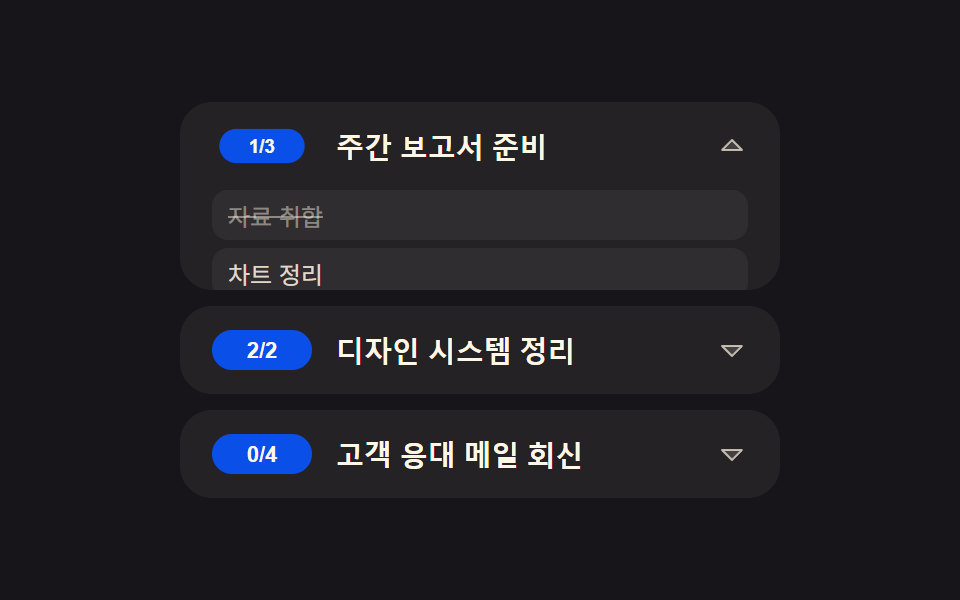 목록·표 UI투두 리스트 ui 패턴 9종 — 진행률 게이지부터 되감기까지 한 번에 정리
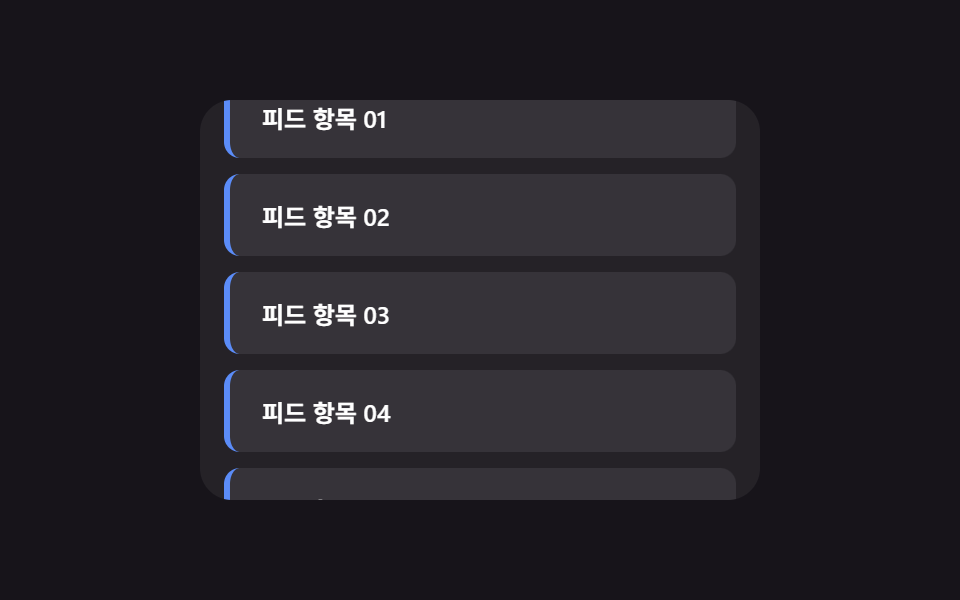 목록·표 UI무한 스크롤 구현 9종 — 리스트·테이블 UI 기본 패턴
 목록·표 UI페이지네이션 ui 9가지 — 창 계산부터 스프링 알약까지 고르는 쪽 이동
 목록·표 UI랭킹 ui 디자인 9가지 — 랭킹 페이지 디자인도 같은 원리다
 목록·표 UI빈 화면 디자인 9종 — CSS로 그리는 빈 상태 카드