무한 스크롤 구현 9종 — 리스트·테이블 UI 기본 패턴
무한 스크롤 구현 아홉 가지 중 하나는 새로 붙는 행이 로딩 스피너 없이 순서대로 미끄러져 들어오고, 하나는 정렬 버튼을 누르면 행들이 실제로 자리를 맞바꾸며 이동하고, 하나는 가로로 스크롤할 때 얼어붙은 첫 칸에만 그림자가 따라붙습니다.
이벤트만 놓고 보면 02·05·07은 클릭(click) 하나로만 반응하는 단순한 구조를 공유하고, 03은 pointerdown·pointermove·pointerup만으로 당김을 추적하는 순수 드래그형이며, 06은 같은 포인터 세 종에 click(삭제 버튼)까지 더해 두 계열의 입력을 함께 듣습니다. 무한 스크롤 사이트에서 흔한 01과 08은 touchstart·wheel로 스크롤 의도를 함께 듣는다는 공통점이 있는데, 01은 여기에 IntersectionObserver라는 표준 관찰자까지 더해 센티널이 뷰포트에 걸친 비율을 직접 재고, 08은 scroll·pointerdown까지 얹어 touchstart·wheel·scroll·pointerdown 네 가지 서로 다른 리스너를 겹쳐 듣습니다. 04는 click과 별개로 CSS 애니메이션이 실제로 끝나는 순간을 animationend로 감지하는 유일한 항목이고, 09는 click·keydown과 별개로 resize를 열어 두어 뷰포트 크기가 바뀔 때도 점 위치를 다시 잽니다. 입력 종류의 많고 적음보다 어느 항목이 어떤 산술을 한 겹 더 얹는지가 이 편의 늘어놓은 순서를 정합니다.
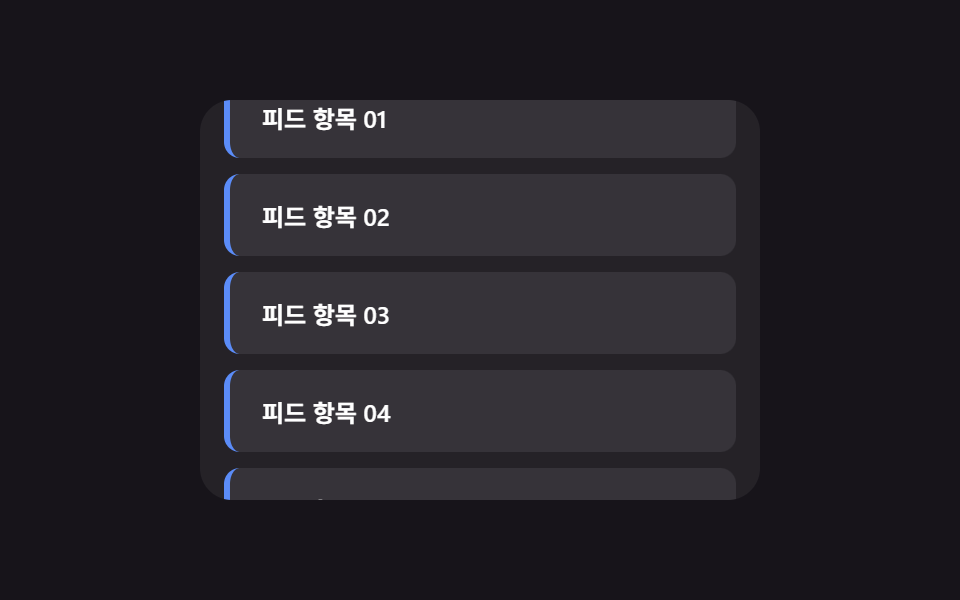 01 infinite-scroll
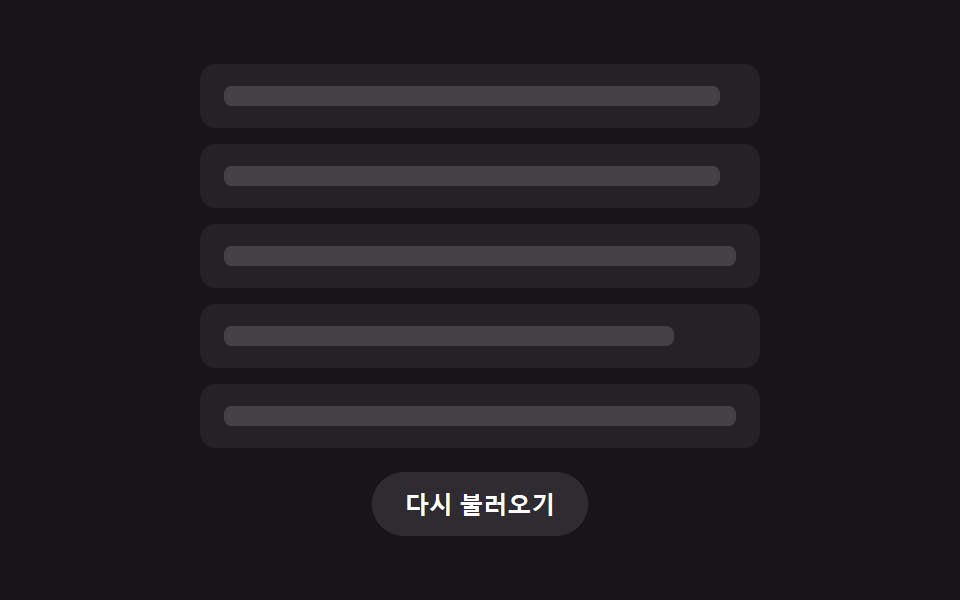 02 skeleton-list
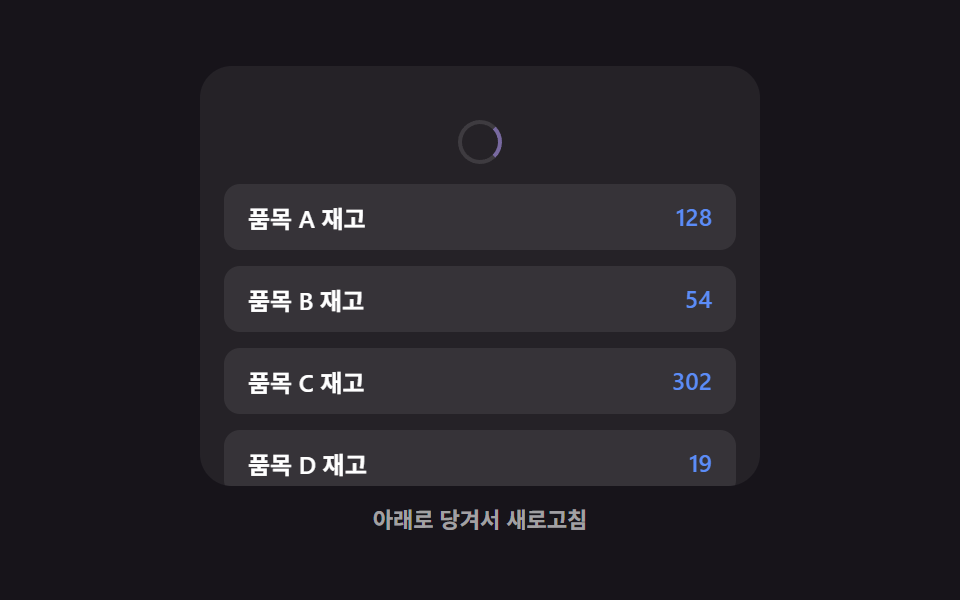 03 pull-to-refresh
 04 list-empty-state
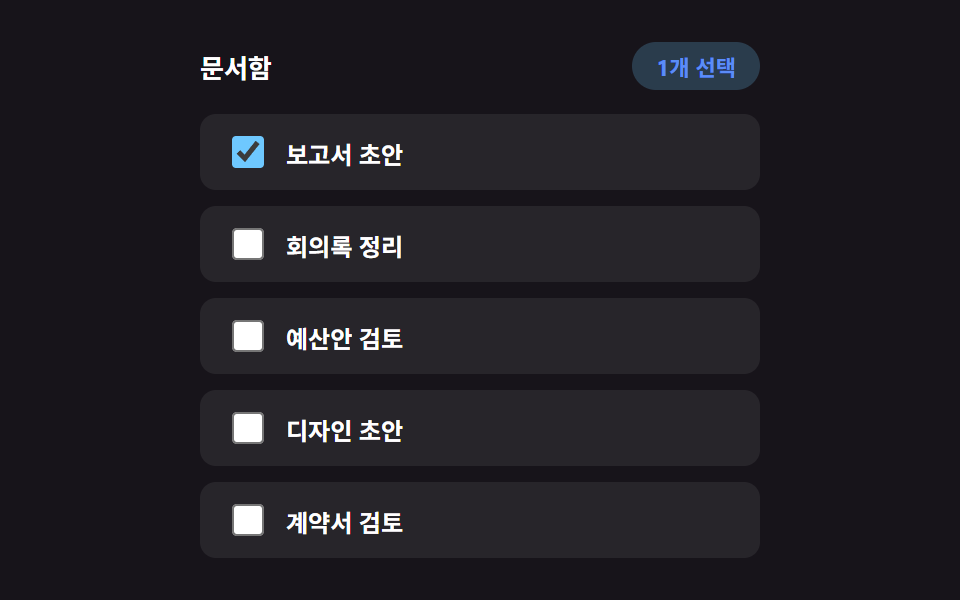 05 bulk-select
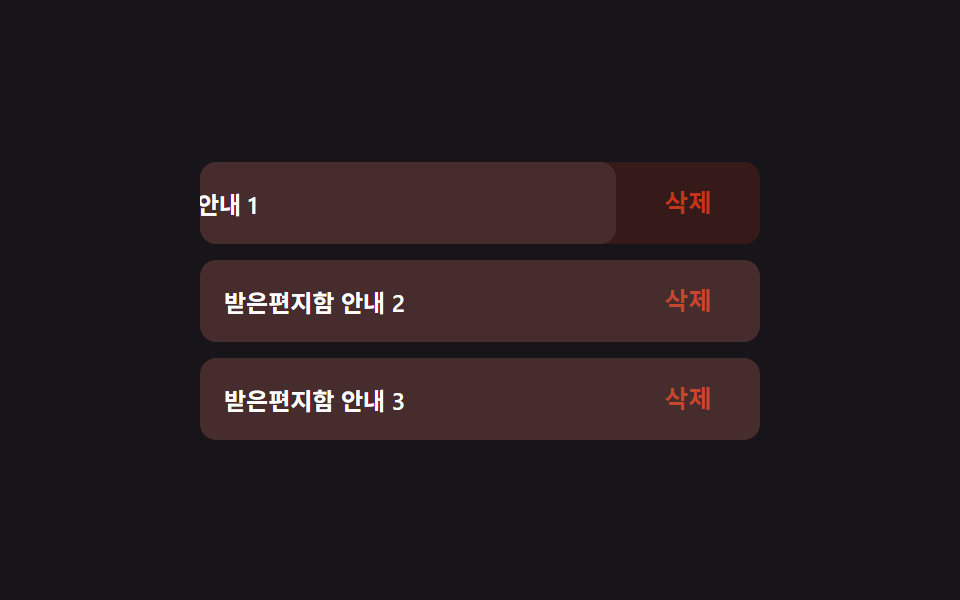 06 swipe-actions
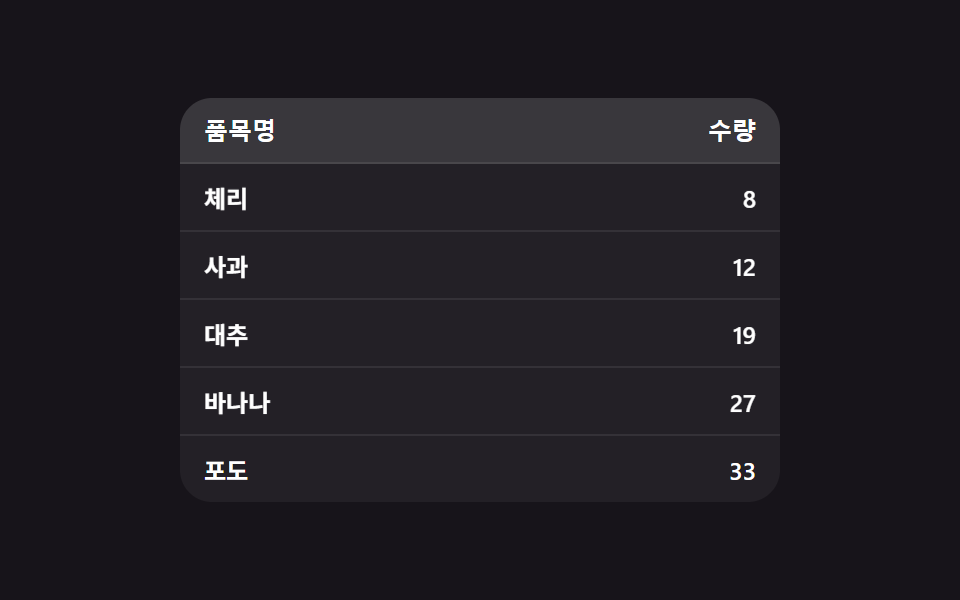 07 sortable-table
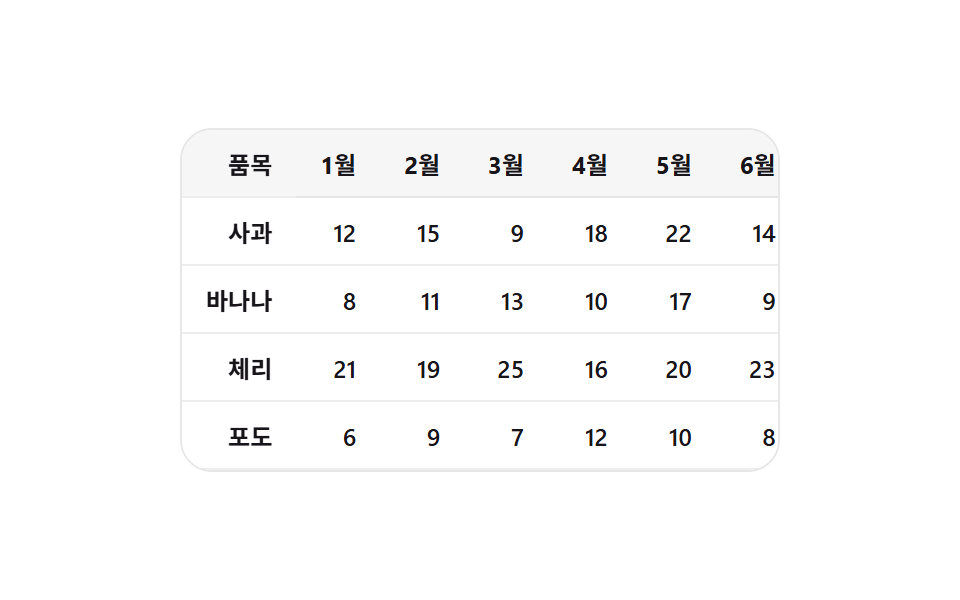 08 sticky-columns
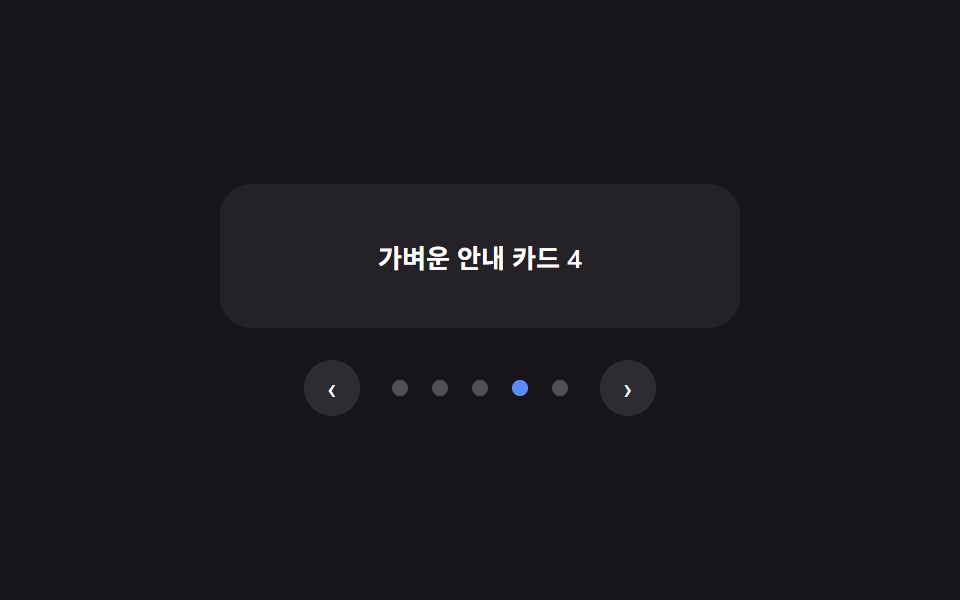 09 pagination
자동 재생 · 눌러서 해당 항목으로 · 전부 한 zip
- 01 스피너 없이 이어붙는 무한 스크롤
- 02 첫 로딩용 리스트 스켈레톤
- 03 새로고침 뒤 바뀐 행만 훑는 풀 투 리프레시
- 04 행이 전부 사라지면 나타나는 빈 리스트 문구
- 05 툴바 없이 배지로만 세는 다중 선택
- 06 한 방향으로만 밀리는 기본 스와이프 액션
- 07 행이 실제로 자리를 바꾸며 정렬되는 표
- 08 가로 스크롤에서 그림자를 데리고 다니는 고정 칼럼
- 09 숫자 없이 점 하나가 미끄러지는 페이지네이션
아홉 개의 해부 — 계산 한 겹이 어디서 도는가
누구나 리스트·테이블에서 스크롤·클릭·드래그에 반응하는 동작을 기대하지만, 그 반응이 어떤 계산에서 나오는지는 아홉 가지가 저마다 다릅니다. Math.random은 아홉 개 전부 쓰지 않는 결정적 계산이라 같은 조작에는 항상 같은 결과가 나오고, 데모 화면의 자동 시연은 .is-demo && !reduce 조건으로만 돌아 실제 페이지에 심었을 때는 절대 저절로 움직이지 않습니다.
| 번호 | 이름 | 누적면적 | 강도_평균 | 움직인프레임 |
|---|---|---|---|---|
| 01 | 스피너 없이 이어붙는 무한 스크롤 | 35.55% | 44.6 | 23/23 |
| 02 | 첫 로딩용 리스트 스켈레톤 | 8.96% | 42.7 | 12/23 |
| 03 | 새로고침 뒤 바뀐 행만 훑는 풀 투 리프레시 | 29.58% | 43.5 | 12/23 |
| 04 | 행이 전부 사라지면 나타나는 빈 리스트 문구 | 46.35% | 47.9 | 21/23 |
| 05 | 툴바 없이 배지로만 세는 다중 선택 | 1.73% | 45.1 | 9/23 |
| 06 | 한 방향으로만 밀리는 기본 스와이프 액션 | 2.77% | 83.9 | 16/23 |
| 07 | 행이 실제로 자리를 바꾸며 정렬되는 표 | 2.23% | 121.3 | 9/23 |
| 08 | 가로 스크롤에서 그림자를 데리고 다니는 고정 칼럼 | 4.62% | 139.7 | 23/23 |
| 09 | 숫자 없이 점 하나가 미끄러지는 페이지네이션 | 1.67% | 96.7 | 16/23 |
누적면적이 가장 큰 항목은 04로 46.35%에 이르는데, 목록에서 마지막 행까지 지워지며 영역 전체가 빈 상태 문구로 바뀌는 넓은 전환이라 그렇습니다. 가장 작은 항목은 09로, 점 하나가 필 위치까지 옮겨가는 좁은 전환이라 1.67%에 그칩니다. 강도_평균이 가장 높은 항목은 08 하나로 139.7까지 오르는데, 그림자 알파는 옅어도 스크롤이 나는 매 순간 갱신되는 픽셀 변화량 자체가 크기 때문입니다. 강도_평균이 가장 낮은 항목은 02로 42.7에 그치는데, 스켈레톤 막대가 회색조 한 번의 페이드로만 바뀌기 때문입니다. 23개 델타 구간 가운데 움직인프레임이 가장 촘촘한 항목은 01·08로 나란히 23/23이고, 가장 뜸한 항목은 05·07로 나란히 9/23입니다.
관찰자가 재는 비율을 입력값으로 쓴다 — 01
01의 IntersectionObserver 콜백은 entry.intersectionRatio — 센티널이 뷰포트에 실제로 얼마나 겹쳤는지를 관찰자가 직접 재는 값 — 를 그대로 batch 크기 계산에 넣습니다. 비율을 clamp한 뒤 MIN_BATCH·MAX_BATCH 사이로 곱해 한 번에 붙일 행 수를 정하므로, 센티널이 화면 끝에 살짝 걸리면 조금만, 깊이 들어오면 한 번에 크게 이어붙입니다.
자기 자신의 실제 치수를 실측해 값을 만든다 — 02·08·09
02의 measureBarWidths()는 실제로 렌더링하지 않고도 canvas의 measureText로 각 행이 보여줄 글자의 실제 폭을 재서 스켈레톤 막대의 폭 비율을 만들고, 08의 updateShadow()는 view.scrollLeft를 SHADOW_RAMP_PX로 정규화해 고정 칼럼 그림자의 알파를 산술로 만들며, 09의 measureAndMove()는 dot.offsetLeft를 실측해 필이 옮겨갈 정확한 좌표를 구합니다. 셋 다 값을 미리 정해두지 않고 화면에 실제로 그려진 요소의 치수를 매번 다시 재는 공통점이 있습니다.
지수 감쇠로 저항 곡선을 만든다 — 03
03의 applyPull()은 손가락이 당긴 원시 거리(raw)를 MAX_PULL_PX * (1 - Math.exp(-raw / DAMPING))라는 지수 감쇠 곡선에 통과시켜 표시량을 만듭니다. 당기기 시작할 땐 손가락을 거의 그대로 따라오다가, 많이 당길수록 늘어나는 양이 점점 줄어드는 저항감이 이 한 줄에서 나옵니다.
rAF 루프로 값을 보간한다 — 04
04의 step()은 아홉 개 가운데 유일하게 requestAnimationFrame 루프를 직접 돕니다. 목표 높이(targetHeight)와 현재 높이(currentHeight)의 차이에 LERP_RATE(0.18)를 곱한 값만큼씩 매 프레임 다가가다가, 차이가 0.5 미만으로 줄면 루프를 멈추고 정확한 최종값으로 스냅합니다.
산술 범위로 상태를 한 번에 맞춘다 — 05
05의 applyRange()는 Shift를 누른 채 클릭했을 때 마지막으로 다룬 인덱스와 이번 인덱스 사이의 최솟값·최댓값을 구해 그 구간 전체를 한 번의 반복으로 같은 체크 상태로 맞춥니다. 행 하나씩 누르지 않아도 범위 선택이 되는 것은 이 산술 때문입니다.
손을 뗄 때의 속도로 판정한다 — 06
06의 pointerup 핸들러는 손을 뗄 때의 velocity가 VELOCITY_OPEN_THRESHOLD를 넘는지로 먼저 판정하고, 임계값 안쪽일 때만 currentX()가 -ACTION_WIDTH / 2보다 작은지로 결정합니다. 멈춘 위치보다 손을 뗄 때의 속도가 우선하는 판정입니다.
실제 좌표를 재서 이동 거리를 만든다(FLIP) — 07
07의 sortBy()는 정렬 전 각 행의 getBoundingClientRect().top을 먼저 기록해 두고, DOM을 실제로 재정렬한 뒤 같은 값을 다시 재 그 차이(delta)만큼 transform으로 되돌렸다가 0으로 애니메이션하는 FLIP 기법을 씁니다. 값만 다시 나열되는 게 아니라 행이 이전 자리에서 새 자리까지 이동하는 것처럼 보이는 이유입니다.
패턴별 코드
01스피너 없이 이어붙는 무한 스크롤
스크롤이 바닥 근처에 닿으면 다음 묶음의 행이 로딩 스피너나 스켈레톤 없이 이미 있는 목록 끝에 순서대로 미끄러져 붙습니다. IntersectionObserver로 관찰하는 센티널이 뷰포트에 걸친 비율에 따라 한 번에 붙는 행 수가 달라지며, 349의 로딩 피드백 중심 무한 스크롤과 달리 다음 행이 들어오는 등장 동작 자체만 다룹니다. 피드·상품 목록의 다음 페이지 자동 로드에 맞습니다.
  // 계산 겹: 센티널이 뷰포트와 겹친 비율(intersectionRatio)이 클수록 한 번에 더 많은 행을 붙인다 —
  // 화면 끝에 살짝 걸리면 조금만, 깊이 들어오면 한 번에 크게 이어붙인다.
  var io = new IntersectionObserver(function (entries) {
    entries.forEach(function (entry) {
      if (entry.isIntersecting && !loading && rowSeq < MAX_ROWS) {
        loading = true;
        var batch = Math.round(MIN_BATCH + (MAX_BATCH - MIN_BATCH) * clamp(entry.intersectionRatio, 0, 1));
        for (var j = 0; j < batch; j += 1) { addRow(j * SCROLL_APPEND_STAGGER_MS); }
        window.setTimeout(function () { loading = false; }, LOAD_COOLDOWN_MS);
      }
    });
  }, { root: view, threshold: [0, 0.2, 0.4, 0.6, 0.8, 1] });
  io.observe(sentinel);
<main class="stage">
<div class="isc is-demo" id="isc">
  <div class="isc__view" id="iscView">
    <ul class="isc__track" id="iscTrack">
      <li class="isc__sentinel" id="iscSentinel" aria-hidden="true"></li>
    </ul>
  </div>
</div>
</main>
@use "../../../../site/static/demo-tokens" as *;
// 변수 3개
$duration: $dur-base;
$easing: $ease-out;
$color: $subject-blue-light;
// 계산 겹: index.html 의 IntersectionObserver 콜백이 센티널의 intersectionRatio 로
// 한 번에 붙일 행 개수(batch)를 산술로 정한다 — 고정 개수가 아니다.
@include stage($stage-ink);
.isc {
width: min(100%, 280px);
}
.isc__view {
box-sizing: border-box;
width: 100%;
height: 200px;
overflow-y: auto;
overflow-x: hidden;
border-radius: $r-card;
background: rgba(255, 255, 255, .06);
padding: $sp-3;
scrollbar-width: thin;
}
.isc__track {
list-style: none;
margin: 0;
padding: 0;
display: flex;
flex-direction: column;
gap: $sp-2;
}
.isc__row {
box-sizing: border-box;
padding: $sp-3 $sp-4;
border-radius: $r-sm;
background: rgba(255, 255, 255, .08);
border-left: 3px solid $color;
color: $stage-paper;
font-weight: 600;
font-size: 12px;
animation-name: rowEnter;
animation-duration: $duration;
animation-timing-function: $easing;
animation-fill-mode: backwards;
}
@keyframes rowEnter {
from { opacity: 0; transform: translateY($sp-4); }
to { opacity: 1; transform: translateY(0); }
}
.isc__sentinel {
height: $sp-2;
}
@media (max-width: 340px) {
.isc__view { height: 120px; padding: $sp-2; }
.isc__row { padding: $sp-2 $sp-3; font-size: 11px; }
}
// reduce: 실사용 경로 적용 — 등장 트윈만 멈춘다. IntersectionObserver·배치 산술은 그대로 동작
@media (prefers-reduced-motion: reduce) {
.isc__row { animation: none; }
}html, body {
margin: 0;
overflow: hidden;
}
.stage {
box-sizing: border-box;
min-height: 100vh;
display: grid;
place-items: center;
margin: 0;
background: #17141a;
font-family: -apple-system, "Segoe UI", "Noto Sans KR", sans-serif;
padding: clamp(8px, 4vw, 24px);
}
.isc {
width: min(100%, 280px);
}
.isc__view {
box-sizing: border-box;
width: 100%;
height: 200px;
overflow-y: auto;
overflow-x: hidden;
border-radius: 16px;
background: rgba(255, 255, 255, 0.06);
padding: 12px;
scrollbar-width: thin;
}
.isc__track {
list-style: none;
margin: 0;
padding: 0;
display: flex;
flex-direction: column;
gap: 8px;
}
.isc__row {
box-sizing: border-box;
padding: 12px 16px;
border-radius: 8px;
background: rgba(255, 255, 255, 0.08);
border-left: 3px solid #5b8cf8;
color: #ffffff;
font-weight: 600;
font-size: 12px;
animation-name: rowEnter;
animation-duration: 300ms;
animation-timing-function: ease-out;
animation-fill-mode: backwards;
}
@keyframes rowEnter {
from {
opacity: 0;
transform: translateY(16px);
}
to {
opacity: 1;
transform: translateY(0);
}
}
.isc__sentinel {
height: 8px;
}
@media (max-width: 340px) {
.isc__view {
height: 120px;
padding: 8px;
}
.isc__row {
padding: 8px 12px;
font-size: 11px;
}
}
@media (prefers-reduced-motion: reduce) {
.isc__row {
animation: none;
}
}(function () {
var SCROLL_APPEND_STAGGER_MS = 40; // 변형 01 대상 — 새 행 등장 사이 간격
var MIN_BATCH = 2;
var MAX_BATCH = 6;
var MAX_ROWS = 40;
var RESET_DELAY_MS = 700;
var AUTO_STEP_PX = 6;
var AUTO_TICK_MS = 55;
var LOAD_COOLDOWN_MS = 260;
var root = document.getElementById('isc');
var view = document.getElementById('iscView');
var track = document.getElementById('iscTrack');
var sentinel = document.getElementById('iscSentinel');
var rowSeq = 0;
var loading = false;
function clamp(v, lo, hi) { return Math.min(hi, Math.max(lo, v)); }
function addRow(delayMs) {
var li = document.createElement('li');
li.className = 'isc__row';
li.style.animationDelay = delayMs + 'ms';
li.textContent = '피드 항목 ' + String(rowSeq + 1).padStart(2, '0');
track.insertBefore(li, sentinel);
rowSeq += 1;
return li;
}
function resetList() {
while (track.firstChild !== sentinel) { track.removeChild(track.firstChild); }
rowSeq = 0;
for (var i = 0; i < 6; i += 1) { addRow(0); }
}
resetList();
// 계산 겹: 센티널이 뷰포트와 겹친 비율(intersectionRatio)이 클수록 한 번에 더 많은 행을 붙인다 —
// 화면 끝에 살짝 걸리면 조금만, 깊이 들어오면 한 번에 크게 이어붙인다.
var io = new IntersectionObserver(function (entries) {
entries.forEach(function (entry) {
if (entry.isIntersecting && !loading && rowSeq < MAX_ROWS) {
loading = true;
var batch = Math.round(MIN_BATCH + (MAX_BATCH - MIN_BATCH) * clamp(entry.intersectionRatio, 0, 1));
for (var j = 0; j < batch; j += 1) { addRow(j * SCROLL_APPEND_STAGGER_MS); }
window.setTimeout(function () { loading = false; }, LOAD_COOLDOWN_MS);
}
});
}, { root: view, threshold: [0, 0.2, 0.4, 0.6, 0.8, 1] });
io.observe(sentinel);
var timer = null;
var dir = 1;
function human() {
if (root.classList.contains('is-demo')) {
root.classList.remove('is-demo');
if (timer) { window.clearInterval(timer); timer = null; }
}
}
view.addEventListener('wheel', human, { passive: true });
view.addEventListener('touchstart', human, { passive: true });
function tick() {
var max = view.scrollHeight - view.clientHeight;
if (view.scrollTop >= max - 1 && dir !== 0) {
dir = 0;
window.setTimeout(function () {
resetList();
view.scrollTop = 0;
dir = 1;
}, RESET_DELAY_MS);
return;
}
if (dir === 0) { return; }
view.scrollTop = Math.min(view.scrollTop + AUTO_STEP_PX, max);
}
var reduce = window.matchMedia('(prefers-reduced-motion: reduce)').matches;
if (!reduce) {
timer = window.setInterval(tick, AUTO_TICK_MS);
}
// reduce: 실사용 경로 적용 — 자동 스크롤과 등장 트윈만 멈춘다. IntersectionObserver 는 그대로 살아 있어
// 사람이 실제로 스크롤하면 다음 배치가 애니메이션 없이 즉시 붙는다(scss 의 reduce 블록이 animation:none 처리)
})();// InfiniteScroll — vanilla 판(run/381/demo/01-infinite-scroll/index.html)의 React 포트.
// 센티널의 intersectionRatio 로 한 번에 붙일 행 개수(batch)를 산술로 정한다 — 고정 개수가 아니다.
// 목록·자동 스크롤·IntersectionObserver 는 vanilla 와 같은 절차형 코드로, 마운트 시 한 번만 연결한다.
import { useEffect, useRef } from "react";
import type { CSSProperties } from "react";
import styles from "./InfiniteScroll.module.scss";
export type InfiniteScrollProps = {
duration?: string;
easing?: string;
color?: string;
};
type Vars = CSSProperties & { "--duration"?: string; "--easing"?: string; "--color"?: string };
export default function InfiniteScroll({
duration = "300ms", // vanilla $duration: $dur-base
easing = "ease-out", // vanilla $easing: $ease-out
color = "#5b8cf8", // vanilla $color: $subject-blue-light
}: InfiniteScrollProps) {
const rootRef = useRef<HTMLDivElement | null>(null);
useEffect(() => {
const root = rootRef.current;
if (!root) return;
const view = root.querySelector<HTMLDivElement>('[data-role="view"]');
const track = root.querySelector<HTMLUListElement>('[data-role="track"]');
const sentinel = root.querySelector<HTMLLIElement>('[data-role="sentinel"]');
if (!view || !track || !sentinel) return;
const SCROLL_APPEND_STAGGER_MS = 40; // 변형 01 대상 — 새 행 등장 사이 간격
const MIN_BATCH = 2;
const MAX_BATCH = 6;
const MAX_ROWS = 40;
const RESET_DELAY_MS = 700;
const AUTO_STEP_PX = 6;
const AUTO_TICK_MS = 55;
const LOAD_COOLDOWN_MS = 260;
let rowSeq = 0;
let loading = false;
function clamp(v: number, lo: number, hi: number): number {
return Math.min(hi, Math.max(lo, v));
}
function addRow(delayMs: number): HTMLLIElement {
const li = document.createElement("li");
li.className = styles.isc__row;
li.style.animationDelay = delayMs + "ms";
li.textContent = "피드 항목 " + String(rowSeq + 1).padStart(2, "0");
track!.insertBefore(li, sentinel);
rowSeq += 1;
return li;
}
function resetList(): void {
while (track!.firstChild !== sentinel) {
track!.removeChild(track!.firstChild as ChildNode);
}
rowSeq = 0;
for (let i = 0; i < 6; i += 1) {
addRow(0);
}
}
resetList();
// 계산 겹: 센티널이 뷰포트와 겹친 비율(intersectionRatio)이 클수록 한 번에 더 많은 행을 붙인다 —
// 화면 끝에 살짝 걸리면 조금만, 깊이 들어오면 한 번에 크게 이어붙인다.
const io = new IntersectionObserver(
(entries) => {
entries.forEach((entry) => {
if (entry.isIntersecting && !loading && rowSeq < MAX_ROWS) {
loading = true;
const batch = Math.round(
MIN_BATCH + (MAX_BATCH - MIN_BATCH) * clamp(entry.intersectionRatio, 0, 1)
);
for (let j = 0; j < batch; j += 1) {
addRow(j * SCROLL_APPEND_STAGGER_MS);
}
window.setTimeout(() => {
loading = false;
}, LOAD_COOLDOWN_MS);
}
});
},
{ root: view, threshold: [0, 0.2, 0.4, 0.6, 0.8, 1] }
);
io.observe(sentinel);
let timer: number | null = null;
let dir = 1;
function human(): void {
if (root!.classList.contains("is-demo")) {
root!.classList.remove("is-demo");
if (timer) {
window.clearInterval(timer);
timer = null;
}
}
}
view.addEventListener("wheel", human, { passive: true });
view.addEventListener("touchstart", human, { passive: true });
function tick(): void {
const max = view!.scrollHeight - view!.clientHeight;
if (view!.scrollTop >= max - 1 && dir !== 0) {
dir = 0;
window.setTimeout(() => {
resetList();
view!.scrollTop = 0;
dir = 1;
}, RESET_DELAY_MS);
return;
}
if (dir === 0) {
return;
}
view!.scrollTop = Math.min(view!.scrollTop + AUTO_STEP_PX, max);
}
const reduce = window.matchMedia("(prefers-reduced-motion: reduce)").matches;
if (!reduce) {
timer = window.setInterval(tick, AUTO_TICK_MS);
}
// reduce: 실사용 경로 적용 — 자동 스크롤과 등장 트윈만 멈춘다. IntersectionObserver 는 그대로 살아 있어
// 사람이 실제로 스크롤하면 다음 배치가 애니메이션 없이 즉시 붙는다(scss 의 reduce 블록이 animation:none 처리)
return () => {
io.disconnect();
if (timer) {
window.clearInterval(timer);
}
view.removeEventListener("wheel", human);
view.removeEventListener("touchstart", human);
};
}, []);
const vars: Vars = { "--duration": duration, "--easing": easing, "--color": color };
return (
<main className={styles.stage}>
<div className={`${styles.isc} is-demo`} ref={rootRef} style={vars}>
<div className={styles.isc__view} data-role="view">
<ul className={styles.isc__track} data-role="track">
<li className={styles.isc__sentinel} data-role="sentinel" aria-hidden="true" />
</ul>
</div>
</div>
</main>
);
}01 · 스피너 없이 이어붙는 무한 스크롤 — 측정 누적면적 35.554% · 움직인 프레임 23/23GODRICH 원작 · zip 에 SCSS·React 포함 · 비밀번호 보기
02첫 로딩용 리스트 스켈레톤
데이터가 오기 전 화면 전체가 행 모양의 회색 막대 스켈레톤으로 채워져 있다가 실제 데이터가 도착하면 한 번에 통째로 교체됩니다. 004의 개별 스켈레톤 부품 모음·349의 스크롤 중 추가 스켈레톤과 달리, 여긴 첫 진입 시 전체 목록이 교체되는 한 번뿐인 전환만 다룹니다. 첫 접속 시 리스트·피드의 로딩 대기 화면에 맞습니다.
  // 계산 겹: 각 행이 로딩 완료 후 실제로 보여줄 글자의 캔버스 실측 폭을 재서
  // 스켈레톤 막대 폭을 그 비율로 정한다 — 고정폭이 아니라 내용 길이를 미리 반영한다.
  function measureBarWidths() {
    var canvas = document.createElement('canvas');
    var ctx = canvas.getContext('2d');
    ctx.font = '600 13px -apple-system, "Segoe UI", "Noto Sans KR", sans-serif';
    var widths = ROWS.map(function (text) { return ctx.measureText(text).width; });
    var maxW = Math.max.apply(null, widths);
    return widths.map(function (w) {
      var pct = (w / maxW) * 100;
      return Math.max(MIN_BAR_PCT, Math.round(pct));
    });
  }
<main class="stage">
<div class="skl is-demo" id="skl">
  <ul class="skl__list" id="sklList" aria-busy="true">
    <li class="skl__row" data-row="0">
      <span class="skl__bar" data-bar></span>
      <span class="skl__content" data-content hidden></span>
    </li>
    <li class="skl__row" data-row="1">
      <span class="skl__bar" data-bar></span>
      <span class="skl__content" data-content hidden></span>
    </li>
    <li class="skl__row" data-row="2">
      <span class="skl__bar" data-bar></span>
      <span class="skl__content" data-content hidden></span>
    </li>
    <li class="skl__row" data-row="3">
      <span class="skl__bar" data-bar></span>
      <span class="skl__content" data-content hidden></span>
    </li>
    <li class="skl__row" data-row="4">
      <span class="skl__bar" data-bar></span>
      <span class="skl__content" data-content hidden></span>
    </li>
  </ul>
  <button class="skl__reload" id="sklReload" type="button">다시 불러오기</button>
</div>
</main>@use "../../../../site/static/demo-tokens" as *;
// 변수 3개
$duration: $dur-quick;
$easing: $ease-out;
$color: $subject-mint;
// 계산 겹: index.html 이 캔버스 measureText 로 잰 실제 글자 폭 비율을
// --bar-w 로 각 막대에 주입한다 — 막대 폭이 내용 길이를 미리 반영한다.
@include stage($stage-ink);
.skl {
width: min(100%, 280px);
display: flex;
flex-direction: column;
gap: $sp-3;
align-items: center;
}
.skl__list {
box-sizing: border-box;
width: 100%;
list-style: none;
margin: 0;
padding: 0;
display: flex;
flex-direction: column;
gap: $sp-2;
}
.skl__row {
box-sizing: border-box;
position: relative;
height: 32px;
padding: 0 $sp-3;
border-radius: $r-sm;
background: rgba(255, 255, 255, .06);
display: flex;
align-items: center;
}
.skl__bar {
--bar-w: 60%;
position: relative;
overflow: hidden;
display: block;
width: var(--bar-w);
height: 10px;
border-radius: $r-xs;
background: rgba(255, 255, 255, .14);
&::after {
content: "";
position: absolute;
inset: 0;
background: linear-gradient(90deg, transparent, rgba($color, .5), transparent);
transform: translateX(-140%);
animation-name: sklShimmer;
animation-duration: $duration;
animation-timing-function: $easing;
animation-iteration-count: infinite;
}
}
.skl__content {
color: $stage-paper;
font-weight: 600;
font-size: 12px;
}
.skl__row.is-loaded {
.skl__bar { display: none; }
.skl__content {
animation-name: sklRowIn;
animation-duration: $dur-base;
animation-timing-function: $easing;
animation-fill-mode: backwards;
}
}
@keyframes sklShimmer {
to { transform: translateX(140%); }
}
@keyframes sklRowIn {
from { opacity: 0; transform: translateY($sp-2); }
to { opacity: 1; transform: translateY(0); }
}
.skl__reload {
box-sizing: border-box;
border: 0;
border-radius: $r-pill;
padding: $sp-2 $sp-4;
background: rgba(255, 255, 255, .1);
color: $stage-paper;
font-weight: 600;
font-size: 12px;
cursor: pointer;
&:focus-visible {
outline: 2px solid $color;
outline-offset: 2px;
}
}
@media (max-width: 340px) {
.skl { gap: $sp-2; }
.skl__list { gap: $sp-1; }
.skl__row { height: 20px; padding: 0 $sp-1; }
.skl__content { font-size: 11px; }
.skl__reload { padding: $sp-1 $sp-3; }
}
// reduce: 실사용 경로 적용 — 스침·등장 트윈만 멈춘다. 로딩 완료 상태 자체는 그대로 보인다
@media (prefers-reduced-motion: reduce) {
.skl__bar::after { animation: none; opacity: .5; transform: translateX(0); }
.skl__row.is-loaded .skl__content { animation: none; }
}html, body {
margin: 0;
overflow: hidden;
}
.stage {
box-sizing: border-box;
min-height: 100vh;
display: grid;
place-items: center;
margin: 0;
background: #17141a;
font-family: -apple-system, "Segoe UI", "Noto Sans KR", sans-serif;
padding: clamp(8px, 4vw, 24px);
}
.skl {
width: min(100%, 280px);
display: flex;
flex-direction: column;
gap: 12px;
align-items: center;
}
.skl__list {
box-sizing: border-box;
width: 100%;
list-style: none;
margin: 0;
padding: 0;
display: flex;
flex-direction: column;
gap: 8px;
}
.skl__row {
box-sizing: border-box;
position: relative;
height: 32px;
padding: 0 12px;
border-radius: 8px;
background: rgba(255, 255, 255, 0.06);
display: flex;
align-items: center;
}
.skl__bar {
--bar-w: 60%;
position: relative;
overflow: hidden;
display: block;
width: var(--bar-w);
height: 10px;
border-radius: 4px;
background: rgba(255, 255, 255, 0.14);
}
.skl__bar::after {
content: "";
position: absolute;
inset: 0;
background: linear-gradient(90deg, transparent, rgba(76, 212, 166, 0.5), transparent);
transform: translateX(-140%);
animation-name: sklShimmer;
animation-duration: 220ms;
animation-timing-function: ease-out;
animation-iteration-count: infinite;
}
.skl__content {
color: #ffffff;
font-weight: 600;
font-size: 12px;
}
.skl__row.is-loaded .skl__bar {
display: none;
}
.skl__row.is-loaded .skl__content {
animation-name: sklRowIn;
animation-duration: 300ms;
animation-timing-function: ease-out;
animation-fill-mode: backwards;
}
@keyframes sklShimmer {
to {
transform: translateX(140%);
}
}
@keyframes sklRowIn {
from {
opacity: 0;
transform: translateY(8px);
}
to {
opacity: 1;
transform: translateY(0);
}
}
.skl__reload {
box-sizing: border-box;
border: 0;
border-radius: 999px;
padding: 8px 16px;
background: rgba(255, 255, 255, 0.1);
color: #ffffff;
font-weight: 600;
font-size: 12px;
cursor: pointer;
}
.skl__reload:focus-visible {
outline: 2px solid #4cd4a6;
outline-offset: 2px;
}
@media (max-width: 340px) {
.skl {
gap: 8px;
}
.skl__list {
gap: 4px;
}
.skl__row {
height: 20px;
padding: 0 4px;
}
.skl__content {
font-size: 11px;
}
.skl__reload {
padding: 4px 12px;
}
}
@media (prefers-reduced-motion: reduce) {
.skl__bar::after {
animation: none;
opacity: 0.5;
transform: translateX(0);
}
.skl__row.is-loaded .skl__content {
animation: none;
}
}(function () {
var ROWS = [
'상반기 성장 보고서 요약',
'신규 가입자 추이 그래프',
'이번 분기 매출 상위 상품',
'고객 만족도 조사 결과',
'재고 부족 임박 품목 알림'
];
var CYCLE_MS = 2000; // 캡처 창(2초)의 배수 — 스켈레톤/로딩완료 상태를 오가는 한 사이클
var LOAD_POINT = 0.45; // 사이클 중 로딩 완료로 전환되는 지점
var RESET_POINT = 0.96; // 이 지점부터 다시 스켈레톤으로
var ENTER_STAGGER_MS = 70; // 행마다 등장 지연 간격
var MIN_BAR_PCT = 32; // 막대 폭 하한(%)
var TICK_MS = 50;
var root = document.getElementById('skl');
var list = document.getElementById('sklList');
var reloadBtn = document.getElementById('sklReload');
var rows = Array.prototype.slice.call(list.querySelectorAll('.skl__row'));
// 계산 겹: 각 행이 로딩 완료 후 실제로 보여줄 글자의 캔버스 실측 폭을 재서
// 스켈레톤 막대 폭을 그 비율로 정한다 — 고정폭이 아니라 내용 길이를 미리 반영한다.
function measureBarWidths() {
var canvas = document.createElement('canvas');
var ctx = canvas.getContext('2d');
ctx.font = '600 13px -apple-system, "Segoe UI", "Noto Sans KR", sans-serif';
var widths = ROWS.map(function (text) { return ctx.measureText(text).width; });
var maxW = Math.max.apply(null, widths);
return widths.map(function (w) {
var pct = (w / maxW) * 100;
return Math.max(MIN_BAR_PCT, Math.round(pct));
});
}
var barPct = measureBarWidths();
rows.forEach(function (row, i) {
var bar = row.querySelector('[data-bar]');
var content = row.querySelector('[data-content]');
bar.style.setProperty('--bar-w', barPct[i] + '%');
content.textContent = ROWS[i];
});
function setLoaded(loaded) {
rows.forEach(function (row, i) {
var content = row.querySelector('[data-content]');
if (loaded) {
row.classList.add('is-loaded');
content.hidden = false;
row.style.animationDelay = (i * ENTER_STAGGER_MS) + 'ms';
} else {
row.classList.remove('is-loaded');
content.hidden = true;
row.style.animationDelay = '';
}
});
list.setAttribute('aria-busy', loaded ? 'false' : 'true');
}
function human() {
if (root.classList.contains('is-demo')) {
root.classList.remove('is-demo');
if (timer) { window.clearInterval(timer); timer = null; }
}
}
reloadBtn.addEventListener('click', function () {
human();
setLoaded(false);
window.setTimeout(function () { setLoaded(true); }, 650);
});
var timer = null;
var start = 0;
var loadedState = false;
function tick(elapsedMs) {
var phase = (elapsedMs % CYCLE_MS) / CYCLE_MS;
var wantLoaded = phase >= LOAD_POINT && phase < RESET_POINT;
if (wantLoaded !== loadedState) {
loadedState = wantLoaded;
setLoaded(loadedState);
}
}
function loop() {
tick(performance.now() - start);
}
var reduce = window.matchMedia('(prefers-reduced-motion: reduce)').matches;
if (!reduce) {
setLoaded(false);
start = performance.now();
timer = window.setInterval(loop, TICK_MS);
} else {
// reduce: 실사용 경로 적용 — 스켈레톤 스침·등장 트윈 없이 로딩 완료 상태를 바로 보여준다
setLoaded(true);
}
})();// SkeletonList — vanilla 판(run/381/demo/02-skeleton-list/index.html)의 React 포트.
// 각 행이 로딩 완료 후 실제로 보여줄 글자의 캔버스 실측 폭을 재서 스켈레톤 막대 폭을
// 그 비율로 정한다 — 고정폭이 아니라 내용 길이를 미리 반영한다.
import { useEffect, useRef } from "react";
import type { CSSProperties } from "react";
import styles from "./SkeletonList.module.scss";
export type SkeletonListProps = {
duration?: string;
easing?: string;
color?: string;
};
type Vars = CSSProperties & { "--duration"?: string; "--easing"?: string; "--color"?: string };
const ROWS = [
"상반기 성장 보고서 요약",
"신규 가입자 추이 그래프",
"이번 분기 매출 상위 상품",
"고객 만족도 조사 결과",
"재고 부족 임박 품목 알림",
];
export default function SkeletonList({
duration = "220ms", // vanilla $duration: $dur-quick
easing = "ease-out", // vanilla $easing: $ease-out
color = "#4cd4a6", // vanilla $color: $subject-mint
}: SkeletonListProps) {
const rootRef = useRef<HTMLDivElement | null>(null);
useEffect(() => {
const root = rootRef.current;
if (!root) return;
const list = root.querySelector<HTMLUListElement>('[data-role="list"]');
const reloadBtn = root.querySelector<HTMLButtonElement>('[data-role="reload"]');
if (!list || !reloadBtn) return;
const rows = Array.prototype.slice.call(list.querySelectorAll("[data-row]")) as HTMLLIElement[];
const CYCLE_MS = 2000; // 캡처 창(2초)의 배수 — 스켈레톤/로딩완료 상태를 오가는 한 사이클
const LOAD_POINT = 0.45; // 사이클 중 로딩 완료로 전환되는 지점
const RESET_POINT = 0.96; // 이 지점부터 다시 스켈레톤으로
const ENTER_STAGGER_MS = 70; // 행마다 등장 지연 간격
const MIN_BAR_PCT = 32; // 막대 폭 하한(%)
const TICK_MS = 50;
// 계산 겹: 각 행이 로딩 완료 후 실제로 보여줄 글자의 캔버스 실측 폭을 재서
// 스켈레톤 막대 폭을 그 비율로 정한다 — 고정폭이 아니라 내용 길이를 미리 반영한다.
function measureBarWidths(): number[] {
const canvas = document.createElement("canvas");
const ctx = canvas.getContext("2d")!;
ctx.font = '600 13px -apple-system, "Segoe UI", "Noto Sans KR", sans-serif';
const widths = ROWS.map((text) => ctx.measureText(text).width);
const maxW = Math.max.apply(null, widths);
return widths.map((w) => {
const pct = (w / maxW) * 100;
return Math.max(MIN_BAR_PCT, Math.round(pct));
});
}
const barPct = measureBarWidths();
rows.forEach((row, i) => {
const bar = row.querySelector<HTMLSpanElement>("[data-bar]");
const content = row.querySelector<HTMLSpanElement>("[data-content]");
if (!bar || !content) return;
bar.style.setProperty("--bar-w", barPct[i] + "%");
content.textContent = ROWS[i];
});
function setLoaded(loaded: boolean): void {
rows.forEach((row, i) => {
const content = row.querySelector<HTMLSpanElement>("[data-content]");
if (!content) return;
if (loaded) {
row.classList.add("is-loaded");
content.hidden = false;
row.style.animationDelay = i * ENTER_STAGGER_MS + "ms";
} else {
row.classList.remove("is-loaded");
content.hidden = true;
row.style.animationDelay = "";
}
});
list!.setAttribute("aria-busy", loaded ? "false" : "true");
}
function human(): void {
if (root!.classList.contains("is-demo")) {
root!.classList.remove("is-demo");
if (timer) {
window.clearInterval(timer);
timer = null;
}
}
}
function onReload(): void {
human();
setLoaded(false);
window.setTimeout(() => {
setLoaded(true);
}, 650);
}
reloadBtn.addEventListener("click", onReload);
let timer: number | null = null;
let start = 0;
let loadedState = false;
function tick(elapsedMs: number): void {
const phase = (elapsedMs % CYCLE_MS) / CYCLE_MS;
const wantLoaded = phase >= LOAD_POINT && phase < RESET_POINT;
if (wantLoaded !== loadedState) {
loadedState = wantLoaded;
setLoaded(loadedState);
}
}
function loop(): void {
tick(performance.now() - start);
}
const reduce = window.matchMedia("(prefers-reduced-motion: reduce)").matches;
if (!reduce) {
setLoaded(false);
start = performance.now();
timer = window.setInterval(loop, TICK_MS);
} else {
// reduce: 실사용 경로 적용 — 스켈레톤 스침·등장 트윈 없이 로딩 완료 상태를 바로 보여준다
setLoaded(true);
}
return () => {
reloadBtn.removeEventListener("click", onReload);
if (timer) {
window.clearInterval(timer);
}
};
}, []);
const vars: Vars = { "--duration": duration, "--easing": easing, "--color": color };
return (
<main className={styles.stage}>
<div className={`${styles.skl} is-demo`} ref={rootRef} style={vars}>
<ul className={styles.skl__list} data-role="list" aria-busy="true">
{ROWS.map((_, i) => (
<li className={styles.skl__row} data-row={i} key={i}>
<span className={styles.skl__bar} data-bar />
<span className={styles.skl__content} data-content hidden />
</li>
))}
</ul>
<button type="button" className={styles.skl__reload} data-role="reload">
다시 불러오기
</button>
</div>
</main>
);
}02 · 첫 로딩용 리스트 스켈레톤 — 측정 누적면적 8.956% · 움직인 프레임 12/23GODRICH 원작 · zip 에 SCSS·React 포함 · 비밀번호 보기
03새로고침 뒤 바뀐 행만 훑는 풀 투 리프레시
당겨서 새로고침을 마치면 목록 전체가 다시 그려지는 대신, 값이 바뀐 행에만 짧은 하이라이트 스윕이 지나가 무엇이 갱신됐는지 보여줍니다. 당김 동작·아이콘·탄성 자체를 다루는 353과 달리 여긴 놓은 뒤의 결과 표시만 다룹니다. 실시간 시세·재고처럼 값만 바뀌는 목록에 맞습니다.
  // 계산 겹: 원시 당김량(raw)을 지수 감쇠 저항 곡선으로 눌러 표시량을 만든다 —
  // 처음엔 손가락을 따라오다가 당길수록 점점 덜 늘어난다.
  function applyPull(raw) {
    var displayed = MAX_PULL_PX * (1 - Math.exp(-raw / DAMPING));
    zone.style.setProperty('--pull-px', displayed.toFixed(1) + 'px');
    spinner.style.setProperty('--spin-deg', (displayed / MAX_PULL_PX * 320).toFixed(1) + 'deg');
    indicator.style.opacity = Math.min(1, displayed / (RELEASE_THRESHOLD_PX * 0.7)).toFixed(2);
    lastDisplayed = displayed;
    return displayed;
  }
<main class="stage">
<div class="ptr is-demo" id="ptr">
  <div class="ptr__view" id="ptrView">
    <div class="ptr__zone" id="ptrZone">
      <div class="ptr__indicator" id="ptrIndicator" aria-hidden="true">
        <span class="ptr__spinner" id="ptrSpinner"></span>
      </div>
      <ul class="ptr__list" id="ptrList">
        <li class="ptr__row" data-row="0"><span class="ptr__label">품목 A 재고</span><span class="ptr__value" id="ptrVal0">128</span></li>
        <li class="ptr__row" data-row="1"><span class="ptr__label">품목 B 재고</span><span class="ptr__value" id="ptrVal1">54</span></li>
        <li class="ptr__row" data-row="2"><span class="ptr__label">품목 C 재고</span><span class="ptr__value" id="ptrVal2">302</span></li>
        <li class="ptr__row" data-row="3"><span class="ptr__label">품목 D 재고</span><span class="ptr__value" id="ptrVal3">19</span></li>
        <li class="ptr__row" data-row="4"><span class="ptr__label">품목 E 재고</span><span class="ptr__value" id="ptrVal4">77</span></li>
      </ul>
    </div>
  </div>
  <p class="ptr__hint" id="ptrHint" aria-live="polite">아래로 당겨서 새로고침</p>
</div>
</main>
@use "../../../../site/static/demo-tokens" as *;
// 변수 3개
$duration: $dur-enter;
$easing: $ease-spring;
$color: $subject-lilac;
// 계산 겹: index.html 의 applyPull() 이 저항 곡선으로 당김 표시량을 만들고,
// 놓았을 때 새로고침되면 computeChanged() 로 실제 값이 달라진 행만 골라 훑는다.
@include stage($stage-ink);
.ptr {
width: min(100%, 280px);
display: flex;
flex-direction: column;
gap: $sp-2;
align-items: center;
}
.ptr__view {
box-sizing: border-box;
width: 100%;
height: 210px;
overflow: hidden;
border-radius: $r-card;
background: rgba(255, 255, 255, .06);
touch-action: none;
}
.ptr__zone {
--pull-px: 0px;
box-sizing: border-box;
padding: $sp-3;
transform: translateY(var(--pull-px));
transition: transform $duration $easing;
&.is-dragging {
transition: none;
}
}
.ptr__indicator {
display: flex;
justify-content: center;
height: 28px;
margin-bottom: $sp-1;
opacity: 0;
}
.ptr__spinner {
--spin-deg: 0deg;
width: 18px;
height: 18px;
border-radius: $r-pill;
border: 2px solid rgba(255, 255, 255, .2);
border-top-color: $color;
transform: rotate(var(--spin-deg));
}
.ptr__list {
list-style: none;
margin: 0;
padding: 0;
display: flex;
flex-direction: column;
gap: $sp-2;
}
.ptr__row {
box-sizing: border-box;
position: relative;
overflow: hidden;
display: flex;
justify-content: space-between;
padding: $sp-2 $sp-3;
border-radius: $r-sm;
background: rgba(255, 255, 255, .08);
color: $stage-paper;
font-weight: 600;
font-size: 12px;
&.is-swept::after {
content: "";
position: absolute;
inset: 0;
background: linear-gradient(90deg, transparent, rgba($color, .38), transparent);
transform: translateX(-140%);
animation-name: ptrSweep;
animation-duration: $duration;
animation-timing-function: $ease-out;
}
}
.ptr__value {
color: $subject-blue-light;
}
@keyframes ptrSweep {
to { transform: translateX(140%); }
}
.ptr__hint {
margin: 0;
color: rgba(255, 255, 255, .6);
font-weight: 600;
font-size: 11px;
}
@media (max-width: 340px) {
.ptr { gap: $sp-1; }
.ptr__view { height: 130px; }
.ptr__row { padding: $sp-1 $sp-2; font-size: 11px; }
.ptr__hint { font-size: 10px; }
}
// reduce: 실사용 경로 적용 — 당김 스프링·스침 트윈만 멈춘다. 새로고침 계산·값 갱신은 그대로 동작
@media (prefers-reduced-motion: reduce) {
.ptr__zone { transition: none; }
.ptr__row.is-swept::after { animation: none; opacity: 0; }
}html, body {
margin: 0;
overflow: hidden;
}
.stage {
box-sizing: border-box;
min-height: 100vh;
display: grid;
place-items: center;
margin: 0;
background: #17141a;
font-family: -apple-system, "Segoe UI", "Noto Sans KR", sans-serif;
padding: clamp(8px, 4vw, 24px);
}
.ptr {
width: min(100%, 280px);
display: flex;
flex-direction: column;
gap: 8px;
align-items: center;
}
.ptr__view {
box-sizing: border-box;
width: 100%;
height: 210px;
overflow: hidden;
border-radius: 16px;
background: rgba(255, 255, 255, 0.06);
touch-action: none;
}
.ptr__zone {
--pull-px: 0px;
box-sizing: border-box;
padding: 12px;
transform: translateY(var(--pull-px));
transition: transform 600ms cubic-bezier(0.2, 0.8, 0.2, 1);
}
.ptr__zone.is-dragging {
transition: none;
}
.ptr__indicator {
display: flex;
justify-content: center;
height: 28px;
margin-bottom: 4px;
opacity: 0;
}
.ptr__spinner {
--spin-deg: 0deg;
width: 18px;
height: 18px;
border-radius: 999px;
border: 2px solid rgba(255, 255, 255, 0.2);
border-top-color: #b9a0ff;
transform: rotate(var(--spin-deg));
}
.ptr__list {
list-style: none;
margin: 0;
padding: 0;
display: flex;
flex-direction: column;
gap: 8px;
}
.ptr__row {
box-sizing: border-box;
position: relative;
overflow: hidden;
display: flex;
justify-content: space-between;
padding: 8px 12px;
border-radius: 8px;
background: rgba(255, 255, 255, 0.08);
color: #ffffff;
font-weight: 600;
font-size: 12px;
}
.ptr__row.is-swept::after {
content: "";
position: absolute;
inset: 0;
background: linear-gradient(90deg, transparent, rgba(185, 160, 255, 0.38), transparent);
transform: translateX(-140%);
animation-name: ptrSweep;
animation-duration: 600ms;
animation-timing-function: ease-out;
}
.ptr__value {
color: #5b8cf8;
}
@keyframes ptrSweep {
to {
transform: translateX(140%);
}
}
.ptr__hint {
margin: 0;
color: rgba(255, 255, 255, 0.6);
font-weight: 600;
font-size: 11px;
}
@media (max-width: 340px) {
.ptr {
gap: 4px;
}
.ptr__view {
height: 130px;
}
.ptr__row {
padding: 4px 8px;
font-size: 11px;
}
.ptr__hint {
font-size: 10px;
}
}
@media (prefers-reduced-motion: reduce) {
.ptr__zone {
transition: none;
}
.ptr__row.is-swept::after {
animation: none;
opacity: 0;
}
}(function () {
var MAX_PULL_PX = 64; // 당김 표시량 상한
var DAMPING = 90; // 저항 곡선 상수 — 클수록 손가락 이동량이 그대로 반영된다
var RELEASE_THRESHOLD_PX = 46; // 이 표시량을 넘기고 놓으면 새로고침
var AUTO_TICK_MS = 40;
var AUTO_PULL_STEP = 6;
var AUTO_HOLD_MS = 160;
var AUTO_WAIT_MS = 900;
var SWEEP_STAGGER_MS = 90;
var SET_A = [128, 54, 302, 19, 77];
var SET_B = [128, 61, 302, 24, 77];
var root = document.getElementById('ptr');
var view = document.getElementById('ptrView');
var zone = document.getElementById('ptrZone');
var indicator = document.getElementById('ptrIndicator');
var spinner = document.getElementById('ptrSpinner');
var list = document.getElementById('ptrList');
var hint = document.getElementById('ptrHint');
var rows = Array.prototype.slice.call(list.querySelectorAll('.ptr__row'));
var values = SET_A.slice();
var currentIsA = true;
var lastDisplayed = 0;
function renderValues() {
values.forEach(function (v, i) {
document.getElementById('ptrVal' + i).textContent = String(v);
});
}
renderValues();
// 계산 겹: 원시 당김량(raw)을 지수 감쇠 저항 곡선으로 눌러 표시량을 만든다 —
// 처음엔 손가락을 따라오다가 당길수록 점점 덜 늘어난다.
function applyPull(raw) {
var displayed = MAX_PULL_PX * (1 - Math.exp(-raw / DAMPING));
zone.style.setProperty('--pull-px', displayed.toFixed(1) + 'px');
spinner.style.setProperty('--spin-deg', (displayed / MAX_PULL_PX * 320).toFixed(1) + 'deg');
indicator.style.opacity = Math.min(1, displayed / (RELEASE_THRESHOLD_PX * 0.7)).toFixed(2);
lastDisplayed = displayed;
return displayed;
}
function computeChanged(oldVals, newVals) {
var idx = [];
for (var i = 0; i < oldVals.length; i += 1) {
if (oldVals[i] !== newVals[i]) { idx.push(i); }
}
return idx;
}
function sweepRow(row, delayMs) {
row.classList.remove('is-swept');
void row.offsetWidth; // 리플로우 강제 — 클래스를 다시 붙여도 애니메이션이 처음부터 재생되게
row.style.animationDelay = delayMs + 'ms';
row.classList.add('is-swept');
}
function refresh() {
var next = currentIsA ? SET_B : SET_A;
var changed = computeChanged(values, next);
values = next.slice();
currentIsA = !currentIsA;
renderValues();
hint.textContent = changed.length ? '값이 바뀐 행만 훑습니다' : '변경된 행이 없습니다';
changed.forEach(function (idx, order) {
sweepRow(rows[idx], order * SWEEP_STAGGER_MS);
});
}
var dragging = false;
var startY = 0;
function human() {
if (root.classList.contains('is-demo')) {
root.classList.remove('is-demo');
if (timer) { window.clearInterval(timer); timer = null; }
}
}
view.addEventListener('pointerdown', function (e) {
human();
if (view.scrollTop > 0) { return; }
dragging = true;
startY = e.clientY;
zone.classList.add('is-dragging');
});
view.addEventListener('pointermove', function (e) {
if (!dragging) { return; }
var raw = Math.max(0, e.clientY - startY);
applyPull(raw);
});
window.addEventListener('pointerup', function () {
if (!dragging) { return; }
dragging = false;
zone.classList.remove('is-dragging');
var wasEnough = lastDisplayed >= RELEASE_THRESHOLD_PX;
applyPull(0);
if (wasEnough) { refresh(); }
});
var timer = null;
var raw = 0;
var phase = 'pull';
function autoTick() {
if (phase === 'pull') {
raw += AUTO_PULL_STEP;
var displayed = applyPull(raw);
if (displayed >= RELEASE_THRESHOLD_PX) {
phase = 'hold';
window.setTimeout(function () {
refresh();
applyPull(0);
phase = 'wait';
window.setTimeout(function () {
raw = 0;
phase = 'pull';
}, AUTO_WAIT_MS);
}, AUTO_HOLD_MS);
}
}
}
var reduce = window.matchMedia('(prefers-reduced-motion: reduce)').matches;
if (!reduce) {
timer = window.setInterval(autoTick, AUTO_TICK_MS);
} else {
// reduce: 실사용 경로 적용 — 자동 당김 루프와 스침 애니메이션을 멈추고 최신 값만 보여준다
hint.textContent = '아래로 당겨서 새로고침';
}
})();// PullToRefresh — vanilla 판(run/381/demo/03-pull-to-refresh/index.html)의 React 포트.
// 원시 당김량(raw)을 지수 감쇠 저항 곡선으로 눌러 표시량을 만들고, 놓았을 때 새로고침되면
// computeChanged() 로 실제 값이 달라진 행만 골라 훑는다.
import { useEffect, useRef } from "react";
import type { CSSProperties } from "react";
import styles from "./PullToRefresh.module.scss";
export type PullToRefreshProps = {
duration?: string;
easing?: string;
color?: string;
};
type Vars = CSSProperties & { "--duration"?: string; "--easing"?: string; "--color"?: string };
const LABELS = ["품목 A 재고", "품목 B 재고", "품목 C 재고", "품목 D 재고", "품목 E 재고"];
const SET_A = [128, 54, 302, 19, 77];
export default function PullToRefresh({
duration = "600ms", // vanilla $duration: $dur-enter
easing = "cubic-bezier(.2, .8, .2, 1)", // vanilla $easing: $ease-spring
color = "#b9a0ff", // vanilla $color: $subject-lilac
}: PullToRefreshProps) {
const rootRef = useRef<HTMLDivElement | null>(null);
useEffect(() => {
const root = rootRef.current;
if (!root) return;
const view = root.querySelector<HTMLDivElement>('[data-role="view"]');
const zone = root.querySelector<HTMLDivElement>('[data-role="zone"]');
const indicator = root.querySelector<HTMLDivElement>('[data-role="indicator"]');
const spinner = root.querySelector<HTMLSpanElement>('[data-role="spinner"]');
const list = root.querySelector<HTMLUListElement>('[data-role="list"]');
const hint = root.querySelector<HTMLParagraphElement>('[data-role="hint"]');
if (!view || !zone || !indicator || !spinner || !list || !hint) return;
const rows = Array.prototype.slice.call(list.querySelectorAll("[data-row]")) as HTMLLIElement[];
const MAX_PULL_PX = 64; // 당김 표시량 상한
const DAMPING = 90; // 저항 곡선 상수 — 클수록 손가락 이동량이 그대로 반영된다
const RELEASE_THRESHOLD_PX = 46; // 이 표시량을 넘기고 놓으면 새로고침
const AUTO_TICK_MS = 40;
const AUTO_PULL_STEP = 6;
const AUTO_HOLD_MS = 160;
const AUTO_WAIT_MS = 900;
const SWEEP_STAGGER_MS = 90;
const SET_B = [128, 61, 302, 24, 77];
let values = SET_A.slice();
let currentIsA = true;
let lastDisplayed = 0;
function renderValues(): void {
values.forEach((v, i) => {
const cell = rows[i].querySelector<HTMLSpanElement>("[data-value]");
if (cell) cell.textContent = String(v);
});
}
renderValues();
// 계산 겹: 원시 당김량(raw)을 지수 감쇠 저항 곡선으로 눌러 표시량을 만든다 —
// 처음엔 손가락을 따라오다가 당길수록 점점 덜 늘어난다.
function applyPull(raw: number): number {
const displayed = MAX_PULL_PX * (1 - Math.exp(-raw / DAMPING));
zone!.style.setProperty("--pull-px", displayed.toFixed(1) + "px");
spinner!.style.setProperty("--spin-deg", ((displayed / MAX_PULL_PX) * 320).toFixed(1) + "deg");
indicator!.style.opacity = Math.min(1, displayed / (RELEASE_THRESHOLD_PX * 0.7)).toFixed(2);
lastDisplayed = displayed;
return displayed;
}
function computeChanged(oldVals: number[], newVals: number[]): number[] {
const idx: number[] = [];
for (let i = 0; i < oldVals.length; i += 1) {
if (oldVals[i] !== newVals[i]) {
idx.push(i);
}
}
return idx;
}
function sweepRow(row: HTMLLIElement, delayMs: number): void {
row.classList.remove("is-swept");
void row.offsetWidth; // 리플로우 강제 — 클래스를 다시 붙여도 애니메이션이 처음부터 재생되게
row.style.animationDelay = delayMs + "ms";
row.classList.add("is-swept");
}
function refresh(): void {
const next = currentIsA ? SET_B : SET_A;
const changed = computeChanged(values, next);
values = next.slice();
currentIsA = !currentIsA;
renderValues();
hint!.textContent = changed.length ? "값이 바뀐 행만 훑습니다" : "변경된 행이 없습니다";
changed.forEach((idx, order) => {
sweepRow(rows[idx], order * SWEEP_STAGGER_MS);
});
}
let dragging = false;
let startY = 0;
function human(): void {
if (root!.classList.contains("is-demo")) {
root!.classList.remove("is-demo");
if (timer) {
window.clearInterval(timer);
timer = null;
}
}
}
function onPointerDown(e: PointerEvent): void {
human();
if (view!.scrollTop > 0) return;
dragging = true;
startY = e.clientY;
zone!.classList.add("is-dragging");
}
function onPointerMove(e: PointerEvent): void {
if (!dragging) return;
const raw = Math.max(0, e.clientY - startY);
applyPull(raw);
}
function onPointerUp(): void {
if (!dragging) return;
dragging = false;
zone!.classList.remove("is-dragging");
const wasEnough = lastDisplayed >= RELEASE_THRESHOLD_PX;
applyPull(0);
if (wasEnough) refresh();
}
view.addEventListener("pointerdown", onPointerDown);
view.addEventListener("pointermove", onPointerMove);
window.addEventListener("pointerup", onPointerUp);
let timer: number | null = null;
let raw = 0;
let phase: "pull" | "hold" | "wait" = "pull";
function autoTick(): void {
if (phase === "pull") {
raw += AUTO_PULL_STEP;
const displayed = applyPull(raw);
if (displayed >= RELEASE_THRESHOLD_PX) {
phase = "hold";
window.setTimeout(() => {
refresh();
applyPull(0);
phase = "wait";
window.setTimeout(() => {
raw = 0;
phase = "pull";
}, AUTO_WAIT_MS);
}, AUTO_HOLD_MS);
}
}
}
const reduce = window.matchMedia("(prefers-reduced-motion: reduce)").matches;
if (!reduce) {
timer = window.setInterval(autoTick, AUTO_TICK_MS);
} else {
// reduce: 실사용 경로 적용 — 자동 당김 루프와 스침 애니메이션을 멈추고 최신 값만 보여준다
hint.textContent = "아래로 당겨서 새로고침";
}
return () => {
view.removeEventListener("pointerdown", onPointerDown);
view.removeEventListener("pointermove", onPointerMove);
window.removeEventListener("pointerup", onPointerUp);
if (timer) {
window.clearInterval(timer);
}
};
}, []);
const vars: Vars = { "--duration": duration, "--easing": easing, "--color": color };
return (
<main className={styles.stage}>
<div className={`${styles.ptr} is-demo`} ref={rootRef} style={vars}>
<div className={styles.ptr__view} data-role="view">
<div className={styles.ptr__zone} data-role="zone">
<div className={styles.ptr__indicator} data-role="indicator" aria-hidden="true">
<span className={styles.ptr__spinner} data-role="spinner" />
</div>
<ul className={styles.ptr__list} data-role="list">
{LABELS.map((label, i) => (
<li className={styles.ptr__row} data-row={i} key={i}>
<span className={styles.ptr__label}>{label}</span>
<span className={styles.ptr__value} data-value>
{SET_A[i]}
</span>
</li>
))}
</ul>
</div>
</div>
<p className={styles.ptr__hint} data-role="hint" aria-live="polite">
아래로 당겨서 새로고침
</p>
</div>
</main>
);
}03 · 새로고침 뒤 바뀐 행만 훑는 풀 투 리프레시 — 측정 누적면적 29.576% · 움직인 프레임 12/23GODRICH 원작 · zip 에 SCSS·React 포함 · 비밀번호 보기
04행이 전부 사라지면 나타나는 빈 리스트 문구
마지막 남은 행까지 지워지는 순간 목록 영역에 작은 아이콘과 안내 문구 한 줄이 옅게 나타납니다. 134의 대시보드 위젯 안 추가 모프 일러스트·243의 아홉 가지 일러스트 애니메이션과 달리, 일러스트 없이 목록이 스스로 비었다고 알리는 가장 단순한 판입니다. 장바구니·할 일 목록이 다 비었을 때에 맞습니다.
  function step() {
    var diff = targetHeight - currentHeight;
    if (Math.abs(diff) < 0.5) {
      currentHeight = targetHeight;
      empty.style.height = currentHeight + 'px';
      empty.style.opacity = (currentHeight / EMPTY_HEIGHT).toFixed(2);
      rafId = null;
      return;
    }
    currentHeight += diff * LERP_RATE;
    empty.style.height = currentHeight + 'px';
    empty.style.opacity = Math.min(1, currentHeight / EMPTY_HEIGHT).toFixed(2);
    rafId = window.requestAnimationFrame(step);
  }
<main class="stage">
<div class="les is-demo" id="les">
  <ul class="les__list" id="lesList"></ul>
  <div class="les__empty" id="lesEmpty" aria-live="polite">
    <p class="les__emptyText">할 일이 모두 없습니다</p>
  </div>
</div>
</main>
@use "../../../../site/static/demo-tokens" as *;
// 변수 3개
$duration: $dur-base;
$easing: $ease-out;
$color: $subject-pink;
// 계산 겹: index.html 의 requestAnimationFrame step() 이 목표 높이(0 또는 EMPTY_HEIGHT)로
// 지수 감쇠(lerp)해 다가가며 문구 영역 높이를 프레임마다 다시 계산한다.
@include stage($stage-ink);
.les {
width: min(100%, 280px);
}
.les__list {
list-style: none;
margin: 0;
padding: 0;
display: flex;
flex-direction: column;
gap: $sp-2;
}
.les__row {
box-sizing: border-box;
transform-origin: top center;
display: flex;
align-items: center;
justify-content: space-between;
padding: $sp-3;
border-radius: $r-sm;
background: rgba(255, 255, 255, .08);
color: $stage-paper;
font-weight: 600;
font-size: 12px;
&.is-removing {
animation-name: lesRowOut;
animation-duration: $duration;
animation-timing-function: $easing;
animation-fill-mode: forwards;
}
}
@keyframes lesRowOut {
to { opacity: 0; transform: scaleY(0); }
}
.les__del {
box-sizing: border-box;
border: 0;
border-radius: $r-pill;
padding: $sp-1 $sp-3;
background: rgba($color, .2);
color: $stage-paper;
font-weight: 600;
font-size: 11px;
cursor: pointer;
&:focus-visible {
outline: 2px solid $color;
outline-offset: 2px;
}
}
.les__empty {
box-sizing: border-box;
height: 0;
overflow: hidden;
opacity: 0;
display: flex;
align-items: center;
justify-content: center;
border-radius: $r-card;
background: rgba(255, 255, 255, .05);
margin-top: $sp-2;
}
.les__emptyText {
margin: 0;
color: rgba(255, 255, 255, .7);
font-weight: 600;
font-size: 13px;
}
@media (max-width: 340px) {
.les__list { gap: $sp-1; }
.les__row { padding: $sp-1 $sp-2; font-size: 11px; }
.les__emptyText { font-size: 12px; }
}
// reduce: 실사용 경로 적용 — 퇴장 트윈만 멈춘다. 높이 계산·목록 삭제 로직은 그대로 동작
@media (prefers-reduced-motion: reduce) {
.les__row.is-removing { animation: none; opacity: 0; transform: scaleY(0); }
}html, body {
margin: 0;
overflow: hidden;
}
.stage {
box-sizing: border-box;
min-height: 100vh;
display: grid;
place-items: center;
margin: 0;
background: #17141a;
font-family: -apple-system, "Segoe UI", "Noto Sans KR", sans-serif;
padding: clamp(8px, 4vw, 24px);
}
.les {
width: min(100%, 280px);
}
.les__list {
list-style: none;
margin: 0;
padding: 0;
display: flex;
flex-direction: column;
gap: 8px;
}
.les__row {
box-sizing: border-box;
transform-origin: top center;
display: flex;
align-items: center;
justify-content: space-between;
padding: 12px;
border-radius: 8px;
background: rgba(255, 255, 255, 0.08);
color: #ffffff;
font-weight: 600;
font-size: 12px;
}
.les__row.is-removing {
animation-name: lesRowOut;
animation-duration: 300ms;
animation-timing-function: ease-out;
animation-fill-mode: forwards;
}
@keyframes lesRowOut {
to {
opacity: 0;
transform: scaleY(0);
}
}
.les__del {
box-sizing: border-box;
border: 0;
border-radius: 999px;
padding: 4px 12px;
background: rgba(255, 158, 187, 0.2);
color: #ffffff;
font-weight: 600;
font-size: 11px;
cursor: pointer;
}
.les__del:focus-visible {
outline: 2px solid #ff9ebb;
outline-offset: 2px;
}
.les__empty {
box-sizing: border-box;
height: 0;
overflow: hidden;
opacity: 0;
display: flex;
align-items: center;
justify-content: center;
border-radius: 16px;
background: rgba(255, 255, 255, 0.05);
margin-top: 8px;
}
.les__emptyText {
margin: 0;
color: rgba(255, 255, 255, 0.7);
font-weight: 600;
font-size: 13px;
}
@media (max-width: 340px) {
.les__list {
gap: 4px;
}
.les__row {
padding: 4px 8px;
font-size: 11px;
}
.les__emptyText {
font-size: 12px;
}
}
@media (prefers-reduced-motion: reduce) {
.les__row.is-removing {
animation: none;
opacity: 0;
transform: scaleY(0);
}
}(function () {
var ROWS = ['작업 A 검토', '작업 B 검토', '작업 C 검토', '작업 D 검토'];
var EMPTY_HEIGHT = 120; // 목록이 다 비었을 때의 최종 높이
var LERP_RATE = 0.18; // 목표 높이로 매 프레임 다가가는 비율(지수 감쇠)
var AUTO_STEP_MS = 380;
var AUTO_RESET_DELAY_MS = 700;
var root = document.getElementById('les');
var list = document.getElementById('lesList');
var empty = document.getElementById('lesEmpty');
function addRow(label) {
var li = document.createElement('li');
li.className = 'les__row';
var span = document.createElement('span');
span.className = 'les__label';
span.textContent = label;
var btn = document.createElement('button');
btn.type = 'button';
btn.className = 'les__del';
btn.setAttribute('aria-label', label + ' 지우기');
btn.textContent = '지우기';
li.appendChild(span);
li.appendChild(btn);
list.appendChild(li);
return li;
}
function resetRows() {
list.innerHTML = '';
ROWS.forEach(function (label) { addRow(label); });
}
resetRows();
// 계산 겹: 목표 높이(0 또는 EMPTY_HEIGHT)로 매 프레임 지수 감쇠(lerp)해 다가간다 —
// 행이 0개가 되는 순간 문구 영역이 즉시 뚝 나타나지 않고 남은 공간 크기를 따라 커진다.
var currentHeight = 0;
var targetHeight = 0;
var rafId = null;
function computeTarget() {
return list.children.length === 0 ? EMPTY_HEIGHT : 0;
}
function step() {
var diff = targetHeight - currentHeight;
if (Math.abs(diff) < 0.5) {
currentHeight = targetHeight;
empty.style.height = currentHeight + 'px';
empty.style.opacity = (currentHeight / EMPTY_HEIGHT).toFixed(2);
rafId = null;
return;
}
currentHeight += diff * LERP_RATE;
empty.style.height = currentHeight + 'px';
empty.style.opacity = Math.min(1, currentHeight / EMPTY_HEIGHT).toFixed(2);
rafId = window.requestAnimationFrame(step);
}
function startLoop() {
if (rafId === null) { rafId = window.requestAnimationFrame(step); }
}
function removeRow(li) {
if (!li || li.classList.contains('is-removing')) { return; }
li.classList.add('is-removing');
if (reduce) {
// reduce: 실사용 경로 — 퇴장 트윈 없이 즉시 제거. animationend 를 기다리지 않는다
li.remove();
targetHeight = computeTarget();
startLoop();
return;
}
li.addEventListener('animationend', function () {
li.remove();
targetHeight = computeTarget();
startLoop();
}, { once: true });
}
function human() {
if (root.classList.contains('is-demo')) {
root.classList.remove('is-demo');
if (timer) { window.clearInterval(timer); timer = null; }
}
}
list.addEventListener('click', function (e) {
var btn = e.target.closest('button.les__del');
if (!btn) { return; }
human();
removeRow(btn.closest('li'));
});
var timer = null;
function autoTick() {
var first = list.querySelector('.les__row:not(.is-removing)');
if (first) {
removeRow(first);
} else {
window.clearInterval(timer);
timer = null;
window.setTimeout(function () {
resetRows();
targetHeight = computeTarget();
startLoop();
timer = window.setInterval(autoTick, AUTO_STEP_MS);
}, AUTO_RESET_DELAY_MS);
}
}
var reduce = window.matchMedia('(prefers-reduced-motion: reduce)').matches;
if (!reduce) {
timer = window.setInterval(autoTick, AUTO_STEP_MS);
} else {
// reduce: 실사용 경로 적용 — 자동 삭제 루프와 등장 트윈을 멈추고 목록이 있는 상태를 고정으로 보여준다
}
})();// ListEmptyState — vanilla 판(run/381/demo/04-list-empty-state/index.html)의 React 포트.
// 목표 높이(0 또는 EMPTY_HEIGHT)로 매 프레임 지수 감쇠(lerp)해 다가가며 문구 영역 높이를
// 다시 계산한다 — 행이 0개가 되는 순간 즉시 뚝 나타나지 않고 남은 공간을 따라 커진다.
import { useEffect, useRef } from "react";
import type { CSSProperties } from "react";
import styles from "./ListEmptyState.module.scss";
export type ListEmptyStateProps = {
duration?: string;
easing?: string;
color?: string;
};
type Vars = CSSProperties & { "--duration"?: string; "--easing"?: string; "--color"?: string };
const ROWS = ["작업 A 검토", "작업 B 검토", "작업 C 검토", "작업 D 검토"];
export default function ListEmptyState({
duration = "300ms", // vanilla $duration: $dur-base
easing = "ease-out", // vanilla $easing: $ease-out
color = "#ff9ebb", // vanilla $color: $subject-pink
}: ListEmptyStateProps) {
const rootRef = useRef<HTMLDivElement | null>(null);
useEffect(() => {
const root = rootRef.current;
if (!root) return;
const list = root.querySelector<HTMLUListElement>('[data-role="list"]');
const empty = root.querySelector<HTMLDivElement>('[data-role="empty"]');
if (!list || !empty) return;
const EMPTY_HEIGHT = 120; // 목록이 다 비었을 때의 최종 높이
const LERP_RATE = 0.18; // 목표 높이로 매 프레임 다가가는 비율(지수 감쇠)
const AUTO_STEP_MS = 380;
const AUTO_RESET_DELAY_MS = 700;
function addRow(label: string): HTMLLIElement {
const li = document.createElement("li");
li.className = styles.les__row;
const span = document.createElement("span");
span.className = styles.les__label;
span.textContent = label;
const btn = document.createElement("button");
btn.type = "button";
btn.className = styles.les__del;
btn.setAttribute("aria-label", label + " 지우기");
btn.textContent = "지우기";
li.appendChild(span);
li.appendChild(btn);
list!.appendChild(li);
return li;
}
function resetRows(): void {
list!.innerHTML = "";
ROWS.forEach((label) => addRow(label));
}
resetRows();
// 계산 겹: 목표 높이(0 또는 EMPTY_HEIGHT)로 매 프레임 지수 감쇠(lerp)해 다가간다.
let currentHeight = 0;
let targetHeight = 0;
let rafId: number | null = null;
function computeTarget(): number {
return list!.children.length === 0 ? EMPTY_HEIGHT : 0;
}
function step(): void {
const diff = targetHeight - currentHeight;
if (Math.abs(diff) < 0.5) {
currentHeight = targetHeight;
empty!.style.height = currentHeight + "px";
empty!.style.opacity = (currentHeight / EMPTY_HEIGHT).toFixed(2);
rafId = null;
return;
}
currentHeight += diff * LERP_RATE;
empty!.style.height = currentHeight + "px";
empty!.style.opacity = Math.min(1, currentHeight / EMPTY_HEIGHT).toFixed(2);
rafId = window.requestAnimationFrame(step);
}
function startLoop(): void {
if (rafId === null) {
rafId = window.requestAnimationFrame(step);
}
}
function human(): void {
if (root!.classList.contains("is-demo")) {
root!.classList.remove("is-demo");
if (timer) {
window.clearInterval(timer);
timer = null;
}
}
}
const reduce = window.matchMedia("(prefers-reduced-motion: reduce)").matches;
function removeRow(li: HTMLLIElement | null): void {
if (!li || li.classList.contains("is-removing")) return;
li.classList.add("is-removing");
if (reduce) {
// reduce: 실사용 경로 — 퇴장 트윈 없이 즉시 제거. animationend 를 기다리지 않는다
li.remove();
targetHeight = computeTarget();
startLoop();
return;
}
li.addEventListener(
"animationend",
() => {
li.remove();
targetHeight = computeTarget();
startLoop();
},
{ once: true }
);
}
function onListClick(e: MouseEvent): void {
const target2 = e.target as HTMLElement;
const btn = target2.closest<HTMLButtonElement>("button." + styles.les__del);
if (!btn) return;
human();
removeRow(btn.closest("li"));
}
list.addEventListener("click", onListClick);
let timer: number | null = null;
function autoTick(): void {
const first = list!.querySelector<HTMLLIElement>(
"." + styles.les__row + ":not(.is-removing)"
);
if (first) {
removeRow(first);
} else {
if (timer) {
window.clearInterval(timer);
timer = null;
}
window.setTimeout(() => {
resetRows();
targetHeight = computeTarget();
startLoop();
timer = window.setInterval(autoTick, AUTO_STEP_MS);
}, AUTO_RESET_DELAY_MS);
}
}
if (!reduce) {
timer = window.setInterval(autoTick, AUTO_STEP_MS);
}
// reduce: 실사용 경로 적용 — 자동 삭제 루프와 등장 트윈을 멈추고 목록이 있는 상태를 고정으로 보여준다
return () => {
list.removeEventListener("click", onListClick);
if (timer) {
window.clearInterval(timer);
}
if (rafId !== null) {
window.cancelAnimationFrame(rafId);
}
};
}, []);
const vars: Vars = { "--duration": duration, "--easing": easing, "--color": color };
return (
<main className={styles.stage}>
<div className={`${styles.les} is-demo`} ref={rootRef} style={vars}>
<ul className={styles.les__list} data-role="list" />
<div className={styles.les__empty} data-role="empty" aria-live="polite">
<p className={styles.les__emptyText}>할 일이 모두 없습니다</p>
</div>
</div>
</main>
);
}04 · 행이 전부 사라지면 나타나는 빈 리스트 문구 — 측정 누적면적 46.348% · 움직인 프레임 21/23GODRICH 원작 · zip 에 SCSS·React 포함 · 비밀번호 보기
05툴바 없이 배지로만 세는 다중 선택
체크박스를 하나씩 켤 때마다 해당 행 배경만 옅게 물들고, 목록 위 헤더의 작은 배지 숫자가 선택된 개수로 바뀝니다. 화면 아래에서 툴바가 밀려 올라오는 207의 bulk-select-checkbox-toolbar와 달리, 여긴 툴바 없이 헤더 배지 하나로만 알립니다. 메일함·파일 목록의 여러 개 선택에 맞습니다.
  // 계산 겹: 마지막으로 다룬 인덱스와 이번 인덱스 사이 범위를 산술로 구해
  // 그 구간 전체를 한 번에 같은 상태로 맞춘다 — 하나씩 누르지 않아도 된다.
  function applyRange(fromIdx, toIdx, checked) {
    var lo = Math.min(fromIdx, toIdx);
    var hi = Math.max(fromIdx, toIdx);
    for (var i = lo; i <= hi; i += 1) {
      setChecked(checkboxes[i], checked);
    }
  }
<main class="stage">
<div class="bks is-demo" id="bks">
  <div class="bks__header">
    <span class="bks__title">문서함</span>
    <span class="bks__badge" id="bksBadge" aria-live="polite" hidden>0개 선택</span>
  </div>
  <ul class="bks__list" id="bksList">
    <li class="bks__row">
      <input type="checkbox" id="bksCb0" class="bks__checkbox" aria-checked="false">
      <label for="bksCb0" class="bks__label">보고서 초안</label>
    </li>
    <li class="bks__row">
      <input type="checkbox" id="bksCb1" class="bks__checkbox" aria-checked="false">
      <label for="bksCb1" class="bks__label">회의록 정리</label>
    </li>
    <li class="bks__row">
      <input type="checkbox" id="bksCb2" class="bks__checkbox" aria-checked="false">
      <label for="bksCb2" class="bks__label">예산안 검토</label>
    </li>
    <li class="bks__row">
      <input type="checkbox" id="bksCb3" class="bks__checkbox" aria-checked="false">
      <label for="bksCb3" class="bks__label">디자인 초안</label>
    </li>
    <li class="bks__row">
      <input type="checkbox" id="bksCb4" class="bks__checkbox" aria-checked="false">
      <label for="bksCb4" class="bks__label">계약서 검토</label>
    </li>
  </ul>
</div>
</main>@use "../../../../site/static/demo-tokens" as *;
// 변수 3개
$duration: $dur-quick;
$easing: $ease-pop;
$color: $subject-sky;
// 계산 겹: index.html 의 applyRange() 가 마지막 인덱스~이번 인덱스 사이를 산술로 구해
// 시프트 클릭 한 번으로 그 구간 전체 체크 상태를 맞춘다.
@include stage($stage-ink);
.bks {
width: min(100%, 280px);
display: flex;
flex-direction: column;
gap: $sp-3;
}
.bks__header {
display: flex;
align-items: center;
justify-content: space-between;
min-height: 24px;
}
.bks__title {
color: $stage-paper;
font-weight: 700;
font-size: 13px;
}
.bks__badge {
box-sizing: border-box;
padding: $sp-1 $sp-3;
border-radius: $r-pill;
background: rgba($color, .22);
color: $subject-blue-light;
font-weight: 700;
font-size: 11px;
transform: scale(1);
&.is-pop {
animation-name: bksPop;
animation-duration: $duration;
animation-timing-function: $easing;
}
}
@keyframes bksPop {
0% { transform: scale(.7); opacity: .4; }
100% { transform: scale(1); opacity: 1; }
}
.bks__list {
list-style: none;
margin: 0;
padding: 0;
display: flex;
flex-direction: column;
gap: $sp-2;
}
.bks__row {
box-sizing: border-box;
display: flex;
align-items: center;
gap: $sp-2;
padding: $sp-2 $sp-3;
border-radius: $r-sm;
background: rgba(255, 255, 255, .07);
}
.bks__checkbox {
width: 16px;
height: 16px;
accent-color: $color;
cursor: pointer;
}
.bks__label {
color: $stage-paper;
font-weight: 600;
font-size: 12px;
cursor: pointer;
}
@media (max-width: 340px) {
.bks { gap: $sp-1; }
.bks__header { min-height: 0; }
.bks__badge { padding: 0 $sp-2; }
.bks__list { gap: $sp-1; }
.bks__row { padding: 0 $sp-2; }
.bks__checkbox { width: 14px; height: 14px; }
.bks__label { font-size: 11px; }
}
// reduce: 실사용 경로 적용 — 배지 팝 트윈만 멈춘다. 범위 선택 계산·체크 상태는 그대로 동작
@media (prefers-reduced-motion: reduce) {
.bks__badge.is-pop { animation: none; transform: scale(1); }
}html, body {
margin: 0;
overflow: hidden;
}
.stage {
box-sizing: border-box;
min-height: 100vh;
display: grid;
place-items: center;
margin: 0;
background: #17141a;
font-family: -apple-system, "Segoe UI", "Noto Sans KR", sans-serif;
padding: clamp(8px, 4vw, 24px);
}
.bks {
width: min(100%, 280px);
display: flex;
flex-direction: column;
gap: 12px;
}
.bks__header {
display: flex;
align-items: center;
justify-content: space-between;
min-height: 24px;
}
.bks__title {
color: #ffffff;
font-weight: 700;
font-size: 13px;
}
.bks__badge {
box-sizing: border-box;
padding: 4px 12px;
border-radius: 999px;
background: rgba(110, 200, 255, 0.22);
color: #5b8cf8;
font-weight: 700;
font-size: 11px;
transform: scale(1);
}
.bks__badge.is-pop {
animation-name: bksPop;
animation-duration: 220ms;
animation-timing-function: cubic-bezier(0.2, 1.4, 0.4, 1);
}
@keyframes bksPop {
0% {
transform: scale(0.7);
opacity: 0.4;
}
100% {
transform: scale(1);
opacity: 1;
}
}
.bks__list {
list-style: none;
margin: 0;
padding: 0;
display: flex;
flex-direction: column;
gap: 8px;
}
.bks__row {
box-sizing: border-box;
display: flex;
align-items: center;
gap: 8px;
padding: 8px 12px;
border-radius: 8px;
background: rgba(255, 255, 255, 0.07);
}
.bks__checkbox {
width: 16px;
height: 16px;
accent-color: #6ec8ff;
cursor: pointer;
}
.bks__label {
color: #ffffff;
font-weight: 600;
font-size: 12px;
cursor: pointer;
}
@media (max-width: 340px) {
.bks {
gap: 4px;
}
.bks__header {
min-height: 0;
}
.bks__badge {
padding: 0 8px;
}
.bks__list {
gap: 4px;
}
.bks__row {
padding: 0 8px;
}
.bks__checkbox {
width: 14px;
height: 14px;
}
.bks__label {
font-size: 11px;
}
}
@media (prefers-reduced-motion: reduce) {
.bks__badge.is-pop {
animation: none;
transform: scale(1);
}
}(function () {
var AUTO_STEP_MS = 550;
var AUTO_RESET_DELAY_MS = 900;
var AUTO_SEQ = [
{ idx: 0, shift: false },
{ idx: 3, shift: true },
{ idx: 1, shift: false }
];
var root = document.getElementById('bks');
var list = document.getElementById('bksList');
var badge = document.getElementById('bksBadge');
var rows = Array.prototype.slice.call(list.querySelectorAll('.bks__row'));
var checkboxes = rows.map(function (row) { return row.querySelector('input'); });
var lastIndex = null;
function setChecked(cb, checked) {
cb.checked = checked;
cb.setAttribute('aria-checked', checked ? 'true' : 'false');
}
function updateBadge() {
var n = checkboxes.filter(function (cb) { return cb.checked; }).length;
badge.hidden = n === 0;
badge.textContent = n + '개 선택';
badge.classList.remove('is-pop');
void badge.offsetWidth;
badge.classList.add('is-pop');
}
// 계산 겹: 마지막으로 다룬 인덱스와 이번 인덱스 사이 범위를 산술로 구해
// 그 구간 전체를 한 번에 같은 상태로 맞춘다 — 하나씩 누르지 않아도 된다.
function applyRange(fromIdx, toIdx, checked) {
var lo = Math.min(fromIdx, toIdx);
var hi = Math.max(fromIdx, toIdx);
for (var i = lo; i <= hi; i += 1) {
setChecked(checkboxes[i], checked);
}
}
function clearAll() {
checkboxes.forEach(function (cb) { setChecked(cb, false); });
lastIndex = null;
updateBadge();
}
function human() {
if (root.classList.contains('is-demo')) {
root.classList.remove('is-demo');
if (timer) { window.clearInterval(timer); timer = null; }
}
}
checkboxes.forEach(function (cb, idx) {
cb.addEventListener('click', function (e) {
human();
if (e.shiftKey && lastIndex !== null) {
applyRange(lastIndex, idx, cb.checked);
}
lastIndex = idx;
updateBadge();
});
});
var timer = null;
var seqPos = 0;
function autoTick() {
if (seqPos >= AUTO_SEQ.length) {
window.clearInterval(timer);
timer = null;
window.setTimeout(function () {
clearAll();
seqPos = 0;
timer = window.setInterval(autoTick, AUTO_STEP_MS);
}, AUTO_RESET_DELAY_MS);
return;
}
var step = AUTO_SEQ[seqPos];
var cb = checkboxes[step.idx];
var nextChecked = !cb.checked;
if (step.shift && lastIndex !== null) {
applyRange(lastIndex, step.idx, nextChecked);
} else {
setChecked(cb, nextChecked);
}
lastIndex = step.idx;
updateBadge();
seqPos += 1;
}
var reduce = window.matchMedia('(prefers-reduced-motion: reduce)').matches;
if (!reduce) {
timer = window.setInterval(autoTick, AUTO_STEP_MS);
} else {
// reduce: 실사용 경로 적용 — 자동 선택 루프와 배지 팝 트윈을 멈춘다. 클릭·범위 선택 계산은 그대로 동작
}
})();// BulkSelect — vanilla 판(run/381/demo/05-bulk-select/index.html)의 React 포트.
// Shift 클릭 구간 선택은 마지막으로 다룬 인덱스와 이번 인덱스 사이를 산술로 구해
// 그 구간 전체를 클릭된 체크박스의 결과 상태로 한 번에 맞춘다.
import { useEffect, useRef } from "react";
import type { CSSProperties } from "react";
import styles from "./BulkSelect.module.scss";
export type BulkSelectProps = {
duration?: string;
easing?: string;
color?: string;
};
type Vars = CSSProperties & { "--duration"?: string; "--easing"?: string; "--color"?: string };
const LABELS = ["보고서 초안", "회의록 정리", "예산안 검토", "디자인 초안", "계약서 검토"];
type AutoStep = { idx: number; shift: boolean };
const AUTO_SEQ: AutoStep[] = [
{ idx: 0, shift: false },
{ idx: 3, shift: true },
{ idx: 1, shift: false },
];
export default function BulkSelect({
duration = "220ms", // vanilla $duration: $dur-quick
easing = "cubic-bezier(.2, 1.4, .4, 1)", // vanilla $easing: $ease-pop
color = "#6ec8ff", // vanilla $color: $subject-sky
}: BulkSelectProps) {
const rootRef = useRef<HTMLDivElement | null>(null);
useEffect(() => {
const root = rootRef.current;
if (!root) return;
const list = root.querySelector<HTMLUListElement>('[data-role="list"]');
const badge = root.querySelector<HTMLSpanElement>('[data-role="badge"]');
if (!list || !badge) return;
const rows = Array.prototype.slice.call(list.querySelectorAll("[data-row]")) as HTMLLIElement[];
const checkboxes = rows.map((row) => row.querySelector<HTMLInputElement>("input")!);
const AUTO_STEP_MS = 550;
const AUTO_RESET_DELAY_MS = 900;
let lastIndex: number | null = null;
function setChecked(cb: HTMLInputElement, checked: boolean): void {
cb.checked = checked;
cb.setAttribute("aria-checked", checked ? "true" : "false");
}
function updateBadge(): void {
const n = checkboxes.filter((cb) => cb.checked).length;
badge!.hidden = n === 0;
badge!.textContent = n + "개 선택";
badge!.classList.remove("is-pop");
void badge!.offsetWidth; // 리플로우 강제 — 연속 클릭에도 팝 애니메이션이 매번 재생되게
badge!.classList.add("is-pop");
}
// 계산 겹: 마지막으로 다룬 인덱스와 이번 인덱스 사이 범위를 산술로 구해
// 그 구간 전체를 한 번에 같은 상태로 맞춘다 — 하나씩 누르지 않아도 된다.
function applyRange(fromIdx: number, toIdx: number, checked: boolean): void {
const lo = Math.min(fromIdx, toIdx);
const hi = Math.max(fromIdx, toIdx);
for (let i = lo; i <= hi; i += 1) {
setChecked(checkboxes[i], checked);
}
}
function clearAll(): void {
checkboxes.forEach((cb) => setChecked(cb, false));
lastIndex = null;
updateBadge();
}
function human(): void {
if (root!.classList.contains("is-demo")) {
root!.classList.remove("is-demo");
if (timer) {
window.clearInterval(timer);
timer = null;
}
}
}
const clickHandlers: ((e: MouseEvent) => void)[] = [];
checkboxes.forEach((cb, idx) => {
const onClick = (e: MouseEvent) => {
human();
if (e.shiftKey && lastIndex !== null) {
applyRange(lastIndex, idx, cb.checked);
}
lastIndex = idx;
updateBadge();
};
cb.addEventListener("click", onClick);
clickHandlers.push(onClick);
});
let timer: number | null = null;
let seqPos = 0;
function autoTick(): void {
if (seqPos >= AUTO_SEQ.length) {
if (timer) {
window.clearInterval(timer);
timer = null;
}
window.setTimeout(() => {
clearAll();
seqPos = 0;
timer = window.setInterval(autoTick, AUTO_STEP_MS);
}, AUTO_RESET_DELAY_MS);
return;
}
const step = AUTO_SEQ[seqPos];
const cb = checkboxes[step.idx];
const nextChecked = !cb.checked;
if (step.shift && lastIndex !== null) {
applyRange(lastIndex, step.idx, nextChecked);
} else {
setChecked(cb, nextChecked);
}
lastIndex = step.idx;
updateBadge();
seqPos += 1;
}
const reduce = window.matchMedia("(prefers-reduced-motion: reduce)").matches;
if (!reduce) {
timer = window.setInterval(autoTick, AUTO_STEP_MS);
}
// reduce: 실사용 경로 적용 — 자동 선택 루프와 배지 팝 트윈을 멈춘다. 클릭·범위 선택 계산은 그대로 동작
return () => {
checkboxes.forEach((cb, idx) => {
cb.removeEventListener("click", clickHandlers[idx]);
});
if (timer) {
window.clearInterval(timer);
}
};
}, []);
const vars: Vars = { "--duration": duration, "--easing": easing, "--color": color };
return (
<main className={styles.stage}>
<div className={`${styles.bks} is-demo`} ref={rootRef} style={vars}>
<div className={styles.bks__header}>
<span className={styles.bks__title}>문서함</span>
<span className={styles.bks__badge} data-role="badge" aria-live="polite" hidden>
0개 선택
</span>
</div>
<ul className={styles.bks__list} data-role="list">
{LABELS.map((label, i) => (
<li className={styles.bks__row} data-row={i} key={i}>
<input
type="checkbox"
id={`bksCb${i}`}
className={styles.bks__checkbox}
aria-checked="false"
readOnly
/>
<label htmlFor={`bksCb${i}`} className={styles.bks__label}>
{label}
</label>
</li>
))}
</ul>
</div>
</main>
);
}05 · 툴바 없이 배지로만 세는 다중 선택 — 측정 누적면적 1.725% · 움직인 프레임 9/23GODRICH 원작 · zip 에 SCSS·React 포함 · 비밀번호 보기
06한 방향으로만 밀리는 기본 스와이프 액션
행을 옆으로 밀면 뒤에 숨어 있던 아이콘 버튼 하나가 정해진 폭만큼만 드러나고, 손을 떼면 그 폭에 맞춰 붙거나 되돌아갑니다. 삭제 전용 색·여러 버튼 겹쌓기를 다루는 207의 swipe-actions-delete-reveal·swipe-actions-multi-action-stack과 달리, 여긴 버튼 하나·왕복 스냅만 있는 가장 기본형입니다. 메시지함·할 일 목록의 한 가지 빠른 동작에 맞습니다.
    content.addEventListener('pointerup', function () {
      if (!dragging) { return; }
      dragging = false;
      // 계산 겹: 손을 뗄 때의 속도가 임계값을 넘으면, 멈춘 위치와 무관하게
      // 속도의 방향이 열림/닫힘을 결정한다. 느리면 위치 절반 기준으로 결정한다.
      var openDecision;
      if (velocity < -VELOCITY_OPEN_THRESHOLD) {
        openDecision = true;
      } else if (velocity > VELOCITY_OPEN_THRESHOLD) {
        openDecision = false;
      } else {
        openDecision = currentX() < -ACTION_WIDTH / 2;
      }
      if (openDecision) { openRow(); } else { closeRow(); }
    });
<main class="stage">
<div class="swa is-demo" id="swa">
  <ul class="swa__list" id="swaList">
    <li class="swa__row">
      <div class="swa__actions"><button type="button" class="swa__actionBtn" data-del>삭제</button></div>
      <div class="swa__content" tabindex="0">받은편지함 안내 1</div>
    </li>
    <li class="swa__row">
      <div class="swa__actions"><button type="button" class="swa__actionBtn" data-del>삭제</button></div>
      <div class="swa__content" tabindex="0">받은편지함 안내 2</div>
    </li>
    <li class="swa__row">
      <div class="swa__actions"><button type="button" class="swa__actionBtn" data-del>삭제</button></div>
      <div class="swa__content" tabindex="0">받은편지함 안내 3</div>
    </li>
  </ul>
</div>
</main>
@use "../../../../site/static/demo-tokens" as *;
// 변수 3개
$duration: $dur-quick;
$easing: $ease-spring;
$color: $error;
// 계산 겹: index.html 이 손을 뗄 때의 속도(velocity)를 재서, 임계값을 넘으면
// 멈춘 위치와 무관하게 속도의 방향으로 열림/닫힘을 스냅한다.
@include stage($stage-ink);
.swa {
width: min(100%, 280px);
}
.swa__list {
list-style: none;
margin: 0;
padding: 0;
display: flex;
flex-direction: column;
gap: $sp-2;
}
.swa__row {
position: relative;
overflow: hidden;
border-radius: $r-sm;
transform-origin: top center;
&.is-deleted {
animation-name: swaRowOut;
animation-duration: $dur-base;
animation-timing-function: $ease-out;
animation-fill-mode: forwards;
}
}
@keyframes swaRowOut {
to { opacity: 0; transform: scaleY(0); }
}
.swa__actions {
position: absolute;
inset: 0;
display: flex;
justify-content: flex-end;
align-items: stretch;
background: rgba($color, .18);
}
.swa__actionBtn {
box-sizing: border-box;
width: 72px;
border: 0;
background: transparent;
color: $error;
font-weight: 700;
font-size: 12px;
cursor: pointer;
&:focus-visible {
outline: 2px solid $error;
outline-offset: -2px;
}
}
.swa__content {
--swipe-x: 0px;
box-sizing: border-box;
position: relative;
padding: $sp-3;
border-radius: $r-sm;
background: rgba(255, 255, 255, .08);
color: $stage-paper;
font-weight: 600;
font-size: 12px;
transform: translateX(var(--swipe-x));
transition: transform $duration $easing;
touch-action: pan-y;
&.is-dragging {
transition: none;
}
&:focus-visible {
outline: 2px solid $subject-blue-light;
outline-offset: 2px;
}
}
@media (max-width: 340px) {
.swa__content { padding: $sp-2; font-size: 11px; }
.swa__actionBtn { width: 60px; font-size: 11px; }
}
// reduce: 실사용 경로 적용 — 스냅 트랜지션과 자동 루프만 멈춘다. 드래그·속도 계산은 그대로 동작
@media (prefers-reduced-motion: reduce) {
.swa__content { transition: none; }
.swa__row.is-deleted { animation: none; opacity: 0; }
}html, body {
margin: 0;
overflow: hidden;
}
.stage {
box-sizing: border-box;
min-height: 100vh;
display: grid;
place-items: center;
margin: 0;
background: #17141a;
font-family: -apple-system, "Segoe UI", "Noto Sans KR", sans-serif;
padding: clamp(8px, 4vw, 24px);
}
.swa {
width: min(100%, 280px);
}
.swa__list {
list-style: none;
margin: 0;
padding: 0;
display: flex;
flex-direction: column;
gap: 8px;
}
.swa__row {
position: relative;
overflow: hidden;
border-radius: 8px;
transform-origin: top center;
}
.swa__row.is-deleted {
animation-name: swaRowOut;
animation-duration: 300ms;
animation-timing-function: ease-out;
animation-fill-mode: forwards;
}
@keyframes swaRowOut {
to {
opacity: 0;
transform: scaleY(0);
}
}
.swa__actions {
position: absolute;
inset: 0;
display: flex;
justify-content: flex-end;
align-items: stretch;
background: rgba(194, 54, 26, 0.18);
}
.swa__actionBtn {
box-sizing: border-box;
width: 72px;
border: 0;
background: transparent;
color: #c2361a;
font-weight: 700;
font-size: 12px;
cursor: pointer;
}
.swa__actionBtn:focus-visible {
outline: 2px solid #c2361a;
outline-offset: -2px;
}
.swa__content {
--swipe-x: 0px;
box-sizing: border-box;
position: relative;
padding: 12px;
border-radius: 8px;
background: rgba(255, 255, 255, 0.08);
color: #ffffff;
font-weight: 600;
font-size: 12px;
transform: translateX(var(--swipe-x));
transition: transform 220ms cubic-bezier(0.2, 0.8, 0.2, 1);
touch-action: pan-y;
}
.swa__content.is-dragging {
transition: none;
}
.swa__content:focus-visible {
outline: 2px solid #5b8cf8;
outline-offset: 2px;
}
@media (max-width: 340px) {
.swa__content {
padding: 8px;
font-size: 11px;
}
.swa__actionBtn {
width: 60px;
font-size: 11px;
}
}
@media (prefers-reduced-motion: reduce) {
.swa__content {
transition: none;
}
.swa__row.is-deleted {
animation: none;
opacity: 0;
}
}(function () {
var ACTION_WIDTH = 72; // 열렸을 때 드러나는 버튼 폭
var VELOCITY_OPEN_THRESHOLD = 0.5; // px/ms — 이 속도를 넘기면 위치와 무관하게 방향이 결정된다
var AUTO_CYCLE_MS = 2000;
function clamp(v, lo, hi) { return Math.min(hi, Math.max(lo, v)); }
var root = document.getElementById('swa');
var list = document.getElementById('swaList');
var rows = Array.prototype.slice.call(list.querySelectorAll('.swa__row'));
var rowApis = [];
rows.forEach(function (row, idx) {
var content = row.querySelector('.swa__content');
var delBtn = row.querySelector('[data-del]');
var dragging = false;
var startX = 0;
var baseX = 0;
var lastX = 0;
var lastT = 0;
var velocity = 0;
var isOpen = false;
function setX(x, animate) {
content.style.setProperty('--swipe-x', x.toFixed(1) + 'px');
content.classList.toggle('is-dragging', !animate);
}
function openRow(animate) {
setX(-ACTION_WIDTH, animate !== false);
isOpen = true;
delBtn.tabIndex = 0;
}
function closeRow(animate) {
setX(0, animate !== false);
isOpen = false;
delBtn.tabIndex = -1;
}
closeRow(false);
function currentX() {
var v = content.style.getPropertyValue('--swipe-x');
return v ? parseFloat(v) : 0;
}
content.addEventListener('pointerdown', function (e) {
human();
rowApis.forEach(function (api, otherIdx) { if (otherIdx !== idx) { api.close(true); } });
dragging = true;
startX = e.clientX;
baseX = currentX();
lastX = e.clientX;
lastT = performance.now();
velocity = 0;
content.setPointerCapture(e.pointerId);
});
content.addEventListener('pointermove', function (e) {
if (!dragging) { return; }
var now = performance.now();
var dt = Math.max(now - lastT, 1);
velocity = (e.clientX - lastX) / dt; // px/ms, 음수 = 왼쪽으로 밀리는 중
lastX = e.clientX;
lastT = now;
var raw = baseX + (e.clientX - startX);
setX(clamp(raw, -ACTION_WIDTH, 0), false);
});
content.addEventListener('pointerup', function () {
if (!dragging) { return; }
dragging = false;
// 계산 겹: 손을 뗄 때의 속도가 임계값을 넘으면, 멈춘 위치와 무관하게
// 속도의 방향이 열림/닫힘을 결정한다. 느리면 위치 절반 기준으로 결정한다.
var openDecision;
if (velocity < -VELOCITY_OPEN_THRESHOLD) {
openDecision = true;
} else if (velocity > VELOCITY_OPEN_THRESHOLD) {
openDecision = false;
} else {
openDecision = currentX() < -ACTION_WIDTH / 2;
}
if (openDecision) { openRow(); } else { closeRow(); }
});
delBtn.tabIndex = -1;
delBtn.addEventListener('click', function () {
human();
row.classList.add('is-deleted');
});
rowApis.push({ open: openRow, close: closeRow });
});
function human() {
if (root.classList.contains('is-demo')) {
root.classList.remove('is-demo');
if (timer) { window.clearInterval(timer); timer = null; }
}
}
var timer = null;
var start = 0;
function autoApply() {
var elapsed = performance.now() - start;
var phase = (elapsed % AUTO_CYCLE_MS) / AUTO_CYCLE_MS;
var x;
if (phase < 0.35) {
x = -ACTION_WIDTH * (phase / 0.35);
} else if (phase < 0.65) {
x = -ACTION_WIDTH;
} else if (phase < 0.85) {
x = -ACTION_WIDTH * (1 - (phase - 0.65) / 0.2);
} else {
x = 0;
}
var content = rows[0].querySelector('.swa__content');
content.classList.add('is-dragging');
content.style.setProperty('--swipe-x', x.toFixed(1) + 'px');
}
var reduce = window.matchMedia('(prefers-reduced-motion: reduce)').matches;
if (!reduce) {
start = performance.now();
timer = window.setInterval(autoApply, 40);
} else {
// reduce: 실사용 경로 적용 — 자동 스와이프 루프를 멈추고 닫힌 상태를 고정으로 보여준다
}
})();// SwipeActions — vanilla 판(run/381/demo/06-swipe-actions/index.html)의 React 포트.
// 손을 뗄 때의 속도(velocity = 이동거리/경과시간)가 임계값을 넘으면 멈춘 위치와 무관하게
// 속도의 방향이 열림/닫힘을 결정한다 — 짧고 빠른 스와이프도 인식하는 실제 동작이다.
import { useEffect, useRef } from "react";
import type { CSSProperties } from "react";
import styles from "./SwipeActions.module.scss";
export type SwipeActionsProps = {
duration?: string;
easing?: string;
color?: string;
};
type Vars = CSSProperties & { "--duration"?: string; "--easing"?: string; "--color"?: string };
const LABELS = ["받은편지함 안내 1", "받은편지함 안내 2", "받은편지함 안내 3"];
export default function SwipeActions({
duration = "220ms", // vanilla $duration: $dur-quick
easing = "cubic-bezier(.2, .8, .2, 1)", // vanilla $easing: $ease-spring
color = "#c2361a", // vanilla $color: $error
}: SwipeActionsProps) {
const rootRef = useRef<HTMLDivElement | null>(null);
useEffect(() => {
const root = rootRef.current;
if (!root) return;
const list = root.querySelector<HTMLUListElement>('[data-role="list"]');
if (!list) return;
const rows = Array.prototype.slice.call(list.querySelectorAll("[data-row]")) as HTMLLIElement[];
const ACTION_WIDTH = 72; // 열렸을 때 드러나는 버튼 폭
const VELOCITY_OPEN_THRESHOLD = 0.5; // px/ms — 이 속도를 넘기면 위치와 무관하게 방향이 결정된다
const AUTO_CYCLE_MS = 2000;
function clamp(v: number, lo: number, hi: number): number {
return Math.min(hi, Math.max(lo, v));
}
function human(): void {
if (root!.classList.contains("is-demo")) {
root!.classList.remove("is-demo");
if (timer) {
window.clearInterval(timer);
timer = null;
}
}
}
type RowApi = { open: (animate?: boolean) => void; close: (animate?: boolean) => void };
const rowApis: RowApi[] = [];
const cleanups: (() => void)[] = [];
rows.forEach((row, idx) => {
const content = row.querySelector<HTMLDivElement>('[data-role="content"]')!;
const delBtn = row.querySelector<HTMLButtonElement>("[data-del]")!;
let dragging = false;
let startX = 0;
let baseX = 0;
let lastX = 0;
let lastT = 0;
let velocity = 0;
function setX(x: number, animate: boolean): void {
content.style.setProperty("--swipe-x", x.toFixed(1) + "px");
content.classList.toggle("is-dragging", !animate);
}
function currentX(): number {
const v = content.style.getPropertyValue("--swipe-x");
return v ? parseFloat(v) : 0;
}
function openRow(animate?: boolean): void {
setX(-ACTION_WIDTH, animate !== false);
delBtn.tabIndex = 0;
}
function closeRow(animate?: boolean): void {
setX(0, animate !== false);
delBtn.tabIndex = -1;
}
closeRow(false);
delBtn.tabIndex = -1;
const rowApi: RowApi = { open: openRow, close: closeRow };
rowApis.push(rowApi);
function onPointerDown(e: PointerEvent): void {
human();
rowApis.forEach((api, otherIdx) => {
if (otherIdx !== idx) api.close(true);
});
dragging = true;
startX = e.clientX;
baseX = currentX();
lastX = e.clientX;
lastT = performance.now();
velocity = 0;
content.setPointerCapture(e.pointerId);
}
function onPointerMove(e: PointerEvent): void {
if (!dragging) return;
const now = performance.now();
const dt = Math.max(now - lastT, 1);
velocity = (e.clientX - lastX) / dt; // px/ms, 음수 = 왼쪽으로 밀리는 중
lastX = e.clientX;
lastT = now;
const raw = baseX + (e.clientX - startX);
setX(clamp(raw, -ACTION_WIDTH, 0), false);
}
function onPointerUp(): void {
if (!dragging) return;
dragging = false;
// 계산 겹: 손을 뗄 때의 속도가 임계값을 넘으면, 멈춘 위치와 무관하게
// 속도의 방향이 열림/닫힘을 결정한다. 느리면 위치 절반 기준으로 결정한다.
let openDecision: boolean;
if (velocity < -VELOCITY_OPEN_THRESHOLD) {
openDecision = true;
} else if (velocity > VELOCITY_OPEN_THRESHOLD) {
openDecision = false;
} else {
openDecision = currentX() < -ACTION_WIDTH / 2;
}
if (openDecision) openRow();
else closeRow();
}
content.addEventListener("pointerdown", onPointerDown);
content.addEventListener("pointermove", onPointerMove);
content.addEventListener("pointerup", onPointerUp);
function onDelClick(): void {
human();
row.classList.add("is-deleted");
}
delBtn.addEventListener("click", onDelClick);
cleanups.push(() => {
content.removeEventListener("pointerdown", onPointerDown);
content.removeEventListener("pointermove", onPointerMove);
content.removeEventListener("pointerup", onPointerUp);
delBtn.removeEventListener("click", onDelClick);
});
});
let timer: number | null = null;
let start = 0;
// 계산 겹: 2초 주기를 네 구간(진입 35%·유지 30%·복귀 20%·대기 15%)의 조각 선형 함수로 나눠
// 첫 행이 실제 드래그처럼 열렸다 닫히는 것을 자동 재생으로 보여준다.
function autoApply(): void {
const elapsed = performance.now() - start;
const phase = (elapsed % AUTO_CYCLE_MS) / AUTO_CYCLE_MS;
let x: number;
if (phase < 0.35) {
x = -ACTION_WIDTH * (phase / 0.35);
} else if (phase < 0.65) {
x = -ACTION_WIDTH;
} else if (phase < 0.85) {
x = -ACTION_WIDTH * (1 - (phase - 0.65) / 0.2);
} else {
x = 0;
}
const content = rows[0]?.querySelector<HTMLDivElement>('[data-role="content"]');
if (!content) return;
content.classList.add("is-dragging");
content.style.setProperty("--swipe-x", x.toFixed(1) + "px");
}
const reduce = window.matchMedia("(prefers-reduced-motion: reduce)").matches;
if (!reduce) {
start = performance.now();
timer = window.setInterval(autoApply, 40);
}
// reduce: 실사용 경로 적용 — 자동 스와이프 루프를 멈추고 닫힌 상태를 고정으로 보여준다
return () => {
cleanups.forEach((fn) => fn());
if (timer) {
window.clearInterval(timer);
}
};
}, []);
const vars: Vars = { "--duration": duration, "--easing": easing, "--color": color };
return (
<main className={styles.stage}>
<div className={`${styles.swa} is-demo`} ref={rootRef} style={vars}>
<ul className={styles.swa__list} data-role="list">
{LABELS.map((label, i) => (
<li className={styles.swa__row} data-row={i} key={i}>
<div className={styles.swa__actions}>
<button type="button" data-del className={styles.swa__actionBtn}>
삭제
</button>
</div>
<div className={styles.swa__content} data-role="content" tabIndex={0}>
{label}
</div>
</li>
))}
</ul>
</div>
</main>
);
}06 · 한 방향으로만 밀리는 기본 스와이프 액션 — 측정 누적면적 2.771% · 움직인 프레임 16/23GODRICH 원작 · zip 에 SCSS·React 포함 · 비밀번호 보기
07행이 실제로 자리를 바꾸며 정렬되는 표
열 머리글을 클릭하면 값만 다시 나열되는 게 아니라, 각 행이 새 순서의 자리까지 실제 좌표로 이동하는 애니메이션을 그리며 자리를 맞바꿉니다. 여러 열을 동시에 다루는 257의 다중 열 정렬·362의 행 삽입·삭제 전환과 달리, 여긴 단일 열 클릭 정렬에서 행 위치 이동 그 자체만 계산합니다. 가격·이름순 정렬이 필요한 관리자 표에 맞습니다.
    var rows = getRows();
    var first = {};
    rows.forEach(function (row) { first[row.dataset.id] = row.getBoundingClientRect().top; });

    rows.sort(comparator(key, dir));
    rows.forEach(function (row) { tbody.appendChild(row); });

    rows.forEach(function (row) {
      var last = row.getBoundingClientRect().top;
      var delta = first[row.dataset.id] - last;
      if (delta) {
        row.style.transition = 'none';
        row.style.transform = 'translateY(' + delta + 'px)';
        void row.offsetHeight;
        row.style.transition = '';
        row.style.transform = 'translateY(0)';
      }
    });
<main class="stage">
<div class="srt is-demo" id="srt">
  <table class="srt__table" id="srtTable">
    <thead>
      <tr>
        <th scope="col" class="srt__th" data-key="name" aria-sort="none">
          <button type="button" class="srt__headerBtn">품목명</button>
        </th>
        <th scope="col" class="srt__th srt__th--num" data-key="qty" aria-sort="none">
          <button type="button" class="srt__headerBtn">수량</button>
        </th>
      </tr>
    </thead>
    <tbody id="srtBody">
      <tr data-id="1" data-name="사과" data-qty="12"><td>사과</td><td class="srt__num">12</td></tr>
      <tr data-id="2" data-name="바나나" data-qty="27"><td>바나나</td><td class="srt__num">27</td></tr>
      <tr data-id="3" data-name="체리" data-qty="8"><td>체리</td><td class="srt__num">8</td></tr>
      <tr data-id="4" data-name="대추" data-qty="19"><td>대추</td><td class="srt__num">19</td></tr>
      <tr data-id="5" data-name="포도" data-qty="33"><td>포도</td><td class="srt__num">33</td></tr>
    </tbody>
  </table>
</div>
</main>
@use "../../../../site/static/demo-tokens" as *;
// 변수 3개
$duration: $dur-base;
$easing: $ease-spring;
$color: $subject-blue-light;
// 계산 겹: index.html 의 sortBy() 가 FLIP(First-Last-Invert-Play) 으로 행의 이전 위치와
// 새 위치 차이를 구해 그 차이만큼 transform 을 되돌렸다가 트랜지션으로 흘려보낸다.
@include stage($stage-ink);
.srt {
width: min(100%, 300px);
}
.srt__table {
width: 100%;
border-collapse: collapse;
border-radius: $r-card;
overflow: hidden;
background: rgba(255, 255, 255, .05);
}
.srt__th {
padding: 0;
text-align: left;
background: rgba(255, 255, 255, .1);
&--num {
text-align: right;
}
}
.srt__headerBtn {
box-sizing: border-box;
width: 100%;
border: 0;
background: transparent;
padding: $sp-2 $sp-3;
color: $stage-paper;
font-weight: 700;
font-size: 12px;
text-align: inherit;
cursor: pointer;
&:focus-visible {
outline: 2px solid $color;
outline-offset: -2px;
}
}
.srt__table tbody tr {
--reorder-ms: #{$duration};
transition: transform var(--reorder-ms) $easing;
}
.srt__table td {
box-sizing: border-box;
padding: $sp-2 $sp-3;
color: $stage-paper;
font-weight: 600;
font-size: 12px;
border-top: 1px solid rgba(255, 255, 255, .08);
}
.srt__num {
text-align: right;
color: $color;
}
@media (max-width: 340px) {
.srt__headerBtn { padding: $sp-1 $sp-2; font-size: 11px; }
.srt__table td { padding: $sp-1 $sp-2; font-size: 11px; }
}
// reduce: 실사용 경로 적용 — 행 이동 트랜지션만 없앤다. 정렬 계산·순서 변경은 그대로 동작(즉시 반영)
@media (prefers-reduced-motion: reduce) {
.srt__table tbody tr { transition: none; }
}html, body {
margin: 0;
overflow: hidden;
}
.stage {
box-sizing: border-box;
min-height: 100vh;
display: grid;
place-items: center;
margin: 0;
background: #17141a;
font-family: -apple-system, "Segoe UI", "Noto Sans KR", sans-serif;
padding: clamp(8px, 4vw, 24px);
}
.srt {
width: min(100%, 300px);
}
.srt__table {
width: 100%;
border-collapse: collapse;
border-radius: 16px;
overflow: hidden;
background: rgba(255, 255, 255, 0.05);
}
.srt__th {
padding: 0;
text-align: left;
background: rgba(255, 255, 255, 0.1);
}
.srt__th--num {
text-align: right;
}
.srt__headerBtn {
box-sizing: border-box;
width: 100%;
border: 0;
background: transparent;
padding: 8px 12px;
color: #ffffff;
font-weight: 700;
font-size: 12px;
text-align: inherit;
cursor: pointer;
}
.srt__headerBtn:focus-visible {
outline: 2px solid #5b8cf8;
outline-offset: -2px;
}
.srt__table tbody tr {
--reorder-ms: 300ms;
transition: transform var(--reorder-ms) cubic-bezier(0.2, 0.8, 0.2, 1);
}
.srt__table td {
box-sizing: border-box;
padding: 8px 12px;
color: #ffffff;
font-weight: 600;
font-size: 12px;
border-top: 1px solid rgba(255, 255, 255, 0.08);
}
.srt__num {
text-align: right;
color: #5b8cf8;
}
@media (max-width: 340px) {
.srt__headerBtn {
padding: 4px 8px;
font-size: 11px;
}
.srt__table td {
padding: 4px 8px;
font-size: 11px;
}
}
@media (prefers-reduced-motion: reduce) {
.srt__table tbody tr {
transition: none;
}
}(function () {
var SORT_REORDER_MS = 250; // 변형 대상 — 정렬로 행이 이동하는 애니메이션 길이
var AUTO_STEP_MS = 900;
var AUTO_KEYS = ['name', 'qty'];
var root = document.getElementById('srt');
var table = document.getElementById('srtTable');
var tbody = document.getElementById('srtBody');
var headerCells = Array.prototype.slice.call(table.querySelectorAll('th[data-key]'));
table.style.setProperty('--reorder-ms', SORT_REORDER_MS + 'ms');
var currentKey = null;
var currentDir = 'asc';
function getRows() {
return Array.prototype.slice.call(tbody.querySelectorAll('tr'));
}
function comparator(key, dir) {
return function (a, b) {
var av = a.dataset[key];
var bv = b.dataset[key];
if (key === 'qty') { av = Number(av); bv = Number(bv); }
var cmp = av < bv ? -1 : (av > bv ? 1 : 0);
return dir === 'asc' ? cmp : -cmp;
};
}
function updateHeaders() {
headerCells.forEach(function (th) {
if (th.dataset.key === currentKey) {
th.setAttribute('aria-sort', currentDir === 'asc' ? 'ascending' : 'descending');
} else {
th.setAttribute('aria-sort', 'none');
}
});
}
// 계산 겹: FLIP — 정렬 전 각 행의 화면 위치(First)를 재고, DOM 순서를 실제로 바꾼 뒤(Last)
// 그 차이(Invert)만큼 transform 으로 되돌려 놓았다가 트랜지션으로 제자리로 흘려보낸다(Play).
function sortBy(key) {
var dir = (key === currentKey) ? (currentDir === 'asc' ? 'desc' : 'asc') : 'asc';
currentKey = key;
currentDir = dir;
var rows = getRows();
var first = {};
rows.forEach(function (row) { first[row.dataset.id] = row.getBoundingClientRect().top; });
rows.sort(comparator(key, dir));
rows.forEach(function (row) { tbody.appendChild(row); });
rows.forEach(function (row) {
var last = row.getBoundingClientRect().top;
var delta = first[row.dataset.id] - last;
if (delta) {
row.style.transition = 'none';
row.style.transform = 'translateY(' + delta + 'px)';
void row.offsetHeight;
row.style.transition = '';
row.style.transform = 'translateY(0)';
}
});
updateHeaders();
}
function human() {
if (root.classList.contains('is-demo')) {
root.classList.remove('is-demo');
if (timer) { window.clearInterval(timer); timer = null; }
}
}
headerCells.forEach(function (th) {
var btn = th.querySelector('button');
btn.addEventListener('click', function () {
human();
sortBy(th.dataset.key);
});
});
var timer = null;
var seqPos = 0;
function autoTick() {
sortBy(AUTO_KEYS[seqPos % AUTO_KEYS.length]);
seqPos += 1;
}
var reduce = window.matchMedia('(prefers-reduced-motion: reduce)').matches;
if (!reduce) {
timer = window.setInterval(autoTick, AUTO_STEP_MS);
} else {
// reduce: 실사용 경로 적용 — 자동 정렬 루프를 멈춘다. 헤더 클릭 정렬·FLIP 계산은 그대로 동작(트랜지션만 scss 에서 제거)
}
})();// SortableTable — vanilla 판(run/381/demo/07-sortable-table/index.html)의 React 포트.
// FLIP 기법: 재정렬 전 각 행의 위치(First)를 재고, DOM 순서를 바꾼 뒤 위치(Last)를 다시 재
// 그 차이(Invert)만큼 역이동시켰다가 트랜지션으로 0 으로 풀어(Play) 자연스럽게 미끄러지게 한다.
import { useEffect, useRef } from "react";
import type { CSSProperties } from "react";
import styles from "./SortableTable.module.scss";
export type SortableTableProps = {
duration?: string;
easing?: string;
color?: string;
};
type Vars = CSSProperties & { "--duration"?: string; "--easing"?: string; "--color"?: string };
type SortKey = "name" | "qty";
type SortDir = "asc" | "desc";
const ROWS: { id: number; name: string; qty: number }[] = [
{ id: 1, name: "사과", qty: 12 },
{ id: 2, name: "바나나", qty: 27 },
{ id: 3, name: "체리", qty: 8 },
{ id: 4, name: "대추", qty: 19 },
{ id: 5, name: "포도", qty: 33 },
];
export default function SortableTable({
duration = "300ms", // vanilla $duration: $dur-base
easing = "cubic-bezier(.2, .8, .2, 1)", // vanilla $easing: $ease-spring
color = "#5b8cf8", // vanilla $color: $subject-blue-light
}: SortableTableProps) {
const rootRef = useRef<HTMLDivElement | null>(null);
useEffect(() => {
const root = rootRef.current;
if (!root) return;
const table = root.querySelector<HTMLTableElement>('[data-role="table"]');
const tbody = root.querySelector<HTMLTableSectionElement>('[data-role="tbody"]');
if (!table || !tbody) return;
const headerCells = Array.prototype.slice.call(
table.querySelectorAll("th[data-key]")
) as HTMLTableCellElement[];
const SORT_REORDER_MS = 250; // 변형 대상 — 정렬로 행이 이동하는 애니메이션 길이
const AUTO_STEP_MS = 900;
const AUTO_KEYS: SortKey[] = ["name", "qty"];
table.style.setProperty("--reorder-ms", SORT_REORDER_MS + "ms");
let currentKey: SortKey | null = null;
let currentDir: SortDir = "asc";
function getRows(): HTMLTableRowElement[] {
return Array.prototype.slice.call(tbody!.querySelectorAll("tr"));
}
function comparator(key: SortKey, dir: SortDir) {
return (a: HTMLTableRowElement, b: HTMLTableRowElement): number => {
let av: string | number = a.dataset[key] as string;
let bv: string | number = b.dataset[key] as string;
if (key === "qty") {
av = Number(av);
bv = Number(bv);
}
const cmp = av < bv ? -1 : av > bv ? 1 : 0;
return dir === "asc" ? cmp : -cmp;
};
}
function updateHeaders(): void {
headerCells.forEach((th) => {
if (th.dataset.key === currentKey) {
th.setAttribute("aria-sort", currentDir === "asc" ? "ascending" : "descending");
} else {
th.setAttribute("aria-sort", "none");
}
});
}
function human(): void {
if (root!.classList.contains("is-demo")) {
root!.classList.remove("is-demo");
if (timer) {
window.clearInterval(timer);
timer = null;
}
}
}
function sortBy(key: SortKey): void {
const dir: SortDir = key === currentKey ? (currentDir === "asc" ? "desc" : "asc") : "asc";
currentKey = key;
currentDir = dir;
const rows = getRows();
const first: Record<string, number> = {};
rows.forEach((row) => {
first[row.dataset.id as string] = row.getBoundingClientRect().top;
});
rows.sort(comparator(key, dir));
rows.forEach((row) => tbody!.appendChild(row));
rows.forEach((row) => {
const last = row.getBoundingClientRect().top;
const delta = first[row.dataset.id as string] - last;
if (delta) {
row.style.transition = "none";
row.style.transform = "translateY(" + delta + "px)";
void row.offsetHeight; // 리플로우 강제 — Invert 값을 실제로 적용한 뒤 되돌려야 트랜지션이 재생된다
row.style.transition = "";
row.style.transform = "translateY(0)";
}
});
updateHeaders();
}
const clickHandlers: (() => void)[] = [];
const buttons: HTMLButtonElement[] = [];
headerCells.forEach((th) => {
const btn = th.querySelector<HTMLButtonElement>("button")!;
const onClick = () => {
human();
sortBy(th.dataset.key as SortKey);
};
btn.addEventListener("click", onClick);
buttons.push(btn);
clickHandlers.push(onClick);
});
let timer: number | null = null;
let seqPos = 0;
function autoTick(): void {
sortBy(AUTO_KEYS[seqPos % AUTO_KEYS.length]);
seqPos += 1;
}
const reduce = window.matchMedia("(prefers-reduced-motion: reduce)").matches;
if (!reduce) {
timer = window.setInterval(autoTick, AUTO_STEP_MS);
}
// reduce: 실사용 경로 적용 — 자동 정렬 루프를 멈춘다. 헤더 클릭 정렬·FLIP 계산은 그대로 동작(트랜지션만 scss 에서 제거)
return () => {
buttons.forEach((btn, i) => {
btn.removeEventListener("click", clickHandlers[i]);
});
if (timer) {
window.clearInterval(timer);
}
};
}, []);
const vars: Vars = { "--duration": duration, "--easing": easing, "--color": color };
return (
<main className={styles.stage}>
<div className={`${styles.srt} is-demo`} ref={rootRef} style={vars}>
<table className={styles.srt__table} data-role="table">
<thead>
<tr>
<th scope="col" className={styles.srt__th} data-key="name" aria-sort="none">
<button type="button" className={styles.srt__headerBtn}>
품목명
</button>
</th>
<th
scope="col"
className={`${styles.srt__th} ${styles["srt__th--num"]}`}
data-key="qty"
aria-sort="none"
>
<button type="button" className={styles.srt__headerBtn}>
수량
</button>
</th>
</tr>
</thead>
<tbody data-role="tbody">
{ROWS.map((row) => (
<tr key={row.id} data-id={row.id} data-name={row.name} data-qty={row.qty}>
<td>{row.name}</td>
<td className={styles.srt__num}>{row.qty}</td>
</tr>
))}
</tbody>
</table>
</div>
</main>
);
}07 · 행이 실제로 자리를 바꾸며 정렬되는 표 — 측정 누적면적 2.227% · 움직인 프레임 9/23GODRICH 원작 · zip 에 SCSS·React 포함 · 비밀번호 보기
08가로 스크롤에서 그림자를 데리고 다니는 고정 칼럼
표를 옆으로 스크롤하면 맨 왼쪽 칼럼은 자리에 그대로 얼어붙어 있고, 나머지 칼럼이 그 밑을 지나가는 동안 얼어붙은 칼럼 오른쪽 가장자리에만 옅은 그림자가 스크롤 양에 비례해 짙어집니다. 세로 스크롤에서 위쪽 머리글을 고정하는 207의 sticky-columns-header-freeze와 달리, 여긴 가로 스크롤에서 왼쪽 칼럼을 고정하는 다른 축의 시연입니다. 칼럼이 많은 표에서 이름 칼럼 고정에 맞습니다.
  // 계산 겹: 가로 스크롤량(scrollLeft)을 SHADOW_RAMP_PX 로 정규화해 그림자 알파를 산술로 만든다 —
  // 스크롤이 없으면 그림자가 없고, 조금만 밀려도 곧바로 상한 근처까지 진해진다.
  function updateShadow() {
    var raw = clamp(view.scrollLeft / SHADOW_RAMP_PX, 0, 1);
    var alpha = raw * STICKY_COL_SHADOW_ALPHA;
    view.style.setProperty('--shadow-alpha', alpha.toFixed(3));
  }
  view.addEventListener('scroll', updateShadow, { passive: true });
  updateShadow();
<main class="stage">
<div class="stc is-demo" id="stc">
  <div class="stc__view" id="stcView">
    <table class="stc__table">
      <thead>
        <tr>
          <th class="stc__frozen" scope="col">품목</th>
          <th scope="col">1월</th>
          <th scope="col">2월</th>
          <th scope="col">3월</th>
          <th scope="col">4월</th>
          <th scope="col">5월</th>
          <th scope="col">6월</th>
        </tr>
      </thead>
      <tbody>
        <tr><th class="stc__frozen" scope="row">사과</th><td>12</td><td>15</td><td>9</td><td>18</td><td>22</td><td>14</td></tr>
        <tr><th class="stc__frozen" scope="row">바나나</th><td>8</td><td>11</td><td>13</td><td>10</td><td>17</td><td>9</td></tr>
        <tr><th class="stc__frozen" scope="row">체리</th><td>21</td><td>19</td><td>25</td><td>16</td><td>20</td><td>23</td></tr>
        <tr><th class="stc__frozen" scope="row">포도</th><td>6</td><td>9</td><td>7</td><td>12</td><td>10</td><td>8</td></tr>
      </tbody>
    </table>
  </div>
</div>
</main>@use "../../../../site/static/demo-tokens" as *;
// 변수 3개
$duration: $dur-instant;
$easing: $ease-out;
$color: $stage-ink;
// 계산 겹: index.html 의 updateShadow() 가 scrollLeft 를 정규화해 --shadow-alpha 로
// 넘긴다 — 고정 칼럼의 그림자 진하기가 스크롤량의 함수로 정해진다.
@include stage($stage-paper);
.stc {
width: min(100%, 300px);
}
.stc__view {
--shadow-alpha: 0;
box-sizing: border-box;
width: 100%;
overflow-x: auto;
overflow-y: hidden;
border-radius: $r-card;
background: $stage-paper;
border: 1px solid rgba($color, .1);
}
.stc__table {
border-collapse: collapse;
table-layout: fixed;
}
.stc__table th,
.stc__table td {
box-sizing: border-box;
width: 72px;
padding: $sp-2 $sp-3;
font-weight: 600;
font-size: 12px;
color: $color;
text-align: right;
white-space: nowrap;
border-bottom: 1px solid rgba($color, .08);
}
.stc__table thead th {
font-weight: 700;
background: rgba($color, .04);
}
.stc__frozen {
position: sticky;
left: 0;
z-index: 1;
width: 96px;
text-align: left;
background: $stage-paper;
&::after {
content: "";
position: absolute;
top: 0;
right: -12px;
width: 12px;
height: 100%;
background: linear-gradient(90deg, rgba($color, var(--shadow-alpha)), transparent);
opacity: 1;
transition: background $duration $easing;
pointer-events: none;
}
}
@media (max-width: 340px) {
.stc__table th,
.stc__table td { width: 60px; padding: $sp-1 $sp-2; font-size: 11px; }
.stc__frozen { width: 78px; }
}
// reduce: 실사용 경로 적용 — 그림자 색 전환만 즉시로 바꾼다. 스크롤·알파 계산은 그대로 동작
@media (prefers-reduced-motion: reduce) {
.stc__frozen::after { transition: none; }
}html, body {
margin: 0;
overflow: hidden;
}
.stage {
box-sizing: border-box;
min-height: 100vh;
display: grid;
place-items: center;
margin: 0;
background: #ffffff;
font-family: -apple-system, "Segoe UI", "Noto Sans KR", sans-serif;
padding: clamp(8px, 4vw, 24px);
}
.stc {
width: min(100%, 300px);
}
.stc__view {
--shadow-alpha: 0;
box-sizing: border-box;
width: 100%;
overflow-x: auto;
overflow-y: hidden;
border-radius: 16px;
background: #ffffff;
border: 1px solid rgba(23, 20, 26, 0.1);
}
.stc__table {
border-collapse: collapse;
table-layout: fixed;
}
.stc__table th,
.stc__table td {
box-sizing: border-box;
width: 72px;
padding: 8px 12px;
font-weight: 600;
font-size: 12px;
color: #17141a;
text-align: right;
white-space: nowrap;
border-bottom: 1px solid rgba(23, 20, 26, 0.08);
}
.stc__table thead th {
font-weight: 700;
background: rgba(23, 20, 26, 0.04);
}
.stc__frozen {
position: sticky;
left: 0;
z-index: 1;
width: 96px;
text-align: left;
background: #ffffff;
}
.stc__frozen::after {
content: "";
position: absolute;
top: 0;
right: -12px;
width: 12px;
height: 100%;
background: linear-gradient(90deg, rgba(23, 20, 26, var(--shadow-alpha)), transparent);
opacity: 1;
transition: background 140ms ease-out;
pointer-events: none;
}
@media (max-width: 340px) {
.stc__table th,
.stc__table td {
width: 60px;
padding: 4px 8px;
font-size: 11px;
}
.stc__frozen {
width: 78px;
}
}
@media (prefers-reduced-motion: reduce) {
.stc__frozen::after {
transition: none;
}
}(function () {
var STICKY_COL_SHADOW_ALPHA = 0.35; // 변형 대상 — 완전히 스크롤됐을 때 그림자 알파 상한
var SHADOW_RAMP_PX = 40; // 이 픽셀만큼 스크롤되면 그림자가 상한에 도달
var AUTO_TICK_MS = 45;
var AUTO_STEP_PX = 5;
function clamp(v, lo, hi) { return Math.min(hi, Math.max(lo, v)); }
var root = document.getElementById('stc');
var view = document.getElementById('stcView');
// 계산 겹: 가로 스크롤량(scrollLeft)을 SHADOW_RAMP_PX 로 정규화해 그림자 알파를 산술로 만든다 —
// 스크롤이 없으면 그림자가 없고, 조금만 밀려도 곧바로 상한 근처까지 진해진다.
function updateShadow() {
var raw = clamp(view.scrollLeft / SHADOW_RAMP_PX, 0, 1);
var alpha = raw * STICKY_COL_SHADOW_ALPHA;
view.style.setProperty('--shadow-alpha', alpha.toFixed(3));
}
view.addEventListener('scroll', updateShadow, { passive: true });
updateShadow();
var timer = null;
function human() {
if (root.classList.contains('is-demo')) {
root.classList.remove('is-demo');
if (timer) { window.clearInterval(timer); timer = null; }
}
}
view.addEventListener('wheel', human, { passive: true });
view.addEventListener('touchstart', human, { passive: true });
view.addEventListener('pointerdown', human, { passive: true });
var dir = 1;
function autoTick() {
var max = view.scrollWidth - view.clientWidth;
var next = clamp(view.scrollLeft + dir * AUTO_STEP_PX, 0, max);
view.scrollLeft = next;
if (next <= 0 || next >= max) { dir *= -1; }
}
var reduce = window.matchMedia('(prefers-reduced-motion: reduce)').matches;
if (!reduce) {
timer = window.setInterval(autoTick, AUTO_TICK_MS);
} else {
// reduce: 실사용 경로 적용 — 자동 가로 스크롤 루프를 멈춘다. 사람이 스크롤하면 그림자 계산은 그대로 동작
}
})();// StickyColumns — vanilla 판(run/381/demo/08-sticky-columns/index.html)의 React 포트.
// 가로 스크롤량(scrollLeft)을 SHADOW_RAMP_PX 로 정규화해 고정 칼럼의 그림자 알파를
// 산술로 만든다 — 스크롤이 없으면 그림자가 없고, 조금만 밀려도 곧바로 상한 근처까지 진해진다.
import { useEffect, useRef } from "react";
import type { CSSProperties } from "react";
import styles from "./StickyColumns.module.scss";
export type StickyColumnsProps = {
duration?: string;
easing?: string;
color?: string;
};
type Vars = CSSProperties & { "--duration"?: string; "--easing"?: string; "--color"?: string };
const ROW_LABELS = ["사과", "바나나", "체리", "포도"];
const MONTH_LABELS = ["1월", "2월", "3월", "4월", "5월", "6월"];
const ROW_VALUES = [
[12, 15, 9, 18, 22, 14],
[8, 11, 13, 10, 17, 9],
[21, 19, 25, 16, 20, 23],
[6, 9, 7, 12, 10, 8],
];
export default function StickyColumns({
duration = "140ms", // vanilla $duration: $dur-instant
easing = "ease-out", // vanilla $easing: $ease-out
color = "#17141a", // vanilla $color: $stage-ink
}: StickyColumnsProps) {
const rootRef = useRef<HTMLDivElement | null>(null);
useEffect(() => {
const root = rootRef.current;
if (!root) return;
const view = root.querySelector<HTMLDivElement>('[data-role="view"]');
if (!view) return;
const STICKY_COL_SHADOW_ALPHA = 0.35; // 변형 대상 — 완전히 스크롤됐을 때 그림자 알파 상한
const SHADOW_RAMP_PX = 40; // 이 픽셀만큼 스크롤되면 그림자가 상한에 도달
const AUTO_TICK_MS = 45;
const AUTO_STEP_PX = 5;
function clamp(v: number, lo: number, hi: number): number {
return Math.min(hi, Math.max(lo, v));
}
// 계산 겹: 가로 스크롤량(scrollLeft)을 SHADOW_RAMP_PX 로 정규화해 그림자 알파를 산술로 만든다 —
// 스크롤이 없으면 그림자가 없고, 조금만 밀려도 곧바로 상한 근처까지 진해진다.
function updateShadow(): void {
const raw = clamp(view!.scrollLeft / SHADOW_RAMP_PX, 0, 1);
const alpha = raw * STICKY_COL_SHADOW_ALPHA;
view!.style.setProperty("--shadow-alpha", alpha.toFixed(3));
}
view.addEventListener("scroll", updateShadow, { passive: true });
updateShadow();
let timer: number | null = null;
function human(): void {
if (root!.classList.contains("is-demo")) {
root!.classList.remove("is-demo");
if (timer) {
window.clearInterval(timer);
timer = null;
}
}
}
view.addEventListener("wheel", human, { passive: true });
view.addEventListener("touchstart", human, { passive: true });
view.addEventListener("pointerdown", human, { passive: true });
let dir = 1;
function autoTick(): void {
const max = view!.scrollWidth - view!.clientWidth;
const next = clamp(view!.scrollLeft + dir * AUTO_STEP_PX, 0, max);
view!.scrollLeft = next;
if (next <= 0 || next >= max) {
dir *= -1;
}
}
const reduce = window.matchMedia("(prefers-reduced-motion: reduce)").matches;
if (!reduce) {
timer = window.setInterval(autoTick, AUTO_TICK_MS);
}
// reduce: 실사용 경로 적용 — 자동 가로 스크롤 루프를 멈춘다. 사람이 스크롤하면 그림자 계산은 그대로 동작
return () => {
view.removeEventListener("scroll", updateShadow);
view.removeEventListener("wheel", human);
view.removeEventListener("touchstart", human);
view.removeEventListener("pointerdown", human);
if (timer) {
window.clearInterval(timer);
}
};
}, []);
const vars: Vars = { "--duration": duration, "--easing": easing, "--color": color };
return (
<main className={styles.stage}>
<div className={`${styles.stc} is-demo`} ref={rootRef} style={vars}>
<div className={styles.stc__view} data-role="view">
<table className={styles.stc__table}>
<thead>
<tr>
<th className={styles.stc__frozen} scope="col">
품목
</th>
{MONTH_LABELS.map((label) => (
<th scope="col" key={label}>
{label}
</th>
))}
</tr>
</thead>
<tbody>
{ROW_LABELS.map((label, i) => (
<tr key={label}>
<th className={styles.stc__frozen} scope="row">
{label}
</th>
{ROW_VALUES[i].map((v, j) => (
<td key={j}>{v}</td>
))}
</tr>
))}
</tbody>
</table>
</div>
</div>
</main>
);
}08 · 가로 스크롤에서 그림자를 데리고 다니는 고정 칼럼 — 측정 누적면적 4.625% · 움직인 프레임 23/23GODRICH 원작 · zip 에 SCSS·React 포함 · 비밀번호 보기
09숫자 없이 점 하나가 미끄러지는 페이지네이션
이전·다음 화살표 사이에 늘어선 점들 뒤로, 점과 같은 크기·모양의 색칠된 필이 지금 페이지의 점 자리까지 미끄러져 가 닿습니다. 숫자와 말줄임표로 페이지가 많을 때를 다루는 207의 pagination-numbered-ellipsis와 달리, 여긴 페이지 수가 적을 때의 점 표시·화살표만으로 끝나는 가장 단순한 판입니다. 3~7페이지 정도의 짧은 목록 이동에 맞습니다.
  function goTo(index) {
    index = clamp(index, 0, total - 1);
    if (index === current) { return; }
    current = index;
    dots.forEach(function (dot, i) {
      if (i === current) { dot.setAttribute('aria-current', 'page'); } else { dot.removeAttribute('aria-current'); }
    });
    measureAndMove(current);
    panel.textContent = PANEL_TEXTS[current];
    prevBtn.disabled = current === 0;
    nextBtn.disabled = current === total - 1;
  }
<main class="stage">
<div class="pgn is-demo" id="pgn">
  <div class="pgn__panel" id="pgnPanel" aria-live="polite">가벼운 안내 카드 1</div>
  <nav class="pgn__nav" aria-label="페이지 넘김">
    <button type="button" class="pgn__navBtn" id="pgnPrev" aria-label="이전 페이지" disabled>
      <span aria-hidden="true">‹</span>
    </button>
    <div class="pgn__dots" id="pgnDots">
      <span class="pgn__track" id="pgnTrack" aria-hidden="true"></span>
      <button type="button" class="pgn__dot" aria-current="page" aria-label="1페이지로 이동" data-page="0"></button>
      <button type="button" class="pgn__dot" aria-label="2페이지로 이동" data-page="1"></button>
      <button type="button" class="pgn__dot" aria-label="3페이지로 이동" data-page="2"></button>
      <button type="button" class="pgn__dot" aria-label="4페이지로 이동" data-page="3"></button>
      <button type="button" class="pgn__dot" aria-label="5페이지로 이동" data-page="4"></button>
    </div>
    <button type="button" class="pgn__navBtn" id="pgnNext" aria-label="다음 페이지">
      <span aria-hidden="true">›</span>
    </button>
  </nav>
</div>
</main>
@use "../../../../site/static/demo-tokens" as *;
// 변수 3개
$duration: $dur-base;
$easing: $ease-spring;
$color: $subject-blue-light;
$dot-size: 8px;
// 계산 겹: index.html 의 measureAndMove() 가 활성 점의 실제 offsetLeft 를 재서
// --track-x 로 넘긴다 — 점 간격을 고정값으로 가정하지 않는다.
@include stage($stage-ink);
.pgn {
width: min(100%, 260px);
display: flex;
flex-direction: column;
align-items: center;
gap: $sp-4;
}
.pgn__panel {
box-sizing: border-box;
width: 100%;
min-height: 72px;
display: flex;
align-items: center;
justify-content: center;
border-radius: $r-card;
background: rgba(255, 255, 255, .06);
color: $stage-paper;
font-weight: 600;
font-size: 13px;
text-align: center;
padding: $sp-3;
}
.pgn__nav {
display: flex;
align-items: center;
gap: $sp-3;
}
.pgn__navBtn {
box-sizing: border-box;
width: 28px;
height: 28px;
border: 0;
border-radius: $r-pill;
background: rgba(255, 255, 255, .1);
color: $stage-paper;
font-size: 14px;
line-height: 1;
cursor: pointer;
&:disabled {
opacity: .35;
cursor: default;
}
&:focus-visible {
outline: 2px solid $color;
outline-offset: 2px;
}
}
.pgn__dots {
position: relative;
display: inline-flex;
align-items: center;
gap: $sp-3;
padding: $sp-1;
}
.pgn__track {
position: absolute;
left: 0;
top: 50%;
width: $dot-size;
height: $dot-size;
border-radius: $r-pill;
background: $color;
transform: translate(var(--track-x, 0px), -50%);
transition: transform $duration $easing;
pointer-events: none;
}
.pgn__dot {
box-sizing: border-box;
width: $dot-size;
height: $dot-size;
border: 0;
border-radius: $r-pill;
background: rgba(255, 255, 255, .25);
padding: 0;
cursor: pointer;
&:focus-visible {
outline: 2px solid $color;
outline-offset: 3px;
}
}
@media (max-width: 340px) {
.pgn__panel { min-height: 60px; font-size: 12px; }
.pgn__dots { gap: $sp-2; }
}
// reduce: 실사용 경로 적용 — 표시자 이동 트랜지션만 없앤다. 페이지 계산·이동은 그대로 동작
@media (prefers-reduced-motion: reduce) {
.pgn__track { transition: none; }
}html, body {
margin: 0;
overflow: hidden;
}
.stage {
box-sizing: border-box;
min-height: 100vh;
display: grid;
place-items: center;
margin: 0;
background: #17141a;
font-family: -apple-system, "Segoe UI", "Noto Sans KR", sans-serif;
padding: clamp(8px, 4vw, 24px);
}
.pgn {
width: min(100%, 260px);
display: flex;
flex-direction: column;
align-items: center;
gap: 16px;
}
.pgn__panel {
box-sizing: border-box;
width: 100%;
min-height: 72px;
display: flex;
align-items: center;
justify-content: center;
border-radius: 16px;
background: rgba(255, 255, 255, 0.06);
color: #ffffff;
font-weight: 600;
font-size: 13px;
text-align: center;
padding: 12px;
}
.pgn__nav {
display: flex;
align-items: center;
gap: 12px;
}
.pgn__navBtn {
box-sizing: border-box;
width: 28px;
height: 28px;
border: 0;
border-radius: 999px;
background: rgba(255, 255, 255, 0.1);
color: #ffffff;
font-size: 14px;
line-height: 1;
cursor: pointer;
}
.pgn__navBtn:disabled {
opacity: 0.35;
cursor: default;
}
.pgn__navBtn:focus-visible {
outline: 2px solid #5b8cf8;
outline-offset: 2px;
}
.pgn__dots {
position: relative;
display: inline-flex;
align-items: center;
gap: 12px;
padding: 4px;
}
.pgn__track {
position: absolute;
left: 0;
top: 50%;
width: 8px;
height: 8px;
border-radius: 999px;
background: #5b8cf8;
transform: translate(var(--track-x, 0px), -50%);
transition: transform 300ms cubic-bezier(0.2, 0.8, 0.2, 1);
pointer-events: none;
}
.pgn__dot {
box-sizing: border-box;
width: 8px;
height: 8px;
border: 0;
border-radius: 999px;
background: rgba(255, 255, 255, 0.25);
padding: 0;
cursor: pointer;
}
.pgn__dot:focus-visible {
outline: 2px solid #5b8cf8;
outline-offset: 3px;
}
@media (max-width: 340px) {
.pgn__panel {
min-height: 60px;
font-size: 12px;
}
.pgn__dots {
gap: 8px;
}
}
@media (prefers-reduced-motion: reduce) {
.pgn__track {
transition: none;
}
}(function () {
var PANEL_TEXTS = [
'가벼운 안내 카드 1',
'가벼운 안내 카드 2',
'가벼운 안내 카드 3',
'가벼운 안내 카드 4',
'가벼운 안내 카드 5'
];
var AUTO_STEP_MS = 460;
function clamp(v, lo, hi) { return Math.min(hi, Math.max(lo, v)); }
var root = document.getElementById('pgn');
var panel = document.getElementById('pgnPanel');
var dotsWrap = document.getElementById('pgnDots');
var track = document.getElementById('pgnTrack');
var prevBtn = document.getElementById('pgnPrev');
var nextBtn = document.getElementById('pgnNext');
var dots = Array.prototype.slice.call(dotsWrap.querySelectorAll('.pgn__dot'));
var total = dots.length;
var current = 0;
// 계산 겹: 점마다 고정 간격을 가정하지 않고, 실제 렌더된 좌표(offsetLeft)를 그대로 재서
// 슬라이딩 표시자를 그 좌표로 옮긴다 — transform 이동만 쓰고 폭은 바꾸지 않는다.
function measureAndMove(index) {
var dot = dots[index];
track.style.setProperty('--track-x', dot.offsetLeft + 'px');
}
function goTo(index) {
index = clamp(index, 0, total - 1);
if (index === current) { return; }
current = index;
dots.forEach(function (dot, i) {
if (i === current) { dot.setAttribute('aria-current', 'page'); } else { dot.removeAttribute('aria-current'); }
});
measureAndMove(current);
panel.textContent = PANEL_TEXTS[current];
prevBtn.disabled = current === 0;
nextBtn.disabled = current === total - 1;
}
function human() {
if (root.classList.contains('is-demo')) {
root.classList.remove('is-demo');
if (timer) { window.clearInterval(timer); timer = null; }
}
}
dots.forEach(function (dot, i) {
dot.addEventListener('click', function () { human(); goTo(i); });
});
prevBtn.addEventListener('click', function () { human(); goTo(current - 1); });
nextBtn.addEventListener('click', function () { human(); goTo(current + 1); });
dotsWrap.addEventListener('keydown', function (e) {
if (e.key === 'ArrowRight') { human(); goTo(current + 1); }
else if (e.key === 'ArrowLeft') { human(); goTo(current - 1); }
});
window.addEventListener('resize', function () { measureAndMove(current); });
// 초기 배치는 트랜지션 없이 — 그대로 두면 CSS 기본값(0px)에서 실측 offsetLeft 로 바뀌는
// 자체가 트랜지션 하나를 만들어, 렌더러가 그 트랜지션을 "재생 중인 애니메이션"으로 오인해
// 실시간 대신 결정론(시계 직접 이동) 모드로 들어간다. 그러면 setInterval 자동 넘김이 실제
// 경과 시간을 못 받아 프레임마다 거의 안 움직인다 — 최초 1회만 트랜지션을 꺼서 막는다.
track.style.transition = 'none';
measureAndMove(0);
void track.offsetHeight;
track.style.transition = '';
var timer = null;
function autoTick() {
goTo((current + 1) % total);
}
var reduce = window.matchMedia('(prefers-reduced-motion: reduce)').matches;
if (!reduce) {
timer = window.setInterval(autoTick, AUTO_STEP_MS);
} else {
// reduce: 실사용 경로 적용 — 자동 페이지 넘김 루프를 멈춘다. 클릭·화살표 키 이동과 위치 계산은 그대로 동작
}
})();// Pagination — vanilla 판(run/381/demo/09-pagination/index.html)의 React 포트.
// 점마다 고정 간격을 가정하지 않고, 실제 렌더된 좌표(offsetLeft)를 그대로 재서
// 슬라이딩 표시자를 그 좌표로 옮긴다 — transform 이동만 쓰고 폭은 바꾸지 않는다.
import { useEffect, useRef } from "react";
import type { CSSProperties } from "react";
import styles from "./Pagination.module.scss";
export type PaginationProps = {
duration?: string;
easing?: string;
color?: string;
};
type Vars = CSSProperties & { "--duration"?: string; "--easing"?: string; "--color"?: string };
const PANEL_TEXTS = [
"가벼운 안내 카드 1",
"가벼운 안내 카드 2",
"가벼운 안내 카드 3",
"가벼운 안내 카드 4",
"가벼운 안내 카드 5",
];
export default function Pagination({
duration = "300ms", // vanilla $duration: $dur-base
easing = "cubic-bezier(.2, .8, .2, 1)", // vanilla $easing: $ease-spring
color = "#5b8cf8", // vanilla $color: $subject-blue-light
}: PaginationProps) {
const rootRef = useRef<HTMLDivElement | null>(null);
useEffect(() => {
const root = rootRef.current;
if (!root) return;
const panel = root.querySelector<HTMLDivElement>('[data-role="panel"]');
const dotsWrap = root.querySelector<HTMLDivElement>('[data-role="dots"]');
const track = root.querySelector<HTMLSpanElement>('[data-role="track"]');
const prevBtn = root.querySelector<HTMLButtonElement>('[data-role="prev"]');
const nextBtn = root.querySelector<HTMLButtonElement>('[data-role="next"]');
if (!panel || !dotsWrap || !track || !prevBtn || !nextBtn) return;
const dots = Array.prototype.slice.call(
dotsWrap.querySelectorAll("[data-page]")
) as HTMLButtonElement[];
const total = dots.length;
let current = 0;
const AUTO_STEP_MS = 460;
function clamp(v: number, lo: number, hi: number): number {
return Math.min(hi, Math.max(lo, v));
}
// 계산 겹: 점마다 고정 간격을 가정하지 않고, 실제 렌더된 좌표(offsetLeft)를 그대로 재서
// 슬라이딩 표시자를 그 좌표로 옮긴다 — transform 이동만 쓰고 폭은 바꾸지 않는다.
function measureAndMove(index: number): void {
const dot = dots[index];
track!.style.setProperty("--track-x", dot.offsetLeft + "px");
}
function goTo(index: number): void {
index = clamp(index, 0, total - 1);
if (index === current) return;
current = index;
dots.forEach((dot, i) => {
if (i === current) {
dot.setAttribute("aria-current", "page");
} else {
dot.removeAttribute("aria-current");
}
});
measureAndMove(current);
panel!.textContent = PANEL_TEXTS[current];
prevBtn!.disabled = current === 0;
nextBtn!.disabled = current === total - 1;
}
function human(): void {
if (root!.classList.contains("is-demo")) {
root!.classList.remove("is-demo");
if (timer) {
window.clearInterval(timer);
timer = null;
}
}
}
const dotHandlers: (() => void)[] = [];
dots.forEach((dot, i) => {
const handler = () => {
human();
goTo(i);
};
dotHandlers.push(handler);
dot.addEventListener("click", handler);
});
function onPrev(): void {
human();
goTo(current - 1);
}
function onNext(): void {
human();
goTo(current + 1);
}
prevBtn.addEventListener("click", onPrev);
nextBtn.addEventListener("click", onNext);
function onKeydown(e: KeyboardEvent): void {
if (e.key === "ArrowRight") {
human();
goTo(current + 1);
} else if (e.key === "ArrowLeft") {
human();
goTo(current - 1);
}
}
dotsWrap.addEventListener("keydown", onKeydown);
function onResize(): void {
measureAndMove(current);
}
window.addEventListener("resize", onResize);
// 초기 배치는 트랜지션 없이 — 그대로 두면 CSS 기본값(0px)에서 실측 offsetLeft 로 바뀌는
// 자체가 트랜지션 하나를 만들어, 렌더러가 그 트랜지션을 "재생 중인 애니메이션"으로 오인해
// 실시간 대신 결정론(시계 직접 이동) 모드로 들어간다. 그러면 setInterval 자동 넘김이 실제
// 경과 시간을 못 받아 프레임마다 거의 안 움직인다 — 최초 1회만 트랜지션을 꺼서 막는다.
track.style.transition = "none";
measureAndMove(0);
void track.offsetHeight;
track.style.transition = "";
let timer: number | null = null;
function autoTick(): void {
goTo((current + 1) % total);
}
const reduce = window.matchMedia("(prefers-reduced-motion: reduce)").matches;
if (!reduce) {
timer = window.setInterval(autoTick, AUTO_STEP_MS);
}
// reduce: 실사용 경로 적용 — 자동 페이지 넘김 루프를 멈춘다. 클릭·화살표 키 이동과 위치 계산은 그대로 동작
return () => {
dots.forEach((dot, i) => dot.removeEventListener("click", dotHandlers[i]));
prevBtn.removeEventListener("click", onPrev);
nextBtn.removeEventListener("click", onNext);
dotsWrap.removeEventListener("keydown", onKeydown);
window.removeEventListener("resize", onResize);
if (timer) {
window.clearInterval(timer);
}
};
}, []);
const vars: Vars = { "--duration": duration, "--easing": easing, "--color": color };
return (
<main className={styles.stage}>
<div className={`${styles.pgn} is-demo`} ref={rootRef} style={vars}>
<div className={styles.pgn__panel} data-role="panel" aria-live="polite">
가벼운 안내 카드 1
</div>
<nav className={styles.pgn__nav} aria-label="페이지 넘김">
<button
type="button"
className={styles.pgn__navBtn}
data-role="prev"
aria-label="이전 페이지"
disabled
>
<span aria-hidden="true">‹</span>
</button>
<div className={styles.pgn__dots} data-role="dots">
<span className={styles.pgn__track} data-role="track" aria-hidden="true" />
<button
type="button"
className={styles.pgn__dot}
aria-current="page"
aria-label="1페이지로 이동"
data-page={0}
/>
<button
type="button"
className={styles.pgn__dot}
aria-label="2페이지로 이동"
data-page={1}
/>
<button
type="button"
className={styles.pgn__dot}
aria-label="3페이지로 이동"
data-page={2}
/>
<button
type="button"
className={styles.pgn__dot}
aria-label="4페이지로 이동"
data-page={3}
/>
<button
type="button"
className={styles.pgn__dot}
aria-label="5페이지로 이동"
data-page={4}
/>
</div>
<button type="button" className={styles.pgn__navBtn} data-role="next" aria-label="다음 페이지">
<span aria-hidden="true">›</span>
</button>
</nav>
</div>
</main>
);
}09 · 숫자 없이 점 하나가 미끄러지는 페이지네이션 — 측정 누적면적 1.672% · 움직인 프레임 16/23GODRICH 원작 · zip 에 SCSS·React 포함 · 비밀번호 보기
값이 UI를 바꾸는 곳 — 스태거 지연·정렬 이동 시간·고정 칼럼 그림자
숫자 하나만 옮겨도 화면이 주는 첫인상은 곧바로 달라집니다. 01은 SCROLL_APPEND_STAGGER_MS(40ms)가 새로 붙는 행 사이의 등장 간격을, 02는 ENTER_STAGGER_MS(70ms)가 스켈레톤이 실데이터로 바뀔 때 행이 차례로 나타나는 간격을 정합니다. 03은 DAMPING(90)이 당김 저항 곡선의 기울기를, 04는 LERP_RATE(0.18)가 빈 상태 영역이 목표 높이에 다가가는 속도를, 05는 AUTO_STEP_MS(550ms)가 자동 시연에서 다음 행을 선택할 때까지 쉬는 간격을 정합니다. 06은 VELOCITY_OPEN_THRESHOLD(0.5)가 스와이프를 열림으로 볼 속도 기준을, 07은 SORT_REORDER_MS(250ms)가 정렬 클릭 뒤 행이 옛 자리에서 새 자리까지 이동하는 시간을, 08은 STICKY_COL_SHADOW_ALPHA(0.35)가 그림자의 최대 진하기를, 09는 AUTO_STEP_MS(460ms)가 점 사이를 자동으로 넘어가는 간격을 결정합니다. 리스트·테이블 UI를 무한 스크롤링 방식으로 처음 붙이는 자리라면 01이나 04처럼 상수 하나로 등장·소멸의 체감 속도를 조절하는 항목이 가장 손대기 쉽습니다.
이웃 가지
같은 리스트·테이블 축에서도 초점은 갈립니다. 스크롤 중 로딩 피드백 자체에 집중한 무한 스크롤 로딩 UI 패턴 9종 — 스피너부터 가상 윈도우까지와 달리, 이 편의 01은 로딩 표시 없이 다음 행이 들어오는 등장 동작만 다룬다는 점이 다릅니다. 스와이프 삭제·다중 액션·번호 페이지네이션을 다루는 스와이프 삭제 리스트 UI 9가지 — 페이지네이션까지와도 이어지지만, 이 편의 06·09는 버튼 하나짜리 기본형 스와이프와 점 표시 페이지네이션만 다뤄 무한 스크롤 페이징이 아닌 짧은 목록 안에서의 기본 조작에 머무릅니다. 당김 동작·아이콘·탄성 자체가 주제인 당겨서 새로고침 9종 — 당긴 거리 값이 새로고침을 만드는 방식과 비교하면, 이 편의 03은 당기는 동작이 아니라 새로고침이 끝난 뒤 바뀐 행만 훑는 결과 표시에 초점이 좁혀져 있습니다.
어디서 깨지는가 — 접근성·reduced-motion·키보드 포커스
그리드에 지금 붙어 있는 가상 데이터 대신 실제 목록으로 이 아홉 가지 리스트·테이블 패턴을 확인하려면, zip 비밀번호 kps8kwrz를 입력해 vanilla·react 코드를 각각 열어보면 됩니다.
09에서 실제로 겪은 함정은 점 사이를 넘어가는 CSS transition이 걸린 요소를 렌더러가 "재생 중인 애니메이션"으로 잘못 인식하면서 나옵니다 — 초기 진입 시 transition이 한 번 걸리는 순간을 실시간 클럭이 아니라 결정론적 클럭으로 오판해, setInterval 기반의 자동 넘김이 첫 몇 초 동안 아예 돌지 않는 현상이 있었습니다. 그래서 09는 초기 진입 시 transition을 강제로 끈 상태에서 값을 먼저 맞추고, 한 프레임 뒤에야 transition을 되살리는 순서로 이 오판을 피합니다.
reduce 상태에서 각자 무엇을 멈추는가
01은 reduce가 참이면 새 행이 스태거 지연 없이 한 번에 나타나고, 02는 스켈레톤에서 실데이터로 바뀌는 페이드·스태거가 사라져 바로 최종 모습으로 바뀝니다. 03은 당김에 따라 스피너가 회전·확대되는 트윈만 멈추고 새로고침 자체와 하이라이트 스윕 색 전환은 즉시 스냅으로 바뀌며, 04는 rAF lerp 루프가 아예 돌지 않고 목표 높이로 바로 스냅합니다. 05는 배지 숫자·행 배경이 트윈 없이 즉시 바뀌고, 06은 손을 떼기 전 실시간 드래그 위치는 그대로 두되(포인터 좌표를 직접 대입하는 부분이라 애초에 트윈이 아닙니다) 열림·닫힘 스냅 전환만 즉시 이동으로 바뀝니다. 07은 SORT_REORDER_MS의 FLIP 이동이 사라져 행이 이동 과정 없이 새 자리에 바로 나타나고, 08은 그림자 알파가 스크롤 값에 따라 즉시 전환되되 알파 자체를 계산하는 값 갱신은 그대로 살아 있습니다. 09는 점과 필 사이의 미끄러지는 이동이 사라지고 필이 곧바로 현재 페이지 점 위로 옮겨갑니다.
키보드·스크린리더로 확인할 것
07은 정렬 가능한 <th>마다 aria-sort 값을 none·ascending·descending으로 실시간으로 바꿔 스크린리더가 지금 어떤 열이 어떤 방향으로 정렬됐는지 읽게 합니다. 05는 각 행에 시각만 흉내 낸 요소가 아니라 실제 <input type="checkbox">를 두고 aria-checked까지 함께 갱신해 스페이스바로도 선택할 수 있고, 09는 지금 페이지의 점에 aria-current="page"를 달아 화살표 키로 넘길 때마다 그 값이 함께 옮겨갑니다. 01·08은 각각 IntersectionObserver와 scroll 이벤트라는 표준 API만으로 반응해 별도의 스크립트 라이브러리 없이도 키보드로 스크롤하는 사용자에게 같은 동작을 보장합니다.
변형 세 가지와 접근성
| 변형 | 값 | 느낌 |
|---|---|---|
| 새 행 등장 스태거 지연 넓히기 | 01 SCROLL_APPEND_STAGGER_MS 40 → 90 | 새로 붙는 행 사이 간격이 40ms에서 90ms로 늘어나 한 번에 우르르 붙는 느낌 대신 한 줄씩 또렷하게 내려앉는 게 보인다 |
| 정렬 시 행 이동 애니메이션 시간 늘리기 | 07 SORT_REORDER_MS 250 → 500 | 정렬 버튼을 눌렀을 때 행이 옛 자리에서 새 자리까지 이동하는 시간이 250ms에서 500ms로 늘어나, 어떤 행이 어디로 갔는지 눈으로 따라가기 쉬워진다 |
| 고정 칼럼 그림자 진하기 낮추기 | 08 STICKY_COL_SHADOW_ALPHA 0.35 → 0.15 | 가로로 끝까지 스크롤했을 때 고정 칼럼 오른쪽 그림자의 최대 진하기가 0.35에서 0.15로 낮아져, 스크롤이 걸려 있다는 신호가 훨씬 옅어진다 |
세 변형 다 마크업이나 리스너 배선은 손대지 않고 상수 하나씩만 옮긴 값이라, aria-sort·aria-checked·aria-current 같은 접근성 속성과 reduce 분기는 변형과 상관없이 그대로 살아 있습니다. 등장 간격이나 이동 시간, 그림자 진하기를 바꿔도 스크린리더가 읽는 값이나 동작 줄이기 대응은 깨지지 않습니다.
FAQ
아홉 개 다 실제 서버에서 데이터를 받아오나요?
아니요. 아홉 개 모두 브랜드·인물·날짜가 가상인 데이터로 채워져 있고 fetch를 한 번도 부르지 않습니다. 실제 서비스에 붙일 때는 addRow·setLoaded 같은 함수가 받는 값을 서버 응답으로만 바꾸면 되고, 스태거 지연·감쇠 곡선·FLIP 이동 같은 계산은 데이터 출처와 무관하게 그대로 동작합니다.
무한 스크롤과 무한 스크롤 페이지 네이션을 같이 쓸 수 있나요?
가능하지만 같은 화면에 동시에 두지는 않는 편이 낫습니다. 01은 바닥에 닿을 때마다 계속 이어붙이는 방식이고 09는 정해진 페이지 수 안에서 점을 눌러 이동하는 방식이라, 둘을 한 목록에 같이 쓰면 사용자가 지금 스크롤 중인지 페이지를 넘기는 중인지 헷갈립니다. 짧은 목록엔 09를, 끝이 없는 피드엔 01을 고르는 편이 낫습니다.
06의 스와이프를 삭제가 아니라 다른 동작에 써도 되나요?
됩니다. openRow()·closeRow()가 여닫는 것은 ACTION_WIDTH만큼의 빈 버튼 영역이라, 그 안에 담긴 버튼의 onclick만 삭제 대신 보관·즐겨찾기 같은 다른 동작으로 바꾸면 열림·닫힘 판정 로직은 그대로 재사용할 수 있습니다. 속도·거리 임계치(VELOCITY_OPEN_THRESHOLD)는 버튼의 의미와 무관하게 동작합니다.
이런 글이랑 어울려요
 목록·표 UI스와이프 삭제 리스트 UI 9가지 — 페이지네이션까지
 목록·표 UI아코디언 리스트 UI 9가지 — 체크리스트까지
 목록·표 UI파일 트리 만들기 9종 — 폴더가 진짜로 열리는 사이드바
 목록·표 UI데이터 테이블 UI 9종 — 열을 끌어 넓히고 셀을 골라 복사하는 표
 목록·표 UI투두 리스트 ui 패턴 9종 — 진행률 게이지부터 되감기까지 한 번에 정리
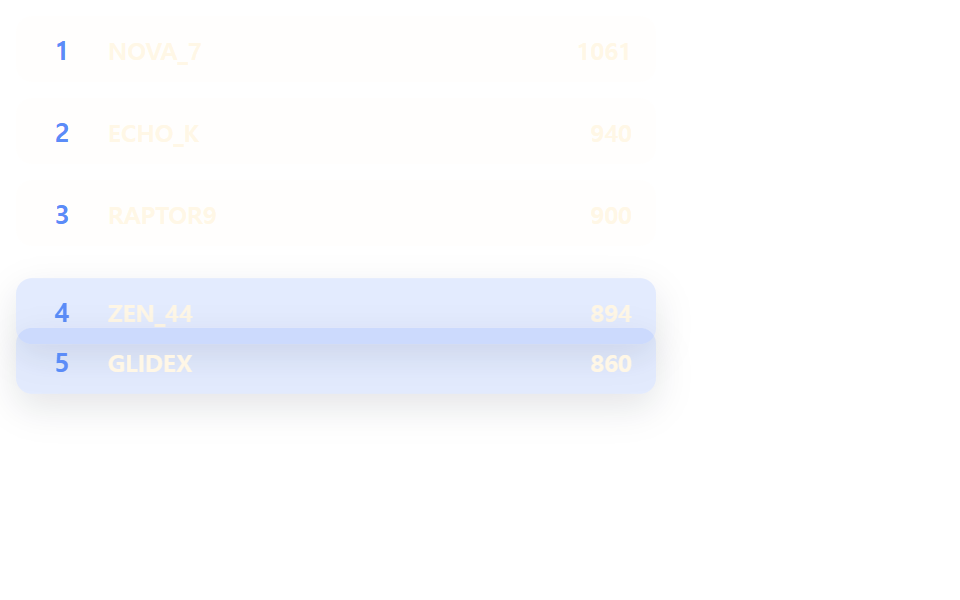 목록·표 UI랭킹 ui 디자인 9가지 — 랭킹 페이지 디자인도 같은 원리다
 목록·표 UI댓글 ui 9가지 — 대댓글 깊이부터 삭제 뒤 빈 자리까지 계산하는 목록
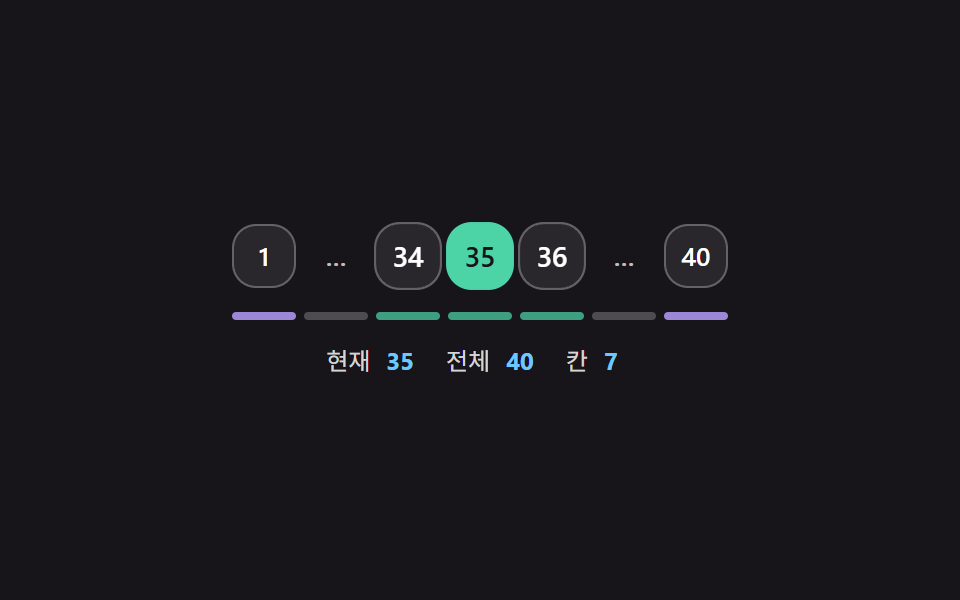 목록·표 UI페이지네이션 ui 9가지 — 창 계산부터 스프링 알약까지 고르는 쪽 이동
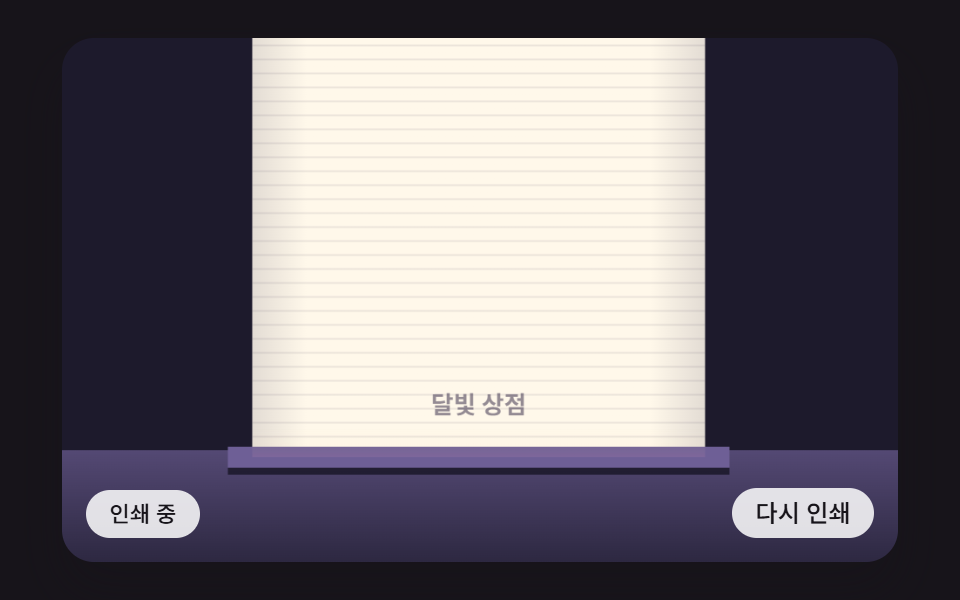 목록·표 UIcss receipt 9가지 — 한 줄씩 인쇄·절취선 찢기·바코드 스캔·나눠 내기
 목록·표 UI빈 화면 디자인 9종 — CSS로 그리는 빈 상태 카드