리사이즈 핸들 9종 — 오브젝트 자유 변형 캔버스 툴킷
리사이즈 핸들 9종 가운데 하나는 회전 핸들을 원으로 끌면 선택 박스 중심을 축으로 오브젝트가 함께 돌고, 하나는 흩어진 아이콘이 버튼 한 번에 격자 칸으로 동시에 미끄러져 붙고, 하나는 방향키 넛지를 계속 붙잡을수록 이동 폭이 점점 커집니다.
캔버스 위 오브젝트 하나를 골라 옮기고 돌리고 키우는 조작을 한데 모은 툴킷으로, 항목마다 pointerdown·pointermove·pointerup·pointercancel 조합이나 click·keydown·keyup 하나로 시작합니다. 자동으로 보이는 시연 동작은 .is-demo 가 붙어 있는 동안만 돌고, 실제로 핸들을 건드리는 순간 human() 이 그 클래스를 영구히 떼어내 타이머를 전부 지웁니다.
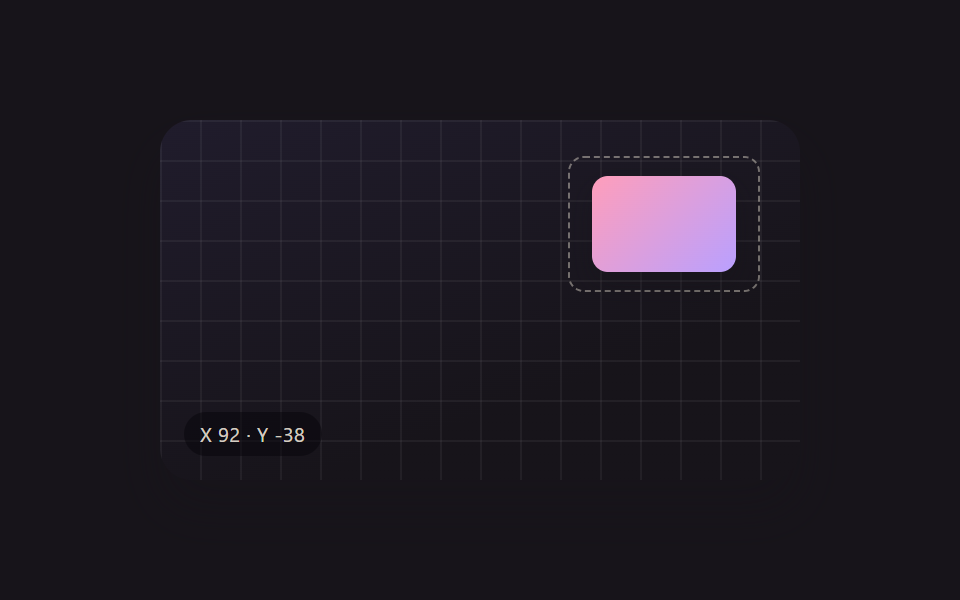 01 xf-drag-move
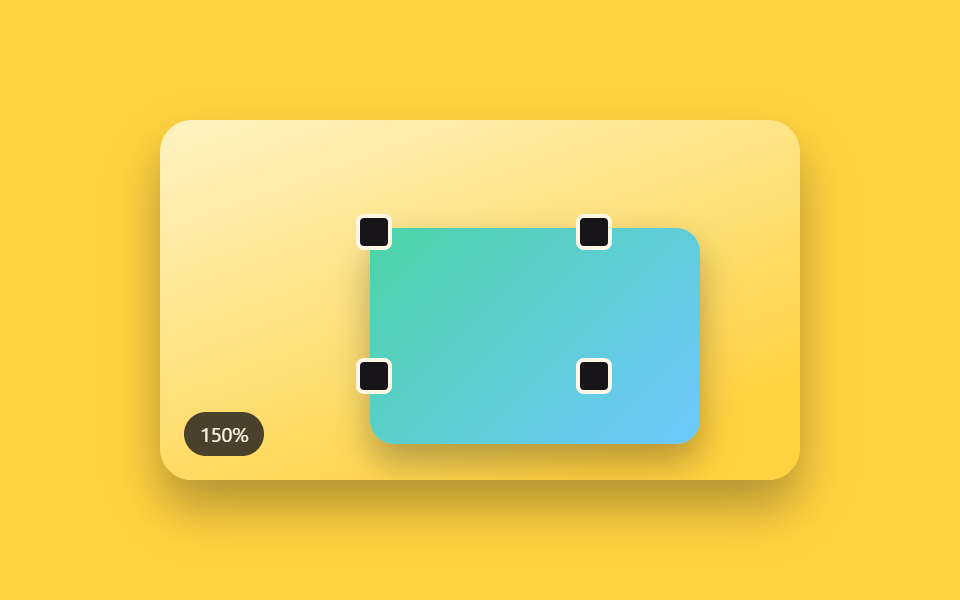 02 xf-corner-scale
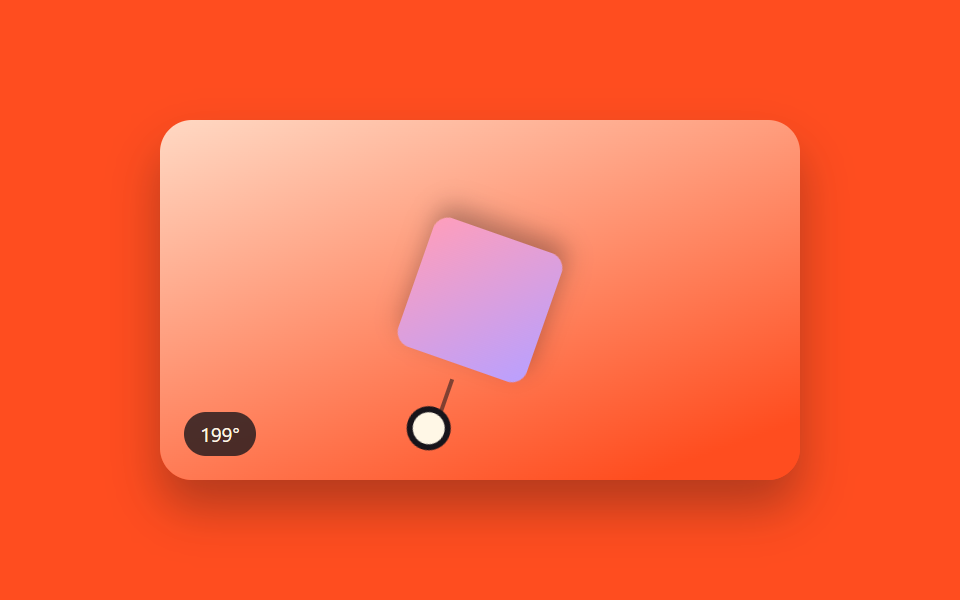 03 xf-rotate-handle
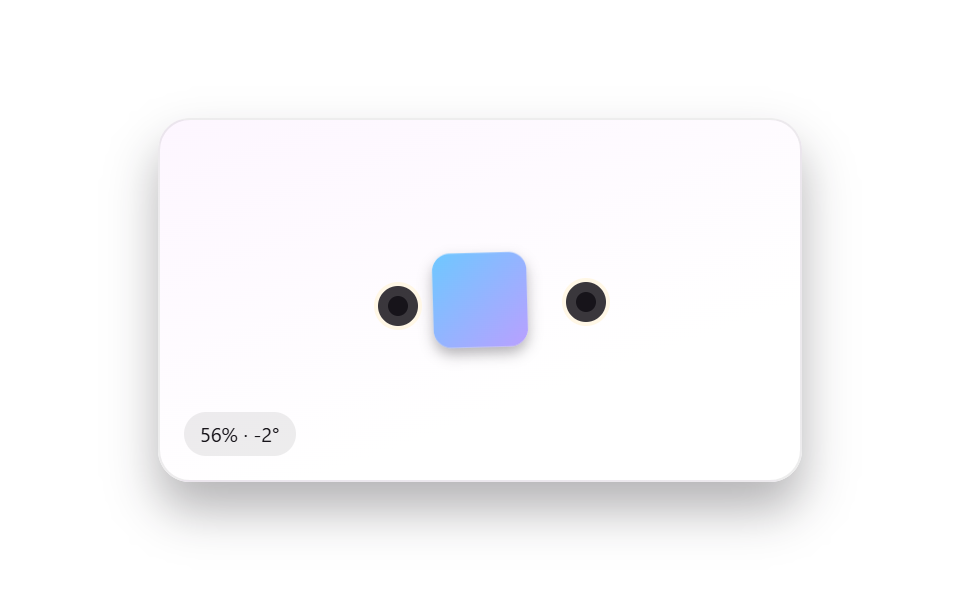 04 xf-pinch-zoom-touch
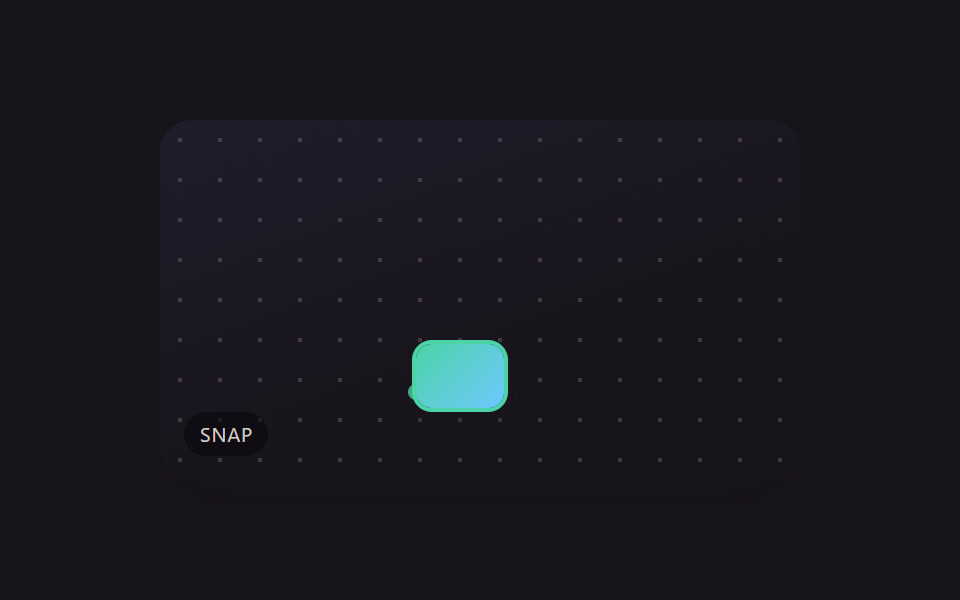 05 xf-grid-snap
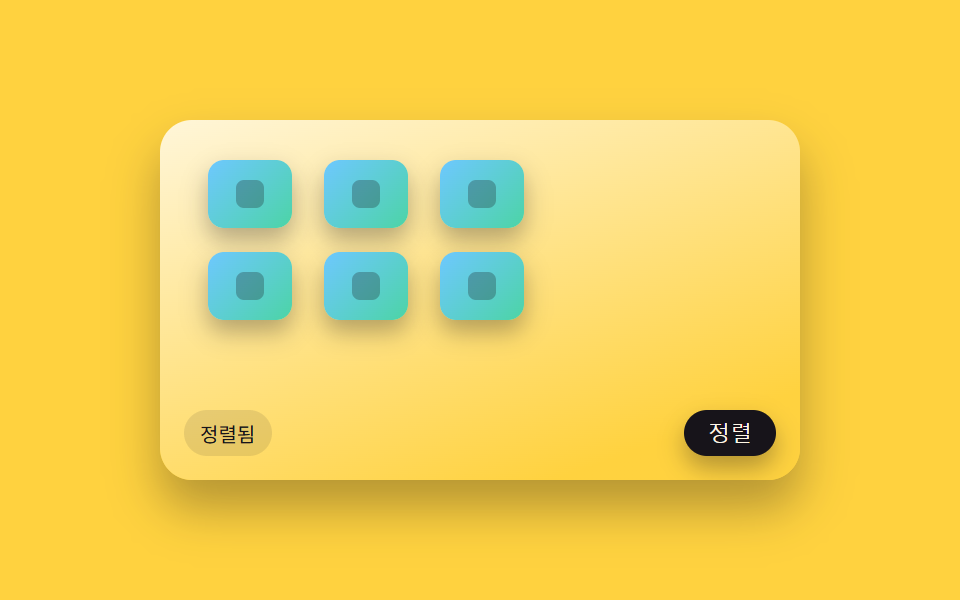 06 xf-icon-grid-arrange
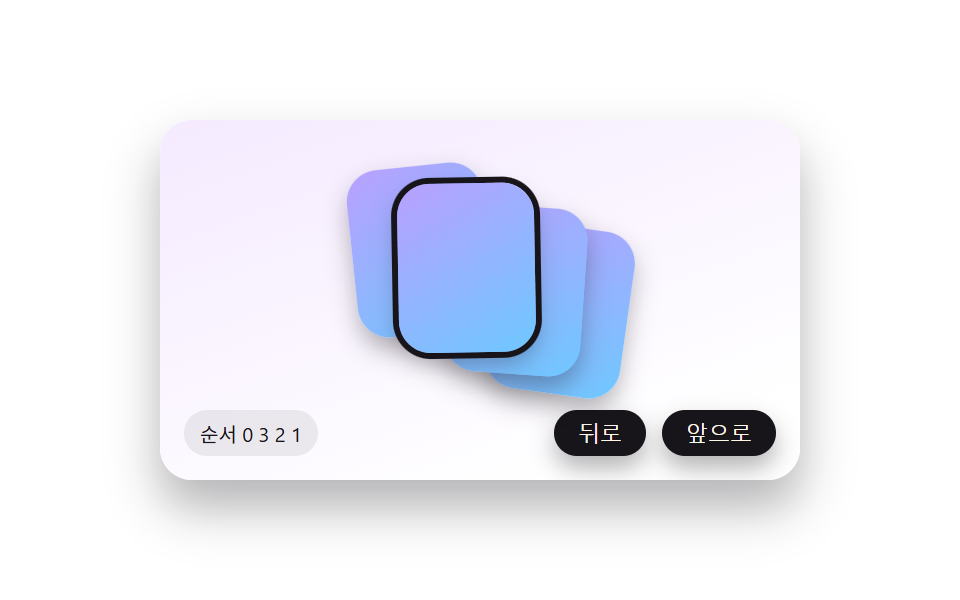 07 xf-z-order
 08 xf-keyboard-nudge
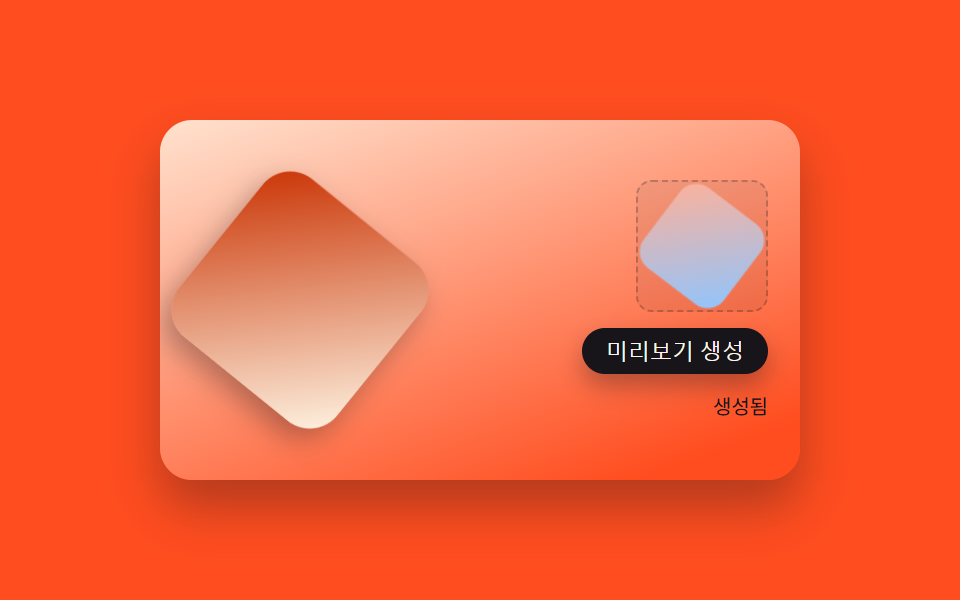 09 xf-export-png
자동 재생 · 눌러서 해당 항목으로 · 전부 한 zip
- 01 핸들 없이 통째로 드래그 이동
- 02 네 모서리 핸들로 하는 비율 유지 크기 조절
- 03 선택 박스 위 꼭짓점에서 뻗어나온 회전 핸들
- 04 두 손가락으로 선택 오브젝트만 돌리고 키우기
- 05 이동 중 배경 격자에 달라붙는 스냅
- 06 흩어진 오브젝트를 한 번에 격자로 자동 정렬
- 07 겹친 오브젝트를 한 칸씩 앞뒤로 보내는 순서 조정
- 08 방향키로 한 픽셀씩 미세 이동
- 09 선택 영역만 잘라 PNG로 내보내는 패널
아홉 개의 해부 — 계산 한 겹이 어디서 도는가
누구나 오브젝트 하나를 골라 옮기고 돌리고 키우는 동작을 기대하지만, 그 값이 어디서 나오는지는 아홉 가지가 저마다 다릅니다. Math.random 은 아홉 개 전부 쓰지 않는 결정적 계산이라 같은 조작에는 항상 같은 결과가 나옵니다. 01~07·09 는 자동 시연 루프를 requestAnimationFrame 으로 돌리지만 08 은 rAF 를 전혀 쓰지 않고 keydown·keyup 이 올 때마다 그 자리에서 좌표를 즉시 계산합니다.
실제 사용 경로 — applyPosition·applyScale·applyRotate·toggleArrange·applyZ·moveBy·generatePreview — 는 reduce 값을 아예 읽지 않아 자동 시연을 껐다 켜도 손으로 하는 조작에는 아무 영향이 없습니다.
| 항목 | 누적면적 | 강도_평균 | 움직인프레임 |
|---|---|---|---|
| 01 핸들 없이 통째로 드래그 이동 | 11.417% | 126.0 | 14/23 |
| 02 네 모서리 핸들로 하는 비율 유지 크기 조절 | 14.389% | 75.6 | 16/23 |
| 03 선택 박스 위 꼭짓점에서 뻗어나온 회전 핸들 | 9.46% | 86.4 | 19/23 |
| 04 두 손가락으로 선택 오브젝트만 돌리고 키우기 | 9.606% | 82.8 | 23/23 |
| 05 이동 중 배경 격자에 달라붙는 스냅 | 6.406% | 136.0 | 10/23 |
| 06 흩어진 오브젝트를 한 번에 격자로 자동 정렬 | 14.908% | 85.8 | 8/23 |
| 07 겹친 오브젝트를 한 칸씩 앞뒤로 보내는 순서 조정 | 6.113% | 88.4 | 9/23 |
| 08 방향키로 한 픽셀씩 미세 이동 | 1.344% | 158.8 | 15/23 |
| 09 선택 영역만 잘라 PNG로 내보내는 패널 | 10.889% | 47.5 | 23/23 |
누적면적이 가장 큰 항목은 06 으로 14.908% 에 이르는데, 아홉 개 칩 전부가 동시에 격자 칸까지 이동하는 전환이라 화면 전체가 함께 움직이기 때문입니다. 가장 작은 항목은 08 로, 방향키 한 번이 옮기는 거리가 짧아 1.344% 에 그칩니다. 강도_평균이 가장 높은 항목도 08 로 158.8 까지 오르는데, 움직이는 면적 자체는 작아도 키 입력마다 픽셀이 곧바로 큰 폭으로 갱신되기 때문입니다. 가장 낮은 항목은 09 로 47.5 인데, PNG 미리보기가 옅은 페이드 한 번으로만 나타나기 때문입니다. 23 개 델타 구간 가운데 움직인프레임이 가장 촘촘한 항목은 04·09 로 나란히 23/23 이고, 가장 뜸한 항목은 06 으로 8/23 입니다 — 큰 도약 한 번과 잦은 잔움직임은 서로 다른 성질입니다.
포인터 델타를 그대로 이동 좌표에 대입한다 — 01
onPointerMove 는 pointerdown 시점의 원점(originTx·originTy)에 지금 포인터와 시작점의 차(dx·dy)를 더해 새 좌표를 만들고, applyTransform 이 그 값을 그대로 matrix(1,0,0,1,tx,ty) 에 넣어 오브젝트를 이동시킵니다.
반대쪽 모서리를 기준점 삼아 비율을 지킨다 — 02
cornerAnchorRect 는 끄는 핸들의 반대쪽 모서리 좌표를 고정 기준점으로 구하고, applyScale 이 그 기준점에서 잰 포인터 거리 비율을 scale 값으로 써서 MIN_SCALE(0.55)~MAX_SCALE(1.75) 사이로 clamp 합니다.
포인터 벡터의 절대 각도로 회전한다 — 03
angleFromPointer 는 회전하지 않는 프레임 중심에서 포인터까지의 벡터를 atan2 로 구해 절대 각도를 매 프레임 얻고, ROTATE_SNAP_DEG(15도) 배수로 반올림해 스냅한 뒤 applyRotate 에 넘깁니다.
두 포인터의 거리·각도 차이로 스케일과 회전을 함께 만든다 — 04
computeFromFingers 는 두 손가락 사이 거리(d)와 각도(a)를 처음 잡을 때의 값(baseDist·baseAngle)과 비교해 scale 은 거리비로, rotate 는 각도차로 각각 구하고 한 함수 안에서 두 값을 동시에 CSS transform 하나에 담습니다.
가장 가까운 격자값으로 반올림해 자석처럼 붙는다 — 05
nearestGrid 는 좌표를 CELL_PX 배수로 반올림해 가장 가까운 격자 교차점을 구하고, 그 거리가 CORNER_SNAP_RADIUS_PX(6px) 안이면 applyPosition 이 실제 포인터 좌표 대신 그 교차점 좌표를 그립니다.
인덱스를 격자 좌표식으로 바꿔 한 번에 애니메이션한다 — 06
gridTarget 은 인덱스를 열 수로 나눈 몫·나머지로 행·열을 구해 칸 크기를 곱한 좌표를 만들고, animateTo 가 아홉 개 칩 전부를 한 번의 rAF 루프 안에서 easeOutCubic 으로 함께 이동시킵니다.
배열 순서를 바꿔 z-index 로 그대로 반영한다 — 07
swapNeighbor·bringToFront 는 오브젝트 id 를 담은 order 배열 자체를 재정렬하고 applyZ 가 그 배열 인덱스를 z-index 로 그대로 매깁니다. 순서가 바뀐 카드는 popCard 가 POP_MS(360ms) 동안 살짝 들렸다 앉는 오버슛 트윈으로 표시합니다.
눌린 시간을 가속 배수로 바꾼다 — 08
computeStep 은 키를 누르고 있는 시간(elapsedMs)을 ACCEL_WINDOW_MS(450ms)로 나눠 가속 배수를 만들고 MAX_MULT 에서 멈춥니다. moveBy 가 KEYBOARD_NUDGE_PX(1px)에 그 배수를 곱한 만큼만 매번 좌표를 옮깁니다.
화면 변환을 캔버스 좌표계로 그대로 재현해 PNG로 굳힌다 — 09
generatePreview 는 화면의 오브젝트와 같은 각도·비율을 ctx.rotate·ctx.scale 로 캔버스 위에 그대로 재현한 뒤 roundedRectPath 로 둥근 사각형을 채우고 canvas.toDataURL 로 PNG 데이터 URL 을 만듭니다.
패턴별 코드
아홉 개 항목의 실제 계산부만 이어 붙입니다. 원본 줄 순서·들여쓰기 그대로입니다.
01핸들 없이 통째로 드래그 이동
선택된 오브젝트 몸통 아무 곳이나 눌러 끌면 테두리 선택 박스와 그 안의 오브젝트가 함께 포인터를 따라 이동하고, 놓는 순간 마지막 좌표에 그대로 멈춥니다. 캔버스 위 스티커·아이콘 배치를 옮길 때 맞습니다.
  function onPointerDown(e) {
    human();
    dragging = true;
    el.setPointerCapture(e.pointerId);
    startX = e.clientX; startY = e.clientY;
    originTx = tx; originTy = ty;
    el.classList.add('isDragging');
  }
  function onPointerMove(e) {
    if (!dragging) return;
    var dx = e.clientX - startX;
    var dy = e.clientY - startY;
    applyTransform(clamp(originTx + dx, -110, 110), clamp(originTy + dy, -55, 55));
  }
  function onPointerUp(e) {
    if (!dragging) return;
    dragging = false;
    el.classList.remove('isDragging');
    try { el.releasePointerCapture(e.pointerId); } catch (err) {}
  }
<main class="stage">
<div class="scene is-demo" id="scene">
  <div class="grid" aria-hidden="true"></div>
  <div class="draggable" id="draggable" tabindex="0" aria-label="드래그해서 이동">
    <div class="selectBox">
      <div class="subjectShape"></div>
    </div>
  </div>
  <div class="readout" id="readout" aria-hidden="true">X <span id="rx">0</span> · Y <span id="ry">0</span></div>
</div>
</main>
@use "../../../../site/static/demo-tokens" as *;
// 변수 3개
$duration: $dur-enter;
$easing: $ease-out;
$color: $subject-lilac;
// 계산 겹: index.html 의 applyTransform() 이 포인터 델타를 matrix(1,0,0,1,tx,ty) 순수 이동 행렬로
// 그대로 굳혀 style.transform 에 넣는다 — CSS 트랜지션이 아니라 매 프레임 산술로 값을 만든다.
@include stage($stage-ink);
.scene {
position: relative;
width: 320px;
height: 180px;
border-radius: $r-card;
overflow: hidden;
box-shadow: $shadow-raised;
background: linear-gradient(160deg, #201c2c, $stage-ink 70%);
}
.grid {
position: absolute;
inset: 0;
background-image:
linear-gradient(rgba(255, 255, 255, .05) 1px, transparent 1px),
linear-gradient(90deg, rgba(255, 255, 255, .05) 1px, transparent 1px);
background-size: 20px 20px;
}
.draggable {
position: absolute;
top: 50%;
left: 50%;
margin-top: -34px;
margin-left: -48px;
width: 96px;
height: 68px;
cursor: grab;
touch-action: none;
will-change: transform;
&.isDragging { cursor: grabbing; }
&:focus-visible .selectBox { outline: 2px solid $color; outline-offset: 3px; }
}
.selectBox {
position: relative;
width: 100%;
height: 100%;
border: 1px dashed rgba($subject-cream, .4);
border-radius: $r-sm;
box-sizing: border-box;
display: grid;
place-items: center;
}
.subjectShape {
width: 72px;
height: 48px;
border-radius: $r-sm;
background: linear-gradient(135deg, $subject-pink, $subject-lilac);
box-shadow: $shadow-press;
}
.readout {
position: absolute;
left: $sp-3;
bottom: $sp-3;
padding: $sp-1 $sp-2;
border-radius: $r-pill;
background: rgba(#050409, .5);
color: rgba($subject-cream, .82);
font-size: 10px;
font-variant-numeric: tabular-nums;
letter-spacing: .02em;
}
@media (max-width: 340px) {
.scene { width: 220px; height: 124px; }
.draggable { width: 68px; height: 48px; margin-top: -24px; margin-left: -34px; }
.subjectShape { width: 52px; height: 34px; }
.readout { font-size: 9px; }
}
@media (prefers-reduced-motion: reduce) {
// 실사용 경로 적용 — 드래그·키보드 이동은 index.html 이 트윈 없이 즉시 반영한다.
// scss 만: 포커스 아웃라인 전환만 꺼서 잔여 트랜지션을 없앤다.
.draggable { transition: none; }
}html, body {
margin: 0;
overflow: hidden;
}
.stage {
box-sizing: border-box;
min-height: 100vh;
display: grid;
place-items: center;
margin: 0;
background: #17141a;
font-family: -apple-system, "Segoe UI", "Noto Sans KR", sans-serif;
padding: clamp(8px, 4vw, 24px);
}
.scene {
position: relative;
width: 320px;
height: 180px;
border-radius: 16px;
overflow: hidden;
box-shadow: 0 14px 24px rgba(23, 20, 26, 0.32);
background: linear-gradient(160deg, #201c2c, #17141a 70%);
}
.grid {
position: absolute;
inset: 0;
background-image: linear-gradient(rgba(255, 255, 255, 0.05) 1px, transparent 1px), linear-gradient(90deg, rgba(255, 255, 255, 0.05) 1px, transparent 1px);
background-size: 20px 20px;
}
.draggable {
position: absolute;
top: 50%;
left: 50%;
margin-top: -34px;
margin-left: -48px;
width: 96px;
height: 68px;
cursor: grab;
touch-action: none;
will-change: transform;
}
.draggable.isDragging {
cursor: grabbing;
}
.draggable:focus-visible .selectBox {
outline: 2px solid #b9a0ff;
outline-offset: 3px;
}
.selectBox {
position: relative;
width: 100%;
height: 100%;
border: 1px dashed rgba(255, 247, 230, 0.4);
border-radius: 8px;
box-sizing: border-box;
display: grid;
place-items: center;
}
.subjectShape {
width: 72px;
height: 48px;
border-radius: 8px;
background: linear-gradient(135deg, #ff9ebb, #b9a0ff);
box-shadow: 0 6px 12px rgba(23, 20, 26, 0.32);
}
.readout {
position: absolute;
left: 12px;
bottom: 12px;
padding: 4px 8px;
border-radius: 999px;
background: rgba(5, 4, 9, 0.5);
color: rgba(255, 247, 230, 0.82);
font-size: 10px;
font-variant-numeric: tabular-nums;
letter-spacing: 0.02em;
}
@media (max-width: 340px) {
.scene {
width: 220px;
height: 124px;
}
.draggable {
width: 68px;
height: 48px;
margin-top: -24px;
margin-left: -34px;
}
.subjectShape {
width: 52px;
height: 34px;
}
.readout {
font-size: 9px;
}
}
@media (prefers-reduced-motion: reduce) {
.draggable {
transition: none;
}
}(function () {
var WAYPOINTS = [
{ x: 0, y: 0 },
{ x: 92, y: -38 },
{ x: -70, y: 30 },
{ x: 0, y: 0 }
];
var HOP_MS = 640;
var HOLD_MS = 380;
var scene = document.getElementById('scene');
var el = document.getElementById('draggable');
var rx = document.getElementById('rx');
var ry = document.getElementById('ry');
var reduce = window.matchMedia('(prefers-reduced-motion: reduce)').matches;
var tx = 0, ty = 0;
var dragging = false;
var startX = 0, startY = 0, originTx = 0, originTy = 0;
var timers = [];
function clamp(v, lo, hi) { return Math.min(hi, Math.max(lo, v)); }
function easeOutCubic(t) { return 1 - Math.pow(1 - t, 3); }
// 포인터 델타 → translate 행렬. matrix(1,0,0,1,tx,ty) 가 곧 순수 이동 행렬이다.
function applyTransform(nx, ny) {
tx = nx; ty = ny;
el.style.transform = 'matrix(1,0,0,1,' + tx.toFixed(1) + ',' + ty.toFixed(1) + ')';
rx.textContent = Math.round(tx);
ry.textContent = Math.round(ty);
}
function human() {
if (scene.classList.contains('is-demo')) {
scene.classList.remove('is-demo');
timers.forEach(function (t) { clearTimeout(t); clearInterval(t); });
timers = [];
}
}
function onPointerDown(e) {
human();
dragging = true;
el.setPointerCapture(e.pointerId);
startX = e.clientX; startY = e.clientY;
originTx = tx; originTy = ty;
el.classList.add('isDragging');
}
function onPointerMove(e) {
if (!dragging) return;
var dx = e.clientX - startX;
var dy = e.clientY - startY;
applyTransform(clamp(originTx + dx, -110, 110), clamp(originTy + dy, -55, 55));
}
function onPointerUp(e) {
if (!dragging) return;
dragging = false;
el.classList.remove('isDragging');
try { el.releasePointerCapture(e.pointerId); } catch (err) {}
}
function onKeydown(e) {
var step = e.shiftKey ? 10 : 1;
if (e.key === 'ArrowLeft') { human(); applyTransform(clamp(tx - step, -110, 110), ty); e.preventDefault(); }
else if (e.key === 'ArrowRight') { human(); applyTransform(clamp(tx + step, -110, 110), ty); e.preventDefault(); }
else if (e.key === 'ArrowUp') { human(); applyTransform(tx, clamp(ty - step, -55, 55)); e.preventDefault(); }
else if (e.key === 'ArrowDown') { human(); applyTransform(tx, clamp(ty + step, -55, 55)); e.preventDefault(); }
}
el.addEventListener('pointerdown', onPointerDown);
el.addEventListener('pointermove', onPointerMove);
el.addEventListener('pointerup', onPointerUp);
el.addEventListener('pointercancel', onPointerUp);
el.addEventListener('keydown', onKeydown);
// reduce: 실사용 경로 적용 — 포인터·키보드 이동은 위 리스너가 그대로 처리한다(트윈 없이 즉시 반영).
// 아래 hopTo()·cycle() 은 시연 게이트만 — reduce 에서는 돌지 않는다.
function hopTo(target, onDone) {
var fromTx = tx, fromTy = ty;
var start = performance.now();
function frame(now) {
if (!scene.classList.contains('is-demo')) return;
var p = clamp((now - start) / HOP_MS, 0, 1);
var e = easeOutCubic(p);
applyTransform(fromTx + (target.x - fromTx) * e, fromTy + (target.y - fromTy) * e);
if (p < 1) requestAnimationFrame(frame);
else if (onDone) onDone();
}
requestAnimationFrame(frame);
}
function cycle(i) {
if (!scene.classList.contains('is-demo')) return;
var next = WAYPOINTS[i % WAYPOINTS.length];
hopTo(next, function () {
timers.push(setTimeout(function () { cycle(i + 1); }, HOLD_MS));
});
}
if (!reduce) {
cycle(1);
}
})();import { useEffect, useRef } from 'react';
import styles from './XfDragMove.module.scss';
const STEP_PX = 1; // 방향키 한 번의 기본 이동량
const STEP_PX_SHIFT = 10; // Shift + 방향키
const HOP_MS = 620;
const HOLD_MS = 360;
const WAYPOINTS = [
{ x: 0, y: 0 }, { x: 92, y: -38 }, { x: -70, y: 30 }, { x: 0, y: 0 }
];
export default function XfDragMove() {
const sceneRef = useRef<HTMLDivElement>(null);
useEffect(() => {
const scene0 = sceneRef.current;
if (!scene0) return undefined;
const scene = scene0;
const draggable0 = scene.querySelector<HTMLDivElement>('.' + styles.draggable);
const rx0 = scene.querySelector<HTMLSpanElement>('#rx');
const ry0 = scene.querySelector<HTMLSpanElement>('#ry');
if (!draggable0 || !rx0 || !ry0) return undefined;
const draggable = draggable0;
const rx = rx0;
const ry = ry0;
const reduce = window.matchMedia('(prefers-reduced-motion: reduce)').matches;
let tx = 0, ty = 0;
let dragging = false;
let startX = 0, startY = 0, originTx = 0, originTy = 0;
let rafId = 0;
let timers: number[] = [];
function clamp(v: number, lo: number, hi: number) { return Math.min(hi, Math.max(lo, v)); }
function easeOutCubic(t: number) { return 1 - Math.pow(1 - t, 3); }
// 포인터 델타 → translate 행렬. matrix(1,0,0,1,tx,ty) 가 곧 순수 이동 행렬이다.
function applyTransform(nx: number, ny: number) {
tx = nx; ty = ny;
draggable.style.transform = 'matrix(1,0,0,1,' + tx.toFixed(1) + ',' + ty.toFixed(1) + ')';
rx.textContent = String(Math.round(tx));
ry.textContent = String(Math.round(ty));
}
function human() {
if (scene.classList.contains(styles['is-demo'])) {
scene.classList.remove(styles['is-demo']);
timers.forEach((t) => window.clearTimeout(t));
timers = [];
}
}
function onPointerDown(e: PointerEvent) {
human();
dragging = true;
draggable.setPointerCapture(e.pointerId);
startX = e.clientX; startY = e.clientY;
originTx = tx; originTy = ty;
}
function onPointerMove(e: PointerEvent) {
if (!dragging) return;
applyTransform(originTx + (e.clientX - startX), originTy + (e.clientY - startY));
}
function endDrag(e: PointerEvent) {
if (!dragging) return;
dragging = false;
try { draggable.releasePointerCapture(e.pointerId); } catch { /* 캡처가 이미 풀린 경우 */ }
}
function onKeyDown(e: KeyboardEvent) {
const step = e.shiftKey ? STEP_PX_SHIFT : STEP_PX;
if (e.key === 'ArrowLeft') { human(); applyTransform(tx - step, ty); e.preventDefault(); }
else if (e.key === 'ArrowRight') { human(); applyTransform(tx + step, ty); e.preventDefault(); }
else if (e.key === 'ArrowUp') { human(); applyTransform(tx, ty - step); e.preventDefault(); }
else if (e.key === 'ArrowDown') { human(); applyTransform(tx, ty + step); e.preventDefault(); }
}
draggable.addEventListener('pointerdown', onPointerDown);
draggable.addEventListener('pointermove', onPointerMove);
draggable.addEventListener('pointerup', endDrag);
draggable.addEventListener('pointercancel', endDrag);
draggable.addEventListener('keydown', onKeyDown);
// reduce: 실사용 경로 적용 — 드래그·키보드는 위에서 즉시 반영한다.
// 아래 자동 루프는 시연 게이트만 — reduce 에서는 돌지 않는다.
function hopTo(target: { x: number; y: number }, onDone: () => void) {
const fromX = tx, fromY = ty;
const start = performance.now();
function frame(now: number) {
if (!scene.classList.contains(styles['is-demo'])) return;
const p = clamp((now - start) / HOP_MS, 0, 1);
const e = easeOutCubic(p);
applyTransform(fromX + (target.x - fromX) * e, fromY + (target.y - fromY) * e);
if (p < 1) rafId = requestAnimationFrame(frame);
else onDone();
}
rafId = requestAnimationFrame(frame);
}
function cycle(i: number) {
if (!scene.classList.contains(styles['is-demo'])) return;
const target = WAYPOINTS[i % WAYPOINTS.length];
hopTo(target, () => {
timers.push(window.setTimeout(() => cycle(i + 1), HOLD_MS));
});
}
applyTransform(0, 0);
if (!reduce) {
cycle(1);
}
return () => {
draggable.removeEventListener('pointerdown', onPointerDown);
draggable.removeEventListener('pointermove', onPointerMove);
draggable.removeEventListener('pointerup', endDrag);
draggable.removeEventListener('pointercancel', endDrag);
draggable.removeEventListener('keydown', onKeyDown);
timers.forEach((t) => window.clearTimeout(t));
cancelAnimationFrame(rafId);
};
}, []);
return (
<main className={styles.stage}>
<div className={styles.scene + ' ' + styles['is-demo']} ref={sceneRef}>
<div
className={styles.draggable}
tabIndex={0}
aria-label="드래그해서 이동"
>
<span className={styles.selectBox} aria-hidden="true"></span>
<span className={styles.subjectShape} aria-hidden="true"></span>
</div>
<div className={styles.readout} aria-hidden="true">X <span id="rx">0</span> · Y <span id="ry">0</span></div>
</div>
</main>
);
}01 · 핸들 없이 통째로 드래그 이동 — 측정 누적면적 11.417% · 움직인 프레임 14/23GODRICH 원작 · zip 에 SCSS·React 포함 · 비밀번호 보기
02네 모서리 핸들로 하는 비율 유지 크기 조절
선택 박스 네 귀퉁이에 작은 정사각 핸들이 붙어 있고, 그중 하나를 끌면 마주보는 반대쪽 귀퉁이를 기준점 삼아 가로세로 비율을 지킨 채로만 커지거나 작아집니다. 250 의 panel-corner-resize-grip — 레이아웃 패널 자체의 폭·높이를 조절하는 그립 — 과 다른 시연으로, 여긴 패널이 아니라 캔버스 위 오브젝트 하나의 테두리 핸들입니다.
  function applyScale(corner, s) {
    scale = clamp(s, MIN_SCALE, MAX_SCALE);
    subject.style.transformOrigin = ORIGIN_BY_CORNER[corner];
    subject.style.transform = 'scale(' + scale.toFixed(3) + ')';
    rp.textContent = Math.round(scale * 100);
    handles.forEach(function (h) { h.setAttribute('aria-valuenow', String(Math.round(scale * 100))); });
  }

  function human() {
    if (scene.classList.contains('is-demo')) {
      scene.classList.remove('is-demo');
      timers.forEach(function (t) { clearTimeout(t); clearInterval(t); });
      timers = [];
    }
  }

  function cornerAnchorRect(corner) {
    var r = frame.getBoundingClientRect();
    switch (corner) {
      case 'tl': return { x: r.right, y: r.bottom };
      case 'tr': return { x: r.left, y: r.bottom };
      case 'bl': return { x: r.right, y: r.top };
      default: return { x: r.left, y: r.top };
    }
  }
<main class="stage">
<div class="scene is-demo" id="scene">
  <div class="frame" id="frame" tabindex="0" aria-label="크기 조절 프레임, 모서리 핸들을 끌면 비율을 지킨 채 커지거나 작아진다">
    <div class="subjectShape"></div>
    <div class="handle handle--tl" data-corner="tl" tabindex="0" role="slider" aria-label="왼쪽 위 모서리 핸들" aria-valuemin="50" aria-valuemax="180" aria-valuenow="100"></div>
    <div class="handle handle--tr" data-corner="tr" tabindex="0" role="slider" aria-label="오른쪽 위 모서리 핸들" aria-valuemin="50" aria-valuemax="180" aria-valuenow="100"></div>
    <div class="handle handle--bl" data-corner="bl" tabindex="0" role="slider" aria-label="왼쪽 아래 모서리 핸들" aria-valuemin="50" aria-valuemax="180" aria-valuenow="100"></div>
    <div class="handle handle--br" data-corner="br" tabindex="0" role="slider" aria-label="오른쪽 아래 모서리 핸들" aria-valuemin="50" aria-valuemax="180" aria-valuenow="100"></div>
  </div>
  <div class="readout" id="readout" aria-hidden="true"><span id="rp">100</span>%</div>
</div>
</main>
@use "../../../../site/static/demo-tokens" as *;
// 변수 3개
$duration: $dur-enter;
$easing: $ease-out;
$color: $subject-sky;
// 계산 겹: index.html 의 applyScale() 이 앵커(대각선 반대 모서리)→포인터 거리비로 균일 scale() 을
// 만들고 transform-origin 을 앵커 좌표에 둔다 — 앵커는 어떤 배율에서도 화면에서 움직이지 않는다.
@include stage($stage-yellow);
.scene {
position: relative;
width: 320px;
height: 180px;
border-radius: $r-card;
overflow: hidden;
box-shadow: $shadow-raised;
background: linear-gradient(160deg, #fff3c4, $stage-yellow 85%);
}
.frame {
position: absolute;
top: 50%;
left: 50%;
width: 110px;
height: 72px;
margin-top: -36px;
margin-left: -55px;
&:focus-visible { outline: 2px solid $color; outline-offset: 6px; }
}
.subjectShape {
width: 100%;
height: 100%;
border-radius: $r-sm;
background: linear-gradient(135deg, $subject-mint, $subject-sky);
box-shadow: $shadow-press;
will-change: transform;
}
.handle {
position: absolute;
width: 14px;
height: 14px;
margin: -7px;
border-radius: $r-xs;
background: $subject-ink;
border: 2px solid $subject-cream;
cursor: nwse-resize;
touch-action: none;
&--tl { top: 0; left: 0; }
&--tr { top: 0; left: 100%; cursor: nesw-resize; }
&--bl { top: 100%; left: 0; cursor: nesw-resize; }
&--br { top: 100%; left: 100%; }
&.isActive, &:focus-visible { background: $color; }
}
.readout {
position: absolute;
left: $sp-3;
bottom: $sp-3;
padding: $sp-1 $sp-2;
border-radius: $r-pill;
background: rgba($subject-ink, .78);
color: $subject-cream;
font-size: 10px;
font-variant-numeric: tabular-nums;
}
@media (max-width: 340px) {
.scene { width: 220px; height: 124px; }
.frame { width: 78px; height: 52px; margin-top: -26px; margin-left: -39px; }
.handle { width: 12px; height: 12px; margin: -6px; }
.readout { font-size: 9px; }
}
@media (prefers-reduced-motion: reduce) {
// 실사용 경로 적용 — 핸들 드래그·키보드는 index.html 이 트윈 없이 즉시 반영한다.
// scss 만: 핸들 색 전환만 꺼서 잔여 트랜지션을 없앤다.
.handle { transition: none; }
}html, body {
margin: 0;
overflow: hidden;
}
.stage {
box-sizing: border-box;
min-height: 100vh;
display: grid;
place-items: center;
margin: 0;
background: #ffd23f;
font-family: -apple-system, "Segoe UI", "Noto Sans KR", sans-serif;
padding: clamp(8px, 4vw, 24px);
}
.scene {
position: relative;
width: 320px;
height: 180px;
border-radius: 16px;
overflow: hidden;
box-shadow: 0 14px 24px rgba(23, 20, 26, 0.32);
background: linear-gradient(160deg, #fff3c4, #ffd23f 85%);
}
.frame {
position: absolute;
top: 50%;
left: 50%;
width: 110px;
height: 72px;
margin-top: -36px;
margin-left: -55px;
}
.frame:focus-visible {
outline: 2px solid #6ec8ff;
outline-offset: 6px;
}
.subjectShape {
width: 100%;
height: 100%;
border-radius: 8px;
background: linear-gradient(135deg, #4cd4a6, #6ec8ff);
box-shadow: 0 6px 12px rgba(23, 20, 26, 0.32);
will-change: transform;
}
.handle {
position: absolute;
width: 14px;
height: 14px;
margin: -7px;
border-radius: 4px;
background: #17141a;
border: 2px solid #fff7e6;
cursor: nwse-resize;
touch-action: none;
}
.handle--tl {
top: 0;
left: 0;
}
.handle--tr {
top: 0;
left: 100%;
cursor: nesw-resize;
}
.handle--bl {
top: 100%;
left: 0;
cursor: nesw-resize;
}
.handle--br {
top: 100%;
left: 100%;
}
.handle.isActive, .handle:focus-visible {
background: #6ec8ff;
}
.readout {
position: absolute;
left: 12px;
bottom: 12px;
padding: 4px 8px;
border-radius: 999px;
background: rgba(23, 20, 26, 0.78);
color: #fff7e6;
font-size: 10px;
font-variant-numeric: tabular-nums;
}
@media (max-width: 340px) {
.scene {
width: 220px;
height: 124px;
}
.frame {
width: 78px;
height: 52px;
margin-top: -26px;
margin-left: -39px;
}
.handle {
width: 12px;
height: 12px;
margin: -6px;
}
.readout {
font-size: 9px;
}
}
@media (prefers-reduced-motion: reduce) {
.handle {
transition: none;
}
}(function () {
var MIN_SCALE = 0.55;
var MAX_SCALE = 1.75;
var LOOP_SEQUENCE = [1.5, 0.7, 1];
var HOP_MS = 620;
var HOLD_MS = 340;
var scene = document.getElementById('scene');
var frame = document.getElementById('frame');
var subject = frame.querySelector('.subjectShape');
var handles = [].slice.call(frame.querySelectorAll('.handle'));
var rp = document.getElementById('rp');
var reduce = window.matchMedia('(prefers-reduced-motion: reduce)').matches;
// 앵커 고정 비율 산술: 드래그하는 모서리의 대각선 반대쪽을 앵커로 고정하고, 앵커→포인터 거리의
// 비로 균일 스케일을 만든다. transform-origin 을 앵커 좌표에 두면 그 점은 화면에서 움직이지 않는다.
var ORIGIN_BY_CORNER = {
tl: '100% 100%',
tr: '0% 100%',
bl: '100% 0%',
br: '0% 0%'
};
var scale = 1;
var dragCorner = null;
var anchorX = 0, anchorY = 0, d0 = 1, s0 = 1;
var timers = [];
function clamp(v, lo, hi) { return Math.min(hi, Math.max(lo, v)); }
function easeOutCubic(t) { return 1 - Math.pow(1 - t, 3); }
function dist(x1, y1, x2, y2) { return Math.hypot(x2 - x1, y2 - y1); }
function applyScale(corner, s) {
scale = clamp(s, MIN_SCALE, MAX_SCALE);
subject.style.transformOrigin = ORIGIN_BY_CORNER[corner];
subject.style.transform = 'scale(' + scale.toFixed(3) + ')';
rp.textContent = Math.round(scale * 100);
handles.forEach(function (h) { h.setAttribute('aria-valuenow', String(Math.round(scale * 100))); });
}
function human() {
if (scene.classList.contains('is-demo')) {
scene.classList.remove('is-demo');
timers.forEach(function (t) { clearTimeout(t); clearInterval(t); });
timers = [];
}
}
function cornerAnchorRect(corner) {
var r = frame.getBoundingClientRect();
switch (corner) {
case 'tl': return { x: r.right, y: r.bottom };
case 'tr': return { x: r.left, y: r.bottom };
case 'bl': return { x: r.right, y: r.top };
default: return { x: r.left, y: r.top };
}
}
handles.forEach(function (h) {
h.addEventListener('pointerdown', function (e) {
human();
dragCorner = h.dataset.corner;
h.setPointerCapture(e.pointerId);
var a = cornerAnchorRect(dragCorner);
anchorX = a.x; anchorY = a.y;
d0 = Math.max(1, dist(anchorX, anchorY, e.clientX, e.clientY));
s0 = scale;
h.classList.add('isActive');
});
h.addEventListener('pointermove', function (e) {
if (dragCorner !== h.dataset.corner) return;
var d1 = dist(anchorX, anchorY, e.clientX, e.clientY);
applyScale(dragCorner, s0 * (d1 / d0));
});
function end(e) {
if (dragCorner !== h.dataset.corner) return;
dragCorner = null;
h.classList.remove('isActive');
try { h.releasePointerCapture(e.pointerId); } catch (err) {}
}
h.addEventListener('pointerup', end);
h.addEventListener('pointercancel', end);
h.addEventListener('keydown', function (e) {
var corner = h.dataset.corner;
if (e.key === 'ArrowUp' || e.key === 'ArrowRight') { human(); applyScale(corner, scale + 0.08); e.preventDefault(); }
else if (e.key === 'ArrowDown' || e.key === 'ArrowLeft') { human(); applyScale(corner, scale - 0.08); e.preventDefault(); }
});
});
// reduce: 실사용 경로 적용 — 핸들 pointer·keydown 은 위에서 트윈 없이 즉시 반영한다.
// 아래 hopScale()·cycle() 은 시연 게이트만 — reduce 에서는 돌지 않는다.
function hopScale(corner, target, onDone) {
var from = scale;
var start = performance.now();
function frame(now) {
if (!scene.classList.contains('is-demo')) return;
var p = clamp((now - start) / HOP_MS, 0, 1);
applyScale(corner, from + (target - from) * easeOutCubic(p));
if (p < 1) requestAnimationFrame(frame);
else if (onDone) onDone();
}
requestAnimationFrame(frame);
}
function cycle(i) {
if (!scene.classList.contains('is-demo')) return;
var target = LOOP_SEQUENCE[i % LOOP_SEQUENCE.length];
hopScale('br', target, function () {
timers.push(setTimeout(function () { cycle(i + 1); }, HOLD_MS));
});
}
if (!reduce) {
cycle(0);
}
})();import { useEffect, useRef } from 'react';
import styles from './XfCornerScale.module.scss';
const MIN_SCALE = 0.55;
const MAX_SCALE = 1.75;
const KEY_STEP = 0.08;
const HOP_MS = 560;
const HOLD_MS = 340;
const LOOP_SEQUENCE = [1.5, 0.7, 1];
const ORIGIN_BY_CORNER: Record<string, string> = {
tl: '100% 100%',
tr: '0% 100%',
bl: '100% 0%',
br: '0% 0%'
};
export default function XfCornerScale() {
const sceneRef = useRef<HTMLDivElement>(null);
useEffect(() => {
const scene0 = sceneRef.current;
if (!scene0) return undefined;
const scene = scene0;
const frame0 = scene.querySelector<HTMLDivElement>('.' + styles.frame);
const subject0 = scene.querySelector<HTMLDivElement>('#subject');
const rp0 = scene.querySelector<HTMLSpanElement>('#rp');
const handles = Array.from(scene.querySelectorAll<HTMLDivElement>('.' + styles.handle));
if (!frame0 || !subject0 || !rp0 || handles.length === 0) return undefined;
const frame = frame0;
const subject = subject0;
const rp = rp0;
const reduce = window.matchMedia('(prefers-reduced-motion: reduce)').matches;
let scale = 1;
let rafId = 0;
let timers: number[] = [];
const dragByCorner: Record<string, boolean> = {};
const originByCorner: Record<string, { x: number; y: number }> = {};
function clamp(v: number, lo: number, hi: number) { return Math.min(hi, Math.max(lo, v)); }
function easeOutCubic(t: number) { return 1 - Math.pow(1 - t, 3); }
// 앵커 고정 비율 산술: 드래그하는 모서리의 대각선 반대쪽을 앵커로 고정하고(transformOrigin),
// 앵커→포인터 거리의 비로 균일 스케일을 만든다.
function cornerAnchorRect(corner: string) {
const r = frame.getBoundingClientRect();
const ax = corner === 'tl' || corner === 'bl' ? r.right : r.left;
const ay = corner === 'tl' || corner === 'tr' ? r.bottom : r.top;
return { x: ax, y: ay };
}
function applyScale(corner: string, s: number) {
scale = clamp(s, MIN_SCALE, MAX_SCALE);
subject.style.transformOrigin = ORIGIN_BY_CORNER[corner] || '50% 50%';
subject.style.transform = 'scale(' + scale.toFixed(3) + ')';
rp.textContent = String(Math.round(scale * 100));
handles.forEach((h) => h.setAttribute('aria-valuenow', String(Math.round(scale * 100))));
}
function human() {
if (scene.classList.contains(styles['is-demo'])) {
scene.classList.remove(styles['is-demo']);
timers.forEach((t) => window.clearTimeout(t));
timers = [];
}
}
function bindHandle(handle: HTMLDivElement) {
const corner = handle.dataset.corner || 'br';
function onDown(e: PointerEvent) {
human();
dragByCorner[corner] = true;
handle.setPointerCapture(e.pointerId);
const anchor = cornerAnchorRect(corner);
originByCorner[corner] = { x: e.clientX - anchor.x, y: e.clientY - anchor.y };
}
function onMove(e: PointerEvent) {
if (!dragByCorner[corner]) return;
const anchor = cornerAnchorRect(corner);
const dx = e.clientX - anchor.x;
const dy = e.clientY - anchor.y;
const dNow = Math.hypot(dx, dy);
const d0 = Math.hypot(originByCorner[corner].x, originByCorner[corner].y);
if (d0 === 0) return;
applyScale(corner, scale * (dNow / d0));
originByCorner[corner] = { x: dx, y: dy };
}
function onUp(e: PointerEvent) {
if (!dragByCorner[corner]) return;
dragByCorner[corner] = false;
try { handle.releasePointerCapture(e.pointerId); } catch { /* 캡처가 이미 풀린 경우 */ }
}
function onKey(e: KeyboardEvent) {
if (e.key === 'ArrowUp' || e.key === 'ArrowRight') { human(); applyScale(corner, scale + KEY_STEP); e.preventDefault(); }
else if (e.key === 'ArrowDown' || e.key === 'ArrowLeft') { human(); applyScale(corner, scale - KEY_STEP); e.preventDefault(); }
}
handle.addEventListener('pointerdown', onDown);
handle.addEventListener('pointermove', onMove);
handle.addEventListener('pointerup', onUp);
handle.addEventListener('pointercancel', onUp);
handle.addEventListener('keydown', onKey);
cleanups.push(() => {
handle.removeEventListener('pointerdown', onDown);
handle.removeEventListener('pointermove', onMove);
handle.removeEventListener('pointerup', onUp);
handle.removeEventListener('pointercancel', onUp);
handle.removeEventListener('keydown', onKey);
});
}
const cleanups: Array<() => void> = [];
handles.forEach(bindHandle);
applyScale('br', 1);
// reduce: 실사용 경로 적용 — 핸들 드래그·키보드는 위에서 즉시 반영한다.
// 아래 자동 루프는 시연 게이트만 — reduce 에서는 돌지 않는다.
function hopScale(corner: string, target: number, onDone: () => void) {
const from = scale;
const start = performance.now();
function frame(now: number) {
if (!scene.classList.contains(styles['is-demo'])) return;
const p = clamp((now - start) / HOP_MS, 0, 1);
applyScale(corner, from + (target - from) * easeOutCubic(p));
if (p < 1) rafId = requestAnimationFrame(frame);
else onDone();
}
rafId = requestAnimationFrame(frame);
}
function cycle(i: number) {
if (!scene.classList.contains(styles['is-demo'])) return;
const target = LOOP_SEQUENCE[i % LOOP_SEQUENCE.length];
hopScale('br', target, () => {
timers.push(window.setTimeout(() => cycle(i + 1), HOLD_MS));
});
}
if (!reduce) {
cycle(0);
}
return () => {
cleanups.forEach((fn) => fn());
timers.forEach((t) => window.clearTimeout(t));
cancelAnimationFrame(rafId);
};
}, []);
return (
<main className={styles.stage}>
<div className={styles.scene + ' ' + styles['is-demo']} ref={sceneRef}>
<div className={styles.frame} tabIndex={0} aria-label="크기 조절 프레임, 모서리 핸들을 드래그">
<div id="subject" className={styles.subjectShape}></div>
<div className={styles.handle} data-corner="tl" role="slider" tabIndex={0} aria-label="왼쪽 위 모서리 핸들" aria-valuemin={50} aria-valuemax={180} aria-valuenow={100}></div>
<div className={styles.handle} data-corner="tr" role="slider" tabIndex={0} aria-label="오른쪽 위 모서리 핸들" aria-valuemin={50} aria-valuemax={180} aria-valuenow={100}></div>
<div className={styles.handle} data-corner="bl" role="slider" tabIndex={0} aria-label="왼쪽 아래 모서리 핸들" aria-valuemin={50} aria-valuemax={180} aria-valuenow={100}></div>
<div className={styles.handle} data-corner="br" role="slider" tabIndex={0} aria-label="오른쪽 아래 모서리 핸들" aria-valuemin={50} aria-valuemax={180} aria-valuenow={100}></div>
</div>
<div className={styles.readout} aria-hidden="true"><span id="rp">100</span>%</div>
</div>
</main>
);
}02 · 네 모서리 핸들로 하는 비율 유지 크기 조절 — 측정 누적면적 14.389% · 움직인 프레임 16/23GODRICH 원작 · zip 에 SCSS·React 포함 · 비밀번호 보기
03선택 박스 위 꼭짓점에서 뻗어나온 회전 핸들
선택 박스 상단 중앙에서 짧은 선이 뻗어나와 끝에 동그란 회전 핸들이 달려 있고, 그 점을 원 궤적으로 끌면 오브젝트가 선택 박스 중심을 축으로 그 각도만큼 돌아갑니다. 스티커·도장 오브젝트를 비스듬히 배치할 때 맞습니다.
  function applyRotate(deg) {
    angle = mod360(deg);
    rotator.style.transform = 'rotate(' + angle.toFixed(1) + 'deg)';
    rd.textContent = Math.round(angle);
    handle.setAttribute('aria-valuenow', String(Math.round(angle)));
  }

  function human() {
    if (scene.classList.contains('is-demo')) {
      scene.classList.remove('is-demo');
      timers.forEach(function (t) { clearTimeout(t); clearInterval(t); });
      timers = [];
    }
  }

  // 회전 핸들 = atan2 각 → rotate. 프레임 중심(회전하지 않는 고정 요소)에서 포인터까지의 벡터로
  // 절대 각도를 매 프레임 구하고, ROTATE_SNAP_DEG 배수로 반올림해 스냅한다.
  function angleFromPointer(e) {
    var r = frame.getBoundingClientRect();
    var cx = r.left + r.width / 2;
    var cy = r.top + r.height / 2;
    var raw = Math.atan2(e.clientY - cy, e.clientX - cx) * 180 / Math.PI;
    return mod360(raw + 90);
  }
<main class="stage">
<div class="scene is-demo" id="scene">
  <div class="frame" id="frame">
    <div class="rotator" id="rotator">
      <div class="subjectShape"></div>
      <div class="stick" aria-hidden="true"></div>
      <div class="handle" id="handle" tabindex="0" role="slider" aria-label="회전 핸들, 드래그하여 회전" aria-valuemin="0" aria-valuemax="360" aria-valuenow="0"></div>
    </div>
  </div>
  <div class="readout" id="readout" aria-hidden="true"><span id="rd">0</span>°</div>
</div>
</main>
@use "../../../../site/static/demo-tokens" as *;
// 변수 3개
$duration: $dur-enter;
$easing: $ease-out;
$color: $subject-pink;
// 계산 겹: index.html 의 angleFromPointer() 가 프레임 중심→포인터 벡터의 atan2 로 절대 각도를 구하고
// ROTATE_SNAP_DEG 배수로 반올림해 rotator 에 rotate() 로 준다 — 트윈이 아니라 매 프레임 산술.
@include stage($stage-orange);
.scene {
position: relative;
width: 320px;
height: 180px;
border-radius: $r-card;
overflow: hidden;
box-shadow: $shadow-raised;
background: linear-gradient(160deg, #ffd9c4, $stage-orange 90%);
}
.frame {
position: absolute;
top: 50%;
left: 50%;
width: 84px;
height: 84px;
margin: -42px;
}
.rotator {
position: relative;
width: 100%;
height: 100%;
transform-origin: 50% 50%;
will-change: transform;
}
.subjectShape {
position: absolute;
inset: 8px;
border-radius: $r-sm;
background: linear-gradient(135deg, $subject-lilac, $subject-pink);
box-shadow: $shadow-press;
}
.stick {
position: absolute;
left: 50%;
top: -22px;
width: 2px;
height: 22px;
margin-left: -1px;
background: rgba($subject-ink, .55);
}
.handle {
position: absolute;
left: 50%;
top: -30px;
width: 16px;
height: 16px;
margin: -8px 0 0 -8px;
border-radius: $r-pill;
background: $subject-cream;
border: 3px solid $subject-ink;
cursor: grab;
touch-action: none;
&:active { cursor: grabbing; }
&:focus-visible { outline: 2px solid $color; outline-offset: 3px; }
}
.readout {
position: absolute;
left: $sp-3;
bottom: $sp-3;
padding: $sp-1 $sp-2;
border-radius: $r-pill;
background: rgba($subject-ink, .78);
color: $subject-cream;
font-size: 10px;
font-variant-numeric: tabular-nums;
}
@media (max-width: 340px) {
.scene { width: 220px; height: 124px; }
.frame { width: 62px; height: 62px; margin: -31px; }
.stick { top: -16px; height: 16px; }
.handle { top: -22px; width: 13px; height: 13px; margin: -6px 0 0 -6px; }
.readout { font-size: 9px; }
}
@media (prefers-reduced-motion: reduce) {
// 실사용 경로 적용 — 핸들 드래그·키보드는 index.html 이 트윈 없이 즉시 반영한다.
// scss 만: 핸들 포커스 아웃라인 전환만 꺼서 잔여 트랜지션을 없앤다.
.handle { transition: none; }
}html, body {
margin: 0;
overflow: hidden;
}
.stage {
box-sizing: border-box;
min-height: 100vh;
display: grid;
place-items: center;
margin: 0;
background: #ff4d1f;
font-family: -apple-system, "Segoe UI", "Noto Sans KR", sans-serif;
padding: clamp(8px, 4vw, 24px);
}
.scene {
position: relative;
width: 320px;
height: 180px;
border-radius: 16px;
overflow: hidden;
box-shadow: 0 14px 24px rgba(23, 20, 26, 0.32);
background: linear-gradient(160deg, #ffd9c4, #ff4d1f 90%);
}
.frame {
position: absolute;
top: 50%;
left: 50%;
width: 84px;
height: 84px;
margin: -42px;
}
.rotator {
position: relative;
width: 100%;
height: 100%;
transform-origin: 50% 50%;
will-change: transform;
}
.subjectShape {
position: absolute;
inset: 8px;
border-radius: 8px;
background: linear-gradient(135deg, #b9a0ff, #ff9ebb);
box-shadow: 0 6px 12px rgba(23, 20, 26, 0.32);
}
.stick {
position: absolute;
left: 50%;
top: -22px;
width: 2px;
height: 22px;
margin-left: -1px;
background: rgba(23, 20, 26, 0.55);
}
.handle {
position: absolute;
left: 50%;
top: -30px;
width: 16px;
height: 16px;
margin: -8px 0 0 -8px;
border-radius: 999px;
background: #fff7e6;
border: 3px solid #17141a;
cursor: grab;
touch-action: none;
}
.handle:active {
cursor: grabbing;
}
.handle:focus-visible {
outline: 2px solid #ff9ebb;
outline-offset: 3px;
}
.readout {
position: absolute;
left: 12px;
bottom: 12px;
padding: 4px 8px;
border-radius: 999px;
background: rgba(23, 20, 26, 0.78);
color: #fff7e6;
font-size: 10px;
font-variant-numeric: tabular-nums;
}
@media (max-width: 340px) {
.scene {
width: 220px;
height: 124px;
}
.frame {
width: 62px;
height: 62px;
margin: -31px;
}
.stick {
top: -16px;
height: 16px;
}
.handle {
top: -22px;
width: 13px;
height: 13px;
margin: -6px 0 0 -6px;
}
.readout {
font-size: 9px;
}
}
@media (prefers-reduced-motion: reduce) {
.handle {
transition: none;
}
}(function () {
var ROTATE_SNAP_DEG = 15; // 변형 03 이 5 로 좁힌다
var LOOP_SEQUENCE = [70, 200, 320, 360];
var HOP_MS = 560;
var HOLD_MS = 260;
var scene = document.getElementById('scene');
var frame = document.getElementById('frame');
var rotator = document.getElementById('rotator');
var handle = document.getElementById('handle');
var rd = document.getElementById('rd');
var reduce = window.matchMedia('(prefers-reduced-motion: reduce)').matches;
var angle = 0;
var dragging = false;
var timers = [];
function clamp(v, lo, hi) { return Math.min(hi, Math.max(lo, v)); }
function easeOutCubic(t) { return 1 - Math.pow(1 - t, 3); }
function mod360(v) { return ((v % 360) + 360) % 360; }
function applyRotate(deg) {
angle = mod360(deg);
rotator.style.transform = 'rotate(' + angle.toFixed(1) + 'deg)';
rd.textContent = Math.round(angle);
handle.setAttribute('aria-valuenow', String(Math.round(angle)));
}
function human() {
if (scene.classList.contains('is-demo')) {
scene.classList.remove('is-demo');
timers.forEach(function (t) { clearTimeout(t); clearInterval(t); });
timers = [];
}
}
// 회전 핸들 = atan2 각 → rotate. 프레임 중심(회전하지 않는 고정 요소)에서 포인터까지의 벡터로
// 절대 각도를 매 프레임 구하고, ROTATE_SNAP_DEG 배수로 반올림해 스냅한다.
function angleFromPointer(e) {
var r = frame.getBoundingClientRect();
var cx = r.left + r.width / 2;
var cy = r.top + r.height / 2;
var raw = Math.atan2(e.clientY - cy, e.clientX - cx) * 180 / Math.PI;
return mod360(raw + 90);
}
handle.addEventListener('pointerdown', function (e) {
human();
dragging = true;
handle.setPointerCapture(e.pointerId);
});
handle.addEventListener('pointermove', function (e) {
if (!dragging) return;
var a = angleFromPointer(e);
var snapped = Math.round(a / ROTATE_SNAP_DEG) * ROTATE_SNAP_DEG;
applyRotate(snapped);
});
function end(e) {
if (!dragging) return;
dragging = false;
try { handle.releasePointerCapture(e.pointerId); } catch (err) {}
}
handle.addEventListener('pointerup', end);
handle.addEventListener('pointercancel', end);
handle.addEventListener('keydown', function (e) {
if (e.key === 'ArrowRight' || e.key === 'ArrowUp') { human(); applyRotate(angle + ROTATE_SNAP_DEG); e.preventDefault(); }
else if (e.key === 'ArrowLeft' || e.key === 'ArrowDown') { human(); applyRotate(angle - ROTATE_SNAP_DEG); e.preventDefault(); }
});
// reduce: 실사용 경로 적용 — 핸들 pointer·keydown 은 위에서 즉시 반영한다.
// 아래 hopRotate()·cycle() 은 시연 게이트만(연속 각도, 스냅 없이 부드럽게 돈다) — reduce 에서는 정지.
function hopRotate(target, onDone) {
var from = angle;
var start = performance.now();
function frame(now) {
if (!scene.classList.contains('is-demo')) return;
var p = clamp((now - start) / HOP_MS, 0, 1);
applyRotate(from + (target - from) * easeOutCubic(p));
if (p < 1) requestAnimationFrame(frame);
else if (onDone) onDone();
}
requestAnimationFrame(frame);
}
function cycle(i) {
if (!scene.classList.contains('is-demo')) return;
var target = LOOP_SEQUENCE[i % LOOP_SEQUENCE.length];
hopRotate(target, function () {
timers.push(setTimeout(function () { cycle(i + 1); }, HOLD_MS));
});
}
if (!reduce) {
cycle(0);
}
})();import { useEffect, useRef } from 'react';
import styles from './XfRotateHandle.module.scss';
const ROTATE_SNAP_DEG = 15; // 변형 03 이 5 로 좁힌다 — 드래그 중 붙는 회전 스냅 각도
const HOP_MS = 620;
const HOLD_MS = 340;
const LOOP_SEQUENCE = [70, 200, 320, 360];
export default function XfRotateHandle() {
const sceneRef = useRef<HTMLDivElement>(null);
useEffect(() => {
const scene0 = sceneRef.current;
if (!scene0) return undefined;
const scene = scene0;
const frame0 = scene.querySelector<HTMLDivElement>('#frame');
const rotator0 = scene.querySelector<HTMLDivElement>('#rotator');
const handle0 = scene.querySelector<HTMLDivElement>('#handle');
const rd0 = scene.querySelector<HTMLSpanElement>('#rd');
if (!frame0 || !rotator0 || !handle0 || !rd0) return undefined;
const frame = frame0;
const rotator = rotator0;
const handle = handle0;
const rd = rd0;
const reduce = window.matchMedia('(prefers-reduced-motion: reduce)').matches;
let deg = 0;
let dragging = false;
let rafId = 0;
let timers: number[] = [];
function clamp(v: number, lo: number, hi: number) { return Math.min(hi, Math.max(lo, v)); }
function easeOutCubic(t: number) { return 1 - Math.pow(1 - t, 3); }
function mod360(raw: number) { return ((raw % 360) + 360) % 360; }
// 프레임 중심→포인터 벡터의 atan2 로 절대 각도를 구한다 — 0° 가 위를 향하도록 +90 보정.
function angleFromPointer(e: PointerEvent) {
const r = frame.getBoundingClientRect();
const cx = r.left + r.width / 2;
const cy = r.top + r.height / 2;
const dx = e.clientX - cx;
const dy = e.clientY - cy;
return mod360((Math.atan2(dy, dx) * 180) / Math.PI + 90);
}
function applyRotate(a: number) {
deg = mod360(a);
rotator.style.transform = 'rotate(' + deg.toFixed(1) + 'deg)';
rd.textContent = String(Math.round(deg));
handle.setAttribute('aria-valuenow', String(Math.round(deg)));
}
function human() {
if (scene.classList.contains(styles['is-demo'])) {
scene.classList.remove(styles['is-demo']);
timers.forEach((t) => window.clearTimeout(t));
timers = [];
}
}
function onPointerDown(e: PointerEvent) {
human();
dragging = true;
handle.setPointerCapture(e.pointerId);
}
function onPointerMove(e: PointerEvent) {
if (!dragging) return;
// 실 드래그는 ROTATE_SNAP_DEG 배수로 반올림해 붙는다.
const a = angleFromPointer(e);
applyRotate(Math.round(a / ROTATE_SNAP_DEG) * ROTATE_SNAP_DEG);
}
function onPointerUp(e: PointerEvent) {
if (!dragging) return;
dragging = false;
try { handle.releasePointerCapture(e.pointerId); } catch { /* 캡처가 이미 풀린 경우 */ }
}
function onKeyDown(e: KeyboardEvent) {
if (e.key === 'ArrowLeft' || e.key === 'ArrowDown') { human(); applyRotate(deg - ROTATE_SNAP_DEG); e.preventDefault(); }
else if (e.key === 'ArrowRight' || e.key === 'ArrowUp') { human(); applyRotate(deg + ROTATE_SNAP_DEG); e.preventDefault(); }
}
handle.addEventListener('pointerdown', onPointerDown);
handle.addEventListener('pointermove', onPointerMove);
handle.addEventListener('pointerup', onPointerUp);
handle.addEventListener('pointercancel', onPointerUp);
handle.addEventListener('keydown', onKeyDown);
applyRotate(0);
// reduce: 실사용 경로 적용 — 핸들 드래그·키보드는 위에서 즉시 반영한다.
// 아래 자동 루프는 시연 게이트만 — 스냅 없이 연속 회전하며 reduce 에서는 돌지 않는다.
function hopRotate(target: number, onDone: () => void) {
const from = deg;
const delta = target - from;
const start = performance.now();
function frame(now: number) {
if (!scene.classList.contains(styles['is-demo'])) return;
const p = clamp((now - start) / HOP_MS, 0, 1);
applyRotate(from + delta * easeOutCubic(p));
if (p < 1) rafId = requestAnimationFrame(frame);
else onDone();
}
rafId = requestAnimationFrame(frame);
}
function cycle(i: number) {
if (!scene.classList.contains(styles['is-demo'])) return;
const target = LOOP_SEQUENCE[i % LOOP_SEQUENCE.length];
hopRotate(target, () => {
timers.push(window.setTimeout(() => cycle(i + 1), HOLD_MS));
});
}
if (!reduce) {
cycle(0);
}
return () => {
handle.removeEventListener('pointerdown', onPointerDown);
handle.removeEventListener('pointermove', onPointerMove);
handle.removeEventListener('pointerup', onPointerUp);
handle.removeEventListener('pointercancel', onPointerUp);
handle.removeEventListener('keydown', onKeyDown);
timers.forEach((t) => window.clearTimeout(t));
cancelAnimationFrame(rafId);
};
}, []);
return (
<main className={styles.stage}>
<div className={styles.scene + ' ' + styles['is-demo']} ref={sceneRef}>
<div id="frame" className={styles.frame}>
<div id="rotator" className={styles.rotator}>
<span className={styles.subjectShape} aria-hidden="true"></span>
<span className={styles.stick} aria-hidden="true"></span>
<div
id="handle"
className={styles.handle}
role="slider"
tabIndex={0}
aria-label="회전 핸들, 드래그하여 회전"
aria-valuemin={0}
aria-valuemax={360}
aria-valuenow={0}
></div>
</div>
</div>
<div className={styles.readout} aria-hidden="true"><span id="rd">0</span>°</div>
</div>
</main>
);
}03 · 선택 박스 위 꼭짓점에서 뻗어나온 회전 핸들 — 측정 누적면적 9.46% · 움직인 프레임 19/23GODRICH 원작 · zip 에 SCSS·React 포함 · 비밀번호 보기
04두 손가락으로 선택 오브젝트만 돌리고 키우기
터치스크린에서 오브젝트 하나가 선택된 상태로 두 손가락을 오브젝트 위에 얹고 벌리거나 오므리면 그 오브젝트만 커지거나 작아지고, 동시에 비틀면 같은 손짓 안에서 회전까지 겹쳐 일어납니다. 247 의 gesture-pinch-zoom-pan — 화면 전체를 확대·이동하는 손짓 — 과 다른 시연으로, 모바일에서 핀치 줌으로 콜라주 오브젝트 하나만 손끝으로 조정할 때 맞습니다.
  function placeFinger(el, pos) {
    var r = frame.getBoundingClientRect();
    el.style.left = (pos.x * r.width) + 'px';
    el.style.top = (pos.y * r.height) + 'px';
  }

  // 두 포인터 거리/각 → scale·rotate. 실제 두 손가락 대신 포인터 이벤트 2개(finger A·B)를
  // 각각 시뮬레이트해 그 사이 거리비·각도차를 subjectShape 에 그대로 반영한다.
  function computeFromFingers() {
    var r = frame.getBoundingClientRect();
    var ax = posA.x * r.width, ay = posA.y * r.height;
    var bx = posB.x * r.width, by = posB.y * r.height;
    var d = Math.hypot(bx - ax, by - ay);
    var a = Math.atan2(by - ay, bx - ax) * 180 / Math.PI;
    if (baseDist === null) { baseDist = d; baseAngle = a; }
    var scale = clamp(d / baseDist, MIN_SCALE, MAX_SCALE);
    var rotate = a - baseAngle;
    subject.style.transform = 'translate(-50%,-50%) rotate(' + rotate.toFixed(1) + 'deg) scale(' + scale.toFixed(3) + ')';
    rp.textContent = Math.round(scale * 100);
    rr.textContent = Math.round(rotate);
    placeFinger(fingerA, posA);
    placeFinger(fingerB, posB);
  }
<main class="stage">
<div class="scene is-demo" id="scene">
  <div class="frame" id="frame">
    <div class="subjectShape" id="subject"></div>
    <div class="finger finger--a" id="fingerA" tabindex="0" role="slider" aria-label="첫 번째 손가락 포인트" aria-valuemin="0" aria-valuemax="100" aria-valuenow="50"></div>
    <div class="finger finger--b" id="fingerB" tabindex="0" role="slider" aria-label="두 번째 손가락 포인트" aria-valuemin="0" aria-valuemax="100" aria-valuenow="50"></div>
  </div>
  <div class="readout" id="readout" aria-hidden="true"><span id="rp">100</span>% · <span id="rr">0</span>°</div>
</div>
</main>
@use "../../../../site/static/demo-tokens" as *;
// 변수 3개
$duration: $dur-enter;
$easing: $ease-out;
$color: $subject-ink;
// 계산 겹: index.html 의 computeFromFingers() 가 두 finger 포인트의 거리비(scale)·각도차(rotate) 를
// 매 프레임 산술로 구해 subjectShape 하나에만 적용한다 — 무대·배경은 고정.
@include stage($stage-paper);
.scene {
position: relative;
width: 320px;
height: 180px;
border-radius: $r-card;
overflow: hidden;
box-shadow: $shadow-raised;
background: linear-gradient(160deg, #fdf6ff, $stage-paper 70%);
border: 1px solid rgba($subject-ink, .08);
}
.frame {
position: absolute;
inset: 0;
}
.subjectShape {
position: absolute;
left: 50%;
top: 50%;
width: 84px;
height: 84px;
border-radius: $r-card;
background: linear-gradient(135deg, $subject-sky, $subject-lilac);
box-shadow: $shadow-press;
transform: translate(-50%, -50%);
will-change: transform;
}
.finger {
position: absolute;
width: 20px;
height: 20px;
margin: -10px;
border-radius: $r-pill;
background: rgba($subject-ink, .85);
border: 2px solid $subject-cream;
cursor: grab;
touch-action: none;
&::after {
content: '';
position: absolute;
inset: 5px;
border-radius: $r-pill;
background: $color;
}
&:active { cursor: grabbing; }
&:focus-visible { outline: 2px solid $color; outline-offset: 3px; }
}
.readout {
position: absolute;
left: $sp-3;
bottom: $sp-3;
padding: $sp-1 $sp-2;
border-radius: $r-pill;
background: rgba($subject-ink, .08);
color: $subject-ink;
font-size: 10px;
font-variant-numeric: tabular-nums;
}
@media (max-width: 340px) {
.scene { width: 220px; height: 124px; }
.subjectShape { width: 60px; height: 60px; }
.finger { width: 16px; height: 16px; margin: -8px; }
.readout { font-size: 9px; }
}
@media (prefers-reduced-motion: reduce) {
// 실사용 경로 적용 — 두 finger 의 드래그·키보드는 index.html 이 트윈 없이 즉시 반영한다.
// scss 만: 포커스 아웃라인 전환만 꺼서 잔여 트랜지션을 없앤다.
.finger { transition: none; }
}html, body {
margin: 0;
overflow: hidden;
}
.stage {
box-sizing: border-box;
min-height: 100vh;
display: grid;
place-items: center;
margin: 0;
background: #ffffff;
font-family: -apple-system, "Segoe UI", "Noto Sans KR", sans-serif;
padding: clamp(8px, 4vw, 24px);
}
.scene {
position: relative;
width: 320px;
height: 180px;
border-radius: 16px;
overflow: hidden;
box-shadow: 0 14px 24px rgba(23, 20, 26, 0.32);
background: linear-gradient(160deg, #fdf6ff, #ffffff 70%);
border: 1px solid rgba(23, 20, 26, 0.08);
}
.frame {
position: absolute;
inset: 0;
}
.subjectShape {
position: absolute;
left: 50%;
top: 50%;
width: 84px;
height: 84px;
border-radius: 16px;
background: linear-gradient(135deg, #6ec8ff, #b9a0ff);
box-shadow: 0 6px 12px rgba(23, 20, 26, 0.32);
transform: translate(-50%, -50%);
will-change: transform;
}
.finger {
position: absolute;
width: 20px;
height: 20px;
margin: -10px;
border-radius: 999px;
background: rgba(23, 20, 26, 0.85);
border: 2px solid #fff7e6;
cursor: grab;
touch-action: none;
}
.finger::after {
content: "";
position: absolute;
inset: 5px;
border-radius: 999px;
background: #17141a;
}
.finger:active {
cursor: grabbing;
}
.finger:focus-visible {
outline: 2px solid #17141a;
outline-offset: 3px;
}
.readout {
position: absolute;
left: 12px;
bottom: 12px;
padding: 4px 8px;
border-radius: 999px;
background: rgba(23, 20, 26, 0.08);
color: #17141a;
font-size: 10px;
font-variant-numeric: tabular-nums;
}
@media (max-width: 340px) {
.scene {
width: 220px;
height: 124px;
}
.subjectShape {
width: 60px;
height: 60px;
}
.finger {
width: 16px;
height: 16px;
margin: -8px;
}
.readout {
font-size: 9px;
}
}
@media (prefers-reduced-motion: reduce) {
.finger {
transition: none;
}
}(function () {
var MIN_SCALE = 0.55;
var MAX_SCALE = 1.9;
var LOOP_MS = 2000;
var scene = document.getElementById('scene');
var frame = document.getElementById('frame');
var subject = document.getElementById('subject');
var fingerA = document.getElementById('fingerA');
var fingerB = document.getElementById('fingerB');
var rp = document.getElementById('rp');
var rr = document.getElementById('rr');
var reduce = window.matchMedia('(prefers-reduced-motion: reduce)').matches;
// 이 데모는 선택된 오브젝트 하나에만 적용된다 — 247 의 gesture-pinch-zoom-pan(화면 전체를
// 확대·이동하는 손짓)과 달리 여기서는 무대·배경은 그대로고 subjectShape 만 scale·rotate 된다.
var posA = { x: 0.24, y: 0.5 };
var posB = { x: 0.76, y: 0.5 };
var baseDist = null;
var baseAngle = null;
var dragging = null;
var timers = [];
function clamp(v, lo, hi) { return Math.min(hi, Math.max(lo, v)); }
function placeFinger(el, pos) {
var r = frame.getBoundingClientRect();
el.style.left = (pos.x * r.width) + 'px';
el.style.top = (pos.y * r.height) + 'px';
}
// 두 포인터 거리/각 → scale·rotate. 실제 두 손가락 대신 포인터 이벤트 2개(finger A·B)를
// 각각 시뮬레이트해 그 사이 거리비·각도차를 subjectShape 에 그대로 반영한다.
function computeFromFingers() {
var r = frame.getBoundingClientRect();
var ax = posA.x * r.width, ay = posA.y * r.height;
var bx = posB.x * r.width, by = posB.y * r.height;
var d = Math.hypot(bx - ax, by - ay);
var a = Math.atan2(by - ay, bx - ax) * 180 / Math.PI;
if (baseDist === null) { baseDist = d; baseAngle = a; }
var scale = clamp(d / baseDist, MIN_SCALE, MAX_SCALE);
var rotate = a - baseAngle;
subject.style.transform = 'translate(-50%,-50%) rotate(' + rotate.toFixed(1) + 'deg) scale(' + scale.toFixed(3) + ')';
rp.textContent = Math.round(scale * 100);
rr.textContent = Math.round(rotate);
placeFinger(fingerA, posA);
placeFinger(fingerB, posB);
}
function human() {
if (scene.classList.contains('is-demo')) {
scene.classList.remove('is-demo');
timers.forEach(function (t) { clearTimeout(t); clearInterval(t); });
timers = [];
}
}
function bindFinger(el, posRef) {
el.addEventListener('pointerdown', function (e) {
human();
dragging = posRef;
el.setPointerCapture(e.pointerId);
});
el.addEventListener('pointermove', function (e) {
if (dragging !== posRef) return;
var r = frame.getBoundingClientRect();
posRef.x = clamp((e.clientX - r.left) / r.width, 0.05, 0.95);
posRef.y = clamp((e.clientY - r.top) / r.height, 0.05, 0.95);
computeFromFingers();
});
function end(e) {
if (dragging !== posRef) return;
dragging = null;
try { el.releasePointerCapture(e.pointerId); } catch (err) {}
}
el.addEventListener('pointerup', end);
el.addEventListener('pointercancel', end);
el.addEventListener('keydown', function (e) {
var step = 0.04;
if (e.key === 'ArrowLeft') { human(); posRef.x = clamp(posRef.x - step, 0.05, 0.95); computeFromFingers(); e.preventDefault(); }
else if (e.key === 'ArrowRight') { human(); posRef.x = clamp(posRef.x + step, 0.05, 0.95); computeFromFingers(); e.preventDefault(); }
else if (e.key === 'ArrowUp') { human(); posRef.y = clamp(posRef.y - step, 0.05, 0.95); computeFromFingers(); e.preventDefault(); }
else if (e.key === 'ArrowDown') { human(); posRef.y = clamp(posRef.y + step, 0.05, 0.95); computeFromFingers(); e.preventDefault(); }
});
}
bindFinger(fingerA, posA);
bindFinger(fingerB, posB);
computeFromFingers();
// reduce: 실사용 경로 적용 — 두 finger 의 pointer·keydown 은 위에서 즉시 반영한다.
// 아래 자동 루프(시연 게이트만)는 두 finger 를 동시에 벌리고 비틀며 reduce 에서는 돌지 않는다.
function loopStep() {
if (!scene.classList.contains('is-demo') || reduce) return;
var t = (performance.now() % LOOP_MS) / LOOP_MS;
var spread = 0.16 + Math.sin(t * Math.PI * 2) * 0.14;
var twist = Math.sin(t * Math.PI * 2) * 0.12;
posA.x = clamp(0.5 - spread - twist, 0.05, 0.95);
posA.y = clamp(0.5 - twist * 0.6, 0.05, 0.95);
posB.x = clamp(0.5 + spread - twist, 0.05, 0.95);
posB.y = clamp(0.5 + twist * 0.6, 0.05, 0.95);
computeFromFingers();
requestAnimationFrame(loopStep);
}
if (!reduce) {
requestAnimationFrame(loopStep);
}
})();import { useEffect, useRef } from 'react';
import styles from './XfPinchZoomTouch.module.scss';
const MIN_SCALE = 0.55;
const MAX_SCALE = 1.9;
const LOOP_MS = 2000;
export default function XfPinchZoomTouch() {
const sceneRef = useRef<HTMLDivElement>(null);
useEffect(() => {
const scene0 = sceneRef.current;
if (!scene0) return undefined;
const scene = scene0;
const frame0 = scene.querySelector<HTMLDivElement>('#frame');
const subject0 = scene.querySelector<HTMLDivElement>('#subject');
const fingerA0 = scene.querySelector<HTMLDivElement>('#fingerA');
const fingerB0 = scene.querySelector<HTMLDivElement>('#fingerB');
const rp0 = scene.querySelector<HTMLSpanElement>('#rp');
const rr0 = scene.querySelector<HTMLSpanElement>('#rr');
if (!frame0 || !subject0 || !fingerA0 || !fingerB0 || !rp0 || !rr0) return undefined;
const frame = frame0;
const subject = subject0;
const fingerA = fingerA0;
const fingerB = fingerB0;
const rp = rp0;
const rr = rr0;
const reduce = window.matchMedia('(prefers-reduced-motion: reduce)').matches;
// 이 데모는 선택된 오브젝트 하나에만 적용된다 — 247 의 gesture-pinch-zoom-pan(화면 전체를
// 확대·이동하는 손짓)과 달리 여기서는 무대·배경은 그대로고 subjectShape 만 scale·rotate 된다.
const posA = { x: 0.24, y: 0.5 };
const posB = { x: 0.76, y: 0.5 };
let baseDist: number | null = null;
let baseAngle: number | null = null;
let dragging: { x: number; y: number } | null = null;
let rafId = 0;
function clamp(v: number, lo: number, hi: number) { return Math.min(hi, Math.max(lo, v)); }
function placeFinger(el: HTMLDivElement, pos: { x: number; y: number }) {
const r = frame.getBoundingClientRect();
el.style.left = pos.x * r.width + 'px';
el.style.top = pos.y * r.height + 'px';
}
// 두 포인터 거리/각 → scale·rotate. 실제 두 손가락 대신 포인터 이벤트 2개(finger A·B)를
// 각각 시뮬레이트해 그 사이 거리비·각도차를 subjectShape 에 그대로 반영한다.
function computeFromFingers() {
const r = frame.getBoundingClientRect();
const ax = posA.x * r.width, ay = posA.y * r.height;
const bx = posB.x * r.width, by = posB.y * r.height;
const d = Math.hypot(bx - ax, by - ay);
const a = (Math.atan2(by - ay, bx - ax) * 180) / Math.PI;
if (baseDist === null) { baseDist = d; baseAngle = a; }
const scale = clamp(d / baseDist, MIN_SCALE, MAX_SCALE);
const rotate = a - (baseAngle as number);
subject.style.transform = 'translate(-50%,-50%) rotate(' + rotate.toFixed(1) + 'deg) scale(' + scale.toFixed(3) + ')';
rp.textContent = String(Math.round(scale * 100));
rr.textContent = String(Math.round(rotate));
placeFinger(fingerA, posA);
placeFinger(fingerB, posB);
}
function human() {
if (scene.classList.contains(styles['is-demo'])) {
scene.classList.remove(styles['is-demo']);
cancelAnimationFrame(rafId);
}
}
function bindFinger(el: HTMLDivElement, posRef: { x: number; y: number }) {
function onDown(e: PointerEvent) {
human();
dragging = posRef;
el.setPointerCapture(e.pointerId);
}
function onMove(e: PointerEvent) {
if (dragging !== posRef) return;
const r = frame.getBoundingClientRect();
posRef.x = clamp((e.clientX - r.left) / r.width, 0.05, 0.95);
posRef.y = clamp((e.clientY - r.top) / r.height, 0.05, 0.95);
computeFromFingers();
}
function onUp(e: PointerEvent) {
if (dragging !== posRef) return;
dragging = null;
try { el.releasePointerCapture(e.pointerId); } catch { /* 캡처가 이미 풀린 경우 */ }
}
function onKey(e: KeyboardEvent) {
const step = 0.04;
if (e.key === 'ArrowLeft') { human(); posRef.x = clamp(posRef.x - step, 0.05, 0.95); computeFromFingers(); e.preventDefault(); }
else if (e.key === 'ArrowRight') { human(); posRef.x = clamp(posRef.x + step, 0.05, 0.95); computeFromFingers(); e.preventDefault(); }
else if (e.key === 'ArrowUp') { human(); posRef.y = clamp(posRef.y - step, 0.05, 0.95); computeFromFingers(); e.preventDefault(); }
else if (e.key === 'ArrowDown') { human(); posRef.y = clamp(posRef.y + step, 0.05, 0.95); computeFromFingers(); e.preventDefault(); }
}
el.addEventListener('pointerdown', onDown);
el.addEventListener('pointermove', onMove);
el.addEventListener('pointerup', onUp);
el.addEventListener('pointercancel', onUp);
el.addEventListener('keydown', onKey);
cleanups.push(() => {
el.removeEventListener('pointerdown', onDown);
el.removeEventListener('pointermove', onMove);
el.removeEventListener('pointerup', onUp);
el.removeEventListener('pointercancel', onUp);
el.removeEventListener('keydown', onKey);
});
}
const cleanups: Array<() => void> = [];
bindFinger(fingerA, posA);
bindFinger(fingerB, posB);
computeFromFingers();
// reduce: 실사용 경로 적용 — 두 finger 의 pointer·keydown 은 위에서 즉시 반영한다.
// 아래 자동 루프(시연 게이트만)는 reduce 에서는 돌지 않는다.
function loopStep() {
if (!scene.classList.contains(styles['is-demo']) || reduce) return;
const t = (performance.now() % LOOP_MS) / LOOP_MS;
const spread = 0.16 + Math.sin(t * Math.PI * 2) * 0.14;
const twist = Math.sin(t * Math.PI * 2) * 0.12;
posA.x = clamp(0.5 - spread - twist, 0.05, 0.95);
posA.y = clamp(0.5 - twist * 0.6, 0.05, 0.95);
posB.x = clamp(0.5 + spread - twist, 0.05, 0.95);
posB.y = clamp(0.5 + twist * 0.6, 0.05, 0.95);
computeFromFingers();
rafId = requestAnimationFrame(loopStep);
}
if (!reduce) {
rafId = requestAnimationFrame(loopStep);
}
return () => {
cleanups.forEach((fn) => fn());
cancelAnimationFrame(rafId);
};
}, []);
return (
<main className={styles.stage}>
<div className={styles.scene + ' ' + styles['is-demo']} ref={sceneRef}>
<div id="frame" className={styles.frame}>
<div id="subject" className={styles.subjectShape}></div>
<div id="fingerA" className={styles.finger} tabIndex={0} role="slider" aria-label="첫 번째 손가락 포인트" aria-valuemin={0} aria-valuemax={100} aria-valuenow={50}></div>
<div id="fingerB" className={styles.finger} tabIndex={0} role="slider" aria-label="두 번째 손가락 포인트" aria-valuemin={0} aria-valuemax={100} aria-valuenow={50}></div>
</div>
<div className={styles.readout} aria-hidden="true"><span id="rp">100</span>% · <span id="rr">0</span>°</div>
</div>
</main>
);
}04 · 두 손가락으로 선택 오브젝트만 돌리고 키우기 — 측정 누적면적 9.606% · 움직인 프레임 23/23GODRICH 원작 · zip 에 SCSS·React 포함 · 비밀번호 보기
05이동 중 배경 격자에 달라붙는 스냅
오브젝트를 드래그하는 동안 화면에 옅게 깔린 배경 격자의 교차점에 오브젝트 모서리가 일정 거리 안으로 들어오면 손을 놓지 않아도 그 교차점 위치로 살짝 끌려가 붙습니다. 250 의 panel-snap-guides — 다른 패널 가장자리에 맞춰 나타나는 동적 정렬선 — 과 다른 시연으로, 여긴 다른 오브젝트가 아니라 고정된 배경 격자 한 가지에만 붙습니다.
  // 오브젝트 모서리(좌상단)를 가장 가까운 격자 교차점(CELL_PX 배수)과 비교해, 그 거리가
  // CORNER_SNAP_RADIUS_PX 안이면 손을 놓기 전에도 교차점으로 스냅한다 — 다른 오브젝트가 아니라
  // 고정된 배경 격자 한 가지에만 붙는다(250 의 panel-snap-guides 와 다른 시연).
  function nearestGrid(v) { return Math.round(v / CELL_PX) * CELL_PX; }

  function applyPosition(rawX, rawY) {
    var nx = nearestGrid(rawX);
    var ny = nearestGrid(rawY);
    var d = Math.hypot(rawX - nx, rawY - ny);
    var snapped = d <= CORNER_SNAP_RADIUS_PX;
    tx = clamp(snapped ? nx : rawX, 0, frameW - 44);
    ty = clamp(snapped ? ny : rawY, 0, frameH - 32);
    draggable.style.transform = 'matrix(1,0,0,1,' + tx.toFixed(1) + ',' + ty.toFixed(1) + ')';
    if (snapped) {
      guideDot.style.transform = 'matrix(1,0,0,1,' + nx.toFixed(1) + ',' + ny.toFixed(1) + ')';
      guideDot.classList.add('isActive');
    } else {
      guideDot.classList.remove('isActive');
    }
    rs.textContent = snapped ? 'snap' : 'free';
    draggable.classList.toggle('isSnapped', snapped);
  }
<main class="stage">
<div class="scene is-demo" id="scene">
  <div class="gridBg" aria-hidden="true"></div>
  <div class="frame" id="frame">
    <div class="guideDot" id="guideDot" aria-hidden="true"></div>
    <div class="draggable" id="draggable" tabindex="0" aria-label="드래그하면 배경 격자 교차점에 달라붙는 오브젝트"></div>
  </div>
  <div class="readout" id="readout" aria-hidden="true"><span id="rs">free</span></div>
</div>
</main>
@use "../../../../site/static/demo-tokens" as *;
// 변수 3개
$duration: $dur-enter;
$easing: $ease-out;
$color: $subject-mint;
// 계산 겹: index.html 의 nearestGrid()/applyPosition() 이 오브젝트 모서리 좌표를 CELL_PX 배수로
// 반올림해 거리를 재고, CORNER_SNAP_RADIUS_PX 안이면 스냅 좌표를, 아니면 원 좌표를 matrix() 로 굳힌다.
@include stage($stage-ink);
.scene {
position: relative;
width: 320px;
height: 180px;
border-radius: $r-card;
overflow: hidden;
box-shadow: $shadow-raised;
background: linear-gradient(160deg, #201c2c, $stage-ink 70%);
}
.gridBg {
position: absolute;
inset: 0;
background-image: radial-gradient(rgba($subject-cream, .16) 1.2px, transparent 1.2px);
background-size: 20px 20px;
}
.frame {
position: absolute;
left: 50%;
top: 50%;
width: 184px;
height: 108px;
margin-left: -92px;
margin-top: -54px;
}
.draggable {
position: absolute;
width: 44px;
height: 32px;
border-radius: $r-sm;
background: linear-gradient(135deg, $subject-mint, $subject-sky);
box-shadow: $shadow-press;
cursor: grab;
touch-action: none;
will-change: transform;
&:active, &.isSnapped { cursor: grabbing; }
&.isSnapped { box-shadow: 0 0 0 2px $color, $shadow-press; }
&:focus-visible { outline: 2px solid $color; outline-offset: 3px; }
}
.guideDot {
position: absolute;
width: 8px;
height: 8px;
margin: -4px;
border-radius: $r-pill;
background: $color;
opacity: 0;
will-change: transform;
&.isActive { opacity: .85; }
}
.readout {
position: absolute;
left: $sp-3;
bottom: $sp-3;
padding: $sp-1 $sp-2;
border-radius: $r-pill;
background: rgba(#050409, .5);
color: rgba($subject-cream, .82);
font-size: 10px;
text-transform: uppercase;
letter-spacing: .04em;
}
@media (max-width: 340px) {
.scene { width: 220px; height: 124px; }
.frame { width: 128px; height: 76px; margin-left: -64px; margin-top: -38px; }
.draggable { width: 34px; height: 24px; }
.readout { font-size: 9px; }
}
@media (prefers-reduced-motion: reduce) {
// 실사용 경로 적용 — 드래그·키보드는 index.html 이 트윈 없이 즉시 반영한다.
// scss 만: 스냅 표시(box-shadow)·아웃라인 전환만 꺼서 잔여 트랜지션을 없앤다.
.draggable, .guideDot { transition: none; }
}html, body {
margin: 0;
overflow: hidden;
}
.stage {
box-sizing: border-box;
min-height: 100vh;
display: grid;
place-items: center;
margin: 0;
background: #17141a;
font-family: -apple-system, "Segoe UI", "Noto Sans KR", sans-serif;
padding: clamp(8px, 4vw, 24px);
}
.scene {
position: relative;
width: 320px;
height: 180px;
border-radius: 16px;
overflow: hidden;
box-shadow: 0 14px 24px rgba(23, 20, 26, 0.32);
background: linear-gradient(160deg, #201c2c, #17141a 70%);
}
.gridBg {
position: absolute;
inset: 0;
background-image: radial-gradient(rgba(255, 247, 230, 0.16) 1.2px, transparent 1.2px);
background-size: 20px 20px;
}
.frame {
position: absolute;
left: 50%;
top: 50%;
width: 184px;
height: 108px;
margin-left: -92px;
margin-top: -54px;
}
.draggable {
position: absolute;
width: 44px;
height: 32px;
border-radius: 8px;
background: linear-gradient(135deg, #4cd4a6, #6ec8ff);
box-shadow: 0 6px 12px rgba(23, 20, 26, 0.32);
cursor: grab;
touch-action: none;
will-change: transform;
}
.draggable:active, .draggable.isSnapped {
cursor: grabbing;
}
.draggable.isSnapped {
box-shadow: 0 0 0 2px #4cd4a6, 0 6px 12px rgba(23, 20, 26, 0.32);
}
.draggable:focus-visible {
outline: 2px solid #4cd4a6;
outline-offset: 3px;
}
.guideDot {
position: absolute;
width: 8px;
height: 8px;
margin: -4px;
border-radius: 999px;
background: #4cd4a6;
opacity: 0;
will-change: transform;
}
.guideDot.isActive {
opacity: 0.85;
}
.readout {
position: absolute;
left: 12px;
bottom: 12px;
padding: 4px 8px;
border-radius: 999px;
background: rgba(5, 4, 9, 0.5);
color: rgba(255, 247, 230, 0.82);
font-size: 10px;
text-transform: uppercase;
letter-spacing: 0.04em;
}
@media (max-width: 340px) {
.scene {
width: 220px;
height: 124px;
}
.frame {
width: 128px;
height: 76px;
margin-left: -64px;
margin-top: -38px;
}
.draggable {
width: 34px;
height: 24px;
}
.readout {
font-size: 9px;
}
}
@media (prefers-reduced-motion: reduce) {
.draggable, .guideDot {
transition: none;
}
}(function () {
var CELL_PX = 20;
var CORNER_SNAP_RADIUS_PX = 6; // 변형 05 가 16 으로 넓힌다 — 오브젝트 모서리가 격자 교차점에 붙는 자석 반경
var WAYPOINTS = [
{ x: 20, y: 20 }, { x: 140, y: 60 }, { x: 63, y: 96 }, { x: 20, y: 20 }
];
var HOP_MS = 560;
var HOLD_MS = 320;
var scene = document.getElementById('scene');
var frame = document.getElementById('frame');
var draggable = document.getElementById('draggable');
var guideDot = document.getElementById('guideDot');
var rs = document.getElementById('rs');
var reduce = window.matchMedia('(prefers-reduced-motion: reduce)').matches;
var frameW = 184, frameH = 108;
var tx = 20, ty = 20;
var dragging = false;
var startX = 0, startY = 0, originTx = 0, originTy = 0;
var timers = [];
function clamp(v, lo, hi) { return Math.min(hi, Math.max(lo, v)); }
function easeOutCubic(t) { return 1 - Math.pow(1 - t, 3); }
// 오브젝트 모서리(좌상단)를 가장 가까운 격자 교차점(CELL_PX 배수)과 비교해, 그 거리가
// CORNER_SNAP_RADIUS_PX 안이면 손을 놓기 전에도 교차점으로 스냅한다 — 다른 오브젝트가 아니라
// 고정된 배경 격자 한 가지에만 붙는다(250 의 panel-snap-guides 와 다른 시연).
function nearestGrid(v) { return Math.round(v / CELL_PX) * CELL_PX; }
function applyPosition(rawX, rawY) {
var nx = nearestGrid(rawX);
var ny = nearestGrid(rawY);
var d = Math.hypot(rawX - nx, rawY - ny);
var snapped = d <= CORNER_SNAP_RADIUS_PX;
tx = clamp(snapped ? nx : rawX, 0, frameW - 44);
ty = clamp(snapped ? ny : rawY, 0, frameH - 32);
draggable.style.transform = 'matrix(1,0,0,1,' + tx.toFixed(1) + ',' + ty.toFixed(1) + ')';
if (snapped) {
guideDot.style.transform = 'matrix(1,0,0,1,' + nx.toFixed(1) + ',' + ny.toFixed(1) + ')';
guideDot.classList.add('isActive');
} else {
guideDot.classList.remove('isActive');
}
rs.textContent = snapped ? 'snap' : 'free';
draggable.classList.toggle('isSnapped', snapped);
}
function human() {
if (scene.classList.contains('is-demo')) {
scene.classList.remove('is-demo');
timers.forEach(function (t) { clearTimeout(t); clearInterval(t); });
timers = [];
}
}
draggable.addEventListener('pointerdown', function (e) {
human();
dragging = true;
draggable.setPointerCapture(e.pointerId);
startX = e.clientX; startY = e.clientY;
originTx = tx; originTy = ty;
});
draggable.addEventListener('pointermove', function (e) {
if (!dragging) return;
applyPosition(originTx + (e.clientX - startX), originTy + (e.clientY - startY));
});
function end(e) {
if (!dragging) return;
dragging = false;
try { draggable.releasePointerCapture(e.pointerId); } catch (err) {}
}
draggable.addEventListener('pointerup', end);
draggable.addEventListener('pointercancel', end);
draggable.addEventListener('keydown', function (e) {
var step = CELL_PX;
if (e.key === 'ArrowLeft') { human(); applyPosition(tx - step, ty); e.preventDefault(); }
else if (e.key === 'ArrowRight') { human(); applyPosition(tx + step, ty); e.preventDefault(); }
else if (e.key === 'ArrowUp') { human(); applyPosition(tx, ty - step); e.preventDefault(); }
else if (e.key === 'ArrowDown') { human(); applyPosition(tx, ty + step); e.preventDefault(); }
});
// reduce: 실사용 경로 적용 — 드래그·키보드는 위에서 같은 applyPosition() 으로 즉시 반영한다.
// 아래 hopTo()·cycle() 은 시연 게이트만 — reduce 에서는 돌지 않는다.
function hopTo(target, onDone) {
var fromX = tx, fromY = ty;
var start = performance.now();
function frame2(now) {
if (!scene.classList.contains('is-demo')) return;
var p = clamp((now - start) / HOP_MS, 0, 1);
var e = easeOutCubic(p);
applyPosition(fromX + (target.x - fromX) * e, fromY + (target.y - fromY) * e);
if (p < 1) requestAnimationFrame(frame2);
else if (onDone) onDone();
}
requestAnimationFrame(frame2);
}
function cycle(i) {
if (!scene.classList.contains('is-demo')) return;
var target = WAYPOINTS[i % WAYPOINTS.length];
hopTo(target, function () {
timers.push(setTimeout(function () { cycle(i + 1); }, HOLD_MS));
});
}
applyPosition(tx, ty);
if (!reduce) {
cycle(1);
}
})();import { useEffect, useRef } from 'react';
import styles from './XfGridSnap.module.scss';
const CELL_PX = 20;
const CORNER_SNAP_RADIUS_PX = 6; // 변형 05 가 16 으로 넓힌다 — 오브젝트 모서리가 격자 교차점에 붙는 자석 반경
const WAYPOINTS = [
{ x: 20, y: 20 }, { x: 140, y: 60 }, { x: 63, y: 96 }, { x: 20, y: 20 }
];
const HOP_MS = 560;
const HOLD_MS = 320;
export default function XfGridSnap() {
const sceneRef = useRef<HTMLDivElement>(null);
useEffect(() => {
const scene0 = sceneRef.current;
if (!scene0) return undefined;
const scene = scene0;
const draggable0 = scene.querySelector<HTMLDivElement>('.' + styles.draggable);
const guideDot0 = scene.querySelector<HTMLDivElement>('.' + styles.guideDot);
const rs0 = scene.querySelector<HTMLSpanElement>('#rs');
if (!draggable0 || !guideDot0 || !rs0) return undefined;
const draggable = draggable0;
const guideDot = guideDot0;
const rs = rs0;
const reduce = window.matchMedia('(prefers-reduced-motion: reduce)').matches;
const frameW = 184, frameH = 108;
let tx = 20, ty = 20;
let dragging = false;
let startX = 0, startY = 0, originTx = 0, originTy = 0;
let rafId = 0;
let timers: number[] = [];
function clamp(v: number, lo: number, hi: number) { return Math.min(hi, Math.max(lo, v)); }
function easeOutCubic(t: number) { return 1 - Math.pow(1 - t, 3); }
// 오브젝트 모서리(좌상단)를 가장 가까운 격자 교차점(CELL_PX 배수)과 비교해, 그 거리가
// CORNER_SNAP_RADIUS_PX 안이면 손을 놓기 전에도 교차점으로 스냅한다 — 다른 오브젝트가 아니라
// 고정된 배경 격자 한 가지에만 붙는다(250 의 panel-snap-guides 와 다른 시연).
function nearestGrid(v: number) { return Math.round(v / CELL_PX) * CELL_PX; }
function applyPosition(rawX: number, rawY: number) {
const nx = nearestGrid(rawX);
const ny = nearestGrid(rawY);
const d = Math.hypot(rawX - nx, rawY - ny);
const snapped = d <= CORNER_SNAP_RADIUS_PX;
tx = clamp(snapped ? nx : rawX, 0, frameW - 44);
ty = clamp(snapped ? ny : rawY, 0, frameH - 32);
draggable.style.transform = 'matrix(1,0,0,1,' + tx.toFixed(1) + ',' + ty.toFixed(1) + ')';
if (snapped) {
guideDot.style.transform = 'matrix(1,0,0,1,' + nx.toFixed(1) + ',' + ny.toFixed(1) + ')';
guideDot.classList.add(styles.isActive);
} else {
guideDot.classList.remove(styles.isActive);
}
rs.textContent = snapped ? 'snap' : 'free';
draggable.classList.toggle(styles.isSnapped, snapped);
}
function human() {
if (scene.classList.contains(styles['is-demo'])) {
scene.classList.remove(styles['is-demo']);
timers.forEach((t) => window.clearTimeout(t));
timers = [];
}
}
function onPointerDown(e: PointerEvent) {
human();
dragging = true;
draggable.setPointerCapture(e.pointerId);
startX = e.clientX; startY = e.clientY;
originTx = tx; originTy = ty;
}
function onPointerMove(e: PointerEvent) {
if (!dragging) return;
applyPosition(originTx + (e.clientX - startX), originTy + (e.clientY - startY));
}
function endDrag(e: PointerEvent) {
if (!dragging) return;
dragging = false;
try { draggable.releasePointerCapture(e.pointerId); } catch { /* 캡처가 이미 풀린 경우 */ }
}
function onKeyDown(e: KeyboardEvent) {
const step = CELL_PX;
if (e.key === 'ArrowLeft') { human(); applyPosition(tx - step, ty); e.preventDefault(); }
else if (e.key === 'ArrowRight') { human(); applyPosition(tx + step, ty); e.preventDefault(); }
else if (e.key === 'ArrowUp') { human(); applyPosition(tx, ty - step); e.preventDefault(); }
else if (e.key === 'ArrowDown') { human(); applyPosition(tx, ty + step); e.preventDefault(); }
}
draggable.addEventListener('pointerdown', onPointerDown);
draggable.addEventListener('pointermove', onPointerMove);
draggable.addEventListener('pointerup', endDrag);
draggable.addEventListener('pointercancel', endDrag);
draggable.addEventListener('keydown', onKeyDown);
// reduce: 실사용 경로 적용 — 드래그·키보드는 위에서 같은 applyPosition() 으로 즉시 반영한다.
// 아래 hopTo()·cycle() 은 시연 게이트만 — reduce 에서는 돌지 않는다.
function hopTo(target: { x: number; y: number }, onDone: () => void) {
const fromX = tx, fromY = ty;
const start = performance.now();
function frame(now: number) {
if (!scene.classList.contains(styles['is-demo'])) return;
const p = clamp((now - start) / HOP_MS, 0, 1);
const e = easeOutCubic(p);
applyPosition(fromX + (target.x - fromX) * e, fromY + (target.y - fromY) * e);
if (p < 1) rafId = requestAnimationFrame(frame);
else onDone();
}
rafId = requestAnimationFrame(frame);
}
function cycle(i: number) {
if (!scene.classList.contains(styles['is-demo'])) return;
const target = WAYPOINTS[i % WAYPOINTS.length];
hopTo(target, () => {
timers.push(window.setTimeout(() => cycle(i + 1), HOLD_MS));
});
}
applyPosition(tx, ty);
if (!reduce) {
cycle(1);
}
return () => {
draggable.removeEventListener('pointerdown', onPointerDown);
draggable.removeEventListener('pointermove', onPointerMove);
draggable.removeEventListener('pointerup', endDrag);
draggable.removeEventListener('pointercancel', endDrag);
draggable.removeEventListener('keydown', onKeyDown);
timers.forEach((t) => window.clearTimeout(t));
cancelAnimationFrame(rafId);
};
}, []);
return (
<main className={styles.stage}>
<div className={styles.scene + ' ' + styles['is-demo']} ref={sceneRef}>
<div className={styles.gridBg} aria-hidden="true"></div>
<div className={styles.frame}>
<div className={styles.guideDot} aria-hidden="true"></div>
<div
className={styles.draggable}
tabIndex={0}
aria-label="드래그하면 배경 격자 교차점에 달라붙는 오브젝트"
></div>
</div>
<div className={styles.readout} aria-hidden="true"><span id="rs">free</span></div>
</div>
</main>
);
}05 · 이동 중 배경 격자에 달라붙는 스냅 — 측정 누적면적 6.406% · 움직인 프레임 10/23GODRICH 원작 · zip 에 SCSS·React 포함 · 비밀번호 보기
06흩어진 오브젝트를 한 번에 격자로 자동 정렬
버튼 하나를 누르면 화면 여기저기 흩어져 있던 오브젝트들이 각자 있던 자리에서 동시에 출발해 행과 열이 맞는 격자 칸 위치로 미끄러져 이동하며 줄을 맞춥니다. 무드보드에 흩어둔 아이콘을 발표 직전 정리할 때 맞습니다.
  function animateTo(targets, onDone) {
    var from = current.map(function (p) { return { x: p.x, y: p.y }; });
    var start = performance.now();
    function step(now) {
      var p = Math.min(1, (now - start) / HOP_MS);
      var e = easeOutCubic(p);
      for (var i = 0; i < chips.length; i++) {
        current[i].x = from[i].x + (targets[i].x - from[i].x) * e;
        current[i].y = from[i].y + (targets[i].y - from[i].y) * e;
      }
      paint();
      if (p < 1) requestAnimationFrame(step);
      else if (onDone) onDone();
    }
    requestAnimationFrame(step);
  }

  function toggleArrange() {
    arranged = !arranged;
    var targets = arranged ? chips.map(function (_, i) { return gridTarget(i); }) : SCATTER;
    status.textContent = arranged ? '정렬됨' : '흩어짐';
    btn.setAttribute('aria-pressed', String(arranged));
    animateTo(targets);
  }
<main class="stage">
<div class="scene is-demo" id="scene">
  <div class="frame" id="frame">
    <div class="chip" data-i="0"><span class="chipGlyph"></span></div>
    <div class="chip" data-i="1"><span class="chipGlyph"></span></div>
    <div class="chip" data-i="2"><span class="chipGlyph"></span></div>
    <div class="chip" data-i="3"><span class="chipGlyph"></span></div>
    <div class="chip" data-i="4"><span class="chipGlyph"></span></div>
    <div class="chip" data-i="5"><span class="chipGlyph"></span></div>
  </div>
  <button type="button" class="arrangeBtn" id="arrangeBtn">정렬</button>
  <div class="status" id="status" aria-live="polite">흩어짐</div>
</div>
</main>
@use "../../../../site/static/demo-tokens" as *;
// 변수 3개
$duration: $dur-enter;
$easing: $ease-out;
$color: $subject-sky;
// 계산 겹: index.html 의 gridTarget() 이 칩 인덱스를 col=i%GRID_COLS, row=floor(i/GRID_COLS) 로
// 나누고 그 자리의 실좌표를 산술로 구해, 버튼 클릭마다 모든 칩을 동시에 그 좌표까지 트윈한다.
@include stage($stage-yellow);
.scene {
position: relative;
width: 320px;
height: 180px;
border-radius: $r-card;
overflow: hidden;
box-shadow: $shadow-raised;
background: linear-gradient(160deg, #fff6d9, $stage-yellow 85%);
}
.frame {
position: absolute;
left: 14px;
top: 8px;
width: 234px;
height: 156px;
}
.chip {
position: absolute;
width: 42px;
height: 34px;
border-radius: $r-sm;
background: linear-gradient(135deg, $subject-sky, $subject-mint);
box-shadow: $shadow-press;
will-change: transform;
display: flex;
align-items: center;
justify-content: center;
}
.chipGlyph {
width: 14px;
height: 14px;
border-radius: $r-xs;
background: rgba($subject-ink, .28);
}
.arrangeBtn {
position: absolute;
right: $sp-3;
bottom: $sp-3;
padding: $sp-1 $sp-3;
border: none;
border-radius: $r-control;
background: $subject-ink;
color: $subject-cream;
font-size: 11px;
cursor: pointer;
box-shadow: $shadow-press;
&:focus-visible { outline: 2px solid $color; outline-offset: 2px; }
&:active { transform: translateY(1px); }
}
.status {
position: absolute;
left: $sp-3;
bottom: $sp-3;
padding: $sp-1 $sp-2;
border-radius: $r-pill;
background: rgba($subject-ink, .1);
color: $subject-ink;
font-size: 10px;
}
@media (max-width: 340px) {
.scene { width: 220px; height: 124px; }
.frame { left: 8px; top: 6px; width: 160px; height: 104px; }
.chip { width: 30px; height: 24px; }
.chipGlyph { width: 10px; height: 10px; }
.arrangeBtn, .status { font-size: 9px; }
}
@media (prefers-reduced-motion: reduce) {
// 실사용 경로 적용 — 버튼 클릭 시 좌표 전환은 index.html 트윈 로직이 그대로 담당한다(끄지 않음).
// scss 만: 버튼 눌림·포커스 전환만 꺼서 잔여 트랜지션을 없앤다.
.arrangeBtn { transition: none; }
}html, body {
margin: 0;
overflow: hidden;
}
.stage {
box-sizing: border-box;
min-height: 100vh;
display: grid;
place-items: center;
margin: 0;
background: #ffd23f;
font-family: -apple-system, "Segoe UI", "Noto Sans KR", sans-serif;
padding: clamp(8px, 4vw, 24px);
}
.scene {
position: relative;
width: 320px;
height: 180px;
border-radius: 16px;
overflow: hidden;
box-shadow: 0 14px 24px rgba(23, 20, 26, 0.32);
background: linear-gradient(160deg, #fff6d9, #ffd23f 85%);
}
.frame {
position: absolute;
left: 14px;
top: 8px;
width: 234px;
height: 156px;
}
.chip {
position: absolute;
width: 42px;
height: 34px;
border-radius: 8px;
background: linear-gradient(135deg, #6ec8ff, #4cd4a6);
box-shadow: 0 6px 12px rgba(23, 20, 26, 0.32);
will-change: transform;
display: flex;
align-items: center;
justify-content: center;
}
.chipGlyph {
width: 14px;
height: 14px;
border-radius: 4px;
background: rgba(23, 20, 26, 0.28);
}
.arrangeBtn {
position: absolute;
right: 12px;
bottom: 12px;
padding: 4px 12px;
border: none;
border-radius: 12px;
background: #17141a;
color: #fff7e6;
font-size: 11px;
cursor: pointer;
box-shadow: 0 6px 12px rgba(23, 20, 26, 0.32);
}
.arrangeBtn:focus-visible {
outline: 2px solid #6ec8ff;
outline-offset: 2px;
}
.arrangeBtn:active {
transform: translateY(1px);
}
.status {
position: absolute;
left: 12px;
bottom: 12px;
padding: 4px 8px;
border-radius: 999px;
background: rgba(23, 20, 26, 0.1);
color: #17141a;
font-size: 10px;
}
@media (max-width: 340px) {
.scene {
width: 220px;
height: 124px;
}
.frame {
left: 8px;
top: 6px;
width: 160px;
height: 104px;
}
.chip {
width: 30px;
height: 24px;
}
.chipGlyph {
width: 10px;
height: 10px;
}
.arrangeBtn, .status {
font-size: 9px;
}
}
@media (prefers-reduced-motion: reduce) {
.arrangeBtn {
transition: none;
}
}(function () {
var GRID_COLS = 3;
var CELL_W = 58;
var CELL_H = 46;
var ORIGIN_X = 10;
var ORIGIN_Y = 12;
var HOP_MS = 480;
var HOLD_MS = 900;
var SCATTER = [
{ x: 6, y: 6 }, { x: 138, y: 16 }, { x: 62, y: 66 },
{ x: 168, y: 58 }, { x: 24, y: 100 }, { x: 150, y: 104 }
];
var scene = document.getElementById('scene');
var frame = document.getElementById('frame');
var chips = Array.prototype.slice.call(document.querySelectorAll('.chip'));
var btn = document.getElementById('arrangeBtn');
var status = document.getElementById('status');
var reduce = window.matchMedia('(prefers-reduced-motion: reduce)').matches;
var arranged = false;
var current = SCATTER.map(function (p) { return { x: p.x, y: p.y }; });
var timers = [];
function easeOutCubic(t) { return 1 - Math.pow(1 - t, 3); }
// 격자 인덱스 → 좌표: col = i % GRID_COLS, row = floor(i / GRID_COLS), 그 위치에
// ORIGIN + col*CELL_W / row*CELL_H 를 더해 칩 하나하나의 목표 좌표를 산술로 얻는다.
function gridTarget(i) {
var col = i % GRID_COLS;
var row = Math.floor(i / GRID_COLS);
return { x: ORIGIN_X + col * CELL_W, y: ORIGIN_Y + row * CELL_H };
}
function paint() {
chips.forEach(function (chip, i) {
chip.style.transform = 'matrix(1,0,0,1,' + current[i].x.toFixed(1) + ',' + current[i].y.toFixed(1) + ')';
});
}
function animateTo(targets, onDone) {
var from = current.map(function (p) { return { x: p.x, y: p.y }; });
var start = performance.now();
function step(now) {
var p = Math.min(1, (now - start) / HOP_MS);
var e = easeOutCubic(p);
for (var i = 0; i < chips.length; i++) {
current[i].x = from[i].x + (targets[i].x - from[i].x) * e;
current[i].y = from[i].y + (targets[i].y - from[i].y) * e;
}
paint();
if (p < 1) requestAnimationFrame(step);
else if (onDone) onDone();
}
requestAnimationFrame(step);
}
function toggleArrange() {
arranged = !arranged;
var targets = arranged ? chips.map(function (_, i) { return gridTarget(i); }) : SCATTER;
status.textContent = arranged ? '정렬됨' : '흩어짐';
btn.setAttribute('aria-pressed', String(arranged));
animateTo(targets);
}
function human() {
if (scene.classList.contains('is-demo')) {
scene.classList.remove('is-demo');
timers.forEach(function (t) { clearTimeout(t); clearInterval(t); });
timers = [];
}
}
btn.setAttribute('aria-pressed', 'false');
btn.addEventListener('click', function () {
human();
toggleArrange();
});
paint();
// reduce: 실사용 경로 적용 — 버튼 클릭은 위 toggleArrange() 가 트윈으로 즉시 목표 좌표까지 움직인다.
// 아래 자동 루프는 시연 게이트만 — 흩어짐↔정렬을 스스로 반복하며 reduce 에서는 돌지 않는다.
function loop() {
if (!scene.classList.contains('is-demo')) return;
toggleArrange();
timers.push(setTimeout(loop, HOP_MS + HOLD_MS));
}
if (!reduce) {
timers.push(setTimeout(loop, HOLD_MS));
}
})();import { useEffect, useRef } from 'react';
import styles from './XfIconGridArrange.module.scss';
const GRID_COLS = 3;
const CELL_W = 58;
const CELL_H = 46;
const ORIGIN_X = 10;
const ORIGIN_Y = 12;
const HOP_MS = 480;
const HOLD_MS = 900;
const SCATTER = [
{ x: 6, y: 6 }, { x: 138, y: 16 }, { x: 62, y: 66 },
{ x: 168, y: 58 }, { x: 24, y: 100 }, { x: 150, y: 104 }
];
export default function XfIconGridArrange() {
const sceneRef = useRef<HTMLDivElement>(null);
useEffect(() => {
const scene0 = sceneRef.current;
if (!scene0) return undefined;
const scene = scene0;
const chips = Array.from(scene.querySelectorAll<HTMLDivElement>('.' + styles.chip));
const btn0 = scene.querySelector<HTMLButtonElement>('.' + styles.arrangeBtn);
const status0 = scene.querySelector<HTMLDivElement>('.' + styles.status);
if (chips.length === 0 || !btn0 || !status0) return undefined;
const btn = btn0;
const status = status0;
const reduce = window.matchMedia('(prefers-reduced-motion: reduce)').matches;
let arranged = false;
let current = SCATTER.map((p) => ({ x: p.x, y: p.y }));
let rafId = 0;
let timers: number[] = [];
function easeOutCubic(t: number) { return 1 - Math.pow(1 - t, 3); }
// 격자 인덱스 → 좌표: col = i % GRID_COLS, row = floor(i / GRID_COLS), 그 위치에
// ORIGIN + col*CELL_W / row*CELL_H 를 더해 칩 하나하나의 목표 좌표를 산술로 얻는다.
function gridTarget(i: number) {
const col = i % GRID_COLS;
const row = Math.floor(i / GRID_COLS);
return { x: ORIGIN_X + col * CELL_W, y: ORIGIN_Y + row * CELL_H };
}
function paint() {
chips.forEach((chip, i) => {
chip.style.transform = 'matrix(1,0,0,1,' + current[i].x.toFixed(1) + ',' + current[i].y.toFixed(1) + ')';
});
}
function animateTo(targets: Array<{ x: number; y: number }>, onDone?: () => void) {
const from = current.map((p) => ({ x: p.x, y: p.y }));
const start = performance.now();
function step(now: number) {
const p = Math.min(1, (now - start) / HOP_MS);
const e = easeOutCubic(p);
for (let i = 0; i < chips.length; i++) {
current[i] = {
x: from[i].x + (targets[i].x - from[i].x) * e,
y: from[i].y + (targets[i].y - from[i].y) * e
};
}
paint();
if (p < 1) rafId = requestAnimationFrame(step);
else if (onDone) onDone();
}
rafId = requestAnimationFrame(step);
}
function toggleArrange() {
arranged = !arranged;
const targets = arranged ? chips.map((_, i) => gridTarget(i)) : SCATTER;
status.textContent = arranged ? '정렬됨' : '흩어짐';
btn.setAttribute('aria-pressed', String(arranged));
animateTo(targets);
}
function human() {
if (scene.classList.contains(styles['is-demo'])) {
scene.classList.remove(styles['is-demo']);
timers.forEach((t) => window.clearTimeout(t));
timers = [];
}
}
function onClick() {
human();
toggleArrange();
}
btn.setAttribute('aria-pressed', 'false');
btn.addEventListener('click', onClick);
paint();
// reduce: 실사용 경로 적용 — 버튼 클릭은 위 toggleArrange() 가 트윈으로 즉시 목표 좌표까지 움직인다.
// 아래 자동 루프는 시연 게이트만 — 흩어짐↔정렬을 스스로 반복하며 reduce 에서는 돌지 않는다.
function loop() {
if (!scene.classList.contains(styles['is-demo'])) return;
toggleArrange();
timers.push(window.setTimeout(loop, HOP_MS + HOLD_MS));
}
if (!reduce) {
timers.push(window.setTimeout(loop, HOLD_MS));
}
return () => {
btn.removeEventListener('click', onClick);
timers.forEach((t) => window.clearTimeout(t));
cancelAnimationFrame(rafId);
};
}, []);
return (
<main className={styles.stage}>
<div className={styles.scene + ' ' + styles['is-demo']} ref={sceneRef}>
<div className={styles.frame}>
<div className={styles.chip} data-i="0"><span className={styles.chipGlyph}></span></div>
<div className={styles.chip} data-i="1"><span className={styles.chipGlyph}></span></div>
<div className={styles.chip} data-i="2"><span className={styles.chipGlyph}></span></div>
<div className={styles.chip} data-i="3"><span className={styles.chipGlyph}></span></div>
<div className={styles.chip} data-i="4"><span className={styles.chipGlyph}></span></div>
<div className={styles.chip} data-i="5"><span className={styles.chipGlyph}></span></div>
</div>
<button type="button" className={styles.arrangeBtn}>정렬</button>
<div className={styles.status} aria-live="polite">흩어짐</div>
</div>
</main>
);
}06 · 흩어진 오브젝트를 한 번에 격자로 자동 정렬 — 측정 누적면적 14.908% · 움직인 프레임 8/23GODRICH 원작 · zip 에 SCSS·React 포함 · 비밀번호 보기
07겹친 오브젝트를 한 칸씩 앞뒤로 보내는 순서 조정
겹쳐 있는 오브젝트 중 뒤에 깔린 하나를 선택해 앞으로 보내기를 누르면 그 오브젝트가 가리고 있던 다른 오브젝트 위로 즉시 넘어와 겹침 레이어 순서가 화면에서 바로 뒤바뀝니다. 카드 뒷면에 깔린 스티커를 앞으로 꺼낼 때 맞습니다.
  function bringToFront(id) {
    var idx = order.indexOf(id);
    order.splice(idx, 1);
    order.push(id);
    selectedId = id;
    applyZ();
    popCard(cards[selectedId]);
  }

  // 앞으로 온 카드가 살짝 들렸다 앉는 팝: z 변화를 눈에 보이게 하는 산술 트윈(easeOutBack 오버슛).
  function popCard(card) {
    if (popRaf) cancelAnimationFrame(popRaf);
    var start = performance.now();
    function step(now) {
      var p = Math.min(1, (now - start) / POP_MS);
      var lift = (1 - Math.abs(2 * p - 1)) * 0.1;
      card.style.setProperty('--lift', lift.toFixed(3));
      if (p < 1) popRaf = requestAnimationFrame(step);
      else { card.style.setProperty('--lift', '0'); popRaf = 0; }
    }
    popRaf = requestAnimationFrame(step);
  }
<main class="stage">
<div class="scene is-demo" id="scene">
  <div class="frame" id="frame">
    <div class="card" data-id="0" tabindex="0" role="button" aria-label="카드 1 선택"></div>
    <div class="card" data-id="1" tabindex="0" role="button" aria-label="카드 2 선택"></div>
    <div class="card" data-id="2" tabindex="0" role="button" aria-label="카드 3 선택"></div>
    <div class="card" data-id="3" tabindex="0" role="button" aria-label="카드 4 선택"></div>
  </div>
  <div class="controls">
    <button type="button" class="orderBtn" id="btnBack">뒤로</button>
    <button type="button" class="orderBtn" id="btnFront">앞으로</button>
  </div>
  <div class="status" id="status" aria-live="polite">순서 0 1 2 3</div>
</div>
</main>
@use "../../../../site/static/demo-tokens" as *;
// 변수 3개
$duration: $dur-enter;
$easing: $ease-out;
$color: $subject-lilac;
// 계산 겹: index.html 의 order 배열이 카드 뒤→앞 순서를 들고 있고, swapNeighbor()/bringToFront() 가
// 그 배열을 바꾼 뒤 order.indexOf(id)+1 을 z-index 로 다시 매긴다 — 배열 연산이 곧 쌓임 순서다.
// popCard() 는 z 변화를 보이게 하는 easeOutBack 산술 트윈(--lift)이다.
@include stage($stage-paper);
.scene {
position: relative;
width: 320px;
height: 180px;
border-radius: $r-card;
overflow: hidden;
box-shadow: $shadow-raised;
background: linear-gradient(160deg, #f5eaff, $stage-paper 85%);
}
.frame {
position: absolute;
left: 50%;
top: 44%;
width: 1px;
height: 1px;
}
.card {
--lift: 0;
position: absolute;
width: 68px;
height: 84px;
margin: -42px 0 0 -34px;
border-radius: $r-card;
background: linear-gradient(150deg, $subject-lilac, $subject-sky);
box-shadow: $shadow-press;
cursor: pointer;
// nth-child 배치 + --lift 팝을 하나의 transform 식으로 합성한다.
&:nth-child(1) { transform: translate(calc(-30px - var(--lift) * 14px), calc(-14px - var(--lift) * 20px)) rotate(-6deg) scale(calc(1 + var(--lift) * 0.12)); }
&:nth-child(2) { transform: translate(calc(-6px - var(--lift) * 14px), calc(-4px - var(--lift) * 20px)) rotate(-1deg) scale(calc(1 + var(--lift) * 0.12)); }
&:nth-child(3) { transform: translate(calc(18px - var(--lift) * 14px), calc(6px - var(--lift) * 20px)) rotate(4deg) scale(calc(1 + var(--lift) * 0.12)); }
&:nth-child(4) { transform: translate(calc(40px - var(--lift) * 14px), calc(16px - var(--lift) * 20px)) rotate(8deg) scale(calc(1 + var(--lift) * 0.12)); }
&.isSelected { box-shadow: 0 0 0 3px $subject-ink, $shadow-press; }
&:focus-visible { outline: 2px solid $color; outline-offset: 3px; }
}
.controls {
position: absolute;
right: $sp-3;
bottom: $sp-3;
display: flex;
gap: $sp-2;
}
.orderBtn {
padding: $sp-1 $sp-3;
border: none;
border-radius: $r-control;
background: $subject-ink;
color: $subject-cream;
font-size: 11px;
cursor: pointer;
box-shadow: $shadow-press;
&:focus-visible { outline: 2px solid $color; outline-offset: 2px; }
&:active { transform: translateY(1px); }
}
.status {
position: absolute;
left: $sp-3;
bottom: $sp-3;
padding: $sp-1 $sp-2;
border-radius: $r-pill;
background: rgba($subject-ink, .08);
color: $subject-ink;
font-size: 10px;
font-variant-numeric: tabular-nums;
}
@media (max-width: 340px) {
.scene { width: 220px; height: 124px; }
.card { width: 48px; height: 60px; margin: -30px 0 0 -24px; }
.card:nth-child(1) { transform: translate(calc(-20px - var(--lift) * 10px), calc(-10px - var(--lift) * 14px)) rotate(-6deg) scale(calc(1 + var(--lift) * 0.12)); }
.card:nth-child(2) { transform: translate(calc(-4px - var(--lift) * 10px), calc(-2px - var(--lift) * 14px)) rotate(-1deg) scale(calc(1 + var(--lift) * 0.12)); }
.card:nth-child(3) { transform: translate(calc(12px - var(--lift) * 10px), calc(4px - var(--lift) * 14px)) rotate(4deg) scale(calc(1 + var(--lift) * 0.12)); }
.card:nth-child(4) { transform: translate(calc(28px - var(--lift) * 10px), calc(10px - var(--lift) * 14px)) rotate(8deg) scale(calc(1 + var(--lift) * 0.12)); }
.orderBtn, .status { font-size: 9px; }
}
@media (prefers-reduced-motion: reduce) {
// 실사용 경로 적용 — 선택·앞으로/뒤로 클릭의 z-index 반영은 즉시(트윈 없이) 일어난다.
// scss 만: 카드 잔여 전환은 애초에 transform 산술 트윈이라 끌 것이 없고, 아웃라인만 정리한다.
.card { transition: none; }
}html, body {
margin: 0;
overflow: hidden;
}
.stage {
box-sizing: border-box;
min-height: 100vh;
display: grid;
place-items: center;
margin: 0;
background: #ffffff;
font-family: -apple-system, "Segoe UI", "Noto Sans KR", sans-serif;
padding: clamp(8px, 4vw, 24px);
}
.scene {
position: relative;
width: 320px;
height: 180px;
border-radius: 16px;
overflow: hidden;
box-shadow: 0 14px 24px rgba(23, 20, 26, 0.32);
background: linear-gradient(160deg, #f5eaff, #ffffff 85%);
}
.frame {
position: absolute;
left: 50%;
top: 44%;
width: 1px;
height: 1px;
}
.card {
--lift: 0;
position: absolute;
width: 68px;
height: 84px;
margin: -42px 0 0 -34px;
border-radius: 16px;
background: linear-gradient(150deg, #b9a0ff, #6ec8ff);
box-shadow: 0 6px 12px rgba(23, 20, 26, 0.32);
cursor: pointer;
}
.card:nth-child(1) {
transform: translate(calc(-30px - var(--lift) * 14px), calc(-14px - var(--lift) * 20px)) rotate(-6deg) scale(calc(1 + var(--lift) * 0.12));
}
.card:nth-child(2) {
transform: translate(calc(-6px - var(--lift) * 14px), calc(-4px - var(--lift) * 20px)) rotate(-1deg) scale(calc(1 + var(--lift) * 0.12));
}
.card:nth-child(3) {
transform: translate(calc(18px - var(--lift) * 14px), calc(6px - var(--lift) * 20px)) rotate(4deg) scale(calc(1 + var(--lift) * 0.12));
}
.card:nth-child(4) {
transform: translate(calc(40px - var(--lift) * 14px), calc(16px - var(--lift) * 20px)) rotate(8deg) scale(calc(1 + var(--lift) * 0.12));
}
.card.isSelected {
box-shadow: 0 0 0 3px #17141a, 0 6px 12px rgba(23, 20, 26, 0.32);
}
.card:focus-visible {
outline: 2px solid #b9a0ff;
outline-offset: 3px;
}
.controls {
position: absolute;
right: 12px;
bottom: 12px;
display: flex;
gap: 8px;
}
.orderBtn {
padding: 4px 12px;
border: none;
border-radius: 12px;
background: #17141a;
color: #fff7e6;
font-size: 11px;
cursor: pointer;
box-shadow: 0 6px 12px rgba(23, 20, 26, 0.32);
}
.orderBtn:focus-visible {
outline: 2px solid #b9a0ff;
outline-offset: 2px;
}
.orderBtn:active {
transform: translateY(1px);
}
.status {
position: absolute;
left: 12px;
bottom: 12px;
padding: 4px 8px;
border-radius: 999px;
background: rgba(23, 20, 26, 0.08);
color: #17141a;
font-size: 10px;
font-variant-numeric: tabular-nums;
}
@media (max-width: 340px) {
.scene {
width: 220px;
height: 124px;
}
.card {
width: 48px;
height: 60px;
margin: -30px 0 0 -24px;
}
.card:nth-child(1) {
transform: translate(calc(-20px - var(--lift) * 10px), calc(-10px - var(--lift) * 14px)) rotate(-6deg) scale(calc(1 + var(--lift) * 0.12));
}
.card:nth-child(2) {
transform: translate(calc(-4px - var(--lift) * 10px), calc(-2px - var(--lift) * 14px)) rotate(-1deg) scale(calc(1 + var(--lift) * 0.12));
}
.card:nth-child(3) {
transform: translate(calc(12px - var(--lift) * 10px), calc(4px - var(--lift) * 14px)) rotate(4deg) scale(calc(1 + var(--lift) * 0.12));
}
.card:nth-child(4) {
transform: translate(calc(28px - var(--lift) * 10px), calc(10px - var(--lift) * 14px)) rotate(8deg) scale(calc(1 + var(--lift) * 0.12));
}
.orderBtn, .status {
font-size: 9px;
}
}
@media (prefers-reduced-motion: reduce) {
.card {
transition: none;
}
}(function () {
var POP_MS = 360;
var LOOP_MS = 1000;
var scene = document.getElementById('scene');
var cards = Array.prototype.slice.call(document.querySelectorAll('.card'));
var btnFront = document.getElementById('btnFront');
var btnBack = document.getElementById('btnBack');
var status = document.getElementById('status');
var reduce = window.matchMedia('(prefers-reduced-motion: reduce)').matches;
// order: 뒤(0번째)→앞(마지막) 순으로 쌓인 카드 id 배열. z-index 는 이 배열 안의 위치(index+1)로만 정해진다.
var order = [0, 1, 2, 3];
var selectedId = 1;
var popRaf = 0;
var timers = [];
function easeOutBack(t) {
var c = 1.7;
return 1 + (c + 1) * Math.pow(t - 1, 3) + c * Math.pow(t - 1, 2);
}
function applyZ() {
cards.forEach(function (card) {
var id = Number(card.dataset.id);
var z = order.indexOf(id) + 1;
card.style.zIndex = String(z);
card.classList.toggle('isSelected', id === selectedId);
card.setAttribute('aria-pressed', String(id === selectedId));
});
status.textContent = '순서 ' + order.join(' ');
}
// 배열 재정렬 → z-index: 선택된 id 를 order 배열 안에서 한 칸 옮기고, 그 배열의 위치를 그대로
// z-index 로 다시 매긴다. 스타일 값을 직접 고르는 게 아니라 배열 연산의 결과로 z 가 나온다.
function swapNeighbor(dir) {
var idx = order.indexOf(selectedId);
var next = idx + dir;
if (next < 0 || next >= order.length) return;
var tmp = order[idx];
order[idx] = order[next];
order[next] = tmp;
applyZ();
popCard(cards[selectedId]);
}
function bringToFront(id) {
var idx = order.indexOf(id);
order.splice(idx, 1);
order.push(id);
selectedId = id;
applyZ();
popCard(cards[selectedId]);
}
// 앞으로 온 카드가 살짝 들렸다 앉는 팝: z 변화를 눈에 보이게 하는 산술 트윈(easeOutBack 오버슛).
function popCard(card) {
if (popRaf) cancelAnimationFrame(popRaf);
var start = performance.now();
function step(now) {
var p = Math.min(1, (now - start) / POP_MS);
var lift = (1 - Math.abs(2 * p - 1)) * 0.1;
card.style.setProperty('--lift', lift.toFixed(3));
if (p < 1) popRaf = requestAnimationFrame(step);
else { card.style.setProperty('--lift', '0'); popRaf = 0; }
}
popRaf = requestAnimationFrame(step);
}
function human() {
if (scene.classList.contains('is-demo')) {
scene.classList.remove('is-demo');
timers.forEach(function (t) { clearTimeout(t); clearInterval(t); });
timers = [];
if (popRaf) { cancelAnimationFrame(popRaf); popRaf = 0; }
}
}
function selectCard(id) {
human();
selectedId = id;
applyZ();
}
cards.forEach(function (card) {
var id = Number(card.dataset.id);
card.addEventListener('click', function () { selectCard(id); });
card.addEventListener('keydown', function (e) {
if (e.key === 'Enter' || e.key === ' ') { e.preventDefault(); selectCard(id); }
});
});
btnFront.addEventListener('click', function () { human(); swapNeighbor(1); });
btnBack.addEventListener('click', function () { human(); swapNeighbor(-1); });
applyZ();
// reduce: 실사용 경로 적용 — 카드 선택·앞으로/뒤로 버튼은 applyZ() 로 즉시 반영된다(팝은 계산 트윈이라 즉시 최종 상태).
// 아래 자동 루프는 시연 게이트만 — 정해진 순서로 카드를 차례로 맨 앞에 올리며 reduce 에서는 돌지 않는다.
var SEQUENCE = [0, 2, 1, 3];
var seqI = 0;
function loop() {
if (!scene.classList.contains('is-demo')) return;
seqI = (seqI + 1) % SEQUENCE.length;
bringToFront(SEQUENCE[seqI]);
timers.push(setTimeout(loop, LOOP_MS));
}
if (!reduce) {
timers.push(setTimeout(loop, LOOP_MS));
}
})();import { useEffect, useRef } from 'react';
import styles from './XfZOrder.module.scss';
const POP_MS = 360;
const LOOP_MS = 1000;
const SEQUENCE = [0, 2, 1, 3];
export default function XfZOrder() {
const sceneRef = useRef<HTMLDivElement>(null);
useEffect(() => {
const scene0 = sceneRef.current;
if (!scene0) return undefined;
const scene = scene0;
const cards = Array.from(scene.querySelectorAll<HTMLDivElement>('.' + styles.card));
const btnFront0 = scene.querySelector<HTMLButtonElement>('#btnFront');
const btnBack0 = scene.querySelector<HTMLButtonElement>('#btnBack');
const status0 = scene.querySelector<HTMLDivElement>('.' + styles.status);
if (cards.length === 0 || !btnFront0 || !btnBack0 || !status0) return undefined;
const btnFront = btnFront0;
const btnBack = btnBack0;
const status = status0;
const reduce = window.matchMedia('(prefers-reduced-motion: reduce)').matches;
// order: 뒤(0번째)→앞(마지막) 순으로 쌓인 카드 id 배열. z-index 는 이 배열 안의 위치(index+1)로만 정해진다.
let order = [0, 1, 2, 3];
let selectedId = 1;
const popRaf: Record<number, number> = {};
let timers: number[] = [];
function easeOutBack(t: number) {
const c = 1.7;
return 1 + (c + 1) * Math.pow(t - 1, 3) + c * Math.pow(t - 1, 2);
}
function applyZ() {
cards.forEach((card) => {
const id = Number(card.dataset.id);
const z = order.indexOf(id) + 1;
card.style.zIndex = String(z);
card.classList.toggle(styles.isSelected, id === selectedId);
card.setAttribute('aria-pressed', String(id === selectedId));
});
status.textContent = '순서 ' + order.join(' ');
}
// 앞으로 온 카드가 살짝 들렸다 앉는 팝: z 변화를 눈에 보이게 하는 산술 트윈(easeOutBack 오버슛).
function popCard(card: HTMLDivElement) {
const id = Number(card.dataset.id);
if (popRaf[id]) cancelAnimationFrame(popRaf[id]);
const start = performance.now();
function step(now: number) {
const p = Math.min(1, (now - start) / POP_MS);
const lift = (1 - Math.abs(2 * p - 1)) * 0.1;
card.style.setProperty('--lift', lift.toFixed(3));
if (p < 1) popRaf[id] = requestAnimationFrame(step);
else { card.style.setProperty('--lift', '0'); popRaf[id] = 0; }
}
popRaf[id] = requestAnimationFrame(step);
}
// 배열 재정렬 → z-index: 선택된 id 를 order 배열 안에서 한 칸 옮기고, 그 배열의 위치를 그대로
// z-index 로 다시 매긴다. 스타일 값을 직접 고르는 게 아니라 배열 연산의 결과로 z 가 나온다.
function swapNeighbor(dir: number) {
const idx = order.indexOf(selectedId);
const next = idx + dir;
if (next < 0 || next >= order.length) return;
const tmp = order[idx];
order[idx] = order[next];
order[next] = tmp;
applyZ();
popCard(cards[selectedId]);
}
function bringToFront(id: number) {
order = order.filter((v) => v !== id);
order.push(id);
selectedId = id;
applyZ();
popCard(cards[selectedId]);
}
function human() {
if (scene.classList.contains(styles['is-demo'])) {
scene.classList.remove(styles['is-demo']);
timers.forEach((t) => window.clearTimeout(t));
timers = [];
Object.keys(popRaf).forEach((k) => {
const id = Number(k);
if (popRaf[id]) { cancelAnimationFrame(popRaf[id]); popRaf[id] = 0; }
});
}
}
function selectCard(id: number) {
human();
selectedId = id;
applyZ();
}
const cleanups: Array<() => void> = [];
cards.forEach((card) => {
const id = Number(card.dataset.id);
function onClick() { selectCard(id); }
function onKey(e: KeyboardEvent) {
if (e.key === 'Enter' || e.key === ' ') { e.preventDefault(); selectCard(id); }
}
card.addEventListener('click', onClick);
card.addEventListener('keydown', onKey);
cleanups.push(() => {
card.removeEventListener('click', onClick);
card.removeEventListener('keydown', onKey);
});
});
function onFront() { human(); swapNeighbor(1); }
function onBack() { human(); swapNeighbor(-1); }
btnFront.addEventListener('click', onFront);
btnBack.addEventListener('click', onBack);
applyZ();
// reduce: 실사용 경로 적용 — 카드 선택·앞으로/뒤로 버튼은 applyZ() 로 즉시 반영된다(팝은 계산 트윈이라 즉시 최종 상태).
// 아래 자동 루프는 시연 게이트만 — 정해진 순서로 카드를 차례로 맨 앞에 올리며 reduce 에서는 돌지 않는다.
let seqI = 0;
function loop() {
if (!scene.classList.contains(styles['is-demo'])) return;
seqI = (seqI + 1) % SEQUENCE.length;
bringToFront(SEQUENCE[seqI]);
timers.push(window.setTimeout(loop, LOOP_MS));
}
if (!reduce) {
timers.push(window.setTimeout(loop, LOOP_MS));
}
return () => {
cleanups.forEach((fn) => fn());
btnFront.removeEventListener('click', onFront);
btnBack.removeEventListener('click', onBack);
timers.forEach((t) => window.clearTimeout(t));
Object.keys(popRaf).forEach((k) => {
const id = Number(k);
if (popRaf[id]) cancelAnimationFrame(popRaf[id]);
});
};
}, []);
return (
<main className={styles.stage}>
<div className={styles.scene + ' ' + styles['is-demo']} ref={sceneRef}>
<div className={styles.frame}>
<div className={styles.card} data-id="0" tabIndex={0} role="button" aria-label="카드 1 선택"></div>
<div className={styles.card} data-id="1" tabIndex={0} role="button" aria-label="카드 2 선택"></div>
<div className={styles.card} data-id="2" tabIndex={0} role="button" aria-label="카드 3 선택"></div>
<div className={styles.card} data-id="3" tabIndex={0} role="button" aria-label="카드 4 선택"></div>
</div>
<div className={styles.controls}>
<button type="button" className={styles.orderBtn} id="btnBack">뒤로</button>
<button type="button" className={styles.orderBtn} id="btnFront">앞으로</button>
</div>
<div className={styles.status} aria-live="polite">순서 0 1 2 3</div>
</div>
</main>
);
}07 · 겹친 오브젝트를 한 칸씩 앞뒤로 보내는 순서 조정 — 측정 누적면적 6.113% · 움직인 프레임 9/23GODRICH 원작 · zip 에 SCSS·React 포함 · 비밀번호 보기
08방향키로 한 픽셀씩 미세 이동
오브젝트를 선택한 채로 방향키를 한 번 누를 때마다 오브젝트가 그 방향으로 아주 작은 고정 거리만큼만 움직이고, 꾹 눌러 계속 붙잡고 있으면 처음 몇 번은 같은 간격으로 가다가 이동 폭이 점점 커집니다. 정렬이 어긋난 오브젝트를 픽셀 단위로 맞출 때 맞습니다.
  function computeStep(elapsedMs) {
    var mult = 1 + Math.min(Math.floor(elapsedMs / ACCEL_WINDOW_MS), MAX_MULT - 1);
    return { step: Math.max(1, Math.round(KEYBOARD_NUDGE_PX * mult)), mult: mult };
  }

  function moveBy(dx, dy, mult) {
    tx = clamp(tx + dx, 0, frameW - 44);
    ty = clamp(ty + dy, 0, frameH - 32);
    draggable.style.transform = 'matrix(1,0,0,1,' + tx.toFixed(0) + ',' + ty.toFixed(0) + ')';
    rm.textContent = String(mult);
  }
<main class="stage">
<div class="scene is-demo" id="scene">
  <div class="frame" id="frame">
    <div class="draggable" id="draggable" tabindex="0" aria-label="화살표 키로 이동, 오래 누르면 가속"></div>
  </div>
  <div class="readout" id="readout" aria-hidden="true">×<span id="rm">1</span></div>
</div>
</main>
@use "../../../../site/static/demo-tokens" as *;
// 변수 3개
$duration: $dur-enter;
$easing: $ease-out;
$color: $subject-mint;
// 계산 겹: index.html 의 computeStep() 이 키를 누르고 있는 경과 시간(elapsed)을 ACCEL_WINDOW_MS 로
// 나눈 몫을 가속 배수로 써서, 오래 누를수록 한 번의 keydown 반복마다 더 큰 픽셀을 이동시킨다.
@include stage($stage-ink);
.scene {
position: relative;
width: 320px;
height: 180px;
border-radius: $r-card;
overflow: hidden;
box-shadow: $shadow-raised;
background: linear-gradient(160deg, #1c2430, $stage-ink 70%);
}
.frame {
position: absolute;
left: 50%;
top: 50%;
width: 184px;
height: 108px;
margin-left: -92px;
margin-top: -54px;
}
.draggable {
position: absolute;
width: 44px;
height: 32px;
border-radius: $r-sm;
background: linear-gradient(135deg, $subject-mint, $subject-cream);
box-shadow: $shadow-press;
will-change: transform;
cursor: default;
&:focus-visible { outline: 2px solid $color; outline-offset: 3px; }
}
.readout {
position: absolute;
left: $sp-3;
bottom: $sp-3;
padding: $sp-1 $sp-2;
border-radius: $r-pill;
background: rgba(#050409, .5);
color: rgba($subject-cream, .85);
font-size: 10px;
font-variant-numeric: tabular-nums;
}
@media (max-width: 340px) {
.scene { width: 220px; height: 124px; }
.frame { width: 128px; height: 76px; margin-left: -64px; margin-top: -38px; }
.draggable { width: 34px; height: 24px; }
.readout { font-size: 9px; }
}
@media (prefers-reduced-motion: reduce) {
// 실사용 경로 적용 — keydown/keyup 의 이동은 트윈이 없어 이 블록이 끌 애니메이션이 사실상 없다.
// scss 만: 포커스 아웃라인 전환만 꺼서 잔여 트랜지션을 없앤다.
.draggable { transition: none; }
}html, body {
margin: 0;
overflow: hidden;
}
.stage {
box-sizing: border-box;
min-height: 100vh;
display: grid;
place-items: center;
margin: 0;
background: #17141a;
font-family: -apple-system, "Segoe UI", "Noto Sans KR", sans-serif;
padding: clamp(8px, 4vw, 24px);
}
.scene {
position: relative;
width: 320px;
height: 180px;
border-radius: 16px;
overflow: hidden;
box-shadow: 0 14px 24px rgba(23, 20, 26, 0.32);
background: linear-gradient(160deg, #1c2430, #17141a 70%);
}
.frame {
position: absolute;
left: 50%;
top: 50%;
width: 184px;
height: 108px;
margin-left: -92px;
margin-top: -54px;
}
.draggable {
position: absolute;
width: 44px;
height: 32px;
border-radius: 8px;
background: linear-gradient(135deg, #4cd4a6, #fff7e6);
box-shadow: 0 6px 12px rgba(23, 20, 26, 0.32);
will-change: transform;
cursor: default;
}
.draggable:focus-visible {
outline: 2px solid #4cd4a6;
outline-offset: 3px;
}
.readout {
position: absolute;
left: 12px;
bottom: 12px;
padding: 4px 8px;
border-radius: 999px;
background: rgba(5, 4, 9, 0.5);
color: rgba(255, 247, 230, 0.85);
font-size: 10px;
font-variant-numeric: tabular-nums;
}
@media (max-width: 340px) {
.scene {
width: 220px;
height: 124px;
}
.frame {
width: 128px;
height: 76px;
margin-left: -64px;
margin-top: -38px;
}
.draggable {
width: 34px;
height: 24px;
}
.readout {
font-size: 9px;
}
}
@media (prefers-reduced-motion: reduce) {
.draggable {
transition: none;
}
}(function () {
var KEYBOARD_NUDGE_PX = 1; // 변형 08 이 8 로 키운다 — 키 하나를 눌렀을 때의 기본 이동량
var ACCEL_WINDOW_MS = 450;
var MAX_MULT = 6;
var SIM_TICK_MS = 50;
var scene = document.getElementById('scene');
var draggable = document.getElementById('draggable');
var rm = document.getElementById('rm');
var reduce = window.matchMedia('(prefers-reduced-motion: reduce)').matches;
var frameW = 184, frameH = 108;
var tx = 70, ty = 38;
var holdStart = null;
var holdKey = null;
var timers = [];
function clamp(v, lo, hi) { return Math.min(hi, Math.max(lo, v)); }
// 눌린 시간(elapsed) → 가속 배수. 막 눌렀을 때는 1배, ACCEL_WINDOW_MS 마다 1배씩 커져
// MAX_MULT 에서 멈춘다 — 키를 오래 누를수록(브라우저 네이티브 키 반복이 이 함수를 계속 호출) 더 멀리 간다.
function computeStep(elapsedMs) {
var mult = 1 + Math.min(Math.floor(elapsedMs / ACCEL_WINDOW_MS), MAX_MULT - 1);
return { step: Math.max(1, Math.round(KEYBOARD_NUDGE_PX * mult)), mult: mult };
}
function moveBy(dx, dy, mult) {
tx = clamp(tx + dx, 0, frameW - 44);
ty = clamp(ty + dy, 0, frameH - 32);
draggable.style.transform = 'matrix(1,0,0,1,' + tx.toFixed(0) + ',' + ty.toFixed(0) + ')';
rm.textContent = String(mult);
}
var DIRS = {
ArrowUp: { dx: 0, dy: -1 },
ArrowDown: { dx: 0, dy: 1 },
ArrowLeft: { dx: -1, dy: 0 },
ArrowRight: { dx: 1, dy: 0 }
};
function human() {
if (scene.classList.contains('is-demo')) {
scene.classList.remove('is-demo');
timers.forEach(function (t) { clearTimeout(t); clearInterval(t); });
timers = [];
}
}
draggable.addEventListener('keydown', function (e) {
var dir = DIRS[e.key];
if (!dir) return;
human();
e.preventDefault();
if (!e.repeat || holdKey !== e.key) {
holdKey = e.key;
holdStart = performance.now();
}
var elapsed = performance.now() - holdStart;
var acc = computeStep(elapsed);
moveBy(dir.dx * acc.step, dir.dy * acc.step, acc.mult);
});
draggable.addEventListener('keyup', function (e) {
if (e.key === holdKey) { holdKey = null; holdStart = null; rm.textContent = '1'; }
});
draggable.style.transform = 'matrix(1,0,0,1,' + tx + ',' + ty + ')';
// reduce: 실사용 경로 적용 — 위 keydown/keyup 은 트윈 없이 매 이벤트마다 즉시 반영한다.
// 아래 자동 루프는 시연 게이트만 — 실제 키 대신 같은 computeStep() 을 내부 타이머로 흉내내며
// reduce 에서는 돌지 않는다.
var SEQUENCE = [
{ dir: DIRS.ArrowRight, holdTicks: 8 },
{ dir: DIRS.ArrowDown, holdTicks: 6 },
{ dir: DIRS.ArrowLeft, holdTicks: 8 },
{ dir: DIRS.ArrowUp, holdTicks: 6 }
];
var seqI = 0;
function simulateHold(entry, onDone) {
var tick = 0;
function step() {
if (!scene.classList.contains('is-demo')) return;
var elapsed = tick * SIM_TICK_MS;
var acc = computeStep(elapsed);
moveBy(entry.dir.dx * acc.step, entry.dir.dy * acc.step, acc.mult);
tick++;
if (tick < entry.holdTicks) {
timers.push(setTimeout(step, SIM_TICK_MS));
} else {
rm.textContent = '1';
onDone();
}
}
step();
}
function loop() {
if (!scene.classList.contains('is-demo')) return;
var entry = SEQUENCE[seqI % SEQUENCE.length];
seqI++;
simulateHold(entry, function () {
timers.push(setTimeout(loop, 400));
});
}
if (!reduce) {
timers.push(setTimeout(loop, 500));
}
})();import { useEffect, useRef } from 'react';
import styles from './XfKeyboardNudge.module.scss';
const KEYBOARD_NUDGE_PX = 1; // 변형 08 이 8 로 키운다 — 키 하나를 눌렀을 때의 기본 이동량
const ACCEL_WINDOW_MS = 450;
const MAX_MULT = 6;
const SIM_TICK_MS = 50;
const DIRS: Record<string, { dx: number; dy: number }> = {
ArrowUp: { dx: 0, dy: -1 },
ArrowDown: { dx: 0, dy: 1 },
ArrowLeft: { dx: -1, dy: 0 },
ArrowRight: { dx: 1, dy: 0 }
};
const SEQUENCE = [
{ dir: DIRS.ArrowRight, holdTicks: 8 },
{ dir: DIRS.ArrowDown, holdTicks: 6 },
{ dir: DIRS.ArrowLeft, holdTicks: 8 },
{ dir: DIRS.ArrowUp, holdTicks: 6 }
];
export default function XfKeyboardNudge() {
const sceneRef = useRef<HTMLDivElement>(null);
useEffect(() => {
const scene0 = sceneRef.current;
if (!scene0) return undefined;
const scene = scene0;
const draggable0 = scene.querySelector<HTMLDivElement>('.' + styles.draggable);
const rm0 = scene.querySelector<HTMLSpanElement>('#rm');
if (!draggable0 || !rm0) return undefined;
const draggable = draggable0;
const rm = rm0;
const reduce = window.matchMedia('(prefers-reduced-motion: reduce)').matches;
const frameW = 184, frameH = 108;
let tx = 70, ty = 38;
let holdStart = 0;
let holdKey: string | null = null;
let timers: number[] = [];
function clamp(v: number, lo: number, hi: number) { return Math.min(hi, Math.max(lo, v)); }
// 눌린 시간(elapsed) → 가속 배수. 막 눌렀을 때는 1배, ACCEL_WINDOW_MS 마다 1배씩 커져
// MAX_MULT 에서 멈춘다 — 키를 오래 누를수록(브라우저 네이티브 키 반복이 이 함수를 계속 호출) 더 멀리 간다.
function computeStep(elapsedMs: number) {
const mult = 1 + Math.min(Math.floor(elapsedMs / ACCEL_WINDOW_MS), MAX_MULT - 1);
return { step: Math.max(1, Math.round(KEYBOARD_NUDGE_PX * mult)), mult };
}
function moveBy(dx: number, dy: number, mult: number) {
tx = clamp(tx + dx, 0, frameW - 44);
ty = clamp(ty + dy, 0, frameH - 32);
draggable.style.transform = 'matrix(1,0,0,1,' + tx.toFixed(0) + ',' + ty.toFixed(0) + ')';
rm.textContent = String(mult);
}
function human() {
if (scene.classList.contains(styles['is-demo'])) {
scene.classList.remove(styles['is-demo']);
timers.forEach((t) => window.clearTimeout(t));
timers = [];
}
}
function onKeyDown(e: KeyboardEvent) {
const dir = DIRS[e.key];
if (!dir) return;
human();
e.preventDefault();
if (!e.repeat || holdKey !== e.key) {
holdKey = e.key;
holdStart = performance.now();
}
const elapsed = performance.now() - holdStart;
const acc = computeStep(elapsed);
moveBy(dir.dx * acc.step, dir.dy * acc.step, acc.mult);
}
function onKeyUp(e: KeyboardEvent) {
if (e.key === holdKey) { holdKey = null; rm.textContent = '1'; }
}
draggable.addEventListener('keydown', onKeyDown);
draggable.addEventListener('keyup', onKeyUp);
draggable.style.transform = 'matrix(1,0,0,1,' + tx + ',' + ty + ')';
// reduce: 실사용 경로 적용 — 위 keydown/keyup 은 트윈 없이 매 이벤트마다 즉시 반영한다.
// 아래 자동 루프는 시연 게이트만 — 실제 키 대신 같은 computeStep() 을 내부 타이머로 흉내내며
// reduce 에서는 돌지 않는다.
let seqI = 0;
function simulateHold(entry: { dir: { dx: number; dy: number }; holdTicks: number }, onDone: () => void) {
let tick = 0;
function step() {
if (!scene.classList.contains(styles['is-demo'])) return;
const elapsed = tick * SIM_TICK_MS;
const acc = computeStep(elapsed);
moveBy(entry.dir.dx * acc.step, entry.dir.dy * acc.step, acc.mult);
tick++;
if (tick < entry.holdTicks) {
timers.push(window.setTimeout(step, SIM_TICK_MS));
} else {
rm.textContent = '1';
onDone();
}
}
step();
}
function loop() {
if (!scene.classList.contains(styles['is-demo'])) return;
const entry = SEQUENCE[seqI % SEQUENCE.length];
seqI++;
simulateHold(entry, () => {
timers.push(window.setTimeout(loop, 400));
});
}
if (!reduce) {
timers.push(window.setTimeout(loop, 500));
}
return () => {
draggable.removeEventListener('keydown', onKeyDown);
draggable.removeEventListener('keyup', onKeyUp);
timers.forEach((t) => window.clearTimeout(t));
};
}, []);
return (
<main className={styles.stage}>
<div className={styles.scene + ' ' + styles['is-demo']} ref={sceneRef}>
<div className={styles.frame}>
<div
className={styles.draggable}
tabIndex={0}
aria-label="화살표 키로 이동, 오래 누르면 가속"
></div>
</div>
<div className={styles.readout} aria-hidden="true">×<span id="rm">1</span></div>
</div>
</main>
);
}08 · 방향키로 한 픽셀씩 미세 이동 — 측정 누적면적 1.344% · 움직인 프레임 15/23GODRICH 원작 · zip 에 SCSS·React 포함 · 비밀번호 보기
09선택 영역만 잘라 PNG로 내보내는 패널
버튼을 누르면 선택 박스로 둘러싼 영역만큼만 캔버스에 다시 그려 PNG 데이터로 인코딩하고, 그 결과를 내보내기 패널의 미리보기 이미지로 바로 띄웁니다. 실제 파일 저장·다운로드·클립보드 기록은 하지 않는 미리보기 생성까지의 시뮬레이션입니다.
  // 오브젝트를 canvas.toDataURL 로 내보내기: 화면의 subjectShape 와 같은 회전·비율을 ctx 변환으로
  // 그대로 재현한 뒤(대칭 산술), roundRect 경로 + gradient 를 채우고 PNG 데이터 URL 을 만든다.
  // 실제 파일 저장·다운로드·클립보드 기록은 하지 않는다 — 미리보기 이미지 생성까지만 시뮬레이션한다.
  function generatePreview() {
    var w = canvas.width, h = canvas.height;
    ctx.clearRect(0, 0, w, h);
    ctx.save();
    ctx.translate(w / 2, h / 2);
    ctx.rotate(angle * Math.PI / 180);
    ctx.scale(scale, scale);
    var grad = ctx.createLinearGradient(-34, -34, 34, 34);
    grad.addColorStop(0, FILL_A);
    grad.addColorStop(1, FILL_B);
    ctx.fillStyle = grad;
    roundedRectPath(ctx, -34, -34, 68, 68, 14);
    ctx.fill();
    ctx.restore();
    img.src = canvas.toDataURL('image/png');
    status.textContent = '생성됨';
  }
<main class="stage">
<div class="scene is-demo" id="scene">
  <div class="frame">
    <div class="subjectShape" id="subject"></div>
  </div>
  <div class="exportPanel">
    <canvas id="canvas" width="96" height="96" class="exportCanvas" aria-hidden="true"></canvas>
    <div class="previewBox">
      <img id="preview" class="previewImg" alt="내보낸 PNG 미리보기" />
    </div>
    <button type="button" class="exportBtn" id="exportBtn">미리보기 생성</button>
    <div class="status" id="status" aria-live="polite">대기</div>
  </div>
</div>
</main>
@use "../../../../site/static/demo-tokens" as *;
// 변수 3개
$duration: $dur-enter;
$easing: $ease-out;
$color: $subject-orange-deep;
// 계산 겹: index.html 의 generatePreview() 가 ctx.translate/rotate/scale 로 화면의 subjectShape 와
// 같은 변환을 재현한 뒤 roundedRectPath()+gradient 로 채워 canvas.toDataURL() 을 만든다.
@include stage($stage-orange);
.scene {
position: relative;
display: flex;
align-items: center;
justify-content: space-between;
width: 320px;
height: 180px;
padding: $sp-4;
border-radius: $r-card;
overflow: hidden;
box-shadow: $shadow-raised;
background: linear-gradient(160deg, #ffe2cf, $stage-orange 90%);
box-sizing: border-box;
}
.frame {
position: relative;
width: 108px;
height: 108px;
flex: none;
}
.subjectShape {
position: absolute;
inset: 8px;
border-radius: $r-card;
background: linear-gradient(135deg, $subject-orange-deep, $subject-cream);
box-shadow: $shadow-press;
will-change: transform;
}
.exportPanel {
display: flex;
flex-direction: column;
align-items: flex-end;
gap: $sp-2;
}
.exportCanvas {
display: none;
}
.previewBox {
width: 64px;
height: 64px;
border-radius: $r-sm;
background: rgba($subject-ink, .06);
border: 1px dashed rgba($subject-ink, .25);
display: flex;
align-items: center;
justify-content: center;
overflow: hidden;
}
.previewImg {
width: 100%;
height: 100%;
object-fit: contain;
}
.exportBtn {
padding: $sp-1 $sp-3;
border: none;
border-radius: $r-control;
background: $subject-ink;
color: $subject-cream;
font-size: 11px;
cursor: pointer;
box-shadow: $shadow-press;
&:focus-visible { outline: 2px solid $color; outline-offset: 2px; }
&:active { transform: translateY(1px); }
}
.status {
font-size: 10px;
color: $subject-ink;
}
@media (max-width: 340px) {
.scene { width: 220px; height: 124px; padding: $sp-2; }
.frame { width: 74px; height: 74px; }
.previewBox { width: 46px; height: 46px; }
.exportBtn, .status { font-size: 9px; }
}
@media (prefers-reduced-motion: reduce) {
// 실사용 경로 적용 — 버튼 클릭의 미리보기 생성은 즉시 그려지며 트윈이 없다.
// scss 만: 버튼 눌림 전환만 꺼서 잔여 트랜지션을 없앤다.
.exportBtn { transition: none; }
}html, body {
margin: 0;
overflow: hidden;
}
.stage {
box-sizing: border-box;
min-height: 100vh;
display: grid;
place-items: center;
margin: 0;
background: #ff4d1f;
font-family: -apple-system, "Segoe UI", "Noto Sans KR", sans-serif;
padding: clamp(8px, 4vw, 24px);
}
.scene {
position: relative;
display: flex;
align-items: center;
justify-content: space-between;
width: 320px;
height: 180px;
padding: 16px;
border-radius: 16px;
overflow: hidden;
box-shadow: 0 14px 24px rgba(23, 20, 26, 0.32);
background: linear-gradient(160deg, #ffe2cf, #ff4d1f 90%);
box-sizing: border-box;
}
.frame {
position: relative;
width: 108px;
height: 108px;
flex: none;
}
.subjectShape {
position: absolute;
inset: 8px;
border-radius: 16px;
background: linear-gradient(135deg, #c93000, #fff7e6);
box-shadow: 0 6px 12px rgba(23, 20, 26, 0.32);
will-change: transform;
}
.exportPanel {
display: flex;
flex-direction: column;
align-items: flex-end;
gap: 8px;
}
.exportCanvas {
display: none;
}
.previewBox {
width: 64px;
height: 64px;
border-radius: 8px;
background: rgba(23, 20, 26, 0.06);
border: 1px dashed rgba(23, 20, 26, 0.25);
display: flex;
align-items: center;
justify-content: center;
overflow: hidden;
}
.previewImg {
width: 100%;
height: 100%;
object-fit: contain;
}
.exportBtn {
padding: 4px 12px;
border: none;
border-radius: 12px;
background: #17141a;
color: #fff7e6;
font-size: 11px;
cursor: pointer;
box-shadow: 0 6px 12px rgba(23, 20, 26, 0.32);
}
.exportBtn:focus-visible {
outline: 2px solid #c93000;
outline-offset: 2px;
}
.exportBtn:active {
transform: translateY(1px);
}
.status {
font-size: 10px;
color: #17141a;
}
@media (max-width: 340px) {
.scene {
width: 220px;
height: 124px;
padding: 8px;
}
.frame {
width: 74px;
height: 74px;
}
.previewBox {
width: 46px;
height: 46px;
}
.exportBtn, .status {
font-size: 9px;
}
}
@media (prefers-reduced-motion: reduce) {
.exportBtn {
transition: none;
}
}(function () {
var FILL_A = '#ffb199';
var FILL_B = '#8ec5ff';
var ROTATE_SPEED_DEG_PER_S = 26;
var AUTO_PREVIEW_MS = 700;
var scene = document.getElementById('scene');
var subject = document.getElementById('subject');
var canvas = document.getElementById('canvas');
var ctx = canvas.getContext('2d');
var img = document.getElementById('preview');
var btn = document.getElementById('exportBtn');
var status = document.getElementById('status');
var reduce = window.matchMedia('(prefers-reduced-motion: reduce)').matches;
var angle = 0, scale = 1;
var rafId = null;
var timers = [];
function roundedRectPath(c, x, y, w, h, r) {
c.beginPath();
c.moveTo(x + r, y);
c.arcTo(x + w, y, x + w, y + h, r);
c.arcTo(x + w, y + h, x, y + h, r);
c.arcTo(x, y + h, x, y, r);
c.arcTo(x, y, x + w, y, r);
c.closePath();
}
// 오브젝트를 canvas.toDataURL 로 내보내기: 화면의 subjectShape 와 같은 회전·비율을 ctx 변환으로
// 그대로 재현한 뒤(대칭 산술), roundRect 경로 + gradient 를 채우고 PNG 데이터 URL 을 만든다.
// 실제 파일 저장·다운로드·클립보드 기록은 하지 않는다 — 미리보기 이미지 생성까지만 시뮬레이션한다.
function generatePreview() {
var w = canvas.width, h = canvas.height;
ctx.clearRect(0, 0, w, h);
ctx.save();
ctx.translate(w / 2, h / 2);
ctx.rotate(angle * Math.PI / 180);
ctx.scale(scale, scale);
var grad = ctx.createLinearGradient(-34, -34, 34, 34);
grad.addColorStop(0, FILL_A);
grad.addColorStop(1, FILL_B);
ctx.fillStyle = grad;
roundedRectPath(ctx, -34, -34, 68, 68, 14);
ctx.fill();
ctx.restore();
img.src = canvas.toDataURL('image/png');
status.textContent = '생성됨';
}
function human() {
if (scene.classList.contains('is-demo')) {
scene.classList.remove('is-demo');
timers.forEach(function (t) { clearTimeout(t); clearInterval(t); });
timers = [];
if (rafId !== null) { cancelAnimationFrame(rafId); rafId = null; }
}
}
btn.addEventListener('click', function () {
human();
generatePreview();
});
// reduce: 실사용 경로 적용 — 버튼 클릭 시 generatePreview() 는 현재 각도·비율을 그대로 그려
// 트윈 없이 즉시 PNG 를 만든다. 아래 ambient()/자동 미리보기는 시연 게이트만이며 reduce 에서는 돌지 않는다.
function ambient(now) {
if (!scene.classList.contains('is-demo')) return;
var t = now / 1000;
angle = (t * ROTATE_SPEED_DEG_PER_S) % 360;
scale = 1 + Math.sin(t * 1.4) * 0.12;
subject.style.transform = 'rotate(' + angle.toFixed(1) + 'deg) scale(' + scale.toFixed(3) + ')';
rafId = requestAnimationFrame(ambient);
}
function autoPreviewLoop() {
if (!scene.classList.contains('is-demo')) return;
generatePreview();
timers.push(setTimeout(autoPreviewLoop, AUTO_PREVIEW_MS));
}
generatePreview();
if (!reduce) {
rafId = requestAnimationFrame(ambient);
timers.push(setTimeout(autoPreviewLoop, AUTO_PREVIEW_MS));
}
})();import { useEffect, useRef } from 'react';
import styles from './XfExportPng.module.scss';
const FILL_A = '#ffb199';
const FILL_B = '#8ec5ff';
const ROTATE_SPEED_DEG_PER_S = 26;
const AUTO_PREVIEW_MS = 700;
export default function XfExportPng() {
const sceneRef = useRef<HTMLDivElement>(null);
useEffect(() => {
const scene0 = sceneRef.current;
if (!scene0) return undefined;
const scene = scene0;
const subject0 = scene.querySelector<HTMLDivElement>('.' + styles.subjectShape);
const canvas0 = scene.querySelector<HTMLCanvasElement>('.' + styles.exportCanvas);
const img0 = scene.querySelector<HTMLImageElement>('.' + styles.previewImg);
const btn0 = scene.querySelector<HTMLButtonElement>('.' + styles.exportBtn);
const status0 = scene.querySelector<HTMLDivElement>('.' + styles.status);
const ctx0 = canvas0 ? canvas0.getContext('2d') : null;
if (!subject0 || !canvas0 || !img0 || !btn0 || !status0 || !ctx0) return undefined;
const subject = subject0;
const canvas = canvas0;
const img = img0;
const btn = btn0;
const status = status0;
const ctx = ctx0;
const reduce = window.matchMedia('(prefers-reduced-motion: reduce)').matches;
let angle = 0, scale = 1;
let rafId = 0;
let timers: number[] = [];
function roundedRectPath(c: CanvasRenderingContext2D, x: number, y: number, w: number, h: number, r: number) {
c.beginPath();
c.moveTo(x + r, y);
c.arcTo(x + w, y, x + w, y + h, r);
c.arcTo(x + w, y + h, x, y + h, r);
c.arcTo(x, y + h, x, y, r);
c.arcTo(x, y, x + w, y, r);
c.closePath();
}
// 오브젝트를 canvas.toDataURL 로 내보내기: 화면의 subjectShape 와 같은 회전·비율을 ctx 변환으로
// 그대로 재현한 뒤(대칭 산술), roundRect 경로 + gradient 를 채우고 PNG 데이터 URL 을 만든다.
// 실제 파일 저장·다운로드·클립보드 기록은 하지 않는다 — 미리보기 이미지 생성까지만 시뮬레이션한다.
function generatePreview() {
const w = canvas.width, h = canvas.height;
ctx.clearRect(0, 0, w, h);
ctx.save();
ctx.translate(w / 2, h / 2);
ctx.rotate(angle * Math.PI / 180);
ctx.scale(scale, scale);
const grad = ctx.createLinearGradient(-34, -34, 34, 34);
grad.addColorStop(0, FILL_A);
grad.addColorStop(1, FILL_B);
ctx.fillStyle = grad;
roundedRectPath(ctx, -34, -34, 68, 68, 14);
ctx.fill();
ctx.restore();
img.src = canvas.toDataURL('image/png');
status.textContent = '생성됨';
}
function human() {
if (scene.classList.contains(styles['is-demo'])) {
scene.classList.remove(styles['is-demo']);
timers.forEach((t) => window.clearTimeout(t));
timers = [];
if (rafId) { cancelAnimationFrame(rafId); rafId = 0; }
}
}
function onClick() {
human();
generatePreview();
}
btn.addEventListener('click', onClick);
// reduce: 실사용 경로 적용 — 버튼 클릭 시 generatePreview() 는 현재 각도·비율을 그대로 그려
// 트윈 없이 즉시 PNG 를 만든다. 아래 ambient()/자동 미리보기는 시연 게이트만이며 reduce 에서는 돌지 않는다.
function ambient(now: number) {
if (!scene.classList.contains(styles['is-demo'])) return;
const t = now / 1000;
angle = (t * ROTATE_SPEED_DEG_PER_S) % 360;
scale = 1 + Math.sin(t * 1.4) * 0.12;
subject.style.transform = 'rotate(' + angle.toFixed(1) + 'deg) scale(' + scale.toFixed(3) + ')';
rafId = requestAnimationFrame(ambient);
}
function autoPreviewLoop() {
if (!scene.classList.contains(styles['is-demo'])) return;
generatePreview();
timers.push(window.setTimeout(autoPreviewLoop, AUTO_PREVIEW_MS));
}
generatePreview();
if (!reduce) {
rafId = requestAnimationFrame(ambient);
timers.push(window.setTimeout(autoPreviewLoop, AUTO_PREVIEW_MS));
}
return () => {
btn.removeEventListener('click', onClick);
timers.forEach((t) => window.clearTimeout(t));
if (rafId) cancelAnimationFrame(rafId);
};
}, []);
return (
<main className={styles.stage}>
<div className={styles.scene + ' ' + styles['is-demo']} ref={sceneRef}>
<div className={styles.frame}>
<div className={styles.subjectShape}></div>
</div>
<div className={styles.exportPanel}>
<canvas width={96} height={96} className={styles.exportCanvas} aria-hidden="true"></canvas>
<div className={styles.previewBox}>
<img className={styles.previewImg} alt="내보낸 PNG 미리보기" />
</div>
<button type="button" className={styles.exportBtn}>미리보기 생성</button>
<div className={styles.status} aria-live="polite">대기</div>
</div>
</div>
</main>
);
}09 · 선택 영역만 잘라 PNG로 내보내는 패널 — 측정 누적면적 10.889% · 움직인 프레임 23/23GODRICH 원작 · zip 에 SCSS·React 포함 · 비밀번호 보기
값이 UI를 바꾸는 곳 — 스냅 반경·회전 각도 스냅·넛지 가속
상수 하나를 바꾸는 것만으로 핸들이 손에 붙는 느낌은 크게 갈립니다. 02 는 MIN_SCALE(0.55)·MAX_SCALE(1.75)가 모서리 핸들로 줄이고 키울 수 있는 배율의 하한·상한을 정하고, 04 는 같은 이름이지만 MAX_SCALE(1.9)로 핀치 줌 배율의 상한이 더 넓습니다. 03 은 ROTATE_SNAP_DEG(15도)가 회전 핸들을 끌 때 튀는 각도 단위를, 05 는 CELL_PX(20px)·CORNER_SNAP_RADIUS_PX(6px)가 격자 칸 크기와 스냅이 걸리는 자석 반경을 정합니다. 07 은 POP_MS(360ms)가 순서가 바뀐 카드가 들렸다 앉는 팝 애니메이션의 길이를, 08 은 KEYBOARD_NUDGE_PX(1px)·ACCEL_WINDOW_MS(450ms)·MAX_MULT 가 방향키 넛지의 기본 이동량과 가속 속도를 정합니다. 캔버스 오브젝트 변형 툴킷을 처음 붙이는 자리라면 01 의 이동 한계값이나 08 의 KEYBOARD_NUDGE_PX 처럼 상수 하나로 체감 속도를 조절하는 항목이 가장 손대기 쉽습니다.
이웃 가지
같은 캔버스 오브젝트 축에서도 초점은 갈립니다. 패널 자체의 폭·높이를 조절하는 CSS 화면 분할 패널 9종 — 드래그로 폭이 따라오는 과 달리, 이 편의 02 는 패널이 아니라 캔버스 위 오브젝트 하나의 테두리 핸들만 다룹니다. 업로드 없이 브라우저에서 잘라내는 이미지 크롭 기능 9종 — 업로드 없이 브라우저에서 와도 이어지지만, 이 편의 09 는 잘라낸 결과를 저장·다운로드하지 않고 미리보기 생성까지만 시뮬레이션합니다. 화면 전체를 확대·이동하는 모바일 터치 제스처 9종 — 손가락 하나로 돌아가는 UI 와 비교하면, 이 편의 04 는 화면이 아니라 선택된 오브젝트 하나에만 두 손가락 조작이 적용됩니다.
어디서 깨지는가 — 접근성·reduced-motion·키보드 포커스
그리드에 지금 놓인 오브젝트 아홉 개 대신 실제 프로젝트에 옮겨 쓸 vanilla 코드를 확인하려면 zip 비밀번호 8eh278nq 를 입력해 열어보면 됩니다.
실제로 겪은 함정은 09 의 내보내기 캔버스 해상도입니다. <canvas id="canvas" width="96" height="96"> 처럼 폭·높이를 고정값으로만 주고 devicePixelRatio 를 반영하지 않아, generatePreview 가 그리는 PNG 가 고밀도 디스플레이에서는 96×96 픽셀 그대로 저장되어 미리보기 이미지를 확대하면 흐릿하게 보입니다. 실제 서비스에 붙일 때는 캔버스 폭을 96 * devicePixelRatio 로 늘리고 ctx.scale(devicePixelRatio, devicePixelRatio) 로 보정해야 이 문제가 사라집니다.
reduce 상태에서 각자 무엇을 멈추는가
01~07·09 는 prefers-reduced-motion: reduce 가 걸리면 자동 시연의 requestAnimationFrame 루프가 아예 시작되지 않아 오브젝트가 처음 자리에서 멈춰 있습니다. 08 은 애초에 자동 시연에도 rAF 가 없어 reduce 값과 무관하게 항상 정지 상태입니다. 아홉 항목 전부 pointerdown·click·keydown 같은 실제 입력이 들어오면 reduce 여부와 상관없이 applyPosition·applyScale·applyRotate·toggleArrange·applyZ·moveBy·generatePreview 가 즉시 값을 반영합니다.
키보드·스크린리더로 확인할 것
02 는 네 모서리 핸들마다 aria-valuemin·aria-valuemax·aria-valuenow 로 확대율을, 03 은 회전 핸들 하나에 회전각을 같은 속성으로 읽어줍니다. 04 는 손가락마다 슬라이더 값을, 07 은 aria-live="polite" 영역과 카드별 라벨로 어떤 카드가 앞으로 왔는지 알리고, 08 은 aria-label 로 가속 동작 자체를 설명합니다. 포인터 이벤트 표준은 MDN Pointer events 문서를, 키보드 입력 처리는 MDN keydown 이벤트 문서를 함께 참고하면 됩니다.
변형 세 가지와 접근성
| 변형 | 값 | 체감 |
|---|---|---|
| 모서리 스냅 자석 반경 넓히기 | 05 CORNER_SNAP_RADIUS_PX 6 → 16 | 자석 반경이 6px 에서 16px 로 넓어지면 오브젝트가 격자 교차점에서 더 멀리 떨어진 상태에서도 스냅이 걸려, 자유롭게 움직이는 구간이 좁아지고 더 쉽게 달라붙는다. |
| 회전 핸들 각도 스냅 간격 좁히기 | 03 ROTATE_SNAP_DEG 15 → 5 | 각도 스냅 간격이 15도에서 5도로 좁아지면 핸들을 돌릴 때 한 번에 튀는 각도가 작아져 더 세밀하고 촘촘한 회전 조절이 가능해진다. |
| 키보드 넛지 이동 단위 키우기 | 08 KEYBOARD_NUDGE_PX 1 → 8 | 키 한 번당 기본 이동량이 1px 에서 8px 로 커지면 처음 눌렀을 때부터 더 크게 움직여 정밀한 한 픽셀 맞추기보다는 빠른 큰 폭 이동에 맞는 방식이 된다. |
세 변형 모두 CSS 값 하나만 바뀔 뿐, pointerdown·keydown 리스너 구성이나 aria-valuemin·aria-valuemax·aria-valuenow 갱신 흐름은 그대로입니다. 스크린리더가 읽는 role·label 도 수정 전후로 달라지지 않으므로 어떤 조합을 골라도 접근성 지원 범위는 동일합니다.
FAQ
05의 그리드 스냅 반경은 코드에서 어떻게 조절하나요?
nearestGrid 가 참조하는 CORNER_SNAP_RADIUS_PX 값을 늘리면 오브젝트가 격자 교차점에서 더 멀리 있어도 달라붙고, 줄이면 자석이 걸리는 범위가 좁아져 손을 놓기 직전까지 자유롭게 움직입니다. 이 글의 변형 1 이 6px 를 16px 로 넓힌 예시입니다.
09에서 만든 PNG를 실제로 저장하거나 다운로드할 수 있나요?
지금 데모의 generatePreview 는 canvas.toDataURL 로 미리보기 이미지를 만들어 내보내기 패널에 띄우는 시뮬레이션까지만 하고, 실제 파일 저장이나 다운로드 트리거는 붙어 있지 않습니다. 다운로드 버튼으로 이어 붙이려면 그 데이터 URL 을 a 태그의 download 속성에 연결하면 됩니다.
reduced-motion을 켠 화면에서도 아홉 가지 조작이 전부 되나요?
네, 됩니다. reduce 상태가 막는 건 .is-demo 가 붙어 있는 동안의 자동 시연 루프뿐이고, pointerdown·keydown 같은 실제 입력 경로는 reduce 값을 아예 읽지 않아 아홉 가지 조작 모두 그대로 동작합니다.
이런 글이랑 어울려요
 크리에이티브 UI플로우차트 UI 9종 — 노드를 선으로 잇는 화면
 크리에이티브 UI이미지 크롭 기능 9종 — 업로드 없이 브라우저에서
 크리에이티브 UIcss generator 9종 — 슬라이더로 만드는 css 그림자 효과
 크리에이티브 UI만화경 그리기 — 대칭 반사 각도로 그리는 캔버스 9종
 크리에이티브 UI서명 패드와 캔버스 드로잉 UI 9종 — 라이브러리 없이
 크리에이티브 UICSS 배경 패턴 9종 — 시드 하나로 다시 그리기
 크리에이티브 UI리사주 곡선 만들기 9종 — 파동 간섭으로 그리는 캔버스
 크리에이티브 UI자바스크립트 물리엔진 원리 9종 — Verlet 로프부터 래그돌까지
 크리에이티브 UI유체 시뮬레이션 9종 — 캔버스 연기·잉크 격자 계산 (WebGL 없이)
 크리에이티브 UI네트워크 그래프 9종 — 힘으로 밀고 당겨 스스로 배치되는 캔버스