만화경 그리기 — 대칭 반사 각도로 그리는 캔버스 9종
선 하나를 그리면 반사 행렬이 남은 칸을 전부 채웁니다. 거울 각도·대칭 차수·색상 환색을 직접 바꾸는 만화경 그리기 도구 — 라이브러리 없이 캔버스 한 장, 코드는 비밀번호 zip으로 드립니다.
 01 kaleido-mirror-draw-canvas
 02 kaleido-symmetry-order-slider
 03 kaleido-color-hue-cycle-brush
 04 kaleido-polar-tile-stamp
 05 kaleido-image-feed-mirror
 06 kaleido-snowflake-fold-six
 07 kaleido-rangoli-dot-grid
 08 kaleido-record-replay-loop
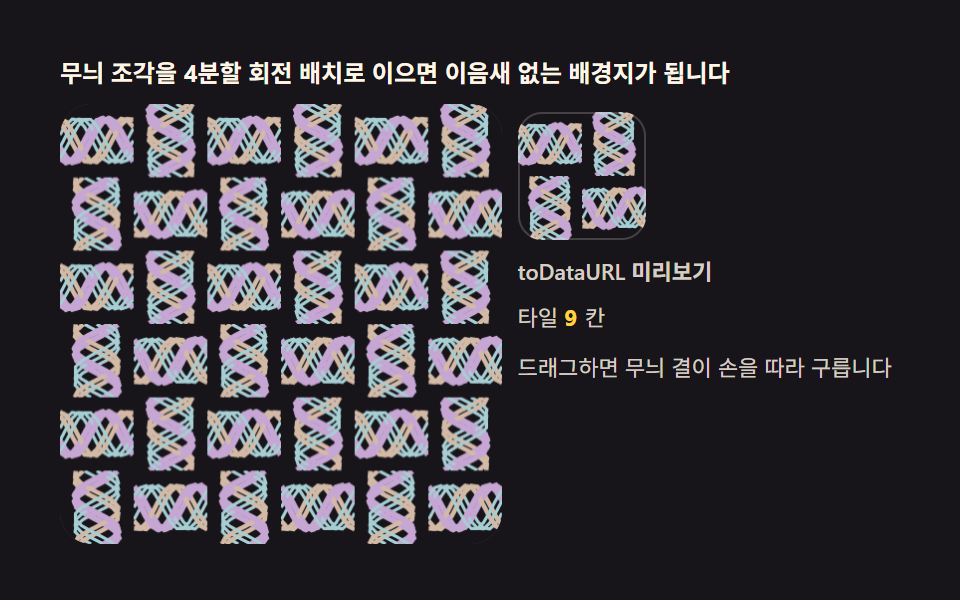 09 kaleido-wallpaper-tile-export
자동 재생 · 눌러서 해당 항목으로 · 전부 한 zip
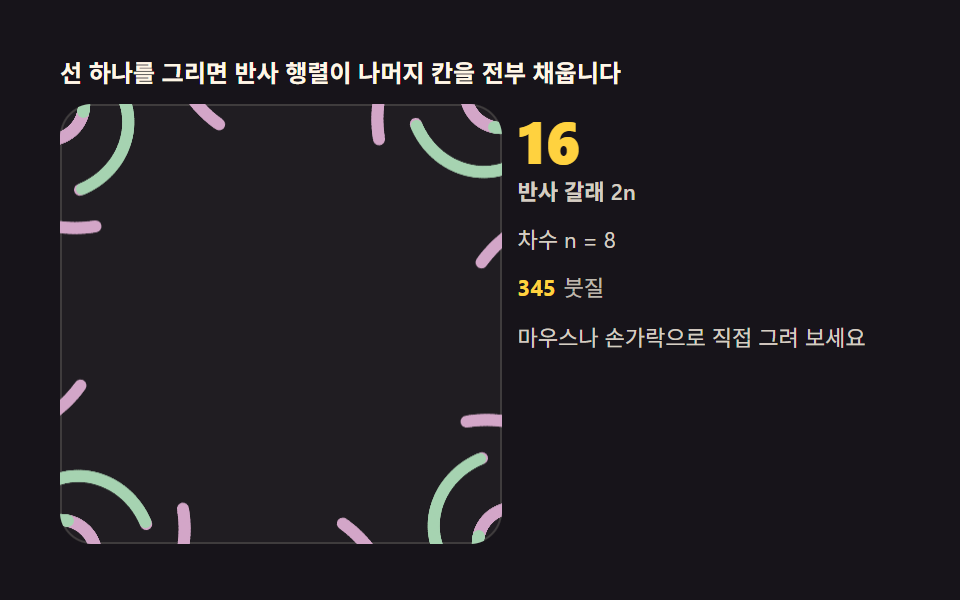
- 01 기본 만화경 붓 — 선 하나가 2n개로 늘어나는 반사
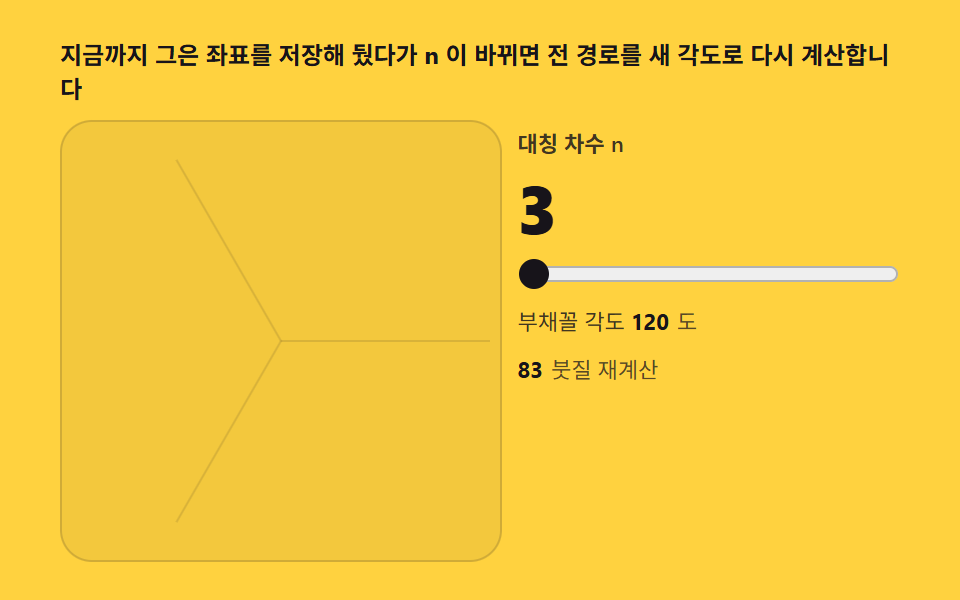
- 02 대칭 차수 슬라이더 — n을 바꾸면 무늬가 다시 선다
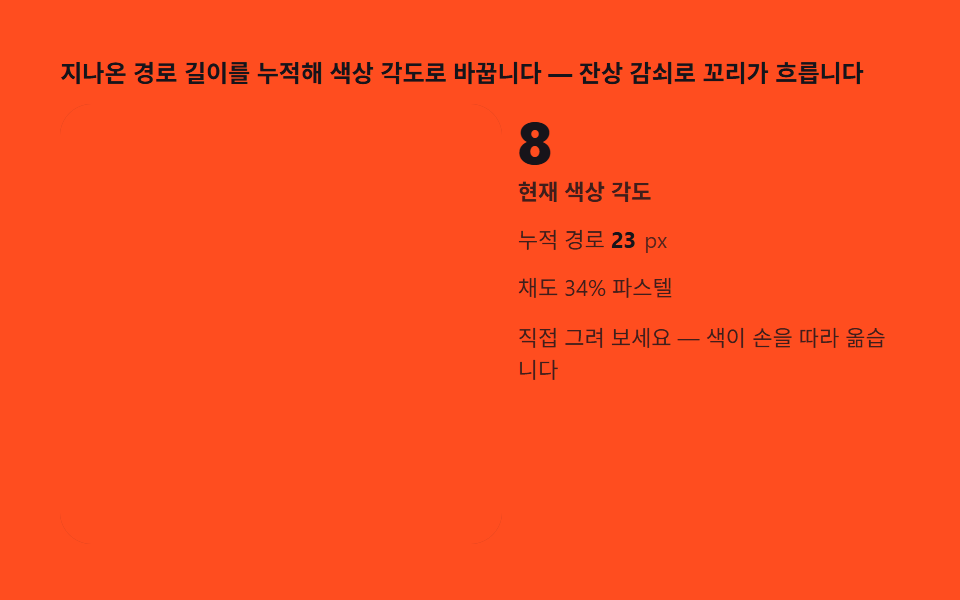
- 03 환색 붓 — 그리는 길이에 따라 색이 도는 브러시
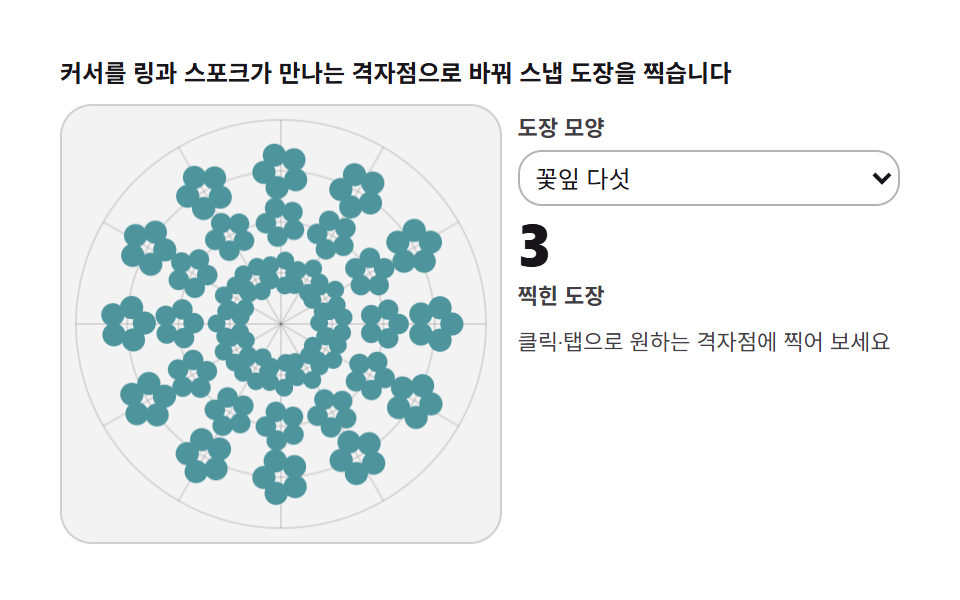
- 04 극좌표 도장 — 반지름·각도 격자에 찍히는 스탬프
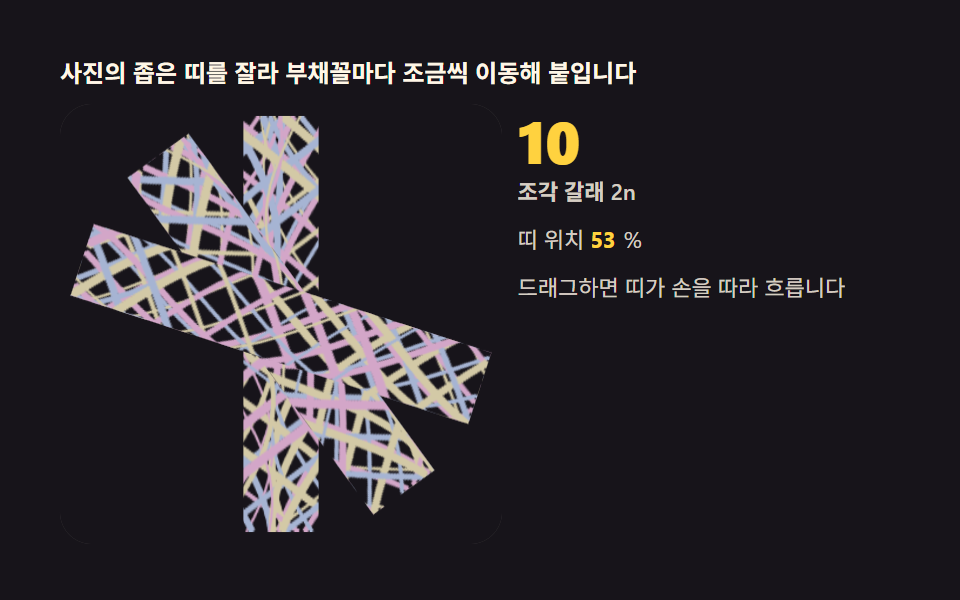
- 05 사진 먹이기 — 이미지 조각을 거울에 흘려넣기
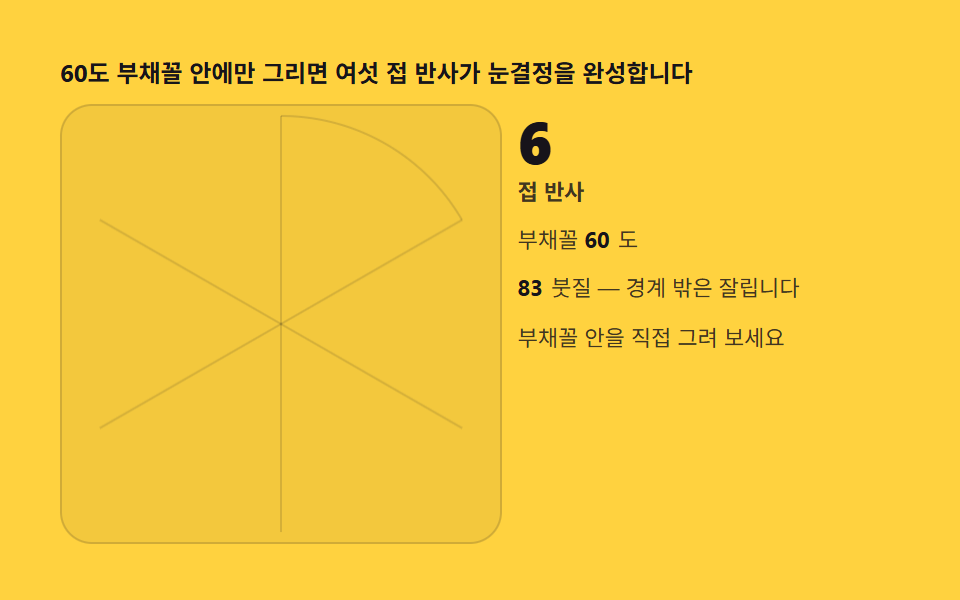
- 06 여섯 접 눈결정 — 종이를 접지 않고 접는 법
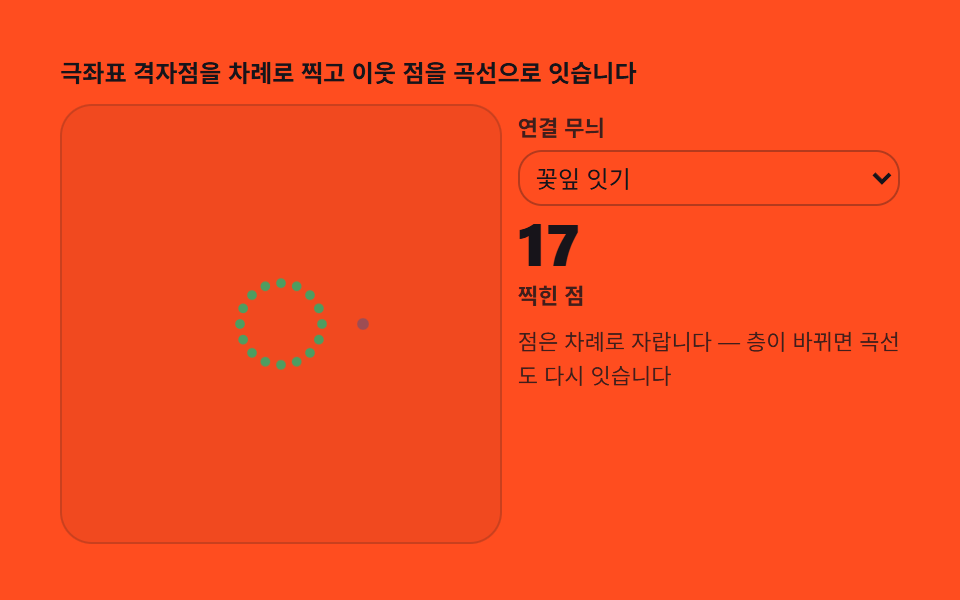
- 07 랑골 격자 — 점 몇 개로 짜는 대칭 화환
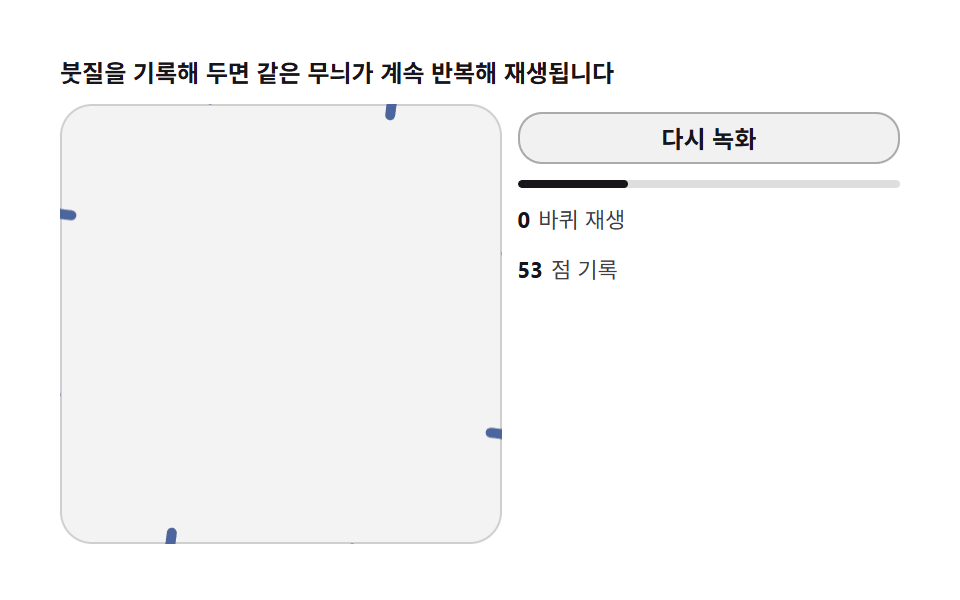
- 08 녹화와 재생 — 그린 과정을 되감는 루프
- 09 배경지 내보내기 — 그린 무늬를 반복 타일로
데모
아홉 판 전부 index.html 한 파일씩으로 열리자마자 시드를 고정한 자동 붓질로 스스로 그립니다. 붓이 지나간 선분 하나가 setTransform 의 회전×y반전 행렬로 2n갈래에 찍히고, 사람은 포인터로 같은 계산 경로를 직접 밟을 수 있습니다. 24프레임 녹화에서 여덟 판이 23프레임, 04 극좌표 도장만 22프레임 움직였습니다.
24프레임 실측 한눈에
| 항목 | 초점 | 누적면적(%) | 강도 평균 | 움직인프레임 |
|---|---|---|---|---|
| 01 기본 만화경 붓 | setTransform 반사 · 2n=16갈래 | 5.30 | 125.5 | 23 |
| 02 대칭 차수 슬라이더 | 좌표 저장 · change 재계산 | 0.98 | 129.1 | 23 |
| 03 환색 붓 | 경로 길이 → hsl 색상각 | 0.56 | 148.4 | 23 |
| 04 극좌표 도장 | 링·스포크 스냅 · 0.12초 간격 | 19.00 | 80.6 | 22 |
| 05 사진 먹이기 | drawImage 띠 · 2n개 배치 | 13.49 | 66.9 | 23 |
| 06 여섯 접 눈결정 | 60도 부채꼴 클리핑 | 0.71 | 122.9 | 23 |
| 07 랑골 격자 | 링×스포크 점 계산 · 곡선 연결 | 2.19 | 116.7 | 23 |
| 08 녹화와 재생 | 좌표 배열 기록 · 보간 재생 | 5.42 | 147.0 | 23 |
| 09 배경지 내보내기 | 사분면 회전 배치 · toDataURL | 25.89 | 26.3 | 23 |
선묘 항목의 낮은 누적면적이 정상인 이유
드로잉 도구의 화면은 붓이 지나간 자리만 새로 생깁니다 — 01 붓 5.30%·08 재생 5.42% 는 가는 선이 쌓여 실제로 차지한 면적이지 결함이 아닙니다. 03 환색 붓 0.56%·02 슬라이더 0.98%·06 눈결정 0.71% 는 잔상 감쇠나 한 자루 붓의 가는 선이 좁게 쌓이는 구조적 특성입니다. 반대로 09 내보내기 25.89% 는 3×3 타일 전면이 매 프레임 다시 그려지기 때문에 가장 넓고, 04 도장 19.00%·05 사진 먹이기 13.49% 가 뒤따릅니다. 강도 평균은 03 환색 붓 148.4·08 재생 147.0 이 가장 밝고 09 가 26.3 으로 가장 어두운데, 03 은 붉은기 무대에 밝은 무지개 선을 겹쳐 쌓고 08 은 흰 종이 무대에 찍으며 09 는 짙은 잉크 바탕 위에 옅은 파스텔 결을 얹기 때문입니다.
왜 대칭은 그리는 순간 계산인가 — 반사 행렬
만화경의 대칭은 그려진 이미지를 복사해 돌리는 게 아니라, 선분의 좌표에 행렬을 곱해 그리기 전에 위치를 바꿔치기하는 연산입니다. 핵심은 setTransform(a, b, c, d, e, f) 의 여섯 인수 — 앞 네 개가 2×2 행렬이고 뒤 두 개가 이동입니다. 각 조각 k 에 대해 회전각 a = k·2π/n 의 코사인·사인을 구해 (c, s, s, −c) 로 물리면 이 행렬은 회전과 y축 반전이 한 번에 합쳐진 반사 행렬이 되고, 캔버스는 이후의 moveTo·lineTo 를 그 좌표계에서 해석합니다. 그래서 같은 선분 코드를 반복문 안에 그대로 두기만 해도 n 개의 부채꼴마다 서로 거울상으로 마주 보는 무늬가 찍히고, 2π/n 씩 돌아가는 이웃 조각끼리 경계에서 정확히 맞물립니다. 이미지를 만든 뒤 복제하는 방식과 다른 점은 붓이 꺾이는 즉시 모든 조각이 같은 프레임에 꺾인다는 것 — 대칭 그림 그리기에서 만화경 특유의 살아 있는 느낌은 이 동시성에서 옵니다.
아홉 도구는 왜 이 순서인가
순서는 반사 행렬 하나를 붓에 얹는 일부터 시작해 결과물을 파일로 꺼내는 일까지의 서열입니다. 먼저 선분 하나를 2n 위치에 찍는 코어를 정의하고(01), 그 코어가 몇 갈래로 갈라지는지를 차수로 묶습니다(02). 세 번째가 붓의 색을 경로 길이에 물리는 일이고(03), 네 번째부터 도구의 격이 올라갑니다 — 점을 찍어 대칭을 완성하는 도장(04), 그리는 대상을 선에서 이미지로 바꾸는 먹이기(05), 부채꼴 하나로 종이를 접은 효과를 내는 눈결정(06), 점과 곡선으로 화환을 짜는 랑골(07). 여덟 번째는 과정을 기록해 되감는 일이고(08), 마지막 아홉 번째가 완성 무늬를 반복 타일로 내보내는 완성판입니다(09). 그리는 순간마다 좌표에 행렬을 곱해 화면을 계산한다는 점에서 실을 당겨 기하 무늬를 짜는 캔버스 기하 드로잉과 같은 계산 드로잉의 이웃이고, 캔버스 한 장에서 쌓이는 결과를 눈으로 확인한다는 점은 모래 알갱이가 칸을 검사해 흐르는 캔버스 낙하 시뮬레이션과도 같은 갈래입니다.
이 아홉 판을 실제로 어디에 붙이나
드로잉 워크숍이나 온라인 클래스 랜딩 페이지의 히어로 영역에는 01 기본 만화경 붓처럼 진입 즉시 스스로 그리는 판이 어울립니다 — 방문자가 스크롤하기 전에 화면이 이미 움직이고 있어야 하는 자리라, 시드 붓질이 멈추지 않는 01 이 첫 화면을 비워 두지 않습니다. 실시간 방송이나 음악 시각화 오버레이처럼 화면이 계속 살아 있어야 하는 배경에는 경로 길이를 색으로 바꾸는 03 환색 붓이 맞습니다 — 소리나 채팅 이벤트에 붓 위치만 얹으면 반응형 배경이 됩니다. 다운로드 코너나 굿즈 배경지처럼 결과물을 파일로 가져가야 하는 자리에는 09 배경지 내보내기 하나면 충분합니다 — 사분면을 돌려 이은 타일이라 반복 배치에도 이음매가 보이지 않습니다.
아홉 도구 단계별 코드
01기본 만화경 붓 — 선 하나가 2n개로 늘어나는 반사
pointermove 로 받은 선분을 부채꼴 하나에 찍고 나머지 칸은 각도를 2π/n 씩 더한 회전·y반전 변환으로 같은 경로를 다시 그리는, 여러 판이 쓰는 코어입니다. 붓 세 자루가 2π/3 위상 차로 돌며 2n=16갈래로 갈라지고 24프레임 녹화에서 누적면적 5.30%·23프레임이 움직였습니다.
<main class="stage">
<div class="kb" id="kb">
  <p class="kb__hint">선 하나를 그리면 반사 행렬이 나머지 칸을 전부 채웁니다</p>
  <div class="kb__row">
    <div class="kb__field" id="field" role="application" aria-label="만화경 붓 실험판" tabindex="0">
      <canvas class="kb__cv" id="cv"></canvas>
    </div>
    <div class="kb__side">
      <b class="kb__num" id="parts">16</b>
      <span class="kb__unit">반사 갈래 2n</span>
      <p class="kb__meta">차수 n = 8</p>
      <p class="kb__meta"><b class="kb__count" id="cnt">0</b><span class="kb__metaUnit">붓질</span></p>
      <p class="kb__meta">마우스나 손가락으로 직접 그려 보세요</p>
    </div>
  </div>
</div>
</main>
@use "../../../../site/static/demo-tokens" as *;
// 만화경 붓(01) — 움직임은 전부 캔버스 rAF 루프 안에 있다(077 방식). CSS @keyframes 를
// 두지 않는다 — 애니메이션이 0개여야 렌더러가 실시간으로 24장을 찍는다.
// 선빛깔 세 개는 파스텔 팔레트(채도 .34) — 면 위 명도 .74 / 어두운 보조 .46.
$duration: $dur-loop;
$easing: $ease-out;
$color: $subject-sky;
@include stage($stage-ink);
.kb {
--c1: #a6b4d3; // 파랑빛 파스텔 — 붓 첫째
--c2: #d3a6c8; // 연분홍 파스텔 — 붓 둘째
--c3: #a6d3b1; // 연두 파스텔 — 붓 셋째
display: flex; flex-direction: column; gap: $sp-2;
width: 100%; max-width: 420px;
}
.kb__hint {
margin: 0; font-weight: 700; font-size: clamp(10px, 2.8vw, 12px); line-height: 1.35;
color: $subject-cream;
}
.kb__row { display: flex; gap: $sp-2; align-items: stretch; }
.kb__field {
position: relative; overflow: hidden;
flex: 0 0 auto;
width: clamp(176px, 46vw, 232px);
height: clamp(176px, 46vw, 232px);
border-radius: $r-card;
background: rgba($subject-cream, .04);
box-shadow: inset 0 0 0 1px rgba($subject-cream, .14);
cursor: crosshair; touch-action: none;
}
.kb__field:focus-visible { outline: 2px solid $color; outline-offset: 2px; }
.kb__cv { display: block; width: 100%; height: 100%; }
.kb__side {
flex: 1; min-width: 0;
display: flex; flex-direction: column; gap: $sp-1;
padding-top: $sp-1;
}
.kb__num {
font-weight: 800; font-size: clamp(20px, 6vw, 30px); line-height: 1;
color: $stage-yellow; font-variant-numeric: tabular-nums;
}
.kb__unit { font-weight: 600; font-size: clamp(9px, 2.4vw, 11px); line-height: 1.4; color: rgba($subject-cream, .82); }
.kb__meta { margin: $sp-1 0 0; font-size: clamp(9px, 2.4vw, 11px); line-height: 1.5; color: rgba($subject-cream, .82); }
.kb__meta b { font-weight: 700; color: $stage-yellow; font-variant-numeric: tabular-nums; margin-right: $sp-1; }
.kb__metaUnit { color: rgba($subject-cream, .72); }
@media (max-width: 340px) {
.kb { gap: $sp-1; }
.kb__field { width: 150px; height: 150px; }
.kb__num { font-size: 16px; }
.kb__meta { margin-top: 0; font-size: 8px; }
}
// reduce — 루프가 안 돈다. 미리 그려 둔 정적 무늬 한 장이 남는다.
@media (prefers-reduced-motion: reduce) {
.kb.is-still .kb__field { cursor: default !important; }
}html, body {
margin: 0;
overflow: hidden;
}
.stage {
box-sizing: border-box;
min-height: 100vh;
display: grid;
place-items: center;
margin: 0;
background: #17141a;
font-family: -apple-system, "Segoe UI", "Noto Sans KR", sans-serif;
padding: clamp(8px, 4vw, 24px);
}
.kb {
--c1: #a6b4d3;
--c2: #d3a6c8;
--c3: #a6d3b1;
display: flex;
flex-direction: column;
gap: 8px;
width: 100%;
max-width: 420px;
}
.kb__hint {
margin: 0;
font-weight: 700;
font-size: clamp(10px, 2.8vw, 12px);
line-height: 1.35;
color: #fff7e6;
}
.kb__row {
display: flex;
gap: 8px;
align-items: stretch;
}
.kb__field {
position: relative;
overflow: hidden;
flex: 0 0 auto;
width: clamp(176px, 46vw, 232px);
height: clamp(176px, 46vw, 232px);
border-radius: 16px;
background: rgba(255, 247, 230, 0.04);
box-shadow: inset 0 0 0 1px rgba(255, 247, 230, 0.14);
cursor: crosshair;
touch-action: none;
}
.kb__field:focus-visible {
outline: 2px solid #6ec8ff;
outline-offset: 2px;
}
.kb__cv {
display: block;
width: 100%;
height: 100%;
}
.kb__side {
flex: 1;
min-width: 0;
display: flex;
flex-direction: column;
gap: 4px;
padding-top: 4px;
}
.kb__num {
font-weight: 800;
font-size: clamp(20px, 6vw, 30px);
line-height: 1;
color: #ffd23f;
font-variant-numeric: tabular-nums;
}
.kb__unit {
font-weight: 600;
font-size: clamp(9px, 2.4vw, 11px);
line-height: 1.4;
color: rgba(255, 247, 230, 0.82);
}
.kb__meta {
margin: 4px 0 0;
font-size: clamp(9px, 2.4vw, 11px);
line-height: 1.5;
color: rgba(255, 247, 230, 0.82);
}
.kb__meta b {
font-weight: 700;
color: #ffd23f;
font-variant-numeric: tabular-nums;
margin-right: 4px;
}
.kb__metaUnit {
color: rgba(255, 247, 230, 0.72);
}
@media (max-width: 340px) {
.kb {
gap: 4px;
}
.kb__field {
width: 150px;
height: 150px;
}
.kb__num {
font-size: 16px;
}
.kb__meta {
margin-top: 0;
font-size: 8px;
}
}
@media (prefers-reduced-motion: reduce) {
.kb.is-still .kb__field {
cursor: default !important;
}
}// 만화경 붓 — 반사 행렬이 핵심이다. k번째 부채꼴의 변환은 회전 R(a) 와 y축 반사의 곱
// [[cos a, sin a], [sin a, -cos a]] (a = k · 2π/n). 선분 하나를 이 행렬로 n번 찍으면
// 좌우 반사까지 합쳐 2n 갈래의 대칭 무늬가 그린 순간에 생긴다. 경로는 파라미터 함수라
// 시드 난수 없이도 항상 같은 데모가 반복된다.
(function () {
var root = document.getElementById('kb');
var field = document.getElementById('field');
var cv = document.getElementById('cv');
var parts = document.getElementById('parts');
var cnt = document.getElementById('cnt');
if (!root || !field || !cv || !parts || !cnt) return;
var ctx = cv.getContext('2d');
var css = getComputedStyle(root);
var COLS = [css.getPropertyValue('--c1').trim(), css.getPropertyValue('--c2').trim(), css.getPropertyValue('--c3').trim()];
var N = 8; // 차수 n — 반사까지 합치면 2N = 16 갈래
parts.textContent = String(2 * N);
var strokes = 0;
var W = 0, H = 0, dpr = 1, cx = 0, cy = 0, R = 0;
function fit() {
W = field.clientWidth; H = field.clientHeight;
dpr = Math.min(2, window.devicePixelRatio || 1);
cv.width = Math.round(W * dpr); cv.height = Math.round(H * dpr);
cx = W / 2; cy = H / 2; R = Math.min(W, H) / 2 - 6;
}
// 반사 행렬 스트로크 — 선분 하나를 2N 위치에 찍는다. setTransform 의 여섯 인수는
// (a, b, c, d, e, f) = 행렬 2×2 + 이동. 여기 곱한 행렬이 곧 회전×반사다
function mirroredSeg(x0, y0, x1, y1, ci) {
for (var k = 0; k < N; k++) {
var a = k * 2 * Math.PI / N, c = Math.cos(a), s = Math.sin(a);
ctx.setTransform(dpr * c, dpr * s, dpr * s, -dpr * c, cx * dpr, cy * dpr);
ctx.strokeStyle = COLS[ci % 3];
ctx.lineWidth = 6;
ctx.lineCap = 'round';
ctx.beginPath(); ctx.moveTo(x0, y0); ctx.lineTo(x1, y1); ctx.stroke();
}
ctx.setTransform(dpr, 0, 0, dpr, 0, 0);
strokes += 1;
cnt.textContent = String(strokes);
}
// 시드 고정 자동 붓질 — 붓 세 자루가 위상을 달리해 함께 돈다
function pathAt(t, ph) {
var ang = t * 1.55 + ph + 0.9 * Math.sin(t * 0.31 + ph);
var r = R * (0.30 + 0.34 * Math.sin(t * 0.47 + ph * 2) + 0.20 * Math.sin(t * 0.13 + ph));
if (r < R * 0.07) r = R * 0.07;
return [cx + r * Math.cos(ang), cy + r * Math.sin(ang)];
}
var reduce = window.matchMedia('(prefers-reduced-motion: reduce)').matches;
var t = 0, lastInput = -9, pen = false, penPt = null;
var PH = [0, 2.09, 4.19]; // 붓 세 자루의 위상 (2π/3 간격)
var prev = [null, null, null];
function toLocal(e) {
var b = field.getBoundingClientRect();
return [e.clientX - b.left, e.clientY - b.top];
}
field.addEventListener('pointerdown', function (e) {
pen = true; penPt = toLocal(e);
if (field.setPointerCapture) { try { field.setPointerCapture(e.pointerId); } catch (err) { /* 캡처 실패는 그리기에 영향 없다 */ }
}
});
field.addEventListener('pointermove', function (e) {
if (!pen) return;
var p = toLocal(e);
mirroredSeg(penPt[0], penPt[1], p[0], p[1], strokes);
penPt = p; lastInput = t;
});
field.addEventListener('pointerup', function () { pen = false; lastInput = t; });
field.addEventListener('pointercancel', function () { pen = false; lastInput = t; });
var last = 0;
function step(now) {
var dt = Math.min(64, now - last) / 1000; last = now;
if (!pen && t - lastInput > 1.6) {
t += dt;
for (var i = 0; i < PH.length; i++) {
var p = pathAt(t, PH[i]);
if (prev[i]) mirroredSeg(prev[i][0], prev[i][1], p[0], p[1], Math.floor(t * 0.9 + i));
prev[i] = p;
}
}
requestAnimationFrame(step);
}
fit();
window.addEventListener('resize', fit);
if (reduce) {
// 정지 한 장 — 시간 4초 분의 붓질을 미리 그려 둔다. 루프는 돌지 않는다
for (var j = 1; j <= 200; j++) {
var tt = j * 0.02;
for (var i2 = 0; i2 < PH.length; i2++) {
var a0 = pathAt(tt - 0.02, PH[i2]), a1 = pathAt(tt, PH[i2]);
mirroredSeg(a0[0], a0[1], a1[0], a1[1], Math.floor(tt * 0.9 + i2));
}
}
root.classList.add('is-still');
} else {
last = performance.now();
requestAnimationFrame(step);
}
})();// KaleidoMirrorDrawCanvas — vanilla 판(run/331/demo/01-kaleido-mirror-draw-canvas/index.html) 의 React 포트.
// 반사 행렬이 핵심이다. k번째 부채꼴의 변환은 회전 R(a) 와 y축 반사의 곱
// [[cos a, sin a], [sin a, -cos a]] (a = k · 2π/n). 선분 하나를 이 행렬로 n번 찍으면
// 좌우 반사까지 합쳐 2n 갈래의 대칭 무늬가 그린 순간에 생긴다. 경로는 파라미터 함수라
// 시드 난수 없이도 항상 같은 데모가 반복된다. 값·수치는 vanilla 와 같다.
// 움직임은 전부 캔버스 rAF 루프가 그리므로 CSS 애니메이션이 없다.
// reduce 에서는 루프를 돌리지 않고 시간 4초 분의 붓질을 미리 그린 한 장만 남긴다(.isStill).
import { useEffect, useRef, useState } from "react";
import type { CSSProperties, PointerEvent } from "react";
import styles from "./KaleidoMirrorDrawCanvas.module.scss";
export type KaleidoMirrorDrawCanvasProps = {
duration?: string;
easing?: string;
color?: string;
};
type Vars = CSSProperties & { "--duration"?: string; "--easing"?: string; "--color"?: string };
// useRef 는 T | null 을 돌려준다. 처음부터 값이 있고 절대 비지 않는 상자는 이렇게 좁혀 쓴다
type Box<T> = { current: T };
const N = 8; // 차수 n — 반사까지 합치면 2N = 16 갈래
const PH = [0, 2.09, 4.19]; // 붓 세 자루의 위상 (2π/3 간격)
const COLS = ["#a6b4d3", "#d3a6c8", "#a6d3b1"]; // 파랑빛·연분홍·연두 파스텔 — 붓 셋
const HINT = "선 하나를 그리면 반사 행렬이 나머지 칸을 전부 채웁니다";
const ARIA_FIELD = "만화경 붓 실험판";
const PARTS_UNIT = "반사 갈래 2n";
const ORDER_TEXT = "차수 n = 8";
const STROKE_UNIT = "붓질";
const DRAW_TEXT = "마우스나 손가락으로 직접 그려 보세요";
export default function KaleidoMirrorDrawCanvas({
duration = "2s",
easing = "ease-out",
color = "#6ec8ff"
}: KaleidoMirrorDrawCanvasProps) {
const fieldRef = useRef<HTMLDivElement | null>(null);
const cvRef = useRef<HTMLCanvasElement | null>(null);
const cntRef = useRef<HTMLSpanElement | null>(null);
const ctxRef = useRef<CanvasRenderingContext2D | null>(null);
const stRef = useRef({
W: 0, H: 0, dpr: 1, cx: 0, cy: 0, R: 0,
t: 0, strokes: 0, lastInput: -9,
pen: false, penPt: null as [number, number] | null,
prev: [null, null, null] as Array<[number, number] | null>
}) as Box<{
W: number; H: number; dpr: number; cx: number; cy: number; R: number;
strokes: number; t: number; lastInput: number;
pen: boolean; penPt: [number, number] | null;
prev: Array<[number, number] | null>
}>;
const lastRef = useRef(0) as Box<number>;
const rafRef = useRef(0) as Box<number>;
const [still, setStill] = useState(false);
function reduced(): boolean {
return window.matchMedia("(prefers-reduced-motion: reduce)").matches;
}
function fit(): void {
const st = stRef.current;
const field = fieldRef.current, cv = cvRef.current;
if (!field || !cv) return;
const ctx = cv.getContext("2d");
if (!ctx) return;
st.W = field.clientWidth; st.H = field.clientHeight;
st.dpr = Math.min(2, window.devicePixelRatio || 1);
cv.width = Math.round(st.W * st.dpr); cv.height = Math.round(st.H * st.dpr);
st.cx = st.W / 2; st.cy = st.H / 2; st.R = Math.min(st.W, st.H) / 2 - 6;
ctxRef.current = ctx;
}
// 반사 행렬 스트로크 — 선분 하나를 2N 위치에 찍는다. setTransform 의 여섯 인수는
// (a, b, c, d, e, f) = 행렬 2×2 + 이동. 여기 곱한 행렬이 곧 회전×반사다
function mirroredSeg(x0: number, y0: number, x1: number, y1: number, ci: number): void {
const st = stRef.current;
const ctx = ctxRef.current;
if (!ctx) return;
for (let k = 0; k < N; k++) {
const a = k * 2 * Math.PI / N, c = Math.cos(a), s = Math.sin(a);
ctx.setTransform(st.dpr * c, st.dpr * s, st.dpr * s, -st.dpr * c, st.cx * st.dpr, st.cy * st.dpr);
ctx.strokeStyle = COLS[ci % 3];
ctx.lineWidth = 6;
ctx.lineCap = "round";
ctx.beginPath(); ctx.moveTo(x0, y0); ctx.lineTo(x1, y1); ctx.stroke();
}
ctx.setTransform(st.dpr, 0, 0, st.dpr, 0, 0);
st.strokes += 1;
const out = cntRef.current;
if (out) out.textContent = String(st.strokes);
}
// 시드 고정 자동 붓질 — 붓 세 자루가 위상을 달리해 함께 돈다
function pathAt(t: number, ph: number): [number, number] {
const st = stRef.current;
const ang = t * 1.55 + ph + 0.9 * Math.sin(t * 0.31 + ph);
let r = st.R * (0.30 + 0.34 * Math.sin(t * 0.47 + ph * 2) + 0.20 * Math.sin(t * 0.13 + ph));
if (r < st.R * 0.07) r = st.R * 0.07;
return [st.cx + r * Math.cos(ang), st.cy + r * Math.sin(ang)];
}
function step(now: number): void {
const st = stRef.current;
const dt = Math.min(64, now - lastRef.current) / 1000; lastRef.current = now;
if (!st.pen && st.t - st.lastInput > 1.6) {
st.t += dt;
for (let i = 0; i < PH.length; i++) {
const p = pathAt(st.t, PH[i]);
const pv = st.prev[i];
if (pv) mirroredSeg(pv[0], pv[1], p[0], p[1], Math.floor(st.t * 0.9 + i));
st.prev[i] = p;
}
}
rafRef.current = requestAnimationFrame(step);
}
function toLocal(e: PointerEvent<HTMLDivElement>): [number, number] {
const b = e.currentTarget.getBoundingClientRect();
return [e.clientX - b.left, e.clientY - b.top];
}
function onPointerDown(e: PointerEvent<HTMLDivElement>): void {
const st = stRef.current;
st.pen = true; st.penPt = toLocal(e);
try { e.currentTarget.setPointerCapture(e.pointerId); } catch { /* 캡처 실패는 그리기에 영향 없다 */ }
}
function onPointerMove(e: PointerEvent<HTMLDivElement>): void {
const st = stRef.current;
if (!st.pen || !st.penPt) return;
const p = toLocal(e);
mirroredSeg(st.penPt[0], st.penPt[1], p[0], p[1], st.strokes);
st.penPt = p; st.lastInput = st.t;
}
function onPointerUp(): void {
const st = stRef.current;
st.pen = false; st.lastInput = st.t;
}
useEffect(() => {
fit();
function onResize(): void { fit(); }
window.addEventListener("resize", onResize);
if (reduced()) {
// 정지 한 장 — 시간 4초 분의 붓질을 미리 그려 둔다. 루프는 돌지 않는다
for (let j = 1; j <= 200; j++) {
const tt = j * 0.02;
for (let i = 0; i < PH.length; i++) {
const a0 = pathAt(tt - 0.02, PH[i]), a1 = pathAt(tt, PH[i]);
mirroredSeg(a0[0], a0[1], a1[0], a1[1], Math.floor(tt * 0.9 + i));
}
}
setStill(true);
} else {
lastRef.current = performance.now();
rafRef.current = requestAnimationFrame(step);
}
return () => {
window.removeEventListener("resize", onResize);
cancelAnimationFrame(rafRef.current);
};
// eslint-disable-next-line react-hooks/exhaustive-deps
}, []);
const rootCls = still ? styles.kb + " " + styles.isStill : styles.kb;
return (
<main className={styles.stage}>
<div className={rootCls} style={{ "--duration": duration, "--easing": easing, "--color": color } as Vars}>
<p className={styles.hint}>{HINT}</p>
<div className={styles.row}>
<div
className={styles.field}
ref={fieldRef}
role="application"
aria-label={ARIA_FIELD}
tabIndex={0}
onPointerDown={onPointerDown}
onPointerMove={onPointerMove}
onPointerUp={onPointerUp}
onPointerCancel={onPointerUp}
>
<canvas className={styles.cv} ref={cvRef}></canvas>
</div>
<div className={styles.side}>
<b className={styles.num}>{2 * N}</b>
<span className={styles.unit}>{PARTS_UNIT}</span>
<p className={styles.meta}>{ORDER_TEXT}</p>
<p className={styles.meta}><b ref={cntRef}>0</b><span className={styles.metaUnit}>{STROKE_UNIT}</span></p>
<p className={styles.meta}>{DRAW_TEXT}</p>
</div>
</div>
</div>
</main>
);
}01 · 기본 만화경 붓 — 선 하나가 2n개로 늘어나는 반사 — 측정 누적면적 5.295% · 움직인 프레임 23/23GODRICH 원작 · zip 에 SCSS·React 포함 · 비밀번호 보기
반사 행렬 스트로크 — 여섯 인수가 회전×y반전이다
  // 반사 행렬 스트로크 — 선분 하나를 2N 위치에 찍는다. setTransform 의 여섯 인수는
  // (a, b, c, d, e, f) = 행렬 2×2 + 이동. 여기 곱한 행렬이 곧 회전×반사다
  function mirroredSeg(x0, y0, x1, y1, ci) {
    for (var k = 0; k < N; k++) {
      var a = k * 2 * Math.PI / N, c = Math.cos(a), s = Math.sin(a);
      ctx.setTransform(dpr * c, dpr * s, dpr * s, -dpr * c, cx * dpr, cy * dpr);
      ctx.strokeStyle = COLS[ci % 3];
      ctx.lineWidth = 6;
      ctx.lineCap = 'round';
      ctx.beginPath(); ctx.moveTo(x0, y0); ctx.lineTo(x1, y1); ctx.stroke();
    }
    ctx.setTransform(dpr, 0, 0, dpr, 0, 0);
    strokes += 1;
  }
dpr 을 행렬 네 인수에 곱해 물리면 고해상도 화면에서도 선 굵기가 물리적 크기로 유지되고, 시간 t 와 위상 ph 로 극좌표 곡선을 돌려주는 pathAt 이 시드 고정 자동 붓질을 이끕니다.
02대칭 차수 슬라이더 — n을 바꾸면 무늬가 다시 선다
차수 n 을 3에서 24까지 올리면 부채꼴 각도가 좁아져 같은 선이 더 촘촘한 꽃이 되고, 지금까지 그은 좌표를 전부 배열에 저장해 뒀다가 n 이 바뀌면 화면을 지우고 전 경로를 새 각도로 다시 계산합니다. 자동 시연은 4초마다 차수를 3→6→12→18→24 로 전환해 재계산 순간을 보여주며 24프레임 녹화에서 누적면적 0.98%·23프레임이 움직였습니다.
<main class="stage">
<div class="ks" id="ks">
  <p class="ks__hint">지금까지 그은 좌표를 저장해 뒀다가 n 이 바뀌면 전 경로를 새 각도로 다시 계산합니다</p>
  <div class="ks__row">
    <div class="ks__field" id="field" role="application" aria-label="대칭 차수 실험판" tabindex="0">
      <canvas class="ks__cv" id="cv"></canvas>
    </div>
    <div class="ks__side">
      <label class="ks__lab" for="order">대칭 차수 n</label>
      <b class="ks__val" id="val" aria-live="polite">6</b>
      <input class="ks__slider" id="order" type="range" min="3" max="24" step="1" value="6"
             aria-label="대칭 차수">
      <p class="ks__meta">부채꼴 각도 <b id="deg">60</b><span class="ks__degUnit">도</span></p>
      <p class="ks__meta"><b id="cnt">0</b><span class="ks__metaUnit">붓질 재계산</span></p>
    </div>
  </div>
</div>
</main>
@use "../../../../site/static/demo-tokens" as *;
// 대칭 차수 슬라이더(02) — rAF 캔버스 데모. 슬라이더 몸은 CSS 정적 부품,
// 무늬 재계산은 전부 캔버스다. 슬라이더 색은 노랑 무대 위 잉크 계열.
$duration: $dur-loop;
$easing: $ease-out;
$color: $subject-ink;
@include stage($stage-yellow);
.ks {
--c1: #4d659d; // 잉크보다 한 단 밝은 파랑 파스텔 — 붓 첫째
--c2: #9d4d54; // 붉은기 파스텔 — 붓 둘째
--grid: #{rgba($subject-ink, .12)};
display: flex; flex-direction: column; gap: $sp-2;
width: 100%; max-width: 420px;
}
.ks__hint {
margin: 0; font-weight: 700; font-size: clamp(10px, 2.8vw, 12px); line-height: 1.35;
color: $subject-ink;
}
.ks__row { display: flex; gap: $sp-2; align-items: stretch; }
.ks__field {
position: relative; overflow: hidden;
flex: 0 0 auto;
width: clamp(176px, 46vw, 232px);
height: clamp(176px, 46vw, 232px);
border-radius: $r-card;
background: rgba($subject-ink, .05);
box-shadow: inset 0 0 0 1px rgba($subject-ink, .16);
cursor: crosshair; touch-action: none;
}
.ks__field:focus-visible { outline: 2px solid $color; outline-offset: 2px; }
.ks__cv { display: block; width: 100%; height: 100%; }
.ks__side {
flex: 1; min-width: 0;
display: flex; flex-direction: column; gap: $sp-2;
padding-top: $sp-1;
}
.ks__lab { font-weight: 600; font-size: clamp(9px, 2.4vw, 11px); line-height: 1.4; color: rgba($subject-ink, .82); }
.ks__val {
font-weight: 800; font-size: clamp(24px, 7vw, 34px); line-height: 1;
color: $subject-ink; font-variant-numeric: tabular-nums;
}
.ks__slider {
width: 100%; margin: 0;
accent-color: $subject-ink;
}
.ks__slider:focus-visible { outline: 2px solid $color; outline-offset: 2px; }
.ks__meta { margin: 0; font-size: clamp(9px, 2.4vw, 11px); line-height: 1.5; color: rgba($subject-ink, .82); }
.ks__meta b { font-weight: 700; color: $subject-ink; font-variant-numeric: tabular-nums; margin-right: $sp-1; }
.ks__degUnit { color: rgba($subject-ink, .72); }
.ks__metaUnit { color: rgba($subject-ink, .72); }
@media (max-width: 340px) {
.ks { gap: $sp-1; }
.ks__field { width: 132px; height: 132px; }
.ks__val { font-size: 20px; }
.ks__side { gap: $sp-1; }
.ks__meta { font-size: 8px; }
}
// reduce — 루프가 안 돈다. 차수 12 정적 무늬 한 장이 남는다.
@media (prefers-reduced-motion: reduce) {
.ks.is-still .ks__field { cursor: default !important; }
.ks.is-still .ks__slider { pointer-events: none !important; }
}html, body {
margin: 0;
overflow: hidden;
}
.stage {
box-sizing: border-box;
min-height: 100vh;
display: grid;
place-items: center;
margin: 0;
background: #ffd23f;
font-family: -apple-system, "Segoe UI", "Noto Sans KR", sans-serif;
padding: clamp(8px, 4vw, 24px);
}
.ks {
--c1: #4d659d;
--c2: #9d4d54;
--grid: rgba(23, 20, 26, 0.12);
display: flex;
flex-direction: column;
gap: 8px;
width: 100%;
max-width: 420px;
}
.ks__hint {
margin: 0;
font-weight: 700;
font-size: clamp(10px, 2.8vw, 12px);
line-height: 1.35;
color: #17141a;
}
.ks__row {
display: flex;
gap: 8px;
align-items: stretch;
}
.ks__field {
position: relative;
overflow: hidden;
flex: 0 0 auto;
width: clamp(176px, 46vw, 232px);
height: clamp(176px, 46vw, 232px);
border-radius: 16px;
background: rgba(23, 20, 26, 0.05);
box-shadow: inset 0 0 0 1px rgba(23, 20, 26, 0.16);
cursor: crosshair;
touch-action: none;
}
.ks__field:focus-visible {
outline: 2px solid #17141a;
outline-offset: 2px;
}
.ks__cv {
display: block;
width: 100%;
height: 100%;
}
.ks__side {
flex: 1;
min-width: 0;
display: flex;
flex-direction: column;
gap: 8px;
padding-top: 4px;
}
.ks__lab {
font-weight: 600;
font-size: clamp(9px, 2.4vw, 11px);
line-height: 1.4;
color: rgba(23, 20, 26, 0.82);
}
.ks__val {
font-weight: 800;
font-size: clamp(24px, 7vw, 34px);
line-height: 1;
color: #17141a;
font-variant-numeric: tabular-nums;
}
.ks__slider {
width: 100%;
margin: 0;
accent-color: #17141a;
}
.ks__slider:focus-visible {
outline: 2px solid #17141a;
outline-offset: 2px;
}
.ks__meta {
margin: 0;
font-size: clamp(9px, 2.4vw, 11px);
line-height: 1.5;
color: rgba(23, 20, 26, 0.82);
}
.ks__meta b {
font-weight: 700;
color: #17141a;
font-variant-numeric: tabular-nums;
margin-right: 4px;
}
.ks__degUnit {
color: rgba(23, 20, 26, 0.72);
}
.ks__metaUnit {
color: rgba(23, 20, 26, 0.72);
}
@media (max-width: 340px) {
.ks {
gap: 4px;
}
.ks__field {
width: 132px;
height: 132px;
}
.ks__val {
font-size: 20px;
}
.ks__side {
gap: 4px;
}
.ks__meta {
font-size: 8px;
}
}
@media (prefers-reduced-motion: reduce) {
.ks.is-still .ks__field {
cursor: default !important;
}
.ks.is-still .ks__slider {
pointer-events: none !important;
}
}// 대칭 차수 슬라이더 — 붓질 좌표를 strokes 배열에 쌓아 둔다. n 이 바뀌면 캔버스를 지우고
// 저장한 전 경로를 새 부채꼴 각도(2π/n)의 반사 행렬로 전부 다시 찍는다. 무늬가 무너졌다
// 다시 서는 순간이 이 재계산이다. 데모는 시드 고정 경로가 스스로 그리며, 4초마다 n 을
// 3 → 6 → 12 → 18 → 24 → 3 으로 바꿔 재구성 과정을 보여 준다.
(function () {
var root = document.getElementById('ks');
var field = document.getElementById('field');
var cv = document.getElementById('cv');
var order = document.getElementById('order');
var val = document.getElementById('val');
var deg = document.getElementById('deg');
var cnt = document.getElementById('cnt');
if (!root || !field || !cv || !order || !val || !deg || !cnt) return;
var ctx = cv.getContext('2d');
var css = getComputedStyle(root);
var C1 = css.getPropertyValue('--c1').trim();
var C2 = css.getPropertyValue('--c2').trim();
var GRID = css.getPropertyValue('--grid').trim();
var strokes = []; // [[x0,y0,x1,y1,ci], ...] — 절대 좌표, n 과 무관하게 보존
var recalc = 0;
var N = 6;
var W = 0, H = 0, dpr = 1, cx = 0, cy = 0, R = 0;
function fit() {
W = field.clientWidth; H = field.clientHeight;
dpr = Math.min(2, window.devicePixelRatio || 1);
cv.width = Math.round(W * dpr); cv.height = Math.round(H * dpr);
cx = W / 2; cy = H / 2; R = Math.min(W, H) / 2 - 6;
redraw();
}
  function drawSeg(s) {
    for (var k = 0; k < N; k++) {
      var a = k * 2 * Math.PI / N, c = Math.cos(a), sn = Math.sin(a);
      ctx.setTransform(dpr * c, dpr * sn, dpr * sn, -dpr * c, cx * dpr, cy * dpr);
      ctx.strokeStyle = s[4] ? C2 : C1;
      ctx.lineWidth = 5;
      ctx.lineCap = 'round';
      ctx.beginPath(); ctx.moveTo(s[0], s[1]); ctx.lineTo(s[2], s[3]); ctx.stroke();
    }
    ctx.setTransform(dpr, 0, 0, dpr, 0, 0);
  }
function redraw() {
ctx.setTransform(dpr, 0, 0, dpr, 0, 0);
ctx.clearRect(0, 0, W, H);
// 안내 부채꼴 경계 — 현재 n 의 각도를 얇게 표시
ctx.strokeStyle = GRID; ctx.lineWidth = 1;
for (var k = 0; k < N; k++) {
var a = k * 2 * Math.PI / N;
ctx.beginPath(); ctx.moveTo(cx, cy);
ctx.lineTo(cx + R * Math.cos(a), cy + R * Math.sin(a)); ctx.stroke();
}
for (var i = 0; i < strokes.length; i++) drawSeg(strokes[i]);
}
function setN(n) {
N = n;
val.textContent = String(n);
deg.textContent = String(Math.round(360 / n));
order.value = String(n);
redraw();
}
// change 이벤트 — 손을 뗀 뒤에 전체 재계산. input 이 아니라 change 를 쓰면
// 슬라이더를 끄는 동안 무늬가 흔들리지 않고 놓는 순간 한 번에 다시 선다
order.addEventListener('change', function () { setN(parseInt(order.value, 10) || 6); });
// 시드 고정 자동 붓질 — 반경이 스치는 길게 늘어진 꽃잎 곡선
function pathAt(t) {
var ang = t * 1.1 + 1.3 * Math.sin(t * 0.23);
var r = R * (0.24 + 0.38 * Math.abs(Math.sin(t * 0.4)) + 0.18 * Math.sin(t * 0.09));
if (r < R * 0.06) r = R * 0.06;
return [cx + r * Math.cos(ang), cy + r * Math.sin(ang)];
}
var reduce = window.matchMedia('(prefers-reduced-motion: reduce)').matches;
var CYCLE = [3, 6, 12, 18, 24]; // 자동 시연이 돌아보는 차수
var t = 0, last = 0, prev = null, pen = false, penPt = null, ci = 0;
function toLocal(e) {
var b = field.getBoundingClientRect();
return [e.clientX - b.left, e.clientY - b.top];
}
field.addEventListener('pointerdown', function (e) {
pen = true; penPt = toLocal(e);
if (field.setPointerCapture) { try { field.setPointerCapture(e.pointerId); } catch (err) { /* 캡처 실패는 그리기에 영향 없다 */ } }
});
field.addEventListener('pointermove', function (e) {
if (!pen || !penPt) return;
var p = toLocal(e);
var s = [penPt[0], penPt[1], p[0], p[1], ci];
strokes.push(s); drawSeg(s); recalc += 1; cnt.textContent = String(recalc);
penPt = p;
});
field.addEventListener('pointerup', function () { pen = false; penPt = null; ci = 1 - ci; });
field.addEventListener('pointercancel', function () { pen = false; penPt = null; });
function step(now) {
var dt = Math.min(64, now - last) / 1000; last = now;
if (!pen) {
t += dt;
// 4초마다 차수 전환 — 재계산 순간을 보여 준다
var idx = Math.floor(t / 4) % CYCLE.length;
if (CYCLE[idx] !== N) setN(CYCLE[idx]);
var p = pathAt(t);
if (prev) {
var s2 = [prev[0], prev[1], p[0], p[1], 0];
strokes.push(s2); drawSeg(s2); recalc += 1; cnt.textContent = String(recalc);
}
prev = p;
}
requestAnimationFrame(step);
}
fit();
window.addEventListener('resize', fit);
if (reduce) {
// 정지 한 장 — 차수 12 의 완성 무늬
setN(12);
for (var j = 1; j <= 260; j++) {
var tt = j * 0.02, a0 = pathAt(tt - 0.02), a1 = pathAt(tt);
strokes.push([a0[0], a0[1], a1[0], a1[1], 0]);
}
redraw();
recalc = strokes.length; cnt.textContent = String(recalc);
root.classList.add('is-still');
} else {
last = performance.now();
requestAnimationFrame(step);
}
})();// KaleidoSymmetryOrderSlider — vanilla 판(run/331/demo/02-kaleido-symmetry-order-slider/index.html) 의 React 포트.
// 붓질 좌표를 strokes 배열에 쌓아 둔다. n 이 바뀌면 캔버스를 지우고 저장한 전 경로를
// 새 부채꼴 각도(2π/n)의 반사 행렬로 전부 다시 찍는다. 무늬가 무너졌다 다시 서는 순간이
// 이 재계산이다. 데모는 시드 고정 경로가 스스로 그리며, 4초마다 n 을 3 → 6 → 12 → 18 → 24 → 3
// 으로 바꿔 재구성 과정을 보여 준다. 값·수치는 vanilla 와 같다.
// 움직임은 전부 캔버스 rAF 루프가 그리므로 CSS 애니메이션이 없다.
// reduce 에서는 루프를 돌리지 않고 차수 12 의 완성 무늬 한 장만 남긴다(.isStill).
import { useEffect, useRef, useState } from "react";
import type { CSSProperties, PointerEvent } from "react";
import styles from "./KaleidoSymmetryOrderSlider.module.scss";
export type KaleidoSymmetryOrderSliderProps = {
duration?: string;
easing?: string;
color?: string;
};
type Vars = CSSProperties & { "--duration"?: string; "--easing"?: string; "--color"?: string };
// useRef 는 T | null 을 돌려준다. 처음부터 값이 있고 절대 비지 않는 상자는 이렇게 좁혀 쓴다
type Box<T> = { current: T };
// 절대 좌표 붓질 [x0, y0, x1, y1, ci] — n 과 무관하게 보존
type Seg = [number, number, number, number, number];
const C1 = "#4d659d"; // 잉크보다 한 단 밝은 파랑 파스텔 — 붓 첫째
const C2 = "#9d4d54"; // 붉은기 파스텔 — 붓 둘째
const GRID = "rgba(23, 20, 26, 0.12)"; // 안내 부채꼴 경계
const CYCLE = [3, 6, 12, 18, 24]; // 자동 시연이 돌아보는 차수
const HINT = "지금까지 그은 좌표를 저장해 뒀다가 n 이 바뀌면 전 경로를 새 각도로 다시 계산합니다";
const ARIA_FIELD = "대칭 차수 실험판";
const ORDER_LABEL = "대칭 차수 n";
const DEG_TEXT = "부채꼴 각도";
const DEG_UNIT = "도";
const RECALC_UNIT = "붓질 재계산";
export default function KaleidoSymmetryOrderSlider({
duration = "2s",
easing = "ease-out",
color = "#17141a"
}: KaleidoSymmetryOrderSliderProps) {
const fieldRef = useRef<HTMLDivElement | null>(null);
const cvRef = useRef<HTMLCanvasElement | null>(null);
const sliderRef = useRef<HTMLInputElement | null>(null);
const valRef = useRef<HTMLSpanElement | null>(null);
const degRef = useRef<HTMLSpanElement | null>(null);
const cntRef = useRef<HTMLSpanElement | null>(null);
const ctxRef = useRef<CanvasRenderingContext2D | null>(null);
const stRef = useRef({
W: 0, H: 0, dpr: 1, cx: 0, cy: 0, R: 0,
strokes: [] as Seg[], recalc: 0, N: 6,
t: 0, prev: null as [number, number] | null,
pen: false, penPt: null as [number, number] | null, ci: 0
}) as Box<{
W: number; H: number; dpr: number; cx: number; cy: number; R: number;
strokes: Seg[]; recalc: number; N: number;
t: number; prev: [number, number] | null;
pen: boolean; penPt: [number, number] | null; ci: number
}>;
const lastRef = useRef(0) as Box<number>;
const rafRef = useRef(0) as Box<number>;
const [still, setStill] = useState(false);
function reduced(): boolean {
return window.matchMedia("(prefers-reduced-motion: reduce)").matches;
}
function fit(): void {
const st = stRef.current;
const field = fieldRef.current, cv = cvRef.current;
if (!field || !cv) return;
const ctx = cv.getContext("2d");
if (!ctx) return;
st.W = field.clientWidth; st.H = field.clientHeight;
st.dpr = Math.min(2, window.devicePixelRatio || 1);
cv.width = Math.round(st.W * st.dpr); cv.height = Math.round(st.H * st.dpr);
st.cx = st.W / 2; st.cy = st.H / 2; st.R = Math.min(st.W, st.H) / 2 - 6;
ctxRef.current = ctx;
redraw();
}
function drawSeg(s: Seg): void {
const st = stRef.current;
const ctx = ctxRef.current;
if (!ctx) return;
for (let k = 0; k < st.N; k++) {
const a = k * 2 * Math.PI / st.N, c = Math.cos(a), sn = Math.sin(a);
ctx.setTransform(st.dpr * c, st.dpr * sn, st.dpr * sn, -st.dpr * c, st.cx * st.dpr, st.cy * st.dpr);
ctx.strokeStyle = s[4] ? C2 : C1;
ctx.lineWidth = 5;
ctx.lineCap = "round";
ctx.beginPath(); ctx.moveTo(s[0], s[1]); ctx.lineTo(s[2], s[3]); ctx.stroke();
}
ctx.setTransform(st.dpr, 0, 0, st.dpr, 0, 0);
}
function redraw(): void {
const st = stRef.current;
const ctx = ctxRef.current;
if (!ctx) return;
ctx.setTransform(st.dpr, 0, 0, st.dpr, 0, 0);
ctx.clearRect(0, 0, st.W, st.H);
// 안내 부채꼴 경계 — 현재 n 의 각도를 얇게 표시
ctx.strokeStyle = GRID; ctx.lineWidth = 1;
for (let k = 0; k < st.N; k++) {
const a = k * 2 * Math.PI / st.N;
ctx.beginPath(); ctx.moveTo(st.cx, st.cy);
ctx.lineTo(st.cx + st.R * Math.cos(a), st.cy + st.R * Math.sin(a)); ctx.stroke();
}
for (let i = 0; i < st.strokes.length; i++) drawSeg(st.strokes[i]);
}
function setN(n: number): void {
const st = stRef.current;
st.N = n;
const val = valRef.current, deg = degRef.current, order = sliderRef.current;
if (val) val.textContent = String(n);
if (deg) deg.textContent = String(Math.round(360 / n));
if (order) order.value = String(n);
redraw();
}
// 시드 고정 자동 붓질 — 반경이 스치는 길게 늘어진 꽃잎 곡선
function pathAt(t: number): [number, number] {
const st = stRef.current;
const ang = t * 1.1 + 1.3 * Math.sin(t * 0.23);
let r = st.R * (0.24 + 0.38 * Math.abs(Math.sin(t * 0.4)) + 0.18 * Math.sin(t * 0.09));
if (r < st.R * 0.06) r = st.R * 0.06;
return [st.cx + r * Math.cos(ang), st.cy + r * Math.sin(ang)];
}
function step(now: number): void {
const st = stRef.current;
const dt = Math.min(64, now - lastRef.current) / 1000; lastRef.current = now;
if (!st.pen) {
st.t += dt;
// 4초마다 차수 전환 — 재계산 순간을 보여 준다
const idx = Math.floor(st.t / 4) % CYCLE.length;
if (CYCLE[idx] !== st.N) setN(CYCLE[idx]);
const p = pathAt(st.t);
if (st.prev) {
const s2: Seg = [st.prev[0], st.prev[1], p[0], p[1], 0];
st.strokes.push(s2); drawSeg(s2); st.recalc += 1;
const out = cntRef.current;
if (out) out.textContent = String(st.recalc);
}
st.prev = p;
}
rafRef.current = requestAnimationFrame(step);
}
function toLocal(e: PointerEvent<HTMLDivElement>): [number, number] {
const b = e.currentTarget.getBoundingClientRect();
return [e.clientX - b.left, e.clientY - b.top];
}
function onPointerDown(e: PointerEvent<HTMLDivElement>): void {
const st = stRef.current;
st.pen = true; st.penPt = toLocal(e);
try { e.currentTarget.setPointerCapture(e.pointerId); } catch { /* 캡처 실패는 그리기에 영향 없다 */ }
}
function onPointerMove(e: PointerEvent<HTMLDivElement>): void {
const st = stRef.current;
if (!st.pen || !st.penPt) return;
const p = toLocal(e);
const s: Seg = [st.penPt[0], st.penPt[1], p[0], p[1], st.ci];
st.strokes.push(s); drawSeg(s); st.recalc += 1;
const out = cntRef.current;
if (out) out.textContent = String(st.recalc);
st.penPt = p;
}
function onPointerUp(): void {
const st = stRef.current;
st.pen = false; st.penPt = null; st.ci = 1 - st.ci;
}
// change 이벤트 — 손을 뗀 뒤에 전체 재계산. input 이 아니라 change 를 쓰면
// 슬라이더를 끄는 동안 무늬가 흔들리지 않고 놓는 순간 한 번에 다시 선다
function onSliderChange(): void {
const order = sliderRef.current;
if (order) setN(parseInt(order.value, 10) || 6);
}
useEffect(() => {
fit();
function onResize(): void { fit(); }
window.addEventListener("resize", onResize);
if (reduced()) {
// 정지 한 장 — 차수 12 의 완성 무늬
setN(12);
const st = stRef.current;
for (let j = 1; j <= 260; j++) {
const tt = j * 0.02, a0 = pathAt(tt - 0.02), a1 = pathAt(tt);
st.strokes.push([a0[0], a0[1], a1[0], a1[1], 0]);
}
redraw();
st.recalc = st.strokes.length;
const out = cntRef.current;
if (out) out.textContent = String(st.recalc);
setStill(true);
} else {
lastRef.current = performance.now();
rafRef.current = requestAnimationFrame(step);
}
return () => {
window.removeEventListener("resize", onResize);
cancelAnimationFrame(rafRef.current);
};
// eslint-disable-next-line react-hooks/exhaustive-deps
}, []);
const rootCls = still ? styles.ks + " " + styles.isStill : styles.ks;
return (
<main className={styles.stage}>
<div className={rootCls} style={{ "--duration": duration, "--easing": easing, "--color": color } as Vars}>
<p className={styles.hint}>{HINT}</p>
<div className={styles.row}>
<div
className={styles.field}
ref={fieldRef}
role="application"
aria-label={ARIA_FIELD}
tabIndex={0}
onPointerDown={onPointerDown}
onPointerMove={onPointerMove}
onPointerUp={onPointerUp}
onPointerCancel={onPointerUp}
>
<canvas className={styles.cv} ref={cvRef}></canvas>
</div>
<div className={styles.side}>
<label className={styles.lab} htmlFor="order">{ORDER_LABEL}</label>
<b className={styles.val} aria-live="polite"><span ref={valRef}>6</span></b>
<input
className={styles.slider}
id="order"
ref={sliderRef}
type="range"
min={3}
max={24}
step={1}
defaultValue={6}
aria-label="대칭 차수"
onChange={onSliderChange}
/>
<p className={styles.meta}>{DEG_TEXT} <b><span ref={degRef}>60</span></b><span className={styles.degUnit}>{DEG_UNIT}</span></p>
<p className={styles.meta}><b><span ref={cntRef}>0</span></b><span className={styles.metaUnit}>{RECALC_UNIT}</span></p>
</div>
</div>
</div>
</main>
);
}02 · 대칭 차수 슬라이더 — n을 바꾸면 무늬가 다시 선다 — 측정 누적면적 0.975% · 움직인 프레임 23/23GODRICH 원작 · zip 에 SCSS·React 포함 · 비밀번호 보기
저장된 좌표를 새 차수로 다시 찍는 재계산
function drawSeg(s) {
for (var k = 0; k < N; k++) {
var a = k * 2 * Math.PI / N, c = Math.cos(a), sn = Math.sin(a);
ctx.setTransform(dpr * c, dpr * sn, dpr * sn, -dpr * c, cx * dpr, cy * dpr);
ctx.strokeStyle = s[4] ? C2 : C1;
ctx.lineWidth = 5;
ctx.lineCap = 'round';
ctx.beginPath(); ctx.moveTo(s[0], s[1]); ctx.lineTo(s[2], s[3]); ctx.stroke();
}
ctx.setTransform(dpr, 0, 0, dpr, 0, 0);
}
선분 하나가 [x0, y0, x1, y1, 색] 배열로 저장되어 있으니 재계산은 저장된 배열을 순서대로 다시 찍는 일뿐이고, 슬라이더는 input 이 아니라 손을 뗀 뒤 한 번만 오는 change 이벤트로 받아 끄는 동안 무늬가 흔들리지 않게 합니다.
order.addEventListener('change', function () { setN(parseInt(order.value, 10) || 6); });
03환색 붓 — 그리는 길이에 따라 색이 도는 브러시
지나온 경로 길이를 누적해 hue 각도로 바꾸면 선이 길어질수록 색이 무지개로 돕고, 채도 34%·명도 74% 로 잡아 만화경 특유의 강한 색을 파스텔로 누르며 잔상 감쇠로 옛 붓질이 꼬리를 남기며 흘러갑니다. 강도 평균 148.4 는 아홉 판 중 가장 밝은 값입니다.
<main class="stage">
<div class="kh" id="kh">
  <p class="kh__hint">지나온 경로 길이를 누적해 색상 각도로 바꿉니다 — 잔상 감쇠로 꼬리가 흐릅니다</p>
  <div class="kh__row">
    <div class="kh__field" id="field" role="application" aria-label="환색 붓 실험판" tabindex="0">
      <canvas class="kh__cv" id="cv"></canvas>
    </div>
    <div class="kh__side">
      <b class="kh__num" id="hue">0</b>
      <span class="kh__unit">현재 색상 각도</span>
      <p class="kh__meta">누적 경로 <b id="len">0</b><span class="kh__metaUnit">px</span></p>
      <p class="kh__meta">채도 34% 파스텔</p>
      <p class="kh__meta">직접 그려 보세요 — 색이 손을 따라 옮습니다</p>
    </div>
  </div>
</div>
</main>
@use "../../../../site/static/demo-tokens" as *;
// 환색 붓(03) — rAF 캔버스 데모. 붓빛은 코드가 hsl(각도, 34%, 74%) 로 계산해
// 파스텔 채도를 소스에서 고정한다(색이 기능이라 hex 대신 hsl 축).
$duration: $dur-loop;
$easing: $ease-out;
$color: $subject-cream;
@include stage($stage-orange);
.kh {
--stage: #{$stage-orange};
--panel: #{rgba($subject-cream, .05)};
--accent: #{$subject-cream};
display: flex; flex-direction: column; gap: $sp-2;
width: 100%; max-width: 420px;
}
.kh__hint {
margin: 0; font-weight: 700; font-size: clamp(10px, 2.8vw, 12px); line-height: 1.35;
color: $subject-ink;
}
.kh__row { display: flex; gap: $sp-2; align-items: stretch; }
.kh__field {
position: relative; overflow: hidden;
flex: 0 0 auto;
width: clamp(176px, 46vw, 232px);
height: clamp(176px, 46vw, 232px);
border-radius: $r-card;
background: rgba($subject-ink, .06);
box-shadow: inset 0 0 0 1px rgba($subject-ink, .18);
cursor: crosshair; touch-action: none;
}
.kh__field:focus-visible { outline: 2px solid $color; outline-offset: 2px; }
.kh__cv { display: block; width: 100%; height: 100%; }
.kh__side {
flex: 1; min-width: 0;
display: flex; flex-direction: column; gap: $sp-1;
padding-top: $sp-1;
}
.kh__num {
font-weight: 800; font-size: clamp(20px, 6vw, 30px); line-height: 1;
color: $subject-ink; font-variant-numeric: tabular-nums;
}
.kh__unit { font-weight: 600; font-size: clamp(9px, 2.4vw, 11px); line-height: 1.4; color: rgba($subject-ink, .82); }
.kh__meta { margin: $sp-1 0 0; font-size: clamp(9px, 2.4vw, 11px); line-height: 1.5; color: rgba($subject-ink, .82); }
.kh__meta b { font-weight: 700; color: $subject-ink; font-variant-numeric: tabular-nums; margin-right: $sp-1; }
.kh__metaUnit { color: rgba($subject-ink, .72); }
@media (max-width: 340px) {
.kh { gap: $sp-1; }
.kh__field { width: 132px; height: 132px; }
.kh__num { font-size: 16px; }
.kh__meta { margin-top: 0; font-size: 8px; }
}
// reduce — 루프가 안 돈다. 채워진 나선 정적 한 장이 남는다.
@media (prefers-reduced-motion: reduce) {
.kh.is-still .kh__field { cursor: default !important; }
}html, body {
margin: 0;
overflow: hidden;
}
.stage {
box-sizing: border-box;
min-height: 100vh;
display: grid;
place-items: center;
margin: 0;
background: #ff4d1f;
font-family: -apple-system, "Segoe UI", "Noto Sans KR", sans-serif;
padding: clamp(8px, 4vw, 24px);
}
.kh {
--stage: #ff4d1f;
--panel: rgba(255, 247, 230, 0.05);
--accent: #fff7e6;
display: flex;
flex-direction: column;
gap: 8px;
width: 100%;
max-width: 420px;
}
.kh__hint {
margin: 0;
font-weight: 700;
font-size: clamp(10px, 2.8vw, 12px);
line-height: 1.35;
color: #17141a;
}
.kh__row {
display: flex;
gap: 8px;
align-items: stretch;
}
.kh__field {
position: relative;
overflow: hidden;
flex: 0 0 auto;
width: clamp(176px, 46vw, 232px);
height: clamp(176px, 46vw, 232px);
border-radius: 16px;
background: rgba(23, 20, 26, 0.06);
box-shadow: inset 0 0 0 1px rgba(23, 20, 26, 0.18);
cursor: crosshair;
touch-action: none;
}
.kh__field:focus-visible {
outline: 2px solid #fff7e6;
outline-offset: 2px;
}
.kh__cv {
display: block;
width: 100%;
height: 100%;
}
.kh__side {
flex: 1;
min-width: 0;
display: flex;
flex-direction: column;
gap: 4px;
padding-top: 4px;
}
.kh__num {
font-weight: 800;
font-size: clamp(20px, 6vw, 30px);
line-height: 1;
color: #17141a;
font-variant-numeric: tabular-nums;
}
.kh__unit {
font-weight: 600;
font-size: clamp(9px, 2.4vw, 11px);
line-height: 1.4;
color: rgba(23, 20, 26, 0.82);
}
.kh__meta {
margin: 4px 0 0;
font-size: clamp(9px, 2.4vw, 11px);
line-height: 1.5;
color: rgba(23, 20, 26, 0.82);
}
.kh__meta b {
font-weight: 700;
color: #17141a;
font-variant-numeric: tabular-nums;
margin-right: 4px;
}
.kh__metaUnit {
color: rgba(23, 20, 26, 0.72);
}
@media (max-width: 340px) {
.kh {
gap: 4px;
}
.kh__field {
width: 132px;
height: 132px;
}
.kh__num {
font-size: 16px;
}
.kh__meta {
margin-top: 0;
font-size: 8px;
}
}
@media (prefers-reduced-motion: reduce) {
.kh.is-still .kh__field {
cursor: default !important;
}
}// 환색 붓 — 경로 길이 len 을 누적해 hsl(len*0.35, 34%, 74%) 로 선빛깔을 정한다.
// hsl 의 색상축이 경로 길이에 물려 있어 선이 길어질수록 무지개로 돈다. 채도 34% 로
// 잡아 만화경 특유의 강한 색을 파스텔로 눌렀다. 잔상 감쇠 0.92 는 매 프레임 캔버스
// 전체를 아주 옅은 무대색으로 덮는 것이라 이전 붓질이 꼬리를 남긴다.
(function () {
var root = document.getElementById('kh');
var field = document.getElementById('field');
var cv = document.getElementById('cv');
var hue = document.getElementById('hue');
var len = document.getElementById('len');
if (!root || !field || !cv || !hue || !len) return;
var ctx = cv.getContext('2d');
var css = getComputedStyle(root);
var STAGE = css.getPropertyValue('--stage').trim();
var PANEL = css.getPropertyValue('--panel').trim();
var ACCENT = css.getPropertyValue('--accent').trim();
var N = 10; // 차수 n — 반사 포함 2n = 20 갈래
var pathLen = 0;
var W = 0, H = 0, dpr = 1, cx = 0, cy = 0, R = 0;
function fit() {
W = field.clientWidth; H = field.clientHeight;
dpr = Math.min(2, window.devicePixelRatio || 1);
var w0 = cv.width, h0 = cv.height;
cv.width = Math.round(W * dpr); cv.height = Math.round(H * dpr);
cx = W / 2; cy = H / 2; R = Math.min(W, H) / 2 - 6;
// 리사이즈에도 쌓인 그림이 남게 — 기존 내용을 복사해 둔다
if (w0 && h0) {
var old = document.createElement('canvas');
old.width = w0; old.height = h0;
old.getContext('2d').drawImage(cv, 0, 0);
ctx.setTransform(1, 0, 0, 1, 0, 0);
ctx.drawImage(old, 0, 0);
ctx.setTransform(dpr, 0, 0, dpr, 0, 0);
}
}
function fade() {
// 잔상 감쇠 — 알파 0.92 가 아니라 매 프레임 8% 씩 무대색을 겹쳐 옛 붓질을 녹인다
ctx.setTransform(dpr, 0, 0, dpr, 0, 0);
ctx.globalAlpha = 0.08;
ctx.fillStyle = STAGE;
ctx.fillRect(0, 0, W, H);
ctx.globalAlpha = 1;
}
  function brushColor() {
    var h = (pathLen * 0.35) % 360;
    return 'hsl(' + h.toFixed(0) + ', 34%, 74%)';
  }

  function mirroredSeg(x0, y0, x1, y1, col) {
    var dx = x1 - x0, dy = y1 - y0;
    pathLen += Math.sqrt(dx * dx + dy * dy);
    hue.textContent = String(Math.round((pathLen * 0.35) % 360));
    len.textContent = String(Math.round(pathLen));
    ctx.globalAlpha = 0.9;
for (var k = 0; k < N; k++) {
var a = k * 2 * Math.PI / N, c = Math.cos(a), s = Math.sin(a);
ctx.setTransform(dpr * c, dpr * s, dpr * s, -dpr * c, cx * dpr, cy * dpr);
ctx.strokeStyle = col;
ctx.lineWidth = 5;
ctx.lineCap = 'round';
ctx.beginPath(); ctx.moveTo(x0, y0); ctx.lineTo(x1, y1); ctx.stroke();
}
ctx.setTransform(dpr, 0, 0, dpr, 0, 0);
ctx.globalAlpha = 1;
}
// 시드 고정 자동 붓질 — 나선을 그리며 색상축이 한 바퀴 이상 돈다
function pathAt(t) {
var ang = t * 0.9;
var r = R * (0.12 + 0.72 * ((t * 0.11) % 1)) * (0.8 + 0.2 * Math.sin(t * 0.7));
return [cx + r * Math.cos(ang), cy + r * Math.sin(ang)];
}
var reduce = window.matchMedia('(prefers-reduced-motion: reduce)').matches;
var t = 0, last = 0, prev = null, pen = false, penPt = null;
function toLocal(e) {
var b = field.getBoundingClientRect();
return [e.clientX - b.left, e.clientY - b.top];
}
field.addEventListener('pointerdown', function (e) {
pen = true; penPt = toLocal(e);
if (field.setPointerCapture) { try { field.setPointerCapture(e.pointerId); } catch (err) { /* 캡처 실패는 그리기에 영향 없다 */ } }
});
field.addEventListener('pointermove', function (e) {
if (!pen || !penPt) return;
var p = toLocal(e);
mirroredSeg(penPt[0], penPt[1], p[0], p[1], brushColor());
penPt = p;
});
field.addEventListener('pointerup', function () { pen = false; penPt = null; });
field.addEventListener('pointercancel', function () { pen = false; penPt = null; });
function step(now) {
var dt = Math.min(64, now - last) / 1000; last = now;
fade();
if (!pen) {
t += dt;
var p = pathAt(t);
if (prev) mirroredSeg(prev[0], prev[1], p[0], p[1], brushColor());
prev = p;
}
requestAnimationFrame(step);
}
fit();
window.addEventListener('resize', fit);
if (reduce) {
// 정지 한 장 — 감쇠 없이 나선 세 바퀴를 채운 상태
ctx.setTransform(dpr, 0, 0, dpr, 0, 0);
ctx.fillStyle = STAGE; ctx.fillRect(0, 0, W, H);
var pv = pathAt(0);
for (var j = 1; j <= 340; j++) {
var tt = j * 0.02, q = pathAt(tt);
mirroredSeg(pv[0], pv[1], q[0], q[1], brushColor());
pv = q;
}
root.classList.add('is-still');
} else {
ctx.setTransform(dpr, 0, 0, dpr, 0, 0);
ctx.fillStyle = STAGE; ctx.fillRect(0, 0, W, H);
last = performance.now();
requestAnimationFrame(step);
}
})();// KaleidoColorHueCycleBrush — vanilla 판(run/331/demo/03-kaleido-color-hue-cycle-brush/index.html) 의 React 포트.
// 경로 길이 len 을 누적해 hsl(len*0.35, 34%, 74%) 로 선빛깔을 정한다. hsl 의 색상축이
// 경로 길이에 물려 있어 선이 길어질수록 무지개로 돈다. 채도 34% 로 잡아 만화경 특유의
// 강한 색을 파스텔로 눌렀다. 잔상 감쇠 0.92 는 매 프레임 캔버스 전체를 아주 옅은 무대색으로
// 덮는 것이라 이전 붓질이 꼬리를 남긴다. 값·수치는 vanilla 와 같다.
// 움직임은 전부 캔버스 rAF 루프가 그리므로 CSS 애니메이션이 없다.
// reduce 에서는 루프를 돌리지 않고 감쇠 없이 나선을 채운 한 장만 남긴다(.isStill).
import { useEffect, useRef, useState } from "react";
import type { CSSProperties, PointerEvent } from "react";
import styles from "./KaleidoColorHueCycleBrush.module.scss";
export type KaleidoColorHueCycleBrushProps = {
duration?: string;
easing?: string;
color?: string;
};
type Vars = CSSProperties & { "--duration"?: string; "--easing"?: string; "--color"?: string };
// useRef 는 T | null 을 돌려준다. 처음부터 값이 있고 절대 비지 않는 상자는 이렇게 좁혀 쓴다
type Box<T> = { current: T };
const STAGE = "#ff4d1f"; // 무대 주황 — 감쇠 덮개 색
const N = 10; // 차수 n — 반사 포함 2n = 20 갈래
const HINT = "지나온 경로 길이를 누적해 색상 각도로 바꿉니다 — 잔상 감쇠로 꼬리가 흐립니다";
const ARIA_FIELD = "환색 붓 실험판";
const HUE_UNIT = "현재 색상 각도";
const LEN_LABEL = "누적 경로";
const LEN_UNIT = "px";
const SAT_TEXT = "채도 34% 파스텔";
const DRAW_TEXT = "직접 그려 보세요 — 색이 손을 따라 옮습니다";
export default function KaleidoColorHueCycleBrush({
duration = "2s",
easing = "ease-out",
color = "#fff7e6"
}: KaleidoColorHueCycleBrushProps) {
const fieldRef = useRef<HTMLDivElement | null>(null);
const cvRef = useRef<HTMLCanvasElement | null>(null);
const hueRef = useRef<HTMLSpanElement | null>(null);
const lenRef = useRef<HTMLSpanElement | null>(null);
const ctxRef = useRef<CanvasRenderingContext2D | null>(null);
const stRef = useRef({
W: 0, H: 0, dpr: 1, cx: 0, cy: 0, R: 0,
pathLen: 0, t: 0, prev: null as [number, number] | null,
pen: false, penPt: null as [number, number] | null
}) as Box<{
W: number; H: number; dpr: number; cx: number; cy: number; R: number;
pathLen: number; t: number; prev: [number, number] | null;
pen: boolean; penPt: [number, number] | null
}>;
const lastRef = useRef(0) as Box<number>;
const rafRef = useRef(0) as Box<number>;
const [still, setStill] = useState(false);
function reduced(): boolean {
return window.matchMedia("(prefers-reduced-motion: reduce)").matches;
}
function fit(): void {
const st = stRef.current;
const field = fieldRef.current, cv = cvRef.current;
if (!field || !cv) return;
const ctx = cv.getContext("2d");
if (!ctx) return;
st.W = field.clientWidth; st.H = field.clientHeight;
st.dpr = Math.min(2, window.devicePixelRatio || 1);
const w0 = cv.width, h0 = cv.height;
cv.width = Math.round(st.W * st.dpr); cv.height = Math.round(st.H * st.dpr);
st.cx = st.W / 2; st.cy = st.H / 2; st.R = Math.min(st.W, st.H) / 2 - 6;
// 리사이즈에도 쌓인 그림이 남게 — 기존 내용을 복사해 둔다
if (w0 && h0) {
const old = document.createElement("canvas");
old.width = w0; old.height = h0;
const octx = old.getContext("2d");
if (octx) octx.drawImage(cv, 0, 0);
ctx.setTransform(1, 0, 0, 1, 0, 0);
ctx.drawImage(old, 0, 0);
ctx.setTransform(st.dpr, 0, 0, st.dpr, 0, 0);
}
ctxRef.current = ctx;
}
function fade(): void {
const st = stRef.current;
const ctx = ctxRef.current;
if (!ctx) return;
// 잔상 감쇠 — 알파 0.92 가 아니라 매 프레임 8% 씩 무대색을 겹쳐 옛 붓질을 녹인다
ctx.setTransform(st.dpr, 0, 0, st.dpr, 0, 0);
ctx.globalAlpha = 0.08;
ctx.fillStyle = STAGE;
ctx.fillRect(0, 0, st.W, st.H);
ctx.globalAlpha = 1;
}
function brushColor(): string {
const st = stRef.current;
const h = (st.pathLen * 0.35) % 360;
return "hsl(" + h.toFixed(0) + ", 34%, 74%)";
}
function mirroredSeg(x0: number, y0: number, x1: number, y1: number, col: string): void {
const st = stRef.current;
const ctx = ctxRef.current;
if (!ctx) return;
const dx = x1 - x0, dy = y1 - y0;
st.pathLen += Math.sqrt(dx * dx + dy * dy);
const hue = hueRef.current, len = lenRef.current;
if (hue) hue.textContent = String(Math.round((st.pathLen * 0.35) % 360));
if (len) len.textContent = String(Math.round(st.pathLen));
ctx.globalAlpha = 0.9;
for (let k = 0; k < N; k++) {
const a = k * 2 * Math.PI / N, c = Math.cos(a), s = Math.sin(a);
ctx.setTransform(st.dpr * c, st.dpr * s, st.dpr * s, -st.dpr * c, st.cx * st.dpr, st.cy * st.dpr);
ctx.strokeStyle = col;
ctx.lineWidth = 5;
ctx.lineCap = "round";
ctx.beginPath(); ctx.moveTo(x0, y0); ctx.lineTo(x1, y1); ctx.stroke();
}
ctx.setTransform(st.dpr, 0, 0, st.dpr, 0, 0);
ctx.globalAlpha = 1;
}
// 시드 고정 자동 붓질 — 나선을 그리며 색상축이 한 바퀴 이상 돈다
function pathAt(t: number): [number, number] {
const st = stRef.current;
const ang = t * 0.9;
const r = st.R * (0.12 + 0.72 * ((t * 0.11) % 1)) * (0.8 + 0.2 * Math.sin(t * 0.7));
return [st.cx + r * Math.cos(ang), st.cy + r * Math.sin(ang)];
}
function step(now: number): void {
const st = stRef.current;
const dt = Math.min(64, now - lastRef.current) / 1000; lastRef.current = now;
fade();
if (!st.pen) {
st.t += dt;
const p = pathAt(st.t);
if (st.prev) mirroredSeg(st.prev[0], st.prev[1], p[0], p[1], brushColor());
st.prev = p;
}
rafRef.current = requestAnimationFrame(step);
}
function toLocal(e: PointerEvent<HTMLDivElement>): [number, number] {
const b = e.currentTarget.getBoundingClientRect();
return [e.clientX - b.left, e.clientY - b.top];
}
function onPointerDown(e: PointerEvent<HTMLDivElement>): void {
const st = stRef.current;
st.pen = true; st.penPt = toLocal(e);
try { e.currentTarget.setPointerCapture(e.pointerId); } catch { /* 캡처 실패는 그리기에 영향 없다 */ }
}
function onPointerMove(e: PointerEvent<HTMLDivElement>): void {
const st = stRef.current;
if (!st.pen || !st.penPt) return;
const p = toLocal(e);
mirroredSeg(st.penPt[0], st.penPt[1], p[0], p[1], brushColor());
st.penPt = p;
}
function onPointerUp(): void {
const st = stRef.current;
st.pen = false; st.penPt = null;
}
function paintBase(): void {
const st = stRef.current;
const ctx = ctxRef.current;
if (!ctx) return;
ctx.setTransform(st.dpr, 0, 0, st.dpr, 0, 0);
ctx.fillStyle = STAGE; ctx.fillRect(0, 0, st.W, st.H);
}
useEffect(() => {
fit();
function onResize(): void { fit(); }
window.addEventListener("resize", onResize);
if (reduced()) {
// 정지 한 장 — 감쇠 없이 나선 세 바퀴를 채운 상태
paintBase();
let pv = pathAt(0);
for (let j = 1; j <= 340; j++) {
const tt = j * 0.02, q = pathAt(tt);
mirroredSeg(pv[0], pv[1], q[0], q[1], brushColor());
pv = q;
}
setStill(true);
} else {
paintBase();
lastRef.current = performance.now();
rafRef.current = requestAnimationFrame(step);
}
return () => {
window.removeEventListener("resize", onResize);
cancelAnimationFrame(rafRef.current);
};
// eslint-disable-next-line react-hooks/exhaustive-deps
}, []);
const rootCls = still ? styles.kh + " " + styles.isStill : styles.kh;
return (
<main className={styles.stage}>
<div className={rootCls} style={{ "--duration": duration, "--easing": easing, "--color": color } as Vars}>
<p className={styles.hint}>{HINT}</p>
<div className={styles.row}>
<div
className={styles.field}
ref={fieldRef}
role="application"
aria-label={ARIA_FIELD}
tabIndex={0}
onPointerDown={onPointerDown}
onPointerMove={onPointerMove}
onPointerUp={onPointerUp}
onPointerCancel={onPointerUp}
>
<canvas className={styles.cv} ref={cvRef}></canvas>
</div>
<div className={styles.side}>
<b className={styles.num}><span ref={hueRef}>0</span></b>
<span className={styles.unit}>{HUE_UNIT}</span>
<p className={styles.meta}>{LEN_LABEL} <b><span ref={lenRef}>0</span></b><span className={styles.metaUnit}>{LEN_UNIT}</span></p>
<p className={styles.meta}>{SAT_TEXT}</p>
<p className={styles.meta}>{DRAW_TEXT}</p>
</div>
</div>
</div>
</main>
);
}03 · 환색 붓 — 그리는 길이에 따라 색이 도는 브러시 — 측정 누적면적 0.556% · 움직인 프레임 23/23GODRICH 원작 · zip 에 SCSS·React 포함 · 비밀번호 보기
경로 길이를 색상각으로 바꾸는 두 함수
function brushColor() {
var h = (pathLen * 0.35) % 360;
return 'hsl(' + h.toFixed(0) + ', 34%, 74%)';
}
function mirroredSeg(x0, y0, x1, y1, col) {
var dx = x1 - x0, dy = y1 - y0;
pathLen += Math.sqrt(dx * dx + dy * dy);
hue.textContent = String(Math.round((pathLen * 0.35) % 360));
len.textContent = String(Math.round(pathLen));
ctx.globalAlpha = 0.9;
경로 길이 pathLen 이 채워지는 곳은 반사 루프 안이 아니라 선분 하나가 들어온 시점이라 2n갈래 전부가 같은 색을 공유하고 길이도 n배로 부풀지 않으며, 잔상 감쇠는 반투명 덧칠이 아니라 매 프레임 무대색을 8% 로 겹쳐 옛 붓질을 녹이는 방식입니다.
  function fade() {
    // 잔상 감쇠 — 알파 0.92 가 아니라 매 프레임 8% 씩 무대색을 겹쳐 옛 붓질을 녹인다
    ctx.setTransform(dpr, 0, 0, dpr, 0, 0);
    ctx.globalAlpha = 0.08;
    ctx.fillStyle = STAGE;
    ctx.fillRect(0, 0, W, H);
    ctx.globalAlpha = 1;
  }
04극좌표 도장 — 반지름·각도 격자에 찍히는 스탬프
커서 위치를 반지름과 각도로 바꿔 가장 가까운 격자 점에 붙을 때 찍으면 도트 만다라가 되고, 격자는 링 4개와 스포크 12개이며 찍힌 도장은 지워지지 않습니다. 시드 고정 시연은 0.12초마다 도장 한 개를 링과 스포크를 순회하며 찍고, 누적면적 19.00% 는 선묘 판과 달리 면을 채우는 도장의 성격 그대로입니다.
<main class="stage">
<div class="kp" id="kp">
  <p class="kp__hint">커서를 링과 스포크가 만나는 격자점으로 바꿔 스냅 도장을 찍습니다</p>
  <div class="kp__row">
    <div class="kp__field" id="field" role="application" aria-label="극좌표 도장 실험판" tabindex="0">
      <canvas class="kp__cv" id="cv"></canvas>
    </div>
    <div class="kp__side">
      <label class="kp__lab" for="stamp">도장 모양</label>
      <select class="kp__sel" id="stamp" aria-label="도장 모양">
        <option value="0">꽃잎 다섯</option>
        <option value="1">별 여덟</option>
        <option value="2">점 세 개</option>
      </select>
      <b class="kp__num" id="marks">0</b>
      <span class="kp__unit">찍힌 도장</span>
      <p class="kp__meta">클릭·탭으로 원하는 격자점에 찍어 보세요</p>
    </div>
  </div>
</div>
</main>
@use "../../../../site/static/demo-tokens" as *;
// 극좌표 도장(04) — rAF 캔버스 데모. 커서를 (링, 스포크) 격자점에 스냅해 도장을 찍는다.
// 도장 빛깔은 종이 무대 위 짙은 파스텔 세 가지 — 링과 스포크 번갈아 순환.
$duration: $dur-loop;
$easing: $ease-out;
$color: $subject-ink;
@include stage($stage-paper);
.kp {
--c1: #4d949d; // 청록 파스텔 짙음 — 도장 첫째
--c2: #9d4d54; // 붉은기 파스텔 짙음 — 도장 둘째
--c3: #854d9d; // 보라 파스텔 짙음 — 도장 셋째
--grid: #{rgba($subject-ink, .12)};
display: flex; flex-direction: column; gap: $sp-2;
width: 100%; max-width: 420px;
}
.kp__hint {
margin: 0; font-weight: 700; font-size: clamp(10px, 2.8vw, 12px); line-height: 1.35;
color: $subject-ink;
}
.kp__row { display: flex; gap: $sp-2; align-items: stretch; }
.kp__field {
position: relative; overflow: hidden;
flex: 0 0 auto;
width: clamp(176px, 46vw, 232px);
height: clamp(176px, 46vw, 232px);
border-radius: $r-card;
background: rgba($subject-ink, .05);
box-shadow: inset 0 0 0 1px rgba($subject-ink, .16);
cursor: crosshair; touch-action: none;
}
.kp__field:focus-visible { outline: 2px solid $color; outline-offset: 2px; }
.kp__cv { display: block; width: 100%; height: 100%; }
.kp__side {
flex: 1; min-width: 0;
display: flex; flex-direction: column; gap: $sp-1;
padding-top: $sp-1;
}
.kp__lab { font-weight: 600; font-size: clamp(9px, 2.4vw, 11px); line-height: 1.4; color: rgba($subject-ink, .82); }
.kp__sel {
width: 100%; margin: 0; padding: $sp-1;
font-family: inherit; font-size: clamp(10px, 2.6vw, 12px); line-height: 1.4;
color: $subject-ink;
background: transparent;
border: 1px solid rgba($subject-ink, .32); border-radius: $r-control;
}
.kp__sel:focus-visible { outline: 2px solid $color; outline-offset: 2px; }
.kp__num {
font-weight: 800; font-size: clamp(20px, 6vw, 30px); line-height: 1;
color: $subject-ink; font-variant-numeric: tabular-nums;
}
.kp__unit { font-weight: 600; font-size: clamp(9px, 2.4vw, 11px); line-height: 1.4; color: rgba($subject-ink, .82); }
.kp__meta { margin: $sp-1 0 0; font-size: clamp(9px, 2.4vw, 11px); line-height: 1.5; color: rgba($subject-ink, .82); }
@media (max-width: 340px) {
.kp { gap: $sp-1; }
.kp__field { width: 150px; height: 150px; }
.kp__num { font-size: 16px; }
.kp__meta { margin-top: 0; font-size: 8px; }
}
// reduce — 루프가 안 돈다. 32칸 전부 찍힌 정적 한 장이 남는다.
@media (prefers-reduced-motion: reduce) {
.kp.is-still .kp__field { cursor: default !important; }
.kp.is-still .kp__sel { pointer-events: none !important; }
}html, body {
margin: 0;
overflow: hidden;
}
.stage {
box-sizing: border-box;
min-height: 100vh;
display: grid;
place-items: center;
margin: 0;
background: #ffffff;
font-family: -apple-system, "Segoe UI", "Noto Sans KR", sans-serif;
padding: clamp(8px, 4vw, 24px);
}
.kp {
--c1: #4d949d;
--c2: #9d4d54;
--c3: #854d9d;
--grid: rgba(23, 20, 26, 0.12);
display: flex;
flex-direction: column;
gap: 8px;
width: 100%;
max-width: 420px;
}
.kp__hint {
margin: 0;
font-weight: 700;
font-size: clamp(10px, 2.8vw, 12px);
line-height: 1.35;
color: #17141a;
}
.kp__row {
display: flex;
gap: 8px;
align-items: stretch;
}
.kp__field {
position: relative;
overflow: hidden;
flex: 0 0 auto;
width: clamp(176px, 46vw, 232px);
height: clamp(176px, 46vw, 232px);
border-radius: 16px;
background: rgba(23, 20, 26, 0.05);
box-shadow: inset 0 0 0 1px rgba(23, 20, 26, 0.16);
cursor: crosshair;
touch-action: none;
}
.kp__field:focus-visible {
outline: 2px solid #17141a;
outline-offset: 2px;
}
.kp__cv {
display: block;
width: 100%;
height: 100%;
}
.kp__side {
flex: 1;
min-width: 0;
display: flex;
flex-direction: column;
gap: 4px;
padding-top: 4px;
}
.kp__lab {
font-weight: 600;
font-size: clamp(9px, 2.4vw, 11px);
line-height: 1.4;
color: rgba(23, 20, 26, 0.82);
}
.kp__sel {
width: 100%;
margin: 0;
padding: 4px;
font-family: inherit;
font-size: clamp(10px, 2.6vw, 12px);
line-height: 1.4;
color: #17141a;
background: transparent;
border: 1px solid rgba(23, 20, 26, 0.32);
border-radius: 12px;
}
.kp__sel:focus-visible {
outline: 2px solid #17141a;
outline-offset: 2px;
}
.kp__num {
font-weight: 800;
font-size: clamp(20px, 6vw, 30px);
line-height: 1;
color: #17141a;
font-variant-numeric: tabular-nums;
}
.kp__unit {
font-weight: 600;
font-size: clamp(9px, 2.4vw, 11px);
line-height: 1.4;
color: rgba(23, 20, 26, 0.82);
}
.kp__meta {
margin: 4px 0 0;
font-size: clamp(9px, 2.4vw, 11px);
line-height: 1.5;
color: rgba(23, 20, 26, 0.82);
}
@media (max-width: 340px) {
.kp {
gap: 4px;
}
.kp__field {
width: 150px;
height: 150px;
}
.kp__num {
font-size: 16px;
}
.kp__meta {
margin-top: 0;
font-size: 8px;
}
}
@media (prefers-reduced-motion: reduce) {
.kp.is-still .kp__field {
cursor: default !important;
}
.kp.is-still .kp__sel {
pointer-events: none !important;
}
}// 극좌표 도장 — 커서 위치를 (반경 링, 각도 스포크) 로 양자화한다. 극좌표 격자는
// 균일 격자와 달리 중심이 촘촘하고 바깥이 성기다 — 랑골·만다라 배치의 뼈대다.
// 도장 하나를 찍으면 k번째 스포크의 격자점을 반사 행렬로 N 갈래에 복제한다.
(function () {
var root = document.getElementById('kp');
var field = document.getElementById('field');
var cv = document.getElementById('cv');
var stamp = document.getElementById('stamp');
var marks = document.getElementById('marks');
if (!root || !field || !cv || !stamp || !marks) return;
var ctx = cv.getContext('2d');
var css = getComputedStyle(root);
var COLS = [css.getPropertyValue('--c1').trim(), css.getPropertyValue('--c2').trim(), css.getPropertyValue('--c3').trim()];
var GRID = css.getPropertyValue('--grid').trim();
var N = 12; // 스포크 수 — 격자이자 대칭 차수
var RINGS = 4; // 반경 링 수
var W = 0, H = 0, dpr = 1, cx = 0, cy = 0, R = 0;
var count = 0;
var shape = 0; // 0 꽃잎 · 1 별 · 2 점 세 개
function fit() {
W = field.clientWidth; H = field.clientHeight;
dpr = Math.min(2, window.devicePixelRatio || 1);
cv.width = Math.round(W * dpr); cv.height = Math.round(H * dpr);
cx = W / 2; cy = H / 2; R = Math.min(W, H) / 2 - 8;
drawGrid();
}
// 격자 — 링 원 N/2 개와 스포크 반직선 N 개. 찍힌 도장은 지우지 않는다
function drawGrid() {
ctx.setTransform(dpr, 0, 0, dpr, 0, 0);
ctx.clearRect(0, 0, W, H);
ctx.strokeStyle = GRID; ctx.lineWidth = 1;
for (var g = 1; g <= RINGS; g++) {
var r = R * g / RINGS;
ctx.beginPath(); ctx.arc(cx, cy, r, 0, 2 * Math.PI); ctx.stroke();
}
for (var k = 0; k < N; k++) {
var a = k * 2 * Math.PI / N;
ctx.beginPath(); ctx.moveTo(cx, cy);
ctx.lineTo(cx + R * Math.cos(a), cy + R * Math.sin(a)); ctx.stroke();
}
}
// 도장 모양 — 셋 다 arc·lineTo 조합. 칩과 1:1
function drawStamp(x, y, s, ci, rot) {
ctx.setTransform(dpr, 0, 0, dpr, 0, 0);
ctx.translate(x, y); ctx.rotate(rot);
ctx.fillStyle = COLS[ci % 3];
ctx.strokeStyle = COLS[ci % 3];
if (shape === 0) {
// 꽃잎 다섯 — 원 5개가 한 점을 공유
for (var p = 0; p < 5; p++) {
var a = p * 2 * Math.PI / 5;
ctx.beginPath();
ctx.arc(s * 0.62 * Math.cos(a), s * 0.62 * Math.sin(a), s * 0.42, 0, 2 * Math.PI);
ctx.fill();
}
} else if (shape === 1) {
// 별 여덟 — lineTo 로 뾰족별
ctx.beginPath();
for (var v = 0; v < 16; v++) {
var rad = (v % 2 === 0) ? s : s * 0.44;
var an = v * Math.PI / 8;
var px = rad * Math.cos(an), py = rad * Math.sin(an);
if (v === 0) ctx.moveTo(px, py); else ctx.lineTo(px, py);
}
ctx.closePath(); ctx.fill();
} else {
// 점 세 개 — arc 세 개를 lineTo 로 잇는 얼룩
ctx.beginPath();
ctx.arc(-s * 0.55, -s * 0.2, s * 0.34, 0, 2 * Math.PI); ctx.fill();
ctx.beginPath();
ctx.arc(s * 0.5, -s * 0.35, s * 0.28, 0, 2 * Math.PI); ctx.fill();
ctx.beginPath();
ctx.moveTo(-s * 0.3, s * 0.1); ctx.lineTo(s * 0.28, s * 0.05); ctx.lineTo(s * 0.1, s * 0.62); ctx.closePath(); ctx.fill();
}
ctx.setTransform(dpr, 0, 0, dpr, 0, 0);
}
  // 스냅 — 극좌표를 링·스포크 번호로 반올림한 뒤 다시 좌표로
  function snap(px, py) {
    var dx = px - cx, dy = py - cy;
    var r = Math.min(RINGS, Math.max(1, Math.round(Math.hypot(dx, dy) / (R / RINGS))));
    var k = Math.round(Math.atan2(dy, dx) / (2 * Math.PI / N));
    k = ((k % N) + N) % N;
    var a = k * 2 * Math.PI / N;
    return [cx + r * (R / RINGS) * Math.cos(a), cy + r * (R / RINGS) * Math.sin(a), r, k];
  }
// 격자점 하나에 도장 — 스포크 전체에 반사 복제. 링은 이미 대칭이라 r 하나만
function stampAt(px, py, ci) {
var p = snap(px, py);
var aBase = p[3] * 2 * Math.PI / N;
for (var k = 0; k < N; k++) {
var a = k * 2 * Math.PI / N, c = Math.cos(a), s = Math.sin(a);
ctx.setTransform(dpr * c, dpr * s, dpr * s, -dpr * c, cx * dpr, cy * dpr);
var lx = (p[0] - cx), ly = (p[1] - cy);
var mx = lx * c + ly * s, my = lx * s - ly * c;
ctx.setTransform(dpr, 0, 0, dpr, 0, 0);
drawStamp(cx + mx, cy + my, 9 + p[2] * 1.6, ci, aBase + k * 0.2);
}
count += 1; marks.textContent = String(count);
}
// 시드 고정 자동 시연 — 링·스포크·모양을 순회하며 도장 찍기
function autoStamp(i) {
var ring = (i % RINGS) + 1;
var k = Math.floor(i / RINGS) % N;
var a = k * 2 * Math.PI / N + (ring % 2) * (Math.PI / N);
var rr = R * ring / RINGS;
stampAt(cx + rr * Math.cos(a), cy + rr * Math.sin(a), Math.floor(i / 3));
}
var reduce = window.matchMedia('(prefers-reduced-motion: reduce)').matches;
var t = 0, last = 0, fired = 0;
stamp.addEventListener('change', function () { shape = parseInt(stamp.value, 10) || 0; });
function toLocal(e) {
var b = field.getBoundingClientRect();
return [e.clientX - b.left, e.clientY - b.top];
}
field.addEventListener('pointerdown', function (e) {
var p = toLocal(e);
stampAt(p[0], p[1], count);
});
function step(now) {
var dt = Math.min(64, now - last) / 1000; last = now;
t += dt;
var want = Math.floor(t / 0.12); // 0.12초마다 도장 한 개
while (fired < want) { autoStamp(fired); fired += 1; }
if (fired >= RINGS * N * 3) { // 3바퀴 그리면 새로 시작
t = 0; fired = 0; count = 0; drawGrid();
}
requestAnimationFrame(step);
}
fit();
window.addEventListener('resize', fit);
if (reduce) {
// 정지 한 장 — 32개 격자점 전부 찍힌 완성 무늬
for (var i = 0; i < RINGS * N; i++) autoStamp(i);
root.classList.add('is-still');
} else {
last = performance.now();
requestAnimationFrame(step);
}
})();// KaleidoPolarTileStamp — vanilla 판(run/331/demo/04-kaleido-polar-tile-stamp/index.html) 의 React 포트.
// 커서 위치를 (반경 링, 각도 스포크) 로 양자화한다. 극좌표 격자는 균일 격자와 달리
// 중심이 촘촘하고 바깥이 성기다 — 랑골·만다라 배치의 뼈대다. 도장 하나를 찍으면
// k번째 스포크의 격자점을 반사 행렬로 N 갈래에 복제한다. 도장 간격 0.12초 —
// 시간 표기와 소스 상수가 같다. 값·수치는 vanilla 와 같다.
// 움직임은 전부 캔버스 rAF 루프가 그리므로 CSS 애니메이션이 없다.
// reduce 에서는 루프를 돌리지 않고 32개 격자점 전부 찍힌 한 장만 남긴다(.isStill).
import { useEffect, useRef, useState } from "react";
import type { CSSProperties, PointerEvent } from "react";
import styles from "./KaleidoPolarTileStamp.module.scss";
export type KaleidoPolarTileStampProps = {
duration?: string;
easing?: string;
color?: string;
};
type Vars = CSSProperties & { "--duration"?: string; "--easing"?: string; "--color"?: string };
// useRef 는 T | null 을 돌려준다. 처음부터 값이 있고 절대 비지 않는 상자는 이렇게 좁혀 쓴다
type Box<T> = { current: T };
const N = 12; // 스포크 수 — 격자이자 대칭 차수
const RINGS = 4; // 반경 링 수
const COLS = ["#4d949d", "#9d4d54", "#854d9d"]; // 청록·붉은기·보라 파스텔 짙음 — 도장 셋
const GRID = "rgba(23, 20, 26, 0.12)"; // 격자선
const HINT = "커서를 링과 스포크가 만나는 격자점으로 바꿔 스냅 도장을 찍습니다";
const ARIA_FIELD = "극좌표 도장 실험판";
const STAMP_LABEL = "도장 모양";
const SHAPES = ["꽃잎 다섯", "별 여덟", "점 세 개"];
const STAMP_ARIA = "도장 모양";
const MARKS_UNIT = "찍힌 도장";
const DRAW_TEXT = "클릭·탭으로 원하는 격자점에 찍어 보세요";
export default function KaleidoPolarTileStamp({
duration = "2s",
easing = "ease-out",
color = "#17141a"
}: KaleidoPolarTileStampProps) {
const fieldRef = useRef<HTMLDivElement | null>(null);
const cvRef = useRef<HTMLCanvasElement | null>(null);
const selRef = useRef<HTMLSelectElement | null>(null);
const marksRef = useRef<HTMLSpanElement | null>(null);
const ctxRef = useRef<CanvasRenderingContext2D | null>(null);
const stRef = useRef({
W: 0, H: 0, dpr: 1, cx: 0, cy: 0, R: 0,
count: 0, shape: 0, t: 0, fired: 0
}) as Box<{
W: number; H: number; dpr: number; cx: number; cy: number; R: number;
count: number; shape: number; t: number; fired: number;
}>;
const lastRef = useRef(0) as Box<number>;
const rafRef = useRef(0) as Box<number>;
const [still, setStill] = useState(false);
function reduced(): boolean {
return window.matchMedia("(prefers-reduced-motion: reduce)").matches;
}
function fit(): void {
const st = stRef.current;
const field = fieldRef.current, cv = cvRef.current;
if (!field || !cv) return;
const ctx = cv.getContext("2d");
if (!ctx) return;
st.W = field.clientWidth; st.H = field.clientHeight;
st.dpr = Math.min(2, window.devicePixelRatio || 1);
cv.width = Math.round(st.W * st.dpr); cv.height = Math.round(st.H * st.dpr);
st.cx = st.W / 2; st.cy = st.H / 2; st.R = Math.min(st.W, st.H) / 2 - 8;
ctxRef.current = ctx;
drawGrid();
}
// 격자 — 링 원 N/2 개와 스포크 반직선 N 개. 찍힌 도장은 지우지 않는다
function drawGrid(): void {
const st = stRef.current;
const ctx = ctxRef.current;
if (!ctx) return;
ctx.setTransform(st.dpr, 0, 0, st.dpr, 0, 0);
ctx.clearRect(0, 0, st.W, st.H);
ctx.strokeStyle = GRID; ctx.lineWidth = 1;
for (let g = 1; g <= RINGS; g++) {
const r = st.R * g / RINGS;
ctx.beginPath(); ctx.arc(st.cx, st.cy, r, 0, 2 * Math.PI); ctx.stroke();
}
for (let k = 0; k < N; k++) {
const a = k * 2 * Math.PI / N;
ctx.beginPath(); ctx.moveTo(st.cx, st.cy);
ctx.lineTo(st.cx + st.R * Math.cos(a), st.cy + st.R * Math.sin(a)); ctx.stroke();
}
}
// 도장 모양 — 셋 다 arc·lineTo 조합. 칩과 1:1
function drawStamp(x: number, y: number, s: number, ci: number, rot: number): void {
const st = stRef.current;
const ctx = ctxRef.current;
if (!ctx) return;
ctx.setTransform(st.dpr, 0, 0, st.dpr, 0, 0);
ctx.translate(x, y); ctx.rotate(rot);
ctx.fillStyle = COLS[ci % 3];
ctx.strokeStyle = COLS[ci % 3];
if (st.shape === 0) {
// 꽃잎 다섯 — 원 5개가 한 점을 공유
for (let p = 0; p < 5; p++) {
const a = p * 2 * Math.PI / 5;
ctx.beginPath();
ctx.arc(s * 0.62 * Math.cos(a), s * 0.62 * Math.sin(a), s * 0.42, 0, 2 * Math.PI);
ctx.fill();
}
} else if (st.shape === 1) {
// 별 여덟 — lineTo 로 뾰족별
ctx.beginPath();
for (let v = 0; v < 16; v++) {
const rad = (v % 2 === 0) ? s : s * 0.44;
const an = v * Math.PI / 8;
const px = rad * Math.cos(an), py = rad * Math.sin(an);
if (v === 0) ctx.moveTo(px, py); else ctx.lineTo(px, py);
}
ctx.closePath(); ctx.fill();
} else {
// 점 세 개 — arc 세 개를 lineTo 로 잇는 얼룩
ctx.beginPath();
ctx.arc(-s * 0.55, -s * 0.2, s * 0.34, 0, 2 * Math.PI); ctx.fill();
ctx.beginPath();
ctx.arc(s * 0.5, -s * 0.35, s * 0.28, 0, 2 * Math.PI); ctx.fill();
ctx.beginPath();
ctx.moveTo(-s * 0.3, s * 0.1); ctx.lineTo(s * 0.28, s * 0.05); ctx.lineTo(s * 0.1, s * 0.62); ctx.closePath(); ctx.fill();
}
ctx.setTransform(st.dpr, 0, 0, st.dpr, 0, 0);
}
// 스냅 — 극좌표를 링·스포크 번호로 반올림한 뒤 다시 좌표로
function snap(px: number, py: number): [number, number, number, number] {
const st = stRef.current;
const dx = px - st.cx, dy = py - st.cy;
const r = Math.min(RINGS, Math.max(1, Math.round(Math.hypot(dx, dy) / (st.R / RINGS))));
let k = Math.round(Math.atan2(dy, dx) / (2 * Math.PI / N));
k = ((k % N) + N) % N;
const a = k * 2 * Math.PI / N;
return [st.cx + r * (st.R / RINGS) * Math.cos(a), st.cy + r * (st.R / RINGS) * Math.sin(a), r, k];
}
// 격자점 하나에 도장 — 스포크 전체에 반사 복제. 링은 이미 대칭이라 r 하나만
function stampAt(px: number, py: number, ci: number): void {
const st = stRef.current;
const ctx = ctxRef.current;
if (!ctx) return;
const p = snap(px, py);
const aBase = p[3] * 2 * Math.PI / N;
for (let k = 0; k < N; k++) {
const a = k * 2 * Math.PI / N, c = Math.cos(a), s = Math.sin(a);
ctx.setTransform(st.dpr * c, st.dpr * s, st.dpr * s, -st.dpr * c, st.cx * st.dpr, st.cy * st.dpr);
const lx = (p[0] - st.cx), ly = (p[1] - st.cy);
const mx = lx * c + ly * s, my = lx * s - ly * c;
ctx.setTransform(st.dpr, 0, 0, st.dpr, 0, 0);
drawStamp(st.cx + mx, st.cy + my, 9 + p[2] * 1.6, ci, aBase + k * 0.2);
}
st.count += 1;
const out = marksRef.current;
if (out) out.textContent = String(st.count);
}
// 시드 고정 자동 시연 — 링·스포크·모양을 순회하며 도장 찍기
function autoStamp(i: number): void {
const st = stRef.current;
const ring = (i % RINGS) + 1;
const k = Math.floor(i / RINGS) % N;
const a = k * 2 * Math.PI / N + (ring % 2) * (Math.PI / N);
const rr = st.R * ring / RINGS;
stampAt(st.cx + rr * Math.cos(a), st.cy + rr * Math.sin(a), Math.floor(i / 3));
}
function step(now: number): void {
const st = stRef.current;
const dt = Math.min(64, now - lastRef.current) / 1000; lastRef.current = now;
st.t += dt;
const want = Math.floor(st.t / 0.12); // 0.12초마다 도장 한 개
while (st.fired < want) { autoStamp(st.fired); st.fired += 1; }
if (st.fired >= RINGS * N * 3) { // 3바퀴 그리면 새로 시작
st.t = 0; st.fired = 0; st.count = 0; drawGrid();
}
rafRef.current = requestAnimationFrame(step);
}
function toLocal(e: PointerEvent<HTMLDivElement>): [number, number] {
const b = e.currentTarget.getBoundingClientRect();
return [e.clientX - b.left, e.clientY - b.top];
}
function onPointerDown(e: PointerEvent<HTMLDivElement>): void {
const st = stRef.current;
const p = toLocal(e);
stampAt(p[0], p[1], st.count);
}
function onSelectChange(): void {
const st = stRef.current;
const sel = selRef.current;
if (sel) st.shape = parseInt(sel.value, 10) || 0;
}
useEffect(() => {
fit();
function onResize(): void { fit(); }
window.addEventListener("resize", onResize);
if (reduced()) {
// 정지 한 장 — 32개 격자점 전부 찍힌 완성 무늬
for (let i = 0; i < RINGS * N; i++) autoStamp(i);
setStill(true);
} else {
lastRef.current = performance.now();
rafRef.current = requestAnimationFrame(step);
}
return () => {
window.removeEventListener("resize", onResize);
cancelAnimationFrame(rafRef.current);
};
// eslint-disable-next-line react-hooks/exhaustive-deps
}, []);
const rootCls = still ? styles.kp + " " + styles.isStill : styles.kp;
return (
<main className={styles.stage}>
<div className={rootCls} style={{ "--duration": duration, "--easing": easing, "--color": color } as Vars}>
<p className={styles.hint}>{HINT}</p>
<div className={styles.row}>
<div
className={styles.field}
ref={fieldRef}
role="application"
aria-label={ARIA_FIELD}
tabIndex={0}
onPointerDown={onPointerDown}
>
<canvas className={styles.cv} ref={cvRef}></canvas>
</div>
<div className={styles.side}>
<label className={styles.lab} htmlFor="stamp">{STAMP_LABEL}</label>
<select className={styles.sel} id="stamp" ref={selRef} aria-label={STAMP_ARIA} defaultValue="0" onChange={onSelectChange}>
<option value="0">{SHAPES[0]}</option>
<option value="1">{SHAPES[1]}</option>
<option value="2">{SHAPES[2]}</option>
</select>
<b className={styles.num}><span ref={marksRef}>0</span></b>
<span className={styles.unit}>{MARKS_UNIT}</span>
<p className={styles.meta}>{DRAW_TEXT}</p>
</div>
</div>
</div>
</main>
);
}04 · 극좌표 도장 — 반지름·각도 격자에 찍히는 스탬프 — 측정 누적면적 19.003% · 움직인 프레임 22/23GODRICH 원작 · zip 에 SCSS·React 포함 · 비밀번호 보기
커서를 링·스포크 번호로 반올림하는 스냅
// 스냅 — 극좌표를 링·스포크 번호로 반올림한 뒤 다시 좌표로
function snap(px, py) {
var dx = px - cx, dy = py - cy;
var r = Math.min(RINGS, Math.max(1, Math.round(Math.hypot(dx, dy) / (R / RINGS))));
var k = Math.round(Math.atan2(dy, dx) / (2 * Math.PI / N));
k = ((k % N) + N) % N;
var a = k * 2 * Math.PI / N;
return [cx + r * (R / RINGS) * Math.cos(a), cy + r * (R / RINGS) * Math.sin(a), r, k];
}
  function drawStamp(x, y, s, ci, rot) {
    ctx.setTransform(dpr, 0, 0, dpr, 0, 0);
    ctx.translate(x, y); ctx.rotate(rot);
    ctx.fillStyle = COLS[ci % 3];
    ctx.strokeStyle = COLS[ci % 3];
    if (shape === 0) {
      // 꽃잎 다섯 — 원 5개가 한 점을 공유
      for (var p = 0; p < 5; p++) {
        var a = p * 2 * Math.PI / 5;
        ctx.beginPath();
        ctx.arc(s * 0.62 * Math.cos(a), s * 0.62 * Math.sin(a), s * 0.42, 0, 2 * Math.PI);
        ctx.fill();
      }
꽃잎 모양은 한 점을 공유하는 원 다섯 개, 별은 lineTo 열여섯 번으로 꼭짓점을 찍는 뾰족별, 세 번째는 점 세 개를 이은 얼룩이며 도장 크기는 링 번호에 비례해 커지고, 커서는 Math.atan2 결과를 부채꼴 각도 2π/n 으로 나눠 반올림한 가장 가까운 스포크로 붙어 음수 각도는 ((k % N) + N) % N 로 접힙니다.
05사진 먹이기 — 이미지 조각을 거울에 흘려넣기
drawImage 로 소스 캔버스의 좁은 세로 띠를 잘라 부채꼴 안에서 천천히 이동시키면 실물 만화경처럼 풍경이 무늬가 되는데, 소스는 시드를 고정한 파라미터 곡선으로 짠 비단결이고 띠 위치가 시간에 따라 흐르는 입력이라 드래그하면 손가락이 띠 위치를 직접 끕니다. 누적면적 13.49%·23프레임이 움직였습니다.
<main class="stage">
<div class="km" id="km">
  <p class="km__hint">사진의 좁은 띠를 잘라 부채꼴마다 조금씩 이동해 붙입니다</p>
  <div class="km__row">
    <div class="km__field" id="field" role="application" aria-label="사진 먹이기 실험판" tabindex="0">
      <canvas class="km__cv" id="cv"></canvas>
    </div>
    <div class="km__side">
      <b class="km__num" id="parts">10</b>
      <span class="km__unit">조각 갈래 2n</span>
      <p class="km__meta">띠 위치 <b id="pos">0</b>%</p>
      <p class="km__meta">드래그하면 띠가 손을 따라 흐릅니다</p>
    </div>
  </div>
</div>
</main>
@use "../../../../site/static/demo-tokens" as *;
// 사진 먹이기(05) — rAF 캔버스 데모. 코드로 만든 비단결 무늬 캔버스(source)를
// 좁은 띠로 잘라 반사 행렬로 흩뿌린다. 잉크 무대 위 파스텔 빛살.
$duration: $dur-loop;
$easing: $ease-out;
$color: $subject-cream;
@include stage($stage-ink);
.km {
--stage: #{$stage-ink};
--c1: #d3c9a6; // 모래 파스텔 — 소스 결
--c2: #a6b4d3; // 파랑빛 파스텔 — 소스 결 둘째
--c3: #d3a6c8; // 연분홍 파스텔 — 소스 결 셋째
display: flex; flex-direction: column; gap: $sp-2;
width: 100%; max-width: 420px;
}
.km__hint {
margin: 0; font-weight: 700; font-size: clamp(10px, 2.8vw, 12px); line-height: 1.35;
color: $subject-cream;
}
.km__row { display: flex; gap: $sp-2; align-items: stretch; }
.km__field {
position: relative; overflow: hidden;
flex: 0 0 auto;
width: clamp(176px, 46vw, 232px);
height: clamp(176px, 46vw, 232px);
border-radius: $r-card;
background: rgba($subject-cream, .04);
box-shadow: inset 0 0 0 1px rgba($subject-cream, .14);
cursor: crosshair; touch-action: none;
}
.km__field:focus-visible { outline: 2px solid $color; outline-offset: 2px; }
.km__cv { display: block; width: 100%; height: 100%; }
.km__side {
flex: 1; min-width: 0;
display: flex; flex-direction: column; gap: $sp-1;
padding-top: $sp-1;
}
.km__num {
font-weight: 800; font-size: clamp(20px, 6vw, 30px); line-height: 1;
color: $stage-yellow; font-variant-numeric: tabular-nums;
}
.km__unit { font-weight: 600; font-size: clamp(9px, 2.4vw, 11px); line-height: 1.4; color: rgba($subject-cream, .82); }
.km__meta { margin: $sp-1 0 0; font-size: clamp(9px, 2.4vw, 11px); line-height: 1.5; color: rgba($subject-cream, .82); }
.km__meta b { font-weight: 700; color: $stage-yellow; font-variant-numeric: tabular-nums; margin-right: $sp-1; }
@media (max-width: 340px) {
.km { gap: $sp-1; }
.km__field { width: 150px; height: 150px; }
.km__num { font-size: 16px; }
.km__meta { margin-top: 0; font-size: 8px; }
}
// reduce — 루프가 안 돈다. 완성된 무늬 한 장이 남는다.
@media (prefers-reduced-motion: reduce) {
.km.is-still .km__field { cursor: default !important; }
}html, body {
margin: 0;
overflow: hidden;
}
.stage {
box-sizing: border-box;
min-height: 100vh;
display: grid;
place-items: center;
margin: 0;
background: #17141a;
font-family: -apple-system, "Segoe UI", "Noto Sans KR", sans-serif;
padding: clamp(8px, 4vw, 24px);
}
.km {
--stage: #17141a;
--c1: #d3c9a6;
--c2: #a6b4d3;
--c3: #d3a6c8;
display: flex;
flex-direction: column;
gap: 8px;
width: 100%;
max-width: 420px;
}
.km__hint {
margin: 0;
font-weight: 700;
font-size: clamp(10px, 2.8vw, 12px);
line-height: 1.35;
color: #fff7e6;
}
.km__row {
display: flex;
gap: 8px;
align-items: stretch;
}
.km__field {
position: relative;
overflow: hidden;
flex: 0 0 auto;
width: clamp(176px, 46vw, 232px);
height: clamp(176px, 46vw, 232px);
border-radius: 16px;
background: rgba(255, 247, 230, 0.04);
box-shadow: inset 0 0 0 1px rgba(255, 247, 230, 0.14);
cursor: crosshair;
touch-action: none;
}
.km__field:focus-visible {
outline: 2px solid #fff7e6;
outline-offset: 2px;
}
.km__cv {
display: block;
width: 100%;
height: 100%;
}
.km__side {
flex: 1;
min-width: 0;
display: flex;
flex-direction: column;
gap: 4px;
padding-top: 4px;
}
.km__num {
font-weight: 800;
font-size: clamp(20px, 6vw, 30px);
line-height: 1;
color: #ffd23f;
font-variant-numeric: tabular-nums;
}
.km__unit {
font-weight: 600;
font-size: clamp(9px, 2.4vw, 11px);
line-height: 1.4;
color: rgba(255, 247, 230, 0.82);
}
.km__meta {
margin: 4px 0 0;
font-size: clamp(9px, 2.4vw, 11px);
line-height: 1.5;
color: rgba(255, 247, 230, 0.82);
}
.km__meta b {
font-weight: 700;
color: #ffd23f;
font-variant-numeric: tabular-nums;
margin-right: 4px;
}
@media (max-width: 340px) {
.km {
gap: 4px;
}
.km__field {
width: 150px;
height: 150px;
}
.km__num {
font-size: 16px;
}
.km__meta {
margin-top: 0;
font-size: 8px;
}
}
@media (prefers-reduced-motion: reduce) {
.km.is-still .km__field {
cursor: default !important;
}
}// 사진 먹이기 만화경 — 원본 사진 대신 코드가 그린 비단결 무늬 캔버스(source)를 쓴다.
// 매 프레임 source 의 좁은 세로 띠(스캔라인)를 drawImage 로 잘라 반사 행렬 N 갈래로
// 원뿔에 감듯 붙인다. 띠 위치가 시간으로 흐르면 사진을 천천히 먹여 나가는 셈이다.
(function () {
var root = document.getElementById('km');
var field = document.getElementById('field');
var cv = document.getElementById('cv');
var parts = document.getElementById('parts');
var pos = document.getElementById('pos');
if (!root || !field || !cv || !parts || !pos) return;
var ctx = cv.getContext('2d');
var css = getComputedStyle(root);
var STAGE = css.getPropertyValue('--stage').trim();
var C1 = css.getPropertyValue('--c1').trim();
var C2 = css.getPropertyValue('--c2').trim();
var C3 = css.getPropertyValue('--c3').trim();
var N = 5; // 차수 — 조각 2N 개
parts.textContent = String(2 * N);
var SW = 320, SH = 240; // 소스 캔버스 크기
var src = document.createElement('canvas');
src.width = SW; src.height = SH;
var sc = src.getContext('2d');
// 소스 "사진" — 파라미터 곡선으로 짠 비단결. 시드 고정이라 항상 같은 결
function paintSource() {
sc.fillStyle = STAGE;
sc.fillRect(0, 0, SW, SH);
for (var i = 0; i < 46; i++) {
var ph = i * 1.7;
sc.strokeStyle = [C1, C2, C3][i % 3];
sc.lineWidth = 2 + (i % 5);
sc.beginPath();
for (var y = 0; y <= SH; y += 8) {
var x = SW / 2 + (SW / 2 - 8) * Math.sin(y * 0.013 + ph) * Math.cos(y * 0.005 + ph * 0.5);
if (y === 0) sc.moveTo(x, y); else sc.lineTo(x, y);
}
sc.stroke();
}
}
var W = 0, H = 0, dpr = 1, cx = 0, cy = 0, R = 0;
function fit() {
W = field.clientWidth; H = field.clientHeight;
dpr = Math.min(2, window.devicePixelRatio || 1);
cv.width = Math.round(W * dpr); cv.height = Math.round(H * dpr);
cx = W / 2; cy = H / 2; R = Math.min(W, H) / 2 - 6;
render(0);
}
  // 조각 배치 — k번째 부채꼴에 띠 하나. 띠 위치 p(0~1) 는 k 와 시간으로 조금씩 다르게
  function render(p) {
    ctx.setTransform(dpr, 0, 0, dpr, 0, 0);
    ctx.fillStyle = STAGE;
    ctx.fillRect(0, 0, W, H);
    var band = SW / N;                        // 부채꼴마다 맡은 띠 폭
    for (var k = 0; k < N; k++) {
      var a = k * 2 * Math.PI / N, c = Math.cos(a), s = Math.sin(a);
      // 부채꼴 뒤집기(반사) — 같은 띠를 좌우로 뒤집어 이웃과 맞물리게
      var flip = (k % 2 === 0) ? 1 : -1;
      ctx.setTransform(dpr * c, dpr * s * flip, dpr * s, -dpr * c * flip, cx * dpr, cy * dpr);
      var sx = ((p * (SW - band) + k * band * 0.13) % SW + SW) % SW;
      // 띠를 원뿔에 감듯: 세로를 반경으로 눕히고 가로를 호 방향으로 늘린다
      ctx.drawImage(src, sx, 0, band, SH, -R * 0.18, -R, R * 0.36, R * 2);
    }
    ctx.setTransform(dpr, 0, 0, dpr, 0, 0);
    pos.textContent = String(Math.round(p * 100));
  }
var reduce = window.matchMedia('(prefers-reduced-motion: reduce)').matches;
var t = 0, last = 0, drag = false, dragP = null;
paintSource();
function toLocal(e) {
var b = field.getBoundingClientRect();
return [e.clientX - b.left, e.clientY - b.top];
}
field.addEventListener('pointerdown', function (e) {
drag = true; dragP = toLocal(e);
if (field.setPointerCapture) { try { field.setPointerCapture(e.pointerId); } catch (err) { /* 캡처 실패는 무시 */ } }
});
field.addEventListener('pointermove', function (e) {
if (!drag || !dragP) return;
var p = toLocal(e);
render(Math.max(0, Math.min(1, p[0] / W)));
dragP = p;
});
field.addEventListener('pointerup', function () { drag = false; dragP = null; });
field.addEventListener('pointercancel', function () { drag = false; dragP = null; });
function step(now) {
var dt = Math.min(64, now - last) / 1000; last = now;
if (!drag) {
t += dt;
var p = 0.5 + 0.48 * Math.sin(t * 0.21); // 띠가 천천히 앞뒤로 흐른다
render(p);
}
requestAnimationFrame(step);
}
fit();
window.addEventListener('resize', fit);
if (reduce) {
// 정지 한 장 — p = 0.35 의 완성 무늬
render(0.35);
root.classList.add('is-still');
} else {
last = performance.now();
requestAnimationFrame(step);
}
})();// KaleidoImageFeedMirror — vanilla 판(run/331/demo/05-kaleido-image-feed-mirror/index.html) 의 React 포트.
// 원본 사진 대신 코드가 그린 비단결 무늬 캔버스(source)를 쓴다. 매 프레임 source 의
// 좁은 세로 띠(스캔라인)를 drawImage 로 잘라 반사 행렬 N 갈래로 원뿔에 감듯 붙인다.
// 띠 위치가 시간으로 흐르면 사진을 천천히 먹여 나가는 셈이다. 값·수치는 vanilla 와 같다.
// 움직임은 전부 캔버스 rAF 루프가 그리므로 CSS 애니메이션이 없다.
// reduce 에서는 루프를 돌리지 않고 p = 0.35 의 완성 무늬 한 장만 남긴다(.isStill).
import { useEffect, useRef, useState } from "react";
import type { CSSProperties, PointerEvent } from "react";
import styles from "./KaleidoImageFeedMirror.module.scss";
export type KaleidoImageFeedMirrorProps = {
duration?: string;
easing?: string;
color?: string;
};
type Vars = CSSProperties & { "--duration"?: string; "--easing"?: string; "--color"?: string };
// useRef 는 T | null 을 돌려준다. 처음부터 값이 있고 절대 비지 않는 상자는 이렇게 좁혀 쓴다
type Box<T> = { current: T };
const STAGE = "#17141a"; // 무대 잉크
const C1 = "#d3c9a6"; // 모래 파스텔 — 소스 결
const C2 = "#a6b4d3"; // 파랑빛 파스텔 — 소스 결 둘째
const C3 = "#d3a6c8"; // 연분홍 파스텔 — 소스 결 셋째
const N = 5; // 차수 — 조각 2N 개
const SW = 320, SH = 240; // 소스 캔버스 크기
const HINT = "사진의 좁은 띠를 잘라 부채꼴마다 조금씩 이동해 붙입니다";
const ARIA_FIELD = "사진 먹이기 실험판";
const PARTS_UNIT = "조각 갈래 2n";
const POS_LABEL = "띠 위치";
const POS_UNIT = "%";
const DRAG_TEXT = "드래그하면 띠가 손을 따라 흐릅니다";
export default function KaleidoImageFeedMirror({
duration = "2s",
easing = "ease-out",
color = "#fff7e6"
}: KaleidoImageFeedMirrorProps) {
const fieldRef = useRef<HTMLDivElement | null>(null);
const cvRef = useRef<HTMLCanvasElement | null>(null);
const posRef = useRef<HTMLSpanElement | null>(null);
const ctxRef = useRef<CanvasRenderingContext2D | null>(null);
const srcRef = useRef<HTMLCanvasElement | null>(null);
const scRef = useRef<CanvasRenderingContext2D | null>(null);
const stRef = useRef({
W: 0, H: 0, dpr: 1, cx: 0, cy: 0, R: 0,
t: 0, drag: false
}) as Box<{
W: number; H: number; dpr: number; cx: number; cy: number; R: number;
t: number; drag: boolean;
}>;
const lastRef = useRef(0) as Box<number>;
const rafRef = useRef(0) as Box<number>;
const [still, setStill] = useState(false);
function reduced(): boolean {
return window.matchMedia("(prefers-reduced-motion: reduce)").matches;
}
// 소스 "사진" — 파라미터 곡선으로 짠 비단결. 시드 고정이라 항상 같은 결
function paintSource(): void {
const sc = scRef.current;
if (!sc) return;
sc.fillStyle = STAGE;
sc.fillRect(0, 0, SW, SH);
const cols = [C1, C2, C3];
for (let i = 0; i < 46; i++) {
const ph = i * 1.7;
sc.strokeStyle = cols[i % 3];
sc.lineWidth = 2 + (i % 5);
sc.beginPath();
for (let y = 0; y <= SH; y += 8) {
const x = SW / 2 + (SW / 2 - 8) * Math.sin(y * 0.013 + ph) * Math.cos(y * 0.005 + ph * 0.5);
if (y === 0) sc.moveTo(x, y); else sc.lineTo(x, y);
}
sc.stroke();
}
}
function fit(): void {
const st = stRef.current;
const field = fieldRef.current, cv = cvRef.current;
if (!field || !cv) return;
const ctx = cv.getContext("2d");
if (!ctx) return;
st.W = field.clientWidth; st.H = field.clientHeight;
st.dpr = Math.min(2, window.devicePixelRatio || 1);
cv.width = Math.round(st.W * st.dpr); cv.height = Math.round(st.H * st.dpr);
st.cx = st.W / 2; st.cy = st.H / 2; st.R = Math.min(st.W, st.H) / 2 - 6;
ctxRef.current = ctx;
render(0);
}
// 조각 배치 — k번째 부채꼴에 띠 하나. 띠 위치 p(0~1) 는 k 와 시간으로 조금씩 다르게
function render(p: number): void {
const st = stRef.current;
const ctx = ctxRef.current, src = srcRef.current;
if (!ctx || !src) return;
ctx.setTransform(st.dpr, 0, 0, st.dpr, 0, 0);
ctx.fillStyle = STAGE;
ctx.fillRect(0, 0, st.W, st.H);
const band = SW / N; // 부채꼴마다 맡은 띠 폭
for (let k = 0; k < N; k++) {
const a = k * 2 * Math.PI / N, c = Math.cos(a), s = Math.sin(a);
// 부채꼴 뒤집기(반사) — 같은 띠를 좌우로 뒤집어 이웃과 맞물리게
const flip = (k % 2 === 0) ? 1 : -1;
ctx.setTransform(st.dpr * c, st.dpr * s * flip, st.dpr * s, -st.dpr * c * flip, st.cx * st.dpr, st.cy * st.dpr);
const sx = ((p * (SW - band) + k * band * 0.13) % SW + SW) % SW;
// 띠를 원뿔에 감듯: 세로를 반경으로 눕히고 가로를 호 방향으로 늘린다
ctx.drawImage(src, sx, 0, band, SH, -st.R * 0.18, -st.R, st.R * 0.36, st.R * 2);
}
ctx.setTransform(st.dpr, 0, 0, st.dpr, 0, 0);
const out = posRef.current;
if (out) out.textContent = String(Math.round(p * 100));
}
function step(now: number): void {
const st = stRef.current;
const dt = Math.min(64, now - lastRef.current) / 1000; lastRef.current = now;
if (!st.drag) {
st.t += dt;
const p = 0.5 + 0.48 * Math.sin(st.t * 0.21); // 띠가 천천히 앞뒤로 흐른다
render(p);
}
rafRef.current = requestAnimationFrame(step);
}
function toLocal(e: PointerEvent<HTMLDivElement>): [number, number] {
const b = e.currentTarget.getBoundingClientRect();
return [e.clientX - b.left, e.clientY - b.top];
}
function onPointerDown(e: PointerEvent<HTMLDivElement>): void {
const st = stRef.current;
st.drag = true;
toLocal(e);
try { e.currentTarget.setPointerCapture(e.pointerId); } catch { /* 캡처 실패는 무시 */ }
}
function onPointerMove(e: PointerEvent<HTMLDivElement>): void {
const st = stRef.current;
if (!st.drag) return;
const p = toLocal(e);
render(Math.max(0, Math.min(1, p[0] / st.W)));
}
function onPointerUp(): void {
const st = stRef.current;
st.drag = false;
}
useEffect(() => {
// 소스 캔버스 준비 — ref 컨테이너 없이 직접 생성
const src = document.createElement("canvas");
src.width = SW; src.height = SH;
srcRef.current = src;
scRef.current = src.getContext("2d");
paintSource();
fit();
function onResize(): void { fit(); }
window.addEventListener("resize", onResize);
if (reduced()) {
// 정지 한 장 — p = 0.35 의 완성 무늬
render(0.35);
setStill(true);
} else {
lastRef.current = performance.now();
rafRef.current = requestAnimationFrame(step);
}
return () => {
window.removeEventListener("resize", onResize);
cancelAnimationFrame(rafRef.current);
};
// eslint-disable-next-line react-hooks/exhaustive-deps
}, []);
const rootCls = still ? styles.km + " " + styles.isStill : styles.km;
return (
<main className={styles.stage}>
<div className={rootCls} style={{ "--duration": duration, "--easing": easing, "--color": color } as Vars}>
<p className={styles.hint}>{HINT}</p>
<div className={styles.row}>
<div
className={styles.field}
ref={fieldRef}
role="application"
aria-label={ARIA_FIELD}
tabIndex={0}
onPointerDown={onPointerDown}
onPointerMove={onPointerMove}
onPointerUp={onPointerUp}
onPointerCancel={onPointerUp}
>
<canvas className={styles.cv} ref={cvRef}></canvas>
</div>
<div className={styles.side}>
<b className={styles.num}>{2 * N}</b>
<span className={styles.unit}>{PARTS_UNIT}</span>
<p className={styles.meta}>{POS_LABEL} <b><span ref={posRef}>0</span>{POS_UNIT}</b></p>
<p className={styles.meta}>{DRAG_TEXT}</p>
</div>
</div>
</div>
</main>
);
}05 · 사진 먹이기 — 이미지 조각을 거울에 흘려넣기 — 측정 누적면적 13.488% · 움직인 프레임 23/23GODRICH 원작 · zip 에 SCSS·React 포함 · 비밀번호 보기
띠 하나를 부채꼴에 감는 배치
// 조각 배치 — k번째 부채꼴에 띠 하나. 띠 위치 p(0~1) 는 k 와 시간으로 조금씩 다르게
function render(p) {
ctx.setTransform(dpr, 0, 0, dpr, 0, 0);
ctx.fillStyle = STAGE;
ctx.fillRect(0, 0, W, H);
var band = SW / N; // 부채꼴마다 맡은 띠 폭
for (var k = 0; k < N; k++) {
var a = k * 2 * Math.PI / N, c = Math.cos(a), s = Math.sin(a);
// 부채꼴 뒤집기(반사) — 같은 띠를 좌우로 뒤집어 이웃과 맞물리게
var flip = (k % 2 === 0) ? 1 : -1;
ctx.setTransform(dpr * c, dpr * s * flip, dpr * s, -dpr * c * flip, cx * dpr, cy * dpr);
var sx = ((p * (SW - band) + k * band * 0.13) % SW + SW) % SW;
// 띠를 원뿔에 감듯: 세로를 반경으로 눕히고 가로를 호 방향으로 늘린다
ctx.drawImage(src, sx, 0, band, SH, -R * 0.18, -R, R * 0.36, R * 2);
}
ctx.setTransform(dpr, 0, 0, dpr, 0, 0);
pos.textContent = String(Math.round(p * 100));
}
flip 이 짝수 조각과 홀수 조각을 번갈아 뒤집어 이웃한 부채꼴이 거울상으로 맞물리게 하고, 띠의 가로 시작점 sx 는 k 마다 조금씩 다르게 흘러 같은 사진이 두 번 반복되지 않습니다.
06여섯 접 눈결정 — 종이를 접지 않고 접는 법
부채꼴 하나를 60도로 좁히고 가장자리 반사를 하나 더 얹으면 종이를 여섯 번 접어 자른 눈결정이 그대로 나오는데, 붓질이 경계 밖으로 나가는 순간 클리핑이 잘라내고 사용자가 어느 각도에 그려도 좌표가 첫 접 안쪽으로 접혀 가위 역할을 붓이 대신합니다. 24프레임 녹화에서 누적면적 0.71%·23프레임이 움직였습니다.
<main class="stage">
<div class="kf" id="kf">
  <p class="kf__hint">60도 부채꼴 안에만 그리면 여섯 접 반사가 눈결정을 완성합니다</p>
  <div class="kf__row">
    <div class="kf__field" id="field" role="application" aria-label="여섯 접 눈결정 실험판" tabindex="0">
      <canvas class="kf__cv" id="cv"></canvas>
    </div>
    <div class="kf__side">
      <b class="kf__num" id="fold">6</b>
      <span class="kf__unit">접 반사</span>
      <p class="kf__meta">부채꼴 <b id="deg">60</b>도</p>
      <p class="kf__meta"><b id="cnt">0</b>붓질 — 경계 밖은 잘립니다</p>
      <p class="kf__meta">부채꼴 안을 직접 그려 보세요</p>
    </div>
  </div>
</div>
</main>
@use "../../../../site/static/demo-tokens" as *;
// 여섯 접 눈결정(06) — rAF 캔버스 데모. 60도 부채꼴 하나에만 그리면 나머지는
// 반사 행렬이 채운다. 경계 밖 붓질은 클리핑으로 잘린다 — 실제 종이 접기와 같은 규칙.
$duration: $dur-loop;
$easing: $ease-out;
$color: $subject-ink;
@include stage($stage-yellow);
.kf {
--c1: #4d659d; // 잉크보다 한 단 밝은 파랑 파스텔 — 결 첫째
--c2: #9d714d; // 황토 파스텔 짙음 — 결 둘째
--grid: #{rgba($subject-ink, .14)};
display: flex; flex-direction: column; gap: $sp-2;
width: 100%; max-width: 420px;
}
.kf__hint {
margin: 0; font-weight: 700; font-size: clamp(10px, 2.8vw, 12px); line-height: 1.35;
color: $subject-ink;
}
.kf__row { display: flex; gap: $sp-2; align-items: stretch; }
.kf__field {
position: relative; overflow: hidden;
flex: 0 0 auto;
width: clamp(176px, 46vw, 232px);
height: clamp(176px, 46vw, 232px);
border-radius: $r-card;
background: rgba($subject-ink, .05);
box-shadow: inset 0 0 0 1px rgba($subject-ink, .16);
cursor: crosshair; touch-action: none;
}
.kf__field:focus-visible { outline: 2px solid $color; outline-offset: 2px; }
.kf__cv { display: block; width: 100%; height: 100%; }
.kf__side {
flex: 1; min-width: 0;
display: flex; flex-direction: column; gap: $sp-1;
padding-top: $sp-1;
}
.kf__num {
font-weight: 800; font-size: clamp(20px, 6vw, 30px); line-height: 1;
color: $subject-ink; font-variant-numeric: tabular-nums;
}
.kf__unit { font-weight: 600; font-size: clamp(9px, 2.4vw, 11px); line-height: 1.4; color: rgba($subject-ink, .82); }
.kf__meta { margin: $sp-1 0 0; font-size: clamp(9px, 2.4vw, 11px); line-height: 1.5; color: rgba($subject-ink, .82); }
.kf__meta b { font-weight: 700; color: $subject-ink; font-variant-numeric: tabular-nums; margin-right: $sp-1; }
@media (max-width: 340px) {
.kf { gap: $sp-1; }
.kf__field { width: 150px; height: 150px; }
.kf__num { font-size: 16px; }
.kf__meta { margin-top: 0; font-size: 8px; }
}
// reduce — 루프가 안 돈다. 완성 눈결정 한 장이 남는다.
@media (prefers-reduced-motion: reduce) {
.kf.is-still .kf__field { cursor: default !important; }
}html, body {
margin: 0;
overflow: hidden;
}
.stage {
box-sizing: border-box;
min-height: 100vh;
display: grid;
place-items: center;
margin: 0;
background: #ffd23f;
font-family: -apple-system, "Segoe UI", "Noto Sans KR", sans-serif;
padding: clamp(8px, 4vw, 24px);
}
.kf {
--c1: #4d659d;
--c2: #9d714d;
--grid: rgba(23, 20, 26, 0.14);
display: flex;
flex-direction: column;
gap: 8px;
width: 100%;
max-width: 420px;
}
.kf__hint {
margin: 0;
font-weight: 700;
font-size: clamp(10px, 2.8vw, 12px);
line-height: 1.35;
color: #17141a;
}
.kf__row {
display: flex;
gap: 8px;
align-items: stretch;
}
.kf__field {
position: relative;
overflow: hidden;
flex: 0 0 auto;
width: clamp(176px, 46vw, 232px);
height: clamp(176px, 46vw, 232px);
border-radius: 16px;
background: rgba(23, 20, 26, 0.05);
box-shadow: inset 0 0 0 1px rgba(23, 20, 26, 0.16);
cursor: crosshair;
touch-action: none;
}
.kf__field:focus-visible {
outline: 2px solid #17141a;
outline-offset: 2px;
}
.kf__cv {
display: block;
width: 100%;
height: 100%;
}
.kf__side {
flex: 1;
min-width: 0;
display: flex;
flex-direction: column;
gap: 4px;
padding-top: 4px;
}
.kf__num {
font-weight: 800;
font-size: clamp(20px, 6vw, 30px);
line-height: 1;
color: #17141a;
font-variant-numeric: tabular-nums;
}
.kf__unit {
font-weight: 600;
font-size: clamp(9px, 2.4vw, 11px);
line-height: 1.4;
color: rgba(23, 20, 26, 0.82);
}
.kf__meta {
margin: 4px 0 0;
font-size: clamp(9px, 2.4vw, 11px);
line-height: 1.5;
color: rgba(23, 20, 26, 0.82);
}
.kf__meta b {
font-weight: 700;
color: #17141a;
font-variant-numeric: tabular-nums;
margin-right: 4px;
}
@media (max-width: 340px) {
.kf {
gap: 4px;
}
.kf__field {
width: 150px;
height: 150px;
}
.kf__num {
font-size: 16px;
}
.kf__meta {
margin-top: 0;
font-size: 8px;
}
}
@media (prefers-reduced-motion: reduce) {
.kf.is-still .kf__field {
cursor: default !important;
}
}// 여섯 접 눈결정 — 부채꼴 하나(−90도 ~ −30도, 60도 폭)만 그리기 판이다. 붓질은 전부
// 세그먼트로 저장해 두고, k번째 접의 변환 [[cos, sin],[sin, −cos]] (a = −60도·k) 로
// 여섯 번 찍는다. 종이 접기와 같아 경계를 넘는 선은 클리핑돼 잘린 채 반사된다.
(function () {
var root = document.getElementById('kf');
var field = document.getElementById('field');
var cv = document.getElementById('cv');
var fold = document.getElementById('fold');
var deg = document.getElementById('deg');
var cnt = document.getElementById('cnt');
if (!root || !field || !cv || !fold || !deg || !cnt) return;
var ctx = cv.getContext('2d');
var css = getComputedStyle(root);
var C1 = css.getPropertyValue('--c1').trim();
var C2 = css.getPropertyValue('--c2').trim();
var GRID = css.getPropertyValue('--grid').trim();
var N = 6; // 접 수 — 360/60
var A0 = -Math.PI / 2; // 부채꼴 시작각 (12시 방향)
var WEDGE = Math.PI / 3; // 60도
var strokes = 0;
var W = 0, H = 0, dpr = 1, cx = 0, cy = 0, R = 0;
function fit() {
W = field.clientWidth; H = field.clientHeight;
dpr = Math.min(2, window.devicePixelRatio || 1);
cv.width = Math.round(W * dpr); cv.height = Math.round(H * dpr);
cx = W / 2; cy = H / 2; R = Math.min(W, H) / 2 - 6;
drawGuide();
}
// 부채꼴 안내선 — 첫 접만 진하게, 나머지는 흐리게
function drawGuide() {
ctx.setTransform(dpr, 0, 0, dpr, 0, 0);
ctx.clearRect(0, 0, W, H);
ctx.strokeStyle = GRID; ctx.lineWidth = 1;
for (var k = 0; k < N; k++) {
var a = A0 + k * WEDGE;
ctx.beginPath(); ctx.moveTo(cx, cy);
ctx.lineTo(cx + R * Math.cos(a), cy + R * Math.sin(a)); ctx.stroke();
}
ctx.beginPath(); ctx.arc(cx, cy, R, A0, A0 + WEDGE); ctx.stroke();
}
  // 반사 복제 — 세그먼트를 여섯 접에 찍는다. 부채꼴 클리핑은 beginPath-clip 로
  function mirroredSeg(x0, y0, x1, y1, ci) {
    for (var k = 0; k < N; k++) {
      var a = A0 + k * WEDGE, c = Math.cos(a), s = Math.sin(a);
      ctx.setTransform(dpr * c, dpr * s, dpr * s, -dpr * c, cx * dpr, cy * dpr);
      // 부채꼴(0 <= 각 <= WEDGE, 지역좌표) 클리핑 — 경계 밖 붓질이 잘리는 규칙
      ctx.save();
      ctx.beginPath();
      ctx.moveTo(0, 0);
      ctx.arc(0, 0, R + 2, 0, WEDGE);
      ctx.closePath();
      ctx.clip();
      ctx.strokeStyle = ci ? C2 : C1;
      ctx.lineWidth = 4.5;
      ctx.lineCap = 'round';
      ctx.beginPath(); ctx.moveTo(x0 - cx, y0 - cy); ctx.lineTo(x1 - cx, y1 - cy); ctx.stroke();
      ctx.restore();
    }
    ctx.setTransform(dpr, 0, 0, dpr, 0, 0);
    strokes += 1;
    cnt.textContent = String(strokes);
  }
  // 부채꼴 안으로 좌표를 뒤집어 주는 그리기 좌표 — 사용자가 어디를 그려도 첫 접에 사상
  function foldPoint(px, py) {
    var dx = px - cx, dy = py - cy;
    var a = Math.atan2(dy, dx);
    var r = Math.min(R, Math.hypot(dx, dy));
    // 각도를 [A0, A0+WEDGE] 로 접는다 — 육각 대칭이라 어떤 각이든 이 부채꼴로 사상 가능
    var span = 2 * Math.PI / N;
    var rel = ((a - A0) % (2 * span) + 2 * span) % (2 * span);
    if (rel > span) rel = 2 * span - rel;         // 넓은 쪽이면 반사로 접힘
    var a2 = A0 + rel;
    return [cx + r * Math.cos(a2), cy + r * Math.sin(a2)];
  }
// 시드 고정 자동 붓질 — 가지 뻗는 결정 성장 곡선
function pathAt(t) {
var rel = WEDGE * (0.5 + 0.42 * Math.sin(t * 0.7)); // 부채꼴 안을 좌우로
var r = R * (0.18 + 0.74 * (0.5 + 0.5 * Math.sin(t * 0.23 + 1.1)));
var a = A0 + rel;
return [cx + r * Math.cos(a), cy + r * Math.sin(a)];
}
var reduce = window.matchMedia('(prefers-reduced-motion: reduce)').matches;
var t = 0, last = 0, prev = null, pen = false, penPt = null, ci = 0, lastInput = -9;
function toLocal(e) {
var b = field.getBoundingClientRect();
return [e.clientX - b.left, e.clientY - b.top];
}
field.addEventListener('pointerdown', function (e) {
pen = true; penPt = foldPoint.apply(null, toLocal(e)); lastInput = t;
if (field.setPointerCapture) { try { field.setPointerCapture(e.pointerId); } catch (err) { /* 무시 */ } }
});
field.addEventListener('pointermove', function (e) {
if (!pen) return;
var p = foldPoint.apply(null, toLocal(e));
mirroredSeg(penPt[0], penPt[1], p[0], p[1], ci);
penPt = p; lastInput = t;
});
field.addEventListener('pointerup', function () { pen = false; ci = 1 - ci; lastInput = t; });
field.addEventListener('pointercancel', function () { pen = false; lastInput = t; });
function step(now) {
var dt = Math.min(64, now - last) / 1000; last = now;
if (!pen && t - lastInput > 1.6) {
t += dt;
var p = pathAt(t);
if (prev) mirroredSeg(prev[0], prev[1], p[0], p[1], Math.floor(t * 0.7));
prev = p;
}
requestAnimationFrame(step);
}
fit();
window.addEventListener('resize', fit);
if (reduce) {
// 정지 한 장 — 시간 5초 분의 성장을 미리 그린다
for (var j = 1; j <= 250; j++) {
var tt = j * 0.02;
var a0 = pathAt(tt - 0.02), a1 = pathAt(tt);
mirroredSeg(a0[0], a0[1], a1[0], a1[1], Math.floor(tt * 0.7));
}
root.classList.add('is-still');
} else {
last = performance.now();
requestAnimationFrame(step);
}
})();// KaleidoSnowflakeFoldSix — vanilla 판(run/331/demo/06-kaleido-snowflake-fold-six/index.html) 의 React 포트.
// 부채꼴 하나(−90도 ~ −30도, 60도 폭)만 그리기 판이다. 붓질은 전부 세그먼트로 저장해 두고,
// k번째 접의 변환 [[cos, sin],[sin, −cos]] (a = −60도·k) 로 여섯 번 찍는다. 종이 접기와
// 같아 경계를 넘는 선은 클리핑돼 잘린 채 반사된다. 값·수치는 vanilla 와 같다.
// 움직임은 전부 캔버스 rAF 루프가 그리므로 CSS 애니메이션이 없다.
// reduce 에서는 루프를 돌리지 않고 시간 5초 분의 성장을 미리 그린 한 장만 남긴다(.isStill).
import { useEffect, useRef, useState } from "react";
import type { CSSProperties, PointerEvent } from "react";
import styles from "./KaleidoSnowflakeFoldSix.module.scss";
export type KaleidoSnowflakeFoldSixProps = {
duration?: string;
easing?: string;
color?: string;
};
type Vars = CSSProperties & { "--duration"?: string; "--easing"?: string; "--color"?: string };
// useRef 는 T | null 을 돌려준다. 처음부터 값이 있고 절대 비지 않는 상자는 이렇게 좁혀 쓴다
type Box<T> = { current: T };
const N = 6; // 접 수 — 360/60
const A0 = -Math.PI / 2; // 부채꼴 시작각 (12시 방향)
const WEDGE = Math.PI / 3; // 60도
const C1 = "#4d659d"; // 잉크보다 한 단 밝은 파랑 파스텔 — 결 첫째
const C2 = "#9d714d"; // 황토 파스텔 짙음 — 결 둘째
const GRID = "rgba(23, 20, 26, 0.14)"; // 부채꼴 안내선
const HINT = "60도 부채꼴 안에만 그리면 여섯 접 반사가 눈결정을 완성합니다";
const ARIA_FIELD = "여섯 접 눈결정 실험판";
const FOLD_UNIT = "접 반사";
const WEDGE_TEXT = "부채꼴";
const DEG_UNIT = "도";
const STROKE_TEXT = "붓질 — 경계 밖은 잘립니다";
const DRAW_TEXT = "부채꼴 안을 직접 그려 보세요";
export default function KaleidoSnowflakeFoldSix({
duration = "2s",
easing = "ease-out",
color = "#17141a"
}: KaleidoSnowflakeFoldSixProps) {
const fieldRef = useRef<HTMLDivElement | null>(null);
const cvRef = useRef<HTMLCanvasElement | null>(null);
const cntRef = useRef<HTMLSpanElement | null>(null);
const ctxRef = useRef<CanvasRenderingContext2D | null>(null);
const stRef = useRef({
W: 0, H: 0, dpr: 1, cx: 0, cy: 0, R: 0,
strokes: 0, t: 0, prev: null as [number, number] | null,
pen: false, penPt: null as [number, number] | null, ci: 0, lastInput: -9
}) as Box<{
W: number; H: number; dpr: number; cx: number; cy: number; R: number;
strokes: number; t: number; prev: [number, number] | null;
pen: boolean; penPt: [number, number] | null; ci: number; lastInput: number;
}>;
const lastRef = useRef(0) as Box<number>;
const rafRef = useRef(0) as Box<number>;
const [still, setStill] = useState(false);
function reduced(): boolean {
return window.matchMedia("(prefers-reduced-motion: reduce)").matches;
}
function fit(): void {
const st = stRef.current;
const field = fieldRef.current, cv = cvRef.current;
if (!field || !cv) return;
const ctx = cv.getContext("2d");
if (!ctx) return;
st.W = field.clientWidth; st.H = field.clientHeight;
st.dpr = Math.min(2, window.devicePixelRatio || 1);
cv.width = Math.round(st.W * st.dpr); cv.height = Math.round(st.H * st.dpr);
st.cx = st.W / 2; st.cy = st.H / 2; st.R = Math.min(st.W, st.H) / 2 - 6;
ctxRef.current = ctx;
drawGuide();
}
// 부채꼴 안내선 — 첫 접만 진하게, 나머지는 흐리게
function drawGuide(): void {
const st = stRef.current;
const ctx = ctxRef.current;
if (!ctx) return;
ctx.setTransform(st.dpr, 0, 0, st.dpr, 0, 0);
ctx.clearRect(0, 0, st.W, st.H);
ctx.strokeStyle = GRID; ctx.lineWidth = 1;
for (let k = 0; k < N; k++) {
const a = A0 + k * WEDGE;
ctx.beginPath(); ctx.moveTo(st.cx, st.cy);
ctx.lineTo(st.cx + st.R * Math.cos(a), st.cy + st.R * Math.sin(a)); ctx.stroke();
}
ctx.beginPath(); ctx.arc(st.cx, st.cy, st.R, A0, A0 + WEDGE); ctx.stroke();
}
// 반사 복제 — 세그먼트를 여섯 접에 찍는다. 부채꼴 클리핑은 beginPath-clip 로
function mirroredSeg(x0: number, y0: number, x1: number, y1: number, ci: number): void {
const st = stRef.current;
const ctx = ctxRef.current;
if (!ctx) return;
for (let k = 0; k < N; k++) {
const a = A0 + k * WEDGE, c = Math.cos(a), s = Math.sin(a);
ctx.setTransform(st.dpr * c, st.dpr * s, st.dpr * s, -st.dpr * c, st.cx * st.dpr, st.cy * st.dpr);
// 부채꼴(0 <= 각 <= WEDGE, 지역좌표) 클리핑 — 경계 밖 붓질이 잘리는 규칙
ctx.save();
ctx.beginPath();
ctx.moveTo(0, 0);
ctx.arc(0, 0, st.R + 2, 0, WEDGE);
ctx.closePath();
ctx.clip();
ctx.strokeStyle = ci ? C2 : C1;
ctx.lineWidth = 4.5;
ctx.lineCap = "round";
ctx.beginPath(); ctx.moveTo(x0 - st.cx, y0 - st.cy); ctx.lineTo(x1 - st.cx, y1 - st.cy); ctx.stroke();
ctx.restore();
}
ctx.setTransform(st.dpr, 0, 0, st.dpr, 0, 0);
st.strokes += 1;
const out = cntRef.current;
if (out) out.textContent = String(st.strokes);
}
// 부채꼴 안으로 좌표를 뒤집어 주는 그리기 좌표 — 사용자가 어디를 그려도 첫 접에 사상
function foldPoint(px: number, py: number): [number, number] {
const st = stRef.current;
const dx = px - st.cx, dy = py - st.cy;
const a = Math.atan2(dy, dx);
const r = Math.min(st.R, Math.hypot(dx, dy));
// 각도를 [A0, A0+WEDGE] 로 접는다 — 육각 대칭이라 어떤 각이든 이 부채꼴로 사상 가능
const span = 2 * Math.PI / N;
let rel = ((a - A0) % (2 * span) + 2 * span) % (2 * span);
if (rel > span) rel = 2 * span - rel; // 넓은 쪽이면 반사로 접힘
const a2 = A0 + rel;
return [st.cx + r * Math.cos(a2), st.cy + r * Math.sin(a2)];
}
// 시드 고정 자동 붓질 — 가지 뻗는 결정 성장 곡선
function pathAt(t: number): [number, number] {
const st = stRef.current;
const rel = WEDGE * (0.5 + 0.42 * Math.sin(t * 0.7)); // 부채꼴 안을 좌우로
const r = st.R * (0.18 + 0.74 * (0.5 + 0.5 * Math.sin(t * 0.23 + 1.1)));
const a = A0 + rel;
return [st.cx + r * Math.cos(a), st.cy + r * Math.sin(a)];
}
function step(now: number): void {
const st = stRef.current;
const dt = Math.min(64, now - lastRef.current) / 1000; lastRef.current = now;
if (!st.pen && st.t - st.lastInput > 1.6) {
st.t += dt;
const p = pathAt(st.t);
if (st.prev) mirroredSeg(st.prev[0], st.prev[1], p[0], p[1], Math.floor(st.t * 0.7));
st.prev = p;
}
rafRef.current = requestAnimationFrame(step);
}
function toLocal(e: PointerEvent<HTMLDivElement>): [number, number] {
const b = e.currentTarget.getBoundingClientRect();
return [e.clientX - b.left, e.clientY - b.top];
}
function onPointerDown(e: PointerEvent<HTMLDivElement>): void {
const st = stRef.current;
const p = toLocal(e);
st.pen = true; st.penPt = foldPoint(p[0], p[1]); st.lastInput = st.t;
try { e.currentTarget.setPointerCapture(e.pointerId); } catch { /* 무시 */ }
}
function onPointerMove(e: PointerEvent<HTMLDivElement>): void {
const st = stRef.current;
if (!st.pen || !st.penPt) return;
const p = foldPoint.apply(null, toLocal(e));
mirroredSeg(st.penPt[0], st.penPt[1], p[0], p[1], st.ci);
st.penPt = p; st.lastInput = st.t;
}
function onPointerUp(): void {
const st = stRef.current;
st.pen = false; st.ci = 1 - st.ci; st.lastInput = st.t;
}
useEffect(() => {
fit();
function onResize(): void { fit(); }
window.addEventListener("resize", onResize);
if (reduced()) {
// 정지 한 장 — 시간 5초 분의 성장을 미리 그린다
for (let j = 1; j <= 250; j++) {
const tt = j * 0.02;
const a0 = pathAt(tt - 0.02), a1 = pathAt(tt);
mirroredSeg(a0[0], a0[1], a1[0], a1[1], Math.floor(tt * 0.7));
}
setStill(true);
} else {
lastRef.current = performance.now();
rafRef.current = requestAnimationFrame(step);
}
return () => {
window.removeEventListener("resize", onResize);
cancelAnimationFrame(rafRef.current);
};
// eslint-disable-next-line react-hooks/exhaustive-deps
}, []);
const rootCls = still ? styles.kf + " " + styles.isStill : styles.kf;
return (
<main className={styles.stage}>
<div className={rootCls} style={{ "--duration": duration, "--easing": easing, "--color": color } as Vars}>
<p className={styles.hint}>{HINT}</p>
<div className={styles.row}>
<div
className={styles.field}
ref={fieldRef}
role="application"
aria-label={ARIA_FIELD}
tabIndex={0}
onPointerDown={onPointerDown}
onPointerMove={onPointerMove}
onPointerUp={onPointerUp}
onPointerCancel={onPointerUp}
>
<canvas className={styles.cv} ref={cvRef}></canvas>
</div>
<div className={styles.side}>
<b className={styles.num}>{N}</b>
<span className={styles.unit}>{FOLD_UNIT}</span>
<p className={styles.meta}>{WEDGE_TEXT} <b>60</b>{DEG_UNIT}</p>
<p className={styles.meta}><b><span ref={cntRef}>0</span></b>{STROKE_TEXT}</p>
<p className={styles.meta}>{DRAW_TEXT}</p>
</div>
</div>
</div>
</main>
);
}06 · 여섯 접 눈결정 — 종이를 접지 않고 접는 법 — 측정 누적면적 0.714% · 움직인 프레임 23/23GODRICH 원작 · zip 에 SCSS·React 포함 · 비밀번호 보기
부채꼴 클리핑으로 경계 밖 붓질을 자른다
// 반사 복제 — 세그먼트를 여섯 접에 찍는다. 부채꼴 클리핑은 beginPath-clip 로
function mirroredSeg(x0, y0, x1, y1, ci) {
for (var k = 0; k < N; k++) {
var a = A0 + k * WEDGE, c = Math.cos(a), s = Math.sin(a);
ctx.setTransform(dpr * c, dpr * s, dpr * s, -dpr * c, cx * dpr, cy * dpr);
// 부채꼴(0 <= 각 <= WEDGE, 지역좌표) 클리핑 — 경계 밖 붓질이 잘리는 규칙
ctx.save();
ctx.beginPath();
ctx.moveTo(0, 0);
ctx.arc(0, 0, R + 2, 0, WEDGE);
ctx.closePath();
ctx.clip();
ctx.strokeStyle = ci ? C2 : C1;
ctx.lineWidth = 4.5;
ctx.lineCap = 'round';
ctx.beginPath(); ctx.moveTo(x0 - cx, y0 - cy); ctx.lineTo(x1 - cx, y1 - cy); ctx.stroke();
ctx.restore();
}
ctx.setTransform(dpr, 0, 0, dpr, 0, 0);
strokes += 1;
cnt.textContent = String(strokes);
}
선분 좌표에서 중심을 빼 지역좌표로 옮긴 뒤 원점에서 arc(0, 0, R+2, 0, WEDGE) 로 부채꼴 경로를 만들어 클립하면 이 조각의 그리기는 그 60도 안에서만 일어나고, 어떤 각도로 그려도 첫 접으로 접는 foldPoint 가 각도를 두 폭(2×60도) 주기로 정규화한 뒤 절반을 넘으면 2·span − rel 로 접어 회전 대칭과 반사 대칭을 modular 연산 하나로 함께 처리합니다.
// 부채꼴 안으로 좌표를 뒤집어 주는 그리기 좌표 — 사용자가 어디를 그려도 첫 접에 사상
function foldPoint(px, py) {
var dx = px - cx, dy = py - cy;
var a = Math.atan2(dy, dx);
var r = Math.min(R, Math.hypot(dx, dy));
// 각도를 [A0, A0+WEDGE] 로 접는다 — 육각 대칭이라 어떤 각이든 이 부채꼴로 사상 가능
var span = 2 * Math.PI / N;
var rel = ((a - A0) % (2 * span) + 2 * span) % (2 * span);
if (rel > span) rel = 2 * span - rel; // 넓은 쪽이면 반사로 접힘
var a2 = A0 + rel;
return [cx + r * Math.cos(a2), cy + r * Math.sin(a2)];
}
07랑골 격자 — 점 몇 개로 짜는 대칭 화환
극좌표 격자 위에 점을 찍으면 대칭 전체에 같은 점이 도는 배치가 계산되는데, 링 4개×스포크 16개의 점이 0.045초 간격으로 성상처럼 차오르고 다 차면 점 사이를 잇는 곡선이 무늬 세 가지(꽃잎·지그재그·별그물)로 이어집니다. 누적면적 2.19%·23프레임이 움직였습니다.
<main class="stage">
<div class="kr" id="kr">
  <p class="kr__hint">극좌표 격자점을 차례로 찍고 이웃 점을 곡선으로 잇습니다</p>
  <div class="kr__row">
    <div class="kr__field" id="field" role="application" aria-label="랑골 격자 실험판" tabindex="0">
      <canvas class="kr__cv" id="cv"></canvas>
    </div>
    <div class="kr__side">
      <label class="kr__lab" for="link">연결 무늬</label>
      <select class="kr__sel" id="link" aria-label="연결 무늬">
        <option value="0">꽃잎 잇기</option>
        <option value="1">지그재그</option>
        <option value="2">별 그물</option>
      </select>
      <b class="kr__num" id="dots">0</b>
      <span class="kr__unit">찍힌 점</span>
      <p class="kr__meta">점은 차례로 자랍니다 — 층이 바뀌면 곡선도 다시 잇습니다</p>
    </div>
  </div>
</div>
</main>
@use "../../../../site/static/demo-tokens" as *;
// 랑골 격자(07) — rAF 캔버스 데모. 극좌표 격자 점을 하나씩 찍고 곡선으로 잇는다.
// 주황 무대 위 짙은 파스텔 점·선. select 변경(change)이 무늬 층을 갈아끼운다.
$duration: $dur-loop;
$easing: $ease-out;
$color: $subject-ink;
@include stage($stage-orange);
.kr {
--c1: #9d4d54; // 붉은기 파스텔 짙음 — 점
--c2: #854d9d; // 보라 파스텔 짙음 — 연결 곡선
--c3: #4d9d61; // 연두 파스텔 짙음 — 씨앗 점
--grid: #{rgba($subject-ink, .12)};
display: flex; flex-direction: column; gap: $sp-2;
width: 100%; max-width: 420px;
}
.kr__hint {
margin: 0; font-weight: 700; font-size: clamp(10px, 2.8vw, 12px); line-height: 1.35;
color: $subject-ink;
}
.kr__row { display: flex; gap: $sp-2; align-items: stretch; }
.kr__field {
position: relative; overflow: hidden;
flex: 0 0 auto;
width: clamp(176px, 46vw, 232px);
height: clamp(176px, 46vw, 232px);
border-radius: $r-card;
background: rgba($subject-ink, .06);
box-shadow: inset 0 0 0 1px rgba($subject-ink, .18);
cursor: crosshair; touch-action: none;
}
.kr__field:focus-visible { outline: 2px solid $color; outline-offset: 2px; }
.kr__cv { display: block; width: 100%; height: 100%; }
.kr__side {
flex: 1; min-width: 0;
display: flex; flex-direction: column; gap: $sp-1;
padding-top: $sp-1;
}
.kr__lab { font-weight: 600; font-size: clamp(9px, 2.4vw, 11px); line-height: 1.4; color: rgba($subject-ink, .82); }
.kr__sel {
width: 100%; margin: 0; padding: $sp-1;
font-family: inherit; font-size: clamp(10px, 2.6vw, 12px); line-height: 1.4;
color: $subject-ink;
background: transparent;
border: 1px solid rgba($subject-ink, .32); border-radius: $r-control;
}
.kr__sel:focus-visible { outline: 2px solid $color; outline-offset: 2px; }
.kr__num {
font-weight: 800; font-size: clamp(20px, 6vw, 30px); line-height: 1;
color: $subject-ink; font-variant-numeric: tabular-nums;
}
.kr__unit { font-weight: 600; font-size: clamp(9px, 2.4vw, 11px); line-height: 1.4; color: rgba($subject-ink, .82); }
.kr__meta { margin: $sp-1 0 0; font-size: clamp(9px, 2.4vw, 11px); line-height: 1.5; color: rgba($subject-ink, .82); }
@media (max-width: 340px) {
.kr { gap: $sp-1; }
.kr__field { width: 150px; height: 150px; }
.kr__num { font-size: 16px; }
.kr__meta { margin-top: 0; font-size: 8px; }
}
// reduce — 루프가 안 돈다. 완성 랑골 한 장이 남는다.
@media (prefers-reduced-motion: reduce) {
.kr.is-still .kr__field { cursor: default !important; }
.kr.is-still .kr__sel { pointer-events: none !important; }
}html, body {
margin: 0;
overflow: hidden;
}
.stage {
box-sizing: border-box;
min-height: 100vh;
display: grid;
place-items: center;
margin: 0;
background: #ff4d1f;
font-family: -apple-system, "Segoe UI", "Noto Sans KR", sans-serif;
padding: clamp(8px, 4vw, 24px);
}
.kr {
--c1: #9d4d54;
--c2: #854d9d;
--c3: #4d9d61;
--grid: rgba(23, 20, 26, 0.12);
display: flex;
flex-direction: column;
gap: 8px;
width: 100%;
max-width: 420px;
}
.kr__hint {
margin: 0;
font-weight: 700;
font-size: clamp(10px, 2.8vw, 12px);
line-height: 1.35;
color: #17141a;
}
.kr__row {
display: flex;
gap: 8px;
align-items: stretch;
}
.kr__field {
position: relative;
overflow: hidden;
flex: 0 0 auto;
width: clamp(176px, 46vw, 232px);
height: clamp(176px, 46vw, 232px);
border-radius: 16px;
background: rgba(23, 20, 26, 0.06);
box-shadow: inset 0 0 0 1px rgba(23, 20, 26, 0.18);
cursor: crosshair;
touch-action: none;
}
.kr__field:focus-visible {
outline: 2px solid #17141a;
outline-offset: 2px;
}
.kr__cv {
display: block;
width: 100%;
height: 100%;
}
.kr__side {
flex: 1;
min-width: 0;
display: flex;
flex-direction: column;
gap: 4px;
padding-top: 4px;
}
.kr__lab {
font-weight: 600;
font-size: clamp(9px, 2.4vw, 11px);
line-height: 1.4;
color: rgba(23, 20, 26, 0.82);
}
.kr__sel {
width: 100%;
margin: 0;
padding: 4px;
font-family: inherit;
font-size: clamp(10px, 2.6vw, 12px);
line-height: 1.4;
color: #17141a;
background: transparent;
border: 1px solid rgba(23, 20, 26, 0.32);
border-radius: 12px;
}
.kr__sel:focus-visible {
outline: 2px solid #17141a;
outline-offset: 2px;
}
.kr__num {
font-weight: 800;
font-size: clamp(20px, 6vw, 30px);
line-height: 1;
color: #17141a;
font-variant-numeric: tabular-nums;
}
.kr__unit {
font-weight: 600;
font-size: clamp(9px, 2.4vw, 11px);
line-height: 1.4;
color: rgba(23, 20, 26, 0.82);
}
.kr__meta {
margin: 4px 0 0;
font-size: clamp(9px, 2.4vw, 11px);
line-height: 1.5;
color: rgba(23, 20, 26, 0.82);
}
@media (max-width: 340px) {
.kr {
gap: 4px;
}
.kr__field {
width: 150px;
height: 150px;
}
.kr__num {
font-size: 16px;
}
.kr__meta {
margin-top: 0;
font-size: 8px;
}
}
@media (prefers-reduced-motion: reduce) {
.kr.is-still .kr__field {
cursor: default !important;
}
.kr.is-still .kr__sel {
pointer-events: none !important;
}
}// 랑골 격자 — 인도 랑골(바닥 그림)의 극좌표 점 배치를 재현한다. 링 r 개 × 스포크 N 개
// 격자점을 안쪽 링부터 바깥까지 나선 순서로 찍는다. 점을 다 찍은 뒤엔 이웃 링의 점을
// quadraticCurveTo 로 잇는 곡선 층을 올린다. 무늬(꽃잎·지그재그·별그물)는 링 간
// 스포크 오프셋으로 만든다 — change 이벤트로 갈아끼운다.
(function () {
var root = document.getElementById('kr');
var field = document.getElementById('field');
var cv = document.getElementById('cv');
var link = document.getElementById('link');
var dots = document.getElementById('dots');
if (!root || !field || !cv || !link || !dots) return;
var ctx = cv.getContext('2d');
var css = getComputedStyle(root);
var C1 = css.getPropertyValue('--c1').trim();
var C2 = css.getPropertyValue('--c2').trim();
var C3 = css.getPropertyValue('--c3').trim();
var GRID = css.getPropertyValue('--grid').trim();
var N = 16; // 스포크 수
var RINGS = 4; // 링 수
var pattern = 0; // 0 꽃잎 · 1 지그재그 · 2 별그물
var W = 0, H = 0, dpr = 1, cx = 0, cy = 0, R = 0;
function fit() {
W = field.clientWidth; H = field.clientHeight;
dpr = Math.min(2, window.devicePixelRatio || 1);
cv.width = Math.round(W * dpr); cv.height = Math.round(H * dpr);
cx = W / 2; cy = H / 2; R = Math.min(W, H) / 2 - 8;
}
  function pt(ring, k) {
    var off = (pattern === 1 && ring % 2 === 1) ? 0.5 : 0;   // 지그재그는 링마다 반 칸
    var r = R * (ring + 1) / (RINGS + 1);
    var a = (k + off) * 2 * Math.PI / N;
    return [cx + r * Math.cos(a), cy + r * Math.sin(a)];
  }
function drawDot(x, y, s, col) {
ctx.setTransform(dpr, 0, 0, dpr, 0, 0);
ctx.fillStyle = col;
ctx.beginPath(); ctx.arc(x, y, s, 0, 2 * Math.PI); ctx.fill();
}
  // 곡선 연결 — 링 ring 과 ring+1 사이. 무늬별로 잇는 상대 스포크가 다르다
  function drawLink(ring, k) {
    var a0 = pt(ring, k), a1;
    var step = pattern === 2 ? Math.round(N / 5) : (pattern === 1 ? 0.5 : (ring % 2 === 0 ? 1 : -1));
    if (pattern === 1) {
      a1 = pt(ring + 1, k + ((k % 2 === 0) ? 0.5 : -0.5));
    } else {
      a1 = pt(ring + 1, k + step);
    }
    ctx.setTransform(dpr, 0, 0, dpr, 0, 0);
    ctx.strokeStyle = C2; ctx.lineWidth = 1.4;
    ctx.beginPath();
    ctx.moveTo(a0[0], a0[1]);
    var mx = (a0[0] + a1[0]) / 2 + (a1[1] - a0[1]) * 0.35;
    var my = (a0[1] + a1[1]) / 2 - (a1[0] - a0[0]) * 0.35;
    ctx.quadraticCurveTo(mx, my, a1[0], a1[1]);
    ctx.stroke();
  }
// 격자 안내 — 옅은 링
function drawGrid() {
ctx.setTransform(dpr, 0, 0, dpr, 0, 0);
ctx.strokeStyle = GRID; ctx.lineWidth = 1;
for (var g = 1; g <= RINGS; g++) {
ctx.beginPath(); ctx.arc(cx, cy, R * g / (RINGS + 1), 0, 2 * Math.PI); ctx.stroke();
}
}
var reduce = window.matchMedia('(prefers-reduced-motion: reduce)').matches;
var total = RINGS * N;
var t = 0, last = 0, fired = 0, phase2 = false, linked = 0;
link.addEventListener('change', function () {
pattern = parseInt(link.value, 10) || 0;
redrawAll();
});
function redrawAll() {
ctx.setTransform(dpr, 0, 0, dpr, 0, 0);
ctx.clearRect(0, 0, W, H);
drawGrid();
for (var i = 0; i < fired; i++) placeDot(i);
for (var j = 0; j < linked; j++) placeLink(j);
}
function placeDot(i) {
var ring = Math.floor(i / N), k = i % N;
var p = pt(ring, k);
drawDot(p[0], p[1], 2.4 + ring * 0.5, ring === 0 ? C3 : C1);
}
function placeLink(j) {
var ring = Math.floor(j / N), k = j % N;
if (ring < RINGS - 1) drawLink(ring, k);
}
function step(now) {
var dt = Math.min(64, now - last) / 1000; last = now;
t += dt;
if (!phase2) {
var want = Math.min(total, Math.floor(t / 0.045)); // 점 성상 속도
while (fired < want) { placeDot(fired); fired += 1; }
dots.textContent = String(fired);
if (fired >= total) phase2 = true;
} else {
var want2 = Math.floor((t - total * 0.045) / 0.06); // 곡선 연결 속도
while (linked < Math.min(want2, (RINGS - 1) * N)) { placeLink(linked); linked += 1; }
if (linked >= (RINGS - 1) * N) {
// 한 바퀴 끝 — 2초 쉬고 다음 무늬로
t = -2; fired = 0; linked = 0; phase2 = false;
pattern = (pattern + 1) % 3;
link.value = String(pattern);
ctx.setTransform(dpr, 0, 0, dpr, 0, 0);
ctx.clearRect(0, 0, W, H);
drawGrid();
dots.textContent = '0';
}
}
requestAnimationFrame(step);
}
fit();
window.addEventListener('resize', fit);
if (reduce) {
// 정지 한 장 — 점·곡선 전부 완성된 랑골
for (var i2 = 0; i2 < total; i2++) placeDot(i2);
for (var j2 = 0; j2 < (RINGS - 1) * N; j2++) placeLink(j2);
dots.textContent = String(total);
root.classList.add('is-still');
} else {
last = performance.now();
requestAnimationFrame(step);
}
})();// KaleidoRangoliDotGrid — vanilla 판(run/331/demo/07-kaleido-rangoli-dot-grid/index.html) 의 React 포트.
// 인도 랑골(바닥 그림)의 극좌표 점 배치를 재현한다. 링 r 개 × 스포크 N 개 격자점을
// 안쪽 링부터 바깥까지 나선 순서로 찍는다. 점을 다 찍은 뒤엔 이웃 링의 점을
// quadraticCurveTo 로 잇는 곡선 층을 올린다. 무늬(꽃잎·지그재그·별그물)는 링 간
// 스포크 오프셋으로 만든다 — change 이벤트로 갈아끼운다. 값·수치는 vanilla 와 같다.
// 움직임은 전부 캔버스 rAF 루프가 그리므로 CSS 애니메이션이 없다.
// reduce 에서는 루프를 돌리지 않고 점·곡선 전부 완성된 한 장만 남긴다(.isStill).
import { useEffect, useRef, useState } from "react";
import type { CSSProperties } from "react";
import styles from "./KaleidoRangoliDotGrid.module.scss";
export type KaleidoRangoliDotGridProps = {
duration?: string;
easing?: string;
color?: string;
};
type Vars = CSSProperties & { "--duration"?: string; "--easing"?: string; "--color"?: string };
// useRef 는 T | null 을 돌려준다. 처음부터 값이 있고 절대 비지 않는 상자는 이렇게 좁혀 쓴다
type Box<T> = { current: T };
const N = 16; // 스포크 수
const RINGS = 4; // 링 수
const C1 = "#9d4d54"; // 붉은기 파스텔 짙음 — 점
const C2 = "#854d9d"; // 보라 파스텔 짙음 — 연결 곡선
const C3 = "#4d9d61"; // 연두 파스텔 짙음 — 씨앗 점
const GRID = "rgba(23, 20, 26, 0.12)"; // 옅은 링 안내선
const HINT = "극좌표 격자점을 차례로 찍고 이웃 점을 곡선으로 잇습니다";
const ARIA_FIELD = "랑골 격자 실험판";
const LINK_LABEL = "연결 무늬";
const PATTERNS = ["꽃잎 잇기", "지그재그", "별 그물"];
const LINK_ARIA = "연결 무늬";
const DOTS_UNIT = "찍힌 점";
const GROW_TEXT = "점은 차례로 자랍니다 — 층이 바뀌면 곡선도 다시 잇습니다";
export default function KaleidoRangoliDotGrid({
duration = "2s",
easing = "ease-out",
color = "#17141a"
}: KaleidoRangoliDotGridProps) {
const fieldRef = useRef<HTMLDivElement | null>(null);
const cvRef = useRef<HTMLCanvasElement | null>(null);
const selRef = useRef<HTMLSelectElement | null>(null);
const dotsRef = useRef<HTMLSpanElement | null>(null);
const ctxRef = useRef<CanvasRenderingContext2D | null>(null);
const stRef = useRef({
W: 0, H: 0, dpr: 1, cx: 0, cy: 0, R: 0,
pattern: 0, t: 0, fired: 0, phase2: false, linked: 0
}) as Box<{
W: number; H: number; dpr: number; cx: number; cy: number; R: number;
pattern: number; t: number; fired: number; phase2: boolean; linked: number;
}>;
const lastRef = useRef(0) as Box<number>;
const rafRef = useRef(0) as Box<number>;
const [still, setStill] = useState(false);
const total = RINGS * N;
function reduced(): boolean {
return window.matchMedia("(prefers-reduced-motion: reduce)").matches;
}
function fit(): void {
const st = stRef.current;
const field = fieldRef.current, cv = cvRef.current;
if (!field || !cv) return;
const ctx = cv.getContext("2d");
if (!ctx) return;
st.W = field.clientWidth; st.H = field.clientHeight;
st.dpr = Math.min(2, window.devicePixelRatio || 1);
cv.width = Math.round(st.W * st.dpr); cv.height = Math.round(st.H * st.dpr);
st.cx = st.W / 2; st.cy = st.H / 2; st.R = Math.min(st.W, st.H) / 2 - 8;
ctxRef.current = ctx;
}
function pt(ring: number, k: number): [number, number] {
const st = stRef.current;
const off = (st.pattern === 1 && ring % 2 === 1) ? 0.5 : 0; // 지그재그는 링마다 반 칸
const r = st.R * (ring + 1) / (RINGS + 1);
const a = (k + off) * 2 * Math.PI / N;
return [st.cx + r * Math.cos(a), st.cy + r * Math.sin(a)];
}
function drawDot(x: number, y: number, s: number, col: string): void {
const st = stRef.current;
const ctx = ctxRef.current;
if (!ctx) return;
ctx.setTransform(st.dpr, 0, 0, st.dpr, 0, 0);
ctx.fillStyle = col;
ctx.beginPath(); ctx.arc(x, y, s, 0, 2 * Math.PI); ctx.fill();
}
// 곡선 연결 — 링 ring 과 ring+1 사이. 무늬별로 잇는 상대 스포크가 다르다
function drawLink(ring: number, k: number): void {
const st = stRef.current;
const ctx = ctxRef.current;
if (!ctx) return;
const a0 = pt(ring, k);
const step = st.pattern === 2 ? Math.round(N / 5) : (st.pattern === 1 ? 0.5 : (ring % 2 === 0 ? 1 : -1));
let a1: [number, number];
if (st.pattern === 1) {
a1 = pt(ring + 1, k + ((k % 2 === 0) ? 0.5 : -0.5));
} else {
a1 = pt(ring + 1, k + step);
}
ctx.setTransform(st.dpr, 0, 0, st.dpr, 0, 0);
ctx.strokeStyle = C2; ctx.lineWidth = 1.4;
ctx.beginPath();
ctx.moveTo(a0[0], a0[1]);
const mx = (a0[0] + a1[0]) / 2 + (a1[1] - a0[1]) * 0.35;
const my = (a0[1] + a1[1]) / 2 - (a1[0] - a0[0]) * 0.35;
ctx.quadraticCurveTo(mx, my, a1[0], a1[1]);
ctx.stroke();
}
// 격자 안내 — 옅은 링
function drawGrid(): void {
const st = stRef.current;
const ctx = ctxRef.current;
if (!ctx) return;
ctx.setTransform(st.dpr, 0, 0, st.dpr, 0, 0);
ctx.strokeStyle = GRID; ctx.lineWidth = 1;
for (let g = 1; g <= RINGS; g++) {
ctx.beginPath(); ctx.arc(st.cx, st.cy, st.R * g / (RINGS + 1), 0, 2 * Math.PI); ctx.stroke();
}
}
function redrawAll(): void {
const st = stRef.current;
const ctx = ctxRef.current;
if (!ctx) return;
ctx.setTransform(st.dpr, 0, 0, st.dpr, 0, 0);
ctx.clearRect(0, 0, st.W, st.H);
drawGrid();
for (let i = 0; i < st.fired; i++) placeDot(i);
for (let j = 0; j < st.linked; j++) placeLink(j);
}
function placeDot(i: number): void {
const ring = Math.floor(i / N), k = i % N;
const p = pt(ring, k);
drawDot(p[0], p[1], 2.4 + ring * 0.5, ring === 0 ? C3 : C1);
}
function placeLink(j: number): void {
const ring = Math.floor(j / N), k = j % N;
if (ring < RINGS - 1) drawLink(ring, k);
}
function step(now: number): void {
const st = stRef.current;
const dt = Math.min(64, now - lastRef.current) / 1000; lastRef.current = now;
st.t += dt;
const out = dotsRef.current;
if (!st.phase2) {
const want = Math.min(total, Math.floor(st.t / 0.045)); // 점 성상 속도
while (st.fired < want) { placeDot(st.fired); st.fired += 1; }
if (out) out.textContent = String(st.fired);
if (st.fired >= total) st.phase2 = true;
} else {
const want2 = Math.floor((st.t - total * 0.045) / 0.06); // 곡선 연결 속도
while (st.linked < Math.min(want2, (RINGS - 1) * N)) { placeLink(st.linked); st.linked += 1; }
if (st.linked >= (RINGS - 1) * N) {
// 한 바퀴 끝 — 2초 쉬고 다음 무늬로
st.t = -2; st.fired = 0; st.linked = 0; st.phase2 = false;
st.pattern = (st.pattern + 1) % 3;
const sel = selRef.current;
if (sel) sel.value = String(st.pattern);
const ctx = ctxRef.current;
if (ctx) {
ctx.setTransform(st.dpr, 0, 0, st.dpr, 0, 0);
ctx.clearRect(0, 0, st.W, st.H);
}
drawGrid();
if (out) out.textContent = "0";
}
}
rafRef.current = requestAnimationFrame(step);
}
function onSelectChange(): void {
const st = stRef.current;
const sel = selRef.current;
if (!sel) return;
st.pattern = parseInt(sel.value, 10) || 0;
redrawAll();
}
useEffect(() => {
fit();
function onResize(): void { fit(); }
window.addEventListener("resize", onResize);
if (reduced()) {
// 정지 한 장 — 점·곡선 전부 완성된 랑골
for (let i = 0; i < total; i++) placeDot(i);
for (let j = 0; j < (RINGS - 1) * N; j++) placeLink(j);
const out = dotsRef.current;
if (out) out.textContent = String(total);
setStill(true);
} else {
lastRef.current = performance.now();
rafRef.current = requestAnimationFrame(step);
}
return () => {
window.removeEventListener("resize", onResize);
cancelAnimationFrame(rafRef.current);
};
// eslint-disable-next-line react-hooks/exhaustive-deps
}, []);
const rootCls = still ? styles.kr + " " + styles.isStill : styles.kr;
return (
<main className={styles.stage}>
<div className={rootCls} style={{ "--duration": duration, "--easing": easing, "--color": color } as Vars}>
<p className={styles.hint}>{HINT}</p>
<div className={styles.row}>
<div
className={styles.field}
ref={fieldRef}
role="application"
aria-label={ARIA_FIELD}
tabIndex={0}
>
<canvas className={styles.cv} ref={cvRef}></canvas>
</div>
<div className={styles.side}>
<label className={styles.lab} htmlFor="link">{LINK_LABEL}</label>
<select className={styles.sel} id="link" ref={selRef} aria-label={LINK_ARIA} defaultValue="0" onChange={onSelectChange}>
<option value="0">{PATTERNS[0]}</option>
<option value="1">{PATTERNS[1]}</option>
<option value="2">{PATTERNS[2]}</option>
</select>
<b className={styles.num}><span ref={dotsRef}>0</span></b>
<span className={styles.unit}>{DOTS_UNIT}</span>
<p className={styles.meta}>{GROW_TEXT}</p>
</div>
</div>
</div>
</main>
);
}07 · 랑골 격자 — 점 몇 개로 짜는 대칭 화환 — 측정 누적면적 2.192% · 움직인 프레임 23/23GODRICH 원작 · zip 에 SCSS·React 포함 · 비밀번호 보기
링과 스포크 번호를 좌표로 바꾸는 계산
function pt(ring, k) {
var off = (pattern === 1 && ring % 2 === 1) ? 0.5 : 0; // 지그재그는 링마다 반 칸
var r = R * (ring + 1) / (RINGS + 1);
var a = (k + off) * 2 * Math.PI / N;
return [cx + r * Math.cos(a), cy + r * Math.sin(a)];
}
점의 자리는 ring 과 k 두 숫자뿐이라 대칭은 배열에 점을 64개 담지 않고도 성립하고 지그재그 무늬는 링마다 반 칸씩 스포크를 비껴 간 것으로 절반의 코드로 다른 화환이 되며, 곡선은 두 점의 중점을 잇는 방향의 수직으로 0.35 만큼 밀어 만든 제어점이 quadraticCurveTo 로 활짝 휘는 꽃잎을 별도의 곡선 수식 없이 계산합니다.
// 곡선 연결 — 링 ring 과 ring+1 사이. 무늬별로 잇는 상대 스포크가 다르다
function drawLink(ring, k) {
var a0 = pt(ring, k), a1;
var step = pattern === 2 ? Math.round(N / 5) : (pattern === 1 ? 0.5 : (ring % 2 === 0 ? 1 : -1));
if (pattern === 1) {
a1 = pt(ring + 1, k + ((k % 2 === 0) ? 0.5 : -0.5));
} else {
a1 = pt(ring + 1, k + step);
}
ctx.setTransform(dpr, 0, 0, dpr, 0, 0);
ctx.strokeStyle = C2; ctx.lineWidth = 1.4;
ctx.beginPath();
ctx.moveTo(a0[0], a0[1]);
var mx = (a0[0] + a1[0]) / 2 + (a1[1] - a0[1]) * 0.35;
var my = (a0[1] + a1[1]) / 2 - (a1[0] - a0[0]) * 0.35;
ctx.quadraticCurveTo(mx, my, a1[0], a1[1]);
ctx.stroke();
}
08녹화와 재생 — 그린 과정을 되감는 루프
좌표 배열을 [진행도, x, y] 단위로 저장해 두면 지운 뒤에도 같은 순서로 다시 그릴 수 있는데, 3초 녹화가 끝나면 화면이 지워지고 기록이 같은 속도로 재생되며 루프마다 색이 번갈아 오고 "다시 녹화" 단추는 언제든 처음으로 돌아갑니다. 누적면적 5.42%·23프레임이 움직였습니다.
<main class="stage">
<div class="krec" id="krec">
  <p class="krec__hint">붓질을 기록해 두면 같은 무늬가 계속 반복해 재생됩니다</p>
  <div class="krec__row">
    <div class="krec__field" id="field" role="application" aria-label="녹화 재생 실험판" tabindex="0">
      <canvas class="krec__cv" id="cv"></canvas>
    </div>
    <div class="krec__side">
      <button class="krec__btn" id="rec" type="button" aria-label="다시 녹화">다시 녹화</button>
      <div class="krec__bar"><div class="krec__fill" id="fill"></div></div>
      <p class="krec__meta"><b id="loop">0</b>바퀴 재생</p>
      <p class="krec__meta"><b id="pts">0</b>점 기록</p>
    </div>
  </div>
</div>
</main>
@use "../../../../site/static/demo-tokens" as *;
// 녹화 재생 루프(08) — rAF 캔버스 데모. 그린 좌표를 기록해 무한 재생한다.
// 종이 무대 위 짙은 파스텔 재생 궤적 — 초록 재생 커서.
$duration: $dur-loop;
$easing: $ease-out;
$color: $subject-ink;
@include stage($stage-paper);
.krec {
--c1: #4d659d; // 파랑 파스텔 짙음 — 녹화 붓
--c2: #9d4d54; // 붉은기 파스텔 짙음 — 재생 붓
--c3: #4d9d61; // 연두 파스텔 짙음 — 재생 커서
display: flex; flex-direction: column; gap: $sp-2;
width: 100%; max-width: 420px;
}
.krec__hint {
margin: 0; font-weight: 700; font-size: clamp(10px, 2.8vw, 12px); line-height: 1.35;
color: $subject-ink;
}
.krec__row { display: flex; gap: $sp-2; align-items: stretch; }
.krec__field {
position: relative; overflow: hidden;
flex: 0 0 auto;
width: clamp(176px, 46vw, 232px);
height: clamp(176px, 46vw, 232px);
border-radius: $r-card;
background: rgba($subject-ink, .05);
box-shadow: inset 0 0 0 1px rgba($subject-ink, .16);
cursor: crosshair; touch-action: none;
}
.krec__field:focus-visible { outline: 2px solid $color; outline-offset: 2px; }
.krec__cv { display: block; width: 100%; height: 100%; }
.krec__side {
flex: 1; min-width: 0;
display: flex; flex-direction: column; gap: $sp-2;
padding-top: $sp-1;
}
.krec__btn {
width: 100%; margin: 0; padding: $sp-1 $sp-2;
font-family: inherit; font-weight: 700; font-size: clamp(10px, 2.6vw, 12px); line-height: 1.4;
color: $subject-ink;
background: rgba($subject-ink, .06);
border: 1px solid rgba($subject-ink, .32); border-radius: $r-control;
cursor: pointer;
}
.krec__btn:focus-visible { outline: 2px solid $color; outline-offset: 2px; }
.krec__bar {
height: 4px; border-radius: $r-pill;
background: rgba($subject-ink, .14);
overflow: hidden;
}
.krec__fill {
height: 100%; width: 0%;
background: $subject-ink; border-radius: $r-pill;
}
.krec__meta { margin: 0; font-size: clamp(9px, 2.4vw, 11px); line-height: 1.5; color: rgba($subject-ink, .82); }
.krec__meta b { font-weight: 700; color: $subject-ink; font-variant-numeric: tabular-nums; margin-right: $sp-1; }
@media (max-width: 340px) {
.krec { gap: $sp-1; }
.krec__field { width: 150px; height: 150px; }
.krec__meta { font-size: 8px; }
}
// reduce — 루프가 안 돈다. 재생이 끝난 완성 궤적 한 장이 남는다.
@media (prefers-reduced-motion: reduce) {
.krec.is-still .krec__field { cursor: default !important; }
.krec.is-still .krec__btn { pointer-events: none !important; }
}html, body {
margin: 0;
overflow: hidden;
}
.stage {
box-sizing: border-box;
min-height: 100vh;
display: grid;
place-items: center;
margin: 0;
background: #ffffff;
font-family: -apple-system, "Segoe UI", "Noto Sans KR", sans-serif;
padding: clamp(8px, 4vw, 24px);
}
.krec {
--c1: #4d659d;
--c2: #9d4d54;
--c3: #4d9d61;
display: flex;
flex-direction: column;
gap: 8px;
width: 100%;
max-width: 420px;
}
.krec__hint {
margin: 0;
font-weight: 700;
font-size: clamp(10px, 2.8vw, 12px);
line-height: 1.35;
color: #17141a;
}
.krec__row {
display: flex;
gap: 8px;
align-items: stretch;
}
.krec__field {
position: relative;
overflow: hidden;
flex: 0 0 auto;
width: clamp(176px, 46vw, 232px);
height: clamp(176px, 46vw, 232px);
border-radius: 16px;
background: rgba(23, 20, 26, 0.05);
box-shadow: inset 0 0 0 1px rgba(23, 20, 26, 0.16);
cursor: crosshair;
touch-action: none;
}
.krec__field:focus-visible {
outline: 2px solid #17141a;
outline-offset: 2px;
}
.krec__cv {
display: block;
width: 100%;
height: 100%;
}
.krec__side {
flex: 1;
min-width: 0;
display: flex;
flex-direction: column;
gap: 8px;
padding-top: 4px;
}
.krec__btn {
width: 100%;
margin: 0;
padding: 4px 8px;
font-family: inherit;
font-weight: 700;
font-size: clamp(10px, 2.6vw, 12px);
line-height: 1.4;
color: #17141a;
background: rgba(23, 20, 26, 0.06);
border: 1px solid rgba(23, 20, 26, 0.32);
border-radius: 12px;
cursor: pointer;
}
.krec__btn:focus-visible {
outline: 2px solid #17141a;
outline-offset: 2px;
}
.krec__bar {
height: 4px;
border-radius: 999px;
background: rgba(23, 20, 26, 0.14);
overflow: hidden;
}
.krec__fill {
height: 100%;
width: 0%;
background: #17141a;
border-radius: 999px;
}
.krec__meta {
margin: 0;
font-size: clamp(9px, 2.4vw, 11px);
line-height: 1.5;
color: rgba(23, 20, 26, 0.82);
}
.krec__meta b {
font-weight: 700;
color: #17141a;
font-variant-numeric: tabular-nums;
margin-right: 4px;
}
@media (max-width: 340px) {
.krec {
gap: 4px;
}
.krec__field {
width: 150px;
height: 150px;
}
.krec__meta {
font-size: 8px;
}
}
@media (prefers-reduced-motion: reduce) {
.krec.is-still .krec__field {
cursor: default !important;
}
.krec.is-still .krec__btn {
pointer-events: none !important;
}
}// 녹화 재생 루프 — 붓질을 [x, y, 시각] 배열로 기록한다. 기록이 끝나면 처음부터
// 같은 속도로 재생하되, 반사 행렬 N 갈래 무늬는 매번 다시 찍힌다(기록은 한 부채꼴
// 분량만). 재생 커서는 초록 점. 루프 카운터가 오르며 무한 반복한다.
(function () {
var root = document.getElementById('krec');
var field = document.getElementById('field');
var cv = document.getElementById('cv');
var rec = document.getElementById('rec');
var fill = document.getElementById('fill');
var loop = document.getElementById('loop');
var pts = document.getElementById('pts');
if (!root || !field || !cv || !rec || !fill || !loop || !pts) return;
var ctx = cv.getContext('2d');
var css = getComputedStyle(root);
var C1 = css.getPropertyValue('--c1').trim();
var C2 = css.getPropertyValue('--c2').trim();
var C3 = css.getPropertyValue('--c3').trim();
var N = 8;
var W = 0, H = 0, dpr = 1, cx = 0, cy = 0, R = 0;
function fit() {
W = field.clientWidth; H = field.clientHeight;
dpr = Math.min(2, window.devicePixelRatio || 1);
cv.width = Math.round(W * dpr); cv.height = Math.round(H * dpr);
cx = W / 2; cy = H / 2; R = Math.min(W, H) / 2 - 6;
}
// 반사 복제 스트로크 — 01 과 같은 코어
function mirroredSeg(x0, y0, x1, y1, col) {
for (var k = 0; k < N; k++) {
var a = k * 2 * Math.PI / N, c = Math.cos(a), s = Math.sin(a);
ctx.setTransform(dpr * c, dpr * s, dpr * s, -dpr * c, cx * dpr, cy * dpr);
ctx.strokeStyle = col;
ctx.lineWidth = 5; ctx.lineCap = 'round';
ctx.beginPath(); ctx.moveTo(x0, y0); ctx.lineTo(x1, y1); ctx.stroke();
}
ctx.setTransform(dpr, 0, 0, dpr, 0, 0);
}
// 시드 고정 녹화 경로 — 루프가 이어지는 나선 (끝점 = 시작점)
function pathAt(u) { // u: 0~1 루프 파라미터
var ang = u * 2 * Math.PI * 2 + Math.sin(u * 2 * Math.PI * 3) * 0.6;
var r = R * (0.16 + 0.60 * (0.5 - 0.5 * Math.cos(u * 2 * Math.PI)));
return [cx + r * Math.cos(ang), cy + r * Math.sin(ang)];
}
var reduce = window.matchMedia('(prefers-reduced-motion: reduce)').matches;
var REC_DUR = 3.0; // 한 바퀴 녹화 길이(초) — 시간 표기와 일치
var t = 0, last = 0;
var phase = 0; // 0 녹화 · 1 재생
var recU = 0; // 녹화 진행 0~1
var playU = 0; // 재생 진행 0~1
var loops = 0;
var record = []; // [u, x, y] — 재생 보간용
var playPrev = null;
function clear() {
ctx.setTransform(dpr, 0, 0, dpr, 0, 0);
ctx.clearRect(0, 0, W, H);
}
rec.addEventListener('click', function () {
phase = 0; recU = 0; playU = 0; loops = 0; record = []; playPrev = null;
loop.textContent = '0'; pts.textContent = '0'; fill.style.width = '0%';
clear();
});
  // 녹화 — 붓이 지나간 자리만 즉시 반사 찍힌다 (잔상 축적)
  function recStep(du) {
    recU += du;
    var u = Math.min(1, recU / REC_DUR);
    var prev = record.length ? [record[record.length - 1][1], record[record.length - 1][2]] : null;
    var p = pathAt(u);
    record.push([u, p[0], p[1]]);
    pts.textContent = String(record.length);
    if (prev) mirroredSeg(prev[0], prev[1], p[0], p[1], C1);
    fill.style.width = String(Math.round(u * 100)) + '%';
    if (u >= 1) { phase = 1; playU = 0; playPrev = null; clear(); }
  }
  // 재생 — 기록을 같은 속도로 되찍는다. 루프마다 색이 번갈아 온다
  function playStep(du) {
    playU += du;
    var u = playU / REC_DUR;
    if (u >= 1) { loops += 1; loop.textContent = String(loops); playU = 0; playPrev = null; u = 0; }
    var col = (loops % 2 === 0) ? C2 : C1;
    // 기록 보간 — u 에 가장 가까운 두 점
    var i = Math.min(record.length - 1, Math.floor(u * (record.length - 1)));
    var a = record[i], b = record[Math.min(record.length - 1, i + 1)];
    var f = (u * (record.length - 1)) - i;
    var x = a[1] + (b[1] - a[1]) * f, y = a[2] + (b[2] - a[2]) * f;
    if (playPrev) mirroredSeg(playPrev[0], playPrev[1], x, y, col);
    playPrev = [x, y];
// 재생 커서 — 초록 점
ctx.setTransform(dpr, 0, 0, dpr, 0, 0);
ctx.fillStyle = C3;
ctx.beginPath(); ctx.arc(x, y, 4, 0, 2 * Math.PI); ctx.fill();
fill.style.width = String(Math.round(u * 100)) + '%';
}
function step(now) {
var dt = Math.min(64, now - last) / 1000; last = now;
t += dt;
if (phase === 0) recStep(dt);
else playStep(dt);
requestAnimationFrame(step);
}
fit();
window.addEventListener('resize', fit);
if (reduce) {
// 정지 한 장 — 녹화 완료 + 재생 1바퀴 궤적
clear();
var prevP = null;
for (var j = 0; j <= 120; j++) {
var u2 = j / 120;
var p2 = pathAt(u2);
if (prevP) mirroredSeg(prevP[0], prevP[1], p2[0], p2[1], C1);
prevP = p2;
}
prevP = null;
for (var j2 = 0; j2 <= 90; j2++) {
var u3 = j2 / 90;
var p3 = pathAt(u3);
if (prevP) mirroredSeg(prevP[0], prevP[1], p3[0], p3[1], C2);
prevP = p3;
}
pts.textContent = '121'; loop.textContent = '1'; fill.style.width = '100%';
root.classList.add('is-still');
} else {
last = performance.now();
requestAnimationFrame(step);
}
})();// KaleidoRecordReplayLoop — vanilla 판(run/331/demo/08-kaleido-record-replay-loop/index.html) 의 React 포트.
// 붓질을 [x, y, 시각] 배열로 기록한다. 기록이 끝나면 처음부터 같은 속도로 재생하되,
// 반사 행렬 N 갈래 무늬는 매번 다시 찍힌다(기록은 한 부채꼴 분량만). 재생 커서는
// 초록 점. 루프 카운터가 오르며 무한 반복한다. 한 바퀴 녹화 길이 REC_DUR = 3.0초 —
// 시간 표기와 소스 상수가 같다. 값·수치는 vanilla 와 같다.
// 움직임은 전부 캔버스 rAF 루프가 그리므로 CSS 애니메이션이 없다.
// reduce 에서는 루프를 돌리지 않고 녹화 완료 + 재생 1바퀴 궤적 한 장만 남긴다(.isStill).
import { useEffect, useRef, useState } from "react";
import type { CSSProperties } from "react";
import styles from "./KaleidoRecordReplayLoop.module.scss";
export type KaleidoRecordReplayLoopProps = {
duration?: string;
easing?: string;
color?: string;
};
type Vars = CSSProperties & { "--duration"?: string; "--easing"?: string; "--color"?: string };
// useRef 는 T | null 을 돌려준다. 처음부터 값이 있고 절대 비지 않는 상자는 이렇게 좁혀 쓴다
type Box<T> = { current: T };
const N = 8;
const C1 = "#4d659d"; // 파랑 파스텔 짙음 — 녹화 붓
const C2 = "#9d4d54"; // 붉은기 파스텔 짙음 — 재생 붓
const C3 = "#4d9d61"; // 연두 파스텔 짙음 — 재생 커서
const REC_DUR = 3.0; // 한 바퀴 녹화 길이(초) — 시간 표기와 일치
const HINT = "붓질을 기록해 두면 같은 무늬가 계속 반복해 재생됩니다";
const ARIA_FIELD = "녹화 재생 실험판";
const REC_BTN = "다시 녹화";
const REC_ARIA = "다시 녹화";
const LOOP_UNIT = "바퀴 재생";
const PTS_UNIT = "점 기록";
// 기록 점 [u, x, y] — 재생 보간용
type RecPt = [number, number, number];
export default function KaleidoRecordReplayLoop({
duration = "2s",
easing = "ease-out",
color = "#17141a"
}: KaleidoRecordReplayLoopProps) {
const fieldRef = useRef<HTMLDivElement | null>(null);
const cvRef = useRef<HTMLCanvasElement | null>(null);
const fillRef = useRef<HTMLDivElement | null>(null);
const loopRef = useRef<HTMLSpanElement | null>(null);
const ptsRef = useRef<HTMLSpanElement | null>(null);
const ctxRef = useRef<CanvasRenderingContext2D | null>(null);
const stRef = useRef({
W: 0, H: 0, dpr: 1, cx: 0, cy: 0, R: 0,
t: 0, phase: 0, recU: 0, playU: 0, loops: 0,
record: [] as RecPt[], playPrev: null as [number, number] | null
}) as Box<{
W: number; H: number; dpr: number; cx: number; cy: number; R: number;
t: number; phase: number; recU: number; playU: number; loops: number;
record: RecPt[]; playPrev: [number, number] | null;
}>;
const lastRef = useRef(0) as Box<number>;
const rafRef = useRef(0) as Box<number>;
const [still, setStill] = useState(false);
function reduced(): boolean {
return window.matchMedia("(prefers-reduced-motion: reduce)").matches;
}
function fit(): void {
const st = stRef.current;
const field = fieldRef.current, cv = cvRef.current;
if (!field || !cv) return;
const ctx = cv.getContext("2d");
if (!ctx) return;
st.W = field.clientWidth; st.H = field.clientHeight;
st.dpr = Math.min(2, window.devicePixelRatio || 1);
cv.width = Math.round(st.W * st.dpr); cv.height = Math.round(st.H * st.dpr);
st.cx = st.W / 2; st.cy = st.H / 2; st.R = Math.min(st.W, st.H) / 2 - 6;
ctxRef.current = ctx;
}
// 반사 복제 스트로크 — 01 과 같은 코어
function mirroredSeg(x0: number, y0: number, x1: number, y1: number, col: string): void {
const st = stRef.current;
const ctx = ctxRef.current;
if (!ctx) return;
for (let k = 0; k < N; k++) {
const a = k * 2 * Math.PI / N, c = Math.cos(a), s = Math.sin(a);
ctx.setTransform(st.dpr * c, st.dpr * s, st.dpr * s, -st.dpr * c, st.cx * st.dpr, st.cy * st.dpr);
ctx.strokeStyle = col;
ctx.lineWidth = 5; ctx.lineCap = "round";
ctx.beginPath(); ctx.moveTo(x0, y0); ctx.lineTo(x1, y1); ctx.stroke();
}
ctx.setTransform(st.dpr, 0, 0, st.dpr, 0, 0);
}
// 시드 고정 녹화 경로 — 루프가 이어지는 나선 (끝점 = 시작점)
function pathAt(u: number): [number, number] { // u: 0~1 루프 파라미터
const st = stRef.current;
const ang = u * 2 * Math.PI * 2 + Math.sin(u * 2 * Math.PI * 3) * 0.6;
const r = st.R * (0.16 + 0.60 * (0.5 - 0.5 * Math.cos(u * 2 * Math.PI)));
return [st.cx + r * Math.cos(ang), st.cy + r * Math.sin(ang)];
}
function clear(): void {
const st = stRef.current;
const ctx = ctxRef.current;
if (!ctx) return;
ctx.setTransform(st.dpr, 0, 0, st.dpr, 0, 0);
ctx.clearRect(0, 0, st.W, st.H);
}
function onRecClick(): void {
const st = stRef.current;
st.phase = 0; st.recU = 0; st.playU = 0; st.loops = 0; st.record = []; st.playPrev = null;
const loop = loopRef.current, pts = ptsRef.current, fill = fillRef.current;
if (loop) loop.textContent = "0";
if (pts) pts.textContent = "0";
if (fill) fill.style.width = "0%";
clear();
}
// 녹화 — 붓이 지나간 자리만 즉시 반사 찍힌다 (잔상 축적)
function recStep(du: number): void {
const st = stRef.current;
st.recU += du;
const u = Math.min(1, st.recU / REC_DUR);
const lastRec = st.record.length ? st.record[st.record.length - 1] : null;
const prev: [number, number] | null = lastRec ? [lastRec[1], lastRec[2]] : null;
const p = pathAt(u);
st.record.push([u, p[0], p[1]]);
const pts = ptsRef.current, fill = fillRef.current;
if (pts) pts.textContent = String(st.record.length);
if (prev) mirroredSeg(prev[0], prev[1], p[0], p[1], C1);
if (fill) fill.style.width = String(Math.round(u * 100)) + "%";
if (u >= 1) { st.phase = 1; st.playU = 0; st.playPrev = null; clear(); }
}
// 재생 — 기록을 같은 속도로 되찍는다. 루프마다 색이 번갈아 온다
function playStep(du: number): void {
const st = stRef.current;
st.playU += du;
let u = st.playU / REC_DUR;
if (u >= 1) {
st.loops += 1;
const loop = loopRef.current;
if (loop) loop.textContent = String(st.loops);
st.playU = 0; st.playPrev = null; u = 0;
}
const col = (st.loops % 2 === 0) ? C2 : C1;
// 기록 보간 — u 에 가장 가까운 두 점
const i = Math.min(st.record.length - 1, Math.floor(u * (st.record.length - 1)));
const a = st.record[i], b = st.record[Math.min(st.record.length - 1, i + 1)];
const f = (u * (st.record.length - 1)) - i;
const x = a[1] + (b[1] - a[1]) * f, y = a[2] + (b[2] - a[2]) * f;
if (st.playPrev) mirroredSeg(st.playPrev[0], st.playPrev[1], x, y, col);
st.playPrev = [x, y];
// 재생 커서 — 초록 점
const ctx = ctxRef.current;
if (ctx) {
ctx.setTransform(st.dpr, 0, 0, st.dpr, 0, 0);
ctx.fillStyle = C3;
ctx.beginPath(); ctx.arc(x, y, 4, 0, 2 * Math.PI); ctx.fill();
}
const fill = fillRef.current;
if (fill) fill.style.width = String(Math.round(u * 100)) + "%";
}
function step(now: number): void {
const st = stRef.current;
const dt = Math.min(64, now - lastRef.current) / 1000; lastRef.current = now;
st.t += dt;
if (st.phase === 0) recStep(dt);
else playStep(dt);
rafRef.current = requestAnimationFrame(step);
}
useEffect(() => {
fit();
function onResize(): void { fit(); }
window.addEventListener("resize", onResize);
if (reduced()) {
// 정지 한 장 — 녹화 완료 + 재생 1바퀴 궤적
clear();
let prevP: [number, number] | null = null;
for (let j = 0; j <= 120; j++) {
const u2 = j / 120;
const p2 = pathAt(u2);
if (prevP) mirroredSeg(prevP[0], prevP[1], p2[0], p2[1], C1);
prevP = p2;
}
prevP = null;
for (let j2 = 0; j2 <= 90; j2++) {
const u3 = j2 / 90;
const p3 = pathAt(u3);
if (prevP) mirroredSeg(prevP[0], prevP[1], p3[0], p3[1], C2);
prevP = p3;
}
const pts = ptsRef.current, loop = loopRef.current, fill = fillRef.current;
if (pts) pts.textContent = "121";
if (loop) loop.textContent = "1";
if (fill) fill.style.width = "100%";
setStill(true);
} else {
lastRef.current = performance.now();
rafRef.current = requestAnimationFrame(step);
}
return () => {
window.removeEventListener("resize", onResize);
cancelAnimationFrame(rafRef.current);
};
// eslint-disable-next-line react-hooks/exhaustive-deps
}, []);
const rootCls = still ? styles.krec + " " + styles.isStill : styles.krec;
return (
<main className={styles.stage}>
<div className={rootCls} style={{ "--duration": duration, "--easing": easing, "--color": color } as Vars}>
<p className={styles.hint}>{HINT}</p>
<div className={styles.row}>
<div
className={styles.field}
ref={fieldRef}
role="application"
aria-label={ARIA_FIELD}
tabIndex={0}
>
<canvas className={styles.cv} ref={cvRef}></canvas>
</div>
<div className={styles.side}>
<button className={styles.btn} type="button" aria-label={REC_ARIA} onClick={onRecClick}>{REC_BTN}</button>
<div className={styles.bar}><div className={styles.fill} ref={fillRef}></div></div>
<p className={styles.meta}><b><span ref={loopRef}>0</span></b>{LOOP_UNIT}</p>
<p className={styles.meta}><b><span ref={ptsRef}>0</span></b>{PTS_UNIT}</p>
</div>
</div>
</div>
</main>
);
}08 · 녹화와 재생 — 그린 과정을 되감는 루프 — 측정 누적면적 5.417% · 움직인 프레임 23/23GODRICH 원작 · zip 에 SCSS·React 포함 · 비밀번호 보기
기록은 진행도를 함께 저장한다
// 녹화 — 붓이 지나간 자리만 즉시 반사 찍힌다 (잔상 축적)
function recStep(du) {
recU += du;
var u = Math.min(1, recU / REC_DUR);
var prev = record.length ? [record[record.length - 1][1], record[record.length - 1][2]] : null;
var p = pathAt(u);
record.push([u, p[0], p[1]]);
pts.textContent = String(record.length);
if (prev) mirroredSeg(prev[0], prev[1], p[0], p[1], C1);
fill.style.width = String(Math.round(u * 100)) + '%';
if (u >= 1) { phase = 1; playU = 0; playPrev = null; clear(); }
}
프레임 번호가 아니라 진행도 u(0~1) 를 함께 저장하기 때문에 재생 속도를 바꾸어도 기록 자체는 무결하고 REC_DUR 하나로 녹화 길이와 재생 길이가 같이 정해지며, 재생은 u 를 기록 길이에 곱해 인덱스와 소수 부분을 가른 뒤 두 점을 소수 부분만큼 섞은 좌표를 찍어 녹화 때와 같은 밀도의 선이 프레임과 무관하게 이어지게 합니다.
// 재생 — 기록을 같은 속도로 되찍는다. 루프마다 색이 번갈아 온다
function playStep(du) {
playU += du;
var u = playU / REC_DUR;
if (u >= 1) { loops += 1; loop.textContent = String(loops); playU = 0; playPrev = null; u = 0; }
var col = (loops % 2 === 0) ? C2 : C1;
// 기록 보간 — u 에 가장 가까운 두 점
var i = Math.min(record.length - 1, Math.floor(u * (record.length - 1)));
var a = record[i], b = record[Math.min(record.length - 1, i + 1)];
var f = (u * (record.length - 1)) - i;
var x = a[1] + (b[1] - a[1]) * f, y = a[2] + (b[2] - a[2]) * f;
if (playPrev) mirroredSeg(playPrev[0], playPrev[1], x, y, col);
playPrev = [x, y];
09배경지 내보내기 — 그린 무늬를 반복 타일로
완성된 무늬를 사분면 캔버스에 그려 네 조각으로 나눠 배치하면 네 모서리가 이어지는 반복 타일이 되는데, 화면은 그 타일을 3×3 으로 깔아 이음새를 검사하고 toDataURL 로 짠 PNG 를 미리보기 배경에 실제로 심어 확인합니다. 누적면적 25.89% 는 아홉 판 중 가장 넓고 23프레임 전부가 움직였습니다.
<main class="stage">
<div class="kt" id="kt">
  <p class="kt__hint">무늬 조각을 4분할 회전 배치로 이으면 이음새 없는 배경지가 됩니다</p>
  <div class="kt__row">
    <div class="kt__field" id="field" role="application" aria-label="배경지 타일 실험판" tabindex="0">
      <canvas class="kt__cv" id="cv"></canvas>
    </div>
    <div class="kt__side">
      <div class="kt__tile" id="tile" role="img" aria-label="내보낸 타일 미리보기"></div>
      <span class="kt__lab">toDataURL 미리보기</span>
      <p class="kt__meta">타일 <b id="cells">9</b>칸</p>
      <p class="kt__meta">드래그하면 무늬 결이 손을 따라 구릅니다</p>
    </div>
  </div>
</div>
</main>
@use "../../../../site/static/demo-tokens" as *;
// 배경지 타일 내보내기(09) — rAF 캔버스 데모. 무늬 한 조각(타일)을 4분할 회전 배치로
// 짜 이으면 이어짐 새 없는 배경지가 된다. 잉크 무대 위 파스텔 빛살.
$duration: $dur-loop;
$easing: $ease-out;
$color: $subject-cream;
@include stage($stage-ink);
.kt {
--stage: #{$stage-ink};
--c1: #a6ced3; // 청록 파스텔 — 타일 결 첫째
--c2: #d3baa6; // 황토 파스텔 — 타일 결 둘째
--c3: #c6a6d3; // 보라 파스텔 — 타일 결 셋째
display: flex; flex-direction: column; gap: $sp-2;
width: 100%; max-width: 420px;
}
.kt__hint {
margin: 0; font-weight: 700; font-size: clamp(10px, 2.8vw, 12px); line-height: 1.35;
color: $subject-cream;
}
.kt__row { display: flex; gap: $sp-2; align-items: stretch; }
.kt__field {
position: relative; overflow: hidden;
flex: 0 0 auto;
width: clamp(176px, 46vw, 232px);
height: clamp(176px, 46vw, 232px);
border-radius: $r-card;
background: rgba($subject-cream, .04);
box-shadow: inset 0 0 0 1px rgba($subject-cream, .14);
cursor: crosshair; touch-action: none;
}
.kt__field:focus-visible { outline: 2px solid $color; outline-offset: 2px; }
.kt__cv { display: block; width: 100%; height: 100%; }
.kt__side {
flex: 1; min-width: 0;
display: flex; flex-direction: column; gap: $sp-2;
padding-top: $sp-1;
}
.kt__tile {
width: 64px; height: 64px;
border-radius: $r-control;
box-shadow: inset 0 0 0 1px rgba($subject-cream, .2);
background-size: cover;
}
.kt__lab { font-weight: 600; font-size: clamp(9px, 2.4vw, 11px); line-height: 1.4; color: rgba($subject-cream, .82); }
.kt__meta { margin: 0; font-size: clamp(9px, 2.4vw, 11px); line-height: 1.5; color: rgba($subject-cream, .82); }
.kt__meta b { font-weight: 700; color: $stage-yellow; font-variant-numeric: tabular-nums; margin-right: $sp-1; }
@media (max-width: 340px) {
.kt { gap: $sp-1; }
.kt__field { width: 150px; height: 150px; }
.kt__tile { width: 48px; height: 48px; }
.kt__meta { font-size: 8px; }
}
// reduce — 루프가 안 돈다. 완성 배경지 한 장이 남는다.
@media (prefers-reduced-motion: reduce) {
.kt.is-still .kt__field { cursor: default !important; }
}html, body {
margin: 0;
overflow: hidden;
}
.stage {
box-sizing: border-box;
min-height: 100vh;
display: grid;
place-items: center;
margin: 0;
background: #17141a;
font-family: -apple-system, "Segoe UI", "Noto Sans KR", sans-serif;
padding: clamp(8px, 4vw, 24px);
}
.kt {
--stage: #17141a;
--c1: #a6ced3;
--c2: #d3baa6;
--c3: #c6a6d3;
display: flex;
flex-direction: column;
gap: 8px;
width: 100%;
max-width: 420px;
}
.kt__hint {
margin: 0;
font-weight: 700;
font-size: clamp(10px, 2.8vw, 12px);
line-height: 1.35;
color: #fff7e6;
}
.kt__row {
display: flex;
gap: 8px;
align-items: stretch;
}
.kt__field {
position: relative;
overflow: hidden;
flex: 0 0 auto;
width: clamp(176px, 46vw, 232px);
height: clamp(176px, 46vw, 232px);
border-radius: 16px;
background: rgba(255, 247, 230, 0.04);
box-shadow: inset 0 0 0 1px rgba(255, 247, 230, 0.14);
cursor: crosshair;
touch-action: none;
}
.kt__field:focus-visible {
outline: 2px solid #fff7e6;
outline-offset: 2px;
}
.kt__cv {
display: block;
width: 100%;
height: 100%;
}
.kt__side {
flex: 1;
min-width: 0;
display: flex;
flex-direction: column;
gap: 8px;
padding-top: 4px;
}
.kt__tile {
width: 64px;
height: 64px;
border-radius: 12px;
box-shadow: inset 0 0 0 1px rgba(255, 247, 230, 0.2);
background-size: cover;
}
.kt__lab {
font-weight: 600;
font-size: clamp(9px, 2.4vw, 11px);
line-height: 1.4;
color: rgba(255, 247, 230, 0.82);
}
.kt__meta {
margin: 0;
font-size: clamp(9px, 2.4vw, 11px);
line-height: 1.5;
color: rgba(255, 247, 230, 0.82);
}
.kt__meta b {
font-weight: 700;
color: #ffd23f;
font-variant-numeric: tabular-nums;
margin-right: 4px;
}
@media (max-width: 340px) {
.kt {
gap: 4px;
}
.kt__field {
width: 150px;
height: 150px;
}
.kt__tile {
width: 48px;
height: 48px;
}
.kt__meta {
font-size: 8px;
}
}
@media (prefers-reduced-motion: reduce) {
.kt.is-still .kt__field {
cursor: default !important;
}
}// 배경지 타일 내보내기 — 사분면 조각(q)을 타일 캔버스의 네 칸에 0/90/180/270도로
// 돌려 놓는다. 이웃 타일과 맞닿는 가장자리가 짝 반사라 어느 방향으로 반복해도
// 이음새가 없다. 완성 타일은 toDataURL 로 짜서 오른쪽 미리보기 배경에 실제로 심는다 —
// 내보낸 결과를 화면에서 바로 보는 게 이 데모의 낙점이다.
(function () {
var root = document.getElementById('kt');
var field = document.getElementById('field');
var cv = document.getElementById('cv');
var tile = document.getElementById('tile');
var cells = document.getElementById('cells');
if (!root || !field || !cv || !tile || !cells) return;
var ctx = cv.getContext('2d');
var css = getComputedStyle(root);
var C1 = css.getPropertyValue('--c1').trim();
var C2 = css.getPropertyValue('--c2').trim();
var C3 = css.getPropertyValue('--c3').trim();
var STAGE = css.getPropertyValue('--stage').trim();
var NX = 3, NY = 3; // 타일 격자 3×3
cells.textContent = String(NX * NY);
var W = 0, H = 0, dpr = 1;
var S = 0; // 사분면 한 변 (css px)
var q = null, qc = null; // 사분면 캔버스
var tw = null, tc = null; // 타일(2S×2S) 캔버스
function fit() {
W = field.clientWidth; H = field.clientHeight;
dpr = Math.min(2, window.devicePixelRatio || 1);
cv.width = Math.round(W * dpr); cv.height = Math.round(H * dpr);
var tileS = Math.min(W, H) / NX; // 타일 한 변 = 사분면 두 개
S = tileS / 2;
q = document.createElement('canvas');
q.width = Math.max(2, Math.round(S * dpr)); q.height = q.width;
qc = q.getContext('2d');
tw = document.createElement('canvas');
tw.width = q.width * 2; tw.height = q.height * 2;
tc = tw.getContext('2d');
render(0);
}
// 사분면 무늬 — 파라미터 곡선 결. p(0~1) 가 흐르면 결의 위상이 구른다
function paintQuadrant(p) {
qc.setTransform(1, 0, 0, 1, 0, 0);
qc.clearRect(0, 0, q.width, q.height);
qc.scale(dpr, dpr);
for (var i = 0; i < 7; i++) {
var ph = i * 1.9 + p * 6.28;
qc.strokeStyle = [C1, C2, C3][i % 3];
qc.lineWidth = 1.6 + (i % 3) * 0.7;
qc.beginPath();
for (var s = 0; s <= 12; s++) {
var x = S * s / 12;
var y = S * (0.2 + 0.6 * (0.5 + 0.5 * Math.sin(s * 0.55 + ph)));
if (s === 0) qc.moveTo(x, y); else qc.lineTo(x, y);
}
qc.stroke();
}
}
  // 4분할 회전 배치 — 좌상(0도)·우상(90)·우하(180)·좌하(270). 변환 행렬이 곧 회전
  function assembleTile() {
    var qd = q.width;                  // 사분면 device px — 정사각형
    tc.setTransform(1, 0, 0, 1, 0, 0);
    tc.clearRect(0, 0, tw.width, tw.height);
    tc.drawImage(q, 0, 0);                                    // 좌상 0도
    tc.setTransform(0, 1, -1, 0, qd * 2, 0); tc.drawImage(q, 0, 0);   // 우상 90도
    tc.setTransform(-1, 0, 0, -1, qd * 2, qd * 2); tc.drawImage(q, 0, 0); // 우하 180도
    tc.setTransform(0, -1, 1, 0, 0, qd * 2); tc.drawImage(q, 0, 0);   // 좌하 270도
    tc.setTransform(1, 0, 0, 1, 0, 0);
  }
function render(p) {
paintQuadrant(p);
assembleTile();
ctx.setTransform(dpr, 0, 0, dpr, 0, 0);
ctx.fillStyle = STAGE;
ctx.fillRect(0, 0, W, H);
var tileS = S * 2;
for (var gy = 0; gy < NY; gy++) {
for (var gx = 0; gx < NX; gx++) {
ctx.drawImage(tw, gx * tileS, gy * tileS, tileS, tileS);
}
}
    // 내보내기 — 완성 타일을 데이터 URL 로 짜서 미리보기 배경에 심는다
    var url = tw.toDataURL('image/png');
    tile.style.backgroundImage = 'url(' + url + ')';
}
var reduce = window.matchMedia('(prefers-reduced-motion: reduce)').matches;
var t = 0, last = 0, drag = false, dragP = null;
function toLocal(e) {
var b = field.getBoundingClientRect();
return [e.clientX - b.left, e.clientY - b.top];
}
field.addEventListener('pointerdown', function (e) {
drag = true; dragP = toLocal(e);
if (field.setPointerCapture) { try { field.setPointerCapture(e.pointerId); } catch (err) { /* 무시 */ } }
});
field.addEventListener('pointermove', function (e) {
if (!drag || !dragP) return;
var p = toLocal(e);
render(Math.max(0, Math.min(1, p[0] / W)));
dragP = p;
});
field.addEventListener('pointerup', function () { drag = false; dragP = null; });
field.addEventListener('pointercancel', function () { drag = false; dragP = null; });
function step(now) {
var dt = Math.min(64, now - last) / 1000; last = now;
if (!drag) {
t += dt;
render(0.5 + 0.48 * Math.sin(t * 0.19));
}
requestAnimationFrame(step);
}
fit();
window.addEventListener('resize', fit);
if (reduce) {
// 정지 한 장 — p = 0.35 배경지 + 미리보기
render(0.35);
root.classList.add('is-still');
} else {
last = performance.now();
requestAnimationFrame(step);
}
})();// KaleidoWallpaperTileExport — vanilla 판(run/331/demo/09-kaleido-wallpaper-tile-export/index.html) 의 React 포트.
// 사분면 조각(q)을 타일 캔버스의 네 칸에 0/90/180/270도로 돌려 놓는다. 이웃 타일과
// 맞닿는 가장자리가 짝 반사라 어느 방향으로 반복해도 이음새가 없다. 완성 타일은
// toDataURL 로 짜서 오른쪽 미리보기 배경에 실제로 심는다 — 내보낸 결과를 화면에서
// 바로 보는 게 이 데모의 낙점이다. q/tw 두 캔버스 분리 + 4분할 회전 행렬 배치는
// vanilla 와 1:1. 값·수치는 vanilla 와 같다.
// 움직임은 전부 캔버스 rAF 루프가 그리므로 CSS 애니메이션이 없다.
// reduce 에서는 루프를 돌리지 않고 p = 0.35 배경지 한 장만 남긴다(.isStill).
import { useEffect, useRef, useState } from "react";
import type { CSSProperties, PointerEvent } from "react";
import styles from "./KaleidoWallpaperTileExport.module.scss";
export type KaleidoWallpaperTileExportProps = {
duration?: string;
easing?: string;
color?: string;
};
type Vars = CSSProperties & { "--duration"?: string; "--easing"?: string; "--color"?: string };
// useRef 는 T | null 을 돌려준다. 처음부터 값이 있고 절대 비지 않는 상자는 이렇게 좁혀 쓴다
type Box<T> = { current: T };
const STAGE = "#17141a"; // 무대 잉크
const C1 = "#a6ced3"; // 청록 파스텔 — 타일 결 첫째
const C2 = "#d3baa6"; // 황토 파스텔 — 타일 결 둘째
const C3 = "#c6a6d3"; // 보라 파스텔 — 타일 결 셋째
const NX = 3, NY = 3; // 타일 격자 3×3
const HINT = "무늬 조각을 4분할 회전 배치로 이으면 이음새 없는 배경지가 됩니다";
const ARIA_FIELD = "배경지 타일 실험판";
const TILE_ARIA = "내보낸 타일 미리보기";
const PREVIEW_LABEL = "toDataURL 미리보기";
const TILE_TEXT = "타일";
const CELL_UNIT = "칸";
const DRAG_TEXT = "드래그하면 무늬 결이 손을 따라 구릅니다";
export default function KaleidoWallpaperTileExport({
duration = "2s",
easing = "ease-out",
color = "#fff7e6"
}: KaleidoWallpaperTileExportProps) {
const fieldRef = useRef<HTMLDivElement | null>(null);
const cvRef = useRef<HTMLCanvasElement | null>(null);
const tileRef = useRef<HTMLDivElement | null>(null);
const ctxRef = useRef<CanvasRenderingContext2D | null>(null);
// q(사분면)·tw(타일) 캔버스 분리 — vanilla 와 1:1
const qRef = useRef<HTMLCanvasElement | null>(null);
const qcRef = useRef<CanvasRenderingContext2D | null>(null);
const twRef = useRef<HTMLCanvasElement | null>(null);
const tcRef = useRef<CanvasRenderingContext2D | null>(null);
const stRef = useRef({
W: 0, H: 0, dpr: 1, S: 0,
t: 0, drag: false
}) as Box<{
W: number; H: number; dpr: number; S: number;
t: number; drag: boolean;
}>;
const lastRef = useRef(0) as Box<number>;
const rafRef = useRef(0) as Box<number>;
const [still, setStill] = useState(false);
function reduced(): boolean {
return window.matchMedia("(prefers-reduced-motion: reduce)").matches;
}
function fit(): void {
const st = stRef.current;
const field = fieldRef.current, cv = cvRef.current;
if (!field || !cv) return;
const ctx = cv.getContext("2d");
if (!ctx) return;
st.W = field.clientWidth; st.H = field.clientHeight;
st.dpr = Math.min(2, window.devicePixelRatio || 1);
cv.width = Math.round(st.W * st.dpr); cv.height = Math.round(st.H * st.dpr);
const tileS = Math.min(st.W, st.H) / NX; // 타일 한 변 = 사분면 두 개
st.S = tileS / 2;
const q = document.createElement("canvas");
q.width = Math.max(2, Math.round(st.S * st.dpr)); q.height = q.width;
qRef.current = q;
qcRef.current = q.getContext("2d");
const tw = document.createElement("canvas");
tw.width = q.width * 2; tw.height = q.height * 2;
twRef.current = tw;
tcRef.current = tw.getContext("2d");
ctxRef.current = ctx;
render(0);
}
// 사분면 무늬 — 파라미터 곡선 결. p(0~1) 가 흐르면 결의 위상이 구른다
function paintQuadrant(p: number): void {
const st = stRef.current;
const qc = qcRef.current, q = qRef.current;
if (!qc || !q) return;
qc.setTransform(1, 0, 0, 1, 0, 0);
qc.clearRect(0, 0, q.width, q.height);
qc.scale(st.dpr, st.dpr);
const cols = [C1, C2, C3];
for (let i = 0; i < 7; i++) {
const ph = i * 1.9 + p * 6.28;
qc.strokeStyle = cols[i % 3];
qc.lineWidth = 1.6 + (i % 3) * 0.7;
qc.beginPath();
for (let s = 0; s <= 12; s++) {
const x = st.S * s / 12;
const y = st.S * (0.2 + 0.6 * (0.5 + 0.5 * Math.sin(s * 0.55 + ph)));
if (s === 0) qc.moveTo(x, y); else qc.lineTo(x, y);
}
qc.stroke();
}
}
// 4분할 회전 배치 — 좌상(0도)·우상(90)·우하(180)·좌하(270). 변환 행렬이 곧 회전
function assembleTile(): void {
const q = qRef.current, tw = twRef.current, tc = tcRef.current;
if (!q || !tw || !tc) return;
const qd = q.width; // 사분면 device px — 정사각형
tc.setTransform(1, 0, 0, 1, 0, 0);
tc.clearRect(0, 0, tw.width, tw.height);
tc.drawImage(q, 0, 0); // 좌상 0도
tc.setTransform(0, 1, -1, 0, qd * 2, 0); tc.drawImage(q, 0, 0); // 우상 90도
tc.setTransform(-1, 0, 0, -1, qd * 2, qd * 2); tc.drawImage(q, 0, 0); // 우하 180도
tc.setTransform(0, -1, 1, 0, 0, qd * 2); tc.drawImage(q, 0, 0); // 좌하 270도
tc.setTransform(1, 0, 0, 1, 0, 0);
}
function render(p: number): void {
const st = stRef.current;
const ctx = ctxRef.current, tw = twRef.current, tile = tileRef.current;
if (!ctx || !tw) return;
paintQuadrant(p);
assembleTile();
ctx.setTransform(st.dpr, 0, 0, st.dpr, 0, 0);
ctx.fillStyle = STAGE;
ctx.fillRect(0, 0, st.W, st.H);
const tileS = st.S * 2;
for (let gy = 0; gy < NY; gy++) {
for (let gx = 0; gx < NX; gx++) {
ctx.drawImage(tw, gx * tileS, gy * tileS, tileS, tileS);
}
}
// 내보내기 — 완성 타일을 데이터 URL 로 짜서 미리보기 배경에 심는다
const url = tw.toDataURL("image/png");
if (tile) tile.style.backgroundImage = "url(" + url + ")";
}
function step(now: number): void {
const st = stRef.current;
const dt = Math.min(64, now - lastRef.current) / 1000; lastRef.current = now;
if (!st.drag) {
st.t += dt;
render(0.5 + 0.48 * Math.sin(st.t * 0.19));
}
rafRef.current = requestAnimationFrame(step);
}
function toLocal(e: PointerEvent<HTMLDivElement>): [number, number] {
const b = e.currentTarget.getBoundingClientRect();
return [e.clientX - b.left, e.clientY - b.top];
}
function onPointerDown(e: PointerEvent<HTMLDivElement>): void {
const st = stRef.current;
st.drag = true;
toLocal(e);
try { e.currentTarget.setPointerCapture(e.pointerId); } catch { /* 무시 */ }
}
function onPointerMove(e: PointerEvent<HTMLDivElement>): void {
const st = stRef.current;
if (!st.drag) return;
const p = toLocal(e);
render(Math.max(0, Math.min(1, p[0] / st.W)));
}
function onPointerUp(): void {
const st = stRef.current;
st.drag = false;
}
useEffect(() => {
fit();
function onResize(): void { fit(); }
window.addEventListener("resize", onResize);
if (reduced()) {
// 정지 한 장 — p = 0.35 배경지 + 미리보기
render(0.35);
setStill(true);
} else {
lastRef.current = performance.now();
rafRef.current = requestAnimationFrame(step);
}
return () => {
window.removeEventListener("resize", onResize);
cancelAnimationFrame(rafRef.current);
};
// eslint-disable-next-line react-hooks/exhaustive-deps
}, []);
const rootCls = still ? styles.kt + " " + styles.isStill : styles.kt;
return (
<main className={styles.stage}>
<div className={rootCls} style={{ "--duration": duration, "--easing": easing, "--color": color } as Vars}>
<p className={styles.hint}>{HINT}</p>
<div className={styles.row}>
<div
className={styles.field}
ref={fieldRef}
role="application"
aria-label={ARIA_FIELD}
tabIndex={0}
onPointerDown={onPointerDown}
onPointerMove={onPointerMove}
onPointerUp={onPointerUp}
onPointerCancel={onPointerUp}
>
<canvas className={styles.cv} ref={cvRef}></canvas>
</div>
<div className={styles.side}>
<div className={styles.tile} ref={tileRef} role="img" aria-label={TILE_ARIA}></div>
<span className={styles.lab}>{PREVIEW_LABEL}</span>
<p className={styles.meta}>{TILE_TEXT} <b>{NX * NY}</b>{CELL_UNIT}</p>
<p className={styles.meta}>{DRAG_TEXT}</p>
</div>
</div>
</div>
</main>
);
}09 · 배경지 내보내기 — 그린 무늬를 반복 타일로 — 측정 누적면적 25.892% · 움직인 프레임 23/23GODRICH 원작 · zip 에 SCSS·React 포함 · 비밀번호 보기
사분면 캔버스와 타일 캔버스를 나눠 만든다
// 4분할 회전 배치 — 좌상(0도)·우상(90)·우하(180)·좌하(270). 변환 행렬이 곧 회전
function assembleTile() {
var qd = q.width; // 사분면 device px — 정사각형
tc.setTransform(1, 0, 0, 1, 0, 0);
tc.clearRect(0, 0, tw.width, tw.height);
tc.drawImage(q, 0, 0); // 좌상 0도
tc.setTransform(0, 1, -1, 0, qd * 2, 0); tc.drawImage(q, 0, 0); // 우상 90도
tc.setTransform(-1, 0, 0, -1, qd * 2, qd * 2); tc.drawImage(q, 0, 0); // 우하 180도
tc.setTransform(0, -1, 1, 0, 0, qd * 2); tc.drawImage(q, 0, 0); // 좌하 270도
tc.setTransform(1, 0, 0, 1, 0, 0);
}
같은 사분면을 회전 행렬 네 개로 네 번 찍는 것이 배치의 전부인데 이 회전 배치에서 네 변의 무늬가 서로를 이어받기 때문에 타일을 격자로 깔아도 모서리에서 끊기지 않고, toDataURL 의 결과를 이미 보이는 요소의 배경으로 넣어 버리는 것이 검증이라 내보낸 파일이 정말 이음새 없이 반복되는지 미리보기가 곧 증거가 됩니다.
// 내보내기 — 완성 타일을 데이터 URL 로 짜서 미리보기 배경에 심는다
var url = tw.toDataURL('image/png');
tile.style.backgroundImage = 'url(' + url + ')';
대칭 차수를 바꾸면 무늬가 왜 무너지고 다시 서는가
차수 n 을 바꾸는 순간 이미 찍힌 화면의 부채꼴 경계는 새 각도와 어긋납니다 — 화면은 픽셀이 쌓인 결과라 과거의 n 을 기억하지 못하니, 지금 상태를 그대로 두면 반사 축이 두 벌이 겹쳐 무늬가 한동안 깨져 보입니다. 02 슬라이더 판이 취하는 답은 화면을 믿지 않고 좌표를 믿는 것입니다. 붓질을 [x0, y0, x1, y1, 색] 배열로 쌓아 두었다가 n 이 바뀌면 캔버스를 지우고 배열 전체를 새 각도의 반사 행렬로 처음부터 다시 찍습니다. 재계산이 한 프레임 안에 끝나니 사람 눈에는 무너지는 순간 없이 무늬가 조용히 다시 서는데, 4초마다 3→6→12→18→24 로 차수가 오르는 자동 시연에서 이 장면을 직접 볼 수 있습니다. n 이 커질수록 부채꼴 각도 360/n 이 좁아져 같은 붓질이 더 촘촘한 꽃이 되는 것도 배열 재계산이기에 가능한 일 — 붓이 다시 그릴 필요 없이 행렬의 각도만 바뀝니다.
y반전을 빼거나 지우지 않고 다시 그리면 무늬가 깨지는 함정
y반전을 빼면 만화경이 부채꼴 모자이크가 된다
setTransform 의 네 행렬 인수에서 −c 대신 c 를 넣으면 회전만 남고 반사가 사라집니다. 이렇게 되면 이웃한 조각들이 거울상이 아니라 같은 방향의 회전 사본이 되어 경계에서 무늬가 뒤집히지 않은 채 맞닿습니다 — 눈은 즉시 "만화경이 아니라 타일을 돌려 붙인 패치워크"로 읽습니다. 만화경의 정체는 회전 대칭이 아니라 회전과 반사가 번갈아 나타나는 이른바 다이헤드럴 대칭이라, 반사 행렬을 쓰는 판들의 (c, s, s, −c) 에서 부호 하나가 그 성질 전부를 담고 있습니다.
지우고 다시 그리기를 잊으면 좌표가 누적된 흔적 위에 쌓인다
02 판에서 n 을 바꿀 때 clearRect 없이 재계산하면 옛 각도의 무늬가 새 각도의 무늬 밑에 그대로 남아 두 벌의 대칭이 겹칩니다. 사람이 그린 좌표 배열은 무결해도 화면이 과거를 버리지 않아 생기는 문제라, 재계산 함수의 첫 줄에서 캔버스를 비우는 것이 이 도구의 위생입니다. 이 아홉 실험판의 소스를 그대로 묶은 암호 zip 의 비밀번호는 mqv4cpdt 입니다 — 풀면 각 판의 전체 코드를 본문의 조각과 이어서 읽어보실 수 있습니다.
도장 스냅에서 음수 각도를 접지 않으면 격자가 갈라진다
04 판의 snap 에서 ((k % N) + N) % N 계산을 빼면 atan2 가 돌려주는 음수 각도(캔버스 좌표계에서 9시~12시 방향)가 그대로 스포크 번호가 되어, 그 방향에서 격자 점이 두 벌로 갈라집니다. 나머지 연산의 결과가 언어마다 부호를 따른다는 사실이 극좌표 스냅에서는 눈에 바로 드러나는 함정입니다.
값 하나로 갈리는 세 변형과 동작을 줄인 사용자를 위한 접근성
값 하나를 바꾼 세 변형
| 이름 | 바꾼 값 | 느낌 |
|---|---|---|
| 대칭 차수 | 02 차수 8 → 16 | 차수가 두 배가 되면 같은 붓질이 화려해지는 대신 한 띠의 폭은 절반으로 좁아져 여백의 미가 사라진다 |
| 붓 흔들림 | 01 지터 0px → 3px | 손떨림을 얹으면 기하학적 무늬에 손으로 그린 온기가 돌지만, 지나치면 반사 대칭이 흐려져 만화경이 스케치가 된다 |
| 선 감쇠 | 03 잔상 1.0 → 0.92 | 매 프레임 아주 옅게 지우면 붓자국이 꼬리를 남기며 흘러가고, 감쇠를 1.0 으로 두면 모든 순간이 그대로 쌓인다 |
동작을 줄인 사용자에게 남기는 장면
아홉 판 모두 시작 시 prefers-reduced-motion: reduce 를 검사해 켜져 있으면 애니메이션 루프를 돌리지 않고 완성 상태를 미리 계산해 한 장으로 그립니다. 01 은 시간 4초 분의 붓질을, 02 는 차수 12 의 완성 무늬를, 08 은 녹화 완료와 재생 궤적을 정적으로 보여 주므로 정지 사용자에게도 빈 캔버스가 아니라 무늬가 남습니다.
스크린리더와 키보드로 만지는 아홉 판
판마다 role="application" 과 aria-label · tabindex 가 붙어 포인터 없이 진입할 수 있고, 차수 값·경로 길이·도장 수·재생 바퀴 수 같은 핵심 숫자는 갱신되는 텍스트로 읽힙니다. 슬라이더와 무늬 선택은 change 이벤트로 받아 화면 흔들림 없이 결과만 바뀝니다.
아홉 판을 열기 전에 자주 묻는 FAQ
만화경 만들기를 코딩으로 처음 해보는 사람도 따라갈 수 있나요?
핵심은 01 판의 mirroredSeg 함수 하나입니다 — 반복문으로 각도를 2π/n 씩 더하며 setTransform 을 물리고 같은 선을 찍는 열두 줄이 이 글 전부의 심장이고, 나머지 판은 여기에 색·격자·기록·내보내기를 얹은 것입니다. zip 안에는 아홉 판을 같은 전제로 다시 짜라고 시키는 지시 문서가 들어 있어 코드 도구에 붙여 넣으면 같은 화면부터 시작합니다.
대칭 그림 그리기 사이트 없이 이 코드를 통째로 가져다 써도 되나요?
그렇습니다. 아홉 실험판은 각자 index.html 파일 하나로 열리고 빌드 도구도 CDN 도 웹폰트도 없습니다. zip 을 풀면 판마다 폴더가 하나씩 나오니 원하는 것을 골라 브라우저로 열거나 서버에 올리면 그대로 도는, 이 사이트의 다른 데모와 같은 구조입니다.
그린 무늬를 이미지 파일로 저장하려면 무엇을 고쳐야 하나요?
09 판이 이미 그 길을 담고 있습니다 — 타일 캔버스를 toDataURL('image/png') 로 짜서 미리보기 배경에 심는 코드를, a 요소의 download 속성에 같은 데이터 URL 을 걸도록 한 줄만 바꾸면 클릭으로 내려받는 배경지가 됩니다. 반복 타일로 쓰려면 09 의 사분면 회전 배치를 그대로 두면 모서리가 이어집니다.
더 읽을거리
이런 글이랑 어울려요
 크리에이티브 UI자바스크립트 물리엔진 원리 9종 — Verlet 로프부터 래그돌까지
 크리에이티브 UI플로우차트 UI 9종 — 노드를 선으로 잇는 화면
 크리에이티브 UICSS 배경 패턴 9종 — 시드 하나로 다시 그리기
 크리에이티브 UI이미지 크롭 기능 9종 — 업로드 없이 브라우저에서
 크리에이티브 UI리사주 곡선 만들기 9종 — 파동 간섭으로 그리는 캔버스
 크리에이티브 UI유체 시뮬레이션 9종 — 캔버스 연기·잉크 격자 계산 (WebGL 없이)
 크리에이티브 UI폴링 샌드(falling sand simulator) 9종 — 모래·물·불 셀 오토마타
 크리에이티브 UIsnowflake generator 9종 — DLA로 자라는 눈결정
 크리에이티브 UI슬라임몰드 길찾기 9종 — 점균 네트워크가 스스로 최단경로를 찾는 캔버스
 크리에이티브 UI푸리에 변환으로 그림 그리기 9종 — 원이 도는 방식으로 별·하트를 되살리는 캔버스