무한 스크롤 로딩 UI 패턴 9종 — 스피너부터 가상 윈도우까지
무한 스크롤은 스크롤이 끝에 닿을 때마다 다음 목록을 자동으로 불러와 이어 붙이는 방식인데, 아홉 개 중 하나는 남은 스크롤 거리 값으로 로딩 표시의 투명도를 다시 계산하고, 하나는 이전에 늘어난 높이 값만큼 스크롤 위치를 보정해 화면이 밀리지 않게 하며, 또 하나는 보이는 인덱스
아홉 화면 모두 실제 서버 통신이 아니라 시드 고정 로컬 생성기와 setTimeout 지연으로 데이터 도착을 흉내 낸 것이고, 스크롤도 페이지 전체가 아니라 데모 프레임 안 자체 스크롤 영역에서 일어납니다. 04 는 클릭 한 번으로 값이 바뀌고 나머지 여덟 개는 스크롤·터치스타트·휠 중 하나가 값을 다시 계산하게 하는데, 아홉 개 전부 시드 고정 시퀀스로 자동 재생되는 동시에 실제 사용자 입력 리스너로도 똑같이 동작합니다 — 자동 재생 전용은 하나도 없습니다.
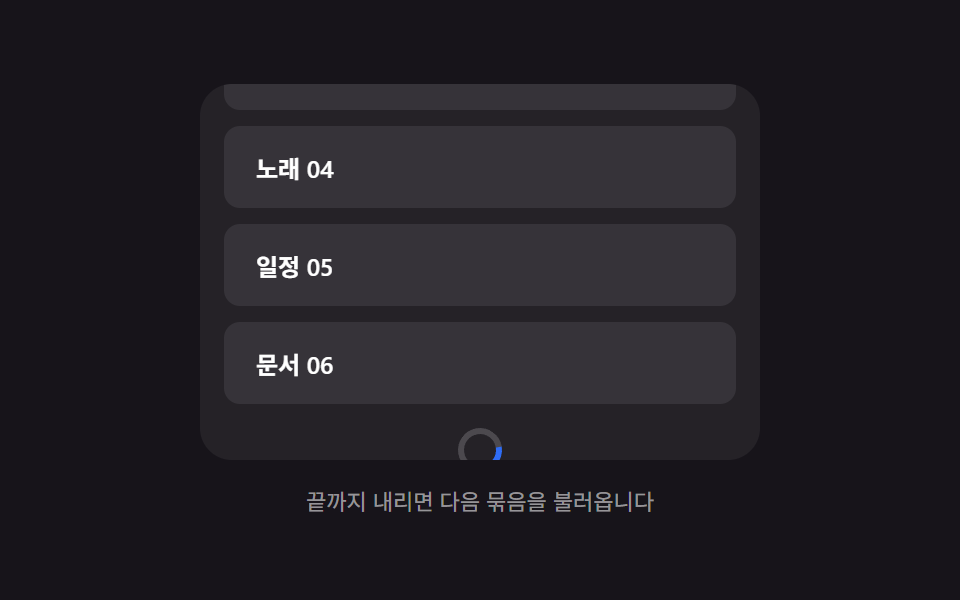 01 infinite-load-bottom-spinner-fade
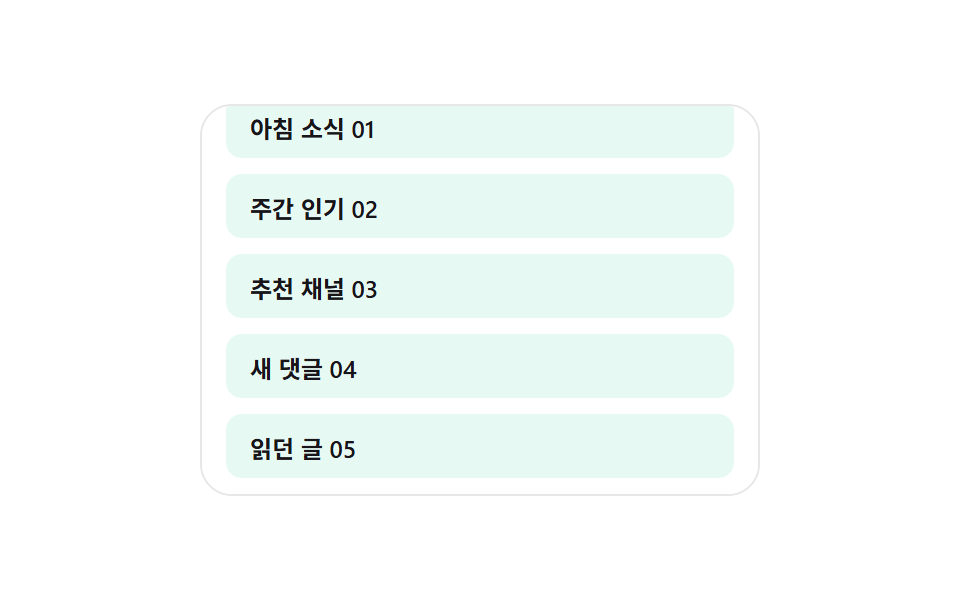 02 infinite-load-skeleton-row-append
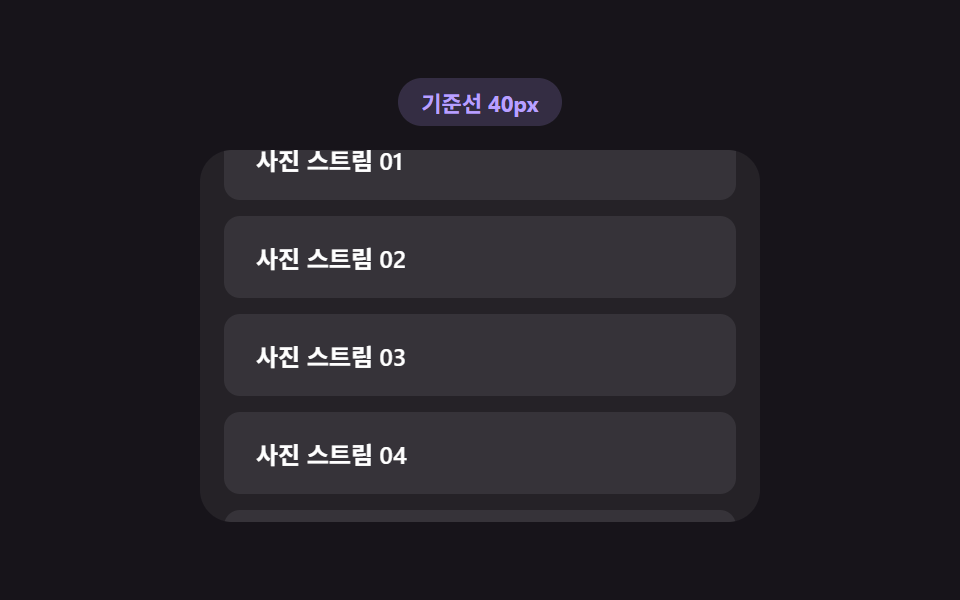 03 infinite-load-trigger-threshold
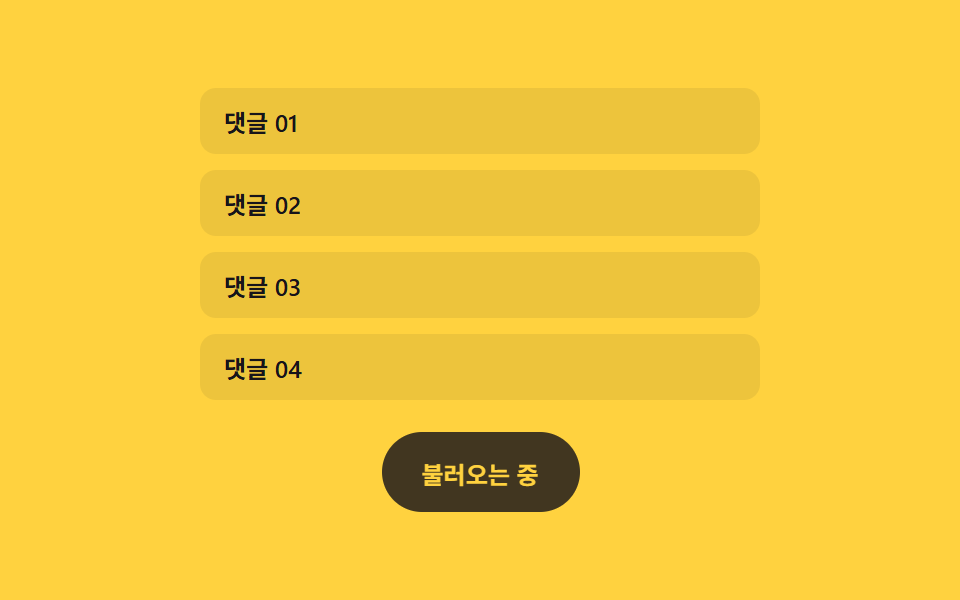 04 infinite-load-more-button-morph
 05 infinite-load-duplicate-guard
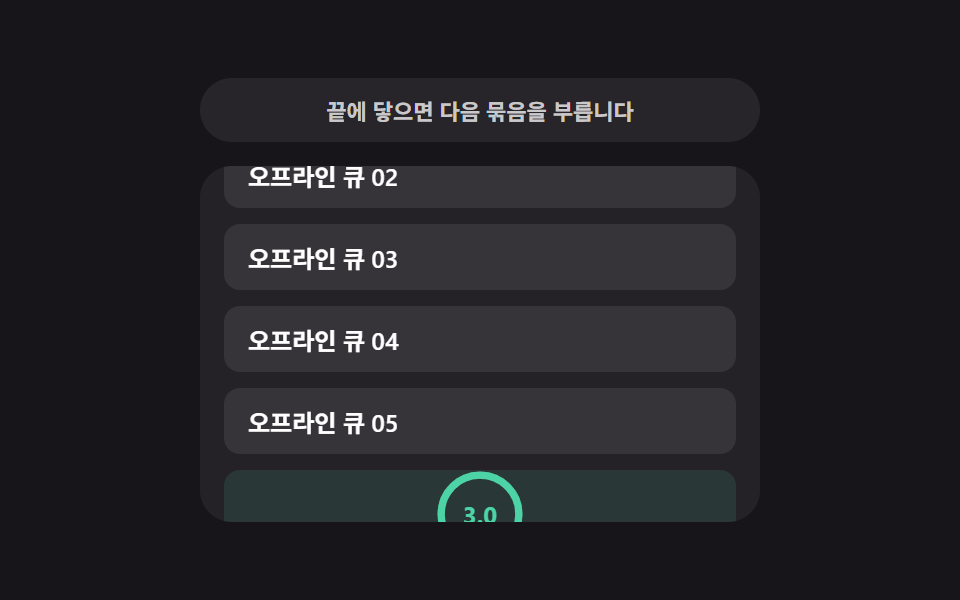
 06 infinite-load-end-message-reveal
 07 infinite-load-anchor-scroll-preserve
 08 infinite-load-virtual-window-recalc
 09 infinite-load-retry-countdown
자동 재생 · 눌러서 해당 항목으로 · 전부 한 zip
- 01 하단 스피너 페이드 — 남은 스크롤 거리 값으로 투명도를 계산하는 로딩 표시
- 02 스켈레톤 행 이어붙이기 — 뷰포트 높이 값으로 미리보기 행 개수를 계산하는 목록
- 03 로딩 시작 기준선 — 스크롤 속도 값으로 미리 당겨 시작하는 지점을 계산하는 목록
- 04 더 보기 버튼 모핑 — 남은 항목 값에 따라 너비가 바뀌는 버튼
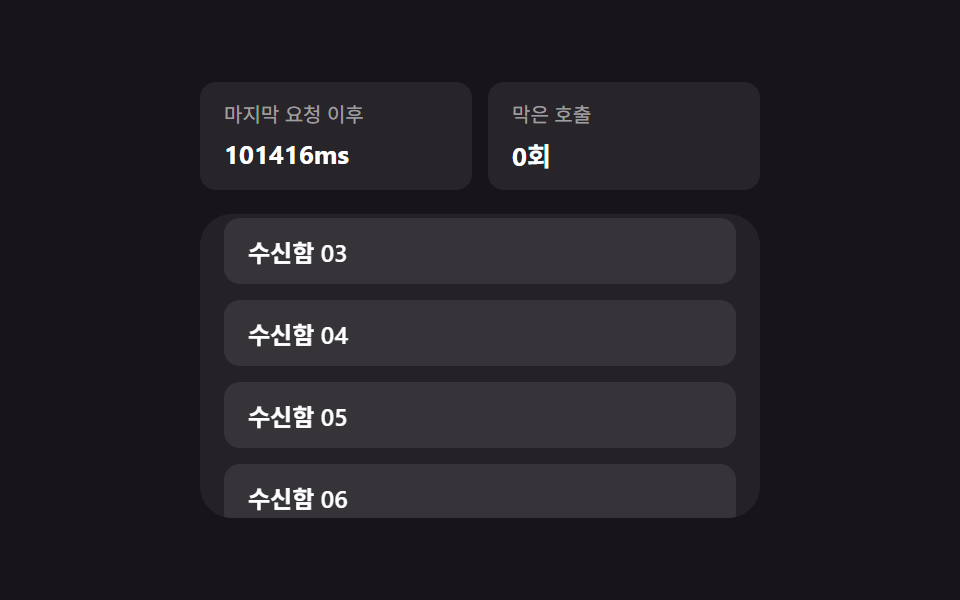
- 05 중복 호출 방지 — 마지막 요청 시각 값으로 다음 호출을 막는 목록
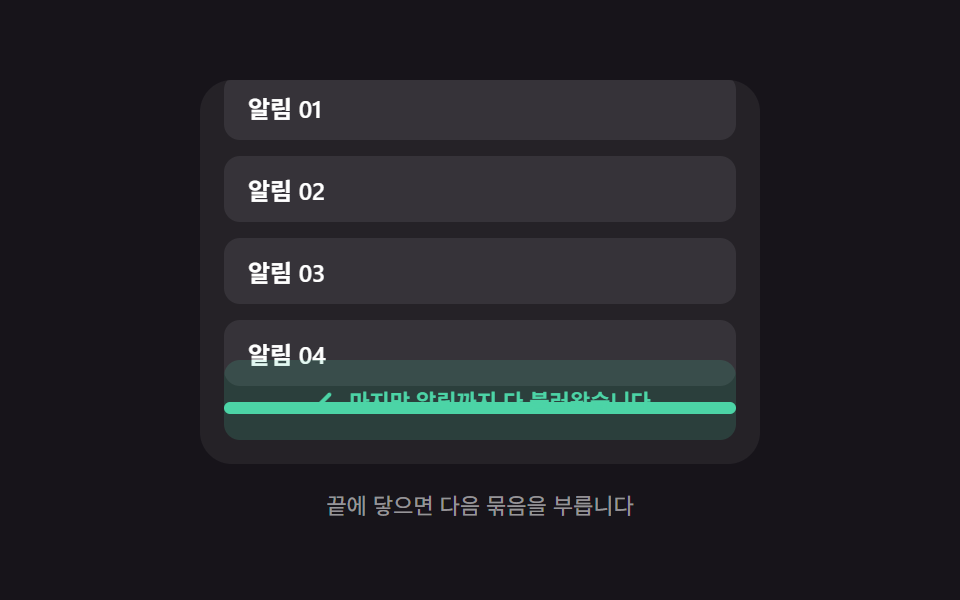
- 06 끝 도달 안내 — 남은 항목 값이 0이 된 순간 나타나는 메시지
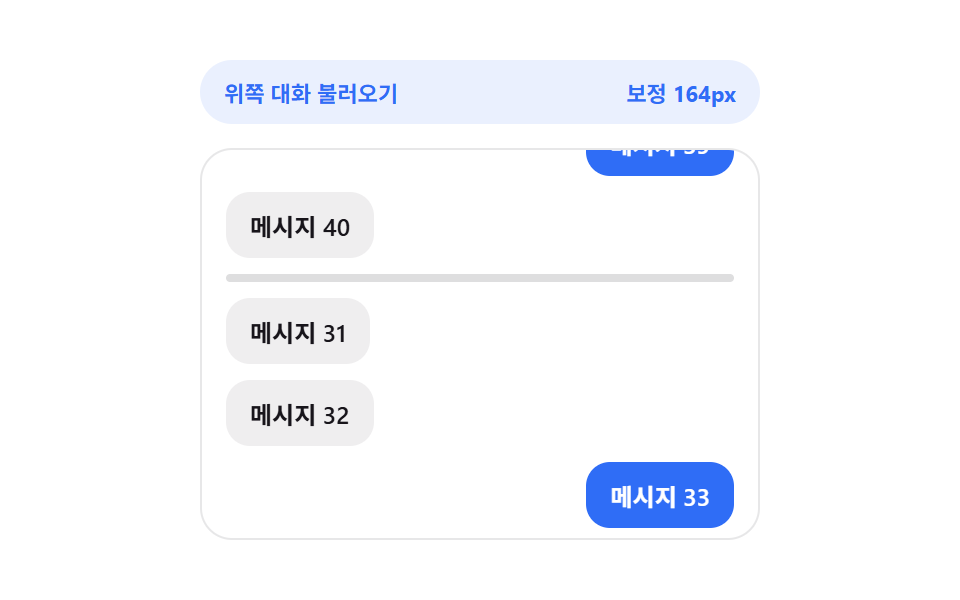
- 07 스크롤 위치 고정 — 위로 이어붙인 높이 값만큼 보정하는 목록
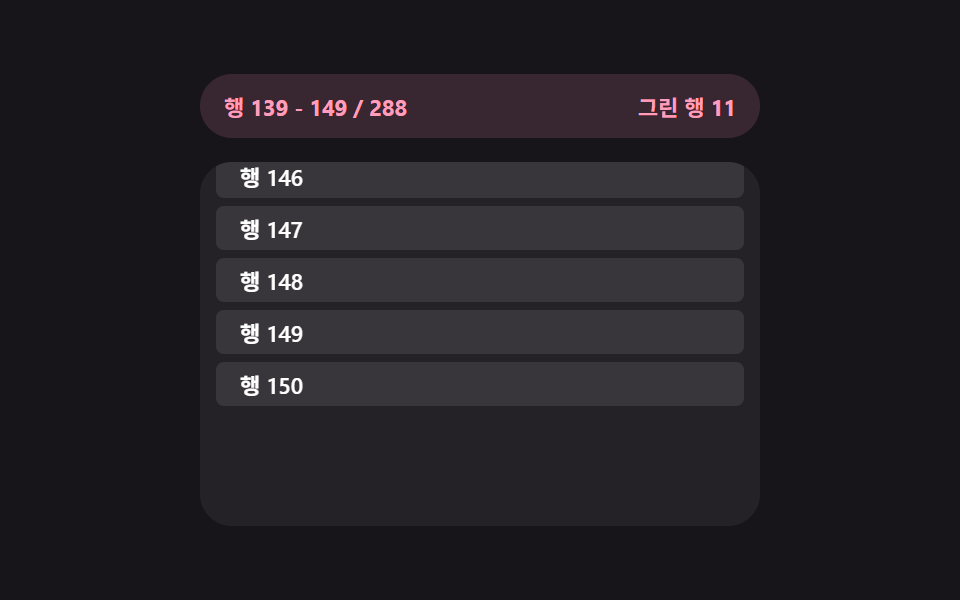
- 08 가상 윈도우 재계산 — 보이는 범위 인덱스 값만 그리는 목록
- 09 실패 재시도 카운트다운 — 대기 시간 값이 줄어드는 만큼 다시 시도하는 목록
버튼·로딩 같은 낱개 컴포넌트와 달리 이 아홉 개는 화면 어딘가에서 이미 흔히 보이는 조각인데도, 목록 UI를 처음 만들 때 참고할 실측 값은 잘 안 보입니다. 아래 표는 아홉 패턴이 화면을 실제로 얼마나 흔들었는지 잰 값이고, 값이 거리·속도로 다음 요청 시점을 정하는 것(01·03·05) → 범위·위치 값을 다시 구해 화면을 고쳐 그리는 것(02·07·08) → 남은 개수 값이 0에 닿아 상태가 확정되는 것(04·06·09) 순으로 묶었습니다.
무한 스크롤 로딩 패턴 아홉 개의 해부 — 값이 언제 다시 계산되는가
실측 한눈에
| 항목 | 초점 | 누적면적 % | 강도 평균 | 움직인 프레임 |
|---|---|---|---|---|
| 01 하단 스피너 페이드 | 남은 스크롤 거리 값 → 투명도 재계산 | 33.37 | 33.9 | 23/23 |
| 02 스켈레톤 행 이어붙이기 | 뷰포트 높이 값 → 미리보기 행 개수 계산 | 34.22 | 42.1 | 21/23 |
| 03 로딩 시작 기준선 | 스크롤 속도 값 → 임계 거리 재계산 | 33.02 | 48.8 | 23/23 |
| 04 더 보기 버튼 모핑 | 남은 항목 값 → 버튼 너비 재계산 | 2.63 | 70.7 | 10/23 |
| 05 중복 호출 방지 | 마지막 요청 시각 값 → 다음 호출 차단 | 27.36 | 46.1 | 23/23 |
| 06 끝 도달 안내 | 남은 항목 값 0 확정 → 안내 등장 | 33.58 | 39.6 | 21/23 |
| 07 스크롤 위치 고정 | 늘어난 높이 값 → 스크롤 위치 보정 | 23.70 | 86.3 | 21/23 |
| 08 가상 윈도우 재계산 | 스크롤 위치 값 → 보이는 인덱스 범위 재계산 | 33.79 | 43.9 | 23/23 |
| 09 실패 재시도 카운트다운 | 대기 시간 값 → 재시도 트리거 | 31.31 | 72.1 | 23/23 |
04 는 버튼 하나만 모양이 바뀌는 화면이라 누적면적이 9종 중 가장 작은 2.63%이고, 02 는 행 전체가 스켈레톤으로 깜빡이며 늘어나 34.22%로 가장 큽니다 — 둘 다 계산 대상 자체의 크기 차이일 뿐, 04 가 덜 계산된 게 아닙니다. 강도 평균은 07 이 86.3 으로 가장 높아 채팅 말풍선이 위로 밀리며 배경과 뚜렷하게 갈리는 픽셀 값을 만든다는 뜻이고, 01 은 33.9 로 가장 낮아 반투명 스피너의 인접 색 차이가 완만하다는 뜻입니다. 움직인 프레임이 04 만 10/23 으로 낮은 건 버튼 너비가 목표 값에 lerp 로 빠르게 수렴한 뒤 정지해서이지, 나머지 여덟 개처럼 계속 값을 흘리는 구조가 아니기 때문입니다.
거리·속도 값을 계산해 언제 부를지 정하는 축 — 01·03·05
이 셋은 클릭이 아니라 스크롤 위치·속도·시각 값을 계산해 다음 요청을 부를 시점을 정합니다. 01 은 recomputeFade()가 스피너와 스크롤 뷰 하단 사이의 실측 거리를 THRESHOLD_PX로 나눠 0~1 진행값을 만들고 그 값을 그대로 불투명도로 씁니다. 03 은 recomputeThreshold()가 이번 스크롤과 지난 스크롤 사이의 이동 거리를 걸린 시간으로 나눠 속도를 구한 뒤, 그 속도에 비례해 기준선 거리(threshold)를 다시 계산합니다. 05 는 tryRequest()가 마지막 요청 시각과 지금 시각의 차이(since)를 계산해 COOLDOWN_MS보다 작은 동안은 요청을 걸지 않고 막은 횟수만 셉니다.
범위·위치 값을 다시 구해 화면을 고쳐 그리는 축 — 02·07·08
이 셋은 값이 바뀔 때마다 이미 그려진 화면 자체를 다시 고칩니다. 02 는 skeletonCountFor()가 남은 화면 높이 값을 행 하나의 높이(ROW_H)로 나눠 미리 보여줄 스켈레톤 개수를 정합니다. 07 은 loadOlder()가 위쪽 묶음이 붙기 직전과 직후의 scrollHeight 차이(added)를 구해 그만큼을 scrollTop에 더해 보던 화면이 밀려 보이지 않게 합니다. 08 은 renderWindow()가 scrollTop 값으로 지금 보이는 인덱스 범위(start~end)를 다시 구해 그 범위 밖의 행은 DOM에서 아예 지웁니다.
남은 개수 값이 0에 닿아 상태가 확정되는 축 — 04·06·09
이 셋은 남은 값이 줄다가 특정 지점에 닿는 순간 상태가 바뀝니다. 04 는 press()가 remaining을 깎다가 0이 되면 done을 확정해 버튼을 비활성으로 바꾸고, 그 전까지는 morphTo()가 남은 개수 값에 맞춰 라벨과 목표 너비를 다시 구합니다. 06 은 recompute()가 exhausted 값이 한 번 참이 되면 화면 끝에 닿아도 다시 계산을 실행하지 않습니다. 09 는 runCountdown()이 실패 뒤 대기 시간 값을 매 프레임 다시 계산하다가 그 값이 0이 되면 같은 요청을 자동으로 다시 보냅니다.
패턴별 코드
01하단 스피너 페이드 — 남은 스크롤 거리 값으로 투명도를 계산하는 로딩 표시
목록 끝에 가까워진 상태가 되면 남은 스크롤 거리 값을 기준으로 투명도 값을 다시 계산해 로딩 표시가 점점 짙어지고, 새 항목이 도착한 상태가 되면 그 값이 다시 0으로 줄어듭니다. SNS 피드 하단, 상품 목록 페이지에 붙이기 좋은 형태입니다.
남은 거리 값이 임계 거리 안에 들어오는 순간 다시 도는 계산
  function recomputeFade() {
    var viewBottom = view.getBoundingClientRect().bottom;
    var sentinelTop = sentinel.getBoundingClientRect().top;
    var remaining = sentinelTop - viewBottom;
    var progress = 1 - Math.min(Math.max(remaining / THRESHOLD_PX, 0), 1);
    ring.style.opacity = String(progress);
    if (remaining <= 0 && !loading && rowCount < MAX_ROWS) {
      startLoad();
    }
    hint.textContent = (remaining <= 0 && rowCount >= MAX_ROWS)
      ? '더 내리면 처음으로 되돌아갑니다'
      : '끝까지 내리면 다음 묶음을 불러옵니다';
  }
<main class="stage">
<div class="bsf is-demo" id="bsf">
  <div class="bsf__view" id="bsfView" tabindex="0">
    <ul class="bsf__track" id="bsfTrack" aria-live="polite">
      <li class="bsf__sentinel" id="bsfSentinel" aria-hidden="true">
        <span class="bsf__ring" id="bsfRing"></span>
      </li>
    </ul>
  </div>
  <p class="bsf__hint" id="bsfHint">끝까지 내리면 다음 묶음을 불러옵니다</p>
</div>
</main>
@use "../../../../site/static/demo-tokens" as *;
// 하단 스피너 페이드 — 스피너 불투명도는 표시 시간이 아니라 남은 스크롤 거리 값에서 매번
// 다시 계산된다(recomputeFade). 회전 각도도 CSS 키프레임이 아니라 rAF 로 매 틱 계산해 더한다.
$duration: $dur-base;
$easing: $ease-spring;
$color: $subject-blue;
@include stage($stage-ink);
.bsf {
display: flex;
flex-direction: column;
align-items: center;
gap: $sp-3;
width: min(100%, 280px);
}
.bsf__view {
position: relative;
box-sizing: border-box;
width: 100%;
height: 188px;
overflow-y: auto;
overflow-x: hidden;
border-radius: $r-card;
background: rgba(255, 255, 255, .06);
padding: $sp-3;
scrollbar-width: thin;
}
.bsf__track {
list-style: none;
margin: 0;
padding: 0 0 $sp-12;
display: flex;
flex-direction: column;
gap: $sp-2;
}
.bsf__row {
box-sizing: border-box;
padding: $sp-3 $sp-4;
border-radius: $r-sm;
background: rgba(255, 255, 255, .08);
color: $stage-paper;
font-weight: 600;
font-size: 12px;
}
.bsf__sentinel {
display: flex;
justify-content: center;
align-items: center;
height: 30px;
pointer-events: none;
}
.bsf__ring {
display: block;
width: 22px;
height: 22px;
opacity: 0;
border-radius: $r-pill;
border: 3px solid rgba(255, 255, 255, .18);
border-top-color: $color;
box-sizing: border-box;
}
.bsf__hint {
margin: 0;
font-size: 11px;
color: rgba(255, 255, 255, .55);
text-align: center;
}
@media (max-width: 340px) {
.bsf { gap: $sp-1; }
.bsf__view { height: 90px; }
.bsf__row { padding: $sp-2 $sp-3; font-size: 11px; }
}
@media (prefers-reduced-motion: reduce) {
.bsf__ring { animation: none !important; }
}html, body {
margin: 0;
overflow: hidden;
}
.stage {
box-sizing: border-box;
min-height: 100vh;
display: grid;
place-items: center;
margin: 0;
background: #17141a;
font-family: -apple-system, "Segoe UI", "Noto Sans KR", sans-serif;
padding: clamp(8px, 4vw, 24px);
}
.bsf {
display: flex;
flex-direction: column;
align-items: center;
gap: 12px;
width: min(100%, 280px);
}
.bsf__view {
position: relative;
box-sizing: border-box;
width: 100%;
height: 188px;
overflow-y: auto;
overflow-x: hidden;
border-radius: 16px;
background: rgba(255, 255, 255, 0.06);
padding: 12px;
scrollbar-width: thin;
}
.bsf__track {
list-style: none;
margin: 0;
padding: 0 0 48px;
display: flex;
flex-direction: column;
gap: 8px;
}
.bsf__row {
box-sizing: border-box;
padding: 12px 16px;
border-radius: 8px;
background: rgba(255, 255, 255, 0.08);
color: #ffffff;
font-weight: 600;
font-size: 12px;
}
.bsf__sentinel {
display: flex;
justify-content: center;
align-items: center;
height: 30px;
pointer-events: none;
}
.bsf__ring {
display: block;
width: 22px;
height: 22px;
opacity: 0;
border-radius: 999px;
border: 3px solid rgba(255, 255, 255, 0.18);
border-top-color: #2f6df6;
box-sizing: border-box;
}
.bsf__hint {
margin: 0;
font-size: 11px;
color: rgba(255, 255, 255, 0.55);
text-align: center;
}
@media (max-width: 340px) {
.bsf {
gap: 4px;
}
.bsf__view {
height: 90px;
}
.bsf__row {
padding: 8px 12px;
font-size: 11px;
}
}
@media (prefers-reduced-motion: reduce) {
.bsf__ring {
animation: none !important;
}
}(function () {
var view = document.getElementById('bsfView');
var track = document.getElementById('bsfTrack');
var sentinel = document.getElementById('bsfSentinel');
var ring = document.getElementById('bsfRing');
var hint = document.getElementById('bsfHint');
var root = document.getElementById('bsf');
var TOPICS = ['알림', '메모', '사진', '노래', '일정', '문서'];
var THRESHOLD_PX = 96; // 계산에 쓰는 임계 거리(스피너가 서서히 짙어지는 구간의 폭)
var LOAD_DELAY_MS = 620;
var BATCH_SIZE = 3;
var MAX_ROWS = 21;
var AUTOPLAY_STEP_PX = 6;
var rowCount = 0;
var loading = false;
var spinAngle = 0;
var spinRaf = null;
var autoplayTimer = null;
var dir = 1;
function addRow() {
var li = document.createElement('li');
li.className = 'bsf__row';
var topic = TOPICS[rowCount % TOPICS.length];
li.textContent = topic + ' ' + String(rowCount + 1).padStart(2, '0');
track.insertBefore(li, sentinel);
rowCount += 1;
}
for (var i = 0; i < 6; i += 1) { addRow(); }
function spinTick() {
spinAngle = (spinAngle + 9) % 360;
ring.style.transform = 'rotate(' + spinAngle + 'deg)';
if (loading) { spinRaf = requestAnimationFrame(spinTick); }
}
// 계산 겹: 스피너(sentinel) 상단과 스크롤 뷰 하단 사이의 실측 거리 값을 임계 거리로 나눠
// 0~1 진행값을 만들고, 그 값을 그대로 스피너 불투명도로 쓴다 — scrollTop 이 아니라
// getBoundingClientRect 로 잰 실제 화면 위 거리이므로 패딩·보더가 바뀌어도 계산이 맞는다.
function recomputeFade() {
var viewBottom = view.getBoundingClientRect().bottom;
var sentinelTop = sentinel.getBoundingClientRect().top;
var remaining = sentinelTop - viewBottom;
var progress = 1 - Math.min(Math.max(remaining / THRESHOLD_PX, 0), 1);
ring.style.opacity = String(progress);
if (remaining <= 0 && !loading && rowCount < MAX_ROWS) {
startLoad();
}
hint.textContent = (remaining <= 0 && rowCount >= MAX_ROWS)
? '더 내리면 처음으로 되돌아갑니다'
: '끝까지 내리면 다음 묶음을 불러옵니다';
}
function startLoad() {
loading = true;
spinRaf = requestAnimationFrame(spinTick);
setTimeout(function () {
for (var n = 0; n < BATCH_SIZE && rowCount < MAX_ROWS; n += 1) { addRow(); }
loading = false;
cancelAnimationFrame(spinRaf);
recomputeFade();
}, LOAD_DELAY_MS);
}
view.addEventListener('scroll', recomputeFade);
function userTakesOver() {
if (!root.classList.contains('is-demo')) { return; }
root.classList.remove('is-demo');
stopAutoplay();
}
view.addEventListener('wheel', userTakesOver, { passive: true });
view.addEventListener('touchstart', userTakesOver, { passive: true });
function autoplayTick() {
var max = view.scrollHeight - view.clientHeight;
if (rowCount >= MAX_ROWS && view.scrollTop >= max - 1 && dir !== 0) {
dir = 0;
setTimeout(function () {
while (track.firstChild !== sentinel) { track.removeChild(track.firstChild); }
rowCount = 0;
for (var i = 0; i < 6; i += 1) { addRow(); }
view.scrollTop = 0;
dir = 1;
recomputeFade();
}, 500);
return;
}
if (dir === 0) { return; }
view.scrollTop = Math.min(view.scrollTop + AUTOPLAY_STEP_PX * dir, max);
recomputeFade();
}
function stopAutoplay() {
if (autoplayTimer) { clearInterval(autoplayTimer); autoplayTimer = null; }
}
var reduce = window.matchMedia('(prefers-reduced-motion: reduce)').matches;
if (!reduce) {
autoplayTimer = setInterval(autoplayTick, 60);
}
recomputeFade();
})();import { useEffect, useRef, useState, useCallback } from "react";
import type { ReactNode } from "react";
import styles from "./BottomSpinnerFade.module.scss";
// 하단 스피너 페이드 — 스피너 불투명도는 남은 스크롤 거리 값에서 매번 다시 계산된다.
// 계산 겹: getBoundingClientRect 로 잰 sentinel 상단-뷰 하단 거리를 임계 거리로 나눠 0~1 진행값.
const TOPICS = ["알림", "메모", "사진", "노래", "일정", "문서"];
const THRESHOLD_PX = 96;
const LOAD_DELAY_MS = 620;
const BATCH_SIZE = 3;
const MAX_ROWS = 21;
const AUTOPLAY_STEP_PX = 6;
type Spin = { angle: number };
export default function BottomSpinnerFade() {
const rootRef = useRef<HTMLDivElement>(null);
const viewRef = useRef<HTMLDivElement>(null);
const trackRef = useRef<HTMLUListElement>(null);
const sentinelRef = useRef<HTMLLIElement>(null);
const ringRef = useRef<HTMLSpanElement>(null);
const [rowCount, setRowCount] = useState(6);
const [hint, setHint] = useState("끝까지 내리면 다음 묶음을 불러옵니다");
const loadingRef = useRef(false);
const spinRef = useRef<Spin>({ angle: 0 });
const spinRafRef = useRef<number | null>(null);
const rowCountRef = useRef(6);
rowCountRef.current = rowCount;
const dirRef = useRef(1);
const autoplayRef = useRef<number | null>(null);
const addRows = useCallback((count: number) => {
setRowCount((prev) => Math.min(prev + count, MAX_ROWS));
}, []);
const spinTick = useCallback(() => {
const spin = spinRef.current ?? { angle: 0 };
spin.angle = (spin.angle + 9) % 360;
if (ringRef.current) {
ringRef.current.style.transform = `rotate(${spin.angle}deg)`;
}
if (loadingRef.current) {
spinRafRef.current = window.requestAnimationFrame(spinTick);
}
}, []);
// 계산 겹: 남은 스크롤 거리 값을 임계 거리로 나눠 0~1 진행값을 만들고 그 값을
// 스피너 불투명도로 그대로 쓴다 — 표시 시간이 아니라 거리 값 하나로 짙기가 정해진다.
const recomputeFade = useCallback(() => {
const view = viewRef.current;
const sentinel = sentinelRef.current;
const ring = ringRef.current;
if (!view || !sentinel || !ring) { return; }
const viewBottom = view.getBoundingClientRect().bottom;
const sentinelTop = sentinel.getBoundingClientRect().top;
const remaining = sentinelTop - viewBottom;
const progress = 1 - Math.min(Math.max(remaining / THRESHOLD_PX, 0), 1);
ring.style.opacity = String(progress);
const count = rowCountRef.current ?? 0;
setHint(remaining <= 0 && count >= MAX_ROWS
? "더 내리면 처음으로 되돌아갑니다"
: "끝까지 내리면 다음 묶음을 불러옵니다");
if (remaining <= 0 && !loadingRef.current && count < MAX_ROWS) {
loadingRef.current = true;
spinRafRef.current = window.requestAnimationFrame(spinTick);
window.setTimeout(() => {
addRows(BATCH_SIZE);
loadingRef.current = false;
if (spinRafRef.current !== null) { window.cancelAnimationFrame(spinRafRef.current); }
}, LOAD_DELAY_MS);
}
}, [addRows, spinTick]);
useEffect(() => {
const view = viewRef.current;
if (!view) { return; }
const onScroll = () => recomputeFade();
view.addEventListener("scroll", onScroll);
const takeover = () => {
rootRef.current?.classList.remove(styles["is-demo"]);
if (autoplayRef.current !== null) { window.clearInterval(autoplayRef.current); }
};
view.addEventListener("wheel", takeover, { passive: true });
view.addEventListener("touchstart", takeover, { passive: true });
const reduce = window.matchMedia("(prefers-reduced-motion: reduce)").matches;
if (!reduce) {
autoplayRef.current = window.setInterval(() => {
const v = viewRef.current;
if (!v) { return; }
const max = v.scrollHeight - v.clientHeight;
const count = rowCountRef.current ?? 0;
if (count >= MAX_ROWS && v.scrollTop >= max - 1 && dirRef.current !== 0) {
dirRef.current = 0;
window.setTimeout(() => {
setRowCount(6);
v.scrollTop = 0;
dirRef.current = 1;
recomputeFade();
}, 500);
return;
}
if (dirRef.current === 0) { return; }
v.scrollTop = Math.min(v.scrollTop + AUTOPLAY_STEP_PX, max);
recomputeFade();
}, 60);
}
recomputeFade();
return () => {
view.removeEventListener("scroll", onScroll);
view.removeEventListener("wheel", takeover);
view.removeEventListener("touchstart", takeover);
if (autoplayRef.current !== null) { window.clearInterval(autoplayRef.current); }
if (spinRafRef.current !== null) { window.cancelAnimationFrame(spinRafRef.current); }
};
}, [recomputeFade]);
const rows: ReactNode[] = [];
for (let i = 0; i < rowCount; i += 1) {
rows.push(
<li key={i} className={styles["bsf__row"]}>
{TOPICS[i % TOPICS.length]} {String(i + 1).padStart(2, "0")}
</li>
);
}
return (
<main className={styles.stage}>
<div ref={rootRef} className={`${styles.bsf} ${styles["is-demo"]}`} id="bsf">
<div ref={viewRef} className={styles["bsf__view"]} tabIndex={0}>
<ul ref={trackRef} className={styles["bsf__track"]} aria-live="polite">
{rows}
<li ref={sentinelRef} className={styles["bsf__sentinel"]} aria-hidden="true">
<span ref={ringRef} className={styles["bsf__ring"]} />
</li>
</ul>
</div>
<p className={styles["bsf__hint"]}>{hint}</p>
</div>
</main>
);
}01 · 하단 스피너 페이드 — 남은 스크롤 거리 값으로 투명도를 계산하는 로딩 표시 — 측정 누적면적 33.365% · 움직인 프레임 23/23GODRICH 원작 · zip 에 SCSS·React 포함 · 비밀번호 보기
02스켈레톤 행 이어붙이기 — 뷰포트 높이 값으로 미리보기 행 개수를 계산하는 목록
다음 목록을 불러오는 상태가 되면 남은 화면 높이 값을 한 행의 높이 값으로 나눠 미리 보여줄 행 개수를 계산하고, 실제 데이터가 도착한 상태가 되면 그 개수만큼의 자리가 내용으로 바뀝니다. 뉴스 피드, 이미지 갤러리 그리드에 무한 스크롤 구현을 넣을 때 자주 보이는 형태입니다.
남은 화면 높이 값을 행 높이 값으로 나눠 미리보기 개수를 정하는 계산
  // 계산 겹: 지금 남아 있는 화면 높이 값을 행 하나의 높이 값으로 나눠 미리 보여줄
  // 스켈레톤 행 개수를 구한다 — 화면이 클수록, 스크롤 여유가 클수록 더 많이 깜빡인다.
  function skeletonCountFor() {
    var remainingViewport = view.getBoundingClientRect().bottom - sentinel.getBoundingClientRect().top;
    var visible = Math.max(remainingViewport, view.clientHeight);
    return Math.max(2, Math.ceil(visible / ROW_H));
  }
<main class="stage">
<div class="sra is-demo" id="sra">
  <div class="sra__view" id="sraView">
    <ul class="sra__track" id="sraTrack" aria-busy="false">
      <li class="sra__sentinel" id="sraSentinel" aria-hidden="true"></li>
    </ul>
  </div>
</div>
</main>
@use "../../../../site/static/demo-tokens" as *;
// 스켈레톤 행 이어붙이기 — 스켈레톤 개수는 skeletonCountFor() 가 실측 여백 높이 값을
// 행 높이 값으로 나눠 매번 다시 정한다. 도착하면 같은 자리(replaceChild)에 실제 내용이 앉는다.
$duration: $dur-base;
$easing: $ease-out;
$color: $subject-mint;
@include stage($stage-paper);
.sra {
width: min(100%, 280px);
}
.sra__view {
box-sizing: border-box;
width: 100%;
height: 196px;
overflow-y: auto;
overflow-x: hidden;
border-radius: $r-card;
border: 1px solid rgba(23, 20, 26, .1);
background: $stage-paper;
padding: $sp-3;
scrollbar-width: thin;
}
.sra__track {
list-style: none;
margin: 0;
padding: 0;
display: flex;
flex-direction: column;
gap: $sp-2;
}
.sra__row {
box-sizing: border-box;
height: 32px;
display: flex;
align-items: center;
padding: 0 $sp-3;
border-radius: $r-sm;
background: rgba(76, 212, 166, .14);
color: $subject-ink;
font-weight: 600;
font-size: 12px;
}
.sra__row--skeleton {
background: linear-gradient(
100deg,
rgba(23, 20, 26, .07) 30%,
rgba(23, 20, 26, .14) 45%,
rgba(23, 20, 26, .07) 60%
);
background-size: 240% 100%;
animation: sraShimmer 1.1s ease-in-out infinite;
animation-delay: calc(var(--stagger, 0) * -120ms);
}
.sra__sentinel {
height: 1px;
}
@keyframes sraShimmer {
0% { background-position: 120% 0; }
100% { background-position: -20% 0; }
}
@media (max-width: 340px) {
.sra__view { height: 168px; }
.sra__row { height: 28px; font-size: 11px; }
}
@media (prefers-reduced-motion: reduce) {
.sra__row--skeleton { animation: none !important; }
}html, body {
margin: 0;
overflow: hidden;
}
.stage {
box-sizing: border-box;
min-height: 100vh;
display: grid;
place-items: center;
margin: 0;
background: #ffffff;
font-family: -apple-system, "Segoe UI", "Noto Sans KR", sans-serif;
padding: clamp(8px, 4vw, 24px);
}
.sra {
width: min(100%, 280px);
}
.sra__view {
box-sizing: border-box;
width: 100%;
height: 196px;
overflow-y: auto;
overflow-x: hidden;
border-radius: 16px;
border: 1px solid rgba(23, 20, 26, 0.1);
background: #ffffff;
padding: 12px;
scrollbar-width: thin;
}
.sra__track {
list-style: none;
margin: 0;
padding: 0;
display: flex;
flex-direction: column;
gap: 8px;
}
.sra__row {
box-sizing: border-box;
height: 32px;
display: flex;
align-items: center;
padding: 0 12px;
border-radius: 8px;
background: rgba(76, 212, 166, 0.14);
color: #17141a;
font-weight: 600;
font-size: 12px;
}
.sra__row--skeleton {
background: linear-gradient(100deg, rgba(23, 20, 26, 0.07) 30%, rgba(23, 20, 26, 0.14) 45%, rgba(23, 20, 26, 0.07) 60%);
background-size: 240% 100%;
animation: sraShimmer 1.1s ease-in-out infinite;
animation-delay: calc(var(--stagger, 0) * -120ms);
}
.sra__sentinel {
height: 1px;
}
@keyframes sraShimmer {
0% {
background-position: 120% 0;
}
100% {
background-position: -20% 0;
}
}
@media (max-width: 340px) {
.sra__view {
height: 168px;
}
.sra__row {
height: 28px;
font-size: 11px;
}
}
@media (prefers-reduced-motion: reduce) {
.sra__row--skeleton {
animation: none !important;
}
}(function () {
var view = document.getElementById('sraView');
var track = document.getElementById('sraTrack');
var sentinel = document.getElementById('sraSentinel');
var root = document.getElementById('sra');
var ROW_H = 40; // 행 하나의 높이 값 — 미리보기 행 개수 계산의 분모
var TITLES = ['아침 소식', '주간 인기', '추천 채널', '새 댓글', '읽던 글', '북마크'];
var LOAD_DELAY_MS = 680;
var MAX_BATCHES = 4;
var rowSeq = 0;
var batches = 0;
var loading = false;
var dir = 1;
var autoplayTimer = null;
function realRow(n) {
var li = document.createElement('li');
li.className = 'sra__row';
li.textContent = TITLES[n % TITLES.length] + ' ' + String(n + 1).padStart(2, '0');
return li;
}
function fillInitial() {
var need = Math.ceil(view.clientHeight / ROW_H);
for (var i = 0; i < need; i += 1) {
track.insertBefore(realRow(rowSeq), sentinel);
rowSeq += 1;
}
}
fillInitial();
// 계산 겹: 지금 남아 있는 화면 높이 값을 행 하나의 높이 값으로 나눠 미리 보여줄
// 스켈레톤 행 개수를 구한다 — 화면이 클수록, 스크롤 여유가 클수록 더 많이 깜빡인다.
function skeletonCountFor() {
var remainingViewport = view.getBoundingClientRect().bottom - sentinel.getBoundingClientRect().top;
var visible = Math.max(remainingViewport, view.clientHeight);
return Math.max(2, Math.ceil(visible / ROW_H));
}
function startLoad() {
if (loading || batches >= MAX_BATCHES) { return; }
loading = true;
track.setAttribute('aria-busy', 'true');
var count = skeletonCountFor();
var skeletons = [];
for (var i = 0; i < count; i += 1) {
var li = document.createElement('li');
li.className = 'sra__row sra__row--skeleton';
li.style.setProperty('--stagger', String(i));
track.insertBefore(li, sentinel);
skeletons.push(li);
}
setTimeout(function () {
skeletons.forEach(function (sk, i) {
var real = realRow(rowSeq);
rowSeq += 1;
track.replaceChild(real, sk);
});
loading = false;
batches += 1;
track.setAttribute('aria-busy', 'false');
recompute();
}, LOAD_DELAY_MS);
}
function recompute() {
var remaining = sentinel.getBoundingClientRect().top - view.getBoundingClientRect().bottom;
if (remaining <= 24 && !loading) { startLoad(); }
}
view.addEventListener('scroll', recompute);
function userTakesOver() {
if (!root.classList.contains('is-demo')) { return; }
root.classList.remove('is-demo');
stopAutoplay();
}
view.addEventListener('wheel', userTakesOver, { passive: true });
view.addEventListener('touchstart', userTakesOver, { passive: true });
function autoplayTick() {
var max = view.scrollHeight - view.clientHeight;
if (batches >= MAX_BATCHES && view.scrollTop >= max - 1 && dir !== 0) {
dir = 0;
setTimeout(function () {
while (track.firstChild !== sentinel) { track.removeChild(track.firstChild); }
rowSeq = 0; batches = 0;
fillInitial();
view.scrollTop = 0;
dir = 1;
}, 600);
return;
}
if (dir === 0) { return; }
view.scrollTop = Math.min(view.scrollTop + 6, max);
recompute();
}
function stopAutoplay() {
if (autoplayTimer) { clearInterval(autoplayTimer); autoplayTimer = null; }
}
var reduce = window.matchMedia('(prefers-reduced-motion: reduce)').matches;
if (!reduce) {
autoplayTimer = setInterval(autoplayTick, 60);
}
})();import { useEffect, useRef, useState, useCallback } from "react";
import type { ReactNode, CSSProperties } from "react";
import styles from "./SkeletonRowAppend.module.scss";
// 스켈레톤 행 이어붙이기 — skeletonCountFor() 가 실측 여백 높이 값을 행 높이 값으로 나눠
// 미리 보여줄 스켈레톤 행 개수를 다시 구한다. 도착하면 같은 자리에 실제 내용이 앉는다.
const ROW_H = 40;
const TITLES = ["아침 소식", "주간 인기", "추천 채널", "새 댓글", "읽던 글", "북마크"];
const LOAD_DELAY_MS = 680;
const MAX_BATCHES = 4;
export default function SkeletonRowAppend() {
const rootRef = useRef<HTMLDivElement>(null);
const viewRef = useRef<HTMLDivElement>(null);
const sentinelRef = useRef<HTMLLIElement>(null);
const [rows, setRows] = useState<string[]>([]);
const [skeletons, setSkeletons] = useState<number>(0);
const rowSeqRef = useRef(0);
const batchesRef = useRef(0);
const loadingRef = useRef(false);
const dirRef = useRef(1);
const autoplayRef = useRef<number | null>(null);
const realRow = useCallback((n: number) => {
return TITLES[n % TITLES.length] + " " + String(n + 1).padStart(2, "0");
}, []);
const fillInitial = useCallback(() => {
const view = viewRef.current;
if (!view) { return; }
const need = Math.ceil(view.clientHeight / ROW_H);
const start: string[] = [];
for (let i = 0; i < need; i += 1) {
start.push(realRow(rowSeqRef.current ?? 0));
rowSeqRef.current = (rowSeqRef.current ?? 0) + 1;
}
setRows(start);
}, [realRow]);
// 계산 겹: 지금 남아 있는 화면 높이 값을 행 하나의 높이 값으로 나눠 미리 보여줄
// 스켈레톤 행 개수를 구한다 — 화면이 클수록 더 많이 채운다.
const skeletonCountFor = useCallback(() => {
const view = viewRef.current;
const sentinel = sentinelRef.current;
if (!view || !sentinel) { return 2; }
const remainingViewport = view.getBoundingClientRect().bottom - sentinel.getBoundingClientRect().top;
const visible = Math.max(remainingViewport, view.clientHeight);
return Math.max(2, Math.ceil(visible / ROW_H));
}, []);
const recompute = useCallback(() => {
const view = viewRef.current;
const sentinel = sentinelRef.current;
if (!view || !sentinel) { return; }
const remaining = sentinel.getBoundingClientRect().top - view.getBoundingClientRect().bottom;
if (remaining <= 24 && !loadingRef.current && (batchesRef.current ?? 0) < MAX_BATCHES) {
loadingRef.current = true;
const count = skeletonCountFor();
setSkeletons(count);
window.setTimeout(() => {
setRows((prev) => {
const next = [...prev];
for (let i = 0; i < count; i += 1) {
next.push(realRow(rowSeqRef.current ?? 0));
rowSeqRef.current = (rowSeqRef.current ?? 0) + 1;
}
return next;
});
setSkeletons(0);
loadingRef.current = false;
batchesRef.current = (batchesRef.current ?? 0) + 1;
}, LOAD_DELAY_MS);
}
}, [realRow, skeletonCountFor]);
useEffect(() => {
fillInitial();
const view = viewRef.current;
if (!view) { return; }
const onScroll = () => recompute();
view.addEventListener("scroll", onScroll);
const takeover = () => {
rootRef.current?.classList.remove(styles["is-demo"]);
if (autoplayRef.current !== null) { window.clearInterval(autoplayRef.current); }
};
view.addEventListener("wheel", takeover, { passive: true });
view.addEventListener("touchstart", takeover, { passive: true });
const reduce = window.matchMedia("(prefers-reduced-motion: reduce)").matches;
if (!reduce) {
autoplayRef.current = window.setInterval(() => {
const v = viewRef.current;
if (!v) { return; }
const max = v.scrollHeight - v.clientHeight;
if ((batchesRef.current ?? 0) >= MAX_BATCHES && v.scrollTop >= max - 1 && dirRef.current !== 0) {
dirRef.current = 0;
window.setTimeout(() => {
rowSeqRef.current = 0;
batchesRef.current = 0;
fillInitial();
v.scrollTop = 0;
dirRef.current = 1;
}, 600);
return;
}
if (dirRef.current === 0) { return; }
v.scrollTop = Math.min(v.scrollTop + 6, max);
recompute();
}, 60);
}
return () => {
view.removeEventListener("scroll", onScroll);
view.removeEventListener("wheel", takeover);
view.removeEventListener("touchstart", takeover);
if (autoplayRef.current !== null) { window.clearInterval(autoplayRef.current); }
};
}, [fillInitial, recompute]);
const skeletonEls: ReactNode[] = [];
return (
<main className={styles.stage}>
<div ref={rootRef} className={`${styles.sra} ${styles["is-demo"]}`} id="sra">
<div ref={viewRef} className={styles["sra__view"]}>
<ul className={styles["sra__track"]} aria-busy={skeletons > 0}>
{rows.map((text, i) => (
<li key={"r" + i} className={styles["sra__row"]}>{text}</li>
))}
{Array.from({ length: skeletons }).map((_, i) => (
<li
key={"s" + i}
className={`${styles["sra__row"]} ${styles["sra__row--skeleton"]}`}
style={{ "--stagger": i } as CSSProperties}
/>
))}
<li ref={sentinelRef} className={styles["sra__sentinel"]} aria-hidden="true" />
</ul>
</div>
</div>
</main>
);
}02 · 스켈레톤 행 이어붙이기 — 뷰포트 높이 값으로 미리보기 행 개수를 계산하는 목록 — 측정 누적면적 34.218% · 움직인 프레임 21/23GODRICH 원작 · zip 에 SCSS·React 포함 · 비밀번호 보기
03로딩 시작 기준선 — 스크롤 속도 값으로 미리 당겨 시작하는 지점을 계산하는 목록
스크롤 속도가 빨라진 상태가 되면 화면 끝에서 시작 지점을 얼마나 당길지 값을 다시 계산해 그만큼 이르게 다음 목록을 부르고, 속도가 느려진 상태가 되면 그 값이 다시 줄어듭니다. 빠르게 훑어보는 목록형 앱, 사진 스트림에 맞는 형태입니다.
스크롤 속도 값이 커질 때마다 기준선 거리 값을 다시 늘리는 계산
  function recomputeThreshold() {
    var now = performance.now();
    var dt = Math.max(now - lastTime, 1);
    var speed = Math.abs(view.scrollTop - lastTop) / dt;
    lastTop = view.scrollTop;
    lastTime = now;
    threshold = Math.min(BASE_THRESHOLD_PX + speed * SPEED_GAIN, MAX_THRESHOLD_PX);
    badge.textContent = '기준선 ' + Math.round(threshold) + 'px';
  }
<main class="stage">
<div class="ltt is-demo" id="ltt">
  <div class="ltt__badge" id="lttBadge">기준선 40px</div>
  <div class="ltt__view" id="lttView">
    <ul class="ltt__track" id="lttTrack">
      <li class="ltt__sentinel" id="lttSentinel" aria-hidden="true">
        <span class="ltt__dot" id="lttDot"></span>
      </li>
    </ul>
  </div>
</div>
</main>
@use "../../../../site/static/demo-tokens" as *;
// 로딩 시작 기준선 — recomputeThreshold() 가 스크롤 속도(px/ms)로 기준선 거리를 다시 계산한다.
// 점(dot)은 그 기준선 안에 들어오면 armed, 실제 로드 중이면 loading 클래스로 색이 바뀐다.
$duration: $dur-quick;
$easing: $ease-out;
$color: $subject-lilac;
@include stage($stage-ink);
.ltt {
display: flex;
flex-direction: column;
align-items: center;
gap: $sp-3;
width: min(100%, 280px);
}
.ltt__badge {
padding: $sp-1 $sp-3;
border-radius: $r-pill;
background: rgba(185, 160, 255, .18);
color: $color;
font-weight: 700;
font-size: 11px;
font-variant-numeric: tabular-nums;
}
.ltt__view {
box-sizing: border-box;
width: 100%;
height: 186px;
overflow-y: auto;
overflow-x: hidden;
border-radius: $r-card;
background: rgba(255, 255, 255, .06);
padding: $sp-3;
scrollbar-width: thin;
}
.ltt__track {
list-style: none;
margin: 0;
padding: 0;
display: flex;
flex-direction: column;
gap: $sp-2;
}
.ltt__row {
box-sizing: border-box;
padding: $sp-3 $sp-4;
border-radius: $r-sm;
background: rgba(255, 255, 255, .08);
color: $stage-paper;
font-weight: 600;
font-size: 12px;
}
.ltt__sentinel {
display: flex;
justify-content: center;
height: 26px;
align-items: center;
}
.ltt__dot {
width: 10px;
height: 10px;
border-radius: 50%;
background: rgba(255, 255, 255, .2);
transition: background $duration $easing, transform $duration $easing;
}
.ltt__dot--armed {
background: $color;
transform: scale(1.3);
}
.ltt__dot--loading {
background: $subject-sky;
transform: scale(1.6);
}
@media (max-width: 340px) {
.ltt { gap: $sp-1; }
.ltt__view { height: 90px; }
.ltt__row { padding: $sp-2 $sp-3; font-size: 11px; }
}
@media (prefers-reduced-motion: reduce) {
.ltt__dot { transition: none !important; }
}html, body {
margin: 0;
overflow: hidden;
}
.stage {
box-sizing: border-box;
min-height: 100vh;
display: grid;
place-items: center;
margin: 0;
background: #17141a;
font-family: -apple-system, "Segoe UI", "Noto Sans KR", sans-serif;
padding: clamp(8px, 4vw, 24px);
}
.ltt {
display: flex;
flex-direction: column;
align-items: center;
gap: 12px;
width: min(100%, 280px);
}
.ltt__badge {
padding: 4px 12px;
border-radius: 999px;
background: rgba(185, 160, 255, 0.18);
color: #b9a0ff;
font-weight: 700;
font-size: 11px;
font-variant-numeric: tabular-nums;
}
.ltt__view {
box-sizing: border-box;
width: 100%;
height: 186px;
overflow-y: auto;
overflow-x: hidden;
border-radius: 16px;
background: rgba(255, 255, 255, 0.06);
padding: 12px;
scrollbar-width: thin;
}
.ltt__track {
list-style: none;
margin: 0;
padding: 0;
display: flex;
flex-direction: column;
gap: 8px;
}
.ltt__row {
box-sizing: border-box;
padding: 12px 16px;
border-radius: 8px;
background: rgba(255, 255, 255, 0.08);
color: #ffffff;
font-weight: 600;
font-size: 12px;
}
.ltt__sentinel {
display: flex;
justify-content: center;
height: 26px;
align-items: center;
}
.ltt__dot {
width: 10px;
height: 10px;
border-radius: 50%;
background: rgba(255, 255, 255, 0.2);
transition: background 220ms ease-out, transform 220ms ease-out;
}
.ltt__dot--armed {
background: #b9a0ff;
transform: scale(1.3);
}
.ltt__dot--loading {
background: #6ec8ff;
transform: scale(1.6);
}
@media (max-width: 340px) {
.ltt {
gap: 4px;
}
.ltt__view {
height: 90px;
}
.ltt__row {
padding: 8px 12px;
font-size: 11px;
}
}
@media (prefers-reduced-motion: reduce) {
.ltt__dot {
transition: none !important;
}
}(function () {
var view = document.getElementById('lttView');
var track = document.getElementById('lttTrack');
var sentinel = document.getElementById('lttSentinel');
var dot = document.getElementById('lttDot');
var badge = document.getElementById('lttBadge');
var root = document.getElementById('ltt');
var BASE_THRESHOLD_PX = 40;
var MAX_THRESHOLD_PX = 220;
var SPEED_GAIN = 900; // px 임계값 = BASE + 속도(px/ms) * GAIN
var LOAD_DELAY_MS = 520;
var MAX_BATCHES = 5;
var rowSeq = 0;
var batches = 0;
var loading = false;
var lastTop = 0;
var lastTime = performance.now();
var threshold = BASE_THRESHOLD_PX;
var dir = 1;
var phase = 0;
var autoplayTimer = null;
function addRow() {
var li = document.createElement('li');
li.className = 'ltt__row';
li.textContent = '사진 스트림 ' + String(rowSeq + 1).padStart(2, '0');
track.insertBefore(li, sentinel);
rowSeq += 1;
}
for (var i = 0; i < 6; i += 1) { addRow(); }
// 계산 겹: 이번 스크롤 이벤트와 지난 이벤트 사이의 이동 거리 값을 걸린 시간 값으로 나눠
// 속도(px/ms)를 구하고, 그 속도에 비례해 기준선 거리 값을 다시 계산한다 — 빠르게 훑을수록
// 화면 끝에 닿기 전에 더 일찍 다음 목록을 부른다.
function recomputeThreshold() {
var now = performance.now();
var dt = Math.max(now - lastTime, 1);
var speed = Math.abs(view.scrollTop - lastTop) / dt;
lastTop = view.scrollTop;
lastTime = now;
threshold = Math.min(BASE_THRESHOLD_PX + speed * SPEED_GAIN, MAX_THRESHOLD_PX);
badge.textContent = '기준선 ' + Math.round(threshold) + 'px';
}
function recompute() {
recomputeThreshold();
var remaining = sentinel.getBoundingClientRect().top - view.getBoundingClientRect().bottom;
dot.classList.toggle('ltt__dot--armed', remaining <= threshold);
if (remaining <= threshold && !loading && batches < MAX_BATCHES) { startLoad(); }
}
function startLoad() {
loading = true;
dot.classList.add('ltt__dot--loading');
setTimeout(function () {
for (var n = 0; n < 3; n += 1) { addRow(); }
loading = false;
batches += 1;
dot.classList.remove('ltt__dot--loading');
recompute();
}, LOAD_DELAY_MS);
}
view.addEventListener('scroll', recompute);
function userTakesOver() {
if (!root.classList.contains('is-demo')) { return; }
root.classList.remove('is-demo');
stopAutoplay();
}
view.addEventListener('wheel', userTakesOver, { passive: true });
view.addEventListener('touchstart', userTakesOver, { passive: true });
function autoplayTick() {
var max = view.scrollHeight - view.clientHeight;
if (batches >= MAX_BATCHES && view.scrollTop >= max - 1 && dir !== 0) {
dir = 0;
setTimeout(function () {
while (track.firstChild !== sentinel) { track.removeChild(track.firstChild); }
rowSeq = 0; batches = 0; phase = 0;
for (var i = 0; i < 6; i += 1) { addRow(); }
view.scrollTop = 0; lastTop = 0;
dir = 1;
}, 600);
return;
}
if (dir === 0) { return; }
phase += 1;
var step = (phase % 40 < 20) ? 2 : 14; // 느린 구간과 빠른 구간을 번갈아 속도 계산이 보이게
view.scrollTop = Math.min(view.scrollTop + step, max);
recompute();
}
function stopAutoplay() {
if (autoplayTimer) { clearInterval(autoplayTimer); autoplayTimer = null; }
}
var reduce = window.matchMedia('(prefers-reduced-motion: reduce)').matches;
if (!reduce) {
autoplayTimer = setInterval(autoplayTick, 55);
}
})();import { useEffect, useRef, useState, useCallback } from "react";
import styles from "./LoadTriggerThreshold.module.scss";
// 로딩 시작 기준선 — recomputeThreshold() 가 스크롤 속도(px/ms)로 기준선 거리를 다시 계산한다.
// 빠르게 훑을수록 화면 끝에 닿기 전에 더 일찍 다음 목록을 부른다.
const BASE_THRESHOLD_PX = 40;
const MAX_THRESHOLD_PX = 220;
const SPEED_GAIN = 900;
const LOAD_DELAY_MS = 520;
const MAX_BATCHES = 5;
export default function LoadTriggerThreshold() {
const rootRef = useRef<HTMLDivElement>(null);
const viewRef = useRef<HTMLDivElement>(null);
const sentinelRef = useRef<HTMLLIElement>(null);
const dotRef = useRef<HTMLSpanElement>(null);
const [badge, setBadge] = useState("기준선 40px");
const [rows, setRows] = useState(6);
const loadingRef = useRef(false);
const batchesRef = useRef(0);
const lastTopRef = useRef(0);
const lastTimeRef = useRef(0);
const thresholdRef = useRef(BASE_THRESHOLD_PX);
const phaseRef = useRef(0);
const dirRef = useRef(1);
const autoplayRef = useRef<number | null>(null);
// 계산 겹: 이번 스크롤 이벤트와 지난 이벤트 사이의 이동 거리 값을 걸린 시간 값으로 나눠
// 속도(px/ms)를 구하고, 그 속도에 비례해 기준선 거리 값을 다시 계산한다.
const recomputeThreshold = useCallback(() => {
const view = viewRef.current;
if (!view) { return; }
const now = performance.now();
const dt = Math.max(now - (lastTimeRef.current ?? now), 1);
const speed = Math.abs(view.scrollTop - (lastTopRef.current ?? 0)) / dt;
lastTopRef.current = view.scrollTop;
lastTimeRef.current = now;
thresholdRef.current = Math.min(BASE_THRESHOLD_PX + speed * SPEED_GAIN, MAX_THRESHOLD_PX);
setBadge("기준선 " + Math.round(thresholdRef.current) + "px");
}, []);
const recompute = useCallback(() => {
const view = viewRef.current;
const sentinel = sentinelRef.current;
const dot = dotRef.current;
if (!view || !sentinel || !dot) { return; }
recomputeThreshold();
const remaining = sentinel.getBoundingClientRect().top - view.getBoundingClientRect().bottom;
const threshold = thresholdRef.current ?? BASE_THRESHOLD_PX;
dot.classList.toggle(styles["ltt__dot--armed"], remaining <= threshold);
if (remaining <= threshold && !loadingRef.current && (batchesRef.current ?? 0) < MAX_BATCHES) {
loadingRef.current = true;
dot.classList.add(styles["ltt__dot--loading"]);
window.setTimeout(() => {
setRows((prev) => prev + 3);
loadingRef.current = false;
batchesRef.current = (batchesRef.current ?? 0) + 1;
dot.classList.remove(styles["ltt__dot--loading"]);
}, LOAD_DELAY_MS);
}
}, [recomputeThreshold]);
useEffect(() => {
lastTimeRef.current = performance.now();
const view = viewRef.current;
if (!view) { return; }
const onScroll = () => recompute();
view.addEventListener("scroll", onScroll);
const takeover = () => {
rootRef.current?.classList.remove(styles["is-demo"]);
if (autoplayRef.current !== null) { window.clearInterval(autoplayRef.current); }
};
view.addEventListener("wheel", takeover, { passive: true });
view.addEventListener("touchstart", takeover, { passive: true });
const reduce = window.matchMedia("(prefers-reduced-motion: reduce)").matches;
if (!reduce) {
autoplayRef.current = window.setInterval(() => {
const v = viewRef.current;
if (!v) { return; }
const max = v.scrollHeight - v.clientHeight;
if ((batchesRef.current ?? 0) >= MAX_BATCHES && v.scrollTop >= max - 1 && dirRef.current !== 0) {
dirRef.current = 0;
window.setTimeout(() => {
setRows(6);
batchesRef.current = 0;
phaseRef.current = 0;
v.scrollTop = 0;
lastTopRef.current = 0;
dirRef.current = 1;
}, 600);
return;
}
if (dirRef.current === 0) { return; }
phaseRef.current = (phaseRef.current ?? 0) + 1;
const step = ((phaseRef.current ?? 0) % 40 < 20) ? 2 : 14; // 느린/빠른 구간 번갈아
v.scrollTop = Math.min(v.scrollTop + step, max);
recompute();
}, 55);
}
return () => {
view.removeEventListener("scroll", onScroll);
view.removeEventListener("wheel", takeover);
view.removeEventListener("touchstart", takeover);
if (autoplayRef.current !== null) { window.clearInterval(autoplayRef.current); }
};
}, [recompute]);
const rowEls = [];
for (let i = 0; i < rows; i += 1) {
rowEls.push(
<li key={i} className={styles["ltt__row"]}>
사진 스트림 {String(i + 1).padStart(2, "0")}
</li>
);
}
return (
<main className={styles.stage}>
<div ref={rootRef} className={`${styles.ltt} ${styles["is-demo"]}`} id="ltt">
<div className={styles["ltt__badge"]}>{badge}</div>
<div ref={viewRef} className={styles["ltt__view"]}>
<ul className={styles["ltt__track"]}>
{rowEls}
<li ref={sentinelRef} className={styles["ltt__sentinel"]} aria-hidden="true">
<span ref={dotRef} className={styles["ltt__dot"]} />
</li>
</ul>
</div>
</div>
</main>
);
}03 · 로딩 시작 기준선 — 스크롤 속도 값으로 미리 당겨 시작하는 지점을 계산하는 목록 — 측정 누적면적 33.015% · 움직인 프레임 23/23GODRICH 원작 · zip 에 SCSS·React 포함 · 비밀번호 보기
04더 보기 버튼 모핑 — 남은 항목 값에 따라 너비가 바뀌는 버튼
더 보기 요청이 시작된 상태가 되면 버튼의 너비 값이 대기 중 표시에 맞춰 다시 계산되고, 다음 항목이 도착한 상태가 되면 남은 개수 값에 따라 원래 너비나 완료 표시로 되돌아갑니다. 댓글 더 보기, 검색 결과 하단에 쓰기 좋습니다.
남은 개수 값에 맞춰 라벨과 목표 너비를 다시 구하는 계산
  function morphTo(text) {
    label.textContent = text;
    var natural = label.getBoundingClientRect().width;
    targetWidth = Math.round(natural + PADDING_X);
    if (widthRaf) { return; }
    var current = btn.getBoundingClientRect().width;
    function tick() {
      current += (targetWidth - current) * WIDTH_LERP;
      btn.style.width = current + 'px';
      if (Math.abs(targetWidth - current) > 0.5) {
        widthRaf = requestAnimationFrame(tick);
      } else {
        btn.style.width = targetWidth + 'px';
        widthRaf = null;
      }
    }
    widthRaf = requestAnimationFrame(tick);
  }
<main class="stage">
<div class="lbm is-demo" id="lbm">
  <ul class="lbm__list" id="lbmList"></ul>
  <button class="lbm__btn" id="lbmBtn" type="button">
    <span class="lbm__label" id="lbmLabel">더 보기 (24)</span>
  </button>
</div>
</main>
@use "../../../../site/static/demo-tokens" as *;
// 더 보기 버튼 모핑 — morphTo() 가 라벨의 실측 폭 + 여백을 목표 너비로 삼고,
// 매 프레임 현재 너비를 목표 쪽으로 24% 씩 당기는 lerp(관성)로 버튼 폭을 바꾼다.
$duration: $dur-base;
$easing: $ease-spring;
$color: $subject-ink;
@include stage($stage-yellow);
.lbm {
display: flex;
flex-direction: column;
align-items: center;
gap: $sp-4;
width: min(100%, 280px);
}
.lbm__list {
list-style: none;
margin: 0;
padding: 0;
width: 100%;
display: flex;
flex-direction: column;
gap: $sp-2;
max-height: 156px;
overflow: hidden;
}
.lbm__row {
box-sizing: border-box;
padding: $sp-2 $sp-3;
border-radius: $r-sm;
background: rgba(23, 20, 26, .08);
color: $color;
font-weight: 600;
font-size: 12px;
}
.lbm__btn {
box-sizing: border-box;
height: 40px;
padding: 0 $sp-5;
border: 0;
border-radius: $r-pill;
background: $color;
color: $stage-yellow;
font-family: inherit;
font-weight: 700;
font-size: 12px;
cursor: pointer;
overflow: hidden;
white-space: nowrap;
}
.lbm__btn--loading {
opacity: .82;
cursor: progress;
}
.lbm__btn--done {
background: rgba(23, 20, 26, .28);
cursor: default;
}
.lbm__label {
display: inline-block;
}
@media (max-width: 340px) {
.lbm { gap: $sp-1; }
.lbm__list { max-height: 80px; }
.lbm__row { font-size: 11px; }
.lbm__btn { font-size: 11px; height: 36px; }
}
@media (prefers-reduced-motion: reduce) {
.lbm__btn { transition: none !important; }
}html, body {
margin: 0;
overflow: hidden;
}
.stage {
box-sizing: border-box;
min-height: 100vh;
display: grid;
place-items: center;
margin: 0;
background: #ffd23f;
font-family: -apple-system, "Segoe UI", "Noto Sans KR", sans-serif;
padding: clamp(8px, 4vw, 24px);
}
.lbm {
display: flex;
flex-direction: column;
align-items: center;
gap: 16px;
width: min(100%, 280px);
}
.lbm__list {
list-style: none;
margin: 0;
padding: 0;
width: 100%;
display: flex;
flex-direction: column;
gap: 8px;
max-height: 156px;
overflow: hidden;
}
.lbm__row {
box-sizing: border-box;
padding: 8px 12px;
border-radius: 8px;
background: rgba(23, 20, 26, 0.08);
color: #17141a;
font-weight: 600;
font-size: 12px;
}
.lbm__btn {
box-sizing: border-box;
height: 40px;
padding: 0 20px;
border: 0;
border-radius: 999px;
background: #17141a;
color: #ffd23f;
font-family: inherit;
font-weight: 700;
font-size: 12px;
cursor: pointer;
overflow: hidden;
white-space: nowrap;
}
.lbm__btn--loading {
opacity: 0.82;
cursor: progress;
}
.lbm__btn--done {
background: rgba(23, 20, 26, 0.28);
cursor: default;
}
.lbm__label {
display: inline-block;
}
@media (max-width: 340px) {
.lbm {
gap: 4px;
}
.lbm__list {
max-height: 80px;
}
.lbm__row {
font-size: 11px;
}
.lbm__btn {
font-size: 11px;
height: 36px;
}
}
@media (prefers-reduced-motion: reduce) {
.lbm__btn {
transition: none !important;
}
}(function () {
var list = document.getElementById('lbmList');
var btn = document.getElementById('lbmBtn');
var label = document.getElementById('lbmLabel');
var root = document.getElementById('lbm');
var BATCH_SIZE = 6;
var TOTAL = 24;
var LOAD_DELAY_MS = 560;
var WIDTH_LERP = 0.24;
var PADDING_X = 40;
var remaining = TOTAL;
var shown = 0;
var loading = false;
var done = false;
var resetting = false;
var targetWidth = 0;
var widthRaf = null;
var autoplayTimer = null;
function addCard(n) {
var li = document.createElement('li');
li.className = 'lbm__row';
li.textContent = '댓글 ' + String(n).padStart(2, '0');
list.appendChild(li);
}
for (var i = 0; i < 4; i += 1) { shown += 1; addCard(shown); }
remaining = TOTAL - shown;
// 계산 겹: 라벨 문자열이 바뀔 때마다 실제 렌더 폭(getBoundingClientRect)을 재고 그 값 + 여백을
// 목표 너비로 삼아, 매 프레임 현재 너비를 목표 쪽으로 24% 씩 당기는 lerp 로 버튼을 모핑한다.
function morphTo(text) {
label.textContent = text;
var natural = label.getBoundingClientRect().width;
targetWidth = Math.round(natural + PADDING_X);
if (widthRaf) { return; }
var current = btn.getBoundingClientRect().width;
function tick() {
current += (targetWidth - current) * WIDTH_LERP;
btn.style.width = current + 'px';
if (Math.abs(targetWidth - current) > 0.5) {
widthRaf = requestAnimationFrame(tick);
} else {
btn.style.width = targetWidth + 'px';
widthRaf = null;
}
}
widthRaf = requestAnimationFrame(tick);
}
function labelFor() {
if (done) { return '모두 확인했어요'; }
if (loading) { return '불러오는 중'; }
return '더 보기 (' + remaining + ')';
}
function press() {
if (loading || done) { return; }
loading = true;
btn.classList.add('lbm__btn--loading');
morphTo(labelFor());
setTimeout(function () {
var n = Math.min(BATCH_SIZE, remaining);
for (var k = 0; k < n; k += 1) { shown += 1; addCard(shown); }
remaining -= n;
loading = false;
btn.classList.remove('lbm__btn--loading');
if (remaining <= 0) {
done = true;
btn.classList.add('lbm__btn--done');
btn.disabled = true;
}
morphTo(labelFor());
}, LOAD_DELAY_MS);
}
btn.addEventListener('click', function () {
root.classList.remove('is-demo');
stopAutoplay();
press();
});
function stopAutoplay() {
if (autoplayTimer) { clearInterval(autoplayTimer); autoplayTimer = null; }
}
function autoplayTick() {
if (done && !resetting) {
resetting = true;
setTimeout(function () {
while (list.firstChild) { list.removeChild(list.firstChild); }
shown = 0; remaining = TOTAL; done = false; resetting = false;
btn.disabled = false;
btn.classList.remove('lbm__btn--done');
for (var i = 0; i < 4; i += 1) { shown += 1; addCard(shown); }
remaining = TOTAL - shown;
morphTo(labelFor());
}, 700);
return;
}
if (resetting || loading) { return; }
press();
}
var reduce = window.matchMedia('(prefers-reduced-motion: reduce)').matches;
morphTo(labelFor());
if (!reduce) {
autoplayTimer = setInterval(autoplayTick, 780);
}
})();import { useEffect, useRef, useState, useCallback } from "react";
import styles from "./LoadMoreButtonMorph.module.scss";
// 더 보기 버튼 모핑 — morphTo() 가 라벨의 실측 폭 + 여백을 목표 너비로 삼고,
// 매 프레임 현재 너비를 목표 쪽으로 24% 씩 당기는 lerp(관성)로 버튼 폭을 바꾼다.
const BATCH_SIZE = 6;
const TOTAL = 24;
const LOAD_DELAY_MS = 560;
const WIDTH_LERP = 0.24;
const PADDING_X = 40;
export default function LoadMoreButtonMorph() {
const rootRef = useRef<HTMLDivElement>(null);
const btnRef = useRef<HTMLButtonElement>(null);
const labelRef = useRef<HTMLSpanElement>(null);
const [rows, setRows] = useState(4);
const [label, setLabel] = useState("더 보기 (20)");
const [btnState, setBtnState] = useState<"idle" | "loading" | "done">("idle");
const rowsRef = useRef(4);
rowsRef.current = rows;
const stateRef = useRef<"idle" | "loading" | "done">("idle");
stateRef.current = btnState;
const widthRafRef = useRef<number | null>(null);
const targetWidthRef = useRef<number>(0);
const autoplayRef = useRef<number | null>(null);
// 계산 겹: 라벨 문자열이 바뀔 때마다 실제 렌더 폭(getBoundingClientRect)을 재고 그 값 + 여백을
// 목표 너비로 삼아, 매 프레임 현재 너비를 목표 쪽으로 24% 씩 당기는 lerp 로 버튼을 모핑한다.
const morphTo = useCallback((text: string) => {
const btn = btnRef.current;
const labelEl = labelRef.current;
if (!btn || !labelEl) { return; }
labelEl.textContent = text;
const natural = labelEl.getBoundingClientRect().width;
targetWidthRef.current = Math.round(natural + PADDING_X);
if (widthRafRef.current !== null) { return; }
let current = btn.getBoundingClientRect().width;
const tick = () => {
const target = targetWidthRef.current ?? 0;
current += (target - current) * WIDTH_LERP;
btn.style.width = current + "px";
if (Math.abs(target - current) > 0.5) {
widthRafRef.current = window.requestAnimationFrame(tick);
} else {
btn.style.width = target + "px";
widthRafRef.current = null;
}
};
widthRafRef.current = window.requestAnimationFrame(tick);
}, []);
const labelFor = useCallback(() => {
const shown = rowsRef.current ?? 0;
const remaining = TOTAL - shown;
const st = stateRef.current ?? "idle";
if (st === "done") { return "모두 확인했어요"; }
if (st === "loading") { return "불러오는 중"; }
return "더 보기 (" + remaining + ")";
}, []);
const press = useCallback(() => {
if (stateRef.current !== "idle") { return; }
setBtnState("loading");
setLabel(labelFor());
morphTo(labelFor());
window.setTimeout(() => {
setRows((prev) => Math.min(prev + BATCH_SIZE, TOTAL));
const after = Math.min((rowsRef.current ?? 0) + BATCH_SIZE, TOTAL);
if (after >= TOTAL) {
setBtnState("done");
} else {
setBtnState("idle");
}
const shownNow = stateRef.current === "done" ? TOTAL : after;
const st = shownNow >= TOTAL ? "done" : "idle";
setLabel(st === "done" ? "모두 확인했어요" : "더 보기 (" + (TOTAL - shownNow) + ")");
morphTo(st === "done" ? "모두 확인했어요" : "더 보기 (" + (TOTAL - shownNow) + ")");
}, LOAD_DELAY_MS);
}, [labelFor, morphTo]);
useEffect(() => {
const reduce = window.matchMedia("(prefers-reduced-motion: reduce)").matches;
if (!reduce) {
autoplayRef.current = window.setInterval(() => {
press();
}, 780);
}
return () => {
if (autoplayRef.current !== null) { window.clearInterval(autoplayRef.current); }
if (widthRafRef.current !== null) { window.cancelAnimationFrame(widthRafRef.current); }
};
// eslint-disable-next-line react-hooks/exhaustive-deps
}, []);
const rowEls = [];
for (let i = 0; i < rows; i += 1) {
rowEls.push(
<li key={i} className={styles["lbm__row"]}>댓글 {String(i + 1).padStart(2, "0")}</li>
);
}
return (
<main className={styles.stage}>
<div ref={rootRef} className={`${styles.lbm} ${styles["is-demo"]}`} id="lbm">
<ul className={styles["lbm__list"]}>{rowEls}</ul>
<button
ref={btnRef}
className={`${styles["lbm__btn"]} ${btnState === "loading" ? styles["lbm__btn--loading"] : ""} ${btnState === "done" ? styles["lbm__btn--done"] : ""}`}
type="button"
disabled={btnState === "done"}
onClick={() => {
rootRef.current?.classList.remove(styles["is-demo"]);
if (autoplayRef.current !== null) { window.clearInterval(autoplayRef.current); }
press();
}}
>
<span ref={labelRef} className={styles["lbm__label"]}>{label}</span>
</button>
</div>
</main>
);
}04 · 더 보기 버튼 모핑 — 남은 항목 값에 따라 너비가 바뀌는 버튼 — 측정 누적면적 2.625% · 움직인 프레임 10/23GODRICH 원작 · zip 에 SCSS·React 포함 · 비밀번호 보기
05중복 호출 방지 — 마지막 요청 시각 값으로 다음 호출을 막는 목록
짧은 시간 안에 목록 끝에 여러 번 닿은 상태가 되면 마지막 요청 시각 값과의 차이를 계산해 그 값이 기준보다 작은 동안은 새 요청을 걸지 않고, 값이 기준을 넘은 상태가 되면 그제서야 다음 요청이 나갑니다. 빠른 마우스 휠 스크롤 환경, 저사양 기기에 필요한 형태입니다.
마지막 요청 시각 값과의 차이가 기준보다 작은 동안 호출을 막는 계산
  function tryRequest() {
    var now = performance.now();
    var since = now - lastRequestAt;
    if (since < COOLDOWN_MS) {
      blockedCount += 1;
      blockedEl.textContent = blockedCount + '회';
      sentinel.classList.add('dgd__sentinel--blocked');
      setTimeout(function () { sentinel.classList.remove('dgd__sentinel--blocked'); }, 180);
      return false;
    }
    lastRequestAt = now;
    loading = true;
    sentinel.classList.add('dgd__sentinel--loading');
    setTimeout(function () {
      for (var n = 0; n < 3; n += 1) { addRow(); }
      loading = false;
      batches += 1;
      sentinel.classList.remove('dgd__sentinel--loading');
    }, LOAD_DELAY_MS);
    return true;
  }
<main class="stage">
<div class="dgd is-demo" id="dgd">
  <div class="dgd__meters">
    <div class="dgd__meter">
      <span class="dgd__meter-label">마지막 요청 이후</span>
      <span class="dgd__meter-value" id="dgdSince">0ms</span>
    </div>
    <div class="dgd__meter">
      <span class="dgd__meter-label">막은 호출</span>
      <span class="dgd__meter-value" id="dgdBlocked">0회</span>
    </div>
  </div>
  <div class="dgd__view" id="dgdView">
    <ul class="dgd__track" id="dgdTrack">
      <li class="dgd__sentinel" id="dgdSentinel" aria-hidden="true"></li>
    </ul>
  </div>
</div>
</main>
@use "../../../../site/static/demo-tokens" as *;
// 중복 호출 방지 — tryRequest() 가 마지막 요청 시각 값과의 차이를 계산해 대기 기준 안에서는
// 호출을 막고 막은 횟수만 센다. 센티넬 색이 붉게 깜빡이는 게 '막았다'는 계산의 증거다.
$duration: $dur-quick;
$easing: $ease-out;
$color: $subject-sky;
@include stage($stage-ink);
.dgd {
display: flex;
flex-direction: column;
align-items: stretch;
gap: $sp-3;
width: min(100%, 280px);
}
.dgd__meters {
display: grid;
grid-template-columns: 1fr 1fr;
gap: $sp-2;
}
.dgd__meter {
box-sizing: border-box;
display: flex;
flex-direction: column;
gap: $sp-1;
padding: $sp-2 $sp-3;
border-radius: $r-sm;
background: rgba(255, 255, 255, .07);
}
.dgd__meter-label {
font-size: 10px;
color: rgba(255, 255, 255, .55);
}
.dgd__meter-value {
font-weight: 700;
font-size: 13px;
color: $stage-paper;
font-variant-numeric: tabular-nums;
}
.dgd__view {
box-sizing: border-box;
width: 100%;
height: 152px;
overflow-y: auto;
overflow-x: hidden;
border-radius: $r-card;
background: rgba(255, 255, 255, .06);
padding: $sp-3;
scrollbar-width: thin;
}
.dgd__track {
list-style: none;
margin: 0;
padding: 0;
display: flex;
flex-direction: column;
gap: $sp-2;
}
.dgd__row {
box-sizing: border-box;
padding: $sp-2 $sp-3;
border-radius: $r-sm;
background: rgba(255, 255, 255, .08);
color: $stage-paper;
font-weight: 600;
font-size: 12px;
}
.dgd__sentinel {
height: 6px;
border-radius: $r-pill;
background: rgba(255, 255, 255, .18);
transition: background $duration $easing;
}
.dgd__sentinel--loading {
background: $color;
}
.dgd__sentinel--blocked {
background: $error;
}
@media (max-width: 340px) {
.dgd { gap: $sp-1; }
.dgd__meter { padding: $sp-1 $sp-2; }
.dgd__view { height: 80px; }
.dgd__row { font-size: 11px; }
}
@media (prefers-reduced-motion: reduce) {
.dgd__sentinel { transition: none !important; }
}html, body {
margin: 0;
overflow: hidden;
}
.stage {
box-sizing: border-box;
min-height: 100vh;
display: grid;
place-items: center;
margin: 0;
background: #17141a;
font-family: -apple-system, "Segoe UI", "Noto Sans KR", sans-serif;
padding: clamp(8px, 4vw, 24px);
}
.dgd {
display: flex;
flex-direction: column;
align-items: stretch;
gap: 12px;
width: min(100%, 280px);
}
.dgd__meters {
display: grid;
grid-template-columns: 1fr 1fr;
gap: 8px;
}
.dgd__meter {
box-sizing: border-box;
display: flex;
flex-direction: column;
gap: 4px;
padding: 8px 12px;
border-radius: 8px;
background: rgba(255, 255, 255, 0.07);
}
.dgd__meter-label {
font-size: 10px;
color: rgba(255, 255, 255, 0.55);
}
.dgd__meter-value {
font-weight: 700;
font-size: 13px;
color: #ffffff;
font-variant-numeric: tabular-nums;
}
.dgd__view {
box-sizing: border-box;
width: 100%;
height: 152px;
overflow-y: auto;
overflow-x: hidden;
border-radius: 16px;
background: rgba(255, 255, 255, 0.06);
padding: 12px;
scrollbar-width: thin;
}
.dgd__track {
list-style: none;
margin: 0;
padding: 0;
display: flex;
flex-direction: column;
gap: 8px;
}
.dgd__row {
box-sizing: border-box;
padding: 8px 12px;
border-radius: 8px;
background: rgba(255, 255, 255, 0.08);
color: #ffffff;
font-weight: 600;
font-size: 12px;
}
.dgd__sentinel {
height: 6px;
border-radius: 999px;
background: rgba(255, 255, 255, 0.18);
transition: background 220ms ease-out;
}
.dgd__sentinel--loading {
background: #6ec8ff;
}
.dgd__sentinel--blocked {
background: #c2361a;
}
@media (max-width: 340px) {
.dgd {
gap: 4px;
}
.dgd__meter {
padding: 4px 8px;
}
.dgd__view {
height: 80px;
}
.dgd__row {
font-size: 11px;
}
}
@media (prefers-reduced-motion: reduce) {
.dgd__sentinel {
transition: none !important;
}
}(function () {
var view = document.getElementById('dgdView');
var track = document.getElementById('dgdTrack');
var sentinel = document.getElementById('dgdSentinel');
var sinceEl = document.getElementById('dgdSince');
var blockedEl = document.getElementById('dgdBlocked');
var root = document.getElementById('dgd');
var COOLDOWN_MS = 900; // 마지막 요청 시각과의 차이가 이 값보다 작으면 호출을 막는다
var LOAD_DELAY_MS = 540;
var MAX_BATCHES = 4;
var lastRequestAt = -99999;
var blockedCount = 0;
var loading = false;
var batches = 0;
var rowSeq = 0;
var dir = 1;
var autoplayTimer = null;
var uiTimer = null;
function addRow() {
var li = document.createElement('li');
li.className = 'dgd__row';
li.textContent = '수신함 ' + String(rowSeq + 1).padStart(2, '0');
track.insertBefore(li, sentinel);
rowSeq += 1;
}
for (var i = 0; i < 6; i += 1) { addRow(); }
// 계산 겹: 호출 조건이 닿아도 마지막 요청 시각 값과 지금 시각 값의 차이를 계산해,
// 그 값이 대기 기준보다 작은 동안은 요청을 걸지 않고 막은 횟수만 센다.
function tryRequest() {
var now = performance.now();
var since = now - lastRequestAt;
if (since < COOLDOWN_MS) {
blockedCount += 1;
blockedEl.textContent = blockedCount + '회';
sentinel.classList.add('dgd__sentinel--blocked');
setTimeout(function () { sentinel.classList.remove('dgd__sentinel--blocked'); }, 180);
return false;
}
lastRequestAt = now;
loading = true;
sentinel.classList.add('dgd__sentinel--loading');
setTimeout(function () {
for (var n = 0; n < 3; n += 1) { addRow(); }
loading = false;
batches += 1;
sentinel.classList.remove('dgd__sentinel--loading');
}, LOAD_DELAY_MS);
return true;
}
function recompute() {
var remaining = sentinel.getBoundingClientRect().top - view.getBoundingClientRect().bottom;
if (remaining <= 2 && !loading && batches < MAX_BATCHES) { tryRequest(); }
}
function uiTick() {
sinceEl.textContent = Math.round(performance.now() - lastRequestAt) + 'ms';
}
view.addEventListener('scroll', recompute);
function userTakesOver() {
if (!root.classList.contains('is-demo')) { return; }
root.classList.remove('is-demo');
stopAutoplay();
}
view.addEventListener('wheel', userTakesOver, { passive: true });
view.addEventListener('touchstart', userTakesOver, { passive: true });
function autoplayTick() {
var max = view.scrollHeight - view.clientHeight;
if (batches >= MAX_BATCHES && view.scrollTop >= max - 1 && dir !== 0) {
dir = 0;
setTimeout(function () {
while (track.firstChild !== sentinel) { track.removeChild(track.firstChild); }
rowSeq = 0; batches = 0; blockedCount = 0; lastRequestAt = -99999;
blockedEl.textContent = '0회';
for (var i = 0; i < 6; i += 1) { addRow(); }
view.scrollTop = 0;
dir = 1;
}, 600);
return;
}
if (dir === 0) { return; }
view.scrollTop = Math.min(view.scrollTop + 4, max); // 끝에 붙어 있을 때 연속 이벤트 → 방어 동작 유발
recompute();
}
function stopAutoplay() {
if (autoplayTimer) { clearInterval(autoplayTimer); autoplayTimer = null; }
if (uiTimer) { clearInterval(uiTimer); uiTimer = null; }
}
var reduce = window.matchMedia('(prefers-reduced-motion: reduce)').matches;
if (!reduce) {
autoplayTimer = setInterval(autoplayTick, 60);
uiTimer = setInterval(uiTick, 100);
}
})();import { useEffect, useRef, useState, useCallback } from "react";
import styles from "./DuplicateGuard.module.scss";
// 중복 호출 방지 — tryRequest() 가 마지막 요청 시각 값과의 차이를 계산해 대기 기준 안에서는
// 호출을 막고 막은 횟수만 센다. 센티넬이 붉게 깜빡이는 게 '막았다'는 계산의 증거다.
const COOLDOWN_MS = 900;
const LOAD_DELAY_MS = 540;
const MAX_BATCHES = 4;
export default function DuplicateGuard() {
const rootRef = useRef<HTMLDivElement>(null);
const viewRef = useRef<HTMLDivElement>(null);
const sentinelRef = useRef<HTMLLIElement>(null);
const [rows, setRows] = useState(6);
const [since, setSince] = useState("0ms");
const [blocked, setBlocked] = useState(0);
const loadingRef = useRef(false);
const batchesRef = useRef(0);
const blockedRef = useRef(0);
const lastRequestAtRef = useRef(-99999);
const dirRef = useRef(1);
const autoplayRef = useRef<number | null>(null);
const uiTimerRef = useRef<number | null>(null);
// 계산 겹: 호출 조건이 닿아도 마지막 요청 시각 값과 지금 시각 값의 차이를 계산해,
// 그 값이 대기 기준보다 작은 동안은 요청을 걸지 않고 막은 횟수만 센다.
const tryRequest = useCallback(() => {
const sentinel = sentinelRef.current;
if (!sentinel) { return false; }
const now = performance.now();
const sinceValue = now - (lastRequestAtRef.current ?? now);
if (sinceValue < COOLDOWN_MS) {
blockedRef.current = (blockedRef.current ?? 0) + 1;
setBlocked(blockedRef.current ?? 0);
sentinel.classList.add(styles["dgd__sentinel--blocked"]);
window.setTimeout(() => sentinel.classList.remove(styles["dgd__sentinel--blocked"]), 180);
return false;
}
lastRequestAtRef.current = now;
loadingRef.current = true;
sentinel.classList.add(styles["dgd__sentinel--loading"]);
window.setTimeout(() => {
setRows((prev) => prev + 3);
loadingRef.current = false;
batchesRef.current = (batchesRef.current ?? 0) + 1;
sentinel.classList.remove(styles["dgd__sentinel--loading"]);
}, LOAD_DELAY_MS);
return true;
}, []);
const recompute = useCallback(() => {
const view = viewRef.current;
const sentinel = sentinelRef.current;
if (!view || !sentinel) { return; }
const remaining = sentinel.getBoundingClientRect().top - view.getBoundingClientRect().bottom;
if (remaining <= 2 && !loadingRef.current && (batchesRef.current ?? 0) < MAX_BATCHES) {
tryRequest();
}
}, [tryRequest]);
useEffect(() => {
const view = viewRef.current;
if (!view) { return; }
const onScroll = () => recompute();
view.addEventListener("scroll", onScroll);
const takeover = () => {
rootRef.current?.classList.remove(styles["is-demo"]);
if (autoplayRef.current !== null) { window.clearInterval(autoplayRef.current); }
if (uiTimerRef.current !== null) { window.clearInterval(uiTimerRef.current); }
};
view.addEventListener("wheel", takeover, { passive: true });
view.addEventListener("touchstart", takeover, { passive: true });
const reduce = window.matchMedia("(prefers-reduced-motion: reduce)").matches;
if (!reduce) {
autoplayRef.current = window.setInterval(() => {
const v = viewRef.current;
if (!v) { return; }
const max = v.scrollHeight - v.clientHeight;
if ((batchesRef.current ?? 0) >= MAX_BATCHES && v.scrollTop >= max - 1 && dirRef.current !== 0) {
dirRef.current = 0;
window.setTimeout(() => {
setRows(6);
batchesRef.current = 0;
blockedRef.current = 0;
setBlocked(0);
lastRequestAtRef.current = -99999;
v.scrollTop = 0;
dirRef.current = 1;
}, 600);
return;
}
if (dirRef.current === 0) { return; }
v.scrollTop = Math.min(v.scrollTop + 4, max); // 끝에 붙어 연속 이벤트 → 방어 동작 유발
recompute();
}, 60);
uiTimerRef.current = window.setInterval(() => {
setSince(Math.round(performance.now() - (lastRequestAtRef.current ?? 0)) + "ms");
}, 100);
}
return () => {
view.removeEventListener("scroll", onScroll);
view.removeEventListener("wheel", takeover);
view.removeEventListener("touchstart", takeover);
if (autoplayRef.current !== null) { window.clearInterval(autoplayRef.current); }
if (uiTimerRef.current !== null) { window.clearInterval(uiTimerRef.current); }
};
}, [recompute]);
const rowEls = [];
for (let i = 0; i < rows; i += 1) {
rowEls.push(
<li key={i} className={styles["dgd__row"]}>수신함 {String(i + 1).padStart(2, "0")}</li>
);
}
return (
<main className={styles.stage}>
<div ref={rootRef} className={`${styles.dgd} ${styles["is-demo"]}`} id="dgd">
<div className={styles["dgd__meters"]}>
<div className={styles["dgd__meter"]}>
<span className={styles["dgd__meter-label"]}>마지막 요청 이후</span>
<span className={styles["dgd__meter-value"]}>{since}</span>
</div>
<div className={styles["dgd__meter"]}>
<span className={styles["dgd__meter-label"]}>막은 호출</span>
<span className={styles["dgd__meter-value"]}>{blocked}회</span>
</div>
</div>
<div ref={viewRef} className={styles["dgd__view"]}>
<ul className={styles["dgd__track"]}>
{rowEls}
<li ref={sentinelRef} className={styles["dgd__sentinel"]} aria-hidden="true" />
</ul>
</div>
</div>
</main>
);
}05 · 중복 호출 방지 — 마지막 요청 시각 값으로 다음 호출을 막는 목록 — 측정 누적면적 27.358% · 움직인 프레임 23/23GODRICH 원작 · zip 에 SCSS·React 포함 · 비밀번호 보기
06끝 도달 안내 — 남은 항목 값이 0이 된 순간 나타나는 메시지
다음 목록을 부른 결과로 남은 항목 값이 0이 된 상태가 되면 더 부를 목록이 없다는 계산이 확정되고, 그 상태에서는 화면 끝에 닿아도 값이 다시 계산되지 않습니다. 짧은 알림 목록, 완결된 게시글 모음에 어울리는 형태입니다.
남은 항목 값이 0으로 확정된 뒤에는 다시 계산되지 않는 조건
  function revealEnd() {
    endBox.hidden = false;
    var y = REVEAL_PX;
    function tick() {
      y += (0 - y) * 0.18;
      endBox.style.transform = 'translateY(' + y.toFixed(2) + 'px)';
      if (y > 0.4) { revealRaf = requestAnimationFrame(tick); }
      else { endBox.style.transform = 'translateY(0px)'; revealRaf = null; }
    }
    revealRaf = requestAnimationFrame(tick);
  }
<main class="stage">
<div class="emr is-demo" id="emr">
  <div class="emr__view" id="emrView">
    <ul class="emr__track" id="emrTrack">
      <li class="emr__sentinel" id="emrSentinel" aria-hidden="true"></li>
    </ul>
    <div class="emr__end" id="emrEnd" role="status" hidden>
      <span class="emr__end-check" id="emrCheck" aria-hidden="true"></span>
      <span class="emr__end-text">마지막 알림까지 다 불러왔습니다</span>
    </div>
  </div>
  <p class="emr__hint" id="emrHint">끝에 닿으면 다음 묶음을 부릅니다</p>
</div>
</main>
@use "../../../../site/static/demo-tokens" as *;
// 끝 도달 안내 — 남은 항목 값이 0으로 확정된 순간에만 revealEnd() 의 rAF 감쇠 계산이
// 실행된다. 체크는 BD16 규칙대로 같은 꼭짓점(left/top 동일)에서 출발하는 막대 두 개.
$duration: $dur-base;
$easing: $ease-out;
$color: $subject-mint;
@include stage($stage-ink);
.emr {
display: flex;
flex-direction: column;
align-items: center;
gap: $sp-3;
width: min(100%, 280px);
}
.emr__view {
position: relative;
box-sizing: border-box;
width: 100%;
height: 192px;
overflow-y: auto;
overflow-x: hidden;
border-radius: $r-card;
background: rgba(255, 255, 255, .06);
padding: $sp-3;
scrollbar-width: thin;
}
.emr__track {
list-style: none;
margin: 0;
padding: 0;
display: flex;
flex-direction: column;
gap: $sp-2;
}
.emr__row {
box-sizing: border-box;
padding: $sp-2 $sp-3;
border-radius: $r-sm;
background: rgba(255, 255, 255, .08);
color: $stage-paper;
font-weight: 600;
font-size: 12px;
}
.emr__sentinel {
height: 6px;
border-radius: $r-pill;
background: rgba(255, 255, 255, .18);
transition: background $duration $easing;
}
.emr__sentinel--loading {
background: $color;
}
.emr__end {
position: sticky;
bottom: 0;
display: flex;
align-items: center;
justify-content: center;
gap: $sp-2;
box-sizing: border-box;
margin-top: $sp-2;
padding: $sp-3;
border-radius: $r-sm;
background: rgba(76, 212, 166, .16);
}
.emr__end-text {
font-weight: 700;
font-size: 11px;
color: $color;
}
// 체크 막대 두 개 — 같은 꼭짓점(4px 8px)에서 출발해 rotate 로 벌어진다 (BD16)
.emr__end-check {
position: relative;
display: inline-block;
width: 12px;
height: 12px;
}
.emr__end-check::before,
.emr__end-check::after {
content: "";
position: absolute;
left: 4px;
top: 8px;
height: 2px;
border-radius: $r-pill;
background: $color;
transform-origin: left center;
}
.emr__end-check::before {
width: 5px;
transform: rotate(45deg);
}
.emr__end-check::after {
width: 9px;
transform: rotate(-45deg);
}
.emr__hint {
margin: 0;
font-size: 11px;
color: rgba(255, 255, 255, .55);
text-align: center;
}
@media (max-width: 340px) {
.emr { gap: $sp-1; }
.emr__view { height: 90px; }
.emr__row { font-size: 11px; }
}
@media (prefers-reduced-motion: reduce) {
.emr__sentinel { transition: none !important; }
}html, body {
margin: 0;
overflow: hidden;
}
.stage {
box-sizing: border-box;
min-height: 100vh;
display: grid;
place-items: center;
margin: 0;
background: #17141a;
font-family: -apple-system, "Segoe UI", "Noto Sans KR", sans-serif;
padding: clamp(8px, 4vw, 24px);
}
.emr {
display: flex;
flex-direction: column;
align-items: center;
gap: 12px;
width: min(100%, 280px);
}
.emr__view {
position: relative;
box-sizing: border-box;
width: 100%;
height: 192px;
overflow-y: auto;
overflow-x: hidden;
border-radius: 16px;
background: rgba(255, 255, 255, 0.06);
padding: 12px;
scrollbar-width: thin;
}
.emr__track {
list-style: none;
margin: 0;
padding: 0;
display: flex;
flex-direction: column;
gap: 8px;
}
.emr__row {
box-sizing: border-box;
padding: 8px 12px;
border-radius: 8px;
background: rgba(255, 255, 255, 0.08);
color: #ffffff;
font-weight: 600;
font-size: 12px;
}
.emr__sentinel {
height: 6px;
border-radius: 999px;
background: rgba(255, 255, 255, 0.18);
transition: background 300ms ease-out;
}
.emr__sentinel--loading {
background: #4cd4a6;
}
.emr__end {
position: sticky;
bottom: 0;
display: flex;
align-items: center;
justify-content: center;
gap: 8px;
box-sizing: border-box;
margin-top: 8px;
padding: 12px;
border-radius: 8px;
background: rgba(76, 212, 166, 0.16);
}
.emr__end-text {
font-weight: 700;
font-size: 11px;
color: #4cd4a6;
}
.emr__end-check {
position: relative;
display: inline-block;
width: 12px;
height: 12px;
}
.emr__end-check::before,
.emr__end-check::after {
content: "";
position: absolute;
left: 4px;
top: 8px;
height: 2px;
border-radius: 999px;
background: #4cd4a6;
transform-origin: left center;
}
.emr__end-check::before {
width: 5px;
transform: rotate(45deg);
}
.emr__end-check::after {
width: 9px;
transform: rotate(-45deg);
}
.emr__hint {
margin: 0;
font-size: 11px;
color: rgba(255, 255, 255, 0.55);
text-align: center;
}
@media (max-width: 340px) {
.emr {
gap: 4px;
}
.emr__view {
height: 90px;
}
.emr__row {
font-size: 11px;
}
}
@media (prefers-reduced-motion: reduce) {
.emr__sentinel {
transition: none !important;
}
}(function () {
var view = document.getElementById('emrView');
var track = document.getElementById('emrTrack');
var sentinel = document.getElementById('emrSentinel');
var endBox = document.getElementById('emrEnd');
var hint = document.getElementById('emrHint');
var root = document.getElementById('emr');
var TOTAL_PAGES = 3;
var PAGE_SIZE = 4;
var LOAD_DELAY_MS = 560;
var REVEAL_PX = 34; // 안내 문구가 아래에서 밀려 올라오는 거리 값
var page = 0;
var loading = false;
var exhausted = false;
var rowSeq = 0;
var revealRaf = null;
var dir = 1;
var autoplayTimer = null;
function addRow() {
var li = document.createElement('li');
li.className = 'emr__row';
li.textContent = '알림 ' + String(rowSeq + 1).padStart(2, '0');
track.insertBefore(li, sentinel);
rowSeq += 1;
}
for (var i = 0; i < 4; i += 1) { addRow(); }
// 계산 겹: 안내 문구의 올라오는 정도를 고정 트랜지션이 아니라 rAF 로 매 프레임 계산한다 —
// 시작 값을 REVEAL_PX 로 두고 목표 0 까지 지수 감쇠로 당긴다. 남은 항목 값이 0이 되기 전엔
// 이 계산 자체가 실행되지 않는다(한 번 확정되면 다시 계산되지 않는다).
function revealEnd() {
endBox.hidden = false;
var y = REVEAL_PX;
function tick() {
y += (0 - y) * 0.18;
endBox.style.transform = 'translateY(' + y.toFixed(2) + 'px)';
if (y > 0.4) { revealRaf = requestAnimationFrame(tick); }
else { endBox.style.transform = 'translateY(0px)'; revealRaf = null; }
}
revealRaf = requestAnimationFrame(tick);
}
function recompute() {
if (exhausted) { return; } // 남은 항목 값이 0 — 끝에 닿아도 다시 계산하지 않는다
var remaining = sentinel.getBoundingClientRect().top - view.getBoundingClientRect().bottom;
if (remaining <= 2 && !loading) { startLoad(); }
}
function startLoad() {
loading = true;
sentinel.classList.add('emr__sentinel--loading');
setTimeout(function () {
page += 1;
for (var n = 0; n < PAGE_SIZE; n += 1) { addRow(); }
sentinel.classList.remove('emr__sentinel--loading');
loading = false;
if (page >= TOTAL_PAGES) {
exhausted = true; // 남은 항목 값 0 확정 — 이 계산은 두 번 다시 일어나지 않는다
sentinel.remove();
revealEnd();
hint.textContent = '남은 항목 값이 0입니다 — 더 닿아도 요청이 없습니다';
}
}, LOAD_DELAY_MS);
}
view.addEventListener('scroll', recompute);
function userTakesOver() {
if (!root.classList.contains('is-demo')) { return; }
root.classList.remove('is-demo');
stopAutoplay();
}
view.addEventListener('wheel', userTakesOver, { passive: true });
view.addEventListener('touchstart', userTakesOver, { passive: true });
function autoplayTick() {
var max = view.scrollHeight - view.clientHeight;
if (exhausted && view.scrollTop >= max - 1 && dir !== 0) {
dir = 0;
setTimeout(function () {
while (track.firstChild) { track.removeChild(track.firstChild); }
rowSeq = 0; page = 0; exhausted = false; dir = 1;
endBox.hidden = true;
track.appendChild(sentinel);
for (var i = 0; i < 4; i += 1) { addRow(); }
view.scrollTop = 0;
hint.textContent = '끝에 닿으면 다음 묶음을 부릅니다';
}, 700);
return;
}
if (dir === 0) { return; }
view.scrollTop = Math.min(view.scrollTop + 5, max);
recompute();
}
function stopAutoplay() {
if (autoplayTimer) { clearInterval(autoplayTimer); autoplayTimer = null; }
}
var reduce = window.matchMedia('(prefers-reduced-motion: reduce)').matches;
if (!reduce) {
autoplayTimer = setInterval(autoplayTick, 60);
}
})();import { useEffect, useRef, useState, useCallback } from "react";
import styles from "./EndMessageReveal.module.scss";
// 끝 도달 안내 — 남은 항목 값이 0으로 확정된 순간에만 revealEnd() 의 rAF 감쇠 계산이 실행된다.
// 계산 겹: 시작 값 REVEAL_PX 에서 목표 0 까지 지수 감쇠로 매 프레임 당긴다.
const TOTAL_PAGES = 3;
const PAGE_SIZE = 4;
const LOAD_DELAY_MS = 560;
const REVEAL_PX = 34;
export default function EndMessageReveal() {
const rootRef = useRef<HTMLDivElement>(null);
const viewRef = useRef<HTMLDivElement>(null);
const sentinelRef = useRef<HTMLLIElement>(null);
const endRef = useRef<HTMLDivElement>(null);
const [rows, setRows] = useState(4);
const [exhausted, setExhausted] = useState(false);
const [hint, setHint] = useState("끝에 닿으면 다음 묶음을 부릅니다");
const loadingRef = useRef(false);
const pageRef = useRef(0);
const rowsRef = useRef(4);
rowsRef.current = rows;
const exhaustedRef = useRef(false);
exhaustedRef.current = exhausted;
const revealRafRef = useRef<number | null>(null);
const dirRef = useRef(1);
const autoplayRef = useRef<number | null>(null);
// 계산 겹: 안내 문구의 올라오는 정도를 고정 트랜지션이 아니라 rAF 로 매 프레임 계산한다 —
// 남은 항목 값이 0이 되기 전엔 이 계산 자체가 실행되지 않는다.
const revealEnd = useCallback(() => {
const endBox = endRef.current;
if (!endBox) { return; }
let y = REVEAL_PX;
const tick = () => {
y += (0 - y) * 0.18;
endBox.style.transform = "translateY(" + y.toFixed(2) + "px)";
if (y > 0.4) {
revealRafRef.current = window.requestAnimationFrame(tick);
} else {
endBox.style.transform = "translateY(0px)";
revealRafRef.current = null;
}
};
revealRafRef.current = window.requestAnimationFrame(tick);
}, []);
const recompute = useCallback(() => {
if (exhaustedRef.current) { return; } // 남은 항목 값 0 — 끝에 닿아도 다시 계산하지 않는다
const view = viewRef.current;
const sentinel = sentinelRef.current;
if (!view || !sentinel) { return; }
const remaining = sentinel.getBoundingClientRect().top - view.getBoundingClientRect().bottom;
if (remaining <= 2 && !loadingRef.current) {
loadingRef.current = true;
sentinel.classList.add(styles["emr__sentinel--loading"]);
window.setTimeout(() => {
pageRef.current = (pageRef.current ?? 0) + 1;
setRows((prev) => prev + PAGE_SIZE);
sentinel.classList.remove(styles["emr__sentinel--loading"]);
loadingRef.current = false;
if ((pageRef.current ?? 0) >= TOTAL_PAGES) {
setExhausted(true); // 남은 항목 값 0 확정 — 이 계산은 두 번 다시 일어나지 않는다
revealEnd();
setHint("남은 항목 값이 0입니다 — 더 닿아도 요청이 없습니다");
}
}, LOAD_DELAY_MS);
}
}, [revealEnd]);
useEffect(() => {
const view = viewRef.current;
if (!view) { return; }
const onScroll = () => recompute();
view.addEventListener("scroll", onScroll);
const takeover = () => {
rootRef.current?.classList.remove(styles["is-demo"]);
if (autoplayRef.current !== null) { window.clearInterval(autoplayRef.current); }
};
view.addEventListener("wheel", takeover, { passive: true });
view.addEventListener("touchstart", takeover, { passive: true });
const reduce = window.matchMedia("(prefers-reduced-motion: reduce)").matches;
if (!reduce) {
autoplayRef.current = window.setInterval(() => {
const v = viewRef.current;
if (!v) { return; }
const max = v.scrollHeight - v.clientHeight;
if (exhaustedRef.current && v.scrollTop >= max - 1 && dirRef.current !== 0) {
dirRef.current = 0;
window.setTimeout(() => {
setRows(4);
pageRef.current = 0;
setExhausted(false);
dirRef.current = 1;
v.scrollTop = 0;
setHint("끝에 닿으면 다음 묶음을 부릅니다");
}, 700);
return;
}
if (dirRef.current === 0) { return; }
v.scrollTop = Math.min(v.scrollTop + 5, max);
recompute();
}, 60);
}
return () => {
view.removeEventListener("scroll", onScroll);
view.removeEventListener("wheel", takeover);
view.removeEventListener("touchstart", takeover);
if (autoplayRef.current !== null) { window.clearInterval(autoplayRef.current); }
if (revealRafRef.current !== null) { window.cancelAnimationFrame(revealRafRef.current); }
};
}, [recompute]);
const rowEls = [];
for (let i = 0; i < rows; i += 1) {
rowEls.push(
<li key={i} className={styles["emr__row"]}>알림 {String(i + 1).padStart(2, "0")}</li>
);
}
return (
<main className={styles.stage}>
<div ref={rootRef} className={`${styles.emr} ${styles["is-demo"]}`} id="emr">
<div ref={viewRef} className={styles["emr__view"]}>
<ul className={styles["emr__track"]}>
{rowEls}
{!exhausted && (
<li ref={sentinelRef} className={styles["emr__sentinel"]} aria-hidden="true" />
)}
</ul>
{exhausted && (
<div ref={endRef} className={styles["emr__end"]} role="status">
<span className={styles["emr__end-check"]} aria-hidden="true" />
<span className={styles["emr__end-text"]}>마지막 알림까지 다 불러왔습니다</span>
</div>
)}
</div>
<p className={styles["emr__hint"]}>{hint}</p>
</div>
</main>
);
}06 · 끝 도달 안내 — 남은 항목 값이 0이 된 순간 나타나는 메시지 — 측정 누적면적 33.577% · 움직인 프레임 21/23GODRICH 원작 · zip 에 SCSS·React 포함 · 비밀번호 보기
07스크롤 위치 고정 — 위로 이어붙인 높이 값만큼 보정하는 목록
화면 위쪽으로 지난 항목을 불러온 상태가 되면 새로 늘어난 높이 값을 계산해 스크롤 위치 값에 그만큼을 더해, 보던 화면이 밀려 보이지 않게 위치가 그대로 유지됩니다. 채팅방 과거 대화 불러오기, 댓글 스레드 위로 펼치기에 쓰이는 형태입니다.
늘어나기 전후 높이 값의 차이를 스크롤 위치에 더하는 계산
  function loadOlder() {
    if (loading || batches >= MAX_BATCHES) { return; }
    loading = true;
    var before = view.scrollHeight;
    anchor.classList.add('asp__anchor--loading');
    setTimeout(function () {
      var frag = document.createDocumentFragment();
      for (var n = 0; n < OLDER_BATCH; n += 1) {
        seq += 1;
        frag.appendChild(bubble(seq, seq % 3 === 0));
      }
      track.insertBefore(frag, anchor);
      var added = view.scrollHeight - before;
      view.scrollTop += added;   // 위에 붙은 높이 값만큼 보정
      valueEl.textContent = '보정 ' + added + 'px';
      batches += 1;
      loading = false;
      anchor.classList.remove('asp__anchor--loading');
    }, LOAD_DELAY_MS);
  }
<main class="stage">
<div class="asp is-demo" id="asp">
  <div class="asp__head" id="aspHead">
    <span class="asp__head-label">위쪽 대화 불러오기</span>
    <span class="asp__head-value" id="aspValue">보정 0px</span>
  </div>
  <div class="asp__view" id="aspView">
    <ul class="asp__track" id="aspTrack">
      <li class="asp__anchor" id="aspAnchor" aria-hidden="true"></li>
    </ul>
  </div>
</div>
</main>
@use "../../../../site/static/demo-tokens" as *;
// 스크롤 위치 고정 — loadOlder() 가 위에 추가된 높이 값(scrollHeight 차이)을 계산해
// scrollTop 에 더한다. 앵커 기준 행은 화면에서 밀리지 않고 제자리에 남는다.
$duration: $dur-base;
$easing: $ease-spring;
$color: $subject-blue;
@include stage($stage-paper);
.asp {
display: flex;
flex-direction: column;
gap: $sp-3;
width: min(100%, 280px);
}
.asp__head {
display: flex;
justify-content: space-between;
align-items: center;
padding: $sp-2 $sp-3;
border-radius: $r-pill;
background: rgba(47, 109, 246, .1);
}
.asp__head-label {
font-weight: 700;
font-size: 11px;
color: $subject-blue;
}
.asp__head-value {
font-weight: 700;
font-size: 11px;
color: $subject-blue;
font-variant-numeric: tabular-nums;
}
.asp__view {
box-sizing: border-box;
width: 100%;
height: 196px;
overflow-y: auto;
overflow-x: hidden;
border-radius: $r-card;
border: 1px solid rgba(23, 20, 26, .1);
padding: $sp-3;
scrollbar-width: thin;
}
.asp__track {
list-style: none;
margin: 0;
padding: 0;
display: flex;
flex-direction: column;
gap: $sp-2;
}
.asp__row {
align-self: flex-start;
box-sizing: border-box;
max-width: 82%;
padding: $sp-2 $sp-3;
border-radius: $r-control;
background: rgba(23, 20, 26, .07);
color: $subject-ink;
font-weight: 600;
font-size: 12px;
}
.asp__row--mine {
align-self: flex-end;
background: $color;
color: $stage-paper;
}
.asp__anchor {
flex: 0 0 auto;
height: 4px;
border-radius: $r-pill;
background: rgba(23, 20, 26, .14);
transition: background $duration $easing;
}
.asp__anchor--loading {
background: $color;
}
@media (max-width: 340px) {
.asp { gap: $sp-1; }
.asp__head { padding: $sp-1 $sp-2; }
.asp__view { height: 80px; }
.asp__row { font-size: 11px; padding: $sp-1 $sp-2; }
}
@media (prefers-reduced-motion: reduce) {
.asp__anchor { transition: none !important; }
}html, body {
margin: 0;
overflow: hidden;
}
.stage {
box-sizing: border-box;
min-height: 100vh;
display: grid;
place-items: center;
margin: 0;
background: #ffffff;
font-family: -apple-system, "Segoe UI", "Noto Sans KR", sans-serif;
padding: clamp(8px, 4vw, 24px);
}
.asp {
display: flex;
flex-direction: column;
gap: 12px;
width: min(100%, 280px);
}
.asp__head {
display: flex;
justify-content: space-between;
align-items: center;
padding: 8px 12px;
border-radius: 999px;
background: rgba(47, 109, 246, 0.1);
}
.asp__head-label {
font-weight: 700;
font-size: 11px;
color: #2f6df6;
}
.asp__head-value {
font-weight: 700;
font-size: 11px;
color: #2f6df6;
font-variant-numeric: tabular-nums;
}
.asp__view {
box-sizing: border-box;
width: 100%;
height: 196px;
overflow-y: auto;
overflow-x: hidden;
border-radius: 16px;
border: 1px solid rgba(23, 20, 26, 0.1);
padding: 12px;
scrollbar-width: thin;
}
.asp__track {
list-style: none;
margin: 0;
padding: 0;
display: flex;
flex-direction: column;
gap: 8px;
}
.asp__row {
align-self: flex-start;
box-sizing: border-box;
max-width: 82%;
padding: 8px 12px;
border-radius: 12px;
background: rgba(23, 20, 26, 0.07);
color: #17141a;
font-weight: 600;
font-size: 12px;
}
.asp__row--mine {
align-self: flex-end;
background: #2f6df6;
color: #ffffff;
}
.asp__anchor {
flex: 0 0 auto;
height: 4px;
border-radius: 999px;
background: rgba(23, 20, 26, 0.14);
transition: background 300ms cubic-bezier(0.2, 0.8, 0.2, 1);
}
.asp__anchor--loading {
background: #2f6df6;
}
@media (max-width: 340px) {
.asp {
gap: 4px;
}
.asp__head {
padding: 4px 8px;
}
.asp__view {
height: 80px;
}
.asp__row {
font-size: 11px;
padding: 4px 8px;
}
}
@media (prefers-reduced-motion: reduce) {
.asp__anchor {
transition: none !important;
}
}(function () {
var view = document.getElementById('aspView');
var track = document.getElementById('aspTrack');
var anchor = document.getElementById('aspAnchor');
var valueEl = document.getElementById('aspValue');
var root = document.getElementById('asp');
var OLDER_BATCH = 4;
var LOAD_DELAY_MS = 560;
var MAX_BATCHES = 3;
var seq = 30;
var batches = 0;
var loading = false;
var dir = 1;
var autoplayTimer = null;
function bubble(n, mine) {
var li = document.createElement('li');
li.className = 'asp__row' + (mine ? ' asp__row--mine' : '');
li.textContent = '메시지 ' + String(n).padStart(2, '0');
return li;
}
for (var i = 0; i < 6; i += 1) { seq += 1; track.appendChild(bubble(seq, seq % 3 === 0)); }
// 계산 겹: 위쪽 묶음이 도착하면 늘어나기 직전 높이 값을 저장해 두고, 늘어난 뒤의 높이 값과의
// 차(=위에 추가된 높이)를 scrollTop 에 그대로 더한다 — 앵커 행이 화면에서 한 픽셀도 안 밀린다.
function loadOlder() {
if (loading || batches >= MAX_BATCHES) { return; }
loading = true;
var before = view.scrollHeight;
anchor.classList.add('asp__anchor--loading');
setTimeout(function () {
var frag = document.createDocumentFragment();
for (var n = 0; n < OLDER_BATCH; n += 1) {
seq += 1;
frag.appendChild(bubble(seq, seq % 3 === 0));
}
track.insertBefore(frag, anchor);
var added = view.scrollHeight - before;
view.scrollTop += added; // 위에 붙은 높이 값만큼 보정
valueEl.textContent = '보정 ' + added + 'px';
batches += 1;
loading = false;
anchor.classList.remove('asp__anchor--loading');
}, LOAD_DELAY_MS);
}
function recompute() {
if (view.scrollTop <= 4 && !loading) { loadOlder(); }
}
view.addEventListener('scroll', recompute);
function userTakesOver() {
if (!root.classList.contains('is-demo')) { return; }
root.classList.remove('is-demo');
stopAutoplay();
}
view.addEventListener('wheel', userTakesOver, { passive: true });
view.addEventListener('touchstart', userTakesOver, { passive: true });
function autoplayTick() {
if (batches >= MAX_BATCHES && dir !== 0) {
dir = 0;
setTimeout(function () {
while (track.firstChild !== anchor) { track.removeChild(track.firstChild); }
batches = 0;
view.scrollTop = 0;
dir = 1;
valueEl.textContent = '보정 0px';
}, 700);
return;
}
if (dir === 0 || loading) { return; }
view.scrollTop = Math.max(view.scrollTop - 5, 0); // 위로 올려 과거 묶음 유발
recompute();
}
function stopAutoplay() {
if (autoplayTimer) { clearInterval(autoplayTimer); autoplayTimer = null; }
}
view.scrollTop = view.scrollHeight; // 최신 대화가 보이는 상태로 시작
var reduce = window.matchMedia('(prefers-reduced-motion: reduce)').matches;
if (!reduce) {
autoplayTimer = setInterval(autoplayTick, 60);
}
})();import { useEffect, useRef, useState, useCallback } from "react";
import styles from "./AnchorScrollPreserve.module.scss";
// 스크롤 위치 고정 — loadOlder() 가 위에 추가된 높이 값(scrollHeight 차이)을 계산해
// scrollTop 에 더한다. 앵커 기준 행은 화면에서 밀리지 않고 제자리에 남는다.
const OLDER_BATCH = 4;
const LOAD_DELAY_MS = 560;
const MAX_BATCHES = 3;
export default function AnchorScrollPreserve() {
const rootRef = useRef<HTMLDivElement>(null);
const viewRef = useRef<HTMLDivElement>(null);
const anchorRef = useRef<HTMLLIElement>(null);
const [count, setCount] = useState(30);
const [correction, setCorrection] = useState("보정 0px");
const loadingRef = useRef(false);
const batchesRef = useRef(0);
const dirRef = useRef(1);
const autoplayRef = useRef<number | null>(null);
const countRef = useRef(30);
countRef.current = count;
// 계산 겹: 위쪽 묶음이 도착하면 늘어나기 직전 높이 값을 저장해 두고, 늘어난 뒤의 높이 값과의
// 차(=위에 추가된 높이)를 scrollTop 에 그대로 더한다 — 앵커 행이 한 픽셀도 안 밀린다.
const loadOlder = useCallback(() => {
const view = viewRef.current;
const anchor = anchorRef.current;
if (!view || !anchor || loadingRef.current || (batchesRef.current ?? 0) >= MAX_BATCHES) { return; }
loadingRef.current = true;
const before = view.scrollHeight;
anchor.classList.add(styles["asp__anchor--loading"]);
window.setTimeout(() => {
setCount((prev) => prev + OLDER_BATCH);
// DOM 갱신 뒤 높이 차를 계산해 보정한다
window.requestAnimationFrame(() => {
const added = view.scrollHeight - before;
view.scrollTop += added; // 위에 붙은 높이 값만큼 보정
setCorrection("보정 " + added + "px");
batchesRef.current = (batchesRef.current ?? 0) + 1;
loadingRef.current = false;
anchor.classList.remove(styles["asp__anchor--loading"]);
});
}, LOAD_DELAY_MS);
}, []);
const recompute = useCallback(() => {
const view = viewRef.current;
if (!view) { return; }
if (view.scrollTop <= 4 && !loadingRef.current) { loadOlder(); }
}, [loadOlder]);
useEffect(() => {
const view = viewRef.current;
if (!view) { return; }
view.scrollTop = view.scrollHeight; // 최신 대화가 보이는 상태로 시작
const onScroll = () => recompute();
view.addEventListener("scroll", onScroll);
const takeover = () => {
rootRef.current?.classList.remove(styles["is-demo"]);
if (autoplayRef.current !== null) { window.clearInterval(autoplayRef.current); }
};
view.addEventListener("wheel", takeover, { passive: true });
view.addEventListener("touchstart", takeover, { passive: true });
const reduce = window.matchMedia("(prefers-reduced-motion: reduce)").matches;
if (!reduce) {
autoplayRef.current = window.setInterval(() => {
const v = viewRef.current;
if (!v) { return; }
if ((batchesRef.current ?? 0) >= MAX_BATCHES && dirRef.current !== 0) {
dirRef.current = 0;
window.setTimeout(() => {
setCount(30);
batchesRef.current = 0;
v.scrollTop = 0;
dirRef.current = 1;
setCorrection("보정 0px");
}, 700);
return;
}
if (dirRef.current === 0 || loadingRef.current) { return; }
v.scrollTop = Math.max(v.scrollTop - 5, 0); // 위로 올려 과거 묶음 유발
recompute();
}, 60);
}
return () => {
view.removeEventListener("scroll", onScroll);
view.removeEventListener("wheel", takeover);
view.removeEventListener("touchstart", takeover);
if (autoplayRef.current !== null) { window.clearInterval(autoplayRef.current); }
};
}, [recompute]);
const rowEls = [];
const total = countRef.current ?? 30;
for (let i = 30; i < total; i += 1) {
rowEls.push(
<li
key={i}
className={(i + 1) % 3 === 0 ? `${styles["asp__row"]} ${styles["asp__row--mine"]}` : styles["asp__row"]}
>
메시지 {String(i + 1).padStart(2, "0")}
</li>
);
}
return (
<main className={styles.stage}>
<div ref={rootRef} className={`${styles.asp} ${styles["is-demo"]}`} id="asp">
<div className={styles["asp__head"]}>
<span className={styles["asp__head-label"]}>위쪽 대화 불러오기</span>
<span className={styles["asp__head-value"]}>{correction}</span>
</div>
<div ref={viewRef} className={styles["asp__view"]}>
<ul className={styles["asp__track"]}>
{rowEls}
<li ref={anchorRef} className={styles["asp__anchor"]} aria-hidden="true" />
</ul>
</div>
</div>
</main>
);
}07 · 스크롤 위치 고정 — 위로 이어붙인 높이 값만큼 보정하는 목록 — 측정 누적면적 23.703% · 움직인 프레임 21/23GODRICH 원작 · zip 에 SCSS·React 포함 · 비밀번호 보기
08가상 윈도우 재계산 — 보이는 범위 인덱스 값만 그리는 목록
목록이 계속 늘어난 상태가 되면 스크롤 위치 값으로 지금 보이는 인덱스 범위 값을 다시 구해 그 범위 밖의 항목은 그리지 않고, 범위가 바뀐 상태가 되면 위아래 여백 값도 그만큼 다시 계산됩니다. 수천 행짜리 데이터 표, 대용량 채팅 로그에 맞는 형태입니다.
스크롤 위치 값으로 보이는 인덱스 범위를 다시 구해 그 밖은 그리지 않는 계산
  function renderWindow() {
    var scrollTop = view.scrollTop;
    var first = Math.floor(scrollTop / ROW_H) - OVERSCAN;
    var visible = Math.ceil(view.clientHeight / ROW_H) + OVERSCAN * 2;
    var start = Math.max(0, Math.min(first, available - visible));
    var end = Math.min(available, start + visible);
    if (rendered === start + ':' + end) { return; }
    rendered = start + ':' + end;
    while (win.firstChild) { win.removeChild(win.firstChild); }
    for (var i = start; i < end; i += 1) {
      var li = document.createElement('li');
      li.className = 'vwr__row';
      li.textContent = '행 ' + String(i + 1).padStart(3, '0');
      win.appendChild(li);
    }
    topSpacer.style.height = (start * ROW_H) + 'px';
    bottomSpacer.style.height = Math.max(0, (available - end) * ROW_H) + 'px';
    rangeEl.textContent = '행 ' + start + ' - ' + (end - 1) + ' / ' + available;
    domEl.textContent = '그린 행 ' + (end - start);
  }
<main class="stage">
<div class="vwr is-demo" id="vwr">
  <div class="vwr__stats">
    <span class="vwr__stat" id="vwrRange">행 0 - 11 / 999</span>
    <span class="vwr__stat" id="vwrDom">그린 행 12</span>
  </div>
  <div class="vwr__view" id="vwrView">
    <div class="vwr__spacer" id="vwrTop" aria-hidden="true"></div>
    <ul class="vwr__window" id="vwrWindow"></ul>
    <div class="vwr__spacer" id="vwrBottom" aria-hidden="true"></div>
  </div>
</div>
</main>
@use "../../../../site/static/demo-tokens" as *;
// 가상 윈도우 재계산 — renderWindow() 가 scrollTop 값에서 보이는 인덱스 범위를 다시 구해
// 그 범위만 DOM 에 그린다. 위·아래 spacer 높이도 범위 값에서 다시 계산된다.
$duration: $dur-quick;
$easing: $ease-out;
$color: $subject-pink;
@include stage($stage-ink);
.vwr {
display: flex;
flex-direction: column;
gap: $sp-3;
width: min(100%, 280px);
}
.vwr__stats {
display: flex;
justify-content: space-between;
padding: $sp-2 $sp-3;
border-radius: $r-pill;
background: rgba(255, 158, 187, .14);
}
.vwr__stat {
font-weight: 700;
font-size: 11px;
color: $color;
font-variant-numeric: tabular-nums;
}
.vwr__view {
box-sizing: border-box;
width: 100%;
height: 182px;
overflow-y: auto;
overflow-x: hidden;
border-radius: $r-card;
background: rgba(255, 255, 255, .06);
padding: $sp-2;
scrollbar-width: thin;
}
.vwr__window {
list-style: none;
margin: 0;
padding: 0;
display: flex;
flex-direction: column;
gap: $sp-1;
}
.vwr__row {
box-sizing: border-box;
height: 22px;
display: flex;
align-items: center;
padding: 0 $sp-3;
border-radius: $r-xs;
background: rgba(255, 255, 255, .09);
color: $stage-paper;
font-weight: 600;
font-size: 11px;
font-variant-numeric: tabular-nums;
}
.vwr__spacer {
width: 100%;
}
@media (max-width: 340px) {
.vwr { gap: $sp-1; }
.vwr__stats { padding: $sp-1 $sp-2; }
.vwr__view { height: 90px; }
.vwr__row { font-size: 10px; height: 20px; }
}
@media (prefers-reduced-motion: reduce) {
.vwr__row { transition: none !important; }
}html, body {
margin: 0;
overflow: hidden;
}
.stage {
box-sizing: border-box;
min-height: 100vh;
display: grid;
place-items: center;
margin: 0;
background: #17141a;
font-family: -apple-system, "Segoe UI", "Noto Sans KR", sans-serif;
padding: clamp(8px, 4vw, 24px);
}
.vwr {
display: flex;
flex-direction: column;
gap: 12px;
width: min(100%, 280px);
}
.vwr__stats {
display: flex;
justify-content: space-between;
padding: 8px 12px;
border-radius: 999px;
background: rgba(255, 158, 187, 0.14);
}
.vwr__stat {
font-weight: 700;
font-size: 11px;
color: #ff9ebb;
font-variant-numeric: tabular-nums;
}
.vwr__view {
box-sizing: border-box;
width: 100%;
height: 182px;
overflow-y: auto;
overflow-x: hidden;
border-radius: 16px;
background: rgba(255, 255, 255, 0.06);
padding: 8px;
scrollbar-width: thin;
}
.vwr__window {
list-style: none;
margin: 0;
padding: 0;
display: flex;
flex-direction: column;
gap: 4px;
}
.vwr__row {
box-sizing: border-box;
height: 22px;
display: flex;
align-items: center;
padding: 0 12px;
border-radius: 4px;
background: rgba(255, 255, 255, 0.09);
color: #ffffff;
font-weight: 600;
font-size: 11px;
font-variant-numeric: tabular-nums;
}
.vwr__spacer {
width: 100%;
}
@media (max-width: 340px) {
.vwr {
gap: 4px;
}
.vwr__stats {
padding: 4px 8px;
}
.vwr__view {
height: 90px;
}
.vwr__row {
font-size: 10px;
height: 20px;
}
}
@media (prefers-reduced-motion: reduce) {
.vwr__row {
transition: none !important;
}
}(function () {
var view = document.getElementById('vwrView');
var topSpacer = document.getElementById('vwrTop');
var bottomSpacer = document.getElementById('vwrBottom');
var win = document.getElementById('vwrWindow');
var rangeEl = document.getElementById('vwrRange');
var domEl = document.getElementById('vwrDom');
var root = document.getElementById('vwr');
var TOTAL_ROWS = 999;
var ROW_H = 26;
var OVERSCAN = 2;
var GROW_PER_TICK = 8; // 자동 루프에서 한 틱마다 불러오는(늘어나는) 행 수
var available = 96; // 지금까지 불러온 행 수 (계속 늘어난다)
var rendered = null;
var dir = 1;
var autoplayTimer = null;
// 계산 겹: scrollTop 값으로 지금 보이는 인덱스 범위(start..end)를 다시 구하고, 그 범위 밖의
// 행은 DOM 에 없다. 위·아래 여백(spacer) 높이도 범위 값에서 다시 계산해 전체 높이는 유지한다.
function renderWindow() {
var scrollTop = view.scrollTop;
var first = Math.floor(scrollTop / ROW_H) - OVERSCAN;
var visible = Math.ceil(view.clientHeight / ROW_H) + OVERSCAN * 2;
var start = Math.max(0, Math.min(first, available - visible));
var end = Math.min(available, start + visible);
if (rendered === start + ':' + end) { return; }
rendered = start + ':' + end;
while (win.firstChild) { win.removeChild(win.firstChild); }
for (var i = start; i < end; i += 1) {
var li = document.createElement('li');
li.className = 'vwr__row';
li.textContent = '행 ' + String(i + 1).padStart(3, '0');
win.appendChild(li);
}
topSpacer.style.height = (start * ROW_H) + 'px';
bottomSpacer.style.height = Math.max(0, (available - end) * ROW_H) + 'px';
rangeEl.textContent = '행 ' + start + ' - ' + (end - 1) + ' / ' + available;
domEl.textContent = '그린 행 ' + (end - start);
}
renderWindow();
view.addEventListener('scroll', renderWindow);
function userTakesOver() {
if (!root.classList.contains('is-demo')) { return; }
root.classList.remove('is-demo');
stopAutoplay();
}
view.addEventListener('wheel', userTakesOver, { passive: true });
view.addEventListener('touchstart', userTakesOver, { passive: true });
function autoplayTick() {
if (available < TOTAL_ROWS) {
available = Math.min(available + GROW_PER_TICK, TOTAL_ROWS); // 목록이 계속 늘어난다
}
var max = view.scrollHeight - view.clientHeight;
if (dir > 0 && view.scrollTop >= max - 1) { dir = -1; }
if (dir < 0 && view.scrollTop <= 0) { dir = 1; }
view.scrollTop = Math.min(Math.max(view.scrollTop + 7 * dir, 0), max);
renderWindow();
}
function stopAutoplay() {
if (autoplayTimer) { clearInterval(autoplayTimer); autoplayTimer = null; }
}
var reduce = window.matchMedia('(prefers-reduced-motion: reduce)').matches;
if (!reduce) {
autoplayTimer = setInterval(autoplayTick, 60);
}
})();import { useEffect, useRef, useState, useCallback } from "react";
import styles from "./VirtualWindowRecalc.module.scss";
// 가상 윈도우 재계산 — renderWindow() 가 scrollTop 값에서 보이는 인덱스 범위를 다시 구해
// 그 범위만 DOM 에 그린다. 위·아래 spacer 높이도 범위 값에서 다시 계산된다.
const TOTAL_ROWS = 999;
const ROW_H = 26;
const OVERSCAN = 2;
const GROW_PER_TICK = 8;
export default function VirtualWindowRecalc() {
const rootRef = useRef<HTMLDivElement>(null);
const viewRef = useRef<HTMLDivElement>(null);
const topSpacerRef = useRef<HTMLDivElement>(null);
const bottomSpacerRef = useRef<HTMLDivElement>(null);
const [available, setAvailable] = useState(96);
const [rangeText, setRangeText] = useState("행 0 - 11 / 96");
const [domText, setDomText] = useState("그린 행 12");
const renderedRef = useRef("");
const dirRef = useRef(1);
const autoplayRef = useRef<number | null>(null);
const availableRef = useRef(96);
availableRef.current = available;
// 계산 겹: scrollTop 값으로 지금 보이는 인덱스 범위(start..end)를 다시 구하고, 그 범위 밖의
// 행은 DOM 에 없다. 위·아래 여백(spacer) 높이도 범위 값에서 다시 계산해 전체 높이는 유지한다.
const renderWindow = useCallback(() => {
const view = viewRef.current;
const top = topSpacerRef.current;
const bottom = bottomSpacerRef.current;
if (!view || !top || !bottom) { return; }
const avail = availableRef.current ?? 0;
const first = Math.floor(view.scrollTop / ROW_H) - OVERSCAN;
const visible = Math.ceil(view.clientHeight / ROW_H) + OVERSCAN * 2;
const start = Math.max(0, Math.min(first, avail - visible));
const end = Math.min(avail, start + visible);
const key = start + ":" + end;
if (renderedRef.current === key) { return; }
renderedRef.current = key;
// 범위를 CSS 변수로 넘겨 행 리스트는 범위 밖을 그리지 않는다
view.style.setProperty("--vstart", String(start));
view.style.setProperty("--vend", String(end));
top.style.height = (start * ROW_H) + "px";
bottom.style.height = Math.max(0, (avail - end) * ROW_H) + "px";
setRangeText("행 " + start + " - " + (end - 1) + " / " + avail);
setDomText("그린 행 " + (end - start));
}, []);
useEffect(() => {
const view = viewRef.current;
if (!view) { return; }
renderWindow();
const onScroll = () => renderWindow();
view.addEventListener("scroll", onScroll);
const takeover = () => {
rootRef.current?.classList.remove(styles["is-demo"]);
if (autoplayRef.current !== null) { window.clearInterval(autoplayRef.current); }
};
view.addEventListener("wheel", takeover, { passive: true });
view.addEventListener("touchstart", takeover, { passive: true });
const reduce = window.matchMedia("(prefers-reduced-motion: reduce)").matches;
if (!reduce) {
autoplayRef.current = window.setInterval(() => {
const v = viewRef.current;
if (!v) { return; }
if ((availableRef.current ?? 0) < TOTAL_ROWS) {
setAvailable((prev) => Math.min(prev + GROW_PER_TICK, TOTAL_ROWS)); // 목록이 계속 늘어난다
}
const max = v.scrollHeight - v.clientHeight;
const d = dirRef.current ?? 1;
if (d > 0 && v.scrollTop >= max - 1) { dirRef.current = -1; }
if (d < 0 && v.scrollTop <= 0) { dirRef.current = 1; }
v.scrollTop = Math.min(Math.max(v.scrollTop + 7 * (dirRef.current ?? 1), 0), max);
renderWindow();
}, 60);
}
return () => {
view.removeEventListener("scroll", onScroll);
view.removeEventListener("wheel", takeover);
view.removeEventListener("touchstart", takeover);
if (autoplayRef.current !== null) { window.clearInterval(autoplayRef.current); }
};
}, [renderWindow]);
// 렌더링은 상태(rangeText)와 분리 — 범위 값으로 직접 행을 만든다
const view = viewRef.current;
const start = Number((view && view.style.getPropertyValue("--vstart")) || 0);
const end = Number((view && view.style.getPropertyValue("--vend")) || 12);
const rowEls = [];
for (let i = start; i < end; i += 1) {
rowEls.push(
<li key={i} className={styles["vwr__row"]}>행 {String(i + 1).padStart(3, "0")}</li>
);
}
return (
<main className={styles.stage}>
<div ref={rootRef} className={`${styles.vwr} ${styles["is-demo"]}`} id="vwr">
<div className={styles["vwr__stats"]}>
<span className={styles["vwr__stat"]}>{rangeText}</span>
<span className={styles["vwr__stat"]}>{domText}</span>
</div>
<div ref={viewRef} className={styles["vwr__view"]}>
<div ref={topSpacerRef} className={styles["vwr__spacer"]} aria-hidden="true" />
<ul className={styles["vwr__window"]}>{rowEls}</ul>
<div ref={bottomSpacerRef} className={styles["vwr__spacer"]} aria-hidden="true" />
</div>
</div>
</main>
);
}08 · 가상 윈도우 재계산 — 보이는 범위 인덱스 값만 그리는 목록 — 측정 누적면적 33.788% · 움직인 프레임 23/23GODRICH 원작 · zip 에 SCSS·React 포함 · 비밀번호 보기
09실패 재시도 카운트다운 — 대기 시간 값이 줄어드는 만큼 다시 시도하는 목록
다음 목록 요청이 실패한 상태가 되면 대기 시간 값이 정해진 수에서 매 순간 줄어들고, 그 값이 0이 된 상태가 되면 같은 요청이 자동으로 다시 나갑니다. 불안정한 네트워크 환경, 오프라인 대비 목록에 필요한 형태입니다.
경과 시간 값을 감쇠 곡선에 넣어 남은 초와 링 길이를 다시 구하는 계산
  function runCountdown(done) {
    counting = true;
    retryBox.hidden = false;
    var t0 = performance.now();
    function tick(now) {
      var elapsed = (now - t0) / 1000;
      var k = Math.min(elapsed / WAIT_S, 1);
      var eased = 1 - Math.pow(1 - k, 2);   // ease-out — 처음에 빨리 줄고 끝에서 느리게 멈춘다
      var remainS = WAIT_S * (1 - eased);
      secondsEl.textContent = remainS.toFixed(1);
      arc.style.strokeDashoffset = String(CIRC * eased);
      if (k < 1) { countdownRaf = requestAnimationFrame(tick); }
      else { counting = false; retryBox.hidden = true; done(); }
    }
    countdownRaf = requestAnimationFrame(tick);
  }
<main class="stage">
<div class="rcd is-demo" id="rcd">
  <div class="rcd__status" id="rcdStatus" role="status">끝에 닿으면 다음 묶음을 부릅니다</div>
  <div class="rcd__view" id="rcdView">
    <ul class="rcd__track" id="rcdTrack">
      <li class="rcd__sentinel" id="rcdSentinel" aria-hidden="true">
        <div class="rcd__retry" id="rcdRetry" hidden>
          <span class="rcd__seconds" id="rcdSeconds">3.0</span>
          <svg class="rcd__arc" viewBox="0 0 36 36" aria-hidden="true">
            <circle class="rcd__arc-track" cx="18" cy="18" r="15.9"></circle>
            <circle class="rcd__arc-fill" id="rcdArc" cx="18" cy="18" r="15.9"></circle>
          </svg>
        </div>
      </li>
    </ul>
  </div>
</div>
</main>
@use "../../../../site/static/demo-tokens" as *;
// 실패 재시도 카운트다운 — runCountdown() 의 rAF 계산이 경과 시간을 ease-out 곡선에 넣어
// 남은 초 값과 링 길이(원둘레 × 남은 비율)를 매 순간 다시 구한다.
$duration: $dur-quick;
$easing: $ease-out;
$color: $subject-mint;
@include stage($stage-ink);
.rcd {
display: flex;
flex-direction: column;
gap: $sp-3;
width: min(100%, 280px);
}
.rcd__status {
padding: $sp-2 $sp-3;
border-radius: $r-pill;
background: rgba(255, 255, 255, .07);
color: rgba(255, 255, 255, .75);
font-weight: 600;
font-size: 11px;
text-align: center;
}
.rcd__view {
box-sizing: border-box;
width: 100%;
height: 178px;
overflow-y: auto;
overflow-x: hidden;
border-radius: $r-card;
background: rgba(255, 255, 255, .06);
padding: $sp-3;
scrollbar-width: thin;
}
.rcd__track {
list-style: none;
margin: 0;
padding: 0;
display: flex;
flex-direction: column;
gap: $sp-2;
}
.rcd__row {
box-sizing: border-box;
padding: $sp-2 $sp-3;
border-radius: $r-sm;
background: rgba(255, 255, 255, .08);
color: $stage-paper;
font-weight: 600;
font-size: 12px;
}
.rcd__sentinel {
position: relative;
display: flex;
justify-content: center;
align-items: center;
height: 44px;
border-radius: $r-sm;
transition: background $duration $easing;
}
.rcd__sentinel--loading {
background: rgba(76, 212, 166, .12);
}
.rcd__retry {
position: relative;
display: flex;
justify-content: center;
align-items: center;
width: 44px;
height: 44px;
}
.rcd__seconds {
font-weight: 700;
font-size: 12px;
color: $color;
font-variant-numeric: tabular-nums;
}
.rcd__arc {
position: absolute;
inset: 0;
width: 44px;
height: 44px;
transform: rotate(-90deg);
}
.rcd__arc-track {
fill: none;
stroke: rgba(255, 255, 255, .14);
stroke-width: 3;
}
.rcd__arc-fill {
fill: none;
stroke: $color;
stroke-width: 3;
stroke-linecap: round;
stroke-dasharray: 99.9;
stroke-dashoffset: 0;
}
@media (max-width: 340px) {
.rcd { gap: $sp-1; }
.rcd__status { padding: $sp-1 $sp-2; }
.rcd__view { height: 80px; }
.rcd__row { font-size: 11px; }
}
@media (prefers-reduced-motion: reduce) {
.rcd__sentinel { transition: none !important; }
}html, body {
margin: 0;
overflow: hidden;
}
.stage {
box-sizing: border-box;
min-height: 100vh;
display: grid;
place-items: center;
margin: 0;
background: #17141a;
font-family: -apple-system, "Segoe UI", "Noto Sans KR", sans-serif;
padding: clamp(8px, 4vw, 24px);
}
.rcd {
display: flex;
flex-direction: column;
gap: 12px;
width: min(100%, 280px);
}
.rcd__status {
padding: 8px 12px;
border-radius: 999px;
background: rgba(255, 255, 255, 0.07);
color: rgba(255, 255, 255, 0.75);
font-weight: 600;
font-size: 11px;
text-align: center;
}
.rcd__view {
box-sizing: border-box;
width: 100%;
height: 178px;
overflow-y: auto;
overflow-x: hidden;
border-radius: 16px;
background: rgba(255, 255, 255, 0.06);
padding: 12px;
scrollbar-width: thin;
}
.rcd__track {
list-style: none;
margin: 0;
padding: 0;
display: flex;
flex-direction: column;
gap: 8px;
}
.rcd__row {
box-sizing: border-box;
padding: 8px 12px;
border-radius: 8px;
background: rgba(255, 255, 255, 0.08);
color: #ffffff;
font-weight: 600;
font-size: 12px;
}
.rcd__sentinel {
position: relative;
display: flex;
justify-content: center;
align-items: center;
height: 44px;
border-radius: 8px;
transition: background 220ms ease-out;
}
.rcd__sentinel--loading {
background: rgba(76, 212, 166, 0.12);
}
.rcd__retry {
position: relative;
display: flex;
justify-content: center;
align-items: center;
width: 44px;
height: 44px;
}
.rcd__seconds {
font-weight: 700;
font-size: 12px;
color: #4cd4a6;
font-variant-numeric: tabular-nums;
}
.rcd__arc {
position: absolute;
inset: 0;
width: 44px;
height: 44px;
transform: rotate(-90deg);
}
.rcd__arc-track {
fill: none;
stroke: rgba(255, 255, 255, 0.14);
stroke-width: 3;
}
.rcd__arc-fill {
fill: none;
stroke: #4cd4a6;
stroke-width: 3;
stroke-linecap: round;
stroke-dasharray: 99.9;
stroke-dashoffset: 0;
}
@media (max-width: 340px) {
.rcd {
gap: 4px;
}
.rcd__status {
padding: 4px 8px;
}
.rcd__view {
height: 80px;
}
.rcd__row {
font-size: 11px;
}
}
@media (prefers-reduced-motion: reduce) {
.rcd__sentinel {
transition: none !important;
}
}(function () {
var view = document.getElementById('rcdView');
var track = document.getElementById('rcdTrack');
var sentinel = document.getElementById('rcdSentinel');
var statusEl = document.getElementById('rcdStatus');
var retryBox = document.getElementById('rcdRetry');
var secondsEl = document.getElementById('rcdSeconds');
var arc = document.getElementById('rcdArc');
var root = document.getElementById('rcd');
var WAIT_S = 3; // 대기 시간 시작 값(초)
var FIRST_ATTEMPTS_FAIL = 1; // 시드 고정 — 처음 1번은 실패해 카운트다운이 보인다
var LOAD_DELAY_MS = 480;
var MAX_BATCHES = 3;
var CIRC = 2 * Math.PI * 15.9; // 원둘레 값 — 진행 링의 전체 길이
var batches = 0;
var attempts = 0;
var loading = false;
var counting = false;
var rowSeq = 0;
var dir = 1;
var autoplayTimer = null;
var countdownRaf = null;
function addRow() {
var li = document.createElement('li');
li.className = 'rcd__row';
li.textContent = '오프라인 큐 ' + String(rowSeq + 1).padStart(2, '0');
track.insertBefore(li, sentinel);
rowSeq += 1;
}
for (var i = 0; i < 5; i += 1) { addRow(); }
// 계산 겹: 대기 시간 값은 정적 텍스트가 아니라 rAF 로 매 순간 다시 계산된다 — 경과 시간 값을
// easing(여기선 ease-out 곡선)에 넣어 남은 초와 링 길이(원둘레 × 남은 비율)를 구한다.
function runCountdown(done) {
counting = true;
retryBox.hidden = false;
var t0 = performance.now();
function tick(now) {
var elapsed = (now - t0) / 1000;
var k = Math.min(elapsed / WAIT_S, 1);
var eased = 1 - Math.pow(1 - k, 2); // ease-out — 처음에 빨리 줄고 끝에서 느리게 멈춘다
var remainS = WAIT_S * (1 - eased);
secondsEl.textContent = remainS.toFixed(1);
arc.style.strokeDashoffset = String(CIRC * eased);
if (k < 1) { countdownRaf = requestAnimationFrame(tick); }
else { counting = false; retryBox.hidden = true; done(); }
}
countdownRaf = requestAnimationFrame(tick);
}
function recompute() {
var remaining = sentinel.getBoundingClientRect().top - view.getBoundingClientRect().bottom;
if (remaining <= 2 && !loading && !counting && batches < MAX_BATCHES) { startLoad(); }
}
function startLoad() {
loading = true;
sentinel.classList.add('rcd__sentinel--loading');
attempts += 1;
var fail = attempts <= FIRST_ATTEMPTS_FAIL;
setTimeout(function () {
loading = false;
sentinel.classList.remove('rcd__sentinel--loading');
if (fail) {
statusEl.textContent = '요청이 실패했습니다 — 잠시 뒤 다시 시도합니다';
runCountdown(function () { // 대기 시간 값이 0이 된 순간 같은 요청이 다시 나간다
statusEl.textContent = '다시 시도 중입니다';
startLoad();
});
} else {
for (var n = 0; n < 3; n += 1) { addRow(); }
batches += 1;
statusEl.textContent = '묶음 ' + batches + ' 도착';
}
}, LOAD_DELAY_MS);
}
view.addEventListener('scroll', recompute);
function userTakesOver() {
if (!root.classList.contains('is-demo')) { return; }
root.classList.remove('is-demo');
stopAutoplay();
}
view.addEventListener('wheel', userTakesOver, { passive: true });
view.addEventListener('touchstart', userTakesOver, { passive: true });
function autoplayTick() {
var max = view.scrollHeight - view.clientHeight;
if (batches >= MAX_BATCHES && view.scrollTop >= max - 1 && dir !== 0) {
dir = 0;
setTimeout(function () {
while (track.firstChild !== sentinel) { track.removeChild(track.firstChild); }
rowSeq = 0; batches = 0; attempts = 0; dir = 1;
for (var i = 0; i < 5; i += 1) { addRow(); }
view.scrollTop = 0;
statusEl.textContent = '끝에 닿으면 다음 묶음을 부릅니다';
}, 700);
return;
}
if (dir === 0) { return; }
view.scrollTop = Math.min(view.scrollTop + 5, max);
recompute();
}
function stopAutoplay() {
if (autoplayTimer) { clearInterval(autoplayTimer); autoplayTimer = null; }
if (countdownRaf) { cancelAnimationFrame(countdownRaf); }
}
var reduce = window.matchMedia('(prefers-reduced-motion: reduce)').matches;
if (!reduce) {
autoplayTimer = setInterval(autoplayTick, 60);
}
})();import { useEffect, useRef, useState, useCallback } from "react";
import styles from "./RetryCountdown.module.scss";
// 실패 재시도 카운트다운 — runCountdown() 의 rAF 계산이 경과 시간을 ease-out 곡선에 넣어
// 남은 초 값과 링 길이(원둘레 × 남은 비율)를 매 순간 다시 구한다.
const WAIT_S = 3;
const FIRST_ATTEMPTS_FAIL = 1;
const LOAD_DELAY_MS = 480;
const MAX_BATCHES = 3;
const CIRC = 2 * Math.PI * 15.9; // 원둘레 값 — 진행 링의 전체 길이
export default function RetryCountdown() {
const rootRef = useRef<HTMLDivElement>(null);
const viewRef = useRef<HTMLDivElement>(null);
const sentinelRef = useRef<HTMLLIElement>(null);
const arcRef = useRef<SVGCircleElement>(null);
const [rows, setRows] = useState(5);
const [status, setStatus] = useState("끝에 닿으면 다음 묶음을 부릅니다");
const [counting, setCounting] = useState(false);
const [seconds, setSeconds] = useState("3.0");
const loadingRef = useRef(false);
const countingRef = useRef(false);
const attemptsRef = useRef(0);
const batchesRef = useRef(0);
const countdownRafRef = useRef<number | null>(null);
const dirRef = useRef(1);
const autoplayRef = useRef<number | null>(null);
const rowsRef = useRef(5);
rowsRef.current = rows;
// 계산 겹: 대기 시간 값은 정적 텍스트가 아니라 rAF 로 매 순간 다시 계산된다 — 경과 시간 값을
// easing(ease-out)에 넣어 남은 초와 링 길이(원둘레 × 남은 비율)를 구한다.
const runCountdown = useCallback((done: () => void) => {
countingRef.current = true;
setCounting(true);
const t0 = performance.now();
const tick = (now: number) => {
const elapsed = (now - t0) / 1000;
const k = Math.min(elapsed / WAIT_S, 1);
const eased = 1 - Math.pow(1 - k, 2); // ease-out — 처음에 빨리 줄고 끝에서 느리게 멈춘다
const remainS = WAIT_S * (1 - eased);
setSeconds(remainS.toFixed(1));
if (arcRef.current) {
arcRef.current.style.strokeDashoffset = String(CIRC * eased);
}
if (k < 1) {
countdownRafRef.current = window.requestAnimationFrame(tick);
} else {
countingRef.current = false;
setCounting(false);
done(); // 대기 시간 값이 0이 된 순간 같은 요청이 다시 나간다
}
};
countdownRafRef.current = window.requestAnimationFrame(tick);
}, []);
const startLoad = useCallback(() => {
const sentinel = sentinelRef.current;
if (!sentinel || loadingRef.current) { return; }
loadingRef.current = true;
sentinel.classList.add(styles["rcd__sentinel--loading"]);
attemptsRef.current = (attemptsRef.current ?? 0) + 1;
const fail = (attemptsRef.current ?? 0) <= FIRST_ATTEMPTS_FAIL;
window.setTimeout(() => {
loadingRef.current = false;
sentinel.classList.remove(styles["rcd__sentinel--loading"]);
if (fail) {
setStatus("요청이 실패했습니다 — 잠시 뒤 다시 시도합니다");
runCountdown(() => {
setStatus("다시 시도 중입니다");
startLoad();
});
} else {
setRows((prev) => prev + 3);
batchesRef.current = (batchesRef.current ?? 0) + 1;
setStatus("묶음 " + (batchesRef.current ?? 0) + " 도착");
}
}, LOAD_DELAY_MS);
}, [runCountdown]);
const recompute = useCallback(() => {
const view = viewRef.current;
const sentinel = sentinelRef.current;
if (!view || !sentinel) { return; }
const remaining = sentinel.getBoundingClientRect().top - view.getBoundingClientRect().bottom;
if (remaining <= 2 && !loadingRef.current && !countingRef.current && (batchesRef.current ?? 0) < MAX_BATCHES) {
startLoad();
}
}, [startLoad]);
useEffect(() => {
const view = viewRef.current;
if (!view) { return; }
const onScroll = () => recompute();
view.addEventListener("scroll", onScroll);
const takeover = () => {
rootRef.current?.classList.remove(styles["is-demo"]);
if (autoplayRef.current !== null) { window.clearInterval(autoplayRef.current); }
if (countdownRafRef.current !== null) { window.cancelAnimationFrame(countdownRafRef.current); }
};
view.addEventListener("wheel", takeover, { passive: true });
view.addEventListener("touchstart", takeover, { passive: true });
const reduce = window.matchMedia("(prefers-reduced-motion: reduce)").matches;
if (!reduce) {
autoplayRef.current = window.setInterval(() => {
const v = viewRef.current;
if (!v) { return; }
const max = v.scrollHeight - v.clientHeight;
if ((batchesRef.current ?? 0) >= MAX_BATCHES && v.scrollTop >= max - 1 && dirRef.current !== 0) {
dirRef.current = 0;
window.setTimeout(() => {
setRows(5);
batchesRef.current = 0;
attemptsRef.current = 0;
dirRef.current = 1;
v.scrollTop = 0;
setStatus("끝에 닿으면 다음 묶음을 부릅니다");
}, 700);
return;
}
if (dirRef.current === 0) { return; }
v.scrollTop = Math.min(v.scrollTop + 5, max);
recompute();
}, 60);
}
return () => {
view.removeEventListener("scroll", onScroll);
view.removeEventListener("wheel", takeover);
view.removeEventListener("touchstart", takeover);
if (autoplayRef.current !== null) { window.clearInterval(autoplayRef.current); }
if (countdownRafRef.current !== null) { window.cancelAnimationFrame(countdownRafRef.current); }
};
}, [recompute]);
const rowEls = [];
const total = rowsRef.current ?? 5;
for (let i = 0; i < total; i += 1) {
rowEls.push(
<li key={i} className={styles["rcd__row"]}>오프라인 큐 {String(i + 1).padStart(2, "0")}</li>
);
}
return (
<main className={styles.stage}>
<div ref={rootRef} className={`${styles.rcd} ${styles["is-demo"]}`} id="rcd">
<div className={styles["rcd__status"]} role="status">{status}</div>
<div ref={viewRef} className={styles["rcd__view"]}>
<ul className={styles["rcd__track"]}>
{rowEls}
<li ref={sentinelRef} className={styles["rcd__sentinel"]} aria-hidden="true">
{counting && (
<div className={styles["rcd__retry"]}>
<span className={styles["rcd__seconds"]}>{seconds}</span>
<svg className={styles["rcd__arc"]} viewBox="0 0 36 36" aria-hidden="true">
<circle className={styles["rcd__arc-track"]} cx="18" cy="18" r="15.9" />
<circle ref={arcRef} className={styles["rcd__arc-fill"]} cx="18" cy="18" r="15.9" />
</svg>
</div>
)}
</li>
</ul>
</div>
</div>
</main>
);
}09 · 실패 재시도 카운트다운 — 대기 시간 값이 줄어드는 만큼 다시 시도하는 목록 — 측정 누적면적 31.313% · 움직인 프레임 23/23GODRICH 원작 · zip 에 SCSS·React 포함 · 비밀번호 보기
값이 패턴을 바꾸는 곳 — 거리 값·인덱스 범위 값·대기 시간 값
아홉 개는 결국 값 하나가 어디서 흘러 들어오는지로 갈립니다. 무한 스크롤 페이지네이션을 직접 구현할 때는 이 세 갈래 중 화면에 맞는 값의 성격을 먼저 고르는 편이 코드를 줄입니다.
거리 값 — 스크롤이 멈추기 전에 미리 계산되는 곳
01 은 스피너와 뷰 하단 사이의 실측 거리를 임계 거리로 나눠 불투명도를 만들고, 03 은 그 임계 거리 자체를 스크롤 속도에 비례해 다시 늘립니다. 05 는 거리가 아니라 시간 차이를 같은 방식으로 재서 호출을 막는다는 점에서, 셋 다 "얼마나 남았나"를 다음 계산의 재료로 씁니다.
인덱스 범위 값 — 이미 그려진 화면을 고쳐 그리는 곳
02 는 남은 화면 높이를 행 높이로 나눈 값만큼 스켈레톤을 채우고, 08 은 스크롤 위치로 구한 인덱스 범위 밖의 행을 DOM에서 지웁니다. 07 은 범위가 아니라 높이 차이 값을 스크롤 위치에 더한다는 점에서, 셋 다 값이 바뀔 때마다 이미 있는 DOM을 다시 손댑니다.
대기 시간 값 — 타이머가 처음부터 다시 세는 곳
09 는 실패마다 대기 시간 값을 처음부터 다시 세고, 04 는 시간이 아니라 남은 개수 값이 0에 닿는 순간 상태를 확정합니다. 06 도 남은 항목 값이 0이 되는 순간을 기준으로 삼는다는 점에서 04 와 같은 축이지만, 06 은 그 뒤로 다시 계산 자체가 일어나지 않는다는 차이가 있습니다.
어디서 깨지는가 — 빠른 스크롤·느린 네트워크·목록이 비어 있을 때
빠른 스크롤 — 값이 채 자리 잡기 전에 다시 들어오는 지점
01 은 MAX_ROWS에 닿기 전까지 스크롤할 때마다 recomputeFade()가 다시 실행되는데, 휠을 아주 빠르게 굴리면 remaining이 음수로 떨어진 프레임과 로딩이 걸리는 프레임이 겹쳐 스피너가 짧게 두 번 깜빡일 수 있습니다. 05 는 이런 상황을 막으려고 COOLDOWN_MS 안에서는 아예 새 계산을 걸지 않지만, 그 값을 너무 크게 잡으면 정상 속도로 스크롤해도 다음 묶음이 늦게 나타나는 것처럼 느껴집니다.
느린 네트워크 — 대기 시간 값이 길어질수록 드러나는 지점
09 는 LOAD_DELAY_MS와 WAIT_S가 둘 다 늘어나는 상황을 가정한 형태인데, qp334h28 안 원본에서 실제 API 응답이 느려지면 runCountdown()이 매 프레임 다시 계산하는 링이 사용자 눈에 오래 머무르게 되므로 WAIT_S 상한을 두지 않으면 화면이 멈춘 것처럼 보일 수 있습니다. 07 은 느린 네트워크에서 과거 묶음이 늦게 도착하면 before 값을 잰 시점과 실제로 scrollTop을 보정하는 시점 사이가 벌어져, 그사이 사용자가 계속 위로 스크롤하면 보정 값이 한 번 더 필요해집니다.
목록이 비어 있을 때 — 계산의 재료 자체가 없는 지점
06 은 TOTAL_PAGES만큼 다 부르고 나면 exhausted를 켜 계산을 멈추는데, 애초에 목록이 한 페이지도 없는 상태로 시작하면 sentinel이 곧바로 제거돼 안내 문구가 뜨는 시점을 가늠하기 어렵습니다. 08 은 available이 0에 가까우면 renderWindow()가 구하는 start~end 범위가 아주 좁아져, 스크롤 가능한 영역 자체가 거의 없는 상태가 됩니다.
변형 세 가지와 접근성
| 변형 | 바꾸는 값 | 바뀌는 느낌 |
|---|---|---|
| 하단 스피너 임계 거리 | 01 THRESHOLD_PX 96px → 220px |
임계 거리를 96px 로 두면 목록 끝에 아주 가까워져서야 스피너가 옅게 보이기 시작해 알아채기 늦고, 220px 로 늘리면 훨씬 이른 시점부터 서서히 짙어져 로딩이 다가온다는 예고가 길어지지만 그만큼 스피너가 화면에 떠 있는 시간도 길어집니다 |
| 버튼 모핑 보간 계수 | 04 WIDTH_LERP 0.24 → 0.65 |
계수를 0.24 로 두면 버튼 너비가 목표값까지 여러 프레임에 걸쳐 부드럽게 따라붙어 무게감이 느껴지고, 0.65 로 올리면 한두 프레임 만에 목표 너비에 닿아 즉각적이지만 탄성 없이 뚝 끊기는 느낌을 줍니다 |
| 재시도 대기 시간 | 09 WAIT_S 3 → 8 |
대기 시간을 3초로 두면 실패 뒤 재시도까지 금방 이어져 카운트다운 링이 스쳐 지나가듯 짧게 보이고, 8초로 늘리면 링이 천천히 도는 구간이 길어져 재시도를 기다리고 있다는 인상은 분명해지지만 사용자는 그만큼 오래 멈춰 있는 목록을 봐야 합니다 |
접근성
아홉 개 모두 @media (prefers-reduced-motion: reduce)에서 트랜지션·rAF 루프를 껐고, 이 값이 켜진 상태가 되면 06 은 안내 문구가 밀려 올라오는 애니메이션 없이 최종 위치로 곧바로 나타나며 09 는 카운트다운 링이 도는 과정 없이 최종 상태만 보여줍니다. 06 은 안내가 뜬 상태를 role="status"로, 09 는 실패 문구를 aria-live="polite"로 스크린 리더에 전달하고, 05 는 aria-busy 값으로 지금 요청이 진행 중인지 알립니다. scrollHeight·prefers-reduced-motion 같은 표준 API 동작은 MDN 문서와 reduced-motion 문서에 정리돼 있습니다.
FAQ
무한 스크롤 뜻이 정확히 무엇이고, 이 아홉 개는 그중 무엇을 다루나요?
무한 스크롤은 사용자가 스크롤 끝에 닿을 때마다 다음 데이터를 이어 붙여 페이지 이동 없이 목록을 계속 보여주는 방식을 뜻합니다. 이 아홉 개는 그 방식 자체가 아니라 "언제 부를지"·"화면을 어떻게 고쳐 그릴지"·"실패하면 어떻게 되돌릴지"를 계산하는 로딩 표시 아홉 종류를 다룹니다.
아홉 개 중 실제 서버와 통신하는 건 몇 개인가요?
없습니다. 아홉 개 전부 시드 고정 로컬 생성기와 setTimeout 지연으로 데이터 도착을 흉내 낸 것이고, fetch나 XHR을 호출하지 않습니다. 실제 서비스에 붙이려면 setTimeout 자리에 실제 요청 코드를 넣고 응답이 오는 시점에 같은 계산 함수를 부르면 됩니다.
무한 스크롤 목록 하나에 아홉 개를 전부 붙여도 되나요?
계산 방식끼리 충돌하지는 않지만, 02·07·08 처럼 스크롤마다 DOM을 다시 그리는 항목을 여러 개 겹치면 저사양 기기에서 프레임이 함께 떨어질 수 있습니다. 실제 화면에는 목록 하나에 필요한 패턴 한 개만 골라 붙이는 편이 안전합니다.
더 읽을거리
이 아홉 개는 스크롤이 이어 붙이는 시점과 방식을 계산하는 데 집중한다는 점에서, 아래 이웃 편들과는 값이 붙는 자리 자체가 다릅니다.
- 스켈레톤 UI CSS 9종 — 복붙하면 되는 로딩 화면 — 02 는 남은 화면 높이 값으로 미리보기 행 개수를 계산하는 데 비해, 이 편은 정적인 스켈레톤 형태 9종 자체를 다룬 편입니다
- 스와이프 삭제 리스트 UI 9가지 — 페이지네이션까지 — 08 은 스크롤 위치 값으로 보이는 인덱스 범위를 다시 구하는 데 비해, 이 편은 스와이프 거리 값으로 삭제 여부를 가르는 계산을 다룬 편입니다
- CSS 프로그레스바 애니메이션 9종 — 스크롤 읽기 진행 표시 — 09 는 실패 뒤 대기 시간 값을 감쇠 곡선으로 다시 구하는 데 비해, 이 편은 스크롤한 비율 값을 막대 길이로 바꾸는 계산을 다룬 편입니다
이런 글이랑 어울려요
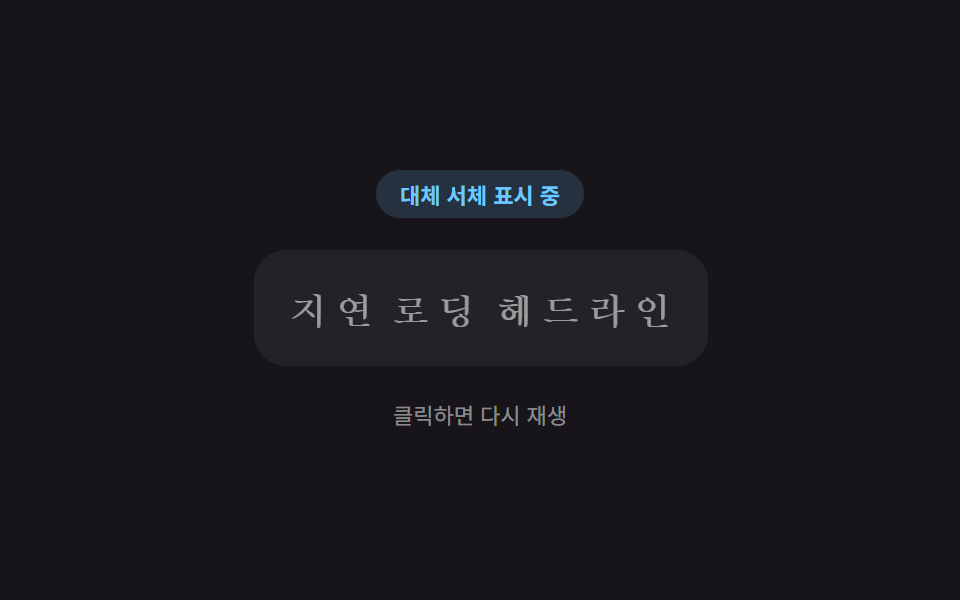 로딩이미지 지연 로딩 9종 — 레이지 로딩 자리표시자 모음
 로딩타이핑 인디케이터 UI 9종 — 점 3개부터 그룹 채팅까지
 로딩당겨서 새로고침 9종 — 당긴 거리 값이 새로고침을 만드는 방식
 로딩다운로드 진행 상황 표시 9종 — 값이 퍼센트 단위로 갱신되는 아홉 가지 방식
 로딩게이지 바 9종 — 게임처럼 채워지는 아홉 가지 방식
 로딩로딩 스켈레톤 ui 9종 — 차트가 계산으로 완성되는 순간까지
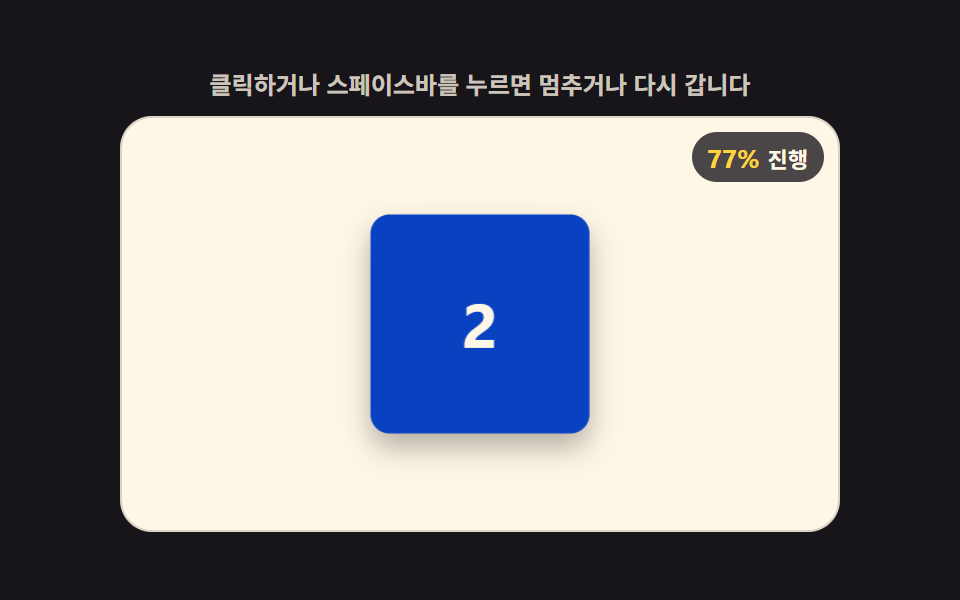 로딩css 로딩바 애니메이션 9가지 — 3D 계산형 로더
 로딩스켈레톤 UI CSS 9종 — 복붙하면 되는 로딩 화면
 로딩CSS 로딩 스피너 9종 — div 하나로 끝나는
 로딩원형 프로그레스바 CSS 9종 — 값만 바꾸면 되는