로딩 스켈레톤 ui 9종 — 차트가 계산으로 완성되는 순간까지
로딩 스켈레톤 ui 아홉 가지 가운데 하나는 막대마다 도착 지연을 열 번호로 계산해 순서대로 실제 높이로 펴지고, 하나는 히트맵 칸이 대각선 거리로 계산된 지연만큼 차례로 색을 채우며, 하나는 화면이 동작 줄이기를 선호하면 계산 없이 값이 바로 자리를 바꿉니다.
아홉 항목 모두 click과 keydown을 리스너로 받아 다시 불러오기·다시 시도 버튼을 마우스와 키보드 양쪽으로 누를 수 있고, 09 는 여기에 더해 matchMedia의 change 이벤트까지 실제로 구독해 브라우저의 동작 줄이기 설정이 바뀌는 순간을 감지합니다. 아홉 항목 어디에도 requestAnimationFrame은 없고 Math.random·fetch·new Date도 없습니다 — 값은 전부 코드 안에 미리 적어 둔 배열이고, 계산은 CSS @keyframes·transition과 --real·--phase·--delay 같은 커스텀 프로퍼티, 그리고 setTimeout 시퀀싱만으로 이뤄집니다.
데모
 01 chart-loading-bar-height-stagger
 02 chart-loading-line-path-reveal
 03 chart-loading-donut-ring-morph
 04 chart-loading-sparkline-row-wave
 05 chart-loading-grid-fade-order
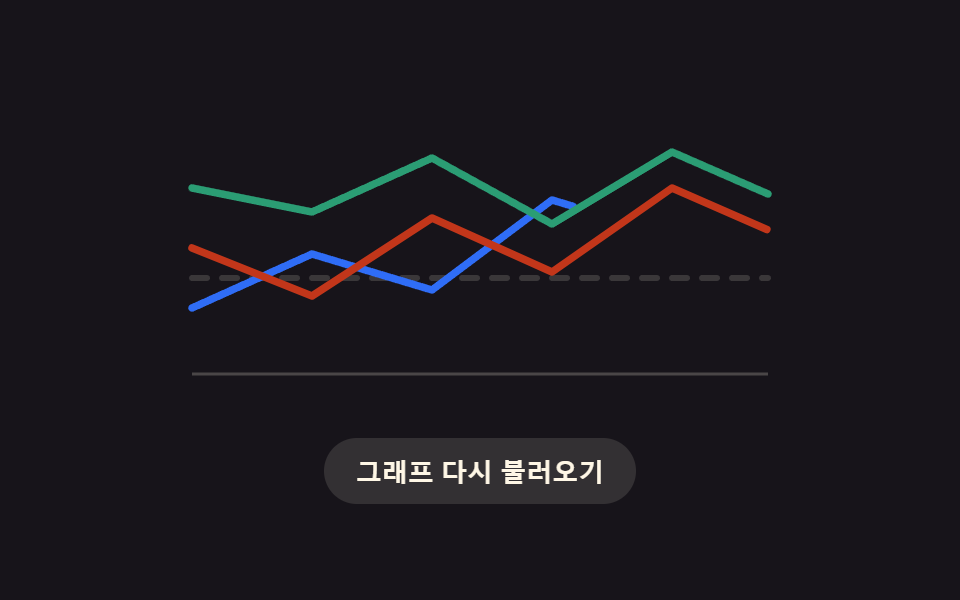 06 chart-loading-multi-series-cascade
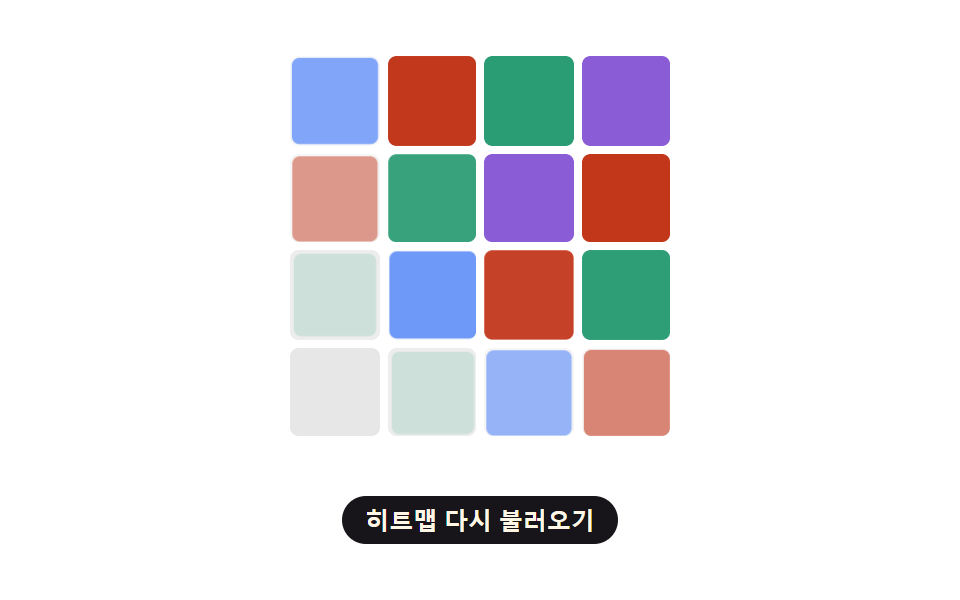 07 chart-loading-heatmap-diagonal-reveal
 08 chart-loading-fail-empty-retry
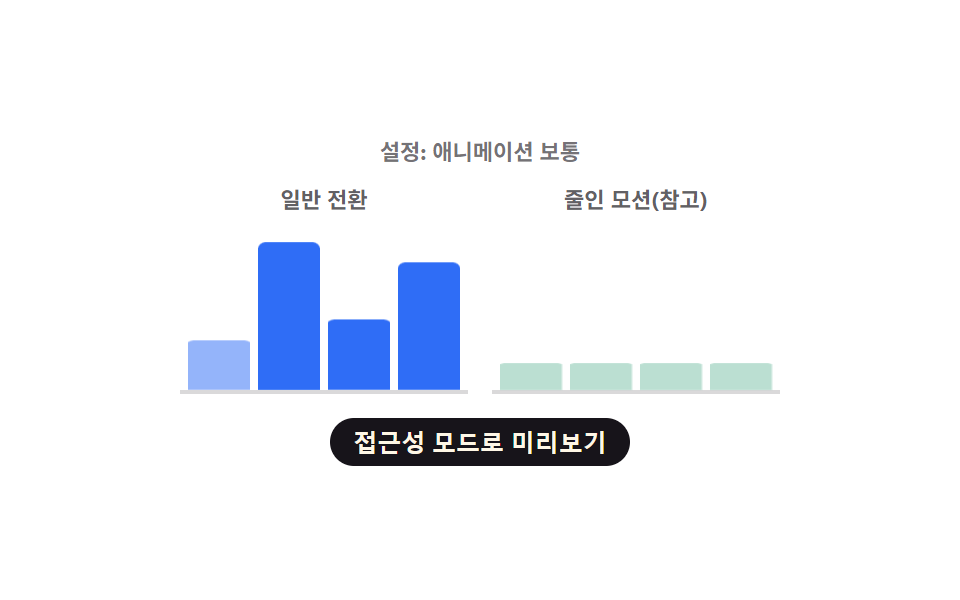 09 chart-loading-reduced-motion-instant-swap
자동 재생 · 눌러서 해당 항목으로 · 전부 한 zip
- 01 지연이 막대마다 계산되는 바 차트 로딩 스켈레톤
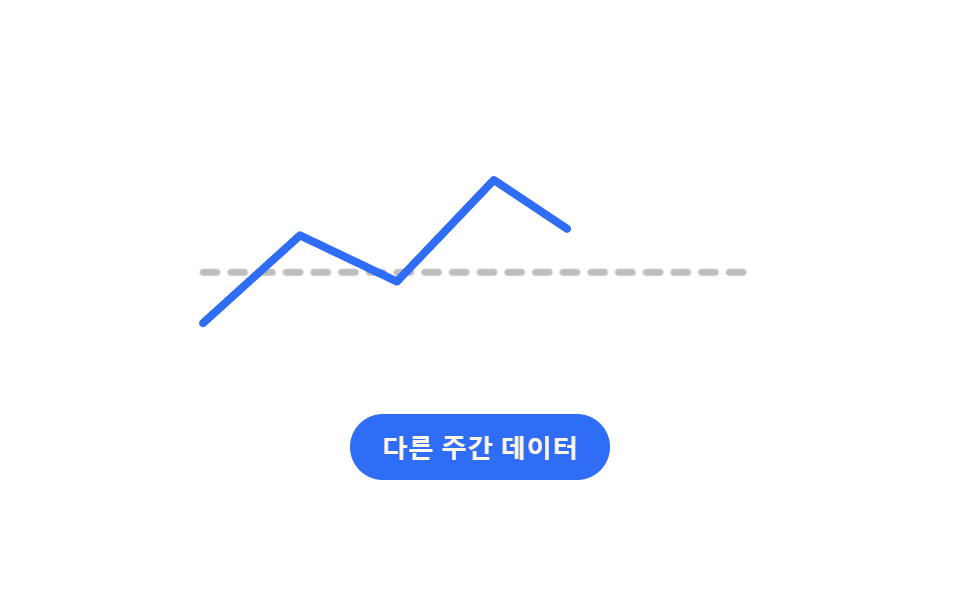
- 02 평평한 선이 실제 경로로 풀리는 라인 차트 로딩
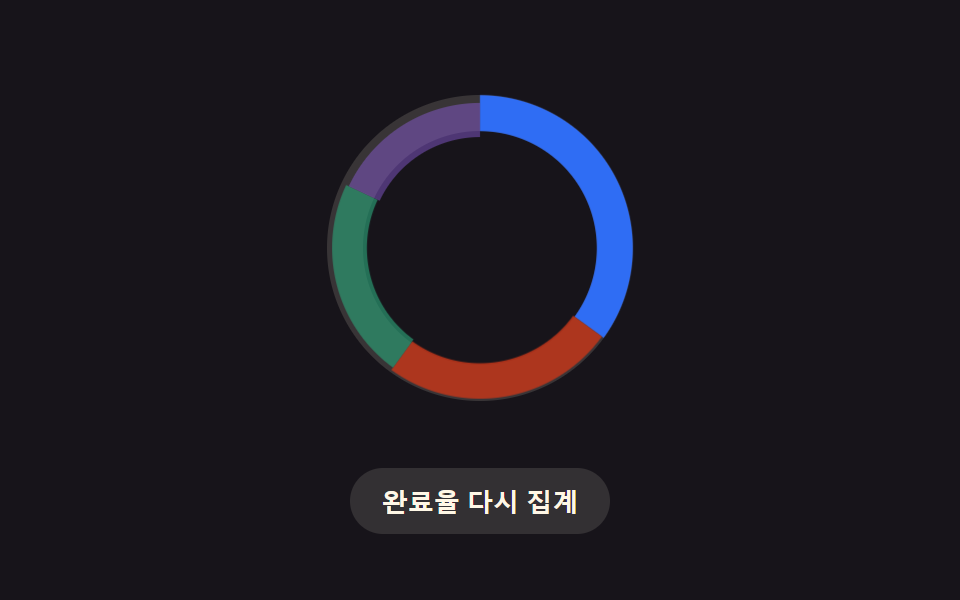
- 03 대기 링이 실제 구간으로 바뀌는 도넛 차트 로딩
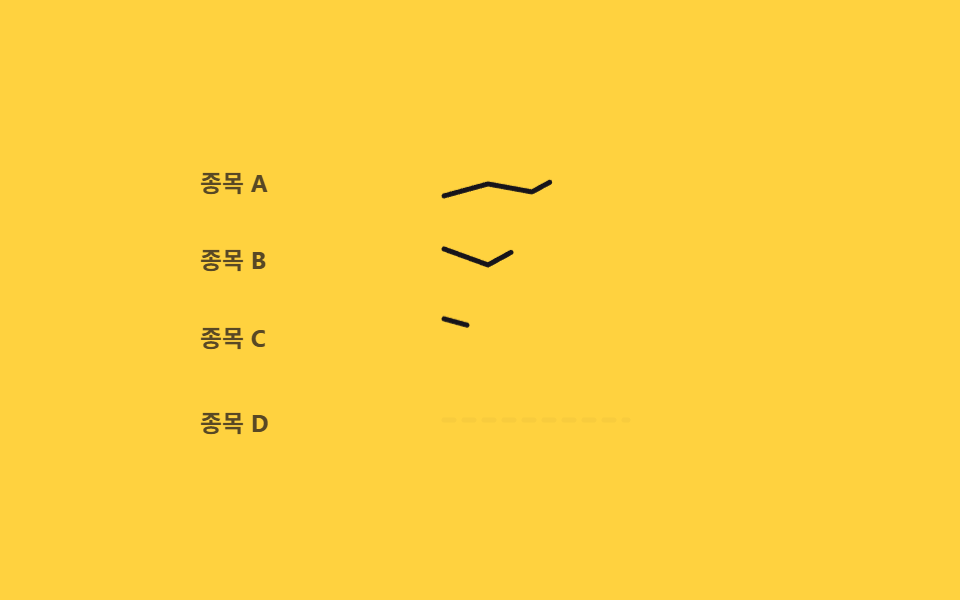
- 04 행마다 물결로 번지는 스파크라인 로딩
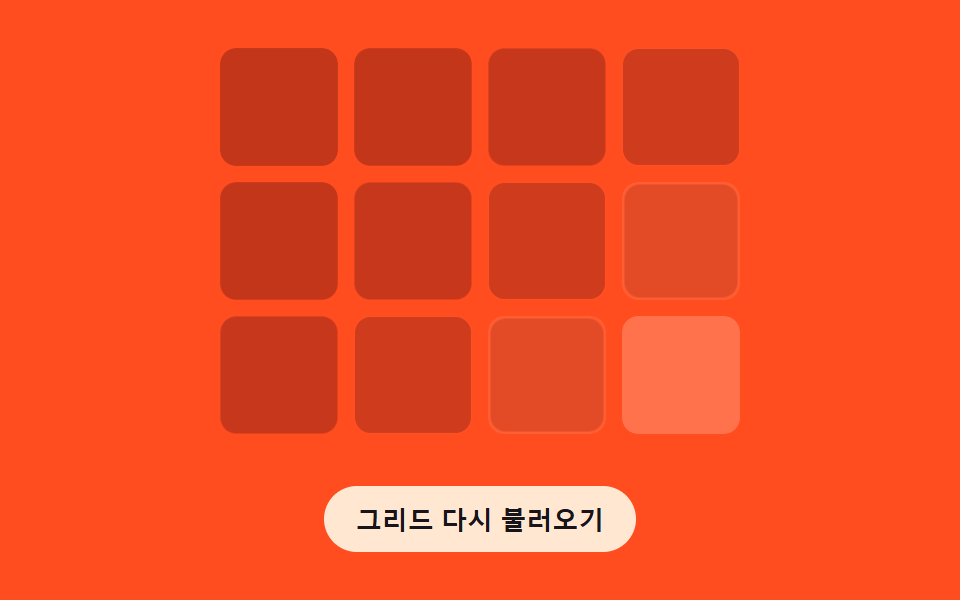
- 05 격자선이 거리순으로 나타나는 차트 로딩
- 06 계열마다 감쇠로 늦게 자리잡는 멀티시리즈 로딩
- 07 칸이 대각선으로 채워지는 히트맵 로딩
- 08 실패하면 빈 상태로 흩어지는 차트 로딩
- 09 동작 줄이기에서 계산 없이 바로 바뀌는 차트 로딩
막대마다 지연 하나만 계산하는 01 에서 시작해 선의 길이를 재는 02, 링의 구간 비율을 각도로 나누는 03, 행 지연을 더하는 04, 칸의 행·열 합으로 순서를 매기는 05 를 거쳐, 계열 지연에 감쇠를 곱해 누적하는 06, 유클리드 거리로 대각선 웨이브를 만드는 07, 실패를 상태 기계로 다루는 08, 마지막으로 실제 설정을 구독해 계산 자체를 건너뛰는 09 순서로 배치했습니다.
아홉 가지 차트 로딩 스켈레톤 — 계산 한 겹이 어디서 도는가
| 항목 | 누적면적 | 강도 평균 | 움직인 프레임 |
|---|---|---|---|
| 01 바 스태거 | 16.22% | 85.2 | 16/23 |
| 02 라인 리빌 | 1.89% | 101.8 | 13/23 |
| 03 도넛 모프 | 6.74% | 48.2 | 18/23 |
| 04 스파크라인 웨이브 | 2.56% | 83.8 | 16/23 |
| 05 그리드 순서 | 28.61% | 29.1 | 9/23 |
| 06 멀티시리즈 캐스케이드 | 3.49% | 117.0 | 15/23 |
| 07 히트맵 대각 웨이브 | 21.91% | 49.1 | 14/23 |
| 08 실패·빈 상태 | 7.96% | 35.2 | 12/23 |
| 09 리듀스드 모션 즉시전환 | 9.88% | 89.6 | 15/23 |
누적면적은 05(28.61%)가 가장 넓고 07(21.91%)이 그다음이며, 02(1.89%)가 가장 좁습니다. 강도 평균은 06(117.0)이 가장 높고 02(101.8)가 다음으로 높은데, 계열마다 감쇠 계수를 곱해 늘어나는 지연 폭이 구간마다 픽셀 변화를 크게 만들기 때문입니다. 움직인 프레임은 03(18/23)이 가장 많이, 05(9/23)는 가장 적게 움직였고 강도는 05(29.1)가 가장 낮습니다.
01 — 열 지연 한 겹
barDelay(i) = i * STAGGER_MS가 막대 순서(i)를 밀리초 지연으로 바꿔 --phase 커스텀 프로퍼티에 넣습니다.
02 — 길이 측정 한 겹
getTotalLength()로 잰 경로 길이를 PX_PER_PCT(6)로 나눠 몇 %까지 그려야 실제 경로가 완성되는지 구합니다.
03 — 각도 분배 한 겹
전체 둘레 CIRC = 2πR(R=45)에서 구간별 누적 비율만큼 stroke-dashoffset을 옮겨 링 하나를 네 색 구간으로 나눕니다.
04 — 행 지연 한 겹
rowDelay(i) = i * ROW_WAVE_MS가 목록의 행 번호를 지연으로 바꿔 위에서 아래로 순서를 매깁니다.
05 — 순서 합산 한 겹
cellOrder(row, col) = row + col이 칸의 행과 열을 더해 왼쪽 위부터 대각선으로 번지는 순서를 정합니다.
06 — 감쇠 누적 한 겹
seriesDelay(i)가 STEP_MS * DAMPING^(k-1)을 1부터 i까지 더해, 계열이 늘수록 지연 간격이 등비로 줄어듭니다.
07 — 유클리드 거리 한 겹
waveDelayMs(row, col)이 오른쪽 위 모서리를 파원으로 두고 distance / WAVE_SPEED * 1000으로 거리 자체를 지연으로 바꿉니다.
08 — 지수 백오프 한 겹
backoffDelay(n) = BASE_BACKOFF_MS * BACKOFF_FACTOR^n이 재시도 횟수(n)로 다음 대기 시간을 매번 늘립니다.
09 — 실시간 판정 한 겹
matchMedia가 돌려주는 참·거짓값 하나로 지연·웨이브 계산 경로 전체를 건너뛸지 정합니다.
패턴별 코드
아홉 항목에서 계산이 실제로 도는 함수만 하나씩 옮겨 왔습니다. 나머지 마크업과 리스너 코드는 각 데모 카드의 코드 탭에서 그대로 볼 수 있습니다.
01지연이 막대마다 계산되는 바 차트 로딩 스켈레톤
회색 막대가 먼저 놓인 뒤 값이 오면 각 막대의 등장 지연을 열 번호로 계산해 그 순서대로 css 막대 그래프 애니메이션이 실제 높이까지 펴집니다. 대시보드에서 통계 막대그래프가 그려지기 전 자리 잡는 자리에 맞습니다.
  var VALUES = [38, 82, 55, 96, 29, 68];
  var STAGGER_MS = 70;
  var SKELETON_SCALE = 0.16;
  var root = document.getElementById('cb');
  var chart = document.getElementById('cbChart');
  var reload = document.getElementById('cbReload');
  var bars = VALUES.map(function (v, i) { return document.getElementById('cbBar' + i); });

  // 계산 겹: 막대 등장 지연을 열 번호(i)로 계산한다 — 열이 오른쪽일수록 늦게 실제 높이로 펴진다
  function barDelay(i) { return i * STAGGER_MS; }

  bars.forEach(function (bar, i) {
    bar.style.setProperty('--real', String(VALUES[i] / 100));
    bar.style.setProperty('--phase', barDelay(i) + 'ms');
  });

  function paintNow(i, value) {
    bars[i].style.transform = 'scaleY(' + (value / 100) + ')';
    bars[i].style.opacity = '1';
  }
  function skeletonNow(i) {
    bars[i].style.transform = 'scaleY(' + SKELETON_SCALE + ')';
    bars[i].style.opacity = '.32';
  }
<main class="stage">
<div class="cb is-demo" id="cb">
  <div class="cb__chart" id="cbChart" role="img" aria-label="월별 방문자 막대 그래프" aria-busy="true">
    <div class="cb__col" data-i="0"><div class="cb__bar" id="cbBar0"></div></div>
    <div class="cb__col" data-i="1"><div class="cb__bar" id="cbBar1"></div></div>
    <div class="cb__col" data-i="2"><div class="cb__bar" id="cbBar2"></div></div>
    <div class="cb__col" data-i="3"><div class="cb__bar" id="cbBar3"></div></div>
    <div class="cb__col" data-i="4"><div class="cb__bar" id="cbBar4"></div></div>
    <div class="cb__col" data-i="5"><div class="cb__bar" id="cbBar5"></div></div>
  </div>
  <button type="button" class="cb__reload" id="cbReload">다시 불러오기</button>
</div>
</main>
@use "../../../../site/static/demo-tokens" as *;
// 변수 3개
$duration: $dur-loop;
$easing: $ease-spring;
$color: $subject-blue;
@include stage($stage-ink);
.cb { width: min(300px, 88vw); }
.cb__chart {
display: flex; align-items: flex-end; justify-content: space-between;
gap: $sp-2; height: 150px; padding: 0 $sp-1;
border-bottom: 2px solid rgba($subject-cream, .18);
}
.cb__col { flex: 1 1 0; height: 100%; display: flex; align-items: flex-end; }
.cb__bar {
width: 100%; height: 100%; border-radius: $r-xs $r-xs 0 0;
background: $color; transform-origin: bottom; // 시작 변(바닥)에서 자란다 — 채움 막대 예외(규칙 8)
transform: scaleY(.16); opacity: .32;
animation: cbReveal $duration var(--phase, 0ms) $easing infinite;
}
.cb__reload {
display: block; margin: $sp-4 auto 0; appearance: none; border: none; cursor: pointer;
background: rgba($subject-cream, .12); color: $subject-cream; font-weight: 700; font-size: 13px;
padding: $sp-2 $sp-4; border-radius: $r-pill;
}
.cb__reload:focus-visible { outline: 2px solid $subject-cream; outline-offset: 2px; }
@keyframes cbReveal {
0% { transform: scaleY(.16); opacity: .32; }
14% { transform: scaleY(.16); opacity: .32; }
46% { transform: scaleY(var(--real, .6)); opacity: 1; }
84% { transform: scaleY(var(--real, .6)); opacity: 1; }
100% { transform: scaleY(.16); opacity: .32; }
}
@media (max-width: 340px) {
.cb { width: min(250px, 84vw); }
.cb__chart { height: 120px; }
}
@media (prefers-reduced-motion: reduce) {
// 실사용 경로 적용: 자동 루프를 끄고 마지막 실제 값 상태로 고정한다
.cb__bar { animation: none; transform: scaleY(var(--real, .6)); opacity: 1; }
}html, body {
margin: 0;
overflow: hidden;
}
.stage {
box-sizing: border-box;
min-height: 100vh;
display: grid;
place-items: center;
margin: 0;
background: #17141a;
font-family: -apple-system, "Segoe UI", "Noto Sans KR", sans-serif;
padding: clamp(8px, 4vw, 24px);
}
.cb {
width: min(300px, 88vw);
}
.cb__chart {
display: flex;
align-items: flex-end;
justify-content: space-between;
gap: 8px;
height: 150px;
padding: 0 4px;
border-bottom: 2px solid rgba(255, 247, 230, 0.18);
}
.cb__col {
flex: 1 1 0;
height: 100%;
display: flex;
align-items: flex-end;
}
.cb__bar {
width: 100%;
height: 100%;
border-radius: 4px 4px 0 0;
background: #2f6df6;
transform-origin: bottom;
transform: scaleY(0.16);
opacity: 0.32;
animation: cbReveal 2s var(--phase, 0ms) cubic-bezier(0.2, 0.8, 0.2, 1) infinite;
}
.cb__reload {
display: block;
margin: 16px auto 0;
appearance: none;
border: none;
cursor: pointer;
background: rgba(255, 247, 230, 0.12);
color: #fff7e6;
font-weight: 700;
font-size: 13px;
padding: 8px 16px;
border-radius: 999px;
}
.cb__reload:focus-visible {
outline: 2px solid #fff7e6;
outline-offset: 2px;
}
@keyframes cbReveal {
0% {
transform: scaleY(0.16);
opacity: 0.32;
}
14% {
transform: scaleY(0.16);
opacity: 0.32;
}
46% {
transform: scaleY(var(--real, 0.6));
opacity: 1;
}
84% {
transform: scaleY(var(--real, 0.6));
opacity: 1;
}
100% {
transform: scaleY(0.16);
opacity: 0.32;
}
}
@media (max-width: 340px) {
.cb {
width: min(250px, 84vw);
}
.cb__chart {
height: 120px;
}
}
@media (prefers-reduced-motion: reduce) {
.cb__bar {
animation: none;
transform: scaleY(var(--real, 0.6));
opacity: 1;
}
}(function () {
var VALUES = [38, 82, 55, 96, 29, 68];
var STAGGER_MS = 70;
var SKELETON_SCALE = 0.16;
var root = document.getElementById('cb');
var chart = document.getElementById('cbChart');
var reload = document.getElementById('cbReload');
var bars = VALUES.map(function (v, i) { return document.getElementById('cbBar' + i); });
// 계산 겹: 막대 등장 지연을 열 번호(i)로 계산한다 — 열이 오른쪽일수록 늦게 실제 높이로 펴진다
function barDelay(i) { return i * STAGGER_MS; }
bars.forEach(function (bar, i) {
bar.style.setProperty('--real', String(VALUES[i] / 100));
bar.style.setProperty('--phase', barDelay(i) + 'ms');
});
function paintNow(i, value) {
bars[i].style.transform = 'scaleY(' + (value / 100) + ')';
bars[i].style.opacity = '1';
}
function skeletonNow(i) {
bars[i].style.transform = 'scaleY(' + SKELETON_SCALE + ')';
bars[i].style.opacity = '.32';
}
function human() {
root.classList.remove('is-demo');
bars.forEach(function (bar, i) { skeletonNow(i); });
chart.setAttribute('aria-busy', 'true');
bars.forEach(function (bar, i) {
window.setTimeout(function () { paintNow(i, VALUES[i]); }, 260 + barDelay(i));
});
window.setTimeout(function () { chart.setAttribute('aria-busy', 'false'); }, 260 + barDelay(VALUES.length - 1) + 200);
}
reload.addEventListener('click', human);
reload.addEventListener('keydown', function (e) {
if (e.key === 'Enter' || e.key === ' ') { e.preventDefault(); human(); }
});
}());import { useEffect, useRef } from 'react';
import styles from './ChartLoadingBarHeightStagger.module.scss';
const VALUES = [38, 82, 55, 96, 29, 68];
const STAGGER_MS = 70;
const SKELETON_SCALE = 0.16;
export default function ChartLoadingBarHeightStagger() {
const rootRef = useRef<HTMLDivElement>(null);
const chartRef = useRef<HTMLDivElement>(null);
const reloadRef = useRef<HTMLButtonElement>(null);
const barRefs = useRef<HTMLDivElement[]>([]);
useEffect(() => {
const root = rootRef.current;
const chart = chartRef.current;
const reload = reloadRef.current;
if (!root || !chart || !reload) return undefined;
const bars = barRefs.current!;
if (!bars || bars.length !== VALUES.length) return undefined;
// 계산 겹: 막대 등장 지연을 열 번호(i)로 계산한다 — 열이 오른쪽일수록 늦게 실제 높이로 펴진다
function barDelay(i: number) { return i * STAGGER_MS; }
bars.forEach((bar, i) => {
bar.style.setProperty('--real', String(VALUES[i] / 100));
bar.style.setProperty('--phase', barDelay(i) + 'ms');
});
function paintNow(i: number, value: number) {
bars[i].style.transform = 'scaleY(' + (value / 100) + ')';
bars[i].style.opacity = '1';
}
function skeletonNow(i: number) {
bars[i].style.transform = 'scaleY(' + SKELETON_SCALE + ')';
bars[i].style.opacity = '.32';
}
const timers: number[] = [];
function human() {
root!.classList.remove(styles['is-demo']);
bars.forEach((_bar, i) => skeletonNow(i));
chart!.setAttribute('aria-busy', 'true');
bars.forEach((_bar, i) => {
timers.push(window.setTimeout(() => paintNow(i, VALUES[i]), 260 + barDelay(i)));
});
timers.push(window.setTimeout(() => chart!.setAttribute('aria-busy', 'false'), 260 + barDelay(VALUES.length - 1) + 200));
}
function onClick() { human(); }
function onKey(e: KeyboardEvent) { if (e.key === 'Enter' || e.key === ' ') { e.preventDefault(); human(); } }
reload.addEventListener('click', onClick);
reload.addEventListener('keydown', onKey);
return () => {
reload.removeEventListener('click', onClick);
reload.removeEventListener('keydown', onKey);
timers.forEach((id) => window.clearTimeout(id));
};
}, []);
return (
<main className={styles.stage}>
<div className={styles.cb + ' ' + styles['is-demo']} ref={rootRef}>
<div className={styles.cbChart} ref={chartRef} role="img" aria-label="월별 방문자 막대 그래프" aria-busy="true">
{VALUES.map((_value, i) => (
<div className={styles.cbCol} data-i={i} key={i}>
<div
className={styles.cbBar}
ref={(el: HTMLDivElement | null) => { if (el) barRefs.current![i] = el; }}
/>
</div>
))}
</div>
<button type="button" className={styles.cbReload} ref={reloadRef}>다시 불러오기</button>
</div>
</main>
);
}01 · 지연이 막대마다 계산되는 바 차트 로딩 스켈레톤 — 측정 누적면적 16.224% · 움직인 프레임 16/23GODRICH 원작 · zip 에 SCSS·React 포함 · 비밀번호 보기
02평평한 선이 실제 경로로 풀리는 라인 차트 로딩
평평한 점선이 먼저 지나가고 실제 값이 오면 선의 전체 길이를 구해 그 길이만큼 그어지는 시간을 계산해 굴곡진 경로로 풀어냅니다. 월별 추이 라인 차트가 데이터를 받기 전 대기하는 자리에 맞습니다.
  // 계산 겹: 선의 전체 길이(getTotalLength)로 그려지는 데 필요한 구간(%)을 정한다 — 길수록 오래 그려진다
  function drawPercent(len) { return Math.max(20, Math.min(48, Math.round(len / PX_PER_PCT))); }

  function prepare() {
    var len = Math.round(real.getTotalLength());
    var pct = drawPercent(len);
    real.style.strokeDasharray = String(len);
    real.style.strokeDashoffset = String(len);
    styleTag.textContent =
      '@keyframes clDraw {' +
      '0%{stroke-dashoffset:' + len + ';}' +
      '14%{stroke-dashoffset:' + len + ';}' +
      pct + '%{stroke-dashoffset:0;}' +
      '86%{stroke-dashoffset:0;}' +
      '100%{stroke-dashoffset:' + len + ';}}';
    real.style.animation = 'clDraw 2000ms ease-in-out infinite';
    return { len: len, pct: pct };
  }
<main class="stage">
<div class="cl is-demo" id="cl">
  <svg class="cl__svg" id="clSvg" viewBox="0 0 260 110" role="img" aria-label="주간 방문자 추이 라인 그래프" aria-busy="true">
    <path class="cl__flat" id="clFlat" d="M10,66 L250,66" />
    <path class="cl__real" id="clReal" d="M10,88 L52,50 L94,70 L136,26 L178,54 L220,16 L250,34" />
  </svg>
  <button type="button" class="cl__reload" id="clReload">다른 주간 데이터</button>
</div>
</main>
@use "../../../../site/static/demo-tokens" as *;
// 변수 3개
$duration: $dur-loop;
$easing: $ease-out;
$color: $subject-blue;
@include stage($stage-paper);
.cl { width: min(300px, 88vw); }
.cl__svg { width: 100%; height: auto; overflow: visible; }
.cl__flat {
fill: none; stroke: rgba($subject-ink, .28); stroke-width: 3; stroke-dasharray: 6 6;
stroke-linecap: round; animation: clFlatFade $duration $easing infinite;
}
.cl__real {
fill: none; stroke: $color; stroke-width: 3.5; stroke-linecap: round; stroke-linejoin: round;
}
.cl__reload {
display: block; margin: $sp-4 auto 0; appearance: none; border: none; cursor: pointer;
background: $subject-blue; color: $subject-cream; font-weight: 700; font-size: 13px;
padding: $sp-2 $sp-4; border-radius: $r-pill;
}
.cl__reload:focus-visible { outline: 2px solid $subject-ink; outline-offset: 2px; }
@keyframes clFlatFade {
0% { opacity: 1; }
12% { opacity: 1; }
20% { opacity: 0; }
82% { opacity: 0; }
92% { opacity: 1; }
100% { opacity: 1; }
}
@media (max-width: 340px) {
.cl { width: min(250px, 84vw); }
}
@media (prefers-reduced-motion: reduce) {
// 실사용 경로 적용: 자동 루프를 멈추고 완성된 실제 경로만 보인다
.cl__flat { animation: none; opacity: 0; }
.cl__real { stroke-dashoffset: 0 !important; animation: none !important; }
}html, body {
margin: 0;
overflow: hidden;
}
.stage {
box-sizing: border-box;
min-height: 100vh;
display: grid;
place-items: center;
margin: 0;
background: #ffffff;
font-family: -apple-system, "Segoe UI", "Noto Sans KR", sans-serif;
padding: clamp(8px, 4vw, 24px);
}
.cl {
width: min(300px, 88vw);
}
.cl__svg {
width: 100%;
height: auto;
overflow: visible;
}
.cl__flat {
fill: none;
stroke: rgba(23, 20, 26, 0.28);
stroke-width: 3;
stroke-dasharray: 6 6;
stroke-linecap: round;
animation: clFlatFade 2s ease-out infinite;
}
.cl__real {
fill: none;
stroke: #2f6df6;
stroke-width: 3.5;
stroke-linecap: round;
stroke-linejoin: round;
}
.cl__reload {
display: block;
margin: 16px auto 0;
appearance: none;
border: none;
cursor: pointer;
background: #2f6df6;
color: #fff7e6;
font-weight: 700;
font-size: 13px;
padding: 8px 16px;
border-radius: 999px;
}
.cl__reload:focus-visible {
outline: 2px solid #17141a;
outline-offset: 2px;
}
@keyframes clFlatFade {
0% {
opacity: 1;
}
12% {
opacity: 1;
}
20% {
opacity: 0;
}
82% {
opacity: 0;
}
92% {
opacity: 1;
}
100% {
opacity: 1;
}
}
@media (max-width: 340px) {
.cl {
width: min(250px, 84vw);
}
}
@media (prefers-reduced-motion: reduce) {
.cl__flat {
animation: none;
opacity: 0;
}
.cl__real {
stroke-dashoffset: 0 !important;
animation: none !important;
}
}(function () {
var SETS = [
'M10,88 L52,50 L94,70 L136,26 L178,54 L220,16 L250,34',
'M10,40 L52,74 L94,30 L136,58 L178,20 L220,48 L250,12'
];
var PX_PER_PCT = 6; // 계산 상수: 길이 6px 마다 그리기 구간 1% 를 배정한다
var root = document.getElementById('cl');
var svg = document.getElementById('clSvg');
var flat = document.getElementById('clFlat');
var real = document.getElementById('clReal');
var reload = document.getElementById('clReload');
var setIndex = 0;
var styleTag = document.createElement('style');
document.head.appendChild(styleTag);
// 계산 겹: 선의 전체 길이(getTotalLength)로 그려지는 데 필요한 구간(%)을 정한다 — 길수록 오래 그려진다
function drawPercent(len) { return Math.max(20, Math.min(48, Math.round(len / PX_PER_PCT))); }
function prepare() {
var len = Math.round(real.getTotalLength());
var pct = drawPercent(len);
real.style.strokeDasharray = String(len);
real.style.strokeDashoffset = String(len);
styleTag.textContent =
'@keyframes clDraw {' +
'0%{stroke-dashoffset:' + len + ';}' +
'14%{stroke-dashoffset:' + len + ';}' +
pct + '%{stroke-dashoffset:0;}' +
'86%{stroke-dashoffset:0;}' +
'100%{stroke-dashoffset:' + len + ';}}';
real.style.animation = 'clDraw 2000ms ease-in-out infinite';
return { len: len, pct: pct };
}
var info = prepare();
function human() {
root.classList.remove('is-demo');
setIndex = (setIndex + 1) % SETS.length;
real.setAttribute('d', SETS[setIndex]);
real.getAnimations().forEach(function (a) { a.cancel(); });
var meta = prepare();
real.style.animation = 'none';
svg.setAttribute('aria-busy', 'true');
real.animate(
[{ strokeDashoffset: meta.len }, { strokeDashoffset: 0 }],
{ duration: 260 + meta.len * 4, easing: 'ease-in-out', fill: 'forwards' }
).finished.then(function () { svg.setAttribute('aria-busy', 'false'); });
}
reload.addEventListener('click', human);
reload.addEventListener('keydown', function (e) {
if (e.key === 'Enter' || e.key === ' ') { e.preventDefault(); human(); }
});
// 실제 브라우저 재생에서는 주기마다 aria-busy 를 실제로 오르내린다 (렌더 캡처는 실시간을 다 안 쓴다)
window.setInterval(function () {
if (!root.classList.contains('is-demo')) return;
svg.setAttribute('aria-busy', 'true');
window.setTimeout(function () { svg.setAttribute('aria-busy', 'false'); }, 300);
}, 2000);
}());import { useEffect, useRef } from 'react';
import styles from './ChartLoadingLinePathReveal.module.scss';
const SETS = [
'M10,88 L52,50 L94,70 L136,26 L178,54 L220,16 L250,34',
'M10,40 L52,74 L94,30 L136,58 L178,20 L220,48 L250,12'
];
const PX_PER_PCT = 6; // 계산 상수: 길이 6px 마다 그리기 구간 1% 를 배정한다
export default function ChartLoadingLinePathReveal() {
const rootRef = useRef<HTMLDivElement>(null);
const svgRef = useRef<SVGSVGElement>(null);
const realRef = useRef<SVGPathElement>(null);
const reloadRef = useRef<HTMLButtonElement>(null);
useEffect(() => {
const root = rootRef.current;
const svg = svgRef.current;
const real = realRef.current;
const reload = reloadRef.current;
if (!root || !svg || !real || !reload) return undefined;
let setIndex = 0;
const styleTag = document.createElement('style');
document.head.appendChild(styleTag);
// 계산 겹: 선의 전체 길이(getTotalLength)로 그려지는 데 필요한 구간(%)을 정한다 — 길수록 오래 그려진다
function drawPercent(len: number) { return Math.max(20, Math.min(48, Math.round(len / PX_PER_PCT))); }
function prepare() {
const len = Math.round(real!.getTotalLength());
const pct = drawPercent(len);
real!.style.strokeDasharray = String(len);
real!.style.strokeDashoffset = String(len);
styleTag.textContent =
'@keyframes clDraw {' +
'0%{stroke-dashoffset:' + len + ';}' +
'14%{stroke-dashoffset:' + len + ';}' +
pct + '%{stroke-dashoffset:0;}' +
'86%{stroke-dashoffset:0;}' +
'100%{stroke-dashoffset:' + len + ';}}';
real!.style.animation = 'clDraw 2000ms ease-in-out infinite';
return { len, pct };
}
prepare();
function human() {
root!.classList.remove(styles['is-demo']);
setIndex = (setIndex + 1) % SETS.length;
real!.setAttribute('d', SETS[setIndex]);
real!.getAnimations().forEach((a) => a.cancel());
const meta = prepare();
real!.style.animation = 'none';
svg!.setAttribute('aria-busy', 'true');
real!.animate(
[{ strokeDashoffset: meta.len }, { strokeDashoffset: 0 }],
{ duration: 260 + meta.len * 4, easing: 'ease-in-out', fill: 'forwards' }
).finished.then(() => { svg!.setAttribute('aria-busy', 'false'); });
}
function onClick() { human(); }
function onKey(e: KeyboardEvent) { if (e.key === 'Enter' || e.key === ' ') { e.preventDefault(); human(); } }
reload.addEventListener('click', onClick);
reload.addEventListener('keydown', onKey);
// 실제 브라우저 재생에서는 주기마다 aria-busy 를 실제로 오르내린다 (렌더 캡처는 실시간을 다 안 쓴다)
const timers: number[] = [];
const timer = window.setInterval(() => {
if (!root!.classList.contains(styles['is-demo'])) return;
svg!.setAttribute('aria-busy', 'true');
timers.push(window.setTimeout(() => { svg!.setAttribute('aria-busy', 'false'); }, 300));
}, 2000);
return () => {
reload.removeEventListener('click', onClick);
reload.removeEventListener('keydown', onKey);
window.clearInterval(timer);
timers.forEach((id) => window.clearTimeout(id));
styleTag.remove();
};
}, []);
return (
<main className={styles.stage}>
<div className={styles.cl + ' ' + styles['is-demo']} ref={rootRef}>
<svg className={styles.clSvg} ref={svgRef} viewBox="0 0 260 110" role="img" aria-label="주간 방문자 추이 라인 그래프" aria-busy="true">
<path className={styles.clFlat} d="M10,66 L250,66" />
<path className={styles.clReal} ref={realRef} d="M10,88 L52,50 L94,70 L136,26 L178,54 L220,16 L250,34" />
</svg>
<button type="button" className={styles.clReload} ref={reloadRef}>다른 주간 데이터</button>
</div>
</main>
);
}02 · 평평한 선이 실제 경로로 풀리는 라인 차트 로딩 — 측정 누적면적 1.89% · 움직인 프레임 13/23GODRICH 원작 · zip 에 SCSS·React 포함 · 비밀번호 보기
03대기 링이 실제 구간으로 바뀌는 도넛 차트 로딩
점선 링이 도는 동안 기다리다가 값이 오면 각 구간의 비율을 계산해 css 도넛 차트 애니메이션이 그 구간 색으로 나뉘어 채워집니다. 완료율 도넛 차트가 집계되기 전 잠깐 도는 자리에 맞습니다.
  var VALUES = [35, 25, 22, 18];
  var R = 45;
  var CIRC = 2 * Math.PI * R;
  var root = document.getElementById('cd');
  var svg = document.getElementById('cdSvg');
  var reload = document.getElementById('cdReload');
  var segs = [0, 1, 2, 3].map(function (i) { return document.getElementById('cdSeg' + i); });

  // 계산 겹: 각 구간의 비율을 원둘레 길이로 바꾸고, 시작 각도(누적 비율)로 순서를 정한다
  function layout() {
    var cum = 0;
    VALUES.forEach(function (v, i) {
      var frac = v / 100;
      var segLen = CIRC * frac;
      segs[i].style.strokeDasharray = segLen.toFixed(2) + ' ' + (CIRC - segLen).toFixed(2);
      segs[i].style.strokeDashoffset = (-cum).toFixed(2);
      segs[i].style.setProperty('--delay', (cum / CIRC * 60) + '%');
      cum += segLen;
    });
  }
  layout();
<main class="stage">
<div class="cd is-demo" id="cd">
  <svg class="cd__svg" id="cdSvg" viewBox="0 0 120 120" role="img" aria-label="완료율 도넛 그래프" aria-busy="true">
    <circle class="cd__track" cx="60" cy="60" r="45" />
    <circle class="cd__spin" cx="60" cy="60" r="45" />
    <circle class="cd__seg" id="cdSeg0" cx="60" cy="60" r="45" data-i="0" />
    <circle class="cd__seg" id="cdSeg1" cx="60" cy="60" r="45" data-i="1" />
    <circle class="cd__seg" id="cdSeg2" cx="60" cy="60" r="45" data-i="2" />
    <circle class="cd__seg" id="cdSeg3" cx="60" cy="60" r="45" data-i="3" />
  </svg>
  <button type="button" class="cd__reload" id="cdReload">완료율 다시 집계</button>
</div>
</main>
@use "../../../../site/static/demo-tokens" as *;
// 변수 3개
$duration: $dur-loop;
$easing: $ease-out;
$color: $chart-1;
@include stage($stage-ink);
.cd { width: min(180px, 60vw); text-align: center; }
.cd__svg { width: 100%; height: auto; transform: rotate(-90deg); }
.cd__track { fill: none; stroke: rgba($subject-cream, .14); stroke-width: 12; }
.cd__spin {
fill: none; stroke: rgba($subject-cream, .55); stroke-width: 4; stroke-linecap: round;
stroke-dasharray: 10 16; transform-origin: 60px 60px;
animation: cdSpin 1.4s linear infinite, cdSpinFade $duration $easing infinite;
}
.cd__seg {
fill: none; stroke-width: 12; stroke-linecap: butt; transform-origin: 60px 60px;
opacity: 0; transform: scale(.9); animation: cdSegCycle $duration $easing infinite;
}
#cdSeg0 { stroke: $chart-1; animation-delay: 0ms; }
#cdSeg1 { stroke: $chart-2; animation-delay: 130ms; }
#cdSeg2 { stroke: $chart-3; animation-delay: 230ms; }
#cdSeg3 { stroke: $chart-4; animation-delay: 310ms; }
.cd__reload {
display: block; margin: $sp-4 auto 0; appearance: none; border: none; cursor: pointer;
background: rgba($subject-cream, .12); color: $subject-cream; font-weight: 700; font-size: 13px;
padding: $sp-2 $sp-4; border-radius: $r-pill;
}
.cd__reload:focus-visible { outline: 2px solid $subject-cream; outline-offset: 2px; }
@keyframes cdSpin { from { transform: rotate(0deg); } to { transform: rotate(360deg); } }
@keyframes cdSpinFade {
0% { opacity: 1; }
14% { opacity: 1; }
26% { opacity: 0; }
88% { opacity: 0; }
100% { opacity: 1; }
}
@keyframes cdSegCycle {
0% { opacity: 0; transform: scale(.9); }
26% { opacity: 0; transform: scale(.9); }
52% { opacity: 1; transform: scale(1); }
88% { opacity: 1; transform: scale(1); }
100% { opacity: 0; transform: scale(.9); }
}
@media (max-width: 340px) {
.cd { width: min(112px, 48vw); }
.cd__reload { margin-top: $sp-2; font-size: 11px; padding: $sp-1 $sp-3; }
}
@media (prefers-reduced-motion: reduce) {
// 실사용 경로 적용: 자동 루프를 멈추고 완성된 구간 색만 보인다
.cd__spin { animation: none; opacity: 0; }
.cd__seg { animation: none; opacity: 1; transform: scale(1); }
}html, body {
margin: 0;
overflow: hidden;
}
.stage {
box-sizing: border-box;
min-height: 100vh;
display: grid;
place-items: center;
margin: 0;
background: #17141a;
font-family: -apple-system, "Segoe UI", "Noto Sans KR", sans-serif;
padding: clamp(8px, 4vw, 24px);
}
.cd {
width: min(180px, 60vw);
text-align: center;
}
.cd__svg {
width: 100%;
height: auto;
transform: rotate(-90deg);
}
.cd__track {
fill: none;
stroke: rgba(255, 247, 230, 0.14);
stroke-width: 12;
}
.cd__spin {
fill: none;
stroke: rgba(255, 247, 230, 0.55);
stroke-width: 4;
stroke-linecap: round;
stroke-dasharray: 10 16;
transform-origin: 60px 60px;
animation: cdSpin 1.4s linear infinite, cdSpinFade 2s ease-out infinite;
}
.cd__seg {
fill: none;
stroke-width: 12;
stroke-linecap: butt;
transform-origin: 60px 60px;
opacity: 0;
transform: scale(0.9);
animation: cdSegCycle 2s ease-out infinite;
}
#cdSeg0 {
stroke: #2f6df6;
animation-delay: 0ms;
}
#cdSeg1 {
stroke: #c2361a;
animation-delay: 130ms;
}
#cdSeg2 {
stroke: #2b9d74;
animation-delay: 230ms;
}
#cdSeg3 {
stroke: #8a5cd6;
animation-delay: 310ms;
}
.cd__reload {
display: block;
margin: 16px auto 0;
appearance: none;
border: none;
cursor: pointer;
background: rgba(255, 247, 230, 0.12);
color: #fff7e6;
font-weight: 700;
font-size: 13px;
padding: 8px 16px;
border-radius: 999px;
}
.cd__reload:focus-visible {
outline: 2px solid #fff7e6;
outline-offset: 2px;
}
@keyframes cdSpin {
from {
transform: rotate(0deg);
}
to {
transform: rotate(360deg);
}
}
@keyframes cdSpinFade {
0% {
opacity: 1;
}
14% {
opacity: 1;
}
26% {
opacity: 0;
}
88% {
opacity: 0;
}
100% {
opacity: 1;
}
}
@keyframes cdSegCycle {
0% {
opacity: 0;
transform: scale(0.9);
}
26% {
opacity: 0;
transform: scale(0.9);
}
52% {
opacity: 1;
transform: scale(1);
}
88% {
opacity: 1;
transform: scale(1);
}
100% {
opacity: 0;
transform: scale(0.9);
}
}
@media (max-width: 340px) {
.cd {
width: min(112px, 48vw);
}
.cd__reload {
margin-top: 8px;
font-size: 11px;
padding: 4px 12px;
}
}
@media (prefers-reduced-motion: reduce) {
.cd__spin {
animation: none;
opacity: 0;
}
.cd__seg {
animation: none;
opacity: 1;
transform: scale(1);
}
}(function () {
var VALUES = [35, 25, 22, 18];
var R = 45;
var CIRC = 2 * Math.PI * R;
var root = document.getElementById('cd');
var svg = document.getElementById('cdSvg');
var reload = document.getElementById('cdReload');
var segs = [0, 1, 2, 3].map(function (i) { return document.getElementById('cdSeg' + i); });
// 계산 겹: 각 구간의 비율을 원둘레 길이로 바꾸고, 시작 각도(누적 비율)로 순서를 정한다
function layout() {
var cum = 0;
VALUES.forEach(function (v, i) {
var frac = v / 100;
var segLen = CIRC * frac;
segs[i].style.strokeDasharray = segLen.toFixed(2) + ' ' + (CIRC - segLen).toFixed(2);
segs[i].style.strokeDashoffset = (-cum).toFixed(2);
segs[i].style.setProperty('--delay', (cum / CIRC * 60) + '%');
cum += segLen;
});
}
layout();
function human() {
root.classList.remove('is-demo');
segs.forEach(function (s) { s.style.opacity = '0'; s.style.transform = 'scale(.9)'; });
svg.setAttribute('aria-busy', 'true');
var cum = 0;
VALUES.forEach(function (v, i) {
var frac = v / 100;
var delayMs = (cum / CIRC) * 900;
cum += CIRC * frac;
window.setTimeout(function () {
segs[i].style.transition = 'opacity 260ms ease-out, transform 260ms ease-out';
segs[i].style.opacity = '1';
segs[i].style.transform = 'scale(1)';
}, 220 + delayMs);
});
window.setTimeout(function () { svg.setAttribute('aria-busy', 'false'); }, 220 + 900);
}
reload.addEventListener('click', human);
reload.addEventListener('keydown', function (e) {
if (e.key === 'Enter' || e.key === ' ') { e.preventDefault(); human(); }
});
}());import { useEffect, useRef } from 'react';
import styles from './ChartLoadingDonutRingMorph.module.scss';
const VALUES = [35, 25, 22, 18];
const R = 45;
const CIRC = 2 * Math.PI * R;
export default function ChartLoadingDonutRingMorph() {
const rootRef = useRef<HTMLDivElement>(null);
const svgRef = useRef<SVGSVGElement>(null);
const reloadRef = useRef<HTMLButtonElement>(null);
const segRefs = useRef<SVGCircleElement[]>([]);
useEffect(() => {
const root = rootRef.current;
const svg = svgRef.current;
const reload = reloadRef.current;
if (!root || !svg || !reload) return undefined;
const segs = segRefs.current!;
if (!segs || segs.length !== VALUES.length) return undefined;
// 계산 겹: 각 구간의 비율을 원둘레 길이로 바꾸고, 시작 각도(누적 비율)로 순서를 정한다
function layout() {
let cum = 0;
VALUES.forEach((v, i) => {
const frac = v / 100;
const segLen = CIRC * frac;
segs[i].style.strokeDasharray = segLen.toFixed(2) + ' ' + (CIRC - segLen).toFixed(2);
segs[i].style.strokeDashoffset = (-cum).toFixed(2);
segs[i].style.setProperty('--delay', (cum / CIRC * 60) + '%');
cum += segLen;
});
}
layout();
const timers: number[] = [];
function human() {
root!.classList.remove(styles['is-demo']);
segs.forEach((s) => { s.style.opacity = '0'; s.style.transform = 'scale(.9)'; });
svg!.setAttribute('aria-busy', 'true');
let cum = 0;
VALUES.forEach((v, i) => {
const frac = v / 100;
const delayMs = (cum / CIRC) * 900;
cum += CIRC * frac;
timers.push(window.setTimeout(() => {
segs[i].style.transition = 'opacity 260ms ease-out, transform 260ms ease-out';
segs[i].style.opacity = '1';
segs[i].style.transform = 'scale(1)';
}, 220 + delayMs));
});
timers.push(window.setTimeout(() => { svg!.setAttribute('aria-busy', 'false'); }, 220 + 900));
}
function onClick() { human(); }
function onKey(e: KeyboardEvent) { if (e.key === 'Enter' || e.key === ' ') { e.preventDefault(); human(); } }
reload.addEventListener('click', onClick);
reload.addEventListener('keydown', onKey);
return () => {
reload.removeEventListener('click', onClick);
reload.removeEventListener('keydown', onKey);
timers.forEach((id) => window.clearTimeout(id));
};
}, []);
return (
<main className={styles.stage}>
<div className={styles.cd + ' ' + styles['is-demo']} ref={rootRef}>
<svg className={styles.cdSvg} ref={svgRef} viewBox="0 0 120 120" role="img" aria-label="완료율 도넛 그래프" aria-busy="true">
<circle className={styles.cdTrack} cx={60} cy={60} r={45} />
<circle className={styles.cdSpin} cx={60} cy={60} r={45} />
{VALUES.map((_v, i) => (
<circle
key={i}
id={'cdSeg' + i}
className={styles.cdSeg}
cx={60}
cy={60}
r={45}
data-i={i}
ref={(el: SVGCircleElement | null) => { if (el) segRefs.current![i] = el; }}
/>
))}
</svg>
<button type="button" className={styles.cdReload} ref={reloadRef}>완료율 다시 집계</button>
</div>
</main>
);
}03 · 대기 링이 실제 구간으로 바뀌는 도넛 차트 로딩 — 측정 누적면적 6.744% · 움직인 프레임 18/23GODRICH 원작 · zip 에 SCSS·React 포함 · 비밀번호 보기
04행마다 물결로 번지는 스파크라인 로딩
목록의 행마다 평평한 점선이 먼저 놓이고 값이 오면 행 번호로 물결 지연을 계산해 위에서 아래로 차례로 실제 스파크라인이 나타납니다. 종목·지표 목록에서 행마다 추이를 미리 보여주는 자리에 맞습니다.
  var ROW_WAVE_MS = 90;
  var list = document.getElementById('cw');
  var reals = [0, 1, 2, 3].map(function (i) { return document.getElementById('cwReal' + i); });

  // 계산 겹: 행 번호(i)로 물결 지연을 계산한다 — 위에서 아래로 갈수록 늦게 실제 선이 드러난다
  function rowDelay(i) { return i * ROW_WAVE_MS; }

  reals.forEach(function (real, i) {
    var len = Math.round(real.getTotalLength());
    var row = real.closest('.cw__row');
    var flat = row.querySelector('.cw__flat');
    real.style.setProperty('--len', String(len));
    real.style.strokeDasharray = String(len);
    real.style.strokeDashoffset = String(len);
    real.style.animationDelay = rowDelay(i) + 'ms';
    flat.style.animationDelay = rowDelay(i) + 'ms';
    row.style.animationDelay = rowDelay(i) + 'ms';
  });
<main class="stage">
<ul class="cw is-demo" id="cw" aria-busy="true">
  <li class="cw__row" data-i="0">
    <span class="cw__label">종목 A</span>
    <svg class="cw__spark" viewBox="0 0 100 28" role="img" aria-label="종목 A 추이">
      <path class="cw__flat" d="M4,14 L96,14" />
      <path class="cw__real" id="cwReal0" d="M4,22 L26,16 L48,20 L70,8 L96,12" />
    </svg>
  </li>
  <li class="cw__row" data-i="1">
    <span class="cw__label">종목 B</span>
    <svg class="cw__spark" viewBox="0 0 100 28" role="img" aria-label="종목 B 추이">
      <path class="cw__flat" d="M4,14 L96,14" />
      <path class="cw__real" id="cwReal1" d="M4,10 L26,18 L48,6 L70,16 L96,4" />
    </svg>
  </li>
  <li class="cw__row" data-i="2">
    <span class="cw__label">종목 C</span>
    <svg class="cw__spark" viewBox="0 0 100 28" role="img" aria-label="종목 C 추이">
      <path class="cw__flat" d="M4,14 L96,14" />
      <path class="cw__real" id="cwReal2" d="M4,6 L26,12 L48,10 L70,20 L96,18" />
    </svg>
  </li>
  <li class="cw__row" data-i="3">
    <span class="cw__label">종목 D</span>
    <svg class="cw__spark" viewBox="0 0 100 28" role="img" aria-label="종목 D 추이">
      <path class="cw__flat" d="M4,14 L96,14" />
      <path class="cw__real" id="cwReal3" d="M4,20 L26,8 L48,14 L70,10 L96,22" />
    </svg>
  </li>
</ul>
</main>@use "../../../../site/static/demo-tokens" as *;
// 변수 3개
$duration: $dur-loop;
$easing: $ease-out;
$color: $subject-ink;
@include stage($stage-yellow);
.cw {
width: min(280px, 86vw);
list-style: none;
margin: 0;
padding: 0;
display: flex;
flex-direction: column;
gap: $sp-3;
cursor: pointer;
border-radius: $r-card;
&:focus-visible { outline: 2px solid $subject-ink; outline-offset: 4px; }
}
.cw__row { display: flex; align-items: center; gap: $sp-3; animation: cwRowPop $duration $easing infinite; }
.cw__label { width: 44px; flex: 0 0 auto; font-size: 12px; font-weight: 700; color: rgba($subject-ink, .72); }
.cw__spark { width: 100%; height: 28px; overflow: visible; }
.cw__flat {
fill: none; stroke: rgba($subject-ink, .26); stroke-width: 2.5; stroke-dasharray: 5 5; stroke-linecap: round;
animation: cwFlatFade $duration $easing infinite;
}
.cw__real { fill: none; stroke: $color; stroke-width: 2.5; stroke-linecap: round; stroke-linejoin: round; animation: cwDraw $duration $easing infinite; }
@keyframes cwFlatFade {
0% { opacity: 1; }
10% { opacity: 1; }
18% { opacity: 0; }
86% { opacity: 0; }
96% { opacity: 1; }
100% { opacity: 1; }
}
// 계산 겹은 JS 가 담당(줄 길이 var(--len)), 여기는 같은 구간을 모든 행이 공유한다
@keyframes cwDraw {
0% { stroke-dashoffset: var(--len); }
18% { stroke-dashoffset: var(--len); }
46% { stroke-dashoffset: 0; }
86% { stroke-dashoffset: 0; }
100% { stroke-dashoffset: var(--len); }
}
// 행이 실제 선으로 바뀌는 순간 살짝 튀어오르는 물결감 (transform 만)
@keyframes cwRowPop {
0% { transform: translateY(0); }
16% { transform: translateY(0); }
22% { transform: translateY(-3px); }
30% { transform: translateY(0); }
100% { transform: translateY(0); }
}
@media (max-width: 340px) {
.cw { width: min(230px, 84vw); gap: $sp-2; }
.cw__label { width: 36px; font-size: 11px; }
}
@media (prefers-reduced-motion: reduce) {
// 실사용 경로 적용: 자동 루프를 멈추고 완성된 실제 선만 보인다
.cw__row { animation: none; transform: none; }
.cw__flat { animation: none; opacity: 0; }
.cw__real { animation: none; stroke-dashoffset: 0; }
}html, body {
margin: 0;
overflow: hidden;
}
.stage {
box-sizing: border-box;
min-height: 100vh;
display: grid;
place-items: center;
margin: 0;
background: #ffd23f;
font-family: -apple-system, "Segoe UI", "Noto Sans KR", sans-serif;
padding: clamp(8px, 4vw, 24px);
}
.cw {
width: min(280px, 86vw);
list-style: none;
margin: 0;
padding: 0;
display: flex;
flex-direction: column;
gap: 12px;
cursor: pointer;
border-radius: 16px;
}
.cw:focus-visible {
outline: 2px solid #17141a;
outline-offset: 4px;
}
.cw__row {
display: flex;
align-items: center;
gap: 12px;
animation: cwRowPop 2s ease-out infinite;
}
.cw__label {
width: 44px;
flex: 0 0 auto;
font-size: 12px;
font-weight: 700;
color: rgba(23, 20, 26, 0.72);
}
.cw__spark {
width: 100%;
height: 28px;
overflow: visible;
}
.cw__flat {
fill: none;
stroke: rgba(23, 20, 26, 0.26);
stroke-width: 2.5;
stroke-dasharray: 5 5;
stroke-linecap: round;
animation: cwFlatFade 2s ease-out infinite;
}
.cw__real {
fill: none;
stroke: #17141a;
stroke-width: 2.5;
stroke-linecap: round;
stroke-linejoin: round;
animation: cwDraw 2s ease-out infinite;
}
@keyframes cwFlatFade {
0% {
opacity: 1;
}
10% {
opacity: 1;
}
18% {
opacity: 0;
}
86% {
opacity: 0;
}
96% {
opacity: 1;
}
100% {
opacity: 1;
}
}
@keyframes cwDraw {
0% {
stroke-dashoffset: var(--len);
}
18% {
stroke-dashoffset: var(--len);
}
46% {
stroke-dashoffset: 0;
}
86% {
stroke-dashoffset: 0;
}
100% {
stroke-dashoffset: var(--len);
}
}
@keyframes cwRowPop {
0% {
transform: translateY(0);
}
16% {
transform: translateY(0);
}
22% {
transform: translateY(-3px);
}
30% {
transform: translateY(0);
}
100% {
transform: translateY(0);
}
}
@media (max-width: 340px) {
.cw {
width: min(230px, 84vw);
gap: 8px;
}
.cw__label {
width: 36px;
font-size: 11px;
}
}
@media (prefers-reduced-motion: reduce) {
.cw__row {
animation: none;
transform: none;
}
.cw__flat {
animation: none;
opacity: 0;
}
.cw__real {
animation: none;
stroke-dashoffset: 0;
}
}(function () {
var ROW_WAVE_MS = 90;
var list = document.getElementById('cw');
var reals = [0, 1, 2, 3].map(function (i) { return document.getElementById('cwReal' + i); });
// 계산 겹: 행 번호(i)로 물결 지연을 계산한다 — 위에서 아래로 갈수록 늦게 실제 선이 드러난다
function rowDelay(i) { return i * ROW_WAVE_MS; }
reals.forEach(function (real, i) {
var len = Math.round(real.getTotalLength());
var row = real.closest('.cw__row');
var flat = row.querySelector('.cw__flat');
real.style.setProperty('--len', String(len));
real.style.strokeDasharray = String(len);
real.style.strokeDashoffset = String(len);
real.style.animationDelay = rowDelay(i) + 'ms';
flat.style.animationDelay = rowDelay(i) + 'ms';
row.style.animationDelay = rowDelay(i) + 'ms';
});
function human() {
list.classList.remove('is-demo');
list.setAttribute('aria-busy', 'true');
reals.forEach(function (real, i) {
var len = parseInt(real.style.getPropertyValue('--len'), 10);
real.getAnimations().forEach(function (a) { a.cancel(); });
real.style.animation = 'none';
real.style.strokeDashoffset = String(len);
window.setTimeout(function () {
real.animate(
[{ strokeDashoffset: len }, { strokeDashoffset: 0 }],
{ duration: 340, easing: 'ease-out', fill: 'forwards' }
);
}, rowDelay(i));
});
window.setTimeout(function () { list.setAttribute('aria-busy', 'false'); }, rowDelay(reals.length - 1) + 400);
}
list.addEventListener('click', human);
list.addEventListener('keydown', function (e) {
if (e.key === 'Enter' || e.key === ' ') { e.preventDefault(); human(); }
});
list.setAttribute('tabindex', '0');
list.setAttribute('role', 'button');
list.setAttribute('aria-label', '스파크라인 다시 불러오기');
}());import { useEffect, useRef } from 'react';
import styles from './ChartLoadingSparklineRowWave.module.scss';
const ROW_WAVE_MS = 90;
const LABELS = ['종목 A', '종목 B', '종목 C', '종목 D'];
// vanilla 와 동일하게 완성 리터럴로 둔다 — 문구.json 조각 분리(BD12 잔여한글) 방지
const TREND_LABELS = ['종목 A 추이', '종목 B 추이', '종목 C 추이', '종목 D 추이'];
const PATHS = [
'M4,22 L26,16 L48,20 L70,8 L96,12',
'M4,10 L26,18 L48,6 L70,16 L96,4',
'M4,6 L26,12 L48,10 L70,20 L96,18',
'M4,20 L26,8 L48,14 L70,10 L96,22'
];
export default function ChartLoadingSparklineRowWave() {
const listRef = useRef<HTMLUListElement>(null);
const rowRefs = useRef<HTMLLIElement[]>([]);
const realRefs = useRef<SVGPathElement[]>([]);
const flatRefs = useRef<SVGPathElement[]>([]);
useEffect(() => {
const list = listRef.current;
if (!list) return undefined;
const reals = realRefs.current!;
const flats = flatRefs.current!;
const rows = rowRefs.current!;
if (!reals || !flats || !rows || reals.length !== PATHS.length) return undefined;
// 계산 겹: 행 번호(i)로 물결 지연을 계산한다 — 위에서 아래로 갈수록 늦게 실제 선이 드러난다
function rowDelay(i: number) { return i * ROW_WAVE_MS; }
reals.forEach((real, i) => {
const len = Math.round(real.getTotalLength());
real.style.setProperty('--len', String(len));
real.style.strokeDasharray = String(len);
real.style.strokeDashoffset = String(len);
real.style.animationDelay = rowDelay(i) + 'ms';
flats[i].style.animationDelay = rowDelay(i) + 'ms';
rows[i].style.animationDelay = rowDelay(i) + 'ms';
});
const timers: number[] = [];
function human() {
list!.classList.remove(styles['is-demo']);
list!.setAttribute('aria-busy', 'true');
reals.forEach((real, i) => {
const len = parseInt(real.style.getPropertyValue('--len'), 10);
real.getAnimations().forEach((a) => a.cancel());
real.style.animation = 'none';
real.style.strokeDashoffset = String(len);
timers.push(window.setTimeout(() => {
real.animate(
[{ strokeDashoffset: len }, { strokeDashoffset: 0 }],
{ duration: 340, easing: 'ease-out', fill: 'forwards' }
);
}, rowDelay(i)));
});
timers.push(window.setTimeout(() => { list!.setAttribute('aria-busy', 'false'); }, rowDelay(reals.length - 1) + 400));
}
function onClick() { human(); }
function onKey(e: KeyboardEvent) { if (e.key === 'Enter' || e.key === ' ') { e.preventDefault(); human(); } }
list.addEventListener('click', onClick);
list.addEventListener('keydown', onKey);
return () => {
list.removeEventListener('click', onClick);
list.removeEventListener('keydown', onKey);
timers.forEach((id) => window.clearTimeout(id));
};
}, []);
return (
<main className={styles.stage}>
<ul
className={styles.cw + ' ' + styles['is-demo']}
ref={listRef}
aria-busy="true"
tabIndex={0}
role="button"
aria-label="스파크라인 다시 불러오기"
>
{LABELS.map((label, i) => (
<li
className={styles.cwRow}
data-i={i}
key={i}
ref={(el: HTMLLIElement | null) => { if (el) rowRefs.current![i] = el; }}
>
<span className={styles.cwLabel}>{label}</span>
<svg className={styles.cwSpark} viewBox="0 0 100 28" role="img" aria-label={TREND_LABELS[i]}>
<path
className={styles.cwFlat}
d="M4,14 L96,14"
ref={(el: SVGPathElement | null) => { if (el) flatRefs.current![i] = el; }}
/>
<path
className={styles.cwReal}
d={PATHS[i]}
ref={(el: SVGPathElement | null) => { if (el) realRefs.current![i] = el; }}
/>
</svg>
</li>
))}
</ul>
</main>
);
}04 · 행마다 물결로 번지는 스파크라인 로딩 — 측정 누적면적 2.563% · 움직인 프레임 16/23GODRICH 원작 · zip 에 SCSS·React 포함 · 비밀번호 보기
05격자선이 거리순으로 나타나는 차트 로딩
12개 칸이 회색 격자로 먼저 놓이고 값이 오면 각 칸의 행과 열을 더한 값으로 순서를 계산해 왼쪽 위부터 대각선 방향으로 하나씩 실제 값 레이블로 바뀝니다. 여러 지표를 한 번에 늘어놓는 리포트 화면에서 값이 순서대로 채워지는 자리에 맞습니다.
  var STEP_MS = 55;
  var grid = document.getElementById('cg');
  var reload = document.getElementById('cgReload');
  var cells = Array.prototype.slice.call(grid.querySelectorAll('.cg__cell'));

  // 계산 겹: 칸의 (행+열) 대각 거리로 순서를 매긴다 — 왼쪽 위부터 대각선으로 번져 나간다
  function cellOrder(row, col) { return row + col; }

  cells.forEach(function (cell) {
    var row = Number(cell.getAttribute('data-row'));
    var col = Number(cell.getAttribute('data-col'));
    var delay = cellOrder(row, col) * STEP_MS;
    cell.style.setProperty('--delay', delay + 'ms');
  });
<main class="stage">
<div class="cg is-demo" id="cg" role="img" aria-label="분기별 지표 그리드" aria-busy="true">
  <div class="cg__cell" data-row="0" data-col="0"><div class="cg__sk"></div><div class="cg__real" data-v="A"></div></div>
  <div class="cg__cell" data-row="0" data-col="1"><div class="cg__sk"></div><div class="cg__real" data-v="B"></div></div>
  <div class="cg__cell" data-row="0" data-col="2"><div class="cg__sk"></div><div class="cg__real" data-v="C"></div></div>
  <div class="cg__cell" data-row="0" data-col="3"><div class="cg__sk"></div><div class="cg__real" data-v="D"></div></div>
  <div class="cg__cell" data-row="1" data-col="0"><div class="cg__sk"></div><div class="cg__real" data-v="E"></div></div>
  <div class="cg__cell" data-row="1" data-col="1"><div class="cg__sk"></div><div class="cg__real" data-v="F"></div></div>
  <div class="cg__cell" data-row="1" data-col="2"><div class="cg__sk"></div><div class="cg__real" data-v="G"></div></div>
  <div class="cg__cell" data-row="1" data-col="3"><div class="cg__sk"></div><div class="cg__real" data-v="H"></div></div>
  <div class="cg__cell" data-row="2" data-col="0"><div class="cg__sk"></div><div class="cg__real" data-v="I"></div></div>
  <div class="cg__cell" data-row="2" data-col="1"><div class="cg__sk"></div><div class="cg__real" data-v="J"></div></div>
  <div class="cg__cell" data-row="2" data-col="2"><div class="cg__sk"></div><div class="cg__real" data-v="K"></div></div>
  <div class="cg__cell" data-row="2" data-col="3"><div class="cg__sk"></div><div class="cg__real" data-v="L"></div></div>
</div>
<button type="button" class="cg__reload" id="cgReload">그리드 다시 불러오기</button>
</main>
@use "../../../../site/static/demo-tokens" as *;
// 변수 3개
$duration: $dur-loop;
$easing: $ease-spring;
$color: $chart-2;
@include stage($stage-orange);
.cg {
width: min(260px, 82vw);
display: grid;
grid-template-columns: repeat(4, 1fr);
gap: $sp-2;
}
.cg__cell { position: relative; aspect-ratio: 1; border-radius: $r-sm; overflow: hidden; }
.cg__sk {
position: absolute; inset: 0; border-radius: inherit;
background: rgba($subject-cream, .22);
animation: cgSkeleton $duration $easing infinite;
animation-delay: var(--delay, 0ms);
}
.cg__real {
position: absolute; inset: 0; border-radius: inherit;
background: $color; opacity: 0; transform: scale(.92); transform-origin: center;
animation: cgReveal $duration $easing infinite;
animation-delay: var(--delay, 0ms);
}
.cg__reload {
display: block; margin: $sp-4 auto 0; appearance: none; border: none; cursor: pointer;
background: rgba($subject-cream, .9); color: $subject-ink; font-weight: 700; font-size: 13px;
padding: $sp-2 $sp-4; border-radius: $r-pill;
}
.cg__reload:focus-visible { outline: 2px solid $subject-cream; outline-offset: 2px; }
@keyframes cgSkeleton {
0% { opacity: 1; }
16% { opacity: 1; }
30% { opacity: 0; }
100% { opacity: 0; }
}
@keyframes cgReveal {
0% { opacity: 0; transform: scale(.92); }
16% { opacity: 0; transform: scale(.92); }
34% { opacity: 1; transform: scale(1); }
90% { opacity: 1; transform: scale(1); }
100% { opacity: 0; transform: scale(.92); }
}
@media (max-width: 340px) {
.cg { width: min(160px, 76vw); gap: $sp-1; }
.cg__reload { margin-top: $sp-2; font-size: 11px; padding: $sp-1 $sp-3; }
}
@media (prefers-reduced-motion: reduce) {
// 실사용 경로 적용: 자동 루프를 멈추고 완성된 칸만 보인다
.cg__sk { animation: none; opacity: 0; }
.cg__real { animation: none; opacity: 1; transform: scale(1); }
}html, body {
margin: 0;
overflow: hidden;
}
.stage {
box-sizing: border-box;
min-height: 100vh;
display: grid;
place-items: center;
margin: 0;
background: #ff4d1f;
font-family: -apple-system, "Segoe UI", "Noto Sans KR", sans-serif;
padding: clamp(8px, 4vw, 24px);
}
.cg {
width: min(260px, 82vw);
display: grid;
grid-template-columns: repeat(4, 1fr);
gap: 8px;
}
.cg__cell {
position: relative;
aspect-ratio: 1;
border-radius: 8px;
overflow: hidden;
}
.cg__sk {
position: absolute;
inset: 0;
border-radius: inherit;
background: rgba(255, 247, 230, 0.22);
animation: cgSkeleton 2s cubic-bezier(0.2, 0.8, 0.2, 1) infinite;
animation-delay: var(--delay, 0ms);
}
.cg__real {
position: absolute;
inset: 0;
border-radius: inherit;
background: #c2361a;
opacity: 0;
transform: scale(0.92);
transform-origin: center;
animation: cgReveal 2s cubic-bezier(0.2, 0.8, 0.2, 1) infinite;
animation-delay: var(--delay, 0ms);
}
.cg__reload {
display: block;
margin: 16px auto 0;
appearance: none;
border: none;
cursor: pointer;
background: rgba(255, 247, 230, 0.9);
color: #17141a;
font-weight: 700;
font-size: 13px;
padding: 8px 16px;
border-radius: 999px;
}
.cg__reload:focus-visible {
outline: 2px solid #fff7e6;
outline-offset: 2px;
}
@keyframes cgSkeleton {
0% {
opacity: 1;
}
16% {
opacity: 1;
}
30% {
opacity: 0;
}
100% {
opacity: 0;
}
}
@keyframes cgReveal {
0% {
opacity: 0;
transform: scale(0.92);
}
16% {
opacity: 0;
transform: scale(0.92);
}
34% {
opacity: 1;
transform: scale(1);
}
90% {
opacity: 1;
transform: scale(1);
}
100% {
opacity: 0;
transform: scale(0.92);
}
}
@media (max-width: 340px) {
.cg {
width: min(160px, 76vw);
gap: 4px;
}
.cg__reload {
margin-top: 8px;
font-size: 11px;
padding: 4px 12px;
}
}
@media (prefers-reduced-motion: reduce) {
.cg__sk {
animation: none;
opacity: 0;
}
.cg__real {
animation: none;
opacity: 1;
transform: scale(1);
}
}(function () {
var STEP_MS = 55;
var grid = document.getElementById('cg');
var reload = document.getElementById('cgReload');
var cells = Array.prototype.slice.call(grid.querySelectorAll('.cg__cell'));
// 계산 겹: 칸의 (행+열) 대각 거리로 순서를 매긴다 — 왼쪽 위부터 대각선으로 번져 나간다
function cellOrder(row, col) { return row + col; }
cells.forEach(function (cell) {
var row = Number(cell.getAttribute('data-row'));
var col = Number(cell.getAttribute('data-col'));
var delay = cellOrder(row, col) * STEP_MS;
cell.style.setProperty('--delay', delay + 'ms');
});
function human() {
grid.classList.remove('is-demo');
grid.setAttribute('aria-busy', 'true');
cells.forEach(function (cell) {
var sk = cell.querySelector('.cg__sk');
var real = cell.querySelector('.cg__real');
sk.style.transition = 'none';
real.style.transition = 'none';
sk.style.opacity = '1';
real.style.opacity = '0';
real.style.transform = 'scale(.92)';
});
var row = 0, col = 0, maxOrder = 0;
cells.forEach(function (cell) {
row = Number(cell.getAttribute('data-row'));
col = Number(cell.getAttribute('data-col'));
var order = cellOrder(row, col);
if (order > maxOrder) { maxOrder = order; }
var delayMs = order * STEP_MS;
window.setTimeout(function () {
var sk = cell.querySelector('.cg__sk');
var real = cell.querySelector('.cg__real');
sk.style.transition = 'opacity 220ms ease-out';
real.style.transition = 'opacity 220ms ease-out, transform 220ms ease-out';
sk.style.opacity = '0';
real.style.opacity = '1';
real.style.transform = 'scale(1)';
}, 200 + delayMs);
});
window.setTimeout(function () { grid.setAttribute('aria-busy', 'false'); }, 200 + maxOrder * STEP_MS + 260);
}
reload.addEventListener('click', human);
reload.addEventListener('keydown', function (e) {
if (e.key === 'Enter' || e.key === ' ') { e.preventDefault(); human(); }
});
}());import { useEffect, useRef } from 'react';
import styles from './ChartLoadingGridFadeOrder.module.scss';
const STEP_MS = 55;
const ROWS = 3;
const COLS = 4;
const LABELS = ['A', 'B', 'C', 'D', 'E', 'F', 'G', 'H', 'I', 'J', 'K', 'L'];
export default function ChartLoadingGridFadeOrder() {
const gridRef = useRef<HTMLDivElement>(null);
const reloadRef = useRef<HTMLButtonElement>(null);
const skRefs = useRef<HTMLDivElement[]>([]);
const realRefs = useRef<HTMLDivElement[]>([]);
const cells: { row: number; col: number; v: string }[] = [];
for (let r = 0; r < ROWS; r += 1) {
for (let c = 0; c < COLS; c += 1) { cells.push({ row: r, col: c, v: LABELS[r * COLS + c] }); }
}
useEffect(() => {
const grid = gridRef.current;
const reload = reloadRef.current;
if (!grid || !reload) return undefined;
const sks = skRefs.current!;
const reals = realRefs.current!;
if (!sks || !reals) return undefined;
// 계산 겹: 칸의 (행+열) 대각 거리로 순서를 매긴다 — 왼쪽 위부터 대각선으로 번져 나간다
function cellOrder(row: number, col: number) { return row + col; }
cells.forEach((cell, i) => {
const delay = cellOrder(cell.row, cell.col) * STEP_MS;
sks[i].parentElement!.style.setProperty('--delay', delay + 'ms');
});
const timers: number[] = [];
function human() {
grid!.classList.remove(styles['is-demo']);
grid!.setAttribute('aria-busy', 'true');
cells.forEach((_cell, i) => {
sks[i].style.transition = 'none';
reals[i].style.transition = 'none';
sks[i].style.opacity = '1';
reals[i].style.opacity = '0';
reals[i].style.transform = 'scale(.92)';
});
let maxOrder = 0;
cells.forEach((cell, i) => {
const order = cellOrder(cell.row, cell.col);
if (order > maxOrder) { maxOrder = order; }
const delayMs = order * STEP_MS;
timers.push(window.setTimeout(() => {
sks[i].style.transition = 'opacity 220ms ease-out';
reals[i].style.transition = 'opacity 220ms ease-out, transform 220ms ease-out';
sks[i].style.opacity = '0';
reals[i].style.opacity = '1';
reals[i].style.transform = 'scale(1)';
}, 200 + delayMs));
});
timers.push(window.setTimeout(() => { grid!.setAttribute('aria-busy', 'false'); }, 200 + maxOrder * STEP_MS + 260));
}
function onClick() { human(); }
function onKey(e: KeyboardEvent) { if (e.key === 'Enter' || e.key === ' ') { e.preventDefault(); human(); } }
reload.addEventListener('click', onClick);
reload.addEventListener('keydown', onKey);
return () => {
reload.removeEventListener('click', onClick);
reload.removeEventListener('keydown', onKey);
timers.forEach((id) => window.clearTimeout(id));
};
}, []);
return (
<main className={styles.stage}>
<div className={styles.cg + ' ' + styles['is-demo']} ref={gridRef} role="img" aria-label="분기별 지표 그리드" aria-busy="true">
{cells.map((cell, i) => (
<div className={styles.cgCell} data-row={cell.row} data-col={cell.col} key={i}>
<div className={styles.cgSk} ref={(el: HTMLDivElement | null) => { if (el) skRefs.current![i] = el; }} />
<div
className={styles.cgReal}
data-v={cell.v}
ref={(el: HTMLDivElement | null) => { if (el) realRefs.current![i] = el; }}
/>
</div>
))}
</div>
<button type="button" className={styles.cgReload} ref={reloadRef}>그리드 다시 불러오기</button>
</main>
);
}05 · 격자선이 거리순으로 나타나는 차트 로딩 — 측정 누적면적 28.608% · 움직인 프레임 9/23GODRICH 원작 · zip 에 SCSS·React 포함 · 비밀번호 보기
06계열마다 감쇠로 늦게 자리잡는 멀티시리즈 로딩
여러 계열 스켈레톤이 동시에 놓였다가 값이 오면 계열 번호에 감쇠 계수를 곱한 지연으로 하나씩 실제 값에 자리잡아 전부가 한꺼번에 바뀌지 않습니다. 여러 지표를 겹쳐 보여주는 비교 차트가 값을 받는 자리에 맞습니다.
  var STEP_MS = 220;
  var DAMPING = 0.55;
  var root = document.getElementById('cm');
  var reload = document.getElementById('cmReload');
  var series = [0, 1, 2].map(function (i) { return document.getElementById('cmSeries' + i); });

  // 계산 겹: 계열 지연을 감쇠(등비) 누적으로 계산한다 — 뒤 계열일수록 늘어나는 간격이 줄어들며 안정된다
  function seriesDelay(i) {
    var total = 0;
    for (var k = 1; k <= i; k += 1) { total += STEP_MS * Math.pow(DAMPING, k - 1); }
    return Math.round(total);
  }

  series.forEach(function (path, i) {
    var len = Math.round(path.getTotalLength());
    path.style.setProperty('--len', String(len));
    path.style.strokeDasharray = String(len);
    path.style.strokeDashoffset = String(len);
    path.style.animationDelay = seriesDelay(i) + 'ms';
  });
<main class="stage">
<div class="cm is-demo" id="cm">
  <svg class="cm__svg" id="cmSvg" viewBox="0 0 200 100" role="img" aria-label="계열 3종 추이 그래프" aria-busy="true">
    <line class="cm__axis" x1="4" y1="92" x2="196" y2="92" />
    <path class="cm__flat" d="M4,60 L196,60" />
    <path class="cm__series" id="cmSeries0" data-i="0" d="M4,70 L44,52 L84,64 L124,34 L164,46 L196,26" />
    <path class="cm__series" id="cmSeries1" data-i="1" d="M4,50 L44,66 L84,40 L124,58 L164,30 L196,44" />
    <path class="cm__series" id="cmSeries2" data-i="2" d="M4,30 L44,38 L84,20 L124,42 L164,18 L196,32" />
  </svg>
  <button type="button" class="cm__reload" id="cmReload">그래프 다시 불러오기</button>
</div>
</main>
@use "../../../../site/static/demo-tokens" as *;
// 변수 3개
$duration: $dur-loop;
$easing: $ease-out;
$color: $chart-1;
@include stage($stage-ink);
.cm { width: min(300px, 88vw); }
.cm__svg { width: 100%; height: auto; overflow: visible; }
.cm__axis { stroke: rgba($subject-cream, .22); stroke-width: 1; }
.cm__flat {
fill: none; stroke: rgba($subject-cream, .3); stroke-width: 2; stroke-dasharray: 5 5;
stroke-linecap: round; animation: cmFlatFade $duration $easing infinite;
}
.cm__series { fill: none; stroke-width: 2.5; stroke-linecap: round; stroke-linejoin: round; animation: cmDraw $duration $easing infinite; }
#cmSeries0 { stroke: $chart-1; }
#cmSeries1 { stroke: $chart-2; }
#cmSeries2 { stroke: $chart-3; }
.cm__reload {
display: block; margin: $sp-4 auto 0; appearance: none; border: none; cursor: pointer;
background: rgba($subject-cream, .12); color: $subject-cream; font-weight: 700; font-size: 13px;
padding: $sp-2 $sp-4; border-radius: $r-pill;
}
.cm__reload:focus-visible { outline: 2px solid $subject-cream; outline-offset: 2px; }
@keyframes cmFlatFade {
0% { opacity: 1; }
8% { opacity: 1; }
16% { opacity: 0; }
84% { opacity: 0; }
94% { opacity: 1; }
100% { opacity: 1; }
}
@keyframes cmDraw {
0% { stroke-dashoffset: var(--len); }
10% { stroke-dashoffset: var(--len); }
40% { stroke-dashoffset: 0; }
84% { stroke-dashoffset: 0; }
100% { stroke-dashoffset: var(--len); }
}
@media (max-width: 340px) {
.cm { width: min(190px, 80vw); }
.cm__reload { margin-top: $sp-2; font-size: 11px; padding: $sp-1 $sp-3; }
}
@media (prefers-reduced-motion: reduce) {
// 실사용 경로 적용: 자동 루프를 멈추고 완성된 계열만 보인다
.cm__flat { animation: none; opacity: 0; }
.cm__series { animation: none; stroke-dashoffset: 0; }
}html, body {
margin: 0;
overflow: hidden;
}
.stage {
box-sizing: border-box;
min-height: 100vh;
display: grid;
place-items: center;
margin: 0;
background: #17141a;
font-family: -apple-system, "Segoe UI", "Noto Sans KR", sans-serif;
padding: clamp(8px, 4vw, 24px);
}
.cm {
width: min(300px, 88vw);
}
.cm__svg {
width: 100%;
height: auto;
overflow: visible;
}
.cm__axis {
stroke: rgba(255, 247, 230, 0.22);
stroke-width: 1;
}
.cm__flat {
fill: none;
stroke: rgba(255, 247, 230, 0.3);
stroke-width: 2;
stroke-dasharray: 5 5;
stroke-linecap: round;
animation: cmFlatFade 2s ease-out infinite;
}
.cm__series {
fill: none;
stroke-width: 2.5;
stroke-linecap: round;
stroke-linejoin: round;
animation: cmDraw 2s ease-out infinite;
}
#cmSeries0 {
stroke: #2f6df6;
}
#cmSeries1 {
stroke: #c2361a;
}
#cmSeries2 {
stroke: #2b9d74;
}
.cm__reload {
display: block;
margin: 16px auto 0;
appearance: none;
border: none;
cursor: pointer;
background: rgba(255, 247, 230, 0.12);
color: #fff7e6;
font-weight: 700;
font-size: 13px;
padding: 8px 16px;
border-radius: 999px;
}
.cm__reload:focus-visible {
outline: 2px solid #fff7e6;
outline-offset: 2px;
}
@keyframes cmFlatFade {
0% {
opacity: 1;
}
8% {
opacity: 1;
}
16% {
opacity: 0;
}
84% {
opacity: 0;
}
94% {
opacity: 1;
}
100% {
opacity: 1;
}
}
@keyframes cmDraw {
0% {
stroke-dashoffset: var(--len);
}
10% {
stroke-dashoffset: var(--len);
}
40% {
stroke-dashoffset: 0;
}
84% {
stroke-dashoffset: 0;
}
100% {
stroke-dashoffset: var(--len);
}
}
@media (max-width: 340px) {
.cm {
width: min(190px, 80vw);
}
.cm__reload {
margin-top: 8px;
font-size: 11px;
padding: 4px 12px;
}
}
@media (prefers-reduced-motion: reduce) {
.cm__flat {
animation: none;
opacity: 0;
}
.cm__series {
animation: none;
stroke-dashoffset: 0;
}
}(function () {
var STEP_MS = 220;
var DAMPING = 0.55;
var root = document.getElementById('cm');
var reload = document.getElementById('cmReload');
var series = [0, 1, 2].map(function (i) { return document.getElementById('cmSeries' + i); });
// 계산 겹: 계열 지연을 감쇠(등비) 누적으로 계산한다 — 뒤 계열일수록 늘어나는 간격이 줄어들며 안정된다
function seriesDelay(i) {
var total = 0;
for (var k = 1; k <= i; k += 1) { total += STEP_MS * Math.pow(DAMPING, k - 1); }
return Math.round(total);
}
series.forEach(function (path, i) {
var len = Math.round(path.getTotalLength());
path.style.setProperty('--len', String(len));
path.style.strokeDasharray = String(len);
path.style.strokeDashoffset = String(len);
path.style.animationDelay = seriesDelay(i) + 'ms';
});
function human() {
root.classList.remove('is-demo');
root.querySelector('#cmSvg').setAttribute('aria-busy', 'true');
var lastDelay = 0;
series.forEach(function (path, i) {
var len = parseInt(path.style.getPropertyValue('--len'), 10);
path.getAnimations().forEach(function (a) { a.cancel(); });
path.style.animation = 'none';
path.style.strokeDashoffset = String(len);
var delayMs = seriesDelay(i);
lastDelay = delayMs;
window.setTimeout(function () {
path.animate(
[{ strokeDashoffset: len }, { strokeDashoffset: 0 }],
{ duration: 420, easing: 'ease-out', fill: 'forwards' }
);
}, 200 + delayMs);
});
window.setTimeout(function () { root.querySelector('#cmSvg').setAttribute('aria-busy', 'false'); }, 200 + lastDelay + 500);
}
reload.addEventListener('click', human);
reload.addEventListener('keydown', function (e) {
if (e.key === 'Enter' || e.key === ' ') { e.preventDefault(); human(); }
});
}());import { useEffect, useRef } from 'react';
import styles from './ChartLoadingMultiSeriesCascade.module.scss';
const STEP_MS = 220;
const DAMPING = 0.55;
const PATHS = [
'M4,70 L44,52 L84,64 L124,34 L164,46 L196,26',
'M4,50 L44,66 L84,40 L124,58 L164,30 L196,44',
'M4,30 L44,38 L84,20 L124,42 L164,18 L196,32'
];
export default function ChartLoadingMultiSeriesCascade() {
const rootRef = useRef<HTMLDivElement>(null);
const svgRef = useRef<SVGSVGElement>(null);
const reloadRef = useRef<HTMLButtonElement>(null);
const seriesRefs = useRef<SVGPathElement[]>([]);
useEffect(() => {
const root = rootRef.current;
const svg = svgRef.current;
const reload = reloadRef.current;
if (!root || !svg || !reload) return undefined;
const series = seriesRefs.current!;
if (!series || series.length !== PATHS.length) return undefined;
// 계산 겹: 계열 지연을 감쇠(등비) 누적으로 계산한다 — 뒤 계열일수록 늘어나는 간격이 줄어들며 안정된다
function seriesDelay(i: number) {
let total = 0;
for (let k = 1; k <= i; k += 1) { total += STEP_MS * Math.pow(DAMPING, k - 1); }
return Math.round(total);
}
series.forEach((path, i) => {
const len = Math.round(path.getTotalLength());
path.style.setProperty('--len', String(len));
path.style.strokeDasharray = String(len);
path.style.strokeDashoffset = String(len);
path.style.animationDelay = seriesDelay(i) + 'ms';
});
const timers: number[] = [];
function human() {
root!.classList.remove(styles['is-demo']);
svg!.setAttribute('aria-busy', 'true');
let lastDelay = 0;
series.forEach((path, i) => {
const len = parseInt(path.style.getPropertyValue('--len'), 10);
path.getAnimations().forEach((a) => a.cancel());
path.style.animation = 'none';
path.style.strokeDashoffset = String(len);
const delayMs = seriesDelay(i);
lastDelay = delayMs;
timers.push(window.setTimeout(() => {
path.animate(
[{ strokeDashoffset: len }, { strokeDashoffset: 0 }],
{ duration: 420, easing: 'ease-out', fill: 'forwards' }
);
}, 200 + delayMs));
});
timers.push(window.setTimeout(() => { svg!.setAttribute('aria-busy', 'false'); }, 200 + lastDelay + 500));
}
function onClick() { human(); }
function onKey(e: KeyboardEvent) { if (e.key === 'Enter' || e.key === ' ') { e.preventDefault(); human(); } }
reload.addEventListener('click', onClick);
reload.addEventListener('keydown', onKey);
return () => {
reload.removeEventListener('click', onClick);
reload.removeEventListener('keydown', onKey);
timers.forEach((id) => window.clearTimeout(id));
};
}, []);
return (
<main className={styles.stage}>
<div className={styles.cm + ' ' + styles['is-demo']} ref={rootRef}>
<svg className={styles.cmSvg} ref={svgRef} viewBox="0 0 200 100" role="img" aria-label="계열 3종 추이 그래프" aria-busy="true">
<line className={styles.cmAxis} x1={4} y1={92} x2={196} y2={92} />
<path className={styles.cmFlat} d="M4,60 L196,60" />
{PATHS.map((d, i) => (
<path
key={i}
id={'cmSeries' + i}
className={styles.cmSeries}
data-i={i}
d={d}
ref={(el: SVGPathElement | null) => { if (el) seriesRefs.current![i] = el; }}
/>
))}
</svg>
<button type="button" className={styles.cmReload} ref={reloadRef}>그래프 다시 불러오기</button>
</div>
</main>
);
}06 · 계열마다 감쇠로 늦게 자리잡는 멀티시리즈 로딩 — 측정 누적면적 3.492% · 움직인 프레임 15/23GODRICH 원작 · zip 에 SCSS·React 포함 · 비밀번호 보기
07칸이 대각선으로 채워지는 히트맵 로딩
회색 칸이 격자로 먼저 놓이고 값이 오면 각 칸에서 오른쪽 위 모서리까지의 거리를 파동 속도로 나눠 지연을 구해 그 순서대로 실제 색 농도로 바뀝니다. 달력형 히트맵이나 상관관계 표가 값을 받기 전 자리 잡는 자리에 맞습니다.
  var COLS = 4;
  var ROWS = 4;
  var WAVE_SPEED = 6; // 칸 단위 / 초 — 값이 클수록 파동이 격자를 빨리 훑는다
  var VALUES = [
    12, 38, 61, 90,
    27, 55, 82, 34,
    70, 20, 46, 65,
    88, 63, 18, 41
  ];
  var grid = document.getElementById('ch');
  var reload = document.getElementById('chReload');
  var cells = [];

  function bucket(v) { return Math.min(3, Math.floor(v / 25)); }

  // 계산 겹: 오른쪽 위 모서리를 파원으로 두고 유클리드 거리를 파동 속도로 나눠 지연을 구한다
  function waveDelayMs(row, col) {
    var dx = (COLS - 1 - col);
    var dy = row;
    var distance = Math.sqrt(dx * dx + dy * dy);
    return Math.round((distance / WAVE_SPEED) * 1000);
  }
<main class="stage">
<div class="ch is-demo" id="ch" role="img" aria-label="요일별 활동량 히트맵" aria-busy="true"></div>
<button type="button" class="ch__reload" id="chReload">히트맵 다시 불러오기</button>
</main>
@use "../../../../site/static/demo-tokens" as *;
// 변수 3개
$duration: $dur-loop;
$easing: $ease-out;
$color: $chart-4;
@include stage($stage-paper);
.ch {
width: min(190px, 66vw);
display: grid;
grid-template-columns: repeat(4, 1fr);
gap: $sp-1;
}
.ch__cell { position: relative; aspect-ratio: 1; border-radius: $r-xs; overflow: hidden; }
.ch__sk {
position: absolute; inset: 0; border-radius: inherit;
background: rgba($subject-ink, .1);
animation: chSkeleton $duration $easing infinite;
}
.ch__real {
position: absolute; inset: 0; border-radius: inherit;
opacity: 0; transform: scale(.9); transform-origin: center;
animation: chReveal $duration $easing infinite;
}
.ch__real--b0 { background: $chart-1; }
.ch__real--b1 { background: $chart-2; }
.ch__real--b2 { background: $chart-3; }
.ch__real--b3 { background: $chart-4; }
.ch__reload {
display: block; margin: $sp-3 auto 0; appearance: none; border: none; cursor: pointer;
background: $subject-ink; color: $subject-cream; font-weight: 700; font-size: 12px;
padding: $sp-1 $sp-3; border-radius: $r-pill;
}
.ch__reload:focus-visible { outline: 2px solid $subject-ink; outline-offset: 2px; }
@keyframes chSkeleton {
0% { opacity: 1; }
10% { opacity: 1; }
22% { opacity: 0; }
100% { opacity: 0; }
}
@keyframes chReveal {
0% { opacity: 0; transform: scale(.9); }
10% { opacity: 0; transform: scale(.9); }
26% { opacity: 1; transform: scale(1); }
92% { opacity: 1; transform: scale(1); }
100% { opacity: 0; transform: scale(.9); }
}
@media (max-width: 340px) {
.ch { width: min(128px, 56vw); gap: $sp-1; }
.ch__reload { margin-top: $sp-1; font-size: 10px; padding: 4px $sp-2; }
}
@media (prefers-reduced-motion: reduce) {
// 실사용 경로 적용: 자동 루프를 멈추고 완성된 히트맵 칸만 보인다
.ch__sk { animation: none; opacity: 0; }
.ch__real { animation: none; opacity: 1; transform: scale(1); }
}html, body {
margin: 0;
overflow: hidden;
}
.stage {
box-sizing: border-box;
min-height: 100vh;
display: grid;
place-items: center;
margin: 0;
background: #ffffff;
font-family: -apple-system, "Segoe UI", "Noto Sans KR", sans-serif;
padding: clamp(8px, 4vw, 24px);
}
.ch {
width: min(190px, 66vw);
display: grid;
grid-template-columns: repeat(4, 1fr);
gap: 4px;
}
.ch__cell {
position: relative;
aspect-ratio: 1;
border-radius: 4px;
overflow: hidden;
}
.ch__sk {
position: absolute;
inset: 0;
border-radius: inherit;
background: rgba(23, 20, 26, 0.1);
animation: chSkeleton 2s ease-out infinite;
}
.ch__real {
position: absolute;
inset: 0;
border-radius: inherit;
opacity: 0;
transform: scale(0.9);
transform-origin: center;
animation: chReveal 2s ease-out infinite;
}
.ch__real--b0 {
background: #2f6df6;
}
.ch__real--b1 {
background: #c2361a;
}
.ch__real--b2 {
background: #2b9d74;
}
.ch__real--b3 {
background: #8a5cd6;
}
.ch__reload {
display: block;
margin: 12px auto 0;
appearance: none;
border: none;
cursor: pointer;
background: #17141a;
color: #fff7e6;
font-weight: 700;
font-size: 12px;
padding: 4px 12px;
border-radius: 999px;
}
.ch__reload:focus-visible {
outline: 2px solid #17141a;
outline-offset: 2px;
}
@keyframes chSkeleton {
0% {
opacity: 1;
}
10% {
opacity: 1;
}
22% {
opacity: 0;
}
100% {
opacity: 0;
}
}
@keyframes chReveal {
0% {
opacity: 0;
transform: scale(0.9);
}
10% {
opacity: 0;
transform: scale(0.9);
}
26% {
opacity: 1;
transform: scale(1);
}
92% {
opacity: 1;
transform: scale(1);
}
100% {
opacity: 0;
transform: scale(0.9);
}
}
@media (max-width: 340px) {
.ch {
width: min(128px, 56vw);
gap: 4px;
}
.ch__reload {
margin-top: 4px;
font-size: 10px;
padding: 4px 8px;
}
}
@media (prefers-reduced-motion: reduce) {
.ch__sk {
animation: none;
opacity: 0;
}
.ch__real {
animation: none;
opacity: 1;
transform: scale(1);
}
}(function () {
var COLS = 4;
var ROWS = 4;
var WAVE_SPEED = 6; // 칸 단위 / 초 — 값이 클수록 파동이 격자를 빨리 훑는다
var VALUES = [
12, 38, 61, 90,
27, 55, 82, 34,
70, 20, 46, 65,
88, 63, 18, 41
];
var grid = document.getElementById('ch');
var reload = document.getElementById('chReload');
var cells = [];
function bucket(v) { return Math.min(3, Math.floor(v / 25)); }
// 계산 겹: 오른쪽 위 모서리를 파원으로 두고 유클리드 거리를 파동 속도로 나눠 지연을 구한다
function waveDelayMs(row, col) {
var dx = (COLS - 1 - col);
var dy = row;
var distance = Math.sqrt(dx * dx + dy * dy);
return Math.round((distance / WAVE_SPEED) * 1000);
}
for (var r = 0; r < ROWS; r += 1) {
for (var c = 0; c < COLS; c += 1) {
var idx = r * COLS + c;
var cell = document.createElement('div');
cell.className = 'ch__cell';
cell.setAttribute('data-row', String(r));
cell.setAttribute('data-col', String(c));
var sk = document.createElement('div');
sk.className = 'ch__sk';
var real = document.createElement('div');
real.className = 'ch__real ch__real--b' + bucket(VALUES[idx]);
cell.appendChild(sk);
cell.appendChild(real);
grid.appendChild(cell);
cells.push(cell);
var delay = waveDelayMs(r, c);
sk.style.animationDelay = delay + 'ms';
real.style.animationDelay = delay + 'ms';
}
}
function human() {
grid.classList.remove('is-demo');
grid.setAttribute('aria-busy', 'true');
var maxDelay = 0;
cells.forEach(function (cell) {
var sk = cell.querySelector('.ch__sk');
var real = cell.querySelector('.ch__real');
sk.getAnimations().forEach(function (a) { a.cancel(); });
real.getAnimations().forEach(function (a) { a.cancel(); });
sk.style.animation = 'none';
real.style.animation = 'none';
sk.style.opacity = '1';
real.style.opacity = '0';
real.style.transform = 'scale(.9)';
var row = Number(cell.getAttribute('data-row'));
var col = Number(cell.getAttribute('data-col'));
var delay = waveDelayMs(row, col);
if (delay > maxDelay) { maxDelay = delay; }
window.setTimeout(function () {
sk.style.transition = 'opacity 200ms ease-out';
real.style.transition = 'opacity 200ms ease-out, transform 200ms ease-out';
sk.style.opacity = '0';
real.style.opacity = '1';
real.style.transform = 'scale(1)';
}, 200 + delay);
});
window.setTimeout(function () { grid.setAttribute('aria-busy', 'false'); }, 200 + maxDelay + 260);
}
reload.addEventListener('click', human);
reload.addEventListener('keydown', function (e) {
if (e.key === 'Enter' || e.key === ' ') { e.preventDefault(); human(); }
});
}());import { useEffect, useRef } from 'react';
import styles from './ChartLoadingHeatmapDiagonalReveal.module.scss';
const COLS = 4;
const ROWS = 4;
const WAVE_SPEED = 6; // 칸 단위 / 초 — 값이 클수록 파동이 격자를 빨리 훑는다
const VALUES = [
12, 38, 61, 90,
27, 55, 82, 34,
70, 20, 46, 65,
88, 63, 18, 41
];
const BUCKET_CLASS = [styles.chRealB0, styles.chRealB1, styles.chRealB2, styles.chRealB3];
function bucket(v: number) { return Math.min(3, Math.floor(v / 25)); }
export default function ChartLoadingHeatmapDiagonalReveal() {
const gridRef = useRef<HTMLDivElement>(null);
const reloadRef = useRef<HTMLButtonElement>(null);
const skRefs = useRef<HTMLDivElement[]>([]);
const realRefs = useRef<HTMLDivElement[]>([]);
const cells: { row: number; col: number; v: number }[] = [];
for (let r = 0; r < ROWS; r += 1) {
for (let c = 0; c < COLS; c += 1) { cells.push({ row: r, col: c, v: VALUES[r * COLS + c] }); }
}
useEffect(() => {
const grid = gridRef.current;
const reload = reloadRef.current;
if (!grid || !reload) return undefined;
const sks = skRefs.current!;
const reals = realRefs.current!;
if (!sks || !reals) return undefined;
// 계산 겹: 오른쪽 위 모서리를 파원으로 두고 유클리드 거리를 파동 속도로 나눠 지연을 구한다
function waveDelayMs(row: number, col: number) {
const dx = COLS - 1 - col;
const dy = row;
const distance = Math.sqrt(dx * dx + dy * dy);
return Math.round((distance / WAVE_SPEED) * 1000);
}
cells.forEach((cell, i) => {
const delay = waveDelayMs(cell.row, cell.col);
sks[i].style.animationDelay = delay + 'ms';
reals[i].style.animationDelay = delay + 'ms';
});
const timers: number[] = [];
function human() {
grid!.classList.remove(styles['is-demo']);
grid!.setAttribute('aria-busy', 'true');
let maxDelay = 0;
cells.forEach((cell, i) => {
const sk = sks[i];
const real = reals[i];
sk.getAnimations().forEach((a) => a.cancel());
real.getAnimations().forEach((a) => a.cancel());
sk.style.animation = 'none';
real.style.animation = 'none';
sk.style.opacity = '1';
real.style.opacity = '0';
real.style.transform = 'scale(.9)';
const delay = waveDelayMs(cell.row, cell.col);
if (delay > maxDelay) { maxDelay = delay; }
timers.push(window.setTimeout(() => {
sk.style.transition = 'opacity 200ms ease-out';
real.style.transition = 'opacity 200ms ease-out, transform 200ms ease-out';
sk.style.opacity = '0';
real.style.opacity = '1';
real.style.transform = 'scale(1)';
}, 200 + delay));
});
timers.push(window.setTimeout(() => { grid!.setAttribute('aria-busy', 'false'); }, 200 + maxDelay + 260));
}
function onClick() { human(); }
function onKey(e: KeyboardEvent) { if (e.key === 'Enter' || e.key === ' ') { e.preventDefault(); human(); } }
reload.addEventListener('click', onClick);
reload.addEventListener('keydown', onKey);
return () => {
reload.removeEventListener('click', onClick);
reload.removeEventListener('keydown', onKey);
timers.forEach((id) => window.clearTimeout(id));
};
}, []);
return (
<main className={styles.stage}>
<div className={styles.ch + ' ' + styles['is-demo']} ref={gridRef} role="img" aria-label="요일별 활동량 히트맵" aria-busy="true">
{cells.map((cell, i) => (
<div className={styles.chCell} data-row={cell.row} data-col={cell.col} key={i}>
<div className={styles.chSk} ref={(el: HTMLDivElement | null) => { if (el) skRefs.current![i] = el; }} />
<div
className={styles.chReal + ' ' + BUCKET_CLASS[bucket(cell.v)]}
ref={(el: HTMLDivElement | null) => { if (el) realRefs.current![i] = el; }}
/>
</div>
))}
</div>
<button type="button" className={styles.chReload} ref={reloadRef}>히트맵 다시 불러오기</button>
</main>
);
}07 · 칸이 대각선으로 채워지는 히트맵 로딩 — 측정 누적면적 21.908% · 움직인 프레임 14/23GODRICH 원작 · zip 에 SCSS·React 포함 · 비밀번호 보기
08실패하면 빈 상태로 흩어지는 차트 로딩
로딩 막대 세 줄이 놓인 채 정해진 대기 시간이 지나면 상태 하나가 실패·빈 데이터·성공 가운데 하나로 결정되어 패널이 옅어지며 다음 상태로 바뀌고, 다시 시도를 누르면 백오프 계산으로 다음 대기 시간이 매번 늘어납니다. 차트 값을 못 받아왔을 때 사용자에게 다시 시도를 권하는 자리에 맞습니다.
  var BASE_BACKOFF_MS = 240;
  var BACKOFF_FACTOR = 1.6;
  var RETRY_OUTCOMES = ['fail', 'empty', 'success'];

  var root = document.getElementById('cx');
  var panel = document.getElementById('cxPanel');
  var retry = document.getElementById('cxRetry');
  var states = {};
  ['loading', 'fail', 'empty', 'success'].forEach(function (name) {
    states[name] = panel.querySelector('[data-state="' + name + '"]');
  });
  var autoTimers = [];
  var attempt = 0;

  function reduceMotion() { return window.matchMedia('(prefers-reduced-motion: reduce)').matches; }

  // 계산 겹: 재시도 횟수(attempt)로 지수 백오프 대기 시간을 계산한다 — 실패가 반복될수록 다음 시도까지 더 오래 기다린다
  function backoffDelay(n) { return Math.round(BASE_BACKOFF_MS * Math.pow(BACKOFF_FACTOR, n)); }
<main class="stage">
<div class="cx is-demo" id="cx">
  <div class="cx__panel" id="cxPanel" aria-live="polite" aria-busy="true">
    <div class="cx__state cx__state--loading is-active" data-state="loading">
      <div class="cx__skbar"></div>
      <div class="cx__skbar"></div>
      <div class="cx__skbar"></div>
    </div>
    <div class="cx__state cx__state--fail" data-state="fail">
      <span class="cx__icon cx__icon--fail" aria-hidden="true"></span>
      <p class="cx__msg">그래프를 불러오지 못했습니다</p>
    </div>
    <div class="cx__state cx__state--empty" data-state="empty">
      <span class="cx__icon cx__icon--empty" aria-hidden="true"></span>
      <p class="cx__msg">표시할 데이터가 없습니다</p>
    </div>
    <div class="cx__state cx__state--success" data-state="success">
      <div class="cx__bar cx__bar--a"></div>
      <div class="cx__bar cx__bar--b"></div>
      <div class="cx__bar cx__bar--c"></div>
    </div>
  </div>
  <button type="button" class="cx__retry" id="cxRetry">다시 시도</button>
</div>
</main>@use "../../../../site/static/demo-tokens" as *;
// 변수 3개
$duration: $dur-enter;
$easing: $ease-out;
$color: $error;
@include stage($stage-ink);
// 이 항목은 상태 기계(로딩→실패→빈 데이터→성공)를 실제 경과 시간으로 재생한다.
// CSS @keyframes 를 쓰지 않고 transition 만 쓰는 이유: demo.py 는 150ms 지점에
// document.getAnimations() 가 0개면 실시간 캡처로 판단한다 — 이 항목은 setTimeout
// 스케줄이 실제 벽시계로 흘러야 하므로 keyframes(즉시 Animation 객체 생성)를 피한다.
.cx { width: min(260px, 84vw); text-align: center; }
.cx__panel {
position: relative;
min-height: 108px;
display: flex;
}
.cx__state {
position: absolute;
inset: 0;
display: flex;
flex-direction: column;
align-items: center;
justify-content: center;
gap: $sp-2;
opacity: 0;
transform: translateY(4px);
transition: opacity $duration $easing, transform $duration $easing;
pointer-events: none;
}
.cx__state.is-active { opacity: 1; transform: translateY(0); pointer-events: auto; }
.cx__skbar {
width: 100%;
height: 14px;
border-radius: $r-xs;
background: rgba($subject-cream, .18);
&:nth-child(2) { width: 72%; }
&:nth-child(3) { width: 46%; }
}
.cx__skbar + .cx__skbar { margin-top: $sp-2; }
.cx__icon { display: block; width: 28px; height: 28px; border-radius: $r-pill; position: relative; }
.cx__icon--fail { background: rgba($color, .18); }
.cx__icon--fail::before, .cx__icon--fail::after {
content: ""; position: absolute; left: 13px; top: 6px; width: 2.5px; height: 16px;
background: $color; border-radius: $r-xs;
}
.cx__icon--fail::before { transform: rotate(45deg); transform-origin: center; }
.cx__icon--fail::after { transform: rotate(-45deg); transform-origin: center; }
.cx__icon--empty { background: rgba($subject-cream, .16); }
.cx__icon--empty::before {
content: ""; position: absolute; left: 8px; top: 12px; width: 12px; height: 2.5px;
background: rgba($subject-cream, .7); border-radius: $r-xs;
}
.cx__msg { margin: 0; font-size: 13px; font-weight: 600; color: rgba($subject-cream, .82); }
.cx__bar { width: 60%; height: 12px; border-radius: $r-xs; margin: 0 auto; }
.cx__bar--a { background: $chart-1; width: 42%; }
.cx__bar--b { background: $chart-2; width: 68%; margin-top: $sp-2; }
.cx__bar--c { background: $chart-3; width: 54%; margin-top: $sp-2; }
.cx__retry {
display: block; margin: $sp-4 auto 0; appearance: none; border: none; cursor: pointer;
background: rgba($subject-cream, .14); color: $subject-cream; font-weight: 700; font-size: 13px;
padding: $sp-2 $sp-4; border-radius: $r-pill;
}
.cx__retry:focus-visible { outline: 2px solid $subject-cream; outline-offset: 2px; }
@media (max-width: 340px) {
.cx { width: min(220px, 82vw); }
.cx__panel { min-height: 96px; }
}
@media (prefers-reduced-motion: reduce) {
// 실사용 경로 적용: 상태 전환은 그대로(콘텐츠 자체가 정보이므로) 유지하되 이동·페이드 시간을 없앤다
.cx__state { transition: none; transform: none; }
}html, body {
margin: 0;
overflow: hidden;
}
.stage {
box-sizing: border-box;
min-height: 100vh;
display: grid;
place-items: center;
margin: 0;
background: #17141a;
font-family: -apple-system, "Segoe UI", "Noto Sans KR", sans-serif;
padding: clamp(8px, 4vw, 24px);
}
.cx {
width: min(260px, 84vw);
text-align: center;
}
.cx__panel {
position: relative;
min-height: 108px;
display: flex;
}
.cx__state {
position: absolute;
inset: 0;
display: flex;
flex-direction: column;
align-items: center;
justify-content: center;
gap: 8px;
opacity: 0;
transform: translateY(4px);
transition: opacity 600ms ease-out, transform 600ms ease-out;
pointer-events: none;
}
.cx__state.is-active {
opacity: 1;
transform: translateY(0);
pointer-events: auto;
}
.cx__skbar {
width: 100%;
height: 14px;
border-radius: 4px;
background: rgba(255, 247, 230, 0.18);
}
.cx__skbar:nth-child(2) {
width: 72%;
}
.cx__skbar:nth-child(3) {
width: 46%;
}
.cx__skbar + .cx__skbar {
margin-top: 8px;
}
.cx__icon {
display: block;
width: 28px;
height: 28px;
border-radius: 999px;
position: relative;
}
.cx__icon--fail {
background: rgba(194, 54, 26, 0.18);
}
.cx__icon--fail::before, .cx__icon--fail::after {
content: "";
position: absolute;
left: 13px;
top: 6px;
width: 2.5px;
height: 16px;
background: #c2361a;
border-radius: 4px;
}
.cx__icon--fail::before {
transform: rotate(45deg);
transform-origin: center;
}
.cx__icon--fail::after {
transform: rotate(-45deg);
transform-origin: center;
}
.cx__icon--empty {
background: rgba(255, 247, 230, 0.16);
}
.cx__icon--empty::before {
content: "";
position: absolute;
left: 8px;
top: 12px;
width: 12px;
height: 2.5px;
background: rgba(255, 247, 230, 0.7);
border-radius: 4px;
}
.cx__msg {
margin: 0;
font-size: 13px;
font-weight: 600;
color: rgba(255, 247, 230, 0.82);
}
.cx__bar {
width: 60%;
height: 12px;
border-radius: 4px;
margin: 0 auto;
}
.cx__bar--a {
background: #2f6df6;
width: 42%;
}
.cx__bar--b {
background: #c2361a;
width: 68%;
margin-top: 8px;
}
.cx__bar--c {
background: #2b9d74;
width: 54%;
margin-top: 8px;
}
.cx__retry {
display: block;
margin: 16px auto 0;
appearance: none;
border: none;
cursor: pointer;
background: rgba(255, 247, 230, 0.14);
color: #fff7e6;
font-weight: 700;
font-size: 13px;
padding: 8px 16px;
border-radius: 999px;
}
.cx__retry:focus-visible {
outline: 2px solid #fff7e6;
outline-offset: 2px;
}
@media (max-width: 340px) {
.cx {
width: min(220px, 82vw);
}
.cx__panel {
min-height: 96px;
}
}
@media (prefers-reduced-motion: reduce) {
.cx__state {
transition: none;
transform: none;
}
}(function () {
var STATE_MS = { loading: 420, fail: 420, empty: 420, success: 420 };
var AUTO_ORDER = ['loading', 'fail', 'empty', 'success'];
var BASE_BACKOFF_MS = 240;
var BACKOFF_FACTOR = 1.6;
var RETRY_OUTCOMES = ['fail', 'empty', 'success'];
var root = document.getElementById('cx');
var panel = document.getElementById('cxPanel');
var retry = document.getElementById('cxRetry');
var states = {};
['loading', 'fail', 'empty', 'success'].forEach(function (name) {
states[name] = panel.querySelector('[data-state="' + name + '"]');
});
var autoTimers = [];
var attempt = 0;
function reduceMotion() { return window.matchMedia('(prefers-reduced-motion: reduce)').matches; }
// 계산 겹: 재시도 횟수(attempt)로 지수 백오프 대기 시간을 계산한다 — 실패가 반복될수록 다음 시도까지 더 오래 기다린다
function backoffDelay(n) { return Math.round(BASE_BACKOFF_MS * Math.pow(BACKOFF_FACTOR, n)); }
function showState(name) {
Object.keys(states).forEach(function (key) {
states[key].classList.toggle('is-active', key === name);
});
panel.setAttribute('aria-busy', name === 'loading' ? 'true' : 'false');
}
function clearAutoTimers() {
autoTimers.forEach(function (id) { window.clearTimeout(id); });
autoTimers = [];
}
function runAutoCycle() {
if (!root.classList.contains('is-demo') || reduceMotion()) { return; }
clearAutoTimers();
var t = 0;
AUTO_ORDER.forEach(function (name) {
autoTimers.push(window.setTimeout(function () { showState(name); }, t));
t += STATE_MS[name];
});
}
runAutoCycle();
function human() {
if (root.classList.contains('is-demo')) {
root.classList.remove('is-demo');
clearAutoTimers();
}
attempt += 1;
showState('loading');
var wait = backoffDelay(attempt);
window.setTimeout(function () {
var outcome = RETRY_OUTCOMES[(attempt - 1) % RETRY_OUTCOMES.length];
showState(outcome);
}, wait);
}
retry.addEventListener('click', human);
retry.addEventListener('keydown', function (e) {
if (e.key === 'Enter' || e.key === ' ') { e.preventDefault(); human(); }
});
}());import { useEffect, useRef } from 'react';
import styles from './ChartLoadingFailEmptyRetry.module.scss';
type StateName = 'loading' | 'fail' | 'empty' | 'success';
const STATE_MS: Record<StateName, number> = { loading: 420, fail: 420, empty: 420, success: 420 };
const AUTO_ORDER: StateName[] = ['loading', 'fail', 'empty', 'success'];
const BASE_BACKOFF_MS = 240;
const BACKOFF_FACTOR = 1.6;
const RETRY_OUTCOMES: StateName[] = ['fail', 'empty', 'success'];
export default function ChartLoadingFailEmptyRetry() {
const rootRef = useRef<HTMLDivElement>(null);
const panelRef = useRef<HTMLDivElement>(null);
const retryRef = useRef<HTMLButtonElement>(null);
const stateRefs = useRef<Record<StateName, HTMLDivElement | null>>({ loading: null, fail: null, empty: null, success: null });
useEffect(() => {
const root = rootRef.current;
const panel = panelRef.current;
const retry = retryRef.current;
if (!root || !panel || !retry) return undefined;
let autoTimers: number[] = [];
let attempt = 0;
function reduceMotion() { return window.matchMedia('(prefers-reduced-motion: reduce)').matches; }
// 계산 겹: 재시도 횟수(attempt)로 지수 백오프 대기 시간을 계산한다 — 실패가 반복될수록 다음 시도까지 더 오래 기다린다
function backoffDelay(n: number) { return Math.round(BASE_BACKOFF_MS * Math.pow(BACKOFF_FACTOR, n)); }
function showState(name: StateName) {
const refs = stateRefs.current!;
(Object.keys(refs) as StateName[]).forEach((key) => {
const el = refs[key];
if (el) el.classList.toggle(styles.isActive, key === name);
});
panel!.setAttribute('aria-busy', name === 'loading' ? 'true' : 'false');
}
function clearAutoTimers() {
autoTimers.forEach((id) => window.clearTimeout(id));
autoTimers = [];
}
function runAutoCycle() {
if (!root!.classList.contains(styles['is-demo']) || reduceMotion()) { return; }
clearAutoTimers();
let t = 0;
AUTO_ORDER.forEach((name) => {
autoTimers.push(window.setTimeout(() => { showState(name); }, t));
t += STATE_MS[name];
});
}
runAutoCycle();
const humanTimers: number[] = [];
function human() {
if (root!.classList.contains(styles['is-demo'])) {
root!.classList.remove(styles['is-demo']);
clearAutoTimers();
}
attempt += 1;
showState('loading');
const wait = backoffDelay(attempt);
humanTimers.push(window.setTimeout(() => {
const outcome = RETRY_OUTCOMES[(attempt - 1) % RETRY_OUTCOMES.length];
showState(outcome);
}, wait));
}
function onClick() { human(); }
function onKey(e: KeyboardEvent) { if (e.key === 'Enter' || e.key === ' ') { e.preventDefault(); human(); } }
retry.addEventListener('click', onClick);
retry.addEventListener('keydown', onKey);
return () => {
retry.removeEventListener('click', onClick);
retry.removeEventListener('keydown', onKey);
clearAutoTimers();
humanTimers.forEach((id) => window.clearTimeout(id));
};
}, []);
return (
<main className={styles.stage}>
<div className={styles.cx + ' ' + styles['is-demo']} ref={rootRef}>
<div className={styles.cxPanel} ref={panelRef} aria-live="polite" aria-busy="true">
<div
className={styles.cxState + ' ' + styles.isActive}
data-state="loading"
ref={(el: HTMLDivElement | null) => { stateRefs.current!.loading = el; }}
>
<div className={styles.cxSkbar} />
<div className={styles.cxSkbar} />
<div className={styles.cxSkbar} />
</div>
<div
className={styles.cxState}
data-state="fail"
ref={(el: HTMLDivElement | null) => { stateRefs.current!.fail = el; }}
>
<span className={styles.cxIcon + ' ' + styles.cxIconFail} aria-hidden="true" />
<p className={styles.cxMsg}>그래프를 불러오지 못했습니다</p>
</div>
<div
className={styles.cxState}
data-state="empty"
ref={(el: HTMLDivElement | null) => { stateRefs.current!.empty = el; }}
>
<span className={styles.cxIcon + ' ' + styles.cxIconEmpty} aria-hidden="true" />
<p className={styles.cxMsg}>표시할 데이터가 없습니다</p>
</div>
<div
className={styles.cxState}
data-state="success"
ref={(el: HTMLDivElement | null) => { stateRefs.current!.success = el; }}
>
<div className={styles.cxBar + ' ' + styles.cxBarA} />
<div className={styles.cxBar + ' ' + styles.cxBarB} />
<div className={styles.cxBar + ' ' + styles.cxBarC} />
</div>
</div>
<button type="button" className={styles.cxRetry} ref={retryRef}>다시 시도</button>
</div>
</main>
);
}08 · 실패하면 빈 상태로 흩어지는 차트 로딩 — 측정 누적면적 7.962% · 움직인 프레임 12/23GODRICH 원작 · zip 에 SCSS·React 포함 · 비밀번호 보기
09동작 줄이기에서 계산 없이 바로 바뀌는 차트 로딩
화면이 동작 줄이기를 선호하면 지연·웨이브 계산을 전부 건너뛰고 스켈레톤이 값으로 즉시 바뀌는 경로로 갈아탑니다. 전정 질환이나 산만함에 민감한 사용자를 위한 접근성 설정 자리에 맞습니다.
  var VALUES = [64, 88, 42, 76];
  var STAGGER_MS = 80;
  var root = document.getElementById('cr');
  var status = document.getElementById('crStatus');
  var toggle = document.getElementById('crToggle');
  var normalBars = [0, 1, 2, 3].map(function (i) { return document.getElementById('crN' + i); });
  var reducedBars = [0, 1, 2, 3].map(function (i) { return document.getElementById('crR' + i); });

  // 계산 겹: 같은 공식에 감쇠 계수(reduced)를 곱한다 — 줄인 모션이면 지연이 전부 0 으로 접힌다
  function barDelay(i, reduced) { return reduced ? 0 : i * STAGGER_MS; }

  normalBars.forEach(function (bar, i) {
    bar.style.setProperty('--real', String(VALUES[i] / 100));
    bar.style.setProperty('--phase', barDelay(i, false) + 'ms');
  });
  reducedBars.forEach(function (bar, i) {
    bar.style.setProperty('--real', String(VALUES[i] / 100));
    bar.style.setProperty('--phase', barDelay(i, true) + 'ms');
  });
<main class="stage">
<div class="cr is-demo" id="cr">
  <p class="cr__status" id="crStatus" aria-live="polite">설정: 애니메이션 보통</p>
  <div class="cr__row">
    <div class="cr__col">
      <span class="cr__label">일반 전환</span>
      <div class="cr__chart" role="img" aria-label="일반 전환 막대 그래프" aria-busy="true">
        <div class="cr__bar cr__bar--normal" id="crN0"></div>
        <div class="cr__bar cr__bar--normal" id="crN1"></div>
        <div class="cr__bar cr__bar--normal" id="crN2"></div>
        <div class="cr__bar cr__bar--normal" id="crN3"></div>
      </div>
    </div>
    <div class="cr__col">
      <span class="cr__label">줄인 모션(참고)</span>
      <div class="cr__chart" role="img" aria-label="줄인 모션 막대 그래프" aria-busy="true">
        <div class="cr__bar cr__bar--reduced" id="crR0"></div>
        <div class="cr__bar cr__bar--reduced" id="crR1"></div>
        <div class="cr__bar cr__bar--reduced" id="crR2"></div>
        <div class="cr__bar cr__bar--reduced" id="crR3"></div>
      </div>
    </div>
  </div>
  <button type="button" class="cr__toggle" id="crToggle" aria-pressed="false">접근성 모드로 미리보기</button>
</div>
</main>@use "../../../../site/static/demo-tokens" as *;
// 변수 3개
$duration: $dur-loop;
$easing: $ease-spring;
$color: $subject-blue;
@include stage($stage-paper);
.cr { width: min(300px, 88vw); text-align: center; }
.cr__status { margin: 0 0 $sp-2; font-size: 11px; font-weight: 700; color: rgba($subject-ink, .6); }
.cr__row { display: flex; gap: $sp-3; }
.cr__col { flex: 1 1 0; min-width: 0; }
.cr__label { display: block; margin-bottom: $sp-1; font-size: 11px; font-weight: 700; color: rgba($subject-ink, .68); }
.cr__chart {
display: flex; align-items: flex-end; justify-content: space-between; gap: $sp-1;
height: 84px; padding: 0 $sp-1; border-bottom: 2px solid rgba($subject-ink, .16);
}
.cr__bar { width: 100%; height: 100%; border-radius: $r-xs $r-xs 0 0; transform-origin: bottom; transform: scaleY(.16); opacity: .32; }
.cr__bar--normal { background: $color; animation: crRevealSmooth $duration var(--phase, 0ms) $easing infinite; }
.cr__bar--reduced { background: $chart-3; animation: crRevealInstant $duration $easing infinite; }
.cr--force-instant .cr__bar--normal { animation-name: crRevealInstant; animation-delay: 0ms; }
.cr__toggle {
display: block; margin: $sp-3 auto 0; appearance: none; border: none; cursor: pointer;
background: $subject-ink; color: $subject-cream; font-weight: 700; font-size: 12px;
padding: $sp-1 $sp-3; border-radius: $r-pill;
}
.cr__toggle:focus-visible { outline: 2px solid $subject-ink; outline-offset: 2px; }
.cr__toggle[aria-pressed="true"] { background: $subject-blue; }
@keyframes crRevealSmooth {
0% { transform: scaleY(.16); opacity: .32; }
14% { transform: scaleY(.16); opacity: .32; }
46% { transform: scaleY(var(--real, .6)); opacity: 1; }
84% { transform: scaleY(var(--real, .6)); opacity: 1; }
100% { transform: scaleY(.16); opacity: .32; }
}
// 줄인 모션 참고 열: steps(1,end) 로 중간 프레임 없이 한 번에 바뀐다(진짜 즉시 전환)
@keyframes crRevealInstant {
0% { transform: scaleY(.16); opacity: .32; }
45% { transform: scaleY(.16); opacity: .32; }
46% { transform: scaleY(var(--real, .6)); opacity: 1; }
84% { transform: scaleY(var(--real, .6)); opacity: 1; }
85% { transform: scaleY(.16); opacity: .32; }
100% { transform: scaleY(.16); opacity: .32; }
}
.cr__bar--reduced, .cr--force-instant .cr__bar--normal {
animation-timing-function: steps(1, end);
}
@media (max-width: 340px) {
.cr { width: min(250px, 86vw); }
.cr__chart { height: 68px; }
}
@media (prefers-reduced-motion: reduce) {
// 실사용 경로 적용: 두 열 다 애니메이션을 멈추고 완성된 높이만 보인다
.cr__bar { animation: none; transform: scaleY(var(--real, .6)); opacity: 1; }
}html, body {
margin: 0;
overflow: hidden;
}
.stage {
box-sizing: border-box;
min-height: 100vh;
display: grid;
place-items: center;
margin: 0;
background: #ffffff;
font-family: -apple-system, "Segoe UI", "Noto Sans KR", sans-serif;
padding: clamp(8px, 4vw, 24px);
}
.cr {
width: min(300px, 88vw);
text-align: center;
}
.cr__status {
margin: 0 0 8px;
font-size: 11px;
font-weight: 700;
color: rgba(23, 20, 26, 0.6);
}
.cr__row {
display: flex;
gap: 12px;
}
.cr__col {
flex: 1 1 0;
min-width: 0;
}
.cr__label {
display: block;
margin-bottom: 4px;
font-size: 11px;
font-weight: 700;
color: rgba(23, 20, 26, 0.68);
}
.cr__chart {
display: flex;
align-items: flex-end;
justify-content: space-between;
gap: 4px;
height: 84px;
padding: 0 4px;
border-bottom: 2px solid rgba(23, 20, 26, 0.16);
}
.cr__bar {
width: 100%;
height: 100%;
border-radius: 4px 4px 0 0;
transform-origin: bottom;
transform: scaleY(0.16);
opacity: 0.32;
}
.cr__bar--normal {
background: #2f6df6;
animation: crRevealSmooth 2s var(--phase, 0ms) cubic-bezier(0.2, 0.8, 0.2, 1) infinite;
}
.cr__bar--reduced {
background: #2b9d74;
animation: crRevealInstant 2s cubic-bezier(0.2, 0.8, 0.2, 1) infinite;
}
.cr--force-instant .cr__bar--normal {
animation-name: crRevealInstant;
animation-delay: 0ms;
}
.cr__toggle {
display: block;
margin: 12px auto 0;
appearance: none;
border: none;
cursor: pointer;
background: #17141a;
color: #fff7e6;
font-weight: 700;
font-size: 12px;
padding: 4px 12px;
border-radius: 999px;
}
.cr__toggle:focus-visible {
outline: 2px solid #17141a;
outline-offset: 2px;
}
.cr__toggle[aria-pressed=true] {
background: #2f6df6;
}
@keyframes crRevealSmooth {
0% {
transform: scaleY(0.16);
opacity: 0.32;
}
14% {
transform: scaleY(0.16);
opacity: 0.32;
}
46% {
transform: scaleY(var(--real, 0.6));
opacity: 1;
}
84% {
transform: scaleY(var(--real, 0.6));
opacity: 1;
}
100% {
transform: scaleY(0.16);
opacity: 0.32;
}
}
@keyframes crRevealInstant {
0% {
transform: scaleY(0.16);
opacity: 0.32;
}
45% {
transform: scaleY(0.16);
opacity: 0.32;
}
46% {
transform: scaleY(var(--real, 0.6));
opacity: 1;
}
84% {
transform: scaleY(var(--real, 0.6));
opacity: 1;
}
85% {
transform: scaleY(0.16);
opacity: 0.32;
}
100% {
transform: scaleY(0.16);
opacity: 0.32;
}
}
.cr__bar--reduced, .cr--force-instant .cr__bar--normal {
animation-timing-function: steps(1, end);
}
@media (max-width: 340px) {
.cr {
width: min(250px, 86vw);
}
.cr__chart {
height: 68px;
}
}
@media (prefers-reduced-motion: reduce) {
.cr__bar {
animation: none;
transform: scaleY(var(--real, 0.6));
opacity: 1;
}
}(function () {
var VALUES = [64, 88, 42, 76];
var STAGGER_MS = 80;
var root = document.getElementById('cr');
var status = document.getElementById('crStatus');
var toggle = document.getElementById('crToggle');
var normalBars = [0, 1, 2, 3].map(function (i) { return document.getElementById('crN' + i); });
var reducedBars = [0, 1, 2, 3].map(function (i) { return document.getElementById('crR' + i); });
// 계산 겹: 같은 공식에 감쇠 계수(reduced)를 곱한다 — 줄인 모션이면 지연이 전부 0 으로 접힌다
function barDelay(i, reduced) { return reduced ? 0 : i * STAGGER_MS; }
normalBars.forEach(function (bar, i) {
bar.style.setProperty('--real', String(VALUES[i] / 100));
bar.style.setProperty('--phase', barDelay(i, false) + 'ms');
});
reducedBars.forEach(function (bar, i) {
bar.style.setProperty('--real', String(VALUES[i] / 100));
bar.style.setProperty('--phase', barDelay(i, true) + 'ms');
});
// 실사용 경로: 브라우저의 실제 설정을 읽는다(시뮬레이션이 아니다)
var mql = window.matchMedia('(prefers-reduced-motion: reduce)');
function updateStatus() {
var real = mql.matches;
var sim = root.classList.contains('cr--reduced-sim');
var forced = real || sim;
root.classList.toggle('cr--force-instant', forced);
if (real) {
status.textContent = '설정: 브라우저의 애니메이션 줄이기가 켜져 있습니다';
} else if (sim) {
status.textContent = '설정: 접근성 모드 미리보기 중(시뮬레이션)';
} else {
status.textContent = '설정: 애니메이션 보통';
}
}
if (mql.addEventListener) {
mql.addEventListener('change', updateStatus);
} else if (mql.addListener) {
mql.addListener(updateStatus);
}
updateStatus();
// 데모용 시뮬레이션 토글: 실제 OS 설정을 바꾸지 않고도 차이를 미리 보여준다
function human() {
root.classList.remove('is-demo');
var next = !root.classList.contains('cr--reduced-sim');
root.classList.toggle('cr--reduced-sim', next);
toggle.setAttribute('aria-pressed', String(next));
updateStatus();
}
toggle.addEventListener('click', human);
toggle.addEventListener('keydown', function (e) {
if (e.key === 'Enter' || e.key === ' ') { e.preventDefault(); human(); }
});
}());import { useEffect, useRef } from 'react';
import styles from './ChartLoadingReducedMotionInstantSwap.module.scss';
const VALUES = [64, 88, 42, 76];
const STAGGER_MS = 80;
// 시뮬레이션 상태만 표시하는 내부 플래그 클래스 — CSS 규칙이 없어 스타일 모듈 맵을 거치지 않는다(vanilla 와 동일)
const REDUCED_SIM_CLASS = 'crReducedSim';
export default function ChartLoadingReducedMotionInstantSwap() {
const rootRef = useRef<HTMLDivElement>(null);
const statusRef = useRef<HTMLParagraphElement>(null);
const toggleRef = useRef<HTMLButtonElement>(null);
const normalRefs = useRef<HTMLDivElement[]>([]);
const reducedRefs = useRef<HTMLDivElement[]>([]);
useEffect(() => {
const root = rootRef.current;
const status = statusRef.current;
const toggle = toggleRef.current;
if (!root || !status || !toggle) return undefined;
const normalBars = normalRefs.current!;
const reducedBars = reducedRefs.current!;
if (!normalBars || !reducedBars) return undefined;
// 계산 겹: 같은 공식에 감쇠 계수(reduced)를 곱한다 — 줄인 모션이면 지연이 전부 0 으로 접힌다
function barDelay(i: number, reduced: boolean) { return reduced ? 0 : i * STAGGER_MS; }
normalBars.forEach((bar, i) => {
bar.style.setProperty('--real', String(VALUES[i] / 100));
bar.style.setProperty('--phase', barDelay(i, false) + 'ms');
});
reducedBars.forEach((bar, i) => {
bar.style.setProperty('--real', String(VALUES[i] / 100));
bar.style.setProperty('--phase', barDelay(i, true) + 'ms');
});
// 실사용 경로: 브라우저의 실제 설정을 읽는다(시뮬레이션이 아니다)
const mql = window.matchMedia('(prefers-reduced-motion: reduce)');
function updateStatus() {
const real = mql.matches;
const sim = root!.classList.contains(REDUCED_SIM_CLASS);
const forced = real || sim;
root!.classList.toggle(styles.crForceInstant, forced);
if (real) {
status!.textContent = '설정: 브라우저의 애니메이션 줄이기가 켜져 있습니다';
} else if (sim) {
status!.textContent = '설정: 접근성 모드 미리보기 중(시뮬레이션)';
} else {
status!.textContent = '설정: 애니메이션 보통';
}
}
type LegacyMql = MediaQueryList & { addListener?: (cb: () => void) => void; removeListener?: (cb: () => void) => void };
const legacyMql = mql as LegacyMql;
if (mql.addEventListener) {
mql.addEventListener('change', updateStatus);
} else if (legacyMql.addListener) {
legacyMql.addListener(updateStatus);
}
updateStatus();
// 데모용 시뮬레이션 토글: 실제 OS 설정을 바꾸지 않고도 차이를 미리 보여준다
function human() {
root!.classList.remove(styles['is-demo']);
const next = !root!.classList.contains(REDUCED_SIM_CLASS);
root!.classList.toggle(REDUCED_SIM_CLASS, next);
toggle!.setAttribute('aria-pressed', String(next));
updateStatus();
}
function onClick() { human(); }
function onKey(e: KeyboardEvent) { if (e.key === 'Enter' || e.key === ' ') { e.preventDefault(); human(); } }
toggle.addEventListener('click', onClick);
toggle.addEventListener('keydown', onKey);
return () => {
toggle.removeEventListener('click', onClick);
toggle.removeEventListener('keydown', onKey);
if (mql.removeEventListener) {
mql.removeEventListener('change', updateStatus);
} else if (legacyMql.removeListener) {
legacyMql.removeListener(updateStatus);
}
};
}, []);
return (
<main className={styles.stage}>
<div className={styles.cr + ' ' + styles['is-demo']} ref={rootRef}>
<p className={styles.crStatus} ref={statusRef} aria-live="polite">설정: 애니메이션 보통</p>
<div className={styles.crRow}>
<div className={styles.crCol}>
<span className={styles.crLabel}>일반 전환</span>
<div className={styles.crChart} role="img" aria-label="일반 전환 막대 그래프" aria-busy="true">
{VALUES.map((_v, i) => (
<div
key={i}
className={styles.crBar + ' ' + styles.crBarNormal}
ref={(el: HTMLDivElement | null) => { if (el) normalRefs.current![i] = el; }}
/>
))}
</div>
</div>
<div className={styles.crCol}>
<span className={styles.crLabel}>줄인 모션(참고)</span>
<div className={styles.crChart} role="img" aria-label="줄인 모션 막대 그래프" aria-busy="true">
{VALUES.map((_v, i) => (
<div
key={i}
className={styles.crBar + ' ' + styles.crBarReduced}
ref={(el: HTMLDivElement | null) => { if (el) reducedRefs.current![i] = el; }}
/>
))}
</div>
</div>
</div>
<button type="button" className={styles.crToggle} ref={toggleRef} aria-pressed="false">접근성 모드로 미리보기</button>
</div>
</main>
);
}09 · 동작 줄이기에서 계산 없이 바로 바뀌는 차트 로딩 — 측정 누적면적 9.878% · 움직인 프레임 15/23GODRICH 원작 · zip 에 SCSS·React 포함 · 비밀번호 보기
값이 UI를 바꾸는 곳 — 지연 계산·대각선 웨이브·감쇠
01 의 STAGGER_MS(70)와 04 의 ROW_WAVE_MS(90)는 둘 다 "순서(i) × 상수" 형태의 같은 계산이지만 01 은 막대 하나하나, 04 는 행 전체(스파크라인 한 줄)에 지연을 겁니다. 06 의 STEP_MS·DAMPING(220·0.55)은 05 의 STEP_MS(55)와 이름은 같아도 서로 다른 항목의 상수라 값을 바꿔도 서로 영향을 주지 않고, 06 은 감쇠를 누적해 더하는 반면 05 는 row + col을 한 번만 곱합니다. 08 의 BASE_BACKOFF_MS·BACKOFF_FACTOR(240·1.6)는 재시도 횟수가 늘수록 대기 시간이 벌어지는 지수 계산이라, 차트가 시작되는 지연을 정하는 나머지 여덟 개의 선형·등비 계산과는 늘어나는 속도 자체가 다릅니다.
이웃 가지
스켈레톤 UI CSS 9종 — 복붙하면 되는 로딩 화면은 카드·목록 자리에 회색 블록만 두고 값이 오면 사라지는 데 초점이 있고, 이 편처럼 도착 지연을 함수로 계산해 순서를 매기는 항목은 없습니다. css 그래프 만들기 SVG로 9종 — 라이브러리 없이는 값이 이미 있는 상태에서 그려지는 애니메이션을 다루지만, 이 편은 값이 오기 전 스켈레톤에서 값으로 넘어가는 전환 자체를 계산합니다. canvas 그래프 그리기 — 라이브러리 없이 그리는 애니메이션 차트 9종에는 03·07 과 겹쳐 보이는 링·격자 패턴이 있지만 그쪽은 이미 그려진 차트를 다시 그리는 쪽이고, 이 편은 로딩 상태라는 맥락에서 같은 도형을 다시 얹었습니다.
어디서 깨지는가 — 접근성·reduced-motion·키보드 포커스
01·02·03·05·06·07 여섯 개는 차트 컨테이너에 role="img"와 aria-label을 두고 그리는 동안 aria-busy="true"를, 다 그려지면 aria-busy="false"를 실제로 오르내립니다. 04 는 스파크라인 넷 각각에 role="img"를 두되 aria-busy는 목록(<ul>) 전체에 한 번만 걸고, 08 은 role="img" 대신 패널에 aria-live="polite"를 둬 상태 문장이 바뀔 때마다 스크린리더가 읽게 하며 실패·빈 아이콘은 aria-hidden="true"로 숨깁니다. 09 는 두 차트 각각에 role="img"·aria-busy를 두고 그 위에 aria-live="polite" 상태 문장과 aria-pressed 토글 버튼을 더해 지금 어떤 설정으로 보고 있는지 세 겹으로 알립니다.
reduce 상태에서 각자 무엇을 멈추는가
아홉 항목 모두 @media (prefers-reduced-motion: reduce)에서 트랜지션을 없애 스켈레톤이 즉시 실제 값으로 바뀝니다. 이 가운데 08 은 reduceMotion() 함수로 같은 조건을 JS 에서도 확인해 자동 재생 timer 자체를 만들지 않고, 09 는 그 확인을 한 겹 더 써서 matchMedia가 참을 돌려주면 지연 계산 함수 자체를 호출하지 않고 값을 즉시 넣습니다. 나머지 일곱은 rAF 나 별도 JS 분기 없이 CSS 트랜지션만 꺼지므로 멈출 대상이 그것 하나뿐입니다.
이 아홉 계산을 그대로 옮기려면 아이디어보다 함수 안의 상수를 가져가는 편이 빠릅니다. 코드와 SCSS 를 그대로 담은 zip 은 tx28eqn3 문장 속 비밀번호로 열리고, 압축 파일 자체는
로 받을 수 있습니다.
키보드·스크린리더로 확인할 것
01~08 여덟 개는 다시 불러오기(또는 다시 시도) <button>에 keydown 리스너를 붙여 Enter·Space 를 눌러도 마우스 클릭과 같은 함수를 호출하고, 09 는 같은 자리에 놓인 미리보기 토글 버튼이 aria-pressed를 눌러 순간 뒤집습니다. 초점을 준 상태에서 화면 확대·스크린리더 낭독 순서를 확인하려면 탭 키로 버튼까지 이동한 뒤 스페이스로 눌러 aria-busy가 true→false 로, 09 라면 aria-pressed가 false→true 로 실제로 바뀌는지 보면 됩니다. role="img"와 aria-live 각각의 스크린리더 규약은 MDN aria-busy 속성과 MDN ARIA 라이브 리전 문서에 정리돼 있습니다.
변형 세 가지와 접근성
| 변형 | 값 | 느낌 |
|---|---|---|
| 막대 스태거 지연 값 낮추기 | 01 STAGGER_MS 70 → 30 | 막대들이 실제 높이로 펴지는 순서 간격이 좁아져 거의 동시에 펴지는 쪽에 가까워진다. |
| 멀티시리즈 캐스케이드 감쇠 값 조정 | 06 DAMPING 0.55 → 0.75 | 등비 감쇠가 더 천천히 줄어들어 계열마다 실제 값에 자리잡는 시간차가 늘어난다. |
| 히트맵 대각선 웨이브 속도 값 조정 | 07 WAVE_SPEED 6 → 3 | 같은 거리라도 지연이 두 배로 늘어나 칸들이 대각선을 따라 채워지는 체감 속도가 느려진다. |
세 변형 모두 상수 하나만 바뀔 뿐 click·keydown·matchMedia 리스너 구성이나 role="img"·aria-busy·aria-live 흐름은 손대지 않습니다. 숫자 하나만 조정됐을 뿐이라 스크린리더 사용자가 듣는 안내 문장의 짜임도 그대로고, 셋 중 어느 값을 골라도 접근성이 좁아지는 곳은 없습니다.
로딩 스켈레톤 ui 예제는 어디서 보나?
이 편 맨 위 라이브 격자가 그 예제이고, 항목 아래 붙은 코드는 계산이 실제로 도는 함수 부분만 잘라 옮겨 뒀습니다. 값이 그려지는 그래프 애니메이션을 더 보려면 css 그래프 만들기 SVG 9종을, 이미 값이 있는 상태에서 도형만 다시 그리는 쪽을 보려면 canvas 그래프 그리기 9종을 함께 열어보면 됩니다.
FAQ
스켈레톤 로딩 화면의 지연 값을 항목마다 어디서 바꾸나요?
01 은 STAGGER_MS, 04 는 ROW_WAVE_MS, 06 은 STEP_MS·DAMPING, 07 은 WAVE_SPEED처럼 각 항목 스크립트 맨 위에 놓인 상수 하나만 바꾸면 됩니다. 02·03·08 처럼 지연이 상수 하나가 아니라 getTotalLength()나 BASE_BACKOFF_MS·BACKOFF_FACTOR처럼 계산으로 나오는 항목은 그 계산식 안의 숫자를 바꿔야 결과가 달라집니다.
이 로딩 화면을 실제 API 값과 연결하려면 어떻게 하나요?
아홉 항목 모두 값이 VALUES나 비슷한 이름의 배열에 미리 적혀 있으므로, fetch 응답이 오는 시점에 그 배열을 실제 데이터로 바꿔 넣고 같은 지연 함수를 그대로 호출하면 됩니다. 08 처럼 실패·빈 상태가 있는 항목은 실제 요청이 실패했을 때 같은 상태 이름(fail·empty)으로 전환하기만 하면 백오프 계산까지 그대로 재사용됩니다.
reduced-motion을 켠 화면에서도 아홉 가지 차트 로딩이 전부 되나요?
네, 됩니다. reduce 가 막는 건 트랜지션과(08·09 는) 자동 재생·지연 계산 분기뿐이고, 다시 불러오기·다시 시도 버튼을 눌러 값을 새로 받는 동작 자체는 아홉 항목 모두 그대로 동작합니다. 08·09 는 계산을 아예 건너뛰므로 오히려 더 즉각적으로 반응합니다.
이런 글이랑 어울려요
 로딩css 인트로 애니메이션 9종 — 인트로 만들기 핵심
 로딩당겨서 새로고침 9종 — 당긴 거리 값이 새로고침을 만드는 방식
 로딩다운로드 진행 상황 표시 9종 — 값이 퍼센트 단위로 갱신되는 아홉 가지 방식
 로딩게이지 바 9종 — 게임처럼 채워지는 아홉 가지 방식
 로딩캔버스 로딩 애니메이션 효과 9가지 — 코드 그대로
 로딩css 로딩바 애니메이션 9가지 — 3D 계산형 로더
 로딩스켈레톤 UI CSS 9종 — 복붙하면 되는 로딩 화면
 로딩CSS 로딩 스피너 9종 — div 하나로 끝나는
 로딩원형 프로그레스바 CSS 9종 — 값만 바꾸면 되는
 로딩AI 채팅 CSS 로딩 애니메이션 9종