난이도 선택 ui 9종 — 드래그 각도로 값이 바뀌는 계산까지
난이도 선택 ui 아홉 가지 가운데 하나는 손을 떼면 슬라이더 손잡이가 단계를 살짝 지나쳤다가 스프링 계산으로 되튕겨 멈추고, 하나는 배지 다섯 개의 색을 고정값이 아니라 단계 번호를 넣은 색상각 수식으로 계산하며, 하나는 반원 게이지 바늘을 끄는 손가락 각도를 값으로 바꿉니다.
아홉 항목 모두 click과 keydown을 기본으로 받고, 02·05·06·07·08 다섯 개는 이 둘만으로 동작합니다. 01 은 여기에 pointerenter/pointerleave를 더해 가리키는 동안만 미리 보여주고, 03·09 는 keydown 옆에 pointerdown·pointermove·pointerup으로 드래그를 받으며, 04 는 keydown·pointerdown 조합으로 클릭 위치를 즉시 값으로 바꿉니다. 아홉 항목 어디에도 Math.random은 없고, 그 대신 03·04·05·06 넷은 requestAnimationFrame 루프로 스프링·이징·보간을 매 프레임 계산하고 나머지 다섯은 CSS 트랜지션이나 스타일 값을 즉시 계산해 넣습니다.
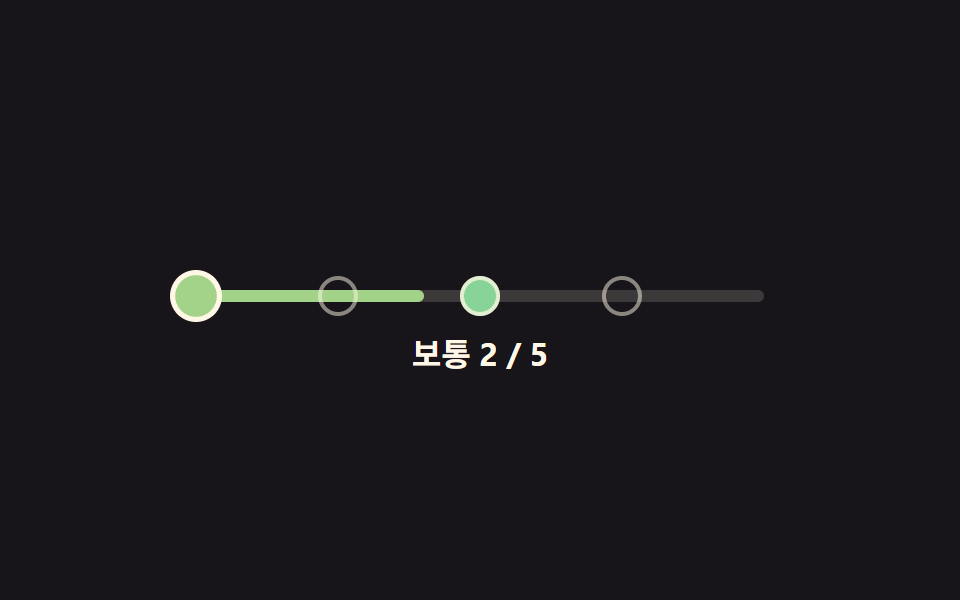 01 difficulty-selector-dot-ramp
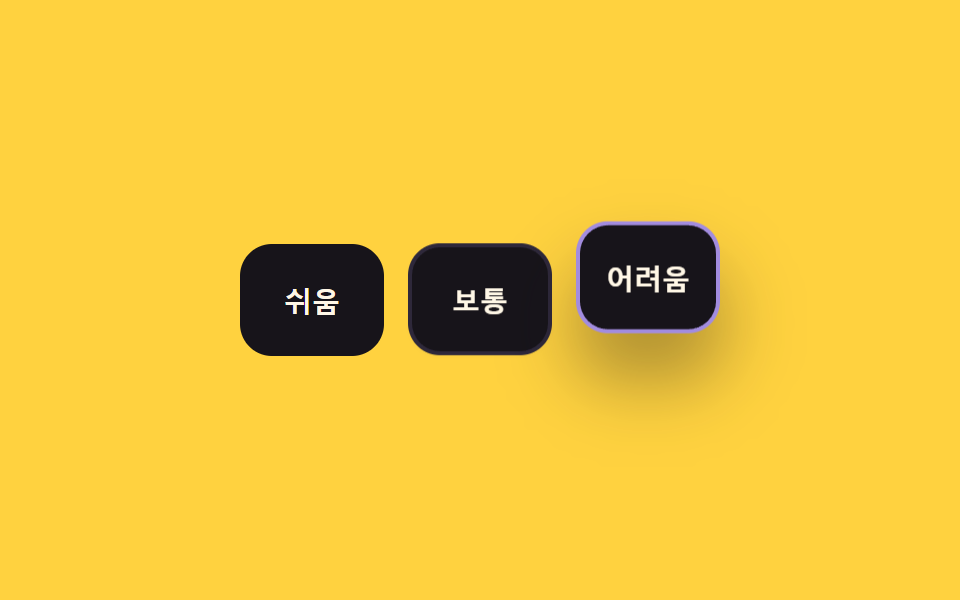 02 difficulty-selector-radio-card-grid
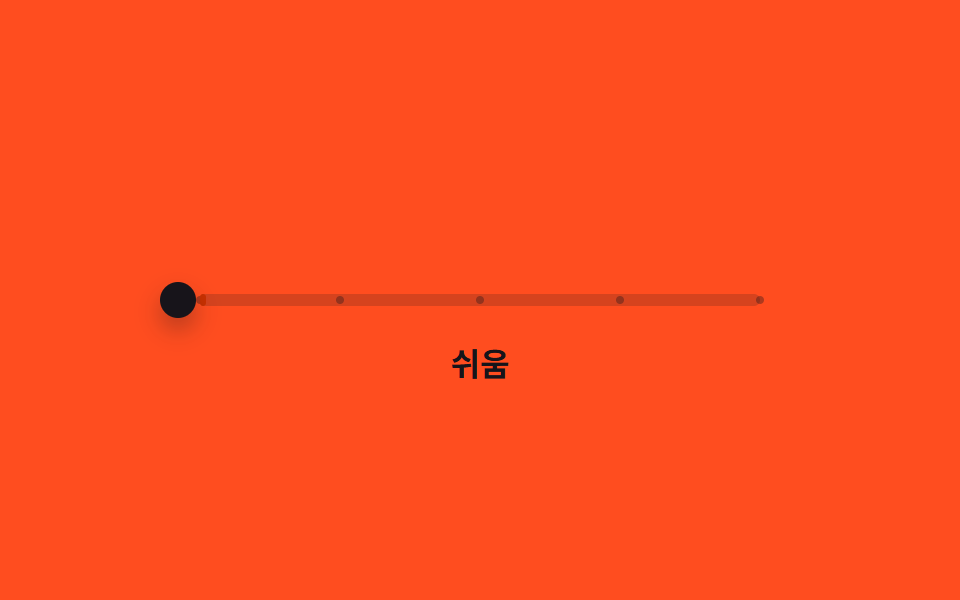 03 difficulty-selector-slider-snap-tier
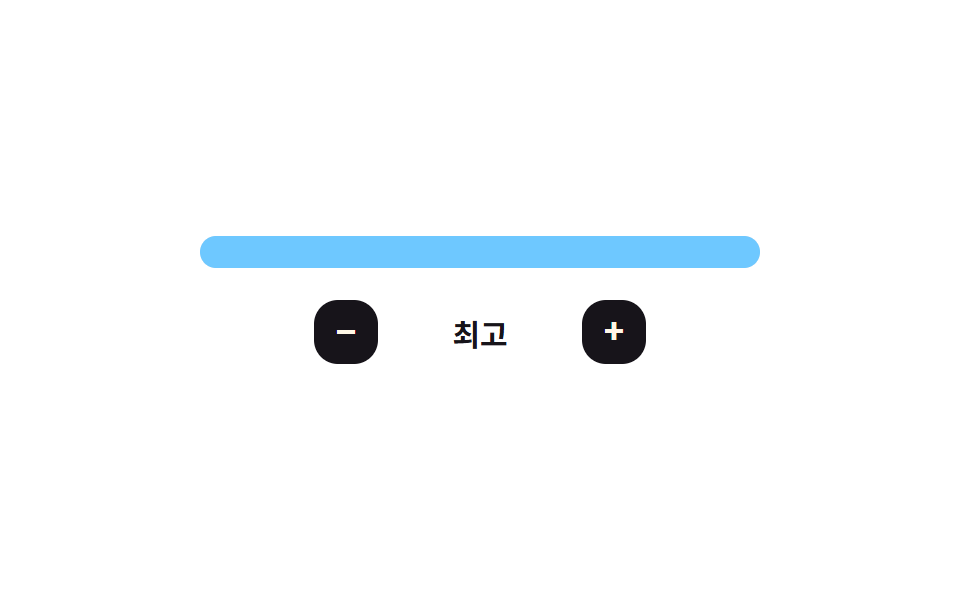 04 difficulty-selector-bar-meter-fill
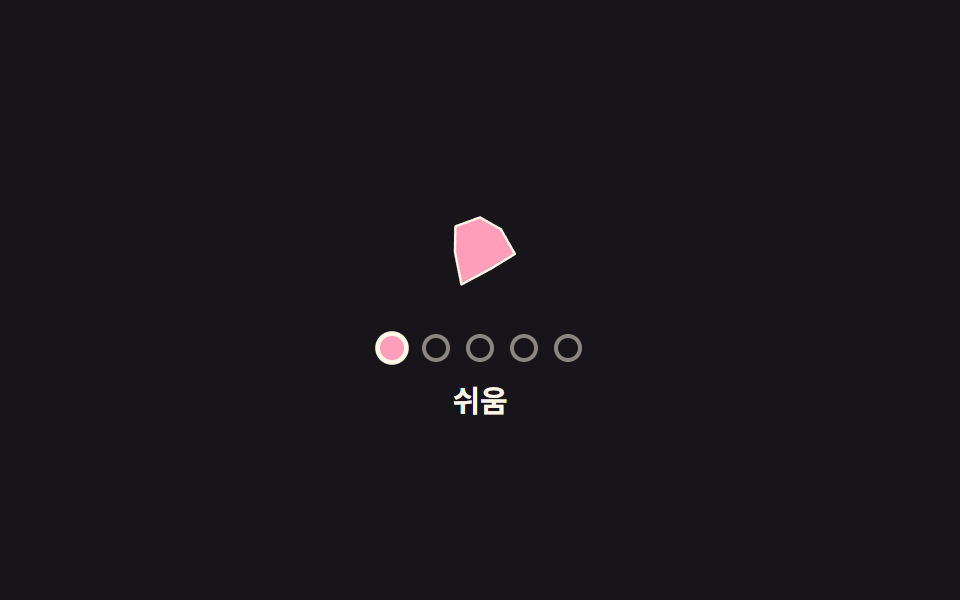 05 difficulty-selector-icon-morph-shape
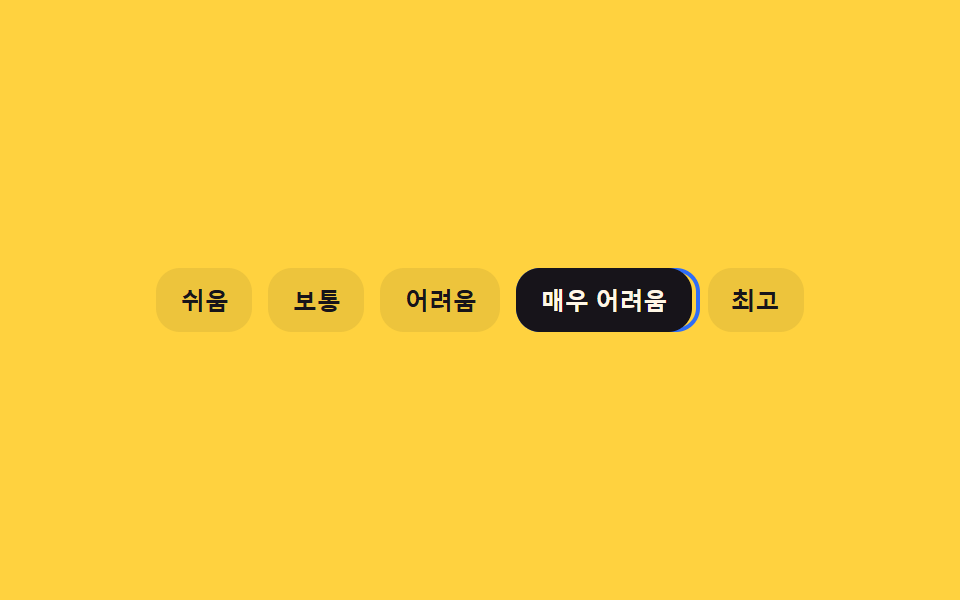 06 difficulty-selector-keyboard-arrow-lerp
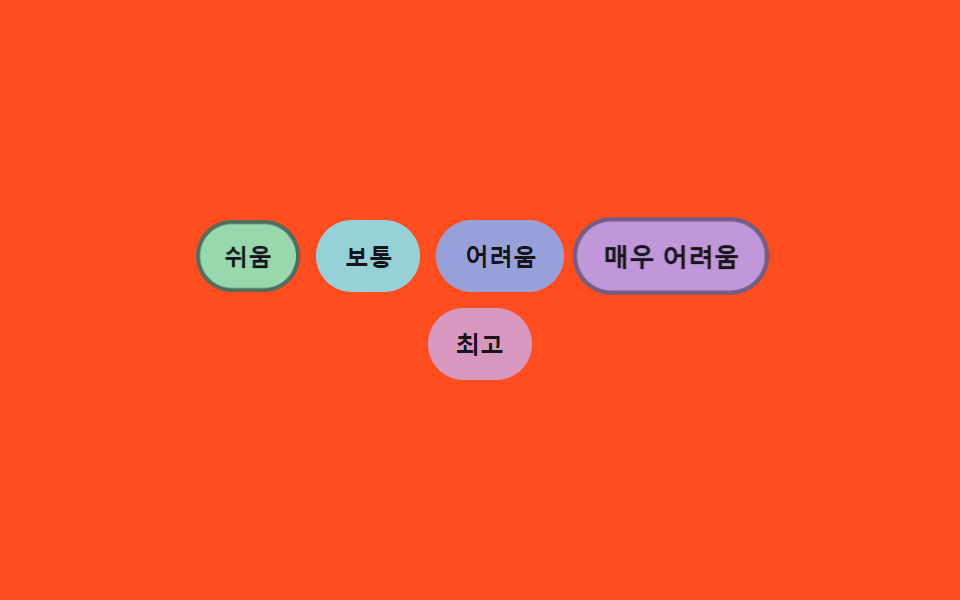 07 difficulty-selector-badge-hue-shift
 08 difficulty-selector-numeric-stepper-odometer
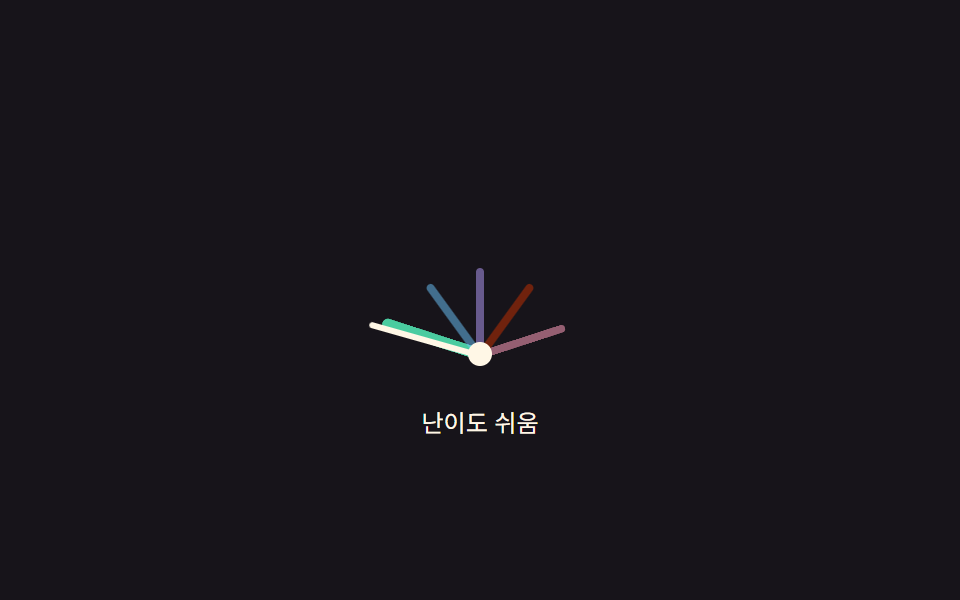 09 difficulty-selector-gauge-arc-drag
자동 재생 · 눌러서 해당 항목으로 · 전부 한 zip
- 01 색이 단계별로 번지는 점 난이도 선택기
- 02 고를수록 그림자가 깊어지는 카드형 난이도 선택
- 03 단계에서 튕기며 멈추는 난이도 슬라이더
- 04 광택이 훑고 지나가는 막대 난이도 게이지
- 05 아이콘 모양이 단계마다 변형되는 난이도 선택
- 06 초점 고리가 관성으로 따라오는 키보드 난이도 선택
- 07 색이 수식으로 이어지는 배지형 난이도 선택
- 08 숫자가 계기판처럼 굴러가는 난이도 스테퍼
- 09 드래그 각도로 값이 정해지는 반원 난이도 게이지
값 하나만 고르면 끝나는 01 에서 시작해, 그림자 물리가 붙는 02, 스프링 물리가 붙는 03, 시각 효과가 붙는 04·05를 거쳐 관성 보간이 붙는 06, 색·자릿값을 수식으로 구하는 07·08, 마지막으로 드래그 각도 자체를 값으로 바꾸는 09 순서로 계산이 한 겹씩 늘어나도록 배치했습니다.
아홉 가지 난이도 UI — 계산 한 겹이 어디서 도는가
| 항목 | 누적면적 | 강도 평균 | 움직인 프레임 |
|---|---|---|---|
| 01 점 색 램프 | 3.11% | 68.0 | 13/23 |
| 02 카드 그림자 | 8.92% | 78.1 | 12/23 |
| 03 슬라이더 스프링 | 4.29% | 108.3 | 13/23 |
| 04 막대 게이지 | 2.77% | 77.6 | 12/23 |
| 05 아이콘 모프 | 2.07% | 81.1 | 11/23 |
| 06 키보드 관성 | 5.87% | 144.7 | 14/23 |
| 07 배지 색상각 | 4.04% | 70.0 | 10/23 |
| 08 숫자 오도미터 | 0.69% | 105.6 | 11/23 |
| 09 게이지 드래그 | 2.20% | 116.6 | 9/23 |
누적면적은 02(8.92%)가 가장 넓고 06(5.87%)이 그다음이며, 08(0.69%)이 가장 좁습니다. 강도 평균은 06(144.7)이 다른 여덟 항목과 확연히 차이 나게 가장 높은데, 초점 고리가 매 프레임 좁히는 거리 계산을 23프레임 내내 이어가기 때문입니다. 반대로 01(68.0)이 가장 낮고, 움직인 프레임은 06(14/23)이 가장 많이 09(9)는 가장 적게 움직였습니다.
01 — 색상각 보간 한 겹
dotHue가 점 순서를 초록(132°)에서 빨강(0°) 사이 각도로 선형 보간해, 색을 다섯 개 미리 정해두지 않습니다.
02 — 그림자 물리 한 겹
shadowFor가 단계 번호에 비례해 그림자 y·blur·들뜬 높이 세 값을 동시에 구해, 상급 카드일수록 더 떠 보이게 계산합니다.
03 — 스프링 적분 한 겹
springTo가 force = -SPRING_K*(pos-target) - SPRING_D*vel를 매 프레임 오일러 적분해 손잡이가 단계를 살짝 지나쳤다 되튕겨 멈춥니다.
04 — 이징 한 겹
sweep이 easeOutCubic(경과비율)로 광택 띠의 가로 위치를 매 프레임 다시 구해 왼쪽에서 오른쪽으로 훑습니다.
05 — 기하 보간 한 겹
polygonRadius가 정다각형의 변 수와 각도로 그 방향 반지름을 구하고, buildPath가 그 반지름들을 이어 다음 단계 모양으로 자연스럽게 넘어갑니다.
06 — 지수 감쇠 한 겹
loop가 ringX += (targetX-ringX)*TRAIL_LERP로 남은 거리의 일부만 매 프레임 좁혀, 초점 고리가 목표를 관성으로 뒤따라옵니다.
07 — 색상각 수식 한 겹
badgeHue(i) = (BASE_HUE + i*HUE_SPACING) % 360로 배지 다섯 개의 색을 고정값이 아니라 수식으로 구해, 단계 수가 바뀌어도 간격이 다시 계산됩니다.
08 — 자릿값 한 겹
placeDigit(v, place)가 값을 10의 자리 거듭제곱으로 나눈 몫의 일의 자리를 구해, 그 값만큼 릴을 밀어 자리올림까지 자연히 표현합니다.
09 — 각도-값 매핑 한 겹
angleToValue가 포인터와 피벗 사이 각도를 atan2로 구해 -90~90도 구간을 0~4 값으로 매핑합니다.
패턴별 코드
항목마다 계산이 도는 함수만 뽑았습니다. 나머지 마크업·리스너는 각 데모의 코드 탭에서 그대로 볼 수 있습니다.
01색이 단계별로 번지는 점 난이도 선택기
점을 하나씩 가리키면 그 점까지 색이 초록에서 빨강 쪽으로 계산되어 채워지고, 실제로 고른 점까지만 그 색이 남습니다. 설문·퀴즈 앞에서 체감 난이도를 고르는 자리에 맞습니다.
  var HUE_LOW = 132, HUE_HIGH = 0, SAT = 46, LIGHT = 68;
  var root = document.getElementById('dr');
  var track = document.getElementById('drTrack');
  var fill = document.getElementById('drFill');
  var dots = Array.prototype.slice.call(track.querySelectorAll('.dr__dot'));
  var nameOut = document.getElementById('drName');
  var countOut = document.getElementById('drCount');
  var selected = 1;

  // 계산 겹: 점 순서(0~4)를 초록(132°)에서 빨강(0°)으로 이어지는 색상각 값으로 바꾼다
  function dotHue(i) { return HUE_LOW + (HUE_HIGH - HUE_LOW) * (i / (LEVELS.length - 1)); }
  function dotColor(i) { return 'hsl(' + dotHue(i).toFixed(1) + ', ' + SAT + '%, ' + LIGHT + '%)'; }

  function paintUpTo(i) {
    dots.forEach(function (d, idx) {
      d.style.background = idx <= i ? dotColor(idx) : '';
    });
    fill.style.width = ((i + 1) / LEVELS.length * 100) + '%';
    fill.style.background = dotColor(i);
  }
<main class="stage">
<div class="dr is-demo" id="dr">
  <div class="dr__track" id="drTrack" role="radiogroup" aria-label="난이도">
    <div class="dr__fill" id="drFill"></div>
    <button type="button" class="dr__dot" role="radio" aria-checked="false" aria-label="쉬움" data-i="0" tabindex="0"></button>
    <button type="button" class="dr__dot" role="radio" aria-checked="false" aria-label="보통" data-i="1" tabindex="-1"></button>
    <button type="button" class="dr__dot" role="radio" aria-checked="false" aria-label="어려움" data-i="2" tabindex="-1"></button>
    <button type="button" class="dr__dot" role="radio" aria-checked="false" aria-label="매우 어려움" data-i="3" tabindex="-1"></button>
    <button type="button" class="dr__dot" role="radio" aria-checked="false" aria-label="최고" data-i="4" tabindex="-1"></button>
  </div>
  <p class="dr__label"><span id="drName">보통</span> <span id="drCount">2 / 5</span></p>
</div>
</main>
@use "../../../../site/static/demo-tokens" as *;
// 변수 3개
$duration: $dur-base;
$easing: $ease-spring;
$color: $subject-mint;
// 계산 겹: dotHue(i) 가 점 순서를 초록→빨강 색상각으로 바꾼다(JS). scss 는 배치·상태만 담당.
@include stage($stage-ink);
.dr { width: min(300px, 86vw); color: $subject-cream; text-align: center; }
.dr__track {
position: relative; height: 6px; border-radius: $r-pill;
background: rgba($subject-cream, .16); margin: $sp-8 $sp-2 $sp-4;
}
.dr__fill {
position: absolute; top: 0; bottom: 0; left: 0; width: 40%;
background: $color; border-radius: $r-pill; transition: width $duration $easing, background $duration $easing;
}
.dr__dot {
position: absolute; top: 50%; width: 20px; height: 20px;
appearance: none; border: 2px solid rgba($subject-cream, .5); border-radius: 50%;
background: transparent; padding: 0; cursor: pointer; transform: translate(-50%, -50%);
transition: background $duration $easing, transform $dur-quick $ease-pop, border-color $duration $easing;
}
.dr__dot:nth-of-type(2) { left: 0%; }
.dr__dot:nth-of-type(3) { left: 25%; }
.dr__dot:nth-of-type(4) { left: 50%; }
.dr__dot:nth-of-type(5) { left: 75%; }
.dr__dot:nth-of-type(6) { left: 100%; }
.dr__dot:focus-visible { outline: 2px solid $subject-cream; outline-offset: 2px; }
.dr__dot[aria-checked="true"] {
border-color: $subject-cream; transform: translate(-50%, -50%) scale(1.3);
}
.dr__label {
margin: $sp-3 0 0; font-weight: 700; font-size: 16px; line-height: 1.3;
font-variant-numeric: tabular-nums;
}
@media (max-width: 340px) {
.dr { width: min(250px, 82vw); }
.dr__dot { width: 16px; height: 16px; }
.dr__label { font-size: 14px; }
}
@media (prefers-reduced-motion: reduce) {
// 실사용 경로 적용: 실제로 눌러도 채움·점 색은 트랜지션 없이 즉시 바뀐다
.dr__fill, .dr__dot { transition: none; }
}html, body {
margin: 0;
overflow: hidden;
}
.stage {
box-sizing: border-box;
min-height: 100vh;
display: grid;
place-items: center;
margin: 0;
background: #17141a;
font-family: -apple-system, "Segoe UI", "Noto Sans KR", sans-serif;
padding: clamp(8px, 4vw, 24px);
}
.dr {
width: min(300px, 86vw);
color: #fff7e6;
text-align: center;
}
.dr__track {
position: relative;
height: 6px;
border-radius: 999px;
background: rgba(255, 247, 230, 0.16);
margin: 32px 8px 16px;
}
.dr__fill {
position: absolute;
top: 0;
bottom: 0;
left: 0;
width: 40%;
background: #4cd4a6;
border-radius: 999px;
transition: width 300ms cubic-bezier(0.2, 0.8, 0.2, 1), background 300ms cubic-bezier(0.2, 0.8, 0.2, 1);
}
.dr__dot {
position: absolute;
top: 50%;
width: 20px;
height: 20px;
appearance: none;
border: 2px solid rgba(255, 247, 230, 0.5);
border-radius: 50%;
background: transparent;
padding: 0;
cursor: pointer;
transform: translate(-50%, -50%);
transition: background 300ms cubic-bezier(0.2, 0.8, 0.2, 1), transform 220ms cubic-bezier(0.2, 1.4, 0.4, 1), border-color 300ms cubic-bezier(0.2, 0.8, 0.2, 1);
}
.dr__dot:nth-of-type(2) {
left: 0%;
}
.dr__dot:nth-of-type(3) {
left: 25%;
}
.dr__dot:nth-of-type(4) {
left: 50%;
}
.dr__dot:nth-of-type(5) {
left: 75%;
}
.dr__dot:nth-of-type(6) {
left: 100%;
}
.dr__dot:focus-visible {
outline: 2px solid #fff7e6;
outline-offset: 2px;
}
.dr__dot[aria-checked=true] {
border-color: #fff7e6;
transform: translate(-50%, -50%) scale(1.3);
}
.dr__label {
margin: 12px 0 0;
font-weight: 700;
font-size: 16px;
line-height: 1.3;
font-variant-numeric: tabular-nums;
}
@media (max-width: 340px) {
.dr {
width: min(250px, 82vw);
}
.dr__dot {
width: 16px;
height: 16px;
}
.dr__label {
font-size: 14px;
}
}
@media (prefers-reduced-motion: reduce) {
.dr__fill, .dr__dot {
transition: none;
}
}(function () {
var LEVELS = ['쉬움', '보통', '어려움', '매우 어려움', '최고'];
var HUE_LOW = 132, HUE_HIGH = 0, SAT = 46, LIGHT = 68;
var root = document.getElementById('dr');
var track = document.getElementById('drTrack');
var fill = document.getElementById('drFill');
var dots = Array.prototype.slice.call(track.querySelectorAll('.dr__dot'));
var nameOut = document.getElementById('drName');
var countOut = document.getElementById('drCount');
var selected = 1;
// 계산 겹: 점 순서(0~4)를 초록(132°)에서 빨강(0°)으로 이어지는 색상각 값으로 바꾼다
function dotHue(i) { return HUE_LOW + (HUE_HIGH - HUE_LOW) * (i / (LEVELS.length - 1)); }
function dotColor(i) { return 'hsl(' + dotHue(i).toFixed(1) + ', ' + SAT + '%, ' + LIGHT + '%)'; }
function paintUpTo(i) {
dots.forEach(function (d, idx) {
d.style.background = idx <= i ? dotColor(idx) : '';
});
fill.style.width = ((i + 1) / LEVELS.length * 100) + '%';
fill.style.background = dotColor(i);
}
function commit(i) {
selected = i;
dots.forEach(function (d, idx) {
d.setAttribute('aria-checked', idx === i ? 'true' : 'false');
d.setAttribute('tabindex', idx === i ? '0' : '-1');
});
paintUpTo(i);
nameOut.textContent = LEVELS[i];
countOut.textContent = (i + 1) + ' / ' + LEVELS.length;
}
function human() { root.classList.remove('is-demo'); clearInterval(timer); }
dots.forEach(function (d, i) {
d.addEventListener('pointerenter', function () { if (!root.classList.contains('is-demo')) paintUpTo(i); });
d.addEventListener('pointerleave', function () { if (!root.classList.contains('is-demo')) paintUpTo(selected); });
d.addEventListener('click', function () { human(); commit(i); });
d.addEventListener('keydown', function (e) {
if (e.key === 'ArrowRight' || e.key === 'ArrowUp') { e.preventDefault(); human(); commit(Math.min(LEVELS.length - 1, selected + 1)); dots[selected].focus({ preventScroll: true }); }
else if (e.key === 'ArrowLeft' || e.key === 'ArrowDown') { e.preventDefault(); human(); commit(Math.max(0, selected - 1)); dots[selected].focus({ preventScroll: true }); }
});
});
var sequence = [3, 0, 4, 1, 2];
var si = 0;
function tick() { commit(sequence[si % sequence.length]); si++; }
var reduce = window.matchMedia('(prefers-reduced-motion: reduce)').matches;
var timer = reduce ? null : setInterval(tick, 620);
commit(selected);
}());import { useEffect, useRef } from 'react';
import styles from './DifficultySelectorDotRamp.module.scss';
const LEVELS = ['쉬움', '보통', '어려움', '매우 어려움', '최고'];
const HUE_LOW = 132, HUE_HIGH = 0, SAT = 46, LIGHT = 68;
const SEQUENCE = [3, 0, 4, 1, 2];
const TICK_MS = 620;
export default function DifficultySelectorDotRamp() {
const rootRef = useRef<HTMLDivElement>(null);
const trackRef = useRef<HTMLDivElement>(null);
const fillRef = useRef<HTMLDivElement>(null);
const dotRefs = useRef<HTMLButtonElement[]>([]);
const nameRef = useRef<HTMLSpanElement>(null);
const countRef = useRef<HTMLSpanElement>(null);
useEffect(() => {
const root = rootRef.current;
const track = trackRef.current;
const fill = fillRef.current;
const nameOut = nameRef.current;
const countOut = countRef.current;
if (!root || !track || !fill || !nameOut || !countOut || !dotRefs.current) return undefined;
const dots = dotRefs.current;
if (dots.length !== LEVELS.length) return undefined;
let selected = 1;
// 계산 겹: 점 순서(0~4)를 초록(132°)에서 빨강(0°)으로 이어지는 색상각 값으로 바꾼다
function dotHue(i: number) { return HUE_LOW + (HUE_HIGH - HUE_LOW) * (i / (LEVELS.length - 1)); }
function dotColor(i: number) { return 'hsl(' + dotHue(i).toFixed(1) + ', ' + SAT + '%, ' + LIGHT + '%)'; }
function paintUpTo(i: number) {
dots.forEach((d, idx) => { d.style.background = idx <= i ? dotColor(idx) : ''; });
fill!.style.width = ((i + 1) / LEVELS.length * 100) + '%';
fill!.style.background = dotColor(i);
}
function commit(i: number) {
selected = i;
dots.forEach((d, idx) => {
d.setAttribute('aria-checked', idx === i ? 'true' : 'false');
d.setAttribute('tabindex', idx === i ? '0' : '-1');
});
paintUpTo(i);
nameOut!.textContent = LEVELS[i];
countOut!.textContent = (i + 1) + ' / ' + LEVELS.length;
}
let timer = 0;
function human() { root!.classList.remove(styles['is-demo']); window.clearInterval(timer); }
const offs = dots.map((d, i) => {
function onEnter() { if (root!.classList.contains(styles['is-demo'])) return; paintUpTo(i); }
function onLeave() { if (root!.classList.contains(styles['is-demo'])) return; paintUpTo(selected); }
function onClick() { human(); commit(i); }
function onKey(e: KeyboardEvent) {
if (e.key === 'ArrowRight' || e.key === 'ArrowUp') { e.preventDefault(); human(); commit(Math.min(LEVELS.length - 1, selected + 1)); dots[selected].focus({ preventScroll: true }); }
else if (e.key === 'ArrowLeft' || e.key === 'ArrowDown') { e.preventDefault(); human(); commit(Math.max(0, selected - 1)); dots[selected].focus({ preventScroll: true }); }
}
d.addEventListener('pointerenter', onEnter);
d.addEventListener('pointerleave', onLeave);
d.addEventListener('click', onClick);
d.addEventListener('keydown', onKey);
return () => {
d.removeEventListener('pointerenter', onEnter);
d.removeEventListener('pointerleave', onLeave);
d.removeEventListener('click', onClick);
d.removeEventListener('keydown', onKey);
};
});
let si = 0;
function tick() { commit(SEQUENCE[si % SEQUENCE.length]); si++; }
const reduce = window.matchMedia('(prefers-reduced-motion: reduce)').matches;
if (!reduce) timer = window.setInterval(tick, TICK_MS);
commit(selected);
return () => { offs.forEach((off) => off()); window.clearInterval(timer); };
}, []);
return (
<main className={styles.stage}>
<div className={styles.dr + ' ' + styles['is-demo']} ref={rootRef}>
<div className={styles.drTrack} ref={trackRef} role="radiogroup" aria-label="난이도">
<div className={styles.drFill} ref={fillRef} />
{LEVELS.map((label, i) => (
<button
key={label}
type="button"
className={styles.drDot}
ref={(el: HTMLButtonElement | null) => { if (el && dotRefs.current) dotRefs.current[i] = el; }}
role="radio"
aria-checked="false"
aria-label={label}
data-i={i}
tabIndex={i === 0 ? 0 : -1}
/>
))}
</div>
<p className={styles.drLabel}>
<span ref={nameRef}>보통</span> <span ref={countRef}>2 / 5</span>
</p>
</div>
</main>
);
}01 · 색이 단계별로 번지는 점 난이도 선택기 — 측정 누적면적 3.112% · 움직인 프레임 13/23GODRICH 원작 · zip 에 SCSS·React 포함 · 비밀번호 보기
02고를수록 그림자가 깊어지는 카드형 난이도 선택
카드를 고르면 그 카드의 그림자 높이와 번짐이 단계 번호에 비례해 계산되어 커지므로, 상급 카드일수록 더 떠 보입니다. 앱 시작 화면에서 상·중·하 난이도를 고르는 자리에 맞습니다.
  // 계산 겹: 카드 그림자의 y·blur·들뜬 높이를 고정값이 아니라 단계 번호(tier)에 비례해 구한다
  function shadowFor(tier) {
    var y = BASE_Y + tier * Y_STEP;
    var blur = BASE_BLUR + tier * BLUR_STEP;
    var lift = BASE_LIFT + tier * LIFT_STEP;
    return { y: y, blur: blur, lift: lift };
  }
  function paint() {
    cards.forEach(function (c, i) {
      var on = i === selected;
      c.setAttribute('aria-checked', on ? 'true' : 'false');
      c.setAttribute('tabindex', on ? '0' : '-1');
      if (on) {
        var s = shadowFor(i);
        c.style.boxShadow = '0 ' + s.y + 'px ' + s.blur + 'px rgba(23, 20, 26, .38)';
        c.style.transform = 'translateY(-' + s.lift + 'px)';
      } else {
        c.style.boxShadow = '';
        c.style.transform = '';
      }
    });
  }
<main class="stage">
<div class="rc is-demo" id="rc" role="radiogroup" aria-label="난이도">
  <button type="button" class="rc__card" role="radio" aria-checked="false" data-i="0" tabindex="0">쉬움</button>
  <button type="button" class="rc__card" role="radio" aria-checked="false" data-i="1" tabindex="-1">보통</button>
  <button type="button" class="rc__card" role="radio" aria-checked="false" data-i="2" tabindex="-1">어려움</button>
</div>
</main>
@use "../../../../site/static/demo-tokens" as *;
// 변수 3개
$duration: $dur-base;
$easing: $ease-spring;
$color: $subject-lilac;
// 계산 겹: shadowFor(tier) 가 그림자 y·blur·들뜬 높이를 단계 번호에 비례해 구한다(JS). scss 는 전환만 담당.
@include stage($stage-yellow);
.rc { display: flex; gap: $sp-3; }
.rc__card {
appearance: none; border: 2px solid transparent; border-radius: $r-card;
background: $subject-ink; color: $subject-cream; font-weight: 700; font-size: 14px;
width: 72px; height: 56px; cursor: pointer;
transition: box-shadow $duration $easing, transform $duration $easing, border-color $dur-quick $ease-out;
}
.rc__card:focus-visible { outline: 2px solid $subject-ink; outline-offset: 2px; }
.rc__card[aria-checked="true"] { border-color: $color; }
@media (max-width: 340px) {
.rc { gap: $sp-2; }
.rc__card { width: 60px; height: 48px; font-size: 12px; }
}
@media (prefers-reduced-motion: reduce) {
// 실사용 경로 적용: 실제로 카드를 골라도 그림자·들뜸은 트랜지션 없이 즉시 반영된다
.rc__card { transition: none; }
}html, body {
margin: 0;
overflow: hidden;
}
.stage {
box-sizing: border-box;
min-height: 100vh;
display: grid;
place-items: center;
margin: 0;
background: #ffd23f;
font-family: -apple-system, "Segoe UI", "Noto Sans KR", sans-serif;
padding: clamp(8px, 4vw, 24px);
}
.rc {
display: flex;
gap: 12px;
}
.rc__card {
appearance: none;
border: 2px solid transparent;
border-radius: 16px;
background: #17141a;
color: #fff7e6;
font-weight: 700;
font-size: 14px;
width: 72px;
height: 56px;
cursor: pointer;
transition: box-shadow 300ms cubic-bezier(0.2, 0.8, 0.2, 1), transform 300ms cubic-bezier(0.2, 0.8, 0.2, 1), border-color 220ms ease-out;
}
.rc__card:focus-visible {
outline: 2px solid #17141a;
outline-offset: 2px;
}
.rc__card[aria-checked=true] {
border-color: #b9a0ff;
}
@media (max-width: 340px) {
.rc {
gap: 8px;
}
.rc__card {
width: 60px;
height: 48px;
font-size: 12px;
}
}
@media (prefers-reduced-motion: reduce) {
.rc__card {
transition: none;
}
}(function () {
var LEVELS = ['쉬움', '보통', '어려움'];
var BASE_Y = 6, Y_STEP = 9, BASE_BLUR = 14, BLUR_STEP = 12, BASE_LIFT = 2, LIFT_STEP = 5;
var root = document.getElementById('rc');
var cards = Array.prototype.slice.call(root.querySelectorAll('.rc__card'));
var selected = 0;
// 계산 겹: 카드 그림자의 y·blur·들뜬 높이를 고정값이 아니라 단계 번호(tier)에 비례해 구한다
function shadowFor(tier) {
var y = BASE_Y + tier * Y_STEP;
var blur = BASE_BLUR + tier * BLUR_STEP;
var lift = BASE_LIFT + tier * LIFT_STEP;
return { y: y, blur: blur, lift: lift };
}
function paint() {
cards.forEach(function (c, i) {
var on = i === selected;
c.setAttribute('aria-checked', on ? 'true' : 'false');
c.setAttribute('tabindex', on ? '0' : '-1');
if (on) {
var s = shadowFor(i);
c.style.boxShadow = '0 ' + s.y + 'px ' + s.blur + 'px rgba(23, 20, 26, .38)';
c.style.transform = 'translateY(-' + s.lift + 'px)';
} else {
c.style.boxShadow = '';
c.style.transform = '';
}
});
}
function human() { root.classList.remove('is-demo'); clearInterval(timer); }
function select(i) { selected = i; paint(); }
cards.forEach(function (c, i) {
c.addEventListener('click', function () { human(); select(i); });
c.addEventListener('keydown', function (e) {
if (e.key === 'ArrowRight' || e.key === 'ArrowDown') { e.preventDefault(); human(); select((selected + 1) % LEVELS.length); cards[selected].focus({ preventScroll: true }); }
else if (e.key === 'ArrowLeft' || e.key === 'ArrowUp') { e.preventDefault(); human(); select((selected - 1 + LEVELS.length) % LEVELS.length); cards[selected].focus({ preventScroll: true }); }
});
});
var si = 0;
function tick() { si = (si + 1) % LEVELS.length; select(si); }
var reduce = window.matchMedia('(prefers-reduced-motion: reduce)').matches;
var timer = reduce ? null : setInterval(tick, 700);
paint();
}());import { useEffect, useRef } from 'react';
import styles from './DifficultySelectorRadioCardGrid.module.scss';
const LEVELS = ['쉬움', '보통', '어려움'];
const BASE_Y = 6, Y_STEP = 9, BASE_BLUR = 14, BLUR_STEP = 12, BASE_LIFT = 2, LIFT_STEP = 5;
const TICK_MS = 700;
export default function DifficultySelectorRadioCardGrid() {
const rootRef = useRef<HTMLDivElement>(null);
const cardRefs = useRef<HTMLButtonElement[]>([]);
useEffect(() => {
const root = rootRef.current;
if (!root || !cardRefs.current) return undefined;
const cards = cardRefs.current;
if (cards.length !== LEVELS.length) return undefined;
let selected = 0;
// 계산 겹: 카드 그림자의 y·blur·들뜬 높이를 고정값이 아니라 단계 번호(tier)에 비례해 구한다
function shadowFor(tier: number) {
return { y: BASE_Y + tier * Y_STEP, blur: BASE_BLUR + tier * BLUR_STEP, lift: BASE_LIFT + tier * LIFT_STEP };
}
function paint() {
cards.forEach((c, i) => {
const on = i === selected;
c.setAttribute('aria-checked', on ? 'true' : 'false');
c.setAttribute('tabindex', on ? '0' : '-1');
if (on) {
const s = shadowFor(i);
c.style.boxShadow = '0 ' + s.y + 'px ' + s.blur + 'px rgba(23, 20, 26, .38)';
c.style.transform = 'translateY(-' + s.lift + 'px)';
} else {
c.style.boxShadow = '';
c.style.transform = '';
}
});
}
let timer = 0;
function human() { root!.classList.remove(styles['is-demo']); window.clearInterval(timer); }
function select(i: number) { selected = i; paint(); }
const offs = cards.map((c, i) => {
function onClick() { human(); select(i); }
function onKey(e: KeyboardEvent) {
if (e.key === 'ArrowRight' || e.key === 'ArrowDown') { e.preventDefault(); human(); select((selected + 1) % LEVELS.length); cards[selected].focus({ preventScroll: true }); }
else if (e.key === 'ArrowLeft' || e.key === 'ArrowUp') { e.preventDefault(); human(); select((selected - 1 + LEVELS.length) % LEVELS.length); cards[selected].focus({ preventScroll: true }); }
}
c.addEventListener('click', onClick);
c.addEventListener('keydown', onKey);
return () => { c.removeEventListener('click', onClick); c.removeEventListener('keydown', onKey); };
});
let si = 0;
function tick() { si = (si + 1) % LEVELS.length; select(si); }
const reduce = window.matchMedia('(prefers-reduced-motion: reduce)').matches;
if (!reduce) timer = window.setInterval(tick, TICK_MS);
paint();
return () => { offs.forEach((off) => off()); window.clearInterval(timer); };
}, []);
return (
<main className={styles.stage}>
<div className={styles.rc + ' ' + styles['is-demo']} ref={rootRef} role="radiogroup" aria-label="난이도">
{LEVELS.map((label, i) => (
<button
key={label}
type="button"
className={styles.rcCard}
ref={(el: HTMLButtonElement | null) => { if (el && cardRefs.current) cardRefs.current[i] = el; }}
role="radio"
aria-checked="false"
data-i={i}
tabIndex={i === 0 ? 0 : -1}
>
{label}
</button>
))}
</div>
</main>
);
}02 · 고를수록 그림자가 깊어지는 카드형 난이도 선택 — 측정 누적면적 8.917% · 움직인 프레임 12/23GODRICH 원작 · zip 에 SCSS·React 포함 · 비밀번호 보기
03단계에서 튕기며 멈추는 난이도 슬라이더
손을 떼면 손잡이가 가장 가까운 단계를 살짝 지나쳤다가 스프링 계산으로 되튕겨 그 단계에 멈춥니다. 설정 화면에서 난이도를 손가락으로 끌어 정하는 자리에 맞습니다.
  // 계산 겹: 목표 단계까지 스프링-감쇠 방정식(가속도 = -k*(위치-목표) - d*속도)을 매 프레임 적분해
  // 단계를 살짝 지나쳤다가(오버슛) 되튕겨 정확히 그 단계에서 멈춘다
  function springTo(target) {
    cancelAnimationFrame(raf);
    if (reduce) { pos = target; paintAt(pos); return; }
    var vel = 0;
    function step() {
      var force = -SPRING_K * (pos - target) - SPRING_D * vel;
      vel += force * DT;
      pos += vel * DT;
      paintAt(pos);
      if (Math.abs(pos - target) > 0.15 || Math.abs(vel) > 0.15) raf = requestAnimationFrame(step);
      else { pos = target; paintAt(pos); }
    }
    raf = requestAnimationFrame(step);
  }
<main class="stage">
<div class="sst is-demo" id="sst">
  <div class="sst__track" id="sstTrack">
    <div class="sst__tick" style="left:0%"></div>
    <div class="sst__tick" style="left:25%"></div>
    <div class="sst__tick" style="left:50%"></div>
    <div class="sst__tick" style="left:75%"></div>
    <div class="sst__tick" style="left:100%"></div>
    <div class="sst__fill" id="sstFill"></div>
    <button type="button" class="sst__thumb" id="sstThumb" role="slider"
      aria-label="난이도" aria-valuemin="0" aria-valuemax="4" aria-valuenow="1" aria-valuetext="보통" tabindex="0"></button>
  </div>
  <p class="sst__label" id="sstLabel">보통</p>
</div>
</main>
@use "../../../../site/static/demo-tokens" as *;
// 변수 3개
$duration: $dur-base;
$easing: $ease-spring;
$color: $subject-orange-deep;
// 계산 겹: springTo() 가 스프링-감쇠 방정식을 매 프레임 적분한다(JS) — scss 는 위치만 반영, 트랜지션 없음(연속 프레임이 이미 물리 곡선)
@include stage($stage-orange);
.sst { width: min(280px, 84vw); color: $subject-ink; text-align: center; }
.sst__track { position: relative; height: 6px; border-radius: $r-pill; background: rgba($subject-ink, .18); margin: $sp-10 0 $sp-4; }
.sst__fill { position: absolute; top: 0; bottom: 0; left: 0; width: 25%; background: $color; border-radius: $r-pill; }
.sst__tick {
position: absolute; top: 50%; width: 4px; height: 4px; border-radius: 50%;
background: rgba($subject-ink, .35); transform: translate(-50%, -50%);
}
.sst__thumb {
position: absolute; top: 50%; left: 25%; width: 18px; height: 18px;
appearance: none; border: 0; border-radius: 50%; background: $subject-ink;
box-shadow: $shadow-press; cursor: grab; touch-action: none; padding: 0;
transform: translate(-50%, -50%);
}
.sst__thumb:active { cursor: grabbing; }
.sst__thumb:focus-visible { outline: 2px solid $subject-ink; outline-offset: 2px; }
.sst__label { margin: $sp-2 0 0; font-weight: 700; font-size: 16px; }
@media (max-width: 340px) {
.sst { width: min(240px, 80vw); }
.sst__label { font-size: 14px; }
}
@media (prefers-reduced-motion: reduce) {
// 실사용 경로 적용: springTo() 안에서 reduce 를 직접 확인해 목표 위치로 즉시 이동한다(JS 쪽 처리, 여긴 대체 표시 없음)
.sst__thumb { transition: none; }
}html, body {
margin: 0;
overflow: hidden;
}
.stage {
box-sizing: border-box;
min-height: 100vh;
display: grid;
place-items: center;
margin: 0;
background: #ff4d1f;
font-family: -apple-system, "Segoe UI", "Noto Sans KR", sans-serif;
padding: clamp(8px, 4vw, 24px);
}
.sst {
width: min(280px, 84vw);
color: #17141a;
text-align: center;
}
.sst__track {
position: relative;
height: 6px;
border-radius: 999px;
background: rgba(23, 20, 26, 0.18);
margin: 40px 0 16px;
}
.sst__fill {
position: absolute;
top: 0;
bottom: 0;
left: 0;
width: 25%;
background: #c93000;
border-radius: 999px;
}
.sst__tick {
position: absolute;
top: 50%;
width: 4px;
height: 4px;
border-radius: 50%;
background: rgba(23, 20, 26, 0.35);
transform: translate(-50%, -50%);
}
.sst__thumb {
position: absolute;
top: 50%;
left: 25%;
width: 18px;
height: 18px;
appearance: none;
border: 0;
border-radius: 50%;
background: #17141a;
box-shadow: 0 6px 12px rgba(23, 20, 26, 0.32);
cursor: grab;
touch-action: none;
padding: 0;
transform: translate(-50%, -50%);
}
.sst__thumb:active {
cursor: grabbing;
}
.sst__thumb:focus-visible {
outline: 2px solid #17141a;
outline-offset: 2px;
}
.sst__label {
margin: 8px 0 0;
font-weight: 700;
font-size: 16px;
}
@media (max-width: 340px) {
.sst {
width: min(240px, 80vw);
}
.sst__label {
font-size: 14px;
}
}
@media (prefers-reduced-motion: reduce) {
.sst__thumb {
transition: none;
}
}(function () {
var LEVELS = ['쉬움', '보통', '어려움', '매우 어려움', '최고'];
var N = LEVELS.length;
var SPRING_K = 210, SPRING_D = 18, DT = 1 / 60;
var root = document.getElementById('sst');
var track = document.getElementById('sstTrack');
var fill = document.getElementById('sstFill');
var thumb = document.getElementById('sstThumb');
var label = document.getElementById('sstLabel');
var tier = 1;
var pos = tierPct(1);
var raf = 0;
function tierPct(t) { return (t / (N - 1)) * 100; }
function paintAt(pct) {
thumb.style.left = pct + '%';
fill.style.width = pct + '%';
}
function setReadout(t) {
thumb.setAttribute('aria-valuenow', String(t));
thumb.setAttribute('aria-valuetext', LEVELS[t]);
label.textContent = LEVELS[t];
}
var reduce = window.matchMedia('(prefers-reduced-motion: reduce)').matches;
// 계산 겹: 목표 단계까지 스프링-감쇠 방정식(가속도 = -k*(위치-목표) - d*속도)을 매 프레임 적분해
// 단계를 살짝 지나쳤다가(오버슛) 되튕겨 정확히 그 단계에서 멈춘다
function springTo(target) {
cancelAnimationFrame(raf);
if (reduce) { pos = target; paintAt(pos); return; }
var vel = 0;
function step() {
var force = -SPRING_K * (pos - target) - SPRING_D * vel;
vel += force * DT;
pos += vel * DT;
paintAt(pos);
if (Math.abs(pos - target) > 0.15 || Math.abs(vel) > 0.15) raf = requestAnimationFrame(step);
else { pos = target; paintAt(pos); }
}
raf = requestAnimationFrame(step);
}
function human() { root.classList.remove('is-demo'); clearInterval(timer); }
function settle(t) { tier = Math.max(0, Math.min(N - 1, t)); setReadout(tier); springTo(tierPct(tier)); }
function pctFromX(x) {
var r = track.getBoundingClientRect();
return Math.max(0, Math.min(100, ((x - r.left) / r.width) * 100));
}
thumb.addEventListener('pointerdown', function (e) {
human(); thumb.setPointerCapture(e.pointerId); cancelAnimationFrame(raf);
function move(ev) { pos = pctFromX(ev.clientX); paintAt(pos); }
function up() {
thumb.removeEventListener('pointermove', move); thumb.removeEventListener('pointerup', up);
settle(Math.round(pos / 100 * (N - 1)));
}
thumb.addEventListener('pointermove', move); thumb.addEventListener('pointerup', up);
});
thumb.addEventListener('keydown', function (e) {
if (e.key === 'ArrowRight' || e.key === 'ArrowUp') { e.preventDefault(); human(); settle(tier + 1); }
else if (e.key === 'ArrowLeft' || e.key === 'ArrowDown') { e.preventDefault(); human(); settle(tier - 1); }
else if (e.key === 'Home') { e.preventDefault(); human(); settle(0); }
else if (e.key === 'End') { e.preventDefault(); human(); settle(N - 1); }
});
var sequence = [3, 0, 4, 1, 2];
var si = 0;
function tick() { settle(sequence[si % sequence.length]); si++; }
var timer = reduce ? null : setInterval(tick, 900);
setReadout(tier); paintAt(pos);
}());import { useEffect, useRef } from 'react';
import styles from './DifficultySelectorSliderSnapTier.module.scss';
const LEVELS = ['쉬움', '보통', '어려움', '매우 어려움', '최고'];
const N = LEVELS.length;
const SPRING_K = 210, SPRING_D = 18, DT = 1 / 60;
const SEQUENCE = [3, 0, 4, 1, 2];
const TICK_MS = 900;
export default function DifficultySelectorSliderSnapTier() {
const rootRef = useRef<HTMLDivElement>(null);
const trackRef = useRef<HTMLDivElement>(null);
const fillRef = useRef<HTMLDivElement>(null);
const thumbRef = useRef<HTMLButtonElement>(null);
const labelRef = useRef<HTMLParagraphElement>(null);
useEffect(() => {
const root = rootRef.current;
const track = trackRef.current;
const fill = fillRef.current;
const thumb = thumbRef.current;
const label = labelRef.current;
if (!root || !track || !fill || !thumb || !label) return undefined;
function tierPct(t: number) { return (t / (N - 1)) * 100; }
let tier = 1;
let pos = tierPct(1);
let raf = 0;
function paintAt(pct: number) {
thumb!.style.left = pct + '%';
fill!.style.width = pct + '%';
}
function setReadout(t: number) {
thumb!.setAttribute('aria-valuenow', String(t));
thumb!.setAttribute('aria-valuetext', LEVELS[t]);
label!.textContent = LEVELS[t];
}
const reduce = window.matchMedia('(prefers-reduced-motion: reduce)').matches;
// 계산 겹: 목표 단계까지 스프링-감쇠 방정식(가속도 = -k*(위치-목표) - d*속도)을 매 프레임 적분해
// 단계를 살짝 지나쳤다가(오버슛) 되튕겨 정확히 그 단계에서 멈춘다
function springTo(target: number) {
cancelAnimationFrame(raf);
if (reduce) { pos = target; paintAt(pos); return; }
let vel = 0;
function step() {
const force = -SPRING_K * (pos - target) - SPRING_D * vel;
vel += force * DT;
pos += vel * DT;
paintAt(pos);
if (Math.abs(pos - target) > 0.15 || Math.abs(vel) > 0.15) raf = requestAnimationFrame(step);
else { pos = target; paintAt(pos); }
}
raf = requestAnimationFrame(step);
}
let timer = 0;
function human() { root!.classList.remove(styles['is-demo']); window.clearInterval(timer); }
function settle(t: number) { tier = Math.max(0, Math.min(N - 1, t)); setReadout(tier); springTo(tierPct(tier)); }
function pctFromX(x: number) {
const r = track!.getBoundingClientRect();
return Math.max(0, Math.min(100, ((x - r.left) / r.width) * 100));
}
function onDown(e: PointerEvent) {
human(); thumb!.setPointerCapture(e.pointerId); cancelAnimationFrame(raf);
function move(ev: PointerEvent) { pos = pctFromX(ev.clientX); paintAt(pos); }
function up() {
thumb!.removeEventListener('pointermove', move); thumb!.removeEventListener('pointerup', up);
settle(Math.round(pos / 100 * (N - 1)));
}
thumb!.addEventListener('pointermove', move);
thumb!.addEventListener('pointerup', up);
}
function onKey(e: KeyboardEvent) {
if (e.key === 'ArrowRight' || e.key === 'ArrowUp') { e.preventDefault(); human(); settle(tier + 1); }
else if (e.key === 'ArrowLeft' || e.key === 'ArrowDown') { e.preventDefault(); human(); settle(tier - 1); }
else if (e.key === 'Home') { e.preventDefault(); human(); settle(0); }
else if (e.key === 'End') { e.preventDefault(); human(); settle(N - 1); }
}
thumb.addEventListener('pointerdown', onDown);
thumb.addEventListener('keydown', onKey);
let si = 0;
function tick() { settle(SEQUENCE[si % SEQUENCE.length]); si++; }
if (!reduce) timer = window.setInterval(tick, TICK_MS);
setReadout(tier); paintAt(pos);
return () => {
thumb!.removeEventListener('pointerdown', onDown);
thumb!.removeEventListener('keydown', onKey);
cancelAnimationFrame(raf);
window.clearInterval(timer);
};
}, []);
return (
<main className={styles.stage}>
<div className={styles.sst + ' ' + styles['is-demo']} ref={rootRef}>
<div className={styles.sstTrack} ref={trackRef}>
<div className={styles.sstTick} style={{ left: '0%' }} />
<div className={styles.sstTick} style={{ left: '25%' }} />
<div className={styles.sstTick} style={{ left: '50%' }} />
<div className={styles.sstTick} style={{ left: '75%' }} />
<div className={styles.sstTick} style={{ left: '100%' }} />
<div className={styles.sstFill} ref={fillRef} />
<button
type="button"
className={styles.sstThumb}
ref={thumbRef}
role="slider"
aria-label="난이도"
aria-valuemin={0}
aria-valuemax={N - 1}
aria-valuenow={1}
aria-valuetext="보통"
tabIndex={0}
/>
</div>
<p className={styles.sstLabel} ref={labelRef}>보통</p>
</div>
</main>
);
}03 · 단계에서 튕기며 멈추는 난이도 슬라이더 — 측정 누적면적 4.291% · 움직인 프레임 13/23GODRICH 원작 · zip 에 SCSS·React 포함 · 비밀번호 보기
04광택이 훑고 지나가는 막대 난이도 게이지
난이도가 바뀔 때마다 막대 안에서 밝은 띠 하나가 왼쪽에서 오른쪽으로 훑고 지나가는 위치를 매 프레임 계산해 그립니다. 대시보드에서 현재 난이도 수준을 한눈에 보여주는 자리에 맞습니다.
  function easeOutCubic(t) { return 1 - Math.pow(1 - t, 3); }
  // 계산 겹: 채움이 바뀔 때마다 밝은 띠의 위치를 easeOutCubic(경과비율) 로 매 프레임 계산해 왼쪽에서 오른쪽으로 훑는다
  function sweep() {
    cancelAnimationFrame(raf);
    if (reduce) { gloss.style.opacity = '0'; return; }
    t0 = performance.now();
    gloss.style.opacity = '1';
    function step(now) {
      var t = Math.min(1, (now - t0) / SWEEP_MS);
      gloss.style.left = (easeOutCubic(t) * 100) + '%';
      if (t < 1) raf = requestAnimationFrame(step);
      else gloss.style.opacity = '0';
    }
    raf = requestAnimationFrame(step);
  }
  function paint() {
    fill.style.width = ((tier + 1) / N * 100) + '%';
    meter.setAttribute('aria-valuenow', String(tier));
    meter.setAttribute('aria-valuetext', LEVELS[tier]);
    name.textContent = LEVELS[tier];
  }
<main class="stage">
<div class="bmf is-demo" id="bmf">
  <div class="bmf__meter" id="bmfMeter" role="slider" tabindex="0"
    aria-label="난이도" aria-valuemin="0" aria-valuemax="4" aria-valuenow="2" aria-valuetext="어려움">
    <div class="bmf__fill" id="bmfFill"></div>
    <div class="bmf__gloss" id="bmfGloss"></div>
  </div>
  <div class="bmf__row">
    <button type="button" class="bmf__btn" id="bmfMinus" aria-label="난이도 낮추기">−</button>
    <span class="bmf__name" id="bmfName">어려움</span>
    <button type="button" class="bmf__btn" id="bmfPlus" aria-label="난이도 높이기">+</button>
  </div>
</div>
</main>
@use "../../../../site/static/demo-tokens" as *;
// 변수 3개
$duration: $dur-base;
$easing: $ease-out;
$color: $subject-sky;
// 계산 겹: sweep() 이 광택 띠 위치를 easeOutCubic(경과비율) 로 매 프레임 계산한다(JS)
@include stage($stage-paper);
.bmf { width: min(280px, 84vw); color: $subject-ink; text-align: center; }
.bmf__meter {
position: relative; height: 16px; border-radius: $r-sm; overflow: hidden;
background: rgba($subject-ink, .1); cursor: pointer;
}
.bmf__meter:focus-visible { outline: 2px solid $subject-ink; outline-offset: 2px; }
.bmf__fill {
position: absolute; top: 0; bottom: 0; left: 0; width: 60%;
background: $color; transition: width $duration $easing;
}
.bmf__gloss {
position: absolute; top: 0; bottom: 0; left: 0; width: 28px;
background: linear-gradient(90deg, rgba($subject-cream, 0), rgba($subject-cream, .85), rgba($subject-cream, 0));
opacity: 0; transform: translateX(-50%);
}
.bmf__row { display: flex; align-items: center; justify-content: center; gap: $sp-3; margin-top: $sp-4; }
.bmf__btn {
appearance: none; border: 0; border-radius: $r-control; width: 32px; height: 32px;
background: $subject-ink; color: $subject-cream; font-size: 18px; font-weight: 700; cursor: pointer;
transition: transform $dur-quick $ease-pop;
}
.bmf__btn:active { transform: scale(.9); }
.bmf__btn:focus-visible { outline: 2px solid $subject-ink; outline-offset: 2px; }
.bmf__name { font-weight: 700; font-size: 15px; min-width: 78px; }
@media (max-width: 340px) {
.bmf { width: min(240px, 80vw); }
.bmf__name { font-size: 13px; min-width: 64px; }
.bmf__btn { width: 28px; height: 28px; font-size: 16px; }
}
@media (prefers-reduced-motion: reduce) {
// 실사용 경로 적용: 채움 너비 전환을 끄고, 광택 띠는 JS 의 reduce 분기가 아예 돌리지 않는다(위 스크립트)
.bmf__fill { transition: none; }
}html, body {
margin: 0;
overflow: hidden;
}
.stage {
box-sizing: border-box;
min-height: 100vh;
display: grid;
place-items: center;
margin: 0;
background: #ffffff;
font-family: -apple-system, "Segoe UI", "Noto Sans KR", sans-serif;
padding: clamp(8px, 4vw, 24px);
}
.bmf {
width: min(280px, 84vw);
color: #17141a;
text-align: center;
}
.bmf__meter {
position: relative;
height: 16px;
border-radius: 8px;
overflow: hidden;
background: rgba(23, 20, 26, 0.1);
cursor: pointer;
}
.bmf__meter:focus-visible {
outline: 2px solid #17141a;
outline-offset: 2px;
}
.bmf__fill {
position: absolute;
top: 0;
bottom: 0;
left: 0;
width: 60%;
background: #6ec8ff;
transition: width 300ms ease-out;
}
.bmf__gloss {
position: absolute;
top: 0;
bottom: 0;
left: 0;
width: 28px;
background: linear-gradient(90deg, rgba(255, 247, 230, 0), rgba(255, 247, 230, 0.85), rgba(255, 247, 230, 0));
opacity: 0;
transform: translateX(-50%);
}
.bmf__row {
display: flex;
align-items: center;
justify-content: center;
gap: 12px;
margin-top: 16px;
}
.bmf__btn {
appearance: none;
border: 0;
border-radius: 12px;
width: 32px;
height: 32px;
background: #17141a;
color: #fff7e6;
font-size: 18px;
font-weight: 700;
cursor: pointer;
transition: transform 220ms cubic-bezier(0.2, 1.4, 0.4, 1);
}
.bmf__btn:active {
transform: scale(0.9);
}
.bmf__btn:focus-visible {
outline: 2px solid #17141a;
outline-offset: 2px;
}
.bmf__name {
font-weight: 700;
font-size: 15px;
min-width: 78px;
}
@media (max-width: 340px) {
.bmf {
width: min(240px, 80vw);
}
.bmf__name {
font-size: 13px;
min-width: 64px;
}
.bmf__btn {
width: 28px;
height: 28px;
font-size: 16px;
}
}
@media (prefers-reduced-motion: reduce) {
.bmf__fill {
transition: none;
}
}(function () {
var LEVELS = ['쉬움', '보통', '어려움', '매우 어려움', '최고'];
var N = LEVELS.length;
var SWEEP_MS = 480;
var root = document.getElementById('bmf');
var meter = document.getElementById('bmfMeter');
var fill = document.getElementById('bmfFill');
var gloss = document.getElementById('bmfGloss');
var name = document.getElementById('bmfName');
var tier = 2;
var raf = 0, t0 = 0;
var reduce = window.matchMedia('(prefers-reduced-motion: reduce)').matches;
function easeOutCubic(t) { return 1 - Math.pow(1 - t, 3); }
// 계산 겹: 채움이 바뀔 때마다 밝은 띠의 위치를 easeOutCubic(경과비율) 로 매 프레임 계산해 왼쪽에서 오른쪽으로 훑는다
function sweep() {
cancelAnimationFrame(raf);
if (reduce) { gloss.style.opacity = '0'; return; }
t0 = performance.now();
gloss.style.opacity = '1';
function step(now) {
var t = Math.min(1, (now - t0) / SWEEP_MS);
gloss.style.left = (easeOutCubic(t) * 100) + '%';
if (t < 1) raf = requestAnimationFrame(step);
else gloss.style.opacity = '0';
}
raf = requestAnimationFrame(step);
}
function paint() {
fill.style.width = ((tier + 1) / N * 100) + '%';
meter.setAttribute('aria-valuenow', String(tier));
meter.setAttribute('aria-valuetext', LEVELS[tier]);
name.textContent = LEVELS[tier];
}
function human() { root.classList.remove('is-demo'); clearInterval(timer); }
function set(t) {
var next = Math.max(0, Math.min(N - 1, t));
if (next === tier) return;
tier = next; paint(); sweep();
}
document.getElementById('bmfPlus').addEventListener('click', function () { human(); set(tier + 1); });
document.getElementById('bmfMinus').addEventListener('click', function () { human(); set(tier - 1); });
meter.addEventListener('pointerdown', function (e) {
human();
var r = meter.getBoundingClientRect();
var ratio = Math.max(0, Math.min(1, (e.clientX - r.left) / r.width));
set(Math.round(ratio * (N - 1)));
});
meter.addEventListener('keydown', function (e) {
if (e.key === 'ArrowRight' || e.key === 'ArrowUp') { e.preventDefault(); human(); set(tier + 1); }
else if (e.key === 'ArrowLeft' || e.key === 'ArrowDown') { e.preventDefault(); human(); set(tier - 1); }
});
var sequence = [4, 1, 3, 0, 2];
var si = 0;
function tick() {
var t = sequence[si % sequence.length]; si++;
tier = t; paint(); sweep();
}
var timer = reduce ? null : setInterval(tick, 900);
paint();
}());import { useEffect, useRef } from 'react';
import styles from './DifficultySelectorBarMeterFill.module.scss';
const LEVELS = ['쉬움', '보통', '어려움', '매우 어려움', '최고'];
const N = LEVELS.length;
const SWEEP_MS = 480;
const SEQUENCE = [4, 1, 3, 0, 2];
const TICK_MS = 900;
export default function DifficultySelectorBarMeterFill() {
const rootRef = useRef<HTMLDivElement>(null);
const meterRef = useRef<HTMLDivElement>(null);
const fillRef = useRef<HTMLDivElement>(null);
const glossRef = useRef<HTMLDivElement>(null);
const nameRef = useRef<HTMLSpanElement>(null);
const plusRef = useRef<HTMLButtonElement>(null);
const minusRef = useRef<HTMLButtonElement>(null);
useEffect(() => {
const root = rootRef.current;
const meter = meterRef.current;
const fill = fillRef.current;
const gloss = glossRef.current;
const name = nameRef.current;
const plus = plusRef.current;
const minus = minusRef.current;
if (!root || !meter || !fill || !gloss || !name || !plus || !minus) return undefined;
let tier = 2;
let raf = 0, t0 = 0;
const reduce = window.matchMedia('(prefers-reduced-motion: reduce)').matches;
function easeOutCubic(t: number) { return 1 - Math.pow(1 - t, 3); }
// 계산 겹: 채움이 바뀔 때마다 밝은 띠의 위치를 easeOutCubic(경과비율) 로 매 프레임 계산해 왼쪽에서 오른쪽으로 훑는다
function sweep() {
cancelAnimationFrame(raf);
if (reduce) { gloss!.style.opacity = '0'; return; }
t0 = performance.now();
gloss!.style.opacity = '1';
function step(now: number) {
const t = Math.min(1, (now - t0) / SWEEP_MS);
gloss!.style.left = (easeOutCubic(t) * 100) + '%';
if (t < 1) raf = requestAnimationFrame(step);
else gloss!.style.opacity = '0';
}
raf = requestAnimationFrame(step);
}
function paint() {
fill!.style.width = ((tier + 1) / N * 100) + '%';
meter!.setAttribute('aria-valuenow', String(tier));
meter!.setAttribute('aria-valuetext', LEVELS[tier]);
name!.textContent = LEVELS[tier];
}
let timer = 0;
function human() { root!.classList.remove(styles['is-demo']); window.clearInterval(timer); }
function set(t: number) {
const next = Math.max(0, Math.min(N - 1, t));
if (next === tier) return;
tier = next; paint(); sweep();
}
function onPlus() { human(); set(tier + 1); }
function onMinus() { human(); set(tier - 1); }
function onDown(e: PointerEvent) {
human();
const r = meter!.getBoundingClientRect();
const ratio = Math.max(0, Math.min(1, (e.clientX - r.left) / r.width));
set(Math.round(ratio * (N - 1)));
}
function onKey(e: KeyboardEvent) {
if (e.key === 'ArrowRight' || e.key === 'ArrowUp') { e.preventDefault(); human(); set(tier + 1); }
else if (e.key === 'ArrowLeft' || e.key === 'ArrowDown') { e.preventDefault(); human(); set(tier - 1); }
}
plus.addEventListener('click', onPlus);
minus.addEventListener('click', onMinus);
meter.addEventListener('pointerdown', onDown);
meter.addEventListener('keydown', onKey);
let si = 0;
function tick() {
const t = SEQUENCE[si % SEQUENCE.length]; si++;
tier = t; paint(); sweep();
}
if (!reduce) timer = window.setInterval(tick, TICK_MS);
paint();
return () => {
plus!.removeEventListener('click', onPlus);
minus!.removeEventListener('click', onMinus);
meter!.removeEventListener('pointerdown', onDown);
meter!.removeEventListener('keydown', onKey);
cancelAnimationFrame(raf);
window.clearInterval(timer);
};
}, []);
return (
<main className={styles.stage}>
<div className={styles.bmf + ' ' + styles['is-demo']} ref={rootRef}>
<div
className={styles.bmfMeter}
ref={meterRef}
role="slider"
tabIndex={0}
aria-label="난이도"
aria-valuemin={0}
aria-valuemax={N - 1}
aria-valuenow={2}
aria-valuetext="어려움"
>
<div className={styles.bmfFill} ref={fillRef} />
<div className={styles.bmfGloss} ref={glossRef} />
</div>
<div className={styles.bmfRow}>
<button type="button" className={styles.bmfBtn} ref={minusRef} aria-label="난이도 낮추기">−</button>
<span className={styles.bmfName} ref={nameRef}>어려움</span>
<button type="button" className={styles.bmfBtn} ref={plusRef} aria-label="난이도 높이기">+</button>
</div>
</div>
</main>
);
}04 · 광택이 훑고 지나가는 막대 난이도 게이지 — 측정 누적면적 2.773% · 움직인 프레임 12/23GODRICH 원작 · zip 에 SCSS·React 포함 · 비밀번호 보기
05아이콘 모양이 단계마다 변형되는 난이도 선택
단계를 넘길 때마다 아이콘 윤곽선의 좌표가 다음 단계 모양의 좌표로 보간되어, 형태가 튀지 않고 하나에서 다른 하나로 이어집니다. 게임 설정 화면에서 단계별 상징 아이콘을 보여주는 자리에 맞습니다.
  // 계산 겹: 정다각형의 변 수(sides)와 각도(theta)로 그 방향의 반지름을 구하는 기하 공식.
  // theta 가 한 변의 중심에서 멀어질수록(꼭짓점에 가까울수록) 반지름이 길어진다
  function polygonRadius(theta, sides) {
    var seg = (2 * Math.PI) / sides;
    var a = ((theta % seg) + seg) % seg - seg / 2;
    return R * Math.cos(seg / 2) / Math.cos(a);
  }
  function angleAt(i) { return (i / POINTS) * Math.PI * 2 - Math.PI / 2; }
  function radiiFor(sides) {
    var out = [];
    for (var i = 0; i < POINTS; i++) out.push(polygonRadius(angleAt(i), sides));
    return out;
  }
  function buildPath(radii) {
    var d = '';
    for (var i = 0; i < POINTS; i++) {
      var a = angleAt(i);
      var x = CX + radii[i] * Math.cos(a);
      var y = CY + radii[i] * Math.sin(a);
      d += (i === 0 ? 'M' : 'L') + x.toFixed(2) + ',' + y.toFixed(2) + ' ';
    }
    return d + 'Z';
  }
<main class="stage">
<div class="ims is-demo" id="ims">
  <svg class="ims__icon" viewBox="0 0 80 80" width="64" height="64" aria-hidden="true">
    <path id="imsPath" class="ims__shape"></path>
  </svg>
  <div class="ims__row" id="imsRow" role="radiogroup" aria-label="난이도">
    <button type="button" class="ims__dot" role="radio" aria-checked="false" aria-label="쉬움" data-i="0" tabindex="0"></button>
    <button type="button" class="ims__dot" role="radio" aria-checked="false" aria-label="보통" data-i="1" tabindex="-1"></button>
    <button type="button" class="ims__dot" role="radio" aria-checked="true" aria-label="어려움" data-i="2" tabindex="-1"></button>
    <button type="button" class="ims__dot" role="radio" aria-checked="false" aria-label="매우 어려움" data-i="3" tabindex="-1"></button>
    <button type="button" class="ims__dot" role="radio" aria-checked="false" aria-label="최고" data-i="4" tabindex="-1"></button>
  </div>
  <p class="ims__label" id="imsLabel">어려움</p>
</div>
</main>
@use "../../../../site/static/demo-tokens" as *;
// 변수 3개
$duration: $dur-base;
$easing: $ease-out;
$color: $subject-pink;
// 계산 겹: polygonRadius(theta, sides) 기하 공식으로 다각형 반지름을 구하고, 단계가 바뀌면 그 반지름 배열을 보간한다(JS)
@include stage($stage-ink);
.ims { color: $subject-cream; text-align: center; }
.ims__icon { display: block; margin: 0 auto; }
.ims__shape { fill: $color; stroke: $subject-cream; stroke-width: 1.5; stroke-linejoin: round; }
.ims__row { display: flex; gap: $sp-2; justify-content: center; margin-top: $sp-3; }
.ims__dot {
appearance: none; width: 14px; height: 14px; border-radius: 50%;
border: 2px solid rgba($subject-cream, .5); background: transparent; padding: 0; cursor: pointer;
transition: background $dur-quick $ease-out, border-color $dur-quick $ease-out, transform $dur-quick $ease-pop;
}
.ims__dot:focus-visible { outline: 2px solid $subject-cream; outline-offset: 2px; }
.ims__dot[aria-checked="true"] { background: $color; border-color: $subject-cream; transform: scale(1.2); }
.ims__label { margin: $sp-2 0 0; font-weight: 700; font-size: 15px; }
@media (max-width: 340px) {
.ims__icon { width: 52px; height: 52px; }
.ims__label { font-size: 13px; }
}
@media (prefers-reduced-motion: reduce) {
// 실사용 경로 적용: morphTo() 안에서 reduce 를 확인해 보간 없이 목표 모양으로 즉시 바뀐다(JS 쪽 처리)
.ims__dot { transition: none; }
}html, body {
margin: 0;
overflow: hidden;
}
.stage {
box-sizing: border-box;
min-height: 100vh;
display: grid;
place-items: center;
margin: 0;
background: #17141a;
font-family: -apple-system, "Segoe UI", "Noto Sans KR", sans-serif;
padding: clamp(8px, 4vw, 24px);
}
.ims {
color: #fff7e6;
text-align: center;
}
.ims__icon {
display: block;
margin: 0 auto;
}
.ims__shape {
fill: #ff9ebb;
stroke: #fff7e6;
stroke-width: 1.5;
stroke-linejoin: round;
}
.ims__row {
display: flex;
gap: 8px;
justify-content: center;
margin-top: 12px;
}
.ims__dot {
appearance: none;
width: 14px;
height: 14px;
border-radius: 50%;
border: 2px solid rgba(255, 247, 230, 0.5);
background: transparent;
padding: 0;
cursor: pointer;
transition: background 220ms ease-out, border-color 220ms ease-out, transform 220ms cubic-bezier(0.2, 1.4, 0.4, 1);
}
.ims__dot:focus-visible {
outline: 2px solid #fff7e6;
outline-offset: 2px;
}
.ims__dot[aria-checked=true] {
background: #ff9ebb;
border-color: #fff7e6;
transform: scale(1.2);
}
.ims__label {
margin: 8px 0 0;
font-weight: 700;
font-size: 15px;
}
@media (max-width: 340px) {
.ims__icon {
width: 52px;
height: 52px;
}
.ims__label {
font-size: 13px;
}
}
@media (prefers-reduced-motion: reduce) {
.ims__dot {
transition: none;
}
}(function () {
var LEVELS = ['쉬움', '보통', '어려움', '매우 어려움', '최고'];
var SIDES = [3, 4, 5, 6, 7];
var POINTS = 7, CX = 40, CY = 40, R = 30, MORPH_MS = 420;
var root = document.getElementById('ims');
var path = document.getElementById('imsPath');
var row = document.getElementById('imsRow');
var dots = Array.prototype.slice.call(row.querySelectorAll('.ims__dot'));
var label = document.getElementById('imsLabel');
var tier = 2;
var raf = 0, t0 = 0, fromR = [], toR = [];
var reduce = window.matchMedia('(prefers-reduced-motion: reduce)').matches;
// 계산 겹: 정다각형의 변 수(sides)와 각도(theta)로 그 방향의 반지름을 구하는 기하 공식.
// theta 가 한 변의 중심에서 멀어질수록(꼭짓점에 가까울수록) 반지름이 길어진다
function polygonRadius(theta, sides) {
var seg = (2 * Math.PI) / sides;
var a = ((theta % seg) + seg) % seg - seg / 2;
return R * Math.cos(seg / 2) / Math.cos(a);
}
function angleAt(i) { return (i / POINTS) * Math.PI * 2 - Math.PI / 2; }
function radiiFor(sides) {
var out = [];
for (var i = 0; i < POINTS; i++) out.push(polygonRadius(angleAt(i), sides));
return out;
}
function buildPath(radii) {
var d = '';
for (var i = 0; i < POINTS; i++) {
var a = angleAt(i);
var x = CX + radii[i] * Math.cos(a);
var y = CY + radii[i] * Math.sin(a);
d += (i === 0 ? 'M' : 'L') + x.toFixed(2) + ',' + y.toFixed(2) + ' ';
}
return d + 'Z';
}
var currentR = radiiFor(SIDES[tier]);
function lerp(a, b, t) { return a + (b - a) * t; }
function morphTo(sides) {
cancelAnimationFrame(raf);
var target = radiiFor(sides);
if (reduce) { currentR = target; path.setAttribute('d', buildPath(currentR)); return; }
fromR = currentR.slice(); toR = target; t0 = performance.now();
function step(now) {
var t = Math.min(1, (now - t0) / MORPH_MS);
var e = 1 - Math.pow(1 - t, 3);
currentR = fromR.map(function (r, i) { return lerp(r, toR[i], e); });
path.setAttribute('d', buildPath(currentR));
if (t < 1) raf = requestAnimationFrame(step);
}
raf = requestAnimationFrame(step);
}
function human() { root.classList.remove('is-demo'); clearInterval(timer); }
function select(i) {
tier = i;
dots.forEach(function (d, idx) {
d.setAttribute('aria-checked', idx === i ? 'true' : 'false');
d.setAttribute('tabindex', idx === i ? '0' : '-1');
});
label.textContent = LEVELS[i];
morphTo(SIDES[i]);
}
dots.forEach(function (d, i) {
d.addEventListener('click', function () { human(); select(i); });
d.addEventListener('keydown', function (e) {
if (e.key === 'ArrowRight' || e.key === 'ArrowUp') { e.preventDefault(); human(); select(Math.min(LEVELS.length - 1, tier + 1)); dots[tier].focus({ preventScroll: true }); }
else if (e.key === 'ArrowLeft' || e.key === 'ArrowDown') { e.preventDefault(); human(); select(Math.max(0, tier - 1)); dots[tier].focus({ preventScroll: true }); }
});
});
var sequence = [4, 0, 3, 1, 2];
var si = 0;
function tick() { select(sequence[si % sequence.length]); si++; }
var timer = reduce ? null : setInterval(tick, 900);
path.setAttribute('d', buildPath(currentR));
}());import { useEffect, useRef } from 'react';
import styles from './DifficultySelectorIconMorphShape.module.scss';
const LEVELS = ['쉬움', '보통', '어려움', '매우 어려움', '최고'];
const SIDES = [3, 4, 5, 6, 7];
const POINTS = 7, CX = 40, CY = 40, R = 30, MORPH_MS = 420;
const SEQUENCE = [4, 0, 3, 1, 2];
const TICK_MS = 900;
export default function DifficultySelectorIconMorphShape() {
const rootRef = useRef<HTMLDivElement>(null);
const pathRef = useRef<SVGPathElement>(null);
const rowRef = useRef<HTMLDivElement>(null);
const dotRefs = useRef<HTMLButtonElement[]>([]);
const labelRef = useRef<HTMLParagraphElement>(null);
useEffect(() => {
const root = rootRef.current;
const path = pathRef.current;
const label = labelRef.current;
if (!root || !path || !label || !dotRefs.current) return undefined;
const dots = dotRefs.current;
if (dots.length !== LEVELS.length) return undefined;
let tier = 2;
let raf = 0, t0 = 0;
const reduce = window.matchMedia('(prefers-reduced-motion: reduce)').matches;
// 계산 겹: 정다각형의 변 수(sides)와 각도(theta)로 그 방향의 반지름을 구하는 기하 공식.
// theta 가 한 변의 중심에서 멀어질수록(꼭짓점에 가까울수록) 반지름이 길어진다
function polygonRadius(theta: number, sides: number) {
const seg = (2 * Math.PI) / sides;
const a = ((theta % seg) + seg) % seg - seg / 2;
return R * Math.cos(seg / 2) / Math.cos(a);
}
function angleAt(i: number) { return (i / POINTS) * Math.PI * 2 - Math.PI / 2; }
function radiiFor(sides: number) {
const out: number[] = [];
for (let i = 0; i < POINTS; i++) out.push(polygonRadius(angleAt(i), sides));
return out;
}
function buildPath(radii: number[]) {
let d = '';
for (let i = 0; i < POINTS; i++) {
const a = angleAt(i);
const x = CX + radii[i] * Math.cos(a);
const y = CY + radii[i] * Math.sin(a);
d += (i === 0 ? 'M' : 'L') + x.toFixed(2) + ',' + y.toFixed(2) + ' ';
}
return d + 'Z';
}
let currentR = radiiFor(SIDES[tier]);
function lerp(a: number, b: number, t: number) { return a + (b - a) * t; }
function morphTo(sides: number) {
cancelAnimationFrame(raf);
const target = radiiFor(sides);
if (reduce) { currentR = target; path!.setAttribute('d', buildPath(currentR)); return; }
const fromR = currentR.slice();
t0 = performance.now();
function step(now: number) {
const t = Math.min(1, (now - t0) / MORPH_MS);
const e = 1 - Math.pow(1 - t, 3);
currentR = fromR.map((r, i) => lerp(r, target[i], e));
path!.setAttribute('d', buildPath(currentR));
if (t < 1) raf = requestAnimationFrame(step);
}
raf = requestAnimationFrame(step);
}
let timer = 0;
function human() { root!.classList.remove(styles['is-demo']); window.clearInterval(timer); }
function select(i: number) {
tier = i;
dots.forEach((d, idx) => {
d.setAttribute('aria-checked', idx === i ? 'true' : 'false');
d.setAttribute('tabindex', idx === i ? '0' : '-1');
});
label!.textContent = LEVELS[i];
morphTo(SIDES[i]);
}
const offs = dots.map((d, i) => {
function onClick() { human(); select(i); }
function onKey(e: KeyboardEvent) {
if (e.key === 'ArrowRight' || e.key === 'ArrowUp') { e.preventDefault(); human(); select(Math.min(LEVELS.length - 1, tier + 1)); dots[tier].focus({ preventScroll: true }); }
else if (e.key === 'ArrowLeft' || e.key === 'ArrowDown') { e.preventDefault(); human(); select(Math.max(0, tier - 1)); dots[tier].focus({ preventScroll: true }); }
}
d.addEventListener('click', onClick);
d.addEventListener('keydown', onKey);
return () => { d.removeEventListener('click', onClick); d.removeEventListener('keydown', onKey); };
});
let si = 0;
function tick() { select(SEQUENCE[si % SEQUENCE.length]); si++; }
if (!reduce) timer = window.setInterval(tick, TICK_MS);
path.setAttribute('d', buildPath(currentR));
return () => { offs.forEach((off) => off()); cancelAnimationFrame(raf); window.clearInterval(timer); };
}, []);
return (
<main className={styles.stage}>
<div className={styles.ims + ' ' + styles['is-demo']} ref={rootRef}>
<svg className={styles.imsIcon} viewBox="0 0 80 80" width={64} height={64} aria-hidden="true">
<path ref={pathRef} className={styles.imsShape} />
</svg>
<div className={styles.imsRow} ref={rowRef} role="radiogroup" aria-label="난이도">
{LEVELS.map((label, i) => (
<button
key={label}
type="button"
className={styles.imsDot}
ref={(el: HTMLButtonElement | null) => { if (el && dotRefs.current) dotRefs.current[i] = el; }}
role="radio"
aria-checked={i === 2 ? 'true' : 'false'}
aria-label={label}
data-i={i}
tabIndex={i === 0 ? 0 : -1}
/>
))}
</div>
<p className={styles.imsLabel} ref={labelRef}>어려움</p>
</div>
</main>
);
}05 · 아이콘 모양이 단계마다 변형되는 난이도 선택 — 측정 누적면적 2.066% · 움직인 프레임 11/23GODRICH 원작 · zip 에 SCSS·React 포함 · 비밀번호 보기
06초점 고리가 관성으로 따라오는 키보드 난이도 선택
화살표 키로 단계를 옮기면 초점 고리가 그 자리로 즉시 이동하지 않고, 매 프레임 남은 거리의 일부만 좁히는 계산으로 뒤따라와 멈춥니다. 키보드만으로 조작하는 접근성 설정의 단계 고르기 자리에 맞습니다.
  function measure(i) {
    var r = opts[i].getBoundingClientRect();
    var pr = rowEl.getBoundingClientRect();
    return { x: r.left - pr.left, w: r.width };
  }
  function paintRing(x, w) { ring.style.transform = 'translateX(' + x + 'px)'; ring.style.width = w + 'px'; }
  // 계산 겹: 매 프레임 남은 거리의 TRAIL_LERP 비율만 좁히는 지수 감쇠(lerp)로 고리가 목표를 뒤따라온다
  function loop() {
    ringX += (targetX - ringX) * TRAIL_LERP;
    ringW += (targetW - ringW) * TRAIL_LERP;
    paintRing(ringX, ringW);
    if (Math.abs(targetX - ringX) > 0.4 || Math.abs(targetW - ringW) > 0.4) raf = requestAnimationFrame(loop);
    else { ringX = targetX; ringW = targetW; paintRing(ringX, ringW); }
  }
  function moveRingTo(i) {
    var m = measure(i);
    targetX = m.x; targetW = m.w;
    cancelAnimationFrame(raf);
    if (reduce) { ringX = targetX; ringW = targetW; paintRing(ringX, ringW); return; }
    raf = requestAnimationFrame(loop);
  }
<main class="stage">
<div class="kal is-demo" id="kal">
  <div class="kal__row" id="kalRow" role="radiogroup" aria-label="난이도">
    <div class="kal__ring" id="kalRing" aria-hidden="true"></div>
    <button type="button" class="kal__opt" role="radio" aria-checked="true" data-i="0" tabindex="0">쉬움</button>
    <button type="button" class="kal__opt" role="radio" aria-checked="false" data-i="1" tabindex="-1">보통</button>
    <button type="button" class="kal__opt" role="radio" aria-checked="false" data-i="2" tabindex="-1">어려움</button>
    <button type="button" class="kal__opt" role="radio" aria-checked="false" data-i="3" tabindex="-1">매우 어려움</button>
    <button type="button" class="kal__opt" role="radio" aria-checked="false" data-i="4" tabindex="-1">최고</button>
  </div>
</div>
</main>
@use "../../../../site/static/demo-tokens" as *;
// 변수 3개
$duration: $dur-quick;
$easing: $ease-out;
$color: $subject-blue;
// 계산 겹: loop() 가 매 프레임 (목표-현재)*TRAIL_LERP 로 남은 거리의 일부만 좁히는 지수 감쇠를 적분한다(JS)
@include stage($stage-yellow);
.kal__row { position: relative; display: flex; gap: $sp-2; padding: $sp-1; }
.kal__ring {
position: absolute; top: $sp-1; bottom: $sp-1; left: 0; width: 0;
border: 2px solid $color; border-radius: $r-control; pointer-events: none;
}
.kal__opt {
position: relative; appearance: none; border: 0; border-radius: $r-control;
background: rgba($subject-ink, .08); color: $subject-ink; font-weight: 700; font-size: 12px;
padding: $sp-2 $sp-3; cursor: pointer; white-space: nowrap;
}
.kal__opt[aria-checked="true"] { background: $subject-ink; color: $subject-cream; }
.kal__opt:focus-visible { outline: 2px solid $subject-ink; outline-offset: 2px; }
@media (max-width: 340px) {
.kal__row { flex-wrap: wrap; max-width: 260px; }
.kal__opt { font-size: 11px; padding: $sp-1 $sp-2; }
}
@media (prefers-reduced-motion: reduce) {
// 실사용 경로 적용: moveRingTo() 안에서 reduce 를 확인해 lerp 루프 없이 고리가 목표로 바로 이동한다(JS 쪽 처리)
.kal__ring { transition: none; }
}html, body {
margin: 0;
overflow: hidden;
}
.stage {
box-sizing: border-box;
min-height: 100vh;
display: grid;
place-items: center;
margin: 0;
background: #ffd23f;
font-family: -apple-system, "Segoe UI", "Noto Sans KR", sans-serif;
padding: clamp(8px, 4vw, 24px);
}
.kal__row {
position: relative;
display: flex;
gap: 8px;
padding: 4px;
}
.kal__ring {
position: absolute;
top: 4px;
bottom: 4px;
left: 0;
width: 0;
border: 2px solid #2f6df6;
border-radius: 12px;
pointer-events: none;
}
.kal__opt {
position: relative;
appearance: none;
border: 0;
border-radius: 12px;
background: rgba(23, 20, 26, 0.08);
color: #17141a;
font-weight: 700;
font-size: 12px;
padding: 8px 12px;
cursor: pointer;
white-space: nowrap;
}
.kal__opt[aria-checked=true] {
background: #17141a;
color: #fff7e6;
}
.kal__opt:focus-visible {
outline: 2px solid #17141a;
outline-offset: 2px;
}
@media (max-width: 340px) {
.kal__row {
flex-wrap: wrap;
max-width: 260px;
}
.kal__opt {
font-size: 11px;
padding: 4px 8px;
}
}
@media (prefers-reduced-motion: reduce) {
.kal__ring {
transition: none;
}
}(function () {
var TRAIL_LERP = 0.18;
var root = document.getElementById('kal');
var rowEl = document.getElementById('kalRow');
var ring = document.getElementById('kalRing');
var opts = Array.prototype.slice.call(rowEl.querySelectorAll('.kal__opt'));
var index = 0;
var ringX = 0, ringW = 0, targetX = 0, targetW = 0, raf = 0;
var reduce = window.matchMedia('(prefers-reduced-motion: reduce)').matches;
function measure(i) {
var r = opts[i].getBoundingClientRect();
var pr = rowEl.getBoundingClientRect();
return { x: r.left - pr.left, w: r.width };
}
function paintRing(x, w) { ring.style.transform = 'translateX(' + x + 'px)'; ring.style.width = w + 'px'; }
// 계산 겹: 매 프레임 남은 거리의 TRAIL_LERP 비율만 좁히는 지수 감쇠(lerp)로 고리가 목표를 뒤따라온다
function loop() {
ringX += (targetX - ringX) * TRAIL_LERP;
ringW += (targetW - ringW) * TRAIL_LERP;
paintRing(ringX, ringW);
if (Math.abs(targetX - ringX) > 0.4 || Math.abs(targetW - ringW) > 0.4) raf = requestAnimationFrame(loop);
else { ringX = targetX; ringW = targetW; paintRing(ringX, ringW); }
}
function moveRingTo(i) {
var m = measure(i);
targetX = m.x; targetW = m.w;
cancelAnimationFrame(raf);
if (reduce) { ringX = targetX; ringW = targetW; paintRing(ringX, ringW); return; }
raf = requestAnimationFrame(loop);
}
function human() { root.classList.remove('is-demo'); clearInterval(timer); }
function select(i) {
index = i;
opts.forEach(function (o, idx) {
o.setAttribute('aria-checked', idx === i ? 'true' : 'false');
o.setAttribute('tabindex', idx === i ? '0' : '-1');
});
moveRingTo(i);
}
opts.forEach(function (o, i) {
o.addEventListener('click', function () { human(); select(i); opts[i].focus({ preventScroll: true }); });
o.addEventListener('keydown', function (e) {
if (e.key === 'ArrowRight') { e.preventDefault(); human(); var n = Math.min(opts.length - 1, index + 1); select(n); opts[n].focus({ preventScroll: true }); }
else if (e.key === 'ArrowLeft') { e.preventDefault(); human(); var p = Math.max(0, index - 1); select(p); opts[p].focus({ preventScroll: true }); }
else if (e.key === 'Home') { e.preventDefault(); human(); select(0); opts[0].focus({ preventScroll: true }); }
else if (e.key === 'End') { e.preventDefault(); human(); select(opts.length - 1); opts[opts.length - 1].focus({ preventScroll: true }); }
});
});
var sequence = [3, 1, 4, 0, 2];
var si = 0;
function tick() { select(sequence[si % sequence.length]); si++; }
var timer = reduce ? null : setInterval(tick, 850);
var m0 = measure(0); ringX = m0.x; ringW = m0.w; targetX = m0.x; targetW = m0.w; paintRing(ringX, ringW);
}());import { useEffect, useRef } from 'react';
import styles from './DifficultySelectorKeyboardArrowLerp.module.scss';
const LEVELS = ['쉬움', '보통', '어려움', '매우 어려움', '최고'];
const TRAIL_LERP = 0.18;
const SEQUENCE = [3, 1, 4, 0, 2];
const TICK_MS = 850;
export default function DifficultySelectorKeyboardArrowLerp() {
const rootRef = useRef<HTMLDivElement>(null);
const rowRef = useRef<HTMLDivElement>(null);
const ringRef = useRef<HTMLDivElement>(null);
const optRefs = useRef<HTMLButtonElement[]>([]);
useEffect(() => {
const root = rootRef.current;
const rowEl = rowRef.current;
const ring = ringRef.current;
if (!root || !rowEl || !ring || !optRefs.current) return undefined;
const opts = optRefs.current;
if (opts.length !== LEVELS.length) return undefined;
let index = 0;
let ringX = 0, ringW = 0, targetX = 0, targetW = 0, raf = 0;
const reduce = window.matchMedia('(prefers-reduced-motion: reduce)').matches;
function measure(i: number) {
const r = opts[i].getBoundingClientRect();
const pr = rowEl!.getBoundingClientRect();
return { x: r.left - pr.left, w: r.width };
}
function paintRing(x: number, w: number) { ring!.style.transform = 'translateX(' + x + 'px)'; ring!.style.width = w + 'px'; }
// 계산 겹: 매 프레임 남은 거리의 TRAIL_LERP 비율만 좁히는 지수 감쇠(lerp)로 고리가 목표를 뒤따라온다
function loop() {
ringX += (targetX - ringX) * TRAIL_LERP;
ringW += (targetW - ringW) * TRAIL_LERP;
paintRing(ringX, ringW);
if (Math.abs(targetX - ringX) > 0.4 || Math.abs(targetW - ringW) > 0.4) raf = requestAnimationFrame(loop);
else { ringX = targetX; ringW = targetW; paintRing(ringX, ringW); }
}
function moveRingTo(i: number) {
const m = measure(i);
targetX = m.x; targetW = m.w;
cancelAnimationFrame(raf);
if (reduce) { ringX = targetX; ringW = targetW; paintRing(ringX, ringW); return; }
raf = requestAnimationFrame(loop);
}
let timer = 0;
function human() { root!.classList.remove(styles['is-demo']); window.clearInterval(timer); }
function select(i: number) {
index = i;
opts.forEach((o, idx) => {
o.setAttribute('aria-checked', idx === i ? 'true' : 'false');
o.setAttribute('tabindex', idx === i ? '0' : '-1');
});
moveRingTo(i);
}
const offs = opts.map((o, i) => {
function onClick() { human(); select(i); opts[i].focus({ preventScroll: true }); }
function onKey(e: KeyboardEvent) {
if (e.key === 'ArrowRight') { e.preventDefault(); human(); const n = Math.min(opts.length - 1, index + 1); select(n); opts[n].focus({ preventScroll: true }); }
else if (e.key === 'ArrowLeft') { e.preventDefault(); human(); const p = Math.max(0, index - 1); select(p); opts[p].focus({ preventScroll: true }); }
else if (e.key === 'Home') { e.preventDefault(); human(); select(0); opts[0].focus({ preventScroll: true }); }
else if (e.key === 'End') { e.preventDefault(); human(); select(opts.length - 1); opts[opts.length - 1].focus({ preventScroll: true }); }
}
o.addEventListener('click', onClick);
o.addEventListener('keydown', onKey);
return () => { o.removeEventListener('click', onClick); o.removeEventListener('keydown', onKey); };
});
let si = 0;
function tick() { select(SEQUENCE[si % SEQUENCE.length]); si++; }
if (!reduce) timer = window.setInterval(tick, TICK_MS);
const m0 = measure(0); ringX = m0.x; ringW = m0.w; targetX = m0.x; targetW = m0.w; paintRing(ringX, ringW);
return () => { offs.forEach((off) => off()); cancelAnimationFrame(raf); window.clearInterval(timer); };
}, []);
return (
<main className={styles.stage}>
<div className={styles.kal + ' ' + styles['is-demo']} ref={rootRef}>
<div className={styles.kalRow} ref={rowRef} role="radiogroup" aria-label="난이도">
<div className={styles.kalRing} ref={ringRef} aria-hidden="true" />
{LEVELS.map((label, i) => (
<button
key={label}
type="button"
className={styles.kalOpt}
ref={(el: HTMLButtonElement | null) => { if (el && optRefs.current) optRefs.current[i] = el; }}
role="radio"
aria-checked={i === 0 ? 'true' : 'false'}
data-i={i}
tabIndex={i === 0 ? 0 : -1}
>
{label}
</button>
))}
</div>
</div>
</main>
);
}06 · 초점 고리가 관성으로 따라오는 키보드 난이도 선택 — 측정 누적면적 5.865% · 움직인 프레임 14/23GODRICH 원작 · zip 에 SCSS·React 포함 · 비밀번호 보기
07색이 수식으로 이어지는 배지형 난이도 선택창
배지 다섯 개가 고정된 다섯 색이 아니라 단계 번호를 색상각 계산식에 넣어 만든 색이라, 단계를 늘리면 배지 사이 색 간격도 다시 계산됩니다. 관리자 화면에서 난이도 등급을 태그처럼 붙이는 자리에 맞습니다.
  var BASE_HUE = 140, HUE_SPACING = 46, SAT = 45, LIGHT = 72;
  var root = document.getElementById('bhs');
  var badges = Array.prototype.slice.call(root.querySelectorAll('.bhs__badge'));
  var selected = 2;

  // 계산 겹: 배지 색을 고정 다섯 색이 아니라 단계 번호를 색상각 수식(기준 색상 + 번호*간격)에 넣어 구한다
  function badgeHue(i) { return (BASE_HUE + i * HUE_SPACING) % 360; }
  function badgeColor(i) { return 'hsl(' + badgeHue(i) + ', ' + SAT + '%, ' + LIGHT + '%)'; }
  function paint() {
    badges.forEach(function (b, i) {
      b.style.background = badgeColor(i);
      b.setAttribute('aria-checked', i === selected ? 'true' : 'false');
      b.setAttribute('tabindex', i === selected ? '0' : '-1');
    });
  }
<main class="stage">
<div class="bhs is-demo" id="bhs" role="radiogroup" aria-label="난이도">
  <button type="button" class="bhs__badge" role="radio" aria-checked="false" data-i="0" tabindex="0">쉬움</button>
  <button type="button" class="bhs__badge" role="radio" aria-checked="false" data-i="1" tabindex="-1">보통</button>
  <button type="button" class="bhs__badge" role="radio" aria-checked="true" data-i="2" tabindex="-1">어려움</button>
  <button type="button" class="bhs__badge" role="radio" aria-checked="false" data-i="3" tabindex="-1">매우 어려움</button>
  <button type="button" class="bhs__badge" role="radio" aria-checked="false" data-i="4" tabindex="-1">최고</button>
</div>
</main>
@use "../../../../site/static/demo-tokens" as *;
// 변수 3개
$duration: $dur-quick;
$easing: $ease-out;
$color: $subject-ink;
// 계산 겹: badgeHue(i) 가 배지 색을 (기준 색상각 + 번호*간격) 수식으로 구한다(JS) — scss 는 배지 모양만
@include stage($stage-orange);
.bhs { display: flex; flex-wrap: wrap; gap: $sp-2; justify-content: center; max-width: 290px; }
.bhs__badge {
appearance: none; border: 2px solid transparent; border-radius: $r-pill;
padding: $sp-2 $sp-3; font-weight: 700; font-size: 12px; color: $color; cursor: pointer;
transition: transform $dur-quick $ease-pop, border-color $dur-quick $ease-out;
}
.bhs__badge:focus-visible { outline: 2px solid $subject-ink; outline-offset: 2px; }
.bhs__badge[aria-checked="true"] { border-color: $subject-ink; transform: scale(1.08); }
@media (max-width: 340px) {
.bhs { max-width: 250px; }
.bhs__badge { font-size: 11px; padding: $sp-1 $sp-2; }
}
@media (prefers-reduced-motion: reduce) {
// 실사용 경로 적용: 실제로 배지를 골라도 확대·테두리는 트랜지션 없이 즉시 반영된다(색 자체는 JS 가 즉시 대입)
.bhs__badge { transition: none; }
}html, body {
margin: 0;
overflow: hidden;
}
.stage {
box-sizing: border-box;
min-height: 100vh;
display: grid;
place-items: center;
margin: 0;
background: #ff4d1f;
font-family: -apple-system, "Segoe UI", "Noto Sans KR", sans-serif;
padding: clamp(8px, 4vw, 24px);
}
.bhs {
display: flex;
flex-wrap: wrap;
gap: 8px;
justify-content: center;
max-width: 290px;
}
.bhs__badge {
appearance: none;
border: 2px solid transparent;
border-radius: 999px;
padding: 8px 12px;
font-weight: 700;
font-size: 12px;
color: #17141a;
cursor: pointer;
transition: transform 220ms cubic-bezier(0.2, 1.4, 0.4, 1), border-color 220ms ease-out;
}
.bhs__badge:focus-visible {
outline: 2px solid #17141a;
outline-offset: 2px;
}
.bhs__badge[aria-checked=true] {
border-color: #17141a;
transform: scale(1.08);
}
@media (max-width: 340px) {
.bhs {
max-width: 250px;
}
.bhs__badge {
font-size: 11px;
padding: 4px 8px;
}
}
@media (prefers-reduced-motion: reduce) {
.bhs__badge {
transition: none;
}
}(function () {
var LEVELS = ['쉬움', '보통', '어려움', '매우 어려움', '최고'];
var BASE_HUE = 140, HUE_SPACING = 46, SAT = 45, LIGHT = 72;
var root = document.getElementById('bhs');
var badges = Array.prototype.slice.call(root.querySelectorAll('.bhs__badge'));
var selected = 2;
// 계산 겹: 배지 색을 고정 다섯 색이 아니라 단계 번호를 색상각 수식(기준 색상 + 번호*간격)에 넣어 구한다
function badgeHue(i) { return (BASE_HUE + i * HUE_SPACING) % 360; }
function badgeColor(i) { return 'hsl(' + badgeHue(i) + ', ' + SAT + '%, ' + LIGHT + '%)'; }
function paint() {
badges.forEach(function (b, i) {
b.style.background = badgeColor(i);
b.setAttribute('aria-checked', i === selected ? 'true' : 'false');
b.setAttribute('tabindex', i === selected ? '0' : '-1');
});
}
function human() { root.classList.remove('is-demo'); clearInterval(timer); }
function select(i) { selected = i; paint(); }
badges.forEach(function (b, i) {
b.addEventListener('click', function () { human(); select(i); });
b.addEventListener('keydown', function (e) {
if (e.key === 'ArrowRight') { e.preventDefault(); human(); var n = Math.min(LEVELS.length - 1, selected + 1); select(n); badges[n].focus({ preventScroll: true }); }
else if (e.key === 'ArrowLeft') { e.preventDefault(); human(); var p = Math.max(0, selected - 1); select(p); badges[p].focus({ preventScroll: true }); }
});
});
var sequence = [4, 0, 3, 1, 2];
var si = 0;
function tick() { select(sequence[si % sequence.length]); si++; }
var reduce = window.matchMedia('(prefers-reduced-motion: reduce)').matches;
var timer = reduce ? null : setInterval(tick, 700);
paint();
}());import { useEffect, useRef } from 'react';
import styles from './DifficultySelectorBadgeHueShift.module.scss';
const LEVELS = ['쉬움', '보통', '어려움', '매우 어려움', '최고'];
const BASE_HUE = 140, HUE_SPACING = 46, SAT = 45, LIGHT = 72;
const SEQUENCE = [4, 0, 3, 1, 2];
const TICK_MS = 700;
export default function DifficultySelectorBadgeHueShift() {
const rootRef = useRef<HTMLDivElement>(null);
const badgeRefs = useRef<HTMLButtonElement[]>([]);
useEffect(() => {
const root = rootRef.current;
if (!root || !badgeRefs.current) return undefined;
const badges = badgeRefs.current;
if (badges.length !== LEVELS.length) return undefined;
let selected = 2;
// 계산 겹: 배지 색을 고정 다섯 색이 아니라 단계 번호를 색상각 수식(기준 색상 + 번호*간격)에 넣어 구한다
function badgeHue(i: number) { return (BASE_HUE + i * HUE_SPACING) % 360; }
function badgeColor(i: number) { return 'hsl(' + badgeHue(i) + ', ' + SAT + '%, ' + LIGHT + '%)'; }
function paint() {
badges.forEach((b, i) => {
b.style.background = badgeColor(i);
b.setAttribute('aria-checked', i === selected ? 'true' : 'false');
b.setAttribute('tabindex', i === selected ? '0' : '-1');
});
}
let timer = 0;
function human() { root!.classList.remove(styles['is-demo']); window.clearInterval(timer); }
function select(i: number) { selected = i; paint(); }
const offs = badges.map((b, i) => {
function onClick() { human(); select(i); }
function onKey(e: KeyboardEvent) {
if (e.key === 'ArrowRight') { e.preventDefault(); human(); const n = Math.min(LEVELS.length - 1, selected + 1); select(n); badges[n].focus({ preventScroll: true }); }
else if (e.key === 'ArrowLeft') { e.preventDefault(); human(); const p = Math.max(0, selected - 1); select(p); badges[p].focus({ preventScroll: true }); }
}
b.addEventListener('click', onClick);
b.addEventListener('keydown', onKey);
return () => { b.removeEventListener('click', onClick); b.removeEventListener('keydown', onKey); };
});
let si = 0;
function tick() { select(SEQUENCE[si % SEQUENCE.length]); si++; }
const reduce = window.matchMedia('(prefers-reduced-motion: reduce)').matches;
if (!reduce) timer = window.setInterval(tick, TICK_MS);
paint();
return () => { offs.forEach((off) => off()); window.clearInterval(timer); };
}, []);
return (
<main className={styles.stage}>
<div className={styles.bhs + ' ' + styles['is-demo']} ref={rootRef} role="radiogroup" aria-label="난이도">
{LEVELS.map((label, i) => (
<button
key={label}
type="button"
className={styles.bhsBadge}
ref={(el: HTMLButtonElement | null) => { if (el && badgeRefs.current) badgeRefs.current[i] = el; }}
role="radio"
aria-checked={i === 2 ? 'true' : 'false'}
data-i={i}
tabIndex={i === 0 ? 0 : -1}
>
{label}
</button>
))}
</div>
</main>
);
}07 · 색이 수식으로 이어지는 배지형 난이도 선택 — 측정 누적면적 4.045% · 움직인 프레임 10/23GODRICH 원작 · zip 에 SCSS·React 포함 · 비밀번호 보기
08숫자가 계기판처럼 굴러가는 난이도 스테퍼
+/- 버튼을 누르면 숫자 한 자리가 위아래로 회전하며 다음 값으로 넘어가는 위치를 그 자리의 자릿값 계산으로 얻어, 자리올림이 생기면 왼쪽 자리도 함께 돕니다. 폼에서 문항 난이도 점수를 숫자로 직접 정하는 자리에 맞습니다.
  var MIN = 1, MAX = 12, DIGIT_H = 26;
  var root = document.getElementById('nso');
  var display = document.getElementById('nsoDisplay');
  var tensStrip = document.getElementById('nsoTens');
  var onesStrip = document.getElementById('nsoOnes');
  var out = document.getElementById('nsoOut');
  var value = 5;

  // 계산 겹: 값을 10^자리로 나눈 몫의 일의 자리(placeDigit)로 각 릴이 보여줄 숫자를 구하고,
  // 그 자릿값 * 칸 높이만큼 릴을 밀어 그 숫자가 창에 걸리게 한다 — 자리올림은 몫이 바뀌면서 자연히 생긴다
  function placeDigit(v, place) { return Math.floor(v / Math.pow(10, place)) % 10; }
  function paint() {
    var ones = placeDigit(value, 0), tens = placeDigit(value, 1);
    onesStrip.style.transform = 'translateY(-' + (ones * DIGIT_H) + 'px)';
    tensStrip.style.transform = 'translateY(-' + (tens * DIGIT_H) + 'px)';
    display.setAttribute('aria-valuenow', String(value));
    out.textContent = String(value);
  }
<main class="stage">
<div class="nso is-demo" id="nso">
  <div class="nso__display" id="nsoDisplay" role="spinbutton" tabindex="0"
    aria-label="난이도 점수" aria-valuemin="1" aria-valuemax="12" aria-valuenow="5">
    <div class="nso__col"><div class="nso__strip" id="nsoTens">
      <span>0</span><span>1</span><span>2</span><span>3</span><span>4</span><span>5</span><span>6</span><span>7</span><span>8</span><span>9</span>
    </div></div>
    <div class="nso__col"><div class="nso__strip" id="nsoOnes">
      <span>0</span><span>1</span><span>2</span><span>3</span><span>4</span><span>5</span><span>6</span><span>7</span><span>8</span><span>9</span>
    </div></div>
  </div>
  <div class="nso__row">
    <button type="button" class="nso__btn" id="nsoMinus" aria-label="점수 낮추기">−</button>
    <button type="button" class="nso__btn" id="nsoPlus" aria-label="점수 높이기">+</button>
  </div>
  <p class="nso__label">난이도 점수 <span id="nsoOut">5</span></p>
</div>
</main>
@use "../../../../site/static/demo-tokens" as *;
// 변수 3개
$duration: $dur-base;
$easing: $ease-spring;
$color: $subject-mint;
// 계산 겹: placeDigit() 가 값을 10^자리로 나눈 몫의 일의 자리를 구해 그 자릿값 * 칸 높이만큼 릴을 밀어낸다(JS)
@include stage($stage-paper);
.nso { display: flex; flex-direction: column; align-items: center; gap: $sp-3; }
.nso__display {
display: flex; background: $subject-ink; border-radius: $r-card; padding: $sp-2 $sp-3;
cursor: pointer;
}
.nso__display:focus-visible { outline: 2px solid $subject-mint; outline-offset: 2px; }
.nso__col { width: 20px; height: 26px; overflow: hidden; position: relative; }
.nso__strip {
display: flex; flex-direction: column;
transition: transform $duration $easing;
}
.nso__strip span {
height: 26px; line-height: 26px; text-align: center; font-weight: 700; font-size: 18px;
color: $subject-mint; font-variant-numeric: tabular-nums;
}
.nso__row { display: flex; gap: $sp-2; }
.nso__btn {
appearance: none; border: 0; border-radius: $r-control; width: 32px; height: 32px;
background: rgba($subject-mint, .18); color: $subject-ink; font-weight: 700; font-size: 16px; cursor: pointer;
}
.nso__btn:focus-visible { outline: 2px solid $subject-mint; outline-offset: 2px; }
.nso__label { font-size: 12px; color: $subject-ink; }
@media (max-width: 340px) {
.nso__col { width: 18px; }
.nso__strip span { font-size: 16px; }
}
@media (prefers-reduced-motion: reduce) {
// 실사용 경로 적용: 실제로 +/-·화살표로 값을 바꿔도 릴은 트랜지션 없이 즉시 그 자리로 넘어간다
.nso__strip { transition: none; }
}html, body {
margin: 0;
overflow: hidden;
}
.stage {
box-sizing: border-box;
min-height: 100vh;
display: grid;
place-items: center;
margin: 0;
background: #ffffff;
font-family: -apple-system, "Segoe UI", "Noto Sans KR", sans-serif;
padding: clamp(8px, 4vw, 24px);
}
.nso {
display: flex;
flex-direction: column;
align-items: center;
gap: 12px;
}
.nso__display {
display: flex;
background: #17141a;
border-radius: 16px;
padding: 8px 12px;
cursor: pointer;
}
.nso__display:focus-visible {
outline: 2px solid #4cd4a6;
outline-offset: 2px;
}
.nso__col {
width: 20px;
height: 26px;
overflow: hidden;
position: relative;
}
.nso__strip {
display: flex;
flex-direction: column;
transition: transform 300ms cubic-bezier(0.2, 0.8, 0.2, 1);
}
.nso__strip span {
height: 26px;
line-height: 26px;
text-align: center;
font-weight: 700;
font-size: 18px;
color: #4cd4a6;
font-variant-numeric: tabular-nums;
}
.nso__row {
display: flex;
gap: 8px;
}
.nso__btn {
appearance: none;
border: 0;
border-radius: 12px;
width: 32px;
height: 32px;
background: rgba(76, 212, 166, 0.18);
color: #17141a;
font-weight: 700;
font-size: 16px;
cursor: pointer;
}
.nso__btn:focus-visible {
outline: 2px solid #4cd4a6;
outline-offset: 2px;
}
.nso__label {
font-size: 12px;
color: #17141a;
}
@media (max-width: 340px) {
.nso__col {
width: 18px;
}
.nso__strip span {
font-size: 16px;
}
}
@media (prefers-reduced-motion: reduce) {
.nso__strip {
transition: none;
}
}(function () {
var MIN = 1, MAX = 12, DIGIT_H = 26;
var root = document.getElementById('nso');
var display = document.getElementById('nsoDisplay');
var tensStrip = document.getElementById('nsoTens');
var onesStrip = document.getElementById('nsoOnes');
var out = document.getElementById('nsoOut');
var value = 5;
// 계산 겹: 값을 10^자리로 나눈 몫의 일의 자리(placeDigit)로 각 릴이 보여줄 숫자를 구하고,
// 그 자릿값 * 칸 높이만큼 릴을 밀어 그 숫자가 창에 걸리게 한다 — 자리올림은 몫이 바뀌면서 자연히 생긴다
function placeDigit(v, place) { return Math.floor(v / Math.pow(10, place)) % 10; }
function paint() {
var ones = placeDigit(value, 0), tens = placeDigit(value, 1);
onesStrip.style.transform = 'translateY(-' + (ones * DIGIT_H) + 'px)';
tensStrip.style.transform = 'translateY(-' + (tens * DIGIT_H) + 'px)';
display.setAttribute('aria-valuenow', String(value));
out.textContent = String(value);
}
function human() { root.classList.remove('is-demo'); clearInterval(timer); }
function set(v) { value = Math.max(MIN, Math.min(MAX, v)); paint(); }
document.getElementById('nsoPlus').addEventListener('click', function () { human(); set(value + 1); });
document.getElementById('nsoMinus').addEventListener('click', function () { human(); set(value - 1); });
display.addEventListener('keydown', function (e) {
if (e.key === 'ArrowUp' || e.key === 'ArrowRight') { e.preventDefault(); human(); set(value + 1); }
else if (e.key === 'ArrowDown' || e.key === 'ArrowLeft') { e.preventDefault(); human(); set(value - 1); }
});
var sequence = [9, 10, 3, 12, 1, 7];
var si = 0;
function tick() { set(sequence[si % sequence.length]); si++; }
var reduce = window.matchMedia('(prefers-reduced-motion: reduce)').matches;
var timer = reduce ? null : setInterval(tick, 850);
paint();
}());import { useEffect, useRef } from 'react';
import styles from './DifficultySelectorNumericStepperOdometer.module.scss';
const MIN = 1, MAX = 12, DIGIT_H = 26;
const DIGITS = [0, 1, 2, 3, 4, 5, 6, 7, 8, 9];
const SEQUENCE = [9, 10, 3, 12, 1, 7];
const TICK_MS = 850;
export default function DifficultySelectorNumericStepperOdometer() {
const rootRef = useRef<HTMLDivElement>(null);
const displayRef = useRef<HTMLDivElement>(null);
const tensRef = useRef<HTMLDivElement>(null);
const onesRef = useRef<HTMLDivElement>(null);
const outRef = useRef<HTMLSpanElement>(null);
const plusRef = useRef<HTMLButtonElement>(null);
const minusRef = useRef<HTMLButtonElement>(null);
useEffect(() => {
const root = rootRef.current;
const display = displayRef.current;
const tensStrip = tensRef.current;
const onesStrip = onesRef.current;
const out = outRef.current;
const plus = plusRef.current;
const minus = minusRef.current;
if (!root || !display || !tensStrip || !onesStrip || !out || !plus || !minus) return undefined;
let value = 5;
// 계산 겹: 값을 10^자리로 나눈 몫의 일의 자리(placeDigit)로 각 릴이 보여줄 숫자를 구하고,
// 그 자릿값 * 칸 높이만큼 릴을 밀어 그 숫자가 창에 걸리게 한다 — 자리올림은 몫이 바뀌면서 자연히 생긴다
function placeDigit(v: number, place: number) { return Math.floor(v / Math.pow(10, place)) % 10; }
function paint() {
const ones = placeDigit(value, 0), tens = placeDigit(value, 1);
onesStrip!.style.transform = 'translateY(-' + (ones * DIGIT_H) + 'px)';
tensStrip!.style.transform = 'translateY(-' + (tens * DIGIT_H) + 'px)';
display!.setAttribute('aria-valuenow', String(value));
out!.textContent = String(value);
}
let timer = 0;
function human() { root!.classList.remove(styles['is-demo']); window.clearInterval(timer); }
function set(v: number) { value = Math.max(MIN, Math.min(MAX, v)); paint(); }
function onPlus() { human(); set(value + 1); }
function onMinus() { human(); set(value - 1); }
function onKey(e: KeyboardEvent) {
if (e.key === 'ArrowUp' || e.key === 'ArrowRight') { e.preventDefault(); human(); set(value + 1); }
else if (e.key === 'ArrowDown' || e.key === 'ArrowLeft') { e.preventDefault(); human(); set(value - 1); }
}
plus.addEventListener('click', onPlus);
minus.addEventListener('click', onMinus);
display.addEventListener('keydown', onKey);
let si = 0;
function tick() { set(SEQUENCE[si % SEQUENCE.length]); si++; }
const reduce = window.matchMedia('(prefers-reduced-motion: reduce)').matches;
if (!reduce) timer = window.setInterval(tick, TICK_MS);
paint();
return () => {
plus!.removeEventListener('click', onPlus);
minus!.removeEventListener('click', onMinus);
display!.removeEventListener('keydown', onKey);
window.clearInterval(timer);
};
}, []);
return (
<main className={styles.stage}>
<div className={styles.nso + ' ' + styles['is-demo']} ref={rootRef}>
<div
className={styles.nsoDisplay}
ref={displayRef}
role="spinbutton"
tabIndex={0}
aria-label="난이도 점수"
aria-valuemin={1}
aria-valuemax={12}
aria-valuenow={5}
>
<div className={styles.nsoCol}>
<div className={styles.nsoStrip} ref={tensRef}>
{DIGITS.map((d) => <span key={d}>{d}</span>)}
</div>
</div>
<div className={styles.nsoCol}>
<div className={styles.nsoStrip} ref={onesRef}>
{DIGITS.map((d) => <span key={d}>{d}</span>)}
</div>
</div>
</div>
<div className={styles.nsoRow}>
<button type="button" className={styles.nsoBtn} ref={minusRef} aria-label="점수 낮추기">−</button>
<button type="button" className={styles.nsoBtn} ref={plusRef} aria-label="점수 높이기">+</button>
</div>
<p className={styles.nsoLabel}>난이도 점수 <span ref={outRef}>5</span></p>
</div>
</main>
);
}08 · 숫자가 계기판처럼 굴러가는 난이도 스테퍼 — 측정 누적면적 0.688% · 움직인 프레임 11/23GODRICH 원작 · zip 에 SCSS·React 포함 · 비밀번호 보기
09드래그 각도로 값이 정해지는 반원 난이도 게이지
바늘을 손가락으로 끌면 중심에서 손가락까지의 각도를 구해 그 각도를 난이도 값으로 바꾸고, 호 안의 구간 색은 그 값 범위에 맞춰 다시 그립니다. 설정 대시보드에서 손끝으로 난이도를 튜닝하는 자리에 맞습니다.
  // 계산 겹: 포인터 좌표와 피벗(바닥 중앙) 사이의 각도를 atan2 로 구해 -90~90도 구간을 0~4 값으로 매핑한다
  function angleToValue(clientX, clientY) {
    var r = face.getBoundingClientRect();
    var px = r.left + r.width / 2;
    var py = r.bottom;
    var dx = clientX - px;
    var dy = Math.min(clientY - py, -1); // 피벗 위쪽으로 강제해 좌측 경계에서 각도가 튀지 않게 한다
    var theta = Math.atan2(dy, dx) * 180 / Math.PI; // -180..0
    var t = (theta + 180) / 180;
    t = Math.max(0, Math.min(1, t));
    return t * 4;
  }
  function paint() {
    var deg = -90 + (value / 4) * 180;
    needle.style.transform = 'rotate(' + deg + 'deg)';
    var zi = Math.round(value);
    zones.forEach(function (z, i) { z.classList.toggle('is-active', i === zi); });
    face.setAttribute('aria-valuenow', String(zi));
    face.setAttribute('aria-valuetext', LEVELS[zi]);
    out.textContent = LEVELS[zi];
  }
<main class="stage">
<div class="gad is-demo" id="gad">
  <div class="gad__face" id="gadFace" role="slider" tabindex="0"
    aria-label="난이도" aria-valuemin="0" aria-valuemax="4" aria-valuenow="2" aria-valuetext="어려움">
    <div class="gad__zones" aria-hidden="true">
      <span class="gad__zone" data-i="0"></span>
      <span class="gad__zone" data-i="1"></span>
      <span class="gad__zone" data-i="2"></span>
      <span class="gad__zone" data-i="3"></span>
      <span class="gad__zone" data-i="4"></span>
    </div>
    <div class="gad__needle" id="gadNeedle" aria-hidden="true"></div>
    <div class="gad__pivot" aria-hidden="true"></div>
  </div>
  <p class="gad__label">난이도 <span id="gadOut">어려움</span></p>
</div>
</main>
@use "../../../../site/static/demo-tokens" as *;
// 변수 3개
$duration: $dur-quick;
$easing: $ease-out;
$color: $subject-pink;
// 계산 겹: angleToValue() 가 포인터-피벗 각도(atan2)를 0~4 값으로 매핑해 게이지를 직접 끌어서 정한다(JS)
@include stage($stage-ink);
.gad { display: flex; flex-direction: column; align-items: center; gap: $sp-3; }
.gad__face {
position: relative; width: 200px; height: 108px; cursor: grab; touch-action: none;
}
.gad__face:focus-visible { outline: 2px solid $subject-cream; outline-offset: 4px; }
.gad__zones { position: absolute; inset: 0; }
.gad__zone {
position: absolute; left: 50%; bottom: 0; width: 4px; height: 44px;
margin-left: -2px; transform-origin: bottom center; border-radius: $r-xs;
background: rgba($subject-cream, .28);
transition: background $duration $easing, height $duration $easing, width $duration $easing;
}
.gad__zone[data-i="0"] { background: rgba($subject-mint, .5); }
.gad__zone[data-i="1"] { background: rgba($subject-sky, .5); }
.gad__zone[data-i="2"] { background: rgba($subject-lilac, .5); }
.gad__zone[data-i="3"] { background: rgba($subject-orange-deep, .5); }
.gad__zone[data-i="4"] { background: rgba($color, .5); }
.gad__zone.is-active { height: 52px; width: 6px; margin-left: -3px; }
.gad__zone[data-i="0"].is-active { background: $subject-mint; }
.gad__zone[data-i="1"].is-active { background: $subject-sky; }
.gad__zone[data-i="2"].is-active { background: $subject-lilac; }
.gad__zone[data-i="3"].is-active { background: $subject-orange-deep; }
.gad__zone[data-i="4"].is-active { background: $color; }
.gad__needle {
position: absolute; left: 50%; bottom: 0; width: 3px; height: 58px; margin-left: -1.5px;
background: $subject-cream; border-radius: $r-xs; transform-origin: bottom center;
transition: transform $duration $easing;
}
.gad__pivot {
position: absolute; left: 50%; bottom: -5px; width: 12px; height: 12px; margin-left: -6px;
border-radius: 50%; background: $subject-cream;
}
.gad__label { font-size: 12px; color: $subject-cream; }
@media (max-width: 340px) {
.gad__face { width: 168px; height: 92px; }
.gad__zone { height: 36px; }
.gad__needle { height: 48px; }
}
@media (prefers-reduced-motion: reduce) {
// 실사용 경로 적용: 드래그 중엔 원래도 매 프레임 즉시 반영이라 트랜지션이 관여하지 않지만,
// 키보드로 값이 바뀔 때는 바늘·구역이 트랜지션 없이 즉시 목표 각도로 이동한다
.gad__needle, .gad__zone { transition: none; }
}html, body {
margin: 0;
overflow: hidden;
}
.stage {
box-sizing: border-box;
min-height: 100vh;
display: grid;
place-items: center;
margin: 0;
background: #17141a;
font-family: -apple-system, "Segoe UI", "Noto Sans KR", sans-serif;
padding: clamp(8px, 4vw, 24px);
}
.gad {
display: flex;
flex-direction: column;
align-items: center;
gap: 12px;
}
.gad__face {
position: relative;
width: 200px;
height: 108px;
cursor: grab;
touch-action: none;
}
.gad__face:focus-visible {
outline: 2px solid #fff7e6;
outline-offset: 4px;
}
.gad__zones {
position: absolute;
inset: 0;
}
.gad__zone {
position: absolute;
left: 50%;
bottom: 0;
width: 4px;
height: 44px;
margin-left: -2px;
transform-origin: bottom center;
border-radius: 4px;
background: rgba(255, 247, 230, 0.28);
transition: background 220ms ease-out, height 220ms ease-out, width 220ms ease-out;
}
.gad__zone[data-i="0"] {
background: rgba(76, 212, 166, 0.5);
}
.gad__zone[data-i="1"] {
background: rgba(110, 200, 255, 0.5);
}
.gad__zone[data-i="2"] {
background: rgba(185, 160, 255, 0.5);
}
.gad__zone[data-i="3"] {
background: rgba(201, 48, 0, 0.5);
}
.gad__zone[data-i="4"] {
background: rgba(255, 158, 187, 0.5);
}
.gad__zone.is-active {
height: 52px;
width: 6px;
margin-left: -3px;
}
.gad__zone[data-i="0"].is-active {
background: #4cd4a6;
}
.gad__zone[data-i="1"].is-active {
background: #6ec8ff;
}
.gad__zone[data-i="2"].is-active {
background: #b9a0ff;
}
.gad__zone[data-i="3"].is-active {
background: #c93000;
}
.gad__zone[data-i="4"].is-active {
background: #ff9ebb;
}
.gad__needle {
position: absolute;
left: 50%;
bottom: 0;
width: 3px;
height: 58px;
margin-left: -1.5px;
background: #fff7e6;
border-radius: 4px;
transform-origin: bottom center;
transition: transform 220ms ease-out;
}
.gad__pivot {
position: absolute;
left: 50%;
bottom: -5px;
width: 12px;
height: 12px;
margin-left: -6px;
border-radius: 50%;
background: #fff7e6;
}
.gad__label {
font-size: 12px;
color: #fff7e6;
}
@media (max-width: 340px) {
.gad__face {
width: 168px;
height: 92px;
}
.gad__zone {
height: 36px;
}
.gad__needle {
height: 48px;
}
}
@media (prefers-reduced-motion: reduce) {
.gad__needle, .gad__zone {
transition: none;
}
}(function () {
var LEVELS = ['쉬움', '보통', '어려움', '매우 어려움', '최고'];
var ZONE_DEG = 36; // 180deg / 5구역
var root = document.getElementById('gad');
var face = document.getElementById('gadFace');
var needle = document.getElementById('gadNeedle');
var zones = Array.prototype.slice.call(face.querySelectorAll('.gad__zone'));
var out = document.getElementById('gadOut');
var value = 2; // 0..4 연속값
var dragging = false;
function zoneCenterDeg(i) { return -90 + ZONE_DEG / 2 + i * ZONE_DEG; }
zones.forEach(function (z, i) { z.style.transform = 'rotate(' + zoneCenterDeg(i) + 'deg)'; });
// 계산 겹: 포인터 좌표와 피벗(바닥 중앙) 사이의 각도를 atan2 로 구해 -90~90도 구간을 0~4 값으로 매핑한다
function angleToValue(clientX, clientY) {
var r = face.getBoundingClientRect();
var px = r.left + r.width / 2;
var py = r.bottom;
var dx = clientX - px;
var dy = Math.min(clientY - py, -1); // 피벗 위쪽으로 강제해 좌측 경계에서 각도가 튀지 않게 한다
var theta = Math.atan2(dy, dx) * 180 / Math.PI; // -180..0
var t = (theta + 180) / 180;
t = Math.max(0, Math.min(1, t));
return t * 4;
}
function paint() {
var deg = -90 + (value / 4) * 180;
needle.style.transform = 'rotate(' + deg + 'deg)';
var zi = Math.round(value);
zones.forEach(function (z, i) { z.classList.toggle('is-active', i === zi); });
face.setAttribute('aria-valuenow', String(zi));
face.setAttribute('aria-valuetext', LEVELS[zi]);
out.textContent = LEVELS[zi];
}
function human() { root.classList.remove('is-demo'); clearInterval(timer); }
function setValue(v) { value = Math.max(0, Math.min(4, v)); paint(); }
face.addEventListener('pointerdown', function (e) {
human(); dragging = true; face.setPointerCapture(e.pointerId);
setValue(angleToValue(e.clientX, e.clientY));
});
face.addEventListener('pointermove', function (e) {
if (!dragging) return;
setValue(angleToValue(e.clientX, e.clientY));
});
face.addEventListener('pointerup', function (e) {
dragging = false; setValue(Math.round(value));
});
face.addEventListener('keydown', function (e) {
if (e.key === 'ArrowRight' || e.key === 'ArrowUp') { e.preventDefault(); human(); setValue(Math.round(value) + 1); }
else if (e.key === 'ArrowLeft' || e.key === 'ArrowDown') { e.preventDefault(); human(); setValue(Math.round(value) - 1); }
else if (e.key === 'Home') { e.preventDefault(); human(); setValue(0); }
else if (e.key === 'End') { e.preventDefault(); human(); setValue(4); }
});
var sequence = [4, 0, 3, 1, 2];
var si = 0;
function tick() { setValue(sequence[si % sequence.length]); si++; }
var reduce = window.matchMedia('(prefers-reduced-motion: reduce)').matches;
var timer = reduce ? null : setInterval(tick, 780);
paint();
}());import { useEffect, useRef } from 'react';
import styles from './DifficultySelectorGaugeArcDrag.module.scss';
const LEVELS = ['쉬움', '보통', '어려움', '매우 어려움', '최고'];
const ZONE_DEG = 36;
const SEQUENCE = [4, 0, 3, 1, 2];
const TICK_MS = 780;
export default function DifficultySelectorGaugeArcDrag() {
const rootRef = useRef<HTMLDivElement>(null);
const faceRef = useRef<HTMLDivElement>(null);
const needleRef = useRef<HTMLDivElement>(null);
const zoneRefs = useRef<HTMLSpanElement[]>([]);
const outRef = useRef<HTMLSpanElement>(null);
useEffect(() => {
const root = rootRef.current;
const face = faceRef.current;
const needle = needleRef.current;
const out = outRef.current;
if (!root || !face || !needle || !out || !zoneRefs.current) return undefined;
const zones = zoneRefs.current;
if (zones.length !== LEVELS.length) return undefined;
let value = 2;
let dragging = false;
function zoneCenterDeg(i: number) { return -90 + ZONE_DEG / 2 + i * ZONE_DEG; }
zones.forEach((z, i) => { z.style.transform = 'rotate(' + zoneCenterDeg(i) + 'deg)'; });
// 계산 겹: 포인터 좌표와 피벗(바닥 중앙) 사이의 각도를 atan2 로 구해 -90~90도 구간을 0~4 값으로 매핑한다
function angleToValue(clientX: number, clientY: number) {
const r = face!.getBoundingClientRect();
const px = r.left + r.width / 2;
const py = r.bottom;
const dx = clientX - px;
const dy = Math.min(clientY - py, -1);
const theta = Math.atan2(dy, dx) * 180 / Math.PI;
let t = (theta + 180) / 180;
t = Math.max(0, Math.min(1, t));
return t * 4;
}
function paint() {
const deg = -90 + (value / 4) * 180;
needle!.style.transform = 'rotate(' + deg + 'deg)';
const zi = Math.round(value);
zones.forEach((z, i) => { z.classList.toggle(styles['is-active'], i === zi); });
face!.setAttribute('aria-valuenow', String(zi));
face!.setAttribute('aria-valuetext', LEVELS[zi]);
out!.textContent = LEVELS[zi];
}
let timer = 0;
function human() { root!.classList.remove(styles['is-demo']); window.clearInterval(timer); }
function setValue(v: number) { value = Math.max(0, Math.min(4, v)); paint(); }
function onDown(e: PointerEvent) {
human(); dragging = true; face!.setPointerCapture(e.pointerId);
setValue(angleToValue(e.clientX, e.clientY));
}
function onMove(e: PointerEvent) {
if (!dragging) return;
setValue(angleToValue(e.clientX, e.clientY));
}
function onUp() {
dragging = false; setValue(Math.round(value));
}
function onKey(e: KeyboardEvent) {
if (e.key === 'ArrowRight' || e.key === 'ArrowUp') { e.preventDefault(); human(); setValue(Math.round(value) + 1); }
else if (e.key === 'ArrowLeft' || e.key === 'ArrowDown') { e.preventDefault(); human(); setValue(Math.round(value) - 1); }
else if (e.key === 'Home') { e.preventDefault(); human(); setValue(0); }
else if (e.key === 'End') { e.preventDefault(); human(); setValue(4); }
}
face.addEventListener('pointerdown', onDown);
face.addEventListener('pointermove', onMove);
face.addEventListener('pointerup', onUp);
face.addEventListener('keydown', onKey);
let si = 0;
function tick() { setValue(SEQUENCE[si % SEQUENCE.length]); si++; }
const reduce = window.matchMedia('(prefers-reduced-motion: reduce)').matches;
if (!reduce) timer = window.setInterval(tick, TICK_MS);
paint();
return () => {
face!.removeEventListener('pointerdown', onDown);
face!.removeEventListener('pointermove', onMove);
face!.removeEventListener('pointerup', onUp);
face!.removeEventListener('keydown', onKey);
window.clearInterval(timer);
};
}, []);
return (
<main className={styles.stage}>
<div className={styles.gad + ' ' + styles['is-demo']} ref={rootRef}>
<div
className={styles.gadFace}
ref={faceRef}
role="slider"
tabIndex={0}
aria-label="난이도"
aria-valuemin={0}
aria-valuemax={4}
aria-valuenow={2}
aria-valuetext="어려움"
>
<div className={styles.gadZones} aria-hidden="true">
{LEVELS.map((_, i) => (
<span key={i} className={styles.gadZone} data-i={i} ref={(el: HTMLSpanElement | null) => { if (el && zoneRefs.current) zoneRefs.current[i] = el; }} />
))}
</div>
<div className={styles.gadNeedle} ref={needleRef} aria-hidden="true" />
<div className={styles.gadPivot} aria-hidden="true" />
</div>
<p className={styles.gadLabel}>난이도 <span ref={outRef}>어려움</span></p>
</div>
</main>
);
}09 · 드래그 각도로 값이 정해지는 반원 난이도 게이지 — 측정 누적면적 2.203% · 움직인 프레임 9/23GODRICH 원작 · zip 에 SCSS·React 포함 · 비밀번호 보기
값이 UI를 바꾸는 곳 — 단계 수·색상각 간격·스프링 감쇠
01 의 HUE_LOW·HUE_HIGH(132°→0°)와 07 의 BASE_HUE·HUE_SPACING(140°에서 46°씩)은 같은 색상각 계산이라도 서로 다른 구간을 씁니다 — 01 은 초록에서 빨강으로 이어지는 연속 램프, 07 은 다섯 개 배지 사이 간격입니다. 03 의 SPRING_K·SPRING_D(210·18)는 손잡이 위치를 매 프레임 다시 계산하는 물리 상수이고, 06 의 TRAIL_LERP(0.18)는 남은 거리의 비율만 좁히는 감쇠 상수라 서로 다른 수식에 들어갑니다. 08 의 DIGIT_H(26)는 릴이 밀리는 픽셀 폭, 09 의 ZONE_DEG(36)는 반원을 5구역으로 나누는 각도 폭으로, 이 선택 UI 안에서도 항목마다 값이 바꾸는 대상이 다릅니다.
이웃 가지
세그먼트 컨트롤 선택 UI 9종 — 복붙하면 되는은 막대 아래 밑줄이 선택 위치로 슬라이드해 가는 데 초점이 있고, 이 편처럼 색상각·스프링·각도를 계산해 값을 구하는 항목은 없습니다. 별점 UI 9종 — 채움 값이 상태에 따라 바뀌는 방식은 채움 너비만 상태에 따라 바뀔 뿐 색상각이나 관성 계산은 쓰지 않습니다. 달력 선택 UI 9종 — 복붙하면 되는에는 03·08·09 와 겹쳐 보이는 슬라이더·스테퍼·드래그 패턴이 있지만 그쪽은 날짜·가격 값을 다루고, 이 편은 난이도 단계라는 맥락에서 같은 조작을 다시 얹었습니다.
어디서 깨지는가 — 접근성·reduced-motion·키보드 포커스
01 의 HUE_LOW·HUE_HIGH와 07 의 BASE_HUE·HUE_SPACING은 0~360° 색상각 도메인이고, 03 의 SPRING_K·SPRING_D는 픽셀에 가까운 위치·속도 도메인이며, 06 의 TRAIL_LERP는 getBoundingClientRect로 잰 실제 픽셀 거리 도메인, 09 의 angleToValue는 atan2가 뱉는 라디안을 0~4 값으로 다시 매핑한 도메인입니다. 한 항목의 상수를 다른 항목에 그대로 옮기면(예: 06 의 lerp 비율을 03 의 스프링 힘에 쓰는 식) 단위가 안 맞아 계산이 튀거나 멈추지 않습니다 — 변형은 반드시 그 항목의 수식 안에서만 바꿔야 합니다.
reduce 상태에서 각자 무엇을 멈추는가
아홉 항목 모두 prefers-reduced-motion: reduce를 감지하면 자동 시연 timer를 멈추고, SCSS 쪽에서도 해당 요소에 transition: none을 겁니다. 이 가운데 03·04·05·06 넷은 한 겹 더 나아가 springTo·sweep·morphTo·moveRingTo 안에서 reduce를 확인해 requestAnimationFrame 루프 자체를 건너뛰고 목표 값으로 바로 이동합니다. 즉 나머지 다섯은 애초에 rAF 루프가 없어 멈출 것이 트랜지션뿐이고, rAF 를 쓰는 넷만 "루프 생략"이라는 조건 분기가 하나 더 있는 셈입니다.
이 선택 화면을 그대로 옮기려면 아이디어 자체보다 이런 계산 겹을 그대로 가져가는 게 빠릅니다. 코드와 SCSS 를 그대로 담은 zip 은 비밀번호로 열리고, 비밀번호는 m4ceuurv 형식으로 안내됩니다.
키보드·스크린리더로 확인할 것
01·02·05·06·07 다섯은 role="radiogroup" 컨테이너 안에 role="radio" 항목을 두고 aria-checked로 선택 상태를 알립니다. 03·04·09 는 role="slider"에 aria-valuemin·aria-valuemax·aria-valuenow·aria-valuetext를 붙이고, 08 은 role="spinbutton"에 aria-valuemin·aria-valuemax·aria-valuenow만 둡니다. 01·02·05·07 은 화살표 키로 초점을 옮길 때 focus({ preventScroll: true })를 두 곳(좌·우 방향)에서 호출하는데, 06 은 여기에 Home·End 키까지 더해 다섯 곳에서 같은 호출을 해 어느 경로로 초점이 옮겨가도 화면이 갑자기 스크롤되지 않게 막습니다. radiogroup 과 slider 각각의 키보드 규약은 MDN radiogroup 역할과 MDN slider 역할 문서에 정리돼 있습니다.
변형 세 가지와 접근성
| 변형 | 값 | 느낌 |
|---|---|---|
| 스프링 감쇠값 높여 오버슛 줄이기 | 03 SPRING_D 18 → 26 | 같은 SPRING_K=210 대비 진동이 더 빨리 잦아들어, 손잡이가 단계를 지나치는 정도가 줄고 더 차분하게 멈춘다. |
| 배지 색상각 간격 넓히기 | 07 HUE_SPACING 46 → 64 | badgeHue(i) 계산값이 서로 더 멀어져 배지 다섯 개의 색이 뚜렷하게 갈린다. |
| 포커스 고리 관성 lerp 값 낮추기 | 06 TRAIL_LERP 0.18 → 0.10 | 초점 고리가 매 프레임 좁히는 거리 비율이 줄어 목표 단계까지 더 천천히, 더 부드럽게 따라간다. |
세 변형 모두 상수 하나만 바뀔 뿐, click·keydown·pointerdown 리스너 구성이나 role="radiogroup"·role="slider"·aria-valuenow 흐름은 손대지 않습니다. 스크린리더가 읽는 값의 형식도 수정 전후로 달라지지 않으므로, 어떤 값을 골라도 접근성 지원 범위는 그대로 유지됩니다.
난이도 고르기 ui 예제는 어디서 보나?
이 편 위쪽 3×3 격자가 그 예제이고, 항목마다 이어지는 코드 펜스를 열면 계산이 도는 함수만 따로 읽을 수 있습니다. 값 하나만 고르는 선택 흐름을 더 보려면 세그먼트 컨트롤 선택 UI 9종을, 채움 값이 상태로 바뀌는 쪽을 보려면 별점 UI 9종을 함께 열어보면 됩니다.
FAQ
이 선택 화면의 단계 개수를 5개가 아니라 3개로 줄이려면 어떻게 하나요?
01·03·04·05·07·09 여섯 개는 LEVELS 배열 길이를 5에서 3으로 줄이면 dotHue·springTo가 쓰는 단계 수·radiiFor·badgeHue·zoneCenterDeg가 모두 새 길이를 기준으로 다시 계산됩니다. 06 은 LEVELS 배열이 아니라 마크업에 놓인 옵션 버튼(.kal__opt) 개수 자체를 5에서 3으로 줄이면 measure·moveRingTo가 그 목록 길이를 기준으로 다시 계산됩니다. 02 는 이미 LEVELS가 세 개(쉬움·보통·어려움)뿐이고, 08 은 숫자 스테퍼라 LEVELS 대신 MIN·MAX 값 자체를 바꾸면 됩니다.
이 선택 화면을 게임이 아닌 설문·폼에도 쓸 수 있나요?
네, 됩니다. 아홉 항목 모두 LEVELS 라벨을 "쉬움·보통·어려움"처럼 중립으로 잡아 게임 브랜드나 캐릭터 이름을 넣지 않았습니다. 02 는 이미 앱 시작 화면의 상·중·하를, 03 은 설정 화면의 드래그 슬라이더를 예로 들었듯, 라벨 문자열만 바꾸면 설문·체크아웃 폼에도 그대로 옮겨 쓸 수 있습니다.
reduced-motion을 켠 화면에서도 아홉 가지 티어 선택 UI가 전부 되나요?
네, 됩니다. reduce 가 막는 건 자동 시연 timer와 트랜지션·rAF 루프뿐이고, 클릭·키보드·드래그로 값을 바꾸는 동작 자체는 아홉 항목 모두 그대로 동작합니다. 03·04·05·06 은 스프링·이징·보간 계산까지 건너뛰고 목표값으로 즉시 이동해 오히려 더 단순하게 반응합니다.
이런 글이랑 어울려요
 선택 UI세그먼트 컨트롤 선택 UI 9종 — 복붙하면 되는
 선택 UI달력 선택 UI 9종 — 복붙하면 되는
 선택 UI시간 선택 ui 9종 — 시각 하나가 아니라 구간까지
 선택 UI컬러 피커 직접 만들기 CSS+JS 9종 — 라이브러리 없이
 선택 UIcss input range 슬라이더 — 관성·스냅 계산을 얹은 커스텀 9종
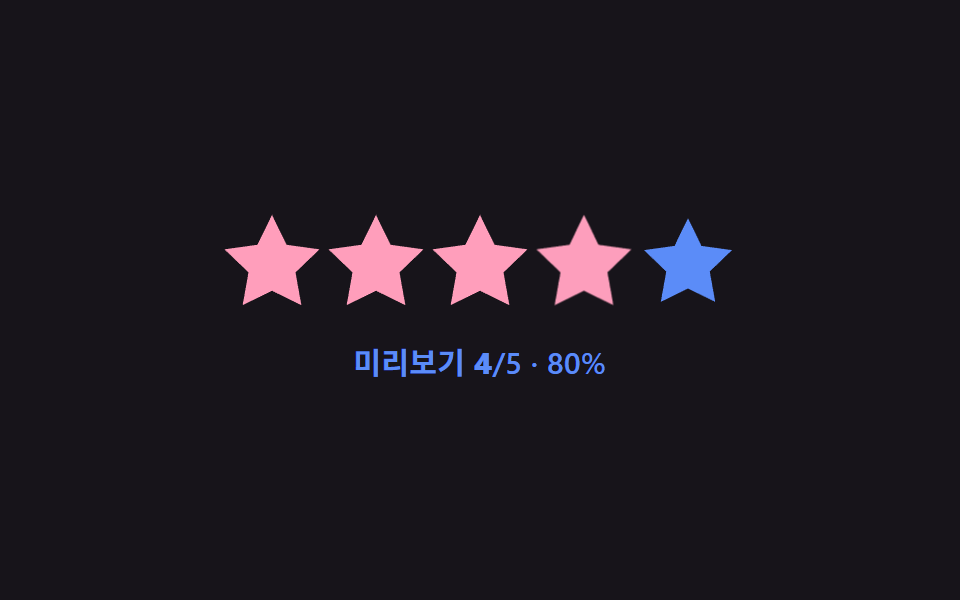 선택 UI별점 UI 9종 — 채움 값이 상태에 따라 바뀌는 방식
 선택 UI날짜 선택 UI 9종 — 팝오버로 열고 접는 아홉 가지 방식
 선택 UIcss 셀렉트박스 디자인 9종 — 진짜 열리는 드롭다운
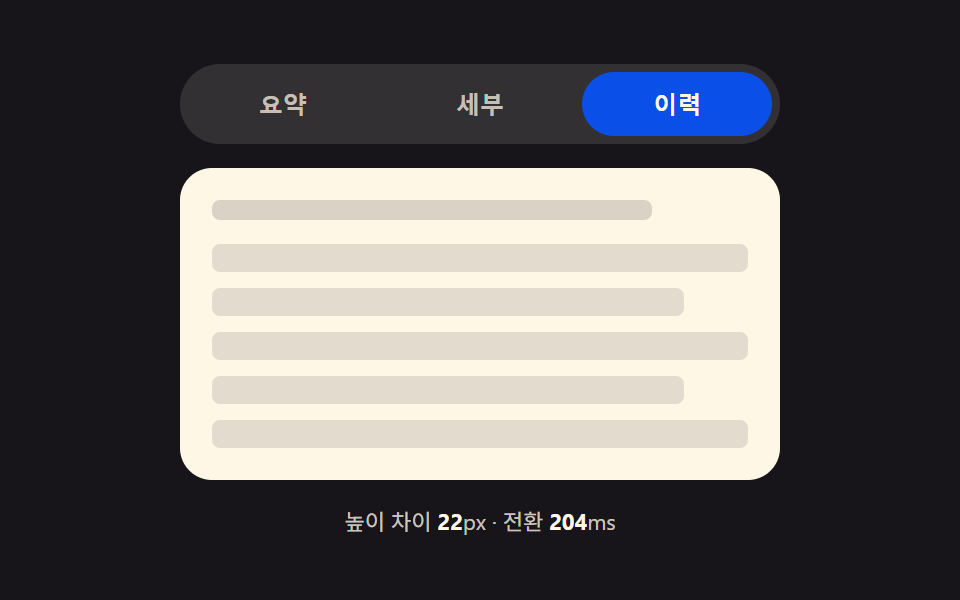 선택 UI탭 전환 애니메이션 9가지 패턴 — 코드 그대로
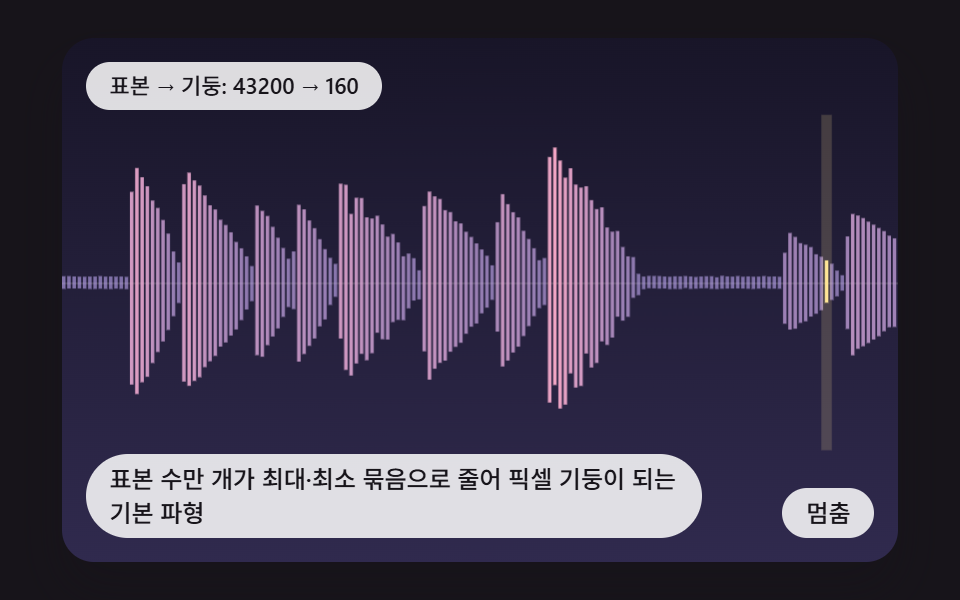 선택 UIcss waveform 9가지 — 피크로 줄이고 구간을 골라 자르는 오디오 파형 장면