css 그래프 만들기 SVG로 9종 — 라이브러리 없이
css 그래프는 숫자를 눈에 보이는 선·막대·면으로 바꾸는 가장 가벼운 방법입니다. 여기 아홉 가지는 선·막대·도넛·레이더·히트맵·스파크라인·누적 영역·트리맵·게이지를 라이브러리 없이 SVG 좌표 계산과 CSS 애니메이션만으로 그린 것이라, 파일을 붙여 넣으면 그려지는 등장 동작과
 01 chart-draw-line-path
 02 chart-draw-bar-column
 03 chart-draw-donut-arc
 04 chart-draw-radar-polygon
 05 chart-draw-heatmap-grid
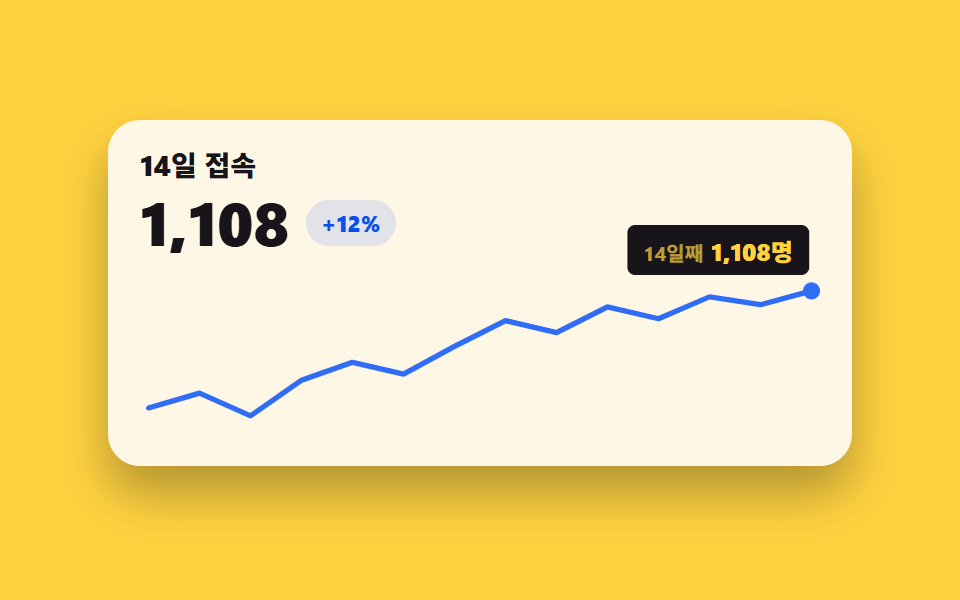 06 chart-draw-sparkline-dot
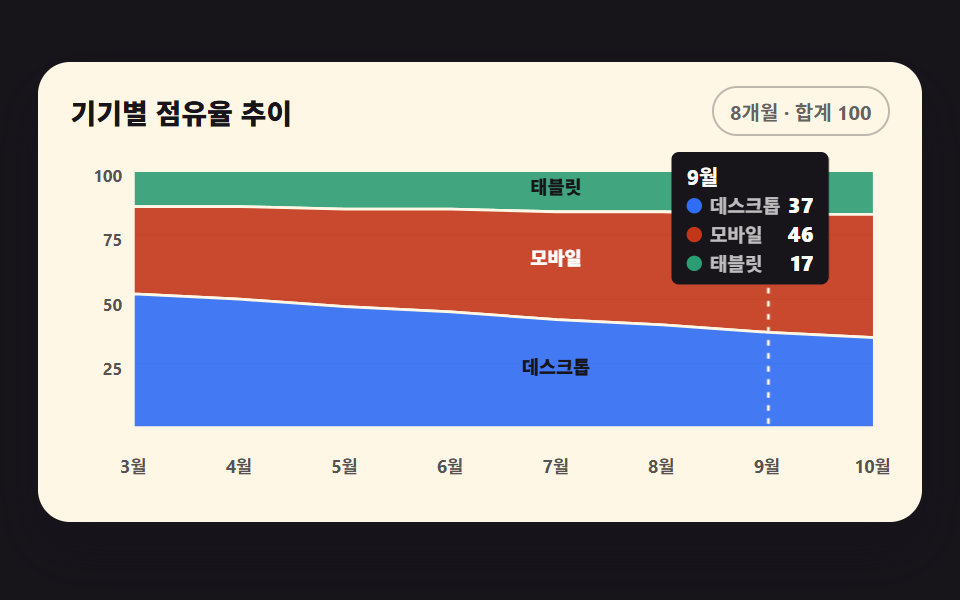 07 chart-draw-area-stack
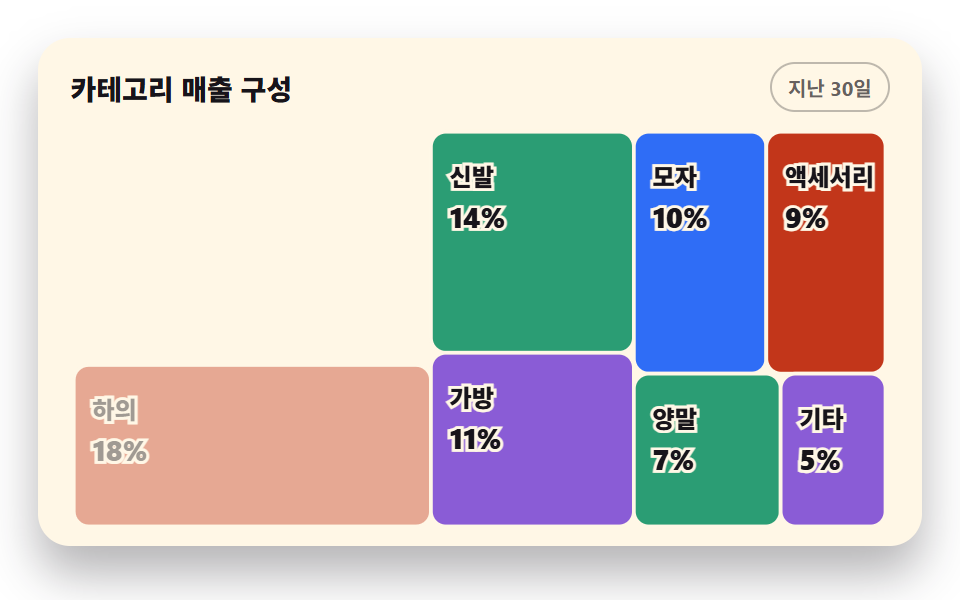 08 chart-draw-treemap-squarify
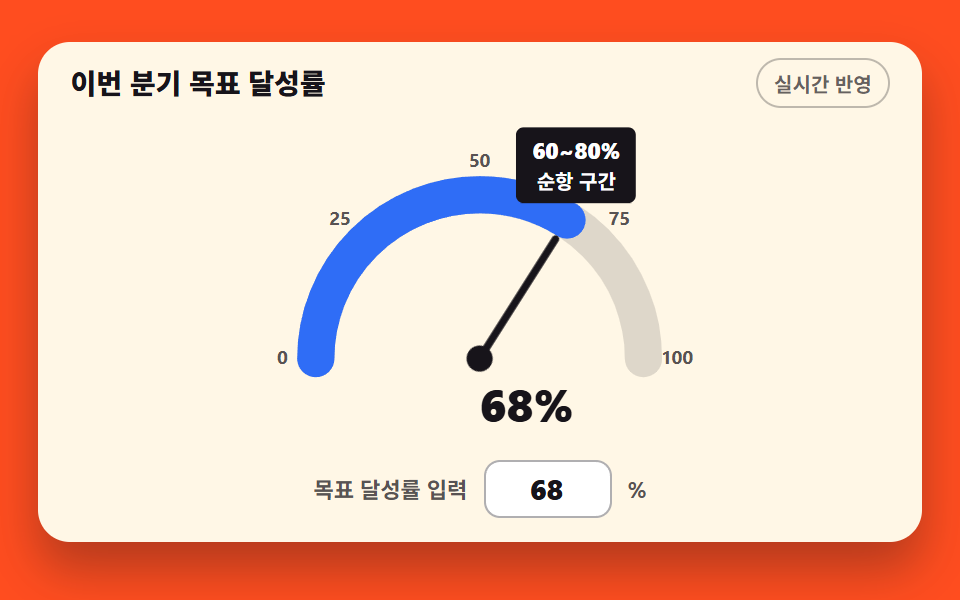 09 chart-draw-gauge-needle
자동 재생 · 눌러서 해당 항목으로 · 전부 한 zip
- 01 펜처럼 그려지는 선 그래프
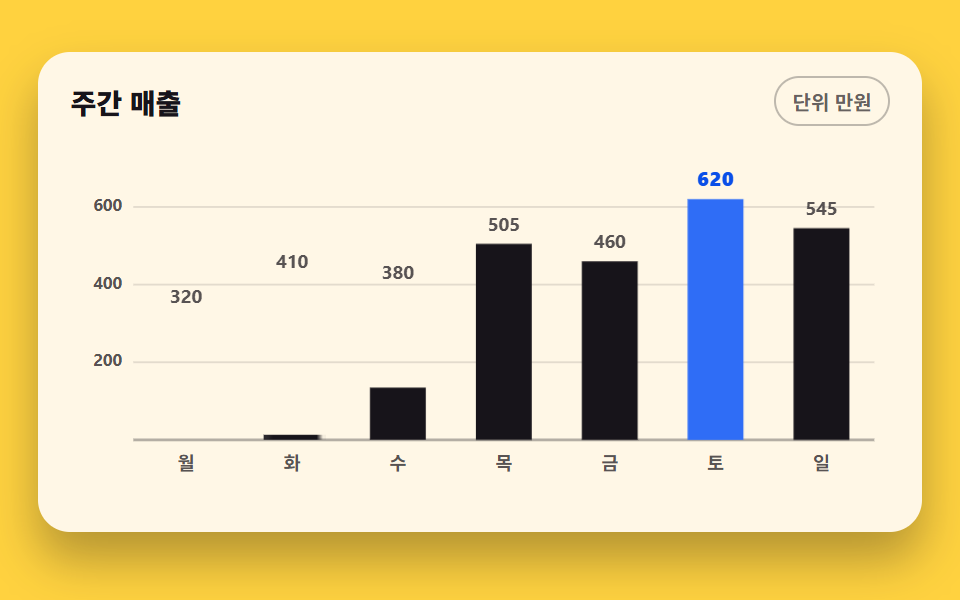
- 02 밑변에서 자라는 세로 막대 그래프
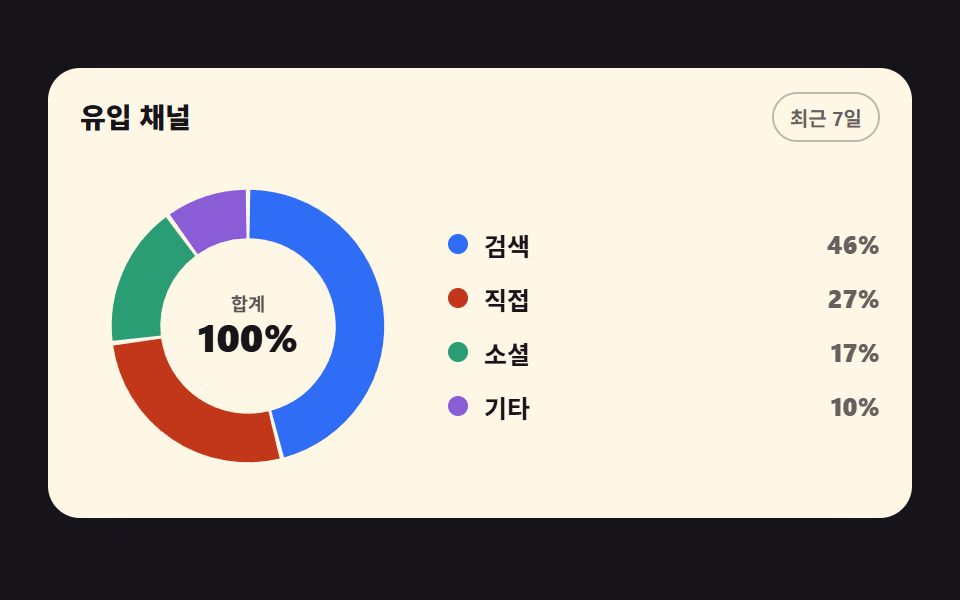
- 03 한 조각씩 차오르는 도넛 그래프
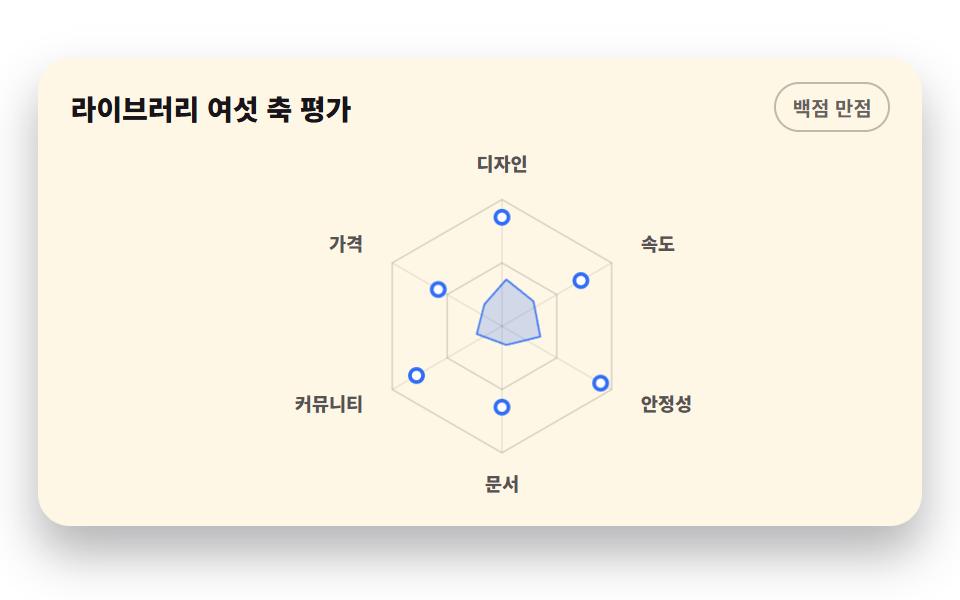
- 04 중심에서 펼쳐지는 레이더 차트
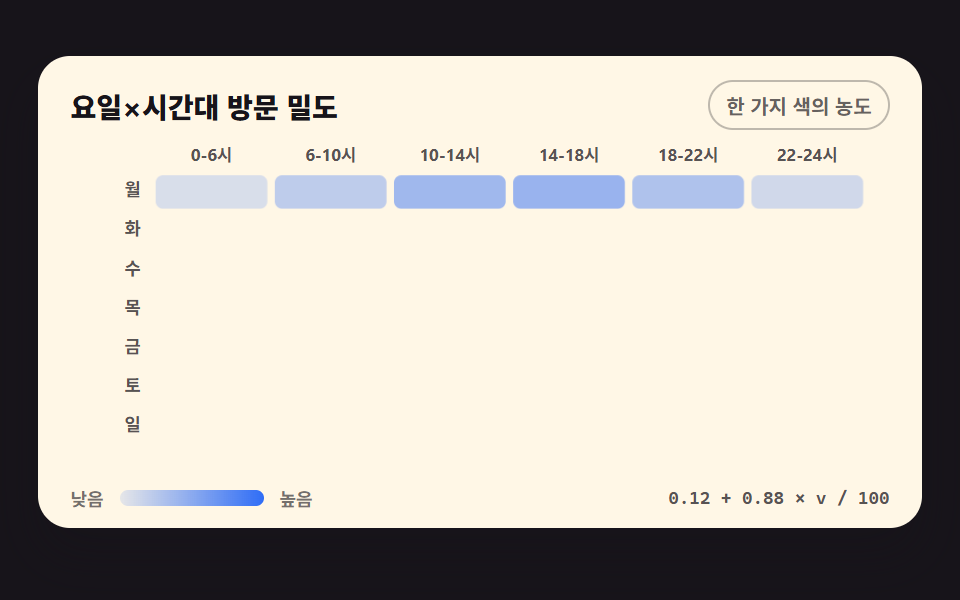
- 05 칸이 순서대로 물드는 히트맵
- 06 카드 안에 사는 스파크라인
- 07 아래에서 채워지는 누적 영역 그래프
- 08 큰 것부터 자리 잡는 트리맵
- 09 숫자를 넣으면 바늘이 도는 반원 게이지
아홉 개를 늘어놓은 기준은 css 그래프 만들기가 그림을 완성하는 순서입니다. 먼저 선을 긋는 셋 — x·y 계산으로 path 를 잇고(01), 막대가 밑변에서 자라며(02), 원호 조각이 차례로 차오릅니다(03). 다음은 면을 채우는 셋 — 중심에서 폴리곤이 펼쳐지고(04), 격자 칸이 농도로 물들며(05), 누적 영역이 아래부터 쌓입니다(07). 마지막 셋은 자리를 나누고 값을 가리키는 쪽 — 카드 안의 짧은 추이(06), 면적대로 분할된 트리맵(08), 값 하나를 각도로 바꾸는 게이지(09)입니다. 무대 색은 잉크 셋·종이 셋·노랑 둘·주황 하나로 돌려 격자 아홉 칸의 밝기가 한쪽으로 쏠리지 않게 맞췄습니다. 그린 그래프를 마우스로 다루는 쪽은 대시보드 차트 인터랙션 9종에, 원형 링 하나로 수치를 세는 쪽은 원형 프로그레스바 스탯 링 9종에 있습니다. 같은 좌표 계산이 1초마다 새 값을 받아 다시 그려야 하는 자리로 가면 실시간 시세판 UI가 그 갱신을 맡습니다.
01펜처럼 그려지는 선 그래프
무엇이 보이나
12개월 방문 수를 scaleX·scaleY 두 함수로 viewBox 좌표로 바꿔 path 하나로 잇고, pathLength=100 을 붙인 뒤 stroke-dashoffset 을 100 에서 0 으로 내려 왼쪽에서 끝까지 긋습니다. 꺾이는 점마다 인접 점의 중점을 잇고 실제 점은 제어점으로 쓰는 부드러운 선이라 꺾임이 살면서 물결지지 않습니다.
<main class="stage">
<div class="cd is-demo" id="cd">
  <div class="cd__card">
    <div class="cd__head">
      <p class="cd__title">월간 방문 수</p>
      <span class="cd__chip">최근 12개월</span>
    </div>
    <div class="cd__plot" id="plot">
      <svg class="cd__svg" id="chart" viewBox="0 0 440 190" role="img" aria-label="12개월 방문 수 꺾은선 그래프, 11월에 842로 가장 높음">
        <!-- 가로 격자 4단 — y 스케일 눈금(200/400/600/800)과 같은 간격 -->
        <g class="cd__grid">
          <line x1="34" y1="10"  x2="432" y2="10"></line>
          <line x1="34" y1="56"  x2="432" y2="56"></line>
          <line x1="34" y1="102" x2="432" y2="102"></line>
          <line x1="34" y1="148" x2="432" y2="148"></line>
        </g>
        <g class="cd__ticks">
          <text x="28" y="14">800</text>
          <text x="28" y="60">600</text>
          <text x="28" y="106">400</text>
          <text x="28" y="152">200</text>
        </g>
        <!-- 밑변 축 -->
        <line class="cd__axis" x1="34" y1="148" x2="432" y2="148"></line>
        <g class="cd__labels">
          <text x="34"  y="170">1월</text>
          <text x="69"  y="170">2월</text>
          <text x="104" y="170">3월</text>
          <text x="139" y="170">4월</text>
          <text x="174" y="170">5월</text>
          <text x="209" y="170">6월</text>
          <text x="244" y="170">7월</text>
          <text x="279" y="170">8월</text>
          <text x="314" y="170">9월</text>
          <text x="349" y="170">10월</text>
          <text x="384" y="170">11월</text>
          <text x="419" y="170">12월</text>
        </g>
        <!-- 영역 채움 — 라인 아래 옅은 파랑 면. JS 가 d 를 채운다 -->
        <path class="cd__area" id="area" d=""></path>
        <!-- 주인공 라인. pathLength=100 이라 dashoffset 애니메이션이 길이와 무관하게 0~100으로 돈다 -->
        <path class="cd__line" id="line" pathLength="100" d=""></path>
        <!-- 최고점 마커 — 호버 점과 같은 모양. JS 가 위치시킨다 -->
        <circle class="cd__peak" id="peak" r="4" cx="0" cy="0"></circle>
      </svg>
      <!-- 툴팁 — plot 안에서 절대 배치. 아래로 삐져나가지 않게 위쪽에만 뜬다 -->
      <div class="cd__tip" id="tip" aria-hidden="true"><span class="cd__tipMon" id="tipMon">11월</span><strong class="cd__tipVal" id="tipVal">842</strong></div>
      <!-- 스크린리더용 데이터 표 — 화면에 안 보인다 -->
      <table class="cd__sr">
        <caption>월간 방문 수</caption>
        <thead><tr><th>월</th><th>방문 수</th></tr></thead>
        <tbody id="srBody"></tbody>
      </table>
    </div>
  </div>
</div>
</main>@use "../../../../site/static/demo-tokens" as *;
// 펜처럼 그려지는 선 그래프 — 실제 사용에선 JS 가 buildPath() 로 d 를 채워 완성된 그래프가 곧 뜨고
// pointermove 로 점·툴팁이 따라온다. 격자 미리보기(.is-demo)는 같은 path 에
// stroke-dashoffset 키프레임을 얹어 좌에서 우로 긋는 펜 모양을 2초 루프로 보여 준다.
$duration: $dur-loop;
$easing: $ease-out;
$color: $chart-1;
@include stage($stage-paper);
.cd { display: flex; justify-content: center; width: 100%; padding-bottom: $sp-2; }
.cd__card {
width: min(100%, 420px); background: $subject-cream; border-radius: $r-card;
box-shadow: $shadow-raised; padding: $sp-3 $sp-4 $sp-2;
}
.cd__head { display: flex; align-items: center; justify-content: space-between; gap: $sp-2; margin-bottom: $sp-2; }
.cd__title { margin: 0; font-weight: 800; font-size: clamp(12px, 3vw, 14px); color: $subject-ink; }
.cd__chip {
font-weight: 700; font-size: clamp(9px, 2.4vw, 10px); color: rgba(23, 20, 26, .66);
border: 1px solid rgba(23, 20, 26, .28); border-radius: $r-pill; padding: $sp-1 $sp-2;
}
.cd__plot { position: relative; }
.cd__svg { display: block; width: 100%; height: auto; touch-action: none; cursor: crosshair; }
.cd__grid line { stroke: rgba(23, 20, 26, .12); stroke-width: 1; }
.cd__ticks text, .cd__labels text {
fill: rgba(23, 20, 26, .72); font-weight: 700; font-size: 9px;
text-anchor: end; dominant-baseline: middle;
}
.cd__labels text { text-anchor: middle; font-size: 9.5px; }
.cd__axis { stroke: rgba(23, 20, 26, .32); stroke-width: 1.5; }
.cd__area { fill: rgba(47, 109, 246, .08); }
.cd__line {
fill: none; stroke: $color; stroke-width: 3.5; stroke-linecap: round; stroke-linejoin: round;
}
// 최고점 마커 — 실사용(정적)에선 항상 보이고, 미리보기 루프에서만 애니메이션이 0~62% 를 지배한다
.cd__peak { fill: $stage-paper; stroke: $color; stroke-width: 2.5; opacity: 1; }
// 툴팁 — 절대 배치라 루트에 padding-bottom 이 있어야 높이가 무대를 넘기지 않는다
.cd__tip {
position: absolute; bottom: calc(100% - 4px); left: 50%; transform: translate(-50%, 4px);
display: flex; align-items: baseline; gap: $sp-1; pointer-events: none;
background: $subject-ink; color: $stage-paper; border-radius: $r-xs;
padding: $sp-1 $sp-2; font-weight: 700; font-size: 10px; white-space: nowrap;
opacity: 0;
}
.cd__tip.is-on { opacity: 1; transform: translate(-50%, 0); transition: opacity $dur-quick $ease-out, transform $dur-quick $ease-out; }
.cd__tipMon { opacity: .72; }
.cd__tipVal { font-size: 12px; }
// 스크린리더용 표 — absolute+clip 은 레이아웃 크기가 그대로 scrollHeight 에 잡혀 넘침(BD8)이 뜨므로
// fixed 로 캔버스 밖에 둔다. 스크린리더는 그대로 읽는다
.cd__sr {
position: fixed; top: 0; left: -640px; width: 320px; margin: 0;
}
// ── 미리보기 루프: 0~4% 빈 칸 → 6~58% 라인이 좌에서 끝까지 그어진다 →
// 64% 에 최고점 점과 툴팁이 컷으로 뜬다 → 86% 까지 머문 뒤 86~96% 펜을 되감아 빈 칸으로 돌아온다.
// 되감기(지우개)는 퇴장이 아니라 다음 등장을 위한 리셋 — 96% 이후는 빈 대 빈이라 이어붙는 지점이 안 튄다.
.cd.is-demo .cd__line { stroke-dasharray: 100; }
.cd.is-demo .cd__line {
animation-name: cdDraw;
animation-duration: $duration;
animation-timing-function: $easing;
animation-iteration-count: infinite;
}
@keyframes cdDraw {
0%, 4% { stroke-dashoffset: 100; }
58%, 86% { stroke-dashoffset: 0; }
96%, 100% { stroke-dashoffset: 100; }
}
// 라인 아래 면적은 처음부터 다 보이면 그리는 중인 라인과 어긋난다 —
// 같은 타이밍에 clip-path inset 으로 좌에서 우로 채운다 (clip 위프는 이징 짝으로. steps 와 함께 쓰면 컷으로 죽는다)
.cd.is-demo .cd__area {
animation-name: cdArea;
animation-duration: $duration;
animation-timing-function: $easing;
animation-iteration-count: infinite;
}
@keyframes cdArea {
0%, 4% { clip-path: inset(0 100% 0 0); }
58%, 86% { clip-path: inset(0 0 0 0); }
96%, 100% { clip-path: inset(0 100% 0 0); }
}
// 최고점 점은 64% 에 컷으로 등장 (요소 중심에서 커지는 게 아니라 그냥 나타나는 게 마커답다)
.cd.is-demo .cd__peak {
animation-name: cdPeak;
animation-duration: $duration;
animation-timing-function: steps(1, end);
animation-iteration-count: infinite;
}
@keyframes cdPeak {
0%, 62% { opacity: 0; }
64%, 90% { opacity: 1; }
92%, 100% { opacity: 0; }
}
// 미리보기 툴팁은 최고점에 미리 놓아 둔다 (JS 가 11월로 세팅) — 점과 같은 타이밍에 컷
.cd.is-demo .cd__tip { left: 87.3%; }
.cd.is-demo .cd__tip {
animation-name: cdTip;
animation-duration: $duration;
animation-timing-function: steps(1, end);
animation-iteration-count: infinite;
}
@keyframes cdTip {
0%, 62% { opacity: 0; }
64%, 90% { opacity: 1; }
92%, 100% { opacity: 0; }
}
@media (max-width: 340px) {
// 320px 에서 12개 라벨이 겹친다 — 홀수 달만 남긴다 (10월 라벨이 사라져도 표·툴팁이 값을 갖고 있다)
.cd__labels text:nth-child(even) { display: none; }
.cd__labels text { font-size: 9px; }
.cd__card { padding: $sp-2 $sp-3 $sp-1; }
}
@media (prefers-reduced-motion: reduce) {
.cd.is-demo .cd__line,
.cd.is-demo .cd__peak,
.cd.is-demo .cd__tip { animation: none !important; }
// 움직임 없이 다 그어진 최종 상태로 점프한다
.cd.is-demo .cd__line { stroke-dashoffset: 0 !important; }
.cd.is-demo .cd__peak { opacity: 1 !important; }
}html, body {
margin: 0;
overflow: hidden;
}
.stage {
box-sizing: border-box;
min-height: 100vh;
display: grid;
place-items: center;
margin: 0;
background: #ffffff;
font-family: -apple-system, "Segoe UI", "Noto Sans KR", sans-serif;
padding: clamp(8px, 4vw, 24px);
}
.cd {
display: flex;
justify-content: center;
width: 100%;
padding-bottom: 8px;
}
.cd__card {
width: min(100%, 420px);
background: #fff7e6;
border-radius: 16px;
box-shadow: 0 14px 24px rgba(23, 20, 26, 0.32);
padding: 12px 16px 8px;
}
.cd__head {
display: flex;
align-items: center;
justify-content: space-between;
gap: 8px;
margin-bottom: 8px;
}
.cd__title {
margin: 0;
font-weight: 800;
font-size: clamp(12px, 3vw, 14px);
color: #17141a;
}
.cd__chip {
font-weight: 700;
font-size: clamp(9px, 2.4vw, 10px);
color: rgba(23, 20, 26, 0.66);
border: 1px solid rgba(23, 20, 26, 0.28);
border-radius: 999px;
padding: 4px 8px;
}
.cd__plot {
position: relative;
}
.cd__svg {
display: block;
width: 100%;
height: auto;
touch-action: none;
cursor: crosshair;
}
.cd__grid line {
stroke: rgba(23, 20, 26, 0.12);
stroke-width: 1;
}
.cd__ticks text, .cd__labels text {
fill: rgba(23, 20, 26, 0.72);
font-weight: 700;
font-size: 9px;
text-anchor: end;
dominant-baseline: middle;
}
.cd__labels text {
text-anchor: middle;
font-size: 9.5px;
}
.cd__axis {
stroke: rgba(23, 20, 26, 0.32);
stroke-width: 1.5;
}
.cd__area {
fill: rgba(47, 109, 246, 0.08);
}
.cd__line {
fill: none;
stroke: #2f6df6;
stroke-width: 3.5;
stroke-linecap: round;
stroke-linejoin: round;
}
.cd__peak {
fill: #ffffff;
stroke: #2f6df6;
stroke-width: 2.5;
opacity: 1;
}
.cd__tip {
position: absolute;
bottom: calc(100% - 4px);
left: 50%;
transform: translate(-50%, 4px);
display: flex;
align-items: baseline;
gap: 4px;
pointer-events: none;
background: #17141a;
color: #ffffff;
border-radius: 4px;
padding: 4px 8px;
font-weight: 700;
font-size: 10px;
white-space: nowrap;
opacity: 0;
}
.cd__tip.is-on {
opacity: 1;
transform: translate(-50%, 0);
transition: opacity 220ms ease-out, transform 220ms ease-out;
}
.cd__tipMon {
opacity: 0.72;
}
.cd__tipVal {
font-size: 12px;
}
.cd__sr {
position: fixed;
top: 0;
left: -640px;
width: 320px;
margin: 0;
}
.cd.is-demo .cd__line {
stroke-dasharray: 100;
}
.cd.is-demo .cd__line {
animation-name: cdDraw;
animation-duration: 2s;
animation-timing-function: ease-out;
animation-iteration-count: infinite;
}
@keyframes cdDraw {
0%, 4% {
stroke-dashoffset: 100;
}
58%, 86% {
stroke-dashoffset: 0;
}
96%, 100% {
stroke-dashoffset: 100;
}
}
.cd.is-demo .cd__area {
animation-name: cdArea;
animation-duration: 2s;
animation-timing-function: ease-out;
animation-iteration-count: infinite;
}
@keyframes cdArea {
0%, 4% {
clip-path: inset(0 100% 0 0);
}
58%, 86% {
clip-path: inset(0 0 0 0);
}
96%, 100% {
clip-path: inset(0 100% 0 0);
}
}
.cd.is-demo .cd__peak {
animation-name: cdPeak;
animation-duration: 2s;
animation-timing-function: steps(1, end);
animation-iteration-count: infinite;
}
@keyframes cdPeak {
0%, 62% {
opacity: 0;
}
64%, 90% {
opacity: 1;
}
92%, 100% {
opacity: 0;
}
}
.cd.is-demo .cd__tip {
left: 87.3%;
}
.cd.is-demo .cd__tip {
animation-name: cdTip;
animation-duration: 2s;
animation-timing-function: steps(1, end);
animation-iteration-count: infinite;
}
@keyframes cdTip {
0%, 62% {
opacity: 0;
}
64%, 90% {
opacity: 1;
}
92%, 100% {
opacity: 0;
}
}
@media (max-width: 340px) {
.cd__labels text:nth-child(even) {
display: none;
}
.cd__labels text {
font-size: 9px;
}
.cd__card {
padding: 8px 12px 4px;
}
}
@media (prefers-reduced-motion: reduce) {
.cd.is-demo .cd__line,
.cd.is-demo .cd__peak,
.cd.is-demo .cd__tip {
animation: none !important;
}
.cd.is-demo .cd__line {
stroke-dashoffset: 0 !important;
}
.cd.is-demo .cd__peak {
opacity: 1 !important;
}
}var DATA = [430, 510, 620, 590, 545, 610, 660, 705, 690, 760, 842, 815];
var MON = ['1월','2월','3월','4월','5월','6월','7월','8월','9월','10월','11월','12월'];
var PAD_L = 34, PAD_R = 432, TOP = 10, BASE = 148; // viewBox 좌표
var MAX_Y = 900; // y 스케일 상한 — 눈금 200 간격과 맞춘 값
var cd = document.getElementById('cd');
var plot = document.getElementById('plot');
var svg = document.getElementById('chart');
var line = document.getElementById('line');
var area = document.getElementById('area');
var peak = document.getElementById('peak');
var tip = document.getElementById('tip');
var tipMon = document.getElementById('tipMon');
var tipVal = document.getElementById('tipVal');
// 스케일 함수 — 데이터 값 → viewBox 좌표. 이 두 함수가 그래프의 전부다
function scaleX(i) { return PAD_L + (PAD_R - PAD_L) * i / (DATA.length - 1); }
function scaleY(v) { return BASE - (BASE - TOP) * v / MAX_Y; }

// 인접 점의 중점을 잇고 실제 점은 제어점으로 쓰는 부드러운 선 — 꺾임이 살면서 물결지지 않는다
function buildPath() {
  var pts = DATA.map(function (v, i) { return [scaleX(i), scaleY(v)]; });
  var d = 'M' + pts[0][0] + ',' + pts[0][1];
  for (var i = 1; i < pts.length - 1; i++) {
    var mx = (pts[i][0] + pts[i + 1][0]) / 2, my = (pts[i][1] + pts[i + 1][1]) / 2;
    d += ' Q' + pts[i][0] + ',' + pts[i][1] + ' ' + mx + ',' + my;
  }
  var last = pts[pts.length - 1];
  d += ' L' + last[0] + ',' + last[1];
  return d;
}
var pathD = buildPath();
line.setAttribute('d', pathD);
area.setAttribute('d', pathD + ' L' + PAD_R + ',' + BASE + ' L' + PAD_L + ',' + BASE + ' Z');
var peakIdx = DATA.indexOf(Math.max.apply(null, DATA));
var px = scaleX(peakIdx), py = scaleY(DATA[peakIdx]);
peak.setAttribute('cx', px); peak.setAttribute('cy', py);
// 스크린리더 표 채우기
var srBody = document.getElementById('srBody');
DATA.forEach(function (v, i) {
var tr = document.createElement('tr');
var th = document.createElement('th'); th.setAttribute('scope', 'row'); th.textContent = MON[i];
var td = document.createElement('td'); td.textContent = v;
tr.appendChild(th); tr.appendChild(td); srBody.appendChild(tr);
});
// 툴팁을 viewBox x 좌표에 맞춰 놓는다 — plot 은 SVG 왈폭이므로 비율로 환산
function moveTip(i) {
var ratio = scaleX(i) / 440;
tip.style.left = (ratio * 100) + '%';
tipMon.textContent = MON[i];
tipVal.textContent = DATA[i].toLocaleString();
}
// 사람이 조작하면 미리보기 루프를 끄고 진짜 툴팁이 움직인다
svg.addEventListener('pointermove', function (e) {
if (cd.classList.contains('is-demo')) { cd.classList.remove('is-demo'); }
var r = svg.getBoundingClientRect();
var vx = (e.clientX - r.left) / r.width * 440; // 화면 좌표 → viewBox 좌표
var i = Math.round((vx - PAD_L) / ((PAD_R - PAD_L) / (DATA.length - 1)));
i = Math.max(0, Math.min(DATA.length - 1, i));
peak.setAttribute('cx', scaleX(i)); peak.setAttribute('cy', scaleY(DATA[i]));
moveTip(i);
tip.classList.add('is-on');
});
svg.addEventListener('pointerleave', function () {
tip.classList.remove('is-on');
peak.setAttribute('cx', px); peak.setAttribute('cy', py); // 최고점으로 돌아간다
});// ChartLinePath — vanilla 판(run/289/demo/01-chart-draw-line-path/index.html) 의 React 포트.
// 12개월 방문 수를 x·y 스케일 함수로 path 하나에 잇고, 진입은 stroke-dashoffset 이 좌에서 끝까지 긋는다.
// pointermove 로 가까운 달의 점·툴팁이 따라온다. 값·키프레임은 vanilla 와 같은 글자.
import { useEffect, useRef, useState } from "react";
import type { CSSProperties, PointerEvent as ReactPointerEvent } from "react";
import styles from "./ChartLinePath.module.scss";
export type ChartLinePathProps = {
demo?: boolean;
duration?: number;
easing?: string;
color?: string;
};
type Vars = CSSProperties & { "--duration"?: string; "--easing"?: string; "--color"?: string };
const DATA = [430, 510, 620, 590, 545, 610, 660, 705, 690, 760, 842, 815];
const MON = ["1월", "2월", "3월", "4월", "5월", "6월", "7월", "8월", "9월", "10월", "11월", "12월"];
const PAD_L = 34, PAD_R = 432, TOP = 10, BASE = 148;
const MAX_Y = 900;
// 스케일 함수 — 데이터 값 → viewBox 좌표. 이 두 함수가 그래프의 전부다
function scaleX(i: number): number {
return PAD_L + (PAD_R - PAD_L) * i / (DATA.length - 1);
}
function scaleY(v: number): number {
return BASE - (BASE - TOP) * v / MAX_Y;
}
// 인접 점의 중점을 잇고 실제 점은 제어점으로 쓰는 부드러운 선
function buildPath(): string {
const pts = DATA.map((v, i) => [scaleX(i), scaleY(v)] as [number, number]);
let d = "M" + pts[0][0] + "," + pts[0][1];
for (let i = 1; i < pts.length - 1; i++) {
const mx = (pts[i][0] + pts[i + 1][0]) / 2;
const my = (pts[i][1] + pts[i + 1][1]) / 2;
d += " Q" + pts[i][0] + "," + pts[i][1] + " " + mx + "," + my;
}
const last = pts[pts.length - 1];
d += " L" + last[0] + "," + last[1];
return d;
}
const PATH_D = buildPath();
const AREA_D = PATH_D + " L" + PAD_R + "," + BASE + " L" + PAD_L + "," + BASE + " Z";
const PEAK_IDX = DATA.indexOf(Math.max(...DATA));
export default function ChartLinePath({ demo = false, duration, easing, color }: ChartLinePathProps) {
const rootRef = useRef<HTMLDivElement | null>(null);
const [peakAt, setPeakAt] = useState(PEAK_IDX);
const [tip, setTip] = useState({ on: false, idx: PEAK_IDX });
const vars: Vars = {
"--duration": duration != null ? duration + "ms" : undefined,
"--easing": easing,
"--color": color,
};
useEffect(() => {
// 사람이 조작하면 미리보기 루프를 끊고 진짜 툴팁 경로로 들어간다
const root = rootRef.current;
if (!root || !demo) return;
const stop = (e: ReactPointerEvent<SVGSVGElement>) => {
if (root.classList.contains(styles.isDemo)) root.classList.remove(styles.isDemo);
e.preventDefault();
};
const svg = root.querySelector("svg");
// ReactPointerEvent 는 Event 와 겹치지 않아 단번에 캐스팅되지 않는다 — unknown 을 거친다
if (svg) svg.addEventListener("pointerdown", stop as unknown as EventListener);
return () => { if (svg) svg.removeEventListener("pointerdown", stop as unknown as EventListener); };
}, [demo]);
function onMove(e: ReactPointerEvent<SVGSVGElement>): void {
if (rootRef.current?.classList.contains(styles.isDemo)) {
rootRef.current.classList.remove(styles.isDemo);
}
const r = e.currentTarget.getBoundingClientRect();
const vx = (e.clientX - r.left) / r.width * 440;
let i = Math.round((vx - PAD_L) / ((PAD_R - PAD_L) / (DATA.length - 1)));
i = Math.max(0, Math.min(DATA.length - 1, i));
setPeakAt(i);
setTip({ on: true, idx: i });
}
const cls = [styles.root, demo ? styles.isDemo : ""].filter(Boolean).join(" ");
const px = scaleX(peakAt), py = scaleY(DATA[peakAt]);
return (
<main className={styles.stage} style={vars}>
<div className={cls} ref={rootRef}>
<div className={styles.card}>
<div className={styles.head}>
<p className={styles.title}>월간 방문 수</p>
<span className={styles.chip}>최근 12개월</span>
</div>
<div className={styles.plot}>
<svg className={styles.svg} viewBox="0 0 440 190" role="img" aria-label="12개월 방문 수 꺾은선 그래프, 11월에 842로 가장 높음" onPointerMove={onMove} onPointerLeave={() => { setPeakAt(PEAK_IDX); setTip({ on: false, idx: PEAK_IDX }); }}>
<g className={styles.grid}>
<line x1="34" y1="10" x2="432" y2="10"></line>
<line x1="34" y1="56" x2="432" y2="56"></line>
<line x1="34" y1="102" x2="432" y2="102"></line>
<line x1="34" y1="148" x2="432" y2="148"></line>
</g>
<g className={styles.ticks}>
<text x="28" y="14">800</text>
<text x="28" y="60">600</text>
<text x="28" y="106">400</text>
<text x="28" y="152">200</text>
</g>
<line className={styles.axis} x1="34" y1="148" x2="432" y2="148"></line>
<g className={styles.labels}>
{MON.map((m, i) => <text key={m} x={scaleX(i)} y="170">{m}</text>)}
</g>
<path className={styles.area} d={AREA_D}></path>
<path className={styles.line} pathLength="100" d={PATH_D}></path>
<circle className={styles.peak} r="4" cx={px} cy={py}></circle>
</svg>
<div className={[styles.tip, tip.on ? styles.tipOn : ""].filter(Boolean).join(" ")} aria-hidden="true">
<span className={styles.tipMon}>{MON[tip.idx]}</span>
<strong className={styles.tipVal}>{DATA[tip.idx].toLocaleString()}</strong>
</div>
<table className={styles.sr}>
<caption>월간 방문 수</caption>
<thead><tr><th scope="col">월</th><th scope="col">방문 수</th></tr></thead>
<tbody>
{DATA.map((v, i) => <tr key={MON[i]}><th scope="row">{MON[i]}</th><td>{v}</td></tr>)}
</tbody>
</table>
</div>
</div>
</div>
</main>
);
}01 · 펜처럼 그려지는 선 그래프 — 측정 누적면적 25.276% · 움직인 프레임 18/23GODRICH 원작 · zip 에 SCSS·React 포함 · 비밀번호 보기
코드에서 볼 곳
펜이 끝까지 그어가는 루프에서 누적면적 25.276%, 움직인 프레임 18/23 을 기록했고, 월간 트래픽 리포트 상단 요약과 어드민 대시보드 첫 카드에 씁니다.
// 스케일 함수 — 데이터 값 → viewBox 좌표. 이 두 함수가 그래프의 전부다
function scaleX(i) { return PAD_L + (PAD_R - PAD_L) * i / (DATA.length - 1); }
function scaleY(v) { return BASE - (BASE - TOP) * v / MAX_Y; }
// 인접 점의 중점을 잇고 실제 점은 제어점으로 쓰는 부드러운 선 — 꺾임이 살면서 물결지지 않는다
function buildPath() {
var pts = DATA.map(function (v, i) { return [scaleX(i), scaleY(v)]; });
var d = 'M' + pts[0][0] + ',' + pts[0][1];
for (var i = 1; i < pts.length - 1; i++) {
var mx = (pts[i][0] + pts[i + 1][0]) / 2, my = (pts[i][1] + pts[i + 1][1]) / 2;
d += ' Q' + pts[i][0] + ',' + pts[i][1] + ' ' + mx + ',' + my;
}
var last = pts[pts.length - 1];
d += ' L' + last[0] + ',' + last[1];
return d;
}
02밑변에서 자라는 세로 막대 그래프
css 막대 그래프 애니메이션은 어디서 시작하나
주간 매출을 막대 하나씩 셀 하나로 묶어 --d 지연으로 순서대로 세우고, transform: scaleY 를 transform-origin: 50% 100% 와 함께 써 밑변 축에서 위로 자라게 합니다 — baseline 에 닿는 아래쪽이 원점이어야 커지는 게 아니라 늘어나 보입니다. 값 라벨은 반값과 최종값 두 장을 컷으로 갈아 끼우고, 최고 막대(토요일)만 계열색 블루로 강조합니다.
<main class="stage">
<div class="cb is-demo" id="cb">
  <div class="cb__card">
    <div class="cb__head">
      <p class="cb__title">주간 매출</p>
      <span class="cb__chip">단위 만원</span>
    </div>
    <div class="cb__plot" id="plot">
      <svg class="cb__svg" id="chart" viewBox="0 0 440 200" role="img" aria-label="주간 매출 막대 그래프, 토요일 620만원 최고">
        <!-- 가로 격자 3단 — y 스케일 눈금(200/400/600)과 같은 간격 -->
        <g class="cb__grid">
          <line x1="34" y1="34.9"  x2="432" y2="34.9"></line>
          <line x1="34" y1="76.6"  x2="432" y2="76.6"></line>
          <line x1="34" y1="118.3" x2="432" y2="118.3"></line>
        </g>
        <g class="cb__ticks">
          <text x="28" y="34.9">600</text>
          <text x="28" y="76.6">400</text>
          <text x="28" y="118.3">200</text>
        </g>
        <!-- 밑변 축 — 막대의 baseline -->
        <line class="cb__axis" x1="34" y1="160" x2="432" y2="160"></line>
        <!-- 막대·값 라벨·요일 라벨은 JS 가 viewBox 좌표로 심는다 -->
        <g class="cb__days" id="days"></g>
        <g class="cb__cells" id="cells"></g>
      </svg>
      <!-- 툴팁 — plot 안에서 절대 배치, 막대 위에 뜬다. 미리보기에선 최고 막대 위 -->
      <div class="cb__tip" id="tip" aria-hidden="true"><span class="cb__tipDay" id="tipDay">토</span><strong class="cb__tipVal" id="tipVal">620만원</strong></div>
      <!-- 스크린리더용 데이터 표 — 화면에 안 보인다 -->
      <table class="cb__sr">
        <caption>주간 매출</caption>
        <thead><tr><th>요일</th><th>매출(만원)</th></tr></thead>
        <tbody id="srBody"></tbody>
      </table>
    </div>
  </div>
</div>
</main>@use "../../../../site/static/demo-tokens" as *;
// 자라나는 세로 막대 그래프 — 실제 사용에선 JS 가 scaleY() 로 막대 일곱 개를 심어
// 완성된 그래프가 곧 뜨고 pointermove 로 툴팁이 막대를 따라온다. 미리보기(.is-demo)는
// 같은 rect 에 scaleY 키프레임을 얹어 막대가 밑변에서부터 순서대로 자라는 모양을
// 2초 루프로 보여 준다. 값 라벨은 막대가 자라는 동안 반값을 보이다 최종값으로 컷 교체된다.
$duration: $dur-loop;
$easing: $ease-spring;
@include stage($stage-yellow);
.cb { display: flex; justify-content: center; width: 100%; padding-bottom: $sp-2; }
.cb__card {
width: min(100%, 420px); background: $subject-cream; border-radius: $r-card;
box-shadow: $shadow-raised; padding: $sp-3 $sp-4 $sp-2;
}
.cb__head { display: flex; align-items: center; justify-content: space-between; gap: $sp-2; margin-bottom: $sp-2; }
.cb__title { margin: 0; font-weight: 800; font-size: clamp(12px, 3vw, 14px); color: $subject-ink; }
.cb__chip {
font-weight: 700; font-size: clamp(9px, 2.4vw, 10px); color: rgba(23, 20, 26, .66);
border: 1px solid rgba(23, 20, 26, .28); border-radius: $r-pill; padding: $sp-1 $sp-2;
}
.cb__plot { position: relative; }
.cb__svg { display: block; width: 100%; height: auto; touch-action: none; cursor: crosshair; }
.cb__grid line { stroke: rgba(23, 20, 26, .12); stroke-width: 1; }
.cb__ticks text {
fill: rgba(23, 20, 26, .72); font-weight: 700; font-size: 9px;
text-anchor: end; dominant-baseline: middle;
}
.cb__day { fill: rgba(23, 20, 26, .72); font-weight: 700; font-size: 10px; text-anchor: middle; }
.cb__axis { stroke: rgba(23, 20, 26, .32); stroke-width: 1.5; }
// 막대 — 잉크. 최고 막대(토)만 계열색 블루로 강조해 "어디가 정점인가"가 먼저 읽힌다
.cb__bar { fill: $subject-ink; }
.cb__bar--peak { fill: $chart-1; }
// 원래 transform-origin 은 요소 중심이 맞지만, 막대의 scaleY 는 밑변 축에 붙은 채
// 위로 자라야 막대 그래프답다 — baseline 에 닿는 아래쪽이 원점이므로 bottom 이 정당하다.
// transform-box: fill-box 로 SVG rect 자체를 기준 박스로 지정한다
.cb__bar { transform-box: fill-box; transform-origin: 50% 100%; }
// 값 라벨 — 텍스트는 텍스트 토큰(잉크)을 쓰고 막대 색을 물려받지 않는다
.cb__val {
fill: rgba(23, 20, 26, .72); font-weight: 700; font-size: 10px;
text-anchor: middle; dominant-baseline: auto;
}
// 최고 막대 위 라벨만 계열색으로 더 굵게 — 정점의 값이 먼저 읽힌다
.cb__vPeak { fill: $subject-blue-deep; font-weight: 800; font-size: 11px; } // 크림 면 위 $chart-1 은 4.25:1 — deep 5.98:1 (막대 면색은 그대로)
// 툴팁 — 절대 배치라 루트에 padding-bottom 이 있어야 높이가 무대를 넘기지 않는다
.cb__tip {
position: absolute; transform: translate(-50%, 4px);
display: flex; align-items: baseline; gap: $sp-1; pointer-events: none;
background: $subject-ink; color: $stage-yellow; border-radius: $r-xs;
padding: $sp-1 $sp-2; font-weight: 700; font-size: 10px; white-space: nowrap;
opacity: 0;
}
.cb__tip.is-on { opacity: 1; transform: translate(-50%, 0); transition: opacity $dur-quick $ease-out, transform $dur-quick $ease-out; }
.cb__tipDay { opacity: .72; }
.cb__tipVal { font-size: 12px; }
// 스크린리더용 표 — absolute+clip 은 레이아웃 크기가 그대로 scrollHeight 에 잡혀 넘침(BD8)이 뜨므로
// fixed 로 캔버스 밖에 둔다. 스크린리더는 그대로 읽는다
.cb__sr {
position: fixed; top: 0; left: -640px; width: 320px; margin: 0;
}
// 실사용(정적)에서는 최종값 라벨만 — 카운트업 없이 곧바로 완성 상태
.cb:not(.is-demo) .cb__vHalf { display: none; }
// ── 미리보기 루프: 막대가 --d 간격으로 밑변에서 위로 자란다 (0.08s 씩, 마지막 막대는
// 24% 지점에 시작해 54% 에 완성). animation-delay 는 낱개 속성으로 적는다 —
// animation: 단축을 쓰면 delay 가 0s 로 리셋된다. backwards 로 대기 구간에도 0% 프레임을 채운다.
// 완성 유지 뒤 86~96% 에 걸쳐 되감아 빈 상태로 돌아가고 96~100% 는 빈 대 빈이라
// 루프 이어붙음 지점이 튀지 않는다 (되감기를 한 프레임에 몰면 poster 가 소멸 순간을 잡는다).
.cb.is-demo .cb__bar {
animation-name: cbGrow;
animation-duration: $duration;
animation-timing-function: $easing;
animation-delay: var(--d, 0s);
animation-fill-mode: backwards;
animation-iteration-count: infinite;
}
@keyframes cbGrow {
0% { transform: scaleY(0); }
30%, 86% { transform: scaleY(1); }
96%, 100% { transform: scaleY(0); }
}
// 반값 라벨 — 자기 막대가 자라는 동안만 보이고 26→28% 사이에 최종 라벨과 컷 교체
.cb.is-demo .cb__vHalf {
animation-name: cbHalf;
animation-duration: $duration;
animation-timing-function: steps(1, end);
animation-delay: var(--d, 0s);
animation-fill-mode: backwards;
animation-iteration-count: infinite;
}
@keyframes cbHalf {
0%, 26% { opacity: 1; }
28%, 100% { opacity: 0; }
}
.cb.is-demo .cb__vFull {
animation-name: cbFull;
animation-duration: $duration;
animation-timing-function: steps(1, end);
animation-delay: var(--d, 0s);
animation-fill-mode: backwards;
animation-iteration-count: infinite;
}
@keyframes cbFull {
0%, 26% { opacity: 0; }
28%, 94% { opacity: 1; }
96%, 100% { opacity: 0; }
}
// 미리보기 툴팁은 최고 막대(토) 위에 미리 놓아 둔다 (JS 가 세팅) — 전 막대 완성 뒤 컷 등장
.cb.is-demo .cb__tip {
animation-name: cbTip;
animation-duration: $duration;
animation-timing-function: steps(1, end);
animation-iteration-count: infinite;
}
@keyframes cbTip {
0%, 62% { opacity: 0; }
64%, 90% { opacity: 1; }
92%, 100% { opacity: 0; }
}
@media (max-width: 340px) {
// 요일 라벨은 한 글자라 320px 에서도 겹치지 않는다 — 카드 여백만 줄인다
.cb__card { padding: $sp-2 $sp-3 $sp-1; }
.cb__val { font-size: 9px; }
.cb__vPeak { font-size: 10px; }
}
@media (prefers-reduced-motion: reduce) {
.cb.is-demo .cb__bar,
.cb.is-demo .cb__vHalf,
.cb.is-demo .cb__vFull,
.cb.is-demo .cb__tip { animation: none !important; }
// 움직임 없이 다 자란 최종 상태로 점프한다
.cb.is-demo .cb__bar { transform: scaleY(1) !important; }
.cb.is-demo .cb__vHalf { opacity: 0 !important; }
.cb.is-demo .cb__vFull, .cb.is-demo .cb__tip { opacity: 1 !important; }
}html, body {
margin: 0;
overflow: hidden;
}
.stage {
box-sizing: border-box;
min-height: 100vh;
display: grid;
place-items: center;
margin: 0;
background: #ffd23f;
font-family: -apple-system, "Segoe UI", "Noto Sans KR", sans-serif;
padding: clamp(8px, 4vw, 24px);
}
.cb {
display: flex;
justify-content: center;
width: 100%;
padding-bottom: 8px;
}
.cb__card {
width: min(100%, 420px);
background: #fff7e6;
border-radius: 16px;
box-shadow: 0 14px 24px rgba(23, 20, 26, 0.32);
padding: 12px 16px 8px;
}
.cb__head {
display: flex;
align-items: center;
justify-content: space-between;
gap: 8px;
margin-bottom: 8px;
}
.cb__title {
margin: 0;
font-weight: 800;
font-size: clamp(12px, 3vw, 14px);
color: #17141a;
}
.cb__chip {
font-weight: 700;
font-size: clamp(9px, 2.4vw, 10px);
color: rgba(23, 20, 26, 0.66);
border: 1px solid rgba(23, 20, 26, 0.28);
border-radius: 999px;
padding: 4px 8px;
}
.cb__plot {
position: relative;
}
.cb__svg {
display: block;
width: 100%;
height: auto;
touch-action: none;
cursor: crosshair;
}
.cb__grid line {
stroke: rgba(23, 20, 26, 0.12);
stroke-width: 1;
}
.cb__ticks text {
fill: rgba(23, 20, 26, 0.72);
font-weight: 700;
font-size: 9px;
text-anchor: end;
dominant-baseline: middle;
}
.cb__day {
fill: rgba(23, 20, 26, 0.72);
font-weight: 700;
font-size: 10px;
text-anchor: middle;
}
.cb__axis {
stroke: rgba(23, 20, 26, 0.32);
stroke-width: 1.5;
}
.cb__bar {
fill: #17141a;
}
.cb__bar--peak {
fill: #2f6df6;
}
.cb__bar {
transform-box: fill-box;
transform-origin: 50% 100%;
}
.cb__val {
fill: rgba(23, 20, 26, 0.72);
font-weight: 700;
font-size: 10px;
text-anchor: middle;
dominant-baseline: auto;
}
.cb__vPeak {
fill: #0a4fe8;
font-weight: 800;
font-size: 11px;
}
.cb__tip {
position: absolute;
transform: translate(-50%, 4px);
display: flex;
align-items: baseline;
gap: 4px;
pointer-events: none;
background: #17141a;
color: #ffd23f;
border-radius: 4px;
padding: 4px 8px;
font-weight: 700;
font-size: 10px;
white-space: nowrap;
opacity: 0;
}
.cb__tip.is-on {
opacity: 1;
transform: translate(-50%, 0);
transition: opacity 220ms ease-out, transform 220ms ease-out;
}
.cb__tipDay {
opacity: 0.72;
}
.cb__tipVal {
font-size: 12px;
}
.cb__sr {
position: fixed;
top: 0;
left: -640px;
width: 320px;
margin: 0;
}
.cb:not(.is-demo) .cb__vHalf {
display: none;
}
.cb.is-demo .cb__bar {
animation-name: cbGrow;
animation-duration: 2s;
animation-timing-function: cubic-bezier(0.2, 0.8, 0.2, 1);
animation-delay: var(--d, 0s);
animation-fill-mode: backwards;
animation-iteration-count: infinite;
}
@keyframes cbGrow {
0% {
transform: scaleY(0);
}
30%, 86% {
transform: scaleY(1);
}
96%, 100% {
transform: scaleY(0);
}
}
.cb.is-demo .cb__vHalf {
animation-name: cbHalf;
animation-duration: 2s;
animation-timing-function: steps(1, end);
animation-delay: var(--d, 0s);
animation-fill-mode: backwards;
animation-iteration-count: infinite;
}
@keyframes cbHalf {
0%, 26% {
opacity: 1;
}
28%, 100% {
opacity: 0;
}
}
.cb.is-demo .cb__vFull {
animation-name: cbFull;
animation-duration: 2s;
animation-timing-function: steps(1, end);
animation-delay: var(--d, 0s);
animation-fill-mode: backwards;
animation-iteration-count: infinite;
}
@keyframes cbFull {
0%, 26% {
opacity: 0;
}
28%, 94% {
opacity: 1;
}
96%, 100% {
opacity: 0;
}
}
.cb.is-demo .cb__tip {
animation-name: cbTip;
animation-duration: 2s;
animation-timing-function: steps(1, end);
animation-iteration-count: infinite;
}
@keyframes cbTip {
0%, 62% {
opacity: 0;
}
64%, 90% {
opacity: 1;
}
92%, 100% {
opacity: 0;
}
}
@media (max-width: 340px) {
.cb__card {
padding: 8px 12px 4px;
}
.cb__val {
font-size: 9px;
}
.cb__vPeak {
font-size: 10px;
}
}
@media (prefers-reduced-motion: reduce) {
.cb.is-demo .cb__bar,
.cb.is-demo .cb__vHalf,
.cb.is-demo .cb__vFull,
.cb.is-demo .cb__tip {
animation: none !important;
}
.cb.is-demo .cb__bar {
transform: scaleY(1) !important;
}
.cb.is-demo .cb__vHalf {
opacity: 0 !important;
}
.cb.is-demo .cb__vFull, .cb.is-demo .cb__tip {
opacity: 1 !important;
}
}var DATA = [320, 410, 380, 505, 460, 620, 545];
var DAY = ['월', '화', '수', '목', '금', '토', '일'];
var VW = 440, VH = 200; // viewBox 크기
var PAD_L = 34, PAD_R = 432, TOP = 14, BASE = 160; // 그림 영역 좌표 (BASE 가 밑변 축)
var MAX_Y = 700, BAR_W = 30; // y 상한 — 눈금 200 간격과 맞춘 값
var SVGNS = 'http://www.w3.org/2000/svg';
var cb = document.getElementById('cb');
var svg = document.getElementById('chart');
var tip = document.getElementById('tip');
var tipDay = document.getElementById('tipDay');
var tipVal = document.getElementById('tipVal');
// 데이터 값 → viewBox 좌표. 막대 그래프의 핵심은 이 두 함수다
function scaleY(v) { return BASE - (BASE - TOP) * v / MAX_Y; }
function band() { return (PAD_R - PAD_L) / DATA.length; }          // 막대 하나가 차지하는 폭
function centerX(i) { return PAD_L + band() * (i + .5); }          // 막대 중심 = 라벨 위치

// SVG 자식을 만드는 헬퍼 — 속성만 채워 부모에 붙인다
function el(name, attrs, parent) {
  var n = document.createElementNS(SVGNS, name);
  for (var k in attrs) { n.setAttribute(k, attrs[k]); }
  parent.appendChild(n);
  return n;
}
var peakIdx = DATA.indexOf(Math.max.apply(null, DATA));
var cells = document.getElementById('cells');
var days = document.getElementById('days');
DATA.forEach(function (v, i) {
var cx = centerX(i), top = scaleY(v);
// 막대 하나에 셀 하나 — 막대와 두 값 라벨이 같은 --d 를 공유해 순차 등장이 맞물린다
var g = el('g', { 'class': 'cb__cell', 'style': '--d:' + (i * .08).toFixed(2) + 's' }, cells);
el('rect', { 'class': 'cb__bar' + (i === peakIdx ? ' cb__bar--peak' : ''),
x: (cx - BAR_W / 2).toFixed(1), y: top.toFixed(1), width: BAR_W, height: (BASE - top).toFixed(1) }, g);
// 값 라벨 두 장 — 미리보기에서 반값과 최종값을 컷으로 바꾼다. 실사용은 최종값만 보인다
el('text', { 'class': 'cb__val cb__vHalf' + (i === peakIdx ? ' cb__vPeak' : ''), x: cx.toFixed(1), y: (top - 7).toFixed(1) }, g).textContent = Math.round(v / 2);
el('text', { 'class': 'cb__val cb__vFull' + (i === peakIdx ? ' cb__vPeak' : ''), x: cx.toFixed(1), y: (top - 7).toFixed(1) }, g).textContent = v;
el('text', { 'class': 'cb__day', x: cx.toFixed(1), y: 176 }, days).textContent = DAY[i];
});
// 스크린리더용 표 채우기 — 그림이 값을 다 말해 주지는 않는다
var srBody = document.getElementById('srBody');
DATA.forEach(function (v, i) {
var tr = document.createElement('tr');
var th = document.createElement('th'); th.setAttribute('scope', 'row'); th.textContent = DAY[i];
var td = document.createElement('td'); td.textContent = v;
tr.appendChild(th); tr.appendChild(td); srBody.appendChild(tr);
});
// 툴팁을 i번 막대 위에 놓는다 — viewBox 좌표를 plot 비율로 바꿔 % 로
function placeTip(i) {
tip.style.left = (centerX(i) / VW * 100) + '%';
tip.style.bottom = ((VH - scaleY(DATA[i]) + 8) / VH * 100) + '%';
tipDay.textContent = DAY[i];
tipVal.textContent = DATA[i] + '만원';
}
placeTip(peakIdx); // 미리보기 툴팁은 최고 막대 위에 떠 있다
// 사람이 조작하면 미리보기 루프를 끄고 진짜 툴팁이 따라온다
svg.addEventListener('pointermove', function (e) {
if (cb.classList.contains('is-demo')) { cb.classList.remove('is-demo'); }
var r = svg.getBoundingClientRect();
var vx = (e.clientX - r.left) / r.width * VW; // 화면 좌표 → viewBox 좌표
var i = Math.floor((vx - PAD_L) / band());
i = Math.max(0, Math.min(DATA.length - 1, i));
placeTip(i);
tip.classList.add('is-on');
});
svg.addEventListener('pointerleave', function () {
tip.classList.remove('is-on');
placeTip(peakIdx); // 최고 막대로 돌아간다
});// ChartBarColumn — vanilla 판(run/289/demo/02-chart-draw-bar-column/index.html) 의 React 포트.
// 세로 막대 일곱 개가 baseline 에서 순서대로 자라는 주간 매출 그래프.
// 사람이 포인터를 올리면 미리보기 루프(.isDemo)가 떨어지고 막대 위 툴팁이 따라온다.
import { useRef, useState } from "react";
import type { CSSProperties } from "react";
import styles from "./ChartBarColumn.module.scss";
export type ChartBarColumnProps = {
/** 격자 미리보기용 2초 자동 루프. 사람이 포인터를 올리면 꺼진다 */
demo?: boolean;
};
type Vars = CSSProperties & { "--d"?: string };
type PtrEvt = { clientX: number };
type Box<T> = { current: T | null };
const DATA = [320, 410, 380, 505, 460, 620, 545];
const DAY = ["월", "화", "수", "목", "금", "토", "일"];
const VW = 440, VH = 200;
const PAD_L = 34, PAD_R = 432, TOP = 14, BASE = 160;
const MAX_Y = 700, BAR_W = 30;
const PEAK = DATA.indexOf(Math.max(...DATA));
/** 데이터 값 → viewBox y 좌표 (BASE 가 밑변 축) */
const scaleY = (v: number) => BASE - (BASE - TOP) * v / MAX_Y;
const band = (PAD_R - PAD_L) / DATA.length;
const centerX = (i: number) => PAD_L + band * (i + .5);
export default function ChartBarColumn({ demo = true }: ChartBarColumnProps) {
const svgRef: Box<SVGSVGElement> = useRef(null);
const [live, setLive] = useState(!demo);
const [hover, setHover] = useState(PEAK);
/** pointermove — 화면 좌표를 viewBox 좌표로 바꿔 커서 아래 막대를 고른다.
* live 를 켜야 .isDemo 루프가 떨어진다 (live=false 가 미리보기 상태다) */
function onMove(e: PtrEvt) {
const svg = svgRef.current;
if (!svg) return;
setLive(true);
const r = svg.getBoundingClientRect();
const vx = (e.clientX - r.left) / r.width * VW;
setHover(Math.max(0, Math.min(DATA.length - 1, Math.floor((vx - PAD_L) / band))));
}
const rootCls = [styles.root, live ? "" : styles.isDemo].filter(Boolean).join(" ");
return (
<div className={rootCls}>
<div className={styles.card}>
<div className={styles.head}>
<p className={styles.title}>주간 매출</p>
<span className={styles.chip}>단위 만원</span>
</div>
<div className={styles.plot}>
<svg
className={styles.svg} ref={svgRef} viewBox={`0 0 ${VW} ${VH}`} role="img"
aria-label="주간 매출 막대 그래프, 토요일 620만원 최고"
onPointerMove={onMove}
onPointerLeave={() => setHover(PEAK)}
>
{/* 가로 격자 3단 — y 스케일 눈금(200/400/600)과 같은 간격 */}
<g className={styles.grid}>
{[600, 400, 200].map((v) => (
<line key={v} x1={PAD_L} y1={scaleY(v)} x2={PAD_R} y2={scaleY(v)} />
))}
</g>
<g className={styles.ticks}>
{[600, 400, 200].map((v) => (
<text key={v} x={28} y={scaleY(v)}>{v}</text>
))}
</g>
<line className={styles.axis} x1={PAD_L} y1={BASE} x2={PAD_R} y2={BASE} />
{/* 막대 하나에 셀 하나 — 막대와 두 값 라벨이 같은 --d 를 공유한다 */}
{DATA.map((v, i) => {
const cx = centerX(i), top = scaleY(v);
const peak = i === PEAK;
return (
<g key={DAY[i]} className={styles.cell} style={{ "--d": `${(i * .08).toFixed(2)}s` } as Vars}>
<rect
className={peak ? styles.barPeak : styles.bar}
x={(cx - BAR_W / 2).toFixed(1)} y={top.toFixed(1)}
width={BAR_W} height={(BASE - top).toFixed(1)}
/>
{/* 값 라벨 두 장 — 미리보기에서 반값과 최종값을 컷으로 바꾼다. 실사용은 최종값만 */}
<text className={[styles.val, styles.vHalf, peak ? styles.vPeak : ""].filter(Boolean).join(" ")}
x={cx.toFixed(1)} y={(top - 7).toFixed(1)}>{Math.round(v / 2)}</text>
<text className={[styles.val, styles.vFull, peak ? styles.vPeak : ""].filter(Boolean).join(" ")}
x={cx.toFixed(1)} y={(top - 7).toFixed(1)}>{v}</text>
<text className={styles.day} x={cx.toFixed(1)} y={176}>{DAY[i]}</text>
</g>
);
})}
</svg>
{/* 툴팁 — 커서 아래 막대 위에 뜬다 (viewBox 좌표를 plot 비율 % 로) */}
<div
className={[styles.tip, live ? styles.tipIsOn : ""].filter(Boolean).join(" ")}
aria-hidden="true"
style={{
left: `${(centerX(hover) / VW * 100).toFixed(2)}%`,
bottom: `${((VH - scaleY(DATA[hover]) + 8) / VH * 100).toFixed(2)}%`,
}}
>
<span className={styles.tipDay}>{DAY[hover]}</span>
<strong className={styles.tipVal}>{DATA[hover]}만원</strong>
</div>
{/* 스크린리더용 데이터 표 — 화면에 안 보인다 */}
<table className={styles.sr}>
<caption>주간 매출</caption>
<thead><tr><th scope="col">요일</th><th scope="col">매출 (만원)</th></tr></thead>
<tbody>
{DATA.map((v, i) => (
<tr key={DAY[i]}><th scope="row">{DAY[i]}</th><td>{v}</td></tr>
))}
</tbody>
</table>
</div>
</div>
</div>
);
}02 · 밑변에서 자라는 세로 막대 그래프 — 측정 누적면적 14.688% · 움직인 프레임 17/23GODRICH 원작 · zip 에 SCSS·React 포함 · 비밀번호 보기
코드 읽는 법
루프에서 누적면적 14.742%, 강도 166.4 를 기록했고, 주간 매출 요약 카드처럼 이번 주 최고치를 강조하는 자리에 씁니다.
// 데이터 값 → viewBox 좌표. 막대 그래프의 핵심은 이 두 함수다
function scaleY(v) { return BASE - (BASE - TOP) * v / MAX_Y; }
function band() { return (PAD_R - PAD_L) / DATA.length; } // 막대 하나가 차지하는 폭
function centerX(i) { return PAD_L + band() * (i + .5); } // 막대 중심 = 라벨 위치
// SVG 자식을 만드는 헬퍼 — 속성만 채워 부모에 붙인다
function el(name, attrs, parent) {
var n = document.createElementNS(SVGNS, name);
for (var k in attrs) { n.setAttribute(k, attrs[k]); }
parent.appendChild(n);
return n;
}
// 막대의 scaleY 는 밑변 축에 붙은 채 위로 자란다 — baseline 에 닿는 아래쪽이 원점이므로
// transform-origin bottom 이 정당하다. transform-box: fill-box 로 rect 자체를 기준 박스로
.cb__bar { transform-box: fill-box; transform-origin: 50% 100%; }
03한 조각씩 차오르는 도넛 그래프
어떤 움직임인가
유입 채널 비중을 12시에서 시작해 시계 방향으로 각도를 쓰며 원호 A 명령 네 개로 계산하고, 조각마다 pathLength=100 을 붙여 stroke-dashoffset 이 원호 길이와 무관하게 100 에서 0 으로 내려가게 합니다. 조각 사이 2px 간격은 path 를 각도만큼 줄여 그렸으므로 크림 배경이 자연스러운 분할선이 됩니다.
<main class="stage">
<div class="cn is-demo" id="cn">
  <div class="cn__card">
    <div class="cn__head">
      <p class="cn__title">유입 채널</p>
      <span class="cn__chip">최근 7일</span>
    </div>
    <div class="cn__body">
      <div class="cn__plot" id="plot">
        <svg class="cn__svg" viewBox="0 0 180 180" role="img" aria-label="유입 채널 도넛 그래프, 검색 46% 가장 많음">
          <!-- 조각은 실제 원호 path — JS 가 arcPath() 로 d 를 계산해 심는다 -->
          <g id="slices"></g>
          <!-- 중앙 합계 라벨 -->
          <text class="cn__sumLabel" x="90" y="82">합계</text>
          <text class="cn__sumVal" x="90" y="104">100%</text>
        </svg>
        <!-- 툴팁 — plot 안에서 절대 배치, 조각 위 커서를 따라온다 -->
        <div class="cn__tip" id="tip" aria-hidden="true"><span class="cn__tipCh" id="tipCh">검색</span><strong class="cn__tipVal" id="tipVal">46%</strong></div>
        <!-- 스크린리더용 데이터 표 — 화면에 안 보인다 -->
        <table class="cn__sr">
          <caption>유입 채널</caption>
          <thead><tr><th>채널</th><th>비율</th></tr></thead>
          <tbody id="srBody"></tbody>
        </table>
      </div>
      <!-- 범례 — 색점과 채널명과 비율을 한 줄에. 색만으로 구분하지 않는다 -->
      <ul class="cn__legend" id="legend"></ul>
    </div>
  </div>
</div>
</main>@use "../../../../site/static/demo-tokens" as *;
// 한 조각씩 그려지는 도넛 그래프 — 실제 사용에선 JS 가 arcPath() 로 완성된 원호 네 개를
// 심어 완성된 도넛이 곧 뜨고 조각에 올라가면 툴팁이 채널과 비율을 말해 준다.
// 미리보기(.is-demo)는 같은 path 에 pathLength=100 + stroke-dashoffset 키프레임을 얹어
// 붓질하듯 조각을 한 개씩 그려 채우는 모양을 2초 루프로 보여 준다.
$duration: $dur-loop;
$easing: linear; // 붓은 등속으로 긋는다 — 드로잉에 ease-out 을 주면 끝에서 늘어진다
@include stage($stage-ink);
.cn { display: flex; justify-content: center; width: 100%; padding-bottom: $sp-2; }
.cn__card {
width: min(100%, 400px); background: $subject-cream; border-radius: $r-card;
box-shadow: $shadow-raised; padding: $sp-3 $sp-4;
}
.cn__head { display: flex; align-items: center; justify-content: space-between; gap: $sp-2; margin-bottom: $sp-2; }
.cn__title { margin: 0; font-weight: 800; font-size: clamp(12px, 3vw, 14px); color: $subject-ink; }
.cn__chip {
font-weight: 700; font-size: clamp(9px, 2.4vw, 10px); color: rgba(23, 20, 26, .66);
border: 1px solid rgba(23, 20, 26, .28); border-radius: $r-pill; padding: $sp-1 $sp-2;
}
.cn__body { display: flex; align-items: center; gap: $sp-4; }
.cn__plot { position: relative; flex: none; }
.cn__svg { display: block; width: 168px; height: auto; touch-action: none; }
// 조각 — 실제 원호 path 를 굵은 stroke 로 그린다. 계열색은 고정 순서대로만 (dataviz 검증 팔레트)
.cn__slice { fill: none; stroke-width: 26; }
.cn__slice:nth-child(1) { stroke: $chart-1; }
.cn__slice:nth-child(2) { stroke: $chart-2; }
.cn__slice:nth-child(3) { stroke: $chart-3; }
.cn__slice:nth-child(4) { stroke: $chart-4; }
// 조각 사이 2px 간격 — path 를 gap 각도만큼 줄여 그렸으므로 크림 배경이 자연 분할선으로 보인다
// 중앙 합계 라벨 — 텍스트는 잉크 토큰
.cn__sumLabel { fill: rgba(23, 20, 26, .72); font-weight: 700; font-size: 10px; text-anchor: middle; }
.cn__sumVal { fill: $subject-ink; font-weight: 800; font-size: 21px; text-anchor: middle; }
// 범례 — 색점과 채널명과 비율을 한 줄에. 색만으로 구분하지 않는다
.cn__legend { list-style: none; margin: 0; padding: 0; display: grid; gap: $sp-2; flex: 1; min-width: 0; }
.cn__item { display: flex; align-items: center; gap: $sp-2; }
.cn__dot { width: 10px; height: 10px; border-radius: 50%; flex: none; }
.cn__item:nth-child(1) .cn__dot { background: $chart-1; }
.cn__item:nth-child(2) .cn__dot { background: $chart-2; }
.cn__item:nth-child(3) .cn__dot { background: $chart-3; }
.cn__item:nth-child(4) .cn__dot { background: $chart-4; }
.cn__name { font-weight: 700; font-size: clamp(11px, 3vw, 12.5px); color: $subject-ink; }
.cn__pct {
margin-left: auto; font-weight: 800; font-size: clamp(11px, 3vw, 12.5px);
color: rgba(23, 20, 26, .66); font-variant-numeric: tabular-nums;
}
// 툴팁 — 절대 배치라 루트에 padding-bottom 이 있어야 높이가 무대를 넘기지 않는다
.cn__tip {
position: absolute; transform: translate(-50%, -130%);
display: flex; align-items: baseline; gap: $sp-1; pointer-events: none;
background: $subject-ink; color: $subject-cream; border-radius: $r-xs;
padding: $sp-1 $sp-2; font-weight: 700; font-size: 10px; white-space: nowrap;
opacity: 0;
}
.cn__tip.is-on { opacity: 1; transition: opacity $dur-quick $ease-out; }
.cn__tipCh { opacity: .72; }
.cn__tipVal { font-size: 12px; }
// 스크린리더용 표 — absolute+clip 은 레이아웃 크기가 그대로 scrollHeight 에 잡혀 넘침(BD8)이 뜨므로
// fixed 로 캔버스 밖에 둔다. 스크린리더는 그대로 읽는다
.cn__sr {
position: fixed; top: 0; left: -640px; width: 320px; margin: 0;
}
// ── 미리보기 루프: 조각이 --d(0.24s) 간격으로 하나씩 그려진다 — 이전 조각이 끝나는 순간
// 다음 조각의 붓질이 시작된다 (드로잉 0.24s = 간격 0.24s). 마지막 조각은 52% 에 완성.
// pathLength=100 이라 dashoffset 이 원호 길이와 무관하게 0~100 으로 돈다.
// animation-delay 는 낱개 속성으로 — 단축을 쓰면 delay 가 리셋된다. backwards 로 대기 구간 채움.
// 되돌림은 98% — 24프레임의 마지막 장이 95.8% 지점이라 그 뒤는 샘플이 없다. 루프 안에서
// 지우면 "다 지워지는 장" 이 최대 변화가 돼 poster 로 뽑힌다 (255-03 과 같은 계열).
.cn.is-demo .cn__slice { stroke-dasharray: 100; }
.cn.is-demo .cn__slice {
animation-name: cnDraw;
animation-duration: $duration;
animation-timing-function: $easing;
animation-delay: var(--d, 0s);
animation-fill-mode: backwards;
animation-iteration-count: infinite;
}
@keyframes cnDraw {
0%, 4% { stroke-dashoffset: 100; }
16%, 96% { stroke-dashoffset: 0; }
98%, 100% { stroke-dashoffset: 100; }
}
// 범례 넷과 중앙 합계는 도넛이 다 그려진 54% 에 **한 번에** 컷으로 붙는다 — 조각마다 따로 붙이면
// 최대 변화 프레임이 첫 조각의 붓질에 잡혀 poster 가 "파란 조각 하나" 가 된다 (실측 2026-09-12)
.cn.is-demo .cn__item,
.cn.is-demo .cn__sumLabel,
.cn.is-demo .cn__sumVal {
animation-name: cnReveal;
animation-duration: $duration;
animation-timing-function: steps(1, end);
animation-iteration-count: infinite;
}
@keyframes cnReveal {
0%, 52% { opacity: 0; }
54%, 96% { opacity: 1; }
98%, 100% { opacity: 0; }
}
@media (max-width: 340px) {
// 320px 에서 도넛을 줄여 카드 전체가 세로 200px 안에 들어온다
.cn__svg { width: 122px; }
.cn__card { padding: $sp-2 $sp-3; }
.cn__body { gap: $sp-3; }
.cn__legend { gap: $sp-1; }
.cn__head { margin-bottom: $sp-1; }
}
@media (prefers-reduced-motion: reduce) {
.cn.is-demo .cn__slice,
.cn.is-demo .cn__item,
.cn.is-demo .cn__sumLabel,
.cn.is-demo .cn__sumVal { animation: none !important; }
// 움직임 없이 다 그려진 최종 상태로 점프한다
.cn.is-demo .cn__slice { stroke-dashoffset: 0 !important; }
.cn.is-demo .cn__item,
.cn.is-demo .cn__sumLabel,
.cn.is-demo .cn__sumVal { opacity: 1 !important; }
}html, body {
margin: 0;
overflow: hidden;
}
.stage {
box-sizing: border-box;
min-height: 100vh;
display: grid;
place-items: center;
margin: 0;
background: #17141a;
font-family: -apple-system, "Segoe UI", "Noto Sans KR", sans-serif;
padding: clamp(8px, 4vw, 24px);
}
.cn {
display: flex;
justify-content: center;
width: 100%;
padding-bottom: 8px;
}
.cn__card {
width: min(100%, 400px);
background: #fff7e6;
border-radius: 16px;
box-shadow: 0 14px 24px rgba(23, 20, 26, 0.32);
padding: 12px 16px;
}
.cn__head {
display: flex;
align-items: center;
justify-content: space-between;
gap: 8px;
margin-bottom: 8px;
}
.cn__title {
margin: 0;
font-weight: 800;
font-size: clamp(12px, 3vw, 14px);
color: #17141a;
}
.cn__chip {
font-weight: 700;
font-size: clamp(9px, 2.4vw, 10px);
color: rgba(23, 20, 26, 0.66);
border: 1px solid rgba(23, 20, 26, 0.28);
border-radius: 999px;
padding: 4px 8px;
}
.cn__body {
display: flex;
align-items: center;
gap: 16px;
}
.cn__plot {
position: relative;
flex: none;
}
.cn__svg {
display: block;
width: 168px;
height: auto;
touch-action: none;
}
.cn__slice {
fill: none;
stroke-width: 26;
}
.cn__slice:nth-child(1) {
stroke: #2f6df6;
}
.cn__slice:nth-child(2) {
stroke: #c2361a;
}
.cn__slice:nth-child(3) {
stroke: #2b9d74;
}
.cn__slice:nth-child(4) {
stroke: #8a5cd6;
}
.cn__sumLabel {
fill: rgba(23, 20, 26, 0.72);
font-weight: 700;
font-size: 10px;
text-anchor: middle;
}
.cn__sumVal {
fill: #17141a;
font-weight: 800;
font-size: 21px;
text-anchor: middle;
}
.cn__legend {
list-style: none;
margin: 0;
padding: 0;
display: grid;
gap: 8px;
flex: 1;
min-width: 0;
}
.cn__item {
display: flex;
align-items: center;
gap: 8px;
}
.cn__dot {
width: 10px;
height: 10px;
border-radius: 50%;
flex: none;
}
.cn__item:nth-child(1) .cn__dot {
background: #2f6df6;
}
.cn__item:nth-child(2) .cn__dot {
background: #c2361a;
}
.cn__item:nth-child(3) .cn__dot {
background: #2b9d74;
}
.cn__item:nth-child(4) .cn__dot {
background: #8a5cd6;
}
.cn__name {
font-weight: 700;
font-size: clamp(11px, 3vw, 12.5px);
color: #17141a;
}
.cn__pct {
margin-left: auto;
font-weight: 800;
font-size: clamp(11px, 3vw, 12.5px);
color: rgba(23, 20, 26, 0.66);
font-variant-numeric: tabular-nums;
}
.cn__tip {
position: absolute;
transform: translate(-50%, -130%);
display: flex;
align-items: baseline;
gap: 4px;
pointer-events: none;
background: #17141a;
color: #fff7e6;
border-radius: 4px;
padding: 4px 8px;
font-weight: 700;
font-size: 10px;
white-space: nowrap;
opacity: 0;
}
.cn__tip.is-on {
opacity: 1;
transition: opacity 220ms ease-out;
}
.cn__tipCh {
opacity: 0.72;
}
.cn__tipVal {
font-size: 12px;
}
.cn__sr {
position: fixed;
top: 0;
left: -640px;
width: 320px;
margin: 0;
}
.cn.is-demo .cn__slice {
stroke-dasharray: 100;
}
.cn.is-demo .cn__slice {
animation-name: cnDraw;
animation-duration: 2s;
animation-timing-function: linear;
animation-delay: var(--d, 0s);
animation-fill-mode: backwards;
animation-iteration-count: infinite;
}
@keyframes cnDraw {
0%, 4% {
stroke-dashoffset: 100;
}
16%, 96% {
stroke-dashoffset: 0;
}
98%, 100% {
stroke-dashoffset: 100;
}
}
.cn.is-demo .cn__item,
.cn.is-demo .cn__sumLabel,
.cn.is-demo .cn__sumVal {
animation-name: cnReveal;
animation-duration: 2s;
animation-timing-function: steps(1, end);
animation-iteration-count: infinite;
}
@keyframes cnReveal {
0%, 52% {
opacity: 0;
}
54%, 96% {
opacity: 1;
}
98%, 100% {
opacity: 0;
}
}
@media (max-width: 340px) {
.cn__svg {
width: 122px;
}
.cn__card {
padding: 8px 12px;
}
.cn__body {
gap: 12px;
}
.cn__legend {
gap: 4px;
}
.cn__head {
margin-bottom: 4px;
}
}
@media (prefers-reduced-motion: reduce) {
.cn.is-demo .cn__slice,
.cn.is-demo .cn__item,
.cn.is-demo .cn__sumLabel,
.cn.is-demo .cn__sumVal {
animation: none !important;
}
.cn.is-demo .cn__slice {
stroke-dashoffset: 0 !important;
}
.cn.is-demo .cn__item,
.cn.is-demo .cn__sumLabel,
.cn.is-demo .cn__sumVal {
opacity: 1 !important;
}
}var DATA = [['검색', 46], ['직접', 27], ['소셜', 17], ['기타', 10]];
var CX = 90, CY = 90, R = 60; // 도넛 중심과 반지름 (viewBox 좌표)
var GAP = 2 / R; // 조각 사이 2px 간격을 각도로 환산 — 크림 배경이 이 틈으로 보인다
var SVGNS = 'http://www.w3.org/2000/svg';
var cn = document.getElementById('cn');
var plot = document.getElementById('plot');
var tip = document.getElementById('tip');
var tipCh = document.getElementById('tipCh');
var tipVal = document.getElementById('tipVal');
var slices = document.getElementById('slices');
var legend = document.getElementById('legend');
// 시작·끝 각도(라디안)로 원호 path 한 조각 — M 으로 붓을 대고 A 로 호를 긋는다.
// rotateY 3D 뒤집기 같은 효과는 쓰지 않는다 — |cos θ| 함정 없이 평면 원호만으로 그린다
function arcPath(a0, a1) {
var x0 = (CX + R * Math.cos(a0)).toFixed(2), y0 = (CY + R * Math.sin(a0)).toFixed(2);
var x1 = (CX + R * Math.cos(a1)).toFixed(2), y1 = (CY + R * Math.sin(a1)).toFixed(2);
var large = (a1 - a0) > Math.PI ? 1 : 0; // 180도 넘는 호에만 큰 호 플래그
return 'M' + x0 + ',' + y0 + ' A' + R + ',' + R + ' 0 ' + large + ' 1 ' + x1 + ',' + y1;
}
// 툴팁을 커서 위에 놓는다
function moveTip(e) {
var r = plot.getBoundingClientRect();
tip.style.left = (e.clientX - r.left) + 'px';
tip.style.top = (e.clientY - r.top) + 'px';
}
// 12시에서 시작해 시계 방향으로 채널 비율만큼씩 각도를 쓴다
var angle = -Math.PI / 2;
DATA.forEach(function (d, i) {
var span = d[1] / 100 * Math.PI * 2;
var p = document.createElementNS(SVGNS, 'path');
p.setAttribute('class', 'cn__slice');
p.setAttribute('d', arcPath(angle + GAP / 2, angle + span - GAP / 2));
p.setAttribute('pathLength', '100');
p.style.setProperty('--d', (i * .24).toFixed(2) + 's');
p.addEventListener('pointerenter', function (e) {
if (cn.classList.contains('is-demo')) { cn.classList.remove('is-demo'); }
tipCh.textContent = d[0]; tipVal.textContent = d[1] + '%';
moveTip(e);
tip.classList.add('is-on');
});
p.addEventListener('pointermove', moveTip);
p.addEventListener('pointerleave', function () { tip.classList.remove('is-on'); });
slices.appendChild(p);
angle += span;
});
// 범례 — 도넛이 다 그려진 뒤 넷이 한 번에 나타난다 (CSS 가 시점을 잡는다)
DATA.forEach(function (d) {
var li = document.createElement('li');
li.className = 'cn__item';
li.innerHTML = '<span class="cn__dot"></span><span class="cn__name">' + d[0] +
'</span><span class="cn__pct">' + d[1] + '%</span>';
legend.appendChild(li);
});
// 스크린리더용 표 채우기
var srBody = document.getElementById('srBody');
DATA.forEach(function (d) {
var tr = document.createElement('tr');
var th = document.createElement('th'); th.setAttribute('scope', 'row'); th.textContent = d[0];
var td = document.createElement('td'); td.textContent = d[1] + '%';
tr.appendChild(th); tr.appendChild(td); srBody.appendChild(tr);
});// ChartDonutArc — vanilla 판(run/289/demo/03-chart-draw-donut-arc/index.html) 의 React 포트.
// 유입 채널 도넛 — 조각마다 실제 원호 path(M + A)를 굵은 stroke 로 그리고
// 순차 delay 로 한 조각씩 붓질한다. 조각에 올라가면 미리보기 루프가 떨어지고
// 커서를 따라다니는 툴팁이 채널과 비율을 말해 준다.
import { useRef, useState } from "react";
import type { CSSProperties, PointerEvent as ReactPointerEvent } from "react";
import styles from "./ChartDonutArc.module.scss";
export type ChartDonutArcProps = {
/** 격자 미리보기용 2초 자동 루프. 사람이 조각에 올라가면 꺼진다 */
demo?: boolean;
};
type Vars = CSSProperties & { "--d"?: string };
type PtrEvt = { clientX: number; clientY: number };
type Box<T> = { current: T | null };
const DATA: Array<[string, number]> = [["검색", 46], ["직접", 27], ["소셜", 17], ["기타", 10]];
const CX = 90, CY = 90, R = 60;
const GAP = 2 / R; // 조각 사이 2px 간격을 각도로 환산 — 크림 배경이 이 틈으로 보인다
/** 시작·끝 각도(라디안)로 원호 path 한 조각 — M 으로 붓을 대고 A 로 호를 긋는다 */
function arcPath(a0: number, a1: number) {
const x0 = (CX + R * Math.cos(a0)).toFixed(2), y0 = (CY + R * Math.sin(a0)).toFixed(2);
const x1 = (CX + R * Math.cos(a1)).toFixed(2), y1 = (CY + R * Math.sin(a1)).toFixed(2);
const large = a1 - a0 > Math.PI ? 1 : 0; // 180도 넘는 호에만 큰 호 플래그
return `M${x0},${y0} A${R},${R} 0 ${large} 1 ${x1},${y1}`;
}
/** 12시에서 시작해 시계 방향으로 채널 비율만큼씩 각도를 쓴다 */
function sliceAngles(): Array<[number, number]> {
const out: Array<[number, number]> = [];
let angle = -Math.PI / 2;
for (const [, pct] of DATA) {
const span = pct / 100 * Math.PI * 2;
out.push([angle, angle + span]);
angle += span;
}
return out;
}
const ANGLES = sliceAngles();
type Hover = { i: number; x: number; y: number } | null;
export default function ChartDonutArc({ demo = true }: ChartDonutArcProps) {
const plotRef: Box<HTMLDivElement> = useRef(null);
const [live, setLive] = useState(!demo);
const [hover, setHover] = useState<Hover>(null);
/** 조각 위 포인터 — 툴팁 내용은 채널, 위치는 plot 기준 커서 좌표.
* live 를 켜야 .isDemo 루프가 떨어진다 (live=false 가 미리보기 상태다) */
function onOver(i: number, e: PtrEvt) {
setLive(true);
const r = plotRef.current?.getBoundingClientRect();
if (r) setHover({ i, x: e.clientX - r.left, y: e.clientY - r.top });
}
const rootCls = [styles.root, live ? "" : styles.isDemo].filter(Boolean).join(" ");
return (
<div className={rootCls}>
<div className={styles.card}>
<div className={styles.head}>
<p className={styles.title}>유입 채널</p>
<span className={styles.chip}>최근 7일</span>
</div>
<div className={styles.body}>
<div className={styles.plot} ref={plotRef}>
<svg className={styles.svg} viewBox="0 0 180 180" role="img"
aria-label="유입 채널 도넛 그래프, 검색 46% 가장 많음">
{DATA.map(([name], i) => {
const [a0, a1] = ANGLES[i];
return (
<path
key={name}
className={styles.slice}
d={arcPath(a0 + GAP / 2, a1 - GAP / 2)}
pathLength={100}
style={{ "--d": `${(i * .24).toFixed(2)}s` } as Vars}
onPointerEnter={(e: ReactPointerEvent<SVGPathElement>) => onOver(i, e)}
onPointerMove={(e: ReactPointerEvent<SVGPathElement>) => onOver(i, e)}
onPointerLeave={() => setHover(null)}
/>
);
})}
{/* 중앙 합계 라벨 */}
<text className={styles.sumLabel} x={90} y={82}>합계</text>
<text className={styles.sumVal} x={90} y={104}>100%</text>
</svg>
{/* 툴팁 — 조각 위 커서를 따라온다 */}
<div
className={[styles.tip, live && hover ? styles.tipIsOn : ""].filter(Boolean).join(" ")}
aria-hidden="true"
style={hover ? { left: `${hover.x}px`, top: `${hover.y}px` } : undefined}
>
<span className={styles.tipCh}>{hover ? DATA[hover.i][0] : "검색"}</span>
<strong className={styles.tipVal}>{hover ? `${DATA[hover.i][1]}%` : "46%"}</strong>
</div>
{/* 스크린리더용 데이터 표 — 화면에 안 보인다 */}
<table className={styles.sr}>
<caption>유입 채널</caption>
<thead><tr><th scope="col">채널</th><th scope="col">비율</th></tr></thead>
<tbody>
{DATA.map(([name, pct]) => (
<tr key={name}><th scope="row">{name}</th><td>{pct}%</td></tr>
))}
</tbody>
</table>
</div>
{/* 범례 — 색점과 채널명과 비율을 한 줄에. 색만으로 구분하지 않는다 */}
<ul className={styles.legend}>
{DATA.map(([name, pct], i) => (
<li key={name}
className={[styles.item, styles[`item${i + 1}` as const]].join(" ")}
style={{ "--d": `${(i * .24).toFixed(2)}s` } as Vars}>
<span className={styles.dot}></span>
<span className={styles.name}>{name}</span>
<span className={styles.pct}>{pct}%</span>
</li>
))}
</ul>
</div>
</div>
</div>
);
}03 · 한 조각씩 차오르는 도넛 그래프 — 측정 누적면적 7.771% · 움직인 프레임 13/23GODRICH 원작 · zip 에 SCSS·React 포함 · 비밀번호 보기
어디를 바꾸면 되나
이어지는 붓질이 2초 루프를 채워 누적면적 7.767%, 강도 169.0 을 기록했고, 유입 채널 비중 카드처럼 구성 비율을 한눈에 보는 자리에 씁니다.
// 시작·끝 각도(라디안)로 원호 path 한 조각 — M 으로 붓을 대고 A 로 호를 긋는다
function arcPath(a0, a1) {
  var x0 = (CX + R * Math.cos(a0)).toFixed(2), y0 = (CY + R * Math.sin(a0)).toFixed(2);
  var x1 = (CX + R * Math.cos(a1)).toFixed(2), y1 = (CY + R * Math.sin(a1)).toFixed(2);
  var large = (a1 - a0) > Math.PI ? 1 : 0;   // 180도 넘는 호에만 큰 호 플래그
  return 'M' + x0 + ',' + y0 + ' A' + R + ',' + R + ' 0 ' + large + ' 1 ' + x1 + ',' + y1;
}
04중심에서 펼쳐지는 레이더 차트
무엇이 보이나
여섯 축 점수를 pos(i, r) 삼각함수 좌표로 놓아 눈금 육각 격자와 데이터 폴리곤이 같은 함수에서 나오게 합니다. 폴리곤은 transform: scale 로 중심에서 펼쳐지는데, SVG 요소의 CSS transform 기준 상자는 기본 viewBox 원점이라 transform-box: fill-box 와 transform-origin: center 를 함께 써야 폴리곤 한가운데서 커집니다.
<main class="stage">
<div class="cr is-demo" id="cr">
  <div class="cr__card">
    <div class="cr__head">
      <p class="cr__title">라이브러리 여섯 축 평가</p>
      <span class="cr__chip">백점 만점</span>
    </div>
    <div class="cr__plot">
      <svg class="cr__svg" id="chart" viewBox="0 0 440 198" role="img" aria-label="여섯 축 점수 레이더 차트, 안정성 90점이 가장 높고 가격 58점이 가장 낮음">
        <!-- 눈금 육각 격자 2겹(50%·100%) + 중심에서 뻗는 축선 6개 — JS 가 좌표를 조립한다 -->
        <g class="cr__grid" id="grid"></g>
        <!-- 축 라벨 6개 — 꼭짓점보다 바깥 -->
        <g class="cr__labs" id="labs"></g>
        <!-- 주인공 폴리곤. points 는 JS 가 삼각함수로 채운다 -->
        <polygon class="cr__poly" id="poly" points=""></polygon>
        <!-- 꼭짓점 점 6개 — 각 축 점수의 위치 -->
        <g class="cr__dots" id="dots"></g>
      </svg>
      <!-- 툴팁 — plot 안에서 절대 배치. 꼭짓점 위(위쪽 반은 아래로)에 뜬다 -->
      <div class="cr__tip" id="tip" aria-hidden="true"><span class="cr__tipName" id="tipName"></span><strong class="cr__tipVal" id="tipVal"></strong></div>
      <!-- 스크린리더용 데이터 표 — 화면에 안 보인다 -->
      <table class="cr__sr">
        <caption>라이브러리 여섯 축 평가</caption>
        <thead><tr><th>축</th><th>점수</th></tr></thead>
        <tbody id="srBody"></tbody>
      </table>
    </div>
  </div>
</div>
</main>@use "../../../../site/static/demo-tokens" as *;
// 중심에서 펼쳐지는 레이더 차트 — 실제 사용에선 JS 가 삼각함수로 polygon points 를 조립해 완성 형태가 곧 뜨고,
// pointermove 로 가까운 꼭짓점의 축 이름과 점수 툴팁이 따라온다. 격자 미리보기(.is-demo)는 같은 polygon 에
// scale 확대 키프레임을 얹어 중심에서 여섯 축이 펼쳐지는 모양을 2초 루프로 보여 준다.
$duration: $dur-loop;
$easing: $ease-spring;
$color: $chart-1;
@include stage($stage-paper);
.cr { display: flex; justify-content: center; width: 100%; padding-bottom: $sp-2; }
.cr__card {
width: min(100%, 420px); background: $subject-cream; border-radius: $r-card;
box-shadow: $shadow-raised; padding: $sp-3 $sp-4 $sp-2;
}
.cr__head { display: flex; align-items: center; justify-content: space-between; gap: $sp-2; margin-bottom: $sp-1; }
.cr__title { margin: 0; font-weight: 800; font-size: clamp(12px, 3vw, 14px); color: $subject-ink; }
.cr__chip {
font-weight: 700; font-size: clamp(9px, 2.4vw, 10px); color: rgba(23, 20, 26, .66);
border: 1px solid rgba(23, 20, 26, .28); border-radius: $r-pill; padding: $sp-1 $sp-2;
}
.cr__plot { position: relative; }
.cr__svg { display: block; width: 100%; height: auto; touch-action: none; cursor: crosshair; }
.cr__ring { fill: none; stroke: rgba(23, 20, 26, .14); stroke-width: 1; }
.cr__spoke { stroke: rgba(23, 20, 26, .08); stroke-width: 1; }
.cr__lab { fill: rgba(23, 20, 26, .72); font-weight: 800; font-size: 10px; dominant-baseline: middle; }
.cr__poly {
fill: rgba($color, .22); stroke: $color; stroke-width: 2.5; stroke-linejoin: round;
// SVG 요소의 CSS transform 기본 기준점은 viewBox 원점(0, 0)이라 '중심에서 확대'가 아니다 —
// fill-box(요소 자신의 칠 범위)와 center 원점을 명시해 폴리곤 한가운데서 커지게 한다
transform-box: fill-box; transform-origin: center;
}
.cr__dot {
fill: $stage-paper; stroke: $color; stroke-width: 2;
// 점도 같은 이유로 fill-box + center — 각자 자기 중심에서 팝한다
transform-box: fill-box; transform-origin: center;
}
// 툴팁 — 절대 배치라 루트에 padding-bottom 이 있어야 높이가 무대를 넘기지 않는다
.cr__tip {
position: absolute; transform: translate(-50%, -128%);
display: flex; align-items: baseline; gap: $sp-1; pointer-events: none;
background: $subject-ink; color: $stage-paper; border-radius: $r-xs;
padding: $sp-1 $sp-2; font-weight: 700; font-size: 10px; white-space: nowrap;
opacity: 0;
}
.cr__tip.is-below { transform: translate(-50%, 18%); }
.cr__tip.is-on { opacity: 1; transition: opacity $dur-quick $ease-out; }
.cr__tipName { opacity: .72; }
.cr__tipVal { font-size: 12px; }
// 스크린리더용 표 — fixed 로 캔버스 밖에 둔다. 스크린리더는 그대로 읽는다
.cr__sr {
position: fixed; top: 0; left: -640px; width: 320px; margin: 0;
}
// ── 미리보기 루프: 0~4% 빈 칸 → 6~34% 폴리곤이 중심에서 확대된다 → 36~62% 꼭짓점 점이 순서대로 팝 →
// 66% 에 최고 축 툴팁이 컷으로 뜬다 → 84% 까지 머문 뒤 86~94% 폴리곤이 다시 중심으로 접힌다.
// 94% 뒤는 빈 대 빈이라 이어붙는 지점이 안 튄다.
.cr.is-demo .cr__poly {
animation-name: crGrow;
animation-duration: $duration;
animation-timing-function: $easing;
animation-iteration-count: infinite;
}
@keyframes crGrow {
0%, 4% { transform: scale(0); }
34%, 86% { transform: scale(1); }
94%, 100% { transform: scale(0); }
}
// 꼭짓점 점 — 팝(transform)과 퇴장(opacity 컷) 두 애니메이션을 겹친다.
// 컷을 steps 로 떼는 건 루프 끝에 점이 폴리곤보다 늦게 남아 떠 있는 것을 막기 위해서다
.cr.is-demo .cr__dot {
animation-duration: $duration, $duration;
animation-timing-function: $ease-pop, steps(1, end);
animation-iteration-count: infinite, infinite;
}
.cr.is-demo .cr__dot:nth-child(1) { animation-name: crD1, crCut; }
.cr.is-demo .cr__dot:nth-child(2) { animation-name: crD2, crCut; }
.cr.is-demo .cr__dot:nth-child(3) { animation-name: crD3, crCut; }
.cr.is-demo .cr__dot:nth-child(4) { animation-name: crD4, crCut; }
.cr.is-demo .cr__dot:nth-child(5) { animation-name: crD5, crCut; }
.cr.is-demo .cr__dot:nth-child(6) { animation-name: crD6, crCut; }
@keyframes crD1 { 0%, 36% { transform: scale(0); } 42%, 100% { transform: scale(1); } }
@keyframes crD2 { 0%, 40% { transform: scale(0); } 46%, 100% { transform: scale(1); } }
@keyframes crD3 { 0%, 44% { transform: scale(0); } 50%, 100% { transform: scale(1); } }
@keyframes crD4 { 0%, 48% { transform: scale(0); } 54%, 100% { transform: scale(1); } }
@keyframes crD5 { 0%, 52% { transform: scale(0); } 58%, 100% { transform: scale(1); } }
@keyframes crD6 { 0%, 56% { transform: scale(0); } 62%, 100% { transform: scale(1); } }
@keyframes crCut {
0%, 86% { opacity: 1; }
88%, 100% { opacity: 0; }
}
// 미리보기 툴팁은 최고 축(안정성)에 미리 놓아 둔다 (JS 가 2번 축으로 세팅) — 폴리곤 접힘 직전에 컷으로 사라진다
.cr.is-demo .cr__tip {
animation-name: crTip;
animation-duration: $duration;
animation-timing-function: steps(1, end);
animation-iteration-count: infinite;
}
@keyframes crTip {
0%, 64% { opacity: 0; }
66%, 84% { opacity: 1; }
86%, 100% { opacity: 0; }
}
@media (max-width: 340px) {
.cr__card { padding: $sp-2 $sp-3 $sp-1; }
.cr__lab { font-size: 9px; }
}
@media (prefers-reduced-motion: reduce) {
.cr.is-demo .cr__poly,
.cr.is-demo .cr__dot,
.cr.is-demo .cr__tip { animation: none !important; }
// 움직임 없이 다 펼쳐진 최종 상태로 점프한다
.cr.is-demo .cr__poly { transform: none !important; }
.cr.is-demo .cr__dot { transform: none !important; opacity: 1 !important; }
}html, body {
margin: 0;
overflow: hidden;
}
.stage {
box-sizing: border-box;
min-height: 100vh;
display: grid;
place-items: center;
margin: 0;
background: #ffffff;
font-family: -apple-system, "Segoe UI", "Noto Sans KR", sans-serif;
padding: clamp(8px, 4vw, 24px);
}
.cr {
display: flex;
justify-content: center;
width: 100%;
padding-bottom: 8px;
}
.cr__card {
width: min(100%, 420px);
background: #fff7e6;
border-radius: 16px;
box-shadow: 0 14px 24px rgba(23, 20, 26, 0.32);
padding: 12px 16px 8px;
}
.cr__head {
display: flex;
align-items: center;
justify-content: space-between;
gap: 8px;
margin-bottom: 4px;
}
.cr__title {
margin: 0;
font-weight: 800;
font-size: clamp(12px, 3vw, 14px);
color: #17141a;
}
.cr__chip {
font-weight: 700;
font-size: clamp(9px, 2.4vw, 10px);
color: rgba(23, 20, 26, 0.66);
border: 1px solid rgba(23, 20, 26, 0.28);
border-radius: 999px;
padding: 4px 8px;
}
.cr__plot {
position: relative;
}
.cr__svg {
display: block;
width: 100%;
height: auto;
touch-action: none;
cursor: crosshair;
}
.cr__ring {
fill: none;
stroke: rgba(23, 20, 26, 0.14);
stroke-width: 1;
}
.cr__spoke {
stroke: rgba(23, 20, 26, 0.08);
stroke-width: 1;
}
.cr__lab {
fill: rgba(23, 20, 26, 0.72);
font-weight: 800;
font-size: 10px;
dominant-baseline: middle;
}
.cr__poly {
fill: rgba(47, 109, 246, 0.22);
stroke: #2f6df6;
stroke-width: 2.5;
stroke-linejoin: round;
transform-box: fill-box;
transform-origin: center;
}
.cr__dot {
fill: #ffffff;
stroke: #2f6df6;
stroke-width: 2;
transform-box: fill-box;
transform-origin: center;
}
.cr__tip {
position: absolute;
transform: translate(-50%, -128%);
display: flex;
align-items: baseline;
gap: 4px;
pointer-events: none;
background: #17141a;
color: #ffffff;
border-radius: 4px;
padding: 4px 8px;
font-weight: 700;
font-size: 10px;
white-space: nowrap;
opacity: 0;
}
.cr__tip.is-below {
transform: translate(-50%, 18%);
}
.cr__tip.is-on {
opacity: 1;
transition: opacity 220ms ease-out;
}
.cr__tipName {
opacity: 0.72;
}
.cr__tipVal {
font-size: 12px;
}
.cr__sr {
position: fixed;
top: 0;
left: -640px;
width: 320px;
margin: 0;
}
.cr.is-demo .cr__poly {
animation-name: crGrow;
animation-duration: 2s;
animation-timing-function: cubic-bezier(0.2, 0.8, 0.2, 1);
animation-iteration-count: infinite;
}
@keyframes crGrow {
0%, 4% {
transform: scale(0);
}
34%, 86% {
transform: scale(1);
}
94%, 100% {
transform: scale(0);
}
}
.cr.is-demo .cr__dot {
animation-duration: 2s, 2s;
animation-timing-function: cubic-bezier(0.2, 1.4, 0.4, 1), steps(1, end);
animation-iteration-count: infinite, infinite;
}
.cr.is-demo .cr__dot:nth-child(1) {
animation-name: crD1, crCut;
}
.cr.is-demo .cr__dot:nth-child(2) {
animation-name: crD2, crCut;
}
.cr.is-demo .cr__dot:nth-child(3) {
animation-name: crD3, crCut;
}
.cr.is-demo .cr__dot:nth-child(4) {
animation-name: crD4, crCut;
}
.cr.is-demo .cr__dot:nth-child(5) {
animation-name: crD5, crCut;
}
.cr.is-demo .cr__dot:nth-child(6) {
animation-name: crD6, crCut;
}
@keyframes crD1 {
0%, 36% {
transform: scale(0);
}
42%, 100% {
transform: scale(1);
}
}
@keyframes crD2 {
0%, 40% {
transform: scale(0);
}
46%, 100% {
transform: scale(1);
}
}
@keyframes crD3 {
0%, 44% {
transform: scale(0);
}
50%, 100% {
transform: scale(1);
}
}
@keyframes crD4 {
0%, 48% {
transform: scale(0);
}
54%, 100% {
transform: scale(1);
}
}
@keyframes crD5 {
0%, 52% {
transform: scale(0);
}
58%, 100% {
transform: scale(1);
}
}
@keyframes crD6 {
0%, 56% {
transform: scale(0);
}
62%, 100% {
transform: scale(1);
}
}
@keyframes crCut {
0%, 86% {
opacity: 1;
}
88%, 100% {
opacity: 0;
}
}
.cr.is-demo .cr__tip {
animation-name: crTip;
animation-duration: 2s;
animation-timing-function: steps(1, end);
animation-iteration-count: infinite;
}
@keyframes crTip {
0%, 64% {
opacity: 0;
}
66%, 84% {
opacity: 1;
}
86%, 100% {
opacity: 0;
}
}
@media (max-width: 340px) {
.cr__card {
padding: 8px 12px 4px;
}
.cr__lab {
font-size: 9px;
}
}
@media (prefers-reduced-motion: reduce) {
.cr.is-demo .cr__poly,
.cr.is-demo .cr__dot,
.cr.is-demo .cr__tip {
animation: none !important;
}
.cr.is-demo .cr__poly {
transform: none !important;
}
.cr.is-demo .cr__dot {
transform: none !important;
opacity: 1 !important;
}
}var AXES = ['디자인', '속도', '안정성', '문서', '커뮤니티', '가격'];
var VALS = [86, 72, 90, 64, 78, 58];
var CX = 232, CY = 100, R = 68, N = 6;
var NS = 'http://www.w3.org/2000/svg';
var cr = document.getElementById('cr');
var svg = document.getElementById('chart');
var tip = document.getElementById('tip');
var tipName = document.getElementById('tipName');
var tipVal = document.getElementById('tipVal');
var pts = []; // 꼭짓점의 viewBox 좌표 — 그리기와 툴팁 거리 재기에 같이 쓴다
function mk(tag) { return document.createElementNS(NS, tag); }
// i번째 축의 좌표 — 위꼭짓점(i=0)에서 시작해 시계 방향 60도 간격.
// r 에 점수 비율을 곱하면 데이터 위치, 눈금 반지름을 그대로 넣으면 격자 꼭짓점이 된다
function pos(i, r) {
  var rad = (i * 60 - 90) * Math.PI / 180;
  return [CX + r * Math.cos(rad), CY + r * Math.sin(rad)];
}
// 반지름 r 육각형의 points 문자열 — 눈금 격자와 데이터 폴리곤이 같은 함수에서 나온다
function ringPts(r) {
  var s = '';
  for (var i = 0; i < N; i++) { var p = pos(i, r); s += (i ? ' ' : '') + p[0].toFixed(1) + ',' + p[1].toFixed(1); }
  return s;
}
// 눈금 격자 — 100% 육각형, 50% 육각형, 축선 6개
var grid = document.getElementById('grid');
[R, R / 2].forEach(function (r) {
var pg = mk('polygon'); pg.setAttribute('class', 'cr__ring'); pg.setAttribute('points', ringPts(r)); grid.appendChild(pg);
});
for (var g = 0; g < N; g++) {
var ln = mk('line'); var gp = pos(g, R);
ln.setAttribute('class', 'cr__spoke');
ln.setAttribute('x1', CX); ln.setAttribute('y1', CY); ln.setAttribute('x2', gp[0].toFixed(1)); ln.setAttribute('y2', gp[1].toFixed(1));
grid.appendChild(ln);
}
// 축 라벨 — 위·아래 축은 가운데 정렬, 옆 축은 바깥으로 붙인다
var labs = document.getElementById('labs');
AXES.forEach(function (name, i) {
var t = mk('text'); var p = pos(i, R + 18);
t.setAttribute('class', 'cr__lab');
t.setAttribute('x', p[0].toFixed(1)); t.setAttribute('y', p[1].toFixed(1));
t.setAttribute('text-anchor', i === 0 || i === 3 ? 'middle' : (i < 3 ? 'start' : 'end'));
t.textContent = name; labs.appendChild(t);
});
// 데이터 폴리곤 + 꼭짓점 점 — 점수를 100으로 나눠 반지름에 곱한다
VALS.forEach(function (v, i) { pts.push(pos(i, R * v / 100)); });
document.getElementById('poly').setAttribute('points',
pts.map(function (p) { return p[0].toFixed(1) + ',' + p[1].toFixed(1); }).join(' '));
var dots = document.getElementById('dots');
pts.forEach(function (p) {
var c = mk('circle'); c.setAttribute('class', 'cr__dot'); c.setAttribute('r', 3.5);
c.setAttribute('cx', p[0].toFixed(1)); c.setAttribute('cy', p[1].toFixed(1)); dots.appendChild(c);
});
// 스크린리더 표 채우기
var srBody = document.getElementById('srBody');
AXES.forEach(function (name, i) {
var tr = document.createElement('tr');
var th = document.createElement('th'); th.setAttribute('scope', 'row'); th.textContent = name;
var td = document.createElement('td'); td.textContent = VALS[i] + '점';
tr.appendChild(th); tr.appendChild(td); srBody.appendChild(tr);
});
// 툴팁 — 꼭짓점 위에 뜨고 위쪽 반의 축은 아래로 띄운다. 처음 값은 최고 축(안정성)
function placeTip(i) {
tip.style.left = (pts[i][0] / 440 * 100).toFixed(2) + '%';
tip.style.top = (pts[i][1] / 198 * 100).toFixed(2) + '%';
tip.classList.toggle('is-below', pts[i][1] < CY);
tipName.textContent = AXES[i];
tipVal.textContent = VALS[i] + '점';
}
placeTip(2);
// 꼭짓점 근계에 포인터가 오면 그 축의 이름과 점수를 보여 준다
svg.addEventListener('pointermove', function (e) {
if (cr.classList.contains('is-demo')) { cr.classList.remove('is-demo'); }
var r = svg.getBoundingClientRect();
var vx = (e.clientX - r.left) / r.width * 440;
var vy = (e.clientY - r.top) / r.height * 198;
var best = -1, bd = 46 * 46; // 꼭짓점 46 viewBox 단위 안에 있어야 반응한다
pts.forEach(function (p, i) {
var d = (p[0] - vx) * (p[0] - vx) + (p[1] - vy) * (p[1] - vy);
if (d < bd) { bd = d; best = i; }
});
if (best < 0) { tip.classList.remove('is-on'); return; }
placeTip(best); tip.classList.add('is-on');
});
svg.addEventListener('pointerleave', function () { tip.classList.remove('is-on'); });// ChartRadarPolygon — vanilla 판(run/289/demo/04-chart-draw-radar-polygon/index.html) 의 React 포트.
// 여섯 축 점수를 삼각함수 좌표로 조립한 polygon 이 중심에서 펼쳐지는 레이더 차트.
// 사람이 포인터를 올리면 미리보기 루프(.isDemo)가 떨어지고 꼭짓점 툴팁이 따라온다.
import { useRef, useState } from "react";
import type { CSSProperties } from "react";
import styles from "./ChartRadarPolygon.module.scss";
export type ChartRadarPolygonProps = {
/** 격자 미리보기용 2초 자동 루프. 사람이 포인터를 올리면 꺼진다 */
demo?: boolean;
};
type PtrEvt = { clientX: number; clientY: number };
type Box<T> = { current: T | null };
const AXES = ["디자인", "속도", "안정성", "문서", "커뮤니티", "가격"];
const VALS = [86, 72, 90, 64, 78, 58];
const CX = 232, CY = 100, R = 68, N = 6;
const VW = 440, VH = 198;
const TOP_AXIS = 2; // 안정성 — 미리보기 툴팁이 가리키는 최고 축
/** i번째 축의 좌표 — 위꼭짓점(i=0)에서 시작해 시계 방향 60도 간격 */
function pos(i: number, r: number): [number, number] {
const rad = (i * 60 - 90) * Math.PI / 180;
return [CX + r * Math.cos(rad), CY + r * Math.sin(rad)];
}
/** 반지름 r 육각형의 points 문자열 — 눈금 격자와 데이터 폴리곤이 같은 함수에서 나온다 */
function ringPts(r: number): string {
const s: string[] = [];
for (let i = 0; i < N; i++) { const p = pos(i, r); s.push(p[0].toFixed(1) + "," + p[1].toFixed(1)); }
return s.join(" ");
}
const PTS: [number, number][] = VALS.map((v, i) => pos(i, R * v / 100));
const POLY = PTS.map((p) => p[0].toFixed(1) + "," + p[1].toFixed(1)).join(" ");
/** 꼭짓점 툴팁 위치 — plot 비율 %. 위쪽 반의 축은 아래로 띄운다 */
function tipStyle(i: number): CSSProperties {
const below = PTS[i][1] < CY;
return {
left: (PTS[i][0] / VW * 100).toFixed(2) + "%",
top: (PTS[i][1] / VH * 100).toFixed(2) + "%",
};
}
export default function ChartRadarPolygon({ demo = true }: ChartRadarPolygonProps) {
const svgRef: Box<SVGSVGElement> = useRef(null);
const [live, setLive] = useState(!demo);
const [tipIdx, setTipIdx] = useState<number | null>(TOP_AXIS);
/** pointermove — 커서에서 46 viewBox 단위 안의 꼭짓점을 고른다 */
function onMove(e: PtrEvt) {
const svg = svgRef.current;
if (!svg) return;
setLive(true); // live 를 켜야 .isDemo 루프가 떨어진다 (live=false 가 미리보기 상태다)
const r = svg.getBoundingClientRect();
const vx = (e.clientX - r.left) / r.width * VW;
const vy = (e.clientY - r.top) / r.height * VH;
let best = -1, bd = 46 * 46;
PTS.forEach((p, i) => {
const d = (p[0] - vx) * (p[0] - vx) + (p[1] - vy) * (p[1] - vy);
if (d < bd) { bd = d; best = i; }
});
setTipIdx(best < 0 ? null : best);
}
const shown = tipIdx == null ? TOP_AXIS : tipIdx;
const below = PTS[shown][1] < CY;
const rootCls = [styles.root, live ? "" : styles.isDemo].filter(Boolean).join(" ");
return (
<div className={rootCls}>
<div className={styles.card}>
<div className={styles.head}>
<p className={styles.title}>라이브러리 여섯 축 평가</p>
<span className={styles.chip}>백점 만점</span>
</div>
<div className={styles.plot}>
<svg
className={styles.svg} ref={svgRef} viewBox={`0 0 ${VW} ${VH}`} role="img"
aria-label="여섯 축 점수 레이더 차트, 안정성 90점이 가장 높고 가격 58점이 가장 낮음"
onPointerMove={onMove}
onPointerLeave={() => setTipIdx(null)}
>
{/* 눈금 육각 격자 2겹(50%·100%) + 중심에서 뻗는 축선 6개 */}
<g className={styles.grid}>
{[R, R / 2].map((r) => (
<polygon key={r} className={styles.ring} points={ringPts(r)} />
))}
{AXES.map((_, g) => {
const gp = pos(g, R);
return <line key={g} className={styles.spoke} x1={CX} y1={CY} x2={gp[0].toFixed(1)} y2={gp[1].toFixed(1)} />;
})}
</g>
{/* 축 라벨 6개 — 위·아래 축은 가운데 정렬, 옆 축은 바깥으로 붙인다 */}
<g className={styles.labs}>
{AXES.map((name, i) => {
const p = pos(i, R + 18);
const anchor = i === 0 || i === 3 ? "middle" : (i < 3 ? "start" : "end");
return (
<text key={name} className={styles.lab} x={p[0].toFixed(1)} y={p[1].toFixed(1)} textAnchor={anchor}>{name}</text>
);
})}
</g>
{/* 주인공 폴리곤 + 꼭짓점 점 6개 */}
<polygon className={styles.poly} points={POLY} />
<g className={styles.dots}>
{PTS.map((p, i) => (
<circle key={AXES[i]} className={styles.dot} r={3.5} cx={p[0].toFixed(1)} cy={p[1].toFixed(1)} />
))}
</g>
</svg>
{/* 툴팁 — 꼭짓점 위(위쪽 반은 아래로)에 뜬다 */}
<div
className={[styles.tip, below ? styles.tipBelow : "", tipIdx == null ? "" : styles.tipIsOn].filter(Boolean).join(" ")}
aria-hidden="true"
style={tipStyle(shown)}
>
<span className={styles.tipName}>{AXES[shown]}</span>
<strong className={styles.tipVal}>{VALS[shown]}점</strong>
</div>
{/* 스크린리더용 데이터 표 — 화면에 안 보인다 */}
<table className={styles.sr}>
<caption>라이브러리 여섯 축 평가</caption>
<thead><tr><th scope="col">축</th><th scope="col">점수</th></tr></thead>
<tbody>
{AXES.map((name, i) => (
<tr key={name}><th scope="row">{name}</th><td>{VALS[i]}점</td></tr>
))}
</tbody>
</table>
</div>
</div>
</div>
);
}04 · 중심에서 펼쳐지는 레이더 차트 — 측정 누적면적 5.192% · 움직인 프레임 19/23GODRICH 원작 · zip 에 SCSS·React 포함 · 비밀번호 보기
코드에서 볼 곳
폴리곤 확대 뒤 꼭짓점의 점 여섯이 순서대로 팝하는 루프에서 누적면적 5.192%, 움직인 프레임 19/23 을 기록했고, 설문 응답 비교와 기능 만족도 카드에 씁니다.
// i번째 축의 좌표 — 위꼭짓점(i=0)에서 시작해 시계 방향 60도 간격.
// r 에 점수 비율을 곱하면 데이터 위치, 눈금 반지름을 그대로 넣으면 격자 꼭짓점이 된다
function pos(i, r) {
var rad = (i * 60 - 90) * Math.PI / 180;
return [CX + r * Math.cos(rad), CY + r * Math.sin(rad)];
}
// 반지름 r 육각형의 points 문자열 — 눈금 격자와 데이터 폴리곤이 같은 함수에서 나온다
function ringPts(r) {
var s = '';
for (var i = 0; i < N; i++) { var p = pos(i, r); s += (i ? ' ' : '') + p[0].toFixed(1) + ',' + p[1].toFixed(1); }
return s;
}
05칸이 순서대로 물드는 히트맵
화면에서 일어나는 일
요일×시간대 밀도 42칸을 한 가지 색으로 고정하고 fill-opacity 만 0.12 + 0.88 × v / 100 농도 함수로 움직입니다. 칸마다 animation-delay 를 28ms 간격으로 달아 좌에서 우로, 한 줄이 끝나면 다음 줄로 순서대로 물들게 하는데, 지연이 걸린 루프에는 animation-fill-mode: backwards 가 필수라 첫 프레임에 완성 상태가 번쩍 지나가지 않습니다.
<main class="stage">
<div class="ch is-demo" id="ch">
  <div class="ch__card">
    <div class="ch__head">
      <p class="ch__title">요일×시간대 방문 밀도</p>
      <span class="ch__chip">한 가지 색의 농도</span>
    </div>
    <div class="ch__plot">
      <svg class="ch__svg" id="chart" viewBox="0 0 440 178" role="img" aria-label="요일과 시간대별 방문 밀도 히트맵, 일요일 낮 2-6시가 92로 가장 높음">
        <!-- 시간대 라벨 6 — 열 위 -->
        <g class="ch__bands" id="bands"></g>
        <!-- 요일 라벨 7 — 왼쪽 -->
        <g class="ch__days" id="days"></g>
        <!-- 칸 42 + 가장 짙은 칸의 숫자 라벨. 미리보기 퇴장 와이프가 이 그룹 전체를 친다 -->
        <g class="ch__grid" id="grid"></g>
      </svg>
      <!-- 툴팁 — 칸 위(위 두 줄은 아래로)에 뜬다 -->
      <div class="ch__tip" id="tip" aria-hidden="true"><span class="ch__tipDay" id="tipDay"></span><span class="ch__tipBand" id="tipBand"></span><strong class="ch__tipVal" id="tipVal"></strong></div>
      <!-- 스크린리더용 데이터 표 — 화면에 안 보인다 -->
      <table class="ch__sr">
        <caption>요일×시간대 방문 밀도</caption>
        <thead><tr><th>요일</th><th>0-6시</th><th>6-10시</th><th>10-14시</th><th>14-18시</th><th>18-22시</th><th>22-24시</th></tr></thead>
        <tbody id="srBody"></tbody>
      </table>
    </div>
    <!-- 범례 — 옅음에서 짙음. 오른쪽은 이 데모의 주제인 농도 함수식 -->
    <div class="ch__legend">
      <span class="ch__lgWord">낮음</span>
      <span class="ch__lgBar" aria-hidden="true"></span>
      <span class="ch__lgWord">높음</span>
      <span class="ch__lgExp">0.12 + 0.88 × v / 100</span>
    </div>
  </div>
</div>
</main>@use "../../../../site/static/demo-tokens" as *;
// 칸이 순서대로 물드는 히트맵 — 실제 사용에선 JS 가 fillOpacity() 로 42칸의 농도를 정해 완성 형태가 곧 뜨고,
// 칸에 올리면 요일·시간대·밀도 툴팁이 따라온다. 격자 미리보기(.is-demo)는 같은 칸들에 animation-delay 지연을
// 얹어 좌에서 우로, 위에서 아래로 순서대로 물드는 모양을 2초 루프로 보여 준다.
$duration: $dur-loop;
$easing: $ease-out;
$color: $chart-1;
@include stage($stage-ink);
.ch { display: flex; justify-content: center; width: 100%; padding-bottom: $sp-2; }
.ch__card {
width: min(100%, 420px); background: $subject-cream; border-radius: $r-card;
box-shadow: $shadow-raised; padding: $sp-3 $sp-4 $sp-2;
}
.ch__head { display: flex; align-items: center; justify-content: space-between; gap: $sp-2; margin-bottom: $sp-1; }
.ch__title { margin: 0; font-weight: 800; font-size: clamp(12px, 3vw, 14px); color: $subject-ink; }
.ch__chip {
font-weight: 700; font-size: clamp(9px, 2.4vw, 10px); color: rgba(23, 20, 26, .66);
border: 1px solid rgba(23, 20, 26, .28); border-radius: $r-pill; padding: $sp-1 $sp-2;
}
.ch__plot { position: relative; }
.ch__svg { display: block; width: 100%; height: auto; touch-action: none; }
.ch__cell { fill: $color; cursor: pointer; } // 농도는 fill-opacity(JS) — 색은 이 한 가지로 고정이다
.ch__band, .ch__day {
fill: rgba(23, 20, 26, .72); font-weight: 700; font-size: 9px;
dominant-baseline: middle;
}
.ch__day { text-anchor: end; font-size: 9.5px; }
// 가장 짙은 칸의 값 알약 — 칸 농도가 .86~.93 까지 올라가면 크림 글자도(3.4:1) 잉크 글자도(4.44:1)
// AA 를 못 넘는다. 그래서 숫자 밑에 얕은 페이퍼 면을 깔고 그 위에 잉크로 쓴다 — 칸 농도와 무관하게 18.24:1
.ch__numBg {
fill: $stage-paper;
transform-box: fill-box; transform-origin: center;
}
.ch__num {
fill: $subject-ink;
font-weight: 800; font-size: 10px; dominant-baseline: middle;
// SVG 요소의 CSS transform 기본 기준점은 viewBox 원점이라 중심 확대가 아니다 — fill-box + center 로
// 숫자 각자의 중심에서 팝한다
transform-box: fill-box; transform-origin: center;
}
// 툴팁 — 절대 배치라 루트에 padding-bottom 이 있어야 높이가 무대를 넘기지 않는다
.ch__tip {
position: absolute; transform: translate(-50%, -118%);
display: flex; align-items: baseline; gap: $sp-1; pointer-events: none;
background: $subject-ink; color: $stage-paper; border-radius: $r-xs;
padding: $sp-1 $sp-2; font-weight: 700; font-size: 10px; white-space: nowrap;
opacity: 0;
}
.ch__tip.is-below { transform: translate(-50%, 18%); }
.ch__tip.is-on { opacity: 1; transition: opacity $dur-quick $ease-out; }
.ch__tipDay { opacity: .72; }
.ch__tipVal { font-size: 12px; }
// 범례 — 같은 농도 함수를 그라디언트로 한 줄에 보여 준다
.ch__legend { display: flex; align-items: center; gap: $sp-2; margin-top: $sp-2; }
.ch__lgWord { font-weight: 700; font-size: 9px; color: rgba(23, 20, 26, .6); }
.ch__lgBar {
width: 72px; height: 8px; border-radius: $r-xs;
background: linear-gradient(90deg, rgba($color, .12), rgba($color, 1));
}
.ch__lgExp {
margin-left: auto; font-weight: 700; font-size: 9px; color: rgba(23, 20, 26, .72);
font-family: ui-monospace, "Cascadia Mono", Consolas, monospace;
}
// 스크린리더용 표 — fixed 로 캔버스 밖에 둔다
.ch__sr {
position: fixed; top: 0; left: -640px; width: 320px; margin: 0;
}
// ── 미리보기 루프: 칸마다 --d 지연으로 좌에서 우로, 한 줄이 끝나면 다음 줄로 순서대로 나타난다(42칸 × 28ms).
// 낱개 속성 + animation-fill-mode: backwards — animation 단축은 delay 를 0 으로 리셋하고,
// fill-mode 가 없으면 지연 구간에 완성 상태가 첫 프레임에 번쩍 지나간다.
.ch.is-demo .ch__cell {
animation-name: chCell;
animation-duration: $duration;
animation-timing-function: $easing;
animation-iteration-count: infinite;
animation-delay: var(--d);
animation-fill-mode: backwards;
}
@keyframes chCell {
0% { opacity: 0; }
10% { opacity: 1; }
100% { opacity: 1; }
}
// 가장 짙은 칸의 숫자 — 칸이 물든 뒤 살짝 늦게 팝한다. 값 알약(면)도 같은 지연으로 같이 팝한다
.ch.is-demo .ch__num,
.ch.is-demo .ch__numBg {
animation-name: chNum;
animation-duration: $duration;
animation-timing-function: $easing;
animation-iteration-count: infinite;
animation-delay: var(--dn);
animation-fill-mode: backwards;
}
@keyframes chNum {
0% { transform: scale(0); }
16% { transform: scale(1); }
100% { transform: scale(1); }
}
// 칸 지연의 폭이 1.15s 라 개별 칸 키프레임만으로는 루프 끝을 비울 수 없다 —
// 그룹 전체를 아래에서 위로 와이프해 94% 안에 전부 지운다(칸 지연은 그 아래에서 그대로 돈다).
// clip-path 와이프는 이징 짝으로만 — steps 와 함께 쓰면 컷으로 죽는다
.ch.is-demo .ch__grid {
animation-name: chGrid;
animation-duration: $duration;
animation-timing-function: $easing;
animation-iteration-count: infinite;
}
@keyframes chGrid {
0%, 86% { clip-path: inset(0 0 0 0); }
94%, 100% { clip-path: inset(0 0 100% 0); }
}
// 미리보기 툴팁은 가장 짙은 칸에 미리 놓아 둔다 (JS 가 일요일 14-18시로 세팅) — 그룹 와이프와 함께 컷으로 사라진다
.ch.is-demo .ch__tip {
animation-name: chTip;
animation-duration: $duration;
animation-timing-function: steps(1, end);
animation-iteration-count: infinite;
}
@keyframes chTip {
0%, 70% { opacity: 0; }
72%, 84% { opacity: 1; }
86%, 100% { opacity: 0; }
}
@media (max-width: 340px) {
.ch__card { padding: $sp-2 $sp-3 $sp-1; }
.ch__band { font-size: 8px; }
.ch__day { font-size: 8.5px; }
.ch__num { font-size: 9px; }
.ch__legend { margin-top: $sp-1; }
// 좁은 폼에선 식을 감추고 범례 막대만 남긴다
.ch__lgExp { display: none; }
}
@media (prefers-reduced-motion: reduce) {
.ch.is-demo .ch__cell,
.ch.is-demo .ch__num,
.ch.is-demo .ch__numBg,
.ch.is-demo .ch__grid,
.ch.is-demo .ch__tip { animation: none !important; }
// 42칸이 전부 채워진 최종 상태로 점프한다 — 지연과 backwards 가 무효가 되어도 칸이 사라지지 않는다
.ch.is-demo .ch__num,
.ch.is-demo .ch__numBg { transform: none !important; }
.ch.is-demo .ch__grid { clip-path: none !important; }
}html, body {
margin: 0;
overflow: hidden;
}
.stage {
box-sizing: border-box;
min-height: 100vh;
display: grid;
place-items: center;
margin: 0;
background: #17141a;
font-family: -apple-system, "Segoe UI", "Noto Sans KR", sans-serif;
padding: clamp(8px, 4vw, 24px);
}
.ch {
display: flex;
justify-content: center;
width: 100%;
padding-bottom: 8px;
}
.ch__card {
width: min(100%, 420px);
background: #fff7e6;
border-radius: 16px;
box-shadow: 0 14px 24px rgba(23, 20, 26, 0.32);
padding: 12px 16px 8px;
}
.ch__head {
display: flex;
align-items: center;
justify-content: space-between;
gap: 8px;
margin-bottom: 4px;
}
.ch__title {
margin: 0;
font-weight: 800;
font-size: clamp(12px, 3vw, 14px);
color: #17141a;
}
.ch__chip {
font-weight: 700;
font-size: clamp(9px, 2.4vw, 10px);
color: rgba(23, 20, 26, 0.66);
border: 1px solid rgba(23, 20, 26, 0.28);
border-radius: 999px;
padding: 4px 8px;
}
.ch__plot {
position: relative;
}
.ch__svg {
display: block;
width: 100%;
height: auto;
touch-action: none;
}
.ch__cell {
fill: #2f6df6;
cursor: pointer;
}
.ch__band, .ch__day {
fill: rgba(23, 20, 26, 0.72);
font-weight: 700;
font-size: 9px;
dominant-baseline: middle;
}
.ch__day {
text-anchor: end;
font-size: 9.5px;
}
.ch__numBg {
fill: #ffffff;
transform-box: fill-box;
transform-origin: center;
}
.ch__num {
fill: #17141a;
font-weight: 800;
font-size: 10px;
dominant-baseline: middle;
transform-box: fill-box;
transform-origin: center;
}
.ch__tip {
position: absolute;
transform: translate(-50%, -118%);
display: flex;
align-items: baseline;
gap: 4px;
pointer-events: none;
background: #17141a;
color: #ffffff;
border-radius: 4px;
padding: 4px 8px;
font-weight: 700;
font-size: 10px;
white-space: nowrap;
opacity: 0;
}
.ch__tip.is-below {
transform: translate(-50%, 18%);
}
.ch__tip.is-on {
opacity: 1;
transition: opacity 220ms ease-out;
}
.ch__tipDay {
opacity: 0.72;
}
.ch__tipVal {
font-size: 12px;
}
.ch__legend {
display: flex;
align-items: center;
gap: 8px;
margin-top: 8px;
}
.ch__lgWord {
font-weight: 700;
font-size: 9px;
color: rgba(23, 20, 26, 0.6);
}
.ch__lgBar {
width: 72px;
height: 8px;
border-radius: 4px;
background: linear-gradient(90deg, rgba(47, 109, 246, 0.12), #2f6df6);
}
.ch__lgExp {
margin-left: auto;
font-weight: 700;
font-size: 9px;
color: rgba(23, 20, 26, 0.72);
font-family: ui-monospace, "Cascadia Mono", Consolas, monospace;
}
.ch__sr {
position: fixed;
top: 0;
left: -640px;
width: 320px;
margin: 0;
}
.ch.is-demo .ch__cell {
animation-name: chCell;
animation-duration: 2s;
animation-timing-function: ease-out;
animation-iteration-count: infinite;
animation-delay: var(--d);
animation-fill-mode: backwards;
}
@keyframes chCell {
0% {
opacity: 0;
}
10% {
opacity: 1;
}
100% {
opacity: 1;
}
}
.ch.is-demo .ch__num,
.ch.is-demo .ch__numBg {
animation-name: chNum;
animation-duration: 2s;
animation-timing-function: ease-out;
animation-iteration-count: infinite;
animation-delay: var(--dn);
animation-fill-mode: backwards;
}
@keyframes chNum {
0% {
transform: scale(0);
}
16% {
transform: scale(1);
}
100% {
transform: scale(1);
}
}
.ch.is-demo .ch__grid {
animation-name: chGrid;
animation-duration: 2s;
animation-timing-function: ease-out;
animation-iteration-count: infinite;
}
@keyframes chGrid {
0%, 86% {
clip-path: inset(0 0 0 0);
}
94%, 100% {
clip-path: inset(0 0 100% 0);
}
}
.ch.is-demo .ch__tip {
animation-name: chTip;
animation-duration: 2s;
animation-timing-function: steps(1, end);
animation-iteration-count: infinite;
}
@keyframes chTip {
0%, 70% {
opacity: 0;
}
72%, 84% {
opacity: 1;
}
86%, 100% {
opacity: 0;
}
}
@media (max-width: 340px) {
.ch__card {
padding: 8px 12px 4px;
}
.ch__band {
font-size: 8px;
}
.ch__day {
font-size: 8.5px;
}
.ch__num {
font-size: 9px;
}
.ch__legend {
margin-top: 4px;
}
.ch__lgExp {
display: none;
}
}
@media (prefers-reduced-motion: reduce) {
.ch.is-demo .ch__cell,
.ch.is-demo .ch__num,
.ch.is-demo .ch__numBg,
.ch.is-demo .ch__grid,
.ch.is-demo .ch__tip {
animation: none !important;
}
.ch.is-demo .ch__num,
.ch.is-demo .ch__numBg {
transform: none !important;
}
.ch.is-demo .ch__grid {
clip-path: none !important;
}
}var DAYS = ['월요일', '화요일', '수요일', '목요일', '금요일', '토요일', '일요일'];
var DAY_S = ['월', '화', '수', '목', '금', '토', '일'];
var BANDS = ['0-6시', '6-10시', '10-14시', '14-18시', '18-22시', '22-24시'];
// 밀도 0-100 — 평일 새벽은 비고 주말 오후로 갈수록 짙어진다
var DENS = [
[8, 22, 38, 42, 30, 12],
[7, 25, 41, 45, 33, 13],
[9, 24, 40, 44, 31, 11],
[8, 26, 43, 47, 35, 14],
[10, 28, 46, 58, 62, 30],
[14, 20, 52, 78, 88, 46],
[12, 18, 48, 92, 84, 38]
];
var X0 = 46, CW = 60, GX = 64; // 열: 칸 폭 60, 간격 4
var Y0 = 20, CH = 18, GY = 21; // 줄: 칸 높이 18, 간격 3
var NS = 'http://www.w3.org/2000/svg';
var ch = document.getElementById('ch');
var svg = document.getElementById('chart');
var tip = document.getElementById('tip');
var tipDay = document.getElementById('tipDay');
var tipBand = document.getElementById('tipBand');
var tipVal = document.getElementById('tipVal');
function mk(tag) { return document.createElementNS(NS, tag); }
// 농도 함수 — 이 데모의 주제. 색은 한 가지로 고정하고 투명도만 값에 비례해 움직인다
function fillOpacity(v) { return 0.12 + 0.88 * v / 100; }
// 시간대·요일 라벨
var bands = document.getElementById('bands');
BANDS.forEach(function (b, c) {
var t = mk('text');
t.setAttribute('class', 'ch__band');
t.setAttribute('x', X0 + c * GX + CW / 2); t.setAttribute('y', 10); t.setAttribute('text-anchor', 'middle');
t.textContent = b; bands.appendChild(t);
});
var days = document.getElementById('days');
DAYS.forEach(function (d, r) {
var t = mk('text');
t.setAttribute('class', 'ch__day');
t.setAttribute('x', 38); t.setAttribute('y', Y0 + r * GY + CH / 2); t.setAttribute('text-anchor', 'end');
t.textContent = DAY_S[r]; days.appendChild(t);
});
// 칸 42개 — 읽는 순서(좌에서 우, 위에서 아래)로 --d 지연을 단다
var grid = document.getElementById('grid');
var flat = 0;
DENS.forEach(function (row, r) {
row.forEach(function (v, c) {
var rect = mk('rect');
rect.setAttribute('class', 'ch__cell');
rect.setAttribute('x', X0 + c * GX); rect.setAttribute('y', Y0 + r * GY);
rect.setAttribute('width', CW); rect.setAttribute('height', CH); rect.setAttribute('rx', 4);
rect.setAttribute('fill-opacity', fillOpacity(v).toFixed(3));
rect.setAttribute('data-r', r); rect.setAttribute('data-c', c);
rect.style.setProperty('--d', (flat * 0.028).toFixed(3) + 's');
grid.appendChild(rect);
if (v >= 84) { // 가장 짙은 칸에는 숫자를 직접 새긴다 — 색만으론 정확한 값을 읽을 수 없다
// 짙은 칸(농도 .86~.93) 위에서는 크림도 잉크도 AA 를 못 넘는다 — 얕은 페이퍼 알약을
// 숫자 밑에 깔고 그 위에 잉크로 쓴다. 알약은 숫자와 같은 지연으로 함께 팝한다
var cx = X0 + c * GX + CW / 2, cy = Y0 + r * GY + CH / 2;
var dn = (flat * 0.028 + 0.12).toFixed(3) + 's';
var pad = mk('rect');
pad.setAttribute('class', 'ch__numBg');
pad.setAttribute('x', cx - 12); pad.setAttribute('y', cy - 7);
pad.setAttribute('width', 24); pad.setAttribute('height', 14); pad.setAttribute('rx', 4);
pad.style.setProperty('--dn', dn);
grid.appendChild(pad);
var tx = mk('text');
tx.setAttribute('class', 'ch__num');
tx.setAttribute('x', cx); tx.setAttribute('y', cy);
tx.setAttribute('text-anchor', 'middle');
tx.textContent = v;
tx.style.setProperty('--dn', dn);
grid.appendChild(tx);
}
flat++;
});
});
// 스크린리더 표 채우기
var srBody = document.getElementById('srBody');
DENS.forEach(function (row, r) {
var tr = document.createElement('tr');
var th = document.createElement('th'); th.setAttribute('scope', 'row'); th.textContent = DAYS[r];
tr.appendChild(th);
row.forEach(function (v) { var td = document.createElement('td'); td.textContent = v; tr.appendChild(td); });
srBody.appendChild(tr);
});
// 툴팁 — 칸 윗변에 맞춰 위로 뜨고, 위 두 줄은 아래로 띄운다. 처음 값은 가장 짙은 칸(일요일 14-18시)
function placeTip(r, c) {
var below = r < 2;
tip.style.left = ((X0 + c * GX + CW / 2) / 440 * 100).toFixed(2) + '%';
tip.style.top = ((Y0 + r * GY + (below ? CH : 0)) / 178 * 100).toFixed(2) + '%';
tip.classList.toggle('is-below', below);
tipDay.textContent = DAYS[r];
tipBand.textContent = BANDS[c];
tipVal.textContent = DENS[r][c];
}
placeTip(6, 3);
// 칸에 포인터가 오면 요일·시간대·밀도를 보여 준다
grid.addEventListener('pointermove', function (e) {
if (ch.classList.contains('is-demo')) { ch.classList.remove('is-demo'); }
var t = e.target;
if (t.classList && t.classList.contains('ch__cell')) {
placeTip(+t.getAttribute('data-r'), +t.getAttribute('data-c'));
tip.classList.add('is-on');
}
});
grid.addEventListener('pointerleave', function () { tip.classList.remove('is-on'); });// ChartHeatmapGrid — vanilla 판(run/289/demo/05-chart-draw-heatmap-grid/index.html) 의 React 포트.
// 요일×시간대 밀도 42칸을 한 가지 색의 농도 함수로 칠하는 히트맵.
// 사람이 포인터를 올리면 미리보기 루프(.isDemo)가 떨어지고 칸 툴팁이 따라온다.
import { useState } from "react";
import type { CSSProperties } from "react";
import styles from "./ChartHeatmapGrid.module.scss";
export type ChartHeatmapGridProps = {
/** 격자 미리보기용 2초 자동 루프. 사람이 포인터를 올리면 꺼진다 */
demo?: boolean;
};
type PtrEvt = { clientX: number; clientY: number; target: Element | null };
type Vars = CSSProperties & { "--d"?: string; "--dn"?: string };
const DAYS = ["월요일", "화요일", "수요일", "목요일", "금요일", "토요일", "일요일"];
const DAY_S = ["월", "화", "수", "목", "금", "토", "일"];
const BANDS = ["0-6시", "6-10시", "10-14시", "14-18시", "18-22시", "22-24시"];
// 밀도 0-100 — 평일 새벽은 비고 주말 오후로 갈수록 짙어진다
const DENS = [
[8, 22, 38, 42, 30, 12],
[7, 25, 41, 45, 33, 13],
[9, 24, 40, 44, 31, 11],
[8, 26, 43, 47, 35, 14],
[10, 28, 46, 58, 62, 30],
[14, 20, 52, 78, 88, 46],
[12, 18, 48, 92, 84, 38]
];
const VW = 440, VH = 178;
const X0 = 46, CW = 60, GX = 64; // 열: 칸 폭 60, 간격 4
const Y0 = 20, CH = 18, GY = 21; // 줄: 칸 높이 18, 간격 3
const HOT_R = 6, HOT_C = 3; // 가장 짙은 칸 — 일요일 14-18시
/** 농도 함수 — 이 데모의 주제. 색은 한 가지로 고정하고 투명도만 값에 비례해 움직인다 */
const fillOpacity = (v: number) => 0.12 + 0.88 * v / 100;
/** 칸 지연(초) — 읽는 순서(좌에서 우, 위에서 아래)로 flat × 28ms.
* 숫자 라벨은 칸이 물든 뒤 살짝 늦게(+0.12s) 팝한다 */
const delaySec = (r: number, c: number) => (r * BANDS.length + c) * 0.028;
/** 툴팁 위치 — 칸 윗변에 맞춰 위로 뜨고, 위 두 줄은 아래로 띄운다 */
function tipStyle(r: number, c: number): CSSProperties {
const below = r < 2;
return {
left: ((X0 + c * GX + CW / 2) / VW * 100).toFixed(2) + "%",
top: ((Y0 + r * GY + (below ? CH : 0)) / VH * 100).toFixed(2) + "%",
};
}
export default function ChartHeatmapGrid({ demo = true }: ChartHeatmapGridProps) {
const [live, setLive] = useState(!demo);
const [hot, setHot] = useState<{ r: number; c: number } | null>({ r: HOT_R, c: HOT_C });
/** pointermove — 칸 위에 있으면 그 칸의 요일·시간대·밀도를 보여 준다.
* CSS 모듈이라 칸의 클래스 이름은 해시값 — styles.cell 로 비교한다 */
function onMove(e: PtrEvt) {
const t = e.target as Element | null;
if (!t || !t.classList.contains(styles.cell)) return;
setLive(true); // live 를 켜야 .isDemo 루프가 떨어진다 (live=false 가 미리보기 상태다)
setHot({ r: Number(t.getAttribute("data-r")), c: Number(t.getAttribute("data-c")) });
}
const shown = hot == null ? { r: HOT_R, c: HOT_C } : hot;
const below = shown.r < 2;
const rootCls = [styles.root, live ? "" : styles.isDemo].filter(Boolean).join(" ");
return (
<div className={rootCls}>
<div className={styles.card}>
<div className={styles.head}>
<p className={styles.title}>요일×시간대 방문 밀도</p>
<span className={styles.chip}>한 가지 색의 농도</span>
</div>
<div className={styles.plot}>
<svg
className={styles.svg} viewBox={`0 0 ${VW} ${VH}`} role="img"
aria-label="요일과 시간대별 방문 밀도 히트맵, 일요일 낮 2-6시가 92로 가장 높음"
onPointerMove={onMove}
onPointerLeave={() => setHot(null)}
>
{/* 시간대 라벨 6 — 열 위 */}
<g className={styles.bands}>
{BANDS.map((b, c) => (
<text key={b} className={styles.band} x={X0 + c * GX + CW / 2} y={10} textAnchor="middle">{b}</text>
))}
</g>
{/* 요일 라벨 7 — 왼쪽 */}
<g className={styles.days}>
{DAYS.map((_, r) => (
<text key={DAY_S[r]} className={styles.day} x={38} y={Y0 + r * GY + CH / 2} textAnchor="end">{DAY_S[r]}</text>
))}
</g>
{/* 칸 42 + 가장 짙은 칸의 숫자 라벨. 미리보기 퇴장 와이프가 이 그룹 전체를 친다 */}
<g className={styles.grid}>
{DENS.map((row, r) =>
row.map((v, c) => (
<rect
key={r + "-" + c} className={styles.cell}
x={X0 + c * GX} y={Y0 + r * GY} width={CW} height={CH} rx={4}
fillOpacity={fillOpacity(v).toFixed(3)}
data-r={r} data-c={c}
style={{ "--d": delaySec(r, c).toFixed(3) + "s" } as Vars}
/>
))
)}
{DENS.map((row, r) =>
row.map((v, c) => v >= 84 ? (
// 가장 짙은 칸에는 숫자를 직접 새긴다 — 색만으론 정확한 값을 읽을 수 없다.
// 짙은 칸(농도 .86~.93) 위에서는 크림도 잉크도 AA 를 못 넘으므로 얕은 페이퍼
// 알약을 숫자 밑에 깔고 그 위에 잉크로 쓴다 — 알약도 같은 지연으로 함께 팝한다
<g key={"n" + r + "-" + c}>
<rect
className={styles.numBg}
x={X0 + c * GX + CW / 2 - 12} y={Y0 + r * GY + CH / 2 - 7}
width={24} height={14} rx={4}
style={{ "--dn": (delaySec(r, c) + 0.12).toFixed(3) + "s" } as Vars}
/>
<text
className={styles.num}
x={X0 + c * GX + CW / 2} y={Y0 + r * GY + CH / 2} textAnchor="middle"
style={{ "--dn": (delaySec(r, c) + 0.12).toFixed(3) + "s" } as Vars}
>{v}</text>
</g>
) : null)
)}
</g>
</svg>
{/* 툴팁 — 칸 위(위 두 줄은 아래로)에 뜬다 */}
<div
className={[styles.tip, below ? styles.tipBelow : "", hot == null ? "" : styles.tipIsOn].filter(Boolean).join(" ")}
aria-hidden="true"
style={tipStyle(shown.r, shown.c)}
>
<span className={styles.tipDay}>{DAYS[shown.r]}</span>
<span className={styles.tipBand}>{BANDS[shown.c]}</span>
<strong className={styles.tipVal}>{DENS[shown.r][shown.c]}</strong>
</div>
{/* 스크린리더용 데이터 표 — 화면에 안 보인다 */}
<table className={styles.sr}>
<caption>요일×시간대 방문 밀도</caption>
<thead><tr><th scope="col">요일</th>{BANDS.map((b) => <th key={b} scope="col">{b}</th>)}</tr></thead>
<tbody>
{DENS.map((row, r) => (
<tr key={DAYS[r]}><th scope="row">{DAYS[r]}</th>{row.map((v, c) => <td key={c}>{v}</td>)}</tr>
))}
</tbody>
</table>
</div>
{/* 범례 — 옅음에서 짙음. 오른쪽은 이 데모의 주제인 농도 함수식 */}
<div className={styles.legend}>
<span className={styles.lgWord}>낮음</span>
<span className={styles.lgBar} aria-hidden="true"></span>
<span className={styles.lgWord}>높음</span>
<span className={styles.lgExp}>0.12 + 0.88 × v / 100</span>
</div>
</div>
</div>
);
}05 · 칸이 순서대로 물드는 히트맵 — 측정 누적면적 29.057% · 움직인 프레임 22/23GODRICH 원작 · zip 에 SCSS·React 포함 · 비밀번호 보기
코드 읽는 법
42칸이 전부 물드는 루프에서 누적면적 29.057%, 움직인 프레임 22/23 을 기록했고, 방문 시간대 밀도 패널과 활동 리포트에 씁니다.
// 농도 함수 — 이 데모의 주제. 색은 한 가지로 고정하고 투명도만 값에 비례해 움직인다
function fillOpacity(v) { return 0.12 + 0.88 * v / 100; }
// 칸마다 --d 지연으로 좌에서 우로 순서대로 나타난다.
// 낱개 속성 + animation-fill-mode: backwards — animation 단축은 delay 를 0 으로 리셋하고,
// fill-mode 가 없으면 지연 구간에 완성 상태가 첫 프레임에 번쩍 지나간다
.ch.is-demo .ch__cell {
  animation-name: chCell;
  animation-duration: $duration;
  animation-timing-function: $easing;
  animation-iteration-count: infinite;
  animation-delay: var(--d);
  animation-fill-mode: backwards;
}
06카드 안에 사는 스파크라인
어떤 움직임인가
14일 추이를 카드 폭에 맞는 짧은 path 로 줄이고, 종가 점이 라인과 같은 계열색으로 마침표를 찍습니다. 큰 숫자 두 장(반값·최종값)을 같은 grid 칸에 겹쳐 steps(1, end) 컷으로 갈아 끼우므로 숫자가 바뀌어도 자리가 흔들리지 않습니다.
<main class="stage">
<div class="cs is-demo" id="cs">
  <div class="cs__card">
    <div class="cs__head">
      <p class="cs__title">14일 접속</p>
      <div class="cs__row">
        <!-- 큰 숫자 두 장 — 미리보기에서 반값과 최종값을 steps 컷으로 바꾼다. 실사용은 최종값만 -->
        <div class="cs__numWrap">
          <span class="cs__num cs__num--half">554</span>
          <span class="cs__num cs__num--full">1,108</span>
        </div>
        <span class="cs__chip">+12%</span>
      </div>
    </div>
    <div class="cs__plot" id="plot">
      <svg class="cs__svg" id="chart" viewBox="0 0 320 88" role="img" aria-label="14일 접속 수 스파크라인, 마지막 날 1108명으로 상승">
        <!-- 스파크라인 라인. pathLength=100 이라 dashoffset 애니메이션이 길이와 무관하게 0~100으로 돈다 -->
        <path class="cs__line" id="line" pathLength="100" d=""></path>
        <!-- 종가 점 — 실사용(정적)에서는 항상 보인다 -->
        <circle class="cs__dot" id="endDot" r="4" cx="0" cy="0"></circle>
      </svg>
      <!-- 툴팁 — plot 안에서 절대 배치, 가까운 점 위에 뜬다 -->
      <div class="cs__tip" id="tip" aria-hidden="true"><span class="cs__tipDay" id="tipDay">14일째</span><strong class="cs__tipVal" id="tipVal">1,108명</strong></div>
      <!-- 스크린리더용 데이터 표 — 화면에 안 보인다 -->
      <table class="cs__sr">
        <caption>14일 접속</caption>
        <thead><tr><th>일차</th><th>접속 수(명)</th></tr></thead>
        <tbody id="srBody"></tbody>
      </table>
    </div>
  </div>
</div>
</main>@use "../../../../site/static/demo-tokens" as *;
// KPI 카드 안 스파크라인 — 실제 사용에선 JS 가 buildPath() 로 라인을 심어 완성된
// 그래프와 종가 점이 곧 뜨고 pointermove 로 가까운 점의 툴팁이 따라온다.
// 미리보기(.is-demo)는 같은 path 에 stroke-dashoffset 키프레임을 얹어 짧게 그려지는
// 라인 — 종가 점 팝 — 증감 칩과 헤더 숫자의 steps 컷 교체를 2초 루프로 보여 준다.
$duration: $dur-loop;
$easing: $ease-out;
@include stage($stage-yellow);
.cs { display: flex; justify-content: center; width: 100%; padding-bottom: $sp-2; }
.cs__card {
width: min(100%, 340px); background: $subject-cream; border-radius: $r-card;
box-shadow: $shadow-raised; padding: $sp-3 $sp-4 $sp-2;
}
.cs__title { margin: 0 0 $sp-1; font-weight: 800; font-size: clamp(12px, 3vw, 14px); color: $subject-ink; }
.cs__row { display: flex; align-items: baseline; gap: $sp-2; margin-bottom: $sp-1; }
// 큰 숫자 두 장을 같은 칸에 겹친다 — 컷 교체라 폭이 달라도 자리는 흔들리지 않는다
.cs__numWrap { display: grid; }
.cs__num {
grid-area: 1 / 1; font-weight: 800; font-size: clamp(24px, 7vw, 30px); line-height: 1.05;
color: $subject-ink; font-variant-numeric: tabular-nums;
}
// 증감 칩 — 상승 계열색. 텍스트가 곧 상태를 읽으므로 색만으로 의존하지 않는다
.cs__chip {
align-self: center; font-weight: 800; font-size: clamp(10px, 2.6vw, 11px); color: $subject-blue-deep; // 연회색 면 위 $chart-1 은 3.53:1 — deep 4.97:1
background: rgba(47, 109, 246, .14); border-radius: $r-pill; padding: $sp-1 $sp-2;
}
.cs__plot { position: relative; }
.cs__svg { display: block; width: 100%; height: auto; touch-action: none; cursor: crosshair; }
.cs__line {
fill: none; stroke: $chart-1; stroke-width: 2.5; stroke-linecap: round; stroke-linejoin: round;
}
// 종가 점 — 상승 추세라 라인과 같은 계열색. 팝은 점 중심에서 커진다
.cs__dot { fill: $chart-1; transform-box: fill-box; transform-origin: center; }
// 툴팁 — 절대 배치라 루트에 padding-bottom 이 있어야 높이가 무대를 넘기지 않는다
.cs__tip {
position: absolute; transform: translate(-50%, -130%);
display: flex; align-items: baseline; gap: $sp-1; pointer-events: none;
background: $subject-ink; color: $stage-yellow; border-radius: $r-xs;
padding: $sp-1 $sp-2; font-weight: 700; font-size: 10px; white-space: nowrap;
opacity: 0;
}
.cs__tip.is-on { opacity: 1; transition: opacity $dur-quick $ease-out; }
.cs__tipDay { opacity: .72; }
.cs__tipVal { font-size: 12px; }
// 스크린리더용 표 — absolute+clip 은 레이아웃 크기가 그대로 scrollHeight 에 잡혀 넘침(BD8)이 뜨므로
// fixed 로 캔버스 밖에 둔다. 스크린리더는 그대로 읽는다
.cs__sr {
position: fixed; top: 0; left: -640px; width: 320px; margin: 0;
}
// 실사용(정적)에서는 최종 숫자만 — 카운트업 없이 곧바로 완성 상태
.cs:not(.is-demo) .cs__num--half { display: none; }
// ── 미리보기 루프: 0~4% 빈 칸 → 6~40% 라인이 짧게 그어진다 → 22% 헤더 숫자가 최종값으로
// 컷 교체되고 26% 증감 칩이 따라 나선다(카드의 주인공 숫자가 먼저 확정된다) →
// 42~54% 종가 점이 중심에서 팝 → 56% 툴팁 컷 → 58~96% 완성 상태로 머문다.
// 되돌림은 98% — 24프레임의 마지막 장이 2초의 95.8% 지점이라 그 뒤는 샘플이 없다.
// 루프 안에서 지우면 "다 사라지는 장" 이 최대 변화가 돼 poster 가 빈 카드로 뽑힌다
// (실측 2026-09-12: 95.8% 프레임이 3.078% 로 1위였다. 255-03 "퇴장을 재현하지 않는다" 와 같은 계열).
.cs.is-demo .cs__line { stroke-dasharray: 100; }
.cs.is-demo .cs__line {
animation-name: csLine;
animation-duration: $duration;
animation-timing-function: $easing;
animation-iteration-count: infinite;
}
@keyframes csLine {
0%, 4% { stroke-dashoffset: 100; }
40%, 96% { stroke-dashoffset: 0; }
98%, 100% { stroke-dashoffset: 100; }
}
// 종가 점 팝 — 라인이 다 그어진 뒤(40%) 점 중심에서 팝. 98% 에 컷으로 사라진다
.cs.is-demo .cs__dot {
animation-name: csDot;
animation-duration: $duration;
animation-timing-function: $ease-pop;
animation-iteration-count: infinite;
}
@keyframes csDot {
0%, 40% { transform: scale(0); }
54%, 96% { transform: scale(1); }
98%, 100% { transform: scale(0); }
}
// 헤더 숫자 컷 교체 — 카드의 주인공 숫자가 먼저 최종값으로 확정되고(22%) 칩이 뒤따르며(26%)
// 라인이 그려진다(40% 완성). KPI 카드는 숫자가 먼저 읽혀야 한다 (steps 컷, 반투명 크로스페이드 아님)
.cs.is-demo .cs__num--half,
.cs.is-demo .cs__num--full {
animation-duration: $duration;
animation-timing-function: steps(1, end);
animation-iteration-count: infinite;
}
.cs.is-demo .cs__num--half { animation-name: csNumHalf; }
@keyframes csNumHalf {
0%, 20% { opacity: 1; }
22%, 96% { opacity: 0; }
98%, 100% { opacity: 1; }
}
.cs.is-demo .cs__num--full { animation-name: csNumFull; }
@keyframes csNumFull {
0%, 20% { opacity: 0; }
22%, 96% { opacity: 1; }
98%, 100% { opacity: 0; }
}
// 증감 칩과 미리보기 툴팁(종가 위에 JS 가 미리 세팅)은 숫자 뒤를 따라 컷 등장
.cs.is-demo .cs__chip,
.cs.is-demo .cs__tip {
animation-duration: $duration;
animation-timing-function: steps(1, end);
animation-iteration-count: infinite;
}
.cs.is-demo .cs__chip { animation-name: csChip; }
@keyframes csChip {
0%, 24% { opacity: 0; }
26%, 96% { opacity: 1; }
98%, 100% { opacity: 0; }
}
.cs.is-demo .cs__tip { animation-name: csTip; }
@keyframes csTip {
0%, 54% { opacity: 0; }
56%, 96% { opacity: 1; }
98%, 100% { opacity: 0; }
}
@media (max-width: 340px) {
.cs__card { padding: $sp-2 $sp-3 $sp-1; }
}
@media (prefers-reduced-motion: reduce) {
.cs.is-demo .cs__line,
.cs.is-demo .cs__dot,
.cs.is-demo .cs__num--half,
.cs.is-demo .cs__num--full,
.cs.is-demo .cs__chip,
.cs.is-demo .cs__tip { animation: none !important; }
// 움직임 없이 다 그어진 최종 상태로 점프한다
.cs.is-demo .cs__line { stroke-dashoffset: 0 !important; }
.cs.is-demo .cs__dot { transform: scale(1) !important; }
.cs.is-demo .cs__num--half { opacity: 0 !important; }
.cs.is-demo .cs__num--full,
.cs.is-demo .cs__chip,
.cs.is-demo .cs__tip { opacity: 1 !important; }
}html, body {
margin: 0;
overflow: hidden;
}
.stage {
box-sizing: border-box;
min-height: 100vh;
display: grid;
place-items: center;
margin: 0;
background: #ffd23f;
font-family: -apple-system, "Segoe UI", "Noto Sans KR", sans-serif;
padding: clamp(8px, 4vw, 24px);
}
.cs {
display: flex;
justify-content: center;
width: 100%;
padding-bottom: 8px;
}
.cs__card {
width: min(100%, 340px);
background: #fff7e6;
border-radius: 16px;
box-shadow: 0 14px 24px rgba(23, 20, 26, 0.32);
padding: 12px 16px 8px;
}
.cs__title {
margin: 0 0 4px;
font-weight: 800;
font-size: clamp(12px, 3vw, 14px);
color: #17141a;
}
.cs__row {
display: flex;
align-items: baseline;
gap: 8px;
margin-bottom: 4px;
}
.cs__numWrap {
display: grid;
}
.cs__num {
grid-area: 1/1;
font-weight: 800;
font-size: clamp(24px, 7vw, 30px);
line-height: 1.05;
color: #17141a;
font-variant-numeric: tabular-nums;
}
.cs__chip {
align-self: center;
font-weight: 800;
font-size: clamp(10px, 2.6vw, 11px);
color: #0a4fe8;
background: rgba(47, 109, 246, 0.14);
border-radius: 999px;
padding: 4px 8px;
}
.cs__plot {
position: relative;
}
.cs__svg {
display: block;
width: 100%;
height: auto;
touch-action: none;
cursor: crosshair;
}
.cs__line {
fill: none;
stroke: #2f6df6;
stroke-width: 2.5;
stroke-linecap: round;
stroke-linejoin: round;
}
.cs__dot {
fill: #2f6df6;
transform-box: fill-box;
transform-origin: center;
}
.cs__tip {
position: absolute;
transform: translate(-50%, -130%);
display: flex;
align-items: baseline;
gap: 4px;
pointer-events: none;
background: #17141a;
color: #ffd23f;
border-radius: 4px;
padding: 4px 8px;
font-weight: 700;
font-size: 10px;
white-space: nowrap;
opacity: 0;
}
.cs__tip.is-on {
opacity: 1;
transition: opacity 220ms ease-out;
}
.cs__tipDay {
opacity: 0.72;
}
.cs__tipVal {
font-size: 12px;
}
.cs__sr {
position: fixed;
top: 0;
left: -640px;
width: 320px;
margin: 0;
}
.cs:not(.is-demo) .cs__num--half {
display: none;
}
.cs.is-demo .cs__line {
stroke-dasharray: 100;
}
.cs.is-demo .cs__line {
animation-name: csLine;
animation-duration: 2s;
animation-timing-function: ease-out;
animation-iteration-count: infinite;
}
@keyframes csLine {
0%, 4% {
stroke-dashoffset: 100;
}
40%, 96% {
stroke-dashoffset: 0;
}
98%, 100% {
stroke-dashoffset: 100;
}
}
.cs.is-demo .cs__dot {
animation-name: csDot;
animation-duration: 2s;
animation-timing-function: cubic-bezier(0.2, 1.4, 0.4, 1);
animation-iteration-count: infinite;
}
@keyframes csDot {
0%, 40% {
transform: scale(0);
}
54%, 96% {
transform: scale(1);
}
98%, 100% {
transform: scale(0);
}
}
.cs.is-demo .cs__num--half,
.cs.is-demo .cs__num--full {
animation-duration: 2s;
animation-timing-function: steps(1, end);
animation-iteration-count: infinite;
}
.cs.is-demo .cs__num--half {
animation-name: csNumHalf;
}
@keyframes csNumHalf {
0%, 20% {
opacity: 1;
}
22%, 96% {
opacity: 0;
}
98%, 100% {
opacity: 1;
}
}
.cs.is-demo .cs__num--full {
animation-name: csNumFull;
}
@keyframes csNumFull {
0%, 20% {
opacity: 0;
}
22%, 96% {
opacity: 1;
}
98%, 100% {
opacity: 0;
}
}
.cs.is-demo .cs__chip,
.cs.is-demo .cs__tip {
animation-duration: 2s;
animation-timing-function: steps(1, end);
animation-iteration-count: infinite;
}
.cs.is-demo .cs__chip {
animation-name: csChip;
}
@keyframes csChip {
0%, 24% {
opacity: 0;
}
26%, 96% {
opacity: 1;
}
98%, 100% {
opacity: 0;
}
}
.cs.is-demo .cs__tip {
animation-name: csTip;
}
@keyframes csTip {
0%, 54% {
opacity: 0;
}
56%, 96% {
opacity: 1;
}
98%, 100% {
opacity: 0;
}
}
@media (max-width: 340px) {
.cs__card {
padding: 8px 12px 4px;
}
}
@media (prefers-reduced-motion: reduce) {
.cs.is-demo .cs__line,
.cs.is-demo .cs__dot,
.cs.is-demo .cs__num--half,
.cs.is-demo .cs__num--full,
.cs.is-demo .cs__chip,
.cs.is-demo .cs__tip {
animation: none !important;
}
.cs.is-demo .cs__line {
stroke-dashoffset: 0 !important;
}
.cs.is-demo .cs__dot {
transform: scale(1) !important;
}
.cs.is-demo .cs__num--half {
opacity: 0 !important;
}
.cs.is-demo .cs__num--full,
.cs.is-demo .cs__chip,
.cs.is-demo .cs__tip {
opacity: 1 !important;
}
}var DATA = [990, 1005, 982, 1018, 1036, 1024, 1052, 1078, 1066, 1092, 1080, 1102, 1094, 1108];
var NTH_LABEL = '{n}일차'; // 표의 행 머리 — 언어마다 숫자 자리가 다르다 (en 은 Day 1)
var DAY_LABEL = '{n}일째'; // 툴팁의 날짜
var VW = 320, VH = 88; // viewBox 크기
var PAD_L = 4, PAD_R = 316, TOP = 8, BASE = 78;
var MIN = 970, MAX = 1120; // y 스케일 하한·상한 — 값 범위보다 넉넉히
var cs = document.getElementById('cs');
var svg = document.getElementById('chart');
var line = document.getElementById('line');
var endDot = document.getElementById('endDot');
var tip = document.getElementById('tip');
var tipDay = document.getElementById('tipDay');
var tipVal = document.getElementById('tipVal');
// 스케일 함수 — 데이터 값 → viewBox 좌표
function scaleX(i) { return PAD_L + (PAD_R - PAD_L) * i / (DATA.length - 1); }
function scaleY(v) { return BASE - (BASE - TOP) * (v - MIN) / (MAX - MIN); }
// 스파크라인은 꺾은선 그대로 — 부드러운 곡선보다 추세의 생김새가 먼저 읽힌다
function buildPath() {
  return DATA.map(function (v, i) {
    return (i ? 'L' : 'M') + scaleX(i).toFixed(1) + ',' + scaleY(v).toFixed(1);
  }).join(' ');
}
line.setAttribute('d', buildPath());
// 종가 점 — 14일째 값
var last = DATA.length - 1;
endDot.setAttribute('cx', scaleX(last).toFixed(1));
endDot.setAttribute('cy', scaleY(DATA[last]).toFixed(1));
// 스크린리더용 표 채우기
var srBody = document.getElementById('srBody');
DATA.forEach(function (v, i) {
var tr = document.createElement('tr');
var th = document.createElement('th'); th.setAttribute('scope', 'row'); th.textContent = NTH_LABEL.replace('{n}', i + 1);
var td = document.createElement('td'); td.textContent = v;
tr.appendChild(th); tr.appendChild(td); srBody.appendChild(tr);
});
// 툴팁을 i번 점 위에 놓는다 — viewBox 좌표를 plot 비율로 바꿔 % 로.
// 오른쪽 끝 점에서 툴팁이 카드 밖으로 나가지 않게 left 는 85% 로 상한
function placeTip(i) {
tip.style.left = Math.min(scaleX(i) / VW * 100, 85) + '%';
tip.style.top = (scaleY(DATA[i]) / VH * 100) + '%';
tipDay.textContent = DAY_LABEL.replace('{n}', i + 1);
tipVal.textContent = DATA[i].toLocaleString() + '명';
}
placeTip(last); // 미리보기 툴팁은 종가 위에 떠 있다
// 사람이 조작하면 미리보기 루프를 끄고 가까운 점의 툴팁이 따라온다
svg.addEventListener('pointermove', function (e) {
if (cs.classList.contains('is-demo')) { cs.classList.remove('is-demo'); }
var r = svg.getBoundingClientRect();
var vx = (e.clientX - r.left) / r.width * VW; // 화면 좌표 → viewBox 좌표
var i = Math.round((vx - PAD_L) / ((PAD_R - PAD_L) / last));
i = Math.max(0, Math.min(last, i));
placeTip(i);
tip.classList.add('is-on');
});
svg.addEventListener('pointerleave', function () {
tip.classList.remove('is-on');
placeTip(last); // 종가로 돌아간다
});// ChartSparklineDot — vanilla 판(run/289/demo/06-chart-draw-sparkline-dot/index.html) 의 React 포트.
// KPI 카드 안 스파크라인 — 14일 접속 수 라인과 종가 점. 사람이 포인터를 올리면
// 미리보기 루프가 떨어지고 가까운 점의 툴팁이 따라온다.
import { useRef, useState } from "react";
import styles from "./ChartSparklineDot.module.scss";
export type ChartSparklineDotProps = {
/** 격자 미리보기용 2초 자동 루프. 사람이 포인터를 올리면 꺼진다 */
demo?: boolean;
};
type PtrEvt = { clientX: number };
type Box<T> = { current: T | null };
const DATA = [990, 1005, 982, 1018, 1036, 1024, 1052, 1078, 1066, 1092, 1080, 1102, 1094, 1108];
const VW = 320, VH = 88;
const PAD_L = 4, PAD_R = 316, TOP = 8, BASE = 78;
const MIN = 970, MAX = 1120;
const LAST = DATA.length - 1;
const NTH_LABEL = "{n}일차"; // 표의 행 머리 — 언어마다 숫자 자리가 다르다 (en 은 Day 1)
const DAY_LABEL = "{n}일째"; // 툴팁의 날짜
/** 스케일 함수 — 데이터 값 → viewBox 좌표 */
const scaleX = (i: number) => PAD_L + (PAD_R - PAD_L) * i / LAST;
const scaleY = (v: number) => BASE - (BASE - TOP) * (v - MIN) / (MAX - MIN);
/** 스파크라인은 꺾은선 그대로 — 부드러운 곡선보다 추세의 생김새가 먼저 읽힌다 */
function buildPath() {
return DATA.map((v, i) => `${i ? "L" : "M"}${scaleX(i).toFixed(1)},${scaleY(v).toFixed(1)}`).join(" ");
}
const PATH_D = buildPath();
export default function ChartSparklineDot({ demo = true }: ChartSparklineDotProps) {
const svgRef: Box<SVGSVGElement> = useRef(null);
const [live, setLive] = useState(!demo);
const [hover, setHover] = useState(LAST);
/** pointermove — 화면 좌표를 viewBox 좌표로 바꿔 가장 가까운 점을 고른다 */
function onMove(e: PtrEvt) {
const svg = svgRef.current;
if (!svg) return;
setLive(true); // live 를 켜야 .isDemo 루프가 떨어진다 (live=false 가 미리보기 상태다)
const r = svg.getBoundingClientRect();
const vx = (e.clientX - r.left) / r.width * VW;
setHover(Math.max(0, Math.min(LAST, Math.round((vx - PAD_L) / ((PAD_R - PAD_L) / LAST)))));
}
const rootCls = [styles.root, live ? "" : styles.isDemo].filter(Boolean).join(" ");
return (
<div className={rootCls}>
<div className={styles.card}>
<div className={styles.head}>
<p className={styles.title}>14일 접속</p>
<div className={styles.row}>
{/* 큰 숫자 두 장 — 미리보기에서 반값과 최종값을 steps 컷으로 바꾼다. 실사용은 최종값만 */}
<div className={styles.numWrap}>
<span className={`${styles.num} ${styles.numHalf}`}>{Math.round(DATA[LAST] / 2)}</span>
<span className={`${styles.num} ${styles.numFull}`}>{DATA[LAST].toLocaleString()}</span>
</div>
<span className={styles.chipCls}>+12%</span>
</div>
</div>
<div className={styles.plot}>
<svg
className={styles.svg} ref={svgRef} viewBox={`0 0 ${VW} ${VH}`} role="img"
aria-label="14일 접속 수 스파크라인, 마지막 날 1108명으로 상승"
onPointerMove={onMove}
onPointerLeave={() => setHover(LAST)}
>
{/* pathLength=100 이라 dashoffset 애니메이션이 길이와 무관하게 0~100 으로 돈다 */}
<path className={styles.line} pathLength={100} d={PATH_D} />
{/* 종가 점 — 실사용(정적)에서는 항상 보인다 */}
<circle className={styles.dot} r={4} cx={scaleX(LAST).toFixed(1)} cy={scaleY(DATA[LAST]).toFixed(1)} />
</svg>
{/* 툴팁 — 가까운 점 위에 뜬다 (viewBox 좌표를 plot 비율 % 로, 끝 점은 85% 상한) */}
<div
className={[styles.tip, live ? styles.tipIsOn : ""].filter(Boolean).join(" ")}
aria-hidden="true"
style={{
left: `${Math.min(scaleX(hover) / VW * 100, 85).toFixed(2)}%`,
top: `${(scaleY(DATA[hover]) / VH * 100).toFixed(2)}%`,
}}
>
<span className={styles.tipDay}>{DAY_LABEL.replace("{n}", String(hover + 1))}</span>
<strong className={styles.tipVal}>{DATA[hover].toLocaleString()}명</strong>
</div>
{/* 스크린리더용 데이터 표 — 화면에 안 보인다 */}
<table className={styles.sr}>
<caption>14일 접속</caption>
<thead><tr><th scope="col">일차</th><th scope="col">접속 수 (명)</th></tr></thead>
<tbody>
{DATA.map((v, i) => (
<tr key={i}><th scope="row">{NTH_LABEL.replace("{n}", String(i + 1))}</th><td>{v}</td></tr>
))}
</tbody>
</table>
</div>
</div>
</div>
);
}06 · 카드 안에 사는 스파크라인 — 측정 누적면적 3.914% · 움직인 프레임 14/23GODRICH 원작 · zip 에 SCSS·React 포함 · 비밀번호 보기
어디를 바꾸면 되나
라인 드로잉·점 팝·숫자 컷 교체가 이어지는 루프에서 강도 128.8 을 기록했고, KPI 카드 안의 미니 추이처럼 목록 행의 보조 지표에 씁니다.
function buildPath() {
return DATA.map(function (v, i) {
return (i ? 'L' : 'M') + scaleX(i).toFixed(1) + ',' + scaleY(v).toFixed(1);
}).join(' ');
}
line.setAttribute('d', buildPath());
// 종가 점 — 상승 추세라 라인과 같은 계열색. 팝은 점 중심에서 커진다
.cs__dot { fill: $chart-1; transform-box: fill-box; transform-origin: center; }
07아래에서 채워지는 누적 영역 그래프
무엇이 보이나
세 계열 점유율을 매월 100 이 되게 더해 누적 경계선 네 개(바닥·데스크톱 위·모바일 위·천장)를 잡고, 각 레이어 path 가 위 경계를 좌에서 우로 걷고 아래 경계를 거꾸로 돌아 면적을 닫습니다. 미리보기는 같은 path 에 clip-path: inset 와이프를 얹어 아래 레이어부터 차례로 채워 올립니다.
<main class="stage">
<div class="ca is-demo" id="ca">
  <div class="ca__card">
    <div class="ca__head">
      <p class="ca__title">기기별 점유율 추이</p>
      <span class="ca__chip">8개월 · 합계 100</span>
    </div>
    <div class="ca__plot">
      <svg class="ca__svg" id="chart" viewBox="0 0 440 190" role="img" aria-label="데스크톱·모바일·태블릿 점유율 누적 영역 그래프, 모바일은 34%에서 48%로 늘고 데스크톱은 52%에서 35%로 준다">
        <!-- 가로 격자 3단 — y 눈금(25/50/75)과 같은 간격 -->
        <g class="ca__grid">
          <line x1="34" y1="44.5" x2="432" y2="44.5"></line>
          <line x1="34" y1="79" x2="432" y2="79"></line>
          <line x1="34" y1="113.5" x2="432" y2="113.5"></line>
        </g>
        <g class="ca__ticks">
          <text x="28" y="14">100</text>
          <text x="28" y="48.5">75</text>
          <text x="28" y="83">50</text>
          <text x="28" y="117.5">25</text>
        </g>
        <!-- 밑변 축 -->
        <line class="ca__axis" x1="34" y1="148" x2="432" y2="148"></line>
        <g class="ca__labels">
          <text x="34" y="170">3월</text>
          <text x="90.7" y="170">4월</text>
          <text x="147.4" y="170">5월</text>
          <text x="204.1" y="170">6월</text>
          <text x="260.9" y="170">7월</text>
          <text x="317.6" y="170">8월</text>
          <text x="374.3" y="170">9월</text>
          <text x="431" y="170">10월</text>
        </g>
        <!-- 레이어 3장 — 위부터 태블릿·모바일·데스크톱 순으로 그린다. d 는 JS 가 누적 경계로 채운다 -->
        <path class="ca__layer ca__layer--3" id="ly3" d=""></path>
        <path class="ca__layer ca__layer--2" id="ly2" d=""></path>
        <path class="ca__layer ca__layer--1" id="ly1" d=""></path>
        <!-- 호버 가이드선 — 포인터가 가리키는 달. x 는 JS -->
        <line class="ca__guide" id="guide" x1="0" y1="10" x2="0" y2="148"></line>
        <!-- 직접 라벨 — 레이어 이름이 각 영역 안에 산다. y 는 JS -->
        <text class="ca__lab ca__lab--1" id="lab1" x="261" text-anchor="middle">데스크톱</text>
        <text class="ca__lab ca__lab--2" id="lab2" x="261" text-anchor="middle">모바일</text>
        <text class="ca__lab ca__lab--3" id="lab3" x="261" text-anchor="middle">태블릿</text>
      </svg>
      <!-- 툴팁 — 달과 세 계열 값. plot 안 위쪽에 절대 배치. 계열은 한 줄에 하나씩 쌓아
           폭을 좁게 유지한다 (한 줄에 셋을 늘어놓으면 320px 에서 카드 밖으로 나간다) -->
      <div class="ca__tip" id="tip" aria-hidden="true">
        <span class="ca__tipMon" id="tipMon">9월</span>
        <span class="ca__tipRow"><i class="ca__sw ca__sw--1"></i><span class="ca__tipName">데스크톱</span><b id="tv1">37</b></span>
        <span class="ca__tipRow"><i class="ca__sw ca__sw--2"></i><span class="ca__tipName">모바일</span><b id="tv2">46</b></span>
        <span class="ca__tipRow"><i class="ca__sw ca__sw--3"></i><span class="ca__tipName">태블릿</span><b id="tv3">17</b></span>
      </div>
      <!-- 스크린리더용 데이터 표 — 화면에 안 보인다 -->
      <table class="ca__sr">
        <caption>기기별 점유율 추이</caption>
        <thead><tr><th>월별</th><th>데스크톱</th><th>모바일</th><th>태블릿</th></tr></thead>
        <tbody id="srBody"></tbody>
      </table>
    </div>
  </div>
</div>
</main>@use "../../../../site/static/demo-tokens" as *;
// 아래에서 채워지는 누적 영역 그래프 — 실제 사용에선 JS 가 누적 경계선으로 세 레이어의 path 를 채워
// 완성 형태가 곧 뜨고, pointermove 로 가이드선과 세 계열 값 툴팁이 따라온다. 격자 미리보기(.is-demo)는
// 같은 레이어에 clip-path 위프를 얹어 아래 레이어부터 차례로 채워 올라가는 모양을 2초 루프로 보여 준다.
$duration: $dur-loop;
$easing: linear; // 면이 차오르는 속도는 일정 — 게이지가 아니라 채움이라 등속이 자연스럽다
$color: $chart-1;
@include stage($stage-ink);
.ca { display: flex; justify-content: center; width: 100%; padding-bottom: $sp-2; }
.ca__card {
width: min(100%, 420px); background: $subject-cream; border-radius: $r-card;
box-shadow: $shadow-raised; padding: $sp-3 $sp-4 $sp-2;
}
.ca__head { display: flex; align-items: center; justify-content: space-between; gap: $sp-2; margin-bottom: $sp-2; }
.ca__title { margin: 0; font-weight: 800; font-size: clamp(12px, 3vw, 14px); color: $subject-ink; }
.ca__chip {
font-weight: 700; font-size: clamp(9px, 2.4vw, 10px); color: rgba(23, 20, 26, .66);
border: 1px solid rgba(23, 20, 26, .28); border-radius: $r-pill; padding: $sp-1 $sp-2;
}
.ca__plot { position: relative; }
.ca__svg { display: block; width: 100%; height: auto; touch-action: none; cursor: crosshair; }
.ca__grid line { stroke: rgba(23, 20, 26, .12); stroke-width: 1; }
.ca__ticks text, .ca__labels text {
fill: rgba(23, 20, 26, .72); font-weight: 700; font-size: 9px;
text-anchor: end; dominant-baseline: middle;
}
.ca__labels text { text-anchor: middle; font-size: 9.5px; }
.ca__axis { stroke: rgba(23, 20, 26, .32); stroke-width: 1.5; }
// 레이어 — 계열 색은 차트 토큰 고정 순서(1 블루, 2 레드오렌지, 3 딥민트).
// 겹침 2px 표면 간격 규칙 대신 경계선을 크림 stroke 1.5px 로 긋는다
.ca__layer { fill-opacity: .9; stroke: $subject-cream; stroke-width: 1.5; }
.ca__layer--1 { fill: $color; }
.ca__layer--2 { fill: $chart-2; }
.ca__layer--3 { fill: $chart-3; }
// 직접 라벨 — 글자색은 그 라벨이 얹힌 면의 밝기로 고른다(면색은 손대지 않는다).
// 블루(#a0afd0)·딥민트(#41a67f) 위에서는 잉크가 4.68:1·6.07:1 로 AA 를 넘는다
.ca__lab {
fill: $subject-ink;
font-weight: 800; font-size: 10px; dominant-baseline: middle;
}
// 레드오렌지 면(#bb8174)만 잉크가 3.91:1 로 미달이라 흰 글자로 뒤집는다 — 4.66:1
.ca__lab--2 { fill: $stage-paper; }
// 계열 영역(면)은 dataviz 검증을 통과한 $chart-1~3 그대로 — 고치지 않는다
// 호버 가이드선 — 포인터가 가리키는 달을 세로로 짚는다
.ca__guide { stroke: $subject-cream; stroke-width: 1.5; stroke-dasharray: 3 4; opacity: 0; }
.ca__guide.is-on { opacity: .95; }
// 툴팁 — 그래프 안 위쪽에 절대 배치한다. 카드 위로 띄우면 폰 폭에서 카드 밖으로 나간다.
// transform-origin 은 가이드선이 내려가는 위쪽 변(50% 0) — 붙는 지점이 있는 요소라
// 중심이 아닌 원점을 쓴다 (스스로 완결한 요소였다면 중심에서 커져야 한다)
.ca__tip {
position: absolute; top: $sp-1; transform: translate(-50%, -4px) scale(.96);
transform-origin: 50% 0;
display: flex; flex-direction: column; pointer-events: none;
background: $subject-ink; color: $stage-paper; border-radius: $r-xs;
padding: $sp-1 $sp-2; font-weight: 700; font-size: 10px; white-space: nowrap;
opacity: 0;
}
.ca__tip.is-on { opacity: 1; transform: translate(-50%, 0) scale(1); transition: opacity $dur-quick $ease-out, transform $dur-quick $ease-out; }
.ca__tipMon { font-size: 11px; }
.ca__tipRow { display: flex; align-items: center; gap: $sp-1; }
.ca__tipName { opacity: .72; }
.ca__tipRow b { font-size: 11px; margin-left: auto; }
.ca__sw { width: 8px; height: 8px; border-radius: 50%; display: inline-block; }
.ca__sw--1 { background: $color; }
.ca__sw--2 { background: $chart-2; }
.ca__sw--3 { background: $chart-3; }
// 스크린리더용 표 — fixed 로 캔버스 밖에 둔다
.ca__sr {
position: fixed; top: 0; left: -640px; width: 320px; margin: 0;
}
// ── 미리보기 루프: 0~4% 빈 칸 → 데스크톱(4~26%) → 모바일(28~48%) → 태블릿(50~66%)이 아래부터
// 차례로 채워 올라간다 → 70% 에 레이어 이름 라벨 셋과 가이드선·툴팁(9월)이 **한 번에** 컷으로 뜬다
// → 96% 까지 완성 상태로 머문다. 위프는 이징 연속 — steps 와 clip-path 를 함께 쓰면 보간이 컷으로
// 죽는다. 되돌림은 98%(24프레임의 마지막 장이 95.8% 지점이라 그 뒤는 샘플이 없다) — 루프 안에서
// 접으면 "세 층이 한꺼번에 내려앉는 장" 이 최대 변화가 돼 poster 로 뽑힌다
// (실측 2026-09-12: 91.7% 프레임 22.573%). 라벨·툴팁을 완성 시점에 몰아 컷하는 것도 같은 이유다 —
// 그래야 최대 변화 프레임이 **다 그려진 장**이 된다.
.ca.is-demo .ca__layer {
animation-duration: $duration;
animation-timing-function: $easing;
animation-iteration-count: infinite;
}
.ca.is-demo .ca__layer--1 { animation-name: caWipe1; }
.ca.is-demo .ca__layer--2 { animation-name: caWipe2; }
.ca.is-demo .ca__layer--3 { animation-name: caWipe3; }
@keyframes caWipe1 {
0%, 4% { clip-path: inset(100% 0 0 0); }
26%, 96% { clip-path: inset(0 0 0 0); }
98%, 100% { clip-path: inset(100% 0 0 0); }
}
@keyframes caWipe2 {
0%, 28% { clip-path: inset(100% 0 0 0); }
48%, 96% { clip-path: inset(0 0 0 0); }
98%, 100% { clip-path: inset(100% 0 0 0); }
}
@keyframes caWipe3 {
0%, 50% { clip-path: inset(100% 0 0 0); }
66%, 96% { clip-path: inset(0 0 0 0); }
98%, 100% { clip-path: inset(100% 0 0 0); }
}
// 직접 라벨 셋과 가이드선·툴팁(9월은 JS 가 미리 놓아 둔다)은 세 레이어가 다 채워진 70% 에 한 번에
// 컷으로 붙는다. 시점을 animation-delay 로 쪼개지 않는 이유 두 가지 — ① 컷(steps) 애니메이션에 지연을
// 주면 루프 끝에서 한 바퀴가 어긋난다 ② 완성 시점에 몰아야 그 프레임이 최대 변화가 된다(poster)
.ca.is-demo .ca__lab,
.ca.is-demo .ca__tip,
.ca.is-demo .ca__guide {
animation-name: caReveal;
animation-duration: $duration;
animation-timing-function: steps(1, end);
animation-iteration-count: infinite;
}
@keyframes caReveal {
0%, 68% { opacity: 0; }
70%, 96% { opacity: 1; }
98%, 100% { opacity: 0; }
}
@media (max-width: 340px) {
// 320px 에서 8개 라벨이 겹친다 — 홀수 달만 남긴다 (짝수 달은 표·툴팁이 값을 갖고 있다)
.ca__labels text:nth-child(even) { display: none; }
.ca__labels text { font-size: 9px; }
.ca__card { padding: $sp-2 $sp-3 $sp-1; }
}
@media (prefers-reduced-motion: reduce) {
.ca.is-demo .ca__layer,
.ca.is-demo .ca__lab,
.ca.is-demo .ca__tip,
.ca.is-demo .ca__guide { animation: none !important; }
// 움직임 없이 세 레이어가 다 채워진 최종 상태로 점프한다
.ca.is-demo .ca__layer { clip-path: none !important; }
.ca.is-demo .ca__lab { opacity: 1 !important; }
}html, body {
margin: 0;
overflow: hidden;
}
.stage {
box-sizing: border-box;
min-height: 100vh;
display: grid;
place-items: center;
margin: 0;
background: #17141a;
font-family: -apple-system, "Segoe UI", "Noto Sans KR", sans-serif;
padding: clamp(8px, 4vw, 24px);
}
.ca {
display: flex;
justify-content: center;
width: 100%;
padding-bottom: 8px;
}
.ca__card {
width: min(100%, 420px);
background: #fff7e6;
border-radius: 16px;
box-shadow: 0 14px 24px rgba(23, 20, 26, 0.32);
padding: 12px 16px 8px;
}
.ca__head {
display: flex;
align-items: center;
justify-content: space-between;
gap: 8px;
margin-bottom: 8px;
}
.ca__title {
margin: 0;
font-weight: 800;
font-size: clamp(12px, 3vw, 14px);
color: #17141a;
}
.ca__chip {
font-weight: 700;
font-size: clamp(9px, 2.4vw, 10px);
color: rgba(23, 20, 26, 0.66);
border: 1px solid rgba(23, 20, 26, 0.28);
border-radius: 999px;
padding: 4px 8px;
}
.ca__plot {
position: relative;
}
.ca__svg {
display: block;
width: 100%;
height: auto;
touch-action: none;
cursor: crosshair;
}
.ca__grid line {
stroke: rgba(23, 20, 26, 0.12);
stroke-width: 1;
}
.ca__ticks text, .ca__labels text {
fill: rgba(23, 20, 26, 0.72);
font-weight: 700;
font-size: 9px;
text-anchor: end;
dominant-baseline: middle;
}
.ca__labels text {
text-anchor: middle;
font-size: 9.5px;
}
.ca__axis {
stroke: rgba(23, 20, 26, 0.32);
stroke-width: 1.5;
}
.ca__layer {
fill-opacity: 0.9;
stroke: #fff7e6;
stroke-width: 1.5;
}
.ca__layer--1 {
fill: #2f6df6;
}
.ca__layer--2 {
fill: #c2361a;
}
.ca__layer--3 {
fill: #2b9d74;
}
.ca__lab {
fill: #17141a;
font-weight: 800;
font-size: 10px;
dominant-baseline: middle;
}
.ca__lab--2 {
fill: #ffffff;
}
.ca__guide {
stroke: #fff7e6;
stroke-width: 1.5;
stroke-dasharray: 3 4;
opacity: 0;
}
.ca__guide.is-on {
opacity: 0.95;
}
.ca__tip {
position: absolute;
top: 4px;
transform: translate(-50%, -4px) scale(0.96);
transform-origin: 50% 0;
display: flex;
flex-direction: column;
pointer-events: none;
background: #17141a;
color: #ffffff;
border-radius: 4px;
padding: 4px 8px;
font-weight: 700;
font-size: 10px;
white-space: nowrap;
opacity: 0;
}
.ca__tip.is-on {
opacity: 1;
transform: translate(-50%, 0) scale(1);
transition: opacity 220ms ease-out, transform 220ms ease-out;
}
.ca__tipMon {
font-size: 11px;
}
.ca__tipRow {
display: flex;
align-items: center;
gap: 4px;
}
.ca__tipName {
opacity: 0.72;
}
.ca__tipRow b {
font-size: 11px;
margin-left: auto;
}
.ca__sw {
width: 8px;
height: 8px;
border-radius: 50%;
display: inline-block;
}
.ca__sw--1 {
background: #2f6df6;
}
.ca__sw--2 {
background: #c2361a;
}
.ca__sw--3 {
background: #2b9d74;
}
.ca__sr {
position: fixed;
top: 0;
left: -640px;
width: 320px;
margin: 0;
}
.ca.is-demo .ca__layer {
animation-duration: 2s;
animation-timing-function: linear;
animation-iteration-count: infinite;
}
.ca.is-demo .ca__layer--1 {
animation-name: caWipe1;
}
.ca.is-demo .ca__layer--2 {
animation-name: caWipe2;
}
.ca.is-demo .ca__layer--3 {
animation-name: caWipe3;
}
@keyframes caWipe1 {
0%, 4% {
clip-path: inset(100% 0 0 0);
}
26%, 96% {
clip-path: inset(0 0 0 0);
}
98%, 100% {
clip-path: inset(100% 0 0 0);
}
}
@keyframes caWipe2 {
0%, 28% {
clip-path: inset(100% 0 0 0);
}
48%, 96% {
clip-path: inset(0 0 0 0);
}
98%, 100% {
clip-path: inset(100% 0 0 0);
}
}
@keyframes caWipe3 {
0%, 50% {
clip-path: inset(100% 0 0 0);
}
66%, 96% {
clip-path: inset(0 0 0 0);
}
98%, 100% {
clip-path: inset(100% 0 0 0);
}
}
.ca.is-demo .ca__lab,
.ca.is-demo .ca__tip,
.ca.is-demo .ca__guide {
animation-name: caReveal;
animation-duration: 2s;
animation-timing-function: steps(1, end);
animation-iteration-count: infinite;
}
@keyframes caReveal {
0%, 68% {
opacity: 0;
}
70%, 96% {
opacity: 1;
}
98%, 100% {
opacity: 0;
}
}
@media (max-width: 340px) {
.ca__labels text:nth-child(even) {
display: none;
}
.ca__labels text {
font-size: 9px;
}
.ca__card {
padding: 8px 12px 4px;
}
}
@media (prefers-reduced-motion: reduce) {
.ca.is-demo .ca__layer,
.ca.is-demo .ca__lab,
.ca.is-demo .ca__tip,
.ca.is-demo .ca__guide {
animation: none !important;
}
.ca.is-demo .ca__layer {
clip-path: none !important;
}
.ca.is-demo .ca__lab {
opacity: 1 !important;
}
}var MON = ['3월', '4월', '5월', '6월', '7월', '8월', '9월', '10월'];
var DESK = [52, 50, 47, 45, 42, 40, 37, 35]; // 세 계열을 더하면 매월 100
var MOB = [34, 36, 38, 40, 42, 44, 46, 48];
var TAB = [14, 14, 15, 15, 16, 16, 17, 17];
var PAD_L = 34, PAD_R = 432, TOP = 10, BASE = 148; // viewBox 좌표
var ca = document.getElementById('ca');
var svg = document.getElementById('chart');
var tip = document.getElementById('tip');
var tipMon = document.getElementById('tipMon');
var tv1 = document.getElementById('tv1');
var tv2 = document.getElementById('tv2');
var tv3 = document.getElementById('tv3');
var guide = document.getElementById('guide');
// 스케일 함수 — 월 인덱스와 점유율(0-100)을 viewBox 좌표로 바꾼다
function xAt(i) { return PAD_L + (PAD_R - PAD_L) * i / (MON.length - 1); }
function yAt(v) { return BASE - (BASE - TOP) * v / 100; }
// 누적 경계선 — 바닥(0), 데스크톱 위, 모바일 위, 천장(100). 아래부터 쌓는 순서 그대로다
var B = [
MON.map(function () { return 0; }),
DESK.slice(),
DESK.map(function (v, i) { return v + MOB[i]; }),
MON.map(function () { return 100; })
];
// k번째 레이어 path — 위 경계를 좌에서 우로 걷고 아래 경계를 거꾸로 돌아와 면적을 닫는다
function layerPath(k) {
  var d = '';
  for (var i = 0; i < MON.length; i++) d += (i ? ' L' : 'M') + xAt(i).toFixed(1) + ',' + yAt(B[k + 1][i]).toFixed(1);
  for (var j = MON.length - 1; j >= 0; j--) d += ' L' + xAt(j).toFixed(1) + ',' + yAt(B[k][j]).toFixed(1);
  return d + ' Z';
}
document.getElementById('ly1').setAttribute('d', layerPath(0)); // 데스크톱: 바닥부터
document.getElementById('ly2').setAttribute('d', layerPath(1)); // 모바일: 데스크톱 위
document.getElementById('ly3').setAttribute('d', layerPath(2)); // 태블릿: 모바일 위
// 직접 라벨 — 6월과 7월 사이(가운데)의 각 밴드 한가운데에 둔다
document.getElementById('lab1').setAttribute('y', yAt(B[1][3] / 2).toFixed(1));
document.getElementById('lab2').setAttribute('y', yAt(B[1][3] + MOB[3] / 2).toFixed(1));
document.getElementById('lab3').setAttribute('y', yAt(B[2][3] + TAB[3] / 2).toFixed(1));
// 스크린리더 표 채우기
var srBody = document.getElementById('srBody');
MON.forEach(function (m, i) {
var tr = document.createElement('tr');
var th = document.createElement('th'); th.setAttribute('scope', 'row'); th.textContent = m;
tr.appendChild(th);
[DESK[i], MOB[i], TAB[i]].forEach(function (v) {
var td = document.createElement('td'); td.textContent = v + '%'; tr.appendChild(td);
});
srBody.appendChild(tr);
});
// 툴팁과 가이드선 — 달을 받아 값을 채우고 x 위치를 잡는다. 툴팁은 양 끝에서 카드 밖으로 나가지 않게 17-83% 로 Clamp
function placeTip(i) {
tipMon.textContent = MON[i];
tv1.textContent = DESK[i]; tv2.textContent = MOB[i]; tv3.textContent = TAB[i];
var gx = xAt(i);
guide.setAttribute('x1', gx.toFixed(1)); guide.setAttribute('x2', gx.toFixed(1));
var pct = Math.min(83, Math.max(17, gx / 440 * 100));
tip.style.left = pct.toFixed(2) + '%';
}
placeTip(6); // 9월 — 모바일이 데스크톱을 앞선 달
// 포인터의 x 위치에서 가장 가까운 달을 찾는다
svg.addEventListener('pointermove', function (e) {
if (ca.classList.contains('is-demo')) { ca.classList.remove('is-demo'); }
var r = svg.getBoundingClientRect();
var vx = (e.clientX - r.left) / r.width * 440;
var i = Math.round((vx - PAD_L) / ((PAD_R - PAD_L) / (MON.length - 1)));
i = Math.max(0, Math.min(MON.length - 1, i));
placeTip(i);
tip.classList.add('is-on');
guide.classList.add('is-on');
});
svg.addEventListener('pointerleave', function () {
tip.classList.remove('is-on');
guide.classList.remove('is-on');
});// ChartAreaStack — vanilla 판(run/289/demo/07-chart-draw-area-stack/index.html) 의 React 포트.
// 세 계열 점유율을 누적 면적 path 로 쌓는 누적 영역 그래프.
// 사람이 포인터를 올리면 미리보기 루프(.isDemo)가 떨어지고 가이드선과 툴팁이 따라온다.
import { useRef, useState } from "react";
import type { CSSProperties } from "react";
import styles from "./ChartAreaStack.module.scss";
export type ChartAreaStackProps = {
/** 격자 미리보기용 2초 자동 루프. 사람이 포인터를 올리면 꺼진다 */
demo?: boolean;
};
type PtrEvt = { clientX: number };
type Box<T> = { current: T | null };
const MON = ["3월", "4월", "5월", "6월", "7월", "8월", "9월", "10월"];
const DESK = [52, 50, 47, 45, 42, 40, 37, 35]; // 세 계열을 더하면 매월 100
const MOB = [34, 36, 38, 40, 42, 44, 46, 48];
const TAB = [14, 14, 15, 15, 16, 16, 17, 17];
const VW = 440, VH = 190;
const PAD_L = 34, PAD_R = 432, TOP = 10, BASE = 148; // viewBox 좌표
const PREVIEW_IDX = 6; // 9월 — 모바일이 데스크톱을 앞선 달
/** 월 인덱스와 점유율(0-100)을 viewBox 좌표로 바꾼다 */
const xAt = (i: number) => PAD_L + (PAD_R - PAD_L) * i / (MON.length - 1);
const yAt = (v: number) => BASE - (BASE - TOP) * v / 100;
/** 누적 경계선 — 바닥(0), 데스크톱 위, 모바일 위, 천장(100). 아래부터 쌓는 순서 그대로다 */
const B: number[][] = [
MON.map(() => 0),
DESK.slice(),
DESK.map((v, i) => v + MOB[i]),
MON.map(() => 100)
];
/** k번째 레이어 path — 위 경계를 좌에서 우로 걷고 아래 경계를 거꾸로 돌아와 면적을 닫는다 */
function layerPath(k: number): string {
let d = "";
for (let i = 0; i < MON.length; i++) d += (i ? " L" : "M") + xAt(i).toFixed(1) + "," + yAt(B[k + 1][i]).toFixed(1);
for (let j = MON.length - 1; j >= 0; j--) d += " L" + xAt(j).toFixed(1) + "," + yAt(B[k][j]).toFixed(1);
return d + " Z";
}
/** 직접 라벨 — 6월과 7월 사이(가운데)의 각 밴드 한가운데 y */
const LAB_Y = [yAt(B[1][3] / 2), yAt(B[1][3] + MOB[3] / 2), yAt(B[2][3] + TAB[3] / 2)];
/** 툴팁 x — 양 끝에서 카드 밖으로 나가지 않게 17-83% 로 Clamp */
function tipLeft(i: number): CSSProperties {
const pct = Math.min(83, Math.max(17, xAt(i) / VW * 100));
return { left: pct.toFixed(2) + "%" };
}
export default function ChartAreaStack({ demo = true }: ChartAreaStackProps) {
const svgRef: Box<SVGSVGElement> = useRef(null);
const [live, setLive] = useState(!demo);
const [mon, setMon] = useState(PREVIEW_IDX);
const [hot, setHot] = useState(false); // 포인터가 svg 위에 있는 동안만 툴팁·가이드선이 켜진다
/** pointermove — 포인터의 x 위치에서 가장 가까운 달을 찾는다 */
function onMove(e: PtrEvt) {
const svg = svgRef.current;
if (!svg) return;
setLive(true); // live 를 켜야 .isDemo 루프가 떨어진다 (live=false 가 미리보기 상태다)
setHot(true);
const r = svg.getBoundingClientRect();
const vx = (e.clientX - r.left) / r.width * VW;
let i = Math.round((vx - PAD_L) / ((PAD_R - PAD_L) / (MON.length - 1)));
setMon(Math.max(0, Math.min(MON.length - 1, i)));
}
const rootCls = [styles.root, live ? "" : styles.isDemo].filter(Boolean).join(" ");
return (
<div className={rootCls}>
<div className={styles.card}>
<div className={styles.head}>
<p className={styles.title}>기기별 점유율 추이</p>
<span className={styles.chip}>8개월 · 합계 100</span>
</div>
<div className={styles.plot}>
<svg
className={styles.svg} ref={svgRef} viewBox={`0 0 ${VW} ${VH}`} role="img"
aria-label="데스크톱·모바일·태블릿 점유율 누적 영역 그래프, 모바일은 34%에서 48%로 늘고 데스크톱은 52%에서 35%로 준다"
onPointerMove={onMove}
onPointerLeave={() => setHot(false)}
>
{/* 가로 격자 3단 — y 눈금(25/50/75)과 같은 간격 */}
<g className={styles.grid}>
{[44.5, 79, 113.5].map((y) => (
<line key={y} x1={PAD_L} y1={y} x2={PAD_R} y2={y} />
))}
</g>
<g className={styles.ticks}>
<text x={28} y={14}>100</text>
<text x={28} y={48.5}>75</text>
<text x={28} y={83}>50</text>
<text x={28} y={117.5}>25</text>
</g>
{/* 밑변 축 */}
<line className={styles.axis} x1={PAD_L} y1={BASE} x2={PAD_R} y2={BASE} />
<g className={styles.labels}>
{MON.map((m, i) => (
<text key={m} x={xAt(i).toFixed(1)} y={170}>{m}</text>
))}
</g>
{/* 레이어 3장 — 위부터 태블릿·모바일·데스크톱 순으로 그린다 */}
<path className={styles.layer3} d={layerPath(2)} />
<path className={styles.layer2} d={layerPath(1)} />
<path className={styles.layer1} d={layerPath(0)} />
{/* 호버 가이드선 — 포인터가 가리키는 달 */}
<line className={[styles.guide, hot ? styles.guideIsOn : ""].filter(Boolean).join(" ")}
x1={xAt(mon).toFixed(1)} y1={TOP} x2={xAt(mon).toFixed(1)} y2={BASE} />
{/* 직접 라벨 — 레이어 이름이 각 영역 안에 산다 */}
<text className={styles.lab} x={261} y={LAB_Y[0].toFixed(1)} textAnchor="middle">데스크톱</text>
<text className={`${styles.lab} ${styles.lab2}`} x={261} y={LAB_Y[1].toFixed(1)} textAnchor="middle">모바일</text>
<text className={styles.lab} x={261} y={LAB_Y[2].toFixed(1)} textAnchor="middle">태블릿</text>
</svg>
{/* 툴팁 — 달과 세 계열 값. plot 안 위쪽에 절대 배치 */}
<div className={[styles.tip, hot ? styles.tipIsOn : ""].filter(Boolean).join(" ")} aria-hidden="true" style={tipLeft(mon)}>
<span className={styles.tipMon}>{MON[mon]}</span>
<span className={styles.tipRow}><i className={styles.sw1}></i><span className={styles.tipName}>데스크톱</span><b>{DESK[mon]}</b></span>
<span className={styles.tipRow}><i className={styles.sw2}></i><span className={styles.tipName}>모바일</span><b>{MOB[mon]}</b></span>
<span className={styles.tipRow}><i className={styles.sw3}></i><span className={styles.tipName}>태블릿</span><b>{TAB[mon]}</b></span>
</div>
{/* 스크린리더용 데이터 표 — 화면에 안 보인다 */}
<table className={styles.sr}>
<caption>기기별 점유율 추이</caption>
<thead><tr><th scope="col">월별</th><th scope="col">데스크톱</th><th scope="col">모바일</th><th scope="col">태블릿</th></tr></thead>
<tbody>
{MON.map((m, i) => (
<tr key={m}><th scope="row">{m}</th><td>{DESK[i]}%</td><td>{MOB[i]}%</td><td>{TAB[i]}%</td></tr>
))}
</tbody>
</table>
</div>
</div>
</div>
);
}07 · 아래에서 채워지는 누적 영역 그래프 — 측정 누적면적 33.087% · 움직인 프레임 16/23GODRICH 원작 · zip 에 SCSS·React 포함 · 비밀번호 보기
코드에서 볼 곳
세 층이 순서대로 차오르는 루프에서 누적면적 33.087%, 강도 160.0 을 기록했고, 기기·브라우저 점유율 추이 패널에 씁니다.
// k번째 레이어 path — 위 경계를 좌에서 우로 걷고 아래 경계를 거꾸로 돌아와 면적을 닫는다
function layerPath(k) {
var d = '';
for (var i = 0; i < MON.length; i++) d += (i ? ' L' : 'M') + xAt(i).toFixed(1) + ',' + yAt(B[k + 1][i]).toFixed(1);
for (var j = MON.length - 1; j >= 0; j--) d += ' L' + xAt(j).toFixed(1) + ',' + yAt(B[k][j]).toFixed(1);
return d + ' Z';
}
08큰 것부터 자리 잡는 트리맵
화면에서 일어나는 일
카테고리 매출을 값 내림차순으로 정렬해 남은 영역을 절반 무게에 가장 가까운 지점으로 이진 분할하고, 종횡비가 1 에 가까워지는 방향으로 재귀하는 간이 squarify 로 배치합니다. 라벨은 면적이 충분한 칸에만 새기고 작은 칸은 호버 툴팁과 스크린리더 표가 값을 갖습니다.
<main class="stage">
<div class="ct is-demo" id="ct">
  <div class="ct__card">
    <div class="ct__head">
      <p class="ct__title">카테고리 매출 구성</p>
      <span class="ct__chip">지난 30일</span>
    </div>
    <div class="ct__plot">
      <svg class="ct__svg" id="chart" viewBox="0 0 440 216" role="img" aria-label="카테고리 매출 트리맵, 상의 26%가 가장 크고 다음은 하의 18%">
        <!-- 칸 rect 와 라벨은 JS 가 squarified 분할 계산으로 채운다 -->
        <g id="cells"></g>
      </svg>
      <div class="ct__tip" id="tip" aria-hidden="true"><strong id="tipName">상의</strong><span id="tipVal">26%</span></div>
      <table class="ct__sr">
        <caption>카테고리 매출 구성</caption>
        <thead><tr><th>카테고리</th><th>비중</th></tr></thead>
        <tbody id="srBody"></tbody>
      </table>
    </div>
  </div>
</div>
</main>
@use "../../../../site/static/demo-tokens" as *;
// 트리맵 — 실제 사용에선 JS 간이 squarified 분할로 칸이 한 번에 자리 잡고, hover 한 칸이 밝아지며
// 툴팁이 뜬다. 격자 미리보기(.is-demo)는 큰 칸부터 순차 등장(opacity + 살짝 scale)을 2초 루프로 보여 준다.
$duration: $dur-loop;
$easing: $ease-out;
$color: $chart-1;
@include stage($stage-paper);
.ct { display: flex; justify-content: center; width: 100%; padding-bottom: $sp-2; }
.ct__card {
width: min(100%, 420px); background: $subject-cream; border-radius: $r-card;
box-shadow: $shadow-raised; padding: $sp-3 $sp-4 $sp-2;
}
.ct__head { display: flex; align-items: center; justify-content: space-between; gap: $sp-2; margin-bottom: $sp-2; }
.ct__title { margin: 0; font-weight: 800; font-size: clamp(12px, 3vw, 14px); color: $subject-ink; }
.ct__chip {
font-weight: 700; font-size: clamp(9px, 2.4vw, 10px); color: rgba(23, 20, 26, .66);
border: 1px solid rgba(23, 20, 26, .28); border-radius: $r-pill; padding: $sp-1 $sp-2;
}
.ct__plot { position: relative; }
.ct__svg { display: block; width: 100%; height: auto; }
// 칸 배경색 — 계열 순서 고정. fill-opacity 로 밝게 두고 hover 에서 진해진다
.ct__cell { stroke: $subject-cream; stroke-width: 2; cursor: pointer; }
.ct__cell--c1 { fill: $chart-1; }
.ct__cell--c2 { fill: $chart-2; }
.ct__cell--c3 { fill: $chart-3; }
.ct__cell--c4 { fill: $chart-4; }
.ct__cell:hover { fill-opacity: .82; stroke: $subject-ink; stroke-width: 2.5; }
// 라벨 — 어떤 계열색 위에서도 읽히게 잉크 글자에 크림 외곽선(paint-order)을 준다
.ct__name, .ct__num {
fill: $subject-ink; stroke: $subject-cream; stroke-width: 3px; paint-order: stroke;
font-weight: 800; dominant-baseline: middle; pointer-events: none;
}
.ct__name { font-size: 13px; }
.ct__num { font-size: 15px; font-weight: 800; }
// 툴팁 — 칸 위쪽에 뜬다 (top % 로 칸 y 를 따라감)
.ct__tip {
position: absolute; transform: translate(-50%, -120%); display: flex; align-items: baseline; gap: $sp-1;
background: $subject-ink; color: $stage-paper; border-radius: $r-xs; padding: $sp-1 $sp-2;
font-weight: 700; font-size: 10px; white-space: nowrap; pointer-events: none; opacity: 0;
}
.ct__tip.is-on { opacity: 1; }
.ct__tip strong { font-size: 11px; }
.ct__sr { position: fixed; top: 0; left: -640px; width: 320px; margin: 0; }
// ── 미리보기 루프: 큰 칸부터 0.09s 간격으로 나타났다(살짝 커지며) 88% 까지 머물고 96% 부터 다시 사라진다.
// scale 은 칸 그룹 자기 중심에서 — SVG 요소의 CSS transform 기준 상자는 기본 view-box 이므로
// transform-box: fill-box 를 함께 쓴다 (이 줄이 없으면 무대 중심에서 커진다)
.ct.is-demo .ct__group {
transform-box: fill-box; transform-origin: center;
animation-name: ctPop;
animation-duration: $duration;
animation-timing-function: $easing;
animation-iteration-count: infinite;
animation-delay: var(--d, 0s); // 인라인 --d 로 칸마다 순차 — animation: 단축을 쓰면 delay 가 리셋된다
animation-fill-mode: backwards; // 지연 구간 첫 프레임 번쩍 방지
}
@keyframes ctPop {
0% { opacity: 0; transform: scale(.96); }
6%, 88% { opacity: 1; transform: scale(1); }
96%, 100% { opacity: 0; transform: scale(1); }
}
@media (max-width: 340px) {
// 320px 무대의 세로 여유는 174px 뿐 — 카드 아래 여백을 내려서 맞춘다 (좁은 화면에서는 올리지 않는다)
.ct { padding-bottom: 0; }
.ct__card { padding: $sp-2 $sp-3 0; }
.ct__name { font-size: 11px; }
.ct__num { font-size: 12px; }
}
@media (prefers-reduced-motion: reduce) {
.ct.is-demo .ct__group { animation: none !important; }
// 움직임 없이 모든 칸이 다 보이는 최종 상태로 점프한다
.ct.is-demo .ct__group { opacity: 1 !important; }
}html, body {
margin: 0;
overflow: hidden;
}
.stage {
box-sizing: border-box;
min-height: 100vh;
display: grid;
place-items: center;
margin: 0;
background: #ffffff;
font-family: -apple-system, "Segoe UI", "Noto Sans KR", sans-serif;
padding: clamp(8px, 4vw, 24px);
}
.ct {
display: flex;
justify-content: center;
width: 100%;
padding-bottom: 8px;
}
.ct__card {
width: min(100%, 420px);
background: #fff7e6;
border-radius: 16px;
box-shadow: 0 14px 24px rgba(23, 20, 26, 0.32);
padding: 12px 16px 8px;
}
.ct__head {
display: flex;
align-items: center;
justify-content: space-between;
gap: 8px;
margin-bottom: 8px;
}
.ct__title {
margin: 0;
font-weight: 800;
font-size: clamp(12px, 3vw, 14px);
color: #17141a;
}
.ct__chip {
font-weight: 700;
font-size: clamp(9px, 2.4vw, 10px);
color: rgba(23, 20, 26, 0.66);
border: 1px solid rgba(23, 20, 26, 0.28);
border-radius: 999px;
padding: 4px 8px;
}
.ct__plot {
position: relative;
}
.ct__svg {
display: block;
width: 100%;
height: auto;
}
.ct__cell {
stroke: #fff7e6;
stroke-width: 2;
cursor: pointer;
}
.ct__cell--c1 {
fill: #2f6df6;
}
.ct__cell--c2 {
fill: #c2361a;
}
.ct__cell--c3 {
fill: #2b9d74;
}
.ct__cell--c4 {
fill: #8a5cd6;
}
.ct__cell:hover {
fill-opacity: 0.82;
stroke: #17141a;
stroke-width: 2.5;
}
.ct__name, .ct__num {
fill: #17141a;
stroke: #fff7e6;
stroke-width: 3px;
paint-order: stroke;
font-weight: 800;
dominant-baseline: middle;
pointer-events: none;
}
.ct__name {
font-size: 13px;
}
.ct__num {
font-size: 15px;
font-weight: 800;
}
.ct__tip {
position: absolute;
transform: translate(-50%, -120%);
display: flex;
align-items: baseline;
gap: 4px;
background: #17141a;
color: #ffffff;
border-radius: 4px;
padding: 4px 8px;
font-weight: 700;
font-size: 10px;
white-space: nowrap;
pointer-events: none;
opacity: 0;
}
.ct__tip.is-on {
opacity: 1;
}
.ct__tip strong {
font-size: 11px;
}
.ct__sr {
position: fixed;
top: 0;
left: -640px;
width: 320px;
margin: 0;
}
.ct.is-demo .ct__group {
transform-box: fill-box;
transform-origin: center;
animation-name: ctPop;
animation-duration: 2s;
animation-timing-function: ease-out;
animation-iteration-count: infinite;
animation-delay: var(--d, 0s);
animation-fill-mode: backwards;
}
@keyframes ctPop {
0% {
opacity: 0;
transform: scale(0.96);
}
6%, 88% {
opacity: 1;
transform: scale(1);
}
96%, 100% {
opacity: 0;
transform: scale(1);
}
}
@media (max-width: 340px) {
.ct {
padding-bottom: 0;
}
.ct__card {
padding: 8px 12px 0;
}
.ct__name {
font-size: 11px;
}
.ct__num {
font-size: 12px;
}
}
@media (prefers-reduced-motion: reduce) {
.ct.is-demo .ct__group {
animation: none !important;
}
.ct.is-demo .ct__group {
opacity: 1 !important;
}
}var ITEMS = [
{ name: '상의', v: 26 }, { name: '하의', v: 18 }, { name: '신발', v: 14 }, { name: '가방', v: 11 },
{ name: '모자', v: 10 }, { name: '액세서리', v: 9 }, { name: '양말', v: 7 }, { name: '기타', v: 5 }
];
var SERIES = ['c1', 'c2', 'c3', 'c4']; // 계열 색 순서 고정 — 칸 순서대로 돌린다
var ct = document.getElementById('ct');
var cells = document.getElementById('cells');
var tip = document.getElementById('tip');
var tipName = document.getElementById('tipName');
var tipVal = document.getElementById('tipVal');
// 간이 squarified 이진 분할 — 값 내림차순 목록을 남은 영역에서 절반 무게에 가장 가까운 지점으로 나누고
// 종횡비가 1 에 가까워지는 방향(가로/세로)으로 재귀한다. 완전한 squarify 는 아니지만 정사각 비율이 잘 나온다
function split(items, x, y, w, h, out) {
  if (!items.length) { return; }
  if (items.length === 1) { out.push({ item: items[0], x: x, y: y, w: w, h: h }); return; }
  var total = 0;
  for (var k = 0; k < items.length; k++) { total += items[k].v; }
  var half = total / 2, acc = 0, i = 0;
  while (i < items.length - 1 && Math.abs(acc + items[i].v - half) < Math.abs(acc - half)) { acc += items[i].v; i++; }
  var ratio = acc / total;
  if (w >= h) {
    split(items.slice(0, i), x, y, w * ratio, h, out);
    split(items.slice(i), x + w * ratio, y, w * (1 - ratio), h, out);
  } else {
    split(items.slice(0, i), x, y, w, h * ratio, out);
    split(items.slice(i), x, y + h * ratio, w, h * (1 - ratio), out);
  }
}
var laid = [];
split(ITEMS, 2, 2, 436, 212, laid); // 2px 여백을 두고 채운다
var SVGNS = 'http://www.w3.org/2000/svg';
laid.forEach(function (cell, idx) {
var g = document.createElementNS(SVGNS, 'g');
g.setAttribute('class', 'ct__group');
var rect = document.createElementNS(SVGNS, 'rect');
rect.setAttribute('x', cell.x); rect.setAttribute('y', cell.y);
rect.setAttribute('width', cell.w); rect.setAttribute('height', cell.h);
rect.setAttribute('rx', 8);
rect.setAttribute('class', 'ct__cell ct__cell--' + SERIES[idx % 4]);
rect.setAttribute('data-i', idx);
g.appendChild(rect);
// 라벨은 면적이 충분한 칸에만 — 작은 칸은 툴팁과 표가 값을 갖고 있다
if (cell.w * cell.h > 1500) {
var name = document.createElementNS(SVGNS, 'text');
name.setAttribute('x', cell.x + 10); name.setAttribute('y', cell.y + 26);
name.setAttribute('class', 'ct__name');
name.textContent = cell.item.name;
var val = document.createElementNS(SVGNS, 'text');
val.setAttribute('x', cell.x + 10); val.setAttribute('y', cell.y + 48);
val.setAttribute('class', 'ct__num');
val.textContent = cell.item.v + '%';
g.appendChild(name); g.appendChild(val);
}
g.style.setProperty('--d', (idx * 0.09) + 's'); // 큰 칸부터 순차 등장
cells.appendChild(g);
});
var srBody = document.getElementById('srBody');
ITEMS.forEach(function (it) {
var tr = document.createElement('tr');
var th = document.createElement('th'); th.setAttribute('scope', 'row'); th.textContent = it.name;
var td = document.createElement('td'); td.textContent = it.v + '%';
tr.appendChild(th); tr.appendChild(td); srBody.appendChild(tr);
});
cells.addEventListener('pointermove', function (e) {
if (ct.classList.contains('is-demo')) { ct.classList.remove('is-demo'); }
var rect = e.target.closest('rect');
if (!rect) { return; }
var idx = Number(rect.getAttribute('data-i'));
var cell = laid[idx];
tipName.textContent = cell.item.name;
tipVal.textContent = cell.item.v + '%';
// 칸의 viewBox 중심을 plot 비율로 환산해 툴팁을 놓는다
tip.style.left = ((cell.x + cell.w / 2) / 440 * 100) + '%';
tip.style.top = ((cell.y / 216) * 100) + '%';
tip.classList.add('is-on');
});
cells.addEventListener('pointerleave', function () { tip.classList.remove('is-on'); });// ChartTreemapSquarify — vanilla 판(run/289/demo/08-chart-draw-treemap-squarify/index.html) 의 React 포트.
// 카테고리 매출을 간이 squarified 이진 분할로 정사각에 가깝게 배치하는 트리맵.
// 사람이 포인터를 올리면 미리보기 루프(.isDemo)가 떨어지고 칸이 밝아지며 툴팁이 뜬다.
import { useState } from "react";
import type { CSSProperties } from "react";
import styles from "./ChartTreemapSquarify.module.scss";
export type ChartTreemapSquarifyProps = {
/** 격자 미리보기용 2초 자동 루프. 사람이 포인터를 올리면 꺼진다 */
demo?: boolean;
};
type PtrEvt = { target: Element | null };
type Vars = CSSProperties & { "--d"?: string };
const ITEMS = [
{ name: "상의", v: 26 }, { name: "하의", v: 18 }, { name: "신발", v: 14 }, { name: "가방", v: 11 },
{ name: "모자", v: 10 }, { name: "액세서리", v: 9 }, { name: "양말", v: 7 }, { name: "기타", v: 5 }
];
const VW = 440, VH = 216;
type Cell = { item: { name: string; v: number }; x: number; y: number; w: number; h: number };
/** 간이 squarified 이진 분할 — 값 내림차순 목록을 남은 영역에서 절반 무게에 가장 가까운 지점으로 나누고
* 종횡비가 1 에 가까워지는 방향(가로/세로)으로 재귀한다. 완전한 squarify 는 아니지만 정사각 비율이 잘 나온다 */
function split(items: { name: string; v: number }[], x: number, y: number, w: number, h: number, out: Cell[]): void {
if (!items.length) return;
if (items.length === 1) { out.push({ item: items[0], x, y, w, h }); return; }
let total = 0;
for (const it of items) total += it.v;
const half = total / 2;
let acc = 0, i = 0;
while (i < items.length - 1 && Math.abs(acc + items[i].v - half) < Math.abs(acc - half)) { acc += items[i].v; i++; }
const ratio = acc / total;
if (w >= h) {
split(items.slice(0, i), x, y, w * ratio, h, out);
split(items.slice(i), x + w * ratio, y, w * (1 - ratio), h, out);
} else {
split(items.slice(0, i), x, y, w, h * ratio, out);
split(items.slice(i), x, y + h * ratio, w, h * (1 - ratio), out);
}
}
const LAID: Cell[] = [];
split(ITEMS, 2, 2, 436, 212, LAID); // 2px 여백을 두고 채운다
export default function ChartTreemapSquarify({ demo = true }: ChartTreemapSquarifyProps) {
const [live, setLive] = useState(!demo);
const [hot, setHot] = useState<number | null>(null);
/** pointermove — 칸 rect 위에서 그 칸의 이름과 비중을 보여 준다.
* CSS 모듈이라 칸의 클래스는 해시값 — data-i 로 칸을 찾는다 */
function onMove(e: PtrEvt) {
const t = e.target as Element | null;
const rect = t && t.tagName === "rect" ? t : (t ? t.closest("rect") : null);
if (!rect) { setHot(null); return; }
setLive(true); // live 를 켜야 .isDemo 루프가 떨어진다 (live=false 가 미리보기 상태다)
setHot(Number(rect.getAttribute("data-i")));
}
const shown = hot == null || hot < 0 ? 0 : hot;
const cell = LAID[shown];
const rootCls = [styles.root, live ? "" : styles.isDemo].filter(Boolean).join(" ");
return (
<div className={rootCls}>
<div className={styles.card}>
<div className={styles.head}>
<p className={styles.title}>카테고리 매출 구성</p>
<span className={styles.chip}>지난 30일</span>
</div>
<div className={styles.plot}>
<svg
className={styles.svg} viewBox={"0 0 " + VW + " " + VH} role="img"
aria-label="카테고리 매출 트리맵, 상의 26%가 가장 크고 다음은 하의 18%"
onPointerMove={onMove}
onPointerLeave={() => setHot(null)}
>
{LAID.map((c, idx) => (
<g key={c.item.name} className={styles.group} style={{ "--d": (idx * 0.09) + "s" } as Vars}>
<rect
className={[styles.cell, idx % 4 === 0 ? styles.cellC1 : idx % 4 === 1 ? styles.cellC2 : idx % 4 === 2 ? styles.cellC3 : styles.cellC4,
hot === idx ? styles.cellHot : ""].filter(Boolean).join(" ")}
x={c.x} y={c.y} width={c.w} height={c.h} rx={8} data-i={idx}
/>
{/* 라벨은 면적이 충분한 칸에만 — 작은 칸은 툴팁과 표가 값을 갖고 있다 */}
{c.w * c.h > 1500 ? (
<>
<text className={styles.name} x={c.x + 10} y={c.y + 26}>{c.item.name}</text>
<text className={styles.num} x={c.x + 10} y={c.y + 48}>{c.item.v}%</text>
</>
) : null}
</g>
))}
</svg>
{/* 툴팁 — 칸의 viewBox 중심 위에 뜬다 */}
<div
className={[styles.tip, hot == null ? "" : styles.tipIsOn].filter(Boolean).join(" ")}
aria-hidden="true"
style={{ left: ((cell.x + cell.w / 2) / VW * 100) + "%", top: ((cell.y / VH) * 100) + "%" }}
>
<strong>{cell.item.name}</strong><span>{cell.item.v}%</span>
</div>
{/* 스크린리더용 데이터 표 — 화면에 안 보인다 */}
<table className={styles.sr}>
<caption>카테고리 매출 구성</caption>
<thead><tr><th scope="col">카테고리</th><th scope="col">비중</th></tr></thead>
<tbody>
{ITEMS.map((it) => (
<tr key={it.name}><th scope="row">{it.name}</th><td>{it.v}%</td></tr>
))}
</tbody>
</table>
</div>
</div>
</div>
);
}08 · 큰 것부터 자리 잡는 트리맵 — 측정 누적면적 53.984% · 움직인 프레임 11/23GODRICH 원작 · zip 에 SCSS·React 포함 · 비밀번호 보기
코드 읽는 법
큰 칸부터 순차 등장하는 루프에서 누적면적 53.981% 를 기록했고, 카테고리 매출 구성 패널과 포트폴리오 구성 뷰에 씁니다.
// 간이 squarified 이진 분할 — 값 내림차순 목록을 남은 영역에서 절반 무게에 가장 가까운 지점으로 나누고
// 종횡비가 1 에 가까워지는 방향(가로/세로)으로 재귀한다. 완전한 squarify 는 아니지만 정사각 비율이 잘 나온다
function split(items, x, y, w, h, out) {
if (!items.length) { return; }
if (items.length === 1) { out.push({ item: items[0], x: x, y: y, w: w, h: h }); return; }
var total = 0;
for (var k = 0; k < items.length; k++) { total += items[k].v; }
var half = total / 2, acc = 0, i = 0;
while (i < items.length - 1 && Math.abs(acc + items[i].v - half) < Math.abs(acc - half)) { acc += items[i].v; i++; }
var ratio = acc / total;
if (w >= h) {
split(items.slice(0, i), x, y, w * ratio, h, out);
split(items.slice(i), x + w * ratio, y, w * (1 - ratio), h, out);
} else {
split(items.slice(0, i), x, y, w, h * ratio, out);
split(items.slice(i), x, y + h * ratio, w, h * (1 - ratio), out);
}
}
09숫자를 넣으면 바늘이 도는 반원 게이지
어떤 움직임인가
목표 달성률을 입력하면 값% 가 곧 stroke-dashoffset(100-값)이 되어 반원 호가 차고, 바늘은 rotate(각도) 로 그 값의 각도만큼 돕니다. SVG 요소의 CSS transform-origin 은 viewBox 좌표계를 기준하므로 게이지 중심(220px 126px)을 직접 지정합니다.
<main class="stage">
<div class="cg is-demo" id="cg">
  <div class="cg__card">
    <div class="cg__head">
      <p class="cg__title">이번 분기 목표 달성률</p>
      <span class="cg__chip">실시간 반영</span>
    </div>
    <div class="cg__plot">
      <svg class="cg__svg" id="gauge" viewBox="0 0 440 176" role="img" aria-label="목표 달성률 반원 게이지, 현재 68%">
        <!-- 눈금 라벨 5개 — 반원 둘레 바깥(반경 106)의 수학 각도 좌표 -->
        <g class="cg__scale">
          <text x="114" y="129">0</text>
          <text x="145" y="54">25</text>
          <text x="220" y="23">50</text>
          <text x="295" y="54">75</text>
          <text x="326" y="129">100</text>
        </g>
        <!-- 트랙(연한 반원) + 값 호. 둘 다 pathLength=100 이라 값% 가 곧 dashoffset -->
        <path class="cg__track" d="M132,126 A88,88 0 0 1 308,126" pathLength="100"></path>
        <path class="cg__arc" id="arc" d="M132,126 A88,88 0 0 1 308,126" pathLength="100"></path>
        <!-- 구간별 투명한 호 — hover 툴팁의 당김줄 (pointer-events: stroke) -->
        <g class="cg__hits" id="hits"></g>
        <!-- 바늘 — 기본 모양은 12시 방향, rotate 로 각도를 잡는다. 원점은 게이지 중심 -->
        <g class="cg__needle" id="needle">
          <path class="cg__pin" d="M220,126 L220,50"></path>
          <circle class="cg__hub" cx="220" cy="126" r="7"></circle>
        </g>
        <!-- 값 라벨 — 미리보기에선 두 장을 steps 로 갈아 끼운다 -->
        <text class="cg__val cg__val--zero" x="220" y="160" aria-hidden="true">0%</text>
        <text class="cg__val cg__val--full" x="220" y="160" aria-hidden="true">68%</text>
        <text class="cg__liveVal" id="liveVal" x="220" y="160">68%</text>
      </svg>
      <div class="cg__tip" id="tip" aria-hidden="true"><strong id="tipRange">60~80%</strong><span id="tipName">순항 구간</span></div>
      <table class="cg__sr">
        <caption>목표 달성률 구간</caption>
        <thead><tr><th>구간</th><th>의미</th></tr></thead>
        <tbody>
          <tr><th scope="row">0~20%</th><td>시작 구간</td></tr>
          <tr><th scope="row">20~40%</th><td>가속 구간</td></tr>
          <tr><th scope="row">40~60%</th><td>중간 체크</td></tr>
          <tr><th scope="row">60~80%</th><td>순항 구간</td></tr>
          <tr><th scope="row">80~100%</th><td>목표 직전</td></tr>
        </tbody>
      </table>
    </div>
    <div class="cg__inputRow">
      <label class="cg__lab" for="valInput">목표 달성률 입력</label>
      <input class="cg__input" id="valInput" type="number" min="0" max="100" step="1" value="68">
      <span class="cg__unit">%</span>
    </div>
  </div>
</div>
</main>@use "../../../../site/static/demo-tokens" as *;
// 반원 게이지 — 실제 사용에선 입력칸의 숫자가 호 채움·바늘 각도·라벨을 즉시 바꾼다.
// 격자 미리보기(.is-demo)는 0 에서 68 로 바늘이 돌고 호가 차는 2초 루프.
// 바늘 회전은 CSS transform: rotate() — SVG 요소의 CSS transform-origin 은 view-box 좌표계를 기준하므로
// 게이지 중심(220px 126px)을 직접 지정한다 (transform-box 를 쓰지 않는 이유가 이것이다).
$duration: $dur-loop;
$easing: $ease-out;
$color: $chart-1;
@include stage($stage-orange);
.cg { display: flex; justify-content: center; width: 100%; padding-bottom: $sp-2; }
.cg__card {
width: min(100%, 420px); background: $subject-cream; border-radius: $r-card;
box-shadow: $shadow-raised; padding: $sp-2 $sp-4 $sp-1;
}
.cg__head { display: flex; align-items: center; justify-content: space-between; gap: $sp-2; margin-bottom: $sp-2; }
.cg__title { margin: 0; font-weight: 800; font-size: clamp(12px, 3vw, 14px); color: $subject-ink; }
.cg__chip {
font-weight: 700; font-size: clamp(9px, 2.4vw, 10px); color: rgba(23, 20, 26, .66);
border: 1px solid rgba(23, 20, 26, .28); border-radius: $r-pill; padding: $sp-1 $sp-2;
}
.cg__plot { position: relative; }
.cg__svg { display: block; width: 100%; height: auto; }
.cg__scale text { fill: rgba(23, 20, 26, .72); font-weight: 700; font-size: 10px; text-anchor: middle; }
.cg__track { fill: none; stroke: rgba(23, 20, 26, .14); stroke-width: 20; stroke-linecap: round; }
.cg__arc {
fill: none; stroke: $color; stroke-width: 20; stroke-linecap: round;
stroke-dasharray: 100; stroke-dashoffset: 32; // 68% 채움 (100 - 68)
}
.cg__hit { fill: none; stroke: transparent; stroke-width: 34; pointer-events: stroke; cursor: pointer; }
.cg__needle { transform-origin: 220px 126px; }
.cg__pin { stroke: $subject-ink; stroke-width: 4; stroke-linecap: round; }
.cg__hub { fill: $subject-ink; }
.cg__val, .cg__liveVal { fill: $subject-ink; font-weight: 800; font-size: 24px; }
.cg__val { display: none; }
.cg__liveVal { display: block; }
// 실사용 전환 — transition 으로 부드럽게 (미리보기 애니메이션이 있을 땐 애니메이션이 이긴다)
.cg:not(.is-demo) .cg__arc { transition: stroke-dashoffset $dur-base $ease-out; }
.cg:not(.is-demo) .cg__needle { transition: transform $dur-base $ease-out; }
// 툴팁 — 구간 호 위에 뜬다. 두 줄로 쌓아 폭을 좁힌다 — 한 줄이면 폭이 눈금 라벨 50·75 와
// 호 꼭대기를 덮는다. transform-origin 은 아래 변(50% 100%) — 툴팁은 참조하는 호에
// 붙는 요소라 중심이 아닌 당김점을 쓴다 (스스로 완결한 요소였다면 중심이어야 한다)
.cg__tip {
position: absolute; transform: translate(-50%, -130%); transform-origin: 50% 100%;
display: flex; flex-direction: column; align-items: center;
background: $subject-ink; color: $stage-paper; border-radius: $r-xs; padding: $sp-1 $sp-2;
font-weight: 700; font-size: 10px; white-space: nowrap; pointer-events: none; opacity: 0;
}
.cg__tip.is-on { opacity: 1; }
.cg__tip strong { font-size: 11px; }
.cg__sr { position: fixed; top: 0; left: -640px; width: 320px; margin: 0; }
// 입력줄 — label 과 input 를 한 줄에. 숫자를 넣으면 즉시 반영된다
.cg__inputRow {
display: flex; align-items: center; justify-content: center; gap: $sp-2; padding: $sp-1 0 $sp-2;
}
.cg__lab { font-weight: 700; font-size: 11px; color: rgba(23, 20, 26, .72); }
.cg__input {
width: 64px; box-sizing: border-box; border: 1px solid rgba(23, 20, 26, .34);
border-radius: $r-sm; background: $stage-paper; color: $subject-ink;
font-family: inherit; font-weight: 800; font-size: 14px; text-align: right;
padding: $sp-1 $sp-2; line-height: 1.4;
}
.cg__input:focus-visible { outline: 3px solid $color; outline-offset: 2px; }
.cg__unit { font-weight: 700; font-size: 11px; color: rgba(23, 20, 26, .72); }
// ── 미리보기 루프: 0~6% 바늘은 왼쪽 끝·호는 비어 있고, 6~58% 에 68 까지 돌며 차오른다.
// 58% 에 값 라벨이 두 장(0%/68%)을 steps(1, end) 컷으로 갈아 끼우고 구간 툴팁이 함께 뜬다 —
// 반투명 겹침이 없고, **완성된 장**이 곧 최대 변화 프레임(poster)이 된다.
// 되돌림은 98% — 24프레임의 마지막 장이 2초의 95.8% 지점이라 그 뒤는 샘플이 없다.
// 루프 안에서 되돌리면 "바늘이 되돌아가는 중인데 라벨만 68%" 인 어긋난 장이 poster 로 뽑힌다
// (실측 2026-09-12: 91.7% 프레임 2.119%).
.cg.is-demo .cg__arc {
animation-name: cgFill;
animation-duration: $duration;
animation-timing-function: $easing;
animation-iteration-count: infinite;
}
@keyframes cgFill {
0%, 6% { stroke-dashoffset: 100; }
58%, 96% { stroke-dashoffset: 32; }
98%, 100% { stroke-dashoffset: 100; }
}
.cg.is-demo .cg__needle {
animation-name: cgSwing;
animation-duration: $duration;
animation-timing-function: $easing;
animation-iteration-count: infinite;
}
@keyframes cgSwing {
0%, 6% { transform: rotate(-90deg); }
58%, 96% { transform: rotate(32.4deg); }
98%, 100% { transform: rotate(-90deg); }
}
.cg.is-demo .cg__liveVal { display: none; }
.cg.is-demo .cg__val { display: block; }
.cg.is-demo .cg__val--zero,
.cg.is-demo .cg__val--full {
animation-duration: $duration;
animation-timing-function: steps(1, end);
animation-iteration-count: infinite;
}
.cg.is-demo .cg__val--zero { animation-name: cgLblZero; }
.cg.is-demo .cg__val--full { animation-name: cgLblFull; }
@keyframes cgLblZero {
0%, 56% { opacity: 1; }
58%, 100% { opacity: 0; }
}
@keyframes cgLblFull {
0%, 56% { opacity: 0; }
58%, 96% { opacity: 1; }
98%, 100% { opacity: 0; }
}
// 구간 툴팁 — 호버에서 쓰는 그대로를 미리보기에서도 값이 확정되는 58% 에 컷으로 띄운다.
// 바늘·호만으로는 프레임마다 변하는 면적이 고만고만해 완성 장면이 poster 로 안 뽑힌다
.cg.is-demo .cg__tip {
animation-name: cgTip;
animation-duration: $duration;
animation-timing-function: steps(1, end);
animation-iteration-count: infinite;
}
@keyframes cgTip {
0%, 56% { opacity: 0; }
58%, 96% { opacity: 1; }
98%, 100% { opacity: 0; }
}
@media (max-width: 340px) {
// 320px 무대의 세로 여유는 174px 뿐 — 헤더·입력줄 여백을 4px 격자 안에서 줄인다.
// 좁은 화면에서는 올리지 않고 내리기만 한다 (118-07 실측: 반올림으로 올리면 BD9 가 깨진다)
.cg { padding-bottom: 0; }
.cg__card { padding: $sp-1 $sp-3 0; }
.cg__head { margin-bottom: $sp-1; }
.cg__inputRow { padding: $sp-1 0 0; }
.cg__val, .cg__liveVal { font-size: 20px; }
.cg__input { font-size: 12px; width: 52px; }
}
@media (prefers-reduced-motion: reduce) {
.cg.is-demo .cg__arc,
.cg.is-demo .cg__needle,
.cg.is-demo .cg__val--zero,
.cg.is-demo .cg__val--full,
.cg.is-demo .cg__tip { animation: none !important; }
// 움직임 없이 68% 를 가리킨 최종 상태로 점프한다
.cg.is-demo .cg__arc { stroke-dashoffset: 32 !important; }
.cg.is-demo .cg__needle { transform: rotate(32.4deg) !important; }
.cg.is-demo .cg__val--zero { opacity: 0 !important; }
.cg.is-demo .cg__val--full { opacity: 1 !important; }
.cg.is-demo .cg__tip { opacity: 1 !important; }
}html, body {
margin: 0;
overflow: hidden;
}
.stage {
box-sizing: border-box;
min-height: 100vh;
display: grid;
place-items: center;
margin: 0;
background: #ff4d1f;
font-family: -apple-system, "Segoe UI", "Noto Sans KR", sans-serif;
padding: clamp(8px, 4vw, 24px);
}
.cg {
display: flex;
justify-content: center;
width: 100%;
padding-bottom: 8px;
}
.cg__card {
width: min(100%, 420px);
background: #fff7e6;
border-radius: 16px;
box-shadow: 0 14px 24px rgba(23, 20, 26, 0.32);
padding: 8px 16px 4px;
}
.cg__head {
display: flex;
align-items: center;
justify-content: space-between;
gap: 8px;
margin-bottom: 8px;
}
.cg__title {
margin: 0;
font-weight: 800;
font-size: clamp(12px, 3vw, 14px);
color: #17141a;
}
.cg__chip {
font-weight: 700;
font-size: clamp(9px, 2.4vw, 10px);
color: rgba(23, 20, 26, 0.66);
border: 1px solid rgba(23, 20, 26, 0.28);
border-radius: 999px;
padding: 4px 8px;
}
.cg__plot {
position: relative;
}
.cg__svg {
display: block;
width: 100%;
height: auto;
}
.cg__scale text {
fill: rgba(23, 20, 26, 0.72);
font-weight: 700;
font-size: 10px;
text-anchor: middle;
}
.cg__track {
fill: none;
stroke: rgba(23, 20, 26, 0.14);
stroke-width: 20;
stroke-linecap: round;
}
.cg__arc {
fill: none;
stroke: #2f6df6;
stroke-width: 20;
stroke-linecap: round;
stroke-dasharray: 100;
stroke-dashoffset: 32;
}
.cg__hit {
fill: none;
stroke: transparent;
stroke-width: 34;
pointer-events: stroke;
cursor: pointer;
}
.cg__needle {
transform-origin: 220px 126px;
}
.cg__pin {
stroke: #17141a;
stroke-width: 4;
stroke-linecap: round;
}
.cg__hub {
fill: #17141a;
}
.cg__val, .cg__liveVal {
fill: #17141a;
font-weight: 800;
font-size: 24px;
}
.cg__val {
display: none;
}
.cg__liveVal {
display: block;
}
.cg:not(.is-demo) .cg__arc {
transition: stroke-dashoffset 300ms ease-out;
}
.cg:not(.is-demo) .cg__needle {
transition: transform 300ms ease-out;
}
.cg__tip {
position: absolute;
transform: translate(-50%, -130%);
transform-origin: 50% 100%;
display: flex;
flex-direction: column;
align-items: center;
background: #17141a;
color: #ffffff;
border-radius: 4px;
padding: 4px 8px;
font-weight: 700;
font-size: 10px;
white-space: nowrap;
pointer-events: none;
opacity: 0;
}
.cg__tip.is-on {
opacity: 1;
}
.cg__tip strong {
font-size: 11px;
}
.cg__sr {
position: fixed;
top: 0;
left: -640px;
width: 320px;
margin: 0;
}
.cg__inputRow {
display: flex;
align-items: center;
justify-content: center;
gap: 8px;
padding: 4px 0 8px;
}
.cg__lab {
font-weight: 700;
font-size: 11px;
color: rgba(23, 20, 26, 0.72);
}
.cg__input {
width: 64px;
box-sizing: border-box;
border: 1px solid rgba(23, 20, 26, 0.34);
border-radius: 8px;
background: #ffffff;
color: #17141a;
font-family: inherit;
font-weight: 800;
font-size: 14px;
text-align: right;
padding: 4px 8px;
line-height: 1.4;
}
.cg__input:focus-visible {
outline: 3px solid #2f6df6;
outline-offset: 2px;
}
.cg__unit {
font-weight: 700;
font-size: 11px;
color: rgba(23, 20, 26, 0.72);
}
.cg.is-demo .cg__arc {
animation-name: cgFill;
animation-duration: 2s;
animation-timing-function: ease-out;
animation-iteration-count: infinite;
}
@keyframes cgFill {
0%, 6% {
stroke-dashoffset: 100;
}
58%, 96% {
stroke-dashoffset: 32;
}
98%, 100% {
stroke-dashoffset: 100;
}
}
.cg.is-demo .cg__needle {
animation-name: cgSwing;
animation-duration: 2s;
animation-timing-function: ease-out;
animation-iteration-count: infinite;
}
@keyframes cgSwing {
0%, 6% {
transform: rotate(-90deg);
}
58%, 96% {
transform: rotate(32.4deg);
}
98%, 100% {
transform: rotate(-90deg);
}
}
.cg.is-demo .cg__liveVal {
display: none;
}
.cg.is-demo .cg__val {
display: block;
}
.cg.is-demo .cg__val--zero,
.cg.is-demo .cg__val--full {
animation-duration: 2s;
animation-timing-function: steps(1, end);
animation-iteration-count: infinite;
}
.cg.is-demo .cg__val--zero {
animation-name: cgLblZero;
}
.cg.is-demo .cg__val--full {
animation-name: cgLblFull;
}
@keyframes cgLblZero {
0%, 56% {
opacity: 1;
}
58%, 100% {
opacity: 0;
}
}
@keyframes cgLblFull {
0%, 56% {
opacity: 0;
}
58%, 96% {
opacity: 1;
}
98%, 100% {
opacity: 0;
}
}
.cg.is-demo .cg__tip {
animation-name: cgTip;
animation-duration: 2s;
animation-timing-function: steps(1, end);
animation-iteration-count: infinite;
}
@keyframes cgTip {
0%, 56% {
opacity: 0;
}
58%, 96% {
opacity: 1;
}
98%, 100% {
opacity: 0;
}
}
@media (max-width: 340px) {
.cg {
padding-bottom: 0;
}
.cg__card {
padding: 4px 12px 0;
}
.cg__head {
margin-bottom: 4px;
}
.cg__inputRow {
padding: 4px 0 0;
}
.cg__val, .cg__liveVal {
font-size: 20px;
}
.cg__input {
font-size: 12px;
width: 52px;
}
}
@media (prefers-reduced-motion: reduce) {
.cg.is-demo .cg__arc,
.cg.is-demo .cg__needle,
.cg.is-demo .cg__val--zero,
.cg.is-demo .cg__val--full,
.cg.is-demo .cg__tip {
animation: none !important;
}
.cg.is-demo .cg__arc {
stroke-dashoffset: 32 !important;
}
.cg.is-demo .cg__needle {
transform: rotate(32.4deg) !important;
}
.cg.is-demo .cg__val--zero {
opacity: 0 !important;
}
.cg.is-demo .cg__val--full {
opacity: 1 !important;
}
.cg.is-demo .cg__tip {
opacity: 1 !important;
}
}var SECTIONS = [
{ lo: 0, hi: 20, name: '시작 구간' },
{ lo: 20, hi: 40, name: '가속 구간' },
{ lo: 40, hi: 60, name: '중간 체크' },
{ lo: 60, hi: 80, name: '순항 구간' },
{ lo: 80, hi: 100, name: '목표 직전' }
];
var CX = 220, CY = 126, R = 88;
var cg = document.getElementById('cg');
var gauge = document.getElementById('gauge');
var arc = document.getElementById('arc');
var needle = document.getElementById('needle');
var liveVal = document.getElementById('liveVal');
var input = document.getElementById('valInput');
var tip = document.getElementById('tip');
var tipRange = document.getElementById('tipRange');
var tipName = document.getElementById('tipName');
// 값 → 바늘 회전각(도). 바늘 기본 모양이 12시라 0% 에서 -90(왼쪽 끝), 100% 에서 +90(오른쪽 끝)
function angleFor(v) { return v * 1.8 - 90; }
// 값 → 반원 위의 수학 각도(도). 0% 가 180(왼쪽), 100% 가 0(오른쪽) — 회전각과 다른 값이라는 점이 함정
function degreeFor(v) { return 180 - v * 1.8; }
// 수학 각도 → viewBox 좌표. SVG 는 y 가 아래로 자라므로 sin 을 **빼야** 위쪽 반원이 나온다.
// 더하면 반원이 통째로 아래로 뒤집혀 눈금 라벨과 어긋난다
function pointAt(deg, radius) {
var rad = deg * Math.PI / 180;
return [CX + radius * Math.cos(rad), CY - radius * Math.sin(rad)];
}
// 툴팁을 한 구간 위에 놓는다 — 호버와 미리보기가 같은 코드를 쓴다.
// 반경은 호 위(R) — 더 안쪽에 두면 바늘을 가린다 (R-32 로 놓았더니 poster 에서 바늘 끝이 덮였다)
function placeTip(sec) {
var mid = pointAt((degreeFor(sec.lo) + degreeFor(sec.hi)) / 2, R);
tip.style.left = (mid[0] / 440 * 100) + '%';
tip.style.top = (mid[1] / 176 * 100) + '%';
tipRange.textContent = sec.lo + '~' + sec.hi + '%';
tipName.textContent = sec.name;
}
// 구간 호 5개를 만들어 깐다 — 투명하지만 stroke 위에서 pointer 이벤트를 받는다
var SVGNS = 'http://www.w3.org/2000/svg';
var hits = document.getElementById('hits');
SECTIONS.forEach(function (sec) {
var p0 = pointAt(degreeFor(sec.lo), R), p1 = pointAt(degreeFor(sec.hi), R);
var path = document.createElementNS(SVGNS, 'path');
path.setAttribute('d', 'M' + p0[0].toFixed(1) + ',' + p0[1].toFixed(1) + ' A' + R + ',' + R + ' 0 0 1 ' + p1[0].toFixed(1) + ',' + p1[1].toFixed(1));
path.setAttribute('class', 'cg__hit');
hits.appendChild(path);
path.addEventListener('pointerenter', function () {
cg.classList.remove('is-demo');
placeTip(sec);
tip.classList.add('is-on');
});
});
hits.addEventListener('pointerleave', function () { tip.classList.remove('is-on'); });
placeTip(SECTIONS[3]); // 미리보기에선 68% 가 속한 순항 구간 위에 미리 놓는다
// 값 하나에 호·바늘·라벨을 맞춘다 — 실사용 경로 (입력 → 즉시 반영)
function applyValue(v) {
v = Math.max(0, Math.min(100, v));
arc.style.strokeDashoffset = String(100 - v);
needle.style.transform = 'rotate(' + angleFor(v).toFixed(1) + 'deg)';
liveVal.textContent = v + '%';
gauge.setAttribute('aria-label', '목표 달성률 반원 게이지, 현재 ' + v + '%');
}
input.addEventListener('input', function () { cg.classList.remove('is-demo'); applyValue(Number(input.value)); });
input.addEventListener('focus', function () { cg.classList.remove('is-demo'); });
applyValue(68);// ChartGaugeNeedle — vanilla 판(run/289/demo/09-chart-draw-gauge-needle/index.html) 의 React 포트.
// 목표 달성률을 입력하면 반원 호가 채워지고 바늘이 그 값의 각도만큼 도는 게이지.
// 사람이 포인터·입력칸을 만지면 미리보기 루프(.isDemo)가 떨어진다.
import { useState } from "react";
import styles from "./ChartGaugeNeedle.module.scss";
export type ChartGaugeNeedleProps = {
/** 격자 미리보기용 2초 자동 루프. 사람이 입력칸을 만지면 꺼진다 */
demo?: boolean;
};
type ChgEvt = { target: { value: string } };
const SECTIONS = [
{ lo: 0, hi: 20, name: "시작 구간" },
{ lo: 20, hi: 40, name: "가속 구간" },
{ lo: 40, hi: 60, name: "중간 체크" },
{ lo: 60, hi: 80, name: "순항 구간" },
{ lo: 80, hi: 100, name: "목표 직전" }
];
const CX = 220, CY = 126, R = 88;
const VW = 440, VH = 176;
const START_V = 68; // 미리보기가 채우는 값
const TIP_SEC = 3; // 미리보기 툴팁이 가리키는 구간 — 60~80%
/** 값 → 바늘 회전각(도). 바늘 기본 모양이 12시라 0% 에서 -90(왼쪽 끝), 100% 에서 +90(오른쪽 끝) */
const angleFor = (v: number) => v * 1.8 - 90;
/** 값 → 반원 위의 수학 각도(도). 0% 가 180(왼쪽), 100% 가 0(오른쪽) — 회전각과 다른 값이라는 점이 함정 */
const degreeFor = (v: number) => 180 - v * 1.8;
/** 수학 각도 → viewBox 좌표. SVG 는 y 가 아래로 자라므로 sin 을 빼야 위쪽 반원이 나온다 */
function pointAt(deg: number, radius: number): [number, number] {
const rad = deg * Math.PI / 180;
return [CX + radius * Math.cos(rad), CY - radius * Math.sin(rad)];
}
/** 구간 호 5개의 path — 투명하지만 stroke 위에서 pointer 이벤트를 받는다 */
function hitPath(sec: { lo: number; hi: number }): string {
const p0 = pointAt(degreeFor(sec.lo), R), p1 = pointAt(degreeFor(sec.hi), R);
return "M" + p0[0].toFixed(1) + "," + p0[1].toFixed(1) + " A" + R + "," + R + " 0 0 1 " + p1[0].toFixed(1) + "," + p1[1].toFixed(1);
}
/** 구간 호 5개의 눈금 라벨 — 반원 둘레 바깥(반경 106)의 좌표 */
const SCALE_POS: [number, number][] = [0, 25, 50, 75, 100].map((v) => pointAt(degreeFor(v), 106));
/** 툴팁을 한 구간 위에 놓는다 — 호버와 미리보기가 같은 계산을 쓴다.
* 반경은 호 위(R) — 더 안쪽에 두면 바늘을 가린다 */
function tipPos(sec: { lo: number; hi: number }): { left: string; top: string } {
const mid = pointAt((degreeFor(sec.lo) + degreeFor(sec.hi)) / 2, R);
return { left: (mid[0] / VW * 100) + "%", top: (mid[1] / VH * 100) + "%" };
}
export default function ChartGaugeNeedle({ demo = true }: ChartGaugeNeedleProps) {
const [live, setLive] = useState(!demo);
const [value, setValue] = useState(START_V);
const [hotSec, setHotSec] = useState<number | null>(null);
const v = Math.max(0, Math.min(100, value));
const shownSec = hotSec == null ? TIP_SEC : hotSec;
const sec = SECTIONS[shownSec];
const rootCls = [styles.root, live ? "" : styles.isDemo].filter(Boolean).join(" ");
return (
<div className={rootCls}>
<div className={styles.card}>
<div className={styles.head}>
<p className={styles.title}>이번 분기 목표 달성률</p>
<span className={styles.chip}>실시간 반영</span>
</div>
<div className={styles.plot}>
<svg
className={styles.svg} viewBox={"0 0 " + VW + " " + VH} role="img"
aria-label={"목표 달성률 반원 게이지, 현재 " + v + "%"}
>
{/* 눈금 라벨 5개 — 반원 둘레 바깥의 수학 각도 좌표 */}
<g className={styles.scale}>
{[0, 25, 50, 75, 100].map((t, i) => (
<text key={t} x={SCALE_POS[i][0].toFixed(1)} y={SCALE_POS[i][1].toFixed(1)}>{t}</text>
))}
</g>
{/* 트랙(연한 반원) + 값 호. 둘 다 pathLength=100 이라 값% 가 곧 dashoffset */}
<path className={styles.track} d="M132,126 A88,88 0 0 1 308,126" pathLength={100} />
<path
className={styles.arc} d="M132,126 A88,88 0 0 1 308,126" pathLength={100}
strokeDasharray={100} strokeDashoffset={live ? 100 - v : undefined}
/>
{/* 구간별 투명한 호 — hover 툴팁의 당김줄 (pointer-events: stroke) */}
<g onPointerLeave={() => setHotSec(null)}>
{SECTIONS.map((s, i) => (
<path key={s.lo} className={styles.hit} d={hitPath(s)}
onPointerEnter={() => { setLive(true); setHotSec(i); }}
/>
))}
</g>
{/* 바늘 — 기본 모양은 12시 방향, rotate 로 각도를 잡는다. 원점은 게이지 중심 */}
<g className={styles.needle} style={{ transform: live ? "rotate(" + angleFor(v).toFixed(1) + "deg)" : undefined }}>
<path className={styles.pin} d="M220,126 L220,50" />
<circle className={styles.hub} cx={220} cy={126} r={7} />
</g>
{/* 값 라벨 — 실사용은 입력값을, 미리보기는 두 장(0%/68%)을 컷으로 갈아 낀다 */}
<text className={[styles.val, styles.valZero].join(" ")} x={220} y={160} aria-hidden="true">0%</text>
<text className={[styles.val, styles.valFull].join(" ")} x={220} y={160} aria-hidden="true">{START_V}%</text>
<text className={styles.liveVal} x={220} y={160}>{v}%</text>
</svg>
{/* 툴팁 — 구간 호 위에 뜬다 */}
<div
className={[styles.tip, hotSec == null ? "" : styles.tipIsOn].filter(Boolean).join(" ")} aria-hidden="true"
style={tipPos(sec)}
>
<strong>{sec.lo}~{sec.hi}%</strong>
<span>{sec.name}</span>
</div>
{/* 스크린리더용 데이터 표 — 화면에 안 보인다 */}
<table className={styles.sr}>
<caption>목표 달성률 구간</caption>
<thead><tr><th scope="col">구간</th><th scope="col">의미</th></tr></thead>
<tbody>
{SECTIONS.map((s) => (
<tr key={s.lo}><th scope="row">{s.lo}~{s.hi}%</th><td>{s.name}</td></tr>
))}
</tbody>
</table>
</div>
<div className={styles.inputRow}>
<label className={styles.lab} htmlFor="gauge-val">목표 달성률 입력</label>
<input
className={styles.input} id="gauge-val" type="number" min={0} max={100} step={1}
value={v}
onChange={(e: ChgEvt) => { setLive(true); setValue(Number(e.target.value) || 0); }}
/>
<span className={styles.unit}>%</span>
</div>
</div>
</div>
);
}09 · 숫자를 넣으면 바늘이 도는 반원 게이지 — 측정 누적면적 7.21% · 움직인 프레임 13/23GODRICH 원작 · zip 에 SCSS·React 포함 · 비밀번호 보기
어디를 바꾸면 되나
0 에서 68 로 바늘이 돌며 차오르는 루프에서 강도 141.5 를 기록했고, 목표 달성률 표시와 할당량 진행 카드에 씁니다.
// 값 → 바늘 회전각(도). 바늘 기본 모양이 12시라 0% 에서 -90(왼쪽 끝), 100% 에서 +90(오른쪽 끝)
function angleFor(v) { return v * 1.8 - 90; }
// 값 → 반원 위의 수학 각도(도). 0% 가 180(왼쪽), 100% 가 0(오른쪽) — 회전각과 다른 값이라는 점이 함정
function degreeFor(v) { return 180 - v * 1.8; }
// 수학 각도 → viewBox 좌표. SVG 는 y 가 아래로 자라므로 sin 을 **빼야** 위쪽 반원이 나온다
function pointAt(deg, radius) {
  var rad = deg * Math.PI / 180;
  return [CX + radius * Math.cos(rad), CY - radius * Math.sin(rad)];
}
어디서 깨지는가 — 함정
첫 번째 함정은 각도의 두 규약을 한 식에 섞는 것입니다. SVG 의 y 축은 아래로 자라므로 수학 각도로 좌표를 잡을 때는 sin 을 빼야 위쪽 반원이 나오는데, 이 편의 09 에서 처음에는 CSS 회전각의 감각으로 CY + radius * Math.sin(rad) 를 썼다가 반원이 통째로 아래로 뒤집혔습니다. 구간 60~80% 의 중심각 54도에서 반지름 88 이면 잘못된 y 는 197.2 — viewBox 높이 176 을 21.2 나 넘겨 호버 툴팁의 당김줄이 밑변 아래로 가라앉았고, sin 을 빼는 한 줄로 54.8 로 되돌아왔습니다(근거: run/289/_수리전실측.json). 바늘의 CSS rotate 는 시계 방향, 수학 각도는 반시계 방향이라 두 값은 애초에 다른 숫자라는 점도 함께 적어 둡니다. 두 번째는 절대 배치 툴팁을 카드 위에 띄우는 것 — 07 에서 한 줄에 계열 셋을 늘어놓은 툴팁이 폰 폭에서 화면 밖으로 37px 나 나갔고, 그래프 안쪽에 두고 세로로 쌓아야 320px 안에 들어옵니다. 세 번째는 되감기 장면이 대표 이미지를 잡아먹는 것 — 루프 끝에 그래프를 지우는 순간의 변화 면적이 등장보다 크면 poster 가 빈 카드가 되므로, 완성 상태를 96% 까지 유지하고 되돌림은 98% 로 미뤄 샘플 밖으로 내보냅니다.
| 함정 | 증상 | 고침 |
|---|---|---|
| sin 부호를 CSS 감각으로 | 반원이 아래로 뒤집힘 | y 축이 아래로 자라므로 CY - r*sin(rad) |
| 툴팁을 카드 위에 절대 배치 | 폰 폭에서 화면 37px 넘침 | 그래프 안쪽 + 세로 스택 |
| 루프 끝 되감기 | poster 가 빈 카드로 뽑힘 | 완성 96% 유지·복귀 98% |
그려 놓은 path 를 사람이 화면에서 직접 고쳐 쓰게 하려면 코드 에디터 만들기의 편집 부품이 그 자리를 받습니다. 그래프 아홉 개의 압축 비밀번호는 s6hc9dw3 입니다. 풀면 항목마다 브라우저에 바로 여는 vanilla 판과 컴포넌트로 붙이는 React 판이 짝으로 들어 있습니다.
접근성
그래프는 색만으로 값을 말하면 안 되므로 아홉 개 전부 role="img" 와 값이 요약된 aria-label 을 붙였고, 스크린리더용 데이터 표를 fixed 로 화면 밖에 두어 소리로는 전체 수치를 읽게 합니다. 눈금·범례·툴팁이 문자로 값을 다시 말하는 것도 같은 이유입니다. prefers-reduced-motion 에서는 미리보기 루프를 끄고 그래프가 다 그려진 최종 상태로 점프합니다 — 게이지(09)는 바늘이 68% 각도에 선 채로 멈춥니다.
FAQ
왜 Chart.js 대신 SVG 로 직접 그리나요?
빌드 결과물이 스크립트 없는 정적 파일이 되기 때문입니다. SVG 좌표 계산은 서버나 번들러 없이 브라우저에서 열리는 파일 하나로 끝나고, 애니메이션도 CSS 만으로 돕니다. 축 스케일 자동 계산이나 툴팁 정렬 같은 편의는 직접 구현해야 하지만, 아홉 개 모두 그 분량이 스케일 함수 두 개 안팎입니다(MDN SVG path 문서).
stroke-dashoffset 애니메이션은 성능에 무겁지 않나요?
한 번에 몇 개 안 되는 path 라면 잴 만합니다. 이 편의 루프는 12fps 로 24장을 뽑아 측정했는데 연속 프레임 사이 변화가 가장 큰 트리맵(08)도 캔버스의 23.879% 를 넘지 않았고, 히트맵(05)의 42칸 지연도 22/23 프레임 안에서 고르게 분산됩니다 — 누적 영역(07)의 33.087% 는 루프 전체의 누적면적이지 한 프레임의 값이 아닙니다. 다만 top·width 처럼 레이아웃을 다시 계산하는 속성과 섞으면 이야기가 달라지니, 그림을 움직일 때는 path 의 stroke 와 transform 만 씁니다.
반응형에서 css 원형 그래프 크기는 어떻게 맞추나요?
viewBox 하나로 끝납니다. 좌표는 항목마다 정한 viewBox(폭 전체를 쓰는 그래프는 440) 단위로 계산하고 CSS 에서 width: 100%; height: auto 만 주면 컨테이너 폭을 따라 늘어납니다. 좁은 화면에서 라벨이 겹칠 때만 미디어쿼리로 글자 크기를 줄이거나 홀수 달처럼 건너뛰어 표시합니다 — 이 편의 320px 검증에서 아홉 개 전부 넘침 없이 들어갔습니다.
이런 글이랑 어울려요
 대시보드 UI습관 트래커 UI 9종 — 잔디 격자부터 공유 카드까지
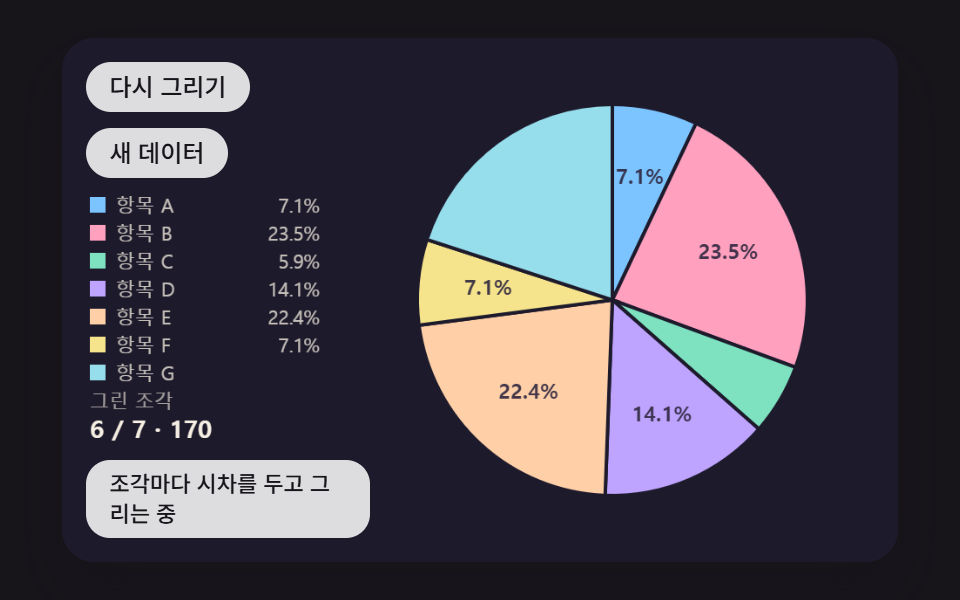 대시보드 UI원형 그래프 만들기 9종 — 조각이 튀어나오고 3D로 기우는 계산
 대시보드 UI워드 클라우드 만들기 9종 — 나선 배치·모양 채우기·3D 구·실시간 투표
 대시보드 UI원형 프로그레스바 css 스탯 링 위젯 9종 — 숫자가 진짜 올라가는
 대시보드 UI대시보드 차트 디자인 인터랙션 9종 — 호버부터 드릴다운까지
 대시보드 UI주식 앱 ui 실시간 시세판 9종 — API 키 없이
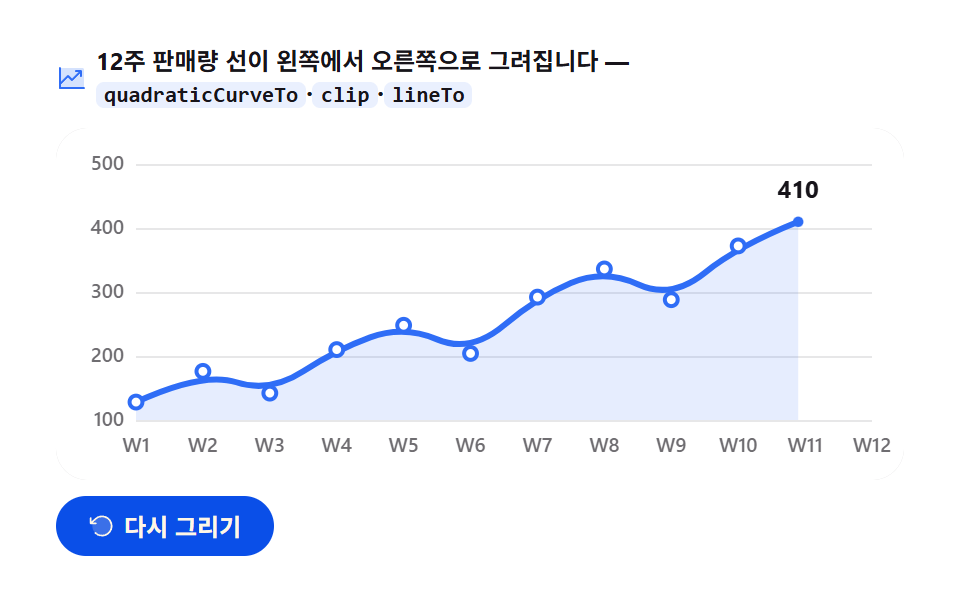 대시보드 UIcanvas 그래프 그리기 — 라이브러리 없이 그리는 애니메이션 차트 9종
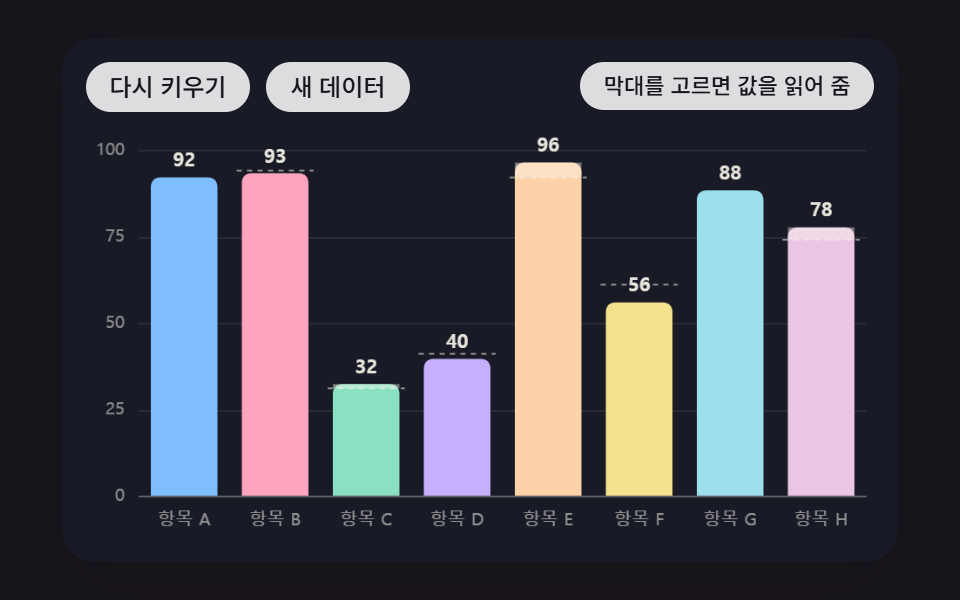 대시보드 UI막대 그래프 만들기 9종 — 누적 막대 그래프 만들기까지 움직이는 판
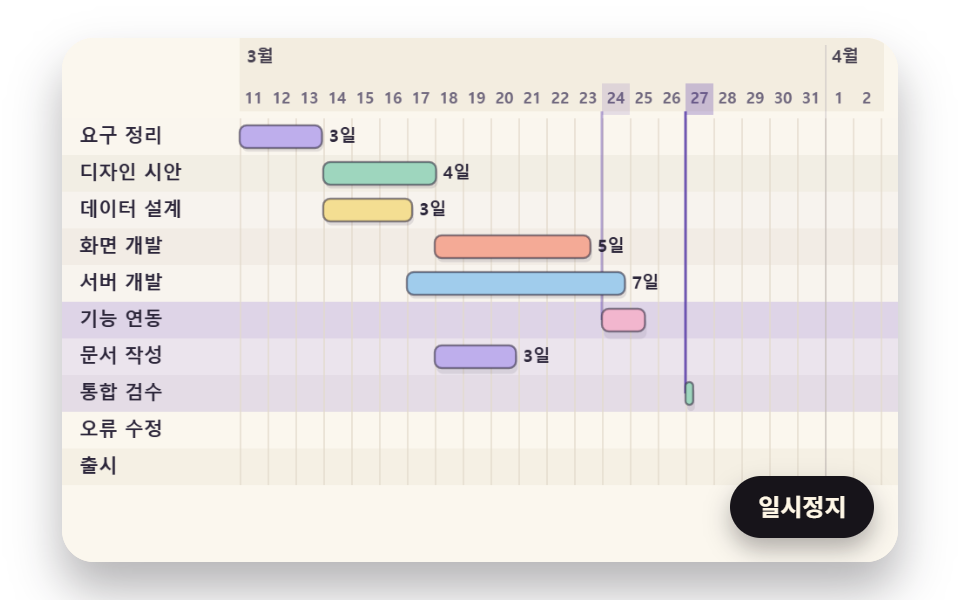 대시보드 UI간트 차트 만들기 9종 — 의존 화살표·가장 긴 경로·연쇄 밀기를 계산으로
 대시보드 UI대시보드 컴포넌트 9종 — 화면 통째로 말고 이 부품만