코드 에디터 만들기 9종 — 온라인 코드 편집기 핵심 기법
코드 에디터 만들기는 웹 페이지 안에서 코드를 치면 색이 입고 줄 번호가 붙고 괄호가 저절로 닫히는 입력칸을 짜는 일입니다. 아홉 개를 라이브러리 없이 textarea 하나로 만들었고, 아래 격자에서 지금 돌아갑니다.
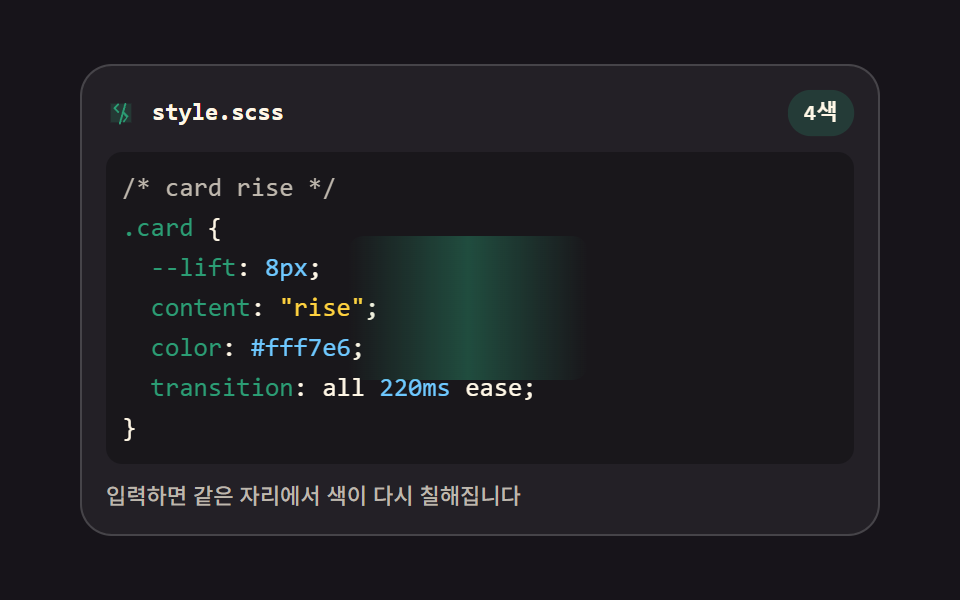 01 editor-live-syntax-highlight
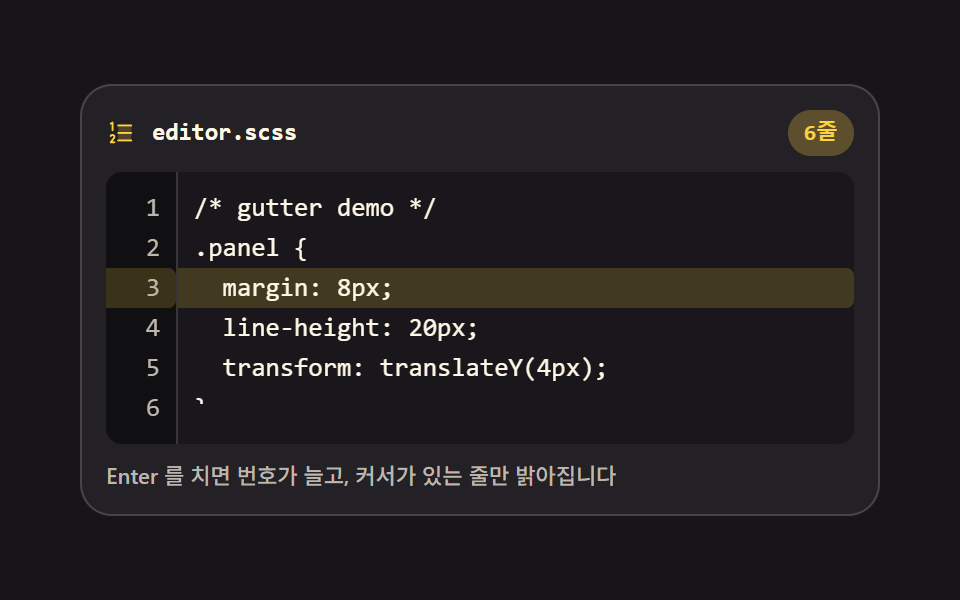 02 editor-line-number-gutter
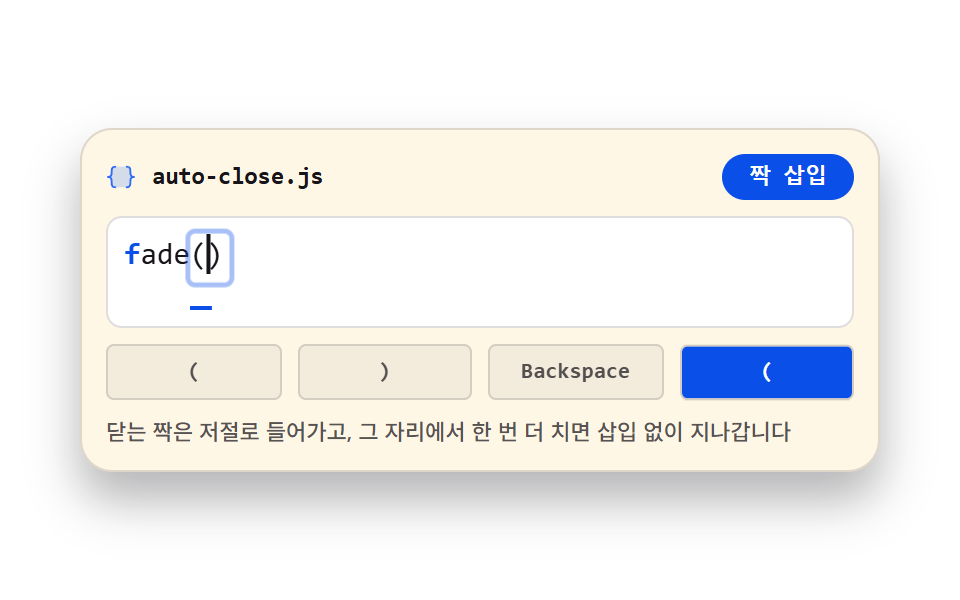 03 editor-auto-close-brackets
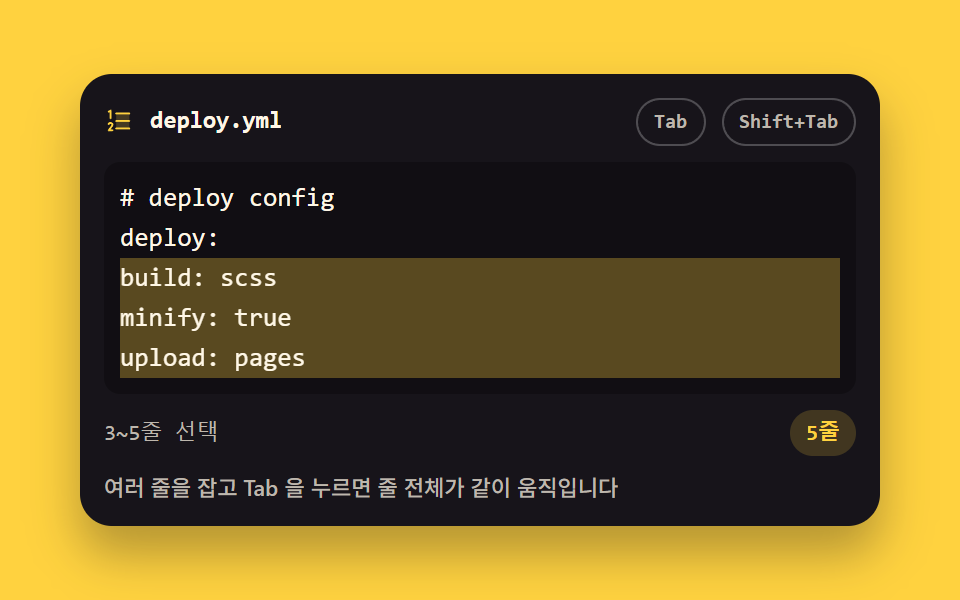 04 editor-tab-indent-selection
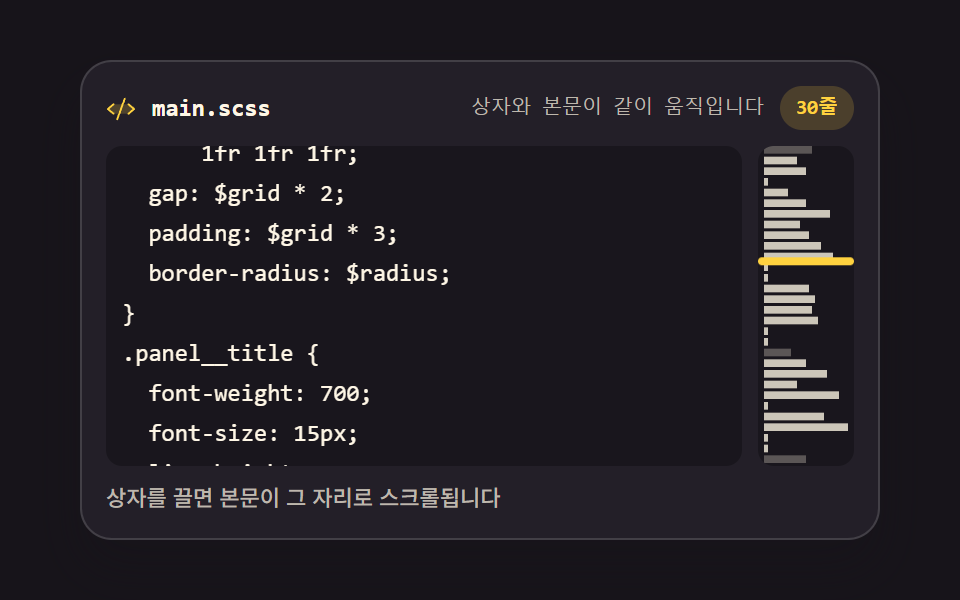 05 editor-minimap-canvas
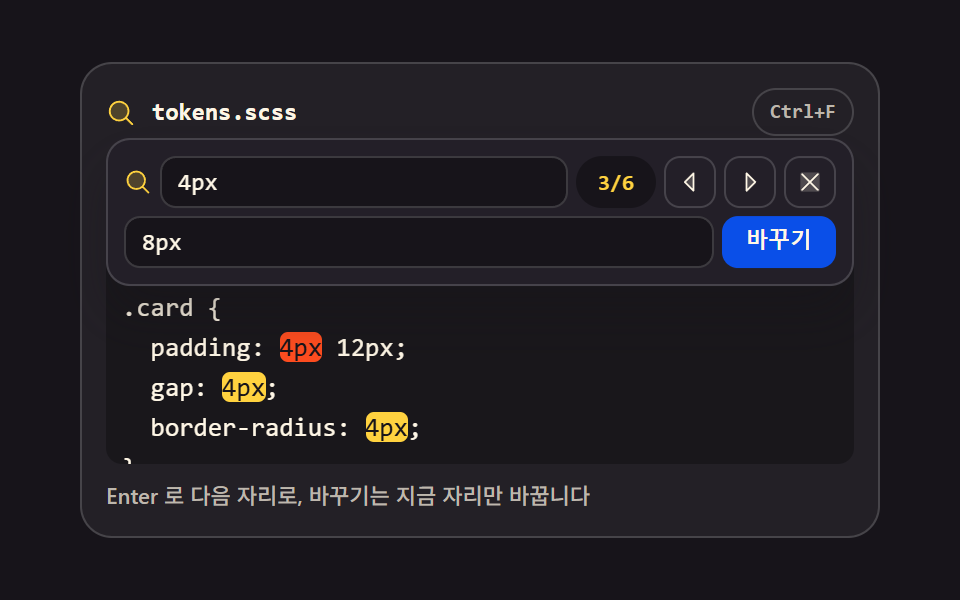 06 editor-find-replace-bar
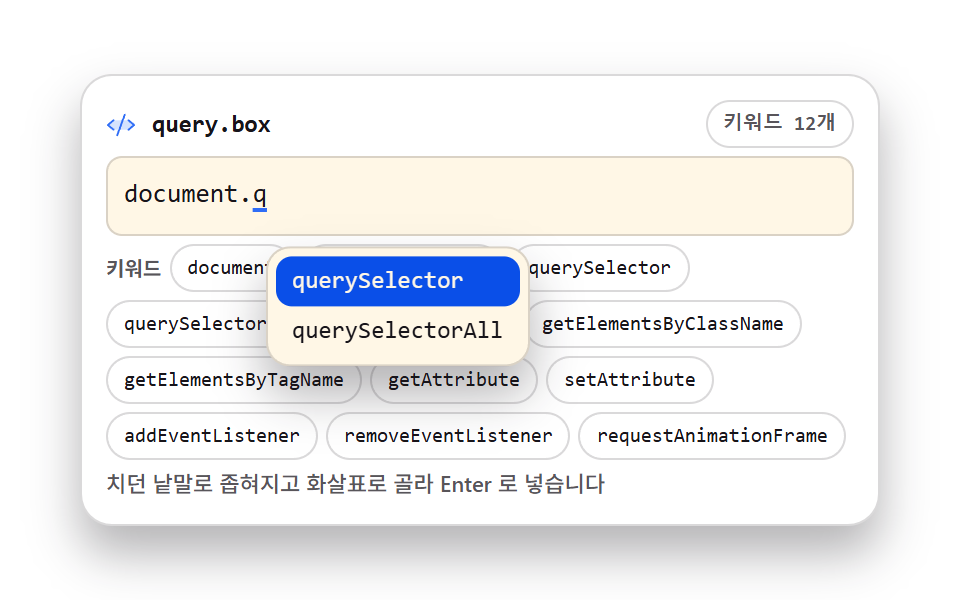 07 editor-autocomplete-popup
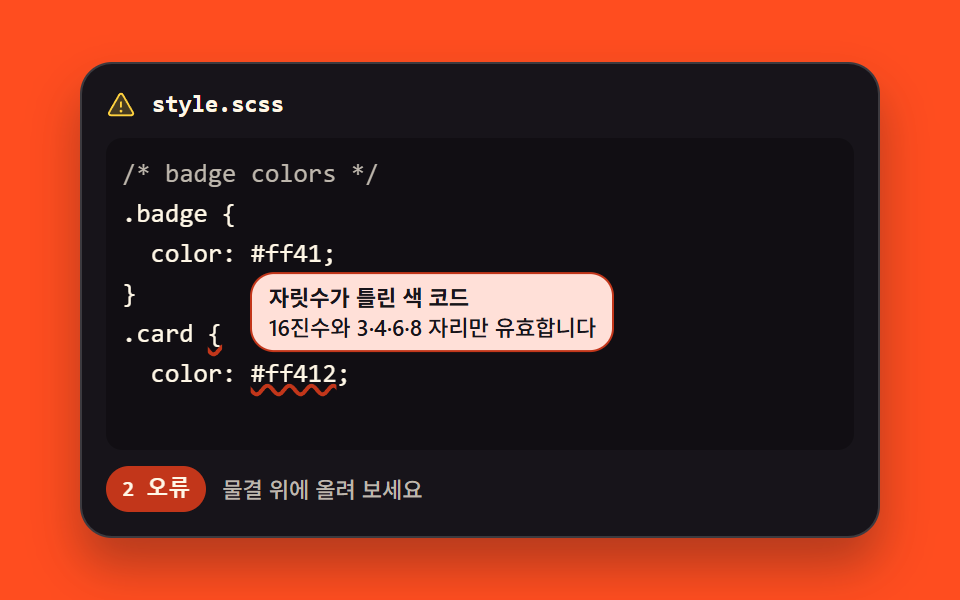 08 editor-lint-error-underline
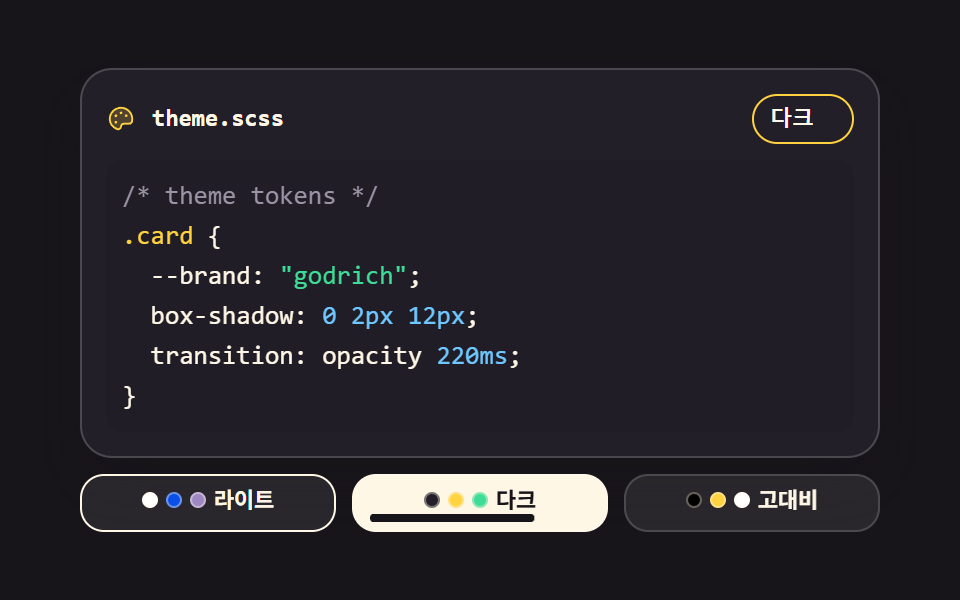 09 editor-theme-switcher
자동 재생 · 눌러서 해당 항목으로 · 전부 한 zip
- 01 실시간 구문 강조
- 02 줄 번호 거터와 현재 줄
- 03 괄호·따옴표 자동 닫기
- 04 Tab 들여쓰기와 되돌리기
- 05 캔버스 미니맵
- 06 찾기·바꾸기 바
- 07 커서 자리 자동완성
- 08 오류 물결 밑줄과 툴팁
- 09 에디터 테마 스위처
순서는 인기순이 아니라 입력칸 하나가 에디터가 되어 가는 순서입니다. 먼저 글자에 색이 들어가고(01), 그 옆에 줄 번호가 붙고(02), 치는 동안 괄호가 따라오고(03), 잡은 줄을 한꺼번에 미는 법이 생기고(04), 문서가 길어지면 전체 지도가 필요해지고(05), 찾아 바꿀 일이 생기고(06), 치다 만 낱말을 완성해 주고(07), 틀린 곳에 밑줄이 깔리고(08), 마지막에 눈이 편한 색으로 갈아입습니다(09). 아홉 개 모두 <textarea> 가 진짜 입력이고, 색은 그 아래 깔린 <pre> 가 그립니다. 같은 embed 기둥에서 입력이 아니라 명령 출력이 주인공인 터미널 UI, 코드 대신 언어팩 JSON 을 검사하는 홈페이지 다국어 처리 검수가 이 편의 이웃입니다.
01실시간 구문 강조
글자를 투명하게 만든 textarea 아래에 같은 서체·같은 행간의 <pre> 를 겹쳐 두고, 입력이 들어올 때마다 정규식 네 줄로 색을 다시 칠하는 문서 사이트용 코드 입력칸입니다.
<main class="stage">
<div class="sh is-demo" id="sh">
  <div class="sh__bar">
    <span class="sh__ico" aria-hidden="true"><svg xmlns="http://www.w3.org/2000/svg" width="1em" height="1em" viewBox="0 0 256 256"><g fill="currentColor"><path d="M216 48v160H40V48Z" opacity=".2"/><path d="m69.12 94.15l-2.63-2.62a8 8 0 0 1 0-11.32l32-32a8 8 0 0 1 11.31 11.32L83.31 88l26.5 26.5a8 8 0 0 1-11.31 11.31Zm117.76 67.7l2.63 2.62a8 8 0 0 0 0-11.32l-32-32a8 8 0 0 0-11.31 11.32L172.69 168l-26.5 26.5a8 8 0 0 0 11.31 11.31Z"/><path d="M168 42.15a8 8 0 0 0-9.85 5.53l-48 168a8 8 0 0 0 5.53 9.85a8.5 8.5 0 0 0 2.16.3a8 8 0 0 0 7.69-5.8l48-168a8 8 0 0 0-5.53-9.88"/></g></svg></span>
    <span class="sh__name">style.scss</span>
    <span class="sh__count" id="count">4색</span>
  </div>
  <div class="sh__wrap" id="wrap">
    <pre class="sh__hl" id="hl" aria-hidden="true"></pre>
    <span class="sh__sweep" aria-hidden="true"></span>
    <textarea class="sh__ta" id="ta" spellcheck="false" autocomplete="off" aria-label="코드 입력칸">/* card rise */
.card {
  --lift: 8px;
  content: "rise";
  color: #fff7e6;
  transition: all 220ms ease;
}</textarea>
  </div>
  <p class="sh__note">입력하면 같은 자리에서 색이 다시 칠해집니다</p>
</div>
</main>
@use "../../../../site/static/demo-tokens" as *;
// 실시간 구문 강조 — 글자를 투명하게 만든 textarea 를 같은 자리·같은 서체의 pre 위에 얹는다.
// 입력이 들어오면 JS 가 pre 만 다시 칠하고, 스크롤은 두 겹이 같은 값으로 움직인다.
// 두 겹이 어긋나지 않으려면 서체·크기·행간·패딩·탭 폭·줄바꿈 규칙이 글자 단위로 같아야 한다 —
// 그래서 아래 `%layer` 를 두 요소가 함께 쓴다.
// 격자 미리보기(.is-demo)는 줄을 steps(1, end) 로 한 줄씩 켜고 마지막 줄만 clip-path 로 타이핑한다.
$duration: $dur-quick;
$easing: $ease-spring;
$color: $chart-3;
$mono: ui-monospace, SFMono-Regular, "SF Mono", Consolas, "Liberation Mono", monospace;
$line: rgba(255, 255, 255, .16);
$dim: #beb7ad;
$fs: clamp(11px, 3vw, 13px);
$lh: 20px;
@include stage($stage-ink);
.sh {
display: flex; flex-direction: column; gap: $sp-2;
box-sizing: border-box; width: min(100%, 400px);
padding: $sp-3; border: 1px solid $line; border-radius: $r-card;
background: rgba(255, 255, 255, .05);
}
// ── 파일 이름 줄
.sh__bar { display: flex; align-items: center; gap: $sp-2; }
.sh__ico { display: grid; place-items: center; color: $color; font-size: 15px; }
.sh__name {
flex: 1 1 auto; color: $subject-cream;
font-family: $mono; font-weight: 700; font-size: 12px; line-height: 1.4;
}
.sh__count {
flex: 0 0 auto; padding: $sp-1 $sp-2; border-radius: $r-pill;
background: rgba(43, 157, 116, .22); color: $subject-cream;
font-family: $mono; font-weight: 700; font-size: 11px; line-height: 1.4;
}
// ── 두 겹이 겹치는 자리. 한 격자 칸에 pre 와 textarea 를 포갠다
.sh__wrap { position: relative; display: grid; height: $lh * 7 + $sp-4; }
.sh__wrap > * { grid-area: 1 / 1; }
%layer {
box-sizing: border-box; margin: 0; padding: $sp-2;
border: 0; border-radius: $r-sm;
font-family: $mono; font-weight: 500; font-size: $fs; line-height: $lh;
letter-spacing: 0; tab-size: 2;
white-space: pre; overflow: auto; overscroll-behavior: contain;
}
.sh__hl {
@extend %layer;
background: rgba(0, 0, 0, .28); color: $subject-cream;
pointer-events: none;
}
.sh__ln { display: block; }
.t--c { color: $dim; }
.t--s { color: $stage-yellow; }
.t--n { color: $subject-sky; }
.t--k { color: $color; }
// 글자는 투명하고 커서만 남긴다 — 색은 아래 pre 가 그린다
.sh__ta {
@extend %layer;
background: transparent; color: transparent; caret-color: $stage-yellow;
resize: none;
-webkit-text-fill-color: transparent;
}
.sh__ta::selection { background: rgba(255, 210, 63, .32); }
.sh__ta:focus-visible { outline: 2px solid $subject-blue; outline-offset: 2px; }
.sh__note {
margin: 0; color: $dim;
font-weight: 500; font-size: 11px; line-height: 1.4;
}
// 미리보기에서만 보이는 칠 띠. 줄이 다 켜진 뒤 한 번 지나가며 "다시 칠한다" 를 크게 보여준다.
// 정적 경로에서는 opacity 0 이라 실제 편집을 가리지 않는다
.sh__sweep {
align-self: center; justify-self: start;
width: 120px; height: 72px; border-radius: $r-sm;
background: linear-gradient(90deg, rgba(43, 157, 116, 0), rgba(43, 157, 116, .40), rgba(43, 157, 116, 0));
opacity: 0; pointer-events: none;
}
// ── 격자 미리보기 루프 (2초)
// 줄 1~6 은 0·10·20·30·40·50% 에 컷으로 켜지고, 마지막 줄은 52~86% 에 clip-path 로 타이핑된다.
// 켜짐은 steps(1, end) 라 반투명 유령 프레임이 없고, 되돌림은 루프 경계(0%)에서만 일어난다.
.sh.is-demo .sh__ln {
animation-name: shLine;
animation-duration: $dur-loop; animation-timing-function: steps(1, end);
animation-iteration-count: infinite; animation-fill-mode: backwards;
}
.sh.is-demo .sh__ln:nth-child(1) { animation-delay: 0s; }
.sh.is-demo .sh__ln:nth-child(2) { animation-delay: .2s; }
.sh.is-demo .sh__ln:nth-child(3) { animation-delay: .4s; }
.sh.is-demo .sh__ln:nth-child(4) { animation-delay: .6s; }
.sh.is-demo .sh__ln:nth-child(5) { animation-delay: .8s; }
.sh.is-demo .sh__ln:nth-child(6) { animation-delay: 1s; }
.sh.is-demo .sh__ln:nth-child(7) {
animation-name: shType; animation-timing-function: steps(12, end); animation-delay: 1.04s;
}
// 강조 칩은 줄이 다 켜진 뒤 한 번 부풀어 "다시 칠했다" 를 알린다 (자기 중심에서 — blog-demo 규칙 8)
.sh.is-demo .sh__count {
animation-name: shPulse; animation-duration: $dur-loop; animation-timing-function: $easing;
animation-iteration-count: infinite; animation-fill-mode: backwards;
transform-origin: 50% 50%;
}
.sh.is-demo .sh__sweep {
animation-name: shSweep; animation-duration: $dur-loop; animation-timing-function: linear;
animation-iteration-count: infinite; animation-fill-mode: backwards;
}
@keyframes shSweep {
0%, 54% { opacity: 0; transform: translateX(-120px); }
56% { opacity: 1; transform: translateX(-120px); }
88% { opacity: 1; transform: translateX(400px); }
90%, 100% { opacity: 0; transform: translateX(400px); }
}
// steps(1, end) 는 구간 **끝**에서만 값을 바꾼다 — 0%→100% 한 구간으로 적으면 2초 내내 0 이다.
// 그래서 3% 에 점프 지점을 따로 둔다 (실측 2026-09-13: 첫 판은 poster 가 빈 화면이었다)
@keyframes shLine {
0% { opacity: 0; }
3%, 100% { opacity: 1; }
}
@keyframes shType {
0% { clip-path: inset(0 100% 0 0); }
48% { clip-path: inset(0 0 0 0); }
100% { clip-path: inset(0 0 0 0); }
}
@keyframes shPulse {
0%, 56% { transform: scale(1); }
64% { transform: scale(1.22); }
76%, 100% { transform: scale(1); }
}
// ── 좁은 화면: 행간과 여백을 줄여 무대 안에 들어오게 한다
@media (max-width: 340px) {
.sh { gap: $sp-1; padding: $sp-2; }
.sh__wrap { height: 16px * 6 + $sp-2; }
.sh__hl, .sh__ta { font-size: 11px; line-height: 16px; padding: $sp-1; }
.sh__note { font-size: 10px; }
}
@media (prefers-reduced-motion: reduce) {
.sh.is-demo .sh__ln,
.sh.is-demo .sh__sweep,
.sh.is-demo .sh__count {
animation: none !important;
opacity: 1 !important;
clip-path: none !important;
transform: none !important;
}
}html, body {
margin: 0;
overflow: hidden;
}
.stage {
box-sizing: border-box;
min-height: 100vh;
display: grid;
place-items: center;
margin: 0;
background: #17141a;
font-family: -apple-system, "Segoe UI", "Noto Sans KR", sans-serif;
padding: clamp(8px, 4vw, 24px);
}
.sh {
display: flex;
flex-direction: column;
gap: 8px;
box-sizing: border-box;
width: min(100%, 400px);
padding: 12px;
border: 1px solid rgba(255, 255, 255, 0.16);
border-radius: 16px;
background: rgba(255, 255, 255, 0.05);
}
.sh__bar {
display: flex;
align-items: center;
gap: 8px;
}
.sh__ico {
display: grid;
place-items: center;
color: #2b9d74;
font-size: 15px;
}
.sh__name {
flex: 1 1 auto;
color: #fff7e6;
font-family: ui-monospace, SFMono-Regular, "SF Mono", Consolas, "Liberation Mono", monospace;
font-weight: 700;
font-size: 12px;
line-height: 1.4;
}
.sh__count {
flex: 0 0 auto;
padding: 4px 8px;
border-radius: 999px;
background: rgba(43, 157, 116, 0.22);
color: #fff7e6;
font-family: ui-monospace, SFMono-Regular, "SF Mono", Consolas, "Liberation Mono", monospace;
font-weight: 700;
font-size: 11px;
line-height: 1.4;
}
.sh__wrap {
position: relative;
display: grid;
height: 156px;
}
.sh__wrap > * {
grid-area: 1/1;
}
.sh__ta, .sh__hl {
box-sizing: border-box;
margin: 0;
padding: 8px;
border: 0;
border-radius: 8px;
font-family: ui-monospace, SFMono-Regular, "SF Mono", Consolas, "Liberation Mono", monospace;
font-weight: 500;
font-size: clamp(11px, 3vw, 13px);
line-height: 20px;
letter-spacing: 0;
tab-size: 2;
white-space: pre;
overflow: auto;
overscroll-behavior: contain;
}
.sh__hl {
background: rgba(0, 0, 0, 0.28);
color: #fff7e6;
pointer-events: none;
}
.sh__ln {
display: block;
}
.t--c {
color: #beb7ad;
}
.t--s {
color: #ffd23f;
}
.t--n {
color: #6ec8ff;
}
.t--k {
color: #2b9d74;
}
.sh__ta {
background: transparent;
color: transparent;
caret-color: #ffd23f;
resize: none;
-webkit-text-fill-color: transparent;
}
.sh__ta::selection {
background: rgba(255, 210, 63, 0.32);
}
.sh__ta:focus-visible {
outline: 2px solid #2f6df6;
outline-offset: 2px;
}
.sh__note {
margin: 0;
color: #beb7ad;
font-weight: 500;
font-size: 11px;
line-height: 1.4;
}
.sh__sweep {
align-self: center;
justify-self: start;
width: 120px;
height: 72px;
border-radius: 8px;
background: linear-gradient(90deg, rgba(43, 157, 116, 0), rgba(43, 157, 116, 0.4), rgba(43, 157, 116, 0));
opacity: 0;
pointer-events: none;
}
.sh.is-demo .sh__ln {
animation-name: shLine;
animation-duration: 2s;
animation-timing-function: steps(1, end);
animation-iteration-count: infinite;
animation-fill-mode: backwards;
}
.sh.is-demo .sh__ln:nth-child(1) {
animation-delay: 0s;
}
.sh.is-demo .sh__ln:nth-child(2) {
animation-delay: 0.2s;
}
.sh.is-demo .sh__ln:nth-child(3) {
animation-delay: 0.4s;
}
.sh.is-demo .sh__ln:nth-child(4) {
animation-delay: 0.6s;
}
.sh.is-demo .sh__ln:nth-child(5) {
animation-delay: 0.8s;
}
.sh.is-demo .sh__ln:nth-child(6) {
animation-delay: 1s;
}
.sh.is-demo .sh__ln:nth-child(7) {
animation-name: shType;
animation-timing-function: steps(12, end);
animation-delay: 1.04s;
}
.sh.is-demo .sh__count {
animation-name: shPulse;
animation-duration: 2s;
animation-timing-function: cubic-bezier(0.2, 0.8, 0.2, 1);
animation-iteration-count: infinite;
animation-fill-mode: backwards;
transform-origin: 50% 50%;
}
.sh.is-demo .sh__sweep {
animation-name: shSweep;
animation-duration: 2s;
animation-timing-function: linear;
animation-iteration-count: infinite;
animation-fill-mode: backwards;
}
@keyframes shSweep {
0%, 54% {
opacity: 0;
transform: translateX(-120px);
}
56% {
opacity: 1;
transform: translateX(-120px);
}
88% {
opacity: 1;
transform: translateX(400px);
}
90%, 100% {
opacity: 0;
transform: translateX(400px);
}
}
@keyframes shLine {
0% {
opacity: 0;
}
3%, 100% {
opacity: 1;
}
}
@keyframes shType {
0% {
clip-path: inset(0 100% 0 0);
}
48% {
clip-path: inset(0 0 0 0);
}
100% {
clip-path: inset(0 0 0 0);
}
}
@keyframes shPulse {
0%, 56% {
transform: scale(1);
}
64% {
transform: scale(1.22);
}
76%, 100% {
transform: scale(1);
}
}
@media (max-width: 340px) {
.sh {
gap: 4px;
padding: 8px;
}
.sh__wrap {
height: 104px;
}
.sh__hl, .sh__ta {
font-size: 11px;
line-height: 16px;
padding: 4px;
}
.sh__note {
font-size: 10px;
}
}
@media (prefers-reduced-motion: reduce) {
.sh.is-demo .sh__ln,
.sh.is-demo .sh__sweep,
.sh.is-demo .sh__count {
animation: none !important;
opacity: 1 !important;
clip-path: none !important;
transform: none !important;
}
}var sh = document.getElementById('sh');
var ta = document.getElementById('ta');
var hl = document.getElementById('hl');
var wrap = document.getElementById('wrap');
// 토크나이저 규칙 네 줄. 앞의 규칙이 먼저 이긴다 — 주석 안의 색 코드를 색으로 잡지 않으려는 순서다
var RULES = [
  { cls: 'c', re: /\/\*[\s\S]*?\*\/|\/\/[^\n]*/g },
  { cls: 's', re: /"[^"\n]*"|'[^'\n]*'/g },
  { cls: 'n', re: /#[0-9a-fA-F]{3,8}\b|\b\d+(?:\.\d+)?(?:px|ms|s|%|em|rem|fr)?\b/g },
  { cls: 'k', re: /--[a-zA-Z][\w-]*|\.[a-zA-Z][\w-]*|@[a-z-]+|\b[a-z-]+(?=\s*:)/g }
];
function esc(t) { return t.replace(/&/g, '&').replace(/</g, '<').replace(/>/g, '>'); }
function paint(line) {
var marks = [];
RULES.forEach(function (rule, rank) {
var m; rule.re.lastIndex = 0;
while ((m = rule.re.exec(line)) !== null) {
var taken = marks.some(function (x) { return m.index < x.end && x.start < m.index + m[0].length; });
if (!taken) marks.push({ start: m.index, end: m.index + m[0].length, cls: rule.cls, rank: rank });
if (m[0] === '') rule.re.lastIndex++;
}
});
marks.sort(function (a, b) { return a.start - b.start; });
var out = '', at = 0;
marks.forEach(function (x) {
if (x.start < at) return;
out += esc(line.slice(at, x.start)) + '<span class="t t--' + x.cls + '">' + esc(line.slice(x.start, x.end)) + '</span>';
at = x.end;
});
return out + esc(line.slice(at));
}
function render() {
// 줄마다 span 으로 감싼다 — 미리보기 루프가 줄 단위로 켜고 끌 수 있어야 한다
hl.innerHTML = ta.value.split('\n').map(function (line) {
return '<span class="sh__ln">' + (paint(line) || '') + '</span>';
}).join('');
}
function sync() { hl.scrollTop = ta.scrollTop; hl.scrollLeft = ta.scrollLeft; }
ta.addEventListener('input', function () { sh.classList.remove('is-demo'); render(); sync(); });
ta.addEventListener('scroll', sync);
ta.addEventListener('focus', function () { sh.classList.remove('is-demo'); });
wrap.addEventListener('pointerdown', function () { sh.classList.remove('is-demo'); });
render();// SyntaxHighlightEditor — vanilla 판(run/299/demo/01-editor-live-syntax-highlight/index.html) 의 React 포트.
// 글자를 투명하게 만든 textarea 를 같은 자리·같은 서체의 pre 위에 얹고, 입력이 들어오면 pre 만 다시 칠한다.
// 토크나이저 규칙 네 줄과 그 순서는 vanilla 와 같은 글자다 (값을 다시 타이핑하지 않는다).
import { useEffect, useMemo, useRef, useState } from "react";
import type { CSSProperties } from "react";
import styles from "./SyntaxHighlightEditor.module.scss";
export type SyntaxHighlightEditorProps = {
duration?: number;
easing?: string;
color?: string;
initialCode?: string;
};
type Vars = CSSProperties & { "--duration"?: string; "--easing"?: string; "--color"?: string };
// useRef<T> 는 T | null 을 돌려준다 — ambient 타입에 맞춰 상자 타입을 따로 둔다
type Box<T> = { current: T | null };
const LABEL = "코드 입력칸";
const NOTE = "입력하면 같은 자리에서 색이 다시 칠해집니다";
const COUNT = "4색";
const FILE_NAME = "style.scss";
const CODE = [
"/* card rise */",
".card {",
" --lift: 8px;",
' content: "rise";',
" color: #fff7e6;",
" transition: all 220ms ease;",
"}",
].join("\n");
type Rule = { cls: string; re: RegExp };
type Mark = { start: number; end: number; cls: string };
// 토크나이저 규칙 네 줄. 앞의 규칙이 먼저 이긴다 — 주석 안의 색 코드를 색으로 잡지 않으려는 순서다
const RULES: Rule[] = [
{ cls: "c", re: /\/\*[\s\S]*?\*\/|\/\/[^\n]*/g },
{ cls: "s", re: /"[^"\n]*"|'[^'\n]*'/g },
{ cls: "n", re: /#[0-9a-fA-F]{3,8}\b|\b\d+(?:\.\d+)?(?:px|ms|s|%|em|rem|fr)?\b/g },
{ cls: "k", re: /--[a-zA-Z][\w-]*|\.[a-zA-Z][\w-]*|@[a-z-]+|\b[a-z-]+(?=\s*:)/g },
];
function escapeHtml(text: string): string {
return text.replace(/&/g, "&").replace(/</g, "<").replace(/>/g, ">");
}
function paint(line: string): string {
const marks: Mark[] = [];
RULES.forEach((rule) => {
rule.re.lastIndex = 0;
let m = rule.re.exec(line);
while (m !== null) {
const start = m.index;
const end = m.index + m[0].length;
const taken = marks.some((x) => start < x.end && x.start < end);
if (!taken) marks.push({ start, end, cls: rule.cls });
if (m[0] === "") rule.re.lastIndex++;
m = rule.re.exec(line);
}
});
marks.sort((a, b) => a.start - b.start);
let out = "";
let at = 0;
marks.forEach((x) => {
if (x.start < at) return;
out += escapeHtml(line.slice(at, x.start)) + '<span class="' + styles.t + " " + styles["t--" + x.cls] + '">' +
escapeHtml(line.slice(x.start, x.end)) + "</span>";
at = x.end;
});
return out + escapeHtml(line.slice(at));
}
export default function SyntaxHighlightEditor(props: SyntaxHighlightEditorProps) {
const duration = props.duration ?? 220;
const easing = props.easing ?? "cubic-bezier(.2, .8, .2, 1)";
const color = props.color ?? "#2b9d74";
const [code, setCode] = useState<string>(props.initialCode ?? CODE);
const [preview, setPreview] = useState<boolean>(true);
const taRef = useRef<HTMLTextAreaElement>(null) as Box<HTMLTextAreaElement>;
const hlRef = useRef<HTMLPreElement>(null) as Box<HTMLPreElement>;
// 줄마다 span 으로 감싼다 — 미리보기 루프가 줄 단위로 켜고 끌 수 있어야 한다
const lines = useMemo(() => code.split("\n").map((line) => paint(line) || ""), [code]);
useEffect(() => {
const ta = taRef.current;
const hl = hlRef.current;
if (ta && hl) {
hl.scrollTop = ta.scrollTop;
hl.scrollLeft = ta.scrollLeft;
}
}, [code]);
const sync = () => {
const ta = taRef.current;
const hl = hlRef.current;
if (ta && hl) {
hl.scrollTop = ta.scrollTop;
hl.scrollLeft = ta.scrollLeft;
}
};
const vars: Vars = { "--duration": duration + "ms", "--easing": easing, "--color": color };
return (
<main className={styles.stage}>
<div className={styles.root + (preview ? " " + styles.isDemo : "")} style={vars}>
<div className={styles.bar}>
<span className={styles.ico} aria-hidden="true">
<svg xmlns="http://www.w3.org/2000/svg" width="1em" height="1em" viewBox="0 0 256 256">
<g fill="currentColor">
<path d="M216 48v160H40V48Z" opacity=".2" />
<path d="m69.12 94.15l-2.63-2.62a8 8 0 0 1 0-11.32l32-32a8 8 0 0 1 11.31 11.32L83.31 88l26.5 26.5a8 8 0 0 1-11.31 11.31Zm117.76 67.7l2.63 2.62a8 8 0 0 0 0-11.32l-32-32a8 8 0 0 0-11.31 11.32L172.69 168l-26.5 26.5a8 8 0 0 0 11.31 11.31Z" />
<path d="M168 42.15a8 8 0 0 0-9.85 5.53l-48 168a8 8 0 0 0 5.53 9.85a8.5 8.5 0 0 0 2.16.3a8 8 0 0 0 7.69-5.8l48-168a8 8 0 0 0-5.53-9.88" />
</g>
</svg>
</span>
<span className={styles.name}>{FILE_NAME}</span>
<span className={styles.count}>{COUNT}</span>
</div>
<div className={styles.wrap} onPointerDown={() => setPreview(false)}>
<pre
className={styles.hl}
ref={hlRef}
aria-hidden="true"
dangerouslySetInnerHTML={{
__html: lines.map((html) => '<span class="' + styles.ln + '">' + html + "</span>").join(""),
}}
/>
<span className={styles.sweep} aria-hidden="true" />
<textarea
className={styles.ta}
ref={taRef}
value={code}
spellCheck={false}
autoComplete="off"
aria-label={LABEL}
onChange={(e: { target: { value: string } }) => {
setPreview(false);
setCode(e.target.value);
}}
onScroll={sync}
onFocus={() => setPreview(false)}
/>
</div>
<p className={styles.note}>{NOTE}</p>
</div>
</main>
);
}01 · 실시간 구문 강조 — 측정 누적면적 25.074% · 움직인 프레임 15/23GODRICH 원작 · zip 에 SCSS·React 포함 · 비밀번호 보기
규칙 네 줄의 순서가 곧 우선순위
// 토크나이저 규칙 네 줄. 앞의 규칙이 먼저 이긴다 — 주석 안의 색 코드를 색으로 잡지 않으려는 순서다
var RULES = [
{ cls: 'c', re: /\/\*[\s\S]*?\*\/|\/\/[^\n]*/g },
{ cls: 's', re: /"[^"\n]*"|'[^'\n]*'/g },
{ cls: 'n', re: /#[0-9a-fA-F]{3,8}\b|\b\d+(?:\.\d+)?(?:px|ms|s|%|em|rem|fr)?\b/g },
{ cls: 'k', re: /--[a-zA-Z][\w-]*|\.[a-zA-Z][\w-]*|@[a-z-]+|\b[a-z-]+(?=\s*:)/g }
];
먼저 잡힌 자리는 뒤 규칙이 못 건드리므로 /* #ff4d1f 는 주석이다 */ 를 넣으면 색 코드가 아니라 주석 한 덩이로 칠해집니다.
두 겹이 어긋나지 않게 하는 값
%layer {
  box-sizing: border-box; margin: 0; padding: $sp-2;
  border: 0; border-radius: $r-sm;
  font-family: $mono; font-weight: 500; font-size: $fs; line-height: $lh;
  letter-spacing: 0; tab-size: 2;
  white-space: pre; overflow: auto; overscroll-behavior: contain;
}
서체·크기·행간·패딩·테두리·자간·탭 폭·줄바꿈 규칙을 한 곳에 모아서 두 요소가 함께 쓰는데, Playwright 로 계산값 여덟 항목을 비교하니 다른 값이 0개였습니다.
02줄 번호 거터와 현재 줄
왼쪽 거터의 번호가 입력 줄 수를 따라 늘고 줄며 커서가 있는 줄만 배경이 켜지는, 오류 줄을 짚어야 하는 편집기용 부품입니다.
<main class="stage">
<div class="gt is-demo" id="gt">
  <div class="gt__bar">
    <span class="gt__ico" aria-hidden="true"><svg xmlns="http://www.w3.org/2000/svg" width="1em" height="1em" viewBox="0 0 256 256"><g fill="currentColor"><path d="M216 64v128H104V64Z" opacity=".2"/><path d="M224 128a8 8 0 0 1-8 8H104a8 8 0 0 1 0-16h112a8 8 0 0 1 8 8M104 72h112a8 8 0 0 0 0-16H104a8 8 0 0 0 0 16m112 112H104a8 8 0 0 0 0 16h112a8 8 0 0 0 0-16M43.58 55.16L48 52.94V104a8 8 0 0 0 16 0V40a8 8 0 0 0-11.58-7.16l-16 8a8 8 0 0 0 7.16 14.32m36.19 101.56a23.73 23.73 0 0 0-9.6-15.95a24.86 24.86 0 0 0-34.11 4.7a23.6 23.6 0 0 0-3.57 6.46a8 8 0 1 0 15 5.47a7.8 7.8 0 0 1 1.18-2.13a8.76 8.76 0 0 1 12-1.59a7.9 7.9 0 0 1 3.26 5.32a7.64 7.64 0 0 1-1.57 5.78a1 1 0 0 0-.08.11l-28.69 38.32A8 8 0 0 0 40 216h32a8 8 0 0 0 0-16H56l19.08-25.53a23.47 23.47 0 0 0 4.69-17.75"/></g></svg></span>
    <span class="gt__name">editor.scss</span>
    <span class="gt__pill">
      <span class="gt__count" id="count">6줄</span>
      <span class="gt__cv gt__cv--1" aria-hidden="true">3줄</span>
      <span class="gt__cv gt__cv--2" aria-hidden="true">4줄</span>
      <span class="gt__cv gt__cv--3" aria-hidden="true">5줄</span>
      <span class="gt__cv gt__cv--4" aria-hidden="true">6줄</span>
      <span class="gt__cv gt__cv--5" aria-hidden="true">5줄</span>
    </span>
  </div>
  <div class="gt__body">
    <div class="gt__gut" aria-hidden="true">
      <div class="gt__gtrack" id="gtrack"></div>
    </div>
    <div class="gt__wrap" id="wrap">
      <div class="gt__track" id="track">
        <span class="gt__cur" id="cur" aria-hidden="true"></span>
        <pre class="gt__hl" id="hl" aria-hidden="true"></pre>
      </div>
      <textarea class="gt__ta" id="ta" spellcheck="false" autocomplete="off" wrap="off" aria-label="코드 입력칸">/* gutter demo */
.panel {
  margin: 8px;
  line-height: 20px;
  transform: translateY(4px);
}</textarea>
    </div>
  </div>
  <p class="gt__note">Enter 를 치면 번호가 늘고, 커서가 있는 줄만 밝아집니다</p>
</div>
</main>@use "../../../../site/static/demo-tokens" as *;
// 줄 번호 거터와 현재 줄 — 왼쪽 거터의 번호가 입력 줄 수에 맞춰 늘고 줄며,
// selectionStart 로 계산한 커서 줄만 배경이 켜진다. 본문(textarea)이 스크롤하면
// 거터 트랙도 같은 값으로 translateY 해 붙어 다닌다.
// 번호 자체는 CSS 카운터(counter-reset)가 매긴다 — JS 는 줄이 바뀔 때 빈 칸만 다시 그린다.
// 격자 미리보기(.is-demo)는 줄과 번호를 steps(1, end) 컷으로 하나씩 켜고,
// 현재 줄 밴드는 매끈하게 미끄러지며, 뒤에서 한 줄 스크롤 동기가 같이 움직인다.
$duration: $dur-quick;
$easing: $ease-spring;
$color: $stage-yellow;
$mono: ui-monospace, SFMono-Regular, "SF Mono", Consolas, "Liberation Mono", monospace;
$line: rgba(255, 255, 255, .16);
$dim: #beb7ad;
$fs: clamp(11px, 3vw, 13px);
$lh: 20px;
@include stage($stage-ink);
.gt {
display: flex; flex-direction: column; gap: $sp-2;
box-sizing: border-box; width: min(100%, 400px);
padding: $sp-3; border: 1px solid $line; border-radius: $r-card;
background: rgba(255, 255, 255, .05);
}
// ── 파일 이름 줄
.gt__bar { display: flex; align-items: center; gap: $sp-2; }
.gt__ico { display: grid; place-items: center; color: $color; font-size: 15px; }
.gt__name {
flex: 1 1 auto; color: $subject-cream;
font-family: $mono; font-weight: 700; font-size: 12px; line-height: 1.4;
}
// 줄 수 알약 — 실제 값은 JS 가 채우고, 미리보기에서는 겹켜진 값 장이 차례로 켜진다
.gt__pill { display: grid; justify-items: center; }
.gt__pill > * { grid-area: 1 / 1; }
.gt__count, .gt__cv {
padding: $sp-1 $sp-2; border-radius: $r-pill;
background: rgba($color, .14); color: $color;
font-family: $mono; font-weight: 700; font-size: 11px; line-height: 1.4;
white-space: nowrap;
}
.gt__cv { opacity: 0; }
// ── 거터 + 본문 몸통
.gt__body {
display: grid; grid-template-columns: 36px 1fr;
background: rgba(0, 0, 0, .28); border-radius: $r-sm; overflow: hidden;
}
.gt__gut { background: rgba(0, 0, 0, .35); border-right: 1px solid $line; overflow: hidden; }
.gt__gtrack {
position: relative; box-sizing: border-box; padding: $sp-2 0 $sp-2 $sp-2;
counter-reset: gtline;
font-family: $mono; font-weight: 500; font-size: $fs; line-height: $lh;
}
.gt__num {
position: relative; z-index: 1; display: block; height: $lh;
padding-right: $sp-2; text-align: right; color: $dim;
}
.gt__num::before { counter-increment: gtline; content: counter(gtline); }
// 거터 쪽 현재 줄 밴드 — 본문 밴드와 같은 translateY 값을 받아 같이 움직인다
.gt__gcur {
position: absolute; top: $sp-2; left: 0; right: 0; height: $lh;
background: rgba($color, .18); border-radius: 0 $r-xs $r-xs 0;
transition: transform $duration $easing;
}
// ── 본문. 글자는 투명한 textarea 아래 pre 가 그린다 — 서체·행간·패딩이 글자 단위로 같아야 한다
.gt__wrap {
position: relative; display: grid; overflow: hidden;
height: 5 * $lh + 2 * $sp-2; // 5줄이 온전히 보이고 마지막 줄이 조금 엿보인다 — 스크롤 여유 표시
}
.gt__wrap > * { grid-area: 1 / 1; min-height: 0; }
// textarea 는 격자 칸 높이에 **묶어 둔다**. 내용만큼 늘어나게 두면 스크롤하는 것은 textarea 가 아니라
// 바깥 상자가 되고, scrollTop 을 읽어 거터를 미는 동기 코드가 영영 0 만 읽는다 (실측 2026-09-13:
// 12줄을 넣어도 ta.scrollHeight == ta.clientHeight 였다)
.gt__ta { height: 100%; }
.gt__track { position: relative; align-self: start; box-sizing: border-box; padding: $sp-2; }
.gt__cur {
position: absolute; top: $sp-2; left: 0; right: 0; height: $lh;
background: rgba($color, .18); border-radius: 0 $r-xs $r-xs 0;
transition: transform $duration $easing;
}
.gt__hl {
position: relative; z-index: 1; margin: 0;
font-family: $mono; font-weight: 500; font-size: $fs; line-height: $lh;
letter-spacing: 0; tab-size: 2; white-space: pre; overflow: hidden;
color: $subject-cream;
}
.gt__ln { display: block; }
// 글자는 투명하고 커서만 남는다 — 색은 아래 pre 가 그린다
.gt__ta {
box-sizing: border-box; margin: 0; padding: $sp-2; border: 0; background: transparent;
color: transparent; caret-color: $color; resize: none;
font-family: $mono; font-weight: 500; font-size: $fs; line-height: $lh;
letter-spacing: 0; tab-size: 2; white-space: pre; overflow: auto;
scrollbar-width: none;
}
.gt__ta::-webkit-scrollbar { display: none; }
.gt__ta::selection { background: rgba($color, .32); }
.gt__ta:focus-visible { outline: 2px solid $subject-blue; outline-offset: -2px; }
.gt__note { margin: 0; color: $dim; font-weight: 500; font-size: 11px; line-height: 1.4; }
// ── 격자 미리보기 루프 (2초)
// 1~3줄은 곧바로, 4·5줄은 타이핑하듯 늦게 켜지고 6줄이 더해졌다가 줄어든다.
// 켜짐·꺼짐은 전부 steps(1, end) 컷 — 점프 지점(3%)을 따로 둬야 첫 장에 값이 보인다.
.gt.is-demo .gt__ln, .gt.is-demo .gt__num {
animation-name: gtLine;
animation-duration: $dur-loop; animation-timing-function: steps(1, end);
animation-iteration-count: infinite; animation-fill-mode: backwards;
}
.gt.is-demo .gt__ln:nth-child(1), .gt.is-demo .gt__num:nth-child(1) { animation-delay: 0s; }
.gt.is-demo .gt__ln:nth-child(2), .gt.is-demo .gt__num:nth-child(2) { animation-delay: .04s; }
.gt.is-demo .gt__ln:nth-child(3), .gt.is-demo .gt__num:nth-child(3) { animation-delay: .08s; }
.gt.is-demo .gt__ln:nth-child(4), .gt.is-demo .gt__num:nth-child(4) { animation-delay: .3s; }
.gt.is-demo .gt__ln:nth-child(5), .gt.is-demo .gt__num:nth-child(5) { animation-delay: .42s; }
// 6줄과 그 번호는 한 바퀴 안에서 늘었다가 줄어든다 — 지연 없이 절대 시점 키프레임으로
.gt.is-demo .gt__ln:nth-child(6), .gt.is-demo .gt__num:nth-child(6) { animation-name: gtLineCut; }
// 줄 수 알약 — 실제 값은 감추고 겹켜진 값 장을 컷으로 갈아 끼운다
.gt.is-demo .gt__count { color: transparent; }
.gt.is-demo .gt__cv {
animation-duration: $dur-loop; animation-timing-function: steps(1, end);
animation-iteration-count: infinite; animation-fill-mode: backwards;
}
.gt.is-demo .gt__cv--1 { animation-name: gtCv1; }
.gt.is-demo .gt__cv--2 { animation-name: gtCv2; }
.gt.is-demo .gt__cv--3 { animation-name: gtCv3; }
.gt.is-demo .gt__cv--4 { animation-name: gtCv4; }
.gt.is-demo .gt__cv--5 { animation-name: gtCv5; }
// 현재 줄 밴드 — 나타남은 컷, 줄 옮김은 매끈한 transform 이동
.gt.is-demo .gt__cur, .gt.is-demo .gt__gcur {
animation-name: gtCurO, gtCurT;
animation-duration: $dur-loop, $dur-loop;
animation-timing-function: steps(1, end), $easing;
animation-iteration-count: infinite, infinite;
animation-fill-mode: backwards, backwards;
transition: none;
}
// 스크롤 동기 — 본문 트랙과 거터 트랙이 같은 값으로 한 줄 올라갔다 내려온다
.gt.is-demo .gt__track, .gt.is-demo .gt__gtrack {
animation-name: gtScroll;
animation-duration: $dur-loop; animation-timing-function: $ease-out;
animation-iteration-count: infinite; animation-fill-mode: backwards;
}
@keyframes gtLine {
0% { opacity: 0; }
3%, 100% { opacity: 1; }
}
@keyframes gtLineCut {
0%, 29% { opacity: 0; }
30%, 79% { opacity: 1; }
80%, 100% { opacity: 0; }
}
@keyframes gtCv1 { 0%, 17% { opacity: 1; } 18%, 100% { opacity: 0; } }
@keyframes gtCv2 { 0%, 17% { opacity: 0; } 18%, 23% { opacity: 1; } 24%, 100% { opacity: 0; } }
@keyframes gtCv3 { 0%, 23% { opacity: 0; } 24%, 29% { opacity: 1; } 30%, 100% { opacity: 0; } }
@keyframes gtCv4 { 0%, 29% { opacity: 0; } 30%, 79% { opacity: 1; } 80%, 100% { opacity: 0; } }
@keyframes gtCv5 { 0%, 79% { opacity: 0; } 80%, 100% { opacity: 1; } }
@keyframes gtCurO {
0% { opacity: 0; }
12%, 100% { opacity: 1; }
}
// 셋째 줄에서 타이핑을 따라 넷째·다섯째·여섯째 줄로 내려간 뒤, 클릭해 셋째 줄로 돌아온다
@keyframes gtCurT {
0%, 12% { transform: translateY(40px); }
21%, 24% { transform: translateY(60px); }
27%, 30% { transform: translateY(80px); }
33%, 44% { transform: translateY(100px); }
50%, 100% { transform: translateY(40px); }
}
@keyframes gtScroll {
0%, 65% { transform: translateY(0); }
70%, 74% { transform: translateY(-20px); }
79%, 100% { transform: translateY(0); }
}
// ── 좁은 화면: 여백과 보이는 줄 수를 줄여 무대 안에 들어온다 (줄 높이 20px 는 그대로)
@media (max-width: 340px) {
.gt { gap: $sp-1; padding: $sp-2; }
.gt__note { display: none; } // 좁은 화면에서는 안내문을 접어 무대(200px) 안에 들어오게 한다
.gt__body { grid-template-columns: 28px 1fr; }
.gt__wrap { height: 3 * $lh + 2 * $sp-1; }
.gt__gtrack { padding: $sp-1 0 $sp-1 $sp-1; font-size: 11px; }
.gt__num { padding-right: $sp-1; }
.gt__track { padding: $sp-1; }
.gt__cur, .gt__gcur { top: $sp-1; }
.gt__hl { font-size: 11px; }
.gt__ta { padding: $sp-1; font-size: 11px; }
.gt__note { font-size: 10px; }
}
@media (prefers-reduced-motion: reduce) {
.gt.is-demo .gt__ln, .gt.is-demo .gt__num, .gt.is-demo .gt__cv,
.gt.is-demo .gt__cur, .gt.is-demo .gt__gcur, .gt.is-demo .gt__track, .gt.is-demo .gt__gtrack {
animation: none !important;
}
.gt.is-demo .gt__ln, .gt.is-demo .gt__num { opacity: 1 !important; }
.gt.is-demo .gt__cv { opacity: 0 !important; }
.gt.is-demo .gt__count { color: $color !important; }
.gt.is-demo .gt__cur, .gt.is-demo .gt__gcur { opacity: 1 !important; }
}html, body {
margin: 0;
overflow: hidden;
}
.stage {
box-sizing: border-box;
min-height: 100vh;
display: grid;
place-items: center;
margin: 0;
background: #17141a;
font-family: -apple-system, "Segoe UI", "Noto Sans KR", sans-serif;
padding: clamp(8px, 4vw, 24px);
}
.gt {
display: flex;
flex-direction: column;
gap: 8px;
box-sizing: border-box;
width: min(100%, 400px);
padding: 12px;
border: 1px solid rgba(255, 255, 255, 0.16);
border-radius: 16px;
background: rgba(255, 255, 255, 0.05);
}
.gt__bar {
display: flex;
align-items: center;
gap: 8px;
}
.gt__ico {
display: grid;
place-items: center;
color: #ffd23f;
font-size: 15px;
}
.gt__name {
flex: 1 1 auto;
color: #fff7e6;
font-family: ui-monospace, SFMono-Regular, "SF Mono", Consolas, "Liberation Mono", monospace;
font-weight: 700;
font-size: 12px;
line-height: 1.4;
}
.gt__pill {
display: grid;
justify-items: center;
}
.gt__pill > * {
grid-area: 1/1;
}
.gt__count, .gt__cv {
padding: 4px 8px;
border-radius: 999px;
background: rgba(255, 210, 63, 0.14);
color: #ffd23f;
font-family: ui-monospace, SFMono-Regular, "SF Mono", Consolas, "Liberation Mono", monospace;
font-weight: 700;
font-size: 11px;
line-height: 1.4;
white-space: nowrap;
}
.gt__cv {
opacity: 0;
}
.gt__body {
display: grid;
grid-template-columns: 36px 1fr;
background: rgba(0, 0, 0, 0.28);
border-radius: 8px;
overflow: hidden;
}
.gt__gut {
background: rgba(0, 0, 0, 0.35);
border-right: 1px solid rgba(255, 255, 255, 0.16);
overflow: hidden;
}
.gt__gtrack {
position: relative;
box-sizing: border-box;
padding: 8px 0 8px 8px;
counter-reset: gtline;
font-family: ui-monospace, SFMono-Regular, "SF Mono", Consolas, "Liberation Mono", monospace;
font-weight: 500;
font-size: clamp(11px, 3vw, 13px);
line-height: 20px;
}
.gt__num {
position: relative;
z-index: 1;
display: block;
height: 20px;
padding-right: 8px;
text-align: right;
color: #beb7ad;
}
.gt__num::before {
counter-increment: gtline;
content: counter(gtline);
}
.gt__gcur {
position: absolute;
top: 8px;
left: 0;
right: 0;
height: 20px;
background: rgba(255, 210, 63, 0.18);
border-radius: 0 4px 4px 0;
transition: transform 220ms cubic-bezier(0.2, 0.8, 0.2, 1);
}
.gt__wrap {
position: relative;
display: grid;
overflow: hidden;
height: 116px;
}
.gt__wrap > * {
grid-area: 1/1;
min-height: 0;
}
.gt__ta {
height: 100%;
}
.gt__track {
position: relative;
align-self: start;
box-sizing: border-box;
padding: 8px;
}
.gt__cur {
position: absolute;
top: 8px;
left: 0;
right: 0;
height: 20px;
background: rgba(255, 210, 63, 0.18);
border-radius: 0 4px 4px 0;
transition: transform 220ms cubic-bezier(0.2, 0.8, 0.2, 1);
}
.gt__hl {
position: relative;
z-index: 1;
margin: 0;
font-family: ui-monospace, SFMono-Regular, "SF Mono", Consolas, "Liberation Mono", monospace;
font-weight: 500;
font-size: clamp(11px, 3vw, 13px);
line-height: 20px;
letter-spacing: 0;
tab-size: 2;
white-space: pre;
overflow: hidden;
color: #fff7e6;
}
.gt__ln {
display: block;
}
.gt__ta {
box-sizing: border-box;
margin: 0;
padding: 8px;
border: 0;
background: transparent;
color: transparent;
caret-color: #ffd23f;
resize: none;
font-family: ui-monospace, SFMono-Regular, "SF Mono", Consolas, "Liberation Mono", monospace;
font-weight: 500;
font-size: clamp(11px, 3vw, 13px);
line-height: 20px;
letter-spacing: 0;
tab-size: 2;
white-space: pre;
overflow: auto;
scrollbar-width: none;
}
.gt__ta::-webkit-scrollbar {
display: none;
}
.gt__ta::selection {
background: rgba(255, 210, 63, 0.32);
}
.gt__ta:focus-visible {
outline: 2px solid #2f6df6;
outline-offset: -2px;
}
.gt__note {
margin: 0;
color: #beb7ad;
font-weight: 500;
font-size: 11px;
line-height: 1.4;
}
.gt.is-demo .gt__ln, .gt.is-demo .gt__num {
animation-name: gtLine;
animation-duration: 2s;
animation-timing-function: steps(1, end);
animation-iteration-count: infinite;
animation-fill-mode: backwards;
}
.gt.is-demo .gt__ln:nth-child(1), .gt.is-demo .gt__num:nth-child(1) {
animation-delay: 0s;
}
.gt.is-demo .gt__ln:nth-child(2), .gt.is-demo .gt__num:nth-child(2) {
animation-delay: 0.04s;
}
.gt.is-demo .gt__ln:nth-child(3), .gt.is-demo .gt__num:nth-child(3) {
animation-delay: 0.08s;
}
.gt.is-demo .gt__ln:nth-child(4), .gt.is-demo .gt__num:nth-child(4) {
animation-delay: 0.3s;
}
.gt.is-demo .gt__ln:nth-child(5), .gt.is-demo .gt__num:nth-child(5) {
animation-delay: 0.42s;
}
.gt.is-demo .gt__ln:nth-child(6), .gt.is-demo .gt__num:nth-child(6) {
animation-name: gtLineCut;
}
.gt.is-demo .gt__count {
color: transparent;
}
.gt.is-demo .gt__cv {
animation-duration: 2s;
animation-timing-function: steps(1, end);
animation-iteration-count: infinite;
animation-fill-mode: backwards;
}
.gt.is-demo .gt__cv--1 {
animation-name: gtCv1;
}
.gt.is-demo .gt__cv--2 {
animation-name: gtCv2;
}
.gt.is-demo .gt__cv--3 {
animation-name: gtCv3;
}
.gt.is-demo .gt__cv--4 {
animation-name: gtCv4;
}
.gt.is-demo .gt__cv--5 {
animation-name: gtCv5;
}
.gt.is-demo .gt__cur, .gt.is-demo .gt__gcur {
animation-name: gtCurO, gtCurT;
animation-duration: 2s, 2s;
animation-timing-function: steps(1, end), cubic-bezier(0.2, 0.8, 0.2, 1);
animation-iteration-count: infinite, infinite;
animation-fill-mode: backwards, backwards;
transition: none;
}
.gt.is-demo .gt__track, .gt.is-demo .gt__gtrack {
animation-name: gtScroll;
animation-duration: 2s;
animation-timing-function: ease-out;
animation-iteration-count: infinite;
animation-fill-mode: backwards;
}
@keyframes gtLine {
0% {
opacity: 0;
}
3%, 100% {
opacity: 1;
}
}
@keyframes gtLineCut {
0%, 29% {
opacity: 0;
}
30%, 79% {
opacity: 1;
}
80%, 100% {
opacity: 0;
}
}
@keyframes gtCv1 {
0%, 17% {
opacity: 1;
}
18%, 100% {
opacity: 0;
}
}
@keyframes gtCv2 {
0%, 17% {
opacity: 0;
}
18%, 23% {
opacity: 1;
}
24%, 100% {
opacity: 0;
}
}
@keyframes gtCv3 {
0%, 23% {
opacity: 0;
}
24%, 29% {
opacity: 1;
}
30%, 100% {
opacity: 0;
}
}
@keyframes gtCv4 {
0%, 29% {
opacity: 0;
}
30%, 79% {
opacity: 1;
}
80%, 100% {
opacity: 0;
}
}
@keyframes gtCv5 {
0%, 79% {
opacity: 0;
}
80%, 100% {
opacity: 1;
}
}
@keyframes gtCurO {
0% {
opacity: 0;
}
12%, 100% {
opacity: 1;
}
}
@keyframes gtCurT {
0%, 12% {
transform: translateY(40px);
}
21%, 24% {
transform: translateY(60px);
}
27%, 30% {
transform: translateY(80px);
}
33%, 44% {
transform: translateY(100px);
}
50%, 100% {
transform: translateY(40px);
}
}
@keyframes gtScroll {
0%, 65% {
transform: translateY(0);
}
70%, 74% {
transform: translateY(-20px);
}
79%, 100% {
transform: translateY(0);
}
}
@media (max-width: 340px) {
.gt {
gap: 4px;
padding: 8px;
}
.gt__note {
display: none;
}
.gt__body {
grid-template-columns: 28px 1fr;
}
.gt__wrap {
height: 68px;
}
.gt__gtrack {
padding: 4px 0 4px 4px;
font-size: 11px;
}
.gt__num {
padding-right: 4px;
}
.gt__track {
padding: 4px;
}
.gt__cur, .gt__gcur {
top: 4px;
}
.gt__hl {
font-size: 11px;
}
.gt__ta {
padding: 4px;
font-size: 11px;
}
.gt__note {
font-size: 10px;
}
}
@media (prefers-reduced-motion: reduce) {
.gt.is-demo .gt__ln, .gt.is-demo .gt__num, .gt.is-demo .gt__cv,
.gt.is-demo .gt__cur, .gt.is-demo .gt__gcur, .gt.is-demo .gt__track, .gt.is-demo .gt__gtrack {
animation: none !important;
}
.gt.is-demo .gt__ln, .gt.is-demo .gt__num {
opacity: 1 !important;
}
.gt.is-demo .gt__cv {
opacity: 0 !important;
}
.gt.is-demo .gt__count {
color: #ffd23f !important;
}
.gt.is-demo .gt__cur, .gt.is-demo .gt__gcur {
opacity: 1 !important;
}
}var gt = document.getElementById('gt');
var ta = document.getElementById('ta');
var hl = document.getElementById('hl');
var wrap = document.getElementById('wrap');
var track = document.getElementById('track');
var gtrack = document.getElementById('gtrack');
var countEl = document.getElementById('count');
var curEl = document.getElementById('cur');
var gcurEl = null;
var LBL_COUNT = '{n}줄';
function esc(t) {
return t.replace(/&/g, '&').replace(/</g, '<').replace(/>/g, '>');
}
function lineH() {
var v = parseFloat(getComputedStyle(ta).lineHeight);
return v > 0 ? v : 20;
}
// 줄 수가 바뀔 때마다 거터를 다시 그린다 — 번호 매김은 scss 의 counter-reset 카운터가 한다
function render() {
  var lines = ta.value.split('\n');
  var nums = '';
  lines.forEach(function () { nums += '<span class="gt__num"></span>'; });
  gtrack.innerHTML = nums + '<span class="gt__gcur"></span>';
  gcurEl = gtrack.querySelector('.gt__gcur');
  hl.innerHTML = lines.map(function (l) {
    return '<span class="gt__ln">' + (esc(l) || ' ') + '</span>';
  }).join('');
  countEl.textContent = LBL_COUNT.replace('{n}', lines.length);
  update();
}
// selectionStart 까지의 글자에서 몇째 줄인지 계산해 두 밴드를 같은 값으로 옮긴다
function update() {
  var idx = ta.value.slice(0, ta.selectionStart).split('\n').length - 1;
  var y = idx * lineH();
  curEl.style.transform = 'translateY(' + y + 'px)';
  if (gcurEl) gcurEl.style.transform = 'translateY(' + y + 'px)';
  sync();
}
// 본문이 스크롤하면 거터 트랙도 같은 값으로 translateY — 두 겹이 어긋나지 않는 핵심
function sync() {
var y = -ta.scrollTop;
track.style.transform = 'translateY(' + y + 'px)';
gtrack.style.transform = 'translateY(' + y + 'px)';
}
ta.addEventListener('input', function () { gt.classList.remove('is-demo'); render(); });
ta.addEventListener('keyup', function () { gt.classList.remove('is-demo'); update(); });
ta.addEventListener('click', function () { gt.classList.remove('is-demo'); update(); });
ta.addEventListener('scroll', sync);
ta.addEventListener('focus', function () { gt.classList.remove('is-demo'); update(); });
wrap.addEventListener('pointerdown', function () { gt.classList.remove('is-demo'); });
render();
// 시작 커서는 셋째 줄 끝 — 손을 대지 않은 첫 화면부터 현재 줄 밴드가 보인다
var p = ta.value.split('\n').slice(0, 3).join('\n').length;
ta.setSelectionRange(p, p);
update();// LineNumberGutter — vanilla 판(run/299/demo/02-editor-line-number-gutter/index.html) 의 React 포트.
// 왼쪽 거터의 번호가 입력 줄 수를 따라 늘고 줄며, selectionStart 로 잰 커서 줄만 배경이 켜진다.
// 본문이 스크롤하면 거터 트랙도 같은 translateY 값을 받아 붙어 다닌다.
// 번호 자체는 scss 의 counter-reset 이 매긴다 — 여기서는 빈 칸만 줄 수만큼 그린다.
import { useEffect, useRef, useState } from "react";
import type { CSSProperties } from "react";
import styles from "./LineNumberGutter.module.scss";
export type LineNumberGutterProps = {
duration?: number;
easing?: string;
color?: string;
initialCode?: string;
};
type Vars = CSSProperties & { "--duration"?: string; "--easing"?: string; "--color"?: string };
// useRef<T> 는 T | null 을 돌려준다 — ambient 타입에 맞춰 상자 타입을 따로 둔다
type Box<T> = { current: T | null };
const LABEL = "코드 입력칸";
const NOTE = "Enter 를 치면 번호가 늘고, 커서가 있는 줄만 밝아집니다";
const FILE_NAME = "editor.scss";
const LBL_COUNT = "{n}줄";
// 미리보기에서 겹켜놓고 컷으로 갈아 끼우는 줄 수 값 장 — vanilla 와 같은 글자다
const COUNT_VIEWS = ["3줄", "4줄", "5줄", "6줄", "5줄"];
const CODE = [
"/* gutter demo */",
".panel {",
" margin: 8px;",
" line-height: 20px;",
" transform: translateY(4px);",
"}",
].join("\n");
export default function LineNumberGutter(props: LineNumberGutterProps) {
const duration = props.duration ?? 220;
const easing = props.easing ?? "cubic-bezier(.2, .8, .2, 1)";
const color = props.color ?? "#ffd23f";
const [code, setCode] = useState<string>(props.initialCode ?? CODE);
const [preview, setPreview] = useState<boolean>(true);
const [caretY, setCaretY] = useState<number>(0);
const [scrollY, setScrollY] = useState<number>(0);
const taRef = useRef<HTMLTextAreaElement>(null) as Box<HTMLTextAreaElement>;
const lines = code.split("\n");
// 본문이 스크롤하면 두 트랙을 같은 값으로 옮긴다 — 두 겹이 어긋나지 않는 핵심
const sync = () => {
const ta = taRef.current;
if (ta) setScrollY(-ta.scrollTop);
};
// selectionStart 까지의 글자에서 몇째 줄인지 계산해 두 밴드를 같은 값으로 옮긴다
const update = () => {
const ta = taRef.current;
if (!ta) return;
const raw = parseFloat(getComputedStyle(ta).lineHeight);
const lh = raw > 0 ? raw : 20;
const idx = ta.value.slice(0, ta.selectionStart).split("\n").length - 1;
setCaretY(idx * lh);
setScrollY(-ta.scrollTop);
};
// 시작 커서는 셋째 줄 끝 — 손을 대지 않은 첫 화면부터 현재 줄 밴드가 보인다
useEffect(() => {
const ta = taRef.current;
if (!ta) return;
const p = ta.value.split("\n").slice(0, 3).join("\n").length;
ta.setSelectionRange(p, p);
update();
}, []);
const leave = () => setPreview(false);
const vars: Vars = { "--duration": duration + "ms", "--easing": easing, "--color": color };
const bandStyle: CSSProperties = { transform: "translateY(" + caretY + "px)" };
const trackStyle: CSSProperties = { transform: "translateY(" + scrollY + "px)" };
return (
<main className={styles.stage}>
<div className={styles.root + (preview ? " " + styles.isDemo : "")} style={vars}>
<div className={styles.bar}>
<span className={styles.ico} aria-hidden="true">
<svg xmlns="http://www.w3.org/2000/svg" width="1em" height="1em" viewBox="0 0 256 256">
<g fill="currentColor">
<path d="M216 64v128H104V64Z" opacity=".2" />
<path d="M224 128a8 8 0 0 1-8 8H104a8 8 0 0 1 0-16h112a8 8 0 0 1 8 8M104 72h112a8 8 0 0 0 0-16H104a8 8 0 0 0 0 16m112 112H104a8 8 0 0 0 0 16h112a8 8 0 0 0 0-16M43.58 55.16L48 52.94V104a8 8 0 0 0 16 0V40a8 8 0 0 0-11.58-7.16l-16 8a8 8 0 0 0 7.16 14.32m36.19 101.56a23.73 23.73 0 0 0-9.6-15.95a24.86 24.86 0 0 0-34.11 4.7a23.6 23.6 0 0 0-3.57 6.46a8 8 0 1 0 15 5.47a7.8 7.8 0 0 1 1.18-2.13a8.76 8.76 0 0 1 12-1.59a7.9 7.9 0 0 1 3.26 5.32a7.64 7.64 0 0 1-1.57 5.78a1 1 0 0 0-.08.11l-28.69 38.32A8 8 0 0 0 40 216h32a8 8 0 0 0 0-16H56l19.08-25.53a23.47 23.47 0 0 0 4.69-17.75" />
</g>
</svg>
</span>
<span className={styles.name}>{FILE_NAME}</span>
<span className={styles.pill}>
<span className={styles.count}>{LBL_COUNT.replace("{n}", String(lines.length))}</span>
{COUNT_VIEWS.map((text, i) => (
<span key={i} className={styles.cv + " " + styles["cv" + (i + 1)]} aria-hidden="true">
{text}
</span>
))}
</span>
</div>
<div className={styles.body}>
<div className={styles.gut} aria-hidden="true">
<div className={styles.gtrack} style={trackStyle}>
{lines.map((_line, i) => (
<span key={i} className={styles.num} />
))}
<span className={styles.gcur} style={bandStyle} />
</div>
</div>
<div className={styles.wrap} onPointerDown={leave}>
<div className={styles.track} style={trackStyle}>
<span className={styles.cur} style={bandStyle} aria-hidden="true" />
<pre className={styles.hl} aria-hidden="true">
{lines.map((line, i) => (
<span key={i} className={styles.ln}>
{line || " "}
</span>
))}
</pre>
</div>
<textarea
className={styles.ta}
ref={taRef}
value={code}
spellCheck={false}
autoComplete="off"
wrap="off"
aria-label={LABEL}
onChange={(e: { target: { value: string } }) => {
leave();
setCode(e.target.value);
update();
}}
onKeyUp={() => {
leave();
update();
}}
onClick={() => {
leave();
update();
}}
onFocus={() => {
leave();
update();
}}
onScroll={sync}
/>
</div>
</div>
<p className={styles.note}>{NOTE}</p>
</div>
</main>
);
}02 · 줄 번호 거터와 현재 줄 — 측정 누적면적 24.353% · 움직인 프레임 14/23GODRICH 원작 · zip 에 SCSS·React 포함 · 비밀번호 보기
번호는 CSS 카운터가 매긴다
// 줄 수가 바뀔 때마다 거터를 다시 그린다 — 번호 매김은 scss 의 counter-reset 카운터가 한다
function render() {
var lines = ta.value.split('\n');
var nums = '';
lines.forEach(function () { nums += '<span class="gt__num"></span>'; });
gtrack.innerHTML = nums + '<span class="gt__gcur"></span>';
gcurEl = gtrack.querySelector('.gt__gcur');
hl.innerHTML = lines.map(function (l) {
return '<span class="gt__ln">' + (esc(l) || ' ') + '</span>';
}).join('');
countEl.textContent = LBL_COUNT.replace('{n}', lines.length);
update();
}
빈 <span> 만 줄 수만큼 찍고 숫자는 counter-reset: gtline 과 counter-increment 가 붙이는데, 여섯 줄짜리에 두 줄을 더 치니 번호가 6개에서 8개로 늘었습니다.
현재 줄은 selectionStart 로 센다
// selectionStart 까지의 글자에서 몇째 줄인지 계산해 두 밴드를 같은 값으로 옮긴다
function update() {
var idx = ta.value.slice(0, ta.selectionStart).split('\n').length - 1;
var y = idx * lineH();
curEl.style.transform = 'translateY(' + y + 'px)';
if (gcurEl) gcurEl.style.transform = 'translateY(' + y + 'px)';
sync();
}
거터 밴드와 본문 밴드가 같은 translateY 값을 받으므로, 본문을 40px 내리면 두 트랙 모두 translateY(-40px) 로 따라옵니다.
03괄호·따옴표 자동 닫기
여는 괄호를 치면 닫는 짝이 함께 들어가고 커서는 그 사이에 남는, 짧은 스니펫을 빨리 치는 입력칸용 부품입니다.
<main class="stage">
<div class="br is-demo" id="br">
  <div class="br__bar">
    <span class="br__ico" aria-hidden="true"><svg xmlns="http://www.w3.org/2000/svg" width="1em" height="1em" viewBox="0 0 256 256"><g fill="currentColor"><path d="M240 128c-64 0 0 88-64 88H80c-64 0 0-88-64-88c64 0 0-88 64-88h96c64 0 0 88 64 88" opacity=".2"/><path d="M43.18 128a29.8 29.8 0 0 1 8 10.26c4.8 9.9 4.8 22 4.8 33.74c0 24.31 1 36 24 36a8 8 0 0 1 0 16c-17.48 0-29.32-6.14-35.2-18.26c-4.8-9.9-4.8-22-4.8-33.74c0-24.31-1-36-24-36a8 8 0 0 1 0-16c23 0 24-11.69 24-36c0-11.72 0-23.84 4.8-33.74C50.68 38.14 62.52 32 80 32a8 8 0 0 1 0 16c-23 0-24 11.69-24 36c0 11.72 0 23.84-4.8 33.74A29.8 29.8 0 0 1 43.18 128M240 120c-23 0-24-11.69-24-36c0-11.72 0-23.84-4.8-33.74C205.32 38.14 193.48 32 176 32a8 8 0 0 0 0 16c23 0 24 11.69 24 36c0 11.72 0 23.84 4.8 33.74a29.8 29.8 0 0 0 8 10.26a29.8 29.8 0 0 0-8 10.26c-4.8 9.9-4.8 22-4.8 33.74c0 24.31-1 36-24 36a8 8 0 0 0 0 16c17.48 0 29.32-6.14 35.2-18.26c4.8-9.9 4.8-22 4.8-33.74c0-24.31 1-36 24-36a8 8 0 0 0 0-16"/></g></svg></span>
    <span class="br__name">auto-close.js</span>
    <span class="br__pill">
      <span class="br__state" id="state">자동 닫기</span>
      <span class="br__sv br__sv--1" aria-hidden="true">짝 삽입</span>
      <span class="br__sv br__sv--2" aria-hidden="true">통과</span>
      <span class="br__sv br__sv--3" aria-hidden="true">짝 삭제</span>
    </span>
  </div>
  <div class="br__wrap" id="wrap">
    <pre class="br__hl" id="hl" aria-hidden="true"></pre>
    <span class="br__pline" aria-hidden="true"></span>
    <span class="br__ping" aria-hidden="true"></span>
    <span class="br__caret" aria-hidden="true"></span>
    <textarea class="br__ta" id="ta" spellcheck="false" autocomplete="off" wrap="off" aria-label="코드 입력칸">fade()</textarea>
  </div>
  <div class="br__keys" aria-hidden="true">
    <span class="br__k"><span class="br__kt">(</span><span class="br__kfill">(</span></span>
    <span class="br__k"><span class="br__kt">)</span><span class="br__kfill">)</span></span>
    <span class="br__k"><span class="br__kt">Backspace</span><span class="br__kfill">Backspace</span></span>
    <span class="br__k"><span class="br__kt">(</span><span class="br__kfill">(</span></span>
  </div>
  <p class="br__note">닫는 짝은 저절로 들어가고, 그 자리에서 한 번 더 치면 삽입 없이 지나갑니다</p>
</div>
</main>@use "../../../../site/static/demo-tokens" as *;
// 괄호·따옴표 자동 닫기 — 여는 짝을 치면 닫는 짝이 같이 들어가고 setSelectionRange 로
// 커서는 그 사이에 남는다. 이미 닫혀 있는 자리에서 닫는 글자를 치면 preventDefault 로
// 삽입을 막고 커서만 넘어가며, 빈 짝 가운데서 Backspace 를 치면 두 글자가 함께 지워진다.
// 격자 미리보기(.is-demo)는 fade 를 타이핑한 뒤 ( 를 쳐서 짝이 튀어들어오는 컷을 보여준다.
$duration: $dur-quick;
$easing: $ease-pop;
$color: $subject-blue-deep;
$mono: ui-monospace, SFMono-Regular, "SF Mono", Consolas, "Liberation Mono", monospace;
$edge: rgba(23, 20, 26, .14);
$muted: rgba(23, 20, 26, .72);
$fs: 15px;
$lh: 20px;
@include stage($stage-paper);
.br {
display: flex; flex-direction: column; gap: $sp-2;
box-sizing: border-box; width: min(100%, 400px);
padding: $sp-3; border: 1px solid $edge; border-radius: $r-card;
background: $subject-cream; box-shadow: $shadow-raised;
}
// ── 파일 이름 줄
.br__bar { display: flex; align-items: center; gap: $sp-2; }
.br__ico { display: grid; place-items: center; color: $subject-blue; font-size: 15px; }
.br__name {
flex: 1 1 auto; color: $subject-ink;
font-family: $mono; font-weight: 700; font-size: 12px; line-height: 1.4;
}
// 상태 알약 — 실제 값은 JS 가 채우고, 미리보기에서는 겹켜진 값 장이 차례로 켜진다
.br__pill { display: grid; justify-items: center; }
.br__pill > * { grid-area: 1 / 1; }
.br__state, .br__sv {
padding: $sp-1 $sp-2; border-radius: $r-pill;
background: $color; color: $stage-paper;
font-family: $mono; font-weight: 700; font-size: 11px; line-height: 1.4;
white-space: nowrap;
}
.br__sv { opacity: 0; }
// ── 코드 줄. 글자는 투명한 textarea 아래 pre 가 그린다
.br__wrap {
position: relative; display: grid; overflow: hidden;
box-sizing: border-box; height: 2 * $lh + 2 * $sp-2;
background: $stage-paper; border: 1px solid $edge; border-radius: $r-sm;
}
.br__wrap > * { grid-area: 1 / 1; }
%brlayer {
box-sizing: border-box; margin: 0; padding: $sp-2; border: 0;
font-family: $mono; font-weight: 500; font-size: $fs; line-height: $lh;
letter-spacing: 0; tab-size: 2; white-space: pre;
}
.br__hl {
@extend %brlayer;
overflow: hidden; background: transparent; color: $subject-ink;
}
.br__ln { display: block; }
.br__pp { color: $color; font-weight: 700; }
// 글자는 투명하고 커서만 남는다 — 짝 색은 아래 pre 가 그린다
.br__ta {
@extend %brlayer;
background: transparent; color: transparent; caret-color: $subject-ink;
resize: none; overflow: auto; scrollbar-width: none;
}
.br__ta::-webkit-scrollbar { display: none; }
.br__ta::selection { background: rgba($color, .2); }
.br__ta:focus-visible { outline: 2px solid $color; outline-offset: -2px; }
// ── 미리보기 전용 — 가짜 커서·짝 연결선·삽입 핑. 정적 경로(사람 조작)에서는 전부 숨는다
// ch 단위로 자리를 잡는다 — 고정폭 글꼴에서 1ch 가 글자 한 칸 폭이라 계산이 필요 없다
.br__caret, .br__pline, .br__ping {
font-family: $mono; font-size: $fs; line-height: $lh;
pointer-events: none; opacity: 0;
}
.br__caret {
position: absolute; top: $sp-2; left: $sp-2; width: 2px; height: $lh;
background: $subject-ink; z-index: 2;
}
.br__pline {
position: absolute; bottom: $sp-2; left: calc(#{$sp-2} + 4ch); width: 2ch; height: 2px;
background: $color; transform-origin: left center; z-index: 1;
}
.br__ping {
position: absolute; top: $sp-2; left: calc(#{$sp-2} + 4ch); width: 2ch; height: $lh;
border: 2px solid $color; border-radius: $r-xs; z-index: 1;
}
// ── 키 기록 줄 — 친 키가 오른쪽으로 밀려 마지막 칸이 파랗게 켜진다
.br__keys { display: grid; grid-template-columns: repeat(4, 1fr); gap: $sp-2; }
.br__k {
position: relative; display: grid; place-items: center; overflow: hidden;
height: 26px; border: 1px solid $edge; border-radius: $r-xs;
background: rgba(23, 20, 26, .05);
font-family: $mono; font-weight: 700; font-size: 11px; line-height: 1.4;
white-space: nowrap;
}
.br__kt { color: $muted; }
.br__kfill {
position: absolute; inset: 0; display: grid; place-items: center;
background: $color; color: $stage-paper; opacity: 0;
transition: opacity $duration $easing;
}
.br__k.is-on .br__kfill { opacity: 1; }
.br__note { margin: 0; color: $muted; font-weight: 500; font-size: 11px; line-height: 1.4; }
// ── 격자 미리보기 루프 (2초)
// fade 넉 자를 타이핑하고 10% 에 ( 를 치면 짝이 함께 튀어들어온다. 35% 는 닫는 짝 넘어가기,
// 60% 는 Backspace 짝 삭제, 72% 에 다시 삽입 — 상태 교체는 전부 steps(1, end) 컷이다.
.br.is-demo .br__txt {
animation-name: brType;
animation-duration: $dur-loop; animation-timing-function: steps(4, end);
animation-iteration-count: infinite; animation-fill-mode: backwards;
}
.br.is-demo .br__pp {
animation-name: brPp;
animation-duration: $dur-loop; animation-timing-function: steps(1, end);
animation-iteration-count: infinite; animation-fill-mode: backwards;
}
// 가짜 커서 — 0.5초 깜빡임과 2초 이동 두 애니메이션을 나란히 돌린다
.br.is-demo .br__caret {
animation-name: brCaretO, brCaretX;
animation-duration: .5s, $dur-loop;
animation-timing-function: steps(1, end), $ease-out;
animation-iteration-count: infinite, infinite;
animation-fill-mode: backwards, backwards;
}
.br.is-demo .br__pline {
animation-name: brUlO, brUlX;
animation-duration: $dur-loop, $dur-loop;
animation-timing-function: steps(1, end), $ease-out;
animation-iteration-count: infinite, infinite;
animation-fill-mode: backwards, backwards;
}
.br.is-demo .br__ping {
animation-name: brPing;
animation-duration: $dur-loop; animation-timing-function: $ease-out;
animation-iteration-count: infinite; animation-fill-mode: backwards;
}
// 상태 알약 — 실제 값은 감추고 겹켜진 값 장을 컷으로 갈아 끼운다
.br.is-demo .br__state { color: transparent; }
.br.is-demo .br__sv {
animation-duration: $dur-loop; animation-timing-function: steps(1, end);
animation-iteration-count: infinite; animation-fill-mode: backwards;
}
.br.is-demo .br__sv--1 { animation-name: brSv1; }
.br.is-demo .br__sv--2 { animation-name: brSv2; }
.br.is-demo .br__sv--3 { animation-name: brSv3; }
// 키 칸 — 켜짐은 컷, 눌림은 2px transform 으로 표시한다
.br.is-demo .br__kfill, .br.is-demo .br__k {
animation-duration: $dur-loop;
animation-iteration-count: infinite; animation-fill-mode: backwards;
}
.br.is-demo .br__kfill { animation-timing-function: steps(1, end); }
.br.is-demo .br__k { animation-timing-function: $ease-out; transition: none; }
.br.is-demo .br__k:nth-child(1) .br__kfill { animation-name: brKf1; }
.br.is-demo .br__k:nth-child(2) .br__kfill { animation-name: brKf2; }
.br.is-demo .br__k:nth-child(3) .br__kfill { animation-name: brKf3; }
.br.is-demo .br__k:nth-child(4) .br__kfill { animation-name: brKf4; }
.br.is-demo .br__k:nth-child(1) { animation-name: brKp1; }
.br.is-demo .br__k:nth-child(2) { animation-name: brKp2; }
.br.is-demo .br__k:nth-child(3) { animation-name: brKp3; }
.br.is-demo .br__k:nth-child(4) { animation-name: brKp4; }
@keyframes brType {
0%, 2% { clip-path: inset(0 100% 0 0); }
14%, 100% { clip-path: inset(0 0 0 0); }
}
// 짝은 살짝 크게 나타났다가 3% 뒤에 제 자리 크기로 앉는다 — 전 구간 steps 컷이라
// 샘플 사이 어중간한 크기의 글자가 프레임에 잡히지 않는다
@keyframes brPp {
0%, 9% { opacity: 0; transform: scale(1.35); }
10%, 12% { opacity: 1; transform: scale(1.35); }
13%, 59% { opacity: 1; transform: scale(1); }
60%, 71% { opacity: 0; transform: scale(1); }
72%, 74% { opacity: 1; transform: scale(1.35); }
75%, 100% { opacity: 1; transform: scale(1); }
}
@keyframes brCaretO {
0% { opacity: 1; }
50% { opacity: 0; }
100% { opacity: 1; }
}
// 4ch 는 fade 끝, 5ch 는 짝 가운데, 6ch 는 닫는 짝 뒤 — ch 로 재니 글꼴 폭과 무관하다
@keyframes brCaretX {
0%, 9% { transform: translateX(4ch); }
10%, 34% { transform: translateX(5ch); }
40%, 51% { transform: translateX(6ch); }
56%, 59% { transform: translateX(5ch); }
60%, 71% { transform: translateX(4ch); }
72%, 100% { transform: translateX(5ch); }
}
@keyframes brUlO {
0%, 9% { opacity: 0; }
10%, 59% { opacity: 1; }
60%, 71% { opacity: 0; }
72%, 100% { opacity: 1; }
}
@keyframes brUlX {
0%, 10% { transform: scaleX(0); }
16%, 59% { transform: scaleX(1); }
60%, 72% { transform: scaleX(0); }
78%, 100% { transform: scaleX(1); }
}
@keyframes brPing {
0%, 9% { opacity: 0; transform: scale(.8); }
10% { opacity: .9; transform: scale(.8); }
17%, 71% { opacity: 0; transform: scale(1.5); }
72% { opacity: .9; transform: scale(.8); }
79%, 100% { opacity: 0; transform: scale(1.5); }
}
@keyframes brSv1 {
0%, 9% { opacity: 0; }
10%, 34% { opacity: 1; }
35%, 71% { opacity: 0; }
72%, 100% { opacity: 1; }
}
@keyframes brSv2 {
0%, 34% { opacity: 0; }
35%, 51% { opacity: 1; }
52%, 100% { opacity: 0; }
}
@keyframes brSv3 {
0%, 51% { opacity: 0; }
52%, 71% { opacity: 1; }
72%, 100% { opacity: 0; }
}
@keyframes brKf1 {
0%, 9% { opacity: 0; }
10%, 34% { opacity: 1; }
35%, 100% { opacity: 0; }
}
@keyframes brKf2 {
0%, 34% { opacity: 0; }
35%, 51% { opacity: 1; }
52%, 100% { opacity: 0; }
}
@keyframes brKf3 {
0%, 51% { opacity: 0; }
52%, 71% { opacity: 1; }
72%, 100% { opacity: 0; }
}
@keyframes brKf4 {
0%, 71% { opacity: 0; }
72%, 100% { opacity: 1; }
}
@keyframes brKp1 {
0%, 9% { transform: translateY(0); }
10% { transform: translateY(2px); }
14%, 100% { transform: translateY(0); }
}
@keyframes brKp2 {
0%, 34% { transform: translateY(0); }
35% { transform: translateY(2px); }
39%, 100% { transform: translateY(0); }
}
@keyframes brKp3 {
0%, 51% { transform: translateY(0); }
52% { transform: translateY(2px); }
56%, 100% { transform: translateY(0); }
}
@keyframes brKp4 {
0%, 71% { transform: translateY(0); }
72% { transform: translateY(2px); }
76%, 100% { transform: translateY(0); }
}
// ── 좁은 화면: 여백과 키 칸을 줄여 무대 안에 들어온다 (줄 높이 20px 는 그대로)
@media (max-width: 340px) {
.br { gap: $sp-1; padding: $sp-2; }
.br__wrap { height: $lh + 2 * $sp-2; }
.br__keys { gap: $sp-1; }
.br__k { height: 24px; font-size: 10px; }
.br__note { font-size: 10px; }
}
@media (prefers-reduced-motion: reduce) {
.br.is-demo .br__txt, .br.is-demo .br__pp, .br.is-demo .br__caret,
.br.is-demo .br__pline, .br.is-demo .br__ping, .br.is-demo .br__sv,
.br.is-demo .br__kfill, .br.is-demo .br__k {
animation: none !important;
}
.br.is-demo .br__txt { clip-path: none !important; }
.br.is-demo .br__pp { opacity: 1 !important; transform: none !important; }
.br.is-demo .br__caret, .br.is-demo .br__pline, .br.is-demo .br__ping { opacity: 0 !important; }
.br.is-demo .br__sv { opacity: 0 !important; }
.br.is-demo .br__state { color: $stage-paper !important; }
.br.is-demo .br__kfill { opacity: 0 !important; }
}html, body {
margin: 0;
overflow: hidden;
}
.stage {
box-sizing: border-box;
min-height: 100vh;
display: grid;
place-items: center;
margin: 0;
background: #ffffff;
font-family: -apple-system, "Segoe UI", "Noto Sans KR", sans-serif;
padding: clamp(8px, 4vw, 24px);
}
.br {
display: flex;
flex-direction: column;
gap: 8px;
box-sizing: border-box;
width: min(100%, 400px);
padding: 12px;
border: 1px solid rgba(23, 20, 26, 0.14);
border-radius: 16px;
background: #fff7e6;
box-shadow: 0 14px 24px rgba(23, 20, 26, 0.32);
}
.br__bar {
display: flex;
align-items: center;
gap: 8px;
}
.br__ico {
display: grid;
place-items: center;
color: #2f6df6;
font-size: 15px;
}
.br__name {
flex: 1 1 auto;
color: #17141a;
font-family: ui-monospace, SFMono-Regular, "SF Mono", Consolas, "Liberation Mono", monospace;
font-weight: 700;
font-size: 12px;
line-height: 1.4;
}
.br__pill {
display: grid;
justify-items: center;
}
.br__pill > * {
grid-area: 1/1;
}
.br__state, .br__sv {
padding: 4px 8px;
border-radius: 999px;
background: #0a4fe8;
color: #ffffff;
font-family: ui-monospace, SFMono-Regular, "SF Mono", Consolas, "Liberation Mono", monospace;
font-weight: 700;
font-size: 11px;
line-height: 1.4;
white-space: nowrap;
}
.br__sv {
opacity: 0;
}
.br__wrap {
position: relative;
display: grid;
overflow: hidden;
box-sizing: border-box;
height: 56px;
background: #ffffff;
border: 1px solid rgba(23, 20, 26, 0.14);
border-radius: 8px;
}
.br__wrap > * {
grid-area: 1/1;
}
.br__ta, .br__hl {
box-sizing: border-box;
margin: 0;
padding: 8px;
border: 0;
font-family: ui-monospace, SFMono-Regular, "SF Mono", Consolas, "Liberation Mono", monospace;
font-weight: 500;
font-size: 15px;
line-height: 20px;
letter-spacing: 0;
tab-size: 2;
white-space: pre;
}
.br__hl {
overflow: hidden;
background: transparent;
color: #17141a;
}
.br__ln {
display: block;
}
.br__pp {
color: #0a4fe8;
font-weight: 700;
}
.br__ta {
background: transparent;
color: transparent;
caret-color: #17141a;
resize: none;
overflow: auto;
scrollbar-width: none;
}
.br__ta::-webkit-scrollbar {
display: none;
}
.br__ta::selection {
background: rgba(10, 79, 232, 0.2);
}
.br__ta:focus-visible {
outline: 2px solid #0a4fe8;
outline-offset: -2px;
}
.br__caret, .br__pline, .br__ping {
font-family: ui-monospace, SFMono-Regular, "SF Mono", Consolas, "Liberation Mono", monospace;
font-size: 15px;
line-height: 20px;
pointer-events: none;
opacity: 0;
}
.br__caret {
position: absolute;
top: 8px;
left: 8px;
width: 2px;
height: 20px;
background: #17141a;
z-index: 2;
}
.br__pline {
position: absolute;
bottom: 8px;
left: calc(8px + 4ch);
width: 2ch;
height: 2px;
background: #0a4fe8;
transform-origin: left center;
z-index: 1;
}
.br__ping {
position: absolute;
top: 8px;
left: calc(8px + 4ch);
width: 2ch;
height: 20px;
border: 2px solid #0a4fe8;
border-radius: 4px;
z-index: 1;
}
.br__keys {
display: grid;
grid-template-columns: repeat(4, 1fr);
gap: 8px;
}
.br__k {
position: relative;
display: grid;
place-items: center;
overflow: hidden;
height: 26px;
border: 1px solid rgba(23, 20, 26, 0.14);
border-radius: 4px;
background: rgba(23, 20, 26, 0.05);
font-family: ui-monospace, SFMono-Regular, "SF Mono", Consolas, "Liberation Mono", monospace;
font-weight: 700;
font-size: 11px;
line-height: 1.4;
white-space: nowrap;
}
.br__kt {
color: rgba(23, 20, 26, 0.72);
}
.br__kfill {
position: absolute;
inset: 0;
display: grid;
place-items: center;
background: #0a4fe8;
color: #ffffff;
opacity: 0;
transition: opacity 220ms cubic-bezier(0.2, 1.4, 0.4, 1);
}
.br__k.is-on .br__kfill {
opacity: 1;
}
.br__note {
margin: 0;
color: rgba(23, 20, 26, 0.72);
font-weight: 500;
font-size: 11px;
line-height: 1.4;
}
.br.is-demo .br__txt {
animation-name: brType;
animation-duration: 2s;
animation-timing-function: steps(4, end);
animation-iteration-count: infinite;
animation-fill-mode: backwards;
}
.br.is-demo .br__pp {
animation-name: brPp;
animation-duration: 2s;
animation-timing-function: steps(1, end);
animation-iteration-count: infinite;
animation-fill-mode: backwards;
}
.br.is-demo .br__caret {
animation-name: brCaretO, brCaretX;
animation-duration: 0.5s, 2s;
animation-timing-function: steps(1, end), ease-out;
animation-iteration-count: infinite, infinite;
animation-fill-mode: backwards, backwards;
}
.br.is-demo .br__pline {
animation-name: brUlO, brUlX;
animation-duration: 2s, 2s;
animation-timing-function: steps(1, end), ease-out;
animation-iteration-count: infinite, infinite;
animation-fill-mode: backwards, backwards;
}
.br.is-demo .br__ping {
animation-name: brPing;
animation-duration: 2s;
animation-timing-function: ease-out;
animation-iteration-count: infinite;
animation-fill-mode: backwards;
}
.br.is-demo .br__state {
color: transparent;
}
.br.is-demo .br__sv {
animation-duration: 2s;
animation-timing-function: steps(1, end);
animation-iteration-count: infinite;
animation-fill-mode: backwards;
}
.br.is-demo .br__sv--1 {
animation-name: brSv1;
}
.br.is-demo .br__sv--2 {
animation-name: brSv2;
}
.br.is-demo .br__sv--3 {
animation-name: brSv3;
}
.br.is-demo .br__kfill, .br.is-demo .br__k {
animation-duration: 2s;
animation-iteration-count: infinite;
animation-fill-mode: backwards;
}
.br.is-demo .br__kfill {
animation-timing-function: steps(1, end);
}
.br.is-demo .br__k {
animation-timing-function: ease-out;
transition: none;
}
.br.is-demo .br__k:nth-child(1) .br__kfill {
animation-name: brKf1;
}
.br.is-demo .br__k:nth-child(2) .br__kfill {
animation-name: brKf2;
}
.br.is-demo .br__k:nth-child(3) .br__kfill {
animation-name: brKf3;
}
.br.is-demo .br__k:nth-child(4) .br__kfill {
animation-name: brKf4;
}
.br.is-demo .br__k:nth-child(1) {
animation-name: brKp1;
}
.br.is-demo .br__k:nth-child(2) {
animation-name: brKp2;
}
.br.is-demo .br__k:nth-child(3) {
animation-name: brKp3;
}
.br.is-demo .br__k:nth-child(4) {
animation-name: brKp4;
}
@keyframes brType {
0%, 2% {
clip-path: inset(0 100% 0 0);
}
14%, 100% {
clip-path: inset(0 0 0 0);
}
}
@keyframes brPp {
0%, 9% {
opacity: 0;
transform: scale(1.35);
}
10%, 12% {
opacity: 1;
transform: scale(1.35);
}
13%, 59% {
opacity: 1;
transform: scale(1);
}
60%, 71% {
opacity: 0;
transform: scale(1);
}
72%, 74% {
opacity: 1;
transform: scale(1.35);
}
75%, 100% {
opacity: 1;
transform: scale(1);
}
}
@keyframes brCaretO {
0% {
opacity: 1;
}
50% {
opacity: 0;
}
100% {
opacity: 1;
}
}
@keyframes brCaretX {
0%, 9% {
transform: translateX(4ch);
}
10%, 34% {
transform: translateX(5ch);
}
40%, 51% {
transform: translateX(6ch);
}
56%, 59% {
transform: translateX(5ch);
}
60%, 71% {
transform: translateX(4ch);
}
72%, 100% {
transform: translateX(5ch);
}
}
@keyframes brUlO {
0%, 9% {
opacity: 0;
}
10%, 59% {
opacity: 1;
}
60%, 71% {
opacity: 0;
}
72%, 100% {
opacity: 1;
}
}
@keyframes brUlX {
0%, 10% {
transform: scaleX(0);
}
16%, 59% {
transform: scaleX(1);
}
60%, 72% {
transform: scaleX(0);
}
78%, 100% {
transform: scaleX(1);
}
}
@keyframes brPing {
0%, 9% {
opacity: 0;
transform: scale(0.8);
}
10% {
opacity: 0.9;
transform: scale(0.8);
}
17%, 71% {
opacity: 0;
transform: scale(1.5);
}
72% {
opacity: 0.9;
transform: scale(0.8);
}
79%, 100% {
opacity: 0;
transform: scale(1.5);
}
}
@keyframes brSv1 {
0%, 9% {
opacity: 0;
}
10%, 34% {
opacity: 1;
}
35%, 71% {
opacity: 0;
}
72%, 100% {
opacity: 1;
}
}
@keyframes brSv2 {
0%, 34% {
opacity: 0;
}
35%, 51% {
opacity: 1;
}
52%, 100% {
opacity: 0;
}
}
@keyframes brSv3 {
0%, 51% {
opacity: 0;
}
52%, 71% {
opacity: 1;
}
72%, 100% {
opacity: 0;
}
}
@keyframes brKf1 {
0%, 9% {
opacity: 0;
}
10%, 34% {
opacity: 1;
}
35%, 100% {
opacity: 0;
}
}
@keyframes brKf2 {
0%, 34% {
opacity: 0;
}
35%, 51% {
opacity: 1;
}
52%, 100% {
opacity: 0;
}
}
@keyframes brKf3 {
0%, 51% {
opacity: 0;
}
52%, 71% {
opacity: 1;
}
72%, 100% {
opacity: 0;
}
}
@keyframes brKf4 {
0%, 71% {
opacity: 0;
}
72%, 100% {
opacity: 1;
}
}
@keyframes brKp1 {
0%, 9% {
transform: translateY(0);
}
10% {
transform: translateY(2px);
}
14%, 100% {
transform: translateY(0);
}
}
@keyframes brKp2 {
0%, 34% {
transform: translateY(0);
}
35% {
transform: translateY(2px);
}
39%, 100% {
transform: translateY(0);
}
}
@keyframes brKp3 {
0%, 51% {
transform: translateY(0);
}
52% {
transform: translateY(2px);
}
56%, 100% {
transform: translateY(0);
}
}
@keyframes brKp4 {
0%, 71% {
transform: translateY(0);
}
72% {
transform: translateY(2px);
}
76%, 100% {
transform: translateY(0);
}
}
@media (max-width: 340px) {
.br {
gap: 4px;
padding: 8px;
}
.br__wrap {
height: 36px;
}
.br__keys {
gap: 4px;
}
.br__k {
height: 24px;
font-size: 10px;
}
.br__note {
font-size: 10px;
}
}
@media (prefers-reduced-motion: reduce) {
.br.is-demo .br__txt, .br.is-demo .br__pp, .br.is-demo .br__caret,
.br.is-demo .br__pline, .br.is-demo .br__ping, .br.is-demo .br__sv,
.br.is-demo .br__kfill, .br.is-demo .br__k {
animation: none !important;
}
.br.is-demo .br__txt {
clip-path: none !important;
}
.br.is-demo .br__pp {
opacity: 1 !important;
transform: none !important;
}
.br.is-demo .br__caret, .br.is-demo .br__pline, .br.is-demo .br__ping {
opacity: 0 !important;
}
.br.is-demo .br__sv {
opacity: 0 !important;
}
.br.is-demo .br__state {
color: #ffffff !important;
}
.br.is-demo .br__kfill {
opacity: 0 !important;
}
}var br = document.getElementById('br');
var ta = document.getElementById('ta');
var hl = document.getElementById('hl');
var wrap = document.getElementById('wrap');
var stateEl = document.getElementById('state');
var slots = [].slice.call(document.querySelectorAll('.br__k'));
var PAIRS = { '(': ')', '{': '}', '[': ']', '"': '"', "'": "'" };
function esc(t) {
return t.replace(/&/g, '&').replace(/</g, '<').replace(/>/g, '>');
}
function setState(label) { stateEl.textContent = label; }
// 키 기록 줄 — 최근 네 키가 오른쪽으로 밀려 마지막 칸이 켜진다
function logKey(k) {
for (var i = 0; i < slots.length - 1; i++) {
slots[i].querySelector('.br__kt').textContent = slots[i + 1].querySelector('.br__kt').textContent;
slots[i].querySelector('.br__kfill').textContent = slots[i + 1].querySelector('.br__kfill').textContent;
slots[i].classList.remove('is-on');
}
var last = slots[slots.length - 1];
last.querySelector('.br__kt').textContent = k;
last.querySelector('.br__kfill').textContent = k;
last.classList.add('is-on');
}
// 커서 왼쪽의 여는 짝과 오른쪽의 닫는 짝이 맞으면 그 두 글자에 색을 입힌다
function render() {
var v = ta.value;
var s = ta.selectionStart;
var open = -1;
if (s > 0 && PAIRS[v.charAt(s - 1)] === v.charAt(s)) open = s - 1;
var out = '', seg = '';
function flush() {
if (seg) { out += '<span class="br__txt">' + esc(seg) + '</span>'; seg = ''; }
}
for (var i = 0; i < v.length; i++) {
if (i === open || i === open + 1) {
flush();
out += '<span class="br__pp">' + esc(v.charAt(i)) + '</span>';
} else {
seg += v.charAt(i);
}
}
flush();
hl.innerHTML = '<span class="br__ln">' + (out || ' ') + '</span>';
// 줄이 늘어나 본문이 스크롤하면 아래 pre 도 같은 값으로 맞춘다
hl.scrollTop = ta.scrollTop;
}
ta.addEventListener('keydown', function (e) {
br.classList.remove('is-demo');
var k = e.key;
var v = ta.value;
var s = ta.selectionStart, t = ta.selectionEnd;
var over = s === t && v.charAt(s) === k && (PAIRS[k] === k || ')}]'.indexOf(k) >= 0);
if (PAIRS[k] && !over) {
  // 여는 짝 — 닫는 짝을 같이 넣고 setSelectionRange 로 커서는 그 사이에 남긴다
  e.preventDefault();
  var inner = v.slice(s, t);
  ta.setRangeText(k + inner + PAIRS[k], s, t, 'end');
  ta.setSelectionRange(s + 1, s + 1 + inner.length);
  setState('짝 삽입');
} else if (over) {
  // 이미 닫혀 있는 자리 — 삽입하지 않고 커서만 넘어간다
  e.preventDefault();
  ta.setSelectionRange(s + 1, s + 1);
  setState('통과');
} else if (k === 'Backspace' && s === t && s > 0 && PAIRS[v.charAt(s - 1)] === v.charAt(s)) {
// 커서가 빈 짝 가운데서 Backspace — 두 글자를 함께 지운다
e.preventDefault();
ta.setRangeText('', s - 1, s + 1, 'end');
ta.setSelectionRange(s - 1, s - 1);
setState('짝 삭제');
}
if (k.length === 1 || k === 'Backspace' || k === 'Enter' || k === 'Tab') logKey(k);
render();
});
ta.addEventListener('input', function () { br.classList.remove('is-demo'); render(); });
ta.addEventListener('keyup', render);
ta.addEventListener('click', render);
ta.addEventListener('focus', function () { br.classList.remove('is-demo'); render(); });
ta.addEventListener('scroll', function () { hl.scrollTop = ta.scrollTop; });
wrap.addEventListener('pointerdown', function () { br.classList.remove('is-demo'); });
render();
// 시작 커서는 짝 가운데 — 첫 화면부터 두 글자가 파랗게 쌍을 이루고 있다
ta.setSelectionRange(5, 5);// AutoCloseBrackets — vanilla 판(run/299/demo/03-editor-auto-close-brackets/index.html) 의 React 포트.
// 여는 짝을 치면 닫는 짝이 같이 들어가고 setSelectionRange 로 커서는 그 사이에 남는다.
// 이미 닫혀 있는 자리에서 닫는 글자를 치면 preventDefault 로 삽입을 막고 커서만 넘어가며,
// 빈 짝 가운데서 Backspace 를 치면 두 글자가 함께 지워진다.
// textarea 는 vanilla 처럼 비제어로 둔다 — setRangeText 가 값을 직접 바꾸므로 ref 로 읽어 다시 칠한다.
import { useEffect, useRef, useState } from "react";
import type { CSSProperties } from "react";
import styles from "./AutoCloseBrackets.module.scss";
export type AutoCloseBracketsProps = {
duration?: number;
easing?: string;
color?: string;
initialCode?: string;
};
type Vars = CSSProperties & { "--duration"?: string; "--easing"?: string; "--color"?: string };
// useRef<T> 는 T | null 을 돌려준다 — ambient 타입에 맞춰 상자 타입을 따로 둔다
type Box<T> = { current: T | null };
// ambient 타입에 React 이벤트 제네릭이 없다 — 쓰는 것만 로컬 타입으로 선언한다
type KeyEvt = { key: string; preventDefault(): void };
const LABEL = "코드 입력칸";
const NOTE = "닫는 짝은 저절로 들어가고, 그 자리에서 한 번 더 치면 삽입 없이 지나갑니다";
const FILE_NAME = "auto-close.js";
const LBL_IDLE = "자동 닫기";
const LBL_INSERT = "짝 삽입";
const LBL_PASS = "통과";
const LBL_DROP = "짝 삭제";
// 미리보기에서 겹켜놓고 컷으로 갈아 끼우는 상태 값 장 — vanilla 와 같은 글자다
const STATE_VIEWS = [LBL_INSERT, LBL_PASS, LBL_DROP];
const KEYS = ["(", ")", "Backspace", "("];
const CODE = "fade()";
const PAIRS: { [k: string]: string } = { "(": ")", "{": "}", "[": "]", '"': '"', "'": "'" };
type Part = { text: string; pair: boolean };
// 커서 왼쪽의 여는 짝과 오른쪽의 닫는 짝이 맞으면 그 두 글자를 따로 떼어 색을 입힌다
function split(value: string, caret: number): Part[] {
let open = -1;
if (caret > 0 && PAIRS[value.charAt(caret - 1)] === value.charAt(caret)) open = caret - 1;
const out: Part[] = [];
let seg = "";
const flush = () => {
if (seg) {
out.push({ text: seg, pair: false });
seg = "";
}
};
for (let i = 0; i < value.length; i++) {
if (i === open || i === open + 1) {
flush();
out.push({ text: value.charAt(i), pair: true });
} else {
seg += value.charAt(i);
}
}
flush();
return out;
}
export default function AutoCloseBrackets(props: AutoCloseBracketsProps) {
const duration = props.duration ?? 220;
const easing = props.easing ?? "cubic-bezier(.2, 1.4, .4, 1)";
const color = props.color ?? "#0a4fe8";
const code = props.initialCode ?? CODE;
const [preview, setPreview] = useState<boolean>(true);
const [parts, setParts] = useState<Part[]>(split(code, 0));
const [label, setLabel] = useState<string>(LBL_IDLE);
const [keys, setKeys] = useState<string[]>(KEYS);
const [keyOn, setKeyOn] = useState<boolean>(false);
const taRef = useRef<HTMLTextAreaElement>(null) as Box<HTMLTextAreaElement>;
const hlRef = useRef<HTMLPreElement>(null) as Box<HTMLPreElement>;
const leave = () => setPreview(false);
// 키 기록 줄 — 최근 네 키가 오른쪽으로 밀려 마지막 칸이 켜진다
const logKey = (k: string) => {
setKeys((prev: string[]) => prev.slice(1).concat([k]));
setKeyOn(true);
};
const render = () => {
const ta = taRef.current;
const hl = hlRef.current;
if (!ta) return;
setParts(split(ta.value, ta.selectionStart));
// 줄이 늘어나 본문이 스크롤하면 아래 pre 도 같은 값으로 맞춘다
if (hl) hl.scrollTop = ta.scrollTop;
};
const onKeyDown = (e: KeyEvt) => {
leave();
const ta = taRef.current;
if (!ta) return;
const k = e.key;
const v = ta.value;
const s = ta.selectionStart;
const t = ta.selectionEnd;
const over = s === t && v.charAt(s) === k && (PAIRS[k] === k || ")}]".indexOf(k) >= 0);
if (PAIRS[k] && !over) {
// 여는 짝 — 닫는 짝을 같이 넣고 setSelectionRange 로 커서는 그 사이에 남긴다
e.preventDefault();
const inner = v.slice(s, t);
ta.setRangeText(k + inner + PAIRS[k], s, t, "end");
ta.setSelectionRange(s + 1, s + 1 + inner.length);
setLabel(LBL_INSERT);
} else if (over) {
// 이미 닫혀 있는 자리 — 삽입하지 않고 커서만 넘어간다
e.preventDefault();
ta.setSelectionRange(s + 1, s + 1);
setLabel(LBL_PASS);
} else if (k === "Backspace" && s === t && s > 0 && PAIRS[v.charAt(s - 1)] === v.charAt(s)) {
// 커서가 빈 짝 가운데서 Backspace — 두 글자를 함께 지운다
e.preventDefault();
ta.setRangeText("", s - 1, s + 1, "end");
ta.setSelectionRange(s - 1, s - 1);
setLabel(LBL_DROP);
}
if (k.length === 1 || k === "Backspace" || k === "Enter" || k === "Tab") logKey(k);
render();
};
useEffect(() => {
const ta = taRef.current;
if (!ta) return;
render();
// 시작 커서는 짝 가운데 — 손을 대지 않은 첫 화면에서 이어 치면 그 자리에서 시작한다
ta.setSelectionRange(5, 5);
}, []);
const vars: Vars = { "--duration": duration + "ms", "--easing": easing, "--color": color };
const last = keys.length - 1;
return (
<main className={styles.stage}>
<div className={styles.root + (preview ? " " + styles.isDemo : "")} style={vars}>
<div className={styles.bar}>
<span className={styles.ico} aria-hidden="true">
<svg xmlns="http://www.w3.org/2000/svg" width="1em" height="1em" viewBox="0 0 256 256">
<g fill="currentColor">
<path d="M240 128c-64 0 0 88-64 88H80c-64 0 0-88-64-88c64 0 0-88 64-88h96c64 0 0 88 64 88" opacity=".2" />
<path d="M43.18 128a29.8 29.8 0 0 1 8 10.26c4.8 9.9 4.8 22 4.8 33.74c0 24.31 1 36 24 36a8 8 0 0 1 0 16c-17.48 0-29.32-6.14-35.2-18.26c-4.8-9.9-4.8-22-4.8-33.74c0-24.31-1-36-24-36a8 8 0 0 1 0-16c23 0 24-11.69 24-36c0-11.72 0-23.84 4.8-33.74C50.68 38.14 62.52 32 80 32a8 8 0 0 1 0 16c-23 0-24 11.69-24 36c0 11.72 0 23.84-4.8 33.74A29.8 29.8 0 0 1 43.18 128M240 120c-23 0-24-11.69-24-36c0-11.72 0-23.84-4.8-33.74C205.32 38.14 193.48 32 176 32a8 8 0 0 0 0 16c23 0 24 11.69 24 36c0 11.72 0 23.84 4.8 33.74a29.8 29.8 0 0 0 8 10.26a29.8 29.8 0 0 0-8 10.26c-4.8 9.9-4.8 22-4.8 33.74c0 24.31-1 36-24 36a8 8 0 0 0 0 16c17.48 0 29.32-6.14 35.2-18.26c4.8-9.9 4.8-22 4.8-33.74c0-24.31 1-36 24-36a8 8 0 0 0 0-16" />
</g>
</svg>
</span>
<span className={styles.name}>{FILE_NAME}</span>
<span className={styles.pill}>
<span className={styles.state}>{label}</span>
{STATE_VIEWS.map((text, i) => (
<span key={i} className={styles.sv + " " + styles["sv" + (i + 1)]} aria-hidden="true">
{text}
</span>
))}
</span>
</div>
<div className={styles.wrap} onPointerDown={leave}>
<pre className={styles.hl} ref={hlRef} aria-hidden="true">
<span className={styles.ln}>
{parts.length === 0
? " "
: parts.map((part, i) => (
<span key={i} className={part.pair ? styles.pp : styles.txt}>
{part.text}
</span>
))}
</span>
</pre>
<span className={styles.pline} aria-hidden="true" />
<span className={styles.ping} aria-hidden="true" />
<span className={styles.caret} aria-hidden="true" />
<textarea
className={styles.ta}
ref={taRef}
defaultValue={code}
spellCheck={false}
autoComplete="off"
wrap="off"
aria-label={LABEL}
onKeyDown={onKeyDown}
onChange={() => {
leave();
render();
}}
onKeyUp={render}
onClick={render}
onFocus={() => {
leave();
render();
}}
onScroll={() => {
const ta = taRef.current;
const hl = hlRef.current;
if (ta && hl) hl.scrollTop = ta.scrollTop;
}}
/>
</div>
<div className={styles.keys} aria-hidden="true">
{keys.map((text, i) => (
<span key={i} className={styles.k + (keyOn && i === last ? " " + styles.isOn : "")}>
<span className={styles.kt}>{text}</span>
<span className={styles.kfill}>{text}</span>
</span>
))}
</div>
<p className={styles.note}>{NOTE}</p>
</div>
</main>
);
}03 · 괄호·따옴표 자동 닫기 — 측정 누적면적 7.31% · 움직인 프레임 13/23GODRICH 원작 · zip 에 SCSS·React 포함 · 비밀번호 보기
짝 삽입·통과·짝 삭제 세 갈래
var over = s === t && v.charAt(s) === k && (PAIRS[k] === k || ')}]'.indexOf(k) >= 0);
if (PAIRS[k] && !over) {
// 여는 짝 — 닫는 짝을 같이 넣고 setSelectionRange 로 커서는 그 사이에 남긴다
e.preventDefault();
var inner = v.slice(s, t);
ta.setRangeText(k + inner + PAIRS[k], s, t, 'end');
ta.setSelectionRange(s + 1, s + 1 + inner.length);
setState('짝 삽입');
} else if (over) {
// 이미 닫혀 있는 자리 — 삽입하지 않고 커서만 넘어간다
e.preventDefault();
ta.setSelectionRange(s + 1, s + 1);
setState('통과');
}
fade( 까지 치면 값이 fade() 가 되고 커서는 5번 자리에 서며, 거기서 ) 를 한 번 더 쳐도 값은 그대로이고 커서만 6번으로 넘어갑니다. a{} 가운데에서 Backspace 를 누르면 두 글자가 함께 지워져 a 만 남습니다.
04Tab 들여쓰기와 되돌리기
Tab 은 두 칸을 넣고 Shift+Tab 은 두 칸을 빼며, 여러 줄을 잡고 누르면 잡힌 줄 전체가 같이 움직이는 설정 파일 편집용 부품입니다.
<main class="stage">
<div class="ti is-demo" id="ti">
  <div class="ti__bar">
    <span class="ti__ico" aria-hidden="true"><svg xmlns="http://www.w3.org/2000/svg" width="1em" height="1em" viewBox="0 0 256 256"><g fill="currentColor"><path d="M216 64v128H104V64Z" opacity=".2"/><path d="M224 128a8 8 0 0 1-8 8H104a8 8 0 0 1 0-16h112a8 8 0 0 1 8 8M104 72h112a8 8 0 0 0 0-16H104a8 8 0 0 0 0 16m112 112H104a8 8 0 0 0 0 16h112a8 8 0 0 0 0-16M43.58 55.16L48 52.94V104a8 8 0 0 0 16 0V40a8 8 0 0 0-11.58-7.16l-16 8a8 8 0 0 0 7.16 14.32m36.19 101.56a23.73 23.73 0 0 0-9.6-15.95a24.86 24.86 0 0 0-34.11 4.7a23.6 23.6 0 0 0-3.57 6.46a8 8 0 1 0 15 5.47a7.8 7.8 0 0 1 1.18-2.13a8.76 8.76 0 0 1 12-1.59a7.9 7.9 0 0 1 3.26 5.32a7.64 7.64 0 0 1-1.57 5.78a1 1 0 0 0-.08.11l-28.69 38.32A8 8 0 0 0 40 216h32a8 8 0 0 0 0-16H56l19.08-25.53a23.47 23.47 0 0 0 4.69-17.75"/></g></svg></span>
    <span class="ti__name">deploy.yml</span>
    <span class="ti__key ti__key--tab" aria-hidden="true">Tab</span>
    <span class="ti__key ti__key--sft" aria-hidden="true">Shift+Tab</span>
  </div>
  <div class="ti__wrap">
    <pre class="ti__ghost" id="ghost" aria-hidden="true"><span class="ti__ln"><span class="ti__tx"># deploy config</span></span><span class="ti__ln"><span class="ti__tx">deploy:</span></span><span class="ti__ln ti__ln--sel"><span class="ti__tx">build: scss</span></span><span class="ti__ln ti__ln--sel"><span class="ti__tx">minify: true</span></span><span class="ti__ln ti__ln--sel"><span class="ti__tx">upload: pages</span></span></pre>
    <textarea class="ti__ta" id="ta" spellcheck="false" autocomplete="off" aria-label="코드 입력칸"># deploy config
deploy:
build: scss
minify: true
upload: pages</textarea>
  </div>
  <p class="ti__meta"><span class="ti__status" id="status" data-t-sel="{a}~{b}줄 선택" data-t-caret="{n}번 줄 커서"><span class="ti__stCaret">1번 줄 커서</span><span class="ti__stSel">3~5줄 선택</span></span><span class="ti__lines" id="lines" data-t="{n}줄">5줄</span></p>
  <p class="ti__note">여러 줄을 잡고 Tab 을 누르면 줄 전체가 같이 움직입니다</p>
</div>
</main>
@use "../../../../site/static/demo-tokens" as *;
// Tab 들여쓰기와 되돌리기 — 잡힌 줄 전체가 같이 움직이고 선택 범위는 재계산되어 남는다.
// 실제 조작은 textarea 의 keydown Tab/Shift+Tab (JS). 격자 미리보기(.is-demo)는
// 선택 밴드가 steps(1, end) 컷으로 켜지고, 선택 줄의 글자가 두 칸씩 slide 로 밀렸다 빠진다.
// 무대가 옐로라 편집기 판은 잉크로 뒤집고 글자는 크림 — 옐로 면 위 크림 글자는 AA 미달 단골이라
// 이 데모의 글자는 전부 잉크 판 위에 앉는다.
$duration: $dur-quick;
$easing: $ease-spring;
$color: $stage-yellow;
$mono: ui-monospace, SFMono-Regular, "SF Mono", Consolas, "Liberation Mono", monospace;
$line: rgba(255, 255, 255, .16);
$dim: #beb7ad;
$fs: clamp(11px, 3vw, 13px);
$lh: 20px;
$sel: rgba(255, 210, 63, .30);
@include stage($stage-yellow);
.ti {
display: flex; flex-direction: column; gap: $sp-2;
box-sizing: border-box; width: min(100%, 400px);
padding: $sp-3; border-radius: $r-card;
background: $stage-ink;
box-shadow: $shadow-raised;
}
// ── 파일 이름 줄
.ti__bar { display: flex; align-items: center; gap: $sp-2; }
.ti__ico { display: grid; place-items: center; color: $color; font-size: 15px; }
.ti__name {
flex: 1 1 auto; color: $subject-cream;
font-family: $mono; font-weight: 700; font-size: 12px; line-height: 1.4;
}
.ti__key {
flex: 0 0 auto; padding: $sp-1 $sp-2; border-radius: $r-pill;
border: 1px solid rgba(255, 255, 255, .24);
color: $dim; font-family: $mono; font-weight: 700; font-size: 10px; line-height: 1.4;
}
// ── 두 겹이 겹치는 자리. 미리보기용 pre 를 textarea 와 포갠다 (정적 경로에서는 pre 가 꺼져 있다)
.ti__wrap { position: relative; display: grid; height: $lh * 5 + $sp-4; }
.ti__wrap > * { grid-area: 1 / 1; }
%layer {
box-sizing: border-box; margin: 0; padding: $sp-2;
border: 0; border-radius: $r-sm;
font-family: $mono; font-weight: 500; font-size: $fs; line-height: $lh;
letter-spacing: 0; tab-size: 2; // 붙여 넣은 탭 문자도 두 칸 폭으로
white-space: pre; overflow: hidden;
}
.ti__ghost {
@extend %layer;
background: rgba(0, 0, 0, .28); color: $subject-cream;
opacity: 0; pointer-events: none;
}
.ti__ln { display: block; }
.ti__tx { display: inline-block; } // transform 이 inline 에는 안 걸리므로 블록화
.ti__ta {
@extend %layer;
background: transparent; color: $subject-cream; caret-color: $stage-yellow;
resize: none;
}
.ti__ta::selection { background: $sel; }
.ti__ta:focus-visible { outline: 2px solid $stage-yellow; outline-offset: -2px; }
.ti__meta { display: flex; align-items: center; justify-content: space-between; gap: $sp-2; margin: 0; }
.ti__status { color: $dim; font-family: $mono; font-weight: 500; font-size: 11px; line-height: 1.4; }
.ti__lines {
flex: 0 0 auto; padding: $sp-1 $sp-2; border-radius: $r-pill;
background: rgba(255, 210, 63, .18); color: $stage-yellow;
font-family: $mono; font-weight: 700; font-size: 11px; line-height: 1.4;
}
.ti__note {
margin: 0; color: $dim;
font-weight: 500; font-size: 11px; line-height: 1.4;
}
// ── 격자 미리보기 루프 (2초)
// 이야기: 6% 에 선택 밴드가 steps(1, end) 컷으로 켜지고(밴드 컷이 곧 포스터 — 줄 전체가 잡힌 장) →
// Tab 칩 점등(17%)과 함께 20→26% 두 칸 밀림 → 36→42% 다시 두 칸 →
// Shift+Tab 칩 점등(55%)과 함께 62%·72% 제자리. 복귀는 78% 안에 끝난다.
// 밴드를 0% 부터 고정하면 누적면적이 밴드 몫을 잃고 3% 대로 떨어진다(실측 299) — 컷이 면적을 지킨다.
// 밴드는 실제 편집기처럼 줄 전체 폭으로 깔리고 글자만 그 안에서 밀린다.
.ti.is-demo .ti__ta { color: transparent; -webkit-text-fill-color: transparent; }
.ti.is-demo .ti__ghost { opacity: 1; }
.ti.is-demo .ti__ln--sel {
animation-name: tiBand;
animation-duration: $dur-loop; animation-timing-function: steps(1, end);
animation-iteration-count: infinite; animation-fill-mode: backwards;
}
.ti.is-demo .ti__ln--sel .ti__tx {
animation-name: tiIndent;
animation-duration: $dur-loop; animation-timing-function: $easing;
animation-iteration-count: infinite; animation-fill-mode: backwards;
}
// 상태 문장도 밴드와 **같은 순간**에 갈아 끼운다 — 어긋나면 「1번 줄 커서 + 3~5줄 선택 밴드」 장면이
// poster 로 뽑힌다 (실측 2026-09-13: 문장을 JS 로만 쓰다 보니 미리보기에서 영원히 첫 문장이었다)
.ti__status { display: inline-grid; }
.ti__stCaret, .ti__stSel { grid-area: 1 / 1; }
.ti__stSel { visibility: hidden; }
.ti.is-demo .ti__stCaret { visibility: hidden; }
.ti.is-demo .ti__stSel { visibility: visible; }
.ti.is-demo .ti__key--tab {
animation-name: tiTabLit;
animation-duration: $dur-loop; animation-timing-function: steps(1, end);
animation-iteration-count: infinite; animation-fill-mode: backwards;
}
.ti.is-demo .ti__key--sft {
animation-name: tiSftLit;
animation-duration: $dur-loop; animation-timing-function: steps(1, end);
animation-iteration-count: infinite; animation-fill-mode: backwards;
}
// steps(1, end) 는 구간 끝에서만 값을 바꾼다 — 점프 지점(6%)을 키프레임에 따로 둔다
@keyframes tiBand {
0%, 5% { background-color: rgba(255, 210, 63, 0); }
6%, 100% { background-color: $sel; }
}
// 2ch = 등폭 글자 두 칸 — 글자 크기가 좁은 화면에서 줄어도 밀림 폭이 글자와 같이 줄어든다
@keyframes tiIndent {
0%, 20% { transform: translateX(0); }
26%, 36% { transform: translateX(2ch); }
42%, 56% { transform: translateX(4ch); }
62%, 72% { transform: translateX(2ch); }
78%, 100% { transform: translateX(0); }
}
@keyframes tiTabLit {
0%, 17% { background-color: rgba(255, 210, 63, 0); color: $dim; border-color: rgba(255, 255, 255, .24); }
18%, 52% { background-color: $stage-yellow; color: $stage-ink; border-color: $stage-yellow; }
53%, 100% { background-color: rgba(255, 210, 63, 0); color: $dim; border-color: rgba(255, 255, 255, .24); }
}
@keyframes tiSftLit {
0%, 55% { background-color: rgba(255, 210, 63, 0); color: $dim; border-color: rgba(255, 255, 255, .24); }
56%, 84% { background-color: $stage-yellow; color: $stage-ink; border-color: $stage-yellow; }
85%, 100% { background-color: rgba(255, 210, 63, 0); color: $dim; border-color: rgba(255, 255, 255, .24); }
}
// ── 좁은 화면: 행간과 여백을 줄여 무대 안에 들어오게 한다 (2·3px 는 0 으로 내린다)
@media (max-width: 340px) {
.ti { gap: $sp-1; padding: $sp-2; }
.ti__wrap { height: 16px * 5 + $sp-2; }
.ti__ghost, .ti__ta { font-size: 11px; line-height: 16px; padding: $sp-1; }
.ti__name { font-size: 11px; }
.ti__key { font-size: 9px; padding: 0 $sp-1; }
.ti__ico { font-size: 13px; }
.ti__status, .ti__lines, .ti__note { font-size: 10px; }
}
@media (prefers-reduced-motion: reduce) {
.ti.is-demo .ti__ln--sel,
.ti.is-demo .ti__ln--sel .ti__tx,
.ti.is-demo .ti__key--tab,
.ti.is-demo .ti__key--sft {
animation: none !important;
transform: none !important;
background-color: transparent !important;
color: $dim !important;
border-color: rgba(255, 255, 255, .24) !important;
}
}html, body {
margin: 0;
overflow: hidden;
}
.stage {
box-sizing: border-box;
min-height: 100vh;
display: grid;
place-items: center;
margin: 0;
background: #ffd23f;
font-family: -apple-system, "Segoe UI", "Noto Sans KR", sans-serif;
padding: clamp(8px, 4vw, 24px);
}
.ti {
display: flex;
flex-direction: column;
gap: 8px;
box-sizing: border-box;
width: min(100%, 400px);
padding: 12px;
border-radius: 16px;
background: #17141a;
box-shadow: 0 14px 24px rgba(23, 20, 26, 0.32);
}
.ti__bar {
display: flex;
align-items: center;
gap: 8px;
}
.ti__ico {
display: grid;
place-items: center;
color: #ffd23f;
font-size: 15px;
}
.ti__name {
flex: 1 1 auto;
color: #fff7e6;
font-family: ui-monospace, SFMono-Regular, "SF Mono", Consolas, "Liberation Mono", monospace;
font-weight: 700;
font-size: 12px;
line-height: 1.4;
}
.ti__key {
flex: 0 0 auto;
padding: 4px 8px;
border-radius: 999px;
border: 1px solid rgba(255, 255, 255, 0.24);
color: #beb7ad;
font-family: ui-monospace, SFMono-Regular, "SF Mono", Consolas, "Liberation Mono", monospace;
font-weight: 700;
font-size: 10px;
line-height: 1.4;
}
.ti__wrap {
position: relative;
display: grid;
height: 116px;
}
.ti__wrap > * {
grid-area: 1/1;
}
.ti__ta, .ti__ghost {
box-sizing: border-box;
margin: 0;
padding: 8px;
border: 0;
border-radius: 8px;
font-family: ui-monospace, SFMono-Regular, "SF Mono", Consolas, "Liberation Mono", monospace;
font-weight: 500;
font-size: clamp(11px, 3vw, 13px);
line-height: 20px;
letter-spacing: 0;
tab-size: 2;
white-space: pre;
overflow: hidden;
}
.ti__ghost {
background: rgba(0, 0, 0, 0.28);
color: #fff7e6;
opacity: 0;
pointer-events: none;
}
.ti__ln {
display: block;
}
.ti__tx {
display: inline-block;
}
.ti__ta {
background: transparent;
color: #fff7e6;
caret-color: #ffd23f;
resize: none;
}
.ti__ta::selection {
background: rgba(255, 210, 63, 0.3);
}
.ti__ta:focus-visible {
outline: 2px solid #ffd23f;
outline-offset: -2px;
}
.ti__meta {
display: flex;
align-items: center;
justify-content: space-between;
gap: 8px;
margin: 0;
}
.ti__status {
color: #beb7ad;
font-family: ui-monospace, SFMono-Regular, "SF Mono", Consolas, "Liberation Mono", monospace;
font-weight: 500;
font-size: 11px;
line-height: 1.4;
}
.ti__lines {
flex: 0 0 auto;
padding: 4px 8px;
border-radius: 999px;
background: rgba(255, 210, 63, 0.18);
color: #ffd23f;
font-family: ui-monospace, SFMono-Regular, "SF Mono", Consolas, "Liberation Mono", monospace;
font-weight: 700;
font-size: 11px;
line-height: 1.4;
}
.ti__note {
margin: 0;
color: #beb7ad;
font-weight: 500;
font-size: 11px;
line-height: 1.4;
}
.ti.is-demo .ti__ta {
color: transparent;
-webkit-text-fill-color: transparent;
}
.ti.is-demo .ti__ghost {
opacity: 1;
}
.ti.is-demo .ti__ln--sel {
animation-name: tiBand;
animation-duration: 2s;
animation-timing-function: steps(1, end);
animation-iteration-count: infinite;
animation-fill-mode: backwards;
}
.ti.is-demo .ti__ln--sel .ti__tx {
animation-name: tiIndent;
animation-duration: 2s;
animation-timing-function: cubic-bezier(0.2, 0.8, 0.2, 1);
animation-iteration-count: infinite;
animation-fill-mode: backwards;
}
.ti__status {
display: inline-grid;
}
.ti__stCaret, .ti__stSel {
grid-area: 1/1;
}
.ti__stSel {
visibility: hidden;
}
.ti.is-demo .ti__stCaret {
visibility: hidden;
}
.ti.is-demo .ti__stSel {
visibility: visible;
}
.ti.is-demo .ti__key--tab {
animation-name: tiTabLit;
animation-duration: 2s;
animation-timing-function: steps(1, end);
animation-iteration-count: infinite;
animation-fill-mode: backwards;
}
.ti.is-demo .ti__key--sft {
animation-name: tiSftLit;
animation-duration: 2s;
animation-timing-function: steps(1, end);
animation-iteration-count: infinite;
animation-fill-mode: backwards;
}
@keyframes tiBand {
0%, 5% {
background-color: rgba(255, 210, 63, 0);
}
6%, 100% {
background-color: rgba(255, 210, 63, 0.3);
}
}
@keyframes tiIndent {
0%, 20% {
transform: translateX(0);
}
26%, 36% {
transform: translateX(2ch);
}
42%, 56% {
transform: translateX(4ch);
}
62%, 72% {
transform: translateX(2ch);
}
78%, 100% {
transform: translateX(0);
}
}
@keyframes tiTabLit {
0%, 17% {
background-color: rgba(255, 210, 63, 0);
color: #beb7ad;
border-color: rgba(255, 255, 255, 0.24);
}
18%, 52% {
background-color: #ffd23f;
color: #17141a;
border-color: #ffd23f;
}
53%, 100% {
background-color: rgba(255, 210, 63, 0);
color: #beb7ad;
border-color: rgba(255, 255, 255, 0.24);
}
}
@keyframes tiSftLit {
0%, 55% {
background-color: rgba(255, 210, 63, 0);
color: #beb7ad;
border-color: rgba(255, 255, 255, 0.24);
}
56%, 84% {
background-color: #ffd23f;
color: #17141a;
border-color: #ffd23f;
}
85%, 100% {
background-color: rgba(255, 210, 63, 0);
color: #beb7ad;
border-color: rgba(255, 255, 255, 0.24);
}
}
@media (max-width: 340px) {
.ti {
gap: 4px;
padding: 8px;
}
.ti__wrap {
height: 88px;
}
.ti__ghost, .ti__ta {
font-size: 11px;
line-height: 16px;
padding: 4px;
}
.ti__name {
font-size: 11px;
}
.ti__key {
font-size: 9px;
padding: 0 4px;
}
.ti__ico {
font-size: 13px;
}
.ti__status, .ti__lines, .ti__note {
font-size: 10px;
}
}
@media (prefers-reduced-motion: reduce) {
.ti.is-demo .ti__ln--sel,
.ti.is-demo .ti__ln--sel .ti__tx,
.ti.is-demo .ti__key--tab,
.ti.is-demo .ti__key--sft {
animation: none !important;
transform: none !important;
background-color: transparent !important;
color: #beb7ad !important;
border-color: rgba(255, 255, 255, 0.24) !important;
}
}var ti = document.getElementById('ti');
var ta = document.getElementById('ta');
var statusEl = document.getElementById('status');
var linesEl = document.getElementById('lines');
// 문구 템플릿은 화면 글자와 같은 근원(data-*)에서 읽는다 — 언어팩이 값을 바꿔도 조립 규칙이 함께 바뀐다
var TPL_SEL = statusEl.getAttribute('data-t-sel');
var TPL_CARET = statusEl.getAttribute('data-t-caret');
var TPL_LINES = linesEl.getAttribute('data-t');
var NL = '\n';
var INDENT = ' '; // 두 칸
function lineAt(v, pos) { return v.slice(0, pos).split(NL).length; }
function report() {
// 미리보기 루프 중에는 상태 칸을 건드리지 않는다 — 겹쳐 둔 두 문장을 textContent 가 통째로 지운다
if (ti.classList.contains('is-demo')) return;
var v = ta.value, s = ta.selectionStart, e = ta.selectionEnd;
if (e > s && v.slice(s, e).indexOf(NL) !== -1) {
statusEl.textContent = TPL_SEL.replace('{a}', lineAt(v, s)).replace('{b}', lineAt(v, e));
} else {
statusEl.textContent = TPL_CARET.replace('{n}', lineAt(v, s));
}
linesEl.textContent = TPL_LINES.replace('{n}', v.split(NL).length);
}
// 여러 줄 잡기: 잡힌 줄 전체가 같이 들여쓰기/내어쓰기되고 selectionStart/End 는 그 바뀐 만큼 다시 계산된다
function indentBlock(dir) {
var v = ta.value, s = ta.selectionStart, e = ta.selectionEnd;
var ls = v.lastIndexOf(NL, s - 1) + 1;
var ne = v.indexOf(NL, e);
if (ne === -1) ne = v.length;
var lines = v.slice(ls, ne).split(NL);
var firstShift = 0, lastShift = 0;
var moved = lines.map(function (ln, i) {
  if (dir > 0) {
    if (i === 0) firstShift = INDENT.length;
    if (i === lines.length - 1) lastShift = INDENT.length;
    return INDENT + ln;
  }
  var lead = ln.match(/^ {1,2}/);
  var cut = lead ? lead[0].length : 0;
  if (i === 0) firstShift = -cut;
  if (i === lines.length - 1) lastShift = -cut;
  return ln.slice(cut);
});
ta.value = v.slice(0, ls) + moved.join(NL) + v.slice(ne);
// 선택 범위 재계산: 시작은 첫 줄의 밀린 만큼, 끝은 마지막 줄의 밀린 만큼 따라간다
ta.setSelectionRange(Math.max(ls, s + firstShift), Math.max(ls + 1, e + lastShift));
}
ta.addEventListener('keydown', function (ev) {
if (ev.key !== 'Tab') return;
ev.preventDefault();
ti.classList.remove('is-demo');
var v = ta.value, s = ta.selectionStart, e = ta.selectionEnd;
if (v.slice(s, e).indexOf(NL) === -1) {
// 한 줄 안에서는 Tab 이 그 자리에 두 칸, Shift+Tab 이 줄 머리에서 두 칸을 지운다
if (!ev.shiftKey) {
ta.value = v.slice(0, s) + INDENT + v.slice(e);
ta.setSelectionRange(s + INDENT.length, s + INDENT.length);
} else {
var ls = v.lastIndexOf(NL, s - 1) + 1;
var cut = Math.min(INDENT.length, v.slice(ls, s).match(/ *$/)[0].length);
if (cut) {
ta.value = v.slice(0, s - cut) + v.slice(s);
ta.setSelectionRange(s - cut, s - cut);
}
}
} else {
indentBlock(ev.shiftKey ? -1 : 1);
}
report();
});
ta.addEventListener('input', report);
ta.addEventListener('keyup', report);
ta.addEventListener('mouseup', report);
ta.addEventListener('focus', function () { ti.classList.remove('is-demo'); });
ti.addEventListener('pointerdown', function () { ti.classList.remove('is-demo'); });
report();// TabIndentEditor — vanilla 판(run/299/demo/04-editor-tab-indent-selection/index.html) 의 React 포트.
// Tab 은 두 칸 들여쓰고 Shift+Tab 은 두 칸 되돌린다. 여러 줄을 잡고 누르면 잡힌 줄 전체가 같이 움직이고
// selectionStart/End 는 첫 줄·마지막 줄이 밀린 만큼 다시 계산되어 남는다 (vanilla 의 indentBlock 과 같은 식).
import { useEffect, useRef, useState } from "react";
import type { CSSProperties } from "react";
import styles from "./TabIndentEditor.module.scss";
export type TabIndentEditorProps = {
duration?: number;
easing?: string;
color?: string;
initialCode?: string;
};
type Vars = CSSProperties & { "--duration"?: string; "--easing"?: string; "--color"?: string };
// useRef<T> 는 T | null 을 돌려준다 — ambient 타입에 맞춰 상자 타입을 따로 둔다
type Box<T> = { current: T | null };
// ambient 에 React 이벤트 제네릭이 없다 — 쓰는 속성만 적은 로컬 타입을 파일 안에 둔다
type KeyEvt = { key: string; shiftKey: boolean; preventDefault(): void };
type ChangeEvt = { target: { value: string; selectionStart: number; selectionEnd: number } };
const LABEL = "코드 입력칸";
const NOTE = "여러 줄을 잡고 Tab 을 누르면 줄 전체가 같이 움직입니다";
const FILE_NAME = "deploy.yml";
const KEY_TAB = "Tab";
const KEY_SHIFT_TAB = "Shift+Tab";
// 문구 템플릿은 화면 글자와 같은 근원에서 읽는다 — 언어팩이 값을 바꿔도 조립 규칙이 함께 바뀐다
const TPL_SEL = "{a}~{b}줄 선택";
const TPL_CARET = "{n}번 줄 커서";
const TPL_LINES = "{n}줄";
// 미리보기에 겹쳐 두는 두 문장. 밴드가 켜지는 순간 CSS 가 둘을 갈아 끼운다
const PREVIEW_CARET = "1번 줄 커서";
const PREVIEW_SEL = "3~5줄 선택";
const NL = "\n";
const INDENT = " "; // 두 칸
const CODE = ["# deploy config", "deploy:", "build: scss", "minify: true", "upload: pages"].join(NL);
// 미리보기 유령 판에서 선택 밴드가 깔리는 줄 (vanilla 의 ti__ln--sel 과 같은 자리)
const GHOST_SEL = [2, 3, 4];
type Edit = { value: string; start: number; end: number };
function lineAt(v: string, pos: number): number {
return v.slice(0, pos).split(NL).length;
}
// 여러 줄 잡기: 잡힌 줄 전체가 같이 들여쓰기/내어쓰기되고 selectionStart/End 는 그 바뀐 만큼 다시 계산된다
function indentBlock(dir: number, v: string, s: number, e: number): Edit {
const ls = v.lastIndexOf(NL, s - 1) + 1;
let ne = v.indexOf(NL, e);
if (ne === -1) ne = v.length;
const lines = v.slice(ls, ne).split(NL);
let firstShift = 0;
let lastShift = 0;
const moved = lines.map((ln, i) => {
if (dir > 0) {
if (i === 0) firstShift = INDENT.length;
if (i === lines.length - 1) lastShift = INDENT.length;
return INDENT + ln;
}
const lead = ln.match(/^ {1,2}/);
const cut = lead ? lead[0].length : 0;
if (i === 0) firstShift = -cut;
if (i === lines.length - 1) lastShift = -cut;
return ln.slice(cut);
});
// 선택 범위 재계산: 시작은 첫 줄의 밀린 만큼, 끝은 마지막 줄의 밀린 만큼 따라간다
return {
value: v.slice(0, ls) + moved.join(NL) + v.slice(ne),
start: Math.max(ls, s + firstShift),
end: Math.max(ls + 1, e + lastShift),
};
}
export default function TabIndentEditor(props: TabIndentEditorProps) {
const duration = props.duration ?? 220;
const easing = props.easing ?? "cubic-bezier(.2, .8, .2, 1)";
const color = props.color ?? "#ffd23f";
const [code, setCode] = useState<string>(props.initialCode ?? CODE);
const [sel, setSel] = useState<{ start: number; end: number }>({ start: 0, end: 0 });
const [preview, setPreview] = useState<boolean>(true);
const taRef = useRef<HTMLTextAreaElement>(null) as Box<HTMLTextAreaElement>;
// Tab 이 만든 다음 선택 범위. 값이 그려진 뒤에 setSelectionRange 로 놓아야 커서가 제자리에 선다
const pending = useRef<{ start: number; end: number }>(null) as Box<{ start: number; end: number }>;
useEffect(() => {
const ta = taRef.current;
const p = pending.current;
if (ta && p) {
ta.setSelectionRange(p.start, p.end);
pending.current = null;
}
}, [code]);
const report = () => {
const ta = taRef.current;
if (ta) setSel({ start: ta.selectionStart, end: ta.selectionEnd });
};
const onKeyDown = (ev: KeyEvt) => {
if (ev.key !== "Tab") return;
ev.preventDefault();
setPreview(false);
const ta = taRef.current;
if (!ta) return;
const v = ta.value;
const s = ta.selectionStart;
const e = ta.selectionEnd;
let next: Edit | null = null;
if (v.slice(s, e).indexOf(NL) === -1) {
// 한 줄 안에서는 Tab 이 그 자리에 두 칸, Shift+Tab 이 줄 머리에서 두 칸을 지운다
if (!ev.shiftKey) {
next = { value: v.slice(0, s) + INDENT + v.slice(e), start: s + INDENT.length, end: s + INDENT.length };
} else {
const ls = v.lastIndexOf(NL, s - 1) + 1;
const tail = v.slice(ls, s).match(/ *$/);
const cut = Math.min(INDENT.length, tail ? tail[0].length : 0);
if (cut) next = { value: v.slice(0, s - cut) + v.slice(s), start: s - cut, end: s - cut };
}
} else {
next = indentBlock(ev.shiftKey ? -1 : 1, v, s, e);
}
if (!next) return;
pending.current = { start: next.start, end: next.end };
setSel({ start: next.start, end: next.end });
setCode(next.value);
};
const status =
sel.end > sel.start && code.slice(sel.start, sel.end).indexOf(NL) !== -1
? TPL_SEL.replace("{a}", String(lineAt(code, sel.start))).replace("{b}", String(lineAt(code, sel.end)))
: TPL_CARET.replace("{n}", String(lineAt(code, sel.start)));
const lineCount = TPL_LINES.replace("{n}", String(code.split(NL).length));
const vars: Vars = { "--duration": duration + "ms", "--easing": easing, "--color": color };
return (
<main className={styles.stage}>
<div className={styles.root + (preview ? " " + styles.isDemo : "")} style={vars}>
<div className={styles.bar}>
<span className={styles.ico} aria-hidden="true">
<svg xmlns="http://www.w3.org/2000/svg" width="1em" height="1em" viewBox="0 0 256 256">
<g fill="currentColor">
<path d="M216 64v128H104V64Z" opacity=".2" />
<path d="M224 128a8 8 0 0 1-8 8H104a8 8 0 0 1 0-16h112a8 8 0 0 1 8 8M104 72h112a8 8 0 0 0 0-16H104a8 8 0 0 0 0 16m112 112H104a8 8 0 0 0 0 16h112a8 8 0 0 0 0-16M43.58 55.16L48 52.94V104a8 8 0 0 0 16 0V40a8 8 0 0 0-11.58-7.16l-16 8a8 8 0 0 0 7.16 14.32m36.19 101.56a23.73 23.73 0 0 0-9.6-15.95a24.86 24.86 0 0 0-34.11 4.7a23.6 23.6 0 0 0-3.57 6.46a8 8 0 1 0 15 5.47a7.8 7.8 0 0 1 1.18-2.13a8.76 8.76 0 0 1 12-1.59a7.9 7.9 0 0 1 3.26 5.32a7.64 7.64 0 0 1-1.57 5.78a1 1 0 0 0-.08.11l-28.69 38.32A8 8 0 0 0 40 216h32a8 8 0 0 0 0-16H56l19.08-25.53a23.47 23.47 0 0 0 4.69-17.75" />
</g>
</svg>
</span>
<span className={styles.name}>{FILE_NAME}</span>
<span className={styles.key + " " + styles.keyTab} aria-hidden="true">{KEY_TAB}</span>
<span className={styles.key + " " + styles.keySft} aria-hidden="true">{KEY_SHIFT_TAB}</span>
</div>
<div className={styles.wrap} onPointerDown={() => setPreview(false)}>
<pre className={styles.ghost} aria-hidden="true">
{CODE.split(NL).map((ln, i) => (
<span key={i} className={styles.ln + (GHOST_SEL.indexOf(i) !== -1 ? " " + styles.lnSel : "")}>
<span className={styles.tx}>{ln}</span>
</span>
))}
</pre>
<textarea
className={styles.ta}
ref={taRef}
value={code}
spellCheck={false}
autoComplete="off"
aria-label={LABEL}
onKeyDown={onKeyDown}
onChange={(e: ChangeEvt) => {
setPreview(false);
setSel({ start: e.target.selectionStart, end: e.target.selectionEnd });
setCode(e.target.value);
}}
onKeyUp={report}
onMouseUp={report}
onSelect={report}
onFocus={() => setPreview(false)}
/>
</div>
<p className={styles.meta}>
<span className={styles.status}>
{preview ? (
<>
<span className={styles.stCaret}>{PREVIEW_CARET}</span>
<span className={styles.stSel}>{PREVIEW_SEL}</span>
</>
) : (
status
)}
</span>
<span className={styles.lines}>{lineCount}</span>
</p>
<p className={styles.note}>{NOTE}</p>
</div>
</main>
);
}04 · Tab 들여쓰기와 되돌리기 — 측정 누적면적 16.572% · 움직인 프레임 12/23GODRICH 원작 · zip 에 SCSS·React 포함 · 비밀번호 보기
잡은 줄 전체를 한 번에 민다
var lines = v.slice(ls, ne).split(NL);
var firstShift = 0, lastShift = 0;
var moved = lines.map(function (ln, i) {
if (dir > 0) {
if (i === 0) firstShift = INDENT.length;
if (i === lines.length - 1) lastShift = INDENT.length;
return INDENT + ln;
}
var lead = ln.match(/^ {1,2}/);
var cut = lead ? lead[0].length : 0;
if (i === 0) firstShift = -cut;
if (i === lines.length - 1) lastShift = -cut;
return ln.slice(cut);
});
ta.value = v.slice(0, ls) + moved.join(NL) + v.slice(ne);
// 선택 범위 재계산: 시작은 첫 줄의 밀린 만큼, 끝은 마지막 줄의 밀린 만큼 따라간다
ta.setSelectionRange(Math.max(ls, s + firstShift), Math.max(ls + 1, e + lastShift));
3~5줄을 잡고(24~62번 글자) Tab 을 누르니 줄 앞 공백이 0,0,2,2,2 가 되고 선택은 26~64로 밀렸으며, Shift+Tab 으로 되돌리면 0,0,0,0,0 과 24~62 로 정확히 돌아왔고 지울 것이 없는 상태에서 한 번 더 눌러도 값과 선택이 그대로 남았습니다.
05캔버스 미니맵
오른쪽 좁은 캔버스가 글자 대신 줄 길이를 픽셀 띠로 그려 문서 전체 모양을 보여 주는, 긴 파일에서 위치를 잡는 편집기용 부품입니다.
<main class="stage">
<div class="mm is-demo" id="mm">
  <div class="mm__bar">
    <span class="mm__ico" aria-hidden="true"><svg xmlns="http://www.w3.org/2000/svg" width="1em" height="1em" viewBox="0 0 256 256"><g fill="currentColor"><path d="m240 128l-48 40H64l-48-40l48-40h128Z" opacity=".2"/><path d="M69.12 94.15L28.5 128l40.62 33.85a8 8 0 1 1-10.24 12.29l-48-40a8 8 0 0 1 0-12.29l48-40a8 8 0 0 1 10.24 12.3m176 27.7l-48-40a8 8 0 1 0-10.24 12.3L227.5 128l-40.62 33.85a8 8 0 1 0 10.24 12.29l48-40a8 8 0 0 0 0-12.29m-82.39-89.37a8 8 0 0 0-10.25 4.79l-64 176a8 8 0 0 0 4.79 10.26A8.1 8.1 0 0 0 96 224a8 8 0 0 0 7.52-5.27l64-176a8 8 0 0 0-4.79-10.25"/></g></svg></span>
    <span class="mm__name">main.scss</span>
    <span class="mm__status" id="status" data-t="{p}번째 줄 보는 중"><span class="mm__stTop">1번째 줄 보는 중</span><span class="mm__stMid">상자와 본문이 같이 움직입니다</span></span>
    <span class="mm__count" id="count" data-t="{n}줄">30줄</span>
  </div>
  <div class="mm__body">
    <div class="mm__view" id="view" tabindex="0">
      <pre class="mm__track" id="track"></pre>
    </div>
    <div class="mm__map" id="map" aria-label="미니맵 — 끌어서 문서 위치를 바꿉니다">
      <canvas class="mm__cv" id="cv"></canvas>
      <span class="mm__box" id="box"></span>
    </div>
  </div>
  <p class="mm__note">상자를 끌면 본문이 그 자리로 스크롤됩니다</p>
</div>
</main>
@use "../../../../site/static/demo-tokens" as *;
// 캔버스 미니맵 — 오른쪽 좁은 canvas 가 줄 길이를 픽셀 띠(fillRect)로 그려 문서 전체 모양을 보여 준다.
// 캔버스는 로드 시 한 번만 그린다(렌더는 CSS 시계로 프레임을 뽑으므로 rAF 다시 그리기는 측정에 안 잡힌다).
// 상자 드래그와 본문 스크롤은 JS(Pointer Events + scroll)로 양방향으로 이어진다.
// 격자 미리보기(.is-demo)는 본문 트랙과 상자를 같은 리듬의 CSS 키프레임으로 움직인다 —
// 스크롤 상자(view)와 트랙(track)을 분리하고 transform 은 track 에만 건다(051 실측 함정 회피).
$duration: $dur-quick;
$easing: $ease-spring;
$color: $stage-yellow;
$mono: ui-monospace, SFMono-Regular, "SF Mono", Consolas, "Liberation Mono", monospace;
$line: rgba(255, 255, 255, .14);
$dim: #beb7ad;
$fs: clamp(10px, 2.6vw, 12px);
$lh: 20px;
@include stage($stage-ink);
.mm {
// 미리보기 루프의 이동거리 — JS 가 실제 스크롤 범위에서 계산해 넣는다
--mm-track-y: -200px;
--mm-thumb-y: 53px;
display: flex; flex-direction: column; gap: $sp-2;
box-sizing: border-box; width: min(100%, 400px);
padding: $sp-3; border: 1px solid $line; border-radius: $r-card;
background: $tick-panel;
box-shadow: $shadow-raised;
}
// ── 파일 이름 줄
.mm__bar { display: flex; align-items: center; gap: $sp-2; }
.mm__ico { display: grid; place-items: center; color: $color; font-size: 15px; }
.mm__name {
flex: 0 0 auto; color: $subject-cream;
font-family: $mono; font-weight: 700; font-size: 12px; line-height: 1.4;
}
.mm__status {
flex: 1 1 auto; color: $dim;
font-family: $mono; font-weight: 500; font-size: 10px; line-height: 1.4;
text-align: right;
}
.mm__count {
flex: 0 0 auto; padding: $sp-1 $sp-2; border-radius: $r-pill;
background: rgba(255, 210, 63, .18); color: $stage-yellow;
font-family: $mono; font-weight: 700; font-size: 10px; line-height: 1.4;
}
// ── 본문(실제 스크롤) + 미니맵
.mm__body { display: flex; gap: $sp-2; }
.mm__view {
flex: 1 1 auto; height: $lh * 8;
overflow: auto; overscroll-behavior: contain;
border-radius: $r-sm; background: rgba(0, 0, 0, .28);
scrollbar-width: thin;
}
.mm__track {
box-sizing: border-box; margin: 0; padding: $sp-2;
color: $subject-cream;
font-family: $mono; font-weight: 500; font-size: $fs; line-height: $lh;
letter-spacing: 0; tab-size: 2;
white-space: pre;
}
.mm__ln { display: block; }
.mm__ln--dim { color: $dim; }
.mm__ln--tok { color: $subject-sky; }
.mm__map {
position: relative; flex: 0 0 48px; height: $lh * 8;
border-radius: $r-sm; background: rgba(0, 0, 0, .28);
overflow: hidden; cursor: grab; touch-action: none;
}
.mm__map:active { cursor: grabbing; }
.mm__cv { position: absolute; inset: 0; display: block; width: 100%; height: 100%; }
.mm__box {
position: absolute; left: 0; right: 0; top: 0; box-sizing: border-box;
border: 2px solid $stage-yellow; border-radius: $r-xs;
background: rgba(255, 210, 63, .12);
}
.mm__note {
margin: 0; color: $dim;
font-weight: 500; font-size: 11px; line-height: 1.4;
}
// ── 격자 미리보기 루프 (2초)
// 본문 트랙이 10→50% 에 위로 스크롤되고 60→88% 에 제자리로 돌아온다(복귀는 90% 안에).
// 상자는 같은 키프레임 지점·같은 이징으로 따라 내려가고 올라온다 — 두 애니메이션이 같은 리듬으로 묶인다.
// 미리보기 동안에는 실제 스크롤 대신 트랙 transform 이 움직이게 뷰의 스크롤을 잠근다.
// 미리보기 문장에는 **줄 번호를 쓰지 않는다**. 트랙은 이징으로 연속 이동하는데 문장은 컷이라
// 어느 시점을 골라도 「1번째 줄」과 화면이 어긋난 장면이 poster 로 뽑힌다 (실측 2026-09-13).
// 숫자가 없는 문장으로 바꾸면 이동 중 어느 프레임에서도 참이다. 실제 조작 때는 JS 가 줄 번호를 쓴다
.mm__status { display: inline-grid; }
.mm__stTop, .mm__stMid { grid-area: 1 / 1; }
.mm__stMid { visibility: hidden; }
.mm.is-demo .mm__stTop {
animation-name: mmStTop; animation-duration: $dur-loop; animation-timing-function: steps(1, end);
animation-iteration-count: infinite; animation-fill-mode: backwards;
}
.mm.is-demo .mm__stMid {
animation-name: mmStMid; animation-duration: $dur-loop; animation-timing-function: steps(1, end);
animation-iteration-count: infinite; animation-fill-mode: backwards;
}
@keyframes mmStTop {
0%, 100% { visibility: hidden; }
}
@keyframes mmStMid {
0%, 100% { visibility: visible; }
}
.mm.is-demo .mm__view { overflow: hidden; }
.mm.is-demo .mm__track {
animation-name: mmScroll;
animation-duration: $dur-loop; animation-timing-function: $easing;
animation-iteration-count: infinite; animation-fill-mode: backwards;
}
.mm.is-demo .mm__box {
animation-name: mmThumb;
animation-duration: $dur-loop; animation-timing-function: $easing;
animation-iteration-count: infinite; animation-fill-mode: backwards;
}
@keyframes mmScroll {
0%, 10% { transform: translateY(0); }
50%, 60% { transform: translateY(var(--mm-track-y)); }
88%, 100% { transform: translateY(0); }
}
@keyframes mmThumb {
0%, 10% { transform: translateY(0); }
50%, 60% { transform: translateY(var(--mm-thumb-y)); }
88%, 100% { transform: translateY(0); }
}
// ── 좁은 화면: 행간과 여백을 줄여 무대 안에 들어오게 한다 (2·3px 는 0 으로 내린다)
@media (max-width: 340px) {
.mm { gap: $sp-1; padding: $sp-2; }
.mm__view, .mm__map { height: 104px; }
.mm__map { flex-basis: 40px; }
.mm__track { font-size: 10px; line-height: 16px; padding: $sp-1; }
.mm__name { font-size: 11px; }
.mm__ico { font-size: 13px; }
.mm__status, .mm__count, .mm__note { font-size: 10px; }
}
@media (prefers-reduced-motion: reduce) {
.mm.is-demo .mm__stTop,
.mm.is-demo .mm__stMid,
.mm.is-demo .mm__track,
.mm.is-demo .mm__box {
animation: none !important;
transform: none !important;
}
}html, body {
margin: 0;
overflow: hidden;
}
.stage {
box-sizing: border-box;
min-height: 100vh;
display: grid;
place-items: center;
margin: 0;
background: #17141a;
font-family: -apple-system, "Segoe UI", "Noto Sans KR", sans-serif;
padding: clamp(8px, 4vw, 24px);
}
.mm {
--mm-track-y: -200px;
--mm-thumb-y: 53px;
display: flex;
flex-direction: column;
gap: 8px;
box-sizing: border-box;
width: min(100%, 400px);
padding: 12px;
border: 1px solid rgba(255, 255, 255, 0.14);
border-radius: 16px;
background: #231f28;
box-shadow: 0 14px 24px rgba(23, 20, 26, 0.32);
}
.mm__bar {
display: flex;
align-items: center;
gap: 8px;
}
.mm__ico {
display: grid;
place-items: center;
color: #ffd23f;
font-size: 15px;
}
.mm__name {
flex: 0 0 auto;
color: #fff7e6;
font-family: ui-monospace, SFMono-Regular, "SF Mono", Consolas, "Liberation Mono", monospace;
font-weight: 700;
font-size: 12px;
line-height: 1.4;
}
.mm__status {
flex: 1 1 auto;
color: #beb7ad;
font-family: ui-monospace, SFMono-Regular, "SF Mono", Consolas, "Liberation Mono", monospace;
font-weight: 500;
font-size: 10px;
line-height: 1.4;
text-align: right;
}
.mm__count {
flex: 0 0 auto;
padding: 4px 8px;
border-radius: 999px;
background: rgba(255, 210, 63, 0.18);
color: #ffd23f;
font-family: ui-monospace, SFMono-Regular, "SF Mono", Consolas, "Liberation Mono", monospace;
font-weight: 700;
font-size: 10px;
line-height: 1.4;
}
.mm__body {
display: flex;
gap: 8px;
}
.mm__view {
flex: 1 1 auto;
height: 160px;
overflow: auto;
overscroll-behavior: contain;
border-radius: 8px;
background: rgba(0, 0, 0, 0.28);
scrollbar-width: thin;
}
.mm__track {
box-sizing: border-box;
margin: 0;
padding: 8px;
color: #fff7e6;
font-family: ui-monospace, SFMono-Regular, "SF Mono", Consolas, "Liberation Mono", monospace;
font-weight: 500;
font-size: clamp(10px, 2.6vw, 12px);
line-height: 20px;
letter-spacing: 0;
tab-size: 2;
white-space: pre;
}
.mm__ln {
display: block;
}
.mm__ln--dim {
color: #beb7ad;
}
.mm__ln--tok {
color: #6ec8ff;
}
.mm__map {
position: relative;
flex: 0 0 48px;
height: 160px;
border-radius: 8px;
background: rgba(0, 0, 0, 0.28);
overflow: hidden;
cursor: grab;
touch-action: none;
}
.mm__map:active {
cursor: grabbing;
}
.mm__cv {
position: absolute;
inset: 0;
display: block;
width: 100%;
height: 100%;
}
.mm__box {
position: absolute;
left: 0;
right: 0;
top: 0;
box-sizing: border-box;
border: 2px solid #ffd23f;
border-radius: 4px;
background: rgba(255, 210, 63, 0.12);
}
.mm__note {
margin: 0;
color: #beb7ad;
font-weight: 500;
font-size: 11px;
line-height: 1.4;
}
.mm__status {
display: inline-grid;
}
.mm__stTop, .mm__stMid {
grid-area: 1/1;
}
.mm__stMid {
visibility: hidden;
}
.mm.is-demo .mm__stTop {
animation-name: mmStTop;
animation-duration: 2s;
animation-timing-function: steps(1, end);
animation-iteration-count: infinite;
animation-fill-mode: backwards;
}
.mm.is-demo .mm__stMid {
animation-name: mmStMid;
animation-duration: 2s;
animation-timing-function: steps(1, end);
animation-iteration-count: infinite;
animation-fill-mode: backwards;
}
@keyframes mmStTop {
0%, 100% {
visibility: hidden;
}
}
@keyframes mmStMid {
0%, 100% {
visibility: visible;
}
}
.mm.is-demo .mm__view {
overflow: hidden;
}
.mm.is-demo .mm__track {
animation-name: mmScroll;
animation-duration: 2s;
animation-timing-function: cubic-bezier(0.2, 0.8, 0.2, 1);
animation-iteration-count: infinite;
animation-fill-mode: backwards;
}
.mm.is-demo .mm__box {
animation-name: mmThumb;
animation-duration: 2s;
animation-timing-function: cubic-bezier(0.2, 0.8, 0.2, 1);
animation-iteration-count: infinite;
animation-fill-mode: backwards;
}
@keyframes mmScroll {
0%, 10% {
transform: translateY(0);
}
50%, 60% {
transform: translateY(var(--mm-track-y));
}
88%, 100% {
transform: translateY(0);
}
}
@keyframes mmThumb {
0%, 10% {
transform: translateY(0);
}
50%, 60% {
transform: translateY(var(--mm-thumb-y));
}
88%, 100% {
transform: translateY(0);
}
}
@media (max-width: 340px) {
.mm {
gap: 4px;
padding: 8px;
}
.mm__view, .mm__map {
height: 104px;
}
.mm__map {
flex-basis: 40px;
}
.mm__track {
font-size: 10px;
line-height: 16px;
padding: 4px;
}
.mm__name {
font-size: 11px;
}
.mm__ico {
font-size: 13px;
}
.mm__status, .mm__count, .mm__note {
font-size: 10px;
}
}
@media (prefers-reduced-motion: reduce) {
.mm.is-demo .mm__stTop,
.mm.is-demo .mm__stMid,
.mm.is-demo .mm__track,
.mm.is-demo .mm__box {
animation: none !important;
transform: none !important;
}
}var mm = document.getElementById('mm');
var view = document.getElementById('view');
var track = document.getElementById('track');
var map = document.getElementById('map');
var box = document.getElementById('box');
var cv = document.getElementById('cv');
var statusEl = document.getElementById('status');
var countEl = document.getElementById('count');
var TPL_VIEW = statusEl.getAttribute('data-t');
var TPL_LINES = countEl.getAttribute('data-t');
// 문서 30줄 — 미니맵 띠와 본문이 같은 배열에서 나온다
var LINES = [
'// layout tokens',
'$grid: 4px;',
'$radius: 12px;',
'',
'.panel {',
' display: grid;',
' grid-template-columns:',
' 1fr 1fr 1fr;',
' gap: $grid * 2;',
' padding: $grid * 3;',
' border-radius: $radius;',
'}',
'',
'.panel__title {',
' font-weight: 700;',
' font-size: 15px;',
' line-height: 20px;',
'}',
'',
'// motion',
'.panel__item {',
' transition: transform',
' 220ms ease;',
' transform: translateY(0);',
'}',
'.panel__item:hover {',
' transform: translateY(-4px);',
'}',
'',
'// end of file'
];
function esc(t) { return t.replace(/&/g, '&').replace(/</g, '<').replace(/>/g, '>'); }
function fillTrack() {
track.innerHTML = LINES.map(function (ln) {
var cls = ln.indexOf('//') === 0 ? ' mm__ln--dim' : (ln.trim().charAt(0) === '$' ? ' mm__ln--tok' : '');
return '<span class="mm__ln' + cls + '">' + esc(ln) + '</span>';
}).join('');
countEl.textContent = TPL_LINES.replace('{n}', LINES.length);
}
// 미니맵은 로드 시 한 번 그린다 — 렌더가 프레임을 뽑는 시계는 CSS 애니메이션이므로
// 캔버스를 매 프레임 다시 그리는 연출은 측정에 잡히지 않는다 (지시 299).
// devicePixelRatio 를 곱해 물리 픽셀에 맞춰 그려야 흐려지지 않는다.
function drawMap() {
var ctx = cv.getContext('2d');
var dpr = window.devicePixelRatio || 1;
var w = map.clientWidth, h = map.clientHeight;
cv.width = Math.max(1, Math.round(w * dpr));
cv.height = Math.max(1, Math.round(h * dpr));
ctx.setTransform(dpr, 0, 0, dpr, 0, 0);
ctx.clearRect(0, 0, w, h);
var maxLen = 1;
LINES.forEach(function (ln) { maxLen = Math.max(maxLen, ln.trim().length); });
var pitch = h / LINES.length;
var barH = Math.max(1.5, pitch - 1.5);
LINES.forEach(function (ln, i) {
  var bw = Math.max(2, (ln.trim().length / maxLen) * (w - 6));
  ctx.fillStyle = ln.indexOf('//') === 0 ? 'rgba(190,183,173,.40)' : 'rgba(255,247,230,.78)';
  ctx.fillRect(3, i * pitch, bw, barH);
});
}
function lineHeightPx() { return parseFloat(getComputedStyle(track).lineHeight) || 20; }
// 본문을 스크롤하면 상자가 따라온다 — 상자 위치는 scrollHeight 대비 비율로 계산한다
function placeBox() {
// 미리보기 루프 중에는 상태 칸을 건드리지 않는다 — 겹쳐 둔 두 문장을 textContent 가 통째로 지운다
if (mm.classList.contains('is-demo')) return;
var total = view.scrollHeight;
var shown = view.clientHeight;
var ratio = total > shown ? view.scrollTop / (total - shown) : 0;
box.style.height = Math.max(16, (shown / total) * map.clientHeight) + 'px';
var travel = Math.max(0, map.clientHeight - box.offsetHeight);
box.style.transform = 'translateY(' + (ratio * travel).toFixed(1) + 'px)';
var line = Math.min(LINES.length, Math.round(view.scrollTop / lineHeightPx()) + 1);
statusEl.textContent = TPL_VIEW.replace('{p}', line);
}
// 미리보기 루프의 이동거리도 실제 스크롤 범위에서 계산해 상자와 본문이 같은 비율로 움직이게 한다
function tuneLoop() {
var span = (view.scrollHeight - view.clientHeight) * 0.45;
var travel = Math.max(0, map.clientHeight - box.offsetHeight);
mm.style.setProperty('--mm-track-y', (-span).toFixed(0) + 'px');
mm.style.setProperty('--mm-thumb-y', (Math.abs(span) / Math.max(1, view.scrollHeight - view.clientHeight) * travel).toFixed(0) + 'px');
}
// 상자를 끌면(Pointer Events) 본문이 그 자리로 스크롤된다
var dragging = false;
function jumpTo(ev) {
var r = map.getBoundingClientRect();
var bh = box.offsetHeight;
var y = ev.clientY - r.top - bh / 2;
var k = Math.max(0, Math.min(1, y / Math.max(1, r.height - bh)));
view.scrollTop = k * (view.scrollHeight - view.clientHeight); // scroll 이벤트가 placeBox 를 부른다
}
map.addEventListener('pointerdown', function (ev) {
mm.classList.remove('is-demo');
dragging = true;
map.setPointerCapture(ev.pointerId);
jumpTo(ev);
ev.preventDefault();
});
map.addEventListener('pointermove', function (ev) { if (dragging) jumpTo(ev); });
function endDrag(ev) {
dragging = false;
try { map.releasePointerCapture(ev.pointerId); } catch (err) { /* 이미 풀린 포인터 */ }
}
map.addEventListener('pointerup', endDrag);
map.addEventListener('pointercancel', endDrag);
view.addEventListener('scroll', function () { mm.classList.remove('is-demo'); placeBox(); });
view.addEventListener('wheel', function () { mm.classList.remove('is-demo'); }, { passive: true });
view.addEventListener('focus', function () { mm.classList.remove('is-demo'); });
window.addEventListener('resize', function () { drawMap(); placeBox(); tuneLoop(); });
fillTrack();
drawMap();
placeBox();
tuneLoop();// MinimapEditor — vanilla 판(run/299/demo/05-editor-minimap-canvas/index.html) 의 React 포트.
// 오른쪽 좁은 canvas 가 줄 길이를 픽셀 띠(fillRect)로 그려 문서 전체 모양을 보여 준다.
// 캔버스는 마운트 때 한 번만 그린다 (매 프레임 다시 그리는 연출은 CSS 시계로 뽑는 측정에 안 잡힌다).
// 상자 드래그와 본문 스크롤은 Pointer Events + scroll 로 양방향으로 이어진다.
import { useEffect, useRef, useState } from "react";
import type { CSSProperties } from "react";
import styles from "./MinimapEditor.module.scss";
export type MinimapEditorProps = {
duration?: number;
easing?: string;
color?: string;
lines?: string[];
};
type Vars = CSSProperties & { "--duration"?: string; "--easing"?: string; "--color"?: string };
// useRef<T> 는 T | null 을 돌려준다 — ambient 타입에 맞춰 상자 타입을 따로 둔다
type Box<T> = { current: T | null };
// ambient 에 React 이벤트 제네릭이 없다 — 쓰는 속성만 적은 로컬 타입을 파일 안에 둔다
type PtrEvt = { clientY: number; pointerId: number; preventDefault(): void };
const FILE_NAME = "main.scss";
const MAP_LABEL = "미니맵 — 끌어서 문서 위치를 바꿉니다";
const NOTE = "상자를 끌면 본문이 그 자리로 스크롤됩니다";
// 문구 템플릿은 화면 글자와 같은 근원에서 읽는다 — 언어팩이 값을 바꿔도 조립 규칙이 함께 바뀐다
const TPL_VIEW = "{p}번째 줄 보는 중";
const TPL_LINES = "{n}줄";
// 미리보기에 겹쳐 두는 두 문장. 아래 문장에는 줄 번호를 쓰지 않는다 —
// 트랙은 이징으로 연속 이동하는데 문장은 컷이라 어느 시점을 골라도 숫자와 화면이 어긋난다
const PREVIEW_TOP = "1번째 줄 보는 중";
const PREVIEW_MID = "상자와 본문이 같이 움직입니다";
// 문서 30줄 — 미니맵 띠와 본문이 같은 배열에서 나온다
const LINES = [
"// layout tokens",
"$grid: 4px;",
"$radius: 12px;",
"",
".panel {",
" display: grid;",
" grid-template-columns:",
" 1fr 1fr 1fr;",
" gap: $grid * 2;",
" padding: $grid * 3;",
" border-radius: $radius;",
"}",
"",
".panel__title {",
" font-weight: 700;",
" font-size: 15px;",
" line-height: 20px;",
"}",
"",
"// motion",
".panel__item {",
" transition: transform",
" 220ms ease;",
" transform: translateY(0);",
"}",
".panel__item:hover {",
" transform: translateY(-4px);",
"}",
"",
"// end of file",
];
export default function MinimapEditor(props: MinimapEditorProps) {
const duration = props.duration ?? 220;
const easing = props.easing ?? "cubic-bezier(.2, .8, .2, 1)";
const color = props.color ?? "#ffd23f";
const lines = props.lines ?? LINES;
const [preview, setPreview] = useState<boolean>(true);
const [viewLine, setViewLine] = useState<number>(1);
const rootRef = useRef<HTMLDivElement>(null) as Box<HTMLDivElement>;
const viewRef = useRef<HTMLDivElement>(null) as Box<HTMLDivElement>;
const trackRef = useRef<HTMLPreElement>(null) as Box<HTMLPreElement>;
const mapRef = useRef<HTMLDivElement>(null) as Box<HTMLDivElement>;
const boxRef = useRef<HTMLSpanElement>(null) as Box<HTMLSpanElement>;
const cvRef = useRef<HTMLCanvasElement>(null) as Box<HTMLCanvasElement>;
const dragging = useRef<boolean>(false) as Box<boolean>;
// 미리보기 여부를 이벤트 안에서도 읽어야 한다 — resize·scroll 리스너가 낡은 값을 보지 않게 상자로 둔다
const previewRef = useRef<boolean>(true) as Box<boolean>;
const stopPreview = () => {
previewRef.current = false;
setPreview(false);
};
// devicePixelRatio 를 곱해 물리 픽셀에 맞춰 그려야 흐려지지 않는다
const drawMap = () => {
const cv = cvRef.current;
const map = mapRef.current;
if (!cv || !map) return;
const ctx = cv.getContext("2d");
if (!ctx) return;
const dpr = window.devicePixelRatio || 1;
const w = map.clientWidth;
const h = map.clientHeight;
cv.width = Math.max(1, Math.round(w * dpr));
cv.height = Math.max(1, Math.round(h * dpr));
ctx.setTransform(dpr, 0, 0, dpr, 0, 0);
ctx.clearRect(0, 0, w, h);
let maxLen = 1;
lines.forEach((ln) => {
maxLen = Math.max(maxLen, ln.trim().length);
});
const pitch = h / lines.length;
const barH = Math.max(1.5, pitch - 1.5);
lines.forEach((ln, i) => {
const bw = Math.max(2, (ln.trim().length / maxLen) * (w - 6));
ctx.fillStyle = ln.indexOf("//") === 0 ? "rgba(190,183,173,.40)" : "rgba(255,247,230,.78)";
ctx.fillRect(3, i * pitch, bw, barH);
});
};
const lineHeightPx = () => {
const track = trackRef.current;
if (!track) return 20;
return parseFloat(getComputedStyle(track).lineHeight) || 20;
};
// 본문을 스크롤하면 상자가 따라온다 — 상자 위치는 scrollHeight 대비 비율로 계산한다
const placeBox = () => {
// 미리보기 루프 중에는 상태 칸을 건드리지 않는다 — 겹쳐 둔 두 문장을 덮어쓰지 않게
if (previewRef.current) return;
const view = viewRef.current;
const map = mapRef.current;
const box = boxRef.current;
if (!view || !map || !box) return;
const total = view.scrollHeight;
const shown = view.clientHeight;
const ratio = total > shown ? view.scrollTop / (total - shown) : 0;
box.style.height = Math.max(16, (shown / total) * map.clientHeight) + "px";
const travel = Math.max(0, map.clientHeight - box.offsetHeight);
box.style.transform = "translateY(" + (ratio * travel).toFixed(1) + "px)";
setViewLine(Math.min(lines.length, Math.round(view.scrollTop / lineHeightPx()) + 1));
};
// 미리보기 루프의 이동거리도 실제 스크롤 범위에서 계산해 상자와 본문이 같은 비율로 움직이게 한다
const tuneLoop = () => {
const root = rootRef.current;
const view = viewRef.current;
const map = mapRef.current;
const box = boxRef.current;
if (!root || !view || !map || !box) return;
const span = (view.scrollHeight - view.clientHeight) * 0.45;
const travel = Math.max(0, map.clientHeight - box.offsetHeight);
root.style.setProperty("--mm-track-y", (-span).toFixed(0) + "px");
root.style.setProperty(
"--mm-thumb-y",
((Math.abs(span) / Math.max(1, view.scrollHeight - view.clientHeight)) * travel).toFixed(0) + "px",
);
};
useEffect(() => {
drawMap();
placeBox();
tuneLoop();
const onResize = () => {
drawMap();
placeBox();
tuneLoop();
};
window.addEventListener("resize", onResize);
return () => window.removeEventListener("resize", onResize);
}, []);
// 상자를 끌면 본문이 그 자리로 스크롤된다
const jumpTo = (ev: PtrEvt) => {
const map = mapRef.current;
const view = viewRef.current;
const box = boxRef.current;
if (!map || !view || !box) return;
const r = map.getBoundingClientRect();
const bh = box.offsetHeight;
const y = ev.clientY - r.top - bh / 2;
const k = Math.max(0, Math.min(1, y / Math.max(1, r.height - bh)));
view.scrollTop = k * (view.scrollHeight - view.clientHeight); // scroll 이벤트가 placeBox 를 부른다
};
const onMapDown = (ev: PtrEvt) => {
stopPreview();
dragging.current = true;
const map = mapRef.current;
if (map) map.setPointerCapture(ev.pointerId);
jumpTo(ev);
ev.preventDefault();
};
const endDrag = (ev: PtrEvt) => {
dragging.current = false;
const map = mapRef.current;
if (!map) return;
try {
map.releasePointerCapture(ev.pointerId);
} catch (err) {
/* 이미 풀린 포인터 */
}
};
const vars: Vars = { "--duration": duration + "ms", "--easing": easing, "--color": color };
return (
<main className={styles.stage}>
<div className={styles.root + (preview ? " " + styles.isDemo : "")} style={vars} ref={rootRef}>
<div className={styles.bar}>
<span className={styles.ico} aria-hidden="true">
<svg xmlns="http://www.w3.org/2000/svg" width="1em" height="1em" viewBox="0 0 256 256">
<g fill="currentColor">
<path d="m240 128l-48 40H64l-48-40l48-40h128Z" opacity=".2" />
<path d="M69.12 94.15L28.5 128l40.62 33.85a8 8 0 1 1-10.24 12.29l-48-40a8 8 0 0 1 0-12.29l48-40a8 8 0 0 1 10.24 12.3m176 27.7l-48-40a8 8 0 1 0-10.24 12.3L227.5 128l-40.62 33.85a8 8 0 1 0 10.24 12.29l48-40a8 8 0 0 0 0-12.29m-82.39-89.37a8 8 0 0 0-10.25 4.79l-64 176a8 8 0 0 0 4.79 10.26A8.1 8.1 0 0 0 96 224a8 8 0 0 0 7.52-5.27l64-176a8 8 0 0 0-4.79-10.25" />
</g>
</svg>
</span>
<span className={styles.name}>{FILE_NAME}</span>
<span className={styles.status}>
{preview ? (
<>
<span className={styles.stTop}>{PREVIEW_TOP}</span>
<span className={styles.stMid}>{PREVIEW_MID}</span>
</>
) : (
TPL_VIEW.replace("{p}", String(viewLine))
)}
</span>
<span className={styles.count}>{TPL_LINES.replace("{n}", String(lines.length))}</span>
</div>
<div className={styles.body}>
<div
className={styles.view}
ref={viewRef}
tabIndex={0}
onScroll={() => {
stopPreview();
placeBox();
}}
onWheel={stopPreview}
onFocus={stopPreview}
>
<pre className={styles.track} ref={trackRef}>
{lines.map((ln, i) => (
<span
key={i}
className={
styles.ln +
(ln.indexOf("//") === 0
? " " + styles.lnDim
: ln.trim().charAt(0) === "$"
? " " + styles.lnTok
: "")
}
>
{ln}
</span>
))}
</pre>
</div>
<div
className={styles.map}
ref={mapRef}
aria-label={MAP_LABEL}
onPointerDown={onMapDown}
onPointerMove={(ev: PtrEvt) => {
if (dragging.current) jumpTo(ev);
}}
onPointerUp={endDrag}
onPointerCancel={endDrag}
>
<canvas className={styles.cv} ref={cvRef} />
<span className={styles.box} ref={boxRef} />
</div>
</div>
<p className={styles.note}>{NOTE}</p>
</div>
</main>
);
}05 · 캔버스 미니맵 — 측정 누적면적 15.017% · 움직인 프레임 17/23GODRICH 원작 · zip 에 SCSS·React 포함 · 비밀번호 보기
글자를 그리지 않고 길이만 그린다
var pitch = h / LINES.length;
var barH = Math.max(1.5, pitch - 1.5);
LINES.forEach(function (ln, i) {
var bw = Math.max(2, (ln.trim().length / maxLen) * (w - 6));
ctx.fillStyle = ln.indexOf('//') === 0 ? 'rgba(190,183,173,.40)' : 'rgba(255,247,230,.78)';
ctx.fillRect(3, i * pitch, bw, barH);
});
줄마다 글자 수를 가장 긴 줄로 나눠 띠 길이로 쓰는데, 그려진 픽셀은 2,452개였고 상자를 끝까지 끌면 본문 scrollTop 이 0에서 376으로 전체 범위를 움직였습니다. 반대로 본문을 120 스크롤하면 상자가 35.7px 내려와 비율이 맞습니다.
06찾기·바꾸기 바
Ctrl+F 로 바가 내려오고 맞는 자리마다 노란 표시가 깔리는, 긴 설정을 한 번에 고치는 화면용 부품입니다.
<main class="stage">
<div class="fr is-demo" id="fr">
  <div class="fr__bar">
    <span class="fr__ico" aria-hidden="true"><svg xmlns="http://www.w3.org/2000/svg" width="1em" height="1em" viewBox="0 0 256 256"><g fill="currentColor"><path d="M192 112a80 80 0 1 1-80-80a80 80 0 0 1 80 80" opacity=".2"/><path d="m229.66 218.34l-50.06-50.06a88.21 88.21 0 1 0-11.32 11.31l50.06 50.07a8 8 0 0 0 11.32-11.32M40 112a72 72 0 1 1 72 72a72.08 72.08 0 0 1-72-72"/></g></svg></span>
    <span class="fr__name">tokens.scss</span>
    <span class="fr__hint">Ctrl+F</span>
  </div>
  <div class="fr__wrap" id="wrap">
    <div class="fr__find" id="find" role="group" aria-label="찾기·바꾸기">
      <div class="fr__row">
        <span class="fr__fico" aria-hidden="true"><svg xmlns="http://www.w3.org/2000/svg" width="1em" height="1em" viewBox="0 0 256 256"><g fill="currentColor"><path d="M192 112a80 80 0 1 1-80-80a80 80 0 0 1 80 80" opacity=".2"/><path d="m229.66 218.34l-50.06-50.06a88.21 88.21 0 1 0-11.32 11.31l50.06 50.07a8 8 0 0 0 11.32-11.32M40 112a72 72 0 1 1 72 72a72.08 72.08 0 0 1-72-72"/></g></svg></span>
        <input class="fr__q" id="q" type="text" value="4px" placeholder="찾을 말" aria-label="찾을 말" spellcheck="false" autocomplete="off">
        <span class="fr__count" id="count" aria-live="polite"><span class="fr__cnum fr__cnum--a">3/6</span><span class="fr__cnum fr__cnum--b">5/6</span></span>
        <button class="fr__nav" id="prev" type="button" aria-label="이전 자리"><svg xmlns="http://www.w3.org/2000/svg" width="1em" height="1em" viewBox="0 0 256 256"><g fill="currentColor"><path d="M160 48v160l-80-80Z" opacity=".2"/><path d="M163.06 40.61a8 8 0 0 0-8.72 1.73l-80 80a8 8 0 0 0 0 11.32l80 80A8 8 0 0 0 168 208V48a8 8 0 0 0-4.94-7.39M152 188.69L91.31 128L152 67.31Z"/></g></svg></button>
        <button class="fr__nav" id="next" type="button" aria-label="다음 자리"><svg xmlns="http://www.w3.org/2000/svg" width="1em" height="1em" viewBox="0 0 256 256"><g fill="currentColor"><path d="m176 128l-80 80V48Z" opacity=".2"/><path d="m181.66 122.34l-80-80A8 8 0 0 0 88 48v160a8 8 0 0 0 13.66 5.66l80-80a8 8 0 0 0 0-11.32M104 188.69V67.31L164.69 128Z"/></g></svg></button>
        <button class="fr__nav" id="close" type="button" aria-label="닫기"><svg xmlns="http://www.w3.org/2000/svg" width="1em" height="1em" viewBox="0 0 256 256"><g fill="currentColor"><path d="M216 56v144a16 16 0 0 1-16 16H56a16 16 0 0 1-16-16V56a16 16 0 0 1 16-16h144a16 16 0 0 1 16 16" opacity=".2"/><path d="M205.66 194.34a8 8 0 0 1-11.32 11.32L128 139.31l-66.34 66.35a8 8 0 0 1-11.32-11.32L116.69 128L50.34 61.66a8 8 0 0 1 11.32-11.32L128 116.69l66.34-66.35a8 8 0 0 1 11.32 11.32L139.31 128Z"/></g></svg></button>
      </div>
      <div class="fr__row">
        <input class="fr__r" id="rep" type="text" value="8px" placeholder="바꿀 말" aria-label="바꿀 말" spellcheck="false" autocomplete="off">
        <button class="fr__go" id="go" type="button">바꾸기</button>
      </div>
    </div>
    <pre class="fr__hl" id="hl" aria-hidden="true">/* spacing scale — <mark class="fr__m">4px</mark> grid */
$sp-1: <mark class="fr__m">4px</mark>;
$sp-2: 8px;
.card {
  padding: <mark class="fr__m">4px</mark> 12px;
  gap: <mark class="fr__m">4px</mark>;
  border-radius: <mark class="fr__m">4px</mark>;
}
.chip { margin: <mark class="fr__m">4px</mark>; }</pre>
    <textarea class="fr__ta" id="ta" spellcheck="false" autocomplete="off" wrap="off" aria-label="코드 입력칸">/* spacing scale — 4px grid */
$sp-1: 4px;
$sp-2: 8px;
.card {
  padding: 4px 12px;
  gap: 4px;
  border-radius: 4px;
}
.chip { margin: 4px; }</textarea>
  </div>
  <p class="fr__note">Enter 로 다음 자리로, 바꾸기는 지금 자리만 바꿉니다</p>
</div>
</main>@use "../../../../site/static/demo-tokens" as *;
// 찾기·바꾸기 바 — Ctrl+F 로 바가 내려오고, 맞는 자리마다 오버레이 pre 안의 mark 로 노란 표시가 깔린다.
// 몇 번째 중 몇 개인지 세어 주고(n/개수) Enter 로 다음 자리로 넘어가며, 바꾸기는 지금 자리만 바꾼다.
// 표시는 늘 오버레이 쪽이다 — textarea 의 글자는 투명하고(01 실시간 구문 강조와 같은 두 겹 기법)
// matchAll 로 뽑은 구간을 mark 로 감싸 다시 칠한다. 현재 자리만 주황으로 갈라 본다.
// 노란 면·주황 면 위 글자는 잉크다 — 크림을 얹으면 대비 미달이다.
// 격자 미리보기(.is-demo)는 바를 steps(1, end) 컷 + translateY 팝으로 내리고,
// 보이는 줄의 마크 3개를 한 개씩 깐 뒤 현재 자리(주황)가 3번 에서 5번 으로 옮겨 간다.
$duration: $dur-quick;
$easing: $ease-spring;
$color: $stage-yellow;
$mono: ui-monospace, SFMono-Regular, "SF Mono", Consolas, "Liberation Mono", monospace;
$line: rgba(255, 255, 255, .16);
$dim: #beb7ad;
$fs: clamp(11px, 3vw, 13px);
$lh: 20px;
@include stage($stage-ink);
// 격자 미리보기 루프 공통 — 낱개 속성만 쓴다(단축은 delay 를 지운다), 시작 전은 0% 상태로 채운다
@mixin loop($name, $timing) {
animation-name: $name;
animation-duration: $dur-loop;
animation-timing-function: $timing;
animation-iteration-count: infinite;
animation-fill-mode: backwards;
}
.fr {
display: flex; flex-direction: column; gap: $sp-2;
box-sizing: border-box; width: min(100%, 400px);
padding: $sp-3; border: 1px solid $line; border-radius: $r-card;
background: rgba(255, 255, 255, .05);
}
// ── 파일 이름 줄
.fr__bar { display: flex; align-items: center; gap: $sp-2; }
.fr__ico { display: grid; place-items: center; color: $color; font-size: 15px; }
.fr__name {
flex: 1 1 auto; color: $subject-cream;
font-family: $mono; font-weight: 700; font-size: 12px; line-height: 1.4;
}
.fr__hint {
flex: 0 0 auto; padding: $sp-1 $sp-2; border: 1px solid $line; border-radius: $r-pill;
color: $dim; font-family: $mono; font-weight: 700; font-size: 10px; line-height: 1.4;
}
// ── 두 겹이 겹치는 자리 + 내려오는 찾기 바
// 트랙을 minmax(0, 1fr) 로 못박는다 — auto 트랙은 textarea 내용 줄 수만큼 커져 무대를 넘긴다
.fr__wrap { position: relative; display: grid; grid-template-rows: minmax(0, 1fr); height: $lh * 7 + $sp-4; }
.fr__hl, .fr__ta { grid-area: 1 / 1; }
%layer {
box-sizing: border-box; margin: 0; padding: $sp-2;
border: 0; border-radius: $r-sm;
font-family: $mono; font-weight: 500; font-size: $fs; line-height: $lh;
letter-spacing: 0; tab-size: 2;
white-space: pre; overflow: auto; overscroll-behavior: contain;
scrollbar-width: none;
}
.fr__hl::-webkit-scrollbar, .fr__ta::-webkit-scrollbar { display: none; }
.fr__hl {
@extend %layer;
background: rgba(0, 0, 0, .28); color: $subject-cream;
pointer-events: none;
}
// 글자는 투명하고 캐럿만 남긴다 — 색과 표시는 위 pre 가 그린다
.fr__ta {
@extend %layer;
background: transparent; color: transparent; caret-color: $color;
resize: none;
-webkit-text-fill-color: transparent;
}
.fr__ta::selection { background: rgba(255, 210, 63, .32); }
.fr__ta:focus-visible { outline: 2px solid $subject-blue; outline-offset: 2px; }
// ── 매치 표시. 닫힌 상태에서는 투명 — 바가 열려야(is-find) 노란다
.fr__m { background: transparent; color: inherit; border-radius: $r-xs; }
.fr.is-find .fr__m { background: $color; color: $subject-ink; }
.fr.is-find .fr__m--cur { background: $stage-orange; color: $subject-ink; }
// ── 찾기 바. 절대배치로 코드 위에 떠서 줄을 밀어내지 않는다 (VS Code 의 창 위젯과 같은 결)
.fr__find {
position: absolute; top: 0; left: 0; right: 0; z-index: 2;
display: flex; flex-direction: column; gap: $sp-1;
padding: $sp-2; border: 1px solid $line; border-radius: $r-control;
background: $tick-panel; box-shadow: $shadow-raised;
opacity: 0; visibility: hidden; transform: translateY(-12px); pointer-events: none;
transition: opacity $duration $ease-out, transform $duration $easing, visibility $duration;
}
.fr.is-find .fr__find { opacity: 1; visibility: visible; transform: translateY(0); pointer-events: auto; }
.fr__row { display: flex; align-items: center; gap: $sp-1; }
.fr__fico { display: grid; place-items: center; flex: 0 0 auto; color: $color; font-size: 14px; }
.fr__q, .fr__r {
flex: 1 1 auto; min-width: 0; box-sizing: border-box; height: 26px;
padding: 0 $sp-2; border: 1px solid $line; border-radius: $r-sm;
background: rgba(0, 0, 0, .35); color: $subject-cream;
font-family: $mono; font-weight: 500; font-size: 12px; line-height: 24px;
}
.fr__q::placeholder, .fr__r::placeholder { color: $dim; opacity: 1; }
.fr__q:focus-visible, .fr__r:focus-visible { outline: 2px solid $subject-blue; outline-offset: 1px; }
// 몇 번째 중 몇 개 — 두 숫자 겹을 그리드 한 칸에 포갠다(미리보기에서 상태를 컷으로 갈아 낀다)
.fr__count {
position: relative; flex: 0 0 auto; min-width: 40px; height: 26px;
display: grid; place-items: center;
border-radius: $r-pill; background: rgba(0, 0, 0, .35); color: $color;
font-family: $mono; font-weight: 700; font-size: 11px; line-height: 1.4;
}
.fr__cnum { grid-area: 1 / 1; opacity: 0; }
.fr__nav {
flex: 0 0 auto; display: grid; place-items: center;
width: 26px; height: 26px; box-sizing: border-box;
padding: 0; border: 1px solid $line; border-radius: $r-sm;
background: transparent; color: $subject-cream; font-size: 14px; cursor: pointer;
}
.fr__nav:hover, .fr__nav:focus-visible { background: rgba(255, 255, 255, .12); }
.fr__go {
flex: 0 0 auto; height: 26px; padding: 0 $sp-3;
border: 0; border-radius: $r-sm;
background: $subject-blue-deep; color: $subject-cream; // 깊은 파랑 면 위 크림
font-weight: 700; font-size: 11px; line-height: 1.4; cursor: pointer;
}
.fr__go:hover, .fr__go:focus-visible { outline: 2px solid $color; outline-offset: 2px; }
.fr__note {
margin: 0; color: $dim;
font-weight: 500; font-size: 11px; line-height: 1.4;
}
// ── 격자 미리보기 루프 (2초)
// 매치 표시 3개(padding·gap·border-radius 줄)는 처음부터 깔려 있고 첫 표시가 곧 현재 자리(주황),
// 카운터는 3/6 이다 — 첫 샘플 프레임이 완성 상태라 poster 가 빈 장면이 되지 않는다. 3% 에 바가 컷으로 내려온다(팝은 14% 까지).
// 58% 에 현재 자리가 3번 에서 5번 으로 옮겨가고(Enter) 카운터가 5/6 이 되며, 70~84% 바꾸기 단추가 한 번 부풀고 유지.
// 퇴장은 찍지 않는다 — 루프 경계에서만 되돌아간다.
.fr.is-demo .fr__find {
animation-name: frBarVis, frBarPop;
animation-duration: $dur-loop, $dur-loop;
animation-timing-function: steps(1, end), $easing;
animation-iteration-count: infinite, infinite;
animation-fill-mode: backwards, backwards;
}
// 막대 아래(1·2번 줄)와 접힌 줄(9번 줄)의 마크는 보이지 않으니 굳이 움직이지 않는다
.fr.is-demo .fr__m { background: $color; color: $subject-ink; }
.fr.is-demo .fr__hl mark:nth-of-type(3) { @include loop(frM3, steps(1, end)); }
.fr.is-demo .fr__hl mark:nth-of-type(4) { @include loop(frM4, steps(1, end)); }
.fr.is-demo .fr__hl mark:nth-of-type(5) { @include loop(frM5, steps(1, end)); }
.fr.is-demo .fr__cnum--a { @include loop(frCntA, steps(1, end)); }
.fr.is-demo .fr__cnum--b { @include loop(frCntB, steps(1, end)); }
.fr.is-demo .fr__go { @include loop(frGoPulse, $easing); }
@keyframes frBarVis {
0% { opacity: 0; visibility: hidden; }
3%, 100% { opacity: 1; visibility: visible; }
}
@keyframes frBarPop {
0%, 3% { transform: translateY(-12px); }
14%, 100% { transform: translateY(0); }
}
// steps(1, end) 컷 — 반투명 유령 프레임 없이 한 프레임에 상태가 바뀐다
// 매치 표시는 **첫 프레임부터 켜 둔다**. 켜지는 순간을 루프 안에 두면 24장 샘플(4.1667% 간격)이
// 그 구간을 못 잡아 대표 이미지가 「바만 있고 표시가 없는」 장면이 된다 (실측 2026-09-13:
// 3.5% 컷을 줬는데 프레임 0·1 의 mark 배경이 둘 다 투명이었다). 움직임은 현재 자리 이동으로 만든다.
@keyframes frM3 {
0%, 57% { background: $stage-orange; color: $subject-ink; }
58%, 100% { background: $color; color: $subject-ink; }
}
@keyframes frM4 {
0%, 100% { background: $color; color: $subject-ink; }
}
@keyframes frM5 {
0%, 57% { background: $color; color: $subject-ink; }
58%, 100% { background: $stage-orange; color: $subject-ink; }
}
@keyframes frCntA {
0%, 57% { opacity: 1; }
58%, 100% { opacity: 0; }
}
@keyframes frCntB {
0%, 57% { opacity: 0; }
58%, 100% { opacity: 1; }
}
@keyframes frGoPulse {
0%, 70% { transform: scale(1); }
76% { transform: scale(1.14); }
84%, 100% { transform: scale(1); }
}
// ── 좁은 화면: 행간과 여백을 줄여 무대 안에 들어오게 한다
@media (max-width: 340px) {
.fr { gap: $sp-1; padding: $sp-2; }
.fr__wrap { height: 16px * 6 + $sp-2; }
.fr__hl, .fr__ta { font-size: 11px; line-height: 16px; padding: $sp-1; }
.fr__note { font-size: 10px; }
.fr__find { gap: $sp-1; padding: $sp-1; }
.fr__q, .fr__r { height: 24px; font-size: 11px; line-height: 22px; }
.fr__count { height: 24px; min-width: 36px; font-size: 10px; }
.fr__nav { width: 24px; height: 24px; font-size: 12px; }
.fr__go { height: 24px; padding: 0 $sp-2; font-size: 10px; }
}
@media (prefers-reduced-motion: reduce) {
.fr.is-demo .fr__find,
.fr.is-demo .fr__hl mark,
.fr.is-demo .fr__cnum,
.fr.is-demo .fr__go {
animation: none !important;
opacity: 1 !important;
visibility: visible !important;
transform: none !important;
}
// 카운터 두 겹이 겹치지 않게 앞 숫자만 보이게 한다
.fr.is-demo .fr__cnum--b { opacity: 0 !important; }
}html, body {
margin: 0;
overflow: hidden;
}
.stage {
box-sizing: border-box;
min-height: 100vh;
display: grid;
place-items: center;
margin: 0;
background: #17141a;
font-family: -apple-system, "Segoe UI", "Noto Sans KR", sans-serif;
padding: clamp(8px, 4vw, 24px);
}
.fr {
display: flex;
flex-direction: column;
gap: 8px;
box-sizing: border-box;
width: min(100%, 400px);
padding: 12px;
border: 1px solid rgba(255, 255, 255, 0.16);
border-radius: 16px;
background: rgba(255, 255, 255, 0.05);
}
.fr__bar {
display: flex;
align-items: center;
gap: 8px;
}
.fr__ico {
display: grid;
place-items: center;
color: #ffd23f;
font-size: 15px;
}
.fr__name {
flex: 1 1 auto;
color: #fff7e6;
font-family: ui-monospace, SFMono-Regular, "SF Mono", Consolas, "Liberation Mono", monospace;
font-weight: 700;
font-size: 12px;
line-height: 1.4;
}
.fr__hint {
flex: 0 0 auto;
padding: 4px 8px;
border: 1px solid rgba(255, 255, 255, 0.16);
border-radius: 999px;
color: #beb7ad;
font-family: ui-monospace, SFMono-Regular, "SF Mono", Consolas, "Liberation Mono", monospace;
font-weight: 700;
font-size: 10px;
line-height: 1.4;
}
.fr__wrap {
position: relative;
display: grid;
grid-template-rows: minmax(0, 1fr);
height: 156px;
}
.fr__hl, .fr__ta {
grid-area: 1/1;
}
.fr__ta, .fr__hl {
box-sizing: border-box;
margin: 0;
padding: 8px;
border: 0;
border-radius: 8px;
font-family: ui-monospace, SFMono-Regular, "SF Mono", Consolas, "Liberation Mono", monospace;
font-weight: 500;
font-size: clamp(11px, 3vw, 13px);
line-height: 20px;
letter-spacing: 0;
tab-size: 2;
white-space: pre;
overflow: auto;
overscroll-behavior: contain;
scrollbar-width: none;
}
.fr__hl::-webkit-scrollbar, .fr__ta::-webkit-scrollbar {
display: none;
}
.fr__hl {
background: rgba(0, 0, 0, 0.28);
color: #fff7e6;
pointer-events: none;
}
.fr__ta {
background: transparent;
color: transparent;
caret-color: #ffd23f;
resize: none;
-webkit-text-fill-color: transparent;
}
.fr__ta::selection {
background: rgba(255, 210, 63, 0.32);
}
.fr__ta:focus-visible {
outline: 2px solid #2f6df6;
outline-offset: 2px;
}
.fr__m {
background: transparent;
color: inherit;
border-radius: 4px;
}
.fr.is-find .fr__m {
background: #ffd23f;
color: #17141a;
}
.fr.is-find .fr__m--cur {
background: #ff4d1f;
color: #17141a;
}
.fr__find {
position: absolute;
top: 0;
left: 0;
right: 0;
z-index: 2;
display: flex;
flex-direction: column;
gap: 4px;
padding: 8px;
border: 1px solid rgba(255, 255, 255, 0.16);
border-radius: 12px;
background: #231f28;
box-shadow: 0 14px 24px rgba(23, 20, 26, 0.32);
opacity: 0;
visibility: hidden;
transform: translateY(-12px);
pointer-events: none;
transition: opacity 220ms ease-out, transform 220ms cubic-bezier(0.2, 0.8, 0.2, 1), visibility 220ms;
}
.fr.is-find .fr__find {
opacity: 1;
visibility: visible;
transform: translateY(0);
pointer-events: auto;
}
.fr__row {
display: flex;
align-items: center;
gap: 4px;
}
.fr__fico {
display: grid;
place-items: center;
flex: 0 0 auto;
color: #ffd23f;
font-size: 14px;
}
.fr__q, .fr__r {
flex: 1 1 auto;
min-width: 0;
box-sizing: border-box;
height: 26px;
padding: 0 8px;
border: 1px solid rgba(255, 255, 255, 0.16);
border-radius: 8px;
background: rgba(0, 0, 0, 0.35);
color: #fff7e6;
font-family: ui-monospace, SFMono-Regular, "SF Mono", Consolas, "Liberation Mono", monospace;
font-weight: 500;
font-size: 12px;
line-height: 24px;
}
.fr__q::placeholder, .fr__r::placeholder {
color: #beb7ad;
opacity: 1;
}
.fr__q:focus-visible, .fr__r:focus-visible {
outline: 2px solid #2f6df6;
outline-offset: 1px;
}
.fr__count {
position: relative;
flex: 0 0 auto;
min-width: 40px;
height: 26px;
display: grid;
place-items: center;
border-radius: 999px;
background: rgba(0, 0, 0, 0.35);
color: #ffd23f;
font-family: ui-monospace, SFMono-Regular, "SF Mono", Consolas, "Liberation Mono", monospace;
font-weight: 700;
font-size: 11px;
line-height: 1.4;
}
.fr__cnum {
grid-area: 1/1;
opacity: 0;
}
.fr__nav {
flex: 0 0 auto;
display: grid;
place-items: center;
width: 26px;
height: 26px;
box-sizing: border-box;
padding: 0;
border: 1px solid rgba(255, 255, 255, 0.16);
border-radius: 8px;
background: transparent;
color: #fff7e6;
font-size: 14px;
cursor: pointer;
}
.fr__nav:hover, .fr__nav:focus-visible {
background: rgba(255, 255, 255, 0.12);
}
.fr__go {
flex: 0 0 auto;
height: 26px;
padding: 0 12px;
border: 0;
border-radius: 8px;
background: #0a4fe8;
color: #fff7e6;
font-weight: 700;
font-size: 11px;
line-height: 1.4;
cursor: pointer;
}
.fr__go:hover, .fr__go:focus-visible {
outline: 2px solid #ffd23f;
outline-offset: 2px;
}
.fr__note {
margin: 0;
color: #beb7ad;
font-weight: 500;
font-size: 11px;
line-height: 1.4;
}
.fr.is-demo .fr__find {
animation-name: frBarVis, frBarPop;
animation-duration: 2s, 2s;
animation-timing-function: steps(1, end), cubic-bezier(0.2, 0.8, 0.2, 1);
animation-iteration-count: infinite, infinite;
animation-fill-mode: backwards, backwards;
}
.fr.is-demo .fr__m {
background: #ffd23f;
color: #17141a;
}
.fr.is-demo .fr__hl mark:nth-of-type(3) {
animation-name: frM3;
animation-duration: 2s;
animation-timing-function: steps(1, end);
animation-iteration-count: infinite;
animation-fill-mode: backwards;
}
.fr.is-demo .fr__hl mark:nth-of-type(4) {
animation-name: frM4;
animation-duration: 2s;
animation-timing-function: steps(1, end);
animation-iteration-count: infinite;
animation-fill-mode: backwards;
}
.fr.is-demo .fr__hl mark:nth-of-type(5) {
animation-name: frM5;
animation-duration: 2s;
animation-timing-function: steps(1, end);
animation-iteration-count: infinite;
animation-fill-mode: backwards;
}
.fr.is-demo .fr__cnum--a {
animation-name: frCntA;
animation-duration: 2s;
animation-timing-function: steps(1, end);
animation-iteration-count: infinite;
animation-fill-mode: backwards;
}
.fr.is-demo .fr__cnum--b {
animation-name: frCntB;
animation-duration: 2s;
animation-timing-function: steps(1, end);
animation-iteration-count: infinite;
animation-fill-mode: backwards;
}
.fr.is-demo .fr__go {
animation-name: frGoPulse;
animation-duration: 2s;
animation-timing-function: cubic-bezier(0.2, 0.8, 0.2, 1);
animation-iteration-count: infinite;
animation-fill-mode: backwards;
}
@keyframes frBarVis {
0% {
opacity: 0;
visibility: hidden;
}
3%, 100% {
opacity: 1;
visibility: visible;
}
}
@keyframes frBarPop {
0%, 3% {
transform: translateY(-12px);
}
14%, 100% {
transform: translateY(0);
}
}
@keyframes frM3 {
0%, 57% {
background: #ff4d1f;
color: #17141a;
}
58%, 100% {
background: #ffd23f;
color: #17141a;
}
}
@keyframes frM4 {
0%, 100% {
background: #ffd23f;
color: #17141a;
}
}
@keyframes frM5 {
0%, 57% {
background: #ffd23f;
color: #17141a;
}
58%, 100% {
background: #ff4d1f;
color: #17141a;
}
}
@keyframes frCntA {
0%, 57% {
opacity: 1;
}
58%, 100% {
opacity: 0;
}
}
@keyframes frCntB {
0%, 57% {
opacity: 0;
}
58%, 100% {
opacity: 1;
}
}
@keyframes frGoPulse {
0%, 70% {
transform: scale(1);
}
76% {
transform: scale(1.14);
}
84%, 100% {
transform: scale(1);
}
}
@media (max-width: 340px) {
.fr {
gap: 4px;
padding: 8px;
}
.fr__wrap {
height: 104px;
}
.fr__hl, .fr__ta {
font-size: 11px;
line-height: 16px;
padding: 4px;
}
.fr__note {
font-size: 10px;
}
.fr__find {
gap: 4px;
padding: 4px;
}
.fr__q, .fr__r {
height: 24px;
font-size: 11px;
line-height: 22px;
}
.fr__count {
height: 24px;
min-width: 36px;
font-size: 10px;
}
.fr__nav {
width: 24px;
height: 24px;
font-size: 12px;
}
.fr__go {
height: 24px;
padding: 0 8px;
font-size: 10px;
}
}
@media (prefers-reduced-motion: reduce) {
.fr.is-demo .fr__find,
.fr.is-demo .fr__hl mark,
.fr.is-demo .fr__cnum,
.fr.is-demo .fr__go {
animation: none !important;
opacity: 1 !important;
visibility: visible !important;
transform: none !important;
}
.fr.is-demo .fr__cnum--b {
opacity: 0 !important;
}
}var fr = document.getElementById('fr');
var ta = document.getElementById('ta');
var hl = document.getElementById('hl');
var q = document.getElementById('q');
var rep = document.getElementById('rep');
var count = document.getElementById('count');
var idx = 0;
// 찾을 말을 정규식 특수문자 없이 글자 그대로 잡는다
function escRe(s) { return s.replace(/[.*+?^${}()|[\]\\]/g, '\\$&'); }
function esc(t) { return t.replace(/&/g, '&').replace(/</g, '<').replace(/>/g, '>'); }
// matchAll 로 모든 자리를 한 번에 뽑고, 몇 번째인지 셀 수 있게 시작·끝 인덱스를 남긴다
function hits() {
  if (!q.value) return [];
  var re = new RegExp(escRe(q.value), 'g');
  return Array.from(ta.value.matchAll(re)).map(function (m) {
    return { s: m.index, e: m.index + m[0].length };
  });
}
// 오버레이 pre 를 다시 칠한다 — 표시(mark)는 늘 오버레이 쪽이지 textarea 가 아니다
function paint() {
var list = hits();
if (idx >= list.length) idx = 0;
var out = '', at = 0;
list.forEach(function (m, i) {
out += esc(ta.value.slice(at, m.s))
+ '<mark class="fr__m' + (i === idx ? ' fr__m--cur' : '') + '">'
+ esc(ta.value.slice(m.s, m.e)) + '</mark>';
at = m.e;
});
hl.innerHTML = out + esc(ta.value.slice(at));
count.textContent = list.length ? (idx + 1) + '/' + list.length : '0';
var cur = hl.querySelector('.fr__m--cur');
if (cur) cur.scrollIntoView({ block: 'nearest', inline: 'nearest' });
ta.scrollTop = hl.scrollTop;
ta.scrollLeft = hl.scrollLeft;
}
function step(d) {
var n = hits().length;
if (!n) return;
idx = (idx + d + n) % n;
paint();
}
function openBar() {
fr.classList.add('is-find');
q.focus({ preventScroll: true });
q.select();
paint();
}
function closeBar() {
fr.classList.remove('is-find');
ta.focus({ preventScroll: true });
}
// 바꾸기는 지금 자리 하나만 — 전체 바꾸기가 아니라는 게 이 부품의 주제다
function replaceCur() {
var list = hits();
if (!list.length) return;
var m = list[idx];
ta.value = ta.value.slice(0, m.s) + rep.value + ta.value.slice(m.e);
paint();
}
fr.addEventListener('pointerdown', function () { fr.classList.remove('is-demo'); });
fr.addEventListener('focusin', function () { fr.classList.remove('is-demo'); });
fr.addEventListener('keydown', function (e) {
if ((e.ctrlKey || e.metaKey) && (e.key === 'f' || e.key === 'F')) { e.preventDefault(); openBar(); }
});
q.addEventListener('input', function () { idx = 0; paint(); });
q.addEventListener('keydown', function (e) {
if (e.key === 'Enter') { e.preventDefault(); step(e.shiftKey ? -1 : 1); }
else if (e.key === 'Escape') { closeBar(); }
});
rep.addEventListener('keydown', function (e) {
if (e.key === 'Enter') { e.preventDefault(); replaceCur(); }
else if (e.key === 'Escape') { closeBar(); }
});
document.getElementById('prev').addEventListener('click', function () { step(-1); });
document.getElementById('next').addEventListener('click', function () { step(1); });
document.getElementById('close').addEventListener('click', closeBar);
document.getElementById('go').addEventListener('click', replaceCur);
ta.addEventListener('input', paint);
ta.addEventListener('scroll', function () { hl.scrollTop = ta.scrollTop; hl.scrollLeft = ta.scrollLeft; });
// 격자 미리보기 동안에는 손으로 써 둔 오버레이를 그대로 둔다 — 사람이 손대는 순간부터 다시 칠한다
if (!fr.classList.contains('is-demo')) paint();// FindReplaceBar — vanilla 판(run/299/demo/06-editor-find-replace-bar/index.html) 의 React 포트.
// Ctrl+F 로 찾기 바가 코드 위에 내려오고, 맞는 자리마다 오버레이 pre 안의 mark 로 표시가 깔린다.
// 표시는 늘 오버레이 쪽이다 — textarea 의 글자는 투명하고 색은 아래 pre 가 그린다(01 과 같은 두 겹 기법).
// 찾기·세기·이동·바꾸기 로직은 vanilla 의 escRe·hits·paint·step·replaceCur 과 같은 글자다.
import { useEffect, useMemo, useRef, useState } from "react";
import type { CSSProperties } from "react";
import styles from "./FindReplaceBar.module.scss";
export type FindReplaceBarProps = {
duration?: number;
easing?: string;
color?: string;
initialCode?: string;
};
type Vars = CSSProperties & { "--duration"?: string; "--easing"?: string; "--color"?: string };
// useRef<T> 는 T | null 을 돌려준다 — ambient 타입에 맞춰 상자 타입을 따로 둔다
type Box<T> = { current: T | null };
// ambient 에 React 이벤트 제네릭이 없다 — 쓰는 필드만 로컬 타입으로 선언한다
type KeyEvt = { key: string; shiftKey: boolean; ctrlKey: boolean; metaKey: boolean; preventDefault(): void };
type TextEvt = { target: { value: string } };
const FILE_NAME = "tokens.scss";
const HINT = "Ctrl+F";
const FIND_LABEL = "찾기·바꾸기";
const QUERY_LABEL = "찾을 말";
const REPLACE_LABEL = "바꿀 말";
const PREV_LABEL = "이전 자리";
const NEXT_LABEL = "다음 자리";
const CLOSE_LABEL = "닫기";
const GO_LABEL = "바꾸기";
const TA_LABEL = "코드 입력칸";
const NOTE = "Enter 로 다음 자리로, 바꾸기는 지금 자리만 바꿉니다";
const COUNT_A = "3/6";
const COUNT_B = "5/6";
const QUERY = "4px";
const REPLACEMENT = "8px";
const CODE = [
"/* spacing scale — 4px grid */",
"$sp-1: 4px;",
"$sp-2: 8px;",
".card {",
" padding: 4px 12px;",
" gap: 4px;",
" border-radius: 4px;",
"}",
".chip { margin: 4px; }",
].join("\n");
type Hit = { s: number; e: number };
// 찾을 말을 정규식 특수문자 없이 글자 그대로 잡는다
function escRe(s: string): string {
return s.replace(/[.*+?^${}()|[\]\\]/g, "\\$&");
}
function escapeHtml(text: string): string {
return text.replace(/&/g, "&").replace(/</g, "<").replace(/>/g, ">");
}
// matchAll 로 모든 자리를 한 번에 뽑고, 몇 번째인지 셀 수 있게 시작·끝 인덱스를 남긴다
function hits(text: string, query: string): Hit[] {
if (!query) return [];
const re = new RegExp(escRe(query), "g");
return Array.from(text.matchAll(re)).map((m) => {
const at = m.index ?? 0; // RegExpMatchArray.index 는 선택 필드다 — strict 에서 0 으로 받친다
return { s: at, e: at + m[0].length };
});
}
// 오버레이 pre 의 HTML 을 짓는다 — 표시(mark)는 늘 오버레이 쪽이지 textarea 가 아니다.
// cur 가 -1 이면 현재 자리 없이 깔기만 한다(격자 미리보기 경로).
function paint(text: string, list: Hit[], cur: number): string {
let out = "";
let at = 0;
list.forEach((m, i) => {
const on = i === cur;
out += escapeHtml(text.slice(at, m.s)) +
'<mark class="' + styles.m + (on ? " " + styles["m--cur"] : "") + '"' + (on ? ' data-cur="1"' : "") + ">" +
escapeHtml(text.slice(m.s, m.e)) + "</mark>";
at = m.e;
});
return out + escapeHtml(text.slice(at));
}
const ICON_SEARCH = (
<svg xmlns="http://www.w3.org/2000/svg" width="1em" height="1em" viewBox="0 0 256 256">
<g fill="currentColor">
<path d="M192 112a80 80 0 1 1-80-80a80 80 0 0 1 80 80" opacity=".2" />
<path d="m229.66 218.34l-50.06-50.06a88.21 88.21 0 1 0-11.32 11.31l50.06 50.07a8 8 0 0 0 11.32-11.32M40 112a72 72 0 1 1 72 72a72.08 72.08 0 0 1-72-72" />
</g>
</svg>
);
export default function FindReplaceBar(props: FindReplaceBarProps) {
const duration = props.duration ?? 220;
const easing = props.easing ?? "cubic-bezier(.2, .8, .2, 1)";
const color = props.color ?? "#ffd23f";
const [code, setCode] = useState<string>(props.initialCode ?? CODE);
const [query, setQuery] = useState<string>(QUERY);
const [replacement, setReplacement] = useState<string>(REPLACEMENT);
const [idx, setIdx] = useState<number>(0);
const [findOpen, setFindOpen] = useState<boolean>(false);
const [preview, setPreview] = useState<boolean>(true);
const taRef = useRef<HTMLTextAreaElement>(null) as Box<HTMLTextAreaElement>;
const hlRef = useRef<HTMLPreElement>(null) as Box<HTMLPreElement>;
const qRef = useRef<HTMLInputElement>(null) as Box<HTMLInputElement>;
const list = useMemo(() => hits(code, query), [code, query]);
// vanilla 의 paint() 첫 줄과 같다 — 자리 수가 줄면 처음으로 되돌아간다
const cur = idx >= list.length ? 0 : idx;
// 격자 미리보기 동안에는 현재 자리(주황)를 찍지 않는다 — 손으로 써 둔 오버레이와 같은 모양이다
const html = useMemo(() => paint(code, list, preview ? -1 : cur), [code, list, cur, preview]);
// 현재 자리를 눈에 들이고 두 겹의 가로·세로 스크롤을 맞춘다. 미리보기 루프는 건드리지 않는다
useEffect(() => {
if (preview) return;
const hl = hlRef.current;
const ta = taRef.current;
if (!hl || !ta) return;
const el = hl.querySelector("[data-cur]"); // CSS 모듈은 클래스 이름을 바꾸므로 표식 속성으로 찾는다
if (el) el.scrollIntoView({ block: "nearest", inline: "nearest" });
ta.scrollTop = hl.scrollTop;
ta.scrollLeft = hl.scrollLeft;
}, [html, preview]);
// 바가 막 열린 프레임에서 찾을 말 칸을 잡는다 — 닫힌 동안은 visibility: hidden 이라 focus 가 먹지 않는다
useEffect(() => {
if (!findOpen) return;
const el = qRef.current;
if (!el) return;
el.focus({ preventScroll: true });
el.select();
}, [findOpen]);
const openBar = () => {
setPreview(false);
setFindOpen(true);
const el = qRef.current;
if (el) {
el.focus({ preventScroll: true }); // 이미 열려 있으면 이 자리에서 바로 잡힌다
el.select();
}
};
const closeBar = () => {
setFindOpen(false);
const el = taRef.current;
if (el) el.focus({ preventScroll: true });
};
const step = (d: number) => {
const n = list.length;
if (!n) return;
setIdx((cur + d + n) % n);
};
// 바꾸기는 지금 자리 하나만 — 전체 바꾸기가 아니라는 게 이 부품의 주제다
const replaceCur = () => {
if (!list.length) return;
const m = list[cur];
setCode(code.slice(0, m.s) + replacement + code.slice(m.e));
};
const sync = () => {
const hl = hlRef.current;
const ta = taRef.current;
if (hl && ta) {
hl.scrollTop = ta.scrollTop;
hl.scrollLeft = ta.scrollLeft;
}
};
const vars: Vars = { "--duration": duration + "ms", "--easing": easing, "--color": color };
const cls = styles.root + (preview ? " " + styles.isDemo : "") + (findOpen ? " " + styles.isFind : "");
return (
<main className={styles.stage}>
<div
className={cls}
style={vars}
onPointerDown={() => setPreview(false)}
onFocus={() => setPreview(false)}
onKeyDown={(e: KeyEvt) => {
if ((e.ctrlKey || e.metaKey) && (e.key === "f" || e.key === "F")) {
e.preventDefault();
openBar();
}
}}
>
<div className={styles.bar}>
<span className={styles.ico} aria-hidden="true">{ICON_SEARCH}</span>
<span className={styles.name}>{FILE_NAME}</span>
<span className={styles.hint}>{HINT}</span>
</div>
<div className={styles.wrap}>
<div className={styles.find} role="group" aria-label={FIND_LABEL}>
<div className={styles.row}>
<span className={styles.fico} aria-hidden="true">{ICON_SEARCH}</span>
<input
className={styles.q}
ref={qRef}
type="text"
value={query}
placeholder={QUERY_LABEL}
aria-label={QUERY_LABEL}
spellCheck={false}
autoComplete="off"
onChange={(e: TextEvt) => {
setIdx(0);
setQuery(e.target.value);
}}
onKeyDown={(e: KeyEvt) => {
if (e.key === "Enter") {
e.preventDefault();
step(e.shiftKey ? -1 : 1);
} else if (e.key === "Escape") {
closeBar();
}
}}
/>
<span className={styles.count} aria-live="polite">
{preview ? (
<>
<span className={styles.cnum + " " + styles["cnum--a"]}>{COUNT_A}</span>
<span className={styles.cnum + " " + styles["cnum--b"]}>{COUNT_B}</span>
</>
) : (
list.length ? (cur + 1) + "/" + list.length : "0"
)}
</span>
<button className={styles.nav} type="button" aria-label={PREV_LABEL} onClick={() => step(-1)}>
<svg xmlns="http://www.w3.org/2000/svg" width="1em" height="1em" viewBox="0 0 256 256">
<g fill="currentColor">
<path d="M160 48v160l-80-80Z" opacity=".2" />
<path d="M163.06 40.61a8 8 0 0 0-8.72 1.73l-80 80a8 8 0 0 0 0 11.32l80 80A8 8 0 0 0 168 208V48a8 8 0 0 0-4.94-7.39M152 188.69L91.31 128L152 67.31Z" />
</g>
</svg>
</button>
<button className={styles.nav} type="button" aria-label={NEXT_LABEL} onClick={() => step(1)}>
<svg xmlns="http://www.w3.org/2000/svg" width="1em" height="1em" viewBox="0 0 256 256">
<g fill="currentColor">
<path d="m176 128l-80 80V48Z" opacity=".2" />
<path d="m181.66 122.34l-80-80A8 8 0 0 0 88 48v160a8 8 0 0 0 13.66 5.66l80-80a8 8 0 0 0 0-11.32M104 188.69V67.31L164.69 128Z" />
</g>
</svg>
</button>
<button className={styles.nav} type="button" aria-label={CLOSE_LABEL} onClick={closeBar}>
<svg xmlns="http://www.w3.org/2000/svg" width="1em" height="1em" viewBox="0 0 256 256">
<g fill="currentColor">
<path d="M216 56v144a16 16 0 0 1-16 16H56a16 16 0 0 1-16-16V56a16 16 0 0 1 16-16h144a16 16 0 0 1 16 16" opacity=".2" />
<path d="M205.66 194.34a8 8 0 0 1-11.32 11.32L128 139.31l-66.34 66.35a8 8 0 0 1-11.32-11.32L116.69 128L50.34 61.66a8 8 0 0 1 11.32-11.32L128 116.69l66.34-66.35a8 8 0 0 1 11.32 11.32L139.31 128Z" />
</g>
</svg>
</button>
</div>
<div className={styles.row}>
<input
className={styles.r}
type="text"
value={replacement}
placeholder={REPLACE_LABEL}
aria-label={REPLACE_LABEL}
spellCheck={false}
autoComplete="off"
onChange={(e: TextEvt) => setReplacement(e.target.value)}
onKeyDown={(e: KeyEvt) => {
if (e.key === "Enter") {
e.preventDefault();
replaceCur();
} else if (e.key === "Escape") {
closeBar();
}
}}
/>
<button className={styles.go} type="button" onClick={replaceCur}>{GO_LABEL}</button>
</div>
</div>
<pre className={styles.hl} ref={hlRef} aria-hidden="true" dangerouslySetInnerHTML={{ __html: html }} />
<textarea
className={styles.ta}
ref={taRef}
value={code}
spellCheck={false}
autoComplete="off"
wrap="off"
aria-label={TA_LABEL}
onChange={(e: TextEvt) => {
setPreview(false);
setCode(e.target.value);
}}
onScroll={sync}
/>
</div>
<p className={styles.note}>{NOTE}</p>
</div>
</main>
);
}06 · 찾기·바꾸기 바 — 측정 누적면적 15.163% · 움직인 프레임 9/23GODRICH 원작 · zip 에 SCSS·React 포함 · 비밀번호 보기
자리를 한 번에 뽑아 번호를 매긴다
// matchAll 로 모든 자리를 한 번에 뽑고, 몇 번째인지 셀 수 있게 시작·끝 인덱스를 남긴다
function hits() {
if (!q.value) return [];
var re = new RegExp(escRe(q.value), 'g');
return Array.from(ta.value.matchAll(re)).map(function (m) {
return { s: m.index, e: m.index + m[0].length };
});
}
4px 를 치면 표시가 6개 깔리고 카운터가 1/6, Enter 를 누르면 2/6 으로 옮겨 가며, 바꾸기를 한 번 누르면 지금 자리 하나만 8px 가 되어 4px 는 5개로 줄고 카운터가 2/5 로 다시 세어집니다.
07커서 자리 자동완성
치던 낱말로 목록이 좁혀지고 팝업이 커서 바로 아래에 뜨는, 정해진 키워드를 치는 쿼리 입력칸용 부품입니다.
<main class="stage">
<div class="ac is-demo" id="ac">
  <div class="ac__bar">
    <span class="ac__ico" aria-hidden="true"><svg xmlns="http://www.w3.org/2000/svg" width="1em" height="1em" viewBox="0 0 256 256"><g fill="currentColor"><path d="m240 128l-48 40H64l-48-40l48-40h128Z" opacity=".2"/><path d="M69.12 94.15L28.5 128l40.62 33.85a8 8 0 1 1-10.24 12.29l-48-40a8 8 0 0 1 0-12.29l48-40a8 8 0 0 1 10.24 12.3m176 27.7l-48-40a8 8 0 1 0-10.24 12.3L227.5 128l-40.62 33.85a8 8 0 1 0 10.24 12.29l48-40a8 8 0 0 0 0-12.29m-82.39-89.37a8 8 0 0 0-10.25 4.79l-64 176a8 8 0 0 0 4.79 10.26A8.1 8.1 0 0 0 96 224a8 8 0 0 0 7.52-5.27l64-176a8 8 0 0 0-4.79-10.25"/></g></svg></span>
    <span class="ac__name">query.box</span>
    <span class="ac__hint">키워드 12개</span>
  </div>
  <div class="ac__field">
    <span class="ac__mirror" id="mirror" aria-hidden="true"></span>
    <pre class="ac__hl" id="hl" aria-hidden="true"><span class="ac__line"><span class="ac__base">document.</span><span class="ac__frag ac__frag--a">document.<span class="ac__caret"></span></span><span class="ac__frag ac__frag--b">document.<span class="ac__u">q</span><span class="ac__caret"></span></span></span></pre>
    <textarea class="ac__ta" id="ta" rows="1" spellcheck="false" autocomplete="off" wrap="off" aria-label="쿼리 입력칸" aria-expanded="false" aria-autocomplete="list" aria-controls="ac-pop">document.q</textarea>
    <div class="ac__pop" id="ac-pop" role="listbox" aria-label="후보 목록" aria-activedescendant="ac-opt0">
      <div class="ac__opt" id="ac-opt0" role="option" aria-selected="true">querySelector</div>
      <div class="ac__opt" id="ac-opt1" role="option" aria-selected="false">querySelectorAll</div>
    </div>
  </div>
  <div class="ac__keys" aria-hidden="true">
    <span class="ac__klabel">키워드</span>
    <span class="ac__k">document</span>
    <span class="ac__k">documentElement</span>
    <span class="ac__k">querySelector</span>
    <span class="ac__k">querySelectorAll</span>
    <span class="ac__k">getElementById</span>
    <span class="ac__k">getElementsByClassName</span>
    <span class="ac__k">getElementsByTagName</span>
    <span class="ac__k">getAttribute</span>
    <span class="ac__k">setAttribute</span>
    <span class="ac__k">addEventListener</span>
    <span class="ac__k">removeEventListener</span>
    <span class="ac__k">requestAnimationFrame</span>
  </div>
  <p class="ac__note">치던 낱말로 좁혀지고 화살표로 골라 Enter 로 넣습니다</p>
</div>
</main>@use "../../../../site/static/demo-tokens" as *;
// 커서 자리 자동완성 — 치던 낱말(조각)로 startsWith 좁히기를 하고, 거울 요소로 잰 커서 x 좌표
// 바로 아래에 role="listbox" 팝업을 뜨게 한다. ↑↓ 로 항목을 고르고(aria-activedescendant 갱신),
// Enter 로 조각을 통째로 갈아 끼운다. 고정 위치 드롭다운이 아니라 커서를 따라가는 팝업이다.
// 팝업은 절대배치라 부모 높이 계산에서 빠진다 — 아래 키워드 칩 줄이 열린 팝업 높이만큼의
// 여유(예약 높이)를 함께 담당한다(237 실측: 확보가 없으면 320px 에서 넘친다).
// 격자 미리보기(.is-demo)는 조각 두 상태를 steps(1, end) 컷으로 갈아 끼우고 팝업을 컷 + translateY
// 팝으로 띄운 다음, 선택 밴드가 1번 항목에서 2번 항목으로 옮겨 간다. 페이드는 쓰지 않는다.
$duration: $dur-quick;
$easing: $ease-pop;
$color: $subject-blue;
$mono: ui-monospace, SFMono-Regular, "SF Mono", Consolas, "Liberation Mono", monospace;
$line: rgba(23, 20, 26, .16);
$dim: rgba(23, 20, 26, .72);
$fs: clamp(11px, 3vw, 13px);
$lh: 20px;
@include stage($stage-paper);
// 격자 미리보기 루프 공통 — 낱개 속성만 쓴다(단축은 delay 를 지운다), 시작 전은 0% 상태로 채운다
@mixin loop($name, $timing) {
animation-name: $name;
animation-duration: $dur-loop;
animation-timing-function: $timing;
animation-iteration-count: infinite;
animation-fill-mode: backwards;
}
.ac {
display: flex; flex-direction: column; gap: $sp-1;
box-sizing: border-box; width: min(100%, 400px);
padding: $sp-3; border: 1px solid $line; border-radius: $r-card;
background: $stage-paper; box-shadow: $shadow-raised;
}
// ── 파일 이름 줄
.ac__bar { display: flex; align-items: center; gap: $sp-2; }
.ac__ico { display: grid; place-items: center; color: $color; font-size: 15px; }
.ac__name {
flex: 1 1 auto; color: $subject-ink;
font-family: $mono; font-weight: 700; font-size: 12px; line-height: 1.4;
}
.ac__hint {
flex: 0 0 auto; padding: $sp-1 $sp-2; border: 1px solid $line; border-radius: $r-pill;
color: $dim; font-family: $mono; font-weight: 700; font-size: 10px; line-height: 1.4;
}
// ── 입력줄. 테두리는 이 껍데기가 갖고 pre·textarea 는 포개 얹는다(01 과 같은 두 겹 기법)
// 트랙을 minmax(0, 1fr) 로 못박는다 — auto 트랙은 항목 내용만큼 커질 수 있다
.ac__field { position: relative; display: grid; grid-template-rows: minmax(0, 1fr); height: $lh + $sp-4 + 2px;
border: 1px solid $line; border-radius: $r-sm; background: $subject-cream; }
.ac__hl, .ac__ta { grid-area: 1 / 1; }
%layer {
box-sizing: border-box; margin: 0; padding: $sp-2;
border: 0; border-radius: $r-sm;
font-family: $mono; font-weight: 500; font-size: $fs; line-height: $lh;
letter-spacing: 0; tab-size: 2;
white-space: pre; overflow: hidden;
}
.ac__hl {
@extend %layer;
color: $subject-ink; pointer-events: none;
}
// 글자는 투명하고 캐럿만 남긴다 — 글자색은 아래 pre 가 그린다
.ac__ta {
@extend %layer;
background: transparent; color: transparent; caret-color: $subject-ink;
resize: none;
-webkit-text-fill-color: transparent;
}
.ac__ta::selection { background: rgba(47, 109, 246, .24); }
.ac__ta:focus-visible { outline: 2px solid $color; outline-offset: 2px; }
// 거울 요소 — 커서 x 좌표를 재는 자로, 화면에 보이지 않게 절대배치로 뺀다
.ac__mirror {
position: absolute; top: 0; left: 0; visibility: hidden; white-space: pre;
font-family: $mono; font-weight: 500; font-size: $fs; line-height: $lh; letter-spacing: 0;
}
// 미리보기 전용 두 조각 — 절대배치로 같은 지점에 포개고 한쪽만 보인다
.ac__line { position: relative; display: block; }
.ac__base { color: $subject-ink; }
.ac__frag { position: absolute; left: 0; top: 0; visibility: hidden; white-space: pre; color: $subject-ink; }
// 치던 조각에 깔리는 밑줄 — 실사용 경로(.ac__word)와 미리보기(.ac__u)가 같은 옷을 입는다
.ac__word, .ac__u {
text-decoration: underline; text-decoration-color: $color;
text-decoration-thickness: 2px; text-underline-offset: 3px;
}
.ac__caret {
display: inline-block; width: 2px; height: 14px;
background: $subject-ink; vertical-align: -2px;
}
// ── 후보 팝업 — 커서 바로 아래. listbox 경로로 스크린리더가 읽는다
.ac__pop {
position: absolute; top: calc(100% + 4px); left: 0; z-index: 3;
min-width: 120px; box-sizing: border-box;
padding: $sp-1; border: 1px solid $line; border-radius: $r-control;
background: $subject-cream; box-shadow: $shadow-raised;
opacity: 0; visibility: hidden; transform: translateY(4px); pointer-events: none;
transition: opacity $duration $ease-out, transform $duration $easing, visibility $duration;
}
.ac.is-open .ac__pop { opacity: 1; visibility: visible; transform: translateY(0); pointer-events: auto; }
.ac__opt {
padding: $sp-1 $sp-2; border-radius: $r-sm;
color: $subject-ink; font-family: $mono; font-weight: 500; font-size: 12px; line-height: 1.4;
white-space: nowrap;
}
// 고른 항목 — 깊은 파랑 면 위 크림(옅은 파랑 면이면 미달이다)
.ac__opt[aria-selected="true"] { background: $subject-blue-deep; color: $subject-cream; }
// ── 키워드 칩 줄. 열린 팝업이 덮는 자리이자, 절대배치 높이의 예약분이다
.ac__keys { display: flex; flex-wrap: wrap; align-items: center; gap: $sp-1; }
.ac__klabel { color: $dim; font-weight: 700; font-size: 10px; line-height: 1.4; }
.ac__k {
padding: $sp-1 $sp-2; border: 1px solid $line; border-radius: $r-pill;
background: $stage-paper; color: $subject-ink;
font-family: $mono; font-weight: 500; font-size: 10px; line-height: 1.4;
}
.ac__note {
margin: 0; color: $dim;
font-weight: 500; font-size: 11px; line-height: 1.4;
}
// ── 격자 미리보기 루프 (2초)
// 0~5% "document." 를 치던 중(캐럿 깜빡임) → 6% 조각이 "document.q" 로 컷 교체, 8% 팝업이 컷 + 팝으로
// 열리며 후보 2개 → 42% 선택 밴드가 1번(querySelector)에서 2번(querySelectorAll)으로 컷 이동 → 유지.
// 팝업이 사라지는 장면은 찍지 않는다 — 퇴장 프레임이 poster 로 뽑히면 빈 화면이 된다.
.ac.is-demo .ac__base { color: transparent; } // 공간은 유지한 채 감춘다(display:none 은 레이아웃을 지운다)
.ac.is-demo .ac__frag--a { @include loop(acFragA, steps(1, end)); }
.ac.is-demo .ac__frag--b { @include loop(acFragB, steps(1, end)); }
.ac.is-demo .ac__pop {
animation-name: acPopVis, acPopIn;
animation-duration: $dur-loop, $dur-loop;
animation-timing-function: steps(1, end), $easing;
animation-iteration-count: infinite, infinite;
animation-fill-mode: backwards, backwards;
}
.ac.is-demo #ac-opt0 { @include loop(acSel0, steps(1, end)); }
.ac.is-demo #ac-opt1 { @include loop(acSel1, steps(1, end)); }
// 캐럿은 루프 내내 깜빡인다 — steps 컷이라 반투명 유령이 없다
.ac.is-demo .ac__caret { @include loop(acBlink, steps(1, end)); }
@keyframes acFragA {
0%, 5% { visibility: visible; }
6%, 100% { visibility: hidden; }
}
@keyframes acFragB {
0%, 5% { visibility: hidden; }
6%, 100% { visibility: visible; }
}
@keyframes acPopVis {
0%, 7% { opacity: 0; visibility: hidden; }
8%, 100% { opacity: 1; visibility: visible; }
}
@keyframes acPopIn {
0%, 7% { transform: translateY(6px); }
18%, 100% { transform: translateY(0); }
}
@keyframes acSel0 {
0%, 38% { background: $subject-blue-deep; color: $subject-cream; }
42%, 100% { background: transparent; color: $subject-ink; }
}
@keyframes acSel1 {
0%, 38% { background: transparent; color: $subject-ink; }
42%, 100% { background: $subject-blue-deep; color: $subject-cream; }
}
// 2초에 여섯 번 깜빡임 — 8% 간격 컷
@keyframes acBlink {
0%, 7% { opacity: 1; }
8%, 15% { opacity: 0; }
16%, 23% { opacity: 1; }
24%, 31% { opacity: 0; }
32%, 39% { opacity: 1; }
40%, 47% { opacity: 0; }
48%, 55% { opacity: 1; }
56%, 63% { opacity: 0; }
64%, 71% { opacity: 1; }
72%, 79% { opacity: 0; }
80%, 87% { opacity: 1; }
88%, 95% { opacity: 0; }
96%, 100% { opacity: 1; }
}
// ── 좁은 화면: 행간과 여백을 줄여 무대 안에 들어오게 한다. 칩은 앞 4개만(get* 계열은 폭이 길어 줄이 넘는다)
@media (max-width: 340px) {
.ac { gap: $sp-1; padding: $sp-2; }
.ac__keys > :nth-child(n+6) { display: none; }
.ac__field { height: 16px + $sp-2 + 2px; }
.ac__hl, .ac__ta { font-size: 11px; line-height: 16px; padding: $sp-1; }
.ac__mirror { font-size: 11px; line-height: 16px; }
.ac__caret { height: 12px; vertical-align: -2px; }
.ac__opt { font-size: 11px; padding: $sp-1; }
.ac__k, .ac__klabel { font-size: 10px; }
.ac__name { font-size: 11px; }
.ac__note { font-size: 10px; }
}
@media (prefers-reduced-motion: reduce) {
.ac.is-demo .ac__frag--a,
.ac.is-demo .ac__frag--b,
.ac.is-demo .ac__pop,
.ac.is-demo .ac__caret,
.ac.is-demo #ac-opt0,
.ac.is-demo #ac-opt1 {
animation: none !important;
opacity: 1 !important;
visibility: visible !important;
transform: none !important;
}
// 조각은 두 번째 상태로, 캐럿은 켠 채 멈춘다
.ac.is-demo .ac__frag--a { visibility: hidden !important; }
.ac.is-demo .ac__caret { opacity: 1 !important; }
}html, body {
margin: 0;
overflow: hidden;
}
.stage {
box-sizing: border-box;
min-height: 100vh;
display: grid;
place-items: center;
margin: 0;
background: #ffffff;
font-family: -apple-system, "Segoe UI", "Noto Sans KR", sans-serif;
padding: clamp(8px, 4vw, 24px);
}
.ac {
display: flex;
flex-direction: column;
gap: 4px;
box-sizing: border-box;
width: min(100%, 400px);
padding: 12px;
border: 1px solid rgba(23, 20, 26, 0.16);
border-radius: 16px;
background: #ffffff;
box-shadow: 0 14px 24px rgba(23, 20, 26, 0.32);
}
.ac__bar {
display: flex;
align-items: center;
gap: 8px;
}
.ac__ico {
display: grid;
place-items: center;
color: #2f6df6;
font-size: 15px;
}
.ac__name {
flex: 1 1 auto;
color: #17141a;
font-family: ui-monospace, SFMono-Regular, "SF Mono", Consolas, "Liberation Mono", monospace;
font-weight: 700;
font-size: 12px;
line-height: 1.4;
}
.ac__hint {
flex: 0 0 auto;
padding: 4px 8px;
border: 1px solid rgba(23, 20, 26, 0.16);
border-radius: 999px;
color: rgba(23, 20, 26, 0.72);
font-family: ui-monospace, SFMono-Regular, "SF Mono", Consolas, "Liberation Mono", monospace;
font-weight: 700;
font-size: 10px;
line-height: 1.4;
}
.ac__field {
position: relative;
display: grid;
grid-template-rows: minmax(0, 1fr);
height: 38px;
border: 1px solid rgba(23, 20, 26, 0.16);
border-radius: 8px;
background: #fff7e6;
}
.ac__hl, .ac__ta {
grid-area: 1/1;
}
.ac__ta, .ac__hl {
box-sizing: border-box;
margin: 0;
padding: 8px;
border: 0;
border-radius: 8px;
font-family: ui-monospace, SFMono-Regular, "SF Mono", Consolas, "Liberation Mono", monospace;
font-weight: 500;
font-size: clamp(11px, 3vw, 13px);
line-height: 20px;
letter-spacing: 0;
tab-size: 2;
white-space: pre;
overflow: hidden;
}
.ac__hl {
color: #17141a;
pointer-events: none;
}
.ac__ta {
background: transparent;
color: transparent;
caret-color: #17141a;
resize: none;
-webkit-text-fill-color: transparent;
}
.ac__ta::selection {
background: rgba(47, 109, 246, 0.24);
}
.ac__ta:focus-visible {
outline: 2px solid #2f6df6;
outline-offset: 2px;
}
.ac__mirror {
position: absolute;
top: 0;
left: 0;
visibility: hidden;
white-space: pre;
font-family: ui-monospace, SFMono-Regular, "SF Mono", Consolas, "Liberation Mono", monospace;
font-weight: 500;
font-size: clamp(11px, 3vw, 13px);
line-height: 20px;
letter-spacing: 0;
}
.ac__line {
position: relative;
display: block;
}
.ac__base {
color: #17141a;
}
.ac__frag {
position: absolute;
left: 0;
top: 0;
visibility: hidden;
white-space: pre;
color: #17141a;
}
.ac__word, .ac__u {
text-decoration: underline;
text-decoration-color: #2f6df6;
text-decoration-thickness: 2px;
text-underline-offset: 3px;
}
.ac__caret {
display: inline-block;
width: 2px;
height: 14px;
background: #17141a;
vertical-align: -2px;
}
.ac__pop {
position: absolute;
top: calc(100% + 4px);
left: 0;
z-index: 3;
min-width: 120px;
box-sizing: border-box;
padding: 4px;
border: 1px solid rgba(23, 20, 26, 0.16);
border-radius: 12px;
background: #fff7e6;
box-shadow: 0 14px 24px rgba(23, 20, 26, 0.32);
opacity: 0;
visibility: hidden;
transform: translateY(4px);
pointer-events: none;
transition: opacity 220ms ease-out, transform 220ms cubic-bezier(0.2, 1.4, 0.4, 1), visibility 220ms;
}
.ac.is-open .ac__pop {
opacity: 1;
visibility: visible;
transform: translateY(0);
pointer-events: auto;
}
.ac__opt {
padding: 4px 8px;
border-radius: 8px;
color: #17141a;
font-family: ui-monospace, SFMono-Regular, "SF Mono", Consolas, "Liberation Mono", monospace;
font-weight: 500;
font-size: 12px;
line-height: 1.4;
white-space: nowrap;
}
.ac__opt[aria-selected=true] {
background: #0a4fe8;
color: #fff7e6;
}
.ac__keys {
display: flex;
flex-wrap: wrap;
align-items: center;
gap: 4px;
}
.ac__klabel {
color: rgba(23, 20, 26, 0.72);
font-weight: 700;
font-size: 10px;
line-height: 1.4;
}
.ac__k {
padding: 4px 8px;
border: 1px solid rgba(23, 20, 26, 0.16);
border-radius: 999px;
background: #ffffff;
color: #17141a;
font-family: ui-monospace, SFMono-Regular, "SF Mono", Consolas, "Liberation Mono", monospace;
font-weight: 500;
font-size: 10px;
line-height: 1.4;
}
.ac__note {
margin: 0;
color: rgba(23, 20, 26, 0.72);
font-weight: 500;
font-size: 11px;
line-height: 1.4;
}
.ac.is-demo .ac__base {
color: transparent;
}
.ac.is-demo .ac__frag--a {
animation-name: acFragA;
animation-duration: 2s;
animation-timing-function: steps(1, end);
animation-iteration-count: infinite;
animation-fill-mode: backwards;
}
.ac.is-demo .ac__frag--b {
animation-name: acFragB;
animation-duration: 2s;
animation-timing-function: steps(1, end);
animation-iteration-count: infinite;
animation-fill-mode: backwards;
}
.ac.is-demo .ac__pop {
animation-name: acPopVis, acPopIn;
animation-duration: 2s, 2s;
animation-timing-function: steps(1, end), cubic-bezier(0.2, 1.4, 0.4, 1);
animation-iteration-count: infinite, infinite;
animation-fill-mode: backwards, backwards;
}
.ac.is-demo #ac-opt0 {
animation-name: acSel0;
animation-duration: 2s;
animation-timing-function: steps(1, end);
animation-iteration-count: infinite;
animation-fill-mode: backwards;
}
.ac.is-demo #ac-opt1 {
animation-name: acSel1;
animation-duration: 2s;
animation-timing-function: steps(1, end);
animation-iteration-count: infinite;
animation-fill-mode: backwards;
}
.ac.is-demo .ac__caret {
animation-name: acBlink;
animation-duration: 2s;
animation-timing-function: steps(1, end);
animation-iteration-count: infinite;
animation-fill-mode: backwards;
}
@keyframes acFragA {
0%, 5% {
visibility: visible;
}
6%, 100% {
visibility: hidden;
}
}
@keyframes acFragB {
0%, 5% {
visibility: hidden;
}
6%, 100% {
visibility: visible;
}
}
@keyframes acPopVis {
0%, 7% {
opacity: 0;
visibility: hidden;
}
8%, 100% {
opacity: 1;
visibility: visible;
}
}
@keyframes acPopIn {
0%, 7% {
transform: translateY(6px);
}
18%, 100% {
transform: translateY(0);
}
}
@keyframes acSel0 {
0%, 38% {
background: #0a4fe8;
color: #fff7e6;
}
42%, 100% {
background: transparent;
color: #17141a;
}
}
@keyframes acSel1 {
0%, 38% {
background: transparent;
color: #17141a;
}
42%, 100% {
background: #0a4fe8;
color: #fff7e6;
}
}
@keyframes acBlink {
0%, 7% {
opacity: 1;
}
8%, 15% {
opacity: 0;
}
16%, 23% {
opacity: 1;
}
24%, 31% {
opacity: 0;
}
32%, 39% {
opacity: 1;
}
40%, 47% {
opacity: 0;
}
48%, 55% {
opacity: 1;
}
56%, 63% {
opacity: 0;
}
64%, 71% {
opacity: 1;
}
72%, 79% {
opacity: 0;
}
80%, 87% {
opacity: 1;
}
88%, 95% {
opacity: 0;
}
96%, 100% {
opacity: 1;
}
}
@media (max-width: 340px) {
.ac {
gap: 4px;
padding: 8px;
}
.ac__keys > :nth-child(n+6) {
display: none;
}
.ac__field {
height: 26px;
}
.ac__hl, .ac__ta {
font-size: 11px;
line-height: 16px;
padding: 4px;
}
.ac__mirror {
font-size: 11px;
line-height: 16px;
}
.ac__caret {
height: 12px;
vertical-align: -2px;
}
.ac__opt {
font-size: 11px;
padding: 4px;
}
.ac__k, .ac__klabel {
font-size: 10px;
}
.ac__name {
font-size: 11px;
}
.ac__note {
font-size: 10px;
}
}
@media (prefers-reduced-motion: reduce) {
.ac.is-demo .ac__frag--a,
.ac.is-demo .ac__frag--b,
.ac.is-demo .ac__pop,
.ac.is-demo .ac__caret,
.ac.is-demo #ac-opt0,
.ac.is-demo #ac-opt1 {
animation: none !important;
opacity: 1 !important;
visibility: visible !important;
transform: none !important;
}
.ac.is-demo .ac__frag--a {
visibility: hidden !important;
}
.ac.is-demo .ac__caret {
opacity: 1 !important;
}
}var ac = document.getElementById('ac');
var ta = document.getElementById('ta');
var hl = document.getElementById('hl');
var pop = document.getElementById('ac-pop');
var mirror = document.getElementById('mirror');
var sel = 0;
// 정해진 키워드 목록 — 치던 낱말(조각)로 startsWith 좁히기를 한다
var KEYS = ['document', 'documentElement', 'querySelector', 'querySelectorAll',
'getElementById', 'getElementsByClassName', 'getElementsByTagName',
'getAttribute', 'setAttribute', 'addEventListener', 'removeEventListener',
'requestAnimationFrame'];
function esc(t) { return t.replace(/&/g, '&').replace(/</g, '<').replace(/>/g, '>'); }
// 커서 바로 앞의 낱말 조각 — 마지막 비단어 문자(점·공백) 뒤부터 커서까지가 조각이다
function wordAt(v, pos) {
var i = pos;
while (i > 0 && /[\w$]/.test(v[i - 1])) i--;
return { start: i, text: v.slice(i, pos) };
}
function candidates(word) {
return KEYS.filter(function (k) { return k.toLowerCase().startsWith(word.toLowerCase()); });
}
// 거울 요소 — 입력칸과 같은 서체로 커서 앞 글자를 재서 커서 x 좌표를 잰다
function caretX(pos) {
  mirror.textContent = ta.value.slice(0, pos);
  var pad = parseFloat(getComputedStyle(ta).paddingLeft) || 0;
  return pad + mirror.offsetWidth - ta.scrollLeft;
}
// 팝업 왼쪽을 커서 x 에 맞춘다 — 오른쪽 끝을 넘으면 안으로 접는다
function place(pos) {
  var x = caretX(pos);
  var maxX = ta.clientWidth - pop.offsetWidth - 4;
  pop.style.left = Math.max(0, Math.min(x, Math.max(0, maxX))) + 'px';
}
function update() {
var v = ta.value, pos = ta.selectionStart;
var w = wordAt(v, pos);
var list = w.text ? candidates(w.text) : [];
if (sel >= list.length) sel = 0;
// 오버레이를 다시 그린다 — 치던 조각에 밑줄이 깔린다
hl.innerHTML = esc(v.slice(0, w.start))
+ (w.text ? '<span class="ac__word">' + esc(w.text) + '</span>' : '')
+ esc(v.slice(w.start + w.text.length));
if (list.length) {
pop.innerHTML = list.map(function (k, i) {
return '<div class="ac__opt" id="ac-opt' + i + '" role="option" aria-selected="'
+ (i === sel) + '">' + k + '</div>';
}).join('');
pop.setAttribute('aria-activedescendant', 'ac-opt' + sel);
ac.classList.add('is-open');
} else {
ac.classList.remove('is-open');
pop.removeAttribute('aria-activedescendant');
}
ta.setAttribute('aria-expanded', list.length ? 'true' : 'false');
place(pos);
}
// Enter — 치던 조각을 통째로 갈아 끼운다 (조각만 바뀌고 앞뒤는 그대로)
function insert() {
var v = ta.value, pos = ta.selectionStart;
var w = wordAt(v, pos);
var list = candidates(w.text);
var k = list[sel] || list[0];
if (!k) return;
ta.value = v.slice(0, w.start) + k + v.slice(w.start + w.text.length);
var next = w.start + k.length;
ta.setSelectionRange(next, next);
update();
// update() 는 커서 앞 낱말로 후보를 다시 찾는다 — 방금 넣은 키워드가 그대로 접두어라 팝업이 도로
// 열린다. 골라 넣은 직후에는 닫힌 채로 둔다 (실측 2026-09-13: Enter 뒤에도 목록이 남아 있었다)
ac.classList.remove('is-open');
ta.setAttribute('aria-expanded', 'false');
}
ac.addEventListener('pointerdown', function () { ac.classList.remove('is-demo'); });
ac.addEventListener('focusin', function () { ac.classList.remove('is-demo'); });
ta.addEventListener('input', function () { sel = 0; update(); });
ta.addEventListener('keyup', function (e) {
if (e.key === 'ArrowLeft' || e.key === 'ArrowRight' || e.key === 'Home' || e.key === 'End') update();
});
ta.addEventListener('click', update);
ta.addEventListener('keydown', function (e) {
var open = ac.classList.contains('is-open');
if (open && (e.key === 'ArrowDown' || e.key === 'ArrowUp')) {
e.preventDefault();
var n = pop.children.length;
sel = (sel + (e.key === 'ArrowDown' ? 1 : -1) + n) % n;
update();
} else if (open && e.key === 'Enter') {
e.preventDefault();
insert();
} else if (e.key === 'Escape') {
ac.classList.remove('is-open');
ta.setAttribute('aria-expanded', 'false');
}
});
// 격자 미리보기 동안에는 손으로 써 둔 후보를 그대로 두고 좌표만 잡는다
if (ac.classList.contains('is-demo')) place(ta.value.length);
else update();// AutocompletePopup — vanilla 판(run/299/demo/07-editor-autocomplete-popup/index.html) 의 React 포트.
// 치던 낱말(조각)로 startsWith 좁히기를 하고, 거울 요소로 잰 커서 x 좌표 바로 아래에
// role="listbox" 팝업을 띄운다. 화살표로 고르고(aria-activedescendant 갱신) Enter 로 조각을 갈아 끼운다.
// wordAt·candidates·caretX·place·insert 는 vanilla 와 같은 글자다 (값을 다시 타이핑하지 않는다).
import { useEffect, useMemo, useRef, useState } from "react";
import type { CSSProperties } from "react";
import styles from "./AutocompletePopup.module.scss";
export type AutocompletePopupProps = {
duration?: number;
easing?: string;
color?: string;
initialValue?: string;
};
type Vars = CSSProperties & { "--duration"?: string; "--easing"?: string; "--color"?: string };
// useRef<T> 는 T | null 을 돌려준다 — ambient 타입에 맞춰 상자 타입을 따로 둔다
type Box<T> = { current: T | null };
// ambient 에 React 이벤트 제네릭이 없다 — 쓰는 필드만 로컬 타입으로 선언한다
type KeyEvt = { key: string; preventDefault(): void };
type TextEvt = { target: { value: string; selectionStart: number | null } };
const FILE_NAME = "query.box";
const HINT = "키워드 12개";
const TA_LABEL = "쿼리 입력칸";
const POP_LABEL = "후보 목록";
const KEYS_LABEL = "키워드";
const NOTE = "치던 낱말로 좁혀지고 화살표로 골라 Enter 로 넣습니다";
const VALUE = "document.q";
const DEMO_BASE = "document.";
const DEMO_FRAG = "q";
// 정해진 키워드 목록 — 치던 낱말(조각)로 startsWith 좁히기를 한다
const KEYS = ["document", "documentElement", "querySelector", "querySelectorAll",
"getElementById", "getElementsByClassName", "getElementsByTagName",
"getAttribute", "setAttribute", "addEventListener", "removeEventListener",
"requestAnimationFrame"];
type Word = { start: number; text: string };
function escapeHtml(text: string): string {
return text.replace(/&/g, "&").replace(/</g, "<").replace(/>/g, ">");
}
// 커서 바로 앞의 낱말 조각 — 마지막 비단어 문자(점·공백) 뒤부터 커서까지가 조각이다
function wordAt(v: string, pos: number): Word {
let i = pos;
while (i > 0 && /[\w$]/.test(v[i - 1])) i--;
return { start: i, text: v.slice(i, pos) };
}
function candidates(word: string): string[] {
return KEYS.filter((k) => k.toLowerCase().startsWith(word.toLowerCase()));
}
// 오버레이를 다시 그린다 — 치던 조각에 밑줄이 깔린다
function paint(v: string, w: Word): string {
return escapeHtml(v.slice(0, w.start))
+ (w.text ? '<span class="' + styles.word + '">' + escapeHtml(w.text) + "</span>" : "")
+ escapeHtml(v.slice(w.start + w.text.length));
}
export default function AutocompletePopup(props: AutocompletePopupProps) {
const duration = props.duration ?? 220;
const easing = props.easing ?? "cubic-bezier(.2, 1.4, .4, 1)";
const color = props.color ?? "#2f6df6";
const start = props.initialValue ?? VALUE;
const [value, setValue] = useState<string>(start);
const [pos, setPos] = useState<number>(start.length);
const [sel, setSel] = useState<number>(0);
const [escaped, setEscaped] = useState<boolean>(false);
const [preview, setPreview] = useState<boolean>(true);
const [left, setLeft] = useState<number>(0);
const taRef = useRef<HTMLTextAreaElement>(null) as Box<HTMLTextAreaElement>;
const mirrorRef = useRef<HTMLSpanElement>(null) as Box<HTMLSpanElement>;
const popRef = useRef<HTMLDivElement>(null) as Box<HTMLDivElement>;
const pendingRef = useRef<number>(-1) as Box<number>; // Enter 삽입 뒤 옮겨 둘 커서 자리
const word = useMemo(() => wordAt(value, pos), [value, pos]);
const list = useMemo(() => (word.text ? candidates(word.text) : []), [word]);
// vanilla 의 update() 첫 줄과 같다 — 후보가 줄면 처음으로 되돌아간다
const cur = sel >= list.length ? 0 : sel;
const open = !escaped && list.length > 0;
const html = useMemo(() => paint(value, word), [value, word]);
// 격자 미리보기 동안에는 손으로 써 둔 후보를 그대로 두고 좌표만 잡는다
const caretAt = preview ? value.length : pos;
// 거울 요소 — 입력칸과 같은 서체로 커서 앞 글자를 재서 커서 x 좌표를 잰다.
// 팝업 왼쪽을 그 x 에 맞추고, 오른쪽 끝을 넘으면 안으로 접는다
useEffect(() => {
const ta = taRef.current;
const mirror = mirrorRef.current;
const pop = popRef.current;
if (!ta || !mirror || !pop) return;
const pad = parseFloat(getComputedStyle(ta).paddingLeft) || 0;
const x = pad + mirror.offsetWidth - ta.scrollLeft;
const maxX = ta.clientWidth - pop.offsetWidth - 4;
setLeft(Math.max(0, Math.min(x, Math.max(0, maxX))));
}, [value, caretAt, preview, open]);
// 삽입 직후에만 커서를 옮긴다 — 사람이 잡아 둔 자리를 매 렌더마다 뺏지 않으려는 가드다
useEffect(() => {
const ta = taRef.current;
const want = pendingRef.current;
if (!ta || want === null || want < 0) return;
pendingRef.current = -1;
ta.setSelectionRange(want, want);
}, [value]);
// 커서만 움직인 경로(화살표·클릭) — 조각을 다시 재고 팝업을 되살린다
const syncPos = () => {
const ta = taRef.current;
if (!ta) return;
setPos(ta.selectionStart ?? 0);
setEscaped(false);
};
// Enter — 치던 조각을 통째로 갈아 끼운다 (조각만 바뀌고 앞뒤는 그대로)
const insert = () => {
const w = wordAt(value, pos);
const cands = candidates(w.text);
const k = cands[cur] || cands[0];
if (!k) return;
const next = w.start + k.length;
pendingRef.current = next;
setValue(value.slice(0, w.start) + k + value.slice(w.start + w.text.length));
setPos(next);
setEscaped(false);
};
const vars: Vars = { "--duration": duration + "ms", "--easing": easing, "--color": color };
const cls = styles.root + (preview ? " " + styles.isDemo : "") + (!preview && open ? " " + styles.isOpen : "");
return (
<main className={styles.stage}>
<div
className={cls}
style={vars}
onPointerDown={() => setPreview(false)}
onFocus={() => setPreview(false)}
>
<div className={styles.bar}>
<span className={styles.ico} aria-hidden="true">
<svg xmlns="http://www.w3.org/2000/svg" width="1em" height="1em" viewBox="0 0 256 256">
<g fill="currentColor">
<path d="m240 128l-48 40H64l-48-40l48-40h128Z" opacity=".2" />
<path d="M69.12 94.15L28.5 128l40.62 33.85a8 8 0 1 1-10.24 12.29l-48-40a8 8 0 0 1 0-12.29l48-40a8 8 0 0 1 10.24 12.3m176 27.7l-48-40a8 8 0 1 0-10.24 12.3L227.5 128l-40.62 33.85a8 8 0 1 0 10.24 12.29l48-40a8 8 0 0 0 0-12.29m-82.39-89.37a8 8 0 0 0-10.25 4.79l-64 176a8 8 0 0 0 4.79 10.26A8.1 8.1 0 0 0 96 224a8 8 0 0 0 7.52-5.27l64-176a8 8 0 0 0-4.79-10.25" />
</g>
</svg>
</span>
<span className={styles.name}>{FILE_NAME}</span>
<span className={styles.hint}>{HINT}</span>
</div>
<div className={styles.field}>
<span className={styles.mirror} ref={mirrorRef} aria-hidden="true">{value.slice(0, caretAt)}</span>
{preview ? (
<pre className={styles.hl} aria-hidden="true">
<span className={styles.line}>
<span className={styles.base}>{DEMO_BASE}</span>
<span className={styles.frag + " " + styles["frag--a"]}>
{DEMO_BASE}<span className={styles.caret} />
</span>
<span className={styles.frag + " " + styles["frag--b"]}>
{DEMO_BASE}<span className={styles.u}>{DEMO_FRAG}</span><span className={styles.caret} />
</span>
</span>
</pre>
) : (
<pre className={styles.hl} aria-hidden="true" dangerouslySetInnerHTML={{ __html: html }} />
)}
<textarea
className={styles.ta}
ref={taRef}
value={value}
rows={1}
spellCheck={false}
autoComplete="off"
wrap="off"
aria-label={TA_LABEL}
aria-expanded={!preview && open ? "true" : "false"}
aria-autocomplete="list"
aria-controls="ac-pop"
onChange={(e: TextEvt) => {
setPreview(false);
setSel(0);
setEscaped(false);
setValue(e.target.value);
setPos(e.target.selectionStart ?? e.target.value.length);
}}
onClick={syncPos}
onKeyUp={(e: KeyEvt) => {
if (e.key === "ArrowLeft" || e.key === "ArrowRight" || e.key === "Home" || e.key === "End") syncPos();
}}
onKeyDown={(e: KeyEvt) => {
if (open && (e.key === "ArrowDown" || e.key === "ArrowUp")) {
e.preventDefault();
const n = list.length;
setSel((cur + (e.key === "ArrowDown" ? 1 : -1) + n) % n);
} else if (open && e.key === "Enter") {
e.preventDefault();
insert();
} else if (e.key === "Escape") {
setEscaped(true);
}
}}
/>
<div
className={styles.pop}
id="ac-pop"
ref={popRef}
role="listbox"
aria-label={POP_LABEL}
aria-activedescendant={preview ? "ac-opt0" : (open ? "ac-opt" + cur : undefined)}
style={{ left: left + "px" }}
>
{preview ? (
<>
<div className={styles.opt + " " + styles["opt--a"]} id="ac-opt0" role="option" aria-selected="true">{KEYS[2]}</div>
<div className={styles.opt + " " + styles["opt--b"]} id="ac-opt1" role="option" aria-selected="false">{KEYS[3]}</div>
</>
) : (
list.map((k, i) => (
<div key={k} className={styles.opt} id={"ac-opt" + i} role="option" aria-selected={i === cur}>{k}</div>
))
)}
</div>
</div>
<div className={styles.keys} aria-hidden="true">
<span className={styles.klabel}>{KEYS_LABEL}</span>
{KEYS.map((k) => (<span className={styles.k} key={k}>{k}</span>))}
</div>
<p className={styles.note}>{NOTE}</p>
</div>
</main>
);
}07 · 커서 자리 자동완성 — 측정 누적면적 8.792% · 움직인 프레임 13/23GODRICH 원작 · zip 에 SCSS·React 포함 · 비밀번호 보기
커서 x 좌표는 거울 요소로 잰다
function caretX(pos) {
mirror.textContent = ta.value.slice(0, pos);
var pad = parseFloat(getComputedStyle(ta).paddingLeft) || 0;
return pad + mirror.offsetWidth - ta.scrollLeft;
}
// 팝업 왼쪽을 커서 x 에 맞춘다 — 오른쪽 끝을 넘으면 안으로 접는다
function place(pos) {
var x = caretX(pos);
var maxX = ta.clientWidth - pop.offsetWidth - 4;
pop.style.left = Math.max(0, Math.min(x, Math.max(0, maxX))) + 'px';
}
같은 서체로 커서 앞 글자만 담은 숨은 요소를 두고 그 폭을 읽는데, document.quer 까지 쳤을 때 팝업은 화면 155px 자리에 떠서 입력칸 왼쪽 끝(54px)이 아니라 치던 글자 옆에 섰습니다. 후보는 12개에서 2개로 좁혀지고 aria-activedescendant 가 ac-opt0 에서 아래 화살표 한 번에 ac-opt1 로 바뀌며, Enter 를 누르면 치던 조각이 통째로 document.querySelectorAll 로 갈립니다.
08오류 물결 밑줄과 툴팁
괄호가 안 닫혔거나 색 코드 자릿수가 틀리면 그 자리에 빨간 물결 밑줄이 깔리는, 붙여 넣은 코드를 바로 점검하는 칸용 부품입니다.
<main class="stage">
<div class="lint is-demo" id="lint">
  <div class="lint__bar">
    <span class="lint__ico" aria-hidden="true"><svg xmlns="http://www.w3.org/2000/svg" width="1em" height="1em" viewBox="0 0 256 256"><g fill="currentColor"><path d="M215.46 216H40.54c-12.62 0-20.54-13.21-14.41-23.91l87.46-151.87c6.3-11 22.52-11 28.82 0l87.46 151.87c6.13 10.7-1.79 23.91-14.41 23.91" opacity=".2"/><path d="M236.8 188.09L149.35 36.22a24.76 24.76 0 0 0-42.7 0L19.2 188.09a23.51 23.51 0 0 0 0 23.72A24.35 24.35 0 0 0 40.55 224h174.9a24.35 24.35 0 0 0 21.33-12.19a23.51 23.51 0 0 0 .02-23.72m-13.87 15.71a8.5 8.5 0 0 1-7.48 4.2H40.55a8.5 8.5 0 0 1-7.48-4.2a7.59 7.59 0 0 1 0-7.72l87.45-151.87a8.75 8.75 0 0 1 15 0l87.45 151.87a7.59 7.59 0 0 1-.04 7.72M120 144v-40a8 8 0 0 1 16 0v40a8 8 0 0 1-16 0m20 36a12 12 0 1 1-12-12a12 12 0 0 1 12 12"/></g></svg></span>
    <span class="lint__name">style.scss</span>
  </div>
  <div class="lint__wrap" id="wrap">
    <span class="lint__scan" aria-hidden="true"></span>
    <pre class="lint__hl" id="hl" aria-hidden="true"></pre>
    <div class="lint__tip" id="tip0" aria-hidden="true"></div>
    <div class="lint__tip" id="tip1" aria-hidden="true"></div>
    <textarea class="lint__ta" id="ta" wrap="off" spellcheck="false" autocomplete="off" aria-label="코드 입력칸" aria-describedby="lintStatus">/* badge colors */
.badge {
  color: #ff41;
}
.card {
  color: #ff412;
</textarea>
  </div>
  <p class="lint__status" id="lintStatus" role="status">
    <span class="lint__chip" id="chip" data-n="2"><span class="lint__count" id="count">2 오류</span><span class="lint__countd" aria-hidden="true"><b>0 오류</b><b>1 오류</b><b>2 오류</b></span></span>
    <span class="lint__hint">물결 위에 올려 보세요</span>
  </p>
</div>
</main>@use "../../../../site/static/demo-tokens" as *;
// 오류 물결 밑줄과 툴팁 — 글자를 투명하게 만든 textarea 를 같은 자리·같은 서체의 pre 위에 얹는
// 기법(01 실시간 구문 강조와 같은 뼈대)에 간이 린트를 얹는다. 린트 규칙은 둘: 괄호 짝(스택)과
// 색 코드 자릿수(3·4·6·8 자리의 16진수만 유효 — 4자리 #ff41 은 알파 1바이트를 포함하는 유효한
// 표기고 5자리 #ff412 가 오류다).
// 오류 조각에는 text-decoration-style: wavy 물결을 깔고 text-decoration-skip-ink: none 으로
// 내려꽂이는 글자에서도 물결이 끊기지 않게 한다. wavy 밑줄 계열 지원률 — caniuse text-decoration
// 페이지 실측 2026-09-13: 전역 96.65%(부분지원 표기, wavy·style 값은 주요 브라우저 전부 사용 가능).
// 툴팁은 절대배치다 — 절대배치는 부모 높이에서 빠지지만 scrollHeight 에는 잡혀 320px 에서 BD9 가
// 깨지므로 오류 줄 "위"쪽에 띄워 래핑 상자 안에 두고, 가로는 JS 가 오른쪽 끝으로 묶는다.
// 접근성 경로는 툴팁(마우스·키보드 커서용)이 아니라 상태 줄이다 — textarea 의 aria-describedby 가
// 상태 줄을 가리켜 포커스할 때 오류 수를 읽어 준다.
// 격자 미리보기(.is-demo)는 스캔 줄이 내려가며 지나친 줄의 물결을 steps(1, end) 컷으로 켜고
// 툴팁 두 개가 차례로 뜬다. 정적 규칙을 먼저 쓰고 그 위에 루프를 덧씌웠다(254-06 함정 대비).
$duration: $dur-loop;
$easing: $ease-spring;
$color: $stage-yellow; // 스캔 줄·아이콘·캐럿 — 어두운 패널 위
$err: $error; // 물결 색 — 코드 면 위 굵은 장식선 기준으로 쓴다
$mono: ui-monospace, SFMono-Regular, "SF Mono", Consolas, "Liberation Mono", monospace;
$dim: #beb7ad;
$fs: clamp(11px, 3vw, 13px);
$lh: 20px;
@include stage($stage-orange);
// 에디터 패널은 어두운 면으로 깐다 — 오렌지 무대 위에 크림 작은 글자를 직접 얹으면 3.11:1 로
// AA 에 미달한다(blog-design 글자 대비 표). 글자는 전부 이 패널 위에 있다.
.lint {
--scan-y: #{6 * $lh};
display: flex; flex-direction: column; gap: $sp-2;
box-sizing: border-box; width: min(100%, 400px);
padding: $sp-3; border: 1px solid rgba(255, 255, 255, .16); border-radius: $r-card;
background: $stage-ink; box-shadow: $shadow-raised;
}
// ── 파일 이름 줄
.lint__bar { display: flex; align-items: center; gap: $sp-2; }
.lint__ico { display: grid; place-items: center; color: $color; font-size: 15px; }
.lint__name {
flex: 1 1 auto; color: $subject-cream;
font-family: $mono; font-weight: 700; font-size: 12px; line-height: 1.4;
}
// ── 두 겹이 겹치는 자리. 한 격자 칸에 pre 와 textarea 를 포갠다
.lint__wrap { position: relative; display: grid; height: $lh * 7 + $sp-4; }
.lint__wrap > pre, .lint__wrap > textarea { grid-area: 1 / 1; }
%layer {
box-sizing: border-box; margin: 0; padding: $sp-2;
border: 0; border-radius: $r-sm;
font-family: $mono; font-weight: 500; font-size: $fs; line-height: $lh;
letter-spacing: 0; tab-size: 2;
white-space: pre; overflow: auto; overscroll-behavior: contain;
}
.lint__hl {
@extend %layer;
position: relative; z-index: 1;
background: rgba(0, 0, 0, .28); color: $subject-cream;
pointer-events: none;
}
.lint__ln { display: block; }
.lint__ln--com { color: $dim; }
.lint__err {
// 물결 밑줄 — 글자색은 그대로 두고 장식만 덧입힌다
text-decoration-line: underline;
text-decoration-style: wavy;
text-decoration-color: $err;
text-decoration-thickness: 2px;
text-decoration-skip-ink: none;
}
// 글자는 투명하고 커서만 남긴다 — 색과 물결은 아래 pre 가 그린다
.lint__ta {
@extend %layer;
position: relative; z-index: 2;
background: transparent; color: transparent; caret-color: $color;
resize: none;
-webkit-text-fill-color: transparent;
}
.lint__ta::selection { background: rgba(255, 210, 63, .32); }
.lint__ta:focus-visible { outline: 2px solid $color; outline-offset: 2px; }
// 한 글자 폭 재는 실험칸 — 렌더 트리에 있어야 폭이 나오므로 visibility 로 감춘다
.lint__probe { position: absolute; visibility: hidden; white-space: pre; }
// 스캔 줄 — 미리보기에서만 쓴다(정적 경로 opacity 0). 코드 줄 뒤에 깔리게 z-index 를 낮춘다
.lint__scan {
position: absolute; z-index: 0; left: $sp-2; right: $sp-2; top: $sp-2; height: $lh;
border-radius: $r-xs; background: rgba(255, 210, 63, .14);
opacity: 0; pointer-events: none;
}
// 툴팁 — 절대배치. 오류 줄 위쪽에 띄워 래핑 상자 안에 머문다(스크롤 넘침 방지)
.lint__tip {
position: absolute; z-index: 3; max-width: 240px;
box-sizing: border-box; padding: $sp-1 $sp-2;
border: 1px solid $err; border-radius: $r-control;
background: $error-soft; color: $subject-ink;
font-weight: 500; font-size: 11px; line-height: 1.4;
opacity: 0; pointer-events: none;
}
.lint__tip b { display: block; font-weight: 700; }
.lint__tip.is-open { opacity: 1; }
// ── 상태 줄. aria-describedby 가 여기를 가리킨다
.lint__status { display: flex; align-items: center; gap: $sp-2; margin: 0; }
.lint__chip {
position: relative; box-sizing: border-box; padding: $sp-1 $sp-2; border-radius: $r-pill;
background: $err; color: $subject-cream;
font-family: $mono; font-weight: 700; font-size: 11px; line-height: 1.4;
}
.lint__chip[data-n="0"] { background: rgba(255, 247, 230, .12); }
.lint__hint { flex: 1 1 auto; color: $dim; font-weight: 500; font-size: 11px; line-height: 1.4; }
// 미리보기 전용 칩 세 개 — 실제 칩 글자와 같은 자리에 포개고 opacity 컷으로 갈아 낸다.
// 정적 경로에서는 display:none 이라 실제 편집을 가리지 않는다
.lint__countd { position: absolute; inset: 0; display: none; }
.lint__countd b {
position: absolute; inset: 0; display: flex; align-items: center; justify-content: center;
font-weight: 700;
}
// ── 격자 미리보기 루프(2초). 스캔 줄이 3~62% 에 내려가고, 지나친 오류의 물결이
// 48%·62% 에 컷으로 켜지며, 툴팁이 69%·90% 부터 차례로 뜬다.
// steps(1, end) 는 구간 끝에서만 값을 바꾼다 — 컷 지점을 별도 키프레임으로 둔다.
.lint.is-demo .lint__scan {
animation-name: lintScanFade, lintScanMove;
animation-duration: $duration, $duration;
animation-timing-function: steps(1, end), $ease-out;
animation-iteration-count: infinite, infinite;
}
.lint.is-demo .lint__err {
animation-name: lintErrOn;
animation-duration: $duration;
animation-timing-function: steps(1, end);
animation-iteration-count: infinite;
animation-fill-mode: backwards;
}
.lint.is-demo .lint__err[data-e="0"] { animation-delay: .88s; }
.lint.is-demo .lint__err[data-e="1"] { animation-delay: 1.16s; }
.lint.is-demo .lint__count { visibility: hidden; }
.lint.is-demo .lint__countd { display: block; }
.lint.is-demo .lint__countd b {
animation-duration: $duration;
animation-timing-function: steps(1, end);
animation-iteration-count: infinite;
}
.lint.is-demo .lint__countd b:nth-child(1) { animation-name: lintChip0; }
.lint.is-demo .lint__countd b:nth-child(2) { animation-name: lintChip1; }
.lint.is-demo .lint__countd b:nth-child(3) { animation-name: lintChip2; }
.lint.is-demo .lint__tip {
animation-name: lintTipFadeA, lintTipRise;
animation-duration: $duration, $duration;
animation-timing-function: steps(1, end), $easing;
animation-iteration-count: infinite, infinite;
animation-fill-mode: backwards, backwards;
}
.lint.is-demo #tip0 { animation-delay: 1.12s, 1.12s; }
.lint.is-demo #tip1 { animation-name: lintTipFadeB, lintTipRise; animation-delay: 1.5s, 1.5s; }
@keyframes lintScanFade {
0%, 2% { opacity: 0; }
3%, 64% { opacity: 1; }
65%, 100% { opacity: 0; }
}
// 이동 거리는 변수로 둔다 — 좁은 화면에서 줄 높이가 줄면 같이 줄인다
@keyframes lintScanMove {
0%, 3% { transform: translateY(0); }
62%, 100% { transform: translateY(var(--scan-y)); }
}
@keyframes lintErrOn {
0% { text-decoration-color: transparent; }
4%, 100% { text-decoration-color: $err; }
}
@keyframes lintChip0 {
0%, 47% { opacity: 1; }
48%, 100% { opacity: 0; }
}
@keyframes lintChip1 {
0%, 47% { opacity: 0; }
48%, 61% { opacity: 1; }
62%, 100% { opacity: 0; }
}
@keyframes lintChip2 {
0%, 61% { opacity: 0; }
62%, 100% { opacity: 1; }
}
// 툴팁 A(괄호)는 33% 키프레임에서 다시 꺼진다 — 지연 1.12s 를 더하면 벽시계 1.78s,
// 툴팁 B(색 코드)가 1.80s 부터 떠 두 개가 겹치지 않는다
@keyframes lintTipFadeA {
0%, 14% { opacity: 0; }
15%, 32% { opacity: 1; }
33%, 100% { opacity: 0; }
}
@keyframes lintTipFadeB {
0%, 14% { opacity: 0; }
15%, 100% { opacity: 1; }
}
@keyframes lintTipRise {
0%, 15% { transform: translateY(8px); }
28%, 100% { transform: translateY(0); }
}
// ── 좁은 화면: 행간과 여백을 줄여 무대 안에 들어온다 (2·3px 을 4px 로 올리지 않는다).
// 코드의 일곱째 줄은 빈 줄이라 여섯 줄만 보여도 내용이 사라지지 않는다 — 상자를 한 줄 줄여
// 세로 넘침(174px 한도)을 막는다. 스캔 이동거리도 여섯 줄에 맞춘다
@media (max-width: 340px) {
.lint { --scan-y: 80px; gap: $sp-1; padding: $sp-2; }
.lint__wrap { height: 16px * 6 + $sp-2; }
.lint__hl, .lint__ta { font-size: 11px; line-height: 16px; padding: $sp-1; }
.lint__scan { left: $sp-1; right: $sp-1; top: $sp-1; height: 16px; }
.lint__name { font-size: 11px; }
.lint__chip, .lint__hint { font-size: 10px; }
.lint__tip { font-size: 10px; }
}
@media (prefers-reduced-motion: reduce) {
// 애니메이션을 끊면 정적 규칙이 그대로 드러난다 — 물결은 켜져 있고 스캔·툴팁은 꺼져 있다
.lint.is-demo .lint__scan,
.lint.is-demo .lint__err,
.lint.is-demo .lint__tip,
.lint.is-demo .lint__countd b {
animation: none !important;
}
.lint.is-demo .lint__scan,
.lint.is-demo .lint__tip { opacity: 0 !important; }
.lint.is-demo .lint__err { text-decoration-color: $err !important; }
.lint.is-demo .lint__count { visibility: visible !important; }
.lint.is-demo .lint__countd { display: none !important; }
}html, body {
margin: 0;
overflow: hidden;
}
.stage {
box-sizing: border-box;
min-height: 100vh;
display: grid;
place-items: center;
margin: 0;
background: #ff4d1f;
font-family: -apple-system, "Segoe UI", "Noto Sans KR", sans-serif;
padding: clamp(8px, 4vw, 24px);
}
.lint {
--scan-y: 120px;
display: flex;
flex-direction: column;
gap: 8px;
box-sizing: border-box;
width: min(100%, 400px);
padding: 12px;
border: 1px solid rgba(255, 255, 255, 0.16);
border-radius: 16px;
background: #17141a;
box-shadow: 0 14px 24px rgba(23, 20, 26, 0.32);
}
.lint__bar {
display: flex;
align-items: center;
gap: 8px;
}
.lint__ico {
display: grid;
place-items: center;
color: #ffd23f;
font-size: 15px;
}
.lint__name {
flex: 1 1 auto;
color: #fff7e6;
font-family: ui-monospace, SFMono-Regular, "SF Mono", Consolas, "Liberation Mono", monospace;
font-weight: 700;
font-size: 12px;
line-height: 1.4;
}
.lint__wrap {
position: relative;
display: grid;
height: 156px;
}
.lint__wrap > pre, .lint__wrap > textarea {
grid-area: 1/1;
}
.lint__ta, .lint__hl {
box-sizing: border-box;
margin: 0;
padding: 8px;
border: 0;
border-radius: 8px;
font-family: ui-monospace, SFMono-Regular, "SF Mono", Consolas, "Liberation Mono", monospace;
font-weight: 500;
font-size: clamp(11px, 3vw, 13px);
line-height: 20px;
letter-spacing: 0;
tab-size: 2;
white-space: pre;
overflow: auto;
overscroll-behavior: contain;
}
.lint__hl {
position: relative;
z-index: 1;
background: rgba(0, 0, 0, 0.28);
color: #fff7e6;
pointer-events: none;
}
.lint__ln {
display: block;
}
.lint__ln--com {
color: #beb7ad;
}
.lint__err {
text-decoration-line: underline;
text-decoration-style: wavy;
text-decoration-color: #c2361a;
text-decoration-thickness: 2px;
text-decoration-skip-ink: none;
}
.lint__ta {
position: relative;
z-index: 2;
background: transparent;
color: transparent;
caret-color: #ffd23f;
resize: none;
-webkit-text-fill-color: transparent;
}
.lint__ta::selection {
background: rgba(255, 210, 63, 0.32);
}
.lint__ta:focus-visible {
outline: 2px solid #ffd23f;
outline-offset: 2px;
}
.lint__probe {
position: absolute;
visibility: hidden;
white-space: pre;
}
.lint__scan {
position: absolute;
z-index: 0;
left: 8px;
right: 8px;
top: 8px;
height: 20px;
border-radius: 4px;
background: rgba(255, 210, 63, 0.14);
opacity: 0;
pointer-events: none;
}
.lint__tip {
position: absolute;
z-index: 3;
max-width: 240px;
box-sizing: border-box;
padding: 4px 8px;
border: 1px solid #c2361a;
border-radius: 12px;
background: #ffe0d8;
color: #17141a;
font-weight: 500;
font-size: 11px;
line-height: 1.4;
opacity: 0;
pointer-events: none;
}
.lint__tip b {
display: block;
font-weight: 700;
}
.lint__tip.is-open {
opacity: 1;
}
.lint__status {
display: flex;
align-items: center;
gap: 8px;
margin: 0;
}
.lint__chip {
position: relative;
box-sizing: border-box;
padding: 4px 8px;
border-radius: 999px;
background: #c2361a;
color: #fff7e6;
font-family: ui-monospace, SFMono-Regular, "SF Mono", Consolas, "Liberation Mono", monospace;
font-weight: 700;
font-size: 11px;
line-height: 1.4;
}
.lint__chip[data-n="0"] {
background: rgba(255, 247, 230, 0.12);
}
.lint__hint {
flex: 1 1 auto;
color: #beb7ad;
font-weight: 500;
font-size: 11px;
line-height: 1.4;
}
.lint__countd {
position: absolute;
inset: 0;
display: none;
}
.lint__countd b {
position: absolute;
inset: 0;
display: flex;
align-items: center;
justify-content: center;
font-weight: 700;
}
.lint.is-demo .lint__scan {
animation-name: lintScanFade, lintScanMove;
animation-duration: 2s, 2s;
animation-timing-function: steps(1, end), ease-out;
animation-iteration-count: infinite, infinite;
}
.lint.is-demo .lint__err {
animation-name: lintErrOn;
animation-duration: 2s;
animation-timing-function: steps(1, end);
animation-iteration-count: infinite;
animation-fill-mode: backwards;
}
.lint.is-demo .lint__err[data-e="0"] {
animation-delay: 0.88s;
}
.lint.is-demo .lint__err[data-e="1"] {
animation-delay: 1.16s;
}
.lint.is-demo .lint__count {
visibility: hidden;
}
.lint.is-demo .lint__countd {
display: block;
}
.lint.is-demo .lint__countd b {
animation-duration: 2s;
animation-timing-function: steps(1, end);
animation-iteration-count: infinite;
}
.lint.is-demo .lint__countd b:nth-child(1) {
animation-name: lintChip0;
}
.lint.is-demo .lint__countd b:nth-child(2) {
animation-name: lintChip1;
}
.lint.is-demo .lint__countd b:nth-child(3) {
animation-name: lintChip2;
}
.lint.is-demo .lint__tip {
animation-name: lintTipFadeA, lintTipRise;
animation-duration: 2s, 2s;
animation-timing-function: steps(1, end), cubic-bezier(0.2, 0.8, 0.2, 1);
animation-iteration-count: infinite, infinite;
animation-fill-mode: backwards, backwards;
}
.lint.is-demo #tip0 {
animation-delay: 1.12s, 1.12s;
}
.lint.is-demo #tip1 {
animation-name: lintTipFadeB, lintTipRise;
animation-delay: 1.5s, 1.5s;
}
@keyframes lintScanFade {
0%, 2% {
opacity: 0;
}
3%, 64% {
opacity: 1;
}
65%, 100% {
opacity: 0;
}
}
@keyframes lintScanMove {
0%, 3% {
transform: translateY(0);
}
62%, 100% {
transform: translateY(var(--scan-y));
}
}
@keyframes lintErrOn {
0% {
text-decoration-color: transparent;
}
4%, 100% {
text-decoration-color: #c2361a;
}
}
@keyframes lintChip0 {
0%, 47% {
opacity: 1;
}
48%, 100% {
opacity: 0;
}
}
@keyframes lintChip1 {
0%, 47% {
opacity: 0;
}
48%, 61% {
opacity: 1;
}
62%, 100% {
opacity: 0;
}
}
@keyframes lintChip2 {
0%, 61% {
opacity: 0;
}
62%, 100% {
opacity: 1;
}
}
@keyframes lintTipFadeA {
0%, 14% {
opacity: 0;
}
15%, 32% {
opacity: 1;
}
33%, 100% {
opacity: 0;
}
}
@keyframes lintTipFadeB {
0%, 14% {
opacity: 0;
}
15%, 100% {
opacity: 1;
}
}
@keyframes lintTipRise {
0%, 15% {
transform: translateY(8px);
}
28%, 100% {
transform: translateY(0);
}
}
@media (max-width: 340px) {
.lint {
--scan-y: 80px;
gap: 4px;
padding: 8px;
}
.lint__wrap {
height: 104px;
}
.lint__hl, .lint__ta {
font-size: 11px;
line-height: 16px;
padding: 4px;
}
.lint__scan {
left: 4px;
right: 4px;
top: 4px;
height: 16px;
}
.lint__name {
font-size: 11px;
}
.lint__chip, .lint__hint {
font-size: 10px;
}
.lint__tip {
font-size: 10px;
}
}
@media (prefers-reduced-motion: reduce) {
.lint.is-demo .lint__scan,
.lint.is-demo .lint__err,
.lint.is-demo .lint__tip,
.lint.is-demo .lint__countd b {
animation: none !important;
}
.lint.is-demo .lint__scan,
.lint.is-demo .lint__tip {
opacity: 0 !important;
}
.lint.is-demo .lint__err {
text-decoration-color: #c2361a !important;
}
.lint.is-demo .lint__count {
visibility: visible !important;
}
.lint.is-demo .lint__countd {
display: none !important;
}
}var lintEl = document.getElementById('lint');
var ta = document.getElementById('ta');
var hl = document.getElementById('hl');
var wrap = document.getElementById('wrap');
var chip = document.getElementById('chip');
var count = document.getElementById('count');
var TIP = [document.getElementById('tip0'), document.getElementById('tip1')];
var MSG_BRACKET = ['닫히지 않은 괄호', '열린 괄호에 닫는 짝이 없습니다'];
var MSG_HEX = ['자릿수가 틀린 색 코드', '16진수와 3·4·6·8 자리만 유효합니다'];
var COUNT_TPL = '{n} 오류';
var HEX_DIGITS = [3, 4, 6, 8]; // 유효한 색 코드 자릿수. 4자리(#ff41 처럼 알파 1바이트)도 유효하고 5·7자리가 아니다
var lineStarts = [], errsCache = [];
// 간이 린트 — 두 규칙만. ① 색 코드: # 뒤가 16진수이고 자릿수가 3·4·6·8 중 하나여야 한다
// (# 뒤에 16진수가 아닌 글자가 붙어도 묶어서 오류로 잡는다). ② 괄호 짝: 스택으로 짝을 짓고
// 끝까지 안 닫힌 여는 괄호를 오류로 남긴다. 결과는 글자 인덱스 오름차순.
function lint(text) {
  var errs = [], m;
  var hexRe = /#[0-9a-zA-Z]+/g;
  while ((m = hexRe.exec(text)) !== null) {
    var body = m[0].slice(1);
    var ok = /^[0-9a-fA-F]+$/.test(body) && HEX_DIGITS.indexOf(body.length) >= 0;
    if (!ok) errs.push({ start: m.index, end: m.index + m[0].length, msg: MSG_HEX });
  }
  var stack = [];
  for (var i = 0; i < text.length; i++) {
    var ch = text.charAt(i);
    if (ch === '{' || ch === '(' || ch === '[') stack.push(i);
    else if (ch === '}' || ch === ')' || ch === ']') {
      if (stack.length) stack.pop();
      else errs.push({ start: i, end: i + 1, msg: MSG_BRACKET });
    }
  }
  stack.forEach(function (p) { errs.push({ start: p, end: p + 1, msg: MSG_BRACKET }); });
  errs.sort(function (a, b) { return a.start - b.start; });
  return errs;
}
function esc(t) { return t.replace(/&/g, '&').replace(/</g, '<').replace(/>/g, '>'); }
// 투명 textarea 아래 pre 를 다시 그린다. 주석 줄은 흐리게, 오류 범위는 물결 span 으로 감싼다
function render() {
var text = ta.value;
errsCache = lint(text);
var lines = text.split('\n');
lineStarts = [0];
lines.forEach(function (l, i) { if (i) lineStarts.push(lineStarts[i - 1] + lines[i - 1].length + 1); });
hl.innerHTML = lines.map(function (line, ln) {
var lead = lineStarts[ln];
// 주석 줄 판정은 정규식으로 한다 — 소스에 여는 주석 문자열을 리터럴로 남기면 이 파일을 읽는
// 도구(게이트의 주석 제거기)가 거기서 주석이 열린 줄 알고 뒤를 통째로 삼킨다 (실측 2026-09-13)
var com = /^\s*\/\*/.test(line);
var local = [];
errsCache.forEach(function (e, ei) {
if (e.start >= lead && e.end <= lead + line.length) local.push({ s: e.start - lead, t: e.end - lead, ei: ei });
});
var out = '', pos = 0;
local.forEach(function (x) {
out += esc(line.slice(pos, x.s)) + '<span class="lint__err" data-e="' + x.ei + '">' + esc(line.slice(x.s, x.t)) + '</span>';
pos = x.t;
});
out += esc(line.slice(pos));
return '<span class="lint__ln' + (com ? ' lint__ln--com' : '') + '">' + (out || '') + '</span>';
}).join('');
placeTips();
chip.dataset.n = String(errsCache.length);
count.textContent = COUNT_TPL.replace('{n}', String(errsCache.length));
}
// 한 글자 폭과 줄 높이를 pre 안에서 실측한다 — 폰 폭에서 서체 크기가 줄어도 따라간다
function metric() {
var probe = document.createElement('span');
probe.className = 'lint__probe';
probe.textContent = '0000000000';
hl.appendChild(probe);
var cs = getComputedStyle(hl);
var M = { w: probe.getBoundingClientRect().width / 10, lh: parseFloat(cs.lineHeight), x: parseFloat(cs.paddingLeft), y: parseFloat(cs.paddingTop) };
probe.remove();
return M;
}
// 툴팁 두 개를 각 오류 줄 위(래핑 상자 안)에 둔다 — 아래로 삐져나오면 scrollHeight 가 커진다.
// 가로는 오른쪽 끝을 넘지 않게 묶는다.
function placeTips() {
var M = metric();
errsCache.slice(0, TIP.length).forEach(function (e, i) {
var ln = 0;
while (ln + 1 < lineStarts.length && lineStarts[ln + 1] <= e.start) ln++;
var tip = TIP[i];
tip.innerHTML = '<b>' + e.msg[0] + '</b>' + e.msg[1];
tip.style.left = '0px';
var left = M.x + (e.start - lineStarts[ln]) * M.w;
var top = M.y + ln * M.lh - tip.offsetHeight - 4;
var maxL = wrap.clientWidth - tip.offsetWidth - 4;
tip.style.left = Math.max(4, Math.min(left, maxL)) + 'px';
tip.style.top = Math.max(0, top) + 'px';
tip.classList.remove('is-open');
});
}
// 포인터 위치를 글자 인덱스로 바꾼다 — 고정폭 서체라 한 글자 폭으로 열을 잃는다
function charIndex(px, py) {
var M = metric();
var ln = Math.floor((py - M.y) / M.lh);
if (ln < 0 || ln >= lineStarts.length) return -1;
var col = Math.round((px - M.x) / M.w);
var lineLen = ta.value.split('\n')[ln].length;
return lineStarts[ln] + Math.max(0, Math.min(col, lineLen));
}
function openAt(idx) {
var hit = -1;
errsCache.forEach(function (e, i) { if (idx >= e.start && idx <= e.end) hit = i; });
TIP.forEach(function (t, i) { t.classList.toggle('is-open', i === hit); });
}
ta.addEventListener('input', function () { lintEl.classList.remove('is-demo'); render(); });
ta.addEventListener('scroll', function () { hl.scrollTop = ta.scrollTop; hl.scrollLeft = ta.scrollLeft; });
ta.addEventListener('focus', function () { lintEl.classList.remove('is-demo'); });
ta.addEventListener('pointermove', function (ev) {
var r = ta.getBoundingClientRect();
openAt(charIndex(ev.clientX - r.left, ev.clientY - r.top));
});
ta.addEventListener('pointerleave', function () { TIP.forEach(function (t) { t.classList.remove('is-open'); }); });
// 키보드로도 이유를 본다 — 커서가 오류 범위에 있으면 그 툴팁이 열린다
ta.addEventListener('keyup', function () { openAt(ta.selectionStart); });
wrap.addEventListener('pointerdown', function () { lintEl.classList.remove('is-demo'); });
// 창 폭이 바뀌면 줄 높이가 달라진다 — 툴팁 자리를 다시 잡는다
window.addEventListener('resize', placeTips);
render();// LintUnderlineEditor — vanilla 판(run/299/demo/08-editor-lint-error-underline/index.html) 의 React 포트.
// 글자를 투명하게 만든 textarea 를 같은 자리·같은 서체의 pre 위에 얹고, 간이 린트가 잡은 범위만
// 물결 밑줄 span 으로 감싼다. 린트 규칙 둘(괄호 짝·색 코드 자릿수)과 그 순서는 vanilla 와 같은 글자다.
// 접근성 경로는 툴팁이 아니라 상태 줄이다 — textarea 의 aria-describedby 가 상태 줄을 가리킨다.
import { useEffect, useMemo, useRef, useState } from "react";
import type { CSSProperties } from "react";
import styles from "./LintUnderlineEditor.module.scss";
export type LintUnderlineEditorProps = {
duration?: number;
easing?: string;
color?: string;
initialCode?: string;
};
type Vars = CSSProperties & { "--duration"?: string; "--easing"?: string; "--color"?: string };
// useRef<T> 는 T | null 을 돌려준다 — ambient 타입에 맞춰 상자 타입을 따로 둔다
type Box<T> = { current: T | null };
// 이벤트 파라미터는 로컬 타입으로 받는다 — DOM 전역 타입을 "react" 에서 가져오면 tsc 가 죽는다
type PointerEvt = { clientX: number; clientY: number };
const LABEL = "코드 입력칸";
const HINT = "물결 위에 올려 보세요";
const FILE_NAME = "style.scss";
const COUNT_TPL = "{n} 오류";
const MSG_BRACKET = ["닫히지 않은 괄호", "열린 괄호에 닫는 짝이 없습니다"];
const MSG_HEX = ["자릿수가 틀린 색 코드", "16진수와 3·4·6·8 자리만 유효합니다"];
const HEX_DIGITS = [3, 4, 6, 8]; // 유효한 색 코드 자릿수. 4자리(#ff41 처럼 알파 1바이트)도 유효하고 5·7자리가 아니다
const STATUS_ID = "lintStatus";
const TIP_SLOTS = 2;
const CODE = [
"/* badge colors */",
".badge {",
" color: #ff41;",
"}",
".card {",
" color: #ff412;",
"",
].join("\n");
type LintErr = { start: number; end: number; msg: string[] };
type Metric = { w: number; lh: number; x: number; y: number };
// 간이 린트 — 두 규칙만. ① 색 코드: # 뒤가 16진수이고 자릿수가 3·4·6·8 중 하나여야 한다
// (# 뒤에 16진수가 아닌 글자가 붙어도 묶어서 오류로 잡는다). ② 괄호 짝: 스택으로 짝을 짓고
// 끝까지 안 닫힌 여는 괄호를 오류로 남긴다. 결과는 글자 인덱스 오름차순.
function lint(text: string): LintErr[] {
const errs: LintErr[] = [];
const hexRe = /#[0-9a-zA-Z]+/g;
let m = hexRe.exec(text);
while (m !== null) {
const body = m[0].slice(1);
const ok = /^[0-9a-fA-F]+$/.test(body) && HEX_DIGITS.indexOf(body.length) >= 0;
if (!ok) errs.push({ start: m.index, end: m.index + m[0].length, msg: MSG_HEX });
m = hexRe.exec(text);
}
const stack: number[] = [];
for (let i = 0; i < text.length; i++) {
const ch = text.charAt(i);
if (ch === "{" || ch === "(" || ch === "[") stack.push(i);
else if (ch === "}" || ch === ")" || ch === "]") {
if (stack.length) stack.pop();
else errs.push({ start: i, end: i + 1, msg: MSG_BRACKET });
}
}
stack.forEach((p) => errs.push({ start: p, end: p + 1, msg: MSG_BRACKET }));
errs.sort((a, b) => a.start - b.start);
return errs;
}
function lineStartsOf(text: string): number[] {
const lines = text.split("\n");
const starts = [0];
lines.forEach((l, i) => {
if (i) starts.push(starts[i - 1] + lines[i - 1].length + 1);
});
return starts;
}
function escapeHtml(text: string): string {
return text.replace(/&/g, "&").replace(/</g, "<").replace(/>/g, ">");
}
// 투명 textarea 아래 pre 를 다시 그린다. 주석 줄은 흐리게, 오류 범위는 물결 span 으로 감싼다
function paint(text: string, errs: LintErr[], starts: number[]): string {
return text
.split("\n")
.map((line, ln) => {
const lead = starts[ln];
const com = line.replace(/^\s+/, "").indexOf("/*") === 0;
const local: { s: number; t: number; ei: number }[] = [];
errs.forEach((e, ei) => {
if (e.start >= lead && e.end <= lead + line.length) local.push({ s: e.start - lead, t: e.end - lead, ei: ei });
});
let out = "";
let pos = 0;
local.forEach((x) => {
out += escapeHtml(line.slice(pos, x.s)) + '<span class="' + styles.err + '" data-e="' + x.ei + '">' +
escapeHtml(line.slice(x.s, x.t)) + "</span>";
pos = x.t;
});
out += escapeHtml(line.slice(pos));
const cls = styles.ln + (com ? " " + styles["ln--com"] : "");
return '<span class="' + cls + '">' + (out || "") + "</span>";
})
.join("");
}
// 한 글자 폭과 줄 높이를 pre 안에서 실측한다 — 폰 폭에서 서체 크기가 줄어도 따라간다
function metric(hl: HTMLPreElement): Metric {
const probe = document.createElement("span");
probe.className = styles.probe;
probe.textContent = "0000000000";
hl.appendChild(probe);
const cs = getComputedStyle(hl);
const m: Metric = {
w: probe.getBoundingClientRect().width / 10,
lh: parseFloat(cs.lineHeight),
x: parseFloat(cs.paddingLeft),
y: parseFloat(cs.paddingTop),
};
probe.remove();
return m;
}
export default function LintUnderlineEditor(props: LintUnderlineEditorProps) {
const duration = props.duration ?? 2000;
const easing = props.easing ?? "cubic-bezier(.2, .8, .2, 1)";
const color = props.color ?? "#ffd23f";
const [code, setCode] = useState<string>(props.initialCode ?? CODE);
const [preview, setPreview] = useState<boolean>(true);
const [openIdx, setOpenIdx] = useState<number>(-1);
const wrapRef = useRef<HTMLDivElement>(null) as Box<HTMLDivElement>;
const hlRef = useRef<HTMLPreElement>(null) as Box<HTMLPreElement>;
const taRef = useRef<HTMLTextAreaElement>(null) as Box<HTMLTextAreaElement>;
const tipARef = useRef<HTMLDivElement>(null) as Box<HTMLDivElement>;
const tipBRef = useRef<HTMLDivElement>(null) as Box<HTMLDivElement>;
const errs = useMemo(() => lint(code), [code]);
const starts = useMemo(() => lineStartsOf(code), [code]);
const html = useMemo(() => paint(code, errs, starts), [code, errs, starts]);
// 툴팁 두 개를 각 오류 줄 위(래핑 상자 안)에 둔다 — 아래로 삐져나오면 scrollHeight 가 커진다.
// 가로는 오른쪽 끝을 넘지 않게 묶는다.
useEffect(() => {
const place = () => {
const hl = hlRef.current;
const wrap = wrapRef.current;
if (!hl || !wrap) return;
const m = metric(hl);
const tips = [tipARef.current, tipBRef.current];
errs.slice(0, TIP_SLOTS).forEach((e, i) => {
const tip = tips[i];
if (!tip) return;
let ln = 0;
while (ln + 1 < starts.length && starts[ln + 1] <= e.start) ln++;
tip.style.left = "0px";
const left = m.x + (e.start - starts[ln]) * m.w;
const top = m.y + ln * m.lh - tip.offsetHeight - 4;
const maxL = wrap.clientWidth - tip.offsetWidth - 4;
tip.style.left = Math.max(4, Math.min(left, maxL)) + "px";
tip.style.top = Math.max(0, top) + "px";
});
};
place();
setOpenIdx(-1);
// 창 폭이 바뀌면 줄 높이가 달라진다 — 툴팁 자리를 다시 잡는다
window.addEventListener("resize", place);
return () => window.removeEventListener("resize", place);
}, [errs, starts]);
// 포인터 위치를 글자 인덱스로 바꾼다 — 고정폭 서체라 한 글자 폭으로 열을 잰다
const charIndex = (px: number, py: number): number => {
const hl = hlRef.current;
if (!hl) return -1;
const m = metric(hl);
const ln = Math.floor((py - m.y) / m.lh);
if (ln < 0 || ln >= starts.length) return -1;
const col = Math.round((px - m.x) / m.w);
const lineLen = code.split("\n")[ln].length;
return starts[ln] + Math.max(0, Math.min(col, lineLen));
};
const openAt = (idx: number) => {
let hit = -1;
errs.forEach((e, i) => {
if (i < TIP_SLOTS && idx >= e.start && idx <= e.end) hit = i;
});
setOpenIdx(hit);
};
const sync = () => {
const ta = taRef.current;
const hl = hlRef.current;
if (ta && hl) {
hl.scrollTop = ta.scrollTop;
hl.scrollLeft = ta.scrollLeft;
}
};
const tipClass = (i: number, extra: string) =>
styles.tip + " " + extra + (openIdx === i ? " " + styles.isOpen : "");
const vars: Vars = { "--duration": duration + "ms", "--easing": easing, "--color": color };
const count = COUNT_TPL.replace("{n}", String(errs.length));
return (
<main className={styles.stage}>
<div className={styles.root + (preview ? " " + styles.isDemo : "")} style={vars}>
<div className={styles.bar}>
<span className={styles.ico} aria-hidden="true">
<svg xmlns="http://www.w3.org/2000/svg" width="1em" height="1em" viewBox="0 0 256 256">
<g fill="currentColor">
<path d="M215.46 216H40.54c-12.62 0-20.54-13.21-14.41-23.91l87.46-151.87c6.3-11 22.52-11 28.82 0l87.46 151.87c6.13 10.7-1.79 23.91-14.41 23.91" opacity=".2" />
<path d="M236.8 188.09L149.35 36.22a24.76 24.76 0 0 0-42.7 0L19.2 188.09a23.51 23.51 0 0 0 0 23.72A24.35 24.35 0 0 0 40.55 224h174.9a24.35 24.35 0 0 0 21.33-12.19a23.51 23.51 0 0 0 .02-23.72m-13.87 15.71a8.5 8.5 0 0 1-7.48 4.2H40.55a8.5 8.5 0 0 1-7.48-4.2a7.59 7.59 0 0 1 0-7.72l87.45-151.87a8.75 8.75 0 0 1 15 0l87.45 151.87a7.59 7.59 0 0 1-.04 7.72M120 144v-40a8 8 0 0 1 16 0v40a8 8 0 0 1-16 0m20 36a12 12 0 1 1-12-12a12 12 0 0 1 12 12" />
</g>
</svg>
</span>
<span className={styles.name}>{FILE_NAME}</span>
</div>
<div className={styles.wrap} ref={wrapRef} onPointerDown={() => setPreview(false)}>
<span className={styles.scan} aria-hidden="true" />
<pre className={styles.hl} ref={hlRef} aria-hidden="true" dangerouslySetInnerHTML={{ __html: html }} />
<div className={tipClass(0, styles.tipA)} ref={tipARef} aria-hidden="true">
{errs.length > 0 ? <b>{errs[0].msg[0]}</b> : null}
{errs.length > 0 ? errs[0].msg[1] : null}
</div>
<div className={tipClass(1, styles.tipB)} ref={tipBRef} aria-hidden="true">
{errs.length > 1 ? <b>{errs[1].msg[0]}</b> : null}
{errs.length > 1 ? errs[1].msg[1] : null}
</div>
<textarea
className={styles.ta}
ref={taRef}
value={code}
wrap="off"
spellCheck={false}
autoComplete="off"
aria-label={LABEL}
aria-describedby={STATUS_ID}
onChange={(e: { target: { value: string } }) => {
setPreview(false);
setCode(e.target.value);
}}
onScroll={sync}
onFocus={() => setPreview(false)}
onPointerMove={(ev: PointerEvt) => {
const ta = taRef.current;
if (!ta) return;
const r = ta.getBoundingClientRect();
openAt(charIndex(ev.clientX - r.left, ev.clientY - r.top));
}}
onPointerLeave={() => setOpenIdx(-1)}
// 키보드로도 이유를 본다 — 커서가 오류 범위에 있으면 그 툴팁이 열린다
onKeyUp={() => {
const ta = taRef.current;
if (ta) openAt(ta.selectionStart);
}}
/>
</div>
<p className={styles.status} id={STATUS_ID} role="status">
<span className={styles.chip} data-n={String(errs.length)}>
{/* 미리보기 중에는 이 글자를 CSS 가 감추고 아래 세 장을 컷으로 갈아 낸다 — 상태 글자는 건드리지 않는다 */}
<span className={styles.count}>{count}</span>
<span className={styles.countd} aria-hidden="true">
<b>0 오류</b>
<b>1 오류</b>
<b>2 오류</b>
</span>
</span>
<span className={styles.hint}>{HINT}</span>
</p>
</div>
</main>
);
}08 · 오류 물결 밑줄과 툴팁 — 측정 누적면적 32.71% · 움직인 프레임 21/23GODRICH 원작 · zip 에 SCSS·React 포함 · 비밀번호 보기
규칙 두 개짜리 간이 린트
function lint(text) {
var errs = [], m;
var hexRe = /#[0-9a-zA-Z]+/g;
while ((m = hexRe.exec(text)) !== null) {
var body = m[0].slice(1);
var ok = /^[0-9a-fA-F]+$/.test(body) && HEX_DIGITS.indexOf(body.length) >= 0;
if (!ok) errs.push({ start: m.index, end: m.index + m[0].length, msg: MSG_HEX });
}
var stack = [];
for (var i = 0; i < text.length; i++) {
var ch = text.charAt(i);
if (ch === '{' || ch === '(' || ch === '[') stack.push(i);
else if (ch === '}' || ch === ')' || ch === ']') {
if (stack.length) stack.pop();
else errs.push({ start: i, end: i + 1, msg: MSG_BRACKET });
}
}
stack.forEach(function (p) { errs.push({ start: p, end: p + 1, msg: MSG_BRACKET }); });
errs.sort(function (a, b) { return a.start - b.start; });
return errs;
}
정상 코드를 넣으면 오류 수가 0, #ff412 처럼 다섯 자리 색 코드를 넣으면 1이 되고 툴팁이 자릿수를 짚어 주며, 물결 밑줄은 text-decoration: underline wavy 두 낱말이고 오류 수는 상태 줄 글자로도 남아 aria-describedby 로 입력칸에 연결됩니다.
09에디터 테마 스위처
라이트·다크·고대비 셋을 CSS 변수 한 묶음으로 갈아 끼워 토큰 색까지 한 번에 바꾸는, 야간 작업이 잦은 관리 화면용 부품입니다.
<main class="stage">
<div class="th is-demo" id="th">
  <div class="th__panel" id="panel" data-theme="light">
    <div class="th__bar">
      <span class="th__ico" aria-hidden="true"><svg xmlns="http://www.w3.org/2000/svg" width="1em" height="1em" viewBox="0 0 256 256"><g fill="currentColor"><path d="M224 127.17a96.5 96.5 0 0 1-2.39 22.18a24 24 0 0 1-23.4 18.65H152a24 24 0 0 0-24 24a24 24 0 0 1-32 22.61c-37.27-13.17-64-44.8-64-86.61a96 96 0 0 1 95-96c52.84-.53 96.55 42.35 97 95.17" opacity=".2"/><path d="M200.77 53.89A103.27 103.27 0 0 0 128 24h-1.07A104 104 0 0 0 24 128c0 43 26.58 79.06 69.36 94.17A32 32 0 0 0 136 192a16 16 0 0 1 16-16h46.21a31.81 31.81 0 0 0 31.2-24.88a104.4 104.4 0 0 0 2.59-24a103.28 103.28 0 0 0-31.23-73.23m13 93.71a15.89 15.89 0 0 1-15.56 12.4H152a32 32 0 0 0-32 32a16 16 0 0 1-21.31 15.07C62.49 194.3 40 164 40 128a88 88 0 0 1 87.09-88h.9a88.35 88.35 0 0 1 88 87.25a89 89 0 0 1-2.18 20.35ZM140 76a12 12 0 1 1-12-12a12 12 0 0 1 12 12m-44 24a12 12 0 1 1-12-12a12 12 0 0 1 12 12m0 56a12 12 0 1 1-12-12a12 12 0 0 1 12 12m88-56a12 12 0 1 1-12-12a12 12 0 0 1 12 12"/></g></svg></span>
      <span class="th__name">theme.scss</span>
      <span class="th__cur" id="cur" data-cur="light"><span class="th__curName" data-set="light">라이트</span><span class="th__curName" data-set="dark">다크</span><span class="th__curName" data-set="hc">고대비</span></span>
    </div>
    <pre class="th__code"><span class="t t--com">/* theme tokens */</span>
<span class="t t--k">.card</span> {
  --brand: <span class="t t--s">"godrich"</span>;
  box-shadow: <span class="t t--n">0 2px 12px</span>;
  transition: opacity <span class="t t--n">220ms</span>;
}</pre>
  </div>
  <div class="th__opts" role="group" aria-label="테마 선택">
    <button class="th__opt" type="button" data-set="light" aria-pressed="true">
      <span class="th__ind" aria-hidden="true"></span>
      <span class="th__dots" aria-hidden="true"><i class="th__dot th__dot--1"></i><i class="th__dot th__dot--2"></i><i class="th__dot th__dot--3"></i></span>
      <span class="th__lb">라이트</span>
    </button>
    <button class="th__opt" type="button" data-set="dark" aria-pressed="false">
      <span class="th__ind" aria-hidden="true"></span>
      <span class="th__dots" aria-hidden="true"><i class="th__dot th__dot--1"></i><i class="th__dot th__dot--2"></i><i class="th__dot th__dot--3"></i></span>
      <span class="th__lb">다크</span>
    </button>
    <button class="th__opt" type="button" data-set="hc" aria-pressed="false">
      <span class="th__ind" aria-hidden="true"></span>
      <span class="th__dots" aria-hidden="true"><i class="th__dot th__dot--1"></i><i class="th__dot th__dot--2"></i><i class="th__dot th__dot--3"></i></span>
      <span class="th__lb">고대비</span>
    </button>
  </div>
</div>
</main>@use "../../../../site/static/demo-tokens" as *;
// 에디터 테마 스위처 — 라이트·다크·고대비 세 벌을 CSS 변수 한 묶음으로 갈아 끼운다.
// 패널의 [data-theme] 선택자 하나가 배면·글자·토큰 색(--tok-key·--tok-str·--tok-num·--tok-com)과
// color-scheme 까지 전부 정의하고, JS 는 그 속성 값만 바꾼다.
// 고대비 판은 글자마다 실제로 대비를 재서 4.5:1 이상으로 맞췄다(실측값 run/299/_probe/theme_contrast.json).
// 고대비에서는 색만이 아니라 굵기로도 토큰을 갈라 색에만 기대지 않게 했다.
// 격자 미리보기(.is-demo)는 테마 교체를 steps(1, end) 컷으로 한 프레임에 자른다 — 크로스페이드로
// 겹치면 poster 에 두 테마가 반투명하게 겹친 유령이 찍힌다(237 실측 계열). 프레임 수는 단추 밑
// 채움 막대(scaleX)가 채운다 — 반투명이 생기지 않는 움직임이다.
$duration: $dur-loop;
$easing: $ease-pop;
$color: $stage-yellow;
$mono: ui-monospace, SFMono-Regular, "SF Mono", Consolas, "Liberation Mono", monospace;
$fs: clamp(11px, 3vw, 13px);
$lh: 20px;
// 색 변수를 등록한다 — 등록된 <color> 변수만 keyframes 에서 steps(1, end) 로 값이 딱 끊어진다.
// 초깃값은 라이트 벌(정적 기본 상태)과 같은 값이다
@property --ed-bg { syntax: '<color>'; inherits: true; initial-value: #{$stage-paper}; }
@property --ed-fg { syntax: '<color>'; inherits: true; initial-value: #{$subject-ink}; }
@property --tok-key { syntax: '<color>'; inherits: true; initial-value: #{$subject-blue-deep}; }
@property --tok-str { syntax: '<color>'; inherits: true; initial-value: #9d88c4; }
@property --tok-num { syntax: '<color>'; inherits: true; initial-value: #{$error}; }
@property --tok-com { syntax: '<color>'; inherits: true; initial-value: #6b6577; }
@include stage($stage-ink);
.th { display: flex; flex-direction: column; gap: $sp-2; width: min(100%, 400px); }
// 세 벌의 변수 묶음. 라이트의 문자열 색은 흰 면 위 4.5:1 을 넘기도록 토큰보다 한 단계
// 내린 값이다(실측값은 theme_contrast.json). 검은 면은 토큰에 없는 색이라 리터럴로 쓴다.
// 사용자 정의 속성값은 SassScript 가 아닌 CSS 값으로 파싱된다 — 토큰은 #{} 보간으로 넣는다
.th__panel[data-theme="light"] {
--ed-bg: #{$stage-paper}; --ed-fg: #{$subject-ink};
--tok-key: #{$subject-blue-deep}; --tok-str: #9d88c4; --tok-num: #{$error}; --tok-com: #6b6577;
color-scheme: light;
}
.th__panel[data-theme="dark"], .th__panel[data-theme="hc"] {
--tok-key: #{$stage-yellow}; --tok-str: #{$tick-up}; --tok-num: #{$subject-sky};
color-scheme: dark;
}
.th__panel[data-theme="dark"] {
--ed-bg: #{$tick-panel}; --ed-fg: #{$subject-cream}; --tok-com: #{$tick-mute};
}
.th__panel[data-theme="hc"] {
--ed-bg: #000000; --ed-fg: #{$stage-paper}; --tok-com: #cfc8d9;
}
.th__panel {
box-sizing: border-box; display: flex; flex-direction: column; gap: $sp-2;
padding: $sp-3; border: 1px solid rgba(255, 255, 255, .18); border-radius: $r-card;
background: var(--ed-bg); color: var(--ed-fg);
box-shadow: $shadow-raised;
}
// ── 파일 이름 줄 — 아이콘·테두리도 토큰 색을 따라가니 테마 바뀌면 같이 바뀐다
.th__bar { display: flex; align-items: center; gap: $sp-2; }
.th__ico { display: grid; place-items: center; color: var(--tok-key); font-size: 15px; }
.th__name { flex: 1 1 auto; font-family: $mono; font-weight: 700; font-size: 12px; line-height: 1.4; }
.th__cur {
display: inline-grid; padding: $sp-1 $sp-2; border: 1px solid var(--tok-key); border-radius: $r-pill;
font-family: $mono; font-weight: 700; font-size: 11px; line-height: 1.4;
}
// 이름표 세 장을 한 칸에 겹친다 — 칸 폭이 가장 긴 이름에 맞춰 고정돼 테마를 갈아도 바가 안 흔들린다
.th__curName { grid-area: 1 / 1; visibility: hidden; }
.th__cur[data-cur="light"] .th__curName[data-set="light"],
.th__cur[data-cur="dark"] .th__curName[data-set="dark"],
.th__cur[data-cur="hc"] .th__curName[data-set="hc"] { visibility: visible; }
.th__code {
margin: 0; padding: $sp-2; border-radius: $r-sm;
background: rgba(0, 0, 0, .05);
font-family: $mono; font-weight: 500; font-size: $fs; line-height: $lh;
letter-spacing: 0; tab-size: 2;
white-space: pre; overflow: auto; overscroll-behavior: contain;
}
.t--k { color: var(--tok-key); }
.t--s { color: var(--tok-str); }
.t--n { color: var(--tok-num); }
.t--com { color: var(--tok-com); }
// 고대비에서는 코드를 굵게, 주석만 보통 굵기로 — 색이 아니라 굵기로도 갈라 읽는다
.th__panel[data-theme="hc"] .th__code { font-weight: 700; }
.th__panel[data-theme="hc"] .t--com { font-weight: 500; }
// ── 테마 단추 세 칸. 격자는 이 컨테이너가 쓴다 — 단추에 display:grid 를 주면 폭이
// fit-content 로 접혀 1fr 칸이 0 이 된다(281-04 실측). 단추 안은 flex 다
.th__opts { display: grid; grid-template-columns: repeat(3, 1fr); gap: $sp-2; }
.th__opt {
position: relative; display: flex; align-items: center; justify-content: center; gap: $sp-1;
box-sizing: border-box; width: 100%; padding: $sp-1 $sp-2 $sp-2;
border: 1px solid rgba(255, 255, 255, .16); border-radius: $r-control;
background: rgba(255, 255, 255, .08); color: $subject-cream;
font-family: inherit; font-weight: 700; font-size: 11px; line-height: 1.4;
cursor: pointer;
}
.th__opt[aria-pressed="true"] { background: $subject-cream; color: $subject-ink; border-color: $subject-cream; }
.th__opt:focus-visible { outline: 2px solid $color; outline-offset: 2px; }
// 각 단추의 색 견본 — 그 테마의 배면·키워드·글자 색 세 점
.th__dots { display: inline-flex; gap: $sp-1; }
.th__dot { width: 8px; height: 8px; border: 1px solid rgba(255, 247, 230, .4); border-radius: 50%; box-sizing: border-box; }
.th__opt[data-set="light"] .th__dot--1 { background: $stage-paper; }
.th__opt[data-set="light"] .th__dot--2 { background: $subject-blue-deep; }
.th__opt[data-set="light"] .th__dot--3 { background: #9d88c4; }
.th__opt[data-set="dark"] .th__dot--1 { background: $tick-panel; }
.th__opt[data-set="dark"] .th__dot--2 { background: $stage-yellow; }
.th__opt[data-set="dark"] .th__dot--3 { background: $tick-up; }
.th__opt[data-set="hc"] .th__dot--1 { background: #000000; }
.th__opt[data-set="hc"] .th__dot--2 { background: $stage-yellow; }
.th__opt[data-set="hc"] .th__dot--3 { background: $stage-paper; }
// 눌린 단추 밑 채움 막대 — 채움 막대는 시작 변에서 자라므로 origin 을 왼쪽에 둔다
// (blog-demo 규칙 8의 "붙는 지점이 있는 요소" 예외). 눌린 단추는 밝은 면이라 막대를 먹색으로
.th__ind {
position: absolute; left: $sp-2; right: $sp-2; bottom: $sp-1; height: $sp-1;
border-radius: $r-pill; background: $color;
transform: scaleX(0);
transform-origin: left center;
}
.th__opt[aria-pressed="true"] .th__ind { transform: scaleX(1); background: $subject-ink; }
// ── 격자 미리보기 루프(2초). 10% 에 다크, 40% 에 고대비, 70% 에 라이트로 돌아온다 —
// 복귀가 루프 안 70% 에 있으므로 24프레임 샘플 안에 다 잡힌다.
// 패널 색 여섯 개는 등록된 변수라 steps 컷으로 딱 끊어지고, 단추 배면·채움 막대가 같은 박자를 따른다
.th.is-demo .th__panel {
animation-name: thBg, thFg, thKey, thStr, thNum, thCom;
animation-duration: $duration;
animation-timing-function: steps(1, end);
animation-iteration-count: infinite;
}
.th.is-demo .th__opt {
animation-duration: $duration;
animation-timing-function: steps(1, end);
animation-iteration-count: infinite;
}
.th.is-demo .th__curName {
animation-duration: $dur-loop; animation-timing-function: steps(1, end);
animation-iteration-count: infinite; animation-fill-mode: backwards;
}
.th.is-demo .th__curName[data-set="light"] { animation-name: thName1; }
.th.is-demo .th__curName[data-set="dark"] { animation-name: thName2; }
.th.is-demo .th__curName[data-set="hc"] { animation-name: thName3; }
.th.is-demo .th__opt:nth-child(1) { animation-name: thOpt1; }
.th.is-demo .th__opt:nth-child(2) { animation-name: thOpt2; }
.th.is-demo .th__opt:nth-child(3) { animation-name: thOpt3; }
.th.is-demo .th__ind {
animation-duration: $duration;
animation-iteration-count: infinite;
}
.th.is-demo .th__opt:nth-child(1) .th__ind { animation-name: thInd1; }
.th.is-demo .th__opt:nth-child(2) .th__ind { animation-name: thInd2; }
.th.is-demo .th__opt:nth-child(3) .th__ind { animation-name: thInd3; }
@keyframes thBg {
0%, 9% { --ed-bg: #{$stage-paper}; }
10%, 39% { --ed-bg: #{$tick-panel}; }
40%, 69% { --ed-bg: #000000; }
70%, 100% { --ed-bg: #{$stage-paper}; }
}
@keyframes thFg {
0%, 9% { --ed-fg: #{$subject-ink}; }
10%, 39% { --ed-fg: #{$subject-cream}; }
40%, 69% { --ed-fg: #{$stage-paper}; }
70%, 100% { --ed-fg: #{$subject-ink}; }
}
@keyframes thKey {
0%, 9% { --tok-key: #{$subject-blue-deep}; }
10%, 100% { --tok-key: #{$stage-yellow}; }
}
@keyframes thStr {
0%, 9% { --tok-str: #9d88c4; }
10%, 100% { --tok-str: #{$tick-up}; }
}
@keyframes thNum {
0%, 9% { --tok-num: #{$error}; }
10%, 100% { --tok-num: #{$subject-sky}; }
}
@keyframes thCom {
0%, 9% { --tok-com: #6b6577; }
10%, 39% { --tok-com: #{$tick-mute}; }
40%, 69% { --tok-com: #cfc8d9; }
70%, 100% { --tok-com: #6b6577; }
}
// 이름표도 단추와 **같은 순간**에 갈아 끼운다 — 어긋나면 「라이트 뱃지 + 다크 화면」 장면이 poster 로 뽑힌다
// (실측 2026-09-13: 이름표를 JS 로만 바꾸다 보니 미리보기에서 영원히 「라이트」였다)
@keyframes thName1 {
0%, 9% { visibility: visible; }
10%, 69% { visibility: hidden; }
70%, 100% { visibility: visible; }
}
@keyframes thName2 {
0%, 9% { visibility: hidden; }
10%, 39% { visibility: visible; }
40%, 100% { visibility: hidden; }
}
@keyframes thName3 {
0%, 39% { visibility: hidden; }
40%, 69% { visibility: visible; }
70%, 100% { visibility: hidden; }
}
@keyframes thOpt1 {
0%, 9% { background: $subject-cream; color: $subject-ink; }
10%, 69% { background: rgba(255, 255, 255, .08); color: $subject-cream; }
70%, 100% { background: $subject-cream; color: $subject-ink; }
}
@keyframes thOpt2 {
0%, 9% { background: rgba(255, 255, 255, .08); color: $subject-cream; }
10%, 39% { background: $subject-cream; color: $subject-ink; }
40%, 100% { background: rgba(255, 255, 255, .08); color: $subject-cream; }
}
@keyframes thOpt3 {
0%, 39% { background: rgba(255, 255, 255, .08); color: $subject-cream; }
40%, 69% { background: $subject-cream; color: $subject-ink; }
70%, 100% { background: rgba(255, 255, 255, .08); color: $subject-cream; }
}
// 채움 막대 — 컷(접기)은 steps, 자라기는 튕김 이징: 키프레임 안에서 이징을 따로 준다.
// 접을 때 튕김을 주면 scaleX 가 음수로 넘겨 반쪽 막대가 번쩍인다
@keyframes thInd1 {
0%, 9% { transform: scaleX(1); background: $subject-ink; animation-timing-function: steps(1, end); }
10%, 69% { transform: scaleX(0); background: $color; animation-timing-function: steps(1, end); }
70% { transform: scaleX(0); background: $subject-ink; animation-timing-function: #{$easing}; }
86%, 100% { transform: scaleX(1); background: $subject-ink; }
}
@keyframes thInd2 {
0%, 9% { transform: scaleX(0); background: $color; animation-timing-function: steps(1, end); }
10% { transform: scaleX(0); background: $subject-ink; animation-timing-function: #{$easing}; }
26%, 39% { transform: scaleX(1); background: $subject-ink; animation-timing-function: steps(1, end); }
40%, 100% { transform: scaleX(0); background: $color; }
}
@keyframes thInd3 {
0%, 39% { transform: scaleX(0); background: $color; animation-timing-function: steps(1, end); }
40% { transform: scaleX(0); background: $subject-ink; animation-timing-function: #{$easing}; }
56%, 69% { transform: scaleX(1); background: $subject-ink; animation-timing-function: steps(1, end); }
70%, 100% { transform: scaleX(0); background: $color; }
}
// ── 좁은 화면: 행간과 여백을 줄여 무대 안에 들어온다
@media (max-width: 340px) {
.th { gap: $sp-1; }
.th__panel { padding: $sp-2; gap: $sp-1; }
.th__code { font-size: 11px; line-height: 16px; padding: $sp-1; }
.th__name { font-size: 11px; }
.th__cur { font-size: 10px; padding: 0 $sp-1; } // 이름표를 겹치면서 칸이 두 줄 몫으로 커졌다 — 세로 여백을 0 으로
.th__opts { gap: $sp-1; }
.th__opt { font-size: 10px; padding: $sp-1; }
}
@media (prefers-reduced-motion: reduce) {
// 애니메이션을 끊으면 정적 규칙(라이트 벌 + 눌린 첫 단추)이 그대로 드러난다
.th.is-demo .th__panel,
.th.is-demo .th__curName,
.th.is-demo .th__opt,
.th.is-demo .th__ind {
animation: none !important;
}
}@property --ed-bg {
syntax: "<color>";
inherits: true;
initial-value: #ffffff;
}
@property --ed-fg {
syntax: "<color>";
inherits: true;
initial-value: #17141a;
}
@property --tok-key {
syntax: "<color>";
inherits: true;
initial-value: #0a4fe8;
}
@property --tok-str {
syntax: "<color>";
inherits: true;
initial-value: #9d88c4;
}
@property --tok-num {
syntax: "<color>";
inherits: true;
initial-value: #c2361a;
}
@property --tok-com {
syntax: "<color>";
inherits: true;
initial-value: #6b6577;
}
html, body {
margin: 0;
overflow: hidden;
}
.stage {
box-sizing: border-box;
min-height: 100vh;
display: grid;
place-items: center;
margin: 0;
background: #17141a;
font-family: -apple-system, "Segoe UI", "Noto Sans KR", sans-serif;
padding: clamp(8px, 4vw, 24px);
}
.th {
display: flex;
flex-direction: column;
gap: 8px;
width: min(100%, 400px);
}
.th__panel[data-theme=light] {
--ed-bg: #ffffff;
--ed-fg: #17141a;
--tok-key: #0a4fe8;
--tok-str: #9d88c4;
--tok-num: #c2361a;
--tok-com: #6b6577;
color-scheme: light;
}
.th__panel[data-theme=dark], .th__panel[data-theme=hc] {
--tok-key: #ffd23f;
--tok-str: #3ddc97;
--tok-num: #6ec8ff;
color-scheme: dark;
}
.th__panel[data-theme=dark] {
--ed-bg: #231f28;
--ed-fg: #fff7e6;
--tok-com: #9a93a6;
}
.th__panel[data-theme=hc] {
--ed-bg: #000000;
--ed-fg: #ffffff;
--tok-com: #cfc8d9;
}
.th__panel {
box-sizing: border-box;
display: flex;
flex-direction: column;
gap: 8px;
padding: 12px;
border: 1px solid rgba(255, 255, 255, 0.18);
border-radius: 16px;
background: var(--ed-bg);
color: var(--ed-fg);
box-shadow: 0 14px 24px rgba(23, 20, 26, 0.32);
}
.th__bar {
display: flex;
align-items: center;
gap: 8px;
}
.th__ico {
display: grid;
place-items: center;
color: var(--tok-key);
font-size: 15px;
}
.th__name {
flex: 1 1 auto;
font-family: ui-monospace, SFMono-Regular, "SF Mono", Consolas, "Liberation Mono", monospace;
font-weight: 700;
font-size: 12px;
line-height: 1.4;
}
.th__cur {
display: inline-grid;
padding: 4px 8px;
border: 1px solid var(--tok-key);
border-radius: 999px;
font-family: ui-monospace, SFMono-Regular, "SF Mono", Consolas, "Liberation Mono", monospace;
font-weight: 700;
font-size: 11px;
line-height: 1.4;
}
.th__curName {
grid-area: 1/1;
visibility: hidden;
}
.th__cur[data-cur=light] .th__curName[data-set=light],
.th__cur[data-cur=dark] .th__curName[data-set=dark],
.th__cur[data-cur=hc] .th__curName[data-set=hc] {
visibility: visible;
}
.th__code {
margin: 0;
padding: 8px;
border-radius: 8px;
background: rgba(0, 0, 0, 0.05);
font-family: ui-monospace, SFMono-Regular, "SF Mono", Consolas, "Liberation Mono", monospace;
font-weight: 500;
font-size: clamp(11px, 3vw, 13px);
line-height: 20px;
letter-spacing: 0;
tab-size: 2;
white-space: pre;
overflow: auto;
overscroll-behavior: contain;
}
.t--k {
color: var(--tok-key);
}
.t--s {
color: var(--tok-str);
}
.t--n {
color: var(--tok-num);
}
.t--com {
color: var(--tok-com);
}
.th__panel[data-theme=hc] .th__code {
font-weight: 700;
}
.th__panel[data-theme=hc] .t--com {
font-weight: 500;
}
.th__opts {
display: grid;
grid-template-columns: repeat(3, 1fr);
gap: 8px;
}
.th__opt {
position: relative;
display: flex;
align-items: center;
justify-content: center;
gap: 4px;
box-sizing: border-box;
width: 100%;
padding: 4px 8px 8px;
border: 1px solid rgba(255, 255, 255, 0.16);
border-radius: 12px;
background: rgba(255, 255, 255, 0.08);
color: #fff7e6;
font-family: inherit;
font-weight: 700;
font-size: 11px;
line-height: 1.4;
cursor: pointer;
}
.th__opt[aria-pressed=true] {
background: #fff7e6;
color: #17141a;
border-color: #fff7e6;
}
.th__opt:focus-visible {
outline: 2px solid #ffd23f;
outline-offset: 2px;
}
.th__dots {
display: inline-flex;
gap: 4px;
}
.th__dot {
width: 8px;
height: 8px;
border: 1px solid rgba(255, 247, 230, 0.4);
border-radius: 50%;
box-sizing: border-box;
}
.th__opt[data-set=light] .th__dot--1 {
background: #ffffff;
}
.th__opt[data-set=light] .th__dot--2 {
background: #0a4fe8;
}
.th__opt[data-set=light] .th__dot--3 {
background: #9d88c4;
}
.th__opt[data-set=dark] .th__dot--1 {
background: #231f28;
}
.th__opt[data-set=dark] .th__dot--2 {
background: #ffd23f;
}
.th__opt[data-set=dark] .th__dot--3 {
background: #3ddc97;
}
.th__opt[data-set=hc] .th__dot--1 {
background: #000000;
}
.th__opt[data-set=hc] .th__dot--2 {
background: #ffd23f;
}
.th__opt[data-set=hc] .th__dot--3 {
background: #ffffff;
}
.th__ind {
position: absolute;
left: 8px;
right: 8px;
bottom: 4px;
height: 4px;
border-radius: 999px;
background: #ffd23f;
transform: scaleX(0);
transform-origin: left center;
}
.th__opt[aria-pressed=true] .th__ind {
transform: scaleX(1);
background: #17141a;
}
.th.is-demo .th__panel {
animation-name: thBg, thFg, thKey, thStr, thNum, thCom;
animation-duration: 2s;
animation-timing-function: steps(1, end);
animation-iteration-count: infinite;
}
.th.is-demo .th__opt {
animation-duration: 2s;
animation-timing-function: steps(1, end);
animation-iteration-count: infinite;
}
.th.is-demo .th__curName {
animation-duration: 2s;
animation-timing-function: steps(1, end);
animation-iteration-count: infinite;
animation-fill-mode: backwards;
}
.th.is-demo .th__curName[data-set=light] {
animation-name: thName1;
}
.th.is-demo .th__curName[data-set=dark] {
animation-name: thName2;
}
.th.is-demo .th__curName[data-set=hc] {
animation-name: thName3;
}
.th.is-demo .th__opt:nth-child(1) {
animation-name: thOpt1;
}
.th.is-demo .th__opt:nth-child(2) {
animation-name: thOpt2;
}
.th.is-demo .th__opt:nth-child(3) {
animation-name: thOpt3;
}
.th.is-demo .th__ind {
animation-duration: 2s;
animation-iteration-count: infinite;
}
.th.is-demo .th__opt:nth-child(1) .th__ind {
animation-name: thInd1;
}
.th.is-demo .th__opt:nth-child(2) .th__ind {
animation-name: thInd2;
}
.th.is-demo .th__opt:nth-child(3) .th__ind {
animation-name: thInd3;
}
@keyframes thBg {
0%, 9% {
--ed-bg: #ffffff;
}
10%, 39% {
--ed-bg: #231f28;
}
40%, 69% {
--ed-bg: #000000;
}
70%, 100% {
--ed-bg: #ffffff;
}
}
@keyframes thFg {
0%, 9% {
--ed-fg: #17141a;
}
10%, 39% {
--ed-fg: #fff7e6;
}
40%, 69% {
--ed-fg: #ffffff;
}
70%, 100% {
--ed-fg: #17141a;
}
}
@keyframes thKey {
0%, 9% {
--tok-key: #0a4fe8;
}
10%, 100% {
--tok-key: #ffd23f;
}
}
@keyframes thStr {
0%, 9% {
--tok-str: #9d88c4;
}
10%, 100% {
--tok-str: #3ddc97;
}
}
@keyframes thNum {
0%, 9% {
--tok-num: #c2361a;
}
10%, 100% {
--tok-num: #6ec8ff;
}
}
@keyframes thCom {
0%, 9% {
--tok-com: #6b6577;
}
10%, 39% {
--tok-com: #9a93a6;
}
40%, 69% {
--tok-com: #cfc8d9;
}
70%, 100% {
--tok-com: #6b6577;
}
}
@keyframes thName1 {
0%, 9% {
visibility: visible;
}
10%, 69% {
visibility: hidden;
}
70%, 100% {
visibility: visible;
}
}
@keyframes thName2 {
0%, 9% {
visibility: hidden;
}
10%, 39% {
visibility: visible;
}
40%, 100% {
visibility: hidden;
}
}
@keyframes thName3 {
0%, 39% {
visibility: hidden;
}
40%, 69% {
visibility: visible;
}
70%, 100% {
visibility: hidden;
}
}
@keyframes thOpt1 {
0%, 9% {
background: #fff7e6;
color: #17141a;
}
10%, 69% {
background: rgba(255, 255, 255, 0.08);
color: #fff7e6;
}
70%, 100% {
background: #fff7e6;
color: #17141a;
}
}
@keyframes thOpt2 {
0%, 9% {
background: rgba(255, 255, 255, 0.08);
color: #fff7e6;
}
10%, 39% {
background: #fff7e6;
color: #17141a;
}
40%, 100% {
background: rgba(255, 255, 255, 0.08);
color: #fff7e6;
}
}
@keyframes thOpt3 {
0%, 39% {
background: rgba(255, 255, 255, 0.08);
color: #fff7e6;
}
40%, 69% {
background: #fff7e6;
color: #17141a;
}
70%, 100% {
background: rgba(255, 255, 255, 0.08);
color: #fff7e6;
}
}
@keyframes thInd1 {
0%, 9% {
transform: scaleX(1);
background: #17141a;
animation-timing-function: steps(1, end);
}
10%, 69% {
transform: scaleX(0);
background: #ffd23f;
animation-timing-function: steps(1, end);
}
70% {
transform: scaleX(0);
background: #17141a;
animation-timing-function: cubic-bezier(0.2, 1.4, 0.4, 1);
}
86%, 100% {
transform: scaleX(1);
background: #17141a;
}
}
@keyframes thInd2 {
0%, 9% {
transform: scaleX(0);
background: #ffd23f;
animation-timing-function: steps(1, end);
}
10% {
transform: scaleX(0);
background: #17141a;
animation-timing-function: cubic-bezier(0.2, 1.4, 0.4, 1);
}
26%, 39% {
transform: scaleX(1);
background: #17141a;
animation-timing-function: steps(1, end);
}
40%, 100% {
transform: scaleX(0);
background: #ffd23f;
}
}
@keyframes thInd3 {
0%, 39% {
transform: scaleX(0);
background: #ffd23f;
animation-timing-function: steps(1, end);
}
40% {
transform: scaleX(0);
background: #17141a;
animation-timing-function: cubic-bezier(0.2, 1.4, 0.4, 1);
}
56%, 69% {
transform: scaleX(1);
background: #17141a;
animation-timing-function: steps(1, end);
}
70%, 100% {
transform: scaleX(0);
background: #ffd23f;
}
}
@media (max-width: 340px) {
.th {
gap: 4px;
}
.th__panel {
padding: 8px;
gap: 4px;
}
.th__code {
font-size: 11px;
line-height: 16px;
padding: 4px;
}
.th__name {
font-size: 11px;
}
.th__cur {
font-size: 10px;
padding: 0 4px;
}
.th__opts {
gap: 4px;
}
.th__opt {
font-size: 10px;
padding: 4px;
}
}
@media (prefers-reduced-motion: reduce) {
.th.is-demo .th__panel,
.th.is-demo .th__curName,
.th.is-demo .th__opt,
.th.is-demo .th__ind {
animation: none !important;
}
}var th = document.getElementById('th');
var panel = document.getElementById('panel');
var cur = document.getElementById('cur');
var opts = Array.prototype.slice.call(document.querySelectorAll('.th__opt'));
// 단추를 누르면 data-theme 하나만 바꾼다 — 색 뭉치는 CSS 변수 선택자가 갈아 끼운다
opts.forEach(function (btn) {
btn.addEventListener('click', function () {
th.classList.remove('is-demo');
panel.dataset.theme = btn.dataset.set;
// 이름표 세 장을 한 칸에 겹쳐 두고 보이는 것만 고른다 — 미리보기 루프도 같은 칸을 컷으로 갈아 끼운다
cur.dataset.cur = btn.dataset.set;
opts.forEach(function (b) { b.setAttribute('aria-pressed', String(b === btn)); });
});
});
th.addEventListener('pointerdown', function () { th.classList.remove('is-demo'); });// EditorThemeSwitcher — vanilla 판(run/299/demo/09-editor-theme-switcher/index.html) 의 React 포트.
// 단추를 누르면 패널의 data-theme 하나만 바뀐다 — 색 뭉치는 CSS 변수 선택자가 갈아 끼우므로
// 테마 토큰(--ed-bg·--ed-fg·--tok-key·--tok-str·--tok-num·--tok-com)은 props 가 아니라 CSS 가 정한다.
// 이름표 세 장은 한 칸에 겹쳐 두고 data-cur 로 보이는 것만 고른다 — textContent 를 갈아 끼우지 않는다.
import { useState } from "react";
import type { CSSProperties } from "react";
import styles from "./EditorThemeSwitcher.module.scss";
export type EditorThemeSwitcherProps = {
duration?: number;
easing?: string;
color?: string;
initialTheme?: string;
};
type Vars = CSSProperties & { "--duration"?: string; "--easing"?: string; "--color"?: string };
const FILE_NAME = "theme.scss";
const GROUP_LABEL = "테마 선택";
const THEMES = [
{ set: "light", label: "라이트" },
{ set: "dark", label: "다크" },
{ set: "hc", label: "고대비" },
];
export default function EditorThemeSwitcher(props: EditorThemeSwitcherProps) {
const duration = props.duration ?? 2000;
const easing = props.easing ?? "cubic-bezier(.2, 1.4, .4, 1)";
const color = props.color ?? "#ffd23f";
const [theme, setTheme] = useState<string>(props.initialTheme ?? "light");
const [preview, setPreview] = useState<boolean>(true);
const vars: Vars = { "--duration": duration + "ms", "--easing": easing, "--color": color };
return (
<main className={styles.stage}>
<div
className={styles.root + (preview ? " " + styles.isDemo : "")}
style={vars}
onPointerDown={() => setPreview(false)}
>
<div className={styles.panel} data-theme={theme}>
<div className={styles.bar}>
<span className={styles.ico} aria-hidden="true">
<svg xmlns="http://www.w3.org/2000/svg" width="1em" height="1em" viewBox="0 0 256 256">
<g fill="currentColor">
<path d="M224 127.17a96.5 96.5 0 0 1-2.39 22.18a24 24 0 0 1-23.4 18.65H152a24 24 0 0 0-24 24a24 24 0 0 1-32 22.61c-37.27-13.17-64-44.8-64-86.61a96 96 0 0 1 95-96c52.84-.53 96.55 42.35 97 95.17" opacity=".2" />
<path d="M200.77 53.89A103.27 103.27 0 0 0 128 24h-1.07A104 104 0 0 0 24 128c0 43 26.58 79.06 69.36 94.17A32 32 0 0 0 136 192a16 16 0 0 1 16-16h46.21a31.81 31.81 0 0 0 31.2-24.88a104.4 104.4 0 0 0 2.59-24a103.28 103.28 0 0 0-31.23-73.23m13 93.71a15.89 15.89 0 0 1-15.56 12.4H152a32 32 0 0 0-32 32a16 16 0 0 1-21.31 15.07C62.49 194.3 40 164 40 128a88 88 0 0 1 87.09-88h.9a88.35 88.35 0 0 1 88 87.25a89 89 0 0 1-2.18 20.35ZM140 76a12 12 0 1 1-12-12a12 12 0 0 1 12 12m-44 24a12 12 0 1 1-12-12a12 12 0 0 1 12 12m0 56a12 12 0 1 1-12-12a12 12 0 0 1 12 12m88-56a12 12 0 1 1-12-12a12 12 0 0 1 12 12" />
</g>
</svg>
</span>
<span className={styles.name}>{FILE_NAME}</span>
<span className={styles.cur} data-cur={theme}>
{THEMES.map((t) => (
<span className={styles.curName} data-set={t.set} key={t.set}>
{t.label}
</span>
))}
</span>
</div>
<pre className={styles.code}>
<span className={styles["t--com"]}>/* theme tokens */</span>{"\n"}
<span className={styles["t--k"]}>.card</span>{" {\n --brand: "}
<span className={styles["t--s"]}>"godrich"</span>{";\n box-shadow: "}
<span className={styles["t--n"]}>0 2px 12px</span>{";\n transition: opacity "}
<span className={styles["t--n"]}>220ms</span>{";\n}"}
</pre>
</div>
<div className={styles.opts} role="group" aria-label={GROUP_LABEL}>
{THEMES.map((t) => (
<button
className={styles.opt}
type="button"
data-set={t.set}
aria-pressed={theme === t.set}
key={t.set}
onClick={() => {
setPreview(false);
setTheme(t.set);
}}
>
<span className={styles.ind} aria-hidden="true" />
<span className={styles.dots} aria-hidden="true">
<i className={styles.dot + " " + styles["dot--1"]} />
<i className={styles.dot + " " + styles["dot--2"]} />
<i className={styles.dot + " " + styles["dot--3"]} />
</span>
<span className={styles.lb}>{t.label}</span>
</button>
))}
</div>
</div>
</main>
);
}09 · 에디터 테마 스위처 — 측정 누적면적 61.065% · 움직인 프레임 15/23GODRICH 원작 · zip 에 SCSS·React 포함 · 비밀번호 보기
변수를 등록해야 컷이 깨끗하다
// 색 변수를 등록한다 — 등록된 <color> 변수만 keyframes 에서 steps(1, end) 로 값이 딱 끊어진다.
// 초깃값은 라이트 벌(정적 기본 상태)과 같은 값이다
@property --ed-bg  { syntax: '<color>'; inherits: true; initial-value: #{$stage-paper}; }
@property --ed-fg  { syntax: '<color>'; inherits: true; initial-value: #{$subject-ink}; }
@property --tok-key { syntax: '<color>'; inherits: true; initial-value: #{$subject-blue-deep}; }
@property --tok-str { syntax: '<color>'; inherits: true; initial-value: #7440d4; }
@property --tok-num { syntax: '<color>'; inherits: true; initial-value: #{$error}; }
@property --tok-com { syntax: '<color>'; inherits: true; initial-value: #6b6577; }
JS 가 하는 일은 data-theme 한 글자를 바꾸는 것뿐이고 색 여섯 개와 color-scheme 은 선택자가 갈아 끼우는데, 고대비 판은 글자마다 실제로 재서 본문 21.0:1, 키워드 14.54:1, 문자열 11.88:1, 숫자 11.37:1, 주석 12.92:1 이 나왔습니다.
온라인 코드 편집기는 라이브러리 없이 어디까지 되나?
여기까지가 라이브러리 없이 되는 범위입니다. 코드 편집기 웹 서비스를 본뜰 때도 여러 파일, 되돌리기 기록 관리, 언어 서버 연동처럼 문서 모델이 필요한 부분부터는 전용 편집기가 맞습니다. 반대로 입력칸 하나에 색·번호·괄호·찾기·자동완성만 얹는 정도라면 텍스트 에디터 만들기의 재료는 <textarea> 와 <pre> 두 요소면 충분합니다. 받은 파일을 그대로 열면 브라우저에서 바로 돕니다.
어디서 깨지는가 — 미리보기는 도는데 손에서는 안 도는 코드
격자에 보이는 움직임은 CSS 키프레임이고 사람이 치는 순간은 JS 경로입니다. 둘이 별개 코드라 한쪽만 살아 있어도 측정은 통과합니다.
죽은 동기 코드가 조용히 통과했다
미리보기 루프는 CSS 가 돌리고 실제 조작은 JS 가 받는데, 게이트가 보는 것은 앞쪽뿐이라 뒤쪽이 죽어 있어도 측정값은 멀쩡하게 나옵니다. 02 는 본문이 스크롤하면 거터를 같은 값으로 미는 함수를 갖고 있었는데, textarea 를 내용만큼 늘어나게 둔 탓에 스크롤하는 것은 textarea 가 아니라 바깥 상자였습니다. 12줄을 넣고 재니 scrollHeight 와 clientHeight 가 둘 다 256으로 같았고, scrollTop 을 40으로 놓아도 거터는 translateY(0) 그대로였습니다. textarea 를 격자 칸 높이에 묶고 나서야 본문 40에 거터 -40이 따라왔습니다. 05 의 미니맵처럼 좌표를 직접 계산해 그리는 화면은 css 그래프 만들기 SVG로 9종과 같은 함정을 공유합니다 — 그리는 쪽은 맞는데 재는 대상이 틀린 경우입니다. 압축 파일 아홉 개의 비밀번호는 8j2t7h4k 이고, 같은 이유로 아홉 개 전부 .is-demo 를 뗀 정적 경로와 실제 키 입력을 따로 쟀습니다.
컷은 구간 끝에서만 값을 바꾼다
01 의 첫 판은 0% { opacity: 0 } 100% { opacity: 1 } 에 steps(1, end) 를 걸었습니다. 한 구간짜리 컷은 구간 끝에서 값을 바꾸므로 2초 내내 투명했고, 대표 이미지가 빈 화면으로 나왔습니다. 3% 에 점프 지점을 따로 두자 누적면적이 0.26%에서 25.07%로, 움직인 프레임이 4/23에서 15/23으로 올랐습니다. 06 도 같은 함정이라 매치 표시를 처음부터 켜 두고 움직임은 현재 자리 이동으로 만들었습니다.
상태 글자를 JS 로만 쓰면 미리보기에서 멈춘다
04·05·09 는 상태 문장을 JS 가 textContent 로 쓰는데, 미리보기 루프에서는 그 코드가 안 돌아 첫 문장이 그대로 남았습니다. 대표 이미지가 「1번 줄 커서」인데 화면에는 3~5줄 선택 밴드가 깔린 장면이 되었습니다. 문장을 두 장 겹쳐 두고 CSS 가 고르게 바꾸고, 05 처럼 이동이 연속인 것은 미리보기 문장에서 숫자를 뺐습니다.
변형 세 가지와 접근성
변수 세 개만 바꾸면 아홉 개의 성격이 함께 바뀝니다.
| 이름 | 바꾼 값 | 느낌 |
|---|---|---|
| duration | $dur-loop 2s → 1s |
타이핑과 팝업이 두 배로 빨라진다 |
| easing | $ease-spring → $ease-pop |
팝업과 바가 한 번 더 튄다 |
| color | $subject-blue → $stage-yellow |
토큰 강조색이 차가운 쪽에서 따뜻한 쪽으로 |
입력은 전부 진짜 <textarea> 라 스크린리더·IME·되돌리기 경로가 그대로 살아 있습니다. 07 의 팝업은 role="listbox" 와 aria-activedescendant 로 알리되 포커스는 입력칸에 남겨 계속 칠 수 있고, 08 은 오류 수를 글자로 적어 aria-describedby 로 연결합니다. prefers-reduced-motion: reduce 에서는 아홉 개 모두 미리보기 루프와 커서 깜빡임이 멈추고 그 부품이 가장 잘 읽히는 정지 화면 한 장이 남습니다. 대비는 아홉 개 화면의 글자 60개를 렌더 픽셀로 재서 AA 미달 0개를 확인했습니다.
더 읽을거리: 코드 블록 UI 9종 은 읽기 전용 코드 표시를, 터미널·CLI UI 9종 은 명령줄 화면을 다룹니다. 명세는 MDN textarea 문서와 setSelectionRange 문서를 보면 됩니다.
FAQ
코드 에디터 웹 화면에 Monaco 나 CodeMirror 를 쓰는 게 낫지 않나요
여러 파일과 언어 서버가 필요하면 그쪽이 맞습니다. 입력칸 하나에 색과 번호만 필요한데 수백 KB짜리 라이브러리를 싣는 것은 과합니다. 아홉 개 중 필요한 것만 골라 붙이면 추가 의존성이 0입니다.
한글이나 일본어를 칠 때 조합 중 글자가 깨지지 않나요
<textarea> 를 진짜 입력으로 두었기 때문에 조합은 브라우저가 처리합니다. contenteditable 로 바꾸면 조합 중 DOM 을 건드리다가 글자가 끊기는데, 이 방식은 오버레이만 다시 그리므로 입력 경로를 건드리지 않습니다. 고칠 수 없고 읽기만 하는 코드 창이 필요하다면 코드 블록 UI 9종이 더 가벼운 답입니다.
물결 밑줄은 오래된 브라우저에서도 보이나요
text-decoration-style 은 caniuse 기준 전역 96.65%(완전 0.03% + 부분 96.62%)이고 Chrome 57+, Edge 79+, Safari 7.1+, Firefox 6+ 에서 씁니다(2026-09-13 확인). Internet Explorer 와 Opera Mini 에는 없으니 오류 수를 글자로도 적어 두는 편이 안전합니다.
이런 글이랑 어울려요
 임베드블로그 위젯 디자인 9종 — 공유·후기·지도 임베드 카드
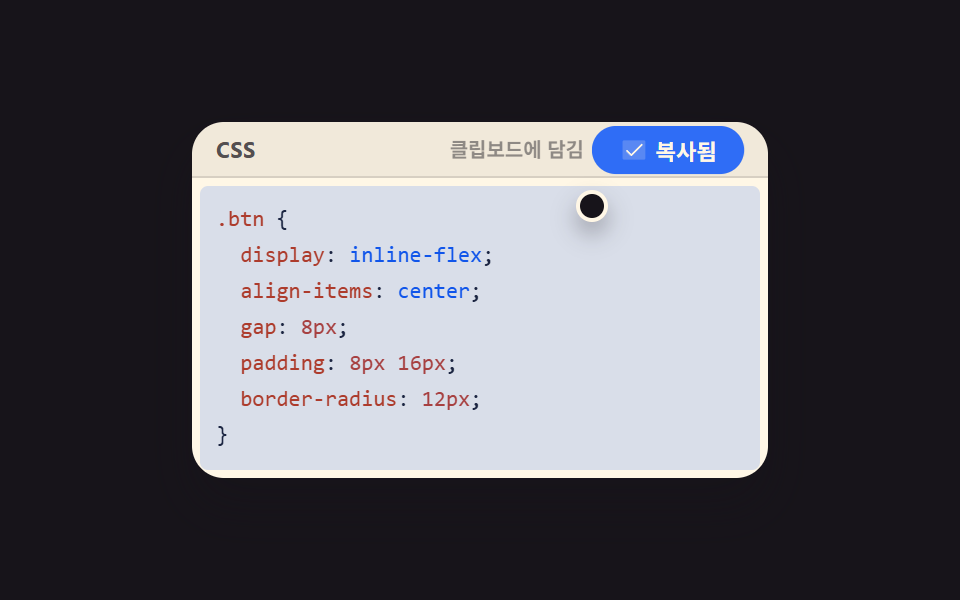 임베드코드 블록 UI 9종 — 하이라이터 없이 붙여 쓰는 코드 창
 임베드알림 목록 ui 9가지 — 사이드바에 박히는 활동 피드와 이력 위젯
 임베드날씨 위젯 9종 — 복붙하면 되는 온도·시계·아이콘 코드
 임베드터미널 UI 9종 — 설치 명령 상자부터 튜토리얼 창까지
 임베드동영상 플레이어 만들기 9종 — 영상 파일 없이도 진짜로 돈다
 선택 UI시간 선택 ui 9종 — 시각 하나가 아니라 구간까지
 로그인·인증 UI계정 보안 설정 UI 9종 — 로그인한 뒤의 화면
 대시보드 UI습관 트래커 UI 9종 — 잔디 격자부터 공유 카드까지
 크리에이티브 UIcss generator 9종 — 슬라이더로 만드는 css 그림자 효과