마스코트 애니메이션 9종 — 인사부터 잠들기까지
마스코트 애니메이션은 서비스 화면에 사는 캐릭터가 상황마다 다른 몸짓과 표정으로 사람에게 말을 거는 움직임입니다. 여기 실은 아홉 개는 그림 파일도 라이브러리도 없이 타원 하나에 눈·볼·입만 얹어 CSS 로 그렸고, 받아서 열면 그 자리에서 돕니다.
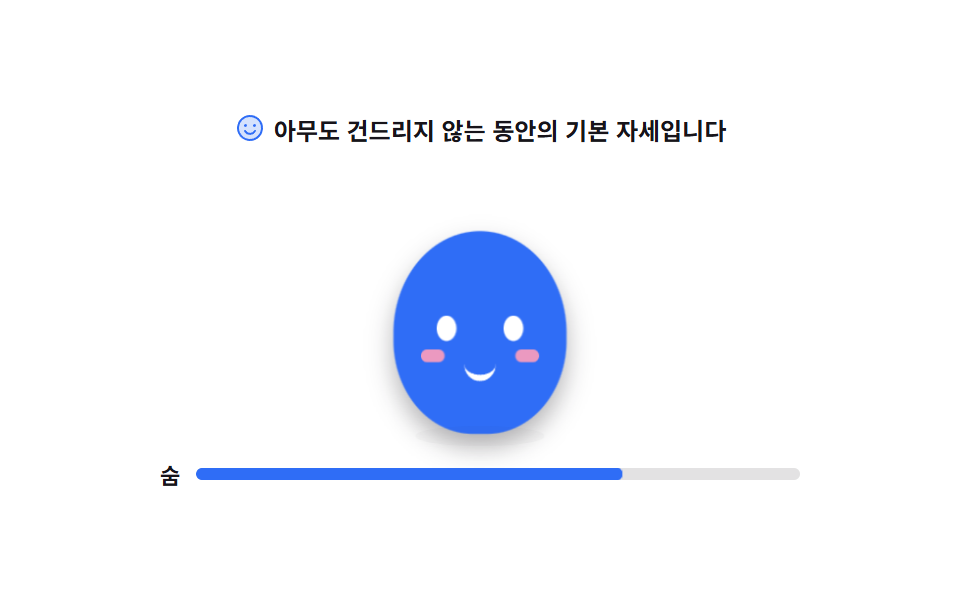 01 mascot-idle-breathe
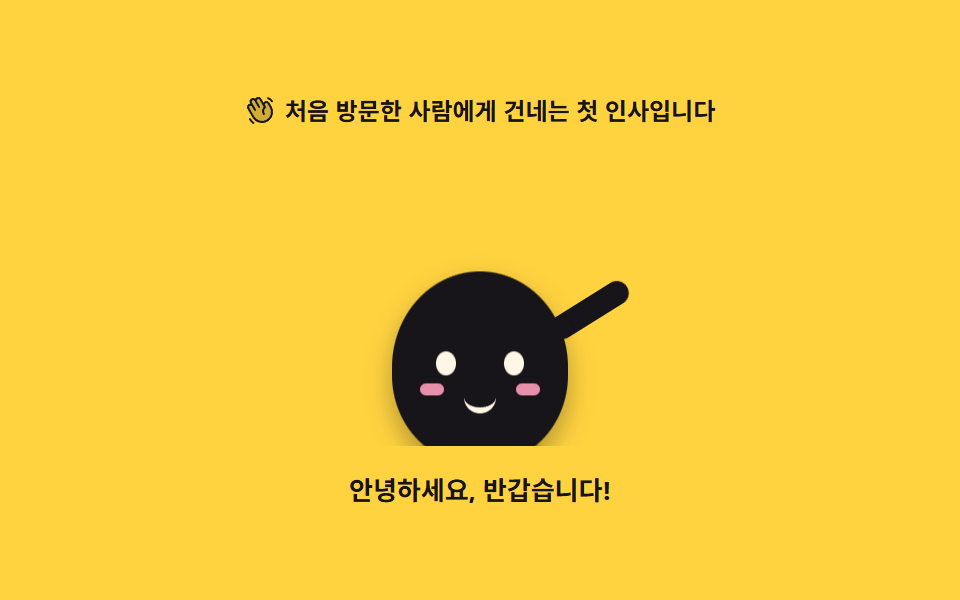 02 mascot-wave-greeting
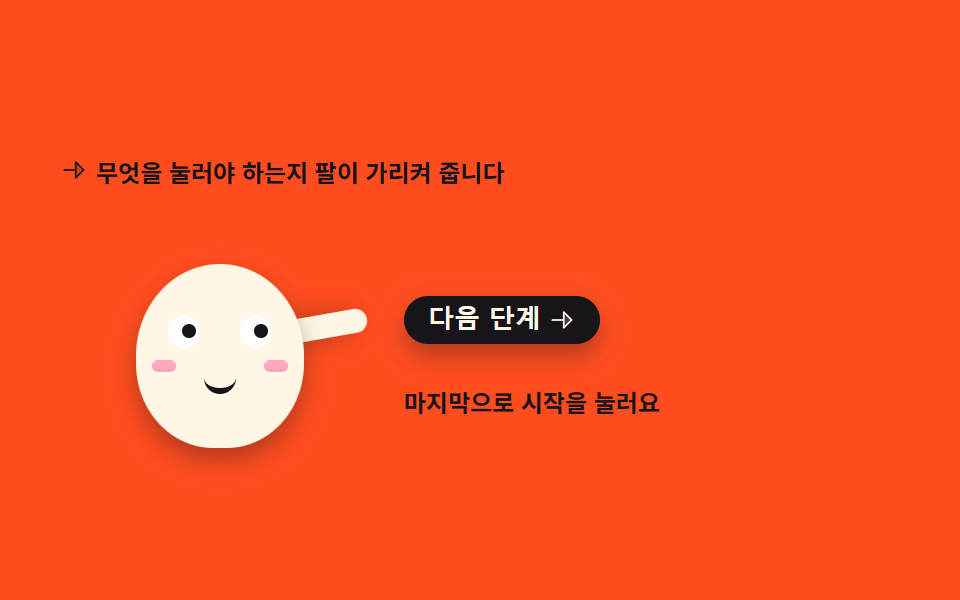 03 mascot-point-guide
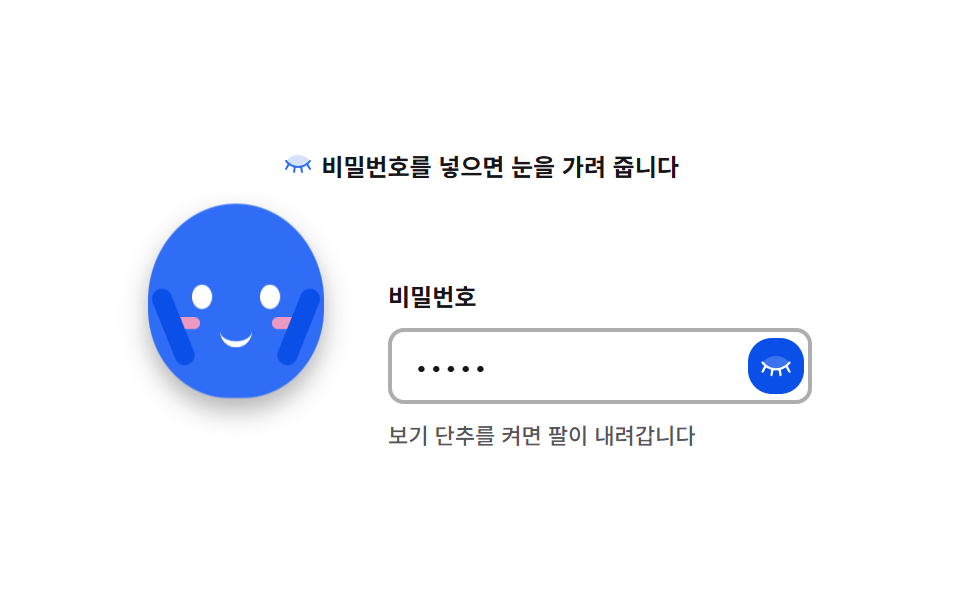 04 mascot-eyes-cover-password
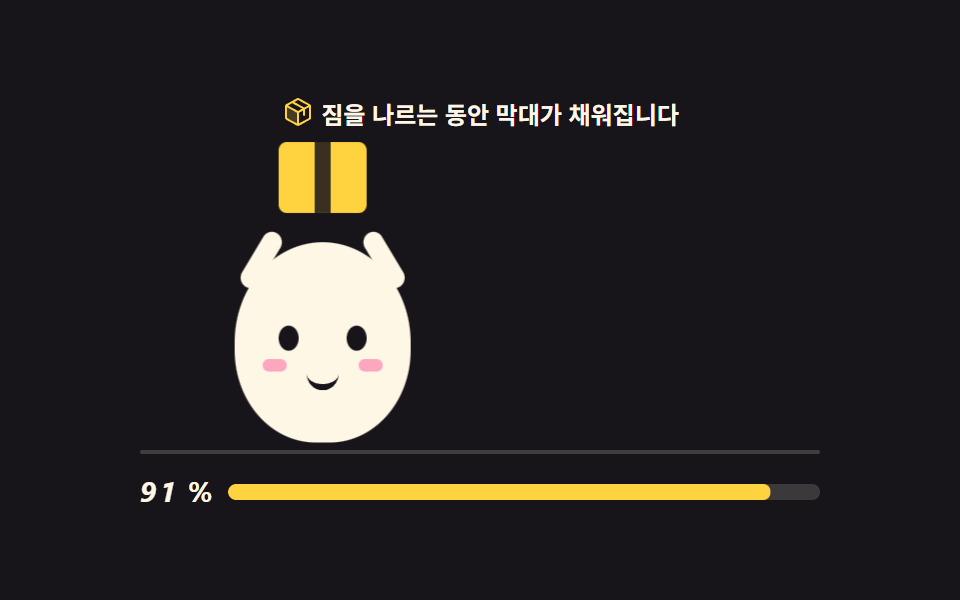 05 mascot-carry-loading
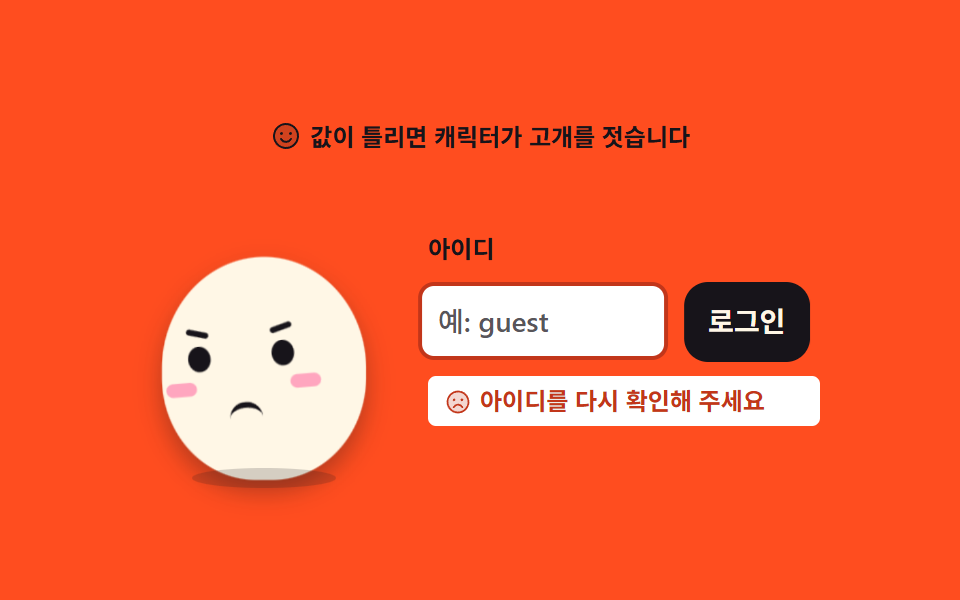 06 mascot-shake-error
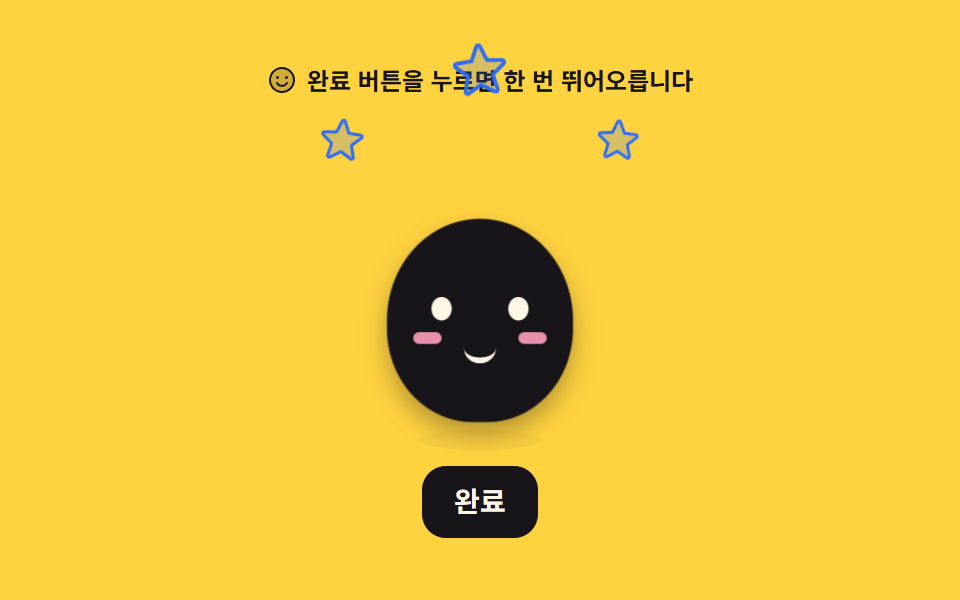 07 mascot-jump-success
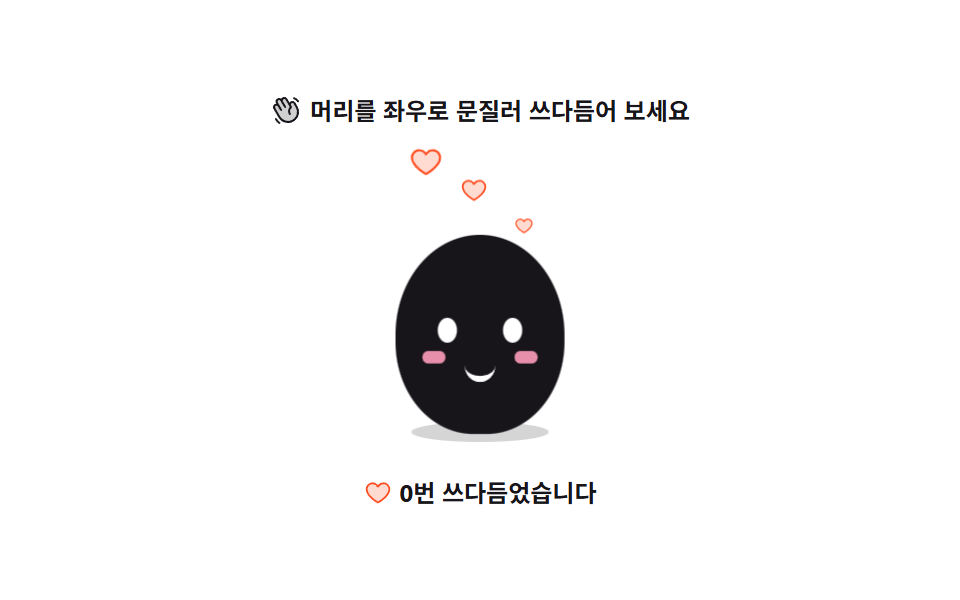 08 mascot-pet-squash
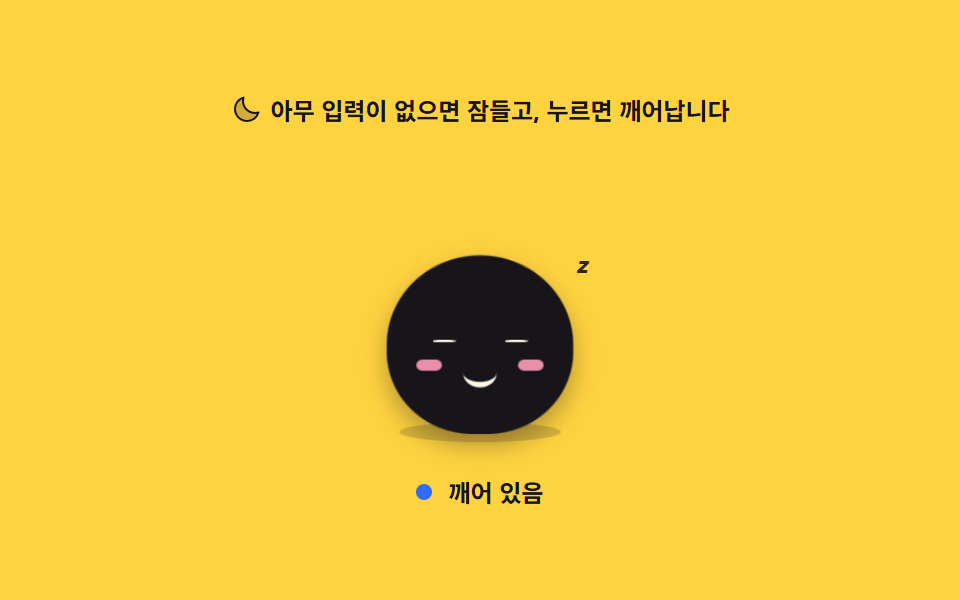 09 mascot-sleep-idle
자동 재생 · 눌러서 해당 항목으로 · 전부 한 zip
- 01 숨 쉬는 대기 포즈
- 02 손 흔드는 인사
- 03 다음 버튼을 가리키는 안내
- 04 비밀번호 칸에서 눈 가리기
- 05 짐을 나르는 로딩
- 06 고개 젓는 실패
- 07 뛰어오르는 성공
- 08 쓰다듬으면 눌리는 반응
- 09 오래 두면 잠드는 유휴
아홉 개를 늘어놓은 기준은 인기순이 아니라 캐릭터 하나가 서비스에서 겪는 하루입니다. 앞의 넷은 사람이 아직 아무것도 하지 않은 구간이라 가만히 숨만 쉬다가(01) 인사를 하고(02) 어디를 눌러야 하는지 가리키고(03) 비밀번호 칸에서는 눈을 가려 줍니다(04). 가운데 셋은 사람이 무언가를 누른 뒤라 기다리게 하고(05) 틀렸다고 고개를 젓고(06) 됐다고 뛰어오릅니다(07). 마지막 둘은 할 일이 없는 시간으로, 만지면 눌리고(08) 오래 두면 잠듭니다(09). css 캐릭터 애니메이션을 처음 붙일 때도 이 순서로 고르면 화면 하나에 필요한 최소 세트가 먼저 잡힙니다. 몸은 아홉 개 모두 border-radius: 50% 50% 46% 46% 를 준 타원 하나이고 이목구비 좌표와 비율이 같아서, 무대 색만 갈아도 같은 캐릭터로 읽힙니다. 무대는 흰 셋(01·04·08)·노랑 셋(02·07·09)·주황 둘(03·06)·먹색 하나(05)로 나눠 격자 아홉 장이 한 덩어리로 뭉쳐 보이지 않게 했습니다. 아홉 개 모두 움직이는 경로가 둘이라, 격자 미리보기는 CSS 키프레임이 돌리고 사람이 화면에 손을 대는 순간 .is-demo 클래스가 빠지며 진짜 상태는 JS 가 맡습니다. 누를 데가 있는 03·04·06·07·08·09 는 미리보기와 별개로 실제로 누르고 입력하고 끌어서 값이 바뀌는 것까지 확인했습니다. 캐릭터 없이 말풍선과 단계 점만으로 길을 알려 주는 쪽은 웹 온보딩 UI 9종에, 04·06 이 서 있는 폼 쪽 규칙은 폼 유효성 검사 UI 9종에 있습니다. 같은 interaction 기둥에서 캐릭터 대신 손가락이 화면을 끌고 가는 키오스크 UI 디자인, 캐릭터를 세울 배경을 코드로 찍어 내는 CSS 배경 패턴이 이 편의 양옆입니다.
01숨 쉬는 대기 포즈
무엇이 보이나
몸이 2초에 한 번 천천히 부풀었다 가라앉고, 그 아래 그림자는 반대로 좁아졌다 넓어집니다. 눈은 루프의 76% 지점에서 한 프레임 만에 감겼다 82% 에 다시 떠집니다.
<svg width="0" height="0" style="position:absolute" aria-hidden="true">
  <defs>
    <symbol id="ico-smiley" viewBox="0 0 256 256" fill="currentColor"><path d="M224 128a96 96 0 1 1-96-96a96 96 0 0 1 96 96" opacity=".2"/><path d="M128 24a104 104 0 1 0 104 104A104.11 104.11 0 0 0 128 24m0 192a88 88 0 1 1 88-88a88.1 88.1 0 0 1-88 88M80 108a12 12 0 1 1 12 12a12 12 0 0 1-12-12m96 0a12 12 0 1 1-12-12a12 12 0 0 1 12 12m-1.08 48c-10.29 17.79-27.39 28-46.92 28s-36.63-10.2-46.92-28a8 8 0 1 1 13.84-8c7.47 12.91 19.21 20 33.08 20s25.61-7.1 33.08-20a8 8 0 1 1 13.84 8"/></symbol>
  </defs>
</svg>
<main class="stage">
<div class="mb is-demo" id="mb">
  <p class="mb__hint">
    <svg class="mb__ico" aria-hidden="true"><use href="#ico-smiley"/></svg>
    <span>아무도 건드리지 않는 동안의 기본 자세입니다</span>
  </p>

  <div class="mb__floor">
    <!-- 캐릭터는 아이콘이 아니라 이 데모의 피사체라 손으로 그린다 (blog-demo 규칙 4 는 UI 아이콘 이야기).
         몸은 하나의 타원, 눈·볼·입만 얹는다. 부품이 적을수록 숨 한 번이 선명하다. -->
    <div class="mb__char" aria-label="가만히 서서 숨 쉬는 마스코트" role="img">
      <span class="mb__body">
        <i class="mb__eye mb__eye--l"></i>
        <i class="mb__eye mb__eye--r"></i>
        <i class="mb__cheek mb__cheek--l"></i>
        <i class="mb__cheek mb__cheek--r"></i>
        <i class="mb__mouth"></i>
      </span>
      <span class="mb__shadow"></span>
    </div>
  </div>

  <p class="mb__beat" id="beat">
    <span class="mb__beatLabel">숨</span>
    <span class="mb__beatTrack"><i class="mb__beatFill"></i></span>
  </p>
</div>
</main>@use "../../../../site/static/demo-tokens" as *;
// 숨 쉬는 대기 포즈 — 몸 하나가 세로로 늘었다 줄고, 그림자는 반대로 넓어졌다 좁아진다.
// 커지는 방향이 위가 아니라 "발을 딛고 위로" 라서 transform-origin 은 중심이 아닌 바닥(50% 100%)이다
// (blog-demo 규칙 8 의 예외 — 붙는 지점이 있는 요소. 캐릭터의 발은 바닥에 붙어 있다).
// 눈은 보간하면 반쯤 감긴 유령 프레임이 생기므로 steps(1, end) 로 한 프레임에 감았다 뜬다.
$duration: $dur-loop;
$easing: $ease-spring;
$color: $subject-blue;
@include stage($stage-paper);
.mb { display: flex; flex-direction: column; align-items: center; gap: $sp-3; width: 100%; max-width: 320px; }
.mb__hint {
display: flex; align-items: center; gap: $sp-1; margin: 0;
font-weight: 700; font-size: clamp(10px, 2.8vw, 12px); color: $subject-ink;
}
.mb__ico { width: 16px; height: 16px; flex: 0 0 auto; color: $color; }
.mb__floor { position: relative; width: 100%; height: 132px; display: grid; place-items: end center; }
.mb__char { position: relative; width: 104px; height: 124px; display: grid; place-items: end center; }
// 몸 — 타원 하나. 숨은 이 요소의 scaleY 로만 준다
.mb__body {
position: relative; display: block; width: 88px; height: 96px;
border-radius: 50% 50% 46% 46%;
background: $color;
transform-origin: 50% 100%;
box-shadow: $shadow-press;
}
.mb__eye {
position: absolute; top: 40px; width: 10px; height: 12px;
border-radius: 50%; background: $stage-paper;
}
.mb__eye--l { left: 22px; }
.mb__eye--r { right: 22px; }
.mb__cheek {
position: absolute; top: 56px; width: 12px; height: 6px;
border-radius: $r-pill; background: $subject-pink; opacity: .9;
}
.mb__cheek--l { left: 14px; }
.mb__cheek--r { right: 14px; }
.mb__mouth {
position: absolute; top: 60px; left: 50%; width: 16px; height: 8px;
margin-left: -8px;
border-bottom: 3px solid $stage-paper;
border-radius: 0 0 $r-pill $r-pill;
}
// 그림자는 바닥에 눌린 면이라 세로로 안 자란다 — scaleX 만 반대 위상으로
.mb__shadow {
position: absolute; left: 50%; bottom: -6px; width: 72px; height: 10px;
margin-left: -36px;
border-radius: 50%;
background: rgba(23, 20, 26, .18);
}
.mb__beat { display: flex; align-items: center; gap: $sp-2; margin: 0; width: 100%; }
.mb__beatLabel { font-weight: 700; font-size: 11px; color: $subject-ink; flex: 0 0 auto; }
.mb__beatTrack {
position: relative; flex: 1 1 auto; height: 6px;
border-radius: $r-pill; background: rgba(23, 20, 26, .12); overflow: hidden;
}
.mb__beatFill {
position: absolute; inset: 0; display: block;
border-radius: $r-pill; background: $color;
transform-origin: 0 50%; transform: scaleX(.12);
}
// ── 미리보기 루프 ────────────────────────────────────────────
// 들숨 0~50% · 날숨 50~100%. 한 바퀴가 설정 `초`(2s) 와 같아야 24프레임이 한 주기를 다 담는다
@keyframes mbBreath {
0%, 100% { transform: scaleY(1) scaleX(1); }
50% { transform: scaleY(1.085) scaleX(.975); }
}
@keyframes mbShadow {
0%, 100% { transform: scaleX(1); opacity: .18; }
50% { transform: scaleX(.84); opacity: .12; }
}
@keyframes mbBeat {
0%, 100% { transform: scaleX(.12); }
50% { transform: scaleX(1); }
}
// 눈꺼풀 — 76%·80% 두 지점에서만 감긴다. 루프 복귀(90%)보다 앞이라 24프레임에 잡힌다
@keyframes mbBlink {
0%, 74% { transform: scaleY(1); }
76%, 80% { transform: scaleY(.08); }
82%, 100% { transform: scaleY(1); }
}
.mb.is-demo .mb__body {
animation-name: mbBreath;
animation-duration: $duration;
animation-timing-function: $easing;
animation-iteration-count: infinite;
}
.mb.is-demo .mb__shadow {
animation-name: mbShadow;
animation-duration: $duration;
animation-timing-function: $easing;
animation-iteration-count: infinite;
}
.mb.is-demo .mb__beatFill {
animation-name: mbBeat;
animation-duration: $duration;
animation-timing-function: $easing;
animation-iteration-count: infinite;
}
.mb.is-demo .mb__eye {
transform-origin: 50% 50%;
animation-name: mbBlink;
animation-duration: $duration;
animation-timing-function: steps(1, end);
animation-iteration-count: infinite;
}
// 미리보기를 뗀 뒤 사람이 보는 상태 — JS 가 붙이는 클래스로 깜빡임만 남는다
.mb.is-blink .mb__eye { transform: scaleY(.08); }
@media (max-width: 340px) {
.mb { gap: $sp-2; }
.mb__floor { height: 112px; }
.mb__char { width: 92px; height: 104px; }
.mb__body { width: 76px; height: 82px; }
.mb__eye { top: 34px; width: 9px; height: 11px; }
.mb__eye--l { left: 18px; }
.mb__eye--r { right: 18px; }
.mb__cheek { top: 48px; }
.mb__mouth { top: 52px; }
.mb__shadow { width: 62px; }
}
// reduce 에서는 숨을 멈추고 눈을 뜬 한 장으로 세운다. 특이도를 맞추려 !important 를 쓴다
@media (prefers-reduced-motion: reduce) {
.mb.is-demo .mb__body,
.mb.is-demo .mb__shadow,
.mb.is-demo .mb__beatFill,
.mb.is-demo .mb__eye { animation: none !important; }
.mb.is-demo .mb__body { transform: scaleY(1.04) !important; }
.mb.is-demo .mb__beatFill { transform: scaleX(.56) !important; }
.mb.is-demo .mb__eye { transform: none !important; }
}html, body {
margin: 0;
overflow: hidden;
}
.stage {
box-sizing: border-box;
min-height: 100vh;
display: grid;
place-items: center;
margin: 0;
background: #ffffff;
font-family: -apple-system, "Segoe UI", "Noto Sans KR", sans-serif;
padding: clamp(8px, 4vw, 24px);
}
.mb {
display: flex;
flex-direction: column;
align-items: center;
gap: 12px;
width: 100%;
max-width: 320px;
}
.mb__hint {
display: flex;
align-items: center;
gap: 4px;
margin: 0;
font-weight: 700;
font-size: clamp(10px, 2.8vw, 12px);
color: #17141a;
}
.mb__ico {
width: 16px;
height: 16px;
flex: 0 0 auto;
color: #2f6df6;
}
.mb__floor {
position: relative;
width: 100%;
height: 132px;
display: grid;
place-items: end center;
}
.mb__char {
position: relative;
width: 104px;
height: 124px;
display: grid;
place-items: end center;
}
.mb__body {
position: relative;
display: block;
width: 88px;
height: 96px;
border-radius: 50% 50% 46% 46%;
background: #2f6df6;
transform-origin: 50% 100%;
box-shadow: 0 6px 12px rgba(23, 20, 26, 0.32);
}
.mb__eye {
position: absolute;
top: 40px;
width: 10px;
height: 12px;
border-radius: 50%;
background: #ffffff;
}
.mb__eye--l {
left: 22px;
}
.mb__eye--r {
right: 22px;
}
.mb__cheek {
position: absolute;
top: 56px;
width: 12px;
height: 6px;
border-radius: 999px;
background: #ff9ebb;
opacity: 0.9;
}
.mb__cheek--l {
left: 14px;
}
.mb__cheek--r {
right: 14px;
}
.mb__mouth {
position: absolute;
top: 60px;
left: 50%;
width: 16px;
height: 8px;
margin-left: -8px;
border-bottom: 3px solid #ffffff;
border-radius: 0 0 999px 999px;
}
.mb__shadow {
position: absolute;
left: 50%;
bottom: -6px;
width: 72px;
height: 10px;
margin-left: -36px;
border-radius: 50%;
background: rgba(23, 20, 26, 0.18);
}
.mb__beat {
display: flex;
align-items: center;
gap: 8px;
margin: 0;
width: 100%;
}
.mb__beatLabel {
font-weight: 700;
font-size: 11px;
color: #17141a;
flex: 0 0 auto;
}
.mb__beatTrack {
position: relative;
flex: 1 1 auto;
height: 6px;
border-radius: 999px;
background: rgba(23, 20, 26, 0.12);
overflow: hidden;
}
.mb__beatFill {
position: absolute;
inset: 0;
display: block;
border-radius: 999px;
background: #2f6df6;
transform-origin: 0 50%;
transform: scaleX(0.12);
}
@keyframes mbBreath {
0%, 100% {
transform: scaleY(1) scaleX(1);
}
50% {
transform: scaleY(1.085) scaleX(0.975);
}
}
@keyframes mbShadow {
0%, 100% {
transform: scaleX(1);
opacity: 0.18;
}
50% {
transform: scaleX(0.84);
opacity: 0.12;
}
}
@keyframes mbBeat {
0%, 100% {
transform: scaleX(0.12);
}
50% {
transform: scaleX(1);
}
}
@keyframes mbBlink {
0%, 74% {
transform: scaleY(1);
}
76%, 80% {
transform: scaleY(0.08);
}
82%, 100% {
transform: scaleY(1);
}
}
.mb.is-demo .mb__body {
animation-name: mbBreath;
animation-duration: 2s;
animation-timing-function: cubic-bezier(0.2, 0.8, 0.2, 1);
animation-iteration-count: infinite;
}
.mb.is-demo .mb__shadow {
animation-name: mbShadow;
animation-duration: 2s;
animation-timing-function: cubic-bezier(0.2, 0.8, 0.2, 1);
animation-iteration-count: infinite;
}
.mb.is-demo .mb__beatFill {
animation-name: mbBeat;
animation-duration: 2s;
animation-timing-function: cubic-bezier(0.2, 0.8, 0.2, 1);
animation-iteration-count: infinite;
}
.mb.is-demo .mb__eye {
transform-origin: 50% 50%;
animation-name: mbBlink;
animation-duration: 2s;
animation-timing-function: steps(1, end);
animation-iteration-count: infinite;
}
.mb.is-blink .mb__eye {
transform: scaleY(0.08);
}
@media (max-width: 340px) {
.mb {
gap: 8px;
}
.mb__floor {
height: 112px;
}
.mb__char {
width: 92px;
height: 104px;
}
.mb__body {
width: 76px;
height: 82px;
}
.mb__eye {
top: 34px;
width: 9px;
height: 11px;
}
.mb__eye--l {
left: 18px;
}
.mb__eye--r {
right: 18px;
}
.mb__cheek {
top: 48px;
}
.mb__mouth {
top: 52px;
}
.mb__shadow {
width: 62px;
}
}
@media (prefers-reduced-motion: reduce) {
.mb.is-demo .mb__body,
.mb.is-demo .mb__shadow,
.mb.is-demo .mb__beatFill,
.mb.is-demo .mb__eye {
animation: none !important;
}
.mb.is-demo .mb__body {
transform: scaleY(1.04) !important;
}
.mb.is-demo .mb__beatFill {
transform: scaleX(0.56) !important;
}
.mb.is-demo .mb__eye {
transform: none !important;
}
}// 사람이 화면에 손을 대면 미리보기 루프를 떼고 실제 상태로 넘어간다.
// 대기 포즈는 조작이 없는 것이 정상이라, 여기서는 눈 깜빡임만 JS 타이머로 이어 받는다.
(function () {
var root = document.getElementById('mb');
var awake = false;
function blinkOnce() {
root.classList.add('is-blink');
setTimeout(function () { root.classList.remove('is-blink'); }, 120);
}
function wake() {
if (awake) return;
awake = true;
root.classList.remove('is-demo');
// 미리보기가 꺼져도 캐릭터가 멈춰 보이지 않게 깜빡임만 이어 간다
setInterval(blinkOnce, 3200);
}
root.addEventListener('pointerdown', wake);
root.addEventListener('pointerenter', wake);
}());// IdleBreathe — vanilla 판(run/300/demo/01-mascot-idle-breathe/index.html) 의 React 포트.
// 몸 하나가 세로로 늘었다 줄고 그림자가 반대로 넓어진다. 눈은 한 프레임에 감겼다 뜬다.
// 사람이 화면에 손을 대면 미리보기 루프를 떼고, 멈춰 보이지 않게 깜빡임만 타이머로 이어 간다.
import { useEffect, useRef, useState } from "react";
import type { CSSProperties } from "react";
import styles from "./IdleBreathe.module.scss";
export type IdleBreatheProps = {
duration?: string;
easing?: string;
color?: string;
};
type Vars = CSSProperties & { "--duration"?: string; "--easing"?: string; "--color"?: string };
type Box<T> = { current: T };
const HINT = "아무도 건드리지 않는 동안의 기본 자세입니다";
const CHAR_LABEL = "가만히 서서 숨 쉬는 마스코트";
const BEAT_LABEL = "숨";
// 미리보기를 뗀 뒤의 깜빡임 간격·길이. vanilla 의 setInterval(3200) · setTimeout(120) 과 같은 값이다
const BLINK_EVERY = 3200;
const BLINK_HOLD = 120;
export default function IdleBreathe({ duration, easing, color }: IdleBreatheProps) {
const [awake, setAwake] = useState(false);
const [blink, setBlink] = useState(false);
const holdRef = useRef(0) as Box<number>;
useEffect(() => {
if (!awake) return;
const every = window.setInterval(() => {
setBlink(true);
holdRef.current = window.setTimeout(() => setBlink(false), BLINK_HOLD);
}, BLINK_EVERY);
return () => {
window.clearInterval(every);
window.clearTimeout(holdRef.current);
};
}, [awake]);
const wake = () => setAwake(true);
const vars: Vars = {};
if (duration) vars["--duration"] = duration;
if (easing) vars["--easing"] = easing;
if (color) vars["--color"] = color;
const cls = [styles.root, awake ? "" : styles.demo, blink ? styles.blink : ""]
.filter(Boolean)
.join(" ");
return (
<div className={cls} style={vars} onPointerDown={wake} onPointerEnter={wake}>
<p className={styles.hint}>
<svg className={styles.ico} viewBox="0 0 256 256" fill="currentColor" aria-hidden="true">
<path d="M224 128a96 96 0 1 1-96-96a96 96 0 0 1 96 96" opacity=".2" />
<path d="M128 24a104 104 0 1 0 104 104A104.11 104.11 0 0 0 128 24m0 192a88 88 0 1 1 88-88a88.1 88.1 0 0 1-88 88M80 108a12 12 0 1 1 12 12a12 12 0 0 1-12-12m96 0a12 12 0 1 1-12-12a12 12 0 0 1 12 12m-1.08 48c-10.29 17.79-27.39 28-46.92 28s-36.63-10.2-46.92-28a8 8 0 1 1 13.84-8c7.47 12.91 19.21 20 33.08 20s25.61-7.1 33.08-20a8 8 0 1 1 13.84 8" />
</svg>
<span>{HINT}</span>
</p>
<div className={styles.floor}>
{/* 캐릭터는 아이콘이 아니라 이 데모의 피사체라 손으로 그린다. 부품이 적을수록 숨 한 번이 선명하다. */}
<div className={styles.char} role="img" aria-label={CHAR_LABEL}>
<span className={styles.body}>
<i className={`${styles.eye} ${styles.eyeL}`} />
<i className={`${styles.eye} ${styles.eyeR}`} />
<i className={`${styles.cheek} ${styles.cheekL}`} />
<i className={`${styles.cheek} ${styles.cheekR}`} />
<i className={styles.mouth} />
</span>
<span className={styles.shadow} />
</div>
</div>
<p className={styles.beat}>
<span className={styles.beatLabel}>{BEAT_LABEL}</span>
<span className={styles.beatTrack}>
<i className={styles.beatFill} />
</span>
</p>
</div>
);
}01 · 숨 쉬는 대기 포즈 — 측정 누적면적 2.49% · 움직인 프레임 23/23GODRICH 원작 · zip 에 SCSS·React 포함 · 비밀번호 보기
축을 발바닥에 두는 이유
24프레임 가운데 움직인 프레임 23/23 · 누적면적 2.49% 로 아홉 개 중에서도 얇게 움직이는 축에 드는 판이고, 세로로 늘 때 가로가 조금 줄어드는 scaleX(.975) 가 부피를 일정하게 보이게 하며, 축이 발바닥(50% 100%)이라 발이 바닥에 붙은 채로 부풀어 오르며, 그림자는 바닥에 눌린 면이라 세로로 자라지 않고 scaleX 만 반대 위상으로 움직여 몸이 늘어날 때 오히려 좁아집니다.
// 몸 — 타원 하나. 숨은 이 요소의 scaleY 로만 준다
.mb__body {
  position: relative; display: block; width: 88px; height: 96px;
  border-radius: 50% 50% 46% 46%;
  background: $color;
  transform-origin: 50% 100%;
  box-shadow: $shadow-press;
}
@keyframes mbBreath {
  0%, 100% { transform: scaleY(1) scaleX(1); }
  50%      { transform: scaleY(1.085) scaleX(.975); }
}
// 눈꺼풀 — 76%·80% 두 지점에서만 감긴다. 루프 복귀(90%)보다 앞이라 24프레임에 잡힌다
@keyframes mbBlink {
  0%, 74%   { transform: scaleY(1); }
  76%, 80%  { transform: scaleY(.08); }
  82%, 100% { transform: scaleY(1); }
}
02손 흔드는 인사
무엇이 보이나
캐릭터가 바닥 아래에서 위로 올라와 팔을 좌우로 흔들고, 팔이 바깥으로 갈 때 몸은 반대쪽으로 기웁니다. 흔들기는 등장이 끝난 직후인 560ms 지점부터 시작합니다.
<svg width="0" height="0" style="position:absolute" aria-hidden="true">
  <defs>
    <symbol id="ico-hand" viewBox="0 0 256 256" fill="currentColor"><path d="M184 213.27A80 80 0 0 1 74.7 184l-40-69.32a20 20 0 0 1 34.64-20L55.08 70a20 20 0 0 1 34.65-20l6.92 12a20 20 0 0 1 34.64-20l30 52A20 20 0 0 1 196 74l17.31 30A80 80 0 0 1 184 213.27" opacity=".2"/><path d="m220.17 100l-17.31-30a28 28 0 0 0-38.24-10.25a27.7 27.7 0 0 0-9 8.34L138.2 38a28 28 0 0 0-48.48 0a28 28 0 0 0-41.57 36l1.59 2.76A27.7 27.7 0 0 0 38 80.41a28 28 0 0 0-10.24 38.25l40 69.32a87.47 87.47 0 0 0 53.43 41a88.6 88.6 0 0 0 22.92 3a88 88 0 0 0 76.06-132Zm-6.66 62.64A72 72 0 0 1 81.62 180l-40-69.32a12 12 0 0 1 20.78-12L81.63 132a8 8 0 1 0 13.85-8L62 66a12 12 0 1 1 20.78-12L114 108a8 8 0 1 0 13.85-8l-24.28-42a12 12 0 1 1 20.78-12l33.42 57.9a48 48 0 0 0-5.54 60.6a8 8 0 0 0 13.24-9a32 32 0 0 1 7.31-43.5a8 8 0 0 0 2.13-10.4L168.23 90A12 12 0 1 1 189 78l17.31 30a71.56 71.56 0 0 1 7.2 54.62ZM184.25 31.71A8 8 0 0 1 194 26a59.62 59.62 0 0 1 36.53 28l.33.57a8 8 0 1 1-13.85 8l-.33-.57a43.67 43.67 0 0 0-26.8-20.5a8 8 0 0 1-5.63-9.79M80.89 237a8 8 0 0 1-11.23 1.33A119.6 119.6 0 0 1 40.06 204a8 8 0 0 1 13.86-8a103.7 103.7 0 0 0 25.64 29.72A8 8 0 0 1 80.89 237"/></symbol>
  </defs>
</svg>
<main class="stage">
<div class="wg is-demo" id="wg">
  <p class="wg__hint">
    <svg class="wg__ico" aria-hidden="true"><use href="#ico-hand"/></svg>
    <span>처음 방문한 사람에게 건네는 첫 인사입니다</span>
  </p>

  <div class="wg__floor">
    <!-- 캐릭터는 01 대기 포즈와 같은 몸·눈·볼에 팔 하나만 얹는다(피사체라 손으로 그린다).
         등장 translateY 는 바닥 아래에서 시작하므로 0프레임은 빈 무대이고,
         흔들기는 등장이 끝난 뒤 지연 + backwards 로 시작한다. -->
    <div class="wg__char" aria-label="손을 흔들어 인사하는 마스코트" role="img">
      <div class="wg__riser">
        <i class="wg__arm"></i>
        <span class="wg__body">
          <i class="wg__eye wg__eye--l"></i>
          <i class="wg__eye wg__eye--r"></i>
          <i class="wg__cheek wg__cheek--l"></i>
          <i class="wg__cheek wg__cheek--r"></i>
          <i class="wg__mouth"></i>
        </span>
      </div>
      <span class="wg__shadow"></span>
    </div>
  </div>

  <p class="wg__say">안녕하세요, 반갑습니다!</p>
</div>
</main>@use "../../../../site/static/demo-tokens" as *;
// 손 흔드는 인사 — 바닥 아래에서 올라온 캐릭터가 팔을 좌우로 흔들며 몸을 반대쪽으로 기울인다.
// 팔은 어깨(아래 끝)를 축으로 돈다. 흔들기는 등장(26%)이 끝난 뒤 시작하므로 animation-delay 와
// animation-fill-mode: backwards 를 함께 쓴다 — fill-mode 가 없으면 지연 구간에 팔이 기본 자세로
// 0프레임에 번쩍였다가 사라진다(252-08 실패표). 루프는 2s(설정 초)의 약수이고
// 복귀(팔·기울기 정지)는 88% 안에 끝난다. 100% 에서 0% 로 되돌아가는 내려가기는
// 두 프레임 사이의 루프 경계라 24장 어디에도 잡히지 않는다.
$duration: $dur-loop;
$easing: $ease-pop;
$color: $subject-ink;
@include stage($stage-yellow);
// 노랑 무대 위 글자는 잉크만 쓴다(설계 대비 표 — 크림은 노랑 위에서 AA 미달)
.wg { display: flex; flex-direction: column; align-items: center; gap: $sp-3; width: 100%; max-width: 320px; }
.wg__hint {
display: flex; align-items: center; gap: $sp-1; margin: 0;
font-weight: 700; font-size: clamp(10px, 2.8vw, 12px); color: $subject-ink;
}
.wg__ico { width: 16px; height: 16px; flex: 0 0 auto; color: $subject-ink; }
// 바닥 아래 등장을 자르는 상자 — translateY 로 내려간 몸이 무대 scrollHeight 를 부풀리지 않게 한다
.wg__floor { position: relative; width: 100%; height: 148px; overflow: hidden; display: grid; place-items: end center; }
.wg__char { position: relative; width: 150px; height: 140px; }
.wg__riser { position: absolute; inset: 0; }
// 몸 — 01 과 같은 타원. 숨은 없고, 착지 눌림과 기울기가 이 요소의 transform 하나에서 나온다.
// 기울기의 축은 발바닥(50% 100%) — 캐릭터의 발은 바닥에 붙어 있어 중심 회전보다 자연스럽다(규칙 8 예외)
.wg__body {
position: absolute; left: 50%; bottom: 0; width: 88px; height: 96px;
margin-left: -44px;
border-radius: 50% 50% 46% 46%;
background: $color;
transform-origin: 50% 100%;
box-shadow: $shadow-press;
}
.wg__eye {
position: absolute; top: 40px; width: 10px; height: 12px;
border-radius: 50%; background: $subject-cream;
}
.wg__eye--l { left: 22px; }
.wg__eye--r { right: 22px; }
.wg__cheek {
position: absolute; top: 56px; width: 12px; height: 6px;
border-radius: $r-pill; background: $subject-pink; opacity: .9;
}
.wg__cheek--l { left: 14px; }
.wg__cheek--r { right: 14px; }
.wg__mouth {
position: absolute; top: 60px; left: 50%; width: 16px; height: 8px;
margin-left: -8px;
border-bottom: 3px solid $subject-cream;
border-radius: 0 0 $r-pill $r-pill;
}
// 팔 — 몸 뒤에 붙는 캡슐 하나. 축은 어깨(아래 끝, 50% 95%)다: 팔은 어깨에 붙어 있어
// 중심이 아니라 붙는 지점에서 돌아간다(규칙 8 예외). 기본 자세는 팔을 든 인사 모양.
.wg__arm {
position: absolute; left: 107px; top: 32px; width: 12px; height: 44px;
border-radius: $r-pill; background: $color;
transform-origin: 50% 95%;
transform: rotate(24deg);
}
// 그림자는 바닥에 눌린 면 — 몸과 함께 올라오지 않고, 착지할 때 넓어진다
.wg__shadow {
position: absolute; left: 50%; bottom: -6px; width: 72px; height: 10px;
margin-left: -36px;
border-radius: 50%;
background: rgba(23, 20, 26, .18);
}
.wg__say { margin: 0; font-weight: 700; font-size: clamp(11px, 3vw, 13px); color: $subject-ink; }
// ── 미리보기 루프 ────────────────────────────────────────────
// 등장 0~26% · 인사 28~88% · 정지 88~100%. 한 바퀴가 2s 다.
@keyframes wgRise {
0% { transform: translateY(36px); }
26%, 100% { transform: translateY(0); }
}
@keyframes wgWave {
0%, 28% { transform: rotate(58deg); }
32% { transform: rotate(24deg); }
40% { transform: rotate(52deg); }
48% { transform: rotate(24deg); }
56% { transform: rotate(52deg); }
64% { transform: rotate(24deg); }
72% { transform: rotate(52deg); }
80% { transform: rotate(24deg); }
88%, 100% { transform: rotate(24deg); }
}
// 몸 기울기는 팔과 반대 위상(팔이 바깥으로 가면 몸은 안쪽으로) + 착지 눌림 한 번
@keyframes wgTilt {
0%, 28% { transform: rotate(0deg) scaleY(1); }
31% { transform: rotate(3deg) scaleY(.94); }
36% { transform: rotate(-3deg) scaleY(1); }
44% { transform: rotate(3deg) scaleY(1); }
52% { transform: rotate(-3deg) scaleY(1); }
60% { transform: rotate(3deg) scaleY(1); }
68% { transform: rotate(-3deg) scaleY(1); }
76% { transform: rotate(3deg) scaleY(1); }
88%, 100% { transform: rotate(0deg) scaleY(1); }
}
@keyframes wgShadow {
0% { transform: scaleX(.4); }
26%, 100% { transform: scaleX(1); }
}
// 등장 애니메이션에 fill-mode backwards — 0프레임이 완성 상태로 번쩍이지 않게(작업지시)
.wg.is-demo .wg__riser {
animation-name: wgRise;
animation-duration: $duration;
animation-timing-function: $easing;
animation-iteration-count: infinite;
animation-fill-mode: backwards;
}
// 팔·몸은 560ms(26%) 뒤 시작 — 지연 구간은 0% 키프레임(팔 내린 자세)으로 채운다
.wg.is-demo .wg__arm {
animation-name: wgWave;
animation-duration: $duration;
animation-timing-function: $easing;
animation-iteration-count: infinite;
animation-delay: 560ms;
animation-fill-mode: backwards;
}
.wg.is-demo .wg__body {
animation-name: wgTilt;
animation-duration: $duration;
animation-timing-function: $easing;
animation-iteration-count: infinite;
animation-delay: 560ms;
animation-fill-mode: backwards;
}
.wg.is-demo .wg__shadow {
animation-name: wgShadow;
animation-duration: $duration;
animation-timing-function: $easing;
animation-iteration-count: infinite;
animation-fill-mode: backwards;
}
@media (max-width: 340px) {
.wg { gap: $sp-2; }
.wg__floor { height: 118px; }
.wg__char { width: 118px; height: 112px; }
.wg__body { width: 72px; height: 80px; margin-left: -36px; }
.wg__eye { top: 33px; width: 9px; height: 11px; }
.wg__eye--l { left: 18px; }
.wg__eye--r { right: 18px; }
.wg__cheek { top: 47px; width: 10px; height: 5px; }
.wg__cheek--l { left: 12px; }
.wg__cheek--r { right: 12px; }
.wg__mouth { top: 50px; width: 14px; height: 7px; margin-left: -7px; }
.wg__arm { left: 84px; top: 24px; width: 10px; height: 36px; }
.wg__shadow { width: 60px; margin-left: -30px; }
}
// reduce 에서는 든 인사 자세 한 장으로 세운다(애니메이션을 꺼도 화면이 성립한다).
// 특이도에 밀리지 않게 !important 로 끈다.
@media (prefers-reduced-motion: reduce) {
.wg.is-demo .wg__riser,
.wg.is-demo .wg__arm,
.wg.is-demo .wg__body,
.wg.is-demo .wg__shadow { animation: none !important; }
}html, body {
margin: 0;
overflow: hidden;
}
.stage {
box-sizing: border-box;
min-height: 100vh;
display: grid;
place-items: center;
margin: 0;
background: #ffd23f;
font-family: -apple-system, "Segoe UI", "Noto Sans KR", sans-serif;
padding: clamp(8px, 4vw, 24px);
}
.wg {
display: flex;
flex-direction: column;
align-items: center;
gap: 12px;
width: 100%;
max-width: 320px;
}
.wg__hint {
display: flex;
align-items: center;
gap: 4px;
margin: 0;
font-weight: 700;
font-size: clamp(10px, 2.8vw, 12px);
color: #17141a;
}
.wg__ico {
width: 16px;
height: 16px;
flex: 0 0 auto;
color: #17141a;
}
.wg__floor {
position: relative;
width: 100%;
height: 148px;
overflow: hidden;
display: grid;
place-items: end center;
}
.wg__char {
position: relative;
width: 150px;
height: 140px;
}
.wg__riser {
position: absolute;
inset: 0;
}
.wg__body {
position: absolute;
left: 50%;
bottom: 0;
width: 88px;
height: 96px;
margin-left: -44px;
border-radius: 50% 50% 46% 46%;
background: #17141a;
transform-origin: 50% 100%;
box-shadow: 0 6px 12px rgba(23, 20, 26, 0.32);
}
.wg__eye {
position: absolute;
top: 40px;
width: 10px;
height: 12px;
border-radius: 50%;
background: #fff7e6;
}
.wg__eye--l {
left: 22px;
}
.wg__eye--r {
right: 22px;
}
.wg__cheek {
position: absolute;
top: 56px;
width: 12px;
height: 6px;
border-radius: 999px;
background: #ff9ebb;
opacity: 0.9;
}
.wg__cheek--l {
left: 14px;
}
.wg__cheek--r {
right: 14px;
}
.wg__mouth {
position: absolute;
top: 60px;
left: 50%;
width: 16px;
height: 8px;
margin-left: -8px;
border-bottom: 3px solid #fff7e6;
border-radius: 0 0 999px 999px;
}
.wg__arm {
position: absolute;
left: 107px;
top: 32px;
width: 12px;
height: 44px;
border-radius: 999px;
background: #17141a;
transform-origin: 50% 95%;
transform: rotate(24deg);
}
.wg__shadow {
position: absolute;
left: 50%;
bottom: -6px;
width: 72px;
height: 10px;
margin-left: -36px;
border-radius: 50%;
background: rgba(23, 20, 26, 0.18);
}
.wg__say {
margin: 0;
font-weight: 700;
font-size: clamp(11px, 3vw, 13px);
color: #17141a;
}
@keyframes wgRise {
0% {
transform: translateY(36px);
}
26%, 100% {
transform: translateY(0);
}
}
@keyframes wgWave {
0%, 28% {
transform: rotate(58deg);
}
32% {
transform: rotate(24deg);
}
40% {
transform: rotate(52deg);
}
48% {
transform: rotate(24deg);
}
56% {
transform: rotate(52deg);
}
64% {
transform: rotate(24deg);
}
72% {
transform: rotate(52deg);
}
80% {
transform: rotate(24deg);
}
88%, 100% {
transform: rotate(24deg);
}
}
@keyframes wgTilt {
0%, 28% {
transform: rotate(0deg) scaleY(1);
}
31% {
transform: rotate(3deg) scaleY(0.94);
}
36% {
transform: rotate(-3deg) scaleY(1);
}
44% {
transform: rotate(3deg) scaleY(1);
}
52% {
transform: rotate(-3deg) scaleY(1);
}
60% {
transform: rotate(3deg) scaleY(1);
}
68% {
transform: rotate(-3deg) scaleY(1);
}
76% {
transform: rotate(3deg) scaleY(1);
}
88%, 100% {
transform: rotate(0deg) scaleY(1);
}
}
@keyframes wgShadow {
0% {
transform: scaleX(0.4);
}
26%, 100% {
transform: scaleX(1);
}
}
.wg.is-demo .wg__riser {
animation-name: wgRise;
animation-duration: 2s;
animation-timing-function: cubic-bezier(0.2, 1.4, 0.4, 1);
animation-iteration-count: infinite;
animation-fill-mode: backwards;
}
.wg.is-demo .wg__arm {
animation-name: wgWave;
animation-duration: 2s;
animation-timing-function: cubic-bezier(0.2, 1.4, 0.4, 1);
animation-iteration-count: infinite;
animation-delay: 560ms;
animation-fill-mode: backwards;
}
.wg.is-demo .wg__body {
animation-name: wgTilt;
animation-duration: 2s;
animation-timing-function: cubic-bezier(0.2, 1.4, 0.4, 1);
animation-iteration-count: infinite;
animation-delay: 560ms;
animation-fill-mode: backwards;
}
.wg.is-demo .wg__shadow {
animation-name: wgShadow;
animation-duration: 2s;
animation-timing-function: cubic-bezier(0.2, 1.4, 0.4, 1);
animation-iteration-count: infinite;
animation-fill-mode: backwards;
}
@media (max-width: 340px) {
.wg {
gap: 8px;
}
.wg__floor {
height: 118px;
}
.wg__char {
width: 118px;
height: 112px;
}
.wg__body {
width: 72px;
height: 80px;
margin-left: -36px;
}
.wg__eye {
top: 33px;
width: 9px;
height: 11px;
}
.wg__eye--l {
left: 18px;
}
.wg__eye--r {
right: 18px;
}
.wg__cheek {
top: 47px;
width: 10px;
height: 5px;
}
.wg__cheek--l {
left: 12px;
}
.wg__cheek--r {
right: 12px;
}
.wg__mouth {
top: 50px;
width: 14px;
height: 7px;
margin-left: -7px;
}
.wg__arm {
left: 84px;
top: 24px;
width: 10px;
height: 36px;
}
.wg__shadow {
width: 60px;
margin-left: -30px;
}
}
@media (prefers-reduced-motion: reduce) {
.wg.is-demo .wg__riser,
.wg.is-demo .wg__arm,
.wg.is-demo .wg__body,
.wg.is-demo .wg__shadow {
animation: none !important;
}
}// WaveGreeting — vanilla 판(run/300/demo/02-mascot-wave-greeting/index.html) 의 React 포트.
// 이 데모는 CSS 만으로 성립해서 상태가 없다 — 훅 없이 그린다.
// duration·easing·color 는 props 로 받아 CSS 변수로 넘긴다(기본값은 vanilla 의 셋과 같다).
import type { CSSProperties } from "react";
import styles from "./WaveGreeting.module.scss";
export type WaveGreetingProps = {
duration?: number;
easing?: string;
color?: string;
};
type Vars = CSSProperties & { "--duration"?: string; "--easing"?: string; "--color"?: string };
const HINT = "처음 방문한 사람에게 건네는 첫 인사입니다";
const SAY = "안녕하세요, 반갑습니다!";
const CHAR_LABEL = "손을 흔들어 인사하는 마스코트";
export default function WaveGreeting({
duration = 2000,
easing = "cubic-bezier(.2, 1.4, .4, 1)",
color = "#17141a",
}: WaveGreetingProps) {
const vars: Vars = { "--duration": `${duration}ms`, "--easing": easing, "--color": color };
return (
<main className={styles.stage}>
<svg width="0" height="0" style={{ position: "absolute" }} aria-hidden="true">
<defs>
<symbol id="ico-hand" viewBox="0 0 256 256" fill="currentColor"><path d="M184 213.27A80 80 0 0 1 74.7 184l-40-69.32a20 20 0 0 1 34.64-20L55.08 70a20 20 0 0 1 34.65-20l6.92 12a20 20 0 0 1 34.64-20l30 52A20 20 0 0 1 196 74l17.31 30A80 80 0 0 1 184 213.27" opacity=".2" /><path d="m220.17 100l-17.31-30a28 28 0 0 0-38.24-10.25a27.7 27.7 0 0 0-9 8.34L138.2 38a28 28 0 0 0-48.48 0a28 28 0 0 0-41.57 36l1.59 2.76A27.7 27.7 0 0 0 38 80.41a28 28 0 0 0-10.24 38.25l40 69.32a87.47 87.47 0 0 0 53.43 41a88.6 88.6 0 0 0 22.92 3a88 88 0 0 0 76.06-132Zm-6.66 62.64A72 72 0 0 1 81.62 180l-40-69.32a12 12 0 0 1 20.78-12L81.63 132a8 8 0 1 0 13.85-8L62 66a12 12 0 1 1 20.78-12L114 108a8 8 0 1 0 13.85-8l-24.28-42a12 12 0 1 1 20.78-12l33.42 57.9a48 48 0 0 0-5.54 60.6a8 8 0 0 0 13.24-9a32 32 0 0 1 7.31-43.5a8 8 0 0 0 2.13-10.4L168.23 90A12 12 0 1 1 189 78l17.31 30a71.56 71.56 0 0 1 7.2 54.62ZM184.25 31.71A8 8 0 0 1 194 26a59.62 59.62 0 0 1 36.53 28l.33.57a8 8 0 1 1-13.85 8l-.33-.57a43.67 43.67 0 0 0-26.8-20.5a8 8 0 0 1-5.63-9.79M80.89 237a8 8 0 0 1-11.23 1.33A119.6 119.6 0 0 1 40.06 204a8 8 0 0 1 13.86-8a103.7 103.7 0 0 0 25.64 29.72A8 8 0 0 1 80.89 237" /></symbol>
</defs>
</svg>
<div className={`${styles.root} ${styles.isDemo}`} style={vars}>
<p className={styles.hint}>
<svg className={styles.ico} aria-hidden="true"><use href="#ico-hand" /></svg>
<span>{HINT}</span>
</p>
<div className={styles.floor}>
<div className={styles.char} aria-label={CHAR_LABEL} role="img">
<div className={styles.riser}>
<i className={styles.arm}></i>
<span className={styles.body}>
<i className={`${styles.eye} ${styles.eyeL}`}></i>
<i className={`${styles.eye} ${styles.eyeR}`}></i>
<i className={`${styles.cheek} ${styles.cheekL}`}></i>
<i className={`${styles.cheek} ${styles.cheekR}`}></i>
<i className={styles.mouth}></i>
</span>
</div>
<span className={styles.shadow}></span>
</div>
</div>
<p className={styles.say}>{SAY}</p>
</div>
</main>
);
}02 · 손 흔드는 인사 — 측정 누적면적 5.653% · 움직인 프레임 16/23GODRICH 원작 · zip 에 SCSS·React 포함 · 비밀번호 보기
지연에 fill-mode 를 같이 주는 자리
등장이 0~26% 구간에서 끝나고 88% 부터는 정지 자세로 서 있어 움직인 프레임이 16/23 으로 아홉 개 중 가장 낮은데, animation-delay 만 주고 animation-fill-mode: backwards 를 빼면 지연 구간에 팔이 기본 자세로 한 프레임 번쩍였다 사라지므로 둘은 늘 붙어 다닙니다.
.wg__arm {
  position: absolute; left: 107px; top: 32px; width: 12px; height: 44px;
  border-radius: $r-pill; background: $color;
  transform-origin: 50% 95%;
  transform: rotate(24deg);
}
@keyframes wgWave {
  0%, 28%   { transform: rotate(58deg); }
  32%       { transform: rotate(24deg); }
  40%       { transform: rotate(52deg); }
  48%       { transform: rotate(24deg); }
  56%       { transform: rotate(52deg); }
  64%       { transform: rotate(24deg); }
  72%       { transform: rotate(52deg); }
  80%       { transform: rotate(24deg); }
  88%, 100% { transform: rotate(24deg); }
}
.wg.is-demo .wg__arm {
  animation-name: wgWave;
  animation-duration: $duration;
  animation-timing-function: $easing;
  animation-iteration-count: infinite;
  animation-delay: 560ms;
  animation-fill-mode: backwards;
}
03다음 버튼을 가리키는 안내
무엇이 보이나
팔이 버튼 쪽으로 뻗고 눈동자도 3px 만 같은 방향으로 옮겨 갑니다. 버튼에는 링이 퍼졌다 사라지고 안내 문구는 세 단계가 한 프레임에 갈립니다.
<svg width="0" height="0" style="position:absolute" aria-hidden="true">
  <defs>
    <symbol id="ico-arrow" viewBox="0 0 256 256" fill="currentColor"><path d="m216 128l-72 72V56Z" opacity=".2"/><path d="m221.66 122.34l-72-72A8 8 0 0 0 136 56v64H40a8 8 0 0 0 0 16h96v64a8 8 0 0 0 13.66 5.66l72-72a8 8 0 0 0 0-11.32M152 180.69V75.31L204.69 128Z"/></symbol>
  </defs>
</svg>
<main class="stage">
<div class="pg is-demo" id="pg" data-step="0">
  <p class="pg__hint">
    <svg class="pg__ico" aria-hidden="true"><use href="#ico-arrow"/></svg>
    <span>무엇을 눌러야 하는지 팔이 가리켜 줍니다</span>
  </p>

  <div class="pg__row">
    <!-- 캐릭터는 피사체라 손으로 그린다 — 크림 몸에 잉크 이목구비, 오른쪽 버튼을 가리키는 팔 하나.
         팔의 축은 어깨, 눈동자는 버튼 쪽으로 같이 옮겨 간다. -->
    <div class="pg__char" aria-label="버튼을 가리키는 마스코트" role="img">
      <i class="pg__arm"></i>
      <span class="pg__body">
        <i class="pg__eye pg__eye--l"><span class="pg__pupil"></span></i>
        <i class="pg__eye pg__eye--r"><span class="pg__pupil"></span></i>
        <i class="pg__cheek pg__cheek--l"></i>
        <i class="pg__cheek pg__cheek--r"></i>
        <i class="pg__mouth"></i>
      </span>
    </div>

    <div class="pg__side">
      <button class="pg__btn" id="pgNext" type="button">
        <span>다음 단계</span>
        <svg class="pg__btnIco" aria-hidden="true"><use href="#ico-arrow"/></svg>
      </button>
      <!-- 안내 문구 교체를 스크린 낭독기에 알리는 영역 — data-step 이 바뀌면 보이는 스팬이 갈린다 -->
      <p class="pg__say" aria-live="polite">
        <span class="pg__msg pg__msg--0">먼저 프로필을 채워 봐요</span>
        <span class="pg__msg pg__msg--1">다음으로 알림을 골라요</span>
        <span class="pg__msg pg__msg--2">마지막으로 시작을 눌러요</span>
      </p>
    </div>
  </div>
</div>
</main>@use "../../../../site/static/demo-tokens" as *;
// 다음 버튼을 가리키는 안내 — 팔이 버튼 쪽으로 뻗고 눈동자도 같은 방향으로 옮겨 간다.
// 격자 미리보기(.is-demo)는 「가리킴 → 버튼 강조(box-shadow 링) → 다음 단계」를 2s 안에
// 세 바퀴째 보여 준다. 문구 교체는 steps(1, end) 로 한 프레임에 컷해 반투명 유령을 만들지 않고
// 컷 옆에는 팔 살짝 내림(rotate) 이 움직임 프레임을 채운다. 복귀는 87~90% 안에 끝난다.
// 사람이 버튼을 누르면 JS 가 .is-demo 를 떼고 data-step 로 세 단계를 순환시킨다.
$duration: $dur-loop;
$easing: $ease-spring;
$color: $subject-cream;
@include stage($stage-orange);
// 주황 무대 위 글자는 잉크만 쓴다(설계 대비 표 — 크림 글자는 주황 위 3.11 대 1 로 AA 미달).
// 캐릭터 몸은 크림(면은 규칙 밖), 몸에 얹는 이목구비는 잉크다.
.pg { display: flex; flex-direction: column; gap: $sp-3; width: 100%; max-width: 420px; }
.pg__hint {
display: flex; align-items: center; gap: $sp-1; margin: 0;
font-weight: 700; font-size: clamp(10px, 2.6vw, 12px); color: $subject-ink;
}
.pg__ico { width: 14px; height: 14px; flex: 0 0 auto; color: $subject-ink; }
.pg__row { display: flex; align-items: flex-end; gap: $sp-3; }
.pg__char { position: relative; width: 160px; height: 118px; flex: 0 0 auto; }
// 몸 — 크림 타원(01·02 와 같은 몸). 필요한 transform 이 없어 축은 그대로 둔다
.pg__body {
position: absolute; left: 38px; top: 26px; width: 84px; height: 92px;
border-radius: 50% 50% 46% 46%;
background: $color;
box-shadow: $shadow-press;
}
// 눈 — 크림 몸 위 흰 눈알 + 잉크 눈동자. 눈동자는 버튼 쪽(오른쪽)으로 translateX 로 옮겨 간다.
// 기본 자세부터 가리키는 중이라 눈동자는 오른쪽에 두고 미리보기 첫 8% 에 slide 한다.
.pg__eye {
position: absolute; top: 26px; width: 16px; height: 16px;
border-radius: 50%; background: $stage-paper;
}
.pg__eye--l { left: 16px; }
.pg__eye--r { left: 52px; }
.pg__pupil {
position: absolute; left: 4px; top: 4px; width: 7px; height: 7px;
border-radius: 50%; background: $subject-ink;
transform: translateX(3px);
}
.pg__cheek {
position: absolute; top: 48px; width: 12px; height: 6px;
border-radius: $r-pill; background: $subject-pink; opacity: .9;
}
.pg__cheek--l { left: 8px; }
.pg__cheek--r { right: 8px; }
.pg__mouth {
position: absolute; top: 54px; left: 34px; width: 16px; height: 8px;
border-bottom: 3px solid $subject-ink;
border-radius: 0 0 $r-pill $r-pill;
}
// 팔 — 몸 뒤에 붙는 캡슐. 축은 어깨(아래 끝, 50% 95%): 팔은 어깨에 붙어 있어 붙는 지점에서
// 돌아간다(규칙 8 예외). 기본 자세는 버튼을 가리키는 80도(위에서부터 시계 방향).
.pg__arm {
position: absolute; left: 110px; top: 22px; width: 12px; height: 40px;
border-radius: $r-pill; background: $color;
transform-origin: 50% 95%;
transform: rotate(80deg);
box-shadow: $shadow-press;
}
.pg__side { display: flex; flex-direction: column; gap: $sp-2; flex: 1 1 auto; min-width: 0; }
// 버튼 — 잉크 면에 크림 글자(대비 충분). 누르면 자기 중심에서 살짝 줄어든다(규칙 8 기본 축 그대로)
.pg__btn {
display: inline-flex; align-items: center; gap: $sp-1;
align-self: flex-start;
border: 0; border-radius: $r-control; padding: $sp-1 $sp-3;
background: $subject-ink; color: $subject-cream;
font-weight: 800; font-size: clamp(11px, 2.8vw, 13px); line-height: 1.2;
box-shadow: $shadow-press; cursor: pointer;
transition: transform $dur-instant $ease-out, box-shadow $dur-instant $ease-out;
}
.pg__btn:active { transform: scale(.96); box-shadow: none; }
.pg__btn:focus-visible { outline: 2px solid $subject-ink; outline-offset: 2px; }
.pg__btnIco { width: 14px; height: 14px; flex: 0 0 auto; }
// 안내 문구 — 절대배치 스팬 세 개의 자리를 height 로 미리 비운다(BD9: scrollHeight 는 절대배치도 잡는다).
// 실제 상태(미리보기 아님)는 data-step 에 따라 스팬 하나만 display 로 뜬다.
.pg__say { position: relative; height: 44px; margin: 0; }
.pg__msg {
position: absolute; inset: 0; display: none; align-items: center;
font-weight: 700; font-size: clamp(10px, 2.6vw, 12px); line-height: 1.4; color: $subject-ink;
}
.pg[data-step="0"] .pg__msg--0,
.pg[data-step="1"] .pg__msg--1,
.pg[data-step="2"] .pg__msg--2 { display: flex; }
// ── 미리보기 루프(.is-demo) ──────────────────────────────────
// 가리킴(유지) → 버튼 강조 링 → 문구 컷 → 팔 살짝 내림, 를 세 단계 반복하고 87% 에 첫 문구로 돌아온다.
.is-demo .pg__msg { display: flex; visibility: hidden; opacity: 0; }
@keyframes pgPoint {
0%, 31% { transform: rotate(80deg); }
34% { transform: rotate(92deg); }
37%, 62% { transform: rotate(80deg); }
65% { transform: rotate(92deg); }
68%, 86% { transform: rotate(80deg); }
88% { transform: rotate(92deg); }
90%, 100% { transform: rotate(80deg); }
}
@keyframes pgLook {
0% { transform: translateX(0); }
8%, 100% { transform: translateX(3px); }
}
// 버튼 강조 — box-shadow 링이 퍼지며 사라진다(칩 box-shadow). 문구 단계마다 한 번씩
@keyframes pgGlow {
0%, 2% { box-shadow: $shadow-press, 0 0 0 0 rgba(255, 247, 230, .55); }
26% { box-shadow: $shadow-press, 0 0 0 12px rgba(255, 247, 230, 0); }
33%, 38% { box-shadow: $shadow-press, 0 0 0 0 rgba(255, 247, 230, 0); }
40% { box-shadow: $shadow-press, 0 0 0 0 rgba(255, 247, 230, .55); }
57% { box-shadow: $shadow-press, 0 0 0 12px rgba(255, 247, 230, 0); }
63%, 68% { box-shadow: $shadow-press, 0 0 0 0 rgba(255, 247, 230, 0); }
70% { box-shadow: $shadow-press, 0 0 0 0 rgba(255, 247, 230, .55); }
84% { box-shadow: $shadow-press, 0 0 0 12px rgba(255, 247, 230, 0); }
90%, 100% { box-shadow: $shadow-press, 0 0 0 0 rgba(255, 247, 230, 0); }
}
// 문구 교체 — steps(1, end) 컷. 중간 반투명 프레임이 생기지 않는다
@keyframes pgMsg0 {
0%, 30% { opacity: 1; visibility: visible; }
31%, 86% { opacity: 0; visibility: hidden; }
87%, 100% { opacity: 1; visibility: visible; }
}
@keyframes pgMsg1 {
0%, 31% { opacity: 0; visibility: hidden; }
32%, 61% { opacity: 1; visibility: visible; }
62%, 100% { opacity: 0; visibility: hidden; }
}
@keyframes pgMsg2 {
0%, 62% { opacity: 0; visibility: hidden; }
63%, 86% { opacity: 1; visibility: visible; }
87%, 100% { opacity: 0; visibility: hidden; }
}
.is-demo .pg__arm {
animation-name: pgPoint;
animation-duration: $duration;
animation-timing-function: $easing;
animation-iteration-count: infinite;
}
.is-demo .pg__pupil {
animation-name: pgLook;
animation-duration: $duration;
animation-timing-function: $easing;
animation-iteration-count: infinite;
}
.is-demo .pg__btn {
animation-name: pgGlow;
animation-duration: $duration;
animation-timing-function: $ease-out;
animation-iteration-count: infinite;
}
.is-demo .pg__msg--0,
.is-demo .pg__msg--1,
.is-demo .pg__msg--2 {
animation-duration: $duration;
animation-timing-function: steps(1, end);
animation-iteration-count: infinite;
}
.is-demo .pg__msg--0 { animation-name: pgMsg0; }
.is-demo .pg__msg--1 { animation-name: pgMsg1; }
.is-demo .pg__msg--2 { animation-name: pgMsg2; }
// 사람이 버튼을 눌렀을 때 — 팔이 내려왔다 다시 버튼을 가리킨다(한 번 재생)
@keyframes pgNod {
0% { transform: rotate(80deg); }
35% { transform: rotate(126deg); }
70%, 100% { transform: rotate(80deg); }
}
.pg.is-bump .pg__arm {
animation-name: pgNod;
animation-duration: 640ms;
animation-timing-function: $easing;
animation-iteration-count: 1;
animation-fill-mode: both;
}
@media (max-width: 340px) {
.pg { gap: $sp-2; }
.pg__row { gap: $sp-2; }
.pg__char { width: 124px; height: 96px; }
.pg__body { left: 27px; top: 20px; width: 70px; height: 76px; }
.pg__eye { top: 21px; width: 13px; height: 13px; }
.pg__eye--l { left: 12px; }
.pg__eye--r { left: 45px; }
.pg__pupil { left: 3px; top: 3px; width: 6px; height: 6px; }
.pg__cheek { top: 40px; width: 10px; height: 5px; }
.pg__cheek--l { left: 7px; }
.pg__cheek--r { right: 7px; }
.pg__mouth { top: 45px; left: 28px; width: 14px; height: 7px; }
.pg__arm { left: 86px; top: 16px; width: 10px; height: 34px; }
.pg__say { height: 36px; }
}
// reduce 에서는 미리보기 루프를 끊고 첫 단계 문구를 띄운 한 장으로 세운다.
// is-demo 중에도 data-step 규칙이 문구를 보이게 한다(미리보기 애니메이션이 꺼져도 화면이 성립한다).
@media (prefers-reduced-motion: reduce) {
.is-demo .pg__arm,
.is-demo .pg__pupil,
.is-demo .pg__btn { animation: none !important; }
.is-demo .pg__msg--0,
.is-demo .pg__msg--1,
.is-demo .pg__msg--2 { animation: none !important; }
.is-demo[data-step="0"] .pg__msg--0,
.is-demo[data-step="1"] .pg__msg--1,
.is-demo[data-step="2"] .pg__msg--2 { visibility: visible !important; opacity: 1 !important; }
.pg.is-bump .pg__arm { animation: none !important; }
.pg__btn { transition: none !important; }
}html, body {
margin: 0;
overflow: hidden;
}
.stage {
box-sizing: border-box;
min-height: 100vh;
display: grid;
place-items: center;
margin: 0;
background: #ff4d1f;
font-family: -apple-system, "Segoe UI", "Noto Sans KR", sans-serif;
padding: clamp(8px, 4vw, 24px);
}
.pg {
display: flex;
flex-direction: column;
gap: 12px;
width: 100%;
max-width: 420px;
}
.pg__hint {
display: flex;
align-items: center;
gap: 4px;
margin: 0;
font-weight: 700;
font-size: clamp(10px, 2.6vw, 12px);
color: #17141a;
}
.pg__ico {
width: 14px;
height: 14px;
flex: 0 0 auto;
color: #17141a;
}
.pg__row {
display: flex;
align-items: flex-end;
gap: 12px;
}
.pg__char {
position: relative;
width: 160px;
height: 118px;
flex: 0 0 auto;
}
.pg__body {
position: absolute;
left: 38px;
top: 26px;
width: 84px;
height: 92px;
border-radius: 50% 50% 46% 46%;
background: #fff7e6;
box-shadow: 0 6px 12px rgba(23, 20, 26, 0.32);
}
.pg__eye {
position: absolute;
top: 26px;
width: 16px;
height: 16px;
border-radius: 50%;
background: #ffffff;
}
.pg__eye--l {
left: 16px;
}
.pg__eye--r {
left: 52px;
}
.pg__pupil {
position: absolute;
left: 4px;
top: 4px;
width: 7px;
height: 7px;
border-radius: 50%;
background: #17141a;
transform: translateX(3px);
}
.pg__cheek {
position: absolute;
top: 48px;
width: 12px;
height: 6px;
border-radius: 999px;
background: #ff9ebb;
opacity: 0.9;
}
.pg__cheek--l {
left: 8px;
}
.pg__cheek--r {
right: 8px;
}
.pg__mouth {
position: absolute;
top: 54px;
left: 34px;
width: 16px;
height: 8px;
border-bottom: 3px solid #17141a;
border-radius: 0 0 999px 999px;
}
.pg__arm {
position: absolute;
left: 110px;
top: 22px;
width: 12px;
height: 40px;
border-radius: 999px;
background: #fff7e6;
transform-origin: 50% 95%;
transform: rotate(80deg);
box-shadow: 0 6px 12px rgba(23, 20, 26, 0.32);
}
.pg__side {
display: flex;
flex-direction: column;
gap: 8px;
flex: 1 1 auto;
min-width: 0;
}
.pg__btn {
display: inline-flex;
align-items: center;
gap: 4px;
align-self: flex-start;
border: 0;
border-radius: 12px;
padding: 4px 12px;
background: #17141a;
color: #fff7e6;
font-weight: 800;
font-size: clamp(11px, 2.8vw, 13px);
line-height: 1.2;
box-shadow: 0 6px 12px rgba(23, 20, 26, 0.32);
cursor: pointer;
transition: transform 140ms ease-out, box-shadow 140ms ease-out;
}
.pg__btn:active {
transform: scale(0.96);
box-shadow: none;
}
.pg__btn:focus-visible {
outline: 2px solid #17141a;
outline-offset: 2px;
}
.pg__btnIco {
width: 14px;
height: 14px;
flex: 0 0 auto;
}
.pg__say {
position: relative;
height: 44px;
margin: 0;
}
.pg__msg {
position: absolute;
inset: 0;
display: none;
align-items: center;
font-weight: 700;
font-size: clamp(10px, 2.6vw, 12px);
line-height: 1.4;
color: #17141a;
}
.pg[data-step="0"] .pg__msg--0,
.pg[data-step="1"] .pg__msg--1,
.pg[data-step="2"] .pg__msg--2 {
display: flex;
}
.is-demo .pg__msg {
display: flex;
visibility: hidden;
opacity: 0;
}
@keyframes pgPoint {
0%, 31% {
transform: rotate(80deg);
}
34% {
transform: rotate(92deg);
}
37%, 62% {
transform: rotate(80deg);
}
65% {
transform: rotate(92deg);
}
68%, 86% {
transform: rotate(80deg);
}
88% {
transform: rotate(92deg);
}
90%, 100% {
transform: rotate(80deg);
}
}
@keyframes pgLook {
0% {
transform: translateX(0);
}
8%, 100% {
transform: translateX(3px);
}
}
@keyframes pgGlow {
0%, 2% {
box-shadow: 0 6px 12px rgba(23, 20, 26, 0.32), 0 0 0 0 rgba(255, 247, 230, 0.55);
}
26% {
box-shadow: 0 6px 12px rgba(23, 20, 26, 0.32), 0 0 0 12px rgba(255, 247, 230, 0);
}
33%, 38% {
box-shadow: 0 6px 12px rgba(23, 20, 26, 0.32), 0 0 0 0 rgba(255, 247, 230, 0);
}
40% {
box-shadow: 0 6px 12px rgba(23, 20, 26, 0.32), 0 0 0 0 rgba(255, 247, 230, 0.55);
}
57% {
box-shadow: 0 6px 12px rgba(23, 20, 26, 0.32), 0 0 0 12px rgba(255, 247, 230, 0);
}
63%, 68% {
box-shadow: 0 6px 12px rgba(23, 20, 26, 0.32), 0 0 0 0 rgba(255, 247, 230, 0);
}
70% {
box-shadow: 0 6px 12px rgba(23, 20, 26, 0.32), 0 0 0 0 rgba(255, 247, 230, 0.55);
}
84% {
box-shadow: 0 6px 12px rgba(23, 20, 26, 0.32), 0 0 0 12px rgba(255, 247, 230, 0);
}
90%, 100% {
box-shadow: 0 6px 12px rgba(23, 20, 26, 0.32), 0 0 0 0 rgba(255, 247, 230, 0);
}
}
@keyframes pgMsg0 {
0%, 30% {
opacity: 1;
visibility: visible;
}
31%, 86% {
opacity: 0;
visibility: hidden;
}
87%, 100% {
opacity: 1;
visibility: visible;
}
}
@keyframes pgMsg1 {
0%, 31% {
opacity: 0;
visibility: hidden;
}
32%, 61% {
opacity: 1;
visibility: visible;
}
62%, 100% {
opacity: 0;
visibility: hidden;
}
}
@keyframes pgMsg2 {
0%, 62% {
opacity: 0;
visibility: hidden;
}
63%, 86% {
opacity: 1;
visibility: visible;
}
87%, 100% {
opacity: 0;
visibility: hidden;
}
}
.is-demo .pg__arm {
animation-name: pgPoint;
animation-duration: 2s;
animation-timing-function: cubic-bezier(0.2, 0.8, 0.2, 1);
animation-iteration-count: infinite;
}
.is-demo .pg__pupil {
animation-name: pgLook;
animation-duration: 2s;
animation-timing-function: cubic-bezier(0.2, 0.8, 0.2, 1);
animation-iteration-count: infinite;
}
.is-demo .pg__btn {
animation-name: pgGlow;
animation-duration: 2s;
animation-timing-function: ease-out;
animation-iteration-count: infinite;
}
.is-demo .pg__msg--0,
.is-demo .pg__msg--1,
.is-demo .pg__msg--2 {
animation-duration: 2s;
animation-timing-function: steps(1, end);
animation-iteration-count: infinite;
}
.is-demo .pg__msg--0 {
animation-name: pgMsg0;
}
.is-demo .pg__msg--1 {
animation-name: pgMsg1;
}
.is-demo .pg__msg--2 {
animation-name: pgMsg2;
}
@keyframes pgNod {
0% {
transform: rotate(80deg);
}
35% {
transform: rotate(126deg);
}
70%, 100% {
transform: rotate(80deg);
}
}
.pg.is-bump .pg__arm {
animation-name: pgNod;
animation-duration: 640ms;
animation-timing-function: cubic-bezier(0.2, 0.8, 0.2, 1);
animation-iteration-count: 1;
animation-fill-mode: both;
}
@media (max-width: 340px) {
.pg {
gap: 8px;
}
.pg__row {
gap: 8px;
}
.pg__char {
width: 124px;
height: 96px;
}
.pg__body {
left: 27px;
top: 20px;
width: 70px;
height: 76px;
}
.pg__eye {
top: 21px;
width: 13px;
height: 13px;
}
.pg__eye--l {
left: 12px;
}
.pg__eye--r {
left: 45px;
}
.pg__pupil {
left: 3px;
top: 3px;
width: 6px;
height: 6px;
}
.pg__cheek {
top: 40px;
width: 10px;
height: 5px;
}
.pg__cheek--l {
left: 7px;
}
.pg__cheek--r {
right: 7px;
}
.pg__mouth {
top: 45px;
left: 28px;
width: 14px;
height: 7px;
}
.pg__arm {
left: 86px;
top: 16px;
width: 10px;
height: 34px;
}
.pg__say {
height: 36px;
}
}
@media (prefers-reduced-motion: reduce) {
.is-demo .pg__arm,
.is-demo .pg__pupil,
.is-demo .pg__btn {
animation: none !important;
}
.is-demo .pg__msg--0,
.is-demo .pg__msg--1,
.is-demo .pg__msg--2 {
animation: none !important;
}
.is-demo[data-step="0"] .pg__msg--0,
.is-demo[data-step="1"] .pg__msg--1,
.is-demo[data-step="2"] .pg__msg--2 {
visibility: visible !important;
opacity: 1 !important;
}
.pg.is-bump .pg__arm {
animation: none !important;
}
.pg__btn {
transition: none !important;
}
}// 다음 버튼을 가리키는 안내 — 격자 미리보기(.is-demo)를 떼고 실제 단계 진행을 맡는다.
// 단계 문구는 스팬 3개를 data-step 으로 갈아 끼운다(교체는 한 컷). 버튼은 <button> 이라
// 엔터·스페이스가 브라우저 기본 동작으로 그대로 먹는다. 식별자는 전부 영어다(BD22).
(function () {
var root = document.getElementById('pg');
var btn = document.getElementById('pgNext');
var bumpTimer = null;
function next() {
var step = Number(root.getAttribute('data-step') || '0');
root.classList.remove('is-demo');
root.setAttribute('data-step', String((step + 1) % 3));
root.classList.remove('is-bump');
void root.offsetWidth;
root.classList.add('is-bump');
clearTimeout(bumpTimer);
bumpTimer = setTimeout(function () { root.classList.remove('is-bump'); }, 700);
}
btn.addEventListener('click', next);
}());// PointGuide — vanilla 판(run/300/demo/03-mascot-point-guide/index.html) 의 React 포트.
// 버튼을 누르면 미리보기(.isDemo)를 떼고 data-step 로 세 단계를 순환한다.
// 팔 내렸다 올리기는 key 리마운트로 다시 시작한다(애니메이션 재발동). 훅은 useState 세 개뿐.
// 이벤트 핸들러 파라미터는 ambient 타입이 없어 쓰지 않는다 — () => advance() 로 인자를 받지 않는다.
import { useState } from "react";
import type { CSSProperties } from "react";
import styles from "./PointGuide.module.scss";
export type PointGuideProps = {
duration?: number;
easing?: string;
color?: string;
};
type Vars = CSSProperties & { "--duration"?: string; "--easing"?: string; "--color"?: string };
const HINT = "무엇을 눌러야 하는지 팔이 가리켜 줍니다";
const NEXT = "다음 단계";
const CHAR_LABEL = "버튼을 가리키는 마스코트";
const STEPS = ["먼저 프로필을 채워 봐요", "다음으로 알림을 골라요", "마지막으로 시작을 눌러요"];
export default function PointGuide({
duration = 2000,
easing = "cubic-bezier(.2, .8, .2, 1)",
color = "#fff7e6",
}: PointGuideProps) {
const [step, setStep] = useState(0);
const [demo, setDemo] = useState(true);
const [bump, setBump] = useState(0);
const vars: Vars = { "--duration": `${duration}ms`, "--easing": easing, "--color": color };
function advance() {
setDemo(false);
setStep((s) => (s + 1) % 3);
setBump((b) => b + 1);
}
const armClass = [styles.arm, demo ? "" : styles.nod].filter(Boolean).join(" ");
return (
<main className={styles.stage}>
<svg width="0" height="0" style={{ position: "absolute" }} aria-hidden="true">
<defs>
<symbol id="ico-arrow" viewBox="0 0 256 256" fill="currentColor"><path d="m216 128l-72 72V56Z" opacity=".2" /><path d="m221.66 122.34l-72-72A8 8 0 0 0 136 56v64H40a8 8 0 0 0 0 16h96v64a8 8 0 0 0 13.66 5.66l72-72a8 8 0 0 0 0-11.32M152 180.69V75.31L204.69 128Z" /></symbol>
</defs>
</svg>
<div className={`${styles.root} ${demo ? styles.isDemo : ""}`.trim()} style={vars} data-step={String(step)}>
<p className={styles.hint}>
<svg className={styles.ico} aria-hidden="true"><use href="#ico-arrow" /></svg>
<span>{HINT}</span>
</p>
<div className={styles.row}>
<div className={styles.char} aria-label={CHAR_LABEL} role="img">
<i className={armClass} key={demo ? "demo" : `nod-${bump}`}></i>
<span className={styles.body}>
<i className={`${styles.eye} ${styles.eyeL}`}><span className={styles.pupil}></span></i>
<i className={`${styles.eye} ${styles.eyeR}`}><span className={styles.pupil}></span></i>
<i className={`${styles.cheek} ${styles.cheekL}`}></i>
<i className={`${styles.cheek} ${styles.cheekR}`}></i>
<i className={styles.mouth}></i>
</span>
</div>
<div className={styles.side}>
<button className={styles.btn} type="button" onClick={() => advance()}>
<span>{NEXT}</span>
<svg className={styles.btnIco} aria-hidden="true"><use href="#ico-arrow" /></svg>
</button>
<p className={styles.say} aria-live="polite">
<span className={`${styles.msg} ${styles.msg0}`}>{STEPS[0]}</span>
<span className={`${styles.msg} ${styles.msg1}`}>{STEPS[1]}</span>
<span className={`${styles.msg} ${styles.msg2}`}>{STEPS[2]}</span>
</p>
</div>
</div>
</div>
</main>
);
}03 · 다음 버튼을 가리키는 안내 — 측정 누적면적 3.006% · 움직인 프레임 19/23GODRICH 원작 · zip 에 SCSS·React 포함 · 비밀번호 보기
컷과 보간을 섞는 자리
문구 교체를 컷으로만 두면 움직인 프레임이 두세 장으로 떨어지므로 팔을 80도에서 92도로 살짝 내리는 보간을 옆에 붙여 19/23 · 누적면적 3.006% 가 나왔고, 눈알 전체가 아니라 눈동자만 3px 옮긴 것도 같은 이유인데, 그래야 얼굴이 일그러지지 않으면서 시선 방향만 바뀝니다.
@keyframes pgPoint {
  0%, 31%   { transform: rotate(80deg); }
  34%       { transform: rotate(92deg); }
  37%, 62%  { transform: rotate(80deg); }
  65%       { transform: rotate(92deg); }
  68%, 86%  { transform: rotate(80deg); }
  88%       { transform: rotate(92deg); }
  90%, 100% { transform: rotate(80deg); }
}
@keyframes pgLook {
  0%        { transform: translateX(0); }
  8%, 100%  { transform: translateX(3px); }
}
@keyframes pgMsg1 {
  0%, 31%   { opacity: 0; visibility: hidden; }
  32%, 61%  { opacity: 1; visibility: visible; }
  62%, 100% { opacity: 0; visibility: hidden; }
}
.is-demo .pg__msg--0,
.is-demo .pg__msg--1,
.is-demo .pg__msg--2 {
  animation-duration: $duration;
  animation-timing-function: steps(1, end);
  animation-iteration-count: infinite;
}
04비밀번호 칸에서 눈 가리기
무엇이 보이나
비밀번호 칸에 글자가 들어가기 시작하면 두 팔이 올라와 눈을 덮고, 칸을 비우면 다시 내려갑니다. 칸 안의 보기 단추를 켜면 팔이 내려가면서 눈이 도로 나옵니다.
<svg width="0" height="0" style="position:absolute" aria-hidden="true">
  <defs>
    <symbol id="ico-eye-closed" viewBox="0 0 256 256" fill="currentColor"><path d="M224 104c-16.81 20.81-47.63 48-96 48s-79.19-27.19-96-48c16.81-20.81 47.63-48 96-48s79.19 27.19 96 48" opacity=".2"/><path d="M228 175a8 8 0 0 1-10.92-3l-19-33.2A123.2 123.2 0 0 1 162 155.46l5.87 35.22a8 8 0 0 1-6.58 9.21a8.4 8.4 0 0 1-1.29.11a8 8 0 0 1-7.88-6.69l-5.77-34.58a133 133 0 0 1-36.68 0l-5.77 34.58A8 8 0 0 1 96 200a8.4 8.4 0 0 1-1.32-.11a8 8 0 0 1-6.58-9.21l5.9-35.22a123.2 123.2 0 0 1-36.06-16.69L39 172a8 8 0 1 1-13.94-8l20-35a153.5 153.5 0 0 1-19.3-20a8 8 0 1 1 12.46-10c16.6 20.54 45.64 45 89.78 45s73.18-24.49 89.78-45a8 8 0 1 1 12.44 10a153.5 153.5 0 0 1-19.3 20l20 35a8 8 0 0 1-2.92 11"/></symbol>
  </defs>
</svg>
<main class="stage">
<div class="mc is-demo" id="mc">
  <p class="mc__hint">
    <svg class="mc__ico" aria-hidden="true"><use href="#ico-eye-closed"/></svg>
    <span>비밀번호를 넣으면 눈을 가려 줍니다</span>
  </p>

  <div class="mc__row">
    <!-- 캐릭터는 장식이라 스크린낭독기에서는 없는 셈으로 한다(칩 aria-hidden).
         실제 상태 변화는 보기 단추의 aria-pressed 가 알린다. -->
    <div class="mc__char" aria-hidden="true">
      <span class="mc__body">
        <i class="mc__eye mc__eye--l"></i>
        <i class="mc__eye mc__eye--r"></i>
        <i class="mc__cheek mc__cheek--l"></i>
        <i class="mc__cheek mc__cheek--r"></i>
        <i class="mc__mouth"></i>
        <i class="mc__arm mc__arm--l"></i>
        <i class="mc__arm mc__arm--r"></i>
      </span>
    </div>

    <form class="mc__form" id="mcForm" autocomplete="off">
      <label class="mc__label" for="mcPw">비밀번호</label>
      <span class="mc__field">
        <!-- 칩 type="password" — 보기 단추를 켜면 text 로, 끄면 다시 password 로 돌아온다 -->
        <input class="mc__input" id="mcPw" type="password" placeholder="비밀번호를 입력하세요" autocomplete="off">
        <button class="mc__reveal" id="mcReveal" type="button" aria-pressed="false" aria-label="비밀번호 보기">
          <svg class="mc__revealIco" aria-hidden="true"><use href="#ico-eye-closed"/></svg>
        </button>
        <!-- 미리보기에서만 글자가 들어오는 흉내를 내는 겹침. 정적 경로(사람이 직접 입력)에서는 보이지 않는다 -->
        <span class="mc__ghost" aria-hidden="true">•••••</span>
      </span>
      <p class="mc__note">보기 단추를 켜면 팔이 내려갑니다</p>
    </form>
  </div>
</div>
</main>@use "../../../../site/static/demo-tokens" as *;
// 비밀번호 칸에서 눈 가리기 — 아이디어형. 글자가 들어오기 시작하면 두 팔이 올라와 눈을 덮는다.
// 팔은 위로 미끄러지는 게 아니라 어깨를 축으로 도는 것이다 — 그래서 transform-origin 을
// 팔 윗점의 어깨 관절(5px 5px)에 둔다(칩 rotate · transform-origin). 몸은 01 마스코트와 같은
// 타원 한 개, 이목구비도 같은 자리 — 같은 캐릭터로 보여야 한다.
// 눈은 팔이 닿는 순간 steps 컷으로 감았다 떠서 반쯤 감긴 유령 프레임을 만들지 않는다.
$duration: $dur-loop;
$easing: $ease-spring;
$color: $subject-blue;
@include stage($stage-paper);
.mc { display: flex; flex-direction: column; align-items: center; gap: $sp-3; width: 100%; max-width: 340px; }
.mc__hint {
display: flex; align-items: center; gap: $sp-1; margin: 0;
font-weight: 700; font-size: clamp(10px, 2.8vw, 12px); color: $subject-ink;
}
.mc__ico { width: 16px; height: 16px; flex: 0 0 auto; color: $color; }
.mc__hint span { flex: 1 1 auto; min-width: 0; }
.mc__row { display: flex; align-items: flex-end; justify-content: center; gap: $sp-4; width: 100%; }
// ── 캐릭터 (01 과 같은 몸, 팔만 추가) ──
.mc__char { position: relative; width: 104px; height: 124px; flex: 0 0 auto; }
.mc__body {
position: relative; display: block; width: 88px; height: 96px;
border-radius: 50% 50% 46% 46%;
background: $color;
transform-origin: 50% 100%;
box-shadow: $shadow-press;
}
.mc__eye {
position: absolute; top: 40px; width: 10px; height: 12px;
border-radius: 50%; background: $stage-paper;
}
.mc__eye--l { left: 22px; }
.mc__eye--r { right: 22px; }
.mc__cheek {
position: absolute; top: 56px; width: 12px; height: 6px;
border-radius: $r-pill; background: $subject-pink; opacity: .9;
}
.mc__cheek--l { left: 14px; }
.mc__cheek--r { right: 14px; }
.mc__mouth {
position: absolute; top: 60px; left: 50%; width: 16px; height: 8px;
margin-left: -8px;
border-bottom: 3px solid $stage-paper;
border-radius: 0 0 $r-pill $r-pill;
}
// 팔 — 어깨에서 돈다. transform-origin 을 팔 윗점(어깨 관절)에 두는 이유:
// 중심 원점이면 팔이 제자리에서 회전하는 게 아니라 궤도를 그리며 밀려 보인다.
.mc__arm {
  position: absolute; top: 42px; width: 10px; height: 40px;
  border-radius: $r-pill;
  background: $subject-blue-deep;
  transform-origin: 5px 5px;
  transition-property: transform;
  transition-duration: $dur-base;
  transition-timing-function: $easing;
}
.mc__arm--l { left: 2px; transform: rotate(28deg); }
.mc__arm--r { right: 2px; transform: rotate(-28deg); }

// 입력이 차면 팔이 얼굴 쪽으로 돌아 올라가 눈을 덮는다
.mc.is-cover .mc__arm--l { transform: rotate(-95deg); }
.mc.is-cover .mc__arm--r { transform: rotate(95deg); }
// 눈은 트윈 없이 바로 감긴다 — 중간 반쯤 감긴 프레임을 두지 않는다
.mc.is-cover .mc__eye { transform: scaleY(.1); }
// ── 폼 ──
.mc__form { display: flex; flex-direction: column; gap: $sp-2; flex: 1 1 auto; min-width: 0; max-width: 212px; }
.mc__label { font-weight: 700; font-size: 12px; color: $subject-ink; }
.mc__field { position: relative; display: block; }
.mc__input {
box-sizing: border-box; display: block; width: 100%;
padding: $sp-2 44px $sp-2 $sp-3;
border: 2px solid rgba($subject-ink, .35);
border-radius: $r-sm;
background: $stage-paper;
font-weight: 500; font-size: 13px; line-height: 1.4; color: $subject-ink;
}
.mc__input:focus {
border-color: $color;
box-shadow: 0 0 0 3px rgba($color, .25);
outline: none;
}
.mc__reveal {
position: absolute; right: 4px; top: 50%;
transform: translateY(-50%);
display: grid; place-items: center;
width: 28px; height: 28px; padding: 0; margin: 0;
border: 0; border-radius: $r-control;
background: transparent; color: $subject-ink;
cursor: pointer;
}
.mc__revealIco { width: 18px; height: 18px; }
.mc__reveal:focus-visible { outline: 2px solid $color; outline-offset: 2px; }
// 보기가 켜졌다 — 파란 면 위 글자·아이콘은 대비가 깊은 쪽으로 (면 $subject-blue-deep 위 $stage-paper)
.mc__reveal[aria-pressed="true"] { background: $subject-blue-deep; color: $stage-paper; }
// 미리보기 겹침 — 정적 경로에선 아예 그리지 않는다
.mc__ghost { display: none; }
.mc__note {
margin: 0;
font-weight: 500; font-size: 11px; line-height: 1.5;
color: rgba($subject-ink, .72);
}
// ── 미리보기 루프 (설정 초 2s 안에 한 바퀴) ──
// 0~24% 글자 들어옴(컷) · 24~36% 팔 올라감 · 34~54% 눈 감김(컷) · 54% 보기 켬(컷)
// · 56~70% 팔 내려옴 · 84% 보기 끔 · 88% 글자 지움 — 복귀가 90% 안에 끝난다.
// 들어있는 글자 흉내는 clip-path 를 steps 컷으로 잘라 한 글자씩 보이게 한다(타자기 컷).
@keyframes mcBreath {
0%, 100% { transform: scaleY(1); }
50% { transform: scaleY(1.03); }
}
@keyframes mcArmL {
0%, 24% { transform: rotate(28deg); }
36% { transform: rotate(-99deg); }
42% { transform: rotate(-92deg); }
48%, 56% { transform: rotate(-99deg); }
70%, 100% { transform: rotate(28deg); }
}
@keyframes mcArmR {
0%, 24% { transform: rotate(-28deg); }
36% { transform: rotate(99deg); }
42% { transform: rotate(92deg); }
48%, 56% { transform: rotate(99deg); }
70%, 100% { transform: rotate(-28deg); }
}
// 눈 감김·뜸은 컷 — 반쯤 감긴 유령 프레임 금지
@keyframes mcWink {
0%, 32% { transform: scaleY(1); }
34%, 54% { transform: scaleY(.1); }
56%, 100% { transform: scaleY(1); }
}
@keyframes mcGhost {
0%, 5% { clip-path: inset(0 100% 0 0); }
7%, 9% { clip-path: inset(0 80% 0 0); }
11%, 13% { clip-path: inset(0 60% 0 0); }
15%, 17% { clip-path: inset(0 40% 0 0); }
19%, 21% { clip-path: inset(0 20% 0 0); }
23%, 86% { clip-path: inset(0 0 0 0); }
88%, 100% { clip-path: inset(0 100% 0 0); }
}
// 단추 켜짐도 컷 — 색 보간이 아니라 이산 교체라 중간값이 없다
@keyframes mcReveal {
0%, 52% { background-color: transparent; color: $subject-ink; }
54%, 84% { background-color: $subject-blue-deep; color: $stage-paper; }
86%, 100% { background-color: transparent; color: $subject-ink; }
}
.mc.is-demo .mc__body {
animation-name: mcBreath;
animation-duration: $duration;
animation-timing-function: $easing;
animation-iteration-count: infinite;
}
.mc.is-demo .mc__arm--l {
animation-name: mcArmL;
animation-duration: $duration;
animation-timing-function: $easing;
animation-iteration-count: infinite;
}
.mc.is-demo .mc__arm--r {
animation-name: mcArmR;
animation-duration: $duration;
animation-timing-function: $easing;
animation-iteration-count: infinite;
}
.mc.is-demo .mc__eye {
animation-name: mcWink;
animation-duration: $duration;
animation-timing-function: steps(1, end);
animation-iteration-count: infinite;
}
.mc.is-demo .mc__reveal {
animation-name: mcReveal;
animation-duration: $duration;
animation-timing-function: steps(1, end);
animation-iteration-count: infinite;
}
.mc.is-demo .mc__ghost {
display: flex; align-items: center;
position: absolute; top: 50%; left: 14px; height: 60%;
transform: translateY(-50%);
font-weight: 500; font-size: 13px; letter-spacing: 2px; color: $subject-ink;
animation-name: mcGhost;
animation-duration: $duration;
animation-timing-function: steps(1, end);
animation-iteration-count: infinite;
}
// 겹침 글자와 placeholder 가 겹쳐 읽히지 않게 미리보기 동안만 감춘다
.mc.is-demo .mc__input::placeholder { color: transparent; }
// ── 좁은 폭 (320px 무대) ── 캐릭터는 01 의 축소판 값과 같게
@media (max-width: 340px) {
.mc { gap: $sp-2; }
.mc__row { gap: $sp-2; }
.mc__char { width: 92px; height: 104px; }
.mc__body { width: 76px; height: 82px; }
.mc__eye { top: 34px; width: 9px; height: 11px; }
.mc__eye--l { left: 18px; }
.mc__eye--r { right: 18px; }
.mc__cheek { top: 48px; }
.mc__cheek--l { left: 10px; }
.mc__cheek--r { right: 10px; }
.mc__mouth { top: 52px; }
.mc__arm { top: 36px; width: 8px; height: 34px; transform-origin: 4px 4px; }
.mc__arm--l { left: 0; }
.mc__arm--r { right: 0; }
.mc__form { max-width: none; }
.mc__label { font-size: 11px; }
.mc__input { font-size: 12px; }
.mc__note { font-size: 10px; }
}
// reduce — 팔이 눈을 덮은 대표 장면 한 장으로 세운다 (poster 도 이 장면이 대표)
@media (prefers-reduced-motion: reduce) {
.mc.is-demo .mc__body,
.mc.is-demo .mc__arm--l,
.mc.is-demo .mc__arm--r,
.mc.is-demo .mc__eye,
.mc.is-demo .mc__reveal,
.mc.is-demo .mc__ghost { animation: none !important; }
.mc.is-demo .mc__arm--l { transform: rotate(-99deg) !important; }
.mc.is-demo .mc__arm--r { transform: rotate(99deg) !important; }
.mc.is-demo .mc__eye { transform: scaleY(.1) !important; }
.mc.is-demo .mc__ghost { clip-path: inset(0 0 0 0) !important; }
}html, body {
margin: 0;
overflow: hidden;
}
.stage {
box-sizing: border-box;
min-height: 100vh;
display: grid;
place-items: center;
margin: 0;
background: #ffffff;
font-family: -apple-system, "Segoe UI", "Noto Sans KR", sans-serif;
padding: clamp(8px, 4vw, 24px);
}
.mc {
display: flex;
flex-direction: column;
align-items: center;
gap: 12px;
width: 100%;
max-width: 340px;
}
.mc__hint {
display: flex;
align-items: center;
gap: 4px;
margin: 0;
font-weight: 700;
font-size: clamp(10px, 2.8vw, 12px);
color: #17141a;
}
.mc__ico {
width: 16px;
height: 16px;
flex: 0 0 auto;
color: #2f6df6;
}
.mc__hint span {
flex: 1 1 auto;
min-width: 0;
}
.mc__row {
display: flex;
align-items: flex-end;
justify-content: center;
gap: 16px;
width: 100%;
}
.mc__char {
position: relative;
width: 104px;
height: 124px;
flex: 0 0 auto;
}
.mc__body {
position: relative;
display: block;
width: 88px;
height: 96px;
border-radius: 50% 50% 46% 46%;
background: #2f6df6;
transform-origin: 50% 100%;
box-shadow: 0 6px 12px rgba(23, 20, 26, 0.32);
}
.mc__eye {
position: absolute;
top: 40px;
width: 10px;
height: 12px;
border-radius: 50%;
background: #ffffff;
}
.mc__eye--l {
left: 22px;
}
.mc__eye--r {
right: 22px;
}
.mc__cheek {
position: absolute;
top: 56px;
width: 12px;
height: 6px;
border-radius: 999px;
background: #ff9ebb;
opacity: 0.9;
}
.mc__cheek--l {
left: 14px;
}
.mc__cheek--r {
right: 14px;
}
.mc__mouth {
position: absolute;
top: 60px;
left: 50%;
width: 16px;
height: 8px;
margin-left: -8px;
border-bottom: 3px solid #ffffff;
border-radius: 0 0 999px 999px;
}
.mc__arm {
position: absolute;
top: 42px;
width: 10px;
height: 40px;
border-radius: 999px;
background: #0a4fe8;
transform-origin: 5px 5px;
transition-property: transform;
transition-duration: 300ms;
transition-timing-function: cubic-bezier(0.2, 0.8, 0.2, 1);
}
.mc__arm--l {
left: 2px;
transform: rotate(28deg);
}
.mc__arm--r {
right: 2px;
transform: rotate(-28deg);
}
.mc.is-cover .mc__arm--l {
transform: rotate(-95deg);
}
.mc.is-cover .mc__arm--r {
transform: rotate(95deg);
}
.mc.is-cover .mc__eye {
transform: scaleY(0.1);
}
.mc__form {
display: flex;
flex-direction: column;
gap: 8px;
flex: 1 1 auto;
min-width: 0;
max-width: 212px;
}
.mc__label {
font-weight: 700;
font-size: 12px;
color: #17141a;
}
.mc__field {
position: relative;
display: block;
}
.mc__input {
box-sizing: border-box;
display: block;
width: 100%;
padding: 8px 44px 8px 12px;
border: 2px solid rgba(23, 20, 26, 0.35);
border-radius: 8px;
background: #ffffff;
font-weight: 500;
font-size: 13px;
line-height: 1.4;
color: #17141a;
}
.mc__input:focus {
border-color: #2f6df6;
box-shadow: 0 0 0 3px rgba(47, 109, 246, 0.25);
outline: none;
}
.mc__reveal {
position: absolute;
right: 4px;
top: 50%;
transform: translateY(-50%);
display: grid;
place-items: center;
width: 28px;
height: 28px;
padding: 0;
margin: 0;
border: 0;
border-radius: 12px;
background: transparent;
color: #17141a;
cursor: pointer;
}
.mc__revealIco {
width: 18px;
height: 18px;
}
.mc__reveal:focus-visible {
outline: 2px solid #2f6df6;
outline-offset: 2px;
}
.mc__reveal[aria-pressed=true] {
background: #0a4fe8;
color: #ffffff;
}
.mc__ghost {
display: none;
}
.mc__note {
margin: 0;
font-weight: 500;
font-size: 11px;
line-height: 1.5;
color: rgba(23, 20, 26, 0.72);
}
@keyframes mcBreath {
0%, 100% {
transform: scaleY(1);
}
50% {
transform: scaleY(1.03);
}
}
@keyframes mcArmL {
0%, 24% {
transform: rotate(28deg);
}
36% {
transform: rotate(-99deg);
}
42% {
transform: rotate(-92deg);
}
48%, 56% {
transform: rotate(-99deg);
}
70%, 100% {
transform: rotate(28deg);
}
}
@keyframes mcArmR {
0%, 24% {
transform: rotate(-28deg);
}
36% {
transform: rotate(99deg);
}
42% {
transform: rotate(92deg);
}
48%, 56% {
transform: rotate(99deg);
}
70%, 100% {
transform: rotate(-28deg);
}
}
@keyframes mcWink {
0%, 32% {
transform: scaleY(1);
}
34%, 54% {
transform: scaleY(0.1);
}
56%, 100% {
transform: scaleY(1);
}
}
@keyframes mcGhost {
0%, 5% {
clip-path: inset(0 100% 0 0);
}
7%, 9% {
clip-path: inset(0 80% 0 0);
}
11%, 13% {
clip-path: inset(0 60% 0 0);
}
15%, 17% {
clip-path: inset(0 40% 0 0);
}
19%, 21% {
clip-path: inset(0 20% 0 0);
}
23%, 86% {
clip-path: inset(0 0 0 0);
}
88%, 100% {
clip-path: inset(0 100% 0 0);
}
}
@keyframes mcReveal {
0%, 52% {
background-color: transparent;
color: #17141a;
}
54%, 84% {
background-color: #0a4fe8;
color: #ffffff;
}
86%, 100% {
background-color: transparent;
color: #17141a;
}
}
.mc.is-demo .mc__body {
animation-name: mcBreath;
animation-duration: 2s;
animation-timing-function: cubic-bezier(0.2, 0.8, 0.2, 1);
animation-iteration-count: infinite;
}
.mc.is-demo .mc__arm--l {
animation-name: mcArmL;
animation-duration: 2s;
animation-timing-function: cubic-bezier(0.2, 0.8, 0.2, 1);
animation-iteration-count: infinite;
}
.mc.is-demo .mc__arm--r {
animation-name: mcArmR;
animation-duration: 2s;
animation-timing-function: cubic-bezier(0.2, 0.8, 0.2, 1);
animation-iteration-count: infinite;
}
.mc.is-demo .mc__eye {
animation-name: mcWink;
animation-duration: 2s;
animation-timing-function: steps(1, end);
animation-iteration-count: infinite;
}
.mc.is-demo .mc__reveal {
animation-name: mcReveal;
animation-duration: 2s;
animation-timing-function: steps(1, end);
animation-iteration-count: infinite;
}
.mc.is-demo .mc__ghost {
display: flex;
align-items: center;
position: absolute;
top: 50%;
left: 14px;
height: 60%;
transform: translateY(-50%);
font-weight: 500;
font-size: 13px;
letter-spacing: 2px;
color: #17141a;
animation-name: mcGhost;
animation-duration: 2s;
animation-timing-function: steps(1, end);
animation-iteration-count: infinite;
}
.mc.is-demo .mc__input::placeholder {
color: transparent;
}
@media (max-width: 340px) {
.mc {
gap: 8px;
}
.mc__row {
gap: 8px;
}
.mc__char {
width: 92px;
height: 104px;
}
.mc__body {
width: 76px;
height: 82px;
}
.mc__eye {
top: 34px;
width: 9px;
height: 11px;
}
.mc__eye--l {
left: 18px;
}
.mc__eye--r {
right: 18px;
}
.mc__cheek {
top: 48px;
}
.mc__cheek--l {
left: 10px;
}
.mc__cheek--r {
right: 10px;
}
.mc__mouth {
top: 52px;
}
.mc__arm {
top: 36px;
width: 8px;
height: 34px;
transform-origin: 4px 4px;
}
.mc__arm--l {
left: 0;
}
.mc__arm--r {
right: 0;
}
.mc__form {
max-width: none;
}
.mc__label {
font-size: 11px;
}
.mc__input {
font-size: 12px;
}
.mc__note {
font-size: 10px;
}
}
@media (prefers-reduced-motion: reduce) {
.mc.is-demo .mc__body,
.mc.is-demo .mc__arm--l,
.mc.is-demo .mc__arm--r,
.mc.is-demo .mc__eye,
.mc.is-demo .mc__reveal,
.mc.is-demo .mc__ghost {
animation: none !important;
}
.mc.is-demo .mc__arm--l {
transform: rotate(-99deg) !important;
}
.mc.is-demo .mc__arm--r {
transform: rotate(99deg) !important;
}
.mc.is-demo .mc__eye {
transform: scaleY(0.1) !important;
}
.mc.is-demo .mc__ghost {
clip-path: inset(0 0 0 0) !important;
}
}// 비밀번호 칸에서 눈 가리기 — input 이벤트로 팔을 올리고, 보기 단추로 내린다.
// 데모 미리보기(.is-demo)는 사람이 처음 손댈 때 떼고 실제 상태로 넘어간다.
(function () {
var root = document.getElementById('mc');
var form = document.getElementById('mcForm');
var input = document.getElementById('mcPw');
var btn = document.getElementById('mcReveal');
var LABEL_SHOW = '비밀번호 보기';
var LABEL_HIDE = '비밀번호 숨기기';
function wake() { root.classList.remove('is-demo'); }
// 팔을 올릴 조건 — 글자가 하나라도 있고, 보기가 꺼져 있을 때
function sync() {
var shown = btn.getAttribute('aria-pressed') === 'true';
root.classList.toggle('is-cover', input.value !== '' && !shown);
}
form.addEventListener('submit', function (e) { e.preventDefault(); });
input.addEventListener('input', function () { wake(); sync(); });
input.addEventListener('focus', wake);
root.addEventListener('pointerenter', wake);
btn.addEventListener('click', function () {
wake();
var on = btn.getAttribute('aria-pressed') !== 'true';
btn.setAttribute('aria-pressed', on ? 'true' : 'false');
input.type = on ? 'text' : 'password';
btn.setAttribute('aria-label', on ? LABEL_HIDE : LABEL_SHOW);
sync();
});
}());// EyesCoverPassword — vanilla 판(run/300/demo/04-mascot-eyes-cover-password/index.html) 의 React 포트.
// 글자가 들어오면 두 팔이 어깨를 축으로 올라와 눈을 덮고, 보기 단추를 켜면 내려간다.
// 캐릭터는 장식(aria-hidden), 상태는 단추의 aria-pressed 가 알린다. 값·수치는 vanilla 와 같다.
import { useState } from "react";
import type { CSSProperties } from "react";
import styles from "./EyesCoverPassword.module.scss";
export type EyesCoverPasswordProps = {
duration?: number;
easing?: string;
color?: string;
};
type Vars = CSSProperties & { "--duration"?: string; "--easing"?: string; "--color"?: string };
// 로컬 이벤트 타입 — ambient 에 React 이벤트 제네릭이 없다 (292 실측 계열)
type InputEvt = { target: { value: string } };
type SubmitEvt = { preventDefault(): void };
const LABEL_SHOW = "비밀번호 보기";
const LABEL_HIDE = "비밀번호 숨기기";
const HINT_TEXT = "비밀번호를 넣으면 눈을 가려 줍니다";
const LABEL_TEXT = "비밀번호";
const PLACEHOLDER = "비밀번호를 입력하세요";
const NOTE_TEXT = "보기 단추를 켜면 팔이 내려갑니다";
const GHOST_TEXT = "•••••";
export default function EyesCoverPassword({
duration = 2000,
easing = "cubic-bezier(.2,.8,.2,1)",
color = "#2f6df6",
}: EyesCoverPasswordProps) {
const [value, setValue] = useState("");
const [shown, setShown] = useState(false);
const [demo, setDemo] = useState(true);
const vars: Vars = { "--duration": `${duration}ms`, "--easing": easing, "--color": color };
const cover = value !== "" && !shown;
const rootCls = cover
? `${styles.mc} ${styles["is-cover"]}`
: styles.mc;
return (
<main className={styles.stage}>
<div
className={demo ? `${rootCls} ${styles["is-demo"]}` : rootCls}
style={vars}
onPointerEnter={() => setDemo(false)}
>
<p className={styles.mc__hint}>
<svg className={styles.mc__ico} aria-hidden="true">
<use href="#ico-eye-closed" />
</svg>
<span>{HINT_TEXT}</span>
</p>
<div className={styles.mc__row}>
{/* 캐릭터는 장식 — 상태는 보기 단추의 aria-pressed 로 알린다 */}
<div className={styles.mc__char} aria-hidden={true}>
<span className={styles.mc__body}>
<i className={`${styles.mc__eye} ${styles["mc__eye--l"]}`}></i>
<i className={`${styles.mc__eye} ${styles["mc__eye--r"]}`}></i>
<i className={`${styles.mc__cheek} ${styles["mc__cheek--l"]}`}></i>
<i className={`${styles.mc__cheek} ${styles["mc__cheek--r"]}`}></i>
<i className={styles.mc__mouth}></i>
<i className={`${styles.mc__arm} ${styles["mc__arm--l"]}`}></i>
<i className={`${styles.mc__arm} ${styles["mc__arm--r"]}`}></i>
</span>
</div>
<form
className={styles.mc__form}
autoComplete="off"
onSubmit={(e: SubmitEvt) => e.preventDefault()}
>
<label className={styles.mc__label} htmlFor="mc-pw">{LABEL_TEXT}</label>
<span className={styles.mc__field}>
<input
id="mc-pw"
className={styles.mc__input}
type={shown ? "text" : "password"}
placeholder={PLACEHOLDER}
autoComplete="off"
value={value}
onFocus={() => setDemo(false)}
onChange={(e: InputEvt) => { setDemo(false); setValue(e.target.value); }}
/>
<button
type="button"
className={styles.mc__reveal}
aria-pressed={shown ? "true" : "false"}
aria-label={shown ? LABEL_HIDE : LABEL_SHOW}
onClick={() => { setDemo(false); setShown((s) => !s); }}
>
<svg className={styles.mc__revealIco} aria-hidden="true">
<use href="#ico-eye-closed" />
</svg>
</button>
{/* 미리보기에서만 글자가 들어오는 흉내를 내는 겹침 */}
<span className={styles.mc__ghost} aria-hidden={true}>{GHOST_TEXT}</span>
</span>
<p className={styles.mc__note}>{NOTE_TEXT}</p>
</form>
</div>
</div>
</main>
);
}04 · 비밀번호 칸에서 눈 가리기 — 측정 누적면적 2.806% · 움직인 프레임 21/23GODRICH 원작 · zip 에 SCSS·React 포함 · 비밀번호 보기
팔이 어깨에서 도는 이유
팔은 위로 미끄러지는 게 아니라 윗점(transform-origin: 5px 5px)을 축으로 28도에서 95도까지 좌우 대칭으로 도는 캡슐 하나씩이고, 축을 가운데 두면 팔이 제자리에서 도는 대신 궤도를 그리며 밀려 보이며, 미리보기 루프에서는 21/23 프레임에 변화가 잡혔습니다.
// 팔 — 어깨에서 돈다. transform-origin 을 팔 윗점(어깨 관절)에 두는 이유:
// 중심 원점이면 팔이 제자리에서 회전하는 게 아니라 궤도를 그리며 밀려 보인다.
.mc__arm {
position: absolute; top: 42px; width: 10px; height: 40px;
border-radius: $r-pill;
background: $subject-blue-deep;
transform-origin: 5px 5px;
transition-property: transform;
transition-duration: $dur-base;
transition-timing-function: $easing;
}
.mc__arm--l { left: 2px; transform: rotate(28deg); }
.mc__arm--r { right: 2px; transform: rotate(-28deg); }
// 입력이 차면 팔이 얼굴 쪽으로 돌아 올라가 눈을 덮는다
.mc.is-cover .mc__arm--l { transform: rotate(-95deg); }
.mc.is-cover .mc__arm--r { transform: rotate(95deg); }
// 눈은 트윈 없이 바로 감긴다 — 중간 반쯤 감긴 프레임을 두지 않는다
.mc.is-cover .mc__eye { transform: scaleY(.1); }
05짐을 나르는 로딩
무엇이 보이나
상자를 인 캐릭터가 좌우로 왕복하는 동안 아래 막대가 왼쪽부터 차오르고, 발이 땅에 닿을 때마다 몸이 한 번 눌립니다. 퍼센트 숫자는 0부터 9까지 쌓은 기둥을 위로 올려 돌리는 오도미터입니다.
<svg width="0" height="0" style="position:absolute" aria-hidden="true">
  <defs>
    <symbol id="ico-package" viewBox="0 0 256 256" fill="currentColor"><path d="M128 129.09V232a8 8 0 0 1-3.84-1l-88-48.18a8 8 0 0 1-4.16-7V80.18a8 8 0 0 1 .7-3.25Z" opacity=".2"/><path d="m223.68 66.15l-88-48.15a15.88 15.88 0 0 0-15.36 0l-88 48.17a16 16 0 0 0-8.32 14v95.64a16 16 0 0 0 8.32 14l88 48.17a15.88 15.88 0 0 0 15.36 0l88-48.17a16 16 0 0 0 8.32-14V80.18a16 16 0 0 0-8.32-14.03M128 32l80.34 44l-29.77 16.3l-80.35-44Zm0 88L47.66 76l33.9-18.56l80.34 44ZM40 90l80 43.78v85.79l-80-43.75Zm176 85.78l-80 43.79v-85.75l32-17.51V152a8 8 0 0 0 16 0v-44.45L216 90v85.77Z"/></symbol>
  </defs>
</svg>
<main class="stage">
<div class="ml">
  <p class="ml__hint">
    <svg class="ml__ico" aria-hidden="true"><use href="#ico-package"/></svg>
    <span>짐을 나르는 동안 막대가 채워집니다</span>
  </p>

  <div class="ml__scene">
    <i class="ml__ground"></i>
    <!-- 캐릭터·상자는 장식 — 진행 상태는 아래 막대의 role="progressbar" 가 알린다.
         캐릭터는 01 마스코트와 같은 몸(타원 한 개 + 같은 이목구비), 색만 잉크 무대용 크림으로 뒤집는다. -->
    <div class="ml__lane" aria-hidden="true">
      <div class="ml__step">
        <i class="ml__arm ml__arm--l"></i>
        <i class="ml__arm ml__arm--r"></i>
        <span class="ml__body">
          <i class="ml__eye ml__eye--l"></i>
          <i class="ml__eye ml__eye--r"></i>
          <i class="ml__cheek ml__cheek--l"></i>
          <i class="ml__cheek ml__cheek--r"></i>
          <i class="ml__mouth"></i>
        </span>
        <span class="ml__box"></span>
      </div>
    </div>
  </div>

  <p class="ml__meta">
    <!-- 숫자는 막대 밖 잉크 무대 위에 둔다 — 중간 채움색 위에서는 어느 글자색도 기준을 못 넘긴다.
         카운터는 00 부터 99 까지 2초에 한 바퀴 — 막대 채움과 같은 속도다. -->
    <span class="ml__odo" aria-hidden="true">
      <i class="ml__odoWin"><i class="ml__odoCol ml__odoCol--t"><b>0</b><b>1</b><b>2</b><b>3</b><b>4</b><b>5</b><b>6</b><b>7</b><b>8</b><b>9</b></i></i>
      <i class="ml__odoWin"><i class="ml__odoCol ml__odoCol--u"><b>0</b><b>1</b><b>2</b><b>3</b><b>4</b><b>5</b><b>6</b><b>7</b><b>8</b><b>9</b></i></i>
      <b class="ml__pct">%</b>
    </span>
    <!-- 칩 role="progressbar" — CSS 데모판에서 값 표시는 정적이고, 실제 서비스에서는 JS 가 aria-valuenow 를 갱신한다 -->
    <span class="ml__track" role="progressbar" aria-valuenow="0" aria-valuemin="0" aria-valuemax="100" aria-label="짐 나르기 진행률">
      <i class="ml__fill"></i>
    </span>
  </p>
</div>
</main>@use "../../../../site/static/demo-tokens" as *;
// 짐을 나르는 로딩 — 캐릭터가 상자를 들고 좌우로 오가는 동안 아래 막대가 왼쪽부터 채워진다.
// 왕복 한 바퀴 = $duration(2s). 걷기는 1s 를 animation-direction: alternate 로 돌려 편도 1s,
// 발 딛임(눌림)은 0.25s — 편도에 네 걸음. 카운터 단위 0.2s. 전부 2s 의 약수라 프레임이 한 바퀴를 다 담는다.
// 진행 막대는 시작 변에 붙어 자라는 요소라 transform-origin 을 왼쪽 가운데(0 50%)에 둔다
// (규칙 8 의 예외 — 붙는 지점이 있는 요소). 걷기 속도는 일정해야 자연스러우니 linear.
$duration: $dur-loop;
$easing: $ease-out;
$color: $subject-cream;
$accent: $stage-yellow;
@include stage($stage-ink);
.ml { display: flex; flex-direction: column; align-items: center; gap: $sp-3; width: 100%; max-width: 340px; }
.ml__hint {
display: flex; align-items: center; gap: $sp-1; margin: 0;
font-weight: 700; font-size: clamp(10px, 2.8vw, 12px); color: $subject-cream;
}
.ml__ico { width: 16px; height: 16px; flex: 0 0 auto; color: $accent; }
.ml__hint span { flex: 1 1 auto; min-width: 0; }
// ── 무대면: 걷는 길 ──
.ml__scene { position: relative; width: 100%; height: 150px; }
.ml__ground {
position: absolute; left: 0; right: 0; bottom: 0; display: block;
height: 2px; border-radius: $r-pill;
background: rgba($subject-cream, .18);
}
// 차도(lane)는 면 전체 폭, 캐릭터는 차도의 오른쪽 끝에 붙인다 — translateX 을 음수 방향으로만 주면
// 차도 상자가 왼쪽으로만 삐져나가 scrollWidth 를 늘리지 않는다(320px 넘침 실측 300-05).
// calc(100% - 캐릭터 폭) 만큼 왼쪽으로 가면 정확히 왼쪽 끝에 닿고, 0 이면 오른쪽 끝이다.
.ml__lane {
position: absolute; left: 0; right: 0; bottom: 0; height: 140px;
--char-w: 104px;
animation-name: mlWalk;
animation-duration: 1s;
animation-timing-function: linear;
animation-direction: alternate;
animation-iteration-count: infinite;
}
@keyframes mlWalk {
0% { transform: translateX(calc(-1 * (100% - var(--char-w)))); }
100% { transform: translateX(0); }
}
// 발이 땅에 닿는 순간 몸이 한 번 눌린다(squash) — 눌림은 발바닥에서 일어나므로
// transform-origin 을 아래 중심(50% 100%)에 둔다. 0.25s 한 걸음, 한 주기 안에 뜀·착지·눌림이 다 들어 있다.
.ml__step {
position: absolute; right: 0; bottom: 0;
width: var(--char-w); height: 140px;
transform-origin: 50% 100%;
animation-name: mlStep;
animation-duration: 250ms;
animation-timing-function: $easing;
animation-iteration-count: infinite;
}
@keyframes mlStep {
0%, 100% { transform: translateY(0) scaleY(.9); }
40% { transform: translateY(-6px) scaleY(1.05); }
80% { transform: translateY(0) scaleY(1); }
}
// ── 캐릭터 (01 과 같은 몸, 크림 뒤집기) ──
.ml__body {
position: absolute; left: 8px; bottom: 0;
width: 88px; height: 96px;
border-radius: 50% 50% 46% 46%;
background: $color;
}
.ml__eye {
position: absolute; top: 40px; width: 10px; height: 12px;
border-radius: 50%; background: $subject-ink;
}
.ml__eye--l { left: 22px; }
.ml__eye--r { right: 22px; }
.ml__cheek {
position: absolute; top: 56px; width: 12px; height: 6px;
border-radius: $r-pill; background: $subject-pink; opacity: .9;
}
.ml__cheek--l { left: 14px; }
.ml__cheek--r { right: 14px; }
.ml__mouth {
position: absolute; top: 60px; left: 50%; width: 16px; height: 8px;
margin-left: -8px;
border-bottom: 3px solid $subject-ink;
border-radius: 0 0 $r-pill $r-pill;
}
// 팔 — 몸 뒤에서 상자 아래 귀퉁이로 뻗는다. 어깨 관절(팔 윗점)을 축으로 돌려 세운 각도.
.ml__arm {
position: absolute; top: 56px; width: 10px; height: 30px;
border-radius: $r-pill;
background: $color;
transform-origin: 5px 5px;
}
.ml__arm--l { left: 11px; transform: rotate(-148deg); }
.ml__arm--r { right: 11px; transform: rotate(148deg); }
// 상자는 캐릭터가 드는 피사체 소품이라 손으로 그린다(UI 아이콘이 아니다).
// 테이프 줄 한 가운데 — 잉크색이라 크림 팔·노랑 면 둘 다에서 떨어진다.
.ml__box {
position: absolute; top: -4px; left: calc(50% - 22px);
width: 44px; height: 34px;
border-radius: $r-xs;
background: $accent;
}
.ml__box::after {
content: ""; position: absolute; top: 0; bottom: 0;
left: calc(50% - 4px); width: 8px;
background: $subject-ink; opacity: .85;
}
// ── 진행 막대 + 카운터 ──
.ml__meta { display: flex; align-items: center; gap: $sp-2; margin: 0; width: 100%; }
.ml__odo { display: flex; align-items: center; flex: 0 0 auto; }
.ml__odoWin {
display: block; width: 10px; height: 14px; overflow: hidden;
font-weight: 700; font-size: 14px; line-height: 14px; color: $subject-cream;
}
.ml__odoCol { display: block; }
.ml__odoCol b { display: block; font-weight: 700; }
// 한 글자 창 — 0 부터 9 까지 10장을 세로로 쌓고 translateY 를 steps(10, end) 로 끊어
// 보이는 글자를 바꾼다. -100% 는 띠 전체(10 글자) 기준이라 한 글자가 10% 씩이다.
.ml__odoCol--t {
animation-name: mlOdo;
animation-duration: $duration;
animation-timing-function: steps(10, end);
animation-iteration-count: infinite;
}
.ml__odoCol--u {
animation-name: mlOdo;
animation-duration: 200ms;
animation-timing-function: steps(10, end);
animation-iteration-count: infinite;
}
@keyframes mlOdo {
0% { transform: translateY(0); }
100% { transform: translateY(-100%); }
}
.ml__pct {
display: block; margin-left: $sp-1;
font-weight: 700; font-size: 14px; line-height: 14px; color: $subject-cream;
}
.ml__track {
position: relative; display: block; flex: 1 1 auto;
height: 8px; border-radius: $r-pill;
background: rgba($subject-cream, .16);
overflow: hidden;
}
.ml__fill {
position: absolute; inset: 0; display: block;
border-radius: $r-pill;
background: $accent;
transform-origin: 0 50%;
transform: scaleX(0);
animation-name: mlFill;
animation-duration: $duration;
animation-timing-function: linear;
animation-iteration-count: infinite;
}
@keyframes mlFill {
0% { transform: scaleX(0); }
100% { transform: scaleX(1); }
}
// ── 좁은 폭 (320px 무대) ── 세로 예산이 200px 라 전체적으로 4px 눈금 안에서 줄인다
@media (max-width: 340px) {
.ml { gap: $sp-2; }
.ml__scene { height: 116px; }
.ml__lane { height: 112px; --char-w: 92px; }
.ml__step { width: var(--char-w); height: 112px; }
.ml__body { left: 8px; width: 76px; height: 82px; }
.ml__eye { top: 34px; width: 9px; height: 11px; }
.ml__eye--l { left: 18px; }
.ml__eye--r { right: 18px; }
.ml__cheek { top: 48px; }
.ml__cheek--l { left: 10px; }
.ml__cheek--r { right: 10px; }
.ml__mouth { top: 52px; }
.ml__arm { top: 48px; height: 28px; }
.ml__arm--l { left: 8px; }
.ml__arm--r { right: 8px; }
.ml__box { top: 0; left: calc(50% - 20px); width: 40px; height: 30px; }
}
// reduce — 상자를 들고 한가운데 선 장면 한 장 + 막대는 60% 찬 상태로 멈춘다(카운터도 60)
@media (prefers-reduced-motion: reduce) {
.ml__lane,
.ml__step,
.ml__fill,
.ml__odoCol--t,
.ml__odoCol--u { animation: none !important; }
.ml__lane { transform: translateX(-38%) !important; }
.ml__step { transform: none !important; }
.ml__fill { transform: scaleX(.6) !important; }
.ml__odoCol--t { transform: translateY(-60%) !important; }
.ml__odoCol--u { transform: translateY(0) !important; }
}html, body {
margin: 0;
overflow: hidden;
}
.stage {
box-sizing: border-box;
min-height: 100vh;
display: grid;
place-items: center;
margin: 0;
background: #17141a;
font-family: -apple-system, "Segoe UI", "Noto Sans KR", sans-serif;
padding: clamp(8px, 4vw, 24px);
}
.ml {
display: flex;
flex-direction: column;
align-items: center;
gap: 12px;
width: 100%;
max-width: 340px;
}
.ml__hint {
display: flex;
align-items: center;
gap: 4px;
margin: 0;
font-weight: 700;
font-size: clamp(10px, 2.8vw, 12px);
color: #fff7e6;
}
.ml__ico {
width: 16px;
height: 16px;
flex: 0 0 auto;
color: #ffd23f;
}
.ml__hint span {
flex: 1 1 auto;
min-width: 0;
}
.ml__scene {
position: relative;
width: 100%;
height: 150px;
}
.ml__ground {
position: absolute;
left: 0;
right: 0;
bottom: 0;
display: block;
height: 2px;
border-radius: 999px;
background: rgba(255, 247, 230, 0.18);
}
.ml__lane {
position: absolute;
left: 0;
right: 0;
bottom: 0;
height: 140px;
--char-w: 104px;
animation-name: mlWalk;
animation-duration: 1s;
animation-timing-function: linear;
animation-direction: alternate;
animation-iteration-count: infinite;
}
@keyframes mlWalk {
0% {
transform: translateX(calc(-1 * (100% - var(--char-w))));
}
100% {
transform: translateX(0);
}
}
.ml__step {
position: absolute;
right: 0;
bottom: 0;
width: var(--char-w);
height: 140px;
transform-origin: 50% 100%;
animation-name: mlStep;
animation-duration: 250ms;
animation-timing-function: ease-out;
animation-iteration-count: infinite;
}
@keyframes mlStep {
0%, 100% {
transform: translateY(0) scaleY(0.9);
}
40% {
transform: translateY(-6px) scaleY(1.05);
}
80% {
transform: translateY(0) scaleY(1);
}
}
.ml__body {
position: absolute;
left: 8px;
bottom: 0;
width: 88px;
height: 96px;
border-radius: 50% 50% 46% 46%;
background: #fff7e6;
}
.ml__eye {
position: absolute;
top: 40px;
width: 10px;
height: 12px;
border-radius: 50%;
background: #17141a;
}
.ml__eye--l {
left: 22px;
}
.ml__eye--r {
right: 22px;
}
.ml__cheek {
position: absolute;
top: 56px;
width: 12px;
height: 6px;
border-radius: 999px;
background: #ff9ebb;
opacity: 0.9;
}
.ml__cheek--l {
left: 14px;
}
.ml__cheek--r {
right: 14px;
}
.ml__mouth {
position: absolute;
top: 60px;
left: 50%;
width: 16px;
height: 8px;
margin-left: -8px;
border-bottom: 3px solid #17141a;
border-radius: 0 0 999px 999px;
}
.ml__arm {
position: absolute;
top: 56px;
width: 10px;
height: 30px;
border-radius: 999px;
background: #fff7e6;
transform-origin: 5px 5px;
}
.ml__arm--l {
left: 11px;
transform: rotate(-148deg);
}
.ml__arm--r {
right: 11px;
transform: rotate(148deg);
}
.ml__box {
position: absolute;
top: -4px;
left: calc(50% - 22px);
width: 44px;
height: 34px;
border-radius: 4px;
background: #ffd23f;
}
.ml__box::after {
content: "";
position: absolute;
top: 0;
bottom: 0;
left: calc(50% - 4px);
width: 8px;
background: #17141a;
opacity: 0.85;
}
.ml__meta {
display: flex;
align-items: center;
gap: 8px;
margin: 0;
width: 100%;
}
.ml__odo {
display: flex;
align-items: center;
flex: 0 0 auto;
}
.ml__odoWin {
display: block;
width: 10px;
height: 14px;
overflow: hidden;
font-weight: 700;
font-size: 14px;
line-height: 14px;
color: #fff7e6;
}
.ml__odoCol {
display: block;
}
.ml__odoCol b {
display: block;
font-weight: 700;
}
.ml__odoCol--t {
animation-name: mlOdo;
animation-duration: 2s;
animation-timing-function: steps(10, end);
animation-iteration-count: infinite;
}
.ml__odoCol--u {
animation-name: mlOdo;
animation-duration: 200ms;
animation-timing-function: steps(10, end);
animation-iteration-count: infinite;
}
@keyframes mlOdo {
0% {
transform: translateY(0);
}
100% {
transform: translateY(-100%);
}
}
.ml__pct {
display: block;
margin-left: 4px;
font-weight: 700;
font-size: 14px;
line-height: 14px;
color: #fff7e6;
}
.ml__track {
position: relative;
display: block;
flex: 1 1 auto;
height: 8px;
border-radius: 999px;
background: rgba(255, 247, 230, 0.16);
overflow: hidden;
}
.ml__fill {
position: absolute;
inset: 0;
display: block;
border-radius: 999px;
background: #ffd23f;
transform-origin: 0 50%;
transform: scaleX(0);
animation-name: mlFill;
animation-duration: 2s;
animation-timing-function: linear;
animation-iteration-count: infinite;
}
@keyframes mlFill {
0% {
transform: scaleX(0);
}
100% {
transform: scaleX(1);
}
}
@media (max-width: 340px) {
.ml {
gap: 8px;
}
.ml__scene {
height: 116px;
}
.ml__lane {
height: 112px;
--char-w: 92px;
}
.ml__step {
width: var(--char-w);
height: 112px;
}
.ml__body {
left: 8px;
width: 76px;
height: 82px;
}
.ml__eye {
top: 34px;
width: 9px;
height: 11px;
}
.ml__eye--l {
left: 18px;
}
.ml__eye--r {
right: 18px;
}
.ml__cheek {
top: 48px;
}
.ml__cheek--l {
left: 10px;
}
.ml__cheek--r {
right: 10px;
}
.ml__mouth {
top: 52px;
}
.ml__arm {
top: 48px;
height: 28px;
}
.ml__arm--l {
left: 8px;
}
.ml__arm--r {
right: 8px;
}
.ml__box {
top: 0;
left: calc(50% - 20px);
width: 40px;
height: 30px;
}
}
@media (prefers-reduced-motion: reduce) {
.ml__lane,
.ml__step,
.ml__fill,
.ml__odoCol--t,
.ml__odoCol--u {
animation: none !important;
}
.ml__lane {
transform: translateX(-38%) !important;
}
.ml__step {
transform: none !important;
}
.ml__fill {
transform: scaleX(0.6) !important;
}
.ml__odoCol--t {
transform: translateY(-60%) !important;
}
.ml__odoCol--u {
transform: translateY(0) !important;
}
}// CarryLoading — vanilla 판(run/300/demo/05-mascot-carry-loading/index.html) 의 React 포트.
// 캐릭터가 상자를 들고 왕복하는 동안 막대가 왼쪽부터 채워진다. CSS 만으로 성립 — JS 상태가 없다.
// duration·easing·color 는 props → CSS 변수. 걷기(편도)·발 딛임·카운터 단위는 duration 의 약수로 파생
// (2s 기준 1s · 250ms · 200ms — 왕복 한 바퀴가 duration 안에 들어온다).
import type { CSSProperties } from "react";
import styles from "./CarryLoading.module.scss";
export type CarryLoadingProps = {
duration?: number;
easing?: string;
color?: string;
};
type Vars = CSSProperties & {
"--duration"?: string;
"--easing"?: string;
"--color"?: string;
"--walk"?: string;
"--step"?: string;
"--odo-u"?: string;
};
const HINT_TEXT = "짐을 나르는 동안 막대가 채워집니다";
const PROGRESS_LABEL = "짐 나르기 진행률";
const DIGITS = ["0", "1", "2", "3", "4", "5", "6", "7", "8", "9"];
export default function CarryLoading({
duration = 2000,
easing = "ease-out",
color = "#fff7e6",
}: CarryLoadingProps) {
const vars: Vars = {
"--duration": `${duration}ms`,
"--easing": easing,
"--color": color,
"--walk": `${duration / 2}ms`,
"--step": `${duration / 8}ms`,
"--odo-u": `${duration / 10}ms`,
};
return (
<main className={styles.stage}>
<div className={styles.ml} style={vars as CSSProperties}>
<p className={styles.ml__hint}>
<svg className={styles.ml__ico} aria-hidden="true">
<use href="#ico-package" />
</svg>
<span>{HINT_TEXT}</span>
</p>
<div className={styles.ml__scene}>
<i className={styles.ml__ground}></i>
{/* 캐릭터·상자는 장식 — 진행 상태는 아래 막대의 role="progressbar" 가 알린다 */}
<div className={styles.ml__lane} aria-hidden={true}>
<div className={styles.ml__step}>
<i className={`${styles.ml__arm} ${styles["ml__arm--l"]}`}></i>
<i className={`${styles.ml__arm} ${styles["ml__arm--r"]}`}></i>
<span className={styles.ml__body}>
<i className={`${styles.ml__eye} ${styles["ml__eye--l"]}`}></i>
<i className={`${styles.ml__eye} ${styles["ml__eye--r"]}`}></i>
<i className={`${styles.ml__cheek} ${styles["ml__cheek--l"]}`}></i>
<i className={`${styles.ml__cheek} ${styles["ml__cheek--r"]}`}></i>
<i className={styles.ml__mouth}></i>
</span>
<span className={styles.ml__box}></span>
</div>
</div>
</div>
<p className={styles.ml__meta}>
{/* 숫자는 막대 밖 잉크 무대 위 — 카운터는 00 부터 99 까지 duration 에 한 바퀴 */}
<span className={styles.ml__odo} aria-hidden={true}>
<i className={styles.ml__odoWin}>
<i className={`${styles.ml__odoCol} ${styles["ml__odoCol--t"]}`}>
{DIGITS.map((d) => <b key={d}>{d}</b>)}
</i>
</i>
<i className={styles.ml__odoWin}>
<i className={`${styles.ml__odoCol} ${styles["ml__odoCol--u"]}`}>
{DIGITS.map((d) => <b key={d}>{d}</b>)}
</i>
</i>
<b className={styles.ml__pct}>%</b>
</span>
<span
className={styles.ml__track}
role="progressbar"
aria-valuenow="0"
aria-valuemin="0"
aria-valuemax="100"
aria-label={PROGRESS_LABEL}
>
<i className={styles.ml__fill}></i>
</span>
</p>
</div>
</main>
);
}05 · 짐을 나르는 로딩 — 측정 누적면적 33.276% · 움직인 프레임 23/23GODRICH 원작 · zip 에 SCSS·React 포함 · 비밀번호 보기
걷는 차도를 오른쪽에 붙이는 이유
누적면적 33.276% · 강도 192.4 로 아홉 개 중 가장 크게 움직이는 판인데, 차도를 왼쪽에 고정하고 양수로 밀면 좁은 화면에서 움직이는 동안에만 가로로 넘치기 때문에 오른쪽에 붙이고 음수 translateX 로 당겼고, 왕복 2초·걸음 0.25초·카운터 0.2초가 전부 2초의 약수라 24프레임이 한 바퀴를 빠짐없이 담습니다.
// 차도(lane)는 면 전체 폭, 캐릭터는 차도의 오른쪽 끝에 붙인다 — translateX 을 음수 방향으로만 주면
// 차도 상자가 왼쪽으로만 삐져나가 scrollWidth 를 늘리지 않는다(320px 넘침 실측 300-05).
// calc(100% - 캐릭터 폭) 만큼 왼쪽으로 가면 정확히 왼쪽 끝에 닿고, 0 이면 오른쪽 끝이다.
.ml__lane {
  position: absolute; left: 0; right: 0; bottom: 0; height: 140px;
  --char-w: 104px;
  animation-name: mlWalk;
  animation-duration: 1s;
  animation-timing-function: linear;
  animation-direction: alternate;
  animation-iteration-count: infinite;
}
@keyframes mlWalk {
  0%   { transform: translateX(calc(-1 * (100% - var(--char-w)))); }
  100% { transform: translateX(0); }
}
@keyframes mlStep {
  0%, 100% { transform: translateY(0) scaleY(.9); }
  40%      { transform: translateY(-6px) scaleY(1.05); }
  80%      { transform: translateY(0) scaleY(1); }
}
06고개 젓는 실패
무엇이 보이나
확인 버튼을 누르면 얼굴이 좌우로 여덟 번 흔들리고 입력칸이 같은 박자로 덜컹입니다. 웃는 얼굴과 슬픈 얼굴은 11% 에서 12% 로 넘어가는 한 프레임에 통째로 갈립니다.
<svg width="0" height="0" style="position:absolute" aria-hidden="true">
  <defs>
    <symbol id="ico-smiley" viewBox="0 0 256 256" fill="currentColor"><path d="M224 128a96 96 0 1 1-96-96a96 96 0 0 1 96 96" opacity=".2"/><path d="M128 24a104 104 0 1 0 104 104A104.11 104.11 0 0 0 128 24m0 192a88 88 0 1 1 88-88a88.1 88.1 0 0 1-88 88M80 108a12 12 0 1 1 12 12a12 12 0 0 1-12-12m96 0a12 12 0 1 1-12-12a12 12 0 0 1 12 12m-1.08 48c-10.29 17.79-27.39 28-46.92 28s-36.63-10.2-46.92-28a8 8 0 1 1 13.84-8c7.47 12.91 19.21 20 33.08 20s25.61-7.1 33.08-20a8 8 0 1 1 13.84 8"/></symbol>
    <symbol id="ico-smiley-sad" viewBox="0 0 256 256" fill="currentColor"><path d="M224 128a96 96 0 1 1-96-96a96 96 0 0 1 96 96" opacity=".2"/><path d="M128 24a104 104 0 1 0 104 104A104.11 104.11 0 0 0 128 24m0 192a88 88 0 1 1 88-88a88.1 88.1 0 0 1-88 88M80 108a12 12 0 1 1 12 12a12 12 0 0 1-12-12m96 0a12 12 0 1 1-12-12a12 12 0 0 1 12 12m-1.08 64a8 8 0 1 1-13.84 8c-7.47-12.91-19.21-20-33.08-20s-25.61 7.1-33.08 20a8 8 0 1 1-13.84-8c10.29-17.79 27.39-28 46.92-28s36.63 10.2 46.92 28"/></symbol>
  </defs>
</svg>
<main class="stage">
<div class="mb is-demo" id="mb">
  <p class="mb__hint">
    <svg class="mb__ico" aria-hidden="true"><use href="#ico-smiley"/></svg>
    <span>값이 틀리면 캐릭터가 고개를 젓습니다</span>
  </p>

  <div class="mb__row">
    <!-- 캐릭터는 아이콘이 아니라 이 데모의 피사체라 손으로 그린다 (01 과 같은 몸·이목구비).
         얼굴은 두 벌(웃는·슬픈)을 겹쳐 두고 steps(1, end) 로 한 프레임에 갈아 끼운다. -->
    <div class="mb__char" aria-label="고개를 젓는 마스코트" role="img">
      <span class="mb__body">
        <span class="mb__head">
          <span class="mb__face mb__face--ok">
            <i class="mb__eye mb__eye--l"></i>
            <i class="mb__eye mb__eye--r"></i>
            <i class="mb__cheek mb__cheek--l"></i>
            <i class="mb__cheek mb__cheek--r"></i>
            <i class="mb__mouth mb__mouth--smile"></i>
          </span>
          <span class="mb__face mb__face--no">
            <i class="mb__eye mb__eye--l"></i>
            <i class="mb__eye mb__eye--r"></i>
            <i class="mb__brow mb__brow--l"></i>
            <i class="mb__brow mb__brow--r"></i>
            <i class="mb__cheek mb__cheek--l"></i>
            <i class="mb__cheek mb__cheek--r"></i>
            <i class="mb__mouth mb__mouth--frown"></i>
          </span>
        </span>
      </span>
      <span class="mb__shadow"></span>
    </div>

    <div class="mb__form">
      <label class="mb__label" for="mbField">아이디</label>
      <div class="mb__box">
        <input class="mb__input" id="mbField" type="text" placeholder="예: guest" autocomplete="off">
        <button class="mb__go" id="mbGo" type="button">로그인</button>
      </div>
      <!-- 오류는 색(테두리)만으로 알리지 않고 글자로도 말한다 (WCAG 1.4.1).
           role="alert" 는 assertive 실시간 영역 — 글이 나타나는 순간 스크린 리더가 읽는다.
           자리는 처음부터 확보(visibility 토글)해 등장할 때 줄이 튀지 않게 한다. -->
      <p class="mb__error" id="mbErr" role="alert" aria-live="assertive">
        <svg class="mb__errIco" aria-hidden="true"><use href="#ico-smiley-sad"/></svg>
        <span>아이디를 다시 확인해 주세요</span>
      </p>
    </div>
  </div>
</div>
</main>@use "../../../../site/static/demo-tokens" as *;
// 고개 젓는 실패 — 값이 틀리면 얼굴이 좌우로 흔들리고 입력칸이 같은 박자로 덜컹인다.
// 표정 교체(웃는 얼굴 → 슬픈 얼굴)와 오류 문구·테두리는 steps(1, end) 로 한 프레임에 컷 —
// 반쯤 섞인 중간 얼굴이 유령 프레임으로 남지 않게 한다(237 실측).
// 컷만 있으면 움직인 프레임이 두세 장으로 떨어지므로(BD3), 컷은 상태(큰 면적)에만 쓰고
// 흔들림(transform)은 보간으로 채워 프레임을 만든다.
$duration: $dur-loop;
$easing: $ease-spring;
$color: $subject-cream; // 몸색 — 주황 무대 위 크림 몸 (01 과 같은 캐릭터)
@include stage($stage-orange);
.mb { display: flex; flex-direction: column; align-items: center; gap: $sp-3; width: 100%; max-width: 340px; }
.mb__hint {
display: flex; align-items: center; gap: $sp-1; margin: 0;
font-weight: 700; font-size: clamp(10px, 2.8vw, 12px); line-height: 1.4; color: $subject-ink;
}
.mb__ico { width: 16px; height: 16px; flex: 0 0 auto; color: $subject-ink; }
.mb__row { display: flex; align-items: center; justify-content: center; gap: $sp-5; width: 100%; }
// ── 캐릭터 (01 과 같은 몸 — 타원 하나에 이목구비) ───────────────────
.mb__char { position: relative; width: 124px; height: 152px; display: grid; place-items: end center; flex: 0 0 auto; }
.mb__body {
position: relative; display: block; width: 100px; height: 114px;
border-radius: 50% 50% 46% 46%;
background: $color;
transform-origin: 50% 100%; // 발바닥이 바닥에 붙어 있다 — 붙는 지점이 있는 요소라 중심 아님 (규칙 8 예외)
box-shadow: $shadow-press;
}
// 고개 — 얼굴 두 벌을 겹쳐 담는 그룹. 흔들림(translateX + rotate)은 이 그룹에.
.mb__head { position: absolute; inset: 0; transform-origin: 50% 86%; // 원점은 목 — 고개를 젓는 축이라 중심 아님 (규칙 8 예외)
}
.mb__face { position: absolute; inset: 0; }
.mb__eye {
position: absolute; top: 44px; width: 11px; height: 13px;
border-radius: 50%; background: $subject-ink;
}
.mb__eye--l { left: 24px; }
.mb__eye--r { right: 24px; }
.mb__brow {
position: absolute; top: 36px; width: 11px; height: 3px;
border-radius: $r-pill; background: $subject-ink;
}
.mb__brow--l { left: 24px; transform: rotate(16deg); }
.mb__brow--r { right: 24px; transform: rotate(-16deg); }
.mb__cheek {
position: absolute; top: 62px; width: 15px; height: 7px;
border-radius: $r-pill; background: $subject-pink; opacity: .9;
}
.mb__cheek--l { left: 12px; }
.mb__cheek--r { right: 12px; }
.mb__mouth {
position: absolute; left: 50%; margin-left: -8px; width: 16px; height: 9px;
}
.mb__mouth--smile { top: 68px; border-bottom: 3px solid $subject-ink; border-radius: 0 0 $r-pill $r-pill; }
.mb__mouth--frown { top: 74px; border-top: 3px solid $subject-ink; border-radius: $r-pill $r-pill 0 0; }
.mb__shadow {
position: absolute; left: 50%; bottom: -4px; width: 72px; height: 10px; margin-left: -36px;
border-radius: 50%;
background: rgba(23, 20, 26, .18);
}
// ── 폼 ───────────────────────────────────────────────────────
.mb__form { display: flex; flex-direction: column; gap: $sp-2; flex: 1 1 auto; min-width: 0; }
.mb__label { margin: 0; font-weight: 700; font-size: clamp(10px, 2.6vw, 12px); line-height: 1.4; color: $subject-ink; }
.mb__box { display: flex; align-items: stretch; gap: $sp-2; }
.mb__input {
flex: 1 1 auto; min-width: 0; box-sizing: border-box;
padding: $sp-2; border: 2px solid rgba($subject-ink, .25); border-radius: $r-sm;
background: $stage-paper; color: $subject-ink;
font-weight: 500; font-size: clamp(12px, 3vw, 14px); line-height: 1.4; font-family: inherit;
}
.mb__input::placeholder { color: rgba($subject-ink, .72); } // 알파 흐림이 아니라 7.27:1 색으로 (대비 규칙)
.mb__go {
flex: 0 0 auto; padding: $sp-2 $sp-3; border: 0; border-radius: $r-control;
background: $subject-ink; color: $subject-cream; cursor: pointer;
font-weight: 700; font-size: clamp(12px, 3vw, 14px); line-height: 1.4; font-family: inherit;
}
.mb__input:focus-visible, .mb__go:focus-visible { outline: 2px solid $subject-ink; outline-offset: 2px; }
// 오류 문구 — 페이퍼 면을 깔고 그 위에 $error 글자(5.37:1). 색만이 아니라 글자로도 알린다.
// 자리는 visibility 로 토글 — display 바꾸면 폭이 무너진다 (274 실측).
.mb__error {
display: flex; align-items: center; gap: $sp-1; margin: 0;
padding: $sp-1 $sp-2; border-radius: $r-xs;
background: $stage-paper; color: $error;
font-weight: 700; font-size: clamp(10px, 2.6vw, 12px); line-height: 1.4;
visibility: hidden;
}
.mb__errIco { width: 14px; height: 14px; flex: 0 0 auto; color: $error; }
// 정적 경로 — JS 가 붙이는 is-no / is-shake 로만 상태가 바뀐다 (.is-demo 를 떼고도 성립)
.mb.is-no .mb__face--ok { visibility: hidden; }
.mb.is-no .mb__face--no { visibility: visible; }
.mb.is-no .mb__error { visibility: visible; }
.mb.is-no .mb__input { border-color: $error; }
// ── 미리보기 루프 (2초 안에: 확인 누름 → 컷 → 고개 젓기 + 칸 흔들림) ──
// 시차를 주지 않으므로 animation: 단축 대신 낱개 속성만 쓴다 (240 실측: 단축은 delay 를 0으로 리셋).
@keyframes sePress { // 버튼 누름 신호 — 이 장면의 방아쇠
0% { transform: scale(1); }
3% { transform: scale(.94); }
7%, 100% { transform: scale(1); }
}
@keyframes seBody { // 몸은 얼굴과 반대 위상으로 살짝 눌린다 (흔들림의 무게중심)
0% { transform: scale(1, 1); }
6% { transform: scale(.99, 1.02); }
11% { transform: scale(1, 1); }
18% { transform: scale(1.03, .97); }
26% { transform: scale(1, 1); }
34% { transform: scale(1.02, .98); }
42%, 100% { transform: scale(1, 1); }
}
@keyframes seHead { // 고개 젓기 — 상태 컷(12%)과 동시에 시작해 72% 에 진정
0%, 11% { transform: translateX(0) rotate(0deg); }
18% { transform: translateX(-10px) rotate(-7deg); }
26% { transform: translateX(10px) rotate(7deg); }
34% { transform: translateX(-9px) rotate(-6deg); }
42% { transform: translateX(9px) rotate(6deg); }
48% { transform: translateX(-7px) rotate(-5deg); }
54% { transform: translateX(7px) rotate(5deg); }
60% { transform: translateX(-4px) rotate(-3deg); }
66% { transform: translateX(4px) rotate(3deg); }
72%, 100% { transform: translateX(0) rotate(0deg); }
}
@keyframes seBox { // 입력칸 — 고개와 같은 박자(18·26·34·42·48·54·60%) 로 덜컹인다
0%, 11% { transform: translateX(0); }
18% { transform: translateX(-7px); }
26% { transform: translateX(7px); }
34% { transform: translateX(-6px); }
42% { transform: translateX(6px); }
48% { transform: translateX(-4px); }
54% { transform: translateX(4px); }
60% { transform: translateX(-2px); }
66% { transform: translateX(2px); }
72%, 100% { transform: translateX(0); }
}
// 상태 교체는 전부 같은 지점(11% → 12%)에서 한 프레임에 컷 — steps(1, end) 가 지켜 준다
@keyframes seFaceOk { 0%, 11% { visibility: visible; } 12%, 100% { visibility: hidden; } }
@keyframes seFaceNo { 0%, 11% { visibility: hidden; } 12%, 100% { visibility: visible; } }
@keyframes seErrIn { 0%, 11% { visibility: hidden; } 12%, 100% { visibility: visible; } }
@keyframes seEdge { 0%, 11% { border-color: rgba($subject-ink, .25); } 12%, 100% { border-color: $error; } }
// 진정한 뒤(78%) 슬픈 얼굴로 한 번 깜빡인다 — 뒤반의 프레임을 채우는 컷 (반쯤 감긴 유령 없음)
@keyframes seBlink2 {
0%, 76% { transform: scaleY(1); }
78%, 82% { transform: scaleY(.08); }
84%, 100% { transform: scaleY(1); }
}
.mb.is-demo .mb__go {
animation-name: sePress;
animation-duration: $duration;
animation-timing-function: $ease-pop;
animation-iteration-count: infinite;
}
.mb.is-demo .mb__body {
animation-name: seBody;
animation-duration: $duration;
animation-timing-function: $easing;
animation-iteration-count: infinite;
}
.mb.is-demo .mb__head {
animation-name: seHead;
animation-duration: $duration;
animation-timing-function: $easing;
animation-iteration-count: infinite;
}
.mb.is-demo .mb__box {
animation-name: seBox;
animation-duration: $duration;
animation-timing-function: $easing;
animation-iteration-count: infinite;
}
.mb.is-demo .mb__face--ok { animation-name: seFaceOk; animation-duration: $duration; animation-timing-function: steps(1, end); animation-iteration-count: infinite; }
.mb.is-demo .mb__face--no { animation-name: seFaceNo; animation-duration: $duration; animation-timing-function: steps(1, end); animation-iteration-count: infinite; }
.mb.is-demo .mb__error { animation-name: seErrIn; animation-duration: $duration; animation-timing-function: steps(1, end); animation-iteration-count: infinite; }
.mb.is-demo .mb__input { animation-name: seEdge; animation-duration: $duration; animation-timing-function: steps(1, end); animation-iteration-count: infinite; }
.mb.is-demo .mb__eye {
transform-origin: 50% 50%;
animation-name: seBlink2;
animation-duration: $duration;
animation-timing-function: steps(1, end);
animation-iteration-count: infinite;
}
// 실제 조작 — 확인을 누르면 640ms 흔들림이 한 번 재생되고 animationend 로 클래스가 떨어진다
@keyframes seHeadQ {
0% { transform: translateX(-10px) rotate(-7deg); }
9% { transform: translateX(10px) rotate(7deg); }
18% { transform: translateX(-9px) rotate(-6deg); }
27% { transform: translateX(9px) rotate(6deg); }
36% { transform: translateX(-7px) rotate(-5deg); }
45% { transform: translateX(7px) rotate(5deg); }
55% { transform: translateX(-4px) rotate(-3deg); }
64% { transform: translateX(4px) rotate(3deg); }
73%, 100% { transform: translateX(0) rotate(0deg); }
}
@keyframes seBoxQ {
0% { transform: translateX(-7px); }
9% { transform: translateX(7px); }
18% { transform: translateX(-6px); }
27% { transform: translateX(6px); }
36% { transform: translateX(-4px); }
45% { transform: translateX(4px); }
55% { transform: translateX(-2px); }
64% { transform: translateX(2px); }
73%, 100% { transform: translateX(0); }
}
@keyframes seBodyQ {
0% { transform: scale(1.03, .97); }
9% { transform: scale(1, 1); }
18% { transform: scale(1.02, .98); }
27%, 100% { transform: scale(1, 1); }
}
.mb.is-shake .mb__head {
animation-name: seHeadQ; animation-duration: 640ms; animation-timing-function: $easing; animation-iteration-count: 1;
}
.mb.is-shake .mb__box {
animation-name: seBoxQ; animation-duration: 640ms; animation-timing-function: $easing; animation-iteration-count: 1;
}
.mb.is-shake .mb__body {
animation-name: seBodyQ; animation-duration: 640ms; animation-timing-function: $easing; animation-iteration-count: 1;
}
@media (max-width: 340px) {
.mb { gap: $sp-2; }
.mb__row { gap: $sp-3; }
// 무대가 grid 라 .mb 는 grid item 의 자동 최소크기(min-content)로 버틴다 — 풀지 않으면
// 폼·input 이 아무리 줄어도 줄 전체가 309px 로 고정돼 320px 무대에서 가로로 넘친다 (BD9 실측 328px).
// input 의 size 속성 내재 최소폭(약 177px)도 함께 푼다. 흔들림 translateX 여유까지 이 안에 든다.
.mb { min-width: 0; }
.mb__form, .mb__box, .mb__input { min-width: 0; }
.mb__error, .mb__label { overflow-wrap: anywhere; }
.mb__char { width: 96px; height: 122px; }
.mb__body { width: 78px; height: 90px; }
.mb__eye { top: 34px; width: 9px; height: 11px; }
.mb__eye--l { left: 17px; }
.mb__eye--r { right: 17px; }
.mb__brow { top: 27px; width: 9px; }
.mb__brow--l { left: 17px; }
.mb__brow--r { right: 17px; }
.mb__cheek { top: 49px; width: 12px; }
.mb__cheek--l { left: 9px; }
.mb__cheek--r { right: 9px; }
.mb__mouth--smile { top: 54px; }
.mb__mouth--frown { top: 58px; }
.mb__shadow { width: 56px; margin-left: -28px; }
.mb__go { padding: $sp-1 $sp-2; }
.mb__error { padding: $sp-1; }
}
// reduce — 미리보기 운동을 끊고 '틀렸을 때' 한 장으로 보여 준다. 특이도를 이기려 !important
@media (prefers-reduced-motion: reduce) {
.mb.is-demo .mb__go,
.mb.is-demo .mb__body,
.mb.is-demo .mb__head,
.mb.is-demo .mb__box,
.mb.is-demo .mb__face--ok,
.mb.is-demo .mb__face--no,
.mb.is-demo .mb__error,
.mb.is-demo .mb__input,
.mb.is-demo .mb__eye,
.mb.is-shake .mb__head,
.mb.is-shake .mb__box,
.mb.is-shake .mb__body { animation: none !important; }
.mb.is-demo .mb__error { visibility: visible !important; }
.mb.is-demo .mb__face--ok { visibility: hidden !important; }
.mb.is-demo .mb__face--no { visibility: visible !important; }
.mb.is-demo .mb__input { border-color: $error !important; }
}html, body {
margin: 0;
overflow: hidden;
}
.stage {
box-sizing: border-box;
min-height: 100vh;
display: grid;
place-items: center;
margin: 0;
background: #ff4d1f;
font-family: -apple-system, "Segoe UI", "Noto Sans KR", sans-serif;
padding: clamp(8px, 4vw, 24px);
}
.mb {
display: flex;
flex-direction: column;
align-items: center;
gap: 12px;
width: 100%;
max-width: 340px;
}
.mb__hint {
display: flex;
align-items: center;
gap: 4px;
margin: 0;
font-weight: 700;
font-size: clamp(10px, 2.8vw, 12px);
line-height: 1.4;
color: #17141a;
}
.mb__ico {
width: 16px;
height: 16px;
flex: 0 0 auto;
color: #17141a;
}
.mb__row {
display: flex;
align-items: center;
justify-content: center;
gap: 20px;
width: 100%;
}
.mb__char {
position: relative;
width: 124px;
height: 152px;
display: grid;
place-items: end center;
flex: 0 0 auto;
}
.mb__body {
position: relative;
display: block;
width: 100px;
height: 114px;
border-radius: 50% 50% 46% 46%;
background: #fff7e6;
transform-origin: 50% 100%;
box-shadow: 0 6px 12px rgba(23, 20, 26, 0.32);
}
.mb__head {
position: absolute;
inset: 0;
transform-origin: 50% 86%;
}
.mb__face {
position: absolute;
inset: 0;
}
.mb__eye {
position: absolute;
top: 44px;
width: 11px;
height: 13px;
border-radius: 50%;
background: #17141a;
}
.mb__eye--l {
left: 24px;
}
.mb__eye--r {
right: 24px;
}
.mb__brow {
position: absolute;
top: 36px;
width: 11px;
height: 3px;
border-radius: 999px;
background: #17141a;
}
.mb__brow--l {
left: 24px;
transform: rotate(16deg);
}
.mb__brow--r {
right: 24px;
transform: rotate(-16deg);
}
.mb__cheek {
position: absolute;
top: 62px;
width: 15px;
height: 7px;
border-radius: 999px;
background: #ff9ebb;
opacity: 0.9;
}
.mb__cheek--l {
left: 12px;
}
.mb__cheek--r {
right: 12px;
}
.mb__mouth {
position: absolute;
left: 50%;
margin-left: -8px;
width: 16px;
height: 9px;
}
.mb__mouth--smile {
top: 68px;
border-bottom: 3px solid #17141a;
border-radius: 0 0 999px 999px;
}
.mb__mouth--frown {
top: 74px;
border-top: 3px solid #17141a;
border-radius: 999px 999px 0 0;
}
.mb__shadow {
position: absolute;
left: 50%;
bottom: -4px;
width: 72px;
height: 10px;
margin-left: -36px;
border-radius: 50%;
background: rgba(23, 20, 26, 0.18);
}
.mb__form {
display: flex;
flex-direction: column;
gap: 8px;
flex: 1 1 auto;
min-width: 0;
}
.mb__label {
margin: 0;
font-weight: 700;
font-size: clamp(10px, 2.6vw, 12px);
line-height: 1.4;
color: #17141a;
}
.mb__box {
display: flex;
align-items: stretch;
gap: 8px;
}
.mb__input {
flex: 1 1 auto;
min-width: 0;
box-sizing: border-box;
padding: 8px;
border: 2px solid rgba(23, 20, 26, 0.25);
border-radius: 8px;
background: #ffffff;
color: #17141a;
font-weight: 500;
font-size: clamp(12px, 3vw, 14px);
line-height: 1.4;
font-family: inherit;
}
.mb__input::placeholder {
color: rgba(23, 20, 26, 0.72);
}
.mb__go {
flex: 0 0 auto;
padding: 8px 12px;
border: 0;
border-radius: 12px;
background: #17141a;
color: #fff7e6;
cursor: pointer;
font-weight: 700;
font-size: clamp(12px, 3vw, 14px);
line-height: 1.4;
font-family: inherit;
}
.mb__input:focus-visible, .mb__go:focus-visible {
outline: 2px solid #17141a;
outline-offset: 2px;
}
.mb__error {
display: flex;
align-items: center;
gap: 4px;
margin: 0;
padding: 4px 8px;
border-radius: 4px;
background: #ffffff;
color: #c2361a;
font-weight: 700;
font-size: clamp(10px, 2.6vw, 12px);
line-height: 1.4;
visibility: hidden;
}
.mb__errIco {
width: 14px;
height: 14px;
flex: 0 0 auto;
color: #c2361a;
}
.mb.is-no .mb__face--ok {
visibility: hidden;
}
.mb.is-no .mb__face--no {
visibility: visible;
}
.mb.is-no .mb__error {
visibility: visible;
}
.mb.is-no .mb__input {
border-color: #c2361a;
}
@keyframes sePress {
0% {
transform: scale(1);
}
3% {
transform: scale(0.94);
}
7%, 100% {
transform: scale(1);
}
}
@keyframes seBody {
0% {
transform: scale(1, 1);
}
6% {
transform: scale(0.99, 1.02);
}
11% {
transform: scale(1, 1);
}
18% {
transform: scale(1.03, 0.97);
}
26% {
transform: scale(1, 1);
}
34% {
transform: scale(1.02, 0.98);
}
42%, 100% {
transform: scale(1, 1);
}
}
@keyframes seHead {
0%, 11% {
transform: translateX(0) rotate(0deg);
}
18% {
transform: translateX(-10px) rotate(-7deg);
}
26% {
transform: translateX(10px) rotate(7deg);
}
34% {
transform: translateX(-9px) rotate(-6deg);
}
42% {
transform: translateX(9px) rotate(6deg);
}
48% {
transform: translateX(-7px) rotate(-5deg);
}
54% {
transform: translateX(7px) rotate(5deg);
}
60% {
transform: translateX(-4px) rotate(-3deg);
}
66% {
transform: translateX(4px) rotate(3deg);
}
72%, 100% {
transform: translateX(0) rotate(0deg);
}
}
@keyframes seBox {
0%, 11% {
transform: translateX(0);
}
18% {
transform: translateX(-7px);
}
26% {
transform: translateX(7px);
}
34% {
transform: translateX(-6px);
}
42% {
transform: translateX(6px);
}
48% {
transform: translateX(-4px);
}
54% {
transform: translateX(4px);
}
60% {
transform: translateX(-2px);
}
66% {
transform: translateX(2px);
}
72%, 100% {
transform: translateX(0);
}
}
@keyframes seFaceOk {
0%, 11% {
visibility: visible;
}
12%, 100% {
visibility: hidden;
}
}
@keyframes seFaceNo {
0%, 11% {
visibility: hidden;
}
12%, 100% {
visibility: visible;
}
}
@keyframes seErrIn {
0%, 11% {
visibility: hidden;
}
12%, 100% {
visibility: visible;
}
}
@keyframes seEdge {
0%, 11% {
border-color: rgba(23, 20, 26, 0.25);
}
12%, 100% {
border-color: #c2361a;
}
}
@keyframes seBlink2 {
0%, 76% {
transform: scaleY(1);
}
78%, 82% {
transform: scaleY(0.08);
}
84%, 100% {
transform: scaleY(1);
}
}
.mb.is-demo .mb__go {
animation-name: sePress;
animation-duration: 2s;
animation-timing-function: cubic-bezier(0.2, 1.4, 0.4, 1);
animation-iteration-count: infinite;
}
.mb.is-demo .mb__body {
animation-name: seBody;
animation-duration: 2s;
animation-timing-function: cubic-bezier(0.2, 0.8, 0.2, 1);
animation-iteration-count: infinite;
}
.mb.is-demo .mb__head {
animation-name: seHead;
animation-duration: 2s;
animation-timing-function: cubic-bezier(0.2, 0.8, 0.2, 1);
animation-iteration-count: infinite;
}
.mb.is-demo .mb__box {
animation-name: seBox;
animation-duration: 2s;
animation-timing-function: cubic-bezier(0.2, 0.8, 0.2, 1);
animation-iteration-count: infinite;
}
.mb.is-demo .mb__face--ok {
animation-name: seFaceOk;
animation-duration: 2s;
animation-timing-function: steps(1, end);
animation-iteration-count: infinite;
}
.mb.is-demo .mb__face--no {
animation-name: seFaceNo;
animation-duration: 2s;
animation-timing-function: steps(1, end);
animation-iteration-count: infinite;
}
.mb.is-demo .mb__error {
animation-name: seErrIn;
animation-duration: 2s;
animation-timing-function: steps(1, end);
animation-iteration-count: infinite;
}
.mb.is-demo .mb__input {
animation-name: seEdge;
animation-duration: 2s;
animation-timing-function: steps(1, end);
animation-iteration-count: infinite;
}
.mb.is-demo .mb__eye {
transform-origin: 50% 50%;
animation-name: seBlink2;
animation-duration: 2s;
animation-timing-function: steps(1, end);
animation-iteration-count: infinite;
}
@keyframes seHeadQ {
0% {
transform: translateX(-10px) rotate(-7deg);
}
9% {
transform: translateX(10px) rotate(7deg);
}
18% {
transform: translateX(-9px) rotate(-6deg);
}
27% {
transform: translateX(9px) rotate(6deg);
}
36% {
transform: translateX(-7px) rotate(-5deg);
}
45% {
transform: translateX(7px) rotate(5deg);
}
55% {
transform: translateX(-4px) rotate(-3deg);
}
64% {
transform: translateX(4px) rotate(3deg);
}
73%, 100% {
transform: translateX(0) rotate(0deg);
}
}
@keyframes seBoxQ {
0% {
transform: translateX(-7px);
}
9% {
transform: translateX(7px);
}
18% {
transform: translateX(-6px);
}
27% {
transform: translateX(6px);
}
36% {
transform: translateX(-4px);
}
45% {
transform: translateX(4px);
}
55% {
transform: translateX(-2px);
}
64% {
transform: translateX(2px);
}
73%, 100% {
transform: translateX(0);
}
}
@keyframes seBodyQ {
0% {
transform: scale(1.03, 0.97);
}
9% {
transform: scale(1, 1);
}
18% {
transform: scale(1.02, 0.98);
}
27%, 100% {
transform: scale(1, 1);
}
}
.mb.is-shake .mb__head {
animation-name: seHeadQ;
animation-duration: 640ms;
animation-timing-function: cubic-bezier(0.2, 0.8, 0.2, 1);
animation-iteration-count: 1;
}
.mb.is-shake .mb__box {
animation-name: seBoxQ;
animation-duration: 640ms;
animation-timing-function: cubic-bezier(0.2, 0.8, 0.2, 1);
animation-iteration-count: 1;
}
.mb.is-shake .mb__body {
animation-name: seBodyQ;
animation-duration: 640ms;
animation-timing-function: cubic-bezier(0.2, 0.8, 0.2, 1);
animation-iteration-count: 1;
}
@media (max-width: 340px) {
.mb {
gap: 8px;
}
.mb__row {
gap: 12px;
}
.mb {
min-width: 0;
}
.mb__form, .mb__box, .mb__input {
min-width: 0;
}
.mb__error, .mb__label {
overflow-wrap: anywhere;
}
.mb__char {
width: 96px;
height: 122px;
}
.mb__body {
width: 78px;
height: 90px;
}
.mb__eye {
top: 34px;
width: 9px;
height: 11px;
}
.mb__eye--l {
left: 17px;
}
.mb__eye--r {
right: 17px;
}
.mb__brow {
top: 27px;
width: 9px;
}
.mb__brow--l {
left: 17px;
}
.mb__brow--r {
right: 17px;
}
.mb__cheek {
top: 49px;
width: 12px;
}
.mb__cheek--l {
left: 9px;
}
.mb__cheek--r {
right: 9px;
}
.mb__mouth--smile {
top: 54px;
}
.mb__mouth--frown {
top: 58px;
}
.mb__shadow {
width: 56px;
margin-left: -28px;
}
.mb__go {
padding: 4px 8px;
}
.mb__error {
padding: 4px;
}
}
@media (prefers-reduced-motion: reduce) {
.mb.is-demo .mb__go,
.mb.is-demo .mb__body,
.mb.is-demo .mb__head,
.mb.is-demo .mb__box,
.mb.is-demo .mb__face--ok,
.mb.is-demo .mb__face--no,
.mb.is-demo .mb__error,
.mb.is-demo .mb__input,
.mb.is-demo .mb__eye,
.mb.is-shake .mb__head,
.mb.is-shake .mb__box,
.mb.is-shake .mb__body {
animation: none !important;
}
.mb.is-demo .mb__error {
visibility: visible !important;
}
.mb.is-demo .mb__face--ok {
visibility: hidden !important;
}
.mb.is-demo .mb__face--no {
visibility: visible !important;
}
.mb.is-demo .mb__input {
border-color: #c2361a !important;
}
}// 확인을 누르면 루트에 is-shake 를 붙이고, 애니메이션이 끝나면(animationend) 뗀다.
// 정답은 가짜 값 guest — 실제 계정·비밀번호 문자열은 이 데모에 없다.
(function () {
var root = document.getElementById('mb');
var field = document.getElementById('mbField');
var err = document.getElementById('mbErr');
var go = document.getElementById('mbGo');
var ANSWER = 'guest';
function judge() {
root.classList.remove('is-demo');
var ok = field.value.trim().toLowerCase() === ANSWER;
root.classList.toggle('is-no', !ok);
if (ok) return;
root.classList.remove('is-shake');
void root.offsetWidth; // 클래스를 뗐다 붙여 흔들림을 처음 프레임부터 다시 튀긴다
root.classList.add('is-shake');
field.focus({ preventScroll: true });
}
function wake() { root.classList.remove('is-demo'); }
go.addEventListener('click', judge);
field.addEventListener('keydown', function (e) { if (e.key === 'Enter') judge(); });
field.addEventListener('pointerdown', wake);
// 흔들림이 끝나면 상태만 남기고 운동 클래스를 뗀다 — 다시 누르면 또 흔들린다
root.addEventListener('animationend', function (e) {
if (e.target.classList.contains('mb__box')) root.classList.remove('is-shake');
});
}());// ShakeError — 고개 젓는 실패. vanilla 판과 같은 마크업·타이밍.
// 정답은 가짜 값 guest — 실제 계정·비밀번호 문자열은 이 데모에 없다.
import { useState } from "react";
import type { CSSProperties } from "react";
import styles from "./ShakeError.module.scss";
export type ShakeErrorProps = {
duration?: number;
easing?: string;
color?: string;
};
type Vars = CSSProperties & { "--duration"?: string; "--easing"?: string; "--color"?: string };
type KeyEvt = { key: string };
type InpEvt = { target: { value: string } };
const ANSWER = "guest";
const HINT_TEXT = "값이 틀리면 캐릭터가 고개를 젓습니다";
const CHAR_LABEL = "고개를 젓는 마스코트";
const LABEL_TEXT = "아이디";
const PLACEHOLDER = "예: guest";
const GO_TEXT = "로그인";
const ERROR_TEXT = "아이디를 다시 확인해 주세요";
export default function ShakeError({
duration = 2000,
easing = "cubic-bezier(.2, .8, .2, 1)",
color = "#fff7e6",
}: ShakeErrorProps) {
const [value, setValue] = useState("");
const [demo, setDemo] = useState(true);
const [no, setNo] = useState(false);
const [shake, setShake] = useState(false);
const vars: Vars = {
"--duration": `${duration}ms`,
"--easing": easing,
"--color": color,
};
function judge() {
setDemo(false);
const ok = value.trim().toLowerCase() === ANSWER;
setNo(!ok);
if (ok) return;
setShake(false);
// 두 프레임을 건너 뛰어 흔들림을 처음부터 다시 튀긴다 (vanilla 의 void offsetWidth 와 같은 역할)
requestAnimationFrame(() => { requestAnimationFrame(() => setShake(true)); });
}
const cls = [
styles.root,
demo ? styles.isDemo : "",
no ? styles.no : "",
shake ? styles.shake : "",
].filter(Boolean).join(" ");
return (
<main className={styles.stage}>
<svg width="0" height="0" style={{ position: "absolute" }} aria-hidden="true">
<defs>
<symbol id="ico-smiley" viewBox="0 0 256 256" fill="currentColor"><path d="M224 128a96 96 0 1 1-96-96a96 96 0 0 1 96 96" opacity=".2"/><path d="M128 24a104 104 0 1 0 104 104A104.11 104.11 0 0 0 128 24m0 192a88 88 0 1 1 88-88a88.1 88.1 0 0 1-88 88M80 108a12 12 0 1 1 12 12a12 12 0 0 1-12-12m96 0a12 12 0 1 1-12-12a12 12 0 0 1 12 12m-1.08 48c-10.29 17.79-27.39 28-46.92 28s-36.63-10.2-46.92-28a8 8 0 1 1 13.84-8c7.47 12.91 19.21 20 33.08 20s25.61-7.1 33.08-20a8 8 0 1 1 13.84 8"/></symbol>
<symbol id="ico-smiley-sad" viewBox="0 0 256 256" fill="currentColor"><path d="M224 128a96 96 0 1 1-96-96a96 96 0 0 1 96 96" opacity=".2"/><path d="M128 24a104 104 0 1 0 104 104A104.11 104.11 0 0 0 128 24m0 192a88 88 0 1 1 88-88a88.1 88.1 0 0 1-88 88M80 108a12 12 0 1 1 12 12a12 12 0 0 1-12-12m96 0a12 12 0 1 1-12-12a12 12 0 0 1 12 12m-1.08 64a8 8 0 1 1-13.84 8c-7.47-12.91-19.21-20-33.08-20s-25.61 7.1-33.08 20a8 8 0 1 1-13.84-8c10.29-17.79 27.39-28 46.92-28s36.63 10.2 46.92 28"/></symbol>
</defs>
</svg>
<div className={cls} style={vars}>
<p className={styles.hint}>
<svg className={styles.ico} aria-hidden="true"><use href="#ico-smiley" /></svg>
<span>{HINT_TEXT}</span>
</p>
<div className={styles.row}>
<div className={styles.char} aria-label={CHAR_LABEL} role="img">
<span className={styles.body}>
<span className={styles.head}>
<span className={`${styles.face} ${styles.faceOk}`}>
<i className={`${styles.eye} ${styles.eyeL}`}></i>
<i className={`${styles.eye} ${styles.eyeR}`}></i>
<i className={`${styles.cheek} ${styles.cheekL}`}></i>
<i className={`${styles.cheek} ${styles.cheekR}`}></i>
<i className={`${styles.mouth} ${styles.mouthSmile}`}></i>
</span>
<span className={`${styles.face} ${styles.faceNo}`}>
<i className={`${styles.eye} ${styles.eyeL}`}></i>
<i className={`${styles.eye} ${styles.eyeR}`}></i>
<i className={`${styles.brow} ${styles.browL}`}></i>
<i className={`${styles.brow} ${styles.browR}`}></i>
<i className={`${styles.cheek} ${styles.cheekL}`}></i>
<i className={`${styles.cheek} ${styles.cheekR}`}></i>
<i className={`${styles.mouth} ${styles.mouthFrown}`}></i>
</span>
</span>
</span>
<span className={styles.shadow}></span>
</div>
<div className={styles.form}>
<label className={styles.label} htmlFor="mbField">{LABEL_TEXT}</label>
<div className={styles.box} onAnimationEnd={() => setShake(false)}>
<input
className={styles.input}
id="mbField"
type="text"
placeholder={PLACEHOLDER}
autoComplete="off"
value={value}
onChange={(e: InpEvt) => { setValue(e.target.value); setDemo(false); }}
onKeyDown={(e: KeyEvt) => { if (e.key === "Enter") judge(); }}
/>
<button className={styles.go} type="button" onClick={judge}>{GO_TEXT}</button>
</div>
<p className={styles.error} role="alert" aria-live="assertive">
<svg className={styles.errIco} aria-hidden="true"><use href="#ico-smiley-sad" /></svg>
<span>{ERROR_TEXT}</span>
</p>
</div>
</div>
</div>
</main>
);
}06 · 고개 젓는 실패 — 측정 누적면적 9.047% · 움직인 프레임 19/23GODRICH 원작 · zip 에 SCSS·React 포함 · 비밀번호 보기
흔들림 클래스를 떼는 자리
표정과 오류 문구, 테두리 색이 전부 같은 지점에서 컷되므로 반쯤 섞인 중간 얼굴이 남지 않고, 고개와 입력칸이 18·26·34·42·48·54·60% 같은 박자를 쓰기 때문에 둘이 한 덩어리로 흔들리며, JS 가 animationend 에서 흔들림 클래스를 떼어 같은 버튼을 다시 눌러도 또 흔들립니다.
@keyframes seHead { // 고개 젓기 — 상태 컷(12%)과 동시에 시작해 72% 에 진정
  0%, 11% { transform: translateX(0) rotate(0deg); }
  18% { transform: translateX(-10px) rotate(-7deg); }
  26% { transform: translateX(10px) rotate(7deg); }
  34% { transform: translateX(-9px) rotate(-6deg); }
  42% { transform: translateX(9px) rotate(6deg); }
  48% { transform: translateX(-7px) rotate(-5deg); }
  54% { transform: translateX(7px) rotate(5deg); }
  60% { transform: translateX(-4px) rotate(-3deg); }
  66% { transform: translateX(4px) rotate(3deg); }
  72%, 100% { transform: translateX(0) rotate(0deg); }
}
// 상태 교체는 전부 같은 지점(11% → 12%)에서 한 프레임에 컷 — steps(1, end) 가 지켜 준다
@keyframes seFaceOk { 0%, 11% { visibility: visible; } 12%, 100% { visibility: hidden; } }
@keyframes seFaceNo { 0%, 11% { visibility: hidden; } 12%, 100% { visibility: visible; } }
@keyframes seErrIn  { 0%, 11% { visibility: hidden; } 12%, 100% { visibility: visible; } }
@keyframes seEdge   { 0%, 11% { border-color: rgba($subject-ink, .25); } 12%, 100% { border-color: $error; } }
07뛰어오르는 성공
무엇이 보이나
캐릭터가 한 번 웅크렸다 뛰어오르고 별 세 개가 한두 프레임 늦게 따라 올라갑니다. 떠 있는 동안 그림자는 scaleX(.54) 까지 좁아집니다.
<svg width="0" height="0" style="position:absolute" aria-hidden="true">
  <defs>
    <symbol id="ico-smiley" viewBox="0 0 256 256" fill="currentColor"><path d="M224 128a96 96 0 1 1-96-96a96 96 0 0 1 96 96" opacity=".2"/><path d="M128 24a104 104 0 1 0 104 104A104.11 104.11 0 0 0 128 24m0 192a88 88 0 1 1 88-88a88.1 88.1 0 0 1-88 88M80 108a12 12 0 1 1 12 12a12 12 0 0 1-12-12m96 0a12 12 0 1 1-12-12a12 12 0 0 1 12 12m-1.08 48c-10.29 17.79-27.39 28-46.92 28s-36.63-10.2-46.92-28a8 8 0 1 1 13.84-8c7.47 12.91 19.21 20 33.08 20s25.61-7.1 33.08-20a8 8 0 1 1 13.84 8"/></symbol>
    <symbol id="ico-star" viewBox="0 0 256 256" fill="currentColor"><path d="m229.06 108.79l-48.7 42l14.88 62.79a8.4 8.4 0 0 1-12.52 9.17L128 189.09l-54.72 33.65a8.4 8.4 0 0 1-12.52-9.17l14.88-62.79l-48.7-42A8.46 8.46 0 0 1 31.73 94l63.91-5.2l24.62-59.6a8.36 8.36 0 0 1 15.48 0l24.62 59.6l63.91 5.2a8.46 8.46 0 0 1 4.79 14.79" opacity=".2"/><path d="M239.18 97.26A16.38 16.38 0 0 0 224.92 86l-59-4.76l-22.78-55.09a16.36 16.36 0 0 0-30.27 0L90.11 81.23L31.08 86a16.46 16.46 0 0 0-9.37 28.86l45 38.83L53 211.75a16.38 16.38 0 0 0 24.5 17.82l50.5-31.08l50.53 31.08A16.4 16.4 0 0 0 203 211.75l-13.76-58.07l45-38.83a16.43 16.43 0 0 0 4.94-17.59m-15.34 5.47l-48.7 42a8 8 0 0 0-2.56 7.91l14.88 62.8a.37.37 0 0 1-.17.48c-.18.14-.23.11-.38 0l-54.72-33.65a8 8 0 0 0-8.38 0l-54.72 33.67c-.15.09-.19.12-.38 0a.37.37 0 0 1-.17-.48l14.88-62.8a8 8 0 0 0-2.56-7.91l-48.7-42c-.12-.1-.23-.19-.13-.5s.18-.27.33-.29l63.92-5.16a8 8 0 0 0 6.72-4.94l24.62-59.61c.08-.17.11-.25.35-.25s.27.08.35.25L153 91.86a8 8 0 0 0 6.75 4.92l63.92 5.16c.15 0 .24 0 .33.29s0 .4-.16.5"/></symbol>
  </defs>
</svg>
<main class="stage">
<div class="mb is-demo" id="mb">
  <p class="mb__hint">
    <svg class="mb__ico" aria-hidden="true"><use href="#ico-smiley"/></svg>
    <span>완료 버튼을 누르면 한 번 뛰어오릅니다</span>
  </p>

  <div class="mb__floor">
    <!-- 캐릭터는 01 과 같은 몸(타원 하나에 이목구비). 별은 Phosphor Duotone star 를 인라인으로 박았다.
         별은 제 갈 길(translateY + scale)이 있어 캐릭터와 함께 묶지 않고 따로 둔다. -->
    <div class="mb__char" aria-label="뛰어오르는 마스코트" role="img">
      <span class="mb__star mb__star--l" aria-hidden="true"><svg class="mb__starIco"><use href="#ico-star"/></svg></span>
      <span class="mb__star mb__star--c" aria-hidden="true"><svg class="mb__starIco"><use href="#ico-star"/></svg></span>
      <span class="mb__star mb__star--r" id="mbStar3" aria-hidden="true"><svg class="mb__starIco"><use href="#ico-star"/></svg></span>
      <span class="mb__body">
        <i class="mb__eye mb__eye--l"></i>
        <i class="mb__eye mb__eye--r"></i>
        <i class="mb__cheek mb__cheek--l"></i>
        <i class="mb__cheek mb__cheek--r"></i>
        <i class="mb__mouth"></i>
      </span>
      <span class="mb__shadow"></span>
    </div>
  </div>

  <button class="mb__go" id="mbGo" type="button">완료</button>
  <!-- 점프와 별은 순수한 그림이라 화면 낭독기에는 닿지 않는다 — 완료를 누르면 글자로도 알린다 -->
  <p class="mb__sr" aria-live="polite" id="mbSay"></p>
</div>
</main>@use "../../../../site/static/demo-tokens" as *;
// 뛰어오르는 성공 — 한 번 웅크렸다 뛰어오르고, 별 세 개가 뒤늦게 따라 올라간다.
// 그림자는 캐릭터가 공중에 있는 동안 작아진다(높이의 착시).
// 점프 높이·별 상승 폭은 CSS 변수(--j · --r)로 두어 좁은 폭에서 한 번에 줄인다 —
// transform 으로 커진 상자는 scrollHeight 에 그대로 잡히므로(BD9) 무대 안에서만 뛴다.
$duration: $dur-loop;
$easing: $ease-spring;
$color: $subject-ink; // 몸색 — 노란 무대 위 먹 몸 (01 과 같은 캐릭터, 색만 반전)
@include stage($stage-yellow);
.mb {
--j: -46px; // 점프 정점
--r: -40px; // 별 상승 폭
display: flex; flex-direction: column; align-items: center; gap: $sp-3; width: 100%; max-width: 320px;
}
.mb__hint {
display: flex; align-items: center; gap: $sp-1; margin: 0;
font-weight: 700; font-size: clamp(10px, 2.8vw, 12px); line-height: 1.4; color: $subject-ink;
}
.mb__ico { width: 16px; height: 16px; flex: 0 0 auto; color: $subject-ink; }
.mb__floor { position: relative; width: 100%; height: 160px; display: grid; place-items: end center; }
.mb__char { position: relative; width: 112px; height: 152px; display: grid; place-items: end center; }
// 별 — 스스로 완결한 요소라 scale 의 원점은 중심(기본값) (규칙 8).
// 기본 상태는 scale(0): visibility 가 아니라 기하로 숨긴다 — 애니메이션이 그 자리를 대신 채운다.
// 가운데 별이 가장 크고 양 옆이 작다. 다 오른 자리는 정점의 얼굴 위(가운데)·어깨 옆(양쪽) —
// 별 바닥이 얼굴(이마)에 겹치지 않게 상승 폭(--r)을 점프(--j)와 맞춰 계산해 뒀다.
.mb__star { position: absolute; }
.mb__star--l { left: -24px; top: 30px; }
.mb__star--c { left: 50%; top: -8px; margin-left: -14px; }
.mb__star--r { right: -24px; top: 30px; }
.mb__starIco { display: block; width: 22px; height: 22px; color: $subject-blue; }
.mb__star--c .mb__starIco { width: 28px; height: 28px; }
.mb__body {
position: relative; display: block; width: 92px; height: 104px;
border-radius: 50% 50% 46% 46%;
background: $color;
transform-origin: 50% 100%; // 발바닥이 바닥에 붙어 웅크림·늘어남이 모두 발에서 시작한다 — 붙는 지점이라 중심 아님 (규칙 8 예외)
box-shadow: $shadow-press;
}
.mb__eye {
position: absolute; top: 40px; width: 10px; height: 12px;
border-radius: 50%; background: $subject-cream;
}
.mb__eye--l { left: 22px; }
.mb__eye--r { right: 22px; }
.mb__cheek {
position: absolute; top: 58px; width: 14px; height: 6px;
border-radius: $r-pill; background: $subject-pink; opacity: .9;
}
.mb__cheek--l { left: 13px; }
.mb__cheek--r { right: 13px; }
.mb__mouth {
position: absolute; top: 62px; left: 50%; margin-left: -8px; width: 16px; height: 9px;
border-bottom: 3px solid $subject-cream;
border-radius: 0 0 $r-pill $r-pill;
}
// 그림자 — 공중에 뜬 동안 눌리는 면. 세로로는 자라지 않게 scaleX 만
.mb__shadow {
position: absolute; left: 50%; bottom: -4px; width: 72px; height: 10px; margin-left: -36px;
border-radius: 50%;
background: rgba(23, 20, 26, .2);
}
.mb__go {
margin: 0; padding: $sp-2 $sp-4; border: 0; border-radius: $r-control;
background: $subject-ink; color: $subject-cream; cursor: pointer;
font-weight: 700; font-size: clamp(12px, 3vw, 14px); line-height: 1.4; font-family: inherit;
}
.mb__go:focus-visible { outline: 2px solid $subject-ink; outline-offset: 2px; }
// 화면 낭독기용 축하 문구 — 눈에는 보이지 않지만 완료를 글자로도 전한다
.mb__sr {
position: absolute; width: 1px; height: 1px; padding: 0; border: 0; margin: 0;
overflow: hidden; clip-path: inset(50%); white-space: nowrap;
}
// ── 미리보기 루프 (2초 안에: 완료 누름 → 웅크림 → 점프 → 별 세 개가 뒤늦게) ──
// 시차는 낱개 속성으로만 — animation: 단축은 delay 를 0으로 리셋한다 (240 실측).
// 루프에서는 시차를 키프레임에 굽는다(seStarA·B·C): animation-delay 로 미루면
// 무한 반복에서 별의 주기가 점프와 어긋나 다음 바퀴부터 엉켜 보인다.
@keyframes sePress { // 완료 버튼 누름 신호 — 이 장면의 방아쇠
0% { transform: scale(1); }
2% { transform: scale(.94); }
5%, 100% { transform: scale(1); }
}
@keyframes seJump {
  0%, 4% { transform: translate(0, 0) scale(1, 1); }
  9%, 12% { transform: translate(0, 8px) scale(1.1, .8); }  // 웅크림 — 한 박자 베긴다
  16% { transform: translate(0, var(--j)) scale(.92, 1.16); } // 발사 — 프레임 사이(12~16%)에 통째로 떠오른다
  19% { transform: translate(0, var(--j)) scale(.98, 1.04); } // 정점 — 몸이 풀린다
  26% { transform: translate(0, 0) scale(1.02, .96); }    // 착지 직전
  29% { transform: translate(0, 0) scale(1.12, .84); }    // 착지 눌림
  35%, 100% { transform: translate(0, 0) scale(1, 1); }   // 회복 — 이후는 조용히 선다
}
@keyframes seShadow { // 그림자는 뜨는 동안 작아지고 착지 눌림에 잠깐 넓어진다
  0%, 4% { transform: scaleX(1); opacity: .2; }
  9%, 12% { transform: scaleX(1.12); opacity: .24; }
  16%, 19% { transform: scaleX(.54); opacity: .1; }
  26% { transform: scaleX(.92); opacity: .18; }
  29% { transform: scaleX(1.14); opacity: .24; }
  35%, 100% { transform: scaleX(1); opacity: .2; }
}
// 별 — 캐릭터가 땅을 떠난 뒤(12%) 바로 뒤따라 올라와(1~2% 시차) 머리 위에 뜬다.
// 뜬 뒤에는 세 번 물결(scale + rotate)로 반짝이고 89% 안에 진정한다. 사라지는 구간은 루프에 없다(255 실측)
@keyframes seStarA {
0%, 12% { transform: translateY(0) scale(0) rotate(0deg); }
17% { transform: translateY(var(--r)) scale(1) rotate(0deg); }
33% { transform: translateY(var(--r)) scale(1.12) rotate(6deg); }
42% { transform: translateY(var(--r)) scale(1) rotate(0deg); }
55% { transform: translateY(var(--r)) scale(1.12) rotate(-6deg); }
64% { transform: translateY(var(--r)) scale(1) rotate(0deg); }
77% { transform: translateY(var(--r)) scale(1.12) rotate(6deg); }
86%, 100% { transform: translateY(var(--r)) scale(1) rotate(0deg); }
}
@keyframes seStarB {
0%, 13% { transform: translateY(0) scale(0) rotate(0deg); }
18% { transform: translateY(var(--r)) scale(1) rotate(0deg); }
35% { transform: translateY(var(--r)) scale(1.12) rotate(-6deg); }
44% { transform: translateY(var(--r)) scale(1) rotate(0deg); }
57% { transform: translateY(var(--r)) scale(1.12) rotate(6deg); }
66% { transform: translateY(var(--r)) scale(1) rotate(0deg); }
79% { transform: translateY(var(--r)) scale(1.12) rotate(-6deg); }
88%, 100% { transform: translateY(var(--r)) scale(1) rotate(0deg); }
}
@keyframes seStarC {
0%, 14% { transform: translateY(0) scale(0) rotate(0deg); }
19% { transform: translateY(var(--r)) scale(1) rotate(0deg); }
36% { transform: translateY(var(--r)) scale(1.12) rotate(6deg); }
45% { transform: translateY(var(--r)) scale(1) rotate(0deg); }
58% { transform: translateY(var(--r)) scale(1.12) rotate(-6deg); }
67% { transform: translateY(var(--r)) scale(1) rotate(0deg); }
80% { transform: translateY(var(--r)) scale(1.12) rotate(6deg); }
89%, 100% { transform: translateY(var(--r)) scale(1) rotate(0deg); }
}
// 눈 깜빡임 — 서 있는 뒤반의 프레임을 채운다. 반쯤 감긴 유령이 없게 steps(1, end) 컷 (01 과 같은 버릇)
@keyframes seBlink {
0%, 50% { transform: scaleY(1); }
52%, 56% { transform: scaleY(.08); }
58%, 100% { transform: scaleY(1); }
}
.mb.is-demo .mb__go {
animation-name: sePress;
animation-duration: $duration;
animation-timing-function: $ease-pop;
animation-iteration-count: infinite;
}
.mb.is-demo .mb__body {
animation-name: seJump;
animation-duration: $duration;
animation-timing-function: $easing;
animation-iteration-count: infinite;
}
.mb.is-demo .mb__shadow {
animation-name: seShadow;
animation-duration: $duration;
animation-timing-function: $easing;
animation-iteration-count: infinite;
}
.mb.is-demo .mb__star--l { animation-name: seStarA; animation-duration: $duration; animation-timing-function: $ease-pop; animation-iteration-count: infinite; }
.mb.is-demo .mb__star--c { animation-name: seStarB; animation-duration: $duration; animation-timing-function: $ease-pop; animation-iteration-count: infinite; }
.mb.is-demo .mb__star--r { animation-name: seStarC; animation-duration: $duration; animation-timing-function: $ease-pop; animation-iteration-count: infinite; }
.mb.is-demo .mb__eye {
transform-origin: 50% 50%;
animation-name: seBlink;
animation-duration: $duration;
animation-timing-function: steps(1, end);
animation-iteration-count: infinite;
}
// ── 실제 조작 — 완료를 누르면 한 번 재생. 여기서는 animation-delay 로 시차 ──
// 지연이 걸린 애니메이션에는 animation-fill-mode: backwards 가 필수 —
// 없으면 지연 구간에 요소의 기본 상태(만든 모습)가 0프레임에 그대로 번쩍였다 사라진다 (252-08 실측).
@keyframes seStarQ {
0% { transform: translateY(0) scale(0) rotate(0deg); }
14% { transform: translateY(var(--r)) scale(1) rotate(0deg); }
30% { transform: translateY(var(--r)) scale(1) rotate(10deg); }
46% { transform: translateY(var(--r)) scale(1) rotate(-8deg); }
60%, 100% { transform: translateY(var(--r)) scale(1) rotate(0deg); }
}
@keyframes sePressQ {
0% { transform: scale(1); }
40% { transform: scale(.94); }
100% { transform: scale(1); }
}
.mb.is-jump .mb__go {
animation-name: sePressQ; animation-duration: $dur-quick; animation-timing-function: $ease-pop; animation-iteration-count: 1;
}
.mb.is-jump .mb__body {
animation-name: seJump; animation-duration: 1.04s; animation-timing-function: $easing; animation-iteration-count: 1;
}
.mb.is-jump .mb__shadow {
animation-name: seShadow; animation-duration: 1.04s; animation-timing-function: $easing; animation-iteration-count: 1;
}
.mb.is-jump .mb__star {
animation-name: seStarQ; animation-duration: 0.8s; animation-timing-function: $ease-pop; animation-iteration-count: 1;
animation-fill-mode: backwards; // 지연 구간에는 0% 상태(scale(0)) 를 미리 입혀 둔다
}
.mb.is-jump .mb__star--l { animation-delay: 0.42s; }
.mb.is-jump .mb__star--c { animation-delay: 0.5s; }
.mb.is-jump .mb__star--r { animation-delay: 0.58s; }
@media (max-width: 340px) {
.mb { --j: -34px; --r: -26px; gap: $sp-2; }
.mb__floor { height: 108px; }
.mb__char { width: 88px; height: 100px; }
.mb__body { width: 70px; height: 78px; }
.mb__eye { top: 30px; width: 8px; height: 10px; }
.mb__eye--l { left: 16px; }
.mb__eye--r { right: 16px; }
.mb__cheek { top: 44px; width: 12px; height: 5px; }
.mb__cheek--l { left: 9px; }
.mb__cheek--r { right: 9px; }
.mb__mouth { top: 48px; }
.mb__shadow { width: 56px; margin-left: -28px; }
.mb__star--l { left: -14px; top: 22px; }
.mb__star--c { top: -6px; margin-left: -9px; }
.mb__star--r { right: -14px; top: 22px; }
.mb__starIco { width: 16px; height: 16px; }
.mb__star--c .mb__starIco { width: 18px; height: 18px; }
.mb__go { padding: $sp-1 $sp-3; }
}
// reduce — 운동을 끊고 '성공 직후' 한 장으로 보여 준다. 별은 떠 있는 상태로 (퇴장을 재현하지 않는다)
@media (prefers-reduced-motion: reduce) {
.mb.is-demo .mb__go,
.mb.is-demo .mb__body,
.mb.is-demo .mb__shadow,
.mb.is-demo .mb__eye,
.mb.is-demo .mb__star--l,
.mb.is-demo .mb__star--c,
.mb.is-demo .mb__star--r { animation: none !important; }
.mb.is-demo .mb__star--l,
.mb.is-demo .mb__star--c,
.mb.is-demo .mb__star--r { transform: translateY(var(--r)) scale(1) !important; }
.mb.is-jump .mb__go,
.mb.is-jump .mb__body,
.mb.is-jump .mb__shadow,
.mb.is-jump .mb__star { animation: none !important; }
.mb.is-jump .mb__star { transform: translateY(var(--r)) scale(1) !important; }
}html, body {
margin: 0;
overflow: hidden;
}
.stage {
box-sizing: border-box;
min-height: 100vh;
display: grid;
place-items: center;
margin: 0;
background: #ffd23f;
font-family: -apple-system, "Segoe UI", "Noto Sans KR", sans-serif;
padding: clamp(8px, 4vw, 24px);
}
.mb {
--j: -46px;
--r: -40px;
display: flex;
flex-direction: column;
align-items: center;
gap: 12px;
width: 100%;
max-width: 320px;
}
.mb__hint {
display: flex;
align-items: center;
gap: 4px;
margin: 0;
font-weight: 700;
font-size: clamp(10px, 2.8vw, 12px);
line-height: 1.4;
color: #17141a;
}
.mb__ico {
width: 16px;
height: 16px;
flex: 0 0 auto;
color: #17141a;
}
.mb__floor {
position: relative;
width: 100%;
height: 160px;
display: grid;
place-items: end center;
}
.mb__char {
position: relative;
width: 112px;
height: 152px;
display: grid;
place-items: end center;
}
.mb__star {
position: absolute;
}
.mb__star--l {
left: -24px;
top: 30px;
}
.mb__star--c {
left: 50%;
top: -8px;
margin-left: -14px;
}
.mb__star--r {
right: -24px;
top: 30px;
}
.mb__starIco {
display: block;
width: 22px;
height: 22px;
color: #2f6df6;
}
.mb__star--c .mb__starIco {
width: 28px;
height: 28px;
}
.mb__body {
position: relative;
display: block;
width: 92px;
height: 104px;
border-radius: 50% 50% 46% 46%;
background: #17141a;
transform-origin: 50% 100%;
box-shadow: 0 6px 12px rgba(23, 20, 26, 0.32);
}
.mb__eye {
position: absolute;
top: 40px;
width: 10px;
height: 12px;
border-radius: 50%;
background: #fff7e6;
}
.mb__eye--l {
left: 22px;
}
.mb__eye--r {
right: 22px;
}
.mb__cheek {
position: absolute;
top: 58px;
width: 14px;
height: 6px;
border-radius: 999px;
background: #ff9ebb;
opacity: 0.9;
}
.mb__cheek--l {
left: 13px;
}
.mb__cheek--r {
right: 13px;
}
.mb__mouth {
position: absolute;
top: 62px;
left: 50%;
margin-left: -8px;
width: 16px;
height: 9px;
border-bottom: 3px solid #fff7e6;
border-radius: 0 0 999px 999px;
}
.mb__shadow {
position: absolute;
left: 50%;
bottom: -4px;
width: 72px;
height: 10px;
margin-left: -36px;
border-radius: 50%;
background: rgba(23, 20, 26, 0.2);
}
.mb__go {
margin: 0;
padding: 8px 16px;
border: 0;
border-radius: 12px;
background: #17141a;
color: #fff7e6;
cursor: pointer;
font-weight: 700;
font-size: clamp(12px, 3vw, 14px);
line-height: 1.4;
font-family: inherit;
}
.mb__go:focus-visible {
outline: 2px solid #17141a;
outline-offset: 2px;
}
.mb__sr {
position: absolute;
width: 1px;
height: 1px;
padding: 0;
border: 0;
margin: 0;
overflow: hidden;
clip-path: inset(50%);
white-space: nowrap;
}
@keyframes sePress {
0% {
transform: scale(1);
}
2% {
transform: scale(0.94);
}
5%, 100% {
transform: scale(1);
}
}
@keyframes seJump {
0%, 4% {
transform: translate(0, 0) scale(1, 1);
}
9%, 12% {
transform: translate(0, 8px) scale(1.1, 0.8);
}
16% {
transform: translate(0, var(--j)) scale(0.92, 1.16);
}
19% {
transform: translate(0, var(--j)) scale(0.98, 1.04);
}
26% {
transform: translate(0, 0) scale(1.02, 0.96);
}
29% {
transform: translate(0, 0) scale(1.12, 0.84);
}
35%, 100% {
transform: translate(0, 0) scale(1, 1);
}
}
@keyframes seShadow {
0%, 4% {
transform: scaleX(1);
opacity: 0.2;
}
9%, 12% {
transform: scaleX(1.12);
opacity: 0.24;
}
16%, 19% {
transform: scaleX(0.54);
opacity: 0.1;
}
26% {
transform: scaleX(0.92);
opacity: 0.18;
}
29% {
transform: scaleX(1.14);
opacity: 0.24;
}
35%, 100% {
transform: scaleX(1);
opacity: 0.2;
}
}
@keyframes seStarA {
0%, 12% {
transform: translateY(0) scale(0) rotate(0deg);
}
17% {
transform: translateY(var(--r)) scale(1) rotate(0deg);
}
33% {
transform: translateY(var(--r)) scale(1.12) rotate(6deg);
}
42% {
transform: translateY(var(--r)) scale(1) rotate(0deg);
}
55% {
transform: translateY(var(--r)) scale(1.12) rotate(-6deg);
}
64% {
transform: translateY(var(--r)) scale(1) rotate(0deg);
}
77% {
transform: translateY(var(--r)) scale(1.12) rotate(6deg);
}
86%, 100% {
transform: translateY(var(--r)) scale(1) rotate(0deg);
}
}
@keyframes seStarB {
0%, 13% {
transform: translateY(0) scale(0) rotate(0deg);
}
18% {
transform: translateY(var(--r)) scale(1) rotate(0deg);
}
35% {
transform: translateY(var(--r)) scale(1.12) rotate(-6deg);
}
44% {
transform: translateY(var(--r)) scale(1) rotate(0deg);
}
57% {
transform: translateY(var(--r)) scale(1.12) rotate(6deg);
}
66% {
transform: translateY(var(--r)) scale(1) rotate(0deg);
}
79% {
transform: translateY(var(--r)) scale(1.12) rotate(-6deg);
}
88%, 100% {
transform: translateY(var(--r)) scale(1) rotate(0deg);
}
}
@keyframes seStarC {
0%, 14% {
transform: translateY(0) scale(0) rotate(0deg);
}
19% {
transform: translateY(var(--r)) scale(1) rotate(0deg);
}
36% {
transform: translateY(var(--r)) scale(1.12) rotate(6deg);
}
45% {
transform: translateY(var(--r)) scale(1) rotate(0deg);
}
58% {
transform: translateY(var(--r)) scale(1.12) rotate(-6deg);
}
67% {
transform: translateY(var(--r)) scale(1) rotate(0deg);
}
80% {
transform: translateY(var(--r)) scale(1.12) rotate(6deg);
}
89%, 100% {
transform: translateY(var(--r)) scale(1) rotate(0deg);
}
}
@keyframes seBlink {
0%, 50% {
transform: scaleY(1);
}
52%, 56% {
transform: scaleY(0.08);
}
58%, 100% {
transform: scaleY(1);
}
}
.mb.is-demo .mb__go {
animation-name: sePress;
animation-duration: 2s;
animation-timing-function: cubic-bezier(0.2, 1.4, 0.4, 1);
animation-iteration-count: infinite;
}
.mb.is-demo .mb__body {
animation-name: seJump;
animation-duration: 2s;
animation-timing-function: cubic-bezier(0.2, 0.8, 0.2, 1);
animation-iteration-count: infinite;
}
.mb.is-demo .mb__shadow {
animation-name: seShadow;
animation-duration: 2s;
animation-timing-function: cubic-bezier(0.2, 0.8, 0.2, 1);
animation-iteration-count: infinite;
}
.mb.is-demo .mb__star--l {
animation-name: seStarA;
animation-duration: 2s;
animation-timing-function: cubic-bezier(0.2, 1.4, 0.4, 1);
animation-iteration-count: infinite;
}
.mb.is-demo .mb__star--c {
animation-name: seStarB;
animation-duration: 2s;
animation-timing-function: cubic-bezier(0.2, 1.4, 0.4, 1);
animation-iteration-count: infinite;
}
.mb.is-demo .mb__star--r {
animation-name: seStarC;
animation-duration: 2s;
animation-timing-function: cubic-bezier(0.2, 1.4, 0.4, 1);
animation-iteration-count: infinite;
}
.mb.is-demo .mb__eye {
transform-origin: 50% 50%;
animation-name: seBlink;
animation-duration: 2s;
animation-timing-function: steps(1, end);
animation-iteration-count: infinite;
}
@keyframes seStarQ {
0% {
transform: translateY(0) scale(0) rotate(0deg);
}
14% {
transform: translateY(var(--r)) scale(1) rotate(0deg);
}
30% {
transform: translateY(var(--r)) scale(1) rotate(10deg);
}
46% {
transform: translateY(var(--r)) scale(1) rotate(-8deg);
}
60%, 100% {
transform: translateY(var(--r)) scale(1) rotate(0deg);
}
}
@keyframes sePressQ {
0% {
transform: scale(1);
}
40% {
transform: scale(0.94);
}
100% {
transform: scale(1);
}
}
.mb.is-jump .mb__go {
animation-name: sePressQ;
animation-duration: 220ms;
animation-timing-function: cubic-bezier(0.2, 1.4, 0.4, 1);
animation-iteration-count: 1;
}
.mb.is-jump .mb__body {
animation-name: seJump;
animation-duration: 1.04s;
animation-timing-function: cubic-bezier(0.2, 0.8, 0.2, 1);
animation-iteration-count: 1;
}
.mb.is-jump .mb__shadow {
animation-name: seShadow;
animation-duration: 1.04s;
animation-timing-function: cubic-bezier(0.2, 0.8, 0.2, 1);
animation-iteration-count: 1;
}
.mb.is-jump .mb__star {
animation-name: seStarQ;
animation-duration: 0.8s;
animation-timing-function: cubic-bezier(0.2, 1.4, 0.4, 1);
animation-iteration-count: 1;
animation-fill-mode: backwards;
}
.mb.is-jump .mb__star--l {
animation-delay: 0.42s;
}
.mb.is-jump .mb__star--c {
animation-delay: 0.5s;
}
.mb.is-jump .mb__star--r {
animation-delay: 0.58s;
}
@media (max-width: 340px) {
.mb {
--j: -34px;
--r: -26px;
gap: 8px;
}
.mb__floor {
height: 108px;
}
.mb__char {
width: 88px;
height: 100px;
}
.mb__body {
width: 70px;
height: 78px;
}
.mb__eye {
top: 30px;
width: 8px;
height: 10px;
}
.mb__eye--l {
left: 16px;
}
.mb__eye--r {
right: 16px;
}
.mb__cheek {
top: 44px;
width: 12px;
height: 5px;
}
.mb__cheek--l {
left: 9px;
}
.mb__cheek--r {
right: 9px;
}
.mb__mouth {
top: 48px;
}
.mb__shadow {
width: 56px;
margin-left: -28px;
}
.mb__star--l {
left: -14px;
top: 22px;
}
.mb__star--c {
top: -6px;
margin-left: -9px;
}
.mb__star--r {
right: -14px;
top: 22px;
}
.mb__starIco {
width: 16px;
height: 16px;
}
.mb__star--c .mb__starIco {
width: 18px;
height: 18px;
}
.mb__go {
padding: 4px 12px;
}
}
@media (prefers-reduced-motion: reduce) {
.mb.is-demo .mb__go,
.mb.is-demo .mb__body,
.mb.is-demo .mb__shadow,
.mb.is-demo .mb__eye,
.mb.is-demo .mb__star--l,
.mb.is-demo .mb__star--c,
.mb.is-demo .mb__star--r {
animation: none !important;
}
.mb.is-demo .mb__star--l,
.mb.is-demo .mb__star--c,
.mb.is-demo .mb__star--r {
transform: translateY(var(--r)) scale(1) !important;
}
.mb.is-jump .mb__go,
.mb.is-jump .mb__body,
.mb.is-jump .mb__shadow,
.mb.is-jump .mb__star {
animation: none !important;
}
.mb.is-jump .mb__star {
transform: translateY(var(--r)) scale(1) !important;
}
}// 완료를 누르면 점프가 한 번 재생된다. 마지막 별의 animationend 에서 상태를 원위치로 돌린다 —
// 다시 누르면 또 뛴다.
(function () {
var root = document.getElementById('mb');
var go = document.getElementById('mbGo');
var say = document.getElementById('mbSay');
var starLast = document.getElementById('mbStar3');
var CHEER = '완료를 축하합니다';
function leap() {
root.classList.remove('is-demo');
root.classList.remove('is-jump');
void root.offsetWidth; // 클래스를 뗐다 붙여 점프를 처음 프레임부터 다시 튀긴다
root.classList.add('is-jump');
say.textContent = CHEER;
go.focus({ preventScroll: true });
}
root.addEventListener('pointerdown', function () { root.classList.remove('is-demo'); });
go.addEventListener('click', leap);
// 세 별 중 마지막 것이 다 오르고 나면(is-jump 해제) 자리를 원위치로 — 점프만 먼저 끝나도 별은 끝까지 떠 있게
root.addEventListener('animationend', function (e) {
if (e.target === starLast) root.classList.remove('is-jump');
});
}());// JumpSuccess — 뛰어오르는 성공. vanilla 판과 같은 마크업·타이밍.
// 완료를 누르면 점프가 한 번 재생되고, 마지막 별의 animationend 로 상태를 원위치로 돌린다.
import { useState } from "react";
import type { CSSProperties } from "react";
import styles from "./JumpSuccess.module.scss";
export type JumpSuccessProps = {
duration?: number;
easing?: string;
color?: string;
};
type Vars = CSSProperties & { "--duration"?: string; "--easing"?: string; "--color"?: string };
const HINT_TEXT = "완료 버튼을 누르면 한 번 뛰어오릅니다";
const CHAR_LABEL = "뛰어오르는 마스코트";
const GO_TEXT = "완료";
const CHEER_TEXT = "완료를 축하합니다";
export default function JumpSuccess({
duration = 2000,
easing = "cubic-bezier(.2, .8, .2, 1)",
color = "#17141a",
}: JumpSuccessProps) {
const [demo, setDemo] = useState(true);
const [jump, setJump] = useState(false);
const [say, setSay] = useState("");
const vars: Vars = {
"--duration": `${duration}ms`,
"--easing": easing,
"--color": color,
};
function leap() {
setDemo(false);
setJump(false);
// 두 프레임을 건너 뛰어 점프를 처음부터 다시 튀긴다 (vanilla 의 void offsetWidth 와 같은 역할)
requestAnimationFrame(() => { requestAnimationFrame(() => setJump(true)); });
setSay(CHEER_TEXT);
}
const cls = [styles.root, demo ? styles.isDemo : "", jump ? styles.jump : ""].filter(Boolean).join(" ");
return (
<main className={styles.stage}>
<svg width="0" height="0" style={{ position: "absolute" }} aria-hidden="true">
<defs>
<symbol id="ico-smiley" viewBox="0 0 256 256" fill="currentColor"><path d="M224 128a96 96 0 1 1-96-96a96 96 0 0 1 96 96" opacity=".2"/><path d="M128 24a104 104 0 1 0 104 104A104.11 104.11 0 0 0 128 24m0 192a88 88 0 1 1 88-88a88.1 88.1 0 0 1-88 88M80 108a12 12 0 1 1 12 12a12 12 0 0 1-12-12m96 0a12 12 0 1 1-12-12a12 12 0 0 1 12 12m-1.08 48c-10.29 17.79-27.39 28-46.92 28s-36.63-10.2-46.92-28a8 8 0 1 1 13.84-8c7.47 12.91 19.21 20 33.08 20s25.61-7.1 33.08-20a8 8 0 1 1 13.84 8"/></symbol>
<symbol id="ico-star" viewBox="0 0 256 256" fill="currentColor"><path d="m229.06 108.79l-48.7 42l14.88 62.79a8.4 8.4 0 0 1-12.52 9.17L128 189.09l-54.72 33.65a8.4 8.4 0 0 1-12.52-9.17l14.88-62.79l-48.7-42A8.46 8.46 0 0 1 31.73 94l63.91-5.2l24.62-59.6a8.36 8.36 0 0 1 15.48 0l24.62 59.6l63.91 5.2a8.46 8.46 0 0 1 4.79 14.79" opacity=".2"/><path d="M239.18 97.26A16.38 16.38 0 0 0 224.92 86l-59-4.76l-22.78-55.09a16.36 16.36 0 0 0-30.27 0L90.11 81.23L31.08 86a16.46 16.46 0 0 0-9.37 28.86l45 38.83L53 211.75a16.38 16.38 0 0 0 24.5 17.82l50.5-31.08l50.53 31.08A16.4 16.4 0 0 0 203 211.75l-13.76-58.07l45-38.83a16.43 16.43 0 0 0 4.94-17.59m-15.34 5.47l-48.7 42a8 8 0 0 0-2.56 7.91l14.88 62.8a.37.37 0 0 1-.17.48c-.18.14-.23.11-.38 0l-54.72-33.65a8 8 0 0 0-8.38 0l-54.72 33.67c-.15.09-.19.12-.38 0a.37.37 0 0 1-.17-.48l14.88-62.8a8 8 0 0 0-2.56-7.91l-48.7-42c-.12-.1-.23-.19-.13-.5s.18-.27.33-.29l63.92-5.16a8 8 0 0 0 6.72-4.94l24.62-59.61c.08-.17.11-.25.35-.25s.27.08.35.25L153 91.86a8 8 0 0 0 6.75 4.92l63.92 5.16c.15 0 .24 0 .33.29s0 .4-.16.5"/></symbol>
</defs>
</svg>
<div className={cls} style={vars}>
<p className={styles.hint}>
<svg className={styles.ico} aria-hidden="true"><use href="#ico-smiley" /></svg>
<span>{HINT_TEXT}</span>
</p>
<div className={styles.floor}>
<div className={styles.char} aria-label={CHAR_LABEL} role="img">
<span className={`${styles.star} ${styles.starL}`} aria-hidden="true">
<svg className={styles.starIco}><use href="#ico-star" /></svg>
</span>
<span className={`${styles.star} ${styles.starC}`} aria-hidden="true">
<svg className={styles.starIco}><use href="#ico-star" /></svg>
</span>
<span
className={`${styles.star} ${styles.starR}`}
aria-hidden="true"
onAnimationEnd={() => setJump(false)}
>
<svg className={styles.starIco}><use href="#ico-star" /></svg>
</span>
<span className={styles.body}>
<i className={`${styles.eye} ${styles.eyeL}`}></i>
<i className={`${styles.eye} ${styles.eyeR}`}></i>
<i className={`${styles.cheek} ${styles.cheekL}`}></i>
<i className={`${styles.cheek} ${styles.cheekR}`}></i>
<i className={styles.mouth}></i>
</span>
<span className={styles.shadow}></span>
</div>
</div>
<button className={styles.go} type="button" onClick={leap}>{GO_TEXT}</button>
<p className={styles.sr} aria-live="polite">{say}</p>
</div>
</main>
);
}07 · 뛰어오르는 성공 — 측정 누적면적 11.441% · 움직인 프레임 22/23GODRICH 원작 · zip 에 SCSS·React 포함 · 비밀번호 보기
별의 시차를 키프레임에 굽는 이유
무한 반복에서 지연 속성으로 시차를 주면 다음 바퀴부터 별의 주기가 점프와 어긋나므로 세 별에 12·13·14% 로 시작이 다른 키프레임을 따로 만들었고, 그래서 22/23 프레임에 변화가 잡혔습니다.
@keyframes seJump {
0%, 4% { transform: translate(0, 0) scale(1, 1); }
9%, 12% { transform: translate(0, 8px) scale(1.1, .8); } // 웅크림 — 한 박자 베긴다
16% { transform: translate(0, var(--j)) scale(.92, 1.16); } // 발사 — 프레임 사이(12~16%)에 통째로 떠오른다
19% { transform: translate(0, var(--j)) scale(.98, 1.04); } // 정점 — 몸이 풀린다
26% { transform: translate(0, 0) scale(1.02, .96); } // 착지 직전
29% { transform: translate(0, 0) scale(1.12, .84); } // 착지 눌림
35%, 100% { transform: translate(0, 0) scale(1, 1); } // 회복 — 이후는 조용히 선다
}
@keyframes seShadow { // 그림자는 뜨는 동안 작아지고 착지 눌림에 잠깐 넓어진다
0%, 4% { transform: scaleX(1); opacity: .2; }
9%, 12% { transform: scaleX(1.12); opacity: .24; }
16%, 19% { transform: scaleX(.54); opacity: .1; }
26% { transform: scaleX(.92); opacity: .18; }
29% { transform: scaleX(1.14); opacity: .24; }
35%, 100% { transform: scaleX(1); opacity: .2; }
}
08쓰다듬으면 눌리는 반응
무엇이 보이나
머리를 문지르면 몸이 scale(1.22, .84) 로 가로로 퍼지며 눌리고, 손을 떼면 한 번 넘쳤다가 제자리로 돌아옵니다. 문지른 횟수만큼 하트가 위로 떠오릅니다.
<svg width="0" height="0" style="position:absolute" aria-hidden="true">
  <defs>
    <symbol id="ico-heart" viewBox="0 0 256 256" fill="currentColor"><g><path d="M232 102c0 66-104 122-104 122S24 168 24 102a54 54 0 0 1 54-54c22.59 0 41.94 12.31 50 32c8.06-19.69 27.41-32 50-32a54 54 0 0 1 54 54" opacity=".2"/><path d="M178 40c-20.65 0-38.73 8.88-50 23.89C116.73 48.88 98.65 40 78 40a62.07 62.07 0 0 0-62 62c0 70 103.79 126.66 108.21 129a8 8 0 0 0 7.58 0C136.21 228.66 240 172 240 102a62.07 62.07 0 0 0-62-62m-50 174.8c-18.26-10.64-96-59.11-96-112.8a46.06 46.06 0 0 1 46-46c19.45 0 35.78 10.36 42.6 27a8 8 0 0 0 14.8 0c6.82-16.67 23.15-27 42.6-27a46.06 46.06 0 0 1 46 46c0 53.61-77.76 102.15-96 112.8"/></g></symbol>
    <symbol id="ico-hand" viewBox="0 0 256 256" fill="currentColor"><g><path d="M184 213.27A80 80 0 0 1 74.7 184l-40-69.32a20 20 0 0 1 34.64-20L55.08 70a20 20 0 0 1 34.65-20l6.92 12a20 20 0 0 1 34.64-20l30 52A20 20 0 0 1 196 74l17.31 30A80 80 0 0 1 184 213.27" opacity=".2"/><path d="m220.17 100l-17.31-30a28 28 0 0 0-38.24-10.25a27.7 27.7 0 0 0-9 8.34L138.2 38a28 28 0 0 0-48.48 0a28 28 0 0 0-41.57 36l1.59 2.76A27.7 27.7 0 0 0 38 80.41a28 28 0 0 0-10.24 38.25l40 69.32a87.47 87.47 0 0 0 53.43 41a88.6 88.6 0 0 0 22.92 3a88 88 0 0 0 76.06-132Zm-6.66 62.64A72 72 0 0 1 81.62 180l-40-69.32a12 12 0 0 1 20.78-12L81.63 132a8 8 0 1 0 13.85-8L62 66a12 12 0 1 1 20.78-12L114 108a8 8 0 1 0 13.85-8l-24.28-42a12 12 0 1 1 20.78-12l33.42 57.9a48 48 0 0 0-5.54 60.6a8 8 0 0 0 13.24-9a32 32 0 0 1 7.31-43.5a8 8 0 0 0 2.13-10.4L168.23 90A12 12 0 1 1 189 78l17.31 30a71.56 71.56 0 0 1 7.2 54.62ZM184.25 31.71A8 8 0 0 1 194 26a59.62 59.62 0 0 1 36.53 28l.33.57a8 8 0 1 1-13.85 8l-.33-.57a43.67 43.67 0 0 0-26.8-20.5a8 8 0 0 1-5.63-9.79M80.89 237a8 8 0 0 1-11.23 1.33A119.6 119.6 0 0 1 40.06 204a8 8 0 0 1 13.86-8a103.7 103.7 0 0 0 25.64 29.72A8 8 0 0 1 80.89 237"/></g></symbol>
  </defs>
</svg>
<main class="stage">
<div class="mb is-demo" id="mb">
  <p class="mb__hint">
    <svg class="mb__ico" aria-hidden="true"><use href="#ico-hand"/></svg>
    <span>머리를 좌우로 문질러 쓰다듬어 보세요</span>
  </p>

  <div class="mb__floor">
    <!-- 캐릭터 자체를 버튼으로 둬 키보드(Enter·Space)에서도 같은 반응이 나오게 한다.
         버튼에 display:grid 를 주면 폭이 fit-content 로 줄어드는 함정이 있으니(281-04 실측)
         display:block + 고정 폭으로만 쓴다. 캐릭터는 피사체라 손으로 그린다(01 과 같은 몸). -->
    <button class="mb__char" id="mbChar" type="button" aria-label="마스코트 쓰다듬기">
      <span class="mb__hearts" id="mbHearts" aria-hidden="true">
        <i class="mb__heart mb__heart--loop" style="--i:0; --x:30%"><svg><use href="#ico-heart"/></svg></i>
        <i class="mb__heart mb__heart--loop" style="--i:1; --x:48%"><svg><use href="#ico-heart"/></svg></i>
        <i class="mb__heart mb__heart--loop" style="--i:2; --x:66%"><svg><use href="#ico-heart"/></svg></i>
      </span>
      <span class="mb__body">
        <i class="mb__eye mb__eye--l"></i>
        <i class="mb__eye mb__eye--r"></i>
        <i class="mb__cheek mb__cheek--l"></i>
        <i class="mb__cheek mb__cheek--r"></i>
        <i class="mb__mouth"></i>
      </span>
      <span class="mb__shadow"></span>
    </button>
  </div>

  <p class="mb__tally">
    <svg class="mb__tallyIco" aria-hidden="true"><use href="#ico-heart"/></svg>
    <span id="mbTally">0번 쓰다듬었습니다</span>
  </p>
</div>
</main>@use "../../../../site/static/demo-tokens" as *;
// 쓰다듬으면 눌리는 반응 — 포인터로 문지르는 동안 몸이 발을 딛고 가로로 퍼지며 눌리고(squash),
// 손을 떼면 $ease-pop 이 한 번 넘겨 되돌린다(overshoot). 문지른 횟수만큼 하트가 떠오른다.
// squash 는 발이 바닥에 붙은 채 눌리는 것이라 transform-origin 을 중심이 아닌 바닥(50% 100%)에 둔다
// (blog-demo 규칙 8 의 정당한 예외 — 붙는 지점이 있는 요소). 하트는 스스로 커지는 요소라 중심에서 커진다.
$duration: $dur-loop;
$easing: $ease-spring;
$color: $subject-ink;
@include stage($stage-paper);
.mb { display: flex; flex-direction: column; align-items: center; gap: $sp-3; width: 100%; max-width: 320px; }
.mb__hint {
display: flex; align-items: center; gap: $sp-1; margin: 0;
font-weight: 700; font-size: clamp(10px, 2.8vw, 12px); color: $subject-ink;
}
.mb__ico { width: 16px; height: 16px; flex: 0 0 auto; color: $color; }
.mb__floor { position: relative; width: 100%; height: 150px; display: grid; place-items: end center; }
// 버튼이지만 display:grid 는 쓰지 않는다 — 버튼 폭이 fit-content 라 1fr 칸이 0 으로 접힌다(281-04 실측).
// touch-action:none — 폰에서 문지를 때 스크롤이 pointermove 를 가로채지 않게 한다.
.mb__char {
position: relative; display: block; width: 136px; height: 132px;
border: 0; background: transparent; padding: 0; cursor: pointer;
touch-action: none;
}
.mb__char:focus-visible { outline: 2px solid $subject-blue; outline-offset: 4px; border-radius: $r-sm; }
// 몸 — 타원 하나. 눌림은 이 요소의 scale 로만 준다. 발이 붙은 바닥 기준(주석 위쪽 참조)
.mb__body {
position: absolute; left: 50%; bottom: 8px; display: block; width: 88px; height: 96px;
margin-left: -44px;
border-radius: 50% 50% 46% 46%;
background: $color;
transform-origin: 50% 100%;
transition: transform 520ms $ease-pop; // 손을 뗄 때: 한 번 넘겨 되돌아온다(overshoot)
}
.mb.is-press .mb__body {
transform: scale(1.22, .84);
transition: transform $dur-quick $ease-spring; // 누르는 쪽은 빠르게 눌린다
}
.mb__eye {
position: absolute; top: 40px; width: 10px; height: 12px;
border-radius: 50%; background: $stage-paper;
transform-origin: 50% 50%;
transition: transform $dur-quick $ease-spring;
}
.mb__eye--l { left: 22px; }
.mb__eye--r { right: 22px; }
// 눌려서 쓰다듬기는 기분이 좋다 — 눈도 살짝 감는다
.mb.is-press .mb__eye { transform: scaleY(.45); }
.mb__cheek {
position: absolute; top: 56px; width: 12px; height: 6px;
border-radius: $r-pill; background: $subject-pink; opacity: .9;
}
.mb__cheek--l { left: 14px; }
.mb__cheek--r { right: 14px; }
.mb__mouth {
position: absolute; top: 60px; left: 50%; width: 16px; height: 8px;
margin-left: -8px;
border-bottom: 3px solid $stage-paper;
border-radius: 0 0 $r-pill $r-pill;
}
// 그림자는 바닥에 눌린 면 — 몸이 가로로 퍼지면 그림자도 퍼진다
.mb__shadow {
position: absolute; left: 50%; bottom: 4px; width: 72px; height: 10px;
margin-left: -36px;
border-radius: 50%;
background: rgba(23, 20, 26, .18);
transition: transform 520ms $ease-pop;
}
.mb.is-press .mb__shadow { transform: scaleX(1.24); transition: transform $dur-quick $ease-spring; }
// 하트 — 24~76% 사이에 띄운다. 전경 $stage-orange 는 페이퍼 픽셀(255,255,255) 위 3.3:1 로
// 글자가 아니라 아이콘 면이라 그래픽 기준(3:1)을 쓴다. 커질 때는 중심에서 커진다.
.mb__hearts { position: absolute; inset: 0; pointer-events: none; }
.mb__heart {
position: absolute; bottom: 96px; left: calc(var(--x, 50%) - 10px);
width: 20px; height: 20px;
color: $stage-orange; opacity: 0;
transform-origin: 50% 50%;
}
.mb__heart svg { display: block; width: 100%; height: 100%; } // Phosphor Duotone heart.svg 인라인(use)
// 사람이 문질러서 생긴 하트 — 한 번 떠오르고 사라진다(실사용 경로)
.mb__heart--once {
animation-name: mbHeartOnce;
animation-duration: 1.5s;
animation-timing-function: $ease-out;
animation-fill-mode: forwards;
}
// 격자 미리보기 하트 — 시차를 주고 루프 안에서는 사라지지 않게 떠 있는 채로 끝낸다(255 실측).
// delay 가 있으므로 animation-fill-mode: backwards 를 반드시 함께(252-08 실측), 단축은 쓰지 않는다(240 실측).
.mb.is-demo .mb__heart--loop {
animation-name: mbHeartLoop;
animation-duration: $duration;
animation-delay: calc(var(--i) * 360ms);
animation-timing-function: $ease-out;
animation-iteration-count: infinite;
animation-fill-mode: backwards;
}
.mb__tally {
display: flex; align-items: center; gap: $sp-1; margin: 0;
font-weight: 700; font-size: clamp(10px, 2.8vw, 12px); color: $subject-ink;
}
.mb__tallyIco { width: 14px; height: 14px; flex: 0 0 auto; color: $stage-orange; }
// ── 미리보기 루프 ────────────────────────────────────────────
// 2초 안에 「눌림 → 문지르는 떨림 → 떼며 한 번 넘김 → 하트 상승」이 다 보이게.
@keyframes mbSquashLoop {
0% { transform: scale(1, 1); }
26% { transform: scale(1.22, .84); }
32% { transform: scale(1.16, .88); }
40% { transform: scale(1.22, .84); }
48% { transform: scale(1.14, .9); }
54% { transform: scale(.93, 1.06); }
62% { transform: scale(1.02, .99); }
68%, 100% { transform: scale(1, 1); }
}
@keyframes mbShadowLoop {
0% { transform: scaleX(1); }
26%, 40% { transform: scaleX(1.22); }
32% { transform: scaleX(1.16); }
54% { transform: scaleX(.95); }
68%, 100% { transform: scaleX(1); }
}
@keyframes mbHeartOnce {
0% { transform: translateY(0) scale(.4); opacity: 0; }
12% { opacity: 1; }
72% { opacity: 1; }
100% { transform: translateY(-76px) scale(1); opacity: 0; }
}
@keyframes mbHeartLoop {
0% { transform: translateY(10px) scale(.3); opacity: 0; }
12% { opacity: 1; }
80% { transform: translateY(-50px) scale(1); }
100% { transform: translateY(-56px) scale(1); opacity: 1; }
}
.mb.is-demo .mb__body {
animation-name: mbSquashLoop;
animation-duration: $duration;
animation-timing-function: $easing;
animation-iteration-count: infinite;
}
.mb.is-demo .mb__shadow {
animation-name: mbShadowLoop;
animation-duration: $duration;
animation-timing-function: $easing;
animation-iteration-count: infinite;
}
@media (max-width: 340px) {
.mb { gap: $sp-2; }
.mb__floor { height: 118px; }
.mb__char { width: 120px; height: 112px; }
.mb__body { width: 80px; height: 84px; margin-left: -40px; }
.mb__eye { top: 36px; width: 9px; height: 11px; }
.mb__eye--l { left: 20px; }
.mb__eye--r { right: 20px; }
.mb__cheek { top: 50px; }
.mb__mouth { top: 54px; }
.mb__shadow { width: 64px; margin-left: -32px; }
.mb__heart { bottom: 84px; width: 16px; height: 16px; left: calc(var(--x, 50%) - 8px); }
}
// reduce — 미리보기 루프를 끊고 「눌린 순간 + 하트」 한 장으로 세운다. 사용자가 건드리는
// squash 피드백(transition)은 사용자가 일으킨 움직임이라 그대로 둔다.
@media (prefers-reduced-motion: reduce) {
.mb.is-demo .mb__body,
.mb.is-demo .mb__shadow,
.mb.is-demo .mb__heart--loop { animation: none !important; }
.mb.is-demo .mb__body { transform: scale(1.2, .85) !important; }
.mb.is-demo .mb__shadow { transform: scaleX(1.2) !important; }
.mb.is-demo .mb__heart--loop { opacity: 1 !important; transform: translateY(-40px) scale(1) !important; }
}html, body {
margin: 0;
overflow: hidden;
}
.stage {
box-sizing: border-box;
min-height: 100vh;
display: grid;
place-items: center;
margin: 0;
background: #ffffff;
font-family: -apple-system, "Segoe UI", "Noto Sans KR", sans-serif;
padding: clamp(8px, 4vw, 24px);
}
.mb {
display: flex;
flex-direction: column;
align-items: center;
gap: 12px;
width: 100%;
max-width: 320px;
}
.mb__hint {
display: flex;
align-items: center;
gap: 4px;
margin: 0;
font-weight: 700;
font-size: clamp(10px, 2.8vw, 12px);
color: #17141a;
}
.mb__ico {
width: 16px;
height: 16px;
flex: 0 0 auto;
color: #17141a;
}
.mb__floor {
position: relative;
width: 100%;
height: 150px;
display: grid;
place-items: end center;
}
.mb__char {
position: relative;
display: block;
width: 136px;
height: 132px;
border: 0;
background: transparent;
padding: 0;
cursor: pointer;
touch-action: none;
}
.mb__char:focus-visible {
outline: 2px solid #2f6df6;
outline-offset: 4px;
border-radius: 8px;
}
.mb__body {
position: absolute;
left: 50%;
bottom: 8px;
display: block;
width: 88px;
height: 96px;
margin-left: -44px;
border-radius: 50% 50% 46% 46%;
background: #17141a;
transform-origin: 50% 100%;
transition: transform 520ms cubic-bezier(0.2, 1.4, 0.4, 1);
}
.mb.is-press .mb__body {
transform: scale(1.22, 0.84);
transition: transform 220ms cubic-bezier(0.2, 0.8, 0.2, 1);
}
.mb__eye {
position: absolute;
top: 40px;
width: 10px;
height: 12px;
border-radius: 50%;
background: #ffffff;
transform-origin: 50% 50%;
transition: transform 220ms cubic-bezier(0.2, 0.8, 0.2, 1);
}
.mb__eye--l {
left: 22px;
}
.mb__eye--r {
right: 22px;
}
.mb.is-press .mb__eye {
transform: scaleY(0.45);
}
.mb__cheek {
position: absolute;
top: 56px;
width: 12px;
height: 6px;
border-radius: 999px;
background: #ff9ebb;
opacity: 0.9;
}
.mb__cheek--l {
left: 14px;
}
.mb__cheek--r {
right: 14px;
}
.mb__mouth {
position: absolute;
top: 60px;
left: 50%;
width: 16px;
height: 8px;
margin-left: -8px;
border-bottom: 3px solid #ffffff;
border-radius: 0 0 999px 999px;
}
.mb__shadow {
position: absolute;
left: 50%;
bottom: 4px;
width: 72px;
height: 10px;
margin-left: -36px;
border-radius: 50%;
background: rgba(23, 20, 26, 0.18);
transition: transform 520ms cubic-bezier(0.2, 1.4, 0.4, 1);
}
.mb.is-press .mb__shadow {
transform: scaleX(1.24);
transition: transform 220ms cubic-bezier(0.2, 0.8, 0.2, 1);
}
.mb__hearts {
position: absolute;
inset: 0;
pointer-events: none;
}
.mb__heart {
position: absolute;
bottom: 96px;
left: calc(var(--x, 50%) - 10px);
width: 20px;
height: 20px;
color: #ff4d1f;
opacity: 0;
transform-origin: 50% 50%;
}
.mb__heart svg {
display: block;
width: 100%;
height: 100%;
}
.mb__heart--once {
animation-name: mbHeartOnce;
animation-duration: 1.5s;
animation-timing-function: ease-out;
animation-fill-mode: forwards;
}
.mb.is-demo .mb__heart--loop {
animation-name: mbHeartLoop;
animation-duration: 2s;
animation-delay: calc(var(--i) * 360ms);
animation-timing-function: ease-out;
animation-iteration-count: infinite;
animation-fill-mode: backwards;
}
.mb__tally {
display: flex;
align-items: center;
gap: 4px;
margin: 0;
font-weight: 700;
font-size: clamp(10px, 2.8vw, 12px);
color: #17141a;
}
.mb__tallyIco {
width: 14px;
height: 14px;
flex: 0 0 auto;
color: #ff4d1f;
}
@keyframes mbSquashLoop {
0% {
transform: scale(1, 1);
}
26% {
transform: scale(1.22, 0.84);
}
32% {
transform: scale(1.16, 0.88);
}
40% {
transform: scale(1.22, 0.84);
}
48% {
transform: scale(1.14, 0.9);
}
54% {
transform: scale(0.93, 1.06);
}
62% {
transform: scale(1.02, 0.99);
}
68%, 100% {
transform: scale(1, 1);
}
}
@keyframes mbShadowLoop {
0% {
transform: scaleX(1);
}
26%, 40% {
transform: scaleX(1.22);
}
32% {
transform: scaleX(1.16);
}
54% {
transform: scaleX(0.95);
}
68%, 100% {
transform: scaleX(1);
}
}
@keyframes mbHeartOnce {
0% {
transform: translateY(0) scale(0.4);
opacity: 0;
}
12% {
opacity: 1;
}
72% {
opacity: 1;
}
100% {
transform: translateY(-76px) scale(1);
opacity: 0;
}
}
@keyframes mbHeartLoop {
0% {
transform: translateY(10px) scale(0.3);
opacity: 0;
}
12% {
opacity: 1;
}
80% {
transform: translateY(-50px) scale(1);
}
100% {
transform: translateY(-56px) scale(1);
opacity: 1;
}
}
.mb.is-demo .mb__body {
animation-name: mbSquashLoop;
animation-duration: 2s;
animation-timing-function: cubic-bezier(0.2, 0.8, 0.2, 1);
animation-iteration-count: infinite;
}
.mb.is-demo .mb__shadow {
animation-name: mbShadowLoop;
animation-duration: 2s;
animation-timing-function: cubic-bezier(0.2, 0.8, 0.2, 1);
animation-iteration-count: infinite;
}
@media (max-width: 340px) {
.mb {
gap: 8px;
}
.mb__floor {
height: 118px;
}
.mb__char {
width: 120px;
height: 112px;
}
.mb__body {
width: 80px;
height: 84px;
margin-left: -40px;
}
.mb__eye {
top: 36px;
width: 9px;
height: 11px;
}
.mb__eye--l {
left: 20px;
}
.mb__eye--r {
right: 20px;
}
.mb__cheek {
top: 50px;
}
.mb__mouth {
top: 54px;
}
.mb__shadow {
width: 64px;
margin-left: -32px;
}
.mb__heart {
bottom: 84px;
width: 16px;
height: 16px;
left: calc(var(--x, 50%) - 8px);
}
}
@media (prefers-reduced-motion: reduce) {
.mb.is-demo .mb__body,
.mb.is-demo .mb__shadow,
.mb.is-demo .mb__heart--loop {
animation: none !important;
}
.mb.is-demo .mb__body {
transform: scale(1.2, 0.85) !important;
}
.mb.is-demo .mb__shadow {
transform: scaleX(1.2) !important;
}
.mb.is-demo .mb__heart--loop {
opacity: 1 !important;
transform: translateY(-40px) scale(1) !important;
}
}// 쓰다듬기 — pointerdown 으로 누르고 pointermove 의 가로 이동거리를 합산해 36px 마다 한 번씩 센다.
// 손을 떼면(pointerup) .is-press 를 떼고, transition 이 $ease-pop 으로 한 번 넘겨 되돌린다.
// 캐릭터에 touch-action:none 을 둬 폰에서 스크롤이 문지름을 가로채지 않게 한다(SCSS 참조).
(function () {
var root = document.getElementById('mb');
var btn = document.getElementById('mbChar');
var tally = document.getElementById('mbTally');
var layer = document.getElementById('mbHearts');
var LABEL = '{n}번 쓰다듬었습니다';
var RUB_PX = 36;
var n = 0, down = false, lastX = 0, acc = 0;
function rub() {
n = n + 1;
tally.textContent = LABEL.replace('{n}', n);
var h = document.createElement('i');
h.className = 'mb__heart mb__heart--once';
h.style.setProperty('--x', (24 + Math.round(Math.random() * 52)) + '%');
h.innerHTML = '<svg><use href="#ico-heart"/></svg>';
layer.appendChild(h);
setTimeout(function () { h.remove(); }, 1500);
}
function press(on) { root.classList.toggle('is-press', on); }
function touch() { root.classList.remove('is-demo'); }
btn.addEventListener('pointerdown', function (e) {
touch();
down = true; lastX = e.clientX; acc = 0;
press(true);
try { btn.setPointerCapture(e.pointerId); } catch (err) { /* 캡처 못 잡으면 버튼 안에서만 센다 */ }
});
btn.addEventListener('pointermove', function (e) {
if (!down) return;
acc = acc + Math.abs(e.clientX - lastX);
lastX = e.clientX;
if (acc >= RUB_PX) { acc = 0; rub(); }
});
function release() {
if (!down) return;
down = false;
press(false);
}
btn.addEventListener('pointerup', release);
btn.addEventListener('pointercancel', release);
// 키보드 대체 — Enter·Space 로도 한 번 쓰다듬는다. 기본 click 과 겹치지 않게 preventDefault.
btn.addEventListener('keydown', function (e) {
if (e.key !== 'Enter' && e.key !== ' ') return;
e.preventDefault();
touch();
rub();
press(true);
setTimeout(function () { press(false); }, 380);
});
}());// PetSquash — vanilla 판(run/300/demo/08-mascot-pet-squash/index.html) 의 React 포트.
// 문지름은 pointerdown 으로 누르고 pointermove 의 가로 이동거리를 합산해 36px 마다 한 번, 하트 하나.
// 손을 뗄 때의 한 번 넘김(overshoot)은 CSS transition($ease-pop) 이 담당한다. 값은 vanilla 와 같다.
import { useRef, useState } from "react";
import type { CSSProperties } from "react";
import styles from "./PetSquash.module.scss";
export type PetSquashProps = {
duration?: number;
easing?: string;
color?: string;
};
type Vars = CSSProperties & { "--duration"?: string; "--easing"?: string; "--color"?: string };
type HeartVars = CSSProperties & { "--i"?: string; "--x"?: string };
// ambient.d.ts 가 React 이벤트 제네릭을 주지 않으므로 파라미터는 로컬 타입으로 받는다(237 실측)
type PointerEvt = { clientX: number; pointerId: number; currentTarget: { setPointerCapture?: (id: number) => void } };
type KeyEvt = { key: string; preventDefault(): void };
type Box<T> = { current: T }; // useRef<T> 는 T|null 을 돌려주므로 단언용(237·247 실측)
type Heart = { id: number; x: number };
const RUB_PX = 36;
const HINT_TEXT = "머리를 좌우로 문질러 쓰다듬어 보세요";
const PET_LABEL = "마스코트 쓰다듬기";
const ZERO_TEXT = "0번 쓰다듬었습니다";
const LABEL_TEXT = "{n}번 쓰다듬었습니다";
let heartSeq = 0;
export default function PetSquash({
duration = 2000,
easing = "cubic-bezier(.2, .8, .2, 1)",
color = "#17141a",
}: PetSquashProps) {
const [count, setCount] = useState(0);
const [demo, setDemo] = useState(true);
const [pressed, setPressed] = useState(false);
const [hearts, setHearts] = useState<Heart[]>([]);
const drag = useRef({ down: false, lastX: 0, acc: 0 }) as Box<{ down: boolean; lastX: number; acc: number }>;
const vars: Vars = { "--duration": `${duration}ms`, "--easing": easing, "--color": color };
function rub() {
setCount((c) => c + 1);
const h: Heart = { id: ++heartSeq, x: 24 + Math.round(Math.random() * 52) };
setHearts((prev) => prev.concat(h));
window.setTimeout(() => setHearts((prev) => prev.filter((p) => p.id !== h.id)), 1500);
}
function onDown(e: PointerEvt) {
setDemo(false);
drag.current = { down: true, lastX: e.clientX, acc: 0 };
setPressed(true);
try {
if (e.currentTarget.setPointerCapture) e.currentTarget.setPointerCapture(e.pointerId);
} catch (err) { /* 캡처를 못 잡으면 버튼 안에서만 문지름을 센다 */ }
}
function onMove(e: PointerEvt) {
if (!drag.current.down) return;
drag.current.acc += Math.abs(e.clientX - drag.current.lastX);
drag.current.lastX = e.clientX;
if (drag.current.acc >= RUB_PX) { drag.current.acc = 0; rub(); }
}
function onUp() {
if (!drag.current.down) return;
drag.current.down = false;
setPressed(false);
}
// 키보드 대체 — Enter·Space 로도 한 번 쓰다듬는다. 기본 click 과 겹치지 않게 preventDefault.
function onKey(e: KeyEvt) {
if (e.key !== "Enter" && e.key !== " ") return;
e.preventDefault();
setDemo(false);
rub();
setPressed(true);
window.setTimeout(() => setPressed(false), 380);
}
const cls = [styles.root, demo ? styles.isDemo : "", pressed ? styles.isPress : ""].filter(Boolean).join(" ");
const tally = (count === 0 ? ZERO_TEXT : LABEL_TEXT).replace("{n}", String(count));
return (
<main className={styles.stage}>
<svg width="0" height="0" style={{ position: "absolute" }} aria-hidden="true">
<defs>
<symbol id="ico-heart" viewBox="0 0 256 256" fill="currentColor"><g><path d="M232 102c0 66-104 122-104 122S24 168 24 102a54 54 0 0 1 54-54c22.59 0 41.94 12.31 50 32c8.06-19.69 27.41-32 50-32a54 54 0 0 1 54 54" opacity=".2"/><path d="M178 40c-20.65 0-38.73 8.88-50 23.89C116.73 48.88 98.65 40 78 40a62.07 62.07 0 0 0-62 62c0 70 103.79 126.66 108.21 129a8 8 0 0 0 7.58 0C136.21 228.66 240 172 240 102a62.07 62.07 0 0 0-62-62m-50 174.8c-18.26-10.64-96-59.11-96-112.8a46.06 46.06 0 0 1 46-46c19.45 0 35.78 10.36 42.6 27a8 8 0 0 0 14.8 0c6.82-16.67 23.15-27 42.6-27a46.06 46.06 0 0 1 46 46c0 53.61-77.76 102.15-96 112.8"/></g></symbol>
<symbol id="ico-hand" viewBox="0 0 256 256" fill="currentColor"><g><path d="M184 213.27A80 80 0 0 1 74.7 184l-40-69.32a20 20 0 0 1 34.64-20L55.08 70a20 20 0 0 1 34.65-20l6.92 12a20 20 0 0 1 34.64-20l30 52A20 20 0 0 1 196 74l17.31 30A80 80 0 0 1 184 213.27" opacity=".2"/><path d="m220.17 100l-17.31-30a28 28 0 0 0-38.24-10.25a27.7 27.7 0 0 0-9 8.34L138.2 38a28 28 0 0 0-48.48 0a28 28 0 0 0-41.57 36l1.59 2.76A27.7 27.7 0 0 0 38 80.41a28 28 0 0 0-10.24 38.25l40 69.32a87.47 87.47 0 0 0 53.43 41a88.6 88.6 0 0 0 22.92 3a88 88 0 0 0 76.06-132Zm-6.66 62.64A72 72 0 0 1 81.62 180l-40-69.32a12 12 0 0 1 20.78-12L81.63 132a8 8 0 1 0 13.85-8L62 66a12 12 0 1 1 20.78-12L114 108a8 8 0 1 0 13.85-8l-24.28-42a12 12 0 1 1 20.78-12l33.42 57.9a48 48 0 0 0-5.54 60.6a8 8 0 0 0 13.24-9a32 32 0 0 1 7.31-43.5a8 8 0 0 0 2.13-10.4L168.23 90A12 12 0 1 1 189 78l17.31 30a71.56 71.56 0 0 1 7.2 54.62ZM184.25 31.71A8 8 0 0 1 194 26a59.62 59.62 0 0 1 36.53 28l.33.57a8 8 0 1 1-13.85 8l-.33-.57a43.67 43.67 0 0 0-26.8-20.5a8 8 0 0 1-5.63-9.79M80.89 237a8 8 0 0 1-11.23 1.33A119.6 119.6 0 0 1 40.06 204a8 8 0 0 1 13.86-8a103.7 103.7 0 0 0 25.64 29.72A8 8 0 0 1 80.89 237"/></g></symbol>
</defs>
</svg>
<div className={cls} style={vars}>
<p className={styles.hint}>
<svg className={styles.ico} aria-hidden="true"><use href="#ico-hand" /></svg>
<span>{HINT_TEXT}</span>
</p>
<div className={styles.floor}>
<button
className={styles.char}
type="button"
aria-label={PET_LABEL}
onPointerDown={onDown}
onPointerMove={onMove}
onPointerUp={onUp}
onPointerCancel={onUp}
onKeyDown={onKey}
>
<span className={styles.hearts} aria-hidden="true">
{hearts.map((h) => (
<i key={h.id} className={`${styles.heart} ${styles.heartOnce}`} style={{ "--x": `${h.x}%` } as HeartVars}>
<svg><use href="#ico-heart" /></svg>
</i>
))}
{demo && (
<>
<i className={`${styles.heart} ${styles.heartLoop}`} style={{ "--i": "0", "--x": "30%" } as HeartVars}><svg><use href="#ico-heart" /></svg></i>
<i className={`${styles.heart} ${styles.heartLoop}`} style={{ "--i": "1", "--x": "48%" } as HeartVars}><svg><use href="#ico-heart" /></svg></i>
<i className={`${styles.heart} ${styles.heartLoop}`} style={{ "--i": "2", "--x": "66%" } as HeartVars}><svg><use href="#ico-heart" /></svg></i>
</>
)}
</span>
<span className={styles.body}>
<i className={`${styles.eye} ${styles.eyeL}`} />
<i className={`${styles.eye} ${styles.eyeR}`} />
<i className={`${styles.cheek} ${styles.cheekL}`} />
<i className={`${styles.cheek} ${styles.cheekR}`} />
<i className={styles.mouth} />
</span>
<span className={styles.shadow} />
</button>
</div>
<p className={styles.tally}>
<svg className={styles.tallyIco} aria-hidden="true"><use href="#ico-heart" /></svg>
<span>{tally}</span>
</p>
</div>
</main>
);
}08 · 쓰다듬으면 눌리는 반응 — 측정 누적면적 4.586% · 움직인 프레임 23/23GODRICH 원작 · zip 에 SCSS·React 포함 · 비밀번호 보기
포인터 이동을 횟수로 바꾸는 자리
가로 이동 거리를 더해 36px 을 넘을 때마다 한 번으로 세고, 포인터가 없는 사람을 위해 Enter 와 Space 에도 같은 함수를 걸어 두었으며, 폰에서 문지르는 동안 페이지가 따라 스크롤되지 않도록 캐릭터 버튼에 touch-action: none 을 줬습니다.
  btn.addEventListener('pointermove', function (e) {
    if (!down) return;
    acc = acc + Math.abs(e.clientX - lastX);
    lastX = e.clientX;
    if (acc >= RUB_PX) { acc = 0; rub(); }
  });
  // 키보드 대체 — Enter·Space 로도 한 번 쓰다듬는다. 기본 click 과 겹치지 않게 preventDefault.
  btn.addEventListener('keydown', function (e) {
    if (e.key !== 'Enter' && e.key !== ' ') return;
    e.preventDefault();
    touch();
    rub();
    press(true);
    setTimeout(function () { press(false); }, 380);
  });
09오래 두면 잠드는 유휴
무엇이 보이나
3.6초 동안 아무 입력이 없으면 눈이 감기고 Z 가 하나씩 떠오릅니다. 화면을 누르거나 키를 누르면 캐릭터가 한 번 튀며 깨고 타이머가 처음으로 돌아갑니다.
<svg width="0" height="0" style="position:absolute" aria-hidden="true">
  <defs>
    <symbol id="ico-moon" viewBox="0 0 256 256" fill="currentColor"><g><path d="M227.89 147.89A96 96 0 1 1 108.11 28.11a96.09 96.09 0 0 0 119.78 119.78" opacity=".2"/><path d="M233.54 142.23a8 8 0 0 0-8-2a88.08 88.08 0 0 1-109.8-109.8a8 8 0 0 0-10-10a104.84 104.84 0 0 0-52.91 37A104 104 0 0 0 136 224a103.1 103.1 0 0 0 62.52-20.88a104.84 104.84 0 0 0 37-52.91a8 8 0 0 0-1.98-7.98m-44.64 48.11A88 88 0 0 1 65.66 67.11a89 89 0 0 1 31.4-26A106 106 0 0 0 96 56a104.11 104.11 0 0 0 104 104a106 106 0 0 0 14.92-1.06a89 89 0 0 1-26.02 31.4"/></g></symbol>
  </defs>
</svg>
<main class="stage">
<div class="mb is-demo" id="mb">
  <p class="mb__hint">
    <svg class="mb__ico" aria-hidden="true"><use href="#ico-moon"/></svg>
    <span>아무 입력이 없으면 잠들고, 누르면 깨어납니다</span>
  </p>

  <div class="mb__floor">
    <!-- 캐릭터는 아이콘이 아니라 피사체라 손으로 그린다(01 과 같은 몸). Z 글자는 기호라 문구 사전이 필요 없다. -->
    <div class="mb__char" aria-label="깨었다 잠드는 마스코트" role="img">
      <span class="mb__body">
        <i class="mb__eye mb__eye--l"></i>
        <i class="mb__eye mb__eye--r"></i>
        <i class="mb__cheek mb__cheek--l"></i>
        <i class="mb__cheek mb__cheek--r"></i>
        <i class="mb__mouth"></i>
      </span>
      <span class="mb__zLayer" aria-hidden="true">
        <i class="mb__z mb__z--1" style="--i:0">Z</i>
        <i class="mb__z mb__z--2" style="--i:1">Z</i>
        <i class="mb__z mb__z--3" style="--i:2">Z</i>
      </span>
      <span class="mb__shadow"></span>
    </div>
  </div>

  <p class="mb__state">
    <i class="mb__dot" aria-hidden="true"></i>
    <span class="mb__stateText" id="mzState">깨어 있음</span>
  </p>
</div>
</main>@use "../../../../site/static/demo-tokens" as *;
// 오래 두면 잠드는 유휴 — setTimeout 유휴 타이머가 지나면 눈이 감기고(steps 컷) Z 글자가 하나씩 떠오른다.
// 어떤 입력이든 타이머를 처음부터 되돌린다. 눈 감김을 opacity 크로스페이드로 하면 반투명 유령 프레임이
// 생기므로 steps(1, end) 컷으로 바꾸고, 움직임 프레임은 Z 상승(translateY)과 잠든 숨(transform)이 채운다.
// animation-delay 를 쓴 요소는 반드시 animation-fill-mode: backwards 와 함께 — 없으면 지연 구간에
// 기본 상태가 0프레임에 완성 상태로 번쩍인다(252-08 실측). animation: 단축은 delay 를 0으로 리셋하므로
// 낱개 속성만 쓴다(240 실측).
$duration: $dur-loop;
$easing: $ease-spring;
$color: $subject-ink;
@include stage($stage-yellow);
.mb { display: flex; flex-direction: column; align-items: center; gap: $sp-3; width: 100%; max-width: 320px; }
.mb__hint {
display: flex; align-items: center; gap: $sp-1; margin: 0;
font-weight: 700; font-size: clamp(10px, 2.8vw, 12px); color: $subject-ink;
}
.mb__ico { width: 16px; height: 16px; flex: 0 0 auto; color: $color; }
.mb__floor { position: relative; width: 100%; height: 150px; display: grid; place-items: end center; }
.mb__char { position: relative; display: block; width: 136px; height: 132px; }
// 몸 — 타원 하나(01 과 같은 몸). 잠든 숨은 이 요소의 scale 로만 준다.
// 발이 바닥에 붙어 눌려 자는 자세라 transform-origin 은 바닥(50% 100%)이다(blog-demo 규칙 8 의 예외).
.mb__body {
position: absolute; left: 50%; bottom: 8px; display: block; width: 88px; height: 96px;
margin-left: -44px;
border-radius: 50% 50% 46% 46%;
background: $color;
transform-origin: 50% 100%;
box-shadow: $shadow-press;
}
.mb__eye {
position: absolute; top: 40px; width: 10px; height: 12px;
border-radius: 50%; background: $subject-cream;
transform-origin: 50% 50%;
}
.mb__eye--l { left: 22px; }
.mb__eye--r { right: 22px; }
// 눈 감김은 컷 — 반쯤 감긴 유령 프레임을 만들지 않는다
.mb.is-asleep .mb__eye { transform: scaleY(.1); }
.mb__cheek {
position: absolute; top: 56px; width: 12px; height: 6px;
border-radius: $r-pill; background: $subject-pink; opacity: .9;
}
.mb__cheek--l { left: 14px; }
.mb__cheek--r { right: 14px; }
.mb__mouth {
position: absolute; top: 60px; left: 50%; width: 16px; height: 8px;
margin-left: -8px;
border-bottom: 3px solid $subject-cream;
border-radius: 0 0 $r-pill $r-pill;
}
.mb__shadow {
position: absolute; left: 50%; bottom: 4px; width: 72px; height: 10px;
margin-left: -36px;
border-radius: 50%;
background: rgba(23, 20, 26, .18);
}
.mb.is-asleep .mb__shadow { transform: scaleX(1.12); }
// Z 글자 — 한국어가 아니라 기호라 문구 사전이 필요 없다. 머리 오른쪽 위로 하나씩.
// 기본은 opacity 0(깨어 있을 때 안 보임), 잠들었을 때만 애니메이션이 켜진다.
.mb__zLayer { position: absolute; top: 0; right: -24px; width: 72px; height: 112px; pointer-events: none; }
.mb__z {
position: absolute; opacity: 0; color: $subject-ink;
font-weight: 800; font-size: 13px; line-height: 1;
transform-origin: 50% 50%;
}
.mb__z--1 { left: 0; top: 52px; font-size: 13px; }
.mb__z--2 { left: 26px; top: 30px; font-size: 17px; }
.mb__z--3 { left: 52px; top: 10px; font-size: 21px; }
.mb__state { display: flex; align-items: center; gap: $sp-2; margin: 0; }
.mb__dot {
display: block; width: 8px; height: 8px; border-radius: 50%;
background: $subject-blue; // 옐로 위 파란 점 3.1:1 — 글자가 아니라 상태 면이라 그래픽 기준(3:1)
}
.mb.is-asleep .mb__dot { background: $subject-ink; }
.mb__stateText { font-weight: 700; font-size: clamp(10px, 2.8vw, 12px); color: $subject-ink; }
// ── 실사용 경로(잠들었을 때) ────────────────────────────────
// 잠든 숨은 느리게, Z 는 떠오르다가 사라지기를 반복한다 — reduce 에서는 아래 블록이 이걸 멈춘다.
.mb.is-asleep .mb__body {
animation-name: mzBreathSleep;
animation-duration: 3.6s;
animation-timing-function: $easing;
animation-iteration-count: infinite;
}
.mb.is-asleep .mb__z {
animation-name: mzZFloat;
animation-duration: 2.8s;
animation-delay: calc(var(--i) * .46s);
animation-timing-function: $ease-out;
animation-iteration-count: infinite;
animation-fill-mode: backwards; // 지연 구간에는 0% 상태(안 보임)를 채운다
}
// 깨는 순간 팝 — 한 번만 재생되고 JS 가 460ms 뒤에 클래스를 뗀다
.mb.is-wake .mb__body {
animation-name: mzWakePop;
animation-duration: 460ms;
animation-timing-function: $ease-pop;
}
// ── 격자 미리보기 루프 ──────────────────────────────────────
// 2초 안에 「깨어 있는 숨 → 눈 감김(컷) → 잠든 숨 → Z 상승」이 다 보이게. 복귀는 90% 안에.
@keyframes mzBodyLoop {
0% { transform: scale(1, 1); }
8% { transform: scale(.99, 1.015); }
16% { transform: scale(1, 1); }
22% { transform: scale(1.06, .93); }
42% { transform: scale(1.03, .965); }
68% { transform: scale(1.06, .93); }
88%, 100% { transform: scale(1.015, .99); }
}
@keyframes mzLidLoop {
0%, 16% { transform: scaleY(1); }
18%, 100% { transform: scaleY(.1); }
}
@keyframes mzShadowLoop {
0% { transform: scaleX(1); }
8% { transform: scaleX(.97); }
16% { transform: scaleX(1); }
22% { transform: scaleX(1.12); }
42% { transform: scaleX(1.06); }
68% { transform: scaleX(1.12); }
88%, 100% { transform: scaleX(1.03); }
}
@keyframes mzZLoop {
0% { transform: translateY(8px) scale(.4); opacity: 0; }
12% { opacity: 1; }
78% { transform: translateY(-28px) scale(1); }
100% { transform: translateY(-34px) scale(1); opacity: 1; } // 루프 안에서 사라지지 않게 떠 있게 끝낸다
}
@keyframes mzBreathSleep {
0%, 100% { transform: scale(1.045, .955); }
50% { transform: scale(1.02, .985); }
}
@keyframes mzZFloat {
0% { transform: translateY(8px) scale(.5); opacity: 0; }
14% { opacity: 1; }
72% { opacity: 1; }
100% { transform: translateY(-38px) scale(1); opacity: 0; }
}
@keyframes mzWakePop {
0% { transform: scale(1.045, .955); }
45% { transform: scale(.97, 1.05); }
100% { transform: scale(1, 1); }
}
.mb.is-demo .mb__body {
animation-name: mzBodyLoop;
animation-duration: $duration;
animation-timing-function: $easing;
animation-iteration-count: infinite;
}
.mb.is-demo .mb__eye {
animation-name: mzLidLoop;
animation-duration: $duration;
animation-timing-function: steps(1, end); // 눈 감김은 한 프레임 컷
animation-iteration-count: infinite;
}
.mb.is-demo .mb__shadow {
animation-name: mzShadowLoop;
animation-duration: $duration;
animation-timing-function: $easing;
animation-iteration-count: infinite;
}
.mb.is-demo .mb__z {
animation-name: mzZLoop;
animation-duration: $duration;
animation-delay: calc(var(--i) * 240ms);
animation-timing-function: $ease-out;
animation-iteration-count: infinite;
animation-fill-mode: backwards;
}
@media (max-width: 340px) {
.mb { gap: $sp-2; }
.mb__floor { height: 118px; }
.mb__char { width: 120px; height: 112px; }
.mb__body { width: 80px; height: 84px; margin-left: -40px; }
.mb__eye { top: 36px; width: 9px; height: 11px; }
.mb__eye--l { left: 20px; }
.mb__eye--r { right: 20px; }
.mb__cheek { top: 50px; }
.mb__mouth { top: 54px; }
.mb__shadow { width: 64px; margin-left: -32px; }
.mb__zLayer { right: -20px; width: 64px; height: 96px; }
.mb__z--1 { left: 0; top: 44px; font-size: 12px; }
.mb__z--2 { left: 22px; top: 26px; font-size: 15px; }
.mb__z--3 { left: 44px; top: 8px; font-size: 18px; }
}
// reduce — 유휴 타이머가 만든 움직임을 멈추고 잠든 상태를 정지 한 장으로 보여준다(WCAG 2.2.2).
// 떠오르는 Z 는 떠오른 위치에 고정. 상태 바뀜(눈 감김)은 컷이라 그대로 둬도 정지 장면이다.
@media (prefers-reduced-motion: reduce) {
.mb.is-demo .mb__body,
.mb.is-demo .mb__eye,
.mb.is-demo .mb__shadow,
.mb.is-demo .mb__z,
.mb.is-asleep .mb__body,
.mb.is-asleep .mb__z,
.mb.is-wake .mb__body { animation: none !important; }
.mb.is-demo .mb__body { transform: scale(1.045, .955) !important; }
.mb.is-demo .mb__eye { transform: scaleY(.1) !important; }
.mb.is-demo .mb__shadow { transform: scaleX(1.12) !important; }
.mb.is-demo .mb__z { opacity: 1 !important; transform: translateY(-26px) scale(1) !important; }
.mb.is-asleep .mb__body { transform: scale(1.045, .955) !important; }
.mb.is-asleep .mb__shadow { transform: scaleX(1.12) !important; }
.mb.is-asleep .mb__z { opacity: 1 !important; transform: translateY(-26px) scale(1) !important; }
}html, body {
margin: 0;
overflow: hidden;
}
.stage {
box-sizing: border-box;
min-height: 100vh;
display: grid;
place-items: center;
margin: 0;
background: #ffd23f;
font-family: -apple-system, "Segoe UI", "Noto Sans KR", sans-serif;
padding: clamp(8px, 4vw, 24px);
}
.mb {
display: flex;
flex-direction: column;
align-items: center;
gap: 12px;
width: 100%;
max-width: 320px;
}
.mb__hint {
display: flex;
align-items: center;
gap: 4px;
margin: 0;
font-weight: 700;
font-size: clamp(10px, 2.8vw, 12px);
color: #17141a;
}
.mb__ico {
width: 16px;
height: 16px;
flex: 0 0 auto;
color: #17141a;
}
.mb__floor {
position: relative;
width: 100%;
height: 150px;
display: grid;
place-items: end center;
}
.mb__char {
position: relative;
display: block;
width: 136px;
height: 132px;
}
.mb__body {
position: absolute;
left: 50%;
bottom: 8px;
display: block;
width: 88px;
height: 96px;
margin-left: -44px;
border-radius: 50% 50% 46% 46%;
background: #17141a;
transform-origin: 50% 100%;
box-shadow: 0 6px 12px rgba(23, 20, 26, 0.32);
}
.mb__eye {
position: absolute;
top: 40px;
width: 10px;
height: 12px;
border-radius: 50%;
background: #fff7e6;
transform-origin: 50% 50%;
}
.mb__eye--l {
left: 22px;
}
.mb__eye--r {
right: 22px;
}
.mb.is-asleep .mb__eye {
transform: scaleY(0.1);
}
.mb__cheek {
position: absolute;
top: 56px;
width: 12px;
height: 6px;
border-radius: 999px;
background: #ff9ebb;
opacity: 0.9;
}
.mb__cheek--l {
left: 14px;
}
.mb__cheek--r {
right: 14px;
}
.mb__mouth {
position: absolute;
top: 60px;
left: 50%;
width: 16px;
height: 8px;
margin-left: -8px;
border-bottom: 3px solid #fff7e6;
border-radius: 0 0 999px 999px;
}
.mb__shadow {
position: absolute;
left: 50%;
bottom: 4px;
width: 72px;
height: 10px;
margin-left: -36px;
border-radius: 50%;
background: rgba(23, 20, 26, 0.18);
}
.mb.is-asleep .mb__shadow {
transform: scaleX(1.12);
}
.mb__zLayer {
position: absolute;
top: 0;
right: -24px;
width: 72px;
height: 112px;
pointer-events: none;
}
.mb__z {
position: absolute;
opacity: 0;
color: #17141a;
font-weight: 800;
font-size: 13px;
line-height: 1;
transform-origin: 50% 50%;
}
.mb__z--1 {
left: 0;
top: 52px;
font-size: 13px;
}
.mb__z--2 {
left: 26px;
top: 30px;
font-size: 17px;
}
.mb__z--3 {
left: 52px;
top: 10px;
font-size: 21px;
}
.mb__state {
display: flex;
align-items: center;
gap: 8px;
margin: 0;
}
.mb__dot {
display: block;
width: 8px;
height: 8px;
border-radius: 50%;
background: #2f6df6;
}
.mb.is-asleep .mb__dot {
background: #17141a;
}
.mb__stateText {
font-weight: 700;
font-size: clamp(10px, 2.8vw, 12px);
color: #17141a;
}
.mb.is-asleep .mb__body {
animation-name: mzBreathSleep;
animation-duration: 3.6s;
animation-timing-function: cubic-bezier(0.2, 0.8, 0.2, 1);
animation-iteration-count: infinite;
}
.mb.is-asleep .mb__z {
animation-name: mzZFloat;
animation-duration: 2.8s;
animation-delay: calc(var(--i) * 0.46s);
animation-timing-function: ease-out;
animation-iteration-count: infinite;
animation-fill-mode: backwards;
}
.mb.is-wake .mb__body {
animation-name: mzWakePop;
animation-duration: 460ms;
animation-timing-function: cubic-bezier(0.2, 1.4, 0.4, 1);
}
@keyframes mzBodyLoop {
0% {
transform: scale(1, 1);
}
8% {
transform: scale(0.99, 1.015);
}
16% {
transform: scale(1, 1);
}
22% {
transform: scale(1.06, 0.93);
}
42% {
transform: scale(1.03, 0.965);
}
68% {
transform: scale(1.06, 0.93);
}
88%, 100% {
transform: scale(1.015, 0.99);
}
}
@keyframes mzLidLoop {
0%, 16% {
transform: scaleY(1);
}
18%, 100% {
transform: scaleY(0.1);
}
}
@keyframes mzShadowLoop {
0% {
transform: scaleX(1);
}
8% {
transform: scaleX(0.97);
}
16% {
transform: scaleX(1);
}
22% {
transform: scaleX(1.12);
}
42% {
transform: scaleX(1.06);
}
68% {
transform: scaleX(1.12);
}
88%, 100% {
transform: scaleX(1.03);
}
}
@keyframes mzZLoop {
0% {
transform: translateY(8px) scale(0.4);
opacity: 0;
}
12% {
opacity: 1;
}
78% {
transform: translateY(-28px) scale(1);
}
100% {
transform: translateY(-34px) scale(1);
opacity: 1;
}
}
@keyframes mzBreathSleep {
0%, 100% {
transform: scale(1.045, 0.955);
}
50% {
transform: scale(1.02, 0.985);
}
}
@keyframes mzZFloat {
0% {
transform: translateY(8px) scale(0.5);
opacity: 0;
}
14% {
opacity: 1;
}
72% {
opacity: 1;
}
100% {
transform: translateY(-38px) scale(1);
opacity: 0;
}
}
@keyframes mzWakePop {
0% {
transform: scale(1.045, 0.955);
}
45% {
transform: scale(0.97, 1.05);
}
100% {
transform: scale(1, 1);
}
}
.mb.is-demo .mb__body {
animation-name: mzBodyLoop;
animation-duration: 2s;
animation-timing-function: cubic-bezier(0.2, 0.8, 0.2, 1);
animation-iteration-count: infinite;
}
.mb.is-demo .mb__eye {
animation-name: mzLidLoop;
animation-duration: 2s;
animation-timing-function: steps(1, end);
animation-iteration-count: infinite;
}
.mb.is-demo .mb__shadow {
animation-name: mzShadowLoop;
animation-duration: 2s;
animation-timing-function: cubic-bezier(0.2, 0.8, 0.2, 1);
animation-iteration-count: infinite;
}
.mb.is-demo .mb__z {
animation-name: mzZLoop;
animation-duration: 2s;
animation-delay: calc(var(--i) * 240ms);
animation-timing-function: ease-out;
animation-iteration-count: infinite;
animation-fill-mode: backwards;
}
@media (max-width: 340px) {
.mb {
gap: 8px;
}
.mb__floor {
height: 118px;
}
.mb__char {
width: 120px;
height: 112px;
}
.mb__body {
width: 80px;
height: 84px;
margin-left: -40px;
}
.mb__eye {
top: 36px;
width: 9px;
height: 11px;
}
.mb__eye--l {
left: 20px;
}
.mb__eye--r {
right: 20px;
}
.mb__cheek {
top: 50px;
}
.mb__mouth {
top: 54px;
}
.mb__shadow {
width: 64px;
margin-left: -32px;
}
.mb__zLayer {
right: -20px;
width: 64px;
height: 96px;
}
.mb__z--1 {
left: 0;
top: 44px;
font-size: 12px;
}
.mb__z--2 {
left: 22px;
top: 26px;
font-size: 15px;
}
.mb__z--3 {
left: 44px;
top: 8px;
font-size: 18px;
}
}
@media (prefers-reduced-motion: reduce) {
.mb.is-demo .mb__body,
.mb.is-demo .mb__eye,
.mb.is-demo .mb__shadow,
.mb.is-demo .mb__z,
.mb.is-asleep .mb__body,
.mb.is-asleep .mb__z,
.mb.is-wake .mb__body {
animation: none !important;
}
.mb.is-demo .mb__body {
transform: scale(1.045, 0.955) !important;
}
.mb.is-demo .mb__eye {
transform: scaleY(0.1) !important;
}
.mb.is-demo .mb__shadow {
transform: scaleX(1.12) !important;
}
.mb.is-demo .mb__z {
opacity: 1 !important;
transform: translateY(-26px) scale(1) !important;
}
.mb.is-asleep .mb__body {
transform: scale(1.045, 0.955) !important;
}
.mb.is-asleep .mb__shadow {
transform: scaleX(1.12) !important;
}
.mb.is-asleep .mb__z {
opacity: 1 !important;
transform: translateY(-26px) scale(1) !important;
}
}// 유휴 타이머 — setTimeout 으로 데모에서는 짧게(3.6초) 재운다. 어떤 입력(pointerdown·keydown)이든
// clearTimeout 후 타이머를 처음부터 되돌리고, 자고 있으면 깨운다(.is-wake 팝 한 번).
// 격자 미리보기(.is-demo)가 돌고 있는 동안은 실제 타이머를 돌리지 않는다 — 미리보기가 잠드는 이야기를
// 대신 보여 주고, 사람이 처음 손을 댄 뒤부터 실제 유휴 타이머가 돈다(01 과 같은 넘김 구조).
(function () {
var root = document.getElementById('mb');
var state = document.getElementById('mzState');
var AWAKE = '깨어 있음';
var ASLEEP = '자는 중';
var IDLE_MS = 3600;
var timer = null;
  function sleep() { root.classList.add('is-asleep'); state.textContent = ASLEEP; }
  function arm() { clearTimeout(timer); timer = setTimeout(sleep, IDLE_MS); }
  function wake() {
    var was = root.classList.contains('is-asleep');
    root.classList.remove('is-demo');
    if (was) {
      root.classList.remove('is-asleep');
      root.classList.add('is-wake');
      setTimeout(function () { root.classList.remove('is-wake'); }, 460);
      state.textContent = AWAKE;
    }
    arm();
  }
  document.addEventListener('pointerdown', wake);
  window.addEventListener('keydown', wake);
if (!root.classList.contains('is-demo')) arm();
}());// SleepIdle — vanilla 판(run/300/demo/09-mascot-sleep-idle/index.html) 의 React 포트.
// setTimeout 유휴 타이머(3.6초) → 잠듦, 어떤 입력이든 타이머를 처음부터 되돌린다. 값은 vanilla 와 같다.
import { useEffect, useRef, useState } from "react";
import type { CSSProperties } from "react";
import styles from "./SleepIdle.module.scss";
export type SleepIdleProps = {
duration?: number;
easing?: string;
color?: string;
};
type Vars = CSSProperties & { "--duration"?: string; "--easing"?: string; "--color"?: string };
type ZVars = CSSProperties & { "--i"?: string };
const IDLE_MS = 3600;
const HINT_TEXT = "아무 입력이 없으면 잠들고, 누르면 깨어납니다";
const CHAR_LABEL = "깨었다 잠드는 마스코트";
const AWAKE_TEXT = "깨어 있음";
const ASLEEP_TEXT = "자는 중";
export default function SleepIdle({
duration = 2000,
easing = "cubic-bezier(.2, .8, .2, 1)",
color = "#17141a",
}: SleepIdleProps) {
const [asleep, setAsleep] = useState(false);
const [demo, setDemo] = useState(true);
const [wakePop, setWakePop] = useState(false);
const timer = useRef(0);
const popTimer = useRef(0);
const vars: Vars = { "--duration": `${duration}ms`, "--easing": easing, "--color": color };
function arm() {
if (timer.current) window.clearTimeout(timer.current);
timer.current = window.setTimeout(() => setAsleep(true), IDLE_MS);
}
function wake() {
setDemo(false);
if (asleep) {
setAsleep(false);
setWakePop(true);
if (popTimer.current) window.clearTimeout(popTimer.current);
popTimer.current = window.setTimeout(() => setWakePop(false), 460);
}
arm();
}
// 창 키 입력으로도 깨운다(포인터는 최상위 onPointerDown 이 담당). 타이머는 cleanup 에서 정리.
// 격자 미리보기(demo) 동안은 실제 타이머를 돌리지 않는다 — 처음 손을 댄 뒤부터 돈다(vanilla 와 같은 구조).
useEffect(() => {
function onKey() { wake(); }
window.addEventListener("keydown", onKey);
if (!demo) arm();
return () => {
window.removeEventListener("keydown", onKey);
if (timer.current) window.clearTimeout(timer.current);
if (popTimer.current) window.clearTimeout(popTimer.current);
};
});
const cls = [styles.root, demo ? styles.isDemo : "", asleep ? styles.isAsleep : "", wakePop ? styles.isWake : ""]
.filter(Boolean).join(" ");
const zCls = [styles.z1, styles.z2, styles.z3];
return (
<main className={styles.stage} onPointerDown={wake}>
<svg width="0" height="0" style={{ position: "absolute" }} aria-hidden="true">
<defs>
<symbol id="ico-moon" viewBox="0 0 256 256" fill="currentColor"><g><path d="M227.89 147.89A96 96 0 1 1 108.11 28.11a96.09 96.09 0 0 0 119.78 119.78" opacity=".2"/><path d="M233.54 142.23a8 8 0 0 0-8-2a88.08 88.08 0 0 1-109.8-109.8a8 8 0 0 0-10-10a104.84 104.84 0 0 0-52.91 37A104 104 0 0 0 136 224a103.1 103.1 0 0 0 62.52-20.88a104.84 104.84 0 0 0 37-52.91a8 8 0 0 0-1.98-7.98m-44.64 48.11A88 88 0 0 1 65.66 67.11a89 89 0 0 1 31.4-26A106 106 0 0 0 96 56a104.11 104.11 0 0 0 104 104a106 106 0 0 0 14.92-1.06a89 89 0 0 1-26.02 31.4"/></g></symbol>
</defs>
</svg>
<div className={cls} style={vars}>
<p className={styles.hint}>
<svg className={styles.ico} aria-hidden="true"><use href="#ico-moon" /></svg>
<span>{HINT_TEXT}</span>
</p>
<div className={styles.floor}>
<div className={styles.char} role="img" aria-label={CHAR_LABEL}>
<span className={styles.body}>
<i className={`${styles.eye} ${styles.eyeL}`} />
<i className={`${styles.eye} ${styles.eyeR}`} />
<i className={`${styles.cheek} ${styles.cheekL}`} />
<i className={`${styles.cheek} ${styles.cheekR}`} />
<i className={styles.mouth} />
</span>
<span className={styles.zLayer} aria-hidden="true">
{[0, 1, 2].map((i) => (
<i key={i} className={`${styles.z} ${zCls[i]}`} style={{ "--i": String(i) } as ZVars}>Z</i>
))}
</span>
<span className={styles.shadow} />
</div>
</div>
<p className={styles.stateRow}>
<i className={styles.dot} aria-hidden="true" />
<span className={styles.stateText} role="status" aria-live="polite">{asleep ? ASLEEP_TEXT : AWAKE_TEXT}</span>
</p>
</div>
</main>
);
}09 · 오래 두면 잠드는 유휴 — 측정 누적면적 2.336% · 움직인 프레임 23/23GODRICH 원작 · zip 에 SCSS·React 포함 · 비밀번호 보기
미리보기와 진짜 타이머를 겹치지 않게 두는 자리
격자 미리보기가 도는 동안에는 진짜 타이머를 걸지 않고 사람의 첫 입력이 들어온 뒤부터 재우며, 잠든 숨은 3.6초 주기로 깨어 있을 때보다 느리고 얕게 바뀌고, Z 세 개는 0초·0.46초·0.92초로 시차를 둬 하나씩 차례로 올라갑니다.
function sleep() { root.classList.add('is-asleep'); state.textContent = ASLEEP; }
function arm() { clearTimeout(timer); timer = setTimeout(sleep, IDLE_MS); }
function wake() {
var was = root.classList.contains('is-asleep');
root.classList.remove('is-demo');
if (was) {
root.classList.remove('is-asleep');
root.classList.add('is-wake');
setTimeout(function () { root.classList.remove('is-wake'); }, 460);
state.textContent = AWAKE;
}
arm();
}
document.addEventListener('pointerdown', wake);
window.addEventListener('keydown', wake);
어디서 깨지는가 — 함정
캐릭터 애니메이션 만들기에서 제일 자주 무너지는 자리는 표정이 아니라 폭입니다. 아홉 개 중 일곱은 좁은 화면에서 여백과 몸 크기만 내리면 끝났는데, 폼을 낀 06 과 무대를 가로지르는 05 는 서로 다른 이유로 가로 스크롤을 만들었습니다.
320px 에서만 넘친 06
아홉 개를 480×300 과 320×200 두 폭에서 렌더했는데, 06 만 좁은 쪽에서 body.scrollWidth 가 328 로 나왔습니다. 넓은 폭에서는 멀쩡했고 고개 젓는 움직임도 정상이라 화면만 봐서는 티가 나지 않았습니다. 06 은 움직이는 선언이 열둘로 아홉 개 중 가장 많아서 처음에는 좌우로 ±10px 흔드는 폭을 의심했지만, 흔들림을 0 으로 두고 다시 재도 숫자는 그대로였습니다.
무대가 grid 라서 생긴 최소폭
무대가 display: grid 라 뿌리 .mb 가 grid 항목의 자동 최소크기, 그러니까 min-content 로 붙잡혀 있었습니다. grid 항목은 min-width 기본값이 auto 라 내용보다 작아지지 않는 성질이 있고, 그래서 320px 무대의 가용폭 294.4px 을 무시하고 309px 로 버텼습니다. 여기에 <input> 의 기본 size 에서 오는 내재 최소폭 약 177px 이 겹쳐, 폼을 아무리 줄여도 줄이 접히지 않았습니다.
정지 화면 검사가 놓치는 넘침
같은 검사를 아홉 개에 돌렸을 때 05 는 멈춰 있는 상태에서는 아무 문제가 없었습니다. 걷는 차도 상자가 폭 전체를 차지한 채 오른쪽으로 밀려 나가는 구조라, 움직이는 동안에만 가로 스크롤이 생겼기 때문입니다. 차도를 오른쪽 끝에 붙이고 음수 방향으로만 당기도록 뒤집자 삐져나가는 쪽이 화면 밖 왼쪽이 되어, 같은 궤적을 그리면서도 넘침이 사라졌습니다. 둘 다 눈으로는 보이지 않고 숫자로만 드러났는데, 하나는 멈춘 화면에서 재야 잡혔고 다른 하나는 프레임을 넘겨 가며 재야 잡혔습니다.
푼 자리와 다시 잰 값
좁은폭 미디어쿼리에서 뿌리와 폼, input 에 min-width: 0 을 주고, 긴 오류 문구와 라벨에는 overflow-wrap: anywhere 를 줘서 줄이 접히게 했습니다. 같은 미디어쿼리에서 몸을 88px 에서 78px 로 내리고 눈·볼·입 좌표도 함께 당겨, 폭이 풀린 뒤에도 세로 200px 예산을 넘지 않게 했습니다. 다시 렌더한 06 은 body.scrollWidth 320 으로 돌아왔고 움직인 프레임 19/23 도 그대로 지켰습니다. 07 의 뛰어오름처럼 되튀는 움직임을 손으로 이징에 맡기지 않고 계산으로 내려면 물리 시뮬레이션 만들기의 스프링 쪽이 답을 들고 있습니다. 아홉 개 파일이 든 압축 파일의 비밀번호는 wyvxy9q2 이고, 나머지 여덟 개도 같은 두 폭 검사를 함께 통과했습니다.
온보딩 화면 디자인에서 마스코트는 어디에 서는가
온보딩 화면 디자인에서 캐릭터가 설 자리는 사람이 다음에 할 일 바로 옆입니다. 03 은 「다음 단계」 버튼 왼쪽에 서서 팔로 버튼을 가리키고, 04 는 비밀번호 칸 왼쪽에 붙어 입력이 시작되는 순간에만 반응합니다. 캐릭터를 화면 한가운데 크게 세우고 조작을 아래로 밀면 시선이 캐릭터에서 끝나므로, 02 처럼 환영 한 장면만 캐릭터가 주인공이고 나머지 단계에서는 조작 옆 보조 자리로 물러나는 편이 낫습니다. 데이터가 아직 없는 화면을 캐릭터 없이 채우는 방법은 빈 화면 디자인 9종에 정리해 두었습니다.
브랜드에 맞출 때 손대는 값은 파일 맨 위 변수 세 개입니다.
| 이름 | 바꾼 값 | 느낌 |
|---|---|---|
| duration | $dur-loop 2s → 1s |
숨·손짓이 두 배로 빨라져 더 들뜬 성격이 된다 |
| easing | $ease-spring → $ease-pop |
점프와 눌림이 한 번 더 튀어 장난스러워진다 |
| color | $subject-blue → $stage-orange |
차분한 안내자에서 활기찬 홍보 캐릭터로 바뀐다 |
색을 바꿀 때는 무대 위 글자색도 같이 손봐야 합니다. 03 의 안내문은 #ff4d1f 위 5.50:1, 02 의 인사 문장은 #ffd23f 위 12.63:1 로 재서 넣었고, 주황과 노랑 무대에서는 크림색 글자가 AA 에 못 미쳐 무대 위 글자를 전부 먹색으로 뒀습니다.
접근성
캐릭터 아홉 개는 전부 aria-hidden="true" 라 화면을 못 보는 사람에게는 읽히지 않고, 뜻은 옆 글자가 전합니다. 05 의 진행률은 막대에 건 role="progressbar" 가, 06 의 실패는 role="alert" 영역의 문장과 아이콘이, 03 의 단계 변경은 aria-live="polite" 가 알립니다. 04 는 캐릭터가 아니라 보기 단추의 aria-pressed 와 라벨이 상태를 전하므로 팔이 내려갔다는 사실이 소리로도 전해집니다.
움직임을 줄이겠다고 설정한 사람에게는 아홉 개 모두 루프를 끄고 가장 잘 읽히는 정지 한 장을 남깁니다. 특히 09 는 사람이 시작하지 않은 자동 움직임이라 취향 문제가 아니라 요구입니다 — 일시정지·정지·숨기기 기준이 5초 넘게 저절로 움직이는 것에는 멈출 방법을 요구하고, 그래서 유휴 애니메이션은 prefers-reduced-motion: reduce 에서 전부 멈춘 잠든 한 장이 됩니다. reduce 블록 안 선언에 !important 를 붙인 까닭은 루프를 켜는 .is-demo 클래스가 특이도에서 이기기 때문입니다.
| 항목 | reduce 에서 남는 한 장 |
|---|---|
| 01 | 숨·박자·깜빡임 정지 — 몸은 scaleY(1.04), 막대는 scaleX(.56), 눈은 뜬 채 |
| 02 | 등장·팔·기울기·그림자 정지 — 팔을 든 인사 자세로 선 채 |
| 03 | 팔·눈동자·버튼 링 정지 — data-step 에 맞는 안내 문구 한 장만 보임 |
| 04 | 팔·눈·단추·고스트 정지 — 팔이 눈을 덮은 rotate(-99deg) 자세 |
| 05 | 걷기·발딛임·막대·오도미터 정지 — 막대는 scaleX(.6) 까지 찬 상태 |
| 06 | 흔들림과 컷 정지 — 슬픈 얼굴·오류 문구가 보이고 칸 테두리는 $error |
| 07 | 점프·별 정지 — 별 셋이 머리 위 translateY(var(--r)) 에 떠 있음 |
| 08 | 눌림·하트 정지 — 몸은 scale(1.2, .85) 로 눌린 채, 하트는 떠 있음 |
| 09 | 미리보기·잠든 숨·깨는 팝 전부 정지 — 눈 감긴 채 Z 가 떠 있음 |
FAQ
마스코트 캐릭터 만들기에 그림 파일이 꼭 필요한가요
아홉 개 모두 그림 파일 없이 div 몇 개와 border-radius 로 몸과 얼굴을 그렸습니다. 몸과 얼굴에는 SVG 를 한 장도 쓰지 않았고, 07 의 별과 08 의 하트처럼 캐릭터 밖 장식과 안내문 아이콘만 Phosphor Duotone 을 인라인으로 넣었습니다.
캐릭터가 스크린 리더에 두 번 읽히지는 않나요
캐릭터 요소에 aria-hidden="true" 가 걸려 있어 읽히지 않습니다. 상태는 항목마다 따로 마련한 글자 영역이 전하므로, 캐릭터를 지워도 뜻은 그대로 남습니다. 04 가 서 있는 입력칸 자체가 포커스에 어떻게 답하는지는 CSS 입력창 검색창 포커스 애니메이션에서 아홉 가지로 다뤘습니다.
리액트 프로젝트에도 그대로 붙일 수 있나요
압축 파일에 바닐라 판과 리액트 판이 같이 들어 있고, 리액트 판은 클래스 토글을 상태로 옮긴 것 말고는 같은 스타일을 씁니다. 클래스 이름과 키프레임 이름이 두 판에서 같으므로 스타일 파일만 먼저 가져다 써도 됩니다.
이런 글이랑 어울려요
 인터랙션클립보드 복사 버튼 UI 9종 — 코드·링크·텍스트 복사 피드백까지
 인터랙션브레드크럼 UI 9종 — 경로가 길어도 안 깨지는 내비게이션
 인터랙션공유하기 버튼 UI 9종 — 붙이면 실제로 복사되는
 인터랙션키보드 단축키 UI 9종 — 키캡부터 도움말 시트까지
 인터랙션키오스크 UI 디자인 9종 — 손가락 기준으로 키운 주문 화면
 인터랙션마이크로 인터랙션 사이트 UI 패턴 9종 — 토스트부터 스크롤 스파이까지
 인터랙션css popover 9가지 — 앵커에서 열리고 가장자리에서 뒤집히는 팝오버
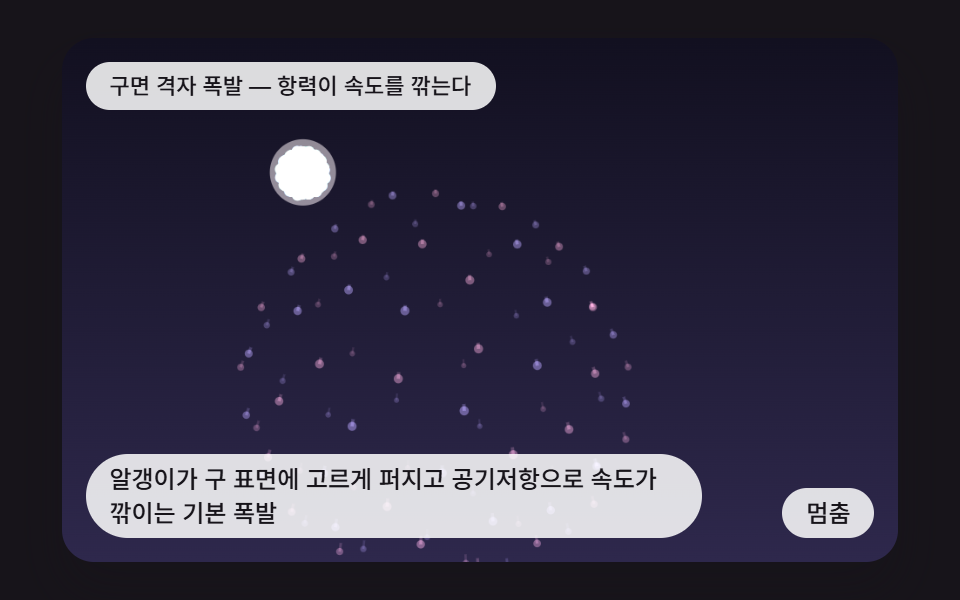 인터랙션css fireworks 9가지 — 쏘아 올려 터지고 물 위에 비치는 불꽃놀이 장면
 인터랙션비눗방울 효과 9종 — 막 두께 색·터짐·두 방울 붙기 계산
 인터랙션3d 웹사이트 만들기 9종 — 마우스를 따라 도는 라이브러리 없는 모형