비눗방울 효과 9종 — 막 두께 색·터짐·두 방울 붙기 계산
비눗방울의 무지갯빛은 칠한 색이 아니라 막 두께가 만든 빛의 어긋남이다 — 01번은 두께에서 색을 계산하고, 04번은 찌른 자리부터 가장자리가 말려 터지며, 06번은 붙은 두 방울 사이에 휜 막이 생긴다.
비눗방울 아홉 개를 불고 찌르고 붙여 보는 놀이판
 01 sb-film-thickness-interference-hue
 02 sb-gravity-drain-band-rise
 03 sb-buoyancy-wind-noise-drift
 04 sb-poke-pop-rim-retract
 05 sb-wobble-shape-mode-spring
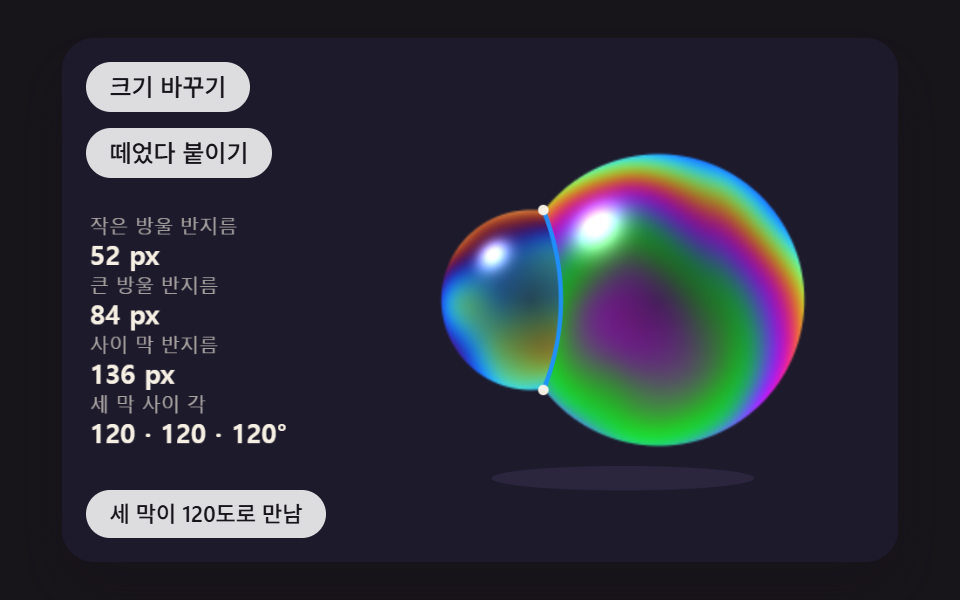 06 sb-twin-bubble-shared-wall
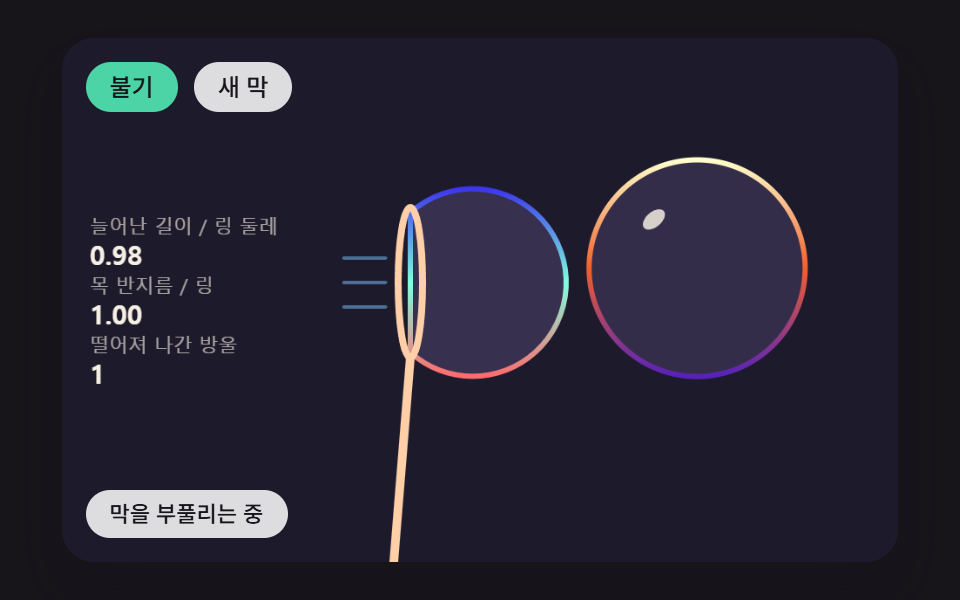 07 sb-wand-blow-neck-pinch
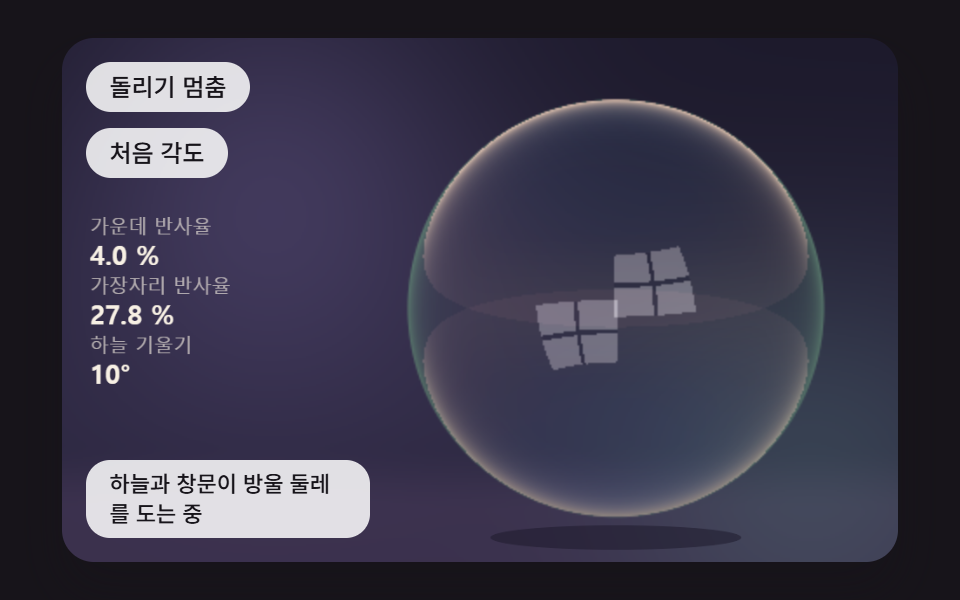 08 sb-sky-reflection-edge-glare
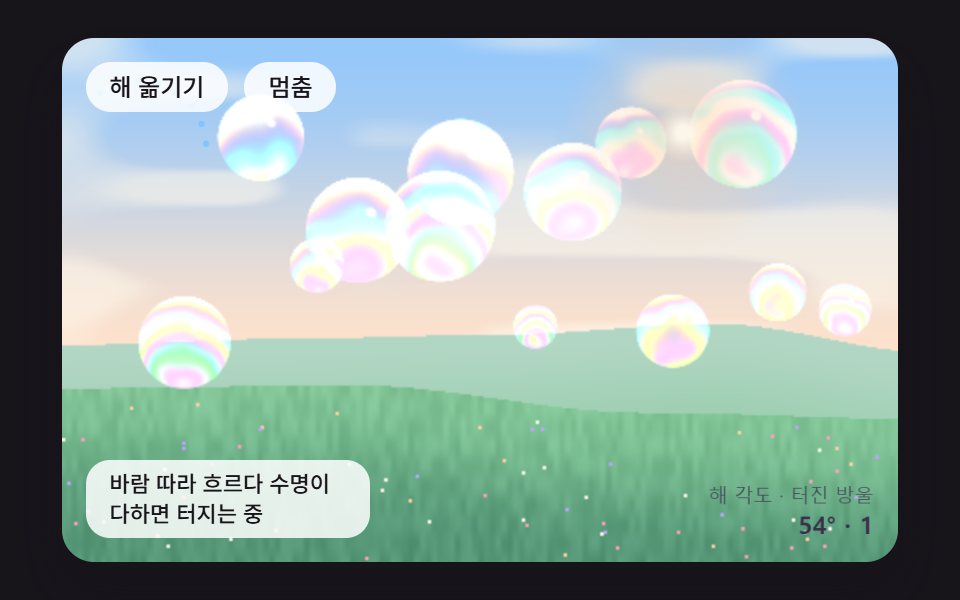 09 sb-hero-bubble-meadow-scene
자동 재생 · 눌러서 해당 항목으로 · 전부 한 zip
- 01 막 두께 하나로 무지갯빛을 계산해 칠하는 비눗방울
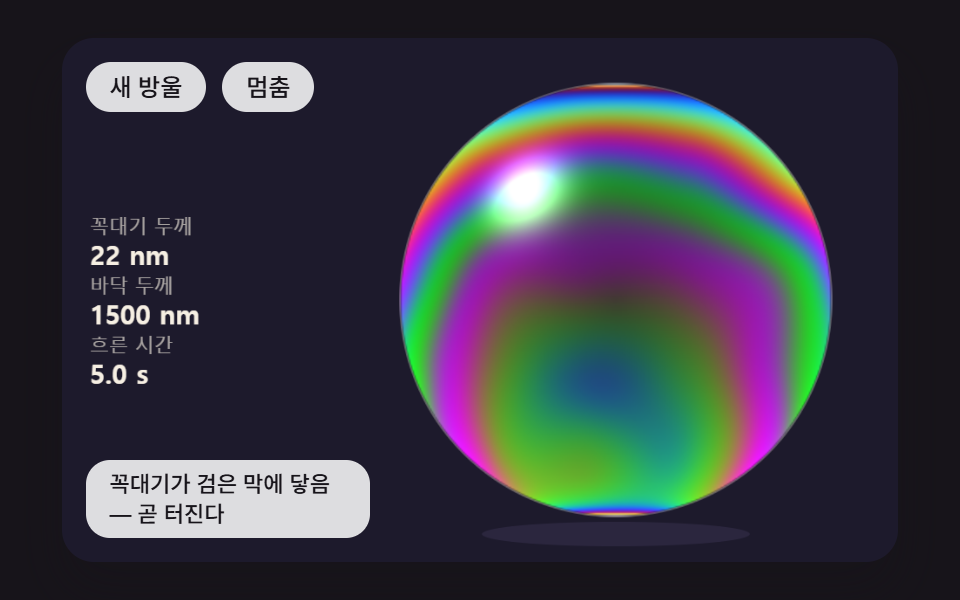
- 02 막이 아래로 흘러내려 꼭대기는 검은 막으로 얇아지고 바닥 띠는 위로 차오르는 방울
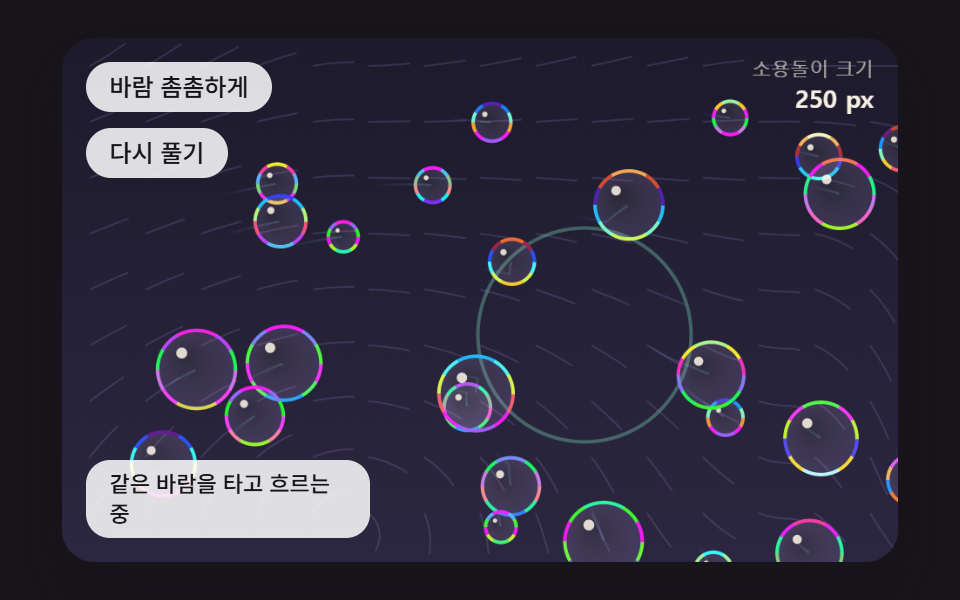
- 03 부력과 공기 저항, 노이즈 바람 속에서 떠다니는 방울 무리
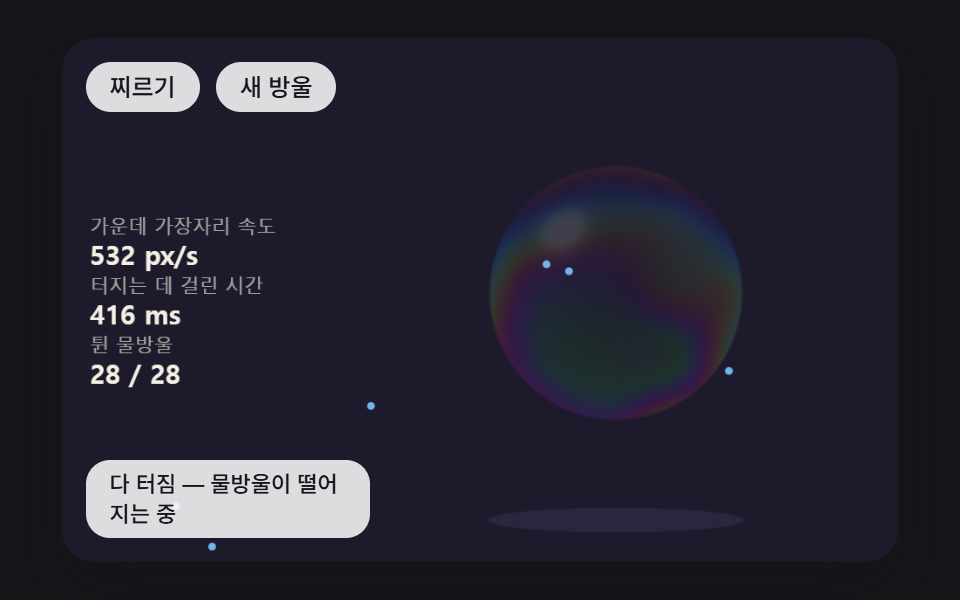
- 04 찌른 자리부터 구멍 가장자리가 말려 나가며 물방울이 튀는 터짐
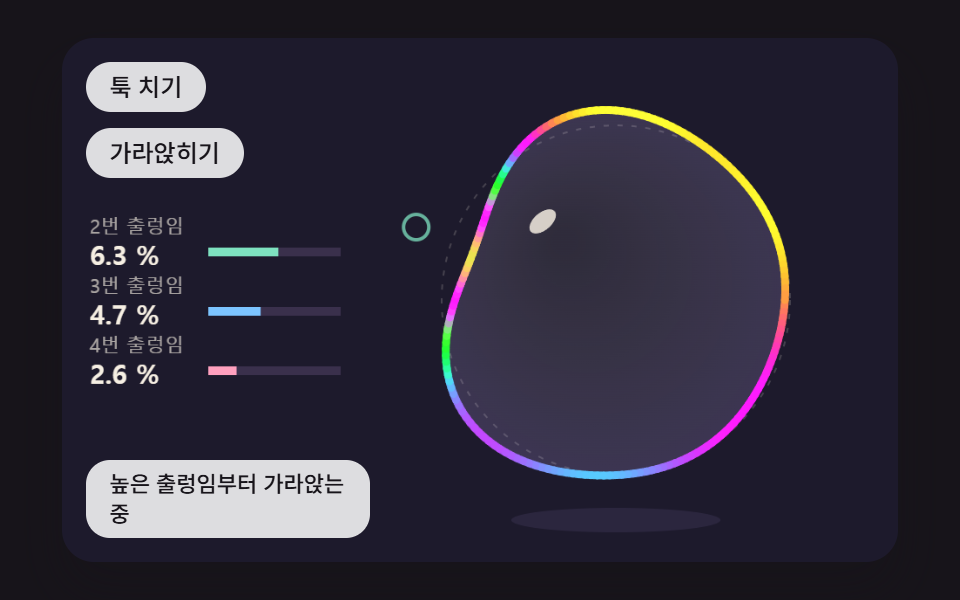
- 05 둘레가 여러 겹의 출렁임 스프링으로 흔들리다 가라앉는 방울
- 06 두 방울이 붙어 사이에 휜 막 하나를 나눠 갖는 쌍둥이 방울
- 07 링에 맺힌 막을 바람으로 부풀리다 목이 조여 떨어져 나가는 방울
- 08 하늘과 창문을 비추고 가장자리로 갈수록 반사가 짙어지는 방울
- 09 들판 위로 바람 따라 흐르는 비눗방울 열네 개가 저마다 색과 반사를 계산하는 장면
아홉 장면은 막 한 장이 생겨서 사라지기까지를 따라 늘어놓았다. 01·02 는 막 두께와 그 두께가 만드는 색, 03 은 다 분 방울이 공기 속을 떠가는 길, 04·05 는 찌르거나 툭 쳤을 때의 반응이다. 06·07 은 방울끼리 붙는 모양과 링에서 떨어져 나가는 모양, 08 은 두께 대신 보는 각도가 정하는 반사이고, 09 는 앞의 계산을 열네 개 방울에 한꺼번에 얹은 들판이다.
비눗방울의 무지갯빛은 왜 막이 얇아질수록 바뀌는가?
비눗방울 막에 닿은 빛은 일부가 바깥 면에서 바로 튕기고, 일부는 막 속으로 들어가 안쪽 면에서 튕긴 뒤 돌아 나온다. 돌아 나온 빛은 막을 한 번 왕복한 거리, 곧 굴절률 1.33 × 두께 × 2 만큼 늦게 나오고, 이 늦음이 파장의 몇 배쯤인지에 따라 두 빛이 서로 보태지거나 지워진다. 빨강·초록·파랑은 이 편에서 파장을 650·530·450nm 로 두기 때문에 같은 늦음에도 채널마다 남는 몫이 다르고, 그 차이가 색으로 보인다. 막 두께가 바뀌면 아무것도 칠하지 않아도 색이 바뀌는 까닭이 여기 있다.
앞면 반사만 뒤집힌다고 보면 얇은 막은 검다
reflectRGB 는 바깥 면에서 튕긴 빛만 위상이 반 바퀴 뒤집힌다고 보고, 채널마다 sin²(2π·1.33·d/λ) 를 그 채널의 몫으로 쓴다. 두께 d 가 0 에 가까우면 두 빛이 거의 반대로 겹쳐 세 값이 함께 0 쪽으로 떨어지고(30nm 에서 0.14·0.21·0.28), 그래서 흘러내려 아주 얇아진 꼭대기는 색 대신 어둡게 비친다. 02 가 30nm(BLACK_FILM_NM)를 곧 터질 막의 기준선으로 쓰는 것도 이 때문이다.
비스듬히 보면 두께가 같아도 색이 옮겨 간다
방울 테두리 쪽에서는 시선이 막을 비스듬히 지나므로, 막 안에서 꺾인 빛의 어긋남이 cos(꺾인 각)배로 줄어든다. insideCos 가 이 배율을 √(1 − (1 − cos²)/1.33²) 로 내고, 01 의 380nm 막은 이 배율 때문에 정면의 자홍에서 테두리로 갈수록 주황빛을 지나 초록, 다시 파랑으로 옮겨 간다. 두께를 고르게 둔 방울에서도 테두리에 가운데와 다른 색 고리가 생기는 건 이 한 줄의 몫이다.
0~1 로 나온 값은 반사율이 아니라 비율이다
세 값은 0~1 로 맞춘 비율이지, 빛이 몇 % 돌아오는지를 뜻하지 않는다. 실제 막이 돌려보내는 빛은 몇 % 수준인데, 08 을 뺀 여덟 장면은 이 비율에 235(09 는 200)를 곱한 밝기를 바탕색 위에 더하므로 화면의 방울은 실제보다 훨씬 밝고 진하다. 채널 하나를 파장 하나로 대신한 것도 근사여서, 파장 전 범위를 더해 생기는 실제 색보다 띠가 또렷하게 갈린다.
비눗방울 효과 9종 — 막 두께 색·흘러내림·바람·터짐·두 방울 붙기로 만드는 장면
캔버스 한 장과 방울만 한 계산판
장면마다 <canvas> 가 한 장씩이고 내부 좌표는 480×300 으로 고정돼 있다. 01·02·04·06·08·09 는 따로 둔 판에 화소 값을 직접 채운 다음 drawImage 로 무대에 올리는데, 판 크기는 01·02 가 250×250, 06 이 340×172, 09 가 무대 전체인 480×300 이다. putImageData 는 캔버스에 걸린 변환을 무시하기 때문에 판을 한 번 거치는 것이고, 판은 장면 좌표 크기 그대로 계산한 뒤 drawImage 가 기기 화소 배율(2 에서 끊음)만큼 늘여 그리므로 배율 높은 화면에서도 계산할 화소 수는 늘지 않는다. 03·05·07 은 화소를 채우지 않고 선과 그라디언트로만 그린다.
1nm 눈금 표가 sin 호출을 대신한다
reflectRGB 는 시작할 때 0~1600nm 를 1nm 간격으로 한 번씩만 불려 4,803칸짜리 filmLut 를 채우고, 화소를 칠할 때는 filmAt 이 그 표를 1nm 사이에서 선형 보간해 읽는다. 01 은 프레임마다 62,500화소를 새로 칠하지만 그 과정에서 Math.sin 을 부르지 않는다. 화면 화소를 읽어 오는 getImageData 는 아홉 장면 어디에도 없고, 계산한 값을 쓰기만 한다.
16ms 고정 스텝으로 흘리는 시간
시간은 requestAnimationFrame 이 넘겨 준 시각 차를 쌓아 두었다가 16ms 짜리 고정 스텝(FIXED_DT)으로 잘라 쓴다. 한 프레임에 쌓을 수 있는 시간은 100ms, 스텝은 최대 6번이며, 화소 계산은 스텝 수와 상관없이 프레임마다 한 번이다. 스타일시트에는 @keyframes 가 없고, 움직이는 건 버튼 배경색의 transition 하나뿐이다.
2초 동안 24장을 찍어 비교한 움직임
480×300 창에서 2초 동안 24장을 찍고 이웃한 두 장씩 비교했으니, 움직인 프레임은 23번의 비교 가운데 화면이 바뀐 횟수다.
| 장면 | 누적면적 | 강도 평균 | 움직인 프레임 |
|---|---|---|---|
| 01 두께로 계산한 무지갯빛 | 27.3% | 32.6 | 23/23 |
| 02 흘러내림과 검은 막 | 29.1% | 48.9 | 23/23 |
| 03 바람 타는 방울 무리 | 42.6% | 88.4 | 23/23 |
| 04 찌른 자리 터짐 | 27.0% | 88.6 | 23/23 |
| 05 출렁임 스프링 | 13.5% | 125.0 | 23/23 |
| 06 쌍둥이 방울과 사이 막 | 23.9% | 64.4 | 14/23 |
| 07 링에서 불기 | 20.7% | 96.6 | 23/23 |
| 08 하늘·창문 반사 | 11.6% | 41.7 | 23/23 |
| 09 들판의 방울 열네 개 | 33.7% | 32.7 | 23/23 |
05 와 08 의 면적이 13.5%·11.6% 에 그치는 건 바뀌는 자리가 좁아서다. 05 는 둘레 선 한 줄만 출렁이고, 08 은 하늘이 11.4초에 한 바퀴라 2초 동안 약 63° 만 돌며 반사가 짙은 곳도 테두리 고리에 몰려 있다. 06 의 14/23 은 두 방울이 다 붙은 뒤 1.1초(HOLD_MS) 동안 멈춰 있는 구간이 2초 캡처의 뒤쪽에 걸리기 때문이고, 03 의 42.6% 는 방울 26개와 32px 간격 흐름선이 화면 전체에 깔려 있어서로 볼 수 있다.
이런 화면에 띄운다
여름 이벤트 랜딩이나 아이 대상 서비스의 첫 화면처럼 맑고 가벼운 인상이 먼저 필요한 곳이라면 09 를 히어로 배경으로 깔고 그 위에 제목을 얹는 구성이 출발점이다. 버튼이나 좋아요 아이콘에 비눗방울 애니메이션을 붙이고 싶다면 화면 전체를 쓰는 장면보다 04 의 찌른 자리 터짐이나 05 의 출렁임을 작게 떼어 쓰는 편이 계산도 가볍다. 업로드 진행 막대 자리에 07 의 링을 두면 진행이 끝나는 순간이 방울이 떠나는 모양으로 보이고, 02 는 남은 시간을 꼭대기 색으로 알리는 대기 화면에 맞는다.
01막 두께 하나로 무지갯빛을 계산해 칠하는 비눗방울
방울 안 250×250 판의 화소 62,500개마다 thicknessAt 이 꼭대기 0.68배·바닥 1.32배 기울기와 시간에 따라 흐르는 노이즈 얼룩으로 두께를 정하고, reflectRGB 가 그 두께에서 빨강 650·초록 530·파랑 450nm 세 파장의 몫을 구해 색을 만든다. 두께가 380nm 로 같아도 법선의 정면 성분 z 가 1 → 0.5 → 0.25 로 기울면 insideCos 가 어긋남을 줄여, 0.97·0.08·0.49 의 자홍이 0.29·0.97·0.64 의 초록을 거쳐 0.04·0.68·0.98 의 파랑으로 바뀐다. 브랜드 히어로 배경이나 제품 패키지 목업처럼 무늬보다 재질이 먼저 보여야 할 때 맞고, 찍는 점을 끌면 왼쪽 칸에 그 자리 두께와 세 값이 숫자로 뜬다.
<main class="stage">
<div class="hs is-demo" id="hs">
  <canvas class="hs__canvas" data-role="canvas" width="480" height="300" tabindex="0" aria-label="화소마다 막 두께에서 빨강·초록·파랑 세 파장의 남는 몫을 계산해 칠하는 비눗방울. 누르거나 끌면 그 자리의 두께와 세 값을 읽는다"></canvas>
  <p class="hs__status" data-role="status" aria-live="off">두께에서 색을 계산하는 중</p>
  <div class="hs__tools">
    <button class="hs__btn" data-role="thin" type="button">얇게</button>
    <button class="hs__btn" data-role="thick" type="button">두껍게</button>
  </div>
</div>
</main>
@use "../../../../site/static/demo-tokens" as *;
@include stage($stage-ink);
.hs {
position: relative;
width: min(92vw, calc(160vh - 12.8vw));
aspect-ratio: 480 / 300;
margin: 0 auto;
border-radius: $r-card;
overflow: hidden;
box-shadow: $shadow-raised;
background: $subject-ink;
}
.hs__canvas {
display: block;
width: 100%;
height: 100%;
cursor: crosshair;
}
.hs__canvas:focus-visible {
outline: 2px solid rgba(255, 255, 255, .85);
outline-offset: -6px;
}
.hs__status {
position: absolute;
left: $sp-3;
bottom: $sp-3;
box-sizing: border-box;
max-width: 34%;
margin: 0;
padding: $sp-1 $sp-3;
border-radius: $r-control;
background: rgba(255, 255, 255, .85);
color: $subject-ink;
font-weight: 500;
font-size: 11px;
line-height: 1.4;
pointer-events: none;
}
// 판은 오른쪽에 있다 — 버튼은 왼쪽 위 칸에 두고, 좁으면 줄을 바꿔 판을 덮지 않는다
.hs__tools {
position: absolute;
left: $sp-3;
top: $sp-3;
box-sizing: border-box;
max-width: 34%;
display: flex;
flex-wrap: wrap;
gap: $sp-2;
}
.hs__btn {
margin: 0;
padding: $sp-1 $sp-3;
border: 0;
border-radius: $r-pill;
background: rgba(255, 255, 255, .85);
color: $subject-ink;
font: inherit;
font-weight: 500;
font-size: 12px;
line-height: 1.4;
cursor: pointer;
transition: background-color $dur-quick ease-out;
}
.hs__btn:hover {
background: $subject-cream;
}
.hs__btn[aria-pressed="true"] {
background: $subject-mint;
}
.hs__btn:focus-visible {
outline: 2px solid rgba(255, 255, 255, .95);
outline-offset: 2px;
}
// 손가락 가로 끌기는 이 캔버스가 받고, 세로 쓸기는 브라우저에 남겨 페이지 스크롤이 막히지 않게 한다
.hs__canvas { touch-action: pan-y; }
@media (max-width: 340px) {
.hs__btn { font-size: 10px; padding: $sp-1 $sp-2; }
.hs__status { font-size: 10px; padding: $sp-1 $sp-2; }
}
@media (prefers-reduced-motion: reduce) {
.hs__btn { transition: none; }
}html, body {
margin: 0;
overflow: hidden;
}
.stage {
box-sizing: border-box;
min-height: 100vh;
display: grid;
place-items: center;
margin: 0;
background: #17141a;
font-family: -apple-system, "Segoe UI", "Noto Sans KR", sans-serif;
padding: clamp(8px, 4vw, 24px);
}
.hs {
position: relative;
width: min(92vw, 160vh - 12.8vw);
aspect-ratio: 480/300;
margin: 0 auto;
border-radius: 16px;
overflow: hidden;
box-shadow: 0 14px 24px rgba(23, 20, 26, 0.32);
background: #17141a;
}
.hs__canvas {
display: block;
width: 100%;
height: 100%;
cursor: crosshair;
}
.hs__canvas:focus-visible {
outline: 2px solid rgba(255, 255, 255, 0.85);
outline-offset: -6px;
}
.hs__status {
position: absolute;
left: 12px;
bottom: 12px;
box-sizing: border-box;
max-width: 34%;
margin: 0;
padding: 4px 12px;
border-radius: 12px;
background: rgba(255, 255, 255, 0.85);
color: #17141a;
font-weight: 500;
font-size: 11px;
line-height: 1.4;
pointer-events: none;
}
.hs__tools {
position: absolute;
left: 12px;
top: 12px;
box-sizing: border-box;
max-width: 34%;
display: flex;
flex-wrap: wrap;
gap: 8px;
}
.hs__btn {
margin: 0;
padding: 4px 12px;
border: 0;
border-radius: 999px;
background: rgba(255, 255, 255, 0.85);
color: #17141a;
font: inherit;
font-weight: 500;
font-size: 12px;
line-height: 1.4;
cursor: pointer;
transition: background-color 220ms ease-out;
}
.hs__btn:hover {
background: #fff7e6;
}
.hs__btn[aria-pressed=true] {
background: #4cd4a6;
}
.hs__btn:focus-visible {
outline: 2px solid rgba(255, 255, 255, 0.95);
outline-offset: 2px;
}
.hs__canvas {
touch-action: pan-y;
}
@media (max-width: 340px) {
.hs__btn {
font-size: 10px;
padding: 4px 8px;
}
.hs__status {
font-size: 10px;
padding: 4px 8px;
}
}
@media (prefers-reduced-motion: reduce) {
.hs__btn {
transition: none;
}
}(function () {
const root = document.getElementById("hs");
if (!root) return;
const W = 480;
const H = 300;
const FIXED_DT = 16;
// 파스텔 팔레트 — 어두운 무대 위에 밝은 막을 얹어 명도 차로 방울이 읽힌다 (막의 무지갯빛은 이 표가 아니라 두께 계산에서 나온다)
const BG = [29, 26, 44];
const DEEP = [44, 39, 64];
const PAPER = [255, 248, 234];
const INK = [58, 48, 76];
const MINT = [126, 226, 192];
const SKY = [124, 196, 255];
const LILAC = [190, 164, 255];
const PINK = [255, 160, 190];
const PEACH = [255, 208, 168];
function clamp(v, lo, hi) { return v < lo ? lo : (v > hi ? hi : v); }
function lerp(a, b, k) { return a + (b - a) * k; }
function smooth(x) { const c = clamp(x, 0, 1); return c * c * (3 - 2 * c); }
function rgba(c, a) {
return 'rgba(' + Math.round(c[0]) + ',' + Math.round(c[1]) + ',' + Math.round(c[2]) + ',' + clamp(a, 0, 1).toFixed(3) + ')';
}
function mix(a, b, k) { return [lerp(a[0], b[0], k), lerp(a[1], b[1], k), lerp(a[2], b[2], k)]; }
const canvasEl = root.querySelector('[data-role="canvas"]');
const statusEl = root.querySelector('[data-role="status"]');
const ctxRaw = canvasEl ? canvasEl.getContext('2d') : null;
if (!canvasEl || !ctxRaw || !statusEl) {
return;
}
const cv = canvasEl;
const ctx = ctxRaw;
const status = statusEl;
const reduceQuery = window.matchMedia('(prefers-reduced-motion: reduce)');
let still = reduceQuery.matches;
// 자동 시연 중인가 — 사람이 처음 만지는 순간 시연을 멈추고 상태 줄을 읽어 주기 시작한다
let demo = root.classList.contains('is-demo');
function wake() {
if (!demo) {
return;
}
demo = false;
root.classList.remove('is-demo');
status.setAttribute('aria-live', 'polite');
}
function say(text) {
if (status.textContent !== text) {
status.textContent = text;
}
}
function fitCanvas() {
// 배율은 2 에서 자른다 — 배율 3 기기에서 화소가 2.25배로 늘어 프레임마다 일이 그만큼 커지지 않게
const dpr = Math.min(window.devicePixelRatio || 1, 2);
cv.width = Math.round(W * dpr);
cv.height = Math.round(H * dpr);
ctx.setTransform(dpr, 0, 0, dpr, 0, 0);
}
function onResize() {
fitCanvas();
draw();
}
fitCanvas();
window.addEventListener('resize', onResize);
// 화면 좌표(CSS px) → 장면 좌표(480x300). 리사이즈 뒤에도 늘 현재 크기로 다시 잰다
function toScene(ev) {
const r = cv.getBoundingClientRect();
return [((ev.clientX - r.left) / r.width) * W, ((ev.clientY - r.top) / r.height) * H];
}
// 시드 고정 난수 — 같은 시드면 같은 장면이 다시 나온다 (32비트 정수 섞기)
function makeRng(seed) {
let s = seed >>> 0;
return function () {
s = (s + 0x6d2b79f5) >>> 0;
let t = s;
t = Math.imul(t ^ (t >>> 15), t | 1);
t ^= t + Math.imul(t ^ (t >>> 7), t | 61);
return ((t ^ (t >>> 14)) >>> 0) / 4294967296;
};
}
// 왼쪽 칸의 수치 — 이름표 한 줄 + 값 한 줄
function panelRow(row, label, value) {
const y = 112 + row * 34;
ctx.textAlign = 'left';
ctx.textBaseline = 'alphabetic';
ctx.fillStyle = rgba(PAPER, 0.62);
ctx.font = '500 11px sans-serif';
ctx.fillText(label, 16, y);
ctx.fillStyle = rgba(PAPER, 0.96);
ctx.font = '700 15px sans-serif';
ctx.fillText(value, 16, y + 18);
}
function clearStage() {
ctx.fillStyle = rgba(BG, 1);
ctx.fillRect(0, 0, W, H);
}
// 2D 값 노이즈 — 정수 격자 꼭짓점마다 시드 난수 값(−1~1)을 두고 그 사이를 부드러운 곡선으로 잇는다
const NOISE_SEED = 465;
const noisePerm = new Uint8Array(512);
const noiseVal = new Float32Array(256);
{
const nr = makeRng(NOISE_SEED);
for (let i = 0; i < 256; i += 1) {
noisePerm[i] = i;
noiseVal[i] = nr() * 2 - 1;
}
for (let i = 255; i > 0; i -= 1) {
const j = Math.floor(nr() * (i + 1));
const t = noisePerm[i];
noisePerm[i] = noisePerm[j];
noisePerm[j] = t;
}
for (let i = 0; i < 256; i += 1) {
noisePerm[i + 256] = noisePerm[i];
}
}
function noiseHash(ix, iy) {
return noiseVal[noisePerm[noisePerm[ix & 255] + (iy & 255)]];
}
function noise2(x, y) {
const xi = Math.floor(x);
const yi = Math.floor(y);
const fx = x - xi;
const fy = y - yi;
const u = fx * fx * (3 - 2 * fx);
const v = fy * fy * (3 - 2 * fy);
const a = noiseHash(xi, yi);
const b = noiseHash(xi + 1, yi);
const c = noiseHash(xi, yi + 1);
const d = noiseHash(xi + 1, yi + 1);
return lerp(lerp(a, b, u), lerp(c, d, u), v);
}
// 막의 굴절률 — 비눗물 막을 물과 같은 값으로 둔다
const FILM_N = 1.33;
// 세 파장(nm) — 화면의 빨강·초록·파랑 채널을 이 파장 하나씩으로 대신한다
const WAVE_RGB_NM = [650, 530, 450];
// 표를 만들 두께 범위(nm) — 1nm 눈금마다 세 채널 값을 미리 구해 둔다
const LUT_D_MAX = 1600;
const filmLut = new Float32Array((LUT_D_MAX + 1) * 3);
    // 막 앞면과 뒷면에서 튕긴 두 빛이 두께만큼 어긋나 파장마다 남는 몫 — sin²(2π·n·d/λ).
    // 앞면에서 튕긴 빛만 위상이 뒤집히므로 두께 0 이면 세 채널이 모두 0(검은 막). 값은 0~1 로 맞춘 비율이지 실제 반사율(몇 %)이 아니다
    function reflectRGB(dNm) {
        const out = [0, 0, 0];
        for (let c = 0; c < 3; c += 1) {
            const s = Math.sin(2 * Math.PI * FILM_N * dNm / WAVE_RGB_NM[c]);
            out[c] = s * s;
        }
        return out;
    }
    for (let d = 0; d <= LUT_D_MAX; d += 1) {
        const r = reflectRGB(d);
        filmLut[d * 3] = r[0];
        filmLut[d * 3 + 1] = r[1];
        filmLut[d * 3 + 2] = r[2];
    }
    // 비스듬히 보면 빛이 막 안에서 꺾여 지나므로 어긋남이 cos(꺾인 각)배로 줄어든다 — cosView 는 시선과 법선 사이 각의 cos
    function insideCos(cosView) {
        const s2 = (1 - cosView * cosView) / (FILM_N * FILM_N);
        return Math.sqrt(1 - s2);
    }
// 두께 d(nm) 에서 채널 c 의 몫 — 표를 1nm 사이에서 선형 보간해 읽는다
function filmAt(dNm, c) {
const d = clamp(dNm, 0, LUT_D_MAX - 1);
const i = Math.floor(d);
const f = d - i;
return filmLut[i * 3 + c] * (1 - f) + filmLut[(i + 1) * 3 + c] * f;
}
// 캔버스 선·면에 쓸 막 색 — 어두운 무대 위에 세 채널 몫을 밝기로 얹는다
function filmColor(dNm, gain) {
return [BG[0] + filmAt(dNm, 0) * 235 * gain, BG[1] + filmAt(dNm, 1) * 235 * gain, BG[2] + filmAt(dNm, 2) * 235 * gain];
}
// 화소 하나를 막 색으로 — under 는 방울 뒤 바탕색, nx·ny·z 는 구면 위 법선(z 는 시선 쪽 성분)
function shadeFilm(px, o, dNm, nx, ny, z, under, alpha) {
const dEff = dNm * insideCos(z);
// 가장자리일수록 시선이 막을 비스듬히 지나 색이 진하다 — 가운데는 뒤 바탕이 비쳐 보이게 낮춘다
const amp = 0.22 + 0.78 * Math.pow(1 - z, 0.6);
// 왼쪽 위에서 오는 빛 하나의 반짝임
const hl = Math.pow(Math.max(0, nx * -0.42 + ny * -0.5 + z * 0.76), 60);
for (let c = 0; c < 3; c += 1) {
const v = under[c] + filmAt(dEff, c) * 235 * amp + hl * 220;
px[o + c] = under[c] + (v - under[c]) * alpha;
}
px[o + 3] = 255;
}
function makePix(w, h) {
const c = document.createElement('canvas');
c.width = w;
c.height = h;
const pc = c.getContext('2d');
if (!pc) {
return null;
}
const img = pc.createImageData(w, h);
return { cvs: c, pc: pc, img: img, px: img.data, w: w, h: h };
}
// putImageData 는 캔버스 변환(배율)을 무시한다 — 작은 캔버스에 올린 뒤 drawImage 로 장면 좌표에 그린다
function showPix(p, x, y) {
p.pc.putImageData(p.img, 0, 0);
ctx.drawImage(p.cvs, x, y, p.w, p.h);
}
// 01 — 막 두께 하나에서 화소마다 무지갯빛을 계산한다
// 가운데 높이의 기준 막 두께(nm) — 위로 갈수록 얇고 아래로 갈수록 두껍게 기울인다
const FILM_D_NM = 380;
// 위아래 두께 기울기 — 꼭대기는 (1 − 0.32)배, 바닥은 (1 + 0.32)배
const TILT_K = 0.32;
// 노이즈 소용돌이가 두께를 흔드는 폭(배율)
const SWIRL_K = 0.22;
// 소용돌이 무늬가 흘러가는 빠르기(노이즈 칸/초)
const SWIRL_FLOW = 0.21;
// 방울 중심·반지름(장면 px)
const BCX = 318;
const BCY = 150;
const BR = 124;
// 버튼·키 한 번에 옮기는 기준 두께(nm)와 그 범위
const SHIFT_STEP = 40;
const SHIFT_MIN = -300;
const SHIFT_MAX = 600;
const TXT_RUN = '두께에서 색을 계산하는 중';
const TXT_SHIFT = '기준 두께를 옮김';
const TXT_PROBE = '찍은 자리의 두께와 세 파장 값';
const thinBtn = root.querySelector('[data-role="thin"]');
const thickBtn = root.querySelector('[data-role="thick"]');
const BOX = BR * 2 + 2;
const PX0 = BCX - BR - 1;
const PY0 = BCY - BR - 1;
const pix = makePix(BOX, BOX);
const under = [BG[0], BG[1], BG[2]];
let shift = 0;
let filmT = 0;
let probeX = BCX - 34;
let probeY = BCY + 26;
let dragging = false;
let lastText = TXT_RUN;
// nx·ny 는 방울 중심 기준 −1~1, 아래가 +ny. 반환은 그 자리 막 두께(nm)
function thicknessAt(nx, ny, t) {
const base = Math.max(FILM_D_NM + shift, 0);
const swirl = noise2(nx * 1.7 + t * SWIRL_FLOW, ny * 1.7 - t * SWIRL_FLOW * 0.8 + 9.3);
return Math.max(base * (1 + TILT_K * ny) * (1 + SWIRL_K * swirl), 0);
}
// 방울 안 화소마다 — 두께 → 비스듬한 만큼 줄인 어긋남 → 세 파장 몫 → 색
function paintFilm() {
if (!pix) {
return;
}
const px = pix.px;
for (let j = 0; j < BOX; j += 1) {
const ny = (PY0 + j + 0.5 - BCY) / BR;
for (let i = 0; i < BOX; i += 1) {
const nx = (PX0 + i + 0.5 - BCX) / BR;
const r2 = nx * nx + ny * ny;
const o = (j * BOX + i) * 4;
if (r2 >= 1) {
px[o + 3] = 0;
continue;
}
const z = Math.sqrt(1 - r2);
// 테두리 한 화소는 반쯤 비쳐 계단이 덜 보이게
const edge = clamp((1 - Math.sqrt(r2)) * BR, 0, 1);
shadeFilm(px, o, thicknessAt(nx, ny, filmT), nx, ny, z, under, 1);
px[o + 3] = 255 * edge;
}
}
showPix(pix, PX0, PY0);
}
function setProbe(x, y) {
const dx = x - BCX;
const dy = y - BCY;
const r = Math.hypot(dx, dy);
const lim = BR * 0.94;
if (r > lim) {
probeX = BCX + dx / r * lim;
probeY = BCY + dy / r * lim;
}
else {
probeX = x;
probeY = y;
}
}
function probeValues() {
const nx = (probeX - BCX) / BR;
const ny = (probeY - BCY) / BR;
const z = Math.sqrt(Math.max(1 - nx * nx - ny * ny, 0));
const d = thicknessAt(nx, ny, filmT);
return [d, reflectRGB(d * insideCos(z))];
}
const BAR_RGB = [[255, 140, 160], [140, 230, 170], [140, 180, 255]];
function draw() {
clearStage();
// 방울 뒤 그림자 — 무대 바닥에 옅게
ctx.fillStyle = rgba(DEEP, 0.9);
ctx.beginPath();
ctx.ellipse(BCX, BCY + BR + 10, BR * 0.62, 7, 0, 0, Math.PI * 2);
ctx.fill();
paintFilm();
ctx.strokeStyle = rgba(PAPER, 0.22);
ctx.lineWidth = 1;
ctx.beginPath();
ctx.arc(BCX, BCY, BR, 0, Math.PI * 2);
ctx.stroke();
const pv = probeValues();
ctx.strokeStyle = rgba(PAPER, 0.95);
ctx.lineWidth = 2;
ctx.beginPath();
ctx.arc(probeX, probeY, 7, 0, Math.PI * 2);
ctx.stroke();
ctx.beginPath();
ctx.moveTo(probeX - 12, probeY);
ctx.lineTo(probeX - 9, probeY);
ctx.moveTo(probeX + 9, probeY);
ctx.lineTo(probeX + 12, probeY);
ctx.stroke();
panelRow(0, '막 두께', String(Math.round(pv[0])) + ' nm');
panelRow(1, '빨강 · 초록 · 파랑', pv[1][0].toFixed(2) + ' · ' + pv[1][1].toFixed(2) + ' · ' + pv[1][2].toFixed(2));
panelRow(2, '기준 두께', String(Math.max(FILM_D_NM + shift, 0)) + ' nm');
for (let c = 0; c < 3; c += 1) {
ctx.fillStyle = rgba(INK, 1);
ctx.fillRect(16, 222 + c * 8, 132, 5);
ctx.fillStyle = rgba(BAR_RGB[c], 1);
ctx.fillRect(16, 222 + c * 8, 132 * pv[1][c], 5);
}
}
function step() {
filmT += FIXED_DT / 1000;
}
function settle() {
say(lastText);
}
function demoTick(t) {
const a = t / 1000;
// 찍는 자리를 방울 안에서 쉬지 않고 옮기고, 기준 두께를 0 → −90nm 로 천천히 오르내린다
setProbe(BCX + Math.cos(a * 1.3) * BR * 0.55, BCY + Math.sin(a * 2.1) * BR * 0.5);
shift = Math.round(-45 * (1 - Math.cos(a * 2.6)));
}
function after(text) {
lastText = text;
say(text);
draw();
}
function nudge(dir) {
shift = clamp(shift + dir * SHIFT_STEP, SHIFT_MIN, SHIFT_MAX);
after(TXT_SHIFT);
}
cv.addEventListener('pointerdown', function (ev) {
wake();
dragging = true;
cv.setPointerCapture(ev.pointerId);
const p = toScene(ev);
setProbe(p[0], p[1]);
after(TXT_PROBE);
});
cv.addEventListener('pointermove', function (ev) {
if (!dragging) {
return;
}
const p = toScene(ev);
setProbe(p[0], p[1]);
after(TXT_PROBE);
});
function endDrag() { dragging = false; }
cv.addEventListener('pointerup', endDrag);
cv.addEventListener('pointercancel', endDrag);
cv.addEventListener('keydown', function (ev) {
const k = ev.key;
if (k === 'ArrowLeft' || k === 'ArrowRight' || k === 'ArrowUp' || k === 'ArrowDown') {
ev.preventDefault();
wake();
const dx = k === 'ArrowLeft' ? -8 : (k === 'ArrowRight' ? 8 : 0);
const dy = k === 'ArrowUp' ? -8 : (k === 'ArrowDown' ? 8 : 0);
setProbe(probeX + dx, probeY + dy);
after(TXT_PROBE);
}
else if (k === '-' || k === 'PageDown') {
ev.preventDefault();
wake();
nudge(-1);
}
else if (k === '+' || k === '=' || k === 'PageUp') {
ev.preventDefault();
wake();
nudge(1);
}
else if (k === 'Home') {
ev.preventDefault();
wake();
shift = 0;
setProbe(BCX - 34, BCY + 26);
after(TXT_RUN);
}
});
if (thinBtn) {
thinBtn.addEventListener('click', function () { wake(); nudge(-1); });
}
if (thickBtn) {
thickBtn.addEventListener('click', function () { wake(); nudge(1); });
}
say(TXT_RUN);
let rafId = 0;
let lastTs = -1;
let acc = 0;
let clock = 0;
let looping = false;
function frame(ts) {
if (!looping) {
return;
}
if (lastTs < 0) {
lastTs = ts;
}
// 탭이 숨었다 돌아와도 한 번에 100ms 까지만 따라잡는다 — 순간이동 대신 이어서 움직인다
acc += Math.min(ts - lastTs, 100);
lastTs = ts;
let n = 0;
while (acc >= FIXED_DT && n < 6) {
clock += FIXED_DT;
if (demo) {
demoTick(clock);
}
step();
acc -= FIXED_DT;
n += 1;
}
draw();
rafId = window.requestAnimationFrame(frame);
}
function startLoop() {
if (looping) {
return;
}
looping = true;
lastTs = -1;
acc = 0;
rafId = window.requestAnimationFrame(frame);
}
function stopLoop() {
looping = false;
window.cancelAnimationFrame(rafId);
}
// 움직임 줄이기 설정을 페이지를 연 채로 바꿔도 바로 따른다 — 켜면 루프를 멈추고 끝난 장면 한 장, 끄면 다시 돈다
function applyMotion() {
still = reduceQuery.matches;
if (still) {
stopLoop();
settle();
draw();
}
else {
startLoop();
}
}
reduceQuery.addEventListener('change', applyMotion);
applyMotion();
return function () {
stopLoop();
reduceQuery.removeEventListener('change', applyMotion);
window.removeEventListener('resize', onResize);
};
})();// SbFilmThicknessInterferenceHue - vanilla 판(01-sb-film-thickness-interference-hue) 의 React 포트. 같은 계산을 useEffect 안에서 돌린다.
import { useEffect, useRef } from "react";
import styles from "./SbFilmThicknessInterferenceHue.module.scss";
const cx = (s: string): string => s.split(" ").map((n) => styles[n] ?? n).join(" ");
export default function SbFilmThicknessInterferenceHue() {
const rootRef = useRef<HTMLDivElement | null>(null);
useEffect(() => {
const rootEl = rootRef.current;
if (!rootEl) return;
const root: HTMLElement = rootEl;
type RGB = [number, number, number];
const W = 480;
const H = 300;
const FIXED_DT = 16;
// 파스텔 팔레트 — 어두운 무대 위에 밝은 막을 얹어 명도 차로 방울이 읽힌다 (막의 무지갯빛은 이 표가 아니라 두께 계산에서 나온다)
const BG: RGB = [29, 26, 44];
const DEEP: RGB = [44, 39, 64];
const PAPER: RGB = [255, 248, 234];
const INK: RGB = [58, 48, 76];
const MINT: RGB = [126, 226, 192];
const SKY: RGB = [124, 196, 255];
const LILAC: RGB = [190, 164, 255];
const PINK: RGB = [255, 160, 190];
const PEACH: RGB = [255, 208, 168];
function clamp(v: number, lo: number, hi: number): number { return v < lo ? lo : (v > hi ? hi : v); }
function lerp(a: number, b: number, k: number): number { return a + (b - a) * k; }
function smooth(x: number): number { const c = clamp(x, 0, 1); return c * c * (3 - 2 * c); }
function rgba(c: RGB, a: number): string {
return 'rgba(' + Math.round(c[0]) + ',' + Math.round(c[1]) + ',' + Math.round(c[2]) + ',' + clamp(a, 0, 1).toFixed(3) + ')';
}
function mix(a: RGB, b: RGB, k: number): RGB { return [lerp(a[0], b[0], k), lerp(a[1], b[1], k), lerp(a[2], b[2], k)]; }
const canvasEl = root.querySelector('[data-role="canvas"]') as HTMLCanvasElement | null;
const statusEl = root.querySelector('[data-role="status"]') as HTMLElement | null;
const ctxRaw = canvasEl ? canvasEl.getContext('2d') : null;
if (!canvasEl || !ctxRaw || !statusEl) { return; }
const cv: HTMLCanvasElement = canvasEl;
const ctx: CanvasRenderingContext2D = ctxRaw;
const status: HTMLElement = statusEl;
const reduceQuery = window.matchMedia('(prefers-reduced-motion: reduce)');
let still = reduceQuery.matches;
// 자동 시연 중인가 — 사람이 처음 만지는 순간 시연을 멈추고 상태 줄을 읽어 주기 시작한다
let demo = root.classList.contains('is-demo');
function wake(): void {
if (!demo) { return; }
demo = false;
root.classList.remove('is-demo');
status.setAttribute('aria-live', 'polite');
}
function say(text: string): void {
if (status.textContent !== text) { status.textContent = text; }
}
function fitCanvas(): void {
// 배율은 2 에서 자른다 — 배율 3 기기에서 화소가 2.25배로 늘어 프레임마다 일이 그만큼 커지지 않게
const dpr = Math.min(window.devicePixelRatio || 1, 2);
cv.width = Math.round(W * dpr);
cv.height = Math.round(H * dpr);
ctx.setTransform(dpr, 0, 0, dpr, 0, 0);
}
function onResize(): void {
fitCanvas();
draw();
}
fitCanvas();
window.addEventListener('resize', onResize);
// 화면 좌표(CSS px) → 장면 좌표(480x300). 리사이즈 뒤에도 늘 현재 크기로 다시 잰다
function toScene(ev: PointerEvent): [number, number] {
const r = cv.getBoundingClientRect();
return [((ev.clientX - r.left) / r.width) * W, ((ev.clientY - r.top) / r.height) * H];
}
// 시드 고정 난수 — 같은 시드면 같은 장면이 다시 나온다 (32비트 정수 섞기)
function makeRng(seed: number): () => number {
let s = seed >>> 0;
return function (): number {
s = (s + 0x6d2b79f5) >>> 0;
let t = s;
t = Math.imul(t ^ (t >>> 15), t | 1);
t ^= t + Math.imul(t ^ (t >>> 7), t | 61);
return ((t ^ (t >>> 14)) >>> 0) / 4294967296;
};
}
// 왼쪽 칸의 수치 — 이름표 한 줄 + 값 한 줄
function panelRow(row: number, label: string, value: string): void {
const y = 112 + row * 34;
ctx.textAlign = 'left';
ctx.textBaseline = 'alphabetic';
ctx.fillStyle = rgba(PAPER, 0.62);
ctx.font = '500 11px sans-serif';
ctx.fillText(label, 16, y);
ctx.fillStyle = rgba(PAPER, 0.96);
ctx.font = '700 15px sans-serif';
ctx.fillText(value, 16, y + 18);
}
function clearStage(): void {
ctx.fillStyle = rgba(BG, 1);
ctx.fillRect(0, 0, W, H);
}
// 2D 값 노이즈 — 정수 격자 꼭짓점마다 시드 난수 값(−1~1)을 두고 그 사이를 부드러운 곡선으로 잇는다
const NOISE_SEED = 465;
const noisePerm = new Uint8Array(512);
const noiseVal = new Float32Array(256);
{
const nr = makeRng(NOISE_SEED);
for (let i = 0; i < 256; i += 1) {
noisePerm[i] = i;
noiseVal[i] = nr() * 2 - 1;
}
for (let i = 255; i > 0; i -= 1) {
const j = Math.floor(nr() * (i + 1));
const t = noisePerm[i];
noisePerm[i] = noisePerm[j];
noisePerm[j] = t;
}
for (let i = 0; i < 256; i += 1) { noisePerm[i + 256] = noisePerm[i]; }
}
function noiseHash(ix: number, iy: number): number {
return noiseVal[noisePerm[noisePerm[ix & 255] + (iy & 255)]];
}
function noise2(x: number, y: number): number {
const xi = Math.floor(x);
const yi = Math.floor(y);
const fx = x - xi;
const fy = y - yi;
const u = fx * fx * (3 - 2 * fx);
const v = fy * fy * (3 - 2 * fy);
const a = noiseHash(xi, yi);
const b = noiseHash(xi + 1, yi);
const c = noiseHash(xi, yi + 1);
const d = noiseHash(xi + 1, yi + 1);
return lerp(lerp(a, b, u), lerp(c, d, u), v);
}
// 막의 굴절률 — 비눗물 막을 물과 같은 값으로 둔다
const FILM_N = 1.33;
// 세 파장(nm) — 화면의 빨강·초록·파랑 채널을 이 파장 하나씩으로 대신한다
const WAVE_RGB_NM: RGB = [650, 530, 450];
// 표를 만들 두께 범위(nm) — 1nm 눈금마다 세 채널 값을 미리 구해 둔다
const LUT_D_MAX = 1600;
const filmLut = new Float32Array((LUT_D_MAX + 1) * 3);
// 막 앞면과 뒷면에서 튕긴 두 빛이 두께만큼 어긋나 파장마다 남는 몫 — sin²(2π·n·d/λ).
// 앞면에서 튕긴 빛만 위상이 뒤집히므로 두께 0 이면 세 채널이 모두 0(검은 막). 값은 0~1 로 맞춘 비율이지 실제 반사율(몇 %)이 아니다
function reflectRGB(dNm: number): RGB {
const out: RGB = [0, 0, 0];
for (let c = 0; c < 3; c += 1) {
const s = Math.sin(2 * Math.PI * FILM_N * dNm / WAVE_RGB_NM[c]);
out[c] = s * s;
}
return out;
}
for (let d = 0; d <= LUT_D_MAX; d += 1) {
const r = reflectRGB(d);
filmLut[d * 3] = r[0];
filmLut[d * 3 + 1] = r[1];
filmLut[d * 3 + 2] = r[2];
}
// 비스듬히 보면 빛이 막 안에서 꺾여 지나므로 어긋남이 cos(꺾인 각)배로 줄어든다 — cosView 는 시선과 법선 사이 각의 cos
function insideCos(cosView: number): number {
const s2 = (1 - cosView * cosView) / (FILM_N * FILM_N);
return Math.sqrt(1 - s2);
}
// 두께 d(nm) 에서 채널 c 의 몫 — 표를 1nm 사이에서 선형 보간해 읽는다
function filmAt(dNm: number, c: number): number {
const d = clamp(dNm, 0, LUT_D_MAX - 1);
const i = Math.floor(d);
const f = d - i;
return filmLut[i * 3 + c] * (1 - f) + filmLut[(i + 1) * 3 + c] * f;
}
// 캔버스 선·면에 쓸 막 색 — 어두운 무대 위에 세 채널 몫을 밝기로 얹는다
function filmColor(dNm: number, gain: number): RGB {
return [BG[0] + filmAt(dNm, 0) * 235 * gain, BG[1] + filmAt(dNm, 1) * 235 * gain, BG[2] + filmAt(dNm, 2) * 235 * gain];
}
// 화소 하나를 막 색으로 — under 는 방울 뒤 바탕색, nx·ny·z 는 구면 위 법선(z 는 시선 쪽 성분)
function shadeFilm(px: Uint8ClampedArray, o: number, dNm: number, nx: number, ny: number, z: number, under: RGB, alpha: number): void {
const dEff = dNm * insideCos(z);
// 가장자리일수록 시선이 막을 비스듬히 지나 색이 진하다 — 가운데는 뒤 바탕이 비쳐 보이게 낮춘다
const amp = 0.22 + 0.78 * Math.pow(1 - z, 0.6);
// 왼쪽 위에서 오는 빛 하나의 반짝임
const hl = Math.pow(Math.max(0, nx * -0.42 + ny * -0.5 + z * 0.76), 60);
for (let c = 0; c < 3; c += 1) {
const v = under[c] + filmAt(dEff, c) * 235 * amp + hl * 220;
px[o + c] = under[c] + (v - under[c]) * alpha;
}
px[o + 3] = 255;
}
// 화소 계산판 — 작은 캔버스 하나에 ImageData 를 붙여 두고 화소를 직접 채운다
type Pix = { cvs: HTMLCanvasElement; pc: CanvasRenderingContext2D; img: ImageData; px: Uint8ClampedArray; w: number; h: number };
function makePix(w: number, h: number): Pix | null {
const c = document.createElement('canvas');
c.width = w;
c.height = h;
const pc = c.getContext('2d');
if (!pc) { return null; }
const img = pc.createImageData(w, h);
return { cvs: c, pc: pc, img: img, px: img.data, w: w, h: h };
}
// putImageData 는 캔버스 변환(배율)을 무시한다 — 작은 캔버스에 올린 뒤 drawImage 로 장면 좌표에 그린다
function showPix(p: Pix, x: number, y: number): void {
p.pc.putImageData(p.img, 0, 0);
ctx.drawImage(p.cvs, x, y, p.w, p.h);
}
// 01 — 막 두께 하나에서 화소마다 무지갯빛을 계산한다
// 가운데 높이의 기준 막 두께(nm) — 위로 갈수록 얇고 아래로 갈수록 두껍게 기울인다
const FILM_D_NM = 380;
// 위아래 두께 기울기 — 꼭대기는 (1 − 0.32)배, 바닥은 (1 + 0.32)배
const TILT_K = 0.32;
// 노이즈 소용돌이가 두께를 흔드는 폭(배율)
const SWIRL_K = 0.22;
// 소용돌이 무늬가 흘러가는 빠르기(노이즈 칸/초)
const SWIRL_FLOW = 0.21;
// 방울 중심·반지름(장면 px)
const BCX = 318;
const BCY = 150;
const BR = 124;
// 버튼·키 한 번에 옮기는 기준 두께(nm)와 그 범위
const SHIFT_STEP = 40;
const SHIFT_MIN = -300;
const SHIFT_MAX = 600;
const TXT_RUN = '두께에서 색을 계산하는 중';
const TXT_SHIFT = '기준 두께를 옮김';
const TXT_PROBE = '찍은 자리의 두께와 세 파장 값';
const thinBtn = root.querySelector('[data-role="thin"]') as HTMLButtonElement | null;
const thickBtn = root.querySelector('[data-role="thick"]') as HTMLButtonElement | null;
const BOX = BR * 2 + 2;
const PX0 = BCX - BR - 1;
const PY0 = BCY - BR - 1;
const pix = makePix(BOX, BOX);
const under: RGB = [BG[0], BG[1], BG[2]];
let shift = 0;
let filmT = 0;
let probeX = BCX - 34;
let probeY = BCY + 26;
let dragging = false;
let lastText = TXT_RUN;
// nx·ny 는 방울 중심 기준 −1~1, 아래가 +ny. 반환은 그 자리 막 두께(nm)
function thicknessAt(nx: number, ny: number, t: number): number {
const base = Math.max(FILM_D_NM + shift, 0);
const swirl = noise2(nx * 1.7 + t * SWIRL_FLOW, ny * 1.7 - t * SWIRL_FLOW * 0.8 + 9.3);
return Math.max(base * (1 + TILT_K * ny) * (1 + SWIRL_K * swirl), 0);
}
// 방울 안 화소마다 — 두께 → 비스듬한 만큼 줄인 어긋남 → 세 파장 몫 → 색
function paintFilm(): void {
if (!pix) { return; }
const px = pix.px;
for (let j = 0; j < BOX; j += 1) {
const ny = (PY0 + j + 0.5 - BCY) / BR;
for (let i = 0; i < BOX; i += 1) {
const nx = (PX0 + i + 0.5 - BCX) / BR;
const r2 = nx * nx + ny * ny;
const o = (j * BOX + i) * 4;
if (r2 >= 1) { px[o + 3] = 0; continue; }
const z = Math.sqrt(1 - r2);
// 테두리 한 화소는 반쯤 비쳐 계단이 덜 보이게
const edge = clamp((1 - Math.sqrt(r2)) * BR, 0, 1);
shadeFilm(px, o, thicknessAt(nx, ny, filmT), nx, ny, z, under, 1);
px[o + 3] = 255 * edge;
}
}
showPix(pix, PX0, PY0);
}
function setProbe(x: number, y: number): void {
const dx = x - BCX;
const dy = y - BCY;
const r = Math.hypot(dx, dy);
const lim = BR * 0.94;
if (r > lim) {
probeX = BCX + dx / r * lim;
probeY = BCY + dy / r * lim;
} else {
probeX = x;
probeY = y;
}
}
function probeValues(): [number, RGB] {
const nx = (probeX - BCX) / BR;
const ny = (probeY - BCY) / BR;
const z = Math.sqrt(Math.max(1 - nx * nx - ny * ny, 0));
const d = thicknessAt(nx, ny, filmT);
return [d, reflectRGB(d * insideCos(z))];
}
const BAR_RGB: RGB[] = [[255, 140, 160], [140, 230, 170], [140, 180, 255]];
function draw(): void {
clearStage();
// 방울 뒤 그림자 — 무대 바닥에 옅게
ctx.fillStyle = rgba(DEEP, 0.9);
ctx.beginPath();
ctx.ellipse(BCX, BCY + BR + 10, BR * 0.62, 7, 0, 0, Math.PI * 2);
ctx.fill();
paintFilm();
ctx.strokeStyle = rgba(PAPER, 0.22);
ctx.lineWidth = 1;
ctx.beginPath();
ctx.arc(BCX, BCY, BR, 0, Math.PI * 2);
ctx.stroke();
const pv = probeValues();
ctx.strokeStyle = rgba(PAPER, 0.95);
ctx.lineWidth = 2;
ctx.beginPath();
ctx.arc(probeX, probeY, 7, 0, Math.PI * 2);
ctx.stroke();
ctx.beginPath();
ctx.moveTo(probeX - 12, probeY);
ctx.lineTo(probeX - 9, probeY);
ctx.moveTo(probeX + 9, probeY);
ctx.lineTo(probeX + 12, probeY);
ctx.stroke();
panelRow(0, '막 두께', String(Math.round(pv[0])) + ' nm');
panelRow(1, '빨강 · 초록 · 파랑', pv[1][0].toFixed(2) + ' · ' + pv[1][1].toFixed(2) + ' · ' + pv[1][2].toFixed(2));
panelRow(2, '기준 두께', String(Math.max(FILM_D_NM + shift, 0)) + ' nm');
for (let c = 0; c < 3; c += 1) {
ctx.fillStyle = rgba(INK, 1);
ctx.fillRect(16, 222 + c * 8, 132, 5);
ctx.fillStyle = rgba(BAR_RGB[c], 1);
ctx.fillRect(16, 222 + c * 8, 132 * pv[1][c], 5);
}
}
function step(): void {
filmT += FIXED_DT / 1000;
}
function settle(): void {
say(lastText);
}
function demoTick(t: number): void {
const a = t / 1000;
// 찍는 자리를 방울 안에서 쉬지 않고 옮기고, 기준 두께를 0 → −90nm 로 천천히 오르내린다
setProbe(BCX + Math.cos(a * 1.3) * BR * 0.55, BCY + Math.sin(a * 2.1) * BR * 0.5);
shift = Math.round(-45 * (1 - Math.cos(a * 2.6)));
}
function after(text: string): void {
lastText = text;
say(text);
draw();
}
function nudge(dir: number): void {
shift = clamp(shift + dir * SHIFT_STEP, SHIFT_MIN, SHIFT_MAX);
after(TXT_SHIFT);
}
cv.addEventListener('pointerdown', function (ev: PointerEvent): void {
wake();
dragging = true;
cv.setPointerCapture(ev.pointerId);
const p = toScene(ev);
setProbe(p[0], p[1]);
after(TXT_PROBE);
});
cv.addEventListener('pointermove', function (ev: PointerEvent): void {
if (!dragging) { return; }
const p = toScene(ev);
setProbe(p[0], p[1]);
after(TXT_PROBE);
});
function endDrag(): void { dragging = false; }
cv.addEventListener('pointerup', endDrag);
cv.addEventListener('pointercancel', endDrag);
cv.addEventListener('keydown', function (ev: KeyboardEvent): void {
const k = ev.key;
if (k === 'ArrowLeft' || k === 'ArrowRight' || k === 'ArrowUp' || k === 'ArrowDown') {
ev.preventDefault();
wake();
const dx = k === 'ArrowLeft' ? -8 : (k === 'ArrowRight' ? 8 : 0);
const dy = k === 'ArrowUp' ? -8 : (k === 'ArrowDown' ? 8 : 0);
setProbe(probeX + dx, probeY + dy);
after(TXT_PROBE);
} else if (k === '-' || k === 'PageDown') {
ev.preventDefault();
wake();
nudge(-1);
} else if (k === '+' || k === '=' || k === 'PageUp') {
ev.preventDefault();
wake();
nudge(1);
} else if (k === 'Home') {
ev.preventDefault();
wake();
shift = 0;
setProbe(BCX - 34, BCY + 26);
after(TXT_RUN);
}
});
if (thinBtn) { thinBtn.addEventListener('click', function (): void { wake(); nudge(-1); }); }
if (thickBtn) { thickBtn.addEventListener('click', function (): void { wake(); nudge(1); }); }
say(TXT_RUN);
let rafId = 0;
let lastTs = -1;
let acc = 0;
let clock = 0;
let looping = false;
function frame(ts: number): void {
if (!looping) { return; }
if (lastTs < 0) { lastTs = ts; }
// 탭이 숨었다 돌아와도 한 번에 100ms 까지만 따라잡는다 — 순간이동 대신 이어서 움직인다
acc += Math.min(ts - lastTs, 100);
lastTs = ts;
let n = 0;
while (acc >= FIXED_DT && n < 6) {
clock += FIXED_DT;
if (demo) { demoTick(clock); }
step();
acc -= FIXED_DT;
n += 1;
}
draw();
rafId = window.requestAnimationFrame(frame);
}
function startLoop(): void {
if (looping) { return; }
looping = true;
lastTs = -1;
acc = 0;
rafId = window.requestAnimationFrame(frame);
}
function stopLoop(): void {
looping = false;
window.cancelAnimationFrame(rafId);
}
// 움직임 줄이기 설정을 페이지를 연 채로 바꿔도 바로 따른다 — 켜면 루프를 멈추고 끝난 장면 한 장, 끄면 다시 돈다
function applyMotion(): void {
still = reduceQuery.matches;
if (still) {
stopLoop();
settle();
draw();
} else {
startLoop();
}
}
reduceQuery.addEventListener('change', applyMotion);
applyMotion();
return function (): void {
stopLoop();
reduceQuery.removeEventListener('change', applyMotion);
window.removeEventListener('resize', onResize);
};
}, []);
return (
<div className={cx("hs") + " is-demo"} ref={rootRef}>
<canvas className={cx("hs__canvas")} data-role="canvas" width={480} height={300} tabIndex={0} aria-label="화소마다 막 두께에서 빨강·초록·파랑 세 파장의 남는 몫을 계산해 칠하는 비눗방울. 누르거나 끌면 그 자리의 두께와 세 값을 읽는다"></canvas>
<p className={cx("hs__status")} data-role="status" aria-live="off">두께에서 색을 계산하는 중</p>
<div className={cx("hs__tools")}>
<button className={cx("hs__btn")} data-role="thin" type="button">얇게</button>
<button className={cx("hs__btn")} data-role="thick" type="button">두껍게</button>
</div>
</div>
);
}01 · 막 두께 하나로 무지갯빛을 계산해 칠하는 비눗방울 — 측정 누적면적 27.32% · 움직인 프레임 23/23GODRICH 원작 · zip 에 SCSS·React 포함 · 비밀번호 보기
// 막 앞면과 뒷면에서 튕긴 두 빛이 두께만큼 어긋나 파장마다 남는 몫 — sin²(2π·n·d/λ).
// 앞면에서 튕긴 빛만 위상이 뒤집히므로 두께 0 이면 세 채널이 모두 0(검은 막). 값은 0~1 로 맞춘 비율이지 실제 반사율(몇 %)이 아니다
function reflectRGB(dNm) {
const out = [0, 0, 0];
for (let c = 0; c < 3; c += 1) {
const s = Math.sin(2 * Math.PI * FILM_N * dNm / WAVE_RGB_NM[c]);
out[c] = s * s;
}
return out;
}
for (let d = 0; d <= LUT_D_MAX; d += 1) {
const r = reflectRGB(d);
filmLut[d * 3] = r[0];
filmLut[d * 3 + 1] = r[1];
filmLut[d * 3 + 2] = r[2];
}
// 비스듬히 보면 빛이 막 안에서 꺾여 지나므로 어긋남이 cos(꺾인 각)배로 줄어든다 — cosView 는 시선과 법선 사이 각의 cos
function insideCos(cosView) {
const s2 = (1 - cosView * cosView) / (FILM_N * FILM_N);
return Math.sqrt(1 - s2);
}
02막이 아래로 흘러내려 꼭대기는 검은 막으로 얇아지고 바닥 띠는 위로 차오르는 방울
꼭대기부터 바닥까지 띠 72개로 나눈 막에서 drainStep 이 경계마다 DRAIN_K × sin(경계 각) × 위 띠 두께 에 시간을 곱한 만큼을 아래 띠로 넘기고, 두께×넓이 합을 그대로 두므로 위가 얇아진 만큼 아래가 두꺼워진다. 처음부터 흘리면 꼭대기는 364nm 에서 1초 209·2초 120·3초 69nm 로 줄어 4.46초에 검은 막 30nm 에 닿고, 그사이 500nm 띠는 꼭대기에서 잰 각 38.8° 에서 51.3° 로 내려오며 900nm 띠는 156° 에서 141° 로 올라온다. 로딩 대기 화면이나 남은 시간 표시처럼 끝이 다가옴을 색으로 알리는 자리에 맞고, 시연은 3.9초 흘려 둔 방울에서 출발해 0.56초 뒤 꼭대기가 검어지고 그 0.7초 뒤 터진 다음 새 방울을 분다.
<main class="stage">
<div class="hs is-demo" id="hs">
  <canvas class="hs__canvas" data-role="canvas" width="480" height="300" tabindex="0" aria-label="막이 아래로 흘러내려 꼭대기부터 얇아지고 꼭대기가 검은 막에 닿으면 곧 터지는 비눗방울. 누르면 흘러내림을 앞당긴다"></canvas>
  <p class="hs__status" data-role="status" aria-live="off">막이 아래로 흘러내리는 중</p>
  <div class="hs__tools">
    <button class="hs__btn" data-role="new" type="button">새 방울</button>
    <button class="hs__btn" data-role="pause" type="button" aria-pressed="false">멈춤</button>
  </div>
</div>
</main>
@use "../../../../site/static/demo-tokens" as *;
@include stage($stage-ink);
.hs {
position: relative;
width: min(92vw, calc(160vh - 12.8vw));
aspect-ratio: 480 / 300;
margin: 0 auto;
border-radius: $r-card;
overflow: hidden;
box-shadow: $shadow-raised;
background: $subject-ink;
}
.hs__canvas {
display: block;
width: 100%;
height: 100%;
cursor: crosshair;
}
.hs__canvas:focus-visible {
outline: 2px solid rgba(255, 255, 255, .85);
outline-offset: -6px;
}
.hs__status {
position: absolute;
left: $sp-3;
bottom: $sp-3;
box-sizing: border-box;
max-width: 34%;
margin: 0;
padding: $sp-1 $sp-3;
border-radius: $r-control;
background: rgba(255, 255, 255, .85);
color: $subject-ink;
font-weight: 500;
font-size: 11px;
line-height: 1.4;
pointer-events: none;
}
// 판은 오른쪽에 있다 — 버튼은 왼쪽 위 칸에 두고, 좁으면 줄을 바꿔 판을 덮지 않는다
.hs__tools {
position: absolute;
left: $sp-3;
top: $sp-3;
box-sizing: border-box;
max-width: 34%;
display: flex;
flex-wrap: wrap;
gap: $sp-2;
}
.hs__btn {
margin: 0;
padding: $sp-1 $sp-3;
border: 0;
border-radius: $r-pill;
background: rgba(255, 255, 255, .85);
color: $subject-ink;
font: inherit;
font-weight: 500;
font-size: 12px;
line-height: 1.4;
cursor: pointer;
transition: background-color $dur-quick ease-out;
}
.hs__btn:hover {
background: $subject-cream;
}
.hs__btn[aria-pressed="true"] {
background: $subject-mint;
}
.hs__btn:focus-visible {
outline: 2px solid rgba(255, 255, 255, .95);
outline-offset: 2px;
}
// 손가락 가로 끌기는 이 캔버스가 받고, 세로 쓸기는 브라우저에 남겨 페이지 스크롤이 막히지 않게 한다
.hs__canvas { touch-action: pan-y; }
@media (max-width: 340px) {
.hs__btn { font-size: 10px; padding: $sp-1 $sp-2; }
.hs__status { font-size: 10px; padding: $sp-1 $sp-2; }
}
@media (prefers-reduced-motion: reduce) {
.hs__btn { transition: none; }
}html, body {
margin: 0;
overflow: hidden;
}
.stage {
box-sizing: border-box;
min-height: 100vh;
display: grid;
place-items: center;
margin: 0;
background: #17141a;
font-family: -apple-system, "Segoe UI", "Noto Sans KR", sans-serif;
padding: clamp(8px, 4vw, 24px);
}
.hs {
position: relative;
width: min(92vw, 160vh - 12.8vw);
aspect-ratio: 480/300;
margin: 0 auto;
border-radius: 16px;
overflow: hidden;
box-shadow: 0 14px 24px rgba(23, 20, 26, 0.32);
background: #17141a;
}
.hs__canvas {
display: block;
width: 100%;
height: 100%;
cursor: crosshair;
}
.hs__canvas:focus-visible {
outline: 2px solid rgba(255, 255, 255, 0.85);
outline-offset: -6px;
}
.hs__status {
position: absolute;
left: 12px;
bottom: 12px;
box-sizing: border-box;
max-width: 34%;
margin: 0;
padding: 4px 12px;
border-radius: 12px;
background: rgba(255, 255, 255, 0.85);
color: #17141a;
font-weight: 500;
font-size: 11px;
line-height: 1.4;
pointer-events: none;
}
.hs__tools {
position: absolute;
left: 12px;
top: 12px;
box-sizing: border-box;
max-width: 34%;
display: flex;
flex-wrap: wrap;
gap: 8px;
}
.hs__btn {
margin: 0;
padding: 4px 12px;
border: 0;
border-radius: 999px;
background: rgba(255, 255, 255, 0.85);
color: #17141a;
font: inherit;
font-weight: 500;
font-size: 12px;
line-height: 1.4;
cursor: pointer;
transition: background-color 220ms ease-out;
}
.hs__btn:hover {
background: #fff7e6;
}
.hs__btn[aria-pressed=true] {
background: #4cd4a6;
}
.hs__btn:focus-visible {
outline: 2px solid rgba(255, 255, 255, 0.95);
outline-offset: 2px;
}
.hs__canvas {
touch-action: pan-y;
}
@media (max-width: 340px) {
.hs__btn {
font-size: 10px;
padding: 4px 8px;
}
.hs__status {
font-size: 10px;
padding: 4px 8px;
}
}
@media (prefers-reduced-motion: reduce) {
.hs__btn {
transition: none;
}
}(function () {
const root = document.getElementById("hs");
if (!root) return;
const W = 480;
const H = 300;
const FIXED_DT = 16;
// 파스텔 팔레트 — 어두운 무대 위에 밝은 막을 얹어 명도 차로 방울이 읽힌다 (막의 무지갯빛은 이 표가 아니라 두께 계산에서 나온다)
const BG = [29, 26, 44];
const DEEP = [44, 39, 64];
const PAPER = [255, 248, 234];
const INK = [58, 48, 76];
const MINT = [126, 226, 192];
const SKY = [124, 196, 255];
const LILAC = [190, 164, 255];
const PINK = [255, 160, 190];
const PEACH = [255, 208, 168];
function clamp(v, lo, hi) { return v < lo ? lo : (v > hi ? hi : v); }
function lerp(a, b, k) { return a + (b - a) * k; }
function smooth(x) { const c = clamp(x, 0, 1); return c * c * (3 - 2 * c); }
function rgba(c, a) {
return 'rgba(' + Math.round(c[0]) + ',' + Math.round(c[1]) + ',' + Math.round(c[2]) + ',' + clamp(a, 0, 1).toFixed(3) + ')';
}
function mix(a, b, k) { return [lerp(a[0], b[0], k), lerp(a[1], b[1], k), lerp(a[2], b[2], k)]; }
const canvasEl = root.querySelector('[data-role="canvas"]');
const statusEl = root.querySelector('[data-role="status"]');
const ctxRaw = canvasEl ? canvasEl.getContext('2d') : null;
if (!canvasEl || !ctxRaw || !statusEl) {
return;
}
const cv = canvasEl;
const ctx = ctxRaw;
const status = statusEl;
const reduceQuery = window.matchMedia('(prefers-reduced-motion: reduce)');
let still = reduceQuery.matches;
// 자동 시연 중인가 — 사람이 처음 만지는 순간 시연을 멈추고 상태 줄을 읽어 주기 시작한다
let demo = root.classList.contains('is-demo');
function wake() {
if (!demo) {
return;
}
demo = false;
root.classList.remove('is-demo');
status.setAttribute('aria-live', 'polite');
}
function say(text) {
if (status.textContent !== text) {
status.textContent = text;
}
}
function fitCanvas() {
// 배율은 2 에서 자른다 — 배율 3 기기에서 화소가 2.25배로 늘어 프레임마다 일이 그만큼 커지지 않게
const dpr = Math.min(window.devicePixelRatio || 1, 2);
cv.width = Math.round(W * dpr);
cv.height = Math.round(H * dpr);
ctx.setTransform(dpr, 0, 0, dpr, 0, 0);
}
function onResize() {
fitCanvas();
draw();
}
fitCanvas();
window.addEventListener('resize', onResize);
// 화면 좌표(CSS px) → 장면 좌표(480x300). 리사이즈 뒤에도 늘 현재 크기로 다시 잰다
function toScene(ev) {
const r = cv.getBoundingClientRect();
return [((ev.clientX - r.left) / r.width) * W, ((ev.clientY - r.top) / r.height) * H];
}
// 시드 고정 난수 — 같은 시드면 같은 장면이 다시 나온다 (32비트 정수 섞기)
function makeRng(seed) {
let s = seed >>> 0;
return function () {
s = (s + 0x6d2b79f5) >>> 0;
let t = s;
t = Math.imul(t ^ (t >>> 15), t | 1);
t ^= t + Math.imul(t ^ (t >>> 7), t | 61);
return ((t ^ (t >>> 14)) >>> 0) / 4294967296;
};
}
// 왼쪽 칸의 수치 — 이름표 한 줄 + 값 한 줄
function panelRow(row, label, value) {
const y = 112 + row * 34;
ctx.textAlign = 'left';
ctx.textBaseline = 'alphabetic';
ctx.fillStyle = rgba(PAPER, 0.62);
ctx.font = '500 11px sans-serif';
ctx.fillText(label, 16, y);
ctx.fillStyle = rgba(PAPER, 0.96);
ctx.font = '700 15px sans-serif';
ctx.fillText(value, 16, y + 18);
}
function clearStage() {
ctx.fillStyle = rgba(BG, 1);
ctx.fillRect(0, 0, W, H);
}
// 2D 값 노이즈 — 정수 격자 꼭짓점마다 시드 난수 값(−1~1)을 두고 그 사이를 부드러운 곡선으로 잇는다
const NOISE_SEED = 465;
const noisePerm = new Uint8Array(512);
const noiseVal = new Float32Array(256);
{
const nr = makeRng(NOISE_SEED);
for (let i = 0; i < 256; i += 1) {
noisePerm[i] = i;
noiseVal[i] = nr() * 2 - 1;
}
for (let i = 255; i > 0; i -= 1) {
const j = Math.floor(nr() * (i + 1));
const t = noisePerm[i];
noisePerm[i] = noisePerm[j];
noisePerm[j] = t;
}
for (let i = 0; i < 256; i += 1) {
noisePerm[i + 256] = noisePerm[i];
}
}
function noiseHash(ix, iy) {
return noiseVal[noisePerm[noisePerm[ix & 255] + (iy & 255)]];
}
function noise2(x, y) {
const xi = Math.floor(x);
const yi = Math.floor(y);
const fx = x - xi;
const fy = y - yi;
const u = fx * fx * (3 - 2 * fx);
const v = fy * fy * (3 - 2 * fy);
const a = noiseHash(xi, yi);
const b = noiseHash(xi + 1, yi);
const c = noiseHash(xi, yi + 1);
const d = noiseHash(xi + 1, yi + 1);
return lerp(lerp(a, b, u), lerp(c, d, u), v);
}
// 막의 굴절률 — 비눗물 막을 물과 같은 값으로 둔다
const FILM_N = 1.33;
// 세 파장(nm) — 화면의 빨강·초록·파랑 채널을 이 파장 하나씩으로 대신한다
const WAVE_RGB_NM = [650, 530, 450];
// 표를 만들 두께 범위(nm) — 1nm 눈금마다 세 채널 값을 미리 구해 둔다
const LUT_D_MAX = 1600;
const filmLut = new Float32Array((LUT_D_MAX + 1) * 3);
// 막 앞면과 뒷면에서 튕긴 두 빛이 두께만큼 어긋나 파장마다 남는 몫 — sin²(2π·n·d/λ).
// 앞면에서 튕긴 빛만 위상이 뒤집히므로 두께 0 이면 세 채널이 모두 0(검은 막). 값은 0~1 로 맞춘 비율이지 실제 반사율(몇 %)이 아니다
function reflectRGB(dNm) {
const out = [0, 0, 0];
for (let c = 0; c < 3; c += 1) {
const s = Math.sin(2 * Math.PI * FILM_N * dNm / WAVE_RGB_NM[c]);
out[c] = s * s;
}
return out;
}
for (let d = 0; d <= LUT_D_MAX; d += 1) {
const r = reflectRGB(d);
filmLut[d * 3] = r[0];
filmLut[d * 3 + 1] = r[1];
filmLut[d * 3 + 2] = r[2];
}
// 비스듬히 보면 빛이 막 안에서 꺾여 지나므로 어긋남이 cos(꺾인 각)배로 줄어든다 — cosView 는 시선과 법선 사이 각의 cos
function insideCos(cosView) {
const s2 = (1 - cosView * cosView) / (FILM_N * FILM_N);
return Math.sqrt(1 - s2);
}
// 두께 d(nm) 에서 채널 c 의 몫 — 표를 1nm 사이에서 선형 보간해 읽는다
function filmAt(dNm, c) {
const d = clamp(dNm, 0, LUT_D_MAX - 1);
const i = Math.floor(d);
const f = d - i;
return filmLut[i * 3 + c] * (1 - f) + filmLut[(i + 1) * 3 + c] * f;
}
// 캔버스 선·면에 쓸 막 색 — 어두운 무대 위에 세 채널 몫을 밝기로 얹는다
function filmColor(dNm, gain) {
return [BG[0] + filmAt(dNm, 0) * 235 * gain, BG[1] + filmAt(dNm, 1) * 235 * gain, BG[2] + filmAt(dNm, 2) * 235 * gain];
}
// 화소 하나를 막 색으로 — under 는 방울 뒤 바탕색, nx·ny·z 는 구면 위 법선(z 는 시선 쪽 성분)
function shadeFilm(px, o, dNm, nx, ny, z, under, alpha) {
const dEff = dNm * insideCos(z);
// 가장자리일수록 시선이 막을 비스듬히 지나 색이 진하다 — 가운데는 뒤 바탕이 비쳐 보이게 낮춘다
const amp = 0.22 + 0.78 * Math.pow(1 - z, 0.6);
// 왼쪽 위에서 오는 빛 하나의 반짝임
const hl = Math.pow(Math.max(0, nx * -0.42 + ny * -0.5 + z * 0.76), 60);
for (let c = 0; c < 3; c += 1) {
const v = under[c] + filmAt(dEff, c) * 235 * amp + hl * 220;
px[o + c] = under[c] + (v - under[c]) * alpha;
}
px[o + 3] = 255;
}
function makePix(w, h) {
const c = document.createElement('canvas');
c.width = w;
c.height = h;
const pc = c.getContext('2d');
if (!pc) {
return null;
}
const img = pc.createImageData(w, h);
return { cvs: c, pc: pc, img: img, px: img.data, w: w, h: h };
}
// putImageData 는 캔버스 변환(배율)을 무시한다 — 작은 캔버스에 올린 뒤 drawImage 로 장면 좌표에 그린다
function showPix(p, x, y) {
p.pc.putImageData(p.img, 0, 0);
ctx.drawImage(p.cvs, x, y, p.w, p.h);
}
// 02 — 막이 아래로 흘러내려 꼭대기부터 얇아지고, 꼭대기가 검은 막에 닿으면 곧 터진다
// 흘러내림 빠르기(1/s) — 띠 경계로 내려가는 양 = DRAIN_K × 경계 둘레(sinθ) × 위 띠 두께. 두꺼운 막일수록 많이 흐른다
const DRAIN_K = 0.28;
// 바닥 띠에 모인 막이 이 두께(nm)를 넘으면 넘친 만큼 방울져 떨어진다
const D_DRIP = 1500;
// 이 두께(nm) 아래면 세 파장이 거의 남지 않는 검은 막 — 꼭대기가 여기 닿으면 터질 때가 가까웠다
const BLACK_FILM_NM = 30;
// 흐르는 막의 소용돌이 흔들림(nm) — 얇은 곳일수록 줄여 검은 막은 검은 채로 둔다
const SWIRL_AMP = 60;
// 꼭대기(0)에서 바닥(π)까지를 나눈 띠 수와 처음 두께(nm)
const BAND_N = 72;
const D_TOP0 = 360;
const D_BOT0 = 980;
// 검은 막이 닿은 뒤 터지기까지, 터지는 데 걸리는 시간(ms)
const POP_WAIT_MS = 700;
const POP_MS = 320;
// 시연은 이만큼(초) 미리 흘려 둔 방울에서 시작한다 — 2초 안에 검은 막과 터짐이 보이게
const DEMO_WARM_S = 3.9;
const BCX = 318;
const BCY = 150;
const BR = 124;
const TXT_DRAIN = '막이 아래로 흘러내리는 중';
const TXT_BLACK = '꼭대기가 검은 막에 닿음 — 곧 터진다';
const TXT_POP = '터짐 — 새 방울';
const TXT_PAUSE = '멈춤';
const newBtn = root.querySelector('[data-role="new"]');
const pauseBtn = root.querySelector('[data-role="pause"]');
const thick = new Float64Array(BAND_N);
const bandArea = new Float64Array(BAND_N);
for (let i = 0; i < BAND_N; i += 1) {
bandArea[i] = Math.sin((i + 0.5) / BAND_N * Math.PI);
}
const BOX = BR * 2 + 2;
const PX0 = BCX - BR - 1;
const PY0 = BCY - BR - 1;
const pix = makePix(BOX, BOX);
const under = [BG[0], BG[1], BG[2]];
let age = 0;
let blackAt = -1;
let popAt = -1;
let paused = false;
let filmT = 0;
function resetFilm() {
for (let i = 0; i < BAND_N; i += 1) {
thick[i] = lerp(D_TOP0, D_BOT0, (i + 0.5) / BAND_N);
}
age = 0;
blackAt = -1;
popAt = -1;
}
    // 띠 i 와 i+1 사이 경계로 내려가는 양 — 위 띠의 두께로 정한다. 두 띠의 (두께×넓이) 합은 그대로라 막의 양이 보존된다
    function drainStep(dt) {
        const h = dt / 4;
        for (let s = 0; s < 4; s += 1) {
            for (let i = 0; i < BAND_N - 1; i += 1) {
                const e = Math.sin((i + 1) / BAND_N * Math.PI);
                const q = DRAIN_K * e * thick[i] * h;
                const moved = Math.min(q, thick[i] * bandArea[i] * 0.5);
                thick[i] -= moved / bandArea[i];
                thick[i + 1] += moved / bandArea[i + 1];
            }
            if (thick[BAND_N - 1] > D_DRIP) {
                thick[BAND_N - 1] = D_DRIP;
            }
        }
        age += dt;
    }
function filmMass() {
let m = 0;
for (let i = 0; i < BAND_N; i += 1) {
m += thick[i] * bandArea[i];
}
return m;
}
// θ(꼭대기에서 잰 각, 0~π) 자리의 두께 — 띠 사이를 선형 보간
function bandThick(theta) {
const f = clamp(theta / Math.PI * BAND_N - 0.5, 0, BAND_N - 1);
const i = Math.floor(f);
const k = f - i;
return i >= BAND_N - 1 ? thick[BAND_N - 1] : thick[i] * (1 - k) + thick[i + 1] * k;
}
function paintFilm() {
if (!pix) {
return;
}
const px = pix.px;
const popR = popAt >= 0 ? (popAt / POP_MS) * BR * 2.1 : -1;
for (let j = 0; j < BOX; j += 1) {
const ny = (PY0 + j + 0.5 - BCY) / BR;
for (let i = 0; i < BOX; i += 1) {
const nx = (PX0 + i + 0.5 - BCX) / BR;
const r2 = nx * nx + ny * ny;
const o = (j * BOX + i) * 4;
if (r2 >= 1) {
px[o + 3] = 0;
continue;
}
if (popR >= 0) {
// 터짐 — 꼭대기 점에서 구멍이 번진다
const dd = Math.hypot(nx, ny + 1) * BR;
if (dd < popR) {
px[o + 3] = 0;
continue;
}
if (dd < popR + 3) {
px[o] = PAPER[0];
px[o + 1] = PAPER[1];
px[o + 2] = PAPER[2];
px[o + 3] = 230;
continue;
}
}
const z = Math.sqrt(1 - r2);
const base = bandThick(Math.acos(clamp(-ny, -1, 1)));
const sw = SWIRL_AMP * smooth(base / 150) * noise2(nx * 2.2 + filmT * 0.25, ny * 2.2 + filmT * 0.45);
shadeFilm(px, o, Math.max(base + sw, 0), nx, ny, z, under, 1);
px[o + 3] = 255 * clamp((1 - Math.sqrt(r2)) * BR, 0, 1);
}
}
showPix(pix, PX0, PY0);
}
function report() {
if (paused) {
say(TXT_PAUSE);
}
else if (popAt >= 0) {
say(TXT_POP);
}
else if (blackAt >= 0) {
say(TXT_BLACK);
}
else {
say(TXT_DRAIN);
}
}
function advance(dt) {
drainStep(dt);
filmT += dt;
if (blackAt < 0 && thick[0] <= BLACK_FILM_NM) {
blackAt = 0;
}
}
function step() {
if (paused) {
return;
}
const dt = FIXED_DT / 1000;
if (popAt >= 0) {
popAt += FIXED_DT;
if (popAt >= POP_MS) {
resetFilm();
}
report();
return;
}
advance(dt);
if (blackAt >= 0) {
blackAt += FIXED_DT;
if (blackAt >= POP_WAIT_MS) {
popAt = 0;
}
}
report();
}
// 움직임 줄이기 — 꼭대기가 검은 막에 닿은 순간까지 흘려 두고 멈춘 한 장
function settle() {
popAt = -1;
let n = 0;
while (blackAt < 0 && n < 4000) {
advance(FIXED_DT / 1000);
n += 1;
}
report();
}
function warm(sec) {
const n = Math.round(sec * 1000 / FIXED_DT);
for (let k = 0; k < n && blackAt < 0; k += 1) {
advance(FIXED_DT / 1000);
}
}
function demoTick(t) {
if (t < 0) {
resetFilm();
}
}
function draw() {
clearStage();
ctx.fillStyle = rgba(DEEP, 0.9);
ctx.beginPath();
ctx.ellipse(BCX, BCY + BR + 10, BR * 0.62, 7, 0, 0, Math.PI * 2);
ctx.fill();
paintFilm();
if (popAt < 0) {
ctx.strokeStyle = rgba(PAPER, 0.22);
ctx.lineWidth = 1;
ctx.beginPath();
ctx.arc(BCX, BCY, BR, 0, Math.PI * 2);
ctx.stroke();
}
panelRow(0, '꼭대기 두께', String(Math.round(thick[0])) + ' nm');
panelRow(1, '바닥 두께', String(Math.round(thick[BAND_N - 1])) + ' nm');
panelRow(2, '흐른 시간', age.toFixed(1) + ' s');
}
function after() {
report();
draw();
}
function setPaused(v) {
paused = v;
if (pauseBtn) {
pauseBtn.setAttribute('aria-pressed', v ? 'true' : 'false');
}
after();
}
function fresh() {
resetFilm();
after();
}
// 흘러내림을 앞당긴다 — 움직임 줄이기에서도 두께가 바로 바뀐 한 장을 그린다
function hurry() {
if (popAt >= 0) {
return;
}
warm(0.6);
after();
}
cv.addEventListener('pointerdown', function (ev) {
ev.preventDefault();
wake();
hurry();
});
cv.addEventListener('keydown', function (ev) {
if (ev.key === ' ' || ev.key === 'Spacebar') {
ev.preventDefault();
wake();
setPaused(!paused);
}
else if (ev.key === 'ArrowRight') {
ev.preventDefault();
wake();
hurry();
}
else if (ev.key === 'Home' || ev.key === 'Enter') {
ev.preventDefault();
wake();
fresh();
}
});
if (newBtn) {
newBtn.addEventListener('click', function () { wake(); fresh(); });
}
if (pauseBtn) {
pauseBtn.addEventListener('click', function () { wake(); setPaused(!paused); });
}
resetFilm();
if (demo && !still) {
warm(DEMO_WARM_S);
}
report();
let rafId = 0;
let lastTs = -1;
let acc = 0;
let clock = 0;
let looping = false;
function frame(ts) {
if (!looping) {
return;
}
if (lastTs < 0) {
lastTs = ts;
}
// 탭이 숨었다 돌아와도 한 번에 100ms 까지만 따라잡는다 — 순간이동 대신 이어서 움직인다
acc += Math.min(ts - lastTs, 100);
lastTs = ts;
let n = 0;
while (acc >= FIXED_DT && n < 6) {
clock += FIXED_DT;
if (demo) {
demoTick(clock);
}
step();
acc -= FIXED_DT;
n += 1;
}
draw();
rafId = window.requestAnimationFrame(frame);
}
function startLoop() {
if (looping) {
return;
}
looping = true;
lastTs = -1;
acc = 0;
rafId = window.requestAnimationFrame(frame);
}
function stopLoop() {
looping = false;
window.cancelAnimationFrame(rafId);
}
// 움직임 줄이기 설정을 페이지를 연 채로 바꿔도 바로 따른다 — 켜면 루프를 멈추고 끝난 장면 한 장, 끄면 다시 돈다
function applyMotion() {
still = reduceQuery.matches;
if (still) {
stopLoop();
settle();
draw();
}
else {
startLoop();
}
}
reduceQuery.addEventListener('change', applyMotion);
applyMotion();
return function () {
stopLoop();
reduceQuery.removeEventListener('change', applyMotion);
window.removeEventListener('resize', onResize);
};
})();// SbGravityDrainBlackCap - vanilla 판(02-sb-gravity-drain-band-rise) 의 React 포트. 같은 계산을 useEffect 안에서 돌린다.
import { useEffect, useRef } from "react";
import styles from "./SbGravityDrainBlackCap.module.scss";
const cx = (s: string): string => s.split(" ").map((n) => styles[n] ?? n).join(" ");
export default function SbGravityDrainBlackCap() {
const rootRef = useRef<HTMLDivElement | null>(null);
useEffect(() => {
const rootEl = rootRef.current;
if (!rootEl) return;
const root: HTMLElement = rootEl;
type RGB = [number, number, number];
const W = 480;
const H = 300;
const FIXED_DT = 16;
// 파스텔 팔레트 — 어두운 무대 위에 밝은 막을 얹어 명도 차로 방울이 읽힌다 (막의 무지갯빛은 이 표가 아니라 두께 계산에서 나온다)
const BG: RGB = [29, 26, 44];
const DEEP: RGB = [44, 39, 64];
const PAPER: RGB = [255, 248, 234];
const INK: RGB = [58, 48, 76];
const MINT: RGB = [126, 226, 192];
const SKY: RGB = [124, 196, 255];
const LILAC: RGB = [190, 164, 255];
const PINK: RGB = [255, 160, 190];
const PEACH: RGB = [255, 208, 168];
function clamp(v: number, lo: number, hi: number): number { return v < lo ? lo : (v > hi ? hi : v); }
function lerp(a: number, b: number, k: number): number { return a + (b - a) * k; }
function smooth(x: number): number { const c = clamp(x, 0, 1); return c * c * (3 - 2 * c); }
function rgba(c: RGB, a: number): string {
return 'rgba(' + Math.round(c[0]) + ',' + Math.round(c[1]) + ',' + Math.round(c[2]) + ',' + clamp(a, 0, 1).toFixed(3) + ')';
}
function mix(a: RGB, b: RGB, k: number): RGB { return [lerp(a[0], b[0], k), lerp(a[1], b[1], k), lerp(a[2], b[2], k)]; }
const canvasEl = root.querySelector('[data-role="canvas"]') as HTMLCanvasElement | null;
const statusEl = root.querySelector('[data-role="status"]') as HTMLElement | null;
const ctxRaw = canvasEl ? canvasEl.getContext('2d') : null;
if (!canvasEl || !ctxRaw || !statusEl) { return; }
const cv: HTMLCanvasElement = canvasEl;
const ctx: CanvasRenderingContext2D = ctxRaw;
const status: HTMLElement = statusEl;
const reduceQuery = window.matchMedia('(prefers-reduced-motion: reduce)');
let still = reduceQuery.matches;
// 자동 시연 중인가 — 사람이 처음 만지는 순간 시연을 멈추고 상태 줄을 읽어 주기 시작한다
let demo = root.classList.contains('is-demo');
function wake(): void {
if (!demo) { return; }
demo = false;
root.classList.remove('is-demo');
status.setAttribute('aria-live', 'polite');
}
function say(text: string): void {
if (status.textContent !== text) { status.textContent = text; }
}
function fitCanvas(): void {
// 배율은 2 에서 자른다 — 배율 3 기기에서 화소가 2.25배로 늘어 프레임마다 일이 그만큼 커지지 않게
const dpr = Math.min(window.devicePixelRatio || 1, 2);
cv.width = Math.round(W * dpr);
cv.height = Math.round(H * dpr);
ctx.setTransform(dpr, 0, 0, dpr, 0, 0);
}
function onResize(): void {
fitCanvas();
draw();
}
fitCanvas();
window.addEventListener('resize', onResize);
// 화면 좌표(CSS px) → 장면 좌표(480x300). 리사이즈 뒤에도 늘 현재 크기로 다시 잰다
function toScene(ev: PointerEvent): [number, number] {
const r = cv.getBoundingClientRect();
return [((ev.clientX - r.left) / r.width) * W, ((ev.clientY - r.top) / r.height) * H];
}
// 시드 고정 난수 — 같은 시드면 같은 장면이 다시 나온다 (32비트 정수 섞기)
function makeRng(seed: number): () => number {
let s = seed >>> 0;
return function (): number {
s = (s + 0x6d2b79f5) >>> 0;
let t = s;
t = Math.imul(t ^ (t >>> 15), t | 1);
t ^= t + Math.imul(t ^ (t >>> 7), t | 61);
return ((t ^ (t >>> 14)) >>> 0) / 4294967296;
};
}
// 왼쪽 칸의 수치 — 이름표 한 줄 + 값 한 줄
function panelRow(row: number, label: string, value: string): void {
const y = 112 + row * 34;
ctx.textAlign = 'left';
ctx.textBaseline = 'alphabetic';
ctx.fillStyle = rgba(PAPER, 0.62);
ctx.font = '500 11px sans-serif';
ctx.fillText(label, 16, y);
ctx.fillStyle = rgba(PAPER, 0.96);
ctx.font = '700 15px sans-serif';
ctx.fillText(value, 16, y + 18);
}
function clearStage(): void {
ctx.fillStyle = rgba(BG, 1);
ctx.fillRect(0, 0, W, H);
}
// 2D 값 노이즈 — 정수 격자 꼭짓점마다 시드 난수 값(−1~1)을 두고 그 사이를 부드러운 곡선으로 잇는다
const NOISE_SEED = 465;
const noisePerm = new Uint8Array(512);
const noiseVal = new Float32Array(256);
{
const nr = makeRng(NOISE_SEED);
for (let i = 0; i < 256; i += 1) {
noisePerm[i] = i;
noiseVal[i] = nr() * 2 - 1;
}
for (let i = 255; i > 0; i -= 1) {
const j = Math.floor(nr() * (i + 1));
const t = noisePerm[i];
noisePerm[i] = noisePerm[j];
noisePerm[j] = t;
}
for (let i = 0; i < 256; i += 1) { noisePerm[i + 256] = noisePerm[i]; }
}
function noiseHash(ix: number, iy: number): number {
return noiseVal[noisePerm[noisePerm[ix & 255] + (iy & 255)]];
}
function noise2(x: number, y: number): number {
const xi = Math.floor(x);
const yi = Math.floor(y);
const fx = x - xi;
const fy = y - yi;
const u = fx * fx * (3 - 2 * fx);
const v = fy * fy * (3 - 2 * fy);
const a = noiseHash(xi, yi);
const b = noiseHash(xi + 1, yi);
const c = noiseHash(xi, yi + 1);
const d = noiseHash(xi + 1, yi + 1);
return lerp(lerp(a, b, u), lerp(c, d, u), v);
}
// 막의 굴절률 — 비눗물 막을 물과 같은 값으로 둔다
const FILM_N = 1.33;
// 세 파장(nm) — 화면의 빨강·초록·파랑 채널을 이 파장 하나씩으로 대신한다
const WAVE_RGB_NM: RGB = [650, 530, 450];
// 표를 만들 두께 범위(nm) — 1nm 눈금마다 세 채널 값을 미리 구해 둔다
const LUT_D_MAX = 1600;
const filmLut = new Float32Array((LUT_D_MAX + 1) * 3);
// 막 앞면과 뒷면에서 튕긴 두 빛이 두께만큼 어긋나 파장마다 남는 몫 — sin²(2π·n·d/λ).
// 앞면에서 튕긴 빛만 위상이 뒤집히므로 두께 0 이면 세 채널이 모두 0(검은 막). 값은 0~1 로 맞춘 비율이지 실제 반사율(몇 %)이 아니다
function reflectRGB(dNm: number): RGB {
const out: RGB = [0, 0, 0];
for (let c = 0; c < 3; c += 1) {
const s = Math.sin(2 * Math.PI * FILM_N * dNm / WAVE_RGB_NM[c]);
out[c] = s * s;
}
return out;
}
for (let d = 0; d <= LUT_D_MAX; d += 1) {
const r = reflectRGB(d);
filmLut[d * 3] = r[0];
filmLut[d * 3 + 1] = r[1];
filmLut[d * 3 + 2] = r[2];
}
// 비스듬히 보면 빛이 막 안에서 꺾여 지나므로 어긋남이 cos(꺾인 각)배로 줄어든다 — cosView 는 시선과 법선 사이 각의 cos
function insideCos(cosView: number): number {
const s2 = (1 - cosView * cosView) / (FILM_N * FILM_N);
return Math.sqrt(1 - s2);
}
// 두께 d(nm) 에서 채널 c 의 몫 — 표를 1nm 사이에서 선형 보간해 읽는다
function filmAt(dNm: number, c: number): number {
const d = clamp(dNm, 0, LUT_D_MAX - 1);
const i = Math.floor(d);
const f = d - i;
return filmLut[i * 3 + c] * (1 - f) + filmLut[(i + 1) * 3 + c] * f;
}
// 캔버스 선·면에 쓸 막 색 — 어두운 무대 위에 세 채널 몫을 밝기로 얹는다
function filmColor(dNm: number, gain: number): RGB {
return [BG[0] + filmAt(dNm, 0) * 235 * gain, BG[1] + filmAt(dNm, 1) * 235 * gain, BG[2] + filmAt(dNm, 2) * 235 * gain];
}
// 화소 하나를 막 색으로 — under 는 방울 뒤 바탕색, nx·ny·z 는 구면 위 법선(z 는 시선 쪽 성분)
function shadeFilm(px: Uint8ClampedArray, o: number, dNm: number, nx: number, ny: number, z: number, under: RGB, alpha: number): void {
const dEff = dNm * insideCos(z);
// 가장자리일수록 시선이 막을 비스듬히 지나 색이 진하다 — 가운데는 뒤 바탕이 비쳐 보이게 낮춘다
const amp = 0.22 + 0.78 * Math.pow(1 - z, 0.6);
// 왼쪽 위에서 오는 빛 하나의 반짝임
const hl = Math.pow(Math.max(0, nx * -0.42 + ny * -0.5 + z * 0.76), 60);
for (let c = 0; c < 3; c += 1) {
const v = under[c] + filmAt(dEff, c) * 235 * amp + hl * 220;
px[o + c] = under[c] + (v - under[c]) * alpha;
}
px[o + 3] = 255;
}
// 화소 계산판 — 작은 캔버스 하나에 ImageData 를 붙여 두고 화소를 직접 채운다
type Pix = { cvs: HTMLCanvasElement; pc: CanvasRenderingContext2D; img: ImageData; px: Uint8ClampedArray; w: number; h: number };
function makePix(w: number, h: number): Pix | null {
const c = document.createElement('canvas');
c.width = w;
c.height = h;
const pc = c.getContext('2d');
if (!pc) { return null; }
const img = pc.createImageData(w, h);
return { cvs: c, pc: pc, img: img, px: img.data, w: w, h: h };
}
// putImageData 는 캔버스 변환(배율)을 무시한다 — 작은 캔버스에 올린 뒤 drawImage 로 장면 좌표에 그린다
function showPix(p: Pix, x: number, y: number): void {
p.pc.putImageData(p.img, 0, 0);
ctx.drawImage(p.cvs, x, y, p.w, p.h);
}
// 02 — 막이 아래로 흘러내려 꼭대기부터 얇아지고, 꼭대기가 검은 막에 닿으면 곧 터진다
// 흘러내림 빠르기(1/s) — 띠 경계로 내려가는 양 = DRAIN_K × 경계 둘레(sinθ) × 위 띠 두께. 두꺼운 막일수록 많이 흐른다
const DRAIN_K = 0.28;
// 바닥 띠에 모인 막이 이 두께(nm)를 넘으면 넘친 만큼 방울져 떨어진다
const D_DRIP = 1500;
// 이 두께(nm) 아래면 세 파장이 거의 남지 않는 검은 막 — 꼭대기가 여기 닿으면 터질 때가 가까웠다
const BLACK_FILM_NM = 30;
// 흐르는 막의 소용돌이 흔들림(nm) — 얇은 곳일수록 줄여 검은 막은 검은 채로 둔다
const SWIRL_AMP = 60;
// 꼭대기(0)에서 바닥(π)까지를 나눈 띠 수와 처음 두께(nm)
const BAND_N = 72;
const D_TOP0 = 360;
const D_BOT0 = 980;
// 검은 막이 닿은 뒤 터지기까지, 터지는 데 걸리는 시간(ms)
const POP_WAIT_MS = 700;
const POP_MS = 320;
// 시연은 이만큼(초) 미리 흘려 둔 방울에서 시작한다 — 2초 안에 검은 막과 터짐이 보이게
const DEMO_WARM_S = 3.9;
const BCX = 318;
const BCY = 150;
const BR = 124;
const TXT_DRAIN = '막이 아래로 흘러내리는 중';
const TXT_BLACK = '꼭대기가 검은 막에 닿음 — 곧 터진다';
const TXT_POP = '터짐 — 새 방울';
const TXT_PAUSE = '멈춤';
const newBtn = root.querySelector('[data-role="new"]') as HTMLButtonElement | null;
const pauseBtn = root.querySelector('[data-role="pause"]') as HTMLButtonElement | null;
const thick = new Float64Array(BAND_N);
const bandArea = new Float64Array(BAND_N);
for (let i = 0; i < BAND_N; i += 1) { bandArea[i] = Math.sin((i + 0.5) / BAND_N * Math.PI); }
const BOX = BR * 2 + 2;
const PX0 = BCX - BR - 1;
const PY0 = BCY - BR - 1;
const pix = makePix(BOX, BOX);
const under: RGB = [BG[0], BG[1], BG[2]];
let age = 0;
let blackAt = -1;
let popAt = -1;
let paused = false;
let filmT = 0;
function resetFilm(): void {
for (let i = 0; i < BAND_N; i += 1) { thick[i] = lerp(D_TOP0, D_BOT0, (i + 0.5) / BAND_N); }
age = 0;
blackAt = -1;
popAt = -1;
}
// 띠 i 와 i+1 사이 경계로 내려가는 양 — 위 띠의 두께로 정한다. 두 띠의 (두께×넓이) 합은 그대로라 막의 양이 보존된다
function drainStep(dt: number): void {
const h = dt / 4;
for (let s = 0; s < 4; s += 1) {
for (let i = 0; i < BAND_N - 1; i += 1) {
const e = Math.sin((i + 1) / BAND_N * Math.PI);
const q = DRAIN_K * e * thick[i] * h;
const moved = Math.min(q, thick[i] * bandArea[i] * 0.5);
thick[i] -= moved / bandArea[i];
thick[i + 1] += moved / bandArea[i + 1];
}
if (thick[BAND_N - 1] > D_DRIP) { thick[BAND_N - 1] = D_DRIP; }
}
age += dt;
}
function filmMass(): number {
let m = 0;
for (let i = 0; i < BAND_N; i += 1) { m += thick[i] * bandArea[i]; }
return m;
}
// θ(꼭대기에서 잰 각, 0~π) 자리의 두께 — 띠 사이를 선형 보간
function bandThick(theta: number): number {
const f = clamp(theta / Math.PI * BAND_N - 0.5, 0, BAND_N - 1);
const i = Math.floor(f);
const k = f - i;
return i >= BAND_N - 1 ? thick[BAND_N - 1] : thick[i] * (1 - k) + thick[i + 1] * k;
}
function paintFilm(): void {
if (!pix) { return; }
const px = pix.px;
const popR = popAt >= 0 ? (popAt / POP_MS) * BR * 2.1 : -1;
for (let j = 0; j < BOX; j += 1) {
const ny = (PY0 + j + 0.5 - BCY) / BR;
for (let i = 0; i < BOX; i += 1) {
const nx = (PX0 + i + 0.5 - BCX) / BR;
const r2 = nx * nx + ny * ny;
const o = (j * BOX + i) * 4;
if (r2 >= 1) { px[o + 3] = 0; continue; }
if (popR >= 0) {
// 터짐 — 꼭대기 점에서 구멍이 번진다
const dd = Math.hypot(nx, ny + 1) * BR;
if (dd < popR) { px[o + 3] = 0; continue; }
if (dd < popR + 3) {
px[o] = PAPER[0]; px[o + 1] = PAPER[1]; px[o + 2] = PAPER[2]; px[o + 3] = 230;
continue;
}
}
const z = Math.sqrt(1 - r2);
const base = bandThick(Math.acos(clamp(-ny, -1, 1)));
const sw = SWIRL_AMP * smooth(base / 150) * noise2(nx * 2.2 + filmT * 0.25, ny * 2.2 + filmT * 0.45);
shadeFilm(px, o, Math.max(base + sw, 0), nx, ny, z, under, 1);
px[o + 3] = 255 * clamp((1 - Math.sqrt(r2)) * BR, 0, 1);
}
}
showPix(pix, PX0, PY0);
}
function report(): void {
if (paused) { say(TXT_PAUSE); }
else if (popAt >= 0) { say(TXT_POP); }
else if (blackAt >= 0) { say(TXT_BLACK); }
else { say(TXT_DRAIN); }
}
function advance(dt: number): void {
drainStep(dt);
filmT += dt;
if (blackAt < 0 && thick[0] <= BLACK_FILM_NM) { blackAt = 0; }
}
function step(): void {
if (paused) { return; }
const dt = FIXED_DT / 1000;
if (popAt >= 0) {
popAt += FIXED_DT;
if (popAt >= POP_MS) { resetFilm(); }
report();
return;
}
advance(dt);
if (blackAt >= 0) {
blackAt += FIXED_DT;
if (blackAt >= POP_WAIT_MS) { popAt = 0; }
}
report();
}
// 움직임 줄이기 — 꼭대기가 검은 막에 닿은 순간까지 흘려 두고 멈춘 한 장
function settle(): void {
popAt = -1;
let n = 0;
while (blackAt < 0 && n < 4000) { advance(FIXED_DT / 1000); n += 1; }
report();
}
function warm(sec: number): void {
const n = Math.round(sec * 1000 / FIXED_DT);
for (let k = 0; k < n && blackAt < 0; k += 1) { advance(FIXED_DT / 1000); }
}
function demoTick(t: number): void {
if (t < 0) { resetFilm(); }
}
function draw(): void {
clearStage();
ctx.fillStyle = rgba(DEEP, 0.9);
ctx.beginPath();
ctx.ellipse(BCX, BCY + BR + 10, BR * 0.62, 7, 0, 0, Math.PI * 2);
ctx.fill();
paintFilm();
if (popAt < 0) {
ctx.strokeStyle = rgba(PAPER, 0.22);
ctx.lineWidth = 1;
ctx.beginPath();
ctx.arc(BCX, BCY, BR, 0, Math.PI * 2);
ctx.stroke();
}
panelRow(0, '꼭대기 두께', String(Math.round(thick[0])) + ' nm');
panelRow(1, '바닥 두께', String(Math.round(thick[BAND_N - 1])) + ' nm');
panelRow(2, '흐른 시간', age.toFixed(1) + ' s');
}
function after(): void {
report();
draw();
}
function setPaused(v: boolean): void {
paused = v;
if (pauseBtn) { pauseBtn.setAttribute('aria-pressed', v ? 'true' : 'false'); }
after();
}
function fresh(): void {
resetFilm();
after();
}
// 흘러내림을 앞당긴다 — 움직임 줄이기에서도 두께가 바로 바뀐 한 장을 그린다
function hurry(): void {
if (popAt >= 0) { return; }
warm(0.6);
after();
}
cv.addEventListener('pointerdown', function (ev: PointerEvent): void {
ev.preventDefault();
wake();
hurry();
});
cv.addEventListener('keydown', function (ev: KeyboardEvent): void {
if (ev.key === ' ' || ev.key === 'Spacebar') { ev.preventDefault(); wake(); setPaused(!paused); }
else if (ev.key === 'ArrowRight') { ev.preventDefault(); wake(); hurry(); }
else if (ev.key === 'Home' || ev.key === 'Enter') { ev.preventDefault(); wake(); fresh(); }
});
if (newBtn) { newBtn.addEventListener('click', function (): void { wake(); fresh(); }); }
if (pauseBtn) { pauseBtn.addEventListener('click', function (): void { wake(); setPaused(!paused); }); }
resetFilm();
if (demo && !still) { warm(DEMO_WARM_S); }
report();
let rafId = 0;
let lastTs = -1;
let acc = 0;
let clock = 0;
let looping = false;
function frame(ts: number): void {
if (!looping) { return; }
if (lastTs < 0) { lastTs = ts; }
// 탭이 숨었다 돌아와도 한 번에 100ms 까지만 따라잡는다 — 순간이동 대신 이어서 움직인다
acc += Math.min(ts - lastTs, 100);
lastTs = ts;
let n = 0;
while (acc >= FIXED_DT && n < 6) {
clock += FIXED_DT;
if (demo) { demoTick(clock); }
step();
acc -= FIXED_DT;
n += 1;
}
draw();
rafId = window.requestAnimationFrame(frame);
}
function startLoop(): void {
if (looping) { return; }
looping = true;
lastTs = -1;
acc = 0;
rafId = window.requestAnimationFrame(frame);
}
function stopLoop(): void {
looping = false;
window.cancelAnimationFrame(rafId);
}
// 움직임 줄이기 설정을 페이지를 연 채로 바꿔도 바로 따른다 — 켜면 루프를 멈추고 끝난 장면 한 장, 끄면 다시 돈다
function applyMotion(): void {
still = reduceQuery.matches;
if (still) {
stopLoop();
settle();
draw();
} else {
startLoop();
}
}
reduceQuery.addEventListener('change', applyMotion);
applyMotion();
return function (): void {
stopLoop();
reduceQuery.removeEventListener('change', applyMotion);
window.removeEventListener('resize', onResize);
};
}, []);
return (
<div className={cx("hs") + " is-demo"} ref={rootRef}>
<canvas className={cx("hs__canvas")} data-role="canvas" width={480} height={300} tabIndex={0} aria-label="막이 아래로 흘러내려 꼭대기부터 얇아지고 꼭대기가 검은 막에 닿으면 곧 터지는 비눗방울. 누르면 흘러내림을 앞당긴다"></canvas>
<p className={cx("hs__status")} data-role="status" aria-live="off">막이 아래로 흘러내리는 중</p>
<div className={cx("hs__tools")}>
<button className={cx("hs__btn")} data-role="new" type="button">새 방울</button>
<button className={cx("hs__btn")} data-role="pause" type="button" aria-pressed="false">멈춤</button>
</div>
</div>
);
}02 · 막이 아래로 흘러내려 꼭대기는 검은 막으로 얇아지고 바닥 띠는 위로 차오르는 방울 — 측정 누적면적 29.149% · 움직인 프레임 23/23GODRICH 원작 · zip 에 SCSS·React 포함 · 비밀번호 보기
// 띠 i 와 i+1 사이 경계로 내려가는 양 — 위 띠의 두께로 정한다. 두 띠의 (두께×넓이) 합은 그대로라 막의 양이 보존된다
function drainStep(dt) {
const h = dt / 4;
for (let s = 0; s < 4; s += 1) {
for (let i = 0; i < BAND_N - 1; i += 1) {
const e = Math.sin((i + 1) / BAND_N * Math.PI);
const q = DRAIN_K * e * thick[i] * h;
const moved = Math.min(q, thick[i] * bandArea[i] * 0.5);
thick[i] -= moved / bandArea[i];
thick[i + 1] += moved / bandArea[i + 1];
}
if (thick[BAND_N - 1] > D_DRIP) {
thick[BAND_N - 1] = D_DRIP;
}
}
age += dt;
}
03부력과 공기 저항, 노이즈 바람 속에서 떠다니는 방울 무리
방울 26개가 매 스텝 driftStep 에서 아래로 끄는 9px/s²(NET_SINK)와 바람과의 속도 차에 1.6/s(DRAG_K)를 곱한 저항을 받는데, 바람은 windAt 이 2D 노이즈를 흐름 함수로 삼아 그 기울기를 90도 돌린 소용돌이 장에 오른쪽 바탕 바람 16px/s 를 더한 값이다. 가라앉는 끝속도는 9 ÷ 1.6 = 5.63px/s 로 아주 느리고 속도 차가 반으로 줄기까지 ln2 ÷ 1.6 = 0.433초라, 방울은 제 무게보다 바람을 따라가고 90px 안 이웃끼리 속도 방향의 코사인 평균이 0.95 로 거의 같은 쪽을 향한다. 랜딩 배경이나 이벤트 페이지 장식에서 방울이 무리 지어 흘러야 할 때 쓰고, 화면을 누르면 반지름 120px 안의 방울이 가운데 140px/s 돌풍에 바깥으로 밀려난다.
<main class="stage">
<div class="hs is-demo" id="hs">
  <canvas class="hs__canvas" data-role="canvas" width="480" height="300" tabindex="0" aria-label="약한 가라앉음과 공기 저항, 노이즈 소용돌이 바람을 적분해 함께 흐르는 방울 무리. 누른 자리에서 돌풍이 분다"></canvas>
  <p class="hs__status" data-role="status" aria-live="off">같은 바람을 타고 흐르는 중</p>
  <div class="hs__tools">
    <button class="hs__btn" data-role="fine" type="button" aria-pressed="false">바람 촘촘하게</button>
    <button class="hs__btn" data-role="scatter" type="button">다시 풀기</button>
  </div>
</div>
</main>
@use "../../../../site/static/demo-tokens" as *;
@include stage($stage-ink);
.hs {
position: relative;
width: min(92vw, calc(160vh - 12.8vw));
aspect-ratio: 480 / 300;
margin: 0 auto;
border-radius: $r-card;
overflow: hidden;
box-shadow: $shadow-raised;
background: $subject-ink;
}
.hs__canvas {
display: block;
width: 100%;
height: 100%;
cursor: crosshair;
}
.hs__canvas:focus-visible {
outline: 2px solid rgba(255, 255, 255, .85);
outline-offset: -6px;
}
.hs__status {
position: absolute;
left: $sp-3;
bottom: $sp-3;
box-sizing: border-box;
max-width: 34%;
margin: 0;
padding: $sp-1 $sp-3;
border-radius: $r-control;
background: rgba(255, 255, 255, .85);
color: $subject-ink;
font-weight: 500;
font-size: 11px;
line-height: 1.4;
pointer-events: none;
}
// 판은 오른쪽에 있다 — 버튼은 왼쪽 위 칸에 두고, 좁으면 줄을 바꿔 판을 덮지 않는다
.hs__tools {
position: absolute;
left: $sp-3;
top: $sp-3;
box-sizing: border-box;
max-width: 34%;
display: flex;
flex-wrap: wrap;
gap: $sp-2;
}
.hs__btn {
margin: 0;
padding: $sp-1 $sp-3;
border: 0;
border-radius: $r-pill;
background: rgba(255, 255, 255, .85);
color: $subject-ink;
font: inherit;
font-weight: 500;
font-size: 12px;
line-height: 1.4;
cursor: pointer;
transition: background-color $dur-quick ease-out;
}
.hs__btn:hover {
background: $subject-cream;
}
.hs__btn[aria-pressed="true"] {
background: $subject-mint;
}
.hs__btn:focus-visible {
outline: 2px solid rgba(255, 255, 255, .95);
outline-offset: 2px;
}
// 손가락 가로 끌기는 이 캔버스가 받고, 세로 쓸기는 브라우저에 남겨 페이지 스크롤이 막히지 않게 한다
.hs__canvas { touch-action: pan-y; }
@media (max-width: 340px) {
.hs__btn { font-size: 10px; padding: $sp-1 $sp-2; }
.hs__status { font-size: 10px; padding: $sp-1 $sp-2; }
}
@media (prefers-reduced-motion: reduce) {
.hs__btn { transition: none; }
}html, body {
margin: 0;
overflow: hidden;
}
.stage {
box-sizing: border-box;
min-height: 100vh;
display: grid;
place-items: center;
margin: 0;
background: #17141a;
font-family: -apple-system, "Segoe UI", "Noto Sans KR", sans-serif;
padding: clamp(8px, 4vw, 24px);
}
.hs {
position: relative;
width: min(92vw, 160vh - 12.8vw);
aspect-ratio: 480/300;
margin: 0 auto;
border-radius: 16px;
overflow: hidden;
box-shadow: 0 14px 24px rgba(23, 20, 26, 0.32);
background: #17141a;
}
.hs__canvas {
display: block;
width: 100%;
height: 100%;
cursor: crosshair;
}
.hs__canvas:focus-visible {
outline: 2px solid rgba(255, 255, 255, 0.85);
outline-offset: -6px;
}
.hs__status {
position: absolute;
left: 12px;
bottom: 12px;
box-sizing: border-box;
max-width: 34%;
margin: 0;
padding: 4px 12px;
border-radius: 12px;
background: rgba(255, 255, 255, 0.85);
color: #17141a;
font-weight: 500;
font-size: 11px;
line-height: 1.4;
pointer-events: none;
}
.hs__tools {
position: absolute;
left: 12px;
top: 12px;
box-sizing: border-box;
max-width: 34%;
display: flex;
flex-wrap: wrap;
gap: 8px;
}
.hs__btn {
margin: 0;
padding: 4px 12px;
border: 0;
border-radius: 999px;
background: rgba(255, 255, 255, 0.85);
color: #17141a;
font: inherit;
font-weight: 500;
font-size: 12px;
line-height: 1.4;
cursor: pointer;
transition: background-color 220ms ease-out;
}
.hs__btn:hover {
background: #fff7e6;
}
.hs__btn[aria-pressed=true] {
background: #4cd4a6;
}
.hs__btn:focus-visible {
outline: 2px solid rgba(255, 255, 255, 0.95);
outline-offset: 2px;
}
.hs__canvas {
touch-action: pan-y;
}
@media (max-width: 340px) {
.hs__btn {
font-size: 10px;
padding: 4px 8px;
}
.hs__status {
font-size: 10px;
padding: 4px 8px;
}
}
@media (prefers-reduced-motion: reduce) {
.hs__btn {
transition: none;
}
}(function () {
const root = document.getElementById("hs");
if (!root) return;
const W = 480;
const H = 300;
const FIXED_DT = 16;
// 파스텔 팔레트 — 어두운 무대 위에 밝은 막을 얹어 명도 차로 방울이 읽힌다 (막의 무지갯빛은 이 표가 아니라 두께 계산에서 나온다)
const BG = [29, 26, 44];
const DEEP = [44, 39, 64];
const PAPER = [255, 248, 234];
const INK = [58, 48, 76];
const MINT = [126, 226, 192];
const SKY = [124, 196, 255];
const LILAC = [190, 164, 255];
const PINK = [255, 160, 190];
const PEACH = [255, 208, 168];
function clamp(v, lo, hi) { return v < lo ? lo : (v > hi ? hi : v); }
function lerp(a, b, k) { return a + (b - a) * k; }
function smooth(x) { const c = clamp(x, 0, 1); return c * c * (3 - 2 * c); }
function rgba(c, a) {
return 'rgba(' + Math.round(c[0]) + ',' + Math.round(c[1]) + ',' + Math.round(c[2]) + ',' + clamp(a, 0, 1).toFixed(3) + ')';
}
function mix(a, b, k) { return [lerp(a[0], b[0], k), lerp(a[1], b[1], k), lerp(a[2], b[2], k)]; }
const canvasEl = root.querySelector('[data-role="canvas"]');
const statusEl = root.querySelector('[data-role="status"]');
const ctxRaw = canvasEl ? canvasEl.getContext('2d') : null;
if (!canvasEl || !ctxRaw || !statusEl) {
return;
}
const cv = canvasEl;
const ctx = ctxRaw;
const status = statusEl;
const reduceQuery = window.matchMedia('(prefers-reduced-motion: reduce)');
let still = reduceQuery.matches;
// 자동 시연 중인가 — 사람이 처음 만지는 순간 시연을 멈추고 상태 줄을 읽어 주기 시작한다
let demo = root.classList.contains('is-demo');
function wake() {
if (!demo) {
return;
}
demo = false;
root.classList.remove('is-demo');
status.setAttribute('aria-live', 'polite');
}
function say(text) {
if (status.textContent !== text) {
status.textContent = text;
}
}
function fitCanvas() {
// 배율은 2 에서 자른다 — 배율 3 기기에서 화소가 2.25배로 늘어 프레임마다 일이 그만큼 커지지 않게
const dpr = Math.min(window.devicePixelRatio || 1, 2);
cv.width = Math.round(W * dpr);
cv.height = Math.round(H * dpr);
ctx.setTransform(dpr, 0, 0, dpr, 0, 0);
}
function onResize() {
fitCanvas();
draw();
}
fitCanvas();
window.addEventListener('resize', onResize);
// 화면 좌표(CSS px) → 장면 좌표(480x300). 리사이즈 뒤에도 늘 현재 크기로 다시 잰다
function toScene(ev) {
const r = cv.getBoundingClientRect();
return [((ev.clientX - r.left) / r.width) * W, ((ev.clientY - r.top) / r.height) * H];
}
// 시드 고정 난수 — 같은 시드면 같은 장면이 다시 나온다 (32비트 정수 섞기)
function makeRng(seed) {
let s = seed >>> 0;
return function () {
s = (s + 0x6d2b79f5) >>> 0;
let t = s;
t = Math.imul(t ^ (t >>> 15), t | 1);
t ^= t + Math.imul(t ^ (t >>> 7), t | 61);
return ((t ^ (t >>> 14)) >>> 0) / 4294967296;
};
}
// 왼쪽 칸의 수치 — 이름표 한 줄 + 값 한 줄
function panelRow(row, label, value) {
const y = 112 + row * 34;
ctx.textAlign = 'left';
ctx.textBaseline = 'alphabetic';
ctx.fillStyle = rgba(PAPER, 0.62);
ctx.font = '500 11px sans-serif';
ctx.fillText(label, 16, y);
ctx.fillStyle = rgba(PAPER, 0.96);
ctx.font = '700 15px sans-serif';
ctx.fillText(value, 16, y + 18);
}
function clearStage() {
ctx.fillStyle = rgba(BG, 1);
ctx.fillRect(0, 0, W, H);
}
// 2D 값 노이즈 — 정수 격자 꼭짓점마다 시드 난수 값(−1~1)을 두고 그 사이를 부드러운 곡선으로 잇는다
const NOISE_SEED = 465;
const noisePerm = new Uint8Array(512);
const noiseVal = new Float32Array(256);
{
const nr = makeRng(NOISE_SEED);
for (let i = 0; i < 256; i += 1) {
noisePerm[i] = i;
noiseVal[i] = nr() * 2 - 1;
}
for (let i = 255; i > 0; i -= 1) {
const j = Math.floor(nr() * (i + 1));
const t = noisePerm[i];
noisePerm[i] = noisePerm[j];
noisePerm[j] = t;
}
for (let i = 0; i < 256; i += 1) {
noisePerm[i + 256] = noisePerm[i];
}
}
function noiseHash(ix, iy) {
return noiseVal[noisePerm[noisePerm[ix & 255] + (iy & 255)]];
}
function noise2(x, y) {
const xi = Math.floor(x);
const yi = Math.floor(y);
const fx = x - xi;
const fy = y - yi;
const u = fx * fx * (3 - 2 * fx);
const v = fy * fy * (3 - 2 * fy);
const a = noiseHash(xi, yi);
const b = noiseHash(xi + 1, yi);
const c = noiseHash(xi, yi + 1);
const d = noiseHash(xi + 1, yi + 1);
return lerp(lerp(a, b, u), lerp(c, d, u), v);
}
// 막의 굴절률 — 비눗물 막을 물과 같은 값으로 둔다
const FILM_N = 1.33;
// 세 파장(nm) — 화면의 빨강·초록·파랑 채널을 이 파장 하나씩으로 대신한다
const WAVE_RGB_NM = [650, 530, 450];
// 표를 만들 두께 범위(nm) — 1nm 눈금마다 세 채널 값을 미리 구해 둔다
const LUT_D_MAX = 1600;
const filmLut = new Float32Array((LUT_D_MAX + 1) * 3);
// 막 앞면과 뒷면에서 튕긴 두 빛이 두께만큼 어긋나 파장마다 남는 몫 — sin²(2π·n·d/λ).
// 앞면에서 튕긴 빛만 위상이 뒤집히므로 두께 0 이면 세 채널이 모두 0(검은 막). 값은 0~1 로 맞춘 비율이지 실제 반사율(몇 %)이 아니다
function reflectRGB(dNm) {
const out = [0, 0, 0];
for (let c = 0; c < 3; c += 1) {
const s = Math.sin(2 * Math.PI * FILM_N * dNm / WAVE_RGB_NM[c]);
out[c] = s * s;
}
return out;
}
for (let d = 0; d <= LUT_D_MAX; d += 1) {
const r = reflectRGB(d);
filmLut[d * 3] = r[0];
filmLut[d * 3 + 1] = r[1];
filmLut[d * 3 + 2] = r[2];
}
// 비스듬히 보면 빛이 막 안에서 꺾여 지나므로 어긋남이 cos(꺾인 각)배로 줄어든다 — cosView 는 시선과 법선 사이 각의 cos
function insideCos(cosView) {
const s2 = (1 - cosView * cosView) / (FILM_N * FILM_N);
return Math.sqrt(1 - s2);
}
// 두께 d(nm) 에서 채널 c 의 몫 — 표를 1nm 사이에서 선형 보간해 읽는다
function filmAt(dNm, c) {
const d = clamp(dNm, 0, LUT_D_MAX - 1);
const i = Math.floor(d);
const f = d - i;
return filmLut[i * 3 + c] * (1 - f) + filmLut[(i + 1) * 3 + c] * f;
}
// 캔버스 선·면에 쓸 막 색 — 어두운 무대 위에 세 채널 몫을 밝기로 얹는다
function filmColor(dNm, gain) {
return [BG[0] + filmAt(dNm, 0) * 235 * gain, BG[1] + filmAt(dNm, 1) * 235 * gain, BG[2] + filmAt(dNm, 2) * 235 * gain];
}
// 화소 하나를 막 색으로 — under 는 방울 뒤 바탕색, nx·ny·z 는 구면 위 법선(z 는 시선 쪽 성분)
function shadeFilm(px, o, dNm, nx, ny, z, under, alpha) {
const dEff = dNm * insideCos(z);
// 가장자리일수록 시선이 막을 비스듬히 지나 색이 진하다 — 가운데는 뒤 바탕이 비쳐 보이게 낮춘다
const amp = 0.22 + 0.78 * Math.pow(1 - z, 0.6);
// 왼쪽 위에서 오는 빛 하나의 반짝임
const hl = Math.pow(Math.max(0, nx * -0.42 + ny * -0.5 + z * 0.76), 60);
for (let c = 0; c < 3; c += 1) {
const v = under[c] + filmAt(dEff, c) * 235 * amp + hl * 220;
px[o + c] = under[c] + (v - under[c]) * alpha;
}
px[o + 3] = 255;
}
// 바람 — 노이즈 값을 흐름 함수로 보고 그 기울기를 90도 돌려 소용돌이 장을 만든다.
// 흘러드는 곳·빠져나가는 곳이 없는 장이라 방울이 한 점에 몰리지 않고 같은 소용돌이를 함께 탄다
// 노이즈 격자 한 칸 = 1/WIND_SCALE px — 소용돌이 하나의 크기가 이 칸만 하다
const WIND_SCALE = 0.004;
// 바람 세기(px/s) — 흐름 함수의 기울기(노이즈 격자 단위)에 곱한다. 격자 크기를 바꿔도 세기는 그대로다
const WIND_SPEED = 52;
// 장 전체가 오른쪽으로 밀려가는 바탕 바람(px/s)
const WIND_BASE_X = 16;
// 노이즈 장이 시간에 따라 흘러가는 빠르기(격자 칸/초)
const WIND_DRIFT = 0.16;
    function windAt(x, y, tSec, scale) {
        const z = tSec * WIND_DRIFT;
        const gx = x * scale;
        const gy = y * scale;
        const e = 0.01;
        // 흐름 함수 ψ 의 기울기를 격자 단위로 — (∂ψ/∂y, −∂ψ/∂x) 가 소용돌이 바람
        const dy = (noise2(gx + z, gy + e) - noise2(gx + z, gy - e)) / (2 * e);
        const dx = (noise2(gx + z + e, gy) - noise2(gx + z - e, gy)) / (2 * e);
        return [WIND_BASE_X + dy * WIND_SPEED, -dx * WIND_SPEED];
    }
    // 무게에서 부력을 뺀 아주 약한 가라앉음(px/s²) — 아래(+y)로 끈다
    const NET_SINK = 9;
    // 공기 저항(1/s) — 방울 속도와 바람 속도의 차에 비례해 그 차를 줄인다
    const DRAG_K = 1.6;
    // 한 스텝 적분 — 가속 = 가라앉음 + 저항×(바람 − 속도). 속도를 먼저 바꾸고 그 속도로 위치를 옮긴다
    function driftStep(b, dt, tSec, scale) {
        const w = windAt(b.x, b.y, tSec, scale);
        b.vx += DRAG_K * (w[0] - b.vx) * dt;
        b.vy += (NET_SINK + DRAG_K * (w[1] - b.vy)) * dt;
        b.x += b.vx * dt;
        b.y += b.vy * dt;
    }
// 03 — 약한 가라앉음·공기 저항·노이즈 소용돌이 바람을 매 스텝 적분해 방울 무리가 흐른다
const FLOCK_N = 26;
const FLOCK_SEED = 465;
// 자취로 남기는 지난 위치 수(3스텝마다 하나)
const TRAIL_N = 14;
// 누른 자리에서 부는 돌풍 — 닿는 반지름(px)과 가운데 세기(px/s)
const GUST_R = 120;
const GUST_V = 140;
// 버튼으로 바꾸는 촘촘한 바람 — 노이즈 격자를 이 배수만큼 잘게
const FINE_X = 3;
const TXT_FLOW = '같은 바람을 타고 흐르는 중';
const TXT_GUST = '바람을 불어 넣음';
const TXT_FINE = '작은 소용돌이마다 갈라지는 중';
const fineBtn = root.querySelector('[data-role="fine"]');
const scatterBtn = root.querySelector('[data-role="scatter"]');
const flock = [];
let tSec = 0;
let fine = false;
let tick = 0;
let gustAt = -1;
let gustX = 0;
let gustY = 0;
let lastText = TXT_FLOW;
function scale() { return fine ? WIND_SCALE * FINE_X : WIND_SCALE; }
function scatter(seed) {
const r = makeRng(seed);
flock.length = 0;
for (let i = 0; i < FLOCK_N; i += 1) {
const b = { x: 20 + r() * (W - 40), y: 30 + r() * (H - 60), vx: 0, vy: 0, r: 8 + r() * 15, d0: 260 + r() * 420, ph: r() * 6.28,
tx: new Float32Array(TRAIL_N), ty: new Float32Array(TRAIL_N), tn: 0 };
for (let k = 0; k < TRAIL_N; k += 1) {
b.tx[k] = b.x;
b.ty[k] = b.y;
}
flock.push(b);
}
}
function gust(x, y) {
gustAt = 0;
gustX = x;
gustY = y;
for (const b of flock) {
const dx = b.x - x;
const dy = b.y - y;
const d = Math.hypot(dx, dy);
if (d > GUST_R || d < 1e-3) {
continue;
}
const k = GUST_V * (1 - d / GUST_R);
b.vx += dx / d * k;
b.vy += dy / d * k;
}
}
function push(dx, dy) {
for (const b of flock) {
b.vx += dx;
b.vy += dy;
}
}
function wrap(b) {
let jumped = false;
if (b.x > W + b.r) {
b.x -= W + 2 * b.r;
jumped = true;
}
else if (b.x < -b.r) {
b.x += W + 2 * b.r;
jumped = true;
}
if (b.y > H + b.r) {
b.y -= H + 2 * b.r;
jumped = true;
}
else if (b.y < -b.r) {
b.y += H + 2 * b.r;
jumped = true;
}
if (jumped) {
for (let k = 0; k < TRAIL_N; k += 1) {
b.tx[k] = b.x;
b.ty[k] = b.y;
}
}
}
function step() {
const dt = FIXED_DT / 1000;
tSec += dt;
tick += 1;
const s = scale();
for (const b of flock) {
driftStep(b, dt, tSec, s);
wrap(b);
if (tick % 3 === 0) {
b.tn = (b.tn + 1) % TRAIL_N;
b.tx[b.tn] = b.x;
b.ty[b.tn] = b.y;
}
}
if (gustAt >= 0) {
gustAt += FIXED_DT;
if (gustAt > 600) {
gustAt = -1;
}
}
}
function settle() {
gustAt = -1;
say(lastText);
}
// 시연 — 1.6초마다 다른 자리에서 돌풍을 한 번
const DEMO_GUSTS = [[300, 170], [190, 110], [380, 210]];
let demoNext = 380;
let demoIdx = 0;
function demoTick(t) {
if (t >= demoNext) {
const g = DEMO_GUSTS[demoIdx % DEMO_GUSTS.length];
gust(g[0], g[1]);
demoIdx += 1;
demoNext = t + 1600;
}
}
// 바람 장을 짧은 흐름선으로 — 32px 격자 점마다 바람 방향으로 6번 따라간다
function drawField() {
const s = scale();
ctx.strokeStyle = rgba(LILAC, 0.16);
ctx.lineWidth = 1;
ctx.beginPath();
for (let gy = 16; gy < H; gy += 32) {
for (let gx = 16; gx < W; gx += 32) {
let x = gx;
let y = gy;
ctx.moveTo(x, y);
for (let k = 0; k < 6; k += 1) {
const w = windAt(x, y, tSec, s);
const m = Math.hypot(w[0], w[1]) || 1;
x += w[0] / m * 4;
y += w[1] / m * 4;
ctx.lineTo(x, y);
}
}
}
ctx.stroke();
}
function drawBubble(b) {
// 자취 — 오래된 위치일수록 옅게
ctx.lineWidth = 1.2;
for (let k = 1; k < TRAIL_N; k += 1) {
const a = (b.tn + k) % TRAIL_N;
const c = (b.tn + k + 1) % TRAIL_N;
ctx.strokeStyle = rgba(SKY, 0.22 * k / TRAIL_N);
ctx.beginPath();
ctx.moveTo(b.tx[a], b.ty[a]);
ctx.lineTo(b.tx[c], b.ty[c]);
ctx.stroke();
}
const g = ctx.createRadialGradient(b.x - b.r * 0.3, b.y - b.r * 0.3, b.r * 0.1, b.x, b.y, b.r);
g.addColorStop(0, rgba(PAPER, 0.05));
g.addColorStop(1, rgba(LILAC, 0.16));
ctx.fillStyle = g;
ctx.beginPath();
ctx.arc(b.x, b.y, b.r, 0, Math.PI * 2);
ctx.fill();
// 둘레 12조각 — 위쪽이 얇은 막 두께로 조각마다 색을 계산한다
ctx.lineWidth = 2;
for (let k = 0; k < 12; k += 1) {
const a0 = k / 12 * Math.PI * 2;
const a1 = (k + 1) / 12 * Math.PI * 2;
const d = b.d0 * (1 + 0.3 * Math.sin((a0 + a1) / 2)) + 60 * Math.sin(tSec * 0.8 + b.ph);
ctx.strokeStyle = rgba(filmColor(d, 1.25), 0.95);
ctx.beginPath();
ctx.arc(b.x, b.y, b.r, a0, a1 + 0.02);
ctx.stroke();
}
ctx.fillStyle = rgba(PAPER, 0.85);
ctx.beginPath();
ctx.arc(b.x - b.r * 0.38, b.y - b.r * 0.42, Math.max(b.r * 0.14, 1.2), 0, Math.PI * 2);
ctx.fill();
}
function draw() {
const g = ctx.createLinearGradient(0, 0, 0, H);
g.addColorStop(0, rgba(BG, 1));
g.addColorStop(1, rgba(DEEP, 1));
ctx.fillStyle = g;
ctx.fillRect(0, 0, W, H);
drawField();
if (gustAt >= 0) {
const k = gustAt / 600;
ctx.strokeStyle = rgba(MINT, 0.6 * (1 - k));
ctx.lineWidth = 2;
ctx.beginPath();
ctx.arc(gustX, gustY, 10 + k * GUST_R, 0, Math.PI * 2);
ctx.stroke();
}
for (const b of flock) {
drawBubble(b);
}
ctx.textAlign = 'right';
ctx.textBaseline = 'alphabetic';
ctx.fillStyle = rgba(PAPER, 0.62);
ctx.font = '500 11px sans-serif';
ctx.fillText('소용돌이 크기', W - 14, 22);
ctx.fillStyle = rgba(PAPER, 0.96);
ctx.font = '700 14px sans-serif';
ctx.fillText(String(Math.round(1 / scale())) + ' px', W - 14, 40);
}
function after(text) {
lastText = text;
say(text);
draw();
}
function setFine(v) {
fine = v;
if (fineBtn) {
fineBtn.setAttribute('aria-pressed', v ? 'true' : 'false');
}
after(v ? TXT_FINE : TXT_FLOW);
}
// 움직임 줄이기에서는 돌풍 뒤 0.5초만큼을 한 번에 적분해 옮겨 놓은 한 장을 그린다
function settleMove() {
if (!still) {
return;
}
for (let k = 0; k < 31; k += 1) {
step();
}
gustAt = -1;
}
cv.addEventListener('pointerdown', function (ev) {
ev.preventDefault();
wake();
const p = toScene(ev);
gust(p[0], p[1]);
settleMove();
after(TXT_GUST);
});
cv.addEventListener('keydown', function (ev) {
const k = ev.key;
if (k === 'ArrowLeft' || k === 'ArrowRight' || k === 'ArrowUp' || k === 'ArrowDown') {
ev.preventDefault();
wake();
push(k === 'ArrowLeft' ? -60 : (k === 'ArrowRight' ? 60 : 0), k === 'ArrowUp' ? -60 : (k === 'ArrowDown' ? 60 : 0));
settleMove();
after(TXT_GUST);
}
else if (k === 'Enter') {
ev.preventDefault();
wake();
setFine(!fine);
}
else if (k === 'Home') {
ev.preventDefault();
wake();
scatter(FLOCK_SEED);
after(TXT_FLOW);
}
});
if (fineBtn) {
fineBtn.addEventListener('click', function () { wake(); setFine(!fine); });
}
if (scatterBtn) {
scatterBtn.addEventListener('click', function () { wake(); scatter(FLOCK_SEED + 1 + tick); after(TXT_FLOW); });
}
scatter(FLOCK_SEED);
// 처음부터 무리가 바람을 타고 있게 1.5초를 미리 흘려 둔다
for (let k = 0; k < 94; k += 1) {
step();
}
say(TXT_FLOW);
let rafId = 0;
let lastTs = -1;
let acc = 0;
let clock = 0;
let looping = false;
function frame(ts) {
if (!looping) {
return;
}
if (lastTs < 0) {
lastTs = ts;
}
// 탭이 숨었다 돌아와도 한 번에 100ms 까지만 따라잡는다 — 순간이동 대신 이어서 움직인다
acc += Math.min(ts - lastTs, 100);
lastTs = ts;
let n = 0;
while (acc >= FIXED_DT && n < 6) {
clock += FIXED_DT;
if (demo) {
demoTick(clock);
}
step();
acc -= FIXED_DT;
n += 1;
}
draw();
rafId = window.requestAnimationFrame(frame);
}
function startLoop() {
if (looping) {
return;
}
looping = true;
lastTs = -1;
acc = 0;
rafId = window.requestAnimationFrame(frame);
}
function stopLoop() {
looping = false;
window.cancelAnimationFrame(rafId);
}
// 움직임 줄이기 설정을 페이지를 연 채로 바꿔도 바로 따른다 — 켜면 루프를 멈추고 끝난 장면 한 장, 끄면 다시 돈다
function applyMotion() {
still = reduceQuery.matches;
if (still) {
stopLoop();
settle();
draw();
}
else {
startLoop();
}
}
reduceQuery.addEventListener('change', applyMotion);
applyMotion();
return function () {
stopLoop();
reduceQuery.removeEventListener('change', applyMotion);
window.removeEventListener('resize', onResize);
};
})();// SbBuoyancyWindNoiseDrift - vanilla 판(03-sb-buoyancy-wind-noise-drift) 의 React 포트. 같은 계산을 useEffect 안에서 돌린다.
import { useEffect, useRef } from "react";
import styles from "./SbBuoyancyWindNoiseDrift.module.scss";
const cx = (s: string): string => s.split(" ").map((n) => styles[n] ?? n).join(" ");
export default function SbBuoyancyWindNoiseDrift() {
const rootRef = useRef<HTMLDivElement | null>(null);
useEffect(() => {
const rootEl = rootRef.current;
if (!rootEl) return;
const root: HTMLElement = rootEl;
type RGB = [number, number, number];
const W = 480;
const H = 300;
const FIXED_DT = 16;
// 파스텔 팔레트 — 어두운 무대 위에 밝은 막을 얹어 명도 차로 방울이 읽힌다 (막의 무지갯빛은 이 표가 아니라 두께 계산에서 나온다)
const BG: RGB = [29, 26, 44];
const DEEP: RGB = [44, 39, 64];
const PAPER: RGB = [255, 248, 234];
const INK: RGB = [58, 48, 76];
const MINT: RGB = [126, 226, 192];
const SKY: RGB = [124, 196, 255];
const LILAC: RGB = [190, 164, 255];
const PINK: RGB = [255, 160, 190];
const PEACH: RGB = [255, 208, 168];
function clamp(v: number, lo: number, hi: number): number { return v < lo ? lo : (v > hi ? hi : v); }
function lerp(a: number, b: number, k: number): number { return a + (b - a) * k; }
function smooth(x: number): number { const c = clamp(x, 0, 1); return c * c * (3 - 2 * c); }
function rgba(c: RGB, a: number): string {
return 'rgba(' + Math.round(c[0]) + ',' + Math.round(c[1]) + ',' + Math.round(c[2]) + ',' + clamp(a, 0, 1).toFixed(3) + ')';
}
function mix(a: RGB, b: RGB, k: number): RGB { return [lerp(a[0], b[0], k), lerp(a[1], b[1], k), lerp(a[2], b[2], k)]; }
const canvasEl = root.querySelector('[data-role="canvas"]') as HTMLCanvasElement | null;
const statusEl = root.querySelector('[data-role="status"]') as HTMLElement | null;
const ctxRaw = canvasEl ? canvasEl.getContext('2d') : null;
if (!canvasEl || !ctxRaw || !statusEl) { return; }
const cv: HTMLCanvasElement = canvasEl;
const ctx: CanvasRenderingContext2D = ctxRaw;
const status: HTMLElement = statusEl;
const reduceQuery = window.matchMedia('(prefers-reduced-motion: reduce)');
let still = reduceQuery.matches;
// 자동 시연 중인가 — 사람이 처음 만지는 순간 시연을 멈추고 상태 줄을 읽어 주기 시작한다
let demo = root.classList.contains('is-demo');
function wake(): void {
if (!demo) { return; }
demo = false;
root.classList.remove('is-demo');
status.setAttribute('aria-live', 'polite');
}
function say(text: string): void {
if (status.textContent !== text) { status.textContent = text; }
}
function fitCanvas(): void {
// 배율은 2 에서 자른다 — 배율 3 기기에서 화소가 2.25배로 늘어 프레임마다 일이 그만큼 커지지 않게
const dpr = Math.min(window.devicePixelRatio || 1, 2);
cv.width = Math.round(W * dpr);
cv.height = Math.round(H * dpr);
ctx.setTransform(dpr, 0, 0, dpr, 0, 0);
}
function onResize(): void {
fitCanvas();
draw();
}
fitCanvas();
window.addEventListener('resize', onResize);
// 화면 좌표(CSS px) → 장면 좌표(480x300). 리사이즈 뒤에도 늘 현재 크기로 다시 잰다
function toScene(ev: PointerEvent): [number, number] {
const r = cv.getBoundingClientRect();
return [((ev.clientX - r.left) / r.width) * W, ((ev.clientY - r.top) / r.height) * H];
}
// 시드 고정 난수 — 같은 시드면 같은 장면이 다시 나온다 (32비트 정수 섞기)
function makeRng(seed: number): () => number {
let s = seed >>> 0;
return function (): number {
s = (s + 0x6d2b79f5) >>> 0;
let t = s;
t = Math.imul(t ^ (t >>> 15), t | 1);
t ^= t + Math.imul(t ^ (t >>> 7), t | 61);
return ((t ^ (t >>> 14)) >>> 0) / 4294967296;
};
}
// 왼쪽 칸의 수치 — 이름표 한 줄 + 값 한 줄
function panelRow(row: number, label: string, value: string): void {
const y = 112 + row * 34;
ctx.textAlign = 'left';
ctx.textBaseline = 'alphabetic';
ctx.fillStyle = rgba(PAPER, 0.62);
ctx.font = '500 11px sans-serif';
ctx.fillText(label, 16, y);
ctx.fillStyle = rgba(PAPER, 0.96);
ctx.font = '700 15px sans-serif';
ctx.fillText(value, 16, y + 18);
}
function clearStage(): void {
ctx.fillStyle = rgba(BG, 1);
ctx.fillRect(0, 0, W, H);
}
// 2D 값 노이즈 — 정수 격자 꼭짓점마다 시드 난수 값(−1~1)을 두고 그 사이를 부드러운 곡선으로 잇는다
const NOISE_SEED = 465;
const noisePerm = new Uint8Array(512);
const noiseVal = new Float32Array(256);
{
const nr = makeRng(NOISE_SEED);
for (let i = 0; i < 256; i += 1) {
noisePerm[i] = i;
noiseVal[i] = nr() * 2 - 1;
}
for (let i = 255; i > 0; i -= 1) {
const j = Math.floor(nr() * (i + 1));
const t = noisePerm[i];
noisePerm[i] = noisePerm[j];
noisePerm[j] = t;
}
for (let i = 0; i < 256; i += 1) { noisePerm[i + 256] = noisePerm[i]; }
}
function noiseHash(ix: number, iy: number): number {
return noiseVal[noisePerm[noisePerm[ix & 255] + (iy & 255)]];
}
function noise2(x: number, y: number): number {
const xi = Math.floor(x);
const yi = Math.floor(y);
const fx = x - xi;
const fy = y - yi;
const u = fx * fx * (3 - 2 * fx);
const v = fy * fy * (3 - 2 * fy);
const a = noiseHash(xi, yi);
const b = noiseHash(xi + 1, yi);
const c = noiseHash(xi, yi + 1);
const d = noiseHash(xi + 1, yi + 1);
return lerp(lerp(a, b, u), lerp(c, d, u), v);
}
// 막의 굴절률 — 비눗물 막을 물과 같은 값으로 둔다
const FILM_N = 1.33;
// 세 파장(nm) — 화면의 빨강·초록·파랑 채널을 이 파장 하나씩으로 대신한다
const WAVE_RGB_NM: RGB = [650, 530, 450];
// 표를 만들 두께 범위(nm) — 1nm 눈금마다 세 채널 값을 미리 구해 둔다
const LUT_D_MAX = 1600;
const filmLut = new Float32Array((LUT_D_MAX + 1) * 3);
// 막 앞면과 뒷면에서 튕긴 두 빛이 두께만큼 어긋나 파장마다 남는 몫 — sin²(2π·n·d/λ).
// 앞면에서 튕긴 빛만 위상이 뒤집히므로 두께 0 이면 세 채널이 모두 0(검은 막). 값은 0~1 로 맞춘 비율이지 실제 반사율(몇 %)이 아니다
function reflectRGB(dNm: number): RGB {
const out: RGB = [0, 0, 0];
for (let c = 0; c < 3; c += 1) {
const s = Math.sin(2 * Math.PI * FILM_N * dNm / WAVE_RGB_NM[c]);
out[c] = s * s;
}
return out;
}
for (let d = 0; d <= LUT_D_MAX; d += 1) {
const r = reflectRGB(d);
filmLut[d * 3] = r[0];
filmLut[d * 3 + 1] = r[1];
filmLut[d * 3 + 2] = r[2];
}
// 비스듬히 보면 빛이 막 안에서 꺾여 지나므로 어긋남이 cos(꺾인 각)배로 줄어든다 — cosView 는 시선과 법선 사이 각의 cos
function insideCos(cosView: number): number {
const s2 = (1 - cosView * cosView) / (FILM_N * FILM_N);
return Math.sqrt(1 - s2);
}
// 두께 d(nm) 에서 채널 c 의 몫 — 표를 1nm 사이에서 선형 보간해 읽는다
function filmAt(dNm: number, c: number): number {
const d = clamp(dNm, 0, LUT_D_MAX - 1);
const i = Math.floor(d);
const f = d - i;
return filmLut[i * 3 + c] * (1 - f) + filmLut[(i + 1) * 3 + c] * f;
}
// 캔버스 선·면에 쓸 막 색 — 어두운 무대 위에 세 채널 몫을 밝기로 얹는다
function filmColor(dNm: number, gain: number): RGB {
return [BG[0] + filmAt(dNm, 0) * 235 * gain, BG[1] + filmAt(dNm, 1) * 235 * gain, BG[2] + filmAt(dNm, 2) * 235 * gain];
}
// 화소 하나를 막 색으로 — under 는 방울 뒤 바탕색, nx·ny·z 는 구면 위 법선(z 는 시선 쪽 성분)
function shadeFilm(px: Uint8ClampedArray, o: number, dNm: number, nx: number, ny: number, z: number, under: RGB, alpha: number): void {
const dEff = dNm * insideCos(z);
// 가장자리일수록 시선이 막을 비스듬히 지나 색이 진하다 — 가운데는 뒤 바탕이 비쳐 보이게 낮춘다
const amp = 0.22 + 0.78 * Math.pow(1 - z, 0.6);
// 왼쪽 위에서 오는 빛 하나의 반짝임
const hl = Math.pow(Math.max(0, nx * -0.42 + ny * -0.5 + z * 0.76), 60);
for (let c = 0; c < 3; c += 1) {
const v = under[c] + filmAt(dEff, c) * 235 * amp + hl * 220;
px[o + c] = under[c] + (v - under[c]) * alpha;
}
px[o + 3] = 255;
}
// 바람 — 노이즈 값을 흐름 함수로 보고 그 기울기를 90도 돌려 소용돌이 장을 만든다.
// 흘러드는 곳·빠져나가는 곳이 없는 장이라 방울이 한 점에 몰리지 않고 같은 소용돌이를 함께 탄다
// 노이즈 격자 한 칸 = 1/WIND_SCALE px — 소용돌이 하나의 크기가 이 칸만 하다
const WIND_SCALE = 0.004;
// 바람 세기(px/s) — 흐름 함수의 기울기(노이즈 격자 단위)에 곱한다. 격자 크기를 바꿔도 세기는 그대로다
const WIND_SPEED = 52;
// 장 전체가 오른쪽으로 밀려가는 바탕 바람(px/s)
const WIND_BASE_X = 16;
// 노이즈 장이 시간에 따라 흘러가는 빠르기(격자 칸/초)
const WIND_DRIFT = 0.16;
function windAt(x: number, y: number, tSec: number, scale: number): [number, number] {
const z = tSec * WIND_DRIFT;
const gx = x * scale;
const gy = y * scale;
const e = 0.01;
// 흐름 함수 ψ 의 기울기를 격자 단위로 — (∂ψ/∂y, −∂ψ/∂x) 가 소용돌이 바람
const dy = (noise2(gx + z, gy + e) - noise2(gx + z, gy - e)) / (2 * e);
const dx = (noise2(gx + z + e, gy) - noise2(gx + z - e, gy)) / (2 * e);
return [WIND_BASE_X + dy * WIND_SPEED, -dx * WIND_SPEED];
}
// 떠다니는 방울 하나 — 위치·속도(px, px/s)
type Drifter = { x: number; y: number; vx: number; vy: number };
// 무게에서 부력을 뺀 아주 약한 가라앉음(px/s²) — 아래(+y)로 끈다
const NET_SINK = 9;
// 공기 저항(1/s) — 방울 속도와 바람 속도의 차에 비례해 그 차를 줄인다
const DRAG_K = 1.6;
// 한 스텝 적분 — 가속 = 가라앉음 + 저항×(바람 − 속도). 속도를 먼저 바꾸고 그 속도로 위치를 옮긴다
function driftStep(b: Drifter, dt: number, tSec: number, scale: number): void {
const w = windAt(b.x, b.y, tSec, scale);
b.vx += DRAG_K * (w[0] - b.vx) * dt;
b.vy += (NET_SINK + DRAG_K * (w[1] - b.vy)) * dt;
b.x += b.vx * dt;
b.y += b.vy * dt;
}
// 03 — 약한 가라앉음·공기 저항·노이즈 소용돌이 바람을 매 스텝 적분해 방울 무리가 흐른다
const FLOCK_N = 26;
const FLOCK_SEED = 465;
// 자취로 남기는 지난 위치 수(3스텝마다 하나)
const TRAIL_N = 14;
// 누른 자리에서 부는 돌풍 — 닿는 반지름(px)과 가운데 세기(px/s)
const GUST_R = 120;
const GUST_V = 140;
// 버튼으로 바꾸는 촘촘한 바람 — 노이즈 격자를 이 배수만큼 잘게
const FINE_X = 3;
const TXT_FLOW = '같은 바람을 타고 흐르는 중';
const TXT_GUST = '바람을 불어 넣음';
const TXT_FINE = '작은 소용돌이마다 갈라지는 중';
const fineBtn = root.querySelector('[data-role="fine"]') as HTMLButtonElement | null;
const scatterBtn = root.querySelector('[data-role="scatter"]') as HTMLButtonElement | null;
type FlockBubble = Drifter & { r: number; d0: number; ph: number; tx: Float32Array; ty: Float32Array; tn: number };
const flock: FlockBubble[] = [];
let tSec = 0;
let fine = false;
let tick = 0;
let gustAt = -1;
let gustX = 0;
let gustY = 0;
let lastText = TXT_FLOW;
function scale(): number { return fine ? WIND_SCALE * FINE_X : WIND_SCALE; }
function scatter(seed: number): void {
const r = makeRng(seed);
flock.length = 0;
for (let i = 0; i < FLOCK_N; i += 1) {
const b: FlockBubble = { x: 20 + r() * (W - 40), y: 30 + r() * (H - 60), vx: 0, vy: 0, r: 8 + r() * 15, d0: 260 + r() * 420, ph: r() * 6.28,
tx: new Float32Array(TRAIL_N), ty: new Float32Array(TRAIL_N), tn: 0 };
for (let k = 0; k < TRAIL_N; k += 1) { b.tx[k] = b.x; b.ty[k] = b.y; }
flock.push(b);
}
}
function gust(x: number, y: number): void {
gustAt = 0;
gustX = x;
gustY = y;
for (const b of flock) {
const dx = b.x - x;
const dy = b.y - y;
const d = Math.hypot(dx, dy);
if (d > GUST_R || d < 1e-3) { continue; }
const k = GUST_V * (1 - d / GUST_R);
b.vx += dx / d * k;
b.vy += dy / d * k;
}
}
function push(dx: number, dy: number): void {
for (const b of flock) {
b.vx += dx;
b.vy += dy;
}
}
function wrap(b: FlockBubble): void {
let jumped = false;
if (b.x > W + b.r) { b.x -= W + 2 * b.r; jumped = true; }
else if (b.x < -b.r) { b.x += W + 2 * b.r; jumped = true; }
if (b.y > H + b.r) { b.y -= H + 2 * b.r; jumped = true; }
else if (b.y < -b.r) { b.y += H + 2 * b.r; jumped = true; }
if (jumped) {
for (let k = 0; k < TRAIL_N; k += 1) { b.tx[k] = b.x; b.ty[k] = b.y; }
}
}
function step(): void {
const dt = FIXED_DT / 1000;
tSec += dt;
tick += 1;
const s = scale();
for (const b of flock) {
driftStep(b, dt, tSec, s);
wrap(b);
if (tick % 3 === 0) {
b.tn = (b.tn + 1) % TRAIL_N;
b.tx[b.tn] = b.x;
b.ty[b.tn] = b.y;
}
}
if (gustAt >= 0) {
gustAt += FIXED_DT;
if (gustAt > 600) { gustAt = -1; }
}
}
function settle(): void {
gustAt = -1;
say(lastText);
}
// 시연 — 1.6초마다 다른 자리에서 돌풍을 한 번
const DEMO_GUSTS: [number, number][] = [[300, 170], [190, 110], [380, 210]];
let demoNext = 380;
let demoIdx = 0;
function demoTick(t: number): void {
if (t >= demoNext) {
const g = DEMO_GUSTS[demoIdx % DEMO_GUSTS.length];
gust(g[0], g[1]);
demoIdx += 1;
demoNext = t + 1600;
}
}
// 바람 장을 짧은 흐름선으로 — 32px 격자 점마다 바람 방향으로 6번 따라간다
function drawField(): void {
const s = scale();
ctx.strokeStyle = rgba(LILAC, 0.16);
ctx.lineWidth = 1;
ctx.beginPath();
for (let gy = 16; gy < H; gy += 32) {
for (let gx = 16; gx < W; gx += 32) {
let x = gx;
let y = gy;
ctx.moveTo(x, y);
for (let k = 0; k < 6; k += 1) {
const w = windAt(x, y, tSec, s);
const m = Math.hypot(w[0], w[1]) || 1;
x += w[0] / m * 4;
y += w[1] / m * 4;
ctx.lineTo(x, y);
}
}
}
ctx.stroke();
}
function drawBubble(b: FlockBubble): void {
// 자취 — 오래된 위치일수록 옅게
ctx.lineWidth = 1.2;
for (let k = 1; k < TRAIL_N; k += 1) {
const a = (b.tn + k) % TRAIL_N;
const c = (b.tn + k + 1) % TRAIL_N;
ctx.strokeStyle = rgba(SKY, 0.22 * k / TRAIL_N);
ctx.beginPath();
ctx.moveTo(b.tx[a], b.ty[a]);
ctx.lineTo(b.tx[c], b.ty[c]);
ctx.stroke();
}
const g = ctx.createRadialGradient(b.x - b.r * 0.3, b.y - b.r * 0.3, b.r * 0.1, b.x, b.y, b.r);
g.addColorStop(0, rgba(PAPER, 0.05));
g.addColorStop(1, rgba(LILAC, 0.16));
ctx.fillStyle = g;
ctx.beginPath();
ctx.arc(b.x, b.y, b.r, 0, Math.PI * 2);
ctx.fill();
// 둘레 12조각 — 위쪽이 얇은 막 두께로 조각마다 색을 계산한다
ctx.lineWidth = 2;
for (let k = 0; k < 12; k += 1) {
const a0 = k / 12 * Math.PI * 2;
const a1 = (k + 1) / 12 * Math.PI * 2;
const d = b.d0 * (1 + 0.3 * Math.sin((a0 + a1) / 2)) + 60 * Math.sin(tSec * 0.8 + b.ph);
ctx.strokeStyle = rgba(filmColor(d, 1.25), 0.95);
ctx.beginPath();
ctx.arc(b.x, b.y, b.r, a0, a1 + 0.02);
ctx.stroke();
}
ctx.fillStyle = rgba(PAPER, 0.85);
ctx.beginPath();
ctx.arc(b.x - b.r * 0.38, b.y - b.r * 0.42, Math.max(b.r * 0.14, 1.2), 0, Math.PI * 2);
ctx.fill();
}
function draw(): void {
const g = ctx.createLinearGradient(0, 0, 0, H);
g.addColorStop(0, rgba(BG, 1));
g.addColorStop(1, rgba(DEEP, 1));
ctx.fillStyle = g;
ctx.fillRect(0, 0, W, H);
drawField();
if (gustAt >= 0) {
const k = gustAt / 600;
ctx.strokeStyle = rgba(MINT, 0.6 * (1 - k));
ctx.lineWidth = 2;
ctx.beginPath();
ctx.arc(gustX, gustY, 10 + k * GUST_R, 0, Math.PI * 2);
ctx.stroke();
}
for (const b of flock) { drawBubble(b); }
ctx.textAlign = 'right';
ctx.textBaseline = 'alphabetic';
ctx.fillStyle = rgba(PAPER, 0.62);
ctx.font = '500 11px sans-serif';
ctx.fillText('소용돌이 크기', W - 14, 22);
ctx.fillStyle = rgba(PAPER, 0.96);
ctx.font = '700 14px sans-serif';
ctx.fillText(String(Math.round(1 / scale())) + ' px', W - 14, 40);
}
function after(text: string): void {
lastText = text;
say(text);
draw();
}
function setFine(v: boolean): void {
fine = v;
if (fineBtn) { fineBtn.setAttribute('aria-pressed', v ? 'true' : 'false'); }
after(v ? TXT_FINE : TXT_FLOW);
}
// 움직임 줄이기에서는 돌풍 뒤 0.5초만큼을 한 번에 적분해 옮겨 놓은 한 장을 그린다
function settleMove(): void {
if (!still) { return; }
for (let k = 0; k < 31; k += 1) { step(); }
gustAt = -1;
}
cv.addEventListener('pointerdown', function (ev: PointerEvent): void {
ev.preventDefault();
wake();
const p = toScene(ev);
gust(p[0], p[1]);
settleMove();
after(TXT_GUST);
});
cv.addEventListener('keydown', function (ev: KeyboardEvent): void {
const k = ev.key;
if (k === 'ArrowLeft' || k === 'ArrowRight' || k === 'ArrowUp' || k === 'ArrowDown') {
ev.preventDefault();
wake();
push(k === 'ArrowLeft' ? -60 : (k === 'ArrowRight' ? 60 : 0), k === 'ArrowUp' ? -60 : (k === 'ArrowDown' ? 60 : 0));
settleMove();
after(TXT_GUST);
} else if (k === 'Enter') {
ev.preventDefault();
wake();
setFine(!fine);
} else if (k === 'Home') {
ev.preventDefault();
wake();
scatter(FLOCK_SEED);
after(TXT_FLOW);
}
});
if (fineBtn) { fineBtn.addEventListener('click', function (): void { wake(); setFine(!fine); }); }
if (scatterBtn) { scatterBtn.addEventListener('click', function (): void { wake(); scatter(FLOCK_SEED + 1 + tick); after(TXT_FLOW); }); }
scatter(FLOCK_SEED);
// 처음부터 무리가 바람을 타고 있게 1.5초를 미리 흘려 둔다
for (let k = 0; k < 94; k += 1) { step(); }
say(TXT_FLOW);
let rafId = 0;
let lastTs = -1;
let acc = 0;
let clock = 0;
let looping = false;
function frame(ts: number): void {
if (!looping) { return; }
if (lastTs < 0) { lastTs = ts; }
// 탭이 숨었다 돌아와도 한 번에 100ms 까지만 따라잡는다 — 순간이동 대신 이어서 움직인다
acc += Math.min(ts - lastTs, 100);
lastTs = ts;
let n = 0;
while (acc >= FIXED_DT && n < 6) {
clock += FIXED_DT;
if (demo) { demoTick(clock); }
step();
acc -= FIXED_DT;
n += 1;
}
draw();
rafId = window.requestAnimationFrame(frame);
}
function startLoop(): void {
if (looping) { return; }
looping = true;
lastTs = -1;
acc = 0;
rafId = window.requestAnimationFrame(frame);
}
function stopLoop(): void {
looping = false;
window.cancelAnimationFrame(rafId);
}
// 움직임 줄이기 설정을 페이지를 연 채로 바꿔도 바로 따른다 — 켜면 루프를 멈추고 끝난 장면 한 장, 끄면 다시 돈다
function applyMotion(): void {
still = reduceQuery.matches;
if (still) {
stopLoop();
settle();
draw();
} else {
startLoop();
}
}
reduceQuery.addEventListener('change', applyMotion);
applyMotion();
return function (): void {
stopLoop();
reduceQuery.removeEventListener('change', applyMotion);
window.removeEventListener('resize', onResize);
};
}, []);
return (
<div className={cx("hs") + " is-demo"} ref={rootRef}>
<canvas className={cx("hs__canvas")} data-role="canvas" width={480} height={300} tabIndex={0} aria-label="약한 가라앉음과 공기 저항, 노이즈 소용돌이 바람을 적분해 함께 흐르는 방울 무리. 누른 자리에서 돌풍이 분다"></canvas>
<p className={cx("hs__status")} data-role="status" aria-live="off">같은 바람을 타고 흐르는 중</p>
<div className={cx("hs__tools")}>
<button className={cx("hs__btn")} data-role="fine" type="button" aria-pressed="false">바람 촘촘하게</button>
<button className={cx("hs__btn")} data-role="scatter" type="button">다시 풀기</button>
</div>
</div>
);
}03 · 부력과 공기 저항, 노이즈 바람 속에서 떠다니는 방울 무리 — 측정 누적면적 42.649% · 움직인 프레임 23/23GODRICH 원작 · zip 에 SCSS·React 포함 · 비밀번호 보기
function windAt(x, y, tSec, scale) {
const z = tSec * WIND_DRIFT;
const gx = x * scale;
const gy = y * scale;
const e = 0.01;
// 흐름 함수 ψ 의 기울기를 격자 단위로 — (∂ψ/∂y, −∂ψ/∂x) 가 소용돌이 바람
const dy = (noise2(gx + z, gy + e) - noise2(gx + z, gy - e)) / (2 * e);
const dx = (noise2(gx + z + e, gy) - noise2(gx + z - e, gy)) / (2 * e);
return [WIND_BASE_X + dy * WIND_SPEED, -dx * WIND_SPEED];
}
// 무게에서 부력을 뺀 아주 약한 가라앉음(px/s²) — 아래(+y)로 끈다
const NET_SINK = 9;
// 공기 저항(1/s) — 방울 속도와 바람 속도의 차에 비례해 그 차를 줄인다
const DRAG_K = 1.6;
// 한 스텝 적분 — 가속 = 가라앉음 + 저항×(바람 − 속도). 속도를 먼저 바꾸고 그 속도로 위치를 옮긴다
function driftStep(b, dt, tSec, scale) {
const w = windAt(b.x, b.y, tSec, scale);
b.vx += DRAG_K * (w[0] - b.vx) * dt;
b.vy += (NET_SINK + DRAG_K * (w[1] - b.vy)) * dt;
b.x += b.vx * dt;
b.y += b.vy * dt;
}
04찌른 자리부터 구멍 가장자리가 말려 나가며 물방울이 튀는 터짐
누른 자리에 구멍을 열면 stepPop 이 둘레 120방향마다 가장자리를 rimSpeed 로 밀어내는데, 그 속도가 RIM_V_K × 560 × √(400 ÷ 그 자리 두께) 라 막이 얇은 꼭대기(264nm)에서 빠르고 두꺼운 바닥(622nm)에서 느려 방울 안에서 447~716px/s 로 갈린다. 가장자리가 물방울 28개의 출발 거리를 지나면 물방울은 그 자리 속도의 0.35배로 바깥을 향하고 60px/s 만큼 위로 튀었다가 900px/s²(SPRAY_G)로 떨어지며, 가운데를 찌르면 다 터지기까지 247ms 가 걸린다. 클릭 피드백이나 좋아요 반응처럼 누른 곳에서부터 비눗방울 터지는 순간이 퍼져야 하는 자리에 맞고, 시연이 차례로 찌르는 네 자리는 334~395ms 에 다 터진다.
<main class="stage">
<div class="hs is-demo" id="hs">
  <canvas class="hs__canvas" data-role="canvas" width="480" height="300" tabindex="0" aria-label="찌른 자리에 구멍이 열려 가장자리가 막 두께로 정한 속도로 말려 나가고 물방울이 떨어지는 비눗방울. 방울을 누르면 그 자리부터 터진다"></canvas>
  <p class="hs__status" data-role="status" aria-live="off">찌르면 그 자리부터 터진다</p>
  <div class="hs__tools">
    <button class="hs__btn" data-role="poke" type="button">찌르기</button>
    <button class="hs__btn" data-role="new" type="button">새 방울</button>
  </div>
</div>
</main>
@use "../../../../site/static/demo-tokens" as *;
@include stage($stage-ink);
.hs {
position: relative;
width: min(92vw, calc(160vh - 12.8vw));
aspect-ratio: 480 / 300;
margin: 0 auto;
border-radius: $r-card;
overflow: hidden;
box-shadow: $shadow-raised;
background: $subject-ink;
}
.hs__canvas {
display: block;
width: 100%;
height: 100%;
cursor: crosshair;
}
.hs__canvas:focus-visible {
outline: 2px solid rgba(255, 255, 255, .85);
outline-offset: -6px;
}
.hs__status {
position: absolute;
left: $sp-3;
bottom: $sp-3;
box-sizing: border-box;
max-width: 34%;
margin: 0;
padding: $sp-1 $sp-3;
border-radius: $r-control;
background: rgba(255, 255, 255, .85);
color: $subject-ink;
font-weight: 500;
font-size: 11px;
line-height: 1.4;
pointer-events: none;
}
// 판은 오른쪽에 있다 — 버튼은 왼쪽 위 칸에 두고, 좁으면 줄을 바꿔 판을 덮지 않는다
.hs__tools {
position: absolute;
left: $sp-3;
top: $sp-3;
box-sizing: border-box;
max-width: 34%;
display: flex;
flex-wrap: wrap;
gap: $sp-2;
}
.hs__btn {
margin: 0;
padding: $sp-1 $sp-3;
border: 0;
border-radius: $r-pill;
background: rgba(255, 255, 255, .85);
color: $subject-ink;
font: inherit;
font-weight: 500;
font-size: 12px;
line-height: 1.4;
cursor: pointer;
transition: background-color $dur-quick ease-out;
}
.hs__btn:hover {
background: $subject-cream;
}
.hs__btn[aria-pressed="true"] {
background: $subject-mint;
}
.hs__btn:focus-visible {
outline: 2px solid rgba(255, 255, 255, .95);
outline-offset: 2px;
}
// 손가락 가로 끌기는 이 캔버스가 받고, 세로 쓸기는 브라우저에 남겨 페이지 스크롤이 막히지 않게 한다
.hs__canvas { touch-action: pan-y; }
@media (max-width: 340px) {
.hs__btn { font-size: 10px; padding: $sp-1 $sp-2; }
.hs__status { font-size: 10px; padding: $sp-1 $sp-2; }
}
@media (prefers-reduced-motion: reduce) {
.hs__btn { transition: none; }
}html, body {
margin: 0;
overflow: hidden;
}
.stage {
box-sizing: border-box;
min-height: 100vh;
display: grid;
place-items: center;
margin: 0;
background: #17141a;
font-family: -apple-system, "Segoe UI", "Noto Sans KR", sans-serif;
padding: clamp(8px, 4vw, 24px);
}
.hs {
position: relative;
width: min(92vw, 160vh - 12.8vw);
aspect-ratio: 480/300;
margin: 0 auto;
border-radius: 16px;
overflow: hidden;
box-shadow: 0 14px 24px rgba(23, 20, 26, 0.32);
background: #17141a;
}
.hs__canvas {
display: block;
width: 100%;
height: 100%;
cursor: crosshair;
}
.hs__canvas:focus-visible {
outline: 2px solid rgba(255, 255, 255, 0.85);
outline-offset: -6px;
}
.hs__status {
position: absolute;
left: 12px;
bottom: 12px;
box-sizing: border-box;
max-width: 34%;
margin: 0;
padding: 4px 12px;
border-radius: 12px;
background: rgba(255, 255, 255, 0.85);
color: #17141a;
font-weight: 500;
font-size: 11px;
line-height: 1.4;
pointer-events: none;
}
.hs__tools {
position: absolute;
left: 12px;
top: 12px;
box-sizing: border-box;
max-width: 34%;
display: flex;
flex-wrap: wrap;
gap: 8px;
}
.hs__btn {
margin: 0;
padding: 4px 12px;
border: 0;
border-radius: 999px;
background: rgba(255, 255, 255, 0.85);
color: #17141a;
font: inherit;
font-weight: 500;
font-size: 12px;
line-height: 1.4;
cursor: pointer;
transition: background-color 220ms ease-out;
}
.hs__btn:hover {
background: #fff7e6;
}
.hs__btn[aria-pressed=true] {
background: #4cd4a6;
}
.hs__btn:focus-visible {
outline: 2px solid rgba(255, 255, 255, 0.95);
outline-offset: 2px;
}
.hs__canvas {
touch-action: pan-y;
}
@media (max-width: 340px) {
.hs__btn {
font-size: 10px;
padding: 4px 8px;
}
.hs__status {
font-size: 10px;
padding: 4px 8px;
}
}
@media (prefers-reduced-motion: reduce) {
.hs__btn {
transition: none;
}
}(function () {
const root = document.getElementById("hs");
if (!root) return;
const W = 480;
const H = 300;
const FIXED_DT = 16;
// 파스텔 팔레트 — 어두운 무대 위에 밝은 막을 얹어 명도 차로 방울이 읽힌다 (막의 무지갯빛은 이 표가 아니라 두께 계산에서 나온다)
const BG = [29, 26, 44];
const DEEP = [44, 39, 64];
const PAPER = [255, 248, 234];
const INK = [58, 48, 76];
const MINT = [126, 226, 192];
const SKY = [124, 196, 255];
const LILAC = [190, 164, 255];
const PINK = [255, 160, 190];
const PEACH = [255, 208, 168];
function clamp(v, lo, hi) { return v < lo ? lo : (v > hi ? hi : v); }
function lerp(a, b, k) { return a + (b - a) * k; }
function smooth(x) { const c = clamp(x, 0, 1); return c * c * (3 - 2 * c); }
function rgba(c, a) {
return 'rgba(' + Math.round(c[0]) + ',' + Math.round(c[1]) + ',' + Math.round(c[2]) + ',' + clamp(a, 0, 1).toFixed(3) + ')';
}
function mix(a, b, k) { return [lerp(a[0], b[0], k), lerp(a[1], b[1], k), lerp(a[2], b[2], k)]; }
const canvasEl = root.querySelector('[data-role="canvas"]');
const statusEl = root.querySelector('[data-role="status"]');
const ctxRaw = canvasEl ? canvasEl.getContext('2d') : null;
if (!canvasEl || !ctxRaw || !statusEl) {
return;
}
const cv = canvasEl;
const ctx = ctxRaw;
const status = statusEl;
const reduceQuery = window.matchMedia('(prefers-reduced-motion: reduce)');
let still = reduceQuery.matches;
// 자동 시연 중인가 — 사람이 처음 만지는 순간 시연을 멈추고 상태 줄을 읽어 주기 시작한다
let demo = root.classList.contains('is-demo');
function wake() {
if (!demo) {
return;
}
demo = false;
root.classList.remove('is-demo');
status.setAttribute('aria-live', 'polite');
}
function say(text) {
if (status.textContent !== text) {
status.textContent = text;
}
}
function fitCanvas() {
// 배율은 2 에서 자른다 — 배율 3 기기에서 화소가 2.25배로 늘어 프레임마다 일이 그만큼 커지지 않게
const dpr = Math.min(window.devicePixelRatio || 1, 2);
cv.width = Math.round(W * dpr);
cv.height = Math.round(H * dpr);
ctx.setTransform(dpr, 0, 0, dpr, 0, 0);
}
function onResize() {
fitCanvas();
draw();
}
fitCanvas();
window.addEventListener('resize', onResize);
// 화면 좌표(CSS px) → 장면 좌표(480x300). 리사이즈 뒤에도 늘 현재 크기로 다시 잰다
function toScene(ev) {
const r = cv.getBoundingClientRect();
return [((ev.clientX - r.left) / r.width) * W, ((ev.clientY - r.top) / r.height) * H];
}
// 시드 고정 난수 — 같은 시드면 같은 장면이 다시 나온다 (32비트 정수 섞기)
function makeRng(seed) {
let s = seed >>> 0;
return function () {
s = (s + 0x6d2b79f5) >>> 0;
let t = s;
t = Math.imul(t ^ (t >>> 15), t | 1);
t ^= t + Math.imul(t ^ (t >>> 7), t | 61);
return ((t ^ (t >>> 14)) >>> 0) / 4294967296;
};
}
// 왼쪽 칸의 수치 — 이름표 한 줄 + 값 한 줄
function panelRow(row, label, value) {
const y = 112 + row * 34;
ctx.textAlign = 'left';
ctx.textBaseline = 'alphabetic';
ctx.fillStyle = rgba(PAPER, 0.62);
ctx.font = '500 11px sans-serif';
ctx.fillText(label, 16, y);
ctx.fillStyle = rgba(PAPER, 0.96);
ctx.font = '700 15px sans-serif';
ctx.fillText(value, 16, y + 18);
}
function clearStage() {
ctx.fillStyle = rgba(BG, 1);
ctx.fillRect(0, 0, W, H);
}
// 2D 값 노이즈 — 정수 격자 꼭짓점마다 시드 난수 값(−1~1)을 두고 그 사이를 부드러운 곡선으로 잇는다
const NOISE_SEED = 465;
const noisePerm = new Uint8Array(512);
const noiseVal = new Float32Array(256);
{
const nr = makeRng(NOISE_SEED);
for (let i = 0; i < 256; i += 1) {
noisePerm[i] = i;
noiseVal[i] = nr() * 2 - 1;
}
for (let i = 255; i > 0; i -= 1) {
const j = Math.floor(nr() * (i + 1));
const t = noisePerm[i];
noisePerm[i] = noisePerm[j];
noisePerm[j] = t;
}
for (let i = 0; i < 256; i += 1) {
noisePerm[i + 256] = noisePerm[i];
}
}
function noiseHash(ix, iy) {
return noiseVal[noisePerm[noisePerm[ix & 255] + (iy & 255)]];
}
function noise2(x, y) {
const xi = Math.floor(x);
const yi = Math.floor(y);
const fx = x - xi;
const fy = y - yi;
const u = fx * fx * (3 - 2 * fx);
const v = fy * fy * (3 - 2 * fy);
const a = noiseHash(xi, yi);
const b = noiseHash(xi + 1, yi);
const c = noiseHash(xi, yi + 1);
const d = noiseHash(xi + 1, yi + 1);
return lerp(lerp(a, b, u), lerp(c, d, u), v);
}
// 막의 굴절률 — 비눗물 막을 물과 같은 값으로 둔다
const FILM_N = 1.33;
// 세 파장(nm) — 화면의 빨강·초록·파랑 채널을 이 파장 하나씩으로 대신한다
const WAVE_RGB_NM = [650, 530, 450];
// 표를 만들 두께 범위(nm) — 1nm 눈금마다 세 채널 값을 미리 구해 둔다
const LUT_D_MAX = 1600;
const filmLut = new Float32Array((LUT_D_MAX + 1) * 3);
// 막 앞면과 뒷면에서 튕긴 두 빛이 두께만큼 어긋나 파장마다 남는 몫 — sin²(2π·n·d/λ).
// 앞면에서 튕긴 빛만 위상이 뒤집히므로 두께 0 이면 세 채널이 모두 0(검은 막). 값은 0~1 로 맞춘 비율이지 실제 반사율(몇 %)이 아니다
function reflectRGB(dNm) {
const out = [0, 0, 0];
for (let c = 0; c < 3; c += 1) {
const s = Math.sin(2 * Math.PI * FILM_N * dNm / WAVE_RGB_NM[c]);
out[c] = s * s;
}
return out;
}
for (let d = 0; d <= LUT_D_MAX; d += 1) {
const r = reflectRGB(d);
filmLut[d * 3] = r[0];
filmLut[d * 3 + 1] = r[1];
filmLut[d * 3 + 2] = r[2];
}
// 비스듬히 보면 빛이 막 안에서 꺾여 지나므로 어긋남이 cos(꺾인 각)배로 줄어든다 — cosView 는 시선과 법선 사이 각의 cos
function insideCos(cosView) {
const s2 = (1 - cosView * cosView) / (FILM_N * FILM_N);
return Math.sqrt(1 - s2);
}
// 두께 d(nm) 에서 채널 c 의 몫 — 표를 1nm 사이에서 선형 보간해 읽는다
function filmAt(dNm, c) {
const d = clamp(dNm, 0, LUT_D_MAX - 1);
const i = Math.floor(d);
const f = d - i;
return filmLut[i * 3 + c] * (1 - f) + filmLut[(i + 1) * 3 + c] * f;
}
// 캔버스 선·면에 쓸 막 색 — 어두운 무대 위에 세 채널 몫을 밝기로 얹는다
function filmColor(dNm, gain) {
return [BG[0] + filmAt(dNm, 0) * 235 * gain, BG[1] + filmAt(dNm, 1) * 235 * gain, BG[2] + filmAt(dNm, 2) * 235 * gain];
}
// 화소 하나를 막 색으로 — under 는 방울 뒤 바탕색, nx·ny·z 는 구면 위 법선(z 는 시선 쪽 성분)
function shadeFilm(px, o, dNm, nx, ny, z, under, alpha) {
const dEff = dNm * insideCos(z);
// 가장자리일수록 시선이 막을 비스듬히 지나 색이 진하다 — 가운데는 뒤 바탕이 비쳐 보이게 낮춘다
const amp = 0.22 + 0.78 * Math.pow(1 - z, 0.6);
// 왼쪽 위에서 오는 빛 하나의 반짝임
const hl = Math.pow(Math.max(0, nx * -0.42 + ny * -0.5 + z * 0.76), 60);
for (let c = 0; c < 3; c += 1) {
const v = under[c] + filmAt(dEff, c) * 235 * amp + hl * 220;
px[o + c] = under[c] + (v - under[c]) * alpha;
}
px[o + 3] = 255;
}
function makePix(w, h) {
const c = document.createElement('canvas');
c.width = w;
c.height = h;
const pc = c.getContext('2d');
if (!pc) {
return null;
}
const img = pc.createImageData(w, h);
return { cvs: c, pc: pc, img: img, px: img.data, w: w, h: h };
}
// putImageData 는 캔버스 변환(배율)을 무시한다 — 작은 캔버스에 올린 뒤 drawImage 로 장면 좌표에 그린다
function showPix(p, x, y) {
p.pc.putImageData(p.img, 0, 0);
ctx.drawImage(p.cvs, x, y, p.w, p.h);
}
// 04 — 찌른 자리에 구멍이 열리고, 가장자리가 막 두께로 정한 일정한 속도로 말려 나가며 물방울을 흩뿌린다
// 가장자리 속도 배율 — 속도 = RIM_V_K × RIM_V0 × √(D_RIM_REF / 그 자리 두께)
const RIM_V_K = 1.0;
// 기준 두께에서의 가장자리 속도(px/s)와 그 기준 두께(nm)
const RIM_V0 = 560;
const D_RIM_REF = 400;
// 말려 나간 가장자리가 끊어져 생기는 물방울 수
const DROPLET_N = 28;
// 물방울을 끌어내리는 중력(px/s²)
const SPRAY_G = 900;
// 구멍 둘레를 나눈 방향 수 — 방향마다 가장자리 거리를 따로 키운다
const RIM_N = 120;
// 말린 가장자리 띠의 굵기(px)
const RIM_W = 3.5;
// 터진 뒤 새 방울이 부풀어 오르는 시간과 그 전 쉼(ms)
const HOLD_MS = 380;
const REGROW_MS = 520;
const BCX = 318;
const BCY = 146;
const BR = 118;
const TXT_READY = '찌르면 그 자리부터 터진다';
const TXT_POP = '가장자리가 말려 나가는 중';
const TXT_GONE = '다 터짐 — 물방울이 떨어지는 중';
const pokeBtn = root.querySelector('[data-role="poke"]');
const newBtn = root.querySelector('[data-role="new"]');
const BOX = BR * 2 + 2;
const PX0 = BCX - BR - 1;
const PY0 = BCY - BR - 1;
const pix = makePix(BOX, BOX);
const under = [BG[0], BG[1], BG[2]];
const rimR = new Float32Array(RIM_N);
const rimMax = new Float32Array(RIM_N);
const drops = [];
// 0 멀쩡 · 1 터지는 중 · 2 다 터짐 · 3 다시 부푸는 중
let phase = 0;
let phaseMs = 0;
let hx = BCX;
let hy = BCY;
let aimX = BCX - 40;
let aimY = BCY - 50;
let popMs = 0;
let lastPopMs = 0;
let spawned = 0;
let pokeN = 0;
let filmT = 0;
let rnd = makeRng(465);
    // 막 두께(nm) — 위가 얇고 아래가 두껍고, 노이즈로 얼룩진다. nx·ny 는 방울 중심 기준 −1~1
    function thicknessAt(nx, ny) {
        return Math.max(420 * (1 + 0.45 * ny) * (1 + 0.18 * noise2(nx * 1.8 + filmT * 0.2, ny * 1.8 + 4.1)), 20);
    }
    function rimSpeed(x, y) {
        const d = thicknessAt((x - BCX) / BR, (y - BCY) / BR);
        return RIM_V_K * RIM_V0 * Math.sqrt(D_RIM_REF / d);
    }
function poke(x, y) {
if (phase !== 0) {
return false;
}
let dx = x - BCX;
let dy = y - BCY;
const r = Math.hypot(dx, dy);
if (r > BR * 0.92) {
dx = dx / r * BR * 0.92;
dy = dy / r * BR * 0.92;
}
hx = BCX + dx;
hy = BCY + dy;
// 방향마다 구멍 중심에서 방울 테두리까지의 거리 — 가장자리는 여기서 멈춘다
for (let k = 0; k < RIM_N; k += 1) {
const a = k / RIM_N * Math.PI * 2;
const ux = Math.cos(a);
const uy = Math.sin(a);
const pu = dx * ux + dy * uy;
rimMax[k] = -pu + Math.sqrt(pu * pu - (dx * dx + dy * dy - BR * BR));
rimR[k] = 0;
}
drops.length = 0;
rnd = makeRng(465 + pokeN);
pokeN += 1;
for (let i = 0; i < DROPLET_N; i += 1) {
const k = Math.floor(rnd() * RIM_N);
drops.push({ x: 0, y: 0, vx: 0, vy: 0, at: rimMax[k] * (0.25 + rnd() * 0.7), k: k, live: false, done: false });
}
spawned = 0;
phase = 1;
phaseMs = 0;
popMs = 0;
return true;
}
    function stepPop(dt) {
        let open = 0;
        for (let k = 0; k < RIM_N; k += 1) {
            if (rimR[k] >= rimMax[k]) {
                open += 1;
                continue;
            }
            const a = k / RIM_N * Math.PI * 2;
            const v = rimSpeed(hx + Math.cos(a) * rimR[k], hy + Math.sin(a) * rimR[k]);
            rimR[k] = Math.min(rimR[k] + v * dt, rimMax[k]);
        }
        for (const d of drops) {
            if (d.live || d.done || rimR[d.k] < d.at) {
                continue;
            }
            const a = d.k / RIM_N * Math.PI * 2;
            const v = rimSpeed(hx + Math.cos(a) * d.at, hy + Math.sin(a) * d.at);
            d.x = hx + Math.cos(a) * d.at;
            d.y = hy + Math.sin(a) * d.at;
            d.vx = Math.cos(a) * v * 0.35;
            d.vy = Math.sin(a) * v * 0.35 - 60;
            d.live = true;
            spawned += 1;
        }
popMs += dt * 1000;
if (open === RIM_N) {
lastPopMs = popMs;
phase = 2;
phaseMs = 0;
}
}
function stepDrops(dt) {
for (const d of drops) {
if (!d.live) {
continue;
}
d.vy += SPRAY_G * dt;
d.x += d.vx * dt;
d.y += d.vy * dt;
if (d.y > H + 10) {
d.live = false;
d.done = true;
}
}
}
function step() {
const dt = FIXED_DT / 1000;
filmT += dt;
phaseMs += FIXED_DT;
if (phase === 1) {
stepPop(dt);
}
else if (phase === 2 && phaseMs >= HOLD_MS) {
phase = 3;
phaseMs = 0;
}
else if (phase === 3 && phaseMs >= REGROW_MS) {
phase = 0;
phaseMs = 0;
}
stepDrops(dt);
report();
}
// 움직임 줄이기 — 진행 중인 터짐을 끝까지 계산하고 물방울은 0.3초 떨어진 자리에 멈춘 한 장
function settle() {
let n = 0;
while (phase === 1 && n < 2000) {
stepPop(0.004);
n += 1;
}
if (phase === 1 || phase === 2) {
for (let k = 0; k < 19; k += 1) {
stepDrops(FIXED_DT / 1000);
}
}
if (phase === 3) {
phase = 0;
}
report();
}
function report() {
if (phase === 1) {
say(TXT_POP);
}
else if (phase === 2 || phase === 3) {
say(TXT_GONE);
}
else {
say(TXT_READY);
}
}
// 시연 — 멀쩡한 방울이 260ms 쉬면 다음 자리를 찌른다 (첫 찌르기는 200ms)
const DEMO_POKES = [[-0.45, -0.55], [0.5, -0.2], [-0.15, 0.55], [0.4, 0.45]];
let demoIdx = 0;
function demoTick(t) {
if (phase !== 0) {
return;
}
if ((demoIdx === 0 && t >= 200) || (demoIdx > 0 && phaseMs >= 260)) {
const p = DEMO_POKES[demoIdx % DEMO_POKES.length];
poke(BCX + p[0] * BR, BCY + p[1] * BR);
demoIdx += 1;
}
}
function paintFilm() {
if (!pix) {
return;
}
const px = pix.px;
const sc = phase === 3 ? 0.55 + 0.45 * smooth(phaseMs / REGROW_MS) : 1;
const fade = phase === 3 ? smooth(phaseMs / REGROW_MS) : 1;
const rr = BR * sc;
const holed = phase === 1;
for (let j = 0; j < BOX; j += 1) {
const y = PY0 + j + 0.5;
const ny = (y - BCY) / rr;
for (let i = 0; i < BOX; i += 1) {
const x = PX0 + i + 0.5;
const nx = (x - BCX) / rr;
const r2 = nx * nx + ny * ny;
const o = (j * BOX + i) * 4;
if (r2 >= 1 || phase === 2) {
px[o + 3] = 0;
continue;
}
if (holed) {
const dx = x - hx;
const dy = y - hy;
const dist = Math.hypot(dx, dy);
// 이 화소 방향의 가장자리 거리 — 이웃한 두 방향 사이를 보간
let f = Math.atan2(dy, dx) / (Math.PI * 2) * RIM_N;
if (f < 0) {
f += RIM_N;
}
const k0 = Math.floor(f) % RIM_N;
const k1 = (k0 + 1) % RIM_N;
const t = f - Math.floor(f);
const edge = rimR[k0] * (1 - t) + rimR[k1] * t;
if (dist < edge) {
px[o + 3] = 0;
continue;
}
if (dist < edge + RIM_W && edge > 0.5) {
// 말려 모인 가장자리 — 두꺼워 거의 흰빛
px[o] = 250;
px[o + 1] = 246;
px[o + 2] = 236;
px[o + 3] = 240;
continue;
}
}
const z = Math.sqrt(1 - r2);
shadeFilm(px, o, thicknessAt(nx, ny), nx, ny, z, under, 1);
px[o + 3] = 255 * clamp((1 - Math.sqrt(r2)) * rr, 0, 1) * fade;
}
}
showPix(pix, PX0, PY0);
}
function draw() {
clearStage();
ctx.fillStyle = rgba(DEEP, 0.9);
ctx.beginPath();
ctx.ellipse(BCX, BCY + BR + 12, BR * 0.62, 7, 0, 0, Math.PI * 2);
ctx.fill();
paintFilm();
ctx.fillStyle = rgba(SKY, 0.9);
for (const d of drops) {
if (!d.live && !(still && d.done)) {
continue;
}
ctx.beginPath();
ctx.arc(d.x, d.y, 2.2, 0, Math.PI * 2);
ctx.fill();
}
if (phase === 0) {
ctx.strokeStyle = rgba(PAPER, 0.55);
ctx.lineWidth = 1.5;
ctx.beginPath();
ctx.arc(aimX, aimY, 6, 0, Math.PI * 2);
ctx.stroke();
}
panelRow(0, '가운데 가장자리 속도', String(Math.round(rimSpeed(BCX, BCY))) + ' px/s');
panelRow(1, '터지는 데 걸린 시간', lastPopMs > 0 ? String(Math.round(lastPopMs)) + ' ms' : '-');
panelRow(2, '튄 물방울', String(spawned) + ' / ' + String(DROPLET_N));
}
function after() {
if (still) {
settle();
}
report();
draw();
}
function fresh() {
phase = 0;
phaseMs = 0;
drops.length = 0;
spawned = 0;
after();
}
cv.addEventListener('pointerdown', function (ev) {
ev.preventDefault();
wake();
const p = toScene(ev);
aimX = p[0];
aimY = p[1];
if (Math.hypot(p[0] - BCX, p[1] - BCY) <= BR) {
poke(p[0], p[1]);
}
after();
});
cv.addEventListener('keydown', function (ev) {
const k = ev.key;
if (k === 'ArrowLeft' || k === 'ArrowRight' || k === 'ArrowUp' || k === 'ArrowDown') {
ev.preventDefault();
wake();
aimX = clamp(aimX + (k === 'ArrowLeft' ? -10 : (k === 'ArrowRight' ? 10 : 0)), BCX - BR, BCX + BR);
aimY = clamp(aimY + (k === 'ArrowUp' ? -10 : (k === 'ArrowDown' ? 10 : 0)), BCY - BR, BCY + BR);
after();
}
else if (k === 'Enter' || k === ' ' || k === 'Spacebar') {
ev.preventDefault();
wake();
poke(aimX, aimY);
after();
}
else if (k === 'Home') {
ev.preventDefault();
wake();
fresh();
}
});
if (pokeBtn) {
pokeBtn.addEventListener('click', function () { wake(); poke(aimX, aimY); after(); });
}
if (newBtn) {
newBtn.addEventListener('click', function () { wake(); fresh(); });
}
report();
let rafId = 0;
let lastTs = -1;
let acc = 0;
let clock = 0;
let looping = false;
function frame(ts) {
if (!looping) {
return;
}
if (lastTs < 0) {
lastTs = ts;
}
// 탭이 숨었다 돌아와도 한 번에 100ms 까지만 따라잡는다 — 순간이동 대신 이어서 움직인다
acc += Math.min(ts - lastTs, 100);
lastTs = ts;
let n = 0;
while (acc >= FIXED_DT && n < 6) {
clock += FIXED_DT;
if (demo) {
demoTick(clock);
}
step();
acc -= FIXED_DT;
n += 1;
}
draw();
rafId = window.requestAnimationFrame(frame);
}
function startLoop() {
if (looping) {
return;
}
looping = true;
lastTs = -1;
acc = 0;
rafId = window.requestAnimationFrame(frame);
}
function stopLoop() {
looping = false;
window.cancelAnimationFrame(rafId);
}
// 움직임 줄이기 설정을 페이지를 연 채로 바꿔도 바로 따른다 — 켜면 루프를 멈추고 끝난 장면 한 장, 끄면 다시 돈다
function applyMotion() {
still = reduceQuery.matches;
if (still) {
stopLoop();
settle();
draw();
}
else {
startLoop();
}
}
reduceQuery.addEventListener('change', applyMotion);
applyMotion();
return function () {
stopLoop();
reduceQuery.removeEventListener('change', applyMotion);
window.removeEventListener('resize', onResize);
};
})();// SbPokePopRimRetract - vanilla 판(04-sb-poke-pop-rim-retract) 의 React 포트. 같은 계산을 useEffect 안에서 돌린다.
import { useEffect, useRef } from "react";
import styles from "./SbPokePopRimRetract.module.scss";
const cx = (s: string): string => s.split(" ").map((n) => styles[n] ?? n).join(" ");
export default function SbPokePopRimRetract() {
const rootRef = useRef<HTMLDivElement | null>(null);
useEffect(() => {
const rootEl = rootRef.current;
if (!rootEl) return;
const root: HTMLElement = rootEl;
type RGB = [number, number, number];
const W = 480;
const H = 300;
const FIXED_DT = 16;
// 파스텔 팔레트 — 어두운 무대 위에 밝은 막을 얹어 명도 차로 방울이 읽힌다 (막의 무지갯빛은 이 표가 아니라 두께 계산에서 나온다)
const BG: RGB = [29, 26, 44];
const DEEP: RGB = [44, 39, 64];
const PAPER: RGB = [255, 248, 234];
const INK: RGB = [58, 48, 76];
const MINT: RGB = [126, 226, 192];
const SKY: RGB = [124, 196, 255];
const LILAC: RGB = [190, 164, 255];
const PINK: RGB = [255, 160, 190];
const PEACH: RGB = [255, 208, 168];
function clamp(v: number, lo: number, hi: number): number { return v < lo ? lo : (v > hi ? hi : v); }
function lerp(a: number, b: number, k: number): number { return a + (b - a) * k; }
function smooth(x: number): number { const c = clamp(x, 0, 1); return c * c * (3 - 2 * c); }
function rgba(c: RGB, a: number): string {
return 'rgba(' + Math.round(c[0]) + ',' + Math.round(c[1]) + ',' + Math.round(c[2]) + ',' + clamp(a, 0, 1).toFixed(3) + ')';
}
function mix(a: RGB, b: RGB, k: number): RGB { return [lerp(a[0], b[0], k), lerp(a[1], b[1], k), lerp(a[2], b[2], k)]; }
const canvasEl = root.querySelector('[data-role="canvas"]') as HTMLCanvasElement | null;
const statusEl = root.querySelector('[data-role="status"]') as HTMLElement | null;
const ctxRaw = canvasEl ? canvasEl.getContext('2d') : null;
if (!canvasEl || !ctxRaw || !statusEl) { return; }
const cv: HTMLCanvasElement = canvasEl;
const ctx: CanvasRenderingContext2D = ctxRaw;
const status: HTMLElement = statusEl;
const reduceQuery = window.matchMedia('(prefers-reduced-motion: reduce)');
let still = reduceQuery.matches;
// 자동 시연 중인가 — 사람이 처음 만지는 순간 시연을 멈추고 상태 줄을 읽어 주기 시작한다
let demo = root.classList.contains('is-demo');
function wake(): void {
if (!demo) { return; }
demo = false;
root.classList.remove('is-demo');
status.setAttribute('aria-live', 'polite');
}
function say(text: string): void {
if (status.textContent !== text) { status.textContent = text; }
}
function fitCanvas(): void {
// 배율은 2 에서 자른다 — 배율 3 기기에서 화소가 2.25배로 늘어 프레임마다 일이 그만큼 커지지 않게
const dpr = Math.min(window.devicePixelRatio || 1, 2);
cv.width = Math.round(W * dpr);
cv.height = Math.round(H * dpr);
ctx.setTransform(dpr, 0, 0, dpr, 0, 0);
}
function onResize(): void {
fitCanvas();
draw();
}
fitCanvas();
window.addEventListener('resize', onResize);
// 화면 좌표(CSS px) → 장면 좌표(480x300). 리사이즈 뒤에도 늘 현재 크기로 다시 잰다
function toScene(ev: PointerEvent): [number, number] {
const r = cv.getBoundingClientRect();
return [((ev.clientX - r.left) / r.width) * W, ((ev.clientY - r.top) / r.height) * H];
}
// 시드 고정 난수 — 같은 시드면 같은 장면이 다시 나온다 (32비트 정수 섞기)
function makeRng(seed: number): () => number {
let s = seed >>> 0;
return function (): number {
s = (s + 0x6d2b79f5) >>> 0;
let t = s;
t = Math.imul(t ^ (t >>> 15), t | 1);
t ^= t + Math.imul(t ^ (t >>> 7), t | 61);
return ((t ^ (t >>> 14)) >>> 0) / 4294967296;
};
}
// 왼쪽 칸의 수치 — 이름표 한 줄 + 값 한 줄
function panelRow(row: number, label: string, value: string): void {
const y = 112 + row * 34;
ctx.textAlign = 'left';
ctx.textBaseline = 'alphabetic';
ctx.fillStyle = rgba(PAPER, 0.62);
ctx.font = '500 11px sans-serif';
ctx.fillText(label, 16, y);
ctx.fillStyle = rgba(PAPER, 0.96);
ctx.font = '700 15px sans-serif';
ctx.fillText(value, 16, y + 18);
}
function clearStage(): void {
ctx.fillStyle = rgba(BG, 1);
ctx.fillRect(0, 0, W, H);
}
// 2D 값 노이즈 — 정수 격자 꼭짓점마다 시드 난수 값(−1~1)을 두고 그 사이를 부드러운 곡선으로 잇는다
const NOISE_SEED = 465;
const noisePerm = new Uint8Array(512);
const noiseVal = new Float32Array(256);
{
const nr = makeRng(NOISE_SEED);
for (let i = 0; i < 256; i += 1) {
noisePerm[i] = i;
noiseVal[i] = nr() * 2 - 1;
}
for (let i = 255; i > 0; i -= 1) {
const j = Math.floor(nr() * (i + 1));
const t = noisePerm[i];
noisePerm[i] = noisePerm[j];
noisePerm[j] = t;
}
for (let i = 0; i < 256; i += 1) { noisePerm[i + 256] = noisePerm[i]; }
}
function noiseHash(ix: number, iy: number): number {
return noiseVal[noisePerm[noisePerm[ix & 255] + (iy & 255)]];
}
function noise2(x: number, y: number): number {
const xi = Math.floor(x);
const yi = Math.floor(y);
const fx = x - xi;
const fy = y - yi;
const u = fx * fx * (3 - 2 * fx);
const v = fy * fy * (3 - 2 * fy);
const a = noiseHash(xi, yi);
const b = noiseHash(xi + 1, yi);
const c = noiseHash(xi, yi + 1);
const d = noiseHash(xi + 1, yi + 1);
return lerp(lerp(a, b, u), lerp(c, d, u), v);
}
// 막의 굴절률 — 비눗물 막을 물과 같은 값으로 둔다
const FILM_N = 1.33;
// 세 파장(nm) — 화면의 빨강·초록·파랑 채널을 이 파장 하나씩으로 대신한다
const WAVE_RGB_NM: RGB = [650, 530, 450];
// 표를 만들 두께 범위(nm) — 1nm 눈금마다 세 채널 값을 미리 구해 둔다
const LUT_D_MAX = 1600;
const filmLut = new Float32Array((LUT_D_MAX + 1) * 3);
// 막 앞면과 뒷면에서 튕긴 두 빛이 두께만큼 어긋나 파장마다 남는 몫 — sin²(2π·n·d/λ).
// 앞면에서 튕긴 빛만 위상이 뒤집히므로 두께 0 이면 세 채널이 모두 0(검은 막). 값은 0~1 로 맞춘 비율이지 실제 반사율(몇 %)이 아니다
function reflectRGB(dNm: number): RGB {
const out: RGB = [0, 0, 0];
for (let c = 0; c < 3; c += 1) {
const s = Math.sin(2 * Math.PI * FILM_N * dNm / WAVE_RGB_NM[c]);
out[c] = s * s;
}
return out;
}
for (let d = 0; d <= LUT_D_MAX; d += 1) {
const r = reflectRGB(d);
filmLut[d * 3] = r[0];
filmLut[d * 3 + 1] = r[1];
filmLut[d * 3 + 2] = r[2];
}
// 비스듬히 보면 빛이 막 안에서 꺾여 지나므로 어긋남이 cos(꺾인 각)배로 줄어든다 — cosView 는 시선과 법선 사이 각의 cos
function insideCos(cosView: number): number {
const s2 = (1 - cosView * cosView) / (FILM_N * FILM_N);
return Math.sqrt(1 - s2);
}
// 두께 d(nm) 에서 채널 c 의 몫 — 표를 1nm 사이에서 선형 보간해 읽는다
function filmAt(dNm: number, c: number): number {
const d = clamp(dNm, 0, LUT_D_MAX - 1);
const i = Math.floor(d);
const f = d - i;
return filmLut[i * 3 + c] * (1 - f) + filmLut[(i + 1) * 3 + c] * f;
}
// 캔버스 선·면에 쓸 막 색 — 어두운 무대 위에 세 채널 몫을 밝기로 얹는다
function filmColor(dNm: number, gain: number): RGB {
return [BG[0] + filmAt(dNm, 0) * 235 * gain, BG[1] + filmAt(dNm, 1) * 235 * gain, BG[2] + filmAt(dNm, 2) * 235 * gain];
}
// 화소 하나를 막 색으로 — under 는 방울 뒤 바탕색, nx·ny·z 는 구면 위 법선(z 는 시선 쪽 성분)
function shadeFilm(px: Uint8ClampedArray, o: number, dNm: number, nx: number, ny: number, z: number, under: RGB, alpha: number): void {
const dEff = dNm * insideCos(z);
// 가장자리일수록 시선이 막을 비스듬히 지나 색이 진하다 — 가운데는 뒤 바탕이 비쳐 보이게 낮춘다
const amp = 0.22 + 0.78 * Math.pow(1 - z, 0.6);
// 왼쪽 위에서 오는 빛 하나의 반짝임
const hl = Math.pow(Math.max(0, nx * -0.42 + ny * -0.5 + z * 0.76), 60);
for (let c = 0; c < 3; c += 1) {
const v = under[c] + filmAt(dEff, c) * 235 * amp + hl * 220;
px[o + c] = under[c] + (v - under[c]) * alpha;
}
px[o + 3] = 255;
}
// 화소 계산판 — 작은 캔버스 하나에 ImageData 를 붙여 두고 화소를 직접 채운다
type Pix = { cvs: HTMLCanvasElement; pc: CanvasRenderingContext2D; img: ImageData; px: Uint8ClampedArray; w: number; h: number };
function makePix(w: number, h: number): Pix | null {
const c = document.createElement('canvas');
c.width = w;
c.height = h;
const pc = c.getContext('2d');
if (!pc) { return null; }
const img = pc.createImageData(w, h);
return { cvs: c, pc: pc, img: img, px: img.data, w: w, h: h };
}
// putImageData 는 캔버스 변환(배율)을 무시한다 — 작은 캔버스에 올린 뒤 drawImage 로 장면 좌표에 그린다
function showPix(p: Pix, x: number, y: number): void {
p.pc.putImageData(p.img, 0, 0);
ctx.drawImage(p.cvs, x, y, p.w, p.h);
}
// 04 — 찌른 자리에 구멍이 열리고, 가장자리가 막 두께로 정한 일정한 속도로 말려 나가며 물방울을 흩뿌린다
// 가장자리 속도 배율 — 속도 = RIM_V_K × RIM_V0 × √(D_RIM_REF / 그 자리 두께)
const RIM_V_K = 1.0;
// 기준 두께에서의 가장자리 속도(px/s)와 그 기준 두께(nm)
const RIM_V0 = 560;
const D_RIM_REF = 400;
// 말려 나간 가장자리가 끊어져 생기는 물방울 수
const DROPLET_N = 28;
// 물방울을 끌어내리는 중력(px/s²)
const SPRAY_G = 900;
// 구멍 둘레를 나눈 방향 수 — 방향마다 가장자리 거리를 따로 키운다
const RIM_N = 120;
// 말린 가장자리 띠의 굵기(px)
const RIM_W = 3.5;
// 터진 뒤 새 방울이 부풀어 오르는 시간과 그 전 쉼(ms)
const HOLD_MS = 380;
const REGROW_MS = 520;
const BCX = 318;
const BCY = 146;
const BR = 118;
const TXT_READY = '찌르면 그 자리부터 터진다';
const TXT_POP = '가장자리가 말려 나가는 중';
const TXT_GONE = '다 터짐 — 물방울이 떨어지는 중';
const pokeBtn = root.querySelector('[data-role="poke"]') as HTMLButtonElement | null;
const newBtn = root.querySelector('[data-role="new"]') as HTMLButtonElement | null;
const BOX = BR * 2 + 2;
const PX0 = BCX - BR - 1;
const PY0 = BCY - BR - 1;
const pix = makePix(BOX, BOX);
const under: RGB = [BG[0], BG[1], BG[2]];
const rimR = new Float32Array(RIM_N);
const rimMax = new Float32Array(RIM_N);
type Drop = { x: number; y: number; vx: number; vy: number; at: number; k: number; live: boolean; done: boolean };
const drops: Drop[] = [];
// 0 멀쩡 · 1 터지는 중 · 2 다 터짐 · 3 다시 부푸는 중
let phase = 0;
let phaseMs = 0;
let hx = BCX;
let hy = BCY;
let aimX = BCX - 40;
let aimY = BCY - 50;
let popMs = 0;
let lastPopMs = 0;
let spawned = 0;
let pokeN = 0;
let filmT = 0;
let rnd = makeRng(465);
// 막 두께(nm) — 위가 얇고 아래가 두껍고, 노이즈로 얼룩진다. nx·ny 는 방울 중심 기준 −1~1
function thicknessAt(nx: number, ny: number): number {
return Math.max(420 * (1 + 0.45 * ny) * (1 + 0.18 * noise2(nx * 1.8 + filmT * 0.2, ny * 1.8 + 4.1)), 20);
}
function rimSpeed(x: number, y: number): number {
const d = thicknessAt((x - BCX) / BR, (y - BCY) / BR);
return RIM_V_K * RIM_V0 * Math.sqrt(D_RIM_REF / d);
}
function poke(x: number, y: number): boolean {
if (phase !== 0) { return false; }
let dx = x - BCX;
let dy = y - BCY;
const r = Math.hypot(dx, dy);
if (r > BR * 0.92) { dx = dx / r * BR * 0.92; dy = dy / r * BR * 0.92; }
hx = BCX + dx;
hy = BCY + dy;
// 방향마다 구멍 중심에서 방울 테두리까지의 거리 — 가장자리는 여기서 멈춘다
for (let k = 0; k < RIM_N; k += 1) {
const a = k / RIM_N * Math.PI * 2;
const ux = Math.cos(a);
const uy = Math.sin(a);
const pu = dx * ux + dy * uy;
rimMax[k] = -pu + Math.sqrt(pu * pu - (dx * dx + dy * dy - BR * BR));
rimR[k] = 0;
}
drops.length = 0;
rnd = makeRng(465 + pokeN);
pokeN += 1;
for (let i = 0; i < DROPLET_N; i += 1) {
const k = Math.floor(rnd() * RIM_N);
drops.push({ x: 0, y: 0, vx: 0, vy: 0, at: rimMax[k] * (0.25 + rnd() * 0.7), k: k, live: false, done: false });
}
spawned = 0;
phase = 1;
phaseMs = 0;
popMs = 0;
return true;
}
function stepPop(dt: number): void {
let open = 0;
for (let k = 0; k < RIM_N; k += 1) {
if (rimR[k] >= rimMax[k]) { open += 1; continue; }
const a = k / RIM_N * Math.PI * 2;
const v = rimSpeed(hx + Math.cos(a) * rimR[k], hy + Math.sin(a) * rimR[k]);
rimR[k] = Math.min(rimR[k] + v * dt, rimMax[k]);
}
for (const d of drops) {
if (d.live || d.done || rimR[d.k] < d.at) { continue; }
const a = d.k / RIM_N * Math.PI * 2;
const v = rimSpeed(hx + Math.cos(a) * d.at, hy + Math.sin(a) * d.at);
d.x = hx + Math.cos(a) * d.at;
d.y = hy + Math.sin(a) * d.at;
d.vx = Math.cos(a) * v * 0.35;
d.vy = Math.sin(a) * v * 0.35 - 60;
d.live = true;
spawned += 1;
}
popMs += dt * 1000;
if (open === RIM_N) {
lastPopMs = popMs;
phase = 2;
phaseMs = 0;
}
}
function stepDrops(dt: number): void {
for (const d of drops) {
if (!d.live) { continue; }
d.vy += SPRAY_G * dt;
d.x += d.vx * dt;
d.y += d.vy * dt;
if (d.y > H + 10) { d.live = false; d.done = true; }
}
}
function step(): void {
const dt = FIXED_DT / 1000;
filmT += dt;
phaseMs += FIXED_DT;
if (phase === 1) { stepPop(dt); }
else if (phase === 2 && phaseMs >= HOLD_MS) { phase = 3; phaseMs = 0; }
else if (phase === 3 && phaseMs >= REGROW_MS) { phase = 0; phaseMs = 0; }
stepDrops(dt);
report();
}
// 움직임 줄이기 — 진행 중인 터짐을 끝까지 계산하고 물방울은 0.3초 떨어진 자리에 멈춘 한 장
function settle(): void {
let n = 0;
while (phase === 1 && n < 2000) { stepPop(0.004); n += 1; }
if (phase === 1 || phase === 2) {
for (let k = 0; k < 19; k += 1) { stepDrops(FIXED_DT / 1000); }
}
if (phase === 3) { phase = 0; }
report();
}
function report(): void {
if (phase === 1) { say(TXT_POP); }
else if (phase === 2 || phase === 3) { say(TXT_GONE); }
else { say(TXT_READY); }
}
// 시연 — 멀쩡한 방울이 260ms 쉬면 다음 자리를 찌른다 (첫 찌르기는 200ms)
const DEMO_POKES: [number, number][] = [[-0.45, -0.55], [0.5, -0.2], [-0.15, 0.55], [0.4, 0.45]];
let demoIdx = 0;
function demoTick(t: number): void {
if (phase !== 0) { return; }
if ((demoIdx === 0 && t >= 200) || (demoIdx > 0 && phaseMs >= 260)) {
const p = DEMO_POKES[demoIdx % DEMO_POKES.length];
poke(BCX + p[0] * BR, BCY + p[1] * BR);
demoIdx += 1;
}
}
function paintFilm(): void {
if (!pix) { return; }
const px = pix.px;
const sc = phase === 3 ? 0.55 + 0.45 * smooth(phaseMs / REGROW_MS) : 1;
const fade = phase === 3 ? smooth(phaseMs / REGROW_MS) : 1;
const rr = BR * sc;
const holed = phase === 1;
for (let j = 0; j < BOX; j += 1) {
const y = PY0 + j + 0.5;
const ny = (y - BCY) / rr;
for (let i = 0; i < BOX; i += 1) {
const x = PX0 + i + 0.5;
const nx = (x - BCX) / rr;
const r2 = nx * nx + ny * ny;
const o = (j * BOX + i) * 4;
if (r2 >= 1 || phase === 2) { px[o + 3] = 0; continue; }
if (holed) {
const dx = x - hx;
const dy = y - hy;
const dist = Math.hypot(dx, dy);
// 이 화소 방향의 가장자리 거리 — 이웃한 두 방향 사이를 보간
let f = Math.atan2(dy, dx) / (Math.PI * 2) * RIM_N;
if (f < 0) { f += RIM_N; }
const k0 = Math.floor(f) % RIM_N;
const k1 = (k0 + 1) % RIM_N;
const t = f - Math.floor(f);
const edge = rimR[k0] * (1 - t) + rimR[k1] * t;
if (dist < edge) { px[o + 3] = 0; continue; }
if (dist < edge + RIM_W && edge > 0.5) {
// 말려 모인 가장자리 — 두꺼워 거의 흰빛
px[o] = 250; px[o + 1] = 246; px[o + 2] = 236; px[o + 3] = 240;
continue;
}
}
const z = Math.sqrt(1 - r2);
shadeFilm(px, o, thicknessAt(nx, ny), nx, ny, z, under, 1);
px[o + 3] = 255 * clamp((1 - Math.sqrt(r2)) * rr, 0, 1) * fade;
}
}
showPix(pix, PX0, PY0);
}
function draw(): void {
clearStage();
ctx.fillStyle = rgba(DEEP, 0.9);
ctx.beginPath();
ctx.ellipse(BCX, BCY + BR + 12, BR * 0.62, 7, 0, 0, Math.PI * 2);
ctx.fill();
paintFilm();
ctx.fillStyle = rgba(SKY, 0.9);
for (const d of drops) {
if (!d.live && !(still && d.done)) { continue; }
ctx.beginPath();
ctx.arc(d.x, d.y, 2.2, 0, Math.PI * 2);
ctx.fill();
}
if (phase === 0) {
ctx.strokeStyle = rgba(PAPER, 0.55);
ctx.lineWidth = 1.5;
ctx.beginPath();
ctx.arc(aimX, aimY, 6, 0, Math.PI * 2);
ctx.stroke();
}
panelRow(0, '가운데 가장자리 속도', String(Math.round(rimSpeed(BCX, BCY))) + ' px/s');
panelRow(1, '터지는 데 걸린 시간', lastPopMs > 0 ? String(Math.round(lastPopMs)) + ' ms' : '-');
panelRow(2, '튄 물방울', String(spawned) + ' / ' + String(DROPLET_N));
}
function after(): void {
if (still) { settle(); }
report();
draw();
}
function fresh(): void {
phase = 0;
phaseMs = 0;
drops.length = 0;
spawned = 0;
after();
}
cv.addEventListener('pointerdown', function (ev: PointerEvent): void {
ev.preventDefault();
wake();
const p = toScene(ev);
aimX = p[0];
aimY = p[1];
if (Math.hypot(p[0] - BCX, p[1] - BCY) <= BR) { poke(p[0], p[1]); }
after();
});
cv.addEventListener('keydown', function (ev: KeyboardEvent): void {
const k = ev.key;
if (k === 'ArrowLeft' || k === 'ArrowRight' || k === 'ArrowUp' || k === 'ArrowDown') {
ev.preventDefault();
wake();
aimX = clamp(aimX + (k === 'ArrowLeft' ? -10 : (k === 'ArrowRight' ? 10 : 0)), BCX - BR, BCX + BR);
aimY = clamp(aimY + (k === 'ArrowUp' ? -10 : (k === 'ArrowDown' ? 10 : 0)), BCY - BR, BCY + BR);
after();
} else if (k === 'Enter' || k === ' ' || k === 'Spacebar') {
ev.preventDefault();
wake();
poke(aimX, aimY);
after();
} else if (k === 'Home') {
ev.preventDefault();
wake();
fresh();
}
});
if (pokeBtn) { pokeBtn.addEventListener('click', function (): void { wake(); poke(aimX, aimY); after(); }); }
if (newBtn) { newBtn.addEventListener('click', function (): void { wake(); fresh(); }); }
report();
let rafId = 0;
let lastTs = -1;
let acc = 0;
let clock = 0;
let looping = false;
function frame(ts: number): void {
if (!looping) { return; }
if (lastTs < 0) { lastTs = ts; }
// 탭이 숨었다 돌아와도 한 번에 100ms 까지만 따라잡는다 — 순간이동 대신 이어서 움직인다
acc += Math.min(ts - lastTs, 100);
lastTs = ts;
let n = 0;
while (acc >= FIXED_DT && n < 6) {
clock += FIXED_DT;
if (demo) { demoTick(clock); }
step();
acc -= FIXED_DT;
n += 1;
}
draw();
rafId = window.requestAnimationFrame(frame);
}
function startLoop(): void {
if (looping) { return; }
looping = true;
lastTs = -1;
acc = 0;
rafId = window.requestAnimationFrame(frame);
}
function stopLoop(): void {
looping = false;
window.cancelAnimationFrame(rafId);
}
// 움직임 줄이기 설정을 페이지를 연 채로 바꿔도 바로 따른다 — 켜면 루프를 멈추고 끝난 장면 한 장, 끄면 다시 돈다
function applyMotion(): void {
still = reduceQuery.matches;
if (still) {
stopLoop();
settle();
draw();
} else {
startLoop();
}
}
reduceQuery.addEventListener('change', applyMotion);
applyMotion();
return function (): void {
stopLoop();
reduceQuery.removeEventListener('change', applyMotion);
window.removeEventListener('resize', onResize);
};
}, []);
return (
<div className={cx("hs") + " is-demo"} ref={rootRef}>
<canvas className={cx("hs__canvas")} data-role="canvas" width={480} height={300} tabIndex={0} aria-label="찌른 자리에 구멍이 열려 가장자리가 막 두께로 정한 속도로 말려 나가고 물방울이 떨어지는 비눗방울. 방울을 누르면 그 자리부터 터진다"></canvas>
<p className={cx("hs__status")} data-role="status" aria-live="off">찌르면 그 자리부터 터진다</p>
<div className={cx("hs__tools")}>
<button className={cx("hs__btn")} data-role="poke" type="button">찌르기</button>
<button className={cx("hs__btn")} data-role="new" type="button">새 방울</button>
</div>
</div>
);
}04 · 찌른 자리부터 구멍 가장자리가 말려 나가며 물방울이 튀는 터짐 — 측정 누적면적 27.03% · 움직인 프레임 23/23GODRICH 원작 · zip 에 SCSS·React 포함 · 비밀번호 보기
// 막 두께(nm) — 위가 얇고 아래가 두껍고, 노이즈로 얼룩진다. nx·ny 는 방울 중심 기준 −1~1
function thicknessAt(nx, ny) {
return Math.max(420 * (1 + 0.45 * ny) * (1 + 0.18 * noise2(nx * 1.8 + filmT * 0.2, ny * 1.8 + 4.1)), 20);
}
function rimSpeed(x, y) {
const d = thicknessAt((x - BCX) / BR, (y - BCY) / BR);
return RIM_V_K * RIM_V0 * Math.sqrt(D_RIM_REF / d);
}
function stepPop(dt) {
let open = 0;
for (let k = 0; k < RIM_N; k += 1) {
if (rimR[k] >= rimMax[k]) {
open += 1;
continue;
}
const a = k / RIM_N * Math.PI * 2;
const v = rimSpeed(hx + Math.cos(a) * rimR[k], hy + Math.sin(a) * rimR[k]);
rimR[k] = Math.min(rimR[k] + v * dt, rimMax[k]);
}
for (const d of drops) {
if (d.live || d.done || rimR[d.k] < d.at) {
continue;
}
const a = d.k / RIM_N * Math.PI * 2;
const v = rimSpeed(hx + Math.cos(a) * d.at, hy + Math.sin(a) * d.at);
d.x = hx + Math.cos(a) * d.at;
d.y = hy + Math.sin(a) * d.at;
d.vx = Math.cos(a) * v * 0.35;
d.vy = Math.sin(a) * v * 0.35 - 60;
d.live = true;
spawned += 1;
}
05둘레가 여러 겹의 출렁임 스프링으로 흔들리다 가라앉는 방울
둘레 반지름을 2·3·4번째 출렁임의 합으로 두고 springStep 이 출렁임마다 −ω²·진폭 − 2γ·빠르기로 가속을 매기는데, ω 는 omega 식으로 n 이 클수록 커져 8.50·16.46·25.50rad/s 가 되고 감쇠 γ 는 n² 에 비례해 0.55·1.24·2.20 으로 커진다. 한 번 툭 친 뒤 진폭 0.004 를 마지막으로 넘은 시각이 4번 928ms, 3번 2,016ms, 2번 5,760ms 라 높은 출렁임부터 잦아들고 느린 타원 흔들림이 남으며, 늘어난 둘레는 두께가 (R0/r)² 배로 얇아져 선 색이 달라진다. 버튼 호버 반응이나 마스코트 인터랙션에 맞고, 전체 진폭이 처음 0.004 아래로 드는 건 1,856ms 지만 타원이 다시 넘나들어 끝까지 가라앉아 머무는 건 5,776ms 부터다.
<main class="stage">
<div class="hs is-demo" id="hs">
  <canvas class="hs__canvas" data-role="canvas" width="480" height="300" tabindex="0" aria-label="둘레가 2·3·4번째 출렁임의 합으로 흔들리고 출렁임마다 고유한 빠르기와 감쇠로 가라앉는 방울. 누른 방향에서 툭 친다"></canvas>
  <p class="hs__status" data-role="status" aria-live="off">가라앉음</p>
  <div class="hs__tools">
    <button class="hs__btn" data-role="poke" type="button">툭 치기</button>
    <button class="hs__btn" data-role="rest" type="button">가라앉히기</button>
  </div>
</div>
</main>
@use "../../../../site/static/demo-tokens" as *;
@include stage($stage-ink);
.hs {
position: relative;
width: min(92vw, calc(160vh - 12.8vw));
aspect-ratio: 480 / 300;
margin: 0 auto;
border-radius: $r-card;
overflow: hidden;
box-shadow: $shadow-raised;
background: $subject-ink;
}
.hs__canvas {
display: block;
width: 100%;
height: 100%;
cursor: crosshair;
}
.hs__canvas:focus-visible {
outline: 2px solid rgba(255, 255, 255, .85);
outline-offset: -6px;
}
.hs__status {
position: absolute;
left: $sp-3;
bottom: $sp-3;
box-sizing: border-box;
max-width: 34%;
margin: 0;
padding: $sp-1 $sp-3;
border-radius: $r-control;
background: rgba(255, 255, 255, .85);
color: $subject-ink;
font-weight: 500;
font-size: 11px;
line-height: 1.4;
pointer-events: none;
}
// 판은 오른쪽에 있다 — 버튼은 왼쪽 위 칸에 두고, 좁으면 줄을 바꿔 판을 덮지 않는다
.hs__tools {
position: absolute;
left: $sp-3;
top: $sp-3;
box-sizing: border-box;
max-width: 34%;
display: flex;
flex-wrap: wrap;
gap: $sp-2;
}
.hs__btn {
margin: 0;
padding: $sp-1 $sp-3;
border: 0;
border-radius: $r-pill;
background: rgba(255, 255, 255, .85);
color: $subject-ink;
font: inherit;
font-weight: 500;
font-size: 12px;
line-height: 1.4;
cursor: pointer;
transition: background-color $dur-quick ease-out;
}
.hs__btn:hover {
background: $subject-cream;
}
.hs__btn[aria-pressed="true"] {
background: $subject-mint;
}
.hs__btn:focus-visible {
outline: 2px solid rgba(255, 255, 255, .95);
outline-offset: 2px;
}
// 손가락 가로 끌기는 이 캔버스가 받고, 세로 쓸기는 브라우저에 남겨 페이지 스크롤이 막히지 않게 한다
.hs__canvas { touch-action: pan-y; }
@media (max-width: 340px) {
.hs__btn { font-size: 10px; padding: $sp-1 $sp-2; }
.hs__status { font-size: 10px; padding: $sp-1 $sp-2; }
}
@media (prefers-reduced-motion: reduce) {
.hs__btn { transition: none; }
}html, body {
margin: 0;
overflow: hidden;
}
.stage {
box-sizing: border-box;
min-height: 100vh;
display: grid;
place-items: center;
margin: 0;
background: #17141a;
font-family: -apple-system, "Segoe UI", "Noto Sans KR", sans-serif;
padding: clamp(8px, 4vw, 24px);
}
.hs {
position: relative;
width: min(92vw, 160vh - 12.8vw);
aspect-ratio: 480/300;
margin: 0 auto;
border-radius: 16px;
overflow: hidden;
box-shadow: 0 14px 24px rgba(23, 20, 26, 0.32);
background: #17141a;
}
.hs__canvas {
display: block;
width: 100%;
height: 100%;
cursor: crosshair;
}
.hs__canvas:focus-visible {
outline: 2px solid rgba(255, 255, 255, 0.85);
outline-offset: -6px;
}
.hs__status {
position: absolute;
left: 12px;
bottom: 12px;
box-sizing: border-box;
max-width: 34%;
margin: 0;
padding: 4px 12px;
border-radius: 12px;
background: rgba(255, 255, 255, 0.85);
color: #17141a;
font-weight: 500;
font-size: 11px;
line-height: 1.4;
pointer-events: none;
}
.hs__tools {
position: absolute;
left: 12px;
top: 12px;
box-sizing: border-box;
max-width: 34%;
display: flex;
flex-wrap: wrap;
gap: 8px;
}
.hs__btn {
margin: 0;
padding: 4px 12px;
border: 0;
border-radius: 999px;
background: rgba(255, 255, 255, 0.85);
color: #17141a;
font: inherit;
font-weight: 500;
font-size: 12px;
line-height: 1.4;
cursor: pointer;
transition: background-color 220ms ease-out;
}
.hs__btn:hover {
background: #fff7e6;
}
.hs__btn[aria-pressed=true] {
background: #4cd4a6;
}
.hs__btn:focus-visible {
outline: 2px solid rgba(255, 255, 255, 0.95);
outline-offset: 2px;
}
.hs__canvas {
touch-action: pan-y;
}
@media (max-width: 340px) {
.hs__btn {
font-size: 10px;
padding: 4px 8px;
}
.hs__status {
font-size: 10px;
padding: 4px 8px;
}
}
@media (prefers-reduced-motion: reduce) {
.hs__btn {
transition: none;
}
}(function () {
const root = document.getElementById("hs");
if (!root) return;
const W = 480;
const H = 300;
const FIXED_DT = 16;
// 파스텔 팔레트 — 어두운 무대 위에 밝은 막을 얹어 명도 차로 방울이 읽힌다 (막의 무지갯빛은 이 표가 아니라 두께 계산에서 나온다)
const BG = [29, 26, 44];
const DEEP = [44, 39, 64];
const PAPER = [255, 248, 234];
const INK = [58, 48, 76];
const MINT = [126, 226, 192];
const SKY = [124, 196, 255];
const LILAC = [190, 164, 255];
const PINK = [255, 160, 190];
const PEACH = [255, 208, 168];
function clamp(v, lo, hi) { return v < lo ? lo : (v > hi ? hi : v); }
function lerp(a, b, k) { return a + (b - a) * k; }
function smooth(x) { const c = clamp(x, 0, 1); return c * c * (3 - 2 * c); }
function rgba(c, a) {
return 'rgba(' + Math.round(c[0]) + ',' + Math.round(c[1]) + ',' + Math.round(c[2]) + ',' + clamp(a, 0, 1).toFixed(3) + ')';
}
function mix(a, b, k) { return [lerp(a[0], b[0], k), lerp(a[1], b[1], k), lerp(a[2], b[2], k)]; }
const canvasEl = root.querySelector('[data-role="canvas"]');
const statusEl = root.querySelector('[data-role="status"]');
const ctxRaw = canvasEl ? canvasEl.getContext('2d') : null;
if (!canvasEl || !ctxRaw || !statusEl) {
return;
}
const cv = canvasEl;
const ctx = ctxRaw;
const status = statusEl;
const reduceQuery = window.matchMedia('(prefers-reduced-motion: reduce)');
let still = reduceQuery.matches;
// 자동 시연 중인가 — 사람이 처음 만지는 순간 시연을 멈추고 상태 줄을 읽어 주기 시작한다
let demo = root.classList.contains('is-demo');
function wake() {
if (!demo) {
return;
}
demo = false;
root.classList.remove('is-demo');
status.setAttribute('aria-live', 'polite');
}
function say(text) {
if (status.textContent !== text) {
status.textContent = text;
}
}
function fitCanvas() {
// 배율은 2 에서 자른다 — 배율 3 기기에서 화소가 2.25배로 늘어 프레임마다 일이 그만큼 커지지 않게
const dpr = Math.min(window.devicePixelRatio || 1, 2);
cv.width = Math.round(W * dpr);
cv.height = Math.round(H * dpr);
ctx.setTransform(dpr, 0, 0, dpr, 0, 0);
}
function onResize() {
fitCanvas();
draw();
}
fitCanvas();
window.addEventListener('resize', onResize);
// 화면 좌표(CSS px) → 장면 좌표(480x300). 리사이즈 뒤에도 늘 현재 크기로 다시 잰다
function toScene(ev) {
const r = cv.getBoundingClientRect();
return [((ev.clientX - r.left) / r.width) * W, ((ev.clientY - r.top) / r.height) * H];
}
// 시드 고정 난수 — 같은 시드면 같은 장면이 다시 나온다 (32비트 정수 섞기)
function makeRng(seed) {
let s = seed >>> 0;
return function () {
s = (s + 0x6d2b79f5) >>> 0;
let t = s;
t = Math.imul(t ^ (t >>> 15), t | 1);
t ^= t + Math.imul(t ^ (t >>> 7), t | 61);
return ((t ^ (t >>> 14)) >>> 0) / 4294967296;
};
}
// 왼쪽 칸의 수치 — 이름표 한 줄 + 값 한 줄
function panelRow(row, label, value) {
const y = 112 + row * 34;
ctx.textAlign = 'left';
ctx.textBaseline = 'alphabetic';
ctx.fillStyle = rgba(PAPER, 0.62);
ctx.font = '500 11px sans-serif';
ctx.fillText(label, 16, y);
ctx.fillStyle = rgba(PAPER, 0.96);
ctx.font = '700 15px sans-serif';
ctx.fillText(value, 16, y + 18);
}
function clearStage() {
ctx.fillStyle = rgba(BG, 1);
ctx.fillRect(0, 0, W, H);
}
// 막의 굴절률 — 비눗물 막을 물과 같은 값으로 둔다
const FILM_N = 1.33;
// 세 파장(nm) — 화면의 빨강·초록·파랑 채널을 이 파장 하나씩으로 대신한다
const WAVE_RGB_NM = [650, 530, 450];
// 표를 만들 두께 범위(nm) — 1nm 눈금마다 세 채널 값을 미리 구해 둔다
const LUT_D_MAX = 1600;
const filmLut = new Float32Array((LUT_D_MAX + 1) * 3);
// 막 앞면과 뒷면에서 튕긴 두 빛이 두께만큼 어긋나 파장마다 남는 몫 — sin²(2π·n·d/λ).
// 앞면에서 튕긴 빛만 위상이 뒤집히므로 두께 0 이면 세 채널이 모두 0(검은 막). 값은 0~1 로 맞춘 비율이지 실제 반사율(몇 %)이 아니다
function reflectRGB(dNm) {
const out = [0, 0, 0];
for (let c = 0; c < 3; c += 1) {
const s = Math.sin(2 * Math.PI * FILM_N * dNm / WAVE_RGB_NM[c]);
out[c] = s * s;
}
return out;
}
for (let d = 0; d <= LUT_D_MAX; d += 1) {
const r = reflectRGB(d);
filmLut[d * 3] = r[0];
filmLut[d * 3 + 1] = r[1];
filmLut[d * 3 + 2] = r[2];
}
// 비스듬히 보면 빛이 막 안에서 꺾여 지나므로 어긋남이 cos(꺾인 각)배로 줄어든다 — cosView 는 시선과 법선 사이 각의 cos
function insideCos(cosView) {
const s2 = (1 - cosView * cosView) / (FILM_N * FILM_N);
return Math.sqrt(1 - s2);
}
// 두께 d(nm) 에서 채널 c 의 몫 — 표를 1nm 사이에서 선형 보간해 읽는다
function filmAt(dNm, c) {
const d = clamp(dNm, 0, LUT_D_MAX - 1);
const i = Math.floor(d);
const f = d - i;
return filmLut[i * 3 + c] * (1 - f) + filmLut[(i + 1) * 3 + c] * f;
}
// 캔버스 선·면에 쓸 막 색 — 어두운 무대 위에 세 채널 몫을 밝기로 얹는다
function filmColor(dNm, gain) {
return [BG[0] + filmAt(dNm, 0) * 235 * gain, BG[1] + filmAt(dNm, 1) * 235 * gain, BG[2] + filmAt(dNm, 2) * 235 * gain];
}
// 화소 하나를 막 색으로 — under 는 방울 뒤 바탕색, nx·ny·z 는 구면 위 법선(z 는 시선 쪽 성분)
function shadeFilm(px, o, dNm, nx, ny, z, under, alpha) {
const dEff = dNm * insideCos(z);
// 가장자리일수록 시선이 막을 비스듬히 지나 색이 진하다 — 가운데는 뒤 바탕이 비쳐 보이게 낮춘다
const amp = 0.22 + 0.78 * Math.pow(1 - z, 0.6);
// 왼쪽 위에서 오는 빛 하나의 반짝임
const hl = Math.pow(Math.max(0, nx * -0.42 + ny * -0.5 + z * 0.76), 60);
for (let c = 0; c < 3; c += 1) {
const v = under[c] + filmAt(dEff, c) * 235 * amp + hl * 220;
px[o + c] = under[c] + (v - under[c]) * alpha;
}
px[o + 3] = 255;
}
// 05 — 둘레 반지름을 2·3·4번째 출렁임의 합으로 두고, 출렁임마다 고유한 빠르기·감쇠의 스프링으로 진폭을 갱신한다
// 계산에 넣는 가장 높은 출렁임 번호(2번부터)
const MODE_MAX = 4;
const MODE_MIN = 2;
// 감쇠(1/s) — 번호의 제곱에 비례: γn = MODE_DAMP × n²/4. 높은 출렁임일수록 빨리 죽는다
const MODE_DAMP = 0.55;
// 툭 칠 때 출렁임마다 더하는 진폭 빠르기(반지름 비율/초)
const POKE_IMPULSE = 0.9;
// 2번 출렁임의 고유 빠르기(rad/s) — n번은 √((n−1)·n·(n+2)/8) 배 (막의 당기는 힘으로 떠는 방울 모양 진동의 근사)
const OMEGA_2 = 8.5;
// 한 출렁임의 진폭 상한(반지름 비율)
const AMP_CAP = 0.3;
// 늘어나지 않은 막 두께(nm) — 둘레가 늘어난 곳은 넓이 비율의 제곱만큼 얇아진다
const D_FILM = 420;
const BCX = 318;
const BCY = 150;
const R0 = 100;
const SAMPLES = 180;
const TXT_WOBBLE = '높은 출렁임부터 가라앉는 중';
const TXT_CALM = '가라앉음';
const MODE_LABELS = ['2번 출렁임', '3번 출렁임', '4번 출렁임'];
const pokeBtn = root.querySelector('[data-role="poke"]');
const restBtn = root.querySelector('[data-role="rest"]');
const ampC = new Float64Array(MODE_MAX + 1);
const ampS = new Float64Array(MODE_MAX + 1);
const velC = new Float64Array(MODE_MAX + 1);
const velS = new Float64Array(MODE_MAX + 1);
let tSec = 0;
let lastPsi = -Math.PI / 2;
let flashMs = -1;
let btnPokes = 0;
    function omega(n) { return OMEGA_2 * Math.sqrt((n - 1) * n * (n + 2) / 8); }
    function gamma(n) { return MODE_DAMP * n * n / 4; }
    // 감쇠 스프링 한 스텝 — 가속 = −ω²·진폭 − 2γ·빠르기. 빠르기를 먼저 바꾸고 그 빠르기로 진폭을 옮긴다
    function springStep(dt) {
        for (let n = MODE_MIN; n <= MODE_MAX; n += 1) {
            const w = omega(n);
            const g = gamma(n);
            velC[n] += (-w * w * ampC[n] - 2 * g * velC[n]) * dt;
            velS[n] += (-w * w * ampS[n] - 2 * g * velS[n]) * dt;
            ampC[n] = clamp(ampC[n] + velC[n] * dt, -AMP_CAP, AMP_CAP);
            ampS[n] = clamp(ampS[n] + velS[n] * dt, -AMP_CAP, AMP_CAP);
        }
    }
// ψ 방향을 안쪽으로 툭 — 그 방향에서 cos(n(φ−ψ)) 가 1 이 되도록 출렁임마다 빠르기를 뺀다
function poke(psi) {
lastPsi = psi;
flashMs = 0;
if (still) {
// 움직임 줄이기 — 흔들림 대신 그 자리가 들어간 모양 한 장
for (let n = MODE_MIN; n <= MODE_MAX; n += 1) {
ampC[n] = -0.05 * Math.cos(n * psi);
ampS[n] = -0.05 * Math.sin(n * psi);
velC[n] = 0;
velS[n] = 0;
}
return;
}
for (let n = MODE_MIN; n <= MODE_MAX; n += 1) {
velC[n] -= POKE_IMPULSE * Math.cos(n * psi);
velS[n] -= POKE_IMPULSE * Math.sin(n * psi);
}
}
function rest() {
ampC.fill(0);
ampS.fill(0);
velC.fill(0);
velS.fill(0);
}
function radiusAt(phi) {
let s = 1;
for (let n = MODE_MIN; n <= MODE_MAX; n += 1) {
s += ampC[n] * Math.cos(n * phi) + ampS[n] * Math.sin(n * phi);
}
return R0 * s;
}
function modeAmp(n) { return Math.hypot(ampC[n], ampS[n]); }
function maxAmp() {
let m = 0;
for (let n = MODE_MIN; n <= MODE_MAX; n += 1) {
m = Math.max(m, modeAmp(n));
}
return m;
}
function step() {
const dt = FIXED_DT / 1000;
tSec += dt;
springStep(dt / 2);
springStep(dt / 2);
if (flashMs >= 0) {
flashMs += FIXED_DT;
if (flashMs > 500) {
flashMs = -1;
}
}
report();
}
function settle() {
flashMs = -1;
report();
}
function report() {
say(maxAmp() > 0.004 ? TXT_WOBBLE : TXT_CALM);
}
// 시연 — 220ms 에 첫 툭, 그 뒤 780·700ms 간격으로 방향을 바꿔 가며
const DEMO_POKES = [200, 20, 110, 290];
let demoNext = 220;
let demoIdx = 0;
function demoTick(t) {
if (t >= demoNext) {
poke(DEMO_POKES[demoIdx % DEMO_POKES.length] * Math.PI / 180);
demoNext = t + (demoIdx % 2 === 0 ? 780 : 700);
demoIdx += 1;
}
}
const xs = new Float64Array(SAMPLES);
const ys = new Float64Array(SAMPLES);
const rs = new Float64Array(SAMPLES);
function draw() {
clearStage();
ctx.fillStyle = rgba(DEEP, 0.9);
ctx.beginPath();
ctx.ellipse(BCX, BCY + R0 + 26, R0 * 0.6, 7, 0, 0, Math.PI * 2);
ctx.fill();
ctx.setLineDash([3, 5]);
ctx.strokeStyle = rgba(PAPER, 0.18);
ctx.lineWidth = 1;
ctx.beginPath();
ctx.arc(BCX, BCY, R0, 0, Math.PI * 2);
ctx.stroke();
ctx.setLineDash([]);
for (let k = 0; k < SAMPLES; k += 1) {
const phi = k / SAMPLES * Math.PI * 2;
const r = radiusAt(phi);
rs[k] = r;
xs[k] = BCX + Math.cos(phi) * r;
ys[k] = BCY + Math.sin(phi) * r;
}
const g = ctx.createRadialGradient(BCX - 30, BCY - 34, 6, BCX, BCY, R0 * 1.2);
g.addColorStop(0, rgba(PAPER, 0.08));
g.addColorStop(1, rgba(LILAC, 0.2));
ctx.fillStyle = g;
ctx.beginPath();
ctx.moveTo(xs[0], ys[0]);
for (let k = 1; k < SAMPLES; k += 1) {
ctx.lineTo(xs[k], ys[k]);
}
ctx.closePath();
ctx.fill();
// 둘레 조각마다 막 두께 = D_FILM × (R0/r)² — 늘어난 곳은 얇아져 색이 바뀐다
ctx.lineWidth = 4.5;
ctx.lineCap = 'round';
for (let k = 0; k < SAMPLES; k += 1) {
const k2 = (k + 1) % SAMPLES;
const phi = (k + 0.5) / SAMPLES * Math.PI * 2;
const rr = (rs[k] + rs[k2]) / 2;
const d = D_FILM * (R0 / rr) * (R0 / rr) * (1 + 0.22 * Math.sin(phi - 1.2));
ctx.strokeStyle = rgba(filmColor(d, 1.3), 0.95);
ctx.beginPath();
ctx.moveTo(xs[k], ys[k]);
ctx.lineTo(xs[k2], ys[k2]);
ctx.stroke();
}
ctx.lineCap = 'butt';
ctx.fillStyle = rgba(PAPER, 0.8);
ctx.beginPath();
ctx.ellipse(BCX - R0 * 0.42, BCY - R0 * 0.45, 9, 5, -0.7, 0, Math.PI * 2);
ctx.fill();
if (flashMs >= 0) {
const k = flashMs / 500;
const px = BCX + Math.cos(lastPsi) * (R0 + 22);
const py = BCY + Math.sin(lastPsi) * (R0 + 22);
ctx.strokeStyle = rgba(MINT, 0.9 * (1 - k));
ctx.lineWidth = 2;
ctx.beginPath();
ctx.arc(px, py, 5 + k * 14, 0, Math.PI * 2);
ctx.stroke();
}
for (let n = MODE_MIN; n <= MODE_MAX; n += 1) {
const row = n - MODE_MIN;
const a = modeAmp(n);
panelRow(row, MODE_LABELS[row], (a * 100).toFixed(1) + ' %');
const y = 112 + row * 34 + 8;
ctx.fillStyle = rgba(INK, 1);
ctx.fillRect(84, y, 76, 5);
ctx.fillStyle = rgba(n === 2 ? MINT : (n === 3 ? SKY : PINK), 1);
ctx.fillRect(84, y, 76 * Math.min(a / 0.12, 1), 5);
}
}
function after() {
report();
draw();
}
cv.addEventListener('pointerdown', function (ev) {
ev.preventDefault();
wake();
const p = toScene(ev);
poke(Math.atan2(p[1] - BCY, p[0] - BCX));
after();
});
cv.addEventListener('keydown', function (ev) {
const k = ev.key;
let psi = NaN;
if (k === 'ArrowLeft') {
psi = Math.PI;
}
else if (k === 'ArrowRight') {
psi = 0;
}
else if (k === 'ArrowUp') {
psi = -Math.PI / 2;
}
else if (k === 'ArrowDown') {
psi = Math.PI / 2;
}
else if (k === 'Enter' || k === ' ' || k === 'Spacebar') {
psi = lastPsi + 2.4;
}
if (!isNaN(psi)) {
ev.preventDefault();
wake();
poke(psi);
after();
}
else if (k === 'Home') {
ev.preventDefault();
wake();
rest();
after();
}
});
if (pokeBtn) {
pokeBtn.addEventListener('click', function () {
wake();
btnPokes += 1;
poke(btnPokes * 2.4);
after();
});
}
if (restBtn) {
restBtn.addEventListener('click', function () { wake(); rest(); after(); });
}
report();
let rafId = 0;
let lastTs = -1;
let acc = 0;
let clock = 0;
let looping = false;
function frame(ts) {
if (!looping) {
return;
}
if (lastTs < 0) {
lastTs = ts;
}
// 탭이 숨었다 돌아와도 한 번에 100ms 까지만 따라잡는다 — 순간이동 대신 이어서 움직인다
acc += Math.min(ts - lastTs, 100);
lastTs = ts;
let n = 0;
while (acc >= FIXED_DT && n < 6) {
clock += FIXED_DT;
if (demo) {
demoTick(clock);
}
step();
acc -= FIXED_DT;
n += 1;
}
draw();
rafId = window.requestAnimationFrame(frame);
}
function startLoop() {
if (looping) {
return;
}
looping = true;
lastTs = -1;
acc = 0;
rafId = window.requestAnimationFrame(frame);
}
function stopLoop() {
looping = false;
window.cancelAnimationFrame(rafId);
}
// 움직임 줄이기 설정을 페이지를 연 채로 바꿔도 바로 따른다 — 켜면 루프를 멈추고 끝난 장면 한 장, 끄면 다시 돈다
function applyMotion() {
still = reduceQuery.matches;
if (still) {
stopLoop();
settle();
draw();
}
else {
startLoop();
}
}
reduceQuery.addEventListener('change', applyMotion);
applyMotion();
return function () {
stopLoop();
reduceQuery.removeEventListener('change', applyMotion);
window.removeEventListener('resize', onResize);
};
})();// SbWobbleShapeModeSpring - vanilla 판(05-sb-wobble-shape-mode-spring) 의 React 포트. 같은 계산을 useEffect 안에서 돌린다.
import { useEffect, useRef } from "react";
import styles from "./SbWobbleShapeModeSpring.module.scss";
const cx = (s: string): string => s.split(" ").map((n) => styles[n] ?? n).join(" ");
export default function SbWobbleShapeModeSpring() {
const rootRef = useRef<HTMLDivElement | null>(null);
useEffect(() => {
const rootEl = rootRef.current;
if (!rootEl) return;
const root: HTMLElement = rootEl;
type RGB = [number, number, number];
const W = 480;
const H = 300;
const FIXED_DT = 16;
// 파스텔 팔레트 — 어두운 무대 위에 밝은 막을 얹어 명도 차로 방울이 읽힌다 (막의 무지갯빛은 이 표가 아니라 두께 계산에서 나온다)
const BG: RGB = [29, 26, 44];
const DEEP: RGB = [44, 39, 64];
const PAPER: RGB = [255, 248, 234];
const INK: RGB = [58, 48, 76];
const MINT: RGB = [126, 226, 192];
const SKY: RGB = [124, 196, 255];
const LILAC: RGB = [190, 164, 255];
const PINK: RGB = [255, 160, 190];
const PEACH: RGB = [255, 208, 168];
function clamp(v: number, lo: number, hi: number): number { return v < lo ? lo : (v > hi ? hi : v); }
function lerp(a: number, b: number, k: number): number { return a + (b - a) * k; }
function smooth(x: number): number { const c = clamp(x, 0, 1); return c * c * (3 - 2 * c); }
function rgba(c: RGB, a: number): string {
return 'rgba(' + Math.round(c[0]) + ',' + Math.round(c[1]) + ',' + Math.round(c[2]) + ',' + clamp(a, 0, 1).toFixed(3) + ')';
}
function mix(a: RGB, b: RGB, k: number): RGB { return [lerp(a[0], b[0], k), lerp(a[1], b[1], k), lerp(a[2], b[2], k)]; }
const canvasEl = root.querySelector('[data-role="canvas"]') as HTMLCanvasElement | null;
const statusEl = root.querySelector('[data-role="status"]') as HTMLElement | null;
const ctxRaw = canvasEl ? canvasEl.getContext('2d') : null;
if (!canvasEl || !ctxRaw || !statusEl) { return; }
const cv: HTMLCanvasElement = canvasEl;
const ctx: CanvasRenderingContext2D = ctxRaw;
const status: HTMLElement = statusEl;
const reduceQuery = window.matchMedia('(prefers-reduced-motion: reduce)');
let still = reduceQuery.matches;
// 자동 시연 중인가 — 사람이 처음 만지는 순간 시연을 멈추고 상태 줄을 읽어 주기 시작한다
let demo = root.classList.contains('is-demo');
function wake(): void {
if (!demo) { return; }
demo = false;
root.classList.remove('is-demo');
status.setAttribute('aria-live', 'polite');
}
function say(text: string): void {
if (status.textContent !== text) { status.textContent = text; }
}
function fitCanvas(): void {
// 배율은 2 에서 자른다 — 배율 3 기기에서 화소가 2.25배로 늘어 프레임마다 일이 그만큼 커지지 않게
const dpr = Math.min(window.devicePixelRatio || 1, 2);
cv.width = Math.round(W * dpr);
cv.height = Math.round(H * dpr);
ctx.setTransform(dpr, 0, 0, dpr, 0, 0);
}
function onResize(): void {
fitCanvas();
draw();
}
fitCanvas();
window.addEventListener('resize', onResize);
// 화면 좌표(CSS px) → 장면 좌표(480x300). 리사이즈 뒤에도 늘 현재 크기로 다시 잰다
function toScene(ev: PointerEvent): [number, number] {
const r = cv.getBoundingClientRect();
return [((ev.clientX - r.left) / r.width) * W, ((ev.clientY - r.top) / r.height) * H];
}
// 시드 고정 난수 — 같은 시드면 같은 장면이 다시 나온다 (32비트 정수 섞기)
function makeRng(seed: number): () => number {
let s = seed >>> 0;
return function (): number {
s = (s + 0x6d2b79f5) >>> 0;
let t = s;
t = Math.imul(t ^ (t >>> 15), t | 1);
t ^= t + Math.imul(t ^ (t >>> 7), t | 61);
return ((t ^ (t >>> 14)) >>> 0) / 4294967296;
};
}
// 왼쪽 칸의 수치 — 이름표 한 줄 + 값 한 줄
function panelRow(row: number, label: string, value: string): void {
const y = 112 + row * 34;
ctx.textAlign = 'left';
ctx.textBaseline = 'alphabetic';
ctx.fillStyle = rgba(PAPER, 0.62);
ctx.font = '500 11px sans-serif';
ctx.fillText(label, 16, y);
ctx.fillStyle = rgba(PAPER, 0.96);
ctx.font = '700 15px sans-serif';
ctx.fillText(value, 16, y + 18);
}
function clearStage(): void {
ctx.fillStyle = rgba(BG, 1);
ctx.fillRect(0, 0, W, H);
}
// 막의 굴절률 — 비눗물 막을 물과 같은 값으로 둔다
const FILM_N = 1.33;
// 세 파장(nm) — 화면의 빨강·초록·파랑 채널을 이 파장 하나씩으로 대신한다
const WAVE_RGB_NM: RGB = [650, 530, 450];
// 표를 만들 두께 범위(nm) — 1nm 눈금마다 세 채널 값을 미리 구해 둔다
const LUT_D_MAX = 1600;
const filmLut = new Float32Array((LUT_D_MAX + 1) * 3);
// 막 앞면과 뒷면에서 튕긴 두 빛이 두께만큼 어긋나 파장마다 남는 몫 — sin²(2π·n·d/λ).
// 앞면에서 튕긴 빛만 위상이 뒤집히므로 두께 0 이면 세 채널이 모두 0(검은 막). 값은 0~1 로 맞춘 비율이지 실제 반사율(몇 %)이 아니다
function reflectRGB(dNm: number): RGB {
const out: RGB = [0, 0, 0];
for (let c = 0; c < 3; c += 1) {
const s = Math.sin(2 * Math.PI * FILM_N * dNm / WAVE_RGB_NM[c]);
out[c] = s * s;
}
return out;
}
for (let d = 0; d <= LUT_D_MAX; d += 1) {
const r = reflectRGB(d);
filmLut[d * 3] = r[0];
filmLut[d * 3 + 1] = r[1];
filmLut[d * 3 + 2] = r[2];
}
// 비스듬히 보면 빛이 막 안에서 꺾여 지나므로 어긋남이 cos(꺾인 각)배로 줄어든다 — cosView 는 시선과 법선 사이 각의 cos
function insideCos(cosView: number): number {
const s2 = (1 - cosView * cosView) / (FILM_N * FILM_N);
return Math.sqrt(1 - s2);
}
// 두께 d(nm) 에서 채널 c 의 몫 — 표를 1nm 사이에서 선형 보간해 읽는다
function filmAt(dNm: number, c: number): number {
const d = clamp(dNm, 0, LUT_D_MAX - 1);
const i = Math.floor(d);
const f = d - i;
return filmLut[i * 3 + c] * (1 - f) + filmLut[(i + 1) * 3 + c] * f;
}
// 캔버스 선·면에 쓸 막 색 — 어두운 무대 위에 세 채널 몫을 밝기로 얹는다
function filmColor(dNm: number, gain: number): RGB {
return [BG[0] + filmAt(dNm, 0) * 235 * gain, BG[1] + filmAt(dNm, 1) * 235 * gain, BG[2] + filmAt(dNm, 2) * 235 * gain];
}
// 화소 하나를 막 색으로 — under 는 방울 뒤 바탕색, nx·ny·z 는 구면 위 법선(z 는 시선 쪽 성분)
function shadeFilm(px: Uint8ClampedArray, o: number, dNm: number, nx: number, ny: number, z: number, under: RGB, alpha: number): void {
const dEff = dNm * insideCos(z);
// 가장자리일수록 시선이 막을 비스듬히 지나 색이 진하다 — 가운데는 뒤 바탕이 비쳐 보이게 낮춘다
const amp = 0.22 + 0.78 * Math.pow(1 - z, 0.6);
// 왼쪽 위에서 오는 빛 하나의 반짝임
const hl = Math.pow(Math.max(0, nx * -0.42 + ny * -0.5 + z * 0.76), 60);
for (let c = 0; c < 3; c += 1) {
const v = under[c] + filmAt(dEff, c) * 235 * amp + hl * 220;
px[o + c] = under[c] + (v - under[c]) * alpha;
}
px[o + 3] = 255;
}
// 05 — 둘레 반지름을 2·3·4번째 출렁임의 합으로 두고, 출렁임마다 고유한 빠르기·감쇠의 스프링으로 진폭을 갱신한다
// 계산에 넣는 가장 높은 출렁임 번호(2번부터)
const MODE_MAX = 4;
const MODE_MIN = 2;
// 감쇠(1/s) — 번호의 제곱에 비례: γn = MODE_DAMP × n²/4. 높은 출렁임일수록 빨리 죽는다
const MODE_DAMP = 0.55;
// 툭 칠 때 출렁임마다 더하는 진폭 빠르기(반지름 비율/초)
const POKE_IMPULSE = 0.9;
// 2번 출렁임의 고유 빠르기(rad/s) — n번은 √((n−1)·n·(n+2)/8) 배 (막의 당기는 힘으로 떠는 방울 모양 진동의 근사)
const OMEGA_2 = 8.5;
// 한 출렁임의 진폭 상한(반지름 비율)
const AMP_CAP = 0.3;
// 늘어나지 않은 막 두께(nm) — 둘레가 늘어난 곳은 넓이 비율의 제곱만큼 얇아진다
const D_FILM = 420;
const BCX = 318;
const BCY = 150;
const R0 = 100;
const SAMPLES = 180;
const TXT_WOBBLE = '높은 출렁임부터 가라앉는 중';
const TXT_CALM = '가라앉음';
const MODE_LABELS = ['2번 출렁임', '3번 출렁임', '4번 출렁임'];
const pokeBtn = root.querySelector('[data-role="poke"]') as HTMLButtonElement | null;
const restBtn = root.querySelector('[data-role="rest"]') as HTMLButtonElement | null;
const ampC = new Float64Array(MODE_MAX + 1);
const ampS = new Float64Array(MODE_MAX + 1);
const velC = new Float64Array(MODE_MAX + 1);
const velS = new Float64Array(MODE_MAX + 1);
let tSec = 0;
let lastPsi = -Math.PI / 2;
let flashMs = -1;
let btnPokes = 0;
function omega(n: number): number { return OMEGA_2 * Math.sqrt((n - 1) * n * (n + 2) / 8); }
function gamma(n: number): number { return MODE_DAMP * n * n / 4; }
// 감쇠 스프링 한 스텝 — 가속 = −ω²·진폭 − 2γ·빠르기. 빠르기를 먼저 바꾸고 그 빠르기로 진폭을 옮긴다
function springStep(dt: number): void {
for (let n = MODE_MIN; n <= MODE_MAX; n += 1) {
const w = omega(n);
const g = gamma(n);
velC[n] += (-w * w * ampC[n] - 2 * g * velC[n]) * dt;
velS[n] += (-w * w * ampS[n] - 2 * g * velS[n]) * dt;
ampC[n] = clamp(ampC[n] + velC[n] * dt, -AMP_CAP, AMP_CAP);
ampS[n] = clamp(ampS[n] + velS[n] * dt, -AMP_CAP, AMP_CAP);
}
}
// ψ 방향을 안쪽으로 툭 — 그 방향에서 cos(n(φ−ψ)) 가 1 이 되도록 출렁임마다 빠르기를 뺀다
function poke(psi: number): void {
lastPsi = psi;
flashMs = 0;
if (still) {
// 움직임 줄이기 — 흔들림 대신 그 자리가 들어간 모양 한 장
for (let n = MODE_MIN; n <= MODE_MAX; n += 1) {
ampC[n] = -0.05 * Math.cos(n * psi);
ampS[n] = -0.05 * Math.sin(n * psi);
velC[n] = 0;
velS[n] = 0;
}
return;
}
for (let n = MODE_MIN; n <= MODE_MAX; n += 1) {
velC[n] -= POKE_IMPULSE * Math.cos(n * psi);
velS[n] -= POKE_IMPULSE * Math.sin(n * psi);
}
}
function rest(): void {
ampC.fill(0);
ampS.fill(0);
velC.fill(0);
velS.fill(0);
}
function radiusAt(phi: number): number {
let s = 1;
for (let n = MODE_MIN; n <= MODE_MAX; n += 1) { s += ampC[n] * Math.cos(n * phi) + ampS[n] * Math.sin(n * phi); }
return R0 * s;
}
function modeAmp(n: number): number { return Math.hypot(ampC[n], ampS[n]); }
function maxAmp(): number {
let m = 0;
for (let n = MODE_MIN; n <= MODE_MAX; n += 1) { m = Math.max(m, modeAmp(n)); }
return m;
}
function step(): void {
const dt = FIXED_DT / 1000;
tSec += dt;
springStep(dt / 2);
springStep(dt / 2);
if (flashMs >= 0) { flashMs += FIXED_DT; if (flashMs > 500) { flashMs = -1; } }
report();
}
function settle(): void {
flashMs = -1;
report();
}
function report(): void {
say(maxAmp() > 0.004 ? TXT_WOBBLE : TXT_CALM);
}
// 시연 — 220ms 에 첫 툭, 그 뒤 780·700ms 간격으로 방향을 바꿔 가며
const DEMO_POKES = [200, 20, 110, 290];
let demoNext = 220;
let demoIdx = 0;
function demoTick(t: number): void {
if (t >= demoNext) {
poke(DEMO_POKES[demoIdx % DEMO_POKES.length] * Math.PI / 180);
demoNext = t + (demoIdx % 2 === 0 ? 780 : 700);
demoIdx += 1;
}
}
const xs = new Float64Array(SAMPLES);
const ys = new Float64Array(SAMPLES);
const rs = new Float64Array(SAMPLES);
function draw(): void {
clearStage();
ctx.fillStyle = rgba(DEEP, 0.9);
ctx.beginPath();
ctx.ellipse(BCX, BCY + R0 + 26, R0 * 0.6, 7, 0, 0, Math.PI * 2);
ctx.fill();
ctx.setLineDash([3, 5]);
ctx.strokeStyle = rgba(PAPER, 0.18);
ctx.lineWidth = 1;
ctx.beginPath();
ctx.arc(BCX, BCY, R0, 0, Math.PI * 2);
ctx.stroke();
ctx.setLineDash([]);
for (let k = 0; k < SAMPLES; k += 1) {
const phi = k / SAMPLES * Math.PI * 2;
const r = radiusAt(phi);
rs[k] = r;
xs[k] = BCX + Math.cos(phi) * r;
ys[k] = BCY + Math.sin(phi) * r;
}
const g = ctx.createRadialGradient(BCX - 30, BCY - 34, 6, BCX, BCY, R0 * 1.2);
g.addColorStop(0, rgba(PAPER, 0.08));
g.addColorStop(1, rgba(LILAC, 0.2));
ctx.fillStyle = g;
ctx.beginPath();
ctx.moveTo(xs[0], ys[0]);
for (let k = 1; k < SAMPLES; k += 1) { ctx.lineTo(xs[k], ys[k]); }
ctx.closePath();
ctx.fill();
// 둘레 조각마다 막 두께 = D_FILM × (R0/r)² — 늘어난 곳은 얇아져 색이 바뀐다
ctx.lineWidth = 4.5;
ctx.lineCap = 'round';
for (let k = 0; k < SAMPLES; k += 1) {
const k2 = (k + 1) % SAMPLES;
const phi = (k + 0.5) / SAMPLES * Math.PI * 2;
const rr = (rs[k] + rs[k2]) / 2;
const d = D_FILM * (R0 / rr) * (R0 / rr) * (1 + 0.22 * Math.sin(phi - 1.2));
ctx.strokeStyle = rgba(filmColor(d, 1.3), 0.95);
ctx.beginPath();
ctx.moveTo(xs[k], ys[k]);
ctx.lineTo(xs[k2], ys[k2]);
ctx.stroke();
}
ctx.lineCap = 'butt';
ctx.fillStyle = rgba(PAPER, 0.8);
ctx.beginPath();
ctx.ellipse(BCX - R0 * 0.42, BCY - R0 * 0.45, 9, 5, -0.7, 0, Math.PI * 2);
ctx.fill();
if (flashMs >= 0) {
const k = flashMs / 500;
const px = BCX + Math.cos(lastPsi) * (R0 + 22);
const py = BCY + Math.sin(lastPsi) * (R0 + 22);
ctx.strokeStyle = rgba(MINT, 0.9 * (1 - k));
ctx.lineWidth = 2;
ctx.beginPath();
ctx.arc(px, py, 5 + k * 14, 0, Math.PI * 2);
ctx.stroke();
}
for (let n = MODE_MIN; n <= MODE_MAX; n += 1) {
const row = n - MODE_MIN;
const a = modeAmp(n);
panelRow(row, MODE_LABELS[row], (a * 100).toFixed(1) + ' %');
const y = 112 + row * 34 + 8;
ctx.fillStyle = rgba(INK, 1);
ctx.fillRect(84, y, 76, 5);
ctx.fillStyle = rgba(n === 2 ? MINT : (n === 3 ? SKY : PINK), 1);
ctx.fillRect(84, y, 76 * Math.min(a / 0.12, 1), 5);
}
}
function after(): void {
report();
draw();
}
cv.addEventListener('pointerdown', function (ev: PointerEvent): void {
ev.preventDefault();
wake();
const p = toScene(ev);
poke(Math.atan2(p[1] - BCY, p[0] - BCX));
after();
});
cv.addEventListener('keydown', function (ev: KeyboardEvent): void {
const k = ev.key;
let psi = NaN;
if (k === 'ArrowLeft') { psi = Math.PI; }
else if (k === 'ArrowRight') { psi = 0; }
else if (k === 'ArrowUp') { psi = -Math.PI / 2; }
else if (k === 'ArrowDown') { psi = Math.PI / 2; }
else if (k === 'Enter' || k === ' ' || k === 'Spacebar') { psi = lastPsi + 2.4; }
if (!isNaN(psi)) {
ev.preventDefault();
wake();
poke(psi);
after();
} else if (k === 'Home') {
ev.preventDefault();
wake();
rest();
after();
}
});
if (pokeBtn) {
pokeBtn.addEventListener('click', function (): void {
wake();
btnPokes += 1;
poke(btnPokes * 2.4);
after();
});
}
if (restBtn) { restBtn.addEventListener('click', function (): void { wake(); rest(); after(); }); }
report();
let rafId = 0;
let lastTs = -1;
let acc = 0;
let clock = 0;
let looping = false;
function frame(ts: number): void {
if (!looping) { return; }
if (lastTs < 0) { lastTs = ts; }
// 탭이 숨었다 돌아와도 한 번에 100ms 까지만 따라잡는다 — 순간이동 대신 이어서 움직인다
acc += Math.min(ts - lastTs, 100);
lastTs = ts;
let n = 0;
while (acc >= FIXED_DT && n < 6) {
clock += FIXED_DT;
if (demo) { demoTick(clock); }
step();
acc -= FIXED_DT;
n += 1;
}
draw();
rafId = window.requestAnimationFrame(frame);
}
function startLoop(): void {
if (looping) { return; }
looping = true;
lastTs = -1;
acc = 0;
rafId = window.requestAnimationFrame(frame);
}
function stopLoop(): void {
looping = false;
window.cancelAnimationFrame(rafId);
}
// 움직임 줄이기 설정을 페이지를 연 채로 바꿔도 바로 따른다 — 켜면 루프를 멈추고 끝난 장면 한 장, 끄면 다시 돈다
function applyMotion(): void {
still = reduceQuery.matches;
if (still) {
stopLoop();
settle();
draw();
} else {
startLoop();
}
}
reduceQuery.addEventListener('change', applyMotion);
applyMotion();
return function (): void {
stopLoop();
reduceQuery.removeEventListener('change', applyMotion);
window.removeEventListener('resize', onResize);
};
}, []);
return (
<div className={cx("hs") + " is-demo"} ref={rootRef}>
<canvas className={cx("hs__canvas")} data-role="canvas" width={480} height={300} tabIndex={0} aria-label="둘레가 2·3·4번째 출렁임의 합으로 흔들리고 출렁임마다 고유한 빠르기와 감쇠로 가라앉는 방울. 누른 방향에서 툭 친다"></canvas>
<p className={cx("hs__status")} data-role="status" aria-live="off">가라앉음</p>
<div className={cx("hs__tools")}>
<button className={cx("hs__btn")} data-role="poke" type="button">툭 치기</button>
<button className={cx("hs__btn")} data-role="rest" type="button">가라앉히기</button>
</div>
</div>
);
}05 · 둘레가 여러 겹의 출렁임 스프링으로 흔들리다 가라앉는 방울 — 측정 누적면적 13.506% · 움직인 프레임 23/23GODRICH 원작 · zip 에 SCSS·React 포함 · 비밀번호 보기
function omega(n) { return OMEGA_2 * Math.sqrt((n - 1) * n * (n + 2) / 8); }
function gamma(n) { return MODE_DAMP * n * n / 4; }
// 감쇠 스프링 한 스텝 — 가속 = −ω²·진폭 − 2γ·빠르기. 빠르기를 먼저 바꾸고 그 빠르기로 진폭을 옮긴다
function springStep(dt) {
for (let n = MODE_MIN; n <= MODE_MAX; n += 1) {
const w = omega(n);
const g = gamma(n);
velC[n] += (-w * w * ampC[n] - 2 * g * velC[n]) * dt;
velS[n] += (-w * w * ampS[n] - 2 * g * velS[n]) * dt;
ampC[n] = clamp(ampC[n] + velC[n] * dt, -AMP_CAP, AMP_CAP);
ampS[n] = clamp(ampS[n] + velS[n] * dt, -AMP_CAP, AMP_CAP);
}
}
06두 방울이 붙어 사이에 휜 막 하나를 나눠 갖는 쌍둥이 방울
두 방울이 닿으면 geometry 가 두 원의 교점을 구하고 사이 막의 휘어짐을 p × (1/rs − 1/rl) 로 정하는데, 다 붙은 반지름 52·84px 이면 사이 막은 반지름 rs·rl/(rl − rs) = 136.5px 의 원호가 되고 그 중심이 작은 방울 쪽에 있어 막은 큰 방울 쪽으로 불룩하다. 중심 거리는 두 반지름이 60도로 벌어진 삼각형의 셋째 변 √(rs² + rl² − rs·rl) 로 미리 놓고 junctionAngles 가 위 교점에서 세 막의 접선 사이 각을 재는데, 다 붙은 뒤에는 시연의 네 크기 모두 120.00° 지만 붙는 도중(p = 0.5)에는 82°·142°·136° 로 아직 기울어 있다. 비교 카드나 두 요소를 잇는 장면에 맞고, 같은 크기(84·84px)가 되면 휘어짐이 0 이라 사이 막이 곧은 선으로 선다.
<main class="stage">
<div class="hs is-demo" id="hs">
  <canvas class="hs__canvas" data-role="canvas" width="480" height="300" tabindex="0" aria-label="작은 방울과 큰 방울이 붙어 사이에 큰 방울 쪽으로 불룩한 막이 생기고 세 막이 만나는 각을 재는 쌍둥이 방울. 누르면 떼었다 다시 붙인다"></canvas>
  <p class="hs__status" data-role="status" aria-live="off">두 방울이 다가가는 중</p>
  <div class="hs__tools">
    <button class="hs__btn" data-role="size" type="button">크기 바꾸기</button>
    <button class="hs__btn" data-role="join" type="button">떼었다 붙이기</button>
  </div>
</div>
</main>
@use "../../../../site/static/demo-tokens" as *;
@include stage($stage-ink);
.hs {
position: relative;
width: min(92vw, calc(160vh - 12.8vw));
aspect-ratio: 480 / 300;
margin: 0 auto;
border-radius: $r-card;
overflow: hidden;
box-shadow: $shadow-raised;
background: $subject-ink;
}
.hs__canvas {
display: block;
width: 100%;
height: 100%;
cursor: crosshair;
}
.hs__canvas:focus-visible {
outline: 2px solid rgba(255, 255, 255, .85);
outline-offset: -6px;
}
.hs__status {
position: absolute;
left: $sp-3;
bottom: $sp-3;
box-sizing: border-box;
max-width: 34%;
margin: 0;
padding: $sp-1 $sp-3;
border-radius: $r-control;
background: rgba(255, 255, 255, .85);
color: $subject-ink;
font-weight: 500;
font-size: 11px;
line-height: 1.4;
pointer-events: none;
}
// 판은 오른쪽에 있다 — 버튼은 왼쪽 위 칸에 두고, 좁으면 줄을 바꿔 판을 덮지 않는다
.hs__tools {
position: absolute;
left: $sp-3;
top: $sp-3;
box-sizing: border-box;
max-width: 34%;
display: flex;
flex-wrap: wrap;
gap: $sp-2;
}
.hs__btn {
margin: 0;
padding: $sp-1 $sp-3;
border: 0;
border-radius: $r-pill;
background: rgba(255, 255, 255, .85);
color: $subject-ink;
font: inherit;
font-weight: 500;
font-size: 12px;
line-height: 1.4;
cursor: pointer;
transition: background-color $dur-quick ease-out;
}
.hs__btn:hover {
background: $subject-cream;
}
.hs__btn[aria-pressed="true"] {
background: $subject-mint;
}
.hs__btn:focus-visible {
outline: 2px solid rgba(255, 255, 255, .95);
outline-offset: 2px;
}
// 손가락 가로 끌기는 이 캔버스가 받고, 세로 쓸기는 브라우저에 남겨 페이지 스크롤이 막히지 않게 한다
.hs__canvas { touch-action: pan-y; }
@media (max-width: 340px) {
.hs__btn { font-size: 10px; padding: $sp-1 $sp-2; }
.hs__status { font-size: 10px; padding: $sp-1 $sp-2; }
}
@media (prefers-reduced-motion: reduce) {
.hs__btn { transition: none; }
}html, body {
margin: 0;
overflow: hidden;
}
.stage {
box-sizing: border-box;
min-height: 100vh;
display: grid;
place-items: center;
margin: 0;
background: #17141a;
font-family: -apple-system, "Segoe UI", "Noto Sans KR", sans-serif;
padding: clamp(8px, 4vw, 24px);
}
.hs {
position: relative;
width: min(92vw, 160vh - 12.8vw);
aspect-ratio: 480/300;
margin: 0 auto;
border-radius: 16px;
overflow: hidden;
box-shadow: 0 14px 24px rgba(23, 20, 26, 0.32);
background: #17141a;
}
.hs__canvas {
display: block;
width: 100%;
height: 100%;
cursor: crosshair;
}
.hs__canvas:focus-visible {
outline: 2px solid rgba(255, 255, 255, 0.85);
outline-offset: -6px;
}
.hs__status {
position: absolute;
left: 12px;
bottom: 12px;
box-sizing: border-box;
max-width: 34%;
margin: 0;
padding: 4px 12px;
border-radius: 12px;
background: rgba(255, 255, 255, 0.85);
color: #17141a;
font-weight: 500;
font-size: 11px;
line-height: 1.4;
pointer-events: none;
}
.hs__tools {
position: absolute;
left: 12px;
top: 12px;
box-sizing: border-box;
max-width: 34%;
display: flex;
flex-wrap: wrap;
gap: 8px;
}
.hs__btn {
margin: 0;
padding: 4px 12px;
border: 0;
border-radius: 999px;
background: rgba(255, 255, 255, 0.85);
color: #17141a;
font: inherit;
font-weight: 500;
font-size: 12px;
line-height: 1.4;
cursor: pointer;
transition: background-color 220ms ease-out;
}
.hs__btn:hover {
background: #fff7e6;
}
.hs__btn[aria-pressed=true] {
background: #4cd4a6;
}
.hs__btn:focus-visible {
outline: 2px solid rgba(255, 255, 255, 0.95);
outline-offset: 2px;
}
.hs__canvas {
touch-action: pan-y;
}
@media (max-width: 340px) {
.hs__btn {
font-size: 10px;
padding: 4px 8px;
}
.hs__status {
font-size: 10px;
padding: 4px 8px;
}
}
@media (prefers-reduced-motion: reduce) {
.hs__btn {
transition: none;
}
}(function () {
const root = document.getElementById("hs");
if (!root) return;
const W = 480;
const H = 300;
const FIXED_DT = 16;
// 파스텔 팔레트 — 어두운 무대 위에 밝은 막을 얹어 명도 차로 방울이 읽힌다 (막의 무지갯빛은 이 표가 아니라 두께 계산에서 나온다)
const BG = [29, 26, 44];
const DEEP = [44, 39, 64];
const PAPER = [255, 248, 234];
const INK = [58, 48, 76];
const MINT = [126, 226, 192];
const SKY = [124, 196, 255];
const LILAC = [190, 164, 255];
const PINK = [255, 160, 190];
const PEACH = [255, 208, 168];
function clamp(v, lo, hi) { return v < lo ? lo : (v > hi ? hi : v); }
function lerp(a, b, k) { return a + (b - a) * k; }
function smooth(x) { const c = clamp(x, 0, 1); return c * c * (3 - 2 * c); }
function rgba(c, a) {
return 'rgba(' + Math.round(c[0]) + ',' + Math.round(c[1]) + ',' + Math.round(c[2]) + ',' + clamp(a, 0, 1).toFixed(3) + ')';
}
function mix(a, b, k) { return [lerp(a[0], b[0], k), lerp(a[1], b[1], k), lerp(a[2], b[2], k)]; }
const canvasEl = root.querySelector('[data-role="canvas"]');
const statusEl = root.querySelector('[data-role="status"]');
const ctxRaw = canvasEl ? canvasEl.getContext('2d') : null;
if (!canvasEl || !ctxRaw || !statusEl) {
return;
}
const cv = canvasEl;
const ctx = ctxRaw;
const status = statusEl;
const reduceQuery = window.matchMedia('(prefers-reduced-motion: reduce)');
let still = reduceQuery.matches;
// 자동 시연 중인가 — 사람이 처음 만지는 순간 시연을 멈추고 상태 줄을 읽어 주기 시작한다
let demo = root.classList.contains('is-demo');
function wake() {
if (!demo) {
return;
}
demo = false;
root.classList.remove('is-demo');
status.setAttribute('aria-live', 'polite');
}
function say(text) {
if (status.textContent !== text) {
status.textContent = text;
}
}
function fitCanvas() {
// 배율은 2 에서 자른다 — 배율 3 기기에서 화소가 2.25배로 늘어 프레임마다 일이 그만큼 커지지 않게
const dpr = Math.min(window.devicePixelRatio || 1, 2);
cv.width = Math.round(W * dpr);
cv.height = Math.round(H * dpr);
ctx.setTransform(dpr, 0, 0, dpr, 0, 0);
}
function onResize() {
fitCanvas();
draw();
}
fitCanvas();
window.addEventListener('resize', onResize);
// 화면 좌표(CSS px) → 장면 좌표(480x300). 리사이즈 뒤에도 늘 현재 크기로 다시 잰다
function toScene(ev) {
const r = cv.getBoundingClientRect();
return [((ev.clientX - r.left) / r.width) * W, ((ev.clientY - r.top) / r.height) * H];
}
// 시드 고정 난수 — 같은 시드면 같은 장면이 다시 나온다 (32비트 정수 섞기)
function makeRng(seed) {
let s = seed >>> 0;
return function () {
s = (s + 0x6d2b79f5) >>> 0;
let t = s;
t = Math.imul(t ^ (t >>> 15), t | 1);
t ^= t + Math.imul(t ^ (t >>> 7), t | 61);
return ((t ^ (t >>> 14)) >>> 0) / 4294967296;
};
}
// 왼쪽 칸의 수치 — 이름표 한 줄 + 값 한 줄
function panelRow(row, label, value) {
const y = 112 + row * 34;
ctx.textAlign = 'left';
ctx.textBaseline = 'alphabetic';
ctx.fillStyle = rgba(PAPER, 0.62);
ctx.font = '500 11px sans-serif';
ctx.fillText(label, 16, y);
ctx.fillStyle = rgba(PAPER, 0.96);
ctx.font = '700 15px sans-serif';
ctx.fillText(value, 16, y + 18);
}
function clearStage() {
ctx.fillStyle = rgba(BG, 1);
ctx.fillRect(0, 0, W, H);
}
// 2D 값 노이즈 — 정수 격자 꼭짓점마다 시드 난수 값(−1~1)을 두고 그 사이를 부드러운 곡선으로 잇는다
const NOISE_SEED = 465;
const noisePerm = new Uint8Array(512);
const noiseVal = new Float32Array(256);
{
const nr = makeRng(NOISE_SEED);
for (let i = 0; i < 256; i += 1) {
noisePerm[i] = i;
noiseVal[i] = nr() * 2 - 1;
}
for (let i = 255; i > 0; i -= 1) {
const j = Math.floor(nr() * (i + 1));
const t = noisePerm[i];
noisePerm[i] = noisePerm[j];
noisePerm[j] = t;
}
for (let i = 0; i < 256; i += 1) {
noisePerm[i + 256] = noisePerm[i];
}
}
function noiseHash(ix, iy) {
return noiseVal[noisePerm[noisePerm[ix & 255] + (iy & 255)]];
}
function noise2(x, y) {
const xi = Math.floor(x);
const yi = Math.floor(y);
const fx = x - xi;
const fy = y - yi;
const u = fx * fx * (3 - 2 * fx);
const v = fy * fy * (3 - 2 * fy);
const a = noiseHash(xi, yi);
const b = noiseHash(xi + 1, yi);
const c = noiseHash(xi, yi + 1);
const d = noiseHash(xi + 1, yi + 1);
return lerp(lerp(a, b, u), lerp(c, d, u), v);
}
// 막의 굴절률 — 비눗물 막을 물과 같은 값으로 둔다
const FILM_N = 1.33;
// 세 파장(nm) — 화면의 빨강·초록·파랑 채널을 이 파장 하나씩으로 대신한다
const WAVE_RGB_NM = [650, 530, 450];
// 표를 만들 두께 범위(nm) — 1nm 눈금마다 세 채널 값을 미리 구해 둔다
const LUT_D_MAX = 1600;
const filmLut = new Float32Array((LUT_D_MAX + 1) * 3);
// 막 앞면과 뒷면에서 튕긴 두 빛이 두께만큼 어긋나 파장마다 남는 몫 — sin²(2π·n·d/λ).
// 앞면에서 튕긴 빛만 위상이 뒤집히므로 두께 0 이면 세 채널이 모두 0(검은 막). 값은 0~1 로 맞춘 비율이지 실제 반사율(몇 %)이 아니다
function reflectRGB(dNm) {
const out = [0, 0, 0];
for (let c = 0; c < 3; c += 1) {
const s = Math.sin(2 * Math.PI * FILM_N * dNm / WAVE_RGB_NM[c]);
out[c] = s * s;
}
return out;
}
for (let d = 0; d <= LUT_D_MAX; d += 1) {
const r = reflectRGB(d);
filmLut[d * 3] = r[0];
filmLut[d * 3 + 1] = r[1];
filmLut[d * 3 + 2] = r[2];
}
// 비스듬히 보면 빛이 막 안에서 꺾여 지나므로 어긋남이 cos(꺾인 각)배로 줄어든다 — cosView 는 시선과 법선 사이 각의 cos
function insideCos(cosView) {
const s2 = (1 - cosView * cosView) / (FILM_N * FILM_N);
return Math.sqrt(1 - s2);
}
// 두께 d(nm) 에서 채널 c 의 몫 — 표를 1nm 사이에서 선형 보간해 읽는다
function filmAt(dNm, c) {
const d = clamp(dNm, 0, LUT_D_MAX - 1);
const i = Math.floor(d);
const f = d - i;
return filmLut[i * 3 + c] * (1 - f) + filmLut[(i + 1) * 3 + c] * f;
}
// 캔버스 선·면에 쓸 막 색 — 어두운 무대 위에 세 채널 몫을 밝기로 얹는다
function filmColor(dNm, gain) {
return [BG[0] + filmAt(dNm, 0) * 235 * gain, BG[1] + filmAt(dNm, 1) * 235 * gain, BG[2] + filmAt(dNm, 2) * 235 * gain];
}
// 화소 하나를 막 색으로 — under 는 방울 뒤 바탕색, nx·ny·z 는 구면 위 법선(z 는 시선 쪽 성분)
function shadeFilm(px, o, dNm, nx, ny, z, under, alpha) {
const dEff = dNm * insideCos(z);
// 가장자리일수록 시선이 막을 비스듬히 지나 색이 진하다 — 가운데는 뒤 바탕이 비쳐 보이게 낮춘다
const amp = 0.22 + 0.78 * Math.pow(1 - z, 0.6);
// 왼쪽 위에서 오는 빛 하나의 반짝임
const hl = Math.pow(Math.max(0, nx * -0.42 + ny * -0.5 + z * 0.76), 60);
for (let c = 0; c < 3; c += 1) {
const v = under[c] + filmAt(dEff, c) * 235 * amp + hl * 220;
px[o + c] = under[c] + (v - under[c]) * alpha;
}
px[o + 3] = 255;
}
function makePix(w, h) {
const c = document.createElement('canvas');
c.width = w;
c.height = h;
const pc = c.getContext('2d');
if (!pc) {
return null;
}
const img = pc.createImageData(w, h);
return { cvs: c, pc: pc, img: img, px: img.data, w: w, h: h };
}
// putImageData 는 캔버스 변환(배율)을 무시한다 — 작은 캔버스에 올린 뒤 drawImage 로 장면 좌표에 그린다
function showPix(p, x, y) {
p.pc.putImageData(p.img, 0, 0);
ctx.drawImage(p.cvs, x, y, p.w, p.h);
}
// 06 — 작은 방울과 큰 방울이 붙으면 반지름 역수의 차로 사이 막의 휘어짐을 정하고, 세 막이 120도로 만나는 거리에 자리 잡는다
// 작은 방울·큰 방울 반지름(px)
const R_SMALL = 52;
const R_LARGE = 84;
// 닿은 뒤 자리를 잡기까지(ms)
const JOIN_MS = 900;
// 떨어져 있을 때 두 막 사이 틈(px)과 다가가기·떨어지기 시간(ms)
const GAP = 20;
const APPROACH_MS = 520;
const PART_MS = 360;
// 시연에서 붙은 채 머무는 시간(ms)
const HOLD_MS = 1100;
// 크기 바꾸기 버튼이 차례로 고르는 작은 방울 반지름
const SIZE_STEPS = [52, 38, 66, 84];
const MIDX = 322;
const MIDY = 150;
const X0 = 140;
const BW = 340;
const Y0 = 64;
const BH = 172;
const TXT_APPROACH = '두 방울이 다가가는 중';
const TXT_JOIN = '닿은 자리에 사이 막이 생기는 중';
const TXT_JOINED = '세 막이 120도로 만남';
const TXT_PART = '떨어지는 중';
const TXT_APART = '떨어져 있음';
const sizeBtn = root.querySelector('[data-role="size"]');
const joinBtn = root.querySelector('[data-role="join"]');
const pix = makePix(BW, BH);
const under = [BG[0], BG[1], BG[2]];
let rs = R_SMALL;
const rl = R_LARGE;
let sizeIdx = 0;
// 0 다가감 · 1 붙는 중 · 2 붙음 · 3 떨어지는 중 · 4 떨어져 멈춤(움직임 줄이기)
let phase = 0;
let phaseMs = 0;
let tSec = 0;
// 세 막이 120도로 만나는 중심 거리 — 두 반지름이 60도로 벌어진 삼각형의 세 번째 변
function joinedDistance() { return Math.sqrt(rs * rs + rl * rl - rs * rl); }
function geometry() {
const deq = joinedDistance();
const touch = rs + rl;
const apart = touch + GAP;
let s = deq;
let p = 1;
if (phase === 0) {
s = lerp(apart, touch, smooth(phaseMs / APPROACH_MS));
p = 0;
}
else if (phase === 1) {
p = smooth(phaseMs / JOIN_MS);
s = lerp(touch, deq, p);
}
else if (phase === 3) {
p = 1 - smooth(phaseMs / PART_MS);
s = lerp(deq, apart, 1 - p);
}
else if (phase === 4) {
s = apart;
p = 0;
}
        const x1 = MIDX + (rs - rl - s) / 2;
        const g = { x1: x1, x2: x1 + s, s: s, touching: s < touch - 0.01, hj: 0, xc: 0, flat: true, rw: 0, xw: 0, p: p };
        if (g.touching) {
            // 두 원의 교점 — 작은 원 중심에서 공통 현까지 거리 a, 현의 반 길이 hj
            const a = (s * s + rs * rs - rl * rl) / (2 * s);
            g.hj = Math.sqrt(Math.max(rs * rs - a * a, 0));
            g.xc = x1 + a;
            // 사이 막의 휘어짐 = p × (1/작은 반지름 − 1/큰 반지름). 다 붙으면(p=1) 두 방울 압력 차와 맞는 값
            const kappa = p * (1 / rs - 1 / rl);
            if (kappa > 1e-6) {
                g.flat = false;
                g.rw = 1 / kappa;
                // 사이 막 원의 중심은 작은 방울 쪽 — 그래서 막은 큰 방울 쪽으로 불룩하다
                g.xw = g.xc - Math.sqrt(Math.max(g.rw * g.rw - g.hj * g.hj, 0));
            }
        }
        return g;
    }
// 위쪽 교점에서 세 막의 접선 사이 각(도) — 작은·큰 바깥 막, 큰 막·사이 막, 사이 막·작은 막
function tangentAway(cx, rx, ry, ox, orad) {
const len = Math.hypot(rx - cx, ry - MIDY);
let tx = -(ry - MIDY) / len;
let ty = (rx - cx) / len;
const qx = rx + tx * 2 - ox;
const qy = ry + ty * 2 - MIDY;
if (qx * qx + qy * qy < orad * orad) {
tx = -tx;
ty = -ty;
}
return [tx, ty];
}
    function junctionAngles(g) {
        const jx = g.xc;
        const jy = MIDY - g.hj;
        const t1 = tangentAway(g.x1, jx, jy, g.x2, rl);
        const t2 = tangentAway(g.x2, jx, jy, g.x1, rs);
        let t3 = [0, 1];
        if (!g.flat) {
            const len = Math.hypot(jx - g.xw, jy - MIDY);
            t3 = [-(jy - MIDY) / len, (jx - g.xw) / len];
            if (t3[1] < 0) {
                t3 = [-t3[0], -t3[1]];
            }
        }
        const ang = function (a, b) {
            return Math.acos(clamp(a[0] * b[0] + a[1] * b[1], -1, 1)) * 180 / Math.PI;
        };
        return [ang(t1, t2), ang(t2, t3), ang(t3, t1)];
    }
function paint(g) {
if (!pix) {
return;
}
const px = pix.px;
for (let j = 0; j < BH; j += 1) {
const y = Y0 + j + 0.5;
const dy = y - MIDY;
for (let i = 0; i < BW; i += 1) {
const x = X0 + i + 0.5;
const o = (j * BW + i) * 4;
const d1 = Math.hypot(x - g.x1, dy);
const d2 = Math.hypot(x - g.x2, dy);
const in1 = d1 < rs;
const in2 = d2 < rl;
if (!in1 && !in2) {
px[o + 3] = 0;
continue;
}
let small = in1;
if (g.touching) {
small = g.flat ? x < g.xc : Math.hypot(x - g.xw, dy) < g.rw;
}
const cx = small ? g.x1 : g.x2;
const rr = small ? rs : rl;
const nx = (x - cx) / rr;
const ny = dy / rr;
const z = Math.sqrt(Math.max(1 - nx * nx - ny * ny, 0));
const base = small ? 300 : 520;
const d = base * (1 + 0.3 * ny) + (small ? 70 : 90) * noise2(nx * 1.6 + tSec * 0.2 + (small ? 0 : 5), ny * 1.6);
shadeFilm(px, o, Math.max(d, 0), nx, ny, z, under, 1);
// 바깥 테두리 한 화소는 반쯤 비친다
px[o + 3] = 255 * clamp(Math.max(in1 ? rs - d1 : 0, in2 ? rl - d2 : 0), 0, 1);
}
}
showPix(pix, X0, Y0);
}
function report() {
if (phase === 0) {
say(TXT_APPROACH);
}
else if (phase === 1) {
say(TXT_JOIN);
}
else if (phase === 2) {
say(TXT_JOINED);
}
else if (phase === 3) {
say(TXT_PART);
}
else {
say(TXT_APART);
}
}
function step() {
tSec += FIXED_DT / 1000;
phaseMs += FIXED_DT;
if (phase === 0 && phaseMs >= APPROACH_MS) {
phase = 1;
phaseMs = 0;
}
else if (phase === 1 && phaseMs >= JOIN_MS) {
phase = 2;
phaseMs = 0;
}
else if (phase === 3 && phaseMs >= PART_MS) {
if (demo) {
sizeIdx = (sizeIdx + 1) % SIZE_STEPS.length;
rs = SIZE_STEPS[sizeIdx];
}
phase = 0;
phaseMs = 0;
}
report();
}
function settle() {
if (phase !== 4) {
phase = 2;
}
phaseMs = 0;
report();
}
function demoTick(t) {
if (t >= 0 && phase === 2 && phaseMs >= HOLD_MS) {
phase = 3;
phaseMs = 0;
}
}
function draw() {
clearStage();
const g = geometry();
ctx.fillStyle = rgba(DEEP, 0.9);
ctx.beginPath();
ctx.ellipse(MIDX, MIDY + rl + 18, (g.x2 + rl - g.x1 + rs) * 0.36, 7, 0, 0, Math.PI * 2);
ctx.fill();
paint(g);
if (g.touching) {
// 사이 막 — 옆에서 보이는 막이라 밝은 선
ctx.strokeStyle = rgba(filmColor(240, 1.4), 0.95);
ctx.lineWidth = 2.5;
ctx.beginPath();
if (g.flat) {
ctx.moveTo(g.xc, MIDY - g.hj);
ctx.lineTo(g.xc, MIDY + g.hj);
}
else {
const half = Math.asin(clamp(g.hj / g.rw, 0, 1));
ctx.arc(g.xw, MIDY, g.rw, -half, half);
}
ctx.stroke();
ctx.fillStyle = rgba(PAPER, 0.95);
for (const sgn of [-1, 1]) {
ctx.beginPath();
ctx.arc(g.xc, MIDY + sgn * g.hj, 3, 0, Math.PI * 2);
ctx.fill();
}
}
panelRow(0, '작은 방울 반지름', String(rs) + ' px');
panelRow(1, '큰 방울 반지름', String(rl) + ' px');
panelRow(2, '사이 막 반지름', !g.touching ? '-' : (g.flat ? '평평' : String(Math.round(g.rw)) + ' px'));
if (g.touching) {
const a = junctionAngles(g);
panelRow(3, '세 막 사이 각', a.map(function (v) { return String(Math.round(v)); }).join(' · ') + '°');
}
else {
panelRow(3, '세 막 사이 각', '-');
}
}
function after() {
if (still && phase !== 4) {
phase = 2;
phaseMs = 0;
}
report();
draw();
}
function setSmall(r) {
rs = clamp(Math.round(r), 30, R_LARGE);
after();
}
// 떼었다 붙이기 — 움직임 줄이기에서는 붙음과 떨어짐 두 장을 번갈아 보여 준다
function rejoin() {
if (still) {
phase = phase === 4 ? 2 : 4;
phaseMs = 0;
report();
draw();
return;
}
phase = 3;
phaseMs = 0;
after();
}
cv.addEventListener('pointerdown', function (ev) {
ev.preventDefault();
wake();
rejoin();
});
cv.addEventListener('keydown', function (ev) {
const k = ev.key;
if (k === 'ArrowUp' || k === 'ArrowRight') {
ev.preventDefault();
wake();
setSmall(rs + 4);
}
else if (k === 'ArrowDown' || k === 'ArrowLeft') {
ev.preventDefault();
wake();
setSmall(rs - 4);
}
else if (k === 'Enter' || k === ' ' || k === 'Spacebar') {
ev.preventDefault();
wake();
rejoin();
}
else if (k === 'Home') {
ev.preventDefault();
wake();
sizeIdx = 0;
rs = R_SMALL;
phase = 2;
phaseMs = 0;
after();
}
});
if (sizeBtn) {
sizeBtn.addEventListener('click', function () {
wake();
sizeIdx = (sizeIdx + 1) % SIZE_STEPS.length;
setSmall(SIZE_STEPS[sizeIdx]);
});
}
if (joinBtn) {
joinBtn.addEventListener('click', function () { wake(); rejoin(); });
}
// 시연은 다가가는 도중에서 시작한다 — 2초 안에 닿고 사이 막이 휘는 순간이 들어오게
if (demo) {
phaseMs = 200;
}
report();
let rafId = 0;
let lastTs = -1;
let acc = 0;
let clock = 0;
let looping = false;
function frame(ts) {
if (!looping) {
return;
}
if (lastTs < 0) {
lastTs = ts;
}
// 탭이 숨었다 돌아와도 한 번에 100ms 까지만 따라잡는다 — 순간이동 대신 이어서 움직인다
acc += Math.min(ts - lastTs, 100);
lastTs = ts;
let n = 0;
while (acc >= FIXED_DT && n < 6) {
clock += FIXED_DT;
if (demo) {
demoTick(clock);
}
step();
acc -= FIXED_DT;
n += 1;
}
draw();
rafId = window.requestAnimationFrame(frame);
}
function startLoop() {
if (looping) {
return;
}
looping = true;
lastTs = -1;
acc = 0;
rafId = window.requestAnimationFrame(frame);
}
function stopLoop() {
looping = false;
window.cancelAnimationFrame(rafId);
}
// 움직임 줄이기 설정을 페이지를 연 채로 바꿔도 바로 따른다 — 켜면 루프를 멈추고 끝난 장면 한 장, 끄면 다시 돈다
function applyMotion() {
still = reduceQuery.matches;
if (still) {
stopLoop();
settle();
draw();
}
else {
startLoop();
}
}
reduceQuery.addEventListener('change', applyMotion);
applyMotion();
return function () {
stopLoop();
reduceQuery.removeEventListener('change', applyMotion);
window.removeEventListener('resize', onResize);
};
})();// SbTwinBubbleSharedWall - vanilla 판(06-sb-twin-bubble-shared-wall) 의 React 포트. 같은 계산을 useEffect 안에서 돌린다.
import { useEffect, useRef } from "react";
import styles from "./SbTwinBubbleSharedWall.module.scss";
const cx = (s: string): string => s.split(" ").map((n) => styles[n] ?? n).join(" ");
export default function SbTwinBubbleSharedWall() {
const rootRef = useRef<HTMLDivElement | null>(null);
useEffect(() => {
const rootEl = rootRef.current;
if (!rootEl) return;
const root: HTMLElement = rootEl;
type RGB = [number, number, number];
const W = 480;
const H = 300;
const FIXED_DT = 16;
// 파스텔 팔레트 — 어두운 무대 위에 밝은 막을 얹어 명도 차로 방울이 읽힌다 (막의 무지갯빛은 이 표가 아니라 두께 계산에서 나온다)
const BG: RGB = [29, 26, 44];
const DEEP: RGB = [44, 39, 64];
const PAPER: RGB = [255, 248, 234];
const INK: RGB = [58, 48, 76];
const MINT: RGB = [126, 226, 192];
const SKY: RGB = [124, 196, 255];
const LILAC: RGB = [190, 164, 255];
const PINK: RGB = [255, 160, 190];
const PEACH: RGB = [255, 208, 168];
function clamp(v: number, lo: number, hi: number): number { return v < lo ? lo : (v > hi ? hi : v); }
function lerp(a: number, b: number, k: number): number { return a + (b - a) * k; }
function smooth(x: number): number { const c = clamp(x, 0, 1); return c * c * (3 - 2 * c); }
function rgba(c: RGB, a: number): string {
return 'rgba(' + Math.round(c[0]) + ',' + Math.round(c[1]) + ',' + Math.round(c[2]) + ',' + clamp(a, 0, 1).toFixed(3) + ')';
}
function mix(a: RGB, b: RGB, k: number): RGB { return [lerp(a[0], b[0], k), lerp(a[1], b[1], k), lerp(a[2], b[2], k)]; }
const canvasEl = root.querySelector('[data-role="canvas"]') as HTMLCanvasElement | null;
const statusEl = root.querySelector('[data-role="status"]') as HTMLElement | null;
const ctxRaw = canvasEl ? canvasEl.getContext('2d') : null;
if (!canvasEl || !ctxRaw || !statusEl) { return; }
const cv: HTMLCanvasElement = canvasEl;
const ctx: CanvasRenderingContext2D = ctxRaw;
const status: HTMLElement = statusEl;
const reduceQuery = window.matchMedia('(prefers-reduced-motion: reduce)');
let still = reduceQuery.matches;
// 자동 시연 중인가 — 사람이 처음 만지는 순간 시연을 멈추고 상태 줄을 읽어 주기 시작한다
let demo = root.classList.contains('is-demo');
function wake(): void {
if (!demo) { return; }
demo = false;
root.classList.remove('is-demo');
status.setAttribute('aria-live', 'polite');
}
function say(text: string): void {
if (status.textContent !== text) { status.textContent = text; }
}
function fitCanvas(): void {
// 배율은 2 에서 자른다 — 배율 3 기기에서 화소가 2.25배로 늘어 프레임마다 일이 그만큼 커지지 않게
const dpr = Math.min(window.devicePixelRatio || 1, 2);
cv.width = Math.round(W * dpr);
cv.height = Math.round(H * dpr);
ctx.setTransform(dpr, 0, 0, dpr, 0, 0);
}
function onResize(): void {
fitCanvas();
draw();
}
fitCanvas();
window.addEventListener('resize', onResize);
// 화면 좌표(CSS px) → 장면 좌표(480x300). 리사이즈 뒤에도 늘 현재 크기로 다시 잰다
function toScene(ev: PointerEvent): [number, number] {
const r = cv.getBoundingClientRect();
return [((ev.clientX - r.left) / r.width) * W, ((ev.clientY - r.top) / r.height) * H];
}
// 시드 고정 난수 — 같은 시드면 같은 장면이 다시 나온다 (32비트 정수 섞기)
function makeRng(seed: number): () => number {
let s = seed >>> 0;
return function (): number {
s = (s + 0x6d2b79f5) >>> 0;
let t = s;
t = Math.imul(t ^ (t >>> 15), t | 1);
t ^= t + Math.imul(t ^ (t >>> 7), t | 61);
return ((t ^ (t >>> 14)) >>> 0) / 4294967296;
};
}
// 왼쪽 칸의 수치 — 이름표 한 줄 + 값 한 줄
function panelRow(row: number, label: string, value: string): void {
const y = 112 + row * 34;
ctx.textAlign = 'left';
ctx.textBaseline = 'alphabetic';
ctx.fillStyle = rgba(PAPER, 0.62);
ctx.font = '500 11px sans-serif';
ctx.fillText(label, 16, y);
ctx.fillStyle = rgba(PAPER, 0.96);
ctx.font = '700 15px sans-serif';
ctx.fillText(value, 16, y + 18);
}
function clearStage(): void {
ctx.fillStyle = rgba(BG, 1);
ctx.fillRect(0, 0, W, H);
}
// 2D 값 노이즈 — 정수 격자 꼭짓점마다 시드 난수 값(−1~1)을 두고 그 사이를 부드러운 곡선으로 잇는다
const NOISE_SEED = 465;
const noisePerm = new Uint8Array(512);
const noiseVal = new Float32Array(256);
{
const nr = makeRng(NOISE_SEED);
for (let i = 0; i < 256; i += 1) {
noisePerm[i] = i;
noiseVal[i] = nr() * 2 - 1;
}
for (let i = 255; i > 0; i -= 1) {
const j = Math.floor(nr() * (i + 1));
const t = noisePerm[i];
noisePerm[i] = noisePerm[j];
noisePerm[j] = t;
}
for (let i = 0; i < 256; i += 1) { noisePerm[i + 256] = noisePerm[i]; }
}
function noiseHash(ix: number, iy: number): number {
return noiseVal[noisePerm[noisePerm[ix & 255] + (iy & 255)]];
}
function noise2(x: number, y: number): number {
const xi = Math.floor(x);
const yi = Math.floor(y);
const fx = x - xi;
const fy = y - yi;
const u = fx * fx * (3 - 2 * fx);
const v = fy * fy * (3 - 2 * fy);
const a = noiseHash(xi, yi);
const b = noiseHash(xi + 1, yi);
const c = noiseHash(xi, yi + 1);
const d = noiseHash(xi + 1, yi + 1);
return lerp(lerp(a, b, u), lerp(c, d, u), v);
}
// 막의 굴절률 — 비눗물 막을 물과 같은 값으로 둔다
const FILM_N = 1.33;
// 세 파장(nm) — 화면의 빨강·초록·파랑 채널을 이 파장 하나씩으로 대신한다
const WAVE_RGB_NM: RGB = [650, 530, 450];
// 표를 만들 두께 범위(nm) — 1nm 눈금마다 세 채널 값을 미리 구해 둔다
const LUT_D_MAX = 1600;
const filmLut = new Float32Array((LUT_D_MAX + 1) * 3);
// 막 앞면과 뒷면에서 튕긴 두 빛이 두께만큼 어긋나 파장마다 남는 몫 — sin²(2π·n·d/λ).
// 앞면에서 튕긴 빛만 위상이 뒤집히므로 두께 0 이면 세 채널이 모두 0(검은 막). 값은 0~1 로 맞춘 비율이지 실제 반사율(몇 %)이 아니다
function reflectRGB(dNm: number): RGB {
const out: RGB = [0, 0, 0];
for (let c = 0; c < 3; c += 1) {
const s = Math.sin(2 * Math.PI * FILM_N * dNm / WAVE_RGB_NM[c]);
out[c] = s * s;
}
return out;
}
for (let d = 0; d <= LUT_D_MAX; d += 1) {
const r = reflectRGB(d);
filmLut[d * 3] = r[0];
filmLut[d * 3 + 1] = r[1];
filmLut[d * 3 + 2] = r[2];
}
// 비스듬히 보면 빛이 막 안에서 꺾여 지나므로 어긋남이 cos(꺾인 각)배로 줄어든다 — cosView 는 시선과 법선 사이 각의 cos
function insideCos(cosView: number): number {
const s2 = (1 - cosView * cosView) / (FILM_N * FILM_N);
return Math.sqrt(1 - s2);
}
// 두께 d(nm) 에서 채널 c 의 몫 — 표를 1nm 사이에서 선형 보간해 읽는다
function filmAt(dNm: number, c: number): number {
const d = clamp(dNm, 0, LUT_D_MAX - 1);
const i = Math.floor(d);
const f = d - i;
return filmLut[i * 3 + c] * (1 - f) + filmLut[(i + 1) * 3 + c] * f;
}
// 캔버스 선·면에 쓸 막 색 — 어두운 무대 위에 세 채널 몫을 밝기로 얹는다
function filmColor(dNm: number, gain: number): RGB {
return [BG[0] + filmAt(dNm, 0) * 235 * gain, BG[1] + filmAt(dNm, 1) * 235 * gain, BG[2] + filmAt(dNm, 2) * 235 * gain];
}
// 화소 하나를 막 색으로 — under 는 방울 뒤 바탕색, nx·ny·z 는 구면 위 법선(z 는 시선 쪽 성분)
function shadeFilm(px: Uint8ClampedArray, o: number, dNm: number, nx: number, ny: number, z: number, under: RGB, alpha: number): void {
const dEff = dNm * insideCos(z);
// 가장자리일수록 시선이 막을 비스듬히 지나 색이 진하다 — 가운데는 뒤 바탕이 비쳐 보이게 낮춘다
const amp = 0.22 + 0.78 * Math.pow(1 - z, 0.6);
// 왼쪽 위에서 오는 빛 하나의 반짝임
const hl = Math.pow(Math.max(0, nx * -0.42 + ny * -0.5 + z * 0.76), 60);
for (let c = 0; c < 3; c += 1) {
const v = under[c] + filmAt(dEff, c) * 235 * amp + hl * 220;
px[o + c] = under[c] + (v - under[c]) * alpha;
}
px[o + 3] = 255;
}
// 화소 계산판 — 작은 캔버스 하나에 ImageData 를 붙여 두고 화소를 직접 채운다
type Pix = { cvs: HTMLCanvasElement; pc: CanvasRenderingContext2D; img: ImageData; px: Uint8ClampedArray; w: number; h: number };
function makePix(w: number, h: number): Pix | null {
const c = document.createElement('canvas');
c.width = w;
c.height = h;
const pc = c.getContext('2d');
if (!pc) { return null; }
const img = pc.createImageData(w, h);
return { cvs: c, pc: pc, img: img, px: img.data, w: w, h: h };
}
// putImageData 는 캔버스 변환(배율)을 무시한다 — 작은 캔버스에 올린 뒤 drawImage 로 장면 좌표에 그린다
function showPix(p: Pix, x: number, y: number): void {
p.pc.putImageData(p.img, 0, 0);
ctx.drawImage(p.cvs, x, y, p.w, p.h);
}
// 06 — 작은 방울과 큰 방울이 붙으면 반지름 역수의 차로 사이 막의 휘어짐을 정하고, 세 막이 120도로 만나는 거리에 자리 잡는다
// 작은 방울·큰 방울 반지름(px)
const R_SMALL = 52;
const R_LARGE = 84;
// 닿은 뒤 자리를 잡기까지(ms)
const JOIN_MS = 900;
// 떨어져 있을 때 두 막 사이 틈(px)과 다가가기·떨어지기 시간(ms)
const GAP = 20;
const APPROACH_MS = 520;
const PART_MS = 360;
// 시연에서 붙은 채 머무는 시간(ms)
const HOLD_MS = 1100;
// 크기 바꾸기 버튼이 차례로 고르는 작은 방울 반지름
const SIZE_STEPS = [52, 38, 66, 84];
const MIDX = 322;
const MIDY = 150;
const X0 = 140;
const BW = 340;
const Y0 = 64;
const BH = 172;
const TXT_APPROACH = '두 방울이 다가가는 중';
const TXT_JOIN = '닿은 자리에 사이 막이 생기는 중';
const TXT_JOINED = '세 막이 120도로 만남';
const TXT_PART = '떨어지는 중';
const TXT_APART = '떨어져 있음';
const sizeBtn = root.querySelector('[data-role="size"]') as HTMLButtonElement | null;
const joinBtn = root.querySelector('[data-role="join"]') as HTMLButtonElement | null;
const pix = makePix(BW, BH);
const under: RGB = [BG[0], BG[1], BG[2]];
let rs = R_SMALL;
const rl = R_LARGE;
let sizeIdx = 0;
// 0 다가감 · 1 붙는 중 · 2 붙음 · 3 떨어지는 중 · 4 떨어져 멈춤(움직임 줄이기)
let phase = 0;
let phaseMs = 0;
let tSec = 0;
type Twin = { x1: number; x2: number; s: number; touching: boolean; hj: number; xc: number; flat: boolean; rw: number; xw: number; p: number };
// 세 막이 120도로 만나는 중심 거리 — 두 반지름이 60도로 벌어진 삼각형의 세 번째 변
function joinedDistance(): number { return Math.sqrt(rs * rs + rl * rl - rs * rl); }
function geometry(): Twin {
const deq = joinedDistance();
const touch = rs + rl;
const apart = touch + GAP;
let s = deq;
let p = 1;
if (phase === 0) { s = lerp(apart, touch, smooth(phaseMs / APPROACH_MS)); p = 0; }
else if (phase === 1) { p = smooth(phaseMs / JOIN_MS); s = lerp(touch, deq, p); }
else if (phase === 3) { p = 1 - smooth(phaseMs / PART_MS); s = lerp(deq, apart, 1 - p); }
else if (phase === 4) { s = apart; p = 0; }
const x1 = MIDX + (rs - rl - s) / 2;
const g: Twin = { x1: x1, x2: x1 + s, s: s, touching: s < touch - 0.01, hj: 0, xc: 0, flat: true, rw: 0, xw: 0, p: p };
if (g.touching) {
// 두 원의 교점 — 작은 원 중심에서 공통 현까지 거리 a, 현의 반 길이 hj
const a = (s * s + rs * rs - rl * rl) / (2 * s);
g.hj = Math.sqrt(Math.max(rs * rs - a * a, 0));
g.xc = x1 + a;
// 사이 막의 휘어짐 = p × (1/작은 반지름 − 1/큰 반지름). 다 붙으면(p=1) 두 방울 압력 차와 맞는 값
const kappa = p * (1 / rs - 1 / rl);
if (kappa > 1e-6) {
g.flat = false;
g.rw = 1 / kappa;
// 사이 막 원의 중심은 작은 방울 쪽 — 그래서 막은 큰 방울 쪽으로 불룩하다
g.xw = g.xc - Math.sqrt(Math.max(g.rw * g.rw - g.hj * g.hj, 0));
}
}
return g;
}
// 위쪽 교점에서 세 막의 접선 사이 각(도) — 작은·큰 바깥 막, 큰 막·사이 막, 사이 막·작은 막
function tangentAway(cx: number, rx: number, ry: number, ox: number, orad: number): [number, number] {
const len = Math.hypot(rx - cx, ry - MIDY);
let tx = -(ry - MIDY) / len;
let ty = (rx - cx) / len;
const qx = rx + tx * 2 - ox;
const qy = ry + ty * 2 - MIDY;
if (qx * qx + qy * qy < orad * orad) { tx = -tx; ty = -ty; }
return [tx, ty];
}
function junctionAngles(g: Twin): [number, number, number] {
const jx = g.xc;
const jy = MIDY - g.hj;
const t1 = tangentAway(g.x1, jx, jy, g.x2, rl);
const t2 = tangentAway(g.x2, jx, jy, g.x1, rs);
let t3: [number, number] = [0, 1];
if (!g.flat) {
const len = Math.hypot(jx - g.xw, jy - MIDY);
t3 = [-(jy - MIDY) / len, (jx - g.xw) / len];
if (t3[1] < 0) { t3 = [-t3[0], -t3[1]]; }
}
const ang = function (a: [number, number], b: [number, number]): number {
return Math.acos(clamp(a[0] * b[0] + a[1] * b[1], -1, 1)) * 180 / Math.PI;
};
return [ang(t1, t2), ang(t2, t3), ang(t3, t1)];
}
function paint(g: Twin): void {
if (!pix) { return; }
const px = pix.px;
for (let j = 0; j < BH; j += 1) {
const y = Y0 + j + 0.5;
const dy = y - MIDY;
for (let i = 0; i < BW; i += 1) {
const x = X0 + i + 0.5;
const o = (j * BW + i) * 4;
const d1 = Math.hypot(x - g.x1, dy);
const d2 = Math.hypot(x - g.x2, dy);
const in1 = d1 < rs;
const in2 = d2 < rl;
if (!in1 && !in2) { px[o + 3] = 0; continue; }
let small = in1;
if (g.touching) {
small = g.flat ? x < g.xc : Math.hypot(x - g.xw, dy) < g.rw;
}
const cx = small ? g.x1 : g.x2;
const rr = small ? rs : rl;
const nx = (x - cx) / rr;
const ny = dy / rr;
const z = Math.sqrt(Math.max(1 - nx * nx - ny * ny, 0));
const base = small ? 300 : 520;
const d = base * (1 + 0.3 * ny) + (small ? 70 : 90) * noise2(nx * 1.6 + tSec * 0.2 + (small ? 0 : 5), ny * 1.6);
shadeFilm(px, o, Math.max(d, 0), nx, ny, z, under, 1);
// 바깥 테두리 한 화소는 반쯤 비친다
px[o + 3] = 255 * clamp(Math.max(in1 ? rs - d1 : 0, in2 ? rl - d2 : 0), 0, 1);
}
}
showPix(pix, X0, Y0);
}
function report(): void {
if (phase === 0) { say(TXT_APPROACH); }
else if (phase === 1) { say(TXT_JOIN); }
else if (phase === 2) { say(TXT_JOINED); }
else if (phase === 3) { say(TXT_PART); }
else { say(TXT_APART); }
}
function step(): void {
tSec += FIXED_DT / 1000;
phaseMs += FIXED_DT;
if (phase === 0 && phaseMs >= APPROACH_MS) { phase = 1; phaseMs = 0; }
else if (phase === 1 && phaseMs >= JOIN_MS) { phase = 2; phaseMs = 0; }
else if (phase === 3 && phaseMs >= PART_MS) {
if (demo) { sizeIdx = (sizeIdx + 1) % SIZE_STEPS.length; rs = SIZE_STEPS[sizeIdx]; }
phase = 0;
phaseMs = 0;
}
report();
}
function settle(): void {
if (phase !== 4) { phase = 2; }
phaseMs = 0;
report();
}
function demoTick(t: number): void {
if (t >= 0 && phase === 2 && phaseMs >= HOLD_MS) { phase = 3; phaseMs = 0; }
}
function draw(): void {
clearStage();
const g = geometry();
ctx.fillStyle = rgba(DEEP, 0.9);
ctx.beginPath();
ctx.ellipse(MIDX, MIDY + rl + 18, (g.x2 + rl - g.x1 + rs) * 0.36, 7, 0, 0, Math.PI * 2);
ctx.fill();
paint(g);
if (g.touching) {
// 사이 막 — 옆에서 보이는 막이라 밝은 선
ctx.strokeStyle = rgba(filmColor(240, 1.4), 0.95);
ctx.lineWidth = 2.5;
ctx.beginPath();
if (g.flat) {
ctx.moveTo(g.xc, MIDY - g.hj);
ctx.lineTo(g.xc, MIDY + g.hj);
} else {
const half = Math.asin(clamp(g.hj / g.rw, 0, 1));
ctx.arc(g.xw, MIDY, g.rw, -half, half);
}
ctx.stroke();
ctx.fillStyle = rgba(PAPER, 0.95);
for (const sgn of [-1, 1]) {
ctx.beginPath();
ctx.arc(g.xc, MIDY + sgn * g.hj, 3, 0, Math.PI * 2);
ctx.fill();
}
}
panelRow(0, '작은 방울 반지름', String(rs) + ' px');
panelRow(1, '큰 방울 반지름', String(rl) + ' px');
panelRow(2, '사이 막 반지름', !g.touching ? '-' : (g.flat ? '평평' : String(Math.round(g.rw)) + ' px'));
if (g.touching) {
const a = junctionAngles(g);
panelRow(3, '세 막 사이 각', a.map(function (v: number): string { return String(Math.round(v)); }).join(' · ') + '°');
} else {
panelRow(3, '세 막 사이 각', '-');
}
}
function after(): void {
if (still && phase !== 4) { phase = 2; phaseMs = 0; }
report();
draw();
}
function setSmall(r: number): void {
rs = clamp(Math.round(r), 30, R_LARGE);
after();
}
// 떼었다 붙이기 — 움직임 줄이기에서는 붙음과 떨어짐 두 장을 번갈아 보여 준다
function rejoin(): void {
if (still) {
phase = phase === 4 ? 2 : 4;
phaseMs = 0;
report();
draw();
return;
}
phase = 3;
phaseMs = 0;
after();
}
cv.addEventListener('pointerdown', function (ev: PointerEvent): void {
ev.preventDefault();
wake();
rejoin();
});
cv.addEventListener('keydown', function (ev: KeyboardEvent): void {
const k = ev.key;
if (k === 'ArrowUp' || k === 'ArrowRight') { ev.preventDefault(); wake(); setSmall(rs + 4); }
else if (k === 'ArrowDown' || k === 'ArrowLeft') { ev.preventDefault(); wake(); setSmall(rs - 4); }
else if (k === 'Enter' || k === ' ' || k === 'Spacebar') { ev.preventDefault(); wake(); rejoin(); }
else if (k === 'Home') { ev.preventDefault(); wake(); sizeIdx = 0; rs = R_SMALL; phase = 2; phaseMs = 0; after(); }
});
if (sizeBtn) {
sizeBtn.addEventListener('click', function (): void {
wake();
sizeIdx = (sizeIdx + 1) % SIZE_STEPS.length;
setSmall(SIZE_STEPS[sizeIdx]);
});
}
if (joinBtn) { joinBtn.addEventListener('click', function (): void { wake(); rejoin(); }); }
// 시연은 다가가는 도중에서 시작한다 — 2초 안에 닿고 사이 막이 휘는 순간이 들어오게
if (demo) { phaseMs = 200; }
report();
let rafId = 0;
let lastTs = -1;
let acc = 0;
let clock = 0;
let looping = false;
function frame(ts: number): void {
if (!looping) { return; }
if (lastTs < 0) { lastTs = ts; }
// 탭이 숨었다 돌아와도 한 번에 100ms 까지만 따라잡는다 — 순간이동 대신 이어서 움직인다
acc += Math.min(ts - lastTs, 100);
lastTs = ts;
let n = 0;
while (acc >= FIXED_DT && n < 6) {
clock += FIXED_DT;
if (demo) { demoTick(clock); }
step();
acc -= FIXED_DT;
n += 1;
}
draw();
rafId = window.requestAnimationFrame(frame);
}
function startLoop(): void {
if (looping) { return; }
looping = true;
lastTs = -1;
acc = 0;
rafId = window.requestAnimationFrame(frame);
}
function stopLoop(): void {
looping = false;
window.cancelAnimationFrame(rafId);
}
// 움직임 줄이기 설정을 페이지를 연 채로 바꿔도 바로 따른다 — 켜면 루프를 멈추고 끝난 장면 한 장, 끄면 다시 돈다
function applyMotion(): void {
still = reduceQuery.matches;
if (still) {
stopLoop();
settle();
draw();
} else {
startLoop();
}
}
reduceQuery.addEventListener('change', applyMotion);
applyMotion();
return function (): void {
stopLoop();
reduceQuery.removeEventListener('change', applyMotion);
window.removeEventListener('resize', onResize);
};
}, []);
return (
<div className={cx("hs") + " is-demo"} ref={rootRef}>
<canvas className={cx("hs__canvas")} data-role="canvas" width={480} height={300} tabIndex={0} aria-label="작은 방울과 큰 방울이 붙어 사이에 큰 방울 쪽으로 불룩한 막이 생기고 세 막이 만나는 각을 재는 쌍둥이 방울. 누르면 떼었다 다시 붙인다"></canvas>
<p className={cx("hs__status")} data-role="status" aria-live="off">두 방울이 다가가는 중</p>
<div className={cx("hs__tools")}>
<button className={cx("hs__btn")} data-role="size" type="button">크기 바꾸기</button>
<button className={cx("hs__btn")} data-role="join" type="button">떼었다 붙이기</button>
</div>
</div>
);
}06 · 두 방울이 붙어 사이에 휜 막 하나를 나눠 갖는 쌍둥이 방울 — 측정 누적면적 23.855% · 움직인 프레임 14/23GODRICH 원작 · zip 에 SCSS·React 포함 · 비밀번호 보기
const x1 = MIDX + (rs - rl - s) / 2;
const g = { x1: x1, x2: x1 + s, s: s, touching: s < touch - 0.01, hj: 0, xc: 0, flat: true, rw: 0, xw: 0, p: p };
if (g.touching) {
// 두 원의 교점 — 작은 원 중심에서 공통 현까지 거리 a, 현의 반 길이 hj
const a = (s * s + rs * rs - rl * rl) / (2 * s);
g.hj = Math.sqrt(Math.max(rs * rs - a * a, 0));
g.xc = x1 + a;
// 사이 막의 휘어짐 = p × (1/작은 반지름 − 1/큰 반지름). 다 붙으면(p=1) 두 방울 압력 차와 맞는 값
const kappa = p * (1 / rs - 1 / rl);
if (kappa > 1e-6) {
g.flat = false;
g.rw = 1 / kappa;
// 사이 막 원의 중심은 작은 방울 쪽 — 그래서 막은 큰 방울 쪽으로 불룩하다
g.xw = g.xc - Math.sqrt(Math.max(g.rw * g.rw - g.hj * g.hj, 0));
}
}
return g;
}
function junctionAngles(g) {
const jx = g.xc;
const jy = MIDY - g.hj;
const t1 = tangentAway(g.x1, jx, jy, g.x2, rl);
const t2 = tangentAway(g.x2, jx, jy, g.x1, rs);
let t3 = [0, 1];
if (!g.flat) {
const len = Math.hypot(jx - g.xw, jy - MIDY);
t3 = [-(jy - MIDY) / len, (jx - g.xw) / len];
if (t3[1] < 0) {
t3 = [-t3[0], -t3[1]];
}
}
const ang = function (a, b) {
return Math.acos(clamp(a[0] * b[0] + a[1] * b[1], -1, 1)) * 180 / Math.PI;
};
return [ang(t1, t2), ang(t2, t3), ang(t3, t1)];
}
07링에 맺힌 막을 바람으로 부풀리다 목이 조여 떨어져 나가는 방울
불 때마다 막 안 넓이를 초당 7,200px²(BLOW_RATE)씩 늘리고 solveC 가 domeArea 를 50번 반씩 좁혀 그 넓이를 내는 원을 거꾸로 찾는데, 막 길이가 링 둘레 251.3px 를 넘는 넓이 8,295px² 부터 simulate 가 목 반지름을 줄이기 시작한다. 평평한 막에서 계속 불면 1.156초에 목이 조이기 시작하고 목이 링 반지름 40px 의 0.3배 아래로 좁아지는 1.560초에 방울이 떨어지며, 막 양을 보존하는 근사(D_FLAT × 2R ÷ 길이)라 떠난 방울의 막은 192nm 까지 얇아져 있다. 업로드나 전송 진행 표시처럼 차오르다 한 번에 떠나는 순간이 필요한 곳에 맞고, 시연은 7,600px² 까지 부푼 막에서 시작해 0.504초 만에 첫 방울을 떠나보낸다.
<main class="stage">
<div class="hs is-demo" id="hs">
  <canvas class="hs__canvas" data-role="canvas" width="480" height="300" tabindex="0" aria-label="링에 맺힌 막을 불어 부풀리다 늘어난 길이가 링 둘레를 넘으면 목이 조여 방울이 떨어져 나가는 장면. 누르고 있으면 더 분다"></canvas>
  <p class="hs__status" data-role="status" aria-live="off">막을 부풀리는 중</p>
  <div class="hs__tools">
    <button class="hs__btn" data-role="blow" type="button" aria-pressed="false">불기</button>
    <button class="hs__btn" data-role="new" type="button">새 막</button>
  </div>
</div>
</main>
@use "../../../../site/static/demo-tokens" as *;
@include stage($stage-ink);
.hs {
position: relative;
width: min(92vw, calc(160vh - 12.8vw));
aspect-ratio: 480 / 300;
margin: 0 auto;
border-radius: $r-card;
overflow: hidden;
box-shadow: $shadow-raised;
background: $subject-ink;
}
.hs__canvas {
display: block;
width: 100%;
height: 100%;
cursor: crosshair;
}
.hs__canvas:focus-visible {
outline: 2px solid rgba(255, 255, 255, .85);
outline-offset: -6px;
}
.hs__status {
position: absolute;
left: $sp-3;
bottom: $sp-3;
box-sizing: border-box;
max-width: 34%;
margin: 0;
padding: $sp-1 $sp-3;
border-radius: $r-control;
background: rgba(255, 255, 255, .85);
color: $subject-ink;
font-weight: 500;
font-size: 11px;
line-height: 1.4;
pointer-events: none;
}
// 판은 오른쪽에 있다 — 버튼은 왼쪽 위 칸에 두고, 좁으면 줄을 바꿔 판을 덮지 않는다
.hs__tools {
position: absolute;
left: $sp-3;
top: $sp-3;
box-sizing: border-box;
max-width: 34%;
display: flex;
flex-wrap: wrap;
gap: $sp-2;
}
.hs__btn {
margin: 0;
padding: $sp-1 $sp-3;
border: 0;
border-radius: $r-pill;
background: rgba(255, 255, 255, .85);
color: $subject-ink;
font: inherit;
font-weight: 500;
font-size: 12px;
line-height: 1.4;
cursor: pointer;
transition: background-color $dur-quick ease-out;
}
.hs__btn:hover {
background: $subject-cream;
}
.hs__btn[aria-pressed="true"] {
background: $subject-mint;
}
.hs__btn:focus-visible {
outline: 2px solid rgba(255, 255, 255, .95);
outline-offset: 2px;
}
// 손가락 가로 끌기는 이 캔버스가 받고, 세로 쓸기는 브라우저에 남겨 페이지 스크롤이 막히지 않게 한다
.hs__canvas { touch-action: pan-y; }
@media (max-width: 340px) {
.hs__btn { font-size: 10px; padding: $sp-1 $sp-2; }
.hs__status { font-size: 10px; padding: $sp-1 $sp-2; }
}
@media (prefers-reduced-motion: reduce) {
.hs__btn { transition: none; }
}html, body {
margin: 0;
overflow: hidden;
}
.stage {
box-sizing: border-box;
min-height: 100vh;
display: grid;
place-items: center;
margin: 0;
background: #17141a;
font-family: -apple-system, "Segoe UI", "Noto Sans KR", sans-serif;
padding: clamp(8px, 4vw, 24px);
}
.hs {
position: relative;
width: min(92vw, 160vh - 12.8vw);
aspect-ratio: 480/300;
margin: 0 auto;
border-radius: 16px;
overflow: hidden;
box-shadow: 0 14px 24px rgba(23, 20, 26, 0.32);
background: #17141a;
}
.hs__canvas {
display: block;
width: 100%;
height: 100%;
cursor: crosshair;
}
.hs__canvas:focus-visible {
outline: 2px solid rgba(255, 255, 255, 0.85);
outline-offset: -6px;
}
.hs__status {
position: absolute;
left: 12px;
bottom: 12px;
box-sizing: border-box;
max-width: 34%;
margin: 0;
padding: 4px 12px;
border-radius: 12px;
background: rgba(255, 255, 255, 0.85);
color: #17141a;
font-weight: 500;
font-size: 11px;
line-height: 1.4;
pointer-events: none;
}
.hs__tools {
position: absolute;
left: 12px;
top: 12px;
box-sizing: border-box;
max-width: 34%;
display: flex;
flex-wrap: wrap;
gap: 8px;
}
.hs__btn {
margin: 0;
padding: 4px 12px;
border: 0;
border-radius: 999px;
background: rgba(255, 255, 255, 0.85);
color: #17141a;
font: inherit;
font-weight: 500;
font-size: 12px;
line-height: 1.4;
cursor: pointer;
transition: background-color 220ms ease-out;
}
.hs__btn:hover {
background: #fff7e6;
}
.hs__btn[aria-pressed=true] {
background: #4cd4a6;
}
.hs__btn:focus-visible {
outline: 2px solid rgba(255, 255, 255, 0.95);
outline-offset: 2px;
}
.hs__canvas {
touch-action: pan-y;
}
@media (max-width: 340px) {
.hs__btn {
font-size: 10px;
padding: 4px 8px;
}
.hs__status {
font-size: 10px;
padding: 4px 8px;
}
}
@media (prefers-reduced-motion: reduce) {
.hs__btn {
transition: none;
}
}(function () {
const root = document.getElementById("hs");
if (!root) return;
const W = 480;
const H = 300;
const FIXED_DT = 16;
// 파스텔 팔레트 — 어두운 무대 위에 밝은 막을 얹어 명도 차로 방울이 읽힌다 (막의 무지갯빛은 이 표가 아니라 두께 계산에서 나온다)
const BG = [29, 26, 44];
const DEEP = [44, 39, 64];
const PAPER = [255, 248, 234];
const INK = [58, 48, 76];
const MINT = [126, 226, 192];
const SKY = [124, 196, 255];
const LILAC = [190, 164, 255];
const PINK = [255, 160, 190];
const PEACH = [255, 208, 168];
function clamp(v, lo, hi) { return v < lo ? lo : (v > hi ? hi : v); }
function lerp(a, b, k) { return a + (b - a) * k; }
function smooth(x) { const c = clamp(x, 0, 1); return c * c * (3 - 2 * c); }
function rgba(c, a) {
return 'rgba(' + Math.round(c[0]) + ',' + Math.round(c[1]) + ',' + Math.round(c[2]) + ',' + clamp(a, 0, 1).toFixed(3) + ')';
}
function mix(a, b, k) { return [lerp(a[0], b[0], k), lerp(a[1], b[1], k), lerp(a[2], b[2], k)]; }
const canvasEl = root.querySelector('[data-role="canvas"]');
const statusEl = root.querySelector('[data-role="status"]');
const ctxRaw = canvasEl ? canvasEl.getContext('2d') : null;
if (!canvasEl || !ctxRaw || !statusEl) {
return;
}
const cv = canvasEl;
const ctx = ctxRaw;
const status = statusEl;
const reduceQuery = window.matchMedia('(prefers-reduced-motion: reduce)');
let still = reduceQuery.matches;
// 자동 시연 중인가 — 사람이 처음 만지는 순간 시연을 멈추고 상태 줄을 읽어 주기 시작한다
let demo = root.classList.contains('is-demo');
function wake() {
if (!demo) {
return;
}
demo = false;
root.classList.remove('is-demo');
status.setAttribute('aria-live', 'polite');
}
function say(text) {
if (status.textContent !== text) {
status.textContent = text;
}
}
function fitCanvas() {
// 배율은 2 에서 자른다 — 배율 3 기기에서 화소가 2.25배로 늘어 프레임마다 일이 그만큼 커지지 않게
const dpr = Math.min(window.devicePixelRatio || 1, 2);
cv.width = Math.round(W * dpr);
cv.height = Math.round(H * dpr);
ctx.setTransform(dpr, 0, 0, dpr, 0, 0);
}
function onResize() {
fitCanvas();
draw();
}
fitCanvas();
window.addEventListener('resize', onResize);
// 화면 좌표(CSS px) → 장면 좌표(480x300). 리사이즈 뒤에도 늘 현재 크기로 다시 잰다
function toScene(ev) {
const r = cv.getBoundingClientRect();
return [((ev.clientX - r.left) / r.width) * W, ((ev.clientY - r.top) / r.height) * H];
}
// 시드 고정 난수 — 같은 시드면 같은 장면이 다시 나온다 (32비트 정수 섞기)
function makeRng(seed) {
let s = seed >>> 0;
return function () {
s = (s + 0x6d2b79f5) >>> 0;
let t = s;
t = Math.imul(t ^ (t >>> 15), t | 1);
t ^= t + Math.imul(t ^ (t >>> 7), t | 61);
return ((t ^ (t >>> 14)) >>> 0) / 4294967296;
};
}
// 왼쪽 칸의 수치 — 이름표 한 줄 + 값 한 줄
function panelRow(row, label, value) {
const y = 112 + row * 34;
ctx.textAlign = 'left';
ctx.textBaseline = 'alphabetic';
ctx.fillStyle = rgba(PAPER, 0.62);
ctx.font = '500 11px sans-serif';
ctx.fillText(label, 16, y);
ctx.fillStyle = rgba(PAPER, 0.96);
ctx.font = '700 15px sans-serif';
ctx.fillText(value, 16, y + 18);
}
function clearStage() {
ctx.fillStyle = rgba(BG, 1);
ctx.fillRect(0, 0, W, H);
}
// 막의 굴절률 — 비눗물 막을 물과 같은 값으로 둔다
const FILM_N = 1.33;
// 세 파장(nm) — 화면의 빨강·초록·파랑 채널을 이 파장 하나씩으로 대신한다
const WAVE_RGB_NM = [650, 530, 450];
// 표를 만들 두께 범위(nm) — 1nm 눈금마다 세 채널 값을 미리 구해 둔다
const LUT_D_MAX = 1600;
const filmLut = new Float32Array((LUT_D_MAX + 1) * 3);
// 막 앞면과 뒷면에서 튕긴 두 빛이 두께만큼 어긋나 파장마다 남는 몫 — sin²(2π·n·d/λ).
// 앞면에서 튕긴 빛만 위상이 뒤집히므로 두께 0 이면 세 채널이 모두 0(검은 막). 값은 0~1 로 맞춘 비율이지 실제 반사율(몇 %)이 아니다
function reflectRGB(dNm) {
const out = [0, 0, 0];
for (let c = 0; c < 3; c += 1) {
const s = Math.sin(2 * Math.PI * FILM_N * dNm / WAVE_RGB_NM[c]);
out[c] = s * s;
}
return out;
}
for (let d = 0; d <= LUT_D_MAX; d += 1) {
const r = reflectRGB(d);
filmLut[d * 3] = r[0];
filmLut[d * 3 + 1] = r[1];
filmLut[d * 3 + 2] = r[2];
}
// 비스듬히 보면 빛이 막 안에서 꺾여 지나므로 어긋남이 cos(꺾인 각)배로 줄어든다 — cosView 는 시선과 법선 사이 각의 cos
function insideCos(cosView) {
const s2 = (1 - cosView * cosView) / (FILM_N * FILM_N);
return Math.sqrt(1 - s2);
}
// 두께 d(nm) 에서 채널 c 의 몫 — 표를 1nm 사이에서 선형 보간해 읽는다
function filmAt(dNm, c) {
const d = clamp(dNm, 0, LUT_D_MAX - 1);
const i = Math.floor(d);
const f = d - i;
return filmLut[i * 3 + c] * (1 - f) + filmLut[(i + 1) * 3 + c] * f;
}
// 캔버스 선·면에 쓸 막 색 — 어두운 무대 위에 세 채널 몫을 밝기로 얹는다
function filmColor(dNm, gain) {
return [BG[0] + filmAt(dNm, 0) * 235 * gain, BG[1] + filmAt(dNm, 1) * 235 * gain, BG[2] + filmAt(dNm, 2) * 235 * gain];
}
// 화소 하나를 막 색으로 — under 는 방울 뒤 바탕색, nx·ny·z 는 구면 위 법선(z 는 시선 쪽 성분)
function shadeFilm(px, o, dNm, nx, ny, z, under, alpha) {
const dEff = dNm * insideCos(z);
// 가장자리일수록 시선이 막을 비스듬히 지나 색이 진하다 — 가운데는 뒤 바탕이 비쳐 보이게 낮춘다
const amp = 0.22 + 0.78 * Math.pow(1 - z, 0.6);
// 왼쪽 위에서 오는 빛 하나의 반짝임
const hl = Math.pow(Math.max(0, nx * -0.42 + ny * -0.5 + z * 0.76), 60);
for (let c = 0; c < 3; c += 1) {
const v = under[c] + filmAt(dEff, c) * 235 * amp + hl * 220;
px[o + c] = under[c] + (v - under[c]) * alpha;
}
px[o + 3] = 255;
}
// 07 — 링에 맺힌 막에 부는 만큼 넓이를 더하고, 늘어난 막 길이가 링 둘레를 넘으면 목을 조여 떨어뜨린다
// 부는 빠르기 — 막 안 넓이(px²)가 초마다 이만큼 는다
const BLOW_RATE = 7200;
// 링 반지름(px)
const RING_R = 40;
// 목 반지름 / 링 반지름이 이 비율 아래로 조이면 방울이 떨어져 나간다
const PINCH_RATIO = 0.3;
// 목이 조이는 빠르기 — 초마다 링 반지름 × NECK_RATE × (넘친 길이 비율 + NECK_BASE)
const NECK_RATE = 3.0;
const NECK_BASE = 0.35;
// 링에 평평하게 맺힌 막 두께(nm) — 막이 늘어난 길이에 반비례해 얇아진다
const D_FLAT = 900;
// 한 번 훅 불 때 더하는 넓이(px²)
const PUFF = 1500;
// 시연은 이만큼 부풀린 막에서 시작한다 — 2초 안에 목이 조여 떨어지는 순간이 들어오게
const DEMO_AREA = 7600;
const RX = 200;
const RY = 140;
const CIRC = 2 * Math.PI * RING_R;
const TXT_BLOW = '막을 부풀리는 중';
const TXT_NECK = '목이 조이는 중';
const TXT_FREE = '떨어져 나감 — 링에 새 막';
const TXT_IDLE = '불기를 멈춤';
const blowBtn = root.querySelector('[data-role="blow"]');
const newBtn = root.querySelector('[data-role="new"]');
const free = [];
let area = 0;
let neck = RING_R;
// 0 둥근 막 · 1 목 조임
let stage = 0;
let released = 0;
let blowing = true;
let holdBlow = false;
let freeMs = -1;
let tSec = 0;
    // 링 두 끝을 지나고 중심이 링에서 c 만큼 오른쪽인 원 — 링 오른쪽에 든 넓이
    function domeArea(c) {
        const rho = Math.hypot(RING_R, c);
        return rho * rho * Math.acos(-c / rho) + c * RING_R;
    }
    // 넓이에서 c 를 거꾸로 — 넓이는 c 에 따라 늘기만 하므로 반씩 좁혀 찾는다
    function solveC(a) {
        let lo = -4000;
        let hi = 800;
        for (let k = 0; k < 50; k += 1) {
            const mid = (lo + hi) / 2;
            if (domeArea(mid) < a) {
                lo = mid;
            }
            else {
                hi = mid;
            }
        }
        return (lo + hi) / 2;
    }
function shape() {
if (area < 1) {
return { c: -1e6, rho: 1e6, arc: 2 * RING_R, neckLen: 0, len: 2 * RING_R };
}
const c = solveC(area);
const rho = Math.hypot(RING_R, c);
const arc = 2 * rho * Math.acos(-c / rho);
const neckLen = stage === 1 ? (1 - neck / RING_R) * RING_R * 1.3 : 0;
return { c: c, rho: rho, arc: arc, neckLen: neckLen, len: arc + 2 * neckLen };
}
function filmD(len) { return D_FLAT * (2 * RING_R) / len; }
function release(s) {
free.push({ x: RX + s.c + s.neckLen, y: RY, r: s.rho, vx: 70, vy: -18, d: filmD(s.len), age: 0 });
area = 0;
neck = RING_R;
stage = 0;
released += 1;
freeMs = 0;
}
    function simulate(dt, blow) {
        tSec += dt;
        if (blow) {
            area += BLOW_RATE * dt;
        }
        const s = shape();
        if (stage === 0 && s.len >= CIRC) {
            stage = 1;
        }
        if (stage === 1) {
            neck -= NECK_RATE * RING_R * ((s.len - CIRC) / CIRC + NECK_BASE) * dt;
            if (neck / RING_R < PINCH_RATIO) {
                release(shape());
            }
        }
for (const b of free) {
b.age += dt;
b.x += b.vx * dt;
b.y += b.vy * dt + Math.sin(b.age * 3) * 0.3;
b.d = Math.max(b.d - 20 * dt, 60);
}
for (let i = free.length - 1; i >= 0; i -= 1) {
if (free[i].x - free[i].r > W + 4 || free[i].age > 8) {
free.splice(i, 1);
}
}
if (freeMs >= 0) {
freeMs += dt * 1000;
if (freeMs > 700) {
freeMs = -1;
}
}
}
function step() {
simulate(FIXED_DT / 1000, blowing || holdBlow);
report();
}
function settle() {
freeMs = -1;
report();
}
function report() {
if (freeMs >= 0) {
say(TXT_FREE);
}
else if (!(blowing || holdBlow)) {
say(TXT_IDLE);
}
else if (stage === 1) {
say(TXT_NECK);
}
else {
say(TXT_BLOW);
}
}
function demoTick(t) {
if (t < 0) {
area = 0;
}
}
function filmStroke(d, top, bottom) {
const g = ctx.createLinearGradient(0, top, 0, bottom);
g.addColorStop(0, rgba(filmColor(d * 0.75, 1.3), 1));
g.addColorStop(0.5, rgba(filmColor(d, 1.3), 1));
g.addColorStop(1, rgba(filmColor(d * 1.25, 1.3), 1));
return g;
}
function drawFree(b) {
ctx.fillStyle = rgba(LILAC, 0.14);
ctx.beginPath();
ctx.arc(b.x, b.y, b.r, 0, Math.PI * 2);
ctx.fill();
ctx.strokeStyle = filmStroke(b.d, b.y - b.r, b.y + b.r);
ctx.lineWidth = 3;
ctx.stroke();
ctx.fillStyle = rgba(PAPER, 0.8);
ctx.beginPath();
ctx.ellipse(b.x - b.r * 0.4, b.y - b.r * 0.45, b.r * 0.12, b.r * 0.07, -0.7, 0, Math.PI * 2);
ctx.fill();
}
function draw() {
clearStage();
const s = shape();
if (blowing || holdBlow) {
// 부는 바람 — 링 왼쪽에서 흘러드는 짧은 선
const off = (tSec * 120) % 40;
ctx.strokeStyle = rgba(SKY, 0.5);
ctx.lineWidth = 2;
ctx.lineCap = 'round';
ctx.beginPath();
for (const dy of [-14, 0, 14]) {
ctx.moveTo(RX - 74 + off, RY + dy);
ctx.lineTo(RX - 50 + off, RY + dy);
}
ctx.stroke();
ctx.lineCap = 'butt';
}
for (const b of free) {
drawFree(b);
}
const d = filmD(s.len);
ctx.beginPath();
if (area < 1) {
ctx.moveTo(RX, RY - RING_R);
ctx.lineTo(RX, RY + RING_R);
}
else {
const xb = RX + s.c + s.neckLen;
if (stage === 0) {
ctx.moveTo(RX, RY - RING_R);
ctx.arc(xb, RY, s.rho, Math.atan2(-RING_R, -s.c), Math.atan2(RING_R, -s.c));
ctx.closePath();
}
else {
// 목 조임 — 링 끝 → 조인 목 → 몸통 원에 닿는 점을 곡선으로 잇는다
const nx = RX + s.neckLen * 0.6;
const beta = Math.asin(Math.min(neck / s.rho, 0.98));
const bx = xb - s.rho * Math.cos(beta);
const by = s.rho * Math.sin(beta);
ctx.moveTo(RX, RY - RING_R);
ctx.bezierCurveTo(RX + 6, RY - RING_R, nx - 6, RY - neck, nx, RY - neck);
ctx.bezierCurveTo(nx + 8, RY - neck, bx - 8, RY - by, bx, RY - by);
ctx.arc(xb, RY, s.rho, -Math.PI + beta, Math.PI - beta);
ctx.bezierCurveTo(bx - 8, RY + by, nx + 8, RY + neck, nx, RY + neck);
ctx.bezierCurveTo(nx - 6, RY + neck, RX + 6, RY + RING_R, RX, RY + RING_R);
ctx.closePath();
}
ctx.fillStyle = rgba(LILAC, 0.16);
ctx.fill();
}
ctx.strokeStyle = filmStroke(d, RY - Math.max(s.rho, RING_R), RY + Math.max(s.rho, RING_R));
ctx.lineWidth = 3;
ctx.stroke();
// 링과 손잡이
ctx.strokeStyle = rgba(PEACH, 1);
ctx.lineWidth = 4;
ctx.beginPath();
ctx.ellipse(RX, RY, 7, RING_R + 3, 0, 0, Math.PI * 2);
ctx.stroke();
ctx.lineWidth = 5;
ctx.beginPath();
ctx.moveTo(RX, RY + RING_R + 3);
ctx.lineTo(RX - 10, H + 6);
ctx.stroke();
panelRow(0, '늘어난 길이 / 링 둘레', (s.len / CIRC).toFixed(2));
panelRow(1, '목 반지름 / 링', (neck / RING_R).toFixed(2));
panelRow(2, '떨어져 나간 방울', String(released));
}
function after() {
report();
draw();
}
function setBlowing(v) {
blowing = v;
if (blowBtn) {
blowBtn.setAttribute('aria-pressed', v ? 'true' : 'false');
}
after();
}
// 훅 불기 — 움직임 줄이기에서는 0.4초만큼을 한 번에 계산해 부푼 모양 한 장을 그린다
function puff() {
if (still) {
for (let k = 0; k < 25; k += 1) {
simulate(FIXED_DT / 1000, true);
}
freeMs = -1;
}
else {
area += PUFF;
}
after();
}
function freshFilm() {
area = 0;
neck = RING_R;
stage = 0;
after();
}
cv.addEventListener('pointerdown', function (ev) {
ev.preventDefault();
wake();
holdBlow = true;
puff();
});
function endHold() { holdBlow = false; }
cv.addEventListener('pointerup', endHold);
cv.addEventListener('pointercancel', endHold);
cv.addEventListener('pointerleave', endHold);
cv.addEventListener('keydown', function (ev) {
if (ev.key === ' ' || ev.key === 'Spacebar') {
ev.preventDefault();
wake();
setBlowing(!blowing);
}
else if (ev.key === 'ArrowRight') {
ev.preventDefault();
wake();
puff();
}
else if (ev.key === 'Home' || ev.key === 'Enter') {
ev.preventDefault();
wake();
freshFilm();
}
});
if (blowBtn) {
blowBtn.setAttribute('aria-pressed', 'true');
blowBtn.addEventListener('click', function () { wake(); setBlowing(!blowing); });
}
if (newBtn) {
newBtn.addEventListener('click', function () { wake(); freshFilm(); });
}
if (demo && !still) {
area = DEMO_AREA;
}
report();
let rafId = 0;
let lastTs = -1;
let acc = 0;
let clock = 0;
let looping = false;
function frame(ts) {
if (!looping) {
return;
}
if (lastTs < 0) {
lastTs = ts;
}
// 탭이 숨었다 돌아와도 한 번에 100ms 까지만 따라잡는다 — 순간이동 대신 이어서 움직인다
acc += Math.min(ts - lastTs, 100);
lastTs = ts;
let n = 0;
while (acc >= FIXED_DT && n < 6) {
clock += FIXED_DT;
if (demo) {
demoTick(clock);
}
step();
acc -= FIXED_DT;
n += 1;
}
draw();
rafId = window.requestAnimationFrame(frame);
}
function startLoop() {
if (looping) {
return;
}
looping = true;
lastTs = -1;
acc = 0;
rafId = window.requestAnimationFrame(frame);
}
function stopLoop() {
looping = false;
window.cancelAnimationFrame(rafId);
}
// 움직임 줄이기 설정을 페이지를 연 채로 바꿔도 바로 따른다 — 켜면 루프를 멈추고 끝난 장면 한 장, 끄면 다시 돈다
function applyMotion() {
still = reduceQuery.matches;
if (still) {
stopLoop();
settle();
draw();
}
else {
startLoop();
}
}
reduceQuery.addEventListener('change', applyMotion);
applyMotion();
return function () {
stopLoop();
reduceQuery.removeEventListener('change', applyMotion);
window.removeEventListener('resize', onResize);
};
})();// SbWandBlowNeckPinch - vanilla 판(07-sb-wand-blow-neck-pinch) 의 React 포트. 같은 계산을 useEffect 안에서 돌린다.
import { useEffect, useRef } from "react";
import styles from "./SbWandBlowNeckPinch.module.scss";
const cx = (s: string): string => s.split(" ").map((n) => styles[n] ?? n).join(" ");
export default function SbWandBlowNeckPinch() {
const rootRef = useRef<HTMLDivElement | null>(null);
useEffect(() => {
const rootEl = rootRef.current;
if (!rootEl) return;
const root: HTMLElement = rootEl;
type RGB = [number, number, number];
const W = 480;
const H = 300;
const FIXED_DT = 16;
// 파스텔 팔레트 — 어두운 무대 위에 밝은 막을 얹어 명도 차로 방울이 읽힌다 (막의 무지갯빛은 이 표가 아니라 두께 계산에서 나온다)
const BG: RGB = [29, 26, 44];
const DEEP: RGB = [44, 39, 64];
const PAPER: RGB = [255, 248, 234];
const INK: RGB = [58, 48, 76];
const MINT: RGB = [126, 226, 192];
const SKY: RGB = [124, 196, 255];
const LILAC: RGB = [190, 164, 255];
const PINK: RGB = [255, 160, 190];
const PEACH: RGB = [255, 208, 168];
function clamp(v: number, lo: number, hi: number): number { return v < lo ? lo : (v > hi ? hi : v); }
function lerp(a: number, b: number, k: number): number { return a + (b - a) * k; }
function smooth(x: number): number { const c = clamp(x, 0, 1); return c * c * (3 - 2 * c); }
function rgba(c: RGB, a: number): string {
return 'rgba(' + Math.round(c[0]) + ',' + Math.round(c[1]) + ',' + Math.round(c[2]) + ',' + clamp(a, 0, 1).toFixed(3) + ')';
}
function mix(a: RGB, b: RGB, k: number): RGB { return [lerp(a[0], b[0], k), lerp(a[1], b[1], k), lerp(a[2], b[2], k)]; }
const canvasEl = root.querySelector('[data-role="canvas"]') as HTMLCanvasElement | null;
const statusEl = root.querySelector('[data-role="status"]') as HTMLElement | null;
const ctxRaw = canvasEl ? canvasEl.getContext('2d') : null;
if (!canvasEl || !ctxRaw || !statusEl) { return; }
const cv: HTMLCanvasElement = canvasEl;
const ctx: CanvasRenderingContext2D = ctxRaw;
const status: HTMLElement = statusEl;
const reduceQuery = window.matchMedia('(prefers-reduced-motion: reduce)');
let still = reduceQuery.matches;
// 자동 시연 중인가 — 사람이 처음 만지는 순간 시연을 멈추고 상태 줄을 읽어 주기 시작한다
let demo = root.classList.contains('is-demo');
function wake(): void {
if (!demo) { return; }
demo = false;
root.classList.remove('is-demo');
status.setAttribute('aria-live', 'polite');
}
function say(text: string): void {
if (status.textContent !== text) { status.textContent = text; }
}
function fitCanvas(): void {
// 배율은 2 에서 자른다 — 배율 3 기기에서 화소가 2.25배로 늘어 프레임마다 일이 그만큼 커지지 않게
const dpr = Math.min(window.devicePixelRatio || 1, 2);
cv.width = Math.round(W * dpr);
cv.height = Math.round(H * dpr);
ctx.setTransform(dpr, 0, 0, dpr, 0, 0);
}
function onResize(): void {
fitCanvas();
draw();
}
fitCanvas();
window.addEventListener('resize', onResize);
// 화면 좌표(CSS px) → 장면 좌표(480x300). 리사이즈 뒤에도 늘 현재 크기로 다시 잰다
function toScene(ev: PointerEvent): [number, number] {
const r = cv.getBoundingClientRect();
return [((ev.clientX - r.left) / r.width) * W, ((ev.clientY - r.top) / r.height) * H];
}
// 시드 고정 난수 — 같은 시드면 같은 장면이 다시 나온다 (32비트 정수 섞기)
function makeRng(seed: number): () => number {
let s = seed >>> 0;
return function (): number {
s = (s + 0x6d2b79f5) >>> 0;
let t = s;
t = Math.imul(t ^ (t >>> 15), t | 1);
t ^= t + Math.imul(t ^ (t >>> 7), t | 61);
return ((t ^ (t >>> 14)) >>> 0) / 4294967296;
};
}
// 왼쪽 칸의 수치 — 이름표 한 줄 + 값 한 줄
function panelRow(row: number, label: string, value: string): void {
const y = 112 + row * 34;
ctx.textAlign = 'left';
ctx.textBaseline = 'alphabetic';
ctx.fillStyle = rgba(PAPER, 0.62);
ctx.font = '500 11px sans-serif';
ctx.fillText(label, 16, y);
ctx.fillStyle = rgba(PAPER, 0.96);
ctx.font = '700 15px sans-serif';
ctx.fillText(value, 16, y + 18);
}
function clearStage(): void {
ctx.fillStyle = rgba(BG, 1);
ctx.fillRect(0, 0, W, H);
}
// 막의 굴절률 — 비눗물 막을 물과 같은 값으로 둔다
const FILM_N = 1.33;
// 세 파장(nm) — 화면의 빨강·초록·파랑 채널을 이 파장 하나씩으로 대신한다
const WAVE_RGB_NM: RGB = [650, 530, 450];
// 표를 만들 두께 범위(nm) — 1nm 눈금마다 세 채널 값을 미리 구해 둔다
const LUT_D_MAX = 1600;
const filmLut = new Float32Array((LUT_D_MAX + 1) * 3);
// 막 앞면과 뒷면에서 튕긴 두 빛이 두께만큼 어긋나 파장마다 남는 몫 — sin²(2π·n·d/λ).
// 앞면에서 튕긴 빛만 위상이 뒤집히므로 두께 0 이면 세 채널이 모두 0(검은 막). 값은 0~1 로 맞춘 비율이지 실제 반사율(몇 %)이 아니다
function reflectRGB(dNm: number): RGB {
const out: RGB = [0, 0, 0];
for (let c = 0; c < 3; c += 1) {
const s = Math.sin(2 * Math.PI * FILM_N * dNm / WAVE_RGB_NM[c]);
out[c] = s * s;
}
return out;
}
for (let d = 0; d <= LUT_D_MAX; d += 1) {
const r = reflectRGB(d);
filmLut[d * 3] = r[0];
filmLut[d * 3 + 1] = r[1];
filmLut[d * 3 + 2] = r[2];
}
// 비스듬히 보면 빛이 막 안에서 꺾여 지나므로 어긋남이 cos(꺾인 각)배로 줄어든다 — cosView 는 시선과 법선 사이 각의 cos
function insideCos(cosView: number): number {
const s2 = (1 - cosView * cosView) / (FILM_N * FILM_N);
return Math.sqrt(1 - s2);
}
// 두께 d(nm) 에서 채널 c 의 몫 — 표를 1nm 사이에서 선형 보간해 읽는다
function filmAt(dNm: number, c: number): number {
const d = clamp(dNm, 0, LUT_D_MAX - 1);
const i = Math.floor(d);
const f = d - i;
return filmLut[i * 3 + c] * (1 - f) + filmLut[(i + 1) * 3 + c] * f;
}
// 캔버스 선·면에 쓸 막 색 — 어두운 무대 위에 세 채널 몫을 밝기로 얹는다
function filmColor(dNm: number, gain: number): RGB {
return [BG[0] + filmAt(dNm, 0) * 235 * gain, BG[1] + filmAt(dNm, 1) * 235 * gain, BG[2] + filmAt(dNm, 2) * 235 * gain];
}
// 화소 하나를 막 색으로 — under 는 방울 뒤 바탕색, nx·ny·z 는 구면 위 법선(z 는 시선 쪽 성분)
function shadeFilm(px: Uint8ClampedArray, o: number, dNm: number, nx: number, ny: number, z: number, under: RGB, alpha: number): void {
const dEff = dNm * insideCos(z);
// 가장자리일수록 시선이 막을 비스듬히 지나 색이 진하다 — 가운데는 뒤 바탕이 비쳐 보이게 낮춘다
const amp = 0.22 + 0.78 * Math.pow(1 - z, 0.6);
// 왼쪽 위에서 오는 빛 하나의 반짝임
const hl = Math.pow(Math.max(0, nx * -0.42 + ny * -0.5 + z * 0.76), 60);
for (let c = 0; c < 3; c += 1) {
const v = under[c] + filmAt(dEff, c) * 235 * amp + hl * 220;
px[o + c] = under[c] + (v - under[c]) * alpha;
}
px[o + 3] = 255;
}
// 07 — 링에 맺힌 막에 부는 만큼 넓이를 더하고, 늘어난 막 길이가 링 둘레를 넘으면 목을 조여 떨어뜨린다
// 부는 빠르기 — 막 안 넓이(px²)가 초마다 이만큼 는다
const BLOW_RATE = 7200;
// 링 반지름(px)
const RING_R = 40;
// 목 반지름 / 링 반지름이 이 비율 아래로 조이면 방울이 떨어져 나간다
const PINCH_RATIO = 0.3;
// 목이 조이는 빠르기 — 초마다 링 반지름 × NECK_RATE × (넘친 길이 비율 + NECK_BASE)
const NECK_RATE = 3.0;
const NECK_BASE = 0.35;
// 링에 평평하게 맺힌 막 두께(nm) — 막이 늘어난 길이에 반비례해 얇아진다
const D_FLAT = 900;
// 한 번 훅 불 때 더하는 넓이(px²)
const PUFF = 1500;
// 시연은 이만큼 부풀린 막에서 시작한다 — 2초 안에 목이 조여 떨어지는 순간이 들어오게
const DEMO_AREA = 7600;
const RX = 200;
const RY = 140;
const CIRC = 2 * Math.PI * RING_R;
const TXT_BLOW = '막을 부풀리는 중';
const TXT_NECK = '목이 조이는 중';
const TXT_FREE = '떨어져 나감 — 링에 새 막';
const TXT_IDLE = '불기를 멈춤';
const blowBtn = root.querySelector('[data-role="blow"]') as HTMLButtonElement | null;
const newBtn = root.querySelector('[data-role="new"]') as HTMLButtonElement | null;
type FreeBubble = { x: number; y: number; r: number; vx: number; vy: number; d: number; age: number };
const free: FreeBubble[] = [];
let area = 0;
let neck = RING_R;
// 0 둥근 막 · 1 목 조임
let stage = 0;
let released = 0;
let blowing = true;
let holdBlow = false;
let freeMs = -1;
let tSec = 0;
// 링 두 끝을 지나고 중심이 링에서 c 만큼 오른쪽인 원 — 링 오른쪽에 든 넓이
function domeArea(c: number): number {
const rho = Math.hypot(RING_R, c);
return rho * rho * Math.acos(-c / rho) + c * RING_R;
}
// 넓이에서 c 를 거꾸로 — 넓이는 c 에 따라 늘기만 하므로 반씩 좁혀 찾는다
function solveC(a: number): number {
let lo = -4000;
let hi = 800;
for (let k = 0; k < 50; k += 1) {
const mid = (lo + hi) / 2;
if (domeArea(mid) < a) { lo = mid; } else { hi = mid; }
}
return (lo + hi) / 2;
}
type Shape = { c: number; rho: number; arc: number; neckLen: number; len: number };
function shape(): Shape {
if (area < 1) { return { c: -1e6, rho: 1e6, arc: 2 * RING_R, neckLen: 0, len: 2 * RING_R }; }
const c = solveC(area);
const rho = Math.hypot(RING_R, c);
const arc = 2 * rho * Math.acos(-c / rho);
const neckLen = stage === 1 ? (1 - neck / RING_R) * RING_R * 1.3 : 0;
return { c: c, rho: rho, arc: arc, neckLen: neckLen, len: arc + 2 * neckLen };
}
function filmD(len: number): number { return D_FLAT * (2 * RING_R) / len; }
function release(s: Shape): void {
free.push({ x: RX + s.c + s.neckLen, y: RY, r: s.rho, vx: 70, vy: -18, d: filmD(s.len), age: 0 });
area = 0;
neck = RING_R;
stage = 0;
released += 1;
freeMs = 0;
}
function simulate(dt: number, blow: boolean): void {
tSec += dt;
if (blow) { area += BLOW_RATE * dt; }
const s = shape();
if (stage === 0 && s.len >= CIRC) { stage = 1; }
if (stage === 1) {
neck -= NECK_RATE * RING_R * ((s.len - CIRC) / CIRC + NECK_BASE) * dt;
if (neck / RING_R < PINCH_RATIO) { release(shape()); }
}
for (const b of free) {
b.age += dt;
b.x += b.vx * dt;
b.y += b.vy * dt + Math.sin(b.age * 3) * 0.3;
b.d = Math.max(b.d - 20 * dt, 60);
}
for (let i = free.length - 1; i >= 0; i -= 1) {
if (free[i].x - free[i].r > W + 4 || free[i].age > 8) { free.splice(i, 1); }
}
if (freeMs >= 0) { freeMs += dt * 1000; if (freeMs > 700) { freeMs = -1; } }
}
function step(): void {
simulate(FIXED_DT / 1000, blowing || holdBlow);
report();
}
function settle(): void {
freeMs = -1;
report();
}
function report(): void {
if (freeMs >= 0) { say(TXT_FREE); }
else if (!(blowing || holdBlow)) { say(TXT_IDLE); }
else if (stage === 1) { say(TXT_NECK); }
else { say(TXT_BLOW); }
}
function demoTick(t: number): void {
if (t < 0) { area = 0; }
}
function filmStroke(d: number, top: number, bottom: number): CanvasGradient {
const g = ctx.createLinearGradient(0, top, 0, bottom);
g.addColorStop(0, rgba(filmColor(d * 0.75, 1.3), 1));
g.addColorStop(0.5, rgba(filmColor(d, 1.3), 1));
g.addColorStop(1, rgba(filmColor(d * 1.25, 1.3), 1));
return g;
}
function drawFree(b: FreeBubble): void {
ctx.fillStyle = rgba(LILAC, 0.14);
ctx.beginPath();
ctx.arc(b.x, b.y, b.r, 0, Math.PI * 2);
ctx.fill();
ctx.strokeStyle = filmStroke(b.d, b.y - b.r, b.y + b.r);
ctx.lineWidth = 3;
ctx.stroke();
ctx.fillStyle = rgba(PAPER, 0.8);
ctx.beginPath();
ctx.ellipse(b.x - b.r * 0.4, b.y - b.r * 0.45, b.r * 0.12, b.r * 0.07, -0.7, 0, Math.PI * 2);
ctx.fill();
}
function draw(): void {
clearStage();
const s = shape();
if (blowing || holdBlow) {
// 부는 바람 — 링 왼쪽에서 흘러드는 짧은 선
const off = (tSec * 120) % 40;
ctx.strokeStyle = rgba(SKY, 0.5);
ctx.lineWidth = 2;
ctx.lineCap = 'round';
ctx.beginPath();
for (const dy of [-14, 0, 14]) {
ctx.moveTo(RX - 74 + off, RY + dy);
ctx.lineTo(RX - 50 + off, RY + dy);
}
ctx.stroke();
ctx.lineCap = 'butt';
}
for (const b of free) { drawFree(b); }
const d = filmD(s.len);
ctx.beginPath();
if (area < 1) {
ctx.moveTo(RX, RY - RING_R);
ctx.lineTo(RX, RY + RING_R);
} else {
const xb = RX + s.c + s.neckLen;
if (stage === 0) {
ctx.moveTo(RX, RY - RING_R);
ctx.arc(xb, RY, s.rho, Math.atan2(-RING_R, -s.c), Math.atan2(RING_R, -s.c));
ctx.closePath();
} else {
// 목 조임 — 링 끝 → 조인 목 → 몸통 원에 닿는 점을 곡선으로 잇는다
const nx = RX + s.neckLen * 0.6;
const beta = Math.asin(Math.min(neck / s.rho, 0.98));
const bx = xb - s.rho * Math.cos(beta);
const by = s.rho * Math.sin(beta);
ctx.moveTo(RX, RY - RING_R);
ctx.bezierCurveTo(RX + 6, RY - RING_R, nx - 6, RY - neck, nx, RY - neck);
ctx.bezierCurveTo(nx + 8, RY - neck, bx - 8, RY - by, bx, RY - by);
ctx.arc(xb, RY, s.rho, -Math.PI + beta, Math.PI - beta);
ctx.bezierCurveTo(bx - 8, RY + by, nx + 8, RY + neck, nx, RY + neck);
ctx.bezierCurveTo(nx - 6, RY + neck, RX + 6, RY + RING_R, RX, RY + RING_R);
ctx.closePath();
}
ctx.fillStyle = rgba(LILAC, 0.16);
ctx.fill();
}
ctx.strokeStyle = filmStroke(d, RY - Math.max(s.rho, RING_R), RY + Math.max(s.rho, RING_R));
ctx.lineWidth = 3;
ctx.stroke();
// 링과 손잡이
ctx.strokeStyle = rgba(PEACH, 1);
ctx.lineWidth = 4;
ctx.beginPath();
ctx.ellipse(RX, RY, 7, RING_R + 3, 0, 0, Math.PI * 2);
ctx.stroke();
ctx.lineWidth = 5;
ctx.beginPath();
ctx.moveTo(RX, RY + RING_R + 3);
ctx.lineTo(RX - 10, H + 6);
ctx.stroke();
panelRow(0, '늘어난 길이 / 링 둘레', (s.len / CIRC).toFixed(2));
panelRow(1, '목 반지름 / 링', (neck / RING_R).toFixed(2));
panelRow(2, '떨어져 나간 방울', String(released));
}
function after(): void {
report();
draw();
}
function setBlowing(v: boolean): void {
blowing = v;
if (blowBtn) { blowBtn.setAttribute('aria-pressed', v ? 'true' : 'false'); }
after();
}
// 훅 불기 — 움직임 줄이기에서는 0.4초만큼을 한 번에 계산해 부푼 모양 한 장을 그린다
function puff(): void {
if (still) {
for (let k = 0; k < 25; k += 1) { simulate(FIXED_DT / 1000, true); }
freeMs = -1;
} else {
area += PUFF;
}
after();
}
function freshFilm(): void {
area = 0;
neck = RING_R;
stage = 0;
after();
}
cv.addEventListener('pointerdown', function (ev: PointerEvent): void {
ev.preventDefault();
wake();
holdBlow = true;
puff();
});
function endHold(): void { holdBlow = false; }
cv.addEventListener('pointerup', endHold);
cv.addEventListener('pointercancel', endHold);
cv.addEventListener('pointerleave', endHold);
cv.addEventListener('keydown', function (ev: KeyboardEvent): void {
if (ev.key === ' ' || ev.key === 'Spacebar') { ev.preventDefault(); wake(); setBlowing(!blowing); }
else if (ev.key === 'ArrowRight') { ev.preventDefault(); wake(); puff(); }
else if (ev.key === 'Home' || ev.key === 'Enter') { ev.preventDefault(); wake(); freshFilm(); }
});
if (blowBtn) {
blowBtn.setAttribute('aria-pressed', 'true');
blowBtn.addEventListener('click', function (): void { wake(); setBlowing(!blowing); });
}
if (newBtn) { newBtn.addEventListener('click', function (): void { wake(); freshFilm(); }); }
if (demo && !still) { area = DEMO_AREA; }
report();
let rafId = 0;
let lastTs = -1;
let acc = 0;
let clock = 0;
let looping = false;
function frame(ts: number): void {
if (!looping) { return; }
if (lastTs < 0) { lastTs = ts; }
// 탭이 숨었다 돌아와도 한 번에 100ms 까지만 따라잡는다 — 순간이동 대신 이어서 움직인다
acc += Math.min(ts - lastTs, 100);
lastTs = ts;
let n = 0;
while (acc >= FIXED_DT && n < 6) {
clock += FIXED_DT;
if (demo) { demoTick(clock); }
step();
acc -= FIXED_DT;
n += 1;
}
draw();
rafId = window.requestAnimationFrame(frame);
}
function startLoop(): void {
if (looping) { return; }
looping = true;
lastTs = -1;
acc = 0;
rafId = window.requestAnimationFrame(frame);
}
function stopLoop(): void {
looping = false;
window.cancelAnimationFrame(rafId);
}
// 움직임 줄이기 설정을 페이지를 연 채로 바꿔도 바로 따른다 — 켜면 루프를 멈추고 끝난 장면 한 장, 끄면 다시 돈다
function applyMotion(): void {
still = reduceQuery.matches;
if (still) {
stopLoop();
settle();
draw();
} else {
startLoop();
}
}
reduceQuery.addEventListener('change', applyMotion);
applyMotion();
return function (): void {
stopLoop();
reduceQuery.removeEventListener('change', applyMotion);
window.removeEventListener('resize', onResize);
};
}, []);
return (
<div className={cx("hs") + " is-demo"} ref={rootRef}>
<canvas className={cx("hs__canvas")} data-role="canvas" width={480} height={300} tabIndex={0} aria-label="링에 맺힌 막을 불어 부풀리다 늘어난 길이가 링 둘레를 넘으면 목이 조여 방울이 떨어져 나가는 장면. 누르고 있으면 더 분다"></canvas>
<p className={cx("hs__status")} data-role="status" aria-live="off">막을 부풀리는 중</p>
<div className={cx("hs__tools")}>
<button className={cx("hs__btn")} data-role="blow" type="button" aria-pressed="false">불기</button>
<button className={cx("hs__btn")} data-role="new" type="button">새 막</button>
</div>
</div>
);
}07 · 링에 맺힌 막을 바람으로 부풀리다 목이 조여 떨어져 나가는 방울 — 측정 누적면적 20.721% · 움직인 프레임 23/23GODRICH 원작 · zip 에 SCSS·React 포함 · 비밀번호 보기
// 링 두 끝을 지나고 중심이 링에서 c 만큼 오른쪽인 원 — 링 오른쪽에 든 넓이
function domeArea(c) {
const rho = Math.hypot(RING_R, c);
return rho * rho * Math.acos(-c / rho) + c * RING_R;
}
// 넓이에서 c 를 거꾸로 — 넓이는 c 에 따라 늘기만 하므로 반씩 좁혀 찾는다
function solveC(a) {
let lo = -4000;
let hi = 800;
for (let k = 0; k < 50; k += 1) {
const mid = (lo + hi) / 2;
if (domeArea(mid) < a) {
lo = mid;
}
else {
hi = mid;
}
}
return (lo + hi) / 2;
}
function simulate(dt, blow) {
tSec += dt;
if (blow) {
area += BLOW_RATE * dt;
}
const s = shape();
if (stage === 0 && s.len >= CIRC) {
stage = 1;
}
if (stage === 1) {
neck -= NECK_RATE * RING_R * ((s.len - CIRC) / CIRC + NECK_BASE) * dt;
if (neck / RING_R < PINCH_RATIO) {
release(shape());
}
}
08하늘과 창문을 비추고 가장자리로 갈수록 반사가 짙어지는 방울
paintBubble 이 화소마다 구면 법선으로 반사 방향 2z·n − (0,0,1) 을 구해 하늘 그라디언트와 창문 사각형에서 색을 읽고, 뒤쪽 막 안쪽 면에서는 x·y 를 뒤집은 방향으로 한 번 더 읽어 거꾸로 선 두 번째 창문을 더한다. 섞는 비율 reflectance 는 EDGE_F0 + (1 − EDGE_F0)(1 − cosθ)⁵ 라 가운데는 4%, 반지름 0.9 에서 9.5%, 0.97 에서 27.9% 로 테두리 얇은 고리에서만 하늘이 짙어지고, 뒤 무대는 (1 − F)² 배로 거의 그대로 비친다. 유리질 아이콘이나 프리미엄 카드 광택처럼 가운데는 투명하고 테두리만 빛나야 하는 재질에 맞고, 끌면 하늘이 가로로 돌고, 돌리기가 켜져 있는 동안에는 11.4초에 한 바퀴씩 저절로 돈다.
<main class="stage">
<div class="hs is-demo" id="hs">
  <canvas class="hs__canvas" data-role="canvas" width="480" height="300" tabindex="0" aria-label="화소마다 반사 방향으로 하늘 그라디언트와 창문 사각형을 읽어 가장자리로 갈수록 반사가 짙어지는 비눗방울. 끌면 하늘이 돈다"></canvas>
  <p class="hs__status" data-role="status" aria-live="off">하늘과 창문이 방울 둘레를 도는 중</p>
  <div class="hs__tools">
    <button class="hs__btn" data-role="turn" type="button" aria-pressed="false">돌리기 멈춤</button>
    <button class="hs__btn" data-role="reset" type="button">처음 각도</button>
  </div>
</div>
</main>
@use "../../../../site/static/demo-tokens" as *;
@include stage($stage-ink);
.hs {
position: relative;
width: min(92vw, calc(160vh - 12.8vw));
aspect-ratio: 480 / 300;
margin: 0 auto;
border-radius: $r-card;
overflow: hidden;
box-shadow: $shadow-raised;
background: $subject-ink;
}
.hs__canvas {
display: block;
width: 100%;
height: 100%;
cursor: crosshair;
}
.hs__canvas:focus-visible {
outline: 2px solid rgba(255, 255, 255, .85);
outline-offset: -6px;
}
.hs__status {
position: absolute;
left: $sp-3;
bottom: $sp-3;
box-sizing: border-box;
max-width: 34%;
margin: 0;
padding: $sp-1 $sp-3;
border-radius: $r-control;
background: rgba(255, 255, 255, .85);
color: $subject-ink;
font-weight: 500;
font-size: 11px;
line-height: 1.4;
pointer-events: none;
}
// 판은 오른쪽에 있다 — 버튼은 왼쪽 위 칸에 두고, 좁으면 줄을 바꿔 판을 덮지 않는다
.hs__tools {
position: absolute;
left: $sp-3;
top: $sp-3;
box-sizing: border-box;
max-width: 34%;
display: flex;
flex-wrap: wrap;
gap: $sp-2;
}
.hs__btn {
margin: 0;
padding: $sp-1 $sp-3;
border: 0;
border-radius: $r-pill;
background: rgba(255, 255, 255, .85);
color: $subject-ink;
font: inherit;
font-weight: 500;
font-size: 12px;
line-height: 1.4;
cursor: pointer;
transition: background-color $dur-quick ease-out;
}
.hs__btn:hover {
background: $subject-cream;
}
.hs__btn[aria-pressed="true"] {
background: $subject-mint;
}
.hs__btn:focus-visible {
outline: 2px solid rgba(255, 255, 255, .95);
outline-offset: 2px;
}
// 손가락 가로 끌기는 이 캔버스가 받고, 세로 쓸기는 브라우저에 남겨 페이지 스크롤이 막히지 않게 한다
.hs__canvas { touch-action: pan-y; }
@media (max-width: 340px) {
.hs__btn { font-size: 10px; padding: $sp-1 $sp-2; }
.hs__status { font-size: 10px; padding: $sp-1 $sp-2; }
}
@media (prefers-reduced-motion: reduce) {
.hs__btn { transition: none; }
}html, body {
margin: 0;
overflow: hidden;
}
.stage {
box-sizing: border-box;
min-height: 100vh;
display: grid;
place-items: center;
margin: 0;
background: #17141a;
font-family: -apple-system, "Segoe UI", "Noto Sans KR", sans-serif;
padding: clamp(8px, 4vw, 24px);
}
.hs {
position: relative;
width: min(92vw, 160vh - 12.8vw);
aspect-ratio: 480/300;
margin: 0 auto;
border-radius: 16px;
overflow: hidden;
box-shadow: 0 14px 24px rgba(23, 20, 26, 0.32);
background: #17141a;
}
.hs__canvas {
display: block;
width: 100%;
height: 100%;
cursor: crosshair;
}
.hs__canvas:focus-visible {
outline: 2px solid rgba(255, 255, 255, 0.85);
outline-offset: -6px;
}
.hs__status {
position: absolute;
left: 12px;
bottom: 12px;
box-sizing: border-box;
max-width: 34%;
margin: 0;
padding: 4px 12px;
border-radius: 12px;
background: rgba(255, 255, 255, 0.85);
color: #17141a;
font-weight: 500;
font-size: 11px;
line-height: 1.4;
pointer-events: none;
}
.hs__tools {
position: absolute;
left: 12px;
top: 12px;
box-sizing: border-box;
max-width: 34%;
display: flex;
flex-wrap: wrap;
gap: 8px;
}
.hs__btn {
margin: 0;
padding: 4px 12px;
border: 0;
border-radius: 999px;
background: rgba(255, 255, 255, 0.85);
color: #17141a;
font: inherit;
font-weight: 500;
font-size: 12px;
line-height: 1.4;
cursor: pointer;
transition: background-color 220ms ease-out;
}
.hs__btn:hover {
background: #fff7e6;
}
.hs__btn[aria-pressed=true] {
background: #4cd4a6;
}
.hs__btn:focus-visible {
outline: 2px solid rgba(255, 255, 255, 0.95);
outline-offset: 2px;
}
.hs__canvas {
touch-action: pan-y;
}
@media (max-width: 340px) {
.hs__btn {
font-size: 10px;
padding: 4px 8px;
}
.hs__status {
font-size: 10px;
padding: 4px 8px;
}
}
@media (prefers-reduced-motion: reduce) {
.hs__btn {
transition: none;
}
}(function () {
const root = document.getElementById("hs");
if (!root) return;
const W = 480;
const H = 300;
const FIXED_DT = 16;
// 파스텔 팔레트 — 어두운 무대 위에 밝은 막을 얹어 명도 차로 방울이 읽힌다 (막의 무지갯빛은 이 표가 아니라 두께 계산에서 나온다)
const BG = [29, 26, 44];
const DEEP = [44, 39, 64];
const PAPER = [255, 248, 234];
const INK = [58, 48, 76];
const MINT = [126, 226, 192];
const SKY = [124, 196, 255];
const LILAC = [190, 164, 255];
const PINK = [255, 160, 190];
const PEACH = [255, 208, 168];
function clamp(v, lo, hi) { return v < lo ? lo : (v > hi ? hi : v); }
function lerp(a, b, k) { return a + (b - a) * k; }
function smooth(x) { const c = clamp(x, 0, 1); return c * c * (3 - 2 * c); }
function rgba(c, a) {
return 'rgba(' + Math.round(c[0]) + ',' + Math.round(c[1]) + ',' + Math.round(c[2]) + ',' + clamp(a, 0, 1).toFixed(3) + ')';
}
function mix(a, b, k) { return [lerp(a[0], b[0], k), lerp(a[1], b[1], k), lerp(a[2], b[2], k)]; }
const canvasEl = root.querySelector('[data-role="canvas"]');
const statusEl = root.querySelector('[data-role="status"]');
const ctxRaw = canvasEl ? canvasEl.getContext('2d') : null;
if (!canvasEl || !ctxRaw || !statusEl) {
return;
}
const cv = canvasEl;
const ctx = ctxRaw;
const status = statusEl;
const reduceQuery = window.matchMedia('(prefers-reduced-motion: reduce)');
let still = reduceQuery.matches;
// 자동 시연 중인가 — 사람이 처음 만지는 순간 시연을 멈추고 상태 줄을 읽어 주기 시작한다
let demo = root.classList.contains('is-demo');
function wake() {
if (!demo) {
return;
}
demo = false;
root.classList.remove('is-demo');
status.setAttribute('aria-live', 'polite');
}
function say(text) {
if (status.textContent !== text) {
status.textContent = text;
}
}
function fitCanvas() {
// 배율은 2 에서 자른다 — 배율 3 기기에서 화소가 2.25배로 늘어 프레임마다 일이 그만큼 커지지 않게
const dpr = Math.min(window.devicePixelRatio || 1, 2);
cv.width = Math.round(W * dpr);
cv.height = Math.round(H * dpr);
ctx.setTransform(dpr, 0, 0, dpr, 0, 0);
}
function onResize() {
fitCanvas();
draw();
}
fitCanvas();
window.addEventListener('resize', onResize);
// 화면 좌표(CSS px) → 장면 좌표(480x300). 리사이즈 뒤에도 늘 현재 크기로 다시 잰다
function toScene(ev) {
const r = cv.getBoundingClientRect();
return [((ev.clientX - r.left) / r.width) * W, ((ev.clientY - r.top) / r.height) * H];
}
// 시드 고정 난수 — 같은 시드면 같은 장면이 다시 나온다 (32비트 정수 섞기)
function makeRng(seed) {
let s = seed >>> 0;
return function () {
s = (s + 0x6d2b79f5) >>> 0;
let t = s;
t = Math.imul(t ^ (t >>> 15), t | 1);
t ^= t + Math.imul(t ^ (t >>> 7), t | 61);
return ((t ^ (t >>> 14)) >>> 0) / 4294967296;
};
}
// 왼쪽 칸의 수치 — 이름표 한 줄 + 값 한 줄
function panelRow(row, label, value) {
const y = 112 + row * 34;
ctx.textAlign = 'left';
ctx.textBaseline = 'alphabetic';
ctx.fillStyle = rgba(PAPER, 0.62);
ctx.font = '500 11px sans-serif';
ctx.fillText(label, 16, y);
ctx.fillStyle = rgba(PAPER, 0.96);
ctx.font = '700 15px sans-serif';
ctx.fillText(value, 16, y + 18);
}
function clearStage() {
ctx.fillStyle = rgba(BG, 1);
ctx.fillRect(0, 0, W, H);
}
function makePix(w, h) {
const c = document.createElement('canvas');
c.width = w;
c.height = h;
const pc = c.getContext('2d');
if (!pc) {
return null;
}
const img = pc.createImageData(w, h);
return { cvs: c, pc: pc, img: img, px: img.data, w: w, h: h };
}
// putImageData 는 캔버스 변환(배율)을 무시한다 — 작은 캔버스에 올린 뒤 drawImage 로 장면 좌표에 그린다
function showPix(p, x, y) {
p.pc.putImageData(p.img, 0, 0);
ctx.drawImage(p.cvs, x, y, p.w, p.h);
}
// 08 — 화소마다 구면 법선으로 반사 방향을 구해 하늘 그라디언트와 창문 사각형에서 색을 읽고, 비스듬할수록 커지는 반사율로 섞는다
// 정면(시선과 법선이 나란할 때)의 반사율 — 막은 비쳐 보이는 게 대부분이다
const EDGE_F0 = 0.04;
// 하늘을 앞뒤로 기울이는 각(rad) — 반사 방향을 x 축으로 이만큼 돌려 읽는다
const SKY_TILT = 0.18;
// 창문 밝기 배율 — 하늘보다 훨씬 밝은 빛이라 반사율이 낮은 가운데서도 비친다
const WINDOW_GLINT = 7;
// 하늘 밝기 배율 — 화면 색보다 밝은 빛으로 두어 반사율이 낮은 자리에서도 하늘빛이 얹힌다
const SKY_GAIN = 1.5;
// 하늘이 방울 둘레를 도는 빠르기(rad/s)
const TURN_SPEED = 0.55;
// 창문 — 가운데 방위각에서 좌우 반폭(rad), 아래·위 고도(rad), 창살 굵기(rad)
const WIN_AZ = 0;
const WIN_HALF = 0.4;
const WIN_EL0 = 0.1;
const WIN_EL1 = 0.7;
const WIN_BAR = 0.022;
const BCX = 318;
const BCY = 150;
const BR = 120;
const BOB = 6;
const HORIZON = [255, 214, 184];
const ZENITH = [120, 186, 255];
const GROUND_NEAR = [118, 170, 140];
const GROUND_FAR = [52, 64, 66];
const TXT_TURN = '하늘과 창문이 방울 둘레를 도는 중';
const TXT_HOLD = '돌리기 멈춤';
const TXT_DRAG = '하늘 방향을 옮김';
const turnBtn = root.querySelector('[data-role="turn"]');
const resetBtn = root.querySelector('[data-role="reset"]');
const back = makePix(W, H);
const BOX = BR * 2 + 2;
const pix = makePix(BOX, BOX + BOB * 2);
let yaw = -0.9;
let tilt = SKY_TILT;
let turning = true;
let tSec = 0;
let bob = 0;
let dragX = -1;
let dragY = -1;
let lastText = TXT_TURN;
// 비스듬할수록 반사율이 커지는 근사식 — F = F0 + (1 − F0)(1 − cosθ)⁵
function reflectance(cosView) {
const m = 1 - cosView;
return EDGE_F0 + (1 - EDGE_F0) * m * m * m * m * m;
}
// 방울 뒤 무대 — 한 번 화소로 구워 두고, 방울 화소는 같은 자리 값을 읽어 비쳐 보이게 한다
function backAt(x, y) {
let c = mix(BG, DEEP, smooth(y / 230));
if (y > 232) {
c = mix(DEEP, INK, smooth((y - 232) / 40));
}
const g1 = Math.exp(-((x - 120) * (x - 120) + (y - 80) * (y - 80)) / (2 * 90 * 90));
const g2 = Math.exp(-((x - 430) * (x - 430) + (y - 250) * (y - 250)) / (2 * 80 * 80));
c = mix(c, LILAC, g1 * 0.2);
return mix(c, MINT, g2 * 0.14);
}
function bakeBack() {
if (!back) {
return;
}
const px = back.px;
for (let y = 0; y < H; y += 1) {
for (let x = 0; x < W; x += 1) {
const c = backAt(x + 0.5, y + 0.5);
const o = (y * W + x) * 4;
px[o] = c[0];
px[o + 1] = c[1];
px[o + 2] = c[2];
px[o + 3] = 255;
}
}
back.pc.putImageData(back.img, 0, 0);
}
function wrapPi(a) {
let v = a % (Math.PI * 2);
if (v > Math.PI) {
v -= Math.PI * 2;
}
if (v < -Math.PI) {
v += Math.PI * 2;
}
return v;
}
const env = [0, 0, 0];
// 반사 방향(rx, ry, rz — 화면 아래가 +y, 보는 사람 쪽이 +z)에서 주변 색을 읽는다
function sampleEnv(rx, ry, rz) {
const cy = ry * Math.cos(tilt) - rz * Math.sin(tilt);
const cz = ry * Math.sin(tilt) + rz * Math.cos(tilt);
const el = Math.asin(clamp(-cy, -1, 1));
const az = Math.atan2(rx, cz) + yaw;
let c;
if (el < 0) {
c = mix(GROUND_NEAR, GROUND_FAR, Math.min(-el * 2, 1));
}
else {
const sky = mix(HORIZON, ZENITH, smooth(el / 1.2));
c = [sky[0] * SKY_GAIN, sky[1] * SKY_GAIN, sky[2] * SKY_GAIN];
const da = wrapPi(az - WIN_AZ);
if (Math.abs(da) < WIN_HALF && el > WIN_EL0 && el < WIN_EL1) {
const bar = Math.abs(da) < WIN_BAR || Math.abs(el - (WIN_EL0 + WIN_EL1) / 2) < WIN_BAR;
c = bar ? [INK[0], INK[1], INK[2]] : [PAPER[0] * WINDOW_GLINT, PAPER[1] * WINDOW_GLINT, PAPER[2] * WINDOW_GLINT];
}
}
env[0] = c[0];
env[1] = c[1];
env[2] = c[2];
}
function paintBubble() {
if (!pix || !back) {
return;
}
const px = pix.px;
const bg = back.px;
const top = BCY - BR - 1 - BOB;
const left = BCX - BR - 1;
const cy0 = BCY + bob;
for (let j = 0; j < pix.h; j += 1) {
const y = top + j + 0.5;
const ny = (y - cy0) / BR;
for (let i = 0; i < BOX; i += 1) {
const x = left + i + 0.5;
const nx = (x - BCX) / BR;
const r2 = nx * nx + ny * ny;
const o = (j * BOX + i) * 4;
if (r2 >= 1) {
px[o + 3] = 0;
continue;
}
                const z = Math.sqrt(1 - r2);
                // 들어온 시선 (0,0,−1) 을 법선에 비춰 돌린 방향 = 2z·n − (0,0,1)
                sampleEnv(2 * z * nx, 2 * z * ny, 2 * z * z - 1);
                const f0 = env[0];
                const f1 = env[1];
                const f2 = env[2];
                // 뒤쪽 막 안쪽 면에서 한 번 더 — 법선이 안을 향해 반사 방향의 x·y 가 뒤집힌다(거꾸로 선 두 번째 창문)
                sampleEnv(-2 * z * nx, -2 * z * ny, 2 * z * z - 1);
                const f = reflectance(z);
                const t = (1 - f) * (1 - f);
                const bo = (clamp(Math.floor(y), 0, H - 1) * W + clamp(Math.floor(x), 0, W - 1)) * 4;
                px[o] = bg[bo] * t + f0 * f + env[0] * f * (1 - f);
                px[o + 1] = bg[bo + 1] * t + f1 * f + env[1] * f * (1 - f);
                px[o + 2] = bg[bo + 2] * t + f2 * f + env[2] * f * (1 - f);
                px[o + 3] = 255 * clamp((1 - Math.sqrt(r2)) * BR, 0, 1);
}
}
showPix(pix, left, top);
}
function step() {
const dt = FIXED_DT / 1000;
if (!turning) {
return;
}
tSec += dt;
yaw += TURN_SPEED * dt;
bob = Math.sin(tSec * 2.4) * BOB;
}
function settle() {
say(lastText);
}
function demoTick(t) {
if (t < 0) {
yaw = 0;
}
}
function draw() {
if (back) {
ctx.drawImage(back.cvs, 0, 0, W, H);
}
else {
clearStage();
}
ctx.fillStyle = rgba(BG, 0.55);
ctx.beginPath();
ctx.ellipse(BCX, BCY + BR + 16, BR * 0.6, 7, 0, 0, Math.PI * 2);
ctx.fill();
paintBubble();
panelRow(0, '가운데 반사율', (reflectance(1) * 100).toFixed(1) + ' %');
panelRow(1, '가장자리 반사율', (reflectance(Math.sqrt(1 - 0.97 * 0.97)) * 100).toFixed(1) + ' %');
panelRow(2, '하늘 기울기', (tilt * 180 / Math.PI).toFixed(0) + '°');
}
function after(text) {
lastText = text;
say(text);
draw();
}
function setTurning(v) {
turning = v;
if (turnBtn) {
turnBtn.setAttribute('aria-pressed', v ? 'false' : 'true');
}
after(v ? TXT_TURN : TXT_HOLD);
}
function nudge(dYaw, dTilt) {
yaw += dYaw;
tilt = clamp(tilt + dTilt, -0.6, 0.6);
after(TXT_DRAG);
}
cv.addEventListener('pointerdown', function (ev) {
ev.preventDefault();
wake();
cv.setPointerCapture(ev.pointerId);
const p = toScene(ev);
dragX = p[0];
dragY = p[1];
after(TXT_DRAG);
});
cv.addEventListener('pointermove', function (ev) {
if (dragX < 0) {
return;
}
const p = toScene(ev);
nudge((p[0] - dragX) * 0.012, (p[1] - dragY) * 0.004);
dragX = p[0];
dragY = p[1];
});
function endDrag() { dragX = -1; dragY = -1; }
cv.addEventListener('pointerup', endDrag);
cv.addEventListener('pointercancel', endDrag);
cv.addEventListener('keydown', function (ev) {
const k = ev.key;
if (k === 'ArrowLeft') {
ev.preventDefault();
wake();
nudge(-0.15, 0);
}
else if (k === 'ArrowRight') {
ev.preventDefault();
wake();
nudge(0.15, 0);
}
else if (k === 'ArrowUp') {
ev.preventDefault();
wake();
nudge(0, -0.05);
}
else if (k === 'ArrowDown') {
ev.preventDefault();
wake();
nudge(0, 0.05);
}
else if (k === ' ' || k === 'Spacebar' || k === 'Enter') {
ev.preventDefault();
wake();
setTurning(!turning);
}
else if (k === 'Home') {
ev.preventDefault();
wake();
yaw = -0.9;
tilt = SKY_TILT;
after(TXT_TURN);
}
});
if (turnBtn) {
turnBtn.addEventListener('click', function () { wake(); setTurning(!turning); });
}
if (resetBtn) {
resetBtn.addEventListener('click', function () { wake(); yaw = -0.9; tilt = SKY_TILT; after(TXT_TURN); });
}
bakeBack();
say(TXT_TURN);
let rafId = 0;
let lastTs = -1;
let acc = 0;
let clock = 0;
let looping = false;
function frame(ts) {
if (!looping) {
return;
}
if (lastTs < 0) {
lastTs = ts;
}
// 탭이 숨었다 돌아와도 한 번에 100ms 까지만 따라잡는다 — 순간이동 대신 이어서 움직인다
acc += Math.min(ts - lastTs, 100);
lastTs = ts;
let n = 0;
while (acc >= FIXED_DT && n < 6) {
clock += FIXED_DT;
if (demo) {
demoTick(clock);
}
step();
acc -= FIXED_DT;
n += 1;
}
draw();
rafId = window.requestAnimationFrame(frame);
}
function startLoop() {
if (looping) {
return;
}
looping = true;
lastTs = -1;
acc = 0;
rafId = window.requestAnimationFrame(frame);
}
function stopLoop() {
looping = false;
window.cancelAnimationFrame(rafId);
}
// 움직임 줄이기 설정을 페이지를 연 채로 바꿔도 바로 따른다 — 켜면 루프를 멈추고 끝난 장면 한 장, 끄면 다시 돈다
function applyMotion() {
still = reduceQuery.matches;
if (still) {
stopLoop();
settle();
draw();
}
else {
startLoop();
}
}
reduceQuery.addEventListener('change', applyMotion);
applyMotion();
return function () {
stopLoop();
reduceQuery.removeEventListener('change', applyMotion);
window.removeEventListener('resize', onResize);
};
})();// SbSkyReflectionEdgeGlare - vanilla 판(08-sb-sky-reflection-edge-glare) 의 React 포트. 같은 계산을 useEffect 안에서 돌린다.
import { useEffect, useRef } from "react";
import styles from "./SbSkyReflectionEdgeGlare.module.scss";
const cx = (s: string): string => s.split(" ").map((n) => styles[n] ?? n).join(" ");
export default function SbSkyReflectionEdgeGlare() {
const rootRef = useRef<HTMLDivElement | null>(null);
useEffect(() => {
const rootEl = rootRef.current;
if (!rootEl) return;
const root: HTMLElement = rootEl;
type RGB = [number, number, number];
const W = 480;
const H = 300;
const FIXED_DT = 16;
// 파스텔 팔레트 — 어두운 무대 위에 밝은 막을 얹어 명도 차로 방울이 읽힌다 (막의 무지갯빛은 이 표가 아니라 두께 계산에서 나온다)
const BG: RGB = [29, 26, 44];
const DEEP: RGB = [44, 39, 64];
const PAPER: RGB = [255, 248, 234];
const INK: RGB = [58, 48, 76];
const MINT: RGB = [126, 226, 192];
const SKY: RGB = [124, 196, 255];
const LILAC: RGB = [190, 164, 255];
const PINK: RGB = [255, 160, 190];
const PEACH: RGB = [255, 208, 168];
function clamp(v: number, lo: number, hi: number): number { return v < lo ? lo : (v > hi ? hi : v); }
function lerp(a: number, b: number, k: number): number { return a + (b - a) * k; }
function smooth(x: number): number { const c = clamp(x, 0, 1); return c * c * (3 - 2 * c); }
function rgba(c: RGB, a: number): string {
return 'rgba(' + Math.round(c[0]) + ',' + Math.round(c[1]) + ',' + Math.round(c[2]) + ',' + clamp(a, 0, 1).toFixed(3) + ')';
}
function mix(a: RGB, b: RGB, k: number): RGB { return [lerp(a[0], b[0], k), lerp(a[1], b[1], k), lerp(a[2], b[2], k)]; }
const canvasEl = root.querySelector('[data-role="canvas"]') as HTMLCanvasElement | null;
const statusEl = root.querySelector('[data-role="status"]') as HTMLElement | null;
const ctxRaw = canvasEl ? canvasEl.getContext('2d') : null;
if (!canvasEl || !ctxRaw || !statusEl) { return; }
const cv: HTMLCanvasElement = canvasEl;
const ctx: CanvasRenderingContext2D = ctxRaw;
const status: HTMLElement = statusEl;
const reduceQuery = window.matchMedia('(prefers-reduced-motion: reduce)');
let still = reduceQuery.matches;
// 자동 시연 중인가 — 사람이 처음 만지는 순간 시연을 멈추고 상태 줄을 읽어 주기 시작한다
let demo = root.classList.contains('is-demo');
function wake(): void {
if (!demo) { return; }
demo = false;
root.classList.remove('is-demo');
status.setAttribute('aria-live', 'polite');
}
function say(text: string): void {
if (status.textContent !== text) { status.textContent = text; }
}
function fitCanvas(): void {
// 배율은 2 에서 자른다 — 배율 3 기기에서 화소가 2.25배로 늘어 프레임마다 일이 그만큼 커지지 않게
const dpr = Math.min(window.devicePixelRatio || 1, 2);
cv.width = Math.round(W * dpr);
cv.height = Math.round(H * dpr);
ctx.setTransform(dpr, 0, 0, dpr, 0, 0);
}
function onResize(): void {
fitCanvas();
draw();
}
fitCanvas();
window.addEventListener('resize', onResize);
// 화면 좌표(CSS px) → 장면 좌표(480x300). 리사이즈 뒤에도 늘 현재 크기로 다시 잰다
function toScene(ev: PointerEvent): [number, number] {
const r = cv.getBoundingClientRect();
return [((ev.clientX - r.left) / r.width) * W, ((ev.clientY - r.top) / r.height) * H];
}
// 시드 고정 난수 — 같은 시드면 같은 장면이 다시 나온다 (32비트 정수 섞기)
function makeRng(seed: number): () => number {
let s = seed >>> 0;
return function (): number {
s = (s + 0x6d2b79f5) >>> 0;
let t = s;
t = Math.imul(t ^ (t >>> 15), t | 1);
t ^= t + Math.imul(t ^ (t >>> 7), t | 61);
return ((t ^ (t >>> 14)) >>> 0) / 4294967296;
};
}
// 왼쪽 칸의 수치 — 이름표 한 줄 + 값 한 줄
function panelRow(row: number, label: string, value: string): void {
const y = 112 + row * 34;
ctx.textAlign = 'left';
ctx.textBaseline = 'alphabetic';
ctx.fillStyle = rgba(PAPER, 0.62);
ctx.font = '500 11px sans-serif';
ctx.fillText(label, 16, y);
ctx.fillStyle = rgba(PAPER, 0.96);
ctx.font = '700 15px sans-serif';
ctx.fillText(value, 16, y + 18);
}
function clearStage(): void {
ctx.fillStyle = rgba(BG, 1);
ctx.fillRect(0, 0, W, H);
}
// 화소 계산판 — 작은 캔버스 하나에 ImageData 를 붙여 두고 화소를 직접 채운다
type Pix = { cvs: HTMLCanvasElement; pc: CanvasRenderingContext2D; img: ImageData; px: Uint8ClampedArray; w: number; h: number };
function makePix(w: number, h: number): Pix | null {
const c = document.createElement('canvas');
c.width = w;
c.height = h;
const pc = c.getContext('2d');
if (!pc) { return null; }
const img = pc.createImageData(w, h);
return { cvs: c, pc: pc, img: img, px: img.data, w: w, h: h };
}
// putImageData 는 캔버스 변환(배율)을 무시한다 — 작은 캔버스에 올린 뒤 drawImage 로 장면 좌표에 그린다
function showPix(p: Pix, x: number, y: number): void {
p.pc.putImageData(p.img, 0, 0);
ctx.drawImage(p.cvs, x, y, p.w, p.h);
}
// 08 — 화소마다 구면 법선으로 반사 방향을 구해 하늘 그라디언트와 창문 사각형에서 색을 읽고, 비스듬할수록 커지는 반사율로 섞는다
// 정면(시선과 법선이 나란할 때)의 반사율 — 막은 비쳐 보이는 게 대부분이다
const EDGE_F0 = 0.04;
// 하늘을 앞뒤로 기울이는 각(rad) — 반사 방향을 x 축으로 이만큼 돌려 읽는다
const SKY_TILT = 0.18;
// 창문 밝기 배율 — 하늘보다 훨씬 밝은 빛이라 반사율이 낮은 가운데서도 비친다
const WINDOW_GLINT = 7;
// 하늘 밝기 배율 — 화면 색보다 밝은 빛으로 두어 반사율이 낮은 자리에서도 하늘빛이 얹힌다
const SKY_GAIN = 1.5;
// 하늘이 방울 둘레를 도는 빠르기(rad/s)
const TURN_SPEED = 0.55;
// 창문 — 가운데 방위각에서 좌우 반폭(rad), 아래·위 고도(rad), 창살 굵기(rad)
const WIN_AZ = 0;
const WIN_HALF = 0.4;
const WIN_EL0 = 0.1;
const WIN_EL1 = 0.7;
const WIN_BAR = 0.022;
const BCX = 318;
const BCY = 150;
const BR = 120;
const BOB = 6;
const HORIZON: RGB = [255, 214, 184];
const ZENITH: RGB = [120, 186, 255];
const GROUND_NEAR: RGB = [118, 170, 140];
const GROUND_FAR: RGB = [52, 64, 66];
const TXT_TURN = '하늘과 창문이 방울 둘레를 도는 중';
const TXT_HOLD = '돌리기 멈춤';
const TXT_DRAG = '하늘 방향을 옮김';
const turnBtn = root.querySelector('[data-role="turn"]') as HTMLButtonElement | null;
const resetBtn = root.querySelector('[data-role="reset"]') as HTMLButtonElement | null;
const back = makePix(W, H);
const BOX = BR * 2 + 2;
const pix = makePix(BOX, BOX + BOB * 2);
let yaw = -0.9;
let tilt = SKY_TILT;
let turning = true;
let tSec = 0;
let bob = 0;
let dragX = -1;
let dragY = -1;
let lastText = TXT_TURN;
// 비스듬할수록 반사율이 커지는 근사식 — F = F0 + (1 − F0)(1 − cosθ)⁵
function reflectance(cosView: number): number {
const m = 1 - cosView;
return EDGE_F0 + (1 - EDGE_F0) * m * m * m * m * m;
}
// 방울 뒤 무대 — 한 번 화소로 구워 두고, 방울 화소는 같은 자리 값을 읽어 비쳐 보이게 한다
function backAt(x: number, y: number): RGB {
let c: RGB = mix(BG, DEEP, smooth(y / 230));
if (y > 232) { c = mix(DEEP, INK, smooth((y - 232) / 40)); }
const g1 = Math.exp(-((x - 120) * (x - 120) + (y - 80) * (y - 80)) / (2 * 90 * 90));
const g2 = Math.exp(-((x - 430) * (x - 430) + (y - 250) * (y - 250)) / (2 * 80 * 80));
c = mix(c, LILAC, g1 * 0.2);
return mix(c, MINT, g2 * 0.14);
}
function bakeBack(): void {
if (!back) { return; }
const px = back.px;
for (let y = 0; y < H; y += 1) {
for (let x = 0; x < W; x += 1) {
const c = backAt(x + 0.5, y + 0.5);
const o = (y * W + x) * 4;
px[o] = c[0]; px[o + 1] = c[1]; px[o + 2] = c[2]; px[o + 3] = 255;
}
}
back.pc.putImageData(back.img, 0, 0);
}
function wrapPi(a: number): number {
let v = a % (Math.PI * 2);
if (v > Math.PI) { v -= Math.PI * 2; }
if (v < -Math.PI) { v += Math.PI * 2; }
return v;
}
const env: RGB = [0, 0, 0];
// 반사 방향(rx, ry, rz — 화면 아래가 +y, 보는 사람 쪽이 +z)에서 주변 색을 읽는다
function sampleEnv(rx: number, ry: number, rz: number): void {
const cy = ry * Math.cos(tilt) - rz * Math.sin(tilt);
const cz = ry * Math.sin(tilt) + rz * Math.cos(tilt);
const el = Math.asin(clamp(-cy, -1, 1));
const az = Math.atan2(rx, cz) + yaw;
let c: RGB;
if (el < 0) {
c = mix(GROUND_NEAR, GROUND_FAR, Math.min(-el * 2, 1));
} else {
const sky = mix(HORIZON, ZENITH, smooth(el / 1.2));
c = [sky[0] * SKY_GAIN, sky[1] * SKY_GAIN, sky[2] * SKY_GAIN];
const da = wrapPi(az - WIN_AZ);
if (Math.abs(da) < WIN_HALF && el > WIN_EL0 && el < WIN_EL1) {
const bar = Math.abs(da) < WIN_BAR || Math.abs(el - (WIN_EL0 + WIN_EL1) / 2) < WIN_BAR;
c = bar ? [INK[0], INK[1], INK[2]] : [PAPER[0] * WINDOW_GLINT, PAPER[1] * WINDOW_GLINT, PAPER[2] * WINDOW_GLINT];
}
}
env[0] = c[0]; env[1] = c[1]; env[2] = c[2];
}
function paintBubble(): void {
if (!pix || !back) { return; }
const px = pix.px;
const bg = back.px;
const top = BCY - BR - 1 - BOB;
const left = BCX - BR - 1;
const cy0 = BCY + bob;
for (let j = 0; j < pix.h; j += 1) {
const y = top + j + 0.5;
const ny = (y - cy0) / BR;
for (let i = 0; i < BOX; i += 1) {
const x = left + i + 0.5;
const nx = (x - BCX) / BR;
const r2 = nx * nx + ny * ny;
const o = (j * BOX + i) * 4;
if (r2 >= 1) { px[o + 3] = 0; continue; }
const z = Math.sqrt(1 - r2);
// 들어온 시선 (0,0,−1) 을 법선에 비춰 돌린 방향 = 2z·n − (0,0,1)
sampleEnv(2 * z * nx, 2 * z * ny, 2 * z * z - 1);
const f0 = env[0];
const f1 = env[1];
const f2 = env[2];
// 뒤쪽 막 안쪽 면에서 한 번 더 — 법선이 안을 향해 반사 방향의 x·y 가 뒤집힌다(거꾸로 선 두 번째 창문)
sampleEnv(-2 * z * nx, -2 * z * ny, 2 * z * z - 1);
const f = reflectance(z);
const t = (1 - f) * (1 - f);
const bo = (clamp(Math.floor(y), 0, H - 1) * W + clamp(Math.floor(x), 0, W - 1)) * 4;
px[o] = bg[bo] * t + f0 * f + env[0] * f * (1 - f);
px[o + 1] = bg[bo + 1] * t + f1 * f + env[1] * f * (1 - f);
px[o + 2] = bg[bo + 2] * t + f2 * f + env[2] * f * (1 - f);
px[o + 3] = 255 * clamp((1 - Math.sqrt(r2)) * BR, 0, 1);
}
}
showPix(pix, left, top);
}
function step(): void {
const dt = FIXED_DT / 1000;
if (!turning) { return; }
tSec += dt;
yaw += TURN_SPEED * dt;
bob = Math.sin(tSec * 2.4) * BOB;
}
function settle(): void {
say(lastText);
}
function demoTick(t: number): void {
if (t < 0) { yaw = 0; }
}
function draw(): void {
if (back) { ctx.drawImage(back.cvs, 0, 0, W, H); } else { clearStage(); }
ctx.fillStyle = rgba(BG, 0.55);
ctx.beginPath();
ctx.ellipse(BCX, BCY + BR + 16, BR * 0.6, 7, 0, 0, Math.PI * 2);
ctx.fill();
paintBubble();
panelRow(0, '가운데 반사율', (reflectance(1) * 100).toFixed(1) + ' %');
panelRow(1, '가장자리 반사율', (reflectance(Math.sqrt(1 - 0.97 * 0.97)) * 100).toFixed(1) + ' %');
panelRow(2, '하늘 기울기', (tilt * 180 / Math.PI).toFixed(0) + '°');
}
function after(text: string): void {
lastText = text;
say(text);
draw();
}
function setTurning(v: boolean): void {
turning = v;
if (turnBtn) { turnBtn.setAttribute('aria-pressed', v ? 'false' : 'true'); }
after(v ? TXT_TURN : TXT_HOLD);
}
function nudge(dYaw: number, dTilt: number): void {
yaw += dYaw;
tilt = clamp(tilt + dTilt, -0.6, 0.6);
after(TXT_DRAG);
}
cv.addEventListener('pointerdown', function (ev: PointerEvent): void {
ev.preventDefault();
wake();
cv.setPointerCapture(ev.pointerId);
const p = toScene(ev);
dragX = p[0];
dragY = p[1];
after(TXT_DRAG);
});
cv.addEventListener('pointermove', function (ev: PointerEvent): void {
if (dragX < 0) { return; }
const p = toScene(ev);
nudge((p[0] - dragX) * 0.012, (p[1] - dragY) * 0.004);
dragX = p[0];
dragY = p[1];
});
function endDrag(): void { dragX = -1; dragY = -1; }
cv.addEventListener('pointerup', endDrag);
cv.addEventListener('pointercancel', endDrag);
cv.addEventListener('keydown', function (ev: KeyboardEvent): void {
const k = ev.key;
if (k === 'ArrowLeft') { ev.preventDefault(); wake(); nudge(-0.15, 0); }
else if (k === 'ArrowRight') { ev.preventDefault(); wake(); nudge(0.15, 0); }
else if (k === 'ArrowUp') { ev.preventDefault(); wake(); nudge(0, -0.05); }
else if (k === 'ArrowDown') { ev.preventDefault(); wake(); nudge(0, 0.05); }
else if (k === ' ' || k === 'Spacebar' || k === 'Enter') { ev.preventDefault(); wake(); setTurning(!turning); }
else if (k === 'Home') { ev.preventDefault(); wake(); yaw = -0.9; tilt = SKY_TILT; after(TXT_TURN); }
});
if (turnBtn) { turnBtn.addEventListener('click', function (): void { wake(); setTurning(!turning); }); }
if (resetBtn) { resetBtn.addEventListener('click', function (): void { wake(); yaw = -0.9; tilt = SKY_TILT; after(TXT_TURN); }); }
bakeBack();
say(TXT_TURN);
let rafId = 0;
let lastTs = -1;
let acc = 0;
let clock = 0;
let looping = false;
function frame(ts: number): void {
if (!looping) { return; }
if (lastTs < 0) { lastTs = ts; }
// 탭이 숨었다 돌아와도 한 번에 100ms 까지만 따라잡는다 — 순간이동 대신 이어서 움직인다
acc += Math.min(ts - lastTs, 100);
lastTs = ts;
let n = 0;
while (acc >= FIXED_DT && n < 6) {
clock += FIXED_DT;
if (demo) { demoTick(clock); }
step();
acc -= FIXED_DT;
n += 1;
}
draw();
rafId = window.requestAnimationFrame(frame);
}
function startLoop(): void {
if (looping) { return; }
looping = true;
lastTs = -1;
acc = 0;
rafId = window.requestAnimationFrame(frame);
}
function stopLoop(): void {
looping = false;
window.cancelAnimationFrame(rafId);
}
// 움직임 줄이기 설정을 페이지를 연 채로 바꿔도 바로 따른다 — 켜면 루프를 멈추고 끝난 장면 한 장, 끄면 다시 돈다
function applyMotion(): void {
still = reduceQuery.matches;
if (still) {
stopLoop();
settle();
draw();
} else {
startLoop();
}
}
reduceQuery.addEventListener('change', applyMotion);
applyMotion();
return function (): void {
stopLoop();
reduceQuery.removeEventListener('change', applyMotion);
window.removeEventListener('resize', onResize);
};
}, []);
return (
<div className={cx("hs") + " is-demo"} ref={rootRef}>
<canvas className={cx("hs__canvas")} data-role="canvas" width={480} height={300} tabIndex={0} aria-label="화소마다 반사 방향으로 하늘 그라디언트와 창문 사각형을 읽어 가장자리로 갈수록 반사가 짙어지는 비눗방울. 끌면 하늘이 돈다"></canvas>
<p className={cx("hs__status")} data-role="status" aria-live="off">하늘과 창문이 방울 둘레를 도는 중</p>
<div className={cx("hs__tools")}>
<button className={cx("hs__btn")} data-role="turn" type="button" aria-pressed="false">돌리기 멈춤</button>
<button className={cx("hs__btn")} data-role="reset" type="button">처음 각도</button>
</div>
</div>
);
}08 · 하늘과 창문을 비추고 가장자리로 갈수록 반사가 짙어지는 방울 — 측정 누적면적 11.57% · 움직인 프레임 23/23GODRICH 원작 · zip 에 SCSS·React 포함 · 비밀번호 보기
const z = Math.sqrt(1 - r2);
// 들어온 시선 (0,0,−1) 을 법선에 비춰 돌린 방향 = 2z·n − (0,0,1)
sampleEnv(2 * z * nx, 2 * z * ny, 2 * z * z - 1);
const f0 = env[0];
const f1 = env[1];
const f2 = env[2];
// 뒤쪽 막 안쪽 면에서 한 번 더 — 법선이 안을 향해 반사 방향의 x·y 가 뒤집힌다(거꾸로 선 두 번째 창문)
sampleEnv(-2 * z * nx, -2 * z * ny, 2 * z * z - 1);
const f = reflectance(z);
const t = (1 - f) * (1 - f);
const bo = (clamp(Math.floor(y), 0, H - 1) * W + clamp(Math.floor(x), 0, W - 1)) * 4;
px[o] = bg[bo] * t + f0 * f + env[0] * f * (1 - f);
px[o + 1] = bg[bo + 1] * t + f1 * f + env[1] * f * (1 - f);
px[o + 2] = bg[bo + 2] * t + f2 * f + env[2] * f * (1 - f);
px[o + 3] = 255 * clamp((1 - Math.sqrt(r2)) * BR, 0, 1);
09들판 위로 바람 따라 흐르는 비눗방울 열네 개가 저마다 색과 반사를 계산하는 장면
하늘·구름·언덕·풀밭·꽃점 70개를 처음 한 번 480×300 화소로 구워 두고 매 프레임 그 배열을 복사한 위에 방울 14개(BUBBLE_N)만 paintBubble 로 다시 계산하는데, 막 두께는 나이가 들수록 위쪽부터 얇아지는 식 하나로 02 의 흘러내림을 줄여 넣었다. 방울마다 수명이 6.5초의 0.7~1.3배인 4.55~8.45초이고 처음 장면은 0.35·0.77·1.19초처럼 0.42초 간격으로 차례가 흩어져 있어, 다한 방울은 위쪽 테두리 한 점에서 420px/s 로 구멍이 번져 50~160ms 만에 터지고 왼쪽 바깥에서 새 방울이 들어온다. 서비스 히어로나 여름 이벤트 랜딩의 첫 화면에 맞고, 빈 곳을 누르면 그 방향으로 해(SUN_DEG 기본 38°)가 옮겨 가 하이라이트 자리가 바뀐다.
<main class="stage">
<div class="hs is-demo" id="hs">
  <canvas class="hs__canvas" data-role="canvas" width="480" height="300" tabindex="0" aria-label="들판 위로 바람 따라 흐르는 방울마다 막 색과 반사, 해 하이라이트를 계산하고 수명이 다하면 가장자리부터 터지는 장면. 방울을 누르면 터지고 빈 곳을 누르면 해가 옮겨 간다"></canvas>
  <p class="hs__status" data-role="status" aria-live="off">바람 따라 흐르다 수명이 다하면 터지는 중</p>
  <div class="hs__tools">
    <button class="hs__btn" data-role="sun" type="button">해 옮기기</button>
    <button class="hs__btn" data-role="pause" type="button" aria-pressed="false">멈춤</button>
  </div>
</div>
</main>
@use "../../../../site/static/demo-tokens" as *;
@include stage($stage-ink);
.hs {
position: relative;
width: min(92vw, calc(160vh - 12.8vw));
aspect-ratio: 480 / 300;
margin: 0 auto;
border-radius: $r-card;
overflow: hidden;
box-shadow: $shadow-raised;
background: $subject-ink;
}
.hs__canvas {
display: block;
width: 100%;
height: 100%;
cursor: crosshair;
}
.hs__canvas:focus-visible {
outline: 2px solid rgba(255, 255, 255, .85);
outline-offset: -6px;
}
.hs__status {
position: absolute;
left: $sp-3;
bottom: $sp-3;
box-sizing: border-box;
max-width: 34%;
margin: 0;
padding: $sp-1 $sp-3;
border-radius: $r-control;
background: rgba(255, 255, 255, .85);
color: $subject-ink;
font-weight: 500;
font-size: 11px;
line-height: 1.4;
pointer-events: none;
}
// 판은 오른쪽에 있다 — 버튼은 왼쪽 위 칸에 두고, 좁으면 줄을 바꿔 판을 덮지 않는다
.hs__tools {
position: absolute;
left: $sp-3;
top: $sp-3;
box-sizing: border-box;
max-width: 34%;
display: flex;
flex-wrap: wrap;
gap: $sp-2;
}
.hs__btn {
margin: 0;
padding: $sp-1 $sp-3;
border: 0;
border-radius: $r-pill;
background: rgba(255, 255, 255, .85);
color: $subject-ink;
font: inherit;
font-weight: 500;
font-size: 12px;
line-height: 1.4;
cursor: pointer;
transition: background-color $dur-quick ease-out;
}
.hs__btn:hover {
background: $subject-cream;
}
.hs__btn[aria-pressed="true"] {
background: $subject-mint;
}
.hs__btn:focus-visible {
outline: 2px solid rgba(255, 255, 255, .95);
outline-offset: 2px;
}
// 손가락 가로 끌기는 이 캔버스가 받고, 세로 쓸기는 브라우저에 남겨 페이지 스크롤이 막히지 않게 한다
.hs__canvas { touch-action: pan-y; }
@media (max-width: 340px) {
.hs__btn { font-size: 10px; padding: $sp-1 $sp-2; }
.hs__status { font-size: 10px; padding: $sp-1 $sp-2; }
}
@media (prefers-reduced-motion: reduce) {
.hs__btn { transition: none; }
}html, body {
margin: 0;
overflow: hidden;
}
.stage {
box-sizing: border-box;
min-height: 100vh;
display: grid;
place-items: center;
margin: 0;
background: #17141a;
font-family: -apple-system, "Segoe UI", "Noto Sans KR", sans-serif;
padding: clamp(8px, 4vw, 24px);
}
.hs {
position: relative;
width: min(92vw, 160vh - 12.8vw);
aspect-ratio: 480/300;
margin: 0 auto;
border-radius: 16px;
overflow: hidden;
box-shadow: 0 14px 24px rgba(23, 20, 26, 0.32);
background: #17141a;
}
.hs__canvas {
display: block;
width: 100%;
height: 100%;
cursor: crosshair;
}
.hs__canvas:focus-visible {
outline: 2px solid rgba(255, 255, 255, 0.85);
outline-offset: -6px;
}
.hs__status {
position: absolute;
left: 12px;
bottom: 12px;
box-sizing: border-box;
max-width: 34%;
margin: 0;
padding: 4px 12px;
border-radius: 12px;
background: rgba(255, 255, 255, 0.85);
color: #17141a;
font-weight: 500;
font-size: 11px;
line-height: 1.4;
pointer-events: none;
}
.hs__tools {
position: absolute;
left: 12px;
top: 12px;
box-sizing: border-box;
max-width: 34%;
display: flex;
flex-wrap: wrap;
gap: 8px;
}
.hs__btn {
margin: 0;
padding: 4px 12px;
border: 0;
border-radius: 999px;
background: rgba(255, 255, 255, 0.85);
color: #17141a;
font: inherit;
font-weight: 500;
font-size: 12px;
line-height: 1.4;
cursor: pointer;
transition: background-color 220ms ease-out;
}
.hs__btn:hover {
background: #fff7e6;
}
.hs__btn[aria-pressed=true] {
background: #4cd4a6;
}
.hs__btn:focus-visible {
outline: 2px solid rgba(255, 255, 255, 0.95);
outline-offset: 2px;
}
.hs__canvas {
touch-action: pan-y;
}
@media (max-width: 340px) {
.hs__btn {
font-size: 10px;
padding: 4px 8px;
}
.hs__status {
font-size: 10px;
padding: 4px 8px;
}
}
@media (prefers-reduced-motion: reduce) {
.hs__btn {
transition: none;
}
}(function () {
const root = document.getElementById("hs");
if (!root) return;
const W = 480;
const H = 300;
const FIXED_DT = 16;
// 파스텔 팔레트 — 어두운 무대 위에 밝은 막을 얹어 명도 차로 방울이 읽힌다 (막의 무지갯빛은 이 표가 아니라 두께 계산에서 나온다)
const BG = [29, 26, 44];
const DEEP = [44, 39, 64];
const PAPER = [255, 248, 234];
const INK = [58, 48, 76];
const MINT = [126, 226, 192];
const SKY = [124, 196, 255];
const LILAC = [190, 164, 255];
const PINK = [255, 160, 190];
const PEACH = [255, 208, 168];
function clamp(v, lo, hi) { return v < lo ? lo : (v > hi ? hi : v); }
function lerp(a, b, k) { return a + (b - a) * k; }
function smooth(x) { const c = clamp(x, 0, 1); return c * c * (3 - 2 * c); }
function rgba(c, a) {
return 'rgba(' + Math.round(c[0]) + ',' + Math.round(c[1]) + ',' + Math.round(c[2]) + ',' + clamp(a, 0, 1).toFixed(3) + ')';
}
function mix(a, b, k) { return [lerp(a[0], b[0], k), lerp(a[1], b[1], k), lerp(a[2], b[2], k)]; }
const canvasEl = root.querySelector('[data-role="canvas"]');
const statusEl = root.querySelector('[data-role="status"]');
const ctxRaw = canvasEl ? canvasEl.getContext('2d') : null;
if (!canvasEl || !ctxRaw || !statusEl) {
return;
}
const cv = canvasEl;
const ctx = ctxRaw;
const status = statusEl;
const reduceQuery = window.matchMedia('(prefers-reduced-motion: reduce)');
let still = reduceQuery.matches;
// 자동 시연 중인가 — 사람이 처음 만지는 순간 시연을 멈추고 상태 줄을 읽어 주기 시작한다
let demo = root.classList.contains('is-demo');
function wake() {
if (!demo) {
return;
}
demo = false;
root.classList.remove('is-demo');
status.setAttribute('aria-live', 'polite');
}
function say(text) {
if (status.textContent !== text) {
status.textContent = text;
}
}
function fitCanvas() {
// 배율은 2 에서 자른다 — 배율 3 기기에서 화소가 2.25배로 늘어 프레임마다 일이 그만큼 커지지 않게
const dpr = Math.min(window.devicePixelRatio || 1, 2);
cv.width = Math.round(W * dpr);
cv.height = Math.round(H * dpr);
ctx.setTransform(dpr, 0, 0, dpr, 0, 0);
}
function onResize() {
fitCanvas();
draw();
}
fitCanvas();
window.addEventListener('resize', onResize);
// 화면 좌표(CSS px) → 장면 좌표(480x300). 리사이즈 뒤에도 늘 현재 크기로 다시 잰다
function toScene(ev) {
const r = cv.getBoundingClientRect();
return [((ev.clientX - r.left) / r.width) * W, ((ev.clientY - r.top) / r.height) * H];
}
// 시드 고정 난수 — 같은 시드면 같은 장면이 다시 나온다 (32비트 정수 섞기)
function makeRng(seed) {
let s = seed >>> 0;
return function () {
s = (s + 0x6d2b79f5) >>> 0;
let t = s;
t = Math.imul(t ^ (t >>> 15), t | 1);
t ^= t + Math.imul(t ^ (t >>> 7), t | 61);
return ((t ^ (t >>> 14)) >>> 0) / 4294967296;
};
}
// 왼쪽 칸의 수치 — 이름표 한 줄 + 값 한 줄
function panelRow(row, label, value) {
const y = 112 + row * 34;
ctx.textAlign = 'left';
ctx.textBaseline = 'alphabetic';
ctx.fillStyle = rgba(PAPER, 0.62);
ctx.font = '500 11px sans-serif';
ctx.fillText(label, 16, y);
ctx.fillStyle = rgba(PAPER, 0.96);
ctx.font = '700 15px sans-serif';
ctx.fillText(value, 16, y + 18);
}
function clearStage() {
ctx.fillStyle = rgba(BG, 1);
ctx.fillRect(0, 0, W, H);
}
// 2D 값 노이즈 — 정수 격자 꼭짓점마다 시드 난수 값(−1~1)을 두고 그 사이를 부드러운 곡선으로 잇는다
const NOISE_SEED = 465;
const noisePerm = new Uint8Array(512);
const noiseVal = new Float32Array(256);
{
const nr = makeRng(NOISE_SEED);
for (let i = 0; i < 256; i += 1) {
noisePerm[i] = i;
noiseVal[i] = nr() * 2 - 1;
}
for (let i = 255; i > 0; i -= 1) {
const j = Math.floor(nr() * (i + 1));
const t = noisePerm[i];
noisePerm[i] = noisePerm[j];
noisePerm[j] = t;
}
for (let i = 0; i < 256; i += 1) {
noisePerm[i + 256] = noisePerm[i];
}
}
function noiseHash(ix, iy) {
return noiseVal[noisePerm[noisePerm[ix & 255] + (iy & 255)]];
}
function noise2(x, y) {
const xi = Math.floor(x);
const yi = Math.floor(y);
const fx = x - xi;
const fy = y - yi;
const u = fx * fx * (3 - 2 * fx);
const v = fy * fy * (3 - 2 * fy);
const a = noiseHash(xi, yi);
const b = noiseHash(xi + 1, yi);
const c = noiseHash(xi, yi + 1);
const d = noiseHash(xi + 1, yi + 1);
return lerp(lerp(a, b, u), lerp(c, d, u), v);
}
// 막의 굴절률 — 비눗물 막을 물과 같은 값으로 둔다
const FILM_N = 1.33;
// 세 파장(nm) — 화면의 빨강·초록·파랑 채널을 이 파장 하나씩으로 대신한다
const WAVE_RGB_NM = [650, 530, 450];
// 표를 만들 두께 범위(nm) — 1nm 눈금마다 세 채널 값을 미리 구해 둔다
const LUT_D_MAX = 1600;
const filmLut = new Float32Array((LUT_D_MAX + 1) * 3);
// 막 앞면과 뒷면에서 튕긴 두 빛이 두께만큼 어긋나 파장마다 남는 몫 — sin²(2π·n·d/λ).
// 앞면에서 튕긴 빛만 위상이 뒤집히므로 두께 0 이면 세 채널이 모두 0(검은 막). 값은 0~1 로 맞춘 비율이지 실제 반사율(몇 %)이 아니다
function reflectRGB(dNm) {
const out = [0, 0, 0];
for (let c = 0; c < 3; c += 1) {
const s = Math.sin(2 * Math.PI * FILM_N * dNm / WAVE_RGB_NM[c]);
out[c] = s * s;
}
return out;
}
for (let d = 0; d <= LUT_D_MAX; d += 1) {
const r = reflectRGB(d);
filmLut[d * 3] = r[0];
filmLut[d * 3 + 1] = r[1];
filmLut[d * 3 + 2] = r[2];
}
// 비스듬히 보면 빛이 막 안에서 꺾여 지나므로 어긋남이 cos(꺾인 각)배로 줄어든다 — cosView 는 시선과 법선 사이 각의 cos
function insideCos(cosView) {
const s2 = (1 - cosView * cosView) / (FILM_N * FILM_N);
return Math.sqrt(1 - s2);
}
// 두께 d(nm) 에서 채널 c 의 몫 — 표를 1nm 사이에서 선형 보간해 읽는다
function filmAt(dNm, c) {
const d = clamp(dNm, 0, LUT_D_MAX - 1);
const i = Math.floor(d);
const f = d - i;
return filmLut[i * 3 + c] * (1 - f) + filmLut[(i + 1) * 3 + c] * f;
}
// 캔버스 선·면에 쓸 막 색 — 어두운 무대 위에 세 채널 몫을 밝기로 얹는다
function filmColor(dNm, gain) {
return [BG[0] + filmAt(dNm, 0) * 235 * gain, BG[1] + filmAt(dNm, 1) * 235 * gain, BG[2] + filmAt(dNm, 2) * 235 * gain];
}
// 화소 하나를 막 색으로 — under 는 방울 뒤 바탕색, nx·ny·z 는 구면 위 법선(z 는 시선 쪽 성분)
function shadeFilm(px, o, dNm, nx, ny, z, under, alpha) {
const dEff = dNm * insideCos(z);
// 가장자리일수록 시선이 막을 비스듬히 지나 색이 진하다 — 가운데는 뒤 바탕이 비쳐 보이게 낮춘다
const amp = 0.22 + 0.78 * Math.pow(1 - z, 0.6);
// 왼쪽 위에서 오는 빛 하나의 반짝임
const hl = Math.pow(Math.max(0, nx * -0.42 + ny * -0.5 + z * 0.76), 60);
for (let c = 0; c < 3; c += 1) {
const v = under[c] + filmAt(dEff, c) * 235 * amp + hl * 220;
px[o + c] = under[c] + (v - under[c]) * alpha;
}
px[o + 3] = 255;
}
function makePix(w, h) {
const c = document.createElement('canvas');
c.width = w;
c.height = h;
const pc = c.getContext('2d');
if (!pc) {
return null;
}
const img = pc.createImageData(w, h);
return { cvs: c, pc: pc, img: img, px: img.data, w: w, h: h };
}
// putImageData 는 캔버스 변환(배율)을 무시한다 — 작은 캔버스에 올린 뒤 drawImage 로 장면 좌표에 그린다
function showPix(p, x, y) {
p.pc.putImageData(p.img, 0, 0);
ctx.drawImage(p.cvs, x, y, p.w, p.h);
}
// 바람 — 노이즈 값을 흐름 함수로 보고 그 기울기를 90도 돌려 소용돌이 장을 만든다.
// 흘러드는 곳·빠져나가는 곳이 없는 장이라 방울이 한 점에 몰리지 않고 같은 소용돌이를 함께 탄다
// 노이즈 격자 한 칸 = 1/WIND_SCALE px — 소용돌이 하나의 크기가 이 칸만 하다
const WIND_SCALE = 0.004;
// 바람 세기(px/s) — 흐름 함수의 기울기(노이즈 격자 단위)에 곱한다. 격자 크기를 바꿔도 세기는 그대로다
const WIND_SPEED = 52;
// 장 전체가 오른쪽으로 밀려가는 바탕 바람(px/s)
const WIND_BASE_X = 16;
// 노이즈 장이 시간에 따라 흘러가는 빠르기(격자 칸/초)
const WIND_DRIFT = 0.16;
function windAt(x, y, tSec, scale) {
const z = tSec * WIND_DRIFT;
const gx = x * scale;
const gy = y * scale;
const e = 0.01;
// 흐름 함수 ψ 의 기울기를 격자 단위로 — (∂ψ/∂y, −∂ψ/∂x) 가 소용돌이 바람
const dy = (noise2(gx + z, gy + e) - noise2(gx + z, gy - e)) / (2 * e);
const dx = (noise2(gx + z + e, gy) - noise2(gx + z - e, gy)) / (2 * e);
return [WIND_BASE_X + dy * WIND_SPEED, -dx * WIND_SPEED];
}
// 무게에서 부력을 뺀 아주 약한 가라앉음(px/s²) — 아래(+y)로 끈다
const NET_SINK = 9;
// 공기 저항(1/s) — 방울 속도와 바람 속도의 차에 비례해 그 차를 줄인다
const DRAG_K = 1.6;
// 한 스텝 적분 — 가속 = 가라앉음 + 저항×(바람 − 속도). 속도를 먼저 바꾸고 그 속도로 위치를 옮긴다
function driftStep(b, dt, tSec, scale) {
const w = windAt(b.x, b.y, tSec, scale);
b.vx += DRAG_K * (w[0] - b.vx) * dt;
b.vy += (NET_SINK + DRAG_K * (w[1] - b.vy)) * dt;
b.x += b.vx * dt;
b.y += b.vy * dt;
}
// 09 — 들판 위 방울마다 막 두께 색·흘러내림·노이즈 바람·가장자리 반사·해 하이라이트를 함께 계산하고, 수명이 다하면 가장자리부터 터뜨린다
// 장면의 방울 수
const BUBBLE_N = 14;
// 해의 방향(도) — 0 은 오른쪽, 90 은 바로 위. 하이라이트는 이 방향 빛의 반사로 계산한다
const SUN_DEG = 38;
// 방울 평균 수명(초) — 방울마다 0.7~1.3배로 흩는다
const LIFE_S = 6.5;
// 가장자리에서 열린 구멍이 넓어지는 빠르기(px/s)
const HOLE_V = 420;
// 터질 때 튀는 물방울 수와 중력(px/s²)
const SPRAY_N = 8;
const SPRAY_G = 700;
const SEED = 465;
const SKY_TOP = [150, 200, 250];
const SKY_LOW = [255, 226, 204];
const HILL_FAR = [178, 214, 196];
const GRASS = [128, 196, 150];
const GRASS_DEEP = [84, 150, 118];
const TXT_FLOW = '바람 따라 흐르다 수명이 다하면 터지는 중';
const TXT_SUN = '해 방향을 옮김';
const TXT_POPPED = '방울 하나를 터뜨림';
const TXT_PAUSE = '멈춤';
const sunBtn = root.querySelector('[data-role="sun"]');
const pauseBtn = root.querySelector('[data-role="pause"]');
const bubbles = [];
const sprays = [];
const back = makePix(W, H);
const frameBuf = makePix(W, H);
let rnd = makeRng(SEED);
let tSec = 0;
let sunDeg = SUN_DEG;
let paused = false;
let popped = 0;
let lastText = TXT_FLOW;
function hillFar(x) { return 168 + 20 * noise2(x * 0.008, 3.3); }
function hillNear(x) { return 206 + 22 * noise2(x * 0.006 + 7, 1.1); }
// 들판 — 한 번 화소로 구워 둔다(하늘 그라디언트·먼 언덕·가까운 풀밭·구름·꽃점)
function bakeMeadow() {
if (!back) {
return;
}
const px = back.px;
for (let x = 0; x < W; x += 1) {
const yf = hillFar(x);
const yn = hillNear(x);
for (let y = 0; y < H; y += 1) {
let c;
if (y > yn) {
const k = smooth((y - yn) / 90);
c = mix(GRASS, GRASS_DEEP, k);
const t = noise2(x * 0.3, y * 0.09) * 10;
c = [c[0] + t, c[1] + t, c[2] + t];
}
else if (y > yf) {
c = mix(HILL_FAR, GRASS, smooth((y - yf) / 60) * 0.4);
}
else {
c = mix(SKY_TOP, SKY_LOW, smooth(y / 190));
const cl = smooth((noise2(x * 0.011, y * 0.035 + 2) - 0.15) * 2.2);
c = mix(c, PAPER, cl * 0.55);
}
const o = (y * W + x) * 4;
px[o] = c[0];
px[o + 1] = c[1];
px[o + 2] = c[2];
px[o + 3] = 255;
}
}
const fr = makeRng(SEED + 7);
const FLOWERS = [PINK, PAPER, PEACH, LILAC];
for (let i = 0; i < 70; i += 1) {
const x = Math.floor(fr() * W);
const y = Math.floor(hillNear(x) + 6 + fr() * (H - hillNear(x) - 8));
const c = FLOWERS[i % FLOWERS.length];
for (let dy = 0; dy < 2; dy += 1) {
for (let dx = 0; dx < 2; dx += 1) {
const o = ((Math.min(y + dy, H - 1)) * W + Math.min(x + dx, W - 1)) * 4;
px[o] = c[0];
px[o + 1] = c[1];
px[o + 2] = c[2];
}
}
}
}
function spawn(b, first, i) {
b.r = 10 + rnd() * 22;
b.d0 = 300 + rnd() * 400;
b.ph = rnd() * 10;
b.life = LIFE_S * (0.7 + 0.6 * rnd());
b.pop = -1;
b.vx = 0;
b.vy = 0;
if (first) {
b.x = 30 + (i + rnd() * 0.8) / BUBBLE_N * 420;
b.y = 40 + rnd() * 140;
// 처음 장면부터 0.35초 뒤·0.42초 간격으로 차례로 수명이 다하게 나이를 흩어 둔다
b.age = Math.max(b.life - (0.35 + i * 0.42), 0);
}
else {
b.x = -b.r - rnd() * 40;
b.y = 40 + rnd() * 140;
b.age = 0;
}
}
function reset() {
rnd = makeRng(SEED);
bubbles.length = 0;
sprays.length = 0;
for (let i = 0; i < BUBBLE_N; i += 1) {
const b = { x: 0, y: 0, vx: 0, vy: 0, r: 0, d0: 0, ph: 0, age: 0, life: 1, pop: -1, hx: 0, hy: 0 };
spawn(b, true, i);
bubbles.push(b);
}
popped = 0;
}
// 가장자리부터 터뜨리기 — 위쪽 테두리 한 점에 구멍을 열고 물방울을 흩뿌린다
function startPop(b) {
if (b.pop >= 0) {
return;
}
const a = -Math.PI / 2 + (rnd() - 0.5) * 1.6;
b.hx = Math.cos(a) * 0.92;
b.hy = Math.sin(a) * 0.92;
b.pop = 0;
for (let k = 0; k < SPRAY_N; k += 1) {
const s = a + (k / SPRAY_N - 0.5) * 2.4;
sprays.push({ x: b.x + Math.cos(s) * b.r, y: b.y + Math.sin(s) * b.r, vx: Math.cos(s) * 90, vy: Math.sin(s) * 90 - 40, life: 0.9 });
}
}
function finishPop(b) {
popped += 1;
spawn(b, false, 0);
}
function step() {
if (paused) {
return;
}
const dt = FIXED_DT / 1000;
tSec += dt;
for (const b of bubbles) {
driftStep(b, dt, tSec, WIND_SCALE);
b.age += dt;
if (b.x > W + b.r) {
b.x = -b.r;
}
if (b.y > H + b.r || b.y < -b.r - 60) {
finishPop(b);
continue;
}
if (b.pop < 0 && b.age >= b.life) {
startPop(b);
}
if (b.pop >= 0) {
b.pop += FIXED_DT;
if (HOLE_V * b.pop / 1000 > b.r * 2.1) {
finishPop(b);
}
}
}
for (let i = sprays.length - 1; i >= 0; i -= 1) {
const s = sprays[i];
s.vy += SPRAY_G * dt;
s.x += s.vx * dt;
s.y += s.vy * dt;
s.life -= dt;
if (s.life <= 0) {
sprays.splice(i, 1);
}
}
}
function settle() {
for (const b of bubbles) {
if (b.pop >= 0) {
finishPop(b);
}
}
sprays.length = 0;
say(lastText);
}
function demoTick(t) {
// 시연 — 해가 38° 를 가운데로 ±25° 오가며 하이라이트 자리를 옮긴다
sunDeg = SUN_DEG + 25 * Math.sin(t / 900);
}
function paintBubble(b, px, lx, ly, lz) {
const fade = b.pop < 0 ? smooth(b.age / 0.4) : 1;
const rr = b.r * (0.6 + 0.4 * fade);
const x0 = Math.max(Math.floor(b.x - rr), 0);
const x1 = Math.min(Math.ceil(b.x + rr), W - 1);
const y0 = Math.max(Math.floor(b.y - rr), 0);
const y1 = Math.min(Math.ceil(b.y + rr), H - 1);
const popR = b.pop >= 0 ? HOLE_V * b.pop / 1000 : -1;
const hx = b.x + b.hx * rr;
const hy = b.y + b.hy * rr;
const drain = b.age / b.life;
for (let y = y0; y <= y1; y += 1) {
const ny = (y + 0.5 - b.y) / rr;
for (let x = x0; x <= x1; x += 1) {
const nx = (x + 0.5 - b.x) / rr;
const r2 = nx * nx + ny * ny;
if (r2 >= 1) {
continue;
}
const o = (y * W + x) * 4;
if (popR >= 0) {
const dh = Math.hypot(x + 0.5 - hx, y + 0.5 - hy);
if (dh < popR) {
continue;
}
if (dh < popR + 2) {
px[o] = 252;
px[o + 1] = 250;
px[o + 2] = 244;
continue;
}
}
                const z = Math.sqrt(1 - r2);
                // 막 두께 — 아래가 두껍고, 나이가 들수록 위쪽부터 얇아진다(흘러내림), 노이즈로 얼룩
                const d = Math.max(b.d0 * (1 + 0.3 * ny) * Math.exp(-1.1 * drain * (1 - ny) * 0.5) + 50 * noise2(nx * 2 + b.ph + tSec * 0.3, ny * 2), 0);
                const dEff = d * insideCos(z);
                // 가장자리 반사 — 반사 방향이 위를 보면 하늘, 아래를 보면 풀빛
                const m = 1 - z;
                const f = 0.04 + 0.96 * m * m * m * m * m;
                const rx = 2 * z * nx;
                const ry = 2 * z * ny;
                const rz = 2 * z * z - 1;
                const up = -ry;
                const envC = up > 0 ? mix(SKY_LOW, SKY_TOP, Math.min(up, 1)) : GRASS;
                const spec = Math.pow(Math.max(rx * lx + ry * ly + rz * lz, 0), 140);
                const amp = 0.3 + 0.6 * Math.pow(m, 0.6);
                const edge = clamp((1 - Math.sqrt(r2)) * rr, 0, 1) * fade;
                for (let c = 0; c < 3; c += 1) {
                    const v = px[o + c] * (1 - f * 0.8) + envC[c] * f + filmAt(dEff, c) * 200 * amp + spec * 255;
                    px[o + c] = px[o + c] + (v - px[o + c]) * edge;
                }
}
}
}
function draw() {
if (!back || !frameBuf) {
clearStage();
return;
}
frameBuf.px.set(back.px);
const s = sunDeg * Math.PI / 180;
// 해 쪽 방향(화면 아래가 +y, 보는 사람 쪽이 +z)
const lx = Math.cos(s) * 0.75;
const ly = -Math.sin(s) * 0.75;
const lz = 0.66;
for (const b of bubbles) {
paintBubble(b, frameBuf.px, lx, ly, lz);
}
showPix(frameBuf, 0, 0);
const sx = 240 + Math.cos(s) * 200;
const sy = 168 - Math.sin(s) * 140;
const g = ctx.createRadialGradient(sx, sy, 4, sx, sy, 70);
g.addColorStop(0, rgba(PAPER, 0.95));
g.addColorStop(0.2, rgba(PEACH, 0.45));
g.addColorStop(1, rgba(PEACH, 0));
ctx.fillStyle = g;
ctx.fillRect(sx - 70, sy - 70, 140, 140);
ctx.fillStyle = rgba(SKY, 0.95);
for (const sp of sprays) {
ctx.beginPath();
ctx.arc(sp.x, sp.y, 1.8, 0, Math.PI * 2);
ctx.fill();
}
ctx.textAlign = 'right';
ctx.textBaseline = 'alphabetic';
ctx.fillStyle = rgba(INK, 0.75);
ctx.font = '500 11px sans-serif';
ctx.fillText('해 각도 · 터진 방울', W - 14, H - 34);
ctx.fillStyle = rgba(INK, 1);
ctx.font = '700 14px sans-serif';
ctx.fillText(String(Math.round(sunDeg)) + '° · ' + String(popped), W - 14, H - 16);
}
function after(text) {
lastText = text;
say(text);
draw();
}
function setSun(deg) {
sunDeg = clamp(deg, 15, 165);
after(TXT_SUN);
}
function popNow(b) {
if (still) {
finishPop(b);
}
else {
startPop(b);
}
after(TXT_POPPED);
}
function setPaused(v) {
paused = v;
if (pauseBtn) {
pauseBtn.setAttribute('aria-pressed', v ? 'true' : 'false');
}
after(v ? TXT_PAUSE : TXT_FLOW);
}
cv.addEventListener('pointerdown', function (ev) {
ev.preventDefault();
wake();
const p = toScene(ev);
for (const b of bubbles) {
if (b.pop < 0 && Math.hypot(p[0] - b.x, p[1] - b.y) < b.r + 4) {
popNow(b);
return;
}
}
// 방울이 아닌 곳 — 화면 아래 가운데에서 본 그 자리 방향이 해의 방향이 된다
setSun(Math.atan2(300 - p[1], p[0] - 240) * 180 / Math.PI);
});
cv.addEventListener('keydown', function (ev) {
const k = ev.key;
if (k === 'ArrowLeft') {
ev.preventDefault();
wake();
setSun(sunDeg + 10);
}
else if (k === 'ArrowRight') {
ev.preventDefault();
wake();
setSun(sunDeg - 10);
}
else if (k === 'Enter') {
ev.preventDefault();
wake();
let best = null;
for (const b of bubbles) {
if (b.pop < 0 && (!best || b.age / b.life > best.age / best.life)) {
best = b;
}
}
if (best) {
popNow(best);
}
}
else if (k === ' ' || k === 'Spacebar') {
ev.preventDefault();
wake();
setPaused(!paused);
}
else if (k === 'Home') {
ev.preventDefault();
wake();
reset();
sunDeg = SUN_DEG;
after(TXT_FLOW);
}
});
if (sunBtn) {
sunBtn.addEventListener('click', function () { wake(); setSun(sunDeg + 30 > 160 ? 20 : sunDeg + 30); });
}
if (pauseBtn) {
pauseBtn.addEventListener('click', function () { wake(); setPaused(!paused); });
}
bakeMeadow();
reset();
say(TXT_FLOW);
let rafId = 0;
let lastTs = -1;
let acc = 0;
let clock = 0;
let looping = false;
function frame(ts) {
if (!looping) {
return;
}
if (lastTs < 0) {
lastTs = ts;
}
// 탭이 숨었다 돌아와도 한 번에 100ms 까지만 따라잡는다 — 순간이동 대신 이어서 움직인다
acc += Math.min(ts - lastTs, 100);
lastTs = ts;
let n = 0;
while (acc >= FIXED_DT && n < 6) {
clock += FIXED_DT;
if (demo) {
demoTick(clock);
}
step();
acc -= FIXED_DT;
n += 1;
}
draw();
rafId = window.requestAnimationFrame(frame);
}
function startLoop() {
if (looping) {
return;
}
looping = true;
lastTs = -1;
acc = 0;
rafId = window.requestAnimationFrame(frame);
}
function stopLoop() {
looping = false;
window.cancelAnimationFrame(rafId);
}
// 움직임 줄이기 설정을 페이지를 연 채로 바꿔도 바로 따른다 — 켜면 루프를 멈추고 끝난 장면 한 장, 끄면 다시 돈다
function applyMotion() {
still = reduceQuery.matches;
if (still) {
stopLoop();
settle();
draw();
}
else {
startLoop();
}
}
reduceQuery.addEventListener('change', applyMotion);
applyMotion();
return function () {
stopLoop();
reduceQuery.removeEventListener('change', applyMotion);
window.removeEventListener('resize', onResize);
};
})();// SbHeroBubbleMeadowScene - vanilla 판(09-sb-hero-bubble-meadow-scene) 의 React 포트. 같은 계산을 useEffect 안에서 돌린다.
import { useEffect, useRef } from "react";
import styles from "./SbHeroBubbleMeadowScene.module.scss";
const cx = (s: string): string => s.split(" ").map((n) => styles[n] ?? n).join(" ");
export default function SbHeroBubbleMeadowScene() {
const rootRef = useRef<HTMLDivElement | null>(null);
useEffect(() => {
const rootEl = rootRef.current;
if (!rootEl) return;
const root: HTMLElement = rootEl;
type RGB = [number, number, number];
const W = 480;
const H = 300;
const FIXED_DT = 16;
// 파스텔 팔레트 — 어두운 무대 위에 밝은 막을 얹어 명도 차로 방울이 읽힌다 (막의 무지갯빛은 이 표가 아니라 두께 계산에서 나온다)
const BG: RGB = [29, 26, 44];
const DEEP: RGB = [44, 39, 64];
const PAPER: RGB = [255, 248, 234];
const INK: RGB = [58, 48, 76];
const MINT: RGB = [126, 226, 192];
const SKY: RGB = [124, 196, 255];
const LILAC: RGB = [190, 164, 255];
const PINK: RGB = [255, 160, 190];
const PEACH: RGB = [255, 208, 168];
function clamp(v: number, lo: number, hi: number): number { return v < lo ? lo : (v > hi ? hi : v); }
function lerp(a: number, b: number, k: number): number { return a + (b - a) * k; }
function smooth(x: number): number { const c = clamp(x, 0, 1); return c * c * (3 - 2 * c); }
function rgba(c: RGB, a: number): string {
return 'rgba(' + Math.round(c[0]) + ',' + Math.round(c[1]) + ',' + Math.round(c[2]) + ',' + clamp(a, 0, 1).toFixed(3) + ')';
}
function mix(a: RGB, b: RGB, k: number): RGB { return [lerp(a[0], b[0], k), lerp(a[1], b[1], k), lerp(a[2], b[2], k)]; }
const canvasEl = root.querySelector('[data-role="canvas"]') as HTMLCanvasElement | null;
const statusEl = root.querySelector('[data-role="status"]') as HTMLElement | null;
const ctxRaw = canvasEl ? canvasEl.getContext('2d') : null;
if (!canvasEl || !ctxRaw || !statusEl) { return; }
const cv: HTMLCanvasElement = canvasEl;
const ctx: CanvasRenderingContext2D = ctxRaw;
const status: HTMLElement = statusEl;
const reduceQuery = window.matchMedia('(prefers-reduced-motion: reduce)');
let still = reduceQuery.matches;
// 자동 시연 중인가 — 사람이 처음 만지는 순간 시연을 멈추고 상태 줄을 읽어 주기 시작한다
let demo = root.classList.contains('is-demo');
function wake(): void {
if (!demo) { return; }
demo = false;
root.classList.remove('is-demo');
status.setAttribute('aria-live', 'polite');
}
function say(text: string): void {
if (status.textContent !== text) { status.textContent = text; }
}
function fitCanvas(): void {
// 배율은 2 에서 자른다 — 배율 3 기기에서 화소가 2.25배로 늘어 프레임마다 일이 그만큼 커지지 않게
const dpr = Math.min(window.devicePixelRatio || 1, 2);
cv.width = Math.round(W * dpr);
cv.height = Math.round(H * dpr);
ctx.setTransform(dpr, 0, 0, dpr, 0, 0);
}
function onResize(): void {
fitCanvas();
draw();
}
fitCanvas();
window.addEventListener('resize', onResize);
// 화면 좌표(CSS px) → 장면 좌표(480x300). 리사이즈 뒤에도 늘 현재 크기로 다시 잰다
function toScene(ev: PointerEvent): [number, number] {
const r = cv.getBoundingClientRect();
return [((ev.clientX - r.left) / r.width) * W, ((ev.clientY - r.top) / r.height) * H];
}
// 시드 고정 난수 — 같은 시드면 같은 장면이 다시 나온다 (32비트 정수 섞기)
function makeRng(seed: number): () => number {
let s = seed >>> 0;
return function (): number {
s = (s + 0x6d2b79f5) >>> 0;
let t = s;
t = Math.imul(t ^ (t >>> 15), t | 1);
t ^= t + Math.imul(t ^ (t >>> 7), t | 61);
return ((t ^ (t >>> 14)) >>> 0) / 4294967296;
};
}
// 왼쪽 칸의 수치 — 이름표 한 줄 + 값 한 줄
function panelRow(row: number, label: string, value: string): void {
const y = 112 + row * 34;
ctx.textAlign = 'left';
ctx.textBaseline = 'alphabetic';
ctx.fillStyle = rgba(PAPER, 0.62);
ctx.font = '500 11px sans-serif';
ctx.fillText(label, 16, y);
ctx.fillStyle = rgba(PAPER, 0.96);
ctx.font = '700 15px sans-serif';
ctx.fillText(value, 16, y + 18);
}
function clearStage(): void {
ctx.fillStyle = rgba(BG, 1);
ctx.fillRect(0, 0, W, H);
}
// 2D 값 노이즈 — 정수 격자 꼭짓점마다 시드 난수 값(−1~1)을 두고 그 사이를 부드러운 곡선으로 잇는다
const NOISE_SEED = 465;
const noisePerm = new Uint8Array(512);
const noiseVal = new Float32Array(256);
{
const nr = makeRng(NOISE_SEED);
for (let i = 0; i < 256; i += 1) {
noisePerm[i] = i;
noiseVal[i] = nr() * 2 - 1;
}
for (let i = 255; i > 0; i -= 1) {
const j = Math.floor(nr() * (i + 1));
const t = noisePerm[i];
noisePerm[i] = noisePerm[j];
noisePerm[j] = t;
}
for (let i = 0; i < 256; i += 1) { noisePerm[i + 256] = noisePerm[i]; }
}
function noiseHash(ix: number, iy: number): number {
return noiseVal[noisePerm[noisePerm[ix & 255] + (iy & 255)]];
}
function noise2(x: number, y: number): number {
const xi = Math.floor(x);
const yi = Math.floor(y);
const fx = x - xi;
const fy = y - yi;
const u = fx * fx * (3 - 2 * fx);
const v = fy * fy * (3 - 2 * fy);
const a = noiseHash(xi, yi);
const b = noiseHash(xi + 1, yi);
const c = noiseHash(xi, yi + 1);
const d = noiseHash(xi + 1, yi + 1);
return lerp(lerp(a, b, u), lerp(c, d, u), v);
}
// 막의 굴절률 — 비눗물 막을 물과 같은 값으로 둔다
const FILM_N = 1.33;
// 세 파장(nm) — 화면의 빨강·초록·파랑 채널을 이 파장 하나씩으로 대신한다
const WAVE_RGB_NM: RGB = [650, 530, 450];
// 표를 만들 두께 범위(nm) — 1nm 눈금마다 세 채널 값을 미리 구해 둔다
const LUT_D_MAX = 1600;
const filmLut = new Float32Array((LUT_D_MAX + 1) * 3);
// 막 앞면과 뒷면에서 튕긴 두 빛이 두께만큼 어긋나 파장마다 남는 몫 — sin²(2π·n·d/λ).
// 앞면에서 튕긴 빛만 위상이 뒤집히므로 두께 0 이면 세 채널이 모두 0(검은 막). 값은 0~1 로 맞춘 비율이지 실제 반사율(몇 %)이 아니다
function reflectRGB(dNm: number): RGB {
const out: RGB = [0, 0, 0];
for (let c = 0; c < 3; c += 1) {
const s = Math.sin(2 * Math.PI * FILM_N * dNm / WAVE_RGB_NM[c]);
out[c] = s * s;
}
return out;
}
for (let d = 0; d <= LUT_D_MAX; d += 1) {
const r = reflectRGB(d);
filmLut[d * 3] = r[0];
filmLut[d * 3 + 1] = r[1];
filmLut[d * 3 + 2] = r[2];
}
// 비스듬히 보면 빛이 막 안에서 꺾여 지나므로 어긋남이 cos(꺾인 각)배로 줄어든다 — cosView 는 시선과 법선 사이 각의 cos
function insideCos(cosView: number): number {
const s2 = (1 - cosView * cosView) / (FILM_N * FILM_N);
return Math.sqrt(1 - s2);
}
// 두께 d(nm) 에서 채널 c 의 몫 — 표를 1nm 사이에서 선형 보간해 읽는다
function filmAt(dNm: number, c: number): number {
const d = clamp(dNm, 0, LUT_D_MAX - 1);
const i = Math.floor(d);
const f = d - i;
return filmLut[i * 3 + c] * (1 - f) + filmLut[(i + 1) * 3 + c] * f;
}
// 캔버스 선·면에 쓸 막 색 — 어두운 무대 위에 세 채널 몫을 밝기로 얹는다
function filmColor(dNm: number, gain: number): RGB {
return [BG[0] + filmAt(dNm, 0) * 235 * gain, BG[1] + filmAt(dNm, 1) * 235 * gain, BG[2] + filmAt(dNm, 2) * 235 * gain];
}
// 화소 하나를 막 색으로 — under 는 방울 뒤 바탕색, nx·ny·z 는 구면 위 법선(z 는 시선 쪽 성분)
function shadeFilm(px: Uint8ClampedArray, o: number, dNm: number, nx: number, ny: number, z: number, under: RGB, alpha: number): void {
const dEff = dNm * insideCos(z);
// 가장자리일수록 시선이 막을 비스듬히 지나 색이 진하다 — 가운데는 뒤 바탕이 비쳐 보이게 낮춘다
const amp = 0.22 + 0.78 * Math.pow(1 - z, 0.6);
// 왼쪽 위에서 오는 빛 하나의 반짝임
const hl = Math.pow(Math.max(0, nx * -0.42 + ny * -0.5 + z * 0.76), 60);
for (let c = 0; c < 3; c += 1) {
const v = under[c] + filmAt(dEff, c) * 235 * amp + hl * 220;
px[o + c] = under[c] + (v - under[c]) * alpha;
}
px[o + 3] = 255;
}
// 화소 계산판 — 작은 캔버스 하나에 ImageData 를 붙여 두고 화소를 직접 채운다
type Pix = { cvs: HTMLCanvasElement; pc: CanvasRenderingContext2D; img: ImageData; px: Uint8ClampedArray; w: number; h: number };
function makePix(w: number, h: number): Pix | null {
const c = document.createElement('canvas');
c.width = w;
c.height = h;
const pc = c.getContext('2d');
if (!pc) { return null; }
const img = pc.createImageData(w, h);
return { cvs: c, pc: pc, img: img, px: img.data, w: w, h: h };
}
// putImageData 는 캔버스 변환(배율)을 무시한다 — 작은 캔버스에 올린 뒤 drawImage 로 장면 좌표에 그린다
function showPix(p: Pix, x: number, y: number): void {
p.pc.putImageData(p.img, 0, 0);
ctx.drawImage(p.cvs, x, y, p.w, p.h);
}
// 바람 — 노이즈 값을 흐름 함수로 보고 그 기울기를 90도 돌려 소용돌이 장을 만든다.
// 흘러드는 곳·빠져나가는 곳이 없는 장이라 방울이 한 점에 몰리지 않고 같은 소용돌이를 함께 탄다
// 노이즈 격자 한 칸 = 1/WIND_SCALE px — 소용돌이 하나의 크기가 이 칸만 하다
const WIND_SCALE = 0.004;
// 바람 세기(px/s) — 흐름 함수의 기울기(노이즈 격자 단위)에 곱한다. 격자 크기를 바꿔도 세기는 그대로다
const WIND_SPEED = 52;
// 장 전체가 오른쪽으로 밀려가는 바탕 바람(px/s)
const WIND_BASE_X = 16;
// 노이즈 장이 시간에 따라 흘러가는 빠르기(격자 칸/초)
const WIND_DRIFT = 0.16;
function windAt(x: number, y: number, tSec: number, scale: number): [number, number] {
const z = tSec * WIND_DRIFT;
const gx = x * scale;
const gy = y * scale;
const e = 0.01;
// 흐름 함수 ψ 의 기울기를 격자 단위로 — (∂ψ/∂y, −∂ψ/∂x) 가 소용돌이 바람
const dy = (noise2(gx + z, gy + e) - noise2(gx + z, gy - e)) / (2 * e);
const dx = (noise2(gx + z + e, gy) - noise2(gx + z - e, gy)) / (2 * e);
return [WIND_BASE_X + dy * WIND_SPEED, -dx * WIND_SPEED];
}
// 떠다니는 방울 하나 — 위치·속도(px, px/s)
type Drifter = { x: number; y: number; vx: number; vy: number };
// 무게에서 부력을 뺀 아주 약한 가라앉음(px/s²) — 아래(+y)로 끈다
const NET_SINK = 9;
// 공기 저항(1/s) — 방울 속도와 바람 속도의 차에 비례해 그 차를 줄인다
const DRAG_K = 1.6;
// 한 스텝 적분 — 가속 = 가라앉음 + 저항×(바람 − 속도). 속도를 먼저 바꾸고 그 속도로 위치를 옮긴다
function driftStep(b: Drifter, dt: number, tSec: number, scale: number): void {
const w = windAt(b.x, b.y, tSec, scale);
b.vx += DRAG_K * (w[0] - b.vx) * dt;
b.vy += (NET_SINK + DRAG_K * (w[1] - b.vy)) * dt;
b.x += b.vx * dt;
b.y += b.vy * dt;
}
// 09 — 들판 위 방울마다 막 두께 색·흘러내림·노이즈 바람·가장자리 반사·해 하이라이트를 함께 계산하고, 수명이 다하면 가장자리부터 터뜨린다
// 장면의 방울 수
const BUBBLE_N = 14;
// 해의 방향(도) — 0 은 오른쪽, 90 은 바로 위. 하이라이트는 이 방향 빛의 반사로 계산한다
const SUN_DEG = 38;
// 방울 평균 수명(초) — 방울마다 0.7~1.3배로 흩는다
const LIFE_S = 6.5;
// 가장자리에서 열린 구멍이 넓어지는 빠르기(px/s)
const HOLE_V = 420;
// 터질 때 튀는 물방울 수와 중력(px/s²)
const SPRAY_N = 8;
const SPRAY_G = 700;
const SEED = 465;
const SKY_TOP: RGB = [150, 200, 250];
const SKY_LOW: RGB = [255, 226, 204];
const HILL_FAR: RGB = [178, 214, 196];
const GRASS: RGB = [128, 196, 150];
const GRASS_DEEP: RGB = [84, 150, 118];
const TXT_FLOW = '바람 따라 흐르다 수명이 다하면 터지는 중';
const TXT_SUN = '해 방향을 옮김';
const TXT_POPPED = '방울 하나를 터뜨림';
const TXT_PAUSE = '멈춤';
const sunBtn = root.querySelector('[data-role="sun"]') as HTMLButtonElement | null;
const pauseBtn = root.querySelector('[data-role="pause"]') as HTMLButtonElement | null;
type Meadow = Drifter & { r: number; d0: number; ph: number; age: number; life: number; pop: number; hx: number; hy: number };
type Spray = { x: number; y: number; vx: number; vy: number; life: number };
const bubbles: Meadow[] = [];
const sprays: Spray[] = [];
const back = makePix(W, H);
const frameBuf = makePix(W, H);
let rnd = makeRng(SEED);
let tSec = 0;
let sunDeg = SUN_DEG;
let paused = false;
let popped = 0;
let lastText = TXT_FLOW;
function hillFar(x: number): number { return 168 + 20 * noise2(x * 0.008, 3.3); }
function hillNear(x: number): number { return 206 + 22 * noise2(x * 0.006 + 7, 1.1); }
// 들판 — 한 번 화소로 구워 둔다(하늘 그라디언트·먼 언덕·가까운 풀밭·구름·꽃점)
function bakeMeadow(): void {
if (!back) { return; }
const px = back.px;
for (let x = 0; x < W; x += 1) {
const yf = hillFar(x);
const yn = hillNear(x);
for (let y = 0; y < H; y += 1) {
let c: RGB;
if (y > yn) {
const k = smooth((y - yn) / 90);
c = mix(GRASS, GRASS_DEEP, k);
const t = noise2(x * 0.3, y * 0.09) * 10;
c = [c[0] + t, c[1] + t, c[2] + t];
} else if (y > yf) {
c = mix(HILL_FAR, GRASS, smooth((y - yf) / 60) * 0.4);
} else {
c = mix(SKY_TOP, SKY_LOW, smooth(y / 190));
const cl = smooth((noise2(x * 0.011, y * 0.035 + 2) - 0.15) * 2.2);
c = mix(c, PAPER, cl * 0.55);
}
const o = (y * W + x) * 4;
px[o] = c[0]; px[o + 1] = c[1]; px[o + 2] = c[2]; px[o + 3] = 255;
}
}
const fr = makeRng(SEED + 7);
const FLOWERS: RGB[] = [PINK, PAPER, PEACH, LILAC];
for (let i = 0; i < 70; i += 1) {
const x = Math.floor(fr() * W);
const y = Math.floor(hillNear(x) + 6 + fr() * (H - hillNear(x) - 8));
const c = FLOWERS[i % FLOWERS.length];
for (let dy = 0; dy < 2; dy += 1) {
for (let dx = 0; dx < 2; dx += 1) {
const o = ((Math.min(y + dy, H - 1)) * W + Math.min(x + dx, W - 1)) * 4;
px[o] = c[0]; px[o + 1] = c[1]; px[o + 2] = c[2];
}
}
}
}
function spawn(b: Meadow, first: boolean, i: number): void {
b.r = 10 + rnd() * 22;
b.d0 = 300 + rnd() * 400;
b.ph = rnd() * 10;
b.life = LIFE_S * (0.7 + 0.6 * rnd());
b.pop = -1;
b.vx = 0;
b.vy = 0;
if (first) {
b.x = 30 + (i + rnd() * 0.8) / BUBBLE_N * 420;
b.y = 40 + rnd() * 140;
// 처음 장면부터 0.35초 뒤·0.42초 간격으로 차례로 수명이 다하게 나이를 흩어 둔다
b.age = Math.max(b.life - (0.35 + i * 0.42), 0);
} else {
b.x = -b.r - rnd() * 40;
b.y = 40 + rnd() * 140;
b.age = 0;
}
}
function reset(): void {
rnd = makeRng(SEED);
bubbles.length = 0;
sprays.length = 0;
for (let i = 0; i < BUBBLE_N; i += 1) {
const b: Meadow = { x: 0, y: 0, vx: 0, vy: 0, r: 0, d0: 0, ph: 0, age: 0, life: 1, pop: -1, hx: 0, hy: 0 };
spawn(b, true, i);
bubbles.push(b);
}
popped = 0;
}
// 가장자리부터 터뜨리기 — 위쪽 테두리 한 점에 구멍을 열고 물방울을 흩뿌린다
function startPop(b: Meadow): void {
if (b.pop >= 0) { return; }
const a = -Math.PI / 2 + (rnd() - 0.5) * 1.6;
b.hx = Math.cos(a) * 0.92;
b.hy = Math.sin(a) * 0.92;
b.pop = 0;
for (let k = 0; k < SPRAY_N; k += 1) {
const s = a + (k / SPRAY_N - 0.5) * 2.4;
sprays.push({ x: b.x + Math.cos(s) * b.r, y: b.y + Math.sin(s) * b.r, vx: Math.cos(s) * 90, vy: Math.sin(s) * 90 - 40, life: 0.9 });
}
}
function finishPop(b: Meadow): void {
popped += 1;
spawn(b, false, 0);
}
function step(): void {
if (paused) { return; }
const dt = FIXED_DT / 1000;
tSec += dt;
for (const b of bubbles) {
driftStep(b, dt, tSec, WIND_SCALE);
b.age += dt;
if (b.x > W + b.r) { b.x = -b.r; }
if (b.y > H + b.r || b.y < -b.r - 60) { finishPop(b); continue; }
if (b.pop < 0 && b.age >= b.life) { startPop(b); }
if (b.pop >= 0) {
b.pop += FIXED_DT;
if (HOLE_V * b.pop / 1000 > b.r * 2.1) { finishPop(b); }
}
}
for (let i = sprays.length - 1; i >= 0; i -= 1) {
const s = sprays[i];
s.vy += SPRAY_G * dt;
s.x += s.vx * dt;
s.y += s.vy * dt;
s.life -= dt;
if (s.life <= 0) { sprays.splice(i, 1); }
}
}
function settle(): void {
for (const b of bubbles) { if (b.pop >= 0) { finishPop(b); } }
sprays.length = 0;
say(lastText);
}
function demoTick(t: number): void {
// 시연 — 해가 38° 를 가운데로 ±25° 오가며 하이라이트 자리를 옮긴다
sunDeg = SUN_DEG + 25 * Math.sin(t / 900);
}
function paintBubble(b: Meadow, px: Uint8ClampedArray, lx: number, ly: number, lz: number): void {
const fade = b.pop < 0 ? smooth(b.age / 0.4) : 1;
const rr = b.r * (0.6 + 0.4 * fade);
const x0 = Math.max(Math.floor(b.x - rr), 0);
const x1 = Math.min(Math.ceil(b.x + rr), W - 1);
const y0 = Math.max(Math.floor(b.y - rr), 0);
const y1 = Math.min(Math.ceil(b.y + rr), H - 1);
const popR = b.pop >= 0 ? HOLE_V * b.pop / 1000 : -1;
const hx = b.x + b.hx * rr;
const hy = b.y + b.hy * rr;
const drain = b.age / b.life;
for (let y = y0; y <= y1; y += 1) {
const ny = (y + 0.5 - b.y) / rr;
for (let x = x0; x <= x1; x += 1) {
const nx = (x + 0.5 - b.x) / rr;
const r2 = nx * nx + ny * ny;
if (r2 >= 1) { continue; }
const o = (y * W + x) * 4;
if (popR >= 0) {
const dh = Math.hypot(x + 0.5 - hx, y + 0.5 - hy);
if (dh < popR) { continue; }
if (dh < popR + 2) { px[o] = 252; px[o + 1] = 250; px[o + 2] = 244; continue; }
}
const z = Math.sqrt(1 - r2);
// 막 두께 — 아래가 두껍고, 나이가 들수록 위쪽부터 얇아진다(흘러내림), 노이즈로 얼룩
const d = Math.max(b.d0 * (1 + 0.3 * ny) * Math.exp(-1.1 * drain * (1 - ny) * 0.5) + 50 * noise2(nx * 2 + b.ph + tSec * 0.3, ny * 2), 0);
const dEff = d * insideCos(z);
// 가장자리 반사 — 반사 방향이 위를 보면 하늘, 아래를 보면 풀빛
const m = 1 - z;
const f = 0.04 + 0.96 * m * m * m * m * m;
const rx = 2 * z * nx;
const ry = 2 * z * ny;
const rz = 2 * z * z - 1;
const up = -ry;
const envC: RGB = up > 0 ? mix(SKY_LOW, SKY_TOP, Math.min(up, 1)) : GRASS;
const spec = Math.pow(Math.max(rx * lx + ry * ly + rz * lz, 0), 140);
const amp = 0.3 + 0.6 * Math.pow(m, 0.6);
const edge = clamp((1 - Math.sqrt(r2)) * rr, 0, 1) * fade;
for (let c = 0; c < 3; c += 1) {
const v = px[o + c] * (1 - f * 0.8) + envC[c] * f + filmAt(dEff, c) * 200 * amp + spec * 255;
px[o + c] = px[o + c] + (v - px[o + c]) * edge;
}
}
}
}
function draw(): void {
if (!back || !frameBuf) { clearStage(); return; }
frameBuf.px.set(back.px);
const s = sunDeg * Math.PI / 180;
// 해 쪽 방향(화면 아래가 +y, 보는 사람 쪽이 +z)
const lx = Math.cos(s) * 0.75;
const ly = -Math.sin(s) * 0.75;
const lz = 0.66;
for (const b of bubbles) { paintBubble(b, frameBuf.px, lx, ly, lz); }
showPix(frameBuf, 0, 0);
const sx = 240 + Math.cos(s) * 200;
const sy = 168 - Math.sin(s) * 140;
const g = ctx.createRadialGradient(sx, sy, 4, sx, sy, 70);
g.addColorStop(0, rgba(PAPER, 0.95));
g.addColorStop(0.2, rgba(PEACH, 0.45));
g.addColorStop(1, rgba(PEACH, 0));
ctx.fillStyle = g;
ctx.fillRect(sx - 70, sy - 70, 140, 140);
ctx.fillStyle = rgba(SKY, 0.95);
for (const sp of sprays) {
ctx.beginPath();
ctx.arc(sp.x, sp.y, 1.8, 0, Math.PI * 2);
ctx.fill();
}
ctx.textAlign = 'right';
ctx.textBaseline = 'alphabetic';
ctx.fillStyle = rgba(INK, 0.75);
ctx.font = '500 11px sans-serif';
ctx.fillText('해 각도 · 터진 방울', W - 14, H - 34);
ctx.fillStyle = rgba(INK, 1);
ctx.font = '700 14px sans-serif';
ctx.fillText(String(Math.round(sunDeg)) + '° · ' + String(popped), W - 14, H - 16);
}
function after(text: string): void {
lastText = text;
say(text);
draw();
}
function setSun(deg: number): void {
sunDeg = clamp(deg, 15, 165);
after(TXT_SUN);
}
function popNow(b: Meadow): void {
if (still) { finishPop(b); } else { startPop(b); }
after(TXT_POPPED);
}
function setPaused(v: boolean): void {
paused = v;
if (pauseBtn) { pauseBtn.setAttribute('aria-pressed', v ? 'true' : 'false'); }
after(v ? TXT_PAUSE : TXT_FLOW);
}
cv.addEventListener('pointerdown', function (ev: PointerEvent): void {
ev.preventDefault();
wake();
const p = toScene(ev);
for (const b of bubbles) {
if (b.pop < 0 && Math.hypot(p[0] - b.x, p[1] - b.y) < b.r + 4) { popNow(b); return; }
}
// 방울이 아닌 곳 — 화면 아래 가운데에서 본 그 자리 방향이 해의 방향이 된다
setSun(Math.atan2(300 - p[1], p[0] - 240) * 180 / Math.PI);
});
cv.addEventListener('keydown', function (ev: KeyboardEvent): void {
const k = ev.key;
if (k === 'ArrowLeft') { ev.preventDefault(); wake(); setSun(sunDeg + 10); }
else if (k === 'ArrowRight') { ev.preventDefault(); wake(); setSun(sunDeg - 10); }
else if (k === 'Enter') {
ev.preventDefault();
wake();
let best: Meadow | null = null;
for (const b of bubbles) { if (b.pop < 0 && (!best || b.age / b.life > best.age / best.life)) { best = b; } }
if (best) { popNow(best); }
} else if (k === ' ' || k === 'Spacebar') { ev.preventDefault(); wake(); setPaused(!paused); }
else if (k === 'Home') { ev.preventDefault(); wake(); reset(); sunDeg = SUN_DEG; after(TXT_FLOW); }
});
if (sunBtn) { sunBtn.addEventListener('click', function (): void { wake(); setSun(sunDeg + 30 > 160 ? 20 : sunDeg + 30); }); }
if (pauseBtn) { pauseBtn.addEventListener('click', function (): void { wake(); setPaused(!paused); }); }
bakeMeadow();
reset();
say(TXT_FLOW);
let rafId = 0;
let lastTs = -1;
let acc = 0;
let clock = 0;
let looping = false;
function frame(ts: number): void {
if (!looping) { return; }
if (lastTs < 0) { lastTs = ts; }
// 탭이 숨었다 돌아와도 한 번에 100ms 까지만 따라잡는다 — 순간이동 대신 이어서 움직인다
acc += Math.min(ts - lastTs, 100);
lastTs = ts;
let n = 0;
while (acc >= FIXED_DT && n < 6) {
clock += FIXED_DT;
if (demo) { demoTick(clock); }
step();
acc -= FIXED_DT;
n += 1;
}
draw();
rafId = window.requestAnimationFrame(frame);
}
function startLoop(): void {
if (looping) { return; }
looping = true;
lastTs = -1;
acc = 0;
rafId = window.requestAnimationFrame(frame);
}
function stopLoop(): void {
looping = false;
window.cancelAnimationFrame(rafId);
}
// 움직임 줄이기 설정을 페이지를 연 채로 바꿔도 바로 따른다 — 켜면 루프를 멈추고 끝난 장면 한 장, 끄면 다시 돈다
function applyMotion(): void {
still = reduceQuery.matches;
if (still) {
stopLoop();
settle();
draw();
} else {
startLoop();
}
}
reduceQuery.addEventListener('change', applyMotion);
applyMotion();
return function (): void {
stopLoop();
reduceQuery.removeEventListener('change', applyMotion);
window.removeEventListener('resize', onResize);
};
}, []);
return (
<div className={cx("hs") + " is-demo"} ref={rootRef}>
<canvas className={cx("hs__canvas")} data-role="canvas" width={480} height={300} tabIndex={0} aria-label="들판 위로 바람 따라 흐르는 방울마다 막 색과 반사, 해 하이라이트를 계산하고 수명이 다하면 가장자리부터 터지는 장면. 방울을 누르면 터지고 빈 곳을 누르면 해가 옮겨 간다"></canvas>
<p className={cx("hs__status")} data-role="status" aria-live="off">바람 따라 흐르다 수명이 다하면 터지는 중</p>
<div className={cx("hs__tools")}>
<button className={cx("hs__btn")} data-role="sun" type="button">해 옮기기</button>
<button className={cx("hs__btn")} data-role="pause" type="button" aria-pressed="false">멈춤</button>
</div>
</div>
);
}09 · 들판 위로 바람 따라 흐르는 비눗방울 열네 개가 저마다 색과 반사를 계산하는 장면 — 측정 누적면적 33.719% · 움직인 프레임 23/23GODRICH 원작 · zip 에 SCSS·React 포함 · 비밀번호 보기
const z = Math.sqrt(1 - r2);
// 막 두께 — 아래가 두껍고, 나이가 들수록 위쪽부터 얇아진다(흘러내림), 노이즈로 얼룩
const d = Math.max(b.d0 * (1 + 0.3 * ny) * Math.exp(-1.1 * drain * (1 - ny) * 0.5) + 50 * noise2(nx * 2 + b.ph + tSec * 0.3, ny * 2), 0);
const dEff = d * insideCos(z);
// 가장자리 반사 — 반사 방향이 위를 보면 하늘, 아래를 보면 풀빛
const m = 1 - z;
const f = 0.04 + 0.96 * m * m * m * m * m;
const rx = 2 * z * nx;
const ry = 2 * z * ny;
const rz = 2 * z * z - 1;
const up = -ry;
const envC = up > 0 ? mix(SKY_LOW, SKY_TOP, Math.min(up, 1)) : GRASS;
const spec = Math.pow(Math.max(rx * lx + ry * ly + rz * lz, 0), 140);
const amp = 0.3 + 0.6 * Math.pow(m, 0.6);
const edge = clamp((1 - Math.sqrt(r2)) * rr, 0, 1) * fade;
for (let c = 0; c < 3; c += 1) {
const v = px[o + c] * (1 - f * 0.8) + envC[c] * f + filmAt(dEff, c) * 200 * amp + spec * 255;
px[o + c] = px[o + c] + (v - px[o + c]) * edge;
}
막 앞뒤에서 두 번 튕긴 빛 가운데 어떤 색이 살아남는가
정면에서 본 두께별 세 값을 reflectRGB 로 직접 불러 재면 아래와 같다. 막이 흘러 얇아지면 방울의 그 자리 색은 표를 위에서 아래로 내려간다.
| 두께 | 빨강 650nm | 초록 530nm | 파랑 450nm | 보이는 쪽 | 이 편에서 나오는 자리 |
|---|---|---|---|---|---|
| 500nm | 0.02 | 1.00 | 0.02 | 초록 | 01 방울 바닥 근처 |
| 380nm | 0.97 | 0.08 | 0.49 | 자홍 | 01 기준 두께 |
| 260nm | 0.04 | 0.67 | 0.99 | 파랑 | 04 꼭대기(264nm) |
| 120nm | 1.00 | 0.90 | 0.63 | 옅은 노랑빛 흰색 | 01 두께 변형, 02 의 2초 무렵 꼭대기 |
| 30nm | 0.14 | 0.21 | 0.28 | 어두운 회청색 | 02 검은 막 기준 |
| 0nm | 0 | 0 | 0 | 검정 | 터지기 직전 |
02 의 위쪽 띠와 바닥 띠가 엇갈려 움직이는 이유
경계로 넘기는 양이 위 띠 두께와 경계 둘레(sin θ)에 함께 비례하므로, 꼭대기는 내보내는 만큼 위에서 받지 못해 얇아지고 그 얇아짐이 아래로 번지면서 500nm 를 만족하는 자리가 38.8° 에서 51.3° 로 내려온다. 바닥 띠는 받기만 하고 넘침 한도 1500nm(D_DRIP)에 묶여 있어서, 두꺼운 영역이 위로 넓어지며 900nm 자리가 156° 에서 141° 로 올라온다. 넘쳐 버린 양은 전체 막의 0.25%(30,713 → 30,638)라, 방울이 떨어뜨리는 물보다 위아래로 옮겨 가는 물이 훨씬 많다.
04 의 가장자리가 얇은 곳에서 서두르는 계산
속도가 √(400 ÷ 두께) 에 비례하므로 두께가 4분의 1 이 되면 가장자리는 두 배 빨라진다. 04 의 막은 꼭대기 264nm·가운데 455nm·바닥 622nm 로 위가 얇아서, 아래쪽을 찌르면 구멍이 위로 먼저 달려 나가고 바닥 쪽 가장자리는 뒤처진다. 가운데에서 잰 속도는 525px/s 이고, 방울 안 전체로는 447~716px/s 사이다.
08 은 두께 대신 각도가 반사를 정한다
08 에는 reflectRGB 가 없고, 반사의 세기를 시선과 법선의 각도 하나로 정한다. 반사율이 10% 를 넘는 건 반지름 0.905 바깥, 50% 를 넘는 건 0.991 바깥이라 하늘빛은 테두리의 얇은 고리에만 진하게 모인다. 창문은 흰빛에 7배(WINDOW_GLINT)를 곱해 두어서, 반사율 4% 인 가운데에서도 0.04 × 255 × 7 ≈ 71 만큼 밝게 얹혀 보인다.
방울 수십 개의 화소 계산·너무 얇은 막·멈춘 탭 — 비눗방울이 깨지는 세 곳
이 장면들은 크게 세 곳에서 깨지고, 그 밖에 근사와 입력이 버티지 못하는 경계가 세 군데 더 있다.
방울이 수십 개면 화소 일이 넓이만큼 붙는다
01 은 반지름 124px 방울 하나를 위해 250×250, 62,500화소를 프레임마다 칠한다. 09 가 방울 14개를 반지름 11.5~32px 로 작게 두는 까닭이 여기 있는데, 열네 개를 다 합쳐도 방울 화소는 약 25,000 으로, 01 이 프레임마다 칠하는 판 62,500화소의 절반이 안 된다. 같은 크기 방울을 수십 개 띄우려면 BUBBLE_N 을 늘리기 전에 반지름부터 줄이고, 04 처럼 화소마다 atan2·hypot 을 부르는 터짐은 여러 개를 한꺼번에 돌리지 않는 편이 프레임을 지킨다.
흐름을 두께의 세제곱으로 바꾸면 꼭대기가 검어지지 않는다
02 의 흐름 양은 위 띠 두께에 비례하도록 둔 근사이고, 중력이 비탈을 따라 끄는 몫도 뺐다. 실제 막은 두께의 세제곱에 가깝게 흐르는데, 이 소스에서 세제곱으로 바꿔 돌리면 4.7초가 지나도 꼭대기가 약 260nm 에 머물러 몇 초 안에 검은 막을 보여 주는 시연이 되지 않았다. 비탈 성분을 넣으면 비탈이 거의 없는 꼭대기가 거의 흐르지 않는 것도 같은 문제를 낳는다. 그러니 02 의 4.46초는 과정이 화면에서 보이게 고른 빠르기이지 실제 방울이 얇아지는 시간이 아니다. 바닥 넘침 한도를 빼면 바닥 띠의 넓이가 0 에 가까워 두께가 30만 nm 까지 치솟았고, 한 번에 띠 양의 절반까지만 옮기는 묶음은 넓이가 작은 꼭대기 띠가 음수로 내려가는 것을 막는다.
막이 너무 얇아지면 가장자리 속도가 튄다
04 의 rimSpeed 는 두께로 나누는 식이라, 두께가 0 에 다가가면 속도가 한없이 커진다. 그래서 thicknessAt 이 두께를 20nm 아래로 내려가지 않게 묶는데, 그 바닥에서도 속도는 560 × √20 ≈ 2,504px/s 로 가운데 525px/s 의 다섯 배 가까이 된다. 실제 터짐은 수 ms 에 끝나지만 여기서는 RIM_V0 560px/s 로 늦춰 수백 ms 에 걸쳐 보이게 했고, 이 값을 열 배로 올리면 가운데 찌르기가 247ms 의 10분의 1인 약 25ms(계산값), 16ms 스텝 두 번 안에 끝나 말려 나가는 모양을 볼 틈이 거의 없다.
탭이 멈췄다 돌아오면 100ms 만큼만 따라잡는다
프레임 하나에 쌓는 시간을 100ms 에서 끊기 때문에, 탭을 가렸다 돌아와도 밀린 물리가 한꺼번에 몰려 계산되지 않는다. 대신 09 의 수명 시계도 그만큼만 흘러, 가려 둔 동안 터졌어야 할 방울이 돌아온 화면에 그대로 떠 있다. 방울을 실제 시각 기준으로 정리해야 하는 화면이라면 이 상한과 별개로 경과 시간을 따로 셈해야 한다.
120도는 두 방울일 때의 식이다
06 은 세 막이 120도로 만나는 중심 거리를 식으로 놓았을 뿐, 막이 당기는 힘을 풀어 그 거리를 찾지 않는다. 그래서 셋 이상 붙은 거품 덩어리에는 그대로 옮길 수 없고, 작은 쪽이 큰 쪽보다 커지면 휘어짐 식의 부호가 뒤집혀 입력을 30~84px, 큰 방울 반지름 이하로 묶어 두었다. 압력 차도 따로 계산하지 않고 휘어짐 식이 그 관계를 대신한다.
손가락 세로 끌기는 페이지가 가져간다
아홉 캔버스 모두 touch-action: pan-y 라서 터치 화면의 세로 쓸기는 페이지 스크롤로 넘어간다. 08 의 하늘 기울기는 터치 세로 끌기로는 바뀌지 않으니, 그 축은 ↑·↓ 키가 맡는다.
막 두께나 말림 속도를 직접 바꿔 볼 파일 묶음은 xdxs3ayg 을 넣어야 풀리고, 안에는 장면마다 index.html 과 style.scss, 같은 계산을 옮긴 리액트 판이 함께 들어 있다.
막 두께·말림 속도·바람 크기를 옮겨 보는 변형, 그리고 떠다니는 방울의 접근성
| 이름 | 값 | 느낌 |
|---|---|---|
| 막 두께 바꾸기 | 01 FILM_D_NM 380 → 120 | 정면 세 값이 0.97·0.08·0.49(자홍)에서 1.00·0.90·0.63(옅은 노랑빛 흰색)으로 바뀌고, 꼭대기는 0.68배인 약 82nm 까지 얇아져 검은 막 쪽으로 다가간다. |
| 가장자리 말림 속도 바꾸기 | 04 RIM_V_K 1.0 → 2.5 | 가운데 속도가 525 에서 1,313px/s 로 오르고, 가운데 찌르기는 247 에서 100ms, 시연 네 자리는 334~395 에서 135~159ms 로 짧아진다. 물방울 28개는 그대로다. |
| 바람 촘촘함 바꾸기 | 03 WIND_SCALE 0.004 → 0.012 | 소용돌이 하나가 250px 에서 약 83px 로 줄고 평균 빠르기는 34.8 에서 34.5px/s 로 거의 같지만, 90px 안 이웃의 방향 일치는 0.95 에서 0.07 로 떨어져 무리가 흩어진다. |
세 번째 변형은 03 의 「바람 촘촘하게」 버튼(FINE_X 3배)이 이미 품고 있어서, 소스를 고치기 전에 Enter 나 버튼으로 먼저 비교해 볼 수 있다.
키보드로 불고 찌르기
캔버스마다 tabindex="0" 과 무엇을 하는 장면인지 적은 한국어 aria-label 이 붙어 있고, 마우스 없이 누를 수 있는 진짜 <button> 도 장면 하나에 한 쌍씩 놓였다. Home 은 아홉 장면 모두 처음 상태로 되돌리고, 01 은 -·+ 로 막을 40nm 씩, 02 는 → 로 흘러내림을 0.6초씩 앞당긴다. 04 는 화살표로 겨냥하고 Enter 로 찌르며, 06 은 ↑·↓ 로 작은 방울 크기를, 07 은 Space 로 불기를, 08 은 ←·→ 로 하늘을, 09 는 ←·→ 로 해를 10° 씩 옮긴다. 켜고 끄는 버튼은 02·03·07·08·09 에 있고 aria-pressed 로 상태를 알린다.
시연 동안 조용한 상태 줄
장면 아래 상태 줄은 자동 시연 중에는 aria-live="off" 로 있다가, 사람이 처음 포인터나 키, 버튼을 쓰는 순간 polite 로 바뀌고 시연도 멈춘다. 그래서 방울이 터질 때마다 화면 읽기 프로그램이 말을 쏟아 내지 않는다.
움직임 줄이기에서 남는 한 장
prefers-reduced-motion 이 켜지면 루프를 멈추고 한 장을 남기며, 아홉 장면 모두 change 이벤트를 듣고 있어 페이지를 연 채 설정을 바꿔도 곧바로 따른다. 01 은 시간이 멈춘 막, 02 는 꼭대기가 검은 막에 닿은 순간, 06 은 붙은 두 방울로 서 있다. 입력은 이때도 받아서 03 은 0.5초를, 07 은 0.4초를 한 번에 적분한 결과를, 04 는 터진 뒤 물방울이 0.3초 떨어진 자리를, 05 는 친 자리가 들어간 모양을 바로 그리고, 09 는 터뜨린 방울을 곧장 새 방울로 바꾼다.
비눗방울 터지는 효과는 이미지 파일 없이 코드만으로 되는가?
된다. 아홉 장면에는 이미지 파일·라이브러리·CDN·WebGL 이 하나도 없고, 화소를 채우는 여섯 장면은 createImageData 로 만든 빈 판에 계산한 값을 넣어 putImageData 로 올린다. 08·09 처럼 방울 뒤로 비칠 무대가 필요하면 그 무대도 처음 한 번 화소로 계산해 굽고 그 배열을 읽으며, 움직임은 requestAnimationFrame 루프 하나가 돌린다. 난수를 쓰는 01·02·03·04·06·09 는 시드 465 로 고정한 makeRng 를 부르고 05·07·08 은 난수를 쓰지 않아서, 페이지를 열 때마다 같은 배치에서 시작한다.
물방울이 뒤 화면을 굴절시켜 비추는 계산은 캔버스 특수효과 9종 — 물방울·블랙홀 에서, 터진 불꽃이 물 위에 비치는 장면은 불꽃놀이 장면 9가지 에서 이어 볼 수 있다. 스프링과 감쇠로 반응하는 다른 화면은 물리 시뮬레이션 만들기 9종 이 가깝다.
버블 애니메이션을 내 페이지에 띄우기 전에 자주 묻는 질문
비눗방울 애니메이션의 색을 우리 브랜드 색으로 바꿀 수 있나요?
막의 무지갯빛은 팔레트가 아니라 두께 계산값이라 무대와 버튼의 파스텔 토큰을 바꿔도 따라 바뀌지 않는다. 색의 중심을 옮기려면 01 의 FILM_D_NM 을 바꾸는 쪽이 가장 단순해서, 위 표대로 500nm 면 초록, 380nm 면 자홍, 260nm 면 파랑이 중심이 된다. 한 가지 색으로 고정하고 싶다면 이 계산 대신 단색을 칠하는 편이 맞다.
방울 개수를 늘리면 무엇부터 무거워지나요?
화소를 채우는 장면이라면 방울 화소의 합이 곧 프레임마다 할 일이다. 09 는 BUBBLE_N 14 에서 그 합이 약 25,000 이라, 반지름을 그대로 두고 개수를 두 배로 하면 할 일도 거의 두 배가 된다. 03 은 둘레를 12조각 선으로 그리는 무리여서 FLOCK_N 26 을 늘려도 화소 계산은 생기지 않는다.
리액트 판도 같은 장면을 그리나요?
같은 TypeScript 원본에서 vanilla index.html 과 리액트 컴포넌트를 함께 만들었기 때문에 계산 함수와 상수 값이 같다. 이 글의 코드 조각과 수치는 vanilla index.html 을 기준으로 했고, 리액트 판에서 FILM_D_NM 같은 상수 이름을 찾으면 같은 값이 나온다.
이런 글이랑 어울려요
 인터랙션아이소메트릭 디자인 — 진짜 등각투영 행렬로 짓는 3D 다이오라마 씬 9종
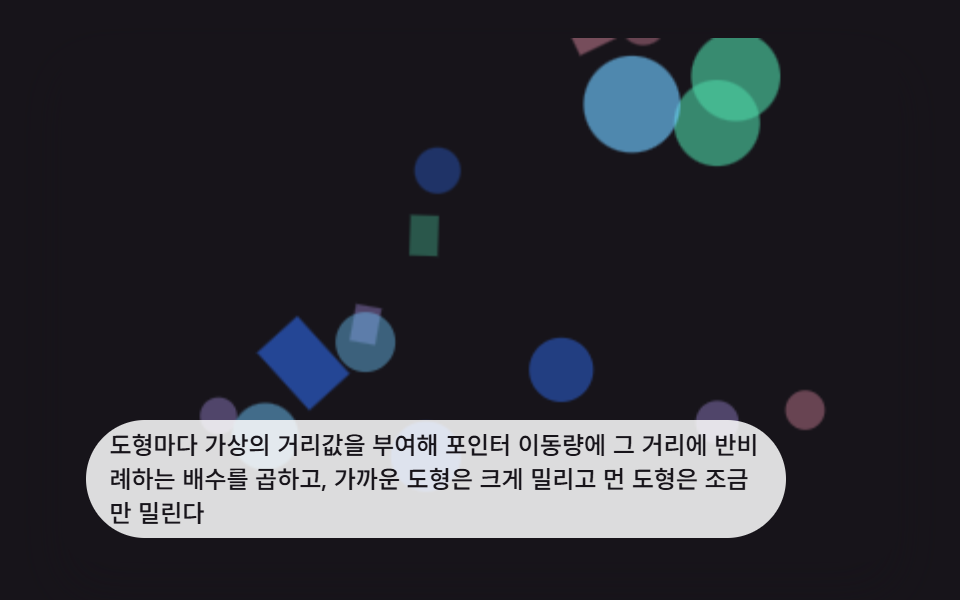 인터랙션css 배경 애니메이션 효과 9가지 — 깊이 층 3D 장면
 인터랙션3d 웹사이트 만들기 9종 — 마우스를 따라 도는 라이브러리 없는 모형
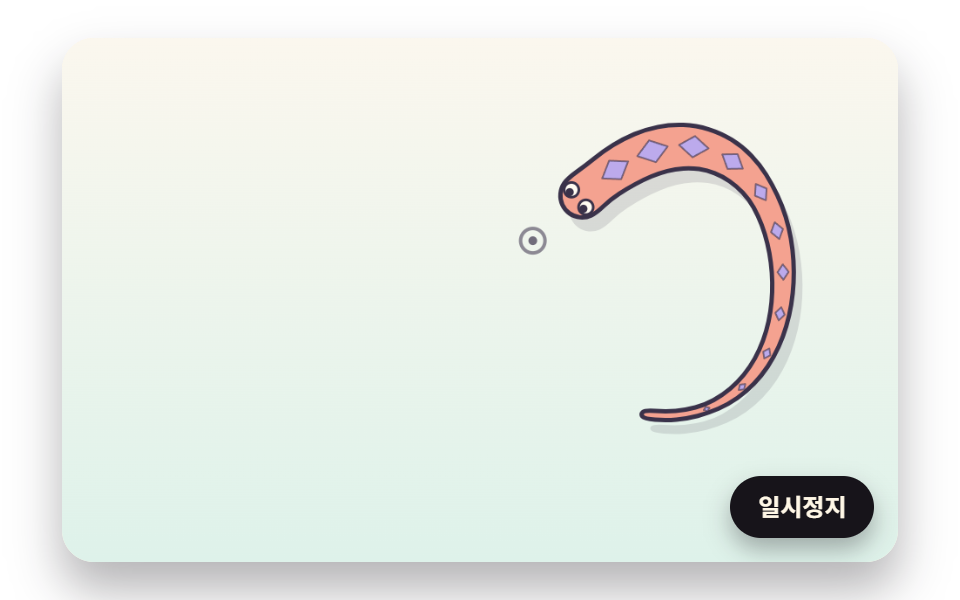 인터랙션마우스 따라다니는 캐릭터 9종 — 뱀·잉어·도마뱀·문어를 계산으로 움직이기
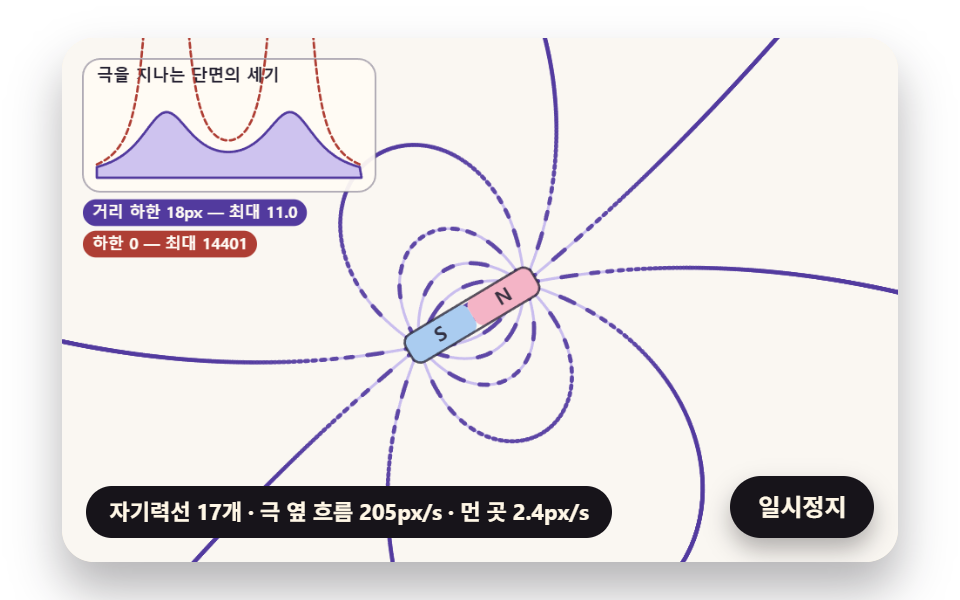 인터랙션자성유체 원리 9종 — 솟는 가시부터 자성유체 시계까지
 인터랙션마우스를 따라오는 CSS 3D 회전 장면 9종
 인터랙션마우스 따라다니는 효과 9종 — 커서를 쫓는 글씨·빛·파티클
 인터랙션css 3d 회전 장면 9종 — 마우스를 따라 도는 입체 씬 (CSS+캔버스)
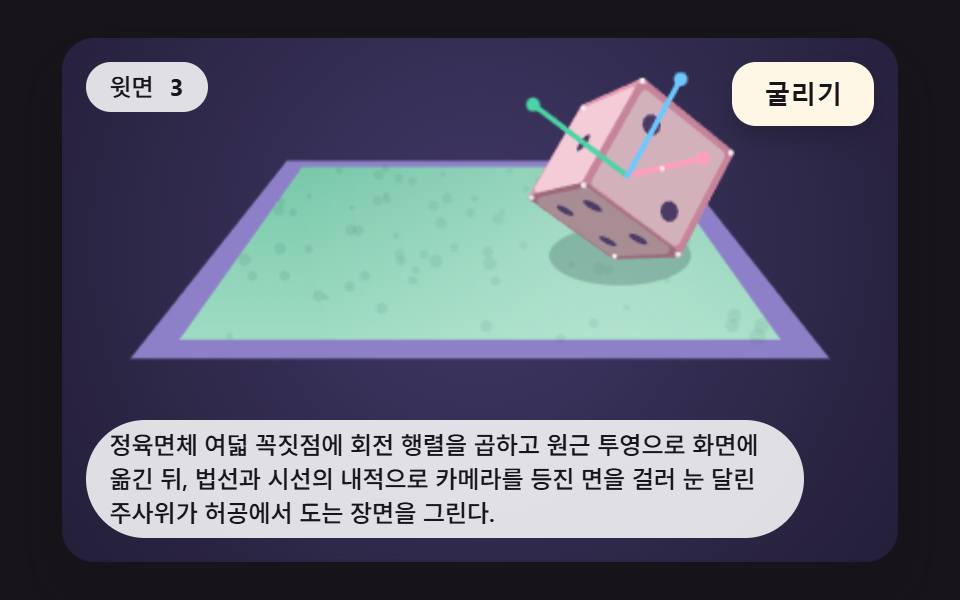 인터랙션주사위 굴리기 9가지 — 회전 행렬로 윗면을 읽어 내는 3D 장면
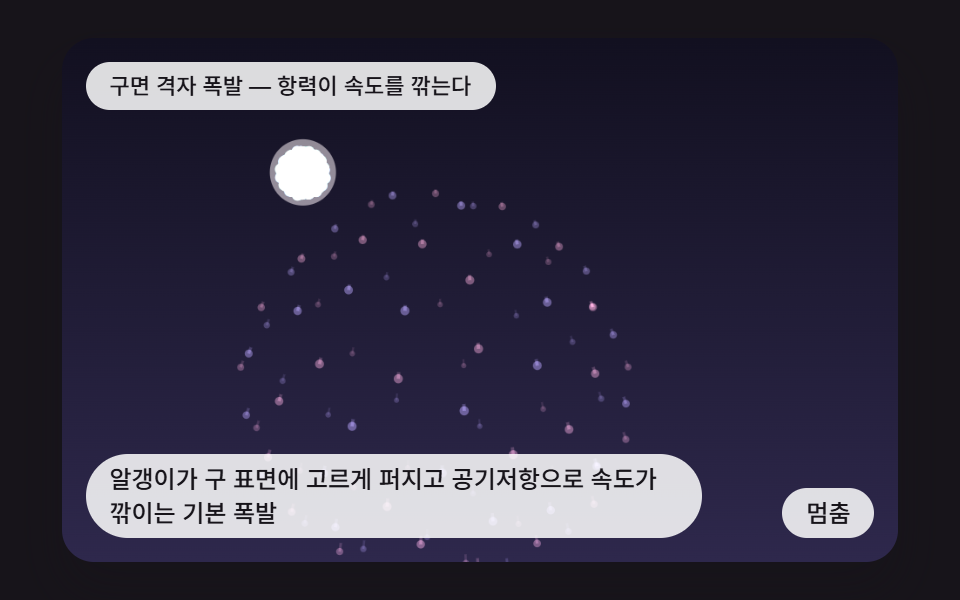 인터랙션css fireworks 9가지 — 쏘아 올려 터지고 물 위에 비치는 불꽃놀이 장면