마우스 따라다니는 효과 9종 — 커서를 쫓는 글씨·빛·파티클
마우스 따라다니는 효과는 커서 좌표를 매 프레임 읽어서 요소가 한 박자 늦게 쫓아오게 만드는 인터랙션입니다. 핵심은 lerp(선형 보간) 한 줄이고, 캔버스 없이 transform 한 줄로 만들어 무겁지 않습니다.
 01 follow-lerp-basics
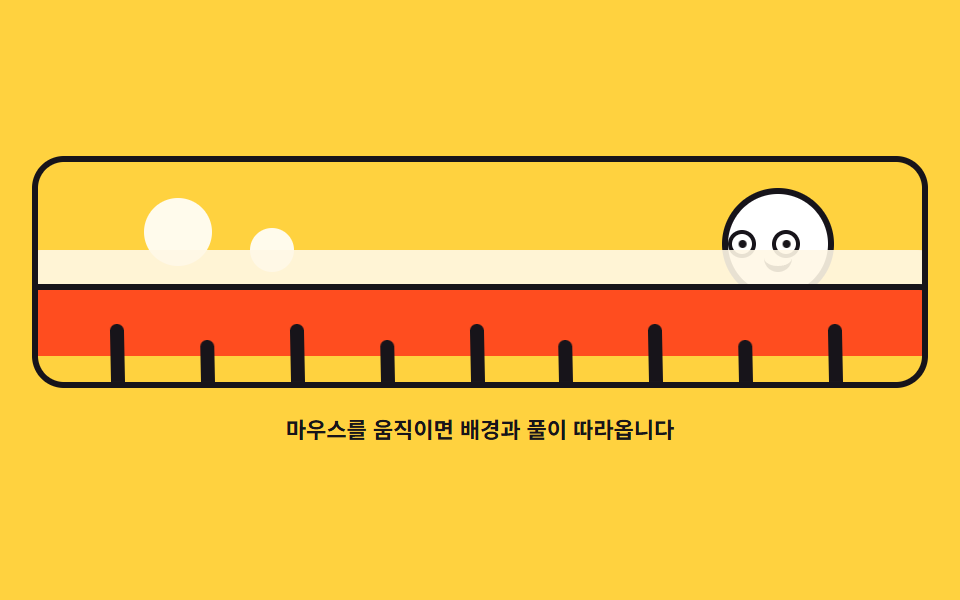 02 follow-background-parallax
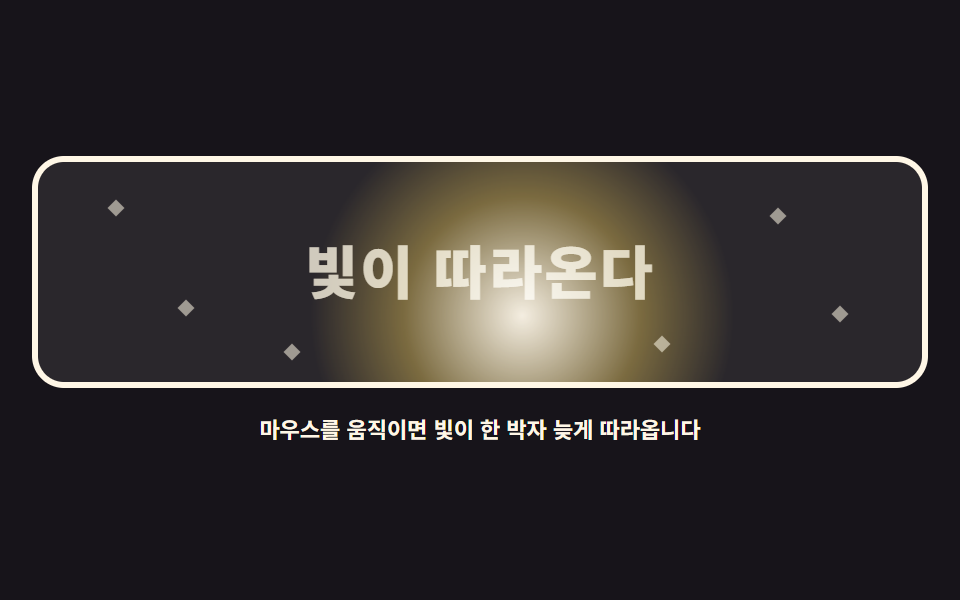 03 follow-spotlight-light
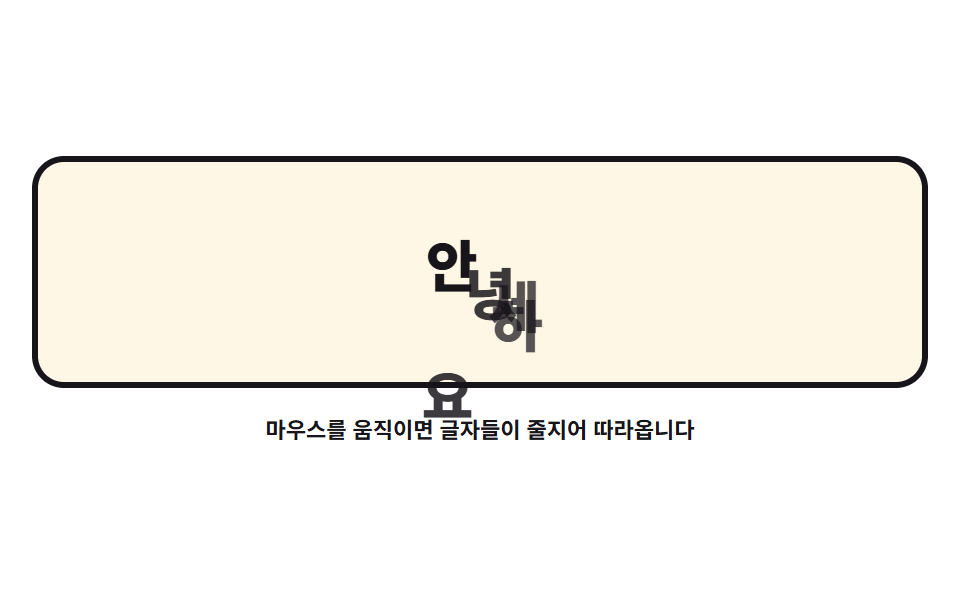 04 follow-text-train
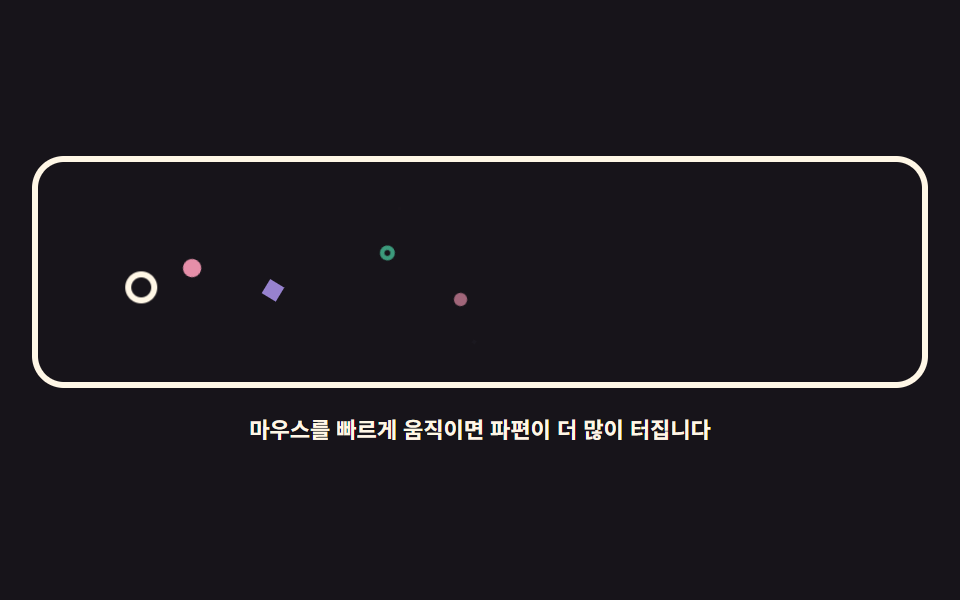 05 follow-particle-burst
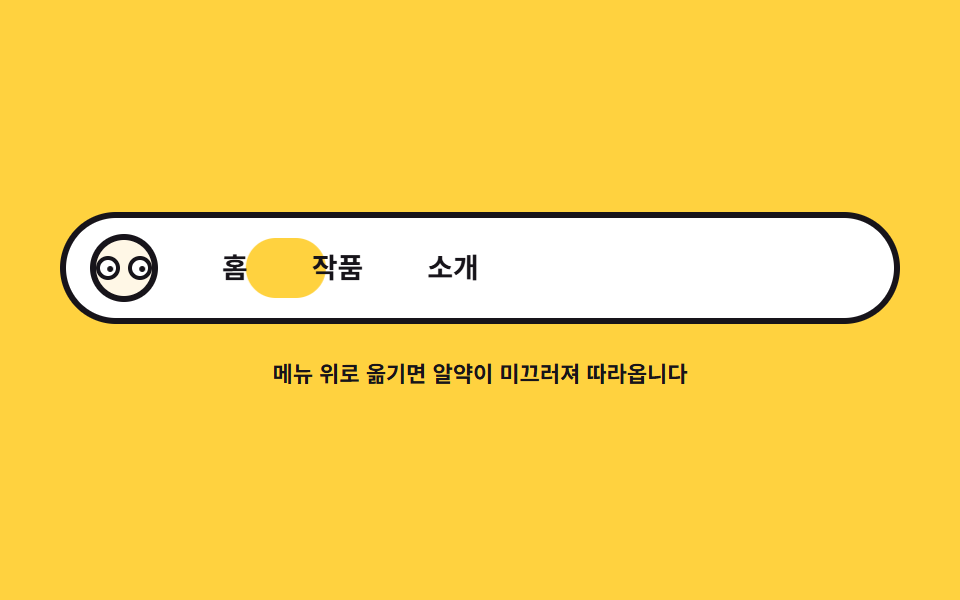 06 follow-nav-indicator
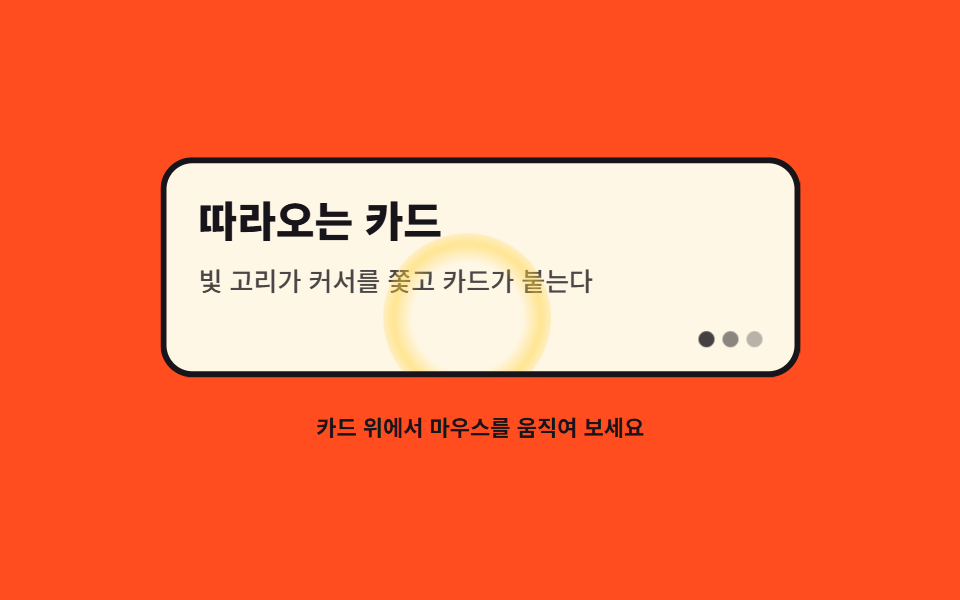 07 follow-card-glow-magnet
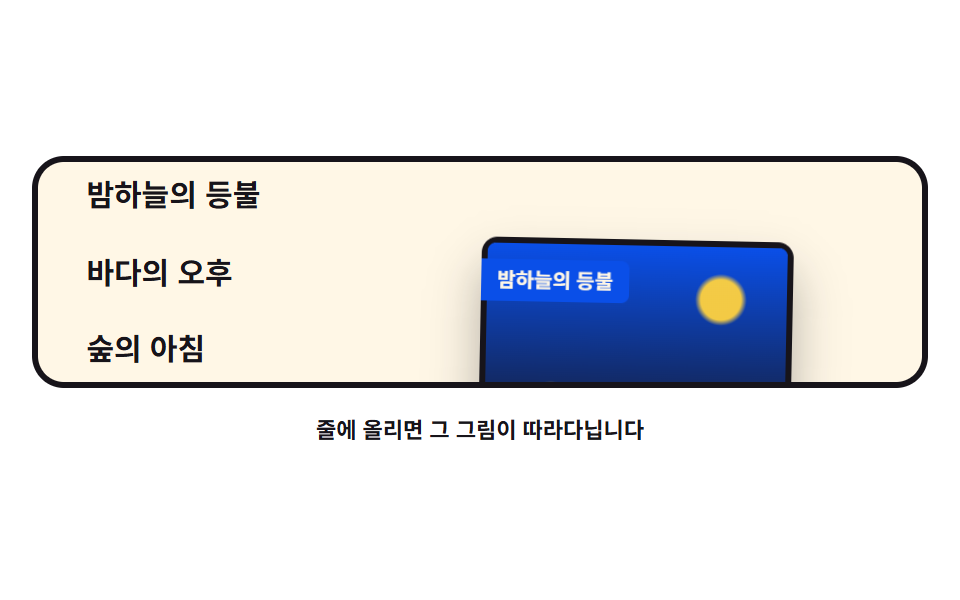 08 follow-image-preview
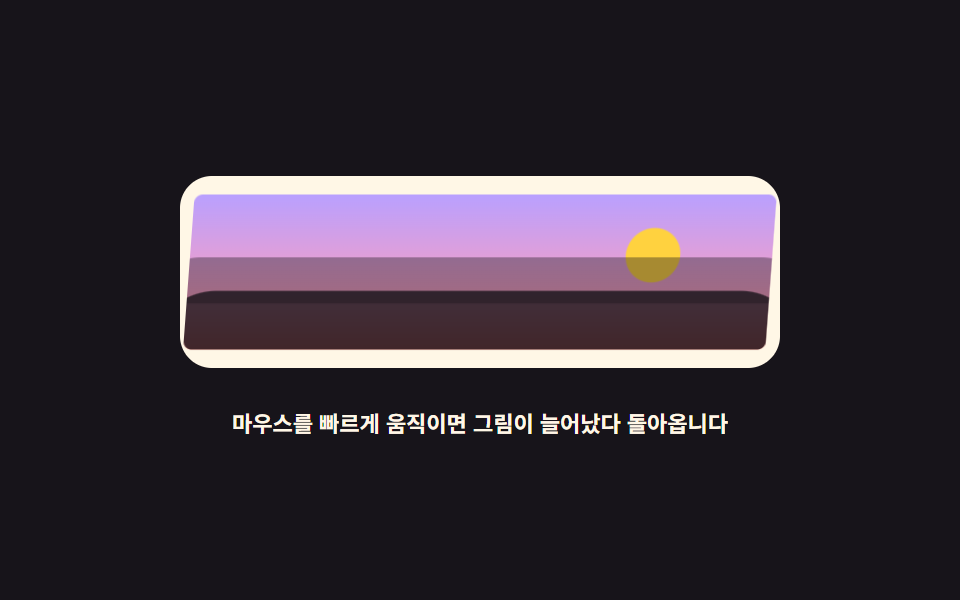 09 follow-image-warp
자동 재생 · 눌러서 해당 항목으로 · 전부 한 zip
- 01 따라다니기 기본 — 지연 추적
- 02 따라오는 배경 — 세 겹 시차
- 03 따라다니는 빛 — 스포트라이트
- 04 따라 다니는 글씨들 — 글자 기차
- 05 화려한 파티클 마우스 — DOM 파편
- 06 네비게이션 커서 이펙트 — 미끄러지는 알약
- 07 카드 오버 이펙트 — 글로우 링과 자석 붙음
- 08 오버 시 이미지 프리뷰 — 리본 꼬리
- 09 이미지 왜곡 추적 — 속도 늘어짐
아홉 개는 흔한 순서가 아니라 따라오는 대상이 커지는 순서입니다. 01에서 점 하나가 지연 추적의 원리를 배우고, 02·03에서 배경과 빛처럼 무대 자체가 반응하는 범위로 넓어지고, 04·05는 글씨와 파티클처럼 커서 뒤에 줄을 서는 대상, 06부터 08까지는 메뉴·카드·목록처럼 실제 UI 부품이 따라오는 단계, 09는 그림이 속도에 반응해 늘어나는 마무리입니다. 원리는 전부 같은 lerp라서 한 번 이해하면 아홉 개 전부가 같은 코드의 변주입니다.
01따라다니기 기본 — 지연 추적
모든 추적의 바탕으로, 남은 거리의 일부만 매 프레임 더 가는 lerp 한 줄로 요소가 커서를 한 박자 늦게 쫓게 하고 잔상 세 개가 그 지연을 프레임 차이로 보여 줍니다.
<main class="stage">
<div class="lb is-demo" id="lb">
  <div class="lb__field" role="img" aria-label="작은 커서 고리를 파란 점과 잔상 세 개가 한 박자 늦게 쫓는 그림">
    <span class="lb__ghost lb__ghost--3" aria-hidden="true"></span>
    <span class="lb__ghost lb__ghost--2" aria-hidden="true"></span>
    <span class="lb__ghost lb__ghost--1" aria-hidden="true"></span>
    <span class="lb__dot" id="lbDot" aria-hidden="true"></span>
    <span class="lb__cursor" id="lbCursor" aria-hidden="true"></span>
  </div>
  <p class="lb__hint">마우스를 움직이면 점이 한 박자 늦게 따라옵니다</p>
</div>
</main>
@use "../../../../site/static/demo-tokens" as *;
// 따라다니기 기본 — 실제 추적은 JS 가 남은 거리의 16% 만 매 프레임 더 가는 lerp 로 하고,
// 잔상 세 개는 점을 다시 쫓게 해 지연을 프레임 차이로 보여 준다.
// 격자 미리보기(.is-demo)는 커서 고리가 무대를 가로질렀다 되돌아오는 길을 @keyframes 로 움직이고,
// 점·잔상은 같은 길을 뒤처진 백분율로 따라간다.
$duration: $dur-loop;
$easing: $ease-spring;
$color: $subject-cream;
@include stage($stage-ink);
.lb { display: grid; justify-items: center; gap: $sp-4; width: 100%; }
.lb__field {
position: relative;
width: 100%; height: clamp(120px, 34vh, 180px);
}
// 커서를 뜻하는 고리 — 실제 포인터 자리를 표시한다
.lb__cursor {
position: absolute; left: 0; top: 0;
width: 18px; height: 18px; box-sizing: border-box;
border: 3px solid $color; border-radius: 50%;
will-change: transform;
}
.lb__dot {
position: absolute; left: 0; top: 0;
width: 14px; height: 14px;
background: $subject-blue-light; border-radius: 50%;
will-change: transform;
}
// 잔상 — 점이 지나온 자리를 알파로만 표시한다 (글자가 아니라 도형이라 알파를 쓴다)
.lb__ghost {
position: absolute; left: 0; top: 0;
width: 10px; height: 10px; border-radius: 50%;
background: $color;
will-change: transform;
}
.lb__ghost--1 { opacity: .55; }
.lb__ghost--2 { opacity: .38; }
.lb__ghost--3 { opacity: .24; }
.lb__hint { margin: 0; color: $color; font-weight: 700; font-size: clamp(9px, 2.4vw, 11px); }
// ── 미리보기 루프: 커서 고리가 오른쪽 끝까지 갔다가 아래 왼쪽으로 돌아온다.
// 점과 잔상은 같은 경로를 뒤처진 키프레임 위치로 따라가 지연이 그대로 보인다.
.lb.is-demo .lb__cursor,
.lb.is-demo .lb__dot,
.lb.is-demo .lb__ghost {
animation-duration: $duration;
animation-timing-function: $easing;
animation-iteration-count: infinite;
}
.lb.is-demo .lb__cursor { animation-name: lbCursor; }
.lb.is-demo .lb__dot { animation-name: lbDot; }
.lb.is-demo .lb__ghost--1 { animation-name: lbG1; }
.lb.is-demo .lb__ghost--2 { animation-name: lbG2; }
.lb.is-demo .lb__ghost--3 { animation-name: lbG3; }
@keyframes lbCursor {
0%, 4% { transform: translate3d(24px, 20px, 0); }
40%, 48% { transform: translate3d(240px, 26px, 0); }
58%, 64% { transform: translate3d(236px, 86px, 0); }
90%, 100% { transform: translate3d(24px, 20px, 0); }
}
@keyframes lbDot {
0%, 12% { transform: translate3d(24px, 20px, 0); }
46%, 54% { transform: translate3d(206px, 40px, 0); }
64%, 72% { transform: translate3d(192px, 72px, 0); }
94%, 100% { transform: translate3d(24px, 20px, 0); }
}
@keyframes lbG1 {
0%, 20% { transform: translate3d(24px, 20px, 0); }
52%, 60% { transform: translate3d(172px, 52px, 0); }
72%, 80% { transform: translate3d(156px, 60px, 0); }
96%, 100% { transform: translate3d(24px, 20px, 0); }
}
@keyframes lbG2 {
0%, 28% { transform: translate3d(24px, 20px, 0); }
58%, 66% { transform: translate3d(138px, 62px, 0); }
78%, 84% { transform: translate3d(126px, 46px, 0); }
98%, 100% { transform: translate3d(24px, 20px, 0); }
}
@keyframes lbG3 {
0%, 36% { transform: translate3d(24px, 20px, 0); }
64%, 72% { transform: translate3d(104px, 70px, 0); }
82%, 88% { transform: translate3d(96px, 34px, 0); }
98%, 100% { transform: translate3d(24px, 20px, 0); }
}
@media (max-width: 340px) {
.lb { gap: $sp-2; }
.lb__field { height: clamp(100px, 30vh, 140px); }
}
@media (prefers-reduced-motion: reduce) {
.lb.is-demo .lb__cursor,
.lb.is-demo .lb__dot,
.lb.is-demo .lb__ghost { animation: none !important; }
// reduce 에서는 네 요소가 가운데 한 줄로 늘어선 정지 상태를 보인다
.lb.is-demo .lb__cursor { transform: translate3d(60px, 20px, 0) !important; }
.lb.is-demo .lb__dot { transform: translate3d(96px, 24px, 0) !important; }
.lb.is-demo .lb__ghost--1 { transform: translate3d(132px, 28px, 0) !important; }
.lb.is-demo .lb__ghost--2 { transform: translate3d(168px, 32px, 0) !important; }
.lb.is-demo .lb__ghost--3 { transform: translate3d(204px, 36px, 0) !important; }
}html, body {
margin: 0;
overflow: hidden;
}
.stage {
box-sizing: border-box;
min-height: 100vh;
display: grid;
place-items: center;
margin: 0;
background: #17141a;
font-family: -apple-system, "Segoe UI", "Noto Sans KR", sans-serif;
padding: clamp(8px, 4vw, 24px);
}
.lb {
display: grid;
justify-items: center;
gap: 16px;
width: 100%;
}
.lb__field {
position: relative;
width: 100%;
height: clamp(120px, 34vh, 180px);
}
.lb__cursor {
position: absolute;
left: 0;
top: 0;
width: 18px;
height: 18px;
box-sizing: border-box;
border: 3px solid #fff7e6;
border-radius: 50%;
will-change: transform;
}
.lb__dot {
position: absolute;
left: 0;
top: 0;
width: 14px;
height: 14px;
background: #5b8cf8;
border-radius: 50%;
will-change: transform;
}
.lb__ghost {
position: absolute;
left: 0;
top: 0;
width: 10px;
height: 10px;
border-radius: 50%;
background: #fff7e6;
will-change: transform;
}
.lb__ghost--1 {
opacity: 0.55;
}
.lb__ghost--2 {
opacity: 0.38;
}
.lb__ghost--3 {
opacity: 0.24;
}
.lb__hint {
margin: 0;
color: #fff7e6;
font-weight: 700;
font-size: clamp(9px, 2.4vw, 11px);
}
.lb.is-demo .lb__cursor,
.lb.is-demo .lb__dot,
.lb.is-demo .lb__ghost {
animation-duration: 2s;
animation-timing-function: cubic-bezier(0.2, 0.8, 0.2, 1);
animation-iteration-count: infinite;
}
.lb.is-demo .lb__cursor {
animation-name: lbCursor;
}
.lb.is-demo .lb__dot {
animation-name: lbDot;
}
.lb.is-demo .lb__ghost--1 {
animation-name: lbG1;
}
.lb.is-demo .lb__ghost--2 {
animation-name: lbG2;
}
.lb.is-demo .lb__ghost--3 {
animation-name: lbG3;
}
@keyframes lbCursor {
0%, 4% {
transform: translate3d(24px, 20px, 0);
}
40%, 48% {
transform: translate3d(240px, 26px, 0);
}
58%, 64% {
transform: translate3d(236px, 86px, 0);
}
90%, 100% {
transform: translate3d(24px, 20px, 0);
}
}
@keyframes lbDot {
0%, 12% {
transform: translate3d(24px, 20px, 0);
}
46%, 54% {
transform: translate3d(206px, 40px, 0);
}
64%, 72% {
transform: translate3d(192px, 72px, 0);
}
94%, 100% {
transform: translate3d(24px, 20px, 0);
}
}
@keyframes lbG1 {
0%, 20% {
transform: translate3d(24px, 20px, 0);
}
52%, 60% {
transform: translate3d(172px, 52px, 0);
}
72%, 80% {
transform: translate3d(156px, 60px, 0);
}
96%, 100% {
transform: translate3d(24px, 20px, 0);
}
}
@keyframes lbG2 {
0%, 28% {
transform: translate3d(24px, 20px, 0);
}
58%, 66% {
transform: translate3d(138px, 62px, 0);
}
78%, 84% {
transform: translate3d(126px, 46px, 0);
}
98%, 100% {
transform: translate3d(24px, 20px, 0);
}
}
@keyframes lbG3 {
0%, 36% {
transform: translate3d(24px, 20px, 0);
}
64%, 72% {
transform: translate3d(104px, 70px, 0);
}
82%, 88% {
transform: translate3d(96px, 34px, 0);
}
98%, 100% {
transform: translate3d(24px, 20px, 0);
}
}
@media (max-width: 340px) {
.lb {
gap: 8px;
}
.lb__field {
height: clamp(100px, 30vh, 140px);
}
}
@media (prefers-reduced-motion: reduce) {
.lb.is-demo .lb__cursor,
.lb.is-demo .lb__dot,
.lb.is-demo .lb__ghost {
animation: none !important;
}
.lb.is-demo .lb__cursor {
transform: translate3d(60px, 20px, 0) !important;
}
.lb.is-demo .lb__dot {
transform: translate3d(96px, 24px, 0) !important;
}
.lb.is-demo .lb__ghost--1 {
transform: translate3d(132px, 28px, 0) !important;
}
.lb.is-demo .lb__ghost--2 {
transform: translate3d(168px, 32px, 0) !important;
}
.lb.is-demo .lb__ghost--3 {
transform: translate3d(204px, 36px, 0) !important;
}
}var root = document.getElementById('lb');
var field = root.querySelector('.lb__field');
var cursorEl = document.getElementById('lbCursor');
var dotEl = document.getElementById('lbDot');
var ghosts = Array.prototype.slice.call(root.querySelectorAll('.lb__ghost')).reverse();
// ghosts[0] 이 점 바로 뒤, ghosts[2] 가 가장 느리다 (DOM 역순으로 담았다)
var reduce = window.matchMedia('(prefers-reduced-motion: reduce)').matches;
// lerp: 매 프레임 남은 거리의 일부만 더 가는 선형 보간 — factor 가 작을수록 한 박자 늦게 따라온다
function lerp(a, b, k) { return a + (b - a) * k; }
var target = { x: 0, y: 0 };
var dot = { x: 0, y: 0 };
var trail = [{ x: 0, y: 0 }, { x: 0, y: 0 }, { x: 0, y: 0 }];
var factors = [0.10, 0.065, 0.04];
function center() {
var r = field.getBoundingClientRect();
return { x: r.width / 2, y: r.height / 2 };
}
function setTarget(cx, cy) {
var r = field.getBoundingClientRect();
target.x = cx - r.left;
target.y = cy - r.top;
}
function draw() {
cursorEl.style.transform = 'translate3d(' + (target.x - 9) + 'px,' + (target.y - 9) + 'px,0)';
dotEl.style.transform = 'translate3d(' + (dot.x - 7) + 'px,' + (dot.y - 7) + 'px,0)';
for (var i = 0; i < trail.length; i++) {
ghosts[i].style.transform = 'translate3d(' + (trail[i].x - 5) + 'px,' + (trail[i].y - 5) + 'px,0)';
}
}
function tick() {
dot.x = lerp(dot.x, target.x, 0.16);
dot.y = lerp(dot.y, target.y, 0.16);
var prev = dot;
for (var i = 0; i < trail.length; i++) {
trail[i].x = lerp(trail[i].x, prev.x, factors[i]);
trail[i].y = lerp(trail[i].y, prev.y, factors[i]);
prev = trail[i];
}
draw();
requestAnimationFrame(tick);
}
function start() {
var c = center();
target = { x: c.x, y: c.y };
dot = { x: c.x, y: c.y };
trail = [{ x: c.x, y: c.y }, { x: c.x, y: c.y }, { x: c.x, y: c.y }];
}
window.addEventListener('pointermove', function (e) {
root.classList.remove('is-demo');
setTarget(e.clientX, e.clientY);
});
// 터치 폴백: 손가락을 대면 그 지점을 쫓게 한다
window.addEventListener('pointerdown', function (e) {
root.classList.remove('is-demo');
setTarget(e.clientX, e.clientY);
});
start();
if (reduce) {
// 움직임을 줄이는 설정에서는 쫓기 없이 즉시 따라붙는다
window.addEventListener('pointermove', function (e) { setTarget(e.clientX, e.clientY); dot = { x: target.x, y: target.y }; draw(); });
} else {
requestAnimationFrame(tick);
}// LerpBasics — vanilla 판(run/079/demo/01-follow-lerp-basics/index.html) 의 React 포트.
// 점이 커서를 lerp(0.16)로 쫓고, 잔상 세 개는 다시 점을 쫓게 해 지연을 프레임 차이로 보여 준다.
// 계수(0.16 · 0.10/0.065/0.04)와 잔상 순서는 vanilla 와 같은 값이다 (다시 타이핑하지 않는다).
import { useEffect, useRef, useState } from "react";
import type { CSSProperties } from "react";
import styles from "./LerpBasics.module.scss";
export type LerpBasicsProps = {
duration?: number;
easing?: string;
color?: string;
};
type Vars = CSSProperties & { "--duration"?: string; "--easing"?: string; "--color"?: string };
// useRef 는 T | null 을 돌려준다. 처음부터 값이 있고 절대 비지 않는 상자는 이렇게 좁혀 쓴다
type Box<T> = { current: T };
// 전역 DOM 타입에 기대지 않는다 — 포인터 이벤트에서 실제로 읽는 것만 적는다
type PtrEvt = { clientX: number; clientY: number };
const FIELD_LABEL = "작은 커서 고리를 파란 점과 잔상 세 개가 한 박자 늦게 쫓는 그림";
const HINT = "마우스를 움직이면 점이 한 박자 늦게 따라옵니다";
// ghosts[0] 이 점 바로 뒤, ghosts[2] 가 가장 느리다 — 잔상 DOM 은 역순으로 섰다
const TRAIL_FACTORS = [0.10, 0.065, 0.04];
// lerp: 매 프레임 남은 거리의 일부만 더 가는 선형 보간 — factor 가 작을수록 한 박자 늦게 따라온다
function lerp(a: number, b: number, k: number): number {
return a + (b - a) * k;
}
export default function LerpBasics({
duration = 2000,
easing = "cubic-bezier(.2, .8, .2, 1)",
color = "#fff7e6",
}: LerpBasicsProps) {
const fieldRef = useRef<HTMLDivElement | null>(null) as Box<HTMLDivElement>;
const cursorRef = useRef<HTMLSpanElement | null>(null);
const dotRef = useRef<HTMLSpanElement | null>(null);
const ghostRef = useRef<(HTMLSpanElement | null)[]>(new Array(3).fill(null)) as Box<(HTMLSpanElement | null)[]>;
const [demo, setDemo] = useState(true);
const vars: Vars = { "--duration": `${duration}ms`, "--easing": easing, "--color": color };
function setGhost(index: number) {
return (el: HTMLSpanElement | null): void => {
ghostRef.current[index] = el;
};
}
useEffect(() => {
const field = fieldRef.current;
if (!field) return;
const reduce = window.matchMedia("(prefers-reduced-motion: reduce)").matches;
const target = { x: 0, y: 0 };
const dot = { x: 0, y: 0 };
const trail = [
{ x: 0, y: 0 },
{ x: 0, y: 0 },
{ x: 0, y: 0 },
];
function setTarget(cx: number, cy: number): void {
const r = field.getBoundingClientRect();
target.x = cx - r.left;
target.y = cy - r.top;
}
function draw(): void {
const cursor = cursorRef.current;
const dotEl = dotRef.current;
if (cursor) cursor.style.transform = "translate3d(" + (target.x - 9) + "px," + (target.y - 9) + "px,0)";
if (dotEl) dotEl.style.transform = "translate3d(" + (dot.x - 7) + "px," + (dot.y - 7) + "px,0)";
for (let i = 0; i < trail.length; i++) {
const ghost = ghostRef.current[i];
if (ghost) ghost.style.transform = "translate3d(" + (trail[i].x - 5) + "px," + (trail[i].y - 5) + "px,0)";
}
}
function tick(): void {
dot.x = lerp(dot.x, target.x, 0.16);
dot.y = lerp(dot.y, target.y, 0.16);
let prev = dot;
for (let i = 0; i < trail.length; i++) {
trail[i].x = lerp(trail[i].x, prev.x, TRAIL_FACTORS[i]);
trail[i].y = lerp(trail[i].y, prev.y, TRAIL_FACTORS[i]);
prev = trail[i];
}
draw();
raf = requestAnimationFrame(tick);
}
function start(): void {
const r = field.getBoundingClientRect();
const c = { x: r.width / 2, y: r.height / 2 };
target.x = c.x;
target.y = c.y;
dot.x = c.x;
dot.y = c.y;
for (let i = 0; i < trail.length; i++) {
trail[i].x = c.x;
trail[i].y = c.y;
}
}
function onMove(event: PtrEvt): void {
setDemo(false);
setTarget(event.clientX, event.clientY);
if (reduce) {
// 움직임을 줄이는 설정에서는 쫓기 없이 즉시 따라붙는다
dot.x = target.x;
dot.y = target.y;
draw();
}
}
// 터치 폴백: 손가락을 대면 그 지점을 쫓게 한다
function onDown(event: PtrEvt): void {
setDemo(false);
setTarget(event.clientX, event.clientY);
}
window.addEventListener("pointermove", onMove);
window.addEventListener("pointerdown", onDown);
let raf = 0;
start();
if (!reduce) raf = requestAnimationFrame(tick);
return () => {
window.removeEventListener("pointermove", onMove);
window.removeEventListener("pointerdown", onDown);
cancelAnimationFrame(raf);
};
}, []);
return (
<main className={styles.stage}>
<div className={styles.root + (demo ? " " + styles.isDemo : "")} style={vars}>
<div className={styles.field} ref={fieldRef} role="img" aria-label={FIELD_LABEL}>
<span className={styles.ghost + " " + styles.ghost3} aria-hidden="true" ref={setGhost(2)}></span>
<span className={styles.ghost + " " + styles.ghost2} aria-hidden="true" ref={setGhost(1)}></span>
<span className={styles.ghost + " " + styles.ghost1} aria-hidden="true" ref={setGhost(0)}></span>
<span className={styles.dot} aria-hidden="true" ref={dotRef}></span>
<span className={styles.cursor} aria-hidden="true" ref={cursorRef}></span>
</div>
<p className={styles.hint}>{HINT}</p>
</div>
</main>
);
}01 · 따라다니기 기본 — 지연 추적 — 측정 누적면적 3.684% · 움직인 프레임 23/23GODRICH 원작 · zip 에 SCSS·React 포함 · 비밀번호 보기
lerp 한 줄이 지연을 만든다
function lerp(a, b, k) { return a + (b - a) * k; }

function tick() {
  dot.x = lerp(dot.x, target.x, 0.16);
  dot.y = lerp(dot.y, target.y, 0.16);
  draw();
  requestAnimationFrame(tick);
}
k가 0.16이면 매 프레임 남은 거리의 16%만 가므로 커서가 멈추면 거리가 84%, 71%, 59%로 줄며 스르르 붙고, 잔상 세 개는 이 점을 계수 0.10, 0.065, 0.04로 다시 쫓게 해 지연이 눈에 보입니다.
얼마나 뒤처지는지 실측했다
누적면적 3.68%·강도 120.2·움직인 프레임 23/23이고, 실제 마우스를 움직인 프로브에서는 마지막 이동 40프레임 뒤 점과 커서 사이가 2.2px로 수렴했습니다.
02따라오는 배경 — 세 겹 시차
먼 언덕·가까운 언덕·풀이 커서의 가로 위치를 서로 다른 비율로 쫓아오고, 풀잎은 커서 쪽에 눕고 해의 눈동자도 커서를 따라갑니다.
<main class="stage">
<div class="bg is-demo" id="bg">
  <div class="bg__scene" role="img" aria-label="언덕과 풀 위에 해가 뜨고 해의 눈이 커서를 바라보는 그림">
    <div class="bg__sky" aria-hidden="true"></div>
    <div class="bg__sun" aria-hidden="true">
      <span class="bg__eye"><span class="bg__pupil"></span></span>
      <span class="bg__eye"><span class="bg__pupil"></span></span>
      <span class="bg__mouth"></span>
    </div>
    <div class="bg__hill bg__hill--far" aria-hidden="true"></div>
    <div class="bg__hill bg__hill--mid" aria-hidden="true"></div>
    <div class="bg__grass" aria-hidden="true">
      <span class="bg__blade"></span><span class="bg__blade"></span><span class="bg__blade"></span>
      <span class="bg__blade"></span><span class="bg__blade"></span><span class="bg__blade"></span>
      <span class="bg__blade"></span><span class="bg__blade"></span><span class="bg__blade"></span>
    </div>
  </div>
  <p class="bg__hint">마우스를 움직이면 배경과 풀이 따라옵니다</p>
</div>
</main>
@use "../../../../site/static/demo-tokens" as *;
// 따라오는 배경 — 실제 시차는 JS 가 커서 가로 위치(--px, 0~1)를 lerp 로 부드럽게 만들어
// 멀리 언덕은 -10px, 가까운 언덕은 -22px, 풀은 -34px 씩 밀어 서로 다른 속도로 따라오게 한다.
// 풀잎 skewX 는 --px 하나를 공유해 커서 쪽으로 눕고, 해의 눈동자도 같은 값으로 커서를 본다.
// 격자 미리보기(.is-demo)는 커서가 좌우로 지나간 것과 같은 진폭을 @keyframes 로 왕복시킨다.
$duration: $dur-loop;
$easing: $ease-spring;
$color: $subject-ink;
@include stage($stage-yellow);
.bg { display: grid; justify-items: center; gap: $sp-3; width: 100%; }
.bg__scene {
--px: 0.5;
position: relative; overflow: hidden;
width: 100%; height: clamp(110px, 32vh, 160px);
border: 3px solid $color; border-radius: $r-card;
background: $stage-yellow;
}
// 하늘 장식 — 반달 모양 구름 두 개 (그라디언트가 아니라 흰 원으로)
.bg__sky::before, .bg__sky::after {
content: ""; position: absolute; border-radius: 50%;
background: $stage-paper; opacity: .9;
}
.bg__sky::before { width: 34px; height: 34px; left: 12%; top: 16%; }
.bg__sky::after { width: 22px; height: 22px; left: 24%; top: 30%; }
// 해 — 눈 두 개가 커서를 쫓는다
.bg__sun {
position: absolute; right: 10%; top: 12%;
display: flex; align-items: center; gap: $sp-2;
width: clamp(44px, 12vw, 56px); height: clamp(44px, 12vw, 56px);
box-sizing: border-box;
background: $stage-paper; border: 3px solid $color; border-radius: 50%;
}
.bg__eye {
position: relative; overflow: hidden;
width: 10px; height: 10px;
background: $stage-paper; border: 2px solid $color; border-radius: 50%;
}
.bg__pupil {
position: absolute; left: 50%; top: 50%;
width: 4px; height: 4px; margin: -2px 0 0 -2px;
background: $color; border-radius: 50%;
}
.bg__mouth {
position: absolute; left: 50%; bottom: 22%;
width: 14px; height: 6px; margin-left: -7px;
border-bottom: 3px solid $color; border-radius: 0 0 $r-pill $r-pill;
}
// 언덕 두 겹 — 멀수록 연하게, 밀리는 폭은 JS 가 정한다
.bg__hill { position: absolute; left: -8%; right: -8%; border-radius: $r-pill $r-pill 0 0; }
.bg__hill--far {
bottom: 26%; height: 34%;
background: $subject-cream; opacity: .9;
}
.bg__hill--mid {
bottom: 12%; height: 30%;
background: $stage-orange;
border: 3px solid $color; border-bottom: 0;
}
// 풀 — 잎마다 --px 를 공유해 skewX 로 눕는다. 원점은 뿌리(아래)다 (붙는 지점이 있는 요소)
.bg__grass {
position: absolute; left: 0; right: 0; bottom: 0;
display: flex; justify-content: space-evenly; align-items: flex-end;
height: 26%;
}
.bg__blade {
width: 7px; border-radius: $r-pill $r-pill 0 0;
background: $color;
transform-origin: 50% 100%;
transform: skewX(calc((0.5 - var(--px)) * 26deg));
}
.bg__blade:nth-child(odd) { height: 100%; }
.bg__blade:nth-child(even) { height: 74%; }
.bg__hint { margin: 0; color: $color; font-weight: 700; font-size: clamp(9px, 2.4vw, 11px); }
// ── 미리보기 루프: 커서가 왼쪽 끝 → 오른쪽 끝을 지나간 것과 같은 진폭을 겹마다 다르게 왕복한다
.bg.is-demo .bg__hill--far { animation: bgFar $duration $easing infinite; }
.bg.is-demo .bg__hill--mid { animation: bgMid $duration $easing infinite; }
.bg.is-demo .bg__grass { animation: bgNear $duration $easing infinite; }
.bg.is-demo .bg__blade { animation: bgLean $duration $easing infinite; }
.bg.is-demo .bg__pupil { animation: bgPeek $duration $easing infinite; }
@keyframes bgFar {
0%, 4% { transform: translate3d(5px, 0, 0); }
34% { transform: translate3d(-5px, 0, 0); }
44%, 50% { transform: translate3d(-5px, 0, 0); }
80% { transform: translate3d(5px, 0, 0); }
88%, 100% { transform: translate3d(5px, 0, 0); }
}
@keyframes bgMid {
0%, 4% { transform: translate3d(11px, 0, 0); }
34% { transform: translate3d(-11px, 0, 0); }
44%, 50% { transform: translate3d(-11px, 0, 0); }
80% { transform: translate3d(11px, 0, 0); }
88%, 100% { transform: translate3d(11px, 0, 0); }
}
@keyframes bgNear {
0%, 4% { transform: translate3d(17px, 0, 0); }
34% { transform: translate3d(-17px, 0, 0); }
44%, 50% { transform: translate3d(-17px, 0, 0); }
80% { transform: translate3d(17px, 0, 0); }
88%, 100% { transform: translate3d(17px, 0, 0); }
}
// 풀잎 눕음 — 커서가 오른쪽(0.5 → 1)에 있으면 왼쪽으로 눕는다
@keyframes bgLean {
0%, 4% { transform: skewX(-13deg); }
34% { transform: skewX(13deg); }
44%, 50% { transform: skewX(13deg); }
80% { transform: skewX(-13deg); }
88%, 100% { transform: skewX(-13deg); }
}
@keyframes bgPeek {
0%, 4% { transform: translate3d(-3.5px, 0, 0); }
34% { transform: translate3d(3.5px, 0, 0); }
44%, 50% { transform: translate3d(3.5px, 0, 0); }
80% { transform: translate3d(-3.5px, 0, 0); }
88%, 100% { transform: translate3d(-3.5px, 0, 0); }
}
@media (max-width: 340px) {
.bg { gap: $sp-2; }
.bg__scene { height: clamp(96px, 28vh, 130px); }
.bg__sun { right: 6%; }
}
@media (prefers-reduced-motion: reduce) {
.bg.is-demo .bg__hill--far,
.bg.is-demo .bg__hill--mid,
.bg.is-demo .bg__grass,
.bg.is-demo .bg__blade,
.bg.is-demo .bg__pupil { animation: none !important; }
// reduce 에서는 잎이 곧게 선 정경만 보인다
.bg.is-demo .bg__blade { transform: skewX(0deg) !important; }
}html, body {
margin: 0;
overflow: hidden;
}
.stage {
box-sizing: border-box;
min-height: 100vh;
display: grid;
place-items: center;
margin: 0;
background: #ffd23f;
font-family: -apple-system, "Segoe UI", "Noto Sans KR", sans-serif;
padding: clamp(8px, 4vw, 24px);
}
.bg {
display: grid;
justify-items: center;
gap: 12px;
width: 100%;
}
.bg__scene {
--px: 0.5;
position: relative;
overflow: hidden;
width: 100%;
height: clamp(110px, 32vh, 160px);
border: 3px solid #17141a;
border-radius: 16px;
background: #ffd23f;
}
.bg__sky::before, .bg__sky::after {
content: "";
position: absolute;
border-radius: 50%;
background: #ffffff;
opacity: 0.9;
}
.bg__sky::before {
width: 34px;
height: 34px;
left: 12%;
top: 16%;
}
.bg__sky::after {
width: 22px;
height: 22px;
left: 24%;
top: 30%;
}
.bg__sun {
position: absolute;
right: 10%;
top: 12%;
display: flex;
align-items: center;
gap: 8px;
width: clamp(44px, 12vw, 56px);
height: clamp(44px, 12vw, 56px);
box-sizing: border-box;
background: #ffffff;
border: 3px solid #17141a;
border-radius: 50%;
}
.bg__eye {
position: relative;
overflow: hidden;
width: 10px;
height: 10px;
background: #ffffff;
border: 2px solid #17141a;
border-radius: 50%;
}
.bg__pupil {
position: absolute;
left: 50%;
top: 50%;
width: 4px;
height: 4px;
margin: -2px 0 0 -2px;
background: #17141a;
border-radius: 50%;
}
.bg__mouth {
position: absolute;
left: 50%;
bottom: 22%;
width: 14px;
height: 6px;
margin-left: -7px;
border-bottom: 3px solid #17141a;
border-radius: 0 0 999px 999px;
}
.bg__hill {
position: absolute;
left: -8%;
right: -8%;
border-radius: 999px 999px 0 0;
}
.bg__hill--far {
bottom: 26%;
height: 34%;
background: #fff7e6;
opacity: 0.9;
}
.bg__hill--mid {
bottom: 12%;
height: 30%;
background: #ff4d1f;
border: 3px solid #17141a;
border-bottom: 0;
}
.bg__grass {
position: absolute;
left: 0;
right: 0;
bottom: 0;
display: flex;
justify-content: space-evenly;
align-items: flex-end;
height: 26%;
}
.bg__blade {
width: 7px;
border-radius: 999px 999px 0 0;
background: #17141a;
transform-origin: 50% 100%;
transform: skewX(calc((0.5 - var(--px)) * 26deg));
}
.bg__blade:nth-child(odd) {
height: 100%;
}
.bg__blade:nth-child(even) {
height: 74%;
}
.bg__hint {
margin: 0;
color: #17141a;
font-weight: 700;
font-size: clamp(9px, 2.4vw, 11px);
}
.bg.is-demo .bg__hill--far {
animation: bgFar 2s cubic-bezier(0.2, 0.8, 0.2, 1) infinite;
}
.bg.is-demo .bg__hill--mid {
animation: bgMid 2s cubic-bezier(0.2, 0.8, 0.2, 1) infinite;
}
.bg.is-demo .bg__grass {
animation: bgNear 2s cubic-bezier(0.2, 0.8, 0.2, 1) infinite;
}
.bg.is-demo .bg__blade {
animation: bgLean 2s cubic-bezier(0.2, 0.8, 0.2, 1) infinite;
}
.bg.is-demo .bg__pupil {
animation: bgPeek 2s cubic-bezier(0.2, 0.8, 0.2, 1) infinite;
}
@keyframes bgFar {
0%, 4% {
transform: translate3d(5px, 0, 0);
}
34% {
transform: translate3d(-5px, 0, 0);
}
44%, 50% {
transform: translate3d(-5px, 0, 0);
}
80% {
transform: translate3d(5px, 0, 0);
}
88%, 100% {
transform: translate3d(5px, 0, 0);
}
}
@keyframes bgMid {
0%, 4% {
transform: translate3d(11px, 0, 0);
}
34% {
transform: translate3d(-11px, 0, 0);
}
44%, 50% {
transform: translate3d(-11px, 0, 0);
}
80% {
transform: translate3d(11px, 0, 0);
}
88%, 100% {
transform: translate3d(11px, 0, 0);
}
}
@keyframes bgNear {
0%, 4% {
transform: translate3d(17px, 0, 0);
}
34% {
transform: translate3d(-17px, 0, 0);
}
44%, 50% {
transform: translate3d(-17px, 0, 0);
}
80% {
transform: translate3d(17px, 0, 0);
}
88%, 100% {
transform: translate3d(17px, 0, 0);
}
}
@keyframes bgLean {
0%, 4% {
transform: skewX(-13deg);
}
34% {
transform: skewX(13deg);
}
44%, 50% {
transform: skewX(13deg);
}
80% {
transform: skewX(-13deg);
}
88%, 100% {
transform: skewX(-13deg);
}
}
@keyframes bgPeek {
0%, 4% {
transform: translate3d(-3.5px, 0, 0);
}
34% {
transform: translate3d(3.5px, 0, 0);
}
44%, 50% {
transform: translate3d(3.5px, 0, 0);
}
80% {
transform: translate3d(-3.5px, 0, 0);
}
88%, 100% {
transform: translate3d(-3.5px, 0, 0);
}
}
@media (max-width: 340px) {
.bg {
gap: 8px;
}
.bg__scene {
height: clamp(96px, 28vh, 130px);
}
.bg__sun {
right: 6%;
}
}
@media (prefers-reduced-motion: reduce) {
.bg.is-demo .bg__hill--far,
.bg.is-demo .bg__hill--mid,
.bg.is-demo .bg__grass,
.bg.is-demo .bg__blade,
.bg.is-demo .bg__pupil {
animation: none !important;
}
.bg.is-demo .bg__blade {
transform: skewX(0deg) !important;
}
}var root = document.getElementById('bg');
var scene = root.querySelector('.bg__scene');
var far = root.querySelector('.bg__hill--far');
var mid = root.querySelector('.bg__hill--mid');
var grass = root.querySelector('.bg__grass');
var pupils = Array.prototype.slice.call(root.querySelectorAll('.bg__pupil'));
var reduce = window.matchMedia('(prefers-reduced-motion: reduce)').matches;
function lerp(a, b, k) { return a + (b - a) * k; }
// --px 는 0~1 사이 커서 가로 위치. 풀잎 skewX 가 이 값 하나를 공유해 같이 눕는다
var px = 0.5;
var pxNow = 0.5;
function tick() {
pxNow = lerp(pxNow, px, 0.08);
scene.style.setProperty('--px', pxNow.toFixed(4));
var dx = pxNow - 0.5;
// 멀수록 조금, 가까울수록 많이 밀린다 — 시차
far.style.transform = 'translate3d(' + (dx * -10).toFixed(1) + 'px,0,0)';
mid.style.transform = 'translate3d(' + (dx * -22).toFixed(1) + 'px,0,0)';
grass.style.transform = 'translate3d(' + (dx * -34).toFixed(1) + 'px,0,0)';
for (var i = 0; i < pupils.length; i++) {
pupils[i].style.transform = 'translate3d(' + (dx * 7).toFixed(1) + 'px,0,0)';
}
requestAnimationFrame(tick);
}
function setFromPointer(cx) {
var r = scene.getBoundingClientRect();
px = Math.min(1, Math.max(0, (cx - r.left) / r.width));
}
window.addEventListener('pointermove', function (e) {
root.classList.remove('is-demo');
setFromPointer(e.clientX);
});
window.addEventListener('pointerdown', function (e) {
root.classList.remove('is-demo');
setFromPointer(e.clientX);
});
if (reduce) {
// reduce 에서는 시차 이동 없이 풀잎 눕음만 즉시 값으로 반영한다
window.addEventListener('pointermove', function (e) {
setFromPointer(e.clientX);
scene.style.setProperty('--px', px.toFixed(4));
});
} else {
requestAnimationFrame(tick);
}// BackgroundParallax — vanilla 판(run/079/demo/02-follow-background-parallax/index.html) 의 React 포트.
// 커서 가로 위치(--px, 0~1)를 lerp(0.08)로 부드럽게 만들어 멀리 언덕은 -10px · 가까운 언덕은 -22px ·
// 풀은 -34px 씩 밀어 서로 다른 속도로 따라오게 한다. 풀잎 skewX 는 --px 하나를 공유해 커서 쪽으로 눕고
// 해의 눈동자도 같은 값으로 커서를 본다. 값·수치는 vanilla 와 같다.
import { useEffect, useRef, useState } from "react";
import type { CSSProperties } from "react";
import styles from "./BackgroundParallax.module.scss";
export type BackgroundParallaxProps = {
duration?: number;
easing?: string;
color?: string;
};
type Vars = CSSProperties & { "--duration"?: string; "--easing"?: string; "--color"?: string };
// useRef 는 T | null 을 돌려준다. 처음부터 값이 있고 절대 비지 않는 상자는 이렇게 좁혀 쓴다
type Box<T> = { current: T };
// 전역 DOM 타입에 기대지 않는다 — 포인터 이벤트에서 실제로 읽는 것만 적는다
type PtrEvt = { clientX: number };
const SCENE_LABEL = "언덕과 풀 위에 해가 뜨고 해의 눈이 커서를 바라보는 그림";
const HINT = "마우스를 움직이면 배경과 풀이 따라옵니다";
const BLADE_COUNT = 9;
// lerp: 매 프레임 남은 거리의 일부만 더 가는 선형 보간
function lerp(a: number, b: number, k: number): number {
return a + (b - a) * k;
}
export default function BackgroundParallax({
duration = 2000,
easing = "cubic-bezier(.2, .8, .2, 1)",
color = "#17141a",
}: BackgroundParallaxProps) {
const sceneRef = useRef<HTMLDivElement | null>(null) as Box<HTMLDivElement>;
const farRef = useRef<HTMLDivElement | null>(null);
const midRef = useRef<HTMLDivElement | null>(null);
const grassRef = useRef<HTMLDivElement | null>(null);
const pupilRef = useRef<(HTMLSpanElement | null)[]>(new Array(2).fill(null)) as Box<(HTMLSpanElement | null)[]>;
const [demo, setDemo] = useState(true);
const vars: Vars = { "--duration": `${duration}ms`, "--easing": easing, "--color": color };
function setPupil(index: number) {
return (el: HTMLSpanElement | null): void => {
pupilRef.current[index] = el;
};
}
useEffect(() => {
const scene = sceneRef.current;
if (!scene) return;
const reduce = window.matchMedia("(prefers-reduced-motion: reduce)").matches;
// --px 는 0~1 사이 커서 가로 위치. 풀잎 skewX 가 이 값 하나를 공유해 같이 눕는다
let px = 0.5;
let pxNow = 0.5;
function tick(): void {
pxNow = lerp(pxNow, px, 0.08);
scene.style.setProperty("--px", pxNow.toFixed(4));
const dx = pxNow - 0.5;
// 멀수록 조금, 가까울수록 많이 밀린다 — 시차
const far = farRef.current;
const mid = midRef.current;
const grass = grassRef.current;
if (far) far.style.transform = "translate3d(" + (dx * -10).toFixed(1) + "px,0,0)";
if (mid) mid.style.transform = "translate3d(" + (dx * -22).toFixed(1) + "px,0,0)";
if (grass) grass.style.transform = "translate3d(" + (dx * -34).toFixed(1) + "px,0,0)";
for (let i = 0; i < pupilRef.current.length; i++) {
const pupil = pupilRef.current[i];
if (pupil) pupil.style.transform = "translate3d(" + (dx * 7).toFixed(1) + "px,0,0)";
}
raf = requestAnimationFrame(tick);
}
function setFromPointer(cx: number): void {
const r = scene.getBoundingClientRect();
px = Math.min(1, Math.max(0, (cx - r.left) / r.width));
}
function onMove(event: PtrEvt): void {
setDemo(false);
setFromPointer(event.clientX);
if (reduce) {
// reduce 에서는 시차 이동 없이 풀잎 눕음만 즉시 값으로 반영한다
scene.style.setProperty("--px", px.toFixed(4));
}
}
function onDown(event: PtrEvt): void {
setDemo(false);
setFromPointer(event.clientX);
}
window.addEventListener("pointermove", onMove);
window.addEventListener("pointerdown", onDown);
let raf = 0;
if (!reduce) raf = requestAnimationFrame(tick);
return () => {
window.removeEventListener("pointermove", onMove);
window.removeEventListener("pointerdown", onDown);
cancelAnimationFrame(raf);
};
}, []);
return (
<main className={styles.stage}>
<div className={styles.root + (demo ? " " + styles.isDemo : "")} style={vars}>
<div className={styles.scene} ref={sceneRef} role="img" aria-label={SCENE_LABEL}>
<div className={styles.sky} aria-hidden="true"></div>
<div className={styles.sun} aria-hidden="true">
<span className={styles.eye}><span className={styles.pupil} ref={setPupil(0)}></span></span>
<span className={styles.eye}><span className={styles.pupil} ref={setPupil(1)}></span></span>
<span className={styles.mouth}></span>
</div>
<div className={styles.hill + " " + styles.hillFar} ref={farRef} aria-hidden="true"></div>
<div className={styles.hill + " " + styles.hillMid} ref={midRef} aria-hidden="true"></div>
<div className={styles.grass} ref={grassRef} aria-hidden="true">
{Array.from({ length: BLADE_COUNT }, (_, i) => (
<span className={styles.blade} key={i}></span>
))}
</div>
</div>
<p className={styles.hint}>{HINT}</p>
</div>
</main>
);
}02 · 따라오는 배경 — 세 겹 시차 — 측정 누적면적 6.548% · 움직인 프레임 15/23GODRICH 원작 · zip 에 SCSS·React 포함 · 비밀번호 보기
겹마다 밀리는 폭이 다르다
pxNow = lerp(pxNow, px, 0.08);
scene.style.setProperty('--px', pxNow.toFixed(4));
var dx = pxNow - 0.5;
far.style.transform   = 'translate3d(' + (dx * -10).toFixed(1) + 'px,0,0)';
mid.style.transform   = 'translate3d(' + (dx * -22).toFixed(1) + 'px,0,0)';
grass.style.transform = 'translate3d(' + (dx * -34).toFixed(1) + 'px,0,0)';
--px는 0부터 1 사이 커서 가로 위치를 담는 사용자 정의 속성으로, 풀잎 기울임은 이 값 하나를 아홉 잎이 skewX(calc((0.5 - var(--px)) * 26deg)) 한 줄로 공유하고 언덕은 멀수록 -10px·가까울수록 -22px씩 밀리며, 풀은 -34px으로 가장 멀리 밀려 시차가 생깁니다.
시차가 수치로 찍히는 순간
누적면적 6.55%·강도 123.7·움직인 프레임 15/23이고, 커서를 오른쪽 끝에 둔 뒤 30프레임 만에 --px가 0.913까지 가까워져(목표 0.963) 앞풀이 -13.9px 밀린 같은 프레임이 찍혔습니다.
03따라다니는 빛 — 스포트라이트
radial-gradient 빛 덩어리가 mix-blend-mode: screen으로 어두운 무대 위를 커서보다 늦게 지나가며 지나온 글자와 별을 밝힙니다.
<main class="stage">
<div class="sl is-demo" id="sl">
  <div class="sl__scene" role="img" aria-label="어두운 무대를 빛 덩어리가 늦게 따라다니며 글자와 별을 밝히는 그림">
    <p class="sl__word">빛이 따라온다</p>
    <span class="sl__star" style="left:8%; top:18%" aria-hidden="true"></span>
    <span class="sl__star" style="left:16%; top:64%" aria-hidden="true"></span>
    <span class="sl__star" style="left:83%; top:22%" aria-hidden="true"></span>
    <span class="sl__star" style="left:90%; top:66%" aria-hidden="true"></span>
    <span class="sl__star" style="left:70%; top:80%" aria-hidden="true"></span>
    <span class="sl__star" style="left:28%; top:84%" aria-hidden="true"></span>
    <span class="sl__light" id="slLight" aria-hidden="true"></span>
  </div>
  <p class="sl__hint">마우스를 움직이면 빛이 한 박자 늦게 따라옵니다</p>
</div>
</main>
@use "../../../../site/static/demo-tokens" as *;
// 따라다니는 빛 — radial-gradient 빛 덩어리가 mix-blend-mode: screen 으로 어두운 무대를 덮으며
// 커서를 lerp(0.09)로 늦게 쫓는다. screen 은 밝은 쪽만 더 밝게 하므로 지나온 글자와 별이 드러난다.
// 격자 미리보기(.is-demo)는 빛이 문장을 왼쪽 끝에서 오른쪽 끝까지 훑고 돌아오는 길을 @keyframes 로 움직인다.
$duration: $dur-loop;
$easing: $ease-out;
$color: $subject-cream;
@include stage($stage-ink);
.sl { display: grid; justify-items: center; gap: $sp-3; width: 100%; }
.sl__scene {
position: relative; overflow: hidden;
width: 100%; height: clamp(110px, 32vh, 160px);
border: 3px solid $color; border-radius: $r-card;
background: #2a272c;
}
.sl__word {
position: absolute; left: 50%; top: 50%;
width: max-content; margin: 0;
transform: translate(-50%, -50%);
color: rgba($color, .78);
font-weight: 800; font-size: clamp(20px, 6vw, 30px); line-height: 1.1;
letter-spacing: .04em;
}
.sl__star {
position: absolute;
width: 6px; height: 6px;
background: rgba($color, .55);
transform: rotate(45deg);
}
// 빛 덩어리 — 크고 부드러운 원형 그라디언트. z 순서는 글자 위
.sl__light {
position: absolute; left: 0; top: 0;
width: 220px; height: 220px;
background: radial-gradient(circle, rgba($subject-cream, .95) 0%, rgba($stage-yellow, .38) 38%, rgba($stage-yellow, 0) 68%);
mix-blend-mode: screen;
border-radius: 50%;
will-change: transform;
}
.sl__hint { margin: 0; color: $color; font-weight: 700; font-size: clamp(9px, 2.4vw, 11px); }
// ── 미리보기 루프: 빛이 문장을 왼쪽에서 오른쪽으로 훑고 돌아온다
.sl.is-demo .sl__light { animation: slSweep $duration $easing infinite; }
@keyframes slSweep {
0%, 6% { transform: translate3d(-96px, -46px, 0); }
44%, 54% { transform: translate3d(190px, -30px, 0); }
88%, 100% { transform: translate3d(-96px, -46px, 0); }
}
@media (max-width: 340px) {
.sl { gap: $sp-2; }
.sl__scene { height: clamp(96px, 28vh, 130px); }
.sl__word { font-size: clamp(16px, 5vw, 22px); }
.sl.is-demo .sl__light { animation-name: slSweepNarrow; }
}
@keyframes slSweepNarrow {
0%, 6% { transform: translate3d(-100px, -44px, 0); }
44%, 54% { transform: translate3d(160px, -30px, 0); }
88%, 100% { transform: translate3d(-100px, -44px, 0); }
}
@media (prefers-reduced-motion: reduce) {
.sl.is-demo .sl__light { animation: none !important; }
// reduce 에서는 빛이 문장 가운데에 고정되어 한 번에 다 보인다
.sl.is-demo .sl__light { transform: translate3d(60px, -40px, 0) !important; }
}html, body {
margin: 0;
overflow: hidden;
}
.stage {
box-sizing: border-box;
min-height: 100vh;
display: grid;
place-items: center;
margin: 0;
background: #17141a;
font-family: -apple-system, "Segoe UI", "Noto Sans KR", sans-serif;
padding: clamp(8px, 4vw, 24px);
}
.sl {
display: grid;
justify-items: center;
gap: 12px;
width: 100%;
}
.sl__scene {
position: relative;
overflow: hidden;
width: 100%;
height: clamp(110px, 32vh, 160px);
border: 3px solid #fff7e6;
border-radius: 16px;
background: #2a272c;
}
.sl__word {
position: absolute;
left: 50%;
top: 50%;
width: max-content;
margin: 0;
transform: translate(-50%, -50%);
color: rgba(255, 247, 230, 0.78);
font-weight: 800;
font-size: clamp(20px, 6vw, 30px);
line-height: 1.1;
letter-spacing: 0.04em;
}
.sl__star {
position: absolute;
width: 6px;
height: 6px;
background: rgba(255, 247, 230, 0.55);
transform: rotate(45deg);
}
.sl__light {
position: absolute;
left: 0;
top: 0;
width: 220px;
height: 220px;
background: radial-gradient(circle, rgba(255, 247, 230, 0.95) 0%, rgba(255, 210, 63, 0.38) 38%, rgba(255, 210, 63, 0) 68%);
mix-blend-mode: screen;
border-radius: 50%;
will-change: transform;
}
.sl__hint {
margin: 0;
color: #fff7e6;
font-weight: 700;
font-size: clamp(9px, 2.4vw, 11px);
}
.sl.is-demo .sl__light {
animation: slSweep 2s ease-out infinite;
}
@keyframes slSweep {
0%, 6% {
transform: translate3d(-96px, -46px, 0);
}
44%, 54% {
transform: translate3d(190px, -30px, 0);
}
88%, 100% {
transform: translate3d(-96px, -46px, 0);
}
}
@media (max-width: 340px) {
.sl {
gap: 8px;
}
.sl__scene {
height: clamp(96px, 28vh, 130px);
}
.sl__word {
font-size: clamp(16px, 5vw, 22px);
}
.sl.is-demo .sl__light {
animation-name: slSweepNarrow;
}
}
@keyframes slSweepNarrow {
0%, 6% {
transform: translate3d(-100px, -44px, 0);
}
44%, 54% {
transform: translate3d(160px, -30px, 0);
}
88%, 100% {
transform: translate3d(-100px, -44px, 0);
}
}
@media (prefers-reduced-motion: reduce) {
.sl.is-demo .sl__light {
animation: none !important;
}
.sl.is-demo .sl__light {
transform: translate3d(60px, -40px, 0) !important;
}
}var root = document.getElementById('sl');
var scene = root.querySelector('.sl__scene');
var light = document.getElementById('slLight');
var reduce = window.matchMedia('(prefers-reduced-motion: reduce)').matches;
function lerp(a, b, k) { return a + (b - a) * k; }
var target = { x: 0, y: 0 };
var pos = { x: 0, y: 0 };
function setTarget(cx, cy) {
var r = scene.getBoundingClientRect();
target.x = cx - r.left;
target.y = cy - r.top;
}
function draw() {
// 빛 덩어리는 자기 중심이 좌표에 오도록 절반만큼 뺀다
light.style.transform = 'translate3d(' + (pos.x - 110) + 'px,' + (pos.y - 110) + 'px,0)';
}
function tick() {
pos.x = lerp(pos.x, target.x, 0.09);
pos.y = lerp(pos.y, target.y, 0.09);
draw();
requestAnimationFrame(tick);
}
function start() {
var r = scene.getBoundingClientRect();
target = { x: r.width / 2, y: r.height / 2 };
pos = { x: r.width / 2, y: r.height / 2 };
}
window.addEventListener('pointermove', function (e) {
root.classList.remove('is-demo');
setTarget(e.clientX, e.clientY);
});
window.addEventListener('pointerdown', function (e) {
root.classList.remove('is-demo');
setTarget(e.clientX, e.clientY);
});
start();
if (reduce) {
// reduce 에서는 빛이 한가운데에 머문다
window.addEventListener('pointermove', function (e) { setTarget(e.clientX, e.clientY); pos = { x: target.x, y: target.y }; draw(); });
} else {
requestAnimationFrame(tick);
}// SpotlightLight — vanilla 판(run/079/demo/03-follow-spotlight-light/index.html) 의 React 포트.
// radial-gradient 빛 덩어리가 mix-blend-mode: screen 으로 어두운 무대를 덮으며 커서를 lerp(0.09)로 늦게 쫓는다.
// screen 은 밝은 쪽만 더 밝게 하므로 지나온 글자와 별이 드러난다. 값·수치는 vanilla 와 같다.
import { useEffect, useRef, useState } from "react";
import type { CSSProperties } from "react";
import styles from "./SpotlightLight.module.scss";
export type SpotlightLightProps = {
duration?: number;
easing?: string;
color?: string;
};
type Vars = CSSProperties & { "--duration"?: string; "--easing"?: string; "--color"?: string };
// useRef 는 T | null 을 돌려준다. 처음부터 값이 있고 절대 비지 않는 상자는 이렇게 좁혀 쓴다
type Box<T> = { current: T };
// 전역 DOM 타입에 기대지 않는다 — 포인터 이벤트에서 실제로 읽는 것만 적는다
type PtrEvt = { clientX: number; clientY: number };
const SCENE_LABEL = "어두운 무대를 빛 덩어리가 늦게 따라다니며 글자와 별을 밝히는 그림";
const WORD = "빛이 따라온다";
const HINT = "마우스를 움직이면 빛이 한 박자 늦게 따라옵니다";
// 별 여섯 개의 자리 — vanilla index.html 의 인라인 스타일과 같은 값
const STARS: { left: string; top: string }[] = [
{ left: "8%", top: "18%" },
{ left: "16%", top: "64%" },
{ left: "83%", top: "22%" },
{ left: "90%", top: "66%" },
{ left: "70%", top: "80%" },
{ left: "28%", top: "84%" },
];
// lerp: 매 프레임 남은 거리의 일부만 더 가는 선형 보간
function lerp(a: number, b: number, k: number): number {
return a + (b - a) * k;
}
export default function SpotlightLight({
duration = 2000,
easing = "ease-out",
color = "#fff7e6",
}: SpotlightLightProps) {
const sceneRef = useRef<HTMLDivElement | null>(null) as Box<HTMLDivElement>;
const lightRef = useRef<HTMLSpanElement | null>(null);
const [demo, setDemo] = useState(true);
const vars: Vars = { "--duration": `${duration}ms`, "--easing": easing, "--color": color };
useEffect(() => {
const scene = sceneRef.current;
if (!scene) return;
const reduce = window.matchMedia("(prefers-reduced-motion: reduce)").matches;
const target = { x: 0, y: 0 };
const pos = { x: 0, y: 0 };
function setTarget(cx: number, cy: number): void {
const r = scene.getBoundingClientRect();
target.x = cx - r.left;
target.y = cy - r.top;
}
function draw(): void {
const light = lightRef.current;
// 빛 덩어리는 자기 중심이 좌표에 오도록 절반만큼 뺀다
if (light) light.style.transform = "translate3d(" + (pos.x - 110) + "px," + (pos.y - 110) + "px,0)";
}
function tick(): void {
pos.x = lerp(pos.x, target.x, 0.09);
pos.y = lerp(pos.y, target.y, 0.09);
draw();
raf = requestAnimationFrame(tick);
}
function start(): void {
const r = scene.getBoundingClientRect();
target.x = r.width / 2;
target.y = r.height / 2;
pos.x = r.width / 2;
pos.y = r.height / 2;
}
function onMove(event: PtrEvt): void {
setDemo(false);
setTarget(event.clientX, event.clientY);
if (reduce) {
// reduce 에서는 빛이 한가운데에 머문다
pos.x = target.x;
pos.y = target.y;
draw();
}
}
function onDown(event: PtrEvt): void {
setDemo(false);
setTarget(event.clientX, event.clientY);
}
window.addEventListener("pointermove", onMove);
window.addEventListener("pointerdown", onDown);
let raf = 0;
start();
if (!reduce) raf = requestAnimationFrame(tick);
return () => {
window.removeEventListener("pointermove", onMove);
window.removeEventListener("pointerdown", onDown);
cancelAnimationFrame(raf);
};
}, []);
return (
<main className={styles.stage}>
<div className={styles.root + (demo ? " " + styles.isDemo : "")} style={vars}>
<div className={styles.scene} ref={sceneRef} role="img" aria-label={SCENE_LABEL}>
<p className={styles.word}>{WORD}</p>
{STARS.map((star, i) => (
<span className={styles.star} style={{ left: star.left, top: star.top }} aria-hidden="true" key={i}></span>
))}
<span className={styles.light} ref={lightRef} aria-hidden="true"></span>
</div>
<p className={styles.hint}>{HINT}</p>
</div>
</main>
);
}03 · 따라다니는 빛 — 스포트라이트 — 측정 누적면적 29.695% · 움직인 프레임 17/23GODRICH 원작 · zip 에 SCSS·React 포함 · 비밀번호 보기
빛의 재료와 합성
.sl__light {
  width: 220px; height: 220px;
  background: radial-gradient(circle, rgba($subject-cream, .95) 0%,
              rgba($stage-yellow, .38) 38%, rgba($stage-yellow, 0) 68%);
  mix-blend-mode: screen;
  border-radius: 50%;
}
screen은 어두운 쪽만 더 밝게 합성하므로 빛이 지나면 그 아래 글자가 드러났다 돌아가고, 추적 계수는 느리게 흐르는 0.09로 뒀습니다.
느린 빛의 산수
누적면적 29.70%로 아홉 개 중 가장 넓게 변했고 강도 45.0·움직인 프레임 17/23이며, 커서를 고정하고 30프레임을 세니 빛 중심까지 처음 거리의 약 8%가 남아 한 박자 늦은 빛이 목표를 오래도록 쫓는다는 것이 숫자로 드러났습니다.
04따라 다니는 글씨들 — 글자 기차
단어를 글자마다 나눠 첫 글자는 커서를, 뒤 글자는 앞 글자를 쫓게 하면 글자들이 커서 뒤에 한 박자씩 밀려오는 기차가 됩니다.
<main class="stage">
<div class="tt is-demo" id="tt">
  <div class="tt__field" role="img" aria-label="안녕하세요 글자가 커서를 쫓아 한 박자씩 밀려오는 그림">
    <span class="tt__ch">안</span>
    <span class="tt__ch">녕</span>
    <span class="tt__ch">하</span>
    <span class="tt__ch">세</span>
    <span class="tt__ch">요</span>
  </div>
  <p class="tt__hint">마우스를 움직이면 글자들이 줄지어 따라옵니다</p>
</div>
</main>
@use "../../../../site/static/demo-tokens" as *;
// 따라 다니는 글씨들 — 첫 글자는 커서를, 뒤 글자는 앞 글자를 lerp 로 쫓게 한다(계수 0.22 → 0.07).
// 격자 미리보기(.is-demo)는 같은 물결 경로를 글자마다 animation-delay 로 한 박자씩 어긋나게 해
// 기차가 밀려오는 모양을 보여 준다.
$duration: $dur-loop;
$easing: $ease-spring;
$color: $subject-ink;
@include stage($stage-paper);
.tt { display: grid; justify-items: center; gap: $sp-3; width: 100%; }
.tt__field {
position: relative;
width: 100%; height: clamp(110px, 32vh, 160px);
border: 3px solid $color; border-radius: $r-card;
background: $subject-cream;
}
.tt__ch {
position: absolute; left: 0; top: 0;
width: 28px; height: 40px;
color: $color;
font-weight: 800; font-size: 28px; line-height: 40px;
text-align: center;
will-change: transform;
}
// 글자마다 색을 조금씩 달리해 줄이 얼마나 길어지는지 보기 쉽게 한다
.tt__ch:nth-child(1) { color: $color; }
.tt__ch:nth-child(2) { color: rgba($color, .84); }
.tt__ch:nth-child(3) { color: rgba($color, .72); }
.tt__ch:nth-child(4) { color: rgba($color, .72); }
.tt__ch:nth-child(5) { color: rgba($color, .84); }
.tt__hint { margin: 0; color: $color; font-weight: 700; font-size: clamp(9px, 2.4vw, 11px); }
// ── 미리보기 루프: 큰 물결을 글자가 차례로 지나간다. delay 로 한 박자씩 밀린다.
// 같은 경로를 쓰므로 글자마다 시작점(left/top)을 비틀어 덩리로 겹치지 않게 한다
.tt.is-demo .tt__ch {
animation-name: ttWave;
animation-duration: $duration;
animation-timing-function: $easing;
animation-iteration-count: infinite;
animation-fill-mode: backwards;
}
.tt.is-demo .tt__ch:nth-child(1) { animation-delay: 0ms; }
.tt.is-demo .tt__ch:nth-child(2) { animation-delay: 110ms; left: 24px; top: 12px; }
.tt.is-demo .tt__ch:nth-child(3) { animation-delay: 220ms; left: 48px; top: 24px; }
.tt.is-demo .tt__ch:nth-child(4) { animation-delay: 330ms; left: 72px; top: 4px; }
.tt.is-demo .tt__ch:nth-child(5) { animation-delay: 440ms; left: 104px; top: 22px; }
@keyframes ttWave {
0% { transform: translate3d(36px, 96px, 0); }
38%, 46% { transform: translate3d(196px, 30px, 0); }
60%, 68% { transform: translate3d(120px, 72px, 0); }
86%, 100% { transform: translate3d(36px, 96px, 0); }
}
@media (max-width: 340px) {
.tt { gap: $sp-2; }
.tt__field { height: clamp(96px, 28vh, 130px); }
.tt__ch { width: 22px; height: 32px; font-size: 22px; line-height: 32px; }
.tt.is-demo .tt__ch { animation-name: ttWaveNarrow; }
}
@keyframes ttWaveNarrow {
0% { transform: translate3d(18px, 76px, 0); }
38%, 46% { transform: translate3d(140px, 26px, 0); }
60%, 68% { transform: translate3d(88px, 58px, 0); }
86%, 100% { transform: translate3d(18px, 76px, 0); }
}
@media (prefers-reduced-motion: reduce) {
.tt.is-demo .tt__ch { animation: none !important; }
// reduce 에서는 글자 다섯 개가 가로로 늘어선 정지 상태를 보인다
.tt.is-demo .tt__ch:nth-child(1) { transform: translate3d(64px, 56px, 0) !important; }
.tt.is-demo .tt__ch:nth-child(2) { transform: translate3d(100px, 56px, 0) !important; }
.tt.is-demo .tt__ch:nth-child(3) { transform: translate3d(136px, 56px, 0) !important; }
.tt.is-demo .tt__ch:nth-child(4) { transform: translate3d(172px, 56px, 0) !important; }
.tt.is-demo .tt__ch:nth-child(5) { transform: translate3d(208px, 56px, 0) !important; }
}html, body {
margin: 0;
overflow: hidden;
}
.stage {
box-sizing: border-box;
min-height: 100vh;
display: grid;
place-items: center;
margin: 0;
background: #ffffff;
font-family: -apple-system, "Segoe UI", "Noto Sans KR", sans-serif;
padding: clamp(8px, 4vw, 24px);
}
.tt {
display: grid;
justify-items: center;
gap: 12px;
width: 100%;
}
.tt__field {
position: relative;
width: 100%;
height: clamp(110px, 32vh, 160px);
border: 3px solid #17141a;
border-radius: 16px;
background: #fff7e6;
}
.tt__ch {
position: absolute;
left: 0;
top: 0;
width: 28px;
height: 40px;
color: #17141a;
font-weight: 800;
font-size: 28px;
line-height: 40px;
text-align: center;
will-change: transform;
}
.tt__ch:nth-child(1) {
color: #17141a;
}
.tt__ch:nth-child(2) {
color: rgba(23, 20, 26, 0.84);
}
.tt__ch:nth-child(3) {
color: rgba(23, 20, 26, 0.72);
}
.tt__ch:nth-child(4) {
color: rgba(23, 20, 26, 0.72);
}
.tt__ch:nth-child(5) {
color: rgba(23, 20, 26, 0.84);
}
.tt__hint {
margin: 0;
color: #17141a;
font-weight: 700;
font-size: clamp(9px, 2.4vw, 11px);
}
.tt.is-demo .tt__ch {
animation-name: ttWave;
animation-duration: 2s;
animation-timing-function: cubic-bezier(0.2, 0.8, 0.2, 1);
animation-iteration-count: infinite;
animation-fill-mode: backwards;
}
.tt.is-demo .tt__ch:nth-child(1) {
animation-delay: 0ms;
}
.tt.is-demo .tt__ch:nth-child(2) {
animation-delay: 110ms;
left: 24px;
top: 12px;
}
.tt.is-demo .tt__ch:nth-child(3) {
animation-delay: 220ms;
left: 48px;
top: 24px;
}
.tt.is-demo .tt__ch:nth-child(4) {
animation-delay: 330ms;
left: 72px;
top: 4px;
}
.tt.is-demo .tt__ch:nth-child(5) {
animation-delay: 440ms;
left: 104px;
top: 22px;
}
@keyframes ttWave {
0% {
transform: translate3d(36px, 96px, 0);
}
38%, 46% {
transform: translate3d(196px, 30px, 0);
}
60%, 68% {
transform: translate3d(120px, 72px, 0);
}
86%, 100% {
transform: translate3d(36px, 96px, 0);
}
}
@media (max-width: 340px) {
.tt {
gap: 8px;
}
.tt__field {
height: clamp(96px, 28vh, 130px);
}
.tt__ch {
width: 22px;
height: 32px;
font-size: 22px;
line-height: 32px;
}
.tt.is-demo .tt__ch {
animation-name: ttWaveNarrow;
}
}
@keyframes ttWaveNarrow {
0% {
transform: translate3d(18px, 76px, 0);
}
38%, 46% {
transform: translate3d(140px, 26px, 0);
}
60%, 68% {
transform: translate3d(88px, 58px, 0);
}
86%, 100% {
transform: translate3d(18px, 76px, 0);
}
}
@media (prefers-reduced-motion: reduce) {
.tt.is-demo .tt__ch {
animation: none !important;
}
.tt.is-demo .tt__ch:nth-child(1) {
transform: translate3d(64px, 56px, 0) !important;
}
.tt.is-demo .tt__ch:nth-child(2) {
transform: translate3d(100px, 56px, 0) !important;
}
.tt.is-demo .tt__ch:nth-child(3) {
transform: translate3d(136px, 56px, 0) !important;
}
.tt.is-demo .tt__ch:nth-child(4) {
transform: translate3d(172px, 56px, 0) !important;
}
.tt.is-demo .tt__ch:nth-child(5) {
transform: translate3d(208px, 56px, 0) !important;
}
}var root = document.getElementById('tt');
var field = root.querySelector('.tt__field');
var chars = Array.prototype.slice.call(root.querySelectorAll('.tt__ch'));
var reduce = window.matchMedia('(prefers-reduced-motion: reduce)').matches;
function lerp(a, b, k) { return a + (b - a) * k; }
var target = { x: 0, y: 0 };
var spots = [];
function home() {
// 글자들은 처음에 가로로 늘어서 있다 — .is-demo 를 뗀 정적 상태의 모습
var r = field.getBoundingClientRect();
var gap = Math.min(44, (r.width - 60) / (chars.length - 1));
var startX = r.width / 2 - gap * (chars.length - 1) / 2;
target = { x: r.width / 2, y: r.height / 2 };
spots = [];
for (var i = 0; i < chars.length; i++) {
spots.push({ x: startX + gap * i, y: r.height / 2 + 26 });
}
}
function setTarget(cx, cy) {
var r = field.getBoundingClientRect();
target.x = cx - r.left;
target.y = cy - r.top;
}
function draw() {
for (var i = 0; i < chars.length; i++) {
chars[i].style.transform = 'translate3d(' + (spots[i].x - 14) + 'px,' + (spots[i].y - 20) + 'px,0)';
}
}
// 첫 글자는 커서를, 나머지는 앞 글자를 쫓는다 — 계수가 뒤로 갈수록 작아져 기차처럼 밀린다
var follow = [0.22, 0.16, 0.12, 0.09, 0.07];

function tick() {
  spots[0].x = lerp(spots[0].x, target.x, follow[0]);
  spots[0].y = lerp(spots[0].y, target.y - 34, follow[0]);
  for (var i = 1; i < spots.length; i++) {
    spots[i].x = lerp(spots[i].x, spots[i - 1].x, follow[i]);
    spots[i].y = lerp(spots[i].y, spots[i - 1].y + 8, follow[i]);
  }
  draw();
  requestAnimationFrame(tick);
}
window.addEventListener('pointermove', function (e) {
root.classList.remove('is-demo');
setTarget(e.clientX, e.clientY);
});
window.addEventListener('pointerdown', function (e) {
root.classList.remove('is-demo');
setTarget(e.clientX, e.clientY);
});
home();
draw();
if (!reduce) {
requestAnimationFrame(tick);
} else {
// reduce 에서는 글자가 늘어선 자리에 그대로 머문다
window.addEventListener('pointermove', function (e) {
setTarget(e.clientX, e.clientY);
for (var i = 0; i < spots.length; i++) {
spots[i].x = target.x - i * 34;
spots[i].y = target.y;
}
draw();
});
}// TextTrain — vanilla 판(run/079/demo/04-follow-text-train/index.html) 의 React 포트.
// 첫 글자는 커서를, 뒤 글자는 앞 글자를 lerp 로 쫓게 한다(계수 0.22 → 0.07) — 기차처럼 한 박자씩 밀려온다.
// 자리 계산·줄간격·reduce 동작은 vanilla 와 같은 값이다 (다시 타이핑하지 않는다).
import { useEffect, useRef, useState } from "react";
import type { CSSProperties } from "react";
import styles from "./TextTrain.module.scss";
export type TextTrainProps = {
duration?: number;
easing?: string;
color?: string;
};
type Vars = CSSProperties & { "--duration"?: string; "--easing"?: string; "--color"?: string };
// useRef 는 T | null 을 돌려준다. 처음부터 값이 있고 절대 비지 않는 상자는 이렇게 좁혀 쓴다
type Box<T> = { current: T };
// 전역 DOM 타입에 기대지 않는다 — 포인터 이벤트에서 실제로 읽는 것만 적는다
type PtrEvt = { clientX: number; clientY: number };
const FIELD_LABEL = "안녕하세요 글자가 커서를 쫓아 한 박자씩 밀려오는 그림";
const HINT = "마우스를 움직이면 글자들이 줄지어 따라옵니다";
const CHARS = ["안", "녕", "하", "세", "요"];
// 첫 글자는 커서를, 나머지는 앞 글자를 쫓는다 — 계수가 뒤로 갈수록 작아져 기차처럼 밀린다
const FOLLOW = [0.22, 0.16, 0.12, 0.09, 0.07];
// lerp: 매 프레임 남은 거리의 일부만 더 가는 선형 보간
function lerp(a: number, b: number, k: number): number {
return a + (b - a) * k;
}
export default function TextTrain({
duration = 2000,
easing = "cubic-bezier(.2, .8, .2, 1)",
color = "#17141a",
}: TextTrainProps) {
const fieldRef = useRef<HTMLDivElement | null>(null) as Box<HTMLDivElement>;
const charRef = useRef<(HTMLSpanElement | null)[]>(new Array(CHARS.length).fill(null)) as Box<(HTMLSpanElement | null)[]>;
const [demo, setDemo] = useState(true);
const vars: Vars = { "--duration": `${duration}ms`, "--easing": easing, "--color": color };
function setChar(index: number) {
return (el: HTMLSpanElement | null): void => {
charRef.current[index] = el;
};
}
useEffect(() => {
const field = fieldRef.current;
if (!field) return;
const reduce = window.matchMedia("(prefers-reduced-motion: reduce)").matches;
const target = { x: 0, y: 0 };
let spots = CHARS.map(() => ({ x: 0, y: 0 }));
function home(): void {
// 글자들은 처음에 가로로 늘어서 있다 — .is-demo 를 뗀 정적 상태의 모습
const r = field.getBoundingClientRect();
const gap = Math.min(44, (r.width - 60) / (CHARS.length - 1));
const startX = r.width / 2 - gap * (CHARS.length - 1) / 2;
target.x = r.width / 2;
target.y = r.height / 2;
spots = CHARS.map((_, i) => ({ x: startX + gap * i, y: r.height / 2 + 26 }));
}
function setTarget(cx: number, cy: number): void {
const r = field.getBoundingClientRect();
target.x = cx - r.left;
target.y = cy - r.top;
}
function draw(): void {
for (let i = 0; i < spots.length; i++) {
const ch = charRef.current[i];
if (ch) ch.style.transform = "translate3d(" + (spots[i].x - 14) + "px," + (spots[i].y - 20) + "px,0)";
}
}
function tick(): void {
spots[0].x = lerp(spots[0].x, target.x, FOLLOW[0]);
spots[0].y = lerp(spots[0].y, target.y - 34, FOLLOW[0]);
for (let i = 1; i < spots.length; i++) {
spots[i].x = lerp(spots[i].x, spots[i - 1].x, FOLLOW[i]);
spots[i].y = lerp(spots[i].y, spots[i - 1].y + 8, FOLLOW[i]);
}
draw();
raf = requestAnimationFrame(tick);
}
function onMove(event: PtrEvt): void {
setDemo(false);
setTarget(event.clientX, event.clientY);
if (reduce) {
// reduce 에서는 글자가 커서 뒤로 가로줄로 바로 붙는다
for (let i = 0; i < spots.length; i++) {
spots[i].x = target.x - i * 34;
spots[i].y = target.y;
}
draw();
}
}
function onDown(event: PtrEvt): void {
setDemo(false);
setTarget(event.clientX, event.clientY);
}
window.addEventListener("pointermove", onMove);
window.addEventListener("pointerdown", onDown);
let raf = 0;
home();
draw();
if (!reduce) raf = requestAnimationFrame(tick);
return () => {
window.removeEventListener("pointermove", onMove);
window.removeEventListener("pointerdown", onDown);
cancelAnimationFrame(raf);
};
}, []);
return (
<main className={styles.stage}>
<div className={styles.root + (demo ? " " + styles.isDemo : "")} style={vars}>
<div className={styles.field} ref={fieldRef} role="img" aria-label={FIELD_LABEL}>
{CHARS.map((ch, i) => (
<span className={styles.ch} key={i} ref={setChar(i)}>{ch}</span>
))}
</div>
<p className={styles.hint}>{HINT}</p>
</div>
</main>
);
}04 · 따라 다니는 글씨들 — 글자 기차 — 측정 누적면적 10.345% · 움직인 프레임 23/23GODRICH 원작 · zip 에 SCSS·React 포함 · 비밀번호 보기
앞 글자를 쫓는 사슬
var follow = [0.22, 0.16, 0.12, 0.09, 0.07];
function tick() {
spots[0].x = lerp(spots[0].x, target.x, follow[0]);
spots[0].y = lerp(spots[0].y, target.y - 34, follow[0]);
for (var i = 1; i < spots.length; i++) {
spots[i].x = lerp(spots[i].x, spots[i - 1].x, follow[i]);
spots[i].y = lerp(spots[i].y, spots[i - 1].y + 8, follow[i]);
}
draw();
requestAnimationFrame(tick);
}
계수가 뒤로 갈수록 작아지는 것이 핵심이라 커서가 급선회하면 뒤 글자가 바깥으로 흩어지는 꼬리가 잡히고, 글자에는 will-change: transform을 줘서 브라우저가 합성 계층을 미리 만들게 합니다.
포스터에서 잡힌 겹침
누적면적 10.35%·강도 120.3·움직인 프레임 23/23인데, 첫 버전은 다섯 글자가 같은 경로를 딜레이로만 어긋나게 움직여, 뽑은 프레임의 오른쪽 끝에서 두 글자가 한 덩이로 겹쳐 글자마다 시작점을 비스듬히 벌려 대각선 기차로 고쳤습니다.
05화려한 파티클 마우스 — DOM 파편
캔버스 없이 span 파편을 커서 속도에 비례해 터뜨리고 element.animate() 호출로 날려 보냈다 사라지게 합니다.
<main class="stage">
<div class="pb is-demo" id="pb">
  <div class="pb__field" role="img" aria-label="커서를 흰 고리가 움직이고 그 뒤로 색색의 파편이 터지는 그림">
    <span class="pb__cursor" id="pbCursor" aria-hidden="true"></span>
    <span class="pb__p pb__p--dot" aria-hidden="true"></span>
    <span class="pb__p pb__p--ring" aria-hidden="true"></span>
    <span class="pb__p pb__p--dot" aria-hidden="true"></span>
    <span class="pb__p pb__p--gem" aria-hidden="true"></span>
    <span class="pb__p pb__p--dot" aria-hidden="true"></span>
    <span class="pb__p pb__p--ring" aria-hidden="true"></span>
    <span class="pb__p pb__p--gem" aria-hidden="true"></span>
    <span class="pb__p pb__p--dot" aria-hidden="true"></span>
  </div>
  <p class="pb__hint">마우스를 빠르게 움직이면 파편이 더 많이 터집니다</p>
</div>
</main>
@use "../../../../site/static/demo-tokens" as *;
// 화려한 파티클 마우스 — 캔버스 없이 span 파편을 pool 로 돌려 쓴다.
// 실제 조작은 커서 이동 거리를 쌓아 26px마다 파편 하나를 Element.animate(WAAPI)로 터뜨린다.
// 격자 미리보기(.is-demo)는 커서 고리가 좌우로 지나가고 파편 여덟이 그 자리에서 흩어지는 루프다.
$duration: $dur-loop;
$easing: $ease-out;
$color: $subject-cream;
@include stage($stage-ink);
.pb { display: grid; justify-items: center; gap: $sp-3; width: 100%; }
.pb__field {
position: relative; overflow: hidden;
width: 100%; height: clamp(110px, 32vh, 160px);
border: 3px solid $color; border-radius: $r-card;
}
.pb__cursor {
position: absolute; left: 0; top: 0;
width: 16px; height: 16px; box-sizing: border-box;
border: 3px solid $color; border-radius: 50%;
will-change: transform;
}
// 파편 세 모양 — 점·고리·마름모 (아이콘이 아니라 기하 도형이다). 색은 --pc 로 받는다
.pb__p {
position: absolute; left: 0; top: 0;
width: 10px; height: 10px;
opacity: 0;
will-change: transform, opacity;
}
.pb__p--dot { background: var(--pc, $subject-pink); border-radius: 50%; }
.pb__p--ring {
box-sizing: border-box;
background: transparent; border: 3px solid var(--pc, $subject-mint); border-radius: 50%;
}
.pb__p--gem { background: var(--pc, $subject-lilac); transform: rotate(45deg); }
.pb__hint { margin: 0; color: $color; font-weight: 700; font-size: clamp(9px, 2.4vw, 11px); }
// ── 미리보기 루프: 커서 고리가 왼쪽 → 오른쪽으로 지나가고, 파편이 그 뒤에서 흩어진다
.pb.is-demo .pb__cursor { animation: pbCursor $duration $ease-spring infinite; }
.pb.is-demo .pb__p { animation: pbFly $duration $easing infinite; }
@keyframes pbCursor {
0%, 4% { transform: translate3d(24px, 56px, 0); }
46%, 52% { transform: translate3d(236px, 42px, 0); }
88%, 100% { transform: translate3d(24px, 56px, 0); }
}
// 파편마다 시작점(키프레임 안 px)과 delay 를 달리해 한 번에 쏟아지지 않게 한다
.pb.is-demo .pb__p:nth-child(2) { animation-delay: 0ms; animation-name: pbA; }
.pb.is-demo .pb__p:nth-child(3) { animation-delay: 90ms; animation-name: pbB; }
.pb.is-demo .pb__p:nth-child(4) { animation-delay: 180ms; animation-name: pbC; }
.pb.is-demo .pb__p:nth-child(5) { animation-delay: 250ms; animation-name: pbD; }
.pb.is-demo .pb__p:nth-child(6) { animation-delay: 1000ms; animation-name: pbE; }
.pb.is-demo .pb__p:nth-child(7) { animation-delay: 1090ms; animation-name: pbF; }
.pb.is-demo .pb__p:nth-child(8) { animation-delay: 1170ms; animation-name: pbG; }
.pb.is-demo .pb__p:nth-child(9) { animation-delay: 1250ms; animation-name: pbH; }
@keyframes pbA {
0% { transform: translate3d(60px, 56px, 0) rotate(0deg) scale(1); opacity: 1; }
62%, 100% { transform: translate3d(96px, 20px, 0) rotate(160deg) scale(.15); opacity: 0; }
}
@keyframes pbB {
0% { transform: translate3d(100px, 48px, 0) rotate(0deg) scale(1); opacity: 1; }
62%, 100% { transform: translate3d(140px, 92px, 0) rotate(200deg) scale(.15); opacity: 0; }
}
@keyframes pbC {
0% { transform: translate3d(140px, 54px, 0) rotate(0deg) scale(1); opacity: 1; }
62%, 100% { transform: translate3d(176px, 18px, 0) rotate(140deg) scale(.15); opacity: 0; }
}
@keyframes pbD {
0% { transform: translate3d(180px, 46px, 0) rotate(0deg) scale(1); opacity: 1; }
62%, 100% { transform: translate3d(214px, 86px, 0) rotate(220deg) scale(.15); opacity: 0; }
}
@keyframes pbE {
0% { transform: translate3d(220px, 46px, 0) rotate(0deg) scale(1); opacity: 1; }
62%, 100% { transform: translate3d(186px, 90px, 0) rotate(180deg) scale(.15); opacity: 0; }
}
@keyframes pbF {
0% { transform: translate3d(180px, 52px, 0) rotate(0deg) scale(1); opacity: 1; }
62%, 100% { transform: translate3d(146px, 14px, 0) rotate(210deg) scale(.15); opacity: 0; }
}
@keyframes pbG {
0% { transform: translate3d(120px, 50px, 0) rotate(0deg) scale(1); opacity: 1; }
62%, 100% { transform: translate3d(84px, 94px, 0) rotate(150deg) scale(.15); opacity: 0; }
}
@keyframes pbH {
0% { transform: translate3d(76px, 52px, 0) rotate(0deg) scale(1); opacity: 1; }
62%, 100% { transform: translate3d(40px, 16px, 0) rotate(190deg) scale(.15); opacity: 0; }
}
@media (max-width: 340px) {
.pb { gap: $sp-2; }
.pb__field { height: clamp(96px, 28vh, 130px); }
.pb__p { width: 8px; height: 8px; }
.pb__p--ring { border-width: 2px; }
}
@media (prefers-reduced-motion: reduce) {
.pb.is-demo .pb__cursor,
.pb.is-demo .pb__p { animation: none !important; }
// reduce 에서는 파편이 바닥에 흩어진 정물로 남고 커서 고리만 가운데 있다
.pb.is-demo .pb__cursor { transform: translate3d(120px, 48px, 0) !important; }
.pb.is-demo .pb__p:nth-child(2) { transform: translate3d(60px, 84px, 0) rotate(20deg) scale(1) !important; opacity: 1 !important; }
.pb.is-demo .pb__p:nth-child(4) { transform: translate3d(112px, 92px, 0) rotate(-14deg) scale(1) !important; opacity: 1 !important; }
.pb.is-demo .pb__p:nth-child(6) { transform: translate3d(164px, 88px, 0) rotate(30deg) scale(1) !important; opacity: 1 !important; }
.pb.is-demo .pb__p:nth-child(8) { transform: translate3d(206px, 84px, 0) rotate(-24deg) scale(1) !important; opacity: 1 !important; }
}html, body {
margin: 0;
overflow: hidden;
}
.stage {
box-sizing: border-box;
min-height: 100vh;
display: grid;
place-items: center;
margin: 0;
background: #17141a;
font-family: -apple-system, "Segoe UI", "Noto Sans KR", sans-serif;
padding: clamp(8px, 4vw, 24px);
}
.pb {
display: grid;
justify-items: center;
gap: 12px;
width: 100%;
}
.pb__field {
position: relative;
overflow: hidden;
width: 100%;
height: clamp(110px, 32vh, 160px);
border: 3px solid #fff7e6;
border-radius: 16px;
}
.pb__cursor {
position: absolute;
left: 0;
top: 0;
width: 16px;
height: 16px;
box-sizing: border-box;
border: 3px solid #fff7e6;
border-radius: 50%;
will-change: transform;
}
.pb__p {
position: absolute;
left: 0;
top: 0;
width: 10px;
height: 10px;
opacity: 0;
will-change: transform, opacity;
}
.pb__p--dot {
background: var(--pc, #ff9ebb);
border-radius: 50%;
}
.pb__p--ring {
box-sizing: border-box;
background: transparent;
border: 3px solid var(--pc, #4cd4a6);
border-radius: 50%;
}
.pb__p--gem {
background: var(--pc, #b9a0ff);
transform: rotate(45deg);
}
.pb__hint {
margin: 0;
color: #fff7e6;
font-weight: 700;
font-size: clamp(9px, 2.4vw, 11px);
}
.pb.is-demo .pb__cursor {
animation: pbCursor 2s cubic-bezier(0.2, 0.8, 0.2, 1) infinite;
}
.pb.is-demo .pb__p {
animation: pbFly 2s ease-out infinite;
}
@keyframes pbCursor {
0%, 4% {
transform: translate3d(24px, 56px, 0);
}
46%, 52% {
transform: translate3d(236px, 42px, 0);
}
88%, 100% {
transform: translate3d(24px, 56px, 0);
}
}
.pb.is-demo .pb__p:nth-child(2) {
animation-delay: 0ms;
animation-name: pbA;
}
.pb.is-demo .pb__p:nth-child(3) {
animation-delay: 90ms;
animation-name: pbB;
}
.pb.is-demo .pb__p:nth-child(4) {
animation-delay: 180ms;
animation-name: pbC;
}
.pb.is-demo .pb__p:nth-child(5) {
animation-delay: 250ms;
animation-name: pbD;
}
.pb.is-demo .pb__p:nth-child(6) {
animation-delay: 1000ms;
animation-name: pbE;
}
.pb.is-demo .pb__p:nth-child(7) {
animation-delay: 1090ms;
animation-name: pbF;
}
.pb.is-demo .pb__p:nth-child(8) {
animation-delay: 1170ms;
animation-name: pbG;
}
.pb.is-demo .pb__p:nth-child(9) {
animation-delay: 1250ms;
animation-name: pbH;
}
@keyframes pbA {
0% {
transform: translate3d(60px, 56px, 0) rotate(0deg) scale(1);
opacity: 1;
}
62%, 100% {
transform: translate3d(96px, 20px, 0) rotate(160deg) scale(0.15);
opacity: 0;
}
}
@keyframes pbB {
0% {
transform: translate3d(100px, 48px, 0) rotate(0deg) scale(1);
opacity: 1;
}
62%, 100% {
transform: translate3d(140px, 92px, 0) rotate(200deg) scale(0.15);
opacity: 0;
}
}
@keyframes pbC {
0% {
transform: translate3d(140px, 54px, 0) rotate(0deg) scale(1);
opacity: 1;
}
62%, 100% {
transform: translate3d(176px, 18px, 0) rotate(140deg) scale(0.15);
opacity: 0;
}
}
@keyframes pbD {
0% {
transform: translate3d(180px, 46px, 0) rotate(0deg) scale(1);
opacity: 1;
}
62%, 100% {
transform: translate3d(214px, 86px, 0) rotate(220deg) scale(0.15);
opacity: 0;
}
}
@keyframes pbE {
0% {
transform: translate3d(220px, 46px, 0) rotate(0deg) scale(1);
opacity: 1;
}
62%, 100% {
transform: translate3d(186px, 90px, 0) rotate(180deg) scale(0.15);
opacity: 0;
}
}
@keyframes pbF {
0% {
transform: translate3d(180px, 52px, 0) rotate(0deg) scale(1);
opacity: 1;
}
62%, 100% {
transform: translate3d(146px, 14px, 0) rotate(210deg) scale(0.15);
opacity: 0;
}
}
@keyframes pbG {
0% {
transform: translate3d(120px, 50px, 0) rotate(0deg) scale(1);
opacity: 1;
}
62%, 100% {
transform: translate3d(84px, 94px, 0) rotate(150deg) scale(0.15);
opacity: 0;
}
}
@keyframes pbH {
0% {
transform: translate3d(76px, 52px, 0) rotate(0deg) scale(1);
opacity: 1;
}
62%, 100% {
transform: translate3d(40px, 16px, 0) rotate(190deg) scale(0.15);
opacity: 0;
}
}
@media (max-width: 340px) {
.pb {
gap: 8px;
}
.pb__field {
height: clamp(96px, 28vh, 130px);
}
.pb__p {
width: 8px;
height: 8px;
}
.pb__p--ring {
border-width: 2px;
}
}
@media (prefers-reduced-motion: reduce) {
.pb.is-demo .pb__cursor,
.pb.is-demo .pb__p {
animation: none !important;
}
.pb.is-demo .pb__cursor {
transform: translate3d(120px, 48px, 0) !important;
}
.pb.is-demo .pb__p:nth-child(2) {
transform: translate3d(60px, 84px, 0) rotate(20deg) scale(1) !important;
opacity: 1 !important;
}
.pb.is-demo .pb__p:nth-child(4) {
transform: translate3d(112px, 92px, 0) rotate(-14deg) scale(1) !important;
opacity: 1 !important;
}
.pb.is-demo .pb__p:nth-child(6) {
transform: translate3d(164px, 88px, 0) rotate(30deg) scale(1) !important;
opacity: 1 !important;
}
.pb.is-demo .pb__p:nth-child(8) {
transform: translate3d(206px, 84px, 0) rotate(-24deg) scale(1) !important;
opacity: 1 !important;
}
}var root = document.getElementById('pb');
var field = root.querySelector('.pb__field');
var cursorEl = document.getElementById('pbCursor');
var pool = Array.prototype.slice.call(root.querySelectorAll('.pb__p'));
var reduce = window.matchMedia('(prefers-reduced-motion: reduce)').matches;
// 오래된 브라우저에서는 파편 없이 커서 고리만 움직이게 둔다 (animate 는 인스턴스 메서드다)
var canAnimate = typeof document.body.animate === 'function';
var colors = ['#ff9ebb', '#4cd4a6', '#b9a0ff', '#6ec8ff', '#ffd23f'];
var shapes = ['pb__p--dot', 'pb__p--ring', 'pb__p--gem'];
var last = null;
var travel = 0;
var next = 0;
// 커서가 이동한 거리를 쌓아 두었다가 26px마다 파편 하나를 터뜨린다 — 속도에 비례한다
function spawn(x, y, dx, dy) {
var element = pool[next];
next = (next + 1) % pool.length;
element.className = 'pb__p ' + shapes[(Math.random() * shapes.length) | 0];
// 모양마다 --pc 를 색으로 쓴다 (점은 배경, 고리는 테두리, 마름모는 배경)
element.style.setProperty('--pc', colors[(Math.random() * colors.length) | 0]);
var ang = Math.atan2(dy, dx) + (Math.random() - 0.5) * 2.4;
var dist = 34 + Math.random() * 46;
var tx = x + Math.cos(ang) * dist;
var ty = y + Math.sin(ang) * dist;
element.animate([
{ transform: 'translate3d(' + (x - 5) + 'px,' + (y - 5) + 'px,0) rotate(0deg) scale(1)', opacity: 1 },
{ transform: 'translate3d(' + (tx - 5) + 'px,' + (ty - 5) + 'px,0) rotate(200deg) scale(.15)', opacity: 0 }
], { duration: 620 + Math.random() * 320, easing: 'cubic-bezier(.2,.8,.2,1)' });
}
function place(cx, cy) {
var r = field.getBoundingClientRect();
var x = cx - r.left;
var y = cy - r.top;
cursorEl.style.transform = 'translate3d(' + (x - 8) + 'px,' + (y - 8) + 'px,0)';
if (last) {
var dx = x - last.x, dy = y - last.y;
travel += Math.sqrt(dx * dx + dy * dy);
while (travel > 26) {
travel -= 26;
if (!reduce && canAnimate) { spawn(x, y, dx, dy); }
}
}
last = { x: x, y: y };
}
window.addEventListener('pointermove', function (e) {
root.classList.remove('is-demo');
place(e.clientX, e.clientY);
});
window.addEventListener('pointerdown', function (e) {
root.classList.remove('is-demo');
last = null;
place(e.clientX, e.clientY);
});// ParticleBurst — vanilla 판(run/079/demo/05-follow-particle-burst/index.html) 의 React 포트.
// 캔버스 없이 span 파편을 pool 로 돌려 쓴다. 커서 이동 거리를 쌓아 26px마다 파편 하나를
// element.animate(WAAPI)로 터뜨린다 — 색 배열·모양·거리·시간은 vanilla 와 같은 값이다.
import { useEffect, useRef, useState } from "react";
import type { CSSProperties } from "react";
import styles from "./ParticleBurst.module.scss";
export type ParticleBurstProps = {
duration?: number;
easing?: string;
color?: string;
};
type Vars = CSSProperties & { "--duration"?: string; "--easing"?: string; "--color"?: string };
// useRef 는 T | null 을 돌려준다. 처음부터 값이 있고 절대 비지 않는 상자는 이렇게 좁혀 쓴다
type Box<T> = { current: T };
// 전역 DOM 타입에 기대지 않는다 — 포인터 이벤트에서 실제로 읽는 것만 적는다
type PtrEvt = { clientX: number; clientY: number };
const FIELD_LABEL = "커서를 흰 고리가 움직이고 그 뒤로 색색의 파편이 터지는 그림";
const HINT = "마우스를 빠르게 움직이면 파편이 더 많이 터집니다";
const POOL_SIZE = 8;
// 커서가 이동한 거리를 쌓아 두었다가 이만큼마다 파편 하나를 터뜨린다 — 속도에 비례한다
const SPAWN_EVERY = 26;
const COLORS = ["#ff9ebb", "#4cd4a6", "#b9a0ff", "#6ec8ff", "#ffd23f"];
// 파편 세 모양 — 점·고리·마름모. module.scss 의 로컬 클래스 이름과 짝이다
const SHAPES = [styles.pDot, styles.pRing, styles.pGem];
export default function ParticleBurst({
duration = 2000,
easing = "ease-out",
color = "#fff7e6",
}: ParticleBurstProps) {
const fieldRef = useRef<HTMLDivElement | null>(null) as Box<HTMLDivElement>;
const cursorRef = useRef<HTMLSpanElement | null>(null);
const poolRef = useRef<(HTMLSpanElement | null)[]>(new Array(POOL_SIZE).fill(null)) as Box<(HTMLSpanElement | null)[]>;
const [demo, setDemo] = useState(true);
const vars: Vars = { "--duration": `${duration}ms`, "--easing": easing, "--color": color };
function setPool(index: number) {
return (el: HTMLSpanElement | null): void => {
poolRef.current[index] = el;
};
}
useEffect(() => {
const field = fieldRef.current;
if (!field) return;
const reduce = window.matchMedia("(prefers-reduced-motion: reduce)").matches;
// 오래된 브라우저에서는 파편 없이 커서 고리만 움직이게 둔다 (animate 는 인스턴스 메서드다)
const canAnimate = typeof document.body.animate === "function";
let last: { x: number; y: number } | null = null;
let travel = 0;
let next = 0;
function spawn(x: number, y: number, dx: number, dy: number): void {
const element = poolRef.current[next];
next = (next + 1) % poolRef.current.length;
if (!element) return;
element.className = styles.p + " " + SHAPES[(Math.random() * SHAPES.length) | 0];
// 모양마다 --pc 를 색으로 쓴다 (점은 배경, 고리는 테두리, 마름모는 배경)
element.style.setProperty("--pc", COLORS[(Math.random() * COLORS.length) | 0]);
const ang = Math.atan2(dy, dx) + (Math.random() - 0.5) * 2.4;
const dist = 34 + Math.random() * 46;
const tx = x + Math.cos(ang) * dist;
const ty = y + Math.sin(ang) * dist;
element.animate(
[
{ transform: "translate3d(" + (x - 5) + "px," + (y - 5) + "px,0) rotate(0deg) scale(1)", opacity: 1 },
{ transform: "translate3d(" + (tx - 5) + "px," + (ty - 5) + "px,0) rotate(200deg) scale(.15)", opacity: 0 },
],
{ duration: 620 + Math.random() * 320, easing: "cubic-bezier(.2,.8,.2,1)" }
);
}
function place(cx: number, cy: number): void {
const r = field.getBoundingClientRect();
const x = cx - r.left;
const y = cy - r.top;
const cursor = cursorRef.current;
if (cursor) cursor.style.transform = "translate3d(" + (x - 8) + "px," + (y - 8) + "px,0)";
if (last) {
const dx = x - last.x;
const dy = y - last.y;
travel += Math.sqrt(dx * dx + dy * dy);
while (travel > SPAWN_EVERY) {
travel -= SPAWN_EVERY;
if (!reduce && canAnimate) {
spawn(x, y, dx, dy);
}
}
}
last = { x: x, y: y };
}
function onMove(event: PtrEvt): void {
setDemo(false);
place(event.clientX, event.clientY);
}
function onDown(event: PtrEvt): void {
setDemo(false);
last = null;
place(event.clientX, event.clientY);
}
window.addEventListener("pointermove", onMove);
window.addEventListener("pointerdown", onDown);
return () => {
window.removeEventListener("pointermove", onMove);
window.removeEventListener("pointerdown", onDown);
};
}, []);
return (
<main className={styles.stage}>
<div className={styles.root + (demo ? " " + styles.isDemo : "")} style={vars}>
<div className={styles.field} ref={fieldRef} role="img" aria-label={FIELD_LABEL}>
<span className={styles.cursor} aria-hidden="true" ref={cursorRef}></span>
<span className={styles.p + " " + styles.pDot} aria-hidden="true" ref={setPool(0)}></span>
<span className={styles.p + " " + styles.pRing} aria-hidden="true" ref={setPool(1)}></span>
<span className={styles.p + " " + styles.pDot} aria-hidden="true" ref={setPool(2)}></span>
<span className={styles.p + " " + styles.pGem} aria-hidden="true" ref={setPool(3)}></span>
<span className={styles.p + " " + styles.pDot} aria-hidden="true" ref={setPool(4)}></span>
<span className={styles.p + " " + styles.pRing} aria-hidden="true" ref={setPool(5)}></span>
<span className={styles.p + " " + styles.pGem} aria-hidden="true" ref={setPool(6)}></span>
<span className={styles.p + " " + styles.pDot} aria-hidden="true" ref={setPool(7)}></span>
</div>
<p className={styles.hint}>{HINT}</p>
</div>
</main>
);
}05 · 화려한 파티클 마우스 — DOM 파편 — 측정 누적면적 2.71% · 움직인 프레임 23/23GODRICH 원작 · zip 에 SCSS·React 포함 · 비밀번호 보기
이동 거리로 터뜨린다
function spawn(x, y, dx, dy) {
  var element = pool[next];
  next = (next + 1) % pool.length;
  element.className = 'pb__p ' + shapes[(Math.random() * shapes.length) | 0];
  element.style.setProperty('--pc', colors[(Math.random() * colors.length) | 0]);
  var ang = Math.atan2(dy, dx) + (Math.random() - 0.5) * 2.4;
  var dist = 34 + Math.random() * 46;
  var tx = x + Math.cos(ang) * dist;
  var ty = y + Math.sin(ang) * dist;
  element.animate([
    { transform: 'translate3d(' + (x - 5) + 'px,' + (y - 5) + 'px,0) rotate(0deg) scale(1)', opacity: 1 },
    { transform: 'translate3d(' + (tx - 5) + 'px,' + (ty - 5) + 'px,0) rotate(200deg) scale(.15)', opacity: 0 }
  ], { duration: 620 + Math.random() * 320, easing: 'cubic-bezier(.2,.8,.2,1)' });
}
커서가 26px 움직일 때마다 파편 하나가 터지므로 빨리 움직일수록 많이 쏟아지고, 점·고리·마름모 세 도형의 색은 --pc 속성 하나로 접히며 캔버스 파티클 축은 캔버스 파티클 엔진 9종이 이어받습니다.
살아 있는 애니메이션을 세었다
이동 중 문서에 살아 있는 애니메이션이 41개까지 올라갔다 멈춘 뒤 1.2초면 0개로 꺼지는데 재생이 끝난 파편은 fill을 남기지 않아 처음의 opacity: 0으로 돌아가 잔해가 쌓이지 않고, 측정은 누적면적 2.71%·강도 112.1·움직인 프레임 23/23입니다.
06네비게이션 커서 이펙트 — 미끄러지는 알약
메뉴 항목 아래 알약 하이라이트가 커서가 올라간 항목 자리로 미끄러져 옮겨 가고, 로고 눈동자는 커서의 가로 위치를 따라갑니다.
<main class="stage">
<div class="nv is-demo" id="nv">
  <nav class="nv__bar" aria-label="데모 메뉴">
    <span class="nv__logo" aria-hidden="true">
      <span class="nv__eye"><span class="nv__pupil"></span></span>
      <span class="nv__eye"><span class="nv__pupil"></span></span>
    </span>
    <span class="nv__items" id="nvItems">
      <span class="nv__pill" id="nvPill" aria-hidden="true"></span>
      <button class="nv__item" type="button">홈</button>
      <button class="nv__item" type="button">작품</button>
      <button class="nv__item" type="button">소개</button>
    </span>
  </nav>
  <p class="nv__hint">메뉴 위로 옮기면 알약이 미끄러져 따라옵니다</p>
</div>
</main>
@use "../../../../site/static/demo-tokens" as *;
// 네비게이션 커서 이펙트 — 알약 하이라이트가 getBoundingClientRect 로 잰 항목 자리로
// lerp(0.16)로 미끄러져 옮겨 가고, 로고 눈동자는 커서 x 를 따라간다.
// 격자 미리보기(.is-demo)는 알약이 세 항목을 차례로 지나가는 루프를 @keyframes 로 돌린다.
// 루프의 자리·폭은 JS 가 로드 시 실측해 wrap 에 넣은 CSS 변수(--p0x/--p0w …)를 읽는다 (079-06 수리).
$duration: $dur-loop;
$easing: $ease-spring;
$color: $subject-ink;
@include stage($stage-yellow);
.nv { display: grid; justify-items: center; gap: $sp-4; width: 100%; }
.nv__bar {
display: flex; align-items: center; gap: $sp-5;
box-sizing: border-box;
width: min(100%, 420px);
padding: $sp-2 $sp-3;
background: $stage-paper;
border: 3px solid $color; border-radius: $r-pill;
}
// 로고 — 눈 두 개가 커서를 본다
.nv__logo {
display: flex; gap: $sp-1;
width: 34px; height: 34px; box-sizing: border-box;
align-items: center; justify-content: center;
background: $subject-cream; border: 3px solid $color; border-radius: 50%;
}
.nv__eye {
position: relative; overflow: hidden;
width: 8px; height: 8px;
background: $stage-paper; border: 2px solid $color; border-radius: 50%;
}
.nv__pupil {
position: absolute; left: 50%; top: 50%;
width: 3px; height: 3px; margin: -1.5px 0 0 -1.5px;
background: $color; border-radius: 50%;
}
.nv__items { position: relative; display: flex; gap: $sp-2; flex: 1; }
// 알약 — 항목 아래 깔리는 하이라이트. 자리와 폭은 JS 가 잡는다.
// 노랑으로 깔아 잉크 글자가 알약 위에서도 그대로 읽힌다 (파랑이면 4.03:1 로 미달)
.nv__pill {
position: absolute; left: 0; top: 50%;
height: 30px; margin-top: -15px;
background: $stage-yellow;
border-radius: $r-pill;
will-change: transform, width;
}
.nv__item {
position: relative; z-index: 1;
appearance: none; border: 0;
padding: $sp-1 $sp-3;
background: transparent;
color: $color;
font-family: inherit; font-weight: 700; font-size: clamp(12px, 3vw, 14px); line-height: 1.4;
border-radius: $r-pill;
cursor: pointer;
}
// 키보드 경로 — 알약이 곧 포커스 링이 된다
.nv__item:focus-visible { outline: 3px solid $subject-blue; outline-offset: 2px; }
.nv__hint { margin: 0; color: $color; font-weight: 700; font-size: clamp(9px, 2.4vw, 11px); }
// ── 미리보기 루프: 알약이 홈 → 작품 → 소개 → 홈으로 미끄러진다
.nv.is-demo .nv__pill { animation: nvSlide $duration $easing infinite; }
.nv.is-demo .nv__pupil { animation: nvPeek $duration $ease-out infinite; }
// 키프레임의 자리·폭은 index.html 이 로드 시 실측해 wrap 에 넣은 --p0x/--p0w … 변수를 쓴다
// (하드코딩 px 는 항목 폭이 글자·폰트·로케일에 따라 달라지면 알약이 글자를 넘어선다 — 079-06 수리)
@keyframes nvSlide {
0%, 10% { transform: translate3d(var(--p0x, 2px), 0, 0); width: var(--p0w, 44px); }
30%, 40% { transform: translate3d(var(--p1x, 70px), 0, 0); width: var(--p1w, 56px); }
60%, 70% { transform: translate3d(var(--p2x, 150px), 0, 0); width: var(--p2w, 56px); }
90%, 100% { transform: translate3d(var(--p0x, 2px), 0, 0); width: var(--p0w, 44px); }
}
@keyframes nvPeek {
0%, 10% { transform: translate3d(-2.5px, 0, 0); }
30%, 70% { transform: translate3d(2.5px, 0, 0); }
90%, 100% { transform: translate3d(-2.5px, 0, 0); }
}
@media (max-width: 340px) {
.nv { gap: $sp-2; }
.nv__bar { gap: $sp-3; padding: $sp-2; }
.nv__logo { width: 28px; height: 28px; }
.nv__item { padding: $sp-1 $sp-2; }
.nv.is-demo .nv__pill { animation-name: nvSlideNarrow; }
}
@keyframes nvSlideNarrow {
0%, 10% { transform: translate3d(var(--p0x, 2px), 0, 0); width: var(--p0w, 34px); }
30%, 40% { transform: translate3d(var(--p1x, 52px), 0, 0); width: var(--p1w, 44px); }
60%, 70% { transform: translate3d(var(--p2x, 112px), 0, 0); width: var(--p2w, 44px); }
90%, 100% { transform: translate3d(var(--p0x, 2px), 0, 0); width: var(--p0w, 34px); }
}
@media (prefers-reduced-motion: reduce) {
.nv.is-demo .nv__pill,
.nv.is-demo .nv__pupil { animation: none !important; }
// reduce 에서는 알약이 첫 항목에 붙어 있다 — 자리도 실측 변수를 쓴다 (079-06 수리)
.nv.is-demo .nv__pill { transform: translate3d(var(--p0x, 2px), 0, 0) !important; width: var(--p0w, 44px) !important; }
}html, body {
margin: 0;
overflow: hidden;
}
.stage {
box-sizing: border-box;
min-height: 100vh;
display: grid;
place-items: center;
margin: 0;
background: #ffd23f;
font-family: -apple-system, "Segoe UI", "Noto Sans KR", sans-serif;
padding: clamp(8px, 4vw, 24px);
}
.nv {
display: grid;
justify-items: center;
gap: 16px;
width: 100%;
}
.nv__bar {
display: flex;
align-items: center;
gap: 20px;
box-sizing: border-box;
width: min(100%, 420px);
padding: 8px 12px;
background: #ffffff;
border: 3px solid #17141a;
border-radius: 999px;
}
.nv__logo {
display: flex;
gap: 4px;
width: 34px;
height: 34px;
box-sizing: border-box;
align-items: center;
justify-content: center;
background: #fff7e6;
border: 3px solid #17141a;
border-radius: 50%;
}
.nv__eye {
position: relative;
overflow: hidden;
width: 8px;
height: 8px;
background: #ffffff;
border: 2px solid #17141a;
border-radius: 50%;
}
.nv__pupil {
position: absolute;
left: 50%;
top: 50%;
width: 3px;
height: 3px;
margin: -1.5px 0 0 -1.5px;
background: #17141a;
border-radius: 50%;
}
.nv__items {
position: relative;
display: flex;
gap: 8px;
flex: 1;
}
.nv__pill {
position: absolute;
left: 0;
top: 50%;
height: 30px;
margin-top: -15px;
background: #ffd23f;
border-radius: 999px;
will-change: transform, width;
}
.nv__item {
position: relative;
z-index: 1;
appearance: none;
border: 0;
padding: 4px 12px;
background: transparent;
color: #17141a;
font-family: inherit;
font-weight: 700;
font-size: clamp(12px, 3vw, 14px);
line-height: 1.4;
border-radius: 999px;
cursor: pointer;
}
.nv__item:focus-visible {
outline: 3px solid #2f6df6;
outline-offset: 2px;
}
.nv__hint {
margin: 0;
color: #17141a;
font-weight: 700;
font-size: clamp(9px, 2.4vw, 11px);
}
.nv.is-demo .nv__pill {
animation: nvSlide 2s cubic-bezier(0.2, 0.8, 0.2, 1) infinite;
}
.nv.is-demo .nv__pupil {
animation: nvPeek 2s ease-out infinite;
}
@keyframes nvSlide {
0%, 10% {
transform: translate3d(var(--p0x, 2px), 0, 0);
width: var(--p0w, 44px);
}
30%, 40% {
transform: translate3d(var(--p1x, 70px), 0, 0);
width: var(--p1w, 56px);
}
60%, 70% {
transform: translate3d(var(--p2x, 150px), 0, 0);
width: var(--p2w, 56px);
}
90%, 100% {
transform: translate3d(var(--p0x, 2px), 0, 0);
width: var(--p0w, 44px);
}
}
@keyframes nvPeek {
0%, 10% {
transform: translate3d(-2.5px, 0, 0);
}
30%, 70% {
transform: translate3d(2.5px, 0, 0);
}
90%, 100% {
transform: translate3d(-2.5px, 0, 0);
}
}
@media (max-width: 340px) {
.nv {
gap: 8px;
}
.nv__bar {
gap: 12px;
padding: 8px;
}
.nv__logo {
width: 28px;
height: 28px;
}
.nv__item {
padding: 4px 8px;
}
.nv.is-demo .nv__pill {
animation-name: nvSlideNarrow;
}
}
@keyframes nvSlideNarrow {
0%, 10% {
transform: translate3d(var(--p0x, 2px), 0, 0);
width: var(--p0w, 34px);
}
30%, 40% {
transform: translate3d(var(--p1x, 52px), 0, 0);
width: var(--p1w, 44px);
}
60%, 70% {
transform: translate3d(var(--p2x, 112px), 0, 0);
width: var(--p2w, 44px);
}
90%, 100% {
transform: translate3d(var(--p0x, 2px), 0, 0);
width: var(--p0w, 34px);
}
}
@media (prefers-reduced-motion: reduce) {
.nv.is-demo .nv__pill,
.nv.is-demo .nv__pupil {
animation: none !important;
}
.nv.is-demo .nv__pill {
transform: translate3d(var(--p0x, 2px), 0, 0) !important;
width: var(--p0w, 44px) !important;
}
}var root = document.getElementById('nv');
var items = Array.prototype.slice.call(document.querySelectorAll('.nv__item'));
var pill = document.getElementById('nvPill');
var pupils = Array.prototype.slice.call(document.querySelectorAll('.nv__pupil'));
var wrap = document.getElementById('nvItems');
var reduce = window.matchMedia('(prefers-reduced-motion: reduce)').matches;
function lerp(a, b, k) { return a + (b - a) * k; }
// 알약이 가야 할 자리 — 항목의 왼쪽 끝과 폭. getBoundingClientRect 로 잰다
var slot = { x: 0, w: 0 };
var now = { x: 0, w: 0 };
var px = 0.5;
var pxNow = 0.5;
function measure(el) {
var r = el.getBoundingClientRect();
var w = wrap.getBoundingClientRect();
return { x: r.left - w.left, w: r.width };
}
// 미리보기 루프의 알약 자리 — 항목 폭은 글자·폰트·로케일마다 달라지므로 로드 시 실측해
// wrap 에 CSS 변수로 박는다. @keyframes nvSlide 는 이 변수를 읽는다
// (하드코딩 px 는 폰트가 바뀌는 순간 알약이 글자를 넘어선다 — 079-06 수리)
function injectSlots() {
items.forEach(function (item, i) {
var s = measure(item);
wrap.style.setProperty('--p' + i + 'x', s.x.toFixed(1) + 'px');
wrap.style.setProperty('--p' + i + 'w', s.w.toFixed(1) + 'px');
});
}
function draw() {
pill.style.transform = 'translate3d(' + now.x.toFixed(1) + 'px,0,0)';
pill.style.width = now.w.toFixed(1) + 'px';
var d = pxNow - 0.5;
for (var i = 0; i < pupils.length; i++) {
pupils[i].style.transform = 'translate3d(' + (d * 5).toFixed(1) + 'px,0,0)';
}
}
function tick() {
now.x = lerp(now.x, slot.x, 0.16);
now.w = lerp(now.w, slot.w, 0.16);
pxNow = lerp(pxNow, px, 0.1);
draw();
requestAnimationFrame(tick);
}
items.forEach(function (item, i) {
item.addEventListener('pointerenter', function (e) {
root.classList.remove('is-demo');
slot = measure(item);
var w = wrap.getBoundingClientRect();
px = Math.min(1, Math.max(0, (e.clientX - w.left) / w.width));
});
item.addEventListener('focus', function () {
root.classList.remove('is-demo');
slot = measure(item);
});
});
// 무대 안 어디서든 로고 눈동자는 커서 x 를 본다
root.addEventListener('pointermove', function (e) {
var w = wrap.getBoundingClientRect();
px = Math.min(1, Math.max(0, (e.clientX - w.left) / w.width));
});
function init() {
slot = measure(items[0]);
now = { x: slot.x, w: slot.w };
draw();
}
injectSlots();
init();
// 폰트가 늦게 들어오거나 창이 바뀌면 슬롯이 달라진다 — 재주입 (079-06 수리)
if ('ResizeObserver' in window) new ResizeObserver(injectSlots).observe(wrap);
document.fonts && document.fonts.ready.then(injectSlots);
if (reduce) {
// reduce 에서는 미끄러짐 없이 즉시 항목 자리에 붙는다
items.forEach(function (item) {
item.addEventListener('pointerenter', function () { slot = measure(item); now = { x: slot.x, w: slot.w }; draw(); });
item.addEventListener('focus', function () { slot = measure(item); now = { x: slot.x, w: slot.w }; draw(); });
});
} else {
requestAnimationFrame(tick);
}// NavIndicator — vanilla 판(run/079/demo/06-follow-nav-indicator/index.html) 의 React 포트.
// 알약 하이라이트가 getBoundingClientRect 로 잰 항목 자리로 lerp(0.16)로 미끄러져 옮겨 가고,
// 로고 눈동자는 커서 x 를 따라간다. 계수·자리 재는 법은 vanilla 와 같다.
// 미리보기 루프의 키프레임 자리는 로드 시 실측해 CSS 변수로 넣는다(vanilla 079-06 수리와 동일).
import { useEffect, useRef, useState } from "react";
import type { CSSProperties } from "react";
import styles from "./NavIndicator.module.scss";
export type NavIndicatorProps = {
duration?: number;
easing?: string;
color?: string;
};
type Vars = CSSProperties & { "--duration"?: string; "--easing"?: string; "--color"?: string };
// useRef 는 T | null 을 돌려준다. 처음부터 값이 있고 절대 비지 않는 상자는 이렇게 좁혀 쓴다
type Box<T> = { current: T };
// 전역 DOM 타입에 기대지 않는다 — 포인터 이벤트에서 실제로 읽는 것만 적는다
type PtrEvt = { clientX: number };
const NAV_LABEL = "데모 메뉴";
const ITEMS = ["홈", "작품", "소개"];
const HINT = "메뉴 위로 옮기면 알약이 미끄러져 따라옵니다";
// lerp: 매 프레임 남은 거리의 일부만 더 가는 선형 보간
function lerp(a: number, b: number, k: number): number {
return a + (b - a) * k;
}
export default function NavIndicator({
duration = 2000,
easing = "cubic-bezier(.2, .8, .2, 1)",
color = "#17141a",
}: NavIndicatorProps) {
const rootRef = useRef<HTMLDivElement | null>(null);
const wrapRef = useRef<HTMLSpanElement | null>(null) as Box<HTMLSpanElement>;
const pillRef = useRef<HTMLSpanElement | null>(null);
const itemRef = useRef<(HTMLButtonElement | null)[]>(new Array(ITEMS.length).fill(null)) as Box<(HTMLButtonElement | null)[]>;
const pupilRef = useRef<(HTMLSpanElement | null)[]>(new Array(2).fill(null)) as Box<(HTMLSpanElement | null)[]>;
const [demo, setDemo] = useState(true);
const vars: Vars = { "--duration": `${duration}ms`, "--easing": easing, "--color": color };
function setItem(index: number) {
return (el: HTMLButtonElement | null): void => {
itemRef.current[index] = el;
};
}
function setPupil(index: number) {
return (el: HTMLSpanElement | null): void => {
pupilRef.current[index] = el;
};
}
useEffect(() => {
const root = rootRef.current;
const wrap = wrapRef.current;
if (!root || !wrap) return;
const reduce = window.matchMedia("(prefers-reduced-motion: reduce)").matches;
// 알약이 가야 할 자리 — 항목의 왼쪽 끝과 폭. getBoundingClientRect 로 잰다
let slot = { x: 0, w: 0 };
let now = { x: 0, w: 0 };
let px = 0.5;
let pxNow = 0.5;
function measure(el: HTMLElement): { x: number; w: number } {
const r = el.getBoundingClientRect();
const w = wrap.getBoundingClientRect();
return { x: r.left - w.left, w: r.width };
}
// 미리보기 루프의 알약 자리 — 항목 폭은 글자·폰트·로케일마다 달라지므로 로드 시 실측해
// wrap 에 CSS 변수로 박는다. @keyframes nvSlide 는 이 변수를 읽는다
// (하드코딩 px 는 폰트가 바뀌는 순간 알약이 글자를 넘어선다 — 079-06 수리)
function injectSlots(): void {
itemRef.current.forEach((item, i) => {
if (!item) return;
const s = measure(item);
wrap.style.setProperty("--p" + i + "x", s.x.toFixed(1) + "px");
wrap.style.setProperty("--p" + i + "w", s.w.toFixed(1) + "px");
});
}
function draw(): void {
const pill = pillRef.current;
if (pill) {
pill.style.transform = "translate3d(" + now.x.toFixed(1) + "px,0,0)";
pill.style.width = now.w.toFixed(1) + "px";
}
const d = pxNow - 0.5;
for (let i = 0; i < pupilRef.current.length; i++) {
const pupil = pupilRef.current[i];
if (pupil) pupil.style.transform = "translate3d(" + (d * 5).toFixed(1) + "px,0,0)";
}
}
function tick(): void {
now.x = lerp(now.x, slot.x, 0.16);
now.w = lerp(now.w, slot.w, 0.16);
pxNow = lerp(pxNow, px, 0.1);
draw();
raf = requestAnimationFrame(tick);
}
const offs: (() => void)[] = [];
itemRef.current.forEach((item) => {
if (!item) return;
const onEnter = (event: PtrEvt): void => {
setDemo(false);
slot = measure(item);
const w = wrap.getBoundingClientRect();
px = Math.min(1, Math.max(0, (event.clientX - w.left) / w.width));
if (reduce) {
// reduce 에서는 미끄러짐 없이 즉시 항목 자리에 붙는다
now = { x: slot.x, w: slot.w };
draw();
}
};
const onFocus = (): void => {
setDemo(false);
slot = measure(item);
if (reduce) {
now = { x: slot.x, w: slot.w };
draw();
}
};
item.addEventListener("pointerenter", onEnter);
item.addEventListener("focus", onFocus);
offs.push(() => {
item.removeEventListener("pointerenter", onEnter);
item.removeEventListener("focus", onFocus);
});
});
// 무대 안 어디서든 로고 눈동자는 커서 x 를 본다
function onMove(event: PtrEvt): void {
const w = wrap.getBoundingClientRect();
px = Math.min(1, Math.max(0, (event.clientX - w.left) / w.width));
}
root.addEventListener("pointermove", onMove);
let raf = 0;
const first = itemRef.current[0];
if (first) slot = measure(first);
now = { x: slot.x, w: slot.w };
injectSlots();
draw();
// 폰트가 늦게 들어오거나 창이 바뀌면 슬롯이 달라진다 — 재주입 (079-06 수리)
const ro: ResizeObserver | null = "ResizeObserver" in window ? new ResizeObserver(injectSlots) : null;
ro?.observe(wrap);
const fonts = (document as { fonts?: { ready: Promise<unknown> } }).fonts;
const fontsDone: Promise<unknown> | null = fonts ? fonts.ready.then(() => injectSlots()) : null;
if (!reduce) raf = requestAnimationFrame(tick);
return () => {
offs.forEach((off) => off());
root.removeEventListener("pointermove", onMove);
cancelAnimationFrame(raf);
ro?.disconnect();
void fontsDone;
};
}, []);
return (
<main className={styles.stage}>
<div className={styles.root + (demo ? " " + styles.isDemo : "")} style={vars} ref={rootRef}>
<nav className={styles.bar} aria-label={NAV_LABEL}>
<span className={styles.logo} aria-hidden="true">
<span className={styles.eye}><span className={styles.pupil} ref={setPupil(0)}></span></span>
<span className={styles.eye}><span className={styles.pupil} ref={setPupil(1)}></span></span>
</span>
<span className={styles.items} ref={wrapRef}>
<span className={styles.pill} aria-hidden="true" ref={pillRef}></span>
{ITEMS.map((label, i) => (
<button className={styles.item} type="button" key={label} ref={setItem(i)}>{label}</button>
))}
</span>
</nav>
<p className={styles.hint}>{HINT}</p>
</div>
</main>
);
}06 · 네비게이션 커서 이펙트 — 미끄러지는 알약 — 측정 누적면적 3.0% · 움직인 프레임 16/23GODRICH 원작 · zip 에 SCSS·React 포함 · 비밀번호 보기
항목 자리를 재고 lerp로 간다
function measure(el) {
  var r = el.getBoundingClientRect();
  var w = wrap.getBoundingClientRect();
  return { x: r.left - w.left, w: r.width };
}

function tick() {
  now.x = lerp(now.x, slot.x, 0.16);
  now.w = lerp(now.w, slot.w, 0.16);
  pill.style.transform = 'translate3d(' + now.x.toFixed(1) + 'px,0,0)';
  pill.style.width = now.w.toFixed(1) + 'px';
  requestAnimationFrame(tick);
}
pointerenter에서 getBoundingClientRect로 항목의 왼쪽 끝과 폭을 재면 알약이 그 자리로 이동하며 폭까지 늘어나고, 항목이 button이라 탭으로 이동해도 focus에서 같은 측정이 일어나 키보드에도 반응합니다.
0.1px 안쪽으로 붙는다
누적면적 3.00%·강도 129.2·움직인 프레임 16/23이며, 두 번째 항목에 pointerenter를 보내고 0.7초 뒤 알약의 x는 44.9px로 항목의 실제 x 44.9px와 정확히 일치했고, 미리보기 루프의 키프레임도 로드 시 잰 항목 자리를 CSS 변수로 받아 폰트나 언어가 바뀌어도 알약이 글자를 넘어서지 않습니다.
07카드 오버 이펙트 — 글로우 링과 자석 붙음
카드 안을 도는 radial-gradient 빛 고리가 커서를 쫓고, 카드 전체는 3D 기울임 없이 이동만으로 커서 쪽에 살짝 붙습니다.
<main class="stage">
<div class="cg is-demo" id="cg">
  <div class="cg__wrap" role="img" aria-label="카드 안에서 빛 고리가 커서를 쫓고 카드가 커서 쪽으로 살짝 붙는 그림">
    <div class="cg__card" id="cgCard">
      <span class="cg__ring" id="cgRing" aria-hidden="true"></span>
      <p class="cg__title">따라오는 카드</p>
      <p class="cg__desc">빛 고리가 커서를 쫓고 카드가 붙는다</p>
      <span class="cg__dots" aria-hidden="true"><i></i><i></i><i></i></span>
    </div>
  </div>
  <p class="cg__hint">카드 위에서 마우스를 움직여 보세요</p>
</div>
</main>
@use "../../../../site/static/demo-tokens" as *;
// 카드 오버 이펙트 — radial-gradient 글로우 링이 var(--gx)/var(--gy) 로 커서를 쫓고
// 카드는 translate3d 만으로 커서 쪽에 최대 7px 붙는다 (3D 기울임 rotateX/rotateY 는 쓰지 않는다).
// 격자 미리보기(.is-demo)는 링이 카드 안을 타원으로 도는 루프를 @keyframes 로 돌린다.
$duration: $dur-loop;
$easing: $ease-out;
$color: $subject-ink;
@include stage($stage-orange);
.cg { display: grid; justify-items: center; gap: $sp-4; width: 100%; }
.cg__wrap { width: min(100%, 320px); }
.cg__card {
--gx: 50;
--gy: 50;
position: relative; overflow: hidden;
box-sizing: border-box;
width: 100%; height: clamp(110px, 32vh, 156px);
padding: $sp-4;
background: $subject-cream;
border: 3px solid $color; border-radius: $r-card;
will-change: transform;
}
// 글로우 링 — 커서를 쫓는 빛 고리. left/top 대신 translate 로만 움직인다
.cg__ring {
position: absolute; left: 0; top: 0;
width: 84px; height: 84px;
box-sizing: border-box;
background: radial-gradient(circle, rgba($stage-yellow, 0) 46%, rgba($stage-yellow, .5) 62%, rgba($stage-yellow, 0) 78%);
border-radius: 50%;
transform: translate3d(calc(var(--gx) * 1px - 42px), calc(var(--gy) * 1px - 42px), 0);
will-change: transform;
}
.cg__title {
margin: 0 0 $sp-2;
color: $color;
font-weight: 800; font-size: clamp(16px, 4.4vw, 21px); line-height: 1.2;
}
.cg__desc { margin: 0; color: rgba($color, .78); font-weight: 500; font-size: clamp(11px, 3vw, 13px); line-height: 1.5; }
// 장식 점 세 개 — 카드 밑단
.cg__dots { position: absolute; right: $sp-4; bottom: $sp-3; display: flex; gap: $sp-1; }
.cg__dots i { width: 8px; height: 8px; border-radius: 50%; background: $color; opacity: .8; }
.cg__dots i:nth-child(2) { opacity: .5; }
.cg__dots i:nth-child(3) { opacity: .3; }
.cg__hint { margin: 0; color: $color; font-weight: 700; font-size: clamp(9px, 2.4vw, 11px); }
// ── 미리보기 루프: 링이 카드 안을 타원으로 돌고 카드가 사탕발림으로 붙었다 놓아진다
.cg.is-demo .cg__ring { animation: cgOrbit $duration $easing infinite; }
.cg.is-demo .cg__card { animation: cgPull $duration $easing infinite; }
@keyframes cgOrbit {
0%, 6% { transform: translate3d(36px, 18px, 0); }
30%, 36% { transform: translate3d(214px, 60px, 0); }
56%, 62% { transform: translate3d(120px, 92px, 0); }
84%, 100% { transform: translate3d(36px, 18px, 0); }
}
@keyframes cgPull {
0%, 6% { transform: translate3d(-3px, -2px, 0); }
30%, 36% { transform: translate3d(5px, 2px, 0); }
56%, 62% { transform: translate3d(0px, 5px, 0); }
84%, 100% { transform: translate3d(-3px, -2px, 0); }
}
@media (max-width: 340px) {
.cg { gap: $sp-2; }
.cg__card { height: clamp(96px, 28vh, 126px); padding: $sp-3; }
.cg.is-demo .cg__ring { animation-name: cgOrbitNarrow; }
}
@keyframes cgOrbitNarrow {
0%, 6% { transform: translate3d(24px, 14px, 0); }
30%, 36% { transform: translate3d(150px, 44px, 0); }
56%, 62% { transform: translate3d(84px, 66px, 0); }
84%, 100% { transform: translate3d(24px, 14px, 0); }
}
@media (prefers-reduced-motion: reduce) {
.cg.is-demo .cg__ring,
.cg.is-demo .cg__card { animation: none !important; }
// reduce 에서는 고리가 카드 오른쪽 아래에 조용히 머문다
.cg.is-demo .cg__ring { transform: translate3d(170px, 60px, 0) !important; }
}html, body {
margin: 0;
overflow: hidden;
}
.stage {
box-sizing: border-box;
min-height: 100vh;
display: grid;
place-items: center;
margin: 0;
background: #ff4d1f;
font-family: -apple-system, "Segoe UI", "Noto Sans KR", sans-serif;
padding: clamp(8px, 4vw, 24px);
}
.cg {
display: grid;
justify-items: center;
gap: 16px;
width: 100%;
}
.cg__wrap {
width: min(100%, 320px);
}
.cg__card {
--gx: 50;
--gy: 50;
position: relative;
overflow: hidden;
box-sizing: border-box;
width: 100%;
height: clamp(110px, 32vh, 156px);
padding: 16px;
background: #fff7e6;
border: 3px solid #17141a;
border-radius: 16px;
will-change: transform;
}
.cg__ring {
position: absolute;
left: 0;
top: 0;
width: 84px;
height: 84px;
box-sizing: border-box;
background: radial-gradient(circle, rgba(255, 210, 63, 0) 46%, rgba(255, 210, 63, 0.5) 62%, rgba(255, 210, 63, 0) 78%);
border-radius: 50%;
transform: translate3d(calc(var(--gx) * 1px - 42px), calc(var(--gy) * 1px - 42px), 0);
will-change: transform;
}
.cg__title {
margin: 0 0 8px;
color: #17141a;
font-weight: 800;
font-size: clamp(16px, 4.4vw, 21px);
line-height: 1.2;
}
.cg__desc {
margin: 0;
color: rgba(23, 20, 26, 0.78);
font-weight: 500;
font-size: clamp(11px, 3vw, 13px);
line-height: 1.5;
}
.cg__dots {
position: absolute;
right: 16px;
bottom: 12px;
display: flex;
gap: 4px;
}
.cg__dots i {
width: 8px;
height: 8px;
border-radius: 50%;
background: #17141a;
opacity: 0.8;
}
.cg__dots i:nth-child(2) {
opacity: 0.5;
}
.cg__dots i:nth-child(3) {
opacity: 0.3;
}
.cg__hint {
margin: 0;
color: #17141a;
font-weight: 700;
font-size: clamp(9px, 2.4vw, 11px);
}
.cg.is-demo .cg__ring {
animation: cgOrbit 2s ease-out infinite;
}
.cg.is-demo .cg__card {
animation: cgPull 2s ease-out infinite;
}
@keyframes cgOrbit {
0%, 6% {
transform: translate3d(36px, 18px, 0);
}
30%, 36% {
transform: translate3d(214px, 60px, 0);
}
56%, 62% {
transform: translate3d(120px, 92px, 0);
}
84%, 100% {
transform: translate3d(36px, 18px, 0);
}
}
@keyframes cgPull {
0%, 6% {
transform: translate3d(-3px, -2px, 0);
}
30%, 36% {
transform: translate3d(5px, 2px, 0);
}
56%, 62% {
transform: translate3d(0px, 5px, 0);
}
84%, 100% {
transform: translate3d(-3px, -2px, 0);
}
}
@media (max-width: 340px) {
.cg {
gap: 8px;
}
.cg__card {
height: clamp(96px, 28vh, 126px);
padding: 12px;
}
.cg.is-demo .cg__ring {
animation-name: cgOrbitNarrow;
}
}
@keyframes cgOrbitNarrow {
0%, 6% {
transform: translate3d(24px, 14px, 0);
}
30%, 36% {
transform: translate3d(150px, 44px, 0);
}
56%, 62% {
transform: translate3d(84px, 66px, 0);
}
84%, 100% {
transform: translate3d(24px, 14px, 0);
}
}
@media (prefers-reduced-motion: reduce) {
.cg.is-demo .cg__ring,
.cg.is-demo .cg__card {
animation: none !important;
}
.cg.is-demo .cg__ring {
transform: translate3d(170px, 60px, 0) !important;
}
}var root = document.getElementById('cg');
var card = document.getElementById('cgCard');
var ring = document.getElementById('cgRing');
var reduce = window.matchMedia('(prefers-reduced-motion: reduce)').matches;
function lerp(a, b, k) { return a + (b - a) * k; }
// 링의 목표(카드 안 좌표)와 지금 위치, 카드가 붙을 방향
var t = { x: 0, y: 0 };
var p = { x: 0, y: 0 };
var pull = { x: 0, y: 0 };
var pullNow = { x: 0, y: 0 };
function setTarget(cx, cy) {
var r = card.getBoundingClientRect();
t.x = Math.min(r.width, Math.max(0, cx - r.left));
t.y = Math.min(r.height, Math.max(0, cy - r.top));
// 카드 중심에서 커서 쪽으로 최대 7px 만 붙는다 (3D 기울임 없이 이동만)
pull.x = Math.max(-7, Math.min(7, (t.x - r.width / 2) * 0.09));
pull.y = Math.max(-7, Math.min(7, (t.y - r.height / 2) * 0.12));
}
function draw() {
// --gx/--gy 는 링 '자신'에게 설정한다 (부모에 두면 상속 규칙에 걸린다)
ring.style.setProperty('--gx', p.x.toFixed(1));
ring.style.setProperty('--gy', p.y.toFixed(1));
card.style.transform = 'translate3d(' + pullNow.x.toFixed(1) + 'px,' + pullNow.y.toFixed(1) + 'px,0)';
}
function tick() {
p.x = lerp(p.x, t.x, 0.14);
p.y = lerp(p.y, t.y, 0.14);
pullNow.x = lerp(pullNow.x, pull.x, 0.1);
pullNow.y = lerp(pullNow.y, pull.y, 0.1);
draw();
requestAnimationFrame(tick);
}
function home() {
var r = card.getBoundingClientRect();
t = { x: r.width * 0.5, y: r.height * 0.5 };
p = { x: r.width * 0.5, y: r.height * 0.5 };
pull = { x: 0, y: 0 };
pullNow = { x: 0, y: 0 };
}
window.addEventListener('pointermove', function (e) {
root.classList.remove('is-demo');
setTarget(e.clientX, e.clientY);
});
window.addEventListener('pointerdown', function (e) {
root.classList.remove('is-demo');
setTarget(e.clientX, e.clientY);
});
home();
draw();
if (reduce) {
// reduce 에서는 고리가 카드 한가운데에 머물고 카드는 움직이지 않는다
window.addEventListener('pointermove', function (e) { setTarget(e.clientX, e.clientY); p = { x: t.x, y: t.y }; pull = { x: 0, y: 0 }; pullNow = { x: 0, y: 0 }; draw(); });
} else {
requestAnimationFrame(tick);
}// CardGlowMagnet — vanilla 판(run/079/demo/07-follow-card-glow-magnet/index.html) 의 React 포트.
// radial-gradient 글로우 링이 var(--gx)/var(--gy) 로 커서를 쫓고(lerp 0.14),
// 카드는 translate3d 만으로 커서 쪽에 최대 7px 붙는다 (3D 기울임 rotateX/rotateY 는 쓰지 않는다).
// --gx/--gy 는 링 '자신'에게 설정한다 (부모에 두면 상속 규칙에 걸린다). 값은 vanilla 와 같다.
import { useEffect, useRef, useState } from "react";
import type { CSSProperties } from "react";
import styles from "./CardGlowMagnet.module.scss";
export type CardGlowMagnetProps = {
duration?: number;
easing?: string;
color?: string;
};
type Vars = CSSProperties & { "--duration"?: string; "--easing"?: string; "--color"?: string };
// useRef 는 T | null 을 돌려준다. 처음부터 값이 있고 절대 비지 않는 상자는 이렇게 좁혀 쓴다
type Box<T> = { current: T };
// 전역 DOM 타입에 기대지 않는다 — 포인터 이벤트에서 실제로 읽는 것만 적는다
type PtrEvt = { clientX: number; clientY: number };
const WRAP_LABEL = "카드 안에서 빛 고리가 커서를 쫓고 카드가 커서 쪽으로 살짝 붙는 그림";
const TITLE = "따라오는 카드";
const DESC = "빛 고리가 커서를 쫓고 카드가 붙는다";
const HINT = "카드 위에서 마우스를 움직여 보세요";
// lerp: 매 프레임 남은 거리의 일부만 더 가는 선형 보간
function lerp(a: number, b: number, k: number): number {
return a + (b - a) * k;
}
export default function CardGlowMagnet({
duration = 2000,
easing = "ease-out",
color = "#17141a",
}: CardGlowMagnetProps) {
const cardRef = useRef<HTMLDivElement | null>(null) as Box<HTMLDivElement>;
const ringRef = useRef<HTMLSpanElement | null>(null);
const [demo, setDemo] = useState(true);
const vars: Vars = { "--duration": `${duration}ms`, "--easing": easing, "--color": color };
useEffect(() => {
const card = cardRef.current;
if (!card) return;
const reduce = window.matchMedia("(prefers-reduced-motion: reduce)").matches;
// 링의 목표(카드 안 좌표)와 지금 위치, 카드가 붙을 방향
const t = { x: 0, y: 0 };
const p = { x: 0, y: 0 };
const pull = { x: 0, y: 0 };
const pullNow = { x: 0, y: 0 };
function setTarget(cx: number, cy: number): void {
const r = card.getBoundingClientRect();
t.x = Math.min(r.width, Math.max(0, cx - r.left));
t.y = Math.min(r.height, Math.max(0, cy - r.top));
// 카드 중심에서 커서 쪽으로 최대 7px 만 붙는다 (3D 기울임 없이 이동만)
pull.x = Math.max(-7, Math.min(7, (t.x - r.width / 2) * 0.09));
pull.y = Math.max(-7, Math.min(7, (t.y - r.height / 2) * 0.12));
}
function draw(): void {
const ring = ringRef.current;
if (ring) {
// --gx/--gy 는 링 '자신'에게 설정한다 (부모에 두면 상속 규칙에 걸린다)
ring.style.setProperty("--gx", p.x.toFixed(1));
ring.style.setProperty("--gy", p.y.toFixed(1));
}
card.style.transform = "translate3d(" + pullNow.x.toFixed(1) + "px," + pullNow.y.toFixed(1) + "px,0)";
}
function tick(): void {
p.x = lerp(p.x, t.x, 0.14);
p.y = lerp(p.y, t.y, 0.14);
pullNow.x = lerp(pullNow.x, pull.x, 0.1);
pullNow.y = lerp(pullNow.y, pull.y, 0.1);
draw();
raf = requestAnimationFrame(tick);
}
function home(): void {
const r = card.getBoundingClientRect();
t.x = r.width * 0.5;
t.y = r.height * 0.5;
p.x = r.width * 0.5;
p.y = r.height * 0.5;
pull.x = 0;
pull.y = 0;
pullNow.x = 0;
pullNow.y = 0;
}
function onMove(event: PtrEvt): void {
setDemo(false);
setTarget(event.clientX, event.clientY);
if (reduce) {
// reduce 에서는 고리가 카드 한가운데에 머물고 카드는 움직이지 않는다
p.x = t.x;
p.y = t.y;
pull.x = 0;
pull.y = 0;
pullNow.x = 0;
pullNow.y = 0;
draw();
}
}
function onDown(event: PtrEvt): void {
setDemo(false);
setTarget(event.clientX, event.clientY);
}
window.addEventListener("pointermove", onMove);
window.addEventListener("pointerdown", onDown);
let raf = 0;
home();
draw();
if (!reduce) raf = requestAnimationFrame(tick);
return () => {
window.removeEventListener("pointermove", onMove);
window.removeEventListener("pointerdown", onDown);
cancelAnimationFrame(raf);
};
}, []);
return (
<main className={styles.stage}>
<div className={styles.root + (demo ? " " + styles.isDemo : "")} style={vars}>
<div className={styles.wrap} role="img" aria-label={WRAP_LABEL}>
<div className={styles.card} ref={cardRef}>
<span className={styles.ring} aria-hidden="true" ref={ringRef}></span>
<p className={styles.title}>{TITLE}</p>
<p className={styles.desc}>{DESC}</p>
<span className={styles.dots} aria-hidden="true"><i></i><i></i><i></i></span>
</div>
</div>
<p className={styles.hint}>{HINT}</p>
</div>
</main>
);
}07 · 카드 오버 이펙트 — 글로우 링과 자석 붙음 — 측정 누적면적 17.272% · 움직인 프레임 19/23GODRICH 원작 · zip 에 SCSS·React 포함 · 비밀번호 보기
고리는 카드 안 좌표를 좇는다
function setTarget(cx, cy) {
  var r = card.getBoundingClientRect();
  t.x = Math.min(r.width, Math.max(0, cx - r.left));
  t.y = Math.min(r.height, Math.max(0, cy - r.top));
  pull.x = Math.max(-7, Math.min(7, (t.x - r.width / 2) * 0.09));
  pull.y = Math.max(-7, Math.min(7, (t.y - r.height / 2) * 0.12));
}
고리의 위치는 --gx, --gy 두 속성에 담아 SCSS에서 translate3d(calc(var(--gx) * 1px - 42px), calc(var(--gy) * 1px - 42px), 0)로 옮기는데 속성은 고리 요소 자신에게 설정해야 계산이 그 요소 기준으로 묶이고, 카드 붙음은 커서가 중심에서 멀수록 최대 7px 따라가는 클램프입니다.
카드 밖으로는 나가지 않는다
css 마우스 오버 효과 같은 말로 검색해 찾아오는 분께 이 항목이 출발점이 좋은데 씨앗은 JS 여덟 줄이고 CSS는 자리만 잡아 줘서 어느 카드에나 붙이기 쉽고, 실측은 누적면적 17.27%·강도 71.5·움직인 프레임 19/23이고 커서를 오른쪽 아래로 옮긴 뒤 --gx 263.9, --gy 108.6에 도달했고 커서가 카드 밖으로 나가면 좌표가 가장자리에 클램프돼 고리가 카드를 벗어나지 않았습니다.
08오버 시 이미지 프리뷰 — 리본 꼬리
목록 줄에 올리면 그 항목의 그림이 커서를 늦게 쫓아 떠오르고, 그림에는 리본 이름표가 붙어 같이 돌아다닙니다.
<main class="stage">
<div class="iv is-demo" id="iv">
  <div class="iv__scene" role="img" aria-label="목록 세 줄 중 커서가 있는 줄의 그림이 커서를 쫓아 떠오르는 그림">
    <ul class="iv__list">
      <li><button class="iv__row" type="button" data-scene="night">밤하늘의 등불</button></li>
      <li><button class="iv__row" type="button" data-scene="sea">바다의 오후</button></li>
      <li><button class="iv__row" type="button" data-scene="forest">숲의 아침</button></li>
    </ul>
    <div class="iv__preview" id="ivPreview" aria-hidden="true">
      <span class="iv__art iv__art--night"></span>
      <span class="iv__art iv__art--sea"></span>
      <span class="iv__art iv__art--forest"></span>
      <span class="iv__ribbon" id="ivRibbon">밤하늘의 등불</span>
    </div>
  </div>
  <p class="iv__hint">줄에 올리면 그 그림이 따라다닙니다</p>
</div>
</main>
@use "../../../../site/static/demo-tokens" as *;
// 오버 시 이미지 프리뷰 — 줄에 올리면 그 항목의 그림(그라디언트 장면)이 커서를 lerp(0.13)로 쫓아
// 떠오르고, 이동 방향에 따라 rotate 로 살짝 기울며 리본 이름표가 붙어 따라온다.
// 격자 미리보기(.is-demo)는 그림이 세 줄을 차례로 찾아다니는 루프를 @keyframes 로 돌린다.
$duration: $dur-loop;
$easing: $ease-spring;
$color: $subject-ink;
@include stage($stage-paper);
.iv { display: grid; justify-items: center; gap: $sp-3; width: 100%; }
.iv__scene {
position: relative; overflow: hidden;
display: flex; align-items: center;
width: 100%; height: clamp(110px, 32vh, 160px);
border: 3px solid $color; border-radius: $r-card;
background: $subject-cream;
}
.iv__list { list-style: none; margin: 0; padding: 0 $sp-4; display: grid; gap: $sp-2; }
.iv__row {
appearance: none;
padding: $sp-1 $sp-2;
background: transparent; border: 0;
color: $color;
font-family: inherit; font-weight: 700; font-size: clamp(12px, 3.2vw, 15px); line-height: 1.5;
text-align: left; white-space: nowrap;
border-radius: $r-sm;
cursor: pointer;
}
.iv__row:hover { text-decoration: underline; text-decoration-thickness: 3px; text-underline-offset: 4px; }
.iv__row:focus-visible { outline: 3px solid $subject-blue; outline-offset: 2px; }
// 프리뷰 그림 — 커서를 쫓는 150x110 카드. 장면 세 개를 겹쳐 두고 opacity 로 갈아 낀다
.iv__preview {
position: absolute; left: 0; top: 0;
width: 150px; height: 110px;
border: 3px solid $color; border-radius: $r-sm;
background: $stage-paper;
box-shadow: $shadow-raised;
will-change: transform;
}
.iv__art {
position: absolute; inset: 0;
border-radius: $r-xs;
transition: opacity $dur-quick $ease-out;
}
// 세 장면 — 사진 대신 색면으로 밤하늘·바다·숲을 나타낸다 (외부 파일 0)
.iv__art--night {
background:
radial-gradient(circle at 78% 24%, rgba($stage-yellow, .95) 0 7%, rgba($stage-yellow, 0) 9%),
radial-gradient(circle at 22% 70%, rgba($stage-yellow, .8) 0 4%, rgba($stage-yellow, 0) 6%),
linear-gradient(180deg, $subject-blue-deep 0%, $subject-ink 100%);
}
.iv__art--sea {
background:
radial-gradient(circle at 72% 20%, rgba($stage-paper, .9) 0 9%, rgba($stage-paper, 0) 14%),
linear-gradient(180deg, $subject-sky 0%, $subject-sky 52%, $subject-mint 52%, $subject-mint 100%);
}
.iv__art--forest {
background:
radial-gradient(circle at 26% 26%, rgba($stage-yellow, .95) 0 10%, rgba($stage-yellow, 0) 16%),
linear-gradient(180deg, $subject-mint 0%, $chart-3 130%);
}
// 달·해는 그라디언트 원으로, 숲 능선은 반투명 삼각형 겹침으로
.iv__art--forest::before {
content: ""; position: absolute; left: 0; right: 0; bottom: 0;
height: 46%;
background: linear-gradient(135deg, transparent 0 18%, rgba($subject-ink, .8) 18% 32%, transparent 32% 48%, rgba($subject-ink, .8) 48% 66%, transparent 66%);
}
// 리본 이름표 — 그림 왼쪽 위에 붙는다 (붙는 지점이 있는 요소).
// 파란 면은 크림 글자가 5.98:1 이 되는 한 단계 진한 쪽을 쓴다
.iv__ribbon {
position: absolute; left: -3px; top: $sp-2;
padding: $sp-1 $sp-2;
background: $subject-blue-deep;
color: $subject-cream;
font-weight: 700; font-size: clamp(9px, 2.4vw, 10px); line-height: 1.3;
border-radius: 0 $r-xs $r-xs 0;
}
.iv__hint { margin: 0; color: $color; font-weight: 700; font-size: clamp(9px, 2.4vw, 11px); }
// ── 미리보기 루프: 그림이 세 줄을 차례로 찾아가며 살짝 기울었다 편다
.iv.is-demo .iv__preview { animation: ivTour $duration $easing infinite; }
@keyframes ivTour {
0%, 8% { transform: translate3d(196px, 18px, 0) rotate(-3deg); }
30%, 38% { transform: translate3d(232px, 48px, 0) rotate(3deg); }
58%, 66% { transform: translate3d(210px, 78px, 0) rotate(-2deg); }
88%, 100% { transform: translate3d(196px, 18px, 0) rotate(-3deg); }
}
@media (max-width: 340px) {
.iv { gap: $sp-2; }
.iv__scene { height: clamp(96px, 28vh, 130px); }
.iv__preview { width: 120px; height: 88px; }
.iv__list { padding: 0 $sp-2; }
.iv.is-demo .iv__preview { animation-name: ivTourNarrow; }
}
@keyframes ivTourNarrow {
0%, 8% { transform: translate3d(148px, 14px, 0) rotate(-3deg); }
30%, 38% { transform: translate3d(168px, 38px, 0) rotate(3deg); }
58%, 66% { transform: translate3d(152px, 62px, 0) rotate(-2deg); }
88%, 100% { transform: translate3d(148px, 14px, 0) rotate(-3deg); }
}
@media (prefers-reduced-motion: reduce) {
.iv.is-demo .iv__preview { animation: none !important; }
// reduce 에서는 그림이 오른쪽 고정 자리에 바로 서 있다
.iv.is-demo .iv__preview { transform: translate3d(196px, 40px, 0) rotate(0deg) !important; }
.iv__art { transition: none; }
}html, body {
margin: 0;
overflow: hidden;
}
.stage {
box-sizing: border-box;
min-height: 100vh;
display: grid;
place-items: center;
margin: 0;
background: #ffffff;
font-family: -apple-system, "Segoe UI", "Noto Sans KR", sans-serif;
padding: clamp(8px, 4vw, 24px);
}
.iv {
display: grid;
justify-items: center;
gap: 12px;
width: 100%;
}
.iv__scene {
position: relative;
overflow: hidden;
display: flex;
align-items: center;
width: 100%;
height: clamp(110px, 32vh, 160px);
border: 3px solid #17141a;
border-radius: 16px;
background: #fff7e6;
}
.iv__list {
list-style: none;
margin: 0;
padding: 0 16px;
display: grid;
gap: 8px;
}
.iv__row {
appearance: none;
padding: 4px 8px;
background: transparent;
border: 0;
color: #17141a;
font-family: inherit;
font-weight: 700;
font-size: clamp(12px, 3.2vw, 15px);
line-height: 1.5;
text-align: left;
white-space: nowrap;
border-radius: 8px;
cursor: pointer;
}
.iv__row:hover {
text-decoration: underline;
text-decoration-thickness: 3px;
text-underline-offset: 4px;
}
.iv__row:focus-visible {
outline: 3px solid #2f6df6;
outline-offset: 2px;
}
.iv__preview {
position: absolute;
left: 0;
top: 0;
width: 150px;
height: 110px;
border: 3px solid #17141a;
border-radius: 8px;
background: #ffffff;
box-shadow: 0 14px 24px rgba(23, 20, 26, 0.32);
will-change: transform;
}
.iv__art {
position: absolute;
inset: 0;
border-radius: 4px;
transition: opacity 220ms ease-out;
}
.iv__art--night {
background: radial-gradient(circle at 78% 24%, rgba(255, 210, 63, 0.95) 0 7%, rgba(255, 210, 63, 0) 9%), radial-gradient(circle at 22% 70%, rgba(255, 210, 63, 0.8) 0 4%, rgba(255, 210, 63, 0) 6%), linear-gradient(180deg, #0a4fe8 0%, #17141a 100%);
}
.iv__art--sea {
background: radial-gradient(circle at 72% 20%, rgba(255, 255, 255, 0.9) 0 9%, rgba(255, 255, 255, 0) 14%), linear-gradient(180deg, #6ec8ff 0%, #6ec8ff 52%, #4cd4a6 52%, #4cd4a6 100%);
}
.iv__art--forest {
background: radial-gradient(circle at 26% 26%, rgba(255, 210, 63, 0.95) 0 10%, rgba(255, 210, 63, 0) 16%), linear-gradient(180deg, #4cd4a6 0%, #2b9d74 130%);
}
.iv__art--forest::before {
content: "";
position: absolute;
left: 0;
right: 0;
bottom: 0;
height: 46%;
background: linear-gradient(135deg, transparent 0 18%, rgba(23, 20, 26, 0.8) 18% 32%, transparent 32% 48%, rgba(23, 20, 26, 0.8) 48% 66%, transparent 66%);
}
.iv__ribbon {
position: absolute;
left: -3px;
top: 8px;
padding: 4px 8px;
background: #0a4fe8;
color: #fff7e6;
font-weight: 700;
font-size: clamp(9px, 2.4vw, 10px);
line-height: 1.3;
border-radius: 0 4px 4px 0;
}
.iv__hint {
margin: 0;
color: #17141a;
font-weight: 700;
font-size: clamp(9px, 2.4vw, 11px);
}
.iv.is-demo .iv__preview {
animation: ivTour 2s cubic-bezier(0.2, 0.8, 0.2, 1) infinite;
}
@keyframes ivTour {
0%, 8% {
transform: translate3d(196px, 18px, 0) rotate(-3deg);
}
30%, 38% {
transform: translate3d(232px, 48px, 0) rotate(3deg);
}
58%, 66% {
transform: translate3d(210px, 78px, 0) rotate(-2deg);
}
88%, 100% {
transform: translate3d(196px, 18px, 0) rotate(-3deg);
}
}
@media (max-width: 340px) {
.iv {
gap: 8px;
}
.iv__scene {
height: clamp(96px, 28vh, 130px);
}
.iv__preview {
width: 120px;
height: 88px;
}
.iv__list {
padding: 0 8px;
}
.iv.is-demo .iv__preview {
animation-name: ivTourNarrow;
}
}
@keyframes ivTourNarrow {
0%, 8% {
transform: translate3d(148px, 14px, 0) rotate(-3deg);
}
30%, 38% {
transform: translate3d(168px, 38px, 0) rotate(3deg);
}
58%, 66% {
transform: translate3d(152px, 62px, 0) rotate(-2deg);
}
88%, 100% {
transform: translate3d(148px, 14px, 0) rotate(-3deg);
}
}
@media (prefers-reduced-motion: reduce) {
.iv.is-demo .iv__preview {
animation: none !important;
}
.iv.is-demo .iv__preview {
transform: translate3d(196px, 40px, 0) rotate(0deg) !important;
}
.iv__art {
transition: none;
}
}var root = document.getElementById('iv');
var preview = document.getElementById('ivPreview');
var ribbon = document.getElementById('ivRibbon');
var rows = Array.prototype.slice.call(document.querySelectorAll('.iv__row'));
var arts = { night: 0, sea: 1, forest: 2 };
var reduce = window.matchMedia('(prefers-reduced-motion: reduce)').matches;
function lerp(a, b, k) { return a + (b - a) * k; }
var t = { x: 0, y: 0 };
var p = { x: 0, y: 0 };
var rot = 0;
var rotNow = 0;
var lastX = null;
function sceneRect() { return root.querySelector('.iv__scene').getBoundingClientRect(); }
function show(idx, label) {
var cards = preview.querySelectorAll('.iv__art');
for (var i = 0; i < cards.length; i++) {
// 보여줄 장면만 opacity 1 — 나머지는 공간을 유지한 채 감춘다
cards[i].style.opacity = i === idx ? '1' : '0';
}
ribbon.textContent = label;
}
function place(cx, cy) {
var r = sceneRect();
t.x = Math.min(r.width - 90, Math.max(90, cx - r.left));
t.y = Math.min(r.height - 60, Math.max(60, cy - r.top));
if (lastX !== null) {
rot = Math.max(-7, Math.min(7, (cx - lastX) * 0.35));
}
lastX = cx;
}
function draw() {
preview.style.transform = 'translate3d(' + (p.x - 75).toFixed(1) + 'px,' + (p.y - 55).toFixed(1) + 'px,0) rotate(' + rotNow.toFixed(1) + 'deg)';
}
function tick() {
p.x = lerp(p.x, t.x, 0.13);
p.y = lerp(p.y, t.y, 0.13);
rotNow = lerp(rotNow, rot, 0.1);
rot = lerp(rot, 0, 0.06);
draw();
requestAnimationFrame(tick);
}
function home() {
var r = sceneRect();
t = { x: r.width - 100, y: r.height * 0.62 };
p = { x: t.x, y: t.y };
rot = 0; rotNow = 0;
}
rows.forEach(function (row) {
row.addEventListener('pointerenter', function (e) {
root.classList.remove('is-demo');
show(arts[row.dataset.scene], row.textContent);
place(e.clientX, e.clientY);
});
row.addEventListener('focus', function () {
root.classList.remove('is-demo');
show(arts[row.dataset.scene], row.textContent);
});
});
root.addEventListener('pointermove', function (e) {
root.classList.remove('is-demo');
place(e.clientX, e.clientY);
});
home();
show(0, rows[0].textContent);
draw();
if (reduce) {
// reduce 에서는 그림이 줄 옆 고정 자리에 붙어 돌아다니지 않는다
window.addEventListener('pointermove', function (e) {
place(e.clientX, e.clientY);
var r = sceneRect();
p = { x: r.width - 100, y: r.height * 0.62 };
rotNow = 0;
draw();
});
} else {
requestAnimationFrame(tick);
}// ImagePreview — vanilla 판(run/079/demo/08-follow-image-preview/index.html) 의 React 포트.
// 줄에 올리면 그 항목의 그림(그라디언트 장면)이 커서를 lerp(0.13)로 쫓아 떠오르고,
// 이동 방향에 따라 rotate 로 살짝 기울며 리본 이름표가 붙어 따라온다.
// 장면 전환은 vanilla 처럼 opacity 로 갈아 끼운다. 값·수치는 vanilla 와 같다.
import { useEffect, useRef, useState } from "react";
import type { CSSProperties } from "react";
import styles from "./ImagePreview.module.scss";
export type ImagePreviewProps = {
duration?: number;
easing?: string;
color?: string;
};
type Vars = CSSProperties & { "--duration"?: string; "--easing"?: string; "--color"?: string };
// useRef 는 T | null 을 돌려준다. 처음부터 값이 있고 절대 비지 않는 상자는 이렇게 좁혀 쓴다
type Box<T> = { current: T };
// 전역 DOM 타입에 기대지 않는다 — 포인터 이벤트에서 실제로 읽는 것만 적는다
type PtrEvt = { clientX: number; clientY: number };
const SCENE_LABEL = "목록 세 줄 중 커서가 있는 줄의 그림이 커서를 쫓아 떠오르는 그림";
const HINT = "줄에 올리면 그 그림이 따라다닙니다";
// 줄 세 개 — 장면 키와 화면 문구. vanilla index.html 의 순서와 같다
const ROWS = [
{ key: "night", label: "밤하늘의 등불" },
{ key: "sea", label: "바다의 오후" },
{ key: "forest", label: "숲의 아침" },
];
// lerp: 매 프레임 남은 거리의 일부만 더 가는 선형 보간
function lerp(a: number, b: number, k: number): number {
return a + (b - a) * k;
}
export default function ImagePreview({
duration = 2000,
easing = "cubic-bezier(.2, .8, .2, 1)",
color = "#17141a",
}: ImagePreviewProps) {
const rootRef = useRef<HTMLDivElement | null>(null);
const sceneRef = useRef<HTMLDivElement | null>(null) as Box<HTMLDivElement>;
const previewRef = useRef<HTMLDivElement | null>(null);
const rowRef = useRef<(HTMLButtonElement | null)[]>(new Array(ROWS.length).fill(null)) as Box<(HTMLButtonElement | null)[]>;
const [demo, setDemo] = useState(true);
const [scene, setScene] = useState(0);
const vars: Vars = { "--duration": `${duration}ms`, "--easing": easing, "--color": color };
function setRow(index: number) {
return (el: HTMLButtonElement | null): void => {
rowRef.current[index] = el;
};
}
useEffect(() => {
const root = rootRef.current;
const sceneBox = sceneRef.current;
if (!root || !sceneBox) return;
const reduce = window.matchMedia("(prefers-reduced-motion: reduce)").matches;
const t = { x: 0, y: 0 };
const p = { x: 0, y: 0 };
let rot = 0;
let rotNow = 0;
let lastX: number | null = null;
function place(cx: number, cy: number): void {
const r = sceneBox.getBoundingClientRect();
t.x = Math.min(r.width - 90, Math.max(90, cx - r.left));
t.y = Math.min(r.height - 60, Math.max(60, cy - r.top));
if (lastX !== null) {
rot = Math.max(-7, Math.min(7, (cx - lastX) * 0.35));
}
lastX = cx;
}
function draw(): void {
const preview = previewRef.current;
if (preview) {
preview.style.transform =
"translate3d(" + (p.x - 75).toFixed(1) + "px," + (p.y - 55).toFixed(1) + "px,0) rotate(" + rotNow.toFixed(1) + "deg)";
}
}
function tick(): void {
p.x = lerp(p.x, t.x, 0.13);
p.y = lerp(p.y, t.y, 0.13);
rotNow = lerp(rotNow, rot, 0.1);
rot = lerp(rot, 0, 0.06);
draw();
raf = requestAnimationFrame(tick);
}
function home(): void {
const r = sceneBox.getBoundingClientRect();
t.x = r.width - 100;
t.y = r.height * 0.62;
p.x = t.x;
p.y = t.y;
rot = 0;
rotNow = 0;
}
function onRowEnter(index: number, event: PtrEvt): void {
setDemo(false);
setScene(index);
place(event.clientX, event.clientY);
}
function onRowFocus(index: number): void {
setDemo(false);
setScene(index);
}
function onMove(event: PtrEvt): void {
setDemo(false);
place(event.clientX, event.clientY);
}
// reduce 에서는 그림이 줄 옆 고정 자리에 붙어 돌아다니지 않는다
function onReduceMove(event: PtrEvt): void {
place(event.clientX, event.clientY);
const r = sceneBox.getBoundingClientRect();
p.x = r.width - 100;
p.y = r.height * 0.62;
rotNow = 0;
draw();
}
const offs: (() => void)[] = [];
rowRef.current.forEach((row, i) => {
if (!row) return;
const enter = (event: PtrEvt): void => onRowEnter(i, event);
const focus = (): void => onRowFocus(i);
row.addEventListener("pointerenter", enter);
row.addEventListener("focus", focus);
offs.push(() => {
row.removeEventListener("pointerenter", enter);
row.removeEventListener("focus", focus);
});
});
root.addEventListener("pointermove", onMove);
if (reduce) window.addEventListener("pointermove", onReduceMove);
let raf = 0;
home();
setScene(0);
draw();
if (!reduce) raf = requestAnimationFrame(tick);
return () => {
offs.forEach((off) => off());
root.removeEventListener("pointermove", onMove);
if (reduce) window.removeEventListener("pointermove", onReduceMove);
cancelAnimationFrame(raf);
};
}, []);
return (
<main className={styles.stage}>
<div className={styles.root + (demo ? " " + styles.isDemo : "")} style={vars} ref={rootRef}>
<div className={styles.scene} ref={sceneRef} role="img" aria-label={SCENE_LABEL}>
<ul className={styles.list}>
{ROWS.map((row, i) => (
<li key={row.key}>
<button className={styles.row} type="button" ref={setRow(i)}>{row.label}</button>
</li>
))}
</ul>
<div className={styles.preview} ref={previewRef} aria-hidden="true">
<span className={styles.art + " " + styles.artNight} style={{ opacity: scene === 0 ? "1" : "0" }}></span>
<span className={styles.art + " " + styles.artSea} style={{ opacity: scene === 1 ? "1" : "0" }}></span>
<span className={styles.art + " " + styles.artForest} style={{ opacity: scene === 2 ? "1" : "0" }}></span>
<span className={styles.ribbon}>{ROWS[scene].label}</span>
</div>
</div>
<p className={styles.hint}>{HINT}</p>
</div>
</main>
);
}08 · 오버 시 이미지 프리뷰 — 리본 꼬리 — 측정 누적면적 12.68% · 움직인 프레임 18/23GODRICH 원작 · zip 에 SCSS·React 포함 · 비밀번호 보기
장면 갈아 끼우고 기울이며 따라온다
function tick() {
  p.x = lerp(p.x, t.x, 0.13);
  p.y = lerp(p.y, t.y, 0.13);
  rotNow = lerp(rotNow, rot, 0.1);
  rot = lerp(rot, 0, 0.06);
  preview.style.transform = 'translate3d(' + (p.x - 75).toFixed(1) + 'px,'
    + (p.y - 55).toFixed(1) + 'px,0) rotate(' + rotNow.toFixed(1) + 'deg)';
  requestAnimationFrame(tick);
}
장면 세 개는 같은 크기로 겹쳐 두고 opacity로 갈아 끼우며, 기울임은 커서의 가로 이동량으로 최대 ±7도 섰다 돌아오는데 이 값이 있으면 그림이 커서에 끌려가는 느낌이 납니다.
줄이 바뀌면 리본도 바뀐다
누적면적 12.68%·강도 91.5·움직인 프레임 18/23이며, 두 번째 줄에 pointerenter를 보내니 보이는 장면 인덱스가 1로 바뀌고 리본 문구가 그 줄의 이름으로 바뀌었고 그림 안 풍경은 사진 파일 없이 그라디언트 세 장이라 zip을 어디서 열어도 깨지지 않습니다.
09이미지 왜곡 추적 — 속도 늘어짐
커서의 매 프레임 이동량을 재서 그림을 그 방향으로 비틀고 늘렸다가, 커서가 멈추면 스르르 되돌립니다.
<main class="stage">
<div class="wp is-demo" id="wp">
  <div class="wp__field" role="img" aria-label="새벽 풍경 그림이 커서 속도에 따라 늘어났다 되돌아오는 그림">
    <div class="wp__frame">
      <div class="wp__art" id="wpArt">
        <span class="wp__sun" aria-hidden="true"></span>
        <span class="wp__ridge wp__ridge--far" aria-hidden="true"></span>
        <span class="wp__ridge wp__ridge--near" aria-hidden="true"></span>
      </div>
    </div>
  </div>
  <p class="wp__hint">마우스를 빠르게 움직이면 그림이 늘어났다 돌아옵니다</p>
</div>
</main>
@use "../../../../site/static/demo-tokens" as *;
// 이미지 왜곡 추적 — 커서의 매 프레임 이동량을 재 skewX 로 방향별로 비틀고 scale 로 늘렸다가,
// 속도가 죽으면 lerp 로 0으로 되돌아간다. 왜곡은 그림 안쪽에만 두고 테두리는 그대로 둔다.
// 격자 미리보기(.is-demo)는 그림이 좌우로 늘어났다 되돌아오는 숨을 @keyframes 로 돌린다.
$duration: $dur-loop;
$easing: $ease-out;
$color: $subject-cream;
@include stage($stage-ink);
.wp { display: grid; justify-items: center; gap: $sp-3; width: 100%; }
.wp__field {
display: grid; place-items: center;
width: 100%; height: clamp(110px, 32vh, 160px);
}
.wp__frame {
box-sizing: border-box;
width: min(100%, 300px); height: clamp(96px, 28vh, 140px);
padding: $sp-2;
background: $subject-cream;
border: 3px solid $color; border-radius: $r-card;
}
// 그림 — 실제로 왜곡되는 주인공. 새벽 풍경(그라디언트 + 해 + 능선)
.wp__art {
position: relative; overflow: hidden;
width: 100%; height: 100%;
border-radius: $r-xs;
background: linear-gradient(180deg, $subject-lilac 0%, $subject-pink 74%, $stage-orange 130%);
will-change: transform;
}
.wp__sun {
position: absolute; right: 16%; top: 22%;
width: 26px; height: 26px;
background: $stage-yellow; border-radius: 50%;
}
.wp__ridge { position: absolute; left: -6%; right: -6%; border-radius: $r-pill $r-pill 0 0; }
.wp__ridge--far {
bottom: 30%; height: 30%;
background: rgba($subject-ink, .38);
}
.wp__ridge--near {
bottom: -4%; height: 42%;
background: rgba($subject-ink, .82);
}
.wp__hint { margin: 0; color: $color; font-weight: 700; font-size: clamp(9px, 2.4vw, 11px); }
// ── 미리보기 루프: 왼쪽으로 스치면 왼쪽으로 비틀려 늘고, 돌아와서 쉬었다가 오른쪽으로 간다
.wp.is-demo .wp__art { animation: wpStretch $duration $easing infinite; }
@keyframes wpStretch {
0%, 8% { transform: skewX(0deg) scale(1); }
22% { transform: skewX(-9deg) scale(1.1); }
36%, 48% { transform: skewX(0deg) scale(1); }
62% { transform: skewX(9deg) scale(1.1); }
76%, 100% { transform: skewX(0deg) scale(1); }
}
@media (max-width: 340px) {
.wp { gap: $sp-2; }
.wp__field { height: clamp(96px, 28vh, 130px); }
.wp__frame { height: clamp(84px, 24vh, 112px); }
}
@media (prefers-reduced-motion: reduce) {
.wp.is-demo .wp__art { animation: none !important; }
// reduce 에서는 왜곡 없이 원본 비율로 세운다
.wp.is-demo .wp__art { transform: skewX(0deg) scale(1) !important; }
}html, body {
margin: 0;
overflow: hidden;
}
.stage {
box-sizing: border-box;
min-height: 100vh;
display: grid;
place-items: center;
margin: 0;
background: #17141a;
font-family: -apple-system, "Segoe UI", "Noto Sans KR", sans-serif;
padding: clamp(8px, 4vw, 24px);
}
.wp {
display: grid;
justify-items: center;
gap: 12px;
width: 100%;
}
.wp__field {
display: grid;
place-items: center;
width: 100%;
height: clamp(110px, 32vh, 160px);
}
.wp__frame {
box-sizing: border-box;
width: min(100%, 300px);
height: clamp(96px, 28vh, 140px);
padding: 8px;
background: #fff7e6;
border: 3px solid #fff7e6;
border-radius: 16px;
}
.wp__art {
position: relative;
overflow: hidden;
width: 100%;
height: 100%;
border-radius: 4px;
background: linear-gradient(180deg, #b9a0ff 0%, #ff9ebb 74%, #ff4d1f 130%);
will-change: transform;
}
.wp__sun {
position: absolute;
right: 16%;
top: 22%;
width: 26px;
height: 26px;
background: #ffd23f;
border-radius: 50%;
}
.wp__ridge {
position: absolute;
left: -6%;
right: -6%;
border-radius: 999px 999px 0 0;
}
.wp__ridge--far {
bottom: 30%;
height: 30%;
background: rgba(23, 20, 26, 0.38);
}
.wp__ridge--near {
bottom: -4%;
height: 42%;
background: rgba(23, 20, 26, 0.82);
}
.wp__hint {
margin: 0;
color: #fff7e6;
font-weight: 700;
font-size: clamp(9px, 2.4vw, 11px);
}
.wp.is-demo .wp__art {
animation: wpStretch 2s ease-out infinite;
}
@keyframes wpStretch {
0%, 8% {
transform: skewX(0deg) scale(1);
}
22% {
transform: skewX(-9deg) scale(1.1);
}
36%, 48% {
transform: skewX(0deg) scale(1);
}
62% {
transform: skewX(9deg) scale(1.1);
}
76%, 100% {
transform: skewX(0deg) scale(1);
}
}
@media (max-width: 340px) {
.wp {
gap: 8px;
}
.wp__field {
height: clamp(96px, 28vh, 130px);
}
.wp__frame {
height: clamp(84px, 24vh, 112px);
}
}
@media (prefers-reduced-motion: reduce) {
.wp.is-demo .wp__art {
animation: none !important;
}
.wp.is-demo .wp__art {
transform: skewX(0deg) scale(1) !important;
}
}var root = document.getElementById('wp');
var art = document.getElementById('wpArt');
var reduce = window.matchMedia('(prefers-reduced-motion: reduce)').matches;
function lerp(a, b, k) { return a + (b - a) * k; }
// 커서의 매 프레임 이동량(속도)을 부드럽게 쌓는다 — 멈추면 0으로 꺼진다
var vx = 0, vy = 0;
var sx = 0, sy = 0;
var last = null;
function setFromPointer(cx, cy) {
if (last) {
vx = cx - last.x;
vy = cy - last.y;
}
last = { x: cx, y: cy };
}
function tick() {
// 속도를 매 프레임 12%씩만 남긴다 — 커서가 멈추면 왜곡이 스르르 풀린다
sx = lerp(sx, vx, 0.24);
sy = lerp(sy, vy, 0.24);
vx = lerp(vx, 0, 0.12);
vy = lerp(vy, 0, 0.12);
var skew = Math.max(-11, Math.min(11, sx * 0.32));
var stretch = 1 + Math.min(0.14, Math.abs(sx) * 0.011 + Math.abs(sy) * 0.009);
art.style.transform = 'skewX(' + skew.toFixed(2) + 'deg) scale(' + stretch.toFixed(3) + ')';
requestAnimationFrame(tick);
}
window.addEventListener('pointermove', function (e) {
root.classList.remove('is-demo');
setFromPointer(e.clientX, e.clientY);
});
window.addEventListener('pointerdown', function (e) {
root.classList.remove('is-demo');
last = null;
setFromPointer(e.clientX, e.clientY);
});
if (reduce) {
// reduce 에서는 왜곡 없이 원본 비율로 보인다
art.style.transform = 'skewX(0deg) scale(1)';
} else {
requestAnimationFrame(tick);
}// ImageWarp — vanilla 판(run/079/demo/09-follow-image-warp/index.html) 의 React 포트.
// 커서의 매 프레임 이동량을 재 skewX 로 방향별로 비틀고 scale 로 늘렸다가,
// 속도가 죽으면 lerp 로 0으로 되돌아간다. 왜곡은 그림 안쪽에만 두고 테두리는 그대로 둔다.
// 계수·상한(±11deg · 1.14)은 vanilla 와 같은 값이다.
import { useEffect, useRef, useState } from "react";
import type { CSSProperties } from "react";
import styles from "./ImageWarp.module.scss";
export type ImageWarpProps = {
duration?: number;
easing?: string;
color?: string;
};
type Vars = CSSProperties & { "--duration"?: string; "--easing"?: string; "--color"?: string };
// useRef 는 T | null 을 돌려준다. 처음부터 값이 있고 절대 비지 않는 상자는 이렇게 좁혀 쓴다
type Box<T> = { current: T };
// 전역 DOM 타입에 기대지 않는다 — 포인터 이벤트에서 실제로 읽는 것만 적는다
type PtrEvt = { clientX: number; clientY: number };
const FIELD_LABEL = "새벽 풍경 그림이 커서 속도에 따라 늘어났다 되돌아오는 그림";
const HINT = "마우스를 빠르게 움직이면 그림이 늘어났다 돌아옵니다";
// lerp: 매 프레임 남은 거리의 일부만 더 가는 선형 보간
function lerp(a: number, b: number, k: number): number {
return a + (b - a) * k;
}
export default function ImageWarp({
duration = 2000,
easing = "ease-out",
color = "#fff7e6",
}: ImageWarpProps) {
const artRef = useRef<HTMLDivElement | null>(null) as Box<HTMLDivElement>;
const [demo, setDemo] = useState(true);
const vars: Vars = { "--duration": `${duration}ms`, "--easing": easing, "--color": color };
useEffect(() => {
const art = artRef.current;
if (!art) return;
const reduce = window.matchMedia("(prefers-reduced-motion: reduce)").matches;
// 커서의 매 프레임 이동량(속도)을 부드럽게 쌓는다 — 멈추면 0으로 꺼진다
let vx = 0;
let vy = 0;
let sx = 0;
let sy = 0;
let last: { x: number; y: number } | null = null;
function setFromPointer(cx: number, cy: number): void {
if (last) {
vx = cx - last.x;
vy = cy - last.y;
}
last = { x: cx, y: cy };
}
function tick(): void {
// 속도를 매 프레임 12%씩만 남긴다 — 커서가 멈추면 왜곡이 스르르 풀린다
sx = lerp(sx, vx, 0.24);
sy = lerp(sy, vy, 0.24);
vx = lerp(vx, 0, 0.12);
vy = lerp(vy, 0, 0.12);
const skew = Math.max(-11, Math.min(11, sx * 0.32));
const stretch = 1 + Math.min(0.14, Math.abs(sx) * 0.011 + Math.abs(sy) * 0.009);
art.style.transform = "skewX(" + skew.toFixed(2) + "deg) scale(" + stretch.toFixed(3) + ")";
raf = requestAnimationFrame(tick);
}
function onMove(event: PtrEvt): void {
setDemo(false);
setFromPointer(event.clientX, event.clientY);
}
function onDown(event: PtrEvt): void {
setDemo(false);
last = null;
setFromPointer(event.clientX, event.clientY);
}
window.addEventListener("pointermove", onMove);
window.addEventListener("pointerdown", onDown);
let raf = 0;
if (reduce) {
// reduce 에서는 왜곡 없이 원본 비율로 보인다
art.style.transform = "skewX(0deg) scale(1)";
} else {
raf = requestAnimationFrame(tick);
}
return () => {
window.removeEventListener("pointermove", onMove);
window.removeEventListener("pointerdown", onDown);
cancelAnimationFrame(raf);
};
}, []);
return (
<main className={styles.stage}>
<div className={styles.root + (demo ? " " + styles.isDemo : "")} style={vars}>
<div className={styles.field} role="img" aria-label={FIELD_LABEL}>
<div className={styles.frame}>
<div className={styles.art} ref={artRef}>
<span className={styles.sun} aria-hidden="true"></span>
<span className={styles.ridge + " " + styles.ridgeFar} aria-hidden="true"></span>
<span className={styles.ridge + " " + styles.ridgeNear} aria-hidden="true"></span>
</div>
</div>
</div>
<p className={styles.hint}>{HINT}</p>
</div>
</main>
);
}09 · 이미지 왜곡 추적 — 속도 늘어짐 — 측정 누적면적 5.497% · 움직인 프레임 16/23GODRICH 원작 · zip 에 SCSS·React 포함 · 비밀번호 보기
속도를 왜곡으로 바꾼다
function tick() {
  sx = lerp(sx, vx, 0.24);
  sy = lerp(sy, vy, 0.24);
  vx = lerp(vx, 0, 0.12);
  vy = lerp(vy, 0, 0.12);
  var skew = Math.max(-11, Math.min(11, sx * 0.32));
  var stretch = 1 + Math.min(0.14, Math.abs(sx) * 0.011 + Math.abs(sy) * 0.009);
  art.style.transform = 'skewX(' + skew.toFixed(2) + 'deg) scale(' + stretch.toFixed(3) + ')';
  requestAnimationFrame(tick);
}
속도 vx, vy는 매 프레임 12%씩 스스로 죽어 커서가 멈춰도 값이 즉시 0이 되지 않으므로 그림이 튕겼다 펴지는 잔상이 남습니다.
늘어났다 돌아오는 폭
누적면적 5.50%·강도 63.6·움직인 프레임 16/23이고, 커서를 왕복으로 훑는 동안 그림이 skewX(-11deg) scale(1.14)까지 늘어났다 1.5초 뒤 skewX(0deg) scale(1)로 돌아왔습니다.
마우스 커서 따라다니는 효과를 라이브러리 없이 어디까지 만들 수 있나?
여기까지 아홉 개를 관통하는 재료는 네 개뿐입니다. pointermove로 좌표를 얻고, requestAnimationFrame으로 매 프레임 lerp 한 줄을 돌리고, transform으로만 옮기고, prefers-reduced-motion에서 뒤처짐을 끊습니다. 마우스 커서 따라다니는 효과를 라이브러리로 붙이는 글도 많지만, 이 네 개로 글씨·빛·배경·파편·메뉴·카드·그림 전부가 커버된다는 것을 위에서 보셨습니다. 같은 lerp 루프를 쓰는 물리감 효과는 물리 인터랙션 시뮬레이션 9종이 이어받습니다.
계수 하나로 성격이 갈린다
| 계수 | 쓴 곳 | 성격 |
|---|---|---|
| 0.22 | 04 첫 글자 | 커서에 바짝 붙는다 |
| 0.16 | 01 점, 06 알약 | 한 박자 뒤의 기본값 |
| 0.09 | 03 빛 | 느리게 흐르는 무대 조명 |
| 0.04 | 01 마지막 잔상 | 한참 뒤에야 도착하는 꼬리 |
어떤 축의 마우스 효과인지 정해 두면 좋다
이 편은 따라오는 대상 축입니다. 커서 모양 자체를 바꾸는 효과는 마우스 이펙트 9가지가, 커서를 따라 도는 3D 장면은 포인터 3D 장면 9종이 각각 다룹니다. 마우스 효과 css 검색으로 들어온 분들 가운데 커서 꾸미기를 찾는 분은 그 두 글이 더 가깝고, 배경·글씨·카드가 반응하는 쪽이 필요하면 이 글의 아홉 개가 답입니다.
어디서 깨지는가 — 프로브가 잡은 것, 눈이 잡은 것
죽은 기능 검사가 조용히 통과했다
첫 버전의 05는 typeof Element.animate === 'function'을 검사한 뒤에만 파편을 터뜨렸는데, 이 식은 어떤 브라우저에서도 항상 거짓입니다. animate는 프로토타입 메서드라 생성자인 Element에는 없으므로, 가드가 항상 실패해 파편이 한 번도 안 터진 채 미리보기 루프는 멀쩡하게 돌았습니다. 측정 게이트가 보는 것은 .is-demo의 CSS 키프레임이라 이 죽은 경로를 잡지 못했고, 실제로 마우스를 움직여 애니메이션 개수를 세는 프로브에서 0개가 나와서야 발견했습니다. 검사를 고쳐 document.body.animate로 잰 뒤 이동 중 41개로 정상화됐습니다. 미리보기는 도는데 손에서는 안 도는 코드는 이렇게 생깁니다.
translate의 퍼센트는 요소 자기 크기 기준이다
01의 미리보기 경로를 처음에 translate3d(78%, 22px, 0)처럼 썼다가 커서가 의도보다 훨씬 짧게 움직였습니다. translate의 퍼센트는 무대가 아니라 요소 자기 폭 기준이라 18px 고리의 78%인 14px밖에 안 가기 때문입니다. 경로 전부를 px로 다시 썼고, 같은 원리로 글자 기차의 첫 미리보기에서는 다섯 글자가 한 덩이로 겹쳐 찍혀 시작점을 벌려 고쳤습니다. 프레임을 뽑아 눈으로 보기 전엔 통과가 아니라는 원칙이 두 번 다 들어맞은 셈입니다.
아홉 데모와 React 판 전체를 담은 zip의 비밀번호는 abmheerh이고, 터치 화면에서는 위치를 쫓는 데모가 손가락을 대는 pointerdown으로 같은 추적을 이어가게 해 두었습니다.
변형 세 가지와 접근성
| 이름 | 바꾼 값 | 느낌 |
|---|---|---|
| duration | $dur-enter 600ms → $dur-quick 220ms | 따라잡기가 빨라져 커서에 바짝 붙는다 |
| easing | $ease-out → $ease-pop | 도착할 때 한 번 더 튄다 |
| color | $subject-blue → $stage-yellow | 쫓아오는 요소가 차가운 쪽에서 따뜻한 쪽으로 온다 |
접근성은 두 겹입니다. CSS 쪽에서 prefers-reduced-motion 블록이 미리보기 루프를 끄고 각 데모의 기본 자세를 보여 주고, JS 쪽에서 같은 설정을 재서 lerp 추적 대신 커서 자리로 즉시 붙게 합니다. 03의 빛은 한가운데에 머물고, 09의 그림은 늘어나지 않습니다. 알약은 06에서 버튼의 focus에도 같은 이동을 걸어 키보드 이동에 반응하고, 포인터가 없는 화면을 위해 위치를 쫓는 일곱 개는 pointerdown을 함께 듣고, 06·08처럼 올라간 대상을 갈아 끼우는 부품은 pointerenter와 focus가 그 역할을 맡습니다.
FAQ
마우스 따라다니는 효과를 스마트폰에서도 쓸 수 있나요?
네. 위치를 쫓는 일곱 개는 pointerdown도 함께 들어서 손가락을 대거나 끄는 위치를 따라옵니다. 다만 터치에서는 커서가 없으므로 글자 기차처럼 커서 뒤에 줄 서는 효과보다 02·07처럼 면이 반응하는 효과가 읽히기 쉽습니다.
lerp 대신 transition 만으로는 안 되나요?
포인터가 움직일 때마다 transition을 새로 거는 방식은 이벤트가 연달아 올 때 목적지가 서로 부딪혀 떨림이 생깁니다. lerp 루프는 목표가 매번 바뀌어도 남은 거리에 비례해 한결같이 감쇠하므로, 여러 대상을 줄 세우는 04·05 같은 구성에서 특히 안정적입니다.
파티클 개수를 늘리면 느려지지 않나요?
이 구조는 파편 여덟 개를 돌려 쓰는 풀이라 개수를 늘려도 DOM 노드 수는 그대로입니다. 동시에 살아 있는 애니메이션은 실측에서 최대 41개였고 각각 1초 안에 스스로 정리됩니다. 수천 개를 띄우는 구성이라면 그때는 캔버스 파티클 엔진 9종의 방식이 맞습니다.
출처
이런 글이랑 어울려요
 인터랙션마우스를 따라오는 CSS 3D 회전 장면 9종
 인터랙션css 3d 회전 장면 9종 — 마우스를 따라 도는 입체 씬 (CSS+캔버스)
 인터랙션아이소메트릭 디자인 — 진짜 등각투영 행렬로 짓는 3D 다이오라마 씬 9종
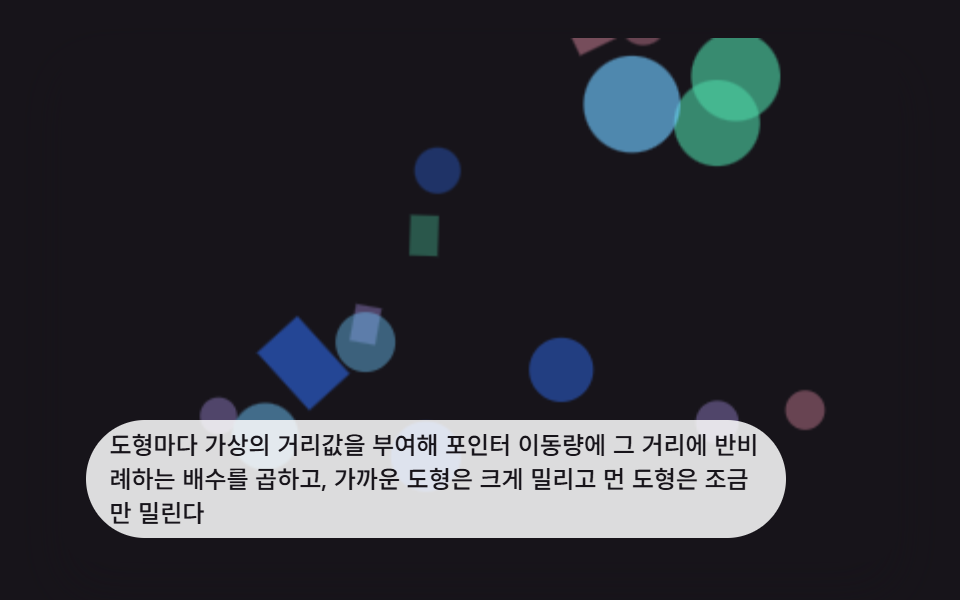 인터랙션css 배경 애니메이션 효과 9가지 — 깊이 층 3D 장면
 인터랙션비눗방울 효과 9종 — 막 두께 색·터짐·두 방울 붙기 계산
 인터랙션3d 웹사이트 만들기 9종 — 마우스를 따라 도는 라이브러리 없는 모형
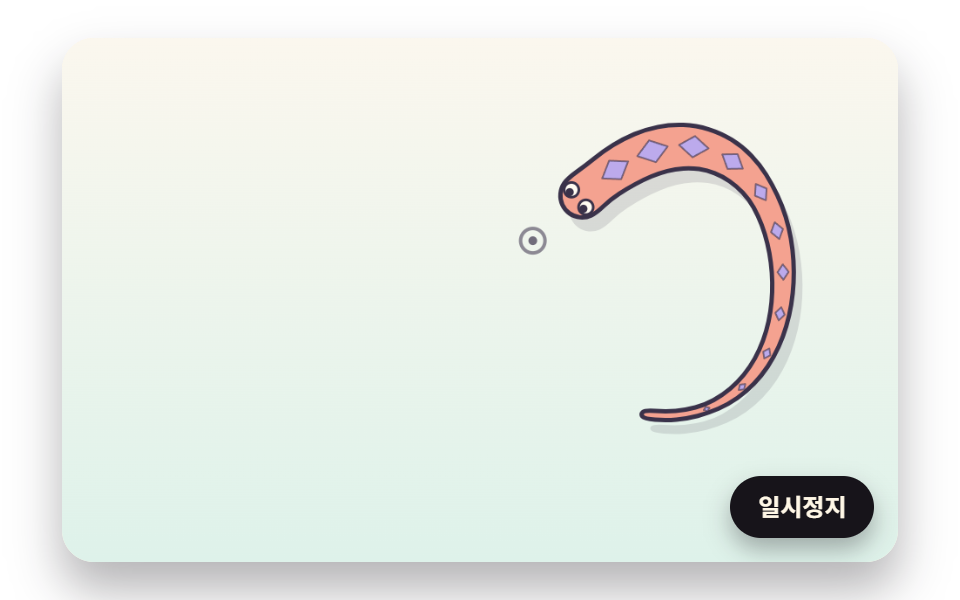 인터랙션마우스 따라다니는 캐릭터 9종 — 뱀·잉어·도마뱀·문어를 계산으로 움직이기
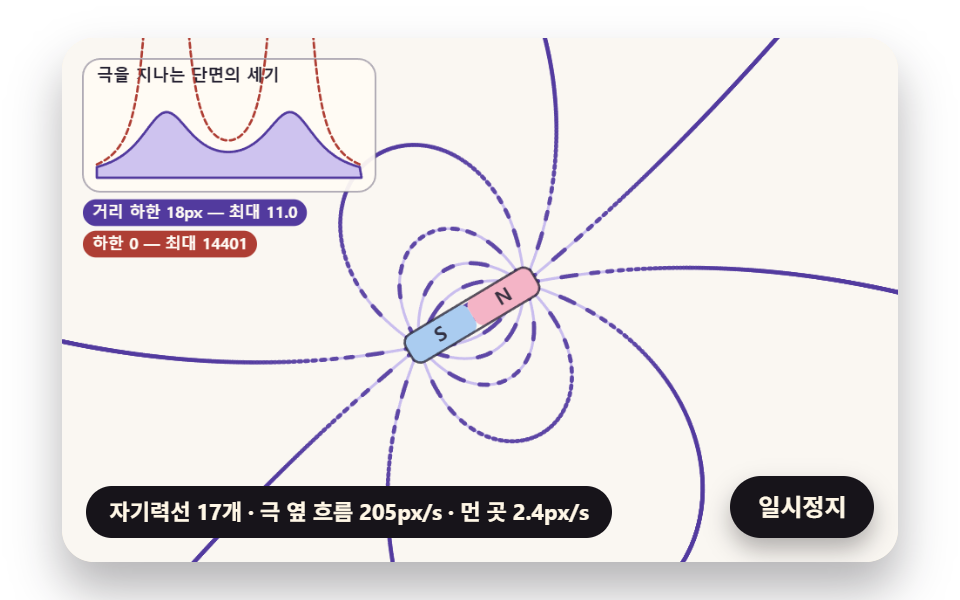 인터랙션자성유체 원리 9종 — 솟는 가시부터 자성유체 시계까지
 인터랙션마우스 이펙트 9가지 — 커서부터 드래그까지
 인터랙션공유하기 버튼 UI 9종 — 붙이면 실제로 복사되는