파티클 효과 9종 — 캔버스 파티클 엔진 직접 만들기
파티클 효과는 화면을 채운 무수한 알갱이가 저마다 떠오르고 흩어지고 이어지는 움직임입니다. 이 파티클 엔진 아홉 종을 라이브러리 없이 캔버스 태그 하나로 만들었고, 아래 격자에서 지금 돌아갑니다.
 01 particle-pool-lifetime
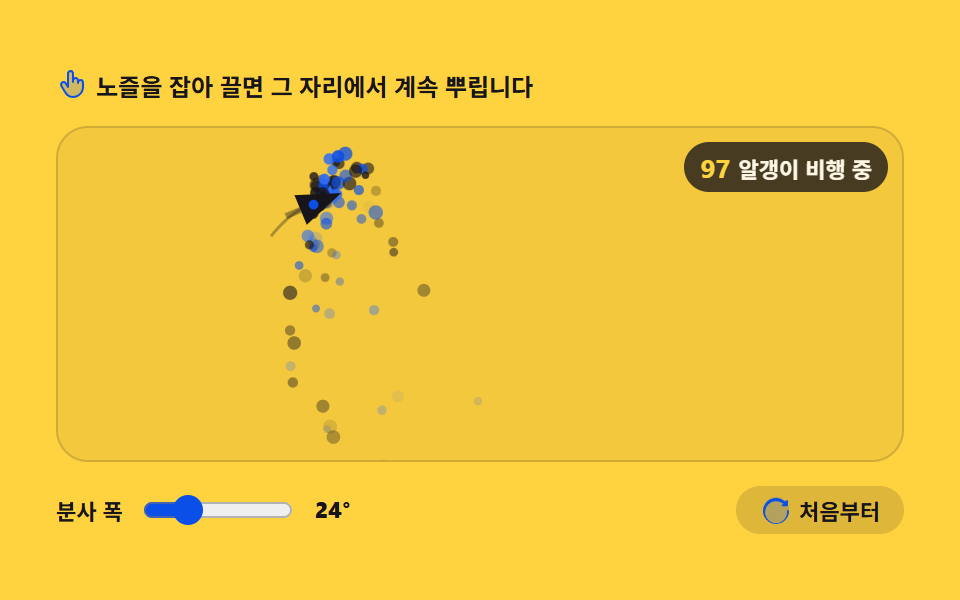 02 particle-emitter-spray
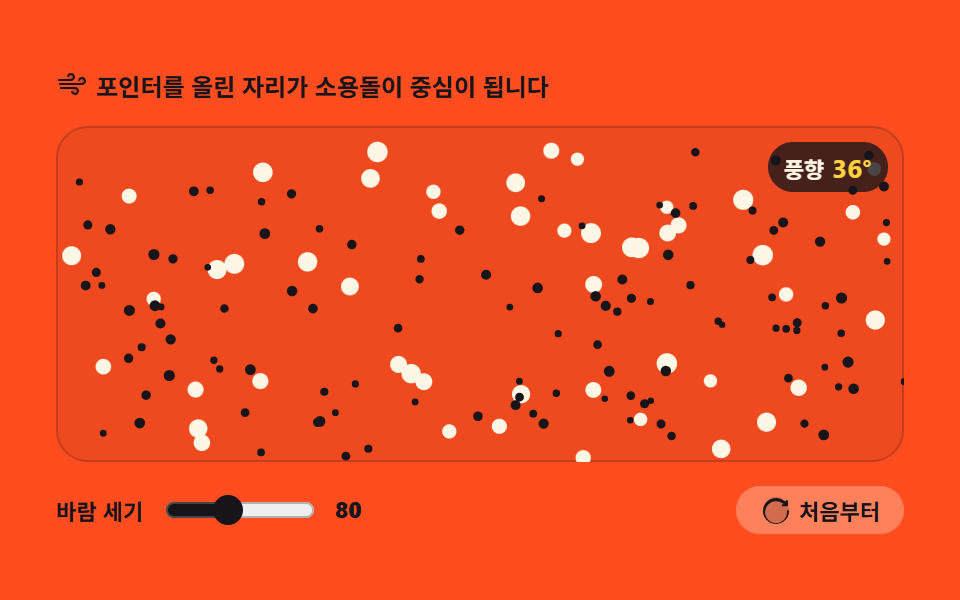 03 particle-wind-field
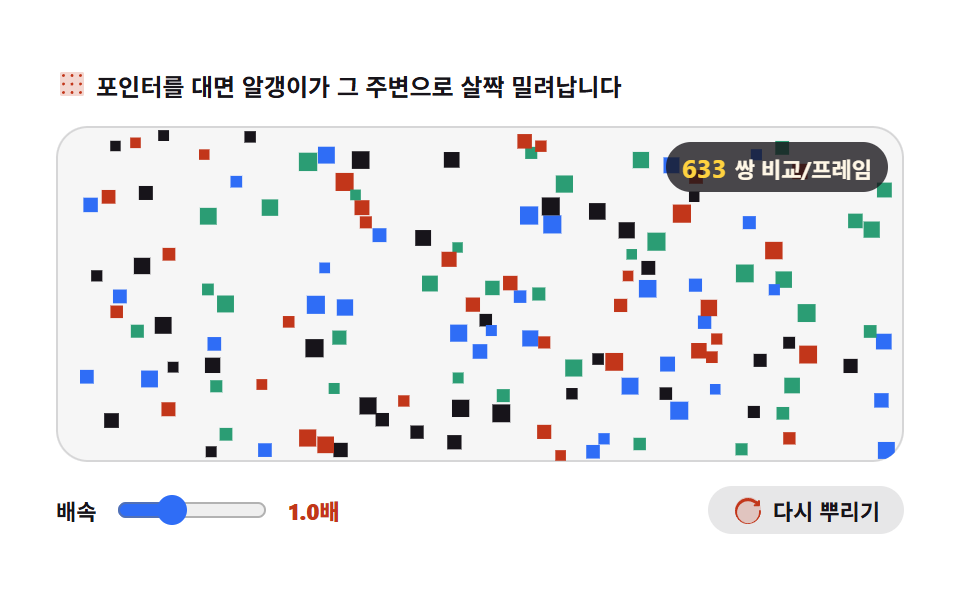 04 particle-bounce-grid
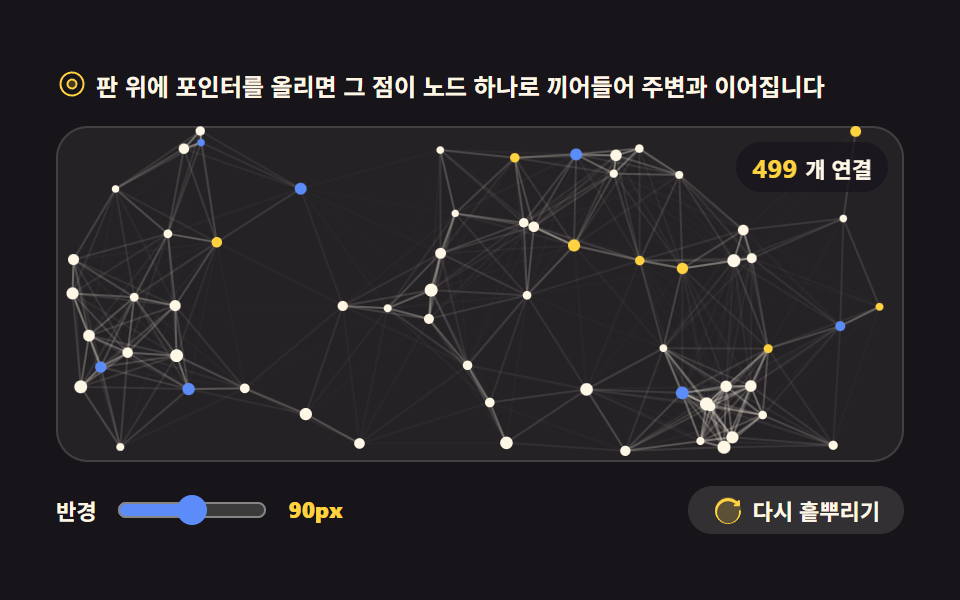 05 particle-network-lines
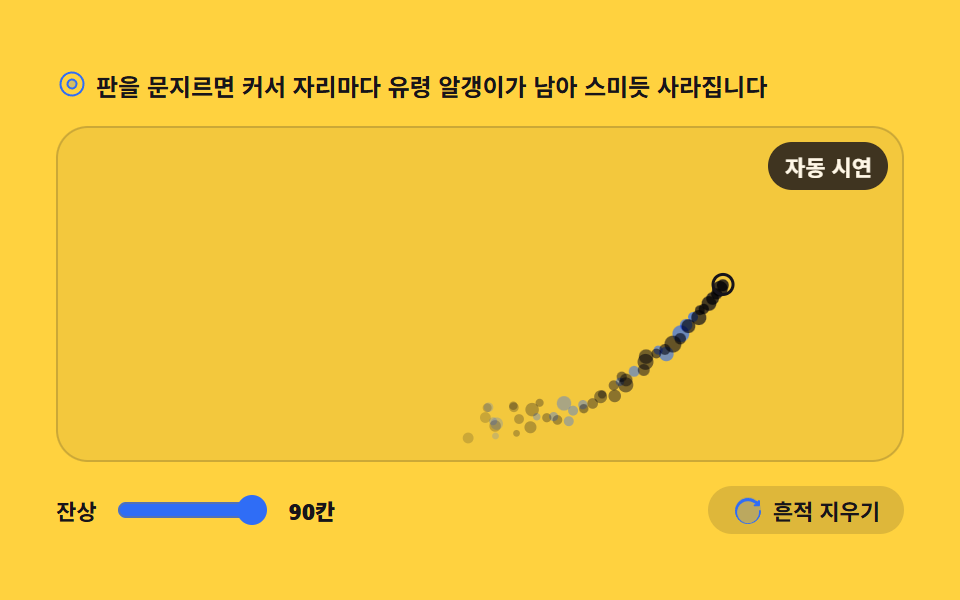 06 particle-cursor-trail
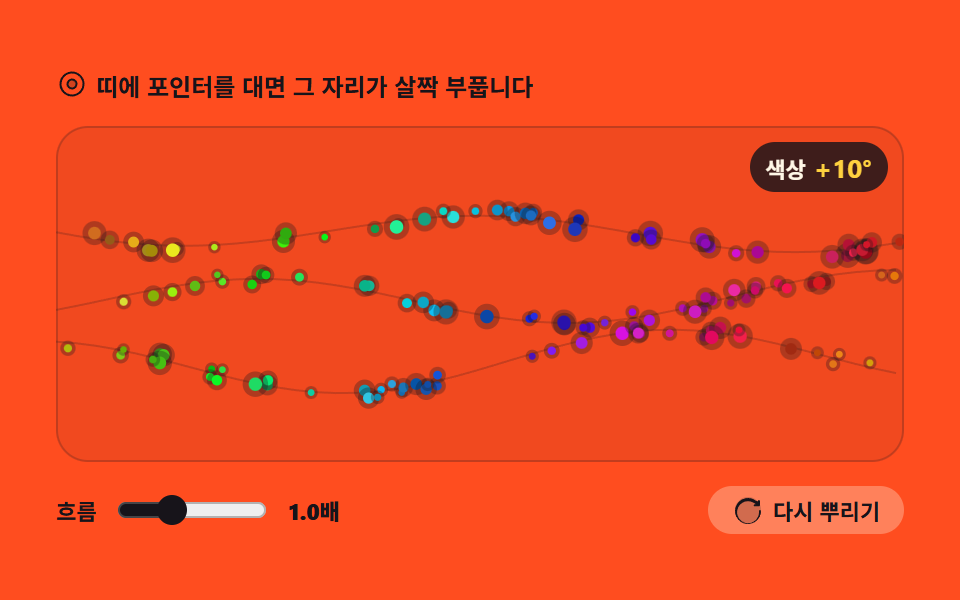 07 particle-hue-stream
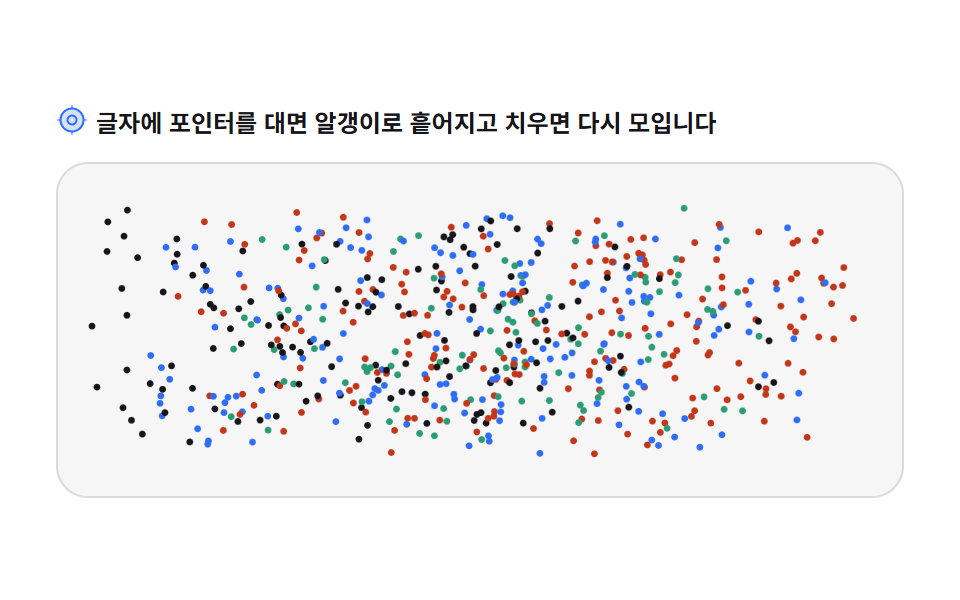 08 particle-text-scatter
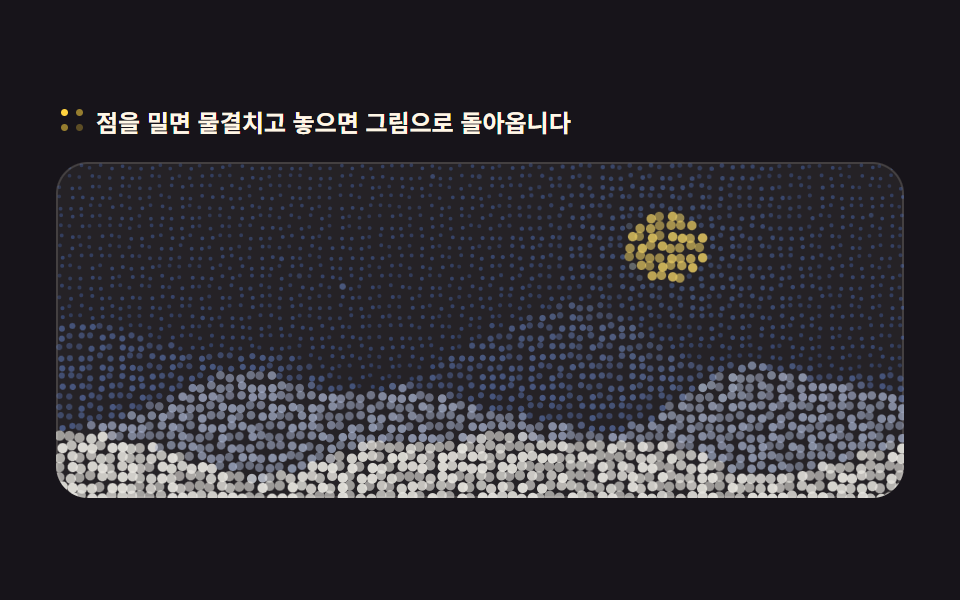 09 particle-photo-dots
자동 재생 · 눌러서 해당 항목으로 · 전부 한 zip
- 01 파티클 풀과 수명
- 02 이동하는 방출기
- 03 중력과 바람의 필드
- 04 벽과 이웃 파티클 튕김
- 05 거리로 이어지는 연결선
- 06 커서를 따라오는 유령
- 07 흐르는 색 팔레트
- 08 글자가 파티클로 흩어지는 판
- 09 그림을 파티클로 다시 그리기
순서는 인기순이 아니라 엔진이 갖춰지는 순서입니다. 먼저 알갱이를 담는 풀이 생기고(01), 뿌리는 곳이 움직이고(02), 바람과 중력 같은 힘이 생기고(03), 알갱이끼리 부딪히고(04), 서로 이어지고(05), 커서의 흔적이 남고(06), 색이 흐르고(07), 글자가 알갱이로 바뀌고(08), 마지막에 그림까지 알갱이로 다시 그려집니다(09). 앞의 네 개는 엔진의 뼈대, 뒤의 다섯 개는 그 뼈대로 만드는 화면입니다. 알갱이를 CSS 로만 흩뿌리는 CSS 파티클 배경과 스프링·중력을 다루는 물리 인터랙션이 이 편의 이웃입니다.
01파티클 풀과 수명
미리 만들어 둔 파티클 220개가 수명이 다하면 자리를 비웠다가 새 설정으로 다시 태어나는, 로딩이 끝나도 계속 도는 히어로 배경용 부품입니다.
<main class="stage">
<div class="pp" id="pp">
  <p class="pp__hint">
    <svg class="pp__ico" viewBox="0 0 256 256" aria-hidden="true"><g fill="currentColor"><path d="M164 128a36 36 0 1 1-36-36a36 36 0 0 1 36 36" opacity=".2"/><path d="M128 84a44 44 0 1 0 44 44a44.05 44.05 0 0 0-44-44m0 72a28 28 0 1 1 28-28a28 28 0 0 1-28 28m0-128a100 100 0 1 0 100 100A100.11 100.11 0 0 0 128 28m0 184a84 84 0 1 1 84-84a84.09 84.09 0 0 1-84 84"/></g></svg>
    <span>판을 클릭하면 파티클 전부가 수명을 다시 시작합니다</span>
  </p>
  <div class="pp__field" id="field" role="application" aria-label="파티클 풀 실험판" tabindex="0">
    <canvas class="pp__cv" id="cv"></canvas>
    <b class="pp__live" id="live" aria-hidden="true"><span class="pp__liveNum" id="alive">220</span><span class="pp__liveUnit">개 살아 있음</span></b>
  </div>
  <div class="pp__bar">
    <label class="pp__dial">수명
      <input type="range" id="life" min="6" max="24" step="2" value="12" aria-label="수명">
      <b class="pp__val" id="lifeVal">1.2초</b>
    </label>
    <button class="pp__reset" id="reset" type="button">
      <svg class="pp__ico" viewBox="0 0 256 256" aria-hidden="true"><g fill="currentColor"><path d="M232 128a104 104 0 1 1-104-104a104 104 0 0 1 104 104" opacity=".2"/><path d="M232 136a104 104 0 1 1-38.17-80.55L208 60v-4a8 8 0 0 1 16 0v34a8 8 0 0 1-8 8h-34a8 8 0 0 1 0-16h7.6l-8.89-7.4A88 88 0 1 0 216 136a8 8 0 0 1 16 0Z"/></g></svg>
      <span>전부 다시</span>
    </button>
  </div>
</div>
</main>
@use "../../../../site/static/demo-tokens" as *;
// 파티클 풀과 수명 — 캔버스 하나에 rAF 루프가 그린다. CSS 는 무대·판·컨트롤만 맡는다.
// 움직임 자체가 캔버스 안에 있으므로 @keyframes 미리보기가 없다 —
// 렌더러는 CSS 애니메이션이 0개면 실시간으로 24장을 찍는다(도구/demo.py 렌더(), 287·291 선례).
// reduce 에서는 JS 가 루프를 시작하지 않고 한 장만 그린다(.is-still) — CSS 는 그 상태의 라벨만 가린다.
$duration: $dur-loop;
$easing: $ease-spring;
$color: $subject-blue;
@include stage($stage-ink);
.pp { display: flex; flex-direction: column; gap: $sp-3; width: 100%; max-width: 424px; }
.pp__hint {
display: flex; align-items: center; gap: $sp-1; margin: 0;
font-weight: 700; font-size: clamp(10px, 2.8vw, 12px); color: $subject-cream;
}
.pp__ico { width: 16px; height: 16px; flex: 0 0 auto; color: $stage-yellow; }
.pp__field {
position: relative; height: 168px; border-radius: $r-card; overflow: hidden;
background: rgba($subject-cream, .06);
box-shadow: inset 0 0 0 1px rgba($subject-cream, .14);
cursor: pointer;
}
.pp__field:focus-visible { outline: 2px solid $stage-yellow; outline-offset: 2px; }
.pp__cv { display: block; width: 100%; height: 100%; }
// 살아 있는 칸 수 — 풀 크기는 그대로인데 이 숫자만 오르내리는 것이 이 항목의 요점이다
.pp__live {
position: absolute; right: $sp-2; top: $sp-2;
display: flex; align-items: baseline; gap: $sp-1;
padding: $sp-1 $sp-2; border-radius: $r-pill;
background: rgba($stage-ink, .72);
color: $subject-cream; font-weight: 700; font-size: 11px;
}
.pp__liveNum { font-size: 13px; color: $stage-yellow; }
.pp__liveUnit { font-weight: 700; }
.pp__bar { display: flex; align-items: center; gap: $sp-3; }
.pp__dial {
display: flex; align-items: center; gap: $sp-2;
font-weight: 700; font-size: 11px; color: $subject-cream;
}
.pp__dial input { width: 76px; accent-color: $color; }
.pp__val { color: $stage-yellow; font-size: 11px; }
.pp__reset {
display: flex; align-items: center; gap: $sp-1; margin-left: auto;
padding: $sp-1 $sp-3; border: 0; border-radius: $r-pill;
background: rgba($subject-cream, .12); color: $subject-cream;
font-weight: 700; font-size: 11px; font-family: inherit; cursor: pointer;
}
.pp__reset:hover { background: rgba($subject-cream, .2); }
.pp__reset:focus-visible { outline: 2px solid $stage-yellow; outline-offset: 2px; }
@media (max-width: 340px) {
.pp { gap: $sp-2; }
.pp__field { height: 96px; }
.pp__dial input { width: 44px; }
.pp__live { font-size: 10px; }
}
// reduce — 루프가 아예 안 돌므로 끄고 말고 할 애니메이션이 없다.
// 숫자만 계속 바뀌는 것처럼 보이지 않게 살아 있는 칸 라벨을 고정 문구로 둔다.
@media (prefers-reduced-motion: reduce) {
.pp.is-still .pp__live { opacity: .85 !important; }
.pp.is-still .pp__field { cursor: default !important; }
}html, body {
margin: 0;
overflow: hidden;
}
.stage {
box-sizing: border-box;
min-height: 100vh;
display: grid;
place-items: center;
margin: 0;
background: #17141a;
font-family: -apple-system, "Segoe UI", "Noto Sans KR", sans-serif;
padding: clamp(8px, 4vw, 24px);
}
.pp {
display: flex;
flex-direction: column;
gap: 12px;
width: 100%;
max-width: 424px;
}
.pp__hint {
display: flex;
align-items: center;
gap: 4px;
margin: 0;
font-weight: 700;
font-size: clamp(10px, 2.8vw, 12px);
color: #fff7e6;
}
.pp__ico {
width: 16px;
height: 16px;
flex: 0 0 auto;
color: #ffd23f;
}
.pp__field {
position: relative;
height: 168px;
border-radius: 16px;
overflow: hidden;
background: rgba(255, 247, 230, 0.06);
box-shadow: inset 0 0 0 1px rgba(255, 247, 230, 0.14);
cursor: pointer;
}
.pp__field:focus-visible {
outline: 2px solid #ffd23f;
outline-offset: 2px;
}
.pp__cv {
display: block;
width: 100%;
height: 100%;
}
.pp__live {
position: absolute;
right: 8px;
top: 8px;
display: flex;
align-items: baseline;
gap: 4px;
padding: 4px 8px;
border-radius: 999px;
background: rgba(23, 20, 26, 0.72);
color: #fff7e6;
font-weight: 700;
font-size: 11px;
}
.pp__liveNum {
font-size: 13px;
color: #ffd23f;
}
.pp__liveUnit {
font-weight: 700;
}
.pp__bar {
display: flex;
align-items: center;
gap: 12px;
}
.pp__dial {
display: flex;
align-items: center;
gap: 8px;
font-weight: 700;
font-size: 11px;
color: #fff7e6;
}
.pp__dial input {
width: 76px;
accent-color: #2f6df6;
}
.pp__val {
color: #ffd23f;
font-size: 11px;
}
.pp__reset {
display: flex;
align-items: center;
gap: 4px;
margin-left: auto;
padding: 4px 12px;
border: 0;
border-radius: 999px;
background: rgba(255, 247, 230, 0.12);
color: #fff7e6;
font-weight: 700;
font-size: 11px;
font-family: inherit;
cursor: pointer;
}
.pp__reset:hover {
background: rgba(255, 247, 230, 0.2);
}
.pp__reset:focus-visible {
outline: 2px solid #ffd23f;
outline-offset: 2px;
}
@media (max-width: 340px) {
.pp {
gap: 8px;
}
.pp__field {
height: 96px;
}
.pp__dial input {
width: 44px;
}
.pp__live {
font-size: 10px;
}
}
@media (prefers-reduced-motion: reduce) {
.pp.is-still .pp__live {
opacity: 0.85 !important;
}
.pp.is-still .pp__field {
cursor: default !important;
}
}// 파티클 풀 — 배열 길이를 고정해 두고 수명이 끝난 칸을 덮어쓴다.
// push/splice 로 배열을 늘였다 줄이면 프레임마다 할당과 회수가 생겨 시간이 튄다.
var root = document.getElementById('pp');
var field = document.getElementById('field');
var cv = document.getElementById('cv');
var ctx = cv.getContext('2d');
var lifeIn = document.getElementById('life');
var lifeVal = document.getElementById('lifeVal');
var aliveOut = document.getElementById('alive');
var resetBtn = document.getElementById('reset');
var POOL = 220; // 풀 크기 — 이 숫자는 처음 한 번만 정해지고 끝까지 바뀌지 않는다
var reduce = window.matchMedia('(prefers-reduced-motion: reduce)').matches;
var W = 0, H = 0, dpr = 1;
var pool = new Array(POOL);
var lifeSec = 1.2;
// 파티클 한 칸 — 객체를 새로 만들지 않고 이 자리의 값만 갈아 끼운다
function spawn(p, seedT) {
p.x = Math.random() * W;
p.y = H + Math.random() * 18;
p.vx = (Math.random() - 0.5) * 18;
p.vy = -(90 + Math.random() * 70);
p.r = 1.2 + Math.random() * 2.6;
p.life = lifeSec * (0.6 + Math.random() * 0.8);
p.age = seedT === undefined ? 0 : Math.random() * p.life;
p.wait = 0;
return p;
}
for (var i = 0; i < POOL; i++) pool[i] = spawn({}, 1);
// 고DPI 대응 — 배킹 스토어를 devicePixelRatio 배로 키우고 좌표계는 CSS 픽셀 그대로 쓴다
function fit() {
var r = field.getBoundingClientRect();
dpr = window.devicePixelRatio || 1;
W = r.width; H = r.height;
cv.width = Math.round(W * dpr);
cv.height = Math.round(H * dpr);
ctx.setTransform(dpr, 0, 0, dpr, 0, 0);
}
function draw() {
ctx.clearRect(0, 0, W, H);
var alive = 0;
for (var i = 0; i < POOL; i++) {
var p = pool[i];
if (p.wait > 0) continue; // 비어 있는 칸 — 아직 아무것도 그리지 않는다
var t = p.age / p.life;
if (t >= 1) continue;
alive++;
// 수명이 끝나갈수록 투명해진다 — 사라지는 것이 아니라 자리를 비우는 중이다
ctx.globalAlpha = t < 0.18 ? t / 0.18 : 1 - (t - 0.18) / 0.82;
ctx.fillStyle = i % 7 === 0 ? '#ffd23f' : '#2f6df6';
ctx.beginPath();
ctx.arc(p.x, p.y, p.r, 0, Math.PI * 2);
ctx.fill();
}
ctx.globalAlpha = 1;
aliveOut.textContent = String(alive);
}
function step(dt) {
  for (var i = 0; i < POOL; i++) {
    var p = pool[i];
    // 빈 칸은 잠깐 쉬었다 다시 쓴다 — 배열은 그대로고 이 칸만 비어 있다
    if (p.wait > 0) { p.wait -= dt; if (p.wait <= 0) spawn(p); continue; }
    p.age += dt;
    if (p.age >= p.life) { p.wait = 0.05 + Math.random() * 0.4; continue; }   // 죽은 칸은 버리지 않고 비워 둔다
    p.x += p.vx * dt;
    p.y += p.vy * dt;
    p.vy += 30 * dt;                                // 위로 뜬 알갱이를 다시 끌어내리는 중력
if (p.x < -8) p.x = W + 8;
if (p.x > W + 8) p.x = -8;
}
}
var last = 0;
function frame(now) {
var dt = last ? Math.min((now - last) / 1000, 0.05) : 0.016;
last = now;
step(dt);
draw();
requestAnimationFrame(frame);
}
function restart() {
for (var i = 0; i < POOL; i++) spawn(pool[i]);
draw();
}
lifeIn.addEventListener('input', function () {
lifeSec = Number(lifeIn.value) / 10;
lifeVal.textContent = lifeSec.toFixed(1) + '초';
});
resetBtn.addEventListener('click', restart);
field.addEventListener('click', restart);
field.addEventListener('keydown', function (e) {
if (e.key === 'Enter' || e.key === ' ') { e.preventDefault(); restart(); }
});
window.addEventListener('resize', function () { fit(); draw(); });
fit();
if (reduce) {
// reduce — 루프를 아예 돌리지 않고 알갱이가 골고루 퍼진 한 장만 그린다
root.classList.add('is-still');
draw();
} else {
requestAnimationFrame(frame);
}// ParticlePool — vanilla 판(run/012/demo/01-particle-pool-lifetime/index.html) 의 React 포트.
// 풀 220칸은 배열 길이를 고정해 두고 수명이 끝난 칸을 그 자리에서 덮어쓴다(push/splice 없음 — 프레임마다 할당이 없어 시간이 튀지 않는다).
// 움직임은 캔버스 rAF 루프가 전부 그리므로 @keyframes 미리보기가 없다 — props 는 CSS 변수로 무대 격식에만 내려간다.
import { useEffect, useRef, useState } from "react";
import type { CSSProperties } from "react";
import styles from "./ParticlePool.module.scss";
export type ParticlePoolProps = {
duration?: string;
easing?: string;
color?: string;
};
type Vars = CSSProperties & { "--duration"?: string; "--easing"?: string; "--color"?: string };
// useRef 는 T | null 을 돌려준다. 처음부터 값이 있고 절대 비지 않는 상자는 이렇게 좁혀 쓴다
type Box<T> = { current: T };
// React 이벤트 제네릭이 없는 환경이라 필요한 것만 로컬로 선언한다
type KeyEvt = { key: string; preventDefault(): void };
type InputEvt = { target: { value: string } };
type Particle = { x: number; y: number; vx: number; vy: number; r: number; life: number; age: number; wait: number };
const POOL = 220; // 풀 크기 — 이 숫자는 처음 한 번만 정해지고 끝까지 바뀌지 않는다
const FIELD_LABEL = "파티클 풀 실험판";
export default function ParticlePool({
duration = "2s", // vanilla $duration: $dur-loop
easing = "cubic-bezier(.2, .8, .2, 1)", // vanilla $easing: $ease-spring
color = "#2f6df6", // vanilla $color: $subject-blue
}: ParticlePoolProps) {
const fieldRef = useRef<HTMLDivElement | null>(null);
const cvRef = useRef<HTMLCanvasElement | null>(null);
const aliveRef = useRef<HTMLSpanElement | null>(null);
const ctxRef = useRef<CanvasRenderingContext2D | null>(null);
const sizeRef = useRef({ w: 0, h: 0 }) as Box<{ w: number; h: number }>;
const poolRef = useRef<Particle[]>([]) as Box<Particle[]>;
const lifeSecRef = useRef(1.2) as Box<number>;
const lastRef = useRef(0) as Box<number>;
const rafRef = useRef(0) as Box<number>;
const [life, setLife] = useState(12);
const [still, setStill] = useState(false);
const vars: Vars = { "--duration": duration, "--easing": easing, "--color": color };
function reduced(): boolean {
return window.matchMedia("(prefers-reduced-motion: reduce)").matches;
}
// 파티클 한 칸 — 객체를 새로 만들지 않고 이 자리의 값만 갈아 끼운다
function spawn(p: Particle, seedT?: number): Particle {
const W = sizeRef.current.w, H = sizeRef.current.h;
p.x = Math.random() * W;
p.y = H + Math.random() * 18;
p.vx = (Math.random() - 0.5) * 18;
p.vy = -(90 + Math.random() * 70);
p.r = 1.2 + Math.random() * 2.6;
p.life = lifeSecRef.current * (0.6 + Math.random() * 0.8);
p.age = seedT === undefined ? 0 : Math.random() * p.life;
p.wait = 0;
return p;
}
// 고DPI 대응 — 배킹 스토어를 devicePixelRatio 배로 키우고 좌표계는 CSS 픽셀 그대로 쓴다
function fit(): void {
const field = fieldRef.current;
const cv = cvRef.current;
const ctx = ctxRef.current;
if (!field || !cv || !ctx) return;
const r = field.getBoundingClientRect();
const dpr = window.devicePixelRatio || 1;
sizeRef.current.w = r.width;
sizeRef.current.h = r.height;
cv.width = Math.round(r.width * dpr);
cv.height = Math.round(r.height * dpr);
ctx.setTransform(dpr, 0, 0, dpr, 0, 0);
}
function draw(): void {
const ctx = ctxRef.current;
if (!ctx) return;
const W = sizeRef.current.w, H = sizeRef.current.h;
ctx.clearRect(0, 0, W, H);
const pool = poolRef.current;
let alive = 0;
for (let i = 0; i < POOL; i++) {
const p = pool[i];
if (!p) continue;
if (p.wait > 0) continue; // 비어 있는 칸 — 아직 아무것도 그리지 않는다
const t = p.age / p.life;
if (t >= 1) continue;
alive++;
// 수명이 끝나갈수록 투명해진다 — 사라지는 것이 아니라 자리를 비우는 중이다
ctx.globalAlpha = t < 0.18 ? t / 0.18 : 1 - (t - 0.18) / 0.82;
ctx.fillStyle = i % 7 === 0 ? "#ffd23f" : "#2f6df6";
ctx.beginPath();
ctx.arc(p.x, p.y, p.r, 0, Math.PI * 2);
ctx.fill();
}
ctx.globalAlpha = 1;
if (aliveRef.current) aliveRef.current.textContent = String(alive);
}
function step(dt: number): void {
const W = sizeRef.current.w;
const pool = poolRef.current;
for (let i = 0; i < POOL; i++) {
const p = pool[i];
if (!p) continue;
// 빈 칸은 잠깐 쉬었다 다시 쓴다 — 배열은 그대로고 이 칸만 비어 있다
if (p.wait > 0) { p.wait -= dt; if (p.wait <= 0) spawn(p); continue; }
p.age += dt;
if (p.age >= p.life) { p.wait = 0.05 + Math.random() * 0.4; continue; } // 죽은 칸은 버리지 않고 비워 둔다
p.x += p.vx * dt;
p.y += p.vy * dt;
p.vy += 30 * dt; // 위로 뜬 알갱이를 다시 끌어내리는 중력
if (p.x < -8) p.x = W + 8;
if (p.x > W + 8) p.x = -8;
}
}
function frame(now: number): void {
const dt = lastRef.current ? Math.min((now - lastRef.current) / 1000, 0.05) : 0.016;
lastRef.current = now;
step(dt);
draw();
rafRef.current = requestAnimationFrame(frame);
}
function restart(): void {
const pool = poolRef.current;
for (let i = 0; i < POOL; i++) {
if (pool[i]) spawn(pool[i]);
}
draw();
}
function onResize(): void {
fit();
draw();
}
useEffect(() => {
const cv = cvRef.current;
if (!cv) return;
ctxRef.current = cv.getContext("2d");
if (!ctxRef.current) return;
const pool = poolRef.current;
// vanilla 와 같은 순서 — 풀을 먼저 채운 뒤 fit() 한다(첫 알갱이는 판 크기를 모른 채 태어나 곧 죽아 다시 뿌려진다)
for (let i = 0; i < POOL; i++) {
pool[i] = spawn({ x: 0, y: 0, vx: 0, vy: 0, r: 0, life: 0, age: 0, wait: 0 }, 1);
}
fit();
window.addEventListener("resize", onResize);
if (reduced()) {
// reduce — 루프를 아예 돌리지 않고 알갱이가 골고루 퍼진 한 장만 그린다
setStill(true);
draw();
} else {
lastRef.current = 0;
rafRef.current = requestAnimationFrame(frame);
}
return () => {
window.removeEventListener("resize", onResize);
cancelAnimationFrame(rafRef.current);
};
}, []);
function onLifeInput(event: InputEvt): void {
const v = Number(event.target.value);
lifeSecRef.current = v / 10;
setLife(v);
}
function onFieldKey(event: KeyEvt): void {
if (event.key === "Enter" || event.key === " ") { event.preventDefault(); restart(); }
}
const cls = [styles.root, still ? styles.isStill : ""].filter(Boolean).join(" ");
return (
<main className={styles.stage}>
<div className={cls} style={vars}>
<p className={styles.hint}>
<svg className={styles.ico} viewBox="0 0 256 256" aria-hidden="true"><g fill="currentColor"><path d="M164 128a36 36 0 1 1-36-36a36 36 0 0 1 36 36" opacity=".2"/><path d="M128 84a44 44 0 1 0 44 44a44.05 44.05 0 0 0-44-44m0 72a28 28 0 1 1 28-28a28 28 0 0 1-28 28m0-128a100 100 0 1 0 100 100A100.11 100.11 0 0 0 128 28m0 184a84 84 0 1 1 84-84a84.09 84.09 0 0 1-84 84"/></g></svg>
<span>판을 클릭하면 파티클 전부가 수명을 다시 시작합니다</span>
</p>
<div
className={styles.field}
ref={fieldRef}
role="application"
aria-label={FIELD_LABEL}
tabIndex={0}
onClick={restart}
onKeyDown={onFieldKey}
>
<canvas className={styles.cv} ref={cvRef}></canvas>
<b className={styles.live} aria-hidden="true"><span className={styles.liveNum} ref={aliveRef}>220</span><span className={styles.liveUnit}>개 살아 있음</span></b>
</div>
<div className={styles.bar}>
<label className={styles.dial}>수명
<input type="range" min={6} max={24} step={2} value={life} aria-label="수명" onChange={onLifeInput} />
<b className={styles.val}>{(life / 10).toFixed(1)}초</b>
</label>
<button className={styles.reset} type="button" onClick={restart}>
<svg className={styles.ico} viewBox="0 0 256 256" aria-hidden="true"><g fill="currentColor"><path d="M232 128a104 104 0 1 1-104-104a104 104 0 0 1 104 104" opacity=".2"/><path d="M232 136a104 104 0 1 1-38.17-80.55L208 60v-4a8 8 0 0 1 16 0v34a8 8 0 0 1-8 8h-34a8 8 0 0 1 0-16h7.6l-8.89-7.4A88 88 0 1 0 216 136a8 8 0 0 1 16 0Z"/></g></svg>
<span>전부 다시</span>
</button>
</div>
</div>
</main>
);
}01 · 파티클 풀과 수명 — 측정 누적면적 30.194% · 움직인 프레임 23/23GODRICH 원작 · zip 에 SCSS·React 포함 · 비밀번호 보기
죽은 칸은 버리지 않고 비워 둔다
function step(dt) {
for (var i = 0; i < POOL; i++) {
var p = pool[i];
// 빈 칸은 잠깐 쉬었다 다시 쓴다 — 배열은 그대로고 이 칸만 비어 있다
if (p.wait > 0) { p.wait -= dt; if (p.wait <= 0) spawn(p); continue; }
p.age += dt;
if (p.age >= p.life) { p.wait = 0.05 + Math.random() * 0.4; continue; } // 죽은 칸은 버리지 않고 비워 둔다
p.x += p.vx * dt;
p.y += p.vy * dt;
p.vy += 30 * dt; // 위로 뜬 알갱이를 다시 끌어내리는 중력
배열을 push 로 늘리고 splice 로 자르면 매 프레임 할당과 회수가 생겨 프레임 시간이 흔들립니다. 길이 220 을 고정해 두고 수명이 끝난 칸만 잠깐 비운 뒤 그 자리를 덮어쓰니, 오른쪽 위 살아 있는 칸 수는 오르내려도 풀의 크기는 끝까지 220 입니다.
02이동하는 방출기
방출기가 스스로 경로를 돌며 초당 90개를 뿌리고, 드래그하면 노즐이 손끝으로 옮겨와 그 자리에서 분사하는 클릭 보상·컨페티 살포용 부품입니다.
<main class="stage">
<div class="pe" id="pe">
  <p class="pe__hint">
    <svg class="pe__ico" viewBox="0 0 256 256" aria-hidden="true"><g fill="currentColor"><path d="M216 116v36a80 80 0 0 1-80 80c-44.18 0-55.81-24-93.32-90a20 20 0 0 1 34.64-20L96 152V44a20 20 0 0 1 40 0v56a20 20 0 0 1 40 0v16a20 20 0 0 1 40 0" opacity=".2"/><path d="M196 88a27.86 27.86 0 0 0-13.35 3.39A28 28 0 0 0 144 74.7V44a28 28 0 0 0-56 0v80l-3.82-6.13A28 28 0 0 0 35.73 146l4.67 8.23C74.81 214.89 89.05 240 136 240a88.1 88.1 0 0 0 88-88v-36a28 28 0 0 0-28-28m12 64a72.08 72.08 0 0 1-72 72c-37.63 0-47.84-18-81.68-77.68l-4.69-8.27V138A12 12 0 0 1 54 121.61a11.9 11.9 0 0 1 6-1.6a12 12 0 0 1 10.41 6a2 2 0 0 0 .14.23l18.67 30A8 8 0 0 0 104 152V44a12 12 0 0 1 24 0v68a8 8 0 0 0 16 0v-12a12 12 0 0 1 24 0v20a8 8 0 0 0 16 0v-4a12 12 0 0 1 24 0Z"/></g></svg>
    <span>노즐을 잡아 끌면 그 자리에서 계속 뿌립니다</span>
  </p>
  <div class="pe__field" id="field" role="application" aria-label="이동하는 방출기 실험판" tabindex="0">
    <canvas class="pe__cv" id="cv"></canvas>
    <b class="pe__live" aria-hidden="true"><span class="pe__liveNum" id="alive">0</span><span class="pe__liveUnit">알갱이 비행 중</span></b>
  </div>
  <div class="pe__bar">
    <label class="pe__dial">분사 폭
      <input type="range" id="spread" min="12" max="60" step="6" value="24" aria-label="분사 폭">
      <b class="pe__val" id="spreadVal">24°</b>
    </label>
    <button class="pe__reset" id="reset" type="button">
      <svg class="pe__ico" viewBox="0 0 256 256" aria-hidden="true"><g fill="currentColor"><path d="M232 128a104 104 0 1 1-104-104a104 104 0 0 1 104 104" opacity=".2"/><path d="M232 136a104 104 0 1 1-38.17-80.55L208 60v-4a8 8 0 0 1 16 0v34a8 8 0 0 1-8 8h-34a8 8 0 0 1 0-16h7.6l-8.89-7.4A88 88 0 1 0 216 136a8 8 0 0 1 16 0Z"/></g></svg>
      <span>처음부터</span>
    </button>
  </div>
</div>
</main>
@use "../../../../site/static/demo-tokens" as *;
// 이동하는 방출기 — 움직임은 캔버스 rAF 루프가 전부 그린다. CSS 는 무대·판·컨트롤만 맡는다.
// 주사 경로와 노즐, 뿌려진 알갱이 전부가 캔버스 안에 있으므로 @keyframes 미리보기가 없다 —
// 렌더러는 CSS 애니메이션이 0개면 실시간으로 24장을 찍는다(도구/demo.py 렌더(), 287·291 선례).
// reduce 에서는 JS 가 루프를 시작하지 않고 뿌려진 한 장만 그린다(.is-still).
$color: $subject-blue-deep; // 노랑 무대 위 강조 — 파랑 계열 중 가장 어두운 값
@include stage($stage-yellow);
.pe { display: flex; flex-direction: column; gap: $sp-3; width: 100%; max-width: 424px; }
.pe__hint {
display: flex; align-items: center; gap: $sp-1; margin: 0;
font-weight: 700; font-size: clamp(10px, 2.8vw, 12px); color: $subject-ink;
}
.pe__ico { width: 16px; height: 16px; flex: 0 0 auto; color: $subject-blue-deep; }
.pe__field {
position: relative; height: 168px; border-radius: $r-card; overflow: hidden;
background: rgba($subject-ink, .05);
box-shadow: inset 0 0 0 1px rgba($subject-ink, .16);
cursor: grab; touch-action: none;
}
.pe__field:active { cursor: grabbing; }
.pe__field:focus-visible { outline: 2px solid $subject-blue-deep; outline-offset: 2px; }
.pe__cv { display: block; width: 100%; height: 100%; }
// 떠 있는 알갱이 수 — 방출률은 정해져 있어도 수명이 제각각이라 이 숫자는 계속 오르내린다
.pe__live {
position: absolute; right: $sp-2; top: $sp-2;
display: flex; align-items: baseline; gap: $sp-1;
padding: $sp-1 $sp-2; border-radius: $r-pill;
background: rgba($stage-ink, .78);
color: $subject-cream; font-weight: 700; font-size: 11px;
pointer-events: none;
}
.pe__liveNum { font-size: 13px; color: $stage-yellow; }
.pe__bar { display: flex; align-items: center; gap: $sp-3; }
.pe__dial {
display: flex; align-items: center; gap: $sp-2;
font-weight: 700; font-size: 11px; color: $subject-ink;
}
.pe__dial input { width: 76px; accent-color: $color; }
.pe__val { color: $subject-ink; font-size: 11px; }
.pe__reset {
display: flex; align-items: center; gap: $sp-1; margin-left: auto;
padding: $sp-1 $sp-3; border: 0; border-radius: $r-pill;
background: rgba($subject-ink, .14); color: $subject-ink;
font-weight: 700; font-size: 11px; font-family: inherit; cursor: pointer;
}
.pe__reset:hover { background: rgba($subject-ink, .22); }
.pe__reset:focus-visible { outline: 2px solid $subject-blue-deep; outline-offset: 2px; }
@media (max-width: 340px) {
.pe { gap: $sp-2; }
.pe__field { height: 96px; }
.pe__dial input { width: 44px; }
.pe__live { font-size: 10px; }
}
// reduce — 루프가 없으니 끌기도 일어나지 않는다. 판은 잡히지 않는 상태임을 커서로 알린다.
@media (prefers-reduced-motion: reduce) {
.pe.is-still .pe__field { cursor: default !important; }
.pe.is-still .pe__live { opacity: .85 !important; }
}html, body {
margin: 0;
overflow: hidden;
}
.stage {
box-sizing: border-box;
min-height: 100vh;
display: grid;
place-items: center;
margin: 0;
background: #ffd23f;
font-family: -apple-system, "Segoe UI", "Noto Sans KR", sans-serif;
padding: clamp(8px, 4vw, 24px);
}
.pe {
display: flex;
flex-direction: column;
gap: 12px;
width: 100%;
max-width: 424px;
}
.pe__hint {
display: flex;
align-items: center;
gap: 4px;
margin: 0;
font-weight: 700;
font-size: clamp(10px, 2.8vw, 12px);
color: #17141a;
}
.pe__ico {
width: 16px;
height: 16px;
flex: 0 0 auto;
color: #0a4fe8;
}
.pe__field {
position: relative;
height: 168px;
border-radius: 16px;
overflow: hidden;
background: rgba(23, 20, 26, 0.05);
box-shadow: inset 0 0 0 1px rgba(23, 20, 26, 0.16);
cursor: grab;
touch-action: none;
}
.pe__field:active {
cursor: grabbing;
}
.pe__field:focus-visible {
outline: 2px solid #0a4fe8;
outline-offset: 2px;
}
.pe__cv {
display: block;
width: 100%;
height: 100%;
}
.pe__live {
position: absolute;
right: 8px;
top: 8px;
display: flex;
align-items: baseline;
gap: 4px;
padding: 4px 8px;
border-radius: 999px;
background: rgba(23, 20, 26, 0.78);
color: #fff7e6;
font-weight: 700;
font-size: 11px;
pointer-events: none;
}
.pe__liveNum {
font-size: 13px;
color: #ffd23f;
}
.pe__bar {
display: flex;
align-items: center;
gap: 12px;
}
.pe__dial {
display: flex;
align-items: center;
gap: 8px;
font-weight: 700;
font-size: 11px;
color: #17141a;
}
.pe__dial input {
width: 76px;
accent-color: #0a4fe8;
}
.pe__val {
color: #17141a;
font-size: 11px;
}
.pe__reset {
display: flex;
align-items: center;
gap: 4px;
margin-left: auto;
padding: 4px 12px;
border: 0;
border-radius: 999px;
background: rgba(23, 20, 26, 0.14);
color: #17141a;
font-weight: 700;
font-size: 11px;
font-family: inherit;
cursor: pointer;
}
.pe__reset:hover {
background: rgba(23, 20, 26, 0.22);
}
.pe__reset:focus-visible {
outline: 2px solid #0a4fe8;
outline-offset: 2px;
}
@media (max-width: 340px) {
.pe {
gap: 8px;
}
.pe__field {
height: 96px;
}
.pe__dial input {
width: 44px;
}
.pe__live {
font-size: 10px;
}
}
@media (prefers-reduced-motion: reduce) {
.pe.is-still .pe__field {
cursor: default !important;
}
.pe.is-still .pe__live {
opacity: 0.85 !important;
}
}// 이동하는 방출기 — 파티클 각각을 움직이는 게 아니라 뿌리는 곳을 움직인다.
// 방출기는 스스로 가로 톱니(삼각파) 주사 + 세로 사인 경로를 돌며 초당 90개를 뿌리고,
// 드래그하면 노즐이 손끝으로 따라와 그 자리에서 계속 분사한다. 놓으면 자율 주행으로 돌아간다.
var root = document.getElementById('pe');
var field = document.getElementById('field');
var cv = document.getElementById('cv');
var ctx = cv.getContext('2d');
var spreadIn = document.getElementById('spread');
var spreadVal = document.getElementById('spreadVal');
var aliveOut = document.getElementById('alive');
var resetBtn = document.getElementById('reset');
var POOL = 170; // 초당 90개 × 최대 수명 1.5초 + 여유 — 링 버퍼로 돌려 쓴다
var RATE = 90; // 초당 방출 수
var reduce = window.matchMedia('(prefers-reduced-motion: reduce)').matches;
var W = 0, H = 0, dpr = 1;
var pool = new Array(POOL);
var cursor = 0;
var t = 0;
var ex = 0, ey = 0, aim = 0; // 방출기 위치와 분사 방향
var prevEx = 0, prevEy = 0;
var emitAcc = 0; // 시간을 쌓아 두었다가 프레임이 늦게 와도 방출 수가 튀지 않게 한다
var spreadDeg = 24;
var dragging = false;
var px = 0, py = 0; // 손끝 위치
var trail = []; // 방출기가 지나온 길 — quadraticCurveTo 로 부드럽게 잇는다
for (var i0 = 0; i0 < POOL; i0++) {
pool[i0] = { x: 0, y: 0, vx: 0, vy: 0, r: 1, life: 1, age: 1, pick: 0 }; // age >= life — 빈 칸
}
// 고DPI 대응 — 배킹 스토어를 devicePixelRatio 배로 키우고 좌표계는 CSS 픽셀 그대로 쓴다
function fit() {
var r = field.getBoundingClientRect();
dpr = window.devicePixelRatio || 1;
W = r.width; H = r.height;
cv.width = Math.round(W * dpr);
cv.height = Math.round(H * dpr);
ctx.setTransform(dpr, 0, 0, dpr, 0, 0);
}
function spawnAt(x, y, ang, spreadRad) {
var p = pool[cursor];
cursor = (cursor + 1) % POOL; // 가장 낡은 칸을 덮어 쓴다
var a = ang + (Math.random() - 0.5) * spreadRad;
var sp = 70 + Math.random() * 110;
p.x = x; p.y = y;
p.vx = Math.cos(a) * sp;
p.vy = Math.sin(a) * sp;
p.r = 1.8 + Math.random() * 1.8;
p.life = 0.7 + Math.random() * 0.8;
p.age = 0;
p.pick = Math.random();
}
function step(dt) {
t += dt;
// 자율 주행 경로 — 가로는 삼각파(톱니 주사), 세로는 사인. 레이저가 판을 훑는 길이다.
var tri = (t * 0.14) % 2;
tri = tri < 1 ? tri : 2 - tri;
var pad = Math.max(12, W * 0.07);
var tx = pad + tri * (W - pad * 2);
var ty = H * 0.46 + Math.sin(t * 2 + 0.7) * H * 0.24;
  prevEx = ex; prevEy = ey;
  if (dragging) {
    var k = 1 - Math.exp(-14 * dt);             // 노즐이 손끝으로 스르르 온다
    ex += (px - ex) * k;
    ey += (py - ey) * k;
  } else {
    var k2 = 1 - Math.exp(-6 * dt);             // 자율 경로도 급차 없이 따라간다
    ex += (tx - ex) * k2;
    ey += (ty - ey) * k2;
  }
  // 분사 방향 — 이동 방향을 따라 부드럽게 돌아간다
  var vx = (ex - prevEx) / dt, vy = (ey - prevEy) / dt;
if (vx * vx + vy * vy > 900) {
var want = Math.atan2(vy, vx);
var diff = want - aim;
while (diff > Math.PI) diff -= Math.PI * 2;
while (diff < -Math.PI) diff += Math.PI * 2;
aim += diff * Math.min(1, 10 * dt);
} else {
aim += Math.sin(t * 3.1) * 1.5 * dt; // 제자리에서는 노즐이 살짝 흔들린다
}
trail.push({ x: ex, y: ey });
if (trail.length > 26) trail.shift();
emitAcc += RATE * dt;
var spreadRad = spreadDeg * Math.PI / 180;
while (emitAcc >= 1) {
spawnAt(ex, ey, aim, spreadRad);
emitAcc -= 1;
}
for (var i = 0; i < POOL; i++) {
var p = pool[i];
if (p.age >= p.life) continue;
p.age += dt;
p.vy += 210 * dt; // 중력 — 뿌린 알갱이를 끌어내린다
p.vx *= (1 - 0.35 * dt); // 공기 저항으로 살짝 감쇠
p.x += p.vx * dt;
p.y += p.vy * dt;
}
}
function draw() {
ctx.clearRect(0, 0, W, H);
// 지나온 길 — 점을 이어 붙이는 게 아니라 중간점을 향해 quadraticCurveTo 로 잇는다
if (trail.length > 2) {
ctx.strokeStyle = 'rgba(23,20,26,.32)';
ctx.lineWidth = 1.5;
ctx.beginPath();
ctx.moveTo(trail[0].x, trail[0].y);
for (var i = 1; i < trail.length - 1; i++) {
var mx = (trail[i].x + trail[i + 1].x) / 2;
var my = (trail[i].y + trail[i + 1].y) / 2;
ctx.quadraticCurveTo(trail[i].x, trail[i].y, mx, my);
}
var lastPt = trail[trail.length - 1];
ctx.lineTo(lastPt.x, lastPt.y);
ctx.stroke();
}
var alive = 0;
for (var j = 0; j < POOL; j++) {
var p = pool[j];
if (p.age >= p.life) continue;
alive++;
var tt = p.age / p.life;
// 감쇠 — 태어날 때 잠깐 나타나고 수명이 끝나갈수록 옅어져 자리를 비운다
ctx.globalAlpha = tt < 0.12 ? tt / 0.12 : 1 - (tt - 0.12) / 0.88;
ctx.fillStyle = p.pick < 0.5 ? '#17141a' : (p.pick < 0.8 ? '#0a4fe8' : '#2f6df6');
ctx.beginPath();
ctx.arc(p.x, p.y, p.r, 0, Math.PI * 2);
ctx.fill();
}
ctx.globalAlpha = 1;
// 노즐 — save 로 상태를 보관하고 이동·회전시켜 그린 뒤 restore 로 되돌린다
ctx.save();
ctx.translate(ex, ey);
ctx.rotate(aim);
ctx.fillStyle = '#17141a';
ctx.beginPath();
ctx.moveTo(15, 0);
ctx.lineTo(-7, -8);
ctx.lineTo(-7, 8);
ctx.closePath();
ctx.fill();
ctx.strokeStyle = 'rgba(23,20,26,.4)';
ctx.lineWidth = 3;
ctx.beginPath();
ctx.moveTo(-7, 0);
ctx.lineTo(-15, 0);
ctx.stroke();
ctx.restore();
ctx.fillStyle = '#0a4fe8';
ctx.beginPath();
ctx.arc(ex, ey, 2.4, 0, Math.PI * 2);
ctx.fill();
aliveOut.textContent = String(alive);
}
var lastT = 0;
function frame(now) {
var dt = lastT ? Math.min((now - lastT) / 1000, 0.05) : 0.016;
lastT = now;
step(dt);
draw();
requestAnimationFrame(frame);
}
function setPointer(e) {
var r = cv.getBoundingClientRect();
px = e.clientX - r.left;
py = e.clientY - r.top;
}
function restart() {
t = 0;
trail.length = 0;
emitAcc = 0;
for (var i = 0; i < POOL; i++) pool[i].age = pool[i].life; // 전부 빈 칸으로
ex = Math.max(12, W * 0.07);
ey = H * 0.46;
aim = 0;
if (reduce) draw();
}
spreadIn.addEventListener('input', function () {
spreadDeg = Number(spreadIn.value);
spreadVal.textContent = spreadDeg + '°';
if (reduce) draw();
});
resetBtn.addEventListener('click', restart);
field.addEventListener('pointerdown', function (e) {
dragging = true;
setPointer(e);
field.setPointerCapture(e.pointerId);
});
field.addEventListener('pointermove', function (e) { setPointer(e); });
field.addEventListener('pointerup', function () { dragging = false; });
field.addEventListener('pointercancel', function () { dragging = false; });
field.addEventListener('keydown', function (e) {
if (e.key === 'Enter' || e.key === ' ') {
e.preventDefault();
for (var i = 0; i < 60; i++) spawnAt(ex, ey, (i / 60) * Math.PI * 2, 0); // 사방으로 일제 분사
if (reduce) draw();
}
});
window.addEventListener('resize', function () { fit(); draw(); });
fit();
restart();
if (reduce) {
// reduce — 루프를 돌리지 않는다. 뿌리던 순간의 상태를 1.3초 남짓 밟아 본 뒤 한 장만 남긴다.
for (var warm = 0; warm < 80; warm++) step(1 / 60);
root.classList.add('is-still');
draw();
} else {
requestAnimationFrame(frame);
}// MovingEmitter — vanilla 판(run/012/demo/02-particle-emitter-spray/index.html) 의 React 포트.
// 파티클 각각을 움직이는 게 아니라 뿌리는 곳을 움직인다 — 방출기는 스스로 가로 톱니(삼각파) 주사 + 세로 사인 경로를
// 돌며 초당 90개를 뿌리고, 드래그하면 노즐이 손끝으로 따라와 그 자리에서 계속 분사한다. 놓으면 자율 주행으로 돌아간다.
// 움직임은 캔버스 rAF 루프가 전부 그리므로 @keyframes 미리보기가 없다 — props 는 CSS 변수로 무대 격식에만 내려간다.
import { useEffect, useRef, useState } from "react";
import type { CSSProperties } from "react";
import styles from "./MovingEmitter.module.scss";
export type MovingEmitterProps = {
duration?: string;
easing?: string;
color?: string;
};
type Vars = CSSProperties & { "--duration"?: string; "--easing"?: string; "--color"?: string };
// useRef 는 T | null 을 돌려준다. 처음부터 값이 있고 절대 비지 않는 상자는 이렇게 좁혀 쓴다
type Box<T> = { current: T };
// React 이벤트 제네릭이 없는 환경이라 필요한 것만 로컬로 선언한다
type PointerEvt = { clientX: number; clientY: number; pointerId?: number; preventDefault(): void };
type KeyEvt = { key: string; preventDefault(): void };
type InputEvt = { target: { value: string } };
type Grain = { x: number; y: number; vx: number; vy: number; r: number; life: number; age: number; pick: number };
type Point = { x: number; y: number };
type EmitterState = {
cursor: number; t: number;
ex: number; ey: number; aim: number; prevEx: number; prevEy: number; // 방출기 위치와 분사 방향
emitAcc: number; spreadDeg: number;
dragging: boolean; px: number; py: number; // 손끝 위치
};
const POOL = 170; // 초당 90개 × 최대 수명 1.5초 + 여유 — 링 버퍼로 돌려 쓴다
const RATE = 90; // 초당 방출 수
const FIELD_LABEL = "이동하는 방출기 실험판";
export default function MovingEmitter({
duration = "2s", // vanilla $duration: $dur-loop
easing = "cubic-bezier(.2, .8, .2, 1)", // vanilla $easing: $ease-spring
color = "#0a4fe8", // vanilla $color: $subject-blue-deep
}: MovingEmitterProps) {
const fieldRef = useRef<HTMLDivElement | null>(null);
const cvRef = useRef<HTMLCanvasElement | null>(null);
const aliveRef = useRef<HTMLSpanElement | null>(null);
const ctxRef = useRef<CanvasRenderingContext2D | null>(null);
const sizeRef = useRef({ w: 0, h: 0 }) as Box<{ w: number; h: number }>;
const poolRef = useRef<Grain[]>([]) as Box<Grain[]>;
const trailRef = useRef<Point[]>([]) as Box<Point[]>; // 방출기가 지나온 길 — quadraticCurveTo 로 부드럽게 잇는다
const stRef = useRef<EmitterState>({
cursor: 0, t: 0,
ex: 0, ey: 0, aim: 0, prevEx: 0, prevEy: 0,
emitAcc: 0, spreadDeg: 24,
dragging: false, px: 0, py: 0,
}) as Box<EmitterState>;
const lastRef = useRef(0) as Box<number>;
const rafRef = useRef(0) as Box<number>;
const [spread, setSpread] = useState(24);
const [still, setStill] = useState(false);
const vars: Vars = { "--duration": duration, "--easing": easing, "--color": color };
function reduced(): boolean {
return window.matchMedia("(prefers-reduced-motion: reduce)").matches;
}
// 고DPI 대응 — 배킹 스토어를 devicePixelRatio 배로 키우고 좌표계는 CSS 픽셀 그대로 쓴다
function fit(): void {
const field = fieldRef.current;
const cv = cvRef.current;
const ctx = ctxRef.current;
if (!field || !cv || !ctx) return;
const r = field.getBoundingClientRect();
const dpr = window.devicePixelRatio || 1;
sizeRef.current.w = r.width;
sizeRef.current.h = r.height;
cv.width = Math.round(r.width * dpr);
cv.height = Math.round(r.height * dpr);
ctx.setTransform(dpr, 0, 0, dpr, 0, 0);
}
function spawnAt(x: number, y: number, ang: number, spreadRad: number): void {
const pool = poolRef.current;
const s = stRef.current;
const p = pool[s.cursor];
s.cursor = (s.cursor + 1) % POOL; // 가장 낡은 칸을 덮어 쓴다
if (!p) return;
const a = ang + (Math.random() - 0.5) * spreadRad;
const sp = 70 + Math.random() * 110;
p.x = x; p.y = y;
p.vx = Math.cos(a) * sp;
p.vy = Math.sin(a) * sp;
p.r = 1.8 + Math.random() * 1.8;
p.life = 0.7 + Math.random() * 0.8;
p.age = 0;
p.pick = Math.random();
}
function step(dt: number): void {
const s = stRef.current;
const W = sizeRef.current.w, H = sizeRef.current.h;
s.t += dt;
// 자율 주행 경로 — 가로는 삼각파(톱니 주사), 세로는 사인. 레이저가 판을 훑는 길이다.
let tri = (s.t * 0.14) % 2;
tri = tri < 1 ? tri : 2 - tri;
const pad = Math.max(12, W * 0.07);
const tx = pad + tri * (W - pad * 2);
const ty = H * 0.46 + Math.sin(s.t * 2 + 0.7) * H * 0.24;
s.prevEx = s.ex; s.prevEy = s.ey;
if (s.dragging) {
const k = 1 - Math.exp(-14 * dt); // 노즐이 손끝으로 스르르 온다
s.ex += (s.px - s.ex) * k;
s.ey += (s.py - s.ey) * k;
} else {
const k2 = 1 - Math.exp(-6 * dt); // 자율 경로도 급차 없이 따라간다
s.ex += (tx - s.ex) * k2;
s.ey += (ty - s.ey) * k2;
}
// 분사 방향 — 이동 방향을 따라 부드럽게 돌아간다
const vx = (s.ex - s.prevEx) / dt, vy = (s.ey - s.prevEy) / dt;
if (vx * vx + vy * vy > 900) {
const want = Math.atan2(vy, vx);
let diff = want - s.aim;
while (diff > Math.PI) diff -= Math.PI * 2;
while (diff < -Math.PI) diff += Math.PI * 2;
s.aim += diff * Math.min(1, 10 * dt);
} else {
s.aim += Math.sin(s.t * 3.1) * 1.5 * dt; // 제자리에서는 노즐이 살짝 흔들린다
}
trailRef.current.push({ x: s.ex, y: s.ey });
if (trailRef.current.length > 26) trailRef.current.shift();
s.emitAcc += RATE * dt;
const spreadRad = s.spreadDeg * Math.PI / 180;
while (s.emitAcc >= 1) {
spawnAt(s.ex, s.ey, s.aim, spreadRad);
s.emitAcc -= 1;
}
const pool = poolRef.current;
for (let i = 0; i < POOL; i++) {
const p = pool[i];
if (!p || p.age >= p.life) continue;
p.age += dt;
p.vy += 210 * dt; // 중력 — 뿌린 알갱이를 끌어내린다
p.vx *= (1 - 0.35 * dt); // 공기 저항으로 살짝 감쇠
p.x += p.vx * dt;
p.y += p.vy * dt;
}
}
function draw(): void {
const ctx = ctxRef.current;
if (!ctx) return;
const W = sizeRef.current.w, H = sizeRef.current.h;
ctx.clearRect(0, 0, W, H);
// 지나온 길 — 점을 이어 붙이는 게 아니라 중간점을 향해 quadraticCurveTo 로 잇는다
const trail = trailRef.current;
if (trail.length > 2) {
ctx.strokeStyle = "rgba(23,20,26,.32)";
ctx.lineWidth = 1.5;
ctx.beginPath();
ctx.moveTo(trail[0].x, trail[0].y);
for (let i = 1; i < trail.length - 1; i++) {
const mx = (trail[i].x + trail[i + 1].x) / 2;
const my = (trail[i].y + trail[i + 1].y) / 2;
ctx.quadraticCurveTo(trail[i].x, trail[i].y, mx, my);
}
const lastPt = trail[trail.length - 1];
ctx.lineTo(lastPt.x, lastPt.y);
ctx.stroke();
}
const pool = poolRef.current;
let alive = 0;
for (let j = 0; j < POOL; j++) {
const p = pool[j];
if (!p || p.age >= p.life) continue;
alive++;
const tt = p.age / p.life;
// 감쇠 — 태어날 때 잠깐 나타나고 수명이 끝나갈수록 옅어져 자리를 비운다
ctx.globalAlpha = tt < 0.12 ? tt / 0.12 : 1 - (tt - 0.12) / 0.88;
ctx.fillStyle = p.pick < 0.5 ? "#17141a" : (p.pick < 0.8 ? "#0a4fe8" : "#2f6df6");
ctx.beginPath();
ctx.arc(p.x, p.y, p.r, 0, Math.PI * 2);
ctx.fill();
}
ctx.globalAlpha = 1;
const s = stRef.current;
// 노즐 — save 로 상태를 보관하고 이동·회전시켜 그린 뒤 restore 로 되돌린다
ctx.save();
ctx.translate(s.ex, s.ey);
ctx.rotate(s.aim);
ctx.fillStyle = "#17141a";
ctx.beginPath();
ctx.moveTo(15, 0);
ctx.lineTo(-7, -8);
ctx.lineTo(-7, 8);
ctx.closePath();
ctx.fill();
ctx.strokeStyle = "rgba(23,20,26,.4)";
ctx.lineWidth = 3;
ctx.beginPath();
ctx.moveTo(-7, 0);
ctx.lineTo(-15, 0);
ctx.stroke();
ctx.restore();
ctx.fillStyle = "#0a4fe8";
ctx.beginPath();
ctx.arc(s.ex, s.ey, 2.4, 0, Math.PI * 2);
ctx.fill();
if (aliveRef.current) aliveRef.current.textContent = String(alive);
}
function frame(now: number): void {
const dt = lastRef.current ? Math.min((now - lastRef.current) / 1000, 0.05) : 0.016;
lastRef.current = now;
step(dt);
draw();
rafRef.current = requestAnimationFrame(frame);
}
function setPointer(event: PointerEvt): void {
const cv = cvRef.current;
if (!cv) return;
const r = cv.getBoundingClientRect();
stRef.current.px = event.clientX - r.left;
stRef.current.py = event.clientY - r.top;
}
function restart(): void {
const s = stRef.current;
const W = sizeRef.current.w, H = sizeRef.current.h;
s.t = 0;
trailRef.current.length = 0;
s.emitAcc = 0;
const pool = poolRef.current;
for (let i = 0; i < POOL; i++) {
if (pool[i]) pool[i].age = pool[i].life; // 전부 빈 칸으로
}
s.ex = Math.max(12, W * 0.07);
s.ey = H * 0.46;
s.aim = 0;
if (reduced()) draw();
}
function onResize(): void {
fit();
draw();
}
useEffect(() => {
const cv = cvRef.current;
if (!cv) return;
ctxRef.current = cv.getContext("2d");
if (!ctxRef.current) return;
const pool = poolRef.current;
for (let i = 0; i < POOL; i++) {
pool[i] = { x: 0, y: 0, vx: 0, vy: 0, r: 1, life: 1, age: 1, pick: 0 }; // age >= life — 빈 칸
}
fit();
restart();
window.addEventListener("resize", onResize);
if (reduced()) {
// reduce — 루프를 돌리지 않는다. 뿌리던 순간의 상태를 1.3초 남짓 밟아 본 뒤 한 장만 남긴다.
for (let warm = 0; warm < 80; warm++) step(1 / 60);
setStill(true);
draw();
} else {
lastRef.current = 0;
rafRef.current = requestAnimationFrame(frame);
}
return () => {
window.removeEventListener("resize", onResize);
cancelAnimationFrame(rafRef.current);
};
}, []);
function onSpreadInput(event: InputEvt): void {
const v = Number(event.target.value);
stRef.current.spreadDeg = v;
setSpread(v);
if (reduced()) draw();
}
function onFieldPointerDown(event: PointerEvt): void {
const field = fieldRef.current;
stRef.current.dragging = true;
setPointer(event);
if (field && typeof event.pointerId === "number") field.setPointerCapture(event.pointerId);
}
function onFieldKey(event: KeyEvt): void {
if (event.key === "Enter" || event.key === " ") {
event.preventDefault();
const s = stRef.current;
for (let i = 0; i < 60; i++) spawnAt(s.ex, s.ey, (i / 60) * Math.PI * 2, 0); // 사방으로 일제 분사
if (reduced()) draw();
}
}
const cls = [styles.root, still ? styles.isStill : ""].filter(Boolean).join(" ");
return (
<main className={styles.stage}>
<div className={cls} style={vars}>
<p className={styles.hint}>
<svg className={styles.ico} viewBox="0 0 256 256" aria-hidden="true"><g fill="currentColor"><path d="M216 116v36a80 80 0 0 1-80 80c-44.18 0-55.81-24-93.32-90a20 20 0 0 1 34.64-20L96 152V44a20 20 0 0 1 40 0v56a20 20 0 0 1 40 0v16a20 20 0 0 1 40 0" opacity=".2"/><path d="M196 88a27.86 27.86 0 0 0-13.35 3.39A28 28 0 0 0 144 74.7V44a28 28 0 0 0-56 0v80l-3.82-6.13A28 28 0 0 0 35.73 146l4.67 8.23C74.81 214.89 89.05 240 136 240a88.1 88.1 0 0 0 88-88v-36a28 28 0 0 0-28-28m12 64a72.08 72.08 0 0 1-72 72c-37.63 0-47.84-18-81.68-77.68l-4.69-8.27V138A12 12 0 0 1 54 121.61a11.9 11.9 0 0 1 6-1.6a12 12 0 0 1 10.41 6a2 2 0 0 0 .14.23l18.67 30A8 8 0 0 0 104 152V44a12 12 0 0 1 24 0v68a8 8 0 0 0 16 0v-12a12 12 0 0 1 24 0v20a8 8 0 0 0 16 0v-4a12 12 0 0 1 24 0Z"/></g></svg>
<span>노즐을 잡아 끌면 그 자리에서 계속 뿌립니다</span>
</p>
<div
className={styles.field}
ref={fieldRef}
role="application"
aria-label={FIELD_LABEL}
tabIndex={0}
onPointerDown={onFieldPointerDown}
onPointerMove={setPointer}
onPointerUp={() => { stRef.current.dragging = false; }}
onPointerCancel={() => { stRef.current.dragging = false; }}
onKeyDown={onFieldKey}
>
<canvas className={styles.cv} ref={cvRef}></canvas>
<b className={styles.live} aria-hidden="true"><span className={styles.liveNum} ref={aliveRef}>0</span><span className={styles.liveUnit}>알갱이 비행 중</span></b>
</div>
<div className={styles.bar}>
<label className={styles.dial}>분사 폭
<input type="range" min={12} max={60} step={6} value={spread} aria-label="분사 폭" onChange={onSpreadInput} />
<b className={styles.val}>{spread}°</b>
</label>
<button className={styles.reset} type="button" onClick={restart}>
<svg className={styles.ico} viewBox="0 0 256 256" aria-hidden="true"><g fill="currentColor"><path d="M232 128a104 104 0 1 1-104-104a104 104 0 0 1 104 104" opacity=".2"/><path d="M232 136a104 104 0 1 1-38.17-80.55L208 60v-4a8 8 0 0 1 16 0v34a8 8 0 0 1-8 8h-34a8 8 0 0 1 0-16h7.6l-8.89-7.4A88 88 0 1 0 216 136a8 8 0 0 1 16 0Z"/></g></svg>
<span>처음부터</span>
</button>
</div>
</div>
</main>
);
}02 · 이동하는 방출기 — 측정 누적면적 12.007% · 움직인 프레임 23/23GODRICH 원작 · zip 에 SCSS·React 포함 · 비밀번호 보기
노즐은 손끝으로 스르르 온다
prevEx = ex; prevEy = ey;
if (dragging) {
var k = 1 - Math.exp(-14 * dt); // 노즐이 손끝으로 스르르 온다
ex += (px - ex) * k;
ey += (py - ey) * k;
} else {
var k2 = 1 - Math.exp(-6 * dt); // 자율 경로도 급차 없이 따라간다
ex += (tx - ex) * k2;
ey += (ty - ey) * k2;
}
// 분사 방향 — 이동 방향을 따라 부드럽게 돌아간다
var vx = (ex - prevEx) / dt, vy = (ey - prevEy) / dt;
Math.exp 의 지수 감쇠로 현재 위치를 목표에 점점 붙여 가니, 노즐을 잡으면 목표가 손끝이 되고 놓으면 자율 경로의 다음 지점이 될 뿐이라 두 상태가 같은 코드를 씁니다. 실측에서도 드래그 목표 (297, 30) 에 노즐이 (294, 31) 로 붙어 따라왔고 놓으면 자율 주행으로 돌아갔습니다.
03중력과 바람의 필드
화면 전체가 시간에 따라 방향을 바꾸는 바람 필드라서 파티클은 흐르듯 몰리고, 포인터를 올리면 그 자리가 소용돌이 중심이 되는 섹션 배경용 부품입니다.
<main class="stage">
<div class="pw" id="pw">
  <p class="pw__hint">
    <svg class="pw__ico" viewBox="0 0 256 256" aria-hidden="true"><g fill="currentColor"><path d="M120 96a24 24 0 1 1 24-24a24 24 0 0 1-24 24m88-16a24 24 0 1 0 24 24a24 24 0 0 0-24-24m-56 80a24 24 0 1 0 24 24a24 24 0 0 0-24-24" opacity=".2"/><path d="M184 184a32 32 0 0 1-32 32c-13.7 0-26.95-8.93-31.5-21.22a8 8 0 0 1 15-5.56C137.74 195.27 145 200 152 200a16 16 0 0 0 0-32H40a8 8 0 0 1 0-16h112a32 32 0 0 1 32 32m-64-80a32 32 0 0 0 0-64c-13.7 0-26.95 8.93-31.5 21.22a8 8 0 0 0 15 5.56C105.74 60.73 113 56 120 56a16 16 0 0 1 0 32H24a8 8 0 0 0 0 16Zm88-32c-13.7 0-26.95 8.93-31.5 21.22a8 8 0 0 0 15 5.56C193.74 92.73 201 88 208 88a16 16 0 0 1 0 32H32a8 8 0 0 0 0 16h176a32 32 0 0 0 0-64"/></g></svg>
    <span>포인터를 올린 자리가 소용돌이 중심이 됩니다</span>
  </p>
  <div class="pw__field" id="field" role="application" aria-label="중력과 바람의 필드 실험판" tabindex="0">
    <canvas class="pw__cv" id="cv"></canvas>
    <b class="pw__live" aria-hidden="true"><span class="pw__liveUnit">풍향</span><span class="pw__liveNum" id="windDeg">0°</span></b>
  </div>
  <div class="pw__bar">
    <label class="pw__dial">바람 세기
      <input type="range" id="gust" min="40" max="140" step="10" value="80" aria-label="바람 세기">
      <b class="pw__val" id="gustVal">80</b>
    </label>
    <button class="pw__reset" id="reset" type="button">
      <svg class="pw__ico" viewBox="0 0 256 256" aria-hidden="true"><g fill="currentColor"><path d="M232 128a104 104 0 1 1-104-104a104 104 0 0 1 104 104" opacity=".2"/><path d="M232 136a104 104 0 1 1-38.17-80.55L208 60v-4a8 8 0 0 1 16 0v34a8 8 0 0 1-8 8h-34a8 8 0 0 1 0-16h7.6l-8.89-7.4A88 88 0 1 0 216 136a8 8 0 0 1 16 0Z"/></g></svg>
      <span>처음부터</span>
    </button>
  </div>
</div>
</main>
@use "../../../../site/static/demo-tokens" as *;
// 중력과 바람의 필드 — 움직임은 캔버스 rAF 루프가 전부 그린다. CSS 는 무대·판·컨트롤만 맡는다.
// 바람의 흐름과 소용돌이 링 전부가 캔버스 안에 있으므로 @keyframes 미리보기가 없다 —
// 렌더러는 CSS 애니메이션이 0개면 실시간으로 24장을 찍는다(도구/demo.py 렌더(), 287·291 선례).
// reduce 에서는 JS 가 루프를 시작하지 않고 흐름이 자리 잡은 한 장만 그린다(.is-still).
$color: $stage-ink; // 주황 무대 위 강조 — 어두운 잉크 계열만 3:1 을 넘는다
@include stage($stage-orange);
.pw { display: flex; flex-direction: column; gap: $sp-3; width: 100%; max-width: 424px; }
.pw__hint {
display: flex; align-items: center; gap: $sp-1; margin: 0;
font-weight: 700; font-size: clamp(10px, 2.8vw, 12px); color: $subject-ink;
}
.pw__ico { width: 16px; height: 16px; flex: 0 0 auto; color: $stage-ink; }
.pw__field {
position: relative; height: 168px; border-radius: $r-card; overflow: hidden;
background: rgba($subject-ink, .07);
box-shadow: inset 0 0 0 1px rgba($subject-ink, .2);
}
.pw__field:focus-visible { outline: 2px solid $stage-ink; outline-offset: 2px; }
.pw__cv { display: block; width: 100%; height: 100%; }
// 풍향 — 사인과 코사인 합성 각도가 이 숫자로 드러난다. 판을 보지 않아도 장이 돌고 있음을 알 수 있다
.pw__live {
position: absolute; right: $sp-2; top: $sp-2;
display: flex; align-items: baseline; gap: $sp-1;
padding: $sp-1 $sp-2; border-radius: $r-pill;
background: rgba($stage-ink, .78);
color: $subject-cream; font-weight: 700; font-size: 11px;
pointer-events: none;
}
.pw__liveNum { font-size: 13px; color: $stage-yellow; }
.pw__bar { display: flex; align-items: center; gap: $sp-3; }
.pw__dial {
display: flex; align-items: center; gap: $sp-2;
font-weight: 700; font-size: 11px; color: $subject-ink;
}
.pw__dial input { width: 76px; accent-color: $color; }
.pw__val { color: $stage-ink; font-size: 11px; }
.pw__reset {
display: flex; align-items: center; gap: $sp-1; margin-left: auto;
padding: $sp-1 $sp-3; border: 0; border-radius: $r-pill;
background: rgba($subject-cream, .30); color: $subject-ink;
font-weight: 700; font-size: 11px; font-family: inherit; cursor: pointer;
}
.pw__reset:hover { background: rgba($subject-cream, .42); }
.pw__reset:focus-visible { outline: 2px solid $stage-ink; outline-offset: 2px; }
@media (max-width: 340px) {
.pw { gap: $sp-2; }
.pw__field { height: 96px; }
.pw__dial input { width: 44px; }
.pw__live { font-size: 10px; }
}
// reduce — 루프가 없으니 소용돌이도 일어나지 않는다. 라벨은 마지막 상태의 값 그대로 둔다.
@media (prefers-reduced-motion: reduce) {
.pw.is-still .pw__live { opacity: .85 !important; }
}html, body {
margin: 0;
overflow: hidden;
}
.stage {
box-sizing: border-box;
min-height: 100vh;
display: grid;
place-items: center;
margin: 0;
background: #ff4d1f;
font-family: -apple-system, "Segoe UI", "Noto Sans KR", sans-serif;
padding: clamp(8px, 4vw, 24px);
}
.pw {
display: flex;
flex-direction: column;
gap: 12px;
width: 100%;
max-width: 424px;
}
.pw__hint {
display: flex;
align-items: center;
gap: 4px;
margin: 0;
font-weight: 700;
font-size: clamp(10px, 2.8vw, 12px);
color: #17141a;
}
.pw__ico {
width: 16px;
height: 16px;
flex: 0 0 auto;
color: #17141a;
}
.pw__field {
position: relative;
height: 168px;
border-radius: 16px;
overflow: hidden;
background: rgba(23, 20, 26, 0.07);
box-shadow: inset 0 0 0 1px rgba(23, 20, 26, 0.2);
}
.pw__field:focus-visible {
outline: 2px solid #17141a;
outline-offset: 2px;
}
.pw__cv {
display: block;
width: 100%;
height: 100%;
}
.pw__live {
position: absolute;
right: 8px;
top: 8px;
display: flex;
align-items: baseline;
gap: 4px;
padding: 4px 8px;
border-radius: 999px;
background: rgba(23, 20, 26, 0.78);
color: #fff7e6;
font-weight: 700;
font-size: 11px;
pointer-events: none;
}
.pw__liveNum {
font-size: 13px;
color: #ffd23f;
}
.pw__bar {
display: flex;
align-items: center;
gap: 12px;
}
.pw__dial {
display: flex;
align-items: center;
gap: 8px;
font-weight: 700;
font-size: 11px;
color: #17141a;
}
.pw__dial input {
width: 76px;
accent-color: #17141a;
}
.pw__val {
color: #17141a;
font-size: 11px;
}
.pw__reset {
display: flex;
align-items: center;
gap: 4px;
margin-left: auto;
padding: 4px 12px;
border: 0;
border-radius: 999px;
background: rgba(255, 247, 230, 0.3);
color: #17141a;
font-weight: 700;
font-size: 11px;
font-family: inherit;
cursor: pointer;
}
.pw__reset:hover {
background: rgba(255, 247, 230, 0.42);
}
.pw__reset:focus-visible {
outline: 2px solid #17141a;
outline-offset: 2px;
}
@media (max-width: 340px) {
.pw {
gap: 8px;
}
.pw__field {
height: 96px;
}
.pw__dial input {
width: 44px;
}
.pw__live {
font-size: 10px;
}
}
@media (prefers-reduced-motion: reduce) {
.pw.is-still .pw__live {
opacity: 0.85 !important;
}
}// 중력과 바람의 필드 — 판 전체가 시간에 따라 방향을 바꾸는 바람장이다.
// 파티클은 매번 힘을 쌓는 게 아니라 장이 정한 목표 속도로 부드럽게 steer 된다.
// 포인터를 올리면 그 자리가 소용돌이 중심 — 접선 힘으로 돌리고 살짝 빨아들여 궤도에 올린다.
var root = document.getElementById('pw');
var field = document.getElementById('field');
var cv = document.getElementById('cv');
var ctx = cv.getContext('2d');
var gustIn = document.getElementById('gust');
var gustVal = document.getElementById('gustVal');
var windOut = document.getElementById('windDeg');
var resetBtn = document.getElementById('reset');
var N = 170; // 잉크 점 120 + 크림 유령 50
var GHOSTS = 50;
var R = 78; // 소용돌이 반경 — 같은 크기의 링으로 화면에도 보인다
var reduce = window.matchMedia('(prefers-reduced-motion: reduce)').matches;
var W = 0, H = 0, dpr = 1;
var pool = new Array(N);
var t = 0;
var strength = 80;
var px = 0, py = 0, inside = false;
var pulseT = 0; // 키보드로 일으킨 한가운데 소용돌이의 남은 시간
// 고DPI 대응 — 배킹 스토어를 devicePixelRatio 배로 키우고 좌표계는 CSS 픽셀 그대로 쓴다
function fit() {
var r = field.getBoundingClientRect();
dpr = window.devicePixelRatio || 1;
W = r.width; H = r.height;
cv.width = Math.round(W * dpr);
cv.height = Math.round(H * dpr);
ctx.setTransform(dpr, 0, 0, dpr, 0, 0);
}
function scatter() {
for (var i = 0; i < N; i++) {
pool[i] = {
x: Math.random() * W,
y: Math.random() * H,
vx: 0, vy: 0,
r: i < GHOSTS ? 3.2 + Math.random() * 2 : 1.6 + Math.random() * 1.2,
ghost: i < GHOSTS
};
}
}
// 소용돌이 — 중심에 가까울수록 세게. 접선(수직) 방향 힘과 살짝의 안쪽 당김으로 궤도를 만든다
function swirl(p, sx, sy, dt, scale) {
var dx = p.x - sx, dy = p.y - sy;
var d2 = dx * dx + dy * dy;
if (d2 >= R * R || d2 < 4) return;
var d = Math.sqrt(d2);
var fall = 1 - d / R;
var inv = 1 / d;
p.vx += (-dy * inv * 760 - dx * inv * 260) * fall * scale * dt;
p.vy += ( dx * inv * 760 - dy * inv * 260) * fall * scale * dt;
}
function step(dt) {
t += dt;
// 사인과 코사인을 합성한 기준 풍향 — 판 전체의 바람이 천천히 돌아간다
var base = Math.sin(t * 0.2) * 1.15 + Math.cos(t * 0.34) * 0.5;
var steer = Math.min(1, 2.6 * dt);
var sx = inside ? px : W / 2;
var sy = inside ? py : H / 2;
var live = inside || pulseT > 0;
var scale = (!inside && pulseT > 0) ? pulseT : 1;
if (pulseT > 0) pulseT -= dt;
for (var i = 0; i < N; i++) {
var p = pool[i];
// 자리마다 물결 — 같은 순간에도 판 위의 곳마다 바람 방향이 다르다
var ang = base + Math.sin(p.x * 0.012 + t * 0.6) * 0.85 + Math.cos(p.y * 0.016 - t * 0.45) * 0.6;
var spd = (p.ghost ? 0.55 : 1) * strength;
p.vx += (Math.cos(ang) * spd - p.vx) * steer;
p.vy += (Math.sin(ang) * spd * 0.62 - p.vy) * steer;
if (live) swirl(p, sx, sy, dt, scale);
p.x += p.vx * dt;
p.y += p.vy * dt;
// 흐름이 판 밖으로 새면 반대편에서 다시 들어온다
if (p.x < -10) p.x = W + 10;
else if (p.x > W + 10) p.x = -10;
if (p.y < -10) p.y = H + 10;
else if (p.y > H + 10) p.y = -10;
}
var deg = ((base * 180 / Math.PI) % 360 + 360) % 360;
windOut.textContent = String(Math.round(deg)) + '°';
}
function draw() {
ctx.clearRect(0, 0, W, H);
// 크림 유령 — 크고 느린 안개 알갱이. 반투명으로 죽이면 대비가 3:1 아래로 내려가니 불투명 그대로 크게 둔다
ctx.fillStyle = '#fff7e6';
for (var i = 0; i < GHOSTS; i++) {
var g = pool[i];
ctx.beginPath();
ctx.arc(g.x, g.y, g.r, 0, Math.PI * 2);
ctx.fill();
}
// 잉크 점 — 한 경로에 몰아 넣고 한 번에 채운다
ctx.fillStyle = '#17141a';
ctx.beginPath();
for (var j = GHOSTS; j < N; j++) {
var p = pool[j];
ctx.moveTo(p.x + p.r, p.y);
ctx.arc(p.x, p.y, p.r, 0, Math.PI * 2);
}
ctx.fill();
// 소용돌이 반경 링 — translate 로 원점을 옮겨 그리고 restore 로 되돌린다
if (inside || pulseT > 0) {
var cx = inside ? px : W / 2;
var cy = inside ? py : H / 2;
ctx.save();
ctx.translate(cx, cy);
ctx.strokeStyle = 'rgba(255,247,230,.9)';
ctx.lineWidth = 1.5;
ctx.setLineDash([4, 6]);
ctx.beginPath();
ctx.arc(0, 0, R, 0, Math.PI * 2);
ctx.stroke();
ctx.setLineDash([]);
ctx.fillStyle = '#fff7e6';
ctx.beginPath();
ctx.arc(0, 0, 2.5, 0, Math.PI * 2);
ctx.fill();
ctx.restore();
}
}
var lastT = 0;
function frame(now) {
var dt = lastT ? Math.min((now - lastT) / 1000, 0.05) : 0.016;
lastT = now;
step(dt);
draw();
requestAnimationFrame(frame);
}
function setPointer(e) {
var r = cv.getBoundingClientRect();
px = e.clientX - r.left;
py = e.clientY - r.top;
}
function restart() {
t = 0;
pulseT = 0;
scatter();
if (reduce) draw();
}
gustIn.addEventListener('input', function () {
strength = Number(gustIn.value);
gustVal.textContent = String(strength);
if (reduce) draw();
});
resetBtn.addEventListener('click', restart);
field.addEventListener('pointermove', function (e) { setPointer(e); inside = true; });
field.addEventListener('pointerdown', function (e) { setPointer(e); inside = true; });
field.addEventListener('pointerleave', function () { inside = false; });
field.addEventListener('pointercancel', function () { inside = false; });
field.addEventListener('keydown', function (e) {
if (e.key === 'Enter' || e.key === ' ') {
e.preventDefault();
pulseT = 1.1; // 한가운데에 소용돌이를 일으킨 뒤 서서히 잦아들게 한다
if (reduce) draw();
}
});
window.addEventListener('resize', function () {
fit();
for (var i = 0; i < N; i++) {
var p = pool[i];
if (p.x > W) p.x = W - 2;
if (p.y > H) p.y = H - 2;
}
draw();
});
fit();
restart();
if (reduce) {
// reduce — 루프를 돌리지 않는다. 바람이 2초 남짓 흐른 뒤의 한 장만 남긴다.
for (var warm = 0; warm < 120; warm++) step(1 / 60);
root.classList.add('is-still');
draw();
} else {
requestAnimationFrame(frame);
}// WindField — vanilla 판(run/012/demo/03-particle-wind-field/index.html) 의 React 포트.
// 판 전체가 시간에 따라 방향을 바꾸는 바람장이다 — 파티클은 매번 힘을 쌓는 게 아니라 장이 정한 목표 속도로 부드럽게 steer 된다.
// 포인터를 올리면 그 자리가 소용돌이 중심 — 접선 힘으로 돌리고 살짝 빨아들여 궤도에 올린다.
// 움직임은 캔버스 rAF 루프가 전부 그리므로 @keyframes 미리보기가 없다 — props 는 CSS 변수로 무대 격식에만 내려간다.
import { useEffect, useRef, useState } from "react";
import type { CSSProperties } from "react";
import styles from "./WindField.module.scss";
export type WindFieldProps = {
duration?: string;
easing?: string;
color?: string;
};
type Vars = CSSProperties & { "--duration"?: string; "--easing"?: string; "--color"?: string };
// useRef 는 T | null 을 돌려준다. 처음부터 값이 있고 절대 비지 않는 상자는 이렇게 좁혀 쓴다
type Box<T> = { current: T };
// React 이벤트 제네릭이 없는 환경이라 필요한 것만 로컬로 선언한다
type PointerEvt = { clientX: number; clientY: number; pointerId?: number; preventDefault(): void };
type KeyEvt = { key: string; preventDefault(): void };
type InputEvt = { target: { value: string } };
type Dot = { x: number; y: number; vx: number; vy: number; r: number; ghost: boolean };
type WindState = { t: number; strength: number; px: number; py: number; inside: boolean; pulseT: number };
const N = 170; // 잉크 점 120 + 크림 유령 50
const GHOSTS = 50;
const R = 78; // 소용돌이 반경 — 같은 크기의 링으로 화면에도 보인다
const FIELD_LABEL = "중력과 바람의 필드 실험판";
export default function WindField({
duration = "2s", // vanilla $duration: $dur-loop
easing = "cubic-bezier(.2, .8, .2, 1)", // vanilla $easing: $ease-spring
color = "#17141a", // vanilla $color: $stage-ink
}: WindFieldProps) {
const fieldRef = useRef<HTMLDivElement | null>(null);
const cvRef = useRef<HTMLCanvasElement | null>(null);
const windRef = useRef<HTMLSpanElement | null>(null);
const ctxRef = useRef<CanvasRenderingContext2D | null>(null);
const sizeRef = useRef({ w: 0, h: 0 }) as Box<{ w: number; h: number }>;
const poolRef = useRef<Dot[]>([]) as Box<Dot[]>;
const stRef = useRef<WindState>({ t: 0, strength: 80, px: 0, py: 0, inside: false, pulseT: 0 }) as Box<WindState>;
const lastRef = useRef(0) as Box<number>;
const rafRef = useRef(0) as Box<number>;
const [gust, setGust] = useState(80);
const [still, setStill] = useState(false);
const vars: Vars = { "--duration": duration, "--easing": easing, "--color": color };
function reduced(): boolean {
return window.matchMedia("(prefers-reduced-motion: reduce)").matches;
}
// 고DPI 대응 — 배킹 스토어를 devicePixelRatio 배로 키우고 좌표계는 CSS 픽셀 그대로 쓴다
function fit(): void {
const field = fieldRef.current;
const cv = cvRef.current;
const ctx = ctxRef.current;
if (!field || !cv || !ctx) return;
const r = field.getBoundingClientRect();
const dpr = window.devicePixelRatio || 1;
sizeRef.current.w = r.width;
sizeRef.current.h = r.height;
cv.width = Math.round(r.width * dpr);
cv.height = Math.round(r.height * dpr);
ctx.setTransform(dpr, 0, 0, dpr, 0, 0);
}
function scatter(): void {
const W = sizeRef.current.w, H = sizeRef.current.h;
const pool = poolRef.current;
for (let i = 0; i < N; i++) {
pool[i] = {
x: Math.random() * W,
y: Math.random() * H,
vx: 0, vy: 0,
r: i < GHOSTS ? 3.2 + Math.random() * 2 : 1.6 + Math.random() * 1.2,
ghost: i < GHOSTS
};
}
}
// 소용돌이 — 중심에 가까울수록 세게. 접선(수직) 방향 힘과 살짝의 안쪽 당김으로 궤도를 만든다
function swirl(p: Dot, sx: number, sy: number, dt: number, scale: number): void {
const dx = p.x - sx, dy = p.y - sy;
const d2 = dx * dx + dy * dy;
if (d2 >= R * R || d2 < 4) return;
const d = Math.sqrt(d2);
const fall = 1 - d / R;
const inv = 1 / d;
p.vx += (-dy * inv * 760 - dx * inv * 260) * fall * scale * dt;
p.vy += ( dx * inv * 760 - dy * inv * 260) * fall * scale * dt;
}
function step(dt: number): void {
const s = stRef.current;
const W = sizeRef.current.w, H = sizeRef.current.h;
s.t += dt;
// 사인과 코사인을 합성한 기준 풍향 — 판 전체의 바람이 천천히 돌아간다
const base = Math.sin(s.t * 0.2) * 1.15 + Math.cos(s.t * 0.34) * 0.5;
const steer = Math.min(1, 2.6 * dt);
const sx = s.inside ? s.px : W / 2;
const sy = s.inside ? s.py : H / 2;
const live = s.inside || s.pulseT > 0;
const scale = (!s.inside && s.pulseT > 0) ? s.pulseT : 1;
if (s.pulseT > 0) s.pulseT -= dt;
const pool = poolRef.current;
for (let i = 0; i < N; i++) {
const p = pool[i];
if (!p) continue;
// 자리마다 물결 — 같은 순간에도 판 위의 곳마다 바람 방향이 다르다
const ang = base + Math.sin(p.x * 0.012 + s.t * 0.6) * 0.85 + Math.cos(p.y * 0.016 - s.t * 0.45) * 0.6;
const spd = (p.ghost ? 0.55 : 1) * s.strength;
p.vx += (Math.cos(ang) * spd - p.vx) * steer;
p.vy += (Math.sin(ang) * spd * 0.62 - p.vy) * steer;
if (live) swirl(p, sx, sy, dt, scale);
p.x += p.vx * dt;
p.y += p.vy * dt;
// 흐름이 판 밖으로 새면 반대편에서 다시 들어온다
if (p.x < -10) p.x = W + 10;
else if (p.x > W + 10) p.x = -10;
if (p.y < -10) p.y = H + 10;
else if (p.y > H + 10) p.y = -10;
}
const deg = ((base * 180 / Math.PI) % 360 + 360) % 360;
if (windRef.current) windRef.current.textContent = String(Math.round(deg)) + "°";
}
function draw(): void {
const ctx = ctxRef.current;
if (!ctx) return;
const W = sizeRef.current.w, H = sizeRef.current.h;
ctx.clearRect(0, 0, W, H);
const pool = poolRef.current;
// 크림 유령 — 크고 느린 안개 알갱이. 반투명으로 죽이면 대비가 3:1 아래로 내려가니 불투명 그대로 크게 둔다
ctx.fillStyle = "#fff7e6";
for (let i = 0; i < GHOSTS; i++) {
const g = pool[i];
if (!g) continue;
ctx.beginPath();
ctx.arc(g.x, g.y, g.r, 0, Math.PI * 2);
ctx.fill();
}
// 잉크 점 — 한 경로에 몰아 넣고 한 번에 채운다
ctx.fillStyle = "#17141a";
ctx.beginPath();
for (let j = GHOSTS; j < N; j++) {
const p = pool[j];
if (!p) continue;
ctx.moveTo(p.x + p.r, p.y);
ctx.arc(p.x, p.y, p.r, 0, Math.PI * 2);
}
ctx.fill();
// 소용돌이 반경 링 — translate 로 원점을 옮겨 그리고 restore 로 되돌린다
const s = stRef.current;
if (s.inside || s.pulseT > 0) {
const cx = s.inside ? s.px : W / 2;
const cy = s.inside ? s.py : H / 2;
ctx.save();
ctx.translate(cx, cy);
ctx.strokeStyle = "rgba(255,247,230,.9)";
ctx.lineWidth = 1.5;
ctx.setLineDash([4, 6]);
ctx.beginPath();
ctx.arc(0, 0, R, 0, Math.PI * 2);
ctx.stroke();
ctx.setLineDash([]);
ctx.fillStyle = "#fff7e6";
ctx.beginPath();
ctx.arc(0, 0, 2.5, 0, Math.PI * 2);
ctx.fill();
ctx.restore();
}
}
function frame(now: number): void {
const dt = lastRef.current ? Math.min((now - lastRef.current) / 1000, 0.05) : 0.016;
lastRef.current = now;
step(dt);
draw();
rafRef.current = requestAnimationFrame(frame);
}
function setPointer(event: PointerEvt): void {
const cv = cvRef.current;
if (!cv) return;
const r = cv.getBoundingClientRect();
stRef.current.px = event.clientX - r.left;
stRef.current.py = event.clientY - r.top;
}
function restart(): void {
const s = stRef.current;
s.t = 0;
s.pulseT = 0;
scatter();
if (reduced()) draw();
}
function onResize(): void {
fit();
const W = sizeRef.current.w, H = sizeRef.current.h;
const pool = poolRef.current;
for (let i = 0; i < N; i++) {
const p = pool[i];
if (!p) continue;
if (p.x > W) p.x = W - 2;
if (p.y > H) p.y = H - 2;
}
draw();
}
useEffect(() => {
const cv = cvRef.current;
if (!cv) return;
ctxRef.current = cv.getContext("2d");
if (!ctxRef.current) return;
fit();
restart();
window.addEventListener("resize", onResize);
if (reduced()) {
// reduce — 루프를 돌리지 않는다. 바람이 2초 남짓 흐른 뒤의 한 장만 남긴다.
for (let warm = 0; warm < 120; warm++) step(1 / 60);
setStill(true);
draw();
} else {
lastRef.current = 0;
rafRef.current = requestAnimationFrame(frame);
}
return () => {
window.removeEventListener("resize", onResize);
cancelAnimationFrame(rafRef.current);
};
}, []);
function onGustInput(event: InputEvt): void {
const v = Number(event.target.value);
stRef.current.strength = v;
setGust(v);
if (reduced()) draw();
}
function onFieldKey(event: KeyEvt): void {
if (event.key === "Enter" || event.key === " ") {
event.preventDefault();
stRef.current.pulseT = 1.1; // 한가운데에 소용돌이를 일으킨 뒤 서서히 잦아들게 한다
if (reduced()) draw();
}
}
const cls = [styles.root, still ? styles.isStill : ""].filter(Boolean).join(" ");
return (
<main className={styles.stage}>
<div className={cls} style={vars}>
<p className={styles.hint}>
<svg className={styles.ico} viewBox="0 0 256 256" aria-hidden="true"><g fill="currentColor"><path d="M120 96a24 24 0 1 1 24-24a24 24 0 0 1-24 24m88-16a24 24 0 1 0 24 24a24 24 0 0 0-24-24m-56 80a24 24 0 1 0 24 24a24 24 0 0 0-24-24" opacity=".2"/><path d="M184 184a32 32 0 0 1-32 32c-13.7 0-26.95-8.93-31.5-21.22a8 8 0 0 1 15-5.56C137.74 195.27 145 200 152 200a16 16 0 0 0 0-32H40a8 8 0 0 1 0-16h112a32 32 0 0 1 32 32m-64-80a32 32 0 0 0 0-64c-13.7 0-26.95 8.93-31.5 21.22a8 8 0 0 0 15 5.56C105.74 60.73 113 56 120 56a16 16 0 0 1 0 32H24a8 8 0 0 0 0 16Zm88-32c-13.7 0-26.95 8.93-31.5 21.22a8 8 0 0 0 15 5.56C193.74 92.73 201 88 208 88a16 16 0 0 1 0 32H32a8 8 0 0 0 0 16h176a32 32 0 0 0 0-64"/></g></svg>
<span>포인터를 올린 자리가 소용돌이 중심이 됩니다</span>
</p>
<div
className={styles.field}
ref={fieldRef}
role="application"
aria-label={FIELD_LABEL}
tabIndex={0}
onPointerDown={(event: PointerEvt) => { setPointer(event); stRef.current.inside = true; }}
onPointerMove={(event: PointerEvt) => { setPointer(event); stRef.current.inside = true; }}
onPointerLeave={() => { stRef.current.inside = false; }}
onPointerCancel={() => { stRef.current.inside = false; }}
onKeyDown={onFieldKey}
>
<canvas className={styles.cv} ref={cvRef}></canvas>
<b className={styles.live} aria-hidden="true"><span className={styles.liveUnit}>풍향</span><span className={styles.liveNum} ref={windRef}>0°</span></b>
</div>
<div className={styles.bar}>
<label className={styles.dial}>바람 세기
<input type="range" min={40} max={140} step={10} value={gust} aria-label="바람 세기" onChange={onGustInput} />
<b className={styles.val}>{gust}</b>
</label>
<button className={styles.reset} type="button" onClick={restart}>
<svg className={styles.ico} viewBox="0 0 256 256" aria-hidden="true"><g fill="currentColor"><path d="M232 128a104 104 0 1 1-104-104a104 104 0 0 1 104 104" opacity=".2"/><path d="M232 136a104 104 0 1 1-38.17-80.55L208 60v-4a8 8 0 0 1 16 0v34a8 8 0 0 1-8 8h-34a8 8 0 0 1 0-16h7.6l-8.89-7.4A88 88 0 1 0 216 136a8 8 0 0 1 16 0Z"/></g></svg>
<span>처음부터</span>
</button>
</div>
</div>
</main>
);
}03 · 중력과 바람의 필드 — 측정 누적면적 31.642% · 움직인 프레임 23/23GODRICH 원작 · zip 에 SCSS·React 포함 · 비밀번호 보기
자리마다 다른 바람 방향
  t += dt;
  // 사인과 코사인을 합성한 기준 풍향 — 판 전체의 바람이 천천히 돌아간다
  var base = Math.sin(t * 0.2) * 1.15 + Math.cos(t * 0.34) * 0.5;
  for (var i = 0; i < N; i++) {
    var p = pool[i];
    // 자리마다 물결 — 같은 순간에도 판 위의 곳마다 바람 방향이 다르다
    var ang = base + Math.sin(p.x * 0.012 + t * 0.6) * 0.85 + Math.cos(p.y * 0.016 - t * 0.45) * 0.6;
기준 풍향 하나에 자리 좌표의 사인·코사인을 얹으면 같은 순간에도 판 위의 곳마다 바람이 다릅니다. 실측 중에 풍향 라벨이 33도에서 41도로 천천히 돌아가는 것이 잡혔고, 소용돌이 힘은 처음 620 이 약해서 760 으로 올렸더니 반경 안 알갱이 23개가 확 흩어졌습니다.
04벽과 이웃 파티클 튕김
알갱이들이 벽에서만 튀는 게 아니라 서로 부딪혀 방향을 바꾸는, 장난기 있는 랜딩의 튕기는 알갱이용 부품입니다.
<main class="stage">
<div class="pb" id="pb">
  <p class="pb__hint">
    <svg class="pb__ico" viewBox="0 0 256 256" aria-hidden="true"><g fill="currentColor"><path d="M224 48v160a16 16 0 0 1-16 16H48a16 16 0 0 1-16-16V48a16 16 0 0 1 16-16h160a16 16 0 0 1 16 16" opacity=".2"/><path d="M72 60a12 12 0 1 1-12-12a12 12 0 0 1 12 12m56-12a12 12 0 1 0 12 12a12 12 0 0 0-12-12m68 24a12 12 0 1 0-12-12a12 12 0 0 0 12 12M60 116a12 12 0 1 0 12 12a12 12 0 0 0-12-12m68 0a12 12 0 1 0 12 12a12 12 0 0 0-12-12m68 0a12 12 0 1 0 12 12a12 12 0 0 0-12-12M60 184a12 12 0 1 0 12 12a12 12 0 0 0-12-12m68 0a12 12 0 1 0 12 12a12 12 0 0 0-12-12m68 0a12 12 0 1 0 12 12a12 12 0 0 0-12-12"/></g></svg>
    <span>포인터를 대면 알갱이가 그 주변으로 살짝 밀려납니다</span>
  </p>
  <div class="pb__field" id="field" role="application" aria-label="벽과 이웃 튕김 실험판" tabindex="0">
    <canvas class="pb__cv" id="cv"></canvas>
    <b class="pb__live" aria-hidden="true"><span class="pb__liveNum" id="pairs">0</span><span class="pb__liveUnit">쌍 비교/프레임</span></b>
  </div>
  <div class="pb__bar">
    <label class="pb__dial">배속
      <input type="range" id="pace" min="0.5" max="2" step="0.25" value="1" aria-label="배속">
      <b class="pb__val" id="paceVal">1.0배</b>
    </label>
    <button class="pb__reset" id="reset" type="button">
      <svg class="pb__ico" viewBox="0 0 256 256" aria-hidden="true"><g fill="currentColor"><path d="M232 128a104 104 0 1 1-104-104a104 104 0 0 1 104 104" opacity=".2"/><path d="M232 136a104 104 0 1 1-38.17-80.55L208 60v-4a8 8 0 0 1 16 0v34a8 8 0 0 1-8 8h-34a8 8 0 0 1 0-16h7.6l-8.89-7.4A88 88 0 1 0 216 136a8 8 0 0 1 16 0Z"/></g></svg>
      <span>다시 뿌리기</span>
    </button>
  </div>
</div>
</main>
@use "../../../../site/static/demo-tokens" as *;
// 벽과 이웃 튕김 — 움직임은 캔버스 rAF 루프가 전부 그린다. CSS 는 무대·판·컨트롤만 맡는다.
// 알갱이와 포인터 링 전부가 캔버스 안에 있으므로 @keyframes 미리보기가 없다 —
// 렌더러는 CSS 애니메이션이 0개면 실시간으로 24장을 찍는다(도구/demo.py 렌더(), 287·291 선례).
// reduce 에서는 JS 가 루프를 시작하지 않고 튕김이 자리 잡은 한 장만 그린다(.is-still).
$color: $chart-1; // 흰 무대 위 강조 — 첫 계열 파랑
$accent: $chart-2; // 값 표기 — 둘째 계열 레드오렌지
@include stage($stage-paper);
.pb { display: flex; flex-direction: column; gap: $sp-3; width: 100%; max-width: 424px; }
.pb__hint {
display: flex; align-items: center; gap: $sp-1; margin: 0;
font-weight: 700; font-size: clamp(10px, 2.8vw, 12px); color: $subject-ink;
}
.pb__ico { width: 16px; height: 16px; flex: 0 0 auto; color: $chart-2; }
.pb__field {
position: relative; height: 168px; border-radius: $r-card; overflow: hidden;
background: rgba($subject-ink, .04);
box-shadow: inset 0 0 0 1px rgba($subject-ink, .14);
touch-action: none;
}
.pb__field:focus-visible { outline: 2px solid $chart-1; outline-offset: 2px; }
.pb__cv { display: block; width: 100%; height: 100%; }
// 이번 프레임에 견준 쌍 — 전부 견주면 9,730쌍이지만 공간 해시는 이 숫자를 수백 대로 줄인다
.pb__live {
position: absolute; right: $sp-2; top: $sp-2;
display: flex; align-items: baseline; gap: $sp-1;
padding: $sp-1 $sp-2; border-radius: $r-pill;
background: rgba($stage-ink, .78);
color: $subject-cream; font-weight: 700; font-size: 11px;
pointer-events: none;
}
.pb__liveNum { font-size: 13px; color: $stage-yellow; }
.pb__bar { display: flex; align-items: center; gap: $sp-3; }
.pb__dial {
display: flex; align-items: center; gap: $sp-2;
font-weight: 700; font-size: 11px; color: $subject-ink;
}
.pb__dial input { width: 76px; accent-color: $color; }
.pb__val { color: $accent; font-size: 11px; }
.pb__reset {
display: flex; align-items: center; gap: $sp-1; margin-left: auto;
padding: $sp-1 $sp-3; border: 0; border-radius: $r-pill;
background: rgba($subject-ink, .1); color: $subject-ink;
font-weight: 700; font-size: 11px; font-family: inherit; cursor: pointer;
}
.pb__reset:hover { background: rgba($subject-ink, .18); }
.pb__reset:focus-visible { outline: 2px solid $chart-1; outline-offset: 2px; }
@media (max-width: 340px) {
.pb { gap: $sp-2; }
.pb__field { height: 96px; }
.pb__dial input { width: 44px; }
.pb__live { font-size: 10px; }
}
// reduce — 루프가 없으니 밀기도 일어나지 않는다. 쌍 숫자는 마지막 상태의 값 그대로 둔다.
@media (prefers-reduced-motion: reduce) {
.pb.is-still .pb__live { opacity: .85 !important; }
}html, body {
margin: 0;
overflow: hidden;
}
.stage {
box-sizing: border-box;
min-height: 100vh;
display: grid;
place-items: center;
margin: 0;
background: #ffffff;
font-family: -apple-system, "Segoe UI", "Noto Sans KR", sans-serif;
padding: clamp(8px, 4vw, 24px);
}
.pb {
display: flex;
flex-direction: column;
gap: 12px;
width: 100%;
max-width: 424px;
}
.pb__hint {
display: flex;
align-items: center;
gap: 4px;
margin: 0;
font-weight: 700;
font-size: clamp(10px, 2.8vw, 12px);
color: #17141a;
}
.pb__ico {
width: 16px;
height: 16px;
flex: 0 0 auto;
color: #c2361a;
}
.pb__field {
position: relative;
height: 168px;
border-radius: 16px;
overflow: hidden;
background: rgba(23, 20, 26, 0.04);
box-shadow: inset 0 0 0 1px rgba(23, 20, 26, 0.14);
touch-action: none;
}
.pb__field:focus-visible {
outline: 2px solid #2f6df6;
outline-offset: 2px;
}
.pb__cv {
display: block;
width: 100%;
height: 100%;
}
.pb__live {
position: absolute;
right: 8px;
top: 8px;
display: flex;
align-items: baseline;
gap: 4px;
padding: 4px 8px;
border-radius: 999px;
background: rgba(23, 20, 26, 0.78);
color: #fff7e6;
font-weight: 700;
font-size: 11px;
pointer-events: none;
}
.pb__liveNum {
font-size: 13px;
color: #ffd23f;
}
.pb__bar {
display: flex;
align-items: center;
gap: 12px;
}
.pb__dial {
display: flex;
align-items: center;
gap: 8px;
font-weight: 700;
font-size: 11px;
color: #17141a;
}
.pb__dial input {
width: 76px;
accent-color: #2f6df6;
}
.pb__val {
color: #c2361a;
font-size: 11px;
}
.pb__reset {
display: flex;
align-items: center;
gap: 4px;
margin-left: auto;
padding: 4px 12px;
border: 0;
border-radius: 999px;
background: rgba(23, 20, 26, 0.1);
color: #17141a;
font-weight: 700;
font-size: 11px;
font-family: inherit;
cursor: pointer;
}
.pb__reset:hover {
background: rgba(23, 20, 26, 0.18);
}
.pb__reset:focus-visible {
outline: 2px solid #2f6df6;
outline-offset: 2px;
}
@media (max-width: 340px) {
.pb {
gap: 8px;
}
.pb__field {
height: 96px;
}
.pb__dial input {
width: 44px;
}
.pb__live {
font-size: 10px;
}
}
@media (prefers-reduced-motion: reduce) {
.pb.is-still .pb__live {
opacity: 0.85 !important;
}
}// 벽과 이웃 튕김 — 140개를 전부 견주면 9,730쌍이라 프레임이 무거워진다.
// 공간을 칸으로 나눠 Map 에 "cx,cy" 문자열 열쇠로 묶고 이웃 칸만 견주는 공간 해시를 쓴다.
// 칸 경계는 성능을 위한 것이니 화면에는 그리지 않는다 — 오른쪽 위 숫자가 줄인 쌍 수를 보여준다.
var root = document.getElementById('pb');
var field = document.getElementById('field');
var cv = document.getElementById('cv');
var ctx = cv.getContext('2d');
var paceIn = document.getElementById('pace');
var paceVal = document.getElementById('paceVal');
var pairsOut = document.getElementById('pairs');
var resetBtn = document.getElementById('reset');
var N = 140;
var CELL = 24; // 칸 한 변 — 지름이 가장 큰 알갱이 둘을 더한 것보다 크면 놓치는 쌍이 없다
var RP = 64; // 포인터로 미는 반경
var COLS = ['#17141a', '#2f6df6', '#c2361a', '#2b9d74'];
var OFF = [[1, 0], [-1, 1], [0, 1], [1, 1]]; // 오른쪽과 아래 반쪽만 — 왼쪽·위 짝은 상대가 챙긴다
var reduce = window.matchMedia('(prefers-reduced-motion: reduce)').matches;
var W = 0, H = 0, dpr = 1;
var pool = new Array(N);
var grid = new Map();
var pace = 1;
var pointX = 0, pointY = 0, pointOn = false;
// 고DPI 대응 — 배킹 스토어를 devicePixelRatio 배로 키우고 좌표계는 CSS 픽셀 그대로 쓴다
function fit() {
var r = field.getBoundingClientRect();
dpr = window.devicePixelRatio || 1;
W = r.width; H = r.height;
cv.width = Math.round(W * dpr);
cv.height = Math.round(H * dpr);
ctx.setTransform(dpr, 0, 0, dpr, 0, 0);
}
function scatter() {
for (var i = 0; i < N; i++) {
var ang = Math.random() * Math.PI * 2;
var sp = 40 + Math.random() * 90;
pool[i] = {
x: 12 + Math.random() * (W - 24),
y: 12 + Math.random() * (H - 24),
vx: Math.cos(ang) * sp,
vy: Math.sin(ang) * sp,
r: 2.6 + Math.random() * 2,
col: i % 4
};
}
}
// 칸 묶기 — 매 프레임 Map 을 비우고 다시 채운다. 열쇠는 "cx,cy" 문자열 하나
function buildGrid() {
  grid.clear();
  for (var i = 0; i < N; i++) {
    var p = pool[i];
    p.cx = Math.floor(p.x / CELL);
    p.cy = Math.floor(p.y / CELL);
    var key = p.cx + ',' + p.cy;
    var arr = grid.get(key);
    if (!arr) {
      arr = [];
grid.set(key, arr);
}
arr.push(i);
}
}
// 두 알갱이 충돌 — 겹침은 반씩 밀어내고, 충돌 방향 속도를 같은 질량끼리 맞바꾼다
function hit(a, b) {
var dx = b.x - a.x, dy = b.y - a.y;
var rr = a.r + b.r;
var d2 = dx * dx + dy * dy;
if (d2 >= rr * rr || d2 === 0) return;
var d = Math.sqrt(d2);
var nx = dx / d, ny = dy / d;
var push = (rr - d) / 2;
a.x -= nx * push; a.y -= ny * push;
b.x += nx * push; b.y += ny * push;
var rel = (b.vx - a.vx) * nx + (b.vy - a.vy) * ny;
if (rel < 0) { // 다가오는 중일 때만 — 헤어지는 쌍은 건드리지 않는다
var imp = rel * 0.97; // (1 + 반발계수 0.94) / 2
a.vx += imp * nx; a.vy += imp * ny;
b.vx -= imp * nx; b.vy -= imp * ny;
}
}
function collideAll() {
var checked = 0;
for (var i = 0; i < N; i++) {
var a = pool[i];
var here = grid.get(a.cx + ',' + a.cy);
if (here) {
for (var k = 0; k < here.length; k++) {
var j = here[k];
if (j > i) { // 같은 칸 안에서는 번호가 큰 쪽만 한 번
checked++;
hit(a, pool[j]);
}
}
}
for (var o = 0; o < 4; o++) {
var near = grid.get((a.cx + OFF[o][0]) + ',' + (a.cy + OFF[o][1]));
if (!near) continue;
for (var k2 = 0; k2 < near.length; k2++) {
checked++;
hit(a, pool[near[k2]]);
}
}
}
return checked;
}
function step(dt) {
// 포인터 주변 밀어내기 — 손으로 헤치듯 반경 안의 알갱이를 민다
if (pointOn) {
for (var i = 0; i < N; i++) {
var p = pool[i];
var dx = p.x - pointX, dy = p.y - pointY;
var d2 = dx * dx + dy * dy;
if (d2 < RP * RP && d2 > 1) {
var d = Math.sqrt(d2);
var f = (1 - d / RP) * 900 * dt / d;
p.vx += dx * f;
p.vy += dy * f;
}
}
}
for (var m = 0; m < N; m++) {
var q = pool[m];
q.x += q.vx * pace * dt;
q.y += q.vy * pace * dt;
}
buildGrid();
var checked = collideAll();
for (var w = 0; w < N; w++) {
var g = pool[w];
if (g.x < g.r) { g.x = g.r; g.vx = Math.abs(g.vx) * 0.92; }
else if (g.x > W - g.r) { g.x = W - g.r; g.vx = -Math.abs(g.vx) * 0.92; }
if (g.y < g.r) { g.y = g.r; g.vy = Math.abs(g.vy) * 0.92; }
else if (g.y > H - g.r) { g.y = H - g.r; g.vy = -Math.abs(g.vy) * 0.92; }
}
// 속도 정리 — 최저를 두어 판이 죽지 않게, 최고를 두어 터지지 않게
for (var s = 0; s < N; s++) {
var v = pool[s];
var sp2 = v.vx * v.vx + v.vy * v.vy;
if (sp2 > 460 * 460) {
var down = 460 / Math.sqrt(sp2);
v.vx *= down; v.vy *= down;
} else if (sp2 < 34 * 34) {
if (sp2 < 0.01) {
var ka = Math.random() * Math.PI * 2;
v.vx = Math.cos(ka) * 34;
v.vy = Math.sin(ka) * 34;
} else {
var up = 34 / Math.sqrt(sp2);
v.vx *= up; v.vy *= up;
}
}
}
pairsOut.textContent = String(checked);
}
function draw() {
ctx.clearRect(0, 0, W, H);
for (var i = 0; i < N; i++) {
var p = pool[i];
ctx.fillStyle = COLS[p.col];
// 알갱이는 정사각형 — fillRect 로 찍는 게 그리기 비용이 가장 싸다
ctx.fillRect(p.x - p.r, p.y - p.r, p.r * 2, p.r * 2);
}
// 미는 반경 링 — save 로 상태를 보관하고 translate 으로 원점을 옮겨 그린 뒤 restore 로 되돌린다
if (pointOn) {
ctx.save();
ctx.translate(pointX, pointY);
ctx.strokeStyle = 'rgba(23,20,26,.3)';
ctx.lineWidth = 1.5;
ctx.setLineDash([5, 6]);
ctx.beginPath();
ctx.arc(0, 0, RP, 0, Math.PI * 2);
ctx.stroke();
ctx.setLineDash([]);
ctx.fillStyle = '#2f6df6';
ctx.beginPath();
ctx.arc(0, 0, 2.5, 0, Math.PI * 2);
ctx.fill();
ctx.restore();
}
}
var lastT = 0;
function frame(now) {
var dt = lastT ? Math.min((now - lastT) / 1000, 0.05) : 0.016;
lastT = now;
step(dt);
draw();
requestAnimationFrame(frame);
}
function setPointer(e) {
var r = cv.getBoundingClientRect();
pointX = e.clientX - r.left;
pointY = e.clientY - r.top;
}
function restart() {
scatter();
if (reduce) draw();
}
paceIn.addEventListener('input', function () {
pace = Number(paceIn.value);
paceVal.textContent = pace.toFixed(1) + '배';
if (reduce) draw();
});
resetBtn.addEventListener('click', restart);
field.addEventListener('pointerenter', function (e) { setPointer(e); pointOn = true; });
field.addEventListener('pointermove', function (e) { setPointer(e); pointOn = true; });
field.addEventListener('pointerdown', function (e) { setPointer(e); pointOn = true; });
field.addEventListener('pointerleave', function () { pointOn = false; });
field.addEventListener('pointercancel', function () { pointOn = false; });
field.addEventListener('keydown', function (e) {
if (e.key === 'Enter' || e.key === ' ') {
e.preventDefault();
for (var i = 0; i < N; i++) { // 흔들기 — 전체에 한 번씩 충격을 준다
var ka = Math.random() * Math.PI * 2;
pool[i].vx += Math.cos(ka) * 150;
pool[i].vy += Math.sin(ka) * 150;
}
if (reduce) draw();
}
});
window.addEventListener('resize', function () {
fit();
for (var i = 0; i < N; i++) {
var p = pool[i];
if (p.x > W - p.r) p.x = W - p.r;
if (p.y > H - p.r) p.y = H - p.r;
}
draw();
});
fit();
restart();
if (reduce) {
// reduce — 루프를 돌리지 않는다. 튕김이 1.5초 남짓 진행된 한 장만 남긴다.
for (var warm = 0; warm < 90; warm++) step(1 / 60);
root.classList.add('is-still');
draw();
} else {
requestAnimationFrame(frame);
}// BounceGrid — vanilla 판(run/012/demo/04-particle-bounce-grid/index.html) 의 React 포트.
// 140개를 전부 견주면 9,730쌍이라 프레임이 무거워진다 — 공간을 칸으로 나눠 Map 에 "cx,cy" 문자열
// 열쇠로 묶고 이웃 칸만 견주는 공간 해시로 쌍 수를 줄인다. 값·수치는 vanilla 와 같다.
// 움직임은 전부 캔버스 rAF 루프가 그리므로 CSS 애니메이션이 없다(렌더러는 실시간으로 24장을 찍는다).
// reduce 에서는 루프를 돌리지 않고 튕김이 1.5초 남짓 진행된 한 장만 남긴다(.isStill).
import { useEffect, useRef, useState } from "react";
import type { CSSProperties } from "react";
import styles from "./BounceGrid.module.scss";
export type BounceGridProps = {
duration?: string;
easing?: string;
color?: string;
};
type Vars = CSSProperties & { "--duration"?: string; "--easing"?: string; "--color"?: string };
// useRef 는 T | null 을 돌려준다. 처음부터 값이 있고 절대 비지 않는 상자는 이렇게 좁혀 쓴다
type Box<T> = { current: T };
// React 의 이벤트 제네릭이 없는 환경이라 필요한 것만 로컬로 선언한다
type PointerEvt = { clientX: number; clientY: number };
type KeyEvt = { key: string; preventDefault(): void };
type InputEvt = { target: { value: string } };
// 알갱이 한 개 — cx·cy 는 이번 프레임의 공간 해시 칸 좌표
type Bit = { x: number; y: number; vx: number; vy: number; r: number; col: number; cx: number; cy: number };
const N = 140;
const CELL = 24; // 칸 한 변 — 지름이 가장 큰 알갱이 둘을 더한 것보다 크면 놓치는 쌍이 없다
const RP = 64; // 포인터로 미는 반경
const COLS = ["#17141a", "#2f6df6", "#c2361a", "#2b9d74"];
const OFF = [[1, 0], [-1, 1], [0, 1], [1, 1]]; // 오른쪽과 아래 반쪽만 — 왼쪽·위 짝은 상대가 챙긴다
const FIELD_LABEL = "벽과 이웃 튕김 실험판";
export default function BounceGrid({
duration = "2s",
easing = "linear",
color = "#2f6df6",
}: BounceGridProps) {
const fieldRef = useRef<HTMLDivElement | null>(null);
const cvRef = useRef<HTMLCanvasElement | null>(null);
const pairsRef = useRef<HTMLSpanElement | null>(null);
const ctxRef = useRef<CanvasRenderingContext2D | null>(null);
const sizeRef = useRef({ w: 0, h: 0, dpr: 1 }) as Box<{ w: number; h: number; dpr: number }>;
const poolRef = useRef<Bit[]>([]) as Box<Bit[]>;
const gridRef = useRef(new Map<string, number[]>()) as Box<Map<string, number[]>>;
const paceRef = useRef(1) as Box<number>;
const pointRef = useRef({ x: 0, y: 0, on: false }) as Box<{ x: number; y: number; on: boolean }>;
const lastRef = useRef(0) as Box<number>;
const rafRef = useRef(0) as Box<number>;
const [pace, setPace] = useState(1);
const [still, setStill] = useState(false);
const vars: Vars = { "--duration": duration, "--easing": easing, "--color": color };
function reduced(): boolean {
return window.matchMedia("(prefers-reduced-motion: reduce)").matches;
}
// 고DPI 대응 — 배킹 스토어를 devicePixelRatio 배로 키우고 좌표계는 CSS 픽셀 그대로 쓴다
function fit(): void {
const field = fieldRef.current;
const cv = cvRef.current;
if (!field || !cv) return;
const ctx = cv.getContext("2d");
if (!ctx) return;
const size = sizeRef.current;
const r = field.getBoundingClientRect();
size.dpr = window.devicePixelRatio || 1;
size.w = r.width;
size.h = r.height;
cv.width = Math.round(r.width * size.dpr);
cv.height = Math.round(r.height * size.dpr);
ctx.setTransform(size.dpr, 0, 0, size.dpr, 0, 0);
ctxRef.current = ctx;
}
function scatter(): void {
const size = sizeRef.current;
const pool = poolRef.current;
for (let i = 0; i < N; i++) {
const ang = Math.random() * Math.PI * 2;
const sp = 40 + Math.random() * 90;
pool[i] = {
x: 12 + Math.random() * (size.w - 24),
y: 12 + Math.random() * (size.h - 24),
vx: Math.cos(ang) * sp,
vy: Math.sin(ang) * sp,
r: 2.6 + Math.random() * 2,
col: i % 4,
cx: 0,
cy: 0,
};
}
}
// 칸 묶기 — 매 프레임 Map 을 비우고 다시 채운다. 열쇠는 "cx,cy" 문자열 하나
function buildGrid(): void {
const grid = gridRef.current;
const pool = poolRef.current;
grid.clear();
for (let i = 0; i < N; i++) {
const p = pool[i];
p.cx = Math.floor(p.x / CELL);
p.cy = Math.floor(p.y / CELL);
const key = p.cx + "," + p.cy;
const arr = grid.get(key);
if (!arr) {
grid.set(key, [i]);
} else {
arr.push(i);
}
}
}
// 두 알갱이 충돌 — 겹침은 반씩 밀어내고, 충돌 방향 속도를 같은 질량끼리 맞바꾼다
function hit(a: Bit, b: Bit): void {
const dx = b.x - a.x, dy = b.y - a.y;
const rr = a.r + b.r;
const d2 = dx * dx + dy * dy;
if (d2 >= rr * rr || d2 === 0) return;
const d = Math.sqrt(d2);
const nx = dx / d, ny = dy / d;
const push = (rr - d) / 2;
a.x -= nx * push; a.y -= ny * push;
b.x += nx * push; b.y += ny * push;
const rel = (b.vx - a.vx) * nx + (b.vy - a.vy) * ny;
if (rel < 0) { // 다가오는 중일 때만 — 헤어지는 쌍은 건드리지 않는다
const imp = rel * 0.97; // (1 + 반발계수 0.94) / 2
a.vx += imp * nx; a.vy += imp * ny;
b.vx -= imp * nx; b.vy -= imp * ny;
}
}
function collideAll(): number {
const grid = gridRef.current;
const pool = poolRef.current;
let checked = 0;
for (let i = 0; i < N; i++) {
const a = pool[i];
const here = grid.get(a.cx + "," + a.cy);
if (here) {
for (let k = 0; k < here.length; k++) {
const j = here[k];
if (j > i) { // 같은 칸 안에서는 번호가 큰 쪽만 한 번
checked++;
hit(a, pool[j]);
}
}
}
for (let o = 0; o < 4; o++) {
const near = grid.get((a.cx + OFF[o][0]) + "," + (a.cy + OFF[o][1]));
if (!near) continue;
for (let k2 = 0; k2 < near.length; k2++) {
checked++;
hit(a, pool[near[k2]]);
}
}
}
return checked;
}
function step(dt: number): void {
const size = sizeRef.current;
const pool = poolRef.current;
const pt = pointRef.current;
// 포인터 주변 밀어내기 — 손으로 헤치듯 반경 안의 알갱이를 민다
if (pt.on) {
for (let i = 0; i < N; i++) {
const p = pool[i];
const dx = p.x - pt.x, dy = p.y - pt.y;
const d2 = dx * dx + dy * dy;
if (d2 < RP * RP && d2 > 1) {
const d = Math.sqrt(d2);
const f = (1 - d / RP) * 900 * dt / d;
p.vx += dx * f;
p.vy += dy * f;
}
}
}
for (let m = 0; m < N; m++) {
const q = pool[m];
q.x += q.vx * paceRef.current * dt;
q.y += q.vy * paceRef.current * dt;
}
buildGrid();
const checked = collideAll();
for (let w = 0; w < N; w++) {
const g = pool[w];
if (g.x < g.r) { g.x = g.r; g.vx = Math.abs(g.vx) * 0.92; }
else if (g.x > size.w - g.r) { g.x = size.w - g.r; g.vx = -Math.abs(g.vx) * 0.92; }
if (g.y < g.r) { g.y = g.r; g.vy = Math.abs(g.vy) * 0.92; }
else if (g.y > size.h - g.r) { g.y = size.h - g.r; g.vy = -Math.abs(g.vy) * 0.92; }
}
// 속도 정리 — 최저를 두어 판이 죽지 않게, 최고를 두어 터지지 않게
for (let s = 0; s < N; s++) {
const v = pool[s];
const sp2 = v.vx * v.vx + v.vy * v.vy;
if (sp2 > 460 * 460) {
const down = 460 / Math.sqrt(sp2);
v.vx *= down; v.vy *= down;
} else if (sp2 < 34 * 34) {
if (sp2 < 0.01) {
const ka = Math.random() * Math.PI * 2;
v.vx = Math.cos(ka) * 34;
v.vy = Math.sin(ka) * 34;
} else {
const up = 34 / Math.sqrt(sp2);
v.vx *= up; v.vy *= up;
}
}
}
const out = pairsRef.current;
if (out) out.textContent = String(checked);
}
function draw(): void {
const ctx = ctxRef.current;
if (!ctx) return;
const size = sizeRef.current;
const pool = poolRef.current;
const pt = pointRef.current;
ctx.clearRect(0, 0, size.w, size.h);
for (let i = 0; i < N; i++) {
const p = pool[i];
ctx.fillStyle = COLS[p.col];
// 알갱이는 정사각형 — fillRect 로 찍는 게 그리기 비용이 가장 싸다
ctx.fillRect(p.x - p.r, p.y - p.r, p.r * 2, p.r * 2);
}
// 미는 반경 링 — save 로 상태를 보관하고 translate 으로 원점을 옮겨 그린 뒤 restore 로 되돌린다
if (pt.on) {
ctx.save();
ctx.translate(pt.x, pt.y);
ctx.strokeStyle = "rgba(23,20,26,.3)";
ctx.lineWidth = 1.5;
ctx.setLineDash([5, 6]);
ctx.beginPath();
ctx.arc(0, 0, RP, 0, Math.PI * 2);
ctx.stroke();
ctx.setLineDash([]);
ctx.fillStyle = "#2f6df6";
ctx.beginPath();
ctx.arc(0, 0, 2.5, 0, Math.PI * 2);
ctx.fill();
ctx.restore();
}
}
function frame(now: number): void {
const dt = lastRef.current ? Math.min((now - lastRef.current) / 1000, 0.05) : 0.016;
lastRef.current = now;
step(dt);
draw();
rafRef.current = requestAnimationFrame(frame);
}
useEffect(() => {
fit();
scatter();
function onResize(): void {
fit();
const size = sizeRef.current;
for (let i = 0; i < N; i++) {
const p = poolRef.current[i];
if (p.x > size.w - p.r) p.x = size.w - p.r;
if (p.y > size.h - p.r) p.y = size.h - p.r;
}
draw();
}
window.addEventListener("resize", onResize);
if (reduced()) {
// reduce — 루프를 돌리지 않는다. 튕김이 1.5초 남짓 진행된 한 장만 남긴다.
for (let warm = 0; warm < 90; warm++) step(1 / 60);
setStill(true);
draw();
} else {
rafRef.current = requestAnimationFrame(frame);
}
return () => {
window.removeEventListener("resize", onResize);
cancelAnimationFrame(rafRef.current);
};
}, []);
function setPointer(e: PointerEvt): void {
const cv = cvRef.current;
if (!cv) return;
const r = cv.getBoundingClientRect();
const pt = pointRef.current;
pt.x = e.clientX - r.left;
pt.y = e.clientY - r.top;
}
function onPointerIn(e: PointerEvt): void {
setPointer(e);
pointRef.current.on = true;
}
function onPointerOff(): void {
pointRef.current.on = false;
}
function onKeyDown(e: KeyEvt): void {
if (e.key === "Enter" || e.key === " ") {
e.preventDefault();
// 흔들기 — 전체에 한 번씩 충격을 준다
for (let i = 0; i < N; i++) {
const ka = Math.random() * Math.PI * 2;
poolRef.current[i].vx += Math.cos(ka) * 150;
poolRef.current[i].vy += Math.sin(ka) * 150;
}
if (reduced()) draw();
}
}
function onPace(e: InputEvt): void {
const v = Number(e.target.value);
paceRef.current = v;
setPace(v);
if (reduced()) draw();
}
function onReset(): void {
scatter();
if (reduced()) draw();
}
const rootCls = still ? styles.root + " " + styles.isStill : styles.root;
return (
<main className={styles.stage}>
<div className={rootCls} style={vars}>
<p className={styles.hint}>
<svg className={styles.ico} viewBox="0 0 256 256" aria-hidden="true"><g fill="currentColor"><path d="M224 48v160a16 16 0 0 1-16 16H48a16 16 0 0 1-16-16V48a16 16 0 0 1 16-16h160a16 16 0 0 1 16 16" opacity=".2"/><path d="M72 60a12 12 0 1 1-12-12a12 12 0 0 1 12 12m56-12a12 12 0 1 0 12 12a12 12 0 0 0-12-12m68 24a12 12 0 1 0-12-12a12 12 0 0 0 12 12M60 116a12 12 0 1 0 12 12a12 12 0 0 0-12-12m68 0a12 12 0 1 0 12 12a12 12 0 0 0-12-12m68 0a12 12 0 1 0 12 12a12 12 0 0 0-12-12M60 184a12 12 0 1 0 12 12a12 12 0 0 0-12-12m68 0a12 12 0 1 0 12 12a12 12 0 0 0-12-12m68 0a12 12 0 1 0 12 12a12 12 0 0 0-12-12"/></g></svg>
<span>포인터를 대면 알갱이가 그 주변으로 살짝 밀려납니다</span>
</p>
<div
className={styles.field}
ref={fieldRef}
role="application"
aria-label={FIELD_LABEL}
tabIndex={0}
onPointerEnter={onPointerIn}
onPointerMove={onPointerIn}
onPointerDown={onPointerIn}
onPointerLeave={onPointerOff}
onPointerCancel={onPointerOff}
onKeyDown={onKeyDown}
>
<canvas className={styles.cv} ref={cvRef}></canvas>
<b className={styles.live} aria-hidden="true"><span className={styles.liveNum} ref={pairsRef}>0</span><span className={styles.liveUnit}>쌍 비교/프레임</span></b>
</div>
<div className={styles.bar}>
<label className={styles.dial}>배속
<input
type="range" min="0.5" max="2" step="0.25" value={pace} aria-label="배속"
onChange={onPace}
/>
<b className={styles.val}>{pace.toFixed(1)}배</b>
</label>
<button className={styles.reset} type="button" onClick={onReset}>
<svg className={styles.ico} viewBox="0 0 256 256" aria-hidden="true"><g fill="currentColor"><path d="M232 128a104 104 0 1 1-104-104a104 104 0 0 1 104 104" opacity=".2"/><path d="M232 136a104 104 0 1 1-38.17-80.55L208 60v-4a8 8 0 0 1 16 0v34a8 8 0 0 1-8 8h-34a8 8 0 0 1 0-16h7.6l-8.89-7.4A88 88 0 1 0 216 136a8 8 0 0 1 16 0Z"/></g></svg>
<span>다시 뿌리기</span>
</button>
</div>
</div>
</main>
);
}04 · 벽과 이웃 파티클 튕김 — 측정 누적면적 45.357% · 움직인 프레임 23/23GODRICH 원작 · zip 에 SCSS·React 포함 · 비밀번호 보기
9,730쌍을 625쌍으로 줄이는 격자
grid.clear();
for (var i = 0; i < N; i++) {
var p = pool[i];
p.cx = Math.floor(p.x / CELL);
p.cy = Math.floor(p.y / CELL);
var key = p.cx + ',' + p.cy;
var arr = grid.get(key);
if (!arr) {
arr = [];
140개를 전부 견주면 9,730쌍인데, 칸 크기를 지름의 2배로 잡고 Map 에 칸 키로 인덱스를 모은 뒤 이웃 칸 후보만 견주는 공간 해시로 바꾸니 실측 한 프레임에 견준 쌍은 575~653개(평균 625)로 줄었습니다. 겹침은 반씩 밀어내는 보정 한 번으로 지우고 헤어지는 중인 쌍은 건드리지 않는 것이 충돌이 폭발하지 않는 요령입니다.
05거리로 이어지는 연결선
떠다니는 점들이 가까워지면 그 사이에 실이 나타나고 멀어지면 사라지는, 팀 소개·기술 소개 배경용 부품입니다.
<main class="stage">
<div class="nw" id="nw">
  <p class="nw__hint">
    <svg class="nw__ico" viewBox="0 0 256 256" aria-hidden="true"><g fill="currentColor"><path d="M164 128a36 36 0 1 1-36-36a36 36 0 0 1 36 36" opacity=".2"/><path d="M128 84a44 44 0 1 0 44 44a44.05 44.05 0 0 0-44-44m0 72a28 28 0 1 1 28-28a28 28 0 0 1-28 28m0-128a100 100 0 1 0 100 100A100.11 100.11 0 0 0 128 28m0 184a84 84 0 1 1 84-84a84.09 84.09 0 0 1-84 84"/></g></svg>
    <span>판 위에 포인터를 올리면 그 점이 노드 하나로 끼어들어 주변과 이어집니다</span>
  </p>
  <div class="nw__field" id="field" role="application" aria-label="연결선 네트워크 실험판" tabindex="0">
    <canvas class="nw__cv" id="cv"></canvas>
    <b class="nw__live" aria-hidden="true"><span class="nw__liveNum" id="links">0</span><span class="nw__liveUnit">개 연결</span></b>
  </div>
  <div class="nw__bar">
    <label class="nw__dial">반경
      <input type="range" id="radius" min="50" max="130" step="10" value="90" aria-label="연결 반경">
      <b class="nw__val" id="radiusVal">90px</b>
    </label>
    <button class="nw__reset" id="reset" type="button">
      <svg class="nw__ico" viewBox="0 0 256 256" aria-hidden="true"><g fill="currentColor"><path d="M232 128a104 104 0 1 1-104-104a104 104 0 0 1 104 104" opacity=".2"/><path d="M232 136a104 104 0 1 1-38.17-80.55L208 60v-4a8 8 0 0 1 16 0v34a8 8 0 0 1-8 8h-34a8 8 0 0 1 0-16h7.6l-8.89-7.4A88 88 0 1 0 216 136a8 8 0 0 1 16 0Z"/></g></svg>
      <span>다시 흩뿌리기</span>
    </button>
  </div>
</div>
</main>
@use "../../../../site/static/demo-tokens" as *;
// 거리로 이어지는 연결선 — 움직임은 전부 캔버스 안(rAF 루프). CSS 는 무대·판·컨트롤만 맡는다.
// CSS 애니메이션이 0개면 렌더러는 실시간으로 24장을 찍는다(도구/demo.py 렌더(), 287·291 선례).
// reduce 에서는 JS 가 루프를 시작하지 않고 한 장만 그린다(.is-still).
$duration: $dur-loop;
$easing: $ease-spring;
$color: $subject-blue-light;
@include stage($stage-ink);
.nw { display: flex; flex-direction: column; gap: $sp-3; width: 100%; max-width: 424px; }
.nw__hint {
display: flex; align-items: center; gap: $sp-1; margin: 0;
font-weight: 700; font-size: clamp(10px, 2.8vw, 12px); color: $subject-cream;
}
.nw__ico { width: 16px; height: 16px; flex: 0 0 auto; color: $stage-yellow; }
.nw__field {
position: relative; height: 168px; border-radius: $r-card; overflow: hidden;
background: rgba($subject-cream, .06);
box-shadow: inset 0 0 0 1px rgba($subject-cream, .14);
cursor: crosshair;
}
.nw__field:focus-visible { outline: 2px solid $stage-yellow; outline-offset: 2px; }
.nw__cv { display: block; width: 100%; height: 100%; }
// 이번 프레임에 반경 안쪽으로 그려진 실의 수 — 인접 그래프가 살아 있다는 증거
.nw__live {
position: absolute; right: $sp-2; top: $sp-2;
display: flex; align-items: baseline; gap: $sp-1;
padding: $sp-1 $sp-2; border-radius: $r-pill;
background: rgba($stage-ink, .72);
color: $subject-cream; font-weight: 700; font-size: 11px;
}
.nw__liveNum { font-size: 13px; color: $stage-yellow; }
.nw__liveUnit { font-weight: 700; }
.nw__bar { display: flex; align-items: center; gap: $sp-3; }
.nw__dial {
display: flex; align-items: center; gap: $sp-2;
font-weight: 700; font-size: 11px; color: $subject-cream;
}
.nw__dial input { width: 76px; accent-color: $color; }
.nw__val { color: $stage-yellow; font-size: 11px; }
.nw__reset {
display: flex; align-items: center; gap: $sp-1; margin-left: auto;
padding: $sp-1 $sp-3; border: 0; border-radius: $r-pill;
background: rgba($subject-cream, .12); color: $subject-cream;
font-weight: 700; font-size: 11px; font-family: inherit; cursor: pointer;
}
.nw__reset:hover { background: rgba($subject-cream, .2); }
.nw__reset:focus-visible { outline: 2px solid $stage-yellow; outline-offset: 2px; }
@media (max-width: 340px) {
.nw { gap: $sp-2; }
.nw__field { height: 96px; }
.nw__dial input { width: 44px; }
.nw__live { font-size: 10px; }
}
// reduce — 루프가 안 돌므로 연결 수도 그 한 장의 값으로 고정이다
@media (prefers-reduced-motion: reduce) {
.nw.is-still .nw__live { opacity: .85 !important; }
.nw.is-still .nw__field { cursor: default !important; }
}html, body {
margin: 0;
overflow: hidden;
}
.stage {
box-sizing: border-box;
min-height: 100vh;
display: grid;
place-items: center;
margin: 0;
background: #17141a;
font-family: -apple-system, "Segoe UI", "Noto Sans KR", sans-serif;
padding: clamp(8px, 4vw, 24px);
}
.nw {
display: flex;
flex-direction: column;
gap: 12px;
width: 100%;
max-width: 424px;
}
.nw__hint {
display: flex;
align-items: center;
gap: 4px;
margin: 0;
font-weight: 700;
font-size: clamp(10px, 2.8vw, 12px);
color: #fff7e6;
}
.nw__ico {
width: 16px;
height: 16px;
flex: 0 0 auto;
color: #ffd23f;
}
.nw__field {
position: relative;
height: 168px;
border-radius: 16px;
overflow: hidden;
background: rgba(255, 247, 230, 0.06);
box-shadow: inset 0 0 0 1px rgba(255, 247, 230, 0.14);
cursor: crosshair;
}
.nw__field:focus-visible {
outline: 2px solid #ffd23f;
outline-offset: 2px;
}
.nw__cv {
display: block;
width: 100%;
height: 100%;
}
.nw__live {
position: absolute;
right: 8px;
top: 8px;
display: flex;
align-items: baseline;
gap: 4px;
padding: 4px 8px;
border-radius: 999px;
background: rgba(23, 20, 26, 0.72);
color: #fff7e6;
font-weight: 700;
font-size: 11px;
}
.nw__liveNum {
font-size: 13px;
color: #ffd23f;
}
.nw__liveUnit {
font-weight: 700;
}
.nw__bar {
display: flex;
align-items: center;
gap: 12px;
}
.nw__dial {
display: flex;
align-items: center;
gap: 8px;
font-weight: 700;
font-size: 11px;
color: #fff7e6;
}
.nw__dial input {
width: 76px;
accent-color: #5b8cf8;
}
.nw__val {
color: #ffd23f;
font-size: 11px;
}
.nw__reset {
display: flex;
align-items: center;
gap: 4px;
margin-left: auto;
padding: 4px 12px;
border: 0;
border-radius: 999px;
background: rgba(255, 247, 230, 0.12);
color: #fff7e6;
font-weight: 700;
font-size: 11px;
font-family: inherit;
cursor: pointer;
}
.nw__reset:hover {
background: rgba(255, 247, 230, 0.2);
}
.nw__reset:focus-visible {
outline: 2px solid #ffd23f;
outline-offset: 2px;
}
@media (max-width: 340px) {
.nw {
gap: 8px;
}
.nw__field {
height: 96px;
}
.nw__dial input {
width: 44px;
}
.nw__live {
font-size: 10px;
}
}
@media (prefers-reduced-motion: reduce) {
.nw.is-still .nw__live {
opacity: 0.85 !important;
}
.nw.is-still .nw__field {
cursor: default !important;
}
}// 거리 기반 연결선 — 매 프레임 모든 쌍을 견주되 반경 안쪽만 선으로 그려 인접 그래프를 만든다.
// 점이 64개라 쌍은 2,016개지만 그려지는 건 반경 안에 든 것뿐이라 화면에는 옅은 실 몇 줄만 남는다.
var root = document.getElementById('nw');
var field = document.getElementById('field');
var cv = document.getElementById('cv');
var ctx = cv.getContext('2d');
var radiusIn = document.getElementById('radius');
var radiusVal = document.getElementById('radiusVal');
var linksOut = document.getElementById('links');
var resetBtn = document.getElementById('reset');
var COUNT = 64; // 점 64개 — 전체 쌍은 64*63/2 = 2,016쌍
var LINK_R = 90; // 이 거리 안쪽일 때만 실이 나타난다(px 단위)
var reduce = window.matchMedia('(prefers-reduced-motion: reduce)').matches;
var W = 0, H = 0, dpr = 1;
var nodes = [];
var pointer = { x: 0, y: 0, on: false };
// 점 한 개 — 느리게 떠다니는 속도와 크기만 가진다
function seedNode(n) {
n.x = Math.random() * W;
n.y = Math.random() * H;
var ang = Math.random() * Math.PI * 2;
var sp = 7 + Math.random() * 13;
n.vx = Math.cos(ang) * sp;
n.vy = Math.sin(ang) * sp;
n.r = 1.8 + Math.random() * 1.5;
return n;
}
// 고DPI 대응 — 배킹 스토어를 devicePixelRatio 배로 키우고 좌표계는 CSS 픽셀 그대로 쓴다
function fit() {
var r = field.getBoundingClientRect();
dpr = window.devicePixelRatio || 1;
W = r.width; H = r.height;
cv.width = Math.round(W * dpr);
cv.height = Math.round(H * dpr);
ctx.setTransform(dpr, 0, 0, dpr, 0, 0);
}
function draw() {
ctx.clearRect(0, 0, W, H);
  var links = 0;
  ctx.lineWidth = 1;
  ctx.strokeStyle = '#fff7e6';          // 실은 낮은 알파의 크림 — 알파는 globalAlpha 로 준다
  // 점과 점 — 매 프레임 모든 쌍을 견주고 반경 안쪽만 선으로 남긴다
  for (var i = 0; i < COUNT; i++) {
    var a = nodes[i];
    for (var j = i + 1; j < COUNT; j++) {
      var b = nodes[j];
      var dx = a.x - b.x, dy = a.y - b.y;
      var d2 = dx * dx + dy * dy;
      if (d2 >= LINK_R * LINK_R) continue;
      var fade = 1 - Math.sqrt(d2) / LINK_R;
      ctx.globalAlpha = fade * fade * 0.5;   // 가까울수록 짙어지는 실
ctx.beginPath();
ctx.moveTo(a.x, a.y);
ctx.lineTo(b.x, b.y);
ctx.stroke();
links++;
}
}
// 포인터도 노드 하나 — 가까운 점과는 노란 실로 이어진다
if (pointer.on) {
ctx.strokeStyle = '#ffd23f';
for (var k = 0; k < COUNT; k++) {
var nd = nodes[k];
var pdx = nd.x - pointer.x, pdy = nd.y - pointer.y;
var pd2 = pdx * pdx + pdy * pdy;
if (pd2 >= LINK_R * LINK_R) continue;
var pf = 1 - Math.sqrt(pd2) / LINK_R;
ctx.globalAlpha = pf * pf * 0.7;
ctx.beginPath();
ctx.moveTo(pointer.x, pointer.y);
ctx.lineTo(nd.x, nd.y);
ctx.stroke();
links++;
}
}
ctx.globalAlpha = 1;
// 점 — 크림을 기본으로 노랑과 밝은 파랑을 섞는다
for (var m = 0; m < COUNT; m++) {
var p = nodes[m];
ctx.fillStyle = m % 9 === 0 ? '#ffd23f' : (m % 9 === 5 ? '#5b8cf8' : '#fff7e6');
ctx.beginPath();
ctx.arc(p.x, p.y, p.r, 0, Math.PI * 2);
ctx.fill();
}
if (pointer.on) {
ctx.strokeStyle = '#ffd23f';
ctx.lineWidth = 1.5;
ctx.beginPath();
ctx.arc(pointer.x, pointer.y, 6, 0, Math.PI * 2);
ctx.stroke();
ctx.lineWidth = 1;
}
linksOut.textContent = String(links);
}
function step(dt) {
for (var i = 0; i < COUNT; i++) {
var n = nodes[i];
n.x += n.vx * dt;
n.y += n.vy * dt;
if (n.x < n.r) { n.x = n.r; n.vx = Math.abs(n.vx); }
if (n.x > W - n.r) { n.x = W - n.r; n.vx = -Math.abs(n.vx); }
if (n.y < n.r) { n.y = n.r; n.vy = Math.abs(n.vy); }
if (n.y > H - n.r) { n.y = H - n.r; n.vy = -Math.abs(n.vy); }
}
}
var last = 0;
function frame(now) {
var dt = last ? Math.min((now - last) / 1000, 0.05) : 0.016;
last = now;
step(dt);
draw();
requestAnimationFrame(frame);
}
function scatter() {
for (var i = 0; i < COUNT; i++) seedNode(nodes[i]);
draw();
}
radiusIn.addEventListener('input', function () {
LINK_R = Number(radiusIn.value);
radiusVal.textContent = LINK_R + 'px';
});
resetBtn.addEventListener('click', scatter);
field.addEventListener('click', scatter);
field.addEventListener('keydown', function (e) {
if (e.key === 'Enter' || e.key === ' ') { e.preventDefault(); scatter(); }
});
field.addEventListener('pointermove', function (e) {
var r = field.getBoundingClientRect();
pointer.x = e.clientX - r.left;
pointer.y = e.clientY - r.top;
pointer.on = true;
});
field.addEventListener('pointerleave', function () { pointer.on = false; });
window.addEventListener('resize', function () {
fit();
for (var i = 0; i < COUNT; i++) {
if (nodes[i].x > W) nodes[i].x = Math.random() * W;
if (nodes[i].y > H) nodes[i].y = Math.random() * H;
}
draw();
});
// 조작 실측용 — run/012/_probe/interact_b.py 가 살아 있는 참조를 읽는다
window.__state = { nodes: nodes, pointer: pointer };
fit();
for (var i0 = 0; i0 < COUNT; i0++) nodes.push(seedNode({}));
if (reduce) {
// reduce — 루프를 아예 돌리지 않고 점이 골고루 퍼진 한 장만 그린다
root.classList.add('is-still');
draw();
} else {
requestAnimationFrame(frame);
}// NetworkLines — vanilla 판(run/012/demo/05-particle-network-lines/index.html) 의 React 포트.
// 매 프레임 모든 쌍을 견주되 반경 안쪽만 선으로 그려 인접 그래프를 만든다 — 점이 64개라 쌍은 2,016개.
// 값·색·수치는 vanilla 와 같다. 포인터를 올리면 그 점이 노드 하나로 끼어들어 노란 실로 이어진다.
// 움직임은 전부 캔버스 rAF 루프 — CSS 애니메이션이 0개면 렌더러는 실시간으로 24장을 찍는다.
// reduce 에서는 루프를 돌리지 않고 점이 골고루 퍼진 한 장만 그린다(.isStill).
import { useEffect, useRef, useState } from "react";
import type { CSSProperties } from "react";
import styles from "./NetworkLines.module.scss";
export type NetworkLinesProps = {
duration?: string;
easing?: string;
color?: string;
};
type Vars = CSSProperties & { "--duration"?: string; "--easing"?: string; "--color"?: string };
// useRef 는 T | null 을 돌려준다. 처음부터 값이 있고 절대 비지 않는 상자는 이렇게 좁혀 쓴다
type Box<T> = { current: T };
// React 의 이벤트 제네릭이 없는 환경이라 필요한 것만 로컬로 선언한다
type PointerEvt = { clientX: number; clientY: number };
type KeyEvt = { key: string; preventDefault(): void };
type InputEvt = { target: { value: string } };
// 점 한 개 — 느리게 떠다니는 속도와 크기만 가진다
type NetNode = { x: number; y: number; vx: number; vy: number; r: number };
const COUNT = 64; // 점 64개 — 전체 쌍은 64*63/2 = 2,016쌍
const FIELD_LABEL = "연결선 네트워크 실험판";
export default function NetworkLines({
duration = "2s",
easing = "cubic-bezier(.2, .8, .2, 1)",
color = "#5b8cf8",
}: NetworkLinesProps) {
const fieldRef = useRef<HTMLDivElement | null>(null);
const cvRef = useRef<HTMLCanvasElement | null>(null);
const linksRef = useRef<HTMLSpanElement | null>(null);
const ctxRef = useRef<CanvasRenderingContext2D | null>(null);
const sizeRef = useRef({ w: 0, h: 0, dpr: 1 }) as Box<{ w: number; h: number; dpr: number }>;
const nodesRef = useRef<NetNode[]>([]) as Box<NetNode[]>;
const pointerRef = useRef({ x: 0, y: 0, on: false }) as Box<{ x: number; y: number; on: boolean }>;
const linkRRef = useRef(90) as Box<number>; // 이 거리 안쪽일 때만 실이 나타난다(px 단위)
const lastRef = useRef(0) as Box<number>;
const rafRef = useRef(0) as Box<number>;
const [radius, setRadius] = useState(90);
const [still, setStill] = useState(false);
const vars: Vars = { "--duration": duration, "--easing": easing, "--color": color };
function reduced(): boolean {
return window.matchMedia("(prefers-reduced-motion: reduce)").matches;
}
// 고DPI 대응 — 배킹 스토어를 devicePixelRatio 배로 키우고 좌표계는 CSS 픽셀 그대로 쓴다
function fit(): void {
const field = fieldRef.current;
const cv = cvRef.current;
if (!field || !cv) return;
const ctx = cv.getContext("2d");
if (!ctx) return;
const size = sizeRef.current;
const r = field.getBoundingClientRect();
size.dpr = window.devicePixelRatio || 1;
size.w = r.width;
size.h = r.height;
cv.width = Math.round(r.width * size.dpr);
cv.height = Math.round(r.height * size.dpr);
ctx.setTransform(size.dpr, 0, 0, size.dpr, 0, 0);
ctxRef.current = ctx;
}
function seedNode(n: NetNode): NetNode {
const size = sizeRef.current;
n.x = Math.random() * size.w;
n.y = Math.random() * size.h;
const ang = Math.random() * Math.PI * 2;
const sp = 7 + Math.random() * 13;
n.vx = Math.cos(ang) * sp;
n.vy = Math.sin(ang) * sp;
n.r = 1.8 + Math.random() * 1.5;
return n;
}
function draw(): void {
const ctx = ctxRef.current;
if (!ctx) return;
const size = sizeRef.current;
const nodes = nodesRef.current;
const pointer = pointerRef.current;
const linkR = linkRRef.current;
ctx.clearRect(0, 0, size.w, size.h);
let links = 0;
ctx.lineWidth = 1;
ctx.strokeStyle = "#fff7e6"; // 실은 낮은 알파의 크림 — 알파는 globalAlpha 로 준다
// 점과 점 — 매 프레임 모든 쌍을 견주고 반경 안쪽만 선으로 남긴다
for (let i = 0; i < COUNT; i++) {
const a = nodes[i];
for (let j = i + 1; j < COUNT; j++) {
const b = nodes[j];
const dx = a.x - b.x, dy = a.y - b.y;
const d2 = dx * dx + dy * dy;
if (d2 >= linkR * linkR) continue;
const fade = 1 - Math.sqrt(d2) / linkR;
ctx.globalAlpha = fade * fade * 0.5; // 가까울수록 짙어지는 실
ctx.beginPath();
ctx.moveTo(a.x, a.y);
ctx.lineTo(b.x, b.y);
ctx.stroke();
links++;
}
}
// 포인터도 노드 하나 — 가까운 점과는 노란 실로 이어진다
if (pointer.on) {
ctx.strokeStyle = "#ffd23f";
for (let k = 0; k < COUNT; k++) {
const nd = nodes[k];
const pdx = nd.x - pointer.x, pdy = nd.y - pointer.y;
const pd2 = pdx * pdx + pdy * pdy;
if (pd2 >= linkR * linkR) continue;
const pf = 1 - Math.sqrt(pd2) / linkR;
ctx.globalAlpha = pf * pf * 0.7;
ctx.beginPath();
ctx.moveTo(pointer.x, pointer.y);
ctx.lineTo(nd.x, nd.y);
ctx.stroke();
links++;
}
}
ctx.globalAlpha = 1;
// 점 — 크림을 기본으로 노랑과 밝은 파랑을 섞는다
for (let m = 0; m < COUNT; m++) {
const p = nodes[m];
ctx.fillStyle = m % 9 === 0 ? "#ffd23f" : (m % 9 === 5 ? "#5b8cf8" : "#fff7e6");
ctx.beginPath();
ctx.arc(p.x, p.y, p.r, 0, Math.PI * 2);
ctx.fill();
}
if (pointer.on) {
ctx.strokeStyle = "#ffd23f";
ctx.lineWidth = 1.5;
ctx.beginPath();
ctx.arc(pointer.x, pointer.y, 6, 0, Math.PI * 2);
ctx.stroke();
ctx.lineWidth = 1;
}
const out = linksRef.current;
if (out) out.textContent = String(links);
}
function step(dt: number): void {
const size = sizeRef.current;
const nodes = nodesRef.current;
for (let i = 0; i < COUNT; i++) {
const n = nodes[i];
n.x += n.vx * dt;
n.y += n.vy * dt;
if (n.x < n.r) { n.x = n.r; n.vx = Math.abs(n.vx); }
if (n.x > size.w - n.r) { n.x = size.w - n.r; n.vx = -Math.abs(n.vx); }
if (n.y < n.r) { n.y = n.r; n.vy = Math.abs(n.vy); }
if (n.y > size.h - n.r) { n.y = size.h - n.r; n.vy = -Math.abs(n.vy); }
}
}
function frame(now: number): void {
const dt = lastRef.current ? Math.min((now - lastRef.current) / 1000, 0.05) : 0.016;
lastRef.current = now;
step(dt);
draw();
rafRef.current = requestAnimationFrame(frame);
}
function scatter(): void {
const nodes = nodesRef.current;
for (let i = 0; i < COUNT; i++) seedNode(nodes[i]);
draw();
}
useEffect(() => {
fit();
const nodes = nodesRef.current;
for (let i0 = 0; i0 < COUNT; i0++) nodes.push(seedNode({ x: 0, y: 0, vx: 0, vy: 0, r: 0 }));
function onResize(): void {
fit();
const size = sizeRef.current;
for (let i = 0; i < COUNT; i++) {
if (nodes[i].x > size.w) nodes[i].x = Math.random() * size.w;
if (nodes[i].y > size.h) nodes[i].y = Math.random() * size.h;
}
draw();
}
window.addEventListener("resize", onResize);
if (reduced()) {
// reduce — 루프를 아예 돌리지 않고 점이 골고루 퍼진 한 장만 그린다
setStill(true);
draw();
} else {
rafRef.current = requestAnimationFrame(frame);
}
return () => {
window.removeEventListener("resize", onResize);
cancelAnimationFrame(rafRef.current);
};
}, []);
function onRadius(e: InputEvt): void {
const v = Number(e.target.value);
linkRRef.current = v;
setRadius(v);
}
function onKeyDown(e: KeyEvt): void {
if (e.key === "Enter" || e.key === " ") {
e.preventDefault();
scatter();
}
}
function onPointerMove(e: PointerEvt): void {
const field = fieldRef.current;
if (!field) return;
const r = field.getBoundingClientRect();
const pointer = pointerRef.current;
pointer.x = e.clientX - r.left;
pointer.y = e.clientY - r.top;
pointer.on = true;
}
function onPointerLeave(): void {
pointerRef.current.on = false;
}
const rootCls = still ? styles.root + " " + styles.isStill : styles.root;
return (
<main className={styles.stage}>
<div className={rootCls} style={vars}>
<p className={styles.hint}>
<svg className={styles.ico} viewBox="0 0 256 256" aria-hidden="true"><g fill="currentColor"><path d="M164 128a36 36 0 1 1-36-36a36 36 0 0 1 36 36" opacity=".2"/><path d="M128 84a44 44 0 1 0 44 44a44.05 44.05 0 0 0-44-44m0 72a28 28 0 1 1 28-28a28 28 0 0 1-28 28m0-128a100 100 0 1 0 100 100A100.11 100.11 0 0 0 128 28m0 184a84 84 0 1 1 84-84a84.09 84.09 0 0 1-84 84"/></g></svg>
<span>판 위에 포인터를 올리면 그 점이 노드 하나로 끼어들어 주변과 이어집니다</span>
</p>
<div
className={styles.field}
ref={fieldRef}
role="application"
aria-label={FIELD_LABEL}
tabIndex={0}
onClick={scatter}
onKeyDown={onKeyDown}
onPointerMove={onPointerMove}
onPointerLeave={onPointerLeave}
>
<canvas className={styles.cv} ref={cvRef}></canvas>
<b className={styles.live} aria-hidden="true"><span className={styles.liveNum} ref={linksRef}>0</span><span className={styles.liveUnit}>개 연결</span></b>
</div>
<div className={styles.bar}>
<label className={styles.dial}>반경
<input
type="range" min="50" max="130" step="10" value={radius} aria-label="연결 반경"
onChange={onRadius}
/>
<b className={styles.val}>{radius}px</b>
</label>
<button className={styles.reset} type="button" onClick={scatter}>
<svg className={styles.ico} viewBox="0 0 256 256" aria-hidden="true"><g fill="currentColor"><path d="M232 128a104 104 0 1 1-104-104a104 104 0 0 1 104 104" opacity=".2"/><path d="M232 136a104 104 0 1 1-38.17-80.55L208 60v-4a8 8 0 0 1 16 0v34a8 8 0 0 1-8 8h-34a8 8 0 0 1 0-16h7.6l-8.89-7.4A88 88 0 1 0 216 136a8 8 0 0 1 16 0Z"/></g></svg>
<span>다시 흩뿌리기</span>
</button>
</div>
</div>
</main>
);
}05 · 거리로 이어지는 연결선 — 측정 누적면적 27.378% · 움직인 프레임 23/23GODRICH 원작 · zip 에 SCSS·React 포함 · 비밀번호 보기
가까울수록 짙어지는 실
var links = 0;
ctx.lineWidth = 1;
ctx.strokeStyle = '#fff7e6'; // 실은 낮은 알파의 크림 — 알파는 globalAlpha 로 준다
// 점과 점 — 매 프레임 모든 쌍을 견주고 반경 안쪽만 선으로 남긴다
for (var i = 0; i < COUNT; i++) {
var a = nodes[i];
for (var j = i + 1; j < COUNT; j++) {
var b = nodes[j];
var dx = a.x - b.x, dy = a.y - b.y;
var d2 = dx * dx + dy * dy;
if (d2 >= LINK_R * LINK_R) continue;
var fade = 1 - Math.sqrt(d2) / LINK_R;
ctx.globalAlpha = fade * fade * 0.5; // 가까울수록 짙어지는 실
포인터도 노드 하나로 끼어들어 가까운 점들과 노란 실로 이어집니다. 반경 슬라이더를 기본 90px 에서 130px 로 올리면 실측 연결 수가 500선에서 836선으로 늘어납니다 — 반경을 넓히는 만큼 그리는 선이 제곱으로 불어나는 것을 슬라이더로 만질 수 있습니다.
06커서를 따라오는 유령
포인터가 지나간 자리마다 유령 알갱이가 남아 스미듯 사라지는, 포트폴리오 마우스 효과용 부품입니다.
<main class="stage">
<div class="ct" id="ct">
  <p class="ct__hint">
    <svg class="ct__ico" viewBox="0 0 256 256" aria-hidden="true"><g fill="currentColor"><path d="M164 128a36 36 0 1 1-36-36a36 36 0 0 1 36 36" opacity=".2"/><path d="M128 84a44 44 0 1 0 44 44a44.05 44.05 0 0 0-44-44m0 72a28 28 0 1 1 28-28a28 28 0 0 1-28 28m0-128a100 100 0 1 0 100 100A100.11 100.11 0 0 0 128 28m0 184a84 84 0 1 1 84-84a84.09 84.09 0 0 1-84 84"/></g></svg>
    <span>판을 문지르면 커서 자리마다 유령 알갱이가 남아 스미듯 사라집니다</span>
  </p>
  <div class="ct__field" id="field" role="application" aria-label="커서 유령 잔상 실험판" tabindex="0">
    <canvas class="ct__cv" id="cv"></canvas>
    <b class="ct__live" aria-hidden="true"><span class="ct__liveMode" id="mode">자동 시연</span></b>
  </div>
  <div class="ct__bar">
    <label class="ct__dial">잔상
      <input type="range" id="trail" min="30" max="90" step="6" value="90" aria-label="잔상 길이">
      <b class="ct__val" id="trailVal">90칸</b>
    </label>
    <button class="ct__clear" id="clear" type="button">
      <svg class="ct__ico" viewBox="0 0 256 256" aria-hidden="true"><g fill="currentColor"><path d="M232 128a104 104 0 1 1-104-104a104 104 0 0 1 104 104" opacity=".2"/><path d="M232 136a104 104 0 1 1-38.17-80.55L208 60v-4a8 8 0 0 1 16 0v34a8 8 0 0 1-8 8h-34a8 8 0 0 1 0-16h7.6l-8.89-7.4A88 88 0 1 0 216 136a8 8 0 0 1 16 0Z"/></g></svg>
      <span>흔적 지우기</span>
    </button>
  </div>
</div>
</main>
@use "../../../../site/static/demo-tokens" as *;
// 커서 유령 잔상 — 움직임은 전부 캔버스 안(rAF 루프). CSS 는 무대·판·컨트롤만 맡는다.
// CSS 애니메이션이 0개면 렌더러는 실시간으로 24장을 찍는다(도구/demo.py 렌더(), 287·291 선례).
// reduce 에서는 JS 가 루프를 시작하지 않고 자동 경로의 잔상 한 장만 그린다(.is-still).
$duration: $dur-loop;
$easing: $ease-spring;
$color: $subject-blue;
@include stage($stage-yellow);
.ct { display: flex; flex-direction: column; gap: $sp-3; width: 100%; max-width: 424px; }
.ct__hint {
display: flex; align-items: center; gap: $sp-1; margin: 0;
font-weight: 700; font-size: clamp(10px, 2.8vw, 12px); color: $subject-ink;
}
.ct__ico { width: 16px; height: 16px; flex: 0 0 auto; color: $subject-blue; }
.ct__field {
position: relative; height: 168px; border-radius: $r-card; overflow: hidden;
background: rgba($subject-ink, .05);
box-shadow: inset 0 0 0 1px rgba($subject-ink, .18);
cursor: crosshair;
touch-action: none; // 문지르기로 잔상을 남기는 판 — 스크롤 제스처에 뺏기지 않게 한다
}
.ct__field:focus-visible { outline: 2px solid $subject-ink; outline-offset: 2px; }
.ct__cv { display: block; width: 100%; height: 100%; }
// 지금 판을 움직이는 펜이 자동인지 진짜 포인터인지 — 버퍼 앞의 이 짝이 알려준다
.ct__live {
position: absolute; right: $sp-2; top: $sp-2;
display: flex; align-items: center;
padding: $sp-1 $sp-2; border-radius: $r-pill;
background: rgba($subject-ink, .82);
color: $subject-cream; font-weight: 700; font-size: 11px;
}
.ct__bar { display: flex; align-items: center; gap: $sp-3; }
.ct__dial {
display: flex; align-items: center; gap: $sp-2;
font-weight: 700; font-size: 11px; color: $subject-ink;
}
.ct__dial input { width: 76px; accent-color: $color; }
.ct__val { color: $subject-ink; font-size: 11px; }
.ct__clear {
display: flex; align-items: center; gap: $sp-1; margin-left: auto;
padding: $sp-1 $sp-3; border: 0; border-radius: $r-pill;
background: rgba($subject-ink, .14); color: $subject-ink;
font-weight: 700; font-size: 11px; font-family: inherit; cursor: pointer;
}
.ct__clear:hover { background: rgba($subject-ink, .22); }
.ct__clear:focus-visible { outline: 2px solid $subject-ink; outline-offset: 2px; }
@media (max-width: 340px) {
.ct { gap: $sp-2; }
.ct__field { height: 96px; }
.ct__dial input { width: 44px; }
.ct__live { font-size: 10px; }
}
// reduce — 루프가 안 돌므로 판을 문지를 수 없다는 표시만 둔다
@media (prefers-reduced-motion: reduce) {
.ct.is-still .ct__live { opacity: .85 !important; }
.ct.is-still .ct__field { cursor: default !important; }
}html, body {
margin: 0;
overflow: hidden;
}
.stage {
box-sizing: border-box;
min-height: 100vh;
display: grid;
place-items: center;
margin: 0;
background: #ffd23f;
font-family: -apple-system, "Segoe UI", "Noto Sans KR", sans-serif;
padding: clamp(8px, 4vw, 24px);
}
.ct {
display: flex;
flex-direction: column;
gap: 12px;
width: 100%;
max-width: 424px;
}
.ct__hint {
display: flex;
align-items: center;
gap: 4px;
margin: 0;
font-weight: 700;
font-size: clamp(10px, 2.8vw, 12px);
color: #17141a;
}
.ct__ico {
width: 16px;
height: 16px;
flex: 0 0 auto;
color: #2f6df6;
}
.ct__field {
position: relative;
height: 168px;
border-radius: 16px;
overflow: hidden;
background: rgba(23, 20, 26, 0.05);
box-shadow: inset 0 0 0 1px rgba(23, 20, 26, 0.18);
cursor: crosshair;
touch-action: none;
}
.ct__field:focus-visible {
outline: 2px solid #17141a;
outline-offset: 2px;
}
.ct__cv {
display: block;
width: 100%;
height: 100%;
}
.ct__live {
position: absolute;
right: 8px;
top: 8px;
display: flex;
align-items: center;
padding: 4px 8px;
border-radius: 999px;
background: rgba(23, 20, 26, 0.82);
color: #fff7e6;
font-weight: 700;
font-size: 11px;
}
.ct__bar {
display: flex;
align-items: center;
gap: 12px;
}
.ct__dial {
display: flex;
align-items: center;
gap: 8px;
font-weight: 700;
font-size: 11px;
color: #17141a;
}
.ct__dial input {
width: 76px;
accent-color: #2f6df6;
}
.ct__val {
color: #17141a;
font-size: 11px;
}
.ct__clear {
display: flex;
align-items: center;
gap: 4px;
margin-left: auto;
padding: 4px 12px;
border: 0;
border-radius: 999px;
background: rgba(23, 20, 26, 0.14);
color: #17141a;
font-weight: 700;
font-size: 11px;
font-family: inherit;
cursor: pointer;
}
.ct__clear:hover {
background: rgba(23, 20, 26, 0.22);
}
.ct__clear:focus-visible {
outline: 2px solid #17141a;
outline-offset: 2px;
}
@media (max-width: 340px) {
.ct {
gap: 8px;
}
.ct__field {
height: 96px;
}
.ct__dial input {
width: 44px;
}
.ct__live {
font-size: 10px;
}
}
@media (prefers-reduced-motion: reduce) {
.ct.is-still .ct__live {
opacity: 0.85 !important;
}
.ct.is-still .ct__field {
cursor: default !important;
}
}// 커서 유령 잔상 — 고정 길이 버퍼 90칸의 가장 낡은 칸을 덮어써 잔상을 남긴다.
// 매 프레임 새로 만들지 않으므로 할당이 없다. 포인터가 없을 때는 가상 펜이 사인 곡선을 스스로
// 움직여 잔상을 만든다(자동 모드가 측정·포스터를 책임진다 — 291 방식).
var root = document.getElementById('ct');
var field = document.getElementById('field');
var cv = document.getElementById('cv');
var ctx = cv.getContext('2d');
var trailIn = document.getElementById('trail');
var trailVal = document.getElementById('trailVal');
var modeOut = document.getElementById('mode');
var clearBtn = document.getElementById('clear');
var N = 90; // 버퍼 길이 — 배열은 이 길이로 한 번만 정해지고 끝까지 그대로
var trailK = 90; // 최근 이 칸 수만큼의 잔상을 화면에 둔다
var reduce = window.matchMedia('(prefers-reduced-motion: reduce)').matches;
var W = 0, H = 0, dpr = 1;
var slots = new Array(N);
var head = 0;
var pen = { x: 0, y: 0, tx: 0, ty: 0, real: false };
var clock = 0;
function blank() { return { on: false, x: 0, y: 0, r: 0, vx: 0, vy: 0, blue: false }; }
for (var s = 0; s < N; s++) slots[s] = blank();
// 고DPI 대응 — 배킹 스토어를 devicePixelRatio 배로 키우고 좌표계는 CSS 픽셀 그대로 쓴다
function fit() {
var r = field.getBoundingClientRect();
dpr = window.devicePixelRatio || 1;
W = r.width; H = r.height;
cv.width = Math.round(W * dpr);
cv.height = Math.round(H * dpr);
ctx.setTransform(dpr, 0, 0, dpr, 0, 0);
}
// 한 칸 덮어쓰기 — 다음 칸은 곧 가장 낡은 칸이다. 배열을 늘였다 줄이지 않는다.
function writeSlot(x, y) {
  head = (head + 1) % N;
  var sl = slots[head];
  sl.on = true; sl.x = x; sl.y = y;
  sl.r = 2.2 + Math.random() * 2.4;
  sl.vx = (Math.random() - 0.5) * 16;
  sl.vy = 8 + Math.random() * 20;    // 찍힌 알갱이는 스며들듯 가라앉는다
  sl.blue = Math.random() < 0.34;
}
function draw() {
ctx.clearRect(0, 0, W, H);
// 겹치는 유령은 잉크처럼 깊어진다 — 곱하기 합성
ctx.globalCompositeOperation = 'multiply';
for (var i = 0; i < N; i++) {
var sl = slots[i];
if (!sl.on) continue;
var age = (head - i + N) % N; // 머리에서 몇 칸 뒤인가가 곧 나이다
if (age >= trailK) continue;
var f = age / trailK;
ctx.globalAlpha = Math.pow(1 - f, 1.7) * 0.85;
ctx.fillStyle = sl.blue ? '#2f6df6' : '#17141a';
ctx.beginPath();
ctx.arc(sl.x, sl.y, sl.r * (1 - 0.55 * f), 0, Math.PI * 2);
ctx.fill();
}
ctx.globalCompositeOperation = 'source-over';
ctx.globalAlpha = 1;
// 펜 자국 — 가상 펜일 때도 보여야 자동 시연인 것이 눈에 보인다
ctx.strokeStyle = '#17141a';
ctx.lineWidth = 1.5;
ctx.beginPath();
ctx.arc(pen.x, pen.y, 5, 0, Math.PI * 2);
ctx.stroke();
}
function step(dt) {
clock += dt;
// 포인터가 없으면 가상 펜이 사인 곡선을 스스로 그린다
var tx, ty;
if (pen.real) {
tx = pen.tx; ty = pen.ty;
} else {
tx = W * (0.5 + 0.36 * Math.sin(clock * 1.1));
ty = H * (0.5 + 0.3 * Math.sin(clock * 2.3 + 1.3));
}
pen.x += (tx - pen.x) * Math.min(1, dt * 11);
pen.y += (ty - pen.y) * Math.min(1, dt * 11);
writeSlot(pen.x, pen.y);
for (var i = 0; i < N; i++) {
var sl = slots[i];
if (!sl.on) continue;
sl.x += sl.vx * dt;
sl.y += sl.vy * dt;
}
}
var last = 0;
function frame(now) {
var dt = last ? Math.min((now - last) / 1000, 0.05) : 0.016;
last = now;
step(dt);
draw();
requestAnimationFrame(frame);
}
trailIn.addEventListener('input', function () {
trailK = Number(trailIn.value);
trailVal.textContent = trailK + '칸';
});
clearBtn.addEventListener('click', function () {
for (var i = 0; i < N; i++) slots[i].on = false;
draw();
});
function onPoint(e) {
var r = field.getBoundingClientRect();
pen.tx = e.clientX - r.left; // clientX 를 판 안 좌표로 바꿔 온다
pen.ty = e.clientY - r.top;
pen.real = true;
modeOut.textContent = '포인터 추적';
}
field.addEventListener('pointermove', onPoint);
field.addEventListener('pointerdown', onPoint);
function offPoint() {
pen.real = false;
modeOut.textContent = '자동 시연';
}
field.addEventListener('pointerleave', offPoint);
field.addEventListener('pointercancel', offPoint);
field.addEventListener('keydown', function (e) {
if (e.key === 'Enter' || e.key === ' ') {
e.preventDefault();
// 키보드 대체 — 판 중앙에 유령 한 다발을 밴다
for (var k = 0; k < 26; k++) {
var ang = (k / 26) * Math.PI * 2;
var rr = 8 + Math.random() * 30;
writeSlot(W / 2 + Math.cos(ang) * rr * 1.7, H / 2 + Math.sin(ang) * rr * 0.7);
}
}
});
window.addEventListener('resize', function () { fit(); draw(); });
// 조작 실측용 — run/012/_probe/interact_b.py 가 살아 있는 참조를 읽는다
window.__state = {
slots: slots, pen: pen,
snap: function () { return { trailK: trailK }; }
};
fit();
pen.x = W * 0.5;
pen.y = H * (0.5 + 0.3 * Math.sin(1.3));
if (reduce) {
// reduce — 루프 없이 자동 경로를 90칸 미리 걸어 두고 그 순간의 잔상 한 장을 그린다
root.classList.add('is-still');
for (var warm = 0; warm < N; warm++) {
clock = (warm + 1) / 60;
writeSlot(W * (0.5 + 0.36 * Math.sin(clock * 1.1)), H * (0.5 + 0.3 * Math.sin(clock * 2.3 + 1.3)));
}
pen.x = W * (0.5 + 0.36 * Math.sin((N / 60) * 1.1));
pen.y = H * (0.5 + 0.3 * Math.sin((N / 60) * 2.3 + 1.3));
draw();
} else {
requestAnimationFrame(frame);
}// CursorTrail — vanilla 판(run/012/demo/06-particle-cursor-trail/index.html) 의 React 포트.
// 고정 길이 버퍼 90칸의 가장 낡은 칸을 덮어써 잔상을 남긴다 — 매 프레임 새로 만들지 않으므로 할당이 없다.
// 포인터가 없을 때는 가상 펜이 사인 곡선을 스스로 움직여 잔상을 만든다(자동 모드가 측정·포스터를 책임진다).
// 움직임은 전부 캔버스 rAF 루프 — CSS 애니메이션이 0개면 렌더러는 실시간으로 24장을 찍는다.
// reduce 에서는 루프를 돌리지 않고 자동 경로를 90칸 미리 걸어 둔 잔상 한 장만 그린다(.isStill).
import { useEffect, useRef, useState } from "react";
import type { CSSProperties } from "react";
import styles from "./CursorTrail.module.scss";
export type CursorTrailProps = {
duration?: string;
easing?: string;
color?: string;
};
type Vars = CSSProperties & { "--duration"?: string; "--easing"?: string; "--color"?: string };
// useRef 는 T | null 을 돌려준다. 처음부터 값이 있고 절대 비지 않는 상자는 이렇게 좁혀 쓴다
type Box<T> = { current: T };
// React 의 이벤트 제네릭이 없는 환경이라 필요한 것만 로컬로 선언한다
type PointerEvt = { clientX: number; clientY: number };
type KeyEvt = { key: string; preventDefault(): void };
type InputEvt = { target: { value: string } };
// 잔상 한 칸 — 찍힌 자리에서 스며들듯 가라앉는다
type Slot = { on: boolean; x: number; y: number; r: number; vx: number; vy: number; blue: boolean };
// 펜 — real 이면 진짜 포인터를, 아니면 사인 곡선을 스스로 그린다
type Pen = { x: number; y: number; tx: number; ty: number; real: boolean };
const N = 90; // 버퍼 길이 — 배열은 이 길이로 한 번만 정해지고 끝까지 그대로
const FIELD_LABEL = "커서 유령 잔상 실험판";
function blank(): Slot {
return { on: false, x: 0, y: 0, r: 0, vx: 0, vy: 0, blue: false };
}
function freshSlots(): Slot[] {
const a: Slot[] = [];
for (let s = 0; s < N; s++) a.push(blank());
return a;
}
export default function CursorTrail({
duration = "2s",
easing = "cubic-bezier(.2, .8, .2, 1)",
color = "#2f6df6",
}: CursorTrailProps) {
const fieldRef = useRef<HTMLDivElement | null>(null);
const cvRef = useRef<HTMLCanvasElement | null>(null);
const ctxRef = useRef<CanvasRenderingContext2D | null>(null);
const sizeRef = useRef({ w: 0, h: 0, dpr: 1 }) as Box<{ w: number; h: number; dpr: number }>;
const slotsRef = useRef(freshSlots()) as Box<Slot[]>;
const headRef = useRef(0) as Box<number>;
const penRef = useRef({ x: 0, y: 0, tx: 0, ty: 0, real: false }) as Box<Pen>;
const clockRef = useRef(0) as Box<number>;
const trailKRef = useRef(90) as Box<number>; // 최근 이 칸 수만큼의 잔상을 화면에 둔다
const lastRef = useRef(0) as Box<number>;
const rafRef = useRef(0) as Box<number>;
const [trail, setTrail] = useState(90);
const [mode, setMode] = useState("자동 시연");
const [still, setStill] = useState(false);
const vars: Vars = { "--duration": duration, "--easing": easing, "--color": color };
function reduced(): boolean {
return window.matchMedia("(prefers-reduced-motion: reduce)").matches;
}
// 고DPI 대응 — 배킹 스토어를 devicePixelRatio 배로 키우고 좌표계는 CSS 픽셀 그대로 쓴다
function fit(): void {
const field = fieldRef.current;
const cv = cvRef.current;
if (!field || !cv) return;
const ctx = cv.getContext("2d");
if (!ctx) return;
const size = sizeRef.current;
const r = field.getBoundingClientRect();
size.dpr = window.devicePixelRatio || 1;
size.w = r.width;
size.h = r.height;
cv.width = Math.round(r.width * size.dpr);
cv.height = Math.round(r.height * size.dpr);
ctx.setTransform(size.dpr, 0, 0, size.dpr, 0, 0);
ctxRef.current = ctx;
}
// 한 칸 덮어쓰기 — 다음 칸은 곧 가장 낡은 칸이다. 배열을 늘였다 줄이지 않는다.
function writeSlot(x: number, y: number): void {
headRef.current = (headRef.current + 1) % N;
const sl = slotsRef.current[headRef.current];
sl.on = true; sl.x = x; sl.y = y;
sl.r = 2.2 + Math.random() * 2.4;
sl.vx = (Math.random() - 0.5) * 16;
sl.vy = 8 + Math.random() * 20; // 찍힌 알갱이는 스며들듯 가라앉는다
sl.blue = Math.random() < 0.34;
}
function draw(): void {
const ctx = ctxRef.current;
if (!ctx) return;
const size = sizeRef.current;
const slots = slotsRef.current;
const trailK = trailKRef.current;
const pen = penRef.current;
ctx.clearRect(0, 0, size.w, size.h);
// 겹치는 유령은 잉크처럼 깊어진다 — 곱하기 합성
ctx.globalCompositeOperation = "multiply";
for (let i = 0; i < N; i++) {
const sl = slots[i];
if (!sl.on) continue;
const age = (headRef.current - i + N) % N; // 머리에서 몇 칸 뒤인가가 곧 나이다
if (age >= trailK) continue;
const f = age / trailK;
ctx.globalAlpha = Math.pow(1 - f, 1.7) * 0.85;
ctx.fillStyle = sl.blue ? "#2f6df6" : "#17141a";
ctx.beginPath();
ctx.arc(sl.x, sl.y, sl.r * (1 - 0.55 * f), 0, Math.PI * 2);
ctx.fill();
}
ctx.globalCompositeOperation = "source-over";
ctx.globalAlpha = 1;
// 펜 자국 — 가상 펜일 때도 보여야 자동 시연인 것이 눈에 보인다
ctx.strokeStyle = "#17141a";
ctx.lineWidth = 1.5;
ctx.beginPath();
ctx.arc(pen.x, pen.y, 5, 0, Math.PI * 2);
ctx.stroke();
}
function step(dt: number): void {
const size = sizeRef.current;
const pen = penRef.current;
const slots = slotsRef.current;
clockRef.current += dt;
// 포인터가 없으면 가상 펜이 사인 곡선을 스스로 그린다
let tx: number, ty: number;
if (pen.real) {
tx = pen.tx; ty = pen.ty;
} else {
tx = size.w * (0.5 + 0.36 * Math.sin(clockRef.current * 1.1));
ty = size.h * (0.5 + 0.3 * Math.sin(clockRef.current * 2.3 + 1.3));
}
pen.x += (tx - pen.x) * Math.min(1, dt * 11);
pen.y += (ty - pen.y) * Math.min(1, dt * 11);
writeSlot(pen.x, pen.y);
for (let i = 0; i < N; i++) {
const sl = slots[i];
if (!sl.on) continue;
sl.x += sl.vx * dt;
sl.y += sl.vy * dt;
}
}
function frame(now: number): void {
const dt = lastRef.current ? Math.min((now - lastRef.current) / 1000, 0.05) : 0.016;
lastRef.current = now;
step(dt);
draw();
rafRef.current = requestAnimationFrame(frame);
}
useEffect(() => {
fit();
const size = sizeRef.current;
const pen = penRef.current;
pen.x = size.w * 0.5;
pen.y = size.h * (0.5 + 0.3 * Math.sin(1.3));
function onResize(): void {
fit();
draw();
}
window.addEventListener("resize", onResize);
if (reduced()) {
// reduce — 루프 없이 자동 경로를 90칸 미리 걸어 두고 그 순간의 잔상 한 장을 그린다
for (let warm = 0; warm < N; warm++) {
clockRef.current = (warm + 1) / 60;
writeSlot(
size.w * (0.5 + 0.36 * Math.sin(clockRef.current * 1.1)),
size.h * (0.5 + 0.3 * Math.sin(clockRef.current * 2.3 + 1.3))
);
}
pen.x = size.w * (0.5 + 0.36 * Math.sin((N / 60) * 1.1));
pen.y = size.h * (0.5 + 0.3 * Math.sin((N / 60) * 2.3 + 1.3));
setStill(true);
draw();
} else {
rafRef.current = requestAnimationFrame(frame);
}
return () => {
window.removeEventListener("resize", onResize);
cancelAnimationFrame(rafRef.current);
};
}, []);
function onTrail(e: InputEvt): void {
const v = Number(e.target.value);
trailKRef.current = v;
setTrail(v);
}
function onClear(): void {
const slots = slotsRef.current;
for (let i = 0; i < N; i++) slots[i].on = false;
draw();
}
function onPoint(e: PointerEvt): void {
const field = fieldRef.current;
if (!field) return;
const r = field.getBoundingClientRect();
const pen = penRef.current;
pen.tx = e.clientX - r.left; // clientX 를 판 안 좌표로 바꿔 온다
pen.ty = e.clientY - r.top;
pen.real = true;
setMode("포인터 추적");
}
function offPoint(): void {
penRef.current.real = false;
setMode("자동 시연");
}
function onKeyDown(e: KeyEvt): void {
if (e.key === "Enter" || e.key === " ") {
e.preventDefault();
// 키보드 대체 — 판 중앙에 유령 한 다발을 밴다
const size = sizeRef.current;
for (let k = 0; k < 26; k++) {
const ang = (k / 26) * Math.PI * 2;
const rr = 8 + Math.random() * 30;
writeSlot(size.w / 2 + Math.cos(ang) * rr * 1.7, size.h / 2 + Math.sin(ang) * rr * 0.7);
}
}
}
const rootCls = still ? styles.root + " " + styles.isStill : styles.root;
return (
<main className={styles.stage}>
<div className={rootCls} style={vars}>
<p className={styles.hint}>
<svg className={styles.ico} viewBox="0 0 256 256" aria-hidden="true"><g fill="currentColor"><path d="M164 128a36 36 0 1 1-36-36a36 36 0 0 1 36 36" opacity=".2"/><path d="M128 84a44 44 0 1 0 44 44a44.05 44.05 0 0 0-44-44m0 72a28 28 0 1 1 28-28a28 28 0 0 1-28 28m0-128a100 100 0 1 0 100 100A100.11 100.11 0 0 0 128 28m0 184a84 84 0 1 1 84-84a84.09 84.09 0 0 1-84 84"/></g></svg>
<span>판을 문지르면 커서 자리마다 유령 알갱이가 남아 스미듯 사라집니다</span>
</p>
<div
className={styles.field}
ref={fieldRef}
role="application"
aria-label={FIELD_LABEL}
tabIndex={0}
onPointerMove={onPoint}
onPointerDown={onPoint}
onPointerLeave={offPoint}
onPointerCancel={offPoint}
onKeyDown={onKeyDown}
>
<canvas className={styles.cv} ref={cvRef}></canvas>
<b className={styles.live} aria-hidden="true"><span className={styles.liveMode}>{mode}</span></b>
</div>
<div className={styles.bar}>
<label className={styles.dial}>잔상
<input
type="range" min="30" max="90" step="6" value={trail} aria-label="잔상 길이"
onChange={onTrail}
/>
<b className={styles.val}>{trail}칸</b>
</label>
<button className={styles.clear} type="button" onClick={onClear}>
<svg className={styles.ico} viewBox="0 0 256 256" aria-hidden="true"><g fill="currentColor"><path d="M232 128a104 104 0 1 1-104-104a104 104 0 0 1 104 104" opacity=".2"/><path d="M232 136a104 104 0 1 1-38.17-80.55L208 60v-4a8 8 0 0 1 16 0v34a8 8 0 0 1-8 8h-34a8 8 0 0 1 0-16h7.6l-8.89-7.4A88 88 0 1 0 216 136a8 8 0 0 1 16 0Z"/></g></svg>
<span>흔적 지우기</span>
</button>
</div>
</div>
</main>
);
}06 · 커서를 따라오는 유령 — 측정 누적면적 4.448% · 움직인 프레임 23/23GODRICH 원작 · zip 에 SCSS·React 포함 · 비밀번호 보기
고정 길이 대열의 가장 낡은 칸을 덮어쓴다
// 한 칸 덮어쓰기 — 다음 칸은 곧 가장 낡은 칸이다. 배열을 늘였다 줄이지 않는다.
function writeSlot(x, y) {
head = (head + 1) % N;
var sl = slots[head];
sl.on = true; sl.x = x; sl.y = y;
sl.r = 2.2 + Math.random() * 2.4;
sl.vx = (Math.random() - 0.5) * 16;
sl.vy = 8 + Math.random() * 20; // 찍힌 알갱이는 스며들듯 가라앉는다
sl.blue = Math.random() < 0.34;
}
90칸짜리 둥근 대열에서 포인터가 있을 때는 매 프레임 한 칸씩 덮어쓰고, 없을 때는 자동 시연이 가상 커서를 움직여 잔상을 만듭니다. 나이가 든 칸은 크기와 알파가 줄어 스며들듯 지워지기 때문에, 대열 길이를 30칸으로 줄여도 끝이 프레임 경계에서 컷으로 끊기지 않습니다.
07흐르는 색 팔레트
한 줄기 흐름 위의 파티클이 위치에 따라 hsl 색상을 물려받아, 시간이 지나면 줄무늬 전체가 옆으로 흐르는 뮤직·이벤트 페이지 물결용 부품입니다.
<main class="stage">
<div class="hs" id="hs">
  <p class="hs__hint">
    <svg class="hs__ico" viewBox="0 0 256 256" aria-hidden="true"><g fill="currentColor"><path d="M164 128a36 36 0 1 1-36-36a36 36 0 0 1 36 36" opacity=".2"/><path d="M128 84a44 44 0 1 0 44 44a44.05 44.05 0 0 0-44-44m0 72a28 28 0 1 1 28-28a28 28 0 0 1-28 28m0-128a100 100 0 1 0 100 100A100.11 100.11 0 0 0 128 28m0 184a84 84 0 1 1 84-84a84.09 84.09 0 0 1-84 84"/></g></svg>
    <span>띠에 포인터를 대면 그 자리가 살짝 부풉니다</span>
  </p>
  <div class="hs__field" id="field" role="application" aria-label="흐르는 색 팔레트 실험판" tabindex="0">
    <canvas class="hs__cv" id="cv"></canvas>
    <b class="hs__live" aria-hidden="true"><span class="hs__liveLabel">색상</span><span class="hs__liveNum" id="driftOut">+0°</span></b>
  </div>
  <div class="hs__bar">
    <label class="hs__dial">흐름
      <input type="range" id="speed" min="0.5" max="2" step="0.25" value="1" aria-label="흐름 속도">
      <b class="hs__val" id="speedVal">1.0배</b>
    </label>
    <button class="hs__reset" id="reset" type="button">
      <svg class="hs__ico" viewBox="0 0 256 256" aria-hidden="true"><g fill="currentColor"><path d="M232 128a104 104 0 1 1-104-104a104 104 0 0 1 104 104" opacity=".2"/><path d="M232 136a104 104 0 1 1-38.17-80.55L208 60v-4a8 8 0 0 1 16 0v34a8 8 0 0 1-8 8h-34a8 8 0 0 1 0-16h7.6l-8.89-7.4A88 88 0 1 0 216 136a8 8 0 0 1 16 0Z"/></g></svg>
      <span>다시 뿌리기</span>
    </button>
  </div>
</div>
</main>
@use "../../../../site/static/demo-tokens" as *;
// 흐르는 색 팔레트 — 움직임은 전부 캔버스 안(rAF 루프). CSS 는 무대·판·컨트롤만 맡는다.
// CSS 애니메이션이 0개면 렌더러는 실시간으로 24장을 찍는다(도구/demo.py 렌더(), 287·291 선례).
// reduce 에서는 JS 가 루프를 시작하지 않고 한 장만 그린다(.is-still).
$duration: $dur-loop;
$easing: $ease-spring;
$color: $subject-ink;
@include stage($stage-orange);
.hs { display: flex; flex-direction: column; gap: $sp-3; width: 100%; max-width: 424px; }
.hs__hint {
display: flex; align-items: center; gap: $sp-1; margin: 0;
font-weight: 700; font-size: clamp(10px, 2.8vw, 12px); color: $subject-ink;
}
.hs__ico { width: 16px; height: 16px; flex: 0 0 auto; color: $subject-ink; }
.hs__field {
position: relative; height: 168px; border-radius: $r-card; overflow: hidden;
background: rgba($subject-ink, .06);
box-shadow: inset 0 0 0 1px rgba($subject-ink, .22);
cursor: crosshair;
}
.hs__field:focus-visible { outline: 2px solid $subject-ink; outline-offset: 2px; }
.hs__cv { display: block; width: 100%; height: 100%; }
// 색상에 더해진 값 — 이 숫자가 자라는 것이 줄무늬가 옆으로 흐르는 것의 정체다
.hs__live {
position: absolute; right: $sp-2; top: $sp-2;
display: flex; align-items: baseline; gap: $sp-1;
padding: $sp-1 $sp-2; border-radius: $r-pill;
background: rgba($subject-ink, .82);
color: $subject-cream; font-weight: 700; font-size: 11px;
}
.hs__liveNum { font-size: 13px; color: $stage-yellow; }
.hs__bar { display: flex; align-items: center; gap: $sp-3; }
.hs__dial {
display: flex; align-items: center; gap: $sp-2;
font-weight: 700; font-size: 11px; color: $subject-ink;
}
.hs__dial input { width: 76px; accent-color: $color; }
.hs__val { color: $subject-ink; font-size: 11px; }
.hs__reset {
display: flex; align-items: center; gap: $sp-1; margin-left: auto;
padding: $sp-1 $sp-3; border: 0; border-radius: $r-pill;
background: rgba($subject-cream, .30); color: $subject-ink;
font-weight: 700; font-size: 11px; font-family: inherit; cursor: pointer;
}
.hs__reset:hover { background: rgba($subject-cream, .42); }
.hs__reset:focus-visible { outline: 2px solid $subject-ink; outline-offset: 2px; }
@media (max-width: 340px) {
.hs { gap: $sp-2; }
.hs__field { height: 96px; }
.hs__dial input { width: 44px; }
.hs__live { font-size: 10px; }
}
// reduce — 루프가 안 돌므로 색상 이동값도 0 도인 한 장으로 고정이다
@media (prefers-reduced-motion: reduce) {
.hs.is-still .hs__live { opacity: .85 !important; }
.hs.is-still .hs__field { cursor: default !important; }
}html, body {
margin: 0;
overflow: hidden;
}
.stage {
box-sizing: border-box;
min-height: 100vh;
display: grid;
place-items: center;
margin: 0;
background: #ff4d1f;
font-family: -apple-system, "Segoe UI", "Noto Sans KR", sans-serif;
padding: clamp(8px, 4vw, 24px);
}
.hs {
display: flex;
flex-direction: column;
gap: 12px;
width: 100%;
max-width: 424px;
}
.hs__hint {
display: flex;
align-items: center;
gap: 4px;
margin: 0;
font-weight: 700;
font-size: clamp(10px, 2.8vw, 12px);
color: #17141a;
}
.hs__ico {
width: 16px;
height: 16px;
flex: 0 0 auto;
color: #17141a;
}
.hs__field {
position: relative;
height: 168px;
border-radius: 16px;
overflow: hidden;
background: rgba(23, 20, 26, 0.06);
box-shadow: inset 0 0 0 1px rgba(23, 20, 26, 0.22);
cursor: crosshair;
}
.hs__field:focus-visible {
outline: 2px solid #17141a;
outline-offset: 2px;
}
.hs__cv {
display: block;
width: 100%;
height: 100%;
}
.hs__live {
position: absolute;
right: 8px;
top: 8px;
display: flex;
align-items: baseline;
gap: 4px;
padding: 4px 8px;
border-radius: 999px;
background: rgba(23, 20, 26, 0.82);
color: #fff7e6;
font-weight: 700;
font-size: 11px;
}
.hs__liveNum {
font-size: 13px;
color: #ffd23f;
}
.hs__bar {
display: flex;
align-items: center;
gap: 12px;
}
.hs__dial {
display: flex;
align-items: center;
gap: 8px;
font-weight: 700;
font-size: 11px;
color: #17141a;
}
.hs__dial input {
width: 76px;
accent-color: #17141a;
}
.hs__val {
color: #17141a;
font-size: 11px;
}
.hs__reset {
display: flex;
align-items: center;
gap: 4px;
margin-left: auto;
padding: 4px 12px;
border: 0;
border-radius: 999px;
background: rgba(255, 247, 230, 0.3);
color: #17141a;
font-weight: 700;
font-size: 11px;
font-family: inherit;
cursor: pointer;
}
.hs__reset:hover {
background: rgba(255, 247, 230, 0.42);
}
.hs__reset:focus-visible {
outline: 2px solid #17141a;
outline-offset: 2px;
}
@media (max-width: 340px) {
.hs {
gap: 8px;
}
.hs__field {
height: 96px;
}
.hs__dial input {
width: 44px;
}
.hs__live {
font-size: 10px;
}
}
@media (prefers-reduced-motion: reduce) {
.hs.is-still .hs__live {
opacity: 0.85 !important;
}
.hs.is-still .hs__field {
cursor: default !important;
}
}// 흐르는 색 팔레트 — 세 겹의 사인 띠 위 알갱이가 위치로 hsl 색상을 물려받는다.
// 색을 다시 계산하지 않고 색상에 매초 더하는 값(drift) 하나로 줄무늬 전체가 옆으로 흐른다.
var root = document.getElementById('hs');
var field = document.getElementById('field');
var cv = document.getElementById('cv');
var ctx = cv.getContext('2d');
var speedIn = document.getElementById('speed');
var speedVal = document.getElementById('speedVal');
var driftOut = document.getElementById('driftOut');
var resetBtn = document.getElementById('reset');
var BANDS = 3, PER = 46; // 띠 3겹 × 알갱이 46개 = 138개
var reduce = window.matchMedia('(prefers-reduced-motion: reduce)').matches;
var W = 0, H = 0, dpr = 1;
var dots = [];
var pointer = { x: 0, y: 0, on: false };
var bulge = [0, 0, 0]; // 띠마다 부푼 정도 — 포인터가 가까우면 1 을 향해 오른다
var drift = 0; // 색상에 더하는 값(도) — 이 숫자만 커지면 색이 흐른다
var speedMul = 1;
var clock = 0;
// 알갱이 한 개 — 어느 띠의 어느 지점에서 몇 픽셀씩 흐르는지만 가진다
function seedDot(d, i) {
d.band = Math.floor(i / PER);
d.x = Math.random() * W;
d.r = 1.6 + Math.random() * 1.8;
d.wob = Math.random() * Math.PI * 2; // 띠 위에서 좌우로 흔들리는 위상
d.sp = (26 + d.band * 9) * (0.8 + Math.random() * 0.4);
return d;
}
// 고DPI 대응 — 배킹 스토어를 devicePixelRatio 배로 키우고 좌표계는 CSS 픽셀 그대로 쓴다
function fit() {
var r = field.getBoundingClientRect();
dpr = window.devicePixelRatio || 1;
W = r.width; H = r.height;
cv.width = Math.round(W * dpr);
cv.height = Math.round(H * dpr);
ctx.setTransform(dpr, 0, 0, dpr, 0, 0);
}
// 띠의 중심선 — 사인 두 겹을 겹쳐 흐름의 굽이를 만든다. 포인터 근처에서만 살짝 부풀린다.
function bandY(b, x) {
var cx = H * (0.30 + b * 0.20);
var amp = 9 + b * 2.5;
var grow = 1;
if (pointer.on) {
var dx = x - pointer.x;
grow = 1 + bulge[b] * Math.exp(-(dx * dx) / 2600);
}
return cx + Math.sin(x * 0.02 + clock * (0.7 + b * 0.25) + b * 2.1) * amp * grow
+ Math.sin(x * 0.006 - clock * 0.4 + b) * 4 * grow;
}
function draw() {
ctx.clearRect(0, 0, W, H);
// 띠 길 — 얇은 잉크 실로 흐름의 중심선을 먼저 그려 둔다
ctx.strokeStyle = 'rgba(23, 20, 26, .2)';
ctx.lineWidth = 1;
for (var b = 0; b < BANDS; b++) {
ctx.beginPath();
for (var x = 0; x <= W; x += 10) {
var gy = bandY(b, x);
if (x === 0) ctx.moveTo(x, gy); else ctx.lineTo(x, gy);
}
ctx.stroke();
}
// 알갱이 — 위치가 곧 색상이다. 주황 무대 위라 채도와 명도 대역(34~54%)으로 대비를 잡는다.
for (var i = 0; i < dots.length; i++) {
var d = dots[i];
var y = bandY(d.band, d.x) + Math.sin(clock * 2 + d.wob) * 3;
    var hue = (d.x * 0.85 + drift + d.band * 24) % 360;
    var sat = 72 + (i * 37) % 24;
    var lig = 34 + (i * 53) % 21;
    var near = 0;
    if (pointer.on) {
      var ndx = d.x - pointer.x, ndy = y - pointer.y;
      near = Math.exp(-(ndx * ndx + ndy * ndy) / 2600);   // 포인터에 가까울수록 몰린다
}
var r = d.r * (1 + bulge[d.band] * 0.25 + near * 0.8);
// 어두운 밑칠 — 어떤 색상이든 주황 바탕에서 떨어져 보이게 한다
ctx.fillStyle = 'rgba(23, 20, 26, .3)';
ctx.beginPath();
ctx.arc(d.x, y, r * 1.9, 0, Math.PI * 2);
ctx.fill();
ctx.fillStyle = 'hsl(' + Math.round(hue) + ', ' + sat + '%, ' + lig + '%)';
ctx.beginPath();
ctx.arc(d.x, y, r, 0, Math.PI * 2);
ctx.fill();
}
driftOut.textContent = '+' + Math.round(drift) + '°';
}
function step(dt) {
clock += dt;
drift = (drift + dt * 16 * speedMul) % 360;
for (var b = 0; b < BANDS; b++) {
var target = 0;
if (pointer.on) {
var dist = Math.abs(pointer.y - H * (0.30 + b * 0.20));
target = Math.max(0, 1 - dist / 56);
}
bulge[b] += (target - bulge[b]) * Math.min(1, dt * 5);
}
for (var i = 0; i < dots.length; i++) {
var d = dots[i];
d.x += d.sp * speedMul * dt;
if (d.x > W + 8) d.x = -8;
}
}
var last = 0;
function frame(now) {
var dt = last ? Math.min((now - last) / 1000, 0.05) : 0.016;
last = now;
step(dt);
draw();
requestAnimationFrame(frame);
}
function reseed() {
for (var i = 0; i < dots.length; i++) seedDot(dots[i], i);
drift = 0;
draw();
}
speedIn.addEventListener('input', function () {
speedMul = Number(speedIn.value);
speedVal.textContent = speedMul.toFixed(1) + '배';
});
resetBtn.addEventListener('click', reseed);
field.addEventListener('click', reseed);
field.addEventListener('keydown', function (e) {
if (e.key === 'Enter' || e.key === ' ') { e.preventDefault(); reseed(); }
});
field.addEventListener('pointermove', function (e) {
var r = field.getBoundingClientRect();
pointer.x = e.clientX - r.left;
pointer.y = e.clientY - r.top;
pointer.on = true;
});
field.addEventListener('pointerleave', function () { pointer.on = false; });
window.addEventListener('resize', function () { fit(); draw(); });
// 조작 실측용 — run/012/_probe/interact_b.py 가 살아 있는 참조를 읽는다
window.__state = {
dots: dots, bulge: bulge,
snap: function () { return { drift: drift, speedMul: speedMul }; }
};
fit();
for (var i0 = 0; i0 < BANDS * PER; i0++) dots.push(seedDot({}, i0));
if (reduce) {
// reduce — 루프를 아예 돌리지 않고 색상이 물려받은 한 장만 그린다
root.classList.add('is-still');
draw();
} else {
requestAnimationFrame(frame);
}// HueStream — vanilla 판(run/012/demo/07-particle-hue-stream/index.html) 의 React 포트.
// 세 겹의 사인 띠 위 알갱이가 위치로 hsl 색상을 물려받는다. 색을 다시 계산하지 않고
// 색상에 매초 더하는 값(drift) 하나로 줄무늬 전체가 옆으로 흐른다. 값·수치는 vanilla 와 같다.
// 포인터가 가까운 띠는 부풀고 포인터 근처 알갱이도 몰리며, 흐름 속도 슬라이더가 drift 속도에 곱해진다.
import { useEffect, useRef, useState } from "react";
import styles from "./HueStream.module.scss";
export type HueStreamProps = {
duration?: string;
easing?: string;
color?: string;
};
type Vars = { "--duration"?: string; "--easing"?: string; "--color"?: string };
// useRef 는 T | null 을 돌려준다. 처음부터 값이 있고 절대 비지 않는 상자는 이렇게 좁혀 쓴다
type Box<T> = { current: T };
// React 의 이벤트 제네릭이 없는 환경이라 필요한 것만 로컬로 선언한다
type PointerEvt = { clientX: number; clientY: number; preventDefault(): void; key?: string };
type InputEvt = { target: { value: string } };
type Dot = { band: number; x: number; r: number; wob: number; sp: number };
const BANDS = 3;
const PER = 46; // 띠 3겹 × 알갱이 46개 = 138개
const HINT = "띠에 포인터를 대면 그 자리가 살짝 부풉니다";
const FIELD_LABEL = "흐르는 색 팔레트 실험판";
// 알갱이 한 개 — 어느 띠의 어느 지점에서 몇 픽셀씩 흐르는지만 가진다
function seedDot(d: Dot, i: number, w: number): Dot {
d.band = Math.floor(i / PER);
d.x = Math.random() * w;
d.r = 1.6 + Math.random() * 1.8;
d.wob = Math.random() * Math.PI * 2; // 띠 위에서 좌우로 흔들리는 위상
d.sp = (26 + d.band * 9) * (0.8 + Math.random() * 0.4);
return d;
}
export default function HueStream({
duration = "2s",
easing = "cubic-bezier(.2, .8, .2, 1)",
color = "#17141a",
}: HueStreamProps) {
const fieldRef = useRef<HTMLDivElement | null>(null);
const cvRef = useRef<HTMLCanvasElement | null>(null);
const driftOutRef = useRef<HTMLSpanElement | null>(null);
const ctxRef = useRef<CanvasRenderingContext2D | null>(null);
const sizeRef = useRef({ w: 0, h: 0, dpr: 1 }) as Box<{ w: number; h: number; dpr: number }>;
const dotsRef = useRef<Dot[]>([]) as Box<Dot[]>;
const ptrRef = useRef({ x: 0, y: 0, on: false }) as Box<{ x: number; y: number; on: boolean }>;
const bulgeRef = useRef([0, 0, 0]) as Box<number[]>; // 띠마다 부푼 정도 — 포인터가 가까우면 1 을 향해 오른다
const driftRef = useRef(0) as Box<number>; // 색상에 더하는 값(도) — 이 숫자만 커지면 색이 흐른다
const clockRef = useRef(0) as Box<number>;
const speedRef = useRef(1) as Box<number>;
const lastRef = useRef(0) as Box<number>;
const rafRef = useRef(0) as Box<number>;
const [speed, setSpeed] = useState(1);
const [still, setStill] = useState(false);
const vars: Vars = { "--duration": duration, "--easing": easing, "--color": color };
function reduced(): boolean {
return window.matchMedia("(prefers-reduced-motion: reduce)").matches;
}
// 고DPI 대응 — 배킹 스토어를 devicePixelRatio 배로 키우고 좌표계는 CSS 픽셀 그대로 쓴다
function fit(): void {
const field = fieldRef.current;
const cv = cvRef.current;
if (!field || !cv) return;
const r = field.getBoundingClientRect();
const size = sizeRef.current;
size.dpr = window.devicePixelRatio || 1;
size.w = r.width;
size.h = r.height;
cv.width = Math.round(size.w * size.dpr);
cv.height = Math.round(size.h * size.dpr);
const ctx = ctxRef.current;
if (ctx) ctx.setTransform(size.dpr, 0, 0, size.dpr, 0, 0);
}
// 띠의 중심선 — 사인 두 겹을 겹쳐 흐름의 굽이를 만든다. 포인터 근처에서만 살짝 부풀린다.
function bandY(b: number, x: number): number {
const size = sizeRef.current;
const ptr = ptrRef.current;
const cx = size.h * (0.30 + b * 0.20);
const amp = 9 + b * 2.5;
let grow = 1;
if (ptr.on) {
const dx = x - ptr.x;
grow = 1 + bulgeRef.current[b] * Math.exp(-(dx * dx) / 2600);
}
return cx + Math.sin(x * 0.02 + clockRef.current * (0.7 + b * 0.25) + b * 2.1) * amp * grow
+ Math.sin(x * 0.006 - clockRef.current * 0.4 + b) * 4 * grow;
}
function draw(): void {
const ctx = ctxRef.current;
if (!ctx) return;
const size = sizeRef.current;
const dots = dotsRef.current;
const ptr = ptrRef.current;
ctx.clearRect(0, 0, size.w, size.h);
// 띠 길 — 얇은 잉크 실로 흐름의 중심선을 먼저 그려 둔다
ctx.strokeStyle = "rgba(23, 20, 26, .2)";
ctx.lineWidth = 1;
for (let b = 0; b < BANDS; b++) {
ctx.beginPath();
for (let x = 0; x <= size.w; x += 10) {
const gy = bandY(b, x);
if (x === 0) ctx.moveTo(x, gy); else ctx.lineTo(x, gy);
}
ctx.stroke();
}
// 알갱이 — 위치가 곧 색상이다. 주황 무대 위라 채도와 명도 대역(34~54%)으로 대비를 잡는다.
for (let i = 0; i < dots.length; i++) {
const d = dots[i];
const y = bandY(d.band, d.x) + Math.sin(clockRef.current * 2 + d.wob) * 3;
const hue = (d.x * 0.85 + driftRef.current + d.band * 24) % 360;
const sat = 72 + (i * 37) % 24;
const lig = 34 + (i * 53) % 21;
let near = 0;
if (ptr.on) {
const ndx = d.x - ptr.x, ndy = y - ptr.y;
near = Math.exp(-(ndx * ndx + ndy * ndy) / 2600); // 포인터에 가까울수록 몰린다
}
const r = d.r * (1 + bulgeRef.current[d.band] * 0.25 + near * 0.8);
// 어두운 밑칠 — 어떤 색상이든 주황 바탕에서 떨어져 보이게 한다
ctx.fillStyle = "rgba(23, 20, 26, .3)";
ctx.beginPath();
ctx.arc(d.x, y, r * 1.9, 0, Math.PI * 2);
ctx.fill();
ctx.fillStyle = "hsl(" + Math.round(hue) + ", " + sat + "%, " + lig + "%)";
ctx.beginPath();
ctx.arc(d.x, y, r, 0, Math.PI * 2);
ctx.fill();
}
const out = driftOutRef.current;
if (out) out.textContent = "+" + Math.round(driftRef.current) + "°";
}
function step(dt: number): void {
clockRef.current += dt;
driftRef.current = (driftRef.current + dt * 16 * speedRef.current) % 360;
const size = sizeRef.current;
const ptr = ptrRef.current;
for (let b = 0; b < BANDS; b++) {
let target = 0;
if (ptr.on) {
const dist = Math.abs(ptr.y - size.h * (0.30 + b * 0.20));
target = Math.max(0, 1 - dist / 56);
}
bulgeRef.current[b] += (target - bulgeRef.current[b]) * Math.min(1, dt * 5);
}
const dots = dotsRef.current;
for (let i = 0; i < dots.length; i++) {
const d = dots[i];
d.x += d.sp * speedRef.current * dt;
if (d.x > size.w + 8) d.x = -8;
}
}
function frame(now: number): void {
const dt = lastRef.current ? Math.min((now - lastRef.current) / 1000, 0.05) : 0.016;
lastRef.current = now;
step(dt);
draw();
rafRef.current = requestAnimationFrame(frame);
}
function reseed(): void {
const dots = dotsRef.current;
for (let i = 0; i < dots.length; i++) seedDot(dots[i], i, sizeRef.current.w);
driftRef.current = 0;
draw();
}
useEffect(() => {
const cv = cvRef.current;
if (!cv) return;
const ctx = cv.getContext("2d");
if (!ctx) return;
ctxRef.current = ctx;
fit();
const dots = dotsRef.current;
for (let i = 0; i < BANDS * PER; i++) dots.push(seedDot({ band: 0, x: 0, r: 0, wob: 0, sp: 0 }, i, sizeRef.current.w));
function onResize(): void { fit(); draw(); }
window.addEventListener("resize", onResize);
if (reduced()) {
// reduce — 루프를 아예 돌리지 않고 색상이 물려받은 한 장만 그린다
setStill(true);
draw();
} else {
lastRef.current = 0;
rafRef.current = requestAnimationFrame(frame);
}
return () => {
window.removeEventListener("resize", onResize);
cancelAnimationFrame(rafRef.current);
};
}, []);
function onSpeed(event: InputEvt): void {
const v = Number(event.target.value);
speedRef.current = v;
setSpeed(v);
}
function onPointerMove(event: PointerEvt): void {
const field = fieldRef.current;
if (!field) return;
const r = field.getBoundingClientRect();
const ptr = ptrRef.current;
ptr.x = event.clientX - r.left;
ptr.y = event.clientY - r.top;
ptr.on = true;
}
function onPointerLeave(): void {
ptrRef.current.on = false;
}
function onKeyDown(event: PointerEvt): void {
if (event.key === "Enter" || event.key === " ") {
event.preventDefault();
reseed();
}
}
const cls = [styles.root, still ? styles.isStill : ""].filter(Boolean).join(" ");
return (
<main className={styles.stage}>
<div className={cls} style={vars}>
<p className={styles.hint}>
<svg className={styles.ico} viewBox="0 0 256 256" aria-hidden="true"><g fill="currentColor"><path d="M164 128a36 36 0 1 1-36-36a36 36 0 0 1 36 36" opacity=".2"/><path d="M128 84a44 44 0 1 0 44 44a44.05 44.05 0 0 0-44-44m0 72a28 28 0 1 1 28-28a28 28 0 0 1-28 28m0-128a100 100 0 1 0 100 100A100.11 100.11 0 0 0 128 28m0 184a84 84 0 1 1 84-84a84.09 84.09 0 0 1-84 84"/></g></svg>
<span>{HINT}</span>
</p>
<div
className={styles.field}
ref={fieldRef}
role="application"
aria-label={FIELD_LABEL}
tabIndex={0}
onClick={reseed}
onPointerMove={onPointerMove}
onPointerLeave={onPointerLeave}
onKeyDown={onKeyDown}
>
<canvas className={styles.cv} ref={cvRef}></canvas>
<b className={styles.live} aria-hidden="true"><span className={styles.liveLabel}>색상</span><span className={styles.liveNum} ref={driftOutRef}>+0°</span></b>
</div>
<div className={styles.bar}>
<label className={styles.dial}>흐름
<input
type="range" min="0.5" max="2" step="0.25" value={speed} aria-label="흐름 속도"
onChange={onSpeed}
/>
<b className={styles.val}>{speed.toFixed(1)}배</b>
</label>
<button className={styles.reset} type="button" onClick={reseed}>
<svg className={styles.ico} viewBox="0 0 256 256" aria-hidden="true"><g fill="currentColor"><path d="M232 128a104 104 0 1 1-104-104a104 104 0 0 1 104 104" opacity=".2"/><path d="M232 136a104 104 0 1 1-38.17-80.55L208 60v-4a8 8 0 0 1 16 0v34a8 8 0 0 1-8 8h-34a8 8 0 0 1 0-16h7.6l-8.89-7.4A88 88 0 1 0 216 136a8 8 0 0 1 16 0Z"/></g></svg>
<span>다시 뿌리기</span>
</button>
</div>
</div>
</main>
);
}07 · 흐르는 색 팔레트 — 측정 누적면적 24.006% · 움직인 프레임 23/23GODRICH 원작 · zip 에 SCSS·React 포함 · 비밀번호 보기
색을 다시 계산하지 않고 색상에 더한다
var hue = (d.x * 0.85 + drift + d.band * 24) % 360;
var sat = 72 + (i * 37) % 24;
var lig = 34 + (i * 53) % 21;
var near = 0;
if (pointer.on) {
var ndx = d.x - pointer.x, ndy = y - pointer.y;
near = Math.exp(-(ndx * ndx + ndy * ndy) / 2600); // 포인터에 가까울수록 몰린다
색상을 위치와 시간의 합으로 잡으면 drift 값 하나만 키워도 줄무늬 전체가 옆으로 흐릅니다. 포인터를 대면 가우시안으로 몰려 그 띠가 살짝 부풀고, 실측에서 부풀 값은 자리마다 0.23·0.79·0.51 로 잡혔으며, 포인터를 벗어나면 0 으로 가라앉습니다.
08글자가 파티클로 흩어지는 판
화면 밖 캔버스에 글자를 그려 픽셀을 읽고, 알파가 있는 자리마다 파티클의 집을 정해 주는 오픈 준비·공지 문구용 부품입니다.
<main class="stage">
<div class="pt" id="pt">
  <p class="pt__hint">
    <svg class="pt__ico" viewBox="0 0 256 256" aria-hidden="true"><g fill="currentColor"><path d="M228 128a100 100 0 1 1-100-100a100 100 0 0 1 100 100" opacity=".2"/><path d="M128 28a100 100 0 1 0 100 100A100.11 100.11 0 0 0 128 28m0 184a84 84 0 1 1 84-84a84.09 84.09 0 0 1-84 84"/><path d="M128 84a44 44 0 1 0 44 44a44.05 44.05 0 0 0-44-44m0 72a28 28 0 1 1 28-28a28 28 0 0 1-28 28"/><rect x="124" y="8" width="8" height="24" rx="4"/><rect x="124" y="224" width="8" height="24" rx="4"/><rect x="8" y="124" width="24" height="8" rx="4"/><rect x="224" y="124" width="24" height="8" rx="4"/></g></svg>
    <span>글자에 포인터를 대면 알갱이로 흩어지고 치우면 다시 모입니다</span>
  </p>
  <div class="pt__field" id="field" role="application" aria-label="글자 파티클 실험판" tabindex="0">
    <canvas class="pt__cv" id="cv"></canvas>
  </div>
</div>
</main>
@use "../../../../site/static/demo-tokens" as *;
// 글자가 파티클로 흩어지는 판 — 움직임은 전부 캔버스 안에 있다.
// 화면 밖 캔버스에 그린 글자를 getImageData 로 읽어 알파가 있는 자리를 알갱이의 집으로 삼는다.
// CSS 애니메이션이 0개이므로 렌더러는 실시간으로 24장을 찍는다(도구/demo.py 렌더(), 287·291 선례).
@include stage($stage-paper);
.pt { display: flex; flex-direction: column; gap: $sp-3; width: 100%; max-width: 424px; }
.pt__hint {
display: flex; align-items: center; gap: $sp-1; margin: 0;
font-weight: 700; font-size: clamp(10px, 2.8vw, 12px); color: $subject-ink;
}
.pt__ico { width: 16px; height: 16px; flex: 0 0 auto; color: $subject-blue; }
.pt__field {
position: relative; height: 168px; border-radius: $r-card; overflow: hidden;
background: rgba($subject-ink, .04);
box-shadow: inset 0 0 0 1px rgba($subject-ink, .12);
cursor: crosshair;
}
.pt__field:focus-visible { outline: 2px solid $subject-blue; outline-offset: 2px; }
.pt__cv { display: block; width: 100%; height: 100%; }
@media (max-width: 340px) {
.pt { gap: $sp-2; }
.pt__field { height: 96px; }
}
// reduce — 루프가 아예 안 돌므로 끄고 말 애니메이션이 없다. 글자가 모인 한 장만 보인다.
@media (prefers-reduced-motion: reduce) {
.pt.is-still .pt__field { cursor: default !important; }
}html, body {
margin: 0;
overflow: hidden;
}
.stage {
box-sizing: border-box;
min-height: 100vh;
display: grid;
place-items: center;
margin: 0;
background: #ffffff;
font-family: -apple-system, "Segoe UI", "Noto Sans KR", sans-serif;
padding: clamp(8px, 4vw, 24px);
}
.pt {
display: flex;
flex-direction: column;
gap: 12px;
width: 100%;
max-width: 424px;
}
.pt__hint {
display: flex;
align-items: center;
gap: 4px;
margin: 0;
font-weight: 700;
font-size: clamp(10px, 2.8vw, 12px);
color: #17141a;
}
.pt__ico {
width: 16px;
height: 16px;
flex: 0 0 auto;
color: #2f6df6;
}
.pt__field {
position: relative;
height: 168px;
border-radius: 16px;
overflow: hidden;
background: rgba(23, 20, 26, 0.04);
box-shadow: inset 0 0 0 1px rgba(23, 20, 26, 0.12);
cursor: crosshair;
}
.pt__field:focus-visible {
outline: 2px solid #2f6df6;
outline-offset: 2px;
}
.pt__cv {
display: block;
width: 100%;
height: 100%;
}
@media (max-width: 340px) {
.pt {
gap: 8px;
}
.pt__field {
height: 96px;
}
}
@media (prefers-reduced-motion: reduce) {
.pt.is-still .pt__field {
cursor: default !important;
}
}// 글자가 파티클로 흩어지는 판 — 화면 밖 캔버스에 글자를 그리고 픽셀을 읽어 알갱이의 집을 정한다.
// 포인터는 알갱이를 밀어내고, 치우면 스프링이 집으로 되돌린다.
var root = document.getElementById('pt');
var field = document.getElementById('field');
var cv = document.getElementById('cv');
var ctx = cv.getContext('2d');
var reduce = window.matchMedia('(prefers-reduced-motion: reduce)').matches;
var WORD = 'GODRICH';
var GAP = 4; // 샘플링 격자 간격(CSS 픽셀)
var PALETTE = ['#17141a', '#2f6df6', '#c2361a', '#2b9d74'];
var SPRING = 14; // 집으로 당기는 스프링 힘
var PUSH = 2600; // 포인터가 밀어내는 최대 가속
var RADIUS = 46; // 포인터 영향 반경
var W = 0, H = 0, dpr = 1;
var dots = [];
var edges = []; // 글자별 오른쪽 경계 — 알갱이 색은 몇 번째 글자인지로 정한다
var pointer = { x: -9999, y: -9999, on: false };
// 화면 밖 캔버스 — 보이지 않는 곳에 글자를 그리고 getImageData 로 되돌려 받는다
var off = document.createElement('canvas');
var offCtx = off.getContext('2d', { willReadFrequently: true });
function build() {
var r = field.getBoundingClientRect();
W = r.width; H = r.height;
dpr = window.devicePixelRatio || 1;
cv.width = Math.round(W * dpr);
cv.height = Math.round(H * dpr);
ctx.setTransform(dpr, 0, 0, dpr, 0, 0);
off.width = Math.max(1, Math.round(W));
off.height = Math.max(1, Math.round(H));
offCtx.clearRect(0, 0, off.width, off.height);
// 글자 크기는 판 폭에서 정한다 — 폭이 좁아도 글자가 잘리지 않게 한다
offCtx.font = '700 100px sans-serif';
var full = offCtx.measureText(WORD).width;
var size = Math.min(100 * (W * 0.9) / full, H * 0.72);
offCtx.font = '700 ' + Math.round(size) + 'px sans-serif';
var total = offCtx.measureText(WORD).width;
var startX = (W - total) / 2;
offCtx.textAlign = 'left';
offCtx.textBaseline = 'middle';
offCtx.fillStyle = '#17141a';
offCtx.fillText(WORD, startX, H * 0.54);
edges = [];
var acc = startX;
for (var c = 0; c < WORD.length; c++) {
acc += offCtx.measureText(WORD[c]).width;
edges.push(acc);
}
  // 알파가 128 을 넘는 격자점마다 알갱이 하나 — 그 자리가 집(home)이 된다
  var img = offCtx.getImageData(0, 0, off.width, off.height).data;
  dots = [];
  for (var y = GAP / 2; y < H; y += GAP) {
    var iy = Math.min(off.height - 1, Math.round(y)) * off.width;
    for (var x = GAP / 2; x < W; x += GAP) {
      var ix = Math.min(off.width - 1, Math.round(x));
      if (img[(iy + ix) * 4 + 3] < 128) continue;
var li = 0;
while (li < edges.length - 1 && x >= edges[li]) li++;
dots.push({
hx: x, hy: y,
x: Math.random() * W, y: Math.random() * H, // 처음에는 판 전체에 뿌려 두고 집으로 모여 들어온다
vx: 0, vy: 0,
r: GAP * 0.42,
color: PALETTE[li % PALETTE.length],
ph: Math.random() * Math.PI * 2, // 쉬고 있을 때 살짝 숨쉬는 움직임의 위상
sp: 0.5 + Math.random() * 0.9
});
}
}
}
function step(dt) {
var damp = Math.exp(-6 * dt); // 마찰 — 스프링이 지나치게 출렁이지 않게 한다
for (var i = 0; i < dots.length; i++) {
var d = dots[i];
var ax = (d.hx - d.x) * SPRING;
var ay = (d.hy - d.y) * SPRING;
if (pointer.on) {
var dx = d.x - pointer.x;
var dy = d.y - pointer.y;
var dist2 = dx * dx + dy * dy;
if (dist2 < RADIUS * RADIUS) {
var dist = Math.sqrt(dist2) || 0.001;
var force = (1 - dist / RADIUS) * PUSH; // 포인터에 가까울수록 세게 밀려난다
ax += (dx / dist) * force;
ay += (dy / dist) * force;
}
}
d.vx = (d.vx + ax * dt) * damp;
d.vy = (d.vy + ay * dt) * damp;
d.x += d.vx * dt;
d.y += d.vy * dt;
}
}
function draw(nowSec) {
ctx.clearRect(0, 0, W, H);
for (var i = 0; i < dots.length; i++) {
var d = dots[i];
var ox = Math.sin(nowSec * d.sp + d.ph) * 0.7; // 다 모인 뒤에도 완전히 죽은 화면이 되지 않게 한다
var oy = Math.cos(nowSec * d.sp * 0.8 + d.ph) * 0.7;
ctx.fillStyle = d.color;
ctx.beginPath();
ctx.arc(d.x + ox, d.y + oy, d.r, 0, Math.PI * 2);
ctx.fill();
}
}
var last = 0;
function frame(now) {
var dt = last ? Math.min((now - last) / 1000, 0.05) : 0.016;
last = now;
step(dt);
draw(now / 1000);
requestAnimationFrame(frame);
}
// 키보드 대체 — 판에 포커스를 두고 Enter 나 Space 를 누르면 알갱이 전부가 사방으로 튀어 오른다
function kick() {
for (var i = 0; i < dots.length; i++) {
var a = Math.random() * Math.PI * 2;
var s = 320 + Math.random() * 420;
dots[i].vx += Math.cos(a) * s;
dots[i].vy += Math.sin(a) * s;
}
}
field.addEventListener('pointermove', function (e) {
var r = field.getBoundingClientRect();
pointer.x = e.clientX - r.left;
pointer.y = e.clientY - r.top;
pointer.on = true;
});
field.addEventListener('pointerleave', function () { pointer.on = false; });
field.addEventListener('pointerup', function () { pointer.on = false; });
field.addEventListener('keydown', function (e) {
if (e.key === 'Enter' || e.key === ' ') { e.preventDefault(); kick(); }
});
window.addEventListener('resize', function () { build(); draw(0); });
build();
if (reduce) {
// reduce — 루프를 돌리지 않고 글자가 온전히 모인 한 장만 그린다
for (var i = 0; i < dots.length; i++) { dots[i].x = dots[i].hx; dots[i].y = dots[i].hy; }
root.classList.add('is-still');
draw(0);
} else {
requestAnimationFrame(frame);
}// TextScatter — vanilla 판(run/012/demo/08-particle-text-scatter/index.html) 의 React 포트.
// 화면 밖 캔버스에 "GODRICH" 를 그리고 getImageData 로 픽셀을 읽어 알갱이의 집(home)을 정한다.
// 포인터는 알갱이를 밀어내고 치우면 스프링(14)이 집으로 되돌린다. 상수·식은 vanilla 와 같다.
import { useEffect, useRef, useState } from "react";
import styles from "./TextScatter.module.scss";
export type TextScatterProps = {
duration?: string;
easing?: string;
color?: string;
};
type Vars = { "--duration"?: string; "--easing"?: string; "--color"?: string };
// useRef 는 T | null 을 돌려준다. 처음부터 값이 있고 절대 비지 않는 상자는 이렇게 좁혀 쓴다
type Box<T> = { current: T };
// React 의 이벤트 제네릭이 없는 환경이라 필요한 것만 로컬로 선언한다
type PointerEvt = { clientX: number; clientY: number; preventDefault(): void };
type KeyEvt = { key: string; preventDefault(): void };
type Dot = { hx: number; hy: number; x: number; y: number; vx: number; vy: number; r: number; color: string; ph: number; sp: number };
const WORD = "GODRICH";
const GAP = 4; // 샘플링 격자 간격(CSS 픽셀)
const PALETTE = ["#17141a", "#2f6df6", "#c2361a", "#2b9d74"];
const SPRING = 14; // 집으로 당기는 스프링 힘
const PUSH = 2600; // 포인터가 밀어내는 최대 가속
const RADIUS = 46; // 포인터 영향 반경
const HINT = "글자에 포인터를 대면 알갱이로 흩어지고 치우면 다시 모입니다";
const FIELD_LABEL = "글자 파티클 실험판";
export default function TextScatter({
duration = "2s",
easing = "linear",
color = "#2f6df6",
}: TextScatterProps) {
const fieldRef = useRef<HTMLDivElement | null>(null);
const cvRef = useRef<HTMLCanvasElement | null>(null);
const ctxRef = useRef<CanvasRenderingContext2D | null>(null);
// 화면 밖 캔버스 — 보이지 않는 곳에 글자를 그리고 getImageData 로 되돌려 받는다 (useEffect 안에서 생성)
const offRef = useRef<HTMLCanvasElement | null>(null);
const offCtxRef = useRef<CanvasRenderingContext2D | null>(null);
const sizeRef = useRef({ w: 0, h: 0, dpr: 1 }) as Box<{ w: number; h: number; dpr: number }>;
const dotsRef = useRef<Dot[]>([]) as Box<Dot[]>;
const ptrRef = useRef({ x: -9999, y: -9999, on: false }) as Box<{ x: number; y: number; on: boolean }>;
const lastRef = useRef(0) as Box<number>;
const rafRef = useRef(0) as Box<number>;
const [still, setStill] = useState(false);
const vars: Vars = { "--duration": duration, "--easing": easing, "--color": color };
function reduced(): boolean {
return window.matchMedia("(prefers-reduced-motion: reduce)").matches;
}
function build(): void {
const field = fieldRef.current;
const cv = cvRef.current;
const ctx = ctxRef.current;
const off = offRef.current;
const offCtx = offCtxRef.current;
if (!field || !cv || !ctx || !off || !offCtx) return;
const r = field.getBoundingClientRect();
const size = sizeRef.current;
size.w = r.width;
size.h = r.height;
size.dpr = window.devicePixelRatio || 1;
cv.width = Math.round(size.w * size.dpr);
cv.height = Math.round(size.h * size.dpr);
ctx.setTransform(size.dpr, 0, 0, size.dpr, 0, 0);
const W = size.w, H = size.h;
off.width = Math.max(1, Math.round(W));
off.height = Math.max(1, Math.round(H));
offCtx.clearRect(0, 0, off.width, off.height);
// 글자 크기는 판 폭에서 정한다 — 폭이 좁아도 글자가 잘리지 않게 한다
offCtx.font = "700 100px sans-serif";
const full = offCtx.measureText(WORD).width;
const fontPx = Math.min((100 * (W * 0.9)) / full, H * 0.72);
offCtx.font = "700 " + Math.round(fontPx) + "px sans-serif";
const total = offCtx.measureText(WORD).width;
const startX = (W - total) / 2;
offCtx.textAlign = "left";
offCtx.textBaseline = "middle";
offCtx.fillStyle = "#17141a";
offCtx.fillText(WORD, startX, H * 0.54);
// 글자별 오른쪽 경계 — 알갱이 색은 몇 번째 글자인지로 정한다
const edges: number[] = [];
let acc = startX;
for (let c = 0; c < WORD.length; c++) {
acc += offCtx.measureText(WORD[c]).width;
edges.push(acc);
}
// 알파가 128 을 넘는 격자점마다 알갱이 하나 — 그 자리가 집(home)이 된다
const img = offCtx.getImageData(0, 0, off.width, off.height).data;
const built: Dot[] = [];
for (let y = GAP / 2; y < H; y += GAP) {
const iy = Math.min(off.height - 1, Math.round(y)) * off.width;
for (let x = GAP / 2; x < W; x += GAP) {
const ix = Math.min(off.width - 1, Math.round(x));
if (img[(iy + ix) * 4 + 3] < 128) continue;
let li = 0;
while (li < edges.length - 1 && x >= edges[li]) li++;
built.push({
hx: x, hy: y,
x: Math.random() * W, y: Math.random() * H, // 처음에는 판 전체에 뿌려 두고 집으로 모여 들어온다
vx: 0, vy: 0,
r: GAP * 0.42,
color: PALETTE[li % PALETTE.length],
ph: Math.random() * Math.PI * 2, // 쉬고 있을 때 살짝 숨쉬는 움직임의 위상
sp: 0.5 + Math.random() * 0.9,
});
}
}
dotsRef.current = built;
}
function step(dt: number): void {
const damp = Math.exp(-6 * dt); // 마찰 — 스프링이 지나치게 출렁이지 않게 한다
const dots = dotsRef.current;
const ptr = ptrRef.current;
for (let i = 0; i < dots.length; i++) {
const d = dots[i];
let ax = (d.hx - d.x) * SPRING;
let ay = (d.hy - d.y) * SPRING;
if (ptr.on) {
const dx = d.x - ptr.x;
const dy = d.y - ptr.y;
const dist2 = dx * dx + dy * dy;
if (dist2 < RADIUS * RADIUS) {
const dist = Math.sqrt(dist2) || 0.001;
const force = (1 - dist / RADIUS) * PUSH; // 포인터에 가까울수록 세게 밀려난다
ax += (dx / dist) * force;
ay += (dy / dist) * force;
}
}
d.vx = (d.vx + ax * dt) * damp;
d.vy = (d.vy + ay * dt) * damp;
d.x += d.vx * dt;
d.y += d.vy * dt;
}
}
function draw(nowSec: number): void {
const ctx = ctxRef.current;
if (!ctx) return;
const size = sizeRef.current;
const dots = dotsRef.current;
ctx.clearRect(0, 0, size.w, size.h);
for (let i = 0; i < dots.length; i++) {
const d = dots[i];
const ox = Math.sin(nowSec * d.sp + d.ph) * 0.7; // 다 모인 뒤에도 완전히 죽은 화면이 되지 않게 한다
const oy = Math.cos(nowSec * d.sp * 0.8 + d.ph) * 0.7;
ctx.fillStyle = d.color;
ctx.beginPath();
ctx.arc(d.x + ox, d.y + oy, d.r, 0, Math.PI * 2);
ctx.fill();
}
}
function frame(now: number): void {
const dt = lastRef.current ? Math.min((now - lastRef.current) / 1000, 0.05) : 0.016;
lastRef.current = now;
step(dt);
draw(now / 1000);
rafRef.current = requestAnimationFrame(frame);
}
// 키보드 대체 — 판에 포커스를 두고 Enter 나 Space 를 누르면 알갱이 전부가 사방으로 튀어 오른다
function kick(): void {
const dots = dotsRef.current;
for (let i = 0; i < dots.length; i++) {
const a = Math.random() * Math.PI * 2;
const s = 320 + Math.random() * 420;
dots[i].vx += Math.cos(a) * s;
dots[i].vy += Math.sin(a) * s;
}
}
useEffect(() => {
const cv = cvRef.current;
if (!cv) return;
const ctx = cv.getContext("2d");
if (!ctx) return;
ctxRef.current = ctx;
const off = document.createElement("canvas");
const offCtx = off.getContext("2d", { willReadFrequently: true });
if (!offCtx) return;
offRef.current = off;
offCtxRef.current = offCtx;
build();
function onResize(): void { build(); draw(0); }
window.addEventListener("resize", onResize);
if (reduced()) {
// reduce — 루프를 돌리지 않고 글자가 온전히 모인 한 장만 그린다
const dots = dotsRef.current;
for (let i = 0; i < dots.length; i++) { dots[i].x = dots[i].hx; dots[i].y = dots[i].hy; }
setStill(true);
draw(0);
} else {
lastRef.current = 0;
rafRef.current = requestAnimationFrame(frame);
}
return () => {
window.removeEventListener("resize", onResize);
cancelAnimationFrame(rafRef.current);
};
}, []);
function onPointerMove(event: PointerEvt): void {
const field = fieldRef.current;
if (!field) return;
const r = field.getBoundingClientRect();
const ptr = ptrRef.current;
ptr.x = event.clientX - r.left;
ptr.y = event.clientY - r.top;
ptr.on = true;
}
function onPointerLeave(): void { ptrRef.current.on = false; }
function onPointerUp(): void { ptrRef.current.on = false; }
function onKeyDown(event: KeyEvt): void {
if (event.key === "Enter" || event.key === " ") {
event.preventDefault();
kick();
}
}
const cls = [styles.root, still ? styles.isStill : ""].filter(Boolean).join(" ");
return (
<main className={styles.stage}>
<div className={cls} style={vars}>
<p className={styles.hint}>
<svg className={styles.ico} viewBox="0 0 256 256" aria-hidden="true"><g fill="currentColor"><path d="M228 128a100 100 0 1 1-100-100a100 100 0 0 1 100 100" opacity=".2"/><path d="M128 28a100 100 0 1 0 100 100A100.11 100.11 0 0 0 128 28m0 184a84 84 0 1 1 84-84a84.09 84.09 0 0 1-84 84"/><path d="M128 84a44 44 0 1 0 44 44a44.05 44.05 0 0 0-44-44m0 72a28 28 0 1 1 28-28a28 28 0 0 1-28 28"/><rect x="124" y="8" width="8" height="24" rx="4"/><rect x="124" y="224" width="8" height="24" rx="4"/><rect x="8" y="124" width="24" height="8" rx="4"/><rect x="224" y="124" width="24" height="8" rx="4"/></g></svg>
<span>{HINT}</span>
</p>
<div
className={styles.field}
ref={fieldRef}
role="application"
aria-label={FIELD_LABEL}
tabIndex={0}
onPointerMove={onPointerMove}
onPointerLeave={onPointerLeave}
onPointerUp={onPointerUp}
onKeyDown={onKeyDown}
>
<canvas className={styles.cv} ref={cvRef}></canvas>
</div>
</div>
</main>
);
}08 · 글자가 파티클로 흩어지는 판 — 측정 누적면적 21.127% · 움직인 프레임 23/23GODRICH 원작 · zip 에 SCSS·React 포함 · 비밀번호 보기
알파가 128 넘는 자리가 집이다
// 알파가 128 을 넘는 격자점마다 알갱이 하나 — 그 자리가 집(home)이 된다
var img = offCtx.getImageData(0, 0, off.width, off.height).data;
dots = [];
for (var y = GAP / 2; y < H; y += GAP) {
var iy = Math.min(off.height - 1, Math.round(y)) * off.width;
for (var x = GAP / 2; x < W; x += GAP) {
var ix = Math.min(off.width - 1, Math.round(x));
if (img[(iy + ix) * 4 + 3] < 128) continue;
4px 격자로 알파를 검사해 집을 정하고 알갱이는 스프링으로 집에 붙어 있어서, 포인터 반경 안에서는 밀려났다가 치우면 다시 모입니다 — 실측에서 포인터 중심 반경 40px 안의 그려진 픽셀이 2,019개에서 859개로 줄고 치우니 1,649개로 돌아왔으며, Enter 나 Space 는 전체를 한 번에 튀어 올립니다.
09그림을 파티클로 다시 그리기
오프스크린 캔버스에 그린 풍경을 격자 간격으로 샘플링해 밝은 곳은 크고 진한 점, 어두운 곳은 작고 연한 점으로 옮겨 그리는 제품·전시 소개 오프닝용 부품입니다.
<main class="stage">
<div class="pd" id="pd">
  <p class="pd__hint">
    <svg class="pd__ico" viewBox="0 0 256 256" aria-hidden="true"><g fill="currentColor"><circle cx="68" cy="68" r="28"/><circle cx="188" cy="68" r="28" opacity=".55"/><circle cx="68" cy="188" r="28" opacity=".55"/><circle cx="188" cy="188" r="28" opacity=".3"/></g></svg>
    <span>점을 밀면 물결치고 놓으면 그림으로 돌아옵니다</span>
  </p>
  <div class="pd__field" id="field" role="application" aria-label="풍경 파티클 실험판" tabindex="0">
    <canvas class="pd__cv" id="cv"></canvas>
  </div>
</div>
</main>
@use "../../../../site/static/demo-tokens" as *;
// 그림을 파티클로 다시 그리기 — 움직임은 전부 캔버스 안에 있다.
// 화면 밖 캔버스에 그린 풍경을 격자로 샘플링해 점의 크기와 진하기로 옮겨 그린다.
// CSS 애니메이션이 0개이므로 렌더러는 실시간으로 24장을 찍는다(도구/demo.py 렌더(), 287·291 선례).
@include stage($stage-ink);
.pd { display: flex; flex-direction: column; gap: $sp-3; width: 100%; max-width: 424px; }
.pd__hint {
display: flex; align-items: center; gap: $sp-1; margin: 0;
font-weight: 700; font-size: clamp(10px, 2.8vw, 12px); color: $subject-cream;
}
.pd__ico { width: 16px; height: 16px; flex: 0 0 auto; color: $stage-yellow; }
.pd__field {
position: relative; height: 168px; border-radius: $r-card; overflow: hidden;
background: rgba($subject-cream, .06);
box-shadow: inset 0 0 0 1px rgba($subject-cream, .14);
cursor: crosshair;
}
.pd__field:focus-visible { outline: 2px solid $stage-yellow; outline-offset: 2px; }
.pd__cv { display: block; width: 100%; height: 100%; }
@media (max-width: 340px) {
.pd { gap: $sp-2; }
.pd__field { height: 96px; }
}
// reduce — 루프가 아예 안 돌므로 끄고 말 애니메이션이 없다. 점으로 그린 풍경 한 장만 보인다.
@media (prefers-reduced-motion: reduce) {
.pd.is-still .pd__field { cursor: default !important; }
}html, body {
margin: 0;
overflow: hidden;
}
.stage {
box-sizing: border-box;
min-height: 100vh;
display: grid;
place-items: center;
margin: 0;
background: #17141a;
font-family: -apple-system, "Segoe UI", "Noto Sans KR", sans-serif;
padding: clamp(8px, 4vw, 24px);
}
.pd {
display: flex;
flex-direction: column;
gap: 12px;
width: 100%;
max-width: 424px;
}
.pd__hint {
display: flex;
align-items: center;
gap: 4px;
margin: 0;
font-weight: 700;
font-size: clamp(10px, 2.8vw, 12px);
color: #fff7e6;
}
.pd__ico {
width: 16px;
height: 16px;
flex: 0 0 auto;
color: #ffd23f;
}
.pd__field {
position: relative;
height: 168px;
border-radius: 16px;
overflow: hidden;
background: rgba(255, 247, 230, 0.06);
box-shadow: inset 0 0 0 1px rgba(255, 247, 230, 0.14);
cursor: crosshair;
}
.pd__field:focus-visible {
outline: 2px solid #ffd23f;
outline-offset: 2px;
}
.pd__cv {
display: block;
width: 100%;
height: 100%;
}
@media (max-width: 340px) {
.pd {
gap: 8px;
}
.pd__field {
height: 96px;
}
}
@media (prefers-reduced-motion: reduce) {
.pd.is-still .pd__field {
cursor: default !important;
}
}// 그림을 파티클로 다시 그리기 — 외부 이미지를 쓰지 않는다.
// 풍경을 화면 밖 캔버스에 직접 그리고, 그 밝기를 격자 간격으로 샘플링해 점의 크기와 진하기로 옮긴다.
var root = document.getElementById('pd');
var field = document.getElementById('field');
var cv = document.getElementById('cv');
var ctx = cv.getContext('2d');
var reduce = window.matchMedia('(prefers-reduced-motion: reduce)').matches;
var SPRING = 16; // 집으로 당기는 스프링 힘
var PUSH = 2300; // 포인터가 밀어내는 최대 가속
var RADIUS = 56; // 포인터 영향 반경
var W = 0, H = 0, dpr = 1;
var dots = [];
var pointer = { x: -9999, y: -9999, on: false };
// 풍경 원본 — 고정 크기로 그린 뒤 drawImage 로 판 크기에 맞춰 옮긴다
var SCENE_W = 420, SCENE_H = 190;
var scene = document.createElement('canvas');
scene.width = SCENE_W;
scene.height = SCENE_H;
var sceneCtx = scene.getContext('2d');
// 샘플링용 캔버스 — 판과 같은 크기. 여기서 getImageData 로 픽셀을 읽는다
var sample = document.createElement('canvas');
var sampleCtx = sample.getContext('2d', { willReadFrequently: true });
// 산 능선 하나 — 정현파 세 개를 겹쳐 자연스러운 능선실을 만든다
function ridge(c, baseY, amp, seed, fill) {
c.beginPath();
c.moveTo(0, SCENE_H);
for (var x = 0; x <= SCENE_W; x += 4) {
var t = x / SCENE_W * Math.PI * 2;
var y = baseY
- Math.sin(t * 1.7 + seed) * amp
- Math.sin(t * 3.1 + seed * 2.3) * amp * 0.45
- Math.sin(t * 5.3 + seed * 4.1) * amp * 0.18;
c.lineTo(x, y);
}
c.lineTo(SCENE_W, SCENE_H);
c.closePath();
c.fillStyle = fill;
c.fill();
}
function paintScene() {
var c = sceneCtx;
// 밤하늘 — 잉크색 하늘이 지평선으로 내려갈수록 옅은 파랑에 젖는다
var sky = c.createLinearGradient(0, 0, 0, SCENE_H);
sky.addColorStop(0, '#17141a');
sky.addColorStop(1, '#2c2f4d');
c.fillStyle = sky;
c.fillRect(0, 0, SCENE_W, SCENE_H);
// 달과 달무리 — 노랑 원 하나와 그 주위로 번지는 빛
var mx = SCENE_W * 0.72, my = SCENE_H * 0.26, mr = 20;
var halo = c.createRadialGradient(mx, my, mr * 0.4, mx, my, mr * 5);
halo.addColorStop(0, 'rgba(255, 210, 63, 0.30)');
halo.addColorStop(1, 'rgba(255, 210, 63, 0)');
c.fillStyle = halo;
c.fillRect(0, 0, SCENE_W, SCENE_H);
c.fillStyle = '#ffd23f';
c.beginPath();
c.arc(mx, my, mr, 0, Math.PI * 2);
c.fill();
// 별 — 크림과 노랑 알갱이를 하늘에 흩뿌린다
for (var s = 0; s < 46; s++) {
c.globalAlpha = 0.35 + Math.random() * 0.65;
c.fillStyle = Math.random() < 0.3 ? '#ffd23f' : '#fff7e6';
c.fillRect(Math.random() * SCENE_W, Math.random() * SCENE_H * 0.5, 1.6, 1.6);
}
c.globalAlpha = 1;
// 산 능선 세 겹 — 멀수록 옅고 가까울수록 진한 크림
ridge(c, SCENE_H * 0.56, 18, 1.2, 'rgba(255, 247, 230, 0.32)');
ridge(c, SCENE_H * 0.71, 14, 4.7, 'rgba(255, 247, 230, 0.55)');
ridge(c, SCENE_H * 0.86, 10, 8.3, 'rgba(255, 247, 230, 0.80)');
}
function build() {
var r = field.getBoundingClientRect();
W = r.width; H = r.height;
dpr = window.devicePixelRatio || 1;
cv.width = Math.round(W * dpr);
cv.height = Math.round(H * dpr);
ctx.setTransform(dpr, 0, 0, dpr, 0, 0);
paintScene();
// 원본 풍경을 판 크기로 축소·확대해 샘플링 캔버스에 옮긴다 — drawImage 한 번으로 끝난다
sample.width = Math.max(1, Math.round(W));
sample.height = Math.max(1, Math.round(H));
sampleCtx.clearRect(0, 0, sample.width, sample.height);
sampleCtx.drawImage(scene, 0, 0, sample.width, sample.height);
var gap = W < 360 ? 4 : 5; // 좁은 판은 간격을 줄여 그림이 뭉개지지 않게 한다
var img = sampleCtx.getImageData(0, 0, sample.width, sample.height).data;
dots = [];
for (var y = gap / 2; y < H; y += gap) {
var iy = Math.min(sample.height - 1, Math.round(y)) * sample.width;
for (var x = gap / 2; x < W; x += gap) {
var ix = Math.min(sample.width - 1, Math.round(x));
var k = (iy + ix) * 4;
      // 루마 — 사람 눈이 느끼는 밝기 가중치. 밝은 곳은 크고 진한 점, 어두운 곳은 작고 연한 점이 된다
      var lum = (img[k] * 0.2126 + img[k + 1] * 0.7152 + img[k + 2] * 0.0722) / 255;
      // 어두운 색은 하늘색 기운을 남겨 밤하늘의 결로 보이게 한다
      var rr = Math.round(91 + (img[k] - 91) * lum);
      var gg = Math.round(140 + (img[k + 1] - 140) * lum);
      var bb = Math.round(248 + (img[k + 2] - 248) * lum);
      dots.push({
        hx: x, hy: y, x: x, y: y, vx: 0, vy: 0,
        r: 0.7 + lum * 2.0,
        alpha: 0.28 + lum * 0.72,
fill: 'rgb(' + rr + ',' + gg + ',' + bb + ')',
ph: Math.random() * Math.PI * 2,
sp: 0.4 + Math.random() * 0.8
});
}
}
}
function step(dt) {
var damp = Math.exp(-4.5 * dt); // 마찰을 약하게 두면 점이 물결처럼 출렁이고 돌아온다
for (var i = 0; i < dots.length; i++) {
var d = dots[i];
var ax = (d.hx - d.x) * SPRING;
var ay = (d.hy - d.y) * SPRING;
if (pointer.on) {
var dx = d.x - pointer.x;
var dy = d.y - pointer.y;
var dist2 = dx * dx + dy * dy;
if (dist2 < RADIUS * RADIUS) {
var dist = Math.sqrt(dist2) || 0.001;
var force = (1 - dist / RADIUS) * PUSH;
ax += (dx / dist) * force;
ay += (dy / dist) * force;
}
}
d.vx = (d.vx + ax * dt) * damp;
d.vy = (d.vy + ay * dt) * damp;
d.x += d.vx * dt;
d.y += d.vy * dt;
}
}
function draw(nowSec) {
ctx.clearRect(0, 0, W, H);
for (var i = 0; i < dots.length; i++) {
var d = dots[i];
var ox = Math.sin(nowSec * d.sp + d.ph) * 0.9;
var oy = Math.cos(nowSec * d.sp * 0.7 + d.ph) * 0.9;
ctx.globalAlpha = d.alpha * (0.82 + 0.18 * Math.sin(nowSec * d.sp * 1.6 + d.ph));
ctx.fillStyle = d.fill;
ctx.beginPath();
ctx.arc(d.x + ox, d.y + oy, d.r, 0, Math.PI * 2);
ctx.fill();
}
ctx.globalAlpha = 1;
}
var last = 0;
function frame(now) {
var dt = last ? Math.min((now - last) / 1000, 0.05) : 0.016;
last = now;
step(dt);
draw(now / 1000);
requestAnimationFrame(frame);
}
// 키보드 대체 — 판에 포커스를 두고 Enter 나 Space 를 누르면 중심에서부터 물결이 번져 나간다
function wave() {
var cx = W / 2, cy = H / 2;
for (var i = 0; i < dots.length; i++) {
var d = dots[i];
var dx = d.x - cx, dy = d.y - cy;
var dist = Math.sqrt(dx * dx + dy * dy) || 1;
var s = 300 + Math.random() * 200;
d.vx += (dx / dist) * s;
d.vy += (dy / dist) * s;
}
}
field.addEventListener('pointermove', function (e) {
var r = field.getBoundingClientRect();
pointer.x = e.clientX - r.left;
pointer.y = e.clientY - r.top;
pointer.on = true;
});
field.addEventListener('pointerleave', function () { pointer.on = false; });
field.addEventListener('pointerup', function () { pointer.on = false; });
field.addEventListener('keydown', function (e) {
if (e.key === 'Enter' || e.key === ' ') { e.preventDefault(); wave(); }
});
window.addEventListener('resize', function () { build(); draw(0); });
build();
if (reduce) {
// reduce — 루프를 돌리지 않고 풍경이 온전히 점으로 그려진 한 장만 남긴다
root.classList.add('is-still');
draw(0);
} else {
requestAnimationFrame(frame);
}// PhotoDots — vanilla 판(run/012/demo/09-particle-photo-dots/index.html) 의 React 포트.
// 외부 이미지를 쓰지 않는다 — 토큰색 풍경(산 능선+달)을 화면 밖 캔버스에 직접 그리고 drawImage 로
// 판 크기에 옮겨 루마를 격자 샘플링해 점의 크기와 진하기로 바꾼다. 상수·식은 vanilla 와 같다.
// 포인터에 점이 물결치고 놓으면 스프링(16)이 그림으로 되돌린다.
import { useEffect, useRef, useState } from "react";
import styles from "./PhotoDots.module.scss";
export type PhotoDotsProps = {
duration?: string;
easing?: string;
color?: string;
};
type Vars = { "--duration"?: string; "--easing"?: string; "--color"?: string };
// useRef 는 T | null 을 돌려준다. 처음부터 값이 있고 절대 비지 않는 상자는 이렇게 좁혀 쓴다
type Box<T> = { current: T };
// React 의 이벤트 제네릭이 없는 환경이라 필요한 것만 로컬로 선언한다
type PointerEvt = { clientX: number; clientY: number; preventDefault(): void };
type KeyEvt = { key: string; preventDefault(): void };
type Dot = { hx: number; hy: number; x: number; y: number; vx: number; vy: number; r: number; alpha: number; fill: string; ph: number; sp: number };
// 풍경 원본 — 고정 크기로 그린 뒤 drawImage 로 판 크기에 맞춰 옮긴다
const SCENE_W = 420;
const SCENE_H = 190;
const SPRING = 16; // 집으로 당기는 스프링 힘
const PUSH = 2300; // 포인터가 밀어내는 최대 가속
const RADIUS = 56; // 포인터 영향 반경
const HINT = "점을 밀면 물결치고 놓으면 그림으로 돌아옵니다";
const FIELD_LABEL = "풍경 파티클 실험판";
// 산 능선 하나 — 정현파 세 개를 겹쳐 자연스러운 능선실을 만든다
function ridge(c: CanvasRenderingContext2D, baseY: number, amp: number, seed: number, fill: string): void {
c.beginPath();
c.moveTo(0, SCENE_H);
for (let x = 0; x <= SCENE_W; x += 4) {
const t = (x / SCENE_W) * Math.PI * 2;
const y = baseY
- Math.sin(t * 1.7 + seed) * amp
- Math.sin(t * 3.1 + seed * 2.3) * amp * 0.45
- Math.sin(t * 5.3 + seed * 4.1) * amp * 0.18;
c.lineTo(x, y);
}
c.lineTo(SCENE_W, SCENE_H);
c.closePath();
c.fillStyle = fill;
c.fill();
}
export default function PhotoDots({
duration = "2s",
easing = "linear",
color = "#ffd23f",
}: PhotoDotsProps) {
const fieldRef = useRef<HTMLDivElement | null>(null);
const cvRef = useRef<HTMLCanvasElement | null>(null);
const ctxRef = useRef<CanvasRenderingContext2D | null>(null);
// 화면 밖 캔버스 두 장 — 풍경 원본(scene) 과 샘플링용(sample), 모두 useEffect 안에서 생성
const sceneRef = useRef<HTMLCanvasElement | null>(null);
const sceneCtxRef = useRef<CanvasRenderingContext2D | null>(null);
const sampleRef = useRef<HTMLCanvasElement | null>(null);
const sampleCtxRef = useRef<CanvasRenderingContext2D | null>(null);
const sizeRef = useRef({ w: 0, h: 0, dpr: 1 }) as Box<{ w: number; h: number; dpr: number }>;
const dotsRef = useRef<Dot[]>([]) as Box<Dot[]>;
const ptrRef = useRef({ x: -9999, y: -9999, on: false }) as Box<{ x: number; y: number; on: boolean }>;
const lastRef = useRef(0) as Box<number>;
const rafRef = useRef(0) as Box<number>;
const [still, setStill] = useState(false);
const vars: Vars = { "--duration": duration, "--easing": easing, "--color": color };
function reduced(): boolean {
return window.matchMedia("(prefers-reduced-motion: reduce)").matches;
}
function paintScene(): void {
const c = sceneCtxRef.current;
if (!c) return;
// 밤하늘 — 잉크색 하늘이 지평선으로 내려갈수록 옅은 파랑에 젖는다
const sky = c.createLinearGradient(0, 0, 0, SCENE_H);
sky.addColorStop(0, "#17141a");
sky.addColorStop(1, "#2c2f4d");
c.fillStyle = sky;
c.fillRect(0, 0, SCENE_W, SCENE_H);
// 달과 달무리 — 노랑 원 하나와 그 주위로 번지는 빛
const mx = SCENE_W * 0.72, my = SCENE_H * 0.26, mr = 20;
const halo = c.createRadialGradient(mx, my, mr * 0.4, mx, my, mr * 5);
halo.addColorStop(0, "rgba(255, 210, 63, 0.30)");
halo.addColorStop(1, "rgba(255, 210, 63, 0)");
c.fillStyle = halo;
c.fillRect(0, 0, SCENE_W, SCENE_H);
c.fillStyle = "#ffd23f";
c.beginPath();
c.arc(mx, my, mr, 0, Math.PI * 2);
c.fill();
// 별 — 크림과 노랑 알갱이를 하늘에 흩뿌린다
for (let s = 0; s < 46; s++) {
c.globalAlpha = 0.35 + Math.random() * 0.65;
c.fillStyle = Math.random() < 0.3 ? "#ffd23f" : "#fff7e6";
c.fillRect(Math.random() * SCENE_W, Math.random() * SCENE_H * 0.5, 1.6, 1.6);
}
c.globalAlpha = 1;
// 산 능선 세 겹 — 멀수록 옅고 가까울수록 진한 크림
ridge(c, SCENE_H * 0.56, 18, 1.2, "rgba(255, 247, 230, 0.32)");
ridge(c, SCENE_H * 0.71, 14, 4.7, "rgba(255, 247, 230, 0.55)");
ridge(c, SCENE_H * 0.86, 10, 8.3, "rgba(255, 247, 230, 0.80)");
}
function build(): void {
const field = fieldRef.current;
const cv = cvRef.current;
const ctx = ctxRef.current;
const scene = sceneRef.current;
const sample = sampleRef.current;
const sampleCtx = sampleCtxRef.current;
if (!field || !cv || !ctx || !scene || !sample || !sampleCtx) return;
const r = field.getBoundingClientRect();
const size = sizeRef.current;
size.w = r.width;
size.h = r.height;
size.dpr = window.devicePixelRatio || 1;
cv.width = Math.round(size.w * size.dpr);
cv.height = Math.round(size.h * size.dpr);
ctx.setTransform(size.dpr, 0, 0, size.dpr, 0, 0);
paintScene();
// 원본 풍경을 판 크기로 축소·확대해 샘플링 캔버스에 옮긴다 — drawImage 한 번으로 끝난다
const W = size.w, H = size.h;
sample.width = Math.max(1, Math.round(W));
sample.height = Math.max(1, Math.round(H));
sampleCtx.clearRect(0, 0, sample.width, sample.height);
sampleCtx.drawImage(scene, 0, 0, sample.width, sample.height);
const gap = W < 360 ? 4 : 5; // 좁은 판은 간격을 줄여 그림이 뭉개지지 않게 한다
const img = sampleCtx.getImageData(0, 0, sample.width, sample.height).data;
const built: Dot[] = [];
for (let y = gap / 2; y < H; y += gap) {
const iy = Math.min(sample.height - 1, Math.round(y)) * sample.width;
for (let x = gap / 2; x < W; x += gap) {
const ix = Math.min(sample.width - 1, Math.round(x));
const k = (iy + ix) * 4;
// 루마 — 사람 눈이 느끼는 밝기 가중치. 밝은 곳은 크고 진한 점, 어두운 곳은 작고 연한 점이 된다
const lum = (img[k] * 0.2126 + img[k + 1] * 0.7152 + img[k + 2] * 0.0722) / 255;
// 어두운 색은 하늘색 기운을 남겨 밤하늘의 결로 보이게 한다
const rr = Math.round(91 + (img[k] - 91) * lum);
const gg = Math.round(140 + (img[k + 1] - 140) * lum);
const bb = Math.round(248 + (img[k + 2] - 248) * lum);
built.push({
hx: x, hy: y, x: x, y: y, vx: 0, vy: 0,
r: 0.7 + lum * 2.0,
alpha: 0.28 + lum * 0.72,
fill: "rgb(" + rr + "," + gg + "," + bb + ")",
ph: Math.random() * Math.PI * 2,
sp: 0.4 + Math.random() * 0.8,
});
}
}
dotsRef.current = built;
}
function step(dt: number): void {
const damp = Math.exp(-4.5 * dt); // 마찰을 약하게 두면 점이 물결처럼 출렁이고 돌아온다
const dots = dotsRef.current;
const ptr = ptrRef.current;
for (let i = 0; i < dots.length; i++) {
const d = dots[i];
let ax = (d.hx - d.x) * SPRING;
let ay = (d.hy - d.y) * SPRING;
if (ptr.on) {
const dx = d.x - ptr.x;
const dy = d.y - ptr.y;
const dist2 = dx * dx + dy * dy;
if (dist2 < RADIUS * RADIUS) {
const dist = Math.sqrt(dist2) || 0.001;
const force = (1 - dist / RADIUS) * PUSH;
ax += (dx / dist) * force;
ay += (dy / dist) * force;
}
}
d.vx = (d.vx + ax * dt) * damp;
d.vy = (d.vy + ay * dt) * damp;
d.x += d.vx * dt;
d.y += d.vy * dt;
}
}
function draw(nowSec: number): void {
const ctx = ctxRef.current;
if (!ctx) return;
const size = sizeRef.current;
const dots = dotsRef.current;
ctx.clearRect(0, 0, size.w, size.h);
for (let i = 0; i < dots.length; i++) {
const d = dots[i];
const ox = Math.sin(nowSec * d.sp + d.ph) * 0.9;
const oy = Math.cos(nowSec * d.sp * 0.7 + d.ph) * 0.9;
ctx.globalAlpha = d.alpha * (0.82 + 0.18 * Math.sin(nowSec * d.sp * 1.6 + d.ph));
ctx.fillStyle = d.fill;
ctx.beginPath();
ctx.arc(d.x + ox, d.y + oy, d.r, 0, Math.PI * 2);
ctx.fill();
}
ctx.globalAlpha = 1;
}
function frame(now: number): void {
const dt = lastRef.current ? Math.min((now - lastRef.current) / 1000, 0.05) : 0.016;
lastRef.current = now;
step(dt);
draw(now / 1000);
rafRef.current = requestAnimationFrame(frame);
}
// 키보드 대체 — 판에 포커스를 두고 Enter 나 Space 를 누르면 중심에서부터 물결이 번져 나간다
function wave(): void {
const size = sizeRef.current;
const cx = size.w / 2, cy = size.h / 2;
const dots = dotsRef.current;
for (let i = 0; i < dots.length; i++) {
const d = dots[i];
const dx = d.x - cx, dy = d.y - cy;
const dist = Math.sqrt(dx * dx + dy * dy) || 1;
const s = 300 + Math.random() * 200;
d.vx += (dx / dist) * s;
d.vy += (dy / dist) * s;
}
}
useEffect(() => {
const cv = cvRef.current;
if (!cv) return;
const ctx = cv.getContext("2d");
if (!ctx) return;
ctxRef.current = ctx;
const scene = document.createElement("canvas");
scene.width = SCENE_W;
scene.height = SCENE_H;
const sceneCtx = scene.getContext("2d");
const sample = document.createElement("canvas");
const sampleCtx = sample.getContext("2d", { willReadFrequently: true });
if (!sceneCtx || !sampleCtx) return;
sceneRef.current = scene;
sceneCtxRef.current = sceneCtx;
sampleRef.current = sample;
sampleCtxRef.current = sampleCtx;
build();
function onResize(): void { build(); draw(0); }
window.addEventListener("resize", onResize);
if (reduced()) {
// reduce — 루프를 돌리지 않고 풍경이 온전히 점으로 그려진 한 장만 남긴다
setStill(true);
draw(0);
} else {
lastRef.current = 0;
rafRef.current = requestAnimationFrame(frame);
}
return () => {
window.removeEventListener("resize", onResize);
cancelAnimationFrame(rafRef.current);
};
}, []);
function onPointerMove(event: PointerEvt): void {
const field = fieldRef.current;
if (!field) return;
const r = field.getBoundingClientRect();
const ptr = ptrRef.current;
ptr.x = event.clientX - r.left;
ptr.y = event.clientY - r.top;
ptr.on = true;
}
function onPointerLeave(): void { ptrRef.current.on = false; }
function onPointerUp(): void { ptrRef.current.on = false; }
function onKeyDown(event: KeyEvt): void {
if (event.key === "Enter" || event.key === " ") {
event.preventDefault();
wave();
}
}
const cls = [styles.root, still ? styles.isStill : ""].filter(Boolean).join(" ");
return (
<main className={styles.stage}>
<div className={cls} style={vars}>
<p className={styles.hint}>
<svg className={styles.ico} viewBox="0 0 256 256" aria-hidden="true"><g fill="currentColor"><circle cx="68" cy="68" r="28"/><circle cx="188" cy="68" r="28" opacity=".55"/><circle cx="68" cy="188" r="28" opacity=".55"/><circle cx="188" cy="188" r="28" opacity=".3"/></g></svg>
<span>{HINT}</span>
</p>
<div
className={styles.field}
ref={fieldRef}
role="application"
aria-label={FIELD_LABEL}
tabIndex={0}
onPointerMove={onPointerMove}
onPointerLeave={onPointerLeave}
onPointerUp={onPointerUp}
onKeyDown={onKeyDown}
>
<canvas className={styles.cv} ref={cvRef}></canvas>
</div>
</div>
</main>
);
}09 · 그림을 파티클로 다시 그리기 — 측정 누적면적 31.312% · 움직인 프레임 23/23GODRICH 원작 · zip 에 SCSS·React 포함 · 비밀번호 보기
루마로 크기와 농도를 정한다
// 루마 — 사람 눈이 느끼는 밝기 가중치. 밝은 곳은 크고 진한 점, 어두운 곳은 작고 연한 점이 된다
var lum = (img[k] * 0.2126 + img[k + 1] * 0.7152 + img[k + 2] * 0.0722) / 255;
// 어두운 색은 하늘색 기운을 남겨 밤하늘의 결로 보이게 한다
var rr = Math.round(91 + (img[k] - 91) * lum);
var gg = Math.round(140 + (img[k + 1] - 140) * lum);
var bb = Math.round(248 + (img[k + 2] - 248) * lum);
dots.push({
hx: x, hy: y, x: x, y: y, vx: 0, vy: 0,
r: 0.7 + lum * 2.0,
alpha: 0.28 + lum * 0.72,
원본 그림은 외부 이미지 없이 캔버스에 토큰색으로 직접 그린 세 겹의 산 능선과 달입니다. 각 점에는 제자리로 돌아오는 스프링이 걸려 있어 점을 밀면 물결치고 놓으면 그림으로 돌아갑니다 — 실측에서 포인터 중심 반경 40px 안의 그려진 픽셀이 1,668개에서 329개로 밀리고 치우니 1,426개로 회복했습니다.
마우스 효과는 캔버스 안에서 어떻게 돌아가나?
이런 마우스 효과 사이트에서 눈에 보이는 것은 알갱이지만, 실제로 돌아가는 것은 매 프레임의 세 단계입니다 — 힘을 더하고, 위치를 적분하고, 지운 뒤 다시 그립니다. requestAnimationFrame 이 넘겨주는 now 로 프레임 사이 시간을 직접 재고 0.05초를 넘지 못하게 자릅니다. dt 를 고정값으로 가정하면 탭이 쉬고 돌아왔을 때 몰린 시간이 한꺼번에 풀려 알갱이가 화면 밖으로 날아갑니다.
프레임을 지키는 나머지 장치도 전부 이 아홉 개 안에 있습니다. 캔버스는 CSS 크기를 재서 devicePixelRatio 를 곱해 물리 픽셀에 맞추고 좌표계는 CSS 픽셀 그대로 쓰며(01), 쌍을 견주는 검사는 공간 해시로 93퍼센트를 줄이고(04), 선은 모아서 그리고(05), 배열은 늘리지 않습니다(01·06). 측정값도 이 구조 위에서 잡았습니다 — 움직인 프레임 23칸 중 23칸, 누적면적은 06 의 4.4퍼센트부터 04 의 45.4퍼센트까지 항목마다 다릅니다.
어디서 깨지는가 — 검증 프로브가 거짓 통과를 만들다
이 편의 함정은 눈이 아니라 재는 쪽에서 터졌습니다. 08·09 의 조작을 Playwright 로 실측하는 프로브가 처음에 「포인터를 대면 중심부 픽셀이 0개가 아닌데도 통과」를 내놓은 것입니다. 원인을 보니 캔버스의 투명한 픽셀이 RGB (0, 0, 0) 검정으로 잡혀 있었습니다. 빈 배경이 검정 밝기로 판정되니 알갱이를 지운 자리도 그린 자리와 구분이 안 되고, 판정이 우연히 맞아떨어졌습니다. 알파 채널을 함께 보도록 고치고 나서야 08 의 2,019개가 859개로 비는 실측이 잡혔습니다. 캔버스를 기계로 검증할 때는 밝기가 아니라 알파부터 봐야 합니다.
두 번째는 09 의 강도입니다. 그림을 이루는 점이 밤하늘 위 크림 계열이라 픽셀 차가 낮아, 측정 강도가 16.4 로 하한 15 에 1.4 차이로 겨우 붙었습니다. 눈으로 보면 뚜렷한 달과 능선이지만 기계에는 조용한 그림입니다. 아홉 개의 완성된 파티클 효과 소스와 측정값 전체는 글 아래 암호 zip 안에 들어 있습니다. zip 비밀번호는 z2zupqyd 이고, 세 로케일 판 각각의 받기 단추가 같은 암호를 씁니다.
변형 세 가지와 접근성
| 이름 | 바꾼 값 | 느낌 한 줄 |
|---|---|---|
| 수명 | 01 수명 1.2초 → 0.6초 | 같은 풀 크기로 화면 밀도가 두 배 |
| 분사 폭 | 02 방출 각도 24도 → 60도 | 좁은 광선이 부챗살로 벌어진다 |
| 색 | $subject-blue → $subject-mint | 차가운 파랑에서 상큼한 민트로 |
접근성은 아홉 개 모두 같은 원칙입니다. prefers-reduced-motion: reduce 를 켠 사용자에게는 rAF 루프를 CSS 로 끄는 것이 아니라 아예 시작하지 않고, 각 판이 가장 잘 읽히는 정적 한 장만 그립니다 — 01 은 알갱이가 골고루 퍼진 상태, 08 은 글자가 온전히 모인 상태, 09 는 그림이 완성된 상태입니다. 각 판에는 tabindex 와 role 이 있어 Enter·Space 로 재시작·흩뿌리기를 할 수 있습니다.
FAQ
파티클 효과 뜻을 정확히 말하면 무엇인가요?
작은 알갱이 하나하나에 위치·속도·수명을 부여해 수많은 개체가 움직이는 듯한 화면을 만드는 기법입니다. 알갱이 하나는 원 하나지만, 떠오르고 흩어지고 이어지는 집단의 움직임이 하나의 효과로 보입니다.
particles.js 같은 라이브러리를 쓰는 게 낫지 않나요?
빠른 시제품에는 낫습니다. 다만 라이브러리는 정해진 옵션 안에서만 움직입니다. 이 아홉 개는 힘을 더하는 순서와 검사 범위가 코드로 열려 있어, 방출기를 드래그하거나 글자를 알갱이로 바꾸는 것처럼 옵션에 없는 화면을 직접 만들 수 있습니다.
휴대폰에서도 프레임이 유지되나요?
알갱이 수를 줄이는 것이 정석입니다. 풀 크기와 반경, 격자 간격이 전부 숫자 하나로 되어 있어 기기에 맞춰 내리면 됩니다. 이 편의 데모는 점 64개(05)부터 알갱이 220개(01)까지, 픽셀을 샘플링하는 08·09 는 수천 개 수준으로 잡아 두었고, 화면 폭 320px 에서도 세로 넘침 없이 들어오는 것을 확인했습니다.
더 읽을거리
이런 글이랑 어울려요
 크리에이티브 UIhtml5 canvas 애니메이션 9종 — 물방울·블랙홀 특수효과
 크리에이티브 UI3D 지구본 캔버스 장면 9종 — Three.js 없이
 크리에이티브 UICSS 배경 패턴 9종 — 시드 하나로 다시 그리기
 크리에이티브 UI리사주 곡선 만들기 9종 — 파동 간섭으로 그리는 캔버스
 크리에이티브 UI자바스크립트 물리엔진 원리 9종 — Verlet 로프부터 래그돌까지
 크리에이티브 UI유체 시뮬레이션 9종 — 캔버스 연기·잉크 격자 계산 (WebGL 없이)
 크리에이티브 UI레이 마칭 9종 — 캔버스 픽셀 계산으로 그리는 3D 장면 (WebGL 없이)
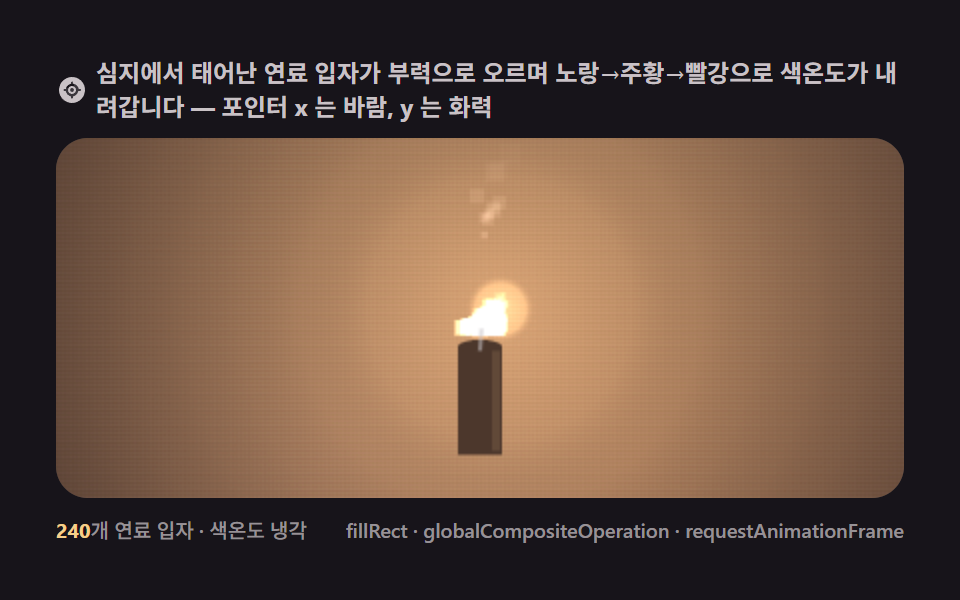 크리에이티브 UI캔버스 불 애니메이션 9종 — 시드 고정 파티클로 그리는 불꽃 효과
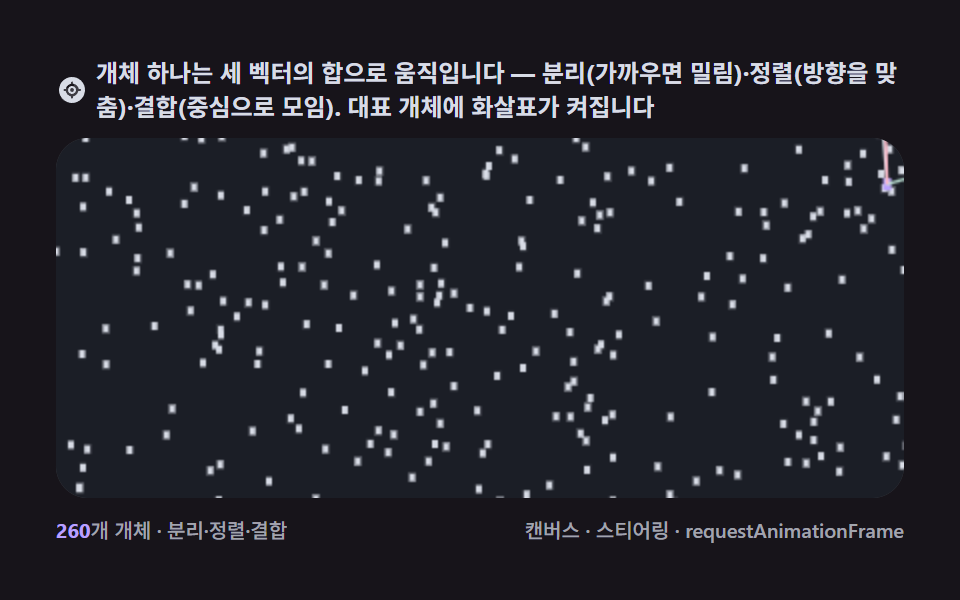 크리에이티브 UI캔버스 보이드(boids javascript) 군집 9종 — 새떼 애니메이션
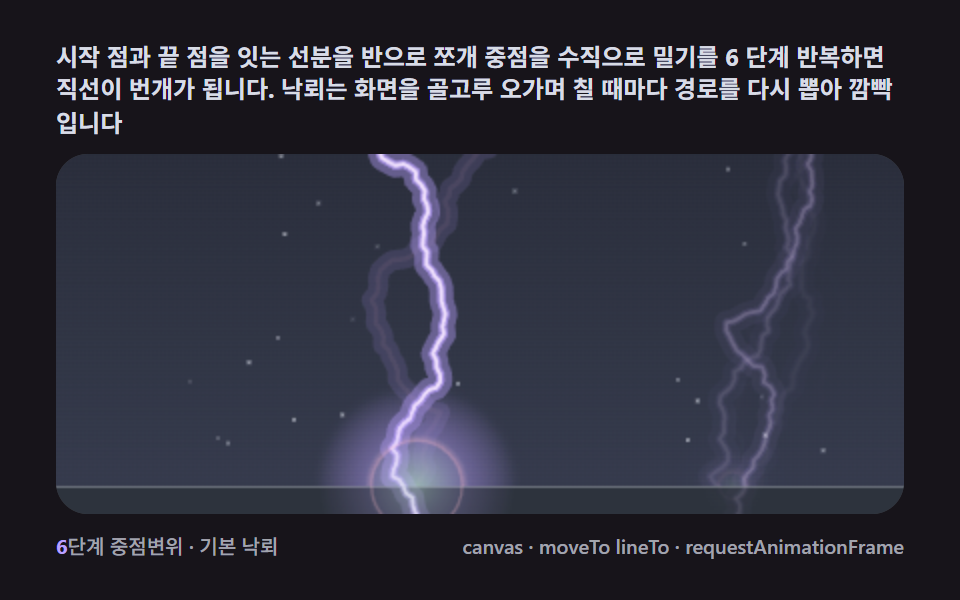 크리에이티브 UI캔버스 번개 효과 그리기 9종 — 프랙탈 중점변위로 치는 낙뢰