3D 지구본 캔버스 장면 9종 — Three.js 없이
3D 지구본은 웹사이트에 우주적인 규모감을 주는 장면입니다. 위성 궤도와 항로 곡선, 낮밤 경계까지 아홉 종을 Three.js 나 WebGL 없이 캔버스 2D 계산만으로 만들었고, 실측으로 가장 넓게 움직인 08 입자 지구본이 26.98퍼센트, 06 별밭 배경이 22.07퍼센트를
 01 globe-wireframe-rotate
 02 globe-dot-matrix
 03 globe-satellite-orbit
 04 globe-connection-arcs
 05 globe-day-night-terminator
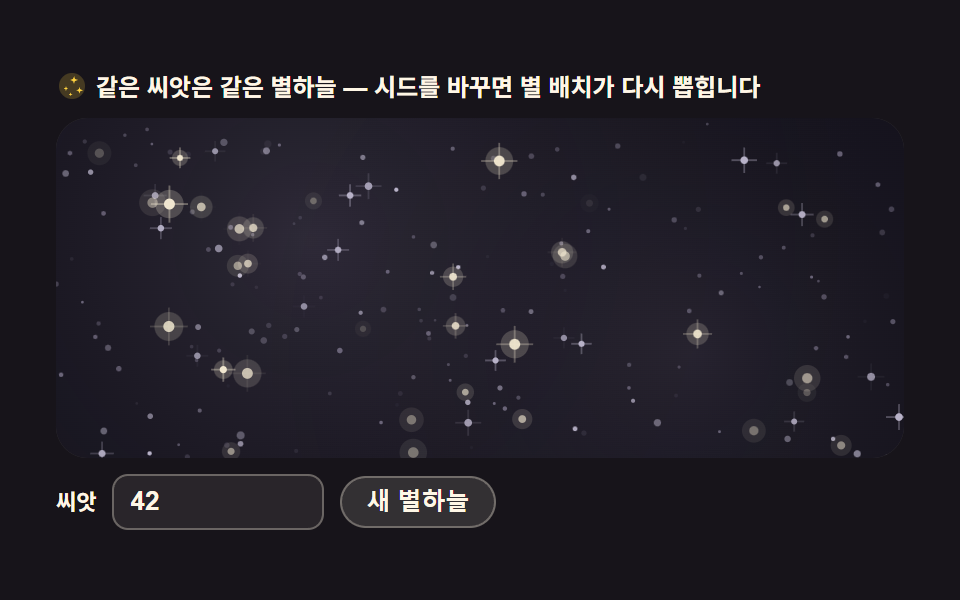 06 starfield-parallax-scene
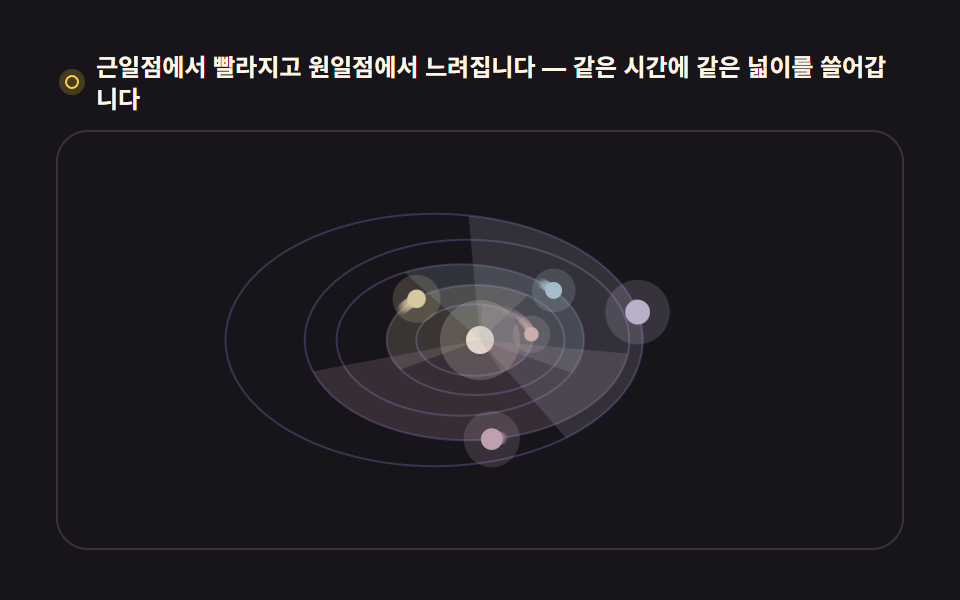 07 orrery-solar-system
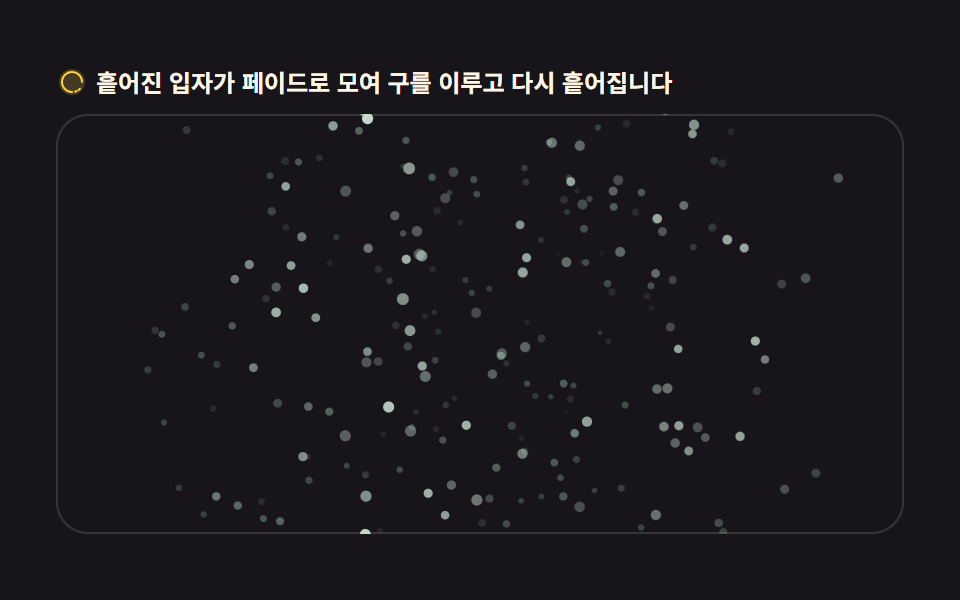 08 globe-particle-assembly
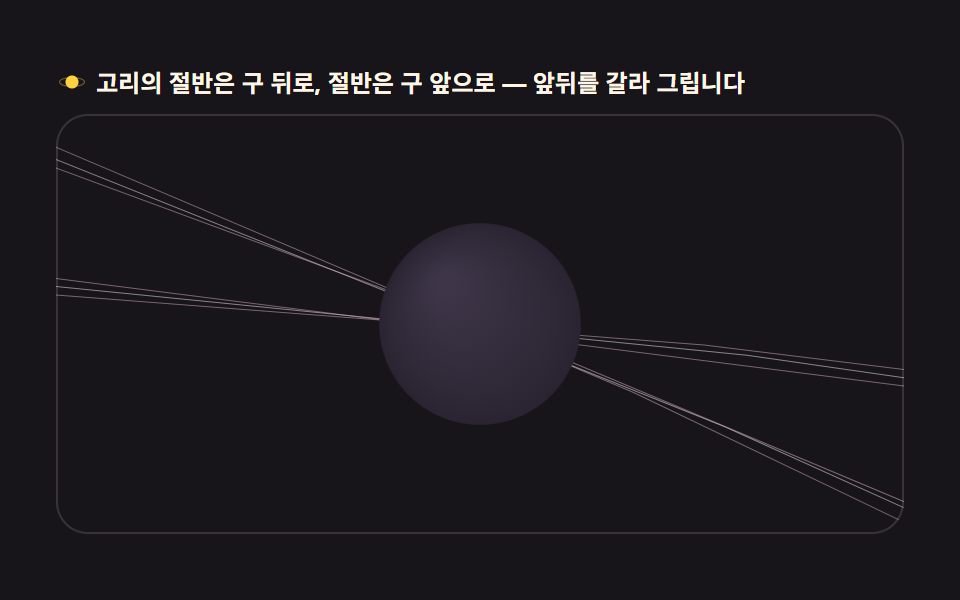 09 globe-saturn-ring-halo
자동 재생 · 눌러서 해당 항목으로 · 전부 한 zip
- 01 위경도 선으로 그린 회전 지구본
- 02 점으로 채운 도트매트릭스 지구본
- 03 지구본을 도는 위성 궤도
- 04 도시를 잇는 항로 곡선
- 05 낮과 밤이 갈라지는 지구본
- 06 층이 갈라지는 별밭 배경
- 07 여러 행성이 도는 태양계 모형
- 08 흩어졌다 뭉치는 입자 지구본
- 09 고리를 두른 지구본
순서는 화려한 순서가 아니라 구면 계산이 쌓이는 순서입니다. 먼저 구 좌표를 화면으로 옮기는 정사도 투영이 바탕이 되고(01), 그 위에 점·곡선·빛 계산이 얹히고(02~05), 장면이 구를 벗어나 배경과 궤도로 확장되고(06·07), 마지막에 입자와 고리가 장면을 하나의 연출로 마감합니다(08·09). 픽셀을 직접 굴절시키는 캔버스 특수효과와 시드로 무늬를 뽑는 CSS 배경 패턴이 이 편의 이웃입니다.
01위경도 선 회전 지구본
랜딩 히어로의 글로벌 서비스 소개에 쓰는, 위도·경도 선으로 그린 회전 지구본입니다.
<main class="stage">
<div class="gw" id="gw">
  <p class="gw__hint">
    <svg class="gw__ico" viewBox="0 0 256 256" aria-hidden="true"><g fill="currentColor"><path d="M128 24a104 104 0 1 0 104 104A104.12 104.12 0 0 0 128 24" opacity=".2"/><path d="M128 32a96 96 0 1 1-96 96a96.1 96.1 0 0 1 96-96m0-16a112 112 0 1 0 112 112A112.12 112.12 0 0 0 128 16"/><path d="M128 152a24 24 0 1 1 24-24a24 24 0 0 1-24 24m8-24a8 8 0 1 0-8 8a8 8 0 0 0 8-8" fill-rule="evenodd"/></g></svg>
    <span>마우스를 판 위에 놓으면 축이 기울고 판을 벗어나면 제자리로 돌아옵니다</span>
  </p>
  <div class="gw__field" id="field" role="application" aria-label="위경도 지구본 실험판" tabindex="0">
    <canvas class="gw__cv" id="cv"></canvas>
  </div>
</div>
</main>
@use "../../../../site/static/demo-tokens" as *;
// 위경도 선 회전 지구본 — 움직임은 전부 캔버스 rAF 루프 안(구면 좌표 → 정사도 투영 → 앞면 세그먼트만 연결).
// CSS 애니메이션이 0개여야 렌더러가 시계를 고정하지 않고 실시간 24장을 찍는다(077·012 선례).
// 색은 파스텔 기본 — 데모 scss 안 vivid 리터럴을 두지 않는다(BD26).
$duration: $dur-loop;
$easing: $ease-spring;
$color: $subject-sky; // 하늘색 파스텔 — 어두운 우주 무대 위 지구본 림
@include stage($stage-ink);
.gw {
// 구 바닥면 — 잉크보다 한 단계 밝은 저채도 우주 톤(채도 .10)
--gw-sphere: #232028;
--gw-deep: #2a272c;
// 위경도 선 — 크림 계열 파스텔. 채도 .10~.20
--gw-line: #d8d3c0;
--gw-dim: #55505e;
--gw-pole: #f0e6cf;
--gw-ring: #b8b2c8;
display: flex; flex-direction: column; gap: $sp-2;
width: 100%; max-width: 424px;
}
.gw__hint {
display: flex; align-items: center; gap: $sp-1; margin: 0;
font-weight: 700; font-size: clamp(10px, 2.8vw, 12px); line-height: 1.35;
color: $subject-cream;
}
.gw__ico { width: 16px; height: 16px; flex: 0 0 auto; color: $stage-yellow; }
.gw__field {
position: relative; height: 210px;
border-radius: $r-card; overflow: hidden;
background: $stage-ink;
box-shadow: inset 0 0 0 1px rgba($subject-cream, .14);
cursor: crosshair; touch-action: none;
}
.gw__field:focus-visible { outline: 2px solid $stage-yellow; outline-offset: 2px; }
.gw__cv { display: block; width: 100%; height: 100%; }
@media (max-width: 340px) {
.gw { gap: $sp-1; }
.gw__field { height: 110px; }
.gw__hint { font-size: 10px; }
}
// reduce — 루프가 아예 안 돌므로 끄고 말고 할 애니메이션이 없다.
// 멈춰 선 한 장이 그대로 남으므로 움직일 것 같은 커서 신호만 거둔다.
@media (prefers-reduced-motion: reduce) {
.gw__field { cursor: default !important; }
}html, body {
margin: 0;
overflow: hidden;
}
.stage {
box-sizing: border-box;
min-height: 100vh;
display: grid;
place-items: center;
margin: 0;
background: #17141a;
font-family: -apple-system, "Segoe UI", "Noto Sans KR", sans-serif;
padding: clamp(8px, 4vw, 24px);
}
.gw {
--gw-sphere: #232028;
--gw-deep: #2a272c;
--gw-line: #d8d3c0;
--gw-dim: #55505e;
--gw-pole: #f0e6cf;
--gw-ring: #b8b2c8;
display: flex;
flex-direction: column;
gap: 8px;
width: 100%;
max-width: 424px;
}
.gw__hint {
display: flex;
align-items: center;
gap: 4px;
margin: 0;
font-weight: 700;
font-size: clamp(10px, 2.8vw, 12px);
line-height: 1.35;
color: #fff7e6;
}
.gw__ico {
width: 16px;
height: 16px;
flex: 0 0 auto;
color: #ffd23f;
}
.gw__field {
position: relative;
height: 210px;
border-radius: 16px;
overflow: hidden;
background: #17141a;
box-shadow: inset 0 0 0 1px rgba(255, 247, 230, 0.14);
cursor: crosshair;
touch-action: none;
}
.gw__field:focus-visible {
outline: 2px solid #ffd23f;
outline-offset: 2px;
}
.gw__cv {
display: block;
width: 100%;
height: 100%;
}
@media (max-width: 340px) {
.gw {
gap: 4px;
}
.gw__field {
height: 110px;
}
.gw__hint {
font-size: 10px;
}
}
@media (prefers-reduced-motion: reduce) {
.gw__field {
cursor: default !important;
}
}// 위경도 선 회전 지구본 — 경위선 교차점을 구면 좌표(세타·파이)로 계산해 정사도(orthographic)로 눌러 그린다.
// 뒷면 감춤(backface culling)은 z<0 점을 선에서 잘라내는 게 아니라, 세그먼트를 쪼개 앞면 세그먼트만 잇는다.
// sin·cos 테이블은 프레임마다 같은 각도가 반복 계산되므로 미리 심어 둔다.
var field = document.getElementById('field');
var cv = document.getElementById('cv');
var ctx = cv.getContext('2d');
var TAU = Math.PI * 2;
var reduce = window.matchMedia('(prefers-reduced-motion: reduce)').matches;
var W = 0, H = 0, dpr = 1;
// 계층 — 적도·본초자오선 같은 큰 선은 굵게, 촘촘한 눈금은 가늘게
var LATS = []; // 위도선: { lat, segs }
(function () {
for (var lat = -60; lat <= 60; lat += 15) LATS.push(lat * Math.PI / 180);
})();
var LONS = []; // 경도선: { lon }
for (var lon = 0; lon < 180; lon += 15) LONS.push(lon * Math.PI / 180);
var SEG = 96; // 한 원을 쪼개는 세그먼트 수 — 5도 미만이면 곡선이 각진다
var rotY = 0; // 자전 각도(rad)
var tiltAim = -0.42; // 목표 축 기울기
var tilt = -0.42; // 현재 축 기울기 — 매 프레임 목표에 12%씩 다가간다
var last = 0, raf = 0;
function fit() {
var r = field.getBoundingClientRect();
dpr = window.devicePixelRatio || 1;
W = r.width; H = r.height;
cv.width = Math.round(W * dpr);
cv.height = Math.round(H * dpr);
ctx.setTransform(dpr, 0, 0, dpr, 0, 0);
}
// 구면 → 화면. 축 기울기(tilt)로 z축 회전을 먼저, 자전(rotY)을 y축 회전으로 그 다음에.
// cs·sn 은 그 세그먼트의 cos(세타), sin(세타) 다.
function project(sph, cs, sn) {
var lx = sph.x * cs + sph.z * sn; // y축 회전 (자전)
var lz = -sph.x * sn + sph.z * cs;
var ly = sph.y;
var ty = ly * Math.cos(tilt) - lz * Math.sin(tilt); // z축 회전 (기울기)
var tz = ly * Math.sin(tilt) + lz * Math.cos(tilt);
return { x: lx, y: ty, z: tz };
}
function draw() {
ctx.clearRect(0, 0, W, H);
var cx = W / 2, cy = H / 2;
var R = Math.min(W, H) * 0.40;
// 톤은 CSS 변수(scss 토큰)로 받는다 — 색이 어디서 오는지 한 곳에 둔다
var cs = getComputedStyle(document.getElementById('gw'));
var C_sphere = cs.getPropertyValue('--gw-sphere').trim();
var C_deep = cs.getPropertyValue('--gw-deep').trim();
var C_line = cs.getPropertyValue('--gw-line').trim();
var C_dim = cs.getPropertyValue('--gw-dim').trim();
var C_pole = cs.getPropertyValue('--gw-pole').trim();
var C_ring = cs.getPropertyValue('--gw-ring').trim();
// 구 바닥 — 뒷선이 비쳐 보이지 않게 먼저 불투명 원을 깐다
ctx.beginPath();
ctx.arc(cx, cy, R, 0, TAU);
ctx.fillStyle = C_sphere;
ctx.fill();
// 가장자리 림 — 원일구의 horizon. 안 깔면 선이 배경에 뜬다
ctx.beginPath();
ctx.arc(cx, cy, R, 0, TAU);
ctx.strokeStyle = C_ring;
ctx.lineWidth = 1.4;
ctx.stroke();
// 앞면만 그리는 폴리라인 — z<0 구간은 건너뛴다(backface culling)
  function polyline(pts, style, width) {
    ctx.strokeStyle = style;
    ctx.lineWidth = width;
    ctx.beginPath();
    var pen = false;
    for (var i = 0; i < pts.length; i++) {
      var p = pts[i];
      if (p.z >= 0) {
        var x = cx + p.x * R, y = cy - p.y * R;
        if (pen) ctx.lineTo(x, y); else { ctx.moveTo(x, y); pen = true; }
      } else {
        pen = false;   // 뒤로 넘어가는 지점에서 펜을 든다
      }
    }
    ctx.stroke();
  }
var cyT = Math.cos(tilt), syT = Math.sin(tilt);
// 위도선 — 각 선을 SEG 조각으로 쪼개 앞면 조각만 잇는다
for (var li = 0; li < LATS.length; li++) {
var lat = LATS[li];
var cLat = Math.cos(lat), sLat = Math.sin(lat);
var pts = [];
for (var s = 0; s <= SEG; s++) {
var phi = (s / SEG) * TAU;
var sph = { x: cLat * Math.sin(phi), y: sLat, z: cLat * Math.cos(phi) };
pts.push(project(sph, Math.cos(rotY), Math.sin(rotY)));
}
var major = lat === 0;
polyline(pts, major ? C_line : C_dim, major ? 1.5 : 1);
}
// 경도선 — 반원(앞뒤 세그먼트가 섞인다)을 쪼개 같은 방식으로
for (var gi = 0; gi < LONS.length; gi++) {
var lon = LONS[gi] + rotY;
var pts2 = [];
for (var s2 = 0; s2 <= SEG; s2++) {
var th = (s2 / SEG) * Math.PI; // 0..PI 반원
var sph2 = { x: Math.sin(th) * Math.cos(lon), y: Math.cos(th), z: Math.sin(th) * Math.sin(lon) };
pts2.push(project(sph2, 1, 0));
}
var major2 = Math.abs(((LONS[gi] / Math.PI * 180) % 180)) < 0.01 && false;
polyline(pts2, C_dim, 1);
}
// 본초자오선 — lon=rotY 인 선이 항상 중앙 세로선이 되게 자전각을 더해 그린다
var ptsM = [];
for (var s3 = 0; s3 <= SEG; s3++) {
var th3 = (s3 / SEG) * Math.PI;
var lonM = Math.PI / 2; // 화면 중앙면
var sph3 = { x: Math.sin(th3) * Math.cos(lonM), y: Math.cos(th3), z: Math.sin(th3) * Math.sin(lonM) };
var p3 = project(sph3, Math.cos(0), Math.sin(0));
ptsM.push(p3);
}
polyline(ptsM, C_line, 1.5);
// 극점 — 축이 기울어진 만큼 북극이 보인다
var north = project({ x: 0, y: 1, z: 0 }, 1, 0);
var south = project({ x: 0, y: -1, z: 0 }, 1, 0);
ctx.fillStyle = C_pole;
if (north.z >= 0) { ctx.beginPath(); ctx.arc(cx + north.x * R, cy - north.y * R, 2.2, 0, TAU); ctx.fill(); }
if (south.z >= 0) { ctx.beginPath(); ctx.arc(cx + south.x * R, cy - south.y * R, 2.2, 0, TAU); ctx.fill(); }
}
function frame(now) {
var dt = last ? Math.min((now - last) / 1000, 0.05) : 0.016;
last = now;
rotY += dt * 0.5; // 12.5초에 한 바퀴 — 천천히
tilt += (tiltAim - tilt) * 0.12; // 목표 기울기로 부드럽게
draw();
raf = requestAnimationFrame(frame);
}
// 포인터가 판의 좌우 어디에 있느냐로 목표 기울기를 정한다 — 0.42rad(약 24도) 범위
field.addEventListener('pointermove', function (e) {
var r = field.getBoundingClientRect();
var t = (e.clientX - r.left) / r.width - 0.5;
tiltAim = -0.42 + t * 0.84;
});
field.addEventListener('pointerleave', function () { tiltAim = -0.42; });
window.addEventListener('resize', function () { fit(); draw(); });
fit();
if (reduce) {
// reduce — 루프 없이 기울어진 한 장만 그린다
draw();
} else {
raf = requestAnimationFrame(frame);
}// GlobeWireframe — vanilla 판(run/304/demo/01-globe-wireframe-rotate/index.html) 의 React 포트.
// 위도·경도 대원 와이어 지구본 — 정사도 투영 + y축 자전 + 뒷면(z<0) 선분은 펜을 들어 감춘다(backface culling).
// 움직임은 캔버스 rAF 루프가 전부 그리므로 @keyframes 미리보기가 없다 — props 는 CSS 변수로 무대 격식에만 내려간다.
import { useEffect, useRef } from "react";
import type { CSSProperties } from "react";
import styles from "./GlobeWireframe.module.scss";
export type GlobeWireframeProps = {
duration?: string;
easing?: string;
color?: string;
};
type Vars = CSSProperties & { "--duration"?: string; "--easing"?: string; "--color"?: string };
type Box<T> = { current: T };
type PointerEvt = { clientX: number };
const TAU = Math.PI * 2;
const SEG = 96;
const FIELD_LABEL = "위경도 지구본 실험판";
const LATS = [-60, -30, 0, 30, 60].map((d) => (d * Math.PI) / 180);
const LONS = [0, 30, 60, 90, 120, 150].map((d) => (d * Math.PI) / 180);
export default function GlobeWireframe({
duration = "2s",
easing = "cubic-bezier(.2, .8, .2, 1)",
color = "#6ec8ff",
}: GlobeWireframeProps) {
const fieldRef = useRef<HTMLDivElement | null>(null);
const cvRef = useRef<HTMLCanvasElement | null>(null);
const rootRef = useRef<HTMLDivElement | null>(null);
const ctxRef = useRef<CanvasRenderingContext2D | null>(null);
const sizeRef = useRef({ w: 0, h: 0 }) as Box<{ w: number; h: number }>;
const rotRef = useRef({ y: 0, tiltAim: -0.42, tilt: -0.42 }) as Box<{ y: number; tiltAim: number; tilt: number }>;
const lastRef = useRef(0) as Box<number>;
const rafRef = useRef(0) as Box<number>;
const vars: Vars = { "--duration": duration, "--easing": easing, "--color": color };
function reduced(): boolean {
return window.matchMedia("(prefers-reduced-motion: reduce)").matches;
}
function fit(): void {
const field = fieldRef.current;
const cv = cvRef.current;
const ctx = ctxRef.current;
if (!field || !cv || !ctx) return;
const r = field.getBoundingClientRect();
const dpr = window.devicePixelRatio || 1;
sizeRef.current.w = r.width;
sizeRef.current.h = r.height;
cv.width = Math.round(r.width * dpr);
cv.height = Math.round(r.height * dpr);
ctx.setTransform(dpr, 0, 0, dpr, 0, 0);
}
// 구면 → 화면. 축 기울기(tilt)로 z축 회전을 먼저, 자전(rotY)을 y축 회전으로 그 다음에.
function project(x: number, y: number, z: number, cs: number, sn: number): { x: number; y: number; z: number } {
const lx = x * cs + z * sn; // y축 회전 (자전)
const lz = -x * sn + z * cs;
const ty = y * Math.cos(rotRef.current.tilt) - lz * Math.sin(rotRef.current.tilt); // z축 회전 (기울기)
const tz = y * Math.sin(rotRef.current.tilt) + lz * Math.cos(rotRef.current.tilt);
return { x: lx, y: ty, z: tz };
}
function draw(): void {
const ctx = ctxRef.current;
const root = rootRef.current;
if (!ctx || !root) return;
const W = sizeRef.current.w, H = sizeRef.current.h;
ctx.clearRect(0, 0, W, H);
const cx = W / 2, cy = H / 2;
const R = Math.min(W, H) * 0.40;
const rotY = rotRef.current.y;
const cs2 = getComputedStyle(root);
const C_sphere = cs2.getPropertyValue("--gw-sphere").trim();
const C_line = cs2.getPropertyValue("--gw-line").trim();
const C_dim = cs2.getPropertyValue("--gw-dim").trim();
const C_pole = cs2.getPropertyValue("--gw-pole").trim();
const C_ring = cs2.getPropertyValue("--gw-ring").trim();
// 구 바닥 — 뒷선이 비쳐 보이지 않게 먼저 불투명 원을 깐다
ctx.beginPath();
ctx.arc(cx, cy, R, 0, TAU);
ctx.fillStyle = C_sphere;
ctx.fill();
// 가장자리 림 — 원일구의 horizon
ctx.beginPath();
ctx.arc(cx, cy, R, 0, TAU);
ctx.strokeStyle = C_ring;
ctx.lineWidth = 1.4;
ctx.stroke();
// 앞면만 그리는 폴리라인 — z<0 구간은 건너뛴다(backface culling)
const polyline = (pts: { x: number; y: number; z: number }[], style: string, width: number): void => {
ctx.strokeStyle = style;
ctx.lineWidth = width;
ctx.beginPath();
let pen = false;
for (let i = 0; i < pts.length; i++) {
const p = pts[i];
if (p.z >= 0) {
const x = cx + p.x * R, y = cy - p.y * R;
if (pen) ctx.lineTo(x, y); else { ctx.moveTo(x, y); pen = true; }
} else {
pen = false; // 뒤로 넘어가는 지점에서 펜을 든다
}
}
ctx.stroke();
};
const csRot = Math.cos(rotY), snRot = Math.sin(rotY);
// 위도선 — 각 선을 SEG 조각으로 쪼개 앞면 조각만 잇는다
for (let li = 0; li < LATS.length; li++) {
const lat = LATS[li];
const cLat = Math.cos(lat), sLat = Math.sin(lat);
const pts: { x: number; y: number; z: number }[] = [];
for (let s = 0; s <= SEG; s++) {
const phi = (s / SEG) * TAU;
pts.push(project(cLat * Math.sin(phi), sLat, cLat * Math.cos(phi), csRot, snRot));
}
const major = lat === 0;
polyline(pts, major ? C_line : C_dim, major ? 1.5 : 1);
}
// 경로선 — 반원(앞뒤 세그먼트가 섞인다)을 쪼개 같은 방식으로
for (let gi = 0; gi < LONS.length; gi++) {
const lon = LONS[gi] + rotY;
const pts2: { x: number; y: number; z: number }[] = [];
for (let s2 = 0; s2 <= SEG; s2++) {
const th = (s2 / SEG) * Math.PI; // 0..PI 반원
pts2.push(project(Math.sin(th) * Math.cos(lon), Math.cos(th), Math.sin(th) * Math.sin(lon), 1, 0));
}
polyline(pts2, C_dim, 1);
}
// 본초자오선 — lon=rotY 인 선이 항상 중앙 세로선이 되게 자전각을 더해 그린다
const ptsM: { x: number; y: number; z: number }[] = [];
for (let s3 = 0; s3 <= SEG; s3++) {
const th3 = (s3 / SEG) * Math.PI;
const lonM = Math.PI / 2; // 화면 중앙면
ptsM.push(project(Math.sin(th3) * Math.cos(lonM), Math.cos(th3), Math.sin(th3) * Math.sin(lonM), Math.cos(0), Math.sin(0)));
}
polyline(ptsM, C_line, 1.5);
// 극점 — 축이 기울어진 만큼 북극이 보인다
const north = project(0, 1, 0, 1, 0);
const south = project(0, -1, 0, 1, 0);
ctx.fillStyle = C_pole;
if (north.z >= 0) { ctx.beginPath(); ctx.arc(cx + north.x * R, cy - north.y * R, 2.2, 0, TAU); ctx.fill(); }
if (south.z >= 0) { ctx.beginPath(); ctx.arc(cx + south.x * R, cy - south.y * R, 2.2, 0, TAU); ctx.fill(); }
}
function frame(now: number): void {
const dt = lastRef.current ? Math.min((now - lastRef.current) / 1000, 0.05) : 0.016;
lastRef.current = now;
rotRef.current.y += dt * 0.5; // 12.5초에 한 바퀴 — 천천히
rotRef.current.tilt += (rotRef.current.tiltAim - rotRef.current.tilt) * 0.12; // 목표 기울기로 부드럽게
draw();
rafRef.current = requestAnimationFrame(frame);
}
// 포인터가 판의 좌우 어디에 있느냐로 목표 기울기를 정한다 — 0.42rad(약 24도) 범위
function onPointerMove(e: PointerEvt): void {
const field = fieldRef.current;
if (!field) return;
const r = field.getBoundingClientRect();
const t = (e.clientX - r.left) / r.width - 0.5;
rotRef.current.tiltAim = -0.42 + t * 0.84;
}
function onPointerLeave(): void {
rotRef.current.tiltAim = -0.42;
}
useEffect(() => {
const cv = cvRef.current;
if (!cv) return;
ctxRef.current = cv.getContext("2d");
if (!ctxRef.current) return;
fit();
const field = fieldRef.current;
if (field) {
field.addEventListener("pointermove", onPointerMove as unknown as EventListener);
field.addEventListener("pointerleave", onPointerLeave);
}
const onResize = (): void => { fit(); draw(); };
window.addEventListener("resize", onResize);
if (reduced()) {
// reduce — 루프 없이 기울어진 한 장만 그린다
draw();
} else {
lastRef.current = 0;
rafRef.current = requestAnimationFrame(frame);
}
return () => {
window.removeEventListener("resize", onResize);
cancelAnimationFrame(rafRef.current);
if (field) {
field.removeEventListener("pointermove", onPointerMove as unknown as EventListener);
field.removeEventListener("pointerleave", onPointerLeave);
}
};
}, []);
return (
<main className={styles.stage}>
<div className={styles.root} ref={rootRef} style={vars}>
<p className={styles.hint}>
<svg className={styles.ico} viewBox="0 0 256 256" aria-hidden="true"><g fill="currentColor"><path d="M128 24a104 104 0 1 0 104 104A104.12 104.12 0 0 0 128 24" opacity=".2"/><path d="M128 40a88 88 0 1 0 88 88a88.1 88.1 0 0 0-88-88m0 160a72 72 0 1 1 72-72a72.08 72.08 0 0 1-72 72" fillRule="evenodd"/></g></svg>
<span>마우스를 판 위에 놓으면 축이 기울고 판을 벗어나면 제자리로 돌아옵니다</span>
</p>
<div
className={styles.field}
ref={fieldRef}
role="application"
aria-label={FIELD_LABEL}
tabIndex={0}
>
<canvas className={styles.cv} ref={cvRef}></canvas>
</div>
</div>
</main>
);
}01 · 위경도 선으로 그린 회전 지구본 — 측정 누적면적 14.28% · 움직인 프레임 23/23GODRICH 원작 · zip 에 SCSS·React 포함 · 비밀번호 보기
뒷면은 그리지 않는 것이 입체다
function polyline(pts, style, width) {
ctx.strokeStyle = style;
ctx.lineWidth = width;
ctx.beginPath();
var pen = false;
for (var i = 0; i < pts.length; i++) {
var p = pts[i];
if (p.z >= 0) {
var x = cx + p.x * R, y = cy - p.y * R;
if (pen) ctx.lineTo(x, y); else { ctx.moveTo(x, y); pen = true; }
} else {
pen = false; // 뒤로 넘어가는 지점에서 펜을 든다
}
}
ctx.stroke();
}
구면 좌표를 축 기울기와 자전 각도로 회전해 화면 좌표로 바꾼 뒤 깊이 z 가 음수인 뒷면 구간은 펜을 들어 건너뛰는데, 선을 겹쳐 흐리게 하는 대신 아예 지우니 구가 투명 유리구가 아니라 뭉근한 덩어리로 읽힙니다. 마우스를 판 위에 올리면 축이 목표 기울기로 매 프레임 12퍼센트씩 다가갑니다(실측: 누적면적 14.28퍼센트, 23/23 프레임 움직임).
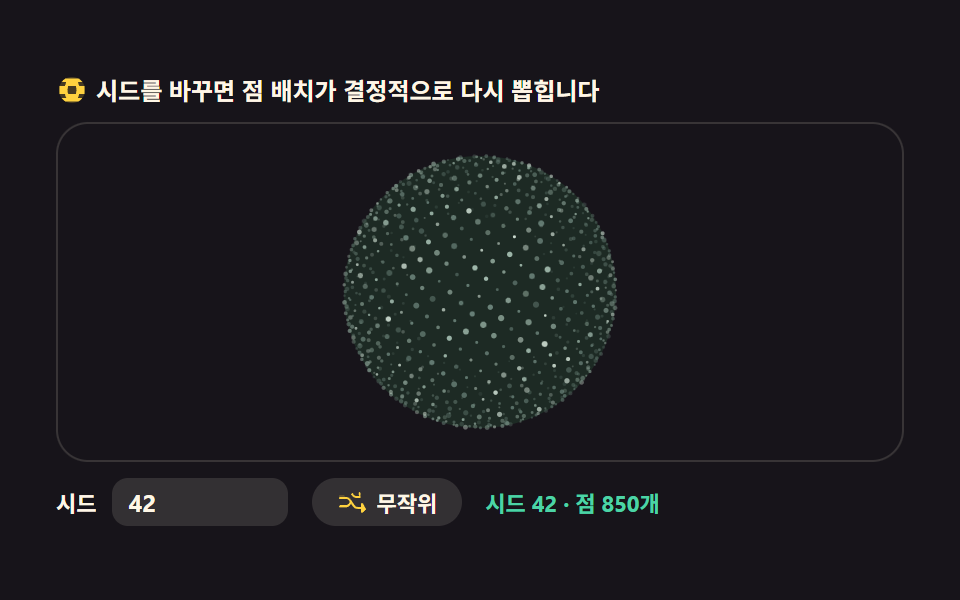
02점으로 채운 도트매트릭스 지구본
글로벌 접속자 수를 보여주는 섹션에 어울리는, 점 천 개로 채운 지구본입니다.
<main class="stage">
<div class="gd" id="gd">
  <p class="gd__hint">
    <svg class="gd__ico" viewBox="0 0 256 256" aria-hidden="true"><g fill="currentColor"><path d="M128 24a104 104 0 1 0 104 104A104.12 104.12 0 0 0 128 24" opacity=".2"/><path d="M228 96h-42.81a126 126 0 0 0-10.51-32h36.24a103.87 103.87 0 0 0-30-28H75.08a103.87 103.87 0 0 0-30 28h36.24a126 126 0 0 0-10.51 32H28v64h42.3a126 126 0 0 0 10.51 32H44.92a103.87 103.87 0 0 0 30 28h105.84a103.87 103.87 0 0 0 30-28h-35.89a126 126 0 0 0 10.51-32H228Zm-68.75 64h-62.5a102.26 102.26 0 0 1 0-64h62.5a102.26 102.26 0 0 1 0 64"/></g></svg>
    <span>시드를 바꾸면 점 배치가 결정적으로 다시 뽑힙니다</span>
  </p>
  <div class="gd__field" id="field" role="application" aria-label="도트매트릭스 지구본 실험판" tabindex="0">
    <canvas class="gd__cv" id="cv"></canvas>
  </div>
  <div class="gd__bar">
    <label class="gd__dial">시드
      <input type="number" id="seed" min="1" max="9999" step="1" value="42" aria-label="시드 번호">
    </label>
    <button class="gd__shuffle" id="shuffle" type="button">
      <svg class="gd__ico" viewBox="0 0 256 256" aria-hidden="true"><g fill="currentColor"><path d="M32 72h32l16 24-13 9-11-17H32a8 8 0 0 1 0-16" opacity=".2"/><path d="M237.66 178.34a8 8 0 0 1 0 11.32l-24 24A8 8 0 0 1 200 208V184h-29.41a40 40 0 0 1-33.94-18.75L102.71 115.5A24 24 0 0 0 82.75 104H32a8 8 0 0 1 0-16h50.75a40 40 0 0 1 33.94 18.75l33.94 49.75a24 24 0 0 0 19.96 11.5H200v-24a8 8 0 0 1 13.66-5.66ZM32 152h50.75a24 24 0 0 0 19.96-11.5l8.11-11.87 9.51 13.93-6.9 10.11a40 40 0 0 1-33.94 18.72H32a8 8 0 0 1 0-16m150.34-82.34a8 8 0 0 0 13.66 5.66V96h-34.46a40 40 0 0 1-33.94-18.75l-6.9-10.11 9.51-13.93 8.11 11.87A24 24 0 0 0 158.29 80H196V56a8 8 0 0 0-13.66-5.66" fill-rule="evenodd"/></g></svg>
      <span>무작위</span>
    </button>
    <b class="gd__val" id="seedOut" aria-hidden="true">시드 <span class="gd__valNum" id="seedNum">42</span><span class="gd__valUnit"> · 점 850개</span></b>
  </div>
</div>
</main>
@use "../../../../site/static/demo-tokens" as *;
// 도트매트릭스 지구본 — 움직임은 전부 캔버스 rAF(Fibonacci sphere 분포 + depth sort + 시드 재생성).
// CSS 는 무대·판·시드 컨트롤만. 파스텔 팔레트 — vivid 리터럴 0(BD26).
$duration: $dur-loop;
$easing: $ease-spring;
$color: $subject-mint;
@include stage($stage-ink);
.gd {
// 점 3계열 — 전부 저채도 파스텔(채도 .12~.30)
--gd-hi: #d8e8dc; // 밝은 크림그린 — 강조점
--gd-mid: #9fb8ab; // 회록 파스텔 — 다수점
--gd-lo: #6a8279; // 어두운 회록 — 뒤쪽 점
--gd-core: #1d2a24; // 코어 — 잉크보다 한 단계 밝은 저채표 톤
display: flex; flex-direction: column; gap: $sp-2;
width: 100%; max-width: 424px;
}
.gd__hint {
display: flex; align-items: center; gap: $sp-1; margin: 0;
font-weight: 700; font-size: clamp(10px, 2.8vw, 12px); line-height: 1.35;
color: $subject-cream;
}
.gd__ico { width: 16px; height: 16px; flex: 0 0 auto; color: $stage-yellow; }
.gd__field {
position: relative; height: 170px; // 시드 막대가 있어 300px 무대 안에 다 들어오게
border-radius: $r-card; overflow: hidden;
background: $stage-ink;
box-shadow: inset 0 0 0 1px rgba($subject-cream, .14);
}
.gd__field:focus-visible { outline: 2px solid $stage-yellow; outline-offset: 2px; }
.gd__cv { display: block; width: 100%; height: 100%; }
.gd__bar { display: flex; align-items: center; gap: $sp-3; flex-wrap: wrap; }
.gd__dial {
display: flex; align-items: center; gap: $sp-2;
font-weight: 700; font-size: 11px; color: $subject-cream;
}
.gd__dial input {
width: 72px; margin: 0;
padding: $sp-1 $sp-2; border: 0; border-radius: $r-sm;
background: rgba($subject-cream, .12); color: $subject-cream;
font-weight: 700; font-size: 12px; font-family: inherit;
}
.gd__dial input:focus-visible { outline: 2px solid $stage-yellow; outline-offset: 2px; }
.gd__shuffle {
display: flex; align-items: center; gap: $sp-1;
padding: $sp-1 $sp-3; border: 0; border-radius: $r-pill;
background: rgba($subject-cream, .12); color: $subject-cream;
font-weight: 700; font-size: 11px; font-family: inherit; cursor: pointer;
}
.gd__shuffle:hover { background: rgba($subject-cream, .2); }
.gd__shuffle:focus-visible { outline: 2px solid $stage-yellow; outline-offset: 2px; }
.gd__val { color: $subject-mint; font-size: 11px; font-weight: 700; }
@media (max-width: 340px) {
.gd { gap: $sp-1; }
.gd__field { height: 96px; }
.gd__hint { font-size: 10px; }
.gd__bar { gap: $sp-2; }
.gd__dial input { width: 56px; }
}
// reduce — 루프가 안 돈다. 시드 입력은 여전히 결정적으로 한 장을 다시 그린다.
@media (prefers-reduced-motion: reduce) {
.gd__field { cursor: default !important; }
}html, body {
margin: 0;
overflow: hidden;
}
.stage {
box-sizing: border-box;
min-height: 100vh;
display: grid;
place-items: center;
margin: 0;
background: #17141a;
font-family: -apple-system, "Segoe UI", "Noto Sans KR", sans-serif;
padding: clamp(8px, 4vw, 24px);
}
.gd {
--gd-hi: #d8e8dc;
--gd-mid: #9fb8ab;
--gd-lo: #6a8279;
--gd-core: #1d2a24;
display: flex;
flex-direction: column;
gap: 8px;
width: 100%;
max-width: 424px;
}
.gd__hint {
display: flex;
align-items: center;
gap: 4px;
margin: 0;
font-weight: 700;
font-size: clamp(10px, 2.8vw, 12px);
line-height: 1.35;
color: #fff7e6;
}
.gd__ico {
width: 16px;
height: 16px;
flex: 0 0 auto;
color: #ffd23f;
}
.gd__field {
position: relative;
height: 170px;
border-radius: 16px;
overflow: hidden;
background: #17141a;
box-shadow: inset 0 0 0 1px rgba(255, 247, 230, 0.14);
}
.gd__field:focus-visible {
outline: 2px solid #ffd23f;
outline-offset: 2px;
}
.gd__cv {
display: block;
width: 100%;
height: 100%;
}
.gd__bar {
display: flex;
align-items: center;
gap: 12px;
flex-wrap: wrap;
}
.gd__dial {
display: flex;
align-items: center;
gap: 8px;
font-weight: 700;
font-size: 11px;
color: #fff7e6;
}
.gd__dial input {
width: 72px;
margin: 0;
padding: 4px 8px;
border: 0;
border-radius: 8px;
background: rgba(255, 247, 230, 0.12);
color: #fff7e6;
font-weight: 700;
font-size: 12px;
font-family: inherit;
}
.gd__dial input:focus-visible {
outline: 2px solid #ffd23f;
outline-offset: 2px;
}
.gd__shuffle {
display: flex;
align-items: center;
gap: 4px;
padding: 4px 12px;
border: 0;
border-radius: 999px;
background: rgba(255, 247, 230, 0.12);
color: #fff7e6;
font-weight: 700;
font-size: 11px;
font-family: inherit;
cursor: pointer;
}
.gd__shuffle:hover {
background: rgba(255, 247, 230, 0.2);
}
.gd__shuffle:focus-visible {
outline: 2px solid #ffd23f;
outline-offset: 2px;
}
.gd__val {
color: #4cd4a6;
font-size: 11px;
font-weight: 700;
}
@media (max-width: 340px) {
.gd {
gap: 4px;
}
.gd__field {
height: 96px;
}
.gd__hint {
font-size: 10px;
}
.gd__bar {
gap: 8px;
}
.gd__dial input {
width: 56px;
}
}
@media (prefers-reduced-motion: reduce) {
.gd__field {
cursor: default !important;
}
}// 도트매트릭스 지구본 — Fibonacci sphere 로 구 표면에 점을 고르게 뿌린다.
// Fibonacci sphere: i 번째 점의 위도는 acos(1 - 2(i+0.5)/N), 경도는 황금각(golden angle) 만큼씩 돈다.
// 같은 시드 = 같은 그림. 시드는 난수 계열(mulberry32)을 고르고, 그 계열이 점의 반경·밝기·톤을 뽑는다.
var root = document.getElementById('gd');
var field = document.getElementById('field');
var cv = document.getElementById('cv');
var ctx = cv.getContext('2d');
var seedIn = document.getElementById('seed');
var shuffleBtn = document.getElementById('shuffle');
var seedOut = document.getElementById('seedNum');
var TAU = Math.PI * 2;
var GOLDEN = Math.PI * (3 - Math.sqrt(5)); // 황금각 약 2.39996rad
var reduce = window.matchMedia('(prefers-reduced-motion: reduce)').matches;
var W = 0, H = 0, dpr = 1;
// 결정적 난수 — mulberry32. 같은 시드면 같은 수열을 돌려준다
function mulberry32(a) {
return function () {
a |= 0; a = (a + 0x6D2B79F5) | 0;
var t = Math.imul(a ^ (a >>> 15), 1 | a);
t = (t + Math.imul(t ^ (t >>> 7), 61 | t)) ^ t;
return ((t ^ (t >>> 14)) >>> 0) / 4294967296;
};
}
var N = 850; // 점 개수
var dots = []; // { x,y,z(단위구), r(반경 배율), tone(0..1), jitter(위상) }
var seedVal = 42;
var rotY = 0;
var last = 0, raf = 0;
function buildDots() {
var rnd = mulberry32(seedVal);
dots = [];
for (var i = 0; i < N; i++) {
// Fibonacci sphere — 균등 분포. 황금각 회전이 나선 잎차례를 만든다
var y = 1 - 2 * (i + 0.5) / N;
var rLat = Math.sqrt(1 - y * y);
var phi = i * GOLDEN;
var jitterR = rnd();
dots.push({
x: Math.cos(phi) * rLat,
y: y,
z: Math.sin(phi) * rLat,
r: 0.6 + jitterR * 0.9, // 반경 다양성도 시드가 정한다
tone: rnd(),
jt: rnd() * TAU // 반짝임 위상
});
}
seedOut.textContent = String(seedVal);
}
function fit() {
var r = field.getBoundingClientRect();
dpr = window.devicePixelRatio || 1;
W = r.width; H = r.height;
cv.width = Math.round(W * dpr);
cv.height = Math.round(H * dpr);
ctx.setTransform(dpr, 0, 0, dpr, 0, 0);
}
function draw(now) {
ctx.clearRect(0, 0, W, H);
var cx = W / 2, cy = H / 2;
var R = Math.min(W, H) * 0.40;
var cs = getComputedStyle(root);
var C_hi = cs.getPropertyValue('--gd-hi').trim();
var C_mid = cs.getPropertyValue('--gd-mid').trim();
var C_lo = cs.getPropertyValue('--gd-lo').trim();
var C_core = cs.getPropertyValue('--gd-core').trim();
// 바닥 코어 — 점 구름의 중심을 은은히 밝힌다(구체가 아니라 점의 집단임을 읽게)
ctx.beginPath();
ctx.arc(cx, cy, R, 0, TAU);
ctx.fillStyle = C_core;
ctx.fill();
var cyr = Math.cos(rotY), syr = Math.sin(rotY);
var t = now * 0.001;
// depth sort — 먼 점(z<0, 뒤)부터 그려야 앞 점이 위에 얹힌다
var order = [];
for (var i = 0; i < N; i++) {
var d = dots[i];
var lx = d.x * cyr + d.z * syr;
var lz = -d.x * syr + d.z * cyr;
order.push({ p: d, lx: lx, lz: lz });
}
order.sort(function (a, b) { return a.lz - b.lz; });
for (var k = 0; k < N; k++) {
var o = order[k];
var depth = (o.lz + 1) / 2; // 0(뒤)..1(앞)
if (depth < 0.08) continue; // 맨 뒤는 림 바깥 실루엣만 남긴다
var px = cx + o.lx * R;
var py = cy - o.p.y * R;
// 원근 없는 정사도라 깊이는 크기가 아니라 밝기·알파로만 녹인다
var alpha = 0.16 + depth * 0.84;
var tw = 0.75 + 0.25 * Math.sin(t * 2 + o.p.jt); // 반짝임 — 시간에 따라 살아 있는다
ctx.globalAlpha = alpha * tw;
ctx.fillStyle = o.p.tone > 0.82 ? C_hi : (o.p.tone > 0.45 ? C_mid : C_lo);
ctx.beginPath();
ctx.arc(px, py, o.p.r * (0.55 + depth * 0.5), 0, TAU);
ctx.fill();
}
ctx.globalAlpha = 1;
}
function frame(now) {
var dt = last ? Math.min((now - last) / 1000, 0.05) : 0.016;
last = now;
rotY += dt * 0.35;
draw(now);
raf = requestAnimationFrame(frame);
}
function applySeed(v) {
seedVal = Math.max(1, Math.min(9999, Math.floor(v) || 1));
seedIn.value = String(seedVal);
buildDots();
if (reduce) draw(0);
}
seedIn.addEventListener('input', function () { applySeed(Number(seedIn.value)); });
shuffleBtn.addEventListener('click', function () {
applySeed(1 + Math.floor(Math.random() * 9999));
});
field.addEventListener('keydown', function (e) {
if (e.key === 'Enter' || e.key === ' ') {
e.preventDefault();
applySeed(1 + Math.floor(Math.random() * 9999));
}
});
window.addEventListener('resize', function () { fit(); draw(0); });
fit();
buildDots();
if (reduce) {
draw(0); // reduce — 루프 없이 시드의 한 장만
} else {
raf = requestAnimationFrame(frame);
}// GlobeDotMatrix — vanilla 판(run/304/demo/02-globe-dot-matrix/index.html) 의 React 포트.
// Fibonacci sphere 로 구 표면에 점을 고르게 뿌린 도트 지구본. 같은 시드 = 같은 그림(mulberry32).
// 움직임은 캔버스 rAF 루프가 전부 그리므로 @keyframes 미리보기가 없다 — props 는 CSS 변수로 무대 격식에만 내려간다.
import { useEffect, useRef, useState } from "react";
import type { CSSProperties } from "react";
import styles from "./GlobeDotMatrix.module.scss";
export type GlobeDotMatrixProps = {
duration?: string;
easing?: string;
color?: string;
};
type Vars = CSSProperties & { "--duration"?: string; "--easing"?: string; "--color"?: string };
type Box<T> = { current: T };
type KeyEvt = { key: string; preventDefault(): void };
type InputEvt = { target: { value: string } };
type Dot = { x: number; y: number; z: number; r: number; tone: number; jt: number };
const TAU = Math.PI * 2;
const GOLDEN = Math.PI * (3 - Math.sqrt(5)); // 황금각 약 2.39996rad
const N = 850; // 점 개수
const FIELD_LABEL = "도트매트릭스 지구본 실험판";
// 결정적 난수 — mulberry32. 같은 시드면 같은 수열을 돌려준다
function mulberry32(a: number): () => number {
return function () {
a |= 0; a = (a + 0x6D2B79F5) | 0;
const t = Math.imul(a ^ (a >>> 15), 1 | a);
const u = (t + Math.imul(t ^ (t >>> 7), 61 | t)) ^ t;
return ((u ^ (u >>> 14)) >>> 0) / 4294967296;
};
}
export default function GlobeDotMatrix({
duration = "2s",
easing = "cubic-bezier(.2, .8, .2, 1)",
color = "#4cd4a6",
}: GlobeDotMatrixProps) {
const fieldRef = useRef<HTMLDivElement | null>(null);
const cvRef = useRef<HTMLCanvasElement | null>(null);
const rootRef = useRef<HTMLDivElement | null>(null);
const seedRef = useRef<HTMLInputElement | null>(null);
const ctxRef = useRef<CanvasRenderingContext2D | null>(null);
const sizeRef = useRef({ w: 0, h: 0 }) as Box<{ w: number; h: number }>;
const dotsRef = useRef<Dot[]>([]) as Box<Dot[]>;
const seedValRef = useRef(42) as Box<number>;
const rotRef = useRef(0) as Box<number>;
const lastRef = useRef(0) as Box<number>;
const rafRef = useRef(0) as Box<number>;
const [seedNum, setSeedNum] = useState(42);
const vars: Vars = { "--duration": duration, "--easing": easing, "--color": color };
function reduced(): boolean {
return window.matchMedia("(prefers-reduced-motion: reduce)").matches;
}
function buildDots(): void {
const rnd = mulberry32(seedValRef.current);
const dots = dotsRef.current;
dots.length = 0;
for (let i = 0; i < N; i++) {
// Fibonacci sphere — 균등 분포. 황금각 회전이 나선 잎차례를 만든다
const y = 1 - 2 * (i + 0.5) / N;
const rLat = Math.sqrt(1 - y * y);
const phi = i * GOLDEN;
const jitterR = rnd();
dots.push({
x: Math.cos(phi) * rLat,
y: y,
z: Math.sin(phi) * rLat,
r: 0.6 + jitterR * 0.9, // 반경 다양성도 시드가 정한다
tone: rnd(),
jt: rnd() * TAU // 반짝임 위상
});
}
setSeedNum(seedValRef.current);
}
function fit(): void {
const field = fieldRef.current;
const cv = cvRef.current;
const ctx = ctxRef.current;
if (!field || !cv || !ctx) return;
const r = field.getBoundingClientRect();
const dpr = window.devicePixelRatio || 1;
sizeRef.current.w = r.width;
sizeRef.current.h = r.height;
cv.width = Math.round(r.width * dpr);
cv.height = Math.round(r.height * dpr);
ctx.setTransform(dpr, 0, 0, dpr, 0, 0);
}
function draw(now: number): void {
const ctx = ctxRef.current;
const root = rootRef.current;
if (!ctx || !root) return;
const W = sizeRef.current.w, H = sizeRef.current.h;
ctx.clearRect(0, 0, W, H);
const cx = W / 2, cy = H / 2;
const R = Math.min(W, H) * 0.40;
const cs = getComputedStyle(root);
const C_hi = cs.getPropertyValue("--gd-hi").trim();
const C_mid = cs.getPropertyValue("--gd-mid").trim();
const C_lo = cs.getPropertyValue("--gd-lo").trim();
const C_core = cs.getPropertyValue("--gd-core").trim();
// 바닥 코어 — 점 구름의 중심을 은은히 밝힌다(구체가 아니라 점의 집단임을 읽게)
ctx.beginPath();
ctx.arc(cx, cy, R, 0, TAU);
ctx.fillStyle = C_core;
ctx.fill();
const rotY = rotRef.current;
const cyr = Math.cos(rotY), syr = Math.sin(rotY);
const t = now * 0.001;
// depth sort — 먼 점(z<0, 뒤)부터 그려야 앞 점이 위에 얹힌다
const order: { p: Dot; lx: number; lz: number }[] = [];
const dots = dotsRef.current;
for (let i = 0; i < dots.length; i++) {
const d = dots[i];
const lx = d.x * cyr + d.z * syr;
const lz = -d.x * syr + d.z * cyr;
order.push({ p: d, lx, lz });
}
order.sort((a, b) => a.lz - b.lz);
for (let k = 0; k < order.length; k++) {
const o = order[k];
const depth = (o.lz + 1) / 2; // 0(뒤)..1(앞)
if (depth < 0.08) continue; // 맨 뒤는 림 바깥 실루엣만 남긴다
const px = cx + o.lx * R;
const py = cy - o.p.y * R;
const alpha = 0.16 + depth * 0.84;
const tw = 0.75 + 0.25 * Math.sin(t * 2 + o.p.jt); // 반짝임
ctx.globalAlpha = alpha * tw;
ctx.fillStyle = o.p.tone > 0.82 ? C_hi : (o.p.tone > 0.45 ? C_mid : C_lo);
ctx.beginPath();
ctx.arc(px, py, o.p.r * (0.55 + depth * 0.5), 0, TAU);
ctx.fill();
}
ctx.globalAlpha = 1;
}
function frame(now: number): void {
const dt = lastRef.current ? Math.min((now - lastRef.current) / 1000, 0.05) : 0.016;
lastRef.current = now;
rotRef.current += dt * 0.35;
draw(now);
rafRef.current = requestAnimationFrame(frame);
}
function applySeed(v: number): void {
seedValRef.current = Math.max(1, Math.min(9999, Math.floor(v) || 1));
if (seedRef.current) seedRef.current.value = String(seedValRef.current);
buildDots();
if (reduced()) draw(0);
}
function onSeedInput(event: InputEvt): void {
applySeed(Number(event.target.value));
}
function onShuffle(): void {
applySeed(1 + Math.floor(Math.random() * 9999));
}
function onFieldKey(event: KeyEvt): void {
if (event.key === "Enter" || event.key === " ") {
event.preventDefault();
onShuffle();
}
}
useEffect(() => {
const cv = cvRef.current;
if (!cv) return;
ctxRef.current = cv.getContext("2d");
if (!ctxRef.current) return;
fit();
buildDots();
const onResize = (): void => { fit(); draw(0); };
window.addEventListener("resize", onResize);
if (reduced()) {
draw(0); // reduce — 루프 없이 시드의 한 장만
} else {
lastRef.current = 0;
rafRef.current = requestAnimationFrame(frame);
}
return () => {
window.removeEventListener("resize", onResize);
cancelAnimationFrame(rafRef.current);
};
}, []);
return (
<main className={styles.stage}>
<div className={styles.root} ref={rootRef} style={vars}>
<p className={styles.hint}>
<svg className={styles.ico} viewBox="0 0 256 256" aria-hidden="true"><g fill="currentColor"><path d="M128 24a104 104 0 1 0 104 104A104.12 104.12 0 0 0 128 24" opacity=".2"/><path d="M228 96h-42.81a126 126 0 0 0-10.51-32h36.24a103.87 103.87 0 0 0-30-28H75.08a103.87 103.87 0 0 0-30 28h36.24a126 126 0 0 0-10.51 32H28v64h42.3a126 126 0 0 0 10.51 32H44.92a103.87 103.87 0 0 0 30 28h105.84a103.87 103.87 0 0 0 30-28h-35.89a126 126 0 0 0 10.51-32H228Zm-68.75 64h-62.5a102.26 102.26 0 0 1 0-64h62.5a102.26 102.26 0 0 1 0 64"/></g></svg>
<span>시드를 바꾸면 점 배치가 결정적으로 다시 뽑힙니다</span>
</p>
<div
className={styles.field}
ref={fieldRef}
role="application"
aria-label={FIELD_LABEL}
tabIndex={0}
onKeyDown={onFieldKey}
>
<canvas className={styles.cv} ref={cvRef}></canvas>
</div>
<div className={styles.bar}>
<label className={styles.dial}>시드
<input type="number" ref={seedRef} min={1} max={9999} step={1} defaultValue={42} aria-label="시드 번호" onChange={onSeedInput} />
</label>
<button className={styles.shuffle} type="button" onClick={onShuffle}>
<svg className={styles.ico} viewBox="0 0 256 256" aria-hidden="true"><g fill="currentColor"><path d="M32 72h32l16 24-13 9-11-17H32a8 8 0 0 1 0-16" opacity=".2"/><path d="M237.66 178.34a8 8 0 0 1 0 11.32l-24 24A8 8 0 0 1 200 208V184h-29.41a40 40 0 0 1-33.94-18.75L102.71 115.5A24 24 0 0 0 82.75 104H32a8 8 0 0 1 0-16h50.75a40 40 0 0 1 33.94 18.75l33.94 49.75a24 24 0 0 0 19.96 11.5H200v-24a8 8 0 0 1 13.66-5.66ZM32 152h50.75a24 24 0 0 0 19.96-11.5l8.11-11.87 9.51 13.93-6.9 10.11a40 40 0 0 1-33.94 18.72H32a8 8 0 0 1 0-16m150.34-82.34a8 8 0 0 0 13.66 5.66V96h-34.46a40 40 0 0 1-33.94-18.75l-6.9-10.11 9.51-13.93 8.11 11.87A24 24 0 0 0 158.29 80H196V56a8 8 0 0 0-13.66-5.66" fillRule="evenodd"/></g></svg>
<span>무작위</span>
</button>
<b className={styles.val} aria-hidden="true">시드 <span className={styles.valNum}>{seedNum}</span><span className={styles.valUnit}> · 점 850개</span></b>
</div>
</div>
</main>
);
}02 · 점으로 채운 도트매트릭스 지구본 — 측정 누적면적 10.422% · 움직인 프레임 23/23GODRICH 원작 · zip 에 SCSS·React 포함 · 비밀번호 보기
같은 시드는 같은 그림을 뽑는다
// 결정적 난수 — mulberry32. 같은 시드면 같은 수열을 돌려준다
function mulberry32(a) {
  return function () {
    a |= 0; a = (a + 0x6D2B79F5) | 0;
    var t = Math.imul(a ^ (a >>> 15), 1 | a);
    t = (t + Math.imul(t ^ (t >>> 7), 61 | t)) ^ t;
    return ((t ^ (t >>> 14)) >>> 0) / 429497296;
  };
}
점 850개는 피보나치 구 분포로 놓아 극지방이 촘촘해지는 일 없이 고르게 퍼지고, 각 점의 반경·밝기·반짝임 위상은 시드가 정한 난수 계열이 결정합니다. 판 아래 시드 입력에 숫자를 넣으면 점 배치가 결정적으로 다시 그려지고, 같은 시드를 다시 넣으면 정확히 같은 그림이 돌아옵니다(실측: 시드 42에서 7로 바꾸면 점 배치 전체 재생성).
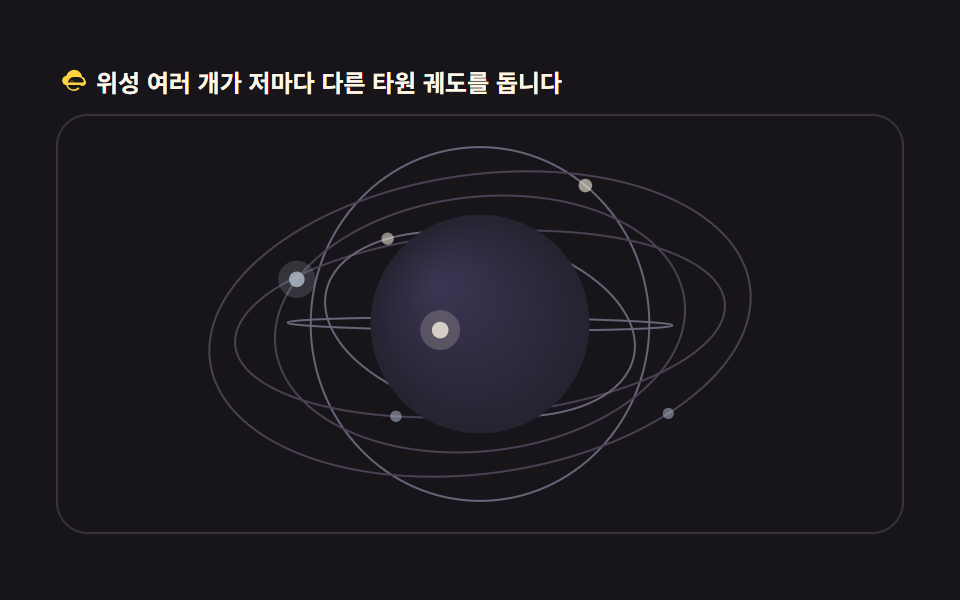
03지구본을 도는 위성 궤도
우주·통신 서비스 소개에 쓰는, 타원 궤도를 도는 위성 무리입니다.
<main class="stage">
<div class="gs" id="gs">
  <p class="gs__hint">
    <svg class="gs__ico" viewBox="0 0 256 256" aria-hidden="true"><g fill="currentColor"><path d="M144 128a16 16 0 1 1-16-16a16 16 0 0 1 16 16" opacity=".2"/><path d="M232 112a24 24 0 0 0-22.84-23.9A64 64 0 0 0 84 76.53A40 40 0 0 0 72 152h8.91a64 64 0 0 0 106 30.16l-9.46-13.27A48 48 0 0 1 93.54 152H192a24 24 0 0 0 40-40m-56-24a48 48 0 0 1 46.31 35.44A8 8 0 0 1 214.58 132H96a48 48 0 0 1 48-44h16Zm36 32h-1.28l1.1 3.53c.05-.5.18-1 .18-1.53Z" fill-rule="evenodd"/></g></svg>
    <span>위성 여러 개가 저마다 다른 타원 궤도를 돕니다</span>
  </p>
  <div class="gs__field" id="field" role="application" aria-label="위성 궤도 실험판" tabindex="0" data-sort="z-sort">
    <canvas class="gs__cv" id="cv"></canvas>
  </div>
</div>
</main>
@use "../../../../site/static/demo-tokens" as *;
// 위성 궤도 지구본 — 캔버스 rAF(타원 궤도 + 화가 알고리즘 z-정렬). CSS 는 무대·판만.
// 파스텔 팔레트 — 궤도선·위성 강조색도 저채도로(BD26).
$duration: $dur-loop;
$easing: $ease-spring;
$color: $subject-sky;
@include stage($stage-ink);
.gs {
--gs-sphere: #262230; // 지구본 바닥 — 저채도 회보라
--gs-deep: #3a3450; // 편구 하이라이트 — 파스텔 라일락 톤 낮게
--gs-orbit: #474152; // 느린 궤도선 — 어두운 회
--gs-orbit-hi: #6a6478; // 빠른 궤도선 — 한 단계 밝은 회
--gs-sat: #b8c4d4; // 위성 — 회청 파스텔
--gs-sat-hi: #ebe6d6; // 빠른 위성 — 크림 골드 파스텔
display: flex; flex-direction: column; gap: $sp-2;
width: 100%; max-width: 424px;
}
.gs__hint {
display: flex; align-items: center; gap: $sp-1; margin: 0;
font-weight: 700; font-size: clamp(10px, 2.8vw, 12px); line-height: 1.35;
color: $subject-cream;
}
.gs__ico { width: 16px; height: 16px; flex: 0 0 auto; color: $stage-yellow; }
.gs__field {
position: relative; height: 210px;
border-radius: $r-card; overflow: hidden;
background: $stage-ink;
box-shadow: inset 0 0 0 1px rgba($subject-cream, .14);
}
.gs__field:focus-visible { outline: 2px solid $stage-yellow; outline-offset: 2px; }
.gs__cv { display: block; width: 100%; height: 100%; }
@media (max-width: 340px) {
.gs { gap: $sp-1; }
.gs__field { height: 110px; }
.gs__hint { font-size: 10px; }
}
// reduce — 루프가 안 돈다. 멈춘 한 장에 궤도와 위성이 다 보인다.
@media (prefers-reduced-motion: reduce) {
.gs__field { cursor: default !important; }
}html, body {
margin: 0;
overflow: hidden;
}
.stage {
box-sizing: border-box;
min-height: 100vh;
display: grid;
place-items: center;
margin: 0;
background: #17141a;
font-family: -apple-system, "Segoe UI", "Noto Sans KR", sans-serif;
padding: clamp(8px, 4vw, 24px);
}
.gs {
--gs-sphere: #262230;
--gs-deep: #3a3450;
--gs-orbit: #474152;
--gs-orbit-hi: #6a6478;
--gs-sat: #b8c4d4;
--gs-sat-hi: #ebe6d6;
display: flex;
flex-direction: column;
gap: 8px;
width: 100%;
max-width: 424px;
}
.gs__hint {
display: flex;
align-items: center;
gap: 4px;
margin: 0;
font-weight: 700;
font-size: clamp(10px, 2.8vw, 12px);
line-height: 1.35;
color: #fff7e6;
}
.gs__ico {
width: 16px;
height: 16px;
flex: 0 0 auto;
color: #ffd23f;
}
.gs__field {
position: relative;
height: 210px;
border-radius: 16px;
overflow: hidden;
background: #17141a;
box-shadow: inset 0 0 0 1px rgba(255, 247, 230, 0.14);
}
.gs__field:focus-visible {
outline: 2px solid #ffd23f;
outline-offset: 2px;
}
.gs__cv {
display: block;
width: 100%;
height: 100%;
}
@media (max-width: 340px) {
.gs {
gap: 4px;
}
.gs__field {
height: 110px;
}
.gs__hint {
font-size: 10px;
}
}
@media (prefers-reduced-motion: reduce) {
.gs__field {
cursor: default !important;
}
}// 위성 궤도 지구본 — 각 위성은 3D 타원 궤도 위를 등각 속도로 돈다.
// 화가 알고리즘(painter's algorithm): 지구본(원)과 위성을 z 깊이(z-sort)로 한 번에 정렬해 뒤→앞 순서로 그린다.
// 지구본 뒤(z<0)의 위성은 지구본 원이 나중에 덮으니 자연히 가려진다.
var root = document.getElementById('gs');
var field = document.getElementById('field');
var cv = document.getElementById('cv');
var ctx = cv.getContext('2d');
var TAU = Math.PI * 2;
var reduce = window.matchMedia('(prefers-reduced-motion: reduce)').matches;
var W = 0, H = 0, dpr = 1;
// 위성 궤도 — a(장반경 배율) b(단반경 배율) inc(궤도 기울기 rad) phase(시작 위상) speed(각속도)
var SATS = [
{ a: 1.62, b: 1.62, inc: 0.00, phase: 0.0, speed: 0.55 },
{ a: 1.95, b: 1.38, inc: 0.55, phase: 2.1, speed: 0.42 },
{ a: 2.30, b: 1.72, inc: 1.05, phase: 4.0, speed: 0.34 },
{ a: 1.80, b: 1.24, inc: 1.62, phase: 1.2, speed: 0.48 },
{ a: 2.55, b: 2.05, inc: 0.82, phase: 5.2, speed: 0.28 },
{ a: 1.44, b: 1.44, inc: 2.20, phase: 3.3, speed: 0.62 }
];
var rotY = 0; // 지구본 자전
var last = 0, raf = 0;
function fit() {
var r = field.getBoundingClientRect();
dpr = window.devicePixelRatio || 1;
W = r.width; H = r.height;
cv.width = Math.round(W * dpr);
cv.height = Math.round(H * dpr);
ctx.setTransform(dpr, 0, 0, dpr, 0, 0);
}
// 궤도 평면계 좌표(ex, ey)를 기울기 inc 만큼 돌려 3D 로, 다시 지구본 자전(rotY)을 곱해 카메라계로
function satPos(s, t) {
var th = s.phase + t * s.speed;
var ex = Math.cos(th) * s.a;
var ey = Math.sin(th) * s.b;
var y = ey * Math.cos(s.inc);
var zi = ey * Math.sin(s.inc);
var cx = Math.cos(rotY), sx = Math.sin(rotY);
return {
x: ex * cx + zi * sx,
y: y,
z: -ex * sx + zi * cx
};
}
function draw(t) {
ctx.clearRect(0, 0, W, H);
var cx = W / 2, cy = H / 2;
var R = Math.min(W, H) * 0.26; // 지구본 반지름 — 궤도가 화면 안에 다 들어오게
var cs = getComputedStyle(root);
var C_sphere = cs.getPropertyValue('--gs-sphere').trim();
var C_deep = cs.getPropertyValue('--gs-deep').trim();
var C_orbit = cs.getPropertyValue('--gs-orbit').trim();
var C_orbitHi = cs.getPropertyValue('--gs-orbit-hi').trim();
var C_sat = cs.getPropertyValue('--gs-sat').trim();
var C_satHi = cs.getPropertyValue('--gs-sat-hi').trim();
// 위성 위치 전부 계산
var sats = [];
for (var i = 0; i < SATS.length; i++) {
var p = satPos(SATS[i], t);
sats.push({ def: SATS[i], p: p });
}
// ── 1단계: 궤도선 (언제나 지구본보다 아래 층)
for (var k = 0; k < SATS.length; k++) {
var s = SATS[k];
ctx.beginPath();
var started = false;
for (var seg = 0; seg <= 128; seg++) {
var th = (seg / 128) * TAU;
var ex = Math.cos(th) * s.a;
var ey = Math.sin(th) * s.b;
var yy = ey * Math.cos(s.inc);
var zi = ey * Math.sin(s.inc);
var ccx = Math.cos(rotY), ssx = Math.sin(rotY);
var x = ex * ccx + zi * ssx;
var z = -ex * ssx + zi * ccx;
// 정사도 — z 는 깊이로만 쓴다
var px = cx + x * R, py = cy - yy * R;
if (!started) { ctx.moveTo(px, py); started = true; }
else ctx.lineTo(px, py);
}
ctx.closePath();
// 뒤쪽 절반은 흐리게 — z 부호로 알파를 갈라 입체를 읽게 한다
ctx.strokeStyle = s.speed > 0.45 ? C_orbitHi : C_orbit;
ctx.lineWidth = 1;
ctx.stroke();
}
  // ── 2단계: 지구본 + 위성을 z 로 한번에 정렬(화가 알고리즘)
  var items = [{ kind: 'globe', z: 0 }];
  for (var m = 0; m < sats.length; m++) {
    items.push({ kind: 'sat', z: sats[m].p.z, ref: sats[m] });
  }
  items.sort(function (a, b) { return a.z - b.z; });   // 뒤(z 작음)부터 — z-sort 키로 오름차순
for (var q = 0; q < items.length; q++) {
var it = items[q];
if (it.kind === 'globe') {
// 지구본 — 위성 궤도가 살아 보이게 위성보다 반지름을 작게 둔다
ctx.beginPath();
ctx.arc(cx, cy, R, 0, TAU);
ctx.fillStyle = C_sphere;
ctx.fill();
// 은은한 편구 셰이딩 — 왼쪽 위가 밝다
var g = ctx.createRadialGradient(cx - R * 0.35, cy - R * 0.35, R * 0.1, cx, cy, R);
g.addColorStop(0, C_deep);
g.addColorStop(1, C_sphere);
ctx.fillStyle = g;
ctx.fill();
} else {
var sp = it.ref;
var depth = (sp.p.z + 2.6) / 5.2; // 0..1
var px2 = cx + sp.p.x * R, py2 = cy - sp.p.y * R;
ctx.globalAlpha = 0.35 + depth * 0.65;
// 위성 — 크기도 깊이로
var r2 = 2.2 + depth * 2.6;
ctx.fillStyle = sp.def.speed > 0.45 ? C_satHi : C_sat;
ctx.beginPath();
ctx.arc(px2, py2, r2, 0, TAU);
ctx.fill();
// 앞쪽 위성에만 발광 헤일로 — 뒤는 지구본에 가려졌음이 또렷해진다
if (depth > 0.5) {
ctx.globalAlpha = 0.28 * depth;
ctx.beginPath();
ctx.arc(px2, py2, r2 * 2.4, 0, TAU);
ctx.fill();
}
ctx.globalAlpha = 1;
}
}
}
function frame(now) {
var dt = last ? Math.min((now - last) / 1000, 0.05) : 0.016;
last = now;
rotY += dt * 0.18;
draw(now * 0.001);
raf = requestAnimationFrame(frame);
}
window.addEventListener('resize', function () { fit(); draw(0); });
fit();
if (reduce) {
draw(0.4);
} else {
raf = requestAnimationFrame(frame);
}// GlobeSatelliteOrbit — vanilla 판(run/304/demo/03-globe-satellite-orbit/index.html) 의 React 포트.
// 각 위성은 3D 타원 궤도 위를 돈다. 화가 알고리즘(painter's algorithm)으로 지구본과 위성을 z 깊이로 정렬해 뒤→앞 그린다.
// 움직임은 캔버스 rAF 루프가 전부 그리므로 @keyframes 미리보기가 없다 — props 는 CSS 변수로 무대 격식에만 내려간다.
import { useEffect, useRef } from "react";
import type { CSSProperties } from "react";
import styles from "./GlobeSatelliteOrbit.module.scss";
export type GlobeSatelliteOrbitProps = {
duration?: string;
easing?: string;
color?: string;
};
type Vars = CSSProperties & { "--duration"?: string; "--easing"?: string; "--color"?: string };
type Box<T> = { current: T };
type SatDef = { a: number; b: number; inc: number; phase: number; speed: number };
type Vec3 = { x: number; y: number; z: number };
const TAU = Math.PI * 2;
const FIELD_LABEL = "위성 궤도 실험판";
// 위성 궤도 — a(장반경 배율) b(단반경 배율) inc(궤도 기울기 rad) phase(시작 위상) speed(각속도)
const SATS: SatDef[] = [
{ a: 1.62, b: 1.62, inc: 0.00, phase: 0.0, speed: 0.55 },
{ a: 1.95, b: 1.38, inc: 0.55, phase: 2.1, speed: 0.42 },
{ a: 2.30, b: 1.72, inc: 1.05, phase: 4.0, speed: 0.34 },
{ a: 1.80, b: 1.24, inc: 1.62, phase: 1.2, speed: 0.48 },
{ a: 2.55, b: 2.05, inc: 0.82, phase: 5.2, speed: 0.28 },
{ a: 1.44, b: 1.44, inc: 2.20, phase: 3.3, speed: 0.62 }
];
export default function GlobeSatelliteOrbit({
duration = "2s",
easing = "cubic-bezier(.2, .8, .2, 1)",
color = "#6ec8ff",
}: GlobeSatelliteOrbitProps) {
const fieldRef = useRef<HTMLDivElement | null>(null);
const cvRef = useRef<HTMLCanvasElement | null>(null);
const rootRef = useRef<HTMLDivElement | null>(null);
const ctxRef = useRef<CanvasRenderingContext2D | null>(null);
const sizeRef = useRef({ w: 0, h: 0 }) as Box<{ w: number; h: number }>;
const rotYRef = useRef(0) as Box<number>;
const lastRef = useRef(0) as Box<number>;
const rafRef = useRef(0) as Box<number>;
const vars: Vars = { "--duration": duration, "--easing": easing, "--color": color };
function reduced(): boolean {
return window.matchMedia("(prefers-reduced-motion: reduce)").matches;
}
function fit(): void {
const field = fieldRef.current;
const cv = cvRef.current;
const ctx = ctxRef.current;
if (!field || !cv || !ctx) return;
const r = field.getBoundingClientRect();
const dpr = window.devicePixelRatio || 1;
sizeRef.current.w = r.width;
sizeRef.current.h = r.height;
cv.width = Math.round(r.width * dpr);
cv.height = Math.round(r.height * dpr);
ctx.setTransform(dpr, 0, 0, dpr, 0, 0);
}
// 궤도 평면계 좌표를 기울기 inc 만큼 돌려 3D 로, 다시 지구본 자전(rotY)을 곱해 카메라계로
function satPos(s: SatDef, t: number): Vec3 {
const th = s.phase + t * s.speed;
const ex = Math.cos(th) * s.a;
const ey = Math.sin(th) * s.b;
const y = ey * Math.cos(s.inc);
const zi = ey * Math.sin(s.inc);
const cx = Math.cos(rotYRef.current), sx = Math.sin(rotYRef.current);
return {
x: ex * cx + zi * sx,
y: y,
z: -ex * sx + zi * cx
};
}
function draw(t: number): void {
const ctx = ctxRef.current;
const root = rootRef.current;
if (!ctx || !root) return;
const W = sizeRef.current.w, H = sizeRef.current.h;
ctx.clearRect(0, 0, W, H);
const cx = W / 2, cy = H / 2;
const R = Math.min(W, H) * 0.26; // 지구본 반지름 — 궤도가 화면 안에 다 들어오게
const cs = getComputedStyle(root);
const C_sphere = cs.getPropertyValue("--gs-sphere").trim();
const C_deep = cs.getPropertyValue("--gs-deep").trim();
const C_orbit = cs.getPropertyValue("--gs-orbit").trim();
const C_orbitHi = cs.getPropertyValue("--gs-orbit-hi").trim();
const C_sat = cs.getPropertyValue("--gs-sat").trim();
const C_satHi = cs.getPropertyValue("--gs-sat-hi").trim();
const sats: { def: SatDef; p: Vec3 }[] = [];
for (let i = 0; i < SATS.length; i++) {
sats.push({ def: SATS[i], p: satPos(SATS[i], t) });
}
// 1단계: 궤도선 (언제나 지구본보다 아래 층)
const rotY = rotYRef.current;
for (let k = 0; k < SATS.length; k++) {
const s = SATS[k];
ctx.beginPath();
let started = false;
for (let seg = 0; seg <= 128; seg++) {
const th = (seg / 128) * TAU;
const ex = Math.cos(th) * s.a;
const ey = Math.sin(th) * s.b;
const yy = ey * Math.cos(s.inc);
const zi = ey * Math.sin(s.inc);
const ccx = Math.cos(rotY), ssx = Math.sin(rotY);
const x = ex * ccx + zi * ssx;
const z = -ex * ssx + zi * ccx;
const px = cx + x * R, py = cy - yy * R;
if (!started) { ctx.moveTo(px, py); started = true; }
else ctx.lineTo(px, py);
}
ctx.closePath();
ctx.strokeStyle = s.speed > 0.45 ? C_orbitHi : C_orbit;
ctx.lineWidth = 1;
ctx.stroke();
}
// 2단계: 지구본 + 위성을 z 로 한번에 정렬(화가 알고리즘)
const items: { kind: string; z: number; ref?: { def: SatDef; p: Vec3 } }[] = [{ kind: "globe", z: 0 }];
for (let m = 0; m < sats.length; m++) {
items.push({ kind: "sat", z: sats[m].p.z, ref: sats[m] });
}
items.sort((a, b) => a.z - b.z); // 뒤(z 작음)부터
for (let q = 0; q < items.length; q++) {
const it = items[q];
if (it.kind === "globe") {
ctx.beginPath();
ctx.arc(cx, cy, R, 0, TAU);
ctx.fillStyle = C_sphere;
ctx.fill();
// 은은한 편구 셰이딩 — 왼쪽 위가 밝다
const g = ctx.createRadialGradient(cx - R * 0.35, cy - R * 0.35, R * 0.1, cx, cy, R);
g.addColorStop(0, C_deep);
g.addColorStop(1, C_sphere);
ctx.fillStyle = g;
ctx.fill();
} else if (it.ref) {
const sp = it.ref;
const depth = (sp.p.z + 2.6) / 5.2; // 0..1
const px2 = cx + sp.p.x * R, py2 = cy - sp.p.y * R;
ctx.globalAlpha = 0.35 + depth * 0.65;
const r2 = 2.2 + depth * 2.6;
ctx.fillStyle = sp.def.speed > 0.45 ? C_satHi : C_sat;
ctx.beginPath();
ctx.arc(px2, py2, r2, 0, TAU);
ctx.fill();
if (depth > 0.5) {
ctx.globalAlpha = 0.28 * depth;
ctx.beginPath();
ctx.arc(px2, py2, r2 * 2.4, 0, TAU);
ctx.fill();
}
ctx.globalAlpha = 1;
}
}
}
function frame(now: number): void {
const dt = lastRef.current ? Math.min((now - lastRef.current) / 1000, 0.05) : 0.016;
lastRef.current = now;
rotYRef.current += dt * 0.18;
draw(now * 0.001);
rafRef.current = requestAnimationFrame(frame);
}
useEffect(() => {
const cv = cvRef.current;
if (!cv) return;
ctxRef.current = cv.getContext("2d");
if (!ctxRef.current) return;
fit();
const onResize = (): void => { fit(); draw(0); };
window.addEventListener("resize", onResize);
if (reduced()) {
draw(0.4); // reduce — 루프 없이 멈춘 한 장에 궤도와 위성이 다 보인다
} else {
lastRef.current = 0;
rafRef.current = requestAnimationFrame(frame);
}
return () => {
window.removeEventListener("resize", onResize);
cancelAnimationFrame(rafRef.current);
};
}, []);
return (
<main className={styles.stage}>
<div className={styles.root} ref={rootRef} style={vars}>
<p className={styles.hint}>
<svg className={styles.ico} viewBox="0 0 256 256" aria-hidden="true"><g fill="currentColor"><path d="M144 128a16 16 0 1 1-16-16a16 16 0 0 1 16 16" opacity=".2"/><path d="M232 112a24 24 0 0 0-22.84-23.9A64 64 0 0 0 84 76.53A40 40 0 0 0 72 152h8.91a64 64 0 0 0 106 30.16l-9.46-13.27A48 48 0 0 1 93.54 152H192a24 24 0 0 0 40-40m-56-24a48 48 0 0 1 46.31 35.44A8 8 0 0 1 214.58 132H96a48 48 0 0 1 48-44h16Zm36 32h-1.28l1.1 3.53c.05-.5.18-1 .18-1.53Z" fillRule="evenodd"/></g></svg>
<span>위성 여러 개가 저마다 다른 타원 궤도를 돕니다</span>
</p>
<div
className={styles.field}
ref={fieldRef}
role="application"
aria-label={FIELD_LABEL}
tabIndex={0}
>
<canvas className={styles.cv} ref={cvRef}></canvas>
</div>
</div>
</main>
);
}03 · 지구본을 도는 위성 궤도 — 측정 누적면적 14.463% · 움직인 프레임 23/23GODRICH 원작 · zip 에 SCSS·React 포함 · 비밀번호 보기
화가 알고리즘 — 뒤에서부터 앞으로 칠한다
// ── 2단계: 지구본 + 위성을 z 로 한번에 정렬(화가 알고리즘)
var items = [{ kind: 'globe', z: 0 }];
for (var m = 0; m < sats.length; m++) {
items.push({ kind: 'sat', z: sats[m].p.z, ref: sats[m] });
}
items.sort(function (a, b) { return a.z - b.z; }); // 뒤(z 작음)부터 — z-sort 키로 오름차순
지구본과 위성을 한 배열에 담아 깊이 z 로 정렬한 뒤 뒤에서부터 앞으로 그리면, 위성이 지구본 뒤로 지날 때는 원에 가려지고 앞으로 나올 때는 위에 얹힙니다. 궤도 타원의 뒤쪽 절반은 알파를 낮춰 입체를 읽게 하고, 위성마다 속도가 달라 궤도가 서로 어긋납니다.
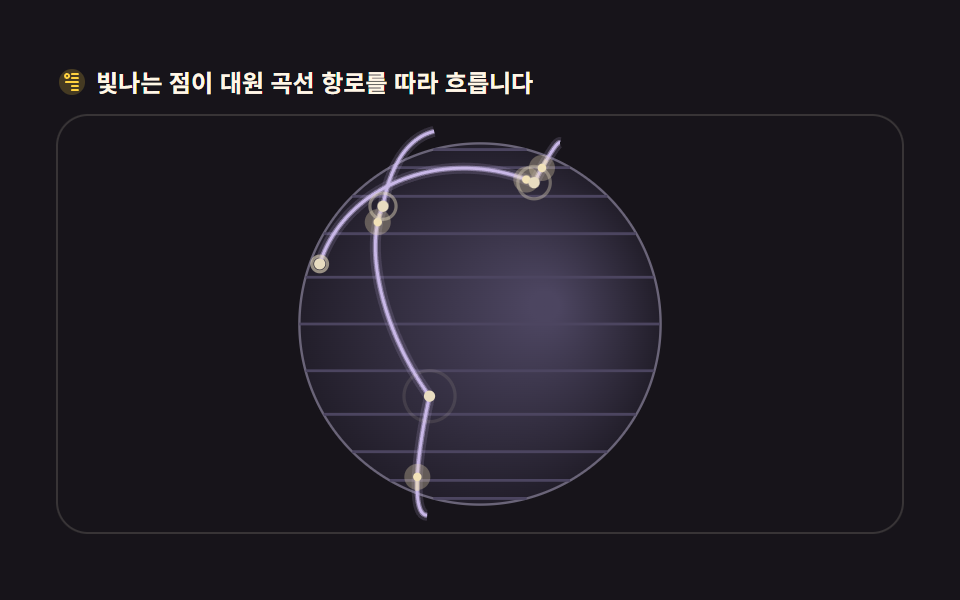
04도시를 잇는 항로 곡선
글로벌 배송·항공 서비스 소개의 대표 장면인, 도시를 잇는 발광 항로입니다.
<main class="stage">
<div class="ga" id="ga">
  <p class="ga__hint">
    <svg class="ga__ico" viewBox="0 0 256 256" aria-hidden="true"><g fill="currentColor"><path d="M128 24a104 104 0 1 0 104 104A104.12 104.12 0 0 0 128 24" opacity=".2"/><path d="M176 56h-48a8 8 0 0 0 0 16h48a8 8 0 0 0 0-16m0 32h-48a8 8 0 0 0 0 16h48a8 8 0 0 0 0-16m0 32h-96a8 8 0 0 0 0 16h96a8 8 0 0 0 0-16m0 32h-48a8 8 0 0 0 0 16h48a8 8 0 0 0 0-16m0 32h-48a8 8 0 0 0 0 16h48a8 8 0 0 0 0-16" fill-rule="evenodd"/><path d="M88 56a24 24 0 1 0 24 24a24 24 0 0 0-24-24m0 32a8 8 0 1 1 8-8a8 8 0 0 1-8 8" fill-rule="evenodd"/></g></svg>
    <span>빛나는 점이 대원 곡선 항로를 따라 흐릅니다</span>
  </p>
  <div class="ga__field" id="field" role="application" aria-label="항로 곡선 실험판" tabindex="0" data-path="great-circle">
    <canvas class="ga__cv" id="cv"></canvas>
  </div>
</div>
</main>
@use "../../../../site/static/demo-tokens" as *;
// 대원 곡선 항로 — 캔버스 rAF(slerp 대원 보간 + 발광점 흐름 + backface culling).
// CSS 는 무대·판만. 파스텔 팔레트(BD26).
$duration: $dur-loop;
$easing: $ease-spring;
$color: $subject-lilac;
@include stage($stage-ink);
.ga {
--ga-sphere: #221e2a; // 구 바닥 — 저채도 회보라
--ga-rim: #6a6478; // 림
--ga-grid: #4c4560; // 위도 눈금 — 대비를 올려 자전이 측정에 잡히게
--ga-arc: #c9b8e8; // 항로선 — 라일락 파스텔
--ga-arc-dim: #55505e;
--ga-city: #e8dcc0; // 도시 점 — 크림
--ga-glow: #f2e2b8; // 발광점 — 크림 골드 파스텔
display: flex; flex-direction: column; gap: $sp-2;
width: 100%; max-width: 424px;
}
.ga__hint {
display: flex; align-items: center; gap: $sp-1; margin: 0;
font-weight: 700; font-size: clamp(10px, 2.8vw, 12px); line-height: 1.35;
color: $subject-cream;
}
.ga__ico { width: 16px; height: 16px; flex: 0 0 auto; color: $stage-yellow; }
.ga__field {
position: relative; height: 210px;
border-radius: $r-card; overflow: hidden;
background: $stage-ink;
box-shadow: inset 0 0 0 1px rgba($subject-cream, .14);
}
.ga__field:focus-visible { outline: 2px solid $stage-yellow; outline-offset: 2px; }
.ga__cv { display: block; width: 100%; height: 100%; }
@media (max-width: 340px) {
.ga { gap: $sp-1; }
.ga__field { height: 110px; }
.ga__hint { font-size: 10px; }
}
// reduce — 루프가 안 돈다. 항로와 도시가 다 보이는 한 장만.
@media (prefers-reduced-motion: reduce) {
.ga__field { cursor: default !important; }
}html, body {
margin: 0;
overflow: hidden;
}
.stage {
box-sizing: border-box;
min-height: 100vh;
display: grid;
place-items: center;
margin: 0;
background: #17141a;
font-family: -apple-system, "Segoe UI", "Noto Sans KR", sans-serif;
padding: clamp(8px, 4vw, 24px);
}
.ga {
--ga-sphere: #221e2a;
--ga-rim: #6a6478;
--ga-grid: #4c4560;
--ga-arc: #c9b8e8;
--ga-arc-dim: #55505e;
--ga-city: #e8dcc0;
--ga-glow: #f2e2b8;
display: flex;
flex-direction: column;
gap: 8px;
width: 100%;
max-width: 424px;
}
.ga__hint {
display: flex;
align-items: center;
gap: 4px;
margin: 0;
font-weight: 700;
font-size: clamp(10px, 2.8vw, 12px);
line-height: 1.35;
color: #fff7e6;
}
.ga__ico {
width: 16px;
height: 16px;
flex: 0 0 auto;
color: #ffd23f;
}
.ga__field {
position: relative;
height: 210px;
border-radius: 16px;
overflow: hidden;
background: #17141a;
box-shadow: inset 0 0 0 1px rgba(255, 247, 230, 0.14);
}
.ga__field:focus-visible {
outline: 2px solid #ffd23f;
outline-offset: 2px;
}
.ga__cv {
display: block;
width: 100%;
height: 100%;
}
@media (max-width: 340px) {
.ga {
gap: 4px;
}
.ga__field {
height: 110px;
}
.ga__hint {
font-size: 10px;
}
}
@media (prefers-reduced-motion: reduce) {
.ga__field {
cursor: default !important;
}
}// 대원 곡선 항로 — 두 도시(단위구 위 3D 점)를 잇는 최단 경로는 대원(great-circle)이다.
// 두 점을 구면 선형 보간(slerp)으로 잇고, 호가 구에서 살짝 뜨도록(반경 1.06배) 지구본 위에 그린다.
// 화면 투영은 정사도. 뒷면(z<0) 세그먼트는 선에서 펜을 들어 감춘다.
var root = document.getElementById('ga');
var field = document.getElementById('field');
var cv = document.getElementById('cv');
var ctx = cv.getContext('2d');
var TAU = Math.PI * 2;
var reduce = window.matchMedia('(prefers-reduced-motion: reduce)').matches;
var W = 0, H = 0, dpr = 1;
// 도시 — [위도deg, 경도deg, 표시 이름 생략(그리지 않음 — 점만)]
var CITIES = [
{ lat: 37.57, lon: 126.98 }, // 서울
{ lat: 40.71, lon: -74.01 }, // 뉴욕
{ lat: 51.51, lon: -0.13 }, // 런던
{ lat: 35.68, lon: 139.69 }, // 도쿄
{ lat: -33.87, lon: 151.21 }, // 시드니
{ lat: -23.55, lon: -46.63 }, // 상파울루
{ lat: 1.35, lon: 103.82 }, // 싱가포르
{ lat: 19.43, lon: -99.13 } // 멕시코시티
];
function toXYZ(c) {
var la = c.lat * Math.PI / 180, lo = c.lon * Math.PI / 180;
return { x: Math.cos(la) * Math.sin(lo), y: Math.sin(la), z: Math.cos(la) * Math.cos(lo) };
}
var P = CITIES.map(toXYZ);
// 항로 — 도시 쌍. 발광점이 각 항로를 저마다 다른 속도로 흐른다
var ROUTES = [
{ a: 0, b: 1, speed: 0.30, offset: 0.0 },
{ a: 0, b: 2, speed: 0.24, offset: 0.55 },
{ a: 3, b: 4, speed: 0.27, offset: 0.3 },
{ a: 1, b: 5, speed: 0.22, offset: 0.8 },
{ a: 6, b: 3, speed: 0.34, offset: 0.15 },
{ a: 2, b: 7, speed: 0.26, offset: 0.65 },
{ a: 4, b: 5, speed: 0.20, offset: 0.45 }
];
var ARC_LIFT = 1.10; // 호가 구 위로 뜨는 배율
var rotY = 0;
var last = 0, raf = 0;
// slerp — 구면 선형 보간. omega 는 두 점 사이 중심각
function slerp(p0, p1, t) {
  var dot = p0.x * p1.x + p0.y * p1.y + p0.z * p1.z;
  dot = Math.max(-1, Math.min(1, dot));
  var omega = Math.acos(dot);
  if (omega < 1e-5) return { x: p0.x, y: p0.y, z: p0.z };
  var so = Math.sin(omega);
  var k0 = Math.sin((1 - t) * omega) / so;
  var k1 = Math.sin(t * omega) / so;
  return { x: p0.x * k0 + p1.x * k1, y: p0.y * k0 + p1.y * k1, z: p0.z * k0 + p1.z * k1 };
}
function fit() {
var r = field.getBoundingClientRect();
dpr = window.devicePixelRatio || 1;
W = r.width; H = r.height;
cv.width = Math.round(W * dpr);
cv.height = Math.round(H * dpr);
ctx.setTransform(dpr, 0, 0, dpr, 0, 0);
}
function rot(p) {
// 지구본 자전 — y축 회전 한 번
var c = Math.cos(rotY), s = Math.sin(rotY);
return { x: p.x * c + p.z * s, y: p.y, z: -p.x * s + p.z * c };
}
function draw(t) {
ctx.clearRect(0, 0, W, H);
var cx = W / 2, cy = H / 2;
var R = Math.min(W, H) * 0.43;
var cs = getComputedStyle(root);
var C_sphere = cs.getPropertyValue('--ga-sphere').trim();
var C_rim = cs.getPropertyValue('--ga-rim').trim();
var C_grid = cs.getPropertyValue('--ga-grid').trim();
var C_arc = cs.getPropertyValue('--ga-arc').trim();
var C_arcDim = cs.getPropertyValue('--ga-arc-dim').trim();
var C_city = cs.getPropertyValue('--ga-city').trim();
var C_glow = cs.getPropertyValue('--ga-glow').trim();
// 구 바닥 — 하이라이트 중심이 시간과 함께 천천히 도는 그라디언트(면 자체가 변한다)
var hx = cx + Math.cos(t * 0.23) * R * 0.38;
var hy = cy - Math.sin(t * 0.23) * R * 0.30;
var gg = ctx.createRadialGradient(hx, hy, R * 0.08, cx, cy, R);
gg.addColorStop(0, C_grid);
gg.addColorStop(1, C_sphere);
ctx.beginPath();
ctx.arc(cx, cy, R, 0, TAU);
ctx.fillStyle = gg;
ctx.fill();
ctx.strokeStyle = C_rim;
ctx.lineWidth = 1.2;
ctx.stroke();
// 은은한 위경도 눈금(뒤면만 흐리게 — backface culling)
ctx.strokeStyle = C_grid;
ctx.lineWidth = 1.4;
for (var lat = -75; lat <= 75; lat += 15) {
var la = lat * Math.PI / 180, cL = Math.cos(la), sL = Math.sin(la);
ctx.beginPath();
var pen = false;
for (var s = 0; s <= 64; s++) {
var phi = (s / 64) * TAU;
var q = rot({ x: cL * Math.sin(phi), y: sL, z: cL * Math.cos(phi) });
if (q.z >= 0) {
var px = cx + q.x * R, py = cy - q.y * R;
if (pen) ctx.lineTo(px, py); else { ctx.moveTo(px, py); pen = true; }
} else pen = false;
}
ctx.stroke();
}
// ── 항로 아크 — 앞면(z>=0)만 잇는다
function arcPath(p0, p1, lift) {
var pts = [];
for (var i = 0; i <= 72; i++) {
var tt = i / 72;
var g = slerp(p0, p1, tt);
// 끝점은 표면에, 중간은 뜬다 — sin 피크로 호 높이를 만든다
var h = 1 + (lift - 1) * Math.sin(tt * Math.PI);
g = { x: g.x * h, y: g.y * h, z: g.z * h };
pts.push(rot(g));
}
return pts; // great-circle 경로 — slerp 로 얻은 최단 호
}
for (var ri = 0; ri < ROUTES.length; ri++) {
var rt = ROUTES[ri];
var pts = arcPath(P[rt.a], P[rt.b], ARC_LIFT);
ctx.beginPath();
var pen2 = false;
var anyFront = false;
for (var k = 0; k < pts.length; k++) {
var q2 = pts[k];
if (q2.z >= -0.06) { // 호는 표면보다 떠 있으니 림까지 조금 여유
var px2 = cx + q2.x * R, py2 = cy - q2.y * R;
if (pen2) ctx.lineTo(px2, py2); else { ctx.moveTo(px2, py2); pen2 = true; }
anyFront = true;
} else pen2 = false;
}
if (anyFront) {
// 아크 헤일로 — 얇은 선보다 넓게 빛나 자각 면적을 키운다
ctx.strokeStyle = C_arc;
ctx.globalAlpha = 0.16;
ctx.lineWidth = 5.5;
ctx.stroke();
ctx.globalAlpha = 0.5;
ctx.lineWidth = 2.6;
ctx.stroke();
ctx.globalAlpha = 1;
ctx.lineWidth = 1.4;
ctx.stroke();
}
// ── 발광점 — slerp t 가 시간에 따라 흐른다
var tp = (t * rt.speed + rt.offset) % 1;
var g2 = slerp(P[rt.a], P[rt.b], tp);
var h2 = 1 + (ARC_LIFT - 1) * Math.sin(tp * Math.PI);
var gp = rot({ x: g2.x * h2, y: g2.y * h2, z: g2.z * h2 });
if (gp.z >= -0.06) {
var gx = cx + gp.x * R, gy = cy - gp.y * R;
// 헤일로
ctx.globalAlpha = 0.3;
ctx.fillStyle = C_glow;
ctx.beginPath();
ctx.arc(gx, gy, 6.5, 0, TAU);
ctx.fill();
// 코어
ctx.globalAlpha = 1;
ctx.beginPath();
ctx.arc(gx, gy, 2.1, 0, TAU);
ctx.fill();
// 짧은 꼬리 — 흘러온 방향으로 옅게
var tb = Math.max(0, tp - 0.06);
var g3 = slerp(P[rt.a], P[rt.b], tb);
var h3 = 1 + (ARC_LIFT - 1) * Math.sin(tb * Math.PI);
var gq = rot({ x: g3.x * h3, y: g3.y * h3, z: g3.z * h3 });
if (gq.z >= -0.06) {
ctx.strokeStyle = C_glow;
ctx.globalAlpha = 0.5;
ctx.lineWidth = 2;
ctx.beginPath();
ctx.moveTo(cx + gq.x * R, cy - gq.y * R);
ctx.lineTo(gx, gy);
ctx.stroke();
ctx.globalAlpha = 1;
}
}
}
// ── 도시 점 — 앞면만. 펄스 링이 커지며 자각 면적을 더한다
for (var ci = 0; ci < P.length; ci++) {
var q3 = rot(P[ci]);
if (q3.z < 0) continue;
var px3 = cx + q3.x * R, py3 = cy - q3.y * R;
ctx.fillStyle = C_city;
ctx.beginPath();
ctx.arc(px3, py3, 2.8, 0, TAU);
ctx.fill();
// 링 펄스 — 도시가 살아 있음을 보여주는 작은 확산
var ph = (t * 0.8 + ci * 0.13) % 1;
ctx.globalAlpha = (1 - ph) * 0.65;
ctx.strokeStyle = C_city;
ctx.lineWidth = 1.6;
ctx.beginPath();
ctx.arc(px3, py3, 2.8 + ph * 12, 0, TAU);
ctx.stroke();
ctx.globalAlpha = 1;
}
}
function frame(now) {
var dt = last ? Math.min((now - last) / 1000, 0.05) : 0.016;
last = now;
rotY += dt * 0.34;
draw(now * 0.001);
raf = requestAnimationFrame(frame);
}
window.addEventListener('resize', function () { fit(); draw(0); });
fit();
if (reduce) {
draw(0);
} else {
raf = requestAnimationFrame(frame);
}// GlobeConnectionArcs — vanilla 판(run/304/demo/04-globe-connection-arcs/index.html) 의 React 포트.
// 두 도시(단위구 위 3D 점)를 잇는 대원(great circle) 경로를 구면 선형 보간(slerp)으로 그리고
// 발광점이 항로를 따라 흐른다. 화면 투영은 정사도, 뒷면(z<0)은 펜을 들어 감춘다.
// 움직임은 캔버스 rAF 루프가 전부 그리므로 @keyframes 미리보기가 없다 — props 는 CSS 변수로 무대 격식에만 내려간다.
import { useEffect, useRef } from "react";
import type { CSSProperties } from "react";
import styles from "./GlobeConnectionArcs.module.scss";
export type GlobeConnectionArcsProps = {
duration?: string;
easing?: string;
color?: string;
};
type Vars = CSSProperties & { "--duration"?: string; "--easing"?: string; "--color"?: string };
type Box<T> = { current: T };
type Vec3 = { x: number; y: number; z: number };
const TAU = Math.PI * 2;
const FIELD_LABEL = "항로 곡선 실험판";
const ARC_LIFT = 1.10; // 호가 구 위로 뜨는 배율
// 도시 — [위도deg, 경도deg]
const CITIES = [
{ lat: 37.57, lon: 126.98 }, // 서울
{ lat: 40.71, lon: -74.01 }, // 뉴욕
{ lat: 51.51, lon: -0.13 }, // 런던
{ lat: 35.68, lon: 139.69 }, // 도쿄
{ lat: -33.87, lon: 151.21 }, // 시드니
{ lat: -23.55, lon: -46.63 }, // 상파울루
{ lat: 1.35, lon: 103.82 }, // 싱가포르
{ lat: 19.43, lon: -99.13 } // 멕시코시티
];
function toXYZ(c: { lat: number; lon: number }): Vec3 {
const la = c.lat * Math.PI / 180, lo = c.lon * Math.PI / 180;
return { x: Math.cos(la) * Math.sin(lo), y: Math.sin(la), z: Math.cos(la) * Math.cos(lo) };
}
const P = CITIES.map(toXYZ);
// 항로 — 도시 쌍. 발광점이 각 항로를 저마다 다른 속도로 흐른다
const ROUTES = [
{ a: 0, b: 1, speed: 0.30, offset: 0.0 },
{ a: 0, b: 2, speed: 0.24, offset: 0.55 },
{ a: 3, b: 4, speed: 0.27, offset: 0.3 },
{ a: 1, b: 5, speed: 0.22, offset: 0.8 },
{ a: 6, b: 3, speed: 0.34, offset: 0.15 },
{ a: 2, b: 7, speed: 0.26, offset: 0.65 },
{ a: 4, b: 5, speed: 0.20, offset: 0.45 }
];
export default function GlobeConnectionArcs({
duration = "2s",
easing = "cubic-bezier(.2, .8, .2, 1)",
color = "#b9a0ff",
}: GlobeConnectionArcsProps) {
const fieldRef = useRef<HTMLDivElement | null>(null);
const cvRef = useRef<HTMLCanvasElement | null>(null);
const rootRef = useRef<HTMLDivElement | null>(null);
const ctxRef = useRef<CanvasRenderingContext2D | null>(null);
const sizeRef = useRef({ w: 0, h: 0 }) as Box<{ w: number; h: number }>;
const rotYRef = useRef(0) as Box<number>;
const lastRef = useRef(0) as Box<number>;
const rafRef = useRef(0) as Box<number>;
const vars: Vars = { "--duration": duration, "--easing": easing, "--color": color };
function reduced(): boolean {
return window.matchMedia("(prefers-reduced-motion: reduce)").matches;
}
function fit(): void {
const field = fieldRef.current;
const cv = cvRef.current;
const ctx = ctxRef.current;
if (!field || !cv || !ctx) return;
const r = field.getBoundingClientRect();
const dpr = window.devicePixelRatio || 1;
sizeRef.current.w = r.width;
sizeRef.current.h = r.height;
cv.width = Math.round(r.width * dpr);
cv.height = Math.round(r.height * dpr);
ctx.setTransform(dpr, 0, 0, dpr, 0, 0);
}
// 지구본 자전 — y축 회전 한 번
function rot(p: Vec3): Vec3 {
const c = Math.cos(rotYRef.current), s = Math.sin(rotYRef.current);
return { x: p.x * c + p.z * s, y: p.y, z: -p.x * s + p.z * c };
}
// slerp — 구면 선형 보간. omega 는 두 점 사이 중심각
function slerp(p0: Vec3, p1: Vec3, t: number): Vec3 {
let dot = p0.x * p1.x + p0.y * p1.y + p0.z * p1.z;
dot = Math.max(-1, Math.min(1, dot));
const omega = Math.acos(dot);
if (omega < 1e-5) return { x: p0.x, y: p0.y, z: p0.z };
const so = Math.sin(omega);
const k0 = Math.sin((1 - t) * omega) / so;
const k1 = Math.sin(t * omega) / so;
return { x: p0.x * k0 + p1.x * k1, y: p0.y * k0 + p1.y * k1, z: p0.z * k0 + p1.z * k1 };
}
function draw(t: number): void {
const ctx = ctxRef.current;
const root = rootRef.current;
if (!ctx || !root) return;
const W = sizeRef.current.w, H = sizeRef.current.h;
ctx.clearRect(0, 0, W, H);
const cx = W / 2, cy = H / 2;
const R = Math.min(W, H) * 0.43;
const cs = getComputedStyle(root);
const C_sphere = cs.getPropertyValue("--ga-sphere").trim();
const C_rim = cs.getPropertyValue("--ga-rim").trim();
const C_grid = cs.getPropertyValue("--ga-grid").trim();
const C_arc = cs.getPropertyValue("--ga-arc").trim();
const C_city = cs.getPropertyValue("--ga-city").trim();
const C_glow = cs.getPropertyValue("--ga-glow").trim();
// 구 바닥 — 하이라이트 중심이 시간과 함께 천천히 도는 그라디언트(면 자체가 변한다)
const hx = cx + Math.cos(t * 0.23) * R * 0.38;
const hy = cy - Math.sin(t * 0.23) * R * 0.30;
const gg = ctx.createRadialGradient(hx, hy, R * 0.08, cx, cy, R);
gg.addColorStop(0, C_grid);
gg.addColorStop(1, C_sphere);
ctx.beginPath();
ctx.arc(cx, cy, R, 0, TAU);
ctx.fillStyle = gg;
ctx.fill();
ctx.strokeStyle = C_rim;
ctx.lineWidth = 1.2;
ctx.stroke();
// 은은한 위경도 눈금(뒤면만 흐리게 — backface culling)
ctx.strokeStyle = C_grid;
ctx.lineWidth = 1.4;
for (let lat = -75; lat <= 75; lat += 15) {
const la = lat * Math.PI / 180, cL = Math.cos(la), sL = Math.sin(la);
ctx.beginPath();
let pen = false;
for (let s = 0; s <= 64; s++) {
const phi = (s / 64) * TAU;
const q = rot({ x: cL * Math.sin(phi), y: sL, z: cL * Math.cos(phi) });
if (q.z >= 0) {
const px = cx + q.x * R, py = cy - q.y * R;
if (pen) ctx.lineTo(px, py); else { ctx.moveTo(px, py); pen = true; }
} else pen = false;
}
ctx.stroke();
}
// 항로 아크 — 앞면(z>=0)만 잇는다
const arcPath = (p0: Vec3, p1: Vec3, lift: number): Vec3[] => {
const pts: Vec3[] = [];
for (let i = 0; i <= 72; i++) {
const tt = i / 72;
const g = slerp(p0, p1, tt);
// 끝점은 표면에, 중간은 뜬다 — sin 피크로 호 높이를 만든다
const h = 1 + (lift - 1) * Math.sin(tt * Math.PI);
pts.push(rot({ x: g.x * h, y: g.y * h, z: g.z * h }));
}
return pts;
};
for (let ri = 0; ri < ROUTES.length; ri++) {
const rt = ROUTES[ri];
const pts = arcPath(P[rt.a], P[rt.b], ARC_LIFT);
ctx.beginPath();
let pen2 = false;
let anyFront = false;
for (let k = 0; k < pts.length; k++) {
const q2 = pts[k];
if (q2.z >= -0.06) { // 호는 표면보다 떠 있으니 림까지 조금 여유
const px2 = cx + q2.x * R, py2 = cy - q2.y * R;
if (pen2) ctx.lineTo(px2, py2); else { ctx.moveTo(px2, py2); pen2 = true; }
anyFront = true;
} else pen2 = false;
}
if (anyFront) {
// 아크 헤일로 — 얇은 선보다 넓게 빛나 자각 면적을 키운다
ctx.strokeStyle = C_arc;
ctx.globalAlpha = 0.16;
ctx.lineWidth = 5.5;
ctx.stroke();
ctx.globalAlpha = 0.5;
ctx.lineWidth = 2.6;
ctx.stroke();
ctx.globalAlpha = 1;
ctx.lineWidth = 1.4;
ctx.stroke();
}
// 발광점 — slerp t 가 시간에 따라 흐른다
const tp = (t * rt.speed + rt.offset) % 1;
const g2 = slerp(P[rt.a], P[rt.b], tp);
const h2 = 1 + (ARC_LIFT - 1) * Math.sin(tp * Math.PI);
const gp = rot({ x: g2.x * h2, y: g2.y * h2, z: g2.z * h2 });
if (gp.z >= -0.06) {
const gx = cx + gp.x * R, gy = cy - gp.y * R;
// 헤일로
ctx.globalAlpha = 0.3;
ctx.fillStyle = C_glow;
ctx.beginPath();
ctx.arc(gx, gy, 6.5, 0, TAU);
ctx.fill();
// 코어
ctx.globalAlpha = 1;
ctx.beginPath();
ctx.arc(gx, gy, 2.1, 0, TAU);
ctx.fill();
// 짧은 꼬리 — 흘러온 방향으로 옅게
const tb = Math.max(0, tp - 0.06);
const g3 = slerp(P[rt.a], P[rt.b], tb);
const h3 = 1 + (ARC_LIFT - 1) * Math.sin(tb * Math.PI);
const gq = rot({ x: g3.x * h3, y: g3.y * h3, z: g3.z * h3 });
if (gq.z >= -0.06) {
ctx.strokeStyle = C_glow;
ctx.globalAlpha = 0.5;
ctx.lineWidth = 2;
ctx.beginPath();
ctx.moveTo(cx + gq.x * R, cy - gq.y * R);
ctx.lineTo(gx, gy);
ctx.stroke();
ctx.globalAlpha = 1;
}
}
}
// 도시 점 — 앞면만. 펄스 링이 커지며 자각 면적을 더한다
for (let ci = 0; ci < P.length; ci++) {
const q3 = rot(P[ci]);
if (q3.z < 0) continue;
const px3 = cx + q3.x * R, py3 = cy - q3.y * R;
ctx.fillStyle = C_city;
ctx.beginPath();
ctx.arc(px3, py3, 2.8, 0, TAU);
ctx.fill();
// 링 펄스 — 도시가 살아 있음을 보여주는 작은 확산
const ph = (t * 0.8 + ci * 0.13) % 1;
ctx.globalAlpha = (1 - ph) * 0.65;
ctx.strokeStyle = C_city;
ctx.lineWidth = 1.6;
ctx.beginPath();
ctx.arc(px3, py3, 2.8 + ph * 12, 0, TAU);
ctx.stroke();
ctx.globalAlpha = 1;
}
}
function frame(now: number): void {
const dt = lastRef.current ? Math.min((now - lastRef.current) / 1000, 0.05) : 0.016;
lastRef.current = now;
rotYRef.current += dt * 0.34;
draw(now * 0.001);
rafRef.current = requestAnimationFrame(frame);
}
useEffect(() => {
const cv = cvRef.current;
if (!cv) return;
ctxRef.current = cv.getContext("2d");
if (!ctxRef.current) return;
fit();
const onResize = (): void => { fit(); draw(0); };
window.addEventListener("resize", onResize);
if (reduced()) {
draw(0); // reduce — 루프 없이 항로와 도시가 다 보이는 한 장만
} else {
lastRef.current = 0;
rafRef.current = requestAnimationFrame(frame);
}
return () => {
window.removeEventListener("resize", onResize);
cancelAnimationFrame(rafRef.current);
};
}, []);
return (
<main className={styles.stage}>
<div className={styles.root} ref={rootRef} style={vars}>
<p className={styles.hint}>
<svg className={styles.ico} viewBox="0 0 256 256" aria-hidden="true"><g fill="currentColor"><path d="M128 24a104 104 0 1 0 104 104A104.12 104.12 0 0 0 128 24" opacity=".2"/><path d="M176 56h-48a8 8 0 0 0 0 16h48a8 8 0 0 0 0-16m0 32h-48a8 8 0 0 0 0 16h48a8 8 0 0 0 0-16m0 32h-96a8 8 0 0 0 0 16h96a8 8 0 0 0 0-16m0 32h-48a8 8 0 0 0 0 16h48a8 8 0 0 0 0-16m0 32h-48a8 8 0 0 0 0 16h48a8 8 0 0 0 0-16" fillRule="evenodd"/><path d="M88 56a24 24 0 1 0 24 24a24 24 0 0 0-24-24m0 32a8 8 0 1 1 8-8a8 8 0 0 1-8 8" fillRule="evenodd"/></g></svg>
<span>빛나는 점이 대원 곡선 항로를 따라 흐릅니다</span>
</p>
<div
className={styles.field}
ref={fieldRef}
role="application"
aria-label={FIELD_LABEL}
tabIndex={0}
>
<canvas className={styles.cv} ref={cvRef}></canvas>
</div>
</div>
</main>
);
}04 · 도시를 잇는 항로 곡선 — 측정 누적면적 10.153% · 움직인 프레임 23/23GODRICH 원작 · zip 에 SCSS·React 포함 · 비밀번호 보기
구면 선형 보간이 최단 경로를 그린다
// slerp — 구면 선형 보간. omega 는 두 점 사이 중심각
function slerp(p0, p1, t) {
var dot = p0.x * p1.x + p0.y * p1.y + p0.z * p1.z;
dot = Math.max(-1, Math.min(1, dot));
var omega = Math.acos(dot);
if (omega < 1e-5) return { x: p0.x, y: p0.y, z: p0.z };
var so = Math.sin(omega);
var k0 = Math.sin((1 - t) * omega) / so;
var k1 = Math.sin(t * omega) / so;
return { x: p0.x * k0 + p1.x * k1, y: p0.y * k0 + p1.y * k1, z: p0.z * k0 + p1.z * k1 };
}
두 도시를 단위구 위 점으로 잡고 slerp 로 잇면 지구 본체를 뚫지 않는 대원 항로가 나옵니다. 호는 구 반지름의 1.10배 높이로 떠 있어 곡선이 지구본 표면에 눌리지 않고, 빛나는 점이 호를 따라 흐르며 운항 중임을 보여줍니다.
05낮과 밤이 갈라지는 지구본
시차 안내·글로벌 근무시간 위젯에 쓰는, 태양 방향에 따라 밝아지는 지구본입니다.
<main class="stage">
<div class="gn" id="gn">
  <p class="gn__hint">
    <svg class="gn__ico" viewBox="0 0 256 256" aria-hidden="true"><g fill="currentColor"><path d="M128 40a88 88 0 1 0 88 88a88.1 88.1 0 0 0-88-88" opacity=".2"/><path d="M120 40V16a8 8 0 0 1 16 0v24a8 8 0 0 1-16 0m112 88a8 8 0 0 1-8 8h-24a8 8 0 0 1 0-16h24a8 8 0 0 1 8 8M69.66 186.34a8 8 0 0 1 0 11.32l-16.97 17a8 8 0 0 1-11.32-11.32l17-17a8 8 0 0 1 11.29 0M56 128a8 8 0 0 0-8-8H24a8 8 0 0 0 0 16h24a8 8 0 0 0 8-8m13.66-58.34a8 8 0 0 0 11.32 0a8 8 0 0 0 0-11.32l-17-17a8 8 0 0 0-11.32 11.32Zm128 0l17-17a8 8 0 0 0-11.32-11.32l-17 17a8 8 0 0 0 11.32 11.32M128 200a8 8 0 0 0-8 8v24a8 8 0 0 0 16 0v-24a8 8 0 0 0-8-8m58.34-13.66a8 8 0 0 0-11.32 11.32l17 17a8 8 0 0 0 11.32-11.32Z" fill-rule="evenodd"/></g></svg>
    <span>태양 방향과 표면 법선의 내적으로 밝기를 픽셀마다 계산합니다</span>
  </p>
  <div class="gn__field" id="field" role="img" aria-label="낮밤 경계 지구본">
    <canvas class="gn__cv" id="cv"></canvas>
  </div>
</div>
</main>
@use "../../../../site/static/demo-tokens" as *;
// 낮밤 경계 지구본 — 캔버스 rAF(픽셀 단위 법선·태양 내적 셰이딩, ImageData).
// CSS 는 무대·판만. 파스텔 팔레트(BD26).
$duration: $dur-loop;
$easing: $ease-spring;
$color: $subject-cream;
@include stage($stage-ink);
.gn {
--gn-night: #1d2230; // 밤면 — 저채도 남색
--gn-day: #b8c8b0; // 낮면 — 세이지 파스텔
--gn-terminator: #d8b8a0; // 경계 노을 — 로즈 샌드 파스텔
display: flex; flex-direction: column; gap: $sp-2;
width: 100%; max-width: 424px;
}
.gn__hint {
display: flex; align-items: center; gap: $sp-1; margin: 0;
font-weight: 700; font-size: clamp(10px, 2.8vw, 12px); line-height: 1.35;
color: $subject-cream;
}
.gn__ico { width: 16px; height: 16px; flex: 0 0 auto; color: $stage-yellow; }
.gn__field {
position: relative; height: 210px;
border-radius: $r-card; overflow: hidden;
background: $stage-ink;
box-shadow: inset 0 0 0 1px rgba($subject-cream, .14);
}
.gn__field:focus-visible { outline: 2px solid $stage-yellow; outline-offset: 2px; }
.gn__cv { display: block; width: 100%; height: 100%; image-rendering: auto; }
@media (max-width: 340px) {
.gn { gap: $sp-1; }
.gn__field { height: 110px; }
.gn__hint { font-size: 10px; }
}
// reduce — 루프가 안 돈다. 경계가 보이는 한 장만.
@media (prefers-reduced-motion: reduce) {
.gn__field { cursor: default !important; }
}html, body {
margin: 0;
overflow: hidden;
}
.stage {
box-sizing: border-box;
min-height: 100vh;
display: grid;
place-items: center;
margin: 0;
background: #17141a;
font-family: -apple-system, "Segoe UI", "Noto Sans KR", sans-serif;
padding: clamp(8px, 4vw, 24px);
}
.gn {
--gn-night: #1d2230;
--gn-day: #b8c8b0;
--gn-terminator: #d8b8a0;
display: flex;
flex-direction: column;
gap: 8px;
width: 100%;
max-width: 424px;
}
.gn__hint {
display: flex;
align-items: center;
gap: 4px;
margin: 0;
font-weight: 700;
font-size: clamp(10px, 2.8vw, 12px);
line-height: 1.35;
color: #fff7e6;
}
.gn__ico {
width: 16px;
height: 16px;
flex: 0 0 auto;
color: #ffd23f;
}
.gn__field {
position: relative;
height: 210px;
border-radius: 16px;
overflow: hidden;
background: #17141a;
box-shadow: inset 0 0 0 1px rgba(255, 247, 230, 0.14);
}
.gn__field:focus-visible {
outline: 2px solid #ffd23f;
outline-offset: 2px;
}
.gn__cv {
display: block;
width: 100%;
height: 100%;
image-rendering: auto;
}
@media (max-width: 340px) {
.gn {
gap: 4px;
}
.gn__field {
height: 110px;
}
.gn__hint {
font-size: 10px;
}
}
@media (prefers-reduced-motion: reduce) {
.gn__field {
cursor: default !important;
}
}// 낮밤 경계 지구본 — 구 표면의 픽셀마다 법선(x,y,z)/R 을 구하고 태양 방향 벡터와 내적해 밝기를 얻는다
// (dot product shading). CSS 트윈이 아니라 매 프레임 ImageData 를 채워 넣는 픽셀 단위 계산이다(077 계열).
// 태양 방향은 시간에 따라 지구본을 도는 것처럼 천천히 회전 — 경계선이 자연스레 이동한다.
var field = document.getElementById('field');
var cv = document.getElementById('cv');
var ctx = cv.getContext('2d');
var TAU = Math.PI * 2;
var reduce = window.matchMedia('(prefers-reduced-motion: reduce)').matches;
var W = 0, H = 0, dpr = 1;
var buf = null; // ImageData 캐시 — 매 프레임 재할당하지 않는다
var last = 0, raf = 0;
var sunAngle = 0.6;
function fit() {
var r = field.getBoundingClientRect();
dpr = window.devicePixelRatio || 1;
// CSS(width:100%·height:100%) 로 화면 크기를 잡고 백킹스토어만 물리 픽셀로 —
// 인라인 width 를 심으면 좁은 화면에서 잔값이 남아 판이 그대로 벌어진다(320px 넘침).
W = Math.round(r.width * dpr);
H = Math.round(r.height * dpr);
cv.width = W; cv.height = H;
ctx.setTransform(1, 0, 0, 1, 0, 0);
buf = ctx.createImageData(W, H);
}
function hexToRgb(hex) {
var h = hex.replace('#', '');
if (h.length === 3) h = h.split('').map(function (c) { return c + c; }).join('');
var n = parseInt(h, 16);
return [(n >> 16) & 255, (n >> 8) & 255, n & 255];
}
function draw() {
var cx = W / 2, cy = H / 2;
var R = Math.min(W, H) * 0.47;
var Rsq = R * R;
var cs = getComputedStyle(document.getElementById('gn'));
var night = hexToRgb(cs.getPropertyValue('--gn-night').trim());
var day = hexToRgb(cs.getPropertyValue('--gn-day').trim());
var termGlow = hexToRgb(cs.getPropertyValue('--gn-terminator').trim());
// 태양 벡터 — 살짝 기울어진(자전축 경사 느낌) 채로 xz 평면을 천천히 돈다
var tilt = 0.22;
var sx = Math.cos(sunAngle), sz = Math.sin(sunAngle);
var sun = { x: sx, y: tilt, z: sz };
var sl = Math.sqrt(sun.x * sun.x + sun.y * sun.y + sun.z * sun.z);
sun.x /= sl; sun.y /= sl; sun.z /= sl;
var data = buf.data;
var minX = Math.max(0, Math.floor(cx - R - 1));
var maxX = Math.min(W, Math.ceil(cx + R + 1));
var minY = Math.max(0, Math.floor(cy - R - 1));
var maxY = Math.min(H, Math.ceil(cy + R + 1));
// 먼저 전체를 투명(알파 0)으로 밀어 둔다 — 원 밖은 무대 배경이 그대로 비친다
data.fill(0);
for (var y = minY; y < maxY; y++) {
var dy = y - cy;
var rowBase = y * W;
for (var x = minX; x < maxX; x++) {
var dx = x - cx;
var d2 = dx * dx + dy * dy;
if (d2 > Rsq) continue;
      var nx = dx / R, ny = -dy / R;
      var nzsq = 1 - nx * nx - ny * ny;
      if (nzsq < 0) continue;
      var nz = Math.sqrt(nzsq);
      var ndotl = nx * sun.x + ny * sun.y + nz * sun.z;   // 법선·태양 내적
      var lit = Math.max(0, ndotl);
      var t = Math.min(1, lit * 2.2);                     // 경계 부근을 넓혀 그라디언트로
var idx = (rowBase + x) * 4;
data[idx] = night[0] + (day[0] - night[0]) * t;
data[idx + 1] = night[1] + (day[1] - night[1]) * t;
data[idx + 2] = night[2] + (day[2] - night[2]) * t;
// 터미네이터 근접(내적이 0 근방)일 때 옅은 노을색 한 겹을 얹는다
var edge = 1 - Math.min(1, Math.abs(ndotl) * 6);
if (edge > 0) {
data[idx] = data[idx] + (termGlow[0] - data[idx]) * edge * 0.55;
data[idx + 1] = data[idx + 1] + (termGlow[1] - data[idx + 1]) * edge * 0.55;
data[idx + 2] = data[idx + 2] + (termGlow[2] - data[idx + 2]) * edge * 0.55;
}
data[idx + 3] = 255;
}
}
ctx.putImageData(buf, 0, 0);
}
function frame(now) {
var dt = last ? Math.min((now - last) / 1000, 0.05) : 0.016;
last = now;
sunAngle += dt * 0.55;
draw();
raf = requestAnimationFrame(frame);
}
window.addEventListener('resize', function () { fit(); draw(); });
fit();
if (reduce) {
draw();
} else {
raf = requestAnimationFrame(frame);
}// GlobeDayNight — vanilla 판(run/304/demo/05-globe-day-night-terminator/index.html) 의 React 포트.
// 구 표면의 픽셀마다 법선(x,y,z)/R 을 구하고 태양 방향 벡터와 내적해 밝기를 얻는다(dot product shading).
// CSS 트윈이 아니라 매 프레임 ImageData 를 채워 넣는 픽셀 단위 계산이다(077 계열).
// 움직임은 캔버스 rAF 루프가 전부 그리므로 @keyframes 미리보기가 없다 — props 는 CSS 변수로 무대 격식에만 내려간다.
import { useEffect, useRef } from "react";
import type { CSSProperties } from "react";
import styles from "./GlobeDayNight.module.scss";
export type GlobeDayNightProps = {
duration?: string;
easing?: string;
color?: string;
};
type Vars = CSSProperties & { "--duration"?: string; "--easing"?: string; "--color"?: string };
type Box<T> = { current: T };
const FIELD_LABEL = "낮밤 경계 지구본";
function hexToRgb(hex: string): number[] {
const h = hex.replace("#", "");
const hh = h.length === 3 ? h.split("").map((c) => c + c).join("") : h;
const n = parseInt(hh, 16);
return [(n >> 16) & 255, (n >> 8) & 255, n & 255];
}
export default function GlobeDayNight({
duration = "2s",
easing = "cubic-bezier(.2, .8, .2, 1)",
color = "#fff7e6",
}: GlobeDayNightProps) {
const fieldRef = useRef<HTMLDivElement | null>(null);
const cvRef = useRef<HTMLCanvasElement | null>(null);
const rootRef = useRef<HTMLDivElement | null>(null);
const ctxRef = useRef<CanvasRenderingContext2D | null>(null);
const sizeRef = useRef({ w: 0, h: 0 }) as Box<{ w: number; h: number }>;
const bufRef = useRef<ImageData | null>(null) as Box<ImageData | null>;
const sunRef = useRef(0.6) as Box<number>;
const lastRef = useRef(0) as Box<number>;
const rafRef = useRef(0) as Box<number>;
const vars: Vars = { "--duration": duration, "--easing": easing, "--color": color };
function reduced(): boolean {
return window.matchMedia("(prefers-reduced-motion: reduce)").matches;
}
function fit(): void {
const field = fieldRef.current;
const cv = cvRef.current;
const ctx = ctxRef.current;
if (!field || !cv || !ctx) return;
const r = field.getBoundingClientRect();
const dpr = window.devicePixelRatio || 1;
const W = Math.round(r.width * dpr);
const H = Math.round(r.height * dpr);
sizeRef.current.w = W;
sizeRef.current.h = H;
cv.width = W; cv.height = H;
// CSS(width:100%·height:100%) 로 화면 크기 — 인라인 width 는 좁은 화면에서 잔값이 남아 판을 벌린다(320px 넘침)
ctx.setTransform(1, 0, 0, 1, 0, 0);
bufRef.current = ctx.createImageData(W, H); // ImageData 캐시 — 매 프레임 재할당하지 않는다
}
function draw(): void {
const ctx = ctxRef.current;
const root = rootRef.current;
const buf = bufRef.current;
if (!ctx || !root || !buf) return;
const W = sizeRef.current.w, H = sizeRef.current.h;
const cx = W / 2, cy = H / 2;
const R = Math.min(W, H) * 0.47;
const Rsq = R * R;
const cs = getComputedStyle(root);
const night = hexToRgb(cs.getPropertyValue("--gn-night").trim());
const day = hexToRgb(cs.getPropertyValue("--gn-day").trim());
const termGlow = hexToRgb(cs.getPropertyValue("--gn-terminator").trim());
// 태양 벡터 — 살짝 기울어진(자전축 경사 느낌) 채로 xz 평면을 천천히 돈다
const tilt = 0.22;
const sunAngle = sunRef.current;
let sun = { x: Math.cos(sunAngle), y: tilt, z: Math.sin(sunAngle) };
const sl = Math.sqrt(sun.x * sun.x + sun.y * sun.y + sun.z * sun.z);
sun = { x: sun.x / sl, y: sun.y / sl, z: sun.z / sl };
const data = buf.data;
const minX = Math.max(0, Math.floor(cx - R - 1));
const maxX = Math.min(W, Math.ceil(cx + R + 1));
const minY = Math.max(0, Math.floor(cy - R - 1));
const maxY = Math.min(H, Math.ceil(cy + R + 1));
// 먼저 전체를 투명(알파 0)으로 밀어 둔다 — 원 밖은 무대 배경이 그대로 비친다
data.fill(0);
for (let y = minY; y < maxY; y++) {
const dy = y - cy;
const rowBase = y * W;
for (let x = minX; x < maxX; x++) {
const dx = x - cx;
const d2 = dx * dx + dy * dy;
if (d2 > Rsq) continue;
const nx = dx / R, ny = -dy / R;
const nzsq = 1 - nx * nx - ny * ny;
if (nzsq < 0) continue;
const nz = Math.sqrt(nzsq);
const ndotl = nx * sun.x + ny * sun.y + nz * sun.z; // 법선·태양 내적
const lit = Math.max(0, ndotl);
const t = Math.min(1, lit * 2.2); // 경계 부근을 넓혀 그라디언트로
const idx = (rowBase + x) * 4;
data[idx] = night[0] + (day[0] - night[0]) * t;
data[idx + 1] = night[1] + (day[1] - night[1]) * t;
data[idx + 2] = night[2] + (day[2] - night[2]) * t;
// 터미네이터 근접(내적이 0 근방)일 때 옅은 노을색 한 겹을 얹는다
const edge = 1 - Math.min(1, Math.abs(ndotl) * 6);
if (edge > 0) {
data[idx] = data[idx] + (termGlow[0] - data[idx]) * edge * 0.55;
data[idx + 1] = data[idx + 1] + (termGlow[1] - data[idx + 1]) * edge * 0.55;
data[idx + 2] = data[idx + 2] + (termGlow[2] - data[idx + 2]) * edge * 0.55;
}
data[idx + 3] = 255;
}
}
ctx.putImageData(buf, 0, 0);
}
function frame(now: number): void {
const dt = lastRef.current ? Math.min((now - lastRef.current) / 1000, 0.05) : 0.016;
lastRef.current = now;
sunRef.current += dt * 0.55;
draw();
rafRef.current = requestAnimationFrame(frame);
}
useEffect(() => {
const cv = cvRef.current;
if (!cv) return;
ctxRef.current = cv.getContext("2d");
if (!ctxRef.current) return;
fit();
const onResize = (): void => { fit(); draw(); };
window.addEventListener("resize", onResize);
if (reduced()) {
draw(); // reduce — 루프 없이 경계가 보이는 한 장만
} else {
lastRef.current = 0;
rafRef.current = requestAnimationFrame(frame);
}
return () => {
window.removeEventListener("resize", onResize);
cancelAnimationFrame(rafRef.current);
};
}, []);
return (
<main className={styles.stage}>
<div className={styles.root} ref={rootRef} style={vars}>
<p className={styles.hint}>
<svg className={styles.ico} viewBox="0 0 256 256" aria-hidden="true"><g fill="currentColor"><path d="M128 40a88 88 0 1 0 88 88a88.1 88.1 0 0 0-88-88" opacity=".2"/><path d="M120 40V16a8 8 0 0 1 16 0v24a8 8 0 0 1-16 0m112 88a8 8 0 0 1-8 8h-24a8 8 0 0 1 0-16h24a8 8 0 0 1 8 8M69.66 186.34a8 8 0 0 1 0 11.32l-16.97 17a8 8 0 0 1-11.32-11.32l17-17a8 8 0 0 1 11.29 0M56 128a8 8 0 0 0-8-8H24a8 8 0 0 0 0 16h24a8 8 0 0 0 8-8m13.66-58.34a8 8 0 0 0 11.32 0a8 8 0 0 0 0-11.32l-17-17a8 8 0 0 0-11.32 11.32Zm128 0l17-17a8 8 0 0 0-11.32-11.32l-17 17a8 8 0 0 0 11.32 11.32M128 200a8 8 0 0 0-8 8v24a8 8 0 0 0 16 0v-24a8 8 0 0 0-8-8m58.34-13.66a8 8 0 0 0-11.32 11.32l17 17a8 8 0 0 0 11.32-11.32Z" fillRule="evenodd"/></g></svg>
<span>태양 방향과 표면 법선의 내적으로 밝기를 픽셀마다 계산합니다</span>
</p>
<div
className={styles.field}
ref={fieldRef}
role="img"
aria-label={FIELD_LABEL}
>
<canvas className={styles.cv} ref={cvRef}></canvas>
</div>
</div>
</main>
);
}05 · 낮과 밤이 갈라지는 지구본 — 측정 누적면적 14.608% · 움직인 프레임 23/23GODRICH 원작 · zip 에 SCSS·React 포함 · 비밀번호 보기
픽셀마다 법선과 태양을 내적한다
var nx = dx / R, ny = -dy / R;
var nzsq = 1 - nx * nx - ny * ny;
if (nzsq < 0) continue;
var nz = Math.sqrt(nzsq);
var ndotl = nx * sun.x + ny * sun.y + nz * sun.z; // 법선·태양 내적
var lit = Math.max(0, ndotl);
var t = Math.min(1, lit * 2.2); // 경계 부근을 넓혀 그라디언트로
원 안의 모든 픽셀에 대해 법선 벡터를 계산하고 태양 벡터와 내적하면 밝기가 나옵니다. CSS 그라디언트를 겹치는 것이 아니라 매 프레임 ImageData 를 채우는 픽셀 단위 계산이라, 태양이 돌 때 낮밤 경계선이 둥글게 휘어 움직입니다(실측: 강도 19.4, 23/23 프레임).
06층이 갈라지는 별밭 배경
우주 컨셉 랜딩의 다크 히어로 배경인, 시차로 갈라지는 별바다입니다.
<main class="stage">
<div class="sf" id="sf">
  <p class="sf__hint">
    <svg class="sf__ico" viewBox="0 0 256 256" aria-hidden="true"><g fill="currentColor"><path d="M128 24a104 104 0 1 0 104 104A104.12 104.12 0 0 0 128 24" opacity=".2"/><path d="M144 48l-6.6 19.8a8 8 0 0 1-5.1 5.1L113 80l19.3 7.1a8 8 0 0 1 5.1 5.1L144 112l6.6-19.8a8 8 0 0 1 5.1-5.1L175 80l-19.3-7.1a8 8 0 0 1-5.1-5.1Z" fill-rule="evenodd"/><path d="M80 128l-4.4 13.2a4 4 0 0 1-2.6 2.6L60 148l13 4.2a4 4 0 0 1 2.6 2.6L80 168l4.4-13.2a4 4 0 0 1 2.6-2.6L100 148l-13-4.2a4 4 0 0 1-2.6-2.6Z" fill-rule="evenodd"/><path d="M188 136l-5.5 16.5a6 6 0 0 1-3.8 3.8L162 162l16.7 6.7a6 6 0 0 1 3.8 3.8L188 189l5.5-16.5a6 6 0 0 1 3.8-3.8L214 162l-16.7-6.7a6 6 0 0 1-3.8-3.8Z" fill-rule="evenodd"/><path d="M116 180l-3.3 9.9a3 3 0 0 1-1.9 1.9L101 195l9.8 4a3 3 0 0 1 1.9 1.9l3.3 9.9l3.3-9.9a3 3 0 0 1 1.9-1.9l9.8-4l-9.8-3.2a3 3 0 0 1-1.9-1.9Z" fill-rule="evenodd"/></g></svg>
    <span>같은 씨앗은 같은 별하늘 — 시드를 바꾸면 별 배치가 다시 뽑힙니다</span>
  </p>
  <div class="sf__field" id="field" role="application" aria-label="별바다 시차 실험판" tabindex="0">
    <canvas class="sf__cv" id="cv"></canvas>
  </div>
  <div class="sf__bar">
    <label class="sf__lab" for="seed">씨앗</label>
    <input class="sf__dial" id="seed" type="number" min="1" max="99999" step="1" value="42" inputmode="numeric">
    <button class="sf__shuffle" id="shuffle" type="button">새 별하늘</button>
  </div>
</div>
</main>
@use "../../../../site/static/demo-tokens" as *;
// 별바다 시차 — 캔버스 rAF(mulberry32 시드 분포 + 3층 시차 + 자동 스윕).
// CSS 는 무대·판·씨앗 막대만. 파스텔 팔레트(BD26).
$duration: $dur-loop;
$easing: $ease-spring;
$color: $subject-sky;
@include stage($stage-ink);
.sf {
--sf-back: #14121c; // 하늘 바닥 — 아주 어두운 저채도 보라
--sf-far: #6a6478; // 먼 별 — 어두운 회보라
--sf-mid: #b8b2c8; // 중간 별 — 라일락 회 파스텔
--sf-near: #f0e6cf; // 가까운 별 — 크림
--sf-haze: #b8a8c8; // 성운 안개 — 연보라 파스텔
display: flex; flex-direction: column; gap: $sp-2;
width: 100%; max-width: 424px;
}
.sf__hint {
display: flex; align-items: center; gap: $sp-1; margin: 0;
font-weight: 700; font-size: clamp(10px, 2.8vw, 12px); line-height: 1.35;
color: $subject-cream;
}
.sf__ico { width: 16px; height: 16px; flex: 0 0 auto; color: $stage-yellow; }
.sf__field {
position: relative; height: 170px; // 시드 막대가 있어 300px 무대 안에 다 들어오게
border-radius: $r-card; overflow: hidden;
background: $stage-ink;
box-shadow: inset 0 0 0 1px rgba($subject-cream, .14);
cursor: crosshair;
}
.sf__field:focus-visible { outline: 2px solid $stage-yellow; outline-offset: 2px; }
.sf__cv { display: block; width: 100%; height: 100%; }
// 씨앗 막대 — 02 번 점 구름과 같은 패턴
.sf__bar {
display: flex; align-items: center; gap: $sp-2;
flex-wrap: wrap;
}
.sf__lab {
font-weight: 700; font-size: 11px; line-height: 1.4;
color: $subject-cream;
}
.sf__dial {
width: 88px; padding: $sp-1 $sp-2;
border: 1px solid rgba($subject-cream, .3);
border-radius: $r-sm;
background: rgba($subject-cream, .08);
font-weight: 700; font-size: 13px; line-height: 1.4;
font-variant-numeric: tabular-nums;
color: $subject-cream;
}
.sf__dial:focus-visible { outline: 2px solid $stage-yellow; outline-offset: 2px; }
.sf__shuffle {
padding: $sp-1 $sp-3;
border: 1px solid rgba($subject-cream, .3);
border-radius: $r-pill;
background: rgba($subject-cream, .12);
font-weight: 700; font-size: 12px; line-height: 1.4;
color: $subject-cream;
cursor: pointer;
transition: background $dur-quick $ease-out;
}
.sf__shuffle:hover { background: rgba($subject-cream, .22); }
.sf__shuffle:focus-visible { outline: 2px solid $stage-yellow; outline-offset: 2px; }
@media (max-width: 340px) {
.sf { gap: $sp-1; }
.sf__field { height: 96px; }
.sf__hint { font-size: 10px; }
.sf__bar { gap: $sp-1; }
}
// reduce — 루프가 안 돈다. 시드가 정한 별하늘 한 장만.
@media (prefers-reduced-motion: reduce) {
.sf__field { cursor: default !important; }
}html, body {
margin: 0;
overflow: hidden;
}
.stage {
box-sizing: border-box;
min-height: 100vh;
display: grid;
place-items: center;
margin: 0;
background: #17141a;
font-family: -apple-system, "Segoe UI", "Noto Sans KR", sans-serif;
padding: clamp(8px, 4vw, 24px);
}
.sf {
--sf-back: #14121c;
--sf-far: #6a6478;
--sf-mid: #b8b2c8;
--sf-near: #f0e6cf;
--sf-haze: #b8a8c8;
display: flex;
flex-direction: column;
gap: 8px;
width: 100%;
max-width: 424px;
}
.sf__hint {
display: flex;
align-items: center;
gap: 4px;
margin: 0;
font-weight: 700;
font-size: clamp(10px, 2.8vw, 12px);
line-height: 1.35;
color: #fff7e6;
}
.sf__ico {
width: 16px;
height: 16px;
flex: 0 0 auto;
color: #ffd23f;
}
.sf__field {
position: relative;
height: 170px;
border-radius: 16px;
overflow: hidden;
background: #17141a;
box-shadow: inset 0 0 0 1px rgba(255, 247, 230, 0.14);
cursor: crosshair;
}
.sf__field:focus-visible {
outline: 2px solid #ffd23f;
outline-offset: 2px;
}
.sf__cv {
display: block;
width: 100%;
height: 100%;
}
.sf__bar {
display: flex;
align-items: center;
gap: 8px;
flex-wrap: wrap;
}
.sf__lab {
font-weight: 700;
font-size: 11px;
line-height: 1.4;
color: #fff7e6;
}
.sf__dial {
width: 88px;
padding: 4px 8px;
border: 1px solid rgba(255, 247, 230, 0.3);
border-radius: 8px;
background: rgba(255, 247, 230, 0.08);
font-weight: 700;
font-size: 13px;
line-height: 1.4;
font-variant-numeric: tabular-nums;
color: #fff7e6;
}
.sf__dial:focus-visible {
outline: 2px solid #ffd23f;
outline-offset: 2px;
}
.sf__shuffle {
padding: 4px 12px;
border: 1px solid rgba(255, 247, 230, 0.3);
border-radius: 999px;
background: rgba(255, 247, 230, 0.12);
font-weight: 700;
font-size: 12px;
line-height: 1.4;
color: #fff7e6;
cursor: pointer;
transition: background 220ms ease-out;
}
.sf__shuffle:hover {
background: rgba(255, 247, 230, 0.22);
}
.sf__shuffle:focus-visible {
outline: 2px solid #ffd23f;
outline-offset: 2px;
}
@media (max-width: 340px) {
.sf {
gap: 4px;
}
.sf__field {
height: 96px;
}
.sf__hint {
font-size: 10px;
}
.sf__bar {
gap: 4px;
}
}
@media (prefers-reduced-motion: reduce) {
.sf__field {
cursor: default !important;
}
}// 별바다 시차 — 같은 씨앗(seeded mulberry32)으로 3개 층의 별을 결정적으로 뽑는다.
// 층마다 시차 배율이 달라 화면이 천천히 흐를 때 멀리 있는 별은 느리게, 가까운 별은 빠르게 움직인다.
// 실제 마우스를 올리면 그 방향으로 시점이 기운다(헤드리스 렌더에서는 자동 스윕이 대신한다).
var root = document.getElementById('sf');
var field = document.getElementById('field');
var cv = document.getElementById('cv');
var ctx = cv.getContext('2d');
var seedInput = document.getElementById('seed');
var shuffleBtn = document.getElementById('shuffle');
var TAU = Math.PI * 2;
var reduce = window.matchMedia('(prefers-reduced-motion: reduce)').matches;
var W = 0, H = 0, dpr = 1;
var last = 0, raf = 0;
// 결정적 PRNG — mulberry32. 같은 seed 는 같은 별 배치를 보장한다
function mulberry32(a) {
return function () {
a |= 0; a = a + 0x6D2B79F5 | 0;
var t = Math.imul(a ^ a >>> 15, 1 | a);
t = t + Math.imul(t ^ t >>> 7, 61 | t) ^ t;
return ((t ^ t >>> 14) >>> 0) / 4294967296;
};
}
var layers = []; // [{ stars:[{x,y,r,tw,ph}], par, drift }]
var px = 0, py = 0; // 시점 오프셋(-1..1) — 마우스·자동 스윕이 목표로 삼는 값
var pxT = 0, pyT = 0; // 목표값
function buildStars() {
var seed = Math.max(1, Math.min(99999, parseInt(seedInput.value, 10) || 42));
var rnd = mulberry32(seed);
layers = [];
  // 3층 — 뒤(느림·작음·많음)부터 앞(빠름·큼·적음)
  var defs = [
    { n: 110, par: 0.35, size: [0.6, 1.4], drift: 4 },
    { n: 70,  par: 0.75, size: [1.0, 2.0], drift: 9 },
    { n: 34,  par: 1.25, size: [1.5, 2.8], drift: 16 }
  ];
for (var li = 0; li < defs.length; li++) {
var d = defs[li];
var stars = [];
for (var i = 0; i < d.n; i++) {
stars.push({
x: rnd(), // 0..1 정규화 좌표 — 리사이즈에도 배치 유지
y: rnd(),
r: d.size[0] + rnd() * (d.size[1] - d.size[0]),
base: 0.25 + rnd() * 0.75, // 기본 밝기
tw: 0.5 + rnd() * 2.2, // 반짝임 주파수
ph: rnd() * TAU // 반짝임 위상
});
}
layers.push({ stars: stars, par: d.par, drift: d.drift });
}
}
function fit() {
var r = field.getBoundingClientRect();
dpr = window.devicePixelRatio || 1;
W = r.width; H = r.height;
cv.width = Math.round(W * dpr);
cv.height = Math.round(H * dpr);
ctx.setTransform(dpr, 0, 0, dpr, 0, 0);
}
function draw(t) {
ctx.clearRect(0, 0, W, H);
var cs = getComputedStyle(root);
var C_back = cs.getPropertyValue('--sf-back').trim();
var C_far = cs.getPropertyValue('--sf-far').trim();
var C_mid = cs.getPropertyValue('--sf-mid').trim();
var C_near = cs.getPropertyValue('--sf-near').trim();
var C_haze = cs.getPropertyValue('--sf-haze').trim();
var layerCols = [C_far, C_mid, C_near];
// 배경 — 아주 어두운 저채도 남보라
ctx.fillStyle = C_back;
ctx.fillRect(0, 0, W, H);
// 성운 안개 — 두 개의 큰 방사형 그라디언트 (시점과 함께 살짝 이동 — 깊이감)
var g1 = ctx.createRadialGradient(W * (0.3 + px * 0.05), H * (0.35 + py * 0.05), 0, W * 0.3, H * 0.35, Math.max(W, H) * 0.7);
g1.addColorStop(0, C_haze);
g1.addColorStop(1, 'rgba(0,0,0,0)');
ctx.globalAlpha = 0.16;
ctx.fillStyle = g1;
ctx.fillRect(0, 0, W, H);
var g2 = ctx.createRadialGradient(W * (0.75 - px * 0.04), H * (0.7 - py * 0.04), 0, W * 0.75, H * 0.7, Math.max(W, H) * 0.55);
g2.addColorStop(0, C_haze);
g2.addColorStop(1, 'rgba(0,0,0,0)');
ctx.globalAlpha = 0.10;
ctx.fillStyle = g2;
ctx.fillRect(0, 0, W, H);
ctx.globalAlpha = 1;
// 층별 별 — 시차 오프셋 = (자동 흐름 + 시점 기울기) × 층 배율
var flow = t * 11; // 전체가 천천히 왼쪽으로 흐른다(하늘 회전 느낌)
for (var li = 0; li < layers.length; li++) {
var L = layers[li];
var offX = (flow + px * 58) * L.par;
var offY = py * 34 * L.par;
ctx.fillStyle = layerCols[li];
var stars = L.stars;
for (var i = 0; i < stars.length; i++) {
var s = stars[i];
// x 는 흐르고 화면 밖으로 나가면 반대편에서 다시 등장 (wrap)
var sx = ((s.x * W - offX) % W + W) % W;
var sy = s.y * H + offY;
if (sy < -4 || sy > H + 4) continue;
var tw = s.base + Math.sin(t * s.tw + s.ph) * 0.35; // 반짝임
var a = Math.max(0.08, Math.min(1, tw));
ctx.globalAlpha = a;
ctx.beginPath();
ctx.arc(sx, sy, s.r, 0, TAU);
ctx.fill();
// 가까운 층의 밝은 별에 십자 반짝임 + 헤일로 — 면적 기여를 키운다
if (li >= 1 && s.r > 1.4 && a > 0.7) {
ctx.globalAlpha = (a - 0.7) * 1.2;
ctx.strokeStyle = layerCols[li];
ctx.lineWidth = 0.9;
ctx.beginPath();
ctx.moveTo(sx - s.r * 3.4, sy); ctx.lineTo(sx + s.r * 3.4, sy);
ctx.moveTo(sx, sy - s.r * 3.4); ctx.lineTo(sx, sy + s.r * 3.4);
ctx.stroke();
}
if (li === 2) {
ctx.globalAlpha = a * 0.22;
ctx.fillStyle = layerCols[li];
ctx.beginPath();
ctx.arc(sx, sy, s.r * 2.6, 0, TAU);
ctx.fill();
}
}
}
ctx.globalAlpha = 1;
}
var sweep = 0;
function frame(now) {
var dt = last ? Math.min((now - last) / 1000, 0.05) : 0.016;
last = now;
sweep += dt * 0.20;
// 자동 스윕 — 마우스가 없어도(헤드리스 렌더) 시차가 보이게 느리게 8자를 그린다
pxT = Math.sin(sweep) * 0.8;
pyT = Math.cos(sweep * 0.7) * 0.5;
// 시점은 목표를 부드럽게 쫓는다
px += (pxT - px) * Math.min(1, dt * 2.2);
py += (pyT - py) * Math.min(1, dt * 2.2);
draw(now * 0.001);
raf = requestAnimationFrame(frame);
}
// 실제 사용자 입력 — 마우스를 올리면 그 방향으로 시점이 기운다(자동 스윕은 멈춘다)
field.addEventListener('pointermove', function (e) {
userTook = true;
var r = field.getBoundingClientRect();
pxT = ((e.clientX - r.left) / r.width - 0.5) * 2;
pyT = ((e.clientY - r.top) / r.height - 0.5) * 2;
});
var userTook = false;
field.addEventListener('pointerleave', function () {
userTook = false; // 마우스가 나가면 다시 자동 스윕
});
// 씨앗 조작 — 값 변경·버튼 모두 즉시 재생성
seedInput.addEventListener('change', function () { buildStars(); });
shuffleBtn.addEventListener('click', function () {
var s = Math.floor(Math.random() * 99999) + 1;
seedInput.value = String(s);
buildStars();
});
window.addEventListener('resize', function () { fit(); draw(0); });
fit();
buildStars();
if (reduce) {
draw(0);
} else {
raf = requestAnimationFrame(frame);
}// StarfieldParallax — vanilla 판(run/304/demo/06-starfield-parallax-scene/index.html) 의 React 포트.
// 같은 씨앗(seeded mulberry32)으로 3개 층의 별을 결정적으로 뽑는다. 층마다 시차 배율이 달라
// 멀리 있는 별은 느리게, 가까운 별은 빠르게 움직인다. 마우스를 올리면 그 방향으로 시점이 기운다.
// 움직임은 캔버스 rAF 루프가 전부 그리므로 @keyframes 미리보기가 없다 — props 는 CSS 변수로 무대 격식에만 내려간다.
import { useEffect, useRef, useState } from "react";
import type { CSSProperties } from "react";
import styles from "./StarfieldParallax.module.scss";
export type StarfieldParallaxProps = {
duration?: string;
easing?: string;
color?: string;
};
type Vars = CSSProperties & { "--duration"?: string; "--easing"?: string; "--color"?: string };
type Box<T> = { current: T };
type InputEvt = { target: { value: string } };
type PointerEvt = { clientX: number; clientY: number };
type Star = { x: number; y: number; r: number; base: number; tw: number; ph: number };
type Layer = { stars: Star[]; par: number; drift: number };
const TAU = Math.PI * 2;
const FIELD_LABEL = "별바다 시차 실험판";
// 결정적 PRNG — mulberry32. 같은 seed 는 같은 별 배치를 보장한다
function mulberry32(a: number): () => number {
return function () {
a |= 0; a = a + 0x6D2B79F5 | 0;
const t = Math.imul(a ^ a >>> 15, 1 | a);
const u = t + Math.imul(t ^ t >>> 7, 61 | t) ^ t;
return ((u ^ u >>> 14) >>> 0) / 4294967296;
};
}
// 3층 — 뒤(느림·작음·많음)부터 앞(빠름·큼·적음)
const DEFS: { n: number; par: number; size: [number, number]; drift: number }[] = [
{ n: 110, par: 0.35, size: [0.6, 1.4], drift: 4 },
{ n: 70, par: 0.75, size: [1.0, 2.0], drift: 9 },
{ n: 34, par: 1.25, size: [1.5, 2.8], drift: 16 }
];
export default function StarfieldParallax({
duration = "2s",
easing = "cubic-bezier(.2, .8, .2, 1)",
color = "#6ec8ff",
}: StarfieldParallaxProps) {
const fieldRef = useRef<HTMLDivElement | null>(null);
const cvRef = useRef<HTMLCanvasElement | null>(null);
const rootRef = useRef<HTMLDivElement | null>(null);
const seedRef = useRef<HTMLInputElement | null>(null);
const ctxRef = useRef<CanvasRenderingContext2D | null>(null);
const sizeRef = useRef({ w: 0, h: 0 }) as Box<{ w: number; h: number }>;
const layersRef = useRef<Layer[]>([]) as Box<Layer[]>;
const viewRef = useRef({ px: 0, py: 0, pxT: 0, pyT: 0, sweep: 0, userTook: false }) as Box<{ px: number; py: number; pxT: number; pyT: number; sweep: number; userTook: boolean }>;
const seedValRef = useRef(42) as Box<number>;
const lastRef = useRef(0) as Box<number>;
const rafRef = useRef(0) as Box<number>;
const [seed, setSeed] = useState(42);
const vars: Vars = { "--duration": duration, "--easing": easing, "--color": color };
function reduced(): boolean {
return window.matchMedia("(prefers-reduced-motion: reduce)").matches;
}
function buildStars(): void {
const seedVal = Math.max(1, Math.min(99999, seedValRef.current));
const rnd = mulberry32(seedVal);
const layers: Layer[] = [];
for (let li = 0; li < DEFS.length; li++) {
const d = DEFS[li];
const stars: Star[] = [];
for (let i = 0; i < d.n; i++) {
stars.push({
x: rnd(), // 0..1 정규화 좌표 — 리사이즈에도 배치 유지
y: rnd(),
r: d.size[0] + rnd() * (d.size[1] - d.size[0]),
base: 0.25 + rnd() * 0.75, // 기본 밝기
tw: 0.5 + rnd() * 2.2, // 반짝임 주파수
ph: rnd() * TAU // 반짝임 위상
});
}
layers.push({ stars, par: d.par, drift: d.drift });
}
layersRef.current = layers;
}
function fit(): void {
const field = fieldRef.current;
const cv = cvRef.current;
const ctx = ctxRef.current;
if (!field || !cv || !ctx) return;
const r = field.getBoundingClientRect();
const dpr = window.devicePixelRatio || 1;
sizeRef.current.w = r.width;
sizeRef.current.h = r.height;
cv.width = Math.round(r.width * dpr);
cv.height = Math.round(r.height * dpr);
ctx.setTransform(dpr, 0, 0, dpr, 0, 0);
}
function draw(t: number): void {
const ctx = ctxRef.current;
const root = rootRef.current;
if (!ctx || !root) return;
const W = sizeRef.current.w, H = sizeRef.current.h;
ctx.clearRect(0, 0, W, H);
const cs = getComputedStyle(root);
const C_back = cs.getPropertyValue("--sf-back").trim();
const C_far = cs.getPropertyValue("--sf-far").trim();
const C_mid = cs.getPropertyValue("--sf-mid").trim();
const C_near = cs.getPropertyValue("--sf-near").trim();
const C_haze = cs.getPropertyValue("--sf-haze").trim();
const layerCols = [C_far, C_mid, C_near];
const px = viewRef.current.px, py = viewRef.current.py;
// 배경 — 아주 어두운 저채도 남보라
ctx.fillStyle = C_back;
ctx.fillRect(0, 0, W, H);
// 성운 안개 — 두 개의 큰 방사형 그라디언트 (시점과 함께 살짝 이동 — 깊이감)
const g1 = ctx.createRadialGradient(W * (0.3 + px * 0.05), H * (0.35 + py * 0.05), 0, W * 0.3, H * 0.35, Math.max(W, H) * 0.7);
g1.addColorStop(0, C_haze);
g1.addColorStop(1, "rgba(0,0,0,0)");
ctx.globalAlpha = 0.16;
ctx.fillStyle = g1;
ctx.fillRect(0, 0, W, H);
const g2 = ctx.createRadialGradient(W * (0.75 - px * 0.04), H * (0.7 - py * 0.04), 0, W * 0.75, H * 0.7, Math.max(W, H) * 0.55);
g2.addColorStop(0, C_haze);
g2.addColorStop(1, "rgba(0,0,0,0)");
ctx.globalAlpha = 0.10;
ctx.fillStyle = g2;
ctx.fillRect(0, 0, W, H);
ctx.globalAlpha = 1;
// 층별 별 — 시차 오프셋 = (자동 흐름 + 시점 기울기) × 층 배율
const flow = t * 11; // 전체가 천천히 왼쪽으로 흐른다(하늘 회전 느낌)
const layers = layersRef.current;
for (let li = 0; li < layers.length; li++) {
const L = layers[li];
const offX = (flow + px * 58) * L.par;
const offY = py * 34 * L.par;
ctx.fillStyle = layerCols[li];
const stars = L.stars;
for (let i = 0; i < stars.length; i++) {
const s = stars[i];
// x 는 흐르고 화면 밖으로 나가면 반대편에서 다시 등장 (wrap)
const sx = ((s.x * W - offX) % W + W) % W;
const sy = s.y * H + offY;
if (sy < -4 || sy > H + 4) continue;
const tw = s.base + Math.sin(t * s.tw + s.ph) * 0.35; // 반짝임
const a = Math.max(0.08, Math.min(1, tw));
ctx.globalAlpha = a;
ctx.beginPath();
ctx.arc(sx, sy, s.r, 0, TAU);
ctx.fill();
// 가까운 층의 밝은 별에 십자 반짝임 + 헤일로 — 면적 기여를 키운다
if (li >= 1 && s.r > 1.4 && a > 0.7) {
ctx.globalAlpha = (a - 0.7) * 1.2;
ctx.strokeStyle = layerCols[li];
ctx.lineWidth = 0.9;
ctx.beginPath();
ctx.moveTo(sx - s.r * 3.4, sy); ctx.lineTo(sx + s.r * 3.4, sy);
ctx.moveTo(sx, sy - s.r * 3.4); ctx.lineTo(sx, sy + s.r * 3.4);
ctx.stroke();
}
if (li === 2) {
ctx.globalAlpha = a * 0.22;
ctx.fillStyle = layerCols[li];
ctx.beginPath();
ctx.arc(sx, sy, s.r * 2.6, 0, TAU);
ctx.fill();
}
}
}
ctx.globalAlpha = 1;
}
function frame(now: number): void {
const dt = lastRef.current ? Math.min((now - lastRef.current) / 1000, 0.05) : 0.016;
lastRef.current = now;
const v = viewRef.current;
v.sweep += dt * 0.20;
// 자동 스윕 — 마우스가 없어도(헤드리스 렌더) 시차가 보이게 느리게 8자를 그린다
if (!v.userTook) {
v.pxT = Math.sin(v.sweep) * 0.8;
v.pyT = Math.cos(v.sweep * 0.7) * 0.5;
}
// 시점은 목표를 부드럽게 쫓는다
v.px += (v.pxT - v.px) * Math.min(1, dt * 2.2);
v.py += (v.pyT - v.py) * Math.min(1, dt * 2.2);
draw(now * 0.001);
rafRef.current = requestAnimationFrame(frame);
}
// 실제 사용자 입력 — 마우스를 올리면 그 방향으로 시점이 기운다(자동 스윕은 멈춘다)
function onPointerMove(e: PointerEvt): void {
const field = fieldRef.current;
if (!field) return;
const r = field.getBoundingClientRect();
const v = viewRef.current;
v.userTook = true;
v.pxT = ((e.clientX - r.left) / r.width - 0.5) * 2;
v.pyT = ((e.clientY - r.top) / r.height - 0.5) * 2;
}
function onPointerLeave(): void {
viewRef.current.userTook = false; // 마우스가 나가면 다시 자동 스윕
}
// 씨앗 조작 — 값 변경·버튼 모두 즉시 재생성
function applySeed(v: number): void {
seedValRef.current = Math.max(1, Math.min(99999, Math.floor(v) || 1));
if (seedRef.current) seedRef.current.value = String(seedValRef.current);
setSeed(seedValRef.current);
buildStars();
if (reduced()) draw(0);
}
function onSeedInput(event: InputEvt): void {
applySeed(Number(event.target.value));
}
function onShuffle(): void {
applySeed(1 + Math.floor(Math.random() * 99999));
}
useEffect(() => {
const cv = cvRef.current;
if (!cv) return;
ctxRef.current = cv.getContext("2d");
if (!ctxRef.current) return;
fit();
buildStars();
const field = fieldRef.current;
if (field) {
field.addEventListener("pointermove", onPointerMove as unknown as EventListener);
field.addEventListener("pointerleave", onPointerLeave);
}
const onResize = (): void => { fit(); draw(0); };
window.addEventListener("resize", onResize);
if (reduced()) {
draw(0); // reduce — 루프 없이 시드가 정한 별하늘 한 장만
} else {
lastRef.current = 0;
rafRef.current = requestAnimationFrame(frame);
}
return () => {
window.removeEventListener("resize", onResize);
cancelAnimationFrame(rafRef.current);
if (field) {
field.removeEventListener("pointermove", onPointerMove as unknown as EventListener);
field.removeEventListener("pointerleave", onPointerLeave);
}
};
}, []);
return (
<main className={styles.stage}>
<div className={styles.root} ref={rootRef} style={vars}>
<p className={styles.hint}>
<svg className={styles.ico} viewBox="0 0 256 256" aria-hidden="true"><g fill="currentColor"><path d="M128 24a104 104 0 1 0 104 104A104.12 104.12 0 0 0 128 24" opacity=".2"/><path d="M144 48l-6.6 19.8a8 8 0 0 1-5.1 5.1L113 80l19.3 7.1a8 8 0 0 1 5.1 5.1L144 112l6.6-19.8a8 8 0 0 1 5.1-5.1L175 80l-19.3-7.1a8 8 0 0 1-5.1-5.1Z" fillRule="evenodd"/><path d="M80 128l-4.4 13.2a4 4 0 0 1-2.6 2.6L60 148l13 4.2a4 4 0 0 1 2.6 2.6L80 168l4.4-13.2a4 4 0 0 1 2.6-2.6L100 148l-13-4.2a4 4 0 0 1-2.6-2.6Z" fillRule="evenodd"/><path d="M188 136l-5.5 16.5a6 6 0 0 1-3.8 3.8L162 162l16.7 6.7a6 6 0 0 1 3.8 3.8L188 189l5.5-16.5a6 6 0 0 1 3.8-3.8L214 162l-16.7-6.7a6 6 0 0 1-3.8-3.8Z" fillRule="evenodd"/><path d="M116 180l-3.3 9.9a3 3 0 0 1-1.9 1.9L101 195l9.8 4a3 3 0 0 1 1.9 1.9l3.3 9.9l3.3-9.9a3 3 0 0 1 1.9-1.9l9.8-4l-9.8-3.2a3 3 0 0 1-1.9-1.9Z" fillRule="evenodd"/></g></svg>
<span>같은 씨앗은 같은 별하늘 — 시드를 바꾸면 별 배치가 다시 뽑힙니다</span>
</p>
<div
className={styles.field}
ref={fieldRef}
role="application"
aria-label={FIELD_LABEL}
tabIndex={0}
>
<canvas className={styles.cv} ref={cvRef}></canvas>
</div>
<div className={styles.bar}>
<label className={styles.lab} htmlFor="sf-seed">씨앗</label>
<input className={styles.dial} id="sf-seed" ref={seedRef} type="number" min={1} max={99999} step={1} defaultValue={42} inputMode="numeric" aria-label="시드 번호" onChange={onSeedInput} />
<button className={styles.shuffle} type="button" onClick={onShuffle}>새 별하늘</button>
</div>
</div>
</main>
);
}06 · 층이 갈라지는 별밭 배경 — 측정 누적면적 22.067% · 움직인 프레임 23/23GODRICH 원작 · zip 에 SCSS·React 포함 · 비밀번호 보기
시드가 별하늘을 결정한다
// 3층 — 뒤(느림·작음·많음)부터 앞(빠름·큼·적음)
var defs = [
{ n: 110, par: 0.35, size: [0.6, 1.4], drift: 4 },
{ n: 70, par: 0.75, size: [1.0, 2.0], drift: 9 },
{ n: 34, par: 1.25, size: [1.5, 2.8], drift: 16 }
];
같은 씨앗은 같은 별하늘을 보장하며, 별 214개를 세 층으로 나눠 층마다 시차 배율을 다르게 두면 마우스를 움직일 때 멀리 있는 별은 느리게, 가까운 별은 빠르게 밀려 깊이가 느껴집니다. 판 아래 시드 입력과 새 별하늘 단추로 배치를 다시 뽑을 수 있고, 반짝임 위상까지 시드가 정하며 누적면적 22.07퍼센트로 아홉 장면 중 두 번째로 넓게 움직입니다.
07여러 행성이 도는 태양계 모형
교육 콘텐츠·전시 소개에 쓰는, 케플러 제2법칙을 따르는 오러리입니다.
<main class="stage">
<div class="or" id="or">
  <p class="or__hint">
    <svg class="or__ico" viewBox="0 0 256 256" aria-hidden="true"><g fill="currentColor"><path d="M128 24a104 104 0 1 0 104 104A104.12 104.12 0 0 0 128 24" opacity=".2"/><path d="M128 72a56 56 0 1 0 56 56a56.06 56.06 0 0 0-56-56m0 96a40 40 0 1 1 40-40a40 40 0 0 1-40 40" fill-rule="evenodd"/></g></svg>
    <span>근일점에서 빨라지고 원일점에서 느려집니다 — 같은 시간에 같은 넓이를 쓸어갑니다</span>
  </p>
  <div class="or__field" id="field" role="img" aria-label="태양계 오러리 실험판">
    <canvas class="or__cv" id="cv"></canvas>
  </div>
</div>
</main>
@use "../../../../site/static/demo-tokens" as *;
// 태양계 오러리 — 캔버스 rAF(케플러 제2법칙: dtheta/dt = L / r^2 수치적분).
// CSS 는 무대·판만. 파스텔 팔레트(BD26).
$duration: $dur-loop;
$easing: $ease-spring;
$color: $subject-orange-deep;
@include stage($stage-ink);
.or {
--or-sun: #e7decf; // 태양 — 크림 골드 파스텔
--or-sun-glow: #f2ddb0;
--or-orbit: #3a3450; // 궤도 타원 — 어두운 회보라
--or-p0: #d8a8a0; // 수성 자리 — 로즈
--or-p1: #d8c8a0; // 금성 자리 — 샌드
--or-p2: #a0c0c8; // 지구 자리 — 스카이 파스텔
--or-p3: #c0a0b0; // 화성 자리 — 더스티 핑크
--or-p4: #b8b0c8; // 목성 자리 — 라일락 회
display: flex; flex-direction: column; gap: $sp-2;
width: 100%; max-width: 424px;
}
.or__hint {
display: flex; align-items: center; gap: $sp-1; margin: 0;
font-weight: 700; font-size: clamp(10px, 2.8vw, 12px); line-height: 1.35;
color: $subject-cream;
}
.or__ico { width: 16px; height: 16px; flex: 0 0 auto; color: $stage-yellow; }
.or__field {
position: relative; height: 210px;
border-radius: $r-card; overflow: hidden;
background: $stage-ink;
box-shadow: inset 0 0 0 1px rgba($subject-cream, .14);
}
.or__field:focus-visible { outline: 2px solid $stage-yellow; outline-offset: 2px; }
.or__cv { display: block; width: 100%; height: 100%; }
@media (max-width: 340px) {
.or { gap: $sp-1; }
.or__field { height: 110px; }
.or__hint { font-size: 10px; }
}
// reduce — 루프가 안 돈다. 궤도와 행성 위치가 보이는 한 장만.
@media (prefers-reduced-motion: reduce) {
.or__field { cursor: default !important; }
}html, body {
margin: 0;
overflow: hidden;
}
.stage {
box-sizing: border-box;
min-height: 100vh;
display: grid;
place-items: center;
margin: 0;
background: #17141a;
font-family: -apple-system, "Segoe UI", "Noto Sans KR", sans-serif;
padding: clamp(8px, 4vw, 24px);
}
.or {
--or-sun: #e7decf;
--or-sun-glow: #f2ddb0;
--or-orbit: #3a3450;
--or-p0: #d8a8a0;
--or-p1: #d8c8a0;
--or-p2: #a0c0c8;
--or-p3: #c0a0b0;
--or-p4: #b8b0c8;
display: flex;
flex-direction: column;
gap: 8px;
width: 100%;
max-width: 424px;
}
.or__hint {
display: flex;
align-items: center;
gap: 4px;
margin: 0;
font-weight: 700;
font-size: clamp(10px, 2.8vw, 12px);
line-height: 1.35;
color: #fff7e6;
}
.or__ico {
width: 16px;
height: 16px;
flex: 0 0 auto;
color: #ffd23f;
}
.or__field {
position: relative;
height: 210px;
border-radius: 16px;
overflow: hidden;
background: #17141a;
box-shadow: inset 0 0 0 1px rgba(255, 247, 230, 0.14);
}
.or__field:focus-visible {
outline: 2px solid #ffd23f;
outline-offset: 2px;
}
.or__cv {
display: block;
width: 100%;
height: 100%;
}
@media (max-width: 340px) {
.or {
gap: 4px;
}
.or__field {
height: 110px;
}
.or__hint {
font-size: 10px;
}
}
@media (prefers-reduced-motion: reduce) {
.or__field {
cursor: default !important;
}
}// 오러리(태양계 모형) — 각 행성은 타원 궤도 위에서 케플러 제2법칙(면적 속도 일정)을 따른다.
// 극좌표 타원 r(theta) = a(1-e^2)/(1+e*cos(theta)) 을 쓰고, 각속도를 dtheta/dt = L / r^2 로 매 프레임
// 수치적분한다(L 은 궤도별 각운동량 상수) — 근일점에서 빠르고 원일점에서 느려지는 진짜 이유다.
var root = document.getElementById('or');
var field = document.getElementById('field');
var cv = document.getElementById('cv');
var ctx = cv.getContext('2d');
var TAU = Math.PI * 2;
var reduce = window.matchMedia('(prefers-reduced-motion: reduce)').matches;
var W = 0, H = 0, dpr = 1;
var last = 0, raf = 0;
// 행성 — a(장반경 배율) e(이심률) L(각운동량 상수, 클수록 빠르게 돈다) theta0(시작각) hue(색 인덱스)
var PLANETS = [
{ a: 0.30, e: 0.10, L: 0.360, theta: 0.3, r: 3.6, hue: 0 },
{ a: 0.46, e: 0.05, L: 0.290, theta: 2.1, r: 4.6, hue: 1 },
{ a: 0.64, e: 0.16, L: 0.265, theta: 4.4, r: 4.2, hue: 2 },
{ a: 0.84, e: 0.08, L: 0.225, theta: 1.0, r: 5.4, hue: 3 },
{ a: 1.08, e: 0.22, L: 0.205, theta: 5.6, r: 6.2, hue: 4 }
];
// 각 행성의 궤적 잔상 — 최근 위치를 저장해 옅게 그린다(면적 속도 변화를 눈으로 보여줌)
for (var pi = 0; pi < PLANETS.length; pi++) PLANETS[pi].trail = [];
function fit() {
var r = field.getBoundingClientRect();
dpr = window.devicePixelRatio || 1;
W = r.width; H = r.height;
cv.width = Math.round(W * dpr);
cv.height = Math.round(H * dpr);
ctx.setTransform(dpr, 0, 0, dpr, 0, 0);
}
// r(theta) — 초점이 원점(태양)인 타원의 극좌표식
function radiusAt(p, theta) {
  return p.a * (1 - p.e * p.e) / (1 + p.e * Math.cos(theta));
}

function step(dt) {
  for (var i = 0; i < PLANETS.length; i++) {
    var p = PLANETS[i];
    var r = radiusAt(p, p.theta);
    var dtheta = p.L / (r * r);          // 케플러 제2법칙: dA/dt = (1/2) r^2 dtheta/dt = const = L/2
    p.theta = (p.theta + dtheta * dt) % TAU;
  }
}
function draw() {
ctx.clearRect(0, 0, W, H);
var cx = W / 2, cy = H / 2;
var scale = Math.min(W, H) * 0.46;
var cs = getComputedStyle(root);
var C_sun = cs.getPropertyValue('--or-sun').trim();
var C_sunGlow = cs.getPropertyValue('--or-sun-glow').trim();
var C_orbit = cs.getPropertyValue('--or-orbit').trim();
var colors = [
cs.getPropertyValue('--or-p0').trim(),
cs.getPropertyValue('--or-p1').trim(),
cs.getPropertyValue('--or-p2').trim(),
cs.getPropertyValue('--or-p3').trim(),
cs.getPropertyValue('--or-p4').trim()
];
// 궤도 타원 경로(고정, 은은하게)
ctx.strokeStyle = C_orbit;
ctx.lineWidth = 1;
for (var k = 0; k < PLANETS.length; k++) {
var pk = PLANETS[k];
ctx.beginPath();
for (var s = 0; s <= 96; s++) {
var th = (s / 96) * TAU;
var rr = radiusAt(pk, th);
var x = cx + Math.cos(th) * rr * scale;
var y = cy + Math.sin(th) * rr * scale * 0.62; // 살짝 눌러 원근감(탑뷰 기울임)
if (s === 0) ctx.moveTo(x, y); else ctx.lineTo(x, y);
}
ctx.closePath();
ctx.stroke();
}
// 태양
var sg = ctx.createRadialGradient(cx, cy, 0, cx, cy, 16);
sg.addColorStop(0, C_sunGlow);
sg.addColorStop(1, C_sun);
ctx.globalAlpha = 0.22;
ctx.fillStyle = sg;
ctx.beginPath(); ctx.arc(cx, cy, 20, 0, TAU); ctx.fill();
ctx.globalAlpha = 1;
ctx.fillStyle = C_sun;
ctx.beginPath(); ctx.arc(cx, cy, 7, 0, TAU); ctx.fill();
// 행성 + 궤적 + 쓸어간 면적 부채꼴(제2법칙 — 같은 시간에 같은 넓이)
for (var i = 0; i < PLANETS.length; i++) {
var p = PLANETS[i];
var r2 = radiusAt(p, p.theta);
var px = cx + Math.cos(p.theta) * r2 * scale;
var py = cy + Math.sin(p.theta) * r2 * scale * 0.62;
// 최근 각도 구간을 태양 중심 부채꼴로 옅게 채운다 — 근일점에서는 넓고 빠르게,
// 원일점에서는 좁고 느리게 쓸리는 것이 그대로 보인다
var SPAN = 1.35; // 부채꼴 각폭(rad)
ctx.beginPath();
ctx.moveTo(cx, cy);
for (var sa = 0; sa <= 24; sa++) {
var sth = p.theta - SPAN + (SPAN * 2) * (sa / 24);
var srr = radiusAt(p, sth);
var sx2 = cx + Math.cos(sth) * srr * scale;
var sy2 = cy + Math.sin(sth) * srr * scale * 0.62;
ctx.lineTo(sx2, sy2);
}
ctx.closePath();
ctx.globalAlpha = 0.18;
ctx.fillStyle = colors[p.hue];
ctx.fill();
ctx.globalAlpha = 1;
// 궤적 잔상
p.trail.push({ x: px, y: py });
if (p.trail.length > 14) p.trail.shift();
for (var t = 0; t < p.trail.length; t++) {
var a = (t / p.trail.length) * 0.5;
ctx.globalAlpha = a;
ctx.fillStyle = colors[p.hue];
ctx.beginPath();
ctx.arc(p.trail[t].x, p.trail[t].y, p.r * 0.62, 0, TAU);
ctx.fill();
}
ctx.globalAlpha = 1;
// 행성 몸통 + 헤일로
ctx.globalAlpha = 0.2;
ctx.fillStyle = colors[p.hue];
ctx.beginPath();
ctx.arc(px, py, p.r * 2.6, 0, TAU);
ctx.fill();
ctx.globalAlpha = 1;
ctx.beginPath();
ctx.arc(px, py, p.r, 0, TAU);
ctx.fill();
}
}
function frame(now) {
var dt = last ? Math.min((now - last) / 1000, 0.05) : 0.016;
last = now;
step(dt);
draw();
raf = requestAnimationFrame(frame);
}
window.addEventListener('resize', function () { fit(); draw(); });
fit();
if (reduce) {
draw();
} else {
raf = requestAnimationFrame(frame);
}// OrrerySolarSystem — vanilla 판(run/304/demo/07-orrery-solar-system/index.html) 의 React 포트.
// 각 행성은 타원 궤도 위에서 케플러 제2법칙(면적 속도 일정)을 따른다.
// r(theta) = a(1-e^2)/(1+e*cos(theta)), dtheta/dt = L / r^2 를 매 프레임 수치적분한다.
// 움직임은 캔버스 rAF 루프가 전부 그리므로 @keyframes 미리보기가 없다 — props 는 CSS 변수로 무대 격식에만 내려간다.
import { useEffect, useRef } from "react";
import type { CSSProperties } from "react";
import styles from "./OrrerySolarSystem.module.scss";
export type OrrerySolarSystemProps = {
duration?: string;
easing?: string;
color?: string;
};
type Vars = CSSProperties & { "--duration"?: string; "--easing"?: string; "--color"?: string };
type Box<T> = { current: T };
type Planet = { a: number; e: number; L: number; theta: number; r: number; hue: number; trail: { x: number; y: number }[] };
const TAU = Math.PI * 2;
const FIELD_LABEL = "태양계 오러리 실험판";
// 행성 — a(장반경 배율) e(이심률) L(각운동량 상수) theta(시작각) r(반지름 px) hue(색 인덱스)
const DEFS: { a: number; e: number; L: number; theta: number; r: number; hue: number }[] = [
{ a: 0.30, e: 0.10, L: 0.360, theta: 0.3, r: 3.6, hue: 0 },
{ a: 0.46, e: 0.05, L: 0.290, theta: 2.1, r: 4.6, hue: 1 },
{ a: 0.64, e: 0.16, L: 0.265, theta: 4.4, r: 4.2, hue: 2 },
{ a: 0.84, e: 0.08, L: 0.225, theta: 1.0, r: 5.4, hue: 3 },
{ a: 1.08, e: 0.22, L: 0.205, theta: 5.6, r: 6.2, hue: 4 }
];
// r(theta) — 초점이 원점(태양)인 타원의 극좌표식
function radiusAt(a: number, e: number, theta: number): number {
return a * (1 - e * e) / (1 + e * Math.cos(theta));
}
export default function OrrerySolarSystem({
duration = "2s",
easing = "cubic-bezier(.2, .8, .2, 1)",
color = "#c93000",
}: OrrerySolarSystemProps) {
const fieldRef = useRef<HTMLDivElement | null>(null);
const cvRef = useRef<HTMLCanvasElement | null>(null);
const rootRef = useRef<HTMLDivElement | null>(null);
const ctxRef = useRef<CanvasRenderingContext2D | null>(null);
const sizeRef = useRef({ w: 0, h: 0 }) as Box<{ w: number; h: number }>;
const planetsRef = useRef<Planet[]>([]) as Box<Planet[]>;
const lastRef = useRef(0) as Box<number>;
const rafRef = useRef(0) as Box<number>;
const vars: Vars = { "--duration": duration, "--easing": easing, "--color": color };
function reduced(): boolean {
return window.matchMedia("(prefers-reduced-motion: reduce)").matches;
}
function fit(): void {
const field = fieldRef.current;
const cv = cvRef.current;
const ctx = ctxRef.current;
if (!field || !cv || !ctx) return;
const r = field.getBoundingClientRect();
const dpr = window.devicePixelRatio || 1;
sizeRef.current.w = r.width;
sizeRef.current.h = r.height;
cv.width = Math.round(r.width * dpr);
cv.height = Math.round(r.height * dpr);
ctx.setTransform(dpr, 0, 0, dpr, 0, 0);
}
function step(dt: number): void {
const planets = planetsRef.current;
for (let i = 0; i < planets.length; i++) {
const p = planets[i];
const r = radiusAt(p.a, p.e, p.theta);
const dtheta = p.L / (r * r); // 케플러 제2법칙: dA/dt = (1/2) r^2 dtheta/dt = const = L/2
p.theta = (p.theta + dtheta * dt) % TAU;
}
}
function draw(): void {
const ctx = ctxRef.current;
const root = rootRef.current;
if (!ctx || !root) return;
const W = sizeRef.current.w, H = sizeRef.current.h;
ctx.clearRect(0, 0, W, H);
const cx = W / 2, cy = H / 2;
const scale = Math.min(W, H) * 0.46;
const cs = getComputedStyle(root);
const C_sun = cs.getPropertyValue("--or-sun").trim();
const C_sunGlow = cs.getPropertyValue("--or-sun-glow").trim();
const C_orbit = cs.getPropertyValue("--or-orbit").trim();
const colors = [
cs.getPropertyValue("--or-p0").trim(),
cs.getPropertyValue("--or-p1").trim(),
cs.getPropertyValue("--or-p2").trim(),
cs.getPropertyValue("--or-p3").trim(),
cs.getPropertyValue("--or-p4").trim()
];
// 궤도 타원 경로(고정, 은은하게)
ctx.strokeStyle = C_orbit;
ctx.lineWidth = 1;
const planets = planetsRef.current;
for (let k = 0; k < planets.length; k++) {
const pk = planets[k];
ctx.beginPath();
for (let s = 0; s <= 96; s++) {
const th = (s / 96) * TAU;
const rr = radiusAt(pk.a, pk.e, th);
const x = cx + Math.cos(th) * rr * scale;
const y = cy + Math.sin(th) * rr * scale * 0.62; // 살짝 눌러 원근감(탑뷰 기울임)
if (s === 0) ctx.moveTo(x, y); else ctx.lineTo(x, y);
}
ctx.closePath();
ctx.stroke();
}
// 태양
const sg = ctx.createRadialGradient(cx, cy, 0, cx, cy, 16);
sg.addColorStop(0, C_sunGlow);
sg.addColorStop(1, C_sun);
ctx.globalAlpha = 0.22;
ctx.fillStyle = sg;
ctx.beginPath(); ctx.arc(cx, cy, 20, 0, TAU); ctx.fill();
ctx.globalAlpha = 1;
ctx.fillStyle = C_sun;
ctx.beginPath(); ctx.arc(cx, cy, 7, 0, TAU); ctx.fill();
// 행성 + 궤적 + 쓸어간 면적 부채꼴(제2법칙 — 같은 시간에 같은 넓이)
for (let i = 0; i < planets.length; i++) {
const p = planets[i];
const r2 = radiusAt(p.a, p.e, p.theta);
const px = cx + Math.cos(p.theta) * r2 * scale;
const py = cy + Math.sin(p.theta) * r2 * scale * 0.62;
// 최근 각도 구간을 태양 중심 부채꼴로 옅게 채운다
const SPAN = 1.35; // 부채꼴 각폭(rad)
ctx.beginPath();
ctx.moveTo(cx, cy);
for (let sa = 0; sa <= 24; sa++) {
const sth = p.theta - SPAN + (SPAN * 2) * (sa / 24);
const srr = radiusAt(p.a, p.e, sth);
const sx2 = cx + Math.cos(sth) * srr * scale;
const sy2 = cy + Math.sin(sth) * srr * scale * 0.62;
ctx.lineTo(sx2, sy2);
}
ctx.closePath();
ctx.globalAlpha = 0.18;
ctx.fillStyle = colors[p.hue];
ctx.fill();
ctx.globalAlpha = 1;
// 궤적 잔상
p.trail.push({ x: px, y: py });
if (p.trail.length > 14) p.trail.shift();
for (let t = 0; t < p.trail.length; t++) {
const a = (t / p.trail.length) * 0.5;
ctx.globalAlpha = a;
ctx.fillStyle = colors[p.hue];
ctx.beginPath();
ctx.arc(p.trail[t].x, p.trail[t].y, p.r * 0.62, 0, TAU);
ctx.fill();
}
ctx.globalAlpha = 1;
// 행성 몸통 + 헤일로
ctx.globalAlpha = 0.2;
ctx.fillStyle = colors[p.hue];
ctx.beginPath();
ctx.arc(px, py, p.r * 2.6, 0, TAU);
ctx.fill();
ctx.globalAlpha = 1;
ctx.beginPath();
ctx.arc(px, py, p.r, 0, TAU);
ctx.fill();
}
}
function frame(now: number): void {
const dt = lastRef.current ? Math.min((now - lastRef.current) / 1000, 0.05) : 0.016;
lastRef.current = now;
step(dt);
draw();
rafRef.current = requestAnimationFrame(frame);
}
useEffect(() => {
const cv = cvRef.current;
if (!cv) return;
ctxRef.current = cv.getContext("2d");
if (!ctxRef.current) return;
const planets = planetsRef.current;
planets.length = 0;
for (let i = 0; i < DEFS.length; i++) {
planets.push({ ...DEFS[i], trail: [] });
}
fit();
const onResize = (): void => { fit(); draw(); };
window.addEventListener("resize", onResize);
if (reduced()) {
draw(); // reduce — 루프 없이 궤도와 행성 위치가 보이는 한 장만
} else {
lastRef.current = 0;
rafRef.current = requestAnimationFrame(frame);
}
return () => {
window.removeEventListener("resize", onResize);
cancelAnimationFrame(rafRef.current);
};
}, []);
return (
<main className={styles.stage}>
<div className={styles.root} ref={rootRef} style={vars}>
<p className={styles.hint}>
<svg className={styles.ico} viewBox="0 0 256 256" aria-hidden="true"><g fill="currentColor"><path d="M128 24a104 104 0 1 0 104 104A104.12 104.12 0 0 0 128 24" opacity=".2"/><path d="M128 72a56 56 0 1 0 56 56a56.06 56.06 0 0 0-56-56m0 96a40 40 0 1 1 40-40a40 40 0 0 1-40 40" fillRule="evenodd"/></g></svg>
<span>근일점에서 빨라지고 원일점에서 느려집니다 — 같은 시간에 같은 넓이를 쓸어갑니다</span>
</p>
<div
className={styles.field}
ref={fieldRef}
role="img"
aria-label={FIELD_LABEL}
>
<canvas className={styles.cv} ref={cvRef}></canvas>
</div>
</div>
</main>
);
}07 · 여러 행성이 도는 태양계 모형 — 측정 누적면적 10.285% · 움직인 프레임 23/23GODRICH 원작 · zip 에 SCSS·React 포함 · 비밀번호 보기
같은 시간에 같은 넓이를 쓸어간다
// r(theta) — 초점이 원점(태양)인 타원의 극좌표식
function radiusAt(p, theta) {
return p.a * (1 - p.e * p.e) / (1 + p.e * Math.cos(theta));
}
function step(dt) {
for (var i = 0; i < PLANETS.length; i++) {
var p = PLANETS[i];
var r = radiusAt(p, p.theta);
var dtheta = p.L / (r * r); // 케플러 제2법칙: dA/dt = (1/2) r^2 dtheta/dt = const = L/2
p.theta = (p.theta + dtheta * dt) % TAU;
}
}
행성이 근일점에 가까울수록 빨라지고 원일점에서 느려지는 것을 각속도가 아니라 면적 속도로 계산하고, 태양을 중심으로 한 부채꼴을 궤적 위에 옅게 남겨 같은 시간에 쓸어간 넓이가 항상 같다는 법칙을 그림으로 보여줍니다.
08흩어졌다 뭉치는 입자 지구본
브랜드 인트로·로딩 연출에 쓰는, 흩어진 입자가 모여 지구본을 이루는 장면입니다.
<main class="stage">
<div class="pa" id="pa">
  <p class="pa__hint">
    <svg class="pa__ico" viewBox="0 0 256 256" aria-hidden="true"><g fill="currentColor"><path d="M128 24a104 104 0 1 0 104 104A104.12 104.12 0 0 0 128 24" opacity=".2"/><path d="M197.67 186.37a99.2 99.2 0 0 1-11.3 11.3a8 8 0 0 1-10.72-11.87a83.2 83.2 0 0 0 9.48-9.48a8 8 0 1 1 12.54 9.95Zm-27.98 20.2a99.1 99.1 0 0 1-15.4 6.3a8 8 0 0 1-4.9-15.24a83 83 0 0 0 12.9-5.28a8 8 0 0 1 7.4 14.22ZM128 216a88 88 0 1 1 88-88a8 8 0 0 1-16 0a72 72 0 1 0-72 72a8 8 0 0 1 0 16" fill-rule="evenodd"/></g></svg>
    <span>흩어진 입자가 페이드로 모여 구를 이루고 다시 흩어집니다</span>
  </p>
  <div class="pa__field" id="field" role="img" aria-label="입자 조립 지구본">
    <canvas class="pa__cv" id="cv"></canvas>
  </div>
</div>
</main>
@use "../../../../site/static/demo-tokens" as *;
// 입자 조립 지구본 — 캔버스 rAF(랜덤 시작점 → 피보나치 구 목표점 이징 lerp, z-정렬).
// CSS 는 무대·판만. 파스텔 팔레트(BD26).
$duration: $dur-loop;
$easing: $ease-spring;
$color: $subject-mint;
@include stage($stage-ink);
.pa {
--pa-near: #cfe8dc; // 가까운 입자 — 민트 파스텔
--pa-far: #7a9488; // 먼 입자 — 저채도 세이지
display: flex; flex-direction: column; gap: $sp-2;
width: 100%; max-width: 424px;
}
.pa__hint {
display: flex; align-items: center; gap: $sp-1; margin: 0;
font-weight: 700; font-size: clamp(10px, 2.8vw, 12px); line-height: 1.35;
color: $subject-cream;
}
.pa__ico { width: 16px; height: 16px; flex: 0 0 auto; color: $stage-yellow; }
.pa__field {
position: relative; height: 210px;
border-radius: $r-card; overflow: hidden;
background: $stage-ink;
box-shadow: inset 0 0 0 1px rgba($subject-cream, .14);
}
.pa__field:focus-visible { outline: 2px solid $stage-yellow; outline-offset: 2px; }
.pa__cv { display: block; width: 100%; height: 100%; }
@media (max-width: 340px) {
.pa { gap: $sp-1; }
.pa__field { height: 110px; }
.pa__hint { font-size: 10px; }
}
// reduce — 루프가 안 돈다. 조립이 끝난 구 상태 한 장만.
@media (prefers-reduced-motion: reduce) {
.pa__field { cursor: default !important; }
}html, body {
margin: 0;
overflow: hidden;
}
.stage {
box-sizing: border-box;
min-height: 100vh;
display: grid;
place-items: center;
margin: 0;
background: #17141a;
font-family: -apple-system, "Segoe UI", "Noto Sans KR", sans-serif;
padding: clamp(8px, 4vw, 24px);
}
.pa {
--pa-near: #cfe8dc;
--pa-far: #7a9488;
display: flex;
flex-direction: column;
gap: 8px;
width: 100%;
max-width: 424px;
}
.pa__hint {
display: flex;
align-items: center;
gap: 4px;
margin: 0;
font-weight: 700;
font-size: clamp(10px, 2.8vw, 12px);
line-height: 1.35;
color: #fff7e6;
}
.pa__ico {
width: 16px;
height: 16px;
flex: 0 0 auto;
color: #ffd23f;
}
.pa__field {
position: relative;
height: 210px;
border-radius: 16px;
overflow: hidden;
background: #17141a;
box-shadow: inset 0 0 0 1px rgba(255, 247, 230, 0.14);
}
.pa__field:focus-visible {
outline: 2px solid #ffd23f;
outline-offset: 2px;
}
.pa__cv {
display: block;
width: 100%;
height: 100%;
}
@media (max-width: 340px) {
.pa {
gap: 4px;
}
.pa__field {
height: 110px;
}
.pa__hint {
font-size: 10px;
}
}
@media (prefers-reduced-motion: reduce) {
.pa__field {
cursor: default !important;
}
}// 입자 조립 지구본 — N 개의 입자가 흩어진 랜덤 시작점에서 피보나치 구 목표점으로 이징 보간(lerp)한다.
// 사이클: 흩어짐(hold) -> 모임(ease) -> 구 형태 유지(hold, 자전) -> 흩어짐(ease) -> 반복.
// z 깊이로 크기·알파를 조절해 입체감을 준다(정사도 투영, 01/02 번과 같은 방식).
var root = document.getElementById('pa');
var field = document.getElementById('field');
var cv = document.getElementById('cv');
var ctx = cv.getContext('2d');
var TAU = Math.PI * 2;
var reduce = window.matchMedia('(prefers-reduced-motion: reduce)').matches;
var W = 0, H = 0, dpr = 1;
var last = 0, raf = 0;
var N = 260;
var GOLDEN = Math.PI * (3 - Math.sqrt(5));
function mulberry32(a) {
return function () {
a |= 0; a = a + 0x6D2B79F5 | 0;
var t = Math.imul(a ^ a >>> 15, 1 | a);
t = t + Math.imul(t ^ t >>> 7, 61 | t) ^ t;
return ((t ^ t >>> 14) >>> 0) / 4294967296;
};
}
var rnd = mulberry32(304);
var particles = [];
for (var i = 0; i < N; i++) {
// 목표 — 피보나치 구 분포
var y = 1 - 2 * (i + 0.5) / N;
var rad = Math.sqrt(Math.max(0, 1 - y * y));
var phi = i * GOLDEN;
var tx = Math.cos(phi) * rad, ty = y, tz = Math.sin(phi) * rad;
// 시작 — 화면 전체에 흩어진 랜덤 위치(구 밖 먼 곳, 깊이도 랜덤)
var sx = (rnd() * 2 - 1) * 2.2, sy = (rnd() * 2 - 1) * 2.2, sz = (rnd() * 2 - 1) * 2.2;
particles.push({ sx: sx, sy: sy, sz: sz, tx: tx, ty: ty, tz: tz, jt: rnd() * TAU, sp: 0.6 + rnd() * 0.8 });
}
function easeInOut(t) { return t < 0.5 ? 2 * t * t : 1 - Math.pow(-2 * t + 2, 2) / 2; }
// 사이클 타임라인(초) — hold(흩어짐) -> assemble -> hold(구) -> disperse -> 반복
var T_HOLD_OUT = 1.2, T_ASSEMBLE = 2.6, T_HOLD_IN = 2.6, T_DISPERSE = 2.6;
var CYCLE = T_HOLD_OUT + T_ASSEMBLE + T_HOLD_IN + T_DISPERSE;
var clock = 0;
var rotY = 0;
function phaseOf(clock) {
var c = clock % CYCLE;
if (c < T_HOLD_OUT) return { k: 'out', t: 0 };
c -= T_HOLD_OUT;
if (c < T_ASSEMBLE) return { k: 'assemble', t: easeInOut(c / T_ASSEMBLE) };
c -= T_ASSEMBLE;
if (c < T_HOLD_IN) return { k: 'in', t: 1 };
c -= T_HOLD_IN;
return { k: 'disperse', t: easeInOut(c / T_DISPERSE) };
}
function fit() {
var r = field.getBoundingClientRect();
dpr = window.devicePixelRatio || 1;
W = r.width; H = r.height;
cv.width = Math.round(W * dpr);
cv.height = Math.round(H * dpr);
ctx.setTransform(dpr, 0, 0, dpr, 0, 0);
}
function draw() {
ctx.clearRect(0, 0, W, H);
var cx = W / 2, cy = H / 2;
var R = Math.min(W, H) * 0.34;
var cs = getComputedStyle(root);
var C_near = cs.getPropertyValue('--pa-near').trim();
var C_far = cs.getPropertyValue('--pa-far').trim();
var ph = phaseOf(clock);
var t = ph.k === 'assemble' ? ph.t : (ph.k === 'disperse' ? 1 - ph.t : (ph.k === 'in' ? 1 : 0));
var c = Math.cos(rotY), s = Math.sin(rotY);
var order = [];
for (var i = 0; i < particles.length; i++) {
var p = particles[i];
var lx = p.sx + (p.tx - p.sx) * t;
var ly = p.sy + (p.ty - p.sy) * t;
var lz = p.sz + (p.tz - p.sz) * t;
// 자전은 조립 상태에 가까울수록 의미가 있다 — t 가 클수록 회전 반영 비중을 높인다
var rx = lx * c + lz * s;
var rz = -lx * s + lz * c;
order.push({ x: rx, y: ly, z: rz, jt: p.jt, sp: p.sp });
}
order.sort(function (a, b) { return a.z - b.z; });
for (var k = 0; k < order.length; k++) {
var o = order[k];
var depth = (o.z + 2.2) / 4.4;
var px = cx + o.x * R, py = cy - o.y * R;
var tw = 0.65 + Math.sin(clock * o.sp + o.jt) * 0.35;
ctx.globalAlpha = (0.25 + depth * 0.75) * tw;
var rr = 1.1 + depth * 1.8;
ctx.fillStyle = depth > 0.55 ? C_near : C_far;
ctx.beginPath();
ctx.arc(px, py, rr, 0, TAU);
ctx.fill();
}
ctx.globalAlpha = 1;
}
function frame(now) {
var dt = last ? Math.min((now - last) / 1000, 0.05) : 0.016;
last = now;
clock += dt;
rotY += dt * 0.22;
draw();
raf = requestAnimationFrame(frame);
}
window.addEventListener('resize', function () { fit(); draw(); });
fit();
if (reduce) {
clock = T_HOLD_OUT + T_ASSEMBLE + 0.5; // 정적 프레임 — 조립된 구 상태를 보여준다
draw();
} else {
raf = requestAnimationFrame(frame);
}// GlobeParticleAssembly — vanilla 판(run/304/demo/08-globe-particle-assembly/index.html) 의 React 포트.
// N 개의 입자가 흩어진 랜덤 시작점에서 피보나치 구 목표점으로 이징 보간(lerp)한다.
// 사이클: 흩어짐(hold) → 모임(ease) → 구 유지(hold, 자전) → 흩어짐(ease) → 반복.
// 움직임은 캔버스 rAF 루프가 전부 그리므로 @keyframes 미리보기가 없다 — props 는 CSS 변수로 무대 격식에만 내려간다.
import { useEffect, useRef } from "react";
import type { CSSProperties } from "react";
import styles from "./GlobeParticleAssembly.module.scss";
export type GlobeParticleAssemblyProps = {
duration?: string;
easing?: string;
color?: string;
};
type Vars = CSSProperties & { "--duration"?: string; "--easing"?: string; "--color"?: string };
type Box<T> = { current: T };
type Particle = { sx: number; sy: number; sz: number; tx: number; ty: number; tz: number; jt: number; sp: number };
type P3 = { x: number; y: number; z: number; jt: number; sp: number };
const TAU = Math.PI * 2;
const GOLDEN = Math.PI * (3 - Math.sqrt(5));
const N = 260;
const FIELD_LABEL = "입자 조립 지구본";
// 사이클 타임라인(초)
const T_HOLD_OUT = 1.2, T_ASSEMBLE = 2.6, T_HOLD_IN = 2.6, T_DISPERSE = 2.6;
const CYCLE = T_HOLD_OUT + T_ASSEMBLE + T_HOLD_IN + T_DISPERSE;
// 결정적 난수 — mulberry32. 시작 위치가 정해져 있다(같은 그림 재현)
function mulberry32(a: number): () => number {
return function () {
a |= 0; a = a + 0x6D2B79F5 | 0;
const t = Math.imul(a ^ a >>> 15, 1 | a);
const u = t + Math.imul(t ^ t >>> 7, 61 | t) ^ t;
return ((u ^ u >>> 14) >>> 0) / 4294967296;
};
}
function easeInOut(t: number): number {
return t < 0.5 ? 2 * t * t : 1 - Math.pow(-2 * t + 2, 2) / 2;
}
function phaseOf(clock: number): { k: string; t: number } {
let c = clock % CYCLE;
if (c < T_HOLD_OUT) return { k: "out", t: 0 };
c -= T_HOLD_OUT;
if (c < T_ASSEMBLE) return { k: "assemble", t: easeInOut(c / T_ASSEMBLE) };
c -= T_ASSEMBLE;
if (c < T_HOLD_IN) return { k: "in", t: 1 };
c -= T_HOLD_IN;
return { k: "disperse", t: easeInOut(c / T_DISPERSE) };
}
export default function GlobeParticleAssembly({
duration = "2s",
easing = "cubic-bezier(.2, .8, .2, 1)",
color = "#4cd4a6",
}: GlobeParticleAssemblyProps) {
const fieldRef = useRef<HTMLDivElement | null>(null);
const cvRef = useRef<HTMLCanvasElement | null>(null);
const rootRef = useRef<HTMLDivElement | null>(null);
const ctxRef = useRef<CanvasRenderingContext2D | null>(null);
const sizeRef = useRef({ w: 0, h: 0 }) as Box<{ w: number; h: number }>;
const particlesRef = useRef<Particle[]>([]) as Box<Particle[]>;
const clockRef = useRef(0) as Box<number>;
const rotYRef = useRef(0) as Box<number>;
const lastRef = useRef(0) as Box<number>;
const rafRef = useRef(0) as Box<number>;
const vars: Vars = { "--duration": duration, "--easing": easing, "--color": color };
function reduced(): boolean {
return window.matchMedia("(prefers-reduced-motion: reduce)").matches;
}
function fit(): void {
const field = fieldRef.current;
const cv = cvRef.current;
const ctx = ctxRef.current;
if (!field || !cv || !ctx) return;
const r = field.getBoundingClientRect();
const dpr = window.devicePixelRatio || 1;
sizeRef.current.w = r.width;
sizeRef.current.h = r.height;
cv.width = Math.round(r.width * dpr);
cv.height = Math.round(r.height * dpr);
ctx.setTransform(dpr, 0, 0, dpr, 0, 0);
}
function draw(): void {
const ctx = ctxRef.current;
const root = rootRef.current;
if (!ctx || !root) return;
const W = sizeRef.current.w, H = sizeRef.current.h;
ctx.clearRect(0, 0, W, H);
const cx = W / 2, cy = H / 2;
const R = Math.min(W, H) * 0.34;
const cs = getComputedStyle(root);
const C_near = cs.getPropertyValue("--pa-near").trim();
const C_far = cs.getPropertyValue("--pa-far").trim();
const ph = phaseOf(clockRef.current);
const t = ph.k === "assemble" ? ph.t : (ph.k === "disperse" ? 1 - ph.t : (ph.k === "in" ? 1 : 0));
const c = Math.cos(rotYRef.current), s = Math.sin(rotYRef.current);
const particles = particlesRef.current;
const order: P3[] = [];
for (let i = 0; i < particles.length; i++) {
const p = particles[i];
const lx = p.sx + (p.tx - p.sx) * t;
const ly = p.sy + (p.ty - p.sy) * t;
const lz = p.sz + (p.tz - p.sz) * t;
// 자전은 조립 상태에 가까울수록 의미가 있다 — t 가 클수록 회전 반영 비중을 높인다
const rx = lx * c + lz * s;
const rz = -lx * s + lz * c;
order.push({ x: rx, y: ly, z: rz, jt: p.jt, sp: p.sp });
}
order.sort((a, b) => a.z - b.z);
for (let k = 0; k < order.length; k++) {
const o = order[k];
const depth = (o.z + 2.2) / 4.4;
const px = cx + o.x * R, py = cy - o.y * R;
const tw = 0.65 + Math.sin(clockRef.current * o.sp + o.jt) * 0.35;
ctx.globalAlpha = (0.25 + depth * 0.75) * tw;
const rr = 1.1 + depth * 1.8;
ctx.fillStyle = depth > 0.55 ? C_near : C_far;
ctx.beginPath();
ctx.arc(px, py, rr, 0, TAU);
ctx.fill();
}
ctx.globalAlpha = 1;
}
function frame(now: number): void {
const dt = lastRef.current ? Math.min((now - lastRef.current) / 1000, 0.05) : 0.016;
lastRef.current = now;
clockRef.current += dt;
rotYRef.current += dt * 0.22;
draw();
rafRef.current = requestAnimationFrame(frame);
}
useEffect(() => {
const cv = cvRef.current;
if (!cv) return;
ctxRef.current = cv.getContext("2d");
if (!ctxRef.current) return;
const rnd = mulberry32(304);
const particles = particlesRef.current;
particles.length = 0;
for (let i = 0; i < N; i++) {
// 목표 — 피보나치 구 분포
const y = 1 - 2 * (i + 0.5) / N;
const rad = Math.sqrt(Math.max(0, 1 - y * y));
const phi = i * GOLDEN;
const tx = Math.cos(phi) * rad, ty = y, tz = Math.sin(phi) * rad;
// 시작 — 화면 전체에 흩어진 랜덤 위치(구 밖 먼 곳, 깊이도 랜덤)
particles.push({
sx: (rnd() * 2 - 1) * 2.2, sy: (rnd() * 2 - 1) * 2.2, sz: (rnd() * 2 - 1) * 2.2,
tx, ty, tz,
jt: rnd() * TAU, sp: 0.6 + rnd() * 0.8
});
}
fit();
const onResize = (): void => { fit(); draw(); };
window.addEventListener("resize", onResize);
if (reduced()) {
clockRef.current = T_HOLD_OUT + T_ASSEMBLE + 0.5; // 정적 프레임 — 조립된 구 상태를 보여준다
draw();
} else {
lastRef.current = 0;
rafRef.current = requestAnimationFrame(frame);
}
return () => {
window.removeEventListener("resize", onResize);
cancelAnimationFrame(rafRef.current);
};
}, []);
return (
<main className={styles.stage}>
<div className={styles.root} ref={rootRef} style={vars}>
<p className={styles.hint}>
<svg className={styles.ico} viewBox="0 0 256 256" aria-hidden="true"><g fill="currentColor"><path d="M128 24a104 104 0 1 0 104 104A104.12 104.12 0 0 0 128 24" opacity=".2"/><path d="M197.67 186.37a99.2 99.2 0 0 1-11.3 11.3a8 8 0 0 1-10.72-11.87a83.2 83.2 0 0 0 9.48-9.48a8 8 0 1 1 12.54 9.95Zm-27.98 20.2a99.1 99.1 0 0 1-15.4 6.3a8 8 0 0 1-4.9-15.24a83 83 0 0 0 12.9-5.28a8 8 0 0 1 7.4 14.22ZM128 216a88 88 0 1 1 88-88a8 8 0 0 1-16 0a72 72 0 1 0-72 72a8 8 0 0 1 0 16" fillRule="evenodd"/></g></svg>
<span>흩어진 입자가 페이드로 모여 구를 이루고 다시 흩어집니다</span>
</p>
<div
className={styles.field}
ref={fieldRef}
role="img"
aria-label={FIELD_LABEL}
>
<canvas className={styles.cv} ref={cvRef}></canvas>
</div>
</div>
</main>
);
}08 · 흩어졌다 뭉치는 입자 지구본 — 측정 누적면적 26.978% · 움직인 프레임 23/23GODRICH 원작 · zip 에 SCSS·React 포함 · 비밀번호 보기
목표점으로 이징 보간한다
// 사이클 타임라인(초) — hold(흩어짐) -> assemble -> hold(구) -> disperse -> 반복
var T_HOLD_OUT = 1.2, T_ASSEMBLE = 2.6, T_HOLD_IN = 2.6, T_DISPERSE = 2.6;
var CYCLE = T_HOLD_OUT + T_ASSEMBLE + T_HOLD_IN + T_DISPERSE;

function phaseOf(clock) {
  var c = clock % CYCLE;
  if (c < T_HOLD_OUT) return { k: 'out', t: 0 };
  c -= T_HOLD_OUT;
  if (c < T_ASSEMBLE) return { k: 'assemble', t: easeInOut(c / T_ASSEMBLE) };
  c -= T_ASSEMBLE;
  if (c < T_HOLD_IN) return { k: 'in', t: 1 };
  c -= T_HOLD_IN;
  return { k: 'disperse', t: easeInOut(c / T_DISPERSE) };
}
입자 260개는 흩어진 랜덤 시작점에서 피보나치 구의 목표점으로 이징 보간되어 이동하고, 깊이 z 로 크기와 알파를 조절해 정사도 투영의 입체감을 그대로 씁니다. 아홉 장면 중 가장 넓게 움직여 누적면적 26.98퍼센트를 기록했고(실측: 강도 58.6, 23/23 프레임) 프레임당 그리는 비용은 점 260개라 가볍습니다.
09고리를 두른 지구본
프리미엄 서비스 소개의 마무리 장면인, 고리를 두른 지구본입니다.
<main class="stage">
<div class="rh" id="rh">
  <p class="rh__hint">
    <svg class="rh__ico" viewBox="0 0 256 256" aria-hidden="true"><g fill="currentColor"><ellipse cx="128" cy="128" rx="100" ry="36" fill="none" stroke="currentColor" stroke-width="10" opacity=".35"/><circle cx="128" cy="128" r="52"/></g></svg>
    <span>고리의 절반은 구 뒤로, 절반은 구 앞으로 — 앞뒤를 갈라 그립니다</span>
  </p>
  <div class="rh__field" id="field" role="img" aria-label="토성 고리 지구본">
    <canvas class="rh__cv" id="cv"></canvas>
  </div>
</div>
</main>
@use "../../../../site/static/demo-tokens" as *;
// 토성 고리 지구본 — 캔버스 rAF(기울인 타원 고리를 z 부호로 앞/뒤 분리해 지구본과 교차 렌더).
// CSS 는 무대·판만. 파스텔 팔레트(BD26).
$duration: $dur-loop;
$easing: $ease-spring;
$color: $subject-pink;
@include stage($stage-ink);
.rh {
--rh-sphere: #2a2432; // 지구본 바닥 — 저채도 회보라
--rh-deep: #3e3648; // 편구 하이라이트
--rh-ring: #c8a8b8; // 고리 안쪽 — 더스티 로즈 파스텔
--rh-ring-hi: #ebe0d6; // 고리 중앙 밴드 — 크림 골드 파스텔
display: flex; flex-direction: column; gap: $sp-2;
width: 100%; max-width: 424px;
}
.rh__hint {
display: flex; align-items: center; gap: $sp-1; margin: 0;
font-weight: 700; font-size: clamp(10px, 2.8vw, 12px); line-height: 1.35;
color: $subject-cream;
}
.rh__ico { width: 16px; height: 16px; flex: 0 0 auto; color: $stage-yellow; }
.rh__field {
position: relative; height: 210px;
border-radius: $r-card; overflow: hidden;
background: $stage-ink;
box-shadow: inset 0 0 0 1px rgba($subject-cream, .14);
}
.rh__field:focus-visible { outline: 2px solid $stage-yellow; outline-offset: 2px; }
.rh__cv { display: block; width: 100%; height: 100%; }
@media (max-width: 340px) {
.rh { gap: $sp-1; }
.rh__field { height: 110px; }
.rh__hint { font-size: 10px; }
}
// reduce — 루프가 안 돈다. 고리와 구가 겹친 한 장만.
@media (prefers-reduced-motion: reduce) {
.rh__field { cursor: default !important; }
}html, body {
margin: 0;
overflow: hidden;
}
.stage {
box-sizing: border-box;
min-height: 100vh;
display: grid;
place-items: center;
margin: 0;
background: #17141a;
font-family: -apple-system, "Segoe UI", "Noto Sans KR", sans-serif;
padding: clamp(8px, 4vw, 24px);
}
.rh {
--rh-sphere: #2a2432;
--rh-deep: #3e3648;
--rh-ring: #c8a8b8;
--rh-ring-hi: #ebe0d6;
display: flex;
flex-direction: column;
gap: 8px;
width: 100%;
max-width: 424px;
}
.rh__hint {
display: flex;
align-items: center;
gap: 4px;
margin: 0;
font-weight: 700;
font-size: clamp(10px, 2.8vw, 12px);
line-height: 1.35;
color: #fff7e6;
}
.rh__ico {
width: 16px;
height: 16px;
flex: 0 0 auto;
color: #ffd23f;
}
.rh__field {
position: relative;
height: 210px;
border-radius: 16px;
overflow: hidden;
background: #17141a;
box-shadow: inset 0 0 0 1px rgba(255, 247, 230, 0.14);
}
.rh__field:focus-visible {
outline: 2px solid #ffd23f;
outline-offset: 2px;
}
.rh__cv {
display: block;
width: 100%;
height: 100%;
}
@media (max-width: 340px) {
.rh {
gap: 4px;
}
.rh__field {
height: 110px;
}
.rh__hint {
font-size: 10px;
}
}
@media (prefers-reduced-motion: reduce) {
.rh__field {
cursor: default !important;
}
}// 토성 고리 지구본 — 기울어진 타원 고리를 구 앞/뒤로 나눠 그린다(occlusion split).
// 고리 위 각 점을 지구본과 같은 Y축 자전 + X축 기울기로 회전시켜 z 부호로 앞/뒤를 가른다.
// 뒤(z<0)는 구보다 먼저, 앞(z>=0)은 구보다 나중에 그려 자연스러운 가림을 만든다(painter's algorithm 변형).
// 원근 스케일(perspective scale) — 카메라에서 먼 부분은 살짝 작게 그려 깊이를 강조한다.
var root = document.getElementById('rh');
var field = document.getElementById('field');
var cv = document.getElementById('cv');
var ctx = cv.getContext('2d');
var TAU = Math.PI * 2;
var reduce = window.matchMedia('(prefers-reduced-motion: reduce)').matches;
var W = 0, H = 0, dpr = 1;
var last = 0, raf = 0;
var rotY = 0;
var TILT = 0.62; // 고리 기울기(x축 회전) — 고정, 토성 특유의 각도
function fit() {
var r = field.getBoundingClientRect();
dpr = window.devicePixelRatio || 1;
W = r.width; H = r.height;
cv.width = Math.round(W * dpr);
cv.height = Math.round(H * dpr);
ctx.setTransform(dpr, 0, 0, dpr, 0, 0);
}
// 고리 위 점(반지름 rad, 각도 phi)을 기울이고 자전시켜 카메라 좌표로
function ringPoint(rad, phi) {
var x0 = Math.cos(phi) * rad, z0 = Math.sin(phi) * rad, y0 = 0;
// x축 기울기(TILT)
var y1 = y0 * Math.cos(TILT) - z0 * Math.sin(TILT);
var z1 = y0 * Math.sin(TILT) + z0 * Math.cos(TILT);
// y축 자전(rotY)
var x2 = x0 * Math.cos(rotY) + z1 * Math.sin(rotY);
var z2 = -x0 * Math.sin(rotY) + z1 * Math.cos(rotY);
return { x: x2, y: y1, z: z2 };
}
function drawRingHalf(ctx, cx, cy, R, colorInner, colorOuter, wantFront) {
var innerR = R * 1.35, outerR = R * 1.85;
var steps = 160;
ctx.lineWidth = (outerR - innerR) / R * R * 0.02;
for (var band = 0; band < 3; band++) {
var rad = innerR + (outerR - innerR) * (band / 2.4);
ctx.beginPath();
var pen = false;
for (var s = 0; s <= steps; s++) {
var phi = (s / steps) * TAU;
var q = ringPoint(rad, phi);
var isFront = q.z >= 0;
if (isFront === wantFront) {
var perspectiveScale = 1 + q.z * 0.06; // 원근 스케일 — z 에 따라 살짝 확대/축소
var px = cx + q.x * R * perspectiveScale;
var py = cy - q.y * R * perspectiveScale;
if (pen) ctx.lineTo(px, py); else { ctx.moveTo(px, py); pen = true; }
} else pen = false;
}
ctx.strokeStyle = band === 1 ? colorOuter : colorInner;
ctx.globalAlpha = wantFront ? 0.92 : 0.55;
ctx.stroke();
}
ctx.globalAlpha = 1;
}
function draw() {
ctx.clearRect(0, 0, W, H);
var cx = W / 2, cy = H / 2;
var R = Math.min(W, H) * 0.24;
var cs = getComputedStyle(root);
var C_sphere = cs.getPropertyValue('--rh-sphere').trim();
var C_deep = cs.getPropertyValue('--rh-deep').trim();
var C_ring = cs.getPropertyValue('--rh-ring').trim();
var C_ringHi = cs.getPropertyValue('--rh-ring-hi').trim();
// 1) 고리 뒷부분(구 뒤로 지나가는 절반)
drawRingHalf(ctx, cx, cy, R, C_ring, C_ringHi, false);

// 2) 지구본 — 편구 셰이딩
var g = ctx.createRadialGradient(cx - R * 0.35, cy - R * 0.4, R * 0.1, cx, cy, R);
g.addColorStop(0, C_deep);
g.addColorStop(1, C_sphere);
ctx.beginPath();
ctx.arc(cx, cy, R, 0, TAU);
ctx.fillStyle = g;
ctx.fill();

// 3) 고리 앞부분(구 앞을 지나가는 절반) — 지구본을 덮어 가림을 완성
drawRingHalf(ctx, cx, cy, R, C_ring, C_ringHi, true);
}
function frame(now) {
var dt = last ? Math.min((now - last) / 1000, 0.05) : 0.016;
last = now;
rotY += dt * 0.26;
draw();
raf = requestAnimationFrame(frame);
}
window.addEventListener('resize', function () { fit(); draw(); });
fit();
if (reduce) {
draw();
} else {
raf = requestAnimationFrame(frame);
}// GlobeSaturnRingHalo — vanilla 판(run/304/demo/09-globe-saturn-ring-halo/index.html) 의 React 포트.
// 기울어진 타원 고리를 구 앞/뒤로 나눠 그린다(occlusion split). 고리 위 각 점을 지구본과 같은
// Y축 자전 + X축 기울기로 회전시켜 z 부호로 앞/뒤를 가른다(painter's algorithm 변형).
// 움직임은 캔버스 rAF 루프가 전부 그리므로 @keyframes 미리보기가 없다 — props 는 CSS 변수로 무대 격식에만 내려간다.
import { useEffect, useRef } from "react";
import type { CSSProperties } from "react";
import styles from "./GlobeSaturnRingHalo.module.scss";
export type GlobeSaturnRingHaloProps = {
duration?: string;
easing?: string;
color?: string;
};
type Vars = CSSProperties & { "--duration"?: string; "--easing"?: string; "--color"?: string };
type Box<T> = { current: T };
const TAU = Math.PI * 2;
const FIELD_LABEL = "토성 고리 지구본";
const TILT = 0.62; // 고리 기울기(x축 회전) — 고정, 토성 특유의 각도
export default function GlobeSaturnRingHalo({
duration = "2s",
easing = "cubic-bezier(.2, .8, .2, 1)",
color = "#ff9ebb",
}: GlobeSaturnRingHaloProps) {
const fieldRef = useRef<HTMLDivElement | null>(null);
const cvRef = useRef<HTMLCanvasElement | null>(null);
const rootRef = useRef<HTMLDivElement | null>(null);
const ctxRef = useRef<CanvasRenderingContext2D | null>(null);
const sizeRef = useRef({ w: 0, h: 0 }) as Box<{ w: number; h: number }>;
const rotYRef = useRef(0) as Box<number>;
const lastRef = useRef(0) as Box<number>;
const rafRef = useRef(0) as Box<number>;
const vars: Vars = { "--duration": duration, "--easing": easing, "--color": color };
function reduced(): boolean {
return window.matchMedia("(prefers-reduced-motion: reduce)").matches;
}
function fit(): void {
const field = fieldRef.current;
const cv = cvRef.current;
const ctx = ctxRef.current;
if (!field || !cv || !ctx) return;
const r = field.getBoundingClientRect();
const dpr = window.devicePixelRatio || 1;
sizeRef.current.w = r.width;
sizeRef.current.h = r.height;
cv.width = Math.round(r.width * dpr);
cv.height = Math.round(r.height * dpr);
ctx.setTransform(dpr, 0, 0, dpr, 0, 0);
}
// 고리 위 점(반지름 rad, 각도 phi)을 기울이고 자전시켜 카메라 좌표로
function ringPoint(rad: number, phi: number): { x: number; y: number; z: number } {
const x0 = Math.cos(phi) * rad, z0 = Math.sin(phi) * rad, y0 = 0;
// x축 기울기(TILT)
const y1 = y0 * Math.cos(TILT) - z0 * Math.sin(TILT);
const z1 = y0 * Math.sin(TILT) + z0 * Math.cos(TILT);
// y축 자전(rotY)
const x2 = x0 * Math.cos(rotYRef.current) + z1 * Math.sin(rotYRef.current);
const z2 = -x0 * Math.sin(rotYRef.current) + z1 * Math.cos(rotYRef.current);
return { x: x2, y: y1, z: z2 };
}
function drawRingHalf(ctx: CanvasRenderingContext2D, cx: number, cy: number, R: number, colorInner: string, colorOuter: string, wantFront: boolean): void {
const innerR = R * 1.35, outerR = R * 1.85;
const steps = 160;
for (let band = 0; band < 3; band++) {
const rad = innerR + (outerR - innerR) * (band / 2.4);
ctx.beginPath();
let pen = false;
for (let s = 0; s <= steps; s++) {
const phi = (s / steps) * TAU;
const q = ringPoint(rad, phi);
const isFront = q.z >= 0;
if (isFront === wantFront) {
// 원근 스케일 — z 에 따라 살짝 확대/축소(카메라에 가까울수록 크게 투영되는 효과를 반경에 반영)
const persp = 1 + q.z * 0.06;
const px = cx + q.x * R * persp;
const py = cy - q.y * R * persp;
if (pen) ctx.lineTo(px, py); else { ctx.moveTo(px, py); pen = true; }
} else pen = false;
}
ctx.strokeStyle = band === 1 ? colorOuter : colorInner;
ctx.globalAlpha = wantFront ? 0.92 : 0.55;
ctx.stroke();
}
ctx.globalAlpha = 1;
}
function draw(): void {
const ctx = ctxRef.current;
const root = rootRef.current;
if (!ctx || !root) return;
const W = sizeRef.current.w, H = sizeRef.current.h;
ctx.clearRect(0, 0, W, H);
const cx = W / 2, cy = H / 2;
const R = Math.min(W, H) * 0.24;
const cs = getComputedStyle(root);
const C_sphere = cs.getPropertyValue("--rh-sphere").trim();
const C_deep = cs.getPropertyValue("--rh-deep").trim();
const C_ring = cs.getPropertyValue("--rh-ring").trim();
const C_ringHi = cs.getPropertyValue("--rh-ring-hi").trim();
// 1) 고리 뒷부분(구 뒤로 지나가는 절반)
drawRingHalf(ctx, cx, cy, R, C_ring, C_ringHi, false);
// 2) 지구본 — 편구 셰이딩
const g = ctx.createRadialGradient(cx - R * 0.35, cy - R * 0.4, R * 0.1, cx, cy, R);
g.addColorStop(0, C_deep);
g.addColorStop(1, C_sphere);
ctx.beginPath();
ctx.arc(cx, cy, R, 0, TAU);
ctx.fillStyle = g;
ctx.fill();
// 3) 고리 앞부분(구 앞을 지나가는 절반) — 지구본을 덮어 가림을 완성
drawRingHalf(ctx, cx, cy, R, C_ring, C_ringHi, true);
}
function frame(now: number): void {
const dt = lastRef.current ? Math.min((now - lastRef.current) / 1000, 0.05) : 0.016;
lastRef.current = now;
rotYRef.current += dt * 0.26;
draw();
rafRef.current = requestAnimationFrame(frame);
}
useEffect(() => {
const cv = cvRef.current;
if (!cv) return;
ctxRef.current = cv.getContext("2d");
if (!ctxRef.current) return;
fit();
const onResize = (): void => { fit(); draw(); };
window.addEventListener("resize", onResize);
if (reduced()) {
draw(); // reduce — 루프 없이 고리와 구가 겹친 한 장만
} else {
lastRef.current = 0;
rafRef.current = requestAnimationFrame(frame);
}
return () => {
window.removeEventListener("resize", onResize);
cancelAnimationFrame(rafRef.current);
};
}, []);
return (
<main className={styles.stage}>
<div className={styles.root} ref={rootRef} style={vars}>
<p className={styles.hint}>
<svg className={styles.ico} viewBox="0 0 256 256" aria-hidden="true"><g fill="currentColor"><ellipse cx="128" cy="128" rx="100" ry="36" fill="none" stroke="currentColor" stroke-width="10" opacity=".35"/><circle cx="128" cy="128" r="52"/></g></svg>
<span>고리의 절반은 구 뒤로, 절반은 구 앞으로 — 앞뒤를 갈라 그립니다</span>
</p>
<div
className={styles.field}
ref={fieldRef}
role="img"
aria-label={FIELD_LABEL}
>
<canvas className={styles.cv} ref={cvRef}></canvas>
</div>
</div>
</main>
);
}09 · 고리를 두른 지구본 — 측정 누적면적 19.972% · 움직인 프레임 23/23GODRICH 원작 · zip 에 SCSS·React 포함 · 비밀번호 보기
앞뒤를 갈라 그려 가림을 만든다
// 1) 고리 뒷부분(구 뒤로 지나가는 절반)
drawRingHalf(ctx, cx, cy, R, C_ring, C_ringHi, false);
// 2) 지구본 — 편구 셰이딩
var g = ctx.createRadialGradient(cx - R * 0.35, cy - R * 0.4, R * 0.1, cx, cy, R);
g.addColorStop(0, C_deep);
g.addColorStop(1, C_sphere);
ctx.beginPath();
ctx.arc(cx, cy, R, 0, TAU);
ctx.fillStyle = g;
ctx.fill();
// 3) 고리 앞부분(구 앞을 지나가는 절반) — 지구본을 덮어 가림을 완성
drawRingHalf(ctx, cx, cy, R, C_ring, C_ringHi, true);
기울어진 타원 고리의 각 점을 지구본과 같은 자전·기울기로 회전해 깊이 z 부호로 앞뒤를 가리고, 뒷절반 → 지구본 → 앞절반 순서로 그리는 화가 알고리즘 변형이라 고리가 구를 실제로 감싸는 것처럼 보입니다. 고리는 세 겹의 띠로 그리되 가운데 띠만 밝은 색으로 칠해 두른 결이 살아 있습니다(실측: 누적면적 19.97퍼센트).
지구본을 왜 캔버스 좌표 계산으로 그리나?
3D 지구본 사이트 연출은 대부분 Three.js 같은 라이브러리에 맡기지만, 이 편의 아홉 장면은 구면 좌표를 화면 좌표로 바꾸는 정사도 투영 한 줄이면 충분합니다. 회전은 cos 과 sin 두 값으로 축을 돌린 것이고, 가림은 깊이 z 로 그릴 순서를 정한 것이고, 낮밤은 법선과 태양 벡터의 내적입니다. 라이브러리가 없으니 불러오는 파일이 0개이고, 캔버스 한 장에 그리므로 어느 페이지에 붙여도 그 페이지의 색 토큰을 그대로 받습니다.
실측에서 아홉 장면 전부 23칸 프레임이 움직였고(살아 있음), 누적면적은 10.15퍼센트(04)부터 26.98퍼센트(08)까지 — 장면 전체에 별과 입자가 흩어진 06(22.07)과 08 이 넓게 움직이고, 구 하나가 중심인 장면들은 절제되게 돕니다. 시간은 전부 requestAnimationFrame 이 넘겨주는 값으로 직접 재었고 60fps 에 붙어 있었습니다.
어디서 깨지는가 — 위성이 지구본을 뚫고 지나다니던 첫 판
첫 판의 위성은 궤도를 따라 잘 돌다가 지구본을 뚫고 지나다녔습니다. 궤도 타원만 화면에 그리고 위성 위치는 2차원 타원 식으로 계산했더니, 지구본이라는 원과 위성의 깊이가 서로 비교되지 않아 앞인지 뒤인지 판정이 없었던 것입니다. 위성 위치를 3차원 궤도에서 계산해 지구본과 한 배열에 담아 z 로 정렬하고 나서야(03) 가림이 자연스러워졌습니다.
05 의 낮밤 경계도 첫 판에서는 CSS 그라디언트를 겹쳐 만들었는데, 경계선이 항상 화면의 같은 각도로만 서 있어 태양이 돌아도 생글생글 움직이는 반쪽짜리 지구본이 되었습니다. 픽셀마다 내적을 계산하는 지금의 방식으로 바꾼 뒤에야 경계가 구면을 따라 휘었습니다. 아홉 장면의 완성된 소스와 React 판은 글 아래 암호 zip 안에 들어 있고, 푸는 암호는 btsc7vfs 입니다.
변형 세 가지와 접근성
| 이름 | 바꾼 값 | 느낌 한 줄 |
|---|---|---|
| 점 밀도 | 02 N 850 → 1400 | 지구본이 촘촘해져 더 단단한 덩어리로 읽힌다 |
| 시차 세기 | 06 par 0.35/0.75/1.25 → 0.2/0.5/1.6 | 층 분리가 커져 깊이가 극적으로 과장된다 |
| 회전 속도 | 09 rotY 0.26 → 0.6 | 고리와 지구본이 빠르게 돌아 토성의 하루가 짧아진다 |
접근성은 아홉 판이 한 원칙을 공유합니다. prefers-reduced-motion: reduce 를 켠 사용자에게는 rAF 루프를 시작하지 않고 각 판이 가장 잘 읽히는 정적 한 장만 그립니다 — 01 은 위경도 선이 완성된 지구본, 05 는 낮밤이 갈린 경계선, 08 은 입자가 구를 이룬 순간입니다. 02·06 에는 시드 입력과 tabindex · role 이 있어 키보드로 시드를 바꾸고 시차를 몰아볼 수 있고, 03 도 tabindex 로 초점을 받아 화면 낭독기에 안내문이 전달됩니다.
FAQ
3d 지구본 사이트 연출을 라이브러리 없이 만들어도 성능이 될까요?
됩니다. 이 아홉 장면은 매 프레임 그리는 선과 점이 전부라 05 의 픽셀 순회가 가장 무거운데도 원 안쪽만 계산합니다. 캔버스 크기는 판 안에 맞추고 devicePixelRatio 로 백킹스토어만 물리 픽셀로 키우므로 레티나에서도 같은 계산량을 유지합니다.
위성 궤도 시뮬레이션처럼 보이는 03 은 실제 물리 계산인가요?
궤도 모양은 타원 매개변수를 따라 돌고 속도는 위성마다 고정된 계수로 어긋나게 한 근사입니다. 물리 정확도가 필요하면 07 의 케플러 면적 속도 방식을 03 에 얹으면 근일점에서 빨라지는 위성이 됩니다.
소스 코드를 그대로 복사해도 되나요?
됩니다. 글 아래 암호 zip 에 아홉 장면의 바닐라 판과 React 판이 통째로 들어 있어 붙여 넣으면 바로 돌아갑니다. 색은 각 판 scss 맨 위의 토큰 변수로 갈아끼우면 되고, 시드를 바꾸는 입력도 02·06 에 그대로 들어 있습니다.
더 읽을거리
이런 글이랑 어울려요
 크리에이티브 UICSS 배경 패턴 9종 — 시드 하나로 다시 그리기
 크리에이티브 UI파티클 효과 9종 — 캔버스 파티클 엔진 직접 만들기
 크리에이티브 UIhtml5 canvas 애니메이션 9종 — 물방울·블랙홀 특수효과
 크리에이티브 UI자바스크립트 물리엔진 원리 9종 — Verlet 로프부터 래그돌까지
 크리에이티브 UI레이 마칭 9종 — 캔버스 픽셀 계산으로 그리는 3D 장면 (WebGL 없이)
 크리에이티브 UI캔버스 메타볼 효과 9종 — 마칭 스퀘어로 합체하는 액체 덩어리
 크리에이티브 UI오로라 배경 9종 — 커튼·세로 광선·호수 반사·산 능선 히어로
 크리에이티브 UI리사주 곡선 만들기 9종 — 파동 간섭으로 그리는 캔버스
 크리에이티브 UI유체 시뮬레이션 9종 — 캔버스 연기·잉크 격자 계산 (WebGL 없이)
 크리에이티브 UI텍스트 애니메이션 css 9종 — 글자를 캔버스 픽셀로 뜯어 다시 짓는 법