오로라 배경 9종 — 커튼·세로 광선·호수 반사·산 능선 히어로
웹페이지 첫 화면에 까는 움직이는 오로라 배경은 이미지 파일 없이 캔버스가 매 프레임 빛의 띠를 전부 계산해 그리는 밤하늘이다. 오로라를 그라데이션 한 장으로 흉내 내면 벽지처럼 멈춰 보인다.
어두운 무대에서 직접 흔들어 보는 밤하늘 아홉 장면
 01 aur-curtain-noise-ribbon
 02 aur-vertical-ray-pixel-shader
 03 aur-domain-warp-soft-sky
 04 aur-lake-reflection-row-ripple
 05 aur-pointer-wind-swirl-field
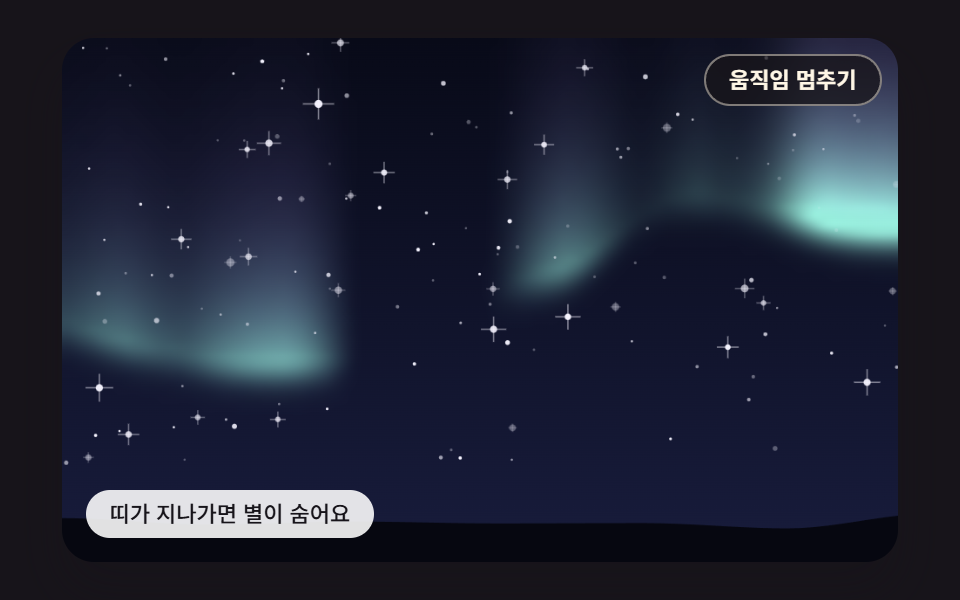 06 aur-star-twinkle-occlusion
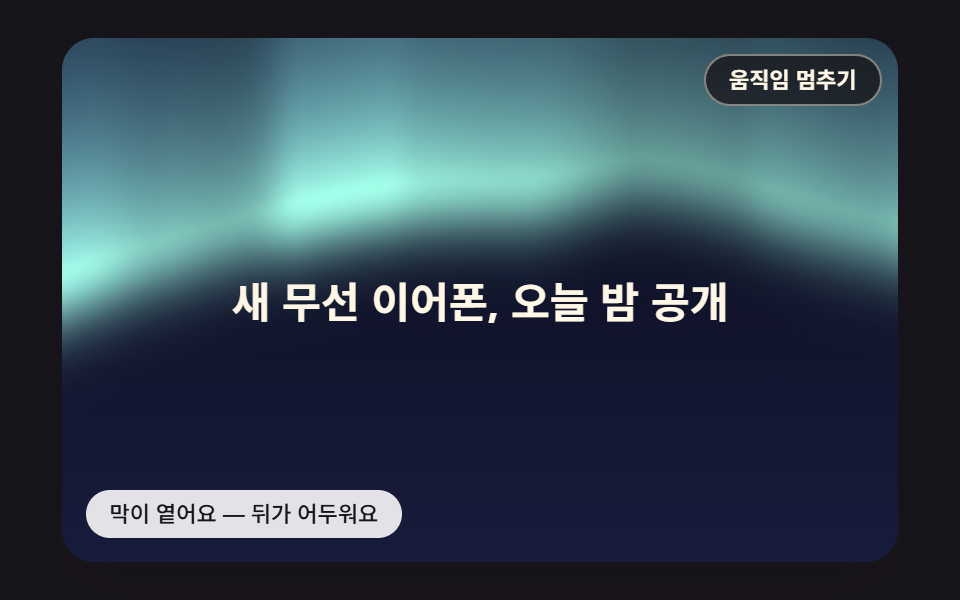 07 aur-headline-contrast-scrim
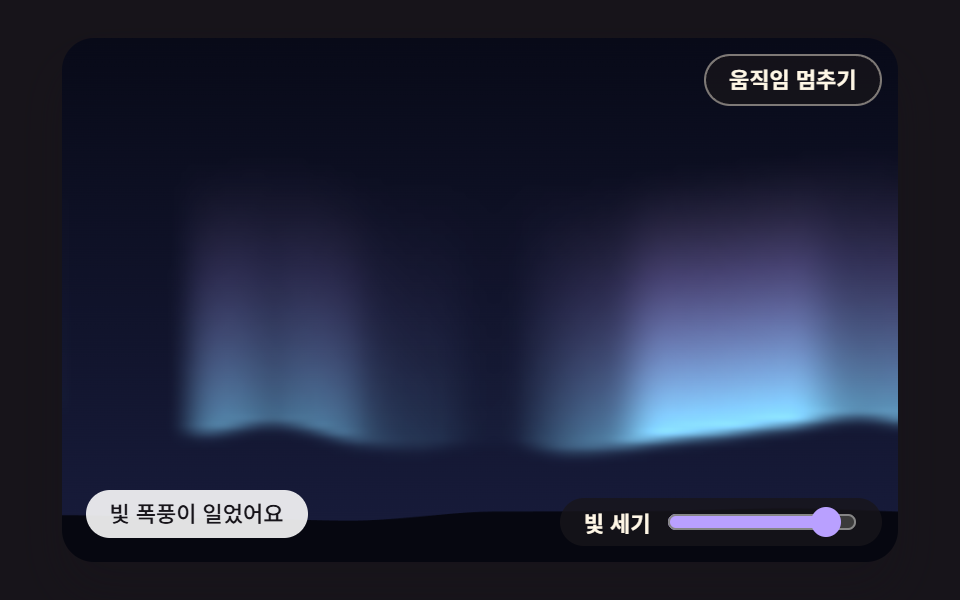 08 aur-intensity-dial-spring-storm
 09 aur-ridge-lake-parallax-hero
자동 재생 · 눌러서 해당 항목으로 · 전부 한 zip
- 01 노이즈로 일렁이는 오로라 커튼 띠
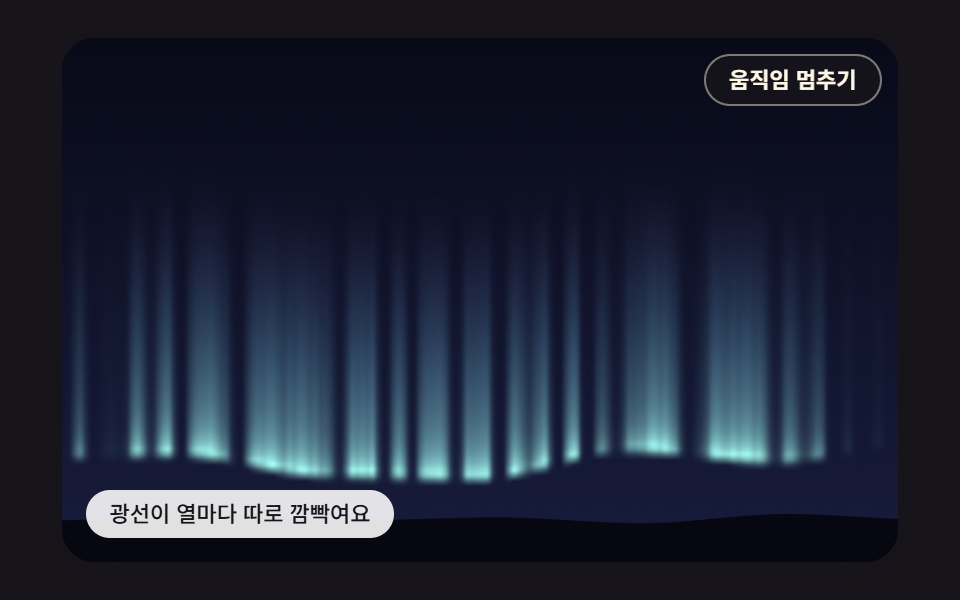
- 02 픽셀마다 계산해 깜빡이는 세로 광선
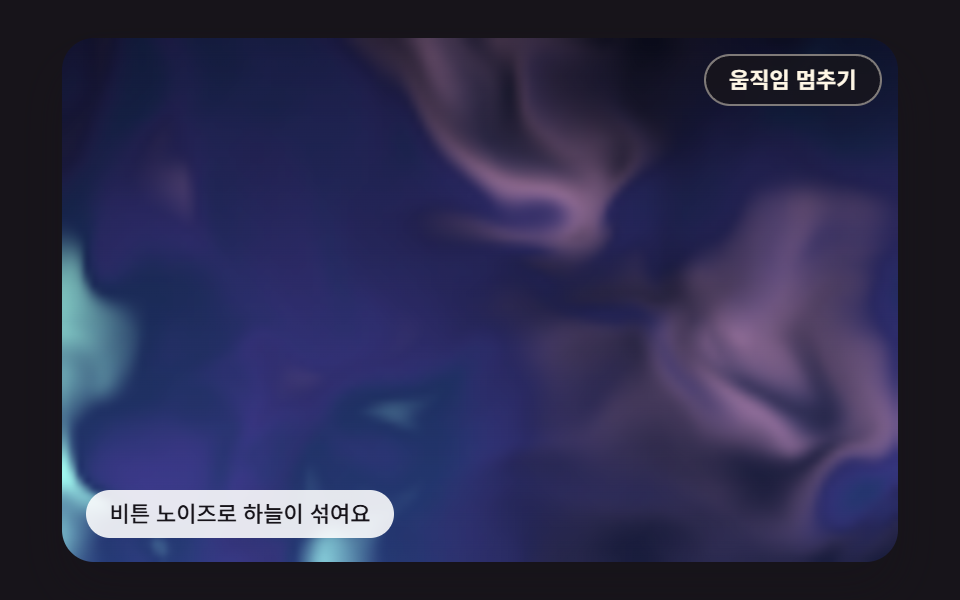
- 03 노이즈를 노이즈로 비틀어 흐르는 부드러운 하늘
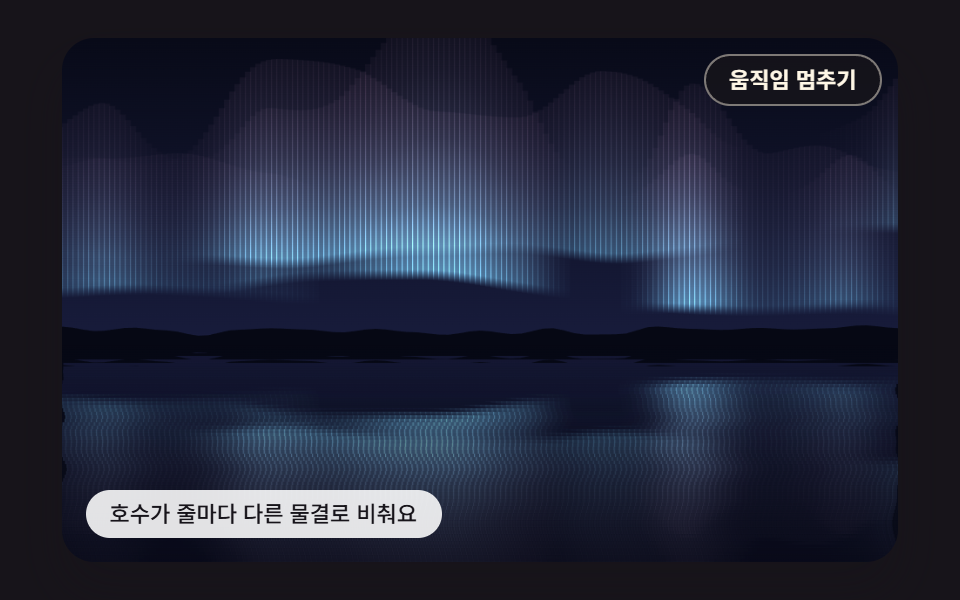
- 04 줄마다 다른 물결로 하늘을 되비추는 호수
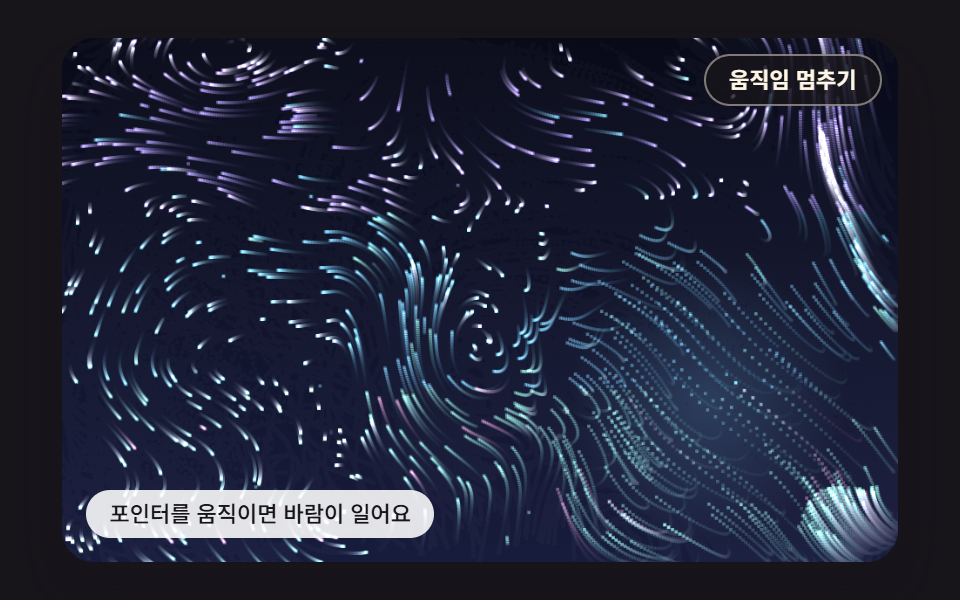
- 05 포인터가 바람을 일으키는 빛 가루 흐름
- 06 오로라가 지나가면 숨는 반짝이는 별
- 07 문구 뒤 밝기를 재어 스스로 짙어지는 대비 막
- 08 세기 다이얼을 올리면 스프링으로 번지는 빛 폭풍
- 09 산 능선·오로라·호수 반사를 묶은 시차 히어로
손을 대지 않아도 장면은 혼자 돌고, 칸마다 있는 멈춤 버튼으로 언제든 세울 수 있다. 05 와 09 는 시드를 고정한 가상 포인터가 움직이는데, 05 는 주기가 다른 사인 두 개를 엮은 길을 돌고 09 는 사인 하나로 좌우를 오간다. 사람이 포인터를 올리면 그 자리로 넘어가고 무대를 벗어나면 다시 가상 경로로 돌아간다. 08 은 2,600ms 한 바퀴 안에서 200ms 에 다이얼을 9 로, 1,300ms 에 2 로 옮기는 시연을 돌리고, 그때 손잡이도 같이 움직인다.
순서는 그리는 방식이 한 겹씩 바뀌도록 짰다. 01 은 버퍼 없이 세로 줄을 벡터로 긋는 커튼이고, 02 는 같은 띠를 작은 픽셀 버퍼에서 칸마다 칠하며, 03 은 그 버퍼에 읽을 좌표부터 비튼 노이즈를 칠한다. 04 는 다 그린 하늘을 거꾸로 한 번 더 쓰는 반사, 05 는 칠하기 대신 가루 900개를 흐름장으로 옮기는 입자, 06 은 오로라 세기를 별 자리에서 다시 읽는 표본이다. 07 은 같은 세기를 문구 상자에서 평균 내 막의 짙기로 바꾸고, 08 은 사람이 고른 값을 스프링으로 받으며, 09 는 01 커튼과 04 반사에 산 능선을 더해 한 장면으로 묶는다.
오로라 배경 9종 — 노이즈 커튼·세로 광선·비튼 하늘·호수 반사·포인터 바람·별빛 가림·문구 뒤 대비 막·세기 다이얼·산 능선 히어로
아홉 장면은 캔버스 2D 와 자바스크립트로만 그린다. CSS 쪽 @keyframes·filter: blur 는 0개이고, 라이브러리·WebGL·CDN·이미지 파일도 없다. 시간은 requestAnimationFrame 이 넘긴 간격을 16ms 고정 틱으로 잘라 한 프레임에 최대 6틱, 100ms 까지만 따라잡고, 노이즈가 읽는 시간 좌표는 그렇게 쌓은 simMs 를 1,000 으로 나눈 초다. 캔버스 화소 배율은 Math.min(window.devicePixelRatio || 1, 2) 로 2 에서 멈춘다.
무대 넓이 대비 바뀐 화소를 23번 비교한 표
2초 동안 찍은 24장을 이웃끼리 견준 23번의 변화로 쟀다. 누적면적은 그동안 바뀐 자리를 모두 겹친 넓이가 무대에서 차지한 비율이고, 움직인 프레임은 23번 가운데 화면이 달라진 횟수다.
| 장면 | 누적면적 | 움직인 프레임 | 강도 평균 |
|---|---|---|---|
| 01 노이즈 커튼 | 36.2% | 23/23 | 22.4 |
| 02 세로 광선 | 26.7% | 23/23 | 17.2 |
| 03 비튼 하늘 | 67.9% | 23/23 | 18.4 |
| 04 호수 반사 | 43.7% | 23/23 | 16.2 |
| 05 포인터 바람 | 71.0% | 23/23 | 53.1 |
| 06 별빛 가림 | 34.8% | 23/23 | 22.4 |
| 07 대비 막 | 69.5% | 23/23 | 27.8 |
| 08 세기 다이얼 | 36.0% | 23/23 | 26.2 |
| 09 능선 히어로 | 41.3% | 23/23 | 18.3 |
아홉 장면 모두 23/23 이라 견줄 때마다 화면이 달라졌다. 05 의 71.0% 와 강도 53.1 이 가장 큰 것은 가루 900개가 무대 전체로 흩어져 흐르고 자취가 7.3틱 만에 절반으로 옅어져, 화면 거의 어디서나 밝기가 바뀌기 때문으로 보인다. 02 가 26.7% 로 가장 작은 것은 광선이 버퍼 100행 가운데 띠 높이 55행 안에서만 켜지고 그 위 밤하늘은 그대로 남기 때문으로 보인다. 07 의 69.5% 는 띠 중심선이 진폭 84px 의 사인에 노이즈를 더해 44~255px 사이를 크게 오르내리며 문구 상자를 지나가는 탓으로 보인다.
숙소 예약 화면부터 날씨 위젯까지, 붙일 자리와 붙이는 법
첫 화면 전체를 맡길 장면은 01·03·09 다. 01 커튼은 첫 겹 중심선이 무대 아래쪽 213~232px 에 깔려 서비스 첫 화면의 제목을 그 위 어두운 하늘에 올리기 좋고, 03 은 회사 소개 랜딩 히어로처럼 경계 없는 색 얼룩이 천천히 섞여야 하는 곳, 09 는 여행 상품 랜딩 첫 화면을 산·하늘·호수로 통째로 채운다. 04 는 숙소 예약 사이트처럼 물가 풍경이 어울리는 화면에, 06 은 천체 관측 행사 안내처럼 별이 주인공인 하늘에, 02 는 음악 앨범 소개처럼 빛줄기가 리듬을 맡는 페이지에 맞는다.
페이지에 오로라 효과를 깔 때 글자를 캔버스에 그리지 않는 것이 이 편의 원칙이다. 07 의 문구는 <p data-role="headline"> 안의 진짜 글자이고, place() 가 문구 상자를 무대 대비 백분율로 앉히며, 캔버스는 aria-hidden="true" 로 그 뒤에 깔린다. 08 을 날씨 앱 밤하늘 위젯으로 쓴다면 범위 입력 대신 받아 온 값을 levelTarget 에 넣어도 같은 스프링이 받아 줄 것으로 보인다.
오로라 그라데이션 한 장은 왜 멈춘 벽지처럼 보이는가?
그라데이션이 바꿀 수 있는 것은 자리와 색뿐
CSS 로 만든 오로라 그라데이션은 색이 놓일 자리를 처음에 정해 두고, 애니메이션은 그 덩어리 전체를 옮기거나 돌리거나 색을 바꾸는 일만 한다. 덩어리 안의 결은 그대로라 한참 보면 같은 무늬가 미끄러지는 것으로 읽히고, 그것이 벽지처럼 멈춘 느낌의 정체로 보인다. 밤하늘 빛의 띠처럼 보이려면 밑단이 또렷하고, 위로 갈수록 세로 줄로 옅어지며, 주름의 생김새가 시간에 따라 새로 생겨야 한다. 셋 다 가로 위치와 시각마다 다른 값이 있어야 해서, 이 편은 그 값을 노이즈 계산으로 만든다.
앞서 다룬 세 오로라와 갈리는 지점
CSS 배경 애니메이션 의 03 은 radial-gradient 3개에 filter: blur(3px) 와 회전 키프레임을 건 색 덩어리였고, 오로라 메시 그라데이션 랜딩 의 01 은 radial-gradient 5개에 blur(28px) 와 표류 키프레임을 얹은 섹션 장식이다. 캔버스 노이즈 지형 의 05 는 옥타브 합 노이즈로 띠를 칠한 캔버스 오로라였지만 항목 하나였다. 이 편은 키프레임과 blur 를 하나도 쓰지 않고, 같은 노이즈 재료로 커튼·광선·반사·흐름·가림·대비까지 아홉 갈래를 나눈다.
노이즈를 겹치고 비트는 계산 — 옥타브 합·도메인 왜곡·회전 흐름장으로 빛의 띠를 만든다
정수 격자 해시에서 옥타브 합까지
재료는 하나다. hash2 가 정수 격자점마다 0~1 값을 주고, noise2 가 점이 든 칸의 네 모서리 값을 3t²−2t³ 곡선으로 섞어 매끄러운 값 노이즈를 낸다. octaves 는 주파수를 2배로 올리고 세기를 절반으로 줄인 노이즈를 n 겹 더한 뒤 세기 합으로 나눠, 큰 굽이 위에 잔물결이 얹힌 값을 0~1 안에 돌려준다. 01 의 중심선은 이 합 3겹으로 높이를 정하고, 주름 밝기는 결을 2.6배 잘게 읽은 2겹 합을 문턱 0.25 위로 펴 1.8 제곱해 밝은 주름과 어두운 틈을 가른다.
읽을 좌표를 미는 왜곡과 기울기를 돌린 흐름
03 의 도메인 왜곡은 노이즈 값을 바꾸지 않고 노이즈를 읽을 자리를 옮긴다. q 두 개를 읽어 p 를 1.6q 만큼 민 자리에서 r 두 개를 읽고, 다시 p 를 1.6r 만큼 민 자리에서 최종 값을 읽으니 옥타브 합 5번 × 3옥타브로 픽셀 하나에 노이즈 15회, 120×75 버퍼 9,000칸이면 프레임마다 135,000회다. 개발 시점(2026-10-09) 헤드리스 측정에서 paintWarp 한 번이 2.07ms 였다.
05 는 퍼텐셜 ψ 의 가로·세로 편미분을 90도 돌려 속도로 쓴다. 기울기를 그대로 쓰면 가루가 언덕 꼭대기나 골짜기 쪽으로 몰리지만, 돌린 흐름은 등고선을 따라 돌기만 해서 한 자리로 들어오는 양과 나가는 양이 맞먹는다. 수치로 재면 회전 흐름장의 평균 발산은 2.27e-06, 같은 퍼텐셜의 기울기장은 0.013 으로 약 5,700배 차이가 나고, 가루가 흐르면서 한곳에 뭉치거나 텅 비는 자리가 생기지 않는 근거가 이 차이로 보인다.
작은 버퍼에 칠하고 늘려 더하기
칸마다 값을 쓰는 02·03·06·07·08 은 화면 크기와 상관없이 작은 버퍼를 쓴다. makeBuffer 가 화면 밖 캔버스와 createImageData 를 준비하고, blitBuffer 가 putImageData 로 버퍼를 올린 다음 imageSmoothingQuality = 'high' 와 'lighter' 합성으로 480×300 무대에 늘려 더한다(createImageData 설명). 버퍼 크기는 02 가 160×100, 03·07·08 이 120×75, 06 이 96×60 이다. 화면을 다시 읽는 getImageData 는 아홉 장면 어디에도 없어서, 07 의 밝기도 자기가 칠한 값으로 계산한다.
01노이즈로 일렁이는 오로라 커튼 띠
세 겹 커튼마다 3px 간격으로 세로 줄을 긋는데, 줄의 아래 끝은 옥타브 합이 정한 중심선이고 위로 갈수록 exp(-RAY_FALLOFF × d) 로 옅어져 38.5px 마다 밝기가 절반이 된다. 줄 하나가 세로 그라데이션 하나로 칠해지는 벡터 획이라 픽셀 버퍼가 필요 없고, 165px 길이 끝에서는 알파 배율이 0.051 까지 내려가 커튼 윗자락이 밤하늘에 녹아든다. 1초 동안 첫 겹 중심선이 가장 많이 움직인 거리는 20.1px 라, 서비스 첫 화면 배경처럼 오래 띄워 둘 화면에서도 출렁임이 느긋하다.
<main class="stage">
<div class="au is-demo" id="au">
  <canvas class="au__canvas" data-role="canvas" width="480" height="300" aria-hidden="true"></canvas>
  <button class="au__pause" data-role="pause" type="button" aria-pressed="false">움직임 멈추기</button>
  <p class="au__status" data-role="status" aria-live="off">커튼이 노이즈를 따라 일렁여요</p>
</div>
</main>
@use "../../../../site/static/demo-tokens" as *;
@include stage($stage-ink);
.au {
position: relative;
width: min(92vw, calc(160vh - 12.8vw));
aspect-ratio: 480 / 300;
margin: 0 auto;
border-radius: $r-card;
overflow: hidden;
box-shadow: $shadow-raised;
background: $subject-ink;
}
// 05·09 는 무대 자체가 초점을 받는다(화살표 키) — 고리는 크림색으로 어두운 하늘 위에서 보이게
.au:focus-visible {
outline: 2px solid $subject-cream;
outline-offset: 3px;
}
.au__canvas {
display: block;
width: 100%;
height: 100%;
// 손가락 세로 쓸기는 브라우저에 남겨 페이지 스크롤이 막히지 않게 한다
touch-action: pan-y;
}
.au__pause {
position: absolute;
top: $sp-2;
right: $sp-2;
margin: 0;
padding: $sp-1 $sp-3;
border: 1px solid rgba(255, 247, 230, .45);
border-radius: $r-pill;
background: rgba(23, 20, 26, .78);
color: $subject-cream;
font-family: inherit;
font-weight: 600;
font-size: 11px;
line-height: 1.4;
cursor: pointer;
}
.au__pause:hover {
background: rgba(23, 20, 26, .92);
}
.au__pause:focus-visible {
outline: 2px solid $subject-cream;
outline-offset: 2px;
}
.au__pause[hidden] {
display: none;
}
.au__status {
position: absolute;
left: $sp-3;
bottom: $sp-3;
box-sizing: border-box;
max-width: 54%;
margin: 0;
padding: $sp-1 $sp-3;
border-radius: $r-control;
background: rgba(255, 255, 255, .88);
color: $subject-ink;
font-weight: 500;
font-size: 11px;
line-height: 1.4;
pointer-events: none;
}
@media (max-width: 340px) {
.au__status { font-size: 10px; padding: $sp-1 $sp-2; }
.au__pause { font-size: 10px; padding: $sp-1 $sp-2; }
}
// 움직임은 스크립트가 matchMedia 로 멈춘다(노이즈 시간을 세운 한 장면). CSS 쪽은 멈춤 버튼을 감추는 hidden 만 쓴다
@media (prefers-reduced-motion: reduce) {
.au__pause { transition: none; }
}html, body {
margin: 0;
overflow: hidden;
}
.stage {
box-sizing: border-box;
min-height: 100vh;
display: grid;
place-items: center;
margin: 0;
background: #17141a;
font-family: -apple-system, "Segoe UI", "Noto Sans KR", sans-serif;
padding: clamp(8px, 4vw, 24px);
}
.au {
position: relative;
width: min(92vw, 160vh - 12.8vw);
aspect-ratio: 480/300;
margin: 0 auto;
border-radius: 16px;
overflow: hidden;
box-shadow: 0 14px 24px rgba(23, 20, 26, 0.32);
background: #17141a;
}
.au:focus-visible {
outline: 2px solid #fff7e6;
outline-offset: 3px;
}
.au__canvas {
display: block;
width: 100%;
height: 100%;
touch-action: pan-y;
}
.au__pause {
position: absolute;
top: 8px;
right: 8px;
margin: 0;
padding: 4px 12px;
border: 1px solid rgba(255, 247, 230, 0.45);
border-radius: 999px;
background: rgba(23, 20, 26, 0.78);
color: #fff7e6;
font-family: inherit;
font-weight: 600;
font-size: 11px;
line-height: 1.4;
cursor: pointer;
}
.au__pause:hover {
background: rgba(23, 20, 26, 0.92);
}
.au__pause:focus-visible {
outline: 2px solid #fff7e6;
outline-offset: 2px;
}
.au__pause[hidden] {
display: none;
}
.au__status {
position: absolute;
left: 12px;
bottom: 12px;
box-sizing: border-box;
max-width: 54%;
margin: 0;
padding: 4px 12px;
border-radius: 12px;
background: rgba(255, 255, 255, 0.88);
color: #17141a;
font-weight: 500;
font-size: 11px;
line-height: 1.4;
pointer-events: none;
}
@media (max-width: 340px) {
.au__status {
font-size: 10px;
padding: 4px 8px;
}
.au__pause {
font-size: 10px;
padding: 4px 8px;
}
}
@media (prefers-reduced-motion: reduce) {
.au__pause {
transition: none;
}
}(function () {
const root = document.getElementById("au");
if (!root) return;
// 장면 좌표 — 캔버스 내부는 이 크기 x 배율(dpr)로 잡고, 그림은 늘 480x300 좌표로 그린다
const W = 480;
const H = 300;
// 고정 틱(ms) — 화면 주사율과 상관없이 같은 빠르기로 흐른다
const FIXED_DT = 16;
const TAU = Math.PI * 2;
// 동작 줄이기에서 멈춰 둘 장면 시각(ms) — 이 시각의 한 장면만 그린다
const STILL_MS = 5200;
// 밤하늘 — 위는 짙은 남색, 지평선 쪽은 한 단계 밝은 남보라
const SKY_TOP = [8, 10, 24];
const SKY_LOW = [24, 28, 60];
// 오로라 빛 — 채도를 낮춘 파스텔이지만 어두운 하늘과의 명도 차는 크게 둔다
const MINT = [150, 240, 200];
const TEAL = [126, 214, 236];
const VIOLET = [192, 168, 255];
const PINK = [255, 178, 214];
function clamp(v, lo, hi) { return v < lo ? lo : (v > hi ? hi : v); }
function lerp(a, b, k) { return a + (b - a) * k; }
// 부드러운 계단 3x² - 2x³ — 0 과 1 에서 기울기가 0 이라 이음매가 보이지 않는다
function smooth(x) { const c = clamp(x, 0, 1); return c * c * (3 - 2 * c); }
function mix(a, b, k) { return [lerp(a[0], b[0], k), lerp(a[1], b[1], k), lerp(a[2], b[2], k)]; }
function rgba(c, a) {
return 'rgba(' + Math.round(clamp(c[0], 0, 255)) + ',' + Math.round(clamp(c[1], 0, 255)) + ',' + Math.round(clamp(c[2], 0, 255)) + ',' + clamp(a, 0, 1).toFixed(3) + ')';
}
// 시드 고정 난수 — 같은 시드면 같은 배치가 다시 나온다 (32비트 정수 섞기)
function makeRng(seed) {
let s = seed >>> 0;
return function () {
s = (s + 0x6d2b79f5) >>> 0;
let t = s;
t = Math.imul(t ^ (t >>> 15), t | 1);
t ^= t + Math.imul(t ^ (t >>> 7), t | 61);
return ((t ^ (t >>> 14)) >>> 0) / 4294967296;
};
}
// 격자점 해시 — 정수 좌표 (ix, iy) 와 시드에서 0..1 값 하나를 만든다. 같은 점은 언제나 같은 값
function hash2(ix, iy, seed) {
let h = (Math.imul(ix, 374761393) + Math.imul(iy, 668265263) + Math.imul(seed, 1013904223)) | 0;
h = Math.imul(h ^ (h >>> 13), 1274126177);
h ^= h >>> 16;
return (h >>> 0) / 4294967296;
}
// 값 노이즈 — 정수 격자점마다 해시 값을 두고, 칸 안에서는 네 모서리 값을 부드러운 계단으로 보간한다. 결과 0..1
function noise2(x, y, seed) {
const ix = Math.floor(x);
const iy = Math.floor(y);
const fx = x - ix;
const fy = y - iy;
const u = fx * fx * (3 - 2 * fx);
const v = fy * fy * (3 - 2 * fy);
const a = hash2(ix, iy, seed);
const b = hash2(ix + 1, iy, seed);
const c = hash2(ix, iy + 1, seed);
const d = hash2(ix + 1, iy + 1, seed);
return lerp(lerp(a, b, u), lerp(c, d, u), v);
}
// 옥타브 합 — 주파수를 두 배로, 세기를 절반으로 줄여 가며 n 겹 더한 뒤 세기 합으로 나눈다. 결과 0..1
function octaves(x, y, n, seed) {
let sum = 0;
let amp = 0.5;
let norm = 0;
let f = 1;
for (let k = 0; k < n; k += 1) {
sum += amp * noise2(x * f + k * 17.13, y * f + k * 9.71, seed + k * 31);
norm += amp;
amp *= 0.5;
f *= 2;
}
return sum / norm;
}
function textOf(el) { return (el.textContent || '').trim(); }
const canvasEl = root.querySelector('[data-role="canvas"]');
const statusEl = root.querySelector('[data-role="status"]');
const pauseEl = root.querySelector('[data-role="pause"]');
const ctxRaw = canvasEl ? canvasEl.getContext('2d') : null;
if (!canvasEl || !ctxRaw || !statusEl || !pauseEl) {
return;
}
const cv = canvasEl;
const ctx = ctxRaw;
const status = statusEl;
const pauseBtn = pauseEl;
// 화면 글자는 DOM 에 있다 — 문구를 바꾸면 버튼·상태 줄도 같이 바뀐다
const STATUS0 = textOf(status);
const PAUSE_LABEL = textOf(pauseBtn);
const RESUME_LABEL = '움직임 다시 켜기';
const TXT_PAUSED = '멈췄어요 — 버튼으로 다시 켜기';
const reduceQuery = window.matchMedia('(prefers-reduced-motion: reduce)');
// 페이지를 연 채 동작 줄이기 설정을 바꿔도 아래 change 리스너가 이 값을 다시 읽는다
let still = reduceQuery.matches;
// 사람이 멈춤 버튼을 눌렀는가
let paused = false;
// 자동 시연 중인가 — 사람이 처음 만지는 순간 시연을 멈추고 상태 줄을 읽어 주기 시작한다
let demo = root.classList.contains('is-demo');
function wake() {
if (!demo) {
return;
}
demo = false;
root.classList.remove('is-demo');
status.setAttribute('aria-live', 'polite');
}
function say(text) {
if (status.textContent !== text) {
status.textContent = text;
}
}
// 캔버스 배율 — 화면 배율을 따르되 2 에서 자른다(배율 3 기기에서 픽셀 일이 2.25배로 늘지 않게)
let dpr = 1;
function fitCanvas() {
dpr = Math.min(window.devicePixelRatio || 1, 2);
cv.width = Math.round(W * dpr);
cv.height = Math.round(H * dpr);
}
function begin() {
ctx.setTransform(dpr, 0, 0, dpr, 0, 0);
ctx.globalCompositeOperation = 'source-over';
ctx.globalAlpha = 1;
}
// 작은 픽셀 버퍼 — 계산은 이 크기에서 하고 화면에는 늘려 그린다
function makeBuffer(w, h) {
const b = document.createElement('canvas');
b.width = w;
b.height = h;
const c = b.getContext('2d');
return { cv: b, c: c, img: c.createImageData(w, h), w: w, h: h };
}
// 버퍼를 무대 크기로 키워 더한다 — 늘릴 때 브라우저의 이미지 보간이 칸 사이를 메우고, 'lighter' 는 밤하늘 위에 빛을 더한다
function blitBuffer(b, x, y, w, h) {
b.c.putImageData(b.img, 0, 0);
ctx.save();
ctx.imageSmoothingEnabled = true;
ctx.imageSmoothingQuality = 'high';
ctx.globalCompositeOperation = 'lighter';
ctx.drawImage(b.cv, x, y, w, h);
ctx.restore();
}
// 높이 y 에서 하늘 색 — 버퍼 계산에서 밝기를 잴 때도 같은 식을 쓴다
function skyAt(y, h) { return mix(SKY_TOP, SKY_LOW, clamp(y / h, 0, 1)); }
function drawSky(c, w, h) {
const g = c.createLinearGradient(0, 0, 0, h);
g.addColorStop(0, rgba(SKY_TOP, 1));
g.addColorStop(1, rgba(SKY_LOW, 1));
c.fillStyle = g;
c.fillRect(0, 0, w, h);
}
// 장면 시계(ms) — rAF 루프가 고정 틱으로만 늘린다. 동작 줄이기에서는 STILL_MS 에 멈춘다
let simMs = 0;
function nowS() { return simMs / 1000; }
function toScene(ev) {
const r = cv.getBoundingClientRect();
return [(ev.clientX - r.left) / Math.max(1, r.width) * W, (ev.clientY - r.top) / Math.max(1, r.height) * H];
}
// 겹치는 DOM 층의 자리 — 장면 좌표를 무대 백분율로 바꿔 넣는다
function place(el, r) {
el.style.left = (r.x / W * 100).toFixed(3) + '%';
el.style.top = (r.y / H * 100).toFixed(3) + '%';
el.style.width = (r.w / W * 100).toFixed(3) + '%';
el.style.height = (r.h / H * 100).toFixed(3) + '%';
}
// 커튼 겹 수 — 겹마다 중심선 높이·노이즈 시드·밝기가 다르다
const CURTAIN_LAYERS = 3;
// 노이즈 결 — 장면 1px 당 노이즈 좌표가 움직이는 양. 작을수록 주름이 넓고 느긋하다
const NOISE_SCALE = 0.004;
// 세로 감쇠(1px 당) — 중심선에서 위로 d px 올라간 곳의 알파 = exp(-RAY_FALLOFF x d)
const RAY_FALLOFF = 0.018;
// 세로 줄 간격(px) — 줄마다 세로 그라데이션 하나
const STROKE_STEP = 3;
// 중심선 높이 — 옥타브 합(3겹) 값 노이즈 0..1 을 -1..1 로 펴서 진폭을 곱한다. 시간은 노이즈 둘째 좌표로 흘린다
function curtainCenter(o, layer, x, t) {
const n = octaves(x * NOISE_SCALE + t * o.speed * 0.4, t * o.speed + layer * 3.7, 3, o.seed + layer * 11);
return o.base - layer * 16 + (n - 0.5) * 2 * o.amp;
}
// 주름 밝기 — 결을 2.6배 잘게 읽은 노이즈를 문턱 0.25 위로 펴고 1.8 제곱해 밝은 주름과 어두운 틈을 가른다
function curtainFold(o, layer, x, t) {
const n = octaves(x * NOISE_SCALE * 2.6 - t * o.speed * 0.9, layer * 5.1 + t * o.speed * 0.5, 2, o.seed + 50 + layer);
return Math.pow(smooth((n - 0.25) / 0.6), 1.8);
}
// 커튼 — 겹마다 STROKE_STEP 간격으로 세로 줄을 긋는다. 줄의 아래 끝이 중심선, 위로 갈수록 지수로 옅어진다
function drawCurtain(c, o, t, w) {
c.save();
c.globalCompositeOperation = 'lighter';
        for (let layer = 0; layer < CURTAIN_LAYERS; layer += 1) {
            const k = CURTAIN_LAYERS > 1 ? layer / (CURTAIN_LAYERS - 1) : 0;
            const layerAlpha = o.alpha * (1 - 0.35 * k);
            for (let x = -STROKE_STEP; x <= w + STROKE_STEP; x += STROKE_STEP) {
                const fold = curtainFold(o, layer, x, t);
                if (fold < 0.02) {
                    continue;
                }
                const yc = curtainCenter(o, layer, x, t);
                const len = o.len * (0.55 + 0.75 * fold) * (1 - 0.25 * k);
                const top = yc - len;
                const g = c.createLinearGradient(0, yc + 6, 0, top);
                g.addColorStop(0, rgba(o.low, 0));
                // 아래 가장자리 6px — 짧게 밝아져 커튼 밑단이 또렷하다
                g.addColorStop(6 / (len + 6), rgba(o.low, layerAlpha * fold));
                for (let s = 1; s <= 4; s += 1) {
                    const d = len * s / 4;
                    g.addColorStop((6 + d) / (len + 6), rgba(mix(o.low, o.high, s / 4), layerAlpha * fold * Math.exp(-RAY_FALLOFF * d)));
                }
                c.fillStyle = g;
                c.fillRect(x, top, STROKE_STEP + 0.6, len + 6);
            }
        }
c.restore();
}
// 땅 실루엣 — 값 노이즈 한 겹으로 낮은 언덕 선을 만들고 그 아래를 짙게 채운다
const GROUND = [6, 7, 16];
function drawGround(c, y0, rough, seed) {
c.beginPath();
c.moveTo(0, H);
for (let x = 0; x <= W; x += 8) {
c.lineTo(x, y0 + (noise2(x * 0.012, 0.5, seed) - 0.5) * rough);
}
c.lineTo(W, H);
c.closePath();
c.fillStyle = rgba(GROUND, 1);
c.fill();
}
// 01 커튼 — 아래 끝은 민트, 위로 라일락. 땅 바로 위에서 흔들린다
const CURTAIN_01 = { base: 226, amp: 44, len: 165, low: MINT, high: VIOLET, alpha: 0.62, speed: 0.24, seed: 101 };
function itemInit() { }
function itemStep(dt) { }
function itemDraw() {
drawSky(ctx, W, H);
drawCurtain(ctx, CURTAIN_01, nowS(), W);
drawGround(ctx, 270, 16, 131);
}
function itemDemo(t) { }
function itemStatus() { return STATUS0; }
function itemSnap() { }
function itemPointer(p, on) { return false; }
function itemKey(key) { return false; }
function render() {
begin();
itemDraw();
if (!paused) {
say(itemStatus());
}
}
// 루프가 멈춰 있을 때(동작 줄이기·멈춤) 입력이 들어오면 — 움직이던 값을 목표로 바로 옮겨 한 장 그린다
function after() {
if (rafId) {
return;
}
itemSnap();
render();
}
function setPaused(p) {
paused = p;
pauseBtn.setAttribute('aria-pressed', p ? 'true' : 'false');
pauseBtn.textContent = p ? RESUME_LABEL : PAUSE_LABEL;
if (p) {
stopLoop();
say(TXT_PAUSED);
}
else {
say(itemStatus());
startLoop();
}
}
pauseBtn.addEventListener('click', function () { wake(); setPaused(!paused); });
cv.addEventListener('pointermove', function (ev) {
if (itemPointer(toScene(ev), true)) {
wake();
after();
}
});
cv.addEventListener('pointerdown', function (ev) {
wake();
if (itemPointer(toScene(ev), true)) {
after();
}
});
cv.addEventListener('pointerleave', function () { itemPointer([W / 2, H / 2], false); });
root.addEventListener('keydown', function (ev) {
if (ev.target !== root) {
return;
}
if (itemKey(ev.key)) {
ev.preventDefault();
wake();
after();
}
});
function onResize() {
fitCanvas();
render();
}
fitCanvas();
itemInit();
window.addEventListener('resize', onResize);
let rafId = 0;
let lastTs = -1;
let acc = 0;
function frame(ts) {
if (still || paused) {
rafId = 0;
return;
}
if (lastTs < 0) {
lastTs = ts;
}
// 탭이 숨었다 돌아와도 한 번에 100ms 까지만 따라잡는다 — 순간이동 대신 이어서 움직인다
acc += Math.min(ts - lastTs, 100);
lastTs = ts;
let n = 0;
while (acc >= FIXED_DT && n < 6) {
simMs += FIXED_DT;
if (demo) {
itemDemo(simMs);
}
itemStep(FIXED_DT);
acc -= FIXED_DT;
n += 1;
}
if (n === 6) {
acc = 0;
}
render();
rafId = window.requestAnimationFrame(frame);
}
function startLoop() {
if (rafId || still || paused) {
return;
}
lastTs = -1;
acc = 0;
rafId = window.requestAnimationFrame(frame);
}
function stopLoop() {
if (rafId) {
window.cancelAnimationFrame(rafId);
rafId = 0;
}
}
// 동작 줄이기 설정이 페이지를 연 채 바뀌면 — 켜지면 루프를 멈추고 그 순간 한 장면으로, 꺼지면 루프를 다시 돈다
function onMotionPref() {
still = reduceQuery.matches;
pauseBtn.hidden = still;
if (still) {
stopLoop();
itemSnap();
render();
}
else {
startLoop();
}
}
if (typeof reduceQuery.addEventListener === 'function') {
reduceQuery.addEventListener('change', onMotionPref);
}
pauseBtn.hidden = still;
if (still) {
// 동작 줄이기 — 노이즈 시간을 STILL_MS 에 세운 한 장면. 입력은 after() 가 그 자리에서 반영한다
simMs = STILL_MS;
itemSnap();
render();
}
else {
render();
startLoop();
}
return function () {
stopLoop();
window.removeEventListener('resize', onResize);
if (typeof reduceQuery.removeEventListener === 'function') {
reduceQuery.removeEventListener('change', onMotionPref);
}
};
})();// CurtainNoiseRibbon - vanilla 판(01-aur-curtain-noise-ribbon) 의 React 포트. 같은 계산을 useEffect 안에서 돌린다.
import { useEffect, useRef } from "react";
import styles from "./CurtainNoiseRibbon.module.scss";
const cx = (s: string): string => s.split(" ").map((n) => styles[n] ?? n).join(" ");
export default function CurtainNoiseRibbon() {
const rootRef = useRef<HTMLDivElement | null>(null);
useEffect(() => {
const rootEl = rootRef.current;
if (!rootEl) return;
const root: HTMLElement = rootEl;
type RGB = [number, number, number];
type Pt = [number, number];
type Rect = { x: number; y: number; w: number; h: number };
type PixelBuffer = { cv: HTMLCanvasElement; c: CanvasRenderingContext2D; img: ImageData; w: number; h: number };
// 장면 좌표 — 캔버스 내부는 이 크기 x 배율(dpr)로 잡고, 그림은 늘 480x300 좌표로 그린다
const W = 480;
const H = 300;
// 고정 틱(ms) — 화면 주사율과 상관없이 같은 빠르기로 흐른다
const FIXED_DT = 16;
const TAU = Math.PI * 2;
// 동작 줄이기에서 멈춰 둘 장면 시각(ms) — 이 시각의 한 장면만 그린다
const STILL_MS = 5200;
// 밤하늘 — 위는 짙은 남색, 지평선 쪽은 한 단계 밝은 남보라
const SKY_TOP: RGB = [8, 10, 24];
const SKY_LOW: RGB = [24, 28, 60];
// 오로라 빛 — 채도를 낮춘 파스텔이지만 어두운 하늘과의 명도 차는 크게 둔다
const MINT: RGB = [150, 240, 200];
const TEAL: RGB = [126, 214, 236];
const VIOLET: RGB = [192, 168, 255];
const PINK: RGB = [255, 178, 214];
function clamp(v: number, lo: number, hi: number): number { return v < lo ? lo : (v > hi ? hi : v); }
function lerp(a: number, b: number, k: number): number { return a + (b - a) * k; }
// 부드러운 계단 3x² - 2x³ — 0 과 1 에서 기울기가 0 이라 이음매가 보이지 않는다
function smooth(x: number): number { const c = clamp(x, 0, 1); return c * c * (3 - 2 * c); }
function mix(a: RGB, b: RGB, k: number): RGB { return [lerp(a[0], b[0], k), lerp(a[1], b[1], k), lerp(a[2], b[2], k)]; }
function rgba(c: RGB, a: number): string {
return 'rgba(' + Math.round(clamp(c[0], 0, 255)) + ',' + Math.round(clamp(c[1], 0, 255)) + ',' + Math.round(clamp(c[2], 0, 255)) + ',' + clamp(a, 0, 1).toFixed(3) + ')';
}
// 시드 고정 난수 — 같은 시드면 같은 배치가 다시 나온다 (32비트 정수 섞기)
function makeRng(seed: number): () => number {
let s = seed >>> 0;
return function (): number {
s = (s + 0x6d2b79f5) >>> 0;
let t = s;
t = Math.imul(t ^ (t >>> 15), t | 1);
t ^= t + Math.imul(t ^ (t >>> 7), t | 61);
return ((t ^ (t >>> 14)) >>> 0) / 4294967296;
};
}
// 격자점 해시 — 정수 좌표 (ix, iy) 와 시드에서 0..1 값 하나를 만든다. 같은 점은 언제나 같은 값
function hash2(ix: number, iy: number, seed: number): number {
let h = (Math.imul(ix, 374761393) + Math.imul(iy, 668265263) + Math.imul(seed, 1013904223)) | 0;
h = Math.imul(h ^ (h >>> 13), 1274126177);
h ^= h >>> 16;
return (h >>> 0) / 4294967296;
}
// 값 노이즈 — 정수 격자점마다 해시 값을 두고, 칸 안에서는 네 모서리 값을 부드러운 계단으로 보간한다. 결과 0..1
function noise2(x: number, y: number, seed: number): number {
const ix = Math.floor(x);
const iy = Math.floor(y);
const fx = x - ix;
const fy = y - iy;
const u = fx * fx * (3 - 2 * fx);
const v = fy * fy * (3 - 2 * fy);
const a = hash2(ix, iy, seed);
const b = hash2(ix + 1, iy, seed);
const c = hash2(ix, iy + 1, seed);
const d = hash2(ix + 1, iy + 1, seed);
return lerp(lerp(a, b, u), lerp(c, d, u), v);
}
// 옥타브 합 — 주파수를 두 배로, 세기를 절반으로 줄여 가며 n 겹 더한 뒤 세기 합으로 나눈다. 결과 0..1
function octaves(x: number, y: number, n: number, seed: number): number {
let sum = 0;
let amp = 0.5;
let norm = 0;
let f = 1;
for (let k = 0; k < n; k += 1) {
sum += amp * noise2(x * f + k * 17.13, y * f + k * 9.71, seed + k * 31);
norm += amp;
amp *= 0.5;
f *= 2;
}
return sum / norm;
}
function textOf(el: HTMLElement): string { return (el.textContent || '').trim(); }
const canvasEl = root.querySelector('[data-role="canvas"]') as HTMLCanvasElement | null;
const statusEl = root.querySelector('[data-role="status"]') as HTMLElement | null;
const pauseEl = root.querySelector('[data-role="pause"]') as HTMLButtonElement | null;
const ctxRaw = canvasEl ? canvasEl.getContext('2d') : null;
if (!canvasEl || !ctxRaw || !statusEl || !pauseEl) { return; }
const cv: HTMLCanvasElement = canvasEl;
const ctx: CanvasRenderingContext2D = ctxRaw;
const status: HTMLElement = statusEl;
const pauseBtn: HTMLButtonElement = pauseEl;
// 화면 글자는 DOM 에 있다 — 문구를 바꾸면 버튼·상태 줄도 같이 바뀐다
const STATUS0 = textOf(status);
const PAUSE_LABEL = textOf(pauseBtn);
const RESUME_LABEL = '움직임 다시 켜기';
const TXT_PAUSED = '멈췄어요 — 버튼으로 다시 켜기';
const reduceQuery = window.matchMedia('(prefers-reduced-motion: reduce)');
// 페이지를 연 채 동작 줄이기 설정을 바꿔도 아래 change 리스너가 이 값을 다시 읽는다
let still = reduceQuery.matches;
// 사람이 멈춤 버튼을 눌렀는가
let paused = false;
// 자동 시연 중인가 — 사람이 처음 만지는 순간 시연을 멈추고 상태 줄을 읽어 주기 시작한다
let demo = root.classList.contains('is-demo');
function wake(): void {
if (!demo) { return; }
demo = false;
root.classList.remove('is-demo');
status.setAttribute('aria-live', 'polite');
}
function say(text: string): void {
if (status.textContent !== text) { status.textContent = text; }
}
// 캔버스 배율 — 화면 배율을 따르되 2 에서 자른다(배율 3 기기에서 픽셀 일이 2.25배로 늘지 않게)
let dpr = 1;
function fitCanvas(): void {
dpr = Math.min(window.devicePixelRatio || 1, 2);
cv.width = Math.round(W * dpr);
cv.height = Math.round(H * dpr);
}
function begin(): void {
ctx.setTransform(dpr, 0, 0, dpr, 0, 0);
ctx.globalCompositeOperation = 'source-over';
ctx.globalAlpha = 1;
}
// 작은 픽셀 버퍼 — 계산은 이 크기에서 하고 화면에는 늘려 그린다
function makeBuffer(w: number, h: number): PixelBuffer {
const b = document.createElement('canvas');
b.width = w;
b.height = h;
const c = b.getContext('2d') as CanvasRenderingContext2D;
return { cv: b, c: c, img: c.createImageData(w, h), w: w, h: h };
}
// 버퍼를 무대 크기로 키워 더한다 — 늘릴 때 브라우저의 이미지 보간이 칸 사이를 메우고, 'lighter' 는 밤하늘 위에 빛을 더한다
function blitBuffer(b: PixelBuffer, x: number, y: number, w: number, h: number): void {
b.c.putImageData(b.img, 0, 0);
ctx.save();
ctx.imageSmoothingEnabled = true;
ctx.imageSmoothingQuality = 'high';
ctx.globalCompositeOperation = 'lighter';
ctx.drawImage(b.cv, x, y, w, h);
ctx.restore();
}
// 높이 y 에서 하늘 색 — 버퍼 계산에서 밝기를 잴 때도 같은 식을 쓴다
function skyAt(y: number, h: number): RGB { return mix(SKY_TOP, SKY_LOW, clamp(y / h, 0, 1)); }
function drawSky(c: CanvasRenderingContext2D, w: number, h: number): void {
const g = c.createLinearGradient(0, 0, 0, h);
g.addColorStop(0, rgba(SKY_TOP, 1));
g.addColorStop(1, rgba(SKY_LOW, 1));
c.fillStyle = g;
c.fillRect(0, 0, w, h);
}
// 장면 시계(ms) — rAF 루프가 고정 틱으로만 늘린다. 동작 줄이기에서는 STILL_MS 에 멈춘다
let simMs = 0;
function nowS(): number { return simMs / 1000; }
function toScene(ev: PointerEvent): Pt {
const r = cv.getBoundingClientRect();
return [(ev.clientX - r.left) / Math.max(1, r.width) * W, (ev.clientY - r.top) / Math.max(1, r.height) * H];
}
// 겹치는 DOM 층의 자리 — 장면 좌표를 무대 백분율로 바꿔 넣는다
function place(el: HTMLElement, r: Rect): void {
el.style.left = (r.x / W * 100).toFixed(3) + '%';
el.style.top = (r.y / H * 100).toFixed(3) + '%';
el.style.width = (r.w / W * 100).toFixed(3) + '%';
el.style.height = (r.h / H * 100).toFixed(3) + '%';
}
// 커튼 겹 수 — 겹마다 중심선 높이·노이즈 시드·밝기가 다르다
const CURTAIN_LAYERS = 3;
// 노이즈 결 — 장면 1px 당 노이즈 좌표가 움직이는 양. 작을수록 주름이 넓고 느긋하다
const NOISE_SCALE = 0.004;
// 세로 감쇠(1px 당) — 중심선에서 위로 d px 올라간 곳의 알파 = exp(-RAY_FALLOFF x d)
const RAY_FALLOFF = 0.018;
// 세로 줄 간격(px) — 줄마다 세로 그라데이션 하나
const STROKE_STEP = 3;
type Curtain = { base: number; amp: number; len: number; low: RGB; high: RGB; alpha: number; speed: number; seed: number };
// 중심선 높이 — 옥타브 합(3겹) 값 노이즈 0..1 을 -1..1 로 펴서 진폭을 곱한다. 시간은 노이즈 둘째 좌표로 흘린다
function curtainCenter(o: Curtain, layer: number, x: number, t: number): number {
const n = octaves(x * NOISE_SCALE + t * o.speed * 0.4, t * o.speed + layer * 3.7, 3, o.seed + layer * 11);
return o.base - layer * 16 + (n - 0.5) * 2 * o.amp;
}
// 주름 밝기 — 결을 2.6배 잘게 읽은 노이즈를 문턱 0.25 위로 펴고 1.8 제곱해 밝은 주름과 어두운 틈을 가른다
function curtainFold(o: Curtain, layer: number, x: number, t: number): number {
const n = octaves(x * NOISE_SCALE * 2.6 - t * o.speed * 0.9, layer * 5.1 + t * o.speed * 0.5, 2, o.seed + 50 + layer);
return Math.pow(smooth((n - 0.25) / 0.6), 1.8);
}
// 커튼 — 겹마다 STROKE_STEP 간격으로 세로 줄을 긋는다. 줄의 아래 끝이 중심선, 위로 갈수록 지수로 옅어진다
function drawCurtain(c: CanvasRenderingContext2D, o: Curtain, t: number, w: number): void {
c.save();
c.globalCompositeOperation = 'lighter';
for (let layer = 0; layer < CURTAIN_LAYERS; layer += 1) {
const k = CURTAIN_LAYERS > 1 ? layer / (CURTAIN_LAYERS - 1) : 0;
const layerAlpha = o.alpha * (1 - 0.35 * k);
for (let x = -STROKE_STEP; x <= w + STROKE_STEP; x += STROKE_STEP) {
const fold = curtainFold(o, layer, x, t);
if (fold < 0.02) { continue; }
const yc = curtainCenter(o, layer, x, t);
const len = o.len * (0.55 + 0.75 * fold) * (1 - 0.25 * k);
const top = yc - len;
const g = c.createLinearGradient(0, yc + 6, 0, top);
g.addColorStop(0, rgba(o.low, 0));
// 아래 가장자리 6px — 짧게 밝아져 커튼 밑단이 또렷하다
g.addColorStop(6 / (len + 6), rgba(o.low, layerAlpha * fold));
for (let s = 1; s <= 4; s += 1) {
const d = len * s / 4;
g.addColorStop((6 + d) / (len + 6), rgba(mix(o.low, o.high, s / 4), layerAlpha * fold * Math.exp(-RAY_FALLOFF * d)));
}
c.fillStyle = g;
c.fillRect(x, top, STROKE_STEP + 0.6, len + 6);
}
}
c.restore();
}
// 땅 실루엣 — 값 노이즈 한 겹으로 낮은 언덕 선을 만들고 그 아래를 짙게 채운다
const GROUND: RGB = [6, 7, 16];
function drawGround(c: CanvasRenderingContext2D, y0: number, rough: number, seed: number): void {
c.beginPath();
c.moveTo(0, H);
for (let x = 0; x <= W; x += 8) {
c.lineTo(x, y0 + (noise2(x * 0.012, 0.5, seed) - 0.5) * rough);
}
c.lineTo(W, H);
c.closePath();
c.fillStyle = rgba(GROUND, 1);
c.fill();
}
// 01 커튼 — 아래 끝은 민트, 위로 라일락. 땅 바로 위에서 흔들린다
const CURTAIN_01: Curtain = { base: 226, amp: 44, len: 165, low: MINT, high: VIOLET, alpha: 0.62, speed: 0.24, seed: 101 };
function itemInit(): void { }
function itemStep(dt: number): void { }
function itemDraw(): void {
drawSky(ctx, W, H);
drawCurtain(ctx, CURTAIN_01, nowS(), W);
drawGround(ctx, 270, 16, 131);
}
function itemDemo(t: number): void { }
function itemStatus(): string { return STATUS0; }
function itemSnap(): void { }
function itemPointer(p: Pt, on: boolean): boolean { return false; }
function itemKey(key: string): boolean { return false; }
function render(): void {
begin();
itemDraw();
if (!paused) { say(itemStatus()); }
}
// 루프가 멈춰 있을 때(동작 줄이기·멈춤) 입력이 들어오면 — 움직이던 값을 목표로 바로 옮겨 한 장 그린다
function after(): void {
if (rafId) { return; }
itemSnap();
render();
}
function setPaused(p: boolean): void {
paused = p;
pauseBtn.setAttribute('aria-pressed', p ? 'true' : 'false');
pauseBtn.textContent = p ? RESUME_LABEL : PAUSE_LABEL;
if (p) {
stopLoop();
say(TXT_PAUSED);
} else {
say(itemStatus());
startLoop();
}
}
pauseBtn.addEventListener('click', function (): void { wake(); setPaused(!paused); });
cv.addEventListener('pointermove', function (ev: PointerEvent): void {
if (itemPointer(toScene(ev), true)) { wake(); after(); }
});
cv.addEventListener('pointerdown', function (ev: PointerEvent): void {
wake();
if (itemPointer(toScene(ev), true)) { after(); }
});
cv.addEventListener('pointerleave', function (): void { itemPointer([W / 2, H / 2], false); });
root.addEventListener('keydown', function (ev: KeyboardEvent): void {
if (ev.target !== root) { return; }
if (itemKey(ev.key)) {
ev.preventDefault();
wake();
after();
}
});
function onResize(): void {
fitCanvas();
render();
}
fitCanvas();
itemInit();
window.addEventListener('resize', onResize);
let rafId = 0;
let lastTs = -1;
let acc = 0;
function frame(ts: number): void {
if (still || paused) { rafId = 0; return; }
if (lastTs < 0) { lastTs = ts; }
// 탭이 숨었다 돌아와도 한 번에 100ms 까지만 따라잡는다 — 순간이동 대신 이어서 움직인다
acc += Math.min(ts - lastTs, 100);
lastTs = ts;
let n = 0;
while (acc >= FIXED_DT && n < 6) {
simMs += FIXED_DT;
if (demo) { itemDemo(simMs); }
itemStep(FIXED_DT);
acc -= FIXED_DT;
n += 1;
}
if (n === 6) { acc = 0; }
render();
rafId = window.requestAnimationFrame(frame);
}
function startLoop(): void {
if (rafId || still || paused) { return; }
lastTs = -1;
acc = 0;
rafId = window.requestAnimationFrame(frame);
}
function stopLoop(): void {
if (rafId) { window.cancelAnimationFrame(rafId); rafId = 0; }
}
// 동작 줄이기 설정이 페이지를 연 채 바뀌면 — 켜지면 루프를 멈추고 그 순간 한 장면으로, 꺼지면 루프를 다시 돈다
function onMotionPref(): void {
still = reduceQuery.matches;
pauseBtn.hidden = still;
if (still) {
stopLoop();
itemSnap();
render();
} else {
startLoop();
}
}
if (typeof reduceQuery.addEventListener === 'function') { reduceQuery.addEventListener('change', onMotionPref); }
pauseBtn.hidden = still;
if (still) {
// 동작 줄이기 — 노이즈 시간을 STILL_MS 에 세운 한 장면. 입력은 after() 가 그 자리에서 반영한다
simMs = STILL_MS;
itemSnap();
render();
} else {
render();
startLoop();
}
return function (): void {
stopLoop();
window.removeEventListener('resize', onResize);
if (typeof reduceQuery.removeEventListener === 'function') { reduceQuery.removeEventListener('change', onMotionPref); }
};
}, []);
return (
<div className={cx("au") + " is-demo"} ref={rootRef}>
<canvas className={cx("au__canvas")} data-role="canvas" width={480} height={300} aria-hidden="true"></canvas>
<button className={cx("au__pause")} data-role="pause" type="button" aria-pressed="false">움직임 멈추기</button>
<p className={cx("au__status")} data-role="status" aria-live="off">커튼이 노이즈를 따라 일렁여요</p>
</div>
);
}01 · 노이즈로 일렁이는 오로라 커튼 띠 — 측정 누적면적 36.213% · 움직인 프레임 23/23GODRICH 원작 · zip 에 SCSS·React 포함 · 비밀번호 보기
for (let layer = 0; layer < CURTAIN_LAYERS; layer += 1) {
const k = CURTAIN_LAYERS > 1 ? layer / (CURTAIN_LAYERS - 1) : 0;
const layerAlpha = o.alpha * (1 - 0.35 * k);
for (let x = -STROKE_STEP; x <= w + STROKE_STEP; x += STROKE_STEP) {
const fold = curtainFold(o, layer, x, t);
if (fold < 0.02) {
continue;
}
const yc = curtainCenter(o, layer, x, t);
const len = o.len * (0.55 + 0.75 * fold) * (1 - 0.25 * k);
const top = yc - len;
const g = c.createLinearGradient(0, yc + 6, 0, top);
g.addColorStop(0, rgba(o.low, 0));
// 아래 가장자리 6px — 짧게 밝아져 커튼 밑단이 또렷하다
g.addColorStop(6 / (len + 6), rgba(o.low, layerAlpha * fold));
for (let s = 1; s <= 4; s += 1) {
const d = len * s / 4;
g.addColorStop((6 + d) / (len + 6), rgba(mix(o.low, o.high, s / 4), layerAlpha * fold * Math.exp(-RAY_FALLOFF * d)));
}
c.fillStyle = g;
c.fillRect(x, top, STROKE_STEP + 0.6, len + 6);
}
}
02픽셀마다 계산해 깜빡이는 세로 광선
160×100 버퍼 16,000칸마다 그 열의 빛 세기와 높이 그라데이션을 곱해 알파로 쓰고, 버퍼를 3배로 늘려 무대에 더하므로 바늘 같은 광선이 열마다 따로 밝아졌다 꺼진다. 열 세기는 빠른 노이즈와 느린 노이즈를 섞어 문턱을 넘긴 뒤 제곱하고, 깜빡임은 열마다 0.6~1.4배 다른 빠르기의 사인이 밝기를 0.85배까지 누른다. 5.2초 장면에서 160열 가운데 151열이 켜져 있어, 음악 앨범 소개 페이지처럼 띠 전체를 빛줄기로 채울 때 맞는다.
<main class="stage">
<div class="au is-demo" id="au">
  <canvas class="au__canvas" data-role="canvas" width="480" height="300" aria-hidden="true"></canvas>
  <button class="au__pause" data-role="pause" type="button" aria-pressed="false">움직임 멈추기</button>
  <p class="au__status" data-role="status" aria-live="off">광선이 열마다 따로 깜빡여요</p>
</div>
</main>
@use "../../../../site/static/demo-tokens" as *;
@include stage($stage-ink);
.au {
position: relative;
width: min(92vw, calc(160vh - 12.8vw));
aspect-ratio: 480 / 300;
margin: 0 auto;
border-radius: $r-card;
overflow: hidden;
box-shadow: $shadow-raised;
background: $subject-ink;
}
// 05·09 는 무대 자체가 초점을 받는다(화살표 키) — 고리는 크림색으로 어두운 하늘 위에서 보이게
.au:focus-visible {
outline: 2px solid $subject-cream;
outline-offset: 3px;
}
.au__canvas {
display: block;
width: 100%;
height: 100%;
// 손가락 세로 쓸기는 브라우저에 남겨 페이지 스크롤이 막히지 않게 한다
touch-action: pan-y;
}
.au__pause {
position: absolute;
top: $sp-2;
right: $sp-2;
margin: 0;
padding: $sp-1 $sp-3;
border: 1px solid rgba(255, 247, 230, .45);
border-radius: $r-pill;
background: rgba(23, 20, 26, .78);
color: $subject-cream;
font-family: inherit;
font-weight: 600;
font-size: 11px;
line-height: 1.4;
cursor: pointer;
}
.au__pause:hover {
background: rgba(23, 20, 26, .92);
}
.au__pause:focus-visible {
outline: 2px solid $subject-cream;
outline-offset: 2px;
}
.au__pause[hidden] {
display: none;
}
.au__status {
position: absolute;
left: $sp-3;
bottom: $sp-3;
box-sizing: border-box;
max-width: 54%;
margin: 0;
padding: $sp-1 $sp-3;
border-radius: $r-control;
background: rgba(255, 255, 255, .88);
color: $subject-ink;
font-weight: 500;
font-size: 11px;
line-height: 1.4;
pointer-events: none;
}
@media (max-width: 340px) {
.au__status { font-size: 10px; padding: $sp-1 $sp-2; }
.au__pause { font-size: 10px; padding: $sp-1 $sp-2; }
}
// 움직임은 스크립트가 matchMedia 로 멈춘다(노이즈 시간을 세운 한 장면). CSS 쪽은 멈춤 버튼을 감추는 hidden 만 쓴다
@media (prefers-reduced-motion: reduce) {
.au__pause { transition: none; }
}html, body {
margin: 0;
overflow: hidden;
}
.stage {
box-sizing: border-box;
min-height: 100vh;
display: grid;
place-items: center;
margin: 0;
background: #17141a;
font-family: -apple-system, "Segoe UI", "Noto Sans KR", sans-serif;
padding: clamp(8px, 4vw, 24px);
}
.au {
position: relative;
width: min(92vw, 160vh - 12.8vw);
aspect-ratio: 480/300;
margin: 0 auto;
border-radius: 16px;
overflow: hidden;
box-shadow: 0 14px 24px rgba(23, 20, 26, 0.32);
background: #17141a;
}
.au:focus-visible {
outline: 2px solid #fff7e6;
outline-offset: 3px;
}
.au__canvas {
display: block;
width: 100%;
height: 100%;
touch-action: pan-y;
}
.au__pause {
position: absolute;
top: 8px;
right: 8px;
margin: 0;
padding: 4px 12px;
border: 1px solid rgba(255, 247, 230, 0.45);
border-radius: 999px;
background: rgba(23, 20, 26, 0.78);
color: #fff7e6;
font-family: inherit;
font-weight: 600;
font-size: 11px;
line-height: 1.4;
cursor: pointer;
}
.au__pause:hover {
background: rgba(23, 20, 26, 0.92);
}
.au__pause:focus-visible {
outline: 2px solid #fff7e6;
outline-offset: 2px;
}
.au__pause[hidden] {
display: none;
}
.au__status {
position: absolute;
left: 12px;
bottom: 12px;
box-sizing: border-box;
max-width: 54%;
margin: 0;
padding: 4px 12px;
border-radius: 12px;
background: rgba(255, 255, 255, 0.88);
color: #17141a;
font-weight: 500;
font-size: 11px;
line-height: 1.4;
pointer-events: none;
}
@media (max-width: 340px) {
.au__status {
font-size: 10px;
padding: 4px 8px;
}
.au__pause {
font-size: 10px;
padding: 4px 8px;
}
}
@media (prefers-reduced-motion: reduce) {
.au__pause {
transition: none;
}
}(function () {
const root = document.getElementById("au");
if (!root) return;
// 장면 좌표 — 캔버스 내부는 이 크기 x 배율(dpr)로 잡고, 그림은 늘 480x300 좌표로 그린다
const W = 480;
const H = 300;
// 고정 틱(ms) — 화면 주사율과 상관없이 같은 빠르기로 흐른다
const FIXED_DT = 16;
const TAU = Math.PI * 2;
// 동작 줄이기에서 멈춰 둘 장면 시각(ms) — 이 시각의 한 장면만 그린다
const STILL_MS = 5200;
// 밤하늘 — 위는 짙은 남색, 지평선 쪽은 한 단계 밝은 남보라
const SKY_TOP = [8, 10, 24];
const SKY_LOW = [24, 28, 60];
// 오로라 빛 — 채도를 낮춘 파스텔이지만 어두운 하늘과의 명도 차는 크게 둔다
const MINT = [150, 240, 200];
const TEAL = [126, 214, 236];
const VIOLET = [192, 168, 255];
const PINK = [255, 178, 214];
function clamp(v, lo, hi) { return v < lo ? lo : (v > hi ? hi : v); }
function lerp(a, b, k) { return a + (b - a) * k; }
// 부드러운 계단 3x² - 2x³ — 0 과 1 에서 기울기가 0 이라 이음매가 보이지 않는다
function smooth(x) { const c = clamp(x, 0, 1); return c * c * (3 - 2 * c); }
function mix(a, b, k) { return [lerp(a[0], b[0], k), lerp(a[1], b[1], k), lerp(a[2], b[2], k)]; }
function rgba(c, a) {
return 'rgba(' + Math.round(clamp(c[0], 0, 255)) + ',' + Math.round(clamp(c[1], 0, 255)) + ',' + Math.round(clamp(c[2], 0, 255)) + ',' + clamp(a, 0, 1).toFixed(3) + ')';
}
// 시드 고정 난수 — 같은 시드면 같은 배치가 다시 나온다 (32비트 정수 섞기)
function makeRng(seed) {
let s = seed >>> 0;
return function () {
s = (s + 0x6d2b79f5) >>> 0;
let t = s;
t = Math.imul(t ^ (t >>> 15), t | 1);
t ^= t + Math.imul(t ^ (t >>> 7), t | 61);
return ((t ^ (t >>> 14)) >>> 0) / 4294967296;
};
}
// 격자점 해시 — 정수 좌표 (ix, iy) 와 시드에서 0..1 값 하나를 만든다. 같은 점은 언제나 같은 값
function hash2(ix, iy, seed) {
let h = (Math.imul(ix, 374761393) + Math.imul(iy, 668265263) + Math.imul(seed, 1013904223)) | 0;
h = Math.imul(h ^ (h >>> 13), 1274126177);
h ^= h >>> 16;
return (h >>> 0) / 4294967296;
}
// 값 노이즈 — 정수 격자점마다 해시 값을 두고, 칸 안에서는 네 모서리 값을 부드러운 계단으로 보간한다. 결과 0..1
function noise2(x, y, seed) {
const ix = Math.floor(x);
const iy = Math.floor(y);
const fx = x - ix;
const fy = y - iy;
const u = fx * fx * (3 - 2 * fx);
const v = fy * fy * (3 - 2 * fy);
const a = hash2(ix, iy, seed);
const b = hash2(ix + 1, iy, seed);
const c = hash2(ix, iy + 1, seed);
const d = hash2(ix + 1, iy + 1, seed);
return lerp(lerp(a, b, u), lerp(c, d, u), v);
}
// 옥타브 합 — 주파수를 두 배로, 세기를 절반으로 줄여 가며 n 겹 더한 뒤 세기 합으로 나눈다. 결과 0..1
function octaves(x, y, n, seed) {
let sum = 0;
let amp = 0.5;
let norm = 0;
let f = 1;
for (let k = 0; k < n; k += 1) {
sum += amp * noise2(x * f + k * 17.13, y * f + k * 9.71, seed + k * 31);
norm += amp;
amp *= 0.5;
f *= 2;
}
return sum / norm;
}
function textOf(el) { return (el.textContent || '').trim(); }
const canvasEl = root.querySelector('[data-role="canvas"]');
const statusEl = root.querySelector('[data-role="status"]');
const pauseEl = root.querySelector('[data-role="pause"]');
const ctxRaw = canvasEl ? canvasEl.getContext('2d') : null;
if (!canvasEl || !ctxRaw || !statusEl || !pauseEl) {
return;
}
const cv = canvasEl;
const ctx = ctxRaw;
const status = statusEl;
const pauseBtn = pauseEl;
// 화면 글자는 DOM 에 있다 — 문구를 바꾸면 버튼·상태 줄도 같이 바뀐다
const STATUS0 = textOf(status);
const PAUSE_LABEL = textOf(pauseBtn);
const RESUME_LABEL = '움직임 다시 켜기';
const TXT_PAUSED = '멈췄어요 — 버튼으로 다시 켜기';
const reduceQuery = window.matchMedia('(prefers-reduced-motion: reduce)');
// 페이지를 연 채 동작 줄이기 설정을 바꿔도 아래 change 리스너가 이 값을 다시 읽는다
let still = reduceQuery.matches;
// 사람이 멈춤 버튼을 눌렀는가
let paused = false;
// 자동 시연 중인가 — 사람이 처음 만지는 순간 시연을 멈추고 상태 줄을 읽어 주기 시작한다
let demo = root.classList.contains('is-demo');
function wake() {
if (!demo) {
return;
}
demo = false;
root.classList.remove('is-demo');
status.setAttribute('aria-live', 'polite');
}
function say(text) {
if (status.textContent !== text) {
status.textContent = text;
}
}
// 캔버스 배율 — 화면 배율을 따르되 2 에서 자른다(배율 3 기기에서 픽셀 일이 2.25배로 늘지 않게)
let dpr = 1;
function fitCanvas() {
dpr = Math.min(window.devicePixelRatio || 1, 2);
cv.width = Math.round(W * dpr);
cv.height = Math.round(H * dpr);
}
function begin() {
ctx.setTransform(dpr, 0, 0, dpr, 0, 0);
ctx.globalCompositeOperation = 'source-over';
ctx.globalAlpha = 1;
}
// 작은 픽셀 버퍼 — 계산은 이 크기에서 하고 화면에는 늘려 그린다
function makeBuffer(w, h) {
const b = document.createElement('canvas');
b.width = w;
b.height = h;
const c = b.getContext('2d');
return { cv: b, c: c, img: c.createImageData(w, h), w: w, h: h };
}
// 버퍼를 무대 크기로 키워 더한다 — 늘릴 때 브라우저의 이미지 보간이 칸 사이를 메우고, 'lighter' 는 밤하늘 위에 빛을 더한다
function blitBuffer(b, x, y, w, h) {
b.c.putImageData(b.img, 0, 0);
ctx.save();
ctx.imageSmoothingEnabled = true;
ctx.imageSmoothingQuality = 'high';
ctx.globalCompositeOperation = 'lighter';
ctx.drawImage(b.cv, x, y, w, h);
ctx.restore();
}
// 높이 y 에서 하늘 색 — 버퍼 계산에서 밝기를 잴 때도 같은 식을 쓴다
function skyAt(y, h) { return mix(SKY_TOP, SKY_LOW, clamp(y / h, 0, 1)); }
function drawSky(c, w, h) {
const g = c.createLinearGradient(0, 0, 0, h);
g.addColorStop(0, rgba(SKY_TOP, 1));
g.addColorStop(1, rgba(SKY_LOW, 1));
c.fillStyle = g;
c.fillRect(0, 0, w, h);
}
// 장면 시계(ms) — rAF 루프가 고정 틱으로만 늘린다. 동작 줄이기에서는 STILL_MS 에 멈춘다
let simMs = 0;
function nowS() { return simMs / 1000; }
function toScene(ev) {
const r = cv.getBoundingClientRect();
return [(ev.clientX - r.left) / Math.max(1, r.width) * W, (ev.clientY - r.top) / Math.max(1, r.height) * H];
}
// 겹치는 DOM 층의 자리 — 장면 좌표를 무대 백분율로 바꿔 넣는다
function place(el, r) {
el.style.left = (r.x / W * 100).toFixed(3) + '%';
el.style.top = (r.y / H * 100).toFixed(3) + '%';
el.style.width = (r.w / W * 100).toFixed(3) + '%';
el.style.height = (r.h / H * 100).toFixed(3) + '%';
}
// 땅 실루엣 — 값 노이즈 한 겹으로 낮은 언덕 선을 만들고 그 아래를 짙게 채운다
const GROUND = [6, 7, 16];
function drawGround(c, y0, rough, seed) {
c.beginPath();
c.moveTo(0, H);
for (let x = 0; x <= W; x += 8) {
c.lineTo(x, y0 + (noise2(x * 0.012, 0.5, seed) - 0.5) * rough);
}
c.lineTo(W, H);
c.closePath();
c.fillStyle = rgba(GROUND, 1);
c.fill();
}
// 픽셀 버퍼 가로 칸 수 — 화면 크기와 상관없이 이 폭에서 계산하고 drawImage 로 키운다
const SHADER_WIDTH = 160;
const SHADER_HEIGHT = Math.round(SHADER_WIDTH * H / W);
// 깜빡임 세기 — 열마다 위상이 다른 사인이 밝기를 (1 - RAY_FLICKER) 까지 눌렀다 놓는다
const RAY_FLICKER = 0.15;
// 띠 높이 — 버퍼 높이에 대한 비율. 광선은 아래 가장자리에서 이만큼 위로 뻗는다
const BAND_HEIGHT = 0.55;
// 열 노이즈 결 — 버퍼 한 칸 옆으로 갈 때 노이즈 좌표가 움직이는 양. 클수록 이웃 광선이 서로 다르다
const RAY_GRAIN = 0.36;
// 깜빡임 빠르기(rad/s) — 열마다 0.6~1.4배
const FLICKER_SPEED = 9;
const rayBuf = makeBuffer(SHADER_WIDTH, SHADER_HEIGHT);
const rng02 = makeRng(202);
const colPhase = new Float32Array(SHADER_WIDTH);
const colRate = new Float32Array(SHADER_WIDTH);
for (let i = 0; i < SHADER_WIDTH; i += 1) {
colPhase[i] = rng02() * TAU;
colRate[i] = 0.6 + rng02() * 0.8;
}
// 열 세기 — 빠른 1차원 노이즈(이웃 열마다 다름) x 느린 노이즈(어느 구간이 켜졌나) x 깜빡임
    function rayColumn(col, t) {
        const fast = noise2(col * RAY_GRAIN, t * 0.7, 211);
        const slow = noise2(col * RAY_GRAIN * 0.12 + t * 0.12, 3.5, 223);
        const lit = Math.pow(smooth((fast * 0.6 + slow * 0.7 - 0.42) / 0.5), 2);
        const flick = 1 - RAY_FLICKER * (0.5 + 0.5 * Math.sin(t * FLICKER_SPEED * colRate[col] + colPhase[col]));
        return lit * flick;
    }
    // 띠 아래 가장자리(버퍼 행) — 열을 따라 느리게 물결친다
    function rayBottom(col, t) {
        return SHADER_HEIGHT * (0.8 + (noise2(col * 0.035 + t * 0.15, 7.5, 229) - 0.5) * 0.22);
    }
    // 높이 그라데이션 — 가장자리 밑으로는 2칸 안에 꺼지고, 위로는 띠 높이에 걸쳐 (1 - u)^1.6 로 옅어진다
    function heightProfile(row, bottom) {
        const band = BAND_HEIGHT * SHADER_HEIGHT;
        const d = bottom - row;
        if (d < 0) {
            return Math.max(0, 1 + d / 2);
        }
        const u = d / band;
        return u >= 1 ? 0 : Math.pow(1 - u, 1.6) * (0.55 + 0.45 * Math.exp(-d / 3));
    }
// 픽셀 셰이더 — 버퍼의 모든 칸에 열 세기 x 높이 그라데이션을 알파로, 높이에 따른 색을 RGB 로 쓴다
function shade(t) {
const data = rayBuf.img.data;
const band = BAND_HEIGHT * SHADER_HEIGHT;
for (let col = 0; col < SHADER_WIDTH; col += 1) {
const I = rayColumn(col, t);
const bottom = rayBottom(col, t);
for (let row = 0; row < SHADER_HEIGHT; row += 1) {
const i = (row * SHADER_WIDTH + col) * 4;
const v = I * heightProfile(row, bottom);
const k = clamp((bottom - row) / band, 0, 1);
const c = k < 0.5 ? mix(MINT, TEAL, k * 2) : mix(TEAL, VIOLET, (k - 0.5) * 2);
data[i] = c[0];
data[i + 1] = c[1];
data[i + 2] = c[2];
data[i + 3] = clamp(v * 255, 0, 255);
}
}
}
function itemInit() { }
function itemStep(dt) { }
function itemDraw() {
drawSky(ctx, W, H);
shade(nowS());
blitBuffer(rayBuf, 0, 0, W, H);
drawGround(ctx, 274, 12, 233);
}
function itemDemo(t) { }
function itemStatus() { return STATUS0; }
function itemSnap() { }
function itemPointer(p, on) { return false; }
function itemKey(key) { return false; }
function render() {
begin();
itemDraw();
if (!paused) {
say(itemStatus());
}
}
// 루프가 멈춰 있을 때(동작 줄이기·멈춤) 입력이 들어오면 — 움직이던 값을 목표로 바로 옮겨 한 장 그린다
function after() {
if (rafId) {
return;
}
itemSnap();
render();
}
function setPaused(p) {
paused = p;
pauseBtn.setAttribute('aria-pressed', p ? 'true' : 'false');
pauseBtn.textContent = p ? RESUME_LABEL : PAUSE_LABEL;
if (p) {
stopLoop();
say(TXT_PAUSED);
}
else {
say(itemStatus());
startLoop();
}
}
pauseBtn.addEventListener('click', function () { wake(); setPaused(!paused); });
cv.addEventListener('pointermove', function (ev) {
if (itemPointer(toScene(ev), true)) {
wake();
after();
}
});
cv.addEventListener('pointerdown', function (ev) {
wake();
if (itemPointer(toScene(ev), true)) {
after();
}
});
cv.addEventListener('pointerleave', function () { itemPointer([W / 2, H / 2], false); });
root.addEventListener('keydown', function (ev) {
if (ev.target !== root) {
return;
}
if (itemKey(ev.key)) {
ev.preventDefault();
wake();
after();
}
});
function onResize() {
fitCanvas();
render();
}
fitCanvas();
itemInit();
window.addEventListener('resize', onResize);
let rafId = 0;
let lastTs = -1;
let acc = 0;
function frame(ts) {
if (still || paused) {
rafId = 0;
return;
}
if (lastTs < 0) {
lastTs = ts;
}
// 탭이 숨었다 돌아와도 한 번에 100ms 까지만 따라잡는다 — 순간이동 대신 이어서 움직인다
acc += Math.min(ts - lastTs, 100);
lastTs = ts;
let n = 0;
while (acc >= FIXED_DT && n < 6) {
simMs += FIXED_DT;
if (demo) {
itemDemo(simMs);
}
itemStep(FIXED_DT);
acc -= FIXED_DT;
n += 1;
}
if (n === 6) {
acc = 0;
}
render();
rafId = window.requestAnimationFrame(frame);
}
function startLoop() {
if (rafId || still || paused) {
return;
}
lastTs = -1;
acc = 0;
rafId = window.requestAnimationFrame(frame);
}
function stopLoop() {
if (rafId) {
window.cancelAnimationFrame(rafId);
rafId = 0;
}
}
// 동작 줄이기 설정이 페이지를 연 채 바뀌면 — 켜지면 루프를 멈추고 그 순간 한 장면으로, 꺼지면 루프를 다시 돈다
function onMotionPref() {
still = reduceQuery.matches;
pauseBtn.hidden = still;
if (still) {
stopLoop();
itemSnap();
render();
}
else {
startLoop();
}
}
if (typeof reduceQuery.addEventListener === 'function') {
reduceQuery.addEventListener('change', onMotionPref);
}
pauseBtn.hidden = still;
if (still) {
// 동작 줄이기 — 노이즈 시간을 STILL_MS 에 세운 한 장면. 입력은 after() 가 그 자리에서 반영한다
simMs = STILL_MS;
itemSnap();
render();
}
else {
render();
startLoop();
}
return function () {
stopLoop();
window.removeEventListener('resize', onResize);
if (typeof reduceQuery.removeEventListener === 'function') {
reduceQuery.removeEventListener('change', onMotionPref);
}
};
})();// VerticalRayPixelShader - vanilla 판(02-aur-vertical-ray-pixel-shader) 의 React 포트. 같은 계산을 useEffect 안에서 돌린다.
import { useEffect, useRef } from "react";
import styles from "./VerticalRayPixelShader.module.scss";
const cx = (s: string): string => s.split(" ").map((n) => styles[n] ?? n).join(" ");
export default function VerticalRayPixelShader() {
const rootRef = useRef<HTMLDivElement | null>(null);
useEffect(() => {
const rootEl = rootRef.current;
if (!rootEl) return;
const root: HTMLElement = rootEl;
type RGB = [number, number, number];
type Pt = [number, number];
type Rect = { x: number; y: number; w: number; h: number };
type PixelBuffer = { cv: HTMLCanvasElement; c: CanvasRenderingContext2D; img: ImageData; w: number; h: number };
// 장면 좌표 — 캔버스 내부는 이 크기 x 배율(dpr)로 잡고, 그림은 늘 480x300 좌표로 그린다
const W = 480;
const H = 300;
// 고정 틱(ms) — 화면 주사율과 상관없이 같은 빠르기로 흐른다
const FIXED_DT = 16;
const TAU = Math.PI * 2;
// 동작 줄이기에서 멈춰 둘 장면 시각(ms) — 이 시각의 한 장면만 그린다
const STILL_MS = 5200;
// 밤하늘 — 위는 짙은 남색, 지평선 쪽은 한 단계 밝은 남보라
const SKY_TOP: RGB = [8, 10, 24];
const SKY_LOW: RGB = [24, 28, 60];
// 오로라 빛 — 채도를 낮춘 파스텔이지만 어두운 하늘과의 명도 차는 크게 둔다
const MINT: RGB = [150, 240, 200];
const TEAL: RGB = [126, 214, 236];
const VIOLET: RGB = [192, 168, 255];
const PINK: RGB = [255, 178, 214];
function clamp(v: number, lo: number, hi: number): number { return v < lo ? lo : (v > hi ? hi : v); }
function lerp(a: number, b: number, k: number): number { return a + (b - a) * k; }
// 부드러운 계단 3x² - 2x³ — 0 과 1 에서 기울기가 0 이라 이음매가 보이지 않는다
function smooth(x: number): number { const c = clamp(x, 0, 1); return c * c * (3 - 2 * c); }
function mix(a: RGB, b: RGB, k: number): RGB { return [lerp(a[0], b[0], k), lerp(a[1], b[1], k), lerp(a[2], b[2], k)]; }
function rgba(c: RGB, a: number): string {
return 'rgba(' + Math.round(clamp(c[0], 0, 255)) + ',' + Math.round(clamp(c[1], 0, 255)) + ',' + Math.round(clamp(c[2], 0, 255)) + ',' + clamp(a, 0, 1).toFixed(3) + ')';
}
// 시드 고정 난수 — 같은 시드면 같은 배치가 다시 나온다 (32비트 정수 섞기)
function makeRng(seed: number): () => number {
let s = seed >>> 0;
return function (): number {
s = (s + 0x6d2b79f5) >>> 0;
let t = s;
t = Math.imul(t ^ (t >>> 15), t | 1);
t ^= t + Math.imul(t ^ (t >>> 7), t | 61);
return ((t ^ (t >>> 14)) >>> 0) / 4294967296;
};
}
// 격자점 해시 — 정수 좌표 (ix, iy) 와 시드에서 0..1 값 하나를 만든다. 같은 점은 언제나 같은 값
function hash2(ix: number, iy: number, seed: number): number {
let h = (Math.imul(ix, 374761393) + Math.imul(iy, 668265263) + Math.imul(seed, 1013904223)) | 0;
h = Math.imul(h ^ (h >>> 13), 1274126177);
h ^= h >>> 16;
return (h >>> 0) / 4294967296;
}
// 값 노이즈 — 정수 격자점마다 해시 값을 두고, 칸 안에서는 네 모서리 값을 부드러운 계단으로 보간한다. 결과 0..1
function noise2(x: number, y: number, seed: number): number {
const ix = Math.floor(x);
const iy = Math.floor(y);
const fx = x - ix;
const fy = y - iy;
const u = fx * fx * (3 - 2 * fx);
const v = fy * fy * (3 - 2 * fy);
const a = hash2(ix, iy, seed);
const b = hash2(ix + 1, iy, seed);
const c = hash2(ix, iy + 1, seed);
const d = hash2(ix + 1, iy + 1, seed);
return lerp(lerp(a, b, u), lerp(c, d, u), v);
}
// 옥타브 합 — 주파수를 두 배로, 세기를 절반으로 줄여 가며 n 겹 더한 뒤 세기 합으로 나눈다. 결과 0..1
function octaves(x: number, y: number, n: number, seed: number): number {
let sum = 0;
let amp = 0.5;
let norm = 0;
let f = 1;
for (let k = 0; k < n; k += 1) {
sum += amp * noise2(x * f + k * 17.13, y * f + k * 9.71, seed + k * 31);
norm += amp;
amp *= 0.5;
f *= 2;
}
return sum / norm;
}
function textOf(el: HTMLElement): string { return (el.textContent || '').trim(); }
const canvasEl = root.querySelector('[data-role="canvas"]') as HTMLCanvasElement | null;
const statusEl = root.querySelector('[data-role="status"]') as HTMLElement | null;
const pauseEl = root.querySelector('[data-role="pause"]') as HTMLButtonElement | null;
const ctxRaw = canvasEl ? canvasEl.getContext('2d') : null;
if (!canvasEl || !ctxRaw || !statusEl || !pauseEl) { return; }
const cv: HTMLCanvasElement = canvasEl;
const ctx: CanvasRenderingContext2D = ctxRaw;
const status: HTMLElement = statusEl;
const pauseBtn: HTMLButtonElement = pauseEl;
// 화면 글자는 DOM 에 있다 — 문구를 바꾸면 버튼·상태 줄도 같이 바뀐다
const STATUS0 = textOf(status);
const PAUSE_LABEL = textOf(pauseBtn);
const RESUME_LABEL = '움직임 다시 켜기';
const TXT_PAUSED = '멈췄어요 — 버튼으로 다시 켜기';
const reduceQuery = window.matchMedia('(prefers-reduced-motion: reduce)');
// 페이지를 연 채 동작 줄이기 설정을 바꿔도 아래 change 리스너가 이 값을 다시 읽는다
let still = reduceQuery.matches;
// 사람이 멈춤 버튼을 눌렀는가
let paused = false;
// 자동 시연 중인가 — 사람이 처음 만지는 순간 시연을 멈추고 상태 줄을 읽어 주기 시작한다
let demo = root.classList.contains('is-demo');
function wake(): void {
if (!demo) { return; }
demo = false;
root.classList.remove('is-demo');
status.setAttribute('aria-live', 'polite');
}
function say(text: string): void {
if (status.textContent !== text) { status.textContent = text; }
}
// 캔버스 배율 — 화면 배율을 따르되 2 에서 자른다(배율 3 기기에서 픽셀 일이 2.25배로 늘지 않게)
let dpr = 1;
function fitCanvas(): void {
dpr = Math.min(window.devicePixelRatio || 1, 2);
cv.width = Math.round(W * dpr);
cv.height = Math.round(H * dpr);
}
function begin(): void {
ctx.setTransform(dpr, 0, 0, dpr, 0, 0);
ctx.globalCompositeOperation = 'source-over';
ctx.globalAlpha = 1;
}
// 작은 픽셀 버퍼 — 계산은 이 크기에서 하고 화면에는 늘려 그린다
function makeBuffer(w: number, h: number): PixelBuffer {
const b = document.createElement('canvas');
b.width = w;
b.height = h;
const c = b.getContext('2d') as CanvasRenderingContext2D;
return { cv: b, c: c, img: c.createImageData(w, h), w: w, h: h };
}
// 버퍼를 무대 크기로 키워 더한다 — 늘릴 때 브라우저의 이미지 보간이 칸 사이를 메우고, 'lighter' 는 밤하늘 위에 빛을 더한다
function blitBuffer(b: PixelBuffer, x: number, y: number, w: number, h: number): void {
b.c.putImageData(b.img, 0, 0);
ctx.save();
ctx.imageSmoothingEnabled = true;
ctx.imageSmoothingQuality = 'high';
ctx.globalCompositeOperation = 'lighter';
ctx.drawImage(b.cv, x, y, w, h);
ctx.restore();
}
// 높이 y 에서 하늘 색 — 버퍼 계산에서 밝기를 잴 때도 같은 식을 쓴다
function skyAt(y: number, h: number): RGB { return mix(SKY_TOP, SKY_LOW, clamp(y / h, 0, 1)); }
function drawSky(c: CanvasRenderingContext2D, w: number, h: number): void {
const g = c.createLinearGradient(0, 0, 0, h);
g.addColorStop(0, rgba(SKY_TOP, 1));
g.addColorStop(1, rgba(SKY_LOW, 1));
c.fillStyle = g;
c.fillRect(0, 0, w, h);
}
// 장면 시계(ms) — rAF 루프가 고정 틱으로만 늘린다. 동작 줄이기에서는 STILL_MS 에 멈춘다
let simMs = 0;
function nowS(): number { return simMs / 1000; }
function toScene(ev: PointerEvent): Pt {
const r = cv.getBoundingClientRect();
return [(ev.clientX - r.left) / Math.max(1, r.width) * W, (ev.clientY - r.top) / Math.max(1, r.height) * H];
}
// 겹치는 DOM 층의 자리 — 장면 좌표를 무대 백분율로 바꿔 넣는다
function place(el: HTMLElement, r: Rect): void {
el.style.left = (r.x / W * 100).toFixed(3) + '%';
el.style.top = (r.y / H * 100).toFixed(3) + '%';
el.style.width = (r.w / W * 100).toFixed(3) + '%';
el.style.height = (r.h / H * 100).toFixed(3) + '%';
}
// 땅 실루엣 — 값 노이즈 한 겹으로 낮은 언덕 선을 만들고 그 아래를 짙게 채운다
const GROUND: RGB = [6, 7, 16];
function drawGround(c: CanvasRenderingContext2D, y0: number, rough: number, seed: number): void {
c.beginPath();
c.moveTo(0, H);
for (let x = 0; x <= W; x += 8) {
c.lineTo(x, y0 + (noise2(x * 0.012, 0.5, seed) - 0.5) * rough);
}
c.lineTo(W, H);
c.closePath();
c.fillStyle = rgba(GROUND, 1);
c.fill();
}
// 픽셀 버퍼 가로 칸 수 — 화면 크기와 상관없이 이 폭에서 계산하고 drawImage 로 키운다
const SHADER_WIDTH = 160;
const SHADER_HEIGHT = Math.round(SHADER_WIDTH * H / W);
// 깜빡임 세기 — 열마다 위상이 다른 사인이 밝기를 (1 - RAY_FLICKER) 까지 눌렀다 놓는다
const RAY_FLICKER = 0.15;
// 띠 높이 — 버퍼 높이에 대한 비율. 광선은 아래 가장자리에서 이만큼 위로 뻗는다
const BAND_HEIGHT = 0.55;
// 열 노이즈 결 — 버퍼 한 칸 옆으로 갈 때 노이즈 좌표가 움직이는 양. 클수록 이웃 광선이 서로 다르다
const RAY_GRAIN = 0.36;
// 깜빡임 빠르기(rad/s) — 열마다 0.6~1.4배
const FLICKER_SPEED = 9;
const rayBuf = makeBuffer(SHADER_WIDTH, SHADER_HEIGHT);
const rng02 = makeRng(202);
const colPhase = new Float32Array(SHADER_WIDTH);
const colRate = new Float32Array(SHADER_WIDTH);
for (let i = 0; i < SHADER_WIDTH; i += 1) {
colPhase[i] = rng02() * TAU;
colRate[i] = 0.6 + rng02() * 0.8;
}
// 열 세기 — 빠른 1차원 노이즈(이웃 열마다 다름) x 느린 노이즈(어느 구간이 켜졌나) x 깜빡임
function rayColumn(col: number, t: number): number {
const fast = noise2(col * RAY_GRAIN, t * 0.7, 211);
const slow = noise2(col * RAY_GRAIN * 0.12 + t * 0.12, 3.5, 223);
const lit = Math.pow(smooth((fast * 0.6 + slow * 0.7 - 0.42) / 0.5), 2);
const flick = 1 - RAY_FLICKER * (0.5 + 0.5 * Math.sin(t * FLICKER_SPEED * colRate[col] + colPhase[col]));
return lit * flick;
}
// 띠 아래 가장자리(버퍼 행) — 열을 따라 느리게 물결친다
function rayBottom(col: number, t: number): number {
return SHADER_HEIGHT * (0.8 + (noise2(col * 0.035 + t * 0.15, 7.5, 229) - 0.5) * 0.22);
}
// 높이 그라데이션 — 가장자리 밑으로는 2칸 안에 꺼지고, 위로는 띠 높이에 걸쳐 (1 - u)^1.6 로 옅어진다
function heightProfile(row: number, bottom: number): number {
const band = BAND_HEIGHT * SHADER_HEIGHT;
const d = bottom - row;
if (d < 0) { return Math.max(0, 1 + d / 2); }
const u = d / band;
return u >= 1 ? 0 : Math.pow(1 - u, 1.6) * (0.55 + 0.45 * Math.exp(-d / 3));
}
// 픽셀 셰이더 — 버퍼의 모든 칸에 열 세기 x 높이 그라데이션을 알파로, 높이에 따른 색을 RGB 로 쓴다
function shade(t: number): void {
const data = rayBuf.img.data;
const band = BAND_HEIGHT * SHADER_HEIGHT;
for (let col = 0; col < SHADER_WIDTH; col += 1) {
const I = rayColumn(col, t);
const bottom = rayBottom(col, t);
for (let row = 0; row < SHADER_HEIGHT; row += 1) {
const i = (row * SHADER_WIDTH + col) * 4;
const v = I * heightProfile(row, bottom);
const k = clamp((bottom - row) / band, 0, 1);
const c = k < 0.5 ? mix(MINT, TEAL, k * 2) : mix(TEAL, VIOLET, (k - 0.5) * 2);
data[i] = c[0];
data[i + 1] = c[1];
data[i + 2] = c[2];
data[i + 3] = clamp(v * 255, 0, 255);
}
}
}
function itemInit(): void { }
function itemStep(dt: number): void { }
function itemDraw(): void {
drawSky(ctx, W, H);
shade(nowS());
blitBuffer(rayBuf, 0, 0, W, H);
drawGround(ctx, 274, 12, 233);
}
function itemDemo(t: number): void { }
function itemStatus(): string { return STATUS0; }
function itemSnap(): void { }
function itemPointer(p: Pt, on: boolean): boolean { return false; }
function itemKey(key: string): boolean { return false; }
function render(): void {
begin();
itemDraw();
if (!paused) { say(itemStatus()); }
}
// 루프가 멈춰 있을 때(동작 줄이기·멈춤) 입력이 들어오면 — 움직이던 값을 목표로 바로 옮겨 한 장 그린다
function after(): void {
if (rafId) { return; }
itemSnap();
render();
}
function setPaused(p: boolean): void {
paused = p;
pauseBtn.setAttribute('aria-pressed', p ? 'true' : 'false');
pauseBtn.textContent = p ? RESUME_LABEL : PAUSE_LABEL;
if (p) {
stopLoop();
say(TXT_PAUSED);
} else {
say(itemStatus());
startLoop();
}
}
pauseBtn.addEventListener('click', function (): void { wake(); setPaused(!paused); });
cv.addEventListener('pointermove', function (ev: PointerEvent): void {
if (itemPointer(toScene(ev), true)) { wake(); after(); }
});
cv.addEventListener('pointerdown', function (ev: PointerEvent): void {
wake();
if (itemPointer(toScene(ev), true)) { after(); }
});
cv.addEventListener('pointerleave', function (): void { itemPointer([W / 2, H / 2], false); });
root.addEventListener('keydown', function (ev: KeyboardEvent): void {
if (ev.target !== root) { return; }
if (itemKey(ev.key)) {
ev.preventDefault();
wake();
after();
}
});
function onResize(): void {
fitCanvas();
render();
}
fitCanvas();
itemInit();
window.addEventListener('resize', onResize);
let rafId = 0;
let lastTs = -1;
let acc = 0;
function frame(ts: number): void {
if (still || paused) { rafId = 0; return; }
if (lastTs < 0) { lastTs = ts; }
// 탭이 숨었다 돌아와도 한 번에 100ms 까지만 따라잡는다 — 순간이동 대신 이어서 움직인다
acc += Math.min(ts - lastTs, 100);
lastTs = ts;
let n = 0;
while (acc >= FIXED_DT && n < 6) {
simMs += FIXED_DT;
if (demo) { itemDemo(simMs); }
itemStep(FIXED_DT);
acc -= FIXED_DT;
n += 1;
}
if (n === 6) { acc = 0; }
render();
rafId = window.requestAnimationFrame(frame);
}
function startLoop(): void {
if (rafId || still || paused) { return; }
lastTs = -1;
acc = 0;
rafId = window.requestAnimationFrame(frame);
}
function stopLoop(): void {
if (rafId) { window.cancelAnimationFrame(rafId); rafId = 0; }
}
// 동작 줄이기 설정이 페이지를 연 채 바뀌면 — 켜지면 루프를 멈추고 그 순간 한 장면으로, 꺼지면 루프를 다시 돈다
function onMotionPref(): void {
still = reduceQuery.matches;
pauseBtn.hidden = still;
if (still) {
stopLoop();
itemSnap();
render();
} else {
startLoop();
}
}
if (typeof reduceQuery.addEventListener === 'function') { reduceQuery.addEventListener('change', onMotionPref); }
pauseBtn.hidden = still;
if (still) {
// 동작 줄이기 — 노이즈 시간을 STILL_MS 에 세운 한 장면. 입력은 after() 가 그 자리에서 반영한다
simMs = STILL_MS;
itemSnap();
render();
} else {
render();
startLoop();
}
return function (): void {
stopLoop();
window.removeEventListener('resize', onResize);
if (typeof reduceQuery.removeEventListener === 'function') { reduceQuery.removeEventListener('change', onMotionPref); }
};
}, []);
return (
<div className={cx("au") + " is-demo"} ref={rootRef}>
<canvas className={cx("au__canvas")} data-role="canvas" width={480} height={300} aria-hidden="true"></canvas>
<button className={cx("au__pause")} data-role="pause" type="button" aria-pressed="false">움직임 멈추기</button>
<p className={cx("au__status")} data-role="status" aria-live="off">광선이 열마다 따로 깜빡여요</p>
</div>
);
}02 · 픽셀마다 계산해 깜빡이는 세로 광선 — 측정 누적면적 26.675% · 움직인 프레임 23/23GODRICH 원작 · zip 에 SCSS·React 포함 · 비밀번호 보기
function rayColumn(col, t) {
const fast = noise2(col * RAY_GRAIN, t * 0.7, 211);
const slow = noise2(col * RAY_GRAIN * 0.12 + t * 0.12, 3.5, 223);
const lit = Math.pow(smooth((fast * 0.6 + slow * 0.7 - 0.42) / 0.5), 2);
const flick = 1 - RAY_FLICKER * (0.5 + 0.5 * Math.sin(t * FLICKER_SPEED * colRate[col] + colPhase[col]));
return lit * flick;
}
// 띠 아래 가장자리(버퍼 행) — 열을 따라 느리게 물결친다
function rayBottom(col, t) {
return SHADER_HEIGHT * (0.8 + (noise2(col * 0.035 + t * 0.15, 7.5, 229) - 0.5) * 0.22);
}
// 높이 그라데이션 — 가장자리 밑으로는 2칸 안에 꺼지고, 위로는 띠 높이에 걸쳐 (1 - u)^1.6 로 옅어진다
function heightProfile(row, bottom) {
const band = BAND_HEIGHT * SHADER_HEIGHT;
const d = bottom - row;
if (d < 0) {
return Math.max(0, 1 + d / 2);
}
const u = d / band;
return u >= 1 ? 0 : Math.pow(1 - u, 1.6) * (0.55 + 0.45 * Math.exp(-d / 3));
}
03노이즈를 노이즈로 비틀어 흐르는 부드러운 하늘
warped 는 노이즈를 읽을 좌표를 q 만큼, 다시 r 만큼 1.6배로 밀어 읽으므로 결이 한 방향으로 흐르지 않고 소용돌이친다. 그 값과 r 의 가로 성분, 시간을 더한 자리를 6색 표에서 골라 칠하는데 시간 몫이 초당 0.05 라 색이 20초에 한 바퀴 돈다. 경계 없는 빛 얼룩이 무대 67.9% 를 덮으며 천천히 섞여, 회사 소개 랜딩 히어로처럼 색이 조용히 바뀌어야 하는 배경에 어울린다.
<main class="stage">
<div class="au is-demo" id="au">
  <canvas class="au__canvas" data-role="canvas" width="480" height="300" aria-hidden="true"></canvas>
  <button class="au__pause" data-role="pause" type="button" aria-pressed="false">움직임 멈추기</button>
  <p class="au__status" data-role="status" aria-live="off">비튼 노이즈로 하늘이 섞여요</p>
</div>
</main>
@use "../../../../site/static/demo-tokens" as *;
@include stage($stage-ink);
.au {
position: relative;
width: min(92vw, calc(160vh - 12.8vw));
aspect-ratio: 480 / 300;
margin: 0 auto;
border-radius: $r-card;
overflow: hidden;
box-shadow: $shadow-raised;
background: $subject-ink;
}
// 05·09 는 무대 자체가 초점을 받는다(화살표 키) — 고리는 크림색으로 어두운 하늘 위에서 보이게
.au:focus-visible {
outline: 2px solid $subject-cream;
outline-offset: 3px;
}
.au__canvas {
display: block;
width: 100%;
height: 100%;
// 손가락 세로 쓸기는 브라우저에 남겨 페이지 스크롤이 막히지 않게 한다
touch-action: pan-y;
}
.au__pause {
position: absolute;
top: $sp-2;
right: $sp-2;
margin: 0;
padding: $sp-1 $sp-3;
border: 1px solid rgba(255, 247, 230, .45);
border-radius: $r-pill;
background: rgba(23, 20, 26, .78);
color: $subject-cream;
font-family: inherit;
font-weight: 600;
font-size: 11px;
line-height: 1.4;
cursor: pointer;
}
.au__pause:hover {
background: rgba(23, 20, 26, .92);
}
.au__pause:focus-visible {
outline: 2px solid $subject-cream;
outline-offset: 2px;
}
.au__pause[hidden] {
display: none;
}
.au__status {
position: absolute;
left: $sp-3;
bottom: $sp-3;
box-sizing: border-box;
max-width: 54%;
margin: 0;
padding: $sp-1 $sp-3;
border-radius: $r-control;
background: rgba(255, 255, 255, .88);
color: $subject-ink;
font-weight: 500;
font-size: 11px;
line-height: 1.4;
pointer-events: none;
}
@media (max-width: 340px) {
.au__status { font-size: 10px; padding: $sp-1 $sp-2; }
.au__pause { font-size: 10px; padding: $sp-1 $sp-2; }
}
// 움직임은 스크립트가 matchMedia 로 멈춘다(노이즈 시간을 세운 한 장면). CSS 쪽은 멈춤 버튼을 감추는 hidden 만 쓴다
@media (prefers-reduced-motion: reduce) {
.au__pause { transition: none; }
}html, body {
margin: 0;
overflow: hidden;
}
.stage {
box-sizing: border-box;
min-height: 100vh;
display: grid;
place-items: center;
margin: 0;
background: #17141a;
font-family: -apple-system, "Segoe UI", "Noto Sans KR", sans-serif;
padding: clamp(8px, 4vw, 24px);
}
.au {
position: relative;
width: min(92vw, 160vh - 12.8vw);
aspect-ratio: 480/300;
margin: 0 auto;
border-radius: 16px;
overflow: hidden;
box-shadow: 0 14px 24px rgba(23, 20, 26, 0.32);
background: #17141a;
}
.au:focus-visible {
outline: 2px solid #fff7e6;
outline-offset: 3px;
}
.au__canvas {
display: block;
width: 100%;
height: 100%;
touch-action: pan-y;
}
.au__pause {
position: absolute;
top: 8px;
right: 8px;
margin: 0;
padding: 4px 12px;
border: 1px solid rgba(255, 247, 230, 0.45);
border-radius: 999px;
background: rgba(23, 20, 26, 0.78);
color: #fff7e6;
font-family: inherit;
font-weight: 600;
font-size: 11px;
line-height: 1.4;
cursor: pointer;
}
.au__pause:hover {
background: rgba(23, 20, 26, 0.92);
}
.au__pause:focus-visible {
outline: 2px solid #fff7e6;
outline-offset: 2px;
}
.au__pause[hidden] {
display: none;
}
.au__status {
position: absolute;
left: 12px;
bottom: 12px;
box-sizing: border-box;
max-width: 54%;
margin: 0;
padding: 4px 12px;
border-radius: 12px;
background: rgba(255, 255, 255, 0.88);
color: #17141a;
font-weight: 500;
font-size: 11px;
line-height: 1.4;
pointer-events: none;
}
@media (max-width: 340px) {
.au__status {
font-size: 10px;
padding: 4px 8px;
}
.au__pause {
font-size: 10px;
padding: 4px 8px;
}
}
@media (prefers-reduced-motion: reduce) {
.au__pause {
transition: none;
}
}(function () {
const root = document.getElementById("au");
if (!root) return;
// 장면 좌표 — 캔버스 내부는 이 크기 x 배율(dpr)로 잡고, 그림은 늘 480x300 좌표로 그린다
const W = 480;
const H = 300;
// 고정 틱(ms) — 화면 주사율과 상관없이 같은 빠르기로 흐른다
const FIXED_DT = 16;
const TAU = Math.PI * 2;
// 동작 줄이기에서 멈춰 둘 장면 시각(ms) — 이 시각의 한 장면만 그린다
const STILL_MS = 5200;
// 밤하늘 — 위는 짙은 남색, 지평선 쪽은 한 단계 밝은 남보라
const SKY_TOP = [8, 10, 24];
const SKY_LOW = [24, 28, 60];
// 오로라 빛 — 채도를 낮춘 파스텔이지만 어두운 하늘과의 명도 차는 크게 둔다
const MINT = [150, 240, 200];
const TEAL = [126, 214, 236];
const VIOLET = [192, 168, 255];
const PINK = [255, 178, 214];
function clamp(v, lo, hi) { return v < lo ? lo : (v > hi ? hi : v); }
function lerp(a, b, k) { return a + (b - a) * k; }
// 부드러운 계단 3x² - 2x³ — 0 과 1 에서 기울기가 0 이라 이음매가 보이지 않는다
function smooth(x) { const c = clamp(x, 0, 1); return c * c * (3 - 2 * c); }
function mix(a, b, k) { return [lerp(a[0], b[0], k), lerp(a[1], b[1], k), lerp(a[2], b[2], k)]; }
function rgba(c, a) {
return 'rgba(' + Math.round(clamp(c[0], 0, 255)) + ',' + Math.round(clamp(c[1], 0, 255)) + ',' + Math.round(clamp(c[2], 0, 255)) + ',' + clamp(a, 0, 1).toFixed(3) + ')';
}
// 시드 고정 난수 — 같은 시드면 같은 배치가 다시 나온다 (32비트 정수 섞기)
function makeRng(seed) {
let s = seed >>> 0;
return function () {
s = (s + 0x6d2b79f5) >>> 0;
let t = s;
t = Math.imul(t ^ (t >>> 15), t | 1);
t ^= t + Math.imul(t ^ (t >>> 7), t | 61);
return ((t ^ (t >>> 14)) >>> 0) / 4294967296;
};
}
// 격자점 해시 — 정수 좌표 (ix, iy) 와 시드에서 0..1 값 하나를 만든다. 같은 점은 언제나 같은 값
function hash2(ix, iy, seed) {
let h = (Math.imul(ix, 374761393) + Math.imul(iy, 668265263) + Math.imul(seed, 1013904223)) | 0;
h = Math.imul(h ^ (h >>> 13), 1274126177);
h ^= h >>> 16;
return (h >>> 0) / 4294967296;
}
// 값 노이즈 — 정수 격자점마다 해시 값을 두고, 칸 안에서는 네 모서리 값을 부드러운 계단으로 보간한다. 결과 0..1
function noise2(x, y, seed) {
const ix = Math.floor(x);
const iy = Math.floor(y);
const fx = x - ix;
const fy = y - iy;
const u = fx * fx * (3 - 2 * fx);
const v = fy * fy * (3 - 2 * fy);
const a = hash2(ix, iy, seed);
const b = hash2(ix + 1, iy, seed);
const c = hash2(ix, iy + 1, seed);
const d = hash2(ix + 1, iy + 1, seed);
return lerp(lerp(a, b, u), lerp(c, d, u), v);
}
// 옥타브 합 — 주파수를 두 배로, 세기를 절반으로 줄여 가며 n 겹 더한 뒤 세기 합으로 나눈다. 결과 0..1
function octaves(x, y, n, seed) {
let sum = 0;
let amp = 0.5;
let norm = 0;
let f = 1;
for (let k = 0; k < n; k += 1) {
sum += amp * noise2(x * f + k * 17.13, y * f + k * 9.71, seed + k * 31);
norm += amp;
amp *= 0.5;
f *= 2;
}
return sum / norm;
}
function textOf(el) { return (el.textContent || '').trim(); }
const canvasEl = root.querySelector('[data-role="canvas"]');
const statusEl = root.querySelector('[data-role="status"]');
const pauseEl = root.querySelector('[data-role="pause"]');
const ctxRaw = canvasEl ? canvasEl.getContext('2d') : null;
if (!canvasEl || !ctxRaw || !statusEl || !pauseEl) {
return;
}
const cv = canvasEl;
const ctx = ctxRaw;
const status = statusEl;
const pauseBtn = pauseEl;
// 화면 글자는 DOM 에 있다 — 문구를 바꾸면 버튼·상태 줄도 같이 바뀐다
const STATUS0 = textOf(status);
const PAUSE_LABEL = textOf(pauseBtn);
const RESUME_LABEL = '움직임 다시 켜기';
const TXT_PAUSED = '멈췄어요 — 버튼으로 다시 켜기';
const reduceQuery = window.matchMedia('(prefers-reduced-motion: reduce)');
// 페이지를 연 채 동작 줄이기 설정을 바꿔도 아래 change 리스너가 이 값을 다시 읽는다
let still = reduceQuery.matches;
// 사람이 멈춤 버튼을 눌렀는가
let paused = false;
// 자동 시연 중인가 — 사람이 처음 만지는 순간 시연을 멈추고 상태 줄을 읽어 주기 시작한다
let demo = root.classList.contains('is-demo');
function wake() {
if (!demo) {
return;
}
demo = false;
root.classList.remove('is-demo');
status.setAttribute('aria-live', 'polite');
}
function say(text) {
if (status.textContent !== text) {
status.textContent = text;
}
}
// 캔버스 배율 — 화면 배율을 따르되 2 에서 자른다(배율 3 기기에서 픽셀 일이 2.25배로 늘지 않게)
let dpr = 1;
function fitCanvas() {
dpr = Math.min(window.devicePixelRatio || 1, 2);
cv.width = Math.round(W * dpr);
cv.height = Math.round(H * dpr);
}
function begin() {
ctx.setTransform(dpr, 0, 0, dpr, 0, 0);
ctx.globalCompositeOperation = 'source-over';
ctx.globalAlpha = 1;
}
// 작은 픽셀 버퍼 — 계산은 이 크기에서 하고 화면에는 늘려 그린다
function makeBuffer(w, h) {
const b = document.createElement('canvas');
b.width = w;
b.height = h;
const c = b.getContext('2d');
return { cv: b, c: c, img: c.createImageData(w, h), w: w, h: h };
}
// 버퍼를 무대 크기로 키워 더한다 — 늘릴 때 브라우저의 이미지 보간이 칸 사이를 메우고, 'lighter' 는 밤하늘 위에 빛을 더한다
function blitBuffer(b, x, y, w, h) {
b.c.putImageData(b.img, 0, 0);
ctx.save();
ctx.imageSmoothingEnabled = true;
ctx.imageSmoothingQuality = 'high';
ctx.globalCompositeOperation = 'lighter';
ctx.drawImage(b.cv, x, y, w, h);
ctx.restore();
}
// 높이 y 에서 하늘 색 — 버퍼 계산에서 밝기를 잴 때도 같은 식을 쓴다
function skyAt(y, h) { return mix(SKY_TOP, SKY_LOW, clamp(y / h, 0, 1)); }
function drawSky(c, w, h) {
const g = c.createLinearGradient(0, 0, 0, h);
g.addColorStop(0, rgba(SKY_TOP, 1));
g.addColorStop(1, rgba(SKY_LOW, 1));
c.fillStyle = g;
c.fillRect(0, 0, w, h);
}
// 장면 시계(ms) — rAF 루프가 고정 틱으로만 늘린다. 동작 줄이기에서는 STILL_MS 에 멈춘다
let simMs = 0;
function nowS() { return simMs / 1000; }
function toScene(ev) {
const r = cv.getBoundingClientRect();
return [(ev.clientX - r.left) / Math.max(1, r.width) * W, (ev.clientY - r.top) / Math.max(1, r.height) * H];
}
// 겹치는 DOM 층의 자리 — 장면 좌표를 무대 백분율로 바꿔 넣는다
function place(el, r) {
el.style.left = (r.x / W * 100).toFixed(3) + '%';
el.style.top = (r.y / H * 100).toFixed(3) + '%';
el.style.width = (r.w / W * 100).toFixed(3) + '%';
el.style.height = (r.h / H * 100).toFixed(3) + '%';
}
// 왜곡 세기 — 노이즈 값(0..1)에 이만큼 곱해 다음 단계 노이즈를 읽을 좌표를 민다
const WARP_STRENGTH = 1.6;
// 왜곡에 쓰는 노이즈의 옥타브 수
const WARP_OCTAVES = 3;
// 색표 흐름 — 1초에 색표 위치가 움직이는 양
const HUE_DRIFT = 0.05;
// 버퍼 크기 — 120x75 칸에서 계산하고 무대 크기로 키운다
const WARP_W = 120;
const WARP_H = 75;
// 노이즈 좌표 배율 — 버퍼 가로 전체가 노이즈 3.2칸
const WARP_SPAN = 3.2 / WARP_W;
// 시간 흐름 — 1초에 첫 단계 좌표가 움직이는 양
const WARP_FLOW = 0.16;
// 색표 — 짙은 청록 → 민트 → 하늘 → 라일락 → 분홍 → 짙은 남보라, 끝에서 처음으로 돈다
const PALETTE_03 = [[14, 30, 58], MINT, TEAL, VIOLET, PINK, [40, 34, 88]];
const warpBuf = makeBuffer(WARP_W, WARP_H);
const warpTmp = [0, 0];
function fbm(x, y, seed) { return octaves(x, y, WARP_OCTAVES, seed); }
// 2단 도메인 왜곡 — q 로 좌표를 한 번, r 로 한 번 더 민 자리에서 노이즈를 읽는다. 결 무늬가 소용돌이친다
    function warped(x, y, t, out) {
        const f = t * WARP_FLOW;
        const qx = fbm(x + f, y, 301);
        const qy = fbm(x + 5.2, y + 1.3 - f, 302);
        const rx = fbm(x + WARP_STRENGTH * qx + 1.7 - f * 0.7, y + WARP_STRENGTH * qy + 9.2, 303);
        const ry = fbm(x + WARP_STRENGTH * qx + 8.3, y + WARP_STRENGTH * qy + 2.8 + f * 0.8, 304);
        out[0] = qx;
        out[1] = rx;
        return fbm(x + WARP_STRENGTH * rx, y + WARP_STRENGTH * ry, 305);
    }
    // 색표 조회 — 0..1 위치를 표의 이웃 두 색 사이에서 보간한다. 1 을 넘으면 처음으로 돈다
    function paletteAt(u) {
        const n = PALETTE_03.length;
        const p = (((u % 1) + 1) % 1) * n;
        const i = Math.floor(p);
        return mix(PALETTE_03[i % n], PALETTE_03[(i + 1) % n], smooth(p - i));
    }
function paintWarp(t) {
const data = warpBuf.img.data;
for (let row = 0; row < WARP_H; row += 1) {
// 위쪽은 조금 눌러 밤하늘이 비치게 한다
const m = 0.6 + 0.4 * (row / WARP_H);
for (let col = 0; col < WARP_W; col += 1) {
const v = warped(col * WARP_SPAN, row * WARP_SPAN, t, warpTmp);
const c = paletteAt(v * 0.9 + warpTmp[1] * 0.5 + t * HUE_DRIFT);
const glow = smooth((v - 0.3) / 0.42);
const i = (row * WARP_W + col) * 4;
data[i] = c[0];
data[i + 1] = c[1];
data[i + 2] = c[2];
data[i + 3] = clamp(glow * m * 255, 0, 255);
}
}
}
function itemInit() { }
function itemStep(dt) { }
function itemDraw() {
drawSky(ctx, W, H);
paintWarp(nowS());
blitBuffer(warpBuf, 0, 0, W, H);
}
function itemDemo(t) { }
function itemStatus() { return STATUS0; }
function itemSnap() { }
function itemPointer(p, on) { return false; }
function itemKey(key) { return false; }
function render() {
begin();
itemDraw();
if (!paused) {
say(itemStatus());
}
}
// 루프가 멈춰 있을 때(동작 줄이기·멈춤) 입력이 들어오면 — 움직이던 값을 목표로 바로 옮겨 한 장 그린다
function after() {
if (rafId) {
return;
}
itemSnap();
render();
}
function setPaused(p) {
paused = p;
pauseBtn.setAttribute('aria-pressed', p ? 'true' : 'false');
pauseBtn.textContent = p ? RESUME_LABEL : PAUSE_LABEL;
if (p) {
stopLoop();
say(TXT_PAUSED);
}
else {
say(itemStatus());
startLoop();
}
}
pauseBtn.addEventListener('click', function () { wake(); setPaused(!paused); });
cv.addEventListener('pointermove', function (ev) {
if (itemPointer(toScene(ev), true)) {
wake();
after();
}
});
cv.addEventListener('pointerdown', function (ev) {
wake();
if (itemPointer(toScene(ev), true)) {
after();
}
});
cv.addEventListener('pointerleave', function () { itemPointer([W / 2, H / 2], false); });
root.addEventListener('keydown', function (ev) {
if (ev.target !== root) {
return;
}
if (itemKey(ev.key)) {
ev.preventDefault();
wake();
after();
}
});
function onResize() {
fitCanvas();
render();
}
fitCanvas();
itemInit();
window.addEventListener('resize', onResize);
let rafId = 0;
let lastTs = -1;
let acc = 0;
function frame(ts) {
if (still || paused) {
rafId = 0;
return;
}
if (lastTs < 0) {
lastTs = ts;
}
// 탭이 숨었다 돌아와도 한 번에 100ms 까지만 따라잡는다 — 순간이동 대신 이어서 움직인다
acc += Math.min(ts - lastTs, 100);
lastTs = ts;
let n = 0;
while (acc >= FIXED_DT && n < 6) {
simMs += FIXED_DT;
if (demo) {
itemDemo(simMs);
}
itemStep(FIXED_DT);
acc -= FIXED_DT;
n += 1;
}
if (n === 6) {
acc = 0;
}
render();
rafId = window.requestAnimationFrame(frame);
}
function startLoop() {
if (rafId || still || paused) {
return;
}
lastTs = -1;
acc = 0;
rafId = window.requestAnimationFrame(frame);
}
function stopLoop() {
if (rafId) {
window.cancelAnimationFrame(rafId);
rafId = 0;
}
}
// 동작 줄이기 설정이 페이지를 연 채 바뀌면 — 켜지면 루프를 멈추고 그 순간 한 장면으로, 꺼지면 루프를 다시 돈다
function onMotionPref() {
still = reduceQuery.matches;
pauseBtn.hidden = still;
if (still) {
stopLoop();
itemSnap();
render();
}
else {
startLoop();
}
}
if (typeof reduceQuery.addEventListener === 'function') {
reduceQuery.addEventListener('change', onMotionPref);
}
pauseBtn.hidden = still;
if (still) {
// 동작 줄이기 — 노이즈 시간을 STILL_MS 에 세운 한 장면. 입력은 after() 가 그 자리에서 반영한다
simMs = STILL_MS;
itemSnap();
render();
}
else {
render();
startLoop();
}
return function () {
stopLoop();
window.removeEventListener('resize', onResize);
if (typeof reduceQuery.removeEventListener === 'function') {
reduceQuery.removeEventListener('change', onMotionPref);
}
};
})();// DomainWarpSoftSky - vanilla 판(03-aur-domain-warp-soft-sky) 의 React 포트. 같은 계산을 useEffect 안에서 돌린다.
import { useEffect, useRef } from "react";
import styles from "./DomainWarpSoftSky.module.scss";
const cx = (s: string): string => s.split(" ").map((n) => styles[n] ?? n).join(" ");
export default function DomainWarpSoftSky() {
const rootRef = useRef<HTMLDivElement | null>(null);
useEffect(() => {
const rootEl = rootRef.current;
if (!rootEl) return;
const root: HTMLElement = rootEl;
type RGB = [number, number, number];
type Pt = [number, number];
type Rect = { x: number; y: number; w: number; h: number };
type PixelBuffer = { cv: HTMLCanvasElement; c: CanvasRenderingContext2D; img: ImageData; w: number; h: number };
// 장면 좌표 — 캔버스 내부는 이 크기 x 배율(dpr)로 잡고, 그림은 늘 480x300 좌표로 그린다
const W = 480;
const H = 300;
// 고정 틱(ms) — 화면 주사율과 상관없이 같은 빠르기로 흐른다
const FIXED_DT = 16;
const TAU = Math.PI * 2;
// 동작 줄이기에서 멈춰 둘 장면 시각(ms) — 이 시각의 한 장면만 그린다
const STILL_MS = 5200;
// 밤하늘 — 위는 짙은 남색, 지평선 쪽은 한 단계 밝은 남보라
const SKY_TOP: RGB = [8, 10, 24];
const SKY_LOW: RGB = [24, 28, 60];
// 오로라 빛 — 채도를 낮춘 파스텔이지만 어두운 하늘과의 명도 차는 크게 둔다
const MINT: RGB = [150, 240, 200];
const TEAL: RGB = [126, 214, 236];
const VIOLET: RGB = [192, 168, 255];
const PINK: RGB = [255, 178, 214];
function clamp(v: number, lo: number, hi: number): number { return v < lo ? lo : (v > hi ? hi : v); }
function lerp(a: number, b: number, k: number): number { return a + (b - a) * k; }
// 부드러운 계단 3x² - 2x³ — 0 과 1 에서 기울기가 0 이라 이음매가 보이지 않는다
function smooth(x: number): number { const c = clamp(x, 0, 1); return c * c * (3 - 2 * c); }
function mix(a: RGB, b: RGB, k: number): RGB { return [lerp(a[0], b[0], k), lerp(a[1], b[1], k), lerp(a[2], b[2], k)]; }
function rgba(c: RGB, a: number): string {
return 'rgba(' + Math.round(clamp(c[0], 0, 255)) + ',' + Math.round(clamp(c[1], 0, 255)) + ',' + Math.round(clamp(c[2], 0, 255)) + ',' + clamp(a, 0, 1).toFixed(3) + ')';
}
// 시드 고정 난수 — 같은 시드면 같은 배치가 다시 나온다 (32비트 정수 섞기)
function makeRng(seed: number): () => number {
let s = seed >>> 0;
return function (): number {
s = (s + 0x6d2b79f5) >>> 0;
let t = s;
t = Math.imul(t ^ (t >>> 15), t | 1);
t ^= t + Math.imul(t ^ (t >>> 7), t | 61);
return ((t ^ (t >>> 14)) >>> 0) / 4294967296;
};
}
// 격자점 해시 — 정수 좌표 (ix, iy) 와 시드에서 0..1 값 하나를 만든다. 같은 점은 언제나 같은 값
function hash2(ix: number, iy: number, seed: number): number {
let h = (Math.imul(ix, 374761393) + Math.imul(iy, 668265263) + Math.imul(seed, 1013904223)) | 0;
h = Math.imul(h ^ (h >>> 13), 1274126177);
h ^= h >>> 16;
return (h >>> 0) / 4294967296;
}
// 값 노이즈 — 정수 격자점마다 해시 값을 두고, 칸 안에서는 네 모서리 값을 부드러운 계단으로 보간한다. 결과 0..1
function noise2(x: number, y: number, seed: number): number {
const ix = Math.floor(x);
const iy = Math.floor(y);
const fx = x - ix;
const fy = y - iy;
const u = fx * fx * (3 - 2 * fx);
const v = fy * fy * (3 - 2 * fy);
const a = hash2(ix, iy, seed);
const b = hash2(ix + 1, iy, seed);
const c = hash2(ix, iy + 1, seed);
const d = hash2(ix + 1, iy + 1, seed);
return lerp(lerp(a, b, u), lerp(c, d, u), v);
}
// 옥타브 합 — 주파수를 두 배로, 세기를 절반으로 줄여 가며 n 겹 더한 뒤 세기 합으로 나눈다. 결과 0..1
function octaves(x: number, y: number, n: number, seed: number): number {
let sum = 0;
let amp = 0.5;
let norm = 0;
let f = 1;
for (let k = 0; k < n; k += 1) {
sum += amp * noise2(x * f + k * 17.13, y * f + k * 9.71, seed + k * 31);
norm += amp;
amp *= 0.5;
f *= 2;
}
return sum / norm;
}
function textOf(el: HTMLElement): string { return (el.textContent || '').trim(); }
const canvasEl = root.querySelector('[data-role="canvas"]') as HTMLCanvasElement | null;
const statusEl = root.querySelector('[data-role="status"]') as HTMLElement | null;
const pauseEl = root.querySelector('[data-role="pause"]') as HTMLButtonElement | null;
const ctxRaw = canvasEl ? canvasEl.getContext('2d') : null;
if (!canvasEl || !ctxRaw || !statusEl || !pauseEl) { return; }
const cv: HTMLCanvasElement = canvasEl;
const ctx: CanvasRenderingContext2D = ctxRaw;
const status: HTMLElement = statusEl;
const pauseBtn: HTMLButtonElement = pauseEl;
// 화면 글자는 DOM 에 있다 — 문구를 바꾸면 버튼·상태 줄도 같이 바뀐다
const STATUS0 = textOf(status);
const PAUSE_LABEL = textOf(pauseBtn);
const RESUME_LABEL = '움직임 다시 켜기';
const TXT_PAUSED = '멈췄어요 — 버튼으로 다시 켜기';
const reduceQuery = window.matchMedia('(prefers-reduced-motion: reduce)');
// 페이지를 연 채 동작 줄이기 설정을 바꿔도 아래 change 리스너가 이 값을 다시 읽는다
let still = reduceQuery.matches;
// 사람이 멈춤 버튼을 눌렀는가
let paused = false;
// 자동 시연 중인가 — 사람이 처음 만지는 순간 시연을 멈추고 상태 줄을 읽어 주기 시작한다
let demo = root.classList.contains('is-demo');
function wake(): void {
if (!demo) { return; }
demo = false;
root.classList.remove('is-demo');
status.setAttribute('aria-live', 'polite');
}
function say(text: string): void {
if (status.textContent !== text) { status.textContent = text; }
}
// 캔버스 배율 — 화면 배율을 따르되 2 에서 자른다(배율 3 기기에서 픽셀 일이 2.25배로 늘지 않게)
let dpr = 1;
function fitCanvas(): void {
dpr = Math.min(window.devicePixelRatio || 1, 2);
cv.width = Math.round(W * dpr);
cv.height = Math.round(H * dpr);
}
function begin(): void {
ctx.setTransform(dpr, 0, 0, dpr, 0, 0);
ctx.globalCompositeOperation = 'source-over';
ctx.globalAlpha = 1;
}
// 작은 픽셀 버퍼 — 계산은 이 크기에서 하고 화면에는 늘려 그린다
function makeBuffer(w: number, h: number): PixelBuffer {
const b = document.createElement('canvas');
b.width = w;
b.height = h;
const c = b.getContext('2d') as CanvasRenderingContext2D;
return { cv: b, c: c, img: c.createImageData(w, h), w: w, h: h };
}
// 버퍼를 무대 크기로 키워 더한다 — 늘릴 때 브라우저의 이미지 보간이 칸 사이를 메우고, 'lighter' 는 밤하늘 위에 빛을 더한다
function blitBuffer(b: PixelBuffer, x: number, y: number, w: number, h: number): void {
b.c.putImageData(b.img, 0, 0);
ctx.save();
ctx.imageSmoothingEnabled = true;
ctx.imageSmoothingQuality = 'high';
ctx.globalCompositeOperation = 'lighter';
ctx.drawImage(b.cv, x, y, w, h);
ctx.restore();
}
// 높이 y 에서 하늘 색 — 버퍼 계산에서 밝기를 잴 때도 같은 식을 쓴다
function skyAt(y: number, h: number): RGB { return mix(SKY_TOP, SKY_LOW, clamp(y / h, 0, 1)); }
function drawSky(c: CanvasRenderingContext2D, w: number, h: number): void {
const g = c.createLinearGradient(0, 0, 0, h);
g.addColorStop(0, rgba(SKY_TOP, 1));
g.addColorStop(1, rgba(SKY_LOW, 1));
c.fillStyle = g;
c.fillRect(0, 0, w, h);
}
// 장면 시계(ms) — rAF 루프가 고정 틱으로만 늘린다. 동작 줄이기에서는 STILL_MS 에 멈춘다
let simMs = 0;
function nowS(): number { return simMs / 1000; }
function toScene(ev: PointerEvent): Pt {
const r = cv.getBoundingClientRect();
return [(ev.clientX - r.left) / Math.max(1, r.width) * W, (ev.clientY - r.top) / Math.max(1, r.height) * H];
}
// 겹치는 DOM 층의 자리 — 장면 좌표를 무대 백분율로 바꿔 넣는다
function place(el: HTMLElement, r: Rect): void {
el.style.left = (r.x / W * 100).toFixed(3) + '%';
el.style.top = (r.y / H * 100).toFixed(3) + '%';
el.style.width = (r.w / W * 100).toFixed(3) + '%';
el.style.height = (r.h / H * 100).toFixed(3) + '%';
}
// 왜곡 세기 — 노이즈 값(0..1)에 이만큼 곱해 다음 단계 노이즈를 읽을 좌표를 민다
const WARP_STRENGTH = 1.6;
// 왜곡에 쓰는 노이즈의 옥타브 수
const WARP_OCTAVES = 3;
// 색표 흐름 — 1초에 색표 위치가 움직이는 양
const HUE_DRIFT = 0.05;
// 버퍼 크기 — 120x75 칸에서 계산하고 무대 크기로 키운다
const WARP_W = 120;
const WARP_H = 75;
// 노이즈 좌표 배율 — 버퍼 가로 전체가 노이즈 3.2칸
const WARP_SPAN = 3.2 / WARP_W;
// 시간 흐름 — 1초에 첫 단계 좌표가 움직이는 양
const WARP_FLOW = 0.16;
// 색표 — 짙은 청록 → 민트 → 하늘 → 라일락 → 분홍 → 짙은 남보라, 끝에서 처음으로 돈다
const PALETTE_03: RGB[] = [[14, 30, 58], MINT, TEAL, VIOLET, PINK, [40, 34, 88]];
const warpBuf = makeBuffer(WARP_W, WARP_H);
const warpTmp: number[] = [0, 0];
function fbm(x: number, y: number, seed: number): number { return octaves(x, y, WARP_OCTAVES, seed); }
// 2단 도메인 왜곡 — q 로 좌표를 한 번, r 로 한 번 더 민 자리에서 노이즈를 읽는다. 결 무늬가 소용돌이친다
function warped(x: number, y: number, t: number, out: number[]): number {
const f = t * WARP_FLOW;
const qx = fbm(x + f, y, 301);
const qy = fbm(x + 5.2, y + 1.3 - f, 302);
const rx = fbm(x + WARP_STRENGTH * qx + 1.7 - f * 0.7, y + WARP_STRENGTH * qy + 9.2, 303);
const ry = fbm(x + WARP_STRENGTH * qx + 8.3, y + WARP_STRENGTH * qy + 2.8 + f * 0.8, 304);
out[0] = qx;
out[1] = rx;
return fbm(x + WARP_STRENGTH * rx, y + WARP_STRENGTH * ry, 305);
}
// 색표 조회 — 0..1 위치를 표의 이웃 두 색 사이에서 보간한다. 1 을 넘으면 처음으로 돈다
function paletteAt(u: number): RGB {
const n = PALETTE_03.length;
const p = (((u % 1) + 1) % 1) * n;
const i = Math.floor(p);
return mix(PALETTE_03[i % n], PALETTE_03[(i + 1) % n], smooth(p - i));
}
function paintWarp(t: number): void {
const data = warpBuf.img.data;
for (let row = 0; row < WARP_H; row += 1) {
// 위쪽은 조금 눌러 밤하늘이 비치게 한다
const m = 0.6 + 0.4 * (row / WARP_H);
for (let col = 0; col < WARP_W; col += 1) {
const v = warped(col * WARP_SPAN, row * WARP_SPAN, t, warpTmp);
const c = paletteAt(v * 0.9 + warpTmp[1] * 0.5 + t * HUE_DRIFT);
const glow = smooth((v - 0.3) / 0.42);
const i = (row * WARP_W + col) * 4;
data[i] = c[0];
data[i + 1] = c[1];
data[i + 2] = c[2];
data[i + 3] = clamp(glow * m * 255, 0, 255);
}
}
}
function itemInit(): void { }
function itemStep(dt: number): void { }
function itemDraw(): void {
drawSky(ctx, W, H);
paintWarp(nowS());
blitBuffer(warpBuf, 0, 0, W, H);
}
function itemDemo(t: number): void { }
function itemStatus(): string { return STATUS0; }
function itemSnap(): void { }
function itemPointer(p: Pt, on: boolean): boolean { return false; }
function itemKey(key: string): boolean { return false; }
function render(): void {
begin();
itemDraw();
if (!paused) { say(itemStatus()); }
}
// 루프가 멈춰 있을 때(동작 줄이기·멈춤) 입력이 들어오면 — 움직이던 값을 목표로 바로 옮겨 한 장 그린다
function after(): void {
if (rafId) { return; }
itemSnap();
render();
}
function setPaused(p: boolean): void {
paused = p;
pauseBtn.setAttribute('aria-pressed', p ? 'true' : 'false');
pauseBtn.textContent = p ? RESUME_LABEL : PAUSE_LABEL;
if (p) {
stopLoop();
say(TXT_PAUSED);
} else {
say(itemStatus());
startLoop();
}
}
pauseBtn.addEventListener('click', function (): void { wake(); setPaused(!paused); });
cv.addEventListener('pointermove', function (ev: PointerEvent): void {
if (itemPointer(toScene(ev), true)) { wake(); after(); }
});
cv.addEventListener('pointerdown', function (ev: PointerEvent): void {
wake();
if (itemPointer(toScene(ev), true)) { after(); }
});
cv.addEventListener('pointerleave', function (): void { itemPointer([W / 2, H / 2], false); });
root.addEventListener('keydown', function (ev: KeyboardEvent): void {
if (ev.target !== root) { return; }
if (itemKey(ev.key)) {
ev.preventDefault();
wake();
after();
}
});
function onResize(): void {
fitCanvas();
render();
}
fitCanvas();
itemInit();
window.addEventListener('resize', onResize);
let rafId = 0;
let lastTs = -1;
let acc = 0;
function frame(ts: number): void {
if (still || paused) { rafId = 0; return; }
if (lastTs < 0) { lastTs = ts; }
// 탭이 숨었다 돌아와도 한 번에 100ms 까지만 따라잡는다 — 순간이동 대신 이어서 움직인다
acc += Math.min(ts - lastTs, 100);
lastTs = ts;
let n = 0;
while (acc >= FIXED_DT && n < 6) {
simMs += FIXED_DT;
if (demo) { itemDemo(simMs); }
itemStep(FIXED_DT);
acc -= FIXED_DT;
n += 1;
}
if (n === 6) { acc = 0; }
render();
rafId = window.requestAnimationFrame(frame);
}
function startLoop(): void {
if (rafId || still || paused) { return; }
lastTs = -1;
acc = 0;
rafId = window.requestAnimationFrame(frame);
}
function stopLoop(): void {
if (rafId) { window.cancelAnimationFrame(rafId); rafId = 0; }
}
// 동작 줄이기 설정이 페이지를 연 채 바뀌면 — 켜지면 루프를 멈추고 그 순간 한 장면으로, 꺼지면 루프를 다시 돈다
function onMotionPref(): void {
still = reduceQuery.matches;
pauseBtn.hidden = still;
if (still) {
stopLoop();
itemSnap();
render();
} else {
startLoop();
}
}
if (typeof reduceQuery.addEventListener === 'function') { reduceQuery.addEventListener('change', onMotionPref); }
pauseBtn.hidden = still;
if (still) {
// 동작 줄이기 — 노이즈 시간을 STILL_MS 에 세운 한 장면. 입력은 after() 가 그 자리에서 반영한다
simMs = STILL_MS;
itemSnap();
render();
} else {
render();
startLoop();
}
return function (): void {
stopLoop();
window.removeEventListener('resize', onResize);
if (typeof reduceQuery.removeEventListener === 'function') { reduceQuery.removeEventListener('change', onMotionPref); }
};
}, []);
return (
<div className={cx("au") + " is-demo"} ref={rootRef}>
<canvas className={cx("au__canvas")} data-role="canvas" width={480} height={300} aria-hidden="true"></canvas>
<button className={cx("au__pause")} data-role="pause" type="button" aria-pressed="false">움직임 멈추기</button>
<p className={cx("au__status")} data-role="status" aria-live="off">비튼 노이즈로 하늘이 섞여요</p>
</div>
);
}03 · 노이즈를 노이즈로 비틀어 흐르는 부드러운 하늘 — 측정 누적면적 67.861% · 움직인 프레임 23/23GODRICH 원작 · zip 에 SCSS·React 포함 · 비밀번호 보기
function warped(x, y, t, out) {
const f = t * WARP_FLOW;
const qx = fbm(x + f, y, 301);
const qy = fbm(x + 5.2, y + 1.3 - f, 302);
const rx = fbm(x + WARP_STRENGTH * qx + 1.7 - f * 0.7, y + WARP_STRENGTH * qy + 9.2, 303);
const ry = fbm(x + WARP_STRENGTH * qx + 8.3, y + WARP_STRENGTH * qy + 2.8 + f * 0.8, 304);
out[0] = qx;
out[1] = rx;
return fbm(x + WARP_STRENGTH * rx, y + WARP_STRENGTH * ry, 305);
}
// 색표 조회 — 0..1 위치를 표의 이웃 두 색 사이에서 보간한다. 1 을 넘으면 처음으로 돈다
function paletteAt(u) {
const n = PALETTE_03.length;
const p = (((u % 1) + 1) % 1) * n;
const i = Math.floor(p);
return mix(PALETTE_03[i % n], PALETTE_03[(i + 1) % n], smooth(p - i));
}
04줄마다 다른 물결로 하늘을 되비추는 호수
지평선 176px 아래 물 124px 를 2px 줄 62개로 나누고, 줄마다 거울 자리의 하늘 줄을 두 사인의 합만큼 옆으로 밀어 그린다. 깊을수록 진폭이 0.25배에서 1배로 커져 물가에서는 최대 1.09px, 화면 아래에서는 4.30px 흔들리고, 좌우로 벌린 반투명 사본 두 장이 더해져 깊은 물일수록 반사가 흐려진다. 하늘은 화면 밖 캔버스에 한 번만 그려 위에 쓰고 물에 다시 쓰므로, 숙소 예약 사이트 첫 화면처럼 호숫가를 그릴 때 하늘을 두 번 계산하지 않는다.
<main class="stage">
<div class="au is-demo" id="au">
  <canvas class="au__canvas" data-role="canvas" width="480" height="300" aria-hidden="true"></canvas>
  <button class="au__pause" data-role="pause" type="button" aria-pressed="false">움직임 멈추기</button>
  <p class="au__status" data-role="status" aria-live="off">호수가 줄마다 다른 물결로 비춰요</p>
</div>
</main>
@use "../../../../site/static/demo-tokens" as *;
@include stage($stage-ink);
.au {
position: relative;
width: min(92vw, calc(160vh - 12.8vw));
aspect-ratio: 480 / 300;
margin: 0 auto;
border-radius: $r-card;
overflow: hidden;
box-shadow: $shadow-raised;
background: $subject-ink;
}
// 05·09 는 무대 자체가 초점을 받는다(화살표 키) — 고리는 크림색으로 어두운 하늘 위에서 보이게
.au:focus-visible {
outline: 2px solid $subject-cream;
outline-offset: 3px;
}
.au__canvas {
display: block;
width: 100%;
height: 100%;
// 손가락 세로 쓸기는 브라우저에 남겨 페이지 스크롤이 막히지 않게 한다
touch-action: pan-y;
}
.au__pause {
position: absolute;
top: $sp-2;
right: $sp-2;
margin: 0;
padding: $sp-1 $sp-3;
border: 1px solid rgba(255, 247, 230, .45);
border-radius: $r-pill;
background: rgba(23, 20, 26, .78);
color: $subject-cream;
font-family: inherit;
font-weight: 600;
font-size: 11px;
line-height: 1.4;
cursor: pointer;
}
.au__pause:hover {
background: rgba(23, 20, 26, .92);
}
.au__pause:focus-visible {
outline: 2px solid $subject-cream;
outline-offset: 2px;
}
.au__pause[hidden] {
display: none;
}
.au__status {
position: absolute;
left: $sp-3;
bottom: $sp-3;
box-sizing: border-box;
max-width: 54%;
margin: 0;
padding: $sp-1 $sp-3;
border-radius: $r-control;
background: rgba(255, 255, 255, .88);
color: $subject-ink;
font-weight: 500;
font-size: 11px;
line-height: 1.4;
pointer-events: none;
}
@media (max-width: 340px) {
.au__status { font-size: 10px; padding: $sp-1 $sp-2; }
.au__pause { font-size: 10px; padding: $sp-1 $sp-2; }
}
// 움직임은 스크립트가 matchMedia 로 멈춘다(노이즈 시간을 세운 한 장면). CSS 쪽은 멈춤 버튼을 감추는 hidden 만 쓴다
@media (prefers-reduced-motion: reduce) {
.au__pause { transition: none; }
}html, body {
margin: 0;
overflow: hidden;
}
.stage {
box-sizing: border-box;
min-height: 100vh;
display: grid;
place-items: center;
margin: 0;
background: #17141a;
font-family: -apple-system, "Segoe UI", "Noto Sans KR", sans-serif;
padding: clamp(8px, 4vw, 24px);
}
.au {
position: relative;
width: min(92vw, 160vh - 12.8vw);
aspect-ratio: 480/300;
margin: 0 auto;
border-radius: 16px;
overflow: hidden;
box-shadow: 0 14px 24px rgba(23, 20, 26, 0.32);
background: #17141a;
}
.au:focus-visible {
outline: 2px solid #fff7e6;
outline-offset: 3px;
}
.au__canvas {
display: block;
width: 100%;
height: 100%;
touch-action: pan-y;
}
.au__pause {
position: absolute;
top: 8px;
right: 8px;
margin: 0;
padding: 4px 12px;
border: 1px solid rgba(255, 247, 230, 0.45);
border-radius: 999px;
background: rgba(23, 20, 26, 0.78);
color: #fff7e6;
font-family: inherit;
font-weight: 600;
font-size: 11px;
line-height: 1.4;
cursor: pointer;
}
.au__pause:hover {
background: rgba(23, 20, 26, 0.92);
}
.au__pause:focus-visible {
outline: 2px solid #fff7e6;
outline-offset: 2px;
}
.au__pause[hidden] {
display: none;
}
.au__status {
position: absolute;
left: 12px;
bottom: 12px;
box-sizing: border-box;
max-width: 54%;
margin: 0;
padding: 4px 12px;
border-radius: 12px;
background: rgba(255, 255, 255, 0.88);
color: #17141a;
font-weight: 500;
font-size: 11px;
line-height: 1.4;
pointer-events: none;
}
@media (max-width: 340px) {
.au__status {
font-size: 10px;
padding: 4px 8px;
}
.au__pause {
font-size: 10px;
padding: 4px 8px;
}
}
@media (prefers-reduced-motion: reduce) {
.au__pause {
transition: none;
}
}(function () {
const root = document.getElementById("au");
if (!root) return;
// 장면 좌표 — 캔버스 내부는 이 크기 x 배율(dpr)로 잡고, 그림은 늘 480x300 좌표로 그린다
const W = 480;
const H = 300;
// 고정 틱(ms) — 화면 주사율과 상관없이 같은 빠르기로 흐른다
const FIXED_DT = 16;
const TAU = Math.PI * 2;
// 동작 줄이기에서 멈춰 둘 장면 시각(ms) — 이 시각의 한 장면만 그린다
const STILL_MS = 5200;
// 밤하늘 — 위는 짙은 남색, 지평선 쪽은 한 단계 밝은 남보라
const SKY_TOP = [8, 10, 24];
const SKY_LOW = [24, 28, 60];
// 오로라 빛 — 채도를 낮춘 파스텔이지만 어두운 하늘과의 명도 차는 크게 둔다
const MINT = [150, 240, 200];
const TEAL = [126, 214, 236];
const VIOLET = [192, 168, 255];
const PINK = [255, 178, 214];
function clamp(v, lo, hi) { return v < lo ? lo : (v > hi ? hi : v); }
function lerp(a, b, k) { return a + (b - a) * k; }
// 부드러운 계단 3x² - 2x³ — 0 과 1 에서 기울기가 0 이라 이음매가 보이지 않는다
function smooth(x) { const c = clamp(x, 0, 1); return c * c * (3 - 2 * c); }
function mix(a, b, k) { return [lerp(a[0], b[0], k), lerp(a[1], b[1], k), lerp(a[2], b[2], k)]; }
function rgba(c, a) {
return 'rgba(' + Math.round(clamp(c[0], 0, 255)) + ',' + Math.round(clamp(c[1], 0, 255)) + ',' + Math.round(clamp(c[2], 0, 255)) + ',' + clamp(a, 0, 1).toFixed(3) + ')';
}
// 시드 고정 난수 — 같은 시드면 같은 배치가 다시 나온다 (32비트 정수 섞기)
function makeRng(seed) {
let s = seed >>> 0;
return function () {
s = (s + 0x6d2b79f5) >>> 0;
let t = s;
t = Math.imul(t ^ (t >>> 15), t | 1);
t ^= t + Math.imul(t ^ (t >>> 7), t | 61);
return ((t ^ (t >>> 14)) >>> 0) / 4294967296;
};
}
// 격자점 해시 — 정수 좌표 (ix, iy) 와 시드에서 0..1 값 하나를 만든다. 같은 점은 언제나 같은 값
function hash2(ix, iy, seed) {
let h = (Math.imul(ix, 374761393) + Math.imul(iy, 668265263) + Math.imul(seed, 1013904223)) | 0;
h = Math.imul(h ^ (h >>> 13), 1274126177);
h ^= h >>> 16;
return (h >>> 0) / 4294967296;
}
// 값 노이즈 — 정수 격자점마다 해시 값을 두고, 칸 안에서는 네 모서리 값을 부드러운 계단으로 보간한다. 결과 0..1
function noise2(x, y, seed) {
const ix = Math.floor(x);
const iy = Math.floor(y);
const fx = x - ix;
const fy = y - iy;
const u = fx * fx * (3 - 2 * fx);
const v = fy * fy * (3 - 2 * fy);
const a = hash2(ix, iy, seed);
const b = hash2(ix + 1, iy, seed);
const c = hash2(ix, iy + 1, seed);
const d = hash2(ix + 1, iy + 1, seed);
return lerp(lerp(a, b, u), lerp(c, d, u), v);
}
// 옥타브 합 — 주파수를 두 배로, 세기를 절반으로 줄여 가며 n 겹 더한 뒤 세기 합으로 나눈다. 결과 0..1
function octaves(x, y, n, seed) {
let sum = 0;
let amp = 0.5;
let norm = 0;
let f = 1;
for (let k = 0; k < n; k += 1) {
sum += amp * noise2(x * f + k * 17.13, y * f + k * 9.71, seed + k * 31);
norm += amp;
amp *= 0.5;
f *= 2;
}
return sum / norm;
}
function textOf(el) { return (el.textContent || '').trim(); }
const canvasEl = root.querySelector('[data-role="canvas"]');
const statusEl = root.querySelector('[data-role="status"]');
const pauseEl = root.querySelector('[data-role="pause"]');
const ctxRaw = canvasEl ? canvasEl.getContext('2d') : null;
if (!canvasEl || !ctxRaw || !statusEl || !pauseEl) {
return;
}
const cv = canvasEl;
const ctx = ctxRaw;
const status = statusEl;
const pauseBtn = pauseEl;
// 화면 글자는 DOM 에 있다 — 문구를 바꾸면 버튼·상태 줄도 같이 바뀐다
const STATUS0 = textOf(status);
const PAUSE_LABEL = textOf(pauseBtn);
const RESUME_LABEL = '움직임 다시 켜기';
const TXT_PAUSED = '멈췄어요 — 버튼으로 다시 켜기';
const reduceQuery = window.matchMedia('(prefers-reduced-motion: reduce)');
// 페이지를 연 채 동작 줄이기 설정을 바꿔도 아래 change 리스너가 이 값을 다시 읽는다
let still = reduceQuery.matches;
// 사람이 멈춤 버튼을 눌렀는가
let paused = false;
// 자동 시연 중인가 — 사람이 처음 만지는 순간 시연을 멈추고 상태 줄을 읽어 주기 시작한다
let demo = root.classList.contains('is-demo');
function wake() {
if (!demo) {
return;
}
demo = false;
root.classList.remove('is-demo');
status.setAttribute('aria-live', 'polite');
}
function say(text) {
if (status.textContent !== text) {
status.textContent = text;
}
}
// 캔버스 배율 — 화면 배율을 따르되 2 에서 자른다(배율 3 기기에서 픽셀 일이 2.25배로 늘지 않게)
let dpr = 1;
function fitCanvas() {
dpr = Math.min(window.devicePixelRatio || 1, 2);
cv.width = Math.round(W * dpr);
cv.height = Math.round(H * dpr);
}
function begin() {
ctx.setTransform(dpr, 0, 0, dpr, 0, 0);
ctx.globalCompositeOperation = 'source-over';
ctx.globalAlpha = 1;
}
// 작은 픽셀 버퍼 — 계산은 이 크기에서 하고 화면에는 늘려 그린다
function makeBuffer(w, h) {
const b = document.createElement('canvas');
b.width = w;
b.height = h;
const c = b.getContext('2d');
return { cv: b, c: c, img: c.createImageData(w, h), w: w, h: h };
}
// 버퍼를 무대 크기로 키워 더한다 — 늘릴 때 브라우저의 이미지 보간이 칸 사이를 메우고, 'lighter' 는 밤하늘 위에 빛을 더한다
function blitBuffer(b, x, y, w, h) {
b.c.putImageData(b.img, 0, 0);
ctx.save();
ctx.imageSmoothingEnabled = true;
ctx.imageSmoothingQuality = 'high';
ctx.globalCompositeOperation = 'lighter';
ctx.drawImage(b.cv, x, y, w, h);
ctx.restore();
}
// 높이 y 에서 하늘 색 — 버퍼 계산에서 밝기를 잴 때도 같은 식을 쓴다
function skyAt(y, h) { return mix(SKY_TOP, SKY_LOW, clamp(y / h, 0, 1)); }
function drawSky(c, w, h) {
const g = c.createLinearGradient(0, 0, 0, h);
g.addColorStop(0, rgba(SKY_TOP, 1));
g.addColorStop(1, rgba(SKY_LOW, 1));
c.fillStyle = g;
c.fillRect(0, 0, w, h);
}
// 장면 시계(ms) — rAF 루프가 고정 틱으로만 늘린다. 동작 줄이기에서는 STILL_MS 에 멈춘다
let simMs = 0;
function nowS() { return simMs / 1000; }
function toScene(ev) {
const r = cv.getBoundingClientRect();
return [(ev.clientX - r.left) / Math.max(1, r.width) * W, (ev.clientY - r.top) / Math.max(1, r.height) * H];
}
// 겹치는 DOM 층의 자리 — 장면 좌표를 무대 백분율로 바꿔 넣는다
function place(el, r) {
el.style.left = (r.x / W * 100).toFixed(3) + '%';
el.style.top = (r.y / H * 100).toFixed(3) + '%';
el.style.width = (r.w / W * 100).toFixed(3) + '%';
el.style.height = (r.h / H * 100).toFixed(3) + '%';
}
// 커튼 겹 수 — 겹마다 중심선 높이·노이즈 시드·밝기가 다르다
const CURTAIN_LAYERS = 3;
// 노이즈 결 — 장면 1px 당 노이즈 좌표가 움직이는 양. 작을수록 주름이 넓고 느긋하다
const NOISE_SCALE = 0.004;
// 세로 감쇠(1px 당) — 중심선에서 위로 d px 올라간 곳의 알파 = exp(-RAY_FALLOFF x d)
const RAY_FALLOFF = 0.018;
// 세로 줄 간격(px) — 줄마다 세로 그라데이션 하나
const STROKE_STEP = 3;
// 중심선 높이 — 옥타브 합(3겹) 값 노이즈 0..1 을 -1..1 로 펴서 진폭을 곱한다. 시간은 노이즈 둘째 좌표로 흘린다
function curtainCenter(o, layer, x, t) {
const n = octaves(x * NOISE_SCALE + t * o.speed * 0.4, t * o.speed + layer * 3.7, 3, o.seed + layer * 11);
return o.base - layer * 16 + (n - 0.5) * 2 * o.amp;
}
// 주름 밝기 — 결을 2.6배 잘게 읽은 노이즈를 문턱 0.25 위로 펴고 1.8 제곱해 밝은 주름과 어두운 틈을 가른다
function curtainFold(o, layer, x, t) {
const n = octaves(x * NOISE_SCALE * 2.6 - t * o.speed * 0.9, layer * 5.1 + t * o.speed * 0.5, 2, o.seed + 50 + layer);
return Math.pow(smooth((n - 0.25) / 0.6), 1.8);
}
// 커튼 — 겹마다 STROKE_STEP 간격으로 세로 줄을 긋는다. 줄의 아래 끝이 중심선, 위로 갈수록 지수로 옅어진다
function drawCurtain(c, o, t, w) {
c.save();
c.globalCompositeOperation = 'lighter';
for (let layer = 0; layer < CURTAIN_LAYERS; layer += 1) {
const k = CURTAIN_LAYERS > 1 ? layer / (CURTAIN_LAYERS - 1) : 0;
const layerAlpha = o.alpha * (1 - 0.35 * k);
for (let x = -STROKE_STEP; x <= w + STROKE_STEP; x += STROKE_STEP) {
const fold = curtainFold(o, layer, x, t);
if (fold < 0.02) {
continue;
}
const yc = curtainCenter(o, layer, x, t);
const len = o.len * (0.55 + 0.75 * fold) * (1 - 0.25 * k);
const top = yc - len;
const g = c.createLinearGradient(0, yc + 6, 0, top);
g.addColorStop(0, rgba(o.low, 0));
// 아래 가장자리 6px — 짧게 밝아져 커튼 밑단이 또렷하다
g.addColorStop(6 / (len + 6), rgba(o.low, layerAlpha * fold));
for (let s = 1; s <= 4; s += 1) {
const d = len * s / 4;
g.addColorStop((6 + d) / (len + 6), rgba(mix(o.low, o.high, s / 4), layerAlpha * fold * Math.exp(-RAY_FALLOFF * d)));
}
c.fillStyle = g;
c.fillRect(x, top, STROKE_STEP + 0.6, len + 6);
}
}
c.restore();
}
// 물결 진폭(px) — 화면 맨 아래 줄(물가에서 가장 먼 줄)의 옆 밀림. 물가 쪽은 이 값의 0.25배
const RIPPLE_AMP = 3;
// 물결 촘촘함 — 물가에서 1px 내려갈 때 사인 위상이 바뀌는 양(라디안)
const RIPPLE_FREQ = 0.32;
// 깊이 어둡게 — 화면 맨 아래 줄을 덮는 어두운 막의 알파(물가는 0.08)
const REFLECT_DIM = 0.55;
// 물결이 흐르는 빠르기(rad/s)
const RIPPLE_SPEED = 2.6;
// 반사를 옮겨 그리는 줄 높이(px)
const REFLECT_ROW = 2;
const WATER = [6, 8, 20];
// 반사 — 하늘 그림(src, 높이 horizon)을 거꾸로 읽어 물 위에 줄 단위로 옮긴다. 줄마다 사인 물결만큼 옆으로 민다
function drawReflection(c, src, horizon, t) {
const waterH = H - horizon;
const sd = src.width / W;
c.save();
c.fillStyle = rgba(WATER, 1);
c.fillRect(0, horizon, W, waterH);
        for (let y = 0; y < waterH; y += REFLECT_ROW) {
            const depth = y / waterH;
            // 원근 — 가까운(아래) 물일수록 물결이 크고 성기다
            const amp = RIPPLE_AMP * (0.25 + 0.75 * depth);
            const ph = y * RIPPLE_FREQ * (1 - 0.45 * depth);
            const dx = amp * Math.sin(ph + t * RIPPLE_SPEED) + amp * 0.45 * Math.sin(ph * 2.3 - t * RIPPLE_SPEED * 1.4);
            // 거울 — 물가에서 y 만큼 내려간 줄은 하늘에서 y 만큼 위의 줄을 비춘다
            const sy = clamp(horizon - REFLECT_ROW - y, 0, horizon - REFLECT_ROW);
            c.globalAlpha = 0.88 - 0.3 * depth;
            c.drawImage(src, 0, sy * sd, src.width, REFLECT_ROW * sd, dx, horizon + y, W, REFLECT_ROW);
            // 흐리게 — 깊을수록 옆으로 벌린 사본 두 장을 반투명으로 더 겹친다
            const spread = 1 + 4 * depth;
            c.globalAlpha = 0.22 * depth;
            c.drawImage(src, 0, sy * sd, src.width, REFLECT_ROW * sd, dx - spread, horizon + y, W, REFLECT_ROW);
            c.drawImage(src, 0, sy * sd, src.width, REFLECT_ROW * sd, dx + spread, horizon + y, W, REFLECT_ROW);
        }
c.globalAlpha = 1;
// 깊이별 어둡게 — 물가 0.08 에서 화면 아래 REFLECT_DIM 까지
const g = c.createLinearGradient(0, horizon, 0, H);
g.addColorStop(0, rgba(WATER, 0.08));
g.addColorStop(1, rgba(WATER, REFLECT_DIM));
c.fillStyle = g;
c.fillRect(0, horizon, W, waterH);
c.restore();
}
// 물가(지평선) 높이 — 위는 하늘, 아래는 물
const HORIZON_04 = 176;
// 04 하늘 커튼 — 아래 끝 하늘색, 위로 분홍
const CURTAIN_04 = { base: 150, amp: 30, len: 125, low: TEAL, high: PINK, alpha: 0.58, speed: 0.22, seed: 404 };
// 하늘 그림 — 화면 밖 캔버스에 그려 위에 한 번, 물 위에 뒤집어 한 번 더 쓴다
const sky04 = document.createElement('canvas');
const skyCtx04 = sky04.getContext('2d');
function sizeSky04() {
const w = Math.round(W * dpr);
const h = Math.round(HORIZON_04 * dpr);
if (sky04.width !== w || sky04.height !== h) {
sky04.width = w;
sky04.height = h;
}
}
// 먼 물가 — 지평선 바로 위의 낮고 짙은 숲 띠
function drawShore04(c) {
c.beginPath();
c.moveTo(0, HORIZON_04);
for (let x = 0; x <= W; x += 6) {
c.lineTo(x, HORIZON_04 - 4 - noise2(x * 0.05, 1.5, 441) * 9);
}
c.lineTo(W, HORIZON_04);
c.closePath();
c.fillStyle = rgba(WATER, 1);
c.fill();
}
function itemInit() { sizeSky04(); }
function itemStep(dt) { }
function itemDraw() {
const t = nowS();
sizeSky04();
skyCtx04.setTransform(dpr, 0, 0, dpr, 0, 0);
drawSky(skyCtx04, W, HORIZON_04);
drawCurtain(skyCtx04, CURTAIN_04, t, W);
drawShore04(skyCtx04);
ctx.drawImage(sky04, 0, 0, W, HORIZON_04);
drawReflection(ctx, sky04, HORIZON_04, t);
}
function itemDemo(t) { }
function itemStatus() { return STATUS0; }
function itemSnap() { }
function itemPointer(p, on) { return false; }
function itemKey(key) { return false; }
function render() {
begin();
itemDraw();
if (!paused) {
say(itemStatus());
}
}
// 루프가 멈춰 있을 때(동작 줄이기·멈춤) 입력이 들어오면 — 움직이던 값을 목표로 바로 옮겨 한 장 그린다
function after() {
if (rafId) {
return;
}
itemSnap();
render();
}
function setPaused(p) {
paused = p;
pauseBtn.setAttribute('aria-pressed', p ? 'true' : 'false');
pauseBtn.textContent = p ? RESUME_LABEL : PAUSE_LABEL;
if (p) {
stopLoop();
say(TXT_PAUSED);
}
else {
say(itemStatus());
startLoop();
}
}
pauseBtn.addEventListener('click', function () { wake(); setPaused(!paused); });
cv.addEventListener('pointermove', function (ev) {
if (itemPointer(toScene(ev), true)) {
wake();
after();
}
});
cv.addEventListener('pointerdown', function (ev) {
wake();
if (itemPointer(toScene(ev), true)) {
after();
}
});
cv.addEventListener('pointerleave', function () { itemPointer([W / 2, H / 2], false); });
root.addEventListener('keydown', function (ev) {
if (ev.target !== root) {
return;
}
if (itemKey(ev.key)) {
ev.preventDefault();
wake();
after();
}
});
function onResize() {
fitCanvas();
render();
}
fitCanvas();
itemInit();
window.addEventListener('resize', onResize);
let rafId = 0;
let lastTs = -1;
let acc = 0;
function frame(ts) {
if (still || paused) {
rafId = 0;
return;
}
if (lastTs < 0) {
lastTs = ts;
}
// 탭이 숨었다 돌아와도 한 번에 100ms 까지만 따라잡는다 — 순간이동 대신 이어서 움직인다
acc += Math.min(ts - lastTs, 100);
lastTs = ts;
let n = 0;
while (acc >= FIXED_DT && n < 6) {
simMs += FIXED_DT;
if (demo) {
itemDemo(simMs);
}
itemStep(FIXED_DT);
acc -= FIXED_DT;
n += 1;
}
if (n === 6) {
acc = 0;
}
render();
rafId = window.requestAnimationFrame(frame);
}
function startLoop() {
if (rafId || still || paused) {
return;
}
lastTs = -1;
acc = 0;
rafId = window.requestAnimationFrame(frame);
}
function stopLoop() {
if (rafId) {
window.cancelAnimationFrame(rafId);
rafId = 0;
}
}
// 동작 줄이기 설정이 페이지를 연 채 바뀌면 — 켜지면 루프를 멈추고 그 순간 한 장면으로, 꺼지면 루프를 다시 돈다
function onMotionPref() {
still = reduceQuery.matches;
pauseBtn.hidden = still;
if (still) {
stopLoop();
itemSnap();
render();
}
else {
startLoop();
}
}
if (typeof reduceQuery.addEventListener === 'function') {
reduceQuery.addEventListener('change', onMotionPref);
}
pauseBtn.hidden = still;
if (still) {
// 동작 줄이기 — 노이즈 시간을 STILL_MS 에 세운 한 장면. 입력은 after() 가 그 자리에서 반영한다
simMs = STILL_MS;
itemSnap();
render();
}
else {
render();
startLoop();
}
return function () {
stopLoop();
window.removeEventListener('resize', onResize);
if (typeof reduceQuery.removeEventListener === 'function') {
reduceQuery.removeEventListener('change', onMotionPref);
}
};
})();// LakeReflectionRowRipple - vanilla 판(04-aur-lake-reflection-row-ripple) 의 React 포트. 같은 계산을 useEffect 안에서 돌린다.
import { useEffect, useRef } from "react";
import styles from "./LakeReflectionRowRipple.module.scss";
const cx = (s: string): string => s.split(" ").map((n) => styles[n] ?? n).join(" ");
export default function LakeReflectionRowRipple() {
const rootRef = useRef<HTMLDivElement | null>(null);
useEffect(() => {
const rootEl = rootRef.current;
if (!rootEl) return;
const root: HTMLElement = rootEl;
type RGB = [number, number, number];
type Pt = [number, number];
type Rect = { x: number; y: number; w: number; h: number };
type PixelBuffer = { cv: HTMLCanvasElement; c: CanvasRenderingContext2D; img: ImageData; w: number; h: number };
// 장면 좌표 — 캔버스 내부는 이 크기 x 배율(dpr)로 잡고, 그림은 늘 480x300 좌표로 그린다
const W = 480;
const H = 300;
// 고정 틱(ms) — 화면 주사율과 상관없이 같은 빠르기로 흐른다
const FIXED_DT = 16;
const TAU = Math.PI * 2;
// 동작 줄이기에서 멈춰 둘 장면 시각(ms) — 이 시각의 한 장면만 그린다
const STILL_MS = 5200;
// 밤하늘 — 위는 짙은 남색, 지평선 쪽은 한 단계 밝은 남보라
const SKY_TOP: RGB = [8, 10, 24];
const SKY_LOW: RGB = [24, 28, 60];
// 오로라 빛 — 채도를 낮춘 파스텔이지만 어두운 하늘과의 명도 차는 크게 둔다
const MINT: RGB = [150, 240, 200];
const TEAL: RGB = [126, 214, 236];
const VIOLET: RGB = [192, 168, 255];
const PINK: RGB = [255, 178, 214];
function clamp(v: number, lo: number, hi: number): number { return v < lo ? lo : (v > hi ? hi : v); }
function lerp(a: number, b: number, k: number): number { return a + (b - a) * k; }
// 부드러운 계단 3x² - 2x³ — 0 과 1 에서 기울기가 0 이라 이음매가 보이지 않는다
function smooth(x: number): number { const c = clamp(x, 0, 1); return c * c * (3 - 2 * c); }
function mix(a: RGB, b: RGB, k: number): RGB { return [lerp(a[0], b[0], k), lerp(a[1], b[1], k), lerp(a[2], b[2], k)]; }
function rgba(c: RGB, a: number): string {
return 'rgba(' + Math.round(clamp(c[0], 0, 255)) + ',' + Math.round(clamp(c[1], 0, 255)) + ',' + Math.round(clamp(c[2], 0, 255)) + ',' + clamp(a, 0, 1).toFixed(3) + ')';
}
// 시드 고정 난수 — 같은 시드면 같은 배치가 다시 나온다 (32비트 정수 섞기)
function makeRng(seed: number): () => number {
let s = seed >>> 0;
return function (): number {
s = (s + 0x6d2b79f5) >>> 0;
let t = s;
t = Math.imul(t ^ (t >>> 15), t | 1);
t ^= t + Math.imul(t ^ (t >>> 7), t | 61);
return ((t ^ (t >>> 14)) >>> 0) / 4294967296;
};
}
// 격자점 해시 — 정수 좌표 (ix, iy) 와 시드에서 0..1 값 하나를 만든다. 같은 점은 언제나 같은 값
function hash2(ix: number, iy: number, seed: number): number {
let h = (Math.imul(ix, 374761393) + Math.imul(iy, 668265263) + Math.imul(seed, 1013904223)) | 0;
h = Math.imul(h ^ (h >>> 13), 1274126177);
h ^= h >>> 16;
return (h >>> 0) / 4294967296;
}
// 값 노이즈 — 정수 격자점마다 해시 값을 두고, 칸 안에서는 네 모서리 값을 부드러운 계단으로 보간한다. 결과 0..1
function noise2(x: number, y: number, seed: number): number {
const ix = Math.floor(x);
const iy = Math.floor(y);
const fx = x - ix;
const fy = y - iy;
const u = fx * fx * (3 - 2 * fx);
const v = fy * fy * (3 - 2 * fy);
const a = hash2(ix, iy, seed);
const b = hash2(ix + 1, iy, seed);
const c = hash2(ix, iy + 1, seed);
const d = hash2(ix + 1, iy + 1, seed);
return lerp(lerp(a, b, u), lerp(c, d, u), v);
}
// 옥타브 합 — 주파수를 두 배로, 세기를 절반으로 줄여 가며 n 겹 더한 뒤 세기 합으로 나눈다. 결과 0..1
function octaves(x: number, y: number, n: number, seed: number): number {
let sum = 0;
let amp = 0.5;
let norm = 0;
let f = 1;
for (let k = 0; k < n; k += 1) {
sum += amp * noise2(x * f + k * 17.13, y * f + k * 9.71, seed + k * 31);
norm += amp;
amp *= 0.5;
f *= 2;
}
return sum / norm;
}
function textOf(el: HTMLElement): string { return (el.textContent || '').trim(); }
const canvasEl = root.querySelector('[data-role="canvas"]') as HTMLCanvasElement | null;
const statusEl = root.querySelector('[data-role="status"]') as HTMLElement | null;
const pauseEl = root.querySelector('[data-role="pause"]') as HTMLButtonElement | null;
const ctxRaw = canvasEl ? canvasEl.getContext('2d') : null;
if (!canvasEl || !ctxRaw || !statusEl || !pauseEl) { return; }
const cv: HTMLCanvasElement = canvasEl;
const ctx: CanvasRenderingContext2D = ctxRaw;
const status: HTMLElement = statusEl;
const pauseBtn: HTMLButtonElement = pauseEl;
// 화면 글자는 DOM 에 있다 — 문구를 바꾸면 버튼·상태 줄도 같이 바뀐다
const STATUS0 = textOf(status);
const PAUSE_LABEL = textOf(pauseBtn);
const RESUME_LABEL = '움직임 다시 켜기';
const TXT_PAUSED = '멈췄어요 — 버튼으로 다시 켜기';
const reduceQuery = window.matchMedia('(prefers-reduced-motion: reduce)');
// 페이지를 연 채 동작 줄이기 설정을 바꿔도 아래 change 리스너가 이 값을 다시 읽는다
let still = reduceQuery.matches;
// 사람이 멈춤 버튼을 눌렀는가
let paused = false;
// 자동 시연 중인가 — 사람이 처음 만지는 순간 시연을 멈추고 상태 줄을 읽어 주기 시작한다
let demo = root.classList.contains('is-demo');
function wake(): void {
if (!demo) { return; }
demo = false;
root.classList.remove('is-demo');
status.setAttribute('aria-live', 'polite');
}
function say(text: string): void {
if (status.textContent !== text) { status.textContent = text; }
}
// 캔버스 배율 — 화면 배율을 따르되 2 에서 자른다(배율 3 기기에서 픽셀 일이 2.25배로 늘지 않게)
let dpr = 1;
function fitCanvas(): void {
dpr = Math.min(window.devicePixelRatio || 1, 2);
cv.width = Math.round(W * dpr);
cv.height = Math.round(H * dpr);
}
function begin(): void {
ctx.setTransform(dpr, 0, 0, dpr, 0, 0);
ctx.globalCompositeOperation = 'source-over';
ctx.globalAlpha = 1;
}
// 작은 픽셀 버퍼 — 계산은 이 크기에서 하고 화면에는 늘려 그린다
function makeBuffer(w: number, h: number): PixelBuffer {
const b = document.createElement('canvas');
b.width = w;
b.height = h;
const c = b.getContext('2d') as CanvasRenderingContext2D;
return { cv: b, c: c, img: c.createImageData(w, h), w: w, h: h };
}
// 버퍼를 무대 크기로 키워 더한다 — 늘릴 때 브라우저의 이미지 보간이 칸 사이를 메우고, 'lighter' 는 밤하늘 위에 빛을 더한다
function blitBuffer(b: PixelBuffer, x: number, y: number, w: number, h: number): void {
b.c.putImageData(b.img, 0, 0);
ctx.save();
ctx.imageSmoothingEnabled = true;
ctx.imageSmoothingQuality = 'high';
ctx.globalCompositeOperation = 'lighter';
ctx.drawImage(b.cv, x, y, w, h);
ctx.restore();
}
// 높이 y 에서 하늘 색 — 버퍼 계산에서 밝기를 잴 때도 같은 식을 쓴다
function skyAt(y: number, h: number): RGB { return mix(SKY_TOP, SKY_LOW, clamp(y / h, 0, 1)); }
function drawSky(c: CanvasRenderingContext2D, w: number, h: number): void {
const g = c.createLinearGradient(0, 0, 0, h);
g.addColorStop(0, rgba(SKY_TOP, 1));
g.addColorStop(1, rgba(SKY_LOW, 1));
c.fillStyle = g;
c.fillRect(0, 0, w, h);
}
// 장면 시계(ms) — rAF 루프가 고정 틱으로만 늘린다. 동작 줄이기에서는 STILL_MS 에 멈춘다
let simMs = 0;
function nowS(): number { return simMs / 1000; }
function toScene(ev: PointerEvent): Pt {
const r = cv.getBoundingClientRect();
return [(ev.clientX - r.left) / Math.max(1, r.width) * W, (ev.clientY - r.top) / Math.max(1, r.height) * H];
}
// 겹치는 DOM 층의 자리 — 장면 좌표를 무대 백분율로 바꿔 넣는다
function place(el: HTMLElement, r: Rect): void {
el.style.left = (r.x / W * 100).toFixed(3) + '%';
el.style.top = (r.y / H * 100).toFixed(3) + '%';
el.style.width = (r.w / W * 100).toFixed(3) + '%';
el.style.height = (r.h / H * 100).toFixed(3) + '%';
}
// 커튼 겹 수 — 겹마다 중심선 높이·노이즈 시드·밝기가 다르다
const CURTAIN_LAYERS = 3;
// 노이즈 결 — 장면 1px 당 노이즈 좌표가 움직이는 양. 작을수록 주름이 넓고 느긋하다
const NOISE_SCALE = 0.004;
// 세로 감쇠(1px 당) — 중심선에서 위로 d px 올라간 곳의 알파 = exp(-RAY_FALLOFF x d)
const RAY_FALLOFF = 0.018;
// 세로 줄 간격(px) — 줄마다 세로 그라데이션 하나
const STROKE_STEP = 3;
type Curtain = { base: number; amp: number; len: number; low: RGB; high: RGB; alpha: number; speed: number; seed: number };
// 중심선 높이 — 옥타브 합(3겹) 값 노이즈 0..1 을 -1..1 로 펴서 진폭을 곱한다. 시간은 노이즈 둘째 좌표로 흘린다
function curtainCenter(o: Curtain, layer: number, x: number, t: number): number {
const n = octaves(x * NOISE_SCALE + t * o.speed * 0.4, t * o.speed + layer * 3.7, 3, o.seed + layer * 11);
return o.base - layer * 16 + (n - 0.5) * 2 * o.amp;
}
// 주름 밝기 — 결을 2.6배 잘게 읽은 노이즈를 문턱 0.25 위로 펴고 1.8 제곱해 밝은 주름과 어두운 틈을 가른다
function curtainFold(o: Curtain, layer: number, x: number, t: number): number {
const n = octaves(x * NOISE_SCALE * 2.6 - t * o.speed * 0.9, layer * 5.1 + t * o.speed * 0.5, 2, o.seed + 50 + layer);
return Math.pow(smooth((n - 0.25) / 0.6), 1.8);
}
// 커튼 — 겹마다 STROKE_STEP 간격으로 세로 줄을 긋는다. 줄의 아래 끝이 중심선, 위로 갈수록 지수로 옅어진다
function drawCurtain(c: CanvasRenderingContext2D, o: Curtain, t: number, w: number): void {
c.save();
c.globalCompositeOperation = 'lighter';
for (let layer = 0; layer < CURTAIN_LAYERS; layer += 1) {
const k = CURTAIN_LAYERS > 1 ? layer / (CURTAIN_LAYERS - 1) : 0;
const layerAlpha = o.alpha * (1 - 0.35 * k);
for (let x = -STROKE_STEP; x <= w + STROKE_STEP; x += STROKE_STEP) {
const fold = curtainFold(o, layer, x, t);
if (fold < 0.02) { continue; }
const yc = curtainCenter(o, layer, x, t);
const len = o.len * (0.55 + 0.75 * fold) * (1 - 0.25 * k);
const top = yc - len;
const g = c.createLinearGradient(0, yc + 6, 0, top);
g.addColorStop(0, rgba(o.low, 0));
// 아래 가장자리 6px — 짧게 밝아져 커튼 밑단이 또렷하다
g.addColorStop(6 / (len + 6), rgba(o.low, layerAlpha * fold));
for (let s = 1; s <= 4; s += 1) {
const d = len * s / 4;
g.addColorStop((6 + d) / (len + 6), rgba(mix(o.low, o.high, s / 4), layerAlpha * fold * Math.exp(-RAY_FALLOFF * d)));
}
c.fillStyle = g;
c.fillRect(x, top, STROKE_STEP + 0.6, len + 6);
}
}
c.restore();
}
// 물결 진폭(px) — 화면 맨 아래 줄(물가에서 가장 먼 줄)의 옆 밀림. 물가 쪽은 이 값의 0.25배
const RIPPLE_AMP = 3;
// 물결 촘촘함 — 물가에서 1px 내려갈 때 사인 위상이 바뀌는 양(라디안)
const RIPPLE_FREQ = 0.32;
// 깊이 어둡게 — 화면 맨 아래 줄을 덮는 어두운 막의 알파(물가는 0.08)
const REFLECT_DIM = 0.55;
// 물결이 흐르는 빠르기(rad/s)
const RIPPLE_SPEED = 2.6;
// 반사를 옮겨 그리는 줄 높이(px)
const REFLECT_ROW = 2;
const WATER: RGB = [6, 8, 20];
// 반사 — 하늘 그림(src, 높이 horizon)을 거꾸로 읽어 물 위에 줄 단위로 옮긴다. 줄마다 사인 물결만큼 옆으로 민다
function drawReflection(c: CanvasRenderingContext2D, src: HTMLCanvasElement, horizon: number, t: number): void {
const waterH = H - horizon;
const sd = src.width / W;
c.save();
c.fillStyle = rgba(WATER, 1);
c.fillRect(0, horizon, W, waterH);
for (let y = 0; y < waterH; y += REFLECT_ROW) {
const depth = y / waterH;
// 원근 — 가까운(아래) 물일수록 물결이 크고 성기다
const amp = RIPPLE_AMP * (0.25 + 0.75 * depth);
const ph = y * RIPPLE_FREQ * (1 - 0.45 * depth);
const dx = amp * Math.sin(ph + t * RIPPLE_SPEED) + amp * 0.45 * Math.sin(ph * 2.3 - t * RIPPLE_SPEED * 1.4);
// 거울 — 물가에서 y 만큼 내려간 줄은 하늘에서 y 만큼 위의 줄을 비춘다
const sy = clamp(horizon - REFLECT_ROW - y, 0, horizon - REFLECT_ROW);
c.globalAlpha = 0.88 - 0.3 * depth;
c.drawImage(src, 0, sy * sd, src.width, REFLECT_ROW * sd, dx, horizon + y, W, REFLECT_ROW);
// 흐리게 — 깊을수록 옆으로 벌린 사본 두 장을 반투명으로 더 겹친다
const spread = 1 + 4 * depth;
c.globalAlpha = 0.22 * depth;
c.drawImage(src, 0, sy * sd, src.width, REFLECT_ROW * sd, dx - spread, horizon + y, W, REFLECT_ROW);
c.drawImage(src, 0, sy * sd, src.width, REFLECT_ROW * sd, dx + spread, horizon + y, W, REFLECT_ROW);
}
c.globalAlpha = 1;
// 깊이별 어둡게 — 물가 0.08 에서 화면 아래 REFLECT_DIM 까지
const g = c.createLinearGradient(0, horizon, 0, H);
g.addColorStop(0, rgba(WATER, 0.08));
g.addColorStop(1, rgba(WATER, REFLECT_DIM));
c.fillStyle = g;
c.fillRect(0, horizon, W, waterH);
c.restore();
}
// 물가(지평선) 높이 — 위는 하늘, 아래는 물
const HORIZON_04 = 176;
// 04 하늘 커튼 — 아래 끝 하늘색, 위로 분홍
const CURTAIN_04: Curtain = { base: 150, amp: 30, len: 125, low: TEAL, high: PINK, alpha: 0.58, speed: 0.22, seed: 404 };
// 하늘 그림 — 화면 밖 캔버스에 그려 위에 한 번, 물 위에 뒤집어 한 번 더 쓴다
const sky04: HTMLCanvasElement = document.createElement('canvas');
const skyCtx04 = sky04.getContext('2d') as CanvasRenderingContext2D;
function sizeSky04(): void {
const w = Math.round(W * dpr);
const h = Math.round(HORIZON_04 * dpr);
if (sky04.width !== w || sky04.height !== h) {
sky04.width = w;
sky04.height = h;
}
}
// 먼 물가 — 지평선 바로 위의 낮고 짙은 숲 띠
function drawShore04(c: CanvasRenderingContext2D): void {
c.beginPath();
c.moveTo(0, HORIZON_04);
for (let x = 0; x <= W; x += 6) {
c.lineTo(x, HORIZON_04 - 4 - noise2(x * 0.05, 1.5, 441) * 9);
}
c.lineTo(W, HORIZON_04);
c.closePath();
c.fillStyle = rgba(WATER, 1);
c.fill();
}
function itemInit(): void { sizeSky04(); }
function itemStep(dt: number): void { }
function itemDraw(): void {
const t = nowS();
sizeSky04();
skyCtx04.setTransform(dpr, 0, 0, dpr, 0, 0);
drawSky(skyCtx04, W, HORIZON_04);
drawCurtain(skyCtx04, CURTAIN_04, t, W);
drawShore04(skyCtx04);
ctx.drawImage(sky04, 0, 0, W, HORIZON_04);
drawReflection(ctx, sky04, HORIZON_04, t);
}
function itemDemo(t: number): void { }
function itemStatus(): string { return STATUS0; }
function itemSnap(): void { }
function itemPointer(p: Pt, on: boolean): boolean { return false; }
function itemKey(key: string): boolean { return false; }
function render(): void {
begin();
itemDraw();
if (!paused) { say(itemStatus()); }
}
// 루프가 멈춰 있을 때(동작 줄이기·멈춤) 입력이 들어오면 — 움직이던 값을 목표로 바로 옮겨 한 장 그린다
function after(): void {
if (rafId) { return; }
itemSnap();
render();
}
function setPaused(p: boolean): void {
paused = p;
pauseBtn.setAttribute('aria-pressed', p ? 'true' : 'false');
pauseBtn.textContent = p ? RESUME_LABEL : PAUSE_LABEL;
if (p) {
stopLoop();
say(TXT_PAUSED);
} else {
say(itemStatus());
startLoop();
}
}
pauseBtn.addEventListener('click', function (): void { wake(); setPaused(!paused); });
cv.addEventListener('pointermove', function (ev: PointerEvent): void {
if (itemPointer(toScene(ev), true)) { wake(); after(); }
});
cv.addEventListener('pointerdown', function (ev: PointerEvent): void {
wake();
if (itemPointer(toScene(ev), true)) { after(); }
});
cv.addEventListener('pointerleave', function (): void { itemPointer([W / 2, H / 2], false); });
root.addEventListener('keydown', function (ev: KeyboardEvent): void {
if (ev.target !== root) { return; }
if (itemKey(ev.key)) {
ev.preventDefault();
wake();
after();
}
});
function onResize(): void {
fitCanvas();
render();
}
fitCanvas();
itemInit();
window.addEventListener('resize', onResize);
let rafId = 0;
let lastTs = -1;
let acc = 0;
function frame(ts: number): void {
if (still || paused) { rafId = 0; return; }
if (lastTs < 0) { lastTs = ts; }
// 탭이 숨었다 돌아와도 한 번에 100ms 까지만 따라잡는다 — 순간이동 대신 이어서 움직인다
acc += Math.min(ts - lastTs, 100);
lastTs = ts;
let n = 0;
while (acc >= FIXED_DT && n < 6) {
simMs += FIXED_DT;
if (demo) { itemDemo(simMs); }
itemStep(FIXED_DT);
acc -= FIXED_DT;
n += 1;
}
if (n === 6) { acc = 0; }
render();
rafId = window.requestAnimationFrame(frame);
}
function startLoop(): void {
if (rafId || still || paused) { return; }
lastTs = -1;
acc = 0;
rafId = window.requestAnimationFrame(frame);
}
function stopLoop(): void {
if (rafId) { window.cancelAnimationFrame(rafId); rafId = 0; }
}
// 동작 줄이기 설정이 페이지를 연 채 바뀌면 — 켜지면 루프를 멈추고 그 순간 한 장면으로, 꺼지면 루프를 다시 돈다
function onMotionPref(): void {
still = reduceQuery.matches;
pauseBtn.hidden = still;
if (still) {
stopLoop();
itemSnap();
render();
} else {
startLoop();
}
}
if (typeof reduceQuery.addEventListener === 'function') { reduceQuery.addEventListener('change', onMotionPref); }
pauseBtn.hidden = still;
if (still) {
// 동작 줄이기 — 노이즈 시간을 STILL_MS 에 세운 한 장면. 입력은 after() 가 그 자리에서 반영한다
simMs = STILL_MS;
itemSnap();
render();
} else {
render();
startLoop();
}
return function (): void {
stopLoop();
window.removeEventListener('resize', onResize);
if (typeof reduceQuery.removeEventListener === 'function') { reduceQuery.removeEventListener('change', onMotionPref); }
};
}, []);
return (
<div className={cx("au") + " is-demo"} ref={rootRef}>
<canvas className={cx("au__canvas")} data-role="canvas" width={480} height={300} aria-hidden="true"></canvas>
<button className={cx("au__pause")} data-role="pause" type="button" aria-pressed="false">움직임 멈추기</button>
<p className={cx("au__status")} data-role="status" aria-live="off">호수가 줄마다 다른 물결로 비춰요</p>
</div>
);
}04 · 줄마다 다른 물결로 하늘을 되비추는 호수 — 측정 누적면적 43.742% · 움직인 프레임 23/23GODRICH 원작 · zip 에 SCSS·React 포함 · 비밀번호 보기
for (let y = 0; y < waterH; y += REFLECT_ROW) {
const depth = y / waterH;
// 원근 — 가까운(아래) 물일수록 물결이 크고 성기다
const amp = RIPPLE_AMP * (0.25 + 0.75 * depth);
const ph = y * RIPPLE_FREQ * (1 - 0.45 * depth);
const dx = amp * Math.sin(ph + t * RIPPLE_SPEED) + amp * 0.45 * Math.sin(ph * 2.3 - t * RIPPLE_SPEED * 1.4);
// 거울 — 물가에서 y 만큼 내려간 줄은 하늘에서 y 만큼 위의 줄을 비춘다
const sy = clamp(horizon - REFLECT_ROW - y, 0, horizon - REFLECT_ROW);
c.globalAlpha = 0.88 - 0.3 * depth;
c.drawImage(src, 0, sy * sd, src.width, REFLECT_ROW * sd, dx, horizon + y, W, REFLECT_ROW);
// 흐리게 — 깊을수록 옆으로 벌린 사본 두 장을 반투명으로 더 겹친다
const spread = 1 + 4 * depth;
c.globalAlpha = 0.22 * depth;
c.drawImage(src, 0, sy * sd, src.width, REFLECT_ROW * sd, dx - spread, horizon + y, W, REFLECT_ROW);
c.drawImage(src, 0, sy * sd, src.width, REFLECT_ROW * sd, dx + spread, horizon + y, W, REFLECT_ROW);
}
05포인터가 바람을 일으키는 빛 가루 흐름
빛 가루 900개는 퍼텐셜을 위아래·좌우로 1.5px 씩 벌려 잰 편미분을 90도 돌린 속도로 흐르고, 포인터 둘레에서는 포인터 빠르기에 2.4배와 거리 감쇠를 곱한 바람이 더해진다. 바람은 포인터에서 40px 떨어지면 0.779배, 80px 에서 0.368배, 160px 에서 0.018배로 줄고, 틱마다 검은 막을 알파 0.09 로 덮은 위에 가루를 더해 그려 자취가 띠처럼 남는다. 무대에 초점을 두고 화살표를 누르면 24px 씩 바람을 보내므로, 포트폴리오 인트로 화면처럼 첫 방문자가 손을 대 보게 하고 싶은 자리에 쓴다.
<main class="stage">
<div class="au is-demo" id="au" tabindex="0" role="group" aria-label="빛 가루 무대 — 화살표 키로 바람 자리 옮기기">
  <canvas class="au__canvas" data-role="canvas" width="480" height="300" aria-hidden="true"></canvas>
  <button class="au__pause" data-role="pause" type="button" aria-pressed="false">움직임 멈추기</button>
  <p class="au__status" data-role="status" aria-live="off">포인터를 움직이면 바람이 일어요</p>
</div>
</main>
@use "../../../../site/static/demo-tokens" as *;
@include stage($stage-ink);
.au {
position: relative;
width: min(92vw, calc(160vh - 12.8vw));
aspect-ratio: 480 / 300;
margin: 0 auto;
border-radius: $r-card;
overflow: hidden;
box-shadow: $shadow-raised;
background: $subject-ink;
}
// 05·09 는 무대 자체가 초점을 받는다(화살표 키) — 고리는 크림색으로 어두운 하늘 위에서 보이게
.au:focus-visible {
outline: 2px solid $subject-cream;
outline-offset: 3px;
}
.au__canvas {
display: block;
width: 100%;
height: 100%;
// 손가락 세로 쓸기는 브라우저에 남겨 페이지 스크롤이 막히지 않게 한다
touch-action: pan-y;
}
.au__pause {
position: absolute;
top: $sp-2;
right: $sp-2;
margin: 0;
padding: $sp-1 $sp-3;
border: 1px solid rgba(255, 247, 230, .45);
border-radius: $r-pill;
background: rgba(23, 20, 26, .78);
color: $subject-cream;
font-family: inherit;
font-weight: 600;
font-size: 11px;
line-height: 1.4;
cursor: pointer;
}
.au__pause:hover {
background: rgba(23, 20, 26, .92);
}
.au__pause:focus-visible {
outline: 2px solid $subject-cream;
outline-offset: 2px;
}
.au__pause[hidden] {
display: none;
}
.au__status {
position: absolute;
left: $sp-3;
bottom: $sp-3;
box-sizing: border-box;
max-width: 54%;
margin: 0;
padding: $sp-1 $sp-3;
border-radius: $r-control;
background: rgba(255, 255, 255, .88);
color: $subject-ink;
font-weight: 500;
font-size: 11px;
line-height: 1.4;
pointer-events: none;
}
@media (max-width: 340px) {
.au__status { font-size: 10px; padding: $sp-1 $sp-2; }
.au__pause { font-size: 10px; padding: $sp-1 $sp-2; }
}
// 움직임은 스크립트가 matchMedia 로 멈춘다(노이즈 시간을 세운 한 장면). CSS 쪽은 멈춤 버튼을 감추는 hidden 만 쓴다
@media (prefers-reduced-motion: reduce) {
.au__pause { transition: none; }
}html, body {
margin: 0;
overflow: hidden;
}
.stage {
box-sizing: border-box;
min-height: 100vh;
display: grid;
place-items: center;
margin: 0;
background: #17141a;
font-family: -apple-system, "Segoe UI", "Noto Sans KR", sans-serif;
padding: clamp(8px, 4vw, 24px);
}
.au {
position: relative;
width: min(92vw, 160vh - 12.8vw);
aspect-ratio: 480/300;
margin: 0 auto;
border-radius: 16px;
overflow: hidden;
box-shadow: 0 14px 24px rgba(23, 20, 26, 0.32);
background: #17141a;
}
.au:focus-visible {
outline: 2px solid #fff7e6;
outline-offset: 3px;
}
.au__canvas {
display: block;
width: 100%;
height: 100%;
touch-action: pan-y;
}
.au__pause {
position: absolute;
top: 8px;
right: 8px;
margin: 0;
padding: 4px 12px;
border: 1px solid rgba(255, 247, 230, 0.45);
border-radius: 999px;
background: rgba(23, 20, 26, 0.78);
color: #fff7e6;
font-family: inherit;
font-weight: 600;
font-size: 11px;
line-height: 1.4;
cursor: pointer;
}
.au__pause:hover {
background: rgba(23, 20, 26, 0.92);
}
.au__pause:focus-visible {
outline: 2px solid #fff7e6;
outline-offset: 2px;
}
.au__pause[hidden] {
display: none;
}
.au__status {
position: absolute;
left: 12px;
bottom: 12px;
box-sizing: border-box;
max-width: 54%;
margin: 0;
padding: 4px 12px;
border-radius: 12px;
background: rgba(255, 255, 255, 0.88);
color: #17141a;
font-weight: 500;
font-size: 11px;
line-height: 1.4;
pointer-events: none;
}
@media (max-width: 340px) {
.au__status {
font-size: 10px;
padding: 4px 8px;
}
.au__pause {
font-size: 10px;
padding: 4px 8px;
}
}
@media (prefers-reduced-motion: reduce) {
.au__pause {
transition: none;
}
}(function () {
const root = document.getElementById("au");
if (!root) return;
// 장면 좌표 — 캔버스 내부는 이 크기 x 배율(dpr)로 잡고, 그림은 늘 480x300 좌표로 그린다
const W = 480;
const H = 300;
// 고정 틱(ms) — 화면 주사율과 상관없이 같은 빠르기로 흐른다
const FIXED_DT = 16;
const TAU = Math.PI * 2;
// 동작 줄이기에서 멈춰 둘 장면 시각(ms) — 이 시각의 한 장면만 그린다
const STILL_MS = 5200;
// 밤하늘 — 위는 짙은 남색, 지평선 쪽은 한 단계 밝은 남보라
const SKY_TOP = [8, 10, 24];
const SKY_LOW = [24, 28, 60];
// 오로라 빛 — 채도를 낮춘 파스텔이지만 어두운 하늘과의 명도 차는 크게 둔다
const MINT = [150, 240, 200];
const TEAL = [126, 214, 236];
const VIOLET = [192, 168, 255];
const PINK = [255, 178, 214];
function clamp(v, lo, hi) { return v < lo ? lo : (v > hi ? hi : v); }
function lerp(a, b, k) { return a + (b - a) * k; }
// 부드러운 계단 3x² - 2x³ — 0 과 1 에서 기울기가 0 이라 이음매가 보이지 않는다
function smooth(x) { const c = clamp(x, 0, 1); return c * c * (3 - 2 * c); }
function mix(a, b, k) { return [lerp(a[0], b[0], k), lerp(a[1], b[1], k), lerp(a[2], b[2], k)]; }
function rgba(c, a) {
return 'rgba(' + Math.round(clamp(c[0], 0, 255)) + ',' + Math.round(clamp(c[1], 0, 255)) + ',' + Math.round(clamp(c[2], 0, 255)) + ',' + clamp(a, 0, 1).toFixed(3) + ')';
}
// 시드 고정 난수 — 같은 시드면 같은 배치가 다시 나온다 (32비트 정수 섞기)
function makeRng(seed) {
let s = seed >>> 0;
return function () {
s = (s + 0x6d2b79f5) >>> 0;
let t = s;
t = Math.imul(t ^ (t >>> 15), t | 1);
t ^= t + Math.imul(t ^ (t >>> 7), t | 61);
return ((t ^ (t >>> 14)) >>> 0) / 4294967296;
};
}
// 격자점 해시 — 정수 좌표 (ix, iy) 와 시드에서 0..1 값 하나를 만든다. 같은 점은 언제나 같은 값
function hash2(ix, iy, seed) {
let h = (Math.imul(ix, 374761393) + Math.imul(iy, 668265263) + Math.imul(seed, 1013904223)) | 0;
h = Math.imul(h ^ (h >>> 13), 1274126177);
h ^= h >>> 16;
return (h >>> 0) / 4294967296;
}
// 값 노이즈 — 정수 격자점마다 해시 값을 두고, 칸 안에서는 네 모서리 값을 부드러운 계단으로 보간한다. 결과 0..1
function noise2(x, y, seed) {
const ix = Math.floor(x);
const iy = Math.floor(y);
const fx = x - ix;
const fy = y - iy;
const u = fx * fx * (3 - 2 * fx);
const v = fy * fy * (3 - 2 * fy);
const a = hash2(ix, iy, seed);
const b = hash2(ix + 1, iy, seed);
const c = hash2(ix, iy + 1, seed);
const d = hash2(ix + 1, iy + 1, seed);
return lerp(lerp(a, b, u), lerp(c, d, u), v);
}
// 옥타브 합 — 주파수를 두 배로, 세기를 절반으로 줄여 가며 n 겹 더한 뒤 세기 합으로 나눈다. 결과 0..1
function octaves(x, y, n, seed) {
let sum = 0;
let amp = 0.5;
let norm = 0;
let f = 1;
for (let k = 0; k < n; k += 1) {
sum += amp * noise2(x * f + k * 17.13, y * f + k * 9.71, seed + k * 31);
norm += amp;
amp *= 0.5;
f *= 2;
}
return sum / norm;
}
function textOf(el) { return (el.textContent || '').trim(); }
const canvasEl = root.querySelector('[data-role="canvas"]');
const statusEl = root.querySelector('[data-role="status"]');
const pauseEl = root.querySelector('[data-role="pause"]');
const ctxRaw = canvasEl ? canvasEl.getContext('2d') : null;
if (!canvasEl || !ctxRaw || !statusEl || !pauseEl) {
return;
}
const cv = canvasEl;
const ctx = ctxRaw;
const status = statusEl;
const pauseBtn = pauseEl;
// 화면 글자는 DOM 에 있다 — 문구를 바꾸면 버튼·상태 줄도 같이 바뀐다
const STATUS0 = textOf(status);
const PAUSE_LABEL = textOf(pauseBtn);
const RESUME_LABEL = '움직임 다시 켜기';
const TXT_PAUSED = '멈췄어요 — 버튼으로 다시 켜기';
const reduceQuery = window.matchMedia('(prefers-reduced-motion: reduce)');
// 페이지를 연 채 동작 줄이기 설정을 바꿔도 아래 change 리스너가 이 값을 다시 읽는다
let still = reduceQuery.matches;
// 사람이 멈춤 버튼을 눌렀는가
let paused = false;
// 자동 시연 중인가 — 사람이 처음 만지는 순간 시연을 멈추고 상태 줄을 읽어 주기 시작한다
let demo = root.classList.contains('is-demo');
function wake() {
if (!demo) {
return;
}
demo = false;
root.classList.remove('is-demo');
status.setAttribute('aria-live', 'polite');
}
function say(text) {
if (status.textContent !== text) {
status.textContent = text;
}
}
// 캔버스 배율 — 화면 배율을 따르되 2 에서 자른다(배율 3 기기에서 픽셀 일이 2.25배로 늘지 않게)
let dpr = 1;
function fitCanvas() {
dpr = Math.min(window.devicePixelRatio || 1, 2);
cv.width = Math.round(W * dpr);
cv.height = Math.round(H * dpr);
}
function begin() {
ctx.setTransform(dpr, 0, 0, dpr, 0, 0);
ctx.globalCompositeOperation = 'source-over';
ctx.globalAlpha = 1;
}
// 작은 픽셀 버퍼 — 계산은 이 크기에서 하고 화면에는 늘려 그린다
function makeBuffer(w, h) {
const b = document.createElement('canvas');
b.width = w;
b.height = h;
const c = b.getContext('2d');
return { cv: b, c: c, img: c.createImageData(w, h), w: w, h: h };
}
// 버퍼를 무대 크기로 키워 더한다 — 늘릴 때 브라우저의 이미지 보간이 칸 사이를 메우고, 'lighter' 는 밤하늘 위에 빛을 더한다
function blitBuffer(b, x, y, w, h) {
b.c.putImageData(b.img, 0, 0);
ctx.save();
ctx.imageSmoothingEnabled = true;
ctx.imageSmoothingQuality = 'high';
ctx.globalCompositeOperation = 'lighter';
ctx.drawImage(b.cv, x, y, w, h);
ctx.restore();
}
// 높이 y 에서 하늘 색 — 버퍼 계산에서 밝기를 잴 때도 같은 식을 쓴다
function skyAt(y, h) { return mix(SKY_TOP, SKY_LOW, clamp(y / h, 0, 1)); }
function drawSky(c, w, h) {
const g = c.createLinearGradient(0, 0, 0, h);
g.addColorStop(0, rgba(SKY_TOP, 1));
g.addColorStop(1, rgba(SKY_LOW, 1));
c.fillStyle = g;
c.fillRect(0, 0, w, h);
}
// 장면 시계(ms) — rAF 루프가 고정 틱으로만 늘린다. 동작 줄이기에서는 STILL_MS 에 멈춘다
let simMs = 0;
function nowS() { return simMs / 1000; }
function toScene(ev) {
const r = cv.getBoundingClientRect();
return [(ev.clientX - r.left) / Math.max(1, r.width) * W, (ev.clientY - r.top) / Math.max(1, r.height) * H];
}
// 겹치는 DOM 층의 자리 — 장면 좌표를 무대 백분율로 바꿔 넣는다
function place(el, r) {
el.style.left = (r.x / W * 100).toFixed(3) + '%';
el.style.top = (r.y / H * 100).toFixed(3) + '%';
el.style.width = (r.w / W * 100).toFixed(3) + '%';
el.style.height = (r.h / H * 100).toFixed(3) + '%';
}
// 소용돌이 결 — 장면 1px 당 퍼텐셜 노이즈 좌표가 움직이는 양. 작을수록 소용돌이가 크다
const SWIRL_SCALE = 0.006;
// 포인터 바람 세기 — 포인터 속도(px/틱)에 이 값을 곱해 반경 안의 가루를 민다
const POINTER_WIND = 2.4;
// 빛 가루 수
const DUST_COUNT = 900;
// 바람이 닿는 반경(px) — 거리 d 에서 세기 x exp(-d²/반경²)
const WIND_RADIUS = 80;
// 흐름 빠르기 — 흐름장 크기 1 일 때 한 틱에 가는 거리(px)
const FLOW_SPEED = 1.4;
// 자취 지우기 — 틱마다 자취 캔버스를 이 알파의 검정으로 덮는다(작을수록 꼬리가 길다)
const TRAIL_FADE = 0.09;
// 편미분 간격(px) — 퍼텐셜을 양옆 이만큼에서 읽어 기울기를 잰다
const CURL_EPS = 1.5;
// 처음 자취를 채워 두는 틱 수
const WARM_TICKS = 120;
// 동작 줄이기·멈춤에서 입력이 들어오면 이만큼만 계산해 한 장을 그린다
const SNAP_TICKS = 24;
// 포인터 속도 상한(px/틱) — 포인터가 무대 밖에서 돌아올 때의 순간이동을 바람으로 치지 않는다
const WIND_CAP = 12;
const dustX = new Float32Array(DUST_COUNT);
const dustY = new Float32Array(DUST_COUNT);
const dustLife = new Float32Array(DUST_COUNT);
const rng05 = makeRng(505);
// 가상 포인터 위상 — 시드 고정이라 렌더마다 같은 길을 돈다
const vpPhase = [rng05() * TAU, rng05() * TAU];
const trail05 = document.createElement('canvas');
const trailCtx05 = trail05.getContext('2d');
const flowTmp = [0, 0];
const DUST_COLORS = [rgba(VIOLET, 0.42), rgba(TEAL, 0.42), rgba(MINT, 0.42), rgba(PINK, 0.38)];
const dustBucket = new Uint8Array(DUST_COUNT);
let ptr = [W / 2, H / 2];
let prevPtr = [W / 2, H / 2];
let live = false;
let keyLive = false;
const windV = [0, 0];
function virtualPointer(t) {
return [W / 2 + 175 * Math.sin(t * 1.3 + vpPhase[0]), H / 2 + 85 * Math.sin(t * 2.05 + vpPhase[1])];
}
// 퍼텐셜 ψ — 값 노이즈 옥타브 합(2겹). 시간은 세로 좌표로 천천히 흘린다
    function potential(x, y, t) {
        return octaves(x * SWIRL_SCALE, y * SWIRL_SCALE + t * 0.05, 2, 501);
    }
    // 회전 흐름장 — v = (∂ψ/∂y, -∂ψ/∂x). 퍼텐셜 등고선을 따라 흐르므로 발산이 0 — 가루가 한곳에 뭉치거나 비지 않는다
    function flow(x, y, t, out) {
        const e = CURL_EPS;
        const dPdy = (potential(x, y + e, t) - potential(x, y - e, t)) / (2 * e);
        const dPdx = (potential(x + e, y, t) - potential(x - e, y, t)) / (2 * e);
        out[0] = dPdy / SWIRL_SCALE;
        out[1] = -dPdx / SWIRL_SCALE;
    }
function respawn(i) {
dustX[i] = rng05() * W;
dustY[i] = rng05() * H;
dustLife[i] = 1.5 + rng05() * 4;
}
function sizeTrail05() {
const w = Math.round(W * dpr);
const h = Math.round(H * dpr);
if (trail05.width !== w || trail05.height !== h) {
trail05.width = w;
trail05.height = h;
}
trailCtx05.setTransform(dpr, 0, 0, dpr, 0, 0);
}
function windSource(t) { return live ? ptr : virtualPointer(t); }
function stepDust(t, dt) {
const src = windSource(t);
// 포인터 속도 — 지난 틱과의 차를 저역 필터로 고른다
windV[0] = lerp(windV[0], clamp(src[0] - prevPtr[0], -WIND_CAP, WIND_CAP), 0.35);
windV[1] = lerp(windV[1], clamp(src[1] - prevPtr[1], -WIND_CAP, WIND_CAP), 0.35);
prevPtr = [src[0], src[1]];
const tc = trailCtx05;
tc.globalCompositeOperation = 'source-over';
tc.fillStyle = 'rgba(0,0,0,' + TRAIL_FADE + ')';
tc.fillRect(0, 0, W, H);
const r2 = WIND_RADIUS * WIND_RADIUS;
for (let i = 0; i < DUST_COUNT; i += 1) {
flow(dustX[i], dustY[i], t, flowTmp);
let vx = flowTmp[0] * FLOW_SPEED;
let vy = flowTmp[1] * FLOW_SPEED;
const ox = dustX[i] - src[0];
const oy = dustY[i] - src[1];
const fall = Math.exp(-(ox * ox + oy * oy) / r2);
vx += windV[0] * POINTER_WIND * fall;
vy += windV[1] * POINTER_WIND * fall;
dustX[i] += vx;
dustY[i] += vy;
dustLife[i] -= dt / 1000;
if (dustLife[i] < 0 || dustX[i] < -4 || dustX[i] > W + 4 || dustY[i] < -4 || dustY[i] > H + 4) {
respawn(i);
}
dustBucket[i] = Math.min(3, Math.floor(clamp(dustY[i] / H, 0, 0.999) * 3 + (i % 9 === 0 ? 1 : 0)));
}
// 가산 합성 — 겹친 자리가 밝아져 흐름을 따라 빛의 띠가 생긴다. 색 묶음마다 fillStyle 을 한 번만 바꾼다
tc.globalCompositeOperation = 'lighter';
for (let b = 0; b < 4; b += 1) {
tc.fillStyle = DUST_COLORS[b];
for (let i = 0; i < DUST_COUNT; i += 1) {
if (dustBucket[i] === b) {
tc.fillRect(dustX[i] - 0.9, dustY[i] - 0.9, 1.8, 1.8);
}
}
}
}
function itemInit() {
sizeTrail05();
for (let i = 0; i < DUST_COUNT; i += 1) {
respawn(i);
}
prevPtr = virtualPointer(-WARM_TICKS * FIXED_DT / 1000);
for (let k = 0; k < WARM_TICKS; k += 1) {
stepDust((k - WARM_TICKS) * FIXED_DT / 1000, FIXED_DT);
}
}
function itemStep(dt) { stepDust(nowS(), dt); }
function itemDraw() {
if (trail05.width !== Math.round(W * dpr)) {
sizeTrail05();
}
drawSky(ctx, W, H);
ctx.save();
ctx.globalCompositeOperation = 'lighter';
ctx.drawImage(trail05, 0, 0, W, H);
// 바람 자리 — 포인터(또는 가상 포인터) 둘레의 옅은 빛
const src = windSource(nowS());
const g = ctx.createRadialGradient(src[0], src[1], 0, src[0], src[1], WIND_RADIUS);
g.addColorStop(0, rgba(TEAL, 0.16));
g.addColorStop(1, rgba(TEAL, 0));
ctx.fillStyle = g;
ctx.fillRect(src[0] - WIND_RADIUS, src[1] - WIND_RADIUS, WIND_RADIUS * 2, WIND_RADIUS * 2);
ctx.restore();
}
function itemDemo(t) { }
function itemStatus() { return live ? '바람이 빛 가루를 휘감아요' : STATUS0; }
function itemSnap() {
for (let k = 0; k < SNAP_TICKS; k += 1) {
stepDust(nowS(), FIXED_DT);
}
}
function itemPointer(p, on) {
if (on) {
if (!live) {
prevPtr = [p[0], p[1]];
}
live = true;
keyLive = false;
ptr = p;
return true;
}
if (!keyLive) {
live = false;
prevPtr = virtualPointer(nowS());
}
return false;
}
// 화살표 키 — 바람 자리를 24px 씩 옮긴다. 옮긴 만큼이 그 틱의 포인터 속도라 바람이 인다
function itemKey(key) {
const d = key === 'ArrowLeft' ? [-24, 0] : key === 'ArrowRight' ? [24, 0] : key === 'ArrowUp' ? [0, -24] : key === 'ArrowDown' ? [0, 24] : [0, 0];
if (d[0] === 0 && d[1] === 0) {
return false;
}
if (!live) {
ptr = virtualPointer(nowS());
prevPtr = [ptr[0], ptr[1]];
}
live = true;
keyLive = true;
ptr = [clamp(ptr[0] + d[0], 0, W), clamp(ptr[1] + d[1], 0, H)];
return true;
}
function render() {
begin();
itemDraw();
if (!paused) {
say(itemStatus());
}
}
// 루프가 멈춰 있을 때(동작 줄이기·멈춤) 입력이 들어오면 — 움직이던 값을 목표로 바로 옮겨 한 장 그린다
function after() {
if (rafId) {
return;
}
itemSnap();
render();
}
function setPaused(p) {
paused = p;
pauseBtn.setAttribute('aria-pressed', p ? 'true' : 'false');
pauseBtn.textContent = p ? RESUME_LABEL : PAUSE_LABEL;
if (p) {
stopLoop();
say(TXT_PAUSED);
}
else {
say(itemStatus());
startLoop();
}
}
pauseBtn.addEventListener('click', function () { wake(); setPaused(!paused); });
cv.addEventListener('pointermove', function (ev) {
if (itemPointer(toScene(ev), true)) {
wake();
after();
}
});
cv.addEventListener('pointerdown', function (ev) {
wake();
if (itemPointer(toScene(ev), true)) {
after();
}
});
cv.addEventListener('pointerleave', function () { itemPointer([W / 2, H / 2], false); });
root.addEventListener('keydown', function (ev) {
if (ev.target !== root) {
return;
}
if (itemKey(ev.key)) {
ev.preventDefault();
wake();
after();
}
});
function onResize() {
fitCanvas();
render();
}
fitCanvas();
itemInit();
window.addEventListener('resize', onResize);
let rafId = 0;
let lastTs = -1;
let acc = 0;
function frame(ts) {
if (still || paused) {
rafId = 0;
return;
}
if (lastTs < 0) {
lastTs = ts;
}
// 탭이 숨었다 돌아와도 한 번에 100ms 까지만 따라잡는다 — 순간이동 대신 이어서 움직인다
acc += Math.min(ts - lastTs, 100);
lastTs = ts;
let n = 0;
while (acc >= FIXED_DT && n < 6) {
simMs += FIXED_DT;
if (demo) {
itemDemo(simMs);
}
itemStep(FIXED_DT);
acc -= FIXED_DT;
n += 1;
}
if (n === 6) {
acc = 0;
}
render();
rafId = window.requestAnimationFrame(frame);
}
function startLoop() {
if (rafId || still || paused) {
return;
}
lastTs = -1;
acc = 0;
rafId = window.requestAnimationFrame(frame);
}
function stopLoop() {
if (rafId) {
window.cancelAnimationFrame(rafId);
rafId = 0;
}
}
// 동작 줄이기 설정이 페이지를 연 채 바뀌면 — 켜지면 루프를 멈추고 그 순간 한 장면으로, 꺼지면 루프를 다시 돈다
function onMotionPref() {
still = reduceQuery.matches;
pauseBtn.hidden = still;
if (still) {
stopLoop();
itemSnap();
render();
}
else {
startLoop();
}
}
if (typeof reduceQuery.addEventListener === 'function') {
reduceQuery.addEventListener('change', onMotionPref);
}
pauseBtn.hidden = still;
if (still) {
// 동작 줄이기 — 노이즈 시간을 STILL_MS 에 세운 한 장면. 입력은 after() 가 그 자리에서 반영한다
simMs = STILL_MS;
itemSnap();
render();
}
else {
render();
startLoop();
}
return function () {
stopLoop();
window.removeEventListener('resize', onResize);
if (typeof reduceQuery.removeEventListener === 'function') {
reduceQuery.removeEventListener('change', onMotionPref);
}
};
})();// PointerWindSwirlField - vanilla 판(05-aur-pointer-wind-swirl-field) 의 React 포트. 같은 계산을 useEffect 안에서 돌린다.
import { useEffect, useRef } from "react";
import styles from "./PointerWindSwirlField.module.scss";
const cx = (s: string): string => s.split(" ").map((n) => styles[n] ?? n).join(" ");
export default function PointerWindSwirlField() {
const rootRef = useRef<HTMLDivElement | null>(null);
useEffect(() => {
const rootEl = rootRef.current;
if (!rootEl) return;
const root: HTMLElement = rootEl;
type RGB = [number, number, number];
type Pt = [number, number];
type Rect = { x: number; y: number; w: number; h: number };
type PixelBuffer = { cv: HTMLCanvasElement; c: CanvasRenderingContext2D; img: ImageData; w: number; h: number };
// 장면 좌표 — 캔버스 내부는 이 크기 x 배율(dpr)로 잡고, 그림은 늘 480x300 좌표로 그린다
const W = 480;
const H = 300;
// 고정 틱(ms) — 화면 주사율과 상관없이 같은 빠르기로 흐른다
const FIXED_DT = 16;
const TAU = Math.PI * 2;
// 동작 줄이기에서 멈춰 둘 장면 시각(ms) — 이 시각의 한 장면만 그린다
const STILL_MS = 5200;
// 밤하늘 — 위는 짙은 남색, 지평선 쪽은 한 단계 밝은 남보라
const SKY_TOP: RGB = [8, 10, 24];
const SKY_LOW: RGB = [24, 28, 60];
// 오로라 빛 — 채도를 낮춘 파스텔이지만 어두운 하늘과의 명도 차는 크게 둔다
const MINT: RGB = [150, 240, 200];
const TEAL: RGB = [126, 214, 236];
const VIOLET: RGB = [192, 168, 255];
const PINK: RGB = [255, 178, 214];
function clamp(v: number, lo: number, hi: number): number { return v < lo ? lo : (v > hi ? hi : v); }
function lerp(a: number, b: number, k: number): number { return a + (b - a) * k; }
// 부드러운 계단 3x² - 2x³ — 0 과 1 에서 기울기가 0 이라 이음매가 보이지 않는다
function smooth(x: number): number { const c = clamp(x, 0, 1); return c * c * (3 - 2 * c); }
function mix(a: RGB, b: RGB, k: number): RGB { return [lerp(a[0], b[0], k), lerp(a[1], b[1], k), lerp(a[2], b[2], k)]; }
function rgba(c: RGB, a: number): string {
return 'rgba(' + Math.round(clamp(c[0], 0, 255)) + ',' + Math.round(clamp(c[1], 0, 255)) + ',' + Math.round(clamp(c[2], 0, 255)) + ',' + clamp(a, 0, 1).toFixed(3) + ')';
}
// 시드 고정 난수 — 같은 시드면 같은 배치가 다시 나온다 (32비트 정수 섞기)
function makeRng(seed: number): () => number {
let s = seed >>> 0;
return function (): number {
s = (s + 0x6d2b79f5) >>> 0;
let t = s;
t = Math.imul(t ^ (t >>> 15), t | 1);
t ^= t + Math.imul(t ^ (t >>> 7), t | 61);
return ((t ^ (t >>> 14)) >>> 0) / 4294967296;
};
}
// 격자점 해시 — 정수 좌표 (ix, iy) 와 시드에서 0..1 값 하나를 만든다. 같은 점은 언제나 같은 값
function hash2(ix: number, iy: number, seed: number): number {
let h = (Math.imul(ix, 374761393) + Math.imul(iy, 668265263) + Math.imul(seed, 1013904223)) | 0;
h = Math.imul(h ^ (h >>> 13), 1274126177);
h ^= h >>> 16;
return (h >>> 0) / 4294967296;
}
// 값 노이즈 — 정수 격자점마다 해시 값을 두고, 칸 안에서는 네 모서리 값을 부드러운 계단으로 보간한다. 결과 0..1
function noise2(x: number, y: number, seed: number): number {
const ix = Math.floor(x);
const iy = Math.floor(y);
const fx = x - ix;
const fy = y - iy;
const u = fx * fx * (3 - 2 * fx);
const v = fy * fy * (3 - 2 * fy);
const a = hash2(ix, iy, seed);
const b = hash2(ix + 1, iy, seed);
const c = hash2(ix, iy + 1, seed);
const d = hash2(ix + 1, iy + 1, seed);
return lerp(lerp(a, b, u), lerp(c, d, u), v);
}
// 옥타브 합 — 주파수를 두 배로, 세기를 절반으로 줄여 가며 n 겹 더한 뒤 세기 합으로 나눈다. 결과 0..1
function octaves(x: number, y: number, n: number, seed: number): number {
let sum = 0;
let amp = 0.5;
let norm = 0;
let f = 1;
for (let k = 0; k < n; k += 1) {
sum += amp * noise2(x * f + k * 17.13, y * f + k * 9.71, seed + k * 31);
norm += amp;
amp *= 0.5;
f *= 2;
}
return sum / norm;
}
function textOf(el: HTMLElement): string { return (el.textContent || '').trim(); }
const canvasEl = root.querySelector('[data-role="canvas"]') as HTMLCanvasElement | null;
const statusEl = root.querySelector('[data-role="status"]') as HTMLElement | null;
const pauseEl = root.querySelector('[data-role="pause"]') as HTMLButtonElement | null;
const ctxRaw = canvasEl ? canvasEl.getContext('2d') : null;
if (!canvasEl || !ctxRaw || !statusEl || !pauseEl) { return; }
const cv: HTMLCanvasElement = canvasEl;
const ctx: CanvasRenderingContext2D = ctxRaw;
const status: HTMLElement = statusEl;
const pauseBtn: HTMLButtonElement = pauseEl;
// 화면 글자는 DOM 에 있다 — 문구를 바꾸면 버튼·상태 줄도 같이 바뀐다
const STATUS0 = textOf(status);
const PAUSE_LABEL = textOf(pauseBtn);
const RESUME_LABEL = '움직임 다시 켜기';
const TXT_PAUSED = '멈췄어요 — 버튼으로 다시 켜기';
const reduceQuery = window.matchMedia('(prefers-reduced-motion: reduce)');
// 페이지를 연 채 동작 줄이기 설정을 바꿔도 아래 change 리스너가 이 값을 다시 읽는다
let still = reduceQuery.matches;
// 사람이 멈춤 버튼을 눌렀는가
let paused = false;
// 자동 시연 중인가 — 사람이 처음 만지는 순간 시연을 멈추고 상태 줄을 읽어 주기 시작한다
let demo = root.classList.contains('is-demo');
function wake(): void {
if (!demo) { return; }
demo = false;
root.classList.remove('is-demo');
status.setAttribute('aria-live', 'polite');
}
function say(text: string): void {
if (status.textContent !== text) { status.textContent = text; }
}
// 캔버스 배율 — 화면 배율을 따르되 2 에서 자른다(배율 3 기기에서 픽셀 일이 2.25배로 늘지 않게)
let dpr = 1;
function fitCanvas(): void {
dpr = Math.min(window.devicePixelRatio || 1, 2);
cv.width = Math.round(W * dpr);
cv.height = Math.round(H * dpr);
}
function begin(): void {
ctx.setTransform(dpr, 0, 0, dpr, 0, 0);
ctx.globalCompositeOperation = 'source-over';
ctx.globalAlpha = 1;
}
// 작은 픽셀 버퍼 — 계산은 이 크기에서 하고 화면에는 늘려 그린다
function makeBuffer(w: number, h: number): PixelBuffer {
const b = document.createElement('canvas');
b.width = w;
b.height = h;
const c = b.getContext('2d') as CanvasRenderingContext2D;
return { cv: b, c: c, img: c.createImageData(w, h), w: w, h: h };
}
// 버퍼를 무대 크기로 키워 더한다 — 늘릴 때 브라우저의 이미지 보간이 칸 사이를 메우고, 'lighter' 는 밤하늘 위에 빛을 더한다
function blitBuffer(b: PixelBuffer, x: number, y: number, w: number, h: number): void {
b.c.putImageData(b.img, 0, 0);
ctx.save();
ctx.imageSmoothingEnabled = true;
ctx.imageSmoothingQuality = 'high';
ctx.globalCompositeOperation = 'lighter';
ctx.drawImage(b.cv, x, y, w, h);
ctx.restore();
}
// 높이 y 에서 하늘 색 — 버퍼 계산에서 밝기를 잴 때도 같은 식을 쓴다
function skyAt(y: number, h: number): RGB { return mix(SKY_TOP, SKY_LOW, clamp(y / h, 0, 1)); }
function drawSky(c: CanvasRenderingContext2D, w: number, h: number): void {
const g = c.createLinearGradient(0, 0, 0, h);
g.addColorStop(0, rgba(SKY_TOP, 1));
g.addColorStop(1, rgba(SKY_LOW, 1));
c.fillStyle = g;
c.fillRect(0, 0, w, h);
}
// 장면 시계(ms) — rAF 루프가 고정 틱으로만 늘린다. 동작 줄이기에서는 STILL_MS 에 멈춘다
let simMs = 0;
function nowS(): number { return simMs / 1000; }
function toScene(ev: PointerEvent): Pt {
const r = cv.getBoundingClientRect();
return [(ev.clientX - r.left) / Math.max(1, r.width) * W, (ev.clientY - r.top) / Math.max(1, r.height) * H];
}
// 겹치는 DOM 층의 자리 — 장면 좌표를 무대 백분율로 바꿔 넣는다
function place(el: HTMLElement, r: Rect): void {
el.style.left = (r.x / W * 100).toFixed(3) + '%';
el.style.top = (r.y / H * 100).toFixed(3) + '%';
el.style.width = (r.w / W * 100).toFixed(3) + '%';
el.style.height = (r.h / H * 100).toFixed(3) + '%';
}
// 소용돌이 결 — 장면 1px 당 퍼텐셜 노이즈 좌표가 움직이는 양. 작을수록 소용돌이가 크다
const SWIRL_SCALE = 0.006;
// 포인터 바람 세기 — 포인터 속도(px/틱)에 이 값을 곱해 반경 안의 가루를 민다
const POINTER_WIND = 2.4;
// 빛 가루 수
const DUST_COUNT = 900;
// 바람이 닿는 반경(px) — 거리 d 에서 세기 x exp(-d²/반경²)
const WIND_RADIUS = 80;
// 흐름 빠르기 — 흐름장 크기 1 일 때 한 틱에 가는 거리(px)
const FLOW_SPEED = 1.4;
// 자취 지우기 — 틱마다 자취 캔버스를 이 알파의 검정으로 덮는다(작을수록 꼬리가 길다)
const TRAIL_FADE = 0.09;
// 편미분 간격(px) — 퍼텐셜을 양옆 이만큼에서 읽어 기울기를 잰다
const CURL_EPS = 1.5;
// 처음 자취를 채워 두는 틱 수
const WARM_TICKS = 120;
// 동작 줄이기·멈춤에서 입력이 들어오면 이만큼만 계산해 한 장을 그린다
const SNAP_TICKS = 24;
// 포인터 속도 상한(px/틱) — 포인터가 무대 밖에서 돌아올 때의 순간이동을 바람으로 치지 않는다
const WIND_CAP = 12;
const dustX = new Float32Array(DUST_COUNT);
const dustY = new Float32Array(DUST_COUNT);
const dustLife = new Float32Array(DUST_COUNT);
const rng05 = makeRng(505);
// 가상 포인터 위상 — 시드 고정이라 렌더마다 같은 길을 돈다
const vpPhase: number[] = [rng05() * TAU, rng05() * TAU];
const trail05: HTMLCanvasElement = document.createElement('canvas');
const trailCtx05 = trail05.getContext('2d') as CanvasRenderingContext2D;
const flowTmp: number[] = [0, 0];
const DUST_COLORS: string[] = [rgba(VIOLET, 0.42), rgba(TEAL, 0.42), rgba(MINT, 0.42), rgba(PINK, 0.38)];
const dustBucket = new Uint8Array(DUST_COUNT);
let ptr: Pt = [W / 2, H / 2];
let prevPtr: Pt = [W / 2, H / 2];
let live = false;
let keyLive = false;
const windV: number[] = [0, 0];
function virtualPointer(t: number): Pt {
return [W / 2 + 175 * Math.sin(t * 1.3 + vpPhase[0]), H / 2 + 85 * Math.sin(t * 2.05 + vpPhase[1])];
}
// 퍼텐셜 ψ — 값 노이즈 옥타브 합(2겹). 시간은 세로 좌표로 천천히 흘린다
function potential(x: number, y: number, t: number): number {
return octaves(x * SWIRL_SCALE, y * SWIRL_SCALE + t * 0.05, 2, 501);
}
// 회전 흐름장 — v = (∂ψ/∂y, -∂ψ/∂x). 퍼텐셜 등고선을 따라 흐르므로 발산이 0 — 가루가 한곳에 뭉치거나 비지 않는다
function flow(x: number, y: number, t: number, out: number[]): void {
const e = CURL_EPS;
const dPdy = (potential(x, y + e, t) - potential(x, y - e, t)) / (2 * e);
const dPdx = (potential(x + e, y, t) - potential(x - e, y, t)) / (2 * e);
out[0] = dPdy / SWIRL_SCALE;
out[1] = -dPdx / SWIRL_SCALE;
}
function respawn(i: number): void {
dustX[i] = rng05() * W;
dustY[i] = rng05() * H;
dustLife[i] = 1.5 + rng05() * 4;
}
function sizeTrail05(): void {
const w = Math.round(W * dpr);
const h = Math.round(H * dpr);
if (trail05.width !== w || trail05.height !== h) {
trail05.width = w;
trail05.height = h;
}
trailCtx05.setTransform(dpr, 0, 0, dpr, 0, 0);
}
function windSource(t: number): Pt { return live ? ptr : virtualPointer(t); }
function stepDust(t: number, dt: number): void {
const src = windSource(t);
// 포인터 속도 — 지난 틱과의 차를 저역 필터로 고른다
windV[0] = lerp(windV[0], clamp(src[0] - prevPtr[0], -WIND_CAP, WIND_CAP), 0.35);
windV[1] = lerp(windV[1], clamp(src[1] - prevPtr[1], -WIND_CAP, WIND_CAP), 0.35);
prevPtr = [src[0], src[1]];
const tc = trailCtx05;
tc.globalCompositeOperation = 'source-over';
tc.fillStyle = 'rgba(0,0,0,' + TRAIL_FADE + ')';
tc.fillRect(0, 0, W, H);
const r2 = WIND_RADIUS * WIND_RADIUS;
for (let i = 0; i < DUST_COUNT; i += 1) {
flow(dustX[i], dustY[i], t, flowTmp);
let vx = flowTmp[0] * FLOW_SPEED;
let vy = flowTmp[1] * FLOW_SPEED;
const ox = dustX[i] - src[0];
const oy = dustY[i] - src[1];
const fall = Math.exp(-(ox * ox + oy * oy) / r2);
vx += windV[0] * POINTER_WIND * fall;
vy += windV[1] * POINTER_WIND * fall;
dustX[i] += vx;
dustY[i] += vy;
dustLife[i] -= dt / 1000;
if (dustLife[i] < 0 || dustX[i] < -4 || dustX[i] > W + 4 || dustY[i] < -4 || dustY[i] > H + 4) { respawn(i); }
dustBucket[i] = Math.min(3, Math.floor(clamp(dustY[i] / H, 0, 0.999) * 3 + (i % 9 === 0 ? 1 : 0)));
}
// 가산 합성 — 겹친 자리가 밝아져 흐름을 따라 빛의 띠가 생긴다. 색 묶음마다 fillStyle 을 한 번만 바꾼다
tc.globalCompositeOperation = 'lighter';
for (let b = 0; b < 4; b += 1) {
tc.fillStyle = DUST_COLORS[b];
for (let i = 0; i < DUST_COUNT; i += 1) {
if (dustBucket[i] === b) { tc.fillRect(dustX[i] - 0.9, dustY[i] - 0.9, 1.8, 1.8); }
}
}
}
function itemInit(): void {
sizeTrail05();
for (let i = 0; i < DUST_COUNT; i += 1) { respawn(i); }
prevPtr = virtualPointer(-WARM_TICKS * FIXED_DT / 1000);
for (let k = 0; k < WARM_TICKS; k += 1) { stepDust((k - WARM_TICKS) * FIXED_DT / 1000, FIXED_DT); }
}
function itemStep(dt: number): void { stepDust(nowS(), dt); }
function itemDraw(): void {
if (trail05.width !== Math.round(W * dpr)) { sizeTrail05(); }
drawSky(ctx, W, H);
ctx.save();
ctx.globalCompositeOperation = 'lighter';
ctx.drawImage(trail05, 0, 0, W, H);
// 바람 자리 — 포인터(또는 가상 포인터) 둘레의 옅은 빛
const src = windSource(nowS());
const g = ctx.createRadialGradient(src[0], src[1], 0, src[0], src[1], WIND_RADIUS);
g.addColorStop(0, rgba(TEAL, 0.16));
g.addColorStop(1, rgba(TEAL, 0));
ctx.fillStyle = g;
ctx.fillRect(src[0] - WIND_RADIUS, src[1] - WIND_RADIUS, WIND_RADIUS * 2, WIND_RADIUS * 2);
ctx.restore();
}
function itemDemo(t: number): void { }
function itemStatus(): string { return live ? '바람이 빛 가루를 휘감아요' : STATUS0; }
function itemSnap(): void {
for (let k = 0; k < SNAP_TICKS; k += 1) { stepDust(nowS(), FIXED_DT); }
}
function itemPointer(p: Pt, on: boolean): boolean {
if (on) {
if (!live) { prevPtr = [p[0], p[1]]; }
live = true;
keyLive = false;
ptr = p;
return true;
}
if (!keyLive) {
live = false;
prevPtr = virtualPointer(nowS());
}
return false;
}
// 화살표 키 — 바람 자리를 24px 씩 옮긴다. 옮긴 만큼이 그 틱의 포인터 속도라 바람이 인다
function itemKey(key: string): boolean {
const d: Pt = key === 'ArrowLeft' ? [-24, 0] : key === 'ArrowRight' ? [24, 0] : key === 'ArrowUp' ? [0, -24] : key === 'ArrowDown' ? [0, 24] : [0, 0];
if (d[0] === 0 && d[1] === 0) { return false; }
if (!live) { ptr = virtualPointer(nowS()); prevPtr = [ptr[0], ptr[1]]; }
live = true;
keyLive = true;
ptr = [clamp(ptr[0] + d[0], 0, W), clamp(ptr[1] + d[1], 0, H)];
return true;
}
function render(): void {
begin();
itemDraw();
if (!paused) { say(itemStatus()); }
}
// 루프가 멈춰 있을 때(동작 줄이기·멈춤) 입력이 들어오면 — 움직이던 값을 목표로 바로 옮겨 한 장 그린다
function after(): void {
if (rafId) { return; }
itemSnap();
render();
}
function setPaused(p: boolean): void {
paused = p;
pauseBtn.setAttribute('aria-pressed', p ? 'true' : 'false');
pauseBtn.textContent = p ? RESUME_LABEL : PAUSE_LABEL;
if (p) {
stopLoop();
say(TXT_PAUSED);
} else {
say(itemStatus());
startLoop();
}
}
pauseBtn.addEventListener('click', function (): void { wake(); setPaused(!paused); });
cv.addEventListener('pointermove', function (ev: PointerEvent): void {
if (itemPointer(toScene(ev), true)) { wake(); after(); }
});
cv.addEventListener('pointerdown', function (ev: PointerEvent): void {
wake();
if (itemPointer(toScene(ev), true)) { after(); }
});
cv.addEventListener('pointerleave', function (): void { itemPointer([W / 2, H / 2], false); });
root.addEventListener('keydown', function (ev: KeyboardEvent): void {
if (ev.target !== root) { return; }
if (itemKey(ev.key)) {
ev.preventDefault();
wake();
after();
}
});
function onResize(): void {
fitCanvas();
render();
}
fitCanvas();
itemInit();
window.addEventListener('resize', onResize);
let rafId = 0;
let lastTs = -1;
let acc = 0;
function frame(ts: number): void {
if (still || paused) { rafId = 0; return; }
if (lastTs < 0) { lastTs = ts; }
// 탭이 숨었다 돌아와도 한 번에 100ms 까지만 따라잡는다 — 순간이동 대신 이어서 움직인다
acc += Math.min(ts - lastTs, 100);
lastTs = ts;
let n = 0;
while (acc >= FIXED_DT && n < 6) {
simMs += FIXED_DT;
if (demo) { itemDemo(simMs); }
itemStep(FIXED_DT);
acc -= FIXED_DT;
n += 1;
}
if (n === 6) { acc = 0; }
render();
rafId = window.requestAnimationFrame(frame);
}
function startLoop(): void {
if (rafId || still || paused) { return; }
lastTs = -1;
acc = 0;
rafId = window.requestAnimationFrame(frame);
}
function stopLoop(): void {
if (rafId) { window.cancelAnimationFrame(rafId); rafId = 0; }
}
// 동작 줄이기 설정이 페이지를 연 채 바뀌면 — 켜지면 루프를 멈추고 그 순간 한 장면으로, 꺼지면 루프를 다시 돈다
function onMotionPref(): void {
still = reduceQuery.matches;
pauseBtn.hidden = still;
if (still) {
stopLoop();
itemSnap();
render();
} else {
startLoop();
}
}
if (typeof reduceQuery.addEventListener === 'function') { reduceQuery.addEventListener('change', onMotionPref); }
pauseBtn.hidden = still;
if (still) {
// 동작 줄이기 — 노이즈 시간을 STILL_MS 에 세운 한 장면. 입력은 after() 가 그 자리에서 반영한다
simMs = STILL_MS;
itemSnap();
render();
} else {
render();
startLoop();
}
return function (): void {
stopLoop();
window.removeEventListener('resize', onResize);
if (typeof reduceQuery.removeEventListener === 'function') { reduceQuery.removeEventListener('change', onMotionPref); }
};
}, []);
return (
<div className={cx("au") + " is-demo"} ref={rootRef} tabIndex={0} role="group" aria-label="빛 가루 무대 — 화살표 키로 바람 자리 옮기기">
<canvas className={cx("au__canvas")} data-role="canvas" width={480} height={300} aria-hidden="true"></canvas>
<button className={cx("au__pause")} data-role="pause" type="button" aria-pressed="false">움직임 멈추기</button>
<p className={cx("au__status")} data-role="status" aria-live="off">포인터를 움직이면 바람이 일어요</p>
</div>
);
}05 · 포인터가 바람을 일으키는 빛 가루 흐름 — 측정 누적면적 71.011% · 움직인 프레임 23/23GODRICH 원작 · zip 에 SCSS·React 포함 · 비밀번호 보기
function potential(x, y, t) {
return octaves(x * SWIRL_SCALE, y * SWIRL_SCALE + t * 0.05, 2, 501);
}
// 회전 흐름장 — v = (∂ψ/∂y, -∂ψ/∂x). 퍼텐셜 등고선을 따라 흐르므로 발산이 0 — 가루가 한곳에 뭉치거나 비지 않는다
function flow(x, y, t, out) {
const e = CURL_EPS;
const dPdy = (potential(x, y + e, t) - potential(x, y - e, t)) / (2 * e);
const dPdx = (potential(x + e, y, t) - potential(x - e, y, t)) / (2 * e);
out[0] = dPdy / SWIRL_SCALE;
out[1] = -dPdx / SWIRL_SCALE;
}
06오로라가 지나가면 숨는 반짝이는 별
별 140개는 저마다 다른 위상과 0.6~1.6배 빠르기의 사인으로 1.78~4.76초마다 반짝이고, 그 자리의 오로라 세기 a 를 다시 계산해 1 - AURORA_OCCLUSION × a 를 곱하므로 띠에 완전히 덮이면 0.15배로 어두워진다. 반지름 1.5px 를 넘는 별 31개는 십자 빛살을 달고, 빛살 길이도 밝기를 따라 줄었다 늘었다 한다. 5초 장면에서 띠 안 별 11개의 평균 밝기 배율이 0.441 이라, 천체 관측 행사 안내 페이지처럼 별이 주인공인 하늘에 빛의 장막을 얹을 때 맞는다.
<main class="stage">
<div class="au is-demo" id="au">
  <canvas class="au__canvas" data-role="canvas" width="480" height="300" aria-hidden="true"></canvas>
  <button class="au__pause" data-role="pause" type="button" aria-pressed="false">움직임 멈추기</button>
  <p class="au__status" data-role="status" aria-live="off">띠가 지나가면 별이 숨어요</p>
</div>
</main>
@use "../../../../site/static/demo-tokens" as *;
@include stage($stage-ink);
.au {
position: relative;
width: min(92vw, calc(160vh - 12.8vw));
aspect-ratio: 480 / 300;
margin: 0 auto;
border-radius: $r-card;
overflow: hidden;
box-shadow: $shadow-raised;
background: $subject-ink;
}
// 05·09 는 무대 자체가 초점을 받는다(화살표 키) — 고리는 크림색으로 어두운 하늘 위에서 보이게
.au:focus-visible {
outline: 2px solid $subject-cream;
outline-offset: 3px;
}
.au__canvas {
display: block;
width: 100%;
height: 100%;
// 손가락 세로 쓸기는 브라우저에 남겨 페이지 스크롤이 막히지 않게 한다
touch-action: pan-y;
}
.au__pause {
position: absolute;
top: $sp-2;
right: $sp-2;
margin: 0;
padding: $sp-1 $sp-3;
border: 1px solid rgba(255, 247, 230, .45);
border-radius: $r-pill;
background: rgba(23, 20, 26, .78);
color: $subject-cream;
font-family: inherit;
font-weight: 600;
font-size: 11px;
line-height: 1.4;
cursor: pointer;
}
.au__pause:hover {
background: rgba(23, 20, 26, .92);
}
.au__pause:focus-visible {
outline: 2px solid $subject-cream;
outline-offset: 2px;
}
.au__pause[hidden] {
display: none;
}
.au__status {
position: absolute;
left: $sp-3;
bottom: $sp-3;
box-sizing: border-box;
max-width: 54%;
margin: 0;
padding: $sp-1 $sp-3;
border-radius: $r-control;
background: rgba(255, 255, 255, .88);
color: $subject-ink;
font-weight: 500;
font-size: 11px;
line-height: 1.4;
pointer-events: none;
}
@media (max-width: 340px) {
.au__status { font-size: 10px; padding: $sp-1 $sp-2; }
.au__pause { font-size: 10px; padding: $sp-1 $sp-2; }
}
// 움직임은 스크립트가 matchMedia 로 멈춘다(노이즈 시간을 세운 한 장면). CSS 쪽은 멈춤 버튼을 감추는 hidden 만 쓴다
@media (prefers-reduced-motion: reduce) {
.au__pause { transition: none; }
}html, body {
margin: 0;
overflow: hidden;
}
.stage {
box-sizing: border-box;
min-height: 100vh;
display: grid;
place-items: center;
margin: 0;
background: #17141a;
font-family: -apple-system, "Segoe UI", "Noto Sans KR", sans-serif;
padding: clamp(8px, 4vw, 24px);
}
.au {
position: relative;
width: min(92vw, 160vh - 12.8vw);
aspect-ratio: 480/300;
margin: 0 auto;
border-radius: 16px;
overflow: hidden;
box-shadow: 0 14px 24px rgba(23, 20, 26, 0.32);
background: #17141a;
}
.au:focus-visible {
outline: 2px solid #fff7e6;
outline-offset: 3px;
}
.au__canvas {
display: block;
width: 100%;
height: 100%;
touch-action: pan-y;
}
.au__pause {
position: absolute;
top: 8px;
right: 8px;
margin: 0;
padding: 4px 12px;
border: 1px solid rgba(255, 247, 230, 0.45);
border-radius: 999px;
background: rgba(23, 20, 26, 0.78);
color: #fff7e6;
font-family: inherit;
font-weight: 600;
font-size: 11px;
line-height: 1.4;
cursor: pointer;
}
.au__pause:hover {
background: rgba(23, 20, 26, 0.92);
}
.au__pause:focus-visible {
outline: 2px solid #fff7e6;
outline-offset: 2px;
}
.au__pause[hidden] {
display: none;
}
.au__status {
position: absolute;
left: 12px;
bottom: 12px;
box-sizing: border-box;
max-width: 54%;
margin: 0;
padding: 4px 12px;
border-radius: 12px;
background: rgba(255, 255, 255, 0.88);
color: #17141a;
font-weight: 500;
font-size: 11px;
line-height: 1.4;
pointer-events: none;
}
@media (max-width: 340px) {
.au__status {
font-size: 10px;
padding: 4px 8px;
}
.au__pause {
font-size: 10px;
padding: 4px 8px;
}
}
@media (prefers-reduced-motion: reduce) {
.au__pause {
transition: none;
}
}(function () {
const root = document.getElementById("au");
if (!root) return;
// 장면 좌표 — 캔버스 내부는 이 크기 x 배율(dpr)로 잡고, 그림은 늘 480x300 좌표로 그린다
const W = 480;
const H = 300;
// 고정 틱(ms) — 화면 주사율과 상관없이 같은 빠르기로 흐른다
const FIXED_DT = 16;
const TAU = Math.PI * 2;
// 동작 줄이기에서 멈춰 둘 장면 시각(ms) — 이 시각의 한 장면만 그린다
const STILL_MS = 5200;
// 밤하늘 — 위는 짙은 남색, 지평선 쪽은 한 단계 밝은 남보라
const SKY_TOP = [8, 10, 24];
const SKY_LOW = [24, 28, 60];
// 오로라 빛 — 채도를 낮춘 파스텔이지만 어두운 하늘과의 명도 차는 크게 둔다
const MINT = [150, 240, 200];
const TEAL = [126, 214, 236];
const VIOLET = [192, 168, 255];
const PINK = [255, 178, 214];
function clamp(v, lo, hi) { return v < lo ? lo : (v > hi ? hi : v); }
function lerp(a, b, k) { return a + (b - a) * k; }
// 부드러운 계단 3x² - 2x³ — 0 과 1 에서 기울기가 0 이라 이음매가 보이지 않는다
function smooth(x) { const c = clamp(x, 0, 1); return c * c * (3 - 2 * c); }
function mix(a, b, k) { return [lerp(a[0], b[0], k), lerp(a[1], b[1], k), lerp(a[2], b[2], k)]; }
function rgba(c, a) {
return 'rgba(' + Math.round(clamp(c[0], 0, 255)) + ',' + Math.round(clamp(c[1], 0, 255)) + ',' + Math.round(clamp(c[2], 0, 255)) + ',' + clamp(a, 0, 1).toFixed(3) + ')';
}
// 시드 고정 난수 — 같은 시드면 같은 배치가 다시 나온다 (32비트 정수 섞기)
function makeRng(seed) {
let s = seed >>> 0;
return function () {
s = (s + 0x6d2b79f5) >>> 0;
let t = s;
t = Math.imul(t ^ (t >>> 15), t | 1);
t ^= t + Math.imul(t ^ (t >>> 7), t | 61);
return ((t ^ (t >>> 14)) >>> 0) / 4294967296;
};
}
// 격자점 해시 — 정수 좌표 (ix, iy) 와 시드에서 0..1 값 하나를 만든다. 같은 점은 언제나 같은 값
function hash2(ix, iy, seed) {
let h = (Math.imul(ix, 374761393) + Math.imul(iy, 668265263) + Math.imul(seed, 1013904223)) | 0;
h = Math.imul(h ^ (h >>> 13), 1274126177);
h ^= h >>> 16;
return (h >>> 0) / 4294967296;
}
// 값 노이즈 — 정수 격자점마다 해시 값을 두고, 칸 안에서는 네 모서리 값을 부드러운 계단으로 보간한다. 결과 0..1
function noise2(x, y, seed) {
const ix = Math.floor(x);
const iy = Math.floor(y);
const fx = x - ix;
const fy = y - iy;
const u = fx * fx * (3 - 2 * fx);
const v = fy * fy * (3 - 2 * fy);
const a = hash2(ix, iy, seed);
const b = hash2(ix + 1, iy, seed);
const c = hash2(ix, iy + 1, seed);
const d = hash2(ix + 1, iy + 1, seed);
return lerp(lerp(a, b, u), lerp(c, d, u), v);
}
// 옥타브 합 — 주파수를 두 배로, 세기를 절반으로 줄여 가며 n 겹 더한 뒤 세기 합으로 나눈다. 결과 0..1
function octaves(x, y, n, seed) {
let sum = 0;
let amp = 0.5;
let norm = 0;
let f = 1;
for (let k = 0; k < n; k += 1) {
sum += amp * noise2(x * f + k * 17.13, y * f + k * 9.71, seed + k * 31);
norm += amp;
amp *= 0.5;
f *= 2;
}
return sum / norm;
}
function textOf(el) { return (el.textContent || '').trim(); }
const canvasEl = root.querySelector('[data-role="canvas"]');
const statusEl = root.querySelector('[data-role="status"]');
const pauseEl = root.querySelector('[data-role="pause"]');
const ctxRaw = canvasEl ? canvasEl.getContext('2d') : null;
if (!canvasEl || !ctxRaw || !statusEl || !pauseEl) {
return;
}
const cv = canvasEl;
const ctx = ctxRaw;
const status = statusEl;
const pauseBtn = pauseEl;
// 화면 글자는 DOM 에 있다 — 문구를 바꾸면 버튼·상태 줄도 같이 바뀐다
const STATUS0 = textOf(status);
const PAUSE_LABEL = textOf(pauseBtn);
const RESUME_LABEL = '움직임 다시 켜기';
const TXT_PAUSED = '멈췄어요 — 버튼으로 다시 켜기';
const reduceQuery = window.matchMedia('(prefers-reduced-motion: reduce)');
// 페이지를 연 채 동작 줄이기 설정을 바꿔도 아래 change 리스너가 이 값을 다시 읽는다
let still = reduceQuery.matches;
// 사람이 멈춤 버튼을 눌렀는가
let paused = false;
// 자동 시연 중인가 — 사람이 처음 만지는 순간 시연을 멈추고 상태 줄을 읽어 주기 시작한다
let demo = root.classList.contains('is-demo');
function wake() {
if (!demo) {
return;
}
demo = false;
root.classList.remove('is-demo');
status.setAttribute('aria-live', 'polite');
}
function say(text) {
if (status.textContent !== text) {
status.textContent = text;
}
}
// 캔버스 배율 — 화면 배율을 따르되 2 에서 자른다(배율 3 기기에서 픽셀 일이 2.25배로 늘지 않게)
let dpr = 1;
function fitCanvas() {
dpr = Math.min(window.devicePixelRatio || 1, 2);
cv.width = Math.round(W * dpr);
cv.height = Math.round(H * dpr);
}
function begin() {
ctx.setTransform(dpr, 0, 0, dpr, 0, 0);
ctx.globalCompositeOperation = 'source-over';
ctx.globalAlpha = 1;
}
// 작은 픽셀 버퍼 — 계산은 이 크기에서 하고 화면에는 늘려 그린다
function makeBuffer(w, h) {
const b = document.createElement('canvas');
b.width = w;
b.height = h;
const c = b.getContext('2d');
return { cv: b, c: c, img: c.createImageData(w, h), w: w, h: h };
}
// 버퍼를 무대 크기로 키워 더한다 — 늘릴 때 브라우저의 이미지 보간이 칸 사이를 메우고, 'lighter' 는 밤하늘 위에 빛을 더한다
function blitBuffer(b, x, y, w, h) {
b.c.putImageData(b.img, 0, 0);
ctx.save();
ctx.imageSmoothingEnabled = true;
ctx.imageSmoothingQuality = 'high';
ctx.globalCompositeOperation = 'lighter';
ctx.drawImage(b.cv, x, y, w, h);
ctx.restore();
}
// 높이 y 에서 하늘 색 — 버퍼 계산에서 밝기를 잴 때도 같은 식을 쓴다
function skyAt(y, h) { return mix(SKY_TOP, SKY_LOW, clamp(y / h, 0, 1)); }
function drawSky(c, w, h) {
const g = c.createLinearGradient(0, 0, 0, h);
g.addColorStop(0, rgba(SKY_TOP, 1));
g.addColorStop(1, rgba(SKY_LOW, 1));
c.fillStyle = g;
c.fillRect(0, 0, w, h);
}
// 장면 시계(ms) — rAF 루프가 고정 틱으로만 늘린다. 동작 줄이기에서는 STILL_MS 에 멈춘다
let simMs = 0;
function nowS() { return simMs / 1000; }
function toScene(ev) {
const r = cv.getBoundingClientRect();
return [(ev.clientX - r.left) / Math.max(1, r.width) * W, (ev.clientY - r.top) / Math.max(1, r.height) * H];
}
// 겹치는 DOM 층의 자리 — 장면 좌표를 무대 백분율로 바꿔 넣는다
function place(el, r) {
el.style.left = (r.x / W * 100).toFixed(3) + '%';
el.style.top = (r.y / H * 100).toFixed(3) + '%';
el.style.width = (r.w / W * 100).toFixed(3) + '%';
el.style.height = (r.h / H * 100).toFixed(3) + '%';
}
// 땅 실루엣 — 값 노이즈 한 겹으로 낮은 언덕 선을 만들고 그 아래를 짙게 채운다
const GROUND = [6, 7, 16];
function drawGround(c, y0, rough, seed) {
c.beginPath();
c.moveTo(0, H);
for (let x = 0; x <= W; x += 8) {
c.lineTo(x, y0 + (noise2(x * 0.012, 0.5, seed) - 0.5) * rough);
}
c.lineTo(W, H);
c.closePath();
c.fillStyle = rgba(GROUND, 1);
c.fill();
}
// 별 수
const STAR_COUNT = 140;
// 반짝임 빠르기(rad/s) — 별마다 0.6~1.6배
const TWINKLE_SPEED = 2.2;
// 가림 세기 — 별 자리 오로라 세기 a(0..1)에서 별빛 x (1 - AURORA_OCCLUSION x a)
const AURORA_OCCLUSION = 0.85;
// 오로라 버퍼 — 96x60 칸에서 계산해 키운다
const BAND_W = 96;
const BAND_H = 60;
const bandBuf06 = makeBuffer(BAND_W, BAND_H);
const rng06 = makeRng(606);
const starX = new Float32Array(STAR_COUNT);
const starY = new Float32Array(STAR_COUNT);
const starR = new Float32Array(STAR_COUNT);
const starPhase = new Float32Array(STAR_COUNT);
const starRate = new Float32Array(STAR_COUNT);
for (let i = 0; i < STAR_COUNT; i += 1) {
starX[i] = rng06() * W;
starY[i] = rng06() * 250;
starR[i] = 0.6 + Math.pow(rng06(), 3) * 1.8;
starPhase[i] = rng06() * TAU;
starRate[i] = 0.6 + rng06();
}
const STAR_RGB = [246, 244, 255];
// 띠 중심선 — 옥타브 합 노이즈 + 느린 사인으로 위아래로 흔들린다
function bandCenter06(x, t) {
return 132 + (octaves(x * 0.005 + t * 0.09, t * 0.12, 3, 601) - 0.5) * 120 + 40 * Math.sin(t * 0.9 + x * 0.004);
}
// 띠 밝기(가로) — 0.3 문턱 위로 편 노이즈
function bandBright06(x, t) {
return smooth((octaves(x * 0.012 - t * 0.25, 2 + t * 0.2, 2, 611) - 0.3) / 0.5);
}
// 오로라 세기(0..1) — 중심선 아래로는 폭 14px 가우스로 짧게, 위로는 55px 지수 꼬리로 길게
function auroraAt(x, y, t) {
const d = y - bandCenter06(x, t);
const v = d > 0 ? Math.exp(-(d / 14) * (d / 14)) : Math.exp(d / 55);
return clamp(v * bandBright06(x, t) * 1.15, 0, 1);
}
function paintBand06(t) {
const data = bandBuf06.img.data;
for (let col = 0; col < BAND_W; col += 1) {
const x = (col + 0.5) * W / BAND_W;
const yc = bandCenter06(x, t);
const br = bandBright06(x, t);
for (let row = 0; row < BAND_H; row += 1) {
const y = (row + 0.5) * H / BAND_H;
const d = y - yc;
const v = clamp((d > 0 ? Math.exp(-(d / 14) * (d / 14)) : Math.exp(d / 55)) * br * 1.15, 0, 1);
const c = mix(MINT, VIOLET, clamp(-d / 110, 0, 1));
const i = (row * BAND_W + col) * 4;
data[i] = c[0];
data[i + 1] = c[1];
data[i + 2] = c[2];
data[i + 3] = v * 235;
}
}
}
// 별 — 위상이 다른 사인으로 반짝이고, 그 자리의 오로라 세기만큼 어두워진다
    function drawStars06(t) {
        for (let i = 0; i < STAR_COUNT; i += 1) {
            const tw = 0.5 + 0.5 * Math.sin(t * TWINKLE_SPEED * starRate[i] + starPhase[i]);
            const a = auroraAt(starX[i], starY[i], t);
            const vis = (0.3 + 0.7 * tw) * (1 - AURORA_OCCLUSION * a);
            if (vis < 0.02) {
                continue;
            }
            ctx.fillStyle = rgba(STAR_RGB, vis);
            ctx.beginPath();
            ctx.arc(starX[i], starY[i], starR[i], 0, TAU);
            ctx.fill();
            // 큰 별은 십자 빛살 — 길이도 밝기를 따라 줄었다 늘었다 한다
            if (starR[i] > 1.5) {
                const L = starR[i] * 4 * vis;
                ctx.fillStyle = rgba(STAR_RGB, vis * 0.5);
                ctx.fillRect(starX[i] - L, starY[i] - 0.4, L * 2, 0.8);
                ctx.fillRect(starX[i] - 0.4, starY[i] - L, 0.8, L * 2);
            }
        }
    }
function itemInit() { }
function itemStep(dt) { }
function itemDraw() {
const t = nowS();
drawSky(ctx, W, H);
paintBand06(t);
blitBuffer(bandBuf06, 0, 0, W, H);
drawStars06(t);
drawGround(ctx, 276, 14, 661);
}
function itemDemo(t) { }
function itemStatus() { return STATUS0; }
function itemSnap() { }
function itemPointer(p, on) { return false; }
function itemKey(key) { return false; }
function render() {
begin();
itemDraw();
if (!paused) {
say(itemStatus());
}
}
// 루프가 멈춰 있을 때(동작 줄이기·멈춤) 입력이 들어오면 — 움직이던 값을 목표로 바로 옮겨 한 장 그린다
function after() {
if (rafId) {
return;
}
itemSnap();
render();
}
function setPaused(p) {
paused = p;
pauseBtn.setAttribute('aria-pressed', p ? 'true' : 'false');
pauseBtn.textContent = p ? RESUME_LABEL : PAUSE_LABEL;
if (p) {
stopLoop();
say(TXT_PAUSED);
}
else {
say(itemStatus());
startLoop();
}
}
pauseBtn.addEventListener('click', function () { wake(); setPaused(!paused); });
cv.addEventListener('pointermove', function (ev) {
if (itemPointer(toScene(ev), true)) {
wake();
after();
}
});
cv.addEventListener('pointerdown', function (ev) {
wake();
if (itemPointer(toScene(ev), true)) {
after();
}
});
cv.addEventListener('pointerleave', function () { itemPointer([W / 2, H / 2], false); });
root.addEventListener('keydown', function (ev) {
if (ev.target !== root) {
return;
}
if (itemKey(ev.key)) {
ev.preventDefault();
wake();
after();
}
});
function onResize() {
fitCanvas();
render();
}
fitCanvas();
itemInit();
window.addEventListener('resize', onResize);
let rafId = 0;
let lastTs = -1;
let acc = 0;
function frame(ts) {
if (still || paused) {
rafId = 0;
return;
}
if (lastTs < 0) {
lastTs = ts;
}
// 탭이 숨었다 돌아와도 한 번에 100ms 까지만 따라잡는다 — 순간이동 대신 이어서 움직인다
acc += Math.min(ts - lastTs, 100);
lastTs = ts;
let n = 0;
while (acc >= FIXED_DT && n < 6) {
simMs += FIXED_DT;
if (demo) {
itemDemo(simMs);
}
itemStep(FIXED_DT);
acc -= FIXED_DT;
n += 1;
}
if (n === 6) {
acc = 0;
}
render();
rafId = window.requestAnimationFrame(frame);
}
function startLoop() {
if (rafId || still || paused) {
return;
}
lastTs = -1;
acc = 0;
rafId = window.requestAnimationFrame(frame);
}
function stopLoop() {
if (rafId) {
window.cancelAnimationFrame(rafId);
rafId = 0;
}
}
// 동작 줄이기 설정이 페이지를 연 채 바뀌면 — 켜지면 루프를 멈추고 그 순간 한 장면으로, 꺼지면 루프를 다시 돈다
function onMotionPref() {
still = reduceQuery.matches;
pauseBtn.hidden = still;
if (still) {
stopLoop();
itemSnap();
render();
}
else {
startLoop();
}
}
if (typeof reduceQuery.addEventListener === 'function') {
reduceQuery.addEventListener('change', onMotionPref);
}
pauseBtn.hidden = still;
if (still) {
// 동작 줄이기 — 노이즈 시간을 STILL_MS 에 세운 한 장면. 입력은 after() 가 그 자리에서 반영한다
simMs = STILL_MS;
itemSnap();
render();
}
else {
render();
startLoop();
}
return function () {
stopLoop();
window.removeEventListener('resize', onResize);
if (typeof reduceQuery.removeEventListener === 'function') {
reduceQuery.removeEventListener('change', onMotionPref);
}
};
})();// StarTwinkleOcclusion - vanilla 판(06-aur-star-twinkle-occlusion) 의 React 포트. 같은 계산을 useEffect 안에서 돌린다.
import { useEffect, useRef } from "react";
import styles from "./StarTwinkleOcclusion.module.scss";
const cx = (s: string): string => s.split(" ").map((n) => styles[n] ?? n).join(" ");
export default function StarTwinkleOcclusion() {
const rootRef = useRef<HTMLDivElement | null>(null);
useEffect(() => {
const rootEl = rootRef.current;
if (!rootEl) return;
const root: HTMLElement = rootEl;
type RGB = [number, number, number];
type Pt = [number, number];
type Rect = { x: number; y: number; w: number; h: number };
type PixelBuffer = { cv: HTMLCanvasElement; c: CanvasRenderingContext2D; img: ImageData; w: number; h: number };
// 장면 좌표 — 캔버스 내부는 이 크기 x 배율(dpr)로 잡고, 그림은 늘 480x300 좌표로 그린다
const W = 480;
const H = 300;
// 고정 틱(ms) — 화면 주사율과 상관없이 같은 빠르기로 흐른다
const FIXED_DT = 16;
const TAU = Math.PI * 2;
// 동작 줄이기에서 멈춰 둘 장면 시각(ms) — 이 시각의 한 장면만 그린다
const STILL_MS = 5200;
// 밤하늘 — 위는 짙은 남색, 지평선 쪽은 한 단계 밝은 남보라
const SKY_TOP: RGB = [8, 10, 24];
const SKY_LOW: RGB = [24, 28, 60];
// 오로라 빛 — 채도를 낮춘 파스텔이지만 어두운 하늘과의 명도 차는 크게 둔다
const MINT: RGB = [150, 240, 200];
const TEAL: RGB = [126, 214, 236];
const VIOLET: RGB = [192, 168, 255];
const PINK: RGB = [255, 178, 214];
function clamp(v: number, lo: number, hi: number): number { return v < lo ? lo : (v > hi ? hi : v); }
function lerp(a: number, b: number, k: number): number { return a + (b - a) * k; }
// 부드러운 계단 3x² - 2x³ — 0 과 1 에서 기울기가 0 이라 이음매가 보이지 않는다
function smooth(x: number): number { const c = clamp(x, 0, 1); return c * c * (3 - 2 * c); }
function mix(a: RGB, b: RGB, k: number): RGB { return [lerp(a[0], b[0], k), lerp(a[1], b[1], k), lerp(a[2], b[2], k)]; }
function rgba(c: RGB, a: number): string {
return 'rgba(' + Math.round(clamp(c[0], 0, 255)) + ',' + Math.round(clamp(c[1], 0, 255)) + ',' + Math.round(clamp(c[2], 0, 255)) + ',' + clamp(a, 0, 1).toFixed(3) + ')';
}
// 시드 고정 난수 — 같은 시드면 같은 배치가 다시 나온다 (32비트 정수 섞기)
function makeRng(seed: number): () => number {
let s = seed >>> 0;
return function (): number {
s = (s + 0x6d2b79f5) >>> 0;
let t = s;
t = Math.imul(t ^ (t >>> 15), t | 1);
t ^= t + Math.imul(t ^ (t >>> 7), t | 61);
return ((t ^ (t >>> 14)) >>> 0) / 4294967296;
};
}
// 격자점 해시 — 정수 좌표 (ix, iy) 와 시드에서 0..1 값 하나를 만든다. 같은 점은 언제나 같은 값
function hash2(ix: number, iy: number, seed: number): number {
let h = (Math.imul(ix, 374761393) + Math.imul(iy, 668265263) + Math.imul(seed, 1013904223)) | 0;
h = Math.imul(h ^ (h >>> 13), 1274126177);
h ^= h >>> 16;
return (h >>> 0) / 4294967296;
}
// 값 노이즈 — 정수 격자점마다 해시 값을 두고, 칸 안에서는 네 모서리 값을 부드러운 계단으로 보간한다. 결과 0..1
function noise2(x: number, y: number, seed: number): number {
const ix = Math.floor(x);
const iy = Math.floor(y);
const fx = x - ix;
const fy = y - iy;
const u = fx * fx * (3 - 2 * fx);
const v = fy * fy * (3 - 2 * fy);
const a = hash2(ix, iy, seed);
const b = hash2(ix + 1, iy, seed);
const c = hash2(ix, iy + 1, seed);
const d = hash2(ix + 1, iy + 1, seed);
return lerp(lerp(a, b, u), lerp(c, d, u), v);
}
// 옥타브 합 — 주파수를 두 배로, 세기를 절반으로 줄여 가며 n 겹 더한 뒤 세기 합으로 나눈다. 결과 0..1
function octaves(x: number, y: number, n: number, seed: number): number {
let sum = 0;
let amp = 0.5;
let norm = 0;
let f = 1;
for (let k = 0; k < n; k += 1) {
sum += amp * noise2(x * f + k * 17.13, y * f + k * 9.71, seed + k * 31);
norm += amp;
amp *= 0.5;
f *= 2;
}
return sum / norm;
}
function textOf(el: HTMLElement): string { return (el.textContent || '').trim(); }
const canvasEl = root.querySelector('[data-role="canvas"]') as HTMLCanvasElement | null;
const statusEl = root.querySelector('[data-role="status"]') as HTMLElement | null;
const pauseEl = root.querySelector('[data-role="pause"]') as HTMLButtonElement | null;
const ctxRaw = canvasEl ? canvasEl.getContext('2d') : null;
if (!canvasEl || !ctxRaw || !statusEl || !pauseEl) { return; }
const cv: HTMLCanvasElement = canvasEl;
const ctx: CanvasRenderingContext2D = ctxRaw;
const status: HTMLElement = statusEl;
const pauseBtn: HTMLButtonElement = pauseEl;
// 화면 글자는 DOM 에 있다 — 문구를 바꾸면 버튼·상태 줄도 같이 바뀐다
const STATUS0 = textOf(status);
const PAUSE_LABEL = textOf(pauseBtn);
const RESUME_LABEL = '움직임 다시 켜기';
const TXT_PAUSED = '멈췄어요 — 버튼으로 다시 켜기';
const reduceQuery = window.matchMedia('(prefers-reduced-motion: reduce)');
// 페이지를 연 채 동작 줄이기 설정을 바꿔도 아래 change 리스너가 이 값을 다시 읽는다
let still = reduceQuery.matches;
// 사람이 멈춤 버튼을 눌렀는가
let paused = false;
// 자동 시연 중인가 — 사람이 처음 만지는 순간 시연을 멈추고 상태 줄을 읽어 주기 시작한다
let demo = root.classList.contains('is-demo');
function wake(): void {
if (!demo) { return; }
demo = false;
root.classList.remove('is-demo');
status.setAttribute('aria-live', 'polite');
}
function say(text: string): void {
if (status.textContent !== text) { status.textContent = text; }
}
// 캔버스 배율 — 화면 배율을 따르되 2 에서 자른다(배율 3 기기에서 픽셀 일이 2.25배로 늘지 않게)
let dpr = 1;
function fitCanvas(): void {
dpr = Math.min(window.devicePixelRatio || 1, 2);
cv.width = Math.round(W * dpr);
cv.height = Math.round(H * dpr);
}
function begin(): void {
ctx.setTransform(dpr, 0, 0, dpr, 0, 0);
ctx.globalCompositeOperation = 'source-over';
ctx.globalAlpha = 1;
}
// 작은 픽셀 버퍼 — 계산은 이 크기에서 하고 화면에는 늘려 그린다
function makeBuffer(w: number, h: number): PixelBuffer {
const b = document.createElement('canvas');
b.width = w;
b.height = h;
const c = b.getContext('2d') as CanvasRenderingContext2D;
return { cv: b, c: c, img: c.createImageData(w, h), w: w, h: h };
}
// 버퍼를 무대 크기로 키워 더한다 — 늘릴 때 브라우저의 이미지 보간이 칸 사이를 메우고, 'lighter' 는 밤하늘 위에 빛을 더한다
function blitBuffer(b: PixelBuffer, x: number, y: number, w: number, h: number): void {
b.c.putImageData(b.img, 0, 0);
ctx.save();
ctx.imageSmoothingEnabled = true;
ctx.imageSmoothingQuality = 'high';
ctx.globalCompositeOperation = 'lighter';
ctx.drawImage(b.cv, x, y, w, h);
ctx.restore();
}
// 높이 y 에서 하늘 색 — 버퍼 계산에서 밝기를 잴 때도 같은 식을 쓴다
function skyAt(y: number, h: number): RGB { return mix(SKY_TOP, SKY_LOW, clamp(y / h, 0, 1)); }
function drawSky(c: CanvasRenderingContext2D, w: number, h: number): void {
const g = c.createLinearGradient(0, 0, 0, h);
g.addColorStop(0, rgba(SKY_TOP, 1));
g.addColorStop(1, rgba(SKY_LOW, 1));
c.fillStyle = g;
c.fillRect(0, 0, w, h);
}
// 장면 시계(ms) — rAF 루프가 고정 틱으로만 늘린다. 동작 줄이기에서는 STILL_MS 에 멈춘다
let simMs = 0;
function nowS(): number { return simMs / 1000; }
function toScene(ev: PointerEvent): Pt {
const r = cv.getBoundingClientRect();
return [(ev.clientX - r.left) / Math.max(1, r.width) * W, (ev.clientY - r.top) / Math.max(1, r.height) * H];
}
// 겹치는 DOM 층의 자리 — 장면 좌표를 무대 백분율로 바꿔 넣는다
function place(el: HTMLElement, r: Rect): void {
el.style.left = (r.x / W * 100).toFixed(3) + '%';
el.style.top = (r.y / H * 100).toFixed(3) + '%';
el.style.width = (r.w / W * 100).toFixed(3) + '%';
el.style.height = (r.h / H * 100).toFixed(3) + '%';
}
// 땅 실루엣 — 값 노이즈 한 겹으로 낮은 언덕 선을 만들고 그 아래를 짙게 채운다
const GROUND: RGB = [6, 7, 16];
function drawGround(c: CanvasRenderingContext2D, y0: number, rough: number, seed: number): void {
c.beginPath();
c.moveTo(0, H);
for (let x = 0; x <= W; x += 8) {
c.lineTo(x, y0 + (noise2(x * 0.012, 0.5, seed) - 0.5) * rough);
}
c.lineTo(W, H);
c.closePath();
c.fillStyle = rgba(GROUND, 1);
c.fill();
}
// 별 수
const STAR_COUNT = 140;
// 반짝임 빠르기(rad/s) — 별마다 0.6~1.6배
const TWINKLE_SPEED = 2.2;
// 가림 세기 — 별 자리 오로라 세기 a(0..1)에서 별빛 x (1 - AURORA_OCCLUSION x a)
const AURORA_OCCLUSION = 0.85;
// 오로라 버퍼 — 96x60 칸에서 계산해 키운다
const BAND_W = 96;
const BAND_H = 60;
const bandBuf06 = makeBuffer(BAND_W, BAND_H);
const rng06 = makeRng(606);
const starX = new Float32Array(STAR_COUNT);
const starY = new Float32Array(STAR_COUNT);
const starR = new Float32Array(STAR_COUNT);
const starPhase = new Float32Array(STAR_COUNT);
const starRate = new Float32Array(STAR_COUNT);
for (let i = 0; i < STAR_COUNT; i += 1) {
starX[i] = rng06() * W;
starY[i] = rng06() * 250;
starR[i] = 0.6 + Math.pow(rng06(), 3) * 1.8;
starPhase[i] = rng06() * TAU;
starRate[i] = 0.6 + rng06();
}
const STAR_RGB: RGB = [246, 244, 255];
// 띠 중심선 — 옥타브 합 노이즈 + 느린 사인으로 위아래로 흔들린다
function bandCenter06(x: number, t: number): number {
return 132 + (octaves(x * 0.005 + t * 0.09, t * 0.12, 3, 601) - 0.5) * 120 + 40 * Math.sin(t * 0.9 + x * 0.004);
}
// 띠 밝기(가로) — 0.3 문턱 위로 편 노이즈
function bandBright06(x: number, t: number): number {
return smooth((octaves(x * 0.012 - t * 0.25, 2 + t * 0.2, 2, 611) - 0.3) / 0.5);
}
// 오로라 세기(0..1) — 중심선 아래로는 폭 14px 가우스로 짧게, 위로는 55px 지수 꼬리로 길게
function auroraAt(x: number, y: number, t: number): number {
const d = y - bandCenter06(x, t);
const v = d > 0 ? Math.exp(-(d / 14) * (d / 14)) : Math.exp(d / 55);
return clamp(v * bandBright06(x, t) * 1.15, 0, 1);
}
function paintBand06(t: number): void {
const data = bandBuf06.img.data;
for (let col = 0; col < BAND_W; col += 1) {
const x = (col + 0.5) * W / BAND_W;
const yc = bandCenter06(x, t);
const br = bandBright06(x, t);
for (let row = 0; row < BAND_H; row += 1) {
const y = (row + 0.5) * H / BAND_H;
const d = y - yc;
const v = clamp((d > 0 ? Math.exp(-(d / 14) * (d / 14)) : Math.exp(d / 55)) * br * 1.15, 0, 1);
const c = mix(MINT, VIOLET, clamp(-d / 110, 0, 1));
const i = (row * BAND_W + col) * 4;
data[i] = c[0];
data[i + 1] = c[1];
data[i + 2] = c[2];
data[i + 3] = v * 235;
}
}
}
// 별 — 위상이 다른 사인으로 반짝이고, 그 자리의 오로라 세기만큼 어두워진다
function drawStars06(t: number): void {
for (let i = 0; i < STAR_COUNT; i += 1) {
const tw = 0.5 + 0.5 * Math.sin(t * TWINKLE_SPEED * starRate[i] + starPhase[i]);
const a = auroraAt(starX[i], starY[i], t);
const vis = (0.3 + 0.7 * tw) * (1 - AURORA_OCCLUSION * a);
if (vis < 0.02) { continue; }
ctx.fillStyle = rgba(STAR_RGB, vis);
ctx.beginPath();
ctx.arc(starX[i], starY[i], starR[i], 0, TAU);
ctx.fill();
// 큰 별은 십자 빛살 — 길이도 밝기를 따라 줄었다 늘었다 한다
if (starR[i] > 1.5) {
const L = starR[i] * 4 * vis;
ctx.fillStyle = rgba(STAR_RGB, vis * 0.5);
ctx.fillRect(starX[i] - L, starY[i] - 0.4, L * 2, 0.8);
ctx.fillRect(starX[i] - 0.4, starY[i] - L, 0.8, L * 2);
}
}
}
function itemInit(): void { }
function itemStep(dt: number): void { }
function itemDraw(): void {
const t = nowS();
drawSky(ctx, W, H);
paintBand06(t);
blitBuffer(bandBuf06, 0, 0, W, H);
drawStars06(t);
drawGround(ctx, 276, 14, 661);
}
function itemDemo(t: number): void { }
function itemStatus(): string { return STATUS0; }
function itemSnap(): void { }
function itemPointer(p: Pt, on: boolean): boolean { return false; }
function itemKey(key: string): boolean { return false; }
function render(): void {
begin();
itemDraw();
if (!paused) { say(itemStatus()); }
}
// 루프가 멈춰 있을 때(동작 줄이기·멈춤) 입력이 들어오면 — 움직이던 값을 목표로 바로 옮겨 한 장 그린다
function after(): void {
if (rafId) { return; }
itemSnap();
render();
}
function setPaused(p: boolean): void {
paused = p;
pauseBtn.setAttribute('aria-pressed', p ? 'true' : 'false');
pauseBtn.textContent = p ? RESUME_LABEL : PAUSE_LABEL;
if (p) {
stopLoop();
say(TXT_PAUSED);
} else {
say(itemStatus());
startLoop();
}
}
pauseBtn.addEventListener('click', function (): void { wake(); setPaused(!paused); });
cv.addEventListener('pointermove', function (ev: PointerEvent): void {
if (itemPointer(toScene(ev), true)) { wake(); after(); }
});
cv.addEventListener('pointerdown', function (ev: PointerEvent): void {
wake();
if (itemPointer(toScene(ev), true)) { after(); }
});
cv.addEventListener('pointerleave', function (): void { itemPointer([W / 2, H / 2], false); });
root.addEventListener('keydown', function (ev: KeyboardEvent): void {
if (ev.target !== root) { return; }
if (itemKey(ev.key)) {
ev.preventDefault();
wake();
after();
}
});
function onResize(): void {
fitCanvas();
render();
}
fitCanvas();
itemInit();
window.addEventListener('resize', onResize);
let rafId = 0;
let lastTs = -1;
let acc = 0;
function frame(ts: number): void {
if (still || paused) { rafId = 0; return; }
if (lastTs < 0) { lastTs = ts; }
// 탭이 숨었다 돌아와도 한 번에 100ms 까지만 따라잡는다 — 순간이동 대신 이어서 움직인다
acc += Math.min(ts - lastTs, 100);
lastTs = ts;
let n = 0;
while (acc >= FIXED_DT && n < 6) {
simMs += FIXED_DT;
if (demo) { itemDemo(simMs); }
itemStep(FIXED_DT);
acc -= FIXED_DT;
n += 1;
}
if (n === 6) { acc = 0; }
render();
rafId = window.requestAnimationFrame(frame);
}
function startLoop(): void {
if (rafId || still || paused) { return; }
lastTs = -1;
acc = 0;
rafId = window.requestAnimationFrame(frame);
}
function stopLoop(): void {
if (rafId) { window.cancelAnimationFrame(rafId); rafId = 0; }
}
// 동작 줄이기 설정이 페이지를 연 채 바뀌면 — 켜지면 루프를 멈추고 그 순간 한 장면으로, 꺼지면 루프를 다시 돈다
function onMotionPref(): void {
still = reduceQuery.matches;
pauseBtn.hidden = still;
if (still) {
stopLoop();
itemSnap();
render();
} else {
startLoop();
}
}
if (typeof reduceQuery.addEventListener === 'function') { reduceQuery.addEventListener('change', onMotionPref); }
pauseBtn.hidden = still;
if (still) {
// 동작 줄이기 — 노이즈 시간을 STILL_MS 에 세운 한 장면. 입력은 after() 가 그 자리에서 반영한다
simMs = STILL_MS;
itemSnap();
render();
} else {
render();
startLoop();
}
return function (): void {
stopLoop();
window.removeEventListener('resize', onResize);
if (typeof reduceQuery.removeEventListener === 'function') { reduceQuery.removeEventListener('change', onMotionPref); }
};
}, []);
return (
<div className={cx("au") + " is-demo"} ref={rootRef}>
<canvas className={cx("au__canvas")} data-role="canvas" width={480} height={300} aria-hidden="true"></canvas>
<button className={cx("au__pause")} data-role="pause" type="button" aria-pressed="false">움직임 멈추기</button>
<p className={cx("au__status")} data-role="status" aria-live="off">띠가 지나가면 별이 숨어요</p>
</div>
);
}06 · 오로라가 지나가면 숨는 반짝이는 별 — 측정 누적면적 34.751% · 움직인 프레임 23/23GODRICH 원작 · zip 에 SCSS·React 포함 · 비밀번호 보기
function drawStars06(t) {
for (let i = 0; i < STAR_COUNT; i += 1) {
const tw = 0.5 + 0.5 * Math.sin(t * TWINKLE_SPEED * starRate[i] + starPhase[i]);
const a = auroraAt(starX[i], starY[i], t);
const vis = (0.3 + 0.7 * tw) * (1 - AURORA_OCCLUSION * a);
if (vis < 0.02) {
continue;
}
ctx.fillStyle = rgba(STAR_RGB, vis);
ctx.beginPath();
ctx.arc(starX[i], starY[i], starR[i], 0, TAU);
ctx.fill();
// 큰 별은 십자 빛살 — 길이도 밝기를 따라 줄었다 늘었다 한다
if (starR[i] > 1.5) {
const L = starR[i] * 4 * vis;
ctx.fillStyle = rgba(STAR_RGB, vis * 0.5);
ctx.fillRect(starX[i] - L, starY[i] - 0.4, L * 2, 0.8);
ctx.fillRect(starX[i] - 0.4, starY[i] - L, 0.8, L * 2);
}
}
}
07문구 뒤 밝기를 재어 스스로 짙어지는 대비 막
버퍼를 칠하면서 문구 상자 340×76px 아래 칸들의 평균색을 내면, 세 틱(48ms)마다 neededAlpha 가 그 색과 막 색을 섞은 휘도가 목표 0.1142 아래로 내려가는 알파를 이분 탐색 14번으로 찾는다. 막의 실제 알파는 매 틱 목표와의 차이의 0.12 만큼만 따라가 8틱(128ms)에 63% 까지 닿고, 밝기는 화면을 다시 읽지 않고 자기가 칠한 버퍼 값과 하늘 식으로 계산한다. 8초 동안 막이 없었다면 3.06:1 까지 떨어졌을 대비를 막이 최저 5.04:1, 평균 7.78:1 로 받쳐, 신제품 출시 랜딩 문구처럼 움직이는 배경 위에 글자를 올릴 때 쓴다.
<main class="stage">
<div class="au is-demo" id="au">
  <canvas class="au__canvas" data-role="canvas" width="480" height="300" aria-hidden="true"></canvas>
  <p class="au__headline" data-role="headline">새 무선 이어폰, 오늘 밤 공개</p>
  <button class="au__pause" data-role="pause" type="button" aria-pressed="false">움직임 멈추기</button>
  <p class="au__status" data-role="status" aria-live="off">막이 옅어요 — 뒤가 어두워요</p>
</div>
</main>
@use "../../../../site/static/demo-tokens" as *;
@include stage($stage-ink);
.au {
position: relative;
width: min(92vw, calc(160vh - 12.8vw));
aspect-ratio: 480 / 300;
margin: 0 auto;
border-radius: $r-card;
overflow: hidden;
box-shadow: $shadow-raised;
background: $subject-ink;
}
// 05·09 는 무대 자체가 초점을 받는다(화살표 키) — 고리는 크림색으로 어두운 하늘 위에서 보이게
.au:focus-visible {
outline: 2px solid $subject-cream;
outline-offset: 3px;
}
.au__canvas {
display: block;
width: 100%;
height: 100%;
// 손가락 세로 쓸기는 브라우저에 남겨 페이지 스크롤이 막히지 않게 한다
touch-action: pan-y;
}
.au__pause {
position: absolute;
top: $sp-2;
right: $sp-2;
margin: 0;
padding: $sp-1 $sp-3;
border: 1px solid rgba(255, 247, 230, .45);
border-radius: $r-pill;
background: rgba(23, 20, 26, .78);
color: $subject-cream;
font-family: inherit;
font-weight: 600;
font-size: 11px;
line-height: 1.4;
cursor: pointer;
}
.au__pause:hover {
background: rgba(23, 20, 26, .92);
}
.au__pause:focus-visible {
outline: 2px solid $subject-cream;
outline-offset: 2px;
}
.au__pause[hidden] {
display: none;
}
.au__status {
position: absolute;
left: $sp-3;
bottom: $sp-3;
box-sizing: border-box;
max-width: 54%;
margin: 0;
padding: $sp-1 $sp-3;
border-radius: $r-control;
background: rgba(255, 255, 255, .88);
color: $subject-ink;
font-weight: 500;
font-size: 11px;
line-height: 1.4;
pointer-events: none;
}
@media (max-width: 340px) {
.au__status { font-size: 10px; padding: $sp-1 $sp-2; }
.au__pause { font-size: 10px; padding: $sp-1 $sp-2; }
}
// 움직임은 스크립트가 matchMedia 로 멈춘다(노이즈 시간을 세운 한 장면). CSS 쪽은 멈춤 버튼을 감추는 hidden 만 쓴다
@media (prefers-reduced-motion: reduce) {
.au__pause { transition: none; }
}
// 07 문구 — 진짜 글자. 자리(left·top·width·height)는 스크립트가 HEADLINE_BOX 를 백분율로 바꿔 넣는다
.au__headline {
position: absolute;
box-sizing: border-box;
display: grid;
place-items: center;
margin: 0;
padding: 0 $sp-3;
color: $subject-cream;
font-weight: 700;
font-size: clamp(13px, 4.4vw, 24px);
line-height: 1.25;
text-align: center;
word-break: keep-all;
pointer-events: none;
}html, body {
margin: 0;
overflow: hidden;
}
.stage {
box-sizing: border-box;
min-height: 100vh;
display: grid;
place-items: center;
margin: 0;
background: #17141a;
font-family: -apple-system, "Segoe UI", "Noto Sans KR", sans-serif;
padding: clamp(8px, 4vw, 24px);
}
.au {
position: relative;
width: min(92vw, 160vh - 12.8vw);
aspect-ratio: 480/300;
margin: 0 auto;
border-radius: 16px;
overflow: hidden;
box-shadow: 0 14px 24px rgba(23, 20, 26, 0.32);
background: #17141a;
}
.au:focus-visible {
outline: 2px solid #fff7e6;
outline-offset: 3px;
}
.au__canvas {
display: block;
width: 100%;
height: 100%;
touch-action: pan-y;
}
.au__pause {
position: absolute;
top: 8px;
right: 8px;
margin: 0;
padding: 4px 12px;
border: 1px solid rgba(255, 247, 230, 0.45);
border-radius: 999px;
background: rgba(23, 20, 26, 0.78);
color: #fff7e6;
font-family: inherit;
font-weight: 600;
font-size: 11px;
line-height: 1.4;
cursor: pointer;
}
.au__pause:hover {
background: rgba(23, 20, 26, 0.92);
}
.au__pause:focus-visible {
outline: 2px solid #fff7e6;
outline-offset: 2px;
}
.au__pause[hidden] {
display: none;
}
.au__status {
position: absolute;
left: 12px;
bottom: 12px;
box-sizing: border-box;
max-width: 54%;
margin: 0;
padding: 4px 12px;
border-radius: 12px;
background: rgba(255, 255, 255, 0.88);
color: #17141a;
font-weight: 500;
font-size: 11px;
line-height: 1.4;
pointer-events: none;
}
@media (max-width: 340px) {
.au__status {
font-size: 10px;
padding: 4px 8px;
}
.au__pause {
font-size: 10px;
padding: 4px 8px;
}
}
@media (prefers-reduced-motion: reduce) {
.au__pause {
transition: none;
}
}
.au__headline {
position: absolute;
box-sizing: border-box;
display: grid;
place-items: center;
margin: 0;
padding: 0 12px;
color: #fff7e6;
font-weight: 700;
font-size: clamp(13px, 4.4vw, 24px);
line-height: 1.25;
text-align: center;
word-break: keep-all;
pointer-events: none;
}(function () {
const root = document.getElementById("au");
if (!root) return;
// 장면 좌표 — 캔버스 내부는 이 크기 x 배율(dpr)로 잡고, 그림은 늘 480x300 좌표로 그린다
const W = 480;
const H = 300;
// 고정 틱(ms) — 화면 주사율과 상관없이 같은 빠르기로 흐른다
const FIXED_DT = 16;
const TAU = Math.PI * 2;
// 동작 줄이기에서 멈춰 둘 장면 시각(ms) — 이 시각의 한 장면만 그린다
const STILL_MS = 5200;
// 밤하늘 — 위는 짙은 남색, 지평선 쪽은 한 단계 밝은 남보라
const SKY_TOP = [8, 10, 24];
const SKY_LOW = [24, 28, 60];
// 오로라 빛 — 채도를 낮춘 파스텔이지만 어두운 하늘과의 명도 차는 크게 둔다
const MINT = [150, 240, 200];
const TEAL = [126, 214, 236];
const VIOLET = [192, 168, 255];
const PINK = [255, 178, 214];
function clamp(v, lo, hi) { return v < lo ? lo : (v > hi ? hi : v); }
function lerp(a, b, k) { return a + (b - a) * k; }
// 부드러운 계단 3x² - 2x³ — 0 과 1 에서 기울기가 0 이라 이음매가 보이지 않는다
function smooth(x) { const c = clamp(x, 0, 1); return c * c * (3 - 2 * c); }
function mix(a, b, k) { return [lerp(a[0], b[0], k), lerp(a[1], b[1], k), lerp(a[2], b[2], k)]; }
function rgba(c, a) {
return 'rgba(' + Math.round(clamp(c[0], 0, 255)) + ',' + Math.round(clamp(c[1], 0, 255)) + ',' + Math.round(clamp(c[2], 0, 255)) + ',' + clamp(a, 0, 1).toFixed(3) + ')';
}
// 시드 고정 난수 — 같은 시드면 같은 배치가 다시 나온다 (32비트 정수 섞기)
function makeRng(seed) {
let s = seed >>> 0;
return function () {
s = (s + 0x6d2b79f5) >>> 0;
let t = s;
t = Math.imul(t ^ (t >>> 15), t | 1);
t ^= t + Math.imul(t ^ (t >>> 7), t | 61);
return ((t ^ (t >>> 14)) >>> 0) / 4294967296;
};
}
// 격자점 해시 — 정수 좌표 (ix, iy) 와 시드에서 0..1 값 하나를 만든다. 같은 점은 언제나 같은 값
function hash2(ix, iy, seed) {
let h = (Math.imul(ix, 374761393) + Math.imul(iy, 668265263) + Math.imul(seed, 1013904223)) | 0;
h = Math.imul(h ^ (h >>> 13), 1274126177);
h ^= h >>> 16;
return (h >>> 0) / 4294967296;
}
// 값 노이즈 — 정수 격자점마다 해시 값을 두고, 칸 안에서는 네 모서리 값을 부드러운 계단으로 보간한다. 결과 0..1
function noise2(x, y, seed) {
const ix = Math.floor(x);
const iy = Math.floor(y);
const fx = x - ix;
const fy = y - iy;
const u = fx * fx * (3 - 2 * fx);
const v = fy * fy * (3 - 2 * fy);
const a = hash2(ix, iy, seed);
const b = hash2(ix + 1, iy, seed);
const c = hash2(ix, iy + 1, seed);
const d = hash2(ix + 1, iy + 1, seed);
return lerp(lerp(a, b, u), lerp(c, d, u), v);
}
// 옥타브 합 — 주파수를 두 배로, 세기를 절반으로 줄여 가며 n 겹 더한 뒤 세기 합으로 나눈다. 결과 0..1
function octaves(x, y, n, seed) {
let sum = 0;
let amp = 0.5;
let norm = 0;
let f = 1;
for (let k = 0; k < n; k += 1) {
sum += amp * noise2(x * f + k * 17.13, y * f + k * 9.71, seed + k * 31);
norm += amp;
amp *= 0.5;
f *= 2;
}
return sum / norm;
}
function textOf(el) { return (el.textContent || '').trim(); }
const canvasEl = root.querySelector('[data-role="canvas"]');
const statusEl = root.querySelector('[data-role="status"]');
const pauseEl = root.querySelector('[data-role="pause"]');
const ctxRaw = canvasEl ? canvasEl.getContext('2d') : null;
if (!canvasEl || !ctxRaw || !statusEl || !pauseEl) {
return;
}
const cv = canvasEl;
const ctx = ctxRaw;
const status = statusEl;
const pauseBtn = pauseEl;
// 화면 글자는 DOM 에 있다 — 문구를 바꾸면 버튼·상태 줄도 같이 바뀐다
const STATUS0 = textOf(status);
const PAUSE_LABEL = textOf(pauseBtn);
const RESUME_LABEL = '움직임 다시 켜기';
const TXT_PAUSED = '멈췄어요 — 버튼으로 다시 켜기';
const reduceQuery = window.matchMedia('(prefers-reduced-motion: reduce)');
// 페이지를 연 채 동작 줄이기 설정을 바꿔도 아래 change 리스너가 이 값을 다시 읽는다
let still = reduceQuery.matches;
// 사람이 멈춤 버튼을 눌렀는가
let paused = false;
// 자동 시연 중인가 — 사람이 처음 만지는 순간 시연을 멈추고 상태 줄을 읽어 주기 시작한다
let demo = root.classList.contains('is-demo');
function wake() {
if (!demo) {
return;
}
demo = false;
root.classList.remove('is-demo');
status.setAttribute('aria-live', 'polite');
}
function say(text) {
if (status.textContent !== text) {
status.textContent = text;
}
}
// 캔버스 배율 — 화면 배율을 따르되 2 에서 자른다(배율 3 기기에서 픽셀 일이 2.25배로 늘지 않게)
let dpr = 1;
function fitCanvas() {
dpr = Math.min(window.devicePixelRatio || 1, 2);
cv.width = Math.round(W * dpr);
cv.height = Math.round(H * dpr);
}
function begin() {
ctx.setTransform(dpr, 0, 0, dpr, 0, 0);
ctx.globalCompositeOperation = 'source-over';
ctx.globalAlpha = 1;
}
// 작은 픽셀 버퍼 — 계산은 이 크기에서 하고 화면에는 늘려 그린다
function makeBuffer(w, h) {
const b = document.createElement('canvas');
b.width = w;
b.height = h;
const c = b.getContext('2d');
return { cv: b, c: c, img: c.createImageData(w, h), w: w, h: h };
}
// 버퍼를 무대 크기로 키워 더한다 — 늘릴 때 브라우저의 이미지 보간이 칸 사이를 메우고, 'lighter' 는 밤하늘 위에 빛을 더한다
function blitBuffer(b, x, y, w, h) {
b.c.putImageData(b.img, 0, 0);
ctx.save();
ctx.imageSmoothingEnabled = true;
ctx.imageSmoothingQuality = 'high';
ctx.globalCompositeOperation = 'lighter';
ctx.drawImage(b.cv, x, y, w, h);
ctx.restore();
}
// 높이 y 에서 하늘 색 — 버퍼 계산에서 밝기를 잴 때도 같은 식을 쓴다
function skyAt(y, h) { return mix(SKY_TOP, SKY_LOW, clamp(y / h, 0, 1)); }
function drawSky(c, w, h) {
const g = c.createLinearGradient(0, 0, 0, h);
g.addColorStop(0, rgba(SKY_TOP, 1));
g.addColorStop(1, rgba(SKY_LOW, 1));
c.fillStyle = g;
c.fillRect(0, 0, w, h);
}
// 장면 시계(ms) — rAF 루프가 고정 틱으로만 늘린다. 동작 줄이기에서는 STILL_MS 에 멈춘다
let simMs = 0;
function nowS() { return simMs / 1000; }
function toScene(ev) {
const r = cv.getBoundingClientRect();
return [(ev.clientX - r.left) / Math.max(1, r.width) * W, (ev.clientY - r.top) / Math.max(1, r.height) * H];
}
// 겹치는 DOM 층의 자리 — 장면 좌표를 무대 백분율로 바꿔 넣는다
function place(el, r) {
el.style.left = (r.x / W * 100).toFixed(3) + '%';
el.style.top = (r.y / H * 100).toFixed(3) + '%';
el.style.width = (r.w / W * 100).toFixed(3) + '%';
el.style.height = (r.h / H * 100).toFixed(3) + '%';
}
// 목표 대비 비 — 문구 글자색과 막 위 배경(평균색) 의 상대 휘도 비가 이 값 이상이 되게 막을 깐다
const SCRIM_TARGET_RATIO = 6;
// 막 알파 상한 — 아무리 밝아도 이 이상은 덮지 않는다(오로라가 비쳐 보이게)
const SCRIM_ALPHA_MAX = 0.82;
// 저역 필터 — 틱마다 목표 알파까지 남은 거리의 이 비율만큼 따라간다
const SCRIM_SMOOTH = 0.12;
// 밝기를 다시 재는 주기(틱)
const SCRIM_EVERY = 3;
// 문구 상자(장면 좌표) — DOM 문구도 이 자리에 놓인다
const HEADLINE_BOX = { x: 70, y: 112, w: 340, h: 76 };
const SCRIM_INK = [10, 10, 26];
// 문구 글자색 — scss 의 $subject-cream(#fff7e6) 과 같은 값
const TEXT_RGB = [255, 247, 230];
// 오로라 버퍼 — 120x75 칸
const F7_W = 120;
const F7_H = 75;
const buf07 = makeBuffer(F7_W, F7_H);
const headlineEl = root.querySelector('[data-role="headline"]');
let scrimAlpha = 0;
let scrimTarget = 0;
let tickNo = 0;
// 마지막으로 잰 상자 밑 평균색(sRGB 0..255)
let boxAvg = [0, 0, 0];
// sRGB 0..255 → 선형 빛(0..1)
function linear(c) {
const s = c / 255;
return s <= 0.04045 ? s / 12.92 : Math.pow((s + 0.055) / 1.055, 2.4);
}
// 상대 휘도 — 선형 빛을 사람 눈 감도(빨강 0.2126 · 초록 0.7152 · 파랑 0.0722)로 섞는다
function luminance(c) { return 0.2126 * linear(c[0]) + 0.7152 * linear(c[1]) + 0.0722 * linear(c[2]); }
function contrast(a, b) { return (Math.max(a, b) + 0.05) / (Math.min(a, b) + 0.05); }
// 필요한 막 알파 — 평균색과 막 색을 알파 a 로 섞은 색이 목표 대비를 낼 때까지 이분 탐색(14번)
    function neededAlpha(avg) {
        const goal = (luminance(TEXT_RGB) + 0.05) / SCRIM_TARGET_RATIO - 0.05;
        if (luminance(avg) <= goal) {
            return 0;
        }
        let lo = 0;
        let hi = 1;
        for (let k = 0; k < 14; k += 1) {
            const mid = (lo + hi) / 2;
            if (luminance(mix(avg, SCRIM_INK, mid)) > goal) {
                lo = mid;
            }
            else {
                hi = mid;
            }
        }
        return Math.min(hi, SCRIM_ALPHA_MAX);
    }
// 띠 중심선 — 사인으로 크게 오르내려 문구 상자를 지나갔다 빠져나간다
function bandCenter07(x, t) {
return 150 + 84 * Math.sin(t * 1.6 + x * 0.005) + (octaves(x * 0.006 + t * 0.18, t * 0.3, 2, 701) - 0.5) * 50;
}
function bandBright07(x, t) {
return 0.6 + 0.4 * smooth((octaves(x * 0.01 - t * 0.3, 2.2, 2, 711) - 0.25) / 0.5);
}
// 오로라를 버퍼에 칠하면서, 문구 상자가 덮는 칸의 최종색(하늘 + 더한 빛)을 평균 낸다
function field07(t) {
const data = buf07.img.data;
const c0 = Math.floor(HEADLINE_BOX.x / W * F7_W);
const c1 = Math.ceil((HEADLINE_BOX.x + HEADLINE_BOX.w) / W * F7_W);
const r0 = Math.floor(HEADLINE_BOX.y / H * F7_H);
const r1 = Math.ceil((HEADLINE_BOX.y + HEADLINE_BOX.h) / H * F7_H);
let sr = 0;
let sg = 0;
let sb = 0;
let n = 0;
for (let col = 0; col < F7_W; col += 1) {
const x = (col + 0.5) * W / F7_W;
const yc = bandCenter07(x, t);
const br = bandBright07(x, t);
for (let row = 0; row < F7_H; row += 1) {
const y = (row + 0.5) * H / F7_H;
const d = y - yc;
// 띠 — 중심선 아래로 폭 34px 가우스, 위로 110px 지수 꼬리. 굵고 밝아 상자를 지날 때 뒤가 확 밝아진다
const v = clamp((d > 0 ? Math.exp(-(d / 34) * (d / 34)) : Math.exp(d / 110)) * br, 0, 1);
const c = mix(MINT, TEAL, clamp(-d / 120, 0, 1));
const i = (row * F7_W + col) * 4;
data[i] = c[0];
data[i + 1] = c[1];
data[i + 2] = c[2];
data[i + 3] = v * 255;
if (col >= c0 && col < c1 && row >= r0 && row < r1) {
const s = skyAt(y, H);
sr += Math.min(255, s[0] + c[0] * v);
sg += Math.min(255, s[1] + c[1] * v);
sb += Math.min(255, s[2] + c[2] * v);
n += 1;
}
}
}
boxAvg = [sr / n, sg / n, sb / n];
}
function drawScrim07() {
if (scrimAlpha < 0.004) {
return;
}
const r = HEADLINE_BOX;
const pad = 6;
const x = r.x - pad;
const y = r.y - pad;
const w = r.w + pad * 2;
const h = r.h + pad * 2;
const rad = 16;
ctx.beginPath();
ctx.moveTo(x + rad, y);
ctx.arcTo(x + w, y, x + w, y + h, rad);
ctx.arcTo(x + w, y + h, x, y + h, rad);
ctx.arcTo(x, y + h, x, y, rad);
ctx.arcTo(x, y, x + w, y, rad);
ctx.closePath();
ctx.fillStyle = rgba(SCRIM_INK, scrimAlpha);
ctx.fill();
ctx.strokeStyle = rgba(TEXT_RGB, 0.14 * scrimAlpha);
ctx.lineWidth = 1;
ctx.stroke();
}
function itemInit() {
if (headlineEl) {
place(headlineEl, HEADLINE_BOX);
}
}
    function itemStep(dt) {
        tickNo += 1;
        if (tickNo % SCRIM_EVERY === 0) {
            scrimTarget = neededAlpha(boxAvg);
        }
        scrimAlpha += (scrimTarget - scrimAlpha) * SCRIM_SMOOTH;
    }
function itemDraw() {
drawSky(ctx, W, H);
field07(nowS());
blitBuffer(buf07, 0, 0, W, H);
drawScrim07();
}
function itemDemo(t) { }
function itemStatus() { return scrimAlpha < 0.3 ? STATUS0 : '막이 짙어졌어요 — 밝은 띠가 지나가요'; }
function itemSnap() {
field07(nowS());
scrimTarget = neededAlpha(boxAvg);
scrimAlpha = scrimTarget;
}
function itemPointer(p, on) { return false; }
function itemKey(key) { return false; }
function render() {
begin();
itemDraw();
if (!paused) {
say(itemStatus());
}
}
// 루프가 멈춰 있을 때(동작 줄이기·멈춤) 입력이 들어오면 — 움직이던 값을 목표로 바로 옮겨 한 장 그린다
function after() {
if (rafId) {
return;
}
itemSnap();
render();
}
function setPaused(p) {
paused = p;
pauseBtn.setAttribute('aria-pressed', p ? 'true' : 'false');
pauseBtn.textContent = p ? RESUME_LABEL : PAUSE_LABEL;
if (p) {
stopLoop();
say(TXT_PAUSED);
}
else {
say(itemStatus());
startLoop();
}
}
pauseBtn.addEventListener('click', function () { wake(); setPaused(!paused); });
cv.addEventListener('pointermove', function (ev) {
if (itemPointer(toScene(ev), true)) {
wake();
after();
}
});
cv.addEventListener('pointerdown', function (ev) {
wake();
if (itemPointer(toScene(ev), true)) {
after();
}
});
cv.addEventListener('pointerleave', function () { itemPointer([W / 2, H / 2], false); });
root.addEventListener('keydown', function (ev) {
if (ev.target !== root) {
return;
}
if (itemKey(ev.key)) {
ev.preventDefault();
wake();
after();
}
});
function onResize() {
fitCanvas();
render();
}
fitCanvas();
itemInit();
window.addEventListener('resize', onResize);
let rafId = 0;
let lastTs = -1;
let acc = 0;
function frame(ts) {
if (still || paused) {
rafId = 0;
return;
}
if (lastTs < 0) {
lastTs = ts;
}
// 탭이 숨었다 돌아와도 한 번에 100ms 까지만 따라잡는다 — 순간이동 대신 이어서 움직인다
acc += Math.min(ts - lastTs, 100);
lastTs = ts;
let n = 0;
while (acc >= FIXED_DT && n < 6) {
simMs += FIXED_DT;
if (demo) {
itemDemo(simMs);
}
itemStep(FIXED_DT);
acc -= FIXED_DT;
n += 1;
}
if (n === 6) {
acc = 0;
}
render();
rafId = window.requestAnimationFrame(frame);
}
function startLoop() {
if (rafId || still || paused) {
return;
}
lastTs = -1;
acc = 0;
rafId = window.requestAnimationFrame(frame);
}
function stopLoop() {
if (rafId) {
window.cancelAnimationFrame(rafId);
rafId = 0;
}
}
// 동작 줄이기 설정이 페이지를 연 채 바뀌면 — 켜지면 루프를 멈추고 그 순간 한 장면으로, 꺼지면 루프를 다시 돈다
function onMotionPref() {
still = reduceQuery.matches;
pauseBtn.hidden = still;
if (still) {
stopLoop();
itemSnap();
render();
}
else {
startLoop();
}
}
if (typeof reduceQuery.addEventListener === 'function') {
reduceQuery.addEventListener('change', onMotionPref);
}
pauseBtn.hidden = still;
if (still) {
// 동작 줄이기 — 노이즈 시간을 STILL_MS 에 세운 한 장면. 입력은 after() 가 그 자리에서 반영한다
simMs = STILL_MS;
itemSnap();
render();
}
else {
render();
startLoop();
}
return function () {
stopLoop();
window.removeEventListener('resize', onResize);
if (typeof reduceQuery.removeEventListener === 'function') {
reduceQuery.removeEventListener('change', onMotionPref);
}
};
})();// HeadlineContrastScrim - vanilla 판(07-aur-headline-contrast-scrim) 의 React 포트. 같은 계산을 useEffect 안에서 돌린다.
import { useEffect, useRef } from "react";
import styles from "./HeadlineContrastScrim.module.scss";
const cx = (s: string): string => s.split(" ").map((n) => styles[n] ?? n).join(" ");
export default function HeadlineContrastScrim() {
const rootRef = useRef<HTMLDivElement | null>(null);
useEffect(() => {
const rootEl = rootRef.current;
if (!rootEl) return;
const root: HTMLElement = rootEl;
type RGB = [number, number, number];
type Pt = [number, number];
type Rect = { x: number; y: number; w: number; h: number };
type PixelBuffer = { cv: HTMLCanvasElement; c: CanvasRenderingContext2D; img: ImageData; w: number; h: number };
// 장면 좌표 — 캔버스 내부는 이 크기 x 배율(dpr)로 잡고, 그림은 늘 480x300 좌표로 그린다
const W = 480;
const H = 300;
// 고정 틱(ms) — 화면 주사율과 상관없이 같은 빠르기로 흐른다
const FIXED_DT = 16;
const TAU = Math.PI * 2;
// 동작 줄이기에서 멈춰 둘 장면 시각(ms) — 이 시각의 한 장면만 그린다
const STILL_MS = 5200;
// 밤하늘 — 위는 짙은 남색, 지평선 쪽은 한 단계 밝은 남보라
const SKY_TOP: RGB = [8, 10, 24];
const SKY_LOW: RGB = [24, 28, 60];
// 오로라 빛 — 채도를 낮춘 파스텔이지만 어두운 하늘과의 명도 차는 크게 둔다
const MINT: RGB = [150, 240, 200];
const TEAL: RGB = [126, 214, 236];
const VIOLET: RGB = [192, 168, 255];
const PINK: RGB = [255, 178, 214];
function clamp(v: number, lo: number, hi: number): number { return v < lo ? lo : (v > hi ? hi : v); }
function lerp(a: number, b: number, k: number): number { return a + (b - a) * k; }
// 부드러운 계단 3x² - 2x³ — 0 과 1 에서 기울기가 0 이라 이음매가 보이지 않는다
function smooth(x: number): number { const c = clamp(x, 0, 1); return c * c * (3 - 2 * c); }
function mix(a: RGB, b: RGB, k: number): RGB { return [lerp(a[0], b[0], k), lerp(a[1], b[1], k), lerp(a[2], b[2], k)]; }
function rgba(c: RGB, a: number): string {
return 'rgba(' + Math.round(clamp(c[0], 0, 255)) + ',' + Math.round(clamp(c[1], 0, 255)) + ',' + Math.round(clamp(c[2], 0, 255)) + ',' + clamp(a, 0, 1).toFixed(3) + ')';
}
// 시드 고정 난수 — 같은 시드면 같은 배치가 다시 나온다 (32비트 정수 섞기)
function makeRng(seed: number): () => number {
let s = seed >>> 0;
return function (): number {
s = (s + 0x6d2b79f5) >>> 0;
let t = s;
t = Math.imul(t ^ (t >>> 15), t | 1);
t ^= t + Math.imul(t ^ (t >>> 7), t | 61);
return ((t ^ (t >>> 14)) >>> 0) / 4294967296;
};
}
// 격자점 해시 — 정수 좌표 (ix, iy) 와 시드에서 0..1 값 하나를 만든다. 같은 점은 언제나 같은 값
function hash2(ix: number, iy: number, seed: number): number {
let h = (Math.imul(ix, 374761393) + Math.imul(iy, 668265263) + Math.imul(seed, 1013904223)) | 0;
h = Math.imul(h ^ (h >>> 13), 1274126177);
h ^= h >>> 16;
return (h >>> 0) / 4294967296;
}
// 값 노이즈 — 정수 격자점마다 해시 값을 두고, 칸 안에서는 네 모서리 값을 부드러운 계단으로 보간한다. 결과 0..1
function noise2(x: number, y: number, seed: number): number {
const ix = Math.floor(x);
const iy = Math.floor(y);
const fx = x - ix;
const fy = y - iy;
const u = fx * fx * (3 - 2 * fx);
const v = fy * fy * (3 - 2 * fy);
const a = hash2(ix, iy, seed);
const b = hash2(ix + 1, iy, seed);
const c = hash2(ix, iy + 1, seed);
const d = hash2(ix + 1, iy + 1, seed);
return lerp(lerp(a, b, u), lerp(c, d, u), v);
}
// 옥타브 합 — 주파수를 두 배로, 세기를 절반으로 줄여 가며 n 겹 더한 뒤 세기 합으로 나눈다. 결과 0..1
function octaves(x: number, y: number, n: number, seed: number): number {
let sum = 0;
let amp = 0.5;
let norm = 0;
let f = 1;
for (let k = 0; k < n; k += 1) {
sum += amp * noise2(x * f + k * 17.13, y * f + k * 9.71, seed + k * 31);
norm += amp;
amp *= 0.5;
f *= 2;
}
return sum / norm;
}
function textOf(el: HTMLElement): string { return (el.textContent || '').trim(); }
const canvasEl = root.querySelector('[data-role="canvas"]') as HTMLCanvasElement | null;
const statusEl = root.querySelector('[data-role="status"]') as HTMLElement | null;
const pauseEl = root.querySelector('[data-role="pause"]') as HTMLButtonElement | null;
const ctxRaw = canvasEl ? canvasEl.getContext('2d') : null;
if (!canvasEl || !ctxRaw || !statusEl || !pauseEl) { return; }
const cv: HTMLCanvasElement = canvasEl;
const ctx: CanvasRenderingContext2D = ctxRaw;
const status: HTMLElement = statusEl;
const pauseBtn: HTMLButtonElement = pauseEl;
// 화면 글자는 DOM 에 있다 — 문구를 바꾸면 버튼·상태 줄도 같이 바뀐다
const STATUS0 = textOf(status);
const PAUSE_LABEL = textOf(pauseBtn);
const RESUME_LABEL = '움직임 다시 켜기';
const TXT_PAUSED = '멈췄어요 — 버튼으로 다시 켜기';
const reduceQuery = window.matchMedia('(prefers-reduced-motion: reduce)');
// 페이지를 연 채 동작 줄이기 설정을 바꿔도 아래 change 리스너가 이 값을 다시 읽는다
let still = reduceQuery.matches;
// 사람이 멈춤 버튼을 눌렀는가
let paused = false;
// 자동 시연 중인가 — 사람이 처음 만지는 순간 시연을 멈추고 상태 줄을 읽어 주기 시작한다
let demo = root.classList.contains('is-demo');
function wake(): void {
if (!demo) { return; }
demo = false;
root.classList.remove('is-demo');
status.setAttribute('aria-live', 'polite');
}
function say(text: string): void {
if (status.textContent !== text) { status.textContent = text; }
}
// 캔버스 배율 — 화면 배율을 따르되 2 에서 자른다(배율 3 기기에서 픽셀 일이 2.25배로 늘지 않게)
let dpr = 1;
function fitCanvas(): void {
dpr = Math.min(window.devicePixelRatio || 1, 2);
cv.width = Math.round(W * dpr);
cv.height = Math.round(H * dpr);
}
function begin(): void {
ctx.setTransform(dpr, 0, 0, dpr, 0, 0);
ctx.globalCompositeOperation = 'source-over';
ctx.globalAlpha = 1;
}
// 작은 픽셀 버퍼 — 계산은 이 크기에서 하고 화면에는 늘려 그린다
function makeBuffer(w: number, h: number): PixelBuffer {
const b = document.createElement('canvas');
b.width = w;
b.height = h;
const c = b.getContext('2d') as CanvasRenderingContext2D;
return { cv: b, c: c, img: c.createImageData(w, h), w: w, h: h };
}
// 버퍼를 무대 크기로 키워 더한다 — 늘릴 때 브라우저의 이미지 보간이 칸 사이를 메우고, 'lighter' 는 밤하늘 위에 빛을 더한다
function blitBuffer(b: PixelBuffer, x: number, y: number, w: number, h: number): void {
b.c.putImageData(b.img, 0, 0);
ctx.save();
ctx.imageSmoothingEnabled = true;
ctx.imageSmoothingQuality = 'high';
ctx.globalCompositeOperation = 'lighter';
ctx.drawImage(b.cv, x, y, w, h);
ctx.restore();
}
// 높이 y 에서 하늘 색 — 버퍼 계산에서 밝기를 잴 때도 같은 식을 쓴다
function skyAt(y: number, h: number): RGB { return mix(SKY_TOP, SKY_LOW, clamp(y / h, 0, 1)); }
function drawSky(c: CanvasRenderingContext2D, w: number, h: number): void {
const g = c.createLinearGradient(0, 0, 0, h);
g.addColorStop(0, rgba(SKY_TOP, 1));
g.addColorStop(1, rgba(SKY_LOW, 1));
c.fillStyle = g;
c.fillRect(0, 0, w, h);
}
// 장면 시계(ms) — rAF 루프가 고정 틱으로만 늘린다. 동작 줄이기에서는 STILL_MS 에 멈춘다
let simMs = 0;
function nowS(): number { return simMs / 1000; }
function toScene(ev: PointerEvent): Pt {
const r = cv.getBoundingClientRect();
return [(ev.clientX - r.left) / Math.max(1, r.width) * W, (ev.clientY - r.top) / Math.max(1, r.height) * H];
}
// 겹치는 DOM 층의 자리 — 장면 좌표를 무대 백분율로 바꿔 넣는다
function place(el: HTMLElement, r: Rect): void {
el.style.left = (r.x / W * 100).toFixed(3) + '%';
el.style.top = (r.y / H * 100).toFixed(3) + '%';
el.style.width = (r.w / W * 100).toFixed(3) + '%';
el.style.height = (r.h / H * 100).toFixed(3) + '%';
}
// 목표 대비 비 — 문구 글자색과 막 위 배경(평균색) 의 상대 휘도 비가 이 값 이상이 되게 막을 깐다
const SCRIM_TARGET_RATIO = 6;
// 막 알파 상한 — 아무리 밝아도 이 이상은 덮지 않는다(오로라가 비쳐 보이게)
const SCRIM_ALPHA_MAX = 0.82;
// 저역 필터 — 틱마다 목표 알파까지 남은 거리의 이 비율만큼 따라간다
const SCRIM_SMOOTH = 0.12;
// 밝기를 다시 재는 주기(틱)
const SCRIM_EVERY = 3;
// 문구 상자(장면 좌표) — DOM 문구도 이 자리에 놓인다
const HEADLINE_BOX: Rect = { x: 70, y: 112, w: 340, h: 76 };
const SCRIM_INK: RGB = [10, 10, 26];
// 문구 글자색 — scss 의 $subject-cream(#fff7e6) 과 같은 값
const TEXT_RGB: RGB = [255, 247, 230];
// 오로라 버퍼 — 120x75 칸
const F7_W = 120;
const F7_H = 75;
const buf07 = makeBuffer(F7_W, F7_H);
const headlineEl = root.querySelector('[data-role="headline"]') as HTMLElement | null;
let scrimAlpha = 0;
let scrimTarget = 0;
let tickNo = 0;
// 마지막으로 잰 상자 밑 평균색(sRGB 0..255)
let boxAvg: RGB = [0, 0, 0];
// sRGB 0..255 → 선형 빛(0..1)
function linear(c: number): number {
const s = c / 255;
return s <= 0.04045 ? s / 12.92 : Math.pow((s + 0.055) / 1.055, 2.4);
}
// 상대 휘도 — 선형 빛을 사람 눈 감도(빨강 0.2126 · 초록 0.7152 · 파랑 0.0722)로 섞는다
function luminance(c: RGB): number { return 0.2126 * linear(c[0]) + 0.7152 * linear(c[1]) + 0.0722 * linear(c[2]); }
function contrast(a: number, b: number): number { return (Math.max(a, b) + 0.05) / (Math.min(a, b) + 0.05); }
// 필요한 막 알파 — 평균색과 막 색을 알파 a 로 섞은 색이 목표 대비를 낼 때까지 이분 탐색(14번)
function neededAlpha(avg: RGB): number {
const goal = (luminance(TEXT_RGB) + 0.05) / SCRIM_TARGET_RATIO - 0.05;
if (luminance(avg) <= goal) { return 0; }
let lo = 0;
let hi = 1;
for (let k = 0; k < 14; k += 1) {
const mid = (lo + hi) / 2;
if (luminance(mix(avg, SCRIM_INK, mid)) > goal) { lo = mid; } else { hi = mid; }
}
return Math.min(hi, SCRIM_ALPHA_MAX);
}
// 띠 중심선 — 사인으로 크게 오르내려 문구 상자를 지나갔다 빠져나간다
function bandCenter07(x: number, t: number): number {
return 150 + 84 * Math.sin(t * 1.6 + x * 0.005) + (octaves(x * 0.006 + t * 0.18, t * 0.3, 2, 701) - 0.5) * 50;
}
function bandBright07(x: number, t: number): number {
return 0.6 + 0.4 * smooth((octaves(x * 0.01 - t * 0.3, 2.2, 2, 711) - 0.25) / 0.5);
}
// 오로라를 버퍼에 칠하면서, 문구 상자가 덮는 칸의 최종색(하늘 + 더한 빛)을 평균 낸다
function field07(t: number): void {
const data = buf07.img.data;
const c0 = Math.floor(HEADLINE_BOX.x / W * F7_W);
const c1 = Math.ceil((HEADLINE_BOX.x + HEADLINE_BOX.w) / W * F7_W);
const r0 = Math.floor(HEADLINE_BOX.y / H * F7_H);
const r1 = Math.ceil((HEADLINE_BOX.y + HEADLINE_BOX.h) / H * F7_H);
let sr = 0;
let sg = 0;
let sb = 0;
let n = 0;
for (let col = 0; col < F7_W; col += 1) {
const x = (col + 0.5) * W / F7_W;
const yc = bandCenter07(x, t);
const br = bandBright07(x, t);
for (let row = 0; row < F7_H; row += 1) {
const y = (row + 0.5) * H / F7_H;
const d = y - yc;
// 띠 — 중심선 아래로 폭 34px 가우스, 위로 110px 지수 꼬리. 굵고 밝아 상자를 지날 때 뒤가 확 밝아진다
const v = clamp((d > 0 ? Math.exp(-(d / 34) * (d / 34)) : Math.exp(d / 110)) * br, 0, 1);
const c = mix(MINT, TEAL, clamp(-d / 120, 0, 1));
const i = (row * F7_W + col) * 4;
data[i] = c[0];
data[i + 1] = c[1];
data[i + 2] = c[2];
data[i + 3] = v * 255;
if (col >= c0 && col < c1 && row >= r0 && row < r1) {
const s = skyAt(y, H);
sr += Math.min(255, s[0] + c[0] * v);
sg += Math.min(255, s[1] + c[1] * v);
sb += Math.min(255, s[2] + c[2] * v);
n += 1;
}
}
}
boxAvg = [sr / n, sg / n, sb / n];
}
function drawScrim07(): void {
if (scrimAlpha < 0.004) { return; }
const r = HEADLINE_BOX;
const pad = 6;
const x = r.x - pad;
const y = r.y - pad;
const w = r.w + pad * 2;
const h = r.h + pad * 2;
const rad = 16;
ctx.beginPath();
ctx.moveTo(x + rad, y);
ctx.arcTo(x + w, y, x + w, y + h, rad);
ctx.arcTo(x + w, y + h, x, y + h, rad);
ctx.arcTo(x, y + h, x, y, rad);
ctx.arcTo(x, y, x + w, y, rad);
ctx.closePath();
ctx.fillStyle = rgba(SCRIM_INK, scrimAlpha);
ctx.fill();
ctx.strokeStyle = rgba(TEXT_RGB, 0.14 * scrimAlpha);
ctx.lineWidth = 1;
ctx.stroke();
}
function itemInit(): void {
if (headlineEl) { place(headlineEl, HEADLINE_BOX); }
}
function itemStep(dt: number): void {
tickNo += 1;
if (tickNo % SCRIM_EVERY === 0) { scrimTarget = neededAlpha(boxAvg); }
scrimAlpha += (scrimTarget - scrimAlpha) * SCRIM_SMOOTH;
}
function itemDraw(): void {
drawSky(ctx, W, H);
field07(nowS());
blitBuffer(buf07, 0, 0, W, H);
drawScrim07();
}
function itemDemo(t: number): void { }
function itemStatus(): string { return scrimAlpha < 0.3 ? STATUS0 : '막이 짙어졌어요 — 밝은 띠가 지나가요'; }
function itemSnap(): void {
field07(nowS());
scrimTarget = neededAlpha(boxAvg);
scrimAlpha = scrimTarget;
}
function itemPointer(p: Pt, on: boolean): boolean { return false; }
function itemKey(key: string): boolean { return false; }
function render(): void {
begin();
itemDraw();
if (!paused) { say(itemStatus()); }
}
// 루프가 멈춰 있을 때(동작 줄이기·멈춤) 입력이 들어오면 — 움직이던 값을 목표로 바로 옮겨 한 장 그린다
function after(): void {
if (rafId) { return; }
itemSnap();
render();
}
function setPaused(p: boolean): void {
paused = p;
pauseBtn.setAttribute('aria-pressed', p ? 'true' : 'false');
pauseBtn.textContent = p ? RESUME_LABEL : PAUSE_LABEL;
if (p) {
stopLoop();
say(TXT_PAUSED);
} else {
say(itemStatus());
startLoop();
}
}
pauseBtn.addEventListener('click', function (): void { wake(); setPaused(!paused); });
cv.addEventListener('pointermove', function (ev: PointerEvent): void {
if (itemPointer(toScene(ev), true)) { wake(); after(); }
});
cv.addEventListener('pointerdown', function (ev: PointerEvent): void {
wake();
if (itemPointer(toScene(ev), true)) { after(); }
});
cv.addEventListener('pointerleave', function (): void { itemPointer([W / 2, H / 2], false); });
root.addEventListener('keydown', function (ev: KeyboardEvent): void {
if (ev.target !== root) { return; }
if (itemKey(ev.key)) {
ev.preventDefault();
wake();
after();
}
});
function onResize(): void {
fitCanvas();
render();
}
fitCanvas();
itemInit();
window.addEventListener('resize', onResize);
let rafId = 0;
let lastTs = -1;
let acc = 0;
function frame(ts: number): void {
if (still || paused) { rafId = 0; return; }
if (lastTs < 0) { lastTs = ts; }
// 탭이 숨었다 돌아와도 한 번에 100ms 까지만 따라잡는다 — 순간이동 대신 이어서 움직인다
acc += Math.min(ts - lastTs, 100);
lastTs = ts;
let n = 0;
while (acc >= FIXED_DT && n < 6) {
simMs += FIXED_DT;
if (demo) { itemDemo(simMs); }
itemStep(FIXED_DT);
acc -= FIXED_DT;
n += 1;
}
if (n === 6) { acc = 0; }
render();
rafId = window.requestAnimationFrame(frame);
}
function startLoop(): void {
if (rafId || still || paused) { return; }
lastTs = -1;
acc = 0;
rafId = window.requestAnimationFrame(frame);
}
function stopLoop(): void {
if (rafId) { window.cancelAnimationFrame(rafId); rafId = 0; }
}
// 동작 줄이기 설정이 페이지를 연 채 바뀌면 — 켜지면 루프를 멈추고 그 순간 한 장면으로, 꺼지면 루프를 다시 돈다
function onMotionPref(): void {
still = reduceQuery.matches;
pauseBtn.hidden = still;
if (still) {
stopLoop();
itemSnap();
render();
} else {
startLoop();
}
}
if (typeof reduceQuery.addEventListener === 'function') { reduceQuery.addEventListener('change', onMotionPref); }
pauseBtn.hidden = still;
if (still) {
// 동작 줄이기 — 노이즈 시간을 STILL_MS 에 세운 한 장면. 입력은 after() 가 그 자리에서 반영한다
simMs = STILL_MS;
itemSnap();
render();
} else {
render();
startLoop();
}
return function (): void {
stopLoop();
window.removeEventListener('resize', onResize);
if (typeof reduceQuery.removeEventListener === 'function') { reduceQuery.removeEventListener('change', onMotionPref); }
};
}, []);
return (
<div className={cx("au") + " is-demo"} ref={rootRef}>
<canvas className={cx("au__canvas")} data-role="canvas" width={480} height={300} aria-hidden="true"></canvas>
<p className={cx("au__headline")} data-role="headline">새 무선 이어폰, 오늘 밤 공개</p>
<button className={cx("au__pause")} data-role="pause" type="button" aria-pressed="false">움직임 멈추기</button>
<p className={cx("au__status")} data-role="status" aria-live="off">막이 옅어요 — 뒤가 어두워요</p>
</div>
);
}07 · 문구 뒤 밝기를 재어 스스로 짙어지는 대비 막 — 측정 누적면적 69.529% · 움직인 프레임 23/23GODRICH 원작 · zip 에 SCSS·React 포함 · 비밀번호 보기
function neededAlpha(avg) {
const goal = (luminance(TEXT_RGB) + 0.05) / SCRIM_TARGET_RATIO - 0.05;
if (luminance(avg) <= goal) {
return 0;
}
let lo = 0;
let hi = 1;
for (let k = 0; k < 14; k += 1) {
const mid = (lo + hi) / 2;
if (luminance(mix(avg, SCRIM_INK, mid)) > goal) {
lo = mid;
}
else {
hi = mid;
}
}
return Math.min(hi, SCRIM_ALPHA_MAX);
}
function itemStep(dt) {
tickNo += 1;
if (tickNo % SCRIM_EVERY === 0) {
scrimTarget = neededAlpha(boxAvg);
}
scrimAlpha += (scrimTarget - scrimAlpha) * SCRIM_SMOOTH;
}
08세기 다이얼을 올리면 스프링으로 번지는 빛 폭풍
<input type="range"> 0~10 값을 10 으로 나눈 목표를 강성 60·감쇠 7 스프링이 따라가고, 그 값으로 띠 높이(0 일 때 30px, 1 일 때 165px)와 흐름 빠르기, 색 이동(최대 0.35)을 함께 바꾼다. 감쇠비가 0.452 라 0.2 에서 0.9 로 올리면 288ms 에 ±2% 띠에 처음 들고, 432ms 에 1.035 까지 19.2% 넘쳤다가, 1,040ms 부터 끝까지 띠 안에 머문다. 빠르기는 flowPhase 에 쌓아 두어 다이얼을 확 돌려도 무늬가 튀지 않으니, 날씨 앱 밤하늘 위젯처럼 값 하나로 하늘의 기세를 보여 줄 때 맞는다.
<main class="stage">
<div class="au is-demo" id="au">
  <canvas class="au__canvas" data-role="canvas" width="480" height="300" aria-hidden="true"></canvas>
  <div class="au__dial">
    <label class="au__label" for="au-level-08">빛 세기</label>
    <input class="au__range" id="au-level-08" data-role="level" type="range" min="0" max="10" step="1" value="3">
  </div>
  <button class="au__pause" data-role="pause" type="button" aria-pressed="false">움직임 멈추기</button>
  <p class="au__status" data-role="status" aria-live="off">잔잔한 하늘이에요</p>
</div>
</main>
@use "../../../../site/static/demo-tokens" as *;
@include stage($stage-ink);
.au {
position: relative;
width: min(92vw, calc(160vh - 12.8vw));
aspect-ratio: 480 / 300;
margin: 0 auto;
border-radius: $r-card;
overflow: hidden;
box-shadow: $shadow-raised;
background: $subject-ink;
}
// 05·09 는 무대 자체가 초점을 받는다(화살표 키) — 고리는 크림색으로 어두운 하늘 위에서 보이게
.au:focus-visible {
outline: 2px solid $subject-cream;
outline-offset: 3px;
}
.au__canvas {
display: block;
width: 100%;
height: 100%;
// 손가락 세로 쓸기는 브라우저에 남겨 페이지 스크롤이 막히지 않게 한다
touch-action: pan-y;
}
.au__pause {
position: absolute;
top: $sp-2;
right: $sp-2;
margin: 0;
padding: $sp-1 $sp-3;
border: 1px solid rgba(255, 247, 230, .45);
border-radius: $r-pill;
background: rgba(23, 20, 26, .78);
color: $subject-cream;
font-family: inherit;
font-weight: 600;
font-size: 11px;
line-height: 1.4;
cursor: pointer;
}
.au__pause:hover {
background: rgba(23, 20, 26, .92);
}
.au__pause:focus-visible {
outline: 2px solid $subject-cream;
outline-offset: 2px;
}
.au__pause[hidden] {
display: none;
}
.au__status {
position: absolute;
left: $sp-3;
bottom: $sp-3;
box-sizing: border-box;
max-width: 54%;
margin: 0;
padding: $sp-1 $sp-3;
border-radius: $r-control;
background: rgba(255, 255, 255, .88);
color: $subject-ink;
font-weight: 500;
font-size: 11px;
line-height: 1.4;
pointer-events: none;
}
@media (max-width: 340px) {
.au__status { font-size: 10px; padding: $sp-1 $sp-2; }
.au__pause { font-size: 10px; padding: $sp-1 $sp-2; }
}
// 움직임은 스크립트가 matchMedia 로 멈춘다(노이즈 시간을 세운 한 장면). CSS 쪽은 멈춤 버튼을 감추는 hidden 만 쓴다
@media (prefers-reduced-motion: reduce) {
.au__pause { transition: none; }
}
// 08 다이얼 — 네이티브 range + label. 바탕은 어두운 반투명 알약
.au__dial {
position: absolute;
right: $sp-2;
bottom: $sp-2;
display: flex;
align-items: center;
gap: $sp-2;
padding: $sp-1 $sp-3;
border-radius: $r-pill;
background: rgba(23, 20, 26, .78);
}
.au__label {
color: $subject-cream;
font-weight: 600;
font-size: 11px;
white-space: nowrap;
}
.au__range {
width: clamp(64px, 20vw, 112px);
margin: 0;
accent-color: $subject-lilac;
cursor: pointer;
}
.au__range:focus-visible {
outline: 2px solid $subject-cream;
outline-offset: 3px;
}
@media (max-width: 340px) {
.au__label { font-size: 10px; }
.au__dial { gap: $sp-1; padding: $sp-1 $sp-2; }
}html, body {
margin: 0;
overflow: hidden;
}
.stage {
box-sizing: border-box;
min-height: 100vh;
display: grid;
place-items: center;
margin: 0;
background: #17141a;
font-family: -apple-system, "Segoe UI", "Noto Sans KR", sans-serif;
padding: clamp(8px, 4vw, 24px);
}
.au {
position: relative;
width: min(92vw, 160vh - 12.8vw);
aspect-ratio: 480/300;
margin: 0 auto;
border-radius: 16px;
overflow: hidden;
box-shadow: 0 14px 24px rgba(23, 20, 26, 0.32);
background: #17141a;
}
.au:focus-visible {
outline: 2px solid #fff7e6;
outline-offset: 3px;
}
.au__canvas {
display: block;
width: 100%;
height: 100%;
touch-action: pan-y;
}
.au__pause {
position: absolute;
top: 8px;
right: 8px;
margin: 0;
padding: 4px 12px;
border: 1px solid rgba(255, 247, 230, 0.45);
border-radius: 999px;
background: rgba(23, 20, 26, 0.78);
color: #fff7e6;
font-family: inherit;
font-weight: 600;
font-size: 11px;
line-height: 1.4;
cursor: pointer;
}
.au__pause:hover {
background: rgba(23, 20, 26, 0.92);
}
.au__pause:focus-visible {
outline: 2px solid #fff7e6;
outline-offset: 2px;
}
.au__pause[hidden] {
display: none;
}
.au__status {
position: absolute;
left: 12px;
bottom: 12px;
box-sizing: border-box;
max-width: 54%;
margin: 0;
padding: 4px 12px;
border-radius: 12px;
background: rgba(255, 255, 255, 0.88);
color: #17141a;
font-weight: 500;
font-size: 11px;
line-height: 1.4;
pointer-events: none;
}
@media (max-width: 340px) {
.au__status {
font-size: 10px;
padding: 4px 8px;
}
.au__pause {
font-size: 10px;
padding: 4px 8px;
}
}
@media (prefers-reduced-motion: reduce) {
.au__pause {
transition: none;
}
}
.au__dial {
position: absolute;
right: 8px;
bottom: 8px;
display: flex;
align-items: center;
gap: 8px;
padding: 4px 12px;
border-radius: 999px;
background: rgba(23, 20, 26, 0.78);
}
.au__label {
color: #fff7e6;
font-weight: 600;
font-size: 11px;
white-space: nowrap;
}
.au__range {
width: clamp(64px, 20vw, 112px);
margin: 0;
accent-color: #b9a0ff;
cursor: pointer;
}
.au__range:focus-visible {
outline: 2px solid #fff7e6;
outline-offset: 3px;
}
@media (max-width: 340px) {
.au__label {
font-size: 10px;
}
.au__dial {
gap: 4px;
padding: 4px 8px;
}
}(function () {
const root = document.getElementById("au");
if (!root) return;
// 장면 좌표 — 캔버스 내부는 이 크기 x 배율(dpr)로 잡고, 그림은 늘 480x300 좌표로 그린다
const W = 480;
const H = 300;
// 고정 틱(ms) — 화면 주사율과 상관없이 같은 빠르기로 흐른다
const FIXED_DT = 16;
const TAU = Math.PI * 2;
// 동작 줄이기에서 멈춰 둘 장면 시각(ms) — 이 시각의 한 장면만 그린다
const STILL_MS = 5200;
// 밤하늘 — 위는 짙은 남색, 지평선 쪽은 한 단계 밝은 남보라
const SKY_TOP = [8, 10, 24];
const SKY_LOW = [24, 28, 60];
// 오로라 빛 — 채도를 낮춘 파스텔이지만 어두운 하늘과의 명도 차는 크게 둔다
const MINT = [150, 240, 200];
const TEAL = [126, 214, 236];
const VIOLET = [192, 168, 255];
const PINK = [255, 178, 214];
function clamp(v, lo, hi) { return v < lo ? lo : (v > hi ? hi : v); }
function lerp(a, b, k) { return a + (b - a) * k; }
// 부드러운 계단 3x² - 2x³ — 0 과 1 에서 기울기가 0 이라 이음매가 보이지 않는다
function smooth(x) { const c = clamp(x, 0, 1); return c * c * (3 - 2 * c); }
function mix(a, b, k) { return [lerp(a[0], b[0], k), lerp(a[1], b[1], k), lerp(a[2], b[2], k)]; }
function rgba(c, a) {
return 'rgba(' + Math.round(clamp(c[0], 0, 255)) + ',' + Math.round(clamp(c[1], 0, 255)) + ',' + Math.round(clamp(c[2], 0, 255)) + ',' + clamp(a, 0, 1).toFixed(3) + ')';
}
// 시드 고정 난수 — 같은 시드면 같은 배치가 다시 나온다 (32비트 정수 섞기)
function makeRng(seed) {
let s = seed >>> 0;
return function () {
s = (s + 0x6d2b79f5) >>> 0;
let t = s;
t = Math.imul(t ^ (t >>> 15), t | 1);
t ^= t + Math.imul(t ^ (t >>> 7), t | 61);
return ((t ^ (t >>> 14)) >>> 0) / 4294967296;
};
}
// 격자점 해시 — 정수 좌표 (ix, iy) 와 시드에서 0..1 값 하나를 만든다. 같은 점은 언제나 같은 값
function hash2(ix, iy, seed) {
let h = (Math.imul(ix, 374761393) + Math.imul(iy, 668265263) + Math.imul(seed, 1013904223)) | 0;
h = Math.imul(h ^ (h >>> 13), 1274126177);
h ^= h >>> 16;
return (h >>> 0) / 4294967296;
}
// 값 노이즈 — 정수 격자점마다 해시 값을 두고, 칸 안에서는 네 모서리 값을 부드러운 계단으로 보간한다. 결과 0..1
function noise2(x, y, seed) {
const ix = Math.floor(x);
const iy = Math.floor(y);
const fx = x - ix;
const fy = y - iy;
const u = fx * fx * (3 - 2 * fx);
const v = fy * fy * (3 - 2 * fy);
const a = hash2(ix, iy, seed);
const b = hash2(ix + 1, iy, seed);
const c = hash2(ix, iy + 1, seed);
const d = hash2(ix + 1, iy + 1, seed);
return lerp(lerp(a, b, u), lerp(c, d, u), v);
}
// 옥타브 합 — 주파수를 두 배로, 세기를 절반으로 줄여 가며 n 겹 더한 뒤 세기 합으로 나눈다. 결과 0..1
function octaves(x, y, n, seed) {
let sum = 0;
let amp = 0.5;
let norm = 0;
let f = 1;
for (let k = 0; k < n; k += 1) {
sum += amp * noise2(x * f + k * 17.13, y * f + k * 9.71, seed + k * 31);
norm += amp;
amp *= 0.5;
f *= 2;
}
return sum / norm;
}
function textOf(el) { return (el.textContent || '').trim(); }
const canvasEl = root.querySelector('[data-role="canvas"]');
const statusEl = root.querySelector('[data-role="status"]');
const pauseEl = root.querySelector('[data-role="pause"]');
const ctxRaw = canvasEl ? canvasEl.getContext('2d') : null;
if (!canvasEl || !ctxRaw || !statusEl || !pauseEl) {
return;
}
const cv = canvasEl;
const ctx = ctxRaw;
const status = statusEl;
const pauseBtn = pauseEl;
// 화면 글자는 DOM 에 있다 — 문구를 바꾸면 버튼·상태 줄도 같이 바뀐다
const STATUS0 = textOf(status);
const PAUSE_LABEL = textOf(pauseBtn);
const RESUME_LABEL = '움직임 다시 켜기';
const TXT_PAUSED = '멈췄어요 — 버튼으로 다시 켜기';
const reduceQuery = window.matchMedia('(prefers-reduced-motion: reduce)');
// 페이지를 연 채 동작 줄이기 설정을 바꿔도 아래 change 리스너가 이 값을 다시 읽는다
let still = reduceQuery.matches;
// 사람이 멈춤 버튼을 눌렀는가
let paused = false;
// 자동 시연 중인가 — 사람이 처음 만지는 순간 시연을 멈추고 상태 줄을 읽어 주기 시작한다
let demo = root.classList.contains('is-demo');
function wake() {
if (!demo) {
return;
}
demo = false;
root.classList.remove('is-demo');
status.setAttribute('aria-live', 'polite');
}
function say(text) {
if (status.textContent !== text) {
status.textContent = text;
}
}
// 캔버스 배율 — 화면 배율을 따르되 2 에서 자른다(배율 3 기기에서 픽셀 일이 2.25배로 늘지 않게)
let dpr = 1;
function fitCanvas() {
dpr = Math.min(window.devicePixelRatio || 1, 2);
cv.width = Math.round(W * dpr);
cv.height = Math.round(H * dpr);
}
function begin() {
ctx.setTransform(dpr, 0, 0, dpr, 0, 0);
ctx.globalCompositeOperation = 'source-over';
ctx.globalAlpha = 1;
}
// 작은 픽셀 버퍼 — 계산은 이 크기에서 하고 화면에는 늘려 그린다
function makeBuffer(w, h) {
const b = document.createElement('canvas');
b.width = w;
b.height = h;
const c = b.getContext('2d');
return { cv: b, c: c, img: c.createImageData(w, h), w: w, h: h };
}
// 버퍼를 무대 크기로 키워 더한다 — 늘릴 때 브라우저의 이미지 보간이 칸 사이를 메우고, 'lighter' 는 밤하늘 위에 빛을 더한다
function blitBuffer(b, x, y, w, h) {
b.c.putImageData(b.img, 0, 0);
ctx.save();
ctx.imageSmoothingEnabled = true;
ctx.imageSmoothingQuality = 'high';
ctx.globalCompositeOperation = 'lighter';
ctx.drawImage(b.cv, x, y, w, h);
ctx.restore();
}
// 높이 y 에서 하늘 색 — 버퍼 계산에서 밝기를 잴 때도 같은 식을 쓴다
function skyAt(y, h) { return mix(SKY_TOP, SKY_LOW, clamp(y / h, 0, 1)); }
function drawSky(c, w, h) {
const g = c.createLinearGradient(0, 0, 0, h);
g.addColorStop(0, rgba(SKY_TOP, 1));
g.addColorStop(1, rgba(SKY_LOW, 1));
c.fillStyle = g;
c.fillRect(0, 0, w, h);
}
// 장면 시계(ms) — rAF 루프가 고정 틱으로만 늘린다. 동작 줄이기에서는 STILL_MS 에 멈춘다
let simMs = 0;
function nowS() { return simMs / 1000; }
function toScene(ev) {
const r = cv.getBoundingClientRect();
return [(ev.clientX - r.left) / Math.max(1, r.width) * W, (ev.clientY - r.top) / Math.max(1, r.height) * H];
}
// 겹치는 DOM 층의 자리 — 장면 좌표를 무대 백분율로 바꿔 넣는다
function place(el, r) {
el.style.left = (r.x / W * 100).toFixed(3) + '%';
el.style.top = (r.y / H * 100).toFixed(3) + '%';
el.style.width = (r.w / W * 100).toFixed(3) + '%';
el.style.height = (r.h / H * 100).toFixed(3) + '%';
}
// 땅 실루엣 — 값 노이즈 한 겹으로 낮은 언덕 선을 만들고 그 아래를 짙게 채운다
const GROUND = [6, 7, 16];
function drawGround(c, y0, rough, seed) {
c.beginPath();
c.moveTo(0, H);
for (let x = 0; x <= W; x += 8) {
c.lineTo(x, y0 + (noise2(x * 0.012, 0.5, seed) - 0.5) * rough);
}
c.lineTo(W, H);
c.closePath();
c.fillStyle = rgba(GROUND, 1);
c.fill();
}
// 세기 다이얼 처음 값(0..10) — 범위 입력의 value 도 이 값으로 맞춘다
const STORM_LEVEL_DEFAULT = 3;
// 스프링 강성(1/s²) — 클수록 목표를 빨리 따라간다
const LEVEL_STIFFNESS = 60;
// 스프링 감쇠(1/s) — 감쇠비 = 감쇠 / (2√강성). 1 보다 작으면 목표를 넘었다 돌아온다
const LEVEL_DAMPING = 7;
// 색상 이동 상한 — 세기 1 에서 색표 위치를 이만큼 분홍 쪽으로 민다
const HUE_SHIFT_MAX = 0.35;
const LEVEL_MAX = 10;
// 시연 — 한 바퀴 2600ms, 200ms 에 9 로 올리고 1300ms 에 2 로 내린다
const DEMO_LOOP_MS = 2600;
const DEMO_UP_AT = 200;
const DEMO_DOWN_AT = 1300;
const F8_W = 120;
const F8_H = 75;
const buf08 = makeBuffer(F8_W, F8_H);
const PALETTE_08 = [MINT, TEAL, VIOLET, PINK];
const levelEl = root.querySelector('[data-role="level"]');
if (!levelEl) {
return;
}
const levelInput = levelEl;
levelInput.value = String(STORM_LEVEL_DEFAULT);
    // 스프링 — x 는 지금 세기(0..1, 넘칠 수 있음), v 는 속도
    const lvl = { x: STORM_LEVEL_DEFAULT / LEVEL_MAX, v: 0 };
    let levelTarget = lvl.x;
    // 흐름 위상 — 빠르기 x 시간을 쌓아 둔다(빠르기가 바뀌어도 무늬가 튀지 않는다)
    let flowPhase = 0;
    function springStep(dt) {
        const s = dt / 1000;
        const a = -LEVEL_STIFFNESS * (lvl.x - levelTarget) - LEVEL_DAMPING * lvl.v;
        lvl.v += a * s;
        lvl.x += lvl.v * s;
    }
    function flowSpeed(x) { return lerp(0.25, 2.2, clamp(x, 0, 1.2)); }
    function bandHeight08(x) { return lerp(30, 165, clamp(x, 0, 1.25)); }
    function hueShift08(x) { return HUE_SHIFT_MAX * clamp(x, 0, 1.2); }
function palette08(u) {
const p = clamp(u, 0, 1) * (PALETTE_08.length - 1);
const i = Math.min(PALETTE_08.length - 2, Math.floor(p));
return mix(PALETTE_08[i], PALETTE_08[i + 1], p - i);
}
function paint08() {
const data = buf08.img.data;
const x = lvl.x;
const hb = bandHeight08(x);
const gain = lerp(0.45, 1, clamp(x, 0, 1));
const shift = hueShift08(x);
const f = flowPhase;
for (let col = 0; col < F8_W; col += 1) {
const sx = (col + 0.5) * W / F8_W;
const yc = 214 + (octaves(sx * 0.006 + f * 0.35, f * 0.5, 3, 801) - 0.5) * 70;
const br = smooth((octaves(sx * 0.011 - f * 0.8, 4.4 + f * 0.3, 2, 811) - 0.3) / 0.5);
for (let row = 0; row < F8_H; row += 1) {
const y = (row + 0.5) * H / F8_H;
const d = yc - y;
let v = 0;
if (d < 0) {
v = Math.exp(-(d / 6) * (d / 6));
}
else if (d < hb) {
v = Math.pow(1 - d / hb, 1.4);
}
const c = palette08(clamp(d / hb, 0, 1) * 0.6 + shift);
const i = (row * F8_W + col) * 4;
data[i] = c[0];
data[i + 1] = c[1];
data[i + 2] = c[2];
data[i + 3] = clamp(v * br * gain * 255, 0, 255);
}
}
}
function setLevel(n) {
levelInput.value = String(n);
levelTarget = n / LEVEL_MAX;
}
levelInput.addEventListener('input', function () {
wake();
levelTarget = Number(levelInput.value) / LEVEL_MAX;
after();
});
function itemInit() { }
function itemStep(dt) {
springStep(dt);
flowPhase += flowSpeed(lvl.x) * dt / 1000;
}
function itemDraw() {
drawSky(ctx, W, H);
paint08();
blitBuffer(buf08, 0, 0, W, H);
drawGround(ctx, 272, 14, 833);
}
function itemDemo(t) {
const p = t % DEMO_LOOP_MS;
if (p >= DEMO_UP_AT && p < DEMO_DOWN_AT) {
if (levelInput.value !== '9') {
setLevel(9);
}
}
else if (p >= DEMO_DOWN_AT) {
if (levelInput.value !== '2') {
setLevel(2);
}
}
}
function itemStatus() {
if (levelTarget <= 0.3) {
return STATUS0;
}
return levelTarget <= 0.6 ? '빛이 번지고 있어요' : '빛 폭풍이 일었어요';
}
// 루프가 멈춰 있으면 스프링을 목표에 바로 놓는다 — 동작 줄이기에서도 다이얼 값이 그 자리에서 보인다
function itemSnap() {
lvl.x = levelTarget;
lvl.v = 0;
}
function itemPointer(p, on) { return false; }
function itemKey(key) { return false; }
function render() {
begin();
itemDraw();
if (!paused) {
say(itemStatus());
}
}
// 루프가 멈춰 있을 때(동작 줄이기·멈춤) 입력이 들어오면 — 움직이던 값을 목표로 바로 옮겨 한 장 그린다
function after() {
if (rafId) {
return;
}
itemSnap();
render();
}
function setPaused(p) {
paused = p;
pauseBtn.setAttribute('aria-pressed', p ? 'true' : 'false');
pauseBtn.textContent = p ? RESUME_LABEL : PAUSE_LABEL;
if (p) {
stopLoop();
say(TXT_PAUSED);
}
else {
say(itemStatus());
startLoop();
}
}
pauseBtn.addEventListener('click', function () { wake(); setPaused(!paused); });
cv.addEventListener('pointermove', function (ev) {
if (itemPointer(toScene(ev), true)) {
wake();
after();
}
});
cv.addEventListener('pointerdown', function (ev) {
wake();
if (itemPointer(toScene(ev), true)) {
after();
}
});
cv.addEventListener('pointerleave', function () { itemPointer([W / 2, H / 2], false); });
root.addEventListener('keydown', function (ev) {
if (ev.target !== root) {
return;
}
if (itemKey(ev.key)) {
ev.preventDefault();
wake();
after();
}
});
function onResize() {
fitCanvas();
render();
}
fitCanvas();
itemInit();
window.addEventListener('resize', onResize);
let rafId = 0;
let lastTs = -1;
let acc = 0;
function frame(ts) {
if (still || paused) {
rafId = 0;
return;
}
if (lastTs < 0) {
lastTs = ts;
}
// 탭이 숨었다 돌아와도 한 번에 100ms 까지만 따라잡는다 — 순간이동 대신 이어서 움직인다
acc += Math.min(ts - lastTs, 100);
lastTs = ts;
let n = 0;
while (acc >= FIXED_DT && n < 6) {
simMs += FIXED_DT;
if (demo) {
itemDemo(simMs);
}
itemStep(FIXED_DT);
acc -= FIXED_DT;
n += 1;
}
if (n === 6) {
acc = 0;
}
render();
rafId = window.requestAnimationFrame(frame);
}
function startLoop() {
if (rafId || still || paused) {
return;
}
lastTs = -1;
acc = 0;
rafId = window.requestAnimationFrame(frame);
}
function stopLoop() {
if (rafId) {
window.cancelAnimationFrame(rafId);
rafId = 0;
}
}
// 동작 줄이기 설정이 페이지를 연 채 바뀌면 — 켜지면 루프를 멈추고 그 순간 한 장면으로, 꺼지면 루프를 다시 돈다
function onMotionPref() {
still = reduceQuery.matches;
pauseBtn.hidden = still;
if (still) {
stopLoop();
itemSnap();
render();
}
else {
startLoop();
}
}
if (typeof reduceQuery.addEventListener === 'function') {
reduceQuery.addEventListener('change', onMotionPref);
}
pauseBtn.hidden = still;
if (still) {
// 동작 줄이기 — 노이즈 시간을 STILL_MS 에 세운 한 장면. 입력은 after() 가 그 자리에서 반영한다
simMs = STILL_MS;
itemSnap();
render();
}
else {
render();
startLoop();
}
return function () {
stopLoop();
window.removeEventListener('resize', onResize);
if (typeof reduceQuery.removeEventListener === 'function') {
reduceQuery.removeEventListener('change', onMotionPref);
}
};
})();// IntensityDialSpringStorm - vanilla 판(08-aur-intensity-dial-spring-storm) 의 React 포트. 같은 계산을 useEffect 안에서 돌린다.
import { useEffect, useRef } from "react";
import styles from "./IntensityDialSpringStorm.module.scss";
const cx = (s: string): string => s.split(" ").map((n) => styles[n] ?? n).join(" ");
export default function IntensityDialSpringStorm() {
const rootRef = useRef<HTMLDivElement | null>(null);
useEffect(() => {
const rootEl = rootRef.current;
if (!rootEl) return;
const root: HTMLElement = rootEl;
type RGB = [number, number, number];
type Pt = [number, number];
type Rect = { x: number; y: number; w: number; h: number };
type PixelBuffer = { cv: HTMLCanvasElement; c: CanvasRenderingContext2D; img: ImageData; w: number; h: number };
// 장면 좌표 — 캔버스 내부는 이 크기 x 배율(dpr)로 잡고, 그림은 늘 480x300 좌표로 그린다
const W = 480;
const H = 300;
// 고정 틱(ms) — 화면 주사율과 상관없이 같은 빠르기로 흐른다
const FIXED_DT = 16;
const TAU = Math.PI * 2;
// 동작 줄이기에서 멈춰 둘 장면 시각(ms) — 이 시각의 한 장면만 그린다
const STILL_MS = 5200;
// 밤하늘 — 위는 짙은 남색, 지평선 쪽은 한 단계 밝은 남보라
const SKY_TOP: RGB = [8, 10, 24];
const SKY_LOW: RGB = [24, 28, 60];
// 오로라 빛 — 채도를 낮춘 파스텔이지만 어두운 하늘과의 명도 차는 크게 둔다
const MINT: RGB = [150, 240, 200];
const TEAL: RGB = [126, 214, 236];
const VIOLET: RGB = [192, 168, 255];
const PINK: RGB = [255, 178, 214];
function clamp(v: number, lo: number, hi: number): number { return v < lo ? lo : (v > hi ? hi : v); }
function lerp(a: number, b: number, k: number): number { return a + (b - a) * k; }
// 부드러운 계단 3x² - 2x³ — 0 과 1 에서 기울기가 0 이라 이음매가 보이지 않는다
function smooth(x: number): number { const c = clamp(x, 0, 1); return c * c * (3 - 2 * c); }
function mix(a: RGB, b: RGB, k: number): RGB { return [lerp(a[0], b[0], k), lerp(a[1], b[1], k), lerp(a[2], b[2], k)]; }
function rgba(c: RGB, a: number): string {
return 'rgba(' + Math.round(clamp(c[0], 0, 255)) + ',' + Math.round(clamp(c[1], 0, 255)) + ',' + Math.round(clamp(c[2], 0, 255)) + ',' + clamp(a, 0, 1).toFixed(3) + ')';
}
// 시드 고정 난수 — 같은 시드면 같은 배치가 다시 나온다 (32비트 정수 섞기)
function makeRng(seed: number): () => number {
let s = seed >>> 0;
return function (): number {
s = (s + 0x6d2b79f5) >>> 0;
let t = s;
t = Math.imul(t ^ (t >>> 15), t | 1);
t ^= t + Math.imul(t ^ (t >>> 7), t | 61);
return ((t ^ (t >>> 14)) >>> 0) / 4294967296;
};
}
// 격자점 해시 — 정수 좌표 (ix, iy) 와 시드에서 0..1 값 하나를 만든다. 같은 점은 언제나 같은 값
function hash2(ix: number, iy: number, seed: number): number {
let h = (Math.imul(ix, 374761393) + Math.imul(iy, 668265263) + Math.imul(seed, 1013904223)) | 0;
h = Math.imul(h ^ (h >>> 13), 1274126177);
h ^= h >>> 16;
return (h >>> 0) / 4294967296;
}
// 값 노이즈 — 정수 격자점마다 해시 값을 두고, 칸 안에서는 네 모서리 값을 부드러운 계단으로 보간한다. 결과 0..1
function noise2(x: number, y: number, seed: number): number {
const ix = Math.floor(x);
const iy = Math.floor(y);
const fx = x - ix;
const fy = y - iy;
const u = fx * fx * (3 - 2 * fx);
const v = fy * fy * (3 - 2 * fy);
const a = hash2(ix, iy, seed);
const b = hash2(ix + 1, iy, seed);
const c = hash2(ix, iy + 1, seed);
const d = hash2(ix + 1, iy + 1, seed);
return lerp(lerp(a, b, u), lerp(c, d, u), v);
}
// 옥타브 합 — 주파수를 두 배로, 세기를 절반으로 줄여 가며 n 겹 더한 뒤 세기 합으로 나눈다. 결과 0..1
function octaves(x: number, y: number, n: number, seed: number): number {
let sum = 0;
let amp = 0.5;
let norm = 0;
let f = 1;
for (let k = 0; k < n; k += 1) {
sum += amp * noise2(x * f + k * 17.13, y * f + k * 9.71, seed + k * 31);
norm += amp;
amp *= 0.5;
f *= 2;
}
return sum / norm;
}
function textOf(el: HTMLElement): string { return (el.textContent || '').trim(); }
const canvasEl = root.querySelector('[data-role="canvas"]') as HTMLCanvasElement | null;
const statusEl = root.querySelector('[data-role="status"]') as HTMLElement | null;
const pauseEl = root.querySelector('[data-role="pause"]') as HTMLButtonElement | null;
const ctxRaw = canvasEl ? canvasEl.getContext('2d') : null;
if (!canvasEl || !ctxRaw || !statusEl || !pauseEl) { return; }
const cv: HTMLCanvasElement = canvasEl;
const ctx: CanvasRenderingContext2D = ctxRaw;
const status: HTMLElement = statusEl;
const pauseBtn: HTMLButtonElement = pauseEl;
// 화면 글자는 DOM 에 있다 — 문구를 바꾸면 버튼·상태 줄도 같이 바뀐다
const STATUS0 = textOf(status);
const PAUSE_LABEL = textOf(pauseBtn);
const RESUME_LABEL = '움직임 다시 켜기';
const TXT_PAUSED = '멈췄어요 — 버튼으로 다시 켜기';
const reduceQuery = window.matchMedia('(prefers-reduced-motion: reduce)');
// 페이지를 연 채 동작 줄이기 설정을 바꿔도 아래 change 리스너가 이 값을 다시 읽는다
let still = reduceQuery.matches;
// 사람이 멈춤 버튼을 눌렀는가
let paused = false;
// 자동 시연 중인가 — 사람이 처음 만지는 순간 시연을 멈추고 상태 줄을 읽어 주기 시작한다
let demo = root.classList.contains('is-demo');
function wake(): void {
if (!demo) { return; }
demo = false;
root.classList.remove('is-demo');
status.setAttribute('aria-live', 'polite');
}
function say(text: string): void {
if (status.textContent !== text) { status.textContent = text; }
}
// 캔버스 배율 — 화면 배율을 따르되 2 에서 자른다(배율 3 기기에서 픽셀 일이 2.25배로 늘지 않게)
let dpr = 1;
function fitCanvas(): void {
dpr = Math.min(window.devicePixelRatio || 1, 2);
cv.width = Math.round(W * dpr);
cv.height = Math.round(H * dpr);
}
function begin(): void {
ctx.setTransform(dpr, 0, 0, dpr, 0, 0);
ctx.globalCompositeOperation = 'source-over';
ctx.globalAlpha = 1;
}
// 작은 픽셀 버퍼 — 계산은 이 크기에서 하고 화면에는 늘려 그린다
function makeBuffer(w: number, h: number): PixelBuffer {
const b = document.createElement('canvas');
b.width = w;
b.height = h;
const c = b.getContext('2d') as CanvasRenderingContext2D;
return { cv: b, c: c, img: c.createImageData(w, h), w: w, h: h };
}
// 버퍼를 무대 크기로 키워 더한다 — 늘릴 때 브라우저의 이미지 보간이 칸 사이를 메우고, 'lighter' 는 밤하늘 위에 빛을 더한다
function blitBuffer(b: PixelBuffer, x: number, y: number, w: number, h: number): void {
b.c.putImageData(b.img, 0, 0);
ctx.save();
ctx.imageSmoothingEnabled = true;
ctx.imageSmoothingQuality = 'high';
ctx.globalCompositeOperation = 'lighter';
ctx.drawImage(b.cv, x, y, w, h);
ctx.restore();
}
// 높이 y 에서 하늘 색 — 버퍼 계산에서 밝기를 잴 때도 같은 식을 쓴다
function skyAt(y: number, h: number): RGB { return mix(SKY_TOP, SKY_LOW, clamp(y / h, 0, 1)); }
function drawSky(c: CanvasRenderingContext2D, w: number, h: number): void {
const g = c.createLinearGradient(0, 0, 0, h);
g.addColorStop(0, rgba(SKY_TOP, 1));
g.addColorStop(1, rgba(SKY_LOW, 1));
c.fillStyle = g;
c.fillRect(0, 0, w, h);
}
// 장면 시계(ms) — rAF 루프가 고정 틱으로만 늘린다. 동작 줄이기에서는 STILL_MS 에 멈춘다
let simMs = 0;
function nowS(): number { return simMs / 1000; }
function toScene(ev: PointerEvent): Pt {
const r = cv.getBoundingClientRect();
return [(ev.clientX - r.left) / Math.max(1, r.width) * W, (ev.clientY - r.top) / Math.max(1, r.height) * H];
}
// 겹치는 DOM 층의 자리 — 장면 좌표를 무대 백분율로 바꿔 넣는다
function place(el: HTMLElement, r: Rect): void {
el.style.left = (r.x / W * 100).toFixed(3) + '%';
el.style.top = (r.y / H * 100).toFixed(3) + '%';
el.style.width = (r.w / W * 100).toFixed(3) + '%';
el.style.height = (r.h / H * 100).toFixed(3) + '%';
}
// 땅 실루엣 — 값 노이즈 한 겹으로 낮은 언덕 선을 만들고 그 아래를 짙게 채운다
const GROUND: RGB = [6, 7, 16];
function drawGround(c: CanvasRenderingContext2D, y0: number, rough: number, seed: number): void {
c.beginPath();
c.moveTo(0, H);
for (let x = 0; x <= W; x += 8) {
c.lineTo(x, y0 + (noise2(x * 0.012, 0.5, seed) - 0.5) * rough);
}
c.lineTo(W, H);
c.closePath();
c.fillStyle = rgba(GROUND, 1);
c.fill();
}
// 세기 다이얼 처음 값(0..10) — 범위 입력의 value 도 이 값으로 맞춘다
const STORM_LEVEL_DEFAULT = 3;
// 스프링 강성(1/s²) — 클수록 목표를 빨리 따라간다
const LEVEL_STIFFNESS = 60;
// 스프링 감쇠(1/s) — 감쇠비 = 감쇠 / (2√강성). 1 보다 작으면 목표를 넘었다 돌아온다
const LEVEL_DAMPING = 7;
// 색상 이동 상한 — 세기 1 에서 색표 위치를 이만큼 분홍 쪽으로 민다
const HUE_SHIFT_MAX = 0.35;
const LEVEL_MAX = 10;
// 시연 — 한 바퀴 2600ms, 200ms 에 9 로 올리고 1300ms 에 2 로 내린다
const DEMO_LOOP_MS = 2600;
const DEMO_UP_AT = 200;
const DEMO_DOWN_AT = 1300;
const F8_W = 120;
const F8_H = 75;
const buf08 = makeBuffer(F8_W, F8_H);
const PALETTE_08: RGB[] = [MINT, TEAL, VIOLET, PINK];
const levelEl = root.querySelector('[data-role="level"]') as HTMLInputElement | null;
if (!levelEl) { return; }
const levelInput: HTMLInputElement = levelEl;
levelInput.value = String(STORM_LEVEL_DEFAULT);
// 스프링 — x 는 지금 세기(0..1, 넘칠 수 있음), v 는 속도
const lvl = { x: STORM_LEVEL_DEFAULT / LEVEL_MAX, v: 0 };
let levelTarget = lvl.x;
// 흐름 위상 — 빠르기 x 시간을 쌓아 둔다(빠르기가 바뀌어도 무늬가 튀지 않는다)
let flowPhase = 0;
function springStep(dt: number): void {
const s = dt / 1000;
const a = -LEVEL_STIFFNESS * (lvl.x - levelTarget) - LEVEL_DAMPING * lvl.v;
lvl.v += a * s;
lvl.x += lvl.v * s;
}
function flowSpeed(x: number): number { return lerp(0.25, 2.2, clamp(x, 0, 1.2)); }
function bandHeight08(x: number): number { return lerp(30, 165, clamp(x, 0, 1.25)); }
function hueShift08(x: number): number { return HUE_SHIFT_MAX * clamp(x, 0, 1.2); }
function palette08(u: number): RGB {
const p = clamp(u, 0, 1) * (PALETTE_08.length - 1);
const i = Math.min(PALETTE_08.length - 2, Math.floor(p));
return mix(PALETTE_08[i], PALETTE_08[i + 1], p - i);
}
function paint08(): void {
const data = buf08.img.data;
const x = lvl.x;
const hb = bandHeight08(x);
const gain = lerp(0.45, 1, clamp(x, 0, 1));
const shift = hueShift08(x);
const f = flowPhase;
for (let col = 0; col < F8_W; col += 1) {
const sx = (col + 0.5) * W / F8_W;
const yc = 214 + (octaves(sx * 0.006 + f * 0.35, f * 0.5, 3, 801) - 0.5) * 70;
const br = smooth((octaves(sx * 0.011 - f * 0.8, 4.4 + f * 0.3, 2, 811) - 0.3) / 0.5);
for (let row = 0; row < F8_H; row += 1) {
const y = (row + 0.5) * H / F8_H;
const d = yc - y;
let v = 0;
if (d < 0) { v = Math.exp(-(d / 6) * (d / 6)); } else if (d < hb) { v = Math.pow(1 - d / hb, 1.4); }
const c = palette08(clamp(d / hb, 0, 1) * 0.6 + shift);
const i = (row * F8_W + col) * 4;
data[i] = c[0];
data[i + 1] = c[1];
data[i + 2] = c[2];
data[i + 3] = clamp(v * br * gain * 255, 0, 255);
}
}
}
function setLevel(n: number): void {
levelInput.value = String(n);
levelTarget = n / LEVEL_MAX;
}
levelInput.addEventListener('input', function (): void {
wake();
levelTarget = Number(levelInput.value) / LEVEL_MAX;
after();
});
function itemInit(): void { }
function itemStep(dt: number): void {
springStep(dt);
flowPhase += flowSpeed(lvl.x) * dt / 1000;
}
function itemDraw(): void {
drawSky(ctx, W, H);
paint08();
blitBuffer(buf08, 0, 0, W, H);
drawGround(ctx, 272, 14, 833);
}
function itemDemo(t: number): void {
const p = t % DEMO_LOOP_MS;
if (p >= DEMO_UP_AT && p < DEMO_DOWN_AT) {
if (levelInput.value !== '9') { setLevel(9); }
} else if (p >= DEMO_DOWN_AT) {
if (levelInput.value !== '2') { setLevel(2); }
}
}
function itemStatus(): string {
if (levelTarget <= 0.3) { return STATUS0; }
return levelTarget <= 0.6 ? '빛이 번지고 있어요' : '빛 폭풍이 일었어요';
}
// 루프가 멈춰 있으면 스프링을 목표에 바로 놓는다 — 동작 줄이기에서도 다이얼 값이 그 자리에서 보인다
function itemSnap(): void {
lvl.x = levelTarget;
lvl.v = 0;
}
function itemPointer(p: Pt, on: boolean): boolean { return false; }
function itemKey(key: string): boolean { return false; }
function render(): void {
begin();
itemDraw();
if (!paused) { say(itemStatus()); }
}
// 루프가 멈춰 있을 때(동작 줄이기·멈춤) 입력이 들어오면 — 움직이던 값을 목표로 바로 옮겨 한 장 그린다
function after(): void {
if (rafId) { return; }
itemSnap();
render();
}
function setPaused(p: boolean): void {
paused = p;
pauseBtn.setAttribute('aria-pressed', p ? 'true' : 'false');
pauseBtn.textContent = p ? RESUME_LABEL : PAUSE_LABEL;
if (p) {
stopLoop();
say(TXT_PAUSED);
} else {
say(itemStatus());
startLoop();
}
}
pauseBtn.addEventListener('click', function (): void { wake(); setPaused(!paused); });
cv.addEventListener('pointermove', function (ev: PointerEvent): void {
if (itemPointer(toScene(ev), true)) { wake(); after(); }
});
cv.addEventListener('pointerdown', function (ev: PointerEvent): void {
wake();
if (itemPointer(toScene(ev), true)) { after(); }
});
cv.addEventListener('pointerleave', function (): void { itemPointer([W / 2, H / 2], false); });
root.addEventListener('keydown', function (ev: KeyboardEvent): void {
if (ev.target !== root) { return; }
if (itemKey(ev.key)) {
ev.preventDefault();
wake();
after();
}
});
function onResize(): void {
fitCanvas();
render();
}
fitCanvas();
itemInit();
window.addEventListener('resize', onResize);
let rafId = 0;
let lastTs = -1;
let acc = 0;
function frame(ts: number): void {
if (still || paused) { rafId = 0; return; }
if (lastTs < 0) { lastTs = ts; }
// 탭이 숨었다 돌아와도 한 번에 100ms 까지만 따라잡는다 — 순간이동 대신 이어서 움직인다
acc += Math.min(ts - lastTs, 100);
lastTs = ts;
let n = 0;
while (acc >= FIXED_DT && n < 6) {
simMs += FIXED_DT;
if (demo) { itemDemo(simMs); }
itemStep(FIXED_DT);
acc -= FIXED_DT;
n += 1;
}
if (n === 6) { acc = 0; }
render();
rafId = window.requestAnimationFrame(frame);
}
function startLoop(): void {
if (rafId || still || paused) { return; }
lastTs = -1;
acc = 0;
rafId = window.requestAnimationFrame(frame);
}
function stopLoop(): void {
if (rafId) { window.cancelAnimationFrame(rafId); rafId = 0; }
}
// 동작 줄이기 설정이 페이지를 연 채 바뀌면 — 켜지면 루프를 멈추고 그 순간 한 장면으로, 꺼지면 루프를 다시 돈다
function onMotionPref(): void {
still = reduceQuery.matches;
pauseBtn.hidden = still;
if (still) {
stopLoop();
itemSnap();
render();
} else {
startLoop();
}
}
if (typeof reduceQuery.addEventListener === 'function') { reduceQuery.addEventListener('change', onMotionPref); }
pauseBtn.hidden = still;
if (still) {
// 동작 줄이기 — 노이즈 시간을 STILL_MS 에 세운 한 장면. 입력은 after() 가 그 자리에서 반영한다
simMs = STILL_MS;
itemSnap();
render();
} else {
render();
startLoop();
}
return function (): void {
stopLoop();
window.removeEventListener('resize', onResize);
if (typeof reduceQuery.removeEventListener === 'function') { reduceQuery.removeEventListener('change', onMotionPref); }
};
}, []);
return (
<div className={cx("au") + " is-demo"} ref={rootRef}>
<canvas className={cx("au__canvas")} data-role="canvas" width={480} height={300} aria-hidden="true"></canvas>
<div className={cx("au__dial")}>
<label className={cx("au__label")} htmlFor="au-level-08">빛 세기</label>
<input className={cx("au__range")} id="au-level-08" data-role="level" type="range" min="0" max="10" step="1" defaultValue="3" />
</div>
<button className={cx("au__pause")} data-role="pause" type="button" aria-pressed="false">움직임 멈추기</button>
<p className={cx("au__status")} data-role="status" aria-live="off">잔잔한 하늘이에요</p>
</div>
);
}08 · 세기 다이얼을 올리면 스프링으로 번지는 빛 폭풍 — 측정 누적면적 36.038% · 움직인 프레임 23/23GODRICH 원작 · zip 에 SCSS·React 포함 · 비밀번호 보기
// 스프링 — x 는 지금 세기(0..1, 넘칠 수 있음), v 는 속도
const lvl = { x: STORM_LEVEL_DEFAULT / LEVEL_MAX, v: 0 };
let levelTarget = lvl.x;
// 흐름 위상 — 빠르기 x 시간을 쌓아 둔다(빠르기가 바뀌어도 무늬가 튀지 않는다)
let flowPhase = 0;
function springStep(dt) {
const s = dt / 1000;
const a = -LEVEL_STIFFNESS * (lvl.x - levelTarget) - LEVEL_DAMPING * lvl.v;
lvl.v += a * s;
lvl.x += lvl.v * s;
}
function flowSpeed(x) { return lerp(0.25, 2.2, clamp(x, 0, 1.2)); }
function bandHeight08(x) { return lerp(30, 165, clamp(x, 0, 1.25)); }
function hueShift08(x) { return HUE_SHIFT_MAX * clamp(x, 0, 1.2); }
09산 능선·오로라·호수 반사를 묶은 시차 히어로
능선 세 겹은 양 끝 높이를 정한 뒤 가운데 점을 이웃 평균에서 흔들고, 흔들림 폭을 0.55배씩 줄이며 6번 나눠 65점으로 만든다. 포인터 위치가 정한 목표로 밀림을 매 틱 8% 씩 따라가 95% 까지 576ms(36틱)가 걸리고, 겹마다 6·14·26px 로 다르게 밀려 가까운 산이 더 크게 움직인다. 01 커튼과 별 70개, 능선을 하늘 캔버스에 그린 뒤 04 의 drawReflection 으로 물에 비추므로 능선까지 호수에 비쳐, 여행 상품 랜딩 첫 화면 하나를 통째로 맡길 수 있다.
<main class="stage">
<div class="au is-demo" id="au" tabindex="0" role="group" aria-label="호숫가 풍경 — 화살표 키로 시점 옮기기">
  <canvas class="au__canvas" data-role="canvas" width="480" height="300" aria-hidden="true"></canvas>
  <div class="au__hero">
    <p class="au__kicker">밤 호숫가에서 보내는 사흘</p>
    <h2 class="au__title">오로라 아래에서 쉬어 가는 밤</h2>
  </div>
  <button class="au__pause" data-role="pause" type="button" aria-pressed="false">움직임 멈추기</button>
  <p class="au__status" data-role="status" aria-live="off">포인터를 따라 능선이 깊이별로 움직여요</p>
</div>
</main>
@use "../../../../site/static/demo-tokens" as *;
@include stage($stage-ink);
.au {
position: relative;
width: min(92vw, calc(160vh - 12.8vw));
aspect-ratio: 480 / 300;
margin: 0 auto;
border-radius: $r-card;
overflow: hidden;
box-shadow: $shadow-raised;
background: $subject-ink;
}
// 05·09 는 무대 자체가 초점을 받는다(화살표 키) — 고리는 크림색으로 어두운 하늘 위에서 보이게
.au:focus-visible {
outline: 2px solid $subject-cream;
outline-offset: 3px;
}
.au__canvas {
display: block;
width: 100%;
height: 100%;
// 손가락 세로 쓸기는 브라우저에 남겨 페이지 스크롤이 막히지 않게 한다
touch-action: pan-y;
}
.au__pause {
position: absolute;
top: $sp-2;
right: $sp-2;
margin: 0;
padding: $sp-1 $sp-3;
border: 1px solid rgba(255, 247, 230, .45);
border-radius: $r-pill;
background: rgba(23, 20, 26, .78);
color: $subject-cream;
font-family: inherit;
font-weight: 600;
font-size: 11px;
line-height: 1.4;
cursor: pointer;
}
.au__pause:hover {
background: rgba(23, 20, 26, .92);
}
.au__pause:focus-visible {
outline: 2px solid $subject-cream;
outline-offset: 2px;
}
.au__pause[hidden] {
display: none;
}
.au__status {
position: absolute;
left: $sp-3;
bottom: $sp-3;
box-sizing: border-box;
max-width: 54%;
margin: 0;
padding: $sp-1 $sp-3;
border-radius: $r-control;
background: rgba(255, 255, 255, .88);
color: $subject-ink;
font-weight: 500;
font-size: 11px;
line-height: 1.4;
pointer-events: none;
}
@media (max-width: 340px) {
.au__status { font-size: 10px; padding: $sp-1 $sp-2; }
.au__pause { font-size: 10px; padding: $sp-1 $sp-2; }
}
// 움직임은 스크립트가 matchMedia 로 멈춘다(노이즈 시간을 세운 한 장면). CSS 쪽은 멈춤 버튼을 감추는 hidden 만 쓴다
@media (prefers-reduced-motion: reduce) {
.au__pause { transition: none; }
}
// 09 히어로 문구 — 하늘 왼쪽 위(어두운 쪽)에 둔다
.au__hero {
position: absolute;
left: $sp-4;
top: $sp-4;
max-width: 58%;
pointer-events: none;
}
.au__kicker {
margin: 0 0 $sp-1;
color: $subject-cream;
font-weight: 600;
font-size: 11px;
letter-spacing: .04em;
}
.au__title {
margin: 0;
color: $subject-cream;
font-weight: 700;
font-size: clamp(15px, 5vw, 26px);
line-height: 1.2;
word-break: keep-all;
text-shadow: 0 1px 8px rgba(8, 10, 24, .8);
}
@media (max-width: 340px) {
.au__hero { left: $sp-3; top: $sp-3; }
.au__kicker { font-size: 10px; }
}html, body {
margin: 0;
overflow: hidden;
}
.stage {
box-sizing: border-box;
min-height: 100vh;
display: grid;
place-items: center;
margin: 0;
background: #17141a;
font-family: -apple-system, "Segoe UI", "Noto Sans KR", sans-serif;
padding: clamp(8px, 4vw, 24px);
}
.au {
position: relative;
width: min(92vw, 160vh - 12.8vw);
aspect-ratio: 480/300;
margin: 0 auto;
border-radius: 16px;
overflow: hidden;
box-shadow: 0 14px 24px rgba(23, 20, 26, 0.32);
background: #17141a;
}
.au:focus-visible {
outline: 2px solid #fff7e6;
outline-offset: 3px;
}
.au__canvas {
display: block;
width: 100%;
height: 100%;
touch-action: pan-y;
}
.au__pause {
position: absolute;
top: 8px;
right: 8px;
margin: 0;
padding: 4px 12px;
border: 1px solid rgba(255, 247, 230, 0.45);
border-radius: 999px;
background: rgba(23, 20, 26, 0.78);
color: #fff7e6;
font-family: inherit;
font-weight: 600;
font-size: 11px;
line-height: 1.4;
cursor: pointer;
}
.au__pause:hover {
background: rgba(23, 20, 26, 0.92);
}
.au__pause:focus-visible {
outline: 2px solid #fff7e6;
outline-offset: 2px;
}
.au__pause[hidden] {
display: none;
}
.au__status {
position: absolute;
left: 12px;
bottom: 12px;
box-sizing: border-box;
max-width: 54%;
margin: 0;
padding: 4px 12px;
border-radius: 12px;
background: rgba(255, 255, 255, 0.88);
color: #17141a;
font-weight: 500;
font-size: 11px;
line-height: 1.4;
pointer-events: none;
}
@media (max-width: 340px) {
.au__status {
font-size: 10px;
padding: 4px 8px;
}
.au__pause {
font-size: 10px;
padding: 4px 8px;
}
}
@media (prefers-reduced-motion: reduce) {
.au__pause {
transition: none;
}
}
.au__hero {
position: absolute;
left: 16px;
top: 16px;
max-width: 58%;
pointer-events: none;
}
.au__kicker {
margin: 0 0 4px;
color: #fff7e6;
font-weight: 600;
font-size: 11px;
letter-spacing: 0.04em;
}
.au__title {
margin: 0;
color: #fff7e6;
font-weight: 700;
font-size: clamp(15px, 5vw, 26px);
line-height: 1.2;
word-break: keep-all;
text-shadow: 0 1px 8px rgba(8, 10, 24, 0.8);
}
@media (max-width: 340px) {
.au__hero {
left: 12px;
top: 12px;
}
.au__kicker {
font-size: 10px;
}
}(function () {
const root = document.getElementById("au");
if (!root) return;
// 장면 좌표 — 캔버스 내부는 이 크기 x 배율(dpr)로 잡고, 그림은 늘 480x300 좌표로 그린다
const W = 480;
const H = 300;
// 고정 틱(ms) — 화면 주사율과 상관없이 같은 빠르기로 흐른다
const FIXED_DT = 16;
const TAU = Math.PI * 2;
// 동작 줄이기에서 멈춰 둘 장면 시각(ms) — 이 시각의 한 장면만 그린다
const STILL_MS = 5200;
// 밤하늘 — 위는 짙은 남색, 지평선 쪽은 한 단계 밝은 남보라
const SKY_TOP = [8, 10, 24];
const SKY_LOW = [24, 28, 60];
// 오로라 빛 — 채도를 낮춘 파스텔이지만 어두운 하늘과의 명도 차는 크게 둔다
const MINT = [150, 240, 200];
const TEAL = [126, 214, 236];
const VIOLET = [192, 168, 255];
const PINK = [255, 178, 214];
function clamp(v, lo, hi) { return v < lo ? lo : (v > hi ? hi : v); }
function lerp(a, b, k) { return a + (b - a) * k; }
// 부드러운 계단 3x² - 2x³ — 0 과 1 에서 기울기가 0 이라 이음매가 보이지 않는다
function smooth(x) { const c = clamp(x, 0, 1); return c * c * (3 - 2 * c); }
function mix(a, b, k) { return [lerp(a[0], b[0], k), lerp(a[1], b[1], k), lerp(a[2], b[2], k)]; }
function rgba(c, a) {
return 'rgba(' + Math.round(clamp(c[0], 0, 255)) + ',' + Math.round(clamp(c[1], 0, 255)) + ',' + Math.round(clamp(c[2], 0, 255)) + ',' + clamp(a, 0, 1).toFixed(3) + ')';
}
// 시드 고정 난수 — 같은 시드면 같은 배치가 다시 나온다 (32비트 정수 섞기)
function makeRng(seed) {
let s = seed >>> 0;
return function () {
s = (s + 0x6d2b79f5) >>> 0;
let t = s;
t = Math.imul(t ^ (t >>> 15), t | 1);
t ^= t + Math.imul(t ^ (t >>> 7), t | 61);
return ((t ^ (t >>> 14)) >>> 0) / 4294967296;
};
}
// 격자점 해시 — 정수 좌표 (ix, iy) 와 시드에서 0..1 값 하나를 만든다. 같은 점은 언제나 같은 값
function hash2(ix, iy, seed) {
let h = (Math.imul(ix, 374761393) + Math.imul(iy, 668265263) + Math.imul(seed, 1013904223)) | 0;
h = Math.imul(h ^ (h >>> 13), 1274126177);
h ^= h >>> 16;
return (h >>> 0) / 4294967296;
}
// 값 노이즈 — 정수 격자점마다 해시 값을 두고, 칸 안에서는 네 모서리 값을 부드러운 계단으로 보간한다. 결과 0..1
function noise2(x, y, seed) {
const ix = Math.floor(x);
const iy = Math.floor(y);
const fx = x - ix;
const fy = y - iy;
const u = fx * fx * (3 - 2 * fx);
const v = fy * fy * (3 - 2 * fy);
const a = hash2(ix, iy, seed);
const b = hash2(ix + 1, iy, seed);
const c = hash2(ix, iy + 1, seed);
const d = hash2(ix + 1, iy + 1, seed);
return lerp(lerp(a, b, u), lerp(c, d, u), v);
}
// 옥타브 합 — 주파수를 두 배로, 세기를 절반으로 줄여 가며 n 겹 더한 뒤 세기 합으로 나눈다. 결과 0..1
function octaves(x, y, n, seed) {
let sum = 0;
let amp = 0.5;
let norm = 0;
let f = 1;
for (let k = 0; k < n; k += 1) {
sum += amp * noise2(x * f + k * 17.13, y * f + k * 9.71, seed + k * 31);
norm += amp;
amp *= 0.5;
f *= 2;
}
return sum / norm;
}
function textOf(el) { return (el.textContent || '').trim(); }
const canvasEl = root.querySelector('[data-role="canvas"]');
const statusEl = root.querySelector('[data-role="status"]');
const pauseEl = root.querySelector('[data-role="pause"]');
const ctxRaw = canvasEl ? canvasEl.getContext('2d') : null;
if (!canvasEl || !ctxRaw || !statusEl || !pauseEl) {
return;
}
const cv = canvasEl;
const ctx = ctxRaw;
const status = statusEl;
const pauseBtn = pauseEl;
// 화면 글자는 DOM 에 있다 — 문구를 바꾸면 버튼·상태 줄도 같이 바뀐다
const STATUS0 = textOf(status);
const PAUSE_LABEL = textOf(pauseBtn);
const RESUME_LABEL = '움직임 다시 켜기';
const TXT_PAUSED = '멈췄어요 — 버튼으로 다시 켜기';
const reduceQuery = window.matchMedia('(prefers-reduced-motion: reduce)');
// 페이지를 연 채 동작 줄이기 설정을 바꿔도 아래 change 리스너가 이 값을 다시 읽는다
let still = reduceQuery.matches;
// 사람이 멈춤 버튼을 눌렀는가
let paused = false;
// 자동 시연 중인가 — 사람이 처음 만지는 순간 시연을 멈추고 상태 줄을 읽어 주기 시작한다
let demo = root.classList.contains('is-demo');
function wake() {
if (!demo) {
return;
}
demo = false;
root.classList.remove('is-demo');
status.setAttribute('aria-live', 'polite');
}
function say(text) {
if (status.textContent !== text) {
status.textContent = text;
}
}
// 캔버스 배율 — 화면 배율을 따르되 2 에서 자른다(배율 3 기기에서 픽셀 일이 2.25배로 늘지 않게)
let dpr = 1;
function fitCanvas() {
dpr = Math.min(window.devicePixelRatio || 1, 2);
cv.width = Math.round(W * dpr);
cv.height = Math.round(H * dpr);
}
function begin() {
ctx.setTransform(dpr, 0, 0, dpr, 0, 0);
ctx.globalCompositeOperation = 'source-over';
ctx.globalAlpha = 1;
}
// 작은 픽셀 버퍼 — 계산은 이 크기에서 하고 화면에는 늘려 그린다
function makeBuffer(w, h) {
const b = document.createElement('canvas');
b.width = w;
b.height = h;
const c = b.getContext('2d');
return { cv: b, c: c, img: c.createImageData(w, h), w: w, h: h };
}
// 버퍼를 무대 크기로 키워 더한다 — 늘릴 때 브라우저의 이미지 보간이 칸 사이를 메우고, 'lighter' 는 밤하늘 위에 빛을 더한다
function blitBuffer(b, x, y, w, h) {
b.c.putImageData(b.img, 0, 0);
ctx.save();
ctx.imageSmoothingEnabled = true;
ctx.imageSmoothingQuality = 'high';
ctx.globalCompositeOperation = 'lighter';
ctx.drawImage(b.cv, x, y, w, h);
ctx.restore();
}
// 높이 y 에서 하늘 색 — 버퍼 계산에서 밝기를 잴 때도 같은 식을 쓴다
function skyAt(y, h) { return mix(SKY_TOP, SKY_LOW, clamp(y / h, 0, 1)); }
function drawSky(c, w, h) {
const g = c.createLinearGradient(0, 0, 0, h);
g.addColorStop(0, rgba(SKY_TOP, 1));
g.addColorStop(1, rgba(SKY_LOW, 1));
c.fillStyle = g;
c.fillRect(0, 0, w, h);
}
// 장면 시계(ms) — rAF 루프가 고정 틱으로만 늘린다. 동작 줄이기에서는 STILL_MS 에 멈춘다
let simMs = 0;
function nowS() { return simMs / 1000; }
function toScene(ev) {
const r = cv.getBoundingClientRect();
return [(ev.clientX - r.left) / Math.max(1, r.width) * W, (ev.clientY - r.top) / Math.max(1, r.height) * H];
}
// 겹치는 DOM 층의 자리 — 장면 좌표를 무대 백분율로 바꿔 넣는다
function place(el, r) {
el.style.left = (r.x / W * 100).toFixed(3) + '%';
el.style.top = (r.y / H * 100).toFixed(3) + '%';
el.style.width = (r.w / W * 100).toFixed(3) + '%';
el.style.height = (r.h / H * 100).toFixed(3) + '%';
}
// 커튼 겹 수 — 겹마다 중심선 높이·노이즈 시드·밝기가 다르다
const CURTAIN_LAYERS = 3;
// 노이즈 결 — 장면 1px 당 노이즈 좌표가 움직이는 양. 작을수록 주름이 넓고 느긋하다
const NOISE_SCALE = 0.004;
// 세로 감쇠(1px 당) — 중심선에서 위로 d px 올라간 곳의 알파 = exp(-RAY_FALLOFF x d)
const RAY_FALLOFF = 0.018;
// 세로 줄 간격(px) — 줄마다 세로 그라데이션 하나
const STROKE_STEP = 3;
// 중심선 높이 — 옥타브 합(3겹) 값 노이즈 0..1 을 -1..1 로 펴서 진폭을 곱한다. 시간은 노이즈 둘째 좌표로 흘린다
function curtainCenter(o, layer, x, t) {
const n = octaves(x * NOISE_SCALE + t * o.speed * 0.4, t * o.speed + layer * 3.7, 3, o.seed + layer * 11);
return o.base - layer * 16 + (n - 0.5) * 2 * o.amp;
}
// 주름 밝기 — 결을 2.6배 잘게 읽은 노이즈를 문턱 0.25 위로 펴고 1.8 제곱해 밝은 주름과 어두운 틈을 가른다
function curtainFold(o, layer, x, t) {
const n = octaves(x * NOISE_SCALE * 2.6 - t * o.speed * 0.9, layer * 5.1 + t * o.speed * 0.5, 2, o.seed + 50 + layer);
return Math.pow(smooth((n - 0.25) / 0.6), 1.8);
}
// 커튼 — 겹마다 STROKE_STEP 간격으로 세로 줄을 긋는다. 줄의 아래 끝이 중심선, 위로 갈수록 지수로 옅어진다
function drawCurtain(c, o, t, w) {
c.save();
c.globalCompositeOperation = 'lighter';
for (let layer = 0; layer < CURTAIN_LAYERS; layer += 1) {
const k = CURTAIN_LAYERS > 1 ? layer / (CURTAIN_LAYERS - 1) : 0;
const layerAlpha = o.alpha * (1 - 0.35 * k);
for (let x = -STROKE_STEP; x <= w + STROKE_STEP; x += STROKE_STEP) {
const fold = curtainFold(o, layer, x, t);
if (fold < 0.02) {
continue;
}
const yc = curtainCenter(o, layer, x, t);
const len = o.len * (0.55 + 0.75 * fold) * (1 - 0.25 * k);
const top = yc - len;
const g = c.createLinearGradient(0, yc + 6, 0, top);
g.addColorStop(0, rgba(o.low, 0));
// 아래 가장자리 6px — 짧게 밝아져 커튼 밑단이 또렷하다
g.addColorStop(6 / (len + 6), rgba(o.low, layerAlpha * fold));
for (let s = 1; s <= 4; s += 1) {
const d = len * s / 4;
g.addColorStop((6 + d) / (len + 6), rgba(mix(o.low, o.high, s / 4), layerAlpha * fold * Math.exp(-RAY_FALLOFF * d)));
}
c.fillStyle = g;
c.fillRect(x, top, STROKE_STEP + 0.6, len + 6);
}
}
c.restore();
}
// 물결 진폭(px) — 화면 맨 아래 줄(물가에서 가장 먼 줄)의 옆 밀림. 물가 쪽은 이 값의 0.25배
const RIPPLE_AMP = 3;
// 물결 촘촘함 — 물가에서 1px 내려갈 때 사인 위상이 바뀌는 양(라디안)
const RIPPLE_FREQ = 0.32;
// 깊이 어둡게 — 화면 맨 아래 줄을 덮는 어두운 막의 알파(물가는 0.08)
const REFLECT_DIM = 0.55;
// 물결이 흐르는 빠르기(rad/s)
const RIPPLE_SPEED = 2.6;
// 반사를 옮겨 그리는 줄 높이(px)
const REFLECT_ROW = 2;
const WATER = [6, 8, 20];
// 반사 — 하늘 그림(src, 높이 horizon)을 거꾸로 읽어 물 위에 줄 단위로 옮긴다. 줄마다 사인 물결만큼 옆으로 민다
function drawReflection(c, src, horizon, t) {
const waterH = H - horizon;
const sd = src.width / W;
c.save();
c.fillStyle = rgba(WATER, 1);
c.fillRect(0, horizon, W, waterH);
for (let y = 0; y < waterH; y += REFLECT_ROW) {
const depth = y / waterH;
// 원근 — 가까운(아래) 물일수록 물결이 크고 성기다
const amp = RIPPLE_AMP * (0.25 + 0.75 * depth);
const ph = y * RIPPLE_FREQ * (1 - 0.45 * depth);
const dx = amp * Math.sin(ph + t * RIPPLE_SPEED) + amp * 0.45 * Math.sin(ph * 2.3 - t * RIPPLE_SPEED * 1.4);
// 거울 — 물가에서 y 만큼 내려간 줄은 하늘에서 y 만큼 위의 줄을 비춘다
const sy = clamp(horizon - REFLECT_ROW - y, 0, horizon - REFLECT_ROW);
c.globalAlpha = 0.88 - 0.3 * depth;
c.drawImage(src, 0, sy * sd, src.width, REFLECT_ROW * sd, dx, horizon + y, W, REFLECT_ROW);
// 흐리게 — 깊을수록 옆으로 벌린 사본 두 장을 반투명으로 더 겹친다
const spread = 1 + 4 * depth;
c.globalAlpha = 0.22 * depth;
c.drawImage(src, 0, sy * sd, src.width, REFLECT_ROW * sd, dx - spread, horizon + y, W, REFLECT_ROW);
c.drawImage(src, 0, sy * sd, src.width, REFLECT_ROW * sd, dx + spread, horizon + y, W, REFLECT_ROW);
}
c.globalAlpha = 1;
// 깊이별 어둡게 — 물가 0.08 에서 화면 아래 REFLECT_DIM 까지
const g = c.createLinearGradient(0, horizon, 0, H);
g.addColorStop(0, rgba(WATER, 0.08));
g.addColorStop(1, rgba(WATER, REFLECT_DIM));
c.fillStyle = g;
c.fillRect(0, horizon, W, waterH);
c.restore();
}
// 능선 겹 수 — 먼 겹부터 그린다
const RIDGE_LAYERS = 3;
// 거칠기 — 중점 흔들기 단계마다 흔들림 폭에 곱하는 값. 클수록 능선이 잘게 들쭉날쭉하다
const RIDGE_ROUGHNESS = 0.55;
// 시차 따라가기 — 틱마다 목표 밀림까지 남은 거리의 이 비율만큼 간다
const PARALLAX_LERP = 0.08;
// 능선 점 수 — 2⁶ + 1 (중점을 여섯 번 나눈다)
const RIDGE_POINTS = 65;
// 능선이 화면 양옆으로 남는 폭(px) — 밀려도 끝이 보이지 않게
const RIDGE_MARGIN = 40;
const HORIZON_09 = 196;
// 겹마다 바닥 높이·흔들림 폭·최대 밀림(px)·색 — 가까울수록 많이 밀리고 짙다
const RIDGE_BASE = [150, 168, 186];
const RIDGE_AMP = [70, 52, 36];
const RIDGE_DEPTH_PX = [6, 14, 26];
const RIDGE_RGB = [[52, 58, 104], [30, 34, 70], [14, 16, 38]];
// 하늘 커튼은 능선보다 더 멀다 — 밀림 3px
const SKY_DEPTH_PX = 3;
const CURTAIN_09 = { base: 140, amp: 34, len: 118, low: MINT, high: VIOLET, alpha: 0.5, speed: 0.22, seed: 909 };
const rng09 = makeRng(909);
// 중점 흔들기 — 양 끝 높이에서 시작해 구간 가운데 점을 두 끝 평균 ± 흔들림으로 정하고, 단계마다 흔들림 폭을 RIDGE_ROUGHNESS 배로 줄인다
    function midpointRidge(rng, amp) {
        const n = RIDGE_POINTS;
        const a = new Float32Array(n);
        a[0] = (rng() - 0.5) * amp;
        a[n - 1] = (rng() - 0.5) * amp;
        let step = n - 1;
        let spread = amp;
        while (step > 1) {
            const half = step / 2;
            for (let i = half; i < n; i += step) {
                a[i] = (a[i - half] + a[i + half]) / 2 + (rng() - 0.5) * spread;
            }
            step = half;
            spread *= RIDGE_ROUGHNESS;
        }
        return a;
    }
    const ridges = [];
    for (let k = 0; k < RIDGE_LAYERS; k += 1) {
        ridges.push(midpointRidge(rng09, RIDGE_AMP[k]));
    }
// 하늘의 작은 별 — 시드 고정 자리
const SKY_STARS = [];
for (let i = 0; i < 70; i += 1) {
SKY_STARS.push(rng09() * W, rng09() * 150, 0.3 + rng09() * 0.6);
}
const vpPhase09 = rng09() * TAU;
const sky09 = document.createElement('canvas');
const skyCtx09 = sky09.getContext('2d');
// 시차 — off 는 지금 밀림(-1..1), offTarget 은 포인터가 정한 목표
let off = 0;
let offTarget = 0;
let live09 = false;
let keyLive09 = false;
let ptrX09 = W / 2;
function virtualX09(t) { return W / 2 + 200 * Math.sin(t * 1.5 + vpPhase09); }
function sizeSky09() {
const w = Math.round(W * dpr);
const h = Math.round(HORIZON_09 * dpr);
if (sky09.width !== w || sky09.height !== h) {
sky09.width = w;
sky09.height = h;
}
}
function drawRidge09(c, k) {
const a = ridges[k];
const shift = -off * RIDGE_DEPTH_PX[k];
const span = W + RIDGE_MARGIN * 2;
c.beginPath();
c.moveTo(-RIDGE_MARGIN + shift, HORIZON_09);
for (let i = 0; i < RIDGE_POINTS; i += 1) {
c.lineTo(-RIDGE_MARGIN + shift + span * i / (RIDGE_POINTS - 1), RIDGE_BASE[k] + a[i]);
}
c.lineTo(W + RIDGE_MARGIN + shift, HORIZON_09);
c.closePath();
c.fillStyle = rgba(RIDGE_RGB[k], 1);
c.fill();
}
function itemInit() { sizeSky09(); }
function itemStep(dt) {
const x = live09 ? ptrX09 : virtualX09(nowS());
offTarget = clamp((x - W / 2) / (W / 2), -1, 1);
off += (offTarget - off) * PARALLAX_LERP;
}
function itemDraw() {
const t = nowS();
sizeSky09();
const c = skyCtx09;
c.setTransform(dpr, 0, 0, dpr, 0, 0);
drawSky(c, W, HORIZON_09);
c.fillStyle = 'rgba(246,244,255,0.7)';
for (let i = 0; i < SKY_STARS.length; i += 3) {
c.fillRect(SKY_STARS[i] - off * SKY_DEPTH_PX, SKY_STARS[i + 1], SKY_STARS[i + 2] * 2, SKY_STARS[i + 2] * 2);
}
c.save();
c.translate(-off * SKY_DEPTH_PX, 0);
drawCurtain(c, CURTAIN_09, t, W + SKY_DEPTH_PX * 2);
c.restore();
for (let k = 0; k < RIDGE_LAYERS; k += 1) {
drawRidge09(c, k);
}
ctx.drawImage(sky09, 0, 0, W, HORIZON_09);
drawReflection(ctx, sky09, HORIZON_09, t);
}
function itemDemo(t) { }
function itemStatus() { return STATUS0; }
function itemSnap() {
if (live09) {
offTarget = clamp((ptrX09 - W / 2) / (W / 2), -1, 1);
}
off = offTarget;
}
function itemPointer(p, on) {
if (on) {
live09 = true;
keyLive09 = false;
ptrX09 = p[0];
return true;
}
if (!keyLive09) {
live09 = false;
}
return false;
}
// 화살표 키 — 시점을 30px 씩 옆으로 옮긴다
function itemKey(key) {
const d = key === 'ArrowLeft' ? -30 : key === 'ArrowRight' ? 30 : 0;
if (d === 0) {
return false;
}
if (!live09) {
ptrX09 = virtualX09(nowS());
}
live09 = true;
keyLive09 = true;
ptrX09 = clamp(ptrX09 + d, 0, W);
return true;
}
function render() {
begin();
itemDraw();
if (!paused) {
say(itemStatus());
}
}
// 루프가 멈춰 있을 때(동작 줄이기·멈춤) 입력이 들어오면 — 움직이던 값을 목표로 바로 옮겨 한 장 그린다
function after() {
if (rafId) {
return;
}
itemSnap();
render();
}
function setPaused(p) {
paused = p;
pauseBtn.setAttribute('aria-pressed', p ? 'true' : 'false');
pauseBtn.textContent = p ? RESUME_LABEL : PAUSE_LABEL;
if (p) {
stopLoop();
say(TXT_PAUSED);
}
else {
say(itemStatus());
startLoop();
}
}
pauseBtn.addEventListener('click', function () { wake(); setPaused(!paused); });
cv.addEventListener('pointermove', function (ev) {
if (itemPointer(toScene(ev), true)) {
wake();
after();
}
});
cv.addEventListener('pointerdown', function (ev) {
wake();
if (itemPointer(toScene(ev), true)) {
after();
}
});
cv.addEventListener('pointerleave', function () { itemPointer([W / 2, H / 2], false); });
root.addEventListener('keydown', function (ev) {
if (ev.target !== root) {
return;
}
if (itemKey(ev.key)) {
ev.preventDefault();
wake();
after();
}
});
function onResize() {
fitCanvas();
render();
}
fitCanvas();
itemInit();
window.addEventListener('resize', onResize);
let rafId = 0;
let lastTs = -1;
let acc = 0;
function frame(ts) {
if (still || paused) {
rafId = 0;
return;
}
if (lastTs < 0) {
lastTs = ts;
}
// 탭이 숨었다 돌아와도 한 번에 100ms 까지만 따라잡는다 — 순간이동 대신 이어서 움직인다
acc += Math.min(ts - lastTs, 100);
lastTs = ts;
let n = 0;
while (acc >= FIXED_DT && n < 6) {
simMs += FIXED_DT;
if (demo) {
itemDemo(simMs);
}
itemStep(FIXED_DT);
acc -= FIXED_DT;
n += 1;
}
if (n === 6) {
acc = 0;
}
render();
rafId = window.requestAnimationFrame(frame);
}
function startLoop() {
if (rafId || still || paused) {
return;
}
lastTs = -1;
acc = 0;
rafId = window.requestAnimationFrame(frame);
}
function stopLoop() {
if (rafId) {
window.cancelAnimationFrame(rafId);
rafId = 0;
}
}
// 동작 줄이기 설정이 페이지를 연 채 바뀌면 — 켜지면 루프를 멈추고 그 순간 한 장면으로, 꺼지면 루프를 다시 돈다
function onMotionPref() {
still = reduceQuery.matches;
pauseBtn.hidden = still;
if (still) {
stopLoop();
itemSnap();
render();
}
else {
startLoop();
}
}
if (typeof reduceQuery.addEventListener === 'function') {
reduceQuery.addEventListener('change', onMotionPref);
}
pauseBtn.hidden = still;
if (still) {
// 동작 줄이기 — 노이즈 시간을 STILL_MS 에 세운 한 장면. 입력은 after() 가 그 자리에서 반영한다
simMs = STILL_MS;
itemSnap();
render();
}
else {
render();
startLoop();
}
return function () {
stopLoop();
window.removeEventListener('resize', onResize);
if (typeof reduceQuery.removeEventListener === 'function') {
reduceQuery.removeEventListener('change', onMotionPref);
}
};
})();// RidgeLakeParallaxHero - vanilla 판(09-aur-ridge-lake-parallax-hero) 의 React 포트. 같은 계산을 useEffect 안에서 돌린다.
import { useEffect, useRef } from "react";
import styles from "./RidgeLakeParallaxHero.module.scss";
const cx = (s: string): string => s.split(" ").map((n) => styles[n] ?? n).join(" ");
export default function RidgeLakeParallaxHero() {
const rootRef = useRef<HTMLDivElement | null>(null);
useEffect(() => {
const rootEl = rootRef.current;
if (!rootEl) return;
const root: HTMLElement = rootEl;
type RGB = [number, number, number];
type Pt = [number, number];
type Rect = { x: number; y: number; w: number; h: number };
type PixelBuffer = { cv: HTMLCanvasElement; c: CanvasRenderingContext2D; img: ImageData; w: number; h: number };
// 장면 좌표 — 캔버스 내부는 이 크기 x 배율(dpr)로 잡고, 그림은 늘 480x300 좌표로 그린다
const W = 480;
const H = 300;
// 고정 틱(ms) — 화면 주사율과 상관없이 같은 빠르기로 흐른다
const FIXED_DT = 16;
const TAU = Math.PI * 2;
// 동작 줄이기에서 멈춰 둘 장면 시각(ms) — 이 시각의 한 장면만 그린다
const STILL_MS = 5200;
// 밤하늘 — 위는 짙은 남색, 지평선 쪽은 한 단계 밝은 남보라
const SKY_TOP: RGB = [8, 10, 24];
const SKY_LOW: RGB = [24, 28, 60];
// 오로라 빛 — 채도를 낮춘 파스텔이지만 어두운 하늘과의 명도 차는 크게 둔다
const MINT: RGB = [150, 240, 200];
const TEAL: RGB = [126, 214, 236];
const VIOLET: RGB = [192, 168, 255];
const PINK: RGB = [255, 178, 214];
function clamp(v: number, lo: number, hi: number): number { return v < lo ? lo : (v > hi ? hi : v); }
function lerp(a: number, b: number, k: number): number { return a + (b - a) * k; }
// 부드러운 계단 3x² - 2x³ — 0 과 1 에서 기울기가 0 이라 이음매가 보이지 않는다
function smooth(x: number): number { const c = clamp(x, 0, 1); return c * c * (3 - 2 * c); }
function mix(a: RGB, b: RGB, k: number): RGB { return [lerp(a[0], b[0], k), lerp(a[1], b[1], k), lerp(a[2], b[2], k)]; }
function rgba(c: RGB, a: number): string {
return 'rgba(' + Math.round(clamp(c[0], 0, 255)) + ',' + Math.round(clamp(c[1], 0, 255)) + ',' + Math.round(clamp(c[2], 0, 255)) + ',' + clamp(a, 0, 1).toFixed(3) + ')';
}
// 시드 고정 난수 — 같은 시드면 같은 배치가 다시 나온다 (32비트 정수 섞기)
function makeRng(seed: number): () => number {
let s = seed >>> 0;
return function (): number {
s = (s + 0x6d2b79f5) >>> 0;
let t = s;
t = Math.imul(t ^ (t >>> 15), t | 1);
t ^= t + Math.imul(t ^ (t >>> 7), t | 61);
return ((t ^ (t >>> 14)) >>> 0) / 4294967296;
};
}
// 격자점 해시 — 정수 좌표 (ix, iy) 와 시드에서 0..1 값 하나를 만든다. 같은 점은 언제나 같은 값
function hash2(ix: number, iy: number, seed: number): number {
let h = (Math.imul(ix, 374761393) + Math.imul(iy, 668265263) + Math.imul(seed, 1013904223)) | 0;
h = Math.imul(h ^ (h >>> 13), 1274126177);
h ^= h >>> 16;
return (h >>> 0) / 4294967296;
}
// 값 노이즈 — 정수 격자점마다 해시 값을 두고, 칸 안에서는 네 모서리 값을 부드러운 계단으로 보간한다. 결과 0..1
function noise2(x: number, y: number, seed: number): number {
const ix = Math.floor(x);
const iy = Math.floor(y);
const fx = x - ix;
const fy = y - iy;
const u = fx * fx * (3 - 2 * fx);
const v = fy * fy * (3 - 2 * fy);
const a = hash2(ix, iy, seed);
const b = hash2(ix + 1, iy, seed);
const c = hash2(ix, iy + 1, seed);
const d = hash2(ix + 1, iy + 1, seed);
return lerp(lerp(a, b, u), lerp(c, d, u), v);
}
// 옥타브 합 — 주파수를 두 배로, 세기를 절반으로 줄여 가며 n 겹 더한 뒤 세기 합으로 나눈다. 결과 0..1
function octaves(x: number, y: number, n: number, seed: number): number {
let sum = 0;
let amp = 0.5;
let norm = 0;
let f = 1;
for (let k = 0; k < n; k += 1) {
sum += amp * noise2(x * f + k * 17.13, y * f + k * 9.71, seed + k * 31);
norm += amp;
amp *= 0.5;
f *= 2;
}
return sum / norm;
}
function textOf(el: HTMLElement): string { return (el.textContent || '').trim(); }
const canvasEl = root.querySelector('[data-role="canvas"]') as HTMLCanvasElement | null;
const statusEl = root.querySelector('[data-role="status"]') as HTMLElement | null;
const pauseEl = root.querySelector('[data-role="pause"]') as HTMLButtonElement | null;
const ctxRaw = canvasEl ? canvasEl.getContext('2d') : null;
if (!canvasEl || !ctxRaw || !statusEl || !pauseEl) { return; }
const cv: HTMLCanvasElement = canvasEl;
const ctx: CanvasRenderingContext2D = ctxRaw;
const status: HTMLElement = statusEl;
const pauseBtn: HTMLButtonElement = pauseEl;
// 화면 글자는 DOM 에 있다 — 문구를 바꾸면 버튼·상태 줄도 같이 바뀐다
const STATUS0 = textOf(status);
const PAUSE_LABEL = textOf(pauseBtn);
const RESUME_LABEL = '움직임 다시 켜기';
const TXT_PAUSED = '멈췄어요 — 버튼으로 다시 켜기';
const reduceQuery = window.matchMedia('(prefers-reduced-motion: reduce)');
// 페이지를 연 채 동작 줄이기 설정을 바꿔도 아래 change 리스너가 이 값을 다시 읽는다
let still = reduceQuery.matches;
// 사람이 멈춤 버튼을 눌렀는가
let paused = false;
// 자동 시연 중인가 — 사람이 처음 만지는 순간 시연을 멈추고 상태 줄을 읽어 주기 시작한다
let demo = root.classList.contains('is-demo');
function wake(): void {
if (!demo) { return; }
demo = false;
root.classList.remove('is-demo');
status.setAttribute('aria-live', 'polite');
}
function say(text: string): void {
if (status.textContent !== text) { status.textContent = text; }
}
// 캔버스 배율 — 화면 배율을 따르되 2 에서 자른다(배율 3 기기에서 픽셀 일이 2.25배로 늘지 않게)
let dpr = 1;
function fitCanvas(): void {
dpr = Math.min(window.devicePixelRatio || 1, 2);
cv.width = Math.round(W * dpr);
cv.height = Math.round(H * dpr);
}
function begin(): void {
ctx.setTransform(dpr, 0, 0, dpr, 0, 0);
ctx.globalCompositeOperation = 'source-over';
ctx.globalAlpha = 1;
}
// 작은 픽셀 버퍼 — 계산은 이 크기에서 하고 화면에는 늘려 그린다
function makeBuffer(w: number, h: number): PixelBuffer {
const b = document.createElement('canvas');
b.width = w;
b.height = h;
const c = b.getContext('2d') as CanvasRenderingContext2D;
return { cv: b, c: c, img: c.createImageData(w, h), w: w, h: h };
}
// 버퍼를 무대 크기로 키워 더한다 — 늘릴 때 브라우저의 이미지 보간이 칸 사이를 메우고, 'lighter' 는 밤하늘 위에 빛을 더한다
function blitBuffer(b: PixelBuffer, x: number, y: number, w: number, h: number): void {
b.c.putImageData(b.img, 0, 0);
ctx.save();
ctx.imageSmoothingEnabled = true;
ctx.imageSmoothingQuality = 'high';
ctx.globalCompositeOperation = 'lighter';
ctx.drawImage(b.cv, x, y, w, h);
ctx.restore();
}
// 높이 y 에서 하늘 색 — 버퍼 계산에서 밝기를 잴 때도 같은 식을 쓴다
function skyAt(y: number, h: number): RGB { return mix(SKY_TOP, SKY_LOW, clamp(y / h, 0, 1)); }
function drawSky(c: CanvasRenderingContext2D, w: number, h: number): void {
const g = c.createLinearGradient(0, 0, 0, h);
g.addColorStop(0, rgba(SKY_TOP, 1));
g.addColorStop(1, rgba(SKY_LOW, 1));
c.fillStyle = g;
c.fillRect(0, 0, w, h);
}
// 장면 시계(ms) — rAF 루프가 고정 틱으로만 늘린다. 동작 줄이기에서는 STILL_MS 에 멈춘다
let simMs = 0;
function nowS(): number { return simMs / 1000; }
function toScene(ev: PointerEvent): Pt {
const r = cv.getBoundingClientRect();
return [(ev.clientX - r.left) / Math.max(1, r.width) * W, (ev.clientY - r.top) / Math.max(1, r.height) * H];
}
// 겹치는 DOM 층의 자리 — 장면 좌표를 무대 백분율로 바꿔 넣는다
function place(el: HTMLElement, r: Rect): void {
el.style.left = (r.x / W * 100).toFixed(3) + '%';
el.style.top = (r.y / H * 100).toFixed(3) + '%';
el.style.width = (r.w / W * 100).toFixed(3) + '%';
el.style.height = (r.h / H * 100).toFixed(3) + '%';
}
// 커튼 겹 수 — 겹마다 중심선 높이·노이즈 시드·밝기가 다르다
const CURTAIN_LAYERS = 3;
// 노이즈 결 — 장면 1px 당 노이즈 좌표가 움직이는 양. 작을수록 주름이 넓고 느긋하다
const NOISE_SCALE = 0.004;
// 세로 감쇠(1px 당) — 중심선에서 위로 d px 올라간 곳의 알파 = exp(-RAY_FALLOFF x d)
const RAY_FALLOFF = 0.018;
// 세로 줄 간격(px) — 줄마다 세로 그라데이션 하나
const STROKE_STEP = 3;
type Curtain = { base: number; amp: number; len: number; low: RGB; high: RGB; alpha: number; speed: number; seed: number };
// 중심선 높이 — 옥타브 합(3겹) 값 노이즈 0..1 을 -1..1 로 펴서 진폭을 곱한다. 시간은 노이즈 둘째 좌표로 흘린다
function curtainCenter(o: Curtain, layer: number, x: number, t: number): number {
const n = octaves(x * NOISE_SCALE + t * o.speed * 0.4, t * o.speed + layer * 3.7, 3, o.seed + layer * 11);
return o.base - layer * 16 + (n - 0.5) * 2 * o.amp;
}
// 주름 밝기 — 결을 2.6배 잘게 읽은 노이즈를 문턱 0.25 위로 펴고 1.8 제곱해 밝은 주름과 어두운 틈을 가른다
function curtainFold(o: Curtain, layer: number, x: number, t: number): number {
const n = octaves(x * NOISE_SCALE * 2.6 - t * o.speed * 0.9, layer * 5.1 + t * o.speed * 0.5, 2, o.seed + 50 + layer);
return Math.pow(smooth((n - 0.25) / 0.6), 1.8);
}
// 커튼 — 겹마다 STROKE_STEP 간격으로 세로 줄을 긋는다. 줄의 아래 끝이 중심선, 위로 갈수록 지수로 옅어진다
function drawCurtain(c: CanvasRenderingContext2D, o: Curtain, t: number, w: number): void {
c.save();
c.globalCompositeOperation = 'lighter';
for (let layer = 0; layer < CURTAIN_LAYERS; layer += 1) {
const k = CURTAIN_LAYERS > 1 ? layer / (CURTAIN_LAYERS - 1) : 0;
const layerAlpha = o.alpha * (1 - 0.35 * k);
for (let x = -STROKE_STEP; x <= w + STROKE_STEP; x += STROKE_STEP) {
const fold = curtainFold(o, layer, x, t);
if (fold < 0.02) { continue; }
const yc = curtainCenter(o, layer, x, t);
const len = o.len * (0.55 + 0.75 * fold) * (1 - 0.25 * k);
const top = yc - len;
const g = c.createLinearGradient(0, yc + 6, 0, top);
g.addColorStop(0, rgba(o.low, 0));
// 아래 가장자리 6px — 짧게 밝아져 커튼 밑단이 또렷하다
g.addColorStop(6 / (len + 6), rgba(o.low, layerAlpha * fold));
for (let s = 1; s <= 4; s += 1) {
const d = len * s / 4;
g.addColorStop((6 + d) / (len + 6), rgba(mix(o.low, o.high, s / 4), layerAlpha * fold * Math.exp(-RAY_FALLOFF * d)));
}
c.fillStyle = g;
c.fillRect(x, top, STROKE_STEP + 0.6, len + 6);
}
}
c.restore();
}
// 물결 진폭(px) — 화면 맨 아래 줄(물가에서 가장 먼 줄)의 옆 밀림. 물가 쪽은 이 값의 0.25배
const RIPPLE_AMP = 3;
// 물결 촘촘함 — 물가에서 1px 내려갈 때 사인 위상이 바뀌는 양(라디안)
const RIPPLE_FREQ = 0.32;
// 깊이 어둡게 — 화면 맨 아래 줄을 덮는 어두운 막의 알파(물가는 0.08)
const REFLECT_DIM = 0.55;
// 물결이 흐르는 빠르기(rad/s)
const RIPPLE_SPEED = 2.6;
// 반사를 옮겨 그리는 줄 높이(px)
const REFLECT_ROW = 2;
const WATER: RGB = [6, 8, 20];
// 반사 — 하늘 그림(src, 높이 horizon)을 거꾸로 읽어 물 위에 줄 단위로 옮긴다. 줄마다 사인 물결만큼 옆으로 민다
function drawReflection(c: CanvasRenderingContext2D, src: HTMLCanvasElement, horizon: number, t: number): void {
const waterH = H - horizon;
const sd = src.width / W;
c.save();
c.fillStyle = rgba(WATER, 1);
c.fillRect(0, horizon, W, waterH);
for (let y = 0; y < waterH; y += REFLECT_ROW) {
const depth = y / waterH;
// 원근 — 가까운(아래) 물일수록 물결이 크고 성기다
const amp = RIPPLE_AMP * (0.25 + 0.75 * depth);
const ph = y * RIPPLE_FREQ * (1 - 0.45 * depth);
const dx = amp * Math.sin(ph + t * RIPPLE_SPEED) + amp * 0.45 * Math.sin(ph * 2.3 - t * RIPPLE_SPEED * 1.4);
// 거울 — 물가에서 y 만큼 내려간 줄은 하늘에서 y 만큼 위의 줄을 비춘다
const sy = clamp(horizon - REFLECT_ROW - y, 0, horizon - REFLECT_ROW);
c.globalAlpha = 0.88 - 0.3 * depth;
c.drawImage(src, 0, sy * sd, src.width, REFLECT_ROW * sd, dx, horizon + y, W, REFLECT_ROW);
// 흐리게 — 깊을수록 옆으로 벌린 사본 두 장을 반투명으로 더 겹친다
const spread = 1 + 4 * depth;
c.globalAlpha = 0.22 * depth;
c.drawImage(src, 0, sy * sd, src.width, REFLECT_ROW * sd, dx - spread, horizon + y, W, REFLECT_ROW);
c.drawImage(src, 0, sy * sd, src.width, REFLECT_ROW * sd, dx + spread, horizon + y, W, REFLECT_ROW);
}
c.globalAlpha = 1;
// 깊이별 어둡게 — 물가 0.08 에서 화면 아래 REFLECT_DIM 까지
const g = c.createLinearGradient(0, horizon, 0, H);
g.addColorStop(0, rgba(WATER, 0.08));
g.addColorStop(1, rgba(WATER, REFLECT_DIM));
c.fillStyle = g;
c.fillRect(0, horizon, W, waterH);
c.restore();
}
// 능선 겹 수 — 먼 겹부터 그린다
const RIDGE_LAYERS = 3;
// 거칠기 — 중점 흔들기 단계마다 흔들림 폭에 곱하는 값. 클수록 능선이 잘게 들쭉날쭉하다
const RIDGE_ROUGHNESS = 0.55;
// 시차 따라가기 — 틱마다 목표 밀림까지 남은 거리의 이 비율만큼 간다
const PARALLAX_LERP = 0.08;
// 능선 점 수 — 2⁶ + 1 (중점을 여섯 번 나눈다)
const RIDGE_POINTS = 65;
// 능선이 화면 양옆으로 남는 폭(px) — 밀려도 끝이 보이지 않게
const RIDGE_MARGIN = 40;
const HORIZON_09 = 196;
// 겹마다 바닥 높이·흔들림 폭·최대 밀림(px)·색 — 가까울수록 많이 밀리고 짙다
const RIDGE_BASE: number[] = [150, 168, 186];
const RIDGE_AMP: number[] = [70, 52, 36];
const RIDGE_DEPTH_PX: number[] = [6, 14, 26];
const RIDGE_RGB: RGB[] = [[52, 58, 104], [30, 34, 70], [14, 16, 38]];
// 하늘 커튼은 능선보다 더 멀다 — 밀림 3px
const SKY_DEPTH_PX = 3;
const CURTAIN_09: Curtain = { base: 140, amp: 34, len: 118, low: MINT, high: VIOLET, alpha: 0.5, speed: 0.22, seed: 909 };
const rng09 = makeRng(909);
// 중점 흔들기 — 양 끝 높이에서 시작해 구간 가운데 점을 두 끝 평균 ± 흔들림으로 정하고, 단계마다 흔들림 폭을 RIDGE_ROUGHNESS 배로 줄인다
function midpointRidge(rng: () => number, amp: number): Float32Array {
const n = RIDGE_POINTS;
const a = new Float32Array(n);
a[0] = (rng() - 0.5) * amp;
a[n - 1] = (rng() - 0.5) * amp;
let step = n - 1;
let spread = amp;
while (step > 1) {
const half = step / 2;
for (let i = half; i < n; i += step) {
a[i] = (a[i - half] + a[i + half]) / 2 + (rng() - 0.5) * spread;
}
step = half;
spread *= RIDGE_ROUGHNESS;
}
return a;
}
const ridges: Float32Array[] = [];
for (let k = 0; k < RIDGE_LAYERS; k += 1) { ridges.push(midpointRidge(rng09, RIDGE_AMP[k])); }
// 하늘의 작은 별 — 시드 고정 자리
const SKY_STARS: number[] = [];
for (let i = 0; i < 70; i += 1) { SKY_STARS.push(rng09() * W, rng09() * 150, 0.3 + rng09() * 0.6); }
const vpPhase09 = rng09() * TAU;
const sky09: HTMLCanvasElement = document.createElement('canvas');
const skyCtx09 = sky09.getContext('2d') as CanvasRenderingContext2D;
// 시차 — off 는 지금 밀림(-1..1), offTarget 은 포인터가 정한 목표
let off = 0;
let offTarget = 0;
let live09 = false;
let keyLive09 = false;
let ptrX09 = W / 2;
function virtualX09(t: number): number { return W / 2 + 200 * Math.sin(t * 1.5 + vpPhase09); }
function sizeSky09(): void {
const w = Math.round(W * dpr);
const h = Math.round(HORIZON_09 * dpr);
if (sky09.width !== w || sky09.height !== h) {
sky09.width = w;
sky09.height = h;
}
}
function drawRidge09(c: CanvasRenderingContext2D, k: number): void {
const a = ridges[k];
const shift = -off * RIDGE_DEPTH_PX[k];
const span = W + RIDGE_MARGIN * 2;
c.beginPath();
c.moveTo(-RIDGE_MARGIN + shift, HORIZON_09);
for (let i = 0; i < RIDGE_POINTS; i += 1) {
c.lineTo(-RIDGE_MARGIN + shift + span * i / (RIDGE_POINTS - 1), RIDGE_BASE[k] + a[i]);
}
c.lineTo(W + RIDGE_MARGIN + shift, HORIZON_09);
c.closePath();
c.fillStyle = rgba(RIDGE_RGB[k], 1);
c.fill();
}
function itemInit(): void { sizeSky09(); }
function itemStep(dt: number): void {
const x = live09 ? ptrX09 : virtualX09(nowS());
offTarget = clamp((x - W / 2) / (W / 2), -1, 1);
off += (offTarget - off) * PARALLAX_LERP;
}
function itemDraw(): void {
const t = nowS();
sizeSky09();
const c = skyCtx09;
c.setTransform(dpr, 0, 0, dpr, 0, 0);
drawSky(c, W, HORIZON_09);
c.fillStyle = 'rgba(246,244,255,0.7)';
for (let i = 0; i < SKY_STARS.length; i += 3) { c.fillRect(SKY_STARS[i] - off * SKY_DEPTH_PX, SKY_STARS[i + 1], SKY_STARS[i + 2] * 2, SKY_STARS[i + 2] * 2); }
c.save();
c.translate(-off * SKY_DEPTH_PX, 0);
drawCurtain(c, CURTAIN_09, t, W + SKY_DEPTH_PX * 2);
c.restore();
for (let k = 0; k < RIDGE_LAYERS; k += 1) { drawRidge09(c, k); }
ctx.drawImage(sky09, 0, 0, W, HORIZON_09);
drawReflection(ctx, sky09, HORIZON_09, t);
}
function itemDemo(t: number): void { }
function itemStatus(): string { return STATUS0; }
function itemSnap(): void {
if (live09) { offTarget = clamp((ptrX09 - W / 2) / (W / 2), -1, 1); }
off = offTarget;
}
function itemPointer(p: Pt, on: boolean): boolean {
if (on) {
live09 = true;
keyLive09 = false;
ptrX09 = p[0];
return true;
}
if (!keyLive09) { live09 = false; }
return false;
}
// 화살표 키 — 시점을 30px 씩 옆으로 옮긴다
function itemKey(key: string): boolean {
const d = key === 'ArrowLeft' ? -30 : key === 'ArrowRight' ? 30 : 0;
if (d === 0) { return false; }
if (!live09) { ptrX09 = virtualX09(nowS()); }
live09 = true;
keyLive09 = true;
ptrX09 = clamp(ptrX09 + d, 0, W);
return true;
}
function render(): void {
begin();
itemDraw();
if (!paused) { say(itemStatus()); }
}
// 루프가 멈춰 있을 때(동작 줄이기·멈춤) 입력이 들어오면 — 움직이던 값을 목표로 바로 옮겨 한 장 그린다
function after(): void {
if (rafId) { return; }
itemSnap();
render();
}
function setPaused(p: boolean): void {
paused = p;
pauseBtn.setAttribute('aria-pressed', p ? 'true' : 'false');
pauseBtn.textContent = p ? RESUME_LABEL : PAUSE_LABEL;
if (p) {
stopLoop();
say(TXT_PAUSED);
} else {
say(itemStatus());
startLoop();
}
}
pauseBtn.addEventListener('click', function (): void { wake(); setPaused(!paused); });
cv.addEventListener('pointermove', function (ev: PointerEvent): void {
if (itemPointer(toScene(ev), true)) { wake(); after(); }
});
cv.addEventListener('pointerdown', function (ev: PointerEvent): void {
wake();
if (itemPointer(toScene(ev), true)) { after(); }
});
cv.addEventListener('pointerleave', function (): void { itemPointer([W / 2, H / 2], false); });
root.addEventListener('keydown', function (ev: KeyboardEvent): void {
if (ev.target !== root) { return; }
if (itemKey(ev.key)) {
ev.preventDefault();
wake();
after();
}
});
function onResize(): void {
fitCanvas();
render();
}
fitCanvas();
itemInit();
window.addEventListener('resize', onResize);
let rafId = 0;
let lastTs = -1;
let acc = 0;
function frame(ts: number): void {
if (still || paused) { rafId = 0; return; }
if (lastTs < 0) { lastTs = ts; }
// 탭이 숨었다 돌아와도 한 번에 100ms 까지만 따라잡는다 — 순간이동 대신 이어서 움직인다
acc += Math.min(ts - lastTs, 100);
lastTs = ts;
let n = 0;
while (acc >= FIXED_DT && n < 6) {
simMs += FIXED_DT;
if (demo) { itemDemo(simMs); }
itemStep(FIXED_DT);
acc -= FIXED_DT;
n += 1;
}
if (n === 6) { acc = 0; }
render();
rafId = window.requestAnimationFrame(frame);
}
function startLoop(): void {
if (rafId || still || paused) { return; }
lastTs = -1;
acc = 0;
rafId = window.requestAnimationFrame(frame);
}
function stopLoop(): void {
if (rafId) { window.cancelAnimationFrame(rafId); rafId = 0; }
}
// 동작 줄이기 설정이 페이지를 연 채 바뀌면 — 켜지면 루프를 멈추고 그 순간 한 장면으로, 꺼지면 루프를 다시 돈다
function onMotionPref(): void {
still = reduceQuery.matches;
pauseBtn.hidden = still;
if (still) {
stopLoop();
itemSnap();
render();
} else {
startLoop();
}
}
if (typeof reduceQuery.addEventListener === 'function') { reduceQuery.addEventListener('change', onMotionPref); }
pauseBtn.hidden = still;
if (still) {
// 동작 줄이기 — 노이즈 시간을 STILL_MS 에 세운 한 장면. 입력은 after() 가 그 자리에서 반영한다
simMs = STILL_MS;
itemSnap();
render();
} else {
render();
startLoop();
}
return function (): void {
stopLoop();
window.removeEventListener('resize', onResize);
if (typeof reduceQuery.removeEventListener === 'function') { reduceQuery.removeEventListener('change', onMotionPref); }
};
}, []);
return (
<div className={cx("au") + " is-demo"} ref={rootRef} tabIndex={0} role="group" aria-label="호숫가 풍경 — 화살표 키로 시점 옮기기">
<canvas className={cx("au__canvas")} data-role="canvas" width={480} height={300} aria-hidden="true"></canvas>
<div className={cx("au__hero")}>
<p className={cx("au__kicker")}>밤 호숫가에서 보내는 사흘</p>
<h2 className={cx("au__title")}>오로라 아래에서 쉬어 가는 밤</h2>
</div>
<button className={cx("au__pause")} data-role="pause" type="button" aria-pressed="false">움직임 멈추기</button>
<p className={cx("au__status")} data-role="status" aria-live="off">포인터를 따라 능선이 깊이별로 움직여요</p>
</div>
);
}09 · 산 능선·오로라·호수 반사를 묶은 시차 히어로 — 측정 누적면적 41.267% · 움직인 프레임 23/23GODRICH 원작 · zip 에 SCSS·React 포함 · 비밀번호 보기
function midpointRidge(rng, amp) {
const n = RIDGE_POINTS;
const a = new Float32Array(n);
a[0] = (rng() - 0.5) * amp;
a[n - 1] = (rng() - 0.5) * amp;
let step = n - 1;
let spread = amp;
while (step > 1) {
const half = step / 2;
for (let i = half; i < n; i += step) {
a[i] = (a[i - half] + a[i + half]) / 2 + (rng() - 0.5) * spread;
}
step = half;
spread *= RIDGE_ROUGHNESS;
}
return a;
}
const ridges = [];
for (let k = 0; k < RIDGE_LAYERS; k += 1) {
ridges.push(midpointRidge(rng09, RIDGE_AMP[k]));
}
큰 화면·밝은 문구·느린 기기 — 픽셀 계산 오로라가 깨지는 곳
목표를 6 으로 세웠는데 최저 5.04 가 나온 까닭
07 의 목표 대비는 SCRIM_TARGET_RATIO 6 인데, 8초(500틱) 동안 잰 실제 최저는 5.04:1 이었다. 막의 목표 알파는 세 틱마다 새로 정해지고 실제 알파는 그 차의 12% 씩만 따라가므로, 밝은 띠가 문구 상자로 빠르게 들어오는 순간에는 막이 한 박자 늦게 짙어진다. 그 8초 동안 최대 알파는 0.348 이었고, 알파가 0.3 을 넘은 틱은 15.6% 였다. 따라가는 비율 SCRIM_SMOOTH 를 키우면 늦음은 줄겠지만 막이 띠를 따라 떨리듯 바뀔 것으로 보여, 이 편은 부드러움 쪽을 골랐다.
평균색 자체도 빈틈이다. 상자 전체의 평균으로 알파를 정하므로 상자 한쪽만 얇게 밝은 띠가 지나가면 평균은 낮게 나오고, 그 줄 위 글자는 목표보다 낮은 대비에 놓일 수 있는 것으로 보인다. 상한 SCRIM_ALPHA_MAX 0.82 도 있다. 지금 색에서는 흰 배경이 와도 필요한 알파가 0.657, 순 민트 배경이 0.602 라 닿지 않지만, 목표 비를 크게 올리거나 글자를 어둡게 바꾸면 상한에 막혀 목표를 못 낼 것으로 보인다.
버퍼를 무대 화소 그대로 키우면 64배
03 버퍼 9,000칸을 무대 실해상도 480×300×배율 2 의 576,000칸으로 키우면 칸 수가 64배가 되고, 개발 시점의 2.07ms 를 그대로 곱하면 한 프레임에 약 130ms 가 든다는 계산이 나온다. 16ms 틱 안에 들 수 없는 수라 02·03·06·07·08 은 버퍼를 작게 고정했고, 그 대가로 큰 화면에서는 늘린 만큼 흐릿해진다. 03 처럼 경계 없는 얼룩은 흐림이 덜 드러나지만, 02 의 바늘 광선은 3배로 늘어난 열 폭이 보일 수 있다.
커튼 줄 긋기·픽셀 버퍼·줄 단위 반사·대비 막을 담은 아홉 장면의 index.html 과 같은 소스에서 만든 리액트 판은 내려받는 압축 파일에 함께 들었고, 그 파일은 85c5k85f 을 넣어야 열린다.
수백 개의 그라데이션과 줄마다 세 번 그리는 반사
01 은 줄 후보 489개 가운데 주름 밝기가 0.02 이상인 줄마다 createLinearGradient 를 새로 만들어, 5.2초 장면에서는 한 프레임에 446개를 만든다. 느린 기기에서는 이 객체들이 메모리 정리 부담이 될 것으로 보이고, STROKE_STEP 3 을 키우면 개수는 줄지만 줄이 듬성해진다. 04 와 09 의 반사는 2px 줄마다 drawImage 를 세 번 불러, 물 높이가 124px 인 04 는 프레임당 186번, 지평선이 196px 로 낮아 물이 104px 인 09 는 156번이다. 표시 크기를 크게 키우면 줄 단위 계단이 보일 수 있다.
자취 얼룩과 화살표가 먹지 않는 순간
05 는 틱마다 검정을 알파 0.09 로 덮어 자취를 지우는데, 8비트 캔버스에서는 어두운 값이 반올림 때문에 0 까지 내려가지 않아 옅은 얼룩이 남을 수 있는 것으로 보인다. 포인터가 무대 밖에서 돌아오는 순간의 큰 이동은 WIND_CAP 12 로 잘라 바람이 튀지 않게 했다. 05·09 의 화살표 키는 무대에 초점이 있을 때만 먹고, 멈춤 버튼에 초점이 있으면 무대가 반응하지 않는다.
노이즈 결을 잘게·광선 깜빡임을 세게·물결을 크게 한 세 가지 변형
| 이름 | 값 | 느낌 |
|---|---|---|
| 노이즈 결 잘게 | 01 NOISE_SCALE 0.004 → 0.012 | 노이즈 한 칸이 250px 에서 83px 로 줄어 첫 겹 중심선이 무대 폭에서 5번이 아니라 14번 굽고, 평균 기울기가 0.045 에서 0.246 으로 커져 느긋하던 주름이 잘게 떨리는 불꽃처럼 바뀐다 |
| 광선 깜빡임 세게 | 02 RAY_FLICKER 0.15 → 0.5 | 깜빡임이 광선을 누르는 최저 배율이 0.85 에서 0.50 으로 내려가고, 켜진 열의 2초 상대 표준편차는 0.450 에서 0.538 로 오른다. 바늘 광선이 열마다 따로 빠르게 깜박인다 |
| 호수 물결 크게 | 04 RIPPLE_AMP 3 → 10 | 반사 줄의 최대 밀림이 물가 1.09px·화면 아래 4.30px 에서 3.62px·14.32px 로 커져, 또렷하던 커튼 반사가 굵은 물결로 부서진다 |
깜빡임 세기를 세 배 넘게 올렸는데 상대 표준편차가 약 20% 만 늘어난 것은, 켜진 열의 밝기 변화 대부분을 느린 노이즈가 이미 만들고 있기 때문으로 보인다. 깜빡임은 그 위에 곱해지는 한 겹이라 0.85~1 이던 곱의 범위가 0.50~1 로 넓어져도 전체 흔들림에서 차지하는 몫이 크지 않다. 04 는 진폭에 정비례해 물가와 화면 아래가 똑같이 3.3배 커지므로, 세 손잡이 가운데 결과를 숫자로 미리 가늠하기 가장 쉽다.
움직임 줄이기에서는 멈춘 한 장면으로 — 문구 대비를 지키는 접근성
5.2초에 세운 시계 하나로 함께 멈추는 장면들
prefers-reduced-motion: reduce 가 켜지면 아홉 장면 모두 애니메이션 루프를 시작하지 않고, 시계를 STILL_MS 5,200ms 에 세운 한 장면만 그린다(prefers-reduced-motion 설명). 02 의 깜빡임, 04·09 의 물결, 06 의 반짝임도 같은 시계를 읽으므로 같은 순간에 멈추고, 페이지를 연 채 설정을 바꾸면 change 리스너가 그 순간의 장면으로 세운다. 이때 멈춤 버튼은 숨는다. 헤드리스 점검에서 01·05·08·09 는 300ms 간격으로 찍은 두 장이 같았다.
멈춘 화면에서도 받는 입력
08 은 다이얼을 움직이면 스프링을 건너뛰고 목표 세기를 바로 그리고, 09 는 시차를 목표 자리에 바로 놓으며, 05 는 24틱만 계산한 한 장을 다시 그린다. 01·02·03·04·06·07 은 조작할 컨트롤이 없어 정지 장면만 남는다.
범위 입력·멈춤 버튼·무대 초점
08 의 세기 조절은 캔버스 위 가짜 손잡이가 아니라 「빛 세기」 <label> 이 붙은 <input type="range"> 0~10 이라, 화살표·Home·End 키가 기본 동작대로 값을 바꾼다(range 입력 설명). 멈춤은 aria-pressed 를 가진 <button> 이고, 누르면 이름이 「움직임 다시 켜기」로 바뀐다. 05·09 는 무대가 tabindex="0"·role="group" 으로 초점을 받아 05 는 상하좌우 24px, 09 는 좌우 30px 씩 화살표로 움직인다. 초점 고리는 :focus-visible 에 크림색으로 그리고, 상태 줄은 aria-live="off" 로 있다가 첫 입력에서 polite 로 바뀌며, 그림을 맡은 캔버스는 아홉 장면 모두 aria-hidden="true" 다.
오로라 효과를 사이트 배경에 깔 때 자주 묻는 질문
오로라 애니메이션을 CSS 만으로 만들 수는 없나?
색 덩어리가 천천히 돌거나 흐르는 정도라면 CSS 로 된다. 오로라 메시 그라데이션 랜딩 이 radial-gradient 와 blur, 키프레임만으로 그런 섹션 장식을 만든다. 밑단이 또렷한 커튼, 열마다 따로 깜빡이는 광선, 줄마다 다르게 흔들리는 반사처럼 가로 위치와 시각마다 값이 달라야 하는 결은 계산이 있어야 해서, 이 편은 캔버스로 그렸고 같은 방식의 장면은 캔버스 장면 특수효과 에도 있다.
큰 모니터에서 흐릿한데 버퍼를 키워도 되나?
키울 수는 있지만 칸 수에 비례해 계산이 는다. 03 의 120×75 를 가로세로 2배로 키우면 칸이 4배라, 개발 시점 수치로 한 번 칠하는 데 8ms 를 넘길 것으로 보인다. 01 커튼처럼 버퍼 없이 벡터로 긋는 장면은 화소 배율 2 까지 그대로 그려지므로, 큰 화면의 첫 화면에는 그쪽을 고르는 방법도 있다.
07 의 대비 막만 떼어 다른 배경에 쓸 수 있나?
neededAlpha 는 상자 아래 평균색 하나만 받으므로 함수는 그대로 옮길 수 있다. 다만 07 은 평균색을 화면에서 읽지 않고 자기가 칠한 버퍼와 하늘 식으로 계산하니, 다른 배경에 붙일 때는 그 배경이 상자 아래에 칠한 색의 평균을 따로 구해 넘겨야 한다. 배경을 직접 칠하지 않는 경우라면 화면을 읽어 평균을 내는 단계가 더 필요할 것으로 보인다.
이런 글이랑 어울려요
 크리에이티브 UI3D 지구본 캔버스 장면 9종 — Three.js 없이
 크리에이티브 UICSS 배경 패턴 9종 — 시드 하나로 다시 그리기
 크리에이티브 UI파티클 효과 9종 — 캔버스 파티클 엔진 직접 만들기
 크리에이티브 UIhtml5 canvas 애니메이션 9종 — 물방울·블랙홀 특수효과
 크리에이티브 UI자바스크립트 물리엔진 원리 9종 — Verlet 로프부터 래그돌까지
 크리에이티브 UI레이 마칭 9종 — 캔버스 픽셀 계산으로 그리는 3D 장면 (WebGL 없이)
 크리에이티브 UI캔버스 메타볼 효과 9종 — 마칭 스퀘어로 합체하는 액체 덩어리
 크리에이티브 UI메쉬 그라데이션 애니메이션 9가지 — 색점 보간부터 노이즈 비틀기까지 JS 계산 장면
 크리에이티브 UIcss 그림자 효과 9가지 — 광원 위치에서 그림자를 계산하는 장면
 크리에이티브 UI마블링 효과 css 9가지 — 잉크 확산·빗 결·돌 결의 흐르는 배경