펄린 노이즈 지형 9종 — 라이브러리 없이 계산만으로
펄린 노이즈는 이웃한 값이 매끄럽게 이어지는 난수라, 산·구름·바다·별밤 같은 자연의 형태를 숫자 계산만으로 그려 내는 밑재료입니다. 이 아홉 종을 노이즈 라이브러리 하나 없이 캔버스 2D 로 직접 구현했고, 실측에서 가장 넓게 움직인 08 강줄기 침식이 누적면적 51.86퍼센트,
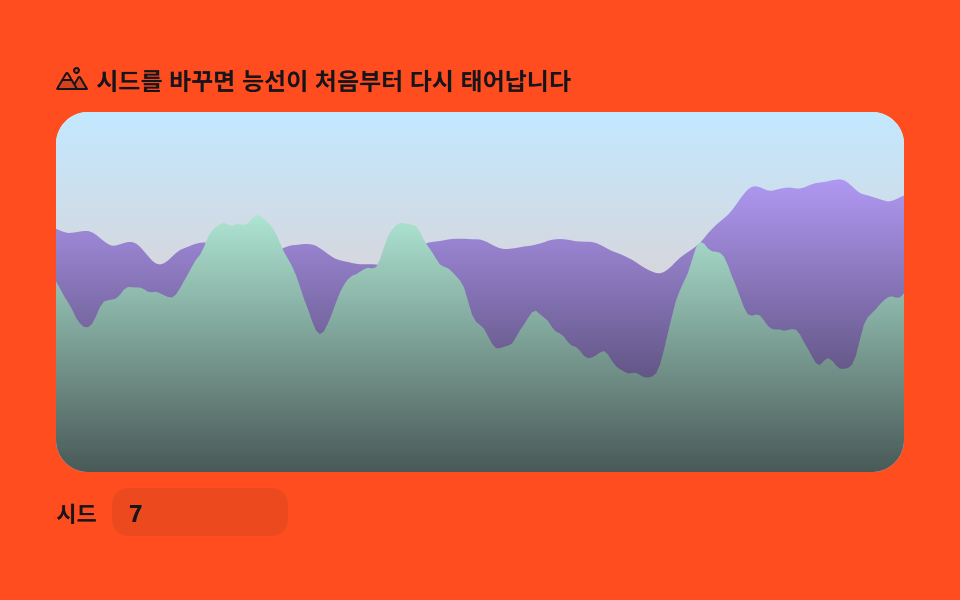 01 terrain-elevation-profile
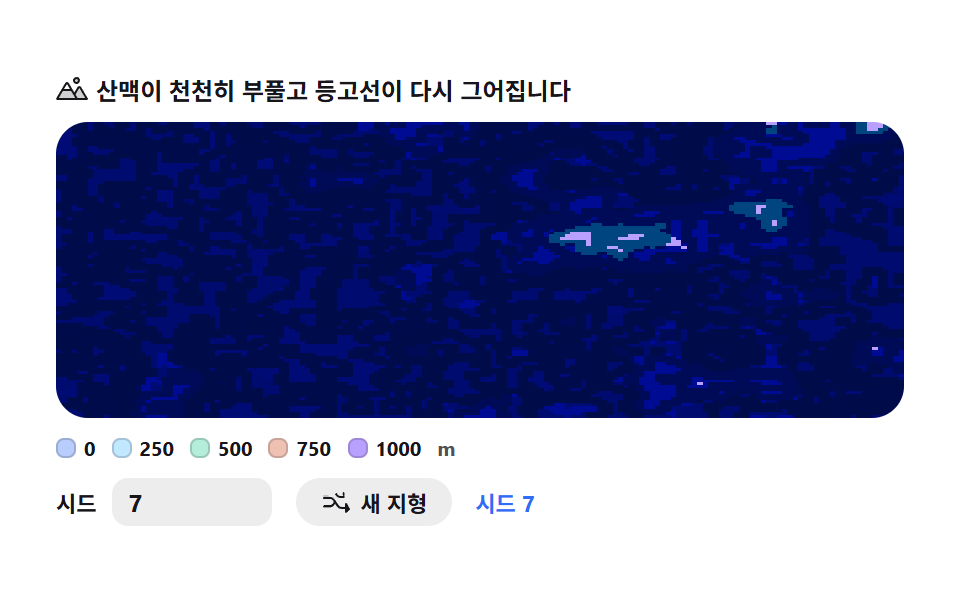 02 terrain-contour-map
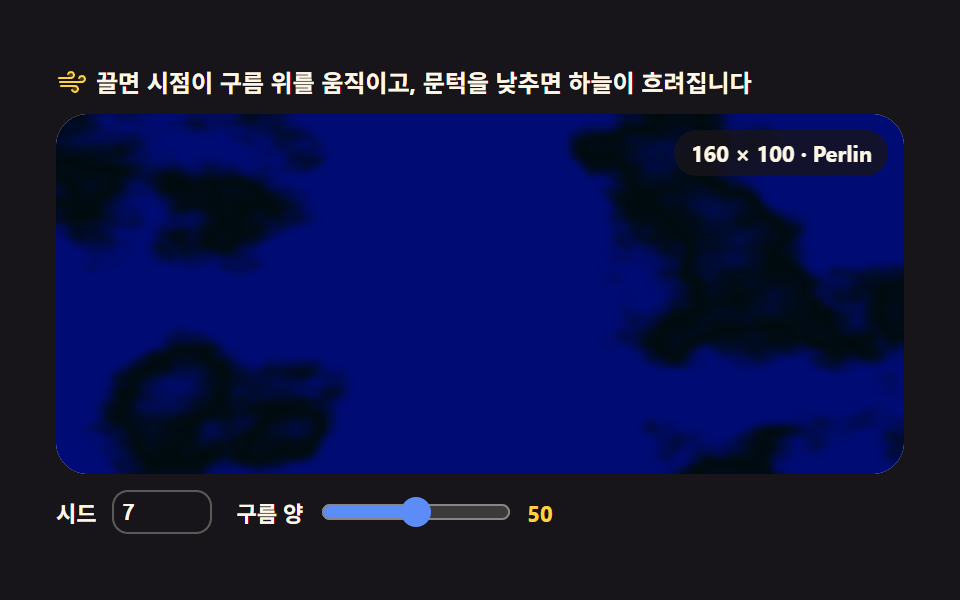 03 terrain-cloud-field
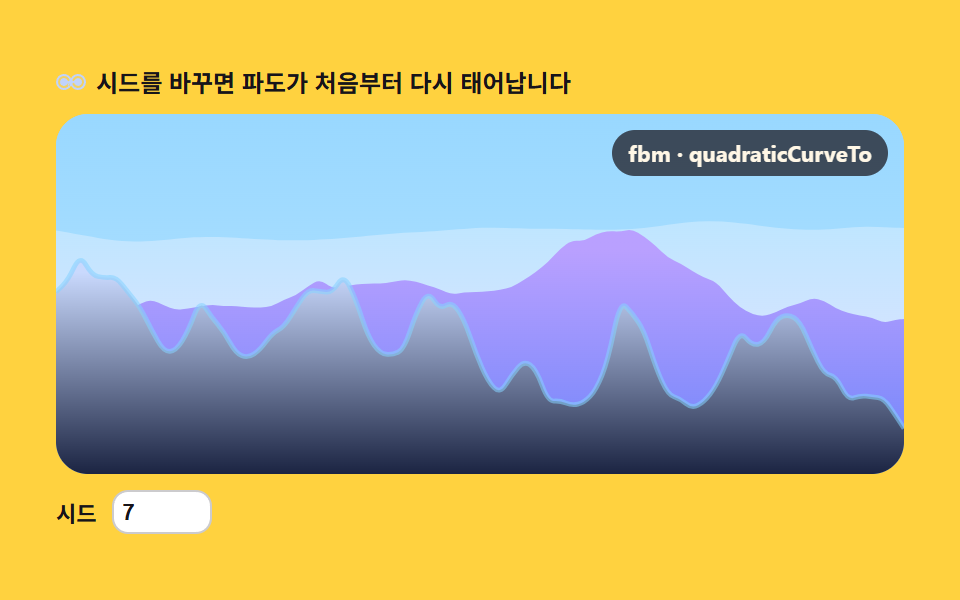 04 terrain-sea-swell
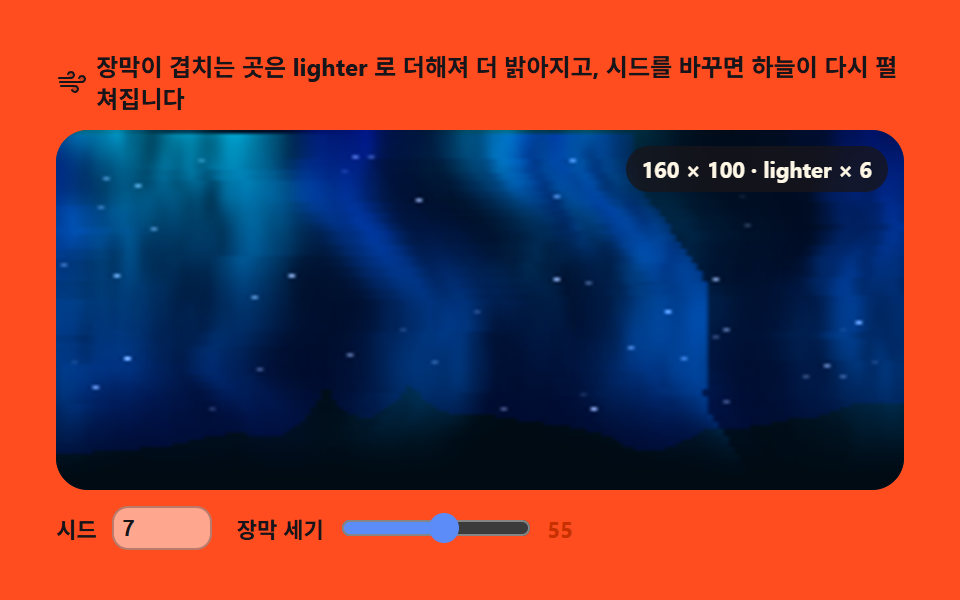 05 terrain-aurora-curtain
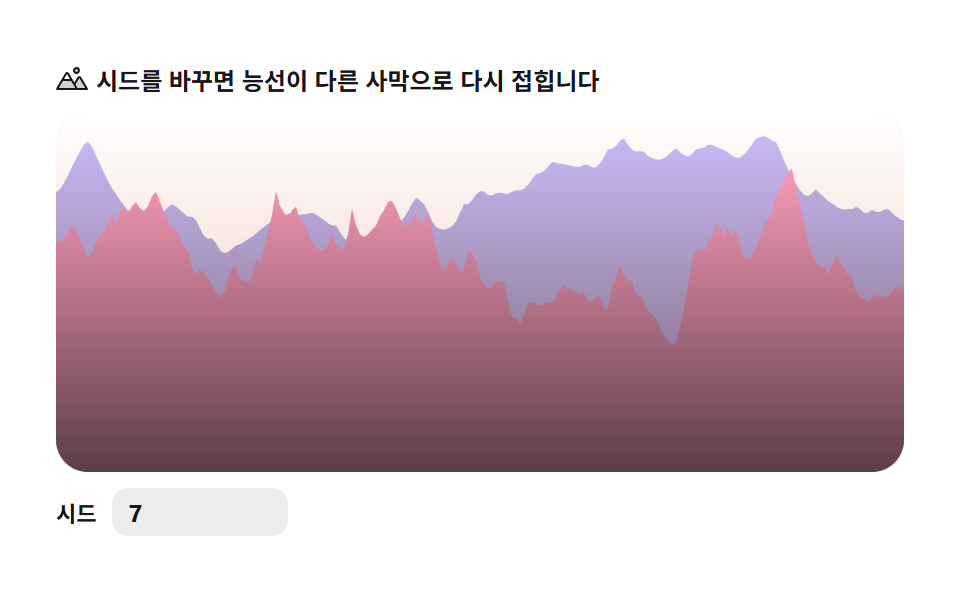 06 terrain-dune-ridge
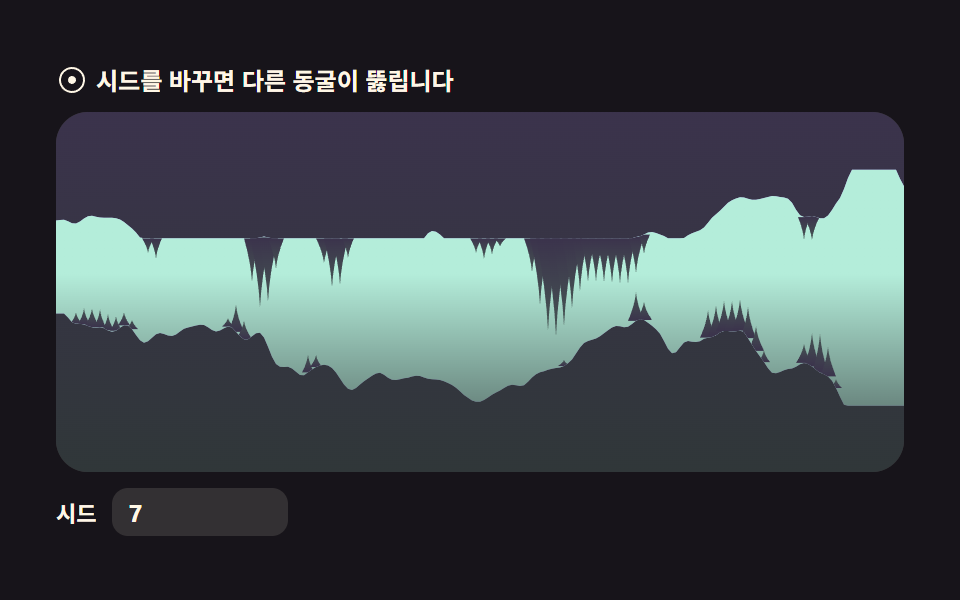 07 terrain-cave-cross-section
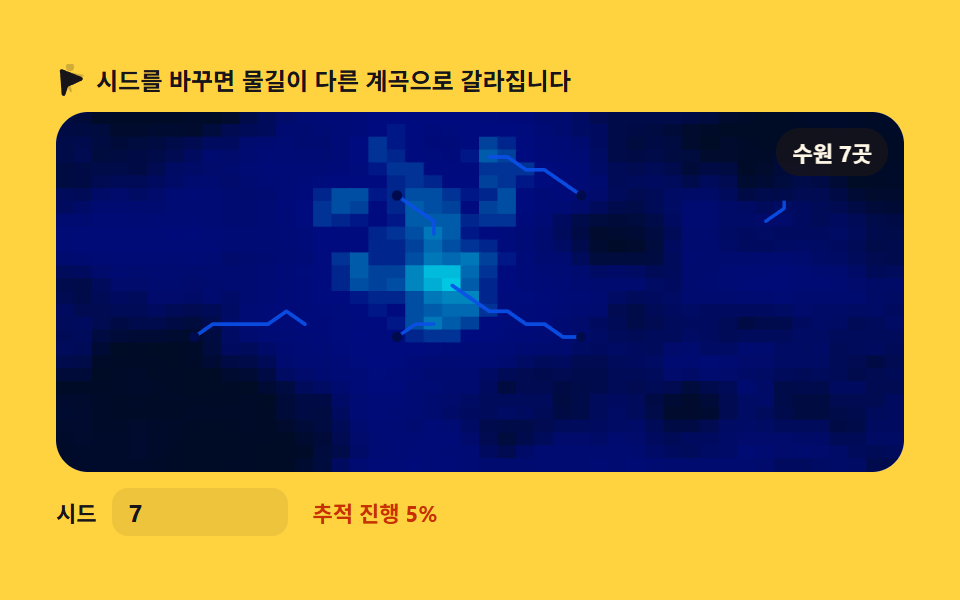 08 terrain-river-erosion
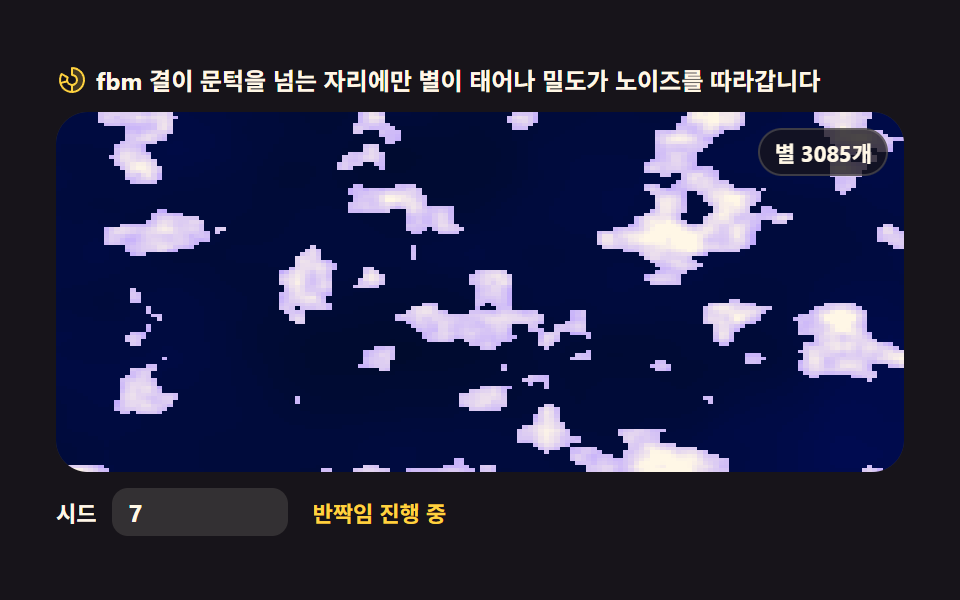 09 terrain-starfield-drift
자동 재생 · 눌러서 해당 항목으로 · 전부 한 zip
- 01 지형 단면 — fbm 능선 실루엣
- 02 등고선 지도 — 고도띠 + 등고선 캔버스
- 03 구름 필드 — 흐르는 fbm 구름 층
- 04 바다 파고 — 노이즈 파고 단면
- 05 오로라 커튼 — 세로 노이즈 광막
- 06 사구 능선 — 리지드 노이즈 모래언덕
- 07 동굴 단면 — 노이즈로 파낸 공동
- 08 강줄기 침식 — 최급경사 흐름 선
- 09 별 하늘 — 노이즈 밀도 별자리
순서는 화려함의 순서가 아니라 노이즈가 지형으로 쌓이는 순서입니다. 먼저 노이즈 한 줄을 높이로 읽는 단면이 생기고(01·04), 이차원으로 펼쳐 지도가 되고(02·08), 하늘의 현상이 흐르는 장면이 되고(03·05·09), 마지막에 날카로운 변형과 파낸 공간으로 지형에 굴곡이 생깁니다(06·07). 씨앗 하나로 무늬를 다시 뽑는 CSS 배경 패턴과 픽셀을 직접 계산하는 캔버스 특수효과가 이 편의 이웃입니다.
01지형 단면 — fbm 능선 실루엣
아웃도어·등산 랜딩 히어로 배경에 쓰는, 옥타브 4겹의 fbm 으로 그린 능선 실루엣 한 줄입니다.
<main class="stage">
<div class="tep" id="tep">
  <p class="tep__hint">
    <svg class="tep__ico" viewBox="0 0 256 256" aria-hidden="true"><g fill="currentColor"><path d="M144 52a20 20 0 1 1 20 20a20 20 0 0 1-20-20m49.44 55.92a8 8 0 0 0-13.77 0l-33 55.75l-21-35.67H50.35L8 200h240Z" opacity=".2"/><path d="M164 80a28 28 0 1 0-28-28a28 28 0 0 0 28 28m0-40a12 12 0 1 1-12 12a12 12 0 0 1 12-12m90.88 155.92l-54.56-92.08A15.87 15.87 0 0 0 186.55 96a15.85 15.85 0 0 0-13.76 7.84L146.63 148l-44.84-76.1a16 16 0 0 0-27.58 0L1.11 195.94A8 8 0 0 0 8 208h240a8 8 0 0 0 6.88-12.08M88 80l23.57 40H64.43ZM22 192l33-56h66l33 56Zm150.57 0l-16.66-28.28L186.55 112L234 192Z"/></g></svg>
    <span>시드를 바꾸면 능선이 처음부터 다시 태어납니다</span>
  </p>
  <div class="tep__field" id="field">
    <canvas class="tep__cv" id="cv"></canvas>
  </div>
  <div class="tep__bar">
    <label class="tep__dial">시드
      <input type="number" id="seed" min="1" max="9999" step="1" value="7" aria-label="지형 시드">
    </label>
  </div>
</div>
</main>
@use "../../../../site/static/demo-tokens" as *;
// 지형 단면 — 1차원 값 노이즈를 옥타브 4겹(fbm)으로 겹쳐 산 능선 실루엣 한 줄을 lineTo 로 그린다.
// 3D 회전·원근 투영은 쓰지 않는다(307-02 heightfield-terrain 과 다른 축) — 순수 2D 단면.
// 옥타브마다 독립된 위상(phase)을 시간에 흘려 능선이 조금씩 다시 깎이는 것처럼 보이게 한다.
// 파스텔 — mix() 로 옅게 섞은 로컬 변수만 쓴다. 리터럴 hex 0개(BD26).
$terrain-sky: mix($subject-sky, $stage-paper, 42%);
$terrain-peach: mix($subject-orange-deep, $stage-paper, 30%);
$terrain-lilac: $subject-lilac;
$terrain-mint: mix($subject-mint, $stage-paper, 42%);
$duration: $dur-loop;
$easing: $ease-out;
$color: $terrain-mint;
@include stage($stage-orange);
.tep {
// 하늘 그라디언트(위→지평선) + 원경·근경 능선 각각의 그라디언트(위→아래로 한 단계 진하게)
--sky-top: #{$terrain-sky};
--sky-bottom: #{$terrain-peach};
--far-top: #{$terrain-lilac};
--far-bottom: #{mix($terrain-lilac, $subject-ink, 24%)};
--near-top: #{$terrain-mint};
--near-bottom: #{mix($terrain-mint, $subject-ink, 32%)};
display: flex; flex-direction: column; gap: $sp-2;
width: 100%; max-width: 424px;
}
.tep__hint {
display: flex; align-items: center; gap: $sp-1; margin: 0;
font-weight: 700; font-size: clamp(10px, 2.8vw, 12px); line-height: 1.35;
color: $subject-ink;
}
.tep__ico { width: 16px; height: 16px; flex: 0 0 auto; color: $subject-ink; }
.tep__field {
position: relative; height: 180px;
border-radius: $r-card; overflow: hidden;
background: $stage-paper;
box-shadow: inset 0 0 0 1px rgba($subject-ink, .16);
}
.tep__cv { display: block; width: 100%; height: 100%; }
.tep__bar { display: flex; align-items: center; gap: $sp-3; }
.tep__dial {
display: flex; align-items: center; gap: $sp-2;
font-weight: 700; font-size: 11px; color: $subject-ink;
}
.tep__dial input {
width: 72px; margin: 0;
padding: $sp-1 $sp-2; border: 0; border-radius: $r-sm;
background: rgba($subject-ink, .08); color: $subject-ink;
font-weight: 700; font-size: 12px; font-family: inherit;
}
.tep__dial input:focus-visible { outline: 2px solid $subject-blue; outline-offset: 2px; }
@media (max-width: 340px) {
.tep { gap: $sp-1; }
.tep__field { height: 100px; }
.tep__dial input { width: 56px; }
.tep__hint { font-size: 10px; }
}
// reduce — 루프 없이 시드의 정적 한 장만 남는다. 커서 신호가 없으므로 클래스만 걸어 둔다(다른 항목과 형식 일치)
@media (prefers-reduced-motion: reduce) {
.tep.is-still .tep__field { cursor: default; }
}html, body {
margin: 0;
overflow: hidden;
}
.stage {
box-sizing: border-box;
min-height: 100vh;
display: grid;
place-items: center;
margin: 0;
background: #ff4d1f;
font-family: -apple-system, "Segoe UI", "Noto Sans KR", sans-serif;
padding: clamp(8px, 4vw, 24px);
}
.tep {
--sky-top: rgb(76.1176470588%, 90.9411764706%, 100%);
--sky-bottom: rgb(93.6470588235%, 75.6470588235%, 70%);
--far-top: #b9a0ff;
--far-bottom: rgb(24.2666666667%, 21.0196078431%, 31.7490196078%);
--near-top: rgb(70.5176470588%, 92.9176470588%, 85.3411764706%);
--near-bottom: rgb(28.6989803922%, 35.0669803922%, 34.2425098039%);
display: flex;
flex-direction: column;
gap: 8px;
width: 100%;
max-width: 424px;
}
.tep__hint {
display: flex;
align-items: center;
gap: 4px;
margin: 0;
font-weight: 700;
font-size: clamp(10px, 2.8vw, 12px);
line-height: 1.35;
color: #17141a;
}
.tep__ico {
width: 16px;
height: 16px;
flex: 0 0 auto;
color: #17141a;
}
.tep__field {
position: relative;
height: 180px;
border-radius: 16px;
overflow: hidden;
background: #ffffff;
box-shadow: inset 0 0 0 1px rgba(23, 20, 26, 0.16);
}
.tep__cv {
display: block;
width: 100%;
height: 100%;
}
.tep__bar {
display: flex;
align-items: center;
gap: 12px;
}
.tep__dial {
display: flex;
align-items: center;
gap: 8px;
font-weight: 700;
font-size: 11px;
color: #17141a;
}
.tep__dial input {
width: 72px;
margin: 0;
padding: 4px 8px;
border: 0;
border-radius: 8px;
background: rgba(23, 20, 26, 0.08);
color: #17141a;
font-weight: 700;
font-size: 12px;
font-family: inherit;
}
.tep__dial input:focus-visible {
outline: 2px solid #2f6df6;
outline-offset: 2px;
}
@media (max-width: 340px) {
.tep {
gap: 4px;
}
.tep__field {
height: 100px;
}
.tep__dial input {
width: 56px;
}
.tep__hint {
font-size: 10px;
}
}
@media (prefers-reduced-motion: reduce) {
.tep.is-still .tep__field {
cursor: default;
}
}// 지형 단면 — 1차원 값 노이즈를 옥타브 4겹(fbm)으로 겹쳐 산 능선 실루엣 한 줄을 lineTo 로 그린다.
// 3D 회전·원근 투영은 안 쓴다 — 가로 위치마다 fbm(x) 값을 높이로 읽는 순수 2D 단면이다.
// 옥타브마다 독립된 위상(phase)을 시간에 흘려보내 능선이 조금씩 다시 깎이는 것처럼 보이게 한다.
// 원경·근경 두 겹을 겹쳐 그려 입체감을 준다(파라미터만 다른 같은 계열).
var root = document.getElementById('tep');
var field = document.getElementById('field');
var cv = document.getElementById('cv');
var ctx = cv.getContext('2d');
var seedIn = document.getElementById('seed');
// 결정적 난수 — mulberry32. 같은 시드면 같은 수열을 돌려준다
function mulberry32(a) {
return function () {
a |= 0; a = (a + 0x6D2B79F5) | 0;
var t = Math.imul(a ^ (a >>> 15), 1 | a);
t = (t + Math.imul(t ^ (t >>> 7), 61 | t)) ^ t;
return ((t ^ (t >>> 14)) >>> 0) / 4294967296;
};
}
var PERM = new Uint8Array(512);
var VAL = new Float32Array(256);
// 시드 → PERM(순서표)·VAL(격자점 난수값) 재생성 — 시드 UI 가 이걸 다시 부른다
function buildTables(seed) {
var rng = mulberry32(seed >>> 0);
var p = [], i, j, t;
for (i = 0; i < 256; i++) p[i] = i;
for (i = 255; i > 0; i--) { j = (rng() * (i + 1)) | 0; t = p[i]; p[i] = p[j]; p[j] = t; }
for (i = 0; i < 512; i++) PERM[i] = p[i & 255];
for (i = 0; i < 256; i++) VAL[i] = rng();
}
function fade(t) { return t * t * (3 - 2 * t); } // 스무스스텝 — 격자 경계에서 각이 안 지게
// 1차원 값 노이즈 — 격자점마다 난수를 하나 두고 그 사이를 fade 로 부드럽게 잇는다
function vnoise1(x) {
var xi = Math.floor(x);
var xf = x - xi;
var a = VAL[PERM[xi & 255]], b = VAL[PERM[(xi + 1) & 255]];
return a + (b - a) * fade(xf);
}
var OCT = 4; // 옥타브 4겹
// fbm — 주파수 2배·진폭 절반으로 4겹 쌓는다. 옥타브마다 자기 위상을 따로 흘려보내
// (i+1) 배로 밀기 때문에 고주파 옥타브일수록 더 빨리 밀리고 — 능선이 부위별로 다시 깎인다
function fbm1(x, sec, flow) {
var sum = 0, amp = 0.5, norm = 0, f = 1;
for (var i = 0; i < OCT; i++) {
var phase = sec * flow * (i + 1);
sum += vnoise1(x * f + phase) * amp;
norm += amp;
amp *= 0.5;
f *= 2;
}
return sum / norm;
}
// 원경(far)·근경(near) — 같은 fbm1 을 스케일·흐름·오프셋만 다르게 줘서 두 겹을 겹친다
var FAR_SCALE = 0.011, FAR_FLOW = 8.5, FAR_OFFSET = 13.7;
var NEAR_SCALE = 0.021, NEAR_FLOW = 12.0, NEAR_OFFSET = 241.3;
var reduce = window.matchMedia('(prefers-reduced-motion: reduce)').matches;
var W = 0, H = 0, dpr = 1;
var raf = 0;
var css = getComputedStyle(root);
function tok(name) { return css.getPropertyValue(name).trim(); }
var C_SKY_TOP = tok('--sky-top'), C_SKY_BOTTOM = tok('--sky-bottom');
var C_FAR_TOP = tok('--far-top'), C_FAR_BOTTOM = tok('--far-bottom');
var C_NEAR_TOP = tok('--near-top'), C_NEAR_BOTTOM = tok('--near-bottom');
function fit() {
var r = field.getBoundingClientRect();
dpr = window.devicePixelRatio || 1;
W = r.width; H = r.height;
cv.width = Math.round(W * dpr);
cv.height = Math.round(H * dpr);
ctx.setTransform(dpr, 0, 0, dpr, 0, 0);
}
function ridgeY(x, scale, offset, base, amp, sec, flow) {
var n = fbm1(x * scale + offset, sec, flow);
n = n * 1.6 - 0.3; // 값 노이즈는 가운데로 몰린다 — 대비를 한 번 펴 준다
if (n < 0) n = 0; else if (n > 1) n = 1;
return base - n * amp;
}
// 능선 실루엣 하나 — 닫힌 다각형(아래는 캔버스 바닥까지)으로 lineTo, 그라디언트 파스텔로 채운다
function drawRidge(sec, scale, offset, base, amp, flow, topColor, bottomColor) {
var step = 2;
ctx.beginPath();
ctx.moveTo(0, H);
for (var x = 0; x <= W; x += step) {
var xx = x > W ? W : x;
ctx.lineTo(xx, ridgeY(xx, scale, offset, base, amp, sec, flow));
}
ctx.lineTo(W, H);
ctx.closePath();
var g = ctx.createLinearGradient(0, base - amp, 0, H);
g.addColorStop(0, topColor);
g.addColorStop(1, bottomColor);
ctx.fillStyle = g;
ctx.fill();
}
function paint(sec) {
ctx.clearRect(0, 0, W, H);
var sky = ctx.createLinearGradient(0, 0, 0, H);
sky.addColorStop(0, C_SKY_TOP);
sky.addColorStop(1, C_SKY_BOTTOM);
ctx.fillStyle = sky;
ctx.fillRect(0, 0, W, H);
drawRidge(sec, FAR_SCALE, FAR_OFFSET, H * 0.50, H * 0.38, FAR_FLOW, C_FAR_TOP, C_FAR_BOTTOM);
drawRidge(sec, NEAR_SCALE, NEAR_OFFSET, H * 0.80, H * 0.56, NEAR_FLOW, C_NEAR_TOP, C_NEAR_BOTTOM);
}
function frame(now) {
paint(now / 1000);
raf = requestAnimationFrame(frame);
}
function onSeed() {
var v = Math.max(1, Math.min(9999, Math.floor(Number(seedIn.value)) || 1));
buildTables(v);
if (reduce) paint(0);
}
seedIn.addEventListener('input', onSeed);
seedIn.addEventListener('change', onSeed);
window.addEventListener('resize', function () { fit(); if (reduce) paint(0); });
buildTables(Number(seedIn.value) || 7);
fit();
if (reduce) {
// reduce — 루프를 시작하지 않고 시드가 정한 능선 한 장만 그린다(빈 화면이 아니다)
root.classList.add('is-still');
paint(0);
} else {
raf = requestAnimationFrame(frame);
}// ElevationProfile — vanilla 판(run/309/demo/01-terrain-elevation-profile/index.html) 의 React 포트.
// 1차원 값 노이즈를 옥타브 4겹(fbm) 으로 겹쳐 산 능선 실루엣 한 줄을 lineTo 로 그린다.
// 3D 회전·원근 투영은 안 쓴다 — 가로 위치마다 fbm(x) 값을 높이로 읽는 순수 2D 단면이다.
// 옥타브마다 독립된 위상을 시간에 흘려 능선이 조금씩 다시 깎이는 것처럼 보이게 한다.
// 원경·근경 두 겹을 겹쳐 그려 입체감을 준다. 움직임은 캔버스 rAF 루프가 전부 그리므로 @keyframes 는 없다.
import { useEffect, useRef } from "react";
import type { CSSProperties } from "react";
import styles from "./ElevationProfile.module.scss";
export type ElevationProfileProps = {
duration?: string;
easing?: string;
color?: string;
};
type Vars = CSSProperties & { "--duration"?: string; "--easing"?: string; "--color"?: string };
type Box<T> = { current: T };
type InputEvt = { target: { value: string } };
const OCT = 4; // 옥타브 4겹
const FAR_SCALE = 0.011, FAR_FLOW = 8.5, FAR_OFFSET = 13.7;
const NEAR_SCALE = 0.021, NEAR_FLOW = 12.0, NEAR_OFFSET = 241.3;
// 결정적 난수 — mulberry32. 같은 시드면 같은 수열을 돌려준다
function mulberry32(a: number): () => number {
return function () {
a |= 0; a = (a + 0x6D2B79F5) | 0;
const t = Math.imul(a ^ (a >>> 15), 1 | a);
const u = (t + Math.imul(t ^ (t >>> 7), 61 | t)) ^ t;
return ((u ^ (u >>> 14)) >>> 0) / 4294967296;
};
}
function fade(t: number): number {
return t * t * (3 - 2 * t); // 스무스스텝 — 격자 경계에서 각이 안 지게
}
// 1차원 값 노이즈 테이블 — 시드가 바뀌면 다시 짠다
class ValueNoise1 {
perm: Uint8Array;
val: Float32Array;
constructor(seed: number) {
const rng = mulberry32(seed >>> 0);
const p: number[] = [];
for (let i = 0; i < 256; i++) p[i] = i;
for (let i = 255; i > 0; i--) {
const j = (rng() * (i + 1)) | 0;
const t = p[i]; p[i] = p[j]; p[j] = t;
}
this.perm = new Uint8Array(512);
for (let i = 0; i < 512; i++) this.perm[i] = p[i & 255];
this.val = new Float32Array(256);
for (let i = 0; i < 256; i++) this.val[i] = rng();
}
at(x: number): number {
const xi = Math.floor(x);
const xf = x - xi;
const a = this.val[this.perm[xi & 255]], b = this.val[this.perm[(xi + 1) & 255]];
return a + (b - a) * fade(xf);
}
}
// fbm — 주파수 2배·진폭 절반으로 4겹. 옥타브마다 자기 위상을 따로 흘려보내
// (i+1) 배로 밀기 때문에 고주파 옥타브일수록 더 빨리 밀리고 — 능선이 부위별로 다시 깎인다
function fbm1(n: ValueNoise1, x: number, sec: number, flow: number): number {
let sum = 0, amp = 0.5, norm = 0, f = 1;
for (let i = 0; i < OCT; i++) {
const phase = sec * flow * (i + 1);
sum += n.at(x * f + phase) * amp;
norm += amp;
amp *= 0.5;
f *= 2;
}
return sum / norm;
}
export default function ElevationProfile({
duration = "2s", // vanilla $duration: $dur-loop
easing = "ease-out", // vanilla $easing: $ease-out
color = "#8fdac2", // vanilla $color: $terrain-mint (근사값)
}: ElevationProfileProps) {
const rootRef = useRef<HTMLDivElement | null>(null);
const fieldRef = useRef<HTMLDivElement | null>(null);
const cvRef = useRef<HTMLCanvasElement | null>(null);
const ctxRef = useRef<CanvasRenderingContext2D | null>(null);
const seedRef = useRef<HTMLInputElement | null>(null);
const noiseRef = useRef<ValueNoise1 | null>(null);
const sizeRef = useRef({ w: 0, h: 0 }) as Box<{ w: number; h: number }>;
const rafRef = useRef(0) as Box<number>;
const stillRef = useRef(false) as Box<boolean>;
const vars: Vars = { "--duration": duration, "--easing": easing, "--color": color };
function reduced(): boolean {
return window.matchMedia("(prefers-reduced-motion: reduce)").matches;
}
function buildTables(seed: number): void {
noiseRef.current = new ValueNoise1(seed);
}
function fit(): void {
const field = fieldRef.current, cv = cvRef.current;
if (!field || !cv) return;
const r = field.getBoundingClientRect();
const dpr = window.devicePixelRatio || 1;
sizeRef.current.w = r.width;
sizeRef.current.h = r.height;
cv.width = Math.round(r.width * dpr);
cv.height = Math.round(r.height * dpr);
const ctx = ctxRef.current;
if (ctx) ctx.setTransform(dpr, 0, 0, dpr, 0, 0);
}
function ridgeY(x: number, scale: number, offset: number, base: number, amp: number, sec: number, flow: number): number {
const n = noiseRef.current;
if (!n) return base;
let v = fbm1(n, x * scale + offset, sec, flow);
v = v * 1.6 - 0.3; // 값 노이즈는 가운데로 몰린다 — 대비를 한 번 펴 준다
if (v < 0) v = 0; else if (v > 1) v = 1;
return base - v * amp;
}
// 능선 실루엣 하나 — 닫힌 다각형(아래는 캔버스 바닥까지)으로 lineTo, 그라디언트 파스텔로 채운다
function drawRidge(
ctx: CanvasRenderingContext2D, H: number, W: number,
sec: number, scale: number, offset: number, base: number, amp: number, flow: number,
topColor: string, bottomColor: string,
): void {
const step = 2;
ctx.beginPath();
ctx.moveTo(0, H);
for (let x = 0; x <= W; x += step) {
const xx = x > W ? W : x;
ctx.lineTo(xx, ridgeY(xx, scale, offset, base, amp, sec, flow));
}
ctx.lineTo(W, H);
ctx.closePath();
const g = ctx.createLinearGradient(0, base - amp, 0, H);
g.addColorStop(0, topColor);
g.addColorStop(1, bottomColor);
ctx.fillStyle = g;
ctx.fill();
}
function paint(sec: number): void {
const ctx = ctxRef.current, root = rootRef.current;
if (!ctx || !root) return;
const W = sizeRef.current.w, H = sizeRef.current.h;
ctx.clearRect(0, 0, W, H);
const cs = getComputedStyle(root);
const tok = (name: string) => cs.getPropertyValue(name).trim();
const sky = ctx.createLinearGradient(0, 0, 0, H);
sky.addColorStop(0, tok("--sky-top"));
sky.addColorStop(1, tok("--sky-bottom"));
ctx.fillStyle = sky;
ctx.fillRect(0, 0, W, H);
drawRidge(ctx, H, W, sec, FAR_SCALE, FAR_OFFSET, H * 0.50, H * 0.38, FAR_FLOW, tok("--far-top"), tok("--far-bottom"));
drawRidge(ctx, H, W, sec, NEAR_SCALE, NEAR_OFFSET, H * 0.80, H * 0.56, NEAR_FLOW, tok("--near-top"), tok("--near-bottom"));
}
function frame(now: number): void {
paint(now / 1000);
rafRef.current = requestAnimationFrame(frame);
}
function onSeedInput(event: InputEvt): void {
const v = Math.max(1, Math.min(9999, Math.floor(Number(event.target.value)) || 1));
buildTables(v);
if (reduced()) paint(0);
}
function onResize(): void {
fit();
if (reduced()) paint(0);
}
useEffect(() => {
const cv = cvRef.current;
if (!cv) return;
ctxRef.current = cv.getContext("2d");
if (!ctxRef.current) return;
buildTables(Number(seedRef.current?.value) || 7);
fit();
window.addEventListener("resize", onResize);
if (reduced()) {
// reduce — 루프를 시작하지 않고 시드가 정한 능선 한 장만 그린다
stillRef.current = true;
paint(0);
} else {
rafRef.current = requestAnimationFrame(frame);
}
return () => {
window.removeEventListener("resize", onResize);
cancelAnimationFrame(rafRef.current);
};
}, []);
const cls = [styles.root, stillRef.current ? styles.isStill : ""].filter(Boolean).join(" ");
return (
<main className={styles.stage}>
<div className={cls} ref={rootRef} style={vars}>
<p className={styles.hint}>
<svg className={styles.ico} viewBox="0 0 256 256" aria-hidden="true"><g fill="currentColor"><path d="M144 52a20 20 0 1 1 20 20a20 20 0 0 1-20-20m49.44 55.92a8 8 0 0 0-13.77 0l-33 55.75l-21-35.67H50.35L8 200h240Z" opacity=".2"/><path d="M164 80a28 28 0 1 0-28-28a28 28 0 0 0 28 28m0-40a12 12 0 1 1-12 12a12 12 0 0 1 12-12m90.88 155.92l-54.56-92.08A15.87 15.87 0 0 0 186.55 96a15.85 15.85 0 0 0-13.76 7.84L146.63 148l-44.84-76.1a16 16 0 0 0-27.58 0L1.11 195.94A8 8 0 0 0 8 208h240a8 8 0 0 0 6.88-12.08M88 80l23.57 40H64.43ZM22 192l33-56h66l33 56Zm150.57 0l-16.66-28.28L186.55 112L234 192Z"/></g></svg>
<span>시드를 바꾸면 능선이 처음부터 다시 태어납니다</span>
</p>
<div className={styles.field} ref={fieldRef}>
<canvas className={styles.cv} ref={cvRef}></canvas>
</div>
<div className={styles.bar}>
<label className={styles.dial}>시드
<input type="number" ref={seedRef} min={1} max={9999} step={1} defaultValue={7} aria-label="지형 시드" onChange={onSeedInput} />
</label>
</div>
</div>
</main>
);
}01 · 지형 단면 — fbm 능선 실루엣 — 측정 누적면적 31.644% · 움직인 프레임 23/23GODRICH 원작 · zip 에 SCSS·React 포함 · 비밀번호 보기
능선은 왜 겹겹이 쌓는가
var OCT = 4;   // 옥타브 4겹

// fbm — 주파수 2배·진폭 절반으로 4겹 쌓는다. 옥타브마다 자기 위상을 따로 흘려보낸다
// (i+1) 배로 밀기 때문에 고주파 옥타브일수록 더 빨리 밀리고 — 능선이 부위별로 다시 깎인다
function fbm1(x, sec, flow) {
  var sum = 0, amp = 0.5, norm = 0, f = 1;
  for (var i = 0; i < OCT; i++) {
    var phase = sec * flow * (i + 1);
    sum += vnoise1(x * f + phase) * amp;
    norm += amp;
    amp *= 0.5;
    f *= 2;
  }
  return sum / norm;
}
노이즈 한 겹만으로는 굵은 언덕 하나가 전부라 능선이 되지 않는데, 주파수를 두 배로 올리고 진폭을 절반으로 낮춘 겹을 네 번 쌓으면 굵은 산맥 위에 잔 굴곡이 얹히고 각 옥타브의 위상이 시간에 (i+1) 배 속도로 흘러 능선이 부위별로 다시 깎이며, 원경·근경 두 실루엣은 같은 fbm1 에 스케일과 흐름만 다르게 준 겹입니다(실측: 누적면적 31.64퍼센트, 23/23 프레임 움직임).
02등고선 지도 — 고도띠 + 등고선 캔버스
여행·부동산·기상 대시보드 지도 카드에 어울리는, 고도띠 5단과 얇은 등고선을 겹친 지도입니다.
<main class="stage">
<div class="cm" id="cm">
  <p class="cm__hint">
    <svg class="cm__ico" viewBox="0 0 256 256" aria-hidden="true"><g fill="currentColor"><path d="M144 52a20 20 0 1 1 20 20a20 20 0 0 1-20-20m49.44 55.92a8 8 0 0 0-13.77 0l-33 55.75l-21-35.67H50.35L8 200h240Z" opacity=".2"/><path d="M164 80a28 28 0 1 0-28-28a28 28 0 0 0 28 28m0-40a12 12 0 1 1-12 12a12 12 0 0 1 12-12m90.88 155.92l-54.56-92.08A15.87 15.87 0 0 0 186.55 96a15.85 15.85 0 0 0-13.76 7.84L146.63 148l-44.84-76.1a16 16 0 0 0-27.58 0L1.11 195.94A8 8 0 0 0 8 208h240a8 8 0 0 0 6.88-12.08M88 80l23.57 40H64.43ZM22 192l33-56h66l33 56Zm150.57 0l-16.66-28.28L186.55 112L234 192Z"/></g></svg>
    <span>산맥이 천천히 부풀고 등고선이 다시 그어집니다</span>
  </p>
  <div class="cm__field" id="field" role="img" aria-label="고도띠 5단과 등고선으로 그린 지형 지도">
    <canvas class="cm__cv" id="cv"></canvas>
  </div>
  <div class="cm__legend" aria-hidden="true">
    <div class="cm__lg"><i class="cm__sw" style="background:var(--c0)"></i>0</div>
    <div class="cm__lg"><i class="cm__sw" style="background:var(--c1)"></i>250</div>
    <div class="cm__lg"><i class="cm__sw" style="background:var(--c2)"></i>500</div>
    <div class="cm__lg"><i class="cm__sw" style="background:var(--c3)"></i>750</div>
    <div class="cm__lg"><i class="cm__sw" style="background:var(--c4)"></i>1000</div>
    <span class="cm__unit">m</span>
  </div>
  <div class="cm__bar">
    <label class="cm__dial">시드
      <input type="number" id="seed" min="1" max="9999" step="1" value="7" aria-label="시드 번호">
    </label>
    <button class="cm__shuffle" id="shuffle" type="button">
      <svg class="cm__ico" viewBox="0 0 256 256" aria-hidden="true"><g fill="currentColor"><path d="M32 72h32l16 24-13 9-11-17H32a8 8 0 0 1 0-16" opacity=".2"/><path d="M237.66 178.34a8 8 0 0 1 0 11.32l-24 24A8 8 0 0 1 200 208V184h-29.41a40 40 0 0 1-33.94-18.75L102.71 115.5A24 24 0 0 0 82.75 104H32a8 8 0 0 1 0-16h50.75a40 40 0 0 1 33.94 18.75l33.94 49.75a24 24 0 0 0 19.96 11.5H200v-24a8 8 0 0 1 13.66-5.66ZM32 152h50.75a24 24 0 0 0 19.96-11.5l8.11-11.87 9.51 13.93-6.9 10.11a40 40 0 0 1-33.94 18.72H32a8 8 0 0 1 0-16m150.34-82.34a8 8 0 0 0 13.66 5.66V96h-34.46a40 40 0 0 1-33.94-18.75l-6.9-10.11 9.51-13.93 8.11 11.87A24 24 0 0 0 158.29 80H196V56a8 8 0 0 0-13.66-5.66" fill-rule="evenodd"/></g></svg>
      <span>새 지형</span>
    </button>
    <b class="cm__val" id="seedOut">시드 <span id="seedNum">7</span></b>
  </div>
</div>
</main>@use "../../../../site/static/demo-tokens" as *;
// 등고선 지도 — 움직임은 전부 캔버스 rAF 루프(2D fbm 높이맵을 createImageData 로 픽셀마다 채색).
// CSS 는 무대·판·범례·시드 컨트롤만. @keyframes 를 두지 않는다 — 렌더러가 시계를 고정하지 않고
// 실시간 프레임을 찍어야 지형이 부푸는 게 측정된다. 색은 파스텔 5단(hypsometric) — vivid 리터럴 0(BD26).
// 파스텔 — 토큰 그대로 쓰면 vivid(채도≥.55·명도.2~.8)라 BD26 이 잡는다. mix() 로 옅게 섞는다(브리프 실측 조합)
$terrain-blue: mix($subject-blue, $stage-paper, 34%);
$terrain-sky: mix($subject-sky, $stage-paper, 42%);
$terrain-mint: mix($subject-mint, $stage-paper, 42%);
$terrain-peach: mix($subject-orange-deep, $stage-paper, 30%);
$terrain-lilac: $subject-lilac; // 이미 명도 .81 이라 그대로 써도 통과
$duration: $dur-loop;
$easing: $ease-out;
$color: $terrain-blue;
@include stage($stage-paper);
.cm {
// 고도띠 5단 — 낮은 곳(물가)에서 높은 곳(봉우리)으로. JS 가 --c0~--c4 를 읽어 LUT 를 만든다
--c0: #{$terrain-blue};
--c1: #{$terrain-sky};
--c2: #{$terrain-mint};
--c3: #{$terrain-peach};
--c4: #{$terrain-lilac};
// 등고선 선 색 — 잉크를 종이 쪽으로 섞어 은은하게(순수 검정 리터럴 대신 토큰 mix)
--c-line: #{mix($subject-ink, $stage-paper, 74%)};
display: flex; flex-direction: column; gap: $sp-2;
width: 100%; max-width: 424px;
}
.cm__hint {
display: flex; align-items: center; gap: $sp-1; margin: 0;
font-weight: 700; font-size: clamp(10px, 2.8vw, 12px); line-height: 1.35;
color: $subject-ink;
}
.cm__ico { width: 16px; height: 16px; flex: 0 0 auto; color: $subject-ink; }
.cm__field {
position: relative; height: 148px;
border-radius: $r-card; overflow: hidden;
background: $stage-paper;
box-shadow: inset 0 0 0 1px rgba($subject-ink, .16);
}
.cm__cv { display: block; width: 100%; height: 100%; }
.cm__legend {
display: flex; align-items: center; gap: $sp-2;
font-weight: 700; font-size: 10px; color: $subject-ink;
}
.cm__lg { display: flex; align-items: center; gap: $sp-1; }
.cm__sw { width: 10px; height: 10px; border-radius: $r-xs; flex: 0 0 auto; box-shadow: inset 0 0 0 1px rgba($subject-ink, .18); }
.cm__unit { color: rgba($subject-ink, .74); font-weight: 700; }
.cm__bar { display: flex; align-items: center; gap: $sp-3; flex-wrap: wrap; }
.cm__dial {
display: flex; align-items: center; gap: $sp-2;
font-weight: 700; font-size: 11px; color: $subject-ink;
}
.cm__dial input {
width: 64px; margin: 0;
padding: $sp-1 $sp-2; border: 0; border-radius: $r-sm;
background: rgba($subject-ink, .08); color: $subject-ink;
font-weight: 700; font-size: 12px; font-family: inherit;
}
.cm__dial input:focus-visible { outline: 2px solid $subject-blue; outline-offset: 2px; }
.cm__shuffle {
display: flex; align-items: center; gap: $sp-1;
padding: $sp-1 $sp-3; border: 0; border-radius: $r-pill;
background: rgba($subject-ink, .08); color: $subject-ink;
font-weight: 700; font-size: 11px; font-family: inherit; cursor: pointer;
}
.cm__shuffle:hover { background: rgba($subject-ink, .16); }
.cm__shuffle:focus-visible { outline: 2px solid $subject-blue; outline-offset: 2px; }
.cm__val { color: $subject-blue; font-size: 11px; font-weight: 700; }
@media (max-width: 340px) {
.cm { gap: $sp-1; }
.cm__field { height: 92px; }
.cm__hint { font-size: 10px; }
.cm__legend { gap: $sp-1; font-size: 9px; }
.cm__bar { gap: $sp-2; }
.cm__dial input { width: 52px; }
}
// reduce — 루프가 안 돈다. 시드 입력은 여전히 결정적으로 한 장을 다시 그린다(is-still 만 표시)
@media (prefers-reduced-motion: reduce) {
.cm.is-still .cm__field { cursor: default !important; }
}html, body {
margin: 0;
overflow: hidden;
}
.stage {
box-sizing: border-box;
min-height: 100vh;
display: grid;
place-items: center;
margin: 0;
background: #ffffff;
font-family: -apple-system, "Segoe UI", "Noto Sans KR", sans-serif;
padding: clamp(8px, 4vw, 24px);
}
.cm {
--c0: rgb(72.2666666667%, 80.5333333333%, 98.8%);
--c1: rgb(76.1176470588%, 90.9411764706%, 100%);
--c2: rgb(70.5176470588%, 92.9176470588%, 85.3411764706%);
--c3: rgb(93.6470588235%, 75.6470588235%, 70%);
--c4: #b9a0ff;
--c-line: rgb(32.6745098039%, 31.8039215686%, 33.5450980392%);
display: flex;
flex-direction: column;
gap: 8px;
width: 100%;
max-width: 424px;
}
.cm__hint {
display: flex;
align-items: center;
gap: 4px;
margin: 0;
font-weight: 700;
font-size: clamp(10px, 2.8vw, 12px);
line-height: 1.35;
color: #17141a;
}
.cm__ico {
width: 16px;
height: 16px;
flex: 0 0 auto;
color: #17141a;
}
.cm__field {
position: relative;
height: 148px;
border-radius: 16px;
overflow: hidden;
background: #ffffff;
box-shadow: inset 0 0 0 1px rgba(23, 20, 26, 0.16);
}
.cm__cv {
display: block;
width: 100%;
height: 100%;
}
.cm__legend {
display: flex;
align-items: center;
gap: 8px;
font-weight: 700;
font-size: 10px;
color: #17141a;
}
.cm__lg {
display: flex;
align-items: center;
gap: 4px;
}
.cm__sw {
width: 10px;
height: 10px;
border-radius: 4px;
flex: 0 0 auto;
box-shadow: inset 0 0 0 1px rgba(23, 20, 26, 0.18);
}
.cm__unit {
color: rgba(23, 20, 26, 0.74);
font-weight: 700;
}
.cm__bar {
display: flex;
align-items: center;
gap: 12px;
flex-wrap: wrap;
}
.cm__dial {
display: flex;
align-items: center;
gap: 8px;
font-weight: 700;
font-size: 11px;
color: #17141a;
}
.cm__dial input {
width: 64px;
margin: 0;
padding: 4px 8px;
border: 0;
border-radius: 8px;
background: rgba(23, 20, 26, 0.08);
color: #17141a;
font-weight: 700;
font-size: 12px;
font-family: inherit;
}
.cm__dial input:focus-visible {
outline: 2px solid #2f6df6;
outline-offset: 2px;
}
.cm__shuffle {
display: flex;
align-items: center;
gap: 4px;
padding: 4px 12px;
border: 0;
border-radius: 999px;
background: rgba(23, 20, 26, 0.08);
color: #17141a;
font-weight: 700;
font-size: 11px;
font-family: inherit;
cursor: pointer;
}
.cm__shuffle:hover {
background: rgba(23, 20, 26, 0.16);
}
.cm__shuffle:focus-visible {
outline: 2px solid #2f6df6;
outline-offset: 2px;
}
.cm__val {
color: #2f6df6;
font-size: 11px;
font-weight: 700;
}
@media (max-width: 340px) {
.cm {
gap: 4px;
}
.cm__field {
height: 92px;
}
.cm__hint {
font-size: 10px;
}
.cm__legend {
gap: 4px;
font-size: 9px;
}
.cm__bar {
gap: 8px;
}
.cm__dial input {
width: 52px;
}
}
@media (prefers-reduced-motion: reduce) {
.cm.is-still .cm__field {
cursor: default !important;
}
}// 등고선 지도 — 2D fbm 높이맵을 createImageData 로 픽셀마다 채색한다.
// 1) 높이(0~1)를 5단으로 나눠 고도띠 색을 칠하고(hypsometric bands)
// 2) 같은 높이맵을 더 촘촘한 10단으로 다시 나눠, 인접 8칸과 등급이 다른 경계 픽셀만 진하게 찍어 등고선을 겹친다.
// 시간이 흐르면 fbm 의 z(셋째 인자)가 흘러 산맥이 서서히 부풀고 줄어든다 — 등고선도 같이 다시 그어진다.
var root = document.getElementById('cm');
var field = document.getElementById('field');
var cv = document.getElementById('cv');
var ctx = cv.getContext('2d');
var seedIn = document.getElementById('seed');
var shuffleBtn = document.getElementById('shuffle');
var seedNum = document.getElementById('seedNum');
var MW = 160, MH = 100; // 높이맵 버퍼 해상도 — 화면이 커져도 이 값은 그대로다
var small = document.createElement('canvas');
small.width = MW; small.height = MH;
var sctx = small.getContext('2d');
var buf = sctx.createImageData(MW, MH); // 한 번만 만들어 두고 프레임마다 같은 배열을 덮어쓴다
var px = buf.data;
var heights = new Float32Array(MW * MH); // 문턱선 검사에 다시 쓰려고 높이를 한 프레임만큼 남겨 둔다
// ── 결정적 난수 — mulberry32. 시드 하나 → 같은 테이블 ────────────────────────────
function mulberry32(a) {
return function () {
a |= 0; a = (a + 0x6D2B79F5) | 0;
var t = Math.imul(a ^ (a >>> 15), 1 | a);
t = (t + Math.imul(t ^ (t >>> 7), 61 | t)) ^ t;
return ((t ^ (t >>> 14)) >>> 0) / 4294967296;
};
}
var PERM = new Uint8Array(512);
var VAL = new Float32Array(256);
function buildTables(seed) {
var rng = mulberry32(seed >>> 0);
var p = [], i, j, t;
for (i = 0; i < 256; i++) p[i] = i;
for (i = 255; i > 0; i--) { j = (rng() * (i + 1)) | 0; t = p[i]; p[i] = p[j]; p[j] = t; }
for (i = 0; i < 512; i++) PERM[i] = p[i & 255];
for (i = 0; i < 256; i++) VAL[i] = rng();
}
function fade(t) { return t * t * (3 - 2 * t); } // 스무스스텝 — 격자 경계에서 각이 안 지게
function vnoise(x, y, z) {
var xi = Math.floor(x), yi = Math.floor(y), zi = Math.floor(z);
var xf = x - xi, yf = y - yi, zf = z - zi;
xi &= 255; yi &= 255; zi &= 255;
var u = fade(xf), v = fade(yf), w = fade(zf);
var a = PERM[xi] + yi, b = PERM[xi + 1] + yi;
var aa = PERM[a] + zi, ab = PERM[a + 1] + zi;
var ba = PERM[b] + zi, bb = PERM[b + 1] + zi;
var c000 = VAL[PERM[aa]], c100 = VAL[PERM[ba]];
var c010 = VAL[PERM[ab]], c110 = VAL[PERM[bb]];
var c001 = VAL[PERM[aa + 1]], c101 = VAL[PERM[ba + 1]];
var c011 = VAL[PERM[ab + 1]], c111 = VAL[PERM[bb + 1]];
var x00 = c000 + (c100 - c000) * u, x10 = c010 + (c110 - c010) * u;
var x01 = c001 + (c101 - c001) * u, x11 = c011 + (c111 - c011) * u;
var y0 = x00 + (x10 - x00) * v, y1 = x01 + (x11 - x01) * v;
return y0 + (y1 - y0) * w;
}
// fbm — 옥타브를 겹쳐 산맥·골짜기 굴곡을 만든다. z 가 흐르면 지형 전체가 서서히 다시 태어난다
function fbm(x, y, z, oct) {
var sum = 0, amp = 0.5, norm = 0, f = 1;
for (var i = 0; i < oct; i++) {
sum += vnoise(x * f, y * f, z * f) * amp;
norm += amp;
amp *= 0.5;
f *= 2;
}
return sum / norm;
}
// ── 색 — 고도띠 5단을 CSS 커스텀 프로퍼티(파스텔 토큰)에서 읽어 온다 ────────────────
var css = getComputedStyle(root);
function rgbOf(name) {
var v = css.getPropertyValue(name).trim().replace('#', '');
if (v.length === 3) v = v.charAt(0) + v.charAt(0) + v.charAt(1) + v.charAt(1) + v.charAt(2) + v.charAt(2);
return [parseInt(v.slice(0, 2), 16), parseInt(v.slice(2, 4), 16), parseInt(v.slice(4, 6), 16)];
}
var BANDS = [rgbOf('--c0'), rgbOf('--c1'), rgbOf('--c2'), rgbOf('--c3'), rgbOf('--c4')];
var LINE = rgbOf('--c-line');
var SCALE = 0.052; // 격자 간격 — 작을수록 산과 골짜기가 굵어진다(실측 튜닝)
var FLOW = 0.5; // 시간축이 흐르는 속도 — 산맥이 부푸는 빠르기
var OCT = 5; // fbm 옥타브 수 — 많을수록 등고선이 촘촘해진다
var LINE_LEVELS = 11; // 등고선 문턱 칸 수(색 밴드 5단과 별개 — 더 촘촘해야 지도처럼 보인다)
var reduce = window.matchMedia('(prefers-reduced-motion: reduce)').matches;
var W = 0, H = 0, dpr = 1;
var raf = 0;
function fit() {
var r = field.getBoundingClientRect();
dpr = window.devicePixelRatio || 1;
W = r.width; H = r.height;
cv.width = Math.round(W * dpr);
cv.height = Math.round(H * dpr);
ctx.setTransform(dpr, 0, 0, dpr, 0, 0);
}
function paint(sec) {
var z = sec * FLOW;
var i = 0, hi = 0;
// 1차 — 높이를 구하고 고도띠 5단 색을 채운다
for (var y = 0; y < MH; y++) {
var ny = y * SCALE;
for (var x = 0; x < MW; x++) {
var n = fbm(x * SCALE, ny, z, OCT);
n = n * 1.5 - 0.25; // 값 노이즈는 가운데로 몰린다 — 대비를 펴 준다
if (n < 0) n = 0; else if (n > 1) n = 1;
heights[hi++] = n;
var band = (n * 5) | 0; if (band > 4) band = 4;
var c = BANDS[band];
px[i] = c[0]; px[i + 1] = c[1]; px[i + 2] = c[2]; px[i + 3] = 255;
i += 4;
}
}
// 2차 — 같은 높이맵을 더 촘촘한 문턱(LINE_LEVELS)으로 다시 나눠, 8-이웃과 등급이
// 다른 경계 픽셀만 등고선 색으로 덮는다(marching squares 없이 간단하게)
for (var yy = 0; yy < MH; yy++) {
for (var xx = 0; xx < MW; xx++) {
var idx = yy * MW + xx;
var li = (heights[idx] * LINE_LEVELS) | 0;
var edge = false;
for (var dy = -1; dy <= 1 && !edge; dy++) {
var ny2 = yy + dy; if (ny2 < 0 || ny2 >= MH) continue;
for (var dx = -1; dx <= 1; dx++) {
if (dx === 0 && dy === 0) continue;
var nx2 = xx + dx; if (nx2 < 0 || nx2 >= MW) continue;
var nli = (heights[ny2 * MW + nx2] * LINE_LEVELS) | 0;
if (nli !== li) { edge = true; break; }
}
}
if (edge) {
var p2 = idx * 4;
var k = 0.62; // 등고선 진하기 — 채움색 위에 얇게 얹는 정도
px[p2] = px[p2] * (1 - k) + LINE[0] * k;
px[p2 + 1] = px[p2 + 1] * (1 - k) + LINE[1] * k;
px[p2 + 2] = px[p2 + 2] * (1 - k) + LINE[2] * k;
}
}
}
sctx.putImageData(buf, 0, 0);
ctx.imageSmoothingEnabled = false; // 고도띠 경계를 또렷하게 — 지도다운 각진 결
ctx.drawImage(small, 0, 0, MW, MH, 0, 0, W, H);
}
function frame(now) {
paint(now / 1000);
raf = requestAnimationFrame(frame);
}
function applySeed(v) {
var s = Math.max(1, Math.min(9999, Math.floor(v) || 1));
seedIn.value = String(s);
seedNum.textContent = String(s);
buildTables(s);
if (reduce) paint(0);
}
seedIn.addEventListener('input', function () { applySeed(Number(seedIn.value)); });
seedIn.addEventListener('change', function () { applySeed(Number(seedIn.value)); });
shuffleBtn.addEventListener('click', function () {
applySeed(1 + Math.floor(Math.random() * 9999));
});
window.addEventListener('resize', function () { fit(); if (reduce) paint(0); });
fit();
buildTables(Number(seedIn.value));
if (reduce) {
// reduce — 루프를 시작하지 않고 지형이 멈춰 선 한 장만 그린다(빈 화면이 아니다)
root.classList.add('is-still');
paint(0);
} else {
raf = requestAnimationFrame(frame);
}// ContourMap — vanilla 판(run/309/demo/02-terrain-contour-map/index.html) 의 React 포트.
// 2D fbm 높이맵을 160x100 ImageData 에 픽셀 단위로 채색해 고도띠 5단(hypsometric bands)을 칠하고,
// 같은 높이맵을 더 촘촘한 문턱(LINE_LEVELS)으로 다시 나눠 8-이웃과 등급이 다른 경계 픽셀만
// 등고선 색으로 덮는다(marching squares 없이 간단하게). z(시간축)가 흐르면 산맥이 서서히 부푼다.
import { useEffect, useRef, useState } from "react";
import type { CSSProperties } from "react";
import styles from "./ContourMap.module.scss";
export type ContourMapProps = {
duration?: string;
easing?: string;
color?: string;
};
type Vars = CSSProperties & { "--duration"?: string; "--easing"?: string; "--color"?: string };
type Box<T> = { current: T };
type InputEvt = { target: { value: string } };
const MW = 160, MH = 100; // 높이맵 버퍼 해상도 — 화면이 커져도 이 값은 그대로다
const SCALE = 0.052; // 격자 간격 — 작을수록 산과 골짜기가 굵어진다(실측 튜닝)
const FLOW = 0.5; // 시간축이 흐르는 속도 — 산맥이 부푸는 빠르기
const OCT = 5; // fbm 옥타브 수 — 많을수록 등고선이 촘촘해진다
const LINE_LEVELS = 11; // 등고선 문턱 칸 수(색 밴드 5단과 별개 — 더 촘촘해야 지도처럼 보인다)
const FIELD_LABEL = "고도띠 5단과 등고선으로 그린 지형 지도";
function fade(t: number): number {
return t * t * (3 - 2 * t); // 스무스스텝 — 격자 경계에서 각이 안 지게
}
// ── 결정적 난수 — mulberry32. 시드 하나 → 같은 테이블 ────────────────────────────
class ValueNoise {
perm: Uint8Array;
val: Float32Array;
constructor(seed: number) {
const a0 = seed >>> 0;
let a = a0;
const rng = () => {
a = (a + 0x6d2b79f5) | 0;
let t = Math.imul(a ^ (a >>> 15), 1 | a);
t = (t + Math.imul(t ^ (t >>> 7), 61 | t)) ^ t;
return ((t ^ (t >>> 14)) >>> 0) / 4294967296;
};
const p: number[] = [];
for (let i = 0; i < 256; i++) p[i] = i;
for (let i = 255; i > 0; i--) {
const j = (rng() * (i + 1)) | 0;
const t = p[i]; p[i] = p[j]; p[j] = t;
}
this.perm = new Uint8Array(512);
for (let i = 0; i < 512; i++) this.perm[i] = p[i & 255];
this.val = new Float32Array(256);
for (let i = 0; i < 256; i++) this.val[i] = rng();
}
at(x: number, y: number, z: number): number {
const xi = Math.floor(x), yi = Math.floor(y), zi = Math.floor(z);
const xf = x - xi, yf = y - yi, zf = z - zi;
const X = xi & 255, Y = yi & 255, Z = zi & 255;
const u = fade(xf), v = fade(yf), w = fade(zf);
const a = this.perm[X] + Y, b = this.perm[X + 1] + Y;
const aa = this.perm[a] + Z, ab = this.perm[a + 1] + Z;
const ba = this.perm[b] + Z, bb = this.perm[b + 1] + Z;
const c000 = this.val[this.perm[aa]], c100 = this.val[this.perm[ba]];
const c010 = this.val[this.perm[ab]], c110 = this.val[this.perm[bb]];
const c001 = this.val[this.perm[aa + 1]], c101 = this.val[this.perm[ba + 1]];
const c011 = this.val[this.perm[ab + 1]], c111 = this.val[this.perm[bb + 1]];
const x00 = c000 + (c100 - c000) * u, x10 = c010 + (c110 - c010) * u;
const x01 = c001 + (c101 - c001) * u, x11 = c011 + (c111 - c011) * u;
const y0 = x00 + (x10 - x00) * v, y1 = x01 + (x11 - x01) * v;
return y0 + (y1 - y0) * w;
}
}
// fbm — 옥타브를 겹쳐 산맥·골짜기 굴곡을 만든다. z 가 흐르면 지형 전체가 서서히 다시 태어난다
function fbm(n: ValueNoise, x: number, y: number, z: number, oct: number): number {
let sum = 0, amp = 0.5, norm = 0, f = 1;
for (let i = 0; i < oct; i++) {
sum += n.at(x * f, y * f, z * f) * amp;
norm += amp;
amp *= 0.5;
f *= 2;
}
return sum / norm;
}
function hex3to6(v: string): string {
if (v.length === 3) return v.charAt(0) + v.charAt(0) + v.charAt(1) + v.charAt(1) + v.charAt(2) + v.charAt(2);
return v;
}
function rgbOf(root: HTMLElement, name: string): number[] {
const v = hex3to6(getComputedStyle(root).getPropertyValue(name).trim().replace("#", ""));
return [parseInt(v.slice(0, 2), 16), parseInt(v.slice(2, 4), 16), parseInt(v.slice(4, 6), 16)];
}
export default function ContourMap({
duration = "2s", // vanilla $duration: $dur-loop
easing = "ease-out", // vanilla $easing: $ease-out
color = "#82a9f8", // vanilla $color: $terrain-blue (mix($subject-blue,$stage-paper,34%) 근사값)
}: ContourMapProps) {
const rootRef = useRef<HTMLDivElement | null>(null);
const fieldRef = useRef<HTMLDivElement | null>(null);
const cvRef = useRef<HTMLCanvasElement | null>(null);
const ctxRef = useRef<CanvasRenderingContext2D | null>(null);
const smallRef = useRef<HTMLCanvasElement | null>(null);
const sctxRef = useRef<CanvasRenderingContext2D | null>(null);
const bufRef = useRef<ImageData | null>(null);
const heightsRef = useRef<Float32Array | null>(null);
const noiseRef = useRef<ValueNoise | null>(null);
const bandsRef = useRef<number[][] | null>(null);
const lineRef = useRef<number[] | null>(null);
const sizeRef = useRef({ w: 0, h: 0 }) as Box<{ w: number; h: number }>;
const rafRef = useRef(0) as Box<number>;
const [seed, setSeed] = useState(7);
const [still, setStill] = useState(false);
const vars: Vars = { "--duration": duration, "--easing": easing, "--color": color };
function reduced(): boolean {
return window.matchMedia("(prefers-reduced-motion: reduce)").matches;
}
// 고DPI 대응 — 배킹 스토어는 devicePixelRatio 배, 그리기 좌표계는 CSS 픽셀 그대로
function fit(): void {
const field = fieldRef.current;
const cv = cvRef.current;
if (!field || !cv) return;
const r = field.getBoundingClientRect();
const dpr = window.devicePixelRatio || 1;
sizeRef.current.w = r.width;
sizeRef.current.h = r.height;
cv.width = Math.round(r.width * dpr);
cv.height = Math.round(r.height * dpr);
const ctx = ctxRef.current;
if (ctx) ctx.setTransform(dpr, 0, 0, dpr, 0, 0);
}
function paint(sec: number): void {
const ctx = ctxRef.current, sctx = sctxRef.current, n = noiseRef.current;
const buf = bufRef.current, bands = bandsRef.current, line = lineRef.current;
const heights = heightsRef.current;
if (!ctx || !sctx || !n || !buf || !bands || !line || !heights) return;
const W = sizeRef.current.w, H = sizeRef.current.h;
const z = sec * FLOW;
const px = buf.data;
let i = 0, hi = 0;
// 1차 — 높이를 구하고 고도띠 5단 색을 채운다
for (let y = 0; y < MH; y++) {
const ny = y * SCALE;
for (let x = 0; x < MW; x++) {
let v = fbm(n, x * SCALE, ny, z, OCT);
v = v * 1.5 - 0.25; // 값 노이즈는 가운데로 몰린다 — 대비를 펴 준다
if (v < 0) v = 0; else if (v > 1) v = 1;
heights[hi++] = v;
let band = (v * 5) | 0; if (band > 4) band = 4;
const c = bands[band];
px[i] = c[0]; px[i + 1] = c[1]; px[i + 2] = c[2]; px[i + 3] = 255;
i += 4;
}
}
// 2차 — 같은 높이맵을 더 촘촘한 문턱으로 다시 나눠, 8-이웃과 등급이 다른
// 경계 픽셀만 등고선 색으로 덮는다(marching squares 없이 간단하게)
for (let yy = 0; yy < MH; yy++) {
for (let xx = 0; xx < MW; xx++) {
const idx = yy * MW + xx;
const li = (heights[idx] * LINE_LEVELS) | 0;
let edge = false;
for (let dy = -1; dy <= 1 && !edge; dy++) {
const ny2 = yy + dy; if (ny2 < 0 || ny2 >= MH) continue;
for (let dx = -1; dx <= 1; dx++) {
if (dx === 0 && dy === 0) continue;
const nx2 = xx + dx; if (nx2 < 0 || nx2 >= MW) continue;
const nli = (heights[ny2 * MW + nx2] * LINE_LEVELS) | 0;
if (nli !== li) { edge = true; break; }
}
}
if (edge) {
const p2 = idx * 4;
const k = 0.62; // 등고선 진하기 — 채움색 위에 얇게 얹는 정도
px[p2] = px[p2] * (1 - k) + line[0] * k;
px[p2 + 1] = px[p2 + 1] * (1 - k) + line[1] * k;
px[p2 + 2] = px[p2 + 2] * (1 - k) + line[2] * k;
}
}
}
sctx.putImageData(buf, 0, 0);
ctx.imageSmoothingEnabled = false; // 고도띠 경계를 또렷하게 — 지도다운 각진 결
ctx.drawImage(sctx.canvas, 0, 0, MW, MH, 0, 0, W, H);
}
function frame(now: number): void {
paint(now / 1000);
rafRef.current = requestAnimationFrame(frame);
}
function applySeed(v: number): void {
const s = Math.max(1, Math.min(9999, Math.floor(v) || 1));
setSeed(s);
noiseRef.current = new ValueNoise(s);
if (reduced()) paint(0);
}
function onInput(e: InputEvt): void {
applySeed(Number(e.target.value));
}
function onShuffle(): void {
applySeed(1 + Math.floor(Math.random() * 9999));
}
function onResize(): void {
fit();
if (reduced()) paint(0);
}
useEffect(() => {
const cv = cvRef.current;
const root = rootRef.current;
if (!cv || !root) return;
ctxRef.current = cv.getContext("2d");
if (!ctxRef.current) return;
const small = document.createElement("canvas");
small.width = MW;
small.height = MH;
smallRef.current = small;
sctxRef.current = small.getContext("2d");
if (!sctxRef.current) return;
bufRef.current = sctxRef.current.createImageData(MW, MH); // 한 번만 만들어 두고 프레임마다 같은 배열을 덮어쓴다
heightsRef.current = new Float32Array(MW * MH);
noiseRef.current = new ValueNoise(seed);
bandsRef.current = [
rgbOf(root, "--c0"), rgbOf(root, "--c1"), rgbOf(root, "--c2"), rgbOf(root, "--c3"), rgbOf(root, "--c4"),
];
lineRef.current = rgbOf(root, "--c-line");
fit();
window.addEventListener("resize", onResize);
if (reduced()) {
// reduce — 루프를 시작하지 않고 지형이 멈춰 선 한 장만 그린다(빈 화면이 아니다)
setStill(true);
paint(0);
} else {
rafRef.current = requestAnimationFrame(frame);
}
return () => {
window.removeEventListener("resize", onResize);
cancelAnimationFrame(rafRef.current);
};
// eslint-disable-next-line react-hooks/exhaustive-deps
}, []);
const cls = [styles.cm, still ? styles.isStill : ""].filter(Boolean).join(" ");
return (
<main className={styles.stage}>
<div className={cls} ref={rootRef} style={vars}>
<p className={styles.hint}>
<svg className={styles.ico} viewBox="0 0 256 256" aria-hidden="true"><g fill="currentColor"><path d="M144 52a20 20 0 1 1 20 20a20 20 0 0 1-20-20m49.44 55.92a8 8 0 0 0-13.77 0l-33 55.75l-21-35.67H50.35L8 200h240Z" opacity=".2"/><path d="M164 80a28 28 0 1 0-28-28a28 28 0 0 0 28 28m0-40a12 12 0 1 1-12 12a12 12 0 0 1 12-12m90.88 155.92l-54.56-92.08A15.87 15.87 0 0 0 186.55 96a15.85 15.85 0 0 0-13.76 7.84L146.63 148l-44.84-76.1a16 16 0 0 0-27.58 0L1.11 195.94A8 8 0 0 0 8 208h240a8 8 0 0 0 6.88-12.08M88 80l23.57 40H64.43ZM22 192l33-56h66l33 56Zm150.57 0l-16.66-28.28L186.55 112L234 192Z"/></g></svg>
<span>산맥이 천천히 부풀고 등고선이 다시 그어집니다</span>
</p>
<div className={styles.field} ref={fieldRef} role="img" aria-label={FIELD_LABEL}>
<canvas className={styles.cv} ref={cvRef}></canvas>
</div>
<div className={styles.legend} aria-hidden="true">
<div className={styles.lg}><i className={styles.sw} style={{ background: "var(--c0)" }} />0</div>
<div className={styles.lg}><i className={styles.sw} style={{ background: "var(--c1)" }} />250</div>
<div className={styles.lg}><i className={styles.sw} style={{ background: "var(--c2)" }} />500</div>
<div className={styles.lg}><i className={styles.sw} style={{ background: "var(--c3)" }} />750</div>
<div className={styles.lg}><i className={styles.sw} style={{ background: "var(--c4)" }} />1000</div>
<span className={styles.unit}>m</span>
</div>
<div className={styles.bar}>
<label className={styles.dial}>시드
<input type="number" min={1} max={9999} step={1} value={seed} aria-label="시드 번호" onChange={onInput} />
</label>
<button className={styles.shuffle} type="button" onClick={onShuffle}>
<svg className={styles.ico} viewBox="0 0 256 256" aria-hidden="true"><g fill="currentColor"><path d="M32 72h32l16 24-13 9-11-17H32a8 8 0 0 1 0-16" opacity=".2"/><path d="M237.66 178.34a8 8 0 0 1 0 11.32l-24 24A8 8 0 0 1 200 208V184h-29.41a40 40 0 0 1-33.94-18.75L102.71 115.5A24 24 0 0 0 82.75 104H32a8 8 0 0 1 0-16h50.75a40 40 0 0 1 33.94 18.75l33.94 49.75a24 24 0 0 0 19.96 11.5H200v-24a8 8 0 0 1 13.66-5.66ZM32 152h50.75a24 24 0 0 0 19.96-11.5l8.11-11.87 9.51 13.93-6.9 10.11a40 40 0 0 1-33.94 18.72H32a8 8 0 0 1 0-16m150.34-82.34a8 8 0 0 0 13.66 5.66V96h-34.46a40 40 0 0 1-33.94-18.75l-6.9-10.11 9.51-13.93 8.11 11.87A24 24 0 0 0 158.29 80H196V56a8 8 0 0 0-13.66-5.66" fillRule="evenodd"/></g></svg>
<span>새 지형</span>
</button>
<b className={styles.val}>시드 <span>{seed}</span></b>
</div>
</div>
</main>
);
}02 · 등고선 지도 — 고도띠 + 등고선 캔버스 — 측정 누적면적 42.324% · 움직인 프레임 23/23GODRICH 원작 · zip 에 SCSS·React 포함 · 비밀번호 보기
등고선은 어떻게 그냥 픽셀에서 나오나
var MW = 160, MH = 100;                 // 높이맵 버퍼 해상도 — 화면이 커져도 이 값은 그대로다
var buf = sctx.createImageData(MW, MH); // 한 번만 만들어 두고 프레임마다 같은 배열을 덮어쓴다
var px = buf.data;
var heights = new Float32Array(MW * MH); // 문턱선 검사에 다시 쓰려고 높이를 한 프레임만큼 남겨 둔다

var SCALE = 0.052;          // 격자 간격 — 작을수록 산과 골짜기가 굵어진다(실측 튜닝)
var FLOW = 0.5;             // 시간축이 흐르는 속도 — 산맥이 부푸는 빠르기
var OCT = 5;                // fbm 옥타브 수 — 많을수록 등고선이 촘촘해진다
var LINE_LEVELS = 11;       // 등고선 문턱 칸 수(색 밴드 5단과 별개 — 더 촘촘해야 지도처럼 보인다)
2차원 fbm 높이맵을 160×100 픽셀 버퍼에 픽셀마다 계산해 고도띠 5단 색을 칠하고, 같은 높이맵을 11단 문턱으로 다시 나눠 이웃 8칸과 등급이 다른 경계 픽셀만 진하게 덮으면 marching squares 없이도 등고선이 나옵니다. 시간은 노이즈의 셋째 축으로 흘러 산맥이 서서히 부풀고 줄어들며 등고선도 같이 다시 그어지고, 버퍼를 16,000 픽셀로 고정하고 화면 크기는 확대 보간에 맡겼으니 창을 키워도 계산량은 그대로입니다(실측: 누적면적 42.32퍼센트).
03구름 필드 — 흐르는 fbm 구름 층
날씨 앱·여행 사이트 배경 장식에 쓰는, 천천히 흘러가는 구름 층입니다.
<main class="stage">
<div class="cf" id="cf">
<p class="cf__hint">
<svg class="cf__ico" viewBox="0 0 256 256" aria-hidden="true"><g fill="currentColor"><path d="M120 96a24 24 0 1 1 24-24a24 24 0 0 1-24 24m88-16a24 24 0 1 0 24 24a24 24 0 0 0-24-24m-56 80a24 24 0 1 0 24 24a24 24 0 0 0-24-24" opacity=".2"/><path d="M184 184a32 32 0 0 1-32 32c-13.7 0-26.95-8.93-31.5-21.22a8 8 0 0 1 15-5.56C137.74 195.27 145 200 152 200a16 16 0 0 0 0-32H40a8 8 0 0 1 0-16h112a32 32 0 0 1 32 32m-64-80a32 32 0 0 0 0-64c-13.7 0-26.95 8.93-31.5 21.22a8 8 0 0 0 15 5.56C105.74 60.73 113 56 120 56a16 16 0 0 1 0 32H24a8 8 0 0 0 0 16Zm88-32c-13.7 0-26.95 8.93-31.5 21.22a8 8 0 0 0 15 5.56C193.74 92.73 201 88 208 88a16 16 0 0 1 0 32H32a8 8 0 0 0 0 16h176a32 32 0 0 0 0-64"/></g></svg>
<span>끌면 시점이 구름 위를 움직이고, 문턱을 낮추면 하늘이 흐려집니다</span>
</p>
<div class="cf__field" id="field" role="application" aria-label="구름 필드 실험판" tabindex="0">
<canvas class="cf__cv" id="cv"></canvas>
<b class="cf__badge" aria-hidden="true">160 × 100 · Perlin</b>
</div>
<div class="cf__bar">
<label class="cf__dial">시드
<input type="number" id="seed" min="1" max="9999" step="1" value="7">
</label>
<label class="cf__dial">구름 양
<input type="range" id="thr" min="0" max="100" step="1" value="50">
<b class="cf__val" id="thrVal">50</b>
</label>
</div>
</div>
</main>@use "../../../../site/static/demo-tokens" as *;
// 구름 필드 — 흐르는 fbm 구름 층. 움직임은 전부 캔버스 rAF 루프 안에 있다. CSS 는 무대·판·다이얼만 맡는다.
// @keyframes 를 두지 않는다 — CSS 애니메이션이 0개라야 렌더러가 시계를 고정하지 않고 실시간 24장을 찍는다.
// 하늘·안개층·구름 두 단계를 커스텀 프로퍼티로 내려보내고, JS 가 그 색을 픽셀에 직접 섞는다
// (077-03 처럼 LUT 로 펴지 않는다 — 이 항목은 문턱값 경계에서 스텝으로 갈라 구름 vs 빈 하늘을 만든다).
$duration: $dur-loop;
$easing: $ease-out;
$color: mix($subject-sky, $stage-paper, 46%);
@include stage($stage-ink);
.cf {
--sky: #{mix($subject-sky, $stage-paper, 46%)}; // 옅은 하늘색 — 문턱 아래(빈 하늘)
--haze: #{mix($subject-lilac, $stage-paper, 24%)}; // 얇은 권운 — 하늘보다 한 단계 흰
--cloud1: #{mix($subject-pink, $stage-paper, 8%)}; // 구름 볕든 능선 — 거의 흰색
--cloud2: #{mix($subject-blue, $stage-paper, 40%)}; // 구름 그늘진 배 — 차가운 파스텔
display: flex; flex-direction: column; gap: $sp-2;
width: 100%; max-width: 424px;
}
.cf__hint {
display: flex; align-items: center; gap: $sp-1; margin: 0;
font-weight: 700; font-size: clamp(10px, 2.8vw, 12px); line-height: 1.35;
color: $subject-cream;
}
.cf__ico { width: 16px; height: 16px; flex: 0 0 auto; color: $stage-yellow; }
.cf__field {
position: relative; height: 180px;
border-radius: $r-card; overflow: hidden;
background: mix($subject-sky, $stage-paper, 46%);
box-shadow: inset 0 0 0 1px rgba($subject-cream, .14);
cursor: grab; touch-action: none;
}
.cf__field:active { cursor: grabbing; }
.cf__field:focus-visible { outline: 2px solid $stage-yellow; outline-offset: 2px; }
.cf__cv { display: block; width: 100%; height: 100%; }
// 버퍼 해상도 + 알고리즘 이름을 화면에 적어 둔다 — 077-03(값 노이즈)과 다른 길임을 바로 알 수 있게
.cf__badge {
position: absolute; right: $sp-2; top: $sp-2;
padding: $sp-1 $sp-2; border-radius: $r-pill;
background: rgba($subject-ink, .78);
color: $subject-cream; font-weight: 700; font-size: 11px;
}
.cf__bar { display: flex; align-items: center; gap: $sp-3; flex-wrap: wrap; }
.cf__dial {
display: flex; align-items: center; gap: $sp-2;
font-weight: 700; font-size: 11px; color: $subject-cream;
}
.cf__dial input[type="range"] { width: 96px; margin: 0; accent-color: $subject-blue-light; }
.cf__dial input[type="number"] {
width: $sp-10; margin: 0; padding: $sp-1;
border-radius: $r-sm; border: 1px solid rgba($subject-cream, .3);
background: rgba($subject-ink, .4); color: $subject-cream; font-weight: 700; font-size: 11px;
}
.cf__val { color: $stage-yellow; font-size: 11px; font-weight: 700; }
@media (max-width: 340px) {
.cf { gap: $sp-1; }
.cf__field { height: 100px; }
.cf__badge { font-size: 10px; padding: 0 $sp-1; }
.cf__bar { gap: $sp-2; }
.cf__dial { gap: $sp-1; }
.cf__dial input[type="range"] { width: 60px; }
.cf__dial input[type="number"] { width: $sp-8; }
.cf__hint { font-size: 10px; }
}
// reduce — 루프가 아예 안 돌므로 끄고 말고 할 애니메이션이 없다.
// 구름이 멈춰 선 한 장이 그대로 남으므로 끌 수 있다는 커서 신호만 거둔다.
@media (prefers-reduced-motion: reduce) {
.cf.is-still .cf__field { cursor: default !important; }
.cf.is-still .cf__field:active { cursor: default !important; }
}html, body {
margin: 0;
overflow: hidden;
}
.stage {
box-sizing: border-box;
min-height: 100vh;
display: grid;
place-items: center;
margin: 0;
background: #17141a;
font-family: -apple-system, "Segoe UI", "Noto Sans KR", sans-serif;
padding: clamp(8px, 4vw, 24px);
}
.cf {
--sky: rgb(73.8431372549%, 90.0784313725%, 100%);
--haze: rgb(93.4117647059%, 91.0588235294%, 100%);
--cloud1: rgb(100%, 96.9568627451%, 97.8666666667%);
--cloud2: rgb(67.3725490196%, 77.0980392157%, 98.5882352941%);
display: flex;
flex-direction: column;
gap: 8px;
width: 100%;
max-width: 424px;
}
.cf__hint {
display: flex;
align-items: center;
gap: 4px;
margin: 0;
font-weight: 700;
font-size: clamp(10px, 2.8vw, 12px);
line-height: 1.35;
color: #fff7e6;
}
.cf__ico {
width: 16px;
height: 16px;
flex: 0 0 auto;
color: #ffd23f;
}
.cf__field {
position: relative;
height: 180px;
border-radius: 16px;
overflow: hidden;
background: rgb(73.8431372549%, 90.0784313725%, 100%);
box-shadow: inset 0 0 0 1px rgba(255, 247, 230, 0.14);
cursor: grab;
touch-action: none;
}
.cf__field:active {
cursor: grabbing;
}
.cf__field:focus-visible {
outline: 2px solid #ffd23f;
outline-offset: 2px;
}
.cf__cv {
display: block;
width: 100%;
height: 100%;
}
.cf__badge {
position: absolute;
right: 8px;
top: 8px;
padding: 4px 8px;
border-radius: 999px;
background: rgba(23, 20, 26, 0.78);
color: #fff7e6;
font-weight: 700;
font-size: 11px;
}
.cf__bar {
display: flex;
align-items: center;
gap: 12px;
flex-wrap: wrap;
}
.cf__dial {
display: flex;
align-items: center;
gap: 8px;
font-weight: 700;
font-size: 11px;
color: #fff7e6;
}
.cf__dial input[type=range] {
width: 96px;
margin: 0;
accent-color: #5b8cf8;
}
.cf__dial input[type=number] {
width: 40px;
margin: 0;
padding: 4px;
border-radius: 8px;
border: 1px solid rgba(255, 247, 230, 0.3);
background: rgba(23, 20, 26, 0.4);
color: #fff7e6;
font-weight: 700;
font-size: 11px;
}
.cf__val {
color: #ffd23f;
font-size: 11px;
font-weight: 700;
}
@media (max-width: 340px) {
.cf {
gap: 4px;
}
.cf__field {
height: 100px;
}
.cf__badge {
font-size: 10px;
padding: 0 4px;
}
.cf__bar {
gap: 8px;
}
.cf__dial {
gap: 4px;
}
.cf__dial input[type=range] {
width: 60px;
}
.cf__dial input[type=number] {
width: 32px;
}
.cf__hint {
font-size: 10px;
}
}
@media (prefers-reduced-motion: reduce) {
.cf.is-still .cf__field {
cursor: default !important;
}
.cf.is-still .cf__field:active {
cursor: default !important;
}
}// 구름 필드 — 흐르는 fbm 구름 층.
// 펄린(그라디언트) 노이즈를 직접 구현한다: 격자점마다 유닛 그라디언트 벡터를 두고
// 샘플점-격자점 거리벡터와의 내적을 모서리마다 구해 fade 로 보간한다.
// 값 노이즈(격자 꼭짓점 난수를 보간)와는 수학적으로 다른 길이라 결에 흐름이 생긴다.
// 노이즈의 셋째 축은 시간이다 — 매 프레임 createImageData 버퍼를 다시 쓰고,
// 문턱값 위쪽만 불투명하게 남겨 구름 덩어리가 천천히 흘러가게 한다.
var root = document.getElementById('cf');
var field = document.getElementById('field');
var cv = document.getElementById('cv');
var ctx = cv.getContext('2d');
var seedIn = document.getElementById('seed');
var thrIn = document.getElementById('thr');
var thrOut = document.getElementById('thrVal');
var NW = 160, NH = 100; // 노이즈 버퍼 해상도 — 16,000 픽셀만 계산하고
var small = document.createElement('canvas'); // 나머지는 브라우저 확대 보간이 채운다
small.width = NW; small.height = NH;
var sctx = small.getContext('2d');
var buf = sctx.createImageData(NW, NH); // 한 번만 만들어 두고 프레임마다 같은 배열을 덮어쓴다
var px = buf.data;
// ── mulberry32 — 시드를 고정한다. Math.random() 을 쓰면 같은 시드가 같은 구름을 내지 않는다
function mulberry32(a) {
return function () {
a |= 0; a = (a + 0x6D2B79F5) | 0;
var t = Math.imul(a ^ (a >>> 15), 1 | a);
t = (t + Math.imul(t ^ (t >>> 7), 61 | t)) ^ t;
return ((t ^ (t >>> 14)) >>> 0) / 4294967296;
};
}
// ── 펄린 테이블 — PERM 은 격자 좌표를 흩는 해시, GRAD 은 격자점마다의 유닛 그라디언트 벡터
var PERM = new Uint8Array(512);
var GRAD = new Float32Array(256 * 3);
function buildTables(seed) {
var rng = mulberry32(seed >>> 0);
var p = [], i, j, t;
for (i = 0; i < 256; i++) p[i] = i;
for (i = 255; i > 0; i--) { j = (rng() * (i + 1)) | 0; t = p[i]; p[i] = p[j]; p[j] = t; }
for (i = 0; i < 512; i++) PERM[i] = p[i & 255];
for (i = 0; i < 256; i++) { // 구 위의 균일한 단위 벡터 — 방위각 + 높이로 뽑는다
var th = rng() * Math.PI * 2, cz = rng() * 2 - 1, r = Math.sqrt(1 - cz * cz);
GRAD[i * 3] = r * Math.cos(th); GRAD[i * 3 + 1] = r * Math.sin(th); GRAD[i * 3 + 2] = cz;
}
}
// ── 3D 펄린 — 셋째 축(z) 이 시간이다. fade 는 5차(경계에서 2계도항까지 0)
function fade(t) { return t * t * t * (t * (t * 6 - 15) + 10); }
function lp(a, b, t) { return a + (b - a) * t; }
function gdot(h, x, y, z) { var i = (h & 255) * 3; return GRAD[i] * x + GRAD[i + 1] * y + GRAD[i + 2] * z; }

function noise3(x, y, z) {
  var xf0 = Math.floor(x), yf0 = Math.floor(y), zf0 = Math.floor(z);
  var xf = x - xf0, yf = y - yf0, zf = z - zf0;
  var X = xf0 & 255, Y = yf0 & 255, Z = zf0 & 255;
  var u = fade(xf), v = fade(yf), w = fade(zf);
  var A = PERM[X] + Y, AA = PERM[A] + Z, AB = PERM[A + 1] + Z;
  var B = PERM[X + 1] + Y, BA = PERM[B] + Z, BB = PERM[B + 1] + Z;
  return lp(
    lp(lp(gdot(PERM[AA], xf, yf, zf),             gdot(PERM[BA], xf - 1, yf, zf), u),
       lp(gdot(PERM[AB], xf, yf - 1, zf),         gdot(PERM[BB], xf - 1, yf - 1, zf), u), v),
    lp(lp(gdot(PERM[AA + 1], xf, yf, zf - 1),     gdot(PERM[BA + 1], xf - 1, yf, zf - 1), u),
       lp(gdot(PERM[AB + 1], xf, yf - 1, zf - 1), gdot(PERM[BB + 1], xf - 1, yf - 1, zf - 1), u), v),
    w);
}
// fbm — 주파수 2배·진폭 절반으로 쌓는다. 겹 수가 곧 구름 결의 고움이다
function fbm(x, y, z, oct) {
var sum = 0, amp = 1, norm = 0, f = 1;
for (var i = 0; i < oct; i++) {
sum += noise3(x * f, y * f, z * f) * amp;
norm += amp; amp *= 0.5; f *= 2;
}
return sum / norm;
}
// 문턱 경계에서 부드럽게 페이드 — 구름 덩어리와 빈 하늘의 경계를 물러놓는다
function sstep(a, b, t) {
t = (t - a) / (b - a);
if (t < 0) t = 0; else if (t > 1) t = 1;
return t * t * (3 - 2 * t);
}
// ── 색 — scss 가 내린 파스텔 변수를 읽어 픽셀에 섞는다 (하늘·권운·구름 두 단계)
var css = getComputedStyle(root);
function rgbOf(name) {
var v = css.getPropertyValue(name).trim().replace('#', '');
if (v.length === 3) v = v.charAt(0) + v.charAt(0) + v.charAt(1) + v.charAt(1) + v.charAt(2) + v.charAt(2);
return [parseInt(v.slice(0, 2), 16), parseInt(v.slice(2, 4), 16), parseInt(v.slice(4, 6), 16)];
}
var SKY = rgbOf('--sky'), HAZE = rgbOf('--haze'), C1 = rgbOf('--cloud1'), C2 = rgbOf('--cloud2');
var SCALE = 0.022; // 격자 간격 — 작을수록 구름 덩어리가 커진다
var FLOW = 0.30; // 시간축이 흐르는 속도. 시간은 노이즈의 셋째 차원이다
var WIND = 5.5; // 수평 바람 — 구름 덩어리가 화면을 가로질러 흘러간다
var OCT = 5; // fbm 겹 수
var BAND = 0.16; // 문턱 위 페이드 폭 — 좁힐수록 구름 가장자리가 또렷해진다
var reduce = window.matchMedia('(prefers-reduced-motion: reduce)').matches;
var W = 0, H = 0, dpr = 1;
var panX = 0, panY = 0, aimX = 0, aimY = 0;
var raf = 0;
var thrVal = 50;
function thNow() { return 0.74 - thrVal * 0.004; } // 구름 양 다이얼 → 문턱값 (높을수록 과운)
function fit() {
var r = field.getBoundingClientRect();
dpr = window.devicePixelRatio || 1;
W = r.width; H = r.height;
cv.width = Math.round(W * dpr);
cv.height = Math.round(H * dpr);
ctx.setTransform(dpr, 0, 0, dpr, 0, 0);
}
function paint(sec) {
panX += (aimX - panX) * 0.14;
panY += (aimY - panY) * 0.14;
var z = sec * FLOW; // 셋째 축 = 시간
var drift = sec * WIND; // 바람 — 같은 방향으로 밀린다
var th = thNow();
var skyR = SKY[0], skyG = SKY[1], skyB = SKY[2];
var hzR = HAZE[0], hzG = HAZE[1], hzB = HAZE[2];
var c1R = C1[0], c1G = C1[1], c1B = C1[2];
var c2R = C2[0], c2G = C2[1], c2B = C2[2];
var i = 0;
for (var y = 0; y < NH; y++) {
var ny = (y + panY) * SCALE;
var nyh = (y + panY) * SCALE * 0.62 + 11.3; // 높은 층은 더 넓은 격자 — 천천히 흐르는 권운
for (var x = 0; x < NW; x++) {
var t = fbm((x + panX + drift) * SCALE, ny, z, OCT) * 1.24 + 0.5;
if (t < 0) t = 0; else if (t > 1) t = 1;
var hz = fbm((x + panX * 0.5 - drift * 0.55) * SCALE * 0.62 + 47.2, nyh, z * 0.55, 3) * 1.24 + 0.5;
var ah = sstep(th + 0.10, th + 0.38, hz) * 0.5; // 얇은 권운은 반투명
var r = skyR + (hzR - skyR) * ah;
var g = skyG + (hzG - skyG) * ah;
var b = skyB + (hzB - skyB) * ah;
var a = sstep(th, th + BAND, t); // 문턱 위쪽만 불투명하게 남는다
var d = sstep(th + BAND, 0.94, t); // 밀도 — 짙은 구름 핵으로 진해진다
px[i] = r + (c1R + (c2R - c1R) * d - r) * a;
px[i + 1] = g + (c1G + (c2G - c1G) * d - g) * a;
px[i + 2] = b + (c1B + (c2B - c1B) * d - b) * a;
px[i + 3] = 255;
i += 4;
}
}
sctx.putImageData(buf, 0, 0);
// 확대 보간을 켜 둔 채로 늘린다 — 낮은 해상도 버퍼가 구름으로 읽히는 지점이다
ctx.imageSmoothingEnabled = true;
ctx.imageSmoothingQuality = 'high';
ctx.drawImage(small, 0, 0, NW, NH, 0, 0, W, H);
}
function frame(now) {
paint(now / 1000);
raf = requestAnimationFrame(frame);
}
function applySeed() {
var s = Number(seedIn.value);
if (!isFinite(s) || s < 1) s = 1;
buildTables(s);
if (reduce) paint(0); // 정적 경로에서도 시드를 바꾸면 즉시 다시 그린다
}
function setThr(v) {
thrVal = v;
thrOut.textContent = String(v);
if (reduce) paint(0);
}
seedIn.addEventListener('input', applySeed);
seedIn.addEventListener('change', applySeed);
thrIn.addEventListener('input', function () { setThr(Number(thrIn.value)); });
field.addEventListener('pointermove', function (e) {
var r = field.getBoundingClientRect();
aimX = ((e.clientX - r.left) / r.width - 0.5) * 190;
aimY = ((e.clientY - r.top) / r.height - 0.5) * 120;
if (reduce) paint(0);
});
field.addEventListener('pointerleave', function () { aimX = 0; aimY = 0; });
field.addEventListener('keydown', function (e) {
var d = { ArrowLeft: [-24, 0], ArrowRight: [24, 0], ArrowUp: [0, -24], ArrowDown: [0, 24] }[e.key];
if (!d) return;
e.preventDefault();
aimX = Math.max(-190, Math.min(190, aimX + d[0]));
aimY = Math.max(-120, Math.min(120, aimY + d[1]));
if (reduce) paint(0);
});
window.addEventListener('resize', function () { fit(); if (reduce) paint(0); });
buildTables(Number(seedIn.value) || 7);
fit();
setThr(Number(thrIn.value));
if (reduce) {
// reduce — 루프를 시작하지 않고 구름이 멈춰 선 한 장만 그린다(빈 화면이 아니다)
root.classList.add('is-still');
panX = 0; panY = 0;
paint(0);
} else {
raf = requestAnimationFrame(frame);
}// CloudField — vanilla 판(run/309/demo/03-terrain-cloud-field/index.html) 의 React 포트.
// 펄린(그라디언트) 노이즈를 직접 구현해 셋째 축(시간)을 흘리고, 매 프레임 createImageData 버퍼를
// 다시 써서 문턱값 위쪽만 불투명하게 남긴다 — 구름 덩어리 vs 빈 하늘의 경계가 smoothstep 으로 페이드된다.
// 값 노이즈(격자 꼭짓점 난수 보간)가 아니라 격자점 그라디언트 벡터의 내적으로 계산하는 표준 2D/3D 펄린 방식이다.
import { useEffect, useRef, useState } from "react";
import type { CSSProperties } from "react";
import styles from "./CloudField.module.scss";
export type CloudFieldProps = {
duration?: string;
easing?: string;
color?: string;
};
type Vars = CSSProperties & { "--duration"?: string; "--easing"?: string; "--color"?: string };
type Box<T> = { current: T };
type KeyEvt = { key: string; preventDefault(): void };
type PtrEvt = { clientX: number; clientY: number };
type InputEvt = { target: { value: string } };
const NW = 160, NH = 100; // 노이즈 버퍼 해상도 — 16,000 픽셀만 계산하고 나머지는 확대 보간이 채운다
const SCALE = 0.022; // 격자 간격 — 작을수록 구름 덩어리가 커진다
const FLOW = 0.30; // 시간축이 흐르는 속도. 시간은 노이즈의 셋째 차원이다
const WIND = 5.5; // 수평 바람 — 구름 덩어리가 화면을 가로질러 흘러간다
const OCT = 5; // fbm 겹 수
const BAND = 0.16; // 문턱 위 페이드 폭 — 좁힐수록 구름 가장자리가 또렷해진다
const FIELD_LABEL = "구름 필드 실험판";
// ── mulberry32 — 시드를 고정한다. Math.random() 을 쓰면 같은 시드가 같은 구름을 내지 않는다
function mulberry32(seed: number): () => number {
let a = seed | 0;
return function () {
a = (a + 0x6d2b79f5) | 0;
let t = Math.imul(a ^ (a >>> 15), 1 | a);
t = (t + Math.imul(t ^ (t >>> 7), 61 | t)) ^ t;
return ((t ^ (t >>> 14)) >>> 0) / 4294967296;
};
}
function fade(t: number): number {
return t * t * t * (t * (t * 6 - 15) + 10); // 5차 — 경계에서 2계도항까지 0
}
function lp(a: number, b: number, t: number): number {
return a + (b - a) * t;
}
// ── 펄린 테이블 — PERM 은 격자 좌표를 흩는 해시, GRAD 은 격자점마다의 유닛 그라디언트 벡터(구 위 균일 샘플)
class PerlinNoise {
perm: Uint8Array;
grad: Float32Array;
constructor(seed: number) {
const rng = mulberry32(seed);
const p: number[] = [];
for (let i = 0; i < 256; i++) p[i] = i;
for (let i = 255; i > 0; i--) {
const j = (rng() * (i + 1)) | 0;
const t = p[i]; p[i] = p[j]; p[j] = t;
}
this.perm = new Uint8Array(512);
for (let i = 0; i < 512; i++) this.perm[i] = p[i & 255];
this.grad = new Float32Array(256 * 3);
for (let i = 0; i < 256; i++) {
const th = rng() * Math.PI * 2, cz = rng() * 2 - 1, r = Math.sqrt(1 - cz * cz);
this.grad[i * 3] = r * Math.cos(th);
this.grad[i * 3 + 1] = r * Math.sin(th);
this.grad[i * 3 + 2] = cz;
}
}
private gdot(h: number, x: number, y: number, z: number): number {
const i = (h & 255) * 3;
return this.grad[i] * x + this.grad[i + 1] * y + this.grad[i + 2] * z;
}
at(x: number, y: number, z: number): number {
const xf0 = Math.floor(x), yf0 = Math.floor(y), zf0 = Math.floor(z);
const xf = x - xf0, yf = y - yf0, zf = z - zf0;
const X = xf0 & 255, Y = yf0 & 255, Z = zf0 & 255;
const u = fade(xf), v = fade(yf), w = fade(zf);
const P = this.perm;
const A = P[X] + Y, AA = P[A] + Z, AB = P[A + 1] + Z;
const B = P[X + 1] + Y, BA = P[B] + Z, BB = P[B + 1] + Z;
return lp(
lp(lp(this.gdot(P[AA], xf, yf, zf), this.gdot(P[BA], xf - 1, yf, zf), u),
lp(this.gdot(P[AB], xf, yf - 1, zf), this.gdot(P[BB], xf - 1, yf - 1, zf), u), v),
lp(lp(this.gdot(P[AA + 1], xf, yf, zf - 1), this.gdot(P[BA + 1], xf - 1, yf, zf - 1), u),
lp(this.gdot(P[AB + 1], xf, yf - 1, zf - 1), this.gdot(P[BB + 1], xf - 1, yf - 1, zf - 1), u), v),
w);
}
}
// fbm — 주파수 2배·진폭 절반으로 쌓는다. 겹 수가 곧 구름 결의 고움이다
function fbm(n: PerlinNoise, x: number, y: number, z: number, oct: number): number {
let sum = 0, amp = 1, norm = 0, f = 1;
for (let i = 0; i < oct; i++) {
sum += n.at(x * f, y * f, z * f) * amp;
norm += amp; amp *= 0.5; f *= 2;
}
return sum / norm;
}
// 문턱 경계에서 부드럽게 페이드 — 구름 덩어리와 빈 하늘의 경계를 물러놓는다
function sstep(a: number, b: number, t: number): number {
let x = (t - a) / (b - a);
if (x < 0) x = 0; else if (x > 1) x = 1;
return x * x * (3 - 2 * x);
}
export default function CloudField({
duration = "2s", // vanilla $duration: $dur-loop
easing = "ease-out", // vanilla $easing: $ease-out
color = "#c9e6fb", // vanilla $color: mix($subject-sky, $stage-paper, 46%)
}: CloudFieldProps) {
const rootRef = useRef<HTMLDivElement | null>(null);
const fieldRef = useRef<HTMLDivElement | null>(null);
const cvRef = useRef<HTMLCanvasElement | null>(null);
const ctxRef = useRef<CanvasRenderingContext2D | null>(null);
const smallRef = useRef<HTMLCanvasElement | null>(null);
const sctxRef = useRef<CanvasRenderingContext2D | null>(null);
const bufRef = useRef<ImageData | null>(null);
const noiseRef = useRef<PerlinNoise | null>(null);
const colorsRef = useRef<{ sky: number[]; haze: number[]; cloud1: number[]; cloud2: number[] } | null>(null);
const sizeRef = useRef({ w: 0, h: 0 }) as Box<{ w: number; h: number }>;
const panRef = useRef({ x: 0, y: 0, ax: 0, ay: 0 }) as Box<{ x: number; y: number; ax: number; ay: number }>;
const thrRef = useRef(50) as Box<number>;
const rafRef = useRef(0) as Box<number>;
const [seed, setSeedState] = useState(7);
const [thr, setThr] = useState(50);
const [still, setStill] = useState(false);
const vars: Vars = { "--duration": duration, "--easing": easing, "--color": color };
function reduced(): boolean {
return window.matchMedia("(prefers-reduced-motion: reduce)").matches;
}
function hex3to6(v: string): string {
if (v.length === 3) return v.charAt(0) + v.charAt(0) + v.charAt(1) + v.charAt(1) + v.charAt(2) + v.charAt(2);
return v;
}
function rgbOf(name: string): number[] {
const root = rootRef.current;
if (!root) return [255, 255, 255];
const v = hex3to6(getComputedStyle(root).getPropertyValue(name).trim().replace("#", ""));
return [parseInt(v.slice(0, 2), 16), parseInt(v.slice(2, 4), 16), parseInt(v.slice(4, 6), 16)];
}
function readColors(): void {
colorsRef.current = {
sky: rgbOf("--sky"), haze: rgbOf("--haze"), cloud1: rgbOf("--cloud1"), cloud2: rgbOf("--cloud2"),
};
}
function thNow(): number {
return 0.74 - thrRef.current * 0.004; // 구름 양 다이얼 → 문턱값 (높을수록 과운)
}
// 고DPI 대응 — 배킹 스토어는 devicePixelRatio 배, 그리기 좌표계는 CSS 픽셀 그대로
function fit(): void {
const field = fieldRef.current;
const cv = cvRef.current;
if (!field || !cv) return;
const r = field.getBoundingClientRect();
const dpr = window.devicePixelRatio || 1;
sizeRef.current.w = r.width;
sizeRef.current.h = r.height;
cv.width = Math.round(r.width * dpr);
cv.height = Math.round(r.height * dpr);
const ctx = ctxRef.current;
if (ctx) ctx.setTransform(dpr, 0, 0, dpr, 0, 0);
}
function paint(sec: number): void {
const ctx = ctxRef.current, sctx = sctxRef.current, n = noiseRef.current;
const buf = bufRef.current, colors = colorsRef.current;
if (!ctx || !sctx || !n || !buf || !colors) return;
const W = sizeRef.current.w, H = sizeRef.current.h;
const pan = panRef.current;
pan.x += (pan.ax - pan.x) * 0.14;
pan.y += (pan.ay - pan.y) * 0.14;
const z = sec * FLOW; // 셋째 축 = 시간
const drift = sec * WIND; // 바람 — 같은 방향으로 밀린다
const th = thNow();
const [skyR, skyG, skyB] = colors.sky;
const [hzR, hzG, hzB] = colors.haze;
const [c1R, c1G, c1B] = colors.cloud1;
const [c2R, c2G, c2B] = colors.cloud2;
const px = buf.data;
let i = 0;
for (let y = 0; y < NH; y++) {
const ny = (y + pan.y) * SCALE;
const nyh = (y + pan.y) * SCALE * 0.62 + 11.3; // 높은 층은 더 넓은 격자 — 천천히 흐르는 권운
for (let x = 0; x < NW; x++) {
let t = fbm(n, (x + pan.x + drift) * SCALE, ny, z, OCT) * 1.24 + 0.5;
if (t < 0) t = 0; else if (t > 1) t = 1;
const hz = fbm(n, (x + pan.x * 0.5 - drift * 0.55) * SCALE * 0.62 + 47.2, nyh, z * 0.55, 3) * 1.24 + 0.5;
const ah = sstep(th + 0.10, th + 0.38, hz) * 0.5; // 얇은 권운은 반투명
const r = skyR + (hzR - skyR) * ah;
const g = skyG + (hzG - skyG) * ah;
const b = skyB + (hzB - skyB) * ah;
const a = sstep(th, th + BAND, t); // 문턱 위쪽만 불투명하게 남는다
const d = sstep(th + BAND, 0.94, t); // 밀도 — 짙은 구름 핵으로 진해진다
px[i] = r + (c1R + (c2R - c1R) * d - r) * a;
px[i + 1] = g + (c1G + (c2G - c1G) * d - g) * a;
px[i + 2] = b + (c1B + (c2B - c1B) * d - b) * a;
px[i + 3] = 255;
i += 4;
}
}
sctx.putImageData(buf, 0, 0);
// 확대 보간을 켜 둔 채로 늘린다 — 낮은 해상도 버퍼가 구름으로 읽히는 지점이다
ctx.imageSmoothingEnabled = true;
ctx.imageSmoothingQuality = "high";
ctx.drawImage(sctx.canvas, 0, 0, NW, NH, 0, 0, W, H);
}
function frame(now: number): void {
paint(now / 1000);
rafRef.current = requestAnimationFrame(frame);
}
function applySeed(v: number): void {
let s = v;
if (!isFinite(s) || s < 1) s = 1;
setSeedState(s);
noiseRef.current = new PerlinNoise(s);
if (reduced()) paint(0); // 정적 경로에서도 시드를 바꾸면 즉시 다시 그린다
}
function onSeedInput(e: InputEvt): void {
applySeed(Number(e.target.value));
}
function setThrValue(v: number): void {
thrRef.current = v;
setThr(v);
if (reduced()) paint(0);
}
function onThrInput(e: InputEvt): void {
setThrValue(Number(e.target.value));
}
function onMove(e: PtrEvt): void {
const field = fieldRef.current;
if (!field) return;
const r = field.getBoundingClientRect();
const pan = panRef.current;
pan.ax = ((e.clientX - r.left) / r.width - 0.5) * 190;
pan.ay = ((e.clientY - r.top) / r.height - 0.5) * 120;
if (reduced()) paint(0);
}
function onLeave(): void {
panRef.current.ax = 0;
panRef.current.ay = 0;
}
function onKey(e: KeyEvt): void {
const pan = panRef.current;
const map: Record<string, number[]> = {
ArrowLeft: [-24, 0], ArrowRight: [24, 0], ArrowUp: [0, -24], ArrowDown: [0, 24],
};
const d = map[e.key];
if (!d) return;
e.preventDefault();
pan.ax = Math.max(-190, Math.min(190, pan.ax + d[0]));
pan.ay = Math.max(-120, Math.min(120, pan.ay + d[1]));
if (reduced()) paint(0);
}
function onResize(): void {
fit();
if (reduced()) paint(0);
}
useEffect(() => {
const cv = cvRef.current;
if (!cv) return;
ctxRef.current = cv.getContext("2d");
if (!ctxRef.current) return;
const small = document.createElement("canvas");
small.width = NW;
small.height = NH;
smallRef.current = small;
sctxRef.current = small.getContext("2d");
if (!sctxRef.current) return;
bufRef.current = sctxRef.current.createImageData(NW, NH); // 한 번만 만들어 두고 프레임마다 같은 배열을 덮어쓴다
readColors();
noiseRef.current = new PerlinNoise(seed);
thrRef.current = thr;
fit();
window.addEventListener("resize", onResize);
if (reduced()) {
// reduce — 루프를 시작하지 않고 구름이 멈춰 선 한 장만 그린다
setStill(true);
panRef.current.x = 0;
panRef.current.y = 0;
paint(0);
} else {
rafRef.current = requestAnimationFrame(frame);
}
return () => {
window.removeEventListener("resize", onResize);
cancelAnimationFrame(rafRef.current);
};
// eslint-disable-next-line react-hooks/exhaustive-deps
}, []);
const cls = [styles.root, still ? styles.isStill : ""].filter(Boolean).join(" ");
return (
<main className={styles.stage}>
<div className={cls} ref={rootRef} style={vars}>
<p className={styles.hint}>
<svg className={styles.ico} viewBox="0 0 256 256" aria-hidden="true"><g fill="currentColor"><path d="M120 96a24 24 0 1 1 24-24a24 24 0 0 1-24 24m88-16a24 24 0 1 0 24 24a24 24 0 0 0-24-24m-56 80a24 24 0 1 0 24 24a24 24 0 0 0-24-24" opacity=".2"/><path d="M184 184a32 32 0 0 1-32 32c-13.7 0-26.95-8.93-31.5-21.22a8 8 0 0 1 15-5.56C137.74 195.27 145 200 152 200a16 16 0 0 0 0-32H40a8 8 0 0 1 0-16h112a32 32 0 0 1 32 32m-64-80a32 32 0 0 0 0-64c-13.7 0-26.95 8.93-31.5 21.22a8 8 0 0 0 15 5.56C105.74 60.73 113 56 120 56a16 16 0 0 1 0 32H24a8 8 0 0 0 0 16Zm88-32c-13.7 0-26.95 8.93-31.5 21.22a8 8 0 0 0 15 5.56C193.74 92.73 201 88 208 88a16 16 0 0 1 0 32H32a8 8 0 0 0 0 16h176a32 32 0 0 0 0-64"/></g></svg>
<span>끌면 시점이 구름 위를 움직이고, 문턱을 낮추면 하늘이 흐려집니다</span>
</p>
<div
className={styles.field}
ref={fieldRef}
role="application"
aria-label={FIELD_LABEL}
tabIndex={0}
onPointerMove={onMove}
onPointerLeave={onLeave}
onKeyDown={onKey}
>
<canvas className={styles.cv} ref={cvRef}></canvas>
<b className={styles.badge} aria-hidden="true">160 × 100 · Perlin</b>
</div>
<div className={styles.bar}>
<label className={styles.dial}>시드
<input type="number" min={1} max={9999} step={1} value={seed} onChange={onSeedInput} />
</label>
<label className={styles.dial}>구름 양
<input type="range" min={0} max={100} step={1} value={thr} aria-label="구름 양" onChange={onThrInput} />
<b className={styles.val}>{thr}</b>
</label>
</div>
</div>
</main>
);
}03 · 구름 필드 — 흐르는 fbm 구름 층 — 측정 누적면적 35.34% · 움직인 프레임 23/23GODRICH 원작 · zip 에 SCSS·React 포함 · 비밀번호 보기
값 노이즈와 펄린 노이즈는 무엇이 다른가
function lp(a, b, t) { return a + (b - a) * t; }
function gdot(h, x, y, z) { var i = (h & 255) * 3; return GRAD[i] * x + GRAD[i + 1] * y + GRAD[i + 2] * z; }
function noise3(x, y, z) {
var xf0 = Math.floor(x), yf0 = Math.floor(y), zf0 = Math.floor(z);
var xf = x - xf0, yf = y - yf0, zf = z - zf0;
var X = xf0 & 255, Y = yf0 & 255, Z = zf0 & 255;
var u = fade(xf), v = fade(yf), w = fade(zf);
var A = PERM[X] + Y, AA = PERM[A] + Z, AB = PERM[A + 1] + Z;
var B = PERM[X + 1] + Y, BA = PERM[B] + Z, BB = PERM[B + 1] + Z;
return lp(
lp(lp(gdot(PERM[AA], xf, yf, zf), gdot(PERM[BA], xf - 1, yf, zf), u),
lp(gdot(PERM[AB], xf, yf - 1, zf), gdot(PERM[BB], xf - 1, yf - 1, zf), u), v),
lp(lp(gdot(PERM[AA + 1], xf, yf, zf - 1), gdot(PERM[BA + 1], xf - 1, yf, zf - 1), u),
lp(gdot(PERM[AB + 1], xf, yf - 1, zf - 1), gdot(PERM[BB + 1], xf - 1, yf - 1, zf - 1), u), v),
w);
}
값 노이즈는 격자 꼭짓점마다 난수를 하나 두고 그 사이를 보간하지만, 펄린 노이즈는 격자점마다 방향 벡터(그라디언트)를 두고 샘플점까지의 거리 벡터와 내적합니다. 격자 중심에서 값이 정확히 0 이 되는 이 성질 덕에 결에 흐름이 생겨 구름처럼 느리게 흐느적거리는 표현에 값 노이즈보다 어울리고, 구름 양 다이얼을 돌리면 하늘이 맑음과 흐림 사이를 오가며 구름 가장자리가 젖듯 번집니다(실측: 누적면적 35.34퍼센트).
04바다 파고 — 노이즈 파고 단면
해양·서핑·리조트 랜딩 배경에 쓰는, 규칙 없이 오르내리는 바다 단면입니다.
<main class="stage">
<div class="ssw" id="ssw">
<p class="ssw__hint">
<svg class="ssw__ico" viewBox="0 0 256 256" aria-hidden="true"><g fill="currentColor"><path d="M232 128a56.06 56.06 0 0 1-56 56c-25.94 0-46.89-16.61-53.81-40h-.38C114.89 167.39 94 184 68 184a56 56 0 0 1 0-112c25.94 0 46.89 16.61 53.81 40h.38C129.11 88.61 150 72 176 72a56.06 56.06 0 0 1 56 56" opacity=".2"/><path d="M176 64c-24.68 0-45.6 13.7-56 34.71C109.6 77.7 88.68 64 64 64a64 64 0 0 0 0 128c24.68 0 45.6-13.7 56-34.71c10.4 21 31.32 34.71 56 34.71a64 64 0 0 0 0-128m-71.16 96.4a8 8 0 0 1-9.24-6.53a47.65 47.65 0 0 0-1.6-6.66a8 8 0 1 1 15.24-4.9a63.6 63.6 0 0 1 2.14 8.86a8 8 0 0 1-6.54 9.23M64 176a48 48 0 0 1 0-96a47.75 47.75 0 0 1 44.53 30.63a8 8 0 0 1-14.93 5.75A31.75 31.75 0 0 0 64 96a32 32 0 0 0 0 64a31.75 31.75 0 0 0 29.6-19.38a8 8 0 1 1 14.93 5.75A47.75 47.75 0 0 1 64 176m112 0a47.75 47.75 0 0 1-44.53-30.63a8 8 0 0 1 14.93-5.75A31.75 31.75 0 0 0 176 160a32 32 0 0 0 0-64a31.75 31.75 0 0 0-29.6 19.38a8 8 0 1 1-14.93-5.75A47.75 47.75 0 0 1 176 80a48 48 0 0 1 0 96"/></g></svg>
<span>시드를 바꾸면 파도가 처음부터 다시 태어납니다</span>
</p>
<div class="ssw__field" id="field">
<canvas class="ssw__cv" id="cv"></canvas>
<b class="ssw__badge" aria-hidden="true">fbm · quadraticCurveTo</b>
</div>
<div class="ssw__bar">
<label class="ssw__dial">시드
<input type="number" id="seed" min="1" max="9999" step="1" value="7" aria-label="파고 시드">
</label>
</div>
</div>
</main>@use "../../../../site/static/demo-tokens" as *;
// 바다 파고 — 움직임은 전부 캔버스 rAF 루프 안에 있다. CSS 는 무대·판·다이얼만 맡는다.
// @keyframes 를 두지 않는다 — CSS 애니메이션이 0개라야 렌더러가 시계를 고정하지 않고 실시간 24장을 찍는다.
// 하늘·수평선(far)·중경(mid)·근경(near)·포말 다섯 단계를 커스텀 프로퍼티로 내려보내고,
// JS 가 그 색으로 그라디언트를 만들어 파도 겹을 채운다.
$terrain-sky: mix($subject-sky, $stage-paper, 42%);
$terrain-lilac: $subject-lilac;
$terrain-blue: mix($subject-blue, $stage-paper, 30%);
$duration: $dur-loop;
$easing: $ease-out;
$color: $terrain-blue;
@include stage($stage-yellow);
.ssw {
--sky-top: #{mix($subject-sky, $stage-paper, 70%)}; // 하늘 위 — 거의 흰 파스텔
--sky-bottom: #{mix($subject-sky, $stage-paper, 50%)}; // 하늘 아래(수평선 근처) — 옅은 하늘색
--far-top: #{mix($subject-sky, $stage-paper, 46%)}; // 수평선 겹 — 가장 밝고 옅다
--far-bottom: #{mix($terrain-lilac, $stage-paper, 30%)};
--mid-top: #{$terrain-lilac}; // 중경 겹 — 라일락, 한 단계 진하다
--mid-bottom: #{mix($subject-lilac, $subject-blue, 45%)};
--near-top: #{mix($subject-blue, $stage-paper, 26%)}; // 근경 겹 — 가장 진하고 채도 높다
--near-bottom:#{mix($subject-blue, $subject-ink, 18%)};
--foam: #{mix($subject-sky, $stage-paper, 84%)}; // 근경 마루 위 포말 하이라이트
display: flex; flex-direction: column; gap: $sp-2;
width: 100%; max-width: 424px;
}
.ssw__hint {
display: flex; align-items: center; gap: $sp-1; margin: 0;
font-weight: 700; font-size: clamp(10px, 2.8vw, 12px); line-height: 1.35;
color: $subject-ink;
}
.ssw__ico { width: 16px; height: 16px; flex: 0 0 auto; color: $terrain-blue; }
.ssw__field {
position: relative; height: 180px;
border-radius: $r-card; overflow: hidden;
background: $terrain-sky;
box-shadow: inset 0 0 0 1px rgba($subject-ink, .1);
}
.ssw__cv { display: block; width: 100%; height: 100%; }
// 알고리즘 이름을 화면에 적어 둔다 — 01(값 노이즈 라인)과 같은 계열이지만
// quadraticCurveTo 로 곡선을 잇는 길임을 바로 알 수 있게
.ssw__badge {
position: absolute; right: $sp-2; top: $sp-2;
padding: $sp-1 $sp-2; border-radius: $r-pill;
background: rgba($subject-ink, .72);
color: $subject-cream; font-weight: 700; font-size: 11px;
}
.ssw__bar { display: flex; align-items: center; gap: $sp-3; flex-wrap: wrap; }
.ssw__dial {
display: flex; align-items: center; gap: $sp-2;
font-weight: 700; font-size: 11px; color: $subject-ink;
}
.ssw__dial input[type="number"] {
width: $sp-10; margin: 0; padding: $sp-1;
border-radius: $r-sm; border: 1px solid rgba($subject-ink, .22);
background: $stage-paper; color: $subject-ink; font-weight: 700; font-size: 11px;
}
@media (max-width: 340px) {
.ssw { gap: $sp-1; }
.ssw__field { height: 100px; }
.ssw__badge { font-size: 10px; padding: 0 $sp-1; }
.ssw__bar { gap: $sp-2; }
.ssw__dial { gap: $sp-1; }
.ssw__dial input[type="number"] { width: $sp-8; }
.ssw__hint { font-size: 10px; }
}
// reduce — 루프가 아예 안 돌므로 끄고 말고 할 애니메이션이 없다.
@media (prefers-reduced-motion: reduce) {
.ssw.is-still .ssw__field { cursor: default !important; }
}html, body {
margin: 0;
overflow: hidden;
}
.stage {
box-sizing: border-box;
min-height: 100vh;
display: grid;
place-items: center;
margin: 0;
background: #ffd23f;
font-family: -apple-system, "Segoe UI", "Noto Sans KR", sans-serif;
padding: clamp(8px, 4vw, 24px);
}
.ssw {
--sky-top: rgb(60.1960784314%, 84.9019607843%, 100%);
--sky-bottom: rgb(71.568627451%, 89.2156862745%, 100%);
--far-top: rgb(73.8431372549%, 90.0784313725%, 100%);
--far-bottom: rgb(91.7647058824%, 88.8235294118%, 100%);
--mid-top: #b9a0ff;
--mid-bottom: rgb(42.7843137255%, 51.7450980392%, 98.0588235294%);
--near-top: rgb(78.7921568627%, 85.1137254902%, 99.0823529412%);
--near-bottom:rgb(10.7137254902%, 14.1254901961%, 25.7254901961%);
--foam: rgb(52.2352941176%, 81.8823529412%, 100%);
display: flex;
flex-direction: column;
gap: 8px;
width: 100%;
max-width: 424px;
}
.ssw__hint {
display: flex;
align-items: center;
gap: 4px;
margin: 0;
font-weight: 700;
font-size: clamp(10px, 2.8vw, 12px);
line-height: 1.35;
color: #17141a;
}
.ssw__ico {
width: 16px;
height: 16px;
flex: 0 0 auto;
color: rgb(75.5294117647%, 82.8235294118%, 98.9411764706%);
}
.ssw__field {
position: relative;
height: 180px;
border-radius: 16px;
overflow: hidden;
background: rgb(76.1176470588%, 90.9411764706%, 100%);
box-shadow: inset 0 0 0 1px rgba(23, 20, 26, 0.1);
}
.ssw__cv {
display: block;
width: 100%;
height: 100%;
}
.ssw__badge {
position: absolute;
right: 8px;
top: 8px;
padding: 4px 8px;
border-radius: 999px;
background: rgba(23, 20, 26, 0.72);
color: #fff7e6;
font-weight: 700;
font-size: 11px;
}
.ssw__bar {
display: flex;
align-items: center;
gap: 12px;
flex-wrap: wrap;
}
.ssw__dial {
display: flex;
align-items: center;
gap: 8px;
font-weight: 700;
font-size: 11px;
color: #17141a;
}
.ssw__dial input[type=number] {
width: 40px;
margin: 0;
padding: 4px;
border-radius: 8px;
border: 1px solid rgba(23, 20, 26, 0.22);
background: #ffffff;
color: #17141a;
font-weight: 700;
font-size: 11px;
}
@media (max-width: 340px) {
.ssw {
gap: 4px;
}
.ssw__field {
height: 100px;
}
.ssw__badge {
font-size: 10px;
padding: 0 4px;
}
.ssw__bar {
gap: 8px;
}
.ssw__dial {
gap: 4px;
}
.ssw__dial input[type=number] {
width: 32px;
}
.ssw__hint {
font-size: 10px;
}
}
@media (prefers-reduced-motion: reduce) {
.ssw.is-still .ssw__field {
cursor: default !important;
}
}// 바다 파고 — 1차원 값 노이즈를 옥타브(fbm)로 겹쳐 가로 위치마다 파고(높이)를 읽고,
// 그 높이 점들을 quadraticCurveTo(각 점 사이 중점을 앵커로) 로 이어 부드러운 파도 단면 곡선을 그린다.
// 라인 기반 항목이라 매 프레임 fbm 을 새 노이즈로 다시 뽑지 않는다 — 옥타브마다 자기 위상(phase)을
// 시간에 흘려 "노이즈 샘플링 창"을 옆으로 팬(pan)한다. 겹마다 스케일·흐름 속도를 달리해
// 수평선 쪽(원경)은 느리고 잔잔하게, 앞쪽(근경)은 빠르고 거칠게 출렁이도록 만든다.
var root = document.getElementById('ssw');
var field = document.getElementById('field');
var cv = document.getElementById('cv');
var ctx = cv.getContext('2d');
var seedIn = document.getElementById('seed');
// 결정적 난수 — mulberry32. 같은 시드면 같은 수열을 돌려준다
function mulberry32(a) {
return function () {
a |= 0; a = (a + 0x6D2B79F5) | 0;
var t = Math.imul(a ^ (a >>> 15), 1 | a);
t = (t + Math.imul(t ^ (t >>> 7), 61 | t)) ^ t;
return ((t ^ (t >>> 14)) >>> 0) / 4294967296;
};
}
var PERM = new Uint8Array(512);
var VAL = new Float32Array(256);
// 시드 → PERM(순서표)·VAL(격자점 난수값) 재생성 — 시드 UI 가 이걸 다시 부른다
function buildTables(seed) {
var rng = mulberry32(seed >>> 0);
var p = [], i, j, t;
for (i = 0; i < 256; i++) p[i] = i;
for (i = 255; i > 0; i--) { j = (rng() * (i + 1)) | 0; t = p[i]; p[i] = p[j]; p[j] = t; }
for (i = 0; i < 512; i++) PERM[i] = p[i & 255];
for (i = 0; i < 256; i++) VAL[i] = rng();
}
function fade(t) { return t * t * (3 - 2 * t); } // 스무스스텝 — 격자 경계에서 각이 안 지게
// 1차원 값 노이즈 — 격자점마다 난수를 하나 두고 그 사이를 fade 로 부드럽게 잇는다
function vnoise1(x) {
var xi = Math.floor(x);
var xf = x - xi;
var a = VAL[PERM[xi & 255]], b = VAL[PERM[(xi + 1) & 255]];
return a + (b - a) * fade(xf);
}
// fbm — 옥타브마다 주파수 2배·진폭 절반. 옥타브마다 위상을 따로 흘려보내
// (i+1) 배로 밀기 때문에 고주파 옥타브일수록 더 빨리 밀린다 — 파도 결이 부위별로 다시 인다
function fbm1(x, sec, flow, oct) {
var sum = 0, amp = 0.5, norm = 0, f = 1;
for (var i = 0; i < oct; i++) {
var phase = sec * flow * (i + 1);
sum += vnoise1(x * f + phase) * amp;
norm += amp;
amp *= 0.5;
f *= 2;
}
return sum / norm;
}
// 파고 세 겹 — 수평선(far)·중경(mid)·근경(near). 스케일이 클수록 잔물결이 잘고, flow 가 클수록 빨리 출렁인다
var FAR = { scale: 0.006, flow: 2.6, offset: 5.3, oct: 3, baseR: 0.38, ampR: 0.12 };
var MID = { scale: 0.015, flow: 5.2, offset: 97.1, oct: 4, baseR: 0.60, ampR: 0.22 };
var NEAR = { scale: 0.033, flow: 8.4, offset: 241.7, oct: 5, baseR: 0.86, ampR: 0.42 };
var reduce = window.matchMedia('(prefers-reduced-motion: reduce)').matches;
var W = 0, H = 0, dpr = 1;
var raf = 0;
var css = getComputedStyle(root);
function tok(name) { return css.getPropertyValue(name).trim(); }
var C_SKY_TOP = tok('--sky-top'), C_SKY_BOTTOM = tok('--sky-bottom');
var C_FAR_TOP = tok('--far-top'), C_FAR_BOTTOM = tok('--far-bottom');
var C_MID_TOP = tok('--mid-top'), C_MID_BOTTOM = tok('--mid-bottom');
var C_NEAR_TOP = tok('--near-top'), C_NEAR_BOTTOM = tok('--near-bottom');
var C_FOAM = tok('--foam');
function fit() {
var r = field.getBoundingClientRect();
dpr = window.devicePixelRatio || 1;
W = r.width; H = r.height;
cv.width = Math.round(W * dpr);
cv.height = Math.round(H * dpr);
ctx.setTransform(dpr, 0, 0, dpr, 0, 0);
}
// 겹 하나의 파고 y 좌표 — fbm 값(0~1 로 대략 몰림)을 대비를 편 뒤 base 위아래로 흔든다
function swellY(x, sec, cfg) {
  var n = fbm1(x * cfg.scale + cfg.offset, sec, cfg.flow, cfg.oct);
  n = n * 2 - 0.5;                    // 값 노이즈는 가운데로 몰린다 — 대비를 한 번 펴 준다
  return cfg.base - n * cfg.amp;
}

// 점들을 노이즈 샘플링 창을 팬(pan)해 가며 뽑고 quadraticCurveTo(중점을 앵커로) 로 이어
// 부드러운 파도 단면을 그린 뒤 캔버스 바닥까지 채운다. 근경 위에는 옅은 포말 하이라이트를 덧긋는다.
function drawSwell(sec, cfg, topColor, bottomColor, foam) {
  var step = 6;
  var pts = [];
  for (var x = 0; x <= W; x += step) pts.push([x, swellY(x, sec, cfg)]);
var lastX = pts[pts.length - 1][0];
if (lastX < W) pts.push([W, swellY(W, sec, cfg)]);
ctx.beginPath();
ctx.moveTo(0, H);
ctx.lineTo(pts[0][0], pts[0][1]);
var i;
for (i = 0; i < pts.length - 1; i++) {
var xc = (pts[i][0] + pts[i + 1][0]) / 2;
var yc = (pts[i][1] + pts[i + 1][1]) / 2;
ctx.quadraticCurveTo(pts[i][0], pts[i][1], xc, yc);
}
var last = pts[pts.length - 1];
ctx.quadraticCurveTo(last[0], last[1], last[0], last[1]);
ctx.lineTo(W, H);
ctx.closePath();
var g = ctx.createLinearGradient(0, cfg.base - cfg.amp, 0, H);
g.addColorStop(0, topColor);
g.addColorStop(1, bottomColor);
ctx.fillStyle = g;
ctx.fill();
if (foam) {
// 마루가 빛을 받는 자리 — 같은 곡선을 다시 그려 얇게 밝히는데, 골(n 이 낮은 자리)은 옅어지게 한다
ctx.beginPath();
ctx.moveTo(pts[0][0], pts[0][1]);
for (i = 0; i < pts.length - 1; i++) {
var fxc = (pts[i][0] + pts[i + 1][0]) / 2;
var fyc = (pts[i][1] + pts[i + 1][1]) / 2;
ctx.quadraticCurveTo(pts[i][0], pts[i][1], fxc, fyc);
}
ctx.quadraticCurveTo(last[0], last[1], last[0], last[1]);
ctx.lineWidth = 2.4;
ctx.strokeStyle = foam;
ctx.globalAlpha = 0.55;
ctx.stroke();
ctx.globalAlpha = 1;
}
}
function paint(sec) {
ctx.clearRect(0, 0, W, H);
var sky = ctx.createLinearGradient(0, 0, 0, H);
sky.addColorStop(0, C_SKY_TOP);
sky.addColorStop(1, C_SKY_BOTTOM);
ctx.fillStyle = sky;
ctx.fillRect(0, 0, W, H);
FAR.base = H * FAR.baseR; FAR.amp = H * FAR.ampR;
MID.base = H * MID.baseR; MID.amp = H * MID.ampR;
NEAR.base = H * NEAR.baseR; NEAR.amp = H * NEAR.ampR;
drawSwell(sec, FAR, C_FAR_TOP, C_FAR_BOTTOM, null);
drawSwell(sec, MID, C_MID_TOP, C_MID_BOTTOM, null);
drawSwell(sec, NEAR, C_NEAR_TOP, C_NEAR_BOTTOM, C_FOAM);
}
function frame(now) {
paint(now / 1000);
raf = requestAnimationFrame(frame);
}
function onSeed() {
var v = Math.max(1, Math.min(9999, Math.floor(Number(seedIn.value)) || 1));
buildTables(v);
if (reduce) paint(0);
}
seedIn.addEventListener('input', onSeed);
seedIn.addEventListener('change', onSeed);
window.addEventListener('resize', function () { fit(); if (reduce) paint(0); });
buildTables(Number(seedIn.value) || 7);
fit();
if (reduce) {
// reduce — 루프를 시작하지 않고 시드가 정한 파도 한 장만 그린다(빈 화면이 아니다)
root.classList.add('is-still');
paint(0);
} else {
raf = requestAnimationFrame(frame);
}// SeaSwell — vanilla 판(run/309/demo/04-terrain-sea-swell/index.html) 의 React 포트.
// 가로 위치마다 1차원 값 노이즈 fbm 값을 파고(높이)로 읽고, 그 점들을
// quadraticCurveTo(각 점 사이 중점을 앵커로) 로 이어 세 겹의 파도 단면 곡선을 그린다.
// 옥타브마다 자기 위상(phase)을 시간에 흘려 "노이즈 샘플링 창"을 옆으로 팬(pan)한다.
// 움직임은 캔버스 rAF 루프가 전부 그리므로 @keyframes 가 없다 — props 는 CSS 변수로 내려간다.
import { useEffect, useRef, useState } from "react";
import type { CSSProperties } from "react";
import styles from "./SeaSwell.module.scss";
export type SeaSwellProps = {
duration?: string;
easing?: string;
color?: string;
};
type Vars = CSSProperties & { "--duration"?: string; "--easing"?: string; "--color"?: string };
type Box<T> = { current: T };
// React 이벤트 제네릭이 없는 환경이라 필요한 것만 로컬로 선언한다
type InputEvt = { target: { value: string } };
// 파도 세 겹 — 수평선(far)·중경(mid)·근경(near). 스케일이 클수록 잔물결이 잘고, flow 가 클수록 빨리 출렁인다
type Layer = { scale: number; flow: number; offset: number; oct: number; baseR: number; ampR: number };
const LAYERS: Layer[] = [
{ scale: 0.006, flow: 2.6, offset: 5.3, oct: 3, baseR: 0.38, ampR: 0.12 },
{ scale: 0.015, flow: 5.2, offset: 97.1, oct: 4, baseR: 0.60, ampR: 0.22 },
{ scale: 0.033, flow: 8.4, offset: 241.7, oct: 5, baseR: 0.86, ampR: 0.42 },
];
const FIELD_LABEL = "바다 파고 실험판";
// 결정적 난수 — mulberry32. 같은 시드면 같은 수열을 돌려준다
function mulberry32(a: number): () => number {
return function () {
a |= 0; a = (a + 0x6D2B79F5) | 0;
let t = Math.imul(a ^ (a >>> 15), 1 | a);
t = (t + Math.imul(t ^ (t >>> 7), 61 | t)) ^ t;
return ((t ^ (t >>> 14)) >>> 0) / 4294967296;
};
}
function fade(t: number): number {
return t * t * (3 - 2 * t); // 스무스스텝 — 격자 경계에서 각이 안 지게
}
// ── 1차원 값 노이즈 — 격자점마다 난수를 하나 두고 그 사이를 fade 로 부드럽게 잇는다 ───────────
class SeaNoise {
perm: Uint8Array;
val: Float32Array;
constructor(seed: number) {
const rng = mulberry32(seed >>> 0);
const p: number[] = [];
for (let i = 0; i < 256; i++) p[i] = i;
for (let i = 255; i > 0; i--) {
const j = (rng() * (i + 1)) | 0;
const t = p[i]; p[i] = p[j]; p[j] = t;
}
this.perm = new Uint8Array(512);
for (let i = 0; i < 512; i++) this.perm[i] = p[i & 255];
this.val = new Float32Array(256);
for (let i = 0; i < 256; i++) this.val[i] = rng();
}
at(x: number): number {
const xi = Math.floor(x);
const xf = x - xi;
const a = this.val[this.perm[xi & 255]];
const b = this.val[this.perm[(xi + 1) & 255]];
return a + (b - a) * fade(xf);
}
}
// fbm — 같은 노이즈를 주파수 2배·진폭 절반으로 겹쳐 쌓는다. 옥타브마다 위상을 따로 흘려보낸다
function fbm1(n: SeaNoise, x: number, sec: number, flow: number, oct: number): number {
let sum = 0, amp = 0.5, norm = 0, f = 1;
for (let i = 0; i < oct; i++) {
const phase = sec * flow * (i + 1);
sum += n.at(x * f + phase) * amp;
norm += amp;
amp *= 0.5;
f *= 2;
}
return sum / norm;
}
// 겹 하나의 파고 y 좌표 — fbm 값(0~1 로 대략 몰림)을 대비를 편 뒤 base 위아래로 흔든다
function swellY(n: SeaNoise, x: number, sec: number, cfg: Layer, H: number): number {
let v = fbm1(n, x * cfg.scale + cfg.offset, sec, cfg.flow, cfg.oct);
v = v * 2 - 0.5;
return cfg.baseR * H - v * cfg.ampR * H;
}
export default function SeaSwell({
duration = "2s", // vanilla $duration: $dur-loop
easing = "ease-out", // vanilla $easing: $ease-out
color = "#8fb7fb", // vanilla $color: $terrain-blue
}: SeaSwellProps) {
const rootRef = useRef<HTMLDivElement | null>(null);
const fieldRef = useRef<HTMLDivElement | null>(null);
const cvRef = useRef<HTMLCanvasElement | null>(null);
const ctxRef = useRef<CanvasRenderingContext2D | null>(null);
const noiseRef = useRef<SeaNoise | null>(null);
const colorsRef = useRef({}) as Box<{ [k: string]: string }>;
const sizeRef = useRef({ w: 0, h: 0 }) as Box<{ w: number; h: number }>;
const rafRef = useRef(0) as Box<number>;
const [seed, setSeed] = useState(7);
const [still, setStill] = useState(false);
const vars: Vars = { "--duration": duration, "--easing": easing, "--color": color };
function reduced(): boolean {
return window.matchMedia("(prefers-reduced-motion: reduce)").matches;
}
// 토큰 색을 한 번만 읽어 둔다 — 프레임마다 getComputedStyle 를 부르지 않게
function readColors(): void {
const root = rootRef.current;
if (!root) return;
const css = getComputedStyle(root);
const keys = [
"sky-top", "sky-bottom",
"far-top", "far-bottom",
"mid-top", "mid-bottom",
"near-top", "near-bottom",
"foam",
];
const out: { [k: string]: string } = {};
for (const k of keys) out[k] = css.getPropertyValue("--" + k).trim();
colorsRef.current = out;
}
// 고DPI 대응 — 배킹 스토어는 devicePixelRatio 배, 그리기 좌표계는 CSS 픽셀 그대로
function fit(): void {
const field = fieldRef.current;
const cv = cvRef.current;
if (!field || !cv) return;
const r = field.getBoundingClientRect();
const dpr = window.devicePixelRatio || 1;
sizeRef.current.w = r.width;
sizeRef.current.h = r.height;
cv.width = Math.round(r.width * dpr);
cv.height = Math.round(r.height * dpr);
const ctx = ctxRef.current;
if (ctx) ctx.setTransform(dpr, 0, 0, dpr, 0, 0);
}
// 점들을 노이즈 샘플링 창을 팬(pan)해 가며 뽑고 quadraticCurveTo(중점을 앵커로) 로 이어
// 부드러운 파도 단면을 그린 뒤 캔버스 바닥까지 채운다. 근경 위에는 옅은 포말 하이라이트를 덧긋는다.
function drawSwell(sec: number, cfg: Layer, W: number, H: number, top: string, bottom: string, foam: string | null): void {
const ctx = ctxRef.current, n = noiseRef.current;
if (!ctx || !n) return;
const step = 6;
const pts: number[][] = [];
for (let x = 0; x <= W; x += step) pts.push([x, swellY(n, x, sec, cfg, H)]);
if (pts[pts.length - 1][0] < W) pts.push([W, swellY(n, W, sec, cfg, H)]);
const last = pts[pts.length - 1];
ctx.beginPath();
ctx.moveTo(0, H);
ctx.lineTo(pts[0][0], pts[0][1]);
let i: number;
for (i = 0; i < pts.length - 1; i++) {
const xc = (pts[i][0] + pts[i + 1][0]) / 2;
const yc = (pts[i][1] + pts[i + 1][1]) / 2;
ctx.quadraticCurveTo(pts[i][0], pts[i][1], xc, yc);
}
ctx.lineTo(W, H);
ctx.closePath();
const g = ctx.createLinearGradient(0, (cfg.baseR - cfg.ampR) * H, 0, H);
g.addColorStop(0, top);
g.addColorStop(1, bottom);
ctx.fillStyle = g;
ctx.fill();
if (foam) {
// 마루가 빛을 받는 자리 — 같은 곡선을 다시 그려 얇게 밝힌다
ctx.beginPath();
ctx.moveTo(pts[0][0], pts[0][1]);
for (i = 0; i < pts.length - 1; i++) {
const fxc = (pts[i][0] + pts[i + 1][0]) / 2;
const fyc = (pts[i][1] + pts[i + 1][1]) / 2;
ctx.quadraticCurveTo(pts[i][0], pts[i][1], fxc, fyc);
}
ctx.lineWidth = 2.4;
ctx.strokeStyle = foam;
ctx.globalAlpha = 0.55;
ctx.stroke();
ctx.globalAlpha = 1;
}
}
function paint(sec: number): void {
const ctx = ctxRef.current;
if (!ctx) return;
const W = sizeRef.current.w, H = sizeRef.current.h;
const c = colorsRef.current;
ctx.clearRect(0, 0, W, H);
const sky = ctx.createLinearGradient(0, 0, 0, H);
sky.addColorStop(0, c["sky-top"]);
sky.addColorStop(1, c["sky-bottom"]);
ctx.fillStyle = sky;
ctx.fillRect(0, 0, W, H);
drawSwell(sec, LAYERS[0], W, H, c["far-top"], c["far-bottom"], null);
drawSwell(sec, LAYERS[1], W, H, c["mid-top"], c["mid-bottom"], null);
drawSwell(sec, LAYERS[2], W, H, c["near-top"], c["near-bottom"], c["foam"]);
}
function frame(now: number): void {
paint(now / 1000);
rafRef.current = requestAnimationFrame(frame);
}
function onSeedInput(e: InputEvt): void {
const v = Math.max(1, Math.min(9999, Math.floor(Number(e.target.value)) || 1));
noiseRef.current = new SeaNoise(v); // 시드 → 테이블 갈아끼우기
setSeed(v);
if (reduced()) paint(0); // 정적 경로에서도 시드를 바꾸면 즉시 다시 그린다
}
function onResize(): void {
fit();
if (reduced()) paint(0);
}
useEffect(() => {
const cv = cvRef.current;
if (!cv) return;
ctxRef.current = cv.getContext("2d");
if (!ctxRef.current) return;
noiseRef.current = new SeaNoise(seed);
readColors();
fit();
window.addEventListener("resize", onResize);
if (reduced()) {
// reduce — 루프를 시작하지 않고 시드가 정한 파도 한 장만 그린다
setStill(true);
paint(0);
} else {
rafRef.current = requestAnimationFrame(frame);
}
return () => {
window.removeEventListener("resize", onResize);
cancelAnimationFrame(rafRef.current);
};
// eslint-disable-next-line react-hooks/exhaustive-deps
}, []);
const cls = [styles.root, still ? styles.isStill : ""].filter(Boolean).join(" ");
return (
<main className={styles.stage}>
<div className={cls} ref={rootRef} style={vars}>
<p className={styles.hint}>
<svg className={styles.ico} viewBox="0 0 256 256" aria-hidden="true"><g fill="currentColor"><path d="M232 128a56.06 56.06 0 0 1-56 56c-25.94 0-46.89-16.61-53.81-40h-.38C114.89 167.39 94 184 68 184a56 56 0 0 1 0-112c25.94 0 46.89 16.61 53.81 40h.38C129.11 88.61 150 72 176 72a56.06 56.06 0 0 1 56 56" opacity=".2"/><path d="M176 64c-24.68 0-45.6 13.7-56 34.71C109.6 77.7 88.68 64 64 64a64 64 0 0 0 0 128c24.68 0 45.6-13.7 56-34.71c10.4 21 31.32 34.71 56 34.71a64 64 0 0 0 0-128m-71.16 96.4a8 8 0 0 1-9.24-6.53a47.65 47.65 0 0 0-1.6-6.66a8 8 0 1 1 15.24-4.9a63.6 63.6 0 0 1 2.14 8.86a8 8 0 0 1-6.54 9.23M64 176a48 48 0 0 1 0-96a47.75 47.75 0 0 1 44.53 30.63a8 8 0 0 1-14.93 5.75A31.75 31.75 0 0 0 64 96a32 32 0 0 0 0 64a31.75 31.75 0 0 0 29.6-19.38a8 8 0 1 1 14.93 5.75A47.75 47.75 0 0 1 64 176m112 0a47.75 47.75 0 0 1-44.53-30.63a8 8 0 0 1 14.93-5.75A31.75 31.75 0 0 0 176 160a32 32 0 0 0 0-64a31.75 31.75 0 0 0-29.6 19.38a8 8 0 1 1-14.93-5.75A47.75 47.75 0 0 1 176 80a48 48 0 0 1 0 96"/></g></svg>
<span>시드를 바꾸면 파도가 처음부터 다시 태어납니다</span>
</p>
<div className={styles.field} ref={fieldRef} role="application" aria-label={FIELD_LABEL}>
<canvas className={styles.cv} ref={cvRef}></canvas>
<b className={styles.badge} aria-hidden="true">fbm · quadraticCurveTo</b>
</div>
<div className={styles.bar}>
<label className={styles.dial}>시드
<input type="number" min={1} max={9999} step={1} value={seed} aria-label="파고 시드" onChange={onSeedInput} />
</label>
</div>
</div>
</main>
);
}04 · 바다 파고 — 노이즈 파고 단면 — 측정 누적면적 29.956% · 움직인 프레임 23/23GODRICH 원작 · zip 에 SCSS·React 포함 · 비밀번호 보기
파도는 왜 사인파가 아니라 노이즈인가
// 겹 하나의 파고 y 좌표 — fbm 값(0~1 로 대략 몰림)을 대비를 편 뒤 base 위아래로 흔든다
function swellY(x, sec, cfg) {
var n = fbm1(x * cfg.scale + cfg.offset, sec, cfg.flow, cfg.oct);
n = n * 2 - 0.5; // 값 노이즈는 가운데로 몰린다 — 대비를 한 번 펴 준다
return cfg.base - n * cfg.amp;
}
// 점들을 노이즈 샘플링 창을 팬(pan)해 가며 뽑고 quadraticCurveTo(중점을 앵커로) 로 이어
// 부드러운 파도 단면을 그린 뒤 캔버스 바닥까지 채운다. 근경 위에는 옅은 포말 하이라이트를 덧긋는다.
function drawSwell(sec, cfg, topColor, bottomColor, foam) {
var step = 6;
var pts = [];
for (var x = 0; x <= W; x += step) pts.push([x, swellY(x, sec, cfg)]);
사인파로 파도를 그리면 마루와 골이 같은 간격으로 돌아와 수영장 물결이 되는데, 가로 위치마다 fbm 값을 파고로 읽으면 다음 마루가 어디서 얼마나 솟을지 예측이 되지 않으니 바다가 되고, 점 사이 중점을 앵커로 quadraticCurveTo 로 이으면 노이즈의 계단이 부드러운 물매로 풀립니다. 수평선·중경·근경 세 겹에 스케일과 흐름 속도를 다르게 줘서 멀수록 느리고 잔잔하게, 가까울수록 빠르고 거칠게 출렁입니다(실측: 누적면적 29.96퍼센트, 근경 최대 면적 12.54퍼센트).
05오로라 커튼 — 세로 노이즈 광막
야경·이벤트·겨울 캠페인 히어로에 쓰는, 장막이 흔들리며 겹치는 오로라입니다.
<main class="stage">
<div class="ac" id="ac">
<p class="ac__hint">
<svg class="ac__ico" viewBox="0 0 256 256" aria-hidden="true"><g fill="currentColor"><path d="M120 96a24 24 0 1 1 24-24a24 24 0 0 1-24 24m88-16a24 24 0 1 0 24 24a24 24 0 0 0-24-24m-56 80a24 24 0 1 0 24 24a24 24 0 0 0-24-24" opacity=".2"/><path d="M184 184a32 32 0 0 1-32 32c-13.7 0-26.95-8.93-31.5-21.22a8 8 0 0 1 15-5.56C137.74 195.27 145 200 152 200a16 16 0 0 0 0-32H40a8 8 0 0 1 0-16h112a32 32 0 0 1 32 32m-64-80a32 32 0 0 0 0-64c-13.7 0-26.95 8.93-31.5 21.22a8 8 0 0 0 15 5.56C105.74 60.73 113 56 120 56a16 16 0 0 1 0 32H24a8 8 0 0 0 0 16Zm88-32c-13.7 0-26.95 8.93-31.5 21.22a8 8 0 0 0 15 5.56C193.74 92.73 201 88 208 88a16 16 0 0 1 0 32H32a8 8 0 0 0 0 16h176a32 32 0 0 0 0-64"/></g></svg>
<span>장막이 겹치는 곳은 lighter 로 더해져 더 밝아지고, 시드를 바꾸면 하늘이 다시 펼쳐집니다</span>
</p>
<div class="ac__field" id="field" role="application" aria-label="오로라 커튼 실험판" tabindex="0">
<canvas class="ac__cv" id="cv"></canvas>
<b class="ac__badge" aria-hidden="true">160 × 100 · lighter × 6</b>
</div>
<div class="ac__bar">
<label class="ac__dial">시드
<input type="number" id="seed" min="1" max="9999" step="1" value="7">
</label>
<label class="ac__dial">장막 세기
<input type="range" id="glow" min="0" max="100" step="1" value="55">
<b class="ac__val" id="glowVal">55</b>
</label>
</div>
</div>
</main>@use "../../../../site/static/demo-tokens" as *;
// 오로라 커튼 — 세로 노이즈 광막. 움직임은 전부 캔버스 rAF 루프 안에 있다(lighter 가산 합성).
// CSS 는 무대·판·다이얼만 맡는다 — @keyframes 를 두지 않는다(시계 고정 방지).
// 밤하늘·산·장막 색쌍 두 개를 커스텀 프로퍼티로 내려보내고 JS 가 픽셀에서 직접 더한다.
// 무대는 주황 — 어두운 밤 씬이 주황 바탕 위 파스텔 광막으로 읽히게(편 309 무대 기조).
$duration: $dur-loop;
$easing: $ease-out;
$color: mix($subject-mint, $stage-paper, 42%);
$terrain-mint: mix($subject-mint, $stage-paper, 42%);
$terrain-pink: $subject-pink; // 이미 명도 .81 이라 그대로 써도 통과
$terrain-lilac: $subject-lilac; // 이미 명도 .81 이라 그대로 써도 통과
@include stage($stage-orange);
.ac {
--night: #{mix($subject-ink, $stage-orange, 88%)}; // 밤하늘 꼭대기 — 무대색을 아주 조금 섞은 잉크
--night-hi: #{mix($subject-ink, $stage-orange, 72%)}; // 지평선 쪽 하늘 — 한 단계 따뜻하게
--ridge: #{mix($subject-ink, $stage-orange, 94%)}; // 산 실루엣 — 하늘보다 더 어둡다
--aur-a1: #{$terrain-mint}; // 장막 A 하단
--aur-a2: #{$terrain-pink}; // 장막 A 상단
--aur-b1: #{$terrain-lilac}; // 장막 B 하단
--aur-b2: #{$terrain-mint}; // 장막 B 상단
display: flex; flex-direction: column; gap: $sp-2;
width: 100%; max-width: 424px;
}
.ac__hint {
display: flex; align-items: center; gap: $sp-1; margin: 0;
font-weight: 700; font-size: clamp(10px, 2.8vw, 12px); line-height: 1.35;
color: $subject-ink; // 주황 무대 위 글자 — 잉크로 5.50:1
}
.ac__ico { width: 16px; height: 16px; flex: 0 0 auto; color: $subject-ink; }
.ac__field {
position: relative; height: 180px;
border-radius: $r-card; overflow: hidden;
background: mix($subject-ink, $stage-orange, 88%);
box-shadow: inset 0 0 0 1px rgba($subject-cream, .18);
cursor: grab; touch-action: none;
}
.ac__field:active { cursor: grabbing; }
.ac__field:focus-visible { outline: 2px solid $stage-yellow; outline-offset: 2px; }
.ac__cv { display: block; width: 100%; height: 100%; }
// 버퍼 해상도 + 합성 방식을 화면에 적어 둔다 — 이 데모의 요점이 lighter 라는 것
.ac__badge {
position: absolute; right: $sp-2; top: $sp-2;
padding: $sp-1 $sp-2; border-radius: $r-pill;
background: rgba($subject-ink, .78);
color: $subject-cream; font-weight: 700; font-size: 11px;
}
.ac__bar { display: flex; align-items: center; gap: $sp-3; flex-wrap: wrap; }
.ac__dial {
display: flex; align-items: center; gap: $sp-2;
font-weight: 700; font-size: 11px; color: $subject-ink;
}
.ac__dial input[type="range"] { width: 96px; margin: 0; accent-color: $subject-blue-light; }
.ac__dial input[type="number"] {
width: $sp-10; margin: 0; padding: $sp-1;
border-radius: $r-sm; border: 1px solid rgba($subject-ink, .3);
background: rgba($stage-paper, .5); color: $subject-ink; font-weight: 700; font-size: 11px;
}
.ac__val { color: $subject-orange-deep; font-size: 11px; font-weight: 700; }
@media (max-width: 340px) {
.ac { gap: $sp-1; }
.ac__field { height: 100px; }
.ac__badge { font-size: 10px; padding: 0 $sp-1; }
.ac__bar { gap: $sp-2; }
.ac__dial { gap: $sp-1; }
.ac__dial input[type="range"] { width: 60px; }
.ac__dial input[type="number"] { width: $sp-8; }
.ac__hint { font-size: 10px; }
}
// reduce — 루프가 아예 안 돌므로 끄고 말고 할 애니메이션이 없다.
// 장막이 멈춰 선 한 장이 그대로 남으므로 끌 수 있다는 커서 신호만 거둔다.
@media (prefers-reduced-motion: reduce) {
.ac.is-still .ac__field { cursor: default !important; }
.ac.is-still .ac__field:active { cursor: default !important; }
}html, body {
margin: 0;
overflow: hidden;
}
.stage {
box-sizing: border-box;
min-height: 100vh;
display: grid;
place-items: center;
margin: 0;
background: #ff4d1f;
font-family: -apple-system, "Segoe UI", "Noto Sans KR", sans-serif;
padding: clamp(8px, 4vw, 24px);
}
.ac {
--night: rgb(19.937254902%, 10.5254901961%, 10.431372549%);
--night-hi: rgb(34.4941176471%, 14.1019607843%, 10.7450980392%);
--ridge: rgb(14.4784313725%, 9.1843137255%, 10.3137254902%);
--aur-a1: rgb(70.5176470588%, 92.9176470588%, 85.3411764706%);
--aur-a2: #ff9ebb;
--aur-b1: #b9a0ff;
--aur-b2: rgb(70.5176470588%, 92.9176470588%, 85.3411764706%);
display: flex;
flex-direction: column;
gap: 8px;
width: 100%;
max-width: 424px;
}
.ac__hint {
display: flex;
align-items: center;
gap: 4px;
margin: 0;
font-weight: 700;
font-size: clamp(10px, 2.8vw, 12px);
line-height: 1.35;
color: #17141a;
}
.ac__ico {
width: 16px;
height: 16px;
flex: 0 0 auto;
color: #17141a;
}
.ac__field {
position: relative;
height: 180px;
border-radius: 16px;
overflow: hidden;
background: rgb(19.937254902%, 10.5254901961%, 10.431372549%);
box-shadow: inset 0 0 0 1px rgba(255, 247, 230, 0.18);
cursor: grab;
touch-action: none;
}
.ac__field:active {
cursor: grabbing;
}
.ac__field:focus-visible {
outline: 2px solid #ffd23f;
outline-offset: 2px;
}
.ac__cv {
display: block;
width: 100%;
height: 100%;
}
.ac__badge {
position: absolute;
right: 8px;
top: 8px;
padding: 4px 8px;
border-radius: 999px;
background: rgba(23, 20, 26, 0.78);
color: #fff7e6;
font-weight: 700;
font-size: 11px;
}
.ac__bar {
display: flex;
align-items: center;
gap: 12px;
flex-wrap: wrap;
}
.ac__dial {
display: flex;
align-items: center;
gap: 8px;
font-weight: 700;
font-size: 11px;
color: #17141a;
}
.ac__dial input[type=range] {
width: 96px;
margin: 0;
accent-color: #5b8cf8;
}
.ac__dial input[type=number] {
width: 40px;
margin: 0;
padding: 4px;
border-radius: 8px;
border: 1px solid rgba(23, 20, 26, 0.3);
background: rgba(255, 255, 255, 0.5);
color: #17141a;
font-weight: 700;
font-size: 11px;
}
.ac__val {
color: #c93000;
font-size: 11px;
font-weight: 700;
}
@media (max-width: 340px) {
.ac {
gap: 4px;
}
.ac__field {
height: 100px;
}
.ac__badge {
font-size: 10px;
padding: 0 4px;
}
.ac__bar {
gap: 8px;
}
.ac__dial {
gap: 4px;
}
.ac__dial input[type=range] {
width: 60px;
}
.ac__dial input[type=number] {
width: 32px;
}
.ac__hint {
font-size: 10px;
}
}
@media (prefers-reduced-motion: reduce) {
.ac.is-still .ac__field {
cursor: default !important;
}
.ac.is-still .ac__field:active {
cursor: default !important;
}
}// 오로라 커튼 — 세로 노이즈 광막 여러 장을 가산(lighter) 으로 포개 놓는 밤하늘.
// 화면은 세 겹으로 쌓는다: ① 값 노이즈 ridged 능선으로 산 실루엣이 깔린 밤하늘(배경),
// ② 세로로 긴 fbm 장막 여섯 장 — 각 장막의 중심선이 노이즈로 좌우로 흔들리고(hem),
// 세로 주름(strap) 이 시간축을 타고 흘러내리며, ③ 전부 globalCompositeOperation 'lighter'
// 로 더해진다. 겹치는 만큼 밝아지는 것이 lighter 합성의 본질이고, 오로라가 이렇게 빛난다.
// 노이즈의 셋째 축 z 는 시간(sec*FLOW) 이다 — 24프레임 내내 장막이 다시 짜여진다.
var root = document.getElementById('ac');
var field = document.getElementById('field');
var cv = document.getElementById('cv');
var ctx = cv.getContext('2d');
var seedIn = document.getElementById('seed');
var glowIn = document.getElementById('glow');
var glowOut = document.getElementById('glowVal');
var NW = 160, NH = 100; // 노이즈 버퍼 해상도 — 장막 여섯 장을 이 크기로 계산하고
var bg = document.createElement('canvas'); // 나머지는 브라우저 확대 보간이 채운다
bg.width = NW; bg.height = NH;
var bctx = bg.getContext('2d');
var bbuf = bctx.createImageData(NW, NH); // 배경(밤하늘+산) 버퍼 — 매 프레임 덮어쓴다
var bpx = bbuf.data;
var curt = document.createElement('canvas'); // 장막 한 장을 담는 재사용 버퍼
curt.width = NW; curt.height = NH;
var cctx = curt.getContext('2d');
var cbuf = cctx.createImageData(NW, NH);
var cpx = cbuf.data;
// ── mulberry32 — 시드를 고정한다. Math.random() 을 쓰면 같은 시드가 같은 하늘을 내지 않는다
function mulberry32(a) {
return function () {
a |= 0; a = (a + 0x6D2B79F5) | 0;
var t = Math.imul(a ^ (a >>> 15), 1 | a);
t = (t + Math.imul(t ^ (t >>> 7), 61 | t)) ^ t;
return ((t ^ (t >>> 14)) >>> 0) / 4294967296;
};
}
// ── 노이즈 테이블 — PERM 은 격자 좌표를 흩는 해시, VAL 은 격자 꼭짓점마다의 값.
// 같은 rng 로 별 위치와 장막 파라메터까지 뽑는다 — 시드 하나가 하늘 전체를 결정한다.
var PERM = new Uint8Array(512);
var VAL = new Float32Array(256);
var STARS = new Float32Array(46 * 4); // x · y · 밝기 · 반짝임 속도
var NB = 6; // 장막 수
var BP = []; // 장막 파라메터 — bx · sig · amp · spd · ph
function buildTables(seed) {
var rng = mulberry32(seed >>> 0);
var p = [], i, j, t;
for (i = 0; i < 256; i++) p[i] = i;
for (i = 255; i > 0; i--) { j = (rng() * (i + 1)) | 0; t = p[i]; p[i] = p[j]; p[j] = t; }
for (i = 0; i < 512; i++) PERM[i] = p[i & 255];
for (i = 0; i < 256; i++) VAL[i] = rng();
for (i = 0; i < 46; i++) { // 별 — 산 위 하늘에만 뜬다(그리는 쪽에서 걸러 낸다)
STARS[i * 4] = (rng() * NW) | 0;
STARS[i * 4 + 1] = (rng() * NH * 0.82) | 0;
STARS[i * 4 + 2] = 0.3 + rng() * 0.7;
STARS[i * 4 + 3] = 0.4 + rng() * 1.6;
}
BP.length = 0;
for (var b = 0; b < NB; b++) {
BP.push({
bx: (b + 0.5) / NB * NW + (rng() - 0.5) * 14, // 기둥 위치 — 고르게 깔고 시드로 흔든다
sig: 6.5 + rng() * 5.5, // 장막 두께(가우스 시그마)
amp: 13 + rng() * 11, // 중심선이 좌우로 치우치는 폭
spd: 0.7 + rng() * 0.7, // 이 장막만의 시간 흐름 속도(위상차)
ph: rng() * 64 // 노이즈 공간에서의 출발점
});
}
}
// ── 3D 값 노이즈 — 격자 꼭짓점마다 난수를 두고 fade 로 삼중선형 보간한다.
// 셋째 축(z) 이 시간이다. fade 는 5차(격자 경계에서 2계도항까지 0).
function fade(t) { return t * t * t * (t * (t * 6 - 15) + 10); }
function lp(a, b, t) { return a + (b - a) * t; }
function vnoise3(x, y, z) {
var xi = Math.floor(x), yi = Math.floor(y), zi = Math.floor(z);
var xf = x - xi, yf = y - yi, zf = z - zi;
var X = xi & 255, Y = yi & 255, Z = zi & 255;
var u = fade(xf), v = fade(yf), w = fade(zf);
var a = PERM[X] + Y, b = PERM[X + 1] + Y;
var aa = PERM[a] + Z, ab = PERM[a + 1] + Z, ba = PERM[b] + Z, bb = PERM[b + 1] + Z;
var c000 = VAL[PERM[aa]], c100 = VAL[PERM[ba]], c010 = VAL[PERM[ab]], c110 = VAL[PERM[bb]];
var c001 = VAL[PERM[aa + 1]], c101 = VAL[PERM[ba + 1]], c011 = VAL[PERM[ab + 1]], c111 = VAL[PERM[bb + 1]];
var x00 = c000 + (c100 - c000) * u, x10 = c010 + (c110 - c010) * u;
var x01 = c001 + (c101 - c001) * u, x11 = c011 + (c111 - c011) * u;
var y0 = x00 + (x10 - x00) * v, y1 = x01 + (x11 - x01) * v;
return y0 + (y1 - y0) * w;
}
// fbm — 주파수 2배·진폭 절반으로 쌓는다. 겹 수가 곧 장막 결의 고움이다
function fbm(x, y, z, oct) {
var sum = 0, amp = 0.5, norm = 0, f = 1;
for (var i = 0; i < oct; i++) {
sum += vnoise3(x * f, y * f, z * f) * amp;
norm += amp; amp *= 0.5; f *= 2;
}
return sum / norm;
}
// ridged — fbm 을 0.5 기준으로 접어 능선만 세운다. 산 실루엣의 뼈대
function ridged(x, z) {
var r = 1 - Math.abs(2 * fbm(x, 7.7, z, 3) - 1);
return r * r;
}
function sstep(a, b, t) {
t = (t - a) / (b - a);
if (t < 0) t = 0; else if (t > 1) t = 1;
return t * t * (3 - 2 * t);
}
function clamp01(t) { return t < 0 ? 0 : (t > 1 ? 1 : t); }
// ── 색 — scss 가 내린 파스텔 변수를 읽어 온다 (밤하늘·산·장막 두 단계)
var css = getComputedStyle(root);
function rgbOf(name) {
var v = css.getPropertyValue(name).trim().replace('#', '');
if (v.length === 3) v = v.charAt(0) + v.charAt(0) + v.charAt(1) + v.charAt(1) + v.charAt(2) + v.charAt(2);
return [parseInt(v.slice(0, 2), 16), parseInt(v.slice(2, 4), 16), parseInt(v.slice(4, 6), 16)];
}
var NIGHT = rgbOf('--night'), NHI = rgbOf('--night-hi'), RIDGEC = rgbOf('--ridge');
var CA1 = rgbOf('--aur-a1'), CA2 = rgbOf('--aur-a2'); // 장막 하단→상단 색 쌍 A (mint→pink)
var CB1 = rgbOf('--aur-b1'), CB2 = rgbOf('--aur-b2'); // 쌍 B (lilac→mint)
var SCALE = 0.022; // 배경 격자 간격 — 산 능선의 굵기
var FLOW = 0.26; // 시간축이 흐르는 속도. 시간은 노이즈의 셋째 차원이다
var DRIFT = 1.6; // 산이 아주 느리게 옆으로 미끄러지는 속도(px/s)
var reduce = window.matchMedia('(prefers-reduced-motion: reduce)').matches;
var W = 0, H = 0, dpr = 1;
var raf = 0;
var glowVal = 55;
function glowNow() { return 0.45 + glowVal * 0.011; } // 장막 세기 다이얼 → 가산 계수
function fit() {
var r = field.getBoundingClientRect();
dpr = window.devicePixelRatio || 1;
W = r.width; H = r.height;
cv.width = Math.round(W * dpr);
cv.height = Math.round(H * dpr);
ctx.setTransform(dpr, 0, 0, dpr, 0, 0);
}
// ① 밤하늘 + 산 — ridged fbm 능선 아래를 어두운 자색으로 깔고 별을 찍는다
function paintBack(z) {
var i = 0, x, y;
var hcol = new Float32Array(NW); // 컬럼마다 산 높이 — 컬럼당 한 번만 샘플링한다
for (x = 0; x < NW; x++) {
hcol[x] = NH * (0.09 + 0.21 * Math.pow(ridged((x + z * DRIFT * 30) * SCALE, z * 0.05), 1.3));
}
for (y = 0; y < NH; y++) {
var t = y / NH; // 하늘 세로 그라디언트 — 지평선 쪽이 한 단계 밝다
var r = NIGHT[0] + (NHI[0] - NIGHT[0]) * t;
var g = NIGHT[1] + (NHI[1] - NIGHT[1]) * t;
var b = NIGHT[2] + (NHI[2] - NIGHT[2]) * t;
for (x = 0; x < NW; x++) {
if (y >= NH - hcol[x]) { // 산 아래 — 실루엣은 하늘보다 더 어둡다
bpx[i] = RIDGEC[0]; bpx[i + 1] = RIDGEC[1]; bpx[i + 2] = RIDGEC[2];
} else {
bpx[i] = r; bpx[i + 1] = g; bpx[i + 2] = b;
}
bpx[i + 3] = 255;
i += 4;
}
}
for (var s = 0; s < 46; s++) { // 별 — 반짝임은 z 의 사인, 산에 가린 별은 찍지 않는다
var sx = STARS[s * 4] | 0, sy = STARS[s * 4 + 1] | 0;
if (sy >= NH - hcol[sx]) continue;
var tw = STARS[s * 4 + 2] * (0.62 + 0.38 * Math.sin(z * STARS[s * 4 + 3] * 5 + sx));
var k = (sy * NW + sx) * 4;
bpx[k] = Math.min(255, bpx[k] + 165 * tw);
bpx[k + 1] = Math.min(255, bpx[k + 1] + 175 * tw);
bpx[k + 2] = Math.min(255, bpx[k + 2] + 205 * tw);
}
bctx.putImageData(bbuf, 0, 0);
}
// ② 장막 한 장 — 세로 프로파일(위가 짙고 아래로 흐려진다) × 가우스 두께 × 세로 주름.
// 색은 하단(cLow) 에서 상단(cHigh) 로 섞인다 — 오로라의 색 변화를 세로축에 얹는다.
function paintBand(b, z, cLow, cHigh) {
  var P = BP[b];
  var sig = P.sig, inv2 = 1 / (2 * sig * sig);
  var cut = 3.5 * sig;
  cpx.fill(0);
  var sway = new Float32Array(NH);      // 중심선의 좌우 치우침 — 행마다 한 번 샘플링한다
  for (var yy = 0; yy < NH; yy++) {
    var sv = fbm(P.ph * 0.13, yy * 0.02, z * P.spd, 3);
    sway[yy] = (sv - 0.5) * 2 * P.amp;
  }
var i = 0;
for (var y = 0; y < NH; y++) {
var vy = 1 - y / NH; // 위=1 · 아래=0
var vert = sstep(0.02, 0.36, vy) * (0.28 + 0.72 * vy); // 상단 짙게, 최하단은 산에 녹는다
if (vert < 0.01) { i += NW * 4; continue; }
var xc = P.bx + sway[y];
var x0 = Math.max(0, Math.floor(xc - cut));
var x1 = Math.min(NW - 1, Math.ceil(xc + cut));
i = (y * NW + x0) * 4;
for (var x = 0; x < NW; x++) {
if (x < x0 || x > x1) { i += 4; continue; }
var d = x - xc;
var gse = Math.exp(-d * d * inv2); // 가우스 — 장막의 단면
var st = fbm(x * 0.085 + P.ph, y * 0.02 - z * P.spd * 1.7, z * P.spd, 3);
st = clamp01((st - 0.5) * 1.9 + 0.5); // 대비를 펴 주름을 또렷하게
var a = gse * vert * (0.15 + 0.85 * st) * glowNow();
if (a > 0.004) {
cpx[i] = cLow[0] + (cHigh[0] - cLow[0]) * vy;
cpx[i + 1] = cLow[1] + (cHigh[1] - cLow[1]) * vy;
cpx[i + 2] = cLow[2] + (cHigh[2] - cLow[2]) * vy;
cpx[i + 3] = a * 255; // 알파만 조절 — rgb 는 순색 그대로
}
i += 4;
}
}
cctx.putImageData(cbuf, 0, 0);
}
function paint(sec) {
  var z = sec * FLOW;                 // 셋째 축 = 시간
  ctx.imageSmoothingEnabled = true;
  ctx.imageSmoothingQuality = 'high';
  paintBack(z);
  ctx.globalCompositeOperation = 'source-over';
  ctx.drawImage(bg, 0, 0, NW, NH, 0, 0, W, H);
  // ③ 포개기 — lighter 는 src+dst 를 더한다. 장막이 겹치는 곳이 절로 밝아진다
  ctx.globalCompositeOperation = 'lighter';
  for (var b = 0; b < NB; b++) {
    paintBand(b, z, b % 2 ? CB1 : CA1, b % 2 ? CB2 : CA2);
    ctx.drawImage(curt, 0, 0, NW, NH, 0, 0, W, H);
  }
  ctx.globalCompositeOperation = 'source-over';
}
function frame(now) {
paint(now / 1000);
raf = requestAnimationFrame(frame);
}
function applySeed() {
var s = Number(seedIn.value);
if (!isFinite(s) || s < 1) s = 1;
buildTables(s);
if (reduce) paint(0); // 정적 경로에서도 시드를 바꾸면 즉시 다시 그린다
}
function setGlow(v) {
glowVal = v;
glowOut.textContent = String(v);
if (reduce) paint(0);
}
seedIn.addEventListener('input', applySeed);
seedIn.addEventListener('change', applySeed);
glowIn.addEventListener('input', function () { setGlow(Number(glowIn.value)); });
window.addEventListener('resize', function () { fit(); if (reduce) paint(0); });
buildTables(Number(seedIn.value) || 7);
fit();
setGlow(Number(glowIn.value));
if (reduce) {
// reduce — 루프를 시작하지 않고 장막이 멈춰 선 한 장만 그린다(빈 화면이 아니다)
root.classList.add('is-still');
paint(0);
} else {
raf = requestAnimationFrame(frame);
}// AuroraCurtain — vanilla 판(run/309/demo/05-terrain-aurora-curtain/index.html) 의 React 포트.
// 세로 노이즈 광막 여섯 장을 globalCompositeOperation 'lighter' 로 가산 합성해 겹치는 곳이
// 더 밝아지는 오로라를 만든다. 노이즈 셋째 축(z) 은 시간이라 24프레임 내내 장막이 다시 짜인다.
import { useEffect, useRef, useState } from "react";
import type { CSSProperties } from "react";
import styles from "./AuroraCurtain.module.scss";
export type AuroraCurtainProps = {
duration?: string;
easing?: string;
color?: string;
};
type Vars = CSSProperties & { "--duration"?: string; "--easing"?: string; "--color"?: string };
type Box<T> = { current: T };
// React 이벤트 제네릭이 없는 환경이라 필요한 것만 로컬로 선언한다
type InputEvt = { target: { value: string } };
type Band = { bx: number; sig: number; amp: number; spd: number; ph: number };
const NW = 160, NH = 100; // 노이즈 버퍼 해상도 — 화면이 커져도 이 값은 그대로다
const NB = 6; // 장막 수
const SCALE = 0.022; // 배경 격자 간격 — 산 능선의 굵기
const FLOW = 0.26; // 시간축이 흐르는 속도. 시간은 노이즈의 셋째 차원이다
const DRIFT = 1.6; // 산이 아주 느리게 옆으로 미끄러지는 속도(px/s)
const FIELD_LABEL = "오로라 커튼 실험판";
function mulberry32(a: number): () => number {
return function () {
a |= 0; a = (a + 0x6D2B79F5) | 0;
let t = Math.imul(a ^ (a >>> 15), 1 | a);
t = (t + Math.imul(t ^ (t >>> 7), 61 | t)) ^ t;
return ((t ^ (t >>> 14)) >>> 0) / 4294967296;
};
}
function fade(t: number): number {
return t * t * t * (t * (t * 6 - 15) + 10);
}
function lp(a: number, b: number, t: number): number {
return a + (b - a) * t;
}
// ── 3D 값 노이즈 테이블 — 시드 하나가 별·장막 파라메터·노이즈 전부를 결정한다
class NoiseSky {
perm: Uint8Array;
val: Float32Array;
stars: Float32Array;
bands: Band[];
constructor(seed: number) {
const rng = mulberry32(seed >>> 0);
const p: number[] = [];
for (let i = 0; i < 256; i++) p[i] = i;
for (let i = 255; i > 0; i--) {
const j = (rng() * (i + 1)) | 0;
const t = p[i]; p[i] = p[j]; p[j] = t;
}
this.perm = new Uint8Array(512);
for (let i = 0; i < 512; i++) this.perm[i] = p[i & 255];
this.val = new Float32Array(256);
for (let i = 0; i < 256; i++) this.val[i] = rng();
this.stars = new Float32Array(46 * 4);
for (let i = 0; i < 46; i++) {
this.stars[i * 4] = (rng() * NW) | 0;
this.stars[i * 4 + 1] = (rng() * NH * 0.82) | 0;
this.stars[i * 4 + 2] = 0.3 + rng() * 0.7;
this.stars[i * 4 + 3] = 0.4 + rng() * 1.6;
}
this.bands = [];
for (let b = 0; b < NB; b++) {
this.bands.push({
bx: (b + 0.5) / NB * NW + (rng() - 0.5) * 14,
sig: 6.5 + rng() * 5.5,
amp: 13 + rng() * 11,
spd: 0.7 + rng() * 0.7,
ph: rng() * 64,
});
}
}
vnoise3(x: number, y: number, z: number): number {
const xi = Math.floor(x), yi = Math.floor(y), zi = Math.floor(z);
const xf = x - xi, yf = y - yi, zf = z - zi;
const X = xi & 255, Y = yi & 255, Z = zi & 255;
const u = fade(xf), v = fade(yf), w = fade(zf);
const a = this.perm[X] + Y, b = this.perm[X + 1] + Y;
const aa = this.perm[a] + Z, ab = this.perm[a + 1] + Z, ba = this.perm[b] + Z, bb = this.perm[b + 1] + Z;
const c000 = this.val[this.perm[aa]], c100 = this.val[this.perm[ba]];
const c010 = this.val[this.perm[ab]], c110 = this.val[this.perm[bb]];
const c001 = this.val[this.perm[aa + 1]], c101 = this.val[this.perm[ba + 1]];
const c011 = this.val[this.perm[ab + 1]], c111 = this.val[this.perm[bb + 1]];
const x00 = c000 + (c100 - c000) * u, x10 = c010 + (c110 - c010) * u;
const x01 = c001 + (c101 - c001) * u, x11 = c011 + (c111 - c011) * u;
const y0 = x00 + (x10 - x00) * v, y1 = x01 + (x11 - x01) * v;
return y0 + (y1 - y0) * w;
}
fbm(x: number, y: number, z: number, oct: number): number {
let sum = 0, amp = 0.5, norm = 0, f = 1;
for (let i = 0; i < oct; i++) {
sum += this.vnoise3(x * f, y * f, z * f) * amp;
norm += amp; amp *= 0.5; f *= 2;
}
return sum / norm;
}
ridged(x: number, z: number): number {
const r = 1 - Math.abs(2 * this.fbm(x, 7.7, z, 3) - 1);
return r * r;
}
}
function sstep(a: number, b: number, t: number): number {
t = (t - a) / (b - a);
if (t < 0) t = 0; else if (t > 1) t = 1;
return t * t * (3 - 2 * t);
}
function clamp01(t: number): number {
return t < 0 ? 0 : (t > 1 ? 1 : t);
}
export default function AuroraCurtain({
duration = "2s", // vanilla $duration: $dur-loop
easing = "ease-out", // vanilla $easing: $ease-out
color = "#4cd4a6", // vanilla $color: mix($subject-mint, $stage-paper, 42%)
}: AuroraCurtainProps) {
const rootRef = useRef<HTMLDivElement | null>(null);
const fieldRef = useRef<HTMLDivElement | null>(null);
const cvRef = useRef<HTMLCanvasElement | null>(null);
const ctxRef = useRef<CanvasRenderingContext2D | null>(null);
const bgRef = useRef<HTMLCanvasElement | null>(null);
const bctxRef = useRef<CanvasRenderingContext2D | null>(null);
const bbufRef = useRef<ImageData | null>(null);
const curtRef = useRef<HTMLCanvasElement | null>(null);
const cctxRef = useRef<CanvasRenderingContext2D | null>(null);
const cbufRef = useRef<ImageData | null>(null);
const skyRef = useRef<NoiseSky | null>(null);
const sizeRef = useRef({ w: 0, h: 0 }) as Box<{ w: number; h: number }>;
const glowRef = useRef(55) as Box<number>;
const rafRef = useRef(0) as Box<number>;
const [seed, setSeed] = useState(7);
const [glow, setGlow] = useState(55);
const [still, setStill] = useState(false);
const vars: Vars = { "--duration": duration, "--easing": easing, "--color": color };
function reduced(): boolean {
return window.matchMedia("(prefers-reduced-motion: reduce)").matches;
}
function hex3to6(v: string): string {
if (v.length === 3) return v.charAt(0) + v.charAt(0) + v.charAt(1) + v.charAt(1) + v.charAt(2) + v.charAt(2);
return v;
}
function rgbOf(name: string): number[] {
const root = rootRef.current;
if (!root) return [0, 0, 0];
const v = hex3to6(getComputedStyle(root).getPropertyValue(name).trim().replace("#", ""));
return [parseInt(v.slice(0, 2), 16), parseInt(v.slice(2, 4), 16), parseInt(v.slice(4, 6), 16)];
}
function glowNow(): number {
return 0.45 + glowRef.current * 0.011;
}
function fit(): void {
const field = fieldRef.current, cv = cvRef.current;
if (!field || !cv) return;
const r = field.getBoundingClientRect();
const dpr = window.devicePixelRatio || 1;
sizeRef.current.w = r.width;
sizeRef.current.h = r.height;
cv.width = Math.round(r.width * dpr);
cv.height = Math.round(r.height * dpr);
const ctx = ctxRef.current;
if (ctx) ctx.setTransform(dpr, 0, 0, dpr, 0, 0);
}
// ① 밤하늘 + 산 — ridged fbm 능선 아래를 어두운 자색으로 깔고 별을 찍는다
function paintBack(z: number): void {
const bctx = bctxRef.current, buf = bbufRef.current, sky = skyRef.current;
if (!bctx || !buf || !sky) return;
const px = buf.data;
const NIGHT = rgbOf("--night"), NHI = rgbOf("--night-hi"), RIDGE = rgbOf("--ridge");
const hcol = new Float32Array(NW);
for (let x = 0; x < NW; x++) {
hcol[x] = NH * (0.09 + 0.21 * Math.pow(sky.ridged((x + z * DRIFT * 30) * SCALE, z * 0.05), 1.3));
}
let i = 0;
for (let y = 0; y < NH; y++) {
const t = y / NH;
const r = NIGHT[0] + (NHI[0] - NIGHT[0]) * t;
const g = NIGHT[1] + (NHI[1] - NIGHT[1]) * t;
const b = NIGHT[2] + (NHI[2] - NIGHT[2]) * t;
for (let x = 0; x < NW; x++) {
if (y >= NH - hcol[x]) {
px[i] = RIDGE[0]; px[i + 1] = RIDGE[1]; px[i + 2] = RIDGE[2];
} else {
px[i] = r; px[i + 1] = g; px[i + 2] = b;
}
px[i + 3] = 255;
i += 4;
}
}
for (let s = 0; s < 46; s++) {
const sx = sky.stars[s * 4] | 0, sy = sky.stars[s * 4 + 1] | 0;
if (sy >= NH - hcol[sx]) continue;
const tw = sky.stars[s * 4 + 2] * (0.62 + 0.38 * Math.sin(z * sky.stars[s * 4 + 3] * 5 + sx));
const k = (sy * NW + sx) * 4;
px[k] = Math.min(255, px[k] + 165 * tw);
px[k + 1] = Math.min(255, px[k + 1] + 175 * tw);
px[k + 2] = Math.min(255, px[k + 2] + 205 * tw);
}
bctx.putImageData(buf, 0, 0);
}
// ② 장막 한 장 — 세로 프로파일 × 가우스 두께 × 세로 주름. 색은 하단→상단으로 섞인다
function paintBand(b: number, z: number, cLow: number[], cHigh: number[]): void {
const cctx = cctxRef.current, buf = cbufRef.current, sky = skyRef.current;
if (!cctx || !buf || !sky) return;
const px = buf.data;
px.fill(0);
const P = sky.bands[b];
const sig = P.sig, inv2 = 1 / (2 * sig * sig), cut = 3.5 * sig;
const sway = new Float32Array(NH);
for (let yy = 0; yy < NH; yy++) {
const sv = sky.fbm(P.ph * 0.13, yy * 0.02, z * P.spd, 3);
sway[yy] = (sv - 0.5) * 2 * P.amp;
}
for (let y = 0; y < NH; y++) {
const vy = 1 - y / NH;
const vert = sstep(0.02, 0.36, vy) * (0.28 + 0.72 * vy);
if (vert < 0.01) continue;
const xc = P.bx + sway[y];
const x0 = Math.max(0, Math.floor(xc - cut));
const x1 = Math.min(NW - 1, Math.ceil(xc + cut));
for (let x = x0; x <= x1; x++) {
const d = x - xc;
const gse = Math.exp(-d * d * inv2);
let st = sky.fbm(x * 0.085 + P.ph, y * 0.02 - z * P.spd * 1.7, z * P.spd, 3);
st = clamp01((st - 0.5) * 1.9 + 0.5);
const a = gse * vert * (0.15 + 0.85 * st) * glowNow();
if (a > 0.004) {
const i = (y * NW + x) * 4;
px[i] = cLow[0] + (cHigh[0] - cLow[0]) * vy;
px[i + 1] = cLow[1] + (cHigh[1] - cLow[1]) * vy;
px[i + 2] = cLow[2] + (cHigh[2] - cLow[2]) * vy;
px[i + 3] = a * 255;
}
}
}
cctx.putImageData(buf, 0, 0);
}
function paint(sec: number): void {
const ctx = ctxRef.current, bg = bgRef.current, curt = curtRef.current, sky = skyRef.current;
if (!ctx || !bg || !curt || !sky) return;
const W = sizeRef.current.w, H = sizeRef.current.h;
const z = sec * FLOW;
ctx.imageSmoothingEnabled = true;
ctx.imageSmoothingQuality = "high";
paintBack(z);
ctx.globalCompositeOperation = "source-over";
ctx.drawImage(bg, 0, 0, NW, NH, 0, 0, W, H);
const CA1 = rgbOf("--aur-a1"), CA2 = rgbOf("--aur-a2");
const CB1 = rgbOf("--aur-b1"), CB2 = rgbOf("--aur-b2");
ctx.globalCompositeOperation = "lighter";
for (let b = 0; b < NB; b++) {
paintBand(b, z, b % 2 ? CB1 : CA1, b % 2 ? CB2 : CA2);
ctx.drawImage(curt, 0, 0, NW, NH, 0, 0, W, H);
}
ctx.globalCompositeOperation = "source-over";
}
function frame(now: number): void {
paint(now / 1000);
rafRef.current = requestAnimationFrame(frame);
}
function applySeed(v: number): void {
setSeed(v);
skyRef.current = new NoiseSky(v);
if (reduced()) paint(0);
}
function onSeedInput(e: InputEvt): void {
let s = Number(e.target.value);
if (!isFinite(s) || s < 1) s = 1;
applySeed(s);
}
function onGlowInput(e: InputEvt): void {
const v = Number(e.target.value);
glowRef.current = v;
setGlow(v);
if (reduced()) paint(0);
}
function onResize(): void {
fit();
if (reduced()) paint(0);
}
useEffect(() => {
const cv = cvRef.current;
if (!cv) return;
ctxRef.current = cv.getContext("2d");
if (!ctxRef.current) return;
const bg = document.createElement("canvas");
bg.width = NW; bg.height = NH;
bgRef.current = bg;
bctxRef.current = bg.getContext("2d");
const curt = document.createElement("canvas");
curt.width = NW; curt.height = NH;
curtRef.current = curt;
cctxRef.current = curt.getContext("2d");
if (!bctxRef.current || !cctxRef.current) return;
bbufRef.current = bctxRef.current.createImageData(NW, NH);
cbufRef.current = cctxRef.current.createImageData(NW, NH);
skyRef.current = new NoiseSky(seed);
fit();
window.addEventListener("resize", onResize);
if (reduced()) {
// reduce — 루프를 시작하지 않고 장막이 멈춰 선 한 장만 그린다
setStill(true);
paint(0);
} else {
rafRef.current = requestAnimationFrame(frame);
}
return () => {
window.removeEventListener("resize", onResize);
cancelAnimationFrame(rafRef.current);
};
// eslint-disable-next-line react-hooks/exhaustive-deps
}, []);
const cls = [styles.ac, still ? styles.isStill : ""].filter(Boolean).join(" ");
return (
<main className={styles.stage}>
<div className={cls} ref={rootRef} style={vars}>
<p className={styles.hint}>
<svg className={styles.ico} viewBox="0 0 256 256" aria-hidden="true"><g fill="currentColor"><path d="M120 96a24 24 0 1 1 24-24a24 24 0 0 1-24 24m88-16a24 24 0 1 0 24 24a24 24 0 0 0-24-24m-56 80a24 24 0 1 0 24 24a24 24 0 0 0-24-24" opacity=".2"/><path d="M184 184a32 32 0 0 1-32 32c-13.7 0-26.95-8.93-31.5-21.22a8 8 0 0 1 15-5.56C137.74 195.27 145 200 152 200a16 16 0 0 0 0-32H40a8 8 0 0 1 0-16h112a32 32 0 0 1 32 32m-64-80a32 32 0 0 0 0-64c-13.7 0-26.95 8.93-31.5 21.22a8 8 0 0 0 15 5.56C105.74 60.73 113 56 120 56a16 16 0 0 1 0 32H24a8 8 0 0 0 0 16Zm88-32c-13.7 0-26.95 8.93-31.5 21.22a8 8 0 0 0 15 5.56C193.74 92.73 201 88 208 88a16 16 0 0 1 0 32H32a8 8 0 0 0 0 16h176a32 32 0 0 0 0-64"/></g></svg>
<span>장막이 겹치는 곳은 lighter 로 더해져 더 밝아지고, 시드를 바꾸면 하늘이 다시 펼쳐집니다</span>
</p>
<div className={styles.field} ref={fieldRef} role="application" aria-label={FIELD_LABEL} tabIndex={0}>
<canvas className={styles.cv} ref={cvRef}></canvas>
<b className={styles.badge} aria-hidden="true">160 × 100 · lighter × 6</b>
</div>
<div className={styles.bar}>
<label className={styles.dial}>시드
<input type="number" min={1} max={9999} step={1} value={seed} aria-label="시드" onChange={onSeedInput} />
</label>
<label className={styles.dial}>장막 세기
<input type="range" min={0} max={100} step={1} value={glow} aria-label="장막 세기" onChange={onGlowInput} />
<b className={styles.val}>{glow}</b>
</label>
</div>
</div>
</main>
);
}05 · 오로라 커튼 — 세로 노이즈 광막 — 측정 누적면적 42.083% · 움직인 프레임 23/23GODRICH 원작 · zip 에 SCSS·React 포함 · 비밀번호 보기
겹칠수록 밝아지는 lighter 합성
function paintBand(b, z, cLow, cHigh) {
var P = BP[b];
var sig = P.sig, inv2 = 1 / (2 * sig * sig);
var cut = 3.5 * sig;
cpx.fill(0);
var sway = new Float32Array(NH); // 중심선의 좌우 치우침 — 행마다 한 번 샘플링한다
for (var yy = 0; yy < NH; yy++) {
var sv = fbm(P.ph * 0.13, yy * 0.02, z * P.spd, 3);
sway[yy] = (sv - 0.5) * 2 * P.amp;
}
function paint(sec) {
var z = sec * FLOW; // 셋째 축 = 시간
ctx.imageSmoothingEnabled = true;
ctx.imageSmoothingQuality = 'high';
paintBack(z);
ctx.globalCompositeOperation = 'source-over';
ctx.drawImage(bg, 0, 0, NW, NH, 0, 0, W, H);
// ③ 포개기 — lighter 는 src+dst 를 더한다. 장막이 겹치는 곳이 절로 밝아진다
ctx.globalCompositeOperation = 'lighter';
for (var b = 0; b < NB; b++) {
paintBand(b, z, b % 2 ? CB1 : CA1, b % 2 ? CB2 : CA2);
ctx.drawImage(curt, 0, 0, NW, NH, 0, 0, W, H);
}
ctx.globalCompositeOperation = 'source-over';
}
장막 여섯 장은 각각 세로 프로파일(위가 짙고 아래로 흐려짐)에 가우스 단면을 곱하고, 중심선을 fbm 으로 좌우로 흔들며 세로 주름이 시간축을 타고 흘러내리게 합니다. 겹치는 곳이 절로 밝아지는 것은 빛의 덧셈이라 오로라의 물리와 같은 방향이고, 프레임당 최대 면적은 4.05퍼센트로 좁지만 누적면적은 42.08퍼센트 — 장막 전체가 늘 다시 짜여지고 있다는 뜻입니다.
06사구 능선 — 리지드 노이즈 모래언덕
여행·사막 투어·미니멀 브랜드 배경에 쓰는, 겹겹이 물러나는 사구입니다.
<main class="stage">
<div class="tdr" id="tdr">
  <p class="tdr__hint">
    <svg class="tdr__ico" viewBox="0 0 256 256" aria-hidden="true"><g fill="currentColor"><path d="M144 52a20 20 0 1 1 20 20a20 20 0 0 1-20-20m49.44 55.92a8 8 0 0 0-13.77 0l-33 55.75l-21-35.67H50.35L8 200h240Z" opacity=".2"/><path d="M164 80a28 28 0 1 0-28-28a28 28 0 0 0 28 28m0-40a12 12 0 1 1-12 12a12 12 0 0 1 12-12m90.88 155.92l-54.56-92.08A15.87 15.87 0 0 0 186.55 96a15.85 15.85 0 0 0-13.76 7.84L146.63 148l-44.84-76.1a16 16 0 0 0-27.58 0L1.11 195.94A8 8 0 0 0 8 208h240a8 8 0 0 0 6.88-12.08M88 80l23.57 40H64.43ZM22 192l33-56h66l33 56Zm150.57 0l-16.66-28.28L186.55 112L234 192Z"/></g></svg>
    <span>시드를 바꾸면 능선이 다른 사막으로 다시 접힙니다</span>
  </p>
  <div class="tdr__field" id="field">
    <canvas class="tdr__cv" id="cv"></canvas>
  </div>
  <div class="tdr__bar">
    <label class="tdr__dial">시드
      <input type="number" id="seed" min="1" max="9999" step="1" value="7" aria-label="사구 시드">
    </label>
  </div>
</div>
</main>
@use "../../../../site/static/demo-tokens" as *;
// 사구 능선 — 값 노이즈 fbm 을 리지드(1-|n|) 변형해 능선을 뾰족하게 세우고, 앞뒤 두 겹을
// globalAlpha 로 다르게 칠해 사막이 겹겹이 물러나는 원근을 만든다. 3D 투영은 쓰지 않는다(2D 단면).
// 파스텔 — mix() 로 옅게 섞은 로컬 변수만 쓴다. 리터럴 hex 0개(BD26).
$terrain-peach: mix($subject-orange-deep, $stage-paper, 30%);
$terrain-lilac: $subject-lilac;
$terrain-pink: $subject-pink;
$duration: $dur-loop;
$easing: $ease-out;
$color: $terrain-peach;
@include stage($stage-paper);
.tdr {
// 하늘(위→지평선) + 원경(far)·근경(near) 능선 각각의 그라디언트(위→아래로 한 단계 진하게)
--sky-top: #{$stage-paper};
--sky-bottom: #{$terrain-peach};
--far-top: #{$terrain-lilac};
--far-bottom: #{mix($terrain-lilac, $subject-ink, 20%)};
--near-top: #{$terrain-pink};
--near-bottom: #{mix($terrain-pink, $subject-ink, 30%)};
display: flex; flex-direction: column; gap: $sp-2;
width: 100%; max-width: 424px;
}
.tdr__hint {
display: flex; align-items: center; gap: $sp-1; margin: 0;
font-weight: 700; font-size: clamp(10px, 2.8vw, 12px); line-height: 1.35;
color: $subject-ink;
}
.tdr__ico { width: 16px; height: 16px; flex: 0 0 auto; color: $subject-ink; }
.tdr__field {
position: relative; height: 180px;
border-radius: $r-card; overflow: hidden;
background: $stage-paper;
box-shadow: inset 0 0 0 1px rgba($subject-ink, .16);
}
.tdr__cv { display: block; width: 100%; height: 100%; }
.tdr__bar { display: flex; align-items: center; gap: $sp-3; }
.tdr__dial {
display: flex; align-items: center; gap: $sp-2;
font-weight: 700; font-size: 11px; color: $subject-ink;
}
.tdr__dial input {
width: 72px; margin: 0;
padding: $sp-1 $sp-2; border: 0; border-radius: $r-sm;
background: rgba($subject-ink, .08); color: $subject-ink;
font-weight: 700; font-size: 12px; font-family: inherit;
}
.tdr__dial input:focus-visible { outline: 2px solid $subject-blue; outline-offset: 2px; }
@media (max-width: 340px) {
.tdr { gap: $sp-1; }
.tdr__field { height: 100px; }
.tdr__dial input { width: 56px; }
.tdr__hint { font-size: 10px; }
}
// reduce — 루프 없이 시드의 정적 한 장만 남는다. 커서 신호가 없으므로 클래스만 걸어 둔다(다른 항목과 형식 일치)
@media (prefers-reduced-motion: reduce) {
.tdr.is-still .tdr__field { cursor: default; }
}html, body {
margin: 0;
overflow: hidden;
}
.stage {
box-sizing: border-box;
min-height: 100vh;
display: grid;
place-items: center;
margin: 0;
background: #ffffff;
font-family: -apple-system, "Segoe UI", "Noto Sans KR", sans-serif;
padding: clamp(8px, 4vw, 24px);
}
.tdr {
--sky-top: #ffffff;
--sky-bottom: rgb(93.6470588235%, 75.6470588235%, 70%);
--far-top: #b9a0ff;
--far-bottom: rgb(21.7254901961%, 18.8235294118%, 28.1568627451%);
--near-top: #ff9ebb;
--near-bottom: rgb(36.3137254902%, 24.0784313725%, 29.137254902%);
display: flex;
flex-direction: column;
gap: 8px;
width: 100%;
max-width: 424px;
}
.tdr__hint {
display: flex;
align-items: center;
gap: 4px;
margin: 0;
font-weight: 700;
font-size: clamp(10px, 2.8vw, 12px);
line-height: 1.35;
color: #17141a;
}
.tdr__ico {
width: 16px;
height: 16px;
flex: 0 0 auto;
color: #17141a;
}
.tdr__field {
position: relative;
height: 180px;
border-radius: 16px;
overflow: hidden;
background: #ffffff;
box-shadow: inset 0 0 0 1px rgba(23, 20, 26, 0.16);
}
.tdr__cv {
display: block;
width: 100%;
height: 100%;
}
.tdr__bar {
display: flex;
align-items: center;
gap: 12px;
}
.tdr__dial {
display: flex;
align-items: center;
gap: 8px;
font-weight: 700;
font-size: 11px;
color: #17141a;
}
.tdr__dial input {
width: 72px;
margin: 0;
padding: 4px 8px;
border: 0;
border-radius: 8px;
background: rgba(23, 20, 26, 0.08);
color: #17141a;
font-weight: 700;
font-size: 12px;
font-family: inherit;
}
.tdr__dial input:focus-visible {
outline: 2px solid #2f6df6;
outline-offset: 2px;
}
@media (max-width: 340px) {
.tdr {
gap: 4px;
}
.tdr__field {
height: 100px;
}
.tdr__dial input {
width: 56px;
}
.tdr__hint {
font-size: 10px;
}
}
@media (prefers-reduced-motion: reduce) {
.tdr.is-still .tdr__field {
cursor: default;
}
}// 사구 능선 — 1차원 값 노이즈 fbm 을 리지드(ridged) 변형해 능선을 날카롭게 세운다.
// 리지드 변형: 값 노이즈를 -1..1 로 편 뒤 절댓값을 씌워 뒤집는다(1-|n|) — 0 근처(경계)에서 값이
// 1 에 가까워지므로 옥타브를 쌓으면 봉우리가 뾰족하게 솟는 능선이 된다(일반 fbm 은 완만하게 뭉갠다).
// 앞뒤 두 겹을 서로 다른 globalAlpha 로 칠해 뒤쪽 사구는 아지랑이처럼 흐릿하게, 앞쪽은 또렷하게 —
// 사막 원경이 겹겹이 물러나는 원근감을 globalAlpha 만으로 만든다.
var root = document.getElementById('tdr');
var field = document.getElementById('field');
var cv = document.getElementById('cv');
var ctx = cv.getContext('2d');
var seedIn = document.getElementById('seed');
// 결정적 난수 — mulberry32. 같은 시드면 같은 수열을 돌려준다
function mulberry32(a) {
return function () {
a |= 0; a = (a + 0x6D2B79F5) | 0;
var t = Math.imul(a ^ (a >>> 15), 1 | a);
t = (t + Math.imul(t ^ (t >>> 7), 61 | t)) ^ t;
return ((t ^ (t >>> 14)) >>> 0) / 4294967296;
};
}
var PERM = new Uint8Array(512);
var VAL = new Float32Array(256);
// 시드 → PERM(순서표)·VAL(격자점 난수값) 재생성 — 시드 UI 가 이걸 다시 부른다
function buildTables(seed) {
var rng = mulberry32(seed >>> 0);
var p = [], i, j, t;
for (i = 0; i < 256; i++) p[i] = i;
for (i = 255; i > 0; i--) { j = (rng() * (i + 1)) | 0; t = p[i]; p[i] = p[j]; p[j] = t; }
for (i = 0; i < 512; i++) PERM[i] = p[i & 255];
for (i = 0; i < 256; i++) VAL[i] = rng();
}
function fade(t) { return t * t * (3 - 2 * t); } // 스무스스텝 — 격자 경계에서 각이 안 지게
// 1차원 값 노이즈 — 격자점마다 난수를 하나 두고 그 사이를 fade 로 부드럽게 잇는다
function vnoise1(x) {
var xi = Math.floor(x);
var xf = x - xi;
var a = VAL[PERM[xi & 255]], b = VAL[PERM[(xi + 1) & 255]];
return a + (b - a) * fade(xf);
}
var OCT = 4; // 옥타브 4겹
// 리지드 fbm — vnoise1(0..1) 을 -1..1 로 펴고 절댓값 반전(1-|n|) 한 뒤 제곱해 능선을 더 뾰족하게 만든다.
// 옥타브마다 자기 위상을 따로 흘려보내 능선이 시간에 따라 부위별로 다시 깎인다(01 과 같은 패턴).
function ridgedFbm1(x, sec, flow) {
var sum = 0, amp = 0.55, norm = 0, f = 1;
for (var i = 0; i < OCT; i++) {
var phase = sec * flow * (i + 1);
var n = vnoise1(x * f + phase);
var s = n * 2 - 1; // -1..1
var r = 1 - Math.abs(s); // 리지드 — 경계(n=0.5)에서 1, 골에서 0
sum += r * amp;
norm += amp;
amp *= 0.5;
f *= 2;
}
return sum / norm; // 0..1
}
// 원경(far)·근경(near) — 같은 ridgedFbm1 을 스케일·흐름·오프셋만 다르게 줘서 두 겹을 겹친다
var FAR_SCALE = 0.014, FAR_FLOW = 17.0, FAR_OFFSET = 31.4;
var NEAR_SCALE = 0.026, NEAR_FLOW = 23.0, NEAR_OFFSET = 157.2;
var reduce = window.matchMedia('(prefers-reduced-motion: reduce)').matches;
var W = 0, H = 0, dpr = 1;
var raf = 0;
var css = getComputedStyle(root);
function tok(name) { return css.getPropertyValue(name).trim(); }
var C_SKY_TOP = tok('--sky-top'), C_SKY_BOTTOM = tok('--sky-bottom');
var C_FAR_TOP = tok('--far-top'), C_FAR_BOTTOM = tok('--far-bottom');
var C_NEAR_TOP = tok('--near-top'), C_NEAR_BOTTOM = tok('--near-bottom');
function fit() {
var r = field.getBoundingClientRect();
dpr = window.devicePixelRatio || 1;
W = r.width; H = r.height;
cv.width = Math.round(W * dpr);
cv.height = Math.round(H * dpr);
ctx.setTransform(dpr, 0, 0, dpr, 0, 0);
}
function duneY(x, scale, offset, base, amp, sec, flow) {
var n = ridgedFbm1(x * scale + offset, sec, flow);
return base - n * amp;
}
// 사구 능선 하나 — 닫힌 다각형(아래는 캔버스 바닥까지)으로 lineTo, globalAlpha 로 앞뒤 깊이를 나눈다
function drawDune(sec, scale, offset, base, amp, flow, topColor, bottomColor, alpha) {
var step = 2;
ctx.save();
ctx.globalAlpha = alpha;
ctx.beginPath();
ctx.moveTo(0, H);
for (var x = 0; x <= W; x += step) {
var xx = x > W ? W : x;
ctx.lineTo(xx, duneY(xx, scale, offset, base, amp, sec, flow));
}
ctx.lineTo(W, H);
ctx.closePath();
var g = ctx.createLinearGradient(0, base - amp, 0, H);
g.addColorStop(0, topColor);
g.addColorStop(1, bottomColor);
ctx.fillStyle = g;
ctx.fill();
ctx.restore();
}
function paint(sec) {
ctx.clearRect(0, 0, W, H);
var sky = ctx.createLinearGradient(0, 0, 0, H);
sky.addColorStop(0, C_SKY_TOP);
sky.addColorStop(1, C_SKY_BOTTOM);
ctx.fillStyle = sky;
ctx.fillRect(0, 0, W, H);
// 원경 — 낮은 globalAlpha 로 아지랑이처럼 흐리게
drawDune(sec, FAR_SCALE, FAR_OFFSET, H * 0.46, H * 0.46, FAR_FLOW, C_FAR_TOP, C_FAR_BOTTOM, 0.68);
// 근경 — globalAlpha 1 로 또렷하게
drawDune(sec, NEAR_SCALE, NEAR_OFFSET, H * 0.84, H * 0.72, NEAR_FLOW, C_NEAR_TOP, C_NEAR_BOTTOM, 1.0);
}
function frame(now) {
paint(now / 1000);
raf = requestAnimationFrame(frame);
}
function onSeed() {
var v = Math.max(1, Math.min(9999, Math.floor(Number(seedIn.value)) || 1));
buildTables(v);
if (reduce) paint(0);
}
seedIn.addEventListener('input', onSeed);
seedIn.addEventListener('change', onSeed);
window.addEventListener('resize', function () { fit(); if (reduce) paint(0); });
buildTables(Number(seedIn.value) || 7);
fit();
if (reduce) {
// reduce — 루프를 시작하지 않고 시드가 정한 능선 한 장만 그린다(빈 화면이 아니다)
root.classList.add('is-still');
paint(0);
} else {
raf = requestAnimationFrame(frame);
}// DuneRidge — vanilla 판(run/309/demo/06-terrain-dune-ridge/index.html) 의 React 포트.
// 1차원 값 노이즈 fbm 을 리지드(1-|2n-1|) 변형해 능선을 뾰족하게 세우고, 앞뒤 두 겹을
// 서로 다른 globalAlpha 로 칠해 사막이 겹겹이 물러나는 원근을 만든다.
import { useEffect, useRef, useState } from "react";
import type { CSSProperties } from "react";
import styles from "./DuneRidge.module.scss";
export type DuneRidgeProps = {
duration?: string;
easing?: string;
color?: string;
};
type Vars = CSSProperties & { "--duration"?: string; "--easing"?: string; "--color"?: string };
type Box<T> = { current: T };
type InputEvt = { target: { value: string } };
const OCT = 4;
const FAR_SCALE = 0.014, FAR_FLOW = 17.0, FAR_OFFSET = 31.4;
const NEAR_SCALE = 0.026, NEAR_FLOW = 23.0, NEAR_OFFSET = 157.2;
// 결정적 난수 — mulberry32. 같은 시드면 같은 수열을 돌려준다
function mulberry32(a: number): () => number {
return function () {
a |= 0; a = (a + 0x6D2B79F5) | 0;
let t = Math.imul(a ^ (a >>> 15), 1 | a);
t = (t + Math.imul(t ^ (t >>> 7), 61 | t)) ^ t;
return ((t ^ (t >>> 14)) >>> 0) / 4294967296;
};
}
function fade(t: number): number {
return t * t * (3 - 2 * t);
}
export default function DuneRidge({
duration = "2s",
easing = "ease-out",
color = "#c93000",
}: DuneRidgeProps) {
const rootRef = useRef<HTMLDivElement | null>(null);
const fieldRef = useRef<HTMLDivElement | null>(null);
const cvRef = useRef<HTMLCanvasElement | null>(null);
const ctxRef = useRef<CanvasRenderingContext2D | null>(null);
const permRef = useRef(new Uint8Array(512)) as Box<Uint8Array>;
const valRef = useRef(new Float32Array(256)) as Box<Float32Array>;
const sizeRef = useRef({ w: 0, h: 0 }) as Box<{ w: number; h: number }>;
const rafRef = useRef(0) as Box<number>;
const [seed, setSeed] = useState(7);
const [still, setStill] = useState(false);
const vars: Vars = { "--duration": duration, "--easing": easing, "--color": color };
function reduced(): boolean {
return window.matchMedia("(prefers-reduced-motion: reduce)").matches;
}
// 시드 → PERM(순서표)·VAL(격자점 난수값) 재생성 — 시드 UI 가 이걸 다시 부른다
function buildTables(sd: number): void {
const rng = mulberry32(sd >>> 0);
const p: number[] = [];
for (let i = 0; i < 256; i++) p[i] = i;
for (let i = 255; i > 0; i--) {
const j = (rng() * (i + 1)) | 0;
const t = p[i]; p[i] = p[j]; p[j] = t;
}
const perm = permRef.current, val = valRef.current;
for (let i = 0; i < 512; i++) perm[i] = p[i & 255];
for (let i = 0; i < 256; i++) val[i] = rng();
}
// 1차원 값 노이즈 — 격자점마다 난수를 하나 두고 그 사이를 fade 로 부드럽게 잇는다
function vnoise1(x: number): number {
const perm = permRef.current, val = valRef.current;
const xi = Math.floor(x);
const xf = x - xi;
const a = val[perm[xi & 255]], b = val[perm[(xi + 1) & 255]];
return a + (b - a) * fade(xf);
}
// 리지드 fbm — vnoise1(0..1) 을 -1..1 로 펴고 절댓값 반전(1-|n|) 해 능선을 뾰족하게 만든다.
// 옥타브마다 자기 위상을 따로 흘려보내 능선이 시간에 따라 부위별로 다시 깎인다.
function ridgedFbm1(x: number, sec: number, flow: number): number {
let sum = 0, amp = 0.55, norm = 0, f = 1;
for (let i = 0; i < OCT; i++) {
const phase = sec * flow * (i + 1);
const n = vnoise1(x * f + phase);
const s = n * 2 - 1;
const r = 1 - Math.abs(s);
sum += r * amp;
norm += amp;
amp *= 0.5;
f *= 2;
}
return sum / norm;
}
function fit(): void {
const field = fieldRef.current, cv = cvRef.current;
if (!field || !cv) return;
const r = field.getBoundingClientRect();
const dpr = window.devicePixelRatio || 1;
sizeRef.current.w = r.width;
sizeRef.current.h = r.height;
cv.width = Math.round(r.width * dpr);
cv.height = Math.round(r.height * dpr);
const ctx = ctxRef.current;
if (ctx) ctx.setTransform(dpr, 0, 0, dpr, 0, 0);
}
function duneY(x: number, scale: number, offset: number, base: number, amp: number, sec: number, flow: number): number {
const n = ridgedFbm1(x * scale + offset, sec, flow);
return base - n * amp;
}
function drawDune(
ctx: CanvasRenderingContext2D, sec: number, scale: number, offset: number,
base: number, amp: number, flow: number, topColor: string, bottomColor: string, alpha: number,
): void {
const W = sizeRef.current.w, H = sizeRef.current.h;
const step = 2;
ctx.save();
ctx.globalAlpha = alpha;
ctx.beginPath();
ctx.moveTo(0, H);
for (let x = 0; x <= W; x += step) {
const xx = x > W ? W : x;
ctx.lineTo(xx, duneY(xx, scale, offset, base, amp, sec, flow));
}
ctx.lineTo(W, H);
ctx.closePath();
const g = ctx.createLinearGradient(0, base - amp, 0, H);
g.addColorStop(0, topColor);
g.addColorStop(1, bottomColor);
ctx.fillStyle = g;
ctx.fill();
ctx.restore();
}
function tok(name: string): string {
const root = rootRef.current;
if (!root) return "#000";
return getComputedStyle(root).getPropertyValue(name).trim();
}
function paint(sec: number): void {
const ctx = ctxRef.current;
const root = rootRef.current;
if (!ctx || !root) return;
const W = sizeRef.current.w, H = sizeRef.current.h;
ctx.clearRect(0, 0, W, H);
const sky = ctx.createLinearGradient(0, 0, 0, H);
sky.addColorStop(0, tok("--sky-top"));
sky.addColorStop(1, tok("--sky-bottom"));
ctx.fillStyle = sky;
ctx.fillRect(0, 0, W, H);
drawDune(ctx, sec, FAR_SCALE, FAR_OFFSET, H * 0.46, H * 0.46, FAR_FLOW, tok("--far-top"), tok("--far-bottom"), 0.68);
drawDune(ctx, sec, NEAR_SCALE, NEAR_OFFSET, H * 0.84, H * 0.72, NEAR_FLOW, tok("--near-top"), tok("--near-bottom"), 1.0);
}
function frame(now: number): void {
paint(now / 1000);
rafRef.current = requestAnimationFrame(frame);
}
function onSeed(e: InputEvt): void {
const v = Math.max(1, Math.min(9999, Math.floor(Number(e.target.value)) || 1));
setSeed(v);
buildTables(v);
if (reduced()) paint(0);
}
function onResize(): void {
fit();
if (reduced()) paint(0);
}
useEffect(() => {
const cv = cvRef.current;
if (!cv) return;
ctxRef.current = cv.getContext("2d");
buildTables(seed);
fit();
window.addEventListener("resize", onResize);
if (reduced()) {
setStill(true);
paint(0);
} else {
rafRef.current = requestAnimationFrame(frame);
}
return () => {
window.removeEventListener("resize", onResize);
cancelAnimationFrame(rafRef.current);
};
// eslint-disable-next-line react-hooks/exhaustive-deps
}, []);
const cls = [styles.root, still ? styles.isStill : ""].filter(Boolean).join(" ");
return (
<main className={styles.stage}>
<div className={cls} ref={rootRef} style={vars}>
<p className={styles.hint}>
<svg className={styles.ico} viewBox="0 0 256 256" aria-hidden="true"><g fill="currentColor"><path d="M144 52a20 20 0 1 1 20 20a20 20 0 0 1-20-20m49.44 55.92a8 8 0 0 0-13.77 0l-33 55.75l-21-35.67H50.35L8 200h240Z" opacity=".2"/><path d="M164 80a28 28 0 1 0-28-28a28 28 0 0 0 28 28m0-40a12 12 0 1 1-12 12a12 12 0 0 1 12-12m90.88 155.92l-54.56-92.08A15.87 15.87 0 0 0 186.55 96a15.85 15.85 0 0 0-13.76 7.84L146.63 148l-44.84-76.1a16 16 0 0 0-27.58 0L1.11 195.94A8 8 0 0 0 8 208h240a8 8 0 0 0 6.88-12.08M88 80l23.57 40H64.43ZM22 192l33-56h66l33 56Zm150.57 0l-16.66-28.28L186.55 112L234 192Z"/></g></svg>
<span>시드를 바꾸면 능선이 다른 사막으로 다시 접힙니다</span>
</p>
<div className={styles.field} ref={fieldRef}>
<canvas className={styles.cv} ref={cvRef}></canvas>
</div>
<div className={styles.bar}>
<label className={styles.dial}>시드
<input type="number" min={1} max={9999} step={1} value={seed} aria-label="사구 시드" onChange={onSeed} />
</label>
</div>
</div>
</main>
);
}06 · 사구 능선 — 리지드 노이즈 모래언덕 — 측정 누적면적 30.374% · 움직인 프레임 23/23GODRICH 원작 · zip 에 SCSS·React 포함 · 비밀번호 보기
절댓값을 뒤집으면 능선이 선다
// 리지드 fbm — vnoise1(0..1) 을 -1..1 로 펴고 절댓값 반전(1-|n|) 해 능선을 뾰족하게 세운다.
// 옥타브마다 자기 위상을 따로 흘려보내 능선이 시간에 따라 부위별로 다시 깎인다(01 과 같은 패턴).
function ridgedFbm1(x, sec, flow) {
  var sum = 0, amp = 0.55, norm = 0, f = 1;
  for (var i = 0; i < OCT; i++) {
    var phase = sec * flow * (i + 1);
    var n = vnoise1(x * f + phase);
    var s = n * 2 - 1;              // -1..1
    var r = 1 - Math.abs(s);        // 리지드 — 경계(n=0.5)에서 1, 골에서 0
    sum += r * amp;
    norm += amp;
    amp *= 0.5;
    f *= 2;
  }
  return sum / norm; // 0..1
}
fbm 을 그대로 쓰면 봉우리가 완만하게 뭉개져 구릉이 되는데, 값을 -1 에서 1 로 펴고 절댓값을 뒤집는(1-|n|) 리지드 변형은 노이즈가 부호를 바꾸는 경계에서 1 이 되니, 옥타브를 쌓을수록 그 경계들을 따라 날카로운 능선이 섭니다. 앞뒤 두 겹을 서로 다른 globalAlpha 로 칠해 뒤쪽 사구가 아지랑이처럼 흐릿하게 물러나게 한 것도 계산으로 만든 원근입니다(실측: 누적면적 30.37퍼센트, 강도 52.6).
07동굴 단면 — 노이즈로 파낸 공동
탐험·게임·다크 판타지 랜딩에 쓰는, 종유석과 석순이 달린 동굴 단면입니다.
<main class="stage">
<div class="tcc" id="tcc">
  <p class="tcc__hint">
    <svg class="tcc__ico" viewBox="0 0 256 256" aria-hidden="true"><g fill="currentColor"><path d="M128 24a104 104 0 1 0 104 104A104.11 104.11 0 0 0 128 24m0 192a88 88 0 1 1 88-88a88.1 88.1 0 0 1-88 88m32-88a32 32 0 1 0-32 32a32 32 0 0 0 32-32"/></g></svg>
    <span>시드를 바꾸면 다른 동굴이 뚫립니다</span>
  </p>
  <div class="tcc__field" id="field">
    <canvas class="tcc__cv" id="cv"></canvas>
  </div>
  <div class="tcc__bar">
    <label class="tcc__dial">시드
      <input type="number" id="seed" min="1" max="9999" step="1" value="7" aria-label="동굴 시드">
    </label>
  </div>
</div>
</main>
@use "../../../../site/static/demo-tokens" as *;
// 동굴 단면 — 위아래 두 fbm 곡선으로 천장·바닥을 그리고 clip 으로 공동만 남긴 뒤
// 종유석·석순을 노이즈 값이 높은 지점에 배치한다. 무대는 잉크(어두운 바위).
// 파스텔 — mix() 로 옅게 섞은 로컬 변수만 쓴다. 리터럴 hex 0개(BD26).
$terrain-lilac: $subject-lilac;
$terrain-mint: mix($subject-mint, $stage-paper, 42%);
$duration: $dur-loop;
$easing: $ease-out;
$color: $terrain-lilac;
@include stage($stage-ink);
.tcc {
// 바위 몸통(위→아래) · 공동 채움 · 공동 안쪽 아래 채광(위→아래)
--rock-top: #{mix($subject-ink, $terrain-lilac, 78%)};
--rock-bottom: #{mix($subject-ink, $terrain-mint, 84%)};
--cav-top: #{$terrain-lilac};
--cav-bottom: #{mix($terrain-lilac, $subject-ink, 38%)};
--glow-top: #{$terrain-mint};
--glow-bottom: #{mix($terrain-mint, $subject-ink, 30%)};
display: flex; flex-direction: column; gap: $sp-2;
width: 100%; max-width: 424px;
}
.tcc__hint {
display: flex; align-items: center; gap: $sp-1; margin: 0;
font-weight: 700; font-size: clamp(10px, 2.8vw, 12px); line-height: 1.35;
color: $subject-cream;
}
.tcc__ico { width: 16px; height: 16px; flex: 0 0 auto; color: $subject-cream; }
.tcc__field {
position: relative; height: 180px;
border-radius: $r-card; overflow: hidden;
background: $stage-ink;
box-shadow: inset 0 0 0 1px rgba($subject-cream, .16);
}
.tcc__cv { display: block; width: 100%; height: 100%; }
.tcc__bar { display: flex; align-items: center; gap: $sp-3; }
.tcc__dial {
display: flex; align-items: center; gap: $sp-2;
font-weight: 700; font-size: 11px; color: $subject-cream;
}
.tcc__dial input {
width: 72px; margin: 0;
padding: $sp-1 $sp-2; border: 0; border-radius: $r-sm;
background: rgba($subject-cream, .12); color: $subject-cream;
font-weight: 700; font-size: 12px; font-family: inherit;
}
.tcc__dial input:focus-visible { outline: 2px solid $subject-blue-light; outline-offset: 2px; }
@media (max-width: 340px) {
.tcc { gap: $sp-1; }
.tcc__field { height: 100px; }
.tcc__dial input { width: 56px; }
.tcc__hint { font-size: 10px; }
}
// reduce — 루프 없이 시드의 정적 한 장만 남는다. 커서 신호가 없으므로 클래스만 걸어 둔다(다른 항목과 형식 일치)
@media (prefers-reduced-motion: reduce) {
.tcc.is-still .tcc__field { cursor: default; }
}html, body {
margin: 0;
overflow: hidden;
}
.stage {
box-sizing: border-box;
min-height: 100vh;
display: grid;
place-items: center;
margin: 0;
background: #17141a;
font-family: -apple-system, "Segoe UI", "Noto Sans KR", sans-serif;
padding: clamp(8px, 4vw, 24px);
}
.tcc {
--rock-top: rgb(22.9960784314%, 19.9215686275%, 29.9529411765%);
--rock-bottom: rgb(18.8592941176%, 21.4550588235%, 22.2192941176%);
--cav-top: #b9a0ff;
--cav-bottom: rgb(33.1607843137%, 28.7058823529%, 44.3215686275%);
--glow-top: rgb(70.5176470588%, 92.9176470588%, 85.3411764706%);
--glow-bottom: rgb(27.4690196078%, 33.3654901961%, 32.7396078431%);
display: flex;
flex-direction: column;
gap: 8px;
width: 100%;
max-width: 424px;
}
.tcc__hint {
display: flex;
align-items: center;
gap: 4px;
margin: 0;
font-weight: 700;
font-size: clamp(10px, 2.8vw, 12px);
line-height: 1.35;
color: #fff7e6;
}
.tcc__ico {
width: 16px;
height: 16px;
flex: 0 0 auto;
color: #fff7e6;
}
.tcc__field {
position: relative;
height: 180px;
border-radius: 16px;
overflow: hidden;
background: #17141a;
box-shadow: inset 0 0 0 1px rgba(255, 247, 230, 0.16);
}
.tcc__cv {
display: block;
width: 100%;
height: 100%;
}
.tcc__bar {
display: flex;
align-items: center;
gap: 12px;
}
.tcc__dial {
display: flex;
align-items: center;
gap: 8px;
font-weight: 700;
font-size: 11px;
color: #fff7e6;
}
.tcc__dial input {
width: 72px;
margin: 0;
padding: 4px 8px;
border: 0;
border-radius: 8px;
background: rgba(255, 247, 230, 0.12);
color: #fff7e6;
font-weight: 700;
font-size: 12px;
font-family: inherit;
}
.tcc__dial input:focus-visible {
outline: 2px solid #5b8cf8;
outline-offset: 2px;
}
@media (max-width: 340px) {
.tcc {
gap: 4px;
}
.tcc__field {
height: 100px;
}
.tcc__dial input {
width: 56px;
}
.tcc__hint {
font-size: 10px;
}
}
@media (prefers-reduced-motion: reduce) {
.tcc.is-still .tcc__field {
cursor: default;
}
}// 동굴 단면 — 위아래 두 fbm 곡선으로 천장과 바닥을 그리고 clip 으로 그 사이 공동만 남긴다.
// 천장 곡선은 fbm, 바닥 곡선도 fbm(다른 오프셋) — 두 곡선 사이가 노이즈로 파낸 공동(cavity)이 된다.
// 종유석(천장에서 아래로)·석순(바닥에서 위로)은 노이즈 값이 높은 지점에 골라 배치한다:
// x 칸마다 vnoise 를 하나 더 읽어 문턱을 넘으면 그 길이로 밑뿌리를 내리는 식이다(좌표는 격자로 양자화).
// 천장·바닥 곡선 둘 다 옥타브 위상을 시간에 흘려 동굴이 살아 움직이게 한다(브리프 명시).
var root = document.getElementById('tcc');
var field = document.getElementById('field');
var cv = document.getElementById('cv');
var ctx = cv.getContext('2d');
var seedIn = document.getElementById('seed');
// 결정적 난수 — mulberry32. 같은 시드면 같은 수열을 돌려준다
function mulberry32(a) {
return function () {
a |= 0; a = (a + 0x6D2B79F5) | 0;
var t = Math.imul(a ^ (a >>> 15), 1 | a);
t = (t + Math.imul(t ^ (t >>> 7), 61 | t)) ^ t;
return ((t ^ (t >>> 14)) >>> 0) / 4294967296;
};
}
var PERM = new Uint8Array(512);
var VAL = new Float32Array(256);
// 시드 → PERM(순서표)·VAL(격자점 난수값) 재생성 — 시드 UI 가 이걸 다시 부른다
function buildTables(seed) {
var rng = mulberry32(seed >>> 0);
var p = [], i, j, t;
for (i = 0; i < 256; i++) p[i] = i;
for (i = 255; i > 0; i--) { j = (rng() * (i + 1)) | 0; t = p[i]; p[i] = p[j]; p[j] = t; }
for (i = 0; i < 512; i++) PERM[i] = p[i & 255];
for (i = 0; i < 256; i++) VAL[i] = rng();
}
function fade(t) { return t * t * (3 - 2 * t); } // 스무스스텝 — 격자 경계에서 각이 안 지게
// 1차원 값 노이즈 — 격자점마다 난수를 하나 두고 그 사이를 fade 로 부드럽게 잇는다
function vnoise1(x) {
var xi = Math.floor(x);
var xf = x - xi;
var a = VAL[PERM[xi & 255]], b = VAL[PERM[(xi + 1) & 255]];
return a + (b - a) * fade(xf);
}
var OCT = 4;
// fbm — 주파수 2배·진폭 절반으로 4겹. 옥타브마다 자기 위상을 따로 흘려보낸다
function fbm1(x, sec, flow) {
var sum = 0, amp = 0.5, norm = 0, f = 1;
for (var i = 0; i < OCT; i++) {
var phase = sec * flow * (i + 1);
sum += vnoise1(x * f + phase) * amp;
norm += amp;
amp *= 0.5;
f *= 2;
}
return sum / norm;
}
var CEIL_SCALE = 0.020, CEIL_FLOW = 9.0, CEIL_OFFSET = 17.3;
var FLOOR_SCALE = 0.017, FLOOR_FLOW = 7.5, FLOOR_OFFSET = 203.8;
var STAL_FLOW = 6.0;
var reduce = window.matchMedia('(prefers-reduced-motion: reduce)').matches;
var W = 0, H = 0, dpr = 1;
var raf = 0;
var css = getComputedStyle(root);
function tok(name) { return css.getPropertyValue(name).trim(); }
var C_ROCK_TOP = tok('--rock-top'), C_ROCK_BOTTOM = tok('--rock-bottom');
var C_CAV_TOP = tok('--cav-top'), C_CAV_BOTTOM = tok('--cav-bottom');
var C_GLOW_TOP = tok('--glow-top'), C_GLOW_BOTTOM = tok('--glow-bottom');
function fit() {
var r = field.getBoundingClientRect();
dpr = window.devicePixelRatio || 1;
W = r.width; H = r.height;
cv.width = Math.round(W * dpr);
cv.height = Math.round(H * dpr);
ctx.setTransform(dpr, 0, 0, dpr, 0, 0);
}
function ceilY(x, sec) {
var n = fbm1(x * CEIL_SCALE + CEIL_OFFSET, sec, CEIL_FLOW);
n = n * 1.7 - 0.35; // 값 노이즈는 가운데로 몰린다 — 대비를 한 번 펴 준다
if (n < 0.06) n = 0.06; else if (n > 0.62) n = 0.62;
return H * (0.14 + n * 0.34);
}
function floorY(x, sec) {
var n = fbm1(x * FLOOR_SCALE + FLOOR_OFFSET, sec, FLOOR_FLOW);
n = n * 1.7 - 0.35;
if (n < 0.30) n = 0.30; else if (n > 0.94) n = 0.94;
return H * (0.44 + n * 0.40);
}
// 종유석 — x 칸마다 노이즈를 하나 더 읽어 문턱 위일 때만 내린다(좌표는 4px 격자로 양자화).
// 옆면은 quadraticCurveTo 로 안으로 휘게(밑뿌리가 좁아지는 물방울 곡선) — 진짜 종유석 단면처럼
function drawStalactites(sec) {
ctx.fillStyle = C_ROCK_BOTTOM;
var cell = 4;
for (var gx = 2; gx < W; gx += cell) {
var s = vnoise1(gx * 0.055 + 71.7 + sec * STAL_FLOW * 0.35);
if (s > 0.62) {
var len = (s - 0.62) / 0.38; // 0..1 — 문턱을 얼마나 넘었나
var top = ceilY(gx, sec);
var h = 4 + len * H * 0.26;
var w = 3 + Math.round(len * 3);
var g = ctx.createLinearGradient(0, top, 0, top + h);
g.addColorStop(0, C_ROCK_TOP);
g.addColorStop(1, C_GLOW_BOTTOM);
ctx.fillStyle = g;
ctx.beginPath();
ctx.moveTo(gx - w, top);
ctx.quadraticCurveTo(gx - w * 0.15, top + h * 0.55, gx, top + h);
ctx.quadraticCurveTo(gx + w * 0.15, top + h * 0.55, gx + w, top);
ctx.closePath();
ctx.fill();
}
}
// 석순(stalagmite) — 바닥에서 위로, 다른 노이즈 창으로 자리를 골라 대칭을 피한다
ctx.fillStyle = C_ROCK_TOP;
for (var fx = 6; fx < W; fx += cell) {
var s2 = vnoise1(fx * 0.055 + 141.9 + sec * STAL_FLOW * 0.3);
if (s2 > 0.66) {
var len2 = (s2 - 0.66) / 0.34;
var fy = floorY(fx, sec);
var h2 = 3 + len2 * H * 0.20;
var w2 = 3 + Math.round(len2 * 3);
var g2 = ctx.createLinearGradient(0, fy, 0, fy - h2);
g2.addColorStop(0, C_ROCK_TOP);
g2.addColorStop(1, C_GLOW_BOTTOM);
ctx.fillStyle = g2;
ctx.beginPath();
ctx.moveTo(fx - w2, fy);
ctx.quadraticCurveTo(fx - w2 * 0.15, fy - h2 * 0.55, fx, fy - h2);
ctx.quadraticCurveTo(fx + w2 * 0.15, fy - h2 * 0.55, fx + w2, fy);
ctx.closePath();
ctx.fill();
}
}
}
function paint(sec) {
ctx.clearRect(0, 0, W, H);
// 1) 바위 몸통 — 화면 전체를 어두운 암석 톤으로 깐다
var rock = ctx.createLinearGradient(0, 0, 0, H);
rock.addColorStop(0, C_ROCK_TOP);
rock.addColorStop(1, C_ROCK_BOTTOM);
ctx.fillStyle = rock;
ctx.fillRect(0, 0, W, H);
// 2) 공동 — 천장·바닥 두 fbm 곡선 사이만 clip 으로 남긴다
ctx.save();
ctx.beginPath();
ctx.moveTo(0, ceilY(0, sec));
for (var x = 2; x <= W; x += 2) ctx.lineTo(x, ceilY(x, sec));
for (var x2 = W; x2 >= 0; x2 -= 2) ctx.lineTo(x2, floorY(x2, sec));
ctx.closePath();
ctx.clip();
var cav = ctx.createLinearGradient(0, 0, 0, H);
cav.addColorStop(0, C_CAV_TOP);
cav.addColorStop(1, C_CAV_BOTTOM);
ctx.fillStyle = cav;
ctx.fillRect(0, 0, W, H);
// 공동 안쪽 빛 — 아래에서 올라오는 민트 채광
var glow = ctx.createLinearGradient(0, H * 0.45, 0, H);
glow.addColorStop(0, C_GLOW_TOP);
glow.addColorStop(1, C_GLOW_BOTTOM);
ctx.fillStyle = glow;
ctx.fillRect(0, 0, W, H);
// 3) 종유석·석순 — 공동 안에서만 그린다(clip 이 걸린 상태)
drawStalactites(sec);
ctx.restore();
}
function frame(now) {
paint(now / 1000);
raf = requestAnimationFrame(frame);
}
function onSeed() {
var v = Math.max(1, Math.min(9999, Math.floor(Number(seedIn.value)) || 1));
buildTables(v);
if (reduce) paint(0);
}
seedIn.addEventListener('input', onSeed);
seedIn.addEventListener('change', onSeed);
window.addEventListener('resize', function () { fit(); if (reduce) paint(0); });
buildTables(Number(seedIn.value) || 7);
fit();
if (reduce) {
// reduce — 루프를 시작하지 않고 시드가 정한 동굴 한 장만 그린다(빈 화면이 아니다)
root.classList.add('is-still');
paint(0);
} else {
raf = requestAnimationFrame(frame);
}// CaveCrossSection — vanilla 판(run/309/demo/07-terrain-cave-cross-section/index.html) 의 React 포트.
// 위아래 두 fbm 곡선으로 천장·바닥을 그리고 clip 으로 공동만 남긴 뒤,
// 종유석·석순을 노이즈 값이 높은 지점에 배치한다. 천장·바닥 둘 다 옥타브 위상을 시간에 흘린다.
import { useEffect, useRef, useState } from "react";
import type { CSSProperties } from "react";
import styles from "./CaveCrossSection.module.scss";
export type CaveCrossSectionProps = {
duration?: string;
easing?: string;
color?: string;
};
type Vars = CSSProperties & { "--duration"?: string; "--easing"?: string; "--color"?: string };
type Box<T> = { current: T };
type InputEvt = { target: { value: string } };
const OCT = 4;
const CEIL_SCALE = 0.020, CEIL_FLOW = 9.0, CEIL_OFFSET = 17.3;
const FLOOR_SCALE = 0.017, FLOOR_FLOW = 7.5, FLOOR_OFFSET = 203.8;
const STAL_FLOW = 6.0;
// 결정적 난수 — mulberry32. 같은 시드면 같은 수열을 돌려준다
function mulberry32(a: number): () => number {
return function () {
a |= 0; a = (a + 0x6D2B79F5) | 0;
let t = Math.imul(a ^ (a >>> 15), 1 | a);
t = (t + Math.imul(t ^ (t >>> 7), 61 | t)) ^ t;
return ((t ^ (t >>> 14)) >>> 0) / 4294967296;
};
}
function fade(t: number): number {
return t * t * (3 - 2 * t);
}
export default function CaveCrossSection({
duration = "2s",
easing = "ease-out",
color = "#b9a0ff",
}: CaveCrossSectionProps) {
const rootRef = useRef<HTMLDivElement | null>(null);
const fieldRef = useRef<HTMLDivElement | null>(null);
const cvRef = useRef<HTMLCanvasElement | null>(null);
const ctxRef = useRef<CanvasRenderingContext2D | null>(null);
const permRef = useRef(new Uint8Array(512)) as Box<Uint8Array>;
const valRef = useRef(new Float32Array(256)) as Box<Float32Array>;
const sizeRef = useRef({ w: 0, h: 0 }) as Box<{ w: number; h: number }>;
const rafRef = useRef(0) as Box<number>;
const [seed, setSeed] = useState(7);
const [still, setStill] = useState(false);
const vars: Vars = { "--duration": duration, "--easing": easing, "--color": color };
function reduced(): boolean {
return window.matchMedia("(prefers-reduced-motion: reduce)").matches;
}
// 시드 → PERM(순서표)·VAL(격자점 난수값) 재생성 — 시드 UI 가 이걸 다시 부른다
function buildTables(sd: number): void {
const rng = mulberry32(sd >>> 0);
const p: number[] = [];
for (let i = 0; i < 256; i++) p[i] = i;
for (let i = 255; i > 0; i--) {
const j = (rng() * (i + 1)) | 0;
const t = p[i]; p[i] = p[j]; p[j] = t;
}
const perm = permRef.current, val = valRef.current;
for (let i = 0; i < 512; i++) perm[i] = p[i & 255];
for (let i = 0; i < 256; i++) val[i] = rng();
}
// 1차원 값 노이즈 — 격자점마다 난수를 하나 두고 그 사이를 fade 로 부드럽게 잇는다
function vnoise1(x: number): number {
const perm = permRef.current, val = valRef.current;
const xi = Math.floor(x);
const xf = x - xi;
const a = val[perm[xi & 255]], b = val[perm[(xi + 1) & 255]];
return a + (b - a) * fade(xf);
}
// fbm — 주파수 2배·진폭 절반으로 4겹. 옥타브마다 자기 위상을 따로 흘려보낸다
function fbm1(x: number, sec: number, flow: number): number {
let sum = 0, amp = 0.5, norm = 0, f = 1;
for (let i = 0; i < OCT; i++) {
const phase = sec * flow * (i + 1);
sum += vnoise1(x * f + phase) * amp;
norm += amp;
amp *= 0.5;
f *= 2;
}
return sum / norm;
}
function fit(): void {
const field = fieldRef.current, cv = cvRef.current;
if (!field || !cv) return;
const r = field.getBoundingClientRect();
const dpr = window.devicePixelRatio || 1;
sizeRef.current.w = r.width;
sizeRef.current.h = r.height;
cv.width = Math.round(r.width * dpr);
cv.height = Math.round(r.height * dpr);
const ctx = ctxRef.current;
if (ctx) ctx.setTransform(dpr, 0, 0, dpr, 0, 0);
}
function ceilY(x: number, sec: number): number {
const H = sizeRef.current.h;
let n = fbm1(x * CEIL_SCALE + CEIL_OFFSET, sec, CEIL_FLOW);
n = n * 1.7 - 0.35;
if (n < 0.06) n = 0.06; else if (n > 0.62) n = 0.62;
return H * (0.14 + n * 0.34);
}
function floorY(x: number, sec: number): number {
const H = sizeRef.current.h;
let n = fbm1(x * FLOOR_SCALE + FLOOR_OFFSET, sec, FLOOR_FLOW);
n = n * 1.7 - 0.35;
if (n < 0.30) n = 0.30; else if (n > 0.94) n = 0.94;
return H * (0.44 + n * 0.40);
}
function tok(name: string): string {
const root = rootRef.current;
if (!root) return "#000";
return getComputedStyle(root).getPropertyValue(name).trim();
}
// 종유석 — x 칸마다 노이즈를 하나 더 읽어 문턱 위일 때만 내린다(좌표는 4px 격자로 양자화).
// 옆면은 quadraticCurveTo 로 안으로 휘게(밑뿌리가 좁아지는 물방울 곡선) — 진짜 종유석 단면처럼
function drawStalactites(ctx: CanvasRenderingContext2D, sec: number): void {
const W = sizeRef.current.w, H = sizeRef.current.h;
const cell = 4;
const rockTop = tok("--rock-top"), glowBottom = tok("--glow-bottom");
for (let gx = 2; gx < W; gx += cell) {
const s = vnoise1(gx * 0.055 + 71.7 + sec * STAL_FLOW * 0.35);
if (s > 0.62) {
const len = (s - 0.62) / 0.38;
const top = ceilY(gx, sec);
const h = 4 + len * H * 0.26;
const w = 3 + Math.round(len * 3);
const g = ctx.createLinearGradient(0, top, 0, top + h);
g.addColorStop(0, rockTop);
g.addColorStop(1, glowBottom);
ctx.fillStyle = g;
ctx.beginPath();
ctx.moveTo(gx - w, top);
ctx.quadraticCurveTo(gx - w * 0.15, top + h * 0.55, gx, top + h);
ctx.quadraticCurveTo(gx + w * 0.15, top + h * 0.55, gx + w, top);
ctx.closePath();
ctx.fill();
}
}
// 석순(stalagmite) — 바닥에서 위로, 다른 노이즈 창으로 자리를 골라 대칭을 피한다
for (let fx = 6; fx < W; fx += cell) {
const s2 = vnoise1(fx * 0.055 + 141.9 + sec * STAL_FLOW * 0.3);
if (s2 > 0.66) {
const len2 = (s2 - 0.66) / 0.34;
const fy = floorY(fx, sec);
const h2 = 3 + len2 * H * 0.20;
const w2 = 3 + Math.round(len2 * 3);
const g2 = ctx.createLinearGradient(0, fy, 0, fy - h2);
g2.addColorStop(0, rockTop);
g2.addColorStop(1, glowBottom);
ctx.fillStyle = g2;
ctx.beginPath();
ctx.moveTo(fx - w2, fy);
ctx.quadraticCurveTo(fx - w2 * 0.15, fy - h2 * 0.55, fx, fy - h2);
ctx.quadraticCurveTo(fx + w2 * 0.15, fy - h2 * 0.55, fx + w2, fy);
ctx.closePath();
ctx.fill();
}
}
}
function paint(sec: number): void {
const ctx = ctxRef.current;
if (!ctx) return;
const W = sizeRef.current.w, H = sizeRef.current.h;
ctx.clearRect(0, 0, W, H);
// 1) 바위 몸통 — 화면 전체를 어두운 암석 톤으로 깐다
const rock = ctx.createLinearGradient(0, 0, 0, H);
rock.addColorStop(0, tok("--rock-top"));
rock.addColorStop(1, tok("--rock-bottom"));
ctx.fillStyle = rock;
ctx.fillRect(0, 0, W, H);
// 2) 공동 — 천장·바닥 두 fbm 곡선 사이만 clip 으로 남긴다
ctx.save();
ctx.beginPath();
ctx.moveTo(0, ceilY(0, sec));
for (let x = 2; x <= W; x += 2) ctx.lineTo(x, ceilY(x, sec));
for (let x2 = W; x2 >= 0; x2 -= 2) ctx.lineTo(x2, floorY(x2, sec));
ctx.closePath();
ctx.clip();
const cav = ctx.createLinearGradient(0, 0, 0, H);
cav.addColorStop(0, tok("--cav-top"));
cav.addColorStop(1, tok("--cav-bottom"));
ctx.fillStyle = cav;
ctx.fillRect(0, 0, W, H);
// 공동 안쪽 빛 — 아래에서 올라오는 민트 채광
const glow = ctx.createLinearGradient(0, H * 0.45, 0, H);
glow.addColorStop(0, tok("--glow-top"));
glow.addColorStop(1, tok("--glow-bottom"));
ctx.fillStyle = glow;
ctx.fillRect(0, 0, W, H);
// 3) 종유석·석순 — 공동 안에서만 그린다(clip 이 걸린 상태)
drawStalactites(ctx, sec);
ctx.restore();
}
function frame(now: number): void {
paint(now / 1000);
rafRef.current = requestAnimationFrame(frame);
}
function onSeed(e: InputEvt): void {
const v = Math.max(1, Math.min(9999, Math.floor(Number(e.target.value)) || 1));
setSeed(v);
buildTables(v);
if (reduced()) paint(0);
}
function onResize(): void {
fit();
if (reduced()) paint(0);
}
useEffect(() => {
const cv = cvRef.current;
if (!cv) return;
ctxRef.current = cv.getContext("2d");
buildTables(seed);
fit();
window.addEventListener("resize", onResize);
if (reduced()) {
setStill(true);
paint(0);
} else {
rafRef.current = requestAnimationFrame(frame);
}
return () => {
window.removeEventListener("resize", onResize);
cancelAnimationFrame(rafRef.current);
};
// eslint-disable-next-line react-hooks/exhaustive-deps
}, []);
const cls = [styles.root, still ? styles.isStill : ""].filter(Boolean).join(" ");
return (
<main className={styles.stage}>
<div className={cls} ref={rootRef} style={vars}>
<p className={styles.hint}>
<svg className={styles.ico} viewBox="0 0 256 256" aria-hidden="true"><g fill="currentColor"><path d="M128 24a104 104 0 1 0 104 104A104.11 104.11 0 0 0 128 24m0 192a88 88 0 1 1 88-88a88.1 88.1 0 0 1-88 88m32-88a32 32 0 1 0-32 32a32 32 0 0 0 32-32"/></g></svg>
<span>시드를 바꾸면 다른 동굴이 뚫립니다</span>
</p>
<div className={styles.field} ref={fieldRef}>
<canvas className={styles.cv} ref={cvRef}></canvas>
</div>
<div className={styles.bar}>
<label className={styles.dial}>시드
<input type="number" min={1} max={9999} step={1} value={seed} aria-label="동굴 시드" onChange={onSeed} />
</label>
</div>
</div>
</main>
);
}07 · 동굴 단면 — 노이즈로 파낸 공동 — 측정 누적면적 31.048% · 움직인 프레임 23/23GODRICH 원작 · zip 에 SCSS·React 포함 · 비밀번호 보기
천장과 바닥 사이만 남기는 clip
function paint(sec) {
  ctx.clearRect(0, 0, W, H);
  // 1) 바위 몸통 — 화면 전체를 어두운 암석 톤으로 깐다
  var rock = ctx.createLinearGradient(0, 0, 0, H);
  rock.addColorStop(0, C_ROCK_TOP);
  rock.addColorStop(1, C_ROCK_BOTTOM);
  ctx.fillStyle = rock;
  ctx.fillRect(0, 0, W, H);

  // 2) 공동 — 천장·바닥 두 fbm 곡선 사이만 clip 으로 남긴다
  ctx.save();
  ctx.beginPath();
  ctx.moveTo(0, ceilY(0, sec));
  for (var x = 2; x <= W; x += 2) ctx.lineTo(x, ceilY(x, sec));
  for (var x2 = W; x2 >= 0; x2 -= 2) ctx.lineTo(x2, floorY(x2, sec));
  ctx.closePath();
  ctx.clip();
  // (clip 이 걸린 상태에서 공동 그라디언트·아래 채광·종유석을 그린 뒤 restore)
천장 곡선은 fbm, 바닥 곡선도 다른 오프셋의 fbm 이라 두 곡선 사이가 노이즈로 파낸 공동이 되고, clip 이 걸린 안쪽에만 공동 색과 아래에서 올라오는 채광·종유석을 그려 바위가 다시 덮으며, 종유석과 석순은 x 칸마다 노이즈를 하나 더 읽어 문턱을 넘는 자리에만 그 값으로 길이를 정해 자라니 큰 것 옆에 작은 것이 무리 지은 진짜 동굴 같은 결이 드러나고 시드를 바꾸면 다른 동굴이 뚫립니다(실측: 강도 평균 120.2 — 밤하늘 09의 179.8 다음으로 진하게 변화).
08강줄기 침식 — 최급경사 흐름 선
지리·환경·데이터 스토리텔링 삽화에 쓰는, 계곡을 따라 굽이치는 강줄기입니다.
<main class="stage">
<div class="tre" id="tre">
  <p class="tre__hint">
    <svg class="tre__ico" viewBox="0 0 256 256" aria-hidden="true"><g fill="currentColor"><path d="M112 56a32 32 0 1 1 32-32a32 32 0 0 1-32 32" opacity=".2"/><path d="M105.46,210.4l-67-144.87a8,8,0,0,1,8.93-11.25L215.75,86A8,8,0,0,1,219,99.62l-107.52,47.12,15.4,67.6a8,8,0,0,1-15.53,4.6Z" opacity=".2"/><path d="M30.93,48.81a16,16,0,0,1,19.4-6.36l154.72,61.76a16,16,0,0,1-.77,29.84l-107.5,47.12L74.4,248.16a16,16,0,0,1-29.51-5.95Z"/></g></svg>
    <span>시드를 바꾸면 물길이 다른 계곡으로 갈라집니다</span>
  </p>
  <div class="tre__field" id="field" role="img" aria-label="고도띠 지형 위로 강줄기가 흘러 내려가는 침식 지도">
    <canvas class="tre__cv" id="cv"></canvas>
    <b class="tre__badge" id="badge">수원 7곳</b>
  </div>
  <div class="tre__bar">
    <label class="tre__dial">시드
      <input type="number" id="seed" min="1" max="9999" step="1" value="7" aria-label="침식 시드">
    </label>
    <b class="tre__val" id="flowOut">추적 진행 0%</b>
  </div>
</div>
</main>
@use "../../../../site/static/demo-tokens" as *;
// 강줄기 침식 — 2D fbm 높이맵 위 최급경사 추적(steepest descent). 각 시작점에서 이웃 8칸 중
// 값이 가장 낮은 칸으로 한 칸씩 내려가며 lineTo 로 강줄기를 긋는다. 시드마다 계곡의 모양이
// 달라져 물길이 다른 골짜기로 갈라진다. CSS 는 무대·판·다이얼만 — 움직임은 rAF 루프에 있다.
// 파스텔 — mix() 로 옅게 섞은 로컬 변수만 쓴다. 리터럴 hex 0개(BD26).
$terrain-sky: mix($subject-sky, $stage-paper, 34%);
$terrain-mint: mix($subject-mint, $stage-paper, 42%);
$terrain-blue: mix($subject-blue, $stage-paper, 34%);
$terrain-peach: mix($subject-orange-deep, $stage-paper, 30%);
$duration: $dur-loop;
$easing: $ease-out;
$color: $terrain-blue;
@include stage($stage-yellow);
.tre {
// 저지(밝은) → 고지(짙은) 순의 고도띠 6단 + 강줄기·시작점 색 — JS 가 커스텀 프로퍼티에서 읽는다
--c0: #{$stage-paper};
--c1: #{$terrain-sky};
--c2: #{$terrain-mint};
--c3: #{mix($terrain-mint, $subject-ink, 26%)};
--c4: #{mix($terrain-blue, $subject-ink, 38%)};
--c5: #{mix($subject-ink, $terrain-blue, 52%)};
--river: #{$subject-blue-deep};
--spring: #{$terrain-peach};
display: flex; flex-direction: column; gap: $sp-2;
width: 100%; max-width: 424px;
}
.tre__hint {
display: flex; align-items: center; gap: $sp-1; margin: 0;
font-weight: 700; font-size: clamp(10px, 2.8vw, 12px); line-height: 1.35;
color: $subject-ink;
}
.tre__ico { width: 16px; height: 16px; flex: 0 0 auto; color: $subject-ink; }
.tre__field {
position: relative; height: 180px;
border-radius: $r-card; overflow: hidden;
background: $stage-paper;
box-shadow: inset 0 0 0 1px rgba($subject-ink, .16);
}
.tre__cv { display: block; width: 100%; height: 100%; }
.tre__badge {
position: absolute; right: $sp-2; top: $sp-2;
padding: $sp-1 $sp-2; border-radius: $r-pill;
background: rgba($subject-ink, .78);
color: $subject-cream; font-weight: 700; font-size: 11px;
}
.tre__bar { display: flex; align-items: center; gap: $sp-3; flex-wrap: wrap; }
.tre__dial {
display: flex; align-items: center; gap: $sp-2;
font-weight: 700; font-size: 11px; color: $subject-ink;
}
.tre__dial input {
width: 72px; margin: 0;
padding: $sp-1 $sp-2; border: 0; border-radius: $r-sm;
background: rgba($subject-ink, .08); color: $subject-ink;
font-weight: 700; font-size: 12px; font-family: inherit;
}
.tre__dial input:focus-visible { outline: 2px solid $subject-blue; outline-offset: 2px; }
.tre__val { color: $subject-orange-deep; font-size: 11px; font-weight: 700; }
@media (max-width: 340px) {
.tre { gap: $sp-1; }
.tre__field { height: 100px; }
.tre__dial input { width: 56px; }
.tre__hint { font-size: 10px; }
.tre__badge { font-size: 10px; padding: 0 $sp-1; }
}
// reduce — 루프 없이 시드의 정적 한 장만 남는다(probe 가 이 프레임으로 시드 판정)
@media (prefers-reduced-motion: reduce) {
.tre.is-still .tre__field { cursor: default !important; }
}html, body {
margin: 0;
overflow: hidden;
}
.stage {
box-sizing: border-box;
min-height: 100vh;
display: grid;
place-items: center;
margin: 0;
background: #ffd23f;
font-family: -apple-system, "Segoe UI", "Noto Sans KR", sans-serif;
padding: clamp(8px, 4vw, 24px);
}
.tre {
--c0: #ffffff;
--c1: rgb(80.6666666667%, 92.6666666667%, 100%);
--c2: rgb(70.5176470588%, 92.9176470588%, 85.3411764706%);
--c3: rgb(25.0090980392%, 29.9625098039%, 29.7338039216%);
--c4: rgb(33.0534901961%, 35.4654117647%, 43.8655686275%);
--c5: rgb(39.3781960784%, 42.7344313725%, 52.7259607843%);
--river: #0a4fe8;
--spring: rgb(93.6470588235%, 75.6470588235%, 70%);
display: flex;
flex-direction: column;
gap: 8px;
width: 100%;
max-width: 424px;
}
.tre__hint {
display: flex;
align-items: center;
gap: 4px;
margin: 0;
font-weight: 700;
font-size: clamp(10px, 2.8vw, 12px);
line-height: 1.35;
color: #17141a;
}
.tre__ico {
width: 16px;
height: 16px;
flex: 0 0 auto;
color: #17141a;
}
.tre__field {
position: relative;
height: 180px;
border-radius: 16px;
overflow: hidden;
background: #ffffff;
box-shadow: inset 0 0 0 1px rgba(23, 20, 26, 0.16);
}
.tre__cv {
display: block;
width: 100%;
height: 100%;
}
.tre__badge {
position: absolute;
right: 8px;
top: 8px;
padding: 4px 8px;
border-radius: 999px;
background: rgba(23, 20, 26, 0.78);
color: #fff7e6;
font-weight: 700;
font-size: 11px;
}
.tre__bar {
display: flex;
align-items: center;
gap: 12px;
flex-wrap: wrap;
}
.tre__dial {
display: flex;
align-items: center;
gap: 8px;
font-weight: 700;
font-size: 11px;
color: #17141a;
}
.tre__dial input {
width: 72px;
margin: 0;
padding: 4px 8px;
border: 0;
border-radius: 8px;
background: rgba(23, 20, 26, 0.08);
color: #17141a;
font-weight: 700;
font-size: 12px;
font-family: inherit;
}
.tre__dial input:focus-visible {
outline: 2px solid #2f6df6;
outline-offset: 2px;
}
.tre__val {
color: #c93000;
font-size: 11px;
font-weight: 700;
}
@media (max-width: 340px) {
.tre {
gap: 4px;
}
.tre__field {
height: 100px;
}
.tre__dial input {
width: 56px;
}
.tre__hint {
font-size: 10px;
}
.tre__badge {
font-size: 10px;
padding: 0 4px;
}
}
@media (prefers-reduced-motion: reduce) {
.tre.is-still .tre__field {
cursor: default !important;
}
}// 강줄기 침식 — 2D fbm 높이맵 위 최급경사(steepest descent) 추적.
// ① 격자(46×28)마다 fbm 높이를 구해 고도띠 6단으로 지형을 칠한다.
// ② 시작점(수원)마다 이웃 8칸 중 값이 가장 낮은 칸으로 한 칸씩 내려가는 추적을 반복해
// 그 경로를 lineTo 로 이어 강줄기를 긋는다 — 계곡을 따라 굽이치는 건 노이즈가 아니라
// "어디가 더 낮은가"라는 계산의 결과다(077 기준선: 계산 한 겹).
// ③ 시간에는 노이즈 샘플링 창(z)을 천천히 흘려 산이 다시 태어나면 물길도 같이 다시 판다.
// 물길은 매 프레임 처음부터 다시 추적한다 — 캐시 없이, 침식이 살아 움직이는 모습을 그대로.
var root = document.getElementById('tre');
var field = document.getElementById('field');
var cv = document.getElementById('cv');
var ctx = cv.getContext('2d');
var seedIn = document.getElementById('seed');
var badge = document.getElementById('badge');
var flowOut = document.getElementById('flowOut');
var GW = 46, GH = 28; // 높이맵 격자 — 추적은 이 칸 단위로 일어난다
var heights = new Float32Array(GW * GH); // 한 프레임 동안 쓰는 높이 버퍼(추적·채색 함께)
// ── 결정적 난수 — mulberry32. 시드 하나 → 같은 테이블 ────────────────────────────
function mulberry32(a) {
return function () {
a |= 0; a = (a + 0x6D2B79F5) | 0;
var t = Math.imul(a ^ (a >>> 15), 1 | a);
t = (t + Math.imul(t ^ (t >>> 7), 61 | t)) ^ t;
return ((t ^ (t >>> 14)) >>> 0) / 4294967296;
};
}
var PERM = new Uint8Array(512);
var VAL = new Float32Array(256);
function buildTables(seed) {
var rng = mulberry32(seed >>> 0);
var p = [], i, j, t;
for (i = 0; i < 256; i++) p[i] = i;
for (i = 255; i > 0; i--) { j = (rng() * (i + 1)) | 0; t = p[i]; p[i] = p[j]; p[j] = t; }
for (i = 0; i < 512; i++) PERM[i] = p[i & 255];
for (i = 0; i < 256; i++) VAL[i] = rng();
}
function fade(t) { return t * t * (3 - 2 * t); } // 스무스스텝 — 격자 경계에서 각이 안 지게
// 3차원 값 노이즈(x·y·z — z 가 시간축). 트리플린어 보간
function vnoise(x, y, z) {
var xi = Math.floor(x), yi = Math.floor(y), zi = Math.floor(z);
var xf = x - xi, yf = y - yi, zf = z - zi;
xi &= 255; yi &= 255; zi &= 255;
var u = fade(xf), v = fade(yf), w = fade(zf);
var a = PERM[xi] + yi, b = PERM[xi + 1] + yi;
var aa = PERM[a] + zi, ab = PERM[a + 1] + zi;
var ba = PERM[b] + zi, bb = PERM[b + 1] + zi;
var c000 = VAL[PERM[aa]], c100 = VAL[PERM[ba]];
var c010 = VAL[PERM[ab]], c110 = VAL[PERM[bb]];
var c001 = VAL[PERM[aa + 1]], c101 = VAL[PERM[ba + 1]];
var c011 = VAL[PERM[ab + 1]], c111 = VAL[PERM[bb + 1]];
var x00 = c000 + (c100 - c000) * u, x10 = c010 + (c110 - c010) * u;
var x01 = c001 + (c101 - c001) * u, x11 = c011 + (c111 - c011) * u;
var y0 = x00 + (x10 - x00) * v, y1 = x01 + (x11 - x01) * v;
return y0 + (y1 - y0) * w;
}
// fbm — 옥타브 적층. z 가 흐르면 산·골짜기가 통째로 천천히 다시 태어난다
function fbm(x, y, z) {
var sum = 0, amp = 0.5, norm = 0, f = 1;
for (var i = 0; i < 5; i++) {
sum += vnoise(x * f, y * f, z * f) * amp;
norm += amp;
amp *= 0.5;
f *= 2;
}
return sum / norm;
}
// ── 색 — 고도띠 6단을 CSS 커스텀 프로퍼티(파스텔 토큰)에서 읽어 온다 ────────────────
var css = getComputedStyle(root);
function rgbOf(name) {
var v = css.getPropertyValue(name).trim().replace('#', '');
if (v.length === 3) v = v.charAt(0) + v.charAt(0) + v.charAt(1) + v.charAt(1) + v.charAt(2) + v.charAt(2);
return [parseInt(v.slice(0, 2), 16), parseInt(v.slice(2, 4), 16), parseInt(v.slice(4, 6), 16)];
}
var BANDS = [rgbOf('--c0'), rgbOf('--c1'), rgbOf('--c2'), rgbOf('--c3'), rgbOf('--c4'), rgbOf('--c5')];
var RIVER = rgbOf('--river');
var SPRING = rgbOf('--spring');
var SCALE = 0.075; // 격자 간격(노이즈 공간) — 산·골짜기의 굵기
var FLOW = 0.7; // z(시간축) 흐름 — 산이 다시 태어나는 빠르기(고도띠가 눈에 띄게 넘실댄다)
var SPRINGS = 7; // 수원(시작점) 수
var MAX_STEP = 90; // 추적 최대 걸음 — 무한 루프 방지(분지 사이클·평지에서 멈춘다)
var reduce = window.matchMedia('(prefers-reduced-motion: reduce)').matches;
var W = 0, H = 0, dpr = 1;
var raf = 0;
function fit() {
var r = field.getBoundingClientRect();
dpr = window.devicePixelRatio || 1;
W = r.width; H = r.height;
cv.width = Math.round(W * dpr);
cv.height = Math.round(H * dpr);
ctx.setTransform(dpr, 0, 0, dpr, 0, 0);
}
// 수원 배치 — 격자 위 균등한 칸에 오프셋을 줘 시작점이 겹치지 않게. 시드가 바뀌면
// 지형 자체가 달라지므로 같은 배치로도 완전히 다른 골짜기로 흘러간다
function springCell(k) {
var cols = Math.ceil(SPRINGS / 2);
var col = k % cols, row = (k / cols) | 0;
var cx = Math.round(((col + 0.55) / cols) * (GW - 3)) + 1;
var cy = Math.round((row === 0 ? 0.18 : 0.62) * (GH - 3)) + 1;
if (cx < 1) cx = 1; if (cx > GW - 2) cx = GW - 2;
if (cy < 1) cy = 1; if (cy > GH - 2) cy = GH - 2;
return cx + cy * GW;
}
// 최급경사 추적 — (x,y) 에서 이웃 8칸 중 가장 낮은 칸으로 한 칸. 더 낮은 이웃이 없으면
// (호수·분지) 추적을 멈춘다. 경로를 배열로 돌려준다
function trace(ix) {
  var path = [ix];
  var x = ix % GW, y = (ix / GW) | 0;
  for (var s = 0; s < MAX_STEP; s++) {
    var best = -1, bestH = heights[y * GW + x];
    for (var dy = -1; dy <= 1; dy++) {
      var ny = y + dy; if (ny < 0 || ny >= GH) continue;
      for (var dx = -1; dx <= 1; dx++) {
        if (dx === 0 && dy === 0) continue;
        var nx = x + dx; if (nx < 0 || nx >= GW) continue;
        var h = heights[ny * GW + nx];
        if (h < bestH) { bestH = h; best = ny * GW + nx; }
      }
    }
    if (best < 0) break;                 // 분지 도달 — 강이 호수로 닫는다
    x = best % GW; y = (best / GW) | 0;
    path.push(best);
    if (y === GH - 1 || y === 0) break;  // 지도 밖(바다)으로 나갔다
  }
  return path;
}
function paint(sec) {
var z = sec * FLOW;
// ① 높이맵 + 고도띠 채색 — 격자 칸을 화면 크기의 직사각형으로 넉넉히 그린다
var cw = W / GW + 1, ch = H / GH + 1;
var hi = 0, maxSteps = 0, stepSum = 0;
for (var gy = 0; gy < GH; gy++) {
for (var gx = 0; gx < GW; gx++) {
var n = fbm(gx * SCALE + 13.7, gy * SCALE + 71.3, z);
n = n * 1.5 - 0.25; // 값 노이즈는 가운데로 몰린다 — 대비를 펴 준다
if (n < 0) n = 0; else if (n > 1) n = 1;
heights[hi++] = n;
// 표시 색은 굵은 6단 고도띠로 고르되(BANDS), 색 사이 위치를 FINE(18) 단계로 잘게
// 쪼개 경계를 자주 넘나들게 한다 — 같은 색 팔레트를 그대로 두고 화면이 살아 움직이게
// 만드는 계산(파스텔 톤은 그대로, 경계만 촘촘해진다)
var bandF = n * 5;
var lo = bandF | 0; if (lo > 4) lo = 4;
var hi2 = lo + 1; if (hi2 > 5) hi2 = 5;
var frac = bandF - lo;
var FINE = 18;
var step = (frac * FINE) | 0;
var mixT = step / FINE;
var cl = BANDS[lo], ch2 = BANDS[hi2];
var r = cl[0] + (ch2[0] - cl[0]) * mixT;
var g = cl[1] + (ch2[1] - cl[1]) * mixT;
var bch = cl[2] + (ch2[2] - cl[2]) * mixT;
ctx.fillStyle = 'rgb(' + (r | 0) + ',' + (g | 0) + ',' + (bch | 0) + ')';
ctx.fillRect(gx * W / GW - 0.5, gy * H / GH - 0.5, cw, ch);
}
}
// ② 최급경사 추적 — 수원마다 경로를 구해 lineTo 로 강줄기를 긋는다.
// 하류로 갈수록 선이 굵어진다(유량이 모인다) — 발원지는 가늘게, 하류는 굵게
for (var k = 0; k < SPRINGS; k++) {
var path = trace(springCell(k));
if (path.length < 2) continue;
if (path.length > maxSteps) maxSteps = path.length;
stepSum += path.length;
var jx = (path[0] % GW) + 0.5, jy = ((path[0] / GW) | 0) + 0.5;
ctx.beginPath();
ctx.moveTo(jx * (W / GW), jy * (H / GH));
for (var p = 1; p < path.length; p++) {
var px = (path[p] % GW) + 0.5, py = ((path[p] / GW) | 0) + 0.5;
ctx.lineTo(px * (W / GW), py * (H / GH));
}
var wOut = 1.6 + path.length / MAX_STEP * 3.4; // 1.6px → 5px
ctx.lineWidth = wOut;
ctx.lineCap = 'round'; ctx.lineJoin = 'round';
ctx.strokeStyle = 'rgba(' + RIVER[0] + ',' + RIVER[1] + ',' + RIVER[2] + ',0.92)';
ctx.stroke();
// 발원지 표식 — 수원(샘) 점
ctx.beginPath();
ctx.arc(jx * (W / GW), jy * (H / GH), 2.6, 0, Math.PI * 2);
ctx.fillStyle = 'rgb(' + SPRING[0] + ',' + SPRING[1] + ',' + SPRING[2] + ')';
ctx.fill();
}
// 상태 라벨 — 추적이 얼마나 내려갔는지(침식 진행)
var avg = stepSum / SPRINGS;
flowOut.textContent = '추적 진행 ' + Math.round(avg / MAX_STEP * 100) + '%';
}
function frame(now) {
paint(now / 1000);
raf = requestAnimationFrame(frame);
}
function applySeed(v) {
var s = Math.max(1, Math.min(9999, Math.floor(v) || 1));
seedIn.value = String(s);
badge.textContent = '수원 ' + SPRINGS + '곳';
buildTables(s);
if (reduce) paint(0);
}
seedIn.addEventListener('input', function () { applySeed(Number(seedIn.value)); });
seedIn.addEventListener('change', function () { applySeed(Number(seedIn.value)); });
window.addEventListener('resize', function () { fit(); if (reduce) paint(0); });
fit();
applySeed(Number(seedIn.value));
if (reduce) {
// reduce — 루프를 시작하지 않고 시드가 정한 물길 한 장만 그린다(빈 화면이 아니다)
root.classList.add('is-still');
paint(0);
} else {
raf = requestAnimationFrame(frame);
}// RiverErosion — vanilla 판(run/309/demo/08-terrain-river-erosion/index.html) 의 React 포트.
// 2D fbm 높이맵 위에서 시작점(수원)마다 이웃 8칸 중 가장 낮은 칸으로 한 칸씩 내려가는
// 최급경사(steepest descent) 추적을 반복해 lineTo 로 강줄기를 긋는다. 시드가 바뀌면
// 지형이 달라져 물길이 다른 계곡으로 갈라진다.
import { useEffect, useRef, useState } from "react";
import type { CSSProperties } from "react";
import styles from "./RiverErosion.module.scss";
export type RiverErosionProps = {
duration?: string;
easing?: string;
color?: string;
};
type Vars = CSSProperties & { "--duration"?: string; "--easing"?: string; "--color"?: string };
type Box<T> = { current: T };
type InputEvt = { target: { value: string } };
const GW = 46, GH = 28;
const SCALE = 0.075, FLOW = 0.7, SPRINGS = 7, MAX_STEP = 90;
// 결정적 난수 — mulberry32. 같은 시드면 같은 수열을 돌려준다
function mulberry32(a: number): () => number {
return function () {
a |= 0; a = (a + 0x6D2B79F5) | 0;
let t = Math.imul(a ^ (a >>> 15), 1 | a);
t = (t + Math.imul(t ^ (t >>> 7), 61 | t)) ^ t;
return ((t ^ (t >>> 14)) >>> 0) / 4294967296;
};
}
function fade(t: number): number {
return t * t * (3 - 2 * t);
}
function rgbOf(v: string): [number, number, number] {
let s = v.trim().replace("#", "");
if (s.length === 3) s = s[0] + s[0] + s[1] + s[1] + s[2] + s[2];
return [parseInt(s.slice(0, 2), 16), parseInt(s.slice(2, 4), 16), parseInt(s.slice(4, 6), 16)];
}
export default function RiverErosion({
duration = "2s",
easing = "ease-out",
color = "#0a4fe8",
}: RiverErosionProps) {
const rootRef = useRef<HTMLDivElement | null>(null);
const fieldRef = useRef<HTMLDivElement | null>(null);
const cvRef = useRef<HTMLCanvasElement | null>(null);
const ctxRef = useRef<CanvasRenderingContext2D | null>(null);
const permRef = useRef(new Uint8Array(512)) as Box<Uint8Array>;
const valRef = useRef(new Float32Array(256)) as Box<Float32Array>;
const heightsRef = useRef(new Float32Array(GW * GH)) as Box<Float32Array>;
const sizeRef = useRef({ w: 0, h: 0 }) as Box<{ w: number; h: number }>;
const rafRef = useRef(0) as Box<number>;
const [seed, setSeed] = useState(7);
const [still, setStill] = useState(false);
const [flowPct, setFlowPct] = useState(0);
const vars: Vars = { "--duration": duration, "--easing": easing, "--color": color };
function reduced(): boolean {
return window.matchMedia("(prefers-reduced-motion: reduce)").matches;
}
function buildTables(sd: number): void {
const rng = mulberry32(sd >>> 0);
const p: number[] = [];
for (let i = 0; i < 256; i++) p[i] = i;
for (let i = 255; i > 0; i--) {
const j = (rng() * (i + 1)) | 0;
const t = p[i]; p[i] = p[j]; p[j] = t;
}
const perm = permRef.current, val = valRef.current;
for (let i = 0; i < 512; i++) perm[i] = p[i & 255];
for (let i = 0; i < 256; i++) val[i] = rng();
}
function vnoise(x: number, y: number, z: number): number {
const perm = permRef.current, val = valRef.current;
let xi = Math.floor(x), yi = Math.floor(y), zi = Math.floor(z);
const xf = x - xi, yf = y - yi, zf = z - zi;
xi &= 255; yi &= 255; zi &= 255;
const u = fade(xf), v = fade(yf), w = fade(zf);
const a = perm[xi] + yi, b = perm[xi + 1] + yi;
const aa = perm[a] + zi, ab = perm[a + 1] + zi;
const ba = perm[b] + zi, bb = perm[b + 1] + zi;
const c000 = val[perm[aa]], c100 = val[perm[ba]];
const c010 = val[perm[ab]], c110 = val[perm[bb]];
const c001 = val[perm[aa + 1]], c101 = val[perm[ba + 1]];
const c011 = val[perm[ab + 1]], c111 = val[perm[bb + 1]];
const x00 = c000 + (c100 - c000) * u, x10 = c010 + (c110 - c010) * u;
const x01 = c001 + (c101 - c001) * u, x11 = c011 + (c111 - c011) * u;
const y0 = x00 + (x10 - x00) * v, y1 = x01 + (x11 - x01) * v;
return y0 + (y1 - y0) * w;
}
function fbm(x: number, y: number, z: number): number {
let sum = 0, amp = 0.5, norm = 0, f = 1;
for (let i = 0; i < 5; i++) {
sum += vnoise(x * f, y * f, z * f) * amp;
norm += amp;
amp *= 0.5;
f *= 2;
}
return sum / norm;
}
function fit(): void {
const field = fieldRef.current, cv = cvRef.current;
if (!field || !cv) return;
const r = field.getBoundingClientRect();
const dpr = window.devicePixelRatio || 1;
sizeRef.current.w = r.width;
sizeRef.current.h = r.height;
cv.width = Math.round(r.width * dpr);
cv.height = Math.round(r.height * dpr);
const ctx = ctxRef.current;
if (ctx) ctx.setTransform(dpr, 0, 0, dpr, 0, 0);
}
function springCell(k: number): number {
const cols = Math.ceil(SPRINGS / 2);
const col = k % cols, row = (k / cols) | 0;
let cx = Math.round(((col + 0.55) / cols) * (GW - 3)) + 1;
let cy = Math.round((row === 0 ? 0.18 : 0.62) * (GH - 3)) + 1;
if (cx < 1) cx = 1; if (cx > GW - 2) cx = GW - 2;
if (cy < 1) cy = 1; if (cy > GH - 2) cy = GH - 2;
return cx + cy * GW;
}
function trace(ix: number): number[] {
const heights = heightsRef.current;
const path = [ix];
let x = ix % GW, y = (ix / GW) | 0;
for (let s = 0; s < MAX_STEP; s++) {
let best = -1, bestH = heights[y * GW + x];
for (let dy = -1; dy <= 1; dy++) {
const ny = y + dy; if (ny < 0 || ny >= GH) continue;
for (let dx = -1; dx <= 1; dx++) {
if (dx === 0 && dy === 0) continue;
const nx = x + dx; if (nx < 0 || nx >= GW) continue;
const h = heights[ny * GW + nx];
if (h < bestH) { bestH = h; best = ny * GW + nx; }
}
}
if (best < 0) break;
x = best % GW; y = (best / GW) | 0;
path.push(best);
if (y === GH - 1 || y === 0) break;
}
return path;
}
function tok(name: string): string {
const root = rootRef.current;
if (!root) return "#000";
return getComputedStyle(root).getPropertyValue(name).trim();
}
function paint(sec: number): void {
const ctx = ctxRef.current;
if (!ctx) return;
const W = sizeRef.current.w, H = sizeRef.current.h;
const heights = heightsRef.current;
const BANDS = ["--c0", "--c1", "--c2", "--c3", "--c4", "--c5"].map((n) => rgbOf(tok(n)));
const RIVER = rgbOf(tok("--river"));
const SPRING = rgbOf(tok("--spring"));
const z = sec * FLOW;
const cw = W / GW + 1, ch = H / GH + 1;
let hi = 0, stepSum = 0;
for (let gy = 0; gy < GH; gy++) {
for (let gx = 0; gx < GW; gx++) {
let n = fbm(gx * SCALE + 13.7, gy * SCALE + 71.3, z);
n = n * 1.5 - 0.25;
if (n < 0) n = 0; else if (n > 1) n = 1;
heights[hi++] = n;
const bandF = n * 5;
let lo = bandF | 0; if (lo > 4) lo = 4;
let hi2 = lo + 1; if (hi2 > 5) hi2 = 5;
const frac = bandF - lo;
const FINE = 18;
const step = (frac * FINE) | 0;
const mixT = step / FINE;
const cl = BANDS[lo], ch2 = BANDS[hi2];
const r = cl[0] + (ch2[0] - cl[0]) * mixT;
const g = cl[1] + (ch2[1] - cl[1]) * mixT;
const bch = cl[2] + (ch2[2] - cl[2]) * mixT;
ctx.fillStyle = "rgb(" + (r | 0) + "," + (g | 0) + "," + (bch | 0) + ")";
ctx.fillRect(gx * W / GW - 0.5, gy * H / GH - 0.5, cw, ch);
}
}
for (let k = 0; k < SPRINGS; k++) {
const path = trace(springCell(k));
if (path.length < 2) continue;
stepSum += path.length;
const jx = (path[0] % GW) + 0.5, jy = ((path[0] / GW) | 0) + 0.5;
ctx.beginPath();
ctx.moveTo(jx * (W / GW), jy * (H / GH));
for (let p = 1; p < path.length; p++) {
const px = (path[p] % GW) + 0.5, py = ((path[p] / GW) | 0) + 0.5;
ctx.lineTo(px * (W / GW), py * (H / GH));
}
const wOut = 1.6 + (path.length / MAX_STEP) * 3.4;
ctx.lineWidth = wOut;
ctx.lineCap = "round"; ctx.lineJoin = "round";
ctx.strokeStyle = "rgba(" + RIVER[0] + "," + RIVER[1] + "," + RIVER[2] + ",0.92)";
ctx.stroke();
ctx.beginPath();
ctx.arc(jx * (W / GW), jy * (H / GH), 2.6, 0, Math.PI * 2);
ctx.fillStyle = "rgb(" + SPRING[0] + "," + SPRING[1] + "," + SPRING[2] + ")";
ctx.fill();
}
setFlowPct(Math.round((stepSum / SPRINGS / MAX_STEP) * 100));
}
function frame(now: number): void {
paint(now / 1000);
rafRef.current = requestAnimationFrame(frame);
}
function onSeed(e: InputEvt): void {
const v = Math.max(1, Math.min(9999, Math.floor(Number(e.target.value)) || 1));
setSeed(v);
buildTables(v);
if (reduced()) paint(0);
}
function onResize(): void {
fit();
if (reduced()) paint(0);
}
useEffect(() => {
const cv = cvRef.current;
if (!cv) return;
ctxRef.current = cv.getContext("2d");
buildTables(seed);
fit();
window.addEventListener("resize", onResize);
if (reduced()) {
setStill(true);
paint(0);
} else {
rafRef.current = requestAnimationFrame(frame);
}
return () => {
window.removeEventListener("resize", onResize);
cancelAnimationFrame(rafRef.current);
};
// eslint-disable-next-line react-hooks/exhaustive-deps
}, []);
const cls = [styles.root, still ? styles.isStill : ""].filter(Boolean).join(" ");
return (
<main className={styles.stage}>
<div className={cls} ref={rootRef} style={vars}>
<p className={styles.hint}>
<svg className={styles.ico} viewBox="0 0 256 256" aria-hidden="true"><g fill="currentColor"><path d="M112 56a32 32 0 1 1 32-32a32 32 0 0 1-32 32" opacity=".2"/><path d="M105.46,210.4l-67-144.87a8,8,0,0,1,8.93-11.25L215.75,86A8,8,0,0,1,219,99.62l-107.52,47.12,15.4,67.6a8,8,0,0,1-15.53,4.6Z" opacity=".2"/><path d="M30.93,48.81a16,16,0,0,1,19.4-6.36l154.72,61.76a16,16,0,0,1-.77,29.84l-107.5,47.12L74.4,248.16a16,16,0,0,1-29.51-5.95Z"/></g></svg>
<span>시드를 바꾸면 물길이 다른 계곡으로 갈라집니다</span>
</p>
<div className={styles.field} ref={fieldRef} role="img" aria-label="고도띠 지형 위로 강줄기가 흘러 내려가는 침식 지도">
<canvas className={styles.cv} ref={cvRef}></canvas>
<b className={styles.badge}>수원 {SPRINGS}곳</b>
</div>
<div className={styles.bar}>
<label className={styles.dial}>시드
<input type="number" min={1} max={9999} step={1} value={seed} aria-label="침식 시드" onChange={onSeed} />
</label>
<b className={styles.val}>추적 진행 {flowPct}%</b>
</div>
</div>
</main>
);
}08 · 강줄기 침식 — 최급경사 흐름 선 — 측정 누적면적 51.864% · 움직인 프레임 23/23GODRICH 원작 · zip 에 SCSS·React 포함 · 비밀번호 보기
강줄기는 노이즈가 아니라 계산이 그린다
function trace(ix) {
var path = [ix];
var x = ix % GW, y = (ix / GW) | 0;
for (var s = 0; s < MAX_STEP; s++) {
var best = -1, bestH = heights[y * GW + x];
for (var dy = -1; dy <= 1; dy++) {
var ny = y + dy; if (ny < 0 || ny >= GH) continue;
for (var dx = -1; dx <= 1; dx++) {
if (dx === 0 && dy === 0) continue;
var nx = x + dx; if (nx < 0 || nx >= GW) continue;
var h = heights[ny * GW + nx];
if (h < bestH) { bestH = h; best = ny * GW + nx; }
}
}
if (best < 0) break; // 분지 도달 — 강이 호수로 닫는다
x = best % GW; y = (best / GW) | 0;
path.push(best);
if (y === GH - 1 || y === 0) break; // 지도 밖(바다)으로 나갔다
}
return path;
}
46×28 격자마다 fbm 높이를 구해 지형을 칠하고, 수원 일곱 곳에서 시작해 이웃 8칸 중 값이 가장 낮은 칸으로 한 칸씩 내려가는 최급경사 추적을 반복합니다. 물길이 계곡을 따라 굽이치는 것은 노이즈의 모양이 아니라 '어디가 더 낮은가'라는 계산의 결과고, 물길은 매 프레임 캐시 없이 처음부터 다시 추적되며 노이즈의 시간축이 흘러 산이 다시 태어나면 물길도 같이 다시 패입니다(실측: 누적면적 51.86퍼센트로 이 편에서 가장 넓게 움직임).
09별 하늘 — 노이즈 밀도 별자리
밤 테마·포트폴리오·이벤트 카운트다운 배경에 쓰는, 별의 밀도가 노이즈 결을 따르는 별밤입니다.
<main class="stage">
<div class="tsf" id="tsf">
  <p class="tsf__hint">
    <svg class="tsf__ico" viewBox="0 0 256 256" aria-hidden="true"><g fill="currentColor"><path d="M224 128a96 96 0 0 1-96 96v-56a40 40 0 0 0 0-80V32a96 96 0 0 1 96 96" opacity=".2"/><path d="M128 24a8 8 0 0 0-8 8v56a8 8 0 0 0 8 8a32 32 0 1 1-27.72 16a8 8 0 0 0-2.93-10.93l-48.5-28A8 8 0 0 0 37.92 76A104 104 0 1 0 128 24M48.09 91.1L83 111.26A48.1 48.1 0 0 0 80 128c0 1.53.08 3 .22 4.52L41.28 143a88.16 88.16 0 0 1 6.81-51.9m-2.67 67.31l39-10.44A48.1 48.1 0 0 0 120 175.32v40.31a88.2 88.2 0 0 1-74.58-57.22M136 215.63v-40.31a48 48 0 0 0 0-94.65V40.36a88 88 0 0 1 0 175.27"/></g></svg>
    <span>fbm 결이 문턱을 넘는 자리에만 별이 태어나 밀도가 노이즈를 따라갑니다</span>
  </p>
  <div class="tsf__field" id="field" role="img" aria-label="노이즈 밀도로 흩뿌린 별이 반짝이는 밤하늘">
    <canvas class="tsf__cv" id="cv"></canvas>
    <b class="tsf__badge" id="badge">별 0개</b>
  </div>
  <div class="tsf__bar">
    <label class="tsf__dial">시드
      <input type="number" id="seed" min="1" max="9999" step="1" value="7" aria-label="별자리 시드">
    </label>
    <b class="tsf__val" id="twinkleOut">반짝임 진행 중</b>
  </div>
</div>
</main>
@use "../../../../site/static/demo-tokens" as *;
// 별 하늘 — 2D fbm 이 문턱을 넘는 자리에만 createImageData 픽셀로 별을 놓는다(밀도가 노이즈
// 결을 따른다). 별의 밝기는 다른 위상의 노이즈로 흔들어 반짝이게 한다. 시간에는 밀도 노이즈의
// z 도 천천히 흘려 별자리 결 자체가 은하수처럼 서서히 다시 태어난다. CSS 는 무대·판·다이얼만.
// 파스텔 — mix() 로 옅게 섞은 로컬 변수만 쓴다. 리터럴 hex 0개(BD26). 밤 무대(잉크) 위 별은
// $subject-cream(명도 .96)·$subject-lilac 을 그대로 쓴다 — 어두운 면 위 밝은 점은 규칙 예외
// 없이 톤 자체가 이미 파스텔(채도 낮음)이라 문제 없다(파스텔.py FUNC 제외 대상 아님, vivid 아님).
$terrain-lilac: $subject-lilac;
$terrain-sky: mix($subject-sky, $stage-ink, 55%);
$duration: $dur-loop;
$easing: $ease-out;
$color: $terrain-lilac;
@include stage($stage-ink);
.tsf {
--nebula-a: #{mix($subject-lilac, $stage-ink, 78%)};
--nebula-b: #{mix($terrain-sky, $stage-ink, 62%)};
--star: #{$subject-cream};
--star-dim: #{$terrain-lilac};
display: flex; flex-direction: column; gap: $sp-2;
width: 100%; max-width: 424px;
}
.tsf__hint {
display: flex; align-items: center; gap: $sp-1; margin: 0;
font-weight: 700; font-size: clamp(10px, 2.8vw, 12px); line-height: 1.35;
color: $subject-cream;
}
.tsf__ico { width: 16px; height: 16px; flex: 0 0 auto; color: $stage-yellow; }
.tsf__field {
position: relative; height: 180px;
border-radius: $r-card; overflow: hidden;
background: $stage-ink;
box-shadow: inset 0 0 0 1px rgba($subject-cream, .14);
}
.tsf__cv { display: block; width: 100%; height: 100%; image-rendering: pixelated; }
.tsf__badge {
position: absolute; right: $sp-2; top: $sp-2;
padding: $sp-1 $sp-2; border-radius: $r-pill;
background: rgba($subject-ink, .78);
color: $subject-cream; font-weight: 700; font-size: 11px;
box-shadow: inset 0 0 0 1px rgba($subject-cream, .18);
}
.tsf__bar { display: flex; align-items: center; gap: $sp-3; flex-wrap: wrap; }
.tsf__dial {
display: flex; align-items: center; gap: $sp-2;
font-weight: 700; font-size: 11px; color: $subject-cream;
}
.tsf__dial input {
width: 72px; margin: 0;
padding: $sp-1 $sp-2; border: 0; border-radius: $r-sm;
background: rgba($subject-cream, .12); color: $subject-cream;
font-weight: 700; font-size: 12px; font-family: inherit;
}
.tsf__dial input:focus-visible { outline: 2px solid $stage-yellow; outline-offset: 2px; }
.tsf__val { color: $stage-yellow; font-size: 11px; font-weight: 700; }
@media (max-width: 340px) {
.tsf { gap: $sp-1; }
.tsf__field { height: 100px; }
.tsf__dial input { width: 56px; }
.tsf__hint { font-size: 10px; }
.tsf__badge { font-size: 10px; padding: 0 $sp-1; }
}
// reduce — 루프 없이 시드의 정적 한 장만 남는다(probe 가 이 프레임으로 시드 판정)
@media (prefers-reduced-motion: reduce) {
.tsf.is-still .tsf__field { cursor: default !important; }
}html, body {
margin: 0;
overflow: hidden;
}
.stage {
box-sizing: border-box;
min-height: 100vh;
display: grid;
place-items: center;
margin: 0;
background: #17141a;
font-family: -apple-system, "Segoe UI", "Noto Sans KR", sans-serif;
padding: clamp(8px, 4vw, 24px);
}
.tsf {
--nebula-a: rgb(58.5725490196%, 50.6666666667%, 80.2431372549%);
--nebula-b: rgb(20.6537254902%, 31.9137254902%, 40.8192156863%);
--star: #fff7e6;
--star-dim: #b9a0ff;
display: flex;
flex-direction: column;
gap: 8px;
width: 100%;
max-width: 424px;
}
.tsf__hint {
display: flex;
align-items: center;
gap: 4px;
margin: 0;
font-weight: 700;
font-size: clamp(10px, 2.8vw, 12px);
line-height: 1.35;
color: #fff7e6;
}
.tsf__ico {
width: 16px;
height: 16px;
flex: 0 0 auto;
color: #ffd23f;
}
.tsf__field {
position: relative;
height: 180px;
border-radius: 16px;
overflow: hidden;
background: #17141a;
box-shadow: inset 0 0 0 1px rgba(255, 247, 230, 0.14);
}
.tsf__cv {
display: block;
width: 100%;
height: 100%;
image-rendering: pixelated;
}
.tsf__badge {
position: absolute;
right: 8px;
top: 8px;
padding: 4px 8px;
border-radius: 999px;
background: rgba(23, 20, 26, 0.78);
color: #fff7e6;
font-weight: 700;
font-size: 11px;
box-shadow: inset 0 0 0 1px rgba(255, 247, 230, 0.18);
}
.tsf__bar {
display: flex;
align-items: center;
gap: 12px;
flex-wrap: wrap;
}
.tsf__dial {
display: flex;
align-items: center;
gap: 8px;
font-weight: 700;
font-size: 11px;
color: #fff7e6;
}
.tsf__dial input {
width: 72px;
margin: 0;
padding: 4px 8px;
border: 0;
border-radius: 8px;
background: rgba(255, 247, 230, 0.12);
color: #fff7e6;
font-weight: 700;
font-size: 12px;
font-family: inherit;
}
.tsf__dial input:focus-visible {
outline: 2px solid #ffd23f;
outline-offset: 2px;
}
.tsf__val {
color: #ffd23f;
font-size: 11px;
font-weight: 700;
}
@media (max-width: 340px) {
.tsf {
gap: 4px;
}
.tsf__field {
height: 100px;
}
.tsf__dial input {
width: 56px;
}
.tsf__hint {
font-size: 10px;
}
.tsf__badge {
font-size: 10px;
padding: 0 4px;
}
}
@media (prefers-reduced-motion: reduce) {
.tsf.is-still .tsf__field {
cursor: default !important;
}
}// 별 하늘 — 2D fbm 값이 문턱을 넘는 자리에만 createImageData 픽셀로 별을 놓는다(밀도가
// 노이즈 결을 따른다). 별의 밝기는 다른 위상(다른 오프셋 + 다른 시간 흐름)의 fbm 으로
// 흔들어 반짝이게 한다. 배경(성운)도 같은 방식의 저주파 fbm 을 밴드로 나눠 칠해, 화면
// 전체가 계산으로 살아 움직인다(077 기준선 — 속성 트윈이 아니라 노이즈 계산 한 겹).
// 시간에는 밀도·성운 노이즈의 z 를 함께 흘려 별자리 결 자체가 은하수처럼 서서히 다시 태어난다.
var root = document.getElementById('tsf');
var field = document.getElementById('field');
var cv = document.getElementById('cv');
var ctx = cv.getContext('2d');
var seedIn = document.getElementById('seed');
var badge = document.getElementById('badge');
var twinkleOut = document.getElementById('twinkleOut');
var MW = 160, MH = 100; // 별 버퍼 해상도 — 화면이 커져도 이 값은 그대로다
var small = document.createElement('canvas');
small.width = MW; small.height = MH;
var sctx = small.getContext('2d');
var buf = sctx.createImageData(MW, MH); // 한 번만 만들어 두고 프레임마다 같은 배열을 덮어쓴다
var px = buf.data;
// ── 결정적 난수 — mulberry32. 시드 하나 → 같은 테이블 ────────────────────────────
function mulberry32(a) {
return function () {
a |= 0; a = (a + 0x6D2B79F5) | 0;
var t = Math.imul(a ^ (a >>> 15), 1 | a);
t = (t + Math.imul(t ^ (t >>> 7), 61 | t)) ^ t;
return ((t ^ (t >>> 14)) >>> 0) / 4294967296;
};
}
var PERM = new Uint8Array(512);
var VAL = new Float32Array(256);
function buildTables(seed) {
var rng = mulberry32(seed >>> 0);
var p = [], i, j, t;
for (i = 0; i < 256; i++) p[i] = i;
for (i = 255; i > 0; i--) { j = (rng() * (i + 1)) | 0; t = p[i]; p[i] = p[j]; p[j] = t; }
for (i = 0; i < 512; i++) PERM[i] = p[i & 255];
for (i = 0; i < 256; i++) VAL[i] = rng();
}
function fade(t) { return t * t * (3 - 2 * t); } // 스무스스텝 — 격자 경계에서 각이 안 지게
// 3차원 값 노이즈(x·y·z — z 가 시간축). 트리플린어 보간
function vnoise(x, y, z) {
var xi = Math.floor(x), yi = Math.floor(y), zi = Math.floor(z);
var xf = x - xi, yf = y - yi, zf = z - zi;
xi &= 255; yi &= 255; zi &= 255;
var u = fade(xf), v = fade(yf), w = fade(zf);
var a = PERM[xi] + yi, b = PERM[xi + 1] + yi;
var aa = PERM[a] + zi, ab = PERM[a + 1] + zi;
var ba = PERM[b] + zi, bb = PERM[b + 1] + zi;
var c000 = VAL[PERM[aa]], c100 = VAL[PERM[ba]];
var c010 = VAL[PERM[ab]], c110 = VAL[PERM[bb]];
var c001 = VAL[PERM[aa + 1]], c101 = VAL[PERM[ba + 1]];
var c011 = VAL[PERM[ab + 1]], c111 = VAL[PERM[bb + 1]];
var x00 = c000 + (c100 - c000) * u, x10 = c010 + (c110 - c010) * u;
var x01 = c001 + (c101 - c001) * u, x11 = c011 + (c111 - c011) * u;
var y0 = x00 + (x10 - x00) * v, y1 = x01 + (x11 - x01) * v;
return y0 + (y1 - y0) * w;
}
// fbm — 옥타브 적층. z 가 흐르면 결 전체가 서서히 다시 태어난다
function fbm(x, y, z, oct) {
var sum = 0, amp = 0.5, norm = 0, f = 1;
for (var i = 0; i < oct; i++) {
sum += vnoise(x * f, y * f, z * f) * amp;
norm += amp;
amp *= 0.5;
f *= 2;
}
return sum / norm;
}
// ── 색 — 성운 밴드·별 색을 CSS 커스텀 프로퍼티(파스텔 토큰)에서 읽어 온다 ────────────
var css = getComputedStyle(root);
function rgbOf(name) {
var v = css.getPropertyValue(name).trim().replace('#', '');
if (v.length === 3) v = v.charAt(0) + v.charAt(0) + v.charAt(1) + v.charAt(1) + v.charAt(2) + v.charAt(2);
return [parseInt(v.slice(0, 2), 16), parseInt(v.slice(2, 4), 16), parseInt(v.slice(4, 6), 16)];
}
var NEB_A = rgbOf('--nebula-a'), NEB_B = rgbOf('--nebula-b');
var STAR = rgbOf('--star'), STAR_DIM = rgbOf('--star-dim');
var NEB_BANDS = 22; // 성운 밴드 수 — 촘촘할수록 경계가 자주 넘나들어 화면 전체가 계산으로 넘실댄다
var D_SCALE = 0.09, D_FLOW = 0.32, D_THRESH = 0.60;    // 밀도 노이즈 — 별이 태어나는 문턱
var N_SCALE = 0.018, N_FLOW = 0.5;                     // 성운 노이즈 — 저주파(굵은 결), 밴드 경계가 넘실댄다
var T_SCALE = 0.35, T_FLOW = 1.7;                      // 반짝임 노이즈 — 별마다 다른 위상으로 흔들림
var reduce = window.matchMedia('(prefers-reduced-motion: reduce)').matches;
var W = 0, H = 0, dpr = 1;
var raf = 0;
function fit() {
var r = field.getBoundingClientRect();
dpr = window.devicePixelRatio || 1;
W = r.width; H = r.height;
cv.width = Math.round(W * dpr);
cv.height = Math.round(H * dpr);
ctx.setTransform(dpr, 0, 0, dpr, 0, 0);
}
function paint(sec) {
var zd = sec * D_FLOW, zn = sec * N_FLOW;
var i = 0, hi = 0, stars = 0;
for (var y = 0; y < MH; y++) {
var ny = y * N_SCALE, dy = y * D_SCALE;
for (var x = 0; x < MW; x++) {
// 성운 — 저주파 fbm 을 밴드로 나눠 두 색 사이를 계단식으로 칠한다(경계가 매 프레임 옮겨간다)
var neb = fbm(x * N_SCALE + 4.1, ny + 91.3, zn, 4);
var band = (neb * NEB_BANDS) | 0; if (band >= NEB_BANDS) band = NEB_BANDS - 1;
var t = band / (NEB_BANDS - 1);
var r = NEB_A[0] + (NEB_B[0] - NEB_A[0]) * t;
var g = NEB_A[1] + (NEB_B[1] - NEB_A[1]) * t;
var b = NEB_A[2] + (NEB_B[2] - NEB_A[2]) * t;
      // 밀도 — 문턱을 넘는 칸에만 별을 얹는다(별의 자리 자체가 fbm 결을 따른다)
      var d = fbm(x * D_SCALE + 500.7, dy + 233.9, zd, 3);
      if (d > D_THRESH) {
        // 반짝임 — 별마다 자기 좌표를 오프셋으로 쓰는 다른 위상 노이즈로 밝기를 흔든다
        var tw = fbm(x * T_SCALE + 811.2, y * T_SCALE + 47.6, sec * T_FLOW, 2);
        var edge = (d - D_THRESH) / (1 - D_THRESH);          // 문턱 위로 얼마나 솟았나(0..1)
        var glow = Math.min(1, edge * 1.6 + tw * 0.6);
        r = STAR_DIM[0] + (STAR[0] - STAR_DIM[0]) * glow;
        g = STAR_DIM[1] + (STAR[1] - STAR_DIM[1]) * glow;
        b = STAR_DIM[2] + (STAR[2] - STAR_DIM[2]) * glow;
        stars++;
      }
px[i] = r; px[i + 1] = g; px[i + 2] = b; px[i + 3] = 255;
i += 4;
}
}
sctx.putImageData(buf, 0, 0);
ctx.imageSmoothingEnabled = false; // 별을 또렷한 점으로 — 흐린 보간 없이
ctx.drawImage(small, 0, 0, MW, MH, 0, 0, W, H);
badge.textContent = '별 ' + stars + '개';
}
function frame(now) {
paint(now / 1000);
raf = requestAnimationFrame(frame);
}
function applySeed(v) {
var s = Math.max(1, Math.min(9999, Math.floor(v) || 1));
seedIn.value = String(s);
buildTables(s);
if (reduce) paint(0);
}
seedIn.addEventListener('input', function () { applySeed(Number(seedIn.value)); });
seedIn.addEventListener('change', function () { applySeed(Number(seedIn.value)); });
window.addEventListener('resize', function () { fit(); if (reduce) paint(0); });
fit();
applySeed(Number(seedIn.value));
if (reduce) {
// reduce — 루프를 시작하지 않고 시드가 정한 별자리 한 장만 그린다(빈 화면이 아니다)
root.classList.add('is-still');
paint(0);
} else {
raf = requestAnimationFrame(frame);
}// StarfieldDrift — vanilla 판(run/309/demo/09-terrain-starfield-drift/index.html) 의 React 포트.
// 2D fbm 값이 문턱을 넘는 자리에만 createImageData 픽셀로 별을 놓아 밀도가 노이즈 결을
// 따르게 하고, 별의 밝기를 다른 위상 노이즈로 흔들어 반짝이게 한다. 성운도 저주파 fbm 을
// 촘촘한 밴드로 나눠 칠해 화면 전체가 계산으로 넘실댄다.
import { useEffect, useRef, useState } from "react";
import type { CSSProperties } from "react";
import styles from "./StarfieldDrift.module.scss";
export type StarfieldDriftProps = {
duration?: string;
easing?: string;
color?: string;
};
type Vars = CSSProperties & { "--duration"?: string; "--easing"?: string; "--color"?: string };
type Box<T> = { current: T };
type InputEvt = { target: { value: string } };
const MW = 160, MH = 100;
const NEB_BANDS = 22;
const D_SCALE = 0.09, D_FLOW = 0.32, D_THRESH = 0.60;
const N_SCALE = 0.018, N_FLOW = 0.5;
const T_SCALE = 0.35, T_FLOW = 1.7;
// 결정적 난수 — mulberry32. 같은 시드면 같은 수열을 돌려준다
function mulberry32(a: number): () => number {
return function () {
a |= 0; a = (a + 0x6D2B79F5) | 0;
let t = Math.imul(a ^ (a >>> 15), 1 | a);
t = (t + Math.imul(t ^ (t >>> 7), 61 | t)) ^ t;
return ((t ^ (t >>> 14)) >>> 0) / 4294967296;
};
}
function fade(t: number): number {
return t * t * (3 - 2 * t);
}
function rgbOf(v: string): [number, number, number] {
let s = v.trim().replace("#", "");
if (s.length === 3) s = s[0] + s[0] + s[1] + s[1] + s[2] + s[2];
return [parseInt(s.slice(0, 2), 16), parseInt(s.slice(2, 4), 16), parseInt(s.slice(4, 6), 16)];
}
export default function StarfieldDrift({
duration = "2s",
easing = "ease-out",
color = "#b9a0ff",
}: StarfieldDriftProps) {
const rootRef = useRef<HTMLDivElement | null>(null);
const fieldRef = useRef<HTMLDivElement | null>(null);
const cvRef = useRef<HTMLCanvasElement | null>(null);
const ctxRef = useRef<CanvasRenderingContext2D | null>(null);
const smallRef = useRef<HTMLCanvasElement | null>(null);
const sctxRef = useRef<CanvasRenderingContext2D | null>(null);
const bufRef = useRef<ImageData | null>(null) as Box<ImageData | null>;
const permRef = useRef(new Uint8Array(512)) as Box<Uint8Array>;
const valRef = useRef(new Float32Array(256)) as Box<Float32Array>;
const sizeRef = useRef({ w: 0, h: 0 }) as Box<{ w: number; h: number }>;
const rafRef = useRef(0) as Box<number>;
const [seed, setSeed] = useState(7);
const [still, setStill] = useState(false);
const [starCount, setStarCount] = useState(0);
const vars: Vars = { "--duration": duration, "--easing": easing, "--color": color };
function reduced(): boolean {
return window.matchMedia("(prefers-reduced-motion: reduce)").matches;
}
function buildTables(sd: number): void {
const rng = mulberry32(sd >>> 0);
const p: number[] = [];
for (let i = 0; i < 256; i++) p[i] = i;
for (let i = 255; i > 0; i--) {
const j = (rng() * (i + 1)) | 0;
const t = p[i]; p[i] = p[j]; p[j] = t;
}
const perm = permRef.current, val = valRef.current;
for (let i = 0; i < 512; i++) perm[i] = p[i & 255];
for (let i = 0; i < 256; i++) val[i] = rng();
}
function vnoise(x: number, y: number, z: number): number {
const perm = permRef.current, val = valRef.current;
let xi = Math.floor(x), yi = Math.floor(y), zi = Math.floor(z);
const xf = x - xi, yf = y - yi, zf = z - zi;
xi &= 255; yi &= 255; zi &= 255;
const u = fade(xf), v = fade(yf), w = fade(zf);
const a = perm[xi] + yi, b = perm[xi + 1] + yi;
const aa = perm[a] + zi, ab = perm[a + 1] + zi;
const ba = perm[b] + zi, bb = perm[b + 1] + zi;
const c000 = val[perm[aa]], c100 = val[perm[ba]];
const c010 = val[perm[ab]], c110 = val[perm[bb]];
const c001 = val[perm[aa + 1]], c101 = val[perm[ba + 1]];
const c011 = val[perm[ab + 1]], c111 = val[perm[bb + 1]];
const x00 = c000 + (c100 - c000) * u, x10 = c010 + (c110 - c010) * u;
const x01 = c001 + (c101 - c001) * u, x11 = c011 + (c111 - c011) * u;
const y0 = x00 + (x10 - x00) * v, y1 = x01 + (x11 - x01) * v;
return y0 + (y1 - y0) * w;
}
function fbm(x: number, y: number, z: number, oct: number): number {
let sum = 0, amp = 0.5, norm = 0, f = 1;
for (let i = 0; i < oct; i++) {
sum += vnoise(x * f, y * f, z * f) * amp;
norm += amp;
amp *= 0.5;
f *= 2;
}
return sum / norm;
}
function tok(name: string): string {
const root = rootRef.current;
if (!root) return "#000";
return getComputedStyle(root).getPropertyValue(name).trim();
}
function fit(): void {
const field = fieldRef.current, cv = cvRef.current;
if (!field || !cv) return;
const r = field.getBoundingClientRect();
const dpr = window.devicePixelRatio || 1;
sizeRef.current.w = r.width;
sizeRef.current.h = r.height;
cv.width = Math.round(r.width * dpr);
cv.height = Math.round(r.height * dpr);
const ctx = ctxRef.current;
if (ctx) ctx.setTransform(dpr, 0, 0, dpr, 0, 0);
}
function paint(sec: number): void {
const ctx = ctxRef.current, sctx = sctxRef.current, small = smallRef.current, buf = bufRef.current;
if (!ctx || !sctx || !small || !buf) return;
const px = buf.data;
const NEB_A = rgbOf(tok("--nebula-a")), NEB_B = rgbOf(tok("--nebula-b"));
const STAR = rgbOf(tok("--star")), STAR_DIM = rgbOf(tok("--star-dim"));
const zd = sec * D_FLOW, zn = sec * N_FLOW;
let i = 0, stars = 0;
for (let y = 0; y < MH; y++) {
const ny = y * N_SCALE, dy = y * D_SCALE;
for (let x = 0; x < MW; x++) {
const neb = fbm(x * N_SCALE + 4.1, ny + 91.3, zn, 4);
let band = (neb * NEB_BANDS) | 0; if (band >= NEB_BANDS) band = NEB_BANDS - 1;
const t = band / (NEB_BANDS - 1);
let r = NEB_A[0] + (NEB_B[0] - NEB_A[0]) * t;
let g = NEB_A[1] + (NEB_B[1] - NEB_A[1]) * t;
let b = NEB_A[2] + (NEB_B[2] - NEB_A[2]) * t;
const d = fbm(x * D_SCALE + 500.7, dy + 233.9, zd, 3);
if (d > D_THRESH) {
const tw = fbm(x * T_SCALE + 811.2, y * T_SCALE + 47.6, sec * T_FLOW, 2);
const edge = (d - D_THRESH) / (1 - D_THRESH);
const glow = Math.min(1, edge * 1.6 + tw * 0.6);
r = STAR_DIM[0] + (STAR[0] - STAR_DIM[0]) * glow;
g = STAR_DIM[1] + (STAR[1] - STAR_DIM[1]) * glow;
b = STAR_DIM[2] + (STAR[2] - STAR_DIM[2]) * glow;
stars++;
}
px[i] = r; px[i + 1] = g; px[i + 2] = b; px[i + 3] = 255;
i += 4;
}
}
sctx.putImageData(buf, 0, 0);
ctx.imageSmoothingEnabled = false;
ctx.drawImage(small, 0, 0, MW, MH, 0, 0, sizeRef.current.w, sizeRef.current.h);
setStarCount(stars);
}
function frame(now: number): void {
paint(now / 1000);
rafRef.current = requestAnimationFrame(frame);
}
function onSeed(e: InputEvt): void {
const v = Math.max(1, Math.min(9999, Math.floor(Number(e.target.value)) || 1));
setSeed(v);
buildTables(v);
if (reduced()) paint(0);
}
function onResize(): void {
fit();
if (reduced()) paint(0);
}
useEffect(() => {
const cv = cvRef.current;
if (!cv) return;
ctxRef.current = cv.getContext("2d");
const small = document.createElement("canvas");
small.width = MW; small.height = MH;
smallRef.current = small;
const sctx = small.getContext("2d");
sctxRef.current = sctx;
if (sctx) bufRef.current = sctx.createImageData(MW, MH);
buildTables(seed);
fit();
window.addEventListener("resize", onResize);
if (reduced()) {
setStill(true);
paint(0);
} else {
rafRef.current = requestAnimationFrame(frame);
}
return () => {
window.removeEventListener("resize", onResize);
cancelAnimationFrame(rafRef.current);
};
// eslint-disable-next-line react-hooks/exhaustive-deps
}, []);
const cls = [styles.root, still ? styles.isStill : ""].filter(Boolean).join(" ");
return (
<main className={styles.stage}>
<div className={cls} ref={rootRef} style={vars}>
<p className={styles.hint}>
<svg className={styles.ico} viewBox="0 0 256 256" aria-hidden="true"><g fill="currentColor"><path d="M224 128a96 96 0 0 1-96 96v-56a40 40 0 0 0 0-80V32a96 96 0 0 1 96 96" opacity=".2"/><path d="M128 24a8 8 0 0 0-8 8v56a8 8 0 0 0 8 8a32 32 0 1 1-27.72 16a8 8 0 0 0-2.93-10.93l-48.5-28A8 8 0 0 0 37.92 76A104 104 0 1 0 128 24M48.09 91.1L83 111.26A48.1 48.1 0 0 0 80 128c0 1.53.08 3 .22 4.52L41.28 143a88.16 88.16 0 0 1 6.81-51.9m-2.67 67.31l39-10.44A48.1 48.1 0 0 0 120 175.32v40.31a88.2 88.2 0 0 1-74.58-57.22M136 215.63v-40.31a48 48 0 0 0 0-94.65V40.36a88 88 0 0 1 0 175.27"/></g></svg>
<span>fbm 결이 문턱을 넘는 자리에만 별이 태어나 밀도가 노이즈를 따라갑니다</span>
</p>
<div className={styles.field} ref={fieldRef} role="img" aria-label="노이즈 밀도로 흩뿌린 별이 반짝이는 밤하늘">
<canvas className={styles.cv} ref={cvRef}></canvas>
<b className={styles.badge}>별 {starCount}개</b>
</div>
<div className={styles.bar}>
<label className={styles.dial}>시드
<input type="number" min={1} max={9999} step={1} value={seed} aria-label="별자리 시드" onChange={onSeed} />
</label>
<b className={styles.val}>반짝임 진행 중</b>
</div>
</div>
</main>
);
}09 · 별 하늘 — 노이즈 밀도 별자리 — 측정 누적면적 34.494% · 움직인 프레임 23/23GODRICH 원작 · zip 에 SCSS·React 포함 · 비밀번호 보기
별이 태어나는 자리도 반짝임도 노이즈다
var D_SCALE = 0.09, D_FLOW = 0.32, D_THRESH = 0.60; // 밀도 노이즈 — 별이 태어나는 문턱
var N_SCALE = 0.018, N_FLOW = 0.5; // 성운 노이즈 — 저주파(굵은 결), 밴드 경계가 넘실댄다
var T_SCALE = 0.35, T_FLOW = 1.7; // 반짝임 노이즈 — 별마다 다른 위상으로 흔들림
// 밀도 — 문턱을 넘는 칸에만 별을 얹는다(별의 자리 자체가 fbm 결을 따른다)
var d = fbm(x * D_SCALE + 500.7, dy + 233.9, zd, 3);
if (d > D_THRESH) {
// 반짝임 — 별마다 자기 좌표를 오프셋으로 쓰는 다른 위상 노이즈로 밝기를 흔든다
var tw = fbm(x * T_SCALE + 811.2, y * T_SCALE + 47.6, sec * T_FLOW, 2);
var edge = (d - D_THRESH) / (1 - D_THRESH); // 문턱 위로 얼마나 솟았나(0..1)
var glow = Math.min(1, edge * 1.6 + tw * 0.6);
r = STAR_DIM[0] + (STAR[0] - STAR_DIM[0]) * glow;
g = STAR_DIM[1] + (STAR[1] - STAR_DIM[1]) * glow;
b = STAR_DIM[2] + (STAR[2] - STAR_DIM[2]) * glow;
stars++;
}
균등 난수로 별을 뿌리면 우주가 아니라 소금을 흩뿌린 종이가 되는데, 밀도 노이즈가 문턱을 넘는 칸에만 별을 놓으면 별이 무리와 빈 공간을 이루어 은하수의 결이 생기고 각 별의 밝기는 자기 좌표를 오프셋으로 쓰는 또 다른 노이즈로 흔들려 반짝이며, 배경 성운도 같은 방식의 저주파 fbm 을 22단 밴드로 나눠 칠하니 화면 전체가 계산으로 넘실댑니다(실측: 강도 평균 179.8 — 아홉 종 중 가장 진하게 변화. 프레임당 면적은 2.06퍼센트로 좁지만 누적 34.49퍼센트).
펄린 노이즈 알고리즘은 어떻게 지형이 되나?
한 편을 통틀어 원리는 하나입니다. 노이즈는 격자 위의 난수를 이웃과 매끄럽게 이어 주는 함수일 뿐인데, 그 값을 높이로 읽으면 능선·사구·바다가 되고, 문턱으로 자르면 등고선·구름·별의 밀도가 되고, 가장 낮은 이웃을 따라가면 강줄기가 됩니다. 펄린 노이즈 구현 자체는 시드가 섞은 순서표 하나와 격자점마다의 내적 계산 몇 줄이 전부라 외부 라이브러리가 필요 없고, 같은 시드를 넣으면 같은 테이블이 재생성되어 같은 지형이 돌아옵니다 — 모든 판에 붙은 시드 입력이 이 재생성의 증명입니다. 프레임마다 달라지는 것은 노이즈의 셋째 축(시간)뿐이라 계산은 결정적이면서 화면은 살아 있습니다.
어디서 깨지는가 — 능선이 좌우로 똑같이 반복되던 첫 판
첫 판의 01 능선은 그럴듯한 산을 그리다가 화면을 벗어난 자리에서 처음과 똑같은 산을 다시 그리고 있었습니다. 격자 순서표를 256 칸으로 두고 좌표를 & 255 로 잘라 쓰다 보니, 노이즈 샘플링 위치가 256 격자를 한 바퀴 돌면 값이 처음으로 되돌아오는 주기성이 그대로 드러난 것입니다. 옥타브마다 스케일을 다르게 주니 주기가 어긋나 눈속임은 됐지만, 원경과 근경의 오프셋이 우연히 주기의 배수 근처에 놓이면 두 실루엣이 같은 간격으로 도는 게 눈에 잡혔습니다. 근본 고침은 옥타브·겹마다 독립된 오프셋(13.7, 241.3 같은 무리수 비슷한 값)을 주는 것이었습니다. 등고선 지도에서도 채색 문턱(5단)과 선 문턱(11단)이 어긋나지 않으면 등고선이 고도띠 경계 위에 그대로 붙어 지도가 아니라 외곽선 도안이 된 적이 있었습니다 — 문턱 밀도를 색보다 촘촘하게 두고 8-이웃 검사로 경계만 고르는 지금의 구조는 그 수리의 결과입니다. 아홉 판의 완성된 소스와 React 판은 글 아래 암호 zip 안에 들어 있고, 푸는 암호는 p2v2mgjz 입니다.
변형 세 가지와 접근성
| 이름 | 바꾼 값 | 느낌 한 줄 |
|---|---|---|
| 옥타브 수 | 02 등고선 5옥타브 → 8옥타브 | 결이 성기던 지형이 세밀하게 갈라진다 |
| 시드 | 09 별 하늘 시드 7 → 91 | 같은 규칙, 완전히 다른 별자리 배치 |
| 색 | $terrain-mint → $terrain-peach | 차가운 지형 톤에서 따뜻한 사막 톤으로 |
접근성에서 아홉 판은 같은 길을 따릅니다. prefers-reduced-motion: reduce 를 켠 사용자에게는 rAF 루프를 시작하지 않고 시드가 정한 정적 한 장만 그립니다 — 01 은 능선이 완성된 실루엣, 02 는 등고선이 그어진 지도, 08 은 물길이 다 팬 강줄기입니다. 이 정적 프레임에서도 시드 입력은 살아 있어 숫자를 바꾸면 즉시 다른 지형 한 장으로 다시 그려집니다. 노이즈 애니메이션이 꺼져도 지형이라는 결과는 남는 것이 이 구조의 요점입니다.
FAQ
펄린 노이즈 구현을 라이브러리 없이 직접 해도 성능이 될까요?
됩니다. 픽셀마다 계산하는 02·03·09 도 버퍼를 160×100(16,000 픽셀)으로 고정하고 화면 크기는 확대 보간에 맡기니 계산량이 창 크기와 무관합니다. 아홉 판 전부 23칸 프레임이 움직였고(실측), rAF 가 넘겨주는 시간값으로 프레임을 재니 느린 기기에서는 느리게 재생될 뿐 계산이 쌓이지는 않습니다.
심플렉스 노이즈는 이 코드를 어떻게 바꾸면 되나요?
심플렉스 노이즈는 격자를 정사각형 대신 삼각형으로 쪼개 보간할 모서리를 줄인 변형이라, 이 편의 값 노이즈에서 격자 접근과 보간 부분만 삼각형 좌표계로 바꾸면 됩니다. 계산량이 적고 방향별 결이 균일해 3차원 이상에서 유리하지만, 2차원 지형·하늘 표현에는 이 편의 펄린·값 노이즈로도 충분합니다.
소스 코드를 그대로 복사해도 되나요?
됩니다. 글 아래 암호 zip 에 아홉 판의 바닐라 판과 React 판이 통째로 들어 있어 붙여 넣으면 바로 돌아갑니다. 색은 각 판 scss 맨 위의 파스텔 토큰 변수로 갈아 끼우면 되고, 시드 입력에 숫자를 넣으면 같은 시드는 같은 지형을 다시 뽑어 줍니다.
더 읽을거리
이런 글이랑 어울려요
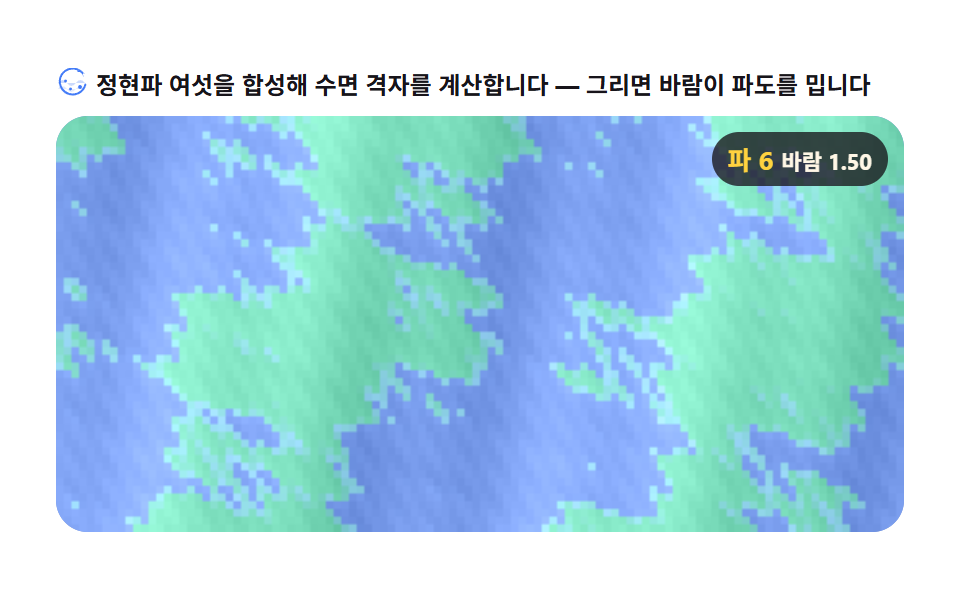 크리에이티브 UI캔버스 바다 애니메이션 9종 — 겹친 정현파로 파도장을 계산한다
 크리에이티브 UI오디오 비주얼라이저 만들기 9종 — 막대부터 마이크까지
 크리에이티브 UICSS 배경 패턴 9종 — 시드 하나로 다시 그리기
 크리에이티브 UI리사주 곡선 만들기 9종 — 파동 간섭으로 그리는 캔버스
 크리에이티브 UI3D 지구본 캔버스 장면 9종 — Three.js 없이
 크리에이티브 UI자바스크립트 물리엔진 원리 9종 — Verlet 로프부터 래그돌까지
 크리에이티브 UI텍스트 애니메이션 css 9종 — 글자를 캔버스 픽셀로 뜯어 다시 짓는 법
 크리에이티브 UI튜링 패턴 시뮬레이션 9종 — 라이브러리 없이 두 물질의 반응 격자만으로
 크리에이티브 UI레이 마칭 9종 — 캔버스 픽셀 계산으로 그리는 3D 장면 (WebGL 없이)
 크리에이티브 UI캔버스 메타볼 효과 9종 — 마칭 스퀘어로 합체하는 액체 덩어리