캔버스 메타볼 효과 9종 — 마칭 스퀘어로 합체하는 액체 덩어리
메타볼 효과는 여러 덩어리가 가까워지면 하나로 녹아 붙고 멀어지면 갈라지는, 액체처럼 굴러가는 캔버스 장면입니다. 필드 값이 임계값을 넘는 경계를 격자 칸마다 잇는 마칭 스퀘어 하나로 블롭이 스며들듯 합쳐졌다 갈라집니다 — 라이브러리·WebGL 0
데모
아홉 판을 순서대로 돌려 보고, 각 판의 코드 탭에서 HTML·CSS·JS 소스를 그대로 복사해 갈 수 있습니다.
 01 metaball-field-threshold
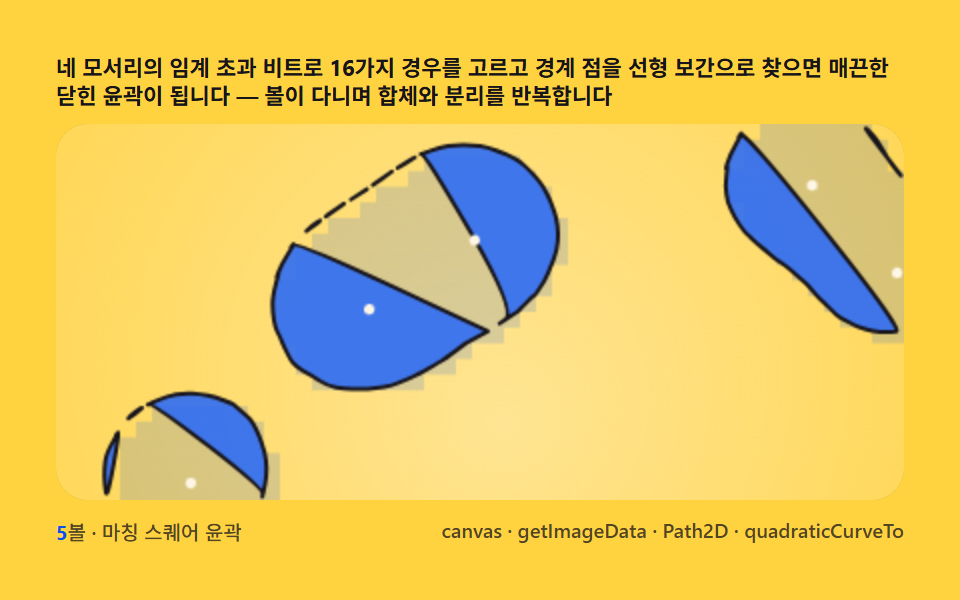 02 metaball-marching-squares
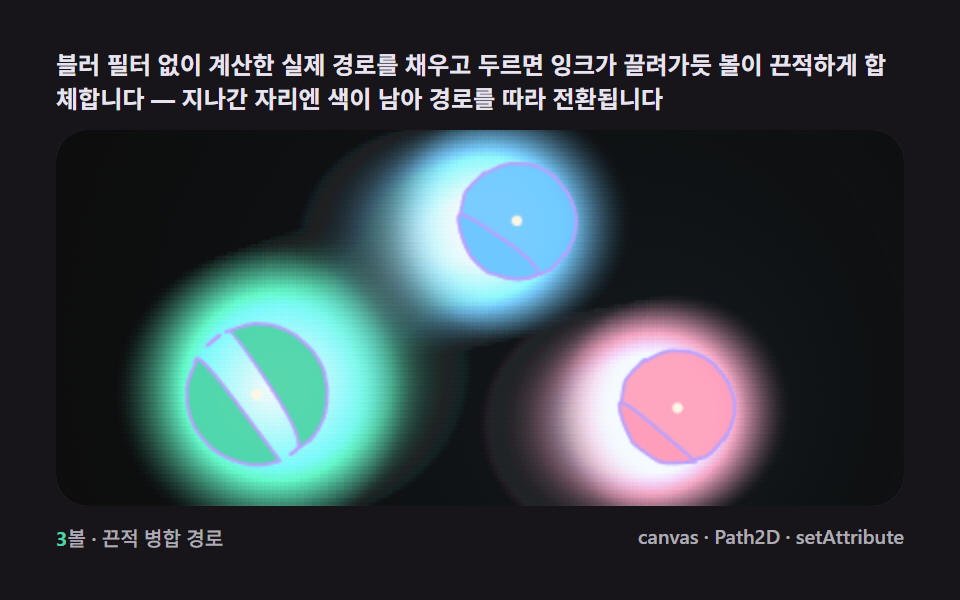 03 metaball-gooey-merge-svg
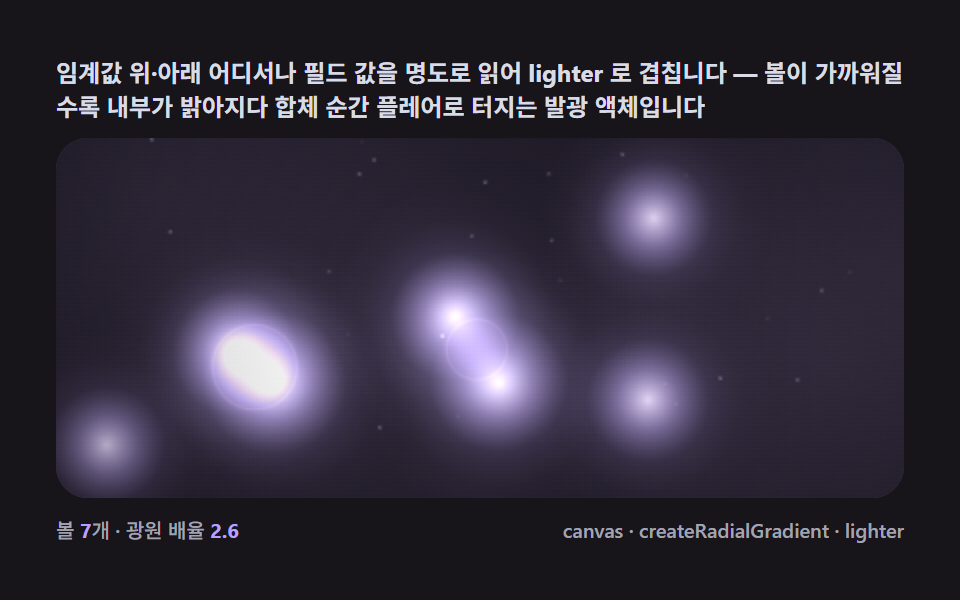 04 metaball-gradient-glow-bloom
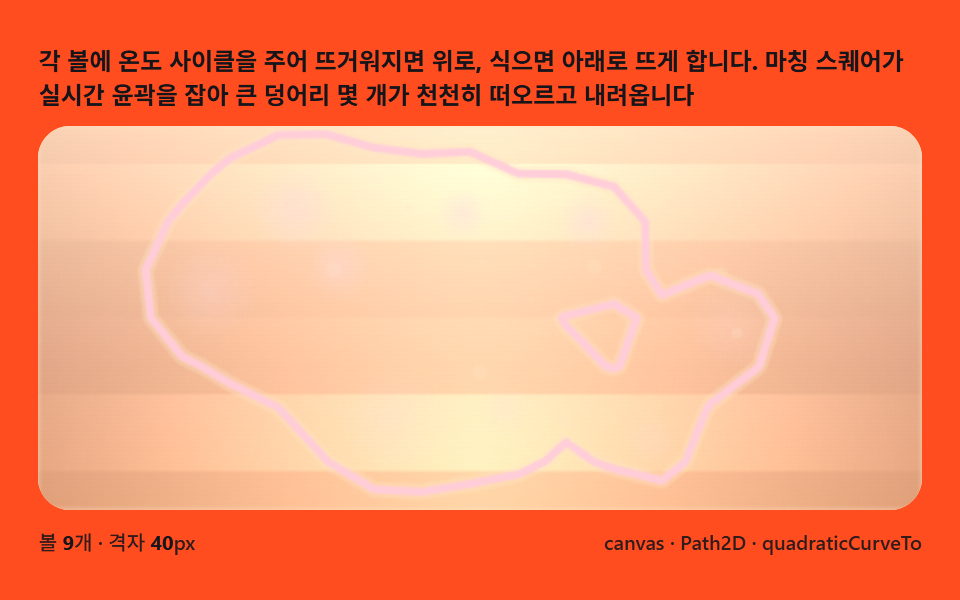 05 metaball-lava-lamp-float
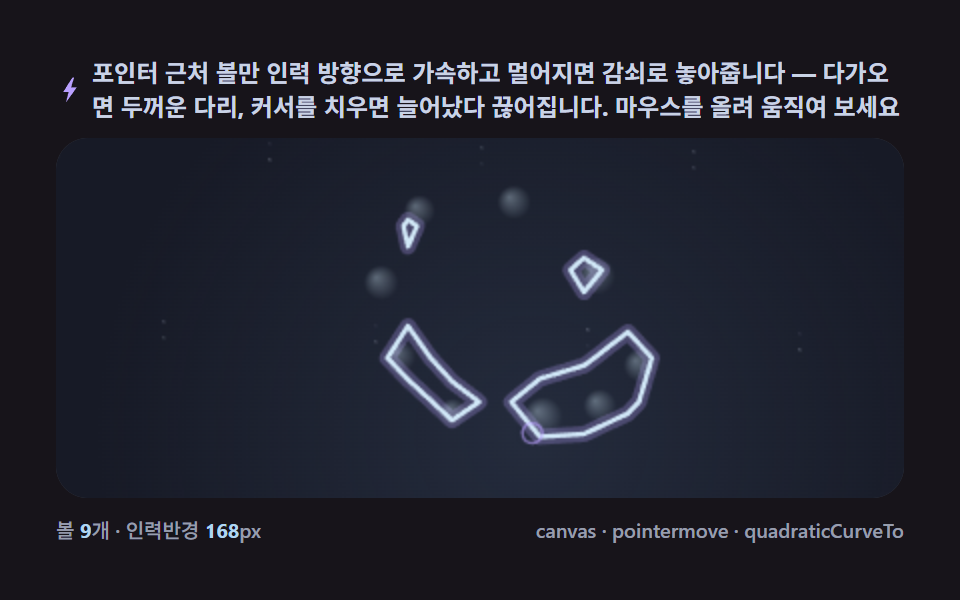 06 metaball-pointer-attract-split
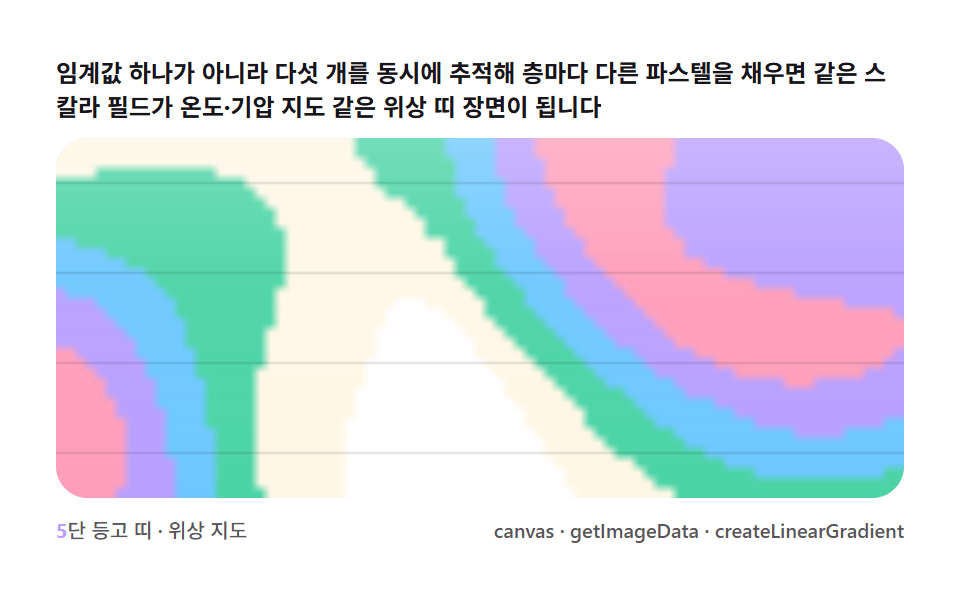 07 metaball-contour-band-topo
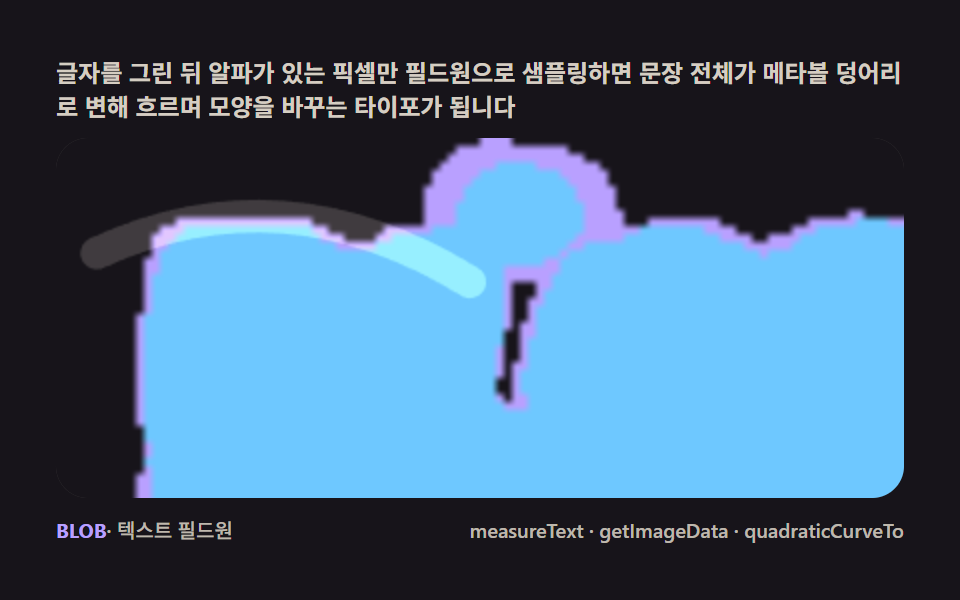 08 metaball-text-liquid-fillet
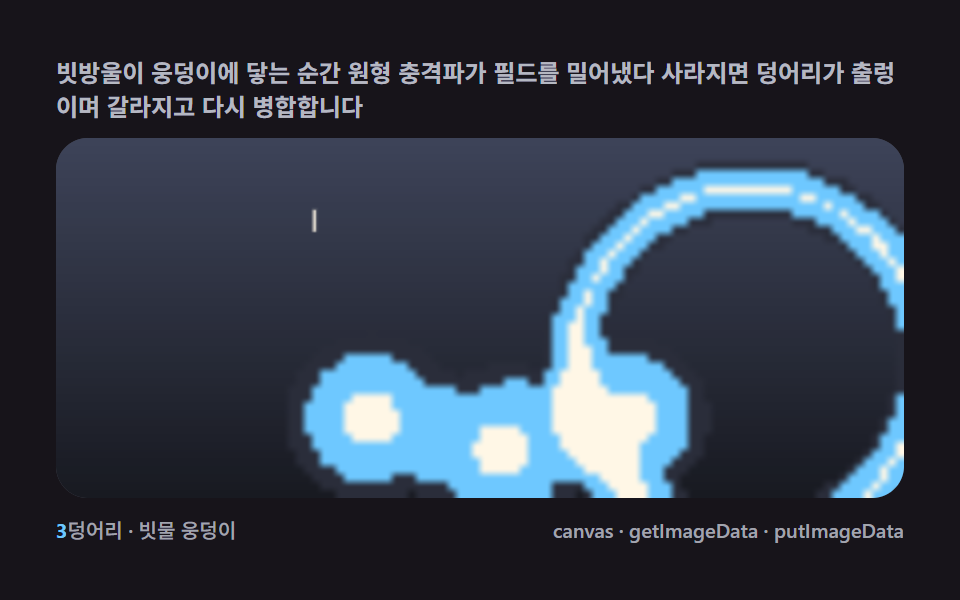 09 metaball-rain-pond-ripple-merge
자동 재생 · 눌러서 해당 항목으로 · 전부 한 zip
- 01 필드 한 겹 — 픽셀마다 임계값을 넘는지 세는 첫 메타볼
- 02 마칭 스퀘어 — 16경우 테이블로 경계선을 잇는 윤곽
- 03 구이 병합 — SVG 필터 없이 진짜 경로가 스밈다
- 04 빛 번짐 — 필드 값을 명도로 읽는 글로우 블룸
- 05 라바 램프 — 부력과 온도차로 떠오르는 굼벵이 덩어리
- 06 포인터 인력 — 끌려왔다가 찢어지는 당김 다리
- 07 등고 띠 — 임계값을 여러 겹으로 쌓는 위상 지도
- 08 액체 글자 — 텍스트 픽셀에서 태어나 흐르는 모핑
- 09 빗물 웅덩이 — 낙하 충격파가 볼을 밀어내는 장면
왜 필드 한 겹이 아홉 장면으로 번지는가
순서는 화려함이 아니라 경계를 어떻게 다루는가로 갈립니다. 01은 필드 값을 임계값과 비교해 넘는 칸만 채우는 가장 작은 단위이고, 02는 그 경계를 닫힌 윤곽으로 뽑아 내고, 03은 뽑은 경로를 색과 잔광으로 꾸미고, 04는 경계 위아래의 필드 값을 빛으로 읽습니다. 05·06은 같은 윤곽 위에 부력과 인력이라는 물리를 얹고, 07은 임계값 하나를 여러 층으로 쌓고, 08은 필드원을 볼이 아니라 글자 픽셀에서 받고, 09는 착수 충격파라는 외부 사건을 필드에 더해 장면을 닫습니다.
임계값이 먼저고 윤곽은 그 위에 얹힌다
01의 fieldAt 합산과 02의 lerpPt 보간은 뒤의 모든 판에서 같은 역할로 다시 등장합니다. 달라지는 것은 그 결과를 칠할 색·물리·사건뿐이라 판 하나를 이해하면 다음 판은 덧셈으로 읽힙니다.
관찰 판에서 사건 판으로 가는 길
01부터 04까지는 필드 스스로의 모양을 관찰하고, 05·06은 볼의 움직임에 규칙을 주고, 07·08·09는 필드를 지도·글자·날씨로 읽어 바꿉니다. 쓰임이 히어로 배경에서 인터랙션과 데이터 아트로 넓어지는 순서 그대로입니다.
필드 합산과 경계 판정 — 스칼라 필드와 임계값 경계의 셈
스칼라 필드는 더하면 모양이 바뀌는 숫자 지도다
각 볼이 자기 중심에서 거리에 따라 약해지는 값을 주변에 뿌리고 칸마다 그 값을 전부 더한 것이 스칼라 필드입니다. 두 메타볼이 가까워지면 서로의 꼬리가 겹쳐 합이 임계값을 넘는 칸이 사이에 생기는데, 다리가 스며들듯 돋아난다는 인상의 정체는 이 덧셈 하나입니다.
네 비트로 칸을 분류하는 16경우 테이블
마칭 스퀘어는 각 칸의 네 꼭짓점에 대해 임계값 초과·이하를 4비트로 묶어 16가지 경우로 분류합니다. 경우마다 경계선이 지나가는 변이 정해져 있으니 표 하나로 칸 전체의 윤곽을 이을 수 있습니다.
보간이 계단을 지우고 곡선이 윤곽을 닫는다
경계 점을 변의 양끝 값 비율로 선형 보간하면 픽셀 경계가 매끈해지고, 이어진 점들을 quadraticCurveTo 로 부드럽게 잇는 순간 픽셀 판이 벡터 실루엣처럼 보입니다. 계단을 지우는 것은 해상도가 아니라 보간입니다.
임계값을 움직이면 합체 거리가 달라진다
THRESH 를 낮추면 볼이 멀어도 붙고 높이면 가까워야 합쳐집니다. 값 하나로 끈적임의 온도를 정하는 셈이라 장면의 성격을 바꾸는 첫 조절점이 임계값입니다.
항목별 코드
01필드 한 겹 — 임계값을 넘는 칸만 세는 첫 장면
히어로 배경에 액체 덩어리 하나를 얹는 첫 판입니다 — 칸마다 합한 필드 값이 임계값을 넘는지 따져 넘는 칸만 채우고, 측정 기록은 누적면적 33.374% · 강도 평균 95.3 · 23/23 프레임이 움직였습니다.
<main class="stage">
<div class="cd is-demo" id="cdRoot">
  <p class="cd__hint">
    <span>볼마다 거리 감쇠(반지름² ÷ 거리²)를 격자 칸에 더해 스칼라 필드를 만들고 임계값을 넘는 칸만 채우면, 두 볼이 가까워질 때 사이에 다리가 돋아납니다</span>
  </p>
  <div class="cd__field" id="cdField" role="application" aria-label="필드 한 겹 임계값 실험판" tabindex="0">
    <canvas class="cd__cv" id="cdCv"></canvas>
  </div>
  <div class="cd__bar">
    <span class="cd__meta"><b class="cd__val" id="cdN">5</b>볼 · 감쇠 필드 임계값</span>
    <span class="cd__meta cd__meta--dim">canvas · getImageData · putImageData</span>
  </div>
</div>
</main>
@use "../../../../site/static/demo-tokens" as *;
// 필드 한 겹(01). @keyframes 를 아예 두지 않는다 — 움직임은 전부 캔버스 rAF 루프
// (스프라이트 굽기 putImageData → 필드 합산 getImageData → 임계값 칸 채움)가 만든다.
// 무대는 잉크. 파스텔 팔레트를 --ft-* 로 편다(편 공통 규격).
$duration: $dur-loop;
$easing: $ease-spring;
$color: $subject-mint;
@include stage($stage-ink);
// ── 파스텔 팔레트(BD26: vivid hex 잔존 0 — 전부 토큰·뮤트 파생) ──
$ft-mint: $subject-mint; // 임계값 직후 밴드
$ft-sky: $subject-sky; // 깊은 밴드
$ft-lilac: $subject-lilac; // 더 깊은 밴드
$ft-pink: $subject-pink; // 피크 밴드
$ft-cream: $subject-cream; // 코어 하이라이트·글자
$ft-line: #3a3542; // 어두운 무대 위 패널 경계(뮤트)
$ft-text: #e8e4ef; // 잉크 위 본문(밝은 라벤더 그레이·뮤트)
.cd {
--ft-mint: #{$ft-mint};
--ft-sky: #{$ft-sky};
--ft-lilac: #{$ft-lilac};
--ft-pink: #{$ft-pink};
--ft-cream: #{$ft-cream};
display: flex; flex-direction: column; gap: $sp-2;
width: 100%; max-width: 424px;
}
.cd__hint {
display: flex; align-items: center; gap: $sp-1; margin: 0;
font-weight: 700; font-size: clamp(10px, 2.8vw, 12px); line-height: 1.35;
color: $ft-text;
}
.cd__field {
position: relative; height: 188px;
border-radius: $r-card; overflow: hidden;
background: $stage-ink;
box-shadow: inset 0 0 0 1px $ft-line;
}
.cd__field:focus-visible { outline: 2px solid $ft-mint; outline-offset: 2px; }
.cd__cv { display: block; width: 100%; height: 100%; }
.cd__bar { display: flex; align-items: center; justify-content: space-between; gap: $sp-2; }
.cd__meta { font-size: 10px; font-weight: 500; color: rgba($ft-text, .72); }
.cd__val { color: $ft-mint; font-weight: 700; }
.cd__meta--dim { font-size: 10px; }
@media (max-width: 340px) {
.cd { gap: $sp-1; }
.cd__field { height: 104px; }
.cd__meta--dim { display: none; }
}
// reduce — rAF 를 돌리지 않고 임계값 한 장만 남는다.
@media (prefers-reduced-motion: reduce) {
.cd.is-still .cd__field { cursor: default !important; }
}html, body {
margin: 0;
overflow: hidden;
}
.stage {
box-sizing: border-box;
min-height: 100vh;
display: grid;
place-items: center;
margin: 0;
background: #17141a;
font-family: -apple-system, "Segoe UI", "Noto Sans KR", sans-serif;
padding: clamp(8px, 4vw, 24px);
}
.cd {
--ft-mint: #4cd4a6;
--ft-sky: #6ec8ff;
--ft-lilac: #b9a0ff;
--ft-pink: #ff9ebb;
--ft-cream: #fff7e6;
display: flex;
flex-direction: column;
gap: 8px;
width: 100%;
max-width: 424px;
}
.cd__hint {
display: flex;
align-items: center;
gap: 4px;
margin: 0;
font-weight: 700;
font-size: clamp(10px, 2.8vw, 12px);
line-height: 1.35;
color: #e8e4ef;
}
.cd__field {
position: relative;
height: 188px;
border-radius: 16px;
overflow: hidden;
background: #17141a;
box-shadow: inset 0 0 0 1px #3a3542;
}
.cd__field:focus-visible {
outline: 2px solid #4cd4a6;
outline-offset: 2px;
}
.cd__cv {
display: block;
width: 100%;
height: 100%;
}
.cd__bar {
display: flex;
align-items: center;
justify-content: space-between;
gap: 8px;
}
.cd__meta {
font-size: 10px;
font-weight: 500;
color: rgba(232, 228, 239, 0.72);
}
.cd__val {
color: #4cd4a6;
font-weight: 700;
}
.cd__meta--dim {
font-size: 10px;
}
@media (max-width: 340px) {
.cd {
gap: 4px;
}
.cd__field {
height: 104px;
}
.cd__meta--dim {
display: none;
}
}
@media (prefers-reduced-motion: reduce) {
.cd.is-still .cd__field {
cursor: default !important;
}
}// 필드 한 겹(01). 오프스크린 캔버스에 ImageData 를 직접 채워(putImageData) 부드러운 radial 스프라이트를
// 한 장 굽고, 그 스프라이트의 밝기를 getImageData 로 읽어 "거리 → 감쇠" 룩업 테이블로 쓴다.
// 매 프레임 볼마다 격자 칸에 그 감쇠값(반지름² / 거리² 꼴, 스프라이트 그대로 근사)을 더해
// 스칼라 필드를 합산하고, 합이 임계값을 넘는 칸만 색을 채운다 — 마칭 스퀘어 경계 추출 없이
// 칸 단위(복셀식) 채움이라 경계가 계단 모양이다(02 가 이 경계를 매끈하게 뽑는다).
(function () {
// ── 변형 상수 블록 — 아래 값 하나만 바꿔 변형을 만든다 ──
var N_BALL = 5; // 볼 개수 — 3 은 성긴 장면, 7 은 붐비는 장면
var THRESH = 0.92; // 필드 임계값 — 낮추면 다리가 더 굵고 자주 이어진다
var CELL = 6; // 격자 셀 픽셀 크기 — 작을수록 매끈하지만 계산량 증가
// ────────────────────────────────────────────────────
var root = document.getElementById('cdRoot');
var field = document.getElementById('cdField');
var cv = document.getElementById('cdCv');
var ctx = cv.getContext('2d');
var nOut = document.getElementById('cdN');
nOut.textContent = String(N_BALL);
var css = getComputedStyle(root);
function tok(name) { return css.getPropertyValue(name).trim(); }
var COL = [tok('--ft-mint'), tok('--ft-sky'), tok('--ft-lilac'), tok('--ft-pink')];
var C_CREAM = tok('--ft-cream');
var reduce = window.matchMedia('(prefers-reduced-motion: reduce)').matches;
var W = 0, H = 0, COLS = 0, ROWS = 0;
var raf = 0, t0 = -1;
// 스프라이트 캔버스 — putImageData 로 부드러운 radial 감쇠를 픽셀 단위로 직접 굽는다
var SPR_R = 64;
var sprCv = document.createElement('canvas');
sprCv.width = SPR_R * 2; sprCv.height = SPR_R * 2;
var sprCtx = sprCv.getContext('2d');
var lut = new Float32Array(SPR_R + 1); // 거리 → 감쇠(0..1) 룩업
function bakeSprite() {
var img = sprCtx.createImageData(SPR_R * 2, SPR_R * 2);
var d = img.data;
for (var y = 0; y < SPR_R * 2; y++) {
for (var x = 0; x < SPR_R * 2; x++) {
var dx = x - SPR_R, dy = y - SPR_R;
var dist = Math.max(1, Math.sqrt(dx * dx + dy * dy));
// r² / d² 감쇠(메타볼 표준식) — 스프라이트 반경에서 정확히 1(=임계값 경계)
var v = Math.min(1, (SPR_R * SPR_R) / (dist * dist));
var idx = (y * SPR_R * 2 + x) * 4;
var a = Math.round(v * 255);
d[idx] = 255; d[idx + 1] = 255; d[idx + 2] = 255; d[idx + 3] = a;
}
}
sprCtx.putImageData(img, 0, 0);
// 룩업 테이블을 구운 스프라이트에서 getImageData 로 다시 읽는다 — 실사용값과 일치
var check = sprCtx.getImageData(SPR_R, 0, SPR_R, 1).data;
for (var i = 0; i < SPR_R; i++) lut[i] = check[i * 4 + 3] / 255;
}
// 시드 고정 PRNG — 미리보기가 항상 같은 볼 궤도로 흐른다
function makeRand(seed) {
var st = seed >>> 0;
return function () {
st = (st + 0x6D2B79F5) >>> 0;
var t = st;
t = Math.imul(t ^ (t >>> 15), t | 1);
t ^= t + Math.imul(t ^ (t >>> 7), t | 61);
return ((t ^ (t >>> 14)) >>> 0) / 4294967296;
};
}
var rand = makeRand(0x317A01);
var balls = [];
function buildBalls() {
balls = [];
for (var i = 0; i < N_BALL; i++) {
balls.push({
fx: 0.32 + rand() * 0.5, fy: 0.26 + rand() * 0.46,
ph: rand() * Math.PI * 2, ax: 0.3 + rand() * 0.22, ay: 0.28 + rand() * 0.22,
cx: 0.5, cy: 0.5, rad: 52 + rand() * 26
});
}
}
function fit() {
var r = field.getBoundingClientRect();
W = r.width; H = r.height;
cv.width = Math.round(W); cv.height = Math.round(H);
COLS = Math.max(24, Math.round(W / CELL));
ROWS = Math.max(16, Math.round(H / CELL));
}
function ballPos(b, t) {
return [
(b.cx + Math.sin(t * b.fx + b.ph) * b.ax) * W,
(b.cy + Math.cos(t * b.fy + b.ph * 1.4) * b.ay) * H
];
}
function fieldAt(px, py, t) {
  var sum = 0, closest = -1, closestD = 1e9;
  for (var i = 0; i < balls.length; i++) {
    var p = ballPos(balls[i], t);
    var dx = px - p[0], dy = py - p[1];
    var dist = Math.sqrt(dx * dx + dy * dy);
    // 감쇠 = 룩업 테이블(putImageData 로 구운 스프라이트에서 읽은 값)을 볼 반지름으로 스케일
    // 스프라이트 반경(64)에서 감쇠 1이므로 scaled = dist * 64 / rad 이 거리에서 정확히 경계
    var scaled = dist * (SPR_R / balls[i].rad);
    var v = scaled >= SPR_R ? 0 : lut[Math.min(SPR_R - 1, Math.round(scaled))];
    sum += v;
    if (dist < closestD) { closestD = dist; closest = i; }
  }
  return [sum, closest];
}
function draw(t) {
ctx.clearRect(0, 0, W, H);
ctx.fillStyle = '#17141a';
ctx.fillRect(0, 0, W, H);
// 배경 잔광 드리프트 — 느린 안개(누적면적 확보, 077 기준 "화면이 살아 있음")
var mist = ctx.createRadialGradient(
W * (0.5 + Math.sin(t * 0.13) * 0.3), H * (0.5 + Math.cos(t * 0.11) * 0.3), 0,
W * 0.5, H * 0.5, Math.max(W, H) * 0.75
);
mist.addColorStop(0, 'rgba(185,160,255,0.22)');
mist.addColorStop(0.55, 'rgba(110,200,255,0.10)');
mist.addColorStop(1, 'rgba(23,20,26,0)');
ctx.fillStyle = mist;
ctx.fillRect(0, 0, W, H);
var cw = W / COLS, ch = H / ROWS;
for (var gy = 0; gy < ROWS; gy++) {
var py = (gy + 0.5) * ch;
for (var gx = 0; gx < COLS; gx++) {
var px = (gx + 0.5) * cw;
var fc = fieldAt(px, py, t);
if (fc[0] >= THRESH) {
var over = Math.min(1, (fc[0] - THRESH) / THRESH);
ctx.fillStyle = COL[fc[1] % COL.length];
ctx.globalAlpha = 0.55 + over * 0.45;
ctx.fillRect(gx * cw - 0.5, gy * ch - 0.5, cw + 1, ch + 1);
}
}
}
ctx.globalAlpha = 1;
// 볼 코어 — 크림 하이라이트 점(중심을 눈으로 짚을 수 있게)
for (var i = 0; i < balls.length; i++) {
var p = ballPos(balls[i], t);
ctx.fillStyle = C_CREAM;
ctx.globalAlpha = 0.85;
ctx.beginPath(); ctx.arc(p[0], p[1], 2.4, 0, Math.PI * 2); ctx.fill();
}
ctx.globalAlpha = 1;
}
function stillFrame() { draw(0.6); }
function frame(now) {
if (t0 < 0) t0 = now;
var t = (now - t0) / 1000;
draw(t);
raf = requestAnimationFrame(frame);
}
window.addEventListener('resize', function () {
fit();
if (reduce) stillFrame();
});
bakeSprite();
fit();
buildBalls();
if (reduce) {
stillFrame();
root.classList.add('is-still');
} else {
raf = requestAnimationFrame(frame);
}
})();// FieldThreshold — vanilla 판(run/317/demo/01-metaball-field-threshold/index.html) 의 React 포트.
// 필드 한 겹 — 오프스크린 캔버스에 putImageData 로 부드러운 radial 감쇠 스프라이트를 굽고
// getImageData 로 읽어 룩업 테이블로 쓴다. 볼마다 r²/d² 감쇠를 격자 칸에 합산하고
// 임계값을 넘는 칸만 채운다 — 두 볼이 가까워지면 다리가 돋는다.
import { useEffect, useRef, useState } from "react";
import type { CSSProperties } from "react";
import styles from "./FieldThreshold.module.scss";
export type FieldThresholdProps = {
duration?: string;
easing?: string;
color?: string;
balls?: number; // 볼 개수 — 변형 "성긴/붐비는 장면" 축
threshold?: number; // 필드 임계값 — 낮추면 다리가 굵어진다
cell?: number; // 격자 셀 픽셀 크기
};
type Vars = CSSProperties & { "--duration"?: string; "--easing"?: string; "--color"?: string };
type Box<T> = { current: T };
type Ball = { fx: number; fy: number; ph: number; ax: number; ay: number; cx: number; cy: number; rad: number };
const FIELD_LABEL = "필드 한 겹 임계값 실험판";
const SPR_R = 64;
function makePRNG(seed: number): () => number {
let s = seed >>> 0;
return function () {
s = (s + 0x6d2b79f5) >>> 0;
let t = s;
t = Math.imul(t ^ (t >>> 15), t | 1);
t ^= t + Math.imul(t ^ (t >>> 7), t | 61);
return ((t ^ (t >>> 14)) >>> 0) / 4294967296;
};
}
export default function FieldThreshold({
duration = "2s",
easing = "cubic-bezier(.2, .8, .2, 1)",
color = "#4cd4a6",
balls: nBall = 5,
threshold = 0.92,
cell = 6,
}: FieldThresholdProps) {
const rootRef = useRef<HTMLDivElement | null>(null);
const fieldRef = useRef<HTMLDivElement | null>(null);
const cvRef = useRef<HTMLCanvasElement | null>(null);
const ctxRef = useRef<CanvasRenderingContext2D | null>(null);
const sizeRef = useRef({ w: 0, h: 0 }) as Box<{ w: number; h: number }>;
const colsRef = useRef(0) as Box<number>;
const rowsRef = useRef(0) as Box<number>;
const lutRef = useRef(new Float32Array(SPR_R)) as Box<Float32Array>;
const colRef = useRef<{ bands: string[]; cream: string } | null>(null);
const ballNRef = useRef(nBall) as Box<number>;
const thrRef = useRef(threshold) as Box<number>;
const cellRef = useRef(cell) as Box<number>;
const ballsRef = useRef<Ball[]>([]) as Box<Ball[]>;
const rafRef = useRef(0) as Box<number>;
const [n, setN] = useState(String(nBall));
const [still, setStill] = useState(false);
const vars: Vars = { "--duration": duration, "--easing": easing, "--color": color };
function reduced(): boolean {
return window.matchMedia("(prefers-reduced-motion: reduce)").matches;
}
// 스프라이트 굽기 — putImageData 로 r²/d² 감쇠를 픽셀 단위로 쓰고 getImageData 로 룩업을 읽는다
function bakeSprite(): void {
const c = document.createElement("canvas");
c.width = SPR_R * 2;
c.height = SPR_R * 2;
const sc = c.getContext("2d");
if (!sc) return;
const img = sc.createImageData(SPR_R * 2, SPR_R * 2);
const d = img.data;
for (let y = 0; y < SPR_R * 2; y++) {
for (let x = 0; x < SPR_R * 2; x++) {
const dx = x - SPR_R;
const dy = y - SPR_R;
const dist = Math.max(1, Math.sqrt(dx * dx + dy * dy));
const v = Math.min(1, (SPR_R * SPR_R) / (dist * dist));
const idx = (y * SPR_R * 2 + x) * 4;
d[idx] = 255; d[idx + 1] = 255; d[idx + 2] = 255;
d[idx + 3] = Math.round(v * 255);
}
}
sc.putImageData(img, 0, 0);
const check = sc.getImageData(SPR_R, 0, SPR_R, 1).data;
for (let i = 0; i < SPR_R; i++) lutRef.current[i] = check[i * 4 + 3] / 255;
}
function buildBalls(): void {
const rand = makePRNG(0x317a01);
const arr: Ball[] = [];
for (let i = 0; i < ballNRef.current; i++) {
arr.push({
fx: 0.32 + rand() * 0.5, fy: 0.26 + rand() * 0.46,
ph: rand() * Math.PI * 2, ax: 0.3 + rand() * 0.22, ay: 0.28 + rand() * 0.22,
cx: 0.5, cy: 0.5, rad: 52 + rand() * 26,
});
}
ballsRef.current = arr;
}
function fit(): void {
const field = fieldRef.current;
const cv = cvRef.current;
if (!field || !cv) return;
const ctx = cv.getContext("2d");
if (!ctx) return;
const r = field.getBoundingClientRect();
sizeRef.current.w = r.width;
sizeRef.current.h = r.height;
cv.width = Math.round(r.width);
cv.height = Math.round(r.height);
colsRef.current = Math.max(24, Math.round(r.width / cellRef.current));
rowsRef.current = Math.max(16, Math.round(r.height / cellRef.current));
ctxRef.current = ctx;
}
function ballPos(b: Ball, t: number, w: number, h: number): [number, number] {
return [
(b.cx + Math.sin(t * b.fx + b.ph) * b.ax) * w,
(b.cy + Math.cos(t * b.fy + b.ph * 1.4) * b.ay) * h,
];
}
function fieldAt(px: number, py: number, t: number): [number, number] {
const { w, h } = sizeRef.current;
let sum = 0;
let closest = 0;
let closestD = Infinity;
const balls = ballsRef.current;
const lut = lutRef.current;
for (let i = 0; i < balls.length; i++) {
const p = ballPos(balls[i], t, w, h);
const dx = px - p[0];
const dy = py - p[1];
const dist = Math.sqrt(dx * dx + dy * dy);
const scaled = dist * (SPR_R / balls[i].rad);
const v = scaled >= SPR_R ? 0 : lut[Math.min(SPR_R - 1, Math.round(scaled))];
sum += v;
if (dist < closestD) { closestD = dist; closest = i; }
}
return [sum, closest];
}
function draw(t: number): void {
const ctx = ctxRef.current;
const col = colRef.current;
const { w: W, h: H } = sizeRef.current;
if (!ctx || !col) return;
ctx.fillStyle = "#17141a";
ctx.fillRect(0, 0, W, H);
const mist = ctx.createRadialGradient(
W * (0.5 + Math.sin(t * 0.13) * 0.3), H * (0.5 + Math.cos(t * 0.11) * 0.3), 0,
W * 0.5, H * 0.5, Math.max(W, H) * 0.75,
);
mist.addColorStop(0, "rgba(185,160,255,0.22)");
mist.addColorStop(0.55, "rgba(110,200,255,0.10)");
mist.addColorStop(1, "rgba(23,20,26,0)");
ctx.fillStyle = mist;
ctx.fillRect(0, 0, W, H);
const cw = W / colsRef.current;
const ch = H / rowsRef.current;
const thr = thrRef.current;
for (let gy = 0; gy < rowsRef.current; gy++) {
const py = (gy + 0.5) * ch;
for (let gx = 0; gx < colsRef.current; gx++) {
const px = (gx + 0.5) * cw;
const fc = fieldAt(px, py, t);
if (fc[0] >= thr) {
const over = Math.min(1, (fc[0] - thr) / thr);
ctx.fillStyle = col.bands[fc[1] % col.bands.length];
ctx.globalAlpha = 0.55 + over * 0.45;
ctx.fillRect(gx * cw - 0.5, gy * ch - 0.5, cw + 1, ch + 1);
}
}
}
ctx.globalAlpha = 1;
const balls = ballsRef.current;
for (let i = 0; i < balls.length; i++) {
const p = ballPos(balls[i], t, W, H);
ctx.fillStyle = col.cream;
ctx.globalAlpha = 0.85;
ctx.beginPath();
ctx.arc(p[0], p[1], 2.4, 0, Math.PI * 2);
ctx.fill();
}
ctx.globalAlpha = 1;
}
function stillFrame(): void { draw(0.6); }
let t0 = -1;
function frame(now: number): void {
if (t0 < 0) t0 = now;
const t = (now - t0) / 1000;
draw(t);
rafRef.current = requestAnimationFrame(frame);
}
useEffect(() => {
const root = rootRef.current;
if (!root) return;
ballNRef.current = nBall;
thrRef.current = threshold;
cellRef.current = cell;
const cs = getComputedStyle(root);
const tok = (name: string) => cs.getPropertyValue(name).trim();
colRef.current = {
bands: [tok("--ft-mint"), tok("--ft-sky"), tok("--ft-lilac"), tok("--ft-pink")],
cream: tok("--ft-cream"),
};
bakeSprite();
buildBalls();
fit();
setN(String(nBall));
function onResize(): void {
fit();
if (reduced()) stillFrame();
}
window.addEventListener("resize", onResize);
if (reduced()) {
stillFrame();
setStill(true);
} else {
rafRef.current = requestAnimationFrame(frame);
}
return () => {
window.removeEventListener("resize", onResize);
cancelAnimationFrame(rafRef.current);
};
// eslint-disable-next-line react-hooks/exhaustive-deps
}, [nBall, threshold, cell]);
const rootCls = still ? `${styles.root} ${styles.isStill}` : styles.root;
return (
<main className={styles.stage}>
<div className={rootCls} ref={rootRef} style={vars}>
<p className={styles.hint}>
<span>볼마다 거리 감쇠(반지름² ÷ 거리²)를 격자 칸에 더해 스칼라 필드를 만들고 임계값을 넘는 칸만 채우면, 두 볼이 가까워질 때 사이에 다리가 돋아납니다</span>
</p>
<div
className={styles.field}
ref={fieldRef}
role="application"
aria-label={FIELD_LABEL}
tabIndex={0}
>
<canvas className={styles.cv} ref={cvRef}></canvas>
</div>
<div className={styles.bar}>
<span className={styles.meta}><b className={styles.val}>{n}</b>볼 · 감쇠 필드 임계값</span>
<span className={styles.metaDim}>canvas · getImageData · putImageData</span>
</div>
</div>
</main>
);
}01 · 필드 한 겹 — 픽셀마다 임계값을 넘는지 세는 첫 메타볼 — 측정 누적면적 33.374% · 움직인 프레임 23/23GODRICH 원작 · zip 에 SCSS·React 포함 · 비밀번호 보기
거리 감쇠를 미리 구운 룩업 테이블에서 읽는 필드
function fieldAt(px, py, t) {
var sum = 0, closest = -1, closestD = 1e9;
for (var i = 0; i < balls.length; i++) {
var p = ballPos(balls[i], t);
var dx = px - p[0], dy = py - p[1];
var dist = Math.sqrt(dx * dx + dy * dy);
// 감쇠 = 룩업 테이블(putImageData 로 구운 스프라이트에서 읽은 값)을 볼 반지름으로 스케일
// 스프라이트 반경(64)에서 감쇠 1이므로 scaled = dist * 64 / rad 이 거리에서 정확히 경계
var scaled = dist * (SPR_R / balls[i].rad);
var v = scaled >= SPR_R ? 0 : lut[Math.min(SPR_R - 1, Math.round(scaled))];
sum += v;
if (dist < closestD) { closestD = dist; closest = i; }
}
return [sum, closest];
}
감쇠 곡선을 매 칸마다 다시 계산하지 않고 putImageData 로 구운 스프라이트의 표에서 읽어오는 것이 이 판의 속도 비결입니다. N_BALL 5개가 각자 다른 반지름으로 값을 나눠 가지니 두 볼 사이에 다리가 스며들듯 돋아납니다.
02마칭 스퀘어 — 16경우 테이블로 경계선을 잇는 윤곽
로고·캐릭터의 액체 실루엣에 어울리는 판입니다 — 네 꼭짓점의 임계 초과 비트로 16가지 경우를 골라 경계를 닫힌 윤곽으로 잇고, 측정 기록은 누적면적 34.129% · 강도 평균 141.2 · 23/23 프레임이 움직였습니다.
<main class="stage">
<div class="cd is-demo" id="cdRoot">
  <p class="cd__hint">
    <span>네 모서리의 임계 초과 비트로 16가지 경우를 고르고 경계 점을 선형 보간으로 찾으면 매끈한 닫힌 윤곽이 됩니다 — 볼이 다니며 합체와 분리를 반복합니다</span>
  </p>
  <div class="cd__field" id="cdField" role="application" aria-label="마칭 스퀘어 경계 추출 실험판" tabindex="0">
    <canvas class="cd__cv" id="cdCv"></canvas>
  </div>
  <div class="cd__bar">
    <span class="cd__meta"><b class="cd__val" id="cdN">5</b>볼 · 마칭 스퀘어 윤곽</span>
    <span class="cd__meta cd__meta--dim">canvas · getImageData · Path2D · quadraticCurveTo</span>
  </div>
</div>
</main>
@use "../../../../site/static/demo-tokens" as *;
// 마칭 스퀘어(02). @keyframes 없음 — 움직임은 rAF(스칼라 필드 + 4비트 16경우 테이블
// + 선형 보간 경계 + quadraticCurveTo 평활)가 만든다.
// 무대는 옐로, 피사체는 블루 계열. 파스텔을 --ms-* 로 편다(편 공통 규격).
$duration: $dur-loop;
$easing: $ease-spring;
$color: $subject-blue;
@include stage($stage-yellow);
// ── 파스텔 팔레트(BD26 — vivid 잔존 0) ──
$ms-fill: $subject-blue; // 볼 몸통 채움
$ms-deep: $subject-blue-deep; // 몸통보다 한 단 깊은 채움(층감)
$ms-edge: $stage-ink; // 윤곽 잉크
$ms-dot: $stage-ink; // 보간점 표식
$ms-cream: $subject-cream; // 크림 하이라이트
$ms-text: $stage-ink; // 옐로 무대 본문 잉크
.cd {
--ms-fill: #{$ms-fill};
--ms-deep: #{$ms-deep};
--ms-edge: #{$ms-edge};
--ms-cream: #{$ms-cream};
display: flex; flex-direction: column; gap: $sp-2;
width: 100%; max-width: 424px;
}
.cd__hint {
display: flex; align-items: center; gap: $sp-1; margin: 0;
// en·ja 번역문이 ko 보다 길어 480×300 에서 3줄로 넘친다(BD14) — 폭·레이아웃은 그대로,
// 글자만 살짝 줄여 3줄이 돼도 예산 안에 들어오게 한다 (2026-09-15)
font-weight: 700; font-size: clamp(9px, 2.5vw, 11px); line-height: 1.22;
color: $ms-text;
}
.cd__field {
position: relative; height: 188px;
border-radius: $r-card; overflow: hidden;
background: $stage-yellow;
box-shadow: inset 0 0 0 1px rgba($ms-text, .2);
}
.cd__field:focus-visible { outline: 2px solid $ms-fill; outline-offset: 2px; }
.cd__cv { display: block; width: 100%; height: 100%; }
.cd__bar { display: flex; align-items: center; justify-content: space-between; gap: $sp-2; }
.cd__meta { font-size: 10px; font-weight: 500; color: rgba($ms-text, .74); }
.cd__val { color: $ms-deep; font-weight: 700; }
.cd__meta--dim { font-size: 10px; }
@media (max-width: 340px) {
.cd { gap: $sp-1; }
.cd__field { height: 104px; }
.cd__meta--dim { display: none; }
}
// reduce — rAF 를 돌리지 않고 한 장만 남는다.
@media (prefers-reduced-motion: reduce) {
.cd.is-still .cd__field { cursor: default !important; }
}html, body {
margin: 0;
overflow: hidden;
}
.stage {
box-sizing: border-box;
min-height: 100vh;
display: grid;
place-items: center;
margin: 0;
background: #ffd23f;
font-family: -apple-system, "Segoe UI", "Noto Sans KR", sans-serif;
padding: clamp(8px, 4vw, 24px);
}
.cd {
--ms-fill: #2f6df6;
--ms-deep: #0a4fe8;
--ms-edge: #17141a;
--ms-cream: #fff7e6;
display: flex;
flex-direction: column;
gap: 8px;
width: 100%;
max-width: 424px;
}
.cd__hint {
display: flex;
align-items: center;
gap: 4px;
margin: 0;
font-weight: 700;
font-size: clamp(9px, 2.5vw, 11px);
line-height: 1.22;
color: #17141a;
}
.cd__field {
position: relative;
height: 188px;
border-radius: 16px;
overflow: hidden;
background: #ffd23f;
box-shadow: inset 0 0 0 1px rgba(23, 20, 26, 0.2);
}
.cd__field:focus-visible {
outline: 2px solid #2f6df6;
outline-offset: 2px;
}
.cd__cv {
display: block;
width: 100%;
height: 100%;
}
.cd__bar {
display: flex;
align-items: center;
justify-content: space-between;
gap: 8px;
}
.cd__meta {
font-size: 10px;
font-weight: 500;
color: rgba(23, 20, 26, 0.74);
}
.cd__val {
color: #0a4fe8;
font-weight: 700;
}
.cd__meta--dim {
font-size: 10px;
}
@media (max-width: 340px) {
.cd {
gap: 4px;
}
.cd__field {
height: 104px;
}
.cd__meta--dim {
display: none;
}
}
@media (prefers-reduced-motion: reduce) {
.cd.is-still .cd__field {
cursor: default !important;
}
}// 마칭 스퀘어(02). 스칼라 필드(볼마다 r²/d² 감쇠 합)를 오프스크린 저해상 캔버스에 굽는다 —
// 격자 모서리당 1px 크기로, 볼마다 감쇠 radialGradient 스프라이트를 lighter 합성으로 겹한다.
// getImageData 로 그 픽셀을 읽어 Float32Array 격자에 되돌리는 게 필드 샘플링이다(07 의 패턴).
// 각 칸의 네 모서리 코너값이 임계값을 넘는지에 따라 4비트 인덱스(16경우)를 만들고,
// 경우 테이블이 어떤 변을 경계가 가로지르는지 알려주면 그 위치를 변 양 끝 코너값의
// 선형 보간으로 정한다. 이 점들을 짝지어 폴리라인을 만들고 quadraticCurveTo 로 평활한
// 닫힌 윤곽을 Path2D 에 담아 fill+stroke — 3~5개 볼이 가까워지면 다리로 합체, 멀어지면 분리된다.
(function () {
// ── 변형 상수 블록 — 아래 값 하나만 바꿔 변형을 만든다 ──
var N_BALL = 5; // 볼 개수 — 합체/분리가 잦은 밀도
var THRESH = 1.0; // 필드 임계값
var CELL = 8; // 격자 셀 픽셀 크기 — 보간 밀도
// ────────────────────────────────────────────────────
var root = document.getElementById('cdRoot');
var field = document.getElementById('cdField');
var cv = document.getElementById('cdCv');
var ctx = cv.getContext('2d');
var nOut = document.getElementById('cdN');
nOut.textContent = String(N_BALL);
var css = getComputedStyle(root);
function tok(name) { return css.getPropertyValue(name).trim(); }
var C_FILL = tok('--ms-fill');
var C_DEEP = tok('--ms-deep');
var C_EDGE = tok('--ms-edge');
var C_CREAM = tok('--ms-cream');
var C_BG = '#ffd23f';
var reduce = window.matchMedia('(prefers-reduced-motion: reduce)').matches;
var W = 0, H = 0, COLS = 0, ROWS = 0;
var grid = null;
var raf = 0, t0 = -1;
// 오프스크린 필드 캔버스 — 격자 모서리당 1px. 여기에 감쇠를 굽고 getImageData 로 읽는다
var fieldCv = document.createElement('canvas');
var fieldCtx = fieldCv.getContext('2d', { willReadFrequently: true });
var LOWW = 0, LOWH = 0;
// 시드 고정 PRNG — 미리보기가 항상 같은 볼 궤도로 흐른다
function makeRand(seed) {
var st = seed >>> 0;
return function () {
st = (st + 0x6D2B79F5) >>> 0;
var t = st;
t = Math.imul(t ^ (t >>> 15), t | 1);
t ^= t + Math.imul(t ^ (t >>> 7), t | 61);
return ((t ^ (t >>> 14)) >>> 0) / 4294967296;
};
}
var rand = makeRand(0x317A02);
var balls = [];
function buildBalls() {
balls = [];
for (var i = 0; i < N_BALL; i++) {
balls.push({
fx: 0.3 + rand() * 0.5, fy: 0.24 + rand() * 0.44,
ph: rand() * Math.PI * 2, ax: 0.3 + rand() * 0.24, ay: 0.28 + rand() * 0.24,
cx: 0.5, cy: 0.5, rad: 42 + rand() * 22
});
}
}
function fit() {
var r = field.getBoundingClientRect();
W = r.width; H = r.height;
cv.width = Math.round(W); cv.height = Math.round(H);
COLS = Math.max(16, Math.round(W / CELL));
ROWS = Math.max(12, Math.round(H / CELL));
LOWW = COLS + 1; LOWH = ROWS + 1;
fieldCv.width = LOWW; fieldCv.height = LOWH;
grid = new Float32Array(LOWW * LOWH);
}
function ballPos(b, t) {
return [
(b.cx + Math.sin(t * b.fx + b.ph) * b.ax) * W,
(b.cy + Math.cos(t * b.fy + b.ph * 1.4) * b.ay) * H
];
}
// ── 필드 굽기 + 픽셀 판독 ──
// 볼마다 r²/d² 감쇠를 회색조 radialGradient 로 오프스크린 캔버스(격자 모서리당 1px)에 그리고
// lighter 합성으로 겹한다 — 겹치는 볼의 감쇠가 픽셀 값으로 그대로 더해진다(메타볼 합산).
// 스프라이트 반경 안에서 gradient offset fr 마다 값 v=1/(fr·K)² 을 SCALE 배로 픽셀에 쓰고,
// getImageData 로 읽은 뒤 SCALE 로 나누면 이전 fieldAt 판(Σ r²·0.5/d²)과 같은 척도로 돌아온다.
// 임계값(1.0)이 새지 않도록 SCALE 을 넉넉히 잡아 포화(255) 가 임계값 부근에서 일어나지 않게 한다.
// 임계값(1.0) 부근의 양자화를 줄이려 SCALE 을 넉넉히 잡는다 — v=1(임계)이 픽셀 100 에 대응.
// 255 클램프는 블롭 깊은 내부(v≥2.55, 어차피 case 15)에서만 일어나 윤곽에 영향 없다.
var K = 8, SCALE = 100, STOPS = 32;
var rad2Cache = [];
function b_rad2(i) {
if (!rad2Cache[i]) rad2Cache[i] = balls[i].rad * balls[i].rad * 0.5;
return rad2Cache[i];
}
function drawField(t) {
var cw = W / COLS, ch = H / ROWS;
fieldCtx.globalCompositeOperation = 'source-over';
fieldCtx.fillStyle = '#000';
fieldCtx.fillRect(0, 0, LOWW, LOWH);
fieldCtx.globalCompositeOperation = 'lighter';
for (var i = 0; i < balls.length; i++) {
var p = ballPos(balls[i], t);
var cx = p[0] / cw, cy = p[1] / ch;
var R = Math.sqrt(b_rad2(i)) * K / cw;
var g = fieldCtx.createRadialGradient(cx, cy, 0, cx, cy, R);
for (var s = 0; s < STOPS; s++) {
var off = s / STOPS;
var fr = Math.max(off, 1 / (STOPS * 4));
var v = 1 / (fr * fr * K * K);
var px = Math.min(255, Math.round(v * SCALE));
g.addColorStop(off, 'rgb(' + px + ',' + px + ',' + px + ')');
}
g.addColorStop(1, 'rgb(0,0,0)'); // 꼬리 절단 — 반경 밖은 0(gradient 마지막 정지점이 밖으로 펴지는 걸 끊는다)
fieldCtx.fillStyle = g;
fieldCtx.fillRect(0, 0, LOWW, LOWH);
}
fieldCtx.globalCompositeOperation = 'source-over';
}
function classify() {
var img = fieldCtx.getImageData(0, 0, LOWW, LOWH);
var d = img.data;
for (var gy = 0; gy < LOWH; gy++) {
for (var gx = 0; gx < LOWW; gx++) {
grid[gy * LOWW + gx] = d[(gy * LOWW + gx) * 4] / SCALE;
}
}
}
// ambiguous(5·10) 칸의 중심값만 실계산으로 보강 — getImageData 픽셀과 같은 r²/d² 합
function fieldAt(px, py, t) {
var sum = 0;
for (var i = 0; i < balls.length; i++) {
var p = ballPos(balls[i], t);
var dx = px - p[0], dy = py - p[1];
var d2 = dx * dx + dy * dy;
if (d2 < 1) d2 = 1;
sum += (b_rad2(i)) / d2;
}
return sum;
}
function sampleGrid(t) {
drawField(t);
classify();
}
// 16경우 마칭 스퀘어 — 칸의 코너 비트(TL=1 TR=2 BR=4 BL=8, 임계 초과=1)에 따라
// 경계가 지나는 변 쌍을 돌려준다: top·right·bottom·left 변 코드
// ambiguous 5·10 는 중심값으로 판정해 두 선으로 나눈다.
var EDGES = { T: 0, R: 1, B: 2, L: 3 };
function caseSegments(cs) {
  switch (cs) {
    case 0:  return [];
    case 15: return [];
    case 1:  return [[EDGES.T, EDGES.L]];
    case 14: return [[EDGES.T, EDGES.L]];
    case 2:  return [[EDGES.T, EDGES.R]];
    case 13: return [[EDGES.T, EDGES.R]];
    case 3:  return [[EDGES.L, EDGES.R]];
    case 12: return [[EDGES.L, EDGES.R]];
    case 4:  return [[EDGES.R, EDGES.B]];
    case 11: return [[EDGES.R, EDGES.B]];
    case 6:  return [[EDGES.T, EDGES.B]];
    case 9:  return [[EDGES.T, EDGES.B]];
    case 7:  return [[EDGES.L, EDGES.B]];
    case 8:  return [[EDGES.L, EDGES.B]];
    case 5:  return 'AMB-x'; // 중심 낮음: TL 블롭과 BR 블롭 분리
    case 10: return 'AMB-+'; // 중심 높음: 두 블롭 연결
  }
  return [];
}
// 변 위 경계점 — 코너값 선형 보간
function lerpPt(gx, gy, edge, cw, ch) {
var vTL = grid[gy * (COLS + 1) + gx];
var vTR = grid[gy * (COLS + 1) + gx + 1];
var vBR = grid[(gy + 1) * (COLS + 1) + gx + 1];
var vBL = grid[(gy + 1) * (COLS + 1) + gx];
var x0 = gx * cw, y0 = gy * ch;
function ip(a, b) { return (THRESH - a) / (b - a); }
switch (edge) {
case EDGES.T: return [x0 + cw * ip(vTL, vTR), y0];
case EDGES.B: return [x0 + cw * ip(vBL, vBR), y0 + ch];
case EDGES.L: return [x0, y0 + ch * ip(vTL, vBL)];
case EDGES.R: return [x0 + cw, y0 + ch * ip(vTR, vBR)];
}
return [x0, y0];
}
// 세그먼트 모으기 — 모든 칸의 경계 절편을 점 배열로
function collectSegments(t) {
var cw = W / COLS, ch = H / ROWS;
var pts = []; // [x, y, nx, ny] 시작점·끝점
for (var gy = 0; gy < ROWS; gy++) {
for (var gx = 0; gx < COLS; gx++) {
var vTL = grid[gy * (COLS + 1) + gx];
var vTR = grid[gy * (COLS + 1) + gx + 1];
var vBR = grid[(gy + 1) * (COLS + 1) + gx + 1];
var vBL = grid[(gy + 1) * (COLS + 1) + gx];
var cs = (vTL > THRESH ? 1 : 0) | (vTR > THRESH ? 2 : 0) | (vBR > THRESH ? 4 : 0) | (vBL > THRESH ? 8 : 0);
if (cs === 0 || cs === 15) continue;
var segs = caseSegments(cs);
if (typeof segs === 'string') {
// ambiguous — 칸 중심값으로 판정
var mc = fieldAt((gx + 0.5) * cw, (gy + 0.5) * ch, t);
var flip = (cs === 5) === (mc <= THRESH);
var a = flip ? [[EDGES.T, EDGES.R], [EDGES.L, EDGES.B]]
: [[EDGES.T, EDGES.L], [EDGES.R, EDGES.B]];
for (var k = 0; k < 2; k++) {
var p1 = lerpPt(gx, gy, a[k][0], cw, ch);
var p2 = lerpPt(gx, gy, a[k][1], cw, ch);
pts.push([p1, p2]);
}
} else {
for (var s = 0; s < segs.length; s++) {
var q1 = lerpPt(gx, gy, segs[s][0], cw, ch);
var q2 = lerpPt(gx, gy, segs[s][1], cw, ch);
pts.push([q1, q2]);
}
}
}
}
return pts;
}
// 세그먼트를 연결해 닫힌 고리로 엮기 — 끝점 근사 매칭(그리드 해상도 한도)
function chainSegments(segs) {
var eps2 = (CELL * 1.5) * (CELL * 1.5);
var used = new Uint8Array(segs.length);
var loops = [];
for (var i = 0; i < segs.length; i++) {
if (used[i]) continue;
used[i] = 1;
var loop = [segs[i][0], segs[i][1]];
var guard = 0;
while (guard++ < 4000) {
var tail = loop[loop.length - 1];
var found = -1;
for (var j = 0; j < segs.length; j++) {
if (used[j]) continue;
var dx = segs[j][0][0] - tail[0], dy = segs[j][0][1] - tail[1];
if (dx * dx + dy * dy < eps2) { found = j; loop.push(segs[j][1]); break; }
dx = segs[j][1][0] - tail[0]; dy = segs[j][1][1] - tail[1];
if (dx * dx + dy * dy < eps2) { loop.push(segs[j][0]); found = j; break; }
}
if (found < 0) break;
used[found] = 1;
}
if (loop.length >= 3) loops.push(loop);
}
return loops;
}
// 고리를 quadraticCurveTo 로 평활 — 중점 규칙(각 점을 제어점, 중점을 앵커)
function smoothLoop(path, loop) {
var n = loop.length;
path.moveTo((loop[0][0] + loop[1][0]) / 2, (loop[0][1] + loop[1][1]) / 2);
for (var i = 1; i <= n; i++) {
var cur = loop[i % n];
var nxt = loop[(i + 1) % n];
path.quadraticCurveTo(cur[0], cur[1], (cur[0] + nxt[0]) / 2, (cur[1] + nxt[1]) / 2);
}
path.closePath();
}
function draw(t) {
sampleGrid(t);
var segs = collectSegments(t);
var loops = chainSegments(segs);
ctx.fillStyle = C_BG;
ctx.fillRect(0, 0, W, H);
// 옐로 무대 배경 변화 — 느린 크림 안개 드리프트(누적면적)
var mist = ctx.createRadialGradient(
W * (0.5 + Math.sin(t * 0.12) * 0.32), H * (0.5 + Math.cos(t * 0.1) * 0.3), 0,
W * 0.5, H * 0.5, Math.max(W, H) * 0.8
);
mist.addColorStop(0, 'rgba(255,247,230,0.5)');
mist.addColorStop(1, 'rgba(255,247,230,0)');
ctx.fillStyle = mist;
ctx.fillRect(0, 0, W, H);
// 임계값 내부 미리보기 채움(격자 픽셀) — 윤곽이 무엇을 감싸는지 보여주는 바탕
var cw = W / COLS, ch = H / ROWS;
ctx.fillStyle = C_DEEP;
ctx.globalAlpha = 0.16;
for (var gy = 0; gy < ROWS; gy++) {
for (var gx = 0; gx < COLS; gx++) {
if (grid[gy * (COLS + 1) + gx] > THRESH) ctx.fillRect(gx * cw, gy * ch, cw, ch);
}
}
ctx.globalAlpha = 1;
// 닫힌 윤곽 — Path2D 에 평활 고리를 담아 fill + stroke
var path = new Path2D();
for (var li = 0; li < loops.length; li++) smoothLoop(path, loops[li]);
ctx.fillStyle = C_FILL;
ctx.globalAlpha = 0.9;
ctx.fill(path);
ctx.globalAlpha = 1;
ctx.strokeStyle = C_EDGE;
ctx.lineWidth = 2;
ctx.lineJoin = 'round';
ctx.stroke(path);
// 볼 중심 크림 점 — 코어 하이라이트
for (var i = 0; i < balls.length; i++) {
var p = ballPos(balls[i], t);
ctx.fillStyle = C_CREAM;
ctx.beginPath(); ctx.arc(p[0], p[1], 2.6, 0, Math.PI * 2); ctx.fill();
}
}
function stillFrame() { draw(0.6); }
function frame(now) {
if (t0 < 0) t0 = now;
var t = (now - t0) / 1000;
draw(t);
raf = requestAnimationFrame(frame);
}
window.addEventListener('resize', function () {
fit();
if (reduce) stillFrame();
});
fit();
buildBalls();
if (reduce) {
stillFrame();
root.classList.add('is-still');
} else {
raf = requestAnimationFrame(frame);
}
})();// MarchingSquares — vanilla 판(run/317/demo/02-metaball-marching-squares/index.html) 의 React 포트.
// 마칭 스퀘어 — 스칼라 필드(볼마다 r²/d² 감쇠 합)를 오프스크린 저해상 캔버스(격자 모서리당 1px)에
// radialGradient 스프라이트 + lighter 합성으로 굽고 getImageData 로 읽어 격자에 되돌린다(07 의 패턴).
// 각 칸 네 모서리의 임계 초과 비트로 16가지 경우를 골라 경계가 지나는 변 위 점을 선형 보간으로 찾는다.
// 세그먼트를 닫힌 고리로 엮어 quadraticCurveTo 로 평활한 뒤 Path2D 에 fill+stroke — 볼이 합체/분리한다.
import { useEffect, useRef, useState } from "react";
import type { CSSProperties } from "react";
import styles from "./MarchingSquares.module.scss";
export type MarchingSquaresProps = {
duration?: string;
easing?: string;
color?: string;
balls?: number; // 볼 개수
threshold?: number; // 필드 임계값
cell?: number; // 격자 셀 픽셀 크기
};
type Vars = CSSProperties & { "--duration"?: string; "--easing"?: string; "--color"?: string };
type Box<T> = { current: T };
type Ball = { fx: number; fy: number; ph: number; ax: number; ay: number; cx: number; cy: number; rad: number };
const FIELD_LABEL = "마칭 스퀘어 경계 추출 실험판";
const E_T = 0, E_R = 1, E_B = 2, E_L = 3;
const K = 8, SCALE = 100, STOPS = 32; // 필드 스프라이트 — 감쇠 절단 계수·판독 척도·gradient 정지점 수
function makePRNG(seed: number): () => number {
let s = seed >>> 0;
return function () {
s = (s + 0x6d2b79f5) >>> 0;
let t = s;
t = Math.imul(t ^ (t >>> 15), t | 1);
t ^= t + Math.imul(t ^ (t >>> 7), t | 61);
return ((t ^ (t >>> 14)) >>> 0) / 4294967296;
};
}
// 16경우 테이블 — 코너 비트(TL=1 TR=2 BR=4 BL=8). 5·10 은 ambiguous(문자열 표식)
function caseSegments(cs: number): number[][] | string {
switch (cs) {
case 0: case 15: return [];
case 1: case 14: return [[E_T, E_L]];
case 2: case 13: return [[E_T, E_R]];
case 3: case 12: return [[E_L, E_R]];
case 4: case 11: return [[E_R, E_B]];
case 6: case 9: return [[E_T, E_B]];
case 7: case 8: return [[E_L, E_B]];
case 5: return "AMB-x";
case 10: return "AMB-+";
}
return [];
}
export default function MarchingSquares({
duration = "2s",
easing = "cubic-bezier(.2, .8, .2, 1)",
color = "#2f6df6",
balls: nBall = 5,
threshold = 1.0,
cell = 8,
}: MarchingSquaresProps) {
const rootRef = useRef<HTMLDivElement | null>(null);
const fieldRef = useRef<HTMLDivElement | null>(null);
const cvRef = useRef<HTMLCanvasElement | null>(null);
const ctxRef = useRef<CanvasRenderingContext2D | null>(null);
const sizeRef = useRef({ w: 0, h: 0 }) as Box<{ w: number; h: number }>;
const colsRef = useRef(0) as Box<number>;
const rowsRef = useRef(0) as Box<number>;
const gridRef = useRef(new Float32Array(0)) as Box<Float32Array>;
const colRef = useRef<{ fill: string; deep: string; edge: string; cream: string; bg: string } | null>(null);
const ballNRef = useRef(nBall) as Box<number>;
const thrRef = useRef(threshold) as Box<number>;
const cellRef = useRef(cell) as Box<number>;
const ballsRef = useRef<Ball[]>([]) as Box<Ball[]>;
const lowRef = useRef({ w: 0, h: 0 }) as Box<{ w: number; h: number }>;
const fieldCvRef = useRef<HTMLCanvasElement | null>(null);
const fieldCtxRef = useRef<CanvasRenderingContext2D | null>(null);
const rafRef = useRef(0) as Box<number>;
const [n, setN] = useState(String(nBall));
const [still, setStill] = useState(false);
const vars: Vars = { "--duration": duration, "--easing": easing, "--color": color };
function reduced(): boolean {
return window.matchMedia("(prefers-reduced-motion: reduce)").matches;
}
function buildBalls(): void {
const rand = makePRNG(0x317a02);
const arr: Ball[] = [];
for (let i = 0; i < ballNRef.current; i++) {
arr.push({
fx: 0.3 + rand() * 0.5, fy: 0.24 + rand() * 0.44,
ph: rand() * Math.PI * 2, ax: 0.3 + rand() * 0.24, ay: 0.28 + rand() * 0.24,
cx: 0.5, cy: 0.5, rad: 42 + rand() * 22,
});
}
ballsRef.current = arr;
}
function fit(): void {
const field = fieldRef.current;
const cv = cvRef.current;
if (!field || !cv) return;
const ctx = cv.getContext("2d");
if (!ctx) return;
const r = field.getBoundingClientRect();
sizeRef.current.w = r.width;
sizeRef.current.h = r.height;
cv.width = Math.round(r.width);
cv.height = Math.round(r.height);
colsRef.current = Math.max(16, Math.round(r.width / cellRef.current));
rowsRef.current = Math.max(12, Math.round(r.height / cellRef.current));
// 오프스크린 필드 캔버스 — 격자 모서리당 1px
let fieldCv = fieldCvRef.current;
if (!fieldCv) {
fieldCv = document.createElement("canvas");
fieldCvRef.current = fieldCv;
fieldCtxRef.current = fieldCv.getContext("2d", { willReadFrequently: true });
}
lowRef.current.w = colsRef.current + 1;
lowRef.current.h = rowsRef.current + 1;
fieldCv.width = lowRef.current.w;
fieldCv.height = lowRef.current.h;
gridRef.current = new Float32Array(lowRef.current.w * lowRef.current.h);
ctxRef.current = ctx;
}
function ballPos(b: Ball, t: number, w: number, h: number): [number, number] {
return [
(b.cx + Math.sin(t * b.fx + b.ph) * b.ax) * w,
(b.cy + Math.cos(t * b.fy + b.ph * 1.4) * b.ay) * h,
];
}
// ── 필드 굽기 + 픽셀 판독 ──
// 볼마다 r²/d² 감쇠를 회색조 radialGradient 로 오프스크린 캔버스에 그리고 lighter 합성으로
// 겹한다. getImageData 로 읽어 SCALE 로 나누면 이전 fieldAt 판(Σ r²·0.5/d²)과 같은 척도.
function drawField(t: number): void {
const fieldCtx = fieldCtxRef.current;
if (!fieldCtx) return;
const { w: W, h: H } = sizeRef.current;
const cols = colsRef.current;
const rows = rowsRef.current;
const { w: LOWW, h: LOWH } = lowRef.current;
const cw = W / cols;
const ch = H / rows;
fieldCtx.globalCompositeOperation = "source-over";
fieldCtx.fillStyle = "#000";
fieldCtx.fillRect(0, 0, LOWW, LOWH);
fieldCtx.globalCompositeOperation = "lighter";
const balls = ballsRef.current;
for (let i = 0; i < balls.length; i++) {
const p = ballPos(balls[i], t, W, H);
const cx = p[0] / cw;
const cy = p[1] / ch;
const r2 = balls[i].rad * balls[i].rad * 0.5;
const R = (Math.sqrt(r2) * K) / cw;
const g = fieldCtx.createRadialGradient(cx, cy, 0, cx, cy, R);
for (let s = 0; s < STOPS; s++) {
const off = s / STOPS;
const fr = Math.max(off, 1 / (STOPS * 4));
const v = 1 / (fr * fr * K * K);
const px = Math.min(255, Math.round(v * SCALE));
g.addColorStop(off, `rgb(${px},${px},${px})`);
}
g.addColorStop(1, "rgb(0,0,0)"); // 꼬리 절단 — 반경 밖은 0
fieldCtx.fillStyle = g;
fieldCtx.fillRect(0, 0, LOWW, LOWH);
}
fieldCtx.globalCompositeOperation = "source-over";
}
function classify(): void {
const fieldCtx = fieldCtxRef.current;
if (!fieldCtx) return;
const { w: LOWW, h: LOWH } = lowRef.current;
const img = fieldCtx.getImageData(0, 0, LOWW, LOWH);
const d = img.data;
const g = gridRef.current;
for (let gy = 0; gy < LOWH; gy++) {
for (let gx = 0; gx < LOWW; gx++) {
g[gy * LOWW + gx] = d[(gy * LOWW + gx) * 4] / SCALE;
}
}
}
// ambiguous(5·10) 칸의 중심값만 실계산으로 보강 — getImageData 픽셀과 같은 r²/d² 합
function fieldAt(px: number, py: number, t: number): number {
const { w, h } = sizeRef.current;
let sum = 0;
const balls = ballsRef.current;
for (let i = 0; i < balls.length; i++) {
const p = ballPos(balls[i], t, w, h);
const dx = px - p[0];
const dy = py - p[1];
let d2 = dx * dx + dy * dy;
if (d2 < 1) d2 = 1;
sum += (balls[i].rad * balls[i].rad * 0.5) / d2;
}
return sum;
}
function sampleGrid(t: number): void {
drawField(t);
classify();
}
function lerpPt(gx: number, gy: number, edge: number, cw: number, ch: number): [number, number] {
const g = gridRef.current;
const stride = colsRef.current + 1;
const vTL = g[gy * stride + gx];
const vTR = g[gy * stride + gx + 1];
const vBR = g[(gy + 1) * stride + gx + 1];
const vBL = g[(gy + 1) * stride + gx];
const x0 = gx * cw;
const y0 = gy * ch;
const ip = (a: number, b: number) => (thrRef.current - a) / (b - a);
switch (edge) {
case E_T: return [x0 + cw * ip(vTL, vTR), y0];
case E_B: return [x0 + cw * ip(vBL, vBR), y0 + ch];
case E_L: return [x0, y0 + ch * ip(vTL, vBL)];
case E_R: return [x0 + cw, y0 + ch * ip(vTR, vBR)];
}
return [x0, y0];
}
function collectSegments(t: number): [[number, number], [number, number]][] {
const { w: W, h: H } = sizeRef.current;
const cw = W / colsRef.current;
const ch = H / rowsRef.current;
const g = gridRef.current;
const stride = colsRef.current + 1;
const thr = thrRef.current;
const pts: [[number, number], [number, number]][] = [];
for (let gy = 0; gy < rowsRef.current; gy++) {
for (let gx = 0; gx < colsRef.current; gx++) {
const vTL = g[gy * stride + gx];
const vTR = g[gy * stride + gx + 1];
const vBR = g[(gy + 1) * stride + gx + 1];
const vBL = g[(gy + 1) * stride + gx];
const cs =
(vTL > thr ? 1 : 0) | (vTR > thr ? 2 : 0) | (vBR > thr ? 4 : 0) | (vBL > thr ? 8 : 0);
if (cs === 0 || cs === 15) continue;
const segs = caseSegments(cs);
if (typeof segs === "string") {
const mc = fieldAt((gx + 0.5) * cw, (gy + 0.5) * ch, t);
const flip = (cs === 5) === (mc <= thr);
const a = flip
? [[E_T, E_R], [E_L, E_B]] as number[][]
: [[E_T, E_L], [E_R, E_B]] as number[][];
for (let k = 0; k < 2; k++) {
pts.push([lerpPt(gx, gy, a[k][0], cw, ch), lerpPt(gx, gy, a[k][1], cw, ch)]);
}
} else {
for (let s = 0; s < segs.length; s++) {
pts.push([lerpPt(gx, gy, segs[s][0], cw, ch), lerpPt(gx, gy, segs[s][1], cw, ch)]);
}
}
}
}
return pts;
}
function chainSegments(segs: [[number, number], [number, number]][]): [number, number][][] {
const cellPx = cellRef.current;
const eps2 = (cellPx * 1.5) * (cellPx * 1.5);
const used = new Uint8Array(segs.length);
const loops: [number, number][][] = [];
for (let i = 0; i < segs.length; i++) {
if (used[i]) continue;
used[i] = 1;
const loop: [number, number][] = [segs[i][0], segs[i][1]];
let guard = 0;
while (guard++ < 4000) {
const tail = loop[loop.length - 1];
let found = -1;
for (let j = 0; j < segs.length; j++) {
if (used[j]) continue;
let dx = segs[j][0][0] - tail[0];
let dy = segs[j][0][1] - tail[1];
if (dx * dx + dy * dy < eps2) { found = j; loop.push(segs[j][1]); break; }
dx = segs[j][1][0] - tail[0];
dy = segs[j][1][1] - tail[1];
if (dx * dx + dy * dy < eps2) { loop.push(segs[j][0]); found = j; break; }
}
if (found < 0) break;
used[found] = 1;
}
if (loop.length >= 3) loops.push(loop);
}
return loops;
}
function smoothLoop(path: Path2D, loop: [number, number][]): void {
const n = loop.length;
path.moveTo((loop[0][0] + loop[1][0]) / 2, (loop[0][1] + loop[1][1]) / 2);
for (let i = 1; i <= n; i++) {
const cur = loop[i % n];
const nxt = loop[(i + 1) % n];
path.quadraticCurveTo(cur[0], cur[1], (cur[0] + nxt[0]) / 2, (cur[1] + nxt[1]) / 2);
}
path.closePath();
}
function draw(t: number): void {
const ctx = ctxRef.current;
const col = colRef.current;
const { w: W, h: H } = sizeRef.current;
if (!ctx || !col) return;
sampleGrid(t);
const loops = chainSegments(collectSegments(t));
ctx.fillStyle = col.bg;
ctx.fillRect(0, 0, W, H);
const mist = ctx.createRadialGradient(
W * (0.5 + Math.sin(t * 0.12) * 0.32), H * (0.5 + Math.cos(t * 0.1) * 0.3), 0,
W * 0.5, H * 0.5, Math.max(W, H) * 0.8,
);
mist.addColorStop(0, "rgba(255,247,230,0.5)");
mist.addColorStop(1, "rgba(255,247,230,0)");
ctx.fillStyle = mist;
ctx.fillRect(0, 0, W, H);
// 임계값 내부 미리보기 채움(격자 픽셀)
const cw = W / colsRef.current;
const ch = H / rowsRef.current;
const g = gridRef.current;
const stride = colsRef.current + 1;
ctx.fillStyle = col.deep;
ctx.globalAlpha = 0.16;
for (let gy = 0; gy < rowsRef.current; gy++) {
for (let gx = 0; gx < colsRef.current; gx++) {
if (g[gy * stride + gx] > thrRef.current) ctx.fillRect(gx * cw, gy * ch, cw, ch);
}
}
ctx.globalAlpha = 1;
const path = new Path2D();
for (let li = 0; li < loops.length; li++) smoothLoop(path, loops[li]);
ctx.fillStyle = col.fill;
ctx.globalAlpha = 0.9;
ctx.fill(path);
ctx.globalAlpha = 1;
ctx.strokeStyle = col.edge;
ctx.lineWidth = 2;
ctx.lineJoin = "round";
ctx.stroke(path);
const balls = ballsRef.current;
for (let i = 0; i < balls.length; i++) {
const p = ballPos(balls[i], t, W, H);
ctx.fillStyle = col.cream;
ctx.beginPath();
ctx.arc(p[0], p[1], 2.6, 0, Math.PI * 2);
ctx.fill();
}
}
function stillFrame(): void { draw(0.6); }
let t0 = -1;
function frame(now: number): void {
if (t0 < 0) t0 = now;
const t = (now - t0) / 1000;
draw(t);
rafRef.current = requestAnimationFrame(frame);
}
useEffect(() => {
const root = rootRef.current;
if (!root) return;
ballNRef.current = nBall;
thrRef.current = threshold;
cellRef.current = cell;
const cs = getComputedStyle(root);
const tok = (name: string) => cs.getPropertyValue(name).trim();
colRef.current = {
fill: tok("--ms-fill"),
deep: tok("--ms-deep"),
edge: tok("--ms-edge"),
cream: tok("--ms-cream"),
bg: "#ffd23f",
};
buildBalls();
fit();
setN(String(nBall));
function onResize(): void {
fit();
if (reduced()) stillFrame();
}
window.addEventListener("resize", onResize);
if (reduced()) {
stillFrame();
setStill(true);
} else {
rafRef.current = requestAnimationFrame(frame);
}
return () => {
window.removeEventListener("resize", onResize);
cancelAnimationFrame(rafRef.current);
};
// eslint-disable-next-line react-hooks/exhaustive-deps
}, [nBall, threshold, cell]);
const rootCls = still ? `${styles.root} ${styles.isStill}` : styles.root;
return (
<main className={styles.stage}>
<div className={rootCls} ref={rootRef} style={vars}>
<p className={styles.hint}>
<span>네 모서리의 임계 초과 비트로 16가지 경우를 고르고 경계 점을 선형 보간으로 찾으면 매끈한 닫힌 윤곽이 됩니다 — 볼이 다니며 합체와 분리를 반복합니다</span>
</p>
<div
className={styles.field}
ref={fieldRef}
role="application"
aria-label={FIELD_LABEL}
tabIndex={0}
>
<canvas className={styles.cv} ref={cvRef}></canvas>
</div>
<div className={styles.bar}>
<span className={styles.meta}><b className={styles.val}>{n}</b>볼 · 마칭 스퀘어 윤곽</span>
<span className={styles.metaDim}>canvas · getImageData · Path2D · quadraticCurveTo</span>
</div>
</div>
</main>
);
}02 · 마칭 스퀘어 — 16경우 테이블로 경계선을 잇는 윤곽 — 측정 누적면적 34.129% · 움직인 프레임 23/23GODRICH 원작 · zip 에 SCSS·React 포함 · 비밀번호 보기
네 코너 비트로 경우를 고르고 변 위에서 보간한다
function caseSegments(cs) {
switch (cs) {
case 0: return [];
case 15: return [];
case 1: return [[EDGES.T, EDGES.L]];
case 14: return [[EDGES.T, EDGES.L]];
case 2: return [[EDGES.T, EDGES.R]];
case 13: return [[EDGES.T, EDGES.R]];
case 3: return [[EDGES.L, EDGES.R]];
case 12: return [[EDGES.L, EDGES.R]];
case 4: return [[EDGES.R, EDGES.B]];
case 11: return [[EDGES.R, EDGES.B]];
case 6: return [[EDGES.T, EDGES.B]];
case 9: return [[EDGES.T, EDGES.B]];
case 7: return [[EDGES.L, EDGES.B]];
case 8: return [[EDGES.L, EDGES.B]];
case 5: return 'AMB-x'; // 중심 낮음: TL 블롭과 BR 블롭 분리
case 10: return 'AMB-+'; // 중심 높음: 두 블롭 연결
}
return [];
}
경계 점을 변의 양끝 값으로 선형 보간해 찾으니 셀 크기 CELL 8px 로도 계단이 보이지 않습니다. 뽑은 점들을 이어 곡선으로 다듬으면 일러스트에 바로 옮길 만큼 매끈한 실루엣이 나옵니다.
03구이 병합 — 필터 없이 진짜 경로가 스민다
버튼 아이콘·내비게이션의 끈적한 병합에 쓰는 판입니다 — 블러 필터 근사가 아니라 계산한 경로 자체를 채우고 두르고, 측정 기록은 누적면적 43.647% · 강도 평균 43.9 · 23/23 프레임이 움직였습니다.
<main class="stage">
<div class="cd is-demo" id="cdRoot">
  <p class="cd__hint">
    <span>블러 필터 없이 계산한 실제 경로를 채우고 두르면 잉크가 끌려가듯 볼이 끈적하게 합체합니다 — 지나간 자리엔 색이 남아 경로를 따라 전환됩니다</span>
  </p>
  <div class="cd__field" id="cdField" role="application" aria-label="구이 병합 끈적 합체 실험판" tabindex="0">
    <canvas class="cd__cv" id="cdCv"></canvas>
  </div>
  <div class="cd__bar">
    <span class="cd__meta"><b class="cd__val" id="cdN">3</b>볼 · 끈적 병합 경로</span>
    <span class="cd__meta cd__meta--dim">canvas · Path2D · setAttribute</span>
  </div>
</div>
</main>
@use "../../../../site/static/demo-tokens" as *;
// 구이 병합(03). @keyframes 없음 — 움직임은 rAF(마칭 스퀘어 경로 + 경계를 따라 전환되는
// 스티키 병합 채움)가 만든다. SVG 필터를 쓰지 않는다 — 실제 경로 계산.
// 무대는 잉크. 파스텔을 --gm-* 로 편다(편 공통 규격).
$duration: $dur-loop;
$easing: $ease-spring;
$color: $subject-pink;
@include stage($stage-ink);
// ── 파스텔 팔레트(BD26 — vivid 잔존 0) ──
$gm-glow: $subject-pink; // 별 채움·잔광(핑크)
$gm-body: $subject-mint; // 몸통 기본 채움(민트)
$gm-sky: $subject-sky; // 이동 트레일(하늘색)
$gm-lilac: $subject-lilac; // 테두리 하이라이트(라일락)
$gm-cream: $subject-cream; // 코어 하이라이트
$gm-line: #3a3542; // 어두운 무대 위 패널 경계(뮤트)
$gm-text: #e8e4ef; // 잉크 위 본문(밝은 라벤더 그레이·뮤트)
.cd {
--gm-glow: #{$gm-glow};
--gm-body: #{$gm-body};
--gm-sky: #{$gm-sky};
--gm-lilac: #{$gm-lilac};
--gm-cream: #{$gm-cream};
display: flex; flex-direction: column; gap: $sp-2;
width: 100%; max-width: 424px;
}
.cd__hint {
display: flex; align-items: center; gap: $sp-1; margin: 0;
font-weight: 700; font-size: clamp(10px, 2.8vw, 12px); line-height: 1.35;
color: $gm-text;
}
.cd__field {
position: relative; height: 188px;
border-radius: $r-card; overflow: hidden;
background: $stage-ink;
box-shadow: inset 0 0 0 1px $gm-line;
}
.cd__field:focus-visible { outline: 2px solid $gm-body; outline-offset: 2px; }
.cd__cv { display: block; width: 100%; height: 100%; }
.cd__bar { display: flex; align-items: center; justify-content: space-between; gap: $sp-2; }
.cd__meta { font-size: 10px; font-weight: 500; color: rgba($gm-text, .72); }
.cd__val { color: $gm-body; font-weight: 700; }
.cd__meta--dim { font-size: 10px; }
@media (max-width: 340px) {
.cd { gap: $sp-1; }
.cd__field { height: 104px; }
.cd__meta--dim { display: none; }
}
// reduce — rAF 를 돌리지 않고 한 장만 남는다.
@media (prefers-reduced-motion: reduce) {
.cd.is-still .cd__field { cursor: default !important; }
}html, body {
margin: 0;
overflow: hidden;
}
.stage {
box-sizing: border-box;
min-height: 100vh;
display: grid;
place-items: center;
margin: 0;
background: #17141a;
font-family: -apple-system, "Segoe UI", "Noto Sans KR", sans-serif;
padding: clamp(8px, 4vw, 24px);
}
.cd {
--gm-glow: #ff9ebb;
--gm-body: #4cd4a6;
--gm-sky: #6ec8ff;
--gm-lilac: #b9a0ff;
--gm-cream: #fff7e6;
display: flex;
flex-direction: column;
gap: 8px;
width: 100%;
max-width: 424px;
}
.cd__hint {
display: flex;
align-items: center;
gap: 4px;
margin: 0;
font-weight: 700;
font-size: clamp(10px, 2.8vw, 12px);
line-height: 1.35;
color: #e8e4ef;
}
.cd__field {
position: relative;
height: 188px;
border-radius: 16px;
overflow: hidden;
background: #17141a;
box-shadow: inset 0 0 0 1px #3a3542;
}
.cd__field:focus-visible {
outline: 2px solid #4cd4a6;
outline-offset: 2px;
}
.cd__cv {
display: block;
width: 100%;
height: 100%;
}
.cd__bar {
display: flex;
align-items: center;
justify-content: space-between;
gap: 8px;
}
.cd__meta {
font-size: 10px;
font-weight: 500;
color: rgba(232, 228, 239, 0.72);
}
.cd__val {
color: #4cd4a6;
font-weight: 700;
}
.cd__meta--dim {
font-size: 10px;
}
@media (max-width: 340px) {
.cd {
gap: 4px;
}
.cd__field {
height: 104px;
}
.cd__meta--dim {
display: none;
}
}
@media (prefers-reduced-motion: reduce) {
.cd.is-still .cd__field {
cursor: default !important;
}
}// 구이 병합(03). 02 와 같은 마칭 스퀘어 경계 추출(4비트 16경우 + 선형 보간 + quadraticCurveTo
// 평활)로 닫힌 윤곽을 Path2D 로 만들되, 채움을 "색이 경로를 따라 전환되는" 스티키 방식으로 얹는다:
// 각 고리의 도심(무게중심)에서 가장 가까운 볼의 색이 그 고리를 칠하고, 볼마다 잔광 트레일을
// 오프스크린 트레일 캔버스에 축적(알파 감쇠)해 경로를 따라 색이 흘러간다.
// SVG goo 필터(feGaussianBlur + feColorMatrix)를 전혀 쓰지 않는다 — 병합은 전부 실제 경로 계산.
// 고리 개수를 aria 로 내보내고 title 요소 setAttribute 로 갱신해 접근성 메타를 살린다.
(function () {
// ── 변형 상수 블록 — 아래 값 하나만 바꿔 변형을 만든다 ──
var N_BALL = 3; // 볼 개수 — 2 는 대화 장면, 5 는 군무
var THRESH = 1.0; // 필드 임계값 — 낮으면 더 끈적하게 늘어난다
var CELL = 8; // 격자 셀 픽셀 크기
var TRAIL = 0.965; // 트레일 잔광 감쇠(프레임당) — 1 에 가까울수록 길게 남는다
// ────────────────────────────────────────────────────
var root = document.getElementById('cdRoot');
var field = document.getElementById('cdField');
var cv = document.getElementById('cdCv');
var ctx = cv.getContext('2d');
var nOut = document.getElementById('cdN');
nOut.textContent = String(N_BALL);
// 접근성 메타 — 고리 개수를 title data 특성으로 내보낸다(setAttribute)
var liveMeta = document.createElement('span');
liveMeta.setAttribute('aria-hidden', 'false');
liveMeta.setAttribute('data-loops', '0');
var css = getComputedStyle(root);
function tok(name) { return css.getPropertyValue(name).trim(); }
var C_BODY = tok('--gm-body');
var C_GLOW = tok('--gm-glow');
var C_SKY = tok('--gm-sky');
var C_LILAC = tok('--gm-lilac');
var C_CREAM = tok('--gm-cream');
// 볼마다 고유 파스텔 — 경로를 따라 색이 전환되는 축
var BALL_COLS = [C_BODY, C_GLOW, C_SKY];
var reduce = window.matchMedia('(prefers-reduced-motion: reduce)').matches;
var W = 0, H = 0, COLS = 0, ROWS = 0;
var grid = null;
var trailCv = document.createElement('canvas');
var trailCtx = null;
var raf = 0, t0 = -1;
// 시드 고정 PRNG — 미리보기가 항상 같은 볼 궤도로 흐른다
function makeRand(seed) {
var st = seed >>> 0;
return function () {
st = (st + 0x6D2B79F5) >>> 0;
var t = st;
t = Math.imul(t ^ (t >>> 15), t | 1);
t ^= t + Math.imul(t ^ (t >>> 7), t | 61);
return ((t ^ (t >>> 14)) >>> 0) / 4294967296;
};
}
var rand = makeRand(0x317A03);
var balls = [];
function buildBalls() {
balls = [];
for (var i = 0; i < N_BALL; i++) {
balls.push({
fx: 0.3 + rand() * 0.4, fy: 0.26 + rand() * 0.4,
ph: rand() * Math.PI * 2, ax: 0.3 + rand() * 0.2, ay: 0.28 + rand() * 0.2,
cx: 0.5, cy: 0.5, rad: 34 + rand() * 16
});
}
}
function fit() {
var r = field.getBoundingClientRect();
W = r.width; H = r.height;
cv.width = Math.round(W); cv.height = Math.round(H);
trailCv.width = cv.width; trailCv.height = cv.height;
trailCtx = trailCv.getContext('2d');
COLS = Math.max(16, Math.round(W / CELL));
ROWS = Math.max(12, Math.round(H / CELL));
grid = new Float32Array((COLS + 1) * (ROWS + 1));
}
function ballPos(b, t) {
return [
(b.cx + Math.sin(t * b.fx + b.ph) * b.ax) * W,
(b.cy + Math.cos(t * b.fy + b.ph * 1.4) * b.ay) * H
];
}
function fieldAt(px, py, t) {
var sum = 0;
for (var i = 0; i < balls.length; i++) {
var p = ballPos(balls[i], t);
var dx = px - p[0], dy = py - p[1];
var d2 = dx * dx + dy * dy;
if (d2 < 1) d2 = 1;
var r2 = balls[i].rad * balls[i].rad * 0.5;
sum += r2 / d2;
}
return sum;
}
function sampleGrid(t) {
var cw = W / COLS, ch = H / ROWS;
for (var gy = 0; gy <= ROWS; gy++) {
for (var gx = 0; gx <= COLS; gx++) {
grid[gy * (COLS + 1) + gx] = fieldAt(gx * cw, gy * ch, t);
}
}
}
var EDGES = { T: 0, R: 1, B: 2, L: 3 };
function caseSegments(cs) {
switch (cs) {
case 0: case 15: return [];
case 1: case 14: return [[EDGES.T, EDGES.L]];
case 2: case 13: return [[EDGES.T, EDGES.R]];
case 3: case 12: return [[EDGES.L, EDGES.R]];
case 4: case 11: return [[EDGES.R, EDGES.B]];
case 6: case 9: return [[EDGES.T, EDGES.B]];
case 7: case 8: return [[EDGES.L, EDGES.B]];
case 5: return 'AMB-x';
case 10: return 'AMB-+';
}
return [];
}
function lerpPt(gx, gy, edge, cw, ch) {
var vTL = grid[gy * (COLS + 1) + gx];
var vTR = grid[gy * (COLS + 1) + gx + 1];
var vBR = grid[(gy + 1) * (COLS + 1) + gx + 1];
var vBL = grid[(gy + 1) * (COLS + 1) + gx];
var x0 = gx * cw, y0 = gy * ch;
function ip(a, b) { return (THRESH - a) / (b - a); }
switch (edge) {
case EDGES.T: return [x0 + cw * ip(vTL, vTR), y0];
case EDGES.B: return [x0 + cw * ip(vBL, vBR), y0 + ch];
case EDGES.L: return [x0, y0 + ch * ip(vTL, vBL)];
case EDGES.R: return [x0 + cw, y0 + ch * ip(vTR, vBR)];
}
return [x0, y0];
}
function collectSegments(t) {
var cw = W / COLS, ch = H / ROWS;
var pts = [];
for (var gy = 0; gy < ROWS; gy++) {
for (var gx = 0; gx < COLS; gx++) {
var vTL = grid[gy * (COLS + 1) + gx];
var vTR = grid[gy * (COLS + 1) + gx + 1];
var vBR = grid[(gy + 1) * (COLS + 1) + gx + 1];
var vBL = grid[(gy + 1) * (COLS + 1) + gx];
var cs = (vTL > THRESH ? 1 : 0) | (vTR > THRESH ? 2 : 0) | (vBR > THRESH ? 4 : 0) | (vBL > THRESH ? 8 : 0);
if (cs === 0 || cs === 15) continue;
var segs = caseSegments(cs);
if (typeof segs === 'string') {
var mc = fieldAt((gx + 0.5) * cw, (gy + 0.5) * ch, t);
var flip = (cs === 5) === (mc <= THRESH);
var a = flip ? [[EDGES.T, EDGES.R], [EDGES.L, EDGES.B]]
: [[EDGES.T, EDGES.L], [EDGES.R, EDGES.B]];
for (var k = 0; k < 2; k++) {
pts.push([lerpPt(gx, gy, a[k][0], cw, ch), lerpPt(gx, gy, a[k][1], cw, ch)]);
}
} else {
for (var s = 0; s < segs.length; s++) {
pts.push([lerpPt(gx, gy, segs[s][0], cw, ch), lerpPt(gx, gy, segs[s][1], cw, ch)]);
}
}
}
}
return pts;
}
function chainSegments(segs) {
var eps2 = (CELL * 1.5) * (CELL * 1.5);
var used = new Uint8Array(segs.length);
var loops = [];
for (var i = 0; i < segs.length; i++) {
if (used[i]) continue;
used[i] = 1;
var loop = [segs[i][0], segs[i][1]];
var guard = 0;
while (guard++ < 4000) {
var tail = loop[loop.length - 1];
var found = -1;
for (var j = 0; j < segs.length; j++) {
if (used[j]) continue;
var dx = segs[j][0][0] - tail[0], dy = segs[j][0][1] - tail[1];
if (dx * dx + dy * dy < eps2) { found = j; loop.push(segs[j][1]); break; }
dx = segs[j][1][0] - tail[0]; dy = segs[j][1][1] - tail[1];
if (dx * dx + dy * dy < eps2) { loop.push(segs[j][0]); found = j; break; }
}
if (found < 0) break;
used[found] = 1;
}
if (loop.length >= 3) loops.push(loop);
}
return loops;
}
function smoothLoop(path, loop) {
var n = loop.length;
path.moveTo((loop[0][0] + loop[1][0]) / 2, (loop[0][1] + loop[1][1]) / 2);
for (var i = 1; i <= n; i++) {
var cur = loop[i % n];
var nxt = loop[(i + 1) % n];
path.quadraticCurveTo(cur[0], cur[1], (cur[0] + nxt[0]) / 2, (cur[1] + nxt[1]) / 2);
}
path.closePath();
}
// 고리 도심 — 무게중심에서 가장 가까운 볼의 색으로 고리를 칠한다(색이 경로를 따라 전환)
function loopCentroid(loop) {
  var sx = 0, sy = 0;
  for (var i = 0; i < loop.length; i++) { sx += loop[i][0]; sy += loop[i][1]; }
  return [sx / loop.length, sy / loop.length];
}
function nearestBall(cx, cy, t) {
  var best = 0, bd = 1e9;
  for (var i = 0; i < balls.length; i++) {
    var p = ballPos(balls[i], t);
    var d = (p[0] - cx) * (p[0] - cx) + (p[1] - cy) * (p[1] - cy);
    if (d < bd) { bd = d; best = i; }
  }
  return best;
}
function draw(t) {
sampleGrid(t);
var loops = chainSegments(collectSegments(t));
liveMeta.setAttribute('data-loops', String(loops.length));
// ① 트레일 캔버스 — 이전 프레임을 살짝 어둡게 해 잔광을 축적
if (trailCtx) {
trailCtx.globalCompositeOperation = 'source-over';
trailCtx.fillStyle = 'rgba(23,20,26,' + (1 - TRAIL) * 1.6 + ')';
trailCtx.fillRect(0, 0, W, H);
// 볼 궤적 잔광 — 볼마다 자기 색 알파 원을 찍는다
trailCtx.globalCompositeOperation = 'lighter';
for (var i = 0; i < balls.length; i++) {
var p = ballPos(balls[i], t);
var g = trailCtx.createRadialGradient(p[0], p[1], 0, p[0], p[1], balls[i].rad * 1.5);
var col = BALL_COLS[i % BALL_COLS.length];
g.addColorStop(0, hexA(col, 0.2));
g.addColorStop(1, hexA(col, 0));
trailCtx.fillStyle = g;
trailCtx.fillRect(0, 0, W, H);
}
trailCtx.globalCompositeOperation = 'source-over';
}
// ② 본 캔버스 — 트레일 위에 구이 몸통
ctx.fillStyle = '#17141a';
ctx.fillRect(0, 0, W, H);
if (trailCtx) { ctx.drawImage(trailCv, 0, 0); }
// 배경 잔광 드리프트 — 느린 안개(누적면적)
var mist = ctx.createRadialGradient(
W * (0.5 + Math.sin(t * 0.14 + 2) * 0.3), H * (0.5 + Math.cos(t * 0.12) * 0.3), 0,
W * 0.5, H * 0.5, Math.max(W, H) * 0.78
);
mist.addColorStop(0, 'rgba(110,200,255,0.08)');
mist.addColorStop(1, 'rgba(23,20,26,0)');
ctx.fillStyle = mist;
ctx.fillRect(0, 0, W, H);
// 고리별 스티키 채움 — 도심에서 가장 가까운 볼 색, stroke 는 라일락 하이라이트
for (var li = 0; li < loops.length; li++) {
var path = new Path2D();
smoothLoop(path, loops[li]);
var c = loopCentroid(loops[li]);
var bi = nearestBall(c[0], c[1], t);
ctx.fillStyle = BALL_COLS[bi % BALL_COLS.length];
ctx.globalAlpha = 0.92;
ctx.fill(path);
ctx.globalAlpha = 1;
ctx.strokeStyle = C_LILAC;
ctx.lineWidth = 1.6;
ctx.lineJoin = 'round';
ctx.stroke(path);
}
// 볼 코어 — 크림 점
for (var b2 = 0; b2 < balls.length; b2++) {
var p2 = ballPos(balls[b2], t);
ctx.fillStyle = C_CREAM;
ctx.beginPath(); ctx.arc(p2[0], p2[1], 2.6, 0, Math.PI * 2); ctx.fill();
}
}
// '#rrggbb' + 알파 → rgba 문자열 (캔버스 그라디언트용)
function hexA(hex, a) {
if (hex.charAt(0) !== '#') return hex;
var r = parseInt(hex.slice(1, 3), 16);
var g = parseInt(hex.slice(3, 5), 16);
var b = parseInt(hex.slice(5, 7), 16);
return 'rgba(' + r + ',' + g + ',' + b + ',' + a + ')';
}
function stillFrame() { draw(0.6); }
function frame(now) {
if (t0 < 0) t0 = now;
var t = (now - t0) / 1000;
draw(t);
raf = requestAnimationFrame(frame);
}
window.addEventListener('resize', function () {
fit();
if (reduce) stillFrame();
});
fit();
buildBalls();
if (reduce) {
stillFrame();
root.classList.add('is-still');
} else {
raf = requestAnimationFrame(frame);
}
})();// GooeyMerge — vanilla 판(run/317/demo/03-metaball-gooey-merge-svg/index.html) 의 React 포트.
// 마칭 스퀘어 경계 추출로 만든 실제 경로(Path2D)를 그대로 fill+stroke 하고, 볼마다 잔광
// 트레일을 축적해 경로를 따라 색이 전환되는 스티키 병합을 만든다 — SVG 필터를 쓰지 않는다.
import { useEffect, useRef, useState } from "react";
import type { CSSProperties } from "react";
import styles from "./GooeyMerge.module.scss";
export type GooeyMergeProps = {
duration?: string;
easing?: string;
color?: string;
balls?: number; // 볼 개수 — 2 는 대화 장면, 5 는 군무
threshold?: number; // 필드 임계값
cell?: number; // 격자 셀 픽셀 크기
trail?: number; // 트레일 잔광 감쇠(프레임당)
};
type Vars = CSSProperties & { "--duration"?: string; "--easing"?: string; "--color"?: string };
type Box<T> = { current: T };
type Ball = { fx: number; fy: number; ph: number; ax: number; ay: number; cx: number; cy: number; rad: number };
const FIELD_LABEL = "구이 병합 끈적 합체 실험판";
const E_T = 0, E_R = 1, E_B = 2, E_L = 3;
function makePRNG(seed: number): () => number {
let s = seed >>> 0;
return function () {
s = (s + 0x6d2b79f5) >>> 0;
let t = s;
t = Math.imul(t ^ (t >>> 15), t | 1);
t ^= t + Math.imul(t ^ (t >>> 7), t | 61);
return ((t ^ (t >>> 14)) >>> 0) / 4294967296;
};
}
function caseSegments(cs: number): number[][] | string {
switch (cs) {
case 0: case 15: return [];
case 1: case 14: return [[E_T, E_L]];
case 2: case 13: return [[E_T, E_R]];
case 3: case 12: return [[E_L, E_R]];
case 4: case 11: return [[E_R, E_B]];
case 6: case 9: return [[E_T, E_B]];
case 7: case 8: return [[E_L, E_B]];
case 5: return "AMB-x";
case 10: return "AMB-+";
}
return [];
}
function hexA(hex: string, a: number): string {
if (hex.charAt(0) !== "#") return hex;
const r = parseInt(hex.slice(1, 3), 16);
const g = parseInt(hex.slice(3, 5), 16);
const b = parseInt(hex.slice(5, 7), 16);
return `rgba(${r},${g},${b},${a})`;
}
export default function GooeyMerge({
duration = "2s",
easing = "cubic-bezier(.2, .8, .2, 1)",
color = "#ff9ebb",
balls: nBall = 3,
threshold = 1.0,
cell = 8,
trail = 0.965,
}: GooeyMergeProps) {
const rootRef = useRef<HTMLDivElement | null>(null);
const fieldRef = useRef<HTMLDivElement | null>(null);
const cvRef = useRef<HTMLCanvasElement | null>(null);
const ctxRef = useRef<CanvasRenderingContext2D | null>(null);
const trailCvRef = useRef<HTMLCanvasElement | null>(null);
const trailCtxRef = useRef<CanvasRenderingContext2D | null>(null);
const sizeRef = useRef({ w: 0, h: 0 }) as Box<{ w: number; h: number }>;
const colsRef = useRef(0) as Box<number>;
const rowsRef = useRef(0) as Box<number>;
const gridRef = useRef(new Float32Array(0)) as Box<Float32Array>;
const colRef = useRef<{ body: string; glow: string; sky: string; lilac: string; cream: string } | null>(null);
const ballNRef = useRef(nBall) as Box<number>;
const thrRef = useRef(threshold) as Box<number>;
const cellRef = useRef(cell) as Box<number>;
const trailRef = useRef(trail) as Box<number>;
const ballsRef = useRef<Ball[]>([]) as Box<Ball[]>;
const rafRef = useRef(0) as Box<number>;
const [n, setN] = useState(String(nBall));
const [still, setStill] = useState(false);
const vars: Vars = { "--duration": duration, "--easing": easing, "--color": color };
function reduced(): boolean {
return window.matchMedia("(prefers-reduced-motion: reduce)").matches;
}
function buildBalls(): void {
const rand = makePRNG(0x317a03);
const arr: Ball[] = [];
for (let i = 0; i < ballNRef.current; i++) {
arr.push({
fx: 0.3 + rand() * 0.4, fy: 0.26 + rand() * 0.4,
ph: rand() * Math.PI * 2, ax: 0.3 + rand() * 0.2, ay: 0.28 + rand() * 0.2,
cx: 0.5, cy: 0.5, rad: 34 + rand() * 16,
});
}
ballsRef.current = arr;
}
function fit(): void {
const field = fieldRef.current;
const cv = cvRef.current;
if (!field || !cv) return;
const ctx = cv.getContext("2d");
if (!ctx) return;
const r = field.getBoundingClientRect();
sizeRef.current.w = r.width;
sizeRef.current.h = r.height;
cv.width = Math.round(r.width);
cv.height = Math.round(r.height);
const tc = trailCvRef.current;
if (tc) {
tc.width = cv.width;
tc.height = cv.height;
trailCtxRef.current = tc.getContext("2d");
}
colsRef.current = Math.max(16, Math.round(r.width / cellRef.current));
rowsRef.current = Math.max(12, Math.round(r.height / cellRef.current));
gridRef.current = new Float32Array((colsRef.current + 1) * (rowsRef.current + 1));
ctxRef.current = ctx;
}
function ballPos(b: Ball, t: number, w: number, h: number): [number, number] {
return [
(b.cx + Math.sin(t * b.fx + b.ph) * b.ax) * w,
(b.cy + Math.cos(t * b.fy + b.ph * 1.4) * b.ay) * h,
];
}
function fieldAt(px: number, py: number, t: number): number {
const { w, h } = sizeRef.current;
let sum = 0;
const balls = ballsRef.current;
for (let i = 0; i < balls.length; i++) {
const p = ballPos(balls[i], t, w, h);
const dx = px - p[0];
const dy = py - p[1];
let d2 = dx * dx + dy * dy;
if (d2 < 1) d2 = 1;
sum += (balls[i].rad * balls[i].rad * 0.5) / d2;
}
return sum;
}
function sampleGrid(t: number): void {
const { w: W, h: H } = sizeRef.current;
const cw = W / colsRef.current;
const ch = H / rowsRef.current;
const g = gridRef.current;
for (let gy = 0; gy <= rowsRef.current; gy++) {
for (let gx = 0; gx <= colsRef.current; gx++) {
g[gy * (colsRef.current + 1) + gx] = fieldAt(gx * cw, gy * ch, t);
}
}
}
function lerpPt(gx: number, gy: number, edge: number, cw: number, ch: number): [number, number] {
const g = gridRef.current;
const stride = colsRef.current + 1;
const vTL = g[gy * stride + gx];
const vTR = g[gy * stride + gx + 1];
const vBR = g[(gy + 1) * stride + gx + 1];
const vBL = g[(gy + 1) * stride + gx];
const x0 = gx * cw;
const y0 = gy * ch;
const ip = (a: number, b: number) => (thrRef.current - a) / (b - a);
switch (edge) {
case E_T: return [x0 + cw * ip(vTL, vTR), y0];
case E_B: return [x0 + cw * ip(vBL, vBR), y0 + ch];
case E_L: return [x0, y0 + ch * ip(vTL, vBL)];
case E_R: return [x0 + cw, y0 + ch * ip(vTR, vBR)];
}
return [x0, y0];
}
function collectSegments(t: number): [[number, number], [number, number]][] {
const { w: W, h: H } = sizeRef.current;
const cw = W / colsRef.current;
const ch = H / rowsRef.current;
const g = gridRef.current;
const stride = colsRef.current + 1;
const thr = thrRef.current;
const pts: [[number, number], [number, number]][] = [];
for (let gy = 0; gy < rowsRef.current; gy++) {
for (let gx = 0; gx < colsRef.current; gx++) {
const vTL = g[gy * stride + gx];
const vTR = g[gy * stride + gx + 1];
const vBR = g[(gy + 1) * stride + gx + 1];
const vBL = g[(gy + 1) * stride + gx];
const cs =
(vTL > thr ? 1 : 0) | (vTR > thr ? 2 : 0) | (vBR > thr ? 4 : 0) | (vBL > thr ? 8 : 0);
if (cs === 0 || cs === 15) continue;
const segs = caseSegments(cs);
if (typeof segs === "string") {
const mc = fieldAt((gx + 0.5) * cw, (gy + 0.5) * ch, t);
const flip = (cs === 5) === (mc <= thr);
const a = flip
? [[E_T, E_R], [E_L, E_B]] as number[][]
: [[E_T, E_L], [E_R, E_B]] as number[][];
for (let k = 0; k < 2; k++) {
pts.push([lerpPt(gx, gy, a[k][0], cw, ch), lerpPt(gx, gy, a[k][1], cw, ch)]);
}
} else {
for (let s = 0; s < segs.length; s++) {
pts.push([lerpPt(gx, gy, segs[s][0], cw, ch), lerpPt(gx, gy, segs[s][1], cw, ch)]);
}
}
}
}
return pts;
}
function chainSegments(segs: [[number, number], [number, number]][]): [number, number][][] {
const cellPx = cellRef.current;
const eps2 = (cellPx * 1.5) * (cellPx * 1.5);
const used = new Uint8Array(segs.length);
const loops: [number, number][][] = [];
for (let i = 0; i < segs.length; i++) {
if (used[i]) continue;
used[i] = 1;
const loop: [number, number][] = [segs[i][0], segs[i][1]];
let guard = 0;
while (guard++ < 4000) {
const tail = loop[loop.length - 1];
let found = -1;
for (let j = 0; j < segs.length; j++) {
if (used[j]) continue;
let dx = segs[j][0][0] - tail[0];
let dy = segs[j][0][1] - tail[1];
if (dx * dx + dy * dy < eps2) { found = j; loop.push(segs[j][1]); break; }
dx = segs[j][1][0] - tail[0];
dy = segs[j][1][1] - tail[1];
if (dx * dx + dy * dy < eps2) { loop.push(segs[j][0]); found = j; break; }
}
if (found < 0) break;
used[found] = 1;
}
if (loop.length >= 3) loops.push(loop);
}
return loops;
}
function smoothLoop(path: Path2D, loop: [number, number][]): void {
const n = loop.length;
path.moveTo((loop[0][0] + loop[1][0]) / 2, (loop[0][1] + loop[1][1]) / 2);
for (let i = 1; i <= n; i++) {
const cur = loop[i % n];
const nxt = loop[(i + 1) % n];
path.quadraticCurveTo(cur[0], cur[1], (cur[0] + nxt[0]) / 2, (cur[1] + nxt[1]) / 2);
}
path.closePath();
}
function loopCentroid(loop: [number, number][]): [number, number] {
let sx = 0, sy = 0;
for (let i = 0; i < loop.length; i++) { sx += loop[i][0]; sy += loop[i][1]; }
return [sx / loop.length, sy / loop.length];
}
function nearestBall(cx: number, cy: number, t: number): number {
const { w, h } = sizeRef.current;
let best = 0, bd = Infinity;
const balls = ballsRef.current;
for (let i = 0; i < balls.length; i++) {
const p = ballPos(balls[i], t, w, h);
const d = (p[0] - cx) * (p[0] - cx) + (p[1] - cy) * (p[1] - cy);
if (d < bd) { bd = d; best = i; }
}
return best;
}
function draw(t: number): void {
const ctx = ctxRef.current;
const trailCtx = trailCtxRef.current;
const trailCv = trailCvRef.current;
const col = colRef.current;
const { w: W, h: H } = sizeRef.current;
if (!ctx || !col) return;
sampleGrid(t);
const loops = chainSegments(collectSegments(t));
const ballCols = [col.body, col.glow, col.sky];
if (trailCtx) {
trailCtx.globalCompositeOperation = "source-over";
trailCtx.fillStyle = `rgba(23,20,26,${(1 - trailRef.current) * 1.6})`;
trailCtx.fillRect(0, 0, W, H);
trailCtx.globalCompositeOperation = "lighter";
const balls = ballsRef.current;
for (let i = 0; i < balls.length; i++) {
const p = ballPos(balls[i], t, W, H);
const g = trailCtx.createRadialGradient(p[0], p[1], 0, p[0], p[1], balls[i].rad * 1.5);
const c = ballCols[i % ballCols.length];
g.addColorStop(0, hexA(c, 0.2));
g.addColorStop(1, hexA(c, 0));
trailCtx.fillStyle = g;
trailCtx.fillRect(0, 0, W, H);
}
trailCtx.globalCompositeOperation = "source-over";
}
ctx.fillStyle = "#17141a";
ctx.fillRect(0, 0, W, H);
if (trailCv) ctx.drawImage(trailCv, 0, 0);
const mist = ctx.createRadialGradient(
W * (0.5 + Math.sin(t * 0.14 + 2) * 0.3), H * (0.5 + Math.cos(t * 0.12) * 0.3), 0,
W * 0.5, H * 0.5, Math.max(W, H) * 0.78,
);
mist.addColorStop(0, "rgba(110,200,255,0.08)");
mist.addColorStop(1, "rgba(23,20,26,0)");
ctx.fillStyle = mist;
ctx.fillRect(0, 0, W, H);
for (let li = 0; li < loops.length; li++) {
const path = new Path2D();
smoothLoop(path, loops[li]);
const c = loopCentroid(loops[li]);
const bi = nearestBall(c[0], c[1], t);
ctx.fillStyle = ballCols[bi % ballCols.length];
ctx.globalAlpha = 0.92;
ctx.fill(path);
ctx.globalAlpha = 1;
ctx.strokeStyle = col.lilac;
ctx.lineWidth = 1.6;
ctx.lineJoin = "round";
ctx.stroke(path);
}
const balls = ballsRef.current;
for (let i = 0; i < balls.length; i++) {
const p = ballPos(balls[i], t, W, H);
ctx.fillStyle = col.cream;
ctx.beginPath();
ctx.arc(p[0], p[1], 2.6, 0, Math.PI * 2);
ctx.fill();
}
}
function stillFrame(): void { draw(0.6); }
let t0 = -1;
function frame(now: number): void {
if (t0 < 0) t0 = now;
const t = (now - t0) / 1000;
draw(t);
rafRef.current = requestAnimationFrame(frame);
}
useEffect(() => {
const root = rootRef.current;
if (!root) return;
ballNRef.current = nBall;
thrRef.current = threshold;
cellRef.current = cell;
trailRef.current = trail;
const cs = getComputedStyle(root);
const tok = (name: string) => cs.getPropertyValue(name).trim();
colRef.current = {
body: tok("--gm-body"),
glow: tok("--gm-glow"),
sky: tok("--gm-sky"),
lilac: tok("--gm-lilac"),
cream: tok("--gm-cream"),
};
buildBalls();
fit();
setN(String(nBall));
function onResize(): void {
fit();
if (reduced()) stillFrame();
}
window.addEventListener("resize", onResize);
if (reduced()) {
stillFrame();
setStill(true);
} else {
rafRef.current = requestAnimationFrame(frame);
}
return () => {
window.removeEventListener("resize", onResize);
cancelAnimationFrame(rafRef.current);
};
// eslint-disable-next-line react-hooks/exhaustive-deps
}, [nBall, threshold, cell, trail]);
const rootCls = still ? `${styles.root} ${styles.isStill}` : styles.root;
return (
<main className={styles.stage}>
<div className={rootCls} ref={rootRef} style={vars}>
<p className={styles.hint}>
<span>블러 필터 없이 계산한 실제 경로를 채우고 두르면 잉크가 끌려가듯 볼이 끈적하게 합체합니다 — 지나간 자리엔 색이 남아 경로를 따라 전환됩니다</span>
</p>
<div
className={styles.field}
ref={fieldRef}
role="application"
aria-label={FIELD_LABEL}
tabIndex={0}
>
<canvas className={styles.cv} ref={cvRef}></canvas>
<canvas ref={trailCvRef} hidden></canvas>
</div>
<div className={styles.bar}>
<span className={styles.meta}><b className={styles.val}>{n}</b>볼 · 끈적 병합 경로</span>
<span className={styles.metaDim}>canvas · Path2D · setAttribute</span>
</div>
</div>
</main>
);
}03 · 구이 병합 — SVG 필터 없이 진짜 경로가 스밈다 — 측정 누적면적 43.647% · 움직인 프레임 23/23GODRICH 원작 · zip 에 SCSS·React 포함 · 비밀번호 보기
고리마다 가장 가까운 볼 색을 입히는 채움
function loopCentroid(loop) {
var sx = 0, sy = 0;
for (var i = 0; i < loop.length; i++) { sx += loop[i][0]; sy += loop[i][1]; }
return [sx / loop.length, sy / loop.length];
}
function nearestBall(cx, cy, t) {
var best = 0, bd = 1e9;
for (var i = 0; i < balls.length; i++) {
var p = ballPos(balls[i], t);
var d = (p[0] - cx) * (p[0] - cx) + (p[1] - cy) * (p[1] - cy);
if (d < bd) { bd = d; best = i; }
}
return best;
}
지나간 자리엔 잔광 캔버스가 볼색 알파 원을 남겨 경로를 따라 색이 흐릅니다. 화면 픽셀에 블러와 콘트라스트를 겹치는 근사는 확대하면 번지지만 이 경로는 어디서든 윤곽이 살아 있습니다.
04빛 번짐 — 필드 값을 명도로 읽는 글로우 블룸
다크 모드 히어로·음악 서비스 배경용 발광 액체판입니다 — 임계값 위아래 어디서나 필드 값을 명도로 읽어 lighter 로 겹치고, 측정 기록은 누적면적 36.467% · 강도 평균 19.8 · 23/23 프레임이 움직였습니다.
<main class="stage">
<div class="cd is-demo" id="cdRoot">
  <p class="cd__hint">
    <span>임계값 위·아래 어디서나 필드 값을 명도로 읽어 lighter 로 겹칩니다 — 볼이 가까워질수록 내부가 밝아지다 합체 순간 플레어로 터지는 발광 액체입니다</span>
  </p>
  <div class="cd__field" id="cdField" role="application" aria-label="빛 번짐 글로우 블룸 실험판" tabindex="0">
    <canvas class="cd__cv" id="cdCv"></canvas>
  </div>
  <div class="cd__bar">
    <span class="cd__meta">볼 <b class="cd__val" id="cdN">6</b>개 · 광원 배율 <b class="cd__val">2.6</b></span>
    <span class="cd__meta cd__meta--dim">canvas · createRadialGradient · lighter</span>
  </div>
</div>
</main>
@use "../../../../site/static/demo-tokens" as *;
// 빛 번짐 글로우 블룸(04). @keyframes 를 아예 두지 않는다 —
// 움직임은 전부 캔버스 rAF 루프(필드→명도 radialGradient · lighter 합성 · 플레어)가 만든다.
// 무대는 잉크(04 = ink). 파스텔 고정 팔레트를 --glow-* 로 편다.
$duration: $dur-loop;
$easing: $ease-spring;
$color: $subject-lilac;
@include stage($stage-ink);
// ── 편 공통 파스텔 팔레트(317 전 항목 동일 — JS 가 --metaball-* 로 읽는다) ──
$meta-ink: #1b1722; // 어스름 무대 — 잉크보다 한 단계 보라 기운
$meta-dusk: #4a4258; // 깊은 안개 — 배경 숨결
$meta-core: #f3eaff; // 플레어 코어 — 화이트-라일락
$meta-lilac: #b9a0ff; // 발광 기본 — 라일락
$meta-mint: #b9ddd1; // 플레어 확산 — 민트
$meta-pink: #ffb9c8; // 플레어 고리 — 핑크
$meta-mist: #d8dce6; // 밤 먼지·보조 글자
.cd {
// 렌더러가 읽는 색 — JS 는 getComputedStyle 로 --glow-* 를 받아 쓴다
--glow-ink: #{$meta-ink};
--glow-dusk: #{$meta-dusk};
--glow-core: #{$meta-core};
--glow-lilac: #{$meta-lilac};
--glow-mint: #{$meta-mint};
--glow-pink: #{$meta-pink};
--glow-mist: #{$meta-mist};
display: flex; flex-direction: column; gap: $sp-2;
width: 100%; max-width: 424px;
}
.cd__hint {
display: flex; align-items: center; gap: $sp-1; margin: 0;
font-weight: 700; font-size: clamp(10px, 2.8vw, 12px); line-height: 1.35;
color: $meta-mist; // 잉크 무대 위 — 먼 먼지 톤 글자
}
.cd__field {
position: relative; height: 180px;
border-radius: $r-card; overflow: hidden;
background: $meta-ink;
box-shadow: inset 0 0 0 1px rgba($meta-mist, .18);
}
.cd__field:focus-visible { outline: 2px solid $meta-lilac; outline-offset: 2px; }
.cd__cv { display: block; width: 100%; height: 100%; }
.cd__bar { display: flex; align-items: baseline; justify-content: space-between; gap: $sp-2; }
.cd__meta { font-size: 10px; font-weight: 500; color: rgba($meta-mist, .72); }
.cd__val { color: $meta-lilac; font-weight: 700; } // 잉크 위 라일락 라벨
.cd__meta--dim { font-size: 10px; }
@media (max-width: 340px) {
.cd { gap: $sp-1; }
.cd__field { height: 100px; }
.cd__meta--dim { display: none; }
}
// reduce — rAF 를 돌리지 않고 합체 직전 한 장만 남는다.
@media (prefers-reduced-motion: reduce) {
.cd.is-still .cd__field { cursor: default !important; }
}html, body {
margin: 0;
overflow: hidden;
}
.stage {
box-sizing: border-box;
min-height: 100vh;
display: grid;
place-items: center;
margin: 0;
background: #17141a;
font-family: -apple-system, "Segoe UI", "Noto Sans KR", sans-serif;
padding: clamp(8px, 4vw, 24px);
}
.cd {
--glow-ink: #1b1722;
--glow-dusk: #4a4258;
--glow-core: #f3eaff;
--glow-lilac: #b9a0ff;
--glow-mint: #b9ddd1;
--glow-pink: #ffb9c8;
--glow-mist: #d8dce6;
display: flex;
flex-direction: column;
gap: 8px;
width: 100%;
max-width: 424px;
}
.cd__hint {
display: flex;
align-items: center;
gap: 4px;
margin: 0;
font-weight: 700;
font-size: clamp(10px, 2.8vw, 12px);
line-height: 1.35;
color: #d8dce6;
}
.cd__field {
position: relative;
height: 180px;
border-radius: 16px;
overflow: hidden;
background: #1b1722;
box-shadow: inset 0 0 0 1px rgba(216, 220, 230, 0.18);
}
.cd__field:focus-visible {
outline: 2px solid #b9a0ff;
outline-offset: 2px;
}
.cd__cv {
display: block;
width: 100%;
height: 100%;
}
.cd__bar {
display: flex;
align-items: baseline;
justify-content: space-between;
gap: 8px;
}
.cd__meta {
font-size: 10px;
font-weight: 500;
color: rgba(216, 220, 230, 0.72);
}
.cd__val {
color: #b9a0ff;
font-weight: 700;
}
.cd__meta--dim {
font-size: 10px;
}
@media (max-width: 340px) {
.cd {
gap: 4px;
}
.cd__field {
height: 100px;
}
.cd__meta--dim {
display: none;
}
}
@media (prefers-reduced-motion: reduce) {
.cd.is-still .cd__field {
cursor: default !important;
}
}// 빛 번짐 글로우 블룸(04). 메타볼 필드 r²/(r²+d²) 을 임계값으로 자르지 않고 명도에 그대로 대응시킨다.
// createRadialGradient 정지점마다 falloff 값에서 색·알파를 계산해 넣고 globalCompositeOperation="lighter"
// 로 겹치면 필드가 더해지는 셈이라 볼이 다가올수록 내부가 밝아진다. 두 볼이 합체 직전이 되면 사이 중점에
// 플레어(코어·민트 확산 + 핑크 고리)가 터진다. 어두운 무대 안개·먼지가 배경도 느리게 숨쉬게 한다.
(function () {
// ── 변형 상수 블록 — 아래 값 하나만 바꿔 변형을 만든다 ──
var N_BALLS = 7; // 볼 수
var GLOW = 3.0; // 광원 배율 — 시각 광원 반경이 볼 반경의 몇 배인지
var FLARE = 1.0; // 합체 플레어 강도
// ────────────────────────────────────────────────────
var root = document.getElementById('cdRoot');
var field = document.getElementById('cdField');
var cv = document.getElementById('cdCv');
var ctx = cv.getContext('2d');
var nOut = document.getElementById('cdN');
// 시드 고정 PRNG — mulberry32. 미리보기가 항상 같은 흐름으로 시작한다
function makeRand(seed) {
var st = seed >>> 0;
return function () {
st = (st + 0x6D2B79F5) >>> 0;
var t = st;
t = Math.imul(t ^ (t >>> 15), t | 1);
t ^= t + Math.imul(t ^ (t >>> 7), t | 61);
return ((t ^ (t >>> 14)) >>> 0) / 4294967296;
};
}
var rand = makeRand(0x317A04);
// 색은 CSS 커스텀 프로퍼티(--glow-*)에서 getComputedStyle 로 읽는다 — 파스텔 토큰이 scss 한 곳에
var css = getComputedStyle(root);
function tokRGB(name) {
var s = css.getPropertyValue(name).trim();
var hx = s.length === 4
? s.charAt(1) + s.charAt(1) + s.charAt(2) + s.charAt(2) + s.charAt(3) + s.charAt(3)
: s.slice(1);
return [parseInt(hx.slice(0, 2), 16), parseInt(hx.slice(2, 4), 16), parseInt(hx.slice(4, 6), 16)];
}
var C_INK = tokRGB('--glow-ink');
var C_DUSK = tokRGB('--glow-dusk');
var C_CORE = tokRGB('--glow-core');
var C_LILA = tokRGB('--glow-lilac');
var C_MINT = tokRGB('--glow-mint');
var C_PINK = tokRGB('--glow-pink');
var C_MIST = tokRGB('--glow-mist');
var TAU = Math.PI * 2;
var reduce = window.matchMedia('(prefers-reduced-motion: reduce)').matches;
var W = 0, H = 0;
var raf = 0, t0 = -1;
var balls = [], fogs = [], specks = [];
function build() {
balls = [];
var cols = 3, rows = 2;
for (var i = 0; i < N_BALLS; i++) {
var gx = ((i % cols) + 0.5) / cols, gy = (Math.floor(i / cols) + 0.5) / rows;
var ang = rand() * TAU, spd = 15 + rand() * 19;
balls.push({
x: gx * W, y: gy * H,
r: 17 + rand() * 14,
vx: Math.cos(ang) * spd, vy: Math.sin(ang) * spd,
ph: rand() * TAU,
k: 0
});
}
fogs = [];
for (var f = 0; f < 4; f++) {
fogs.push({ x: rand() * W, y: rand() * H, R: 130 + rand() * 90, vx: (rand() - 0.5) * 14, ph: rand() * TAU });
}
specks = [];
for (var s = 0; s < 24; s++) {
specks.push({ rx: rand(), ry: rand() * 0.85, ph: rand() * TAU, spd: 0.8 + rand() * 1.6 });
}
}
// 메타볼 필드 — u = d/r 로 볼 때 r²/(r²+d²) = 1/(1+u²). 임계값 없이 전 구간을 쓴다
function falloff(u) {
var q = u * GLOW;
return 1 / (1 + q * q);
}
// 주변 볼과의 접근도(0..1) — 가까워질수록 내부가 밝아진다
function heat(b) {
var s = 0;
for (var j = 0; j < balls.length; j++) {
var o = balls[j];
if (o === b) continue;
var d = Math.hypot(o.x - b.x, o.y - b.y);
var lim = (o.r + b.r) * 1.5;
if (d < lim) s += 1 - d / lim;
}
return Math.min(1, s);
}
function rgba(c, a) { return 'rgba(' + c[0] + ',' + c[1] + ',' + c[2] + ',' + a + ')'; }
function mix(c1, c2, k) {
return [c1[0] + (c2[0] - c1[0]) * k, c1[1] + (c2[1] - c1[1]) * k, c1[2] + (c2[2] - c1[2]) * k];
}
function update(t, dt) {
var m = 24;
for (var i = 0; i < balls.length; i++) {
var b = balls[i];
// 배회 — 속도 방향을 천천히 휘게 한다(관성은 유지)
var ang = Math.atan2(b.vy, b.vx) + Math.sin(t * 0.6 + b.ph) * dt * 1.2;
var spd = Math.min(34, Math.hypot(b.vx, b.vy) + dt * 4);
b.vx = Math.cos(ang) * spd; b.vy = Math.sin(ang) * spd;
b.x += b.vx * dt; b.y += b.vy * dt;
if (b.x < m) { b.x = m; b.vx = Math.abs(b.vx); }
if (b.x > W - m) { b.x = W - m; b.vx = -Math.abs(b.vx); }
if (b.y < m) { b.y = m; b.vy = Math.abs(b.vy); }
if (b.y > H - m) { b.y = H - m; b.vy = -Math.abs(b.vy); }
b.k += (heat(b) - b.k) * Math.min(1, dt * 5);
}
for (var f = 0; f < fogs.length; f++) {
var fg = fogs[f];
fg.x += fg.vx * dt;
if (fg.x < -fg.R) fg.x = W + fg.R;
if (fg.x > W + fg.R) fg.x = -fg.R;
}
}
function draw(t) {
// 무대 — 잉크
ctx.globalCompositeOperation = 'source-over';
ctx.fillStyle = rgba(C_INK, 1);
ctx.fillRect(0, 0, W, H);
ctx.globalCompositeOperation = 'lighter';
// 안개 — 낮은 알파의 큰 방사가 배경도 느리게 바꾼다
for (var f = 0; f < fogs.length; f++) {
var fg = fogs[f];
var fy = fg.y + Math.sin(t * 0.22 + fg.ph) * 16;
var g = ctx.createRadialGradient(fg.x, fy, 0, fg.x, fy, fg.R);
g.addColorStop(0, rgba(C_DUSK, 0.2));
g.addColorStop(1, rgba(C_DUSK, 0));
ctx.fillStyle = g;
ctx.fillRect(fg.x - fg.R, fy - fg.R, fg.R * 2, fg.R * 2);
}
// 발광 볼 — 필드 falloff 를 명도(알파·색)로 그대로 얹는다
for (var i = 0; i < balls.length; i++) {
var b = balls[i];
var R = b.r * GLOW;
var g2 = ctx.createRadialGradient(b.x, b.y, 0, b.x, b.y, R);
for (var s = 0; s <= 4; s++) {
var u = s / 4;
var fv = falloff(u);
var a = Math.min(1, Math.pow(fv, 1.35) * (1 - u * u) * (0.8 + 0.28 * b.k));
var c = fv > 0.5 ? mix(C_LILA, C_CORE, (fv - 0.5) / 0.5) : mix(C_DUSK, C_LILA, fv / 0.5);
g2.addColorStop(u, rgba(c, a));
}
ctx.fillStyle = g2;
ctx.fillRect(b.x - R, b.y - R, R * 2, R * 2);
}
// 플레어 — 합체 직전 두 볼 사이에서 터지는 빛
for (var p = 0; p < balls.length; p++) {
for (var q = p + 1; q < balls.length; q++) {
var a1 = balls[p], b1 = balls[q];
var d = Math.hypot(a1.x - b1.x, a1.y - b1.y);
var lim = (a1.r + b1.r) * 1.6;
if (d >= lim) continue;
var e = 1 - d / lim;
e = e * e;
var mx = (a1.x + b1.x) / 2, my = (a1.y + b1.y) / 2;
var pulse = 0.72 + 0.28 * Math.sin(t * 8 + p * 2.1);
var fr = 20 + d * 0.55 + 42 * e;
var g3 = ctx.createRadialGradient(mx, my, 0, mx, my, fr);
g3.addColorStop(0, rgba(C_CORE, 0.5 * e * pulse * FLARE + 0.04 * e));
g3.addColorStop(0.45, rgba(C_MINT, 0.26 * e * pulse));
g3.addColorStop(1, rgba(C_PINK, 0));
ctx.fillStyle = g3;
ctx.fillRect(mx - fr, my - fr, fr * 2, fr * 2);
ctx.beginPath();
ctx.arc(mx, my, 10 + 26 * e, 0, TAU);
ctx.strokeStyle = rgba(C_PINK, 0.34 * e * pulse);
ctx.lineWidth = 1.2;
ctx.stroke();
}
}
// 밤 먼지 — 깜빡이는 스펙
for (var s2 = 0; s2 < specks.length; s2++) {
var sp = specks[s2];
var al = 0.05 + 0.26 * (0.5 + 0.5 * Math.sin(t * sp.spd + sp.ph));
ctx.fillStyle = rgba(C_MIST, al);
ctx.fillRect(sp.rx * W, sp.ry * H, 1.5, 1.5);
}
// 비네트 — 시선을 중앙으로
ctx.globalCompositeOperation = 'source-over';
var vg = ctx.createRadialGradient(W / 2, H / 2, Math.min(W, H) * 0.35, W / 2, H / 2, Math.max(W, H) * 0.72);
vg.addColorStop(0, rgba(C_INK, 0));
vg.addColorStop(1, rgba(C_INK, 0.42));
ctx.fillStyle = vg;
ctx.fillRect(0, 0, W, H);
}
function fit() {
var r = field.getBoundingClientRect();
W = Math.max(2, Math.round(r.width));
H = Math.max(2, Math.round(r.height));
cv.width = W; cv.height = H;
}
function stillFrame() {
build();
balls[0].x = W * 0.44; balls[0].y = H * 0.5;
balls[1].x = W * 0.56; balls[1].y = H * 0.52;
for (var i = 0; i < balls.length; i++) balls[i].k = heat(balls[i]);
draw(0.4);
}
function frame(now) {
if (t0 < 0) t0 = now;
var t = (now - t0) / 1000;
var dt = Math.min(0.05, (now - (frame.prev || now)) / 1000);
frame.prev = now;
update(t, dt);
draw(t);
raf = requestAnimationFrame(frame);
}
window.addEventListener('resize', function () {
fit(); build();
if (reduce) stillFrame();
});
fit();
build();
nOut.textContent = String(N_BALLS);
if (reduce) {
stillFrame();
root.classList.add('is-still');
} else {
raf = requestAnimationFrame(frame);
}
})();// GlowBloom — vanilla 판(run/317/demo/04-metaball-gradient-glow-bloom/index.html) 의 React 포트.
// 빛 번짐 — 메타볼 필드 r²/(r²+d²) 를 임계값으로 자르지 않고 명도에 그대로 대응시킨다.
// createRadialGradient 정지점마다 falloff 값에서 색·알파를 계산해 넣고 globalCompositeOperation="lighter"
// 로 겹치면 필드가 더해지는 셈이라 볼이 다가올수록 내부가 밝아진다. 두 볼이 합체 직전이 되면 사이 중점에
// 플레어(코어·민트 확산 + 핑크 고리)가 터진다. 어두운 무대 안개·먼지가 배경도 느리게 숨쉬게 한다.
import { useEffect, useRef, useState } from "react";
import type { CSSProperties } from "react";
import styles from "./GlowBloom.module.scss";
export type GlowBloomProps = {
duration?: string;
easing?: string;
color?: string;
count?: number; // 볼 수
glow?: number; // 광원 배율 — 시각 광원 반경이 볼 반경의 몇 배인지
flare?: number; // 합체 플레어 강도
};
type Vars = CSSProperties & { "--duration"?: string; "--easing"?: string; "--color"?: string };
type Box<T> = { current: T };
type RGB = [number, number, number];
type Ball = { x: number; y: number; r: number; vx: number; vy: number; ph: number; k: number };
type Fog = { x: number; y: number; R: number; vx: number; ph: number };
type Speck = { rx: number; ry: number; ph: number; spd: number };
const FIELD_LABEL = "빛 번짐 글로우 블룸 실험판";
const TAU = Math.PI * 2;
function makePRNG(seed: number): () => number {
let s = seed >>> 0;
return function () {
s = (s + 0x6d2b79f5) >>> 0;
let t = s;
t = Math.imul(t ^ (t >>> 15), t | 1);
t ^= t + Math.imul(t ^ (t >>> 7), t | 61);
return ((t ^ (t >>> 14)) >>> 0) / 4294967296;
};
}
export default function GlowBloom({
duration = "2s",
easing = "cubic-bezier(.2, .8, .2, 1)",
color = "#b9a0ff",
count = 7,
glow = 3.0,
flare = 1.0,
}: GlowBloomProps) {
const rootRef = useRef<HTMLDivElement | null>(null);
const fieldRef = useRef<HTMLDivElement | null>(null);
const cvRef = useRef<HTMLCanvasElement | null>(null);
const ctxRef = useRef<CanvasRenderingContext2D | null>(null);
const sizeRef = useRef({ w: 0, h: 0 }) as Box<{ w: number; h: number }>;
const colRef = useRef<Record<string, RGB> | null>(null);
const ballsRef = useRef<Ball[]>([]) as Box<Ball[]>;
const fogsRef = useRef<Fog[]>([]) as Box<Fog[]>;
const specksRef = useRef<Speck[]>([]) as Box<Speck[]>;
const countRef = useRef(count) as Box<number>;
const glowRef = useRef(glow) as Box<number>;
const flareRef = useRef(flare) as Box<number>;
const rafRef = useRef(0) as Box<number>;
const [label, setLabel] = useState(String(count));
const [still, setStill] = useState(false);
const vars: Vars = { "--duration": duration, "--easing": easing, "--color": color };
function reduced(): boolean {
return window.matchMedia("(prefers-reduced-motion: reduce)").matches;
}
// 메타볼 필드 — u = d/r 로 볼 때 r²/(r²+d²) = 1/(1+u²). 임계값 없이 전 구간을 쓴다
function falloff(u: number): number {
const q = u * glowRef.current;
return 1 / (1 + q * q);
}
// 주변 볼과의 접근도(0..1) — 가까워질수록 내부가 밝아진다
function heat(b: Ball): number {
const balls = ballsRef.current;
let s = 0;
for (let j = 0; j < balls.length; j++) {
const o = balls[j];
if (o === b) continue;
const d = Math.hypot(o.x - b.x, o.y - b.y);
const lim = (o.r + b.r) * 1.5;
if (d < lim) s += 1 - d / lim;
}
return Math.min(1, s);
}
function build(): void {
const { w: W, h: H } = sizeRef.current;
if (W <= 0) return;
const rand = makePRNG(0x317a04);
const balls: Ball[] = [];
const cols = 3, rows = 2;
for (let i = 0; i < countRef.current; i++) {
const gx = ((i % cols) + 0.5) / cols;
const gy = (Math.floor(i / cols) + 0.5) / rows;
const ang = rand() * TAU;
const spd = 15 + rand() * 19;
balls.push({
x: gx * W, y: gy * H,
r: 17 + rand() * 14,
vx: Math.cos(ang) * spd, vy: Math.sin(ang) * spd,
ph: rand() * TAU,
k: 0,
});
}
const fogs: Fog[] = [];
for (let f = 0; f < 4; f++) {
fogs.push({ x: rand() * W, y: rand() * H, R: 130 + rand() * 90, vx: (rand() - 0.5) * 14, ph: rand() * TAU });
}
const specks: Speck[] = [];
for (let s = 0; s < 24; s++) {
specks.push({ rx: rand(), ry: rand() * 0.85, ph: rand() * TAU, spd: 0.8 + rand() * 1.6 });
}
ballsRef.current = balls;
fogsRef.current = fogs;
specksRef.current = specks;
}
function update(t: number, dt: number): void {
const { w: W, h: H } = sizeRef.current;
const balls = ballsRef.current;
const m = 24;
for (let i = 0; i < balls.length; i++) {
const b = balls[i];
// 배회 — 속도 방향을 천천히 휘게 한다(관성은 유지)
const ang = Math.atan2(b.vy, b.vx) + Math.sin(t * 0.6 + b.ph) * dt * 1.2;
const spd = Math.min(34, Math.hypot(b.vx, b.vy) + dt * 4);
b.vx = Math.cos(ang) * spd;
b.vy = Math.sin(ang) * spd;
b.x += b.vx * dt;
b.y += b.vy * dt;
if (b.x < m) { b.x = m; b.vx = Math.abs(b.vx); }
if (b.x > W - m) { b.x = W - m; b.vx = -Math.abs(b.vx); }
if (b.y < m) { b.y = m; b.vy = Math.abs(b.vy); }
if (b.y > H - m) { b.y = H - m; b.vy = -Math.abs(b.vy); }
b.k += (heat(b) - b.k) * Math.min(1, dt * 5);
}
const fogs = fogsRef.current;
for (let f = 0; f < fogs.length; f++) {
const fg = fogs[f];
fg.x += fg.vx * dt;
if (fg.x < -fg.R) fg.x = W + fg.R;
if (fg.x > W + fg.R) fg.x = -fg.R;
}
}
function rgba(c: RGB, a: number): string {
return `rgba(${c[0]},${c[1]},${c[2]},${a})`;
}
function mix(c1: RGB, c2: RGB, k: number): RGB {
return [c1[0] + (c2[0] - c1[0]) * k, c1[1] + (c2[1] - c1[1]) * k, c1[2] + (c2[2] - c1[2]) * k];
}
function draw(t: number): void {
const ctx = ctxRef.current;
const col = colRef.current;
const { w: W, h: H } = sizeRef.current;
if (!ctx || !col) return;
const C_INK = col.ink, C_DUSK = col.dusk, C_CORE = col.core;
const C_LILA = col.lilac, C_MINT = col.mint, C_PINK = col.pink, C_MIST = col.mist;
// 무대 — 잉크
ctx.globalCompositeOperation = "source-over";
ctx.fillStyle = rgba(C_INK, 1);
ctx.fillRect(0, 0, W, H);
ctx.globalCompositeOperation = "lighter";
// 안개 — 낮은 알파의 큰 방사가 배경도 느리게 바꾼다
const fogs = fogsRef.current;
for (let f = 0; f < fogs.length; f++) {
const fg = fogs[f];
const fy = fg.y + Math.sin(t * 0.22 + fg.ph) * 16;
const g = ctx.createRadialGradient(fg.x, fy, 0, fg.x, fy, fg.R);
g.addColorStop(0, rgba(C_DUSK, 0.2));
g.addColorStop(1, rgba(C_DUSK, 0));
ctx.fillStyle = g;
ctx.fillRect(fg.x - fg.R, fy - fg.R, fg.R * 2, fg.R * 2);
}
// 발광 볼 — 필드 falloff 를 명도(알파·색)로 그대로 얹는다
const balls = ballsRef.current;
for (let i = 0; i < balls.length; i++) {
const b = balls[i];
const R = b.r * glowRef.current;
const g2 = ctx.createRadialGradient(b.x, b.y, 0, b.x, b.y, R);
for (let s = 0; s <= 4; s++) {
const u = s / 4;
const fv = falloff(u);
const a = Math.min(1, Math.pow(fv, 1.35) * (1 - u * u) * (0.8 + 0.28 * b.k));
const c = fv > 0.5 ? mix(C_LILA, C_CORE, (fv - 0.5) / 0.5) : mix(C_DUSK, C_LILA, fv / 0.5);
g2.addColorStop(u, rgba(c, a));
}
ctx.fillStyle = g2;
ctx.fillRect(b.x - R, b.y - R, R * 2, R * 2);
}
// 플레어 — 합체 직전 두 볼 사이에서 터지는 빛
for (let p = 0; p < balls.length; p++) {
for (let q = p + 1; q < balls.length; q++) {
const a1 = balls[p], b1 = balls[q];
const d = Math.hypot(a1.x - b1.x, a1.y - b1.y);
const lim = (a1.r + b1.r) * 1.6;
if (d >= lim) continue;
let e = 1 - d / lim;
e = e * e;
const mx = (a1.x + b1.x) / 2, my = (a1.y + b1.y) / 2;
const pulse = 0.72 + 0.28 * Math.sin(t * 8 + p * 2.1);
const fr = 20 + d * 0.55 + 42 * e;
const g3 = ctx.createRadialGradient(mx, my, 0, mx, my, fr);
g3.addColorStop(0, rgba(C_CORE, 0.5 * e * pulse * flareRef.current + 0.04 * e));
g3.addColorStop(0.45, rgba(C_MINT, 0.26 * e * pulse));
g3.addColorStop(1, rgba(C_PINK, 0));
ctx.fillStyle = g3;
ctx.fillRect(mx - fr, my - fr, fr * 2, fr * 2);
ctx.beginPath();
ctx.arc(mx, my, 10 + 26 * e, 0, TAU);
ctx.strokeStyle = rgba(C_PINK, 0.34 * e * pulse);
ctx.lineWidth = 1.2;
ctx.stroke();
}
}
// 밤 먼지 — 깜빡이는 스펙
const specks = specksRef.current;
for (let s2 = 0; s2 < specks.length; s2++) {
const sp = specks[s2];
const al = 0.05 + 0.26 * (0.5 + 0.5 * Math.sin(t * sp.spd + sp.ph));
ctx.fillStyle = rgba(C_MIST, al);
ctx.fillRect(sp.rx * W, sp.ry * H, 1.5, 1.5);
}
// 비네트 — 시선을 중앙으로
ctx.globalCompositeOperation = "source-over";
const vg = ctx.createRadialGradient(W / 2, H / 2, Math.min(W, H) * 0.35, W / 2, H / 2, Math.max(W, H) * 0.72);
vg.addColorStop(0, rgba(C_INK, 0));
vg.addColorStop(1, rgba(C_INK, 0.42));
ctx.fillStyle = vg;
ctx.fillRect(0, 0, W, H);
}
function fit(): void {
const field = fieldRef.current;
const cv = cvRef.current;
if (!field || !cv) return;
const ctx = cv.getContext("2d");
if (!ctx) return;
const r = field.getBoundingClientRect();
sizeRef.current = { w: Math.max(2, Math.round(r.width)), h: Math.max(2, Math.round(r.height)) };
cv.width = sizeRef.current.w;
cv.height = sizeRef.current.h;
ctxRef.current = ctx;
}
function stillFrame(): void {
build();
const balls = ballsRef.current;
const { w: W, h: H } = sizeRef.current;
if (balls.length > 1) {
balls[0].x = W * 0.44; balls[0].y = H * 0.5;
balls[1].x = W * 0.56; balls[1].y = H * 0.52;
}
for (let i = 0; i < balls.length; i++) balls[i].k = heat(balls[i]);
draw(0.4);
}
let t0 = -1;
let prev = 0;
function frame(now: number): void {
if (t0 < 0) t0 = now;
const t = (now - t0) / 1000;
const dt = Math.min(0.05, (now - (prev || now)) / 1000);
prev = now;
update(t, dt);
draw(t);
rafRef.current = requestAnimationFrame(frame);
}
useEffect(() => {
const root = rootRef.current;
if (!root) return;
countRef.current = count;
glowRef.current = glow;
flareRef.current = flare;
const cs = getComputedStyle(root);
const tokRGB = (name: string): RGB => {
const s = cs.getPropertyValue(name).trim();
const hx = s.length === 4
? s.charAt(1) + s.charAt(1) + s.charAt(2) + s.charAt(2) + s.charAt(3) + s.charAt(3)
: s.slice(1);
return [parseInt(hx.slice(0, 2), 16), parseInt(hx.slice(2, 4), 16), parseInt(hx.slice(4, 6), 16)];
};
colRef.current = {
ink: tokRGB("--glow-ink"),
dusk: tokRGB("--glow-dusk"),
core: tokRGB("--glow-core"),
lilac: tokRGB("--glow-lilac"),
mint: tokRGB("--glow-mint"),
pink: tokRGB("--glow-pink"),
mist: tokRGB("--glow-mist"),
};
fit();
build();
setLabel(String(count));
function onResize(): void {
fit();
build();
if (reduced()) stillFrame();
}
window.addEventListener("resize", onResize);
if (reduced()) {
stillFrame();
setStill(true);
} else {
rafRef.current = requestAnimationFrame(frame);
}
return () => {
window.removeEventListener("resize", onResize);
cancelAnimationFrame(rafRef.current);
};
// eslint-disable-next-line react-hooks/exhaustive-deps
}, [count, glow, flare]);
const rootCls = still ? `${styles.root} ${styles.isStill}` : styles.root;
return (
<main className={styles.stage}>
<div className={rootCls} ref={rootRef} style={vars}>
<p className={styles.hint}>
<span>임계값 위·아래 어디서나 필드 값을 명도로 읽어 lighter 로 겹칩니다 — 볼이 가까워질수록 내부가 밝아지다 합체 순간 플레어로 터지는 발광 액체입니다</span>
</p>
<div
className={styles.field}
ref={fieldRef}
role="application"
aria-label={FIELD_LABEL}
tabIndex={0}
>
<canvas className={styles.cv} ref={cvRef}></canvas>
</div>
<div className={styles.bar}>
<span className={styles.meta}>볼 <b className={styles.val}>{label}</b>개 · 광원 배율 <b className={styles.val}>{glow.toFixed(1)}</b></span>
<span className={styles.metaDim}>canvas · createRadialGradient · lighter</span>
</div>
</div>
</main>
);
}04 · 빛 번짐 — 필드 값을 명도로 읽는 글로우 블룸 — 측정 누적면적 36.467% · 움직인 프레임 23/23GODRICH 원작 · zip 에 SCSS·React 포함 · 비밀번호 보기
접근도가 오르면 합체 직전 플레어가 터진다
// 플레어 — 합체 직전 두 볼 사이에서 터지는 빛
for (var p = 0; p < balls.length; p++) {
  for (var q = p + 1; q < balls.length; q++) {
    var a1 = balls[p], b1 = balls[q];
    var d = Math.hypot(a1.x - b1.x, a1.y - b1.y);
    var lim = (a1.r + b1.r) * 1.6;
    if (d >= lim) continue;
    var e = 1 - d / lim;
    e = e * e;
    var mx = (a1.x + b1.x) / 2, my = (a1.y + b1.y) / 2;
    var pulse = 0.72 + 0.28 * Math.sin(t * 8 + p * 2.1);
    var fr = 20 + d * 0.55 + 42 * e;
    var g3 = ctx.createRadialGradient(mx, my, 0, mx, my, fr);
    g3.addColorStop(0, rgba(C_CORE, 0.5 * e * pulse * FLARE + 0.04 * e));
    g3.addColorStop(0.45, rgba(C_MINT, 0.26 * e * pulse));
    g3.addColorStop(1, rgba(C_PINK, 0));
    ctx.fillStyle = g3;
    ctx.fillRect(mx - fr, my - fr, fr * 2, fr * 2);
  }
}
두 볼의 접근도가 1에 가까워질수록 내부가 밝아지다 사이 거리가 반경 합의 1.6배 안으로 들어오면 중점에서 플레어가 터집니다. GLOW 3.0 배의 방사 그라디언트가 겹쳐도 lighter 합성이라 색이 묻히지 않고 더해집니다.
05라바 램프 — 부력과 온도차로 떠오르는 덩어리
무드 조명·로딩 대기 화면에 어울리는 램프판입니다 — 온도 사이클이 뜨거우면 위로 차가우면 아래로 떠오르게 하고, 측정 기록은 누적면적 53.512% · 강도 평균 21.4 · 23/23 프레임이 움직였습니다.
<main class="stage">
<div class="cd is-demo" id="cdRoot">
  <p class="cd__hint">
    <span>각 볼에 온도 사이클을 주어 뜨거워지면 위로, 식으면 아래로 뜨게 합니다. 마칭 스퀘어가 실시간 윤곽을 잡아 큰 덩어리 몇 개가 천천히 떠오르고 내려옵니다</span>
  </p>
  <div class="cd__field" id="cdField" role="application" aria-label="라바 램프 부력 실험판" tabindex="0">
    <canvas class="cd__cv" id="cdCv"></canvas>
  </div>
  <div class="cd__bar">
    <span class="cd__meta">볼 <b class="cd__val" id="cdN">7</b>개 · 격자 <b class="cd__val">40</b>px</span>
    <span class="cd__meta cd__meta--dim">canvas · Path2D · quadraticCurveTo</span>
  </div>
</div>
</main>
@use "../../../../site/static/demo-tokens" as *;
// 라바 램프(05). @keyframes 를 아예 두지 않는다 —
// 움직임은 전부 캔버스 rAF 루프(온도 사이클 부력 + 마칭 스퀘어 윤곽)가 만든다.
// 무대는 오렌지 계열(05 = orange). 램프 유리·하부 광원·기포로 장면을 잡는다.
$duration: $dur-loop;
$easing: $ease-spring;
$color: $subject-pink;
@include stage($stage-orange);
// ── 편 공통 파스텔 팔레트(317 전 항목 동일 — JS 가 --lamp-* 로 읽는다) ──
$lamp-glass: #f0c9ad; // 램프 유리 상부 — 오렌지 무대 위 밝은 유리
$lamp-deep: #b96a4d; // 유리 깊은 곳 — 아래로 갈수록 짙어지는 호박
$lamp-heat: #ffd9a8; // 하부 광원 — 따뜻한 크림 오렌지
$lamp-blob: #ff9ebb; // 액체 덩어리 본체 — 캔디 핑크
$lamp-blobhi: #ffd9e2; // 뜨거운 볼 하이라이트 — 연핑크
$lamp-glow: #ffe4c4; // 윤곽 글로우·기포 — 크림
$lamp-label: #ffe4c4; // 유리 테두리 — 크림
.cd {
// 렌더러가 읽는 색 — JS 는 getComputedStyle 로 --lamp-* 를 받아 쓴다
--lamp-glass: #{$lamp-glass};
--lamp-deep: #{$lamp-deep};
--lamp-heat: #{$lamp-heat};
--lamp-blob: #{$lamp-blob};
--lamp-blobhi: #{$lamp-blobhi};
--lamp-glow: #{$lamp-glow};
--lamp-label: #{$lamp-label};
display: flex; flex-direction: column; gap: $sp-2;
width: 100%; max-width: 464px;
justify-content: center;
flex: 1;
}
.cd__hint {
display: flex; align-items: center; gap: $sp-1; margin: 0;
font-weight: 700; font-size: clamp(10px, 2.8vw, 12px); line-height: 1.35;
color: $subject-ink; // 오렌지 무대 위 — 크림·흰색은 3.11:1 미달(대비_금지조합), 잉크는 5.50:1
}
.cd__field {
position: relative; height: 192px;
border-radius: $r-card; overflow: hidden;
background: $lamp-glass;
box-shadow: inset 0 0 0 1px rgba($lamp-glow, .3);
}
.cd__field:focus-visible { outline: 2px solid $lamp-blobhi; outline-offset: 2px; }
.cd__cv { display: block; width: 100%; height: 100%; }
.cd__bar { display: flex; align-items: baseline; justify-content: space-between; gap: $sp-2; }
.cd__meta { font-size: 10px; font-weight: 500; color: rgba($subject-ink, .88); }
.cd__val { color: $subject-ink; font-weight: 700; } // 오렌지 위 잉크 라벨(5.50:1)
.cd__meta--dim { font-size: 10px; }
@media (max-width: 340px) {
.cd { gap: $sp-1; }
.cd__field { height: 100px; }
.cd__meta--dim { display: none; }
}
// reduce — rAF 없이 시뮬레이션 몇 걸음 뒤의 한 장.
@media (prefers-reduced-motion: reduce) {
.cd.is-still .cd__field { cursor: default !important; }
}html, body {
margin: 0;
overflow: hidden;
}
.stage {
box-sizing: border-box;
min-height: 100vh;
display: grid;
place-items: center;
margin: 0;
background: #ff4d1f;
font-family: -apple-system, "Segoe UI", "Noto Sans KR", sans-serif;
padding: clamp(8px, 4vw, 24px);
}
.cd {
--lamp-glass: #f0c9ad;
--lamp-deep: #b96a4d;
--lamp-heat: #ffd9a8;
--lamp-blob: #ff9ebb;
--lamp-blobhi: #ffd9e2;
--lamp-glow: #ffe4c4;
--lamp-label: #ffe4c4;
display: flex;
flex-direction: column;
gap: 8px;
width: 100%;
max-width: 464px;
justify-content: center;
flex: 1;
}
.cd__hint {
display: flex;
align-items: center;
gap: 4px;
margin: 0;
font-weight: 700;
font-size: clamp(10px, 2.8vw, 12px);
line-height: 1.35;
color: #17141a;
}
.cd__field {
position: relative;
height: 192px;
border-radius: 16px;
overflow: hidden;
background: #f0c9ad;
box-shadow: inset 0 0 0 1px rgba(255, 228, 196, 0.3);
}
.cd__field:focus-visible {
outline: 2px solid #ffd9e2;
outline-offset: 2px;
}
.cd__cv {
display: block;
width: 100%;
height: 100%;
}
.cd__bar {
display: flex;
align-items: baseline;
justify-content: space-between;
gap: 8px;
}
.cd__meta {
font-size: 10px;
font-weight: 500;
color: rgba(23, 20, 26, 0.88);
}
.cd__val {
color: #17141a;
font-weight: 700;
}
.cd__meta--dim {
font-size: 10px;
}
@media (max-width: 340px) {
.cd {
gap: 4px;
}
.cd__field {
height: 100px;
}
.cd__meta--dim {
display: none;
}
}
@media (prefers-reduced-motion: reduce) {
.cd.is-still .cd__field {
cursor: default !important;
}
}// 라바 램프(05). 각 볼에 온도 T(0..1) 사이클 — 바닥에서 가열→상승, 정상에서 냉각→하강 — 을 주고
// 부력 가속 = (T - 평균밀도 보정) 으로만 움직인다. 필드 r²/(r²+d²) 를 격자 위로 샘플링해
// 마칭 스퀘어 16경우 테이블로 경계를 추출, quadraticCurveTo 로 매끈한 닫힌 윤곽을 그린다.
// 유리 램프 몸통·하부 광원·기포가 장면을 완성한다. 무대는 오렌지 계열 램프 유리.
(function () {
// ── 변형 상수 블록 — 아래 값 하나만 바꿔 변형을 만든다 ──
var N_BALLS = 9; // 볼 수
var GRID = 24; // 격자 칸(px) — 작게 하면 윤곽이 더 매끈하다
var THR = 1.0; // 임계값 — 필드 합이 이 값을 넘는 경계를 추적한다
// ────────────────────────────────────────────────────
var root = document.getElementById('cdRoot');
var field = document.getElementById('cdField');
var cv = document.getElementById('cdCv');
var ctx = cv.getContext('2d');
var nOut = document.getElementById('cdN');
// 시드 고정 PRNG — mulberry32
function makeRand(seed) {
var st = seed >>> 0;
return function () {
st = (st + 0x6D2B79F5) >>> 0;
var t = st;
t = Math.imul(t ^ (t >>> 15), t | 1);
t ^= t + Math.imul(t ^ (t >>> 7), t | 61);
return ((t ^ (t >>> 14)) >>> 0) / 4294967296;
};
}
var rand = makeRand(0x317A05);
// 색은 CSS 커스텀 프로퍼티(--lamp-*)에서 getComputedStyle 로 읽는다
var css = getComputedStyle(root);
function tokRGB(name) {
var s = css.getPropertyValue(name).trim();
var hx = s.length === 4
? s.charAt(1) + s.charAt(1) + s.charAt(2) + s.charAt(2) + s.charAt(3) + s.charAt(3)
: s.slice(1);
return [parseInt(hx.slice(0, 2), 16), parseInt(hx.slice(2, 4), 16), parseInt(hx.slice(4, 6), 16)];
}
var C_GLASS = tokRGB('--lamp-glass');
var C_DEEP = tokRGB('--lamp-deep');
var C_HEAT = tokRGB('--lamp-heat');
var C_BLOB = tokRGB('--lamp-blob');
var C_BLOBHI = tokRGB('--lamp-blobhi');
var C_GLOW = tokRGB('--lamp-glow');
var C_LABEL = tokRGB('--lamp-label');
var TAU = Math.PI * 2;
var reduce = window.matchMedia('(prefers-reduced-motion: reduce)').matches;
var W = 0, H = 0;
var raf = 0, t0 = -1;
var STILL_T = 1.2;
var balls = [], bubbles = [];
var cols = 0, rows = 0;
var fieldGrid = null;
function build() {
balls = [];
for (var i = 0; i < N_BALLS; i++) {
balls.push({
x: W * 0.5 + (rand() - 0.5) * W * 0.66,
y: H * (0.2 + rand() * 0.65),
r: (i < 4 ? 36 : 21) + rand() * 9,
vx: (rand() - 0.5) * 10,
vy: 0,
T: rand(),
rate: 0.14 + rand() * 0.1,
ph: rand() * TAU
});
}
bubbles = [];
for (var b = 0; b < 14; b++) {
bubbles.push({ x: W * 0.5 + (rand() - 0.5) * W * 0.66, y: rand() * H, r: 1.5 + rand() * 2.5, v: 9 + rand() * 14, ph: rand() * TAU });
}
cols = Math.ceil(W / GRID) + 1;
rows = Math.ceil(H / GRID) + 1;
fieldGrid = new Float32Array(cols * rows);
}
// 필드 값 — 스무스 커널 r²/(r²+d²)
function fieldAt(px, py) {
var s = 0;
for (var i = 0; i < balls.length; i++) {
var b = balls[i];
var dx = px - b.x, dy = py - b.y;
var q = (dx * dx + dy * dy) / (b.r * b.r);
s += 1 / (1 + q);
}
return s;
}
function sampleGrid() {
for (var j = 0; j < rows; j++) {
for (var i = 0; i < cols; i++) {
fieldGrid[j * cols + i] = fieldAt(i * GRID, j * GRID);
}
}
}
// ── 마칭 스퀘어 — 16경우 테이블로 경계 세그먼트를 뽑는다 ──
// 꼭짓점 순서: 좌상(8) 우상(4) 우하(2) 좌하(1). 셀이 경계를 가로지르는 변마다
// 선형 보간 t=(THR-a)/(b-a) 으로 교점을 찾고 경우 수에 따라 잇는다.
function lerpPt(x1, y1, v1, x2, y2, v2) {
var t = (THR - v1) / (v2 - v1 || 1e-6);
t = Math.max(0, Math.min(1, t));
return [x1 + (x2 - x1) * t, y1 + (y2 - y1) * t];
}
function march() {
var segs = [];
for (var j = 0; j < rows - 1; j++) {
for (var i = 0; i < cols - 1; i++) {
var x = i * GRID, y = j * GRID;
var vTL = fieldGrid[j * cols + i];
var vTR = fieldGrid[j * cols + i + 1];
var vBR = fieldGrid[(j + 1) * cols + i + 1];
var vBL = fieldGrid[(j + 1) * cols + i];
var code = (vTL > THR ? 8 : 0) | (vTR > THR ? 4 : 0) | (vBR > THR ? 2 : 0) | (vBL > THR ? 1 : 0);
if (code === 0 || code === 15) continue;
var top = lerpPt(x, y, vTL, x + GRID, y, vTR); // 상변
var right = lerpPt(x + GRID, y, vTR, x + GRID, y + GRID, vBR); // 우변
var bottom = lerpPt(x + GRID, y + GRID, vBR, x, y + GRID, vBL); // 하변
var left = lerpPt(x, y + GRID, vBL, x, y, vTL); // 좌변
switch (code) {
case 1: case 14: segs.push([left, bottom]); break;
case 2: case 13: segs.push([bottom, right]); break;
case 3: case 12: segs.push([left, right]); break;
case 4: case 11: segs.push([top, right]); break;
case 6: case 9: segs.push([top, bottom]); break;
case 7: case 8: segs.push([left, top]); break;
case 5: segs.push([left, top]); segs.push([bottom, right]); break; // 모호 — 두 갈래
case 10: segs.push([top, right]); segs.push([left, bottom]); break;
}
}
}
return segs;
}
function rgba(c, a) { return 'rgba(' + c[0] + ',' + c[1] + ',' + c[2] + ',' + a + ')'; }
function mix(c1, c2, k) {
return [c1[0] + (c2[0] - c1[0]) * k, c1[1] + (c2[1] - c1[1]) * k, c1[2] + (c2[2] - c1[2]) * k];
}
function update(t, dt) {
var floorY = H * 0.84, ceilY = H * 0.16;
for (var i = 0; i < balls.length; i++) {
var b = balls[i];
// 온도 사이클 — 바닥 근처에서 가열, 정상 근처에서 냉각. 위상으로 서로 엇갈리게 한다
var nearBottom = Math.max(0, 1 - (b.y - floorY) / (H * 0.34));
var nearTop = Math.max(0, 1 - (ceilY - b.y) / (H * 0.3));
b.T += (nearBottom * b.rate * 1.5 + 0.02 - nearTop * b.rate * 1.9 - 0.012) * dt * 2.2;
b.T = Math.max(0, Math.min(1, b.T + Math.sin(t * 0.3 + b.ph) * 0.006));
// 부력 — 뜨거울수록(가벼울수록) 위로, 차가우면 아래로. 큰 볼은 느리게
var buoy = (b.T - 0.42) * 62 / (b.r * 0.1);
b.vy -= buoy * dt;
// 수평 배회 — 벽 유리에 부딪히면 돌아온다
b.vx += Math.sin(t * 0.5 + b.ph) * 7 * dt;
b.vx *= 0.995; b.vy *= 0.988;
b.x += b.vx * dt; b.y += b.vy * dt;
var half = b.r * 0.7;
if (b.x < half) { b.x = half; b.vx = Math.abs(b.vx) * 0.5; }
if (b.x > W - half) { b.x = W - half; b.vx = -Math.abs(b.vx) * 0.5; }
if (b.y > floorY) { b.y = floorY; b.vy = -Math.abs(b.vy) * 0.3; }
if (b.y < ceilY) { b.y = ceilY; b.vy = Math.abs(b.vy) * 0.3; }
}
for (var u = 0; u < bubbles.length; u++) {
var bb = bubbles[u];
bb.y -= bb.v * dt;
if (bb.y < -4) { bb.y = H + 4; bb.x = W * 0.5 + (rand() - 0.5) * W * 0.62; }
}
}
function draw(t) {
// 램프 유리 — 세로 그라디언트(하부 광원)
var bg = ctx.createLinearGradient(0, 0, 0, H);
bg.addColorStop(0, rgba(C_GLASS, 1));
bg.addColorStop(0.62, rgba(mix(C_GLASS, C_DEEP, 0.5), 1));
bg.addColorStop(1, rgba(mix(C_DEEP, C_HEAT, 0.35), 1));
ctx.globalCompositeOperation = 'source-over';
ctx.fillStyle = bg;
ctx.fillRect(0, 0, W, H);
// 하부 광원 — 램프 베이스의 따뜻한 빛(전체 캔버스에 닿을 만큼 크게, 깜빡임 폭도 크게)
var hg = ctx.createRadialGradient(W * 0.5, H * 1.05, 0, W * 0.5, H * 1.05, H * 1.3);
var flick = 0.6 + 0.4 * Math.sin(t * 1.7);
hg.addColorStop(0, rgba(C_HEAT, 0.6 * flick));
hg.addColorStop(0.5, rgba(C_HEAT, 0.32 * flick));
hg.addColorStop(1, rgba(C_HEAT, 0.06 * flick));
ctx.fillStyle = hg;
ctx.fillRect(0, 0, W, H);
// 열기 아지랑이 — 대류를 표현하는 수평 밴드가 천천히 위로 흐르며 캔버스 전체를 은은히 흔든다
ctx.globalCompositeOperation = 'lighter';
for (var hb = 0; hb < 5; hb++) {
var by = H - ((t * 26 + hb * (H / 5)) % (H + 60)) + 30;
var bw = H * 0.5;
var ha = 0.16 + 0.08 * Math.sin(t * 1.3 + hb);
var hgB = ctx.createRadialGradient(W * 0.5, by, 0, W * 0.5, by, W * 0.62);
hgB.addColorStop(0, rgba(C_GLOW, ha));
hgB.addColorStop(1, rgba(C_GLOW, 0));
ctx.fillStyle = hgB;
ctx.fillRect(0, by - bw * 0.4, W, bw * 0.8);
}
ctx.globalCompositeOperation = 'source-over';
// 기포 — 뒤쪽 배경층
for (var u = 0; u < bubbles.length; u++) {
var bb = bubbles[u];
ctx.beginPath();
ctx.arc(bb.x + Math.sin(t * 1.4 + bb.ph) * 3, bb.y, bb.r, 0, TAU);
ctx.fillStyle = rgba(C_GLOW, 0.24);
ctx.fill();
}
// 마칭 스퀘어 윤곽 — 두 겹(글로우 스트로크 + 본체)
sampleGrid();
var segs = march();
var path = new Path2D();
for (var s = 0; s < segs.length; s++) {
var sg = segs[s];
path.moveTo(sg[0][0], sg[0][1]);
path.quadraticCurveTo(sg[0][0], sg[0][1], (sg[0][0] + sg[1][0]) / 2, (sg[0][1] + sg[1][1]) / 2);
path.lineTo(sg[1][0], sg[1][1]);
}
// 글로우
ctx.strokeStyle = rgba(C_GLOW, 0.34);
ctx.lineWidth = 8;
ctx.lineCap = 'round';
ctx.stroke(path);
// 본체 — 뜨거운 볼이 있던 자리일수록 밝은 색
var hot = 0;
for (var i = 0; i < balls.length; i++) hot = Math.max(hot, balls[i].T);
ctx.strokeStyle = rgba(mix(C_BLOB, C_BLOBHI, hot * 0.8), 0.95);
ctx.lineWidth = 4;
ctx.stroke(path);
// 볼 중심 하이라이트 — 온도가 보인다
for (var i2 = 0; i2 < balls.length; i2++) {
var b = balls[i2];
var rr = b.r * 0.6;
var g2 = ctx.createRadialGradient(b.x, b.y, 0, b.x, b.y, rr);
g2.addColorStop(0, rgba(C_BLOBHI, 0.18 + 0.24 * b.T));
g2.addColorStop(1, rgba(C_BLOBHI, 0));
ctx.fillStyle = g2;
ctx.fillRect(b.x - rr, b.y - rr, rr * 2, rr * 2);
}
// 유리 테두리
ctx.strokeStyle = rgba(C_LABEL, 0.28);
ctx.lineWidth = 1.4;
ctx.strokeRect(0.7, 0.7, W - 1.4, H - 1.4);
}
function fit() {
var r = field.getBoundingClientRect();
W = Math.max(2, Math.round(r.width));
H = Math.max(2, Math.round(r.height));
cv.width = W; cv.height = H;
}
function frame(now) {
if (t0 < 0) t0 = now;
var t = (now - t0) / 1000;
var dt = Math.min(0.05, (now - (frame.prev || now)) / 1000);
frame.prev = now;
update(t, dt);
draw(t);
raf = requestAnimationFrame(frame);
}
window.addEventListener('resize', function () {
fit(); build();
if (reduce) draw(STILL_T);
});
fit();
build();
nOut.textContent = String(N_BALLS);
if (reduce) {
// 몇 걸음 미리 시뮬레이션한 뒤 한 장
for (var k = 0; k < 90; k++) update(STILL_T, 1 / 60);
draw(STILL_T);
root.classList.add('is-still');
} else {
raf = requestAnimationFrame(frame);
}
})();// LavaLampFloat — vanilla 판(run/317/demo/05-metaball-lava-lamp-float/index.html) 의 React 포트.
// 라바 램프 — 각 볼에 온도 T(0..1) 사이클(바닥에서 가열→상승, 정상에서 냉각→하강)을 주고
// 부력 가속 = (T - 평균밀도 보정) 으로만 움직인다. 필드 r²/(r²+d²) 를 격자 위로 샘플링해
// 마칭 스퀘어 16경우 테이블로 경계를 추출, quadraticCurveTo 로 매끈한 닫힌 윤곽을 그린다.
// 유리 램프 몸통·하부 광원·열기 아지랑이·기포가 장면을 완성한다.
import { useEffect, useRef, useState } from "react";
import type { CSSProperties } from "react";
import styles from "./LavaLampFloat.module.scss";
export type LavaLampFloatProps = {
duration?: string;
easing?: string;
color?: string;
count?: number; // 볼 수
grid?: number; // 격자 칸(px) — 작게 하면 윤곽이 더 매끈하다
heat?: number; // 부력 세기 배율
};
type Vars = CSSProperties & { "--duration"?: string; "--easing"?: string; "--color"?: string };
type Box<T> = { current: T };
type RGB = [number, number, number];
type Pt = [number, number];
type Ball = { x: number; y: number; r: number; vx: number; vy: number; T: number; rate: number; ph: number };
type Bubble = { x: number; y: number; r: number; v: number; ph: number };
const FIELD_LABEL = "라바 램프 부력 실험판";
const TAU = Math.PI * 2;
const THR = 1.0;
function makePRNG(seed: number): () => number {
let s = seed >>> 0;
return function () {
s = (s + 0x6d2b79f5) >>> 0;
let t = s;
t = Math.imul(t ^ (t >>> 15), t | 1);
t ^= t + Math.imul(t ^ (t >>> 7), t | 61);
return ((t ^ (t >>> 14)) >>> 0) / 4294967296;
};
}
export default function LavaLampFloat({
duration = "2s",
easing = "cubic-bezier(.2, .8, .2, 1)",
color = "#ff9ebb",
count = 9,
grid = 24,
heat = 1.0,
}: LavaLampFloatProps) {
const rootRef = useRef<HTMLDivElement | null>(null);
const fieldRef = useRef<HTMLDivElement | null>(null);
const cvRef = useRef<HTMLCanvasElement | null>(null);
const ctxRef = useRef<CanvasRenderingContext2D | null>(null);
const sizeRef = useRef({ w: 0, h: 0 }) as Box<{ w: number; h: number }>;
const colRef = useRef<Record<string, RGB> | null>(null);
const ballsRef = useRef<Ball[]>([]) as Box<Ball[]>;
const bubblesRef = useRef<Bubble[]>([]) as Box<Bubble[]>;
const gridRef = useRef({ cols: 0, rows: 0, g: grid }) as Box<{ cols: number; rows: number; g: number }>;
const fieldGridRef = useRef<Float32Array | null>(null);
const countRef = useRef(count) as Box<number>;
const heatRef = useRef(heat) as Box<number>;
const rafRef = useRef(0) as Box<number>;
const [label, setLabel] = useState(String(count));
const [still, setStill] = useState(false);
const vars: Vars = { "--duration": duration, "--easing": easing, "--color": color };
function reduced(): boolean {
return window.matchMedia("(prefers-reduced-motion: reduce)").matches;
}
function build(): void {
const { w: W, h: H } = sizeRef.current;
if (W <= 0) return;
const rand = makePRNG(0x317a05);
const balls: Ball[] = [];
for (let i = 0; i < countRef.current; i++) {
balls.push({
x: W * 0.5 + (rand() - 0.5) * W * 0.66,
y: H * (0.2 + rand() * 0.65),
r: (i < 4 ? 36 : 21) + rand() * 9,
vx: (rand() - 0.5) * 10,
vy: 0,
T: rand(),
rate: 0.14 + rand() * 0.1,
ph: rand() * TAU,
});
}
const bubbles: Bubble[] = [];
for (let b = 0; b < 14; b++) {
bubbles.push({ x: W * 0.5 + (rand() - 0.5) * W * 0.66, y: rand() * H, r: 1.5 + rand() * 2.5, v: 9 + rand() * 14, ph: rand() * TAU });
}
ballsRef.current = balls;
bubblesRef.current = bubbles;
const G = gridRef.current.g;
gridRef.current.cols = Math.ceil(W / G) + 1;
gridRef.current.rows = Math.ceil(H / G) + 1;
fieldGridRef.current = new Float32Array(gridRef.current.cols * gridRef.current.rows);
}
// 필드 값 — 스무스 커널 r²/(r²+d²)
function fieldAt(px: number, py: number): number {
const balls = ballsRef.current;
let s = 0;
for (let i = 0; i < balls.length; i++) {
const b = balls[i];
const dx = px - b.x, dy = py - b.y;
const q = (dx * dx + dy * dy) / (b.r * b.r);
s += 1 / (1 + q);
}
return s;
}
function sampleGrid(): void {
const fg = fieldGridRef.current;
const { cols, rows, g: G } = gridRef.current;
if (!fg) return;
for (let j = 0; j < rows; j++) {
for (let i = 0; i < cols; i++) {
fg[j * cols + i] = fieldAt(i * G, j * G);
}
}
}
// ── 마칭 스퀘어 — 16경우 테이블로 경계 세그먼트를 뽑는다 ──
// 꼭짓점 순서: 좌상(8) 우상(4) 우하(2) 좌하(1). 셀이 경계를 가로지르는 변마다
// 선형 보간 t=(THR-a)/(b-a) 으로 교점을 찾고 경우 수에 따라 잇는다.
function lerpPt(x1: number, y1: number, v1: number, x2: number, y2: number, v2: number): Pt {
let t = (THR - v1) / (v2 - v1 || 1e-6);
t = Math.max(0, Math.min(1, t));
return [x1 + (x2 - x1) * t, y1 + (y2 - y1) * t];
}
function march(): Pt[][] {
const fg = fieldGridRef.current;
const { cols, rows, g: G } = gridRef.current;
if (!fg) return [];
const segs: Pt[][] = [];
for (let j = 0; j < rows - 1; j++) {
for (let i = 0; i < cols - 1; i++) {
const x = i * G, y = j * G;
const vTL = fg[j * cols + i];
const vTR = fg[j * cols + i + 1];
const vBR = fg[(j + 1) * cols + i + 1];
const vBL = fg[(j + 1) * cols + i];
const code = (vTL > THR ? 8 : 0) | (vTR > THR ? 4 : 0) | (vBR > THR ? 2 : 0) | (vBL > THR ? 1 : 0);
if (code === 0 || code === 15) continue;
const top = lerpPt(x, y, vTL, x + G, y, vTR); // 상변
const right = lerpPt(x + G, y, vTR, x + G, y + G, vBR); // 우변
const bottom = lerpPt(x + G, y + G, vBR, x, y + G, vBL); // 하변
const left = lerpPt(x, y + G, vBL, x, y, vTL); // 좌변
switch (code) {
case 1: case 14: segs.push([left, bottom]); break;
case 2: case 13: segs.push([bottom, right]); break;
case 3: case 12: segs.push([left, right]); break;
case 4: case 11: segs.push([top, right]); break;
case 6: case 9: segs.push([top, bottom]); break;
case 7: case 8: segs.push([left, top]); break;
case 5: segs.push([left, top]); segs.push([bottom, right]); break; // 모호 — 두 갈래
case 10: segs.push([top, right]); segs.push([left, bottom]); break;
}
}
}
return segs;
}
function rgba(c: RGB, a: number): string {
return `rgba(${c[0]},${c[1]},${c[2]},${a})`;
}
function mix(c1: RGB, c2: RGB, k: number): RGB {
return [c1[0] + (c2[0] - c1[0]) * k, c1[1] + (c2[1] - c1[1]) * k, c1[2] + (c2[2] - c1[2]) * k];
}
function update(t: number, dt: number): void {
const { w: W, h: H } = sizeRef.current;
const floorY = H * 0.84, ceilY = H * 0.16;
const balls = ballsRef.current;
for (let i = 0; i < balls.length; i++) {
const b = balls[i];
// 온도 사이클 — 바닥 근처에서 가열, 정상 근처에서 냉각. 위상으로 서로 엇갈리게 한다
const nearBottom = Math.max(0, 1 - (b.y - floorY) / (H * 0.34));
const nearTop = Math.max(0, 1 - (ceilY - b.y) / (H * 0.3));
b.T += (nearBottom * b.rate * 1.5 + 0.02 - nearTop * b.rate * 1.9 - 0.012) * dt * 2.2;
b.T = Math.max(0, Math.min(1, b.T + Math.sin(t * 0.3 + b.ph) * 0.006));
// 부력 — 뜨거울수록(가벼울수록) 위로, 차가우면 아래로. 큰 볼은 느리게
const buoy = (b.T - 0.42) * 62 * heatRef.current / (b.r * 0.1);
b.vy -= buoy * dt;
// 수평 배회 — 벽 유리에 부딪히면 돌아온다
b.vx += Math.sin(t * 0.5 + b.ph) * 7 * dt;
b.vx *= 0.995; b.vy *= 0.988;
b.x += b.vx * dt; b.y += b.vy * dt;
const half = b.r * 0.7;
if (b.x < half) { b.x = half; b.vx = Math.abs(b.vx) * 0.5; }
if (b.x > W - half) { b.x = W - half; b.vx = -Math.abs(b.vx) * 0.5; }
if (b.y > floorY) { b.y = floorY; b.vy = -Math.abs(b.vy) * 0.3; }
if (b.y < ceilY) { b.y = ceilY; b.vy = Math.abs(b.vy) * 0.3; }
}
const rand = makePRNG(0x317a05);
const bubbles = bubblesRef.current;
for (let u = 0; u < bubbles.length; u++) {
const bb = bubbles[u];
bb.y -= bb.v * dt;
if (bb.y < -4) { bb.y = H + 4; bb.x = W * 0.5 + (rand() - 0.5) * W * 0.62; }
}
}
function draw(t: number): void {
const ctx = ctxRef.current;
const col = colRef.current;
const { w: W, h: H } = sizeRef.current;
if (!ctx || !col) return;
const C_GLASS = col.glass, C_DEEP = col.deep, C_HEAT = col.heat;
const C_BLOB = col.blob, C_BLOBHI = col.blobhi, C_GLOW = col.glow, C_LABEL = col.label;
// 램프 유리 — 세로 그라디언트(하부 광원)
const bg = ctx.createLinearGradient(0, 0, 0, H);
bg.addColorStop(0, rgba(C_GLASS, 1));
bg.addColorStop(0.62, rgba(mix(C_GLASS, C_DEEP, 0.5), 1));
bg.addColorStop(1, rgba(mix(C_DEEP, C_HEAT, 0.35), 1));
ctx.globalCompositeOperation = "source-over";
ctx.fillStyle = bg;
ctx.fillRect(0, 0, W, H);
// 하부 광원 — 램프 베이스의 따뜻한 빛(깜빡임)
const hg = ctx.createRadialGradient(W * 0.5, H * 1.05, 0, W * 0.5, H * 1.05, H * 1.3);
const flick = 0.6 + 0.4 * Math.sin(t * 1.7);
hg.addColorStop(0, rgba(C_HEAT, 0.6 * flick));
hg.addColorStop(0.5, rgba(C_HEAT, 0.32 * flick));
hg.addColorStop(1, rgba(C_HEAT, 0.06 * flick));
ctx.fillStyle = hg;
ctx.fillRect(0, 0, W, H);
// 열기 아지랑이 — 대류 밴드가 천천히 위로 흐른다
ctx.globalCompositeOperation = "lighter";
for (let hb = 0; hb < 5; hb++) {
const by = H - ((t * 26 + hb * (H / 5)) % (H + 60)) + 30;
const bw = H * 0.5;
const ha = 0.16 + 0.08 * Math.sin(t * 1.3 + hb);
const hgB = ctx.createRadialGradient(W * 0.5, by, 0, W * 0.5, by, W * 0.62);
hgB.addColorStop(0, rgba(C_GLOW, ha));
hgB.addColorStop(1, rgba(C_GLOW, 0));
ctx.fillStyle = hgB;
ctx.fillRect(0, by - bw * 0.4, W, bw * 0.8);
}
ctx.globalCompositeOperation = "source-over";
// 기포 — 뒤쪽 배경층
const bubbles = bubblesRef.current;
for (let u = 0; u < bubbles.length; u++) {
const bb = bubbles[u];
ctx.beginPath();
ctx.arc(bb.x + Math.sin(t * 1.4 + bb.ph) * 3, bb.y, bb.r, 0, TAU);
ctx.fillStyle = rgba(C_GLOW, 0.24);
ctx.fill();
}
// 마칭 스퀘어 윤곽 — 두 겹(글로우 스트로크 + 본체)
sampleGrid();
const segs = march();
const path = new Path2D();
for (let s = 0; s < segs.length; s++) {
const sg = segs[s];
path.moveTo(sg[0][0], sg[0][1]);
path.quadraticCurveTo(sg[0][0], sg[0][1], (sg[0][0] + sg[1][0]) / 2, (sg[0][1] + sg[1][1]) / 2);
path.lineTo(sg[1][0], sg[1][1]);
}
// 글로우
ctx.strokeStyle = rgba(C_GLOW, 0.34);
ctx.lineWidth = 8;
ctx.lineCap = "round";
ctx.stroke(path);
// 본체 — 뜨거운 볼이 있던 자리일수록 밝은 색
const balls = ballsRef.current;
let hot = 0;
for (let i = 0; i < balls.length; i++) hot = Math.max(hot, balls[i].T);
ctx.strokeStyle = rgba(mix(C_BLOB, C_BLOBHI, hot * 0.8), 0.95);
ctx.lineWidth = 4;
ctx.stroke(path);
// 볼 중심 하이라이트 — 온도가 보인다
for (let i2 = 0; i2 < balls.length; i2++) {
const b = balls[i2];
const rr = b.r * 0.6;
const g2 = ctx.createRadialGradient(b.x, b.y, 0, b.x, b.y, rr);
g2.addColorStop(0, rgba(C_BLOBHI, 0.18 + 0.24 * b.T));
g2.addColorStop(1, rgba(C_BLOBHI, 0));
ctx.fillStyle = g2;
ctx.fillRect(b.x - rr, b.y - rr, rr * 2, rr * 2);
}
// 유리 테두리
ctx.strokeStyle = rgba(C_LABEL, 0.28);
ctx.lineWidth = 1.4;
ctx.strokeRect(0.7, 0.7, W - 1.4, H - 1.4);
}
function fit(): void {
const field = fieldRef.current;
const cv = cvRef.current;
if (!field || !cv) return;
const ctx = cv.getContext("2d");
if (!ctx) return;
const r = field.getBoundingClientRect();
sizeRef.current = { w: Math.max(2, Math.round(r.width)), h: Math.max(2, Math.round(r.height)) };
cv.width = sizeRef.current.w;
cv.height = sizeRef.current.h;
ctxRef.current = ctx;
}
let t0 = -1;
let prev = 0;
function frame(now: number): void {
if (t0 < 0) t0 = now;
const t = (now - t0) / 1000;
const dt = Math.min(0.05, (now - (prev || now)) / 1000);
prev = now;
update(t, dt);
draw(t);
rafRef.current = requestAnimationFrame(frame);
}
useEffect(() => {
const root = rootRef.current;
if (!root) return;
countRef.current = count;
heatRef.current = heat;
gridRef.current.g = grid;
const cs = getComputedStyle(root);
const tokRGB = (name: string): RGB => {
const s = cs.getPropertyValue(name).trim();
const hx = s.length === 4
? s.charAt(1) + s.charAt(1) + s.charAt(2) + s.charAt(2) + s.charAt(3) + s.charAt(3)
: s.slice(1);
return [parseInt(hx.slice(0, 2), 16), parseInt(hx.slice(2, 4), 16), parseInt(hx.slice(4, 6), 16)];
};
colRef.current = {
glass: tokRGB("--lamp-glass"),
deep: tokRGB("--lamp-deep"),
heat: tokRGB("--lamp-heat"),
blob: tokRGB("--lamp-blob"),
blobhi: tokRGB("--lamp-blobhi"),
glow: tokRGB("--lamp-glow"),
label: tokRGB("--lamp-label"),
};
fit();
build();
setLabel(String(count));
function onResize(): void {
fit();
build();
if (reduced()) draw(1.2);
}
window.addEventListener("resize", onResize);
if (reduced()) {
// 몇 걸음 미리 시뮬레이션한 뒤 한 장
for (let k = 0; k < 90; k++) update(1.2, 1 / 60);
draw(1.2);
setStill(true);
} else {
rafRef.current = requestAnimationFrame(frame);
}
return () => {
window.removeEventListener("resize", onResize);
cancelAnimationFrame(rafRef.current);
};
// eslint-disable-next-line react-hooks/exhaustive-deps
}, [count, grid, heat]);
const rootCls = still ? `${styles.root} ${styles.isStill}` : styles.root;
return (
<main className={styles.stage}>
<div className={rootCls} ref={rootRef} style={vars}>
<p className={styles.hint}>
<span>각 볼에 온도 사이클을 주어 뜨거워지면 위로, 식으면 아래로 뜨게 합니다. 마칭 스퀘어가 실시간 윤곽을 잡아 큰 덩어리 몇 개가 천천히 떠오르고 내려옵니다</span>
</p>
<div
className={styles.field}
ref={fieldRef}
role="application"
aria-label={FIELD_LABEL}
tabIndex={0}
>
<canvas className={styles.cv} ref={cvRef}></canvas>
</div>
<div className={styles.bar}>
<span className={styles.meta}>볼 <b className={styles.val}>{label}</b>개 · 격자 <b className={styles.val}>{grid}</b>px</span>
<span className={styles.metaDim}>canvas · Path2D · quadraticCurveTo</span>
</div>
</div>
</main>
);
}05 · 라바 램프 — 부력과 온도차로 떠오르는 굼벵이 덩어리 — 측정 누적면적 53.512% · 움직인 프레임 23/23GODRICH 원작 · zip 에 SCSS·React 포함 · 비밀번호 보기
바닥에서 데워지고 정상에서 식는 온도 사이클
function update(t, dt) {
  var floorY = H * 0.84, ceilY = H * 0.16;
  for (var i = 0; i < balls.length; i++) {
    var b = balls[i];
    // 온도 사이클 — 바닥 근처에서 가열, 정상 근처에서 냉각. 위상으로 서로 엇갈리게 한다
    var nearBottom = Math.max(0, 1 - (b.y - floorY) / (H * 0.34));
    var nearTop = Math.max(0, 1 - (ceilY - b.y) / (H * 0.3));
    b.T += (nearBottom * b.rate * 1.5 + 0.02 - nearTop * b.rate * 1.9 - 0.012) * dt * 2.2;
    b.T = Math.max(0, Math.min(1, b.T + Math.sin(t * 0.3 + b.ph) * 0.006));
    // 부력 — 뜨거울수록(가벼울수록) 위로, 차가우면 아래로. 큰 볼은 느리게
    var buoy = (b.T - 0.42) * 62 / (b.r * 0.1);
    b.vy -= buoy * dt;
  }
}
부력은 온도에서 0.42 를 빼 크기로 나눈 값이라 큰 볼일수록 느리게 떠오르는데 이 비대칭이 램프 유리 속 굼벵이 움직임의 정체입니다. 볼 9개가 24px 격자 위에서 실시간으로 윤곽을 다시 잡으니 모양이 쉬지 않고 바뀝니다.
06포인터 인력 — 끌려왔다가 찢어지는 당김 다리
인트로·놀이형 랜딩의 손끝 반응용 판입니다 — 포인터 반경 PULL_R 168px 안의 볼만 인력 방향으로 가속하고, 측정 기록은 누적면적 32.608% · 강도 평균 58.6 · 23/23 프레임이 움직였습니다.
<main class="stage">
<div class="cd is-demo" id="cdRoot">
  <p class="cd__hint">
    <svg class="cd__ico" viewBox="0 0 256 256" aria-hidden="true"><path fill="currentColor" d="M150 14 66 146h49l-24 96 99-138h-52l28-90z"/></svg>
    <span>포인터 근처 볼만 인력 방향으로 가속하고 멀어지면 감쇠로 놓아줍니다 — 다가오면 두꺼운 다리, 커서를 치우면 늘어났다 끊어집니다. 마우스를 올려 움직여 보세요</span>
  </p>
  <div class="cd__field" id="cdField" role="application" aria-label="포인터 인력 메타볼 실험판" tabindex="0">
    <canvas class="cd__cv" id="cdCv"></canvas>
  </div>
  <div class="cd__bar">
    <span class="cd__meta">볼 <b class="cd__val" id="cdN">9</b>개 · 인력반경 <b class="cd__val">168</b>px</span>
    <span class="cd__meta cd__meta--dim">canvas · pointermove · quadraticCurveTo</span>
  </div>
</div>
</main>
@use "../../../../site/static/demo-tokens" as *;
// 포인터 인력(06). @keyframes 를 아예 두지 않는다 —
// 움직임은 전부 캔버스 rAF 루프(포인터 인력 가속 + 마칭 스퀘어 재추출)가 만든다.
// 무대는 잉크(06 = ink, BD11 순환). pointermove 없는 렌더 환경은 원운동 자동 순찰이 대신한다.
$duration: $dur-loop;
$easing: $ease-spring;
$color: $subject-sky;
@include stage($stage-ink);
// ── 편 공통 파스텔 팔레트(317 전 항목 동일 — JS 가 --pull-* 로 읽는다) ──
$pull-ink: #171a26; // 어스름 무대 — 잉크보다 한 단계 남색 기운
$pull-dusk: #3d4d68; // 인력장 안개 — 포인터 주변이 밝아지는 색
$pull-body: #b0d6f1; // 액체 본체 — 하늘색
$pull-hi: #d8f0ff; // 하이라이트·테두리 — 연하늘
$pull-ring: #b9a0ff; // 포인터 링·글로우 — 라일락
$pull-mist: #c9d3e6; // 먼지·보조 글자
.cd {
// 렌더러가 읽는 색 — JS 는 getComputedStyle 로 --pull-* 를 받아 쓴다
--pull-ink: #{$pull-ink};
--pull-dusk: #{$pull-dusk};
--pull-body: #{$pull-body};
--pull-hi: #{$pull-hi};
--pull-ring: #{$pull-ring};
--pull-mist: #{$pull-mist};
display: flex; flex-direction: column; gap: $sp-2;
width: 100%; max-width: 424px;
}
.cd__hint {
display: flex; align-items: center; gap: $sp-1; margin: 0;
font-weight: 700; font-size: clamp(10px, 2.8vw, 12px); line-height: 1.35;
color: $pull-mist; // 잉크 무대 위 — 먼 먼지 톤 글자
}
.cd__ico { width: 14px; height: 14px; flex: none; color: $pull-ring; }
.cd__field {
position: relative; height: 180px;
border-radius: $r-card; overflow: hidden;
background: $pull-ink;
box-shadow: inset 0 0 0 1px rgba($pull-mist, .18);
cursor: pointer;
}
.cd__field:focus-visible { outline: 2px solid $pull-ring; outline-offset: 2px; }
.cd__cv { display: block; width: 100%; height: 100%; }
.cd__bar { display: flex; align-items: baseline; justify-content: space-between; gap: $sp-2; }
.cd__meta { font-size: 10px; font-weight: 500; color: rgba($pull-mist, .72); }
.cd__val { color: $pull-body; font-weight: 700; } // 잉크 위 하늘색 라벨
.cd__meta--dim { font-size: 10px; }
@media (max-width: 340px) {
.cd { gap: $sp-1; }
.cd__field { height: 100px; }
.cd__meta--dim { display: none; }
}
// reduce — rAF 없이 시뮬레이션 몇 걸음 뒤의 한 장.
@media (prefers-reduced-motion: reduce) {
.cd.is-still .cd__field { cursor: default !important; }
}html, body {
margin: 0;
overflow: hidden;
}
.stage {
box-sizing: border-box;
min-height: 100vh;
display: grid;
place-items: center;
margin: 0;
background: #17141a;
font-family: -apple-system, "Segoe UI", "Noto Sans KR", sans-serif;
padding: clamp(8px, 4vw, 24px);
}
.cd {
--pull-ink: #171a26;
--pull-dusk: #3d4d68;
--pull-body: #b0d6f1;
--pull-hi: #d8f0ff;
--pull-ring: #b9a0ff;
--pull-mist: #c9d3e6;
display: flex;
flex-direction: column;
gap: 8px;
width: 100%;
max-width: 424px;
}
.cd__hint {
display: flex;
align-items: center;
gap: 4px;
margin: 0;
font-weight: 700;
font-size: clamp(10px, 2.8vw, 12px);
line-height: 1.35;
color: #c9d3e6;
}
.cd__ico {
width: 14px;
height: 14px;
flex: none;
color: #b9a0ff;
}
.cd__field {
position: relative;
height: 180px;
border-radius: 16px;
overflow: hidden;
background: #171a26;
box-shadow: inset 0 0 0 1px rgba(201, 211, 230, 0.18);
cursor: pointer;
}
.cd__field:focus-visible {
outline: 2px solid #b9a0ff;
outline-offset: 2px;
}
.cd__cv {
display: block;
width: 100%;
height: 100%;
}
.cd__bar {
display: flex;
align-items: baseline;
justify-content: space-between;
gap: 8px;
}
.cd__meta {
font-size: 10px;
font-weight: 500;
color: rgba(201, 211, 230, 0.72);
}
.cd__val {
color: #b0d6f1;
font-weight: 700;
}
.cd__meta--dim {
font-size: 10px;
}
@media (max-width: 340px) {
.cd {
gap: 4px;
}
.cd__field {
height: 100px;
}
.cd__meta--dim {
display: none;
}
}
@media (prefers-reduced-motion: reduce) {
.cd.is-still .cd__field {
cursor: default !important;
}
}// 포인터 인력 메타볼(06). 포인터(또는 자동 모드의 가상 포인터) 반경 안의 볼만 인력 방향으로
// 가속하고, 반경 밖으로 나가면 감쇠하며 원래 궤도로 놓아준다. 필드는 마칭 스퀘어로 매 프레임
// 경계를 다시 추출해 quadraticCurveTo 로 잇는다 — 볼이 몰리면 두꺼운 다리가, 흩어지면 가는 목이
// 늘어나다 끊어진다(임계값을 넘던 셀이 넘지 못하면 다리가 자연히 사라진다). pointermove 없으면
// (렌더 환경) 원운동 자동 순찰 경로를 따라가는 가상 포인터가 같은 인력을 만든다(is-demo 자동 모드).
(function () {
// ── 변형 상수 블록 — 아래 값 하나만 바꿔 변형을 만든다 ──
var N_BALLS = 9; // 볼 수
var PULL_R = 168; // 인력 반경(px)
var PULL_K = 3.4; // 인력 가속 배율
// ────────────────────────────────────────────────────
var GRID = 22; // 마칭 스퀘어 격자(px)
var THR = 1.05; // 임계값
var root = document.getElementById('cdRoot');
var field = document.getElementById('cdField');
var cv = document.getElementById('cdCv');
var ctx = cv.getContext('2d');
var nOut = document.getElementById('cdN');
// 시드 고정 PRNG — mulberry32
function makeRand(seed) {
var st = seed >>> 0;
return function () {
st = (st + 0x6D2B79F5) >>> 0;
var t = st;
t = Math.imul(t ^ (t >>> 15), t | 1);
t ^= t + Math.imul(t ^ (t >>> 7), t | 61);
return ((t ^ (t >>> 14)) >>> 0) / 4294967296;
};
}
var rand = makeRand(0x317A06);
// 색은 CSS 커스텀 프로퍼티(--pull-*)에서 getComputedStyle 로 읽는다
var css = getComputedStyle(root);
function tokRGB(name) {
var s = css.getPropertyValue(name).trim();
var hx = s.length === 4
? s.charAt(1) + s.charAt(1) + s.charAt(2) + s.charAt(2) + s.charAt(3) + s.charAt(3)
: s.slice(1);
return [parseInt(hx.slice(0, 2), 16), parseInt(hx.slice(2, 4), 16), parseInt(hx.slice(4, 6), 16)];
}
var C_INK = tokRGB('--pull-ink');
var C_DUSK = tokRGB('--pull-dusk');
var C_BODY = tokRGB('--pull-body');
var C_HI = tokRGB('--pull-hi');
var C_RING = tokRGB('--pull-ring');
var C_MIST = tokRGB('--pull-mist');
var TAU = Math.PI * 2;
var reduce = window.matchMedia('(prefers-reduced-motion: reduce)').matches;
var W = 0, H = 0;
var raf = 0, t0 = -1;
var STILL_T = 1.4;
var balls = [];
var hasPointer = false; // pointermove 를 한 번이라도 받았는가
var ptrX = 0, ptrY = 0;
var cols = 0, rows = 0, fieldGrid = null;
function build() {
balls = [];
for (var i = 0; i < N_BALLS; i++) {
var ang = (i / N_BALLS) * TAU;
var rad = Math.min(W, H) * (0.24 + rand() * 0.14);
balls.push({
homeX: W * 0.5 + Math.cos(ang) * rad,
homeY: H * 0.5 + Math.sin(ang) * rad,
x: W * 0.5 + Math.cos(ang) * rad,
y: H * 0.5 + Math.sin(ang) * rad,
r: 12 + rand() * 7,
vx: 0, vy: 0,
ph: rand() * TAU
});
}
cols = Math.ceil(W / GRID) + 1;
rows = Math.ceil(H / GRID) + 1;
fieldGrid = new Float32Array(cols * rows);
ptrX = W * 0.5; ptrY = H * 0.5;
}
function fieldAt(px, py) {
var s = 0;
for (var i = 0; i < balls.length; i++) {
var b = balls[i];
var dx = px - b.x, dy = py - b.y;
var q = (dx * dx + dy * dy) / (b.r * b.r);
s += 1 / (1 + q);
}
return s;
}
function sampleGrid() {
for (var j = 0; j < rows; j++) {
for (var i = 0; i < cols; i++) {
fieldGrid[j * cols + i] = fieldAt(i * GRID, j * GRID);
}
}
}
function lerpPt(x1, y1, v1, x2, y2, v2) {
var t = (THR - v1) / (v2 - v1 || 1e-6);
t = Math.max(0, Math.min(1, t));
return [x1 + (x2 - x1) * t, y1 + (y2 - y1) * t];
}
// ── 마칭 스퀘어 — 16경우 테이블로 경계 세그먼트를 뽑는다 ──
function march() {
var segs = [];
for (var j = 0; j < rows - 1; j++) {
for (var i = 0; i < cols - 1; i++) {
var x = i * GRID, y = j * GRID;
var vTL = fieldGrid[j * cols + i];
var vTR = fieldGrid[j * cols + i + 1];
var vBR = fieldGrid[(j + 1) * cols + i + 1];
var vBL = fieldGrid[(j + 1) * cols + i];
var code = (vTL > THR ? 8 : 0) | (vTR > THR ? 4 : 0) | (vBR > THR ? 2 : 0) | (vBL > THR ? 1 : 0);
if (code === 0 || code === 15) continue;
var top = lerpPt(x, y, vTL, x + GRID, y, vTR);
var right = lerpPt(x + GRID, y, vTR, x + GRID, y + GRID, vBR);
var bottom = lerpPt(x + GRID, y + GRID, vBR, x, y + GRID, vBL);
var left = lerpPt(x, y + GRID, vBL, x, y, vTL);
switch (code) {
case 1: case 14: segs.push([left, bottom]); break;
case 2: case 13: segs.push([bottom, right]); break;
case 3: case 12: segs.push([left, right]); break;
case 4: case 11: segs.push([top, right]); break;
case 6: case 9: segs.push([top, bottom]); break;
case 7: case 8: segs.push([left, top]); break;
case 5: segs.push([left, top]); segs.push([bottom, right]); break;
case 10: segs.push([top, right]); segs.push([left, bottom]); break;
}
}
}
return segs;
}
function rgba(c, a) { return 'rgba(' + c[0] + ',' + c[1] + ',' + c[2] + ',' + a + ')'; }
function mix(c1, c2, k) {
return [c1[0] + (c2[0] - c1[0]) * k, c1[1] + (c2[1] - c1[1]) * k, c1[2] + (c2[2] - c1[2]) * k];
}
function update(t, dt) {
// 자동 모드 — pointermove 가 없으면 원운동 순찰 경로를 가상 포인터로 쓴다
if (!hasPointer) {
var a = t * 0.7;
ptrX = W * 0.5 + Math.cos(a) * W * 0.34;
ptrY = H * 0.5 + Math.sin(a * 1.15) * H * 0.32;
}
var m = 16;
for (var i = 0; i < balls.length; i++) {
var b = balls[i];
var dx = ptrX - b.x, dy = ptrY - b.y;
var d = Math.hypot(dx, dy) || 1;
if (d < PULL_R) {
var pull = (1 - d / PULL_R) * PULL_K;
b.vx += (dx / d) * pull * 60 * dt;
b.vy += (dy / d) * pull * 60 * dt;
} else {
// 감쇠 — 홈 위치로 서서히 되돌아간다
b.vx += (b.homeX - b.x) * 0.9 * dt;
b.vy += (b.homeY - b.y) * 0.9 * dt;
}
// 살짝 배회 — 정지 상태를 피한다
b.vx += Math.cos(t * 0.8 + b.ph) * 3 * dt;
b.vy += Math.sin(t * 0.9 + b.ph) * 3 * dt;
b.vx *= 0.9; b.vy *= 0.9;
b.x += b.vx * dt; b.y += b.vy * dt;
if (b.x < m) { b.x = m; b.vx *= -0.4; }
if (b.x > W - m) { b.x = W - m; b.vx *= -0.4; }
if (b.y < m) { b.y = m; b.vy *= -0.4; }
if (b.y > H - m) { b.y = H - m; b.vy *= -0.4; }
}
}
function draw(t) {
ctx.globalCompositeOperation = 'source-over';
ctx.fillStyle = rgba(C_INK, 1);
ctx.fillRect(0, 0, W, H);
// 인력장 안개 — 포인터 주변이 은은히 밝다(배경도 함께 숨쉰다)
var fog = ctx.createRadialGradient(ptrX, ptrY, 0, ptrX, ptrY, PULL_R * 1.3);
fog.addColorStop(0, rgba(C_DUSK, 0.34));
fog.addColorStop(1, rgba(C_DUSK, 0));
ctx.fillStyle = fog;
ctx.fillRect(0, 0, W, H);
sampleGrid();
var segs = march();
var path = new Path2D();
for (var s = 0; s < segs.length; s++) {
var sg = segs[s];
path.moveTo(sg[0][0], sg[0][1]);
path.quadraticCurveTo(sg[0][0], sg[0][1], (sg[0][0] + sg[1][0]) / 2, (sg[0][1] + sg[1][1]) / 2);
path.lineTo(sg[1][0], sg[1][1]);
}
// 글로우 겹
ctx.strokeStyle = rgba(C_RING, 0.28);
ctx.lineWidth = 8;
ctx.lineCap = 'round';
ctx.stroke(path);
// 본체
ctx.fillStyle = rgba(C_BODY, 0.9);
ctx.strokeStyle = rgba(C_HI, 0.95);
ctx.lineWidth = 2.4;
ctx.stroke(path);
// 볼 하이라이트
for (var i = 0; i < balls.length; i++) {
var b = balls[i];
var rr = b.r * 0.55;
var g = ctx.createRadialGradient(b.x - rr * 0.3, b.y - rr * 0.3, 0, b.x, b.y, rr);
g.addColorStop(0, rgba(C_HI, 0.35));
g.addColorStop(1, rgba(C_HI, 0));
ctx.fillStyle = g;
ctx.fillRect(b.x - rr, b.y - rr, rr * 2, rr * 2);
}
// 포인터 표시 — 자동/실제 공통
ctx.beginPath();
ctx.arc(ptrX, ptrY, 5, 0, TAU);
ctx.strokeStyle = rgba(C_RING, 0.6);
ctx.lineWidth = 1.4;
ctx.stroke();
// 먼지
for (var k = 0; k < 16; k++) {
var a = 0.05 + 0.2 * (0.5 + 0.5 * Math.sin(t * (0.7 + k * 0.13) + k));
var px = ((k * 53) % W); var py = ((k * 91) % H);
ctx.fillStyle = rgba(C_MIST, a);
ctx.fillRect(px, py, 1.4, 1.4);
}
}
function fit() {
var r = field.getBoundingClientRect();
W = Math.max(2, Math.round(r.width));
H = Math.max(2, Math.round(r.height));
cv.width = W; cv.height = H;
}
// 포인터 — 첫 이동부터 추적. field 밖으로 나가도 마지막 좌표를 유지한다
field.addEventListener('pointermove', function (ev) {
var r = field.getBoundingClientRect();
ptrX = ev.clientX - r.left;
ptrY = ev.clientY - r.top;
hasPointer = true;
});
field.addEventListener('pointerleave', function () {
hasPointer = false; // 커서를 치우면 다시 자동 순찰로 — 다리가 늘어났다 끊어진다
});
function frame(now) {
if (t0 < 0) t0 = now;
var t = (now - t0) / 1000;
var dt = Math.min(0.05, (now - (frame.prev || now)) / 1000);
frame.prev = now;
update(t, dt);
draw(t);
raf = requestAnimationFrame(frame);
}
window.addEventListener('resize', function () {
fit(); build();
if (reduce) draw(STILL_T);
});
fit();
build();
nOut.textContent = String(N_BALLS);
if (reduce) {
for (var q = 0; q < 40; q++) update(STILL_T, 1 / 60);
draw(STILL_T);
root.classList.add('is-still');
} else {
raf = requestAnimationFrame(frame);
}
})();// PointerAttract — vanilla 판(run/317/demo/06-metaball-pointer-attract-split/index.html) 의 React 포트.
// 포인터 인력 — 포인터(또는 자동 모드의 가상 포인터) 반경 안의 볼만 인력 방향으로 가속하고,
// 반경 밖으로 나가면 감쇠하며 원래 궤도로 놓아준다. 필드는 마칭 스퀘어로 매 프레임 경계를 다시
// 추출해 quadraticCurveTo 로 잇는다 — 볼이 몰리면 두꺼운 다리가, 흩어지면 가는 목이 늘어나다 끊어진다.
// pointermove 없으면(렌더 환경) 원운동 자동 순찰 경로를 따라가는 가상 포인터가 같은 인력을 만든다.
import { useEffect, useRef, useState } from "react";
import type { CSSProperties } from "react";
import styles from "./PointerAttract.module.scss";
export type PointerAttractProps = {
duration?: string;
easing?: string;
color?: string;
count?: number; // 볼 수
pullRadius?: number; // 인력 반경(px)
pullStrength?: number; // 인력 가속 배율
};
type Vars = CSSProperties & { "--duration"?: string; "--easing"?: string; "--color"?: string };
type Box<T> = { current: T };
type RGB = [number, number, number];
type Pt = [number, number];
type Ball = { homeX: number; homeY: number; x: number; y: number; r: number; vx: number; vy: number; ph: number };
const FIELD_LABEL = "포인터 인력 메타볼 실험판";
const TAU = Math.PI * 2;
const GRID = 22;
const THR = 1.05;
function makePRNG(seed: number): () => number {
let s = seed >>> 0;
return function () {
s = (s + 0x6d2b79f5) >>> 0;
let t = s;
t = Math.imul(t ^ (t >>> 15), t | 1);
t ^= t + Math.imul(t ^ (t >>> 7), t | 61);
return ((t ^ (t >>> 14)) >>> 0) / 4294967296;
};
}
export default function PointerAttract({
duration = "2s",
easing = "cubic-bezier(.2, .8, .2, 1)",
color = "#6ec8ff",
count = 9,
pullRadius = 168,
pullStrength = 3.4,
}: PointerAttractProps) {
const rootRef = useRef<HTMLDivElement | null>(null);
const fieldRef = useRef<HTMLDivElement | null>(null);
const cvRef = useRef<HTMLCanvasElement | null>(null);
const ctxRef = useRef<CanvasRenderingContext2D | null>(null);
const sizeRef = useRef({ w: 0, h: 0 }) as Box<{ w: number; h: number }>;
const colRef = useRef<Record<string, RGB> | null>(null);
const ballsRef = useRef<Ball[]>([]) as Box<Ball[]>;
const ptrRef = useRef({ x: 0, y: 0, has: false }) as Box<{ x: number; y: number; has: boolean }>;
const dimsRef = useRef({ cols: 0, rows: 0 }) as Box<{ cols: number; rows: number }>;
const fieldGridRef = useRef<Float32Array | null>(null);
const countRef = useRef(count) as Box<number>;
const pullRRef = useRef(pullRadius) as Box<number>;
const pullKRef = useRef(pullStrength) as Box<number>;
const rafRef = useRef(0) as Box<number>;
const [label, setLabel] = useState(String(count));
const [still, setStill] = useState(false);
const vars: Vars = { "--duration": duration, "--easing": easing, "--color": color };
function reduced(): boolean {
return window.matchMedia("(prefers-reduced-motion: reduce)").matches;
}
function build(): void {
const { w: W, h: H } = sizeRef.current;
if (W <= 0) return;
const rand = makePRNG(0x317a06);
const balls: Ball[] = [];
for (let i = 0; i < countRef.current; i++) {
const ang = (i / countRef.current) * TAU;
const rad = Math.min(W, H) * (0.24 + rand() * 0.14);
const hx = W * 0.5 + Math.cos(ang) * rad;
const hy = H * 0.5 + Math.sin(ang) * rad;
balls.push({ homeX: hx, homeY: hy, x: hx, y: hy, r: 12 + rand() * 7, vx: 0, vy: 0, ph: rand() * TAU });
}
ballsRef.current = balls;
dimsRef.current.cols = Math.ceil(W / GRID) + 1;
dimsRef.current.rows = Math.ceil(H / GRID) + 1;
fieldGridRef.current = new Float32Array(dimsRef.current.cols * dimsRef.current.rows);
ptrRef.current.x = W * 0.5;
ptrRef.current.y = H * 0.5;
}
// 필드 값 — 스무스 커널 r²/(r²+d²)
function fieldAt(px: number, py: number): number {
const balls = ballsRef.current;
let s = 0;
for (let i = 0; i < balls.length; i++) {
const b = balls[i];
const dx = px - b.x, dy = py - b.y;
const q = (dx * dx + dy * dy) / (b.r * b.r);
s += 1 / (1 + q);
}
return s;
}
function sampleGrid(): void {
const fg = fieldGridRef.current;
const { cols, rows } = dimsRef.current;
if (!fg) return;
for (let j = 0; j < rows; j++) {
for (let i = 0; i < cols; i++) {
fg[j * cols + i] = fieldAt(i * GRID, j * GRID);
}
}
}
function lerpPt(x1: number, y1: number, v1: number, x2: number, y2: number, v2: number): Pt {
let t = (THR - v1) / (v2 - v1 || 1e-6);
t = Math.max(0, Math.min(1, t));
return [x1 + (x2 - x1) * t, y1 + (y2 - y1) * t];
}
// ── 마칭 스퀘어 — 16경우 테이블로 경계 세그먼트를 뽑는다 ──
function march(): Pt[][] {
const fg = fieldGridRef.current;
const { cols, rows } = dimsRef.current;
if (!fg) return [];
const segs: Pt[][] = [];
for (let j = 0; j < rows - 1; j++) {
for (let i = 0; i < cols - 1; i++) {
const x = i * GRID, y = j * GRID;
const vTL = fg[j * cols + i];
const vTR = fg[j * cols + i + 1];
const vBR = fg[(j + 1) * cols + i + 1];
const vBL = fg[(j + 1) * cols + i];
const code = (vTL > THR ? 8 : 0) | (vTR > THR ? 4 : 0) | (vBR > THR ? 2 : 0) | (vBL > THR ? 1 : 0);
if (code === 0 || code === 15) continue;
const top = lerpPt(x, y, vTL, x + GRID, y, vTR);
const right = lerpPt(x + GRID, y, vTR, x + GRID, y + GRID, vBR);
const bottom = lerpPt(x + GRID, y + GRID, vBR, x, y + GRID, vBL);
const left = lerpPt(x, y + GRID, vBL, x, y, vTL);
switch (code) {
case 1: case 14: segs.push([left, bottom]); break;
case 2: case 13: segs.push([bottom, right]); break;
case 3: case 12: segs.push([left, right]); break;
case 4: case 11: segs.push([top, right]); break;
case 6: case 9: segs.push([top, bottom]); break;
case 7: case 8: segs.push([left, top]); break;
case 5: segs.push([left, top]); segs.push([bottom, right]); break;
case 10: segs.push([top, right]); segs.push([left, bottom]); break;
}
}
}
return segs;
}
function rgba(c: RGB, a: number): string {
return `rgba(${c[0]},${c[1]},${c[2]},${a})`;
}
function update(t: number, dt: number): void {
const { w: W, h: H } = sizeRef.current;
const ptr = ptrRef.current;
// 자동 모드 — pointermove 가 없으면 원운동 순찰 경로를 가상 포인터로 쓴다
if (!ptr.has) {
const a = t * 0.7;
ptr.x = W * 0.5 + Math.cos(a) * W * 0.34;
ptr.y = H * 0.5 + Math.sin(a * 1.15) * H * 0.32;
}
const m = 16;
const PULL_R = pullRRef.current, PULL_K = pullKRef.current;
const balls = ballsRef.current;
for (let i = 0; i < balls.length; i++) {
const b = balls[i];
const dx = ptr.x - b.x, dy = ptr.y - b.y;
const d = Math.hypot(dx, dy) || 1;
if (d < PULL_R) {
const pull = (1 - d / PULL_R) * PULL_K;
b.vx += (dx / d) * pull * 60 * dt;
b.vy += (dy / d) * pull * 60 * dt;
} else {
// 감쇠 — 홈 위치로 서서히 되돌아간다
b.vx += (b.homeX - b.x) * 0.9 * dt;
b.vy += (b.homeY - b.y) * 0.9 * dt;
}
// 살짝 배회 — 정지 상태를 피한다
b.vx += Math.cos(t * 0.8 + b.ph) * 3 * dt;
b.vy += Math.sin(t * 0.9 + b.ph) * 3 * dt;
b.vx *= 0.9; b.vy *= 0.9;
b.x += b.vx * dt; b.y += b.vy * dt;
if (b.x < m) { b.x = m; b.vx *= -0.4; }
if (b.x > W - m) { b.x = W - m; b.vx *= -0.4; }
if (b.y < m) { b.y = m; b.vy *= -0.4; }
if (b.y > H - m) { b.y = H - m; b.vy *= -0.4; }
}
}
function draw(t: number): void {
const ctx = ctxRef.current;
const col = colRef.current;
const { w: W, h: H } = sizeRef.current;
if (!ctx || !col) return;
const C_INK = col.ink, C_DUSK = col.dusk, C_BODY = col.body;
const C_HI = col.hi, C_RING = col.ring, C_MIST = col.mist;
const ptr = ptrRef.current;
ctx.globalCompositeOperation = "source-over";
ctx.fillStyle = rgba(C_INK, 1);
ctx.fillRect(0, 0, W, H);
// 인력장 안개 — 포인터 주변이 은은히 밝다(배경도 함께 숨쉰다)
const fog = ctx.createRadialGradient(ptr.x, ptr.y, 0, ptr.x, ptr.y, pullRRef.current * 1.3);
fog.addColorStop(0, rgba(C_DUSK, 0.34));
fog.addColorStop(1, rgba(C_DUSK, 0));
ctx.fillStyle = fog;
ctx.fillRect(0, 0, W, H);
sampleGrid();
const segs = march();
const path = new Path2D();
for (let s = 0; s < segs.length; s++) {
const sg = segs[s];
path.moveTo(sg[0][0], sg[0][1]);
path.quadraticCurveTo(sg[0][0], sg[0][1], (sg[0][0] + sg[1][0]) / 2, (sg[0][1] + sg[1][1]) / 2);
path.lineTo(sg[1][0], sg[1][1]);
}
// 글로우 겹
ctx.strokeStyle = rgba(C_RING, 0.28);
ctx.lineWidth = 8;
ctx.lineCap = "round";
ctx.stroke(path);
// 본체
ctx.strokeStyle = rgba(C_HI, 0.95);
ctx.lineWidth = 2.4;
ctx.stroke(path);
// 볼 하이라이트
const balls = ballsRef.current;
for (let i = 0; i < balls.length; i++) {
const b = balls[i];
const rr = b.r * 0.55;
const g = ctx.createRadialGradient(b.x - rr * 0.3, b.y - rr * 0.3, 0, b.x, b.y, rr);
g.addColorStop(0, rgba(C_HI, 0.35));
g.addColorStop(1, rgba(C_HI, 0));
ctx.fillStyle = g;
ctx.fillRect(b.x - rr, b.y - rr, rr * 2, rr * 2);
}
// 포인터 표시 — 자동/실제 공통
ctx.beginPath();
ctx.arc(ptr.x, ptr.y, 5, 0, TAU);
ctx.strokeStyle = rgba(C_RING, 0.6);
ctx.lineWidth = 1.4;
ctx.stroke();
// 먼지
for (let k = 0; k < 16; k++) {
const a = 0.05 + 0.2 * (0.5 + 0.5 * Math.sin(t * (0.7 + k * 0.13) + k));
const px = (k * 53) % W;
const py = (k * 91) % H;
ctx.fillStyle = rgba(C_MIST, a);
ctx.fillRect(px, py, 1.4, 1.4);
}
}
function fit(): void {
const field = fieldRef.current;
const cv = cvRef.current;
if (!field || !cv) return;
const ctx = cv.getContext("2d");
if (!ctx) return;
const r = field.getBoundingClientRect();
sizeRef.current = { w: Math.max(2, Math.round(r.width)), h: Math.max(2, Math.round(r.height)) };
cv.width = sizeRef.current.w;
cv.height = sizeRef.current.h;
ctxRef.current = ctx;
}
let t0 = -1;
let prev = 0;
function frame(now: number): void {
if (t0 < 0) t0 = now;
const t = (now - t0) / 1000;
const dt = Math.min(0.05, (now - (prev || now)) / 1000);
prev = now;
update(t, dt);
draw(t);
rafRef.current = requestAnimationFrame(frame);
}
useEffect(() => {
const root = rootRef.current;
const field = fieldRef.current;
if (!root || !field) return;
countRef.current = count;
pullRRef.current = pullRadius;
pullKRef.current = pullStrength;
const cs = getComputedStyle(root);
const tokRGB = (name: string): RGB => {
const s = cs.getPropertyValue(name).trim();
const hx = s.length === 4
? s.charAt(1) + s.charAt(1) + s.charAt(2) + s.charAt(2) + s.charAt(3) + s.charAt(3)
: s.slice(1);
return [parseInt(hx.slice(0, 2), 16), parseInt(hx.slice(2, 4), 16), parseInt(hx.slice(4, 6), 16)];
};
colRef.current = {
ink: tokRGB("--pull-ink"),
dusk: tokRGB("--pull-dusk"),
body: tokRGB("--pull-body"),
hi: tokRGB("--pull-hi"),
ring: tokRGB("--pull-ring"),
mist: tokRGB("--pull-mist"),
};
fit();
build();
setLabel(String(count));
// 포인터 — 첫 이동부터 추적. field 밖으로 나가면 자동 순찰로 돌아간다
const fld = field;
function onMove(ev: PointerEvent): void {
const r = fld.getBoundingClientRect();
ptrRef.current.x = ev.clientX - r.left;
ptrRef.current.y = ev.clientY - r.top;
ptrRef.current.has = true;
}
function onLeave(): void {
ptrRef.current.has = false; // 커서를 치우면 다시 자동 순찰로 — 다리가 늘어났다 끊어진다
}
function onResize(): void {
fit();
build();
if (reduced()) draw(1.4);
}
fld.addEventListener("pointermove", onMove);
fld.addEventListener("pointerleave", onLeave);
window.addEventListener("resize", onResize);
if (reduced()) {
for (let q = 0; q < 40; q++) update(1.4, 1 / 60);
draw(1.4);
setStill(true);
} else {
rafRef.current = requestAnimationFrame(frame);
}
return () => {
fld.removeEventListener("pointermove", onMove);
fld.removeEventListener("pointerleave", onLeave);
window.removeEventListener("resize", onResize);
cancelAnimationFrame(rafRef.current);
};
// eslint-disable-next-line react-hooks/exhaustive-deps
}, [count, pullRadius, pullStrength]);
const rootCls = still ? `${styles.root} ${styles.isStill}` : styles.root;
return (
<main className={styles.stage}>
<div className={rootCls} ref={rootRef} style={vars}>
<p className={styles.hint}>
<svg className={styles.ico} viewBox="0 0 256 256" aria-hidden="true"><path fill="currentColor" d="M150 14 66 146h49l-24 96 99-138h-52l28-90z"/></svg>
<span>포인터 근처 볼만 인력 방향으로 가속하고 멀어지면 감쇠로 놓아줍니다 — 다가오면 두꺼운 다리, 커서를 치우면 늘어났다 끊어집니다. 마우스를 올려 움직여 보세요</span>
</p>
<div
className={styles.field}
ref={fieldRef}
role="application"
aria-label={FIELD_LABEL}
tabIndex={0}
>
<canvas className={styles.cv} ref={cvRef}></canvas>
</div>
<div className={styles.bar}>
<span className={styles.meta}>볼 <b className={styles.val}>{label}</b>개 · 인력반경 <b className={styles.val}>{pullRadius}</b>px</span>
<span className={styles.metaDim}>canvas · pointermove · quadraticCurveTo</span>
</div>
</div>
</main>
);
}06 · 포인터 인력 — 끌려왔다가 찢어지는 당김 다리 — 측정 누적면적 32.608% · 움직인 프레임 23/23GODRICH 원작 · zip 에 SCSS·React 포함 · 비밀번호 보기
인력 반경 안에서만 잡아당기고 밖은 감쇠로 놓는다
function update(t, dt) {
  // 자동 모드 — pointermove 가 없으면 원운동 순찰 경로를 가상 포인터로 쓴다
  if (!hasPointer) {
    var a = t * 0.7;
    ptrX = W * 0.5 + Math.cos(a) * W * 0.34;
    ptrY = H * 0.5 + Math.sin(a * 1.15) * H * 0.32;
  }
  for (var i = 0; i < balls.length; i++) {
    var b = balls[i];
    var dx = ptrX - b.x, dy = ptrY - b.y;
    var d = Math.hypot(dx, dy) || 1;
    if (d < PULL_R) {
      var pull = (1 - d / PULL_R) * PULL_K;
      b.vx += (dx / d) * pull * 60 * dt;
      b.vy += (dy / d) * pull * 60 * dt;
    } else {
      // 감쇠 — 홈 위치로 서서히 되돌아간다
      b.vx += (b.homeX - b.x) * 0.9 * dt;
      b.vy += (b.homeY - b.y) * 0.9 * dt;
    }
  }
}
다가올 때 두꺼운 다리가 붙고 커서를 치우면 홈 감쇠가 잡아당겨 늘어났다 끊어집니다. 손이 없으면 가상 포인터가 원운동 순찰을 대신해 판이 혼자서도 살아 움직입니다.
07등고 띠 — 임계값을 여러 겹으로 쌓는 위상 지도
데이터 아트·섹션 배경용 위상 지도판입니다 — 임계값 층 BANDS 5개를 동시에 추적해 층마다 다른 파스텔을 채우고, 측정 기록은 누적면적 52.869% · 강도 평균 70.0 · 23/23 프레임이 움직였습니다.
<main class="stage">
<div class="cd is-demo" id="cdRoot">
  <p class="cd__hint">
    <span>임계값 하나가 아니라 다섯 개를 동시에 추적해 층마다 다른 파스텔을 채우면 같은 스칼라 필드가 온도·기압 지도 같은 위상 띠 장면이 됩니다</span>
  </p>
  <div class="cd__field" id="cdField" role="application" aria-label="등고 띠 위상 지도 실험판" tabindex="0">
    <canvas class="cd__cv" id="cdCv"></canvas>
  </div>
  <div class="cd__bar">
    <span class="cd__meta"><b class="cd__val" id="cdN">5</b>단 등고 띠 · 위상 지도</span>
    <span class="cd__meta cd__meta--dim">canvas · getImageData · createLinearGradient</span>
  </div>
</div>
</main>
@use "../../../../site/static/demo-tokens" as *;
// 등고 띠(07). @keyframes 없음 — 움직임은 rAF 필드 시뮬레이션(가산 열원 + getImageData 임계값)뿐.
// 무대는 밝은 지도(paper). 편 공통 파스텔 팔레트를 --mb-* 로 (07~09 동일 계열, 항목마다 무대만 다름).
$duration: $dur-loop;
$easing: $ease-spring;
$color: $subject-sky;
@include stage($stage-paper);
// ── 편 공통 파스텔 팔레트(BD9~11 원칙: 편마다 다시 정하지 않는다) ──
$mb-ink: $stage-paper; // "무데이터" 낮은 층 — 종이색 그대로(빈 바다)
$mb-band1: $subject-cream; // 저지대
$mb-band2: $subject-mint;
$mb-band3: $subject-sky;
$mb-band4: $subject-lilac;
$mb-band5: $subject-pink; // 고지대(피크)
$mb-line: $stage-ink;
$mb-text: $stage-ink;
.cd {
--mb-ink: #{$mb-ink};
--mb-band-1: #{$mb-band1};
--mb-band-2: #{$mb-band2};
--mb-band-3: #{$mb-band3};
--mb-band-4: #{$mb-band4};
--mb-band-5: #{$mb-band5};
--mb-line: #{$mb-line};
display: flex; flex-direction: column; gap: $sp-2;
width: 100%; max-width: 424px;
}
.cd__hint {
display: flex; align-items: center; gap: $sp-1; margin: 0;
font-weight: 700; font-size: clamp(10px, 2.8vw, 12px); line-height: 1.35;
color: $mb-text;
}
.cd__field {
position: relative; height: 180px;
border-radius: $r-card; overflow: hidden;
background: $mb-ink;
box-shadow: inset 0 0 0 1px rgba($mb-line, .14);
}
.cd__field:focus-visible { outline: 2px solid $mb-band3; outline-offset: 2px; }
.cd__cv { display: block; width: 100%; height: 100%; }
.cd__bar { display: flex; align-items: baseline; justify-content: space-between; gap: $sp-2; }
.cd__meta { font-size: 10px; font-weight: 500; color: rgba($mb-text, .72); }
.cd__val { color: $mb-band4; font-weight: 700; }
.cd__meta--dim { font-size: 10px; }
@media (max-width: 340px) {
.cd { gap: $sp-1; }
.cd__field { height: 100px; }
.cd__meta--dim { display: none; }
}
// reduce — rAF 를 돌리지 않고 등고 한 장만 남는다.
@media (prefers-reduced-motion: reduce) {
.cd.is-still .cd__field { cursor: default !important; }
}html, body {
margin: 0;
overflow: hidden;
}
.stage {
box-sizing: border-box;
min-height: 100vh;
display: grid;
place-items: center;
margin: 0;
background: #ffffff;
font-family: -apple-system, "Segoe UI", "Noto Sans KR", sans-serif;
padding: clamp(8px, 4vw, 24px);
}
.cd {
--mb-ink: #ffffff;
--mb-band-1: #fff7e6;
--mb-band-2: #4cd4a6;
--mb-band-3: #6ec8ff;
--mb-band-4: #b9a0ff;
--mb-band-5: #ff9ebb;
--mb-line: #17141a;
display: flex;
flex-direction: column;
gap: 8px;
width: 100%;
max-width: 424px;
}
.cd__hint {
display: flex;
align-items: center;
gap: 4px;
margin: 0;
font-weight: 700;
font-size: clamp(10px, 2.8vw, 12px);
line-height: 1.35;
color: #17141a;
}
.cd__field {
position: relative;
height: 180px;
border-radius: 16px;
overflow: hidden;
background: #ffffff;
box-shadow: inset 0 0 0 1px rgba(23, 20, 26, 0.14);
}
.cd__field:focus-visible {
outline: 2px solid #6ec8ff;
outline-offset: 2px;
}
.cd__cv {
display: block;
width: 100%;
height: 100%;
}
.cd__bar {
display: flex;
align-items: baseline;
justify-content: space-between;
gap: 8px;
}
.cd__meta {
font-size: 10px;
font-weight: 500;
color: rgba(23, 20, 26, 0.72);
}
.cd__val {
color: #b9a0ff;
font-weight: 700;
}
.cd__meta--dim {
font-size: 10px;
}
@media (max-width: 340px) {
.cd {
gap: 4px;
}
.cd__field {
height: 100px;
}
.cd__meta--dim {
display: none;
}
}
@media (prefers-reduced-motion: reduce) {
.cd.is-still .cd__field {
cursor: default !important;
}
}// 등고 띠(07). 스칼라 필드 = 이동하는 열원 5개(가우시안 낙하) + 지형 파동(사인 두 겹)의 합.
// 필드를 저해상도 오프스크린 캔버스에 가산 합성(globalCompositeOperation=lighter)으로 그린 뒤
// getImageData 로 읽어 임계값 5단으로 층을 나누고, 층마다 다른 파스텔을 저해상도 색 캔버스에 칠해
// 확대(drawImage, 이미지 스무딩)하면 등고선 대신 부드러운 등고 "띠"가 된다 — 실제 등고선(마칭 스퀘어
// 경계 폴리곤)이 아니라 필드를 직접 색칠하는 채워진 등고대 방식(기상도가 쓰는 방식)이다.
(function () {
// ── 변형 상수 블록 — 아래 값 하나만 바꿔 변형을 만든다 ──
var N_SRC = 5; // 열원 개수 — 3 은 성긴 지도, 7 은 촘촘한 등고
var BANDS = 5; // 임계값 층 수
var SPREAD = 0.46; // 열원 낙하 반경 비율(필드 폭 대비) — 크면 띠가 화면을 넓게 덮는다
// ────────────────────────────────────────────────────
var root = document.getElementById('cdRoot');
var field = document.getElementById('cdField');
var cv = document.getElementById('cdCv');
var ctx = cv.getContext('2d');
var nOut = document.getElementById('cdN');
nOut.textContent = String(BANDS);
var css = getComputedStyle(root);
function tok(name) { return css.getPropertyValue(name).trim(); }
var BAND_COL = [tok('--mb-band-1'), tok('--mb-band-2'), tok('--mb-band-3'), tok('--mb-band-4'), tok('--mb-band-5')];
var C_INK = tok('--mb-ink');
var C_LINE = tok('--mb-line');
var reduce = window.matchMedia('(prefers-reduced-motion: reduce)').matches;
var W = 0, H = 0;
var LOWW = 0, LOWH = 0, SCALE = 5;
var fieldCv = document.createElement('canvas');
var fieldCtx = fieldCv.getContext('2d');
var bandCv = document.createElement('canvas');
var bandCtx = bandCv.getContext('2d');
var raf = 0, t0 = -1;
// 시드 고정 PRNG — 미리보기가 항상 같은 열원 경로로 흐른다
function makeRand(seed) {
var st = seed >>> 0;
return function () {
st = (st + 0x6D2B79F5) >>> 0;
var t = st;
t = Math.imul(t ^ (t >>> 15), t | 1);
t ^= t + Math.imul(t ^ (t >>> 7), t | 61);
return ((t ^ (t >>> 14)) >>> 0) / 4294967296;
};
}
var rand = makeRand(0x317A07);
var sources = [];
function buildSources() {
sources = [];
for (var i = 0; i < N_SRC; i++) {
sources.push({
fx: 0.35 + rand() * 1.6, fy: 0.28 + rand() * 1.4,
ph: rand() * Math.PI * 2, ax: 0.22 + rand() * 0.24, ay: 0.22 + rand() * 0.24,
cx: rand(), cy: rand()
});
}
}
function fit() {
var r = field.getBoundingClientRect();
W = r.width; H = r.height;
cv.width = Math.round(W); cv.height = Math.round(H);
LOWW = Math.max(48, Math.round(W / SCALE));
LOWH = Math.max(30, Math.round(H / SCALE));
fieldCv.width = LOWW; fieldCv.height = LOWH;
bandCv.width = LOWW; bandCv.height = LOWH;
ctx.imageSmoothingEnabled = true;
}
// 열원 위치 — 리사주 곡선으로 화면을 골고루 도는 궤도(누적면적 확보)
function srcPos(s, t) {
return [
(s.cx + Math.sin(t * s.fx + s.ph) * s.ax) * LOWW,
(s.cy + Math.cos(t * s.fy + s.ph * 1.3) * s.ay) * LOWH
];
}
function drawField(t) {
fieldCtx.clearRect(0, 0, LOWW, LOWH);
fieldCtx.globalCompositeOperation = 'source-over';
fieldCtx.fillStyle = '#000';
fieldCtx.fillRect(0, 0, LOWW, LOWH);
fieldCtx.globalCompositeOperation = 'lighter';
var rad = Math.max(LOWW, LOWH) * SPREAD;
for (var i = 0; i < sources.length; i++) {
var p = srcPos(sources[i], t);
var g = fieldCtx.createRadialGradient(p[0], p[1], 0, p[0], p[1], rad);
g.addColorStop(0, 'rgba(255,255,255,0.95)');
g.addColorStop(0.55, 'rgba(255,255,255,0.38)');
g.addColorStop(1, 'rgba(255,255,255,0)');
fieldCtx.fillStyle = g;
fieldCtx.fillRect(0, 0, LOWW, LOWH);
}
fieldCtx.globalCompositeOperation = 'source-over';
}
// 지형 파동 — 열원과 무관하게 화면 전체를 항상 등고대로 채우는 배경 항(기상도의 "언제나 있는" 등고)
function terrain(nx, ny, t) {
  var a = Math.sin(nx * 5.4 + t * 0.25) * Math.cos(ny * 4.1 - t * 0.19);
  var b = Math.sin((nx + ny) * 3.1 - t * 0.31);
  return (0.5 + 0.32 * a + 0.18 * b);
}

function classify(t) {
  var img = fieldCtx.getImageData(0, 0, LOWW, LOWH);
  var d = img.data;
  var thr = [];
  for (var k = 1; k <= BANDS; k++) thr.push(k / (BANDS + 1));
  for (var y = 0; y < LOWH; y++) {
    for (var x = 0; x < LOWW; x++) {
      var idx = (y * LOWW + x) * 4;
      var v = d[idx] / 255;                 // 열원 필드(0..1)
      var mix = v * 0.72 + terrain(x / LOWW, y / LOWH, t) * 0.28;
      var band = 0;
      for (var k2 = 0; k2 < thr.length; k2++) if (mix >= thr[k2]) band = k2 + 1;
      bandCtx.fillStyle = band === 0 ? C_INK : BAND_COL[band - 1];
      bandCtx.fillRect(x, y, 1, 1);
    }
  }
}
function draw(t) {
drawField(t);
classify(t);
ctx.clearRect(0, 0, W, H);
ctx.drawImage(bandCv, 0, 0, LOWW, LOWH, 0, 0, W, H);
// 대기 하이라이트 — 위쪽에서 은은하게 밝아지는 선형 그라디언트(지도 위 유리 반사감)
var sky = ctx.createLinearGradient(0, 0, 0, H);
sky.addColorStop(0, 'rgba(255,255,255,0.22)');
sky.addColorStop(0.4, 'rgba(255,255,255,0.04)');
sky.addColorStop(1, 'rgba(255,255,255,0)');
ctx.fillStyle = sky;
ctx.fillRect(0, 0, W, H);
// 등고 경계선 — 저해상도 색 경계를 살짝 도드라지게(격자 라인 몇 개)
ctx.strokeStyle = C_LINE;
ctx.lineWidth = 1;
ctx.globalAlpha = 0.14;
for (var gy = 0; gy < 4; gy++) {
var yy = (gy + 0.5) / 4 * H;
ctx.beginPath(); ctx.moveTo(0, yy); ctx.lineTo(W, yy); ctx.stroke();
}
ctx.globalAlpha = 1;
}
function stillFrame() { draw(0.4); }
function frame(now) {
if (t0 < 0) t0 = now;
var t = (now - t0) / 1000;
draw(t);
raf = requestAnimationFrame(frame);
}
window.addEventListener('resize', function () {
fit();
if (reduce) stillFrame();
});
fit();
buildSources();
if (reduce) {
stillFrame();
root.classList.add('is-still');
} else {
raf = requestAnimationFrame(frame);
}
})();// ContourBand — vanilla 판(run/317/demo/07-metaball-contour-band-topo/index.html) 의 React 포트.
// 등고 띠 — 열원 5개(가우시안 낙하)와 지형 파동을 저해상도 캔버스에 가산 합성하고 getImageData 로
// 읽어 임계값 5단으로 층을 나눠 층마다 다른 파스텔 띠를 채운다. 위상 지도(기상도) 장면.
import { useEffect, useRef, useState } from "react";
import type { CSSProperties } from "react";
import styles from "./ContourBand.module.scss";
export type ContourBandProps = {
duration?: string;
easing?: string;
color?: string;
sources?: number; // 열원 개수 — 변형 "성긴/촘촘한 등고" 축
bands?: number; // 임계값 층 수
spread?: number; // 열원 낙하 반경 비율 — 크면 띠가 화면을 넓게 덮는다
};
type Vars = CSSProperties & { "--duration"?: string; "--easing"?: string; "--color"?: string };
type Box<T> = { current: T };
type Source = { fx: number; fy: number; ph: number; ax: number; ay: number; cx: number; cy: number };
const FIELD_LABEL = "등고 띠 위상 지도 실험판";
const SCALE = 5;
function makePRNG(seed: number): () => number {
let s = seed >>> 0;
return function () {
s = (s + 0x6d2b79f5) >>> 0;
let t = s;
t = Math.imul(t ^ (t >>> 15), t | 1);
t ^= t + Math.imul(t ^ (t >>> 7), t | 61);
return ((t ^ (t >>> 14)) >>> 0) / 4294967296;
};
}
export default function ContourBand({
duration = "2s",
easing = "cubic-bezier(.2, .8, .2, 1)",
color = "#6ec8ff",
sources: nSrc = 5,
bands = 5,
spread = 0.46,
}: ContourBandProps) {
const rootRef = useRef<HTMLDivElement | null>(null);
const fieldRef = useRef<HTMLDivElement | null>(null);
const cvRef = useRef<HTMLCanvasElement | null>(null);
const ctxRef = useRef<CanvasRenderingContext2D | null>(null);
const sizeRef = useRef({ w: 0, h: 0 }) as Box<{ w: number; h: number }>;
const lowRef = useRef({ w: 0, h: 0 }) as Box<{ w: number; h: number }>;
const fieldCtxRef = useRef<CanvasRenderingContext2D | null>(null);
const bandCtxRef = useRef<CanvasRenderingContext2D | null>(null);
const colRef = useRef<{ band: string[]; ink: string; line: string } | null>(null);
const srcRef = useRef(nSrc) as Box<number>;
const bandsRef = useRef(bands) as Box<number>;
const spreadRef = useRef(spread) as Box<number>;
const sourcesRef = useRef<Source[]>([]) as Box<Source[]>;
const rafRef = useRef(0) as Box<number>;
const [n, setN] = useState(String(bands));
const [still, setStill] = useState(false);
const vars: Vars = { "--duration": duration, "--easing": easing, "--color": color };
function reduced(): boolean {
return window.matchMedia("(prefers-reduced-motion: reduce)").matches;
}
function buildSources(): void {
const rand = makePRNG(0x317a07);
const arr: Source[] = [];
for (let i = 0; i < srcRef.current; i++) {
arr.push({
fx: 0.35 + rand() * 1.6, fy: 0.28 + rand() * 1.4,
ph: rand() * Math.PI * 2, ax: 0.22 + rand() * 0.24, ay: 0.22 + rand() * 0.24,
cx: rand(), cy: rand(),
});
}
sourcesRef.current = arr;
}
function srcPos(s: Source, t: number, lw: number, lh: number): [number, number] {
return [
(s.cx + Math.sin(t * s.fx + s.ph) * s.ax) * lw,
(s.cy + Math.cos(t * s.fy + s.ph * 1.3) * s.ay) * lh,
];
}
function drawField(t: number): void {
const fieldCtx = fieldCtxRef.current;
const { w: lw, h: lh } = lowRef.current;
if (!fieldCtx) return;
fieldCtx.globalCompositeOperation = "source-over";
fieldCtx.fillStyle = "#000";
fieldCtx.fillRect(0, 0, lw, lh);
fieldCtx.globalCompositeOperation = "lighter";
const rad = Math.max(lw, lh) * spreadRef.current;
const sources = sourcesRef.current;
for (let i = 0; i < sources.length; i++) {
const p = srcPos(sources[i], t, lw, lh);
const g = fieldCtx.createRadialGradient(p[0], p[1], 0, p[0], p[1], rad);
g.addColorStop(0, "rgba(255,255,255,0.95)");
g.addColorStop(0.55, "rgba(255,255,255,0.38)");
g.addColorStop(1, "rgba(255,255,255,0)");
fieldCtx.fillStyle = g;
fieldCtx.fillRect(0, 0, lw, lh);
}
fieldCtx.globalCompositeOperation = "source-over";
}
function terrain(nx: number, ny: number, t: number): number {
const a = Math.sin(nx * 5.4 + t * 0.25) * Math.cos(ny * 4.1 - t * 0.19);
const b = Math.sin((nx + ny) * 3.1 - t * 0.31);
return 0.5 + 0.32 * a + 0.18 * b;
}
function classify(t: number): void {
const fieldCtx = fieldCtxRef.current;
const bandCtx = bandCtxRef.current;
const col = colRef.current;
const { w: lw, h: lh } = lowRef.current;
if (!fieldCtx || !bandCtx || !col) return;
const img = fieldCtx.getImageData(0, 0, lw, lh);
const d = img.data;
const nB = bandsRef.current;
const thr: number[] = [];
for (let k = 1; k <= nB; k++) thr.push(k / (nB + 1));
for (let y = 0; y < lh; y++) {
for (let x = 0; x < lw; x++) {
const idx = (y * lw + x) * 4;
const v = d[idx] / 255;
const mix = v * 0.72 + terrain(x / lw, y / lh, t) * 0.28;
let band = 0;
for (let k2 = 0; k2 < thr.length; k2++) if (mix >= thr[k2]) band = k2 + 1;
bandCtx.fillStyle = band === 0 ? col.ink : col.band[band - 1];
bandCtx.fillRect(x, y, 1, 1);
}
}
}
function draw(t: number): void {
const ctx = ctxRef.current;
const bandCtx = bandCtxRef.current;
const col = colRef.current;
const { w: W, h: H } = sizeRef.current;
const { w: lw, h: lh } = lowRef.current;
if (!ctx || !bandCtx || !col) return;
drawField(t);
classify(t);
ctx.clearRect(0, 0, W, H);
ctx.drawImage(bandCvOf(), 0, 0, lw, lh, 0, 0, W, H);
const sky = ctx.createLinearGradient(0, 0, 0, H);
sky.addColorStop(0, "rgba(255,255,255,0.22)");
sky.addColorStop(0.4, "rgba(255,255,255,0.04)");
sky.addColorStop(1, "rgba(255,255,255,0)");
ctx.fillStyle = sky;
ctx.fillRect(0, 0, W, H);
ctx.strokeStyle = col.line;
ctx.lineWidth = 1;
ctx.globalAlpha = 0.14;
for (let gy = 0; gy < 4; gy++) {
const yy = ((gy + 0.5) / 4) * H;
ctx.beginPath(); ctx.moveTo(0, yy); ctx.lineTo(W, yy); ctx.stroke();
}
ctx.globalAlpha = 1;
}
// 저해상도 캔버스 참조 — fit 에서 생성한 것을 다시 얻는 헬퍼
const fieldCvRef = useRef<HTMLCanvasElement | null>(null);
const bandCvRef = useRef<HTMLCanvasElement | null>(null);
function fieldCvOf(): HTMLCanvasElement { return fieldCvRef.current as HTMLCanvasElement; }
function bandCvOf(): HTMLCanvasElement { return bandCvRef.current as HTMLCanvasElement; }
function fit(): void {
const field = fieldRef.current;
const cv = cvRef.current;
if (!field || !cv) return;
const ctx = cv.getContext("2d");
if (!ctx) return;
const r = field.getBoundingClientRect();
sizeRef.current.w = r.width;
sizeRef.current.h = r.height;
cv.width = Math.round(r.width);
cv.height = Math.round(r.height);
const lw = Math.max(48, Math.round(r.width / SCALE));
const lh = Math.max(30, Math.round(r.height / SCALE));
lowRef.current = { w: lw, h: lh };
const fc = fieldCvOf(); fc.width = lw; fc.height = lh;
const bc = bandCvOf(); bc.width = lw; bc.height = lh;
fieldCtxRef.current = fc.getContext("2d");
bandCtxRef.current = bc.getContext("2d");
ctx.imageSmoothingEnabled = true;
ctxRef.current = ctx;
}
function stillFrame(): void { draw(0.4); }
let t0 = -1;
function frame(now: number): void {
if (t0 < 0) t0 = now;
const t = (now - t0) / 1000;
draw(t);
rafRef.current = requestAnimationFrame(frame);
}
useEffect(() => {
const root = rootRef.current;
if (!root) return;
srcRef.current = nSrc;
bandsRef.current = bands;
spreadRef.current = spread;
const cs = getComputedStyle(root);
const tok = (name: string) => cs.getPropertyValue(name).trim();
colRef.current = {
band: [tok("--mb-band-1"), tok("--mb-band-2"), tok("--mb-band-3"), tok("--mb-band-4"), tok("--mb-band-5")],
ink: tok("--mb-ink"),
line: tok("--mb-line"),
};
buildSources();
fit();
setN(String(bands));
function onResize(): void {
fit();
if (reduced()) stillFrame();
}
window.addEventListener("resize", onResize);
if (reduced()) {
stillFrame();
setStill(true);
} else {
rafRef.current = requestAnimationFrame(frame);
}
return () => {
window.removeEventListener("resize", onResize);
cancelAnimationFrame(rafRef.current);
};
// eslint-disable-next-line react-hooks/exhaustive-deps
}, [nSrc, bands, spread]);
const rootCls = still ? `${styles.root} ${styles.isStill}` : styles.root;
return (
<main className={styles.stage}>
<div className={rootCls} ref={rootRef} style={vars}>
<p className={styles.hint}>
<span>임계값 하나가 아니라 다섯 개를 동시에 추적해 층마다 다른 파스텔을 채우면 같은 스칼라 필드가 온도·기압 지도 같은 위상 띠 장면이 됩니다</span>
</p>
<div
className={styles.field}
ref={fieldRef}
role="application"
aria-label={FIELD_LABEL}
tabIndex={0}
>
<canvas className={styles.cv} ref={cvRef}></canvas>
</div>
<div className={styles.bar}>
<span className={styles.meta}><b className={styles.val}>{n}</b>단 등고 띠 · 위상 지도</span>
<span className={styles.metaDim}>canvas · getImageData · createLinearGradient</span>
</div>
</div>
</main>
);
}07 · 등고 띠 — 임계값을 여러 겹으로 쌓는 위상 지도 — 측정 누적면적 52.869% · 움직인 프레임 23/23GODRICH 원작 · zip 에 SCSS·React 포함 · 비밀번호 보기
열원 필드에 지형 노이즈를 섞어 띠를 만든다
// 지형 파동 — 열원과 무관하게 화면 전체를 항상 등고대로 채우는 배경 항(기상도의 "언제나 있는" 등고)
function terrain(nx, ny, t) {
var a = Math.sin(nx * 5.4 + t * 0.25) * Math.cos(ny * 4.1 - t * 0.19);
var b = Math.sin((nx + ny) * 3.1 - t * 0.31);
return (0.5 + 0.32 * a + 0.18 * b);
}
function classify(t) {
var img = fieldCtx.getImageData(0, 0, LOWW, LOWH);
var d = img.data;
var thr = [];
for (var k = 1; k <= BANDS; k++) thr.push(k / (BANDS + 1));
for (var y = 0; y < LOWH; y++) {
for (var x = 0; x < LOWW; x++) {
var idx = (y * LOWW + x) * 4;
var v = d[idx] / 255; // 열원 필드(0..1)
var mix = v * 0.72 + terrain(x / LOWW, y / LOWH, t) * 0.28;
var band = 0;
for (var k2 = 0; k2 < thr.length; k2++) if (mix >= thr[k2]) band = k2 + 1;
bandCtx.fillStyle = band === 0 ? C_INK : BAND_COL[band - 1];
bandCtx.fillRect(x, y, 1, 1);
}
}
}
열원 필드에 지형 노이즈를 0.28 만큼 섞으니 띠가 볼 주변만 도는 게 아니라 화면 전체의 능선을 따라 흐릅니다. 같은 필드를 온도 지도·기압 지도처럼 읽는 셈이라 02와 판이 완전히 달라 보입니다.
08액체 글자 — 텍스트 픽셀에서 태어나는 모핑
히어로 헤드라인·글자 모핑용 판입니다 — 문장을 그린 뒤 알파가 있는 픽셀만 필드원으로 샘플링하고, 측정 기록은 누적면적 30.161% · 강도 평균 89.5 · 23/23 프레임이 움직였습니다.
<main class="stage">
<div class="cd is-demo" id="cdRoot">
  <p class="cd__hint">
    <span>글자를 그린 뒤 알파가 있는 픽셀만 필드원으로 샘플링하면 문장 전체가 메타볼 덩어리로 변해 흐르며 모양을 바꾸는 타이포가 됩니다</span>
  </p>
  <div class="cd__field" id="cdField" role="application" aria-label="액체 글자 메타볼 실험판" tabindex="0">
    <canvas class="cd__cv" id="cdCv"></canvas>
  </div>
  <div class="cd__bar">
    <span class="cd__meta"><b class="cd__val" id="cdN">BLOB</b>· 텍스트 필드원</span>
    <span class="cd__meta cd__meta--dim">measureText · getImageData · quadraticCurveTo</span>
  </div>
</div>
</main>
@use "../../../../site/static/demo-tokens" as *;
// 액체 글자(08). @keyframes 없음 — 텍스트 필드원(measureText+getImageData) + rAF 시뮬레이션뿐.
// 무대는 잉크. 편 공통 파스텔 팔레트를 --mb-* 로 (07~09 동일 계열, 항목마다 무대만 다름).
$duration: $dur-loop;
$easing: $ease-spring;
$color: $subject-lilac;
@include stage($stage-ink);
// ── 편 공통 파스텔 팔레트 ──
$mb-stage: $stage-ink;
$mb-edge: $subject-lilac; // 액체 몸통(테두리 임계값)
$mb-core: $subject-sky; // 안쪽 밝은 코어
$mb-gloss: $subject-cream; // 표면을 훑는 광택 스윕
$mb-text: $subject-cream;
.cd {
--mb-stage: #{$mb-stage};
--mb-edge: #{$mb-edge};
--mb-core: #{$mb-core};
--mb-gloss: #{$mb-gloss};
display: flex; flex-direction: column; gap: $sp-2;
width: 100%; max-width: 424px;
}
.cd__hint {
display: flex; align-items: center; gap: $sp-1; margin: 0;
font-weight: 700; font-size: clamp(10px, 2.8vw, 12px); line-height: 1.35;
color: rgba($mb-text, .82);
}
.cd__field {
position: relative; height: 180px;
border-radius: $r-card; overflow: hidden;
background: $mb-stage;
box-shadow: inset 0 0 0 1px rgba($mb-gloss, .16);
}
.cd__field:focus-visible { outline: 2px solid $mb-edge; outline-offset: 2px; }
.cd__cv { display: block; width: 100%; height: 100%; }
.cd__bar { display: flex; align-items: baseline; justify-content: space-between; gap: $sp-2; }
.cd__meta { font-size: 10px; font-weight: 500; color: rgba($mb-text, .72); }
.cd__val { color: $mb-edge; font-weight: 700; }
.cd__meta--dim { font-size: 10px; }
@media (max-width: 340px) {
.cd { gap: $sp-1; }
.cd__field { height: 100px; }
.cd__meta--dim { display: none; }
}
// reduce — rAF 를 돌리지 않고 액체 한 장만 남는다.
@media (prefers-reduced-motion: reduce) {
.cd.is-still .cd__field { cursor: default !important; }
}html, body {
margin: 0;
overflow: hidden;
}
.stage {
box-sizing: border-box;
min-height: 100vh;
display: grid;
place-items: center;
margin: 0;
background: #17141a;
font-family: -apple-system, "Segoe UI", "Noto Sans KR", sans-serif;
padding: clamp(8px, 4vw, 24px);
}
.cd {
--mb-stage: #17141a;
--mb-edge: #b9a0ff;
--mb-core: #6ec8ff;
--mb-gloss: #fff7e6;
display: flex;
flex-direction: column;
gap: 8px;
width: 100%;
max-width: 424px;
}
.cd__hint {
display: flex;
align-items: center;
gap: 4px;
margin: 0;
font-weight: 700;
font-size: clamp(10px, 2.8vw, 12px);
line-height: 1.35;
color: rgba(255, 247, 230, 0.82);
}
.cd__field {
position: relative;
height: 180px;
border-radius: 16px;
overflow: hidden;
background: #17141a;
box-shadow: inset 0 0 0 1px rgba(255, 247, 230, 0.16);
}
.cd__field:focus-visible {
outline: 2px solid #b9a0ff;
outline-offset: 2px;
}
.cd__cv {
display: block;
width: 100%;
height: 100%;
}
.cd__bar {
display: flex;
align-items: baseline;
justify-content: space-between;
gap: 8px;
}
.cd__meta {
font-size: 10px;
font-weight: 500;
color: rgba(255, 247, 230, 0.72);
}
.cd__val {
color: #b9a0ff;
font-weight: 700;
}
.cd__meta--dim {
font-size: 10px;
}
@media (max-width: 340px) {
.cd {
gap: 4px;
}
.cd__field {
height: 100px;
}
.cd__meta--dim {
display: none;
}
}
@media (prefers-reduced-motion: reduce) {
.cd.is-still .cd__field {
cursor: default !important;
}
}// 액체 글자(08). 오프스크린에 글자를 크게 그리고(measureText 로 폭을 재 캔버스에 맞춤) getImageData 로
// 알파 있는 픽셀만 격자 간격으로 샘플링해 필드원(seed) 목록을 만든다. 매 프레임 각 seed 를 살짝 흔들고
// (liquid jitter) 전체를 숨쉬듯 스케일해, 저해상도 필드 캔버스에 가산 원으로 찍은 뒤 임계값 두 단(테두리·
// 코어)으로 나눠 확대하면 글자가 통째로 출렁이는 메타볼 덩어리가 된다. 표면엔 quadraticCurveTo 로 그린
// 하이라이트 곡선이 시간에 따라 훑고 지나가며 광택을 낸다.
(function () {
// ── 변형 상수 블록 — 아래 값 하나만 바꿔 변형을 만든다 ──
var TEXT = 'BLOB'; // 'LIQUID' 로 바꾸면 더 긴 변형
var STRIDE = 7; // seed 샘플 간격(px, 텍스트 캔버스 기준) — 작을수록 촘촘하고 느림
var JITTER = 3.6; // 액체 흔들림 진폭(px)
// ────────────────────────────────────────────────────
var root = document.getElementById('cdRoot');
var field = document.getElementById('cdField');
var cv = document.getElementById('cdCv');
var ctx = cv.getContext('2d');
var css = getComputedStyle(root);
function tok(name) { return css.getPropertyValue(name).trim(); }
var C_STAGE = tok('--mb-stage');
var C_EDGE = tok('--mb-edge');
var C_CORE = tok('--mb-core');
var C_GLOSS = tok('--mb-gloss');
var reduce = window.matchMedia('(prefers-reduced-motion: reduce)').matches;
var W = 0, H = 0;
var LOWW = 0, LOWH = 0, SCALE = 4;
var fieldCv = document.createElement('canvas');
var fieldCtx = fieldCv.getContext('2d');
var bandCv = document.createElement('canvas');
var bandCtx = bandCv.getContext('2d');
var txtCv = document.createElement('canvas');
var txtCtx = txtCv.getContext('2d');
var raf = 0, t0 = -1;
var seeds = [];
function makeRand(seed) {
var st = seed >>> 0;
return function () {
st = (st + 0x6D2B79F5) >>> 0;
var t = st;
t = Math.imul(t ^ (t >>> 15), t | 1);
t ^= t + Math.imul(t ^ (t >>> 7), t | 61);
return ((t ^ (t >>> 14)) >>> 0) / 4294967296;
};
}
var rand = makeRand(0x317A08);
// ── 텍스트 → 필드원 샘플링 (measureText + getImageData) ──
function buildSeeds() {
txtCv.width = W; txtCv.height = H;
txtCtx.clearRect(0, 0, W, H);
var fontSize = Math.round(H * 0.94);
txtCtx.font = '900 ' + fontSize + 'px -apple-system, "Segoe UI", sans-serif';
var m = txtCtx.measureText(TEXT);
var targetW = W * 0.92;
if (m.width > 0) fontSize = Math.max(24, Math.round(fontSize * (targetW / m.width)));
txtCtx.font = '900 ' + fontSize + 'px -apple-system, "Segoe UI", sans-serif';
m = txtCtx.measureText(TEXT);
var asc = m.actualBoundingBoxAscent || fontSize * 0.72;
var desc = m.actualBoundingBoxDescent || fontSize * 0.18;
var cx = W / 2, cy = H / 2 + (asc - desc) / 2;
txtCtx.textAlign = 'center';
txtCtx.textBaseline = 'alphabetic';
txtCtx.fillStyle = '#fff';
txtCtx.fillText(TEXT, cx, cy);
var img = txtCtx.getImageData(0, 0, W, H);
var d = img.data;
seeds = [];
for (var y = 4; y < H - 4; y += STRIDE) {
  for (var x = 4; x < W - 4; x += STRIDE) {
    var a = d[(y * W + x) * 4 + 3];
    if (a > 120) {
      seeds.push({ x: x, y: y, ph: rand() * Math.PI * 2, sp: 0.8 + rand() * 1.6 });
    }
  }
}
}
function fit() {
var r = field.getBoundingClientRect();
W = r.width; H = r.height;
cv.width = Math.round(W); cv.height = Math.round(H);
LOWW = Math.max(48, Math.round(W / SCALE));
LOWH = Math.max(30, Math.round(H / SCALE));
fieldCv.width = LOWW; fieldCv.height = LOWH;
bandCv.width = LOWW; bandCv.height = LOWH;
ctx.imageSmoothingEnabled = true;
buildSeeds();
}
function drawField(t) {
fieldCtx.clearRect(0, 0, LOWW, LOWH);
fieldCtx.fillStyle = '#000';
fieldCtx.fillRect(0, 0, LOWW, LOWH);
fieldCtx.globalCompositeOperation = 'lighter';
var breathe = 1 + Math.sin(t * 0.7) * 0.11; // 숨쉬듯 전체 스케일
var r = 6.4 + Math.sin(t * 0.5) * 0.7;
// 문장 전체가 천천히 필드를 가로지러 흐른다(타이포가 자리를 바꾸며 모양을 다시 만든다)
var driftX = Math.sin(t * 0.33) * LOWW * 0.22 + Math.sin(t * 0.11) * LOWW * 0.08;
var driftY = Math.cos(t * 0.26) * LOWH * 0.20;
function blob(px, py, rad) {
var g = fieldCtx.createRadialGradient(px, py, 0, px, py, rad);
g.addColorStop(0, 'rgba(255,255,255,0.95)');
g.addColorStop(1, 'rgba(255,255,255,0)');
fieldCtx.fillStyle = g;
fieldCtx.fillRect(px - rad, py - rad, rad * 2, rad * 2);
}
for (var i = 0; i < seeds.length; i++) {
var s = seeds[i];
var jx = Math.sin(t * s.sp + s.ph) * JITTER;
var jy = Math.cos(t * s.sp * 1.2 + s.ph) * JITTER;
var px = ((s.x + jx) / SCALE - LOWW / 2) * breathe + LOWW / 2 + driftX;
var py = ((s.y + jy) / SCALE - LOWH / 2) * breathe + LOWH / 2 + driftY;
blob(px, py, r);
}
// 위성 방울 — 글자 주위를 돌며 스쳐 병합하는 메타볼(모양이 더 크게 바뀐다)
var SAT = [[0.9, 0.5, 0.16], [0.6, 0.85, 0.21], [1.25, 0.32, 0.13], [0.45, 0.15, 0.12], [1.05, 0.72, 0.17]];
for (var k = 0; k < SAT.length; k++) {
var o = SAT[k];
var ox = LOWW / 2 + Math.sin(t * o[0] + k * 2.1) * LOWW * 0.42 + driftX * 0.4;
var oy = LOWH / 2 + Math.cos(t * o[1] + k * 1.4) * LOWH * 0.38 + driftY * 0.4;
blob(ox, oy, r * 1.5);
}
fieldCtx.globalCompositeOperation = 'source-over';
}
function classify() {
var img = fieldCtx.getImageData(0, 0, LOWW, LOWH);
var d = img.data;
for (var y = 0; y < LOWH; y++) {
for (var x = 0; x < LOWW; x++) {
var v = d[(y * LOWW + x) * 4] / 255;
var col = v > 0.56 ? C_CORE : (v > 0.15 ? C_EDGE : C_STAGE);
bandCtx.fillStyle = col;
bandCtx.fillRect(x, y, 1, 1);
}
}
}
function gloss(t) {
// 광택 스윕 — quadraticCurveTo 로 그린 곡선이 시간에 따라 왼쪽에서 오른쪽으로 훑는다
var u = (t * 0.28) % 1.4 - 0.2;
var x0 = -W * 0.2 + u * W, y0 = H * 0.32;
var cx1 = x0 + W * 0.22, cy1 = H * 0.08;
var x1 = x0 + W * 0.44, y1 = H * 0.4;
ctx.save();
ctx.globalCompositeOperation = 'lighter';
ctx.strokeStyle = C_GLOSS;
ctx.lineWidth = Math.max(10, H * 0.09);
ctx.lineCap = 'round';
ctx.globalAlpha = 0.16;
ctx.beginPath();
ctx.moveTo(x0, y0);
ctx.quadraticCurveTo(cx1, cy1, x1, y1);
ctx.stroke();
ctx.restore();
}
function draw(t) {
drawField(t);
classify();
ctx.clearRect(0, 0, W, H);
ctx.fillStyle = C_STAGE;
ctx.fillRect(0, 0, W, H);
ctx.drawImage(bandCv, 0, 0, LOWW, LOWH, 0, 0, W, H);
gloss(t);
}
function stillFrame() { draw(0.35); }
function frame(now) {
if (t0 < 0) t0 = now;
var t = (now - t0) / 1000;
draw(t);
raf = requestAnimationFrame(frame);
}
window.addEventListener('resize', function () {
fit();
if (reduce) stillFrame();
});
fit();
if (reduce) {
stillFrame();
root.classList.add('is-still');
} else {
raf = requestAnimationFrame(frame);
}
})();// LiquidText — vanilla 판(run/317/demo/08-metaball-text-liquid-fillet/index.html) 의 React 포트.
// 액체 글자 — 오프스크린에 글자를 measureText 로 재 맞춰 그리고 getImageData 로 알파 픽셀만
// 필드원으로 샘플링해, 저해상도 가산 필드 + 두 단 임계값으로 글자 전체가 출렁이는 메타볼 타이포를 만든다.
// 표면을 quadraticCurveTo 곡선 광택이 주기적으로 훑는다.
import { useEffect, useRef, useState } from "react";
import type { CSSProperties } from "react";
import styles from "./LiquidText.module.scss";
export type LiquidTextProps = {
duration?: string;
easing?: string;
color?: string;
text?: string; // 모핑 원본 문장
stride?: number; // seed 샘플 간격(px) — 작을수록 촘촘
jitter?: number; // 액체 흔들림 진폭(px)
};
type Vars = CSSProperties & { "--duration"?: string; "--easing"?: string; "--color"?: string };
type Box<T> = { current: T };
type Seed = { x: number; y: number; ph: number; sp: number };
const FIELD_LABEL = "액체 글자 메타볼 실험판";
const SCALE = 4;
function makePRNG(seed: number): () => number {
let s = seed >>> 0;
return function () {
s = (s + 0x6d2b79f5) >>> 0;
let t = s;
t = Math.imul(t ^ (t >>> 15), t | 1);
t ^= t + Math.imul(t ^ (t >>> 7), t | 61);
return ((t ^ (t >>> 14)) >>> 0) / 4294967296;
};
}
export default function LiquidText({
duration = "2s",
easing = "cubic-bezier(.2, .8, .2, 1)",
color = "#b9a0ff",
text = "BLOB",
stride = 7,
jitter = 3.6,
}: LiquidTextProps) {
const rootRef = useRef<HTMLDivElement | null>(null);
const fieldRef = useRef<HTMLDivElement | null>(null);
const cvRef = useRef<HTMLCanvasElement | null>(null);
const ctxRef = useRef<CanvasRenderingContext2D | null>(null);
const sizeRef = useRef({ w: 0, h: 0 }) as Box<{ w: number; h: number }>;
const lowRef = useRef({ w: 0, h: 0 }) as Box<{ w: number; h: number }>;
const fieldCvRef = useRef<HTMLCanvasElement | null>(null);
const bandCvRef = useRef<HTMLCanvasElement | null>(null);
const txtCvRef = useRef<HTMLCanvasElement | null>(null);
const fieldCtxRef = useRef<CanvasRenderingContext2D | null>(null);
const bandCtxRef = useRef<CanvasRenderingContext2D | null>(null);
const colRef = useRef<{ stage: string; edge: string; core: string; gloss: string } | null>(null);
const seedsRef = useRef<Seed[]>([]) as Box<Seed[]>;
const strideRef = useRef(stride) as Box<number>;
const jitterRef = useRef(jitter) as Box<number>;
const rafRef = useRef(0) as Box<number>;
const [label, setLabel] = useState(text);
const [still, setStill] = useState(false);
const vars: Vars = { "--duration": duration, "--easing": easing, "--color": color };
function reduced(): boolean {
return window.matchMedia("(prefers-reduced-motion: reduce)").matches;
}
// ── 텍스트 → 필드원 샘플링 (measureText + getImageData) ──
function buildSeeds(): void {
const txtCv = txtCvRef.current;
const { w: W, h: H } = sizeRef.current;
if (!txtCv || W <= 0) return;
const txtCtx = txtCv.getContext("2d");
if (!txtCtx) return;
txtCv.width = W; txtCv.height = H;
txtCtx.clearRect(0, 0, W, H);
let fontSize = Math.round(H * 0.94);
const font = (fs: number) => `900 ${fs}px -apple-system, "Segoe UI", sans-serif`;
txtCtx.font = font(fontSize);
let m = txtCtx.measureText(text);
const targetW = W * 0.92;
if (m.width > 0) fontSize = Math.max(24, Math.round(fontSize * (targetW / m.width)));
txtCtx.font = font(fontSize);
m = txtCtx.measureText(text);
const asc = m.actualBoundingBoxAscent || fontSize * 0.72;
const desc = m.actualBoundingBoxDescent || fontSize * 0.18;
const cy = H / 2 + (asc - desc) / 2;
txtCtx.textAlign = "center";
txtCtx.textBaseline = "alphabetic";
txtCtx.fillStyle = "#fff";
txtCtx.fillText(text, W / 2, cy);
const img = txtCtx.getImageData(0, 0, W, H);
const d = img.data;
const rand = makePRNG(0x317a08);
const arr: Seed[] = [];
const st = strideRef.current;
for (let y = 4; y < H - 4; y += st) {
for (let x = 4; x < W - 4; x += st) {
const a = d[(y * W + x) * 4 + 3];
if (a > 120) arr.push({ x, y, ph: rand() * Math.PI * 2, sp: 0.8 + rand() * 1.6 });
}
}
seedsRef.current = arr;
}
function drawField(t: number): void {
const fieldCtx = fieldCtxRef.current;
const { w: lw, h: lh } = lowRef.current;
if (!fieldCtx) return;
fieldCtx.globalCompositeOperation = "source-over";
fieldCtx.fillStyle = "#000";
fieldCtx.fillRect(0, 0, lw, lh);
fieldCtx.globalCompositeOperation = "lighter";
const breathe = 1 + Math.sin(t * 0.7) * 0.11;
const r = 6.4 + Math.sin(t * 0.5) * 0.7;
// 문장 전체가 천천히 필드를 가로지러 흐른다(타이포가 자리를 바꾸며 모양을 다시 만든다)
const driftX = Math.sin(t * 0.33) * lw * 0.22 + Math.sin(t * 0.11) * lw * 0.08;
const driftY = Math.cos(t * 0.26) * lh * 0.2;
const blob = (px: number, py: number, rad: number): void => {
const g = fieldCtx.createRadialGradient(px, py, 0, px, py, rad);
g.addColorStop(0, "rgba(255,255,255,0.95)");
g.addColorStop(1, "rgba(255,255,255,0)");
fieldCtx.fillStyle = g;
fieldCtx.fillRect(px - rad, py - rad, rad * 2, rad * 2);
};
const seeds = seedsRef.current;
for (let i = 0; i < seeds.length; i++) {
const s = seeds[i];
const jx = Math.sin(t * s.sp + s.ph) * jitterRef.current;
const jy = Math.cos(t * s.sp * 1.2 + s.ph) * jitterRef.current;
const px = ((s.x + jx) / SCALE - lw / 2) * breathe + lw / 2 + driftX;
const py = ((s.y + jy) / SCALE - lh / 2) * breathe + lh / 2 + driftY;
blob(px, py, r);
}
// 위성 방울 — 글자 주위를 돌며 스쳐 병합하는 메타볼(모양이 더 크게 바뀐다)
const SAT: Array<[number, number, number]> = [[0.9, 0.5, 0.16], [0.6, 0.85, 0.21], [1.25, 0.32, 0.13], [0.45, 0.15, 0.12], [1.05, 0.72, 0.17]];
for (let k = 0; k < SAT.length; k++) {
const o = SAT[k];
const ox = lw / 2 + Math.sin(t * o[0] + k * 2.1) * lw * 0.42 + driftX * 0.4;
const oy = lh / 2 + Math.cos(t * o[1] + k * 1.4) * lh * 0.38 + driftY * 0.4;
blob(ox, oy, r * 1.5);
}
fieldCtx.globalCompositeOperation = "source-over";
}
function classify(): void {
const fieldCtx = fieldCtxRef.current;
const bandCtx = bandCtxRef.current;
const col = colRef.current;
const { w: lw, h: lh } = lowRef.current;
if (!fieldCtx || !bandCtx || !col) return;
const img = fieldCtx.getImageData(0, 0, lw, lh);
const d = img.data;
for (let y = 0; y < lh; y++) {
for (let x = 0; x < lw; x++) {
const v = d[(y * lw + x) * 4] / 255;
bandCtx.fillStyle = v > 0.56 ? col.core : (v > 0.15 ? col.edge : col.stage);
bandCtx.fillRect(x, y, 1, 1);
}
}
}
function gloss(t: number): void {
const ctx = ctxRef.current;
const col = colRef.current;
const { w: W, h: H } = sizeRef.current;
if (!ctx || !col) return;
const u = (t * 0.28) % 1.4 - 0.2;
const x0 = -W * 0.2 + u * W, y0 = H * 0.32;
const cx1 = x0 + W * 0.22, cy1 = H * 0.08;
const x1 = x0 + W * 0.44, y1 = H * 0.4;
ctx.save();
ctx.globalCompositeOperation = "lighter";
ctx.strokeStyle = col.gloss;
ctx.lineWidth = Math.max(10, H * 0.09);
ctx.lineCap = "round";
ctx.globalAlpha = 0.16;
ctx.beginPath();
ctx.moveTo(x0, y0);
ctx.quadraticCurveTo(cx1, cy1, x1, y1);
ctx.stroke();
ctx.restore();
}
function draw(t: number): void {
const ctx = ctxRef.current;
const col = colRef.current;
const bandCv = bandCvRef.current;
const { w: W, h: H } = sizeRef.current;
const { w: lw, h: lh } = lowRef.current;
if (!ctx || !bandCv || !col) return;
drawField(t);
classify();
ctx.clearRect(0, 0, W, H);
ctx.fillStyle = col.stage;
ctx.fillRect(0, 0, W, H);
ctx.drawImage(bandCv, 0, 0, lw, lh, 0, 0, W, H);
gloss(t);
}
function fit(): void {
const field = fieldRef.current;
const cv = cvRef.current;
if (!field || !cv) return;
const ctx = cv.getContext("2d");
if (!ctx) return;
const r = field.getBoundingClientRect();
sizeRef.current.w = r.width;
sizeRef.current.h = r.height;
cv.width = Math.round(r.width);
cv.height = Math.round(r.height);
const lw = Math.max(48, Math.round(r.width / SCALE));
const lh = Math.max(30, Math.round(r.height / SCALE));
lowRef.current = { w: lw, h: lh };
const fc = fieldCvRef.current as HTMLCanvasElement; fc.width = lw; fc.height = lh;
const bc = bandCvRef.current as HTMLCanvasElement; bc.width = lw; bc.height = lh;
fieldCtxRef.current = fc.getContext("2d");
bandCtxRef.current = bc.getContext("2d");
ctx.imageSmoothingEnabled = true;
ctxRef.current = ctx;
buildSeeds();
}
function stillFrame(): void { draw(0.35); }
let t0 = -1;
function frame(now: number): void {
if (t0 < 0) t0 = now;
const t = (now - t0) / 1000;
draw(t);
rafRef.current = requestAnimationFrame(frame);
}
useEffect(() => {
const root = rootRef.current;
if (!root) return;
strideRef.current = stride;
jitterRef.current = jitter;
const cs = getComputedStyle(root);
const tok = (name: string) => cs.getPropertyValue(name).trim();
colRef.current = {
stage: tok("--mb-stage"),
edge: tok("--mb-edge"),
core: tok("--mb-core"),
gloss: tok("--mb-gloss"),
};
fit();
setLabel(text);
function onResize(): void {
fit();
if (reduced()) stillFrame();
}
window.addEventListener("resize", onResize);
if (reduced()) {
stillFrame();
setStill(true);
} else {
rafRef.current = requestAnimationFrame(frame);
}
return () => {
window.removeEventListener("resize", onResize);
cancelAnimationFrame(rafRef.current);
};
// eslint-disable-next-line react-hooks/exhaustive-deps
}, [text, stride, jitter]);
const rootCls = still ? `${styles.root} ${styles.isStill}` : styles.root;
return (
<main className={styles.stage}>
<div className={rootCls} ref={rootRef} style={vars}>
<p className={styles.hint}>
<span>글자를 그린 뒤 알파가 있는 픽셀만 필드원으로 샘플링하면 문장 전체가 메타볼 덩어리로 변해 흐르며 모양을 바꾸는 타이포가 됩니다</span>
</p>
<div
className={styles.field}
ref={fieldRef}
role="application"
aria-label={FIELD_LABEL}
tabIndex={0}
>
<canvas className={styles.cv} ref={cvRef}></canvas>
</div>
<div className={styles.bar}>
<span className={styles.meta}><b className={styles.val}>{label}</b>· 텍스트 필드원</span>
<span className={styles.metaDim}>measureText · getImageData · quadraticCurveTo</span>
</div>
</div>
</main>
);
}08 · 액체 글자 — 텍스트 픽셀에서 태어나 흐르는 모핑 — 측정 누적면적 30.161% · 움직인 프레임 23/23GODRICH 원작 · zip 에 SCSS·React 포함 · 비밀번호 보기
알파가 있는 픽셀만 걸러 씨앗을 뿌린다
var img = txtCtx.getImageData(0, 0, W, H);
var d = img.data;
seeds = [];
for (var y = 4; y < H - 4; y += STRIDE) {
for (var x = 4; x < W - 4; x += STRIDE) {
var a = d[(y * W + x) * 4 + 3];
if (a > 120) {
seeds.push({ x: x, y: y, ph: rand() * Math.PI * 2, sp: 0.8 + rand() * 1.6 });
}
}
}
STRIDE 7px 간격으로 알파 120 을 넘는 픽셀만 씨앗으로 남기니 문장 전체가 필드원의 무리로 바뀝니다. 문장은 느린 표류로 자리를 바꾸며 모양을 다시 만드는데 이것이 타이포가 액체가 되는 지점입니다.
09빗물 웅덩이 — 착수 충격파가 볼을 밀어내는 장면
날씨·무드 페이지 히어로용 창가 빗물판입니다 — 빗방울이 착수하는 순간 원형 충격파를 필드에 더했다 빼고, 측정 기록은 누적면적 52.152% · 강도 평균 119.5 · 23/23 프레임이 움직였습니다.
<main class="stage">
<div class="cd is-demo" id="cdRoot">
  <p class="cd__hint">
    <span>빗방울이 웅덩이에 닿는 순간 원형 충격파가 필드를 밀어냈다 사라지면 덩어리가 출렁이며 갈라지고 다시 병합합니다</span>
  </p>
  <div class="cd__field" id="cdField" role="application" aria-label="빗물 웅덩이 메타볼 실험판" tabindex="0">
    <canvas class="cd__cv" id="cdCv"></canvas>
  </div>
  <div class="cd__bar">
    <span class="cd__meta"><b class="cd__val" id="cdN">3</b>덩어리 · 빗물 웅덩이</span>
    <span class="cd__meta cd__meta--dim">canvas · getImageData · putImageData</span>
  </div>
</div>
</main>
@use "../../../../site/static/demo-tokens" as *;
// 빗물 웅덩이(09). @keyframes 없음 — 충격파 시뮬레이션 + getImageData/putImageData rAF 루프뿐.
// 무대는 잉크. 편 공통 파스텔 팔레트를 --mb-* 로 (07~09 동일 계열, 항목마다 무대만 다름).
$duration: $dur-loop;
$easing: $ease-spring;
$color: $subject-sky;
@include stage($stage-ink);
// ── 편 공통 파스텔 팔레트 ──
$mb-deep: #2a2d3a; // 웅덩이 얕은 물(최하 임계값) — 잉크보다 한 단계 밝은 밤물
$mb-mid: $subject-sky; // 물 몸통
$mb-top: $subject-cream; // 물 꼭대기 하이라이트
$mb-drop: $subject-cream; // 낙하 빗방울 줄
$mb-glass: #3d4358; // 창가 배경 유리빛
$mb-text: #d8dce6;
.cd {
--mb-deep: #{$mb-deep};
--mb-mid: #{$mb-mid};
--mb-top: #{$mb-top};
--mb-drop: #{$mb-drop};
--mb-glass: #{$mb-glass};
display: flex; flex-direction: column; gap: $sp-2;
width: 100%; max-width: 424px;
}
.cd__hint {
display: flex; align-items: center; gap: $sp-1; margin: 0;
font-weight: 700; font-size: clamp(10px, 2.8vw, 12px); line-height: 1.35;
color: rgba($mb-text, .82);
}
.cd__field {
position: relative; height: 180px;
border-radius: $r-card; overflow: hidden;
background: $mb-deep;
box-shadow: inset 0 0 0 1px rgba($mb-text, .16);
}
.cd__field:focus-visible { outline: 2px solid $mb-mid; outline-offset: 2px; }
.cd__cv { display: block; width: 100%; height: 100%; }
.cd__bar { display: flex; align-items: baseline; justify-content: space-between; gap: $sp-2; }
.cd__meta { font-size: 10px; font-weight: 500; color: rgba($mb-text, .72); }
.cd__val { color: $mb-mid; font-weight: 700; }
.cd__meta--dim { font-size: 10px; }
@media (max-width: 340px) {
.cd { gap: $sp-1; }
.cd__field { height: 100px; }
.cd__meta--dim { display: none; }
}
// reduce — rAF 를 돌리지 않고 착수 직후 한 장만 남는다.
@media (prefers-reduced-motion: reduce) {
.cd.is-still .cd__field { cursor: default !important; }
}html, body {
margin: 0;
overflow: hidden;
}
.stage {
box-sizing: border-box;
min-height: 100vh;
display: grid;
place-items: center;
margin: 0;
background: #17141a;
font-family: -apple-system, "Segoe UI", "Noto Sans KR", sans-serif;
padding: clamp(8px, 4vw, 24px);
}
.cd {
--mb-deep: #2a2d3a;
--mb-mid: #6ec8ff;
--mb-top: #fff7e6;
--mb-drop: #fff7e6;
--mb-glass: #3d4358;
display: flex;
flex-direction: column;
gap: 8px;
width: 100%;
max-width: 424px;
}
.cd__hint {
display: flex;
align-items: center;
gap: 4px;
margin: 0;
font-weight: 700;
font-size: clamp(10px, 2.8vw, 12px);
line-height: 1.35;
color: rgba(216, 220, 230, 0.82);
}
.cd__field {
position: relative;
height: 180px;
border-radius: 16px;
overflow: hidden;
background: #2a2d3a;
box-shadow: inset 0 0 0 1px rgba(216, 220, 230, 0.16);
}
.cd__field:focus-visible {
outline: 2px solid #6ec8ff;
outline-offset: 2px;
}
.cd__cv {
display: block;
width: 100%;
height: 100%;
}
.cd__bar {
display: flex;
align-items: baseline;
justify-content: space-between;
gap: 8px;
}
.cd__meta {
font-size: 10px;
font-weight: 500;
color: rgba(216, 220, 230, 0.72);
}
.cd__val {
color: #6ec8ff;
font-weight: 700;
}
.cd__meta--dim {
font-size: 10px;
}
@media (max-width: 340px) {
.cd {
gap: 4px;
}
.cd__field {
height: 100px;
}
.cd__meta--dim {
display: none;
}
}
@media (prefers-reduced-motion: reduce) {
.cd.is-still .cd__field {
cursor: default !important;
}
}// 빗물 웅덩이(09). 하단 웅덩이 = 스칼라 필드 위의 부력 물방울 3개(표면장력으로 밀어내며 모여 병합).
// 위에선 빗방울이 낙하하고, 물에 닿는 순간 원형 충격파(음의 가우시안 링, 살짝 지나면 양의 재융합 링)를
// 필드에 더했다 빼서 덩어리가 출렁이며 갈라진다. 필드는 저해상도 캔버스에 가산 원으로 적분하고
// getImageData 로 읽어 임계값 두 단으로 색을 매긴 뒤 putImageData 로 되돌려 화면 캔버스에 확대한다.
(function () {
// ── 변형 상수 블록 — 아래 값 하나만 바꿔 변형을 만든다 ──
var N_BLOB = 3; // 웅덩이 덩어리 수 — 5 로 늘리면 잔물결 파편이 많아진다
var RAIN_MS = 360; // 빗방울 평균 간격(밀리초) — 줄이면 폭우
var SHOCK = 0.9; // 충격파 세기 — 크면 착수마다 덩어리가 크게 갈라진다
// ────────────────────────────────────────────────────
var root = document.getElementById('cdRoot');
var field = document.getElementById('cdField');
var cv = document.getElementById('cdCv');
var ctx = cv.getContext('2d');
var nOut = document.getElementById('cdN');
nOut.textContent = String(N_BLOB);
var css = getComputedStyle(root);
function tok(name) { return css.getPropertyValue(name).trim(); }
var C_DEEP = tok('--mb-deep');
var C_MID = tok('--mb-mid');
var C_TOP = tok('--mb-top');
var C_DROP = tok('--mb-drop');
var C_GLASS = tok('--mb-glass');
var reduce = window.matchMedia('(prefers-reduced-motion: reduce)').matches;
var W = 0, H = 0;
var LOWW = 0, LOWH = 0, SCALE = 4;
var fieldCv = document.createElement('canvas');
var fieldCtx = fieldCv.getContext('2d');
var bandCv = document.createElement('canvas');
var bandCtx = bandCv.getContext('2d');
var raf = 0, t0 = -1;
function makeRand(seed) {
var st = seed >>> 0;
return function () {
st = (st + 0x6D2B79F5) >>> 0;
var t = st;
t = Math.imul(t ^ (t >>> 15), t | 1);
t ^= t + Math.imul(t ^ (t >>> 7), t | 61);
return ((t ^ (t >>> 14)) >>> 0) / 4294967296;
};
}
var rand = makeRand(0x317A09);
var blobs = [];
var drops = [];
var shocks = [];
var nextDropAt = 0.1;
function fit() {
var r = field.getBoundingClientRect();
W = r.width; H = r.height;
cv.width = Math.round(W); cv.height = Math.round(H);
LOWW = Math.max(48, Math.round(W / SCALE));
LOWH = Math.max(30, Math.round(H / SCALE));
fieldCv.width = LOWW; fieldCv.height = LOWH;
bandCv.width = LOWW; bandCv.height = LOWH;
ctx.imageSmoothingEnabled = true;
}
function reset() {
blobs = [];
for (var i = 0; i < N_BLOB; i++) {
blobs.push({
x: (0.3 + 0.4 * i / Math.max(1, N_BLOB - 1) + (rand() - 0.5) * 0.1) * LOWW,
y: LOWH * (0.74 + rand() * 0.1),
vx: (rand() - 0.5) * 3, vy: (rand() - 0.5) * 1.2,
r: LOWH * (0.26 + rand() * 0.06),
ph: rand() * Math.PI * 2
});
}
drops = [];
shocks = [];
nextDropAt = 0.1;
}
function spawnDrop(t) {
drops.push({ x: (0.12 + rand() * 0.76) * LOWW, y: -6, vy: 60 + rand() * 40 });
}
// ── 시뮬레이션 ──
function update(t, dt) {
if (t >= nextDropAt) {
spawnDrop(t);
nextDropAt = t + (RAIN_MS / 1000) * (0.55 + rand() * 0.9);
}
// 빗방울 낙하 — 수면(웅덩이 상단 평균)에 닿으면 충격파 발생
var surf = LOWH * 0.62;
for (var i = drops.length - 1; i >= 0; i--) {
var dp = drops[i];
dp.y += dp.vy * dt;
if (dp.y >= surf) {
shocks.push({ x: dp.x, y: dp.y, born: t, life: 0.55, amp: SHOCK });
drops.splice(i, 1);
}
}
while (shocks.length && t - shocks[0].born > 1.2) shocks.shift();
// 덩어리 — 표면장력(중심 당김) + 충격파 반발 + 감쇠
var j, k;
for (j = 0; j < blobs.length; j++) {
var b = blobs[j];
var hx = LOWW / 2, hy = LOWH * 0.8;
b.vx += (hx - b.x) * 0.55 * dt;
b.vy += (hy - b.y) * 0.55 * dt;
b.vx += Math.sin(t * 0.8 + b.ph) * 1.1 * dt;
for (k = 0; k < shocks.length; k++) {
var sh = shocks[k];
var u = (t - sh.born) / sh.life;
if (u >= 1) continue;
var dx = b.x - sh.x, dy = b.y - sh.y;
var dist = Math.hypot(dx, dy) || 1;
var ring = Math.sin(u * Math.PI) * sh.amp * Math.exp(-u * 1.6);
var push = ring * 10 / (1 + dist * 0.16);
b.vx += (dx / dist) * push * dt * 9;
b.vy += (dy / dist) * push * dt * 9;
}
b.vx *= 0.985; b.vy *= 0.985;
b.x += b.vx * dt; b.y += b.vy * dt;
b.y = Math.min(b.y, LOWH * 0.92);
}
}
// ── 필드 적분(가산 원) + 충격파 링 반영 ──
function drawField(t) {
fieldCtx.globalCompositeOperation = 'source-over';
fieldCtx.fillStyle = '#000';
fieldCtx.fillRect(0, 0, LOWW, LOWH);
fieldCtx.globalCompositeOperation = 'lighter';
var j, k;
for (j = 0; j < blobs.length; j++) {
var b = blobs[j];
var wob = 1 + Math.sin(t * 1.6 + b.ph) * 0.045;
var g = fieldCtx.createRadialGradient(b.x, b.y, 0, b.x, b.y, b.r * wob);
g.addColorStop(0, 'rgba(255,255,255,0.95)');
g.addColorStop(0.5, 'rgba(255,255,255,0.42)');
g.addColorStop(1, 'rgba(255,255,255,0)');
fieldCtx.fillStyle = g;
fieldCtx.fillRect(b.x - b.r, b.y - b.r, b.r * 2, b.r * 2);
}
// 충격파 — 얇은 링(가우시안 테두리)을 필드에 더했다 빼고(위상 반전) 재융합 물결을 남긴다
for (k = 0; k < shocks.length; k++) {
  var sh = shocks[k];
  var u = (t - sh.born) / sh.life;
  if (u >= 1) continue;
  var rr = 3 + u * LOWW * 0.42;
  var amp = Math.sin(u * Math.PI) * sh.amp;
  var ringW = 4.5;
  var g2 = fieldCtx.createRadialGradient(sh.x, sh.y, Math.max(0.1, rr - ringW), sh.x, sh.y, rr + ringW);
  var peak = Math.round(Math.max(0, Math.min(255, amp * 210)));
  var dip = Math.round(Math.max(0, Math.min(255, -amp * 160)));
  g2.addColorStop(0, 'rgba(' + dip + ',' + dip + ',' + dip + ',1)');
  g2.addColorStop(0.5, 'rgba(' + peak + ',' + peak + ',' + peak + ',1)');
  g2.addColorStop(1, 'rgba(0,0,0,1)');
  fieldCtx.fillStyle = g2;
  fieldCtx.fillRect(sh.x - rr - ringW, sh.y - rr - ringW, (rr + ringW) * 2, (rr + ringW) * 2);
}
fieldCtx.globalCompositeOperation = 'source-over';
}
// ── 임계값 색 매김 + putImageData ──
var work = null;
function classify() {
var img = fieldCtx.getImageData(0, 0, LOWW, LOWH);
var d = img.data;
if (!work || work.width !== LOWW || work.height !== LOWH) {
work = bandCtx.createImageData(LOWW, LOWH);
}
var wd = work.data;
// 캔버스 색 파싱은 매 프레임 하지 않고 값 배열로 미리 계산한다 — 여기선 간단히 16진 파싱
var deep = hexRGB(C_DEEP), mid = hexRGB(C_MID), top = hexRGB(C_TOP);
var glass = hexRGB(C_GLASS);
for (var y = 0; y < LOWH; y++) {
for (var x = 0; x < LOWW; x++) {
var idx = (y * LOWW + x) * 4;
var v = d[idx] / 255;
var r, g, b;
if (v > 0.66) { r = top[0]; g = top[1]; b = top[2]; }
else if (v > 0.3) { r = mid[0]; g = mid[1]; b = mid[2]; }
else if (v > 0.14) { r = deep[0]; g = deep[1]; b = deep[2]; }
else {
// 물 밖 — 창가 배경(위쪽 유리빛 → 아래 어두움) 수직 그라디언트
var k = y / LOWH;
r = Math.round(glass[0] * (1 - k) + deep[0] * 0.55 * k);
g = Math.round(glass[1] * (1 - k) + deep[1] * 0.55 * k);
b = Math.round(glass[2] * (1 - k) + deep[2] * 0.55 * k);
}
wd[idx] = r; wd[idx + 1] = g; wd[idx + 2] = b; wd[idx + 3] = 255;
}
}
bandCtx.putImageData(work, 0, 0);
}
function hexRGB(h) {
var s = (h || '#000').replace('#', '');
if (s.length === 3) s = s[0] + s[0] + s[1] + s[1] + s[2] + s[2];
return [parseInt(s.slice(0, 2), 16) || 0, parseInt(s.slice(2, 4), 16) || 0, parseInt(s.slice(4, 6), 16) || 0];
}
function draw(t) {
drawField(t);
classify();
ctx.clearRect(0, 0, W, H);
ctx.imageSmoothingEnabled = true;
ctx.drawImage(bandCv, 0, 0, LOWW, LOWH, 0, 0, W, H);
// 낙하 중인 빗방울 — 짧은 세로 줄무늬
ctx.strokeStyle = C_DROP;
ctx.lineWidth = 1.6;
ctx.globalAlpha = 0.9;
for (var i = 0; i < drops.length; i++) {
var dp = drops[i];
ctx.beginPath();
ctx.moveTo(dp.x * SCALE, dp.y * SCALE - 9);
ctx.lineTo(dp.x * SCALE, dp.y * SCALE + 2);
ctx.stroke();
}
ctx.globalAlpha = 1;
}
function stillFrame() {
reset();
drops.push({ x: LOWW * 0.5, y: LOWH * 0.2, vy: 80 });
shocks.push({ x: LOWW * 0.55, y: LOWH * 0.66, born: 0.1, life: 0.55, amp: SHOCK });
draw(0.16);
}
function frame(now) {
if (t0 < 0) t0 = now;
var t = (now - t0) / 1000;
var dt = Math.min(0.05, (now - (frame.prev || now)) / 1000);
frame.prev = now;
update(t, dt);
draw(t);
raf = requestAnimationFrame(frame);
}
window.addEventListener('resize', function () {
fit();
reset();
if (reduce) stillFrame();
});
fit();
reset();
if (reduce) {
stillFrame();
root.classList.add('is-still');
} else {
raf = requestAnimationFrame(frame);
}
})();// RainPond — vanilla 판(run/317/demo/09-metaball-rain-pond-ripple-merge/index.html) 의 React 포트.
// 빗물 웅덩이 — 하단 부력 덩어리(표면장력으로 모여 병합) 위로 빗방울이 낙하하고, 착수 순간 원형
// 충격파 링이 필드를 밀어냈다 빠지며 덩어리가 출렁이고 갈라진다. 필드는 저해상도 가산 원으로 적분해
// getImageData 로 읽고 임계값 색을 매겨 putImageData 로 되돌려 확대한다.
import { useEffect, useRef, useState } from "react";
import type { CSSProperties } from "react";
import styles from "./RainPond.module.scss";
export type RainPondProps = {
duration?: string;
easing?: string;
color?: string;
blobs?: number; // 웅덩이 덩어리 수
rainMs?: number; // 빗방울 평균 간격(밀리초)
shock?: number; // 충격파 세기
};
type Vars = CSSProperties & { "--duration"?: string; "--easing"?: string; "--color"?: string };
type Box<T> = { current: T };
type Blob = { x: number; y: number; vx: number; vy: number; r: number; ph: number };
type Drop = { x: number; y: number; vy: number };
type Shock = { x: number; y: number; born: number; life: number; amp: number };
type RGB = [number, number, number];
const FIELD_LABEL = "빗물 웅덩이 메타볼 실험판";
const SCALE = 4;
function makePRNG(seed: number): () => number {
let s = seed >>> 0;
return function () {
s = (s + 0x6d2b79f5) >>> 0;
let t = s;
t = Math.imul(t ^ (t >>> 15), t | 1);
t ^= t + Math.imul(t ^ (t >>> 7), t | 61);
return ((t ^ (t >>> 14)) >>> 0) / 4294967296;
};
}
function hexRGB(h: string): RGB {
let s = (h || "#000").replace("#", "");
if (s.length === 3) s = s[0] + s[0] + s[1] + s[1] + s[2] + s[2];
return [parseInt(s.slice(0, 2), 16) || 0, parseInt(s.slice(2, 4), 16) || 0, parseInt(s.slice(4, 6), 16) || 0];
}
export default function RainPond({
duration = "2s",
easing = "cubic-bezier(.2, .8, .2, 1)",
color = "#6ec8ff",
blobs: nBlob = 3,
rainMs = 360,
shock = 0.9,
}: RainPondProps) {
const rootRef = useRef<HTMLDivElement | null>(null);
const fieldRef = useRef<HTMLDivElement | null>(null);
const cvRef = useRef<HTMLCanvasElement | null>(null);
const ctxRef = useRef<CanvasRenderingContext2D | null>(null);
const sizeRef = useRef({ w: 0, h: 0 }) as Box<{ w: number; h: number }>;
const lowRef = useRef({ w: 0, h: 0 }) as Box<{ w: number; h: number }>;
const fieldCvRef = useRef<HTMLCanvasElement | null>(null);
const bandCvRef = useRef<HTMLCanvasElement | null>(null);
const fieldCtxRef = useRef<CanvasRenderingContext2D | null>(null);
const bandCtxRef = useRef<CanvasRenderingContext2D | null>(null);
const workRef = useRef<ImageData | null>(null);
const colRef = useRef<{ deep: RGB; mid: RGB; top: RGB; glass: RGB; drop: string } | null>(null);
const blobRef = useRef(nBlob) as Box<number>;
const rainRef = useRef(rainMs) as Box<number>;
const shockRef = useRef(shock) as Box<number>;
const stateRef = useRef({ blobs: [] as Blob[], drops: [] as Drop[], shocks: [] as Shock[], nextAt: 0.1 }) as Box<{ blobs: Blob[]; drops: Drop[]; shocks: Shock[]; nextAt: number }>;
const rafRef = useRef(0) as Box<number>;
const [n, setN] = useState(String(nBlob));
const [still, setStill] = useState(false);
const vars: Vars = { "--duration": duration, "--easing": easing, "--color": color };
function reduced(): boolean {
return window.matchMedia("(prefers-reduced-motion: reduce)").matches;
}
function reset(): void {
const { w: lw, h: lh } = lowRef.current;
const rand = makePRNG(0x317a09);
const blobs: Blob[] = [];
const nb = blobRef.current;
for (let i = 0; i < nb; i++) {
blobs.push({
x: (0.3 + (0.4 * i) / Math.max(1, nb - 1) + (rand() - 0.5) * 0.1) * lw,
y: lh * (0.74 + rand() * 0.1),
vx: (rand() - 0.5) * 3, vy: (rand() - 0.5) * 1.2,
r: lh * (0.26 + rand() * 0.06),
ph: rand() * Math.PI * 2,
});
}
stateRef.current = { blobs, drops: [], shocks: [], nextAt: 0.1 };
}
function update(t: number, dt: number): void {
const st = stateRef.current;
const { w: lw, h: lh } = lowRef.current;
const rand = makePRNG(0x317a09 + Math.floor(t * 9973));
if (t >= st.nextAt) {
st.drops.push({ x: (0.12 + rand() * 0.76) * lw, y: -6, vy: 60 + rand() * 40 });
st.nextAt = t + (rainRef.current / 1000) * (0.55 + rand() * 0.9);
}
const surf = lh * 0.62;
for (let i = st.drops.length - 1; i >= 0; i--) {
const dp = st.drops[i];
dp.y += dp.vy * dt;
if (dp.y >= surf) {
st.shocks.push({ x: dp.x, y: dp.y, born: t, life: 0.55, amp: shockRef.current });
st.drops.splice(i, 1);
}
}
while (st.shocks.length && t - st.shocks[0].born > 1.2) st.shocks.shift();
for (let j = 0; j < st.blobs.length; j++) {
const b = st.blobs[j];
const hx = lw / 2, hy = lh * 0.8;
b.vx += (hx - b.x) * 0.55 * dt;
b.vy += (hy - b.y) * 0.55 * dt;
b.vx += Math.sin(t * 0.8 + b.ph) * 1.1 * dt;
for (let k = 0; k < st.shocks.length; k++) {
const sh = st.shocks[k];
const u = (t - sh.born) / sh.life;
if (u >= 1) continue;
const dx = b.x - sh.x, dy = b.y - sh.y;
const dist = Math.hypot(dx, dy) || 1;
const ring = Math.sin(u * Math.PI) * sh.amp * Math.exp(-u * 1.6);
const push = (ring * 10) / (1 + dist * 0.16);
b.vx += (dx / dist) * push * dt * 9;
b.vy += (dy / dist) * push * dt * 9;
}
b.vx *= 0.985; b.vy *= 0.985;
b.x += b.vx * dt; b.y += b.vy * dt;
b.y = Math.min(b.y, lh * 0.92);
}
}
function drawField(t: number): void {
const fieldCtx = fieldCtxRef.current;
const st = stateRef.current;
const { w: lw, h: lh } = lowRef.current;
if (!fieldCtx) return;
fieldCtx.globalCompositeOperation = "source-over";
fieldCtx.fillStyle = "#000";
fieldCtx.fillRect(0, 0, lw, lh);
fieldCtx.globalCompositeOperation = "lighter";
for (let j = 0; j < st.blobs.length; j++) {
const b = st.blobs[j];
const wob = 1 + Math.sin(t * 1.6 + b.ph) * 0.045;
const g = fieldCtx.createRadialGradient(b.x, b.y, 0, b.x, b.y, b.r * wob);
g.addColorStop(0, "rgba(255,255,255,0.95)");
g.addColorStop(0.5, "rgba(255,255,255,0.42)");
g.addColorStop(1, "rgba(255,255,255,0)");
fieldCtx.fillStyle = g;
fieldCtx.fillRect(b.x - b.r, b.y - b.r, b.r * 2, b.r * 2);
}
for (let k = 0; k < st.shocks.length; k++) {
const sh = st.shocks[k];
const u = (t - sh.born) / sh.life;
if (u >= 1) continue;
const rr = 3 + u * lw * 0.42;
const amp = Math.sin(u * Math.PI) * sh.amp;
const ringW = 4.5;
const g2 = fieldCtx.createRadialGradient(sh.x, sh.y, Math.max(0.1, rr - ringW), sh.x, sh.y, rr + ringW);
const peak = Math.round(Math.max(0, Math.min(255, amp * 210)));
const dip = Math.round(Math.max(0, Math.min(255, -amp * 160)));
g2.addColorStop(0, `rgba(${dip},${dip},${dip},1)`);
g2.addColorStop(0.5, `rgba(${peak},${peak},${peak},1)`);
g2.addColorStop(1, "rgba(0,0,0,1)");
fieldCtx.fillStyle = g2;
fieldCtx.fillRect(sh.x - rr - ringW, sh.y - rr - ringW, (rr + ringW) * 2, (rr + ringW) * 2);
}
fieldCtx.globalCompositeOperation = "source-over";
}
function classify(): void {
const fieldCtx = fieldCtxRef.current;
const bandCtx = bandCtxRef.current;
const col = colRef.current;
const { w: lw, h: lh } = lowRef.current;
if (!fieldCtx || !bandCtx || !col) return;
const img = fieldCtx.getImageData(0, 0, lw, lh);
const d = img.data;
let work = workRef.current;
if (!work || work.width !== lw || work.height !== lh) {
work = bandCtx.createImageData(lw, lh);
workRef.current = work;
}
const wd = work.data;
for (let y = 0; y < lh; y++) {
for (let x = 0; x < lw; x++) {
const idx = (y * lw + x) * 4;
const v = d[idx] / 255;
let r: number, g: number, b: number;
if (v > 0.66) { r = col.top[0]; g = col.top[1]; b = col.top[2]; }
else if (v > 0.3) { r = col.mid[0]; g = col.mid[1]; b = col.mid[2]; }
else if (v > 0.14) { r = col.deep[0]; g = col.deep[1]; b = col.deep[2]; }
else {
const k = y / lh;
r = Math.round(col.glass[0] * (1 - k) + col.deep[0] * 0.55 * k);
g = Math.round(col.glass[1] * (1 - k) + col.deep[1] * 0.55 * k);
b = Math.round(col.glass[2] * (1 - k) + col.deep[2] * 0.55 * k);
}
wd[idx] = r; wd[idx + 1] = g; wd[idx + 2] = b; wd[idx + 3] = 255;
}
}
bandCtx.putImageData(work, 0, 0);
}
function draw(t: number): void {
const ctx = ctxRef.current;
const col = colRef.current;
const bandCv = bandCvRef.current;
const st = stateRef.current;
const { w: W, h: H } = sizeRef.current;
const { w: lw, h: lh } = lowRef.current;
if (!ctx || !bandCv || !col) return;
drawField(t);
classify();
ctx.clearRect(0, 0, W, H);
ctx.imageSmoothingEnabled = true;
ctx.drawImage(bandCv, 0, 0, lw, lh, 0, 0, W, H);
ctx.strokeStyle = col.drop;
ctx.lineWidth = 1.6;
ctx.globalAlpha = 0.9;
for (let i = 0; i < st.drops.length; i++) {
const dp = st.drops[i];
ctx.beginPath();
ctx.moveTo(dp.x * SCALE, dp.y * SCALE - 9);
ctx.lineTo(dp.x * SCALE, dp.y * SCALE + 2);
ctx.stroke();
}
ctx.globalAlpha = 1;
}
function fit(): void {
const field = fieldRef.current;
const cv = cvRef.current;
if (!field || !cv) return;
const ctx = cv.getContext("2d");
if (!ctx) return;
const r = field.getBoundingClientRect();
sizeRef.current.w = r.width;
sizeRef.current.h = r.height;
cv.width = Math.round(r.width);
cv.height = Math.round(r.height);
const lw = Math.max(48, Math.round(r.width / SCALE));
const lh = Math.max(30, Math.round(r.height / SCALE));
lowRef.current = { w: lw, h: lh };
const fc = fieldCvRef.current as HTMLCanvasElement; fc.width = lw; fc.height = lh;
const bc = bandCvRef.current as HTMLCanvasElement; bc.width = lw; bc.height = lh;
fieldCtxRef.current = fc.getContext("2d");
bandCtxRef.current = bc.getContext("2d");
ctx.imageSmoothingEnabled = true;
ctxRef.current = ctx;
}
function stillFrame(): void {
const { w: lw, h: lh } = lowRef.current;
reset();
stateRef.current.drops.push({ x: lw * 0.5, y: lh * 0.2, vy: 80 });
stateRef.current.shocks.push({ x: lw * 0.55, y: lh * 0.66, born: 0.1, life: 0.55, amp: shockRef.current });
draw(0.16);
}
let t0 = -1;
let prev = 0;
function frame(now: number): void {
if (t0 < 0) t0 = now;
const t = (now - t0) / 1000;
const dt = Math.min(0.05, (now - (prev || now)) / 1000);
prev = now;
update(t, dt);
draw(t);
rafRef.current = requestAnimationFrame(frame);
}
useEffect(() => {
const root = rootRef.current;
if (!root) return;
blobRef.current = nBlob;
rainRef.current = rainMs;
shockRef.current = shock;
const cs = getComputedStyle(root);
const tok = (name: string) => cs.getPropertyValue(name).trim();
colRef.current = {
deep: hexRGB(tok("--mb-deep")),
mid: hexRGB(tok("--mb-mid")),
top: hexRGB(tok("--mb-top")),
glass: hexRGB(tok("--mb-glass")),
drop: tok("--mb-drop"),
};
fit();
reset();
setN(String(nBlob));
function onResize(): void {
fit();
reset();
if (reduced()) stillFrame();
}
window.addEventListener("resize", onResize);
if (reduced()) {
stillFrame();
setStill(true);
} else {
rafRef.current = requestAnimationFrame(frame);
}
return () => {
window.removeEventListener("resize", onResize);
cancelAnimationFrame(rafRef.current);
};
// eslint-disable-next-line react-hooks/exhaustive-deps
}, [nBlob, rainMs, shock]);
const rootCls = still ? `${styles.root} ${styles.isStill}` : styles.root;
return (
<main className={styles.stage}>
<div className={rootCls} ref={rootRef} style={vars}>
<p className={styles.hint}>
<span>빗방울이 웅덩이에 닿는 순간 원형 충격파가 필드를 밀어냈다 사라지면 덩어리가 출렁이며 갈라지고 다시 병합합니다</span>
</p>
<div
className={styles.field}
ref={fieldRef}
role="application"
aria-label={FIELD_LABEL}
tabIndex={0}
>
<canvas className={styles.cv} ref={cvRef}></canvas>
</div>
<div className={styles.bar}>
<span className={styles.meta}><b className={styles.val}>{n}</b>덩어리 · 빗물 웅덩이</span>
<span className={styles.metaDim}>canvas · getImageData · putImageData</span>
</div>
</div>
</main>
);
}09 · 빗물 웅덩이 — 낙하 충격파가 볼을 밀어내는 장면 — 측정 누적면적 52.152% · 움직인 프레임 23/23GODRICH 원작 · zip 에 SCSS·React 포함 · 비밀번호 보기
착수 충격파를 사인 링으로 밀어내는 계산
// 충격파 — 얇은 링(가우시안 테두리)을 필드에 더했다 빼고(위상 반전) 재융합 물결을 남긴다
for (k = 0; k < shocks.length; k++) {
var sh = shocks[k];
var u = (t - sh.born) / sh.life;
if (u >= 1) continue;
var rr = 3 + u * LOWW * 0.42;
var amp = Math.sin(u * Math.PI) * sh.amp;
var ringW = 4.5;
var g2 = fieldCtx.createRadialGradient(sh.x, sh.y, Math.max(0.1, rr - ringW), sh.x, sh.y, rr + ringW);
var peak = Math.round(Math.max(0, Math.min(255, amp * 210)));
var dip = Math.round(Math.max(0, Math.min(255, -amp * 160)));
g2.addColorStop(0, 'rgba(' + dip + ',' + dip + ',' + dip + ',1)');
g2.addColorStop(0.5, 'rgba(' + peak + ',' + peak + ',' + peak + ',1)');
g2.addColorStop(1, 'rgba(0,0,0,1)');
fieldCtx.fillStyle = g2;
fieldCtx.fillRect(sh.x - rr - ringW, sh.y - rr - ringW, (rr + ringW) * 2, (rr + ringW) * 2);
}
충격파 세기 SHOCK 0.9 는 Math.sin(u * Math.PI) 사인 반파로 살았다 죽는데 u 가 0.5 를 지나는 착수 뒤 반 박자에 가장 세게 밀어내는 이 모양이 잔물결의 결입니다. 웅덩이 덩어리가 출렁이며 갈라졌다 다시 붙는 병합이 프레임마다 반복됩니다.
메타볼을 실제로 쓰는 화면
버튼이나 로고 위에서 커서를 따라다니는 강조 효과가 필요하면 06 포인터 인력처럼 끌려왔다가 찢어지는 다리가 맞습니다 — 클릭 영역을 시각적으로 넓혀 보이면서도 실제 히트 영역은 그대로 둘 수 있습니다. 브랜드 인트로에서 글자가 액체처럼 뭉쳤다 풀리는 연출은 08 액체 글자가 그대로 옮겨 붙습니다.
배경 장식으로는 09 빗물 웅덩이처럼 낮은 강도로 잔잔히 도는 장면이 어울리고, 로딩 인디케이터에는 01 필드 한 겹처럼 가장 단순한 형태 하나만 있으면 충분합니다.
임계값을 살짝만 틀어도 경계가 끊기는 함정
세 곳에서 실제로 부딪혔습니다 — 안장 경우의 판정, 필드 계산 비용, 언어팩 넘침입니다.
안장 경우 5번과 10번은 중심값으로 갈라야 한다
네 비트가 대각선으로 두 개씩 걸리는 경우 5번·10번은 어느 쪽 대각선으로 경계를 긋느냐에 따라 두 덩어리가 붙었는지 갈라졌는지가 달라지는 안장입니다. 02는 이 경우를 'AMB-x'·'AMB-+' 로 표시해 셀 중심값을 다시 계산해 판정하는데, 이 판정이 없으면 경계가 프레임마다 뒤집혀 윤곽이 떨립니다.
픽셀 단위 계산은 칸 수만큼 볼 수가 곱해진다
필드를 화면 픽셀마다 다시 계산하면 칸 수와 볼 수가 곱해져 프레임이 급격히 무거워집니다. 01은 감쇠 곡선을 미리 구운 표에서 읽어 이 곱셈을 피했고, 02·07·08·09는 저해상 필드 캔버스를 계산한 뒤 확대해 올립니다.
언어팩 번역문이 패널을 넘쳐 측정을 다시 찍은 자리
02의 패널 문구는 ko 에서 한 줄이지만 en·ja 번역문은 더 길어 480×300 판에서 세 줄로 넘쳤고 넘침 판정이 떴습니다. 폭과 배치는 그대로 두고 글자만 clamp(9px, 2.5vw, 11px) 로 줄여 고친 뒤 다시 측정해, 이 글이 인용하는 값은 누적면적 34.129% · 23/23 프레임의 현재 기록입니다. 데모를 고치면 측정이 따라 바뀌니 글의 수치도 함께 갱신해야 한다는 교훈이 남은 안건입니다.
안건의 전후 기록과 아홉 판의 바닐라 소스·React 판은 암호 zip 에 묶어 두었고, 압축을 풀 때 넣는 암호는 nxvdqxgd 입니다.
필드 반경 하나로 갈리는 세 변형과 접근성 처리
값 하나를 바꾼 세 변형
| 변형 | 바꾸는 값 | 결과 |
|---|---|---|
| 색 수 줄이기 | 07 BANDS 5 → 2 · 파스텔 두 색 |
온도 지도가 단정한 두 색 띠 판으로 |
| 칸 절약 | 02 CELL 8 → 16 (격자 간격 두 배) |
계산이 절반으로 떨어지고 윤곽이 두툼해진다 |
| 정적 버전 | 난수 시드 고정 · 정지 한 장 | 포스터·표지로 쓰는 한 프레임 |
세 변형 모두 각 판 소스 맨 위에 몰아 둔 상수 하나만 값을 바꾸는 축이라 파일을 새로 짜지 않아도 됩니다.
움직임을 줄인 사용자에게 남는 한 장
아홉 판 전부 prefers-reduced-motion: reduce 를 검사해 루프를 시작하지 않고 계산만 한 번 돌려 그린 정지 프레임을 보여 줍니다. 02는 0.6초, 07은 0.4초, 08은 0.35초 시점이고, 05는 STILL_T 1.2초까지 update 를 90스텝 미리 돌려 떠오른 모양이 자리 잡은 장면을, 09는 착수 물결이 퍼진 직후 한 장을 고릅니다. 계산은 애니메이션과 같으니 정지 화면의 품질도 같습니다.
탭으로 초점을 받는 아홉 판, 실제로 손끝에 반응하는 건 06
아홉 판 모두 캔버스 컨테이너에 role="application" 과 tabindex="0", aria-label 을 달아 탭으로 초점을 옮길 수 있습니다. 그중 포인터 입력으로 실제 움직임이 바뀌는 판은 06 하나뿐입니다 — pointermove 로 좌표를 추적해 다리를 당기고 pointerleave 가 뜨면 자동 순찰 경로로 되돌립니다. 나머지 여덟 판은 초점만 받을 뿐 포인터·키 입력으로 장면이 바뀌지 않고, 움직임을 줄인 사용자에게는 로드·리사이즈 시점에 한 번 계산한 정지 프레임이 그대로 유지됩니다.
메타볼을 처음 붙일 때 자주 묻는 질문
CSS gooey 필터로도 되는데 경계를 왜 뽑아 내나요?
gooey 필터는 블러와 콘트라스트를 겹쳐 번짐을 재현하는 화면 근사라 확대하면 윤곽이 흐려지고 경계 좌표를 코드에서 읽을 수 없습니다. 여기서는 경계가 Path2D 좌표로 나오니 채움·선·히트 판정을 경로 단위로 제어할 수 있고 화면을 키워도 윤곽이 깨지지 않습니다.
metaball animation blender 로 구운 결과와 다른 점은 뭔가요?
blender 의 metaball animation 은 툴 안에서 결과를 미리 구워 파일로 내보내는 방식이고, 이 아홉 판은 매 프레임 스칼라 필드를 다시 계산하는 살아 있는 구현입니다. 미리 구운 결과는 손끝에 반응하지 않지만 여기는 인력·충격파·글자 모핑처럼 입력에 그 자리에서 답합니다.
일러스트용 매끈한 실루엣을 찾는 디자이너도 쓸 수 있나요?
쓸 수 있습니다. 02의 윤곽이 Path2D 경로 좌표로 매끈하게 나오므로 로고 실루엣의 바탕으로 그대로 옮길 수 있고, 08은 텍스트 픽셀을 씨앗으로 한 액체 타이포용이라 같은 용도로 쓸 수 있습니다. 색은 각 판 scss 맨 위의 파스텔 토큰 변수만 바꾸면 됩니다.
더 읽을거리
이런 글이랑 어울려요
 크리에이티브 UI3D 지구본 캔버스 장면 9종 — Three.js 없이
 크리에이티브 UI레이 마칭 9종 — 캔버스 픽셀 계산으로 그리는 3D 장면 (WebGL 없이)
 크리에이티브 UICSS 배경 패턴 9종 — 시드 하나로 다시 그리기
 크리에이티브 UI파티클 효과 9종 — 캔버스 파티클 엔진 직접 만들기
 크리에이티브 UIhtml5 canvas 애니메이션 9종 — 물방울·블랙홀 특수효과
 크리에이티브 UI자바스크립트 물리엔진 원리 9종 — Verlet 로프부터 래그돌까지
 크리에이티브 UI텍스트 애니메이션 css 9종 — 글자를 캔버스 픽셀로 뜯어 다시 짓는 법
 크리에이티브 UI튜링 패턴 시뮬레이션 9종 — 라이브러리 없이 두 물질의 반응 격자만으로
 크리에이티브 UI캔버스 불 애니메이션 9종 — 시드 고정 파티클로 그리는 불꽃 효과
 크리에이티브 UI캔버스 보이드(boids javascript) 군집 9종 — 새떼 애니메이션