CSS 캐릭터 애니메이션 9종 — 세탁기·집·자동차를 도형으로 움직이기
css 캐릭터 애니메이션은 세탁기·집·자동차 같은 사물을 그림 파일 한 장도 없이 색 박스 몇 개로 그려 움직이는 일입니다. 아홉 개를 순수 CSS 도형으로 만들었고, 아래 격자에서 지금 돌아갑니다.
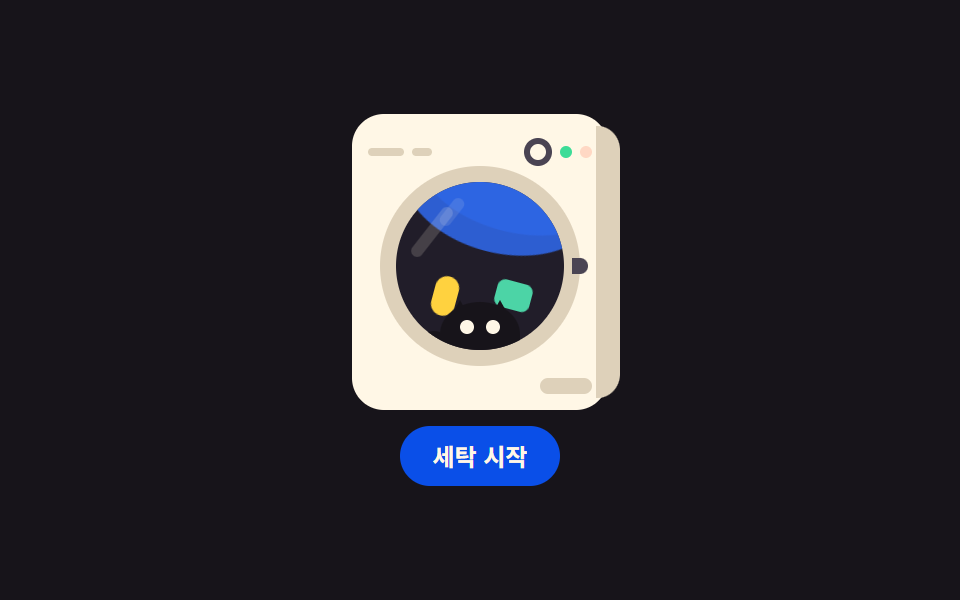 01 object-washer-drum
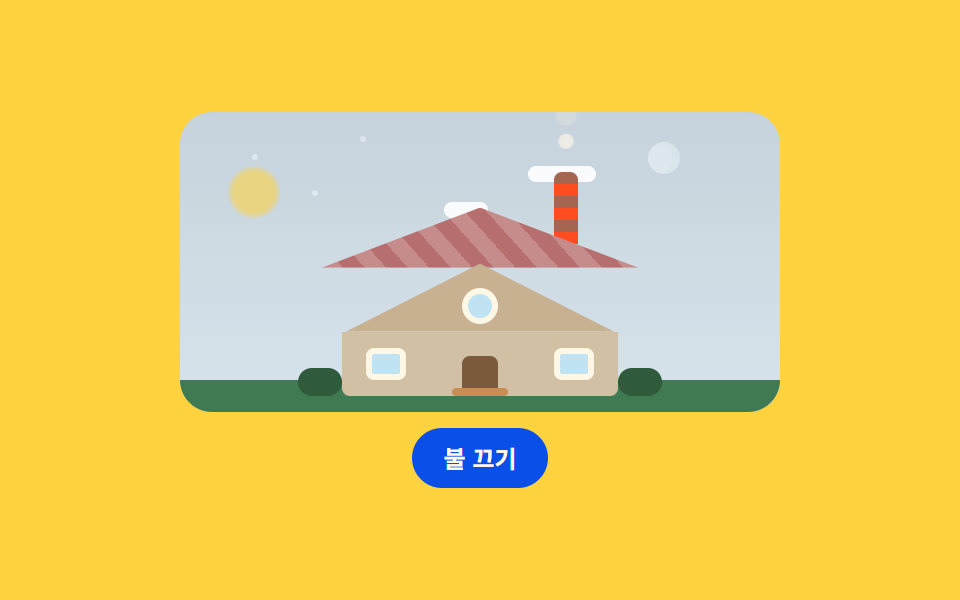 02 object-house-glow
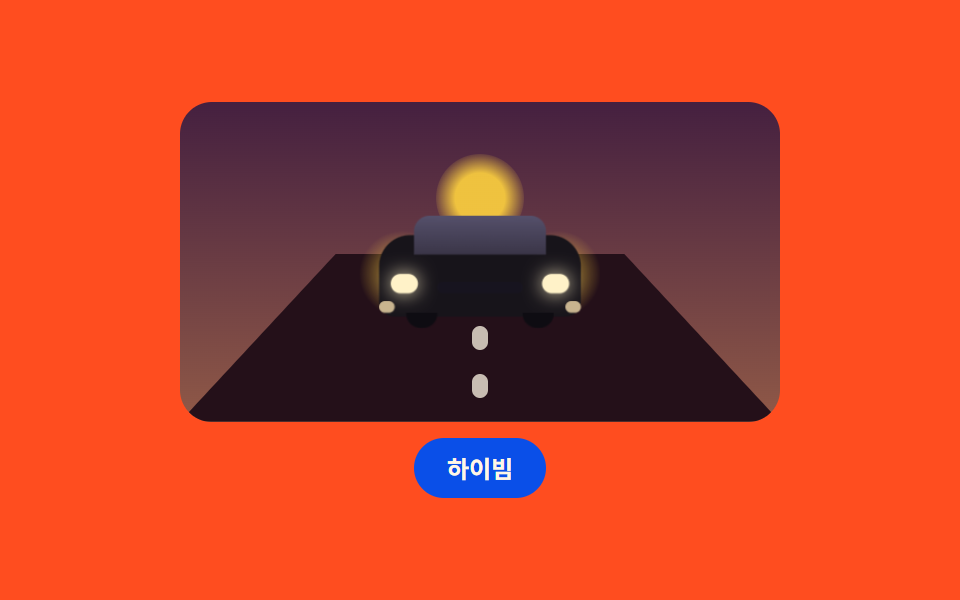 03 object-car-approach
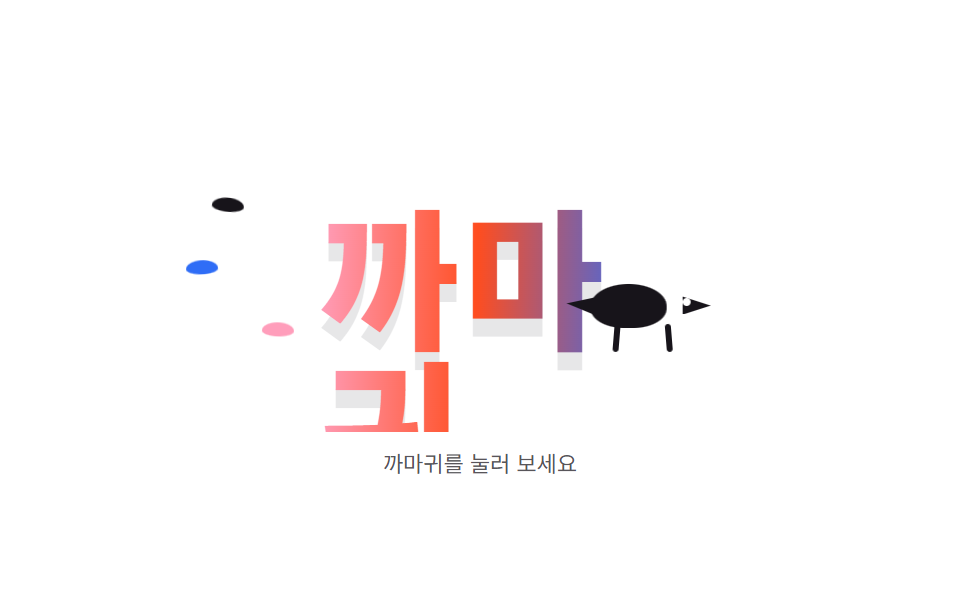 04 object-crow-wordmark
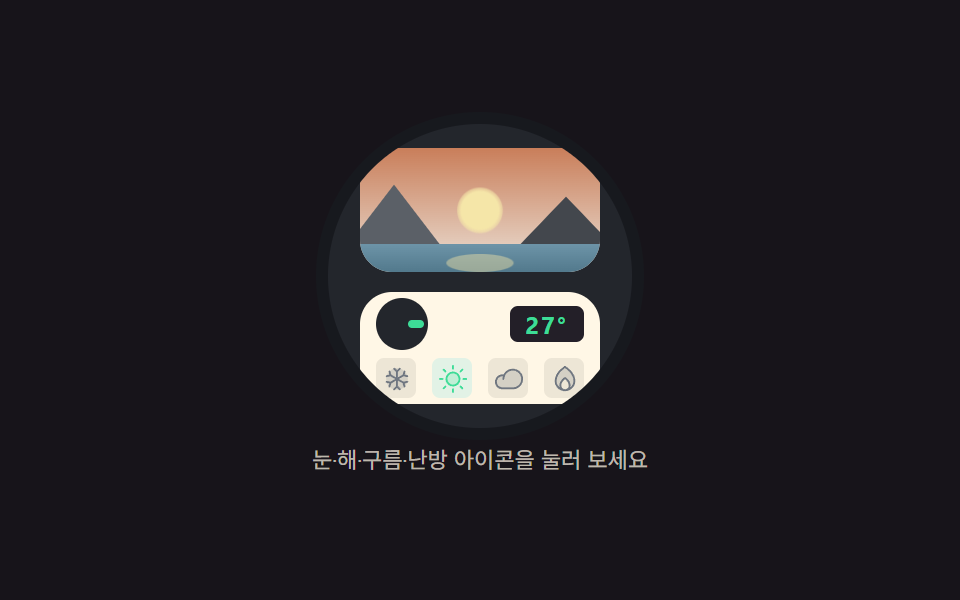 05 object-thermostat-scene
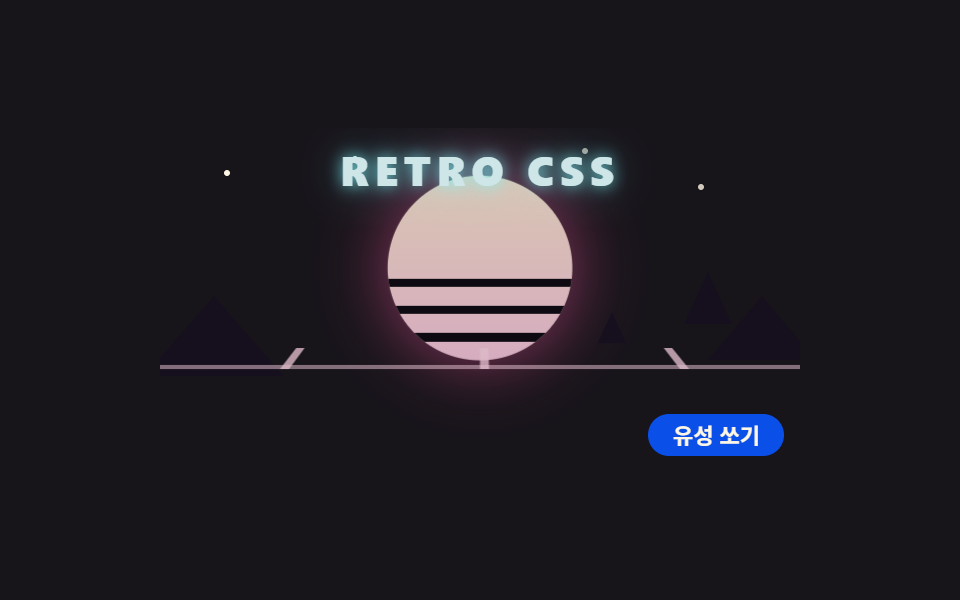 06 object-retro-sun-grid
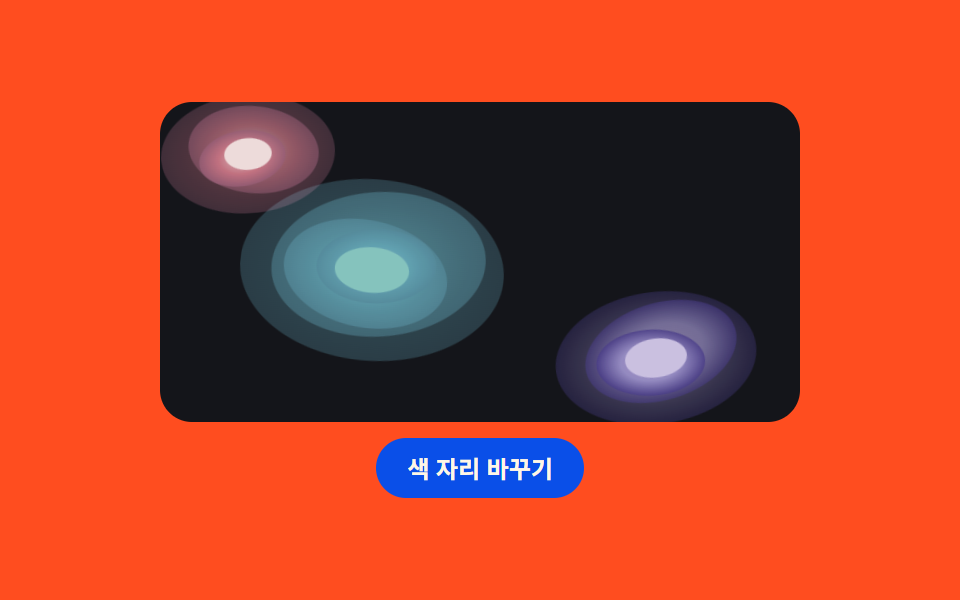 07 object-pool-gradient
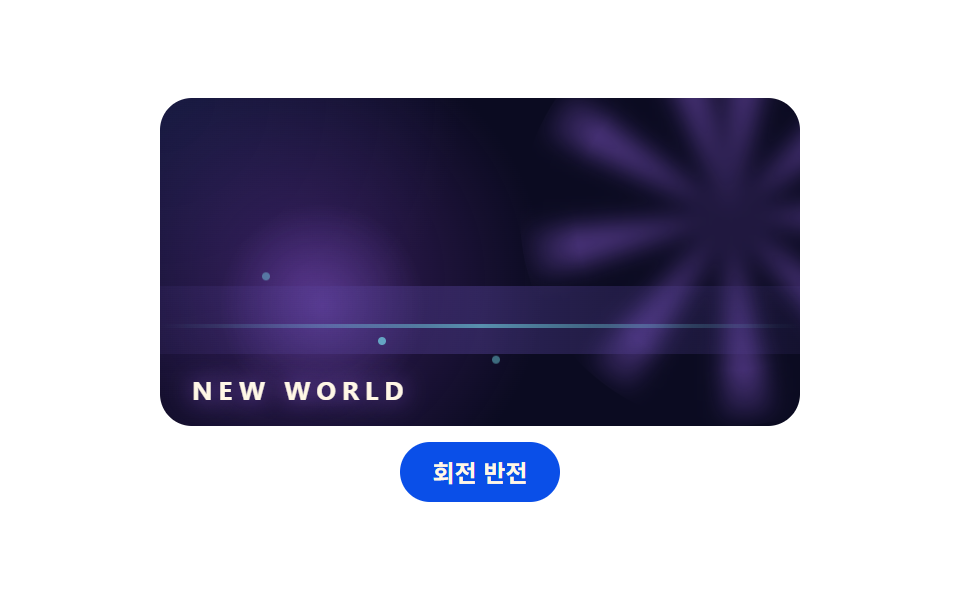 08 object-game-hero
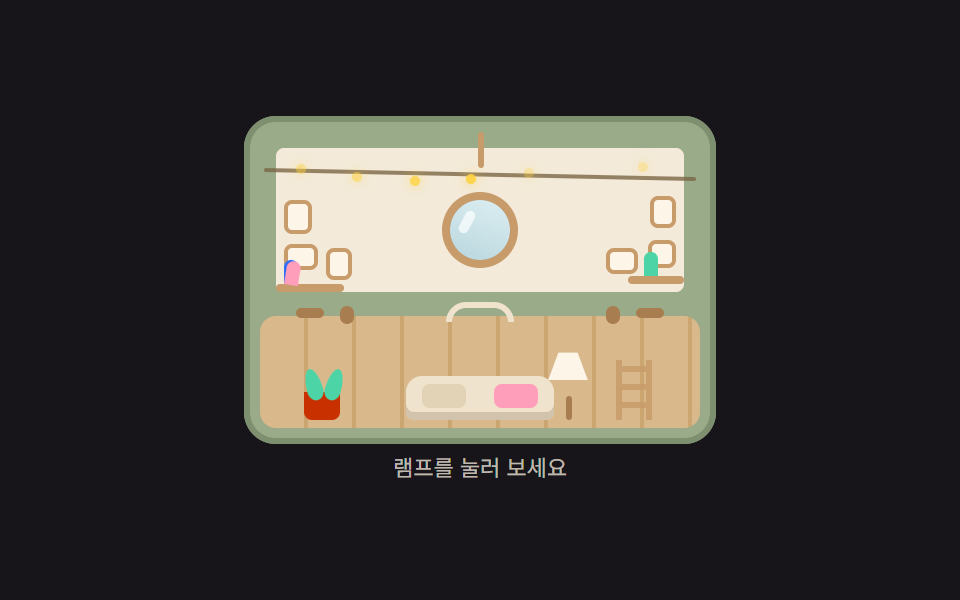 09 object-trunk-house
자동 재생 · 눌러서 해당 항목으로 · 전부 한 zip
- 01 세탁기 드럼 회전
- 02 집 — 창문 불빛과 굴뚝 연기
- 03 다가오는 자동차와 노면
- 04 까마귀가 지나가는 워드마크
- 05 온도조절기 풍경 창
- 06 레트로 해와 원근 그리드
- 07 물웅덩이 그라디언트 배경
- 08 게임 회사풍 히어로 배경
- 09 트렁크 가방 하우스
순서는 인기순이 아니라 사물 하나가 그려지고 움직이는 데 필요한 재료의 순서입니다. 먼저 둥근 창 하나가 사물의 얼굴이 되고(01), 지붕과 굴뚝으로 집 한 채가 서고(02), 바퀴와 불빛으로 차가 다가오고(03), 글자 위를 지나가는 실루엣으로 캐릭터가 생기고(04), 기기 안의 풍경으로 화면이 깊어지고(05), 해와 그리드로 무대가 꾸며지고(06·07·08), 마지막에 통째로 하나의 세계가 된 트렁크 하우스로 맺습니다(09). css 도형 그리기는 별도 프로그램 없이 둥근 모서리와 clip-path 만으로 되는데, 아홉 개 모두 무대 안의 사각형·원·삼각형 조각이라 외부 파일이 0개입니다. 같은 사물 축에서 창문 안 풍경을 먼저 다룬 CSS 장면 애니메이션, 캔버스로 비슷한 무대를 그리는 캔버스 씬 효과가 이 편의 이웃입니다.
01세탁기 드럼 회전
정면 세탁기를 크림색 몸체·원형 도어·컨트롤 패널로 짜고 도어 안 물과 양말이 한 덩어리로 도는, 가전 제품 소개 화면용 부품입니다.
<main class="stage">
<div class="ws is-demo" id="wsRoot">
  <div class="ws__machine">
    <span class="ws__side"></span>
    <div class="ws__top">
      <span class="ws__mark"></span>
      <span class="ws__mark ws__mark--short"></span>
      <span class="ws__dial"></span>
      <span class="ws__led ws__led--run"></span>
      <span class="ws__led ws__led--pause"></span>
    </div>
    <div class="ws__door">
      <span class="ws__ring"></span>
      <div class="ws__glass">
        <div class="ws__drum">
          <span class="ws__water ws__water--a"></span>
          <span class="ws__water ws__water--b"></span>
          <span class="ws__sock"></span>
          <span class="ws__shirt"></span>
        </div>
        <span class="ws__cat">
          <span class="ws__ear ws__ear--l"></span>
          <span class="ws__ear ws__ear--r"></span>
          <span class="ws__tail"></span>
          <span class="ws__head"></span>
          <span class="ws__eye ws__eye--l"></span>
          <span class="ws__eye ws__eye--r"></span>
        </span>
        <span class="ws__shine"></span>
        <span class="ws__shine ws__shine--b"></span>
      </div>
      <span class="ws__notch"></span>
    </div>
    <span class="ws__label"></span>
  </div>
  <button class="ws__btn" id="wsBtn" type="button" aria-pressed="false">세탁 시작</button>
</div>
</main>@use "../../../../site/static/demo-tokens" as *;
// 세탁기 드럼 회전 — 정면 세탁기를 도형으로만 그린다(이미지 파일 0).
// 드럼 안 물과 양말·셔츠는 하나의 그룹으로 묶어 2초에 한 바퀴 돌고,
// 고양이는 유리 앞쪽 바닥에 붙어 도는 물건을 지켜본다(눈만 깜빡).
// 시작/정지 버튼은 animation-play-state 하나로 드럼을 멈췄다 놓는다.
$duration: $dur-loop;
$easing: $ease-out;
$color: $subject-cream;
$side: #ded1ba;
$glass: #211d29;
$steel: #4a4453;
@include stage($stage-ink);
.ws {
display: flex; flex-direction: column; align-items: center; gap: $sp-2;
width: min(100%, 320px);
}
// ── 세탁기 몸체
.ws__machine {
position: relative; box-sizing: border-box;
width: 128px; height: 148px;
border-radius: $r-card;
background: $color;
padding: $sp-2 $sp-2 0;
}
.ws__side {
position: absolute; right: -6px; top: 6px; bottom: 6px; width: 12px;
border-radius: 0 $r-card $r-card 0;
background: $side;
}
// ── 상단 컨트롤 패널
.ws__top {
position: relative; height: 22px;
display: flex; align-items: center; gap: $sp-1;
}
.ws__mark {
width: 18px; height: 4px; border-radius: $r-pill; background: $side;
}
.ws__mark--short { width: 10px; }
.ws__dial {
width: 14px; height: 14px; border-radius: 50%;
border: 3px solid $steel; box-sizing: border-box;
margin-left: auto;
}
.ws__led {
width: 6px; height: 6px; border-radius: 50%;
transition: opacity $dur-quick $easing;
}
.ws__led--run { background: $tick-up; opacity: 1; }
.ws__led--pause { background: $tick-down; opacity: .25; }
.ws.is-pause .ws__led--run { opacity: .25; }
.ws.is-pause .ws__led--pause { opacity: 1; }
// ── 원형 도어. 유리 안은 드럼(회전 그룹)과 고양이(고정) 두 겹
.ws__door {
position: relative; width: 84px; height: 84px;
margin: $sp-1 auto 0;
}
.ws__ring {
position: absolute; inset: -8px; border-radius: 50%;
background: $side;
}
.ws__glass {
position: absolute; inset: 0; border-radius: 50%;
background: $glass; overflow: hidden;
}
.ws__notch {
position: absolute; right: -12px; top: 50%; width: 8px; height: 8px;
margin-top: -4px; border-radius: 0 $r-xs $r-xs 0;
background: $steel;
}
// 드럼: 물 두 겹 + 양말 + 셔츠가 한 덩어리로 돈다
.ws__drum {
position: absolute; inset: 0;
animation-name: wsSpin; animation-duration: $duration;
animation-timing-function: linear; animation-iteration-count: infinite;
}
.ws.is-pause .ws__drum { animation-play-state: paused; }
.ws__water {
position: absolute; left: -10%; bottom: -38%; width: 120%; height: 78%;
border-radius: 50%;
background: rgba($subject-blue, .82);
}
.ws__water--b {
bottom: -46%; height: 72%; left: -16%;
background: rgba($subject-blue, .45);
}
.ws__sock {
position: absolute; left: 58%; top: 16%; width: 12px; height: 20px;
border-radius: $r-pill;
background: $stage-yellow;
}
.ws__shirt {
position: absolute; left: 16%; top: 30%; width: 18px; height: 14px;
border-radius: $r-xs;
background: $subject-mint;
}
// 고양이: 유리 하단에 앉아 도는 세탁물을 본다. 몸은 고정, 눈만 깜빡
.ws__cat {
position: absolute; left: 50%; bottom: -2px; width: 40px; height: 26px;
margin-left: -20px;
}
.ws__head {
position: absolute; inset: 0; bottom: -6px;
border-radius: 50% 50% $r-xs $r-xs;
background: $subject-ink;
}
.ws__ear {
position: absolute; top: -1px; width: 0; height: 0;
border-left: 5px solid transparent; border-right: 5px solid transparent;
border-bottom: 9px solid $subject-ink;
}
.ws__ear--l { left: 5px; }
.ws__ear--r { right: 5px; }
.ws__tail {
position: absolute; left: -8px; bottom: 2px; width: 14px; height: 9px;
border-radius: 50%; background: $subject-ink;
transform: rotate(24deg);
}
.ws__eye {
position: absolute; top: 9px; width: 7px; height: 7px;
border-radius: 50%; background: $subject-cream;
animation-name: wsBlink; animation-duration: $duration;
animation-iteration-count: infinite;
}
.ws__eye--l { left: 10px; }
.ws__eye--r { right: 10px; }
// 유리 반사: 두 줄 사선
.ws__shine {
position: absolute; left: 18%; top: 12%; width: 6px; height: 30px;
border-radius: $r-pill;
background: rgba(255, 247, 230, .16);
transform: rotate(38deg);
}
.ws__shine--b { left: 30%; top: 8%; height: 16px; opacity: .7; }
.ws__label {
position: absolute; right: $sp-2; bottom: $sp-2;
width: 26px; height: 8px; border-radius: $r-xs; background: $side;
}
.ws__btn {
box-sizing: border-box; padding: $sp-2 $sp-4; border: 0;
border-radius: $r-pill; background: $subject-blue-deep; color: $subject-cream;
font-family: inherit; font-weight: 700; font-size: 12px; line-height: 1.2;
cursor: pointer;
}
@keyframes wsSpin {
from { transform: rotate(0deg); }
to { transform: rotate(360deg); }
}
@keyframes wsBlink {
0%, 42% { transform: scaleY(1); }
46%, 50% { transform: scaleY(.1); }
54%, 100% { transform: scaleY(1); }
}
@media (max-width: 340px) {
.ws__machine { width: 104px; height: 118px; }
.ws__top { height: 18px; }
.ws__mark { width: 12px; }
.ws__dial { width: 10px; height: 10px; }
.ws__door { width: 64px; height: 64px; }
.ws__cat { width: 32px; height: 20px; bottom: -1px; }
.ws__sock { width: 10px; height: 16px; }
.ws__shirt { width: 14px; height: 11px; }
.ws__btn { padding: $sp-1 $sp-3; font-size: 11px; }
}
@media (prefers-reduced-motion: reduce) {
.ws__drum, .ws__eye { animation-name: none !important; }
}html, body {
margin: 0;
overflow: hidden;
}
.stage {
box-sizing: border-box;
min-height: 100vh;
display: grid;
place-items: center;
margin: 0;
background: #17141a;
font-family: -apple-system, "Segoe UI", "Noto Sans KR", sans-serif;
padding: clamp(8px, 4vw, 24px);
}
.ws {
display: flex;
flex-direction: column;
align-items: center;
gap: 8px;
width: min(100%, 320px);
}
.ws__machine {
position: relative;
box-sizing: border-box;
width: 128px;
height: 148px;
border-radius: 16px;
background: #fff7e6;
padding: 8px 8px 0;
}
.ws__side {
position: absolute;
right: -6px;
top: 6px;
bottom: 6px;
width: 12px;
border-radius: 0 16px 16px 0;
background: #ded1ba;
}
.ws__top {
position: relative;
height: 22px;
display: flex;
align-items: center;
gap: 4px;
}
.ws__mark {
width: 18px;
height: 4px;
border-radius: 999px;
background: #ded1ba;
}
.ws__mark--short {
width: 10px;
}
.ws__dial {
width: 14px;
height: 14px;
border-radius: 50%;
border: 3px solid #4a4453;
box-sizing: border-box;
margin-left: auto;
}
.ws__led {
width: 6px;
height: 6px;
border-radius: 50%;
transition: opacity 220ms ease-out;
}
.ws__led--run {
background: #3ddc97;
opacity: 1;
}
.ws__led--pause {
background: #ff7a5e;
opacity: 0.25;
}
.ws.is-pause .ws__led--run {
opacity: 0.25;
}
.ws.is-pause .ws__led--pause {
opacity: 1;
}
.ws__door {
position: relative;
width: 84px;
height: 84px;
margin: 4px auto 0;
}
.ws__ring {
position: absolute;
inset: -8px;
border-radius: 50%;
background: #ded1ba;
}
.ws__glass {
position: absolute;
inset: 0;
border-radius: 50%;
background: #211d29;
overflow: hidden;
}
.ws__notch {
position: absolute;
right: -12px;
top: 50%;
width: 8px;
height: 8px;
margin-top: -4px;
border-radius: 0 4px 4px 0;
background: #4a4453;
}
.ws__drum {
position: absolute;
inset: 0;
animation-name: wsSpin;
animation-duration: 2s;
animation-timing-function: linear;
animation-iteration-count: infinite;
}
.ws.is-pause .ws__drum {
animation-play-state: paused;
}
.ws__water {
position: absolute;
left: -10%;
bottom: -38%;
width: 120%;
height: 78%;
border-radius: 50%;
background: rgba(47, 109, 246, 0.82);
}
.ws__water--b {
bottom: -46%;
height: 72%;
left: -16%;
background: rgba(47, 109, 246, 0.45);
}
.ws__sock {
position: absolute;
left: 58%;
top: 16%;
width: 12px;
height: 20px;
border-radius: 999px;
background: #ffd23f;
}
.ws__shirt {
position: absolute;
left: 16%;
top: 30%;
width: 18px;
height: 14px;
border-radius: 4px;
background: #4cd4a6;
}
.ws__cat {
position: absolute;
left: 50%;
bottom: -2px;
width: 40px;
height: 26px;
margin-left: -20px;
}
.ws__head {
position: absolute;
inset: 0;
bottom: -6px;
border-radius: 50% 50% 4px 4px;
background: #17141a;
}
.ws__ear {
position: absolute;
top: -1px;
width: 0;
height: 0;
border-left: 5px solid transparent;
border-right: 5px solid transparent;
border-bottom: 9px solid #17141a;
}
.ws__ear--l {
left: 5px;
}
.ws__ear--r {
right: 5px;
}
.ws__tail {
position: absolute;
left: -8px;
bottom: 2px;
width: 14px;
height: 9px;
border-radius: 50%;
background: #17141a;
transform: rotate(24deg);
}
.ws__eye {
position: absolute;
top: 9px;
width: 7px;
height: 7px;
border-radius: 50%;
background: #fff7e6;
animation-name: wsBlink;
animation-duration: 2s;
animation-iteration-count: infinite;
}
.ws__eye--l {
left: 10px;
}
.ws__eye--r {
right: 10px;
}
.ws__shine {
position: absolute;
left: 18%;
top: 12%;
width: 6px;
height: 30px;
border-radius: 999px;
background: rgba(255, 247, 230, 0.16);
transform: rotate(38deg);
}
.ws__shine--b {
left: 30%;
top: 8%;
height: 16px;
opacity: 0.7;
}
.ws__label {
position: absolute;
right: 8px;
bottom: 8px;
width: 26px;
height: 8px;
border-radius: 4px;
background: #ded1ba;
}
.ws__btn {
box-sizing: border-box;
padding: 8px 16px;
border: 0;
border-radius: 999px;
background: #0a4fe8;
color: #fff7e6;
font-family: inherit;
font-weight: 700;
font-size: 12px;
line-height: 1.2;
cursor: pointer;
}
@keyframes wsSpin {
from {
transform: rotate(0deg);
}
to {
transform: rotate(360deg);
}
}
@keyframes wsBlink {
0%, 42% {
transform: scaleY(1);
}
46%, 50% {
transform: scaleY(0.1);
}
54%, 100% {
transform: scaleY(1);
}
}
@media (max-width: 340px) {
.ws__machine {
width: 104px;
height: 118px;
}
.ws__top {
height: 18px;
}
.ws__mark {
width: 12px;
}
.ws__dial {
width: 10px;
height: 10px;
}
.ws__door {
width: 64px;
height: 64px;
}
.ws__cat {
width: 32px;
height: 20px;
bottom: -1px;
}
.ws__sock {
width: 10px;
height: 16px;
}
.ws__shirt {
width: 14px;
height: 11px;
}
.ws__btn {
padding: 4px 12px;
font-size: 11px;
}
}
@media (prefers-reduced-motion: reduce) {
.ws__drum, .ws__eye {
animation-name: none !important;
}
}// 시작/정지는 .is-pause 클래스 하나로 끝난다. 손이 닿는 순간 미리보기 루프(.is-demo)를 떼고
// 사람이 누른 상태를 그대로 유지한다. 드럼 회전 자체는 사용자 조작에서도 계속 돈다.
(function () {
var root = document.getElementById('wsRoot');
var btn = document.getElementById('wsBtn');
var runLabel = '세탁 시작';
var pauseLabel = '일시정지';
btn.addEventListener('click', function () {
root.classList.remove('is-demo');
var paused = root.classList.toggle('is-pause');
btn.textContent = paused ? pauseLabel : runLabel;
btn.setAttribute('aria-pressed', paused ? 'true' : 'false');
});
})();// WasherDrum — vanilla 판(run/078/demo/01-object-washer-drum/index.html) 의 React 포트.
// 시작/정지는 paused 하나로 갈리고, 첫 클릭에 미리보기 루프(is-demo)를 뗀다.
import { useState } from "react";
import type { CSSProperties } from "react";
import styles from "./WasherDrum.module.scss";
export type WasherDrumProps = {
duration?: number;
easing?: string;
color?: string;
initialPaused?: boolean;
};
type Vars = CSSProperties & { "--duration"?: string; "--easing"?: string; "--color"?: string };
export default function WasherDrum(props: WasherDrumProps) {
const duration = props.duration ?? 2000;
const easing = props.easing ?? "ease-out";
const color = props.color ?? "#fff7e6";
const [paused, setPaused] = useState<boolean>(props.initialPaused ?? false);
const [preview, setPreview] = useState<boolean>(true);
const vars: Vars = { "--duration": duration + "ms", "--easing": easing, "--color": color };
const rootClass = ["ws", preview ? "is-demo" : "", paused ? "is-pause" : ""]
.filter(Boolean).map((c) => (styles as { [k: string]: string })[c]).join(" ");
return (
<main className={styles.stage}>
<div className={rootClass} style={vars}>
<div className={styles["ws__machine"]}>
<span className={styles["ws__side"]}></span>
<div className={styles["ws__top"]}>
<span className={styles["ws__mark"]}></span>
<span className={styles["ws__mark"] + " " + styles["ws__mark--short"]}></span>
<span className={styles["ws__dial"]}></span>
<span className={styles["ws__led"] + " " + styles["ws__led--run"]}></span>
<span className={styles["ws__led"] + " " + styles["ws__led--pause"]}></span>
</div>
<div className={styles["ws__door"]}>
<span className={styles["ws__ring"]}></span>
<div className={styles["ws__glass"]}>
<div className={styles["ws__drum"]}>
<span className={styles["ws__water"] + " " + styles["ws__water--a"]}></span>
<span className={styles["ws__water"] + " " + styles["ws__water--b"]}></span>
<span className={styles["ws__sock"]}></span>
<span className={styles["ws__shirt"]}></span>
</div>
<span className={styles["ws__cat"]}>
<span className={styles["ws__ear"] + " " + styles["ws__ear--l"]}></span>
<span className={styles["ws__ear"] + " " + styles["ws__ear--r"]}></span>
<span className={styles["ws__tail"]}></span>
<span className={styles["ws__head"]}></span>
<span className={styles["ws__eye"] + " " + styles["ws__eye--l"]}></span>
<span className={styles["ws__eye"] + " " + styles["ws__eye--r"]}></span>
</span>
<span className={styles["ws__shine"]}></span>
<span className={styles["ws__shine"] + " " + styles["ws__shine--b"]}></span>
</div>
<span className={styles["ws__notch"]}></span>
</div>
<span className={styles["ws__label"]}></span>
</div>
<button
className={styles["ws__btn"]}
type="button"
aria-pressed={paused ? "true" : "false"}
onClick={() => { setPreview(false); setPaused((p) => !p); }}
>
{paused ? "일시정지" : "세탁 시작"}
</button>
</div>
</main>
);
}01 · 세탁기 드럼 회전 — 측정 누적면적 3.349% · 움직인 프레임 23/23GODRICH 원작 · zip 에 SCSS·React 포함 · 비밀번호 보기
드럼은 한 그룹으로 묶어 한 바퀴
.ws__drum {
  position: absolute; inset: 0;
  animation-name: wsSpin; animation-duration: $duration;
  animation-timing-function: linear; animation-iteration-count: infinite;
}
.ws.is-pause .ws__drum { animation-play-state: paused; }

@keyframes wsSpin {
  from { transform: rotate(0deg); }
  to { transform: rotate(360deg); }
}
@keyframes wsBlink {
  0%, 42% { transform: scaleY(1); }
  46%, 50% { transform: scaleY(.1); }
  54%, 100% { transform: scaleY(1); }
}
물 두 겹과 양말·셔츠를 .ws__drum 한 그룹에 넣었으므로 회전은 선언 하나로 끝나고, 정지는 animation-play-state 로 애니메이션을 지우지 않고 잠시 멈춥니다. 고양이는 그룹 밖에서 2초 루프의 46% 지점에 한 번 눈을 깜빡이는데, 버튼을 누르면 드럼 계산값이 running 에서 paused 로, 패널 표시등은 1에서 0.25 로 꺼집니다.
02집 — 창문 불빛과 굴뚝 연기
줄무늬 지붕과 굴뚝을 가진 집이 스위치 한 번에 저녁으로 바뀌는, 부동산·홈서비스 온보딩 첫 화면용 부품입니다.
<main class="stage">
<div class="hs is-demo" id="hsRoot">
  <div class="hs__scene">
    <span class="hs__skyday"></span>
    <div class="hs__skynight">
      <span class="hs__star hs__star--a"></span>
      <span class="hs__star hs__star--b"></span>
      <span class="hs__star hs__star--c"></span>
      <span class="hs__moon"></span>
    </div>
    <span class="hs__sun"></span>
    <span class="hs__cloud hs__cloud--a"></span>
    <span class="hs__cloud hs__cloud--b"></span>
    <span class="hs__ground"></span>
    <div class="hs__house">
      <span class="hs__smoke hs__smoke--1"></span>
      <span class="hs__smoke hs__smoke--2"></span>
      <span class="hs__smoke hs__smoke--3"></span>
      <span class="hs__chimney"></span>
      <span class="hs__roof"></span>
      <span class="hs__gable"></span>
      <span class="hs__win hs__win--round"></span>
      <span class="hs__wall"></span>
      <span class="hs__win hs__win--l"></span>
      <span class="hs__win hs__win--r"></span>
      <span class="hs__door"></span>
      <span class="hs__step"></span>
      <span class="hs__bush hs__bush--l"></span>
      <span class="hs__bush hs__bush--r"></span>
    </div>
  </div>
  <button class="hs__btn" id="hsBtn" type="button" aria-pressed="false">불 끄기</button>
</div>
</main>@use "../../../../site/static/demo-tokens" as *;
// 집 — 창문 불빛과 굴뚝 연기. 지붕 줄무늬는 repeating-linear-gradient,
// 연기 세 점은 animation-delay 로 시차를 두고, 낮/밤 전환은
// 밤 하늘 겹침막의 opacity transition 하나로 한다(하늘·창문·해·달이 같이 움직인다).
$duration: $dur-enter;
$easing: $ease-out;
$color: $stage-orange;
$roof: #c68c8c;
$roof-fold: #b76e6e;
$wall: #c8b190;
$wall-side: #d2c0a5;
$wood: #7c5a3e;
$leaf: #2f5a3c;
$leaf-light: #3f7a52;
$glass: #bfe3f2;
$sky-top: #d6e4eb;
$sky-bottom: #e8f6fb;
$night-top: #1d2340;
$night-bottom: #3a2f55;
@include stage($stage-yellow);
.hs {
display: flex; flex-direction: column; align-items: center; gap: $sp-2;
width: min(100%, 300px);
}
.hs__scene {
position: relative; box-sizing: border-box;
width: 100%; height: 150px;
border-radius: $r-card; overflow: hidden;
background: linear-gradient(180deg, $sky-top 0%, $sky-bottom 100%);
}
// 밤 하늘 겹침막 — 낮 위에 opacity 로 올라온다
.hs__skynight {
position: absolute; inset: 0; opacity: 0;
background: linear-gradient(180deg, $night-top 0%, $night-bottom 100%);
animation-name: hsCycle; animation-duration: $dur-loop;
animation-timing-function: ease-in-out; animation-iteration-count: infinite;
}
.hs__star {
position: absolute; width: 3px; height: 3px; border-radius: 50%;
background: $subject-cream;
}
.hs__star--a { left: 12%; top: 14%; }
.hs__star--b { left: 30%; top: 8%; }
.hs__star--c { left: 22%; top: 26%; }
.hs__moon {
position: absolute; left: 78%; top: 10%; width: 16px; height: 16px;
border-radius: 50%; background: $subject-cream;
box-shadow: inset -4px 0 0 rgba(23, 20, 26, .18);
}
.hs__sun {
position: absolute; left: 8%; top: 12%; width: 26px; height: 26px;
border-radius: 50%;
background: radial-gradient(circle, $stage-yellow 0 55%, rgba(255, 210, 63, 0) 78%);
animation-name: hsSun; animation-duration: $dur-loop;
animation-timing-function: ease-in-out; animation-iteration-count: infinite;
}
.hs__cloud {
position: absolute; height: 8px; border-radius: $r-pill;
background: rgba(255, 255, 255, .9);
}
.hs__cloud--a { left: 58%; top: 18%; width: 34px; }
.hs__cloud--b { left: 44%; top: 30%; width: 22px; }
.hs__ground {
position: absolute; left: 0; right: 0; bottom: 0; height: 16px;
background: $leaf-light;
}
// ── 집
.hs__house {
position: absolute; left: 50%; bottom: 8px; width: 150px; height: 112px;
margin-left: -75px;
}
.hs__roof {
position: absolute; left: -4px; right: -4px; top: 18px; height: 30px;
clip-path: polygon(50% 0, 100% 100%, 0 100%);
background: repeating-linear-gradient(48deg, $roof 0 8px, $roof-fold 8px 16px);
}
.hs__gable {
position: absolute; left: 8px; right: 8px; top: 46px; height: 34px;
clip-path: polygon(50% 0, 100% 100%, 0 100%);
background: $wall;
}
.hs__chimney {
position: absolute; right: 26px; top: 0; width: 12px; height: 36px;
border-radius: $r-xs $r-xs 0 0;
background: repeating-linear-gradient(0deg, $color 0 6px, #a46651 6px 12px);
}
.hs__smoke {
position: absolute; right: 28px; top: -8px; width: 8px; height: 8px;
border-radius: 50%; background: rgba(255, 247, 230, .8);
animation-name: hsSmoke; animation-duration: $dur-loop;
animation-timing-function: ease-out; animation-iteration-count: infinite;
animation-fill-mode: both;
}
.hs__smoke--2 { animation-delay: 660ms; }
.hs__smoke--3 { animation-delay: 1320ms; }
.hs__wall {
position: absolute; left: 6px; right: 6px; top: 80px; bottom: 0;
border-radius: 0 0 $r-xs $r-xs;
background: $wall-side;
}
// 창: 유리색이 밤에 노란 불빛으로 바뀐다(같은 transition)
.hs__win {
position: absolute; border: 3px solid $subject-cream; box-sizing: border-box;
border-radius: $r-xs; background: $glass;
transition: background $duration $easing, box-shadow $duration $easing;
}
.hs__win--round {
left: 50%; top: 58px; width: 18px; height: 18px; margin-left: -9px;
border-radius: 50%;
}
.hs__win--l { left: 18px; top: 88px; width: 20px; height: 16px; }
.hs__win--r { right: 18px; top: 88px; width: 20px; height: 16px; }
.hs.is-night .hs__win {
background: $stage-yellow;
box-shadow: 0 0 12px rgba(255, 210, 63, .8);
}
.hs__door {
position: absolute; left: 50%; top: 92px; width: 18px; height: 20px;
margin-left: -9px; border-radius: $r-xs $r-xs 0 0;
background: $wood;
}
.hs__step {
position: absolute; left: 50%; bottom: 0; width: 28px; height: 4px;
margin-left: -14px; border-radius: $r-xs; background: #c98d54;
}
.hs__bush {
position: absolute; bottom: 0; width: 22px; height: 14px;
border-radius: $r-pill; background: $leaf;
}
.hs__bush--l { left: -16px; }
.hs__bush--r { right: -16px; }
// 미리보기 루프: 밤 겹침막이 52~78% 구간에만 올라왔다가 90% 안에 물러난다
.hs__btn {
box-sizing: border-box; padding: $sp-2 $sp-4; border: 0;
border-radius: $r-pill; background: $subject-blue-deep; color: $subject-cream;
font-family: inherit; font-weight: 700; font-size: 12px; line-height: 1.2;
cursor: pointer;
}
@keyframes hsCycle {
0%, 30% { opacity: 0; }
52%, 78% { opacity: 1; }
90%, 100% { opacity: 0; }
}
@keyframes hsSun {
0%, 26% { transform: translateY(0); opacity: 1; }
40%, 82% { transform: translateY(22px); opacity: 0; }
92%, 100% { transform: translateY(0); opacity: 1; }
}
@keyframes hsSmoke {
0% { transform: translateY(0) scale(.6); opacity: 0; }
22% { opacity: .85; }
86%, 100% { transform: translateY(-30px) scale(1.5); opacity: 0; }
}
// 사람이 고른 상태: 루프를 끄고 transition 으로만 바뀐다(연기는 계속 상승)
.hs:not(.is-demo) .hs__skynight,
.hs:not(.is-demo) .hs__sun {
animation-name: none;
}
.hs:not(.is-demo) .hs__skynight { transition: opacity $duration $easing; }
.hs:not(.is-demo) .hs__sun { transition: transform $duration $easing, opacity $duration $easing; }
.hs.is-night .hs__skynight { opacity: 1; }
.hs:not(.is-demo).is-night .hs__sun { transform: translateY(22px); opacity: 0; }
@media (max-width: 340px) {
.hs__scene { height: 118px; }
.hs__house { transform-origin: bottom center; transform: scale(.82); }
.hs__btn { padding: $sp-1 $sp-3; font-size: 11px; }
}
@media (prefers-reduced-motion: reduce) {
.hs__skynight, .hs__sun, .hs__smoke { animation-name: none !important; }
.hs:not(.is-demo) .hs__skynight,
.hs:not(.is-demo) .hs__sun,
.hs__win { transition: none !important; }
}html, body {
margin: 0;
overflow: hidden;
}
.stage {
box-sizing: border-box;
min-height: 100vh;
display: grid;
place-items: center;
margin: 0;
background: #ffd23f;
font-family: -apple-system, "Segoe UI", "Noto Sans KR", sans-serif;
padding: clamp(8px, 4vw, 24px);
}
.hs {
display: flex;
flex-direction: column;
align-items: center;
gap: 8px;
width: min(100%, 300px);
}
.hs__scene {
position: relative;
box-sizing: border-box;
width: 100%;
height: 150px;
border-radius: 16px;
overflow: hidden;
background: linear-gradient(180deg, #d6e4eb 0%, #e8f6fb 100%);
}
.hs__skynight {
position: absolute;
inset: 0;
opacity: 0;
background: linear-gradient(180deg, #1d2340 0%, #3a2f55 100%);
animation-name: hsCycle;
animation-duration: 2s;
animation-timing-function: ease-in-out;
animation-iteration-count: infinite;
}
.hs__star {
position: absolute;
width: 3px;
height: 3px;
border-radius: 50%;
background: #fff7e6;
}
.hs__star--a {
left: 12%;
top: 14%;
}
.hs__star--b {
left: 30%;
top: 8%;
}
.hs__star--c {
left: 22%;
top: 26%;
}
.hs__moon {
position: absolute;
left: 78%;
top: 10%;
width: 16px;
height: 16px;
border-radius: 50%;
background: #fff7e6;
box-shadow: inset -4px 0 0 rgba(23, 20, 26, 0.18);
}
.hs__sun {
position: absolute;
left: 8%;
top: 12%;
width: 26px;
height: 26px;
border-radius: 50%;
background: radial-gradient(circle, #ffd23f 0 55%, rgba(255, 210, 63, 0) 78%);
animation-name: hsSun;
animation-duration: 2s;
animation-timing-function: ease-in-out;
animation-iteration-count: infinite;
}
.hs__cloud {
position: absolute;
height: 8px;
border-radius: 999px;
background: rgba(255, 255, 255, 0.9);
}
.hs__cloud--a {
left: 58%;
top: 18%;
width: 34px;
}
.hs__cloud--b {
left: 44%;
top: 30%;
width: 22px;
}
.hs__ground {
position: absolute;
left: 0;
right: 0;
bottom: 0;
height: 16px;
background: #3f7a52;
}
.hs__house {
position: absolute;
left: 50%;
bottom: 8px;
width: 150px;
height: 112px;
margin-left: -75px;
}
.hs__roof {
position: absolute;
left: -4px;
right: -4px;
top: 18px;
height: 30px;
clip-path: polygon(50% 0, 100% 100%, 0 100%);
background: repeating-linear-gradient(48deg, #c68c8c 0 8px, #b76e6e 8px 16px);
}
.hs__gable {
position: absolute;
left: 8px;
right: 8px;
top: 46px;
height: 34px;
clip-path: polygon(50% 0, 100% 100%, 0 100%);
background: #c8b190;
}
.hs__chimney {
position: absolute;
right: 26px;
top: 0;
width: 12px;
height: 36px;
border-radius: 4px 4px 0 0;
background: repeating-linear-gradient(0deg, #ff4d1f 0 6px, #a46651 6px 12px);
}
.hs__smoke {
position: absolute;
right: 28px;
top: -8px;
width: 8px;
height: 8px;
border-radius: 50%;
background: rgba(255, 247, 230, 0.8);
animation-name: hsSmoke;
animation-duration: 2s;
animation-timing-function: ease-out;
animation-iteration-count: infinite;
animation-fill-mode: both;
}
.hs__smoke--2 {
animation-delay: 660ms;
}
.hs__smoke--3 {
animation-delay: 1320ms;
}
.hs__wall {
position: absolute;
left: 6px;
right: 6px;
top: 80px;
bottom: 0;
border-radius: 0 0 4px 4px;
background: #d2c0a5;
}
.hs__win {
position: absolute;
border: 3px solid #fff7e6;
box-sizing: border-box;
border-radius: 4px;
background: #bfe3f2;
transition: background 600ms ease-out, box-shadow 600ms ease-out;
}
.hs__win--round {
left: 50%;
top: 58px;
width: 18px;
height: 18px;
margin-left: -9px;
border-radius: 50%;
}
.hs__win--l {
left: 18px;
top: 88px;
width: 20px;
height: 16px;
}
.hs__win--r {
right: 18px;
top: 88px;
width: 20px;
height: 16px;
}
.hs.is-night .hs__win {
background: #ffd23f;
box-shadow: 0 0 12px rgba(255, 210, 63, 0.8);
}
.hs__door {
position: absolute;
left: 50%;
top: 92px;
width: 18px;
height: 20px;
margin-left: -9px;
border-radius: 4px 4px 0 0;
background: #7c5a3e;
}
.hs__step {
position: absolute;
left: 50%;
bottom: 0;
width: 28px;
height: 4px;
margin-left: -14px;
border-radius: 4px;
background: #c98d54;
}
.hs__bush {
position: absolute;
bottom: 0;
width: 22px;
height: 14px;
border-radius: 999px;
background: #2f5a3c;
}
.hs__bush--l {
left: -16px;
}
.hs__bush--r {
right: -16px;
}
.hs__btn {
box-sizing: border-box;
padding: 8px 16px;
border: 0;
border-radius: 999px;
background: #0a4fe8;
color: #fff7e6;
font-family: inherit;
font-weight: 700;
font-size: 12px;
line-height: 1.2;
cursor: pointer;
}
@keyframes hsCycle {
0%, 30% {
opacity: 0;
}
52%, 78% {
opacity: 1;
}
90%, 100% {
opacity: 0;
}
}
@keyframes hsSun {
0%, 26% {
transform: translateY(0);
opacity: 1;
}
40%, 82% {
transform: translateY(22px);
opacity: 0;
}
92%, 100% {
transform: translateY(0);
opacity: 1;
}
}
@keyframes hsSmoke {
0% {
transform: translateY(0) scale(0.6);
opacity: 0;
}
22% {
opacity: 0.85;
}
86%, 100% {
transform: translateY(-30px) scale(1.5);
opacity: 0;
}
}
.hs:not(.is-demo) .hs__skynight,
.hs:not(.is-demo) .hs__sun {
animation-name: none;
}
.hs:not(.is-demo) .hs__skynight {
transition: opacity 600ms ease-out;
}
.hs:not(.is-demo) .hs__sun {
transition: transform 600ms ease-out, opacity 600ms ease-out;
}
.hs.is-night .hs__skynight {
opacity: 1;
}
.hs:not(.is-demo).is-night .hs__sun {
transform: translateY(22px);
opacity: 0;
}
@media (max-width: 340px) {
.hs__scene {
height: 118px;
}
.hs__house {
transform-origin: bottom center;
transform: scale(0.82);
}
.hs__btn {
padding: 4px 12px;
font-size: 11px;
}
}
@media (prefers-reduced-motion: reduce) {
.hs__skynight, .hs__sun, .hs__smoke {
animation-name: none !important;
}
.hs:not(.is-demo) .hs__skynight,
.hs:not(.is-demo) .hs__sun,
.hs__win {
transition: none !important;
}
}// 불 끄기/켜기는 .is-night 하나. 낮 하늘과 창문 불빛이 같이 바뀐다.
// 손이 닿는 순간 미리보기 루프(.is-demo)를 떼고 사람이 고른 상태를 유지한다.
(function () {
var root = document.getElementById('hsRoot');
var btn = document.getElementById('hsBtn');
var offLabel = '불 끄기';
var onLabel = '불 켜기';
btn.addEventListener('click', function () {
root.classList.remove('is-demo');
var night = root.classList.toggle('is-night');
btn.textContent = night ? onLabel : offLabel;
btn.setAttribute('aria-pressed', night ? 'true' : 'false');
});
})();// HouseGlow — vanilla 판(run/078/demo/02-object-house-glow/index.html) 의 React 포트.
// 불 끄기/켜기는 night 하나로 갈리고, 첫 클릭에 미리보기 루프(is-demo)를 뗀다.
import { useState } from "react";
import type { CSSProperties } from "react";
import styles from "./HouseGlow.module.scss";
export type HouseGlowProps = {
duration?: number;
easing?: string;
color?: string;
initialNight?: boolean;
};
type Vars = CSSProperties & { "--duration"?: string; "--easing"?: string; "--color"?: string };
export default function HouseGlow(props: HouseGlowProps) {
const duration = props.duration ?? 600;
const easing = props.easing ?? "ease-out";
const color = props.color ?? "#ff4d1f";
const [night, setNight] = useState<boolean>(props.initialNight ?? false);
const [preview, setPreview] = useState<boolean>(true);
const vars: Vars = { "--duration": duration + "ms", "--easing": easing, "--color": color };
const rootClass = ["hs", preview ? "is-demo" : "", night ? "is-night" : ""]
.filter(Boolean).map((c) => (styles as { [k: string]: string })[c]).join(" ");
return (
<main className={styles.stage}>
<div className={rootClass} style={vars}>
<div className={styles["hs__scene"]}>
<span className={styles["hs__skyday"]}></span>
<div className={styles["hs__skynight"]}>
<span className={styles["hs__star"] + " " + styles["hs__star--a"]}></span>
<span className={styles["hs__star"] + " " + styles["hs__star--b"]}></span>
<span className={styles["hs__star"] + " " + styles["hs__star--c"]}></span>
<span className={styles["hs__moon"]}></span>
</div>
<span className={styles["hs__sun"]}></span>
<span className={styles["hs__cloud"] + " " + styles["hs__cloud--a"]}></span>
<span className={styles["hs__cloud"] + " " + styles["hs__cloud--b"]}></span>
<span className={styles["hs__ground"]}></span>
<div className={styles["hs__house"]}>
<span className={styles["hs__smoke"] + " " + styles["hs__smoke--1"]}></span>
<span className={styles["hs__smoke"] + " " + styles["hs__smoke--2"]}></span>
<span className={styles["hs__smoke"] + " " + styles["hs__smoke--3"]}></span>
<span className={styles["hs__chimney"]}></span>
<span className={styles["hs__roof"]}></span>
<span className={styles["hs__gable"]}></span>
<span className={styles["hs__win"] + " " + styles["hs__win--round"]}></span>
<span className={styles["hs__wall"]}></span>
<span className={styles["hs__win"] + " " + styles["hs__win--l"]}></span>
<span className={styles["hs__win"] + " " + styles["hs__win--r"]}></span>
<span className={styles["hs__door"]}></span>
<span className={styles["hs__step"]}></span>
<span className={styles["hs__bush"] + " " + styles["hs__bush--l"]}></span>
<span className={styles["hs__bush"] + " " + styles["hs__bush--r"]}></span>
</div>
</div>
<button
className={styles["hs__btn"]}
type="button"
aria-pressed={night ? "true" : "false"}
onClick={() => { setPreview(false); setNight((n) => !n); }}
>
{night ? "불 켜기" : "불 끄기"}
</button>
</div>
</main>
);
}02 · 집 — 창문 불빛과 굴뚝 연기 — 측정 누적면적 22.172% · 움직인 프레임 22/23GODRICH 원작 · zip 에 SCSS·React 포함 · 비밀번호 보기
낮과 밤은 겹침막 하나의 opacity
.hs__skynight {
  position: absolute; inset: 0; opacity: 0;
  background: linear-gradient(180deg, $night-top 0%, $night-bottom 100%);
  animation-name: hsCycle; animation-duration: $dur-loop;
  animation-timing-function: ease-in-out; animation-iteration-count: infinite;
}
.hs.is-night .hs__win {
  background: $stage-yellow;
  box-shadow: 0 0 12px rgba(255, 210, 63, .8);
}
@keyframes hsCycle {
  0%, 30% { opacity: 0; }
  52%, 78% { opacity: 1; }
  90%, 100% { opacity: 0; }
}
밤 하늘과 별·달을 .hs__skynight 겹침막 한 장에 담아 opacity 하나로 올리고 내리므로, 사람이 스위치를 누를 때는 transition 으로, 격자 미리보기에서는 같은 키프레임으로 움직입니다. 스위치를 끄면 창 유리가 rgb(255, 210, 63) 로 켜지며 12px 빛이 번지고, 연기 세 점은 660ms 간격의 animation-delay 로 시차를 두고 피어오르는데 지붕 줄무늬는 그림이 아니라 반복 그라디언트로 칠한 선입니다.
03다가오는 자동차와 노면
해 질 녘 도로로 정면으로 돌진해 오는 차를 몸체·헤드라이트·노면 표시로 짜맞춘, 자동차·배달 서비스 랜딩 히어로용 부품입니다.
<main class="stage">
<div class="ca is-demo" id="caRoot">
  <div class="ca__scene">
    <span class="ca__lowsun"></span>
    <div class="ca__road">
      <div class="ca__marks">
        <span class="ca__dash"></span>
        <span class="ca__dash"></span>
        <span class="ca__dash"></span>
        <span class="ca__dash"></span>
        <span class="ca__dash"></span>
        <span class="ca__dash"></span>
      </div>
    </div>
    <div class="ca__car">
      <span class="ca__glow ca__glow--l"></span>
      <span class="ca__glow ca__glow--r"></span>
      <span class="ca__body"></span>
      <span class="ca__shield"></span>
      <span class="ca__grille"></span>
      <span class="ca__lamp ca__lamp--l"></span>
      <span class="ca__lamp ca__lamp--r"></span>
      <span class="ca__indi ca__indi--l"></span>
      <span class="ca__indi ca__indi--r"></span>
      <span class="ca__wheel ca__wheel--l"></span>
      <span class="ca__wheel ca__wheel--r"></span>
    </div>
  </div>
  <button class="ca__btn" id="caBtn" type="button" aria-pressed="false">하이빔</button>
</div>
</main>@use "../../../../site/static/demo-tokens" as *;
// 다가오는 자동차와 노면 — 정면 차를 도형으로만 그린다(이미지 파일 0).
// 다가옴은 차 몸체의 scale, 속도감은 노면 표시가 발밑으로 흐르는 세로 트랙(2세트 반복),
// 방향지시등은 steps(1, end) 컷으로 깜빡인다. 빛 덩어리는 헤드라이트 뒤 큰 원 두 개.
$duration: $dur-loop;
$easing: ease-in-out;
$color: $stage-yellow;
$dusk-top: #452040;
$dusk-bottom: #905947;
$asphalt: #241019;
$bodydark: $subject-ink;
$shield: #3a3547;
$lampcore: #fff2c8;
$amber: #c8b48f;
@include stage($stage-orange);
.ca {
display: flex; flex-direction: column; align-items: center; gap: $sp-2;
width: min(100%, 300px);
}
.ca__scene {
position: relative; box-sizing: border-box;
width: 100%; height: 160px;
border-radius: $r-card; overflow: hidden;
background: linear-gradient(180deg, $dusk-top 0%, $dusk-bottom 100%);
}
// 지평선에 걸린 해: 차 지붕 위로 반쯤 뜬 노을 해
.ca__lowsun {
position: absolute; left: 50%; top: 26px; width: 44px; height: 44px;
margin-left: -22px; border-radius: 50%;
background: radial-gradient(circle, rgba(255, 210, 63, .9) 0 40%, rgba(255, 210, 63, 0) 75%);
}
// ── 노면: 위가 좁고 아래가 넓은 사다리꼴. 표시가 발밑으로 흐른다
.ca__road {
position: absolute; left: 0; right: 0; bottom: 0; height: 84px;
clip-path: polygon(26% 0, 74% 0, 100% 100%, 0 100%);
background: $asphalt; overflow: hidden;
}
.ca__marks {
position: absolute; left: 50%; top: -72px; width: 8px; height: 144px;
margin-left: -4px;
animation-name: caFlow; animation-duration: $duration;
animation-timing-function: linear; animation-iteration-count: infinite;
}
// 간격은 margin-bottom(무한 트랙에는 gap 을 쓰지 않는다 — 2N 개 사이 gap 은 2N-1 개)
.ca__dash {
display: block; width: 8px; height: 12px; margin-bottom: 12px;
border-radius: $r-xs; background: rgba(255, 247, 230, .75);
}
// ── 차. 다가옴 = 그룹 scale
.ca__car {
position: absolute; left: 50%; bottom: 46px; width: 104px; height: 58px;
margin-left: -52px;
animation-name: caNear; animation-duration: $duration;
animation-timing-function: $easing; animation-iteration-count: infinite;
animation-direction: alternate;
}
.ca__body {
position: absolute; left: 0; right: 0; top: 10px; bottom: 6px;
border-radius: $r-card $r-card $r-sm $r-sm;
background: $bodydark;
}
.ca__shield {
position: absolute; left: 18px; right: 18px; top: 0; height: 20px;
border-radius: $r-sm $r-sm 0 0;
background: linear-gradient(180deg, #55506b 0%, $shield 100%);
}
.ca__grille {
position: absolute; left: 30px; right: 30px; top: 34px; height: 6px;
border-radius: $r-pill; background: #17141f;
}
.ca__lamp {
position: absolute; top: 30px; width: 14px; height: 10px;
border-radius: $r-pill; background: $lampcore;
box-shadow: 0 0 10px rgba(255, 242, 200, .9);
}
.ca__lamp--l { left: 6px; }
.ca__lamp--r { right: 6px; }
.ca__glow {
position: absolute; top: 8px; width: 44px; height: 44px; border-radius: 50%;
background: radial-gradient(circle, rgba(255, 210, 63, .55) 0 38%, rgba(255, 210, 63, 0) 72%);
animation-name: caGlow; animation-duration: $duration;
animation-timing-function: $easing; animation-iteration-count: infinite;
animation-direction: alternate;
transition: transform $dur-base $ease-out, opacity $dur-base $ease-out;
}
.ca__glow--l { left: -10px; }
.ca__glow--r { right: -10px; }
// 하이빔: 켜진 동안에는 맥동 애니메이션을 끄고 커진 빛을 유지한다
// (애니메이션의 transform 이 transition 보다 항상 이기므로, 겹치면 토글이 묻힌다 — 실측 2026-09-14)
.ca.is-beam .ca__glow {
animation-name: none;
transform: scale(1.7); opacity: 1;
}
.ca__indi {
position: absolute; top: 44px; width: 8px; height: 6px;
border-radius: $r-pill; background: $amber;
animation-name: caBlink; animation-duration: 500ms;
animation-timing-function: steps(1, end); animation-iteration-count: infinite;
}
.ca__indi--l { left: 0; }
.ca__indi--r { right: 0; }
.ca__wheel {
position: absolute; bottom: 0; width: 16px; height: 8px;
border-radius: 0 0 $r-pill $r-pill; background: #0e0c12;
}
.ca__wheel--l { left: 14px; }
.ca__wheel--r { right: 14px; }
.ca__btn {
box-sizing: border-box; padding: $sp-2 $sp-4; border: 0;
border-radius: $r-pill; background: $subject-blue-deep; color: $subject-cream;
font-family: inherit; font-weight: 700; font-size: 12px; line-height: 1.2;
cursor: pointer;
}
@keyframes caNear {
from { transform: scale(.84); }
to { transform: scale(1.1); }
}
@keyframes caGlow {
from { transform: scale(.92); opacity: .5; }
to { transform: scale(1.08); opacity: .8; }
}
@keyframes caFlow {
from { transform: translateY(0); }
to { transform: translateY(72px); }
}
@keyframes caBlink {
0% { opacity: 1; }
50% { opacity: .12; }
100% { opacity: 1; }
}
// 사람이 고른 상태: 다가옴 루프만 끊고(정지 사진), 깜빡임·유리·빛은 그대로
.ca:not(.is-demo) .ca__car { animation-name: none; }
@media (max-width: 340px) {
.ca__scene { height: 126px; }
.ca__road { height: 64px; }
.ca__car { bottom: 34px; width: 88px; margin-left: -44px; }
.ca__glow { width: 36px; height: 36px; }
.ca__btn { padding: $sp-1 $sp-3; font-size: 11px; }
}
@media (prefers-reduced-motion: reduce) {
.ca__car, .ca__glow, .ca__marks, .ca__indi { animation-name: none !important; }
.ca__glow { transition: none !important; }
}html, body {
margin: 0;
overflow: hidden;
}
.stage {
box-sizing: border-box;
min-height: 100vh;
display: grid;
place-items: center;
margin: 0;
background: #ff4d1f;
font-family: -apple-system, "Segoe UI", "Noto Sans KR", sans-serif;
padding: clamp(8px, 4vw, 24px);
}
.ca {
display: flex;
flex-direction: column;
align-items: center;
gap: 8px;
width: min(100%, 300px);
}
.ca__scene {
position: relative;
box-sizing: border-box;
width: 100%;
height: 160px;
border-radius: 16px;
overflow: hidden;
background: linear-gradient(180deg, #452040 0%, #905947 100%);
}
.ca__lowsun {
position: absolute;
left: 50%;
top: 26px;
width: 44px;
height: 44px;
margin-left: -22px;
border-radius: 50%;
background: radial-gradient(circle, rgba(255, 210, 63, 0.9) 0 40%, rgba(255, 210, 63, 0) 75%);
}
.ca__road {
position: absolute;
left: 0;
right: 0;
bottom: 0;
height: 84px;
clip-path: polygon(26% 0, 74% 0, 100% 100%, 0 100%);
background: #241019;
overflow: hidden;
}
.ca__marks {
position: absolute;
left: 50%;
top: -72px;
width: 8px;
height: 144px;
margin-left: -4px;
animation-name: caFlow;
animation-duration: 2s;
animation-timing-function: linear;
animation-iteration-count: infinite;
}
.ca__dash {
display: block;
width: 8px;
height: 12px;
margin-bottom: 12px;
border-radius: 4px;
background: rgba(255, 247, 230, 0.75);
}
.ca__car {
position: absolute;
left: 50%;
bottom: 46px;
width: 104px;
height: 58px;
margin-left: -52px;
animation-name: caNear;
animation-duration: 2s;
animation-timing-function: ease-in-out;
animation-iteration-count: infinite;
animation-direction: alternate;
}
.ca__body {
position: absolute;
left: 0;
right: 0;
top: 10px;
bottom: 6px;
border-radius: 16px 16px 8px 8px;
background: #17141a;
}
.ca__shield {
position: absolute;
left: 18px;
right: 18px;
top: 0;
height: 20px;
border-radius: 8px 8px 0 0;
background: linear-gradient(180deg, #55506b 0%, #3a3547 100%);
}
.ca__grille {
position: absolute;
left: 30px;
right: 30px;
top: 34px;
height: 6px;
border-radius: 999px;
background: #17141f;
}
.ca__lamp {
position: absolute;
top: 30px;
width: 14px;
height: 10px;
border-radius: 999px;
background: #fff2c8;
box-shadow: 0 0 10px rgba(255, 242, 200, 0.9);
}
.ca__lamp--l {
left: 6px;
}
.ca__lamp--r {
right: 6px;
}
.ca__glow {
position: absolute;
top: 8px;
width: 44px;
height: 44px;
border-radius: 50%;
background: radial-gradient(circle, rgba(255, 210, 63, 0.55) 0 38%, rgba(255, 210, 63, 0) 72%);
animation-name: caGlow;
animation-duration: 2s;
animation-timing-function: ease-in-out;
animation-iteration-count: infinite;
animation-direction: alternate;
transition: transform 300ms ease-out, opacity 300ms ease-out;
}
.ca__glow--l {
left: -10px;
}
.ca__glow--r {
right: -10px;
}
.ca.is-beam .ca__glow {
animation-name: none;
transform: scale(1.7);
opacity: 1;
}
.ca__indi {
position: absolute;
top: 44px;
width: 8px;
height: 6px;
border-radius: 999px;
background: #c8b48f;
animation-name: caBlink;
animation-duration: 500ms;
animation-timing-function: steps(1, end);
animation-iteration-count: infinite;
}
.ca__indi--l {
left: 0;
}
.ca__indi--r {
right: 0;
}
.ca__wheel {
position: absolute;
bottom: 0;
width: 16px;
height: 8px;
border-radius: 0 0 999px 999px;
background: #0e0c12;
}
.ca__wheel--l {
left: 14px;
}
.ca__wheel--r {
right: 14px;
}
.ca__btn {
box-sizing: border-box;
padding: 8px 16px;
border: 0;
border-radius: 999px;
background: #0a4fe8;
color: #fff7e6;
font-family: inherit;
font-weight: 700;
font-size: 12px;
line-height: 1.2;
cursor: pointer;
}
@keyframes caNear {
from {
transform: scale(0.84);
}
to {
transform: scale(1.1);
}
}
@keyframes caGlow {
from {
transform: scale(0.92);
opacity: 0.5;
}
to {
transform: scale(1.08);
opacity: 0.8;
}
}
@keyframes caFlow {
from {
transform: translateY(0);
}
to {
transform: translateY(72px);
}
}
@keyframes caBlink {
0% {
opacity: 1;
}
50% {
opacity: 0.12;
}
100% {
opacity: 1;
}
}
.ca:not(.is-demo) .ca__car {
animation-name: none;
}
@media (max-width: 340px) {
.ca__scene {
height: 126px;
}
.ca__road {
height: 64px;
}
.ca__car {
bottom: 34px;
width: 88px;
margin-left: -44px;
}
.ca__glow {
width: 36px;
height: 36px;
}
.ca__btn {
padding: 4px 12px;
font-size: 11px;
}
}
@media (prefers-reduced-motion: reduce) {
.ca__car, .ca__glow, .ca__marks, .ca__indi {
animation-name: none !important;
}
.ca__glow {
transition: none !important;
}
}// 하이빔은 .is-beam 하나. 빛 덩어리가 커지며 밝아진다.
// 손이 닿는 순간 미리보기 루프(.is-demo)를 떼고 사람이 고른 상태를 유지한다.
(function () {
var root = document.getElementById('caRoot');
var btn = document.getElementById('caBtn');
var label = '하이빔';
btn.addEventListener('click', function () {
root.classList.remove('is-demo');
var beam = root.classList.toggle('is-beam');
btn.setAttribute('aria-pressed', beam ? 'true' : 'false');
});
})();// CarApproach — vanilla 판(run/078/demo/03-object-car-approach/index.html) 의 React 포트.
// 하이빔은 beam 하나로 갈리고, 첫 클릭에 미리보기 루프(is-demo)를 뗀다.
import { useState } from "react";
import type { CSSProperties } from "react";
import styles from "./CarApproach.module.scss";
export type CarApproachProps = {
duration?: number;
easing?: string;
color?: string;
initialBeam?: boolean;
};
type Vars = CSSProperties & { "--duration"?: string; "--easing"?: string; "--color"?: string };
export default function CarApproach(props: CarApproachProps) {
const duration = props.duration ?? 2000;
const easing = props.easing ?? "ease-in-out";
const color = props.color ?? "#ffd23f";
const [beam, setBeam] = useState<boolean>(props.initialBeam ?? false);
const [preview, setPreview] = useState<boolean>(true);
const vars: Vars = { "--duration": duration + "ms", "--easing": easing, "--color": color };
const rootClass = ["ca", preview ? "is-demo" : "", beam ? "is-beam" : ""]
.filter(Boolean).map((c) => (styles as { [k: string]: string })[c]).join(" ");
return (
<main className={styles.stage}>
<div className={rootClass} style={vars}>
<div className={styles["ca__scene"]}>
<span className={styles["ca__lowsun"]}></span>
<div className={styles["ca__road"]}>
<div className={styles["ca__marks"]}>
<span className={styles["ca__dash"]}></span>
<span className={styles["ca__dash"]}></span>
<span className={styles["ca__dash"]}></span>
<span className={styles["ca__dash"]}></span>
<span className={styles["ca__dash"]}></span>
<span className={styles["ca__dash"]}></span>
</div>
</div>
<div className={styles["ca__car"]}>
<span className={styles["ca__glow"] + " " + styles["ca__glow--l"]}></span>
<span className={styles["ca__glow"] + " " + styles["ca__glow--r"]}></span>
<span className={styles["ca__body"]}></span>
<span className={styles["ca__shield"]}></span>
<span className={styles["ca__grille"]}></span>
<span className={styles["ca__lamp"] + " " + styles["ca__lamp--l"]}></span>
<span className={styles["ca__lamp"] + " " + styles["ca__lamp--r"]}></span>
<span className={styles["ca__indi"] + " " + styles["ca__indi--l"]}></span>
<span className={styles["ca__indi"] + " " + styles["ca__indi--r"]}></span>
<span className={styles["ca__wheel"] + " " + styles["ca__wheel--l"]}></span>
<span className={styles["ca__wheel"] + " " + styles["ca__wheel--r"]}></span>
</div>
</div>
<button
className={styles["ca__btn"]}
type="button"
aria-pressed={beam ? "true" : "false"}
onClick={() => { setPreview(false); setBeam((b) => !b); }}
>
하이빔
</button>
</div>
</main>
);
}03 · 다가오는 자동차와 노면 — 측정 누적면적 3.342% · 움직인 프레임 23/23GODRICH 원작 · zip 에 SCSS·React 포함 · 비밀번호 보기
노면 표시는 두 세트를 이어 아래로 흘린다
.ca__marks {
  position: absolute; left: 50%; top: -72px; width: 8px; height: 144px;
  margin-left: -4px;
  animation-name: caFlow; animation-duration: $duration;
  animation-timing-function: linear; animation-iteration-count: infinite;
}
// 간격은 margin-bottom — 무한 트랙에는 gap 을 쓰지 않는다
.ca__dash {
  display: block; width: 8px; height: 12px; margin-bottom: 12px;
  border-radius: $r-xs; background: rgba(255, 247, 230, .75);
}
@keyframes caFlow {
  from { transform: translateY(0); }
  to { transform: translateY(72px); }
}
차선 표시 여섯 개를 144px 트랙에 24px 간격으로 심고 72px(주기 세 칸)만큼 내리면 끝이 시작 상태와 정확히 겹쳐 이어지며, 다가옴은 차 그룹의 scale 왕복이 맡습니다. 방향지시등은 steps(1, end) 컷으로 깜빡이고 하이빔을 켜면 글로우 계산값이 matrix(1.7, 0, 0, 1.7, 0, 0) 까지 커지는데, 이 토글이 처음엔 보이지 않았던 까닭은 함정 섹션에서 이야기합니다.
04까마귀가 지나가는 워드마크
알록달록 그라디언트 글자 위를 검은 까마귀가 성큼성큼 걸어가는, 브랜드 워드마크·404 페이지용 부품입니다.
<main class="stage">
<div class="cr is-demo" id="crRoot">
  <div class="cr__scene">
    <span class="cr__wordghost" aria-hidden="true">까마귀</span>
    <span class="cr__word">까마귀</span>
    <span class="cr__feather cr__feather--a"></span>
    <span class="cr__feather cr__feather--b"></span>
    <span class="cr__feather cr__feather--c"></span>
    <span class="cr__drop"><span class="cr__dropleaf"></span></span>
    <button class="cr__crow" id="crCrow" type="button" aria-label="까마귀">
      <span class="cr__body"></span>
      <span class="cr__tail"></span>
      <span class="cr__beak"></span>
      <span class="cr__eye"></span>
      <span class="cr__leg cr__leg--l"></span>
      <span class="cr__leg cr__leg--r"></span>
    </button>
  </div>
  <p class="cr__hint">까마귀를 눌러 보세요</p>
</div>
</main>
@use "../../../../site/static/demo-tokens" as *;
// 까마귀가 지나가는 워드마크 — 글자에 그라디언트를 입히고(background-clip: text)
// 까마귀 실루엣을 그 위에서 걷게 한다. 걸음은 translateX 횡단 + 다리 회전,
// 깃털 세 장은 animation-delay 로 시차를 둔다. 누르면 깃털이 한 장 떨어진다.
$duration: $dur-loop;
$easing: $ease-out;
$color: $subject-ink;
$grad-a: $subject-pink;
$grad-b: $stage-orange;
$grad-c: $subject-blue;
@include stage($stage-paper);
.cr {
display: flex; flex-direction: column; align-items: center; gap: $sp-2;
width: min(100%, 320px);
}
.cr__scene {
position: relative; box-sizing: border-box;
width: 100%; height: 156px; overflow: hidden;
border-radius: $r-card;
}
// 워드마크: 그라디언트 글자(본체)와 그 아래 고스트 그림자(text-shadow, 읽는 글자가 아니다)
.cr__word {
position: absolute; left: 50%; top: 40px; transform: translateX(-50%);
font-weight: 900; font-size: 76px; line-height: 1; letter-spacing: 2px;
background: linear-gradient(92deg, $grad-a 0%, $grad-b 48%, $grad-c 100%);
-webkit-background-clip: text; background-clip: text;
color: transparent;
text-shadow: none;
}
.cr__wordghost {
position: absolute; left: 50%; top: 44px; transform: translateX(-50%);
font-weight: 900; font-size: 76px; line-height: 1; letter-spacing: 2px;
color: transparent;
text-shadow: 0 5px 0 rgba(23, 20, 26, .1);
}
// 깃털 세 장: 왼쪽에서 떠다닌다
.cr__feather {
position: absolute; width: 16px; height: 7px;
border-radius: 50% 50% 50% 50% / 60% 60% 40% 40%;
background: $subject-ink;
animation-name: crFloat; animation-duration: $duration;
animation-timing-function: ease-in-out; animation-iteration-count: infinite;
animation-direction: alternate; animation-fill-mode: both;
}
.cr__feather--a { left: 8%; top: 22%; animation-delay: 0ms; }
.cr__feather--b { left: 16%; top: 64%; animation-delay: 300ms; background: $grad-a; }
.cr__feather--c { left: 4%; top: 46%; animation-delay: 600ms; background: $grad-c; }
// 눌렀을 때 떨어지는 깃털 한 장
.cr__drop {
position: absolute; left: 50%; top: 108px; width: 16px; height: 7px;
margin-left: -8px; opacity: 0;
}
.cr__dropleaf {
display: block; width: 16px; height: 7px;
border-radius: 50% 50% 50% 50% / 60% 60% 40% 40%;
background: $subject-ink;
}
.cr__drop {
transition: transform 900ms $ease-pop, opacity 200ms linear;
}
.cr.is-drop .cr__drop {
opacity: 1; transform: translateY(34px) rotate(140deg);
}
// ── 까마귀: 버튼(키보드·터치 가능). 글자 위층에서 성큼성큼 가로지른다
.cr__crow {
position: absolute; top: 76px; left: -80px;
width: 76px; height: 46px; padding: 0; border: 0; background: none;
cursor: pointer;
animation-name: crWalk; animation-duration: $duration;
animation-timing-function: linear; animation-iteration-count: infinite;
}
.cr__body {
position: absolute; left: 12px; top: 6px; width: 38px; height: 22px;
border-radius: 50% 50% 44% 44%;
background: $color;
}
.cr__tail {
position: absolute; left: 0; top: 12px; width: 16px; height: 10px;
clip-path: polygon(100% 0, 100% 100%, 0 34%);
background: $color;
}
.cr__beak {
position: absolute; right: 4px; top: 12px; width: 14px; height: 9px;
clip-path: polygon(100% 50%, 0 0, 0 100%);
background: $color;
}
.cr__eye {
position: absolute; right: 14px; top: 13px; width: 4px; height: 4px;
border-radius: 50%; background: $stage-paper;
}
.cr__leg {
position: absolute; top: 26px; width: 3px; height: 14px;
border-radius: $r-pill; background: $color;
transform-origin: top center;
animation-name: crStep; animation-duration: 250ms;
animation-timing-function: linear; animation-iteration-count: infinite;
}
.cr__leg--l { left: 24px; }
.cr__leg--r { right: 24px; animation-delay: 125ms; }
.cr__hint {
margin: 0; font-size: 11px; line-height: 1.4;
color: rgba(23, 20, 26, .72);
}
@keyframes crWalk {
from { transform: translateX(0); }
to { transform: translateX(400px); }
}
@keyframes crStep {
0%, 100% { transform: rotate(-14deg); }
50% { transform: rotate(14deg); }
}
@keyframes crFloat {
from { transform: translateY(-6px) rotate(-8deg); }
to { transform: translateY(6px) rotate(8deg); }
}
// 사람이 누른 상태: 걸음과 다리만 멈춘다(까마귀가 서서 깃털이 떨어지는 걸 본다)
.cr:not(.is-demo) .cr__crow,
.cr:not(.is-demo) .cr__leg { animation-name: none; }
@media (max-width: 340px) {
.cr__scene { height: 126px; }
.cr__word, .cr__wordshadow { font-size: 58px; top: 34px; }
.cr__crow { top: 62px; }
.cr__hint { font-size: 10px; }
}
@media (prefers-reduced-motion: reduce) {
.cr__crow, .cr__leg, .cr__feather { animation-name: none !important; }
.cr__drop { transition: none !important; }
}html, body {
margin: 0;
overflow: hidden;
}
.stage {
box-sizing: border-box;
min-height: 100vh;
display: grid;
place-items: center;
margin: 0;
background: #ffffff;
font-family: -apple-system, "Segoe UI", "Noto Sans KR", sans-serif;
padding: clamp(8px, 4vw, 24px);
}
.cr {
display: flex;
flex-direction: column;
align-items: center;
gap: 8px;
width: min(100%, 320px);
}
.cr__scene {
position: relative;
box-sizing: border-box;
width: 100%;
height: 156px;
overflow: hidden;
border-radius: 16px;
}
.cr__word {
position: absolute;
left: 50%;
top: 40px;
transform: translateX(-50%);
font-weight: 900;
font-size: 76px;
line-height: 1;
letter-spacing: 2px;
background: linear-gradient(92deg, #ff9ebb 0%, #ff4d1f 48%, #2f6df6 100%);
-webkit-background-clip: text;
background-clip: text;
color: transparent;
text-shadow: none;
}
.cr__wordghost {
position: absolute;
left: 50%;
top: 44px;
transform: translateX(-50%);
font-weight: 900;
font-size: 76px;
line-height: 1;
letter-spacing: 2px;
color: transparent;
text-shadow: 0 5px 0 rgba(23, 20, 26, 0.1);
}
.cr__feather {
position: absolute;
width: 16px;
height: 7px;
border-radius: 50% 50% 50% 50%/60% 60% 40% 40%;
background: #17141a;
animation-name: crFloat;
animation-duration: 2s;
animation-timing-function: ease-in-out;
animation-iteration-count: infinite;
animation-direction: alternate;
animation-fill-mode: both;
}
.cr__feather--a {
left: 8%;
top: 22%;
animation-delay: 0ms;
}
.cr__feather--b {
left: 16%;
top: 64%;
animation-delay: 300ms;
background: #ff9ebb;
}
.cr__feather--c {
left: 4%;
top: 46%;
animation-delay: 600ms;
background: #2f6df6;
}
.cr__drop {
position: absolute;
left: 50%;
top: 108px;
width: 16px;
height: 7px;
margin-left: -8px;
opacity: 0;
}
.cr__dropleaf {
display: block;
width: 16px;
height: 7px;
border-radius: 50% 50% 50% 50%/60% 60% 40% 40%;
background: #17141a;
}
.cr__drop {
transition: transform 900ms cubic-bezier(0.2, 1.4, 0.4, 1), opacity 200ms linear;
}
.cr.is-drop .cr__drop {
opacity: 1;
transform: translateY(34px) rotate(140deg);
}
.cr__crow {
position: absolute;
top: 76px;
left: -80px;
width: 76px;
height: 46px;
padding: 0;
border: 0;
background: none;
cursor: pointer;
animation-name: crWalk;
animation-duration: 2s;
animation-timing-function: linear;
animation-iteration-count: infinite;
}
.cr__body {
position: absolute;
left: 12px;
top: 6px;
width: 38px;
height: 22px;
border-radius: 50% 50% 44% 44%;
background: #17141a;
}
.cr__tail {
position: absolute;
left: 0;
top: 12px;
width: 16px;
height: 10px;
clip-path: polygon(100% 0, 100% 100%, 0 34%);
background: #17141a;
}
.cr__beak {
position: absolute;
right: 4px;
top: 12px;
width: 14px;
height: 9px;
clip-path: polygon(100% 50%, 0 0, 0 100%);
background: #17141a;
}
.cr__eye {
position: absolute;
right: 14px;
top: 13px;
width: 4px;
height: 4px;
border-radius: 50%;
background: #ffffff;
}
.cr__leg {
position: absolute;
top: 26px;
width: 3px;
height: 14px;
border-radius: 999px;
background: #17141a;
transform-origin: top center;
animation-name: crStep;
animation-duration: 250ms;
animation-timing-function: linear;
animation-iteration-count: infinite;
}
.cr__leg--l {
left: 24px;
}
.cr__leg--r {
right: 24px;
animation-delay: 125ms;
}
.cr__hint {
margin: 0;
font-size: 11px;
line-height: 1.4;
color: rgba(23, 20, 26, 0.72);
}
@keyframes crWalk {
from {
transform: translateX(0);
}
to {
transform: translateX(400px);
}
}
@keyframes crStep {
0%, 100% {
transform: rotate(-14deg);
}
50% {
transform: rotate(14deg);
}
}
@keyframes crFloat {
from {
transform: translateY(-6px) rotate(-8deg);
}
to {
transform: translateY(6px) rotate(8deg);
}
}
.cr:not(.is-demo) .cr__crow,
.cr:not(.is-demo) .cr__leg {
animation-name: none;
}
@media (max-width: 340px) {
.cr__scene {
height: 126px;
}
.cr__word, .cr__wordshadow {
font-size: 58px;
top: 34px;
}
.cr__crow {
top: 62px;
}
.cr__hint {
font-size: 10px;
}
}
@media (prefers-reduced-motion: reduce) {
.cr__crow, .cr__leg, .cr__feather {
animation-name: none !important;
}
.cr__drop {
transition: none !important;
}
}// 까마귀를 누르면 깃털이 한 장 떨어진다(.is-drop).
// 손이 닿는 순간 미리보기 루프(.is-demo)를 떼고 걸음을 멈춘 채 결과를 보여준다.
(function () {
var root = document.getElementById('crRoot');
var crow = document.getElementById('crCrow');
crow.addEventListener('click', function () {
root.classList.remove('is-demo');
root.classList.remove('is-drop');
// 같은 프레임에 지웠다 붙이면 transition 이 안 걸리므로 틀을 벌린다
window.requestAnimationFrame(function () {
root.classList.add('is-drop');
});
});
})();// CrowWordmark — vanilla 판(run/078/demo/04-object-crow-wordmark/index.html) 의 React 포트.
// 까마귀를 누르면 깃털이 한 장 떨어진다(drop). 첫 클릭에 미리보기 루프(is-demo)를 뗀다.
import { useState } from "react";
import type { CSSProperties } from "react";
import styles from "./CrowWordmark.module.scss";
export type CrowWordmarkProps = {
duration?: number;
easing?: string;
color?: string;
word?: string;
};
type Vars = CSSProperties & { "--duration"?: string; "--easing"?: string; "--color"?: string };
export default function CrowWordmark(props: CrowWordmarkProps) {
const duration = props.duration ?? 2000;
const easing = props.easing ?? "ease-out";
const color = props.color ?? "#17141a";
const word = props.word ?? "까마귀";
const [drop, setDrop] = useState<boolean>(false);
const [preview, setPreview] = useState<boolean>(true);
const vars: Vars = { "--duration": duration + "ms", "--easing": easing, "--color": color };
const rootClass = ["cr", preview ? "is-demo" : "", drop ? "is-drop" : ""]
.filter(Boolean).map((c) => (styles as { [k: string]: string })[c]).join(" ");
return (
<main className={styles.stage}>
<div className={rootClass} style={vars}>
<div className={styles["cr__scene"]}>
<span className={styles["cr__wordghost"]} aria-hidden="true">{word}</span>
<span className={styles["cr__word"]}>{word}</span>
<span className={styles["cr__feather"] + " " + styles["cr__feather--a"]}></span>
<span className={styles["cr__feather"] + " " + styles["cr__feather--b"]}></span>
<span className={styles["cr__feather"] + " " + styles["cr__feather--c"]}></span>
<span className={styles["cr__drop"]}><span className={styles["cr__dropleaf"]}></span></span>
<button
className={styles["cr__crow"]}
type="button"
aria-label="까마귀"
onClick={() => { setPreview(false); setDrop(false); requestAnimationFrame(() => setDrop(true)); }}
>
<span className={styles["cr__body"]}></span>
<span className={styles["cr__tail"]}></span>
<span className={styles["cr__beak"]}></span>
<span className={styles["cr__eye"]}></span>
<span className={styles["cr__leg"] + " " + styles["cr__leg--l"]}></span>
<span className={styles["cr__leg"] + " " + styles["cr__leg--r"]}></span>
</button>
</div>
<p className={styles["cr__hint"]}>까마귀를 눌러 보세요</p>
</div>
</main>
);
}04 · 까마귀가 지나가는 워드마크 — 측정 누적면적 6.609% · 움직인 프레임 23/23GODRICH 원작 · zip 에 SCSS·React 포함 · 비밀번호 보기
글자는 배경을 잘라 내고 걸음은 다리 회전
.cr__word {
  font-weight: 900; font-size: 76px; line-height: 1; letter-spacing: 2px;
  background: linear-gradient(92deg, $grad-a 0%, $grad-b 48%, $grad-c 100%);
  -webkit-background-clip: text; background-clip: text;
  color: transparent;
}
.cr__leg {
  transform-origin: top center;
  animation-name: crStep; animation-duration: 250ms;
  animation-timing-function: linear; animation-iteration-count: infinite;
}
@keyframes crWalk {
  from { transform: translateX(0); }
  to { transform: translateX(400px); }
}
그라디언트는 background-clip: text 로 글자 모양만 남기고 까마귀는 몸통 타원·부리 삼각형·다리 막대 세 조각인데, 가로지름은 2초에 400px, 다리는 250ms 주기로 ±14도씩 엇갈려 돌아 걸음이 됩니다. 까마귀를 누르면 깃털 한 장이 rotate(140deg) 로 돌며 34px 내려와 떨어진 자리에 남고, 왼쪽 깃털 세 장은 300ms 간격 시차로 흔들립니다.
05온도조절기 풍경 창
둥근 스마트 온도조절기의 상단 창에 해가 뜨는 산과 호수를 넣고 모드 아이콘이 해의 높이와 온도를 함께 바꾸는, 스마트홈 제품 상세 화면용 부품입니다.
<main class="stage">
<div class="th is-demo" id="thRoot" data-mode="sun">
<div class="th__device">
<div class="th__window">
<span class="th__sky"></span>
<span class="th__sunwrap"><span class="th__sun"></span></span>
<span class="th__mount th__mount--l"></span>
<span class="th__mount th__mount--r"></span>
<span class="th__lake"><span class="th__refl"></span></span>
</div>
<div class="th__panel">
<div class="th__rowtop">
<span class="th__dial"><span class="th__dialmark"></span></span>
<span class="th__temp" id="thTemp">27°</span>
</div>
<div class="th__modes">
<button class="th__mode" type="button" data-mode="snow" aria-pressed="false" aria-label="눈 모드">
<svg viewBox="0 0 256 256" aria-hidden="true"><g fill="currentColor"><path d="M220 128a92 92 0 1 1-92-92a92.1 92.1 0 0 1 92 92" opacity=".2"/><path d="M223.77 150.09a8 8 0 0 1-5.86 9.68l-24.64 6l6.46 24.11a8 8 0 0 1-5.66 9.8a8.3 8.3 0 0 1-2.07.32a8 8 0 0 1-7.72-5.93l-7.72-28.8L136 141.86v46.83l21.66 21.65a8 8 0 0 1-11.32 11.32L128 203.31l-18.34 18.35a8 8 0 0 1-11.32-11.32L120 188.69v-46.83l-40.55 23.41l-7.72 28.8A8 8 0 0 1 64 200a8.3 8.3 0 0 1-2.08-.27a8 8 0 0 1-5.66-9.8l6.46-24.11l-24.64-6a8 8 0 0 1 3.82-15.54l29.45 7.23L112 128l-40.64-23.46l-29.45 7.23A8 8 0 0 1 40 112a8 8 0 0 1-1.91-15.77l24.64-6l-6.46-24.16a8 8 0 0 1 15.46-4.14l7.72 28.8L120 114.14V67.31L98.34 45.66a8 8 0 0 1 11.32-11.32L128 52.69l18.34-18.35a8 8 0 0 1 11.32 11.32L136 67.31v46.83l40.55-23.41l7.72-28.8a8 8 0 0 1 15.46 4.14l-6.46 24.11l24.64 6A8 8 0 0 1 216 112a8 8 0 0 1-1.91-.23l-29.45-7.23L144 128l40.64 23.46l29.45-7.23a8 8 0 0 1 9.68 5.86"/></g></svg>
</button>
<button class="th__mode" type="button" data-mode="sun" aria-pressed="true" aria-label="해 모드">
<svg viewBox="0 0 256 256" aria-hidden="true"><g fill="currentColor"><path d="M184 128a56 56 0 1 1-56-56a56 56 0 0 1 56 56" opacity=".2"/><path d="M120 40V16a8 8 0 0 1 16 0v24a8 8 0 0 1-16 0m72 88a64 64 0 1 1-64-64a64.07 64.07 0 0 1 64 64m-16 0a48 48 0 1 0-48 48a48.05 48.05 0 0 0 48-48M58.34 69.66a8 8 0 0 0 11.32-11.32l-16-16a8 8 0 0 0-11.32 11.32Zm0 116.68l-16 16a8 8 0 0 0 11.32 11.32l16-16a8 8 0 0 0-11.32-11.32M192 72a8 8 0 0 0 5.66-2.34l16-16a8 8 0 0 0-11.32-11.32l-16 16A8 8 0 0 0 192 72m5.66 114.34a8 8 0 0 0-11.32 11.32l16 16a8 8 0 0 0 11.32-11.32ZM48 128a8 8 0 0 0-8-8H16a8 8 0 0 0 0 16h24a8 8 0 0 0 8-8m80 80a8 8 0 0 0-8 8v24a8 8 0 0 0 16 0v-24a8 8 0 0 0-8-8m112-88h-24a8 8 0 0 0 0 16h24a8 8 0 0 0 0-16"/></g></svg>
</button>
<button class="th__mode" type="button" data-mode="cloud" aria-pressed="false" aria-label="구름 모드">
<svg viewBox="0 0 256 256" aria-hidden="true"><g fill="currentColor"><path d="M240 128a80 80 0 0 1-80 80H72A56 56 0 1 1 85.92 97.74v.1A80 80 0 0 1 240 128" opacity=".2"/><path d="M160 40a88.09 88.09 0 0 0-78.71 48.67A64 64 0 1 0 72 216h88a88 88 0 0 0 0-176m0 160H72a48 48 0 0 1 0-96c1.1 0 2.2 0 3.29.11A88 88 0 0 0 72 128a8 8 0 0 0 16 0a72 72 0 1 1 72 72"/></g></svg>
</button>
<button class="th__mode" type="button" data-mode="flame" aria-pressed="false" aria-label="난방 모드">
<svg viewBox="0 0 256 256" aria-hidden="true"><g fill="currentColor"><path d="M208 144a80 80 0 0 1-77.94 80A40 40 0 0 0 168 184c0-40-40-64-40-64s-40 24-40 64a40 40 0 0 0 37.94 40A80 80 0 0 1 48 144c0-72 80-120 80-120s80 48 80 120" opacity=".2"/><path d="M173.79 51.48a221.3 221.3 0 0 0-41.67-34.34a8 8 0 0 0-8.24 0a221.3 221.3 0 0 0-41.67 34.34C54.59 80.48 40 112.47 40 144a88 88 0 0 0 176 0c0-31.53-14.59-63.52-42.21-92.52M96 184c0-27.67 22.53-47.28 32-54.3c9.48 7 32 26.63 32 54.3a32 32 0 0 1-64 0m77.27 15.93A47.8 47.8 0 0 0 176 184c0-44-42.09-69.79-43.88-70.86a8 8 0 0 0-8.24 0C122.09 114.21 80 140 80 184a47.8 47.8 0 0 0 2.73 15.93A71.88 71.88 0 0 1 56 144c0-34.41 20.4-63.15 37.52-81.19A216.2 216.2 0 0 1 128 33.54a215.8 215.8 0 0 1 34.48 29.27C193.49 95.5 200 125 200 144a71.88 71.88 0 0 1-26.73 55.93"/></g></svg>
</button>
</div>
</div>
</div>
<p class="th__hint">눈·해·구름·난방 아이콘을 눌러 보세요</p>
</div>
</main>@use "../../../../site/static/demo-tokens" as *;
// 온도조절기 풍경 창 — 둥근 기기 안에 산·호수·해가 뜨는 창을 넣는다.
// 해의 높이는 data-mode(snow/sun/cloud/flame)가 정하고 transition 으로 움직이며,
// 다이얼 눈금은 모드마다 rotate 로 돌아간다. 호수 반사는 느리게 일렁인다.
$duration: $dur-base;
$easing: $ease-spring;
$color: $tick-up;
$case: #23262c;
$case-edge: #17191e;
$panel: $subject-cream;
$sky-a: #c97e5a;
$sky-b: #ebe1d6;
$sunpale: #f5e6a8;
$peak: #5b6067;
$peak-deep: #43474d;
$water: #6d94a8;
@include stage($stage-ink);
.th {
display: flex; flex-direction: column; align-items: center; gap: $sp-2;
width: min(100%, 320px);
}
.th__device {
position: relative; width: 152px; height: 152px;
border-radius: 50%; overflow: hidden;
background: $case;
box-shadow: 0 0 0 6px $case-edge;
}
// ── 상단 풍경 창
.th__window {
position: absolute; left: 16px; right: 16px; top: 12px; height: 62px;
border-radius: $r-card; overflow: hidden;
background: linear-gradient(180deg, $sky-a 0%, $sky-b 100%);
}
.th__sunwrap {
position: absolute; left: 50%; top: 24px; width: 22px; height: 22px;
margin-left: -11px;
animation-name: thSunSway; animation-duration: $dur-loop;
animation-timing-function: ease-in-out; animation-iteration-count: infinite;
animation-direction: alternate;
}
.th__sun {
display: block; width: 22px; height: 22px; border-radius: 50%;
background: radial-gradient(circle, $sunpale 0 58%, rgba(245, 230, 168, 0) 82%);
transition: transform $duration $easing, opacity $duration $easing;
}
.th__mount {
position: absolute; bottom: 14px; width: 46px; height: 30px;
clip-path: polygon(50% 0, 100% 100%, 0 100%);
background: $peak;
}
.th__mount--l { left: -6px; }
.th__mount--r { right: -6px; height: 24px; background: $peak-deep; }
.th__lake {
position: absolute; left: 0; right: 0; bottom: 0; height: 14px;
background: linear-gradient(180deg, $water 0%, #52798c 100%);
}
.th__refl {
position: absolute; left: 50%; bottom: 0; width: 24px; height: 9px;
margin-left: -12px; border-radius: 50%;
background: rgba(245, 230, 168, .62);
animation-name: thShimmer; animation-duration: $dur-loop;
animation-timing-function: ease-in-out; animation-iteration-count: infinite;
animation-direction: alternate;
}
// 모드별 해 높이
.th[data-mode="snow"] .th__sun { transform: translateY(16px); opacity: .45; }
.th[data-mode="sun"] .th__sun { transform: translateY(-8px); opacity: 1; }
.th[data-mode="cloud"] .th__sun { transform: translateY(4px); opacity: .7; }
.th[data-mode="flame"] .th__sun { transform: translateY(0); opacity: .85; }
// ── 하단 조작 패널: 위 (다이얼+온도), 아래 (모드 아이콘 4) 의 두 줄
.th__panel {
position: absolute; left: 16px; right: 16px; bottom: 12px; height: 56px;
border-radius: $r-card;
background: $panel;
display: flex; flex-direction: column; justify-content: center; gap: $sp-1;
padding: 0 $sp-2; box-sizing: border-box;
}
.th__rowtop {
display: flex; align-items: center; gap: $sp-2;
}
.th__dial {
position: relative; width: 26px; height: 26px; flex: 0 0 auto;
border-radius: 50%; background: $case;
transition: transform $duration $easing;
}
.th[data-mode="snow"] .th__dial { transform: rotate(0deg); }
.th[data-mode="sun"] .th__dial { transform: rotate(90deg); }
.th[data-mode="cloud"] .th__dial { transform: rotate(180deg); }
.th[data-mode="flame"] .th__dial { transform: rotate(270deg); }
.th__dialmark {
position: absolute; left: 50%; top: 2px; width: 4px; height: 8px;
margin-left: -2px; border-radius: $r-pill; background: $color;
}
.th__temp {
margin-left: auto;
padding: 0 $sp-2; height: 18px; line-height: 18px;
border-radius: $r-xs; background: $tick-panel;
color: $color; font-weight: 700; font-size: 12px;
letter-spacing: 1px;
}
.th__modes {
display: flex; gap: $sp-1; justify-content: space-between;
}
.th__mode {
width: 20px; height: 20px; padding: 0; border: 0; border-radius: $r-xs;
background: rgba(23, 20, 26, .08); color: #6f7680;
display: inline-flex; align-items: center; justify-content: center;
cursor: pointer; transition: color $duration $easing, background $duration $easing;
}
.th__mode svg { width: 15px; height: 15px; display: block; }
.th__mode[aria-pressed="true"] { color: $color; background: rgba(77, 216, 230, .16); }
.th__hint {
margin: 0; font-size: 11px; line-height: 1.4;
color: rgba(255, 247, 230, .72);
}
@keyframes thSunSway {
from { transform: translateY(0) scale(1); }
to { transform: translateY(9px) scale(1.08); }
}
@keyframes thShimmer {
from { transform: scaleX(1); opacity: .4; }
to { transform: scaleX(1.8); opacity: 1; }
}
// 사람이 고른 상태: 미세 흔들림 루프만 끊고(고른 높이에 머문다), 반사는 계속 일렁
.th:not(.is-demo) .th__sunwrap { animation-name: none; }
@media (max-width: 340px) {
.th__device { width: 124px; height: 124px; box-shadow: 0 0 0 4px $case-edge; }
.th__window { top: 10px; height: 50px; }
.th__panel { height: 46px; }
.th__dial { width: 28px; height: 28px; }
.th__hint { font-size: 10px; }
}
@media (prefers-reduced-motion: reduce) {
.th__sunwrap, .th__refl { animation-name: none !important; }
.th__sun, .th__dial, .th__mode { transition: none !important; }
}html, body {
margin: 0;
overflow: hidden;
}
.stage {
box-sizing: border-box;
min-height: 100vh;
display: grid;
place-items: center;
margin: 0;
background: #17141a;
font-family: -apple-system, "Segoe UI", "Noto Sans KR", sans-serif;
padding: clamp(8px, 4vw, 24px);
}
.th {
display: flex;
flex-direction: column;
align-items: center;
gap: 8px;
width: min(100%, 320px);
}
.th__device {
position: relative;
width: 152px;
height: 152px;
border-radius: 50%;
overflow: hidden;
background: #23262c;
box-shadow: 0 0 0 6px #17191e;
}
.th__window {
position: absolute;
left: 16px;
right: 16px;
top: 12px;
height: 62px;
border-radius: 16px;
overflow: hidden;
background: linear-gradient(180deg, #c97e5a 0%, #ebe1d6 100%);
}
.th__sunwrap {
position: absolute;
left: 50%;
top: 24px;
width: 22px;
height: 22px;
margin-left: -11px;
animation-name: thSunSway;
animation-duration: 2s;
animation-timing-function: ease-in-out;
animation-iteration-count: infinite;
animation-direction: alternate;
}
.th__sun {
display: block;
width: 22px;
height: 22px;
border-radius: 50%;
background: radial-gradient(circle, #f5e6a8 0 58%, rgba(245, 230, 168, 0) 82%);
transition: transform 300ms cubic-bezier(0.2, 0.8, 0.2, 1), opacity 300ms cubic-bezier(0.2, 0.8, 0.2, 1);
}
.th__mount {
position: absolute;
bottom: 14px;
width: 46px;
height: 30px;
clip-path: polygon(50% 0, 100% 100%, 0 100%);
background: #5b6067;
}
.th__mount--l {
left: -6px;
}
.th__mount--r {
right: -6px;
height: 24px;
background: #43474d;
}
.th__lake {
position: absolute;
left: 0;
right: 0;
bottom: 0;
height: 14px;
background: linear-gradient(180deg, #6d94a8 0%, #52798c 100%);
}
.th__refl {
position: absolute;
left: 50%;
bottom: 0;
width: 24px;
height: 9px;
margin-left: -12px;
border-radius: 50%;
background: rgba(245, 230, 168, 0.62);
animation-name: thShimmer;
animation-duration: 2s;
animation-timing-function: ease-in-out;
animation-iteration-count: infinite;
animation-direction: alternate;
}
.th[data-mode=snow] .th__sun {
transform: translateY(16px);
opacity: 0.45;
}
.th[data-mode=sun] .th__sun {
transform: translateY(-8px);
opacity: 1;
}
.th[data-mode=cloud] .th__sun {
transform: translateY(4px);
opacity: 0.7;
}
.th[data-mode=flame] .th__sun {
transform: translateY(0);
opacity: 0.85;
}
.th__panel {
position: absolute;
left: 16px;
right: 16px;
bottom: 12px;
height: 56px;
border-radius: 16px;
background: #fff7e6;
display: flex;
flex-direction: column;
justify-content: center;
gap: 4px;
padding: 0 8px;
box-sizing: border-box;
}
.th__rowtop {
display: flex;
align-items: center;
gap: 8px;
}
.th__dial {
position: relative;
width: 26px;
height: 26px;
flex: 0 0 auto;
border-radius: 50%;
background: #23262c;
transition: transform 300ms cubic-bezier(0.2, 0.8, 0.2, 1);
}
.th[data-mode=snow] .th__dial {
transform: rotate(0deg);
}
.th[data-mode=sun] .th__dial {
transform: rotate(90deg);
}
.th[data-mode=cloud] .th__dial {
transform: rotate(180deg);
}
.th[data-mode=flame] .th__dial {
transform: rotate(270deg);
}
.th__dialmark {
position: absolute;
left: 50%;
top: 2px;
width: 4px;
height: 8px;
margin-left: -2px;
border-radius: 999px;
background: #3ddc97;
}
.th__temp {
margin-left: auto;
padding: 0 8px;
height: 18px;
line-height: 18px;
border-radius: 4px;
background: #231f28;
color: #3ddc97;
font-weight: 700;
font-size: 12px;
letter-spacing: 1px;
}
.th__modes {
display: flex;
gap: 4px;
justify-content: space-between;
}
.th__mode {
width: 20px;
height: 20px;
padding: 0;
border: 0;
border-radius: 4px;
background: rgba(23, 20, 26, 0.08);
color: #6f7680;
display: inline-flex;
align-items: center;
justify-content: center;
cursor: pointer;
transition: color 300ms cubic-bezier(0.2, 0.8, 0.2, 1), background 300ms cubic-bezier(0.2, 0.8, 0.2, 1);
}
.th__mode svg {
width: 15px;
height: 15px;
display: block;
}
.th__mode[aria-pressed=true] {
color: #3ddc97;
background: rgba(77, 216, 230, 0.16);
}
.th__hint {
margin: 0;
font-size: 11px;
line-height: 1.4;
color: rgba(255, 247, 230, 0.72);
}
@keyframes thSunSway {
from {
transform: translateY(0) scale(1);
}
to {
transform: translateY(9px) scale(1.08);
}
}
@keyframes thShimmer {
from {
transform: scaleX(1);
opacity: 0.4;
}
to {
transform: scaleX(1.8);
opacity: 1;
}
}
.th:not(.is-demo) .th__sunwrap {
animation-name: none;
}
@media (max-width: 340px) {
.th__device {
width: 124px;
height: 124px;
box-shadow: 0 0 0 4px #17191e;
}
.th__window {
top: 10px;
height: 50px;
}
.th__panel {
height: 46px;
}
.th__dial {
width: 28px;
height: 28px;
}
.th__hint {
font-size: 10px;
}
}
@media (prefers-reduced-motion: reduce) {
.th__sunwrap, .th__refl {
animation-name: none !important;
}
.th__sun, .th__dial, .th__mode {
transition: none !important;
}
}// 모드는 data-mode 하나. 해의 높이·다이얼 각도·온도 숫자가 같이 바뀐다.
// 손이 닿는 순간 미리보기 루프(.is-demo)를 떼고 고른 모드를 유지한다.
(function () {
var root = document.getElementById('thRoot');
var temp = document.getElementById('thTemp');
var buttons = Array.prototype.slice.call(document.querySelectorAll('.th__mode'));
var temps = { snow: '18°', sun: '27°', cloud: '21°', flame: '24°' };
buttons.forEach(function (b) {
b.addEventListener('click', function () {
root.classList.remove('is-demo');
var mode = b.getAttribute('data-mode');
root.setAttribute('data-mode', mode);
buttons.forEach(function (other) {
other.setAttribute('aria-pressed', other === b ? 'true' : 'false');
});
temp.textContent = temps[mode];
});
});
})();// ThermostatScene — vanilla 판(run/078/demo/05-object-thermostat-scene/index.html) 의 React 포트.
// 모드는 data-mode 하나. 해의 높이·다이얼 각도·온도 숫자가 같이 바뀐다.
import { useState } from "react";
import type { CSSProperties } from "react";
import styles from "./ThermostatScene.module.scss";
export type ThermostatSceneProps = {
duration?: number;
easing?: string;
color?: string;
initialMode?: string;
};
type Vars = CSSProperties & { "--duration"?: string; "--easing"?: string; "--color"?: string };
const MODE_TEMPS: Record<string, string> = { snow: "18°", sun: "27°", cloud: "21°", flame: "24°" };
const ICONS: Record<string, string> = {
snow: "M220 128a92 92 0 1 1-92-92a92.1 92.1 0 0 1 92 92M223.77 150.09a8 8 0 0 1-5.86 9.68l-24.64 6l6.46 24.11a8 8 0 0 1-5.66 9.8a8.3 8.3 0 0 1-2.07.32a8 8 0 0 1-7.72-5.93l-7.72-28.8L136 141.86v46.83l21.66 21.65a8 8 0 0 1-11.32 11.32L128 203.31l-18.34 18.35a8 8 0 0 1-11.32-11.32L120 188.69v-46.83l-40.55 23.41l-7.72 28.8A8 8 0 0 1 64 200a8.3 8.3 0 0 1-2.08-.27a8 8 0 0 1-5.66-9.8l6.46-24.11l-24.64-6a8 8 0 0 1 3.82-15.54l29.45 7.23L112 128l-40.64-23.46l-29.45 7.23A8 8 0 0 1 40 112a8 8 0 0 1-1.91-15.77l24.64-6l-6.46-24.16a8 8 0 0 1 15.46-4.14l7.72 28.8L120 114.14V67.31L98.34 45.66a8 8 0 0 1 11.32-11.32L128 52.69l18.34-18.35a8 8 0 0 1 11.32 11.32L136 67.31v46.83l40.55-23.41l7.72-28.8a8 8 0 0 1 15.46 4.14l-6.46 24.11l24.64 6A8 8 0 0 1 216 112a8 8 0 0 1-1.91-.23l-29.45-7.23L144 128l40.64 23.46l29.45-7.23a8 8 0 0 1 9.68 5.86",
sun: "M120 40V16a8 8 0 0 1 16 0v24a8 8 0 0 1-16 0m72 88a64 64 0 1 1-64-64a64.07 64.07 0 0 1 64 64m-16 0a48 48 0 1 0-48 48a48.05 48.05 0 0 0 48-48M58.34 69.66a8 8 0 0 0 11.32-11.32l-16-16a8 8 0 0 0-11.32 11.32Zm0 116.68l-16 16a8 8 0 0 0 11.32 11.32l16-16a8 8 0 0 0-11.32-11.32M192 72a8 8 0 0 0 5.66-2.34l16-16a8 8 0 0 0-11.32-11.32l-16 16A8 8 0 0 0 192 72m5.66 114.34a8 8 0 0 0-11.32 11.32l16 16a8 8 0 0 0 11.32-11.32ZM48 128a8 8 0 0 0-8-8H16a8 8 0 0 0 0 16h24a8 8 0 0 0 8-8m80 80a8 8 0 0 0-8 8v24a8 8 0 0 0 16 0v-24a8 8 0 0 0-8-8m112-88h-24a8 8 0 0 0 0 16h24a8 8 0 0 0 0-16",
cloud: "M240 128a80 80 0 0 1-80 80H72A56 56 0 1 1 85.92 97.74v.1A80 80 0 0 1 240 128M160 40a88.09 88.09 0 0 0-78.71 48.67A64 64 0 1 0 72 216h88a88 88 0 0 0 0-176m0 160H72a48 48 0 0 1 0-96c1.1 0 2.2 0 3.29.11A88 88 0 0 0 72 128a8 8 0 0 0 16 0a72 72 0 1 1 72 72",
flame: "M208 144a80 80 0 0 1-77.94 80A40 40 0 0 0 168 184c0-40-40-64-40-64s-40 24-40 64a40 40 0 0 0 37.94 40A80 80 0 0 1 48 144c0-72 80-120 80-120s80 48 80 120M173.79 51.48a221.3 221.3 0 0 0-41.67-34.34a8 8 0 0 0-8.24 0a221.3 221.3 0 0 0-41.67 34.34C54.59 80.48 40 112.47 40 144a88 88 0 0 0 176 0c0-31.53-14.59-63.52-42.21-92.52M96 184c0-27.67 22.53-47.28 32-54.3c9.48 7 32 26.63 32 54.3a32 32 0 0 1-64 0m77.27 15.93A47.8 47.8 0 0 0 176 184c0-44-42.09-69.79-43.88-70.86a8 8 0 0 0-8.24 0C122.09 114.21 80 140 80 184a47.8 47.8 0 0 0 2.73 15.93A71.88 71.88 0 0 1 56 144c0-34.41 20.4-63.15 37.52-81.19A216.2 216.2 0 0 1 128 33.54a215.8 215.8 0 0 1 34.48 29.27C193.49 95.5 200 125 200 144a71.88 71.88 0 0 1-26.73 55.93",
};
const DOTS: Record<string, string> = {
snow: "M220 128a92 92 0 1 1-92-92a92.1 92.1 0 0 1 92 92",
sun: "M184 128a56 56 0 1 1-56-56a56 56 0 0 1 56 56",
cloud: "M240 128a80 80 0 0 1-80 80H72A56 56 0 1 1 85.92 97.74v.1A80 80 0 0 1 240 128",
flame: "M208 144a80 80 0 0 1-77.94 80A40 40 0 0 0 168 184c0-40-40-64-40-64s-40 24-40 64a40 40 0 0 0 37.94 40A80 80 0 0 1 48 144c0-72 80-120 80-120s80 48 80 120",
};
const MODE_LABELS: Record<string, string> = { snow: "눈 모드", sun: "해 모드", cloud: "구름 모드", flame: "난방 모드" };
export default function ThermostatScene(props: ThermostatSceneProps) {
const duration = props.duration ?? 300;
const easing = props.easing ?? "cubic-bezier(.2, .8, .2, 1)";
const color = props.color ?? "#3ddc97";
const [mode, setMode] = useState<string>(props.initialMode ?? "sun");
const [preview, setPreview] = useState<boolean>(true);
const vars: Vars = { "--duration": duration + "ms", "--easing": easing, "--color": color };
const rootClass = ["th", preview ? "is-demo" : ""]
.filter(Boolean).map((c) => (styles as { [k: string]: string })[c]).join(" ");
return (
<main className={styles.stage}>
<div className={rootClass} style={vars} data-mode={mode}>
<div className={styles["th__device"]}>
<div className={styles["th__window"]}>
<span className={styles["th__sky"]}></span>
<span className={styles["th__sunwrap"]}><span className={styles["th__sun"]}></span></span>
<span className={styles["th__mount"] + " " + styles["th__mount--l"]}></span>
<span className={styles["th__mount"] + " " + styles["th__mount--r"]}></span>
<span className={styles["th__lake"]}><span className={styles["th__refl"]}></span></span>
</div>
<div className={styles["th__panel"]}>
<div className={styles["th__rowtop"]}>
<span className={styles["th__dial"]}><span className={styles["th__dialmark"]}></span></span>
<span className={styles["th__temp"]}>{MODE_TEMPS[mode]}</span>
</div>
<div className={styles["th__modes"]}>
{["snow", "sun", "cloud", "flame"].map((m) => (
<button
key={m}
className={styles["th__mode"]}
type="button"
aria-pressed={mode === m ? "true" : "false"}
aria-label={MODE_LABELS[m]}
onClick={() => { setPreview(false); setMode(m); }}
>
<svg viewBox="0 0 256 256" aria-hidden="true">
<g fill="currentColor">
<path d={DOTS[m]} opacity=".2"></path>
<path d={ICONS[m]}></path>
</g>
</svg>
</button>
))}
</div>
</div>
</div>
<p className={styles["th__hint"]}>눈·해·구름·난방 아이콘을 눌러 보세요</p>
</div>
</main>
);
}05 · 온도조절기 풍경 창 — 측정 누적면적 0.536% · 움직인 프레임 19/23GODRICH 원작 · zip 에 SCSS·React 포함 · 비밀번호 보기
모드 하나가 해·다이얼·온도를 같이 움직인다
.th[data-mode="snow"] .th__sun { transform: translateY(16px); opacity: .45; }
.th[data-mode="sun"] .th__sun { transform: translateY(-8px); opacity: 1; }
.th[data-mode="cloud"] .th__sun { transform: translateY(4px); opacity: .7; }
.th[data-mode="flame"] .th__sun { transform: translateY(0); opacity: .85; }
.th[data-mode="snow"] .th__dial { transform: rotate(0deg); }
.th[data-mode="sun"] .th__dial { transform: rotate(90deg); }
.th__sun { transition: transform $duration $easing, opacity $duration $easing; }
아이콘 버튼은 data-mode 속성 하나만 바꾸고 그림은 속성 선택자가 전부 맡으므로 JS 는 속성과 온도 숫자만 고칩니다. 해 모드에서 눈 모드를 누르면 해가 24px 내려가 흐려지고 다이얼은 90도에서 0도로 돌아가며 표시 온도는 27° 에서 18° 로 갈아끼워지는데, 산은 삼각형 두 개·호수 반사는 scaleX 왕복입니다.
06레트로 해와 원근 그리드
줄무늬 해와 야자수, 발밑으로 흐르는 원근 그리드로 짠 게임·음악 이벤트 랜딩용 씬입니다.
<main class="stage">
<div class="rt is-demo" id="rtRoot">
  <span class="rt__star rt__star--a"></span>
  <span class="rt__star rt__star--b"></span>
  <span class="rt__star rt__star--c"></span>
  <span class="rt__star rt__star--d"></span>
  <span class="rt__comet"></span>
  <span class="rt__shot"><span class="rt__streak"></span></span>
  <div class="rt__sun">
    <span class="rt__sunball"></span>
    <span class="rt__sunlines"></span>
  </div>
  <span class="rt__mount rt__mount--l"></span>
  <span class="rt__mount rt__mount--r"></span>
  <div class="rt__floor">
    <div class="rt__grid"></div>
  </div>
  <span class="rt__palm rt__palm--big"></span>
  <span class="rt__palm rt__palm--small"></span>
  <p class="rt__title">RETRO CSS</p>
  <button class="rt__fire" id="rtFire" type="button" aria-pressed="false">유성 쏘기</button>
</div>
</main>
@use "../../../../site/static/demo-tokens" as *;
// 레트로 해와 원근 그리드 — 줄무늬 해, 야자수, 원근 그리드 바닥을 도형으로 쌓는다.
// 그리드는 perspective + rotateX 로 눕혀 놓고 트랙을 세로로 흘려 다가오는 느낌을 낸다.
// 제목 글자는 text-shadow 네온. 유성은 루프(짧게 주기적으로) + 버튼(한 번 발사) 두 가지.
$duration: $dur-loop;
$easing: $ease-out;
$color: $subject-pink;
$sun-top: #d9c5b3;
$sun-bottom: #d6acbf;
$neon-cyan: #cee6e7;
$grid-pink: #ddb9c8;
$night: #0d0a12;
$ridge: #16101e;
@include stage($stage-ink);
.rt {
position: relative;
width: min(100%, 320px); height: 172px;
border-radius: $r-card; overflow: hidden;
display: block;
}
// 별
.rt__star {
position: absolute; width: 3px; height: 3px; border-radius: 50%;
background: $subject-cream;
animation-name: rtTwinkle; animation-duration: $duration;
animation-timing-function: ease-in-out; animation-iteration-count: infinite;
animation-direction: alternate; animation-fill-mode: both;
}
.rt__star--a { left: 10%; top: 12%; }
.rt__star--b { left: 30%; top: 8%; animation-delay: 320ms; }
.rt__star--c { left: 84%; top: 16%; animation-delay: 640ms; }
.rt__star--d { left: 66%; top: 6%; animation-delay: 960ms; }
// ── 해: 그라디언트 원 + 아랫절반 가로 줄눈
.rt__sun {
position: absolute; left: 50%; top: 26px; width: 88px; height: 88px;
margin-left: -44px; border-radius: 50%;
animation-name: rtSunPulse; animation-duration: $duration;
animation-timing-function: $easing; animation-iteration-count: infinite;
animation-direction: alternate;
}
.rt__sunball {
position: absolute; inset: 0; border-radius: 50%;
background: linear-gradient(180deg, $sun-top 0%, $sun-bottom 100%);
box-shadow: 0 0 32px rgba(244, 86, 157, .55);
}
.rt__sunlines {
position: absolute; left: 0; right: 0; bottom: 0; height: 52%;
border-radius: 0 0 $r-pill $r-pill; overflow: hidden;
background: repeating-linear-gradient(0deg, transparent 0 9px, $night 9px 13px);
}
// 산 실루엣
.rt__mount {
position: absolute; top: 84px; width: 70px; height: 40px;
clip-path: polygon(50% 0, 100% 100%, 0 100%);
background: $ridge;
}
.rt__mount--l { left: -8px; }
.rt__mount--r { right: -8px; width: 54px; height: 32px; }
// ── 원근 그리드 바닥: 눕힌 트랙이 세로로 흐른다
.rt__floor {
position: absolute; left: 0; right: 0; bottom: 0; height: 62px;
perspective: 240px; overflow: hidden;
}
.rt__grid {
position: absolute; left: -60%; top: -100%; width: 220%; height: 200%;
transform: rotateX(58deg); transform-origin: top center;
background:
repeating-linear-gradient(90deg, rgba($grid-pink, .8) 0 2px, transparent 2px 44px),
repeating-linear-gradient(0deg, rgba($grid-pink, .55) 0 2px, transparent 2px 36px);
animation-name: rtGridFlow; animation-duration: $duration;
animation-timing-function: linear; animation-iteration-count: infinite;
}
// 그리드 흐름: 눕힌 면 위를 세로로 한 칸(36px)만큼 이동 — transform 만 쓴다
// 야자수 실루엣
.rt__palm {
position: absolute;
width: 0; height: 0;
border-left: 12px solid transparent; border-right: 12px solid transparent;
border-bottom: 26px solid $ridge;
}
.rt__palm--big { right: 34px; top: 72px; }
.rt__palm--small { right: 82px; top: 92px; transform: scale(.6); transform-origin: top center; }
// 제목 네온
.rt__title {
position: absolute; left: 0; right: 0; top: 10px; margin: 0;
text-align: center; font-weight: 900; font-size: 21px; line-height: 1;
letter-spacing: 3px; color: $neon-cyan;
text-shadow: 0 0 8px rgba(126, 249, 255, .8), 0 0 22px rgba(126, 249, 255, .4);
}
// 루프 유성: 오른쪽 위에서 왼쪽 아래로 짧게 주기적으로
.rt__comet {
position: absolute; left: 74%; top: 20%; width: 34px; height: 3px;
border-radius: $r-pill;
background: linear-gradient(270deg, $subject-cream, rgba(255, 247, 230, 0));
transform: rotate(18deg);
animation-name: rtCometLoop; animation-duration: $duration;
animation-timing-function: $ease-out; animation-iteration-count: infinite;
animation-fill-mode: both;
}
// 버튼 유성: transition 한 번
.rt__shot {
position: absolute; left: 22%; top: 16%; width: 34px; height: 3px;
border-radius: $r-pill; opacity: 0;
transform: rotate(18deg);
transition: transform 700ms $ease-out, opacity 160ms linear;
}
.rt__streak {
display: block; width: 34px; height: 3px; border-radius: $r-pill;
background: linear-gradient(270deg, $neon-cyan, rgba(126, 249, 255, 0));
}
.rt.is-shot .rt__shot {
opacity: 1; transform: translateX(-96px) translateY(34px) rotate(18deg);
}
.rt__fire {
position: absolute; right: $sp-2; bottom: $sp-2;
padding: $sp-1 $sp-3; border: 0; border-radius: $r-pill;
background: $subject-blue-deep; color: $subject-cream;
font-family: inherit; font-weight: 700; font-size: 11px; line-height: 1.2;
cursor: pointer;
}
@keyframes rtSunPulse {
from { transform: scale(1); }
to { transform: scale(1.05); }
}
@keyframes rtGridFlow {
from { transform: rotateX(58deg) translateY(0); }
to { transform: rotateX(58deg) translateY(36px); }
}
@keyframes rtTwinkle {
from { opacity: .25; }
to { opacity: 1; }
}
@keyframes rtCometLoop {
0%, 44% { transform: translateX(0) translateY(0) rotate(18deg); opacity: 0; }
48% { opacity: 1; }
72%, 100% { transform: translateX(-88px) translateY(31px) rotate(18deg); opacity: 0; }
}
// 사람이 누른 상태: 루프 유성만 끊고(버튼 유성으로 본다) 나머지는 계속 흐른다
.rt:not(.is-demo) .rt__comet { animation-name: none; opacity: 0; }
@media (max-width: 340px) {
.rt { height: 136px; }
.rt__sun { top: 20px; width: 68px; height: 68px; margin-left: -34px; }
.rt__mount { top: 66px; }
.rt__palm--big { right: 22px; top: 58px; }
.rt__palm--small { right: 62px; top: 74px; }
.rt__floor { height: 48px; }
.rt__title { font-size: 16px; letter-spacing: 2px; }
}
@media (prefers-reduced-motion: reduce) {
.rt__star, .rt__sun, .rt__grid, .rt__comet { animation-name: none !important; }
.rt__shot { transition: none !important; }
}html, body {
margin: 0;
overflow: hidden;
}
.stage {
box-sizing: border-box;
min-height: 100vh;
display: grid;
place-items: center;
margin: 0;
background: #17141a;
font-family: -apple-system, "Segoe UI", "Noto Sans KR", sans-serif;
padding: clamp(8px, 4vw, 24px);
}
.rt {
position: relative;
width: min(100%, 320px);
height: 172px;
border-radius: 16px;
overflow: hidden;
display: block;
}
.rt__star {
position: absolute;
width: 3px;
height: 3px;
border-radius: 50%;
background: #fff7e6;
animation-name: rtTwinkle;
animation-duration: 2s;
animation-timing-function: ease-in-out;
animation-iteration-count: infinite;
animation-direction: alternate;
animation-fill-mode: both;
}
.rt__star--a {
left: 10%;
top: 12%;
}
.rt__star--b {
left: 30%;
top: 8%;
animation-delay: 320ms;
}
.rt__star--c {
left: 84%;
top: 16%;
animation-delay: 640ms;
}
.rt__star--d {
left: 66%;
top: 6%;
animation-delay: 960ms;
}
.rt__sun {
position: absolute;
left: 50%;
top: 26px;
width: 88px;
height: 88px;
margin-left: -44px;
border-radius: 50%;
animation-name: rtSunPulse;
animation-duration: 2s;
animation-timing-function: ease-out;
animation-iteration-count: infinite;
animation-direction: alternate;
}
.rt__sunball {
position: absolute;
inset: 0;
border-radius: 50%;
background: linear-gradient(180deg, #d9c5b3 0%, #d6acbf 100%);
box-shadow: 0 0 32px rgba(244, 86, 157, 0.55);
}
.rt__sunlines {
position: absolute;
left: 0;
right: 0;
bottom: 0;
height: 52%;
border-radius: 0 0 999px 999px;
overflow: hidden;
background: repeating-linear-gradient(0deg, transparent 0 9px, #0d0a12 9px 13px);
}
.rt__mount {
position: absolute;
top: 84px;
width: 70px;
height: 40px;
clip-path: polygon(50% 0, 100% 100%, 0 100%);
background: #16101e;
}
.rt__mount--l {
left: -8px;
}
.rt__mount--r {
right: -8px;
width: 54px;
height: 32px;
}
.rt__floor {
position: absolute;
left: 0;
right: 0;
bottom: 0;
height: 62px;
perspective: 240px;
overflow: hidden;
}
.rt__grid {
position: absolute;
left: -60%;
top: -100%;
width: 220%;
height: 200%;
transform: rotateX(58deg);
transform-origin: top center;
background: repeating-linear-gradient(90deg, rgba(221, 185, 200, 0.8) 0 2px, transparent 2px 44px), repeating-linear-gradient(0deg, rgba(221, 185, 200, 0.55) 0 2px, transparent 2px 36px);
animation-name: rtGridFlow;
animation-duration: 2s;
animation-timing-function: linear;
animation-iteration-count: infinite;
}
.rt__palm {
position: absolute;
width: 0;
height: 0;
border-left: 12px solid transparent;
border-right: 12px solid transparent;
border-bottom: 26px solid #16101e;
}
.rt__palm--big {
right: 34px;
top: 72px;
}
.rt__palm--small {
right: 82px;
top: 92px;
transform: scale(0.6);
transform-origin: top center;
}
.rt__title {
position: absolute;
left: 0;
right: 0;
top: 10px;
margin: 0;
text-align: center;
font-weight: 900;
font-size: 21px;
line-height: 1;
letter-spacing: 3px;
color: #cee6e7;
text-shadow: 0 0 8px rgba(126, 249, 255, 0.8), 0 0 22px rgba(126, 249, 255, 0.4);
}
.rt__comet {
position: absolute;
left: 74%;
top: 20%;
width: 34px;
height: 3px;
border-radius: 999px;
background: linear-gradient(270deg, #fff7e6, rgba(255, 247, 230, 0));
transform: rotate(18deg);
animation-name: rtCometLoop;
animation-duration: 2s;
animation-timing-function: ease-out;
animation-iteration-count: infinite;
animation-fill-mode: both;
}
.rt__shot {
position: absolute;
left: 22%;
top: 16%;
width: 34px;
height: 3px;
border-radius: 999px;
opacity: 0;
transform: rotate(18deg);
transition: transform 700ms ease-out, opacity 160ms linear;
}
.rt__streak {
display: block;
width: 34px;
height: 3px;
border-radius: 999px;
background: linear-gradient(270deg, #cee6e7, rgba(126, 249, 255, 0));
}
.rt.is-shot .rt__shot {
opacity: 1;
transform: translateX(-96px) translateY(34px) rotate(18deg);
}
.rt__fire {
position: absolute;
right: 8px;
bottom: 8px;
padding: 4px 12px;
border: 0;
border-radius: 999px;
background: #0a4fe8;
color: #fff7e6;
font-family: inherit;
font-weight: 700;
font-size: 11px;
line-height: 1.2;
cursor: pointer;
}
@keyframes rtSunPulse {
from {
transform: scale(1);
}
to {
transform: scale(1.05);
}
}
@keyframes rtGridFlow {
from {
transform: rotateX(58deg) translateY(0);
}
to {
transform: rotateX(58deg) translateY(36px);
}
}
@keyframes rtTwinkle {
from {
opacity: 0.25;
}
to {
opacity: 1;
}
}
@keyframes rtCometLoop {
0%, 44% {
transform: translateX(0) translateY(0) rotate(18deg);
opacity: 0;
}
48% {
opacity: 1;
}
72%, 100% {
transform: translateX(-88px) translateY(31px) rotate(18deg);
opacity: 0;
}
}
.rt:not(.is-demo) .rt__comet {
animation-name: none;
opacity: 0;
}
@media (max-width: 340px) {
.rt {
height: 136px;
}
.rt__sun {
top: 20px;
width: 68px;
height: 68px;
margin-left: -34px;
}
.rt__mount {
top: 66px;
}
.rt__palm--big {
right: 22px;
top: 58px;
}
.rt__palm--small {
right: 62px;
top: 74px;
}
.rt__floor {
height: 48px;
}
.rt__title {
font-size: 16px;
letter-spacing: 2px;
}
}
@media (prefers-reduced-motion: reduce) {
.rt__star, .rt__sun, .rt__grid, .rt__comet {
animation-name: none !important;
}
.rt__shot {
transition: none !important;
}
}// 유성: 미리보기 루프와 별개로, 누를 때마다 .is-shot 을 다시 걸어
// 대각선 스트릭을 transition 으로 한 번 가로지르게 한다.
(function () {
var root = document.getElementById('rtRoot');
var btn = document.getElementById('rtFire');
btn.addEventListener('click', function () {
root.classList.remove('is-demo');
root.classList.remove('is-shot');
window.requestAnimationFrame(function () {
root.classList.add('is-shot');
});
});
})();// RetroSunGrid — vanilla 판(run/078/demo/06-object-retro-sun-grid/index.html) 의 React 포트.
// 유성: 누를 때마다 한 번 대각선으로 가로지른다(is-shot). 첫 클릭에 미리보기 루프를 뗀다.
import { useState } from "react";
import type { CSSProperties } from "react";
import styles from "./RetroSunGrid.module.scss";
export type RetroSunGridProps = {
duration?: number;
easing?: string;
color?: string;
title?: string;
};
type Vars = CSSProperties & { "--duration"?: string; "--easing"?: string; "--color"?: string };
export default function RetroSunGrid(props: RetroSunGridProps) {
const duration = props.duration ?? 2000;
const easing = props.easing ?? "ease-out";
const color = props.color ?? "#ff9ebb";
const title = props.title ?? "RETRO CSS";
const [shot, setShot] = useState<boolean>(false);
const [preview, setPreview] = useState<boolean>(true);
const vars: Vars = { "--duration": duration + "ms", "--easing": easing, "--color": color };
const rootClass = ["rt", preview ? "is-demo" : "", shot ? "is-shot" : ""]
.filter(Boolean).map((c) => (styles as { [k: string]: string })[c]).join(" ");
return (
<main className={styles.stage}>
<div className={rootClass} style={vars}>
<span className={styles["rt__star"] + " " + styles["rt__star--a"]}></span>
<span className={styles["rt__star"] + " " + styles["rt__star--b"]}></span>
<span className={styles["rt__star"] + " " + styles["rt__star--c"]}></span>
<span className={styles["rt__star"] + " " + styles["rt__star--d"]}></span>
<span className={styles["rt__comet"]}></span>
<span className={styles["rt__shot"]}><span className={styles["rt__streak"]}></span></span>
<div className={styles["rt__sun"]}>
<span className={styles["rt__sunball"]}></span>
<span className={styles["rt__sunlines"]}></span>
</div>
<span className={styles["rt__mount"] + " " + styles["rt__mount--l"]}></span>
<span className={styles["rt__mount"] + " " + styles["rt__mount--r"]}></span>
<div className={styles["rt__floor"]}>
<div className={styles["rt__grid"]}></div>
</div>
<span className={styles["rt__palm"] + " " + styles["rt__palm--big"]}></span>
<span className={styles["rt__palm"] + " " + styles["rt__palm--small"]}></span>
<p className={styles["rt__title"]}>{title}</p>
<button
className={styles["rt__fire"]}
type="button"
aria-pressed={shot ? "true" : "false"}
onClick={() => { setPreview(false); setShot(false); requestAnimationFrame(() => setShot(true)); }}
>
유성 쏘기
</button>
</div>
</main>
);
}06 · 레트로 해와 원근 그리드 — 측정 누적면적 3.71% · 움직인 프레임 23/23GODRICH 원작 · zip 에 SCSS·React 포함 · 비밀번호 보기
그리드는 눕혀 놓고 트랙째 흘린다
.rt__floor {
  position: absolute; left: 0; right: 0; bottom: 0; height: 62px;
  perspective: 240px; overflow: hidden;
}
.rt__grid {
  position: absolute; left: -60%; top: -100%; width: 220%; height: 200%;
  transform: rotateX(58deg); transform-origin: top center;
  background:
    repeating-linear-gradient(90deg, rgba($grid-pink, .8) 0 2px, transparent 2px 44px),
    repeating-linear-gradient(0deg, rgba($grid-pink, .55) 0 2px, transparent 2px 36px);
  animation-name: rtGridFlow; animation-duration: $duration;
  animation-timing-function: linear; animation-iteration-count: infinite;
}
@keyframes rtGridFlow {
  from { transform: rotateX(58deg) translateY(0); }
  to { transform: rotateX(58deg) translateY(36px); }
}
바닥에 perspective 를 두고 격자판을 rotateX(58deg) 로 눕히면 가로줄이 지평선으로 모이고, 흐름은 background-position 대신 격자판 자체를 세로 한 칸(36px) 밀어 transform 만으로 이어지게 했습니다. 해의 가로 줄은 아랫절반에 무대색 띠를 깐 겹침막이고 제목은 text-shadow 두 겹의 네온인데, 유성은 루프로 짧게 스치다가 버튼을 누르면 96px 대각선으로 한 번 관통합니다.
07물웅덩이 그라디언트 배경
물감이 번지듯 겹겹이 커지는 청록·분홍·보라 웅덩이가 어두운 무대 위에서 느리게 흔들리는, 명상·여행 서비스 배경용 부품입니다.
<main class="stage">
<div class="pl is-demo" id="plRoot">
  <div class="pl__board">
    <svg class="pl__svg" viewBox="0 0 300 160" role="img" aria-label="물웅덩이 배경">
      <defs>
        <radialGradient id="plTeal" cx="50%" cy="50%" r="50%">
          <stop offset="0%" stop-color="#86b3c3"/>
          <stop offset="55%" stop-color="#5399a8"/>
          <stop offset="100%" stop-color="#478090"/>
        </radialGradient>
        <radialGradient id="plPink" cx="50%" cy="50%" r="50%">
          <stop offset="0%" stop-color="#e3c7c6"/>
          <stop offset="55%" stop-color="#c96a78"/>
          <stop offset="100%" stop-color="#8d4f66"/>
        </radialGradient>
        <radialGradient id="plViolet" cx="50%" cy="50%" r="50%">
          <stop offset="0%" stop-color="#af9cce"/>
          <stop offset="55%" stop-color="#9387c4"/>
          <stop offset="100%" stop-color="#392a7a"/>
        </radialGradient>
      </defs>
      <g class="pl__blob pl__blob--teal" id="plTealGroup">
        <ellipse cx="96" cy="84" rx="64" ry="44" fill="url(#plTeal)" opacity=".34"/>
        <ellipse cx="99" cy="81" rx="52" ry="35" fill="url(#plTeal)" opacity=".5" transform="rotate(-8 99 81)"/>
        <ellipse cx="93" cy="86" rx="40" ry="26" fill="url(#plTeal)" opacity=".7" transform="rotate(7 93 86)"/>
        <ellipse cx="98" cy="82" rx="29" ry="18" fill="url(#plTeal)" opacity=".9" transform="rotate(-4 98 82)"/>
        <ellipse cx="96" cy="84" rx="18" ry="11" fill="#7bbeb5"/>
      </g>
      <g class="pl__blob pl__blob--pink" id="plPinkGroup">
        <ellipse cx="34" cy="26" rx="44" ry="30" fill="url(#plPink)" opacity=".34"/>
        <ellipse cx="37" cy="24" rx="33" ry="22" fill="url(#plPink)" opacity=".55" transform="rotate(10 37 24)"/>
        <ellipse cx="31" cy="28" rx="22" ry="14" fill="url(#plPink)" opacity=".8" transform="rotate(-6 31 28)"/>
        <ellipse cx="34" cy="26" rx="12" ry="8" fill="#ebd8d6"/>
      </g>
      <g class="pl__blob pl__blob--violet" id="plVioletGroup">
        <ellipse cx="238" cy="128" rx="52" ry="34" fill="url(#plViolet)" opacity=".34"/>
        <ellipse cx="241" cy="125" rx="40" ry="25" fill="url(#plViolet)" opacity=".55" transform="rotate(-9 241 125)"/>
        <ellipse cx="235" cy="130" rx="28" ry="17" fill="url(#plViolet)" opacity=".8" transform="rotate(5 235 130)"/>
        <ellipse cx="238" cy="128" rx="16" ry="10" fill="#c5badd"/>
      </g>
    </svg>
  </div>
  <button class="pl__btn" id="plBtn" type="button" aria-pressed="false">색 자리 바꾸기</button>
</div>
</main>@use "../../../../site/static/demo-tokens" as *;
// 물웅덩이 그라디언트 배경 — SVG radialGradient 로 물감이 번지는 웅덩이를 겹겹이 놓는다.
// 한 웅덩이는 같은 색의 동심 타원 4~5겹(안쪽일수록 밝고 진하게).
// 겹치는 부위는 mix-blend-mode: screen 으로 서로 밝게 섞이고,
// 각 웅덩이는 transform-box: fill-box 기준으로 제자리에서 느리게 흔들린다.
$duration: $dur-loop;
$easing: ease-in-out;
$color: #86b3c3;
$board: #14151a;
@include stage($stage-orange);
.pl {
display: flex; flex-direction: column; align-items: center; gap: $sp-2;
width: min(100%, 320px);
}
.pl__board {
box-sizing: border-box;
width: 100%; height: 160px;
border-radius: $r-card; overflow: hidden;
background: $board;
}
.pl__svg { display: block; width: 100%; height: 100%; }
.pl__blob {
transform-box: fill-box; transform-origin: center;
mix-blend-mode: screen;
animation-name: plSway; animation-duration: 1s;
animation-timing-function: $easing; animation-iteration-count: infinite;
animation-direction: alternate;
transition: transform $dur-enter $ease-spring;
}
.pl__blob--pink { animation-delay: 330ms; }
.pl__blob--violet { animation-delay: 660ms; }
// 색 자리 바꾸기: 청록은 좌상단으로, 분홍은 중앙으로 이동(거리만큼 translate)
.pl.is-swap .pl__blob--teal { transform: translate(-62px, -58px); }
.pl.is-swap .pl__blob--pink { transform: translate(62px, 58px); }
.pl__btn {
box-sizing: border-box; padding: $sp-2 $sp-4; border: 0;
border-radius: $r-pill; background: $subject-blue-deep; color: $subject-cream;
font-family: inherit; font-weight: 700; font-size: 12px; line-height: 1.2;
cursor: pointer;
}
@keyframes plSway {
from { transform: rotate(-8deg) scale(.97); }
to { transform: rotate(8deg) scale(1.05); }
}
// 사람이 누른 상태: 제자리 흔들림만 끊고(민 웅덩이가 멈춰 보인다) 자리 바꾸기를 본다
.pl:not(.is-demo) .pl__blob { animation-name: none; }
@media (max-width: 340px) {
.pl__board { height: 126px; }
.pl__btn { padding: $sp-1 $sp-3; font-size: 11px; }
}
@media (prefers-reduced-motion: reduce) {
.pl__blob { animation-name: none !important; transition: none !important; }
}html, body {
margin: 0;
overflow: hidden;
}
.stage {
box-sizing: border-box;
min-height: 100vh;
display: grid;
place-items: center;
margin: 0;
background: #ff4d1f;
font-family: -apple-system, "Segoe UI", "Noto Sans KR", sans-serif;
padding: clamp(8px, 4vw, 24px);
}
.pl {
display: flex;
flex-direction: column;
align-items: center;
gap: 8px;
width: min(100%, 320px);
}
.pl__board {
box-sizing: border-box;
width: 100%;
height: 160px;
border-radius: 16px;
overflow: hidden;
background: #14151a;
}
.pl__svg {
display: block;
width: 100%;
height: 100%;
}
.pl__blob {
transform-box: fill-box;
transform-origin: center;
mix-blend-mode: screen;
animation-name: plSway;
animation-duration: 1s;
animation-timing-function: ease-in-out;
animation-iteration-count: infinite;
animation-direction: alternate;
transition: transform 600ms cubic-bezier(0.2, 0.8, 0.2, 1);
}
.pl__blob--pink {
animation-delay: 330ms;
}
.pl__blob--violet {
animation-delay: 660ms;
}
.pl.is-swap .pl__blob--teal {
transform: translate(-62px, -58px);
}
.pl.is-swap .pl__blob--pink {
transform: translate(62px, 58px);
}
.pl__btn {
box-sizing: border-box;
padding: 8px 16px;
border: 0;
border-radius: 999px;
background: #0a4fe8;
color: #fff7e6;
font-family: inherit;
font-weight: 700;
font-size: 12px;
line-height: 1.2;
cursor: pointer;
}
@keyframes plSway {
from {
transform: rotate(-8deg) scale(0.97);
}
to {
transform: rotate(8deg) scale(1.05);
}
}
.pl:not(.is-demo) .pl__blob {
animation-name: none;
}
@media (max-width: 340px) {
.pl__board {
height: 126px;
}
.pl__btn {
padding: 4px 12px;
font-size: 11px;
}
}
@media (prefers-reduced-motion: reduce) {
.pl__blob {
animation-name: none !important;
transition: none !important;
}
}// 색 자리 바꾸기: .is-swap 하나로 청록 웅덩이와 분홍 웅덩이의 위치를 맞바꾼다.
// SVG g 도 CSS transform/transition 을 따르므로 (transform-box: fill-box)
// 도형을 다시 그리지 않고 위치만 옮긴다.
(function () {
var root = document.getElementById('plRoot');
var btn = document.getElementById('plBtn');
btn.addEventListener('click', function () {
root.classList.remove('is-demo');
var swapped = root.classList.toggle('is-swap');
btn.setAttribute('aria-pressed', swapped ? 'true' : 'false');
});
})();// PoolGradient — vanilla 판(run/078/demo/07-object-pool-gradient/index.html) 의 React 포트.
// 색 자리 바꾸기는 swapped 하나로 갈린다. 첫 클릭에 미리보기 루프(is-demo)를 뗀다.
import { useState } from "react";
import type { CSSProperties } from "react";
import styles from "./PoolGradient.module.scss";
export type PoolGradientProps = {
duration?: number;
easing?: string;
color?: string;
initialSwap?: boolean;
};
type Vars = CSSProperties & { "--duration"?: string; "--easing"?: string; "--color"?: string };
export default function PoolGradient(props: PoolGradientProps) {
const duration = props.duration ?? 1000;
const easing = props.easing ?? "ease-in-out";
const color = props.color ?? "#2bb3e6";
const [swap, setSwap] = useState<boolean>(props.initialSwap ?? false);
const [preview, setPreview] = useState<boolean>(true);
const vars: Vars = { "--duration": duration + "ms", "--easing": easing, "--color": color };
const rootClass = ["pl", preview ? "is-demo" : "", swap ? "is-swap" : ""]
.filter(Boolean).map((c) => (styles as { [k: string]: string })[c]).join(" ");
return (
<main className={styles.stage}>
<div className={rootClass} style={vars}>
<div className={styles["pl__board"]}>
<svg className={styles["pl__svg"]} viewBox="0 0 300 160" role="img" aria-label="물웅덩이 배경">
<defs>
<radialGradient id="plTeal" cx="50%" cy="50%" r="50%">
<stop offset="0%" stopColor="#2bb3e6"></stop>
<stop offset="55%" stopColor="#1a8fa8"></stop>
<stop offset="100%" stopColor="#14647a"></stop>
</radialGradient>
<radialGradient id="plPink" cx="50%" cy="50%" r="50%">
<stop offset="0%" stopColor="#f2827f"></stop>
<stop offset="55%" stopColor="#c96a78"></stop>
<stop offset="100%" stopColor="#8d4f66"></stop>
</radialGradient>
<radialGradient id="plViolet" cx="50%" cy="50%" r="50%">
<stop offset="0%" stopColor="#8a5cd6"></stop>
<stop offset="55%" stopColor="#5b3fd4"></stop>
<stop offset="100%" stopColor="#392a7a"></stop>
</radialGradient>
</defs>
<g className={styles["pl__blob"] + " " + styles["pl__blob--teal"]}>
<ellipse cx="96" cy="84" rx="64" ry="44" fill="url(#plTeal)" opacity=".34"></ellipse>
<ellipse cx="99" cy="81" rx="52" ry="35" fill="url(#plTeal)" opacity=".5" transform="rotate(-8 99 81)"></ellipse>
<ellipse cx="93" cy="86" rx="40" ry="26" fill="url(#plTeal)" opacity=".7" transform="rotate(7 93 86)"></ellipse>
<ellipse cx="98" cy="82" rx="29" ry="18" fill="url(#plTeal)" opacity=".9" transform="rotate(-4 98 82)"></ellipse>
<ellipse cx="96" cy="84" rx="18" ry="11" fill="#29d8c0"></ellipse>
</g>
<g className={styles["pl__blob"] + " " + styles["pl__blob--pink"]}>
<ellipse cx="34" cy="26" rx="44" ry="30" fill="url(#plPink)" opacity=".34"></ellipse>
<ellipse cx="37" cy="24" rx="33" ry="22" fill="url(#plPink)" opacity=".55" transform="rotate(10 37 24)"></ellipse>
<ellipse cx="31" cy="28" rx="22" ry="14" fill="url(#plPink)" opacity=".8" transform="rotate(-6 31 28)"></ellipse>
<ellipse cx="34" cy="26" rx="12" ry="8" fill="#f2a39b"></ellipse>
</g>
<g className={styles["pl__blob"] + " " + styles["pl__blob--violet"]}>
<ellipse cx="238" cy="128" rx="52" ry="34" fill="url(#plViolet)" opacity=".34"></ellipse>
<ellipse cx="241" cy="125" rx="40" ry="25" fill="url(#plViolet)" opacity=".55" transform="rotate(-9 241 125)"></ellipse>
<ellipse cx="235" cy="130" rx="28" ry="17" fill="url(#plViolet)" opacity=".8" transform="rotate(5 235 130)"></ellipse>
<ellipse cx="238" cy="128" rx="16" ry="10" fill="#9a77e8"></ellipse>
</g>
</svg>
</div>
<button
className={styles["pl__btn"]}
type="button"
aria-pressed={swap ? "true" : "false"}
onClick={() => { setPreview(false); setSwap((s) => !s); }}
>
색 자리 바꾸기
</button>
</div>
</main>
);
}07 · 물웅덩이 그라디언트 배경 — 측정 누적면적 5.185% · 움직인 프레임 22/23GODRICH 원작 · zip 에 SCSS·React 포함 · 비밀번호 보기
웅덩이 하나는 같은 색 타원 네 겹
<g class="pl__blob pl__blob--teal">
  <ellipse cx="96" cy="84" rx="64" ry="44" fill="url(#plTeal)" opacity=".34"/>
  <ellipse cx="99" cy="81" rx="52" ry="35" fill="url(#plTeal)" opacity=".5" transform="rotate(-8 99 81)"/>
  <ellipse cx="93" cy="86" rx="40" ry="26" fill="url(#plTeal)" opacity=".7" transform="rotate(7 93 86)"/>
  <ellipse cx="98" cy="82" rx="29" ry="18" fill="url(#plTeal)" opacity=".9" transform="rotate(-4 98 82)"/>
  <ellipse cx="96" cy="84" rx="18" ry="11" fill="#29d8c0"/>
</g>
한 웅덩이는 중심을 2~3px 씩 비틀어 놓은 타원 네 겹과 밝은 속살 하나라, 가장자리가 손으로 그린 듯 물결치는 이유는 겹마다 회전각과 중심이 다르기 때문입니다. SVG <g> 도 CSS 변형을 받으므로 transform-box: fill-box 를 주고 1초에 ±8도씩 흔들며 겹치는 부위는 mix-blend-mode: screen 으로 밝게 섞이는데, 클릭하면 청록이 translate(-62px, -58px) 로 가고 분홍이 그 반대로 와 자리가 맞바뀝니다.
08게임 회사풍 히어로 배경
보라 빛이 일렁이고 소용돌이 띠가 천천히 도는, 게임 회사 소개 히어로용 어두운 배경 부품입니다.
<main class="stage">
<div class="gh is-demo" id="ghRoot">
  <div class="gh__hero">
    <span class="gh__bloom"></span>
    <span class="gh__swirl"></span>
    <span class="gh__haze"></span>
    <span class="gh__horizon"></span>
    <span class="gh__dot gh__dot--a"></span>
    <span class="gh__dot gh__dot--b"></span>
    <span class="gh__dot gh__dot--c"></span>
    <span class="gh__dot gh__dot--d"></span>
    <span class="gh__dot gh__dot--e"></span>
    <p class="gh__tag">NEW WORLD</p>
  </div>
  <button class="gh__btn" id="ghBtn" type="button" aria-pressed="false">회전 반전</button>
</div>
</main>
@use "../../../../site/static/demo-tokens" as *;
// 게임 회사풍 히어로 배경 — 어두운 판 위에 보라 빛 블룸(radial-gradient),
// repeating-conic-gradient 소용돌이 띠(filter: blur 로 녹인다), 떠오르는 입자.
// 소용돌이는 2초 왕복 회전 — 버튼 하나로 animation-direction 을 뒤집는다.
$duration: $dur-loop;
$easing: ease-in-out;
$color: #af9cce;
$deep: #0b0b21;
$deep-2: #1a1035;
$violet: #af9cce;
$violet-soft: rgba(88, 44, 136, .55);
@include stage($stage-paper);
.gh {
display: flex; flex-direction: column; align-items: center; gap: $sp-2;
width: min(100%, 320px);
}
.gh__hero {
position: relative; box-sizing: border-box;
width: 100%; height: 164px;
border-radius: $r-card; overflow: hidden;
background:
radial-gradient(circle at 22% 55%, $violet-soft 0%, rgba(88, 44, 136, 0) 46%),
radial-gradient(circle at 0% 0%, rgba(30, 40, 90, .5) 0%, rgba(30, 40, 90, 0) 42%),
$deep;
}
// 좌측 보라 빛 블룸: 느리게 숨쉰다
.gh__bloom {
position: absolute; left: 8%; top: 30%; width: 110px; height: 110px;
border-radius: 50%;
background: radial-gradient(circle, rgba(138, 92, 214, .5) 0%, rgba(138, 92, 214, 0) 66%);
animation-name: ghBreathe; animation-duration: $duration;
animation-timing-function: $easing; animation-iteration-count: infinite;
animation-direction: alternate;
}
// 소용돌이 띠: 방사형 줄무늬를 blur 로 흐린 뒤 가장자리를 지운다
.gh__swirl {
position: absolute; right: -70px; top: -46px; width: 210px; height: 210px;
border-radius: 50%;
background: repeating-conic-gradient(rgba(138, 92, 214, .5) 0 14deg, rgba(138, 92, 214, 0) 14deg 42deg);
-webkit-mask-image: radial-gradient(circle, rgba(0, 0, 0, 1) 0 52%, rgba(0, 0, 0, 0) 74%);
mask-image: radial-gradient(circle, rgba(0, 0, 0, 1) 0 52%, rgba(0, 0, 0, 0) 74%);
filter: blur(6px);
animation-name: ghSwirl; animation-duration: $duration;
animation-timing-function: $easing; animation-iteration-count: infinite;
animation-direction: alternate;
}
.gh.is-rev .gh__swirl { animation-direction: alternate-reverse; }
// 옅은 안개 띠
.gh__haze {
position: absolute; left: -20%; right: -20%; bottom: 22%; height: 34px;
border-radius: $r-pill;
background: linear-gradient(90deg, rgba(30, 40, 90, 0), rgba(90, 70, 160, .4), rgba(30, 40, 90, 0));
animation-name: ghDrift; animation-duration: $duration;
animation-timing-function: $easing; animation-iteration-count: infinite;
animation-direction: alternate;
}
.gh__horizon {
position: absolute; left: 0; right: 0; bottom: 30%; height: 2px;
background: linear-gradient(90deg, rgba(126, 249, 255, 0), rgba(126, 249, 255, .5), rgba(126, 249, 255, 0));
}
// 떠오르는 입자
.gh__dot {
position: absolute; width: 4px; height: 4px; border-radius: 50%;
background: rgba(126, 249, 255, .8);
animation-name: ghRise; animation-duration: $duration;
animation-timing-function: linear; animation-iteration-count: infinite;
animation-fill-mode: both;
}
.gh__dot--a { left: 16%; bottom: 10%; }
.gh__dot--b { left: 34%; bottom: 4%; animation-delay: 400ms; }
.gh__dot--c { left: 52%; bottom: 12%; animation-delay: 800ms; }
.gh__dot--d { left: 68%; bottom: 6%; animation-delay: 1200ms; background: rgba(255, 210, 63, .8); }
.gh__dot--e { left: 84%; bottom: 16%; animation-delay: 1600ms; }
.gh__tag {
position: absolute; left: $sp-4; bottom: $sp-3; margin: 0;
font-weight: 700; font-size: 13px; line-height: 1; letter-spacing: 3px;
color: $subject-cream;
text-shadow: 0 0 12px rgba(138, 92, 214, .9);
}
.gh__btn {
box-sizing: border-box; padding: $sp-2 $sp-4; border: 0;
border-radius: $r-pill; background: $subject-blue-deep; color: $subject-cream;
font-family: inherit; font-weight: 700; font-size: 12px; line-height: 1.2;
cursor: pointer;
}
@keyframes ghBreathe {
from { transform: scale(.92); opacity: .7; }
to { transform: scale(1.08); opacity: 1; }
}
@keyframes ghSwirl {
from { rotate: -14deg; }
to { rotate: 14deg; }
}
@keyframes ghDrift {
from { transform: translateX(-14px); }
to { transform: translateX(14px); }
}
@keyframes ghRise {
0% { transform: translateY(0); opacity: 0; }
18% { opacity: .9; }
86%, 100% { transform: translateY(-96px); opacity: 0; }
}
// 사람이 고른 상태: 루프 애니메이션은 그대로 두고 direction 만 갈아 탄다(정지 사진이 아니게)
@media (max-width: 340px) {
.gh__hero { height: 128px; }
.gh__swirl { width: 170px; height: 170px; right: -56px; top: -38px; }
.gh__btn { padding: $sp-1 $sp-3; font-size: 11px; }
}
@media (prefers-reduced-motion: reduce) {
.gh__bloom, .gh__swirl, .gh__haze, .gh__dot { animation-name: none !important; }
}html, body {
margin: 0;
overflow: hidden;
}
.stage {
box-sizing: border-box;
min-height: 100vh;
display: grid;
place-items: center;
margin: 0;
background: #ffffff;
font-family: -apple-system, "Segoe UI", "Noto Sans KR", sans-serif;
padding: clamp(8px, 4vw, 24px);
}
.gh {
display: flex;
flex-direction: column;
align-items: center;
gap: 8px;
width: min(100%, 320px);
}
.gh__hero {
position: relative;
box-sizing: border-box;
width: 100%;
height: 164px;
border-radius: 16px;
overflow: hidden;
background: radial-gradient(circle at 22% 55%, rgba(88, 44, 136, 0.55) 0%, rgba(88, 44, 136, 0) 46%), radial-gradient(circle at 0% 0%, rgba(30, 40, 90, 0.5) 0%, rgba(30, 40, 90, 0) 42%), #0b0b21;
}
.gh__bloom {
position: absolute;
left: 8%;
top: 30%;
width: 110px;
height: 110px;
border-radius: 50%;
background: radial-gradient(circle, rgba(138, 92, 214, 0.5) 0%, rgba(138, 92, 214, 0) 66%);
animation-name: ghBreathe;
animation-duration: 2s;
animation-timing-function: ease-in-out;
animation-iteration-count: infinite;
animation-direction: alternate;
}
.gh__swirl {
position: absolute;
right: -70px;
top: -46px;
width: 210px;
height: 210px;
border-radius: 50%;
background: repeating-conic-gradient(rgba(138, 92, 214, 0.5) 0 14deg, rgba(138, 92, 214, 0) 14deg 42deg);
-webkit-mask-image: radial-gradient(circle, rgb(0, 0, 0) 0 52%, rgba(0, 0, 0, 0) 74%);
mask-image: radial-gradient(circle, rgb(0, 0, 0) 0 52%, rgba(0, 0, 0, 0) 74%);
filter: blur(6px);
animation-name: ghSwirl;
animation-duration: 2s;
animation-timing-function: ease-in-out;
animation-iteration-count: infinite;
animation-direction: alternate;
}
.gh.is-rev .gh__swirl {
animation-direction: alternate-reverse;
}
.gh__haze {
position: absolute;
left: -20%;
right: -20%;
bottom: 22%;
height: 34px;
border-radius: 999px;
background: linear-gradient(90deg, rgba(30, 40, 90, 0), rgba(90, 70, 160, 0.4), rgba(30, 40, 90, 0));
animation-name: ghDrift;
animation-duration: 2s;
animation-timing-function: ease-in-out;
animation-iteration-count: infinite;
animation-direction: alternate;
}
.gh__horizon {
position: absolute;
left: 0;
right: 0;
bottom: 30%;
height: 2px;
background: linear-gradient(90deg, rgba(126, 249, 255, 0), rgba(126, 249, 255, 0.5), rgba(126, 249, 255, 0));
}
.gh__dot {
position: absolute;
width: 4px;
height: 4px;
border-radius: 50%;
background: rgba(126, 249, 255, 0.8);
animation-name: ghRise;
animation-duration: 2s;
animation-timing-function: linear;
animation-iteration-count: infinite;
animation-fill-mode: both;
}
.gh__dot--a {
left: 16%;
bottom: 10%;
}
.gh__dot--b {
left: 34%;
bottom: 4%;
animation-delay: 400ms;
}
.gh__dot--c {
left: 52%;
bottom: 12%;
animation-delay: 800ms;
}
.gh__dot--d {
left: 68%;
bottom: 6%;
animation-delay: 1200ms;
background: rgba(255, 210, 63, 0.8);
}
.gh__dot--e {
left: 84%;
bottom: 16%;
animation-delay: 1600ms;
}
.gh__tag {
position: absolute;
left: 16px;
bottom: 12px;
margin: 0;
font-weight: 700;
font-size: 13px;
line-height: 1;
letter-spacing: 3px;
color: #fff7e6;
text-shadow: 0 0 12px rgba(138, 92, 214, 0.9);
}
.gh__btn {
box-sizing: border-box;
padding: 8px 16px;
border: 0;
border-radius: 999px;
background: #0a4fe8;
color: #fff7e6;
font-family: inherit;
font-weight: 700;
font-size: 12px;
line-height: 1.2;
cursor: pointer;
}
@keyframes ghBreathe {
from {
transform: scale(0.92);
opacity: 0.7;
}
to {
transform: scale(1.08);
opacity: 1;
}
}
@keyframes ghSwirl {
from {
rotate: -14deg;
}
to {
rotate: 14deg;
}
}
@keyframes ghDrift {
from {
transform: translateX(-14px);
}
to {
transform: translateX(14px);
}
}
@keyframes ghRise {
0% {
transform: translateY(0);
opacity: 0;
}
18% {
opacity: 0.9;
}
86%, 100% {
transform: translateY(-96px);
opacity: 0;
}
}
@media (max-width: 340px) {
.gh__hero {
height: 128px;
}
.gh__swirl {
width: 170px;
height: 170px;
right: -56px;
top: -38px;
}
.gh__btn {
padding: 4px 12px;
font-size: 11px;
}
}
@media (prefers-reduced-motion: reduce) {
.gh__bloom, .gh__swirl, .gh__haze, .gh__dot {
animation-name: none !important;
}
}// 회전 반전: .is-rev 하나로 소용돌이 띠의 animation-direction 을 뒤집는다.
// 손이 닿는 순간 미리보기 루프(.is-demo)를 떼고 고른 방향을 유지한다.
(function () {
var root = document.getElementById('ghRoot');
var btn = document.getElementById('ghBtn');
btn.addEventListener('click', function () {
root.classList.remove('is-demo');
var rev = root.classList.toggle('is-rev');
btn.setAttribute('aria-pressed', rev ? 'true' : 'false');
});
})();// GameHero — vanilla 판(run/078/demo/08-object-game-hero/index.html) 의 React 포트.
// 회전 반전은 rev 하나로 animation-direction 을 뒤집는다. 첫 클릭에 미리보기 루프를 뗀다.
import { useState } from "react";
import type { CSSProperties } from "react";
import styles from "./GameHero.module.scss";
export type GameHeroProps = {
duration?: number;
easing?: string;
color?: string;
tag?: string;
};
type Vars = CSSProperties & { "--duration"?: string; "--easing"?: string; "--color"?: string };
export default function GameHero(props: GameHeroProps) {
const duration = props.duration ?? 2000;
const easing = props.easing ?? "ease-in-out";
const color = props.color ?? "#8a5cd6";
const tag = props.tag ?? "NEW WORLD";
const [rev, setRev] = useState<boolean>(false);
const [preview, setPreview] = useState<boolean>(true);
const vars: Vars = { "--duration": duration + "ms", "--easing": easing, "--color": color };
const rootClass = ["gh", preview ? "is-demo" : "", rev ? "is-rev" : ""]
.filter(Boolean).map((c) => (styles as { [k: string]: string })[c]).join(" ");
return (
<main className={styles.stage}>
<div className={rootClass} style={vars}>
<div className={styles["gh__hero"]}>
<span className={styles["gh__bloom"]}></span>
<span className={styles["gh__swirl"]}></span>
<span className={styles["gh__haze"]}></span>
<span className={styles["gh__horizon"]}></span>
<span className={styles["gh__dot"] + " " + styles["gh__dot--a"]}></span>
<span className={styles["gh__dot"] + " " + styles["gh__dot--b"]}></span>
<span className={styles["gh__dot"] + " " + styles["gh__dot--c"]}></span>
<span className={styles["gh__dot"] + " " + styles["gh__dot--d"]}></span>
<span className={styles["gh__dot"] + " " + styles["gh__dot--e"]}></span>
<p className={styles["gh__tag"]}>{tag}</p>
</div>
<button
className={styles["gh__btn"]}
type="button"
aria-pressed={rev ? "true" : "false"}
onClick={() => { setPreview(false); setRev((r) => !r); }}
>
회전 반전
</button>
</div>
</main>
);
}08 · 게임 회사풍 히어로 배경 — 측정 누적면적 13.677% · 움직인 프레임 23/23GODRICH 원작 · zip 에 SCSS·React 포함 · 비밀번호 보기
소용돌이는 방사형 줄무늬를 흐려서
.gh__swirl {
  position: absolute; right: -70px; top: -46px; width: 210px; height: 210px;
  border-radius: 50%;
  background: repeating-conic-gradient(rgba(138, 92, 214, .5) 0 14deg, rgba(138, 92, 214, 0) 14deg 42deg);
  -webkit-mask-image: radial-gradient(circle, rgba(0, 0, 0, 1) 0 52%, rgba(0, 0, 0, 0) 74%);
  mask-image: radial-gradient(circle, rgba(0, 0, 0, 1) 0 52%, rgba(0, 0, 0, 0) 74%);
  filter: blur(6px);
  animation-name: ghSwirl; animation-duration: $duration;
  animation-timing-function: ease-in-out; animation-iteration-count: infinite;
  animation-direction: alternate;
}
.gh.is-rev .gh__swirl { animation-direction: alternate-reverse; }
repeating-conic-gradient 로 부채꼴 줄무늬를 그리고 blur(6px) 로 녹인 뒤 방사형 마스크로 가장자리를 지우면 빙글 도는 소용돌이가 됩니다. 방향 뒤집기는 animation-direction 을 클래스 하나로 alternate-reverse 로 바꾸는 것이 전부라 계산값도 그 자리에서 바뀌며, 보라 블룸은 2초에 숨쉬고 입자 다섯 개는 시차를 두고 96px 씩 떠오릅니다.
09트렁크 가방 하우스
열어 놓은 오래된 트렁크 안에 거울·액자·반짝이 불빛·소파·램프가 들어 있는, 여행·리빙 브랜드 스토리 화면용 부품입니다.
<main class="stage">
<div class="tk is-demo" id="tkRoot">
  <div class="tk__trunk">
    <div class="tk__lid">
      <span class="tk__paper"></span>
      <span class="tk__wire"></span>
      <span class="tk__bulb tk__bulb--a"></span>
      <span class="tk__bulb tk__bulb--b"></span>
      <span class="tk__bulb tk__bulb--c"></span>
      <span class="tk__bulb tk__bulb--d"></span>
      <span class="tk__bulb tk__bulb--e"></span>
      <span class="tk__bulb tk__bulb--f"></span>
      <span class="tk__mirror"><span class="tk__glass"></span><span class="tk__mshine"></span></span>
      <span class="tk__frame tk__frame--a"></span>
      <span class="tk__frame tk__frame--b"></span>
      <span class="tk__frame tk__frame--c"></span>
      <span class="tk__frame tk__frame--d"></span>
      <span class="tk__frame tk__frame--e"></span>
      <span class="tk__frame tk__frame--f"></span>
      <span class="tk__shelf tk__shelf--l"><span class="tk__book"></span><span class="tk__book tk__book--lean"></span></span>
      <span class="tk__shelf tk__shelf--r"><span class="tk__book"></span></span>
      <span class="tk__pendant"></span>
    </div>
    <div class="tk__base">
      <span class="tk__wood"></span>
      <span class="tk__sofa"><span class="tk__cushion tk__cushion--a"></span><span class="tk__cushion tk__cushion--b"></span></span>
      <span class="tk__pot"><span class="tk__leaf tk__leaf--l"></span><span class="tk__leaf tk__leaf--r"></span></span>
      <span class="tk__ladder"></span>
      <button class="tk__lamp" id="tkLamp" type="button" aria-pressed="false" aria-label="램프">
        <span class="tk__lstand"></span>
        <span class="tk__lshade"></span>
        <span class="tk__lglow"></span>
      </button>
      <span class="tk__warm"></span>
    </div>
    <span class="tk__hinge tk__hinge--l"></span>
    <span class="tk__hinge tk__hinge--r"></span>
    <span class="tk__handle"></span>
    <span class="tk__latch tk__latch--l"></span>
    <span class="tk__latch tk__latch--r"></span>
  </div>
  <p class="tk__hint">램프를 눌러 보세요</p>
</div>
</main>@use "../../../../site/static/demo-tokens" as *;
// 트렁크 가방 하우스 — 열린 가방 뚜껑과 바닥에 아늑한 방을 넣는다(이미지 파일 0).
// 반짝이 전구 여섯 개는 animation-delay 시차로 하나씩 숨쉬고,
// 램프를 누르면 갓의 온기(box-shadow)와 방 전체의 온기 겹침막이 같이 밝아진다.
$duration: $dur-loop;
$easing: $ease-out;
$color: $subject-cream;
$sage: #9aab89;
$sage-edge: #7d8f6e;
$paper: #f3ead9;
$wood: #c89b6a;
$wood-deep: #a87e50;
$floor: #d9b98c;
@include stage($stage-ink);
.tk {
display: flex; flex-direction: column; align-items: center; gap: $sp-1;
width: min(100%, 320px);
}
.tk__trunk {
position: relative; box-sizing: border-box;
width: 236px; height: 164px;
border-radius: $r-card;
background: $sage;
box-shadow: inset 0 0 0 3px $sage-edge;
}
// ── 뚜껑: 갤러리 벽
.tk__lid {
position: absolute; left: 8px; right: 8px; top: 8px; height: 88px;
border-radius: $r-sm;
background: $sage;
overflow: hidden;
}
.tk__paper {
position: absolute; inset: 8px; border-radius: $r-xs;
background: $paper;
}
.tk__wire {
position: absolute; left: 2px; right: 2px; top: 18px; height: 2px;
border-radius: $r-pill; background: rgba(122, 102, 70, .8);
transform: rotate(1.2deg); transform-origin: left center;
}
.tk__bulb {
position: absolute; width: 5px; height: 5px; border-radius: 50%;
background: $stage-yellow;
box-shadow: 0 0 6px rgba(255, 210, 63, .9);
animation-name: tkTwinkle; animation-duration: $duration;
animation-timing-function: $ease-out; animation-iteration-count: infinite;
animation-fill-mode: both;
}
.tk__bulb--a { left: 8%; top: 16px; animation-delay: 0ms; }
.tk__bulb--b { left: 21%; top: 20px; animation-delay: 250ms; }
.tk__bulb--c { left: 34%; top: 22px; animation-delay: 500ms; }
.tk__bulb--d { left: 47%; top: 21px; animation-delay: 750ms; }
.tk__bulb--e { left: 60%; top: 18px; animation-delay: 1000ms; }
.tk__bulb--f { left: 86%; top: 15px; animation-delay: 1250ms; }
.tk__mirror {
position: absolute; left: 50%; top: 30px; width: 38px; height: 38px;
margin-left: -19px; border-radius: 50%;
border: 4px solid $wood; box-sizing: border-box;
background: $wood-deep;
}
.tk__glass {
position: absolute; inset: 0; border-radius: 50%;
background: linear-gradient(200deg, #dceef2 0%, #b9d7de 100%);
}
.tk__mshine {
position: absolute; left: 6px; top: 5px; width: 5px; height: 12px;
border-radius: $r-pill; background: rgba(255, 255, 255, .7);
transform: rotate(28deg);
}
.tk__frame {
position: absolute; border: 2px solid $wood; box-sizing: border-box;
border-radius: $r-xs; background: #fdf6e8;
}
.tk__frame--a { left: 12px; top: 34px; width: 14px; height: 17px; }
.tk__frame--b { left: 12px; top: 56px; width: 17px; height: 13px; }
.tk__frame--c { left: 33px; top: 58px; width: 13px; height: 16px; }
.tk__frame--d { right: 12px; top: 32px; width: 13px; height: 16px; }
.tk__frame--e { right: 31px; top: 58px; width: 16px; height: 13px; }
.tk__frame--f { right: 12px; top: 54px; width: 14px; height: 14px; }
.tk__shelf {
position: absolute; height: 4px; border-radius: $r-xs;
background: $wood;
}
.tk__shelf--l { left: 8px; top: 76px; width: 34px; }
.tk__shelf--r { right: 8px; top: 72px; width: 28px; }
.tk__book {
position: absolute; bottom: 4px; width: 7px; height: 12px;
border-radius: $r-xs $r-xs 0 0; background: $subject-blue;
}
.tk__shelf--l .tk__book { left: 4px; }
.tk__book--lean { left: 13px; background: $subject-pink; transform: rotate(9deg); transform-origin: bottom left; }
.tk__shelf--r .tk__book { left: 8px; background: $subject-mint; }
.tk__pendant {
position: absolute; left: 50%; top: 0; width: 3px; height: 18px;
margin-left: -1.5px; border-radius: $r-pill; background: $wood;
}
// ── 바닥: 거실
.tk__base {
position: absolute; left: 8px; right: 8px; bottom: 8px; height: 56px;
border-radius: $r-sm;
background: $sage; overflow: hidden;
}
.tk__wood {
position: absolute; inset: 0;
background: repeating-linear-gradient(90deg, $floor 0 22px, #cba671 22px 24px);
}
.tk__sofa {
position: absolute; left: 50%; bottom: 4px; width: 74px; height: 22px;
margin-left: -37px;
border-radius: $r-sm $r-sm $r-xs $r-xs;
background: #efe3cd;
box-shadow: inset 0 -4px 0 rgba(122, 102, 70, .25);
}
.tk__cushion {
position: absolute; bottom: 6px; width: 22px; height: 12px;
border-radius: $r-xs; background: #e2d2b6;
}
.tk__cushion--a { left: 8px; }
.tk__cushion--b { right: 8px; background: $subject-pink; }
.tk__pot {
position: absolute; left: 22px; bottom: 4px; width: 18px; height: 14px;
border-radius: 0 0 $r-xs $r-xs; background: $subject-orange-deep;
}
.tk__leaf {
position: absolute; bottom: 10px; width: 8px; height: 16px;
border-radius: 50% 50% 50% 50% / 70% 70% 30% 30%;
background: $subject-mint;
transform-origin: bottom center;
}
.tk__leaf--l { left: 3px; transform: rotate(-16deg); }
.tk__leaf--r { left: 9px; transform: rotate(16deg); }
.tk__ladder {
position: absolute; right: 24px; bottom: 4px; width: 18px; height: 30px;
border-left: 3px solid $wood; border-right: 3px solid $wood;
box-sizing: border-box;
background: repeating-linear-gradient(0deg, transparent 0 6px, $wood 6px 9px);
opacity: .85;
}
// 램프: 버튼. 누르면 갓 온기와 방 겹침막이 밝아진다
.tk__lamp {
position: absolute; right: 54px; bottom: 4px; width: 24px; height: 34px;
padding: 0; border: 0; background: none; cursor: pointer;
}
.tk__lstand {
position: absolute; left: 50%; bottom: 0; width: 3px; height: 12px;
margin-left: -1.5px; border-radius: $r-pill; background: $wood-deep;
}
.tk__lshade {
position: absolute; left: 50%; top: 0; width: 20px; height: 14px;
margin-left: -10px;
clip-path: polygon(26% 0, 74% 0, 100% 100%, 0 100%);
background: #fdf6e8;
transition: box-shadow $dur-base $easing;
}
.tk__lglow {
position: absolute; left: 50%; top: 2px; width: 38px; height: 30px;
margin-left: -19px; border-radius: 50%; opacity: 0;
background: radial-gradient(circle, rgba(255, 210, 63, .8) 0 34%, rgba(255, 210, 63, 0) 74%);
transition: opacity $dur-base $easing;
}
.tk.is-lamp .tk__lshade {
box-shadow: 0 6px 18px rgba(255, 210, 63, .55);
}
.tk.is-lamp .tk__lglow { opacity: 1; }
// 방 전체 온기 겹침막 (램프를 누를 수 있어야 하므로 포인터는 통과시킨다)
.tk__warm {
position: absolute; inset: 0; opacity: 0; pointer-events: none;
background: radial-gradient(circle at 72% 78%, rgba(255, 210, 63, .3) 0%, rgba(255, 210, 63, 0) 58%);
transition: opacity $dur-base $easing;
}
.tk.is-lamp .tk__warm { opacity: 1; }
// 앞면 마감: 경첩·손잡이·잠금쇠
.tk__hinge {
position: absolute; left: 26px; width: 14px; height: 5px;
border-radius: $r-xs; background: $wood-deep;
}
.tk__hinge--l { top: 96px; }
.tk__hinge--r { right: 26px; left: auto; top: 96px; }
.tk__handle {
position: absolute; left: 50%; top: 93px; width: 34px; height: 10px;
margin-left: -17px;
border: 3px solid #efe3cd; border-bottom: 0; box-sizing: border-box;
border-radius: $r-pill $r-pill 0 0;
}
.tk__latch {
position: absolute; top: 95px; width: 7px; height: 9px;
border-radius: $r-xs; background: $wood-deep;
}
.tk__latch--l { left: 48px; }
.tk__latch--r { right: 48px; }
.tk__hint {
margin: 0; font-size: 11px; line-height: 1.4;
color: rgba(255, 247, 230, .72);
}
@keyframes tkTwinkle {
0%, 100% { opacity: .35; }
18% { opacity: 1; }
46% { opacity: .5; }
}
// 사람이 고른 상태: 반짝임은 계속(사는 방) — 상태 전환은 transition 이 담당
@media (max-width: 340px) {
.tk__trunk { width: 208px; height: 146px; }
.tk__lid { height: 78px; }
.tk__base { height: 50px; }
.tk__sofa { width: 64px; }
.tk__lamp { right: 48px; }
.tk__hint { font-size: 10px; }
}
@media (prefers-reduced-motion: reduce) {
.tk__bulb { animation-name: none !important; }
.tk__lshade, .tk__lglow, .tk__warm { transition: none !important; }
}html, body {
margin: 0;
overflow: hidden;
}
.stage {
box-sizing: border-box;
min-height: 100vh;
display: grid;
place-items: center;
margin: 0;
background: #17141a;
font-family: -apple-system, "Segoe UI", "Noto Sans KR", sans-serif;
padding: clamp(8px, 4vw, 24px);
}
.tk {
display: flex;
flex-direction: column;
align-items: center;
gap: 4px;
width: min(100%, 320px);
}
.tk__trunk {
position: relative;
box-sizing: border-box;
width: 236px;
height: 164px;
border-radius: 16px;
background: #9aab89;
box-shadow: inset 0 0 0 3px #7d8f6e;
}
.tk__lid {
position: absolute;
left: 8px;
right: 8px;
top: 8px;
height: 88px;
border-radius: 8px;
background: #9aab89;
overflow: hidden;
}
.tk__paper {
position: absolute;
inset: 8px;
border-radius: 4px;
background: #f3ead9;
}
.tk__wire {
position: absolute;
left: 2px;
right: 2px;
top: 18px;
height: 2px;
border-radius: 999px;
background: rgba(122, 102, 70, 0.8);
transform: rotate(1.2deg);
transform-origin: left center;
}
.tk__bulb {
position: absolute;
width: 5px;
height: 5px;
border-radius: 50%;
background: #ffd23f;
box-shadow: 0 0 6px rgba(255, 210, 63, 0.9);
animation-name: tkTwinkle;
animation-duration: 2s;
animation-timing-function: ease-out;
animation-iteration-count: infinite;
animation-fill-mode: both;
}
.tk__bulb--a {
left: 8%;
top: 16px;
animation-delay: 0ms;
}
.tk__bulb--b {
left: 21%;
top: 20px;
animation-delay: 250ms;
}
.tk__bulb--c {
left: 34%;
top: 22px;
animation-delay: 500ms;
}
.tk__bulb--d {
left: 47%;
top: 21px;
animation-delay: 750ms;
}
.tk__bulb--e {
left: 60%;
top: 18px;
animation-delay: 1000ms;
}
.tk__bulb--f {
left: 86%;
top: 15px;
animation-delay: 1250ms;
}
.tk__mirror {
position: absolute;
left: 50%;
top: 30px;
width: 38px;
height: 38px;
margin-left: -19px;
border-radius: 50%;
border: 4px solid #c89b6a;
box-sizing: border-box;
background: #a87e50;
}
.tk__glass {
position: absolute;
inset: 0;
border-radius: 50%;
background: linear-gradient(200deg, #dceef2 0%, #b9d7de 100%);
}
.tk__mshine {
position: absolute;
left: 6px;
top: 5px;
width: 5px;
height: 12px;
border-radius: 999px;
background: rgba(255, 255, 255, 0.7);
transform: rotate(28deg);
}
.tk__frame {
position: absolute;
border: 2px solid #c89b6a;
box-sizing: border-box;
border-radius: 4px;
background: #fdf6e8;
}
.tk__frame--a {
left: 12px;
top: 34px;
width: 14px;
height: 17px;
}
.tk__frame--b {
left: 12px;
top: 56px;
width: 17px;
height: 13px;
}
.tk__frame--c {
left: 33px;
top: 58px;
width: 13px;
height: 16px;
}
.tk__frame--d {
right: 12px;
top: 32px;
width: 13px;
height: 16px;
}
.tk__frame--e {
right: 31px;
top: 58px;
width: 16px;
height: 13px;
}
.tk__frame--f {
right: 12px;
top: 54px;
width: 14px;
height: 14px;
}
.tk__shelf {
position: absolute;
height: 4px;
border-radius: 4px;
background: #c89b6a;
}
.tk__shelf--l {
left: 8px;
top: 76px;
width: 34px;
}
.tk__shelf--r {
right: 8px;
top: 72px;
width: 28px;
}
.tk__book {
position: absolute;
bottom: 4px;
width: 7px;
height: 12px;
border-radius: 4px 4px 0 0;
background: #2f6df6;
}
.tk__shelf--l .tk__book {
left: 4px;
}
.tk__book--lean {
left: 13px;
background: #ff9ebb;
transform: rotate(9deg);
transform-origin: bottom left;
}
.tk__shelf--r .tk__book {
left: 8px;
background: #4cd4a6;
}
.tk__pendant {
position: absolute;
left: 50%;
top: 0;
width: 3px;
height: 18px;
margin-left: -1.5px;
border-radius: 999px;
background: #c89b6a;
}
.tk__base {
position: absolute;
left: 8px;
right: 8px;
bottom: 8px;
height: 56px;
border-radius: 8px;
background: #9aab89;
overflow: hidden;
}
.tk__wood {
position: absolute;
inset: 0;
background: repeating-linear-gradient(90deg, #d9b98c 0 22px, #cba671 22px 24px);
}
.tk__sofa {
position: absolute;
left: 50%;
bottom: 4px;
width: 74px;
height: 22px;
margin-left: -37px;
border-radius: 8px 8px 4px 4px;
background: #efe3cd;
box-shadow: inset 0 -4px 0 rgba(122, 102, 70, 0.25);
}
.tk__cushion {
position: absolute;
bottom: 6px;
width: 22px;
height: 12px;
border-radius: 4px;
background: #e2d2b6;
}
.tk__cushion--a {
left: 8px;
}
.tk__cushion--b {
right: 8px;
background: #ff9ebb;
}
.tk__pot {
position: absolute;
left: 22px;
bottom: 4px;
width: 18px;
height: 14px;
border-radius: 0 0 4px 4px;
background: #c93000;
}
.tk__leaf {
position: absolute;
bottom: 10px;
width: 8px;
height: 16px;
border-radius: 50% 50% 50% 50%/70% 70% 30% 30%;
background: #4cd4a6;
transform-origin: bottom center;
}
.tk__leaf--l {
left: 3px;
transform: rotate(-16deg);
}
.tk__leaf--r {
left: 9px;
transform: rotate(16deg);
}
.tk__ladder {
position: absolute;
right: 24px;
bottom: 4px;
width: 18px;
height: 30px;
border-left: 3px solid #c89b6a;
border-right: 3px solid #c89b6a;
box-sizing: border-box;
background: repeating-linear-gradient(0deg, transparent 0 6px, #c89b6a 6px 9px);
opacity: 0.85;
}
.tk__lamp {
position: absolute;
right: 54px;
bottom: 4px;
width: 24px;
height: 34px;
padding: 0;
border: 0;
background: none;
cursor: pointer;
}
.tk__lstand {
position: absolute;
left: 50%;
bottom: 0;
width: 3px;
height: 12px;
margin-left: -1.5px;
border-radius: 999px;
background: #a87e50;
}
.tk__lshade {
position: absolute;
left: 50%;
top: 0;
width: 20px;
height: 14px;
margin-left: -10px;
clip-path: polygon(26% 0, 74% 0, 100% 100%, 0 100%);
background: #fdf6e8;
transition: box-shadow 300ms ease-out;
}
.tk__lglow {
position: absolute;
left: 50%;
top: 2px;
width: 38px;
height: 30px;
margin-left: -19px;
border-radius: 50%;
opacity: 0;
background: radial-gradient(circle, rgba(255, 210, 63, 0.8) 0 34%, rgba(255, 210, 63, 0) 74%);
transition: opacity 300ms ease-out;
}
.tk.is-lamp .tk__lshade {
box-shadow: 0 6px 18px rgba(255, 210, 63, 0.55);
}
.tk.is-lamp .tk__lglow {
opacity: 1;
}
.tk__warm {
position: absolute;
inset: 0;
opacity: 0;
pointer-events: none;
background: radial-gradient(circle at 72% 78%, rgba(255, 210, 63, 0.3) 0%, rgba(255, 210, 63, 0) 58%);
transition: opacity 300ms ease-out;
}
.tk.is-lamp .tk__warm {
opacity: 1;
}
.tk__hinge {
position: absolute;
left: 26px;
width: 14px;
height: 5px;
border-radius: 4px;
background: #a87e50;
}
.tk__hinge--l {
top: 96px;
}
.tk__hinge--r {
right: 26px;
left: auto;
top: 96px;
}
.tk__handle {
position: absolute;
left: 50%;
top: 93px;
width: 34px;
height: 10px;
margin-left: -17px;
border: 3px solid #efe3cd;
border-bottom: 0;
box-sizing: border-box;
border-radius: 999px 999px 0 0;
}
.tk__latch {
position: absolute;
top: 95px;
width: 7px;
height: 9px;
border-radius: 4px;
background: #a87e50;
}
.tk__latch--l {
left: 48px;
}
.tk__latch--r {
right: 48px;
}
.tk__hint {
margin: 0;
font-size: 11px;
line-height: 1.4;
color: rgba(255, 247, 230, 0.72);
}
@keyframes tkTwinkle {
0%, 100% {
opacity: 0.35;
}
18% {
opacity: 1;
}
46% {
opacity: 0.5;
}
}
@media (max-width: 340px) {
.tk__trunk {
width: 208px;
height: 146px;
}
.tk__lid {
height: 78px;
}
.tk__base {
height: 50px;
}
.tk__sofa {
width: 64px;
}
.tk__lamp {
right: 48px;
}
.tk__hint {
font-size: 10px;
}
}
@media (prefers-reduced-motion: reduce) {
.tk__bulb {
animation-name: none !important;
}
.tk__lshade, .tk__lglow, .tk__warm {
transition: none !important;
}
}// 램프: .is-lamp 하나로 갓의 온기와 방의 밝기가 같이 바뀐다.
// 손이 닿는 순간 미리보기 루프(.is-demo)를 떼고 고른 상태를 유지한다.
(function () {
var root = document.getElementById('tkRoot');
var lamp = document.getElementById('tkLamp');
lamp.addEventListener('click', function () {
root.classList.remove('is-demo');
var lit = root.classList.toggle('is-lamp');
lamp.setAttribute('aria-pressed', lit ? 'true' : 'false');
});
})();// TrunkHouse — vanilla 판(run/078/demo/09-object-trunk-house/index.html) 의 React 포트.
// 램프는 lit 하나로 갓 온기와 방 밝기가 같이 바뀐다. 첫 클릭에 미리보기 루프를 뗀다.
import { useState } from "react";
import type { CSSProperties } from "react";
import styles from "./TrunkHouse.module.scss";
export type TrunkHouseProps = {
duration?: number;
easing?: string;
color?: string;
initialLamp?: boolean;
};
type Vars = CSSProperties & { "--duration"?: string; "--easing"?: string; "--color"?: string };
export default function TrunkHouse(props: TrunkHouseProps) {
const duration = props.duration ?? 2000;
const easing = props.easing ?? "ease-out";
const color = props.color ?? "#fff7e6";
const [lit, setLit] = useState<boolean>(props.initialLamp ?? false);
const [preview, setPreview] = useState<boolean>(true);
const vars: Vars = { "--duration": duration + "ms", "--easing": easing, "--color": color };
const rootClass = ["tk", preview ? "is-demo" : "", lit ? "is-lamp" : ""]
.filter(Boolean).map((c) => (styles as { [k: string]: string })[c]).join(" ");
return (
<main className={styles.stage}>
<div className={rootClass} style={vars}>
<div className={styles["tk__trunk"]}>
<div className={styles["tk__lid"]}>
<span className={styles["tk__paper"]}></span>
<span className={styles["tk__wire"]}></span>
<span className={styles["tk__bulb"] + " " + styles["tk__bulb--a"]}></span>
<span className={styles["tk__bulb"] + " " + styles["tk__bulb--b"]}></span>
<span className={styles["tk__bulb"] + " " + styles["tk__bulb--c"]}></span>
<span className={styles["tk__bulb"] + " " + styles["tk__bulb--d"]}></span>
<span className={styles["tk__bulb"] + " " + styles["tk__bulb--e"]}></span>
<span className={styles["tk__bulb"] + " " + styles["tk__bulb--f"]}></span>
<span className={styles["tk__mirror"]}>
<span className={styles["tk__glass"]}></span>
<span className={styles["tk__mshine"]}></span>
</span>
<span className={styles["tk__frame"] + " " + styles["tk__frame--a"]}></span>
<span className={styles["tk__frame"] + " " + styles["tk__frame--b"]}></span>
<span className={styles["tk__frame"] + " " + styles["tk__frame--c"]}></span>
<span className={styles["tk__frame"] + " " + styles["tk__frame--d"]}></span>
<span className={styles["tk__frame"] + " " + styles["tk__frame--e"]}></span>
<span className={styles["tk__frame"] + " " + styles["tk__frame--f"]}></span>
<span className={styles["tk__shelf"] + " " + styles["tk__shelf--l"]}>
<span className={styles["tk__book"]}></span>
<span className={styles["tk__book"] + " " + styles["tk__book--lean"]}></span>
</span>
<span className={styles["tk__shelf"] + " " + styles["tk__shelf--r"]}>
<span className={styles["tk__book"]}></span>
</span>
<span className={styles["tk__pendant"]}></span>
</div>
<div className={styles["tk__base"]}>
<span className={styles["tk__wood"]}></span>
<span className={styles["tk__sofa"]}>
<span className={styles["tk__cushion"] + " " + styles["tk__cushion--a"]}></span>
<span className={styles["tk__cushion"] + " " + styles["tk__cushion--b"]}></span>
</span>
<span className={styles["tk__pot"]}>
<span className={styles["tk__leaf"] + " " + styles["tk__leaf--l"]}></span>
<span className={styles["tk__leaf"] + " " + styles["tk__leaf--r"]}></span>
</span>
<span className={styles["tk__ladder"]}></span>
<button
className={styles["tk__lamp"]}
type="button"
aria-pressed={lit ? "true" : "false"}
aria-label="램프"
onClick={() => { setPreview(false); setLit((l) => !l); }}
>
<span className={styles["tk__lstand"]}></span>
<span className={styles["tk__lshade"]}></span>
<span className={styles["tk__lglow"]}></span>
</button>
<span className={styles["tk__warm"]}></span>
</div>
<span className={styles["tk__hinge"] + " " + styles["tk__hinge--l"]}></span>
<span className={styles["tk__hinge"] + " " + styles["tk__hinge--r"]}></span>
<span className={styles["tk__handle"]}></span>
<span className={styles["tk__latch"] + " " + styles["tk__latch--l"]}></span>
<span className={styles["tk__latch"] + " " + styles["tk__latch--r"]}></span>
</div>
<p className={styles["tk__hint"]}>램프를 눌러 보세요</p>
</div>
</main>
);
}09 · 트렁크 가방 하우스 — 측정 누적면적 0.165% · 움직인 프레임 23/23GODRICH 원작 · zip 에 SCSS·React 포함 · 비밀번호 보기
반짝이는 여섯 개의 시차, 온기는 겹침막
.tk__bulb {
  position: absolute; width: 5px; height: 5px; border-radius: 50%;
  background: $stage-yellow;
  box-shadow: 0 0 6px rgba(255, 210, 63, .9);
  animation-name: tkTwinkle; animation-duration: $dur-loop;
  animation-timing-function: $ease-out; animation-iteration-count: infinite;
  animation-fill-mode: both;
}
@keyframes tkTwinkle {
  0%, 100% { opacity: .35; }
  18% { opacity: 1; }
  46% { opacity: .5; }
}
.tk__warm {
  position: absolute; inset: 0; opacity: 0; pointer-events: none;
  background: radial-gradient(circle at 72% 78%, rgba(255, 210, 63, .3) 0%, rgba(255, 210, 63, 0) 58%);
}
전구 여섯 개가 250ms 간격으로 순서대로 밝아져 불빛 줄이 살아 숨쉬고, 램프를 누르면 갓의 빛과 방 전체를 덮은 온기 겹침막의 opacity 가 함께 1로 올라갑니다. 겹침막은 램프보다 HTML 뒤에 있지만 화면 전체를 덮으므로 pointer-events: none 을 주지 않으면 클릭이 막히는데, 이 편을 만들며 실제로 램프를 누를 수 없어서 붙인 줄입니다.
css 이미지 애니메이션 효과를 도형만으로 내려면 무엇부터 정해야 하나?
css 애니메이션 예제를 사물로 만들 때 첫 결정은 무엇이 도는가입니다. 사물 일부(드럼·다리)만 움직일지, 사물 전체(차의 다가옴)가 움직일지, 배경(노면·그리드)이 흐를지를 먼저 정하면 마크업이 결정되는데, 아홉 개 중 다섯은 사물 일부의 회전·확대이고 넷은 상태 바꾸기라서 애니메이션과 transition 을 나눠 쓸 수 있었습니다. 두 번째 결정은 무대색이라, 잉크 무대의 크림 몸체(01)에서는 측정 강도가 117.7 까지 나왔지만 같은 도형을 밝은 무대에 두면 그보다 줄어드므로 피사체와 무대는 세트로 고릅니다. 사물을 어디서부터 그릴지 모를 때는 이 편처럼 가장 큰 덩어리(몸체·지붕·차체)부터 놓고 구멍(창·도어·전조등)을 뚫는 순서가 가장 빠릅니다.
어디서 깨지는가 — 애니메이션이 transition 을 이긴다
03 하이빔은 처음에 동작하지 않았습니다. 글로우에 맥동 애니메이션(2초 왕복 scale .92↔1.08)을 걸어 두고 버튼에는 scale(1.7) 전환을 걸었더니 눌러도 계산값이 맥동 중간값인 matrix(0.96283) 그대로였는데, CSS 명세상 애니메이션의 값이 transition 보다 항상 우선이라 둘이 같은 속성을 노리면 전환이 아무리 빨라도 보이지 않기 때문입니다. 고친 방법은 상태가 켜진 동안 애니메이션을 끄는 것입니다.
.ca.is-beam .ca__glow {
  animation-name: none;
  transform: scale(1.7); opacity: 1;
}
animation-name: none 한 줄로 맥동이 물러나고 scale(1.7) 전환이 드러나며 다시 끄면 맥동이 이어집니다. 아홉 개 파일의 압축 비밀번호는 <span class="pw-inline" id="pw">5ak22r6m</span> 이고, 풀면 바닐라판과 React 판이 함께 들어 있습니다.
변형 세 가지와 접근성
| 이름 | 바꾸는 값 | 느낌 |
|---|---|---|
| duration | $dur-loop 2s → 4s |
드럼·연기·그리드가 절반 속도로 늘어져 차분한 전시 장면이 된다 |
| easing | $ease-out → $ease-pop |
까마귀 걸음과 유성에 한 번의 반동이 붙어 씬이 통튀어 오른다 |
| color | 무대 ink → paper | 같은 도형이 밤 전시장에서 화이트 갤러리 무대로 옮겨 분위기가 갈린다 |
셋 다 각 항목의 style.scss 맨 위 변수 세 줄만 고치면 됩니다. prefers-reduced-motion 에서는 아홉 개 모두 회전·흐름·반짝임을 끄고 그 부품이 가장 잘 읽히는 정지 상태를 남기는데, 드럼은 멈춘 물 위 양말·집은 낮 풍경·까마귀는 글자 위에 선 자세입니다. 정지 상태에서도 시작·정지·모드·램프 버튼은 그대로 누를 수 있습니다.
FAQ
css 이미지 애니메이션 효과를 사물에 붙일 때 그림 파일은 꼭 필요한가요?
필요하지 않습니다. 이 편의 아홉 개는 전부 둥근 모서리와 clip-path·그라디언트 조각이라 이미지가 0개고, 받는 zip 도 HTML 과 SCSS(또는 React 판 두 파일)만 들어 있습니다. 그림이 없으면 고치기도 쉽고 색만 바꿔 다른 사물로 변형됩니다.
세탁기 드럼처럼 계속 도는 사물은 배터리를 많이 쓰나요?
움직이는 것은 transform 과 opacity 로 제한했으므로 레이아웃을 다시 계산하지 않고 GPU 가 그립니다. 다만 화면에 여러 개를 한꺼번에 넣을 때는 animation-play-state 로 보이지 않는 사물을 멈추는 편이 안전한데, 이 데모의 시작·정지 버튼이 정확히 그 역할입니다.
도형으로 그린 사물이 내 화면에서 찌그러져 보이면 무엇을 고치나요?
거의 항상 무대 크기와 사물 크기의 조합입니다. 데모는 480×300 기준으로, 320px 폭에서도 넘치지 않게 좁은 화면 규칙을 두었는데, 사물을 키울 때는 이 규칙부터 다시 맞춰야 합니다. 세로로 넘치면 격자 칸에 스크롤바가 생겨 씬이 잘립니다.
이런 글이랑 어울려요
 크리에이티브 UI귀여운 캐릭터 애니메이션 9종 — 일러스트 캐릭터 CSS 모음
 크리에이티브 UICSS 배경 패턴 9종 — 시드 하나로 다시 그리기
 크리에이티브 UI리사주 곡선 만들기 9종 — 파동 간섭으로 그리는 캔버스
 크리에이티브 UI자바스크립트 물리엔진 원리 9종 — Verlet 로프부터 래그돌까지
 크리에이티브 UI유체 시뮬레이션 9종 — 캔버스 연기·잉크 격자 계산 (WebGL 없이)
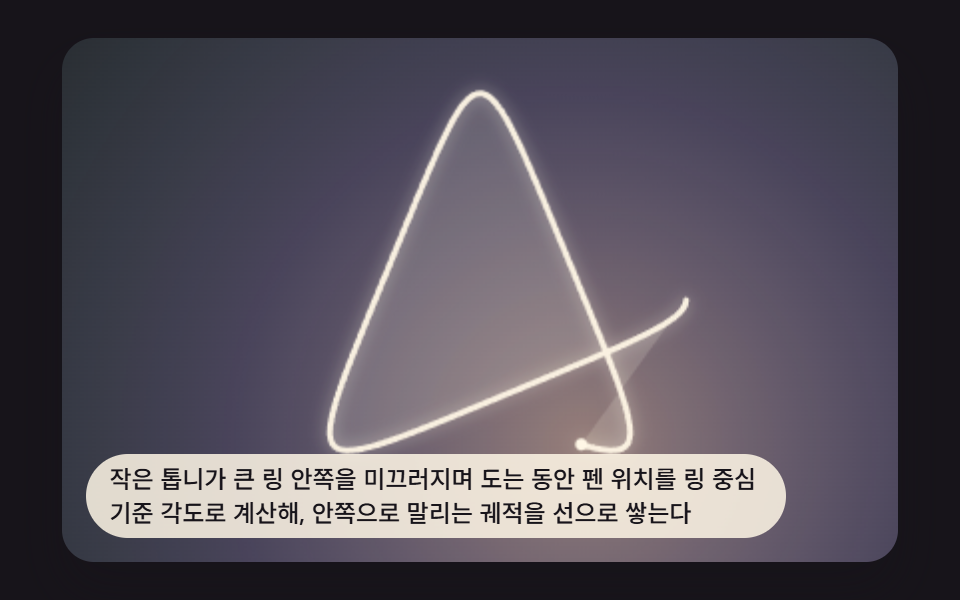 크리에이티브 UI스피로그래프 그리기 9가지 — 톱니비율로 그리는 기하 무늬
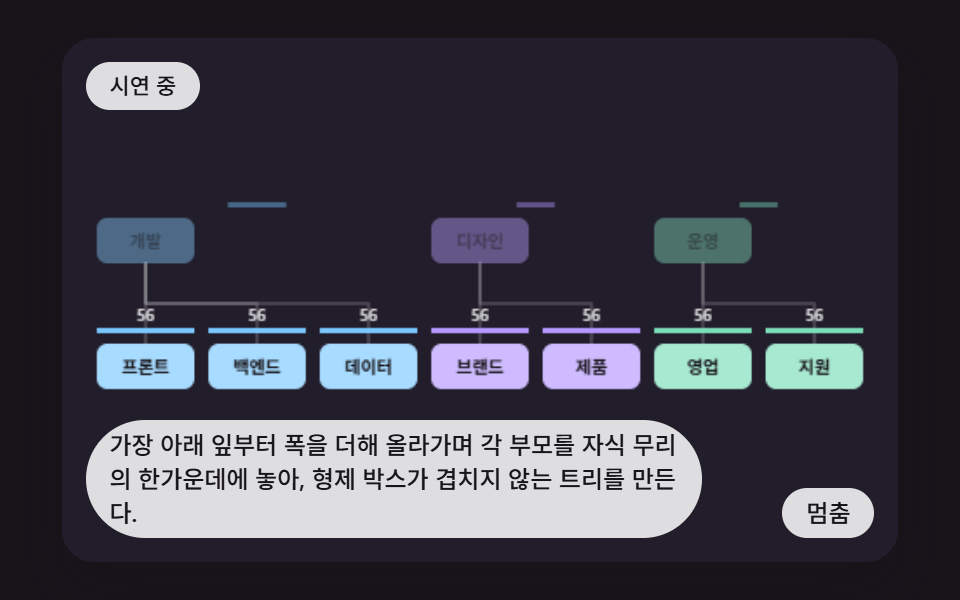 크리에이티브 UIcss 조직도 만들기 9가지 — 가지 폭을 계산해 부모를 자식 한가운데 놓는 트리 장면
 크리에이티브 UI오디오 비주얼라이저 만들기 9종 — 막대부터 마이크까지
 크리에이티브 UI물리 시뮬레이션 만들기 9종 — 스프링부터 관성 스크럽까지
 크리에이티브 UI파티클 효과 9종 — 캔버스 파티클 엔진 직접 만들기