귀여운 캐릭터 애니메이션 9종 — 일러스트 캐릭터 CSS 모음
귀여운 캐릭터 애니메이션은 그린 캐릭터를 이미지 파일 없이 코드만으로 깜빡이고 튀게 만드는 일입니다. 하트 눈 얼굴에서 쿠키 나눠 주는 친구까지 아홉 마리를 CSS 와 SVG 도형으로 지었고, 클릭하면 캐릭터가 바로 반응한다는 규칙 하나로 움직입니다.
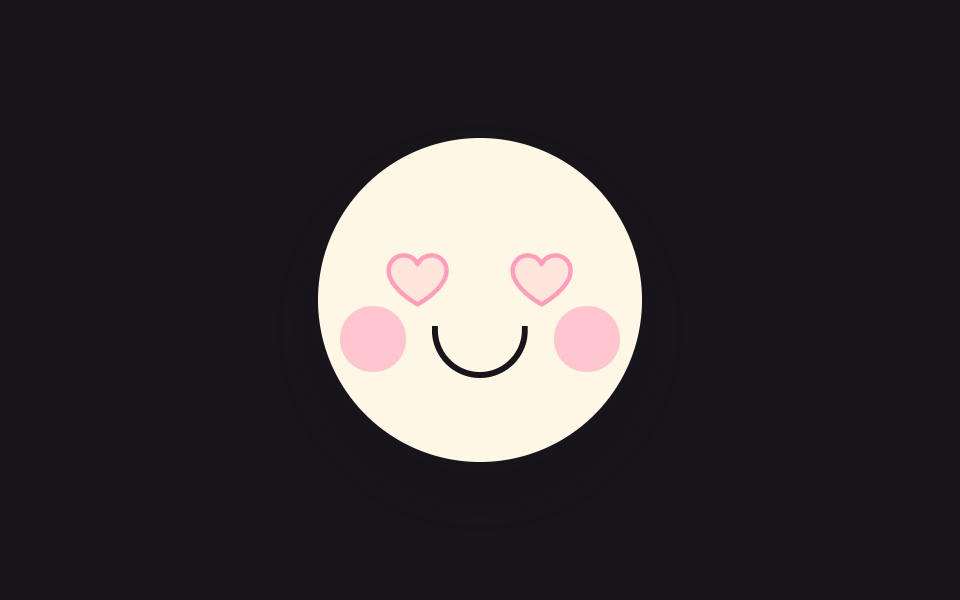 01 cute-heart-eyes-blink
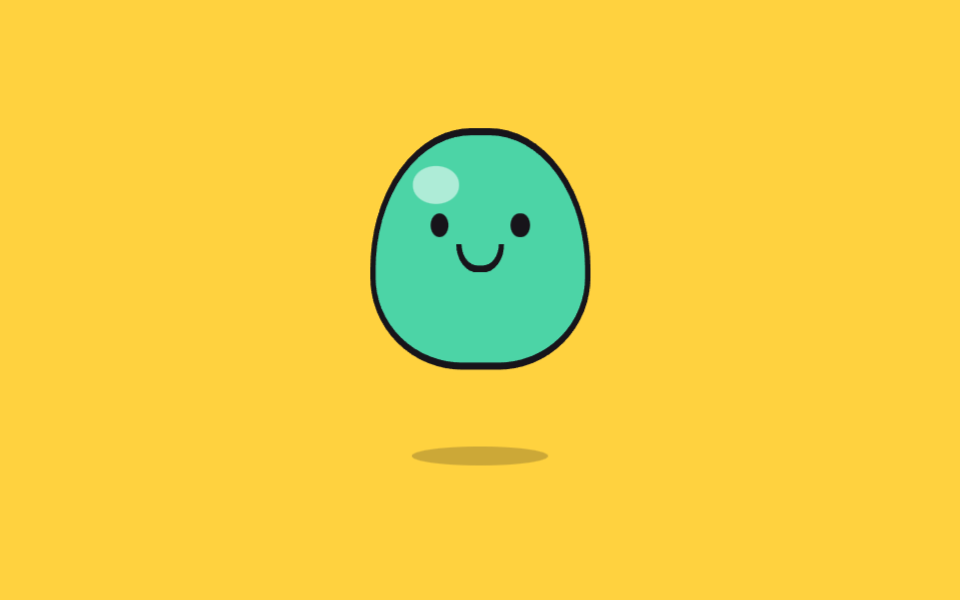 02 cute-jelly-bounce
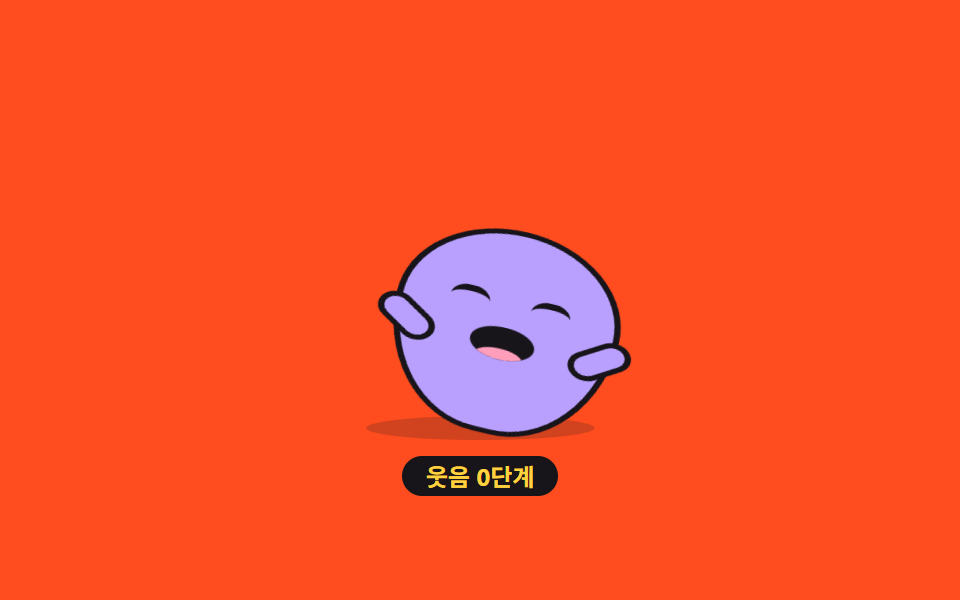 03 cute-belly-laugh-bean
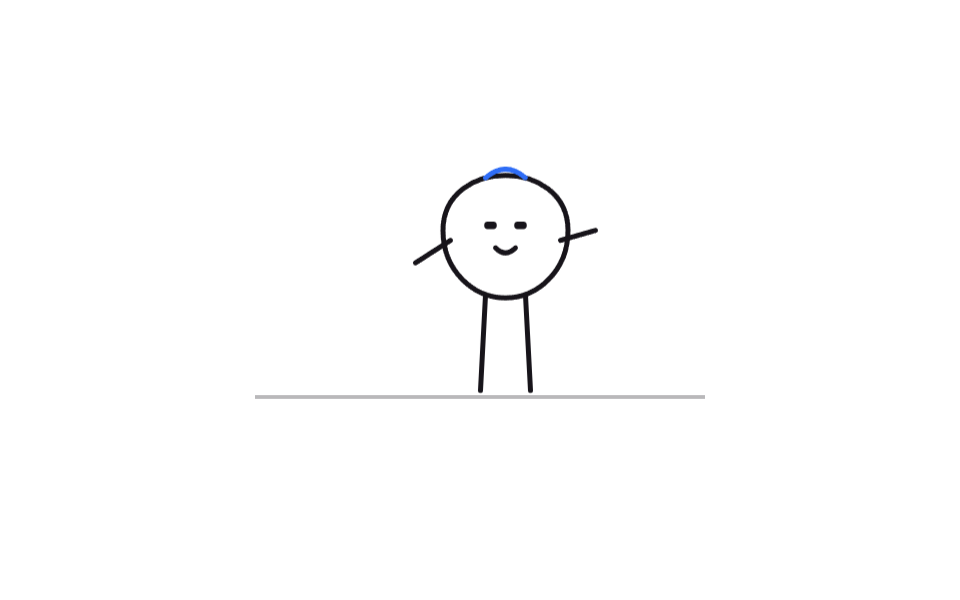 04 cute-doodle-walk-cycle
 05 cute-sticker-pop-in
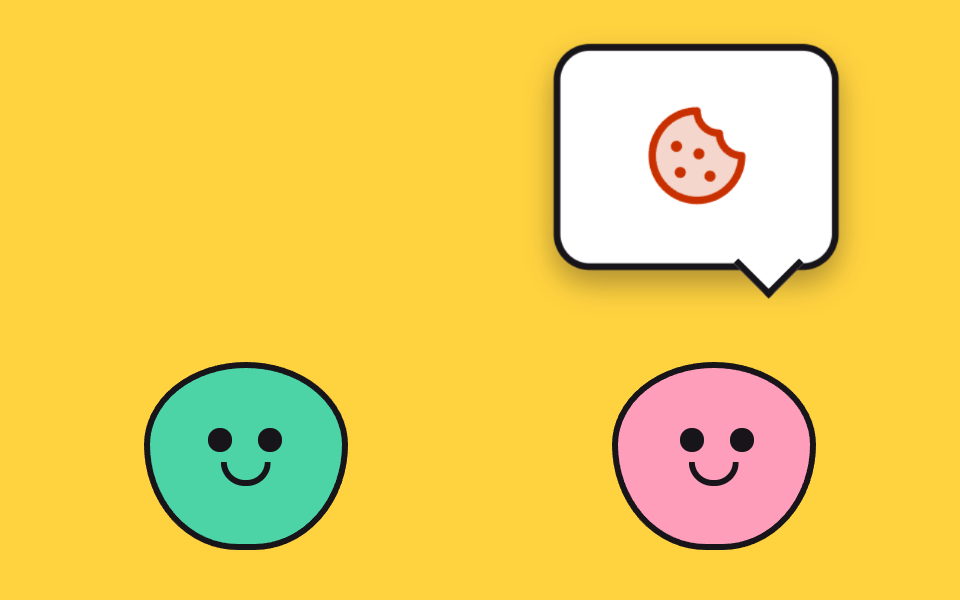 06 cute-speech-bubble-chatter
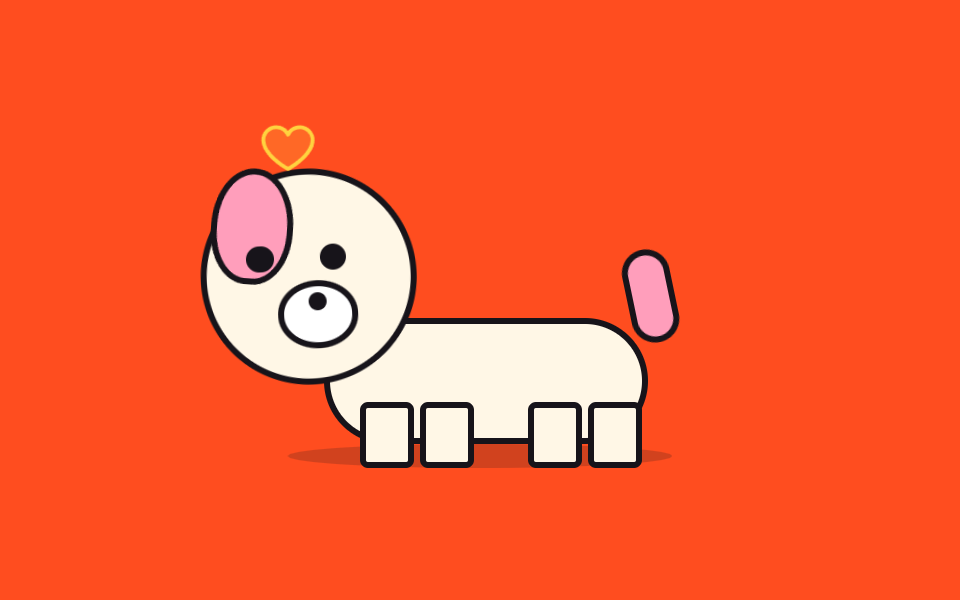 07 cute-tail-wag-wait
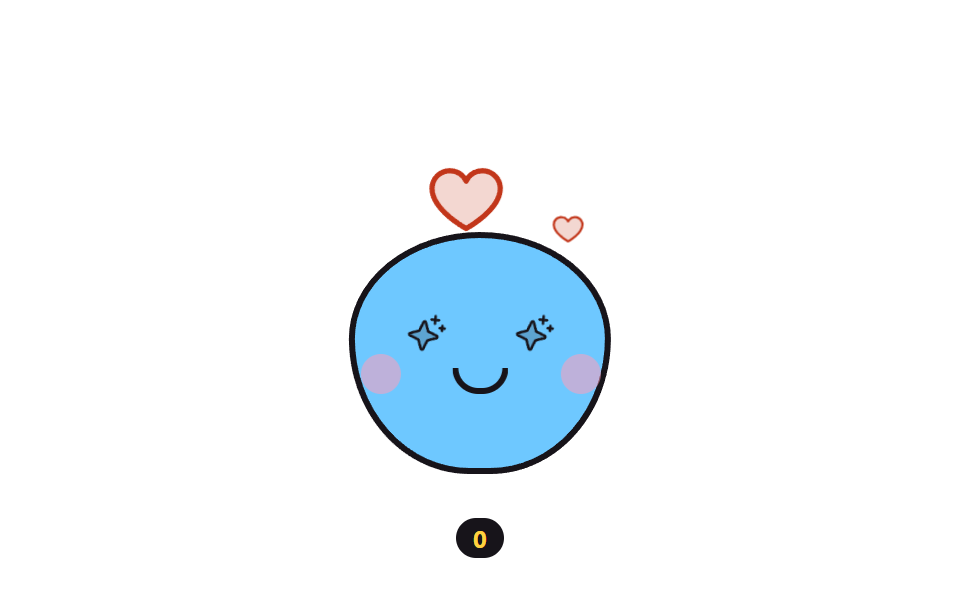 08 cute-sparkle-eyes-particles
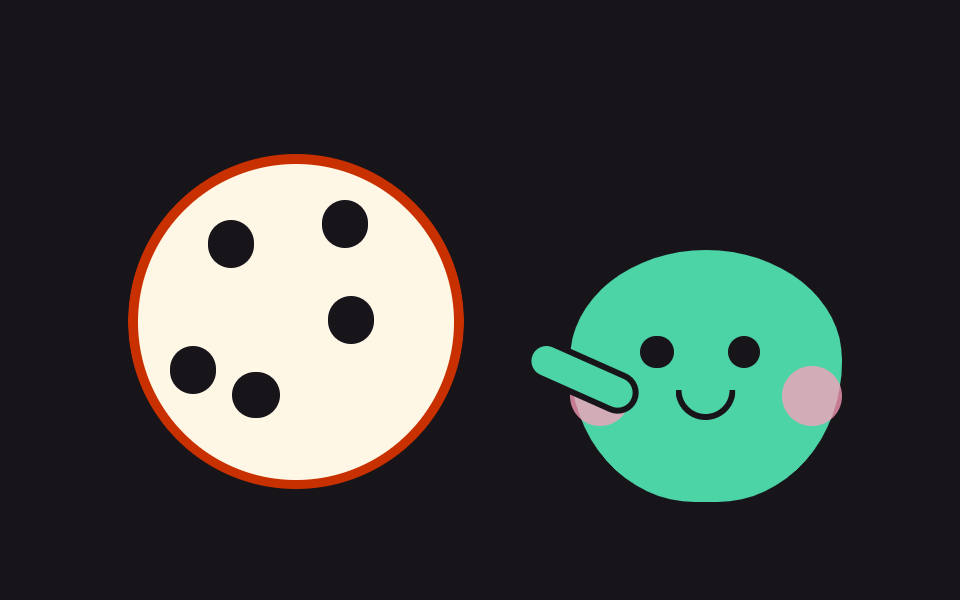 09 cute-cookie-bite-counter
자동 재생 · 눌러서 해당 항목으로 · 전부 한 zip
- 01 하트 눈 깜빡임
- 02 폭신 젤리 튀어오름
- 03 배 흔들기 웃음
- 04 낙서 선 캐릭터 걷기
- 05 스티커 팝 등장
- 06 말풍선 대화 번갈아
- 07 꼬리 흔드는 강아지 대기
- 08 반짝 눈 하트 파티클
- 09 쿠키 한 입씩 나눠 먹기
순서는 난이도순도 인기순도 아니고, 캐릭터가 관객과 가까워지는 순서입니다. 먼저 혼자 표정을 짓고(01~03), 스스로 등장하고 걷고(04~05), 서로 말을 주고받고(06), 사람을 기다렸다 반응하고(07~08), 마지막에는 사람과 쿠키를 나눕니다(09). 아홉 마리 전부 뼈대는 원·알약·반달 같은 도형 몇 개라서, 그려 넣은 귀여운 일러스트 캐릭터를 코드로 옮기는 셈입니다. 사람 형태 캐릭터의 관절·걸음을 더 보려면 마스코트 애니메이션이, 배경까지 통째로 장면을 꾸미려면 CSS 장면 그리기가 이어지고, 하트 파티클을 더 쏟고 싶으면 파티클 효과로 건너가면 됩니다.
01하트 눈 깜빡임
두 눈이 하트로 차 있는 동그란 얼굴이 몇 초에 한 번 눈을 감는, 로그인 완료 인사 화면에 둘 캐릭터입니다.
<main class="stage">
<button class="hb is-demo" id="hb" type="button" aria-pressed="false" aria-label="캐릭터 눌러서 반가워하기">
  <span class="hb__face" aria-hidden="true">
    <span class="hb__eye hb__eye--l"><svg xmlns="http://www.w3.org/2000/svg" width="1em" height="1em" viewBox="0 0 256 256"><g fill="currentColor"><path d="M232 102c0 66-104 122-104 122S24 168 24 102a54 54 0 0 1 54-54c22.59 0 41.94 12.31 50 32c8.06-19.69 27.41-32 50-32a54 54 0 0 1 54 54" opacity=".2"/><path d="M178 40c-20.65 0-38.73 8.88-50 23.89C116.73 48.88 98.65 40 78 40a62.07 62.07 0 0 0-62 62c0 70 103.79 126.66 108.21 129a8 8 0 0 0 7.58 0C136.21 228.66 240 172 240 102a62.07 62.07 0 0 0-62-62m-50 174.8c-18.26-10.64-96-59.11-96-112.8a46.06 46.06 0 0 1 46-46c19.45 0 35.78 10.36 42.6 27a8 8 0 0 0 14.8 0c6.82-16.67 23.15-27 42.6-27a46.06 46.06 0 0 1 46 46c0 53.61-77.76 102.15-96 112.8"/></g></svg></span>
    <span class="hb__eye hb__eye--r"><svg xmlns="http://www.w3.org/2000/svg" width="1em" height="1em" viewBox="0 0 256 256"><g fill="currentColor"><path d="M232 102c0 66-104 122-104 122S24 168 24 102a54 54 0 0 1 54-54c22.59 0 41.94 12.31 50 32c8.06-19.69 27.41-32 50-32a54 54 0 0 1 54 54" opacity=".2"/><path d="M178 40c-20.65 0-38.73 8.88-50 23.89C116.73 48.88 98.65 40 78 40a62.07 62.07 0 0 0-62 62c0 70 103.79 126.66 108.21 129a8 8 0 0 0 7.58 0C136.21 228.66 240 172 240 102a62.07 62.07 0 0 0-62-62m-50 174.8c-18.26-10.64-96-59.11-96-112.8a46.06 46.06 0 0 1 46-46c19.45 0 35.78 10.36 42.6 27a8 8 0 0 0 14.8 0c6.82-16.67 23.15-27 42.6-27a46.06 46.06 0 0 1 46 46c0 53.61-77.76 102.15-96 112.8"/></g></svg></span>
    <span class="hb__cheek hb__cheek--l"></span>
    <span class="hb__cheek hb__cheek--r"></span>
    <span class="hb__mouth"></span>
  </span>
</button>
</main>
@use "../../../../site/static/demo-tokens" as *;
// 하트 눈 깜빡임 — 하트를 눈으로 삼은 얼굴이 몇 초에 한 번 세로로 눈을 감는다.
// 깜빡임은 눈 요소의 scaleY 로만 한다(눈꺼풀 오버레이를 얹으면 중간 프레임이 두 겹으로 겹쳐
// 유령처럼 보인다). 누르면 뺨이 발그레해지고 하트가 한 단계 커진다 — 상태는 aria-pressed 하나.
// 미리보기 루프(.is-demo)에서는 62% 지점에 뺨 발그레를 넣어 누른 뒤 모습도 프레임에 잡힌다.
$duration: $dur-loop;
$easing: $ease-pop;
$color: $subject-pink;
@include stage($stage-ink);
.hb {
display: block; border: 0; padding: 0; background: none; cursor: pointer;
-webkit-tap-highlight-color: transparent;
}
.hb:focus-visible { outline: 2px solid $color; outline-offset: 4px; border-radius: 50%; }
.hb__face {
position: relative; display: block; box-sizing: border-box;
width: clamp(120px, 38vw, 168px); aspect-ratio: 1;
background: $subject-cream; border: 3px solid $subject-ink; border-radius: 50%;
box-shadow: $shadow-raised;
}
// 눈 — 하트 아이콘(Phosphor heart duotone, 인라인). 커지는 하트 심장 박동도 이 요소의 scale
.hb__eye {
position: absolute; top: 32%; width: 22%; aspect-ratio: 1; color: $subject-pink;
transform-origin: 50% 50%;
}
.hb__eye--l { left: 20%; }
.hb__eye--r { right: 20%; }
.hb__eye svg { display: block; width: 100%; height: 100%; }
// 뺨 — 누르기 전엔 투명하게 있다가(공간 유지) 누르면 색이 오른다
.hb__cheek {
position: absolute; top: 52%; width: 20%; aspect-ratio: 1;
background: $subject-pink; border-radius: 50%; opacity: 0;
}
.hb__cheek--l { left: 7%; }
.hb__cheek--r { right: 7%; }
.hb__mouth {
position: absolute; top: 58%; left: 50%; width: 26%; height: 14%;
border: 3px solid $subject-ink; border-top: 0; border-radius: 0 0 $r-pill $r-pill;
transform: translateX(-50%);
}
// ── 누른 상태: 뺨 발그레 + 하트 한 단계 커짐 (정적 경로 — .is-demo 와 무관하게 살아 있다)
.hb[aria-pressed="true"] .hb__cheek { opacity: .55; }
.hb[aria-pressed="true"] .hb__eye { scale: 1.16; }
// ── 격자 미리보기 루프(2초). 깜빡임은 40~54% 구간(hbBlink 0%,40%→47%→54%,100%), 뺨은 62~88% 에 켜졌다 꺼진다. (주석 정정 2026-09-13 — 교열이 낡은 44~58 을 그대로 옮겨 적었던 출처)
// 하트는 앞구간에 두 번 박동(0~30%) 쳐서 정지 프레임을 채운다 — 깜빡임만으로는 움직인 프레임이 6/23 에 그친다
.hb.is-demo .hb__eye {
animation-name: hbBlink;
animation-duration: $duration;
animation-timing-function: $easing;
animation-iteration-count: infinite;
}
.hb.is-demo .hb__eye svg {
animation-name: hbBeat;
animation-duration: $duration;
animation-timing-function: $easing;
animation-iteration-count: infinite;
}
.hb.is-demo .hb__cheek {
animation-name: hbBlush;
animation-duration: $duration;
animation-timing-function: steps(1, end);
animation-iteration-count: infinite;
}
@keyframes hbBlink {
0%, 40% { transform: scaleY(1); }
47% { transform: scaleY(.08); }
54%, 100% { transform: scaleY(1); }
}
@keyframes hbBeat {
0%, 12% { transform: scale(1); }
17% { transform: scale(1.14); }
22% { transform: scale(1); }
27% { transform: scale(1.1); }
32%, 100% { transform: scale(1); }
}
@keyframes hbBlush {
0%, 61% { opacity: 0; }
62%, 87% { opacity: .55; }
88%, 100% { opacity: 0; }
}
// ── 좁은 화면: 얼굴을 조금 줄여 무대 안에 들어온다
@media (max-width: 340px) {
.hb__face { border-width: 2px; }
}
@media (prefers-reduced-motion: reduce) {
// 깜빡임을 끊으면 눈을 뜬 채 반가워하는 얼굴이 그대로 남는다
.hb.is-demo .hb__eye,
.hb.is-demo .hb__eye svg,
.hb.is-demo .hb__cheek {
animation: none !important;
}
}html, body {
margin: 0;
overflow: hidden;
}
.stage {
box-sizing: border-box;
min-height: 100vh;
display: grid;
place-items: center;
margin: 0;
background: #17141a;
font-family: -apple-system, "Segoe UI", "Noto Sans KR", sans-serif;
padding: clamp(8px, 4vw, 24px);
}
.hb {
display: block;
border: 0;
padding: 0;
background: none;
cursor: pointer;
-webkit-tap-highlight-color: transparent;
}
.hb:focus-visible {
outline: 2px solid #ff9ebb;
outline-offset: 4px;
border-radius: 50%;
}
.hb__face {
position: relative;
display: block;
box-sizing: border-box;
width: clamp(120px, 38vw, 168px);
aspect-ratio: 1;
background: #fff7e6;
border: 3px solid #17141a;
border-radius: 50%;
box-shadow: 0 14px 24px rgba(23, 20, 26, 0.32);
}
.hb__eye {
position: absolute;
top: 32%;
width: 22%;
aspect-ratio: 1;
color: #ff9ebb;
transform-origin: 50% 50%;
}
.hb__eye--l {
left: 20%;
}
.hb__eye--r {
right: 20%;
}
.hb__eye svg {
display: block;
width: 100%;
height: 100%;
}
.hb__cheek {
position: absolute;
top: 52%;
width: 20%;
aspect-ratio: 1;
background: #ff9ebb;
border-radius: 50%;
opacity: 0;
}
.hb__cheek--l {
left: 7%;
}
.hb__cheek--r {
right: 7%;
}
.hb__mouth {
position: absolute;
top: 58%;
left: 50%;
width: 26%;
height: 14%;
border: 3px solid #17141a;
border-top: 0;
border-radius: 0 0 999px 999px;
transform: translateX(-50%);
}
.hb[aria-pressed=true] .hb__cheek {
opacity: 0.55;
}
.hb[aria-pressed=true] .hb__eye {
scale: 1.16;
}
.hb.is-demo .hb__eye {
animation-name: hbBlink;
animation-duration: 2s;
animation-timing-function: cubic-bezier(0.2, 1.4, 0.4, 1);
animation-iteration-count: infinite;
}
.hb.is-demo .hb__eye svg {
animation-name: hbBeat;
animation-duration: 2s;
animation-timing-function: cubic-bezier(0.2, 1.4, 0.4, 1);
animation-iteration-count: infinite;
}
.hb.is-demo .hb__cheek {
animation-name: hbBlush;
animation-duration: 2s;
animation-timing-function: steps(1, end);
animation-iteration-count: infinite;
}
@keyframes hbBlink {
0%, 40% {
transform: scaleY(1);
}
47% {
transform: scaleY(0.08);
}
54%, 100% {
transform: scaleY(1);
}
}
@keyframes hbBeat {
0%, 12% {
transform: scale(1);
}
17% {
transform: scale(1.14);
}
22% {
transform: scale(1);
}
27% {
transform: scale(1.1);
}
32%, 100% {
transform: scale(1);
}
}
@keyframes hbBlush {
0%, 61% {
opacity: 0;
}
62%, 87% {
opacity: 0.55;
}
88%, 100% {
opacity: 0;
}
}
@media (max-width: 340px) {
.hb__face {
border-width: 2px;
}
}
@media (prefers-reduced-motion: reduce) {
.hb.is-demo .hb__eye,
.hb.is-demo .hb__eye svg,
.hb.is-demo .hb__cheek {
animation: none !important;
}
}var hb = document.getElementById('hb');
// 누르면 얼굴이 반가워하는 상태로 바뀐다 — 뺨 발그레 + 하트 한 단계 커짐. 상태는 aria-pressed 한 곳
hb.addEventListener('click', function () {
hb.classList.remove('is-demo');
hb.setAttribute('aria-pressed', hb.getAttribute('aria-pressed') === 'true' ? 'false' : 'true');
});
hb.addEventListener('pointerdown', function () { hb.classList.remove('is-demo'); });// CuteHeartEyes — vanilla 판(run/075/demo/01-cute-heart-eyes-blink) 의 React 포트.
// 누르면 얼굴이 반가워하는 상태로 바뀐다 — 상태는 aria-pressed 한 곳.
import { useState } from "react";
import type { CSSProperties } from "react";
import styles from "./CuteHeartEyes.module.scss";
export type CuteHeartEyesProps = {
duration?: number;
easing?: string;
color?: string;
initialPressed?: boolean;
};
type Vars = CSSProperties & { "--duration"?: string; "--easing"?: string; "--color"?: string };
const HEART_SVG = (
<svg xmlns="http://www.w3.org/2000/svg" width="1em" height="1em" viewBox="0 0 256 256"><g fill="currentColor"><path d="M232 102c0 66-104 122-104 122S24 168 24 102a54 54 0 0 1 54-54c22.59 0 41.94 12.31 50 32c8.06-19.69 27.41-32 50-32a54 54 0 0 1 54 54" opacity=".2"/><path d="M178 40c-20.65 0-38.73 8.88-50 23.89C116.73 48.88 98.65 40 78 40a62.07 62.07 0 0 0-62 62c0 70 103.79 126.66 108.21 129a8 8 0 0 0 7.58 0C136.21 228.66 240 172 240 102a62.07 62.07 0 0 0-62-62m-50 174.8c-18.26-10.64-96-59.11-96-112.8a46.06 46.06 0 0 1 46-46c19.45 0 35.78 10.36 42.6 27a8 8 0 0 0 14.8 0c6.82-16.67 23.15-27 42.6-27a46.06 46.06 0 0 1 46 46c0 53.61-77.76 102.15-96 112.8"/></g></svg>
);
export default function CuteHeartEyes(props: CuteHeartEyesProps) {
const duration = props.duration ?? 2000;
const easing = props.easing ?? "cubic-bezier(.2, 1.4, .4, 1)";
const color = props.color ?? "#ff9ebb";
const [pressed, setPressed] = useState<boolean>(props.initialPressed ?? false);
const [preview, setPreview] = useState<boolean>(true);
const vars: Vars = { "--duration": duration + "ms", "--easing": easing, "--color": color };
return (
<main className={styles.stage}>
<button
className={styles.hb + (preview ? " " + styles.isDemo : "")}
style={vars}
type="button"
aria-pressed={pressed}
aria-label="캐릭터 눌러서 반가워하기"
onClick={() => setPressed(!pressed)}
onPointerDown={() => setPreview(false)}
>
<span className={styles.face} aria-hidden="true">
<span className={styles.eye + " " + styles.eyeL}>{HEART_SVG}</span>
<span className={styles.eye + " " + styles.eyeR}>{HEART_SVG}</span>
<span className={styles.cheek + " " + styles.cheekL}></span>
<span className={styles.cheek + " " + styles.cheekR}></span>
<span className={styles.mouth}></span>
</span>
</button>
</main>
);
}01 · 하트 눈 깜빡임 — 측정 누적면적 2.374% · 움직인 프레임 11/23GODRICH 원작 · zip 에 SCSS·React 포함 · 비밀번호 보기
깜빡임은 눈을 세로로 눌러 그린다
.hb.is-demo .hb__eye {
  animation-name: hbBlink;
  animation-duration: $duration;
  animation-timing-function: $easing;
  animation-iteration-count: infinite;
}
@keyframes hbBlink {
  0%, 40% { transform: scaleY(1); }
  47% { transform: scaleY(.08); }
  54%, 100% { transform: scaleY(1); }
}
눈꺼풀 오버레이를 얹으면 두 겹이 겹쳐 유령처럼 보이므로 눈 요소 하나를 scaleY(.08) 로 세로로 눌렀고, 깜빡임은 2초 루프의 47% 앞뒤 짧은 순간에만 일어납니다.
하트 박동과 뺨이 빈 구간을 메운다
@keyframes hbBeat {
  0%, 12% { transform: scale(1); }
  17% { transform: scale(1.14); }
  22% { transform: scale(1); }
  27% { transform: scale(1.1); }
  32%, 100% { transform: scale(1); }
}
@keyframes hbBlush {
  0%, 61% { opacity: 0; }
  62%, 87% { opacity: .55; }
  88%, 100% { opacity: 0; }
}
깜빡임 사이의 긴 정지를 박동 두 번과 뺨 발그레가 채워 움직인 프레임이 11/23 · 누적면적이 2.374% 로 측정됐고, 실제로 누르면 aria-pressed 로 뺨이 0.55 · 하트가 1.16 배로 같은 모습이 정적으로 남습니다.
02폭신 젤리 튀어오름
젤리가 웅크렸다 세로로 늘며 뛰고 착지에서 좌우로 출렁이는, 게임 시작 버튼 옆에 둘 마스코트입니다.
<main class="stage">
<div class="jl is-demo" id="jl">
  <output class="jl__count" id="jlCount" aria-hidden="true">0</output>
  <button class="jl__hit" type="button" aria-label="젤리 튀기">
    <span class="jl__scene" aria-hidden="true">
      <span class="jl__shadow"></span>
      <span class="jl__body" id="jlBody">
        <span class="jl__eye jl__eye--l"></span>
        <span class="jl__eye jl__eye--r"></span>
        <span class="jl__mouth"></span>
        <span class="jl__shine"></span>
      </span>
    </span>
  </button>
</div>
</main>
@use "../../../../site/static/demo-tokens" as *;
// 폭신 젤리 튀어오름 — 눌렀다 늘어나며 뛰고, 착지한 뒤 좌우로 출렁여 안정된다.
// 스쿼시·스트레치를 전부 transform(scaleY·translateY) 로만 한다 — width/height 를 건드리면
// 매 프레임 레이아웃이 다시 돈다. 그림자는 젤리가 뜬 만큼 가로로 줄어 착지감을 준다.
// 카운터(output)는 장식이라 aria-hidden — 횟수는 단추 라벨이 대신 알린다.
$duration: $dur-loop;
$easing: $ease-pop;
$color: $subject-mint;
@include stage($stage-yellow);
.jl { position: relative; display: grid; place-items: end center; }
// 카운터 — 젤리 머리 위 작은 알약. 배경 노랑 위 잉크 글자(대비 14.9:1)
.jl__count {
position: absolute; top: 0; left: 50%; transform: translateX(-50%);
min-width: $sp-6; padding: 0 $sp-2; box-sizing: border-box;
background: $subject-ink; color: $stage-yellow;
border-radius: $r-pill; text-align: center;
font-weight: 700; font-size: 12px; line-height: 20px;
}
.jl__hit { border: 0; padding: 0; background: none; cursor: pointer; -webkit-tap-highlight-color: transparent; }
.jl__hit:focus-visible { outline: 2px solid $subject-ink; outline-offset: 4px; border-radius: $r-card; }
.jl__scene {
position: relative; display: block; box-sizing: border-box;
width: clamp(150px, 48vw, 210px); height: clamp(120px, 38vw, 168px);
}
// 바닥 그림자 — 젤리 발밑. 떠 있는 동안 가로로 줄고 연해진다(누적면적에 잡히는 움직임)
.jl__shadow {
position: absolute; bottom: 0; left: 50%; width: 62%; height: 12px;
background: rgba(23, 20, 26, .22); border-radius: 50%;
transform: translateX(-50%);
}
// 젤리 몸 — 둥근 돔. 변형은 전부 이 요소 하나의 transform
.jl__body {
position: absolute; bottom: 4px; left: 50%; width: 56%; aspect-ratio: 1 / .82;
background: $color; border: 3px solid $subject-ink;
border-radius: 46% 46% 42% 42% / 58% 58% 38% 38%;
transform: translateX(-50%);
}
.jl__shine {
position: absolute; top: 14%; left: 18%; width: 22%; height: 16%;
background: rgba(255, 255, 255, .55); border-radius: 50%;
}
.jl__eye {
position: absolute; top: 34%; width: 9%; aspect-ratio: 1;
background: $subject-ink; border-radius: 50%;
}
.jl__eye--l { left: 26%; }
.jl__eye--r { right: 26%; }
.jl__mouth {
position: absolute; top: 48%; left: 50%; width: 18%; height: 9%;
border: 3px solid $subject-ink; border-top: 0; border-radius: 0 0 $r-pill $r-pill;
transform: translateX(-50%);
}
// ── 격자 미리보기 루프(2초): 웅크림(8%) → 도약(16~26%) → 착지 눌림(26%) → 출렁(34~66%) → 안정
.jl.is-demo .jl__body {
animation-name: jlHop;
animation-duration: $duration;
animation-timing-function: $easing;
animation-iteration-count: infinite;
}
.jl.is-demo .jl__shadow {
animation-name: jlShadow;
animation-duration: $duration;
animation-timing-function: $easing;
animation-iteration-count: infinite;
}
@keyframes jlHop {
  0% { transform: translateX(-50%) scale(1, 1); }
  8% { transform: translateX(-50%) scale(1.16, .66); }
  16% { transform: translateX(-50%) translateY(-52px) scale(.9, 1.16); }
  24% { transform: translateX(-50%) translateY(-18px) scale(.98, 1.05); }
  30% { transform: translateX(-50%) scale(1.12, .78); }
  38% { transform: translateX(-50%) scale(.96, 1.06); }
  46% { transform: translateX(-50%) scale(1.06, .93); }
  54% { transform: translateX(-50%) scale(.97, 1.04); }
  62% { transform: translateX(-50%) scale(1.03, .97); }
  70%, 100% { transform: translateX(-50%) scale(1, 1); }
}
@keyframes jlShadow {
0% { transform: translateX(-50%) scale(1, 1); }
8% { transform: translateX(-50%) scale(1.1, 1); }
16% { transform: translateX(-50%) scale(.55, .8); }
30% { transform: translateX(-50%) scale(1.08, 1); }
40%, 100% { transform: translateX(-50%) scale(1, 1); }
}
// ── 눌렀을 때 큰 바운드(일회성). 미리보기 루프보다 높이 뜨고 이징은 더 세게 튄다
.jl__body--boing { animation: jlBoing 700ms cubic-bezier(.28, 1.7, .42, 1) 1; }
@keyframes jlBoing {
0% { transform: translateX(-50%) scale(1.2, .6); }
30% { transform: translateX(-50%) translateY(-72px) scale(.86, 1.22); }
55% { transform: translateX(-50%) scale(1.18, .74); }
75% { transform: translateX(-50%) scale(.96, 1.06); }
100% { transform: translateX(-50%) scale(1, 1); }
}
// ── 좁은 화면: 장면을 줄여 무대 안에 들어온다
@media (max-width: 340px) {
.jl__count { font-size: 11px; line-height: 16px; }
.jl__body { border-width: 2px; }
}
@media (prefers-reduced-motion: reduce) {
// 출렁임을 끊면 가만히 서 있는 젤리가 남는다 — 눌렀을 때는 카운터만 오른다
.jl.is-demo .jl__body,
.jl.is-demo .jl__shadow,
.jl__body--boing {
animation: none !important;
}
}html, body {
margin: 0;
overflow: hidden;
}
.stage {
box-sizing: border-box;
min-height: 100vh;
display: grid;
place-items: center;
margin: 0;
background: #ffd23f;
font-family: -apple-system, "Segoe UI", "Noto Sans KR", sans-serif;
padding: clamp(8px, 4vw, 24px);
}
.jl {
position: relative;
display: grid;
place-items: end center;
}
.jl__count {
position: absolute;
top: 0;
left: 50%;
transform: translateX(-50%);
min-width: 24px;
padding: 0 8px;
box-sizing: border-box;
background: #17141a;
color: #ffd23f;
border-radius: 999px;
text-align: center;
font-weight: 700;
font-size: 12px;
line-height: 20px;
}
.jl__hit {
border: 0;
padding: 0;
background: none;
cursor: pointer;
-webkit-tap-highlight-color: transparent;
}
.jl__hit:focus-visible {
outline: 2px solid #17141a;
outline-offset: 4px;
border-radius: 16px;
}
.jl__scene {
position: relative;
display: block;
box-sizing: border-box;
width: clamp(150px, 48vw, 210px);
height: clamp(120px, 38vw, 168px);
}
.jl__shadow {
position: absolute;
bottom: 0;
left: 50%;
width: 62%;
height: 12px;
background: rgba(23, 20, 26, 0.22);
border-radius: 50%;
transform: translateX(-50%);
}
.jl__body {
position: absolute;
bottom: 4px;
left: 50%;
width: 56%;
aspect-ratio: 1/0.82;
background: #4cd4a6;
border: 3px solid #17141a;
border-radius: 46% 46% 42% 42%/58% 58% 38% 38%;
transform: translateX(-50%);
}
.jl__shine {
position: absolute;
top: 14%;
left: 18%;
width: 22%;
height: 16%;
background: rgba(255, 255, 255, 0.55);
border-radius: 50%;
}
.jl__eye {
position: absolute;
top: 34%;
width: 9%;
aspect-ratio: 1;
background: #17141a;
border-radius: 50%;
}
.jl__eye--l {
left: 26%;
}
.jl__eye--r {
right: 26%;
}
.jl__mouth {
position: absolute;
top: 48%;
left: 50%;
width: 18%;
height: 9%;
border: 3px solid #17141a;
border-top: 0;
border-radius: 0 0 999px 999px;
transform: translateX(-50%);
}
.jl.is-demo .jl__body {
animation-name: jlHop;
animation-duration: 2s;
animation-timing-function: cubic-bezier(0.2, 1.4, 0.4, 1);
animation-iteration-count: infinite;
}
.jl.is-demo .jl__shadow {
animation-name: jlShadow;
animation-duration: 2s;
animation-timing-function: cubic-bezier(0.2, 1.4, 0.4, 1);
animation-iteration-count: infinite;
}
@keyframes jlHop {
0% {
transform: translateX(-50%) scale(1, 1);
}
8% {
transform: translateX(-50%) scale(1.16, 0.66);
}
16% {
transform: translateX(-50%) translateY(-52px) scale(0.9, 1.16);
}
24% {
transform: translateX(-50%) translateY(-18px) scale(0.98, 1.05);
}
30% {
transform: translateX(-50%) scale(1.12, 0.78);
}
38% {
transform: translateX(-50%) scale(0.96, 1.06);
}
46% {
transform: translateX(-50%) scale(1.06, 0.93);
}
54% {
transform: translateX(-50%) scale(0.97, 1.04);
}
62% {
transform: translateX(-50%) scale(1.03, 0.97);
}
70%, 100% {
transform: translateX(-50%) scale(1, 1);
}
}
@keyframes jlShadow {
0% {
transform: translateX(-50%) scale(1, 1);
}
8% {
transform: translateX(-50%) scale(1.1, 1);
}
16% {
transform: translateX(-50%) scale(0.55, 0.8);
}
30% {
transform: translateX(-50%) scale(1.08, 1);
}
40%, 100% {
transform: translateX(-50%) scale(1, 1);
}
}
.jl__body--boing {
animation: jlBoing 700ms cubic-bezier(0.28, 1.7, 0.42, 1) 1;
}
@keyframes jlBoing {
0% {
transform: translateX(-50%) scale(1.2, 0.6);
}
30% {
transform: translateX(-50%) translateY(-72px) scale(0.86, 1.22);
}
55% {
transform: translateX(-50%) scale(1.18, 0.74);
}
75% {
transform: translateX(-50%) scale(0.96, 1.06);
}
100% {
transform: translateX(-50%) scale(1, 1);
}
}
@media (max-width: 340px) {
.jl__count {
font-size: 11px;
line-height: 16px;
}
.jl__body {
border-width: 2px;
}
}
@media (prefers-reduced-motion: reduce) {
.jl.is-demo .jl__body,
.jl.is-demo .jl__shadow,
.jl__body--boing {
animation: none !important;
}
}var jl = document.getElementById('jl');
var body = document.getElementById('jlBody');
var count = document.getElementById('jlCount');
var hits = 0;
// 누를 때마다 카운터가 오르고 젤리가 평소보다 크게 한 번 튄다 — 클래스를 다시 끼워 애니메이션을 재시동
document.querySelector('.jl__hit').addEventListener('click', function () {
  jl.classList.remove('is-demo');
  hits = hits + 1;
  count.textContent = String(hits);
  body.classList.remove('jl__body--boing');
  void body.offsetWidth;
  body.classList.add('jl__body--boing');
});
jl.addEventListener('pointerdown', function () { jl.classList.remove('is-demo'); });// CuteJellyBounce — vanilla 판(run/075/demo/02-cute-jelly-bounce) 의 React 포트.
// 누를 때마다 카운터가 오르고 젤리가 크게 한 번 튄다 — 몸 요소를 key 로 다시 만들어 일회성 애니메이션을 재시동한다.
import { useState } from "react";
import type { CSSProperties } from "react";
import styles from "./CuteJellyBounce.module.scss";
export type CuteJellyBounceProps = {
duration?: number;
easing?: string;
color?: string;
};
type Vars = CSSProperties & { "--duration"?: string; "--easing"?: string; "--color"?: string };
export default function CuteJellyBounce(props: CuteJellyBounceProps) {
const duration = props.duration ?? 2000;
const easing = props.easing ?? "cubic-bezier(.2, 1.4, .4, 1)";
const color = props.color ?? "#4cd4a6";
const [hits, setHits] = useState<number>(0);
const [preview, setPreview] = useState<boolean>(true);
const vars: Vars = { "--duration": duration + "ms", "--easing": easing, "--color": color };
return (
<main className={styles.stage}>
<div className={styles.jl + (preview ? " " + styles.isDemo : "")} style={vars}>
<output className={styles.count} aria-hidden="true">{hits}</output>
<button
className={styles.hit}
type="button"
aria-label="젤리 튀기"
onClick={() => setHits(hits + 1)}
onPointerDown={() => setPreview(false)}
>
<span className={styles.scene} aria-hidden="true">
<span className={styles.shadow}></span>
<span className={styles.body} key={"boing" + hits}>
<span className={styles.eye + " " + styles.eyeL}></span>
<span className={styles.eye + " " + styles.eyeR}></span>
<span className={styles.mouth}></span>
<span className={styles.shine}></span>
</span>
</span>
</button>
</div>
</main>
);
}02 · 폭신 젤리 튀어오름 — 측정 누적면적 12.578% · 움직인 프레임 17/23GODRICH 원작 · zip 에 SCSS·React 포함 · 비밀번호 보기
스쿼시와 스트레치를 transform 하나로
@keyframes jlHop {
0% { transform: translateX(-50%) scale(1, 1); }
8% { transform: translateX(-50%) scale(1.16, .66); }
16% { transform: translateX(-50%) translateY(-52px) scale(.9, 1.16); }
24% { transform: translateX(-50%) translateY(-18px) scale(.98, 1.05); }
30% { transform: translateX(-50%) scale(1.12, .78); }
38% { transform: translateX(-50%) scale(.96, 1.06); }
46% { transform: translateX(-50%) scale(1.06, .93); }
54% { transform: translateX(-50%) scale(.97, 1.04); }
62% { transform: translateX(-50%) scale(1.03, .97); }
70%, 100% { transform: translateX(-50%) scale(1, 1); }
}
납작해지고 늘어나는 모양을 전부 scale 로 표현해 width·height 를 건드리지 않으므로 매 프레임 레이아웃이 다시 돌지 않고, 착지 뒤 출렁임이 네 번 감쇠하며 17/23 프레임을 움직입니다.
누를 때마다 한 번 더 크게 튄다
document.querySelector('.jl__hit').addEventListener('click', function () {
jl.classList.remove('is-demo');
hits = hits + 1;
count.textContent = String(hits);
body.classList.remove('jl__body--boing');
void body.offsetWidth;
body.classList.add('jl__body--boing');
});
같은 요소에 애니메이션 클래스가 붙어 있으면 재시작하지 않으므로, 지웠다가 void body.offsetWidth 로 강제로 한 번 읽어 다시 끼우면 높이 뜨는 일회성 바운스가 처음부터 재생됩니다.
03배 흔들기 웃음
반달 눈으로 웃으며 몸이 기울고 배가 출렁이는, 댓글 남기기 성공 배지에 어울리는 캐릭터입니다.
<main class="stage">
<div class="bn is-demo" id="bn" data-level="0">
  <button class="bn__hit" type="button" aria-label="콩알 친구 웃기기">
    <span class="bn__scene" aria-hidden="true">
      <span class="bn__shadow"></span>
      <span class="bn__bean" id="bnBean">
        <span class="bn__eye bn__eye--l"></span>
        <span class="bn__eye bn__eye--r"></span>
        <span class="bn__mouth"><span class="bn__tongue"></span></span>
        <span class="bn__arm bn__arm--l"></span>
        <span class="bn__arm bn__arm--r"></span>
      </span>
    </span>
  </button>
  <p class="bn__level" id="bnLevel" aria-hidden="true">웃음 0단계</p>
</div>
</main>
@use "../../../../site/static/demo-tokens" as *;
// 배 흔들기 웃음 — 눈을 반달로 접고 웃느라 몸이 기울고 배가 출렁이는 콩알 친구.
// 기울기의 원점은 발바닥(땅에 닿은 붙는 지점)이다 — 중심에 두면 발이 미끄러져 떠 보인다.
// 웃음 단계(data-level)는 기울기 진폭 --tilt 로만 커진다. 3단계에서는 몸이 앞으로 폭 접힌다.
// 정적 경로(미리보기 아님)에서도 기본 웃음 루프는 항상 돈다 — 누르면 진폭이 커질 뿐이다.
$duration: $dur-loop;
$easing: $ease-pop;
$color: $subject-lilac;
@include stage($stage-orange);
.bn { display: grid; justify-items: center; gap: $sp-2; }
.bn__hit { border: 0; padding: 0; background: none; cursor: pointer; -webkit-tap-highlight-color: transparent; }
.bn__hit:focus-visible { outline: 2px solid $subject-ink; outline-offset: 4px; border-radius: $r-card; }
.bn__scene {
position: relative; display: block; box-sizing: border-box;
width: clamp(140px, 44vw, 196px); height: clamp(120px, 38vw, 168px);
}
.bn__shadow {
position: absolute; bottom: 0; left: 50%; width: 58%; height: 12px;
background: rgba(23, 20, 26, .2); border-radius: 50%;
transform: translateX(-50%);
}
// 콩알 몸 — 세로로 길쭉한 알갱이. 기울기 진폭은 --tilt 변수 하나
.bn__bean {
  --tilt: 4deg;
  position: absolute; bottom: 4px; left: 50%; width: 52%; aspect-ratio: 1 / 1.18;
  background: $color; border: 3px solid $subject-ink;
  border-radius: 50% 50% 46% 46% / 42% 42% 58% 58%;
  transform: translateX(-50%);
  transform-origin: 50% 100%; // 붙는 지점: 발바닥 — 몸이 기울어도 발은 제자리
}
// 팔 — 웃으며 몸을 감싼다
.bn__arm {
position: absolute; top: 46%; width: 26%; height: 10%;
background: $color; border: 3px solid $subject-ink; border-radius: $r-pill;
}
.bn__arm--l { left: -12%; transform: rotate(38deg); }
.bn__arm--r { right: -12%; transform: rotate(-38deg); }
// 반달 눈 — 웃어서 감긴 호. border-top 만 있는 원호다
.bn__eye {
position: absolute; top: 30%; width: 18%; height: 10%;
border-top: 4px solid $subject-ink; border-radius: 50%;
}
.bn__eye--l { left: 22%; }
.bn__eye--r { right: 22%; }
// 벌린 입 — 안쪽 혀까지. 웃음에 맞춰 세로로 벌어졌다 닫힌다
.bn__mouth {
position: absolute; top: 46%; left: 50%; width: 30%; aspect-ratio: 1 / .8;
background: $subject-ink; border-radius: 50%;
transform: translateX(-50%); overflow: hidden;
}
.bn__tongue {
position: absolute; bottom: -22%; left: 50%; width: 74%; aspect-ratio: 1 / .6;
background: $subject-pink; border-radius: 50%;
transform: translateX(-50%);
}
// 단계 표시 — 주황 무대 위 잉크 알약
.bn__level {
margin: 0; padding: 0 $sp-3; background: $subject-ink; color: $stage-yellow;
border-radius: $r-pill; font-weight: 700; font-size: 12px; line-height: 20px;
}
// ── 기본 웃음 루프(정적 경로에서도 항상 돈다). 진폭은 --tilt 하나뿐이라 단계가 곧 진폭
.bn__bean {
animation-name: bnTilt;
animation-duration: $duration;
animation-timing-function: ease-in-out;
animation-iteration-count: infinite;
}
.bn__mouth {
animation-name: bnMouth;
animation-duration: $duration;
animation-timing-function: $easing;
animation-iteration-count: infinite;
}
@keyframes bnTilt {
0%, 100% { transform: translateX(-50%) rotate(calc(var(--tilt) * -1)); }
50% { transform: translateX(-50%) rotate(var(--tilt)); }
}
@keyframes bnMouth {
0%, 100% { transform: translateX(-50%) scale(1, .8); }
50% { transform: translateX(-50%) scale(1, 1.2); }
}
// ── 단계: 진폭이 커지다가 3단계에서 몸이 앞으로 폭 접힌다(일회성)
.bn[data-level="1"] .bn__bean { --tilt: 8deg; }
.bn[data-level="2"] .bn__bean { --tilt: 13deg; }
.bn[data-level="3"] .bn__bean {
--tilt: 4deg;
animation: bnFold 700ms cubic-bezier(.2, 1.4, .4, 1) 1 forwards;
}
@keyframes bnFold {
0% { transform: translateX(-50%) rotate(0deg) scale(1, 1); }
40% { transform: translateX(-50%) rotate(16deg) scale(1.06, .82); }
70% { transform: translateX(-50%) rotate(20deg) scale(1.1, .68); }
100% { transform: translateX(-50%) rotate(19deg) scale(1.08, .7); }
}
// ── 격자 미리보기 루프(2초): 같은 루프 안에서 단계가 커지다 접히고 돌아온다(90% 안에 복귀)
.bn.is-demo .bn__bean {
animation-name: bnLaughShow;
animation-duration: $duration;
animation-timing-function: ease-in-out;
animation-iteration-count: infinite;
}
@keyframes bnLaughShow {
0%, 8% { transform: translateX(-50%) rotate(-3deg) scaleX(1); }
16% { transform: translateX(-50%) rotate(3deg) scaleX(1.04); }
24% { transform: translateX(-50%) rotate(-3deg) scaleX(1); }
32% { transform: translateX(-50%) rotate(5deg) scaleX(1.06); }
40% { transform: translateX(-50%) rotate(-5deg) scaleX(1); }
48% { transform: translateX(-50%) rotate(5deg) scaleX(1.06); }
56% { transform: translateX(-50%) rotate(-5deg) scaleX(1); }
64% { transform: translateX(-50%) rotate(15deg) scale(1.06, .8); }
72%, 84% { transform: translateX(-50%) rotate(19deg) scale(1.08, .7); }
90%, 100% { transform: translateX(-50%) rotate(0deg) scale(1, 1); }
}
// ── 좁은 화면
@media (max-width: 340px) {
.bn { gap: $sp-1; }
.bn__level { font-size: 11px; line-height: 16px; }
.bn__bean { border-width: 2px; }
}
@media (prefers-reduced-motion: reduce) {
// 웃임 루프를 끊면 눈을 반달로 접고 선 채 웃고 있는 모습이 남는다
.bn__bean,
.bn__mouth,
.bn.is-demo .bn__bean {
animation: none !important;
}
}html, body {
margin: 0;
overflow: hidden;
}
.stage {
box-sizing: border-box;
min-height: 100vh;
display: grid;
place-items: center;
margin: 0;
background: #ff4d1f;
font-family: -apple-system, "Segoe UI", "Noto Sans KR", sans-serif;
padding: clamp(8px, 4vw, 24px);
}
.bn {
display: grid;
justify-items: center;
gap: 8px;
}
.bn__hit {
border: 0;
padding: 0;
background: none;
cursor: pointer;
-webkit-tap-highlight-color: transparent;
}
.bn__hit:focus-visible {
outline: 2px solid #17141a;
outline-offset: 4px;
border-radius: 16px;
}
.bn__scene {
position: relative;
display: block;
box-sizing: border-box;
width: clamp(140px, 44vw, 196px);
height: clamp(120px, 38vw, 168px);
}
.bn__shadow {
position: absolute;
bottom: 0;
left: 50%;
width: 58%;
height: 12px;
background: rgba(23, 20, 26, 0.2);
border-radius: 50%;
transform: translateX(-50%);
}
.bn__bean {
--tilt: 4deg;
position: absolute;
bottom: 4px;
left: 50%;
width: 52%;
aspect-ratio: 1/1.18;
background: #b9a0ff;
border: 3px solid #17141a;
border-radius: 50% 50% 46% 46%/42% 42% 58% 58%;
transform: translateX(-50%);
transform-origin: 50% 100%;
}
.bn__arm {
position: absolute;
top: 46%;
width: 26%;
height: 10%;
background: #b9a0ff;
border: 3px solid #17141a;
border-radius: 999px;
}
.bn__arm--l {
left: -12%;
transform: rotate(38deg);
}
.bn__arm--r {
right: -12%;
transform: rotate(-38deg);
}
.bn__eye {
position: absolute;
top: 30%;
width: 18%;
height: 10%;
border-top: 4px solid #17141a;
border-radius: 50%;
}
.bn__eye--l {
left: 22%;
}
.bn__eye--r {
right: 22%;
}
.bn__mouth {
position: absolute;
top: 46%;
left: 50%;
width: 30%;
aspect-ratio: 1/0.8;
background: #17141a;
border-radius: 50%;
transform: translateX(-50%);
overflow: hidden;
}
.bn__tongue {
position: absolute;
bottom: -22%;
left: 50%;
width: 74%;
aspect-ratio: 1/0.6;
background: #ff9ebb;
border-radius: 50%;
transform: translateX(-50%);
}
.bn__level {
margin: 0;
padding: 0 12px;
background: #17141a;
color: #ffd23f;
border-radius: 999px;
font-weight: 700;
font-size: 12px;
line-height: 20px;
}
.bn__bean {
animation-name: bnTilt;
animation-duration: 2s;
animation-timing-function: ease-in-out;
animation-iteration-count: infinite;
}
.bn__mouth {
animation-name: bnMouth;
animation-duration: 2s;
animation-timing-function: cubic-bezier(0.2, 1.4, 0.4, 1);
animation-iteration-count: infinite;
}
@keyframes bnTilt {
0%, 100% {
transform: translateX(-50%) rotate(calc(var(--tilt) * -1));
}
50% {
transform: translateX(-50%) rotate(var(--tilt));
}
}
@keyframes bnMouth {
0%, 100% {
transform: translateX(-50%) scale(1, 0.8);
}
50% {
transform: translateX(-50%) scale(1, 1.2);
}
}
.bn[data-level="1"] .bn__bean {
--tilt: 8deg;
}
.bn[data-level="2"] .bn__bean {
--tilt: 13deg;
}
.bn[data-level="3"] .bn__bean {
--tilt: 4deg;
animation: bnFold 700ms cubic-bezier(0.2, 1.4, 0.4, 1) 1 forwards;
}
@keyframes bnFold {
0% {
transform: translateX(-50%) rotate(0deg) scale(1, 1);
}
40% {
transform: translateX(-50%) rotate(16deg) scale(1.06, 0.82);
}
70% {
transform: translateX(-50%) rotate(20deg) scale(1.1, 0.68);
}
100% {
transform: translateX(-50%) rotate(19deg) scale(1.08, 0.7);
}
}
.bn.is-demo .bn__bean {
animation-name: bnLaughShow;
animation-duration: 2s;
animation-timing-function: ease-in-out;
animation-iteration-count: infinite;
}
@keyframes bnLaughShow {
0%, 8% {
transform: translateX(-50%) rotate(-3deg) scaleX(1);
}
16% {
transform: translateX(-50%) rotate(3deg) scaleX(1.04);
}
24% {
transform: translateX(-50%) rotate(-3deg) scaleX(1);
}
32% {
transform: translateX(-50%) rotate(5deg) scaleX(1.06);
}
40% {
transform: translateX(-50%) rotate(-5deg) scaleX(1);
}
48% {
transform: translateX(-50%) rotate(5deg) scaleX(1.06);
}
56% {
transform: translateX(-50%) rotate(-5deg) scaleX(1);
}
64% {
transform: translateX(-50%) rotate(15deg) scale(1.06, 0.8);
}
72%, 84% {
transform: translateX(-50%) rotate(19deg) scale(1.08, 0.7);
}
90%, 100% {
transform: translateX(-50%) rotate(0deg) scale(1, 1);
}
}
@media (max-width: 340px) {
.bn {
gap: 4px;
}
.bn__level {
font-size: 11px;
line-height: 16px;
}
.bn__bean {
border-width: 2px;
}
}
@media (prefers-reduced-motion: reduce) {
.bn__bean,
.bn__mouth,
.bn.is-demo .bn__bean {
animation: none !important;
}
}var bn = document.getElementById('bn');
var level = 0;
var labels = ['웃음 0단계', '웃음 1단계', '웃음 2단계', '웃음 3단계 — 폭 접힘'];
// 누를 때마다 웃음 단계가 0→1→2→3 까지 커지고, 다시 누르면 처음으로 돌아간다
document.querySelector('.bn__hit').addEventListener('click', function () {
bn.classList.remove('is-demo');
level = (level + 1) % 4;
bn.dataset.level = String(level);
document.getElementById('bnLevel').textContent = labels[level];
});
bn.addEventListener('pointerdown', function () { bn.classList.remove('is-demo'); });// CuteBellyLaughBean — vanilla 판(run/075/demo/03-cute-belly-laugh-bean) 의 React 포트.
// 누를 때마다 웃음 단계가 0→1→2→3 까지 커지고 다시 누르면 처음으로 돌아간다(data-level).
import { useState } from "react";
import type { CSSProperties } from "react";
import styles from "./CuteBellyLaughBean.module.scss";
export type CuteBellyLaughBeanProps = {
duration?: number;
easing?: string;
color?: string;
};
type Vars = CSSProperties & { "--duration"?: string; "--easing"?: string; "--color"?: string };
const LABELS = ["웃음 0단계", "웃음 1단계", "웃음 2단계", "웃음 3단계 — 폭 접힘"];
export default function CuteBellyLaughBean(props: CuteBellyLaughBeanProps) {
const duration = props.duration ?? 2000;
const easing = props.easing ?? "cubic-bezier(.2, 1.4, .4, 1)";
const color = props.color ?? "#b9a0ff";
const [level, setLevel] = useState<number>(0);
const [preview, setPreview] = useState<boolean>(true);
const vars: Vars = { "--duration": duration + "ms", "--easing": easing, "--color": color };
return (
<main className={styles.stage}>
<div
className={styles.bn + (preview ? " " + styles.isDemo : "")}
style={vars}
data-level={level}
>
<button
className={styles.hit}
type="button"
aria-label="콩알 친구 웃기기"
onClick={() => setLevel((level + 1) % 4)}
onPointerDown={() => setPreview(false)}
>
<span className={styles.scene} aria-hidden="true">
<span className={styles.shadow}></span>
<span className={styles.bean} key={"fold" + level}>
<span className={styles.eye + " " + styles.eyeL}></span>
<span className={styles.eye + " " + styles.eyeR}></span>
<span className={styles.mouth}><span className={styles.tongue}></span></span>
<span className={styles.arm + " " + styles.armL}></span>
<span className={styles.arm + " " + styles.armR}></span>
</span>
</span>
</button>
<p className={styles.level} aria-hidden="true">{LABELS[level]}</p>
</div>
</main>
);
}03 · 배 흔들기 웃음 — 측정 누적면적 8.074% · 움직인 프레임 22/23GODRICH 원작 · zip 에 SCSS·React 포함 · 비밀번호 보기
기울기의 원점은 발바닥에 둔다
.bn__bean {
--tilt: 4deg;
position: absolute; bottom: 4px; left: 50%; width: 52%; aspect-ratio: 1 / 1.18;
background: $color; border: 3px solid $subject-ink;
border-radius: 50% 50% 46% 46% / 42% 42% 58% 58%;
transform: translateX(-50%);
transform-origin: 50% 100%; // 붙는 지점: 발바닥 — 몸이 기울어도 발은 제자리
}
원점을 몸 중심에 두면 기울어질 때 발이 바닥에서 미끄러져 떠 보이는데, 50% 100% 발바닥 원점으로 두니 몸이 아무리 기울어도 발은 제자리에 붙어 있습니다.
웃음 단계는 변수 하나가 곧 진폭
.bn[data-level="1"] .bn__bean { --tilt: 8deg; }
.bn[data-level="2"] .bn__bean { --tilt: 13deg; }
.bn[data-level="3"] .bn__bean {
  --tilt: 4deg;
  animation: bnFold 700ms cubic-bezier(.2, 1.4, .4, 1) 1 forwards;
}
@keyframes bnTilt {
  0%, 100% { transform: translateX(-50%) rotate(calc(var(--tilt) * -1)); }
  50% { transform: translateX(-50%) rotate(var(--tilt)); }
}
누를 때마다 data-level 이 오르고 --tilt 값만 바뀌어 좌우 기울기가 커지다가, 3단계에서는 몸이 앞으로 접히는 애니메이션이 한 번 돌며 22/23 프레임을 움직입니다.
04낙서 선 캐릭터 걷기
얇은 선으로 그린 캐릭터가 자기 선을 그려가며 화면 밖에서 걸어 들어오는, 소개 페이지 스크롤 안내 캐릭터입니다.
<main class="stage">
<div class="dw is-demo" id="dw" data-dir="fwd">
  <button class="dw__hit" type="button" aria-label="걷는 방향 바꾸기">
    <svg class="dw__scene" viewBox="0 0 480 300" aria-hidden="true">
      <line class="dw__ground" x1="60" y1="228" x2="420" y2="228" pathLength="100"/>
      <g class="dw__walker" id="dwWalker">
        <g class="dw__flipper">
          <path class="dw__draw dw__body" d="M150 96 C150 66 176 52 200 52 C224 52 250 66 250 96 C250 128 226 150 200 150 C174 150 150 128 150 96 Z" pathLength="100"/>
          <path class="dw__draw dw__leg dw__leg--l" d="M184 148 L180 224" pathLength="100"/>
          <path class="dw__draw dw__leg dw__leg--r" d="M216 148 L220 224" pathLength="100"/>
          <path class="dw__draw dw__arm dw__arm--l" d="M156 104 L128 122" pathLength="100"/>
          <path class="dw__draw dw__arm dw__arm--r" d="M244 104 L272 96" pathLength="100"/>
          <path class="dw__draw dw__eye" d="M186 92 L190 92" pathLength="100"/>
          <path class="dw__draw dw__eye" d="M210 92 L214 92" pathLength="100"/>
          <path class="dw__draw dw__mouth" d="M192 110 Q200 118 208 110" pathLength="100"/>
          <path class="dw__draw dw__crest" d="M184 54 Q200 40 216 54" pathLength="100"/>
        </g>
      </g>
    </svg>
  </button>
</div>
</main>
@use "../../../../site/static/demo-tokens" as *;
// 낙서 선 캐릭터 걷기 — 얇은 선(stroke)으로만 그린 캐릭터가 선을 그려가며 걷는다.
// 등장은 stroke-dashoffset(모든 path 에 pathLength="100" 을 걸어 길이를 100 으로 통일),
// 걷기는 다리 두 선의 교대 rotate(원점 = 엉덩이 붙는 지점) + 몸의 상하 바운스.
// 방향 전환은 안쪽 .dw__flipper 에 scaleX(-1) — 바깥 걷기 애니메이션(transform)과 겹치지 않게 층을 나눴다.
$duration: $dur-loop;
$easing: $ease-pop;
$color: $subject-blue;
@include stage($stage-paper);
.dw { display: grid; place-items: center; }
.dw__hit { border: 0; padding: 0; background: none; cursor: pointer; -webkit-tap-highlight-color: transparent; }
.dw__hit:focus-visible { outline: 2px solid $color; outline-offset: 4px; border-radius: $r-card; }
.dw__scene { display: block; width: min(100%, 440px); height: auto; overflow: visible; }
// 선 공통 — 낙서 느낌의 둥근 끝
.dw__draw {
fill: none; stroke: $subject-ink; stroke-width: 4;
stroke-linecap: round; stroke-linejoin: round;
stroke-dasharray: 100; stroke-dashoffset: 0;
}
.dw__ground { stroke: rgba(23, 20, 26, .3); stroke-width: 3; }
.dw__eye { stroke-width: 6; }
.dw__crest { stroke: $color; }
// 다리·팔 — 엉덩이·어깨(붙는 지점)를 원점으로 교대로 흔든다.
// SVG 자식의 transform-origin 은 transform-box: view-box 를 명시해야 viewBox 좌표(px) 로 잡힌다
.dw__leg { transform-box: view-box; transform-origin: 200px 148px; }
.dw__arm { transform-box: view-box; transform-origin: 200px 104px; }
.dw__leg--l, .dw__arm--r { animation-name: dwSwingA; }
.dw__leg--r, .dw__arm--l { animation-name: dwSwingB; }
.dw__leg, .dw__arm {
animation-duration: .5s;
animation-timing-function: ease-in-out;
animation-iteration-count: infinite;
}
@keyframes dwSwingA {
0%, 100% { transform: rotate(16deg); }
50% { transform: rotate(-16deg); }
}
@keyframes dwSwingB {
0%, 100% { transform: rotate(-16deg); }
50% { transform: rotate(16deg); }
}
// 걷기 — 몸통 그룹이 좌우로 건너가며 상하로 까딱인다. 걸음(.5s)과 주기(2s)가 맞아떨어진다
.dw__walker {
animation-name: dwWalk;
animation-duration: $duration;
animation-timing-function: linear;
animation-iteration-count: infinite;
}
@keyframes dwWalk {
0% { transform: translateX(-110px) translateY(0); }
12% { transform: translateX(-80px) translateY(-4px); }
25% { transform: translateX(-50px) translateY(0); }
37% { transform: translateX(-20px) translateY(-4px); }
50% { transform: translateX(10px) translateY(0); }
62% { transform: translateX(40px) translateY(-4px); }
75% { transform: translateX(70px) translateY(0); }
87% { transform: translateX(100px) translateY(-4px); }
100% { transform: translateX(110px) translateY(0); }
}
// 방향 — 누르면 안쪽 층이 좌우로 뒤집힌다
.dw[data-dir="back"] .dw__flipper { transform: scaleX(-1); }
.dw__flipper { transform-box: view-box; transform-origin: 200px 150px; }
// ── 격자 미리보기 루프(2초): 첫 38% 에 선이 그려지며 등장, 뒤는 계속 걷는다
.dw.is-demo .dw__draw {
animation-name: dwDraw;
animation-duration: $duration;
animation-timing-function: $easing;
animation-iteration-count: infinite;
}
@keyframes dwDraw {
0% { stroke-dashoffset: 100; }
38%, 100% { stroke-dashoffset: 0; }
}
// ── 좁은 화면: svg 는 비율 유지라 폭이 곧 높이다 — 무대 세로(320×200, 패딩 제외 174px) 안에 들게 폭을 묶는다
@media (max-width: 340px) {
.dw__scene { width: min(100%, 272px); } // 272 × 300/480 = 170px
}
@media (prefers-reduced-motion: reduce) {
// 걷기를 끊면 다 그려진 캐릭터가 제자리에 선다 — 다리 흔들림도 멈춘다
.dw__walker,
.dw__leg,
.dw__arm,
.dw.is-demo .dw__draw {
animation: none !important;
}
.dw.is-demo .dw__draw { stroke-dashoffset: 0; }
}html, body {
margin: 0;
overflow: hidden;
}
.stage {
box-sizing: border-box;
min-height: 100vh;
display: grid;
place-items: center;
margin: 0;
background: #ffffff;
font-family: -apple-system, "Segoe UI", "Noto Sans KR", sans-serif;
padding: clamp(8px, 4vw, 24px);
}
.dw {
display: grid;
place-items: center;
}
.dw__hit {
border: 0;
padding: 0;
background: none;
cursor: pointer;
-webkit-tap-highlight-color: transparent;
}
.dw__hit:focus-visible {
outline: 2px solid #2f6df6;
outline-offset: 4px;
border-radius: 16px;
}
.dw__scene {
display: block;
width: min(100%, 440px);
height: auto;
overflow: visible;
}
.dw__draw {
fill: none;
stroke: #17141a;
stroke-width: 4;
stroke-linecap: round;
stroke-linejoin: round;
stroke-dasharray: 100;
stroke-dashoffset: 0;
}
.dw__ground {
stroke: rgba(23, 20, 26, 0.3);
stroke-width: 3;
}
.dw__eye {
stroke-width: 6;
}
.dw__crest {
stroke: #2f6df6;
}
.dw__leg {
transform-box: view-box;
transform-origin: 200px 148px;
}
.dw__arm {
transform-box: view-box;
transform-origin: 200px 104px;
}
.dw__leg--l, .dw__arm--r {
animation-name: dwSwingA;
}
.dw__leg--r, .dw__arm--l {
animation-name: dwSwingB;
}
.dw__leg, .dw__arm {
animation-duration: 0.5s;
animation-timing-function: ease-in-out;
animation-iteration-count: infinite;
}
@keyframes dwSwingA {
0%, 100% {
transform: rotate(16deg);
}
50% {
transform: rotate(-16deg);
}
}
@keyframes dwSwingB {
0%, 100% {
transform: rotate(-16deg);
}
50% {
transform: rotate(16deg);
}
}
.dw__walker {
animation-name: dwWalk;
animation-duration: 2s;
animation-timing-function: linear;
animation-iteration-count: infinite;
}
@keyframes dwWalk {
0% {
transform: translateX(-110px) translateY(0);
}
12% {
transform: translateX(-80px) translateY(-4px);
}
25% {
transform: translateX(-50px) translateY(0);
}
37% {
transform: translateX(-20px) translateY(-4px);
}
50% {
transform: translateX(10px) translateY(0);
}
62% {
transform: translateX(40px) translateY(-4px);
}
75% {
transform: translateX(70px) translateY(0);
}
87% {
transform: translateX(100px) translateY(-4px);
}
100% {
transform: translateX(110px) translateY(0);
}
}
.dw[data-dir=back] .dw__flipper {
transform: scaleX(-1);
}
.dw__flipper {
transform-box: view-box;
transform-origin: 200px 150px;
}
.dw.is-demo .dw__draw {
animation-name: dwDraw;
animation-duration: 2s;
animation-timing-function: cubic-bezier(0.2, 1.4, 0.4, 1);
animation-iteration-count: infinite;
}
@keyframes dwDraw {
0% {
stroke-dashoffset: 100;
}
38%, 100% {
stroke-dashoffset: 0;
}
}
@media (max-width: 340px) {
.dw__scene {
width: min(100%, 272px);
}
}
@media (prefers-reduced-motion: reduce) {
.dw__walker,
.dw__leg,
.dw__arm,
.dw.is-demo .dw__draw {
animation: none !important;
}
.dw.is-demo .dw__draw {
stroke-dashoffset: 0;
}
}var dw = document.getElementById('dw');
// 누르면 걷는 방향이 뒤집힌다 — data-dir 하나만 바꾸고 거울은 CSS 가 씌운다
document.querySelector('.dw__hit').addEventListener('click', function () {
dw.classList.remove('is-demo');
dw.dataset.dir = dw.dataset.dir === 'fwd' ? 'back' : 'fwd';
});
dw.addEventListener('pointerdown', function () { dw.classList.remove('is-demo'); });// CuteDoodleWalkCycle — vanilla 판(run/075/demo/04-cute-doodle-walk-cycle) 의 React 포트.
// 누르면 걷는 방향이 뒤집힌다 — data-dir 하나만 바꾸고 거울은 CSS 가 씌운다.
import { useState } from "react";
import type { CSSProperties } from "react";
import styles from "./CuteDoodleWalkCycle.module.scss";
export type CuteDoodleWalkCycleProps = {
duration?: number;
easing?: string;
color?: string;
};
type Vars = CSSProperties & { "--duration"?: string; "--easing"?: string; "--color"?: string };
export default function CuteDoodleWalkCycle(props: CuteDoodleWalkCycleProps) {
const duration = props.duration ?? 2000;
const easing = props.easing ?? "cubic-bezier(.2, 1.4, .4, 1)";
const color = props.color ?? "#2f6df6";
const [dir, setDir] = useState<"fwd" | "back">("fwd");
const [preview, setPreview] = useState<boolean>(true);
const vars: Vars = { "--duration": duration + "ms", "--easing": easing, "--color": color };
return (
<main className={styles.stage}>
<div className={styles.dw + (preview ? " " + styles.isDemo : "")} style={vars} data-dir={dir}>
<button
className={styles.hit}
type="button"
aria-label="걷는 방향 바꾸기"
onClick={() => setDir(dir === "fwd" ? "back" : "fwd")}
onPointerDown={() => setPreview(false)}
>
<svg className={styles.scene} viewBox="0 0 480 300" aria-hidden="true">
<line className={styles.ground} x1="60" y1="228" x2="420" y2="228" pathLength="100" />
<g className={styles.walker}>
<g className={styles.flipper}>
<path className={styles.draw + " " + styles.body} d="M150 96 C150 66 176 52 200 52 C224 52 250 66 250 96 C250 128 226 150 200 150 C174 150 150 128 150 96 Z" pathLength="100" />
<path className={styles.draw + " " + styles.leg + " " + styles.legL} d="M184 148 L180 224" pathLength="100" />
<path className={styles.draw + " " + styles.leg + " " + styles.legR} d="M216 148 L220 224" pathLength="100" />
<path className={styles.draw + " " + styles.arm + " " + styles.armL} d="M156 104 L128 122" pathLength="100" />
<path className={styles.draw + " " + styles.arm + " " + styles.armR} d="M244 104 L272 96" pathLength="100" />
<path className={styles.draw + " " + styles.eye} d="M186 92 L190 92" pathLength="100" />
<path className={styles.draw + " " + styles.eye} d="M210 92 L214 92" pathLength="100" />
<path className={styles.draw + " " + styles.mouth} d="M192 110 Q200 118 208 110" pathLength="100" />
<path className={styles.draw + " " + styles.crest} d="M184 54 Q200 40 216 54" pathLength="100" />
</g>
</g>
</svg>
</button>
</div>
</main>
);
}04 · 낙서 선 캐릭터 걷기 — 측정 누적면적 12.113% · 움직인 프레임 23/23GODRICH 원작 · zip 에 SCSS·React 포함 · 비밀번호 보기
등장은 선이 스스로 그려지는 것
.dw__draw {
  fill: none; stroke: $subject-ink; stroke-width: 4;
  stroke-linecap: round; stroke-linejoin: round;
  stroke-dasharray: 100; stroke-dashoffset: 0;
}
@keyframes dwDraw {
  0% { stroke-dashoffset: 100; }
  38%, 100% { stroke-dashoffset: 0; }
}
모든 path 에 pathLength="100" 을 걸어 실제 길이와 무관하게 100 으로 통일했기에 stroke-dashoffset 값 하나로 몸·다리·팔이 같은 속도로 그려지고, 그리기는 2초의 첫 38% 에 끝납니다.
다리와 팔은 붙는 지점을 축으로 교대로 돈다
// 다리·팔 — 엉덩이·어깨(붙는 지점)를 원점으로 교대로 흔든다.
// SVG 자식의 transform-origin 은 transform-box: view-box 를 명시해야 viewBox 좌표(px) 로 잡힌다
.dw__leg { transform-box: view-box; transform-origin: 200px 148px; }
.dw__arm { transform-box: view-box; transform-origin: 200px 104px; }
.dw__leg--l, .dw__arm--r { animation-name: dwSwingA; }
.dw__leg--r, .dw__arm--l { animation-name: dwSwingB; }
.dw__leg, .dw__arm {
  animation-duration: .5s;
  animation-timing-function: ease-in-out;
  animation-iteration-count: infinite;
}
@keyframes dwSwingA {
  0%, 100% { transform: rotate(16deg); }
  50% { transform: rotate(-16deg); }
}
@keyframes dwSwingB {
  0%, 100% { transform: rotate(-16deg); }
  50% { transform: rotate(16deg); }
}
왼다리와 오른팔이 같은 키프레임을, 오른다리와 왼팔이 반대 키프레임을 돌아 걸음이 되고, 방향 바꾸기 단추를 누르면 안쪽 층만 scaleX(-1) 로 뒤집혀 반대로 걷습니다.
05스티커 팝 등장
하얀 테두리를 두른 스티커가 없다가 튀어나와 살짝 과하게 커졌다 앉는, 프로필 꾸미기 스티커 판용 부품입니다.
<main class="stage">
<div class="st is-demo" id="st">
  <output class="st__count" id="stCount" aria-hidden="true">0</output>
  <button class="st__hit" type="button" aria-label="스티커 누르기">
    <span class="st__sticker" id="stSticker" aria-hidden="true">
      <span class="st__face">
        <span class="st__ear st__ear--l"></span>
        <span class="st__ear st__ear--r"></span>
        <span class="st__eyeOpen st__eyeOpen--l"></span>
        <span class="st__eyeOpen st__eyeOpen--r"></span>
        <span class="st__eyeWink st__eyeWink--l"></span>
        <span class="st__eyeWink st__eyeWink--r"></span>
        <span class="st__snout"><span class="st__nose"></span><span class="st__mouth"></span></span>
        <span class="st__cheek st__cheek--l"></span>
        <span class="st__cheek st__cheek--r"></span>
      </span>
      <span class="st__spark st__spark--l"><svg xmlns="http://www.w3.org/2000/svg" width="1em" height="1em" viewBox="0 0 256 256"><g fill="currentColor"><path d="m194.82 151.43l-55.09 20.3l-20.3 55.09a7.92 7.92 0 0 1-14.86 0l-20.3-55.09l-55.09-20.3a7.92 7.92 0 0 1 0-14.86l55.09-20.3l20.3-55.09a7.92 7.92 0 0 1 14.86 0l20.3 55.09l55.09 20.3a7.92 7.92 0 0 1 0 14.86" opacity=".2"/><path d="M197.58 129.06L146 110l-19-51.62a15.92 15.92 0 0 0-29.88 0L78 110l-51.62 19a15.92 15.92 0 0 0 0 29.88L78 178l19 51.62a15.92 15.92 0 0 0 29.88 0L146 178l51.62-19a15.92 15.92 0 0 0 0-29.88ZM137 164.22a8 8 0 0 0-4.74 4.74L112 223.85L91.78 169a8 8 0 0 0-4.78-4.78L32.15 144L87 123.78a8 8 0 0 0 4.78-4.78L112 64.15L132.22 119a8 8 0 0 0 4.74 4.74L191.85 144ZM144 40a8 8 0 0 1 8-8h16V16a8 8 0 0 1 16 0v16h16a8 8 0 0 1 0 16h-16v16a8 8 0 0 1-16 0V48h-16a8 8 0 0 1-8-8m104 48a8 8 0 0 1-8 8h-8v8a8 8 0 0 1-16 0v-8h-8a8 8 0 0 1 0-16h8v-8a8 8 0 0 1 16 0v8h8a8 8 0 0 1 8 8"/></g></svg></span>
      <span class="st__spark st__spark--r"><svg xmlns="http://www.w3.org/2000/svg" width="1em" height="1em" viewBox="0 0 256 256"><g fill="currentColor"><path d="m194.82 151.43l-55.09 20.3l-20.3 55.09a7.92 7.92 0 0 1-14.86 0l-20.3-55.09l-55.09-20.3a7.92 7.92 0 0 1 0-14.86l55.09-20.3l20.3-55.09a7.92 7.92 0 0 1 14.86 0l20.3 55.09l55.09 20.3a7.92 7.92 0 0 1 0 14.86" opacity=".2"/><path d="M197.58 129.06L146 110l-19-51.62a15.92 15.92 0 0 0-29.88 0L78 110l-51.62 19a15.92 15.92 0 0 0 0 29.88L78 178l19 51.62a15.92 15.92 0 0 0 29.88 0L146 178l51.62-19a15.92 15.92 0 0 0 0-29.88ZM137 164.22a8 8 0 0 0-4.74 4.74L112 223.85L91.78 169a8 8 0 0 0-4.78-4.78L32.15 144L87 123.78a8 8 0 0 0 4.78-4.78L112 64.15L132.22 119a8 8 0 0 0 4.74 4.74L191.85 144ZM144 40a8 8 0 0 1 8-8h16V16a8 8 0 0 1 16 0v16h16a8 8 0 0 1 0 16h-16v16a8 8 0 0 1-16 0V48h-16a8 8 0 0 1-8-8m104 48a8 8 0 0 1-8 8h-8v8a8 8 0 0 1-16 0v-8h-8a8 8 0 0 1 0-16h8v-8a8 8 0 0 1 16 0v8h8a8 8 0 0 1 8 8"/></g></svg></span>
    </span>
  </button>
</div>
</main>
@use "../../../../site/static/demo-tokens" as *;
// 스티커 팝 등장 — 하얀 테두리를 두른 캐릭터 스티커가 0 에서 튀어나와 살짝 과하게 커졌다 앉는다.
// 등장은 스티커 전체의 scale(중심 원점) 하나. 표정 교체(윙크)는 두 눈을 겹쳐 두고
// visibility 로 한 프레임에 컷 — 크로스페이드하면 두 표정이 반투명하게 겹쳐 찍힌다.
// 반짝이 두 개(Phosphor sparkle duotone, 인라인)는 테두리에 걸쳐 스티커 느낌을 완성한다.
$duration: $dur-loop;
$easing: $ease-pop;
$color: $stage-yellow;
@include stage($stage-ink);
.st { position: relative; display: grid; place-items: center; }
.st__count {
position: absolute; top: 0; left: 50%; transform: translateX(-50%);
min-width: $sp-6; padding: 0 $sp-2; box-sizing: border-box;
background: $subject-cream; color: $subject-ink;
border-radius: $r-pill; text-align: center;
font-weight: 700; font-size: 12px; line-height: 20px;
}
.st__hit { border: 0; padding: 0; background: none; cursor: pointer; -webkit-tap-highlight-color: transparent; }
.st__hit:focus-visible { outline: 2px solid $color; outline-offset: 4px; border-radius: 50%; }
// 스티커 — 하얀 테두리(여백) + 그림자 + 살짝 기울임. 모든 등장 변형은 이 요소의 transform
.st__sticker {
position: relative; display: grid; place-items: center;
width: clamp(130px, 40vw, 180px); aspect-ratio: 1;
background: $stage-paper; border-radius: 50%;
box-shadow: $shadow-raised;
transform: rotate(-4deg);
transform-origin: 50% 50%;
}
// 곰 얼굴
.st__face {
position: relative; width: 74%; aspect-ratio: 1;
background: $color; border: 3px solid $subject-ink; border-radius: 50%;
}
.st__ear {
position: absolute; top: -7%; width: 26%; aspect-ratio: 1;
background: $color; border: 3px solid $subject-ink; border-radius: 50%;
z-index: -1;
}
.st__ear--l { left: 4%; }
.st__ear--r { right: 4%; }
// 눈 두 벌(열린 눈·윙크 눈)을 같은 칸에 겹치고 보이는 쪽만 visibility 로 고른다
.st__eyeOpen, .st__eyeWink { position: absolute; top: 38%; width: 11%; aspect-ratio: 1; }
.st__eyeOpen { background: $subject-ink; border-radius: 50%; }
.st__eyeOpen--l { left: 26%; }
.st__eyeOpen--r { right: 26%; }
.st__eyeWink { border-top: 4px solid $subject-ink; border-radius: 50%; visibility: hidden; }
.st__eyeWink--l { left: 26%; }
.st__eyeWink--r { right: 26%; }
.st--wink .st__eyeOpen--r { visibility: hidden; }
.st--wink .st__eyeWink--r { visibility: visible; }
.st__snout {
position: absolute; top: 52%; left: 50%; width: 34%; aspect-ratio: 1 / .8;
background: $subject-cream; border: 3px solid $subject-ink; border-radius: 50%;
transform: translateX(-50%);
}
.st__nose {
position: absolute; top: 18%; left: 50%; width: 22%; aspect-ratio: 1;
background: $subject-ink; border-radius: 50%;
transform: translateX(-50%);
}
.st__mouth {
position: absolute; top: 52%; left: 50%; width: 46%; height: 26%;
border: 3px solid $subject-ink; border-top: 0; border-radius: 0 0 $r-pill $r-pill;
transform: translateX(-50%);
}
.st__cheek {
position: absolute; top: 50%; width: 15%; aspect-ratio: 1;
background: $subject-pink; border-radius: 50%; opacity: .6;
}
.st__cheek--l { left: 5%; }
.st__cheek--r { right: 5%; }
// 반짝이 — 테두리에 걸친 장식
.st__spark {
position: absolute; width: 17%; aspect-ratio: 1; color: $color;
}
.st__spark--l { top: 2%; left: 0; }
.st__spark--r { bottom: 4%; right: 0; }
.st__spark svg { display: block; width: 100%; height: 100%; }
// ── 격자 미리보기 루프(2초): 팝 등장(0~30%) → 가만히(30~62%) → 윙크 컷(62~88%) → 복귀(90%)
.st.is-demo .st__sticker {
animation-name: stPop;
animation-duration: $duration;
animation-timing-function: $easing;
animation-iteration-count: infinite;
}
.st.is-demo .st__eyeOpen--r, .st.is-demo .st__eyeWink--r {
animation-name: stWink;
animation-duration: $duration;
animation-timing-function: steps(1, end);
animation-iteration-count: infinite;
}
@keyframes stPop {
  0% { transform: rotate(-10deg) scale(0); }
  14% { transform: rotate(0deg) scale(1.16); }
  24% { transform: rotate(-4deg) scale(.96); }
  32%, 58% { transform: rotate(-4deg) scale(1); }
  64% { transform: rotate(-4deg) scale(1.05); }
  72%, 100% { transform: rotate(-4deg) scale(1); }
}
@keyframes stWink {
0%, 61% { visibility: hidden; }
62%, 87% { visibility: visible; }
88%, 100% { visibility: hidden; }
}
// ── 눌렀을 때 살짝 튀는 반응(일회성) — 강한 이징으로 스티커가 쫀득 튕긴다
.st--nudge { animation: stNudge 420ms cubic-bezier(.2, 1.7, .4, 1) 1; }
@keyframes stNudge {
0% { transform: rotate(-4deg) scale(.92); }
50% { transform: rotate(2deg) scale(1.07); }
100% { transform: rotate(-4deg) scale(1); }
}
// ── 좁은 화면
@media (max-width: 340px) {
.st__count { font-size: 11px; line-height: 16px; }
.st__face, .st__ear, .st__snout { border-width: 2px; }
}
@media (prefers-reduced-motion: reduce) {
// 팝 등장을 끊면 다 나타난 스티커가 기울어진 채 앉아 있다 — 눌러도 표정만 바뀐다
.st.is-demo .st__sticker,
.st.is-demo .st__eyeOpen--r,
.st.is-demo .st__eyeWink--r,
.st--nudge {
animation: none !important;
}
}html, body {
margin: 0;
overflow: hidden;
}
.stage {
box-sizing: border-box;
min-height: 100vh;
display: grid;
place-items: center;
margin: 0;
background: #17141a;
font-family: -apple-system, "Segoe UI", "Noto Sans KR", sans-serif;
padding: clamp(8px, 4vw, 24px);
}
.st {
position: relative;
display: grid;
place-items: center;
}
.st__count {
position: absolute;
top: 0;
left: 50%;
transform: translateX(-50%);
min-width: 24px;
padding: 0 8px;
box-sizing: border-box;
background: #fff7e6;
color: #17141a;
border-radius: 999px;
text-align: center;
font-weight: 700;
font-size: 12px;
line-height: 20px;
}
.st__hit {
border: 0;
padding: 0;
background: none;
cursor: pointer;
-webkit-tap-highlight-color: transparent;
}
.st__hit:focus-visible {
outline: 2px solid #ffd23f;
outline-offset: 4px;
border-radius: 50%;
}
.st__sticker {
position: relative;
display: grid;
place-items: center;
width: clamp(130px, 40vw, 180px);
aspect-ratio: 1;
background: #ffffff;
border-radius: 50%;
box-shadow: 0 14px 24px rgba(23, 20, 26, 0.32);
transform: rotate(-4deg);
transform-origin: 50% 50%;
}
.st__face {
position: relative;
width: 74%;
aspect-ratio: 1;
background: #ffd23f;
border: 3px solid #17141a;
border-radius: 50%;
}
.st__ear {
position: absolute;
top: -7%;
width: 26%;
aspect-ratio: 1;
background: #ffd23f;
border: 3px solid #17141a;
border-radius: 50%;
z-index: -1;
}
.st__ear--l {
left: 4%;
}
.st__ear--r {
right: 4%;
}
.st__eyeOpen, .st__eyeWink {
position: absolute;
top: 38%;
width: 11%;
aspect-ratio: 1;
}
.st__eyeOpen {
background: #17141a;
border-radius: 50%;
}
.st__eyeOpen--l {
left: 26%;
}
.st__eyeOpen--r {
right: 26%;
}
.st__eyeWink {
border-top: 4px solid #17141a;
border-radius: 50%;
visibility: hidden;
}
.st__eyeWink--l {
left: 26%;
}
.st__eyeWink--r {
right: 26%;
}
.st--wink .st__eyeOpen--r {
visibility: hidden;
}
.st--wink .st__eyeWink--r {
visibility: visible;
}
.st__snout {
position: absolute;
top: 52%;
left: 50%;
width: 34%;
aspect-ratio: 1/0.8;
background: #fff7e6;
border: 3px solid #17141a;
border-radius: 50%;
transform: translateX(-50%);
}
.st__nose {
position: absolute;
top: 18%;
left: 50%;
width: 22%;
aspect-ratio: 1;
background: #17141a;
border-radius: 50%;
transform: translateX(-50%);
}
.st__mouth {
position: absolute;
top: 52%;
left: 50%;
width: 46%;
height: 26%;
border: 3px solid #17141a;
border-top: 0;
border-radius: 0 0 999px 999px;
transform: translateX(-50%);
}
.st__cheek {
position: absolute;
top: 50%;
width: 15%;
aspect-ratio: 1;
background: #ff9ebb;
border-radius: 50%;
opacity: 0.6;
}
.st__cheek--l {
left: 5%;
}
.st__cheek--r {
right: 5%;
}
.st__spark {
position: absolute;
width: 17%;
aspect-ratio: 1;
color: #ffd23f;
}
.st__spark--l {
top: 2%;
left: 0;
}
.st__spark--r {
bottom: 4%;
right: 0;
}
.st__spark svg {
display: block;
width: 100%;
height: 100%;
}
.st.is-demo .st__sticker {
animation-name: stPop;
animation-duration: 2s;
animation-timing-function: cubic-bezier(0.2, 1.4, 0.4, 1);
animation-iteration-count: infinite;
}
.st.is-demo .st__eyeOpen--r, .st.is-demo .st__eyeWink--r {
animation-name: stWink;
animation-duration: 2s;
animation-timing-function: steps(1, end);
animation-iteration-count: infinite;
}
@keyframes stPop {
0% {
transform: rotate(-10deg) scale(0);
}
14% {
transform: rotate(0deg) scale(1.16);
}
24% {
transform: rotate(-4deg) scale(0.96);
}
32%, 58% {
transform: rotate(-4deg) scale(1);
}
64% {
transform: rotate(-4deg) scale(1.05);
}
72%, 100% {
transform: rotate(-4deg) scale(1);
}
}
@keyframes stWink {
0%, 61% {
visibility: hidden;
}
62%, 87% {
visibility: visible;
}
88%, 100% {
visibility: hidden;
}
}
.st--nudge {
animation: stNudge 420ms cubic-bezier(0.2, 1.7, 0.4, 1) 1;
}
@keyframes stNudge {
0% {
transform: rotate(-4deg) scale(0.92);
}
50% {
transform: rotate(2deg) scale(1.07);
}
100% {
transform: rotate(-4deg) scale(1);
}
}
@media (max-width: 340px) {
.st__count {
font-size: 11px;
line-height: 16px;
}
.st__face, .st__ear, .st__snout {
border-width: 2px;
}
}
@media (prefers-reduced-motion: reduce) {
.st.is-demo .st__sticker,
.st.is-demo .st__eyeOpen--r,
.st.is-demo .st__eyeWink--r,
.st--nudge {
animation: none !important;
}
}var st = document.getElementById('st');
var sticker = document.getElementById('stSticker');
var count = document.getElementById('stCount');
var hits = 0;
// 다섯 번째 누름에 윙크, 여섯 번째에 원래 표정으로 돌아간다. 상태는 클래스 하나(.st--wink)
document.querySelector('.st__hit').addEventListener('click', function () {
st.classList.remove('is-demo');
hits = hits + 1;
count.textContent = String(hits);
sticker.classList.toggle('st--wink', hits % 5 === 0 && hits > 0);
sticker.classList.remove('st--nudge');
void sticker.offsetWidth;
sticker.classList.add('st--nudge');
});
st.addEventListener('pointerdown', function () { st.classList.remove('is-demo'); });// CuteStickerPopIn — vanilla 판(run/075/demo/05-cute-sticker-pop-in) 의 React 포트.
// 다섯 번째 누름에 윙크, 여섯 번째에 원래 표정. 누를 때마다 살짝 튀는 반응이 key 재마운트로 재시동된다.
import { useState } from "react";
import type { CSSProperties } from "react";
import styles from "./CuteStickerPopIn.module.scss";
export type CuteStickerPopInProps = {
duration?: number;
easing?: string;
color?: string;
};
type Vars = CSSProperties & { "--duration"?: string; "--easing"?: string; "--color"?: string };
const SPARKLE_SVG = (
<svg xmlns="http://www.w3.org/2000/svg" width="1em" height="1em" viewBox="0 0 256 256"><g fill="currentColor"><path d="m194.82 151.43l-55.09 20.3l-20.3 55.09a7.92 7.92 0 0 1-14.86 0l-20.3-55.09l-55.09-20.3a7.92 7.92 0 0 1 0-14.86l55.09-20.3l20.3-55.09a7.92 7.92 0 0 1 14.86 0l20.3 55.09l55.09 20.3a7.92 7.92 0 0 1 0 14.86" opacity=".2"/><path d="M197.58 129.06L146 110l-19-51.62a15.92 15.92 0 0 0-29.88 0L78 110l-51.62 19a15.92 15.92 0 0 0 0 29.88L78 178l19 51.62a15.92 15.92 0 0 0 29.88 0L146 178l51.62-19a15.92 15.92 0 0 0 0-29.88ZM137 164.22a8 8 0 0 0-4.74 4.74L112 223.85L91.78 169a8 8 0 0 0-4.78-4.78L32.15 144L87 123.78a8 8 0 0 0 4.78-4.78L112 64.15L132.22 119a8 8 0 0 0 4.74 4.74L191.85 144ZM144 40a8 8 0 0 1 8-8h16V16a8 8 0 0 1 16 0v16h16a8 8 0 0 1 0 16h-16v16a8 8 0 0 1-16 0V48h-16a8 8 0 0 1-8-8m104 48a8 8 0 0 1-8 8h-8v8a8 8 0 0 1-16 0v-8h-8a8 8 0 0 1 0-16h8v-8a8 8 0 0 1 16 0v8h8a8 8 0 0 1 8 8"/></g></svg>
);
export default function CuteStickerPopIn(props: CuteStickerPopInProps) {
const duration = props.duration ?? 2000;
const easing = props.easing ?? "cubic-bezier(.2, 1.4, .4, 1)";
const color = props.color ?? "#ffd23f";
const [hits, setHits] = useState<number>(0);
const [preview, setPreview] = useState<boolean>(true);
const vars: Vars = { "--duration": duration + "ms", "--easing": easing, "--color": color };
const wink = hits > 0 && hits % 5 === 0;
return (
<main className={styles.stage}>
<div className={styles.st + (preview ? " " + styles.isDemo : "")} style={vars}>
<output className={styles.count} aria-hidden="true">{hits}</output>
<button
className={styles.hit}
type="button"
aria-label="스티커 누르기"
onClick={() => setHits(hits + 1)}
onPointerDown={() => setPreview(false)}
>
<span
className={styles.sticker + (wink ? " " + styles.wink : "") + (hits > 0 ? " " + styles.nudge : "")}
key={"nudge" + hits}
aria-hidden="true"
>
<span className={styles.face}>
<span className={styles.ear + " " + styles.earL}></span>
<span className={styles.ear + " " + styles.earR}></span>
<span className={styles.eyeOpen + " " + styles.eyeOpenL}></span>
<span className={styles.eyeOpen + " " + styles.eyeOpenR}></span>
<span className={styles.eyeWink + " " + styles.eyeWinkL}></span>
<span className={styles.eyeWink + " " + styles.eyeWinkR}></span>
<span className={styles.snout}><span className={styles.nose}></span><span className={styles.mouth}></span></span>
<span className={styles.cheek + " " + styles.cheekL}></span>
<span className={styles.cheek + " " + styles.cheekR}></span>
</span>
<span className={styles.spark + " " + styles.sparkL}>{SPARKLE_SVG}</span>
<span className={styles.spark + " " + styles.sparkR}>{SPARKLE_SVG}</span>
</span>
</button>
</div>
</main>
);
}05 · 스티커 팝 등장 — 측정 누적면적 27.173% · 움직인 프레임 14/23GODRICH 원작 · zip 에 SCSS·React 포함 · 비밀번호 보기
0 에서 튀어나와 과잉했다가 앉는다
@keyframes stPop {
0% { transform: rotate(-10deg) scale(0); }
14% { transform: rotate(0deg) scale(1.16); }
24% { transform: rotate(-4deg) scale(.96); }
32%, 58% { transform: rotate(-4deg) scale(1); }
64% { transform: rotate(-4deg) scale(1.05); }
72%, 100% { transform: rotate(-4deg) scale(1); }
}
14% 지점에서 실제 크기의 1.16 배까지 지나쳤다가 0.96 으로 살짝 처지는 오버슛이 착 붙는 느낌을 만들고, 등장부터 윙크까지 쉬는 구간이 짧아 누적면적 27.173% 를 기록했습니다.
표정 교체는 한 프레임 컷으로
.st__eyeWink { border-top: 4px solid $subject-ink; border-radius: 50%; visibility: hidden; }
.st__eyeWink--l { left: 26%; }
.st__eyeWink--r { right: 26%; }
.st--wink .st__eyeOpen--r { visibility: hidden; }
.st--wink .st__eyeWink--r { visibility: visible; }
sticker.classList.toggle('st--wink', hits % 5 === 0 && hits > 0);
sticker.classList.remove('st--nudge');
void sticker.offsetWidth;
sticker.classList.add('st--nudge');
열린 눈과 윙크 눈 두 벌을 같은 칸에 겹쳐 두고 보이는 쪽을 visibility 로 골라 다섯 번째 누름에 표정이 한 번에 바뀌며, 페이드로 옮기면 두 표정이 반투명하게 겹쳐 한 장에 남습니다.
06말풍선 대화 번갈아
마주 본 두 캐릭터가 말풍선을 주고받는, 고객센터 채팅 첫 인사에 놓을 짝입니다.
<main class="stage">
<div class="ch is-demo" id="ch">
  <button class="ch__hit" type="button" aria-pressed="false" aria-label="내 차례에 말풍선 띄우기">
    <span class="ch__scene" aria-hidden="true">
      <span class="ch__bubble ch__bubble--l"><span class="ch__tail"></span><span class="ch__icon ch__icon--heart"><svg xmlns="http://www.w3.org/2000/svg" width="1em" height="1em" viewBox="0 0 256 256"><g fill="currentColor"><path d="M232 102c0 66-104 122-104 122S24 168 24 102a54 54 0 0 1 54-54c22.59 0 41.94 12.31 50 32c8.06-19.69 27.41-32 50-32a54 54 0 0 1 54 54" opacity=".2"/><path d="M178 40c-20.65 0-38.73 8.88-50 23.89C116.73 48.88 98.65 40 78 40a62.07 62.07 0 0 0-62 62c0 70 103.79 126.66 108.21 129a8 8 0 0 0 7.58 0C136.21 228.66 240 172 240 102a62.07 62.07 0 0 0-62-62m-50 174.8c-18.26-10.64-96-59.11-96-112.8a46.06 46.06 0 0 1 46-46c19.45 0 35.78 10.36 42.6 27a8 8 0 0 0 14.8 0c6.82-16.67 23.15-27 42.6-27a46.06 46.06 0 0 1 46 46c0 53.61-77.76 102.15-96 112.8"/></g></svg></span></span>
      <span class="ch__bubble ch__bubble--r"><span class="ch__tail"></span><span class="ch__icon ch__icon--cookie"><svg xmlns="http://www.w3.org/2000/svg" width="1em" height="1em" viewBox="0 0 256 256"><g fill="currentColor"><path d="M224 128a96 96 0 1 1-96-96a48 48 0 0 0 48 48a48 48 0 0 0 48 48" opacity=".2"/><path d="M164.49 163.51a12 12 0 1 1-17 0a12 12 0 0 1 17 0m-81-8a12 12 0 1 0 17 0a12 12 0 0 0-16.98 0Zm9-39a12 12 0 1 0-17 0a12 12 0 0 0 17-.02Zm48-1a12 12 0 1 0 0 17a12 12 0 0 0 0-17M232 128A104 104 0 1 1 128 24a8 8 0 0 1 8 8a40 40 0 0 0 40 40a8 8 0 0 1 8 8a40 40 0 0 0 40 40a8 8 0 0 1 8 8m-16.31 7.39A56.13 56.13 0 0 1 168.5 87.5a56.13 56.13 0 0 1-47.89-47.19a88 88 0 1 0 95.08 95.08"/></g></svg></span></span>
      <span class="ch__char ch__char--l"><span class="ch__eye ch__eye--l1"></span><span class="ch__eye ch__eye--l2"></span><span class="ch__smile"></span></span>
      <span class="ch__char ch__char--r"><span class="ch__eye ch__eye--r1"></span><span class="ch__eye ch__eye--r2"></span><span class="ch__smile"></span></span>
    </span>
  </button>
</div>
</main>
@use "../../../../site/static/demo-tokens" as *;
// 말풍선 대화 번갈아 — 마주 본 두 캐릭터가 말풍선을 주고받는다.
// 말풍선 등장은 꼬리가 먼저 나왔다가(animation-delay 를 몸보다 60ms 이른 시각으로 잡아 꼬리 키프레임을 따로 돌린다)
// 몸이 펴지는 순서.
// 아이콘은 감정 그림 두 장(하트·쿠키) — 말풍선 안 글자를 로케일 밖으로 두면 번역이 필요 없다.
// 사라짐은 visibility 컷 — opacity 페이드는 두 말풍선이 반투명하게 겹쳐 poster 에 유령을 남긴다.
$duration: $dur-loop;
$easing: $ease-pop;
$color: $subject-mint;
@include stage($stage-yellow);
.ch { width: min(88vw, 400px); display: grid; place-items: center; }
// 뿌리가 vw 폭을 정하고 단추는 그 100% 를 쓴다 — 수축 폭 안에서 % 폭은 0 으로 접힌다
.ch__hit { display: block; width: 100%; border: 0; padding: 0; background: none; cursor: pointer; -webkit-tap-highlight-color: transparent; }
.ch__hit:focus-visible { outline: 2px solid $subject-ink; outline-offset: 4px; border-radius: $r-card; }
.ch__scene {
position: relative; display: block; box-sizing: border-box;
width: 100%; aspect-ratio: 16 / 10;
}
// 캐릭터 둘 — 서로를 향해 마주 본다(눈 위치가 안쪽으로 쏠림)
.ch__char {
position: absolute; bottom: 0; width: 24%; aspect-ratio: 1 / .92;
border: 3px solid $subject-ink; border-radius: 50% 50% 46% 46% / 44% 44% 56% 56%;
}
.ch__char--l { left: 8%; background: $color; }
.ch__char--r { right: 8%; background: $subject-pink; }
.ch__eye {
position: absolute; top: 34%; width: 12%; aspect-ratio: 1;
background: $subject-ink; border-radius: 50%;
}
.ch__eye--l1 { left: 30%; } .ch__eye--l2 { left: 56%; }
.ch__eye--r1 { right: 56%; } .ch__eye--r2 { right: 30%; }
.ch__smile {
position: absolute; top: 54%; left: 50%; width: 20%; height: 10%;
border: 3px solid $subject-ink; border-top: 0; border-radius: 0 0 $r-pill $r-pill;
transform: translateX(-50%);
}
// 말풍선 — 흰 바탕에 먹 테두리. 꼬리는 마름모(회전한 정사각형)로 접착
.ch__bubble {
position: absolute; top: 4%; width: 30%; aspect-ratio: 1 / .78;
display: grid; place-items: center;
background: $stage-paper; border: 3px solid $subject-ink; border-radius: $r-card;
box-shadow: $shadow-press;
transform: scale(0);
}
.ch__bubble--l { left: 6%; transform-origin: 20% 100%; } // 붙는 지점: 꼬리가 캐릭터에 닿는 아래왼쪽
.ch__bubble--r { right: 6%; transform-origin: 80% 100%; }
.ch__tail {
position: absolute; bottom: -12%; width: 16%; aspect-ratio: 1;
background: $stage-paper; border-right: 3px solid $subject-ink; border-bottom: 3px solid $subject-ink;
transform: rotate(45deg);
}
.ch__bubble--l .ch__tail { left: 14%; }
.ch__bubble--r .ch__tail { right: 14%; }
.ch__icon { width: 44%; aspect-ratio: 1; }
.ch__icon svg { display: block; width: 100%; height: 100%; }
.ch__icon--heart { color: $error; }
.ch__icon--cookie { color: $subject-orange-deep; }
// ── 격자 미리보기 루프(2초): 왼쪽 말풍선(0~44%) → 컷 → 오른쪽 말풍선(50~94%) → 컷
.ch.is-demo .ch__bubble--l { animation-name: chPopL; animation-duration: $duration; animation-timing-function: $easing; animation-iteration-count: infinite; }
.ch.is-demo .ch__bubble--r { animation-name: chPopR; animation-duration: $duration; animation-timing-function: $easing; animation-iteration-count: infinite; }
// 꼬리는 몸보다 60ms 먼저 나온다 — 음수 animation-delay 로 같은 루프를 살짝 앞당긴다
.ch.is-demo .ch__tail { animation-name: chTail; animation-duration: $duration; animation-delay: -60ms; animation-timing-function: $easing; animation-iteration-count: infinite; }
// 캐릭터 눈은 말하는 쪽으로 한 번씩 깜빡 — 등장 컷과 어긋나지 않게 같은 주기
.ch.is-demo .ch__eye { animation-name: chBlink; animation-duration: $duration; animation-timing-function: steps(1, end); animation-iteration-count: infinite; }
@keyframes chPopL {
0% { transform: scale(0); }
10% { transform: scale(1.08); }
16%, 44% { transform: scale(1); }
45%, 100% { transform: scale(0); }
}
@keyframes chPopR {
0%, 49% { transform: scale(0); }
50% { transform: scale(0); }
60% { transform: scale(1.08); }
66%, 94% { transform: scale(1); }
95%, 100% { transform: scale(0); }
}
@keyframes chBlink {
0%, 19% { transform: scaleY(1); }
20%, 24% { transform: scaleY(.1); }
25%, 69% { transform: scaleY(1); }
70%, 74% { transform: scaleY(.1); }
75%, 100% { transform: scaleY(1); }
}
// 꼬리 — 몸보다 한 발 먼저 살아나 scale(1) 을 유지하다 몸이 사라질 때 같이 접힌다
@keyframes chTail {
0% { transform: rotate(45deg) scale(0); }
4%, 44% { transform: rotate(45deg) scale(1); }
45%, 49% { transform: rotate(45deg) scale(0); }
50% { transform: rotate(45deg) scale(0); }
54%, 94% { transform: rotate(45deg) scale(1); }
95%, 100% { transform: rotate(45deg) scale(0); }
}
// ── 내 차례: 누르면 왼쪽(내 쪽) 말풍선이 떠 있는 채로 고정된다(정적 규칙)
.ch.mine .ch__bubble--l { animation: none; transform: scale(1); }
.ch.mine .ch__bubble--r { animation: none; transform: scale(0); }
// ── 좁은 화면: 장면은 16/10 고정비라 폭이 곧 높이다 — 무대 세로(320×200, 패딩 제외 174px) 안으로 폭을 줄인다
@media (max-width: 340px) {
.ch { width: min(84vw, 400px); } // 320px 기준 268.8 × 10/16 = 168px
.ch__char, .ch__bubble, .ch__smile { border-width: 2px; }
.ch__tail { border-width: 2px; }
}
@media (prefers-reduced-motion: reduce) {
// 번갈아 뜨기를 끊면 두 캐릭터가 말풍선 없이 마주 본 채 선다 — 누르면 내 말풍선이 뜬다
.ch.is-demo .ch__bubble--l,
.ch.is-demo .ch__bubble--r,
.ch.is-demo .ch__tail,
.ch.is-demo .ch__eye {
animation: none !important;
}
}html, body {
margin: 0;
overflow: hidden;
}
.stage {
box-sizing: border-box;
min-height: 100vh;
display: grid;
place-items: center;
margin: 0;
background: #ffd23f;
font-family: -apple-system, "Segoe UI", "Noto Sans KR", sans-serif;
padding: clamp(8px, 4vw, 24px);
}
.ch {
width: min(88vw, 400px);
display: grid;
place-items: center;
}
.ch__hit {
display: block;
width: 100%;
border: 0;
padding: 0;
background: none;
cursor: pointer;
-webkit-tap-highlight-color: transparent;
}
.ch__hit:focus-visible {
outline: 2px solid #17141a;
outline-offset: 4px;
border-radius: 16px;
}
.ch__scene {
position: relative;
display: block;
box-sizing: border-box;
width: 100%;
aspect-ratio: 16/10;
}
.ch__char {
position: absolute;
bottom: 0;
width: 24%;
aspect-ratio: 1/0.92;
border: 3px solid #17141a;
border-radius: 50% 50% 46% 46%/44% 44% 56% 56%;
}
.ch__char--l {
left: 8%;
background: #4cd4a6;
}
.ch__char--r {
right: 8%;
background: #ff9ebb;
}
.ch__eye {
position: absolute;
top: 34%;
width: 12%;
aspect-ratio: 1;
background: #17141a;
border-radius: 50%;
}
.ch__eye--l1 {
left: 30%;
}
.ch__eye--l2 {
left: 56%;
}
.ch__eye--r1 {
right: 56%;
}
.ch__eye--r2 {
right: 30%;
}
.ch__smile {
position: absolute;
top: 54%;
left: 50%;
width: 20%;
height: 10%;
border: 3px solid #17141a;
border-top: 0;
border-radius: 0 0 999px 999px;
transform: translateX(-50%);
}
.ch__bubble {
position: absolute;
top: 4%;
width: 30%;
aspect-ratio: 1/0.78;
display: grid;
place-items: center;
background: #ffffff;
border: 3px solid #17141a;
border-radius: 16px;
box-shadow: 0 6px 12px rgba(23, 20, 26, 0.32);
transform: scale(0);
}
.ch__bubble--l {
left: 6%;
transform-origin: 20% 100%;
}
.ch__bubble--r {
right: 6%;
transform-origin: 80% 100%;
}
.ch__tail {
position: absolute;
bottom: -12%;
width: 16%;
aspect-ratio: 1;
background: #ffffff;
border-right: 3px solid #17141a;
border-bottom: 3px solid #17141a;
transform: rotate(45deg);
}
.ch__bubble--l .ch__tail {
left: 14%;
}
.ch__bubble--r .ch__tail {
right: 14%;
}
.ch__icon {
width: 44%;
aspect-ratio: 1;
}
.ch__icon svg {
display: block;
width: 100%;
height: 100%;
}
.ch__icon--heart {
color: #c2361a;
}
.ch__icon--cookie {
color: #c93000;
}
.ch.is-demo .ch__bubble--l {
animation-name: chPopL;
animation-duration: 2s;
animation-timing-function: cubic-bezier(0.2, 1.4, 0.4, 1);
animation-iteration-count: infinite;
}
.ch.is-demo .ch__bubble--r {
animation-name: chPopR;
animation-duration: 2s;
animation-timing-function: cubic-bezier(0.2, 1.4, 0.4, 1);
animation-iteration-count: infinite;
}
.ch.is-demo .ch__tail {
animation-name: chTail;
animation-duration: 2s;
animation-delay: -60ms;
animation-timing-function: cubic-bezier(0.2, 1.4, 0.4, 1);
animation-iteration-count: infinite;
}
.ch.is-demo .ch__eye {
animation-name: chBlink;
animation-duration: 2s;
animation-timing-function: steps(1, end);
animation-iteration-count: infinite;
}
@keyframes chPopL {
0% {
transform: scale(0);
}
10% {
transform: scale(1.08);
}
16%, 44% {
transform: scale(1);
}
45%, 100% {
transform: scale(0);
}
}
@keyframes chPopR {
0%, 49% {
transform: scale(0);
}
50% {
transform: scale(0);
}
60% {
transform: scale(1.08);
}
66%, 94% {
transform: scale(1);
}
95%, 100% {
transform: scale(0);
}
}
@keyframes chBlink {
0%, 19% {
transform: scaleY(1);
}
20%, 24% {
transform: scaleY(0.1);
}
25%, 69% {
transform: scaleY(1);
}
70%, 74% {
transform: scaleY(0.1);
}
75%, 100% {
transform: scaleY(1);
}
}
@keyframes chTail {
0% {
transform: rotate(45deg) scale(0);
}
4%, 44% {
transform: rotate(45deg) scale(1);
}
45%, 49% {
transform: rotate(45deg) scale(0);
}
50% {
transform: rotate(45deg) scale(0);
}
54%, 94% {
transform: rotate(45deg) scale(1);
}
95%, 100% {
transform: rotate(45deg) scale(0);
}
}
.ch.mine .ch__bubble--l {
animation: none;
transform: scale(1);
}
.ch.mine .ch__bubble--r {
animation: none;
transform: scale(0);
}
@media (max-width: 340px) {
.ch {
width: min(84vw, 400px);
}
.ch__char, .ch__bubble, .ch__smile {
border-width: 2px;
}
.ch__tail {
border-width: 2px;
}
}
@media (prefers-reduced-motion: reduce) {
.ch.is-demo .ch__bubble--l,
.ch.is-demo .ch__bubble--r,
.ch.is-demo .ch__tail,
.ch.is-demo .ch__eye {
animation: none !important;
}
}var ch = document.getElementById('ch');
// 누르면 왼쪽(내 쪽) 말풍선이 즉시 뜬다 — 상태는 aria-pressed 한 곳, 보임은 CSS 가 고른다
document.querySelector('.ch__hit').addEventListener('click', function () {
ch.classList.remove('is-demo');
var on = ch.classList.toggle('mine');
this.setAttribute('aria-pressed', String(on));
});
ch.addEventListener('pointerdown', function () { ch.classList.remove('is-demo'); });// CuteSpeechBubbleChatter — vanilla 판(run/075/demo/06-cute-speech-bubble-chatter) 의 React 포트.
// 누르면 왼쪽(내 쪽) 말풍선이 즉시 뜬다 — 상태는 aria-pressed 한 곳, 보임은 CSS 가 고른다.
import { useState } from "react";
import type { CSSProperties } from "react";
import styles from "./CuteSpeechBubbleChatter.module.scss";
export type CuteSpeechBubbleChatterProps = {
duration?: number;
easing?: string;
color?: string;
};
type Vars = CSSProperties & { "--duration"?: string; "--easing"?: string; "--color"?: string };
const HEART_SVG = (
<svg xmlns="http://www.w3.org/2000/svg" width="1em" height="1em" viewBox="0 0 256 256"><g fill="currentColor"><path d="M232 102c0 66-104 122-104 122S24 168 24 102a54 54 0 0 1 54-54c22.59 0 41.94 12.31 50 32c8.06-19.69 27.41-32 50-32a54 54 0 0 1 54 54" opacity=".2"/><path d="M178 40c-20.65 0-38.73 8.88-50 23.89C116.73 48.88 98.65 40 78 40a62.07 62.07 0 0 0-62 62c0 70 103.79 126.66 108.21 129a8 8 0 0 0 7.58 0C136.21 228.66 240 172 240 102a62.07 62.07 0 0 0-62-62m-50 174.8c-18.26-10.64-96-59.11-96-112.8a46.06 46.06 0 0 1 46-46c19.45 0 35.78 10.36 42.6 27a8 8 0 0 0 14.8 0c6.82-16.67 23.15-27 42.6-27a46.06 46.06 0 0 1 46 46c0 53.61-77.76 102.15-96 112.8"/></g></svg>
);
const COOKIE_SVG = (
<svg xmlns="http://www.w3.org/2000/svg" width="1em" height="1em" viewBox="0 0 256 256"><g fill="currentColor"><path d="M224 128a96 96 0 1 1-96-96a48 48 0 0 0 48 48a48 48 0 0 0 48 48" opacity=".2"/><path d="M164.49 163.51a12 12 0 1 1-17 0a12 12 0 0 1 17 0m-81-8a12 12 0 1 0 17 0a12 12 0 0 0-16.98 0Zm9-39a12 12 0 1 0-17 0a12 12 0 0 0 17-.02Zm48-1a12 12 0 1 0 0 17a12 12 0 0 0 0-17M232 128A104 104 0 1 1 128 24a8 8 0 0 1 8 8a40 40 0 0 0 40 40a8 8 0 0 1 8 8a40 40 0 0 0 40 40a8 8 0 0 1 8 8m-16.31 7.39A56.13 56.13 0 0 1 168.5 87.5a56.13 56.13 0 0 1-47.89-47.19a88 88 0 1 0 95.08 95.08"/></g></svg>
);
export default function CuteSpeechBubbleChatter(props: CuteSpeechBubbleChatterProps) {
const duration = props.duration ?? 2000;
const easing = props.easing ?? "cubic-bezier(.2, 1.4, .4, 1)";
const color = props.color ?? "#4cd4a6";
const [mine, setMine] = useState<boolean>(false);
const [preview, setPreview] = useState<boolean>(true);
const vars: Vars = { "--duration": duration + "ms", "--easing": easing, "--color": color };
return (
<main className={styles.stage}>
<div
className={styles.ch + (preview ? " " + styles.isDemo : "") + (mine ? " " + styles.mine : "")}
style={vars}
>
<button
className={styles.hit}
type="button"
aria-pressed={mine}
aria-label="내 차례에 말풍선 띄우기"
onClick={() => setMine(!mine)}
onPointerDown={() => setPreview(false)}
>
<span className={styles.scene} aria-hidden="true">
<span className={styles.bubble + " " + styles.bubbleL}>
<span className={styles.tail}></span>
<span className={styles.icon + " " + styles.iconHeart}>{HEART_SVG}</span>
</span>
<span className={styles.bubble + " " + styles.bubbleR}>
<span className={styles.tail}></span>
<span className={styles.icon + " " + styles.iconCookie}>{COOKIE_SVG}</span>
</span>
<span className={styles.char + " " + styles.charL}>
<span className={styles.eye + " " + styles.eyeL1}></span>
<span className={styles.eye + " " + styles.eyeL2}></span>
<span className={styles.smile}></span>
</span>
<span className={styles.char + " " + styles.charR}>
<span className={styles.eye + " " + styles.eyeR1}></span>
<span className={styles.eye + " " + styles.eyeR2}></span>
<span className={styles.smile}></span>
</span>
</span>
</button>
</div>
</main>
);
}06 · 말풍선 대화 번갈아 — 측정 누적면적 27.268% · 움직인 프레임 16/23GODRICH 원작 · zip 에 SCSS·React 포함 · 비밀번호 보기
꼬리가 먼저 나오고 몸이 펴진다
.ch.is-demo .ch__tail { animation-name: chTail; animation-duration: $duration; animation-delay: -60ms; animation-timing-function: $easing; animation-iteration-count: infinite; }
@keyframes chPopL {
  0% { transform: scale(0); }
  10% { transform: scale(1.08); }
  16%, 44% { transform: scale(1); }
  45%, 100% { transform: scale(0); }
}
꼬리 키프레임에 음수 animation-delay: -60ms 를 걸어 같은 2초 루프를 몸보다 한 발 먼저 돌게 했고, 풍선의 transform-origin 을 꼬리가 닿는 아래 귀퉁이에 두어 거기서부터 뻗어 펴집니다.
누르면 내 말풍선이 고정된다
.ch.mine .ch__bubble--l { animation: none; transform: scale(1); }
.ch.mine .ch__bubble--r { animation: none; transform: scale(0); }
document.querySelector('.ch__hit').addEventListener('click', function () {
  ch.classList.remove('is-demo');
  var on = ch.classList.toggle('mine');
  this.setAttribute('aria-pressed', String(on));
});
누르는 순간 미리보기 루프를 끄고 .mine 클래스로 왼쪽 풍선만 펴서 고정하며, 상태는 aria-pressed 한 곳에만 실리며, 움직인 프레임은 16/23 · 누적면적은 27.268% 로 나왔습니다.
07꼬리 흔드는 강아지 대기
자리를 지키며 꼬리를 흔들고 귀가 살랑거리는, 업로드 기다림 화면의 친구입니다.
<main class="stage">
<div class="dg is-demo" id="dg" data-speed="0">
  <button class="dg__hit" type="button" aria-label="강아지 쓰다듬기">
    <span class="dg__scene" aria-hidden="true">
      <span class="dg__shadow"></span>
      <span class="dg__tail" id="dgTail"></span>
      <span class="dg__body"></span>
      <span class="dg__leg dg__leg--1"></span>
      <span class="dg__leg dg__leg--2"></span>
      <span class="dg__leg dg__leg--3"></span>
      <span class="dg__leg dg__leg--4"></span>
      <span class="dg__head">
        <span class="dg__ear"></span>
        <span class="dg__eyeOpen dg__eyeOpen--1"></span>
        <span class="dg__eyeOpen dg__eyeOpen--2"></span>
        <span class="dg__happy dg__happy--1"></span>
        <span class="dg__happy dg__happy--2"></span>
        <span class="dg__snout"><span class="dg__nose"></span></span>
      </span>
      <span class="dg__heart" id="dgHeart"><svg xmlns="http://www.w3.org/2000/svg" width="1em" height="1em" viewBox="0 0 256 256"><g fill="currentColor"><path d="M232 102c0 66-104 122-104 122S24 168 24 102a54 54 0 0 1 54-54c22.59 0 41.94 12.31 50 32c8.06-19.69 27.41-32 50-32a54 54 0 0 1 54 54" opacity=".2"/><path d="M178 40c-20.65 0-38.73 8.88-50 23.89C116.73 48.88 98.65 40 78 40a62.07 62.07 0 0 0-62 62c0 70 103.79 126.66 108.21 129a8 8 0 0 0 7.58 0C136.21 228.66 240 172 240 102a62.07 62.07 0 0 0-62-62m-50 174.8c-18.26-10.64-96-59.11-96-112.8a46.06 46.06 0 0 1 46-46c19.45 0 35.78 10.36 42.6 27a8 8 0 0 0 14.8 0c6.82-16.67 23.15-27 42.6-27a46.06 46.06 0 0 1 46 46c0 53.61-77.76 102.15-96 112.8"/></g></svg></span>
    </span>
  </button>
</div>
</main>
@use "../../../../site/static/demo-tokens" as *;
// 꼬리 흔드는 강아지 대기 — 옆모습 강아지가 자리를 지키며 꼬리를 흔들고 귀가 살랑거린다.
// 꼬리의 원점은 몸에 닿은 꼬리 뿌리(붙는 지점), 귀의 원점은 머리에 닿은 귀 위쪽이다.
// 꼬리 속도는 data-speed 단계(0.5s → 0.36s → 0.26s). 0.5s 만 2s 에 나누어떨어지고 0.36·0.26 은 아니다(5.56·7.69회) — 미리보기 루프 컷은 별도 키프레임이 맡는다. (주석 정정 2026-09-13)
// 다섯 번째 쓰다듬음에는 눈이 반달(하트 눈)으로 컷 교체되고 하트가 한 번 떠오른다.
$duration: $dur-loop;
$easing: $ease-pop;
$color: $subject-cream;
@include stage($stage-orange);
.dg { display: grid; place-items: center; }
.dg__hit { border: 0; padding: 0; background: none; cursor: pointer; -webkit-tap-highlight-color: transparent; }
.dg__hit:focus-visible { outline: 2px solid $subject-ink; outline-offset: 4px; border-radius: $r-card; }
.dg__scene {
position: relative; display: block; box-sizing: border-box;
width: clamp(220px, 66vw, 300px); aspect-ratio: 16 / 9;
}
.dg__shadow {
position: absolute; bottom: 0; left: 50%; width: 64%; height: 12px;
background: rgba(23, 20, 26, .2); border-radius: 50%;
transform: translateX(-50%);
}
// 몸통 — 왼쪽을 보고 서 있는 알약
.dg__body {
position: absolute; bottom: 12px; left: 24%; width: 52%; height: 34%;
background: $color; border: 3px solid $subject-ink; border-radius: $r-pill;
}
.dg__leg {
position: absolute; bottom: 0; width: 7%; height: 16%;
background: $color; border: 3px solid $subject-ink; border-radius: $r-xs;
}
.dg__leg--1 { left: 30%; } .dg__leg--2 { left: 40%; }
.dg__leg--3 { left: 58%; } .dg__leg--4 { left: 68%; }
// 머리 — 몸 왼쪽 위. 주인을 보고 살짝 기울었다
.dg__head {
position: absolute; bottom: 26%; left: 4%; width: 34%; aspect-ratio: 1;
background: $color; border: 3px solid $subject-ink; border-radius: 50%;
transform: rotate(-6deg);
transform-origin: 80% 90%; // 붙는 지점: 목이 닿은 오른쪽 아래 — 고개를 젖힐 때 목이 고정
animation-name: dgHeadTilt;
animation-duration: 1s;
animation-timing-function: ease-in-out;
animation-iteration-count: infinite;
}
@keyframes dgHeadTilt {
0%, 100% { transform: rotate(-6deg); }
50% { transform: rotate(-2deg); }
}
// 귀 — 머리에 붙어 늘어진 넓은 귀. 원점은 붙은 위쪽
.dg__ear {
position: absolute; top: -4%; left: 6%; width: 34%; aspect-ratio: 1 / 1.5;
background: $subject-pink; border: 3px solid $subject-ink; border-radius: 50% 50% 46% 46%;
transform-origin: 50% 6%;
animation-name: dgEarSway;
animation-duration: 1s;
animation-timing-function: ease-in-out;
animation-iteration-count: infinite;
}
@keyframes dgEarSway {
0%, 100% { transform: rotate(-6deg); }
50% { transform: rotate(7deg); }
}
// 꼬리 — 몸 오른쪽 끝에 붙어 위로 선 알약. 원점은 몸에 닿은 아래쪽 뿌리
.dg__tail {
  position: absolute; bottom: 38%; right: 16%; width: 6%; height: 24%;
  background: $subject-pink; border: 3px solid $subject-ink; border-radius: $r-pill;
  transform-origin: 50% 100%;
  animation-name: dgWag;
  animation-duration: .5s;
  animation-timing-function: ease-in-out;
  animation-iteration-count: infinite;
}
@keyframes dgWag {
  0%, 100% { transform: rotate(-22deg); }
  50% { transform: rotate(22deg); }
}
// 쓰다듬을수록 꼬리가 빨라진다 — 0.36s·0.26s 는 2s 의 약수라 루프 박자가 어긋나지 않는다
.dg[data-speed="2"] .dg__tail { animation-duration: .36s; }
.dg[data-speed="3"] .dg__tail { animation-duration: .26s; }
// 눈 두 벌(둥근 눈·반달 눈)을 겹치고 컷 교체 — 다섯 번째 쓰다듬음에 반달이 된다
.dg__eyeOpen, .dg__happy { position: absolute; top: 34%; width: 13%; aspect-ratio: 1; }
.dg__eyeOpen { background: $subject-ink; border-radius: 50%; }
.dg__eyeOpen--1 { left: 20%; } .dg__eyeOpen--2 { left: 56%; }
.dg__happy { border-top: 4px solid $subject-ink; border-radius: 50%; visibility: hidden; }
.dg__happy--1 { left: 20%; } .dg__happy--2 { left: 56%; }
.dg--love .dg__eyeOpen { visibility: hidden; }
.dg--love .dg__happy { visibility: visible; }
.dg__snout {
position: absolute; top: 52%; left: 34%; width: 34%; aspect-ratio: 1 / .8;
background: $stage-paper; border: 3px solid $subject-ink; border-radius: 50%;
}
.dg__nose {
position: absolute; top: 10%; left: 50%; width: 26%; aspect-ratio: 1;
background: $subject-ink; border-radius: 50%;
transform: translateX(-50%);
}
// 하트 — 다섯 번째 쓰다듬음에 머리 위로 한 번 떠오른다(일회성). 크기로 줄어들 뿐 페이드는 쓰지 않는다
.dg__heart {
position: absolute; top: 6%; left: 12%; width: 12%; aspect-ratio: 1;
color: $stage-yellow; transform: scale(0);
}
.dg__heart svg { display: block; width: 100%; height: 100%; }
.dg__heart--fly { animation: dgHeartRise 900ms cubic-bezier(.2, 1.2, .4, 1) 1 forwards; }
@keyframes dgHeartRise {
0% { transform: translateY(6px) scale(.2); }
30% { transform: translateY(-4px) scale(1.05); }
70% { transform: translateY(-22px) scale(.85); }
100% { transform: translateY(-34px) scale(.2); }
}
// ── 격자 미리보기 루프(2초): 꼬리·귀·고개는 항상 돌고, 30~56% 에 한 번 깜빡이며
// 62~88% 에는 하트가 떠오르는 모습도 프레임에 잡힌다
.dg.is-demo .dg__heart {
animation-name: dgHeartShow;
animation-duration: $duration;
animation-timing-function: cubic-bezier(.2, 1.2, .4, 1);
animation-iteration-count: infinite;
}
@keyframes dgHeartShow {
0%, 61% { transform: translateY(6px) scale(0); }
68% { transform: translateY(-6px) scale(1.05); }
80% { transform: translateY(-24px) scale(.8); }
88%, 100% { transform: translateY(-34px) scale(0); }
}
// ── 좁은 화면
@media (max-width: 340px) {
.dg__body, .dg__head, .dg__leg, .dg__tail, .dg__ear, .dg__snout { border-width: 2px; }
}
@media (prefers-reduced-motion: reduce) {
// 꼬리·귀·고개 흔들림을 끊면 앉아서 기다리는 강아지가 남는다 — 쓰다듬으면 눈만 반달로 바뀐다
.dg__tail,
.dg__ear,
.dg__head,
.dg.is-demo .dg__heart,
.dg__heart--fly {
animation: none !important;
}
}html, body {
margin: 0;
overflow: hidden;
}
.stage {
box-sizing: border-box;
min-height: 100vh;
display: grid;
place-items: center;
margin: 0;
background: #ff4d1f;
font-family: -apple-system, "Segoe UI", "Noto Sans KR", sans-serif;
padding: clamp(8px, 4vw, 24px);
}
.dg {
display: grid;
place-items: center;
}
.dg__hit {
border: 0;
padding: 0;
background: none;
cursor: pointer;
-webkit-tap-highlight-color: transparent;
}
.dg__hit:focus-visible {
outline: 2px solid #17141a;
outline-offset: 4px;
border-radius: 16px;
}
.dg__scene {
position: relative;
display: block;
box-sizing: border-box;
width: clamp(220px, 66vw, 300px);
aspect-ratio: 16/9;
}
.dg__shadow {
position: absolute;
bottom: 0;
left: 50%;
width: 64%;
height: 12px;
background: rgba(23, 20, 26, 0.2);
border-radius: 50%;
transform: translateX(-50%);
}
.dg__body {
position: absolute;
bottom: 12px;
left: 24%;
width: 52%;
height: 34%;
background: #fff7e6;
border: 3px solid #17141a;
border-radius: 999px;
}
.dg__leg {
position: absolute;
bottom: 0;
width: 7%;
height: 16%;
background: #fff7e6;
border: 3px solid #17141a;
border-radius: 4px;
}
.dg__leg--1 {
left: 30%;
}
.dg__leg--2 {
left: 40%;
}
.dg__leg--3 {
left: 58%;
}
.dg__leg--4 {
left: 68%;
}
.dg__head {
position: absolute;
bottom: 26%;
left: 4%;
width: 34%;
aspect-ratio: 1;
background: #fff7e6;
border: 3px solid #17141a;
border-radius: 50%;
transform: rotate(-6deg);
transform-origin: 80% 90%;
animation-name: dgHeadTilt;
animation-duration: 1s;
animation-timing-function: ease-in-out;
animation-iteration-count: infinite;
}
@keyframes dgHeadTilt {
0%, 100% {
transform: rotate(-6deg);
}
50% {
transform: rotate(-2deg);
}
}
.dg__ear {
position: absolute;
top: -4%;
left: 6%;
width: 34%;
aspect-ratio: 1/1.5;
background: #ff9ebb;
border: 3px solid #17141a;
border-radius: 50% 50% 46% 46%;
transform-origin: 50% 6%;
animation-name: dgEarSway;
animation-duration: 1s;
animation-timing-function: ease-in-out;
animation-iteration-count: infinite;
}
@keyframes dgEarSway {
0%, 100% {
transform: rotate(-6deg);
}
50% {
transform: rotate(7deg);
}
}
.dg__tail {
position: absolute;
bottom: 38%;
right: 16%;
width: 6%;
height: 24%;
background: #ff9ebb;
border: 3px solid #17141a;
border-radius: 999px;
transform-origin: 50% 100%;
animation-name: dgWag;
animation-duration: 0.5s;
animation-timing-function: ease-in-out;
animation-iteration-count: infinite;
}
@keyframes dgWag {
0%, 100% {
transform: rotate(-22deg);
}
50% {
transform: rotate(22deg);
}
}
.dg[data-speed="2"] .dg__tail {
animation-duration: 0.36s;
}
.dg[data-speed="3"] .dg__tail {
animation-duration: 0.26s;
}
.dg__eyeOpen, .dg__happy {
position: absolute;
top: 34%;
width: 13%;
aspect-ratio: 1;
}
.dg__eyeOpen {
background: #17141a;
border-radius: 50%;
}
.dg__eyeOpen--1 {
left: 20%;
}
.dg__eyeOpen--2 {
left: 56%;
}
.dg__happy {
border-top: 4px solid #17141a;
border-radius: 50%;
visibility: hidden;
}
.dg__happy--1 {
left: 20%;
}
.dg__happy--2 {
left: 56%;
}
.dg--love .dg__eyeOpen {
visibility: hidden;
}
.dg--love .dg__happy {
visibility: visible;
}
.dg__snout {
position: absolute;
top: 52%;
left: 34%;
width: 34%;
aspect-ratio: 1/0.8;
background: #ffffff;
border: 3px solid #17141a;
border-radius: 50%;
}
.dg__nose {
position: absolute;
top: 10%;
left: 50%;
width: 26%;
aspect-ratio: 1;
background: #17141a;
border-radius: 50%;
transform: translateX(-50%);
}
.dg__heart {
position: absolute;
top: 6%;
left: 12%;
width: 12%;
aspect-ratio: 1;
color: #ffd23f;
transform: scale(0);
}
.dg__heart svg {
display: block;
width: 100%;
height: 100%;
}
.dg__heart--fly {
animation: dgHeartRise 900ms cubic-bezier(0.2, 1.2, 0.4, 1) 1 forwards;
}
@keyframes dgHeartRise {
0% {
transform: translateY(6px) scale(0.2);
}
30% {
transform: translateY(-4px) scale(1.05);
}
70% {
transform: translateY(-22px) scale(0.85);
}
100% {
transform: translateY(-34px) scale(0.2);
}
}
.dg.is-demo .dg__heart {
animation-name: dgHeartShow;
animation-duration: 2s;
animation-timing-function: cubic-bezier(0.2, 1.2, 0.4, 1);
animation-iteration-count: infinite;
}
@keyframes dgHeartShow {
0%, 61% {
transform: translateY(6px) scale(0);
}
68% {
transform: translateY(-6px) scale(1.05);
}
80% {
transform: translateY(-24px) scale(0.8);
}
88%, 100% {
transform: translateY(-34px) scale(0);
}
}
@media (max-width: 340px) {
.dg__body, .dg__head, .dg__leg, .dg__tail, .dg__ear, .dg__snout {
border-width: 2px;
}
}
@media (prefers-reduced-motion: reduce) {
.dg__tail,
.dg__ear,
.dg__head,
.dg.is-demo .dg__heart,
.dg__heart--fly {
animation: none !important;
}
}var dg = document.getElementById('dg');
var heart = document.getElementById('dgHeart');
var pets = 0;
// 세 번씩 쓰다듬을 때마다 꼬리가 빨라지고(data-speed), 다섯 번째에는 눈이 반달이 되며 하트가 한 번 뜬다
document.querySelector('.dg__hit').addEventListener('click', function () {
dg.classList.remove('is-demo');
pets = pets + 1;
dg.dataset.speed = String(Math.min(1 + Math.floor(pets / 3), 3));
dg.classList.toggle('dg--love', pets === 5);
if (pets === 5) {
heart.classList.remove('dg__heart--fly');
void heart.offsetWidth;
heart.classList.add('dg__heart--fly');
}
});
dg.addEventListener('pointerdown', function () { dg.classList.remove('is-demo'); });// CuteTailWagWait — vanilla 판(run/075/demo/07-cute-tail-wag-wait) 의 React 포트.
// 세 번씩 쓰다듬을 때마다 꼬리가 빨라지고(data-speed), 다섯 번째에는 반달 눈과 하트가 뜬다.
import { useState } from "react";
import type { CSSProperties } from "react";
import styles from "./CuteTailWagWait.module.scss";
export type CuteTailWagWaitProps = {
duration?: number;
easing?: string;
color?: string;
};
type Vars = CSSProperties & { "--duration"?: string; "--easing"?: string; "--color"?: string };
const HEART_SVG = (
<svg xmlns="http://www.w3.org/2000/svg" width="1em" height="1em" viewBox="0 0 256 256"><g fill="currentColor"><path d="M232 102c0 66-104 122-104 122S24 168 24 102a54 54 0 0 1 54-54c22.59 0 41.94 12.31 50 32c8.06-19.69 27.41-32 50-32a54 54 0 0 1 54 54" opacity=".2"/><path d="M178 40c-20.65 0-38.73 8.88-50 23.89C116.73 48.88 98.65 40 78 40a62.07 62.07 0 0 0-62 62c0 70 103.79 126.66 108.21 129a8 8 0 0 0 7.58 0C136.21 228.66 240 172 240 102a62.07 62.07 0 0 0-62-62m-50 174.8c-18.26-10.64-96-59.11-96-112.8a46.06 46.06 0 0 1 46-46c19.45 0 35.78 10.36 42.6 27a8 8 0 0 0 14.8 0c6.82-16.67 23.15-27 42.6-27a46.06 46.06 0 0 1 46 46c0 53.61-77.76 102.15-96 112.8"/></g></svg>
);
export default function CuteTailWagWait(props: CuteTailWagWaitProps) {
const duration = props.duration ?? 2000;
const easing = props.easing ?? "cubic-bezier(.2, 1.4, .4, 1)";
const color = props.color ?? "#fff7e6";
const [pets, setPets] = useState<number>(0);
const [preview, setPreview] = useState<boolean>(true);
const vars: Vars = { "--duration": duration + "ms", "--easing": easing, "--color": color };
const speed = Math.min(1 + Math.floor(pets / 3), 3);
return (
<main className={styles.stage}>
<div
className={styles.dg + (preview ? " " + styles.isDemo : "")}
style={vars}
data-speed={speed}
>
<button
className={styles.hit}
type="button"
aria-label="강아지 쓰다듬기"
onClick={() => setPets(pets + 1)}
onPointerDown={() => setPreview(false)}
>
<span className={styles.scene} aria-hidden="true">
<span className={styles.shadow}></span>
<span className={styles.tail} key={"wag" + pets}></span>
<span className={styles.body}></span>
<span className={styles.leg + " " + styles.leg1}></span>
<span className={styles.leg + " " + styles.leg2}></span>
<span className={styles.leg + " " + styles.leg3}></span>
<span className={styles.leg + " " + styles.leg4}></span>
<span className={styles.head + (pets === 5 ? " " + styles.love : "")}>
<span className={styles.ear}></span>
<span className={styles.eyeOpen + " " + styles.eyeOpen1}></span>
<span className={styles.eyeOpen + " " + styles.eyeOpen2}></span>
<span className={styles.happy + " " + styles.happy1}></span>
<span className={styles.happy + " " + styles.happy2}></span>
<span className={styles.snout}><span className={styles.nose}></span></span>
</span>
<span className={styles.heart + (pets === 5 ? " " + styles.heartRise : "")} key={"heart" + pets}>{HEART_SVG}</span>
</span>
</button>
</div>
</main>
);
}07 · 꼬리 흔드는 강아지 대기 — 측정 누적면적 4.646% · 움직인 프레임 23/23GODRICH 원작 · zip 에 SCSS·React 포함 · 비밀번호 보기
꼬리·귀·고개는 저마다 붙는 지점이 축이다
.dg__tail {
position: absolute; bottom: 38%; right: 16%; width: 6%; height: 24%;
background: $subject-pink; border: 3px solid $subject-ink; border-radius: $r-pill;
transform-origin: 50% 100%;
animation-name: dgWag;
animation-duration: .5s;
animation-timing-function: ease-in-out;
animation-iteration-count: infinite;
}
@keyframes dgWag {
0%, 100% { transform: rotate(-22deg); }
50% { transform: rotate(22deg); }
}
꼬리 축은 몸에 닿은 아래 뿌리, 귀 축은 붙은 위쪽, 고개 축은 목이라 셋이 각자 흔들리는데 이 셋이 2초 내내 이어져 움직인 프레임이 23/23 으로 꽉 찼습니다.
쓰다듬을수록 꼬리가 빨라진다
.dg[data-speed="2"] .dg__tail { animation-duration: .36s; }
.dg[data-speed="3"] .dg__tail { animation-duration: .26s; }
pets = pets + 1;
dg.dataset.speed = String(Math.min(1 + Math.floor(pets / 3), 3));
dg.classList.toggle('dg--love', pets === 5);
세 번씩 쓰다듬을 때마다 꼬리 주기가 0.5s 에서 0.36s · 0.26s 로 짧아지고, 다섯 번째에는 눈이 반달로 컷 교체되며 하트가 머리 위로 한 번 떠오릅니다.
08반짝 눈 하트 파티클
눈 속에서 별이 도는 캐릭터 주위로 하트가 피어오르는, 좋아요 누르는 반응 화면용 캐릭터입니다.
<main class="stage">
<div class="sp is-demo" id="sp">
  <button class="sp__hit" type="button" aria-label="하트 보내기">
    <span class="sp__scene" aria-hidden="true">
      <span class="sp__char">
        <span class="sp__eye sp__eye--l"><svg xmlns="http://www.w3.org/2000/svg" width="1em" height="1em" viewBox="0 0 256 256"><g fill="currentColor"><path d="m194.82 151.43l-55.09 20.3l-20.3 55.09a7.92 7.92 0 0 1-14.86 0l-20.3-55.09l-55.09-20.3a7.92 7.92 0 0 1 0-14.86l55.09-20.3l20.3-55.09a7.92 7.92 0 0 1 14.86 0l20.3 55.09l55.09 20.3a7.92 7.92 0 0 1 0 14.86" opacity=".2"/><path d="M197.58 129.06L146 110l-19-51.62a15.92 15.92 0 0 0-29.88 0L78 110l-51.62 19a15.92 15.92 0 0 0 0 29.88L78 178l19 51.62a15.92 15.92 0 0 0 29.88 0L146 178l51.62-19a15.92 15.92 0 0 0 0-29.88ZM137 164.22a8 8 0 0 0-4.74 4.74L112 223.85L91.78 169a8 8 0 0 0-4.78-4.78L32.15 144L87 123.78a8 8 0 0 0 4.78-4.78L112 64.15L132.22 119a8 8 0 0 0 4.74 4.74L191.85 144ZM144 40a8 8 0 0 1 8-8h16V16a8 8 0 0 1 16 0v16h16a8 8 0 0 1 0 16h-16v16a8 8 0 0 1-16 0V48h-16a8 8 0 0 1-8-8m104 48a8 8 0 0 1-8 8h-8v8a8 8 0 0 1-16 0v-8h-8a8 8 0 0 1 0-16h8v-8a8 8 0 0 1 16 0v8h8a8 8 0 0 1 8 8"/></g></svg></span>
        <span class="sp__eye sp__eye--r"><svg xmlns="http://www.w3.org/2000/svg" width="1em" height="1em" viewBox="0 0 256 256"><g fill="currentColor"><path d="m194.82 151.43l-55.09 20.3l-20.3 55.09a7.92 7.92 0 0 1-14.86 0l-20.3-55.09l-55.09-20.3a7.92 7.92 0 0 1 0-14.86l55.09-20.3l20.3-55.09a7.92 7.92 0 0 1 14.86 0l20.3 55.09l55.09 20.3a7.92 7.92 0 0 1 0 14.86" opacity=".2"/><path d="M197.58 129.06L146 110l-19-51.62a15.92 15.92 0 0 0-29.88 0L78 110l-51.62 19a15.92 15.92 0 0 0 0 29.88L78 178l19 51.62a15.92 15.92 0 0 0 29.88 0L146 178l51.62-19a15.92 15.92 0 0 0 0-29.88ZM137 164.22a8 8 0 0 0-4.74 4.74L112 223.85L91.78 169a8 8 0 0 0-4.78-4.78L32.15 144L87 123.78a8 8 0 0 0 4.78-4.78L112 64.15L132.22 119a8 8 0 0 0 4.74 4.74L191.85 144ZM144 40a8 8 0 0 1 8-8h16V16a8 8 0 0 1 16 0v16h16a8 8 0 0 1 0 16h-16v16a8 8 0 0 1-16 0V48h-16a8 8 0 0 1-8-8m104 48a8 8 0 0 1-8 8h-8v8a8 8 0 0 1-16 0v-8h-8a8 8 0 0 1 0-16h8v-8a8 8 0 0 1 16 0v8h8a8 8 0 0 1 8 8"/></g></svg></span>
        <span class="sp__mouth"></span>
        <span class="sp__cheek sp__cheek--l"></span>
        <span class="sp__cheek sp__cheek--r"></span>
      </span>
      <span class="sp__auto sp__auto--1"><svg xmlns="http://www.w3.org/2000/svg" width="1em" height="1em" viewBox="0 0 256 256"><g fill="currentColor"><path d="M232 102c0 66-104 122-104 122S24 168 24 102a54 54 0 0 1 54-54c22.59 0 41.94 12.31 50 32c8.06-19.69 27.41-32 50-32a54 54 0 0 1 54 54" opacity=".2"/><path d="M178 40c-20.65 0-38.73 8.88-50 23.89C116.73 48.88 98.65 40 78 40a62.07 62.07 0 0 0-62 62c0 70 103.79 126.66 108.21 129a8 8 0 0 0 7.58 0C136.21 228.66 240 172 240 102a62.07 62.07 0 0 0-62-62m-50 174.8c-18.26-10.64-96-59.11-96-112.8a46.06 46.06 0 0 1 46-46c19.45 0 35.78 10.36 42.6 27a8 8 0 0 0 14.8 0c6.82-16.67 23.15-27 42.6-27a46.06 46.06 0 0 1 46 46c0 53.61-77.76 102.15-96 112.8"/></g></svg></span>
      <span class="sp__auto sp__auto--2"><svg xmlns="http://www.w3.org/2000/svg" width="1em" height="1em" viewBox="0 0 256 256"><g fill="currentColor"><path d="M232 102c0 66-104 122-104 122S24 168 24 102a54 54 0 0 1 54-54c22.59 0 41.94 12.31 50 32c8.06-19.69 27.41-32 50-32a54 54 0 0 1 54 54" opacity=".2"/><path d="M178 40c-20.65 0-38.73 8.88-50 23.89C116.73 48.88 98.65 40 78 40a62.07 62.07 0 0 0-62 62c0 70 103.79 126.66 108.21 129a8 8 0 0 0 7.58 0C136.21 228.66 240 172 240 102a62.07 62.07 0 0 0-62-62m-50 174.8c-18.26-10.64-96-59.11-96-112.8a46.06 46.06 0 0 1 46-46c19.45 0 35.78 10.36 42.6 27a8 8 0 0 0 14.8 0c6.82-16.67 23.15-27 42.6-27a46.06 46.06 0 0 1 46 46c0 53.61-77.76 102.15-96 112.8"/></g></svg></span>
      <span class="sp__auto sp__auto--3"><svg xmlns="http://www.w3.org/2000/svg" width="1em" height="1em" viewBox="0 0 256 256"><g fill="currentColor"><path d="M232 102c0 66-104 122-104 122S24 168 24 102a54 54 0 0 1 54-54c22.59 0 41.94 12.31 50 32c8.06-19.69 27.41-32 50-32a54 54 0 0 1 54 54" opacity=".2"/><path d="M178 40c-20.65 0-38.73 8.88-50 23.89C116.73 48.88 98.65 40 78 40a62.07 62.07 0 0 0-62 62c0 70 103.79 126.66 108.21 129a8 8 0 0 0 7.58 0C136.21 228.66 240 172 240 102a62.07 62.07 0 0 0-62-62m-50 174.8c-18.26-10.64-96-59.11-96-112.8a46.06 46.06 0 0 1 46-46c19.45 0 35.78 10.36 42.6 27a8 8 0 0 0 14.8 0c6.82-16.67 23.15-27 42.6-27a46.06 46.06 0 0 1 46 46c0 53.61-77.76 102.15-96 112.8"/></g></svg></span>
    </span>
  </button>
  <output class="sp__count" id="spCount" aria-hidden="true">0</output>
</div>
</main>
@use "../../../../site/static/demo-tokens" as *;
// 반짝 눈 하트 파티클 — 눈 속에 별이 도는 캐릭터 주위로 하트가 피어오른다.
// 하트는 페이드로 지우지 않고 크기로 줄어 소멸한다(scale 로 0 으로) — opacity 중간값이
// poster 에 반투명 유령으로 남는 일을 막는다. 떠오른 자리는 누른 점(JS 가 left/top 지정).
// 지연이 걸린 미리보기 하트 셋은 animation-fill-mode: backwards 로 대기 구간에 미리 보이지 않게 한다.
$duration: $dur-loop;
$easing: $ease-pop;
$color: $subject-sky;
@include stage($stage-paper);
.sp { position: relative; width: min(88vw, 368px); display: grid; place-items: center; gap: $sp-2; }
// 뿌리가 vw 폭을 정하고 단추는 그 100% 를 쓴다 — 수축 폭 안에서 % 폭은 0 으로 접힌다
.sp__hit { display: block; width: 100%; border: 0; padding: 0; background: none; cursor: pointer; -webkit-tap-highlight-color: transparent; }
.sp__hit:focus-visible { outline: 2px solid $subject-blue; outline-offset: 4px; border-radius: $r-card; }
.sp__scene {
position: relative; display: block; box-sizing: border-box;
width: 100%; aspect-ratio: 16 / 10;
}
// 캐릭터 — 하늘색 방울. 눈은 반짝이(Phosphor sparkle duotone, 인라인)
.sp__char {
position: absolute; bottom: 6%; left: 50%; width: 34%; aspect-ratio: 1 / .92;
background: $color; border: 3px solid $subject-ink;
border-radius: 50% 50% 46% 46% / 44% 44% 56% 56%;
transform: translateX(-50%);
}
.sp__eye { position: absolute; top: 32%; width: 17%; aspect-ratio: 1; color: $subject-ink; }
.sp__eye--l { left: 20%; }
.sp__eye--r { right: 20%; }
.sp__eye svg { display: block; width: 100%; height: 100%; }
.sp__mouth {
position: absolute; top: 56%; left: 50%; width: 18%; height: 9%;
border: 3px solid $subject-ink; border-top: 0; border-radius: 0 0 $r-pill $r-pill;
transform: translateX(-50%);
}
.sp__cheek {
position: absolute; top: 50%; width: 16%; aspect-ratio: 1;
background: $subject-pink; border-radius: 50%; opacity: .55;
}
.sp__cheek--l { left: 2%; }
.sp__cheek--r { right: 2%; }
// 눈의 반짝이는 계속 커졌다 작아지며 살짝 돈다 — 캐릭터가 늘 살아 있는 이유
.sp__eye {
animation-name: spTwinkle;
animation-duration: 1s;
animation-timing-function: ease-in-out;
animation-iteration-count: infinite;
}
@keyframes spTwinkle {
0%, 100% { transform: scale(.82) rotate(0deg); }
50% { transform: scale(1.12) rotate(12deg); }
}
// 하트 공통 — 붉은 하트가 위로 솟으며 커졌다 접혀 사라진다
.sp__auto, .sp__fly {
position: absolute; width: 12%; aspect-ratio: 1; color: $error; z-index: 2;
pointer-events: none;
}
.sp__auto svg, .sp__fly svg { display: block; width: 100%; height: 100%; }
// 미리보기 하트 셋 — 2초 루프 안에서 3개가 시차를 두고 피어오른다(0.66s 간격)
.sp__auto {
  animation-name: spRise;
  animation-duration: $duration;
  animation-timing-function: $easing;
  animation-iteration-count: infinite;
  animation-fill-mode: backwards;
}
.sp__auto--1 { left: 30%; bottom: 34%; animation-delay: 0s; }
.sp__auto--2 { left: 56%; bottom: 30%; animation-delay: .66s; }
.sp__auto--3 { left: 42%; bottom: 44%; animation-delay: 1.32s; }
@keyframes spRise {
0% { transform: translateY(10px) scale(.2); }
18% { transform: translateY(-16px) scale(1.05); }
40% { transform: translateY(-34px) scale(.92); }
55% { transform: translateY(-46px) scale(.4); }
60%, 100% { transform: translateY(-52px) scale(0); }
}
// 누른 자리에서 뜨는 하트(일회성) — 같은 키프레임을 한 번만 돈다
.sp__fly {
transform: scale(0);
animation: spRise 900ms cubic-bezier(.2, 1.2, .4, 1) 1 forwards;
}
// 카운터 — 흰 무대 위 잉크 알약
.sp__count {
min-width: $sp-6; padding: 0 $sp-2; box-sizing: border-box;
background: $subject-ink; color: $stage-yellow;
border-radius: $r-pill; text-align: center;
font-weight: 700; font-size: 12px; line-height: 20px;
}
// ── 좁은 화면: 장면(16/10) + 간격 + 카운터가 한 줄로 쌓인다 — 무대 세로(320×200, 패딩 제외 174px) 안에 들게 폭·간격을 줄인다
@media (max-width: 340px) {
.sp { width: min(76vw, 368px); gap: $sp-1; } // 320px 기준 243.2 × 10/16 = 152 + 4 + 16 = 172px
.sp__char { border-width: 2px; }
.sp__count { font-size: 11px; line-height: 16px; }
}
@media (prefers-reduced-motion: reduce) {
// 하트 솟음과 눈 반짝임을 끊면 하트 없이 서 있는 캐릭터가 남는다 — 카운터만 오른다
.sp__auto,
.sp__fly,
.sp__eye {
animation: none !important;
}
.sp__auto, .sp__fly { transform: scale(0); }
}html, body {
margin: 0;
overflow: hidden;
}
.stage {
box-sizing: border-box;
min-height: 100vh;
display: grid;
place-items: center;
margin: 0;
background: #ffffff;
font-family: -apple-system, "Segoe UI", "Noto Sans KR", sans-serif;
padding: clamp(8px, 4vw, 24px);
}
.sp {
position: relative;
width: min(88vw, 368px);
display: grid;
place-items: center;
gap: 8px;
}
.sp__hit {
display: block;
width: 100%;
border: 0;
padding: 0;
background: none;
cursor: pointer;
-webkit-tap-highlight-color: transparent;
}
.sp__hit:focus-visible {
outline: 2px solid #2f6df6;
outline-offset: 4px;
border-radius: 16px;
}
.sp__scene {
position: relative;
display: block;
box-sizing: border-box;
width: 100%;
aspect-ratio: 16/10;
}
.sp__char {
position: absolute;
bottom: 6%;
left: 50%;
width: 34%;
aspect-ratio: 1/0.92;
background: #6ec8ff;
border: 3px solid #17141a;
border-radius: 50% 50% 46% 46%/44% 44% 56% 56%;
transform: translateX(-50%);
}
.sp__eye {
position: absolute;
top: 32%;
width: 17%;
aspect-ratio: 1;
color: #17141a;
}
.sp__eye--l {
left: 20%;
}
.sp__eye--r {
right: 20%;
}
.sp__eye svg {
display: block;
width: 100%;
height: 100%;
}
.sp__mouth {
position: absolute;
top: 56%;
left: 50%;
width: 18%;
height: 9%;
border: 3px solid #17141a;
border-top: 0;
border-radius: 0 0 999px 999px;
transform: translateX(-50%);
}
.sp__cheek {
position: absolute;
top: 50%;
width: 16%;
aspect-ratio: 1;
background: #ff9ebb;
border-radius: 50%;
opacity: 0.55;
}
.sp__cheek--l {
left: 2%;
}
.sp__cheek--r {
right: 2%;
}
.sp__eye {
animation-name: spTwinkle;
animation-duration: 1s;
animation-timing-function: ease-in-out;
animation-iteration-count: infinite;
}
@keyframes spTwinkle {
0%, 100% {
transform: scale(0.82) rotate(0deg);
}
50% {
transform: scale(1.12) rotate(12deg);
}
}
.sp__auto, .sp__fly {
position: absolute;
width: 12%;
aspect-ratio: 1;
color: #c2361a;
z-index: 2;
pointer-events: none;
}
.sp__auto svg, .sp__fly svg {
display: block;
width: 100%;
height: 100%;
}
.sp__auto {
animation-name: spRise;
animation-duration: 2s;
animation-timing-function: cubic-bezier(0.2, 1.4, 0.4, 1);
animation-iteration-count: infinite;
animation-fill-mode: backwards;
}
.sp__auto--1 {
left: 30%;
bottom: 34%;
animation-delay: 0s;
}
.sp__auto--2 {
left: 56%;
bottom: 30%;
animation-delay: 0.66s;
}
.sp__auto--3 {
left: 42%;
bottom: 44%;
animation-delay: 1.32s;
}
@keyframes spRise {
0% {
transform: translateY(10px) scale(0.2);
}
18% {
transform: translateY(-16px) scale(1.05);
}
40% {
transform: translateY(-34px) scale(0.92);
}
55% {
transform: translateY(-46px) scale(0.4);
}
60%, 100% {
transform: translateY(-52px) scale(0);
}
}
.sp__fly {
transform: scale(0);
animation: spRise 900ms cubic-bezier(0.2, 1.2, 0.4, 1) 1 forwards;
}
.sp__count {
min-width: 24px;
padding: 0 8px;
box-sizing: border-box;
background: #17141a;
color: #ffd23f;
border-radius: 999px;
text-align: center;
font-weight: 700;
font-size: 12px;
line-height: 20px;
}
@media (max-width: 340px) {
.sp {
width: min(76vw, 368px);
gap: 4px;
}
.sp__char {
border-width: 2px;
}
.sp__count {
font-size: 11px;
line-height: 16px;
}
}
@media (prefers-reduced-motion: reduce) {
.sp__auto,
.sp__fly,
.sp__eye {
animation: none !important;
}
.sp__auto, .sp__fly {
transform: scale(0);
}
}var sp = document.getElementById('sp');
var scene = document.querySelector('.sp__scene');
var count = document.getElementById('spCount');
var HEART_SVG = scene.querySelector('.sp__auto--1').innerHTML;
var sent = 0;
// 무대를 누른 자리에서 하트가 피어오른다 — span 을 만들어 그 자리에 두고 애니메이션이 끝나면 치운다
document.querySelector('.sp__hit').addEventListener('click', function (e) {
sp.classList.remove('is-demo');
var rect = scene.getBoundingClientRect();
var heart = document.createElement('span');
heart.className = 'sp__fly';
heart.setAttribute('aria-hidden', 'true');
heart.innerHTML = HEART_SVG;
heart.style.left = ((e.clientX || rect.left + rect.width / 2) - rect.left) + 'px';
heart.style.top = ((e.clientY || rect.top + rect.height / 2) - rect.top) + 'px';
scene.appendChild(heart);
heart.addEventListener('animationend', function () { heart.remove(); });
sent = sent + 1;
count.textContent = String(sent);
});
sp.addEventListener('pointerdown', function () { sp.classList.remove('is-demo'); });// CuteSparkleEyesParticles — vanilla 판(run/075/demo/08-cute-sparkle-eyes-particles) 의 React 포트.
// 무대를 누른 자리에서 하트가 피어오른다 — 누른 좌표를 state 로 남겨 그 자리에 하트를 띄운다.
import { useState } from "react";
import type { CSSProperties } from "react";
import styles from "./CuteSparkleEyesParticles.module.scss";
// 로컬 이벤트 타입 — ambient 선언에 React 마우스 이벤트 제네릭이 없다(237 실측 계열)
type ClickEvt = { clientX: number; clientY: number; currentTarget: HTMLButtonElement };
export type CuteSparkleEyesParticlesProps = {
duration?: number;
easing?: string;
color?: string;
};
type Vars = CSSProperties & { "--duration"?: string; "--easing"?: string; "--color"?: string };
type Fly = { id: number; x: number; y: number };
const SPARKLE_SVG = (
<svg xmlns="http://www.w3.org/2000/svg" width="1em" height="1em" viewBox="0 0 256 256"><g fill="currentColor"><path d="m194.82 151.43l-55.09 20.3l-20.3 55.09a7.92 7.92 0 0 1-14.86 0l-20.3-55.09l-55.09-20.3a7.92 7.92 0 0 1 0-14.86l55.09-20.3l20.3-55.09a7.92 7.92 0 0 1 14.86 0l20.3 55.09l55.09 20.3a7.92 7.92 0 0 1 0 14.86" opacity=".2"/><path d="M197.58 129.06L146 110l-19-51.62a15.92 15.92 0 0 0-29.88 0L78 110l-51.62 19a15.92 15.92 0 0 0 0 29.88L78 178l19 51.62a15.92 15.92 0 0 0 29.88 0L146 178l51.62-19a15.92 15.92 0 0 0 0-29.88ZM137 164.22a8 8 0 0 0-4.74 4.74L112 223.85L91.78 169a8 8 0 0 0-4.78-4.78L32.15 144L87 123.78a8 8 0 0 0 4.78-4.78L112 64.15L132.22 119a8 8 0 0 0 4.74 4.74L191.85 144ZM144 40a8 8 0 0 1 8-8h16V16a8 8 0 0 1 16 0v16h16a8 8 0 0 1 0 16h-16v16a8 8 0 0 1-16 0V48h-16a8 8 0 0 1-8-8m104 48a8 8 0 0 1-8 8h-8v8a8 8 0 0 1-16 0v-8h-8a8 8 0 0 1 0-16h8v-8a8 8 0 0 1 16 0v8h8a8 8 0 0 1 8 8"/></g></svg>
);
const HEART_SVG = (
<svg xmlns="http://www.w3.org/2000/svg" width="1em" height="1em" viewBox="0 0 256 256"><g fill="currentColor"><path d="M232 102c0 66-104 122-104 122S24 168 24 102a54 54 0 0 1 54-54c22.59 0 41.94 12.31 50 32c8.06-19.69 27.41-32 50-32a54 54 0 0 1 54 54" opacity=".2"/><path d="M178 40c-20.65 0-38.73 8.88-50 23.89C116.73 48.88 98.65 40 78 40a62.07 62.07 0 0 0-62 62c0 70 103.79 126.66 108.21 129a8 8 0 0 0 7.58 0C136.21 228.66 240 172 240 102a62.07 62.07 0 0 0-62-62m-50 174.8c-18.26-10.64-96-59.11-96-112.8a46.06 46.06 0 0 1 46-46c19.45 0 35.78 10.36 42.6 27a8 8 0 0 0 14.8 0c6.82-16.67 23.15-27 42.6-27a46.06 46.06 0 0 1 46 46c0 53.61-77.76 102.15-96 112.8"/></g></svg>
);
let flySeq = 0;
export default function CuteSparkleEyesParticles(props: CuteSparkleEyesParticlesProps) {
const duration = props.duration ?? 2000;
const easing = props.easing ?? "cubic-bezier(.2, 1.4, .4, 1)";
const color = props.color ?? "#6ec8ff";
const [sent, setSent] = useState<number>(0);
const [flies, setFlies] = useState<Fly[]>([]);
const [preview, setPreview] = useState<boolean>(true);
const vars: Vars = { "--duration": duration + "ms", "--easing": easing, "--color": color };
function send(e: ClickEvt) {
const rect = (e.currentTarget.querySelector("." + styles.scene) as HTMLElement | null)?.getBoundingClientRect();
if (!rect) { setSent(sent + 1); return; }
const fly: Fly = { id: ++flySeq, x: e.clientX - rect.left, y: e.clientY - rect.top };
setFlies(flies.concat(fly));
setSent(sent + 1);
window.setTimeout(function () {
setFlies(function (cur) { return cur.filter(function (f) { return f.id !== fly.id; }); });
}, 950);
}
return (
<main className={styles.stage}>
<div className={styles.sp + (preview ? " " + styles.isDemo : "")} style={vars}>
<button
className={styles.hit}
type="button"
aria-label="하트 보내기"
onClick={send}
onPointerDown={() => setPreview(false)}
>
<span className={styles.scene} aria-hidden="true">
<span className={styles.char}>
<span className={styles.eye + " " + styles.eyeL}>{SPARKLE_SVG}</span>
<span className={styles.eye + " " + styles.eyeR}>{SPARKLE_SVG}</span>
<span className={styles.mouth}></span>
<span className={styles.cheek + " " + styles.cheekL}></span>
<span className={styles.cheek + " " + styles.cheekR}></span>
</span>
<span className={styles.auto + " " + styles.auto1}>{HEART_SVG}</span>
<span className={styles.auto + " " + styles.auto2}>{HEART_SVG}</span>
<span className={styles.auto + " " + styles.auto3}>{HEART_SVG}</span>
{flies.map(function (f) {
return (
<span className={styles.fly} key={f.id} style={{ left: f.x + "px", top: f.y + "px" }} aria-hidden="true">{HEART_SVG}</span>
);
})}
</span>
</button>
<output className={styles.count} aria-hidden="true">{sent}</output>
</div>
</main>
);
}08 · 반짝 눈 하트 파티클 — 측정 누적면적 4.313% · 움직인 프레임 23/23GODRICH 원작 · zip 에 SCSS·React 포함 · 비밀번호 보기
미리보기 하트 셋은 시차를 두고 피어오른다
.sp__auto {
animation-name: spRise;
animation-duration: $duration;
animation-timing-function: $easing;
animation-iteration-count: infinite;
animation-fill-mode: backwards;
}
.sp__auto--1 { left: 30%; bottom: 34%; animation-delay: 0s; }
.sp__auto--2 { left: 56%; bottom: 30%; animation-delay: .66s; }
.sp__auto--3 { left: 42%; bottom: 44%; animation-delay: 1.32s; }
animation-fill-mode: backwards 로 지연 대기 구간에 미리 나타나지 않게 막았고, 0.66s 간격의 하트 세 개가 2초를 빈틈없이 채워 움직인 프레임이 23/23 입니다.
하트는 누른 자리에서 피어오른다
var rect = scene.getBoundingClientRect();
var heart = document.createElement('span');
heart.className = 'sp__fly';
heart.setAttribute('aria-hidden', 'true');
heart.innerHTML = HEART_SVG;
heart.style.left = ((e.clientX || rect.left + rect.width / 2) - rect.left) + 'px';
heart.style.top = ((e.clientY || rect.top + rect.height / 2) - rect.top) + 'px';
scene.appendChild(heart);
heart.addEventListener('animationend', function () { heart.remove(); });
누른 점의 화면 좌표를 장면 기준으로 환산해 그 자리에 하트를 심고 animationend 에 치우며, 하트는 커졌다가 크기가 0 으로 줄며 사라져 반투명 잔상이 남지 않습니다.
09쿠키 한 입씩 나눠 먹기
누를 때마다 쿠키가 네 단계로 줄고 볼이 부풀다가 다 먹으면 아쉬워하는, 하루 네 번 체크인 화면용 캐릭터입니다.
<main class="stage">
<div class="ck is-demo" id="ck" data-bite="0">
  <button class="ck__hit" type="button" aria-label="쿠키 한 입 먹기">
    <span class="ck__scene" aria-hidden="true">
      <span class="ck__cookieWrap">
        <span class="ck__cookie" id="ckCookie">
          <span class="ck__chip ck__chip--1"></span>
          <span class="ck__chip ck__chip--2"></span>
          <span class="ck__chip ck__chip--3"></span>
          <span class="ck__chip ck__chip--4"></span>
          <span class="ck__chip ck__chip--5"></span>
          <span class="ck__crumb ck__crumb--1"></span>
          <span class="ck__crumb ck__crumb--2"></span>
          <span class="ck__crumb ck__crumb--3"></span>
        </span>
      </span>
      <span class="ck__char" id="ckChar">
        <span class="ck__eye ck__eye--l"></span>
        <span class="ck__eye ck__eye--r"></span>
        <span class="ck__sad ck__sad--l"></span>
        <span class="ck__sad ck__sad--r"></span>
        <span class="ck__cheek ck__cheek--l"></span>
        <span class="ck__cheek ck__cheek--r"></span>
        <span class="ck__mouth"></span>
        <span class="ck__arm"></span>
      </span>
    </span>
  </button>
  <button class="ck__reset" id="ckReset" type="button" hidden>다시</button>
</div>
</main>@use "../../../../site/static/demo-tokens" as *;
// 쿠키 한 입씩 나눠 먹기 — 캐릭터 옆 쿠키를 누를 때마다 한 입 베어 물어 네 단계로 줄어든다.
// 한 입은 clip-path: circle() 의 반지름과 중심을 옮겨 표현한다 — 우측 상단으로 중심을 밀수록
// 왼쪽 아래 초승달 모양의 쿠키가 남는다. 부스러기는 크기로 소멸(translateY + scale) — 페이드 금지.
// 네 번째에는 캐릭터 눈이 아래로 접힌 반달로 컷 교체되고 다시 단추가 나타난다.
$duration: $dur-loop;
$easing: $ease-pop;
$color: $subject-mint;
@include stage($stage-ink);
.ck { width: min(92vw, 400px); display: grid; justify-items: center; gap: $sp-2; }
// 뿌리가 vw 폭을 정하고 단추는 그 100% 를 쓴다 — 수축 폭 안에서 % 폭은 0 으로 접힌다
.ck__hit { display: block; width: 100%; border: 0; padding: 0; background: none; cursor: pointer; -webkit-tap-highlight-color: transparent; }
.ck__hit:focus-visible { outline: 2px solid $stage-yellow; outline-offset: 4px; border-radius: 50%; }
.ck__scene {
position: relative; display: block; box-sizing: border-box;
width: 100%; aspect-ratio: 16 / 9;
}
// 쿠키 — 크림 반죽에 코코아 칩. 무대색과 같은 색 자국이 붙으면 '먹혔다'로 읽힌다
.ck__cookieWrap { position: absolute; left: 6%; bottom: 8%; width: 42%; aspect-ratio: 1; }
.ck__cookie {
position: absolute; inset: 0;
background: $subject-cream; border: 5px solid $subject-orange-deep; border-radius: 50%;
clip-path: circle(50% at 50% 50%);
}
.ck__chip {
position: absolute; width: 15%; aspect-ratio: 1;
background: $subject-ink; border-radius: 50%;
}
.ck__chip--1 { top: 18%; left: 22%; }
.ck__chip--2 { top: 42%; left: 60%; }
.ck__chip--3 { top: 66%; left: 30%; }
.ck__chip--4 { top: 12%; left: 58%; }
.ck__chip--5 { top: 58%; left: 10%; }
// 한 입 단계 — 원의 반지름이 줄고 중심이 우측 상단으로 이동해 초승달이 남는다
.ck[data-bite="1"] .ck__cookie { clip-path: circle(44% at 60% 38%); }
.ck[data-bite="2"] .ck__cookie { clip-path: circle(36% at 66% 44%); }
.ck[data-bite="3"] .ck__cookie { clip-path: circle(26% at 70% 52%); }
.ck[data-bite="4"] .ck__cookie { clip-path: circle(15% at 72% 58%); }
// 부스러기 — 한 입마다 쿠키 밑으로 떨어진다(미리보기 루프에서도 돌고, 누를 때마다 반복 재생)
.ck__crumb {
position: absolute; bottom: -8%; width: 8%; aspect-ratio: 1;
background: $subject-cream; border-radius: 50%;
transform: scale(0);
animation-name: ckCrumb;
animation-duration: $duration;
animation-timing-function: ease-in;
animation-iteration-count: infinite;
}
.ck__crumb--1 { left: 30%; }
.ck__crumb--2 { left: 48%; animation-delay: .1s; }
.ck__crumb--3 { left: 62%; animation-delay: .2s; }
@keyframes ckCrumb {
0% { transform: translateY(-6px) scale(0); }
10% { transform: translateY(0) scale(1); }
55% { transform: translateY(18px) scale(1); }
70%, 100% { transform: translateY(22px) scale(0); }
}
// 캐릭터 — 쿠키를 나눠 주는 민트 친구. 한 입마다 볼이 부푼다(--puff)
.ck__char {
--puff: 0;
position: absolute; right: 4%; bottom: 4%; width: 34%; aspect-ratio: 1 / .92;
background: $color; border: 3px solid $subject-ink;
border-radius: 50% 50% 46% 46% / 44% 44% 56% 56%;
}
.ck__eye, .ck__sad { position: absolute; top: 34%; width: 12%; aspect-ratio: 1; }
.ck__eye { background: $subject-ink; border-radius: 50%; }
.ck__eye--l { left: 26%; }
.ck__eye--r { left: 58%; }
// 아쉬운 눈(아래로 접힌 반달) — 쿠키가 다 떨어진 넷째 단계에 컷 교체
.ck__sad { border-bottom: 4px solid $subject-ink; border-radius: 50%; visibility: hidden; }
.ck__sad--l { left: 26%; }
.ck__sad--r { left: 58%; }
.ck[data-bite="4"] .ck__eye { visibility: hidden; }
.ck[data-bite="4"] .ck__sad { visibility: visible; }
// 볼 — 한 입 먹을 때마다 하트 얼굴 옆 볼이 부풀어 오른다(--puff 로 scale)
.ck__cheek {
position: absolute; top: 46%; width: 22%; aspect-ratio: 1;
background: $subject-pink; border-radius: 50%; opacity: .75;
transform: scale(calc(1 + var(--puff)));
transform-origin: 50% 50%;
}
.ck__cheek--l { left: 0; }
.ck__cheek--r { right: 0; }
.ck[data-bite="1"] .ck__char { --puff: .05; }
.ck[data-bite="2"] .ck__char { --puff: .1; }
.ck[data-bite="3"] .ck__char, .ck[data-bite="4"] .ck__char { --puff: .16; }
.ck__mouth {
position: absolute; top: 56%; left: 50%; width: 18%; height: 9%;
border: 3px solid $subject-ink; border-top: 0; border-radius: 0 0 $r-pill $r-pill;
transform: translateX(-50%);
}
.ck__arm {
position: absolute; top: 42%; left: -18%; width: 40%; height: 12%;
background: $color; border: 3px solid $subject-ink; border-radius: $r-pill;
transform: rotate(24deg); // 쿠키 쪽으로 뻗은 팔
}
// 다시 단추 — 잉크 무대 위 크림 알약. 쿠키가 끝나야 나타난다(hidden 속성으로 제어)
.ck__reset {
padding: 0 $sp-4; background: $subject-cream; color: $subject-ink;
border: 2px solid $subject-cream; border-radius: $r-pill;
font-family: inherit; font-weight: 700; font-size: 12px; line-height: 20px;
cursor: pointer;
}
.ck__reset:focus-visible { outline: 2px solid $stage-yellow; outline-offset: 2px; }
// ── 격자 미리보기 루프(2초): 쿠키가 통째 → 한 입 → 두 입 → 세 입으로 컷으로 줄고(20% 간격)
// 80% 에 다시 통째로 돌아온다. 부스러기가 프레임 사이를 채운다
.ck.is-demo .ck__cookie {
animation-name: ckEat;
animation-duration: $duration;
animation-timing-function: steps(1, end);
animation-iteration-count: infinite;
}
@keyframes ckEat {
0%, 19% { clip-path: circle(50% at 50% 50%); }
20%, 39% { clip-path: circle(44% at 60% 38%); }
40%, 59% { clip-path: circle(36% at 66% 44%); }
60%, 79% { clip-path: circle(26% at 70% 52%); }
80%, 100% { clip-path: circle(50% at 50% 50%); }
}
.ck.is-demo .ck__cheek {
animation-name: ckPuff;
animation-duration: $duration;
animation-timing-function: steps(1, end);
animation-iteration-count: infinite;
}
@keyframes ckPuff {
0%, 19% { transform: scale(1); }
20%, 39% { transform: scale(1.18); }
40%, 59% { transform: scale(1.36); }
60%, 79% { transform: scale(1.56); }
80%, 100% { transform: scale(1); }
}
// ── 좁은 화면
@media (max-width: 340px) {
.ck__cookie { border-width: 3px; }
.ck__char { border-width: 2px; }
.ck__reset { font-size: 11px; line-height: 16px; }
}
@media (prefers-reduced-motion: reduce) {
// 먹는 루프를 끊면 온전한 쿠키와 친구가 나란히 선다 — 눌러도 단계만 바뀐다
.ck.is-demo .ck__cookie,
.ck.is-demo .ck__cheek,
.ck__crumb {
animation: none !important;
}
.ck__crumb { transform: scale(0); }
}html, body {
margin: 0;
overflow: hidden;
}
.stage {
box-sizing: border-box;
min-height: 100vh;
display: grid;
place-items: center;
margin: 0;
background: #17141a;
font-family: -apple-system, "Segoe UI", "Noto Sans KR", sans-serif;
padding: clamp(8px, 4vw, 24px);
}
.ck {
width: min(92vw, 400px);
display: grid;
justify-items: center;
gap: 8px;
}
.ck__hit {
display: block;
width: 100%;
border: 0;
padding: 0;
background: none;
cursor: pointer;
-webkit-tap-highlight-color: transparent;
}
.ck__hit:focus-visible {
outline: 2px solid #ffd23f;
outline-offset: 4px;
border-radius: 50%;
}
.ck__scene {
position: relative;
display: block;
box-sizing: border-box;
width: 100%;
aspect-ratio: 16/9;
}
.ck__cookieWrap {
position: absolute;
left: 6%;
bottom: 8%;
width: 42%;
aspect-ratio: 1;
}
.ck__cookie {
position: absolute;
inset: 0;
background: #fff7e6;
border: 5px solid #c93000;
border-radius: 50%;
clip-path: circle(50% at 50% 50%);
}
.ck__chip {
position: absolute;
width: 15%;
aspect-ratio: 1;
background: #17141a;
border-radius: 50%;
}
.ck__chip--1 {
top: 18%;
left: 22%;
}
.ck__chip--2 {
top: 42%;
left: 60%;
}
.ck__chip--3 {
top: 66%;
left: 30%;
}
.ck__chip--4 {
top: 12%;
left: 58%;
}
.ck__chip--5 {
top: 58%;
left: 10%;
}
.ck[data-bite="1"] .ck__cookie {
clip-path: circle(44% at 60% 38%);
}
.ck[data-bite="2"] .ck__cookie {
clip-path: circle(36% at 66% 44%);
}
.ck[data-bite="3"] .ck__cookie {
clip-path: circle(26% at 70% 52%);
}
.ck[data-bite="4"] .ck__cookie {
clip-path: circle(15% at 72% 58%);
}
.ck__crumb {
position: absolute;
bottom: -8%;
width: 8%;
aspect-ratio: 1;
background: #fff7e6;
border-radius: 50%;
transform: scale(0);
animation-name: ckCrumb;
animation-duration: 2s;
animation-timing-function: ease-in;
animation-iteration-count: infinite;
}
.ck__crumb--1 {
left: 30%;
}
.ck__crumb--2 {
left: 48%;
animation-delay: 0.1s;
}
.ck__crumb--3 {
left: 62%;
animation-delay: 0.2s;
}
@keyframes ckCrumb {
0% {
transform: translateY(-6px) scale(0);
}
10% {
transform: translateY(0) scale(1);
}
55% {
transform: translateY(18px) scale(1);
}
70%, 100% {
transform: translateY(22px) scale(0);
}
}
.ck__char {
--puff: 0;
position: absolute;
right: 4%;
bottom: 4%;
width: 34%;
aspect-ratio: 1/0.92;
background: #4cd4a6;
border: 3px solid #17141a;
border-radius: 50% 50% 46% 46%/44% 44% 56% 56%;
}
.ck__eye, .ck__sad {
position: absolute;
top: 34%;
width: 12%;
aspect-ratio: 1;
}
.ck__eye {
background: #17141a;
border-radius: 50%;
}
.ck__eye--l {
left: 26%;
}
.ck__eye--r {
left: 58%;
}
.ck__sad {
border-bottom: 4px solid #17141a;
border-radius: 50%;
visibility: hidden;
}
.ck__sad--l {
left: 26%;
}
.ck__sad--r {
left: 58%;
}
.ck[data-bite="4"] .ck__eye {
visibility: hidden;
}
.ck[data-bite="4"] .ck__sad {
visibility: visible;
}
.ck__cheek {
position: absolute;
top: 46%;
width: 22%;
aspect-ratio: 1;
background: #ff9ebb;
border-radius: 50%;
opacity: 0.75;
transform: scale(calc(1 + var(--puff)));
transform-origin: 50% 50%;
}
.ck__cheek--l {
left: 0;
}
.ck__cheek--r {
right: 0;
}
.ck[data-bite="1"] .ck__char {
--puff: .05;
}
.ck[data-bite="2"] .ck__char {
--puff: .1;
}
.ck[data-bite="3"] .ck__char, .ck[data-bite="4"] .ck__char {
--puff: .16;
}
.ck__mouth {
position: absolute;
top: 56%;
left: 50%;
width: 18%;
height: 9%;
border: 3px solid #17141a;
border-top: 0;
border-radius: 0 0 999px 999px;
transform: translateX(-50%);
}
.ck__arm {
position: absolute;
top: 42%;
left: -18%;
width: 40%;
height: 12%;
background: #4cd4a6;
border: 3px solid #17141a;
border-radius: 999px;
transform: rotate(24deg);
}
.ck__reset {
padding: 0 16px;
background: #fff7e6;
color: #17141a;
border: 2px solid #fff7e6;
border-radius: 999px;
font-family: inherit;
font-weight: 700;
font-size: 12px;
line-height: 20px;
cursor: pointer;
}
.ck__reset:focus-visible {
outline: 2px solid #ffd23f;
outline-offset: 2px;
}
.ck.is-demo .ck__cookie {
animation-name: ckEat;
animation-duration: 2s;
animation-timing-function: steps(1, end);
animation-iteration-count: infinite;
}
@keyframes ckEat {
0%, 19% {
clip-path: circle(50% at 50% 50%);
}
20%, 39% {
clip-path: circle(44% at 60% 38%);
}
40%, 59% {
clip-path: circle(36% at 66% 44%);
}
60%, 79% {
clip-path: circle(26% at 70% 52%);
}
80%, 100% {
clip-path: circle(50% at 50% 50%);
}
}
.ck.is-demo .ck__cheek {
animation-name: ckPuff;
animation-duration: 2s;
animation-timing-function: steps(1, end);
animation-iteration-count: infinite;
}
@keyframes ckPuff {
0%, 19% {
transform: scale(1);
}
20%, 39% {
transform: scale(1.18);
}
40%, 59% {
transform: scale(1.36);
}
60%, 79% {
transform: scale(1.56);
}
80%, 100% {
transform: scale(1);
}
}
@media (max-width: 340px) {
.ck__cookie {
border-width: 3px;
}
.ck__char {
border-width: 2px;
}
.ck__reset {
font-size: 11px;
line-height: 16px;
}
}
@media (prefers-reduced-motion: reduce) {
.ck.is-demo .ck__cookie,
.ck.is-demo .ck__cheek,
.ck__crumb {
animation: none !important;
}
.ck__crumb {
transform: scale(0);
}
}var ck = document.getElementById('ck');
var resetBtn = document.getElementById('ckReset');
var bites = 0;
// 누를 때마다 한 입: 쿠키가 네 단계로 줄고(data-bite) 볼이 부푼다. 네 번을 다 먹으면
// 아쉬운 눈과 함께 다시 단추가 나타나고, 누르면 처음으로 돌아간다
document.querySelector('.ck__hit').addEventListener('click', function () {
ck.classList.remove('is-demo');
if (bites >= 4) { return; }
bites = bites + 1;
ck.dataset.bite = String(bites);
if (bites === 4) { resetBtn.hidden = false; }
});
resetBtn.addEventListener('click', function () {
bites = 0;
ck.dataset.bite = '0';
resetBtn.hidden = true;
});
ck.addEventListener('pointerdown', function () { ck.classList.remove('is-demo'); });// CuteCookieBiteCounter — vanilla 판(run/075/demo/09-cute-cookie-bite-counter) 의 React 포트.
// 누를 때마다 한 입: 쿠키가 네 단계로 줄고(data-bite) 볼이 부푼다. 다 먹으면 다시 단추가 나타난다.
import { useState } from "react";
import type { CSSProperties } from "react";
import styles from "./CuteCookieBiteCounter.module.scss";
export type CuteCookieBiteCounterProps = {
duration?: number;
easing?: string;
color?: string;
};
type Vars = CSSProperties & { "--duration"?: string; "--easing"?: string; "--color"?: string };
export default function CuteCookieBiteCounter(props: CuteCookieBiteCounterProps) {
const duration = props.duration ?? 2000;
const easing = props.easing ?? "cubic-bezier(.2, 1.4, .4, 1)";
const color = props.color ?? "#4cd4a6";
const [bites, setBites] = useState<number>(0);
const [preview, setPreview] = useState<boolean>(true);
const vars: Vars = { "--duration": duration + "ms", "--easing": easing, "--color": color };
const done = bites >= 4;
return (
<main className={styles.stage}>
<div
className={styles.ck + (preview ? " " + styles.isDemo : "")}
style={vars}
data-bite={Math.min(bites, 4)}
>
<button
className={styles.hit}
type="button"
aria-label="쿠키 한 입 먹기"
onClick={() => { if (!done) { setBites(bites + 1); } }}
onPointerDown={() => setPreview(false)}
>
<span className={styles.scene} aria-hidden="true">
<span className={styles.cookieWrap}>
<span className={styles.cookie} key={"bite" + bites}>
<span className={styles.chip + " " + styles.chip1}></span>
<span className={styles.chip + " " + styles.chip2}></span>
<span className={styles.chip + " " + styles.chip3}></span>
<span className={styles.chip + " " + styles.chip4}></span>
<span className={styles.chip + " " + styles.chip5}></span>
<span className={styles.crumb + " " + styles.crumb1}></span>
<span className={styles.crumb + " " + styles.crumb2}></span>
<span className={styles.crumb + " " + styles.crumb3}></span>
</span>
</span>
<span className={styles.char}>
<span className={styles.eye + " " + styles.eyeL}></span>
<span className={styles.eye + " " + styles.eyeR}></span>
<span className={styles.sad + " " + styles.sadL}></span>
<span className={styles.sad + " " + styles.sadR}></span>
<span className={styles.cheek + " " + styles.cheekL}></span>
<span className={styles.cheek + " " + styles.cheekR}></span>
<span className={styles.mouth}></span>
<span className={styles.arm}></span>
</span>
</span>
</button>
{done ? (
<button className={styles.reset} type="button" onClick={() => setBites(0)}>다시</button>
) : null}
</div>
</main>
);
}09 · 쿠키 한 입씩 나눠 먹기 — 측정 누적면적 11.737% · 움직인 프레임 8/23GODRICH 원작 · zip 에 SCSS·React 포함 · 비밀번호 보기
한 입은 원을 잘라 내는 것
.ck__cookie {
  position: absolute; inset: 0;
  background: $subject-cream; border: 5px solid $subject-orange-deep; border-radius: 50%;
  clip-path: circle(50% at 50% 50%);
}
.ck[data-bite="1"] .ck__cookie { clip-path: circle(44% at 60% 38%); }
.ck[data-bite="2"] .ck__cookie { clip-path: circle(36% at 66% 44%); }
.ck[data-bite="3"] .ck__cookie { clip-path: circle(26% at 70% 52%); }
.ck[data-bite="4"] .ck__cookie { clip-path: circle(15% at 72% 58%); }
clip-path: circle() 의 반지름과 중심을 단계마다 우측 상단으로 밀수록 왼쪽 아래 초승달만 남아 물린 자국으로 읽히고, 미리보기에서는 steps(1, end) 로 통째에서 세 입까지 20% 간격으로 컷이 넘어갑니다.
볼은 한 입마다 변수 하나로 부풀고
.ck__cheek {
  position: absolute; top: 46%; width: 22%; aspect-ratio: 1;
  background: $subject-pink; border-radius: 50%; opacity: .75;
  transform: scale(calc(1 + var(--puff)));
  transform-origin: 50% 50%;
}
.ck[data-bite="1"] .ck__char { --puff: .05; }
.ck[data-bite="2"] .ck__char { --puff: .1; }
.ck[data-bite="3"] .ck__char, .ck[data-bite="4"] .ck__char { --puff: .16; }
--puff 값이 한 입마다 0.05 씩 불어나 calc 로 볼의 크기에 그대로 반영되고, 떨어지는 부스러기가 프레임 사이를 채워 누적면적 11.737% 를 유지했습니다.
css 캐릭터 애니메이션은 어디에 두면 효과가 있나?
일이 끝났음을 한 번 더 확인시키는 자리가 첫 곳입니다. 로그인 완료의 하트 눈(01), 댓글 남기기 성공의 웃음(03), 스티커 붙였을 때의 팝(05)처럼 성공 화면의 캐릭터는 문구 없이도 처리가 됐다는 것을 얼굴로 말합니다. 귀여운 애니메이션 캐릭터 일러스트를 따로 그려 넣지 않아도 도형 몇 개의 표정 변화가 같은 역할을 합니다.
기다림을 달래는 자리가 둘째입니다. 업로드 중의 강아지(07)는 꼬리 속도로 진행을, 시작 전의 젤리(02)는 출렁임으로 긴장을 풀어 줍니다. 진행 바 옆에 백 퍼센트를 붙이는 대신 캐릭터가 점점 신나는 모습으로 같은 정보를 전하는 셈입니다.
사람과 주고받는 자리가 셋째입니다. 스크롤 안내 걷기(04), 상담 인사 말풍선(06), 좋아요 하트(08), 하루 네 번 체크인 쿠키(09)는 캐릭터가 화면의 장식이 아니라 대화 상대로 나섭니다. 다만 한 화면에 한 마리가 원칙입니다 — 아홉 마리를 한 페이지에 다 두면 귀여움이 시끄러움이 되고 정체성이 흐려집니다.
어디서 깨지는가 — 함정
깜빡임만 두면 대표 화면이 눈 뜬 정지 장면이 된다
깜빡임은 2초 중 40~54% 의 짧은 구간이라, 그것만 두면 24장 샘플 대부분이 눈을 뜬 채 멈춘 얼굴이 됩니다. 01 은 앞구간에 하트 박동 두 번을 넣고 뒷구간에 뺨 발그레를 넣어 프레임을 메웠고, 그 결과가 움직인 프레임 11/23 입니다. 아홉 마리 묶음의 비밀번호는 v8539tgs 이고, 격자 카드마다 보이는 대표 화면도 같은 측정에서 뽑은 장면입니다.
원점이 틀리면 캐릭터가 바닥에서 미끄러진다
웃는 콩알(03)의 기울기 원점을 몸 중심에 두면 웃을 때마다 발이 바닥에서 밀려 떠 보입니다. 발바닥으로 옮기는 한 줄로 해결되고, 강아지(07)의 꼬리·귀·고개도 각각 뿌리·붙은 위·목에 원점을 두고서야 자연스럽게 흔들립니다. SVG 안의 다리(04)는 transform-box: view-box 를 함께 써야 축이 viewBox 좌표로 잡힙니다.
페이드로 지우면 반투명 유령이 남는다
표정 바꾸기(05)와 말풍선 사라짐(06)을 opacity 로 옮기면 중간 프레임이 전부 반투명이라 두 표정·두 풍선이 한 장에 겹쳐 찍힙니다. 눈은 두 벌을 겹쳐 visibility 컷으로 골라 끼우고, 하트(07·08)와 부스러기(09)는 페이드 대신 크기를 0 까지 줄여 없앴습니다.
변형 세 가지와 접근성
변수 세 개를 바꾸면 아홉 마리의 성격이 함께 움직입니다.
| 이름 | 바꾼 값 | 느낌 |
|---|---|---|
| duration | $dur-loop 2s → 1s |
깜빡임과 출렁임이 두 배로 빨라져 더 겁 많은 캐릭터가 된다 |
| easing | $ease-pop → $ease-spring |
도약감이 줄고 미끄러지듯 잦아든다 |
| color | $subject-pink → $subject-mint |
캔디 핑크 캐릭터가 상큼 민트로 옷을 갈아입는다 |
아홉 마리 전부 누르는 영역은 진짜 <button> 에 aria-label 을 달았고, 눌린 상태는 01·06 이 aria-pressed 로, 나머지는 data-level·data-speed·data-bite 속성 하나로 알립니다. 횟수를 세는 젤리·스티커·하트의 카운터는 장식이라 aria-hidden 이고 횟수 소식은 단추 라벨이 대신 전합니다. prefers-reduced-motion: reduce 에서는 아홉 루프가 전부 멈추고 각자 가장 읽히는 정지 장면 한 장 — 눈 뜬 하트 얼굴, 다 그려진 걷기 캐릭터, 앉아 기다리는 강아지 — 이 남으며, 그 블록의 선언에는 .is-demo 루프 쪽 특이도를 이기도록 !important 를 붙였습니다. 캐릭터의 재료가 이미지가 아니라 텍스트로 쓴 도형이라, 받은 파일을 열면 브라우저에서 바로 돌아갑니다.
이웃 걸음마: 마스코트 애니메이션은 관절 달린 캐릭터를, CSS 장면 그리기는 배경 통째 장면을 다룹니다. 원점 계산은 MDN transform-origin 문서, 튀는 느낌의 수치는 animation-timing-function 문서, 스스로 그리는 선은 stroke-dashoffset 문서, 쿠키 물림은 clip-path 문서, 눌림 알림은 aria-pressed 문서에 근거가 있습니다.
FAQ
애니메이션 쉬운 귀여운 캐릭터를 만들려면 그림을 잘 그려야 하나요
아니요, 01 의 얼굴은 원 하나에 하트 두 개, 뺨 두 개, 반원 입 하나를 얹은 것뿐입니다. 반달 눈은 border-top 만 남긴 원호처럼 도형 조합이라 그리기 실력이 필요하지 않고, 배치 비율만 바꾸면 표정이 바뀝니다.
캐릭터를 gif 나 영상으로 넣는 것과 무엇이 다르나요
gif 는 누를 수 없습니다. 아홉 마리는 클릭마다 단계·표정·파티클로 응답하고 화면 크기와 축소 설정에 맞춰 움직임을 끄는 것도 코드에서 처리됩니다. 이미지 파일이 하나도 없으니 따로 내려받을 무게도 0 입니다.
캐릭터를 여러 마리 두면 페이지가 느려지지 않나요
움직임이 전부 transform 과 opacity 로만 이루어져 레이아웃 계산을 다시 돌리지 않습니다. 젤리의 출렁임을 width·height 로 만들면 매 프레임 레이아웃이 돌아 느려지는데, 아홉 마리는 그 비용을 지불하지 않습니다. 다만 한 화면에 한 마리를 지키는 것이 성능보다 먼저입니다.
이런 글이랑 어울려요
 크리에이티브 UICSS 캐릭터 애니메이션 9종 — 세탁기·집·자동차를 도형으로 움직이기
 크리에이티브 UICSS 배경 패턴 9종 — 시드 하나로 다시 그리기
 크리에이티브 UI리사주 곡선 만들기 9종 — 파동 간섭으로 그리는 캔버스
 크리에이티브 UI자바스크립트 물리엔진 원리 9종 — Verlet 로프부터 래그돌까지
 크리에이티브 UI유체 시뮬레이션 9종 — 캔버스 연기·잉크 격자 계산 (WebGL 없이)
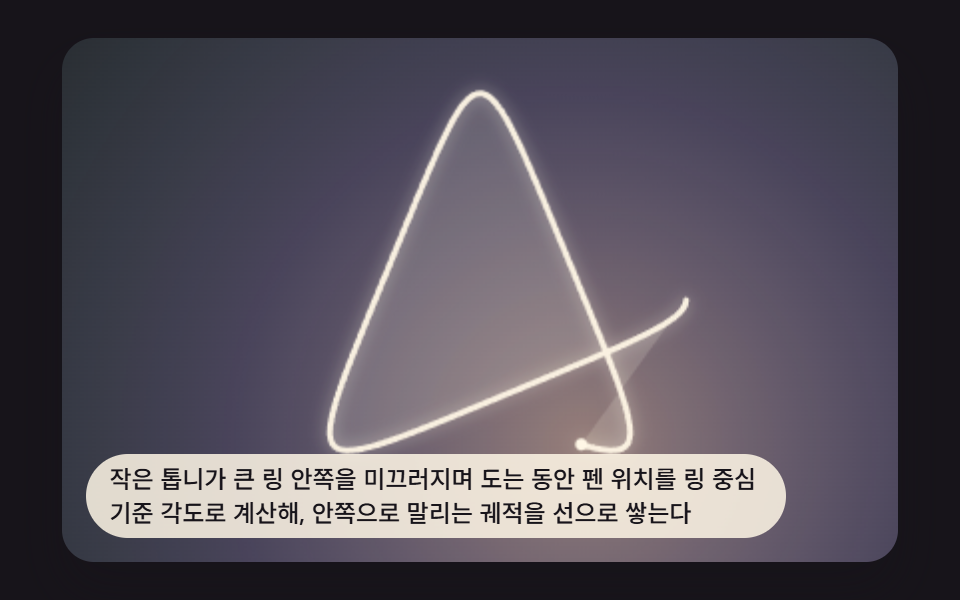 크리에이티브 UI스피로그래프 그리기 9가지 — 톱니비율로 그리는 기하 무늬
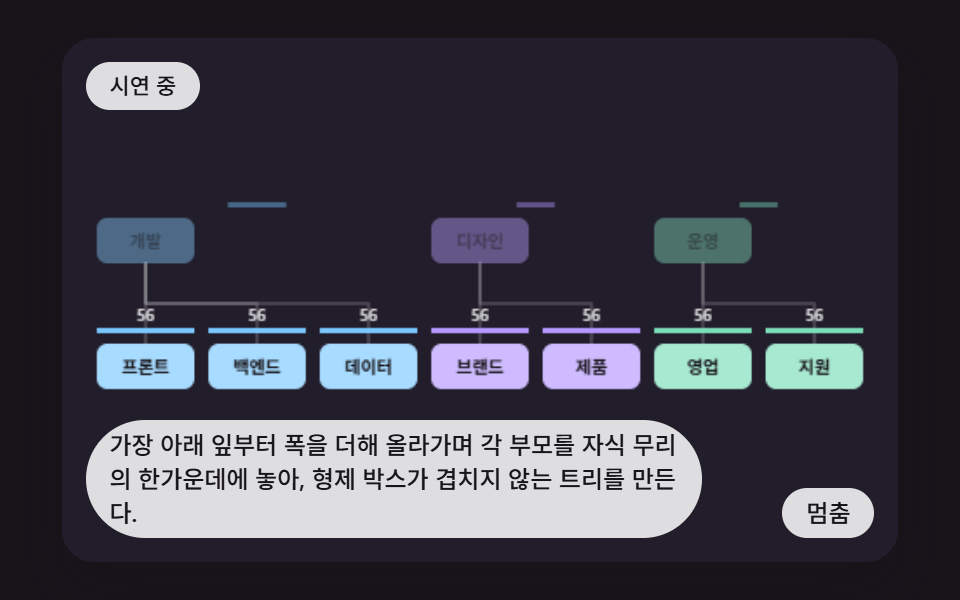 크리에이티브 UIcss 조직도 만들기 9가지 — 가지 폭을 계산해 부모를 자식 한가운데 놓는 트리 장면
 크리에이티브 UI오디오 비주얼라이저 만들기 9종 — 막대부터 마이크까지
 크리에이티브 UI물리 시뮬레이션 만들기 9종 — 스프링부터 관성 스크럽까지
 크리에이티브 UI파티클 효과 9종 — 캔버스 파티클 엔진 직접 만들기