CSS 토글 버튼 9종 — 실물처럼 만드는 토글 스위치 UI
css 토글 버튼은 화면 속에서 전원을 넣고 끄는 작은 스위치를 뜻합니다. 아홉 개를 라이브러리 없이 체크박스 하나로 만들었고, 아래 격자에서 지금 돌아갑니다. 클릭·Space·드래그 전부 실제로 움직입니다.
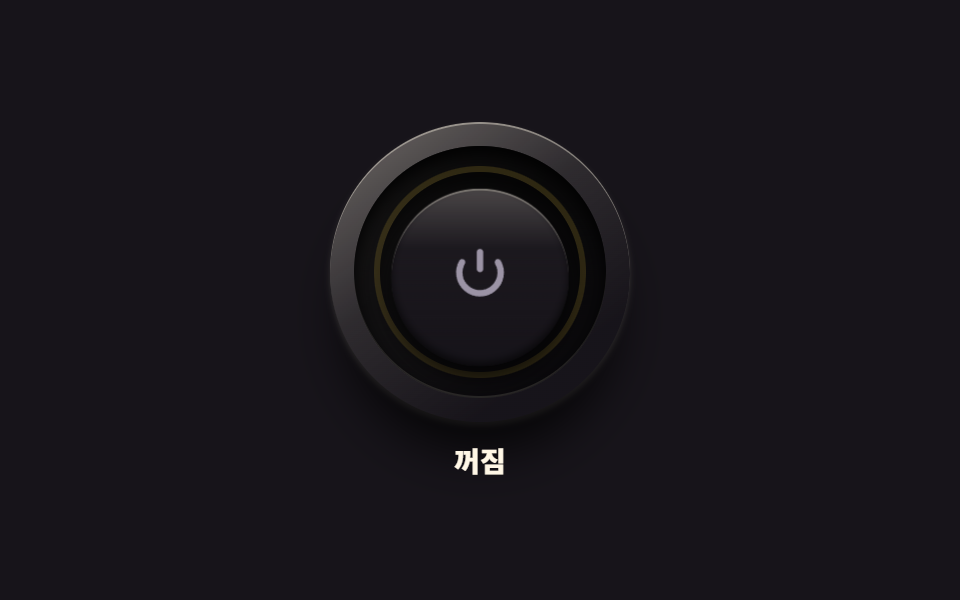 01 real-power-led-button
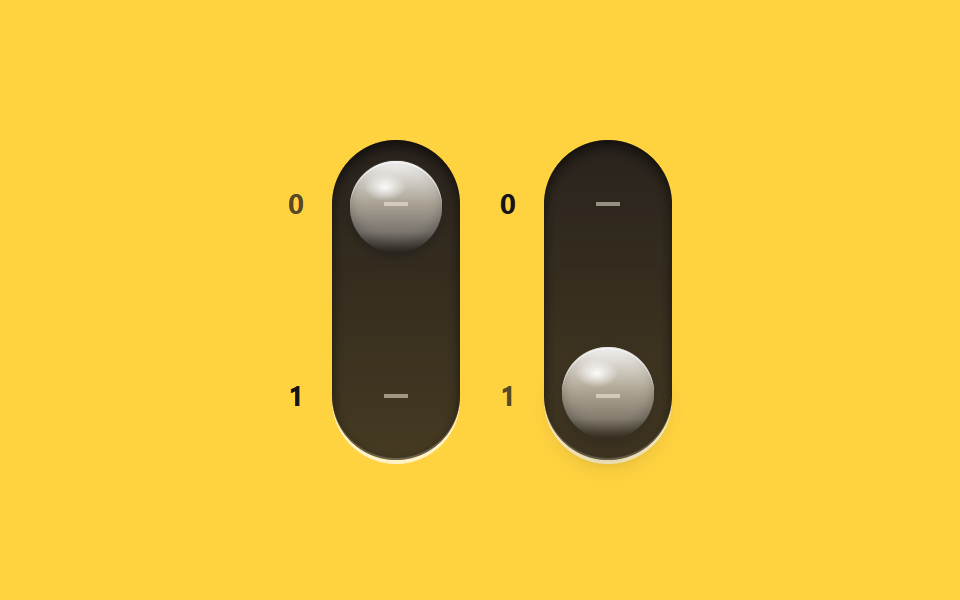 02 real-glass-toggle-pair
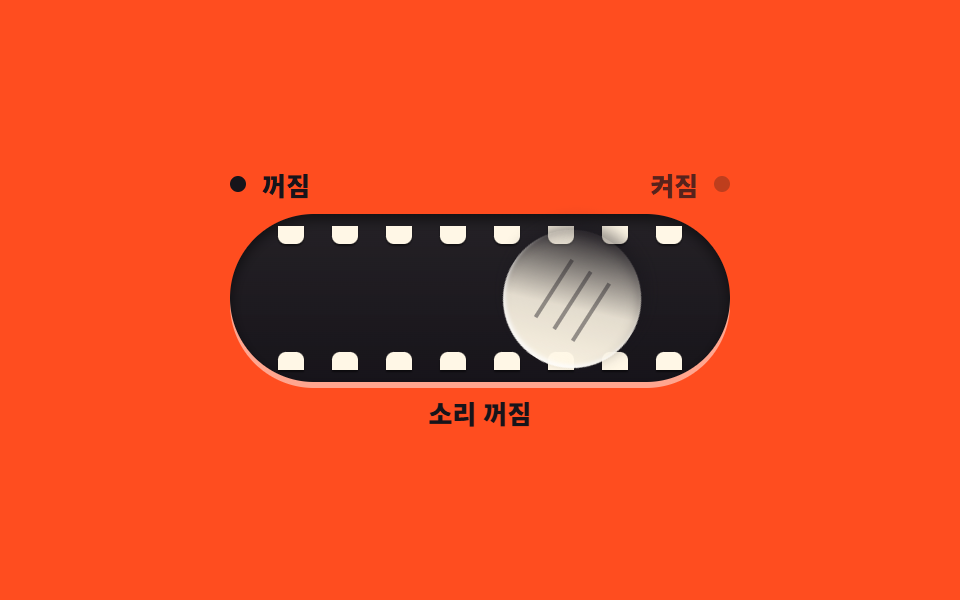 03 real-playful-morph-toggle
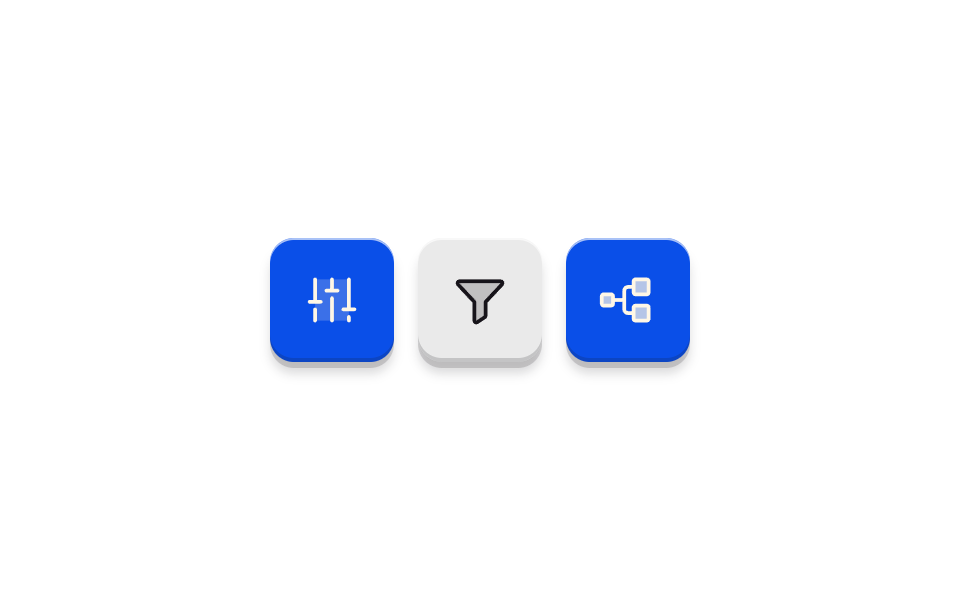 04 real-soft-plastic-toggle
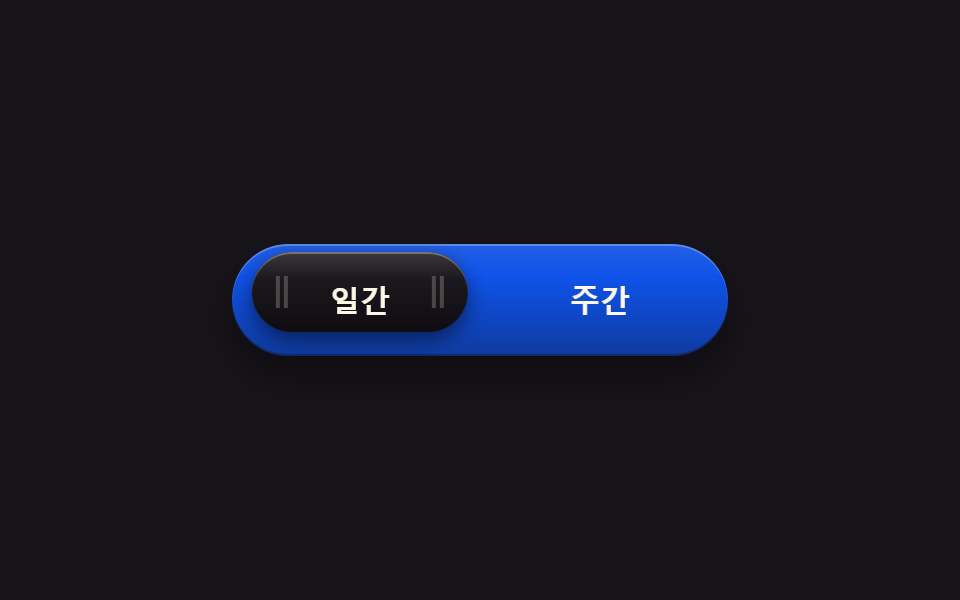 05 real-metal-segment-switch
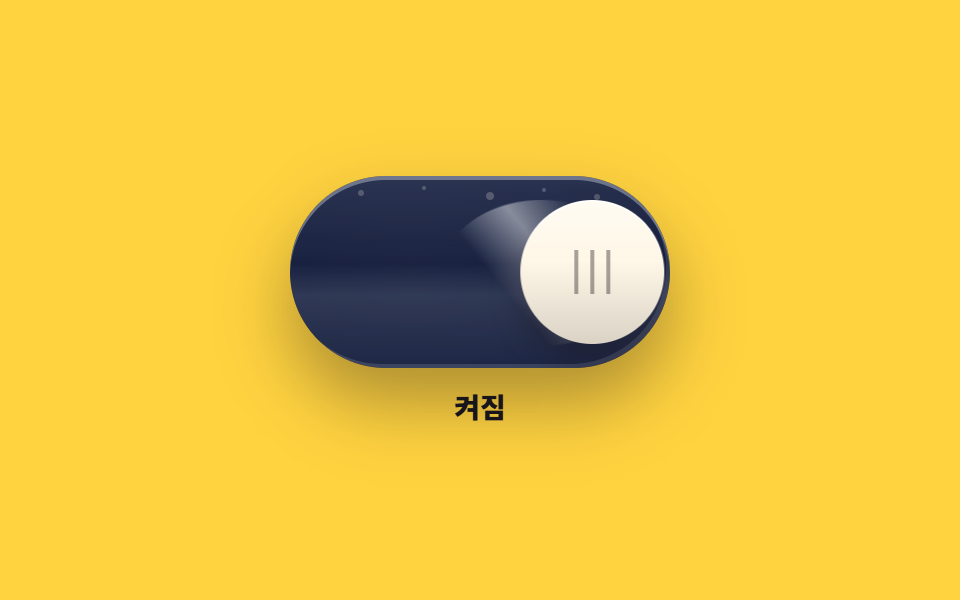 06 real-oneui-toggle
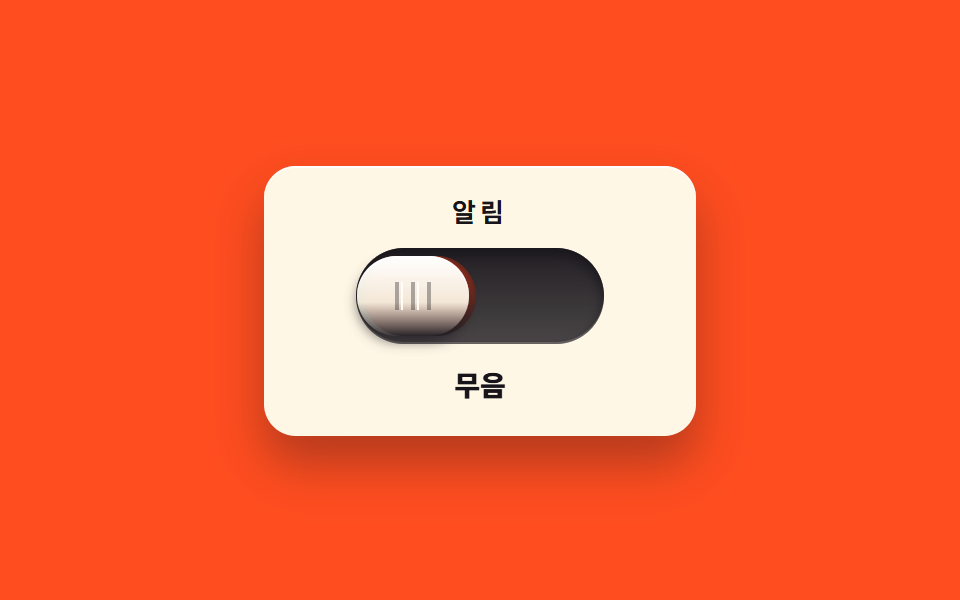 07 real-slide-mute-switch
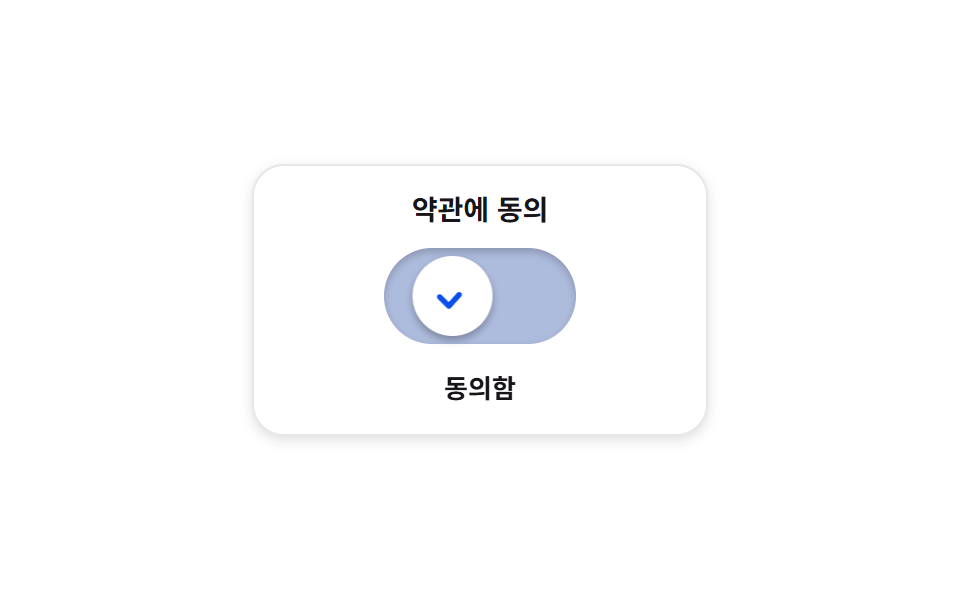 08 real-check-morph-switch
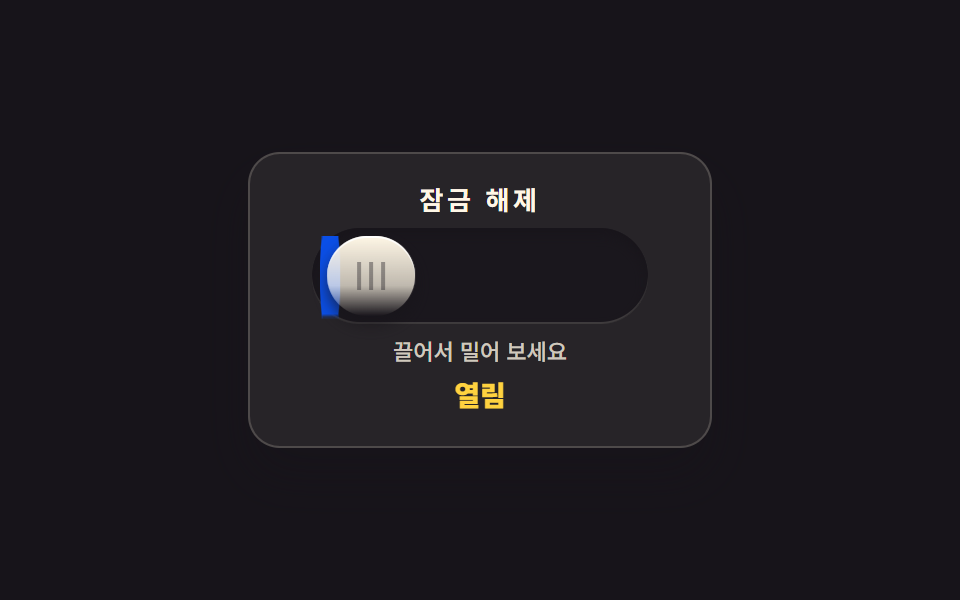 09 real-inertia-drag-toggle
자동 재생 · 눌러서 해당 항목으로 · 전부 한 zip
- 01 전원 버튼과 LED 링
- 02 유리 광택 세로 토글 두 개
- 03 굴러가며 눈을 뜨는 토글
- 04 무광 키캡 토글 세 개
- 05 두 칸 사이를 미끄러지는 선택 알약
- 06 빛이 쓸려 가는 유리 토글
- 07 밀어 젖히는 무음 스위치
- 08 체크로 굳는 확인 토글
- 09 끌었다 놓는 관성 토글
순서는 인기순이 아니라 스위치가 실물이 되어 가는 순서입니다. 먼저 눌림과 빛이 생기고(01), 유리 광택이 입혀지고(02), 성격이 붙고(03), 무광 재질로 차분해지고(04), 두 칸을 고르는 법이 생기고(05), 빛이 흐르고(06), 숨어 있던 띠가 드러나고(07), 체크로 확정되고(08), 마지막에 손끝을 따라오는 관성이 붙습니다(09). 여덟 개는 role="switch" 와 aria-checked 로, 두 칸을 고르는 05 만 aria-pressed 로 상태를 알리고, 색이 아니라 위치·글자·빛으로도 켜짐을 읽게 했습니다. 같은 button 기둥에서 레버·다이얼 같은 부품을 다룬 CSS 스위치 버튼 9종과 평면 토글의 기본기를 모은 CSS 토글 스위치 9종가 이 편의 이웃입니다.
01전원 버튼과 LED 링
동심원 베벨을 겹겹이 쌓은 둥근 버튼이 눌리면 아래로 들어가고, 테두리의 전원 기호 링에 빛이 번지는 기기 제어판용 주 전원입니다.
<main class="stage">
<div class="pw is-demo" id="pw">
  <div class="pw__col">
  <div class="pw__assembly">
    <span class="pw__bezel" aria-hidden="true"></span>
    <span class="pw__groove" aria-hidden="true"></span>
    <button class="pw__cap" id="pwCap" type="button" role="switch" aria-checked="false" aria-label="전원">
      <svg class="pw__mark" viewBox="0 0 24 24" aria-hidden="true" focusable="false">
        <path d="M12 3v6" fill="none" stroke="currentColor" stroke-width="2.3" stroke-linecap="round"></path>
        <path d="M18.4 6.6a7.4 7.4 0 1 1-12.8 0" fill="none" stroke="currentColor" stroke-width="2.3" stroke-linecap="round"></path>
      </svg>
    </button>
    <span class="pw__led" aria-hidden="true"></span>
    <span class="pw__shade" aria-hidden="true"></span>
  </div>
  <p class="pw__state" role="status"><span class="pw__wordOn">켜짐</span><span class="pw__wordOff">꺼짐</span></p>
  </div>
</div>
</main>
@use "../../../../site/static/demo-tokens" as *;
// 전원 버튼과 LED 링 — 베벨 링·어두운 그루브·캡의 3중 동심원. 캡 중앙의 전원 기호(IEC 5009)는 음각.
// 누르면 캡이 안으로 들어가고 그루브 위쪽 그림자가 짙어진다. 놓으면 캡이 먼저 돌아오고($duration),
// LED 링은 그 뒤에 서서히 켜진다 — 비대칭 타이밍. 끌 때는 반대로 LED 가 먼저 꺼지고 캡이 돌아온다.
// 켜짐은 색만으로 말하지 않는다: 링의 빛·기호의 발색·상태 글자가 함께 바뀐다. role="switch" + aria-checked.
// 미리보기(.is-demo)는 눌림 → 복귀 → 점등 유지 → 재눌림 → 소등을 2초에 한 바퀴 돈다.
$duration: $dur-quick;
$easing: $ease-spring;
$color: $stage-yellow;
@include stage($stage-ink);
.pw { display: grid; place-items: center; width: 100%; }
.pw__col { display: flex; flex-direction: column; align-items: center; gap: $sp-3; }
// ── 버튼 어셈블리(베벨 링 · 그루브 · 캡 · LED 링) ────────────
.pw__assembly { position: relative; width: 150px; height: 150px; }
// 바깥 베벨 링 — 위에서 비치는 금속성 테두리와 6시 방향 소프트 드롭섀도
.pw__bezel {
position: absolute; inset: 0; border-radius: 50%; pointer-events: none;
background: linear-gradient(145deg, rgba($subject-cream, .38), rgba($subject-cream, .1) 42%, rgba($stage-ink, .9) 78%), $subject-ink;
box-shadow: 0 22px 26px -8px rgba(0, 0, 0, .8), 0 2px 3px rgba($subject-cream, .18), inset 0 1px 0 rgba($subject-cream, .4);
}
// 어두운 그루브 링 — 캡이 들어가는 홈, 그림자로 깊이를 만든다
.pw__groove {
position: absolute; inset: 12px; border-radius: 50%; pointer-events: none;
background: linear-gradient(180deg, rgba(0, 0, 0, .85), rgba(0, 0, 0, .55));
box-shadow: inset 0 4px 8px rgba(0, 0, 0, .9), inset 0 -1px 0 rgba($subject-cream, .14);
}
// 캡(지름 60%) — 실제 누르는 면. 전원 기호는 SVG 로 직접 그렸다(아이콘 세트에 없는 정밀 기호 예외)
.pw__cap {
position: absolute; inset: 30px; z-index: 5;
display: flex; align-items: center; justify-content: center;
margin: 0; padding: 0; border: 0; border-radius: 50%; cursor: pointer;
background: linear-gradient(180deg, rgba($subject-cream, .22), rgba($subject-cream, .02) 34%, rgba($stage-ink, .5) 88%), $subject-ink;
box-shadow: 0 6px 10px rgba(0, 0, 0, .66), inset 0 1px 0 rgba($subject-cream, .3), inset 0 -2px 4px rgba(0, 0, 0, .6);
transform: translateY(0) scale(1);
transition: transform $duration $easing, box-shadow $duration $easing;
}
.pw__cap:active {
transform: translateY(4px) scale(.98);
box-shadow: 0 2px 4px rgba(0, 0, 0, .6), inset 0 1px 0 rgba($subject-cream, .22), inset 0 -2px 4px rgba(0, 0, 0, .6);
}
.pw__cap:focus-visible { outline: 2px solid $stage-yellow; outline-offset: 3px; }
// 전원 기호 — 꺼짐은 낮은 대비의 음각 회색, 켜지면 $color 로 밝아진다
.pw__mark { width: 34px; height: 34px; color: $tick-mute; transition: color $dur-quick $ease-out; }
// LED 링 — 그루브 위를 도는 빛. 켜질 때는 캡 복귀 뒤 $dur-quick 늦게 $dur-base 에 걸쳐 번지고,
// 꺼질 때는 지연 없이 빠르게 사그라든다(방향마다 transition 규칙을 다르게 둔 한 방향 트릭).
.pw__led {
position: absolute; inset: 22px; z-index: 2; border-radius: 50%; pointer-events: none;
box-shadow: inset 0 0 0 3px rgba($color, .14);
transition: box-shadow $dur-quick $ease-out;
}
// 그루브 위쪽 내그림자 — 누르는 동안 짙어진다(캡보다 뒤에 두어 캡은 덮지 않는다)
.pw__shade {
position: absolute; inset: 25px; z-index: 3; border-radius: 50%; pointer-events: none;
box-shadow: inset 0 7px 9px rgba(0, 0, 0, .75);
opacity: .3; transition: opacity $duration $easing;
}
.pw__cap:active ~ .pw__shade { opacity: .8; }
// ── 켜짐 상태 ────────────────────────────────────────────────
.pw.is-on .pw__led {
box-shadow: inset 0 0 0 3px $color, 0 0 16px rgba($color, .6), 0 0 34px rgba($color, .28);
transition: box-shadow $dur-base $ease-out $duration;
}
.pw.is-on .pw__mark { color: $color; transition: color $dur-base $ease-out $duration; }
// ── 상태 글자 ────────────────────────────────────────────────
.pw__state { position: relative; margin: 0; width: 60px; height: 16px; }
.pw__wordOn, .pw__wordOff {
position: absolute; inset: 0; display: flex; align-items: center; justify-content: center;
font-weight: 800; font-size: clamp(12px, 3vw, 14px); line-height: 1; color: $subject-cream;
}
.pw__wordOn { display: none; color: $stage-yellow; }
.pw.is-on .pw__wordOn { display: flex; }
.pw.is-on .pw__wordOff { display: none; }
// ── 미리보기 루프(2초 한 바퀴) ────────────────────────────────
// 캡 눌림은 transform 키프레임(움직임 축), LED 점등은 box-shadow·색 키프레임(상태 변화라 번지는 게 맞다).
.pw.is-demo .pw__cap {
animation-name: pwPress; animation-duration: $dur-loop;
animation-timing-function: $easing; animation-iteration-count: infinite;
}
@keyframes pwPress {
0%, 6% { transform: translateY(0) scale(1); }
11% { transform: translateY(4px) scale(.98); }
16% { transform: translateY(0) scale(1); }
57% { transform: translateY(0) scale(1); }
62% { transform: translateY(4px) scale(.98); }
68%, 100% { transform: translateY(0) scale(1); }
}
.pw.is-demo .pw__shade {
animation-name: pwShade; animation-duration: $dur-loop;
animation-timing-function: steps(1, end); animation-iteration-count: infinite;
}
@keyframes pwShade {
0% { opacity: .3; }
7% { opacity: .8; }
16% { opacity: .3; }
57% { opacity: .8; }
68% { opacity: .3; }
100% { opacity: .3; }
}
.pw.is-demo .pw__led {
animation-name: pwLed; animation-duration: $dur-loop;
animation-timing-function: ease; animation-iteration-count: infinite;
}
@keyframes pwLed {
0%, 16% { box-shadow: inset 0 0 0 3px rgba($color, .14); }
28%, 58% { box-shadow: inset 0 0 0 3px $color, 0 0 16px rgba($color, .6), 0 0 34px rgba($color, .28); }
63%, 100% { box-shadow: inset 0 0 0 3px rgba($color, .14); }
}
.pw.is-demo .pw__mark {
animation-name: pwMark; animation-duration: $dur-loop;
animation-timing-function: ease; animation-iteration-count: infinite;
}
@keyframes pwMark {
0%, 16% { color: $tick-mute; }
28%, 58% { color: $color; }
63%, 100% { color: $tick-mute; }
}
// 상태 글자는 steps(1, end) 컷 — 반투명하게 겹치는 유령 프레임이 생기지 않는다
.pw.is-demo .pw__wordOn { display: flex; opacity: 0; }
.pw.is-demo .pw__wordOff { opacity: 1; }
.pw.is-demo .pw__wordOn {
animation-name: pwWordOn; animation-duration: $dur-loop;
animation-timing-function: steps(1, end); animation-iteration-count: infinite;
}
@keyframes pwWordOn {
0%, 18% { opacity: 0; }
24% { opacity: 1; }
60% { opacity: 0; }
100% { opacity: 0; }
}
.pw.is-demo .pw__wordOff {
animation-name: pwWordOff; animation-duration: $dur-loop;
animation-timing-function: steps(1, end); animation-iteration-count: infinite;
}
@keyframes pwWordOff {
0%, 18% { opacity: 1; }
24% { opacity: 0; }
60% { opacity: 1; }
100% { opacity: 1; }
}
@media (max-width: 340px) {
.pw__col { gap: $sp-2; }
.pw__assembly { width: 118px; height: 118px; }
.pw__groove { inset: 10px; }
.pw__cap { inset: 24px; }
.pw__led { inset: 18px; }
.pw__shade { inset: 20px; }
.pw__mark { width: 26px; height: 26px; }
.pw__state { width: 48px; height: 14px; }
}
@media (prefers-reduced-motion: reduce) {
.pw .pw__cap { transition: none !important; }
.pw .pw__shade { transition: none !important; }
.pw.is-demo .pw__cap { animation: none !important; transform: translateY(0) scale(1) !important; }
.pw.is-demo .pw__shade { animation: none !important; opacity: .3 !important; }
.pw.is-demo .pw__led { animation: none !important; }
.pw.is-demo .pw__mark { animation: none !important; }
.pw.is-demo .pw__wordOn { animation: none !important; opacity: 0 !important; }
.pw.is-demo .pw__wordOff { animation: none !important; opacity: 1 !important; }
}html, body {
margin: 0;
overflow: hidden;
}
.stage {
box-sizing: border-box;
min-height: 100vh;
display: grid;
place-items: center;
margin: 0;
background: #17141a;
font-family: -apple-system, "Segoe UI", "Noto Sans KR", sans-serif;
padding: clamp(8px, 4vw, 24px);
}
.pw {
display: grid;
place-items: center;
width: 100%;
}
.pw__col {
display: flex;
flex-direction: column;
align-items: center;
gap: 12px;
}
.pw__assembly {
position: relative;
width: 150px;
height: 150px;
}
.pw__bezel {
position: absolute;
inset: 0;
border-radius: 50%;
pointer-events: none;
background: linear-gradient(145deg, rgba(255, 247, 230, 0.38), rgba(255, 247, 230, 0.1) 42%, rgba(23, 20, 26, 0.9) 78%), #17141a;
box-shadow: 0 22px 26px -8px rgba(0, 0, 0, 0.8), 0 2px 3px rgba(255, 247, 230, 0.18), inset 0 1px 0 rgba(255, 247, 230, 0.4);
}
.pw__groove {
position: absolute;
inset: 12px;
border-radius: 50%;
pointer-events: none;
background: linear-gradient(180deg, rgba(0, 0, 0, 0.85), rgba(0, 0, 0, 0.55));
box-shadow: inset 0 4px 8px rgba(0, 0, 0, 0.9), inset 0 -1px 0 rgba(255, 247, 230, 0.14);
}
.pw__cap {
position: absolute;
inset: 30px;
z-index: 5;
display: flex;
align-items: center;
justify-content: center;
margin: 0;
padding: 0;
border: 0;
border-radius: 50%;
cursor: pointer;
background: linear-gradient(180deg, rgba(255, 247, 230, 0.22), rgba(255, 247, 230, 0.02) 34%, rgba(23, 20, 26, 0.5) 88%), #17141a;
box-shadow: 0 6px 10px rgba(0, 0, 0, 0.66), inset 0 1px 0 rgba(255, 247, 230, 0.3), inset 0 -2px 4px rgba(0, 0, 0, 0.6);
transform: translateY(0) scale(1);
transition: transform 220ms cubic-bezier(0.2, 0.8, 0.2, 1), box-shadow 220ms cubic-bezier(0.2, 0.8, 0.2, 1);
}
.pw__cap:active {
transform: translateY(4px) scale(0.98);
box-shadow: 0 2px 4px rgba(0, 0, 0, 0.6), inset 0 1px 0 rgba(255, 247, 230, 0.22), inset 0 -2px 4px rgba(0, 0, 0, 0.6);
}
.pw__cap:focus-visible {
outline: 2px solid #ffd23f;
outline-offset: 3px;
}
.pw__mark {
width: 34px;
height: 34px;
color: #9a93a6;
transition: color 220ms ease-out;
}
.pw__led {
position: absolute;
inset: 22px;
z-index: 2;
border-radius: 50%;
pointer-events: none;
box-shadow: inset 0 0 0 3px rgba(255, 210, 63, 0.14);
transition: box-shadow 220ms ease-out;
}
.pw__shade {
position: absolute;
inset: 25px;
z-index: 3;
border-radius: 50%;
pointer-events: none;
box-shadow: inset 0 7px 9px rgba(0, 0, 0, 0.75);
opacity: 0.3;
transition: opacity 220ms cubic-bezier(0.2, 0.8, 0.2, 1);
}
.pw__cap:active ~ .pw__shade {
opacity: 0.8;
}
.pw.is-on .pw__led {
box-shadow: inset 0 0 0 3px #ffd23f, 0 0 16px rgba(255, 210, 63, 0.6), 0 0 34px rgba(255, 210, 63, 0.28);
transition: box-shadow 300ms ease-out 220ms;
}
.pw.is-on .pw__mark {
color: #ffd23f;
transition: color 300ms ease-out 220ms;
}
.pw__state {
position: relative;
margin: 0;
width: 60px;
height: 16px;
}
.pw__wordOn, .pw__wordOff {
position: absolute;
inset: 0;
display: flex;
align-items: center;
justify-content: center;
font-weight: 800;
font-size: clamp(12px, 3vw, 14px);
line-height: 1;
color: #fff7e6;
}
.pw__wordOn {
display: none;
color: #ffd23f;
}
.pw.is-on .pw__wordOn {
display: flex;
}
.pw.is-on .pw__wordOff {
display: none;
}
.pw.is-demo .pw__cap {
animation-name: pwPress;
animation-duration: 2s;
animation-timing-function: cubic-bezier(0.2, 0.8, 0.2, 1);
animation-iteration-count: infinite;
}
@keyframes pwPress {
0%, 6% {
transform: translateY(0) scale(1);
}
11% {
transform: translateY(4px) scale(0.98);
}
16% {
transform: translateY(0) scale(1);
}
57% {
transform: translateY(0) scale(1);
}
62% {
transform: translateY(4px) scale(0.98);
}
68%, 100% {
transform: translateY(0) scale(1);
}
}
.pw.is-demo .pw__shade {
animation-name: pwShade;
animation-duration: 2s;
animation-timing-function: steps(1, end);
animation-iteration-count: infinite;
}
@keyframes pwShade {
0% {
opacity: 0.3;
}
7% {
opacity: 0.8;
}
16% {
opacity: 0.3;
}
57% {
opacity: 0.8;
}
68% {
opacity: 0.3;
}
100% {
opacity: 0.3;
}
}
.pw.is-demo .pw__led {
animation-name: pwLed;
animation-duration: 2s;
animation-timing-function: ease;
animation-iteration-count: infinite;
}
@keyframes pwLed {
0%, 16% {
box-shadow: inset 0 0 0 3px rgba(255, 210, 63, 0.14);
}
28%, 58% {
box-shadow: inset 0 0 0 3px #ffd23f, 0 0 16px rgba(255, 210, 63, 0.6), 0 0 34px rgba(255, 210, 63, 0.28);
}
63%, 100% {
box-shadow: inset 0 0 0 3px rgba(255, 210, 63, 0.14);
}
}
.pw.is-demo .pw__mark {
animation-name: pwMark;
animation-duration: 2s;
animation-timing-function: ease;
animation-iteration-count: infinite;
}
@keyframes pwMark {
0%, 16% {
color: #9a93a6;
}
28%, 58% {
color: #ffd23f;
}
63%, 100% {
color: #9a93a6;
}
}
.pw.is-demo .pw__wordOn {
display: flex;
opacity: 0;
}
.pw.is-demo .pw__wordOff {
opacity: 1;
}
.pw.is-demo .pw__wordOn {
animation-name: pwWordOn;
animation-duration: 2s;
animation-timing-function: steps(1, end);
animation-iteration-count: infinite;
}
@keyframes pwWordOn {
0%, 18% {
opacity: 0;
}
24% {
opacity: 1;
}
60% {
opacity: 0;
}
100% {
opacity: 0;
}
}
.pw.is-demo .pw__wordOff {
animation-name: pwWordOff;
animation-duration: 2s;
animation-timing-function: steps(1, end);
animation-iteration-count: infinite;
}
@keyframes pwWordOff {
0%, 18% {
opacity: 1;
}
24% {
opacity: 0;
}
60% {
opacity: 1;
}
100% {
opacity: 1;
}
}
@media (max-width: 340px) {
.pw__col {
gap: 8px;
}
.pw__assembly {
width: 118px;
height: 118px;
}
.pw__groove {
inset: 10px;
}
.pw__cap {
inset: 24px;
}
.pw__led {
inset: 18px;
}
.pw__shade {
inset: 20px;
}
.pw__mark {
width: 26px;
height: 26px;
}
.pw__state {
width: 48px;
height: 14px;
}
}
@media (prefers-reduced-motion: reduce) {
.pw .pw__cap {
transition: none !important;
}
.pw .pw__shade {
transition: none !important;
}
.pw.is-demo .pw__cap {
animation: none !important;
transform: translateY(0) scale(1) !important;
}
.pw.is-demo .pw__shade {
animation: none !important;
opacity: 0.3 !important;
}
.pw.is-demo .pw__led {
animation: none !important;
}
.pw.is-demo .pw__mark {
animation: none !important;
}
.pw.is-demo .pw__wordOn {
animation: none !important;
opacity: 0 !important;
}
.pw.is-demo .pw__wordOff {
animation: none !important;
opacity: 1 !important;
}
}var pwRoot = document.getElementById('pw');
var pwCap = document.getElementById('pwCap');
function pwSet(on) {
pwCap.setAttribute('aria-checked', on ? 'true' : 'false');
pwRoot.classList.toggle('is-on', on);
}
pwCap.addEventListener('pointerdown', function () { pwRoot.classList.remove('is-demo'); });
pwCap.addEventListener('click', function () {
pwRoot.classList.remove('is-demo');
pwSet(pwCap.getAttribute('aria-checked') !== 'true');
});// PowerLedButton — vanilla 판(run/076/demo/01-real-power-led-button/index.html) 의 React 포트.
// 누르면 캡이 안으로 들어가고, 놓으면 캡이 먼저 돌아오고 LED 링은 그 뒤에 서서히 켜진다(비대칭 타이밍).
// 값·키프레임은 vanilla 와 같다(다시 타이핑하지 않는다). 누르면 미리보기 루프를 뗀다.
import { useState } from "react";
import styles from "./PowerLedButton.module.scss";
export type PowerLedButtonProps = {
duration?: number;
easing?: string;
color?: string;
};
type Vars = { [k: string]: any };
const ARIA_LABEL = "전원";
const STATE_ON = "켜짐";
const STATE_OFF = "꺼짐";
export default function PowerLedButton({
duration = 220,
easing = "cubic-bezier(.2, .8, .2, 1)", // = $ease-spring
color = "#ffd23f",
}: PowerLedButtonProps) {
const [on, setOn] = useState(false);
const [demo, setDemo] = useState(true);
const vars: Vars = {
"--duration": `${duration}ms`,
"--easing": easing,
"--color": color,
};
const cls = [styles.root, demo ? styles.isDemo : "", on ? styles.isOn : ""].filter(Boolean).join(" ");
function wake() {
setDemo(false);
}
function toggle() {
setDemo(false);
setOn((prev) => !prev);
}
return (
<main className={styles.stage}>
<div className={cls} style={vars}>
<div className={styles.col}>
<div className={styles.assembly}>
<span className={styles.bezel} aria-hidden="true"></span>
<span className={styles.groove} aria-hidden="true"></span>
<button
className={styles.cap}
type="button"
role="switch"
aria-checked={on}
aria-label={ARIA_LABEL}
onPointerDown={wake}
onClick={toggle}
>
<svg className={styles.mark} viewBox="0 0 24 24" aria-hidden="true" focusable="false">
<path d="M12 3v6" fill="none" stroke="currentColor" stroke-width="2.3" stroke-linecap="round"></path>
<path d="M18.4 6.6a7.4 7.4 0 1 1-12.8 0" fill="none" stroke="currentColor" stroke-width="2.3" stroke-linecap="round"></path>
</svg>
</button>
<span className={styles.led} aria-hidden="true"></span>
<span className={styles.shade} aria-hidden="true"></span>
</div>
<p className={styles.state} role="status">
<span className={styles.wordOn}>{STATE_ON}</span>
<span className={styles.wordOff}>{STATE_OFF}</span>
</p>
</div>
</div>
</main>
);
}01 · 전원 버튼과 LED 링 — 측정 누적면적 5.355% · 움직인 프레임 9/23GODRICH 원작 · zip 에 SCSS·React 포함 · 비밀번호 보기
켜짐과 꺼짐의 시간이 다르다
// LED 링 — 켜질 때는 캡 복귀 뒤 $dur-quick 늦게 $dur-base 에 걸쳐 번지고,
// 꺼질 때는 지연 없이 빠르게 사그라든다(방향마다 transition 규칙을 다르게 둔 한 방향 트릭).
.pw__led {
  position: absolute; inset: 22px; z-index: 2; border-radius: 50%; pointer-events: none;
  box-shadow: inset 0 0 0 3px rgba($color, .14);
  transition: box-shadow $dur-quick $ease-out;
}
.pw.is-on .pw__led {
  box-shadow: inset 0 0 0 3px $color, 0 0 16px rgba($color, .6), 0 0 34px rgba($color, .28);
  transition: box-shadow $dur-base $ease-out $duration;
}
기본 규칙은 꺼짐 방향(짧고 지연 없음)을 담당하고, .is-on 규칙이 켜짐 방향(버튼이 돌아온 뒤 220ms 부터 300ms 에 걸쳐 번짐)을 덮어써서, 상태마다 delay 를 다르게 두는 것만으로 실물의 비대칭이 만들어집니다.
눌림은 그림자가 함께 깊어진다
.pw__cap:active {
  transform: translateY(4px) scale(.98);
  box-shadow: 0 2px 4px rgba(0, 0, 0, .6), inset 0 1px 0 rgba($subject-cream, .22), inset 0 -2px 4px rgba(0, 0, 0, .6);
}
캡이 4px 내려가는 동시에 바깥 그림자가 움츠러드는데, 눌림 깊이는 눈보다 손이 먼저 알아채는 정보라 transform 과 box-shadow 를 같은 시간에 묶었습니다.
02유리 광택 세로 토글 두 개
세로로 선 홈 안을 유리 광택 노브가 위아래로 미끄러지는, 장비 패널의 채널 두 줄입니다 — 두 개가 서로 반대 상태로 놓여 0 과 1 을 나란히 견줍니다.
<main class="stage">
<div class="ch is-demo" id="ch">
  <div class="ch__unit ch__unit--a">
    <input class="ch__input" id="chA" type="checkbox" role="switch" aria-label="채널 1">
    <div class="ch__scale" aria-hidden="true">
      <span class="ch__num ch__num--zero">0</span>
      <span class="ch__num ch__num--one">1</span>
    </div>
    <div class="ch__track">
      <span class="ch__detent ch__detent--top" aria-hidden="true"></span>
      <span class="ch__detent ch__detent--bottom" aria-hidden="true"></span>
      <span class="ch__knob" aria-hidden="true"></span>
    </div>
  </div>
  <div class="ch__unit ch__unit--b">
    <input class="ch__input" id="chB" type="checkbox" role="switch" aria-label="채널 2" checked>
    <div class="ch__scale" aria-hidden="true">
      <span class="ch__num ch__num--zero">0</span>
      <span class="ch__num ch__num--one">1</span>
    </div>
    <div class="ch__track">
      <span class="ch__detent ch__detent--top" aria-hidden="true"></span>
      <span class="ch__detent ch__detent--bottom" aria-hidden="true"></span>
      <span class="ch__knob" aria-hidden="true"></span>
    </div>
  </div>
</div>
</main>@use "../../../../site/static/demo-tokens" as *;
// 유리 광택 세로 토글 두 개 — 세로로 선 어두운 홈을 유리 노브가 위아래로 미끄러진다.
// 두 채널은 서로 반대 상태로 놓여 0 과 1 을 나란히 견준다. 상태는 위치·그림자·숫자 강조 세 가지로 읽힌다.
// 노브가 내려앉을수록 그림자가 넓게 번진다(box-shadow 두 벌을 상태마다 갈아 낀다).
// 딱 끊기는 성격에 살짝 오버슈트 — $ease-pop 이 트랜지션 한 번으로 만든다.
// 입력은 체크박스에 role="switch"(aria-checked 는 native 노출). CSS 는 :checked 로만 상태를 만든다.
// 미리보기(.is-demo)는 두 노브가 엇갈려 왕복하고 숫자 강조는 steps(1, end) 로 컷된다.
$duration: $dur-quick;
$easing: $ease-pop;
$color: $subject-cream;
@include stage($stage-yellow);
.ch { display: flex; align-items: center; justify-content: center; gap: $sp-5; width: 100%; }
.ch__unit { position: relative; display: flex; gap: $sp-2; }
// 입력은 눈에 보이지 않지만 단위 전체를 덮는다(클림 영역이 홈보다 넓다)
.ch__input { position: absolute; inset: 0; z-index: 10; margin: 0; opacity: 0; cursor: pointer; }
// ── 숫자 눈금(0 은 상단 높이, 1 은 하단 높이) ────────────────
.ch__scale { position: relative; width: 14px; height: 160px; }
.ch__num {
position: absolute; left: 0;
font-weight: 700; font-size: 14px; line-height: 1;
color: rgba($subject-ink, .72);
}
.ch__num--zero { top: 25px; color: $subject-ink; }
.ch__num--one { bottom: 25px; }
// 현재 값만 진하게 — 체크되면 강조가 0 에서 1 로 옮겨 간다
.ch__input:checked ~ .ch__scale .ch__num--zero { color: rgba($subject-ink, .72); }
.ch__input:checked ~ .ch__scale .ch__num--one { color: $subject-ink; }
// ── 홈(트랙) ─────────────────────────────────────────────────
.ch__track {
--travel: 96px; // 노브가 반대쪽 끝까지 가는 거리(세로 160 − 노브 46 − 위아래 여백 18)
position: relative; width: 64px; height: 160px; border-radius: $r-pill;
background: linear-gradient(180deg, rgba($subject-ink, .92), rgba($subject-ink, .8));
box-shadow: inset 0 3px 6px rgba(0, 0, 0, .6), inset 0 -1px 0 rgba($color, .25), 0 2px 0 rgba($stage-paper, .7);
}
.ch__input:focus-visible ~ .ch__track { outline: 2px solid $subject-ink; outline-offset: 3px; }
// 위·아래 정지점(디텐트) — 노브가 닿는 높이의 짧은 광택 줄
.ch__detent {
position: absolute; left: 26px; width: 12px; height: 2px; border-radius: 0;
background: rgba($color, .5);
}
.ch__detent--top { top: 31px; }
.ch__detent--bottom { bottom: 31px; }
// ── 유리 노브 ────────────────────────────────────────────────
.ch__knob {
position: absolute; left: 9px; top: 9px; width: 46px; height: 46px; border-radius: 50%;
background: linear-gradient(180deg, rgba($stage-paper, .95), rgba($color, .6) 45%, rgba($stage-paper, .35) 78%, rgba($subject-ink, .22));
box-shadow: 0 3px 5px rgba($stage-ink, .4), inset 0 -3px 6px rgba($stage-ink, .28), inset 0 1px 0 rgba($stage-paper, .9);
transform: translateY(0);
transition: transform $duration $easing, box-shadow $duration $easing;
}
// 좌상단 타원 스펙큘러 — 유리가 갖는 한 점의 하이라이트
.ch__knob::before {
content: ""; position: absolute; left: 16%; top: 12%; width: 44%; height: 32%;
border-radius: 50%;
background: radial-gradient(closest-side, rgba($stage-paper, .95), rgba($stage-paper, 0));
}
// 내려앉은 상태 — 그림자가 멀리 넓게 번진다(위에서 뜬 상태의 좁은 그림자와 갈린다)
.ch__input:checked ~ .ch__track .ch__knob {
  transform: translateY(var(--travel));
  box-shadow: 0 9px 14px rgba($stage-ink, .34), inset 0 -3px 6px rgba($stage-ink, .28), inset 0 1px 0 rgba($stage-paper, .9);
}
// ── 미리보기 루프(2초 한 바퀴) ────────────────────────────────
// 두 노브는 같은 키프레임 각도로 엇갈리게 왕복한다(왼쪽은 내려갔다, 오른쪽은 올라갔다).
.ch.is-demo .ch__knob {
animation-duration: $dur-loop;
animation-timing-function: $easing; animation-iteration-count: infinite;
}
.ch.is-demo .ch__unit--a .ch__knob { animation-name: chSlideDown; }
.ch.is-demo .ch__unit--b .ch__knob { animation-name: chSlideUp; }
@keyframes chSlideDown {
0%, 8% { transform: translateY(0); }
36% { transform: translateY(calc(var(--travel) + 4px)); }
42% { transform: translateY(calc(var(--travel) - 3px)); }
46%, 60% { transform: translateY(var(--travel)); }
86% { transform: translateY(-4px); }
90% { transform: translateY(2px); }
94%, 100% { transform: translateY(0); }
}
@keyframes chSlideUp {
0%, 8% { transform: translateY(var(--travel)); }
36% { transform: translateY(-4px); }
42% { transform: translateY(3px); }
46%, 60% { transform: translateY(0); }
86% { transform: translateY(calc(var(--travel) + 4px)); }
90% { transform: translateY(calc(var(--travel) - 3px)); }
94%, 100% { transform: translateY(var(--travel)); }
}
// 숫자 강조 컷 — 도착 순간(46%)과 복귀 순간(90%)에 한 프레임으로 갈린다
.ch.is-demo .ch__num {
animation-duration: $dur-loop;
animation-timing-function: steps(1, end); animation-iteration-count: infinite;
}
.ch.is-demo .ch__unit--a .ch__num--zero { animation-name: chEmphA; }
.ch.is-demo .ch__unit--a .ch__num--one { animation-name: chEmphB; }
.ch.is-demo .ch__unit--b .ch__num--zero { animation-name: chEmphB; }
.ch.is-demo .ch__unit--b .ch__num--one { animation-name: chEmphA; }
@keyframes chEmphA {
0% { color: $subject-ink; }
46% { color: rgba($subject-ink, .72); }
90% { color: $subject-ink; }
100% { color: $subject-ink; }
}
@keyframes chEmphB {
0% { color: rgba($subject-ink, .72); }
46% { color: $subject-ink; }
90% { color: rgba($subject-ink, .72); }
100% { color: rgba($subject-ink, .72); }
}
@media (max-width: 340px) {
.ch { gap: $sp-3; }
.ch__unit { gap: $sp-1; }
.ch__scale { width: 12px; height: 120px; }
.ch__num { font-size: 12px; }
.ch__num--zero { top: 18px; }
.ch__num--one { bottom: 18px; }
.ch__track { --travel: 72px; width: 48px; height: 120px; }
.ch__detent { left: 18px; }
.ch__detent--top { top: 23px; }
.ch__detent--bottom { bottom: 23px; }
.ch__knob { left: 7px; top: 7px; width: 34px; height: 34px; }
}
@media (prefers-reduced-motion: reduce) {
.ch .ch__knob { transition: none !important; }
.ch.is-demo .ch__knob { animation: none !important; }
.ch.is-demo .ch__unit--a .ch__knob { transform: translateY(0) !important; }
.ch.is-demo .ch__unit--b .ch__knob { transform: translateY(var(--travel)) !important; }
.ch.is-demo .ch__num { animation: none !important; }
}html, body {
margin: 0;
overflow: hidden;
}
.stage {
box-sizing: border-box;
min-height: 100vh;
display: grid;
place-items: center;
margin: 0;
background: #ffd23f;
font-family: -apple-system, "Segoe UI", "Noto Sans KR", sans-serif;
padding: clamp(8px, 4vw, 24px);
}
.ch {
display: flex;
align-items: center;
justify-content: center;
gap: 20px;
width: 100%;
}
.ch__unit {
position: relative;
display: flex;
gap: 8px;
}
.ch__input {
position: absolute;
inset: 0;
z-index: 10;
margin: 0;
opacity: 0;
cursor: pointer;
}
.ch__scale {
position: relative;
width: 14px;
height: 160px;
}
.ch__num {
position: absolute;
left: 0;
font-weight: 700;
font-size: 14px;
line-height: 1;
color: rgba(23, 20, 26, 0.72);
}
.ch__num--zero {
top: 25px;
color: #17141a;
}
.ch__num--one {
bottom: 25px;
}
.ch__input:checked ~ .ch__scale .ch__num--zero {
color: rgba(23, 20, 26, 0.72);
}
.ch__input:checked ~ .ch__scale .ch__num--one {
color: #17141a;
}
.ch__track {
--travel: 96px;
position: relative;
width: 64px;
height: 160px;
border-radius: 999px;
background: linear-gradient(180deg, rgba(23, 20, 26, 0.92), rgba(23, 20, 26, 0.8));
box-shadow: inset 0 3px 6px rgba(0, 0, 0, 0.6), inset 0 -1px 0 rgba(255, 247, 230, 0.25), 0 2px 0 rgba(255, 255, 255, 0.7);
}
.ch__input:focus-visible ~ .ch__track {
outline: 2px solid #17141a;
outline-offset: 3px;
}
.ch__detent {
position: absolute;
left: 26px;
width: 12px;
height: 2px;
border-radius: 0;
background: rgba(255, 247, 230, 0.5);
}
.ch__detent--top {
top: 31px;
}
.ch__detent--bottom {
bottom: 31px;
}
.ch__knob {
position: absolute;
left: 9px;
top: 9px;
width: 46px;
height: 46px;
border-radius: 50%;
background: linear-gradient(180deg, rgba(255, 255, 255, 0.95), rgba(255, 247, 230, 0.6) 45%, rgba(255, 255, 255, 0.35) 78%, rgba(23, 20, 26, 0.22));
box-shadow: 0 3px 5px rgba(23, 20, 26, 0.4), inset 0 -3px 6px rgba(23, 20, 26, 0.28), inset 0 1px 0 rgba(255, 255, 255, 0.9);
transform: translateY(0);
transition: transform 220ms cubic-bezier(0.2, 1.4, 0.4, 1), box-shadow 220ms cubic-bezier(0.2, 1.4, 0.4, 1);
}
.ch__knob::before {
content: "";
position: absolute;
left: 16%;
top: 12%;
width: 44%;
height: 32%;
border-radius: 50%;
background: radial-gradient(closest-side, rgba(255, 255, 255, 0.95), rgba(255, 255, 255, 0));
}
.ch__input:checked ~ .ch__track .ch__knob {
transform: translateY(var(--travel));
box-shadow: 0 9px 14px rgba(23, 20, 26, 0.34), inset 0 -3px 6px rgba(23, 20, 26, 0.28), inset 0 1px 0 rgba(255, 255, 255, 0.9);
}
.ch.is-demo .ch__knob {
animation-duration: 2s;
animation-timing-function: cubic-bezier(0.2, 1.4, 0.4, 1);
animation-iteration-count: infinite;
}
.ch.is-demo .ch__unit--a .ch__knob {
animation-name: chSlideDown;
}
.ch.is-demo .ch__unit--b .ch__knob {
animation-name: chSlideUp;
}
@keyframes chSlideDown {
0%, 8% {
transform: translateY(0);
}
36% {
transform: translateY(calc(var(--travel) + 4px));
}
42% {
transform: translateY(calc(var(--travel) - 3px));
}
46%, 60% {
transform: translateY(var(--travel));
}
86% {
transform: translateY(-4px);
}
90% {
transform: translateY(2px);
}
94%, 100% {
transform: translateY(0);
}
}
@keyframes chSlideUp {
0%, 8% {
transform: translateY(var(--travel));
}
36% {
transform: translateY(-4px);
}
42% {
transform: translateY(3px);
}
46%, 60% {
transform: translateY(0);
}
86% {
transform: translateY(calc(var(--travel) + 4px));
}
90% {
transform: translateY(calc(var(--travel) - 3px));
}
94%, 100% {
transform: translateY(var(--travel));
}
}
.ch.is-demo .ch__num {
animation-duration: 2s;
animation-timing-function: steps(1, end);
animation-iteration-count: infinite;
}
.ch.is-demo .ch__unit--a .ch__num--zero {
animation-name: chEmphA;
}
.ch.is-demo .ch__unit--a .ch__num--one {
animation-name: chEmphB;
}
.ch.is-demo .ch__unit--b .ch__num--zero {
animation-name: chEmphB;
}
.ch.is-demo .ch__unit--b .ch__num--one {
animation-name: chEmphA;
}
@keyframes chEmphA {
0% {
color: #17141a;
}
46% {
color: rgba(23, 20, 26, 0.72);
}
90% {
color: #17141a;
}
100% {
color: #17141a;
}
}
@keyframes chEmphB {
0% {
color: rgba(23, 20, 26, 0.72);
}
46% {
color: #17141a;
}
90% {
color: rgba(23, 20, 26, 0.72);
}
100% {
color: rgba(23, 20, 26, 0.72);
}
}
@media (max-width: 340px) {
.ch {
gap: 12px;
}
.ch__unit {
gap: 4px;
}
.ch__scale {
width: 12px;
height: 120px;
}
.ch__num {
font-size: 12px;
}
.ch__num--zero {
top: 18px;
}
.ch__num--one {
bottom: 18px;
}
.ch__track {
--travel: 72px;
width: 48px;
height: 120px;
}
.ch__detent {
left: 18px;
}
.ch__detent--top {
top: 23px;
}
.ch__detent--bottom {
bottom: 23px;
}
.ch__knob {
left: 7px;
top: 7px;
width: 34px;
height: 34px;
}
}
@media (prefers-reduced-motion: reduce) {
.ch .ch__knob {
transition: none !important;
}
.ch.is-demo .ch__knob {
animation: none !important;
}
.ch.is-demo .ch__unit--a .ch__knob {
transform: translateY(0) !important;
}
.ch.is-demo .ch__unit--b .ch__knob {
transform: translateY(var(--travel)) !important;
}
.ch.is-demo .ch__num {
animation: none !important;
}
}var chRoot = document.getElementById('ch');
// 켜고 끄는 것은 체크박스 스스로 한다(role="switch" 입력은 aria-checked 를 native 로 노출한다).
// 스크립트는 손이 닿으면 미리보기 루프를 멈추는 역할만 한다.
chRoot.addEventListener('pointerdown', function () { chRoot.classList.remove('is-demo'); });// GlassTogglePair — vanilla 판(run/076/demo/02-real-glass-toggle-pair/index.html) 의 React 포트.
// 세로로 선 어두운 홈을 유리 노브가 위아래로 미끄러진다. 두 채널은 서로 반대 상태로 놓여 0 과 1 을 견준다.
// 값·키프레임은 vanilla 와 같다(다시 타이핑하지 않는다). 손이 닿으면 미리보기 루프를 뗀다.
import { useState } from "react";
import styles from "./GlassTogglePair.module.scss";
export type GlassTogglePairProps = {
duration?: number;
easing?: string;
color?: string;
};
type Vars = { [k: string]: any };
const CH_A_LABEL = "채널 1";
const CH_B_LABEL = "채널 2";
export default function GlassTogglePair({
duration = 220,
easing = "cubic-bezier(.2, 1.4, .4, 1)", // = $ease-pop
color = "#fff7e6",
}: GlassTogglePairProps) {
const [demo, setDemo] = useState(true);
const [a, setA] = useState(false);
const [b, setB] = useState(true);
const vars: Vars = {
"--duration": `${duration}ms`,
"--easing": easing,
"--color": color,
};
const cls = [styles.root, demo ? styles.isDemo : ""].filter(Boolean).join(" ");
function wake() {
setDemo(false);
}
function flipA() {
setDemo(false);
setA((prev) => !prev);
}
function flipB() {
setDemo(false);
setB((prev) => !prev);
}
return (
<main className={styles.stage}>
<div className={cls} style={vars} onPointerDown={wake}>
<div className={[styles.unit, styles.unitA].join(" ")}>
<input
className={styles.input}
type="checkbox"
role="switch"
aria-label={CH_A_LABEL}
checked={a}
onChange={flipA}
/>
<div className={styles.scale} aria-hidden="true">
<span className={[styles.num, styles.numZero].join(" ")}>0</span>
<span className={[styles.num, styles.numOne].join(" ")}>1</span>
</div>
<div className={styles.track}>
<span className={[styles.detent, styles.detentTop].join(" ")} aria-hidden="true"></span>
<span className={[styles.detent, styles.detentBottom].join(" ")} aria-hidden="true"></span>
<span className={styles.knob} aria-hidden="true"></span>
</div>
</div>
<div className={[styles.unit, styles.unitB].join(" ")}>
<input
className={styles.input}
type="checkbox"
role="switch"
aria-label={CH_B_LABEL}
checked={b}
onChange={flipB}
/>
<div className={styles.scale} aria-hidden="true">
<span className={[styles.num, styles.numZero].join(" ")}>0</span>
<span className={[styles.num, styles.numOne].join(" ")}>1</span>
</div>
<div className={styles.track}>
<span className={[styles.detent, styles.detentTop].join(" ")} aria-hidden="true"></span>
<span className={[styles.detent, styles.detentBottom].join(" ")} aria-hidden="true"></span>
<span className={styles.knob} aria-hidden="true"></span>
</div>
</div>
</div>
</main>
);
}02 · 유리 광택 세로 토글 두 개 — 측정 누적면적 10.045% · 움직인 프레임 20/23GODRICH 원작 · zip 에 SCSS·React 포함 · 비밀번호 보기
체크박스 스스로 상태를 가른다
.ch__input:checked ~ .ch__track .ch__knob {
transform: translateY(var(--travel));
box-shadow: 0 9px 14px rgba($stage-ink, .34), inset 0 -3px 6px rgba($stage-ink, .28), inset 0 1px 0 rgba($stage-paper, .9);
}
입력은 <input type="checkbox" role="switch"> 하나라 토글용 JS 가 0줄이고, :checked 형제 선택자가 노브 위치·그림자·숫자 강조를 한꺼번에 정하며 Space 도 체크박스가 알아서 받습니다.
유리는 스펙큘러 한 점으로 읽힌다
.ch__knob {
  position: absolute; left: 9px; top: 9px; width: 46px; height: 46px; border-radius: 50%;
  background: linear-gradient(180deg, rgba($stage-paper, .95), rgba($color, .6) 45%, rgba($stage-paper, .35) 78%, rgba($subject-ink, .22));
  box-shadow: 0 3px 5px rgba($stage-ink, .4), inset 0 -3px 6px rgba($stage-ink, .28), inset 0 1px 0 rgba($stage-paper, .9);
  transform: translateY(0);
  transition: transform $duration $easing, box-shadow $duration $easing;
}
.ch__knob::before {
  content: ""; position: absolute; left: 16%; top: 12%; width: 44%; height: 32%;
  border-radius: 50%;
  background: radial-gradient(closest-side, rgba($stage-paper, .95), rgba($stage-paper, 0));
}
세로 그라디언트에 좌상단 타원 스펙큘러 하나만 얹으면 유리로 읽히고, 내려앉은 상태의 그림자가 뜬 상태보다 멀리 번지는 폭이 홈 바닥에 닿았다는 단서입니다.
03굴러가며 눈을 뜨는 토글
노브가 미끄러지는 대신 한 바퀴 굴러서 반대편으로 가고, 도착하면 감겨 있던 두 눈이 벌어지는 아이 대상 앱의 소리 토글입니다.
<main class="stage">
<div class="tr is-demo" id="tr">
  <div class="tr__unit">
    <div class="tr__head" aria-hidden="true">
      <span class="tr__side tr__side--off"><span class="tr__dot"></span><span class="tr__word">꺼짐</span></span>
      <span class="tr__side tr__side--on"><span class="tr__word">켜짐</span><span class="tr__dot"></span></span>
    </div>
    <div class="tr__track">
      <span class="tr__rack tr__rack--top" aria-hidden="true">
        <span class="tr__tooth"></span><span class="tr__tooth"></span><span class="tr__tooth"></span><span class="tr__tooth"></span><span class="tr__tooth"></span><span class="tr__tooth"></span><span class="tr__tooth"></span><span class="tr__tooth"></span>
      </span>
      <span class="tr__rack tr__rack--bottom" aria-hidden="true">
        <span class="tr__tooth"></span><span class="tr__tooth"></span><span class="tr__tooth"></span><span class="tr__tooth"></span><span class="tr__tooth"></span><span class="tr__tooth"></span><span class="tr__tooth"></span><span class="tr__tooth"></span>
      </span>
      <span class="tr__knob" aria-hidden="true">
        <span class="tr__roll"><span class="tr__grip"></span></span>
        <span class="tr__eyes"><span class="tr__eye"></span><span class="tr__eye"></span></span>
      </span>
      <button class="tr__hit" id="trHit" type="button" role="switch" aria-checked="false" aria-label="소리"></button>
    </div>
    <p class="tr__state" role="status"><span class="tr__wordOn">소리 켜짐</span><span class="tr__wordOff">소리 꺼짐</span></p>
  </div>
</div>
</main>
@use "../../../../site/static/demo-tokens" as *;
// 굴러가며 눈을 뜨는 토글 — 노브는 미끄러지는 대신 굴러서 반대편으로 간다.
// translateX(이동)와 rotate(회전)를 같은 시간에 놓아 바퀴가 도는 착각을 만든다(회전각은 근사 — 아래 주석).
// 도착하면 감겨 있던 두 눈이 위아래로 벌어지고, 꺼질 때는 굴러 돌아오며 다시 감긴다.
// 트랙 안쪽 위·아래 벽에는 크림색 이빨이 한 줄씩 — 노브가 기어(rack)를 지나는 셈이다.
// 라벨·상태점·상태 글자는 steps(1, end) 컷으로 교차한다. role="switch" + aria-checked.
$duration: $dur-base;
$easing: cubic-bezier(.2, 1.4, .4, 1); // = $ease-pop — 칩 값 그대로 노출
$color: $subject-cream;
@include stage($stage-orange);
.tr { display: grid; place-items: center; width: 100%; }
.tr__unit { display: flex; flex-direction: column; align-items: center; gap: $sp-2; }
// ── 위 줄: 상태점 두 개와 라벨 ────────────────────────────────
.tr__head { display: flex; justify-content: space-between; width: 250px; }
.tr__side { display: flex; align-items: center; gap: $sp-2; }
.tr__dot { width: 8px; height: 8px; border-radius: 50%; background: rgba($subject-ink, .28); }
.tr__word { font-weight: 800; font-size: 13px; line-height: 1; color: rgba($subject-ink, .72); }
// 기본(꺼짐)은 왼쪽 점·글자가 켜져 있다
.tr__side--off .tr__dot { background: $subject-ink; }
.tr__side--off .tr__word { color: $subject-ink; }
.tr.is-on .tr__side--off .tr__dot { background: rgba($subject-ink, .28); }
.tr.is-on .tr__side--off .tr__word { color: rgba($subject-ink, .72); }
.tr.is-on .tr__side--on .tr__dot { background: $subject-ink; }
.tr.is-on .tr__side--on .tr__word { color: $subject-ink; }
// ── 트랙(기어 랙) ────────────────────────────────────────────
.tr__track {
--travel: 163px; // 이동거리: 250 − 노브 69 − 좌우 여백 18
--roll: 271deg; // 회전각 근사: 이동 163px ÷ 반지름 34.5px ≈ 4.7rad ≈ 271deg
position: relative; width: 250px; height: 84px; border-radius: $r-pill;
background: linear-gradient(180deg, rgba($color, .06), rgba($stage-ink, .25)), $subject-ink;
box-shadow: inset 0 3px 6px rgba(0, 0, 0, .5), 0 3px 0 rgba($stage-paper, .5);
}
// 이빨 한 줄 — 위 벽과 아래 벽을 따라 8개씩. 안쪽 모서리만 둥글게
.tr__rack {
position: absolute; left: 24px; right: 24px; height: 9px;
display: flex; justify-content: space-between;
}
.tr__rack--top { top: 6px; }
.tr__rack--bottom { bottom: 6px; }
.tr__tooth { width: 13px; height: 100%; background: $color; box-shadow: 0 1px 1px rgba(0, 0, 0, .5); }
.tr__rack--top .tr__tooth { border-radius: 0 0 $r-xs $r-xs; }
.tr__rack--bottom .tr__tooth { border-radius: $r-xs $r-xs 0 0; }
// ── 노브(굴러가는 디스크) ────────────────────────────────────
// tr__knob 은 이동만, tr__roll 은 회전만 — 눈(tr__eyes)은 회전에서 빼 둥근 채 도착하게 한다.
.tr__knob {
position: absolute; left: 9px; top: 8px; width: 69px; height: 69px;
transform: translateX(0);
transition: transform $duration $easing;
}
.tr__roll {
position: absolute; inset: 0; border-radius: 50%;
background: linear-gradient(160deg, $color, rgba($color, .88) 45%, rgba($subject-ink, .16) 92%);
box-shadow: 0 4px 8px rgba($stage-ink, .45), inset 0 2px 2px rgba($stage-paper, .8), inset 0 -3px 5px rgba($stage-ink, .22);
transform: rotate(0deg);
transition: transform $duration $easing;
}
// 표면 세로 3줄 그립 눈금 — 회전하면 굴러가는 게 보인다
.tr__grip {
position: absolute; left: 22px; top: 17px; width: 24px; height: 34px;
background: linear-gradient(90deg, rgba($subject-ink, .42) 0 2px, transparent 2px 11px) 0 0 / 11px 100%;
}
// 두 눈 — 감김 = scaleY(0) 의 가는 선, 뜸 = scaleY(1) 의 동그라미
.tr__eyes {
position: absolute; inset: 0;
display: flex; align-items: center; justify-content: center; gap: $sp-2;
}
.tr__eye {
width: 8px; height: 8px; border-radius: 50%; background: $subject-ink;
transform: scaleY(0);
transition: transform $dur-quick $ease-pop;
}
// 켤 때는 도착한 뒤에 뜬다(지연 $duration), 끌 때는 굴러 돌아오며 곧바로 감긴다(지연 없음)
.tr.is-on .tr__eye { transform: scaleY(1); transition: transform $dur-quick $ease-pop $duration; }
.tr.is-on .tr__knob { transform: translateX(var(--travel)); }
.tr.is-on .tr__roll { transform: rotate(var(--roll)); }
// 트랙 전체가 클릭 면적
.tr__hit {
position: absolute; inset: 0; z-index: 10;
margin: 0; padding: 0; border: 0; border-radius: $r-pill;
background: transparent; cursor: pointer;
}
.tr__hit:focus-visible { outline: 2px solid $subject-ink; outline-offset: 3px; }
// ── 상태 글자 ────────────────────────────────────────────────
.tr__state { position: relative; margin: 0; width: 72px; height: 16px; }
.tr__wordOn, .tr__wordOff {
position: absolute; inset: 0; display: flex; align-items: center; justify-content: center;
font-weight: 800; font-size: 13px; line-height: 1; color: $subject-ink;
}
.tr__wordOn { display: none; }
.tr.is-on .tr__wordOn { display: flex; }
.tr.is-on .tr__wordOff { display: none; }
// ── 미리보기 루프(2초 한 바퀴) ────────────────────────────────
// 굴러가기(이동+회전 동시) → 눈 뜨기 → 유지 → 눈 감기 → 굴러오기. 라벨·상태점은 steps(1, end) 컷.
.tr.is-demo .tr__knob, .tr.is-demo .tr__roll {
animation-duration: $dur-loop;
animation-timing-function: $easing; animation-iteration-count: infinite;
}
.tr.is-demo .tr__knob { animation-name: trRollX; }
.tr.is-demo .tr__roll { animation-name: trRollSpin; }
@keyframes trRollX {
0%, 8% { transform: translateX(0); }
36% { transform: translateX(calc(var(--travel) + 5px)); }
42% { transform: translateX(calc(var(--travel) - 3px)); }
46%, 66% { transform: translateX(var(--travel)); }
88% { transform: translateX(-4px); }
92% { transform: translateX(2px); }
96%, 100% { transform: translateX(0); }
}
@keyframes trRollSpin {
0%, 8% { transform: rotate(0deg); }
36% { transform: rotate(calc(var(--roll) + 9deg)); }
42% { transform: rotate(calc(var(--roll) - 5deg)); }
46%, 66% { transform: rotate(var(--roll)); }
88% { transform: rotate(-7deg); }
92% { transform: rotate(3deg); }
96%, 100% { transform: rotate(0deg); }
}
.tr.is-demo .tr__eye {
animation-name: trEyeLoop; animation-duration: $dur-loop;
animation-timing-function: $ease-pop; animation-iteration-count: infinite;
}
@keyframes trEyeLoop {
0%, 46% { transform: scaleY(0); }
52%, 64% { transform: scaleY(1); }
69%, 100% { transform: scaleY(0); }
}
// 상태점·라벨 컷 — 도착(46%)과 복귀(92%)에 한 프레임으로 갈린다
.tr.is-demo .tr__side--off .tr__dot {
animation-name: trDotOff; animation-duration: $dur-loop;
animation-timing-function: steps(1, end); animation-iteration-count: infinite;
}
@keyframes trDotOff {
0% { background-color: $subject-ink; }
46% { background-color: rgba($subject-ink, .28); }
92% { background-color: $subject-ink; }
100% { background-color: $subject-ink; }
}
.tr.is-demo .tr__side--on .tr__dot {
animation-name: trDotOn; animation-duration: $dur-loop;
animation-timing-function: steps(1, end); animation-iteration-count: infinite;
}
@keyframes trDotOn {
0% { background-color: rgba($subject-ink, .28); }
46% { background-color: $subject-ink; }
92% { background-color: rgba($subject-ink, .28); }
100% { background-color: rgba($subject-ink, .28); }
}
.tr.is-demo .tr__side--off .tr__word {
animation-name: trLitOff; animation-duration: $dur-loop;
animation-timing-function: steps(1, end); animation-iteration-count: infinite;
}
@keyframes trLitOff {
0% { color: $subject-ink; }
46% { color: rgba($subject-ink, .72); }
92% { color: $subject-ink; }
100% { color: $subject-ink; }
}
.tr.is-demo .tr__side--on .tr__word {
animation-name: trLitOn; animation-duration: $dur-loop;
animation-timing-function: steps(1, end); animation-iteration-count: infinite;
}
@keyframes trLitOn {
0% { color: rgba($subject-ink, .72); }
46% { color: $subject-ink; }
92% { color: rgba($subject-ink, .72); }
100% { color: rgba($subject-ink, .72); }
}
// 상태 글자는 둘 다 띄워 두고 opacity 컷으로 갈아 낀다(정적 규칙의 display 는 건드리지 않는다)
.tr.is-demo .tr__wordOn { display: flex; opacity: 0; }
.tr.is-demo .tr__wordOff { opacity: 1; }
.tr.is-demo .tr__wordOn {
animation-name: trWordOn; animation-duration: $dur-loop;
animation-timing-function: steps(1, end); animation-iteration-count: infinite;
}
@keyframes trWordOn {
0%, 46% { opacity: 0; }
50% { opacity: 1; }
92% { opacity: 0; }
100% { opacity: 0; }
}
.tr.is-demo .tr__wordOff {
animation-name: trWordOff; animation-duration: $dur-loop;
animation-timing-function: steps(1, end); animation-iteration-count: infinite;
}
@keyframes trWordOff {
0%, 46% { opacity: 1; }
50% { opacity: 0; }
92% { opacity: 1; }
100% { opacity: 1; }
}
@media (max-width: 340px) {
.tr__unit { gap: $sp-1; }
.tr__head { width: 210px; }
.tr__word { font-size: 11px; }
.tr__track { --travel: 142px; --roll: 313deg; width: 210px; height: 64px; }
.tr__rack { left: 20px; right: 20px; height: 7px; }
.tr__rack--top { top: 4px; }
.tr__rack--bottom { bottom: 4px; }
.tr__tooth { width: 11px; }
.tr__knob { left: 8px; top: 6px; width: 52px; height: 52px; }
.tr__grip { left: 17px; top: 13px; width: 18px; height: 26px;
background: linear-gradient(90deg, rgba($subject-ink, .42) 0 2px, transparent 2px 8px) 0 0 / 8px 100%; }
.tr__eye { width: 6px; height: 6px; }
.tr__state { width: 60px; height: 14px; }
.tr__wordOn, .tr__wordOff { font-size: 11px; }
}
@media (prefers-reduced-motion: reduce) {
.tr .tr__knob { transition: none !important; }
.tr .tr__roll { transition: none !important; }
.tr .tr__eye { transition: none !important; }
.tr.is-demo .tr__knob { animation: none !important; transform: translateX(0) !important; }
.tr.is-demo .tr__roll { animation: none !important; transform: rotate(0deg) !important; }
.tr.is-demo .tr__eye { animation: none !important; transform: scaleY(0) !important; }
.tr.is-demo .tr__dot { animation: none !important; }
.tr.is-demo .tr__word { animation: none !important; }
.tr.is-demo .tr__wordOn { animation: none !important; opacity: 0 !important; }
.tr.is-demo .tr__wordOff { animation: none !important; opacity: 1 !important; }
}html, body {
margin: 0;
overflow: hidden;
}
.stage {
box-sizing: border-box;
min-height: 100vh;
display: grid;
place-items: center;
margin: 0;
background: #ff4d1f;
font-family: -apple-system, "Segoe UI", "Noto Sans KR", sans-serif;
padding: clamp(8px, 4vw, 24px);
}
.tr {
display: grid;
place-items: center;
width: 100%;
}
.tr__unit {
display: flex;
flex-direction: column;
align-items: center;
gap: 8px;
}
.tr__head {
display: flex;
justify-content: space-between;
width: 250px;
}
.tr__side {
display: flex;
align-items: center;
gap: 8px;
}
.tr__dot {
width: 8px;
height: 8px;
border-radius: 50%;
background: rgba(23, 20, 26, 0.28);
}
.tr__word {
font-weight: 800;
font-size: 13px;
line-height: 1;
color: rgba(23, 20, 26, 0.72);
}
.tr__side--off .tr__dot {
background: #17141a;
}
.tr__side--off .tr__word {
color: #17141a;
}
.tr.is-on .tr__side--off .tr__dot {
background: rgba(23, 20, 26, 0.28);
}
.tr.is-on .tr__side--off .tr__word {
color: rgba(23, 20, 26, 0.72);
}
.tr.is-on .tr__side--on .tr__dot {
background: #17141a;
}
.tr.is-on .tr__side--on .tr__word {
color: #17141a;
}
.tr__track {
--travel: 163px;
--roll: 271deg;
position: relative;
width: 250px;
height: 84px;
border-radius: 999px;
background: linear-gradient(180deg, rgba(255, 247, 230, 0.06), rgba(23, 20, 26, 0.25)), #17141a;
box-shadow: inset 0 3px 6px rgba(0, 0, 0, 0.5), 0 3px 0 rgba(255, 255, 255, 0.5);
}
.tr__rack {
position: absolute;
left: 24px;
right: 24px;
height: 9px;
display: flex;
justify-content: space-between;
}
.tr__rack--top {
top: 6px;
}
.tr__rack--bottom {
bottom: 6px;
}
.tr__tooth {
width: 13px;
height: 100%;
background: #fff7e6;
box-shadow: 0 1px 1px rgba(0, 0, 0, 0.5);
}
.tr__rack--top .tr__tooth {
border-radius: 0 0 4px 4px;
}
.tr__rack--bottom .tr__tooth {
border-radius: 4px 4px 0 0;
}
.tr__knob {
position: absolute;
left: 9px;
top: 8px;
width: 69px;
height: 69px;
transform: translateX(0);
transition: transform 300ms cubic-bezier(0.2, 1.4, 0.4, 1);
}
.tr__roll {
position: absolute;
inset: 0;
border-radius: 50%;
background: linear-gradient(160deg, #fff7e6, rgba(255, 247, 230, 0.88) 45%, rgba(23, 20, 26, 0.16) 92%);
box-shadow: 0 4px 8px rgba(23, 20, 26, 0.45), inset 0 2px 2px rgba(255, 255, 255, 0.8), inset 0 -3px 5px rgba(23, 20, 26, 0.22);
transform: rotate(0deg);
transition: transform 300ms cubic-bezier(0.2, 1.4, 0.4, 1);
}
.tr__grip {
position: absolute;
left: 22px;
top: 17px;
width: 24px;
height: 34px;
background: linear-gradient(90deg, rgba(23, 20, 26, 0.42) 0 2px, transparent 2px 11px) 0 0/11px 100%;
}
.tr__eyes {
position: absolute;
inset: 0;
display: flex;
align-items: center;
justify-content: center;
gap: 8px;
}
.tr__eye {
width: 8px;
height: 8px;
border-radius: 50%;
background: #17141a;
transform: scaleY(0);
transition: transform 220ms cubic-bezier(0.2, 1.4, 0.4, 1);
}
.tr.is-on .tr__eye {
transform: scaleY(1);
transition: transform 220ms cubic-bezier(0.2, 1.4, 0.4, 1) 300ms;
}
.tr.is-on .tr__knob {
transform: translateX(var(--travel));
}
.tr.is-on .tr__roll {
transform: rotate(var(--roll));
}
.tr__hit {
position: absolute;
inset: 0;
z-index: 10;
margin: 0;
padding: 0;
border: 0;
border-radius: 999px;
background: transparent;
cursor: pointer;
}
.tr__hit:focus-visible {
outline: 2px solid #17141a;
outline-offset: 3px;
}
.tr__state {
position: relative;
margin: 0;
width: 72px;
height: 16px;
}
.tr__wordOn, .tr__wordOff {
position: absolute;
inset: 0;
display: flex;
align-items: center;
justify-content: center;
font-weight: 800;
font-size: 13px;
line-height: 1;
color: #17141a;
}
.tr__wordOn {
display: none;
}
.tr.is-on .tr__wordOn {
display: flex;
}
.tr.is-on .tr__wordOff {
display: none;
}
.tr.is-demo .tr__knob, .tr.is-demo .tr__roll {
animation-duration: 2s;
animation-timing-function: cubic-bezier(0.2, 1.4, 0.4, 1);
animation-iteration-count: infinite;
}
.tr.is-demo .tr__knob {
animation-name: trRollX;
}
.tr.is-demo .tr__roll {
animation-name: trRollSpin;
}
@keyframes trRollX {
0%, 8% {
transform: translateX(0);
}
36% {
transform: translateX(calc(var(--travel) + 5px));
}
42% {
transform: translateX(calc(var(--travel) - 3px));
}
46%, 66% {
transform: translateX(var(--travel));
}
88% {
transform: translateX(-4px);
}
92% {
transform: translateX(2px);
}
96%, 100% {
transform: translateX(0);
}
}
@keyframes trRollSpin {
0%, 8% {
transform: rotate(0deg);
}
36% {
transform: rotate(calc(var(--roll) + 9deg));
}
42% {
transform: rotate(calc(var(--roll) - 5deg));
}
46%, 66% {
transform: rotate(var(--roll));
}
88% {
transform: rotate(-7deg);
}
92% {
transform: rotate(3deg);
}
96%, 100% {
transform: rotate(0deg);
}
}
.tr.is-demo .tr__eye {
animation-name: trEyeLoop;
animation-duration: 2s;
animation-timing-function: cubic-bezier(0.2, 1.4, 0.4, 1);
animation-iteration-count: infinite;
}
@keyframes trEyeLoop {
0%, 46% {
transform: scaleY(0);
}
52%, 64% {
transform: scaleY(1);
}
69%, 100% {
transform: scaleY(0);
}
}
.tr.is-demo .tr__side--off .tr__dot {
animation-name: trDotOff;
animation-duration: 2s;
animation-timing-function: steps(1, end);
animation-iteration-count: infinite;
}
@keyframes trDotOff {
0% {
background-color: #17141a;
}
46% {
background-color: rgba(23, 20, 26, 0.28);
}
92% {
background-color: #17141a;
}
100% {
background-color: #17141a;
}
}
.tr.is-demo .tr__side--on .tr__dot {
animation-name: trDotOn;
animation-duration: 2s;
animation-timing-function: steps(1, end);
animation-iteration-count: infinite;
}
@keyframes trDotOn {
0% {
background-color: rgba(23, 20, 26, 0.28);
}
46% {
background-color: #17141a;
}
92% {
background-color: rgba(23, 20, 26, 0.28);
}
100% {
background-color: rgba(23, 20, 26, 0.28);
}
}
.tr.is-demo .tr__side--off .tr__word {
animation-name: trLitOff;
animation-duration: 2s;
animation-timing-function: steps(1, end);
animation-iteration-count: infinite;
}
@keyframes trLitOff {
0% {
color: #17141a;
}
46% {
color: rgba(23, 20, 26, 0.72);
}
92% {
color: #17141a;
}
100% {
color: #17141a;
}
}
.tr.is-demo .tr__side--on .tr__word {
animation-name: trLitOn;
animation-duration: 2s;
animation-timing-function: steps(1, end);
animation-iteration-count: infinite;
}
@keyframes trLitOn {
0% {
color: rgba(23, 20, 26, 0.72);
}
46% {
color: #17141a;
}
92% {
color: rgba(23, 20, 26, 0.72);
}
100% {
color: rgba(23, 20, 26, 0.72);
}
}
.tr.is-demo .tr__wordOn {
display: flex;
opacity: 0;
}
.tr.is-demo .tr__wordOff {
opacity: 1;
}
.tr.is-demo .tr__wordOn {
animation-name: trWordOn;
animation-duration: 2s;
animation-timing-function: steps(1, end);
animation-iteration-count: infinite;
}
@keyframes trWordOn {
0%, 46% {
opacity: 0;
}
50% {
opacity: 1;
}
92% {
opacity: 0;
}
100% {
opacity: 0;
}
}
.tr.is-demo .tr__wordOff {
animation-name: trWordOff;
animation-duration: 2s;
animation-timing-function: steps(1, end);
animation-iteration-count: infinite;
}
@keyframes trWordOff {
0%, 46% {
opacity: 1;
}
50% {
opacity: 0;
}
92% {
opacity: 1;
}
100% {
opacity: 1;
}
}
@media (max-width: 340px) {
.tr__unit {
gap: 4px;
}
.tr__head {
width: 210px;
}
.tr__word {
font-size: 11px;
}
.tr__track {
--travel: 142px;
--roll: 313deg;
width: 210px;
height: 64px;
}
.tr__rack {
left: 20px;
right: 20px;
height: 7px;
}
.tr__rack--top {
top: 4px;
}
.tr__rack--bottom {
bottom: 4px;
}
.tr__tooth {
width: 11px;
}
.tr__knob {
left: 8px;
top: 6px;
width: 52px;
height: 52px;
}
.tr__grip {
left: 17px;
top: 13px;
width: 18px;
height: 26px;
background: linear-gradient(90deg, rgba(23, 20, 26, 0.42) 0 2px, transparent 2px 8px) 0 0/8px 100%;
}
.tr__eye {
width: 6px;
height: 6px;
}
.tr__state {
width: 60px;
height: 14px;
}
.tr__wordOn, .tr__wordOff {
font-size: 11px;
}
}
@media (prefers-reduced-motion: reduce) {
.tr .tr__knob {
transition: none !important;
}
.tr .tr__roll {
transition: none !important;
}
.tr .tr__eye {
transition: none !important;
}
.tr.is-demo .tr__knob {
animation: none !important;
transform: translateX(0) !important;
}
.tr.is-demo .tr__roll {
animation: none !important;
transform: rotate(0deg) !important;
}
.tr.is-demo .tr__eye {
animation: none !important;
transform: scaleY(0) !important;
}
.tr.is-demo .tr__dot {
animation: none !important;
}
.tr.is-demo .tr__word {
animation: none !important;
}
.tr.is-demo .tr__wordOn {
animation: none !important;
opacity: 0 !important;
}
.tr.is-demo .tr__wordOff {
animation: none !important;
opacity: 1 !important;
}
}var trRoot = document.getElementById('tr');
var trHit = document.getElementById('trHit');
function trSet(on) {
trHit.setAttribute('aria-checked', on ? 'true' : 'false');
trRoot.classList.toggle('is-on', on);
}
trHit.addEventListener('pointerdown', function () { trRoot.classList.remove('is-demo'); });
trHit.addEventListener('click', function () {
trRoot.classList.remove('is-demo');
trSet(trHit.getAttribute('aria-checked') !== 'true');
});// PlayfulMorphToggle — vanilla 판(run/076/demo/03-real-playful-morph-toggle/index.html) 의 React 포트.
// 노브는 미끄러지는 대신 굴러서 반대편으로 간다(translateX + rotate 동시). 도착하면 감겨 있던 두 눈이 벌어진다.
// 값·키프레임은 vanilla 와 같다(다시 타이핑하지 않는다). 누르면 미리보기 루프를 뗀다.
import { useState } from "react";
import styles from "./PlayfulMorphToggle.module.scss";
export type PlayfulMorphToggleProps = {
duration?: number;
easing?: string;
color?: string;
};
type Vars = { [k: string]: any };
const SIDE_OFF = "꺼짐";
const SIDE_ON = "켜짐";
const ARIA_LABEL = "소리";
const STATE_ON = "소리 켜짐";
const STATE_OFF = "소리 꺼짐";
const TOOTH_COUNT = 8; // 위·아래 랙의 이빨 수(vanilla 와 같다)
export default function PlayfulMorphToggle({
duration = 300,
easing = "cubic-bezier(.2, 1.4, .4, 1)", // = $ease-pop — 칩 값 그대로 노출
color = "#fff7e6",
}: PlayfulMorphToggleProps) {
const [on, setOn] = useState(false);
const [demo, setDemo] = useState(true);
const vars: Vars = {
"--duration": `${duration}ms`,
"--easing": easing,
"--color": color,
};
const cls = [styles.root, demo ? styles.isDemo : "", on ? styles.isOn : ""].filter(Boolean).join(" ");
const teeth: number[] = [];
for (let i = 0; i < TOOTH_COUNT; i++) { teeth.push(i); }
function wake() {
setDemo(false);
}
function toggle() {
setDemo(false);
setOn((prev) => !prev);
}
return (
<main className={styles.stage}>
<div className={cls} style={vars}>
<div className={styles.unit}>
<div className={styles.head} aria-hidden="true">
<span className={[styles.side, styles.sideOff].join(" ")}>
<span className={styles.dot}></span>
<span className={styles.word}>{SIDE_OFF}</span>
</span>
<span className={[styles.side, styles.sideOn].join(" ")}>
<span className={styles.word}>{SIDE_ON}</span>
<span className={styles.dot}></span>
</span>
</div>
<div className={styles.track}>
<span className={[styles.rack, styles.rackTop].join(" ")} aria-hidden="true">
{teeth.map((i) => <span key={i} className={styles.tooth}></span>)}
</span>
<span className={[styles.rack, styles.rackBottom].join(" ")} aria-hidden="true">
{teeth.map((i) => <span key={`b${i}`} className={styles.tooth}></span>)}
</span>
<span className={styles.knob} aria-hidden="true">
<span className={styles.roll}><span className={styles.grip}></span></span>
<span className={styles.eyes}><span className={styles.eye}></span><span className={styles.eye}></span></span>
</span>
<button
className={styles.hit}
type="button"
role="switch"
aria-checked={on}
aria-label={ARIA_LABEL}
onPointerDown={wake}
onClick={toggle}
></button>
</div>
<p className={styles.state} role="status">
<span className={styles.wordOn}>{STATE_ON}</span>
<span className={styles.wordOff}>{STATE_OFF}</span>
</p>
</div>
</div>
</main>
);
}03 · 굴러가며 눈을 뜨는 토글 — 측정 누적면적 9.99% · 움직인 프레임 21/23GODRICH 원작 · zip 에 SCSS·React 포함 · 비밀번호 보기
이동과 회전을 두 겹으로 나눈다
// tr__knob 은 이동만, tr__roll 은 회전만 — 눈(tr__eyes)은 회전에서 빼 둥근 채 도착하게 한다.
.tr__knob {
  position: absolute; left: 9px; top: 8px; width: 69px; height: 69px;
  transform: translateX(0);
  transition: transform $duration $easing;
}
.tr__roll {
  position: absolute; inset: 0; border-radius: 50%;
  background: linear-gradient(160deg, $color, rgba($color, .88) 45%, rgba($subject-ink, .16) 92%);
  box-shadow: 0 4px 8px rgba($stage-ink, .45), inset 0 2px 2px rgba($stage-paper, .8), inset 0 -3px 5px rgba($stage-ink, .22);
  transform: rotate(0deg);
  transition: transform $duration $easing;
}
.tr.is-on .tr__knob { transform: translateX(var(--travel)); }
.tr.is-on .tr__roll { transform: rotate(var(--roll)); }
바깥 겹은 translateX 로 163px 만큼 가고 안쪽 겹은 같은 시간에 271도 를 도는데, 회전각은 이동거리 ÷ 반지름의 근사값이라 딱 맞지 않아도 두 움직임이 같은 시간에 끝나면 바퀴처럼 읽힙니다.
눈은 회전 축에서 빼 둔다
.tr__eye {
  width: 8px; height: 8px; border-radius: 50%; background: $subject-ink;
  transform: scaleY(0);
  transition: transform $dur-quick $ease-pop;
}
.tr.is-on .tr__eye { transform: scaleY(1); }
눈은 회전하는 겹이 아니라 그 위의 한 겹에 두어 노브가 굴러도 똑바로 선 채 도착하고, 감김은 scaleY(0) 의 가는 선이라 회전과 겹쳐도 형태가 부서지지 않습니다.
04무광 키캡 토글 세 개
정사각에 가까운 키캡 세 개가 나란히 누워 있고, 누르면 아래로 내려앉으며 캡이 파랑으로 채워지는 도구 막대의 켜고 끄는 버튼입니다.
<main class="stage">
<div class="eq is-demo" id="eq">
  <button class="eq__key" id="eqKeyEq" type="button" role="switch" aria-checked="false" aria-label="이퀄라이저">
    <svg class="eq__icon" viewBox="0 0 256 256" aria-hidden="true" focusable="false"><g fill="currentColor"><path d="M200 40v176H56V40Z" opacity=".2"/><path d="M136 120v96a8 8 0 0 1-16 0v-96a8 8 0 0 1 16 0m64 72a8 8 0 0 0-8 8v16a8 8 0 0 0 16 0v-16a8 8 0 0 0-8-8m24-32h-16V40a8 8 0 0 0-16 0v120h-16a8 8 0 0 0 0 16h48a8 8 0 0 0 0-16m-168 0a8 8 0 0 0-8 8v48a8 8 0 0 0 16 0v-48a8 8 0 0 0-8-8m24-32H64V40a8 8 0 0 0-16 0v88H32a8 8 0 0 0 0 16h48a8 8 0 0 0 0-16m72-48h-16V40a8 8 0 0 0-16 0v40h-16a8 8 0 0 0 0 16h48a8 8 0 0 0 0-16"/></g></svg>
  </button>
  <button class="eq__key" id="eqKeyFilter" type="button" role="switch" aria-checked="false" aria-label="필터">
    <svg class="eq__icon" viewBox="0 0 256 256" aria-hidden="true" focusable="false"><g fill="currentColor"><path d="M221.9 61.38L152 136v58.65a8 8 0 0 1-3.56 6.66l-32 21.33A8 8 0 0 1 104 216v-80L34.1 61.38A8 8 0 0 1 40 48h176a8 8 0 0 1 5.9 13.38" opacity=".2"/><path d="M230.6 49.53A15.81 15.81 0 0 0 216 40H40a16 16 0 0 0-11.81 26.76l.08.09L96 139.17V216a16 16 0 0 0 24.87 13.32l32-21.34a16 16 0 0 0 7.13-13.32v-55.49l67.74-72.32l.08-.09a15.8 15.8 0 0 0 2.78-17.23m-84.42 81.05A8 8 0 0 0 144 136v58.66L112 216v-80a8 8 0 0 0-2.16-5.47L40 56h176Z"/></g></svg>
  </button>
  <button class="eq__key is-on" id="eqKeyBranch" type="button" role="switch" aria-checked="true" aria-label="분기">
    <svg class="eq__icon" viewBox="0 0 256 256" aria-hidden="true" focusable="false"><g fill="currentColor"><path d="M64 112v32a8 8 0 0 1-8 8H24a8 8 0 0 1-8-8v-32a8 8 0 0 1 8-8h32a8 8 0 0 1 8 8m144-72h-48a8 8 0 0 0-8 8v48a8 8 0 0 0 8 8h48a8 8 0 0 0 8-8V48a8 8 0 0 0-8-8m0 112h-48a8 8 0 0 0-8 8v48a8 8 0 0 0 8 8h48a8 8 0 0 0 8-8v-48a8 8 0 0 0-8-8" opacity=".2"/><path d="M160 112h48a16 16 0 0 0 16-16V48a16 16 0 0 0-16-16h-48a16 16 0 0 0-16 16v16h-16a24 24 0 0 0-24 24v32H72v-8a16 16 0 0 0-16-16H24a16 16 0 0 0-16 16v32a16 16 0 0 0 16 16h32a16 16 0 0 0 16-16v-8h32v32a24 24 0 0 0 24 24h16v16a16 16 0 0 0 16 16h48a16 16 0 0 0 16-16v-48a16 16 0 0 0-16-16h-48a16 16 0 0 0-16 16v16h-16a8 8 0 0 1-8-8V88a8 8 0 0 1 8-8h16v16a16 16 0 0 0 16 16M56 144H24v-32h32zm104 16h48v48h-48Zm0-112h48v48h-48Z"/></g></svg>
  </button>
</div>
</main>
@use "../../../../site/static/demo-tokens" as *;
// 무광 키캡 토글 세 개 — 위 광원을 받은 볼록 캡. 광택 스펙큘러를 아예 두지 않고
// 위 1px 하이라이트 줄 · 아래 2px 어두운 줄 · 아래쪽 벽과 흐린 드롭섀도 세 가지 선으로만 볼록함을 만든다.
// 눌림(transform·box-shadow)은 $dur-instant, 색 충전(background-color·아이콘 color)은 $duration(220ms) —
// 축이 다르니 시간을 갈라 놓아 "탁 눌리고 색이 뒤따라 차오른다"는 순서가 생긴다.
// 아이콘은 Phosphor Duotone(faders·funnel·git-branch, MIT) 을 인라인으로 박았고 currentColor 로 캡 색을 따라간다.
// 세 키는 독립 토글(role="switch" + aria-checked)이고 화면 글자는 없다 — 상태는 색과 눌린 깊이로만 읽힌다.
// 미리보기(.is-demo)는 세 키가 3분의 1주기씩 시차(음수 delay)로 눌리고 차오르고 풀린다.
$duration: $dur-quick;
$easing: $ease-spring;
$color: $subject-blue-deep;
@include stage($stage-paper);
// 캡 두 상태의 그림자 — 꺼짐(쉴 때) 과 눌림. 벽(0 3px 0) 이 얇아지며 캡이 들어가 보인다
$cap-rest-shadow: inset 0 1px 0 rgba($stage-paper, .65), inset 0 -2px 0 rgba($subject-ink, .18), 0 3px 0 rgba($subject-ink, .16), 0 6px 5px rgba($subject-ink, .15);
$cap-press-shadow: inset 0 1px 0 rgba($stage-paper, .65), inset 0 -2px 0 rgba($subject-ink, .18), 0 1px 0 rgba($subject-ink, .16), 0 2px 2px rgba($subject-ink, .12);
$cap-off: rgba($subject-ink, .09);
.eq { display: flex; align-items: center; justify-content: center; gap: $sp-3; }
// 정사각에 가까운 키캡 — 표면은 무광 단색. 상태 글자 없음(참조 구도)
.eq__key {
display: flex; align-items: center; justify-content: center;
width: 62px; height: 62px; margin: 0; padding: 0;
border: 0; border-radius: $r-control; cursor: pointer;
color: $subject-ink; // 아이콘(currentColor) 은 키에서 물려받는다 — eqIcon 키프레임이 이 color 를 움직인다
background-color: $cap-off;
box-shadow: $cap-rest-shadow;
transform: translateY(0);
transition: transform $dur-instant $easing, box-shadow $dur-instant $easing, background-color $duration $ease-out, color $duration $ease-out;
}
.eq__key:active {
transform: translateY(2px);
box-shadow: $cap-press-shadow;
}
.eq__key:focus-visible { outline: 2px solid $subject-blue-deep; outline-offset: 3px; }
// 켜짐 — 캡이 $color 로 충전되고 아이콘이 잉크에서 크림으로 뒤집힌다(파란 면 위 크림은 AA 통과 조합)
.eq__key.is-on { background-color: $color; color: $subject-cream; }
// 아이콘 — duotone 뒷면(opacity .2 path) 이 currentColor 로 캡 색을 그대로 물들인다.
// color 를 여기에 두지 않는다: 자식의 직접 선언이 부모의 애니메이션 상속을 이겨 eqIcon 이 죽는다(포스터 육안 실측)
.eq__icon { width: 30px; height: 30px; }
// duotone 뒷면(opacity .2) 은 파란 캡 위 크림에서 거의 안 보인다(육안 실측) — 켜짐 캡에서만 반투명도를 올린다
.eq__key.is-on .eq__icon path[opacity=".2"] { opacity: .7; }
// ── 미리보기 루프(2초 한 바퀴) ────────────────────────────────
// 눌림과 색 충전은 축이 다르니 애니메이션을 갈라 놓고, 세 키는 같은 키프레임을 음수 delay 로
// 3분의 1주기씩 어긋나게 돌린다(음수 delay 는 시작 전 구간이 없어 fill-mode 가 필요 없다).
// delay 를 단축이 아닌 낱개 속성으로 뒤·높은 특이도에 두는 것은 단축 리셋 함정(240) 을 피하는 길이다.
.eq.is-demo .eq__key {
animation-name: eqPress, eqFill, eqIcon;
animation-duration: $dur-loop;
animation-timing-function: $easing, steps(1, end), steps(1, end);
animation-iteration-count: infinite;
}
.eq.is-demo .eq__key:nth-child(2) { animation-delay: calc(#{$dur-loop} / -3 * 2); }
.eq.is-demo .eq__key:nth-child(3) { animation-delay: calc(#{$dur-loop} / -3); }
@keyframes eqPress {
0% { transform: translateY(0); box-shadow: $cap-rest-shadow; }
3% { transform: translateY(2px); box-shadow: $cap-press-shadow; }
8%, 100% { transform: translateY(0); box-shadow: $cap-rest-shadow; }
}
@keyframes eqFill {
0%, 4% { background-color: $cap-off; }
10%, 40% { background-color: $color; }
46%, 100% { background-color: $cap-off; }
}
// 캡 색과 아이콘 샅은 같은 지점에서 steps(1,end) 컷으로 함께 뒤집는다 — 페이드의 중간 톤에서
// 어두운 아이콘이 반쯤 찬 파란 캡 위에 옅게 뜨는 프레임이 포스터로 뽑혔다(육안 실측).
// 실제 클릭은 정적 규칙의 transition(220ms 페이드) 그대로다 — 컷은 격자 미리보기 루프만.
@keyframes eqIcon {
0%, 4% { color: $subject-ink; }
10% { color: $subject-cream; }
46%, 100% { color: $subject-ink; }
}
@media (max-width: 340px) {
.eq__key { width: 48px; height: 48px; }
.eq__icon { width: 20px; height: 20px; }
}
@media (prefers-reduced-motion: reduce) {
.eq .eq__key { transition: none !important; }
.eq.is-demo .eq__key { animation: none !important; }
}html, body {
margin: 0;
overflow: hidden;
}
.stage {
box-sizing: border-box;
min-height: 100vh;
display: grid;
place-items: center;
margin: 0;
background: #ffffff;
font-family: -apple-system, "Segoe UI", "Noto Sans KR", sans-serif;
padding: clamp(8px, 4vw, 24px);
}
.eq {
display: flex;
align-items: center;
justify-content: center;
gap: 12px;
}
.eq__key {
display: flex;
align-items: center;
justify-content: center;
width: 62px;
height: 62px;
margin: 0;
padding: 0;
border: 0;
border-radius: 12px;
cursor: pointer;
color: #17141a;
background-color: rgba(23, 20, 26, 0.09);
box-shadow: inset 0 1px 0 rgba(255, 255, 255, 0.65), inset 0 -2px 0 rgba(23, 20, 26, 0.18), 0 3px 0 rgba(23, 20, 26, 0.16), 0 6px 5px rgba(23, 20, 26, 0.15);
transform: translateY(0);
transition: transform 140ms cubic-bezier(0.2, 0.8, 0.2, 1), box-shadow 140ms cubic-bezier(0.2, 0.8, 0.2, 1), background-color 220ms ease-out, color 220ms ease-out;
}
.eq__key:active {
transform: translateY(2px);
box-shadow: inset 0 1px 0 rgba(255, 255, 255, 0.65), inset 0 -2px 0 rgba(23, 20, 26, 0.18), 0 1px 0 rgba(23, 20, 26, 0.16), 0 2px 2px rgba(23, 20, 26, 0.12);
}
.eq__key:focus-visible {
outline: 2px solid #0a4fe8;
outline-offset: 3px;
}
.eq__key.is-on {
background-color: #0a4fe8;
color: #fff7e6;
}
.eq__icon {
width: 30px;
height: 30px;
}
.eq__key.is-on .eq__icon path[opacity=".2"] {
opacity: 0.7;
}
.eq.is-demo .eq__key {
animation-name: eqPress, eqFill, eqIcon;
animation-duration: 2s;
animation-timing-function: cubic-bezier(0.2, 0.8, 0.2, 1), steps(1, end), steps(1, end);
animation-iteration-count: infinite;
}
.eq.is-demo .eq__key:nth-child(2) {
animation-delay: calc(2s / -3 * 2);
}
.eq.is-demo .eq__key:nth-child(3) {
animation-delay: calc(2s / -3);
}
@keyframes eqPress {
0% {
transform: translateY(0);
box-shadow: inset 0 1px 0 rgba(255, 255, 255, 0.65), inset 0 -2px 0 rgba(23, 20, 26, 0.18), 0 3px 0 rgba(23, 20, 26, 0.16), 0 6px 5px rgba(23, 20, 26, 0.15);
}
3% {
transform: translateY(2px);
box-shadow: inset 0 1px 0 rgba(255, 255, 255, 0.65), inset 0 -2px 0 rgba(23, 20, 26, 0.18), 0 1px 0 rgba(23, 20, 26, 0.16), 0 2px 2px rgba(23, 20, 26, 0.12);
}
8%, 100% {
transform: translateY(0);
box-shadow: inset 0 1px 0 rgba(255, 255, 255, 0.65), inset 0 -2px 0 rgba(23, 20, 26, 0.18), 0 3px 0 rgba(23, 20, 26, 0.16), 0 6px 5px rgba(23, 20, 26, 0.15);
}
}
@keyframes eqFill {
0%, 4% {
background-color: rgba(23, 20, 26, 0.09);
}
10%, 40% {
background-color: #0a4fe8;
}
46%, 100% {
background-color: rgba(23, 20, 26, 0.09);
}
}
@keyframes eqIcon {
0%, 4% {
color: #17141a;
}
10% {
color: #fff7e6;
}
46%, 100% {
color: #17141a;
}
}
@media (max-width: 340px) {
.eq__key {
width: 48px;
height: 48px;
}
.eq__icon {
width: 20px;
height: 20px;
}
}
@media (prefers-reduced-motion: reduce) {
.eq .eq__key {
transition: none !important;
}
.eq.is-demo .eq__key {
animation: none !important;
}
}var eqRoot = document.getElementById('eq');
var eqKeys = eqRoot.querySelectorAll('.eq__key');
// 손이 닿으면 미리보기 루프를 멈춘다(01 전원 버튼과 같은 규칙). 세 키는 각자 독립 토글이다.
eqRoot.addEventListener('pointerdown', function () { eqRoot.classList.remove('is-demo'); });
for (var i = 0; i < eqKeys.length; i++) {
eqKeys[i].addEventListener('click', function () {
var on = this.getAttribute('aria-checked') !== 'true';
this.setAttribute('aria-checked', on ? 'true' : 'false');
this.classList.toggle('is-on', on);
});
}// SoftPlasticToggle — vanilla 판(run/076/demo/04-real-soft-plastic-toggle/index.html) 의 React 포트.
// 위 광원을 받은 볼록 무광 키캡 세 개. 눌림은 짧게, 색 충전은 그 뒤에 차오른다(축이 다르니 시간을 갈라 둔다).
// 값·키프레임은 vanilla 와 같다(다시 타이핑하지 않는다). 손이 닿으면 미리보기 루프를 뗀다.
import { useState } from "react";
import styles from "./SoftPlasticToggle.module.scss";
export type SoftPlasticToggleProps = {
duration?: number;
easing?: string;
color?: string;
};
type Vars = { [k: string]: any };
const LABEL_EQ = "이퀄라이저";
const LABEL_FILTER = "필터";
const LABEL_BRANCH = "분기";
export default function SoftPlasticToggle({
duration = 220,
easing = "cubic-bezier(.2, .8, .2, 1)", // = $ease-spring
color = "#0a4fe8",
}: SoftPlasticToggleProps) {
const [demo, setDemo] = useState(true);
const [on, setOn] = useState([false, false, true]);
const vars: Vars = {
"--duration": `${duration}ms`,
"--easing": easing,
"--color": color,
};
const cls = [styles.root, demo ? styles.isDemo : ""].filter(Boolean).join(" ");
function wake() {
setDemo(false);
}
function toggle(i: number) {
setDemo(false);
setOn((prev) => prev.map((v, j) => (j === i ? !v : v)));
}
return (
<main className={styles.stage}>
<div className={cls} style={vars} onPointerDown={wake}>
<button
className={[styles.key, on[0] ? styles.isOn : ""].filter(Boolean).join(" ")}
type="button"
role="switch"
aria-checked={on[0]}
aria-label={LABEL_EQ}
onClick={() => toggle(0)}
>
<svg className={styles.icon} viewBox="0 0 256 256" aria-hidden="true" focusable="false"><g fill="currentColor"><path d="M64 112v32a8 8 0 0 1-8 8H24a8 8 0 0 1-8-8v-32a8 8 0 0 1 8-8h32a8 8 0 0 1 8 8m144-72h-48a8 8 0 0 0-8 8v48a8 8 0 0 0 8 8h48a8 8 0 0 0 8-8V48a8 8 0 0 0-8-8m0 112h-48a8 8 0 0 0-8 8v48a8 8 0 0 0 8 8h48a8 8 0 0 0 8-8v-48a8 8 0 0 0-8-8" opacity=".2"/><path d="M160 112h48a16 16 0 0 0 16-16V48a16 16 0 0 0-16-16h-48a16 16 0 0 0-16 16v16h-16a24 24 0 0 0-24 24v32H72v-8a16 16 0 0 0-16-16H24a16 16 0 0 0-16 16v32a16 16 0 0 0 16 16h32a16 16 0 0 0 16-16v-8h32v32a24 24 0 0 0 24 24h16v16a16 16 0 0 0 16 16h48a16 16 0 0 0 16-16v-48a16 16 0 0 0-16-16h-48a16 16 0 0 0-16 16v16h-16a8 8 0 0 1-8-8V88a8 8 0 0 1 8-8h16v16a16 16 0 0 0 16 16M56 144H24v-32h32zm104 16h48v48h-48Zm0-112h48v48h-48Z"/></g></svg>
</button>
<button
className={[styles.key, on[1] ? styles.isOn : ""].filter(Boolean).join(" ")}
type="button"
role="switch"
aria-checked={on[1]}
aria-label={LABEL_FILTER}
onClick={() => toggle(1)}
>
<svg className={styles.icon} viewBox="0 0 256 256" aria-hidden="true" focusable="false"><g fill="currentColor"><path d="M221.9 61.38L152 136v58.65a8 8 0 0 1-3.56 6.66l-32 21.33A8 8 0 0 1 104 216v-80L34.1 61.38A8 8 0 0 1 40 48h176a8 8 0 0 1 5.9 13.38" opacity=".2"/><path d="M230.6 49.53A15.81 15.81 0 0 0 216 40H40a16 16 0 0 0-11.81 26.76l.08.09L96 139.17V216a16 16 0 0 0 24.87 13.32l32-21.34a16 16 0 0 0 7.13-13.32v-55.49l67.74-72.32l.08-.09a15.8 15.8 0 0 0 2.78-17.23m-84.42 81.05A8 8 0 0 0 144 136v58.66L112 216v-80a8 8 0 0 0-2.16-5.47L40 56h176Z"/></g></svg>
</button>
<button
className={[styles.key, on[2] ? styles.isOn : ""].filter(Boolean).join(" ")}
type="button"
role="switch"
aria-checked={on[2]}
aria-label={LABEL_BRANCH}
onClick={() => toggle(2)}
>
<svg className={styles.icon} viewBox="0 0 256 256" aria-hidden="true" focusable="false"><g fill="currentColor"><path d="M224 64a24 24 0 1 1-24-24a24 24 0 0 1 24 24" opacity=".2"/><path d="M232 64a32 32 0 1 0-40 31v17a8 8 0 0 1-8 8H96a23.8 23.8 0 0 0-8 1.38V95a32 32 0 1 0-16 0v66a32 32 0 1 0 16 0v-17a8 8 0 0 1 8-8h88a24 24 0 0 0 24-24V95a32.06 32.06 0 0 0 24-31M64 64a16 16 0 1 1 16 16a16 16 0 0 1-16-16m32 128a16 16 0 1 1-16-16a16 16 0 0 1 16 16M200 80a16 16 0 1 1 16-16a16 16 0 0 1-16 16"/></g></svg>
</button>
</div>
</main>
);
}04 · 무광 키캡 토글 세 개 — 측정 누적면적 7.817% · 움직인 프레임 12/23GODRICH 원작 · zip 에 SCSS·React 포함 · 비밀번호 보기
눌림과 색 충전의 시간을 갈라 놓는다
.eq__key {
  display: flex; align-items: center; justify-content: center;
  width: 62px; height: 62px; margin: 0; padding: 0;
  border: 0; border-radius: $r-control; cursor: pointer;
  color: $subject-ink; // 아이콘(currentColor) 은 키에서 물려받는다 — eqIcon 키프레임이 이 color 를 움직인다
  background-color: $cap-off;
  box-shadow: $cap-rest-shadow;
  transform: translateY(0);
  transition: transform $dur-instant $easing, box-shadow $dur-instant $easing, background-color $duration $ease-out, color $duration $ease-out;
}
.eq__key.is-on { background-color: $color; color: $subject-cream; }
눌림(transform·box-shadow)은 140ms, 색 충전은 220ms 로 갈라 탁 눌리고 색이 뒤따라 차오르는 순서를 만들었습니다.
세 키는 같은 키프레임에 음수 지연만 다르게
.eq.is-demo .eq__key {
  animation-name: eqPress, eqFill, eqIcon;
  animation-duration: $dur-loop;
  animation-timing-function: $easing, steps(1, end), steps(1, end);
  animation-iteration-count: infinite;
}
.eq.is-demo .eq__key:nth-child(2) { animation-delay: calc(#{$dur-loop} / -3 * 2); }
.eq.is-demo .eq__key:nth-child(3) { animation-delay: calc(#{$dur-loop} / -3); }
키프레임은 한 벌로 두고 animation-delay 를 한 주기의 3분의 1씩 음수로 밀어 세 키가 차례로 깜빡이는데, 음수 지연은 시작 전 구간이 없어 채움 규칙도 필요 없습니다.
05두 칸 사이를 미끄러지는 선택 알약
긴 알약 트랙 안에서 짙은 알약이 두 라벨 사이를 미끄러지고, 올라앉은 쪽 글자만 색이 뒤집히는, 일·주 같은 기간을 고르는 자리입니다.
<main class="stage">
<div class="sg is-demo" id="sg">
  <div class="sg__track">
    <span class="sg__knob" aria-hidden="true"></span>
    <button class="sg__cell" id="sgDay" type="button" aria-pressed="true">일간</button>
    <button class="sg__cell" id="sgWeek" type="button" aria-pressed="false">주간</button>
  </div>
</div>
</main>
@use "../../../../site/static/demo-tokens" as *;
// 두 칸 선택 알약 — 파란 면($subject-blue-deep) 트랙 안을 짙은 잉크 알약 노브가 좌우로 미끄러진다.
// 칸은 grid repeat(2, 1fr) 로 균등해야 translateX(칸 폭 고정 px) 가 라벨을 빗나가지 않는다(BD19 함정).
// 노브 이동은 $ease-pop 의 오버슈트 한 번, 글자 반전은 steps(1, end) 컷 — 부드러움과 딱 끊김이 역할을 나눈다.
// 금속감은 무대를 단색으로 두고 재질로만: 트랙 위 얇은 하이라이트(inset), 노브 양 끝의 세로 그립 줄.
// 비선택 글자 rgba($subject-cream, .85) — 파란 면 위 약 4.7:1 로 AA 를 지킨다(알파를 더 내리면 4.5 아래로 떨어진다).
$duration: $dur-base;
$easing: $ease-pop;
$color: $subject-blue-deep;
@include stage($stage-ink);
.sg { display: grid; place-items: center; width: 100%; }
// ── 트랙(파란 면) ────────────────────────────────────────────
.sg__track {
--travel: 116px; // 칸 폭 = 트랙 240 − 좌우 패딩 8 을 2 로 나눈 값. 좁은 화면에서는 96px
position: relative;
display: grid; grid-template-columns: repeat(2, 1fr);
width: 240px; height: 48px; padding: $sp-1;
border-radius: $r-pill;
background: linear-gradient(180deg, rgba($subject-cream, .1), rgba($subject-cream, .02) 30%, rgba($subject-ink, .35)), $color;
box-shadow: inset 0 1px 0 rgba($subject-cream, .28), inset 0 -1px 0 rgba($subject-ink, .45), 0 10px 22px rgba(0, 0, 0, .4);
}
// 짙은 잉크 알약 노브 — 위가 밝고 아래가 어두운 금속 면, 양 끝에 세로 그립 줄 두 쌍
.sg__knob {
position: absolute; left: 8px; top: 4px;
width: 108px; height: 40px; border-radius: $r-pill;
background: linear-gradient(180deg, rgba($subject-cream, .16), rgba($subject-cream, .02) 34%, rgba(0, 0, 0, .38)), $subject-ink;
box-shadow: inset 0 1px 0 rgba($subject-cream, .3), 0 4px 10px rgba(0, 0, 0, .5);
transform: translateX(0);
transition: transform $duration $easing;
}
.sg__knob::before, .sg__knob::after {
content: ""; position: absolute; top: 12px; width: 6px; height: 16px;
background-image: linear-gradient(90deg, rgba($subject-cream, .22) 0 2px, transparent 2px 4px, rgba($subject-cream, .22) 4px 6px);
}
.sg__knob::before { left: 12px; }
.sg__knob::after { right: 12px; }
// ── 두 칸(라벨 버튼) — 노브 위에 올라앉는다(position 으로 노브보다 위에 그린다) ──
.sg__cell {
position: relative; z-index: 1;
margin: 0; padding: 0; border: 0; border-radius: $r-pill;
background: none; cursor: pointer;
font-weight: 700; font-size: 15px; line-height: 1;
color: rgba($subject-cream, .85);
}
.sg__cell[aria-pressed="true"] { color: $subject-cream; }
.sg__cell:focus-visible { outline: 2px solid $stage-yellow; outline-offset: 2px; }
// 주간 선택 — 알약이 오른쪽 칸 폭만큼 미끄러진다
.sg.is-week .sg__knob { transform: translateX(var(--travel)); }
// ── 미리보기 루프(2초 한 바퀴) ────────────────────────────────
// 알약은 왕복(오버슈트 포함), 글자 반전은 노브가 자리를 잡은 뒤(30%) 한 프레임 컷.
.sg.is-demo .sg__knob {
animation-name: sgSweep;
animation-duration: $dur-loop;
animation-timing-function: $easing;
animation-iteration-count: infinite;
}
@keyframes sgSweep {
0%, 8% { transform: translateX(0); }
24% { transform: translateX(calc(var(--travel) + 4px)); }
30%, 50% { transform: translateX(var(--travel)); }
66% { transform: translateX(-4px); }
72%, 100% { transform: translateX(0); }
}
.sg.is-demo .sg__cell {
animation-duration: $dur-loop;
animation-timing-function: steps(1, end);
animation-iteration-count: infinite;
}
.sg.is-demo .sg__cell:first-child { animation-name: sgDayCut; }
.sg.is-demo .sg__cell:last-child { animation-name: sgWeekCut; }
@keyframes sgDayCut {
0%, 30% { color: $subject-cream; }
34%, 72% { color: rgba($subject-cream, .85); }
76%, 100% { color: $subject-cream; }
}
@keyframes sgWeekCut {
0%, 30% { color: rgba($subject-cream, .85); }
34%, 72% { color: $subject-cream; }
76%, 100% { color: rgba($subject-cream, .85); }
}
@media (max-width: 340px) {
.sg__track { --travel: 96px; width: 200px; height: 44px; }
.sg__knob { width: 88px; height: 36px; }
.sg__knob::before, .sg__knob::after { top: 10px; height: 14px; }
.sg__cell { font-size: 14px; }
}
@media (prefers-reduced-motion: reduce) {
.sg .sg__knob { transition: none !important; }
.sg.is-demo .sg__knob { animation: none !important; }
.sg.is-demo .sg__cell { animation: none !important; }
}html, body {
margin: 0;
overflow: hidden;
}
.stage {
box-sizing: border-box;
min-height: 100vh;
display: grid;
place-items: center;
margin: 0;
background: #17141a;
font-family: -apple-system, "Segoe UI", "Noto Sans KR", sans-serif;
padding: clamp(8px, 4vw, 24px);
}
.sg {
display: grid;
place-items: center;
width: 100%;
}
.sg__track {
--travel: 116px;
position: relative;
display: grid;
grid-template-columns: repeat(2, 1fr);
width: 240px;
height: 48px;
padding: 4px;
border-radius: 999px;
background: linear-gradient(180deg, rgba(255, 247, 230, 0.1), rgba(255, 247, 230, 0.02) 30%, rgba(23, 20, 26, 0.35)), #0a4fe8;
box-shadow: inset 0 1px 0 rgba(255, 247, 230, 0.28), inset 0 -1px 0 rgba(23, 20, 26, 0.45), 0 10px 22px rgba(0, 0, 0, 0.4);
}
.sg__knob {
position: absolute;
left: 8px;
top: 4px;
width: 108px;
height: 40px;
border-radius: 999px;
background: linear-gradient(180deg, rgba(255, 247, 230, 0.16), rgba(255, 247, 230, 0.02) 34%, rgba(0, 0, 0, 0.38)), #17141a;
box-shadow: inset 0 1px 0 rgba(255, 247, 230, 0.3), 0 4px 10px rgba(0, 0, 0, 0.5);
transform: translateX(0);
transition: transform 300ms cubic-bezier(0.2, 1.4, 0.4, 1);
}
.sg__knob::before, .sg__knob::after {
content: "";
position: absolute;
top: 12px;
width: 6px;
height: 16px;
background-image: linear-gradient(90deg, rgba(255, 247, 230, 0.22) 0 2px, transparent 2px 4px, rgba(255, 247, 230, 0.22) 4px 6px);
}
.sg__knob::before {
left: 12px;
}
.sg__knob::after {
right: 12px;
}
.sg__cell {
position: relative;
z-index: 1;
margin: 0;
padding: 0;
border: 0;
border-radius: 999px;
background: none;
cursor: pointer;
font-weight: 700;
font-size: 15px;
line-height: 1;
color: rgba(255, 247, 230, 0.85);
}
.sg__cell[aria-pressed=true] {
color: #fff7e6;
}
.sg__cell:focus-visible {
outline: 2px solid #ffd23f;
outline-offset: 2px;
}
.sg.is-week .sg__knob {
transform: translateX(var(--travel));
}
.sg.is-demo .sg__knob {
animation-name: sgSweep;
animation-duration: 2s;
animation-timing-function: cubic-bezier(0.2, 1.4, 0.4, 1);
animation-iteration-count: infinite;
}
@keyframes sgSweep {
0%, 8% {
transform: translateX(0);
}
24% {
transform: translateX(calc(var(--travel) + 4px));
}
30%, 50% {
transform: translateX(var(--travel));
}
66% {
transform: translateX(-4px);
}
72%, 100% {
transform: translateX(0);
}
}
.sg.is-demo .sg__cell {
animation-duration: 2s;
animation-timing-function: steps(1, end);
animation-iteration-count: infinite;
}
.sg.is-demo .sg__cell:first-child {
animation-name: sgDayCut;
}
.sg.is-demo .sg__cell:last-child {
animation-name: sgWeekCut;
}
@keyframes sgDayCut {
0%, 30% {
color: #fff7e6;
}
34%, 72% {
color: rgba(255, 247, 230, 0.85);
}
76%, 100% {
color: #fff7e6;
}
}
@keyframes sgWeekCut {
0%, 30% {
color: rgba(255, 247, 230, 0.85);
}
34%, 72% {
color: #fff7e6;
}
76%, 100% {
color: rgba(255, 247, 230, 0.85);
}
}
@media (max-width: 340px) {
.sg__track {
--travel: 96px;
width: 200px;
height: 44px;
}
.sg__knob {
width: 88px;
height: 36px;
}
.sg__knob::before, .sg__knob::after {
top: 10px;
height: 14px;
}
.sg__cell {
font-size: 14px;
}
}
@media (prefers-reduced-motion: reduce) {
.sg .sg__knob {
transition: none !important;
}
.sg.is-demo .sg__knob {
animation: none !important;
}
.sg.is-demo .sg__cell {
animation: none !important;
}
}var sgRoot = document.getElementById('sg');
var sgCells = sgRoot.querySelectorAll('.sg__cell');
// 두 칸 중 하나 고르기 — 이미 눌린 칸이면 그대로 두고, 아니면 알약을 옮긴다.
// 칸은 button 이라 탭과 엔터로도 전환된다(aria-pressed 로 선택 상태를 알린다).
function sgSelect(cell) {
for (var i = 0; i < sgCells.length; i++) {
sgCells[i].setAttribute('aria-pressed', sgCells[i] === cell ? 'true' : 'false');
}
sgRoot.classList.toggle('is-week', cell.id === 'sgWeek');
}
sgRoot.addEventListener('pointerdown', function () { sgRoot.classList.remove('is-demo'); });
for (var j = 0; j < sgCells.length; j++) {
sgCells[j].addEventListener('click', function () { sgSelect(this); });
}// MetalSegmentSwitch — vanilla 판(run/076/demo/05-real-metal-segment-switch/index.html) 의 React 포트.
// 파란 면 트랙 안을 짙은 잉크 알약 노브가 좌우로 미끄러진다. 이미 눌린 칸이면 그대로 둔다.
// 값·키프레임은 vanilla 와 같다(다시 타이핑하지 않는다). 손이 닿으면 미리보기 루프를 뗀다.
import { useState } from "react";
import styles from "./MetalSegmentSwitch.module.scss";
export type MetalSegmentSwitchProps = {
duration?: number;
easing?: string;
color?: string;
};
type Vars = { [k: string]: any };
const LABEL_DAY = "일간";
const LABEL_WEEK = "주간";
export default function MetalSegmentSwitch({
duration = 300,
easing = "cubic-bezier(.2, 1.4, .4, 1)", // = $ease-pop
color = "#0a4fe8",
}: MetalSegmentSwitchProps) {
const [demo, setDemo] = useState(true);
const [week, setWeek] = useState(false);
const vars: Vars = {
"--duration": `${duration}ms`,
"--easing": easing,
"--color": color,
};
const cls = [styles.root, demo ? styles.isDemo : "", week ? styles.isWeek : ""].filter(Boolean).join(" ");
function wake() {
setDemo(false);
}
function pick(next: boolean) {
setDemo(false);
setWeek(next);
}
return (
<main className={styles.stage}>
<div className={cls} style={vars} onPointerDown={wake}>
<div className={styles.track}>
<span className={styles.knob} aria-hidden="true"></span>
<button
className={styles.cell}
type="button"
aria-pressed={!week}
onClick={() => pick(false)}
>
{LABEL_DAY}
</button>
<button
className={styles.cell}
type="button"
aria-pressed={week}
onClick={() => pick(true)}
>
{LABEL_WEEK}
</button>
</div>
</div>
</main>
);
}05 · 두 칸 사이를 미끄러지는 선택 알약 — 측정 누적면적 8.249% · 움직인 프레임 12/23GODRICH 원작 · zip 에 SCSS·React 포함 · 비밀번호 보기
칸은 균등 격자, 이동은 고정 거리
.sg__track {
  --travel: 116px; // 칸 폭 = 트랙 240 − 좌우 패딩 8 을 2 로 나눈 값. 좁은 화면에서는 96px
  display: grid; grid-template-columns: repeat(2, 1fr);
  position: relative;
  width: 240px; height: 48px; padding: $sp-1;
  border-radius: $r-pill;
  background: $subject-blue-deep;
}
.sg.is-week .sg__knob { transform: translateX(var(--travel)); }
인디케이터가 고정 px 로 움직이므로 두 칸은 repeat(2, 1fr) 균등 격자로 짰고, 칸을 flex: 1 1 0 으로 두면 렌더 폭이 고정값과 어긋나 알약이 라벨을 빗나가므로 좁은 화면에서는 --travel 만 줄입니다.
금속 면은 위가 밝고 아래가 어두운 한 겹으로
.sg__knob {
  position: absolute; left: 8px; top: 4px;
  width: 108px; height: 40px; border-radius: $r-pill;
  background: linear-gradient(180deg, rgba($subject-cream, .16), rgba($subject-cream, .02) 34%, rgba(0, 0, 0, .38)), $subject-ink;
  box-shadow: inset 0 1px 0 rgba($subject-cream, .3), 0 4px 10px rgba(0, 0, 0, .5);
  transform: translateX(0);
  transition: transform $duration $easing;
}
.sg__cell[aria-pressed="true"] { color: $subject-cream; }
알약 노브는 잉크 바탕에 위쪽 광택 한 겹과 양 끝 세로 그립인데, 칸은 <button aria-pressed> 라 탭과 엔터로도 전환되고 노브가 도착하면 그 칸의 글자만 진해집니다.
06빛이 쓸려 가는 유리 토글
노브가 건너가는 동안 유리 표면의 빛덩이가 사선으로 쓸려 가고 별 점들이 밝아지는, 어두운 화면 한가운데의 큰 야간 모드 스위치입니다.
<main class="stage">
<div class="onx is-demo" id="onx">
  <div class="onx__col">
    <button class="onx__track" id="onxSwitch" type="button" role="switch" aria-checked="false" aria-label="야간 모드">
      <span class="onx__light" aria-hidden="true"></span>
      <span class="onx__sweep" aria-hidden="true"></span>
      <span class="onx__star onx__star--1" aria-hidden="true"></span>
      <span class="onx__star onx__star--2" aria-hidden="true"></span>
      <span class="onx__star onx__star--3" aria-hidden="true"></span>
      <span class="onx__star onx__star--4" aria-hidden="true"></span>
      <span class="onx__star onx__star--5" aria-hidden="true"></span>
      <span class="onx__knob" aria-hidden="true"><span class="onx__grip" aria-hidden="true"></span></span>
    </button>
    <p class="onx__state" role="status"><span class="onx__wordOn">켜짐</span><span class="onx__wordOff">꺼짐</span></p>
  </div>
</div>
</main>
@use "../../../../site/static/demo-tokens" as *;
// 빛이 쓸려 가는 유리 토글 — 노란 무대 위에 뒤집힌 짙은 잉크 유리(어두운 면이 무대와 대비된다).
// 켜질 때 트랙 안 빛이 $subject-blue-deep 면에서 밝은 중심으로 차오르고(radial-gradient 층, opacity 축),
// 사선 반사광 덩어리(sweep)는 노브와 별개 요소로 반대편으로 천천히 흘러 간다($dur-enter 성격의 light sweep).
// 별 점 다섯 개는 노브 도착 시점에 steps(1, end) 컷으로 밝아지고, 상태 글자(꺼짐/켜짐)도 같은 컷.
// 림 라이트는 위·우하 가장자리의 inset 줄, 바깥 글로우는 상태별 box-shadow 두 벌.
$duration: $dur-base;
$easing: $ease-pop;
$color: $subject-blue;
@include stage($stage-yellow);
.onx { display: grid; place-items: center; width: 100%; }
.onx__col { display: flex; flex-direction: column; align-items: center; gap: $sp-3; }
// ── 유리 트랭(= 스위치 버튼) ────────────────────────────────
.onx__track {
--travel: 94px; // 트랙 190 − 노브 72 − 좌우 여백 24. 좁은 화면에서는 74px
position: relative;
display: block; overflow: hidden;
width: 190px; height: 96px; margin: 0; padding: 0;
border: 0; border-radius: $r-pill; cursor: pointer;
background: linear-gradient(180deg, rgba($subject-cream, .1), rgba($subject-cream, 0) 46%, rgba($subject-cream, .12) 62%, rgba($subject-cream, .03)), $subject-ink;
box-shadow: inset 0 2px 0 rgba($subject-cream, .4), inset -2px -2px 0 rgba($subject-cream, .16), 0 18px 34px rgba($subject-ink, .35);
transition: box-shadow $duration $ease-out;
}
.onx__track:focus-visible { outline: 2px solid $subject-ink; outline-offset: 3px; }
// 안쪽 빛 — 꺼짐에는 완전히 비어 있고 켜지면 진한 파란 면 위 밝은 중심이 차오른다
.onx__light {
position: absolute; inset: 0; border-radius: inherit; pointer-events: none;
background: radial-gradient(120% 150% at 32% 50%, rgba($color, .96), rgba($subject-blue-deep, .92) 62%, rgba($subject-blue-deep, .8));
opacity: 0;
transition: opacity $dur-enter $ease-out;
}
// 사선 반사광 덩어리 — 곡면을 따라 휘는 타원 띠. 켜지면 반대편(왼쪽) 으로 천천히 밀린다
.onx__sweep {
position: absolute; left: 44%; top: 12%; width: 52%; height: 76%;
border-radius: 50%; pointer-events: none;
background: linear-gradient(52deg, rgba($stage-paper, 0) 34%, rgba($stage-paper, .46) 56%, rgba($stage-paper, 0) 78%);
transform: translateX(0) rotate(0deg);
transition: transform $dur-enter $ease-out;
}
// 별 점 다섯 개 — 노브 위단(노브 시작 y 12) 위쪽 띠에 흩뿌려 어느 상태에서든 보인다
.onx__star {
position: absolute; border-radius: 50%; pointer-events: none;
background-color: rgba($subject-cream, .22);
transition: background-color $dur-quick $ease-out, box-shadow $dur-quick $ease-out;
}
.onx__star--1 { left: 34px; top: 7px; width: 3px; height: 3px; }
.onx__star--2 { left: 66px; top: 5px; width: 2px; height: 2px; }
.onx__star--3 { left: 98px; top: 8px; width: 4px; height: 4px; }
.onx__star--4 { left: 126px; top: 6px; width: 2px; height: 2px; }
.onx__star--5 { left: 152px; top: 9px; width: 3px; height: 3px; }
// 큰 노브(트랙 높이의 75%) — 유리 위를 건너가는 크림 원. 표면에 세로 3줄 그립
.onx__knob {
position: absolute; left: 12px; top: 12px;
display: flex; align-items: center; justify-content: center;
width: 72px; height: 72px; border-radius: 50%;
background: linear-gradient(180deg, rgba($stage-paper, .5), rgba($stage-paper, .05) 42%, rgba($subject-ink, .16)), $subject-cream;
box-shadow: 0 10px 18px rgba($subject-ink, .42), inset 0 1px 0 rgba($stage-paper, .9);
transform: translateX(0);
transition: transform $duration $easing;
}
.onx__grip {
width: 18px; height: 22px;
background-image: linear-gradient(90deg, rgba($subject-ink, .38) 0 2px, transparent 2px 8px, rgba($subject-ink, .38) 8px 10px, transparent 10px 16px, rgba($subject-ink, .38) 16px 18px);
}
// ── 켜짐 ────────────────────────────────────────────────────
.onx.is-on .onx__track {
box-shadow: inset 0 2px 0 rgba($subject-cream, .4), inset -2px -2px 0 rgba($subject-cream, .16), 0 18px 34px rgba($subject-ink, .35), 0 0 34px rgba($color, .55);
}
.onx.is-on .onx__knob { transform: translateX(var(--travel)); }
.onx.is-on .onx__light { opacity: 1; }
.onx.is-on .onx__sweep { transform: translateX(-76%) rotate(-9deg); }
.onx.is-on .onx__star { background-color: rgba($stage-paper, .95); box-shadow: 0 0 6px rgba($stage-paper, .75); }
// ── 상태 글자(노란 무대 위 잉크) ─────────────────────────────
.onx__state { position: relative; margin: 0; width: 60px; height: 16px; }
.onx__wordOn, .onx__wordOff {
position: absolute; inset: 0; display: flex; align-items: center; justify-content: center;
font-weight: 800; font-size: clamp(12px, 3vw, 14px); line-height: 1; color: rgba($subject-ink, .72);
}
.onx__wordOn { display: none; color: $subject-ink; }
.onx.is-on .onx__wordOn { display: flex; }
.onx.is-on .onx__wordOff { display: none; }
// ── 미리보기 루프(2초 한 바퀴) ────────────────────────────────
// 노브(탄성) → 빛 채움·스윕(길고 유체) → 별 점등 컷 → 글자 컷. 복귀는 90% 안에 끝난다.
.onx.is-demo .onx__knob {
animation-name: onxKnobLoop; animation-duration: $dur-loop;
animation-timing-function: $easing; animation-iteration-count: infinite;
}
@keyframes onxKnobLoop {
0%, 6% { transform: translateX(0); }
19% { transform: translateX(calc(var(--travel) + 4px)); }
25%, 56% { transform: translateX(var(--travel)); }
69% { transform: translateX(-4px); }
75%, 100% { transform: translateX(0); }
}
.onx.is-demo .onx__light {
animation-name: onxLightLoop; animation-duration: $dur-loop;
animation-timing-function: $ease-out; animation-iteration-count: infinite;
}
@keyframes onxLightLoop {
0%, 8% { opacity: 0; }
46%, 58% { opacity: 1; }
88%, 100% { opacity: 0; }
}
.onx.is-demo .onx__sweep {
animation-name: onxSweepLoop; animation-duration: $dur-loop;
animation-timing-function: $ease-out; animation-iteration-count: infinite;
}
@keyframes onxSweepLoop {
0%, 10% { transform: translateX(0) rotate(0deg); }
48%, 58% { transform: translateX(-76%) rotate(-9deg); }
86%, 100% { transform: translateX(0) rotate(0deg); }
}
// 별 점등 — 노브 도착(25%) 뒤 컷으로 밝아지고, 끄기 시작(56~58%) 과 함께 컷으로 든다
.onx.is-demo .onx__star {
animation-name: onxStarLoop; animation-duration: $dur-loop;
animation-timing-function: steps(1, end); animation-iteration-count: infinite;
}
@keyframes onxStarLoop {
0%, 28% { background-color: rgba($subject-cream, .22); box-shadow: 0 0 0 rgba($stage-paper, 0); }
32%, 58% { background-color: rgba($stage-paper, .95); box-shadow: 0 0 6px rgba($stage-paper, .75); }
62%, 100% { background-color: rgba($subject-cream, .22); box-shadow: 0 0 0 rgba($stage-paper, 0); }
}
// 상태 글자 컷 — 겹치는 유령 프레임이 없게 steps 로 한 프레임에 갈린다
.onx.is-demo .onx__wordOn { display: flex; opacity: 0; }
.onx.is-demo .onx__wordOff { opacity: 1; }
.onx.is-demo .onx__wordOn {
animation-name: onxWordOnLoop; animation-duration: $dur-loop;
animation-timing-function: steps(1, end); animation-iteration-count: infinite;
}
@keyframes onxWordOnLoop {
0%, 8% { opacity: 0; }
12%, 58% { opacity: 1; }
62%, 100% { opacity: 0; }
}
.onx.is-demo .onx__wordOff {
animation-name: onxWordOffLoop; animation-duration: $dur-loop;
animation-timing-function: steps(1, end); animation-iteration-count: infinite;
}
@keyframes onxWordOffLoop {
0%, 8% { opacity: 1; }
12%, 58% { opacity: 0; }
62%, 100% { opacity: 1; }
}
@media (max-width: 340px) {
.onx__col { gap: $sp-2; }
.onx__track { --travel: 74px; width: 150px; height: 76px; }
.onx__knob { left: 10px; top: 10px; width: 56px; height: 56px; }
.onx__grip { width: 14px; height: 18px; }
.onx__star--1 { left: 26px; top: 5px; }
.onx__star--2 { left: 48px; top: 4px; }
.onx__star--3 { left: 72px; top: 6px; }
.onx__star--4 { left: 94px; top: 4px; }
.onx__star--5 { left: 114px; top: 6px; }
.onx__state { width: 48px; height: 14px; }
}
@media (prefers-reduced-motion: reduce) {
.onx .onx__track { transition: none !important; }
.onx .onx__knob { transition: none !important; }
.onx .onx__light { transition: none !important; }
.onx .onx__sweep { transition: none !important; }
.onx .onx__star { transition: none !important; }
.onx.is-demo .onx__knob { animation: none !important; }
.onx.is-demo .onx__light { animation: none !important; }
.onx.is-demo .onx__sweep { animation: none !important; }
.onx.is-demo .onx__star { animation: none !important; }
.onx.is-demo .onx__wordOn { animation: none !important; opacity: 0 !important; }
.onx.is-demo .onx__wordOff { animation: none !important; opacity: 1 !important; }
}html, body {
margin: 0;
overflow: hidden;
}
.stage {
box-sizing: border-box;
min-height: 100vh;
display: grid;
place-items: center;
margin: 0;
background: #ffd23f;
font-family: -apple-system, "Segoe UI", "Noto Sans KR", sans-serif;
padding: clamp(8px, 4vw, 24px);
}
.onx {
display: grid;
place-items: center;
width: 100%;
}
.onx__col {
display: flex;
flex-direction: column;
align-items: center;
gap: 12px;
}
.onx__track {
--travel: 94px;
position: relative;
display: block;
overflow: hidden;
width: 190px;
height: 96px;
margin: 0;
padding: 0;
border: 0;
border-radius: 999px;
cursor: pointer;
background: linear-gradient(180deg, rgba(255, 247, 230, 0.1), rgba(255, 247, 230, 0) 46%, rgba(255, 247, 230, 0.12) 62%, rgba(255, 247, 230, 0.03)), #17141a;
box-shadow: inset 0 2px 0 rgba(255, 247, 230, 0.4), inset -2px -2px 0 rgba(255, 247, 230, 0.16), 0 18px 34px rgba(23, 20, 26, 0.35);
transition: box-shadow 300ms ease-out;
}
.onx__track:focus-visible {
outline: 2px solid #17141a;
outline-offset: 3px;
}
.onx__light {
position: absolute;
inset: 0;
border-radius: inherit;
pointer-events: none;
background: radial-gradient(120% 150% at 32% 50%, rgba(47, 109, 246, 0.96), rgba(10, 79, 232, 0.92) 62%, rgba(10, 79, 232, 0.8));
opacity: 0;
transition: opacity 600ms ease-out;
}
.onx__sweep {
position: absolute;
left: 44%;
top: 12%;
width: 52%;
height: 76%;
border-radius: 50%;
pointer-events: none;
background: linear-gradient(52deg, rgba(255, 255, 255, 0) 34%, rgba(255, 255, 255, 0.46) 56%, rgba(255, 255, 255, 0) 78%);
transform: translateX(0) rotate(0deg);
transition: transform 600ms ease-out;
}
.onx__star {
position: absolute;
border-radius: 50%;
pointer-events: none;
background-color: rgba(255, 247, 230, 0.22);
transition: background-color 220ms ease-out, box-shadow 220ms ease-out;
}
.onx__star--1 {
left: 34px;
top: 7px;
width: 3px;
height: 3px;
}
.onx__star--2 {
left: 66px;
top: 5px;
width: 2px;
height: 2px;
}
.onx__star--3 {
left: 98px;
top: 8px;
width: 4px;
height: 4px;
}
.onx__star--4 {
left: 126px;
top: 6px;
width: 2px;
height: 2px;
}
.onx__star--5 {
left: 152px;
top: 9px;
width: 3px;
height: 3px;
}
.onx__knob {
position: absolute;
left: 12px;
top: 12px;
display: flex;
align-items: center;
justify-content: center;
width: 72px;
height: 72px;
border-radius: 50%;
background: linear-gradient(180deg, rgba(255, 255, 255, 0.5), rgba(255, 255, 255, 0.05) 42%, rgba(23, 20, 26, 0.16)), #fff7e6;
box-shadow: 0 10px 18px rgba(23, 20, 26, 0.42), inset 0 1px 0 rgba(255, 255, 255, 0.9);
transform: translateX(0);
transition: transform 300ms cubic-bezier(0.2, 1.4, 0.4, 1);
}
.onx__grip {
width: 18px;
height: 22px;
background-image: linear-gradient(90deg, rgba(23, 20, 26, 0.38) 0 2px, transparent 2px 8px, rgba(23, 20, 26, 0.38) 8px 10px, transparent 10px 16px, rgba(23, 20, 26, 0.38) 16px 18px);
}
.onx.is-on .onx__track {
box-shadow: inset 0 2px 0 rgba(255, 247, 230, 0.4), inset -2px -2px 0 rgba(255, 247, 230, 0.16), 0 18px 34px rgba(23, 20, 26, 0.35), 0 0 34px rgba(47, 109, 246, 0.55);
}
.onx.is-on .onx__knob {
transform: translateX(var(--travel));
}
.onx.is-on .onx__light {
opacity: 1;
}
.onx.is-on .onx__sweep {
transform: translateX(-76%) rotate(-9deg);
}
.onx.is-on .onx__star {
background-color: rgba(255, 255, 255, 0.95);
box-shadow: 0 0 6px rgba(255, 255, 255, 0.75);
}
.onx__state {
position: relative;
margin: 0;
width: 60px;
height: 16px;
}
.onx__wordOn, .onx__wordOff {
position: absolute;
inset: 0;
display: flex;
align-items: center;
justify-content: center;
font-weight: 800;
font-size: clamp(12px, 3vw, 14px);
line-height: 1;
color: rgba(23, 20, 26, 0.72);
}
.onx__wordOn {
display: none;
color: #17141a;
}
.onx.is-on .onx__wordOn {
display: flex;
}
.onx.is-on .onx__wordOff {
display: none;
}
.onx.is-demo .onx__knob {
animation-name: onxKnobLoop;
animation-duration: 2s;
animation-timing-function: cubic-bezier(0.2, 1.4, 0.4, 1);
animation-iteration-count: infinite;
}
@keyframes onxKnobLoop {
0%, 6% {
transform: translateX(0);
}
19% {
transform: translateX(calc(var(--travel) + 4px));
}
25%, 56% {
transform: translateX(var(--travel));
}
69% {
transform: translateX(-4px);
}
75%, 100% {
transform: translateX(0);
}
}
.onx.is-demo .onx__light {
animation-name: onxLightLoop;
animation-duration: 2s;
animation-timing-function: ease-out;
animation-iteration-count: infinite;
}
@keyframes onxLightLoop {
0%, 8% {
opacity: 0;
}
46%, 58% {
opacity: 1;
}
88%, 100% {
opacity: 0;
}
}
.onx.is-demo .onx__sweep {
animation-name: onxSweepLoop;
animation-duration: 2s;
animation-timing-function: ease-out;
animation-iteration-count: infinite;
}
@keyframes onxSweepLoop {
0%, 10% {
transform: translateX(0) rotate(0deg);
}
48%, 58% {
transform: translateX(-76%) rotate(-9deg);
}
86%, 100% {
transform: translateX(0) rotate(0deg);
}
}
.onx.is-demo .onx__star {
animation-name: onxStarLoop;
animation-duration: 2s;
animation-timing-function: steps(1, end);
animation-iteration-count: infinite;
}
@keyframes onxStarLoop {
0%, 28% {
background-color: rgba(255, 247, 230, 0.22);
box-shadow: 0 0 0 rgba(255, 255, 255, 0);
}
32%, 58% {
background-color: rgba(255, 255, 255, 0.95);
box-shadow: 0 0 6px rgba(255, 255, 255, 0.75);
}
62%, 100% {
background-color: rgba(255, 247, 230, 0.22);
box-shadow: 0 0 0 rgba(255, 255, 255, 0);
}
}
.onx.is-demo .onx__wordOn {
display: flex;
opacity: 0;
}
.onx.is-demo .onx__wordOff {
opacity: 1;
}
.onx.is-demo .onx__wordOn {
animation-name: onxWordOnLoop;
animation-duration: 2s;
animation-timing-function: steps(1, end);
animation-iteration-count: infinite;
}
@keyframes onxWordOnLoop {
0%, 8% {
opacity: 0;
}
12%, 58% {
opacity: 1;
}
62%, 100% {
opacity: 0;
}
}
.onx.is-demo .onx__wordOff {
animation-name: onxWordOffLoop;
animation-duration: 2s;
animation-timing-function: steps(1, end);
animation-iteration-count: infinite;
}
@keyframes onxWordOffLoop {
0%, 8% {
opacity: 1;
}
12%, 58% {
opacity: 0;
}
62%, 100% {
opacity: 1;
}
}
@media (max-width: 340px) {
.onx__col {
gap: 8px;
}
.onx__track {
--travel: 74px;
width: 150px;
height: 76px;
}
.onx__knob {
left: 10px;
top: 10px;
width: 56px;
height: 56px;
}
.onx__grip {
width: 14px;
height: 18px;
}
.onx__star--1 {
left: 26px;
top: 5px;
}
.onx__star--2 {
left: 48px;
top: 4px;
}
.onx__star--3 {
left: 72px;
top: 6px;
}
.onx__star--4 {
left: 94px;
top: 4px;
}
.onx__star--5 {
left: 114px;
top: 6px;
}
.onx__state {
width: 48px;
height: 14px;
}
}
@media (prefers-reduced-motion: reduce) {
.onx .onx__track {
transition: none !important;
}
.onx .onx__knob {
transition: none !important;
}
.onx .onx__light {
transition: none !important;
}
.onx .onx__sweep {
transition: none !important;
}
.onx .onx__star {
transition: none !important;
}
.onx.is-demo .onx__knob {
animation: none !important;
}
.onx.is-demo .onx__light {
animation: none !important;
}
.onx.is-demo .onx__sweep {
animation: none !important;
}
.onx.is-demo .onx__star {
animation: none !important;
}
.onx.is-demo .onx__wordOn {
animation: none !important;
opacity: 0 !important;
}
.onx.is-demo .onx__wordOff {
animation: none !important;
opacity: 1 !important;
}
}var onxRoot = document.getElementById('onx');
var onxSwitch = document.getElementById('onxSwitch');
function onxSet(on) {
onxSwitch.setAttribute('aria-checked', on ? 'true' : 'false');
onxRoot.classList.toggle('is-on', on);
}
onxSwitch.addEventListener('pointerdown', function () { onxRoot.classList.remove('is-demo'); });
onxSwitch.addEventListener('click', function () {
onxRoot.classList.remove('is-demo');
onxSet(onxSwitch.getAttribute('aria-checked') !== 'true');
});// LightSweepGlassToggle — vanilla 판(run/076/demo/06-real-oneui-toggle/index.html) 의 React 포트.
// 켜질 때 트랙 안 빛이 차오르고 사선 반사광 덩어리(sweep)는 노브와 별개로 반대편으로 흘러 간다.
// 값·키프레임은 vanilla 와 같다(다시 타이핑하지 않는다). 누르면 미리보기 루프를 뗀다.
import { useState } from "react";
import styles from "./LightSweepGlassToggle.module.scss";
export type LightSweepGlassToggleProps = {
duration?: number;
easing?: string;
color?: string;
};
type Vars = { [k: string]: any };
const ARIA_LABEL = "야간 모드";
const STATE_ON = "켜짐";
const STATE_OFF = "꺼짐";
export default function LightSweepGlassToggle({
duration = 300,
easing = "cubic-bezier(.2, 1.4, .4, 1)", // = $ease-pop
color = "#2f6df6",
}: LightSweepGlassToggleProps) {
const [on, setOn] = useState(false);
const [demo, setDemo] = useState(true);
const vars: Vars = {
"--duration": `${duration}ms`,
"--easing": easing,
"--color": color,
};
const cls = [styles.root, demo ? styles.isDemo : "", on ? styles.isOn : ""].filter(Boolean).join(" ");
function wake() {
setDemo(false);
}
function toggle() {
setDemo(false);
setOn((prev) => !prev);
}
return (
<main className={styles.stage}>
<div className={cls} style={vars}>
<div className={styles.col}>
<button
className={styles.track}
type="button"
role="switch"
aria-checked={on}
aria-label={ARIA_LABEL}
onPointerDown={wake}
onClick={toggle}
>
<span className={styles.light} aria-hidden="true"></span>
<span className={styles.sweep} aria-hidden="true"></span>
<span className={[styles.star, styles.star1].join(" ")} aria-hidden="true"></span>
<span className={[styles.star, styles.star2].join(" ")} aria-hidden="true"></span>
<span className={[styles.star, styles.star3].join(" ")} aria-hidden="true"></span>
<span className={[styles.star, styles.star4].join(" ")} aria-hidden="true"></span>
<span className={[styles.star, styles.star5].join(" ")} aria-hidden="true"></span>
<span className={styles.knob} aria-hidden="true"><span className={styles.grip} aria-hidden="true"></span></span>
</button>
<p className={styles.state} role="status">
<span className={styles.wordOn}>{STATE_ON}</span>
<span className={styles.wordOff}>{STATE_OFF}</span>
</p>
</div>
</div>
</main>
);
}06 · 빛이 쓸려 가는 유리 토글 — 측정 누적면적 11.507% · 움직인 프레임 19/23GODRICH 원작 · zip 에 SCSS·React 포함 · 비밀번호 보기
빛은 비어 있는 트랙 위에 겹친다
.onx__light {
  position: absolute; inset: 0; border-radius: inherit; pointer-events: none;
  background: radial-gradient(120% 150% at 32% 50%, rgba($color, .96), rgba($subject-blue-deep, .92) 62%, rgba($subject-blue-deep, .8));
  opacity: 0;
  transition: opacity $dur-enter $ease-out;
}
.onx.is-on .onx__light { opacity: 1; }
꺼짐에는 트랙이 비어 있고 켜지면 밝은 중심을 둔 방사 그라디언트가 600ms 에 걸쳐 차오르는데, 트랙·빛·노브가 각각 다른 층이라 색이 스위치를 침범하지 않습니다.
반사광은 반대편으로 천천히 밀린다
.onx__sweep {
  position: absolute; left: 44%; top: 12%; width: 52%; height: 76%;
  border-radius: 50%; pointer-events: none;
  background: linear-gradient(52deg, rgba($stage-paper, 0) 34%, rgba($stage-paper, .46) 56%, rgba($stage-paper, 0) 78%);
  transform: translateX(0) rotate(0deg);
  transition: transform $dur-enter $ease-out;
}
.onx.is-on .onx__sweep { transform: translateX(-76%) rotate(-9deg); }
사선 띠 반사광이 켜지는 순간 왼쪽으로 밀리며 9도 기울어 광원이 이동한 것처럼 읽히고, 별 점 다섯 개는 도착 시점에 밝아지며 노란 무대 위 상태 글자는 잉크로 대비를 지켰습니다.
07밀어 젖히는 무음 스위치
손잡이를 끝까지 밀면 홈 안쪽에 숨어 있던 주황 띠가 드러나는, 알림 끄기처럼 되돌리기 쉬운 차단 스위치입니다.
<main class="stage">
<div class="sm is-demo" id="sm">
  <section class="sm__panel">
    <p class="sm__label">알림</p>
    <div class="sm__rail">
      <span class="sm__band" aria-hidden="true"></span>
      <button class="sm__handle" id="smHandle" type="button" role="switch" aria-checked="false" aria-label="알림 무음">
        <span class="sm__grip" aria-hidden="true"></span>
      </button>
    </div>
    <p class="sm__state" role="status"><span class="sm__wordOn">소리 켜짐</span><span class="sm__wordOff">무음</span></p>
  </section>
</div>
</main>
@use "../../../../site/static/demo-tokens" as *;
// 밀어 젖히는 무음 스위치 — 레일 안쪽에 숨어 있던 띠가, 손잡이가 비켜난 만큼 드러난다.
// 손잡이는 중간에 서지 않는다: transition 한 번으로 반대쪽 끝까지 가고 $easing 이 끝에서 한 번 튕긴다.
// 색만으로 상태를 말하지 않는다 — 띠가 드러나는 것과 상태 글자가 함께 바뀐다. role="switch" + aria-checked.
// 미리보기(.is-demo)는 손잡이가 좌우로 왕복하고 상태 글자는 steps(1, end) 로 컷으로 갈린다.
$duration: $dur-base;
$easing: $ease-pop;
$color: $error;
@include stage($stage-orange);
.sm { display: grid; place-items: center; width: 100%; }
.sm__panel {
box-sizing: border-box; width: clamp(184px, 58vw, 216px);
display: flex; flex-direction: column; align-items: center; gap: $sp-3;
padding: $sp-4; border-radius: $r-card;
background: $subject-cream;
box-shadow: $shadow-raised, inset 0 1px 0 rgba($stage-paper, .9);
}
.sm__label {
margin: 0; font-weight: 700; font-size: clamp(11px, 2.8vw, 13px); line-height: 1;
letter-spacing: .16em; color: $subject-ink;
}
// ── 레일과 손잡이 ────────────────────────────────────────────
.sm__rail {
position: relative; box-sizing: border-box;
width: 124px; height: 48px; border-radius: $r-pill;
background: linear-gradient(180deg, rgba($subject-ink, .95), rgba($subject-ink, .78));
box-shadow: inset 0 3px 6px rgba($stage-ink, .9), inset 0 -1px 0 rgba($subject-cream, .22);
}
// 숨어 있는 띠 — 손잡이가 오른쪽으로 가면 이 자리가 드러난다
.sm__band {
position: absolute; left: 4px; top: 4px; width: 56px; height: 40px;
border-radius: $r-pill;
background: linear-gradient(180deg, $color, rgba($stage-ink, .55));
box-shadow: inset 0 2px 3px rgba($stage-ink, .5);
}
.sm__handle {
--travel: 56px; // 손잡이가 반대쪽 끝 칸까지 가는 거리. 좁은 화면에서는 아래 미디어쿼리가 줄인다
position: absolute; left: 4px; top: 4px; z-index: 2;
box-sizing: border-box; width: 56px; height: 40px;
margin: 0; padding: 0; border: 0; cursor: pointer;
border-radius: $r-pill;
background: linear-gradient(180deg, $stage-paper, rgba($subject-cream, .92) 58%, rgba($subject-ink, .22));
box-shadow: 0 3px 6px rgba($stage-ink, .55), inset 0 1px 0 rgba($stage-paper, .95);
transform: translateX(0);
transition: transform $duration $easing;
}
.sm__handle:focus-visible { outline: 2px solid $stage-yellow; outline-offset: 2px; }
// 손잡이 위 미끄럼 방지 눈금 — 음각 느낌의 세 줄
.sm__grip {
position: absolute; left: calc(50% - 9px); top: calc(50% - 7px); width: 18px; height: 14px;
background:
linear-gradient(90deg, rgba($subject-ink, .34) 2px, transparent 2px) 0 0 / 8px 100% repeat-x,
linear-gradient(90deg, rgba($stage-paper, .9) 1px, transparent 1px) 3px 0 / 8px 100% repeat-x;
}
// ── 상태 ─────────────────────────────────────────────────────
.sm__state { position: relative; margin: 0; width: 108px; height: 18px; }
.sm__wordOn, .sm__wordOff {
position: absolute; inset: 0; display: flex; align-items: center; justify-content: center;
font-weight: 800; font-size: clamp(12px, 3vw, 14px); line-height: 1;
color: $subject-ink;
}
.sm__wordOff { display: none; }
// 무음 — 손잡이가 끝 칸으로 붙고 띠가 드러난다
.sm.is-muted .sm__handle { transform: translateX(var(--travel)); }
.sm.is-muted .sm__wordOn { display: none; }
.sm.is-muted .sm__wordOff { display: flex; }
// ── 미리보기 루프(2초 한 바퀴) ────────────────────────────────
// 손잡이는 끝에서 한 번 튕겼다가 붙는다. 상태 글자는 steps(1, end) 컷이라 반투명하게 겹치지 않는다.
.sm.is-demo .sm__handle {
animation-name: smSlide; animation-duration: $dur-loop;
animation-timing-function: $easing; animation-iteration-count: infinite;
}
@keyframes smSlide {
0% { transform: translateX(0); }
8% { transform: translateX(0); }
36% { transform: translateX(calc(var(--travel) + 4px)); }
42% { transform: translateX(calc(var(--travel) - 2px)); }
46% { transform: translateX(var(--travel)); }
72% { transform: translateX(var(--travel)); }
82% { transform: translateX(-4px); }
86% { transform: translateX(2px); }
90% { transform: translateX(0); }
100% { transform: translateX(0); }
}
// 루프에서는 두 글자를 둘 다 띄워 두고 opacity 로 컷한다(정적 규칙의 display 는 건드리지 않는다)
.sm.is-demo .sm__wordOff { display: flex; opacity: 0; }
.sm.is-demo .sm__wordOn { opacity: 1; }
.sm.is-demo .sm__wordOff {
animation-name: smWordOff; animation-duration: $dur-loop;
animation-timing-function: steps(1, end); animation-iteration-count: infinite;
}
@keyframes smWordOff {
0% { opacity: 0; }
40% { opacity: 1; }
84% { opacity: 0; }
100% { opacity: 0; }
}
.sm.is-demo .sm__wordOn {
animation-name: smWordOn; animation-duration: $dur-loop;
animation-timing-function: steps(1, end); animation-iteration-count: infinite;
}
@keyframes smWordOn {
0% { opacity: 1; }
40% { opacity: 0; }
84% { opacity: 1; }
100% { opacity: 1; }
}
@media (max-width: 340px) {
.sm__panel { gap: $sp-2; padding: $sp-3; width: clamp(160px, 82vw, 184px); }
.sm__rail { width: 108px; height: 40px; }
.sm__band { width: 48px; height: 32px; }
.sm__handle { --travel: 52px; width: 48px; height: 32px; }
.sm__state { width: 96px; height: 16px; }
}
@media (prefers-reduced-motion: reduce) {
.sm .sm__handle { transition: none !important; }
.sm.is-demo .sm__handle { animation: none !important; transform: translateX(0) !important; }
.sm.is-demo .sm__wordOff { animation: none !important; opacity: 0 !important; }
.sm.is-demo .sm__wordOn { animation: none !important; opacity: 1 !important; }
}html, body {
margin: 0;
overflow: hidden;
}
.stage {
box-sizing: border-box;
min-height: 100vh;
display: grid;
place-items: center;
margin: 0;
background: #ff4d1f;
font-family: -apple-system, "Segoe UI", "Noto Sans KR", sans-serif;
padding: clamp(8px, 4vw, 24px);
}
.sm {
display: grid;
place-items: center;
width: 100%;
}
.sm__panel {
box-sizing: border-box;
width: clamp(184px, 58vw, 216px);
display: flex;
flex-direction: column;
align-items: center;
gap: 12px;
padding: 16px;
border-radius: 16px;
background: #fff7e6;
box-shadow: 0 14px 24px rgba(23, 20, 26, 0.32), inset 0 1px 0 rgba(255, 255, 255, 0.9);
}
.sm__label {
margin: 0;
font-weight: 700;
font-size: clamp(11px, 2.8vw, 13px);
line-height: 1;
letter-spacing: 0.16em;
color: #17141a;
}
.sm__rail {
position: relative;
box-sizing: border-box;
width: 124px;
height: 48px;
border-radius: 999px;
background: linear-gradient(180deg, rgba(23, 20, 26, 0.95), rgba(23, 20, 26, 0.78));
box-shadow: inset 0 3px 6px rgba(23, 20, 26, 0.9), inset 0 -1px 0 rgba(255, 247, 230, 0.22);
}
.sm__band {
position: absolute;
left: 4px;
top: 4px;
width: 56px;
height: 40px;
border-radius: 999px;
background: linear-gradient(180deg, #c2361a, rgba(23, 20, 26, 0.55));
box-shadow: inset 0 2px 3px rgba(23, 20, 26, 0.5);
}
.sm__handle {
--travel: 56px;
position: absolute;
left: 4px;
top: 4px;
z-index: 2;
box-sizing: border-box;
width: 56px;
height: 40px;
margin: 0;
padding: 0;
border: 0;
cursor: pointer;
border-radius: 999px;
background: linear-gradient(180deg, #ffffff, rgba(255, 247, 230, 0.92) 58%, rgba(23, 20, 26, 0.22));
box-shadow: 0 3px 6px rgba(23, 20, 26, 0.55), inset 0 1px 0 rgba(255, 255, 255, 0.95);
transform: translateX(0);
transition: transform 300ms cubic-bezier(0.2, 1.4, 0.4, 1);
}
.sm__handle:focus-visible {
outline: 2px solid #ffd23f;
outline-offset: 2px;
}
.sm__grip {
position: absolute;
left: calc(50% - 9px);
top: calc(50% - 7px);
width: 18px;
height: 14px;
background: linear-gradient(90deg, rgba(23, 20, 26, 0.34) 2px, transparent 2px) 0 0/8px 100% repeat-x, linear-gradient(90deg, rgba(255, 255, 255, 0.9) 1px, transparent 1px) 3px 0/8px 100% repeat-x;
}
.sm__state {
position: relative;
margin: 0;
width: 108px;
height: 18px;
}
.sm__wordOn, .sm__wordOff {
position: absolute;
inset: 0;
display: flex;
align-items: center;
justify-content: center;
font-weight: 800;
font-size: clamp(12px, 3vw, 14px);
line-height: 1;
color: #17141a;
}
.sm__wordOff {
display: none;
}
.sm.is-muted .sm__handle {
transform: translateX(var(--travel));
}
.sm.is-muted .sm__wordOn {
display: none;
}
.sm.is-muted .sm__wordOff {
display: flex;
}
.sm.is-demo .sm__handle {
animation-name: smSlide;
animation-duration: 2s;
animation-timing-function: cubic-bezier(0.2, 1.4, 0.4, 1);
animation-iteration-count: infinite;
}
@keyframes smSlide {
0% {
transform: translateX(0);
}
8% {
transform: translateX(0);
}
36% {
transform: translateX(calc(var(--travel) + 4px));
}
42% {
transform: translateX(calc(var(--travel) - 2px));
}
46% {
transform: translateX(var(--travel));
}
72% {
transform: translateX(var(--travel));
}
82% {
transform: translateX(-4px);
}
86% {
transform: translateX(2px);
}
90% {
transform: translateX(0);
}
100% {
transform: translateX(0);
}
}
.sm.is-demo .sm__wordOff {
display: flex;
opacity: 0;
}
.sm.is-demo .sm__wordOn {
opacity: 1;
}
.sm.is-demo .sm__wordOff {
animation-name: smWordOff;
animation-duration: 2s;
animation-timing-function: steps(1, end);
animation-iteration-count: infinite;
}
@keyframes smWordOff {
0% {
opacity: 0;
}
40% {
opacity: 1;
}
84% {
opacity: 0;
}
100% {
opacity: 0;
}
}
.sm.is-demo .sm__wordOn {
animation-name: smWordOn;
animation-duration: 2s;
animation-timing-function: steps(1, end);
animation-iteration-count: infinite;
}
@keyframes smWordOn {
0% {
opacity: 1;
}
40% {
opacity: 0;
}
84% {
opacity: 1;
}
100% {
opacity: 1;
}
}
@media (max-width: 340px) {
.sm__panel {
gap: 8px;
padding: 12px;
width: clamp(160px, 82vw, 184px);
}
.sm__rail {
width: 108px;
height: 40px;
}
.sm__band {
width: 48px;
height: 32px;
}
.sm__handle {
--travel: 52px;
width: 48px;
height: 32px;
}
.sm__state {
width: 96px;
height: 16px;
}
}
@media (prefers-reduced-motion: reduce) {
.sm .sm__handle {
transition: none !important;
}
.sm.is-demo .sm__handle {
animation: none !important;
transform: translateX(0) !important;
}
.sm.is-demo .sm__wordOff {
animation: none !important;
opacity: 0 !important;
}
.sm.is-demo .sm__wordOn {
animation: none !important;
opacity: 1 !important;
}
}var smRoot = document.getElementById('sm');
var smHandle = document.getElementById('smHandle');
function smSet(muted) {
smHandle.setAttribute('aria-checked', muted ? 'true' : 'false');
smRoot.classList.toggle('is-muted', muted);
}
smHandle.addEventListener('pointerdown', function () { smRoot.classList.remove('is-demo'); });
smHandle.addEventListener('click', function () {
smRoot.classList.remove('is-demo');
smSet(smHandle.getAttribute('aria-checked') !== 'true');
});// SlideMuteSwitch — vanilla 판(run/076/demo/07-real-slide-mute-switch/index.html) 의 React 포트.
// 레일 안쪽에 숨어 있던 띠가 손잡이가 비켜난 만큼 드러나고, 손잡이는 중간에 서지 않는다.
// 값·키프레임은 vanilla 와 같다(다시 타이핑하지 않는다). 클릭하면 미리보기 루프를 뗀다.
import { useState } from "react";
import styles from "./SlideMuteSwitch.module.scss";
export type SlideMuteSwitchProps = {
duration?: number;
easing?: string;
color?: string;
};
type Vars = { [k: string]: any };
const LABEL_TEXT = "알림";
const HANDLE_LABEL = "알림 무음";
const STATE_ON = "소리 켜짐";
const STATE_OFF = "무음";
export default function SlideMuteSwitch({
duration = 300,
easing = "cubic-bezier(.2, 1.4, .4, 1)", // = $ease-pop
color = "#c2361a",
}: SlideMuteSwitchProps) {
const [muted, setMuted] = useState(false);
const [demo, setDemo] = useState(true);
const vars: Vars = {
"--duration": `${duration}ms`,
"--easing": easing,
"--color": color,
};
const cls = [styles.root, demo ? styles.isDemo : "", muted ? styles.isMuted : ""].filter(Boolean).join(" ");
function toggle() {
setDemo(false);
setMuted((prev) => !prev);
}
function wake() {
setDemo(false);
}
return (
<main className={styles.stage}>
<div className={cls} style={vars}>
<section className={styles.panel}>
<p className={styles.label}>{LABEL_TEXT}</p>
<div className={styles.rail}>
<span className={styles.band} aria-hidden="true"></span>
<button
className={styles.handle}
type="button"
role="switch"
aria-checked={muted}
aria-label={HANDLE_LABEL}
onPointerDown={wake}
onClick={toggle}
>
<span className={styles.grip} aria-hidden="true"></span>
</button>
</div>
<p className={styles.state} role="status">
<span className={styles.wordOn}>{STATE_ON}</span>
<span className={styles.wordOff}>{STATE_OFF}</span>
</p>
</section>
</div>
</main>
);
}07 · 밀어 젖히는 무음 스위치 — 측정 누적면적 4.199% · 움직인 프레임 15/23GODRICH 원작 · zip 에 SCSS·React 포함 · 비밀번호 보기
숨어 있던 띠가 상태를 말한다
.sm__rail {
  position: relative; box-sizing: border-box;
  width: 124px; height: 48px; border-radius: $r-pill;
  background: linear-gradient(180deg, rgba($subject-ink, .95), rgba($subject-ink, .78));
  box-shadow: inset 0 3px 6px rgba($stage-ink, .9), inset 0 -1px 0 rgba($subject-cream, .22);
}
.sm__band {
  position: absolute; left: 4px; top: 4px; width: 56px; height: 40px;
  border-radius: $r-pill;
  background: linear-gradient(180deg, $color, rgba($stage-ink, .55));
  box-shadow: inset 0 2px 3px rgba($stage-ink, .5);
}
띠는 처음부터 레일 안쪽에 깔려 있고 손잡이가 덮고 있을 뿐이라, 손잡이가 끝으로 가면 그 자리가 드러나 무음을 색이 아니라 「드러남」으로 알립니다.
끝 칸에서 한 번 튕겨 붙는다
.sm__handle {
  --travel: 56px; // 손잡이가 반대쪽 끝 칸까지 가는 거리. 좁은 화면에서는 아래 미디어쿼리가 줄인다
  transition: transform $duration $easing;
}
.sm.is-muted .sm__handle { transform: translateX(var(--travel)); }
$ease-pop 베지에의 오버슈트가 손잡이를 끝 칸보다 지나쳤다가 도로 붙이는데, 하드웨어 슬라이드는 중간에 서지 않으므로 이동은 한 번의 전환으로 끝내고 --travel 변수로 좁은 화면에서도 같은 성격을 유지합니다.
08체크로 굳는 확인 토글
노브가 반대쪽에 도착한 다음에야 체크 선이 한 획으로 그려지는, 약관 동의처럼 확정이 중요한 자리의 토글입니다.
<main class="stage">
<div class="cm is-demo" id="cm">
  <section class="cm__panel">
    <p class="cm__label">약관에 동의</p>
    <button class="cm__switch" id="cmSwitch" type="button" role="switch" aria-checked="false" aria-label="약관 동의">
      <span class="cm__knob" aria-hidden="true">
        <svg class="cm__check" viewBox="0 0 24 24" aria-hidden="true">
          <polyline points="5,12.5 10,17.5 19,7.5"></polyline>
        </svg>
      </span>
    </button>
    <p class="cm__state" role="status"><span class="cm__wordOff">아직 동의 전</span><span class="cm__wordOn">동의함</span></p>
  </section>
</div>
</main>
@use "../../../../site/static/demo-tokens" as *;
// 체크로 굳는 확인 토글 — 노브가 반대쪽에 "도착한 다음에야" 체크 선이 그려진다.
// 두 신호를 겹치지 않게 떼어 놓는 장치가 animation-delay 하나다: 이동은 $duration, 그리기는 그 뒤.
// 체크는 div 를 겹쳐 흉내 내지 않고 SVG polyline 을 stroke-dashoffset 으로 한 획에 긋는다(BD16 계열 함정 회피).
// role="switch" + aria-checked, 상태 글자도 함께 바뀐다 — 색만으로 말하지 않는다.
$duration: $dur-base;
$easing: $ease-spring;
$color: $subject-blue-deep;
@include stage($stage-paper);
.cm { display: grid; place-items: center; width: 100%; }
.cm__panel {
box-sizing: border-box; width: clamp(196px, 60vw, 228px);
display: flex; flex-direction: column; align-items: center; gap: $sp-3;
padding: $sp-4; border-radius: $r-card;
background: $stage-paper;
box-shadow: 0 2px 6px rgba($subject-ink, .14), inset 0 0 0 1px rgba($subject-ink, .10);
}
.cm__label {
margin: 0; font-weight: 700; font-size: clamp(12px, 3vw, 14px); line-height: 1;
color: $subject-ink;
}
// ── 트랙과 노브 ──────────────────────────────────────────────
.cm__switch {
--travel: 48px; // 노브가 건너가는 거리
position: relative; box-sizing: border-box;
width: 96px; height: 48px; margin: 0; padding: 0; border: 0; cursor: pointer;
border-radius: $r-pill;
background: rgba($subject-ink, .16);
box-shadow: inset 0 2px 4px rgba($subject-ink, .22);
transition: background-color $duration $easing;
}
.cm__switch:focus-visible { outline: 2px solid $color; outline-offset: 2px; }
.cm__knob {
position: absolute; left: 4px; top: 4px; display: grid; place-items: center;
width: 40px; height: 40px; border-radius: 50%;
background: $stage-paper;
box-shadow: 0 2px 4px rgba($subject-ink, .34);
transform: translateX(0);
transition: transform $duration $easing;
}
.cm__check { width: 22px; height: 22px; overflow: visible; }
.cm__check polyline {
fill: none; stroke: $color; stroke-width: 3;
stroke-linecap: round; stroke-linejoin: round;
stroke-dasharray: 26; stroke-dashoffset: 26;
transition: stroke-dashoffset $dur-quick $ease-out;
}
// ── 동의함 ───────────────────────────────────────────────────
// 노브가 먼저 건너가고(=$duration), 체크는 그 뒤에 그려진다
.cm.is-agreed .cm__switch { background: $color; }
.cm.is-agreed .cm__knob { transform: translateX(var(--travel)); }
.cm.is-agreed .cm__check polyline { stroke-dashoffset: 0; transition-delay: $duration; }
.cm.is-agreed .cm__wordOff { display: none; }
.cm.is-agreed .cm__wordOn { display: flex; }
// ── 상태 글자 ────────────────────────────────────────────────
.cm__state { position: relative; margin: 0; width: 128px; height: 18px; }
.cm__wordOff, .cm__wordOn {
position: absolute; inset: 0; display: flex; align-items: center; justify-content: center;
font-weight: 700; font-size: clamp(11px, 2.8vw, 13px); line-height: 1;
color: $subject-ink;
}
.cm__wordOn { display: none; }
// ── 미리보기 루프(2초 한 바퀴) ────────────────────────────────
// 이동 → (도착 후) 그리기 → 지우기 → 되돌아오기. 체크 그리기는 animation-delay 로 이동 뒤에 붙는다.
.cm.is-demo .cm__knob {
animation-name: cmSlide; animation-duration: $dur-loop;
animation-timing-function: $easing; animation-iteration-count: infinite;
}
@keyframes cmSlide {
0% { transform: translateX(0); }
8% { transform: translateX(0); }
28% { transform: translateX(var(--travel)); }
76% { transform: translateX(var(--travel)); }
88% { transform: translateX(0); }
100% { transform: translateX(0); }
}
.cm.is-demo .cm__switch {
animation-name: cmFill; animation-duration: $dur-loop;
animation-timing-function: $easing; animation-iteration-count: infinite;
}
@keyframes cmFill {
0% { background: rgba($subject-ink, .16); }
28% { background: $color; }
76% { background: $color; }
88% { background: rgba($subject-ink, .16); }
100% { background: rgba($subject-ink, .16); }
}
// 그리기는 도착(28%) 뒤에 시작한다 — animation-delay 로 이동 시간만큼 밀어 둔다
.cm.is-demo .cm__check polyline {
animation-name: cmDraw; animation-duration: $dur-loop;
animation-timing-function: $ease-out; animation-iteration-count: infinite;
animation-delay: $duration; animation-fill-mode: backwards;
}
@keyframes cmDraw {
0% { stroke-dashoffset: 26; }
16% { stroke-dashoffset: 0; }
62% { stroke-dashoffset: 0; }
70% { stroke-dashoffset: 26; }
100% { stroke-dashoffset: 26; }
}
.cm.is-demo .cm__wordOn { display: flex; opacity: 0; }
.cm.is-demo .cm__wordOff { opacity: 1; }
.cm.is-demo .cm__wordOn {
animation-name: cmWordOn; animation-duration: $dur-loop;
animation-timing-function: steps(1, end); animation-iteration-count: infinite;
}
@keyframes cmWordOn {
0% { opacity: 0; }
46% { opacity: 1; }
80% { opacity: 0; }
100% { opacity: 0; }
}
.cm.is-demo .cm__wordOff {
animation-name: cmWordOff; animation-duration: $dur-loop;
animation-timing-function: steps(1, end); animation-iteration-count: infinite;
}
@keyframes cmWordOff {
0% { opacity: 1; }
46% { opacity: 0; }
80% { opacity: 1; }
100% { opacity: 1; }
}
@media (max-width: 340px) {
.cm__panel { gap: $sp-2; padding: $sp-3; width: clamp(164px, 84vw, 196px); }
.cm__switch { --travel: 40px; width: 80px; height: 40px; }
.cm__knob { width: 32px; height: 32px; }
.cm__check { width: 18px; height: 18px; }
.cm__state { width: 112px; height: 16px; }
}
@media (prefers-reduced-motion: reduce) {
.cm .cm__knob { transition: none !important; }
.cm .cm__switch { transition: none !important; }
.cm .cm__check polyline { transition: none !important; }
.cm.is-demo .cm__knob { animation: none !important; transform: translateX(0) !important; }
.cm.is-demo .cm__switch { animation: none !important; }
.cm.is-demo .cm__check polyline { animation: none !important; stroke-dashoffset: 26 !important; }
.cm.is-demo .cm__wordOn { animation: none !important; opacity: 0 !important; }
.cm.is-demo .cm__wordOff { animation: none !important; opacity: 1 !important; }
}html, body {
margin: 0;
overflow: hidden;
}
.stage {
box-sizing: border-box;
min-height: 100vh;
display: grid;
place-items: center;
margin: 0;
background: #ffffff;
font-family: -apple-system, "Segoe UI", "Noto Sans KR", sans-serif;
padding: clamp(8px, 4vw, 24px);
}
.cm {
display: grid;
place-items: center;
width: 100%;
}
.cm__panel {
box-sizing: border-box;
width: clamp(196px, 60vw, 228px);
display: flex;
flex-direction: column;
align-items: center;
gap: 12px;
padding: 16px;
border-radius: 16px;
background: #ffffff;
box-shadow: 0 2px 6px rgba(23, 20, 26, 0.14), inset 0 0 0 1px rgba(23, 20, 26, 0.1);
}
.cm__label {
margin: 0;
font-weight: 700;
font-size: clamp(12px, 3vw, 14px);
line-height: 1;
color: #17141a;
}
.cm__switch {
--travel: 48px;
position: relative;
box-sizing: border-box;
width: 96px;
height: 48px;
margin: 0;
padding: 0;
border: 0;
cursor: pointer;
border-radius: 999px;
background: rgba(23, 20, 26, 0.16);
box-shadow: inset 0 2px 4px rgba(23, 20, 26, 0.22);
transition: background-color 300ms cubic-bezier(0.2, 0.8, 0.2, 1);
}
.cm__switch:focus-visible {
outline: 2px solid #0a4fe8;
outline-offset: 2px;
}
.cm__knob {
position: absolute;
left: 4px;
top: 4px;
display: grid;
place-items: center;
width: 40px;
height: 40px;
border-radius: 50%;
background: #ffffff;
box-shadow: 0 2px 4px rgba(23, 20, 26, 0.34);
transform: translateX(0);
transition: transform 300ms cubic-bezier(0.2, 0.8, 0.2, 1);
}
.cm__check {
width: 22px;
height: 22px;
overflow: visible;
}
.cm__check polyline {
fill: none;
stroke: #0a4fe8;
stroke-width: 3;
stroke-linecap: round;
stroke-linejoin: round;
stroke-dasharray: 26;
stroke-dashoffset: 26;
transition: stroke-dashoffset 220ms ease-out;
}
.cm.is-agreed .cm__switch {
background: #0a4fe8;
}
.cm.is-agreed .cm__knob {
transform: translateX(var(--travel));
}
.cm.is-agreed .cm__check polyline {
stroke-dashoffset: 0;
transition-delay: 300ms;
}
.cm.is-agreed .cm__wordOff {
display: none;
}
.cm.is-agreed .cm__wordOn {
display: flex;
}
.cm__state {
position: relative;
margin: 0;
width: 128px;
height: 18px;
}
.cm__wordOff, .cm__wordOn {
position: absolute;
inset: 0;
display: flex;
align-items: center;
justify-content: center;
font-weight: 700;
font-size: clamp(11px, 2.8vw, 13px);
line-height: 1;
color: #17141a;
}
.cm__wordOn {
display: none;
}
.cm.is-demo .cm__knob {
animation-name: cmSlide;
animation-duration: 2s;
animation-timing-function: cubic-bezier(0.2, 0.8, 0.2, 1);
animation-iteration-count: infinite;
}
@keyframes cmSlide {
0% {
transform: translateX(0);
}
8% {
transform: translateX(0);
}
28% {
transform: translateX(var(--travel));
}
76% {
transform: translateX(var(--travel));
}
88% {
transform: translateX(0);
}
100% {
transform: translateX(0);
}
}
.cm.is-demo .cm__switch {
animation-name: cmFill;
animation-duration: 2s;
animation-timing-function: cubic-bezier(0.2, 0.8, 0.2, 1);
animation-iteration-count: infinite;
}
@keyframes cmFill {
0% {
background: rgba(23, 20, 26, 0.16);
}
28% {
background: #0a4fe8;
}
76% {
background: #0a4fe8;
}
88% {
background: rgba(23, 20, 26, 0.16);
}
100% {
background: rgba(23, 20, 26, 0.16);
}
}
.cm.is-demo .cm__check polyline {
animation-name: cmDraw;
animation-duration: 2s;
animation-timing-function: ease-out;
animation-iteration-count: infinite;
animation-delay: 300ms;
animation-fill-mode: backwards;
}
@keyframes cmDraw {
0% {
stroke-dashoffset: 26;
}
16% {
stroke-dashoffset: 0;
}
62% {
stroke-dashoffset: 0;
}
70% {
stroke-dashoffset: 26;
}
100% {
stroke-dashoffset: 26;
}
}
.cm.is-demo .cm__wordOn {
display: flex;
opacity: 0;
}
.cm.is-demo .cm__wordOff {
opacity: 1;
}
.cm.is-demo .cm__wordOn {
animation-name: cmWordOn;
animation-duration: 2s;
animation-timing-function: steps(1, end);
animation-iteration-count: infinite;
}
@keyframes cmWordOn {
0% {
opacity: 0;
}
46% {
opacity: 1;
}
80% {
opacity: 0;
}
100% {
opacity: 0;
}
}
.cm.is-demo .cm__wordOff {
animation-name: cmWordOff;
animation-duration: 2s;
animation-timing-function: steps(1, end);
animation-iteration-count: infinite;
}
@keyframes cmWordOff {
0% {
opacity: 1;
}
46% {
opacity: 0;
}
80% {
opacity: 1;
}
100% {
opacity: 1;
}
}
@media (max-width: 340px) {
.cm__panel {
gap: 8px;
padding: 12px;
width: clamp(164px, 84vw, 196px);
}
.cm__switch {
--travel: 40px;
width: 80px;
height: 40px;
}
.cm__knob {
width: 32px;
height: 32px;
}
.cm__check {
width: 18px;
height: 18px;
}
.cm__state {
width: 112px;
height: 16px;
}
}
@media (prefers-reduced-motion: reduce) {
.cm .cm__knob {
transition: none !important;
}
.cm .cm__switch {
transition: none !important;
}
.cm .cm__check polyline {
transition: none !important;
}
.cm.is-demo .cm__knob {
animation: none !important;
transform: translateX(0) !important;
}
.cm.is-demo .cm__switch {
animation: none !important;
}
.cm.is-demo .cm__check polyline {
animation: none !important;
stroke-dashoffset: 26 !important;
}
.cm.is-demo .cm__wordOn {
animation: none !important;
opacity: 0 !important;
}
.cm.is-demo .cm__wordOff {
animation: none !important;
opacity: 1 !important;
}
}var cmRoot = document.getElementById('cm');
var cmSwitch = document.getElementById('cmSwitch');
function cmSet(agreed) {
cmSwitch.setAttribute('aria-checked', agreed ? 'true' : 'false');
cmRoot.classList.toggle('is-agreed', agreed);
}
cmSwitch.addEventListener('pointerdown', function () { cmRoot.classList.remove('is-demo'); });
cmSwitch.addEventListener('click', function () {
cmRoot.classList.remove('is-demo');
cmSet(cmSwitch.getAttribute('aria-checked') !== 'true');
});// CheckMorphSwitch — vanilla 판(run/076/demo/08-real-check-morph-switch/index.html) 의 React 포트.
// 노브가 도착한 다음에야 체크 선이 그려진다 — 이동과 확인 신호를 animation-delay 하나로 뗀다.
// 값·키프레임은 vanilla 와 같다(다시 타이핑하지 않는다). 클릭하면 미리보기 루프를 뗀다.
import { useState } from "react";
import styles from "./CheckMorphSwitch.module.scss";
export type CheckMorphSwitchProps = {
duration?: number;
easing?: string;
color?: string;
};
type Vars = { [k: string]: any };
const LABEL_TEXT = "약관에 동의";
const SWITCH_LABEL = "약관 동의";
const STATE_OFF = "아직 동의 전";
const STATE_ON = "동의함";
export default function CheckMorphSwitch({
duration = 300,
easing = "cubic-bezier(.2, .8, .2, 1)", // = $ease-spring
color = "#0a4fe8",
}: CheckMorphSwitchProps) {
const [agreed, setAgreed] = useState(false);
const [demo, setDemo] = useState(true);
const vars: Vars = {
"--duration": `${duration}ms`,
"--easing": easing,
"--color": color,
};
const cls = [styles.root, demo ? styles.isDemo : "", agreed ? styles.isAgreed : ""].filter(Boolean).join(" ");
function toggle() {
setDemo(false);
setAgreed((prev) => !prev);
}
function wake() {
setDemo(false);
}
return (
<main className={styles.stage}>
<div className={cls} style={vars}>
<section className={styles.panel}>
<p className={styles.label}>{LABEL_TEXT}</p>
<button
className={styles.switch}
type="button"
role="switch"
aria-checked={agreed}
aria-label={SWITCH_LABEL}
onPointerDown={wake}
onClick={toggle}
>
<span className={styles.knob} aria-hidden="true">
<svg className={styles.check} viewBox="0 0 24 24" aria-hidden="true">
<polyline points="5,12.5 10,17.5 19,7.5"></polyline>
</svg>
</span>
</button>
<p className={styles.state} role="status">
<span className={styles.wordOff}>{STATE_OFF}</span>
<span className={styles.wordOn}>{STATE_ON}</span>
</p>
</section>
</div>
</main>
);
}08 · 체크로 굳는 확인 토글 — 측정 누적면적 3.276% · 움직인 프레임 11/23GODRICH 원작 · zip 에 SCSS·React 포함 · 비밀번호 보기
체크는 SVG 한 획으로 그린다
<button class="cm__switch" id="cmSwitch" type="button" role="switch" aria-checked="false" aria-label="약관 동의">
  <span class="cm__knob" aria-hidden="true">
    <svg class="cm__check" viewBox="0 0 24 24" aria-hidden="true">
      <polyline points="5,12.5 10,17.5 19,7.5"></polyline>
    </svg>
  </span>
</button>
막대 두 개로 체크를 흉내 내면 출발점이 어긋나 사선 한 줄로 보이기 쉬운데, SVG polyline 하나의 stroke-dashoffset 을 26에서 0으로 줄이면 꺾이는 지점이 정확한 한 획이 됩니다.
이동이 끝난 뒤에 그리기가 시작된다
.cm__knob {
  position: absolute; left: 4px; top: 4px; display: grid; place-items: center;
  width: 40px; height: 40px; border-radius: 50%;
  background: $stage-paper;
  box-shadow: 0 2px 4px rgba($subject-ink, .34);
  transform: translateX(0);
  transition: transform $duration $easing;
}
.cm.is-agreed .cm__knob { transform: translateX(var(--travel)); }
.cm.is-agreed .cm__check polyline { stroke-dashoffset: 0; transition-delay: $duration; }
「도착」과 「확인」은 다른 신호라 체크의 transition 에 transition-delay: $duration 을 두어 노브가 다 도착한 뒤에야 선이 그려지고, 끌 때는 체크가 먼저 지워집니다.
09끌었다 놓는 관성 토글
노브를 손가락으로 끌면 손끝을 따라오고, 절반을 넘긴 채 놓으면 남은 거리를 관성으로 달려가 붙는, 실수로 켜지면 곤란한 잠금 해제 스위치입니다.
<main class="stage">
<div class="dt is-demo" id="dt">
  <section class="dt__panel">
    <p class="dt__label">잠금 해제</p>
    <div class="dt__track" id="dtTrack">
      <span class="dt__fill" aria-hidden="true"></span>
      <button class="dt__knob" id="dtKnob" type="button" role="switch" aria-checked="false" aria-label="잠금 해제 스위치">
        <span class="dt__grip" aria-hidden="true"></span>
      </button>
    </div>
    <p class="dt__hint">끌어서 밀어 보세요</p>
    <p class="dt__state" role="status"><span class="dt__wordOff">잠김</span><span class="dt__wordOn">열림</span></p>
  </section>
</div>
</main>
@use "../../../../site/static/demo-tokens" as *;
// 끌었다 놓는 관성 토글 — 끄는 동안은 손끝을 그대로 따라오고(transition 없음), 놓는 순간에만 관성이 붙는다.
// 그 두 구간을 가르는 것이 .is-dragging 하나다: 끌 때는 transition 을 끄고, 놓으면 $easing 이 남은 거리를 달린다.
// 포인터는 setPointerCapture 로 노브에 묶어 트랙 밖으로 손이 나가도 끊기지 않게 한다.
// 클릭·Space 로도 같은 동작이 되고(버튼), role="switch" + aria-checked 로 상태를 읽어 준다.
$duration: $dur-base;
$easing: $ease-pop;
$color: $subject-blue-deep;
@include stage($stage-ink);
.dt { display: grid; place-items: center; width: 100%; }
.dt__panel {
box-sizing: border-box; width: clamp(196px, 62vw, 232px);
display: flex; flex-direction: column; align-items: center; gap: $sp-2;
padding: $sp-4; border-radius: $r-card;
background: rgba($subject-cream, .07);
border: 1px solid rgba($subject-cream, .18);
box-shadow: $shadow-raised;
}
.dt__label {
margin: 0; font-weight: 700; font-size: clamp(11px, 2.8vw, 13px); line-height: 1;
letter-spacing: .14em; color: $subject-cream;
}
// ── 트랙 ─────────────────────────────────────────────────────
.dt__track {
position: relative; box-sizing: border-box;
width: 168px; height: 48px; border-radius: $r-pill;
background: rgba($stage-ink, .8);
box-shadow: inset 0 3px 6px rgba($stage-ink, .9), inset 0 -1px 0 rgba($subject-cream, .18);
}
// 노브가 지나온 만큼 차오르는 자국
.dt__fill {
position: absolute; left: 4px; top: 4px; width: 160px; height: 40px;
border-radius: $r-pill; background: $color;
transform: scaleX(0); transform-origin: left center; // 왼쪽 변에서 자라는 채움 막대
transition: transform $duration $easing;
}
.dt__knob {
position: absolute; left: 4px; top: 4px; z-index: 2;
box-sizing: border-box; width: 44px; height: 40px;
margin: 0; padding: 0; border: 0; cursor: grab;
border-radius: $r-pill; touch-action: none;
background: linear-gradient(180deg, $subject-cream, rgba($subject-cream, .72) 62%, rgba($stage-ink, .45));
box-shadow: 0 4px 8px rgba($stage-ink, .7), inset 0 1px 0 rgba($stage-paper, .9);
transform: translateX(0);
transition: transform $duration $easing;
}
.dt__knob:focus-visible { outline: 2px solid $stage-yellow; outline-offset: 2px; }
// 끄는 동안에는 손끝과 노브가 어긋나면 안 되므로 전환을 끈다
.dt.is-dragging .dt__knob { transition: none; cursor: grabbing; }
.dt.is-dragging .dt__fill { transition: none; }
.dt__grip {
position: absolute; left: calc(50% - 7px); top: calc(50% - 7px); width: 14px; height: 14px;
background:
linear-gradient(90deg, rgba($subject-ink, .38) 2px, transparent 2px) 0 0 / 6px 100% repeat-x;
}
.dt__hint {
margin: 0; font-weight: 500; font-size: clamp(10px, 2.4vw, 11px); line-height: 1;
color: rgba($subject-cream, .78);
}
.dt__state { position: relative; margin: 0; width: 96px; height: 18px; }
.dt__wordOff, .dt__wordOn {
position: absolute; inset: 0; display: flex; align-items: center; justify-content: center;
font-weight: 800; font-size: clamp(12px, 3vw, 14px); line-height: 1;
color: $subject-cream;
}
.dt__wordOn { display: none; color: $stage-yellow; }
// ── 열림 ─────────────────────────────────────────────────────
.dt.is-open .dt__knob { transform: translateX(116px); }
.dt.is-open .dt__fill { transform: scaleX(1); }
.dt.is-open .dt__wordOff { display: none; }
.dt.is-open .dt__wordOn { display: flex; }
// ── 미리보기 루프(2초 한 바퀴) ────────────────────────────────
// 끄는 손을 흉내 낸다: 천천히 끌려가다(등속) 절반을 넘긴 뒤 놓으면 나머지를 관성으로 달린다.
.dt.is-demo .dt__knob {
animation-name: dtDrag; animation-duration: $dur-loop;
animation-timing-function: $easing; animation-iteration-count: infinite;
}
@keyframes dtDrag {
0% { transform: translateX(0); }
8% { transform: translateX(0); }
28% { transform: translateX(64px); }
40% { transform: translateX(122px); }
46% { transform: translateX(116px); }
72% { transform: translateX(116px); }
84% { transform: translateX(-4px); }
88% { transform: translateX(0); }
100% { transform: translateX(0); }
}
.dt.is-demo .dt__fill {
animation-name: dtFill; animation-duration: $dur-loop;
animation-timing-function: $easing; animation-iteration-count: infinite;
}
@keyframes dtFill {
0% { transform: scaleX(0); }
8% { transform: scaleX(0); }
28% { transform: scaleX(.42); }
40% { transform: scaleX(1); }
72% { transform: scaleX(1); }
84% { transform: scaleX(0); }
100% { transform: scaleX(0); }
}
.dt.is-demo .dt__wordOn { display: flex; opacity: 0; }
.dt.is-demo .dt__wordOff { opacity: 1; }
.dt.is-demo .dt__wordOn {
animation-name: dtWordOn; animation-duration: $dur-loop;
animation-timing-function: steps(1, end); animation-iteration-count: infinite;
}
@keyframes dtWordOn {
0% { opacity: 0; }
42% { opacity: 1; }
82% { opacity: 0; }
100% { opacity: 0; }
}
.dt.is-demo .dt__wordOff {
animation-name: dtWordOff; animation-duration: $dur-loop;
animation-timing-function: steps(1, end); animation-iteration-count: infinite;
}
@keyframes dtWordOff {
0% { opacity: 1; }
42% { opacity: 0; }
82% { opacity: 1; }
100% { opacity: 1; }
}
@media (max-width: 340px) {
.dt__panel { gap: $sp-1; padding: $sp-3; width: clamp(168px, 86vw, 196px); }
.dt__track { width: 144px; height: 40px; }
.dt__fill { width: 136px; height: 32px; }
.dt__knob { width: 40px; height: 32px; }
.dt.is-open .dt__knob { transform: translateX(96px); }
.dt__state { width: 84px; height: 16px; }
}
@media (prefers-reduced-motion: reduce) {
.dt .dt__knob { transition: none !important; }
.dt .dt__fill { transition: none !important; }
.dt.is-demo .dt__knob { animation: none !important; transform: translateX(0) !important; }
.dt.is-demo .dt__fill { animation: none !important; transform: scaleX(0) !important; }
.dt.is-demo .dt__wordOn { animation: none !important; opacity: 0 !important; }
.dt.is-demo .dt__wordOff { animation: none !important; opacity: 1 !important; }
}html, body {
margin: 0;
overflow: hidden;
}
.stage {
box-sizing: border-box;
min-height: 100vh;
display: grid;
place-items: center;
margin: 0;
background: #17141a;
font-family: -apple-system, "Segoe UI", "Noto Sans KR", sans-serif;
padding: clamp(8px, 4vw, 24px);
}
.dt {
display: grid;
place-items: center;
width: 100%;
}
.dt__panel {
box-sizing: border-box;
width: clamp(196px, 62vw, 232px);
display: flex;
flex-direction: column;
align-items: center;
gap: 8px;
padding: 16px;
border-radius: 16px;
background: rgba(255, 247, 230, 0.07);
border: 1px solid rgba(255, 247, 230, 0.18);
box-shadow: 0 14px 24px rgba(23, 20, 26, 0.32);
}
.dt__label {
margin: 0;
font-weight: 700;
font-size: clamp(11px, 2.8vw, 13px);
line-height: 1;
letter-spacing: 0.14em;
color: #fff7e6;
}
.dt__track {
position: relative;
box-sizing: border-box;
width: 168px;
height: 48px;
border-radius: 999px;
background: rgba(23, 20, 26, 0.8);
box-shadow: inset 0 3px 6px rgba(23, 20, 26, 0.9), inset 0 -1px 0 rgba(255, 247, 230, 0.18);
}
.dt__fill {
position: absolute;
left: 4px;
top: 4px;
width: 160px;
height: 40px;
border-radius: 999px;
background: #0a4fe8;
transform: scaleX(0);
transform-origin: left center;
transition: transform 300ms cubic-bezier(0.2, 1.4, 0.4, 1);
}
.dt__knob {
position: absolute;
left: 4px;
top: 4px;
z-index: 2;
box-sizing: border-box;
width: 44px;
height: 40px;
margin: 0;
padding: 0;
border: 0;
cursor: grab;
border-radius: 999px;
touch-action: none;
background: linear-gradient(180deg, #fff7e6, rgba(255, 247, 230, 0.72) 62%, rgba(23, 20, 26, 0.45));
box-shadow: 0 4px 8px rgba(23, 20, 26, 0.7), inset 0 1px 0 rgba(255, 255, 255, 0.9);
transform: translateX(0);
transition: transform 300ms cubic-bezier(0.2, 1.4, 0.4, 1);
}
.dt__knob:focus-visible {
outline: 2px solid #ffd23f;
outline-offset: 2px;
}
.dt.is-dragging .dt__knob {
transition: none;
cursor: grabbing;
}
.dt.is-dragging .dt__fill {
transition: none;
}
.dt__grip {
position: absolute;
left: calc(50% - 7px);
top: calc(50% - 7px);
width: 14px;
height: 14px;
background: linear-gradient(90deg, rgba(23, 20, 26, 0.38) 2px, transparent 2px) 0 0/6px 100% repeat-x;
}
.dt__hint {
margin: 0;
font-weight: 500;
font-size: clamp(10px, 2.4vw, 11px);
line-height: 1;
color: rgba(255, 247, 230, 0.78);
}
.dt__state {
position: relative;
margin: 0;
width: 96px;
height: 18px;
}
.dt__wordOff, .dt__wordOn {
position: absolute;
inset: 0;
display: flex;
align-items: center;
justify-content: center;
font-weight: 800;
font-size: clamp(12px, 3vw, 14px);
line-height: 1;
color: #fff7e6;
}
.dt__wordOn {
display: none;
color: #ffd23f;
}
.dt.is-open .dt__knob {
transform: translateX(116px);
}
.dt.is-open .dt__fill {
transform: scaleX(1);
}
.dt.is-open .dt__wordOff {
display: none;
}
.dt.is-open .dt__wordOn {
display: flex;
}
.dt.is-demo .dt__knob {
animation-name: dtDrag;
animation-duration: 2s;
animation-timing-function: cubic-bezier(0.2, 1.4, 0.4, 1);
animation-iteration-count: infinite;
}
@keyframes dtDrag {
0% {
transform: translateX(0);
}
8% {
transform: translateX(0);
}
28% {
transform: translateX(64px);
}
40% {
transform: translateX(122px);
}
46% {
transform: translateX(116px);
}
72% {
transform: translateX(116px);
}
84% {
transform: translateX(-4px);
}
88% {
transform: translateX(0);
}
100% {
transform: translateX(0);
}
}
.dt.is-demo .dt__fill {
animation-name: dtFill;
animation-duration: 2s;
animation-timing-function: cubic-bezier(0.2, 1.4, 0.4, 1);
animation-iteration-count: infinite;
}
@keyframes dtFill {
0% {
transform: scaleX(0);
}
8% {
transform: scaleX(0);
}
28% {
transform: scaleX(0.42);
}
40% {
transform: scaleX(1);
}
72% {
transform: scaleX(1);
}
84% {
transform: scaleX(0);
}
100% {
transform: scaleX(0);
}
}
.dt.is-demo .dt__wordOn {
display: flex;
opacity: 0;
}
.dt.is-demo .dt__wordOff {
opacity: 1;
}
.dt.is-demo .dt__wordOn {
animation-name: dtWordOn;
animation-duration: 2s;
animation-timing-function: steps(1, end);
animation-iteration-count: infinite;
}
@keyframes dtWordOn {
0% {
opacity: 0;
}
42% {
opacity: 1;
}
82% {
opacity: 0;
}
100% {
opacity: 0;
}
}
.dt.is-demo .dt__wordOff {
animation-name: dtWordOff;
animation-duration: 2s;
animation-timing-function: steps(1, end);
animation-iteration-count: infinite;
}
@keyframes dtWordOff {
0% {
opacity: 1;
}
42% {
opacity: 0;
}
82% {
opacity: 1;
}
100% {
opacity: 1;
}
}
@media (max-width: 340px) {
.dt__panel {
gap: 4px;
padding: 12px;
width: clamp(168px, 86vw, 196px);
}
.dt__track {
width: 144px;
height: 40px;
}
.dt__fill {
width: 136px;
height: 32px;
}
.dt__knob {
width: 40px;
height: 32px;
}
.dt.is-open .dt__knob {
transform: translateX(96px);
}
.dt__state {
width: 84px;
height: 16px;
}
}
@media (prefers-reduced-motion: reduce) {
.dt .dt__knob {
transition: none !important;
}
.dt .dt__fill {
transition: none !important;
}
.dt.is-demo .dt__knob {
animation: none !important;
transform: translateX(0) !important;
}
.dt.is-demo .dt__fill {
animation: none !important;
transform: scaleX(0) !important;
}
.dt.is-demo .dt__wordOn {
animation: none !important;
opacity: 0 !important;
}
.dt.is-demo .dt__wordOff {
animation: none !important;
opacity: 1 !important;
}
}var dtRoot = document.getElementById('dt');
var dtTrack = document.getElementById('dtTrack');
var dtKnob = document.getElementById('dtKnob');
var dragging = false;
var startX = 0;
var startOffset = 0;
var offset = 0;
var suppressClick = false; // 끌기가 일어난 뒤 따라오는 click 은 토글이 아니라 끌기의 끝이다
function travel() {
// 노브가 갈 수 있는 최대 거리 = 트랙 안폭 - 노브 폭 (레일 여백 4px 씩)
return dtTrack.clientWidth - dtKnob.offsetWidth - 8;
}
function place(px) {
offset = Math.max(0, Math.min(travel(), px));
dtKnob.style.transform = 'translateX(' + offset + 'px)';
}
function settle(open) {
dtKnob.style.transform = '';
dtKnob.setAttribute('aria-checked', open ? 'true' : 'false');
dtRoot.classList.toggle('is-open', open);
offset = open ? travel() : 0;
}
function onDown(e) {
dtRoot.classList.remove('is-demo');
dragging = true;
startX = e.clientX;
startOffset = dtRoot.classList.contains('is-open') ? travel() : 0;
dtRoot.classList.add('is-dragging');
dtKnob.setPointerCapture(e.pointerId);
}
function onMove(e) {
if (!dragging) return;
if (Math.abs(e.clientX - startX) > 6) suppressClick = true;
place(startOffset + (e.clientX - startX));
}
function onUp() {
if (!dragging) return;
dragging = false;
dtRoot.classList.remove('is-dragging');
// 절반을 넘겼으면 남은 거리를 관성으로 마저 달리고, 못 넘겼으면 제자리로 돌아온다
settle(offset > travel() / 2);
}
dtKnob.addEventListener('pointerdown', onDown);
dtKnob.addEventListener('pointermove', onMove);
dtKnob.addEventListener('pointerup', onUp);
dtKnob.addEventListener('pointercancel', onUp);
dtKnob.addEventListener('click', function () {
dtRoot.classList.remove('is-demo');
if (suppressClick) { suppressClick = false; return; } // 끌기 직후의 click 은 무시한다
settle(dtKnob.getAttribute('aria-checked') !== 'true');
});// InertiaDragToggle — vanilla 판(run/076/demo/09-real-inertia-drag-toggle/index.html) 의 React 포트.
// 끄는 동안은 손끝을 그대로 따라오고(transition 없음), 놓는 순간에만 관성이 붙는다.
// 값·키프레임은 vanilla 와 같다(다시 타이핑하지 않는다). 드래그·클릭 모두 미리보기 루프를 뗀다.
import { useRef, useState } from "react";
import type { PointerEvent as ReactPointerEvent } from "react";
import styles from "./InertiaDragToggle.module.scss";
export type InertiaDragToggleProps = {
duration?: number;
easing?: string;
color?: string;
};
type Vars = { [k: string]: any };
type PtrEvt = ReactPointerEvent<HTMLButtonElement>;
const LABEL_TEXT = "잠금 해제";
const SWITCH_LABEL = "잠금 해제 스위치";
const HINT_TEXT = "끌어서 밀어 보세요";
const STATE_OFF = "잠김";
const STATE_ON = "열림";
export default function InertiaDragToggle({
duration = 300,
easing = "cubic-bezier(.2, 1.4, .4, 1)", // = $ease-pop
color = "#0a4fe8",
}: InertiaDragToggleProps) {
const [open, setOpen] = useState(false);
const [demo, setDemo] = useState(true);
const [dragging, setDragging] = useState(false);
const trackRef = useRef<HTMLDivElement>(null);
const knobRef = useRef<HTMLButtonElement>(null);
const drag = useRef({ on: false, startX: 0, startOffset: 0, offset: 0, moved: false });
const vars: Vars = {
"--duration": `${duration}ms`,
"--easing": easing,
"--color": color,
};
const cls = [
styles.root,
demo ? styles.isDemo : "",
open ? styles.isOpen : "",
dragging ? styles.isDragging : "",
].filter(Boolean).join(" ");
function travel(): number {
// 노브가 갈 수 있는 최대 거리 = 트랙 안폭 - 노브 폭 (레일 여백 4px 씩)
const track = trackRef.current;
const knob = knobRef.current;
if (!track || !knob) return 0;
return track.clientWidth - knob.offsetWidth - 8;
}
function place(px: number) {
const knob = knobRef.current;
const d = drag.current;
if (!knob || !d) return;
d.offset = Math.max(0, Math.min(travel(), px));
knob.style.transform = "translateX(" + d.offset + "px)";
}
function settle(next: boolean) {
const knob = knobRef.current;
const d = drag.current;
if (knob) knob.style.transform = "";
setOpen(next);
if (d) d.offset = next ? travel() : 0;
}
function onDown(e: PtrEvt) {
const d = drag.current;
if (!d) return;
setDemo(false);
d.on = true;
d.moved = false;
d.startX = e.clientX;
d.startOffset = open ? travel() : 0;
setDragging(true);
e.currentTarget.setPointerCapture(e.pointerId);
}
function onMove(e: PtrEvt) {
const d = drag.current;
if (!d || !d.on) return;
// 끌기가 일어난 뒤 따라오는 click 은 토글이 아니라 끌기의 끝이다
if (Math.abs(e.clientX - d.startX) > 6) d.moved = true;
place(d.startOffset + (e.clientX - d.startX));
}
function onUp() {
const d = drag.current;
if (!d || !d.on) return;
d.on = false;
setDragging(false);
// 절반을 넘겼으면 남은 거리를 관성으로 마저 달리고, 못 넘겼으면 제자리로 돌아온다
settle(d.offset > travel() / 2);
}
function onKey() {
const d = drag.current;
setDemo(false);
if (d && d.moved) {
d.moved = false;
return; // 끌기 직후의 click 은 무시한다
}
settle(!open);
}
return (
<main className={styles.stage}>
<div className={cls} style={vars}>
<section className={styles.panel}>
<p className={styles.label}>{LABEL_TEXT}</p>
<div className={styles.track} ref={trackRef}>
<span className={styles.fill} aria-hidden="true"></span>
<button
className={styles.knob}
type="button"
role="switch"
aria-checked={open}
aria-label={SWITCH_LABEL}
ref={knobRef}
onPointerDown={onDown}
onPointerMove={onMove}
onPointerUp={onUp}
onPointerCancel={onUp}
onClick={onKey}
>
<span className={styles.grip} aria-hidden="true"></span>
</button>
</div>
<p className={styles.hint}>{HINT_TEXT}</p>
<p className={styles.state} role="status">
<span className={styles.wordOff}>{STATE_OFF}</span>
<span className={styles.wordOn}>{STATE_ON}</span>
</p>
</section>
</div>
</main>
);
}09 · 끌었다 놓는 관성 토글 — 측정 누적면적 5.107% · 움직인 프레임 14/23GODRICH 원작 · zip 에 SCSS·React 포함 · 비밀번호 보기
끄는 동안만 전환을 끈다
.dt.is-dragging .dt__knob { transition: none; cursor: grabbing; }
.dt.is-dragging .dt__fill { transition: none; }
드래그 중에는 손끝과 노브가 어긋나면 안 되므로 .is-dragging 이 transition 을 끄고, 손을 놓으면 클래스가 떨어져 전환이 돌아오고, 그때 $ease-pop 이 남은 거리를 달립니다.
절반을 넘겼는지로 자리를 정한다
function settle(open) {
  dtKnob.style.transform = '';
  dtKnob.setAttribute('aria-checked', open ? 'true' : 'false');
  dtRoot.classList.toggle('is-open', open);
  offset = open ? travel() : 0;
}
function onUp() {
  if (!dragging) return;
  dragging = false;
  dtRoot.classList.remove('is-dragging');
  // 절반을 넘겼으면 남은 거리를 관성으로 마저 달리고, 못 넘겼으면 제자리로 돌아온다
  settle(offset > travel() / 2);
}
놓은 지점이 절반을 넘었는지만 보고, 포인터는 setPointerCapture 로 묶어 트랙 밖으로 손이 나가도 끌기가 끊기지 않게 하며 클릭·Space 도 같은 settle() 을 불러 키보드만으로 잠금이 풀립니다.
css 토글 스위치는 체크박스 하나로 어디까지 되나?
여기까지가 답입니다. 상태 저장은 체크박스나 aria-checked 하나에 두고, 재질은 그라디언트와 box-shadow 몇 겹으로, 성격은 이징과 시간 배분으로 만들면 라이브러리 없이도 전원 버튼부터 관성 토글까지 전부 css 스위치로 살아납니다. 다만 셋만은 규칙이 다릅니다 — 03 의 회전·08 의 체크 그리기·09 의 드래그는 상태가 아니라 움직임이 본체라, 미리보기 루프와 실제 조작 경로를 반드시 따로 검증해야 합니다.
어디서 깨지는가 — 격자에서만 도는 스위치
드래그 직후의 click 이 상태를 뒤집었다
09 의 첫 판을 Playwright 로 30px 끌었다 놓았더니 aria-checked 가 false 에서 true 로 바뀌어 있었습니다. 끌기가 끝난 자리에서 브라우저가 같은 요소에 click 이벤트를 하나 더 쏘았고, 토글 핸들러가 그것을 새 클릭으로 읽은 것입니다. 6px 넘게 움직였다는 사실을 기억해 뒀다가 click 에서 되돌리는 두 줄을 넣어 고쳤습니다. 측정은 미리보기 루프로만 통과하므로, 조작 경로가 있는 스위치는 반드시 손으로 재야 합니다.
자식의 색 선언이 부모의 애니메이션을 죽였다
04 는 아이콘 색을 .eq__icon { color: $subject-ink } 으로 직접 정해 두었는데, 세 번째 키의 아이콘이 미리보기 루프 내내 켜짐 색인 채로 굳어 있었습니다. 애니메이션은 키(부모)의 color 를 움직이는데 자식의 직접 선언이 상속을 이겨버린 것입니다. 색을 키로 옮겨 물려받게 하니 세 키가 제 갈 길로 돌아왔습니다. 계산값을 프레임마다 찍어보기 전까지 소스 어디에도 오류는 없었습니다.
반쯤 찬 색이 대표 이미지로 뽑혔다
04 의 대표 장면을 픽셀로 견줘보니 캡이 회색과 파랑 사이 반쯤 물든 프레임이 뽑혀 있었고, 그 위의 어두운 아이콘이 옅게 떠 보였습니다. 색 채움을 이징으로 두는 동안 반톤 구간이 몇 프레임씩 존재한 탓이라, 캡과 아이콘 색을 같은 지점에 steps(1, end) 컷으로 함께 뒤집었습니다. 실제 클릭은 정적 규칙의 220ms 페이드 그대로라 손맛은 변하지 않습니다. 압축 파일 아홉 개의 비밀번호는 3hntnd6x 이고, 아홉 개 전부 클릭·Space·드래그 조작을 수치로 남겨 두었습니다.
변형 세 가지와 접근성
값 세 개를 바꾸는 것만으로 스위치 아홉 개의 온도가 한꺼번에 움직입니다.
| 이름 | 바꾼 값 | 느낌 |
|---|---|---|
| duration | $dur-base 300ms → $dur-instant 140ms |
노브가 미끄러지지 않고 기계 부품처럼 딱 붙습니다 |
| easing | $ease-spring → $ease-pop |
노브가 반대쪽 끝에서 한 번 튕겼다가 자리를 잡습니다 |
| color | $subject-blue-deep → $stage-orange |
켜짐 색이 파랑에서 주황으로 바뀌어 경고 스위치처럼 읽힙니다 |
여덟 개는 role="switch" 를 달았고(02 는 체크박스가 aria-checked 를 native 로 노출), 두 칸 고르기인 05 는 aria-pressed 를 씁니다. 상태는 색만이 아니라 노브 위치·상태 글자·띠의 드러남으로 겹쳐 알리므로 색을 구별하기 어려운 눈에도 켜짐이 읽힙니다. 09 는 포인터와 키보드 두 경로가 같은 settle() 로 끝나고, prefers-reduced-motion: reduce 에서는 미리보기 루프가 멈추고 스위치가 가장 잘 읽히는 꺼짐 위치 한 장이 남습니다.
더 읽을거리: CSS 스위치 버튼 9종 은 레버·로커·다이얼 부품을, 버튼 애니메이션 가이드는 시간과 이징의 기준을 다룹니다. 명세는 MDN switch role 문서와 :checked 문서를 보면 됩니다.
FAQ
토글 스위치 ui 를 구현할 때 버튼과 체크박스 중 무엇을 쓰나요
상태를 스스로 저장할 필요가 있으면 체크박스에 role="switch" 를 얹습니다(02 번). Space 처리와 폼 제출이 공짜로 따라옵니다. 상태를 앱이 따로 관리하면 버튼에 aria-checked 를 직접 유지합니다(01·07·08·09 번).
아이콘 스위치는 색만으로 켜짐을 알려도 되나요
04 번처럼 색이 주된 단서라도 눌림 깊이와 아이콘 색 반전을 함께 두면 안전합니다. 색각 이상인 눈에는 파랑-회색 구별이 약할 수 있으니, 가능하면 위치나 글자 같은 두 번째 단서를 하나 더 얹는 편이 좋습니다.
드래그 토글은 터치 화면에서도 되나요
됩니다. 09 번은 setPointerCapture 로 마우스·터치·펜을 한 경로로 받고, touch-action: none 으로 끌기 중 화면이 스크롤되지 않게 막았습니다. 다만 손가락이 정확히 절반을 넘기기 어려울 때는 놓은 방향이 아니라 절반 규칙이 의도대로 굴러가는지 손으로 확인해 보세요.
이런 글이랑 어울려요
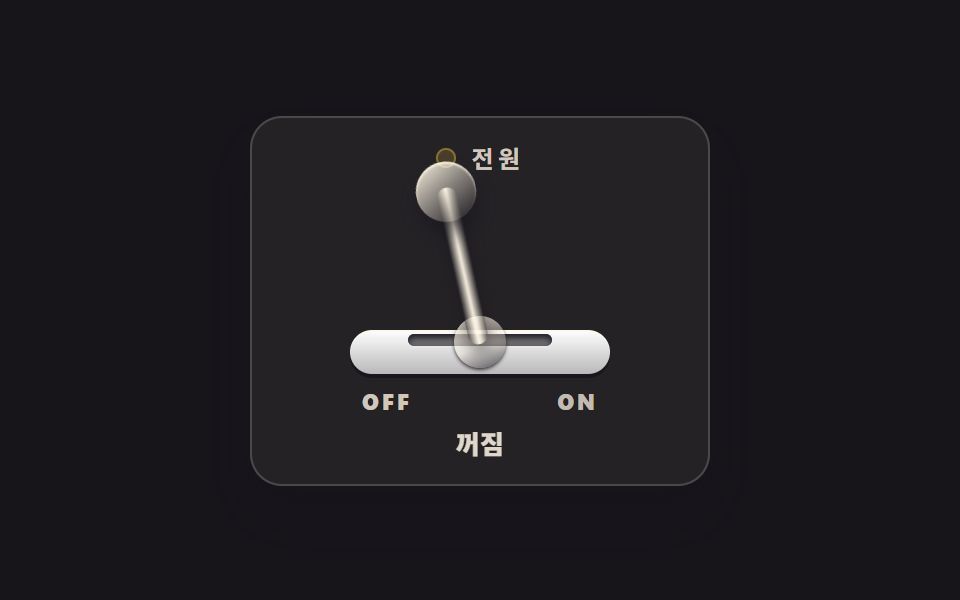 버튼CSS 스위치 버튼 9종 — 실물처럼 눌리는 레버·다이얼·이젝트
 버튼CSS 버튼 애니메이션 9종 — 복붙하면 되는 SCSS + React
 버튼css 버튼 클릭 효과 9종 — 누른 다음이 진짜다
 버튼css 버튼 디자인 9종 — 캔디 그라데이션·눌림·로딩 버튼 코드
 버튼css 버튼 hover 효과 모음 9종 — 수상작에서 반복되는 기법
 버튼펼쳐지는 버튼 UI 9종 — 모양이 달라지는 아홉 가지 방식
 버튼버튼 애니메이션 효과 9종 — 전송 버튼이 접혀 날아가는 계산
 버튼플로팅 버튼 아이콘 버튼 패턴 9종 — 누르고 끌고 펼쳐지는
 버튼CTA 버튼 디자인 9종 — 그림자가 늘어나는 것부터 막대가 튀는 것까지
 버튼버튼 눌림 효과 UI 9종 — 눌림 값이 되돌아오는 아홉 가지 방식