웹 미니게임 만들기 9종 — 계산기·타이머·퍼즐 복붙 코드
웹 미니게임 만들기는 브라우저에서 바로 손이 가는 작은 놀잇감과 업무 도구를 HTML·CSS·JS 로 짜는 일입니다. 라이브러리 없이 파일 하나로 도는 아홉 개를 아래 격자에 늘어놓았고, 지금 그대로 움직입니다.
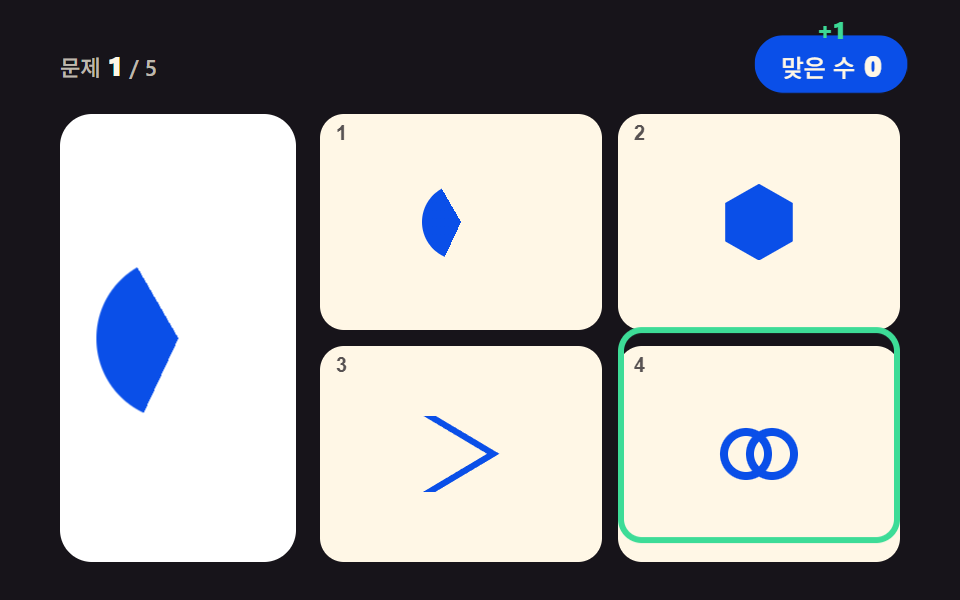 01 logo-match-puzzle
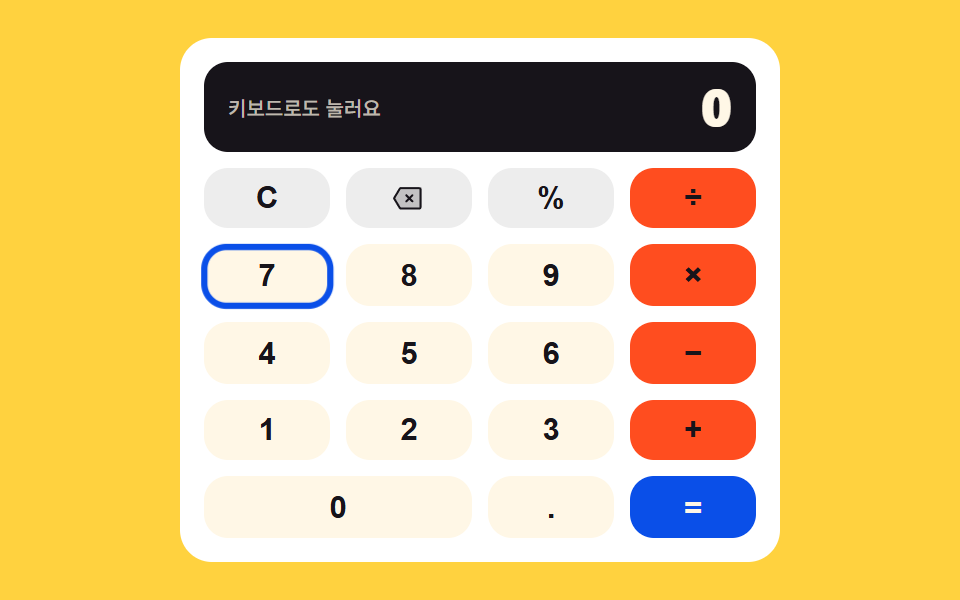 02 keypad-calculator
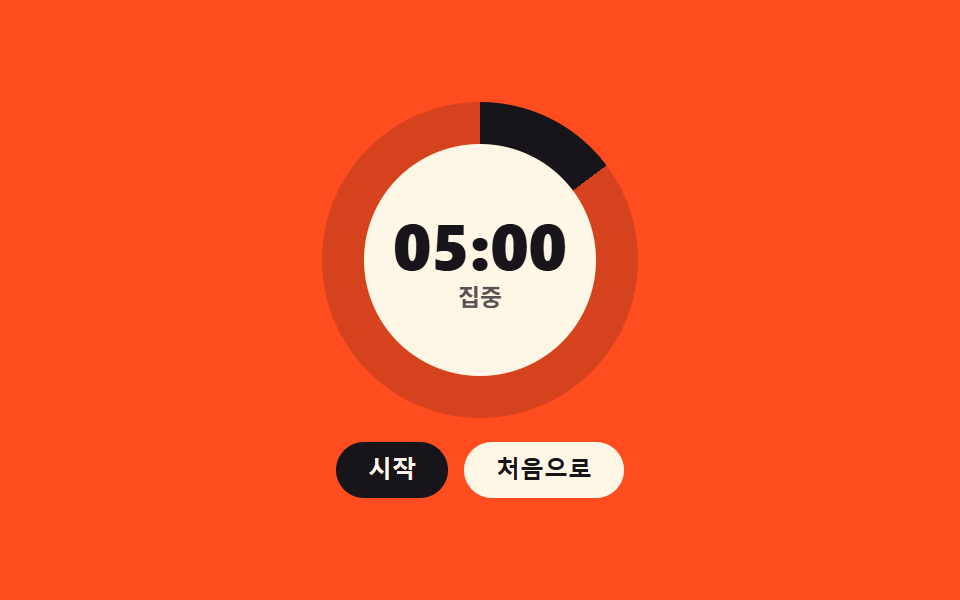 03 pomodoro-ring-timer
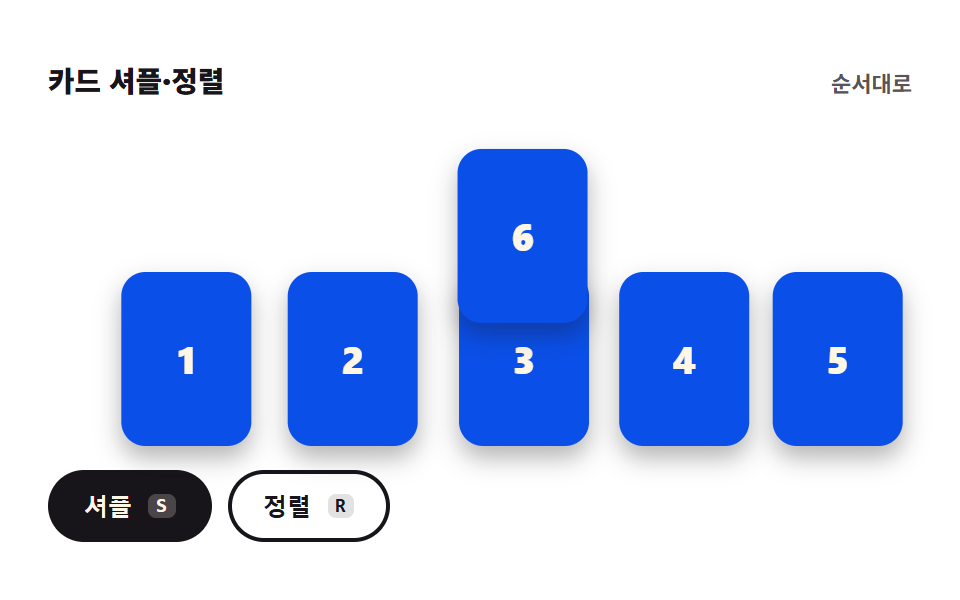 04 card-shuffle-sort
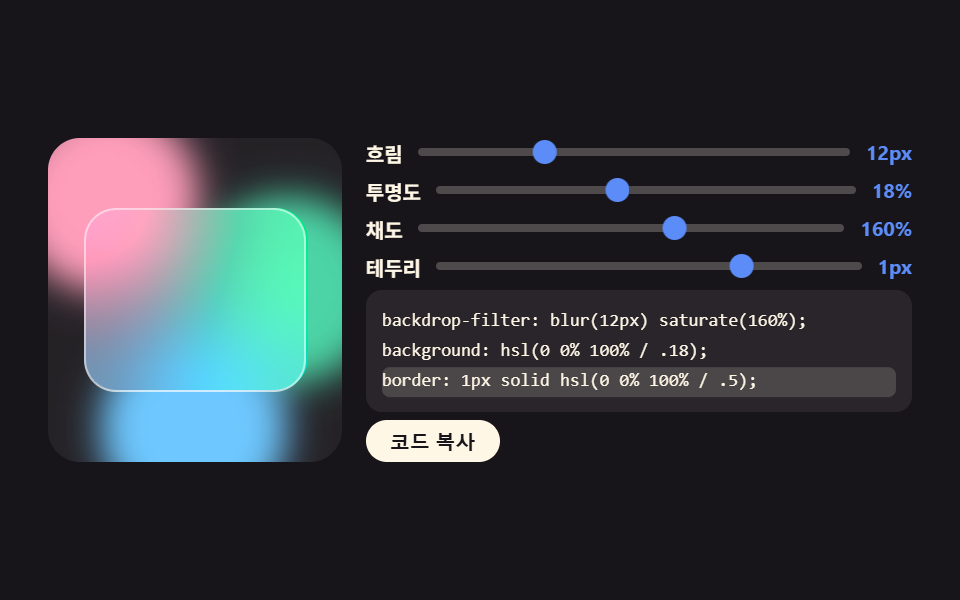 05 glass-effect-generator
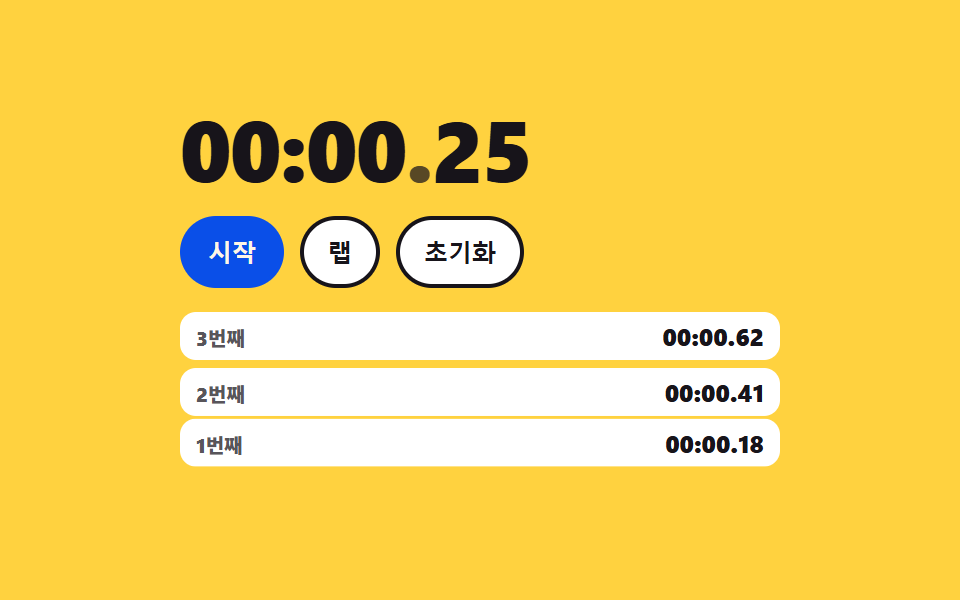 06 stopwatch-laps
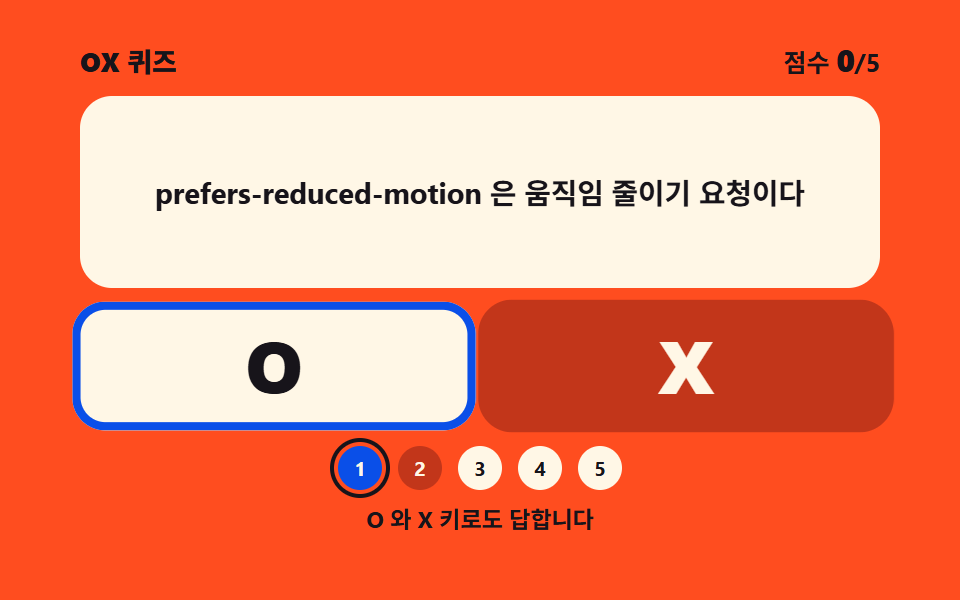 07 ox-quiz-panel
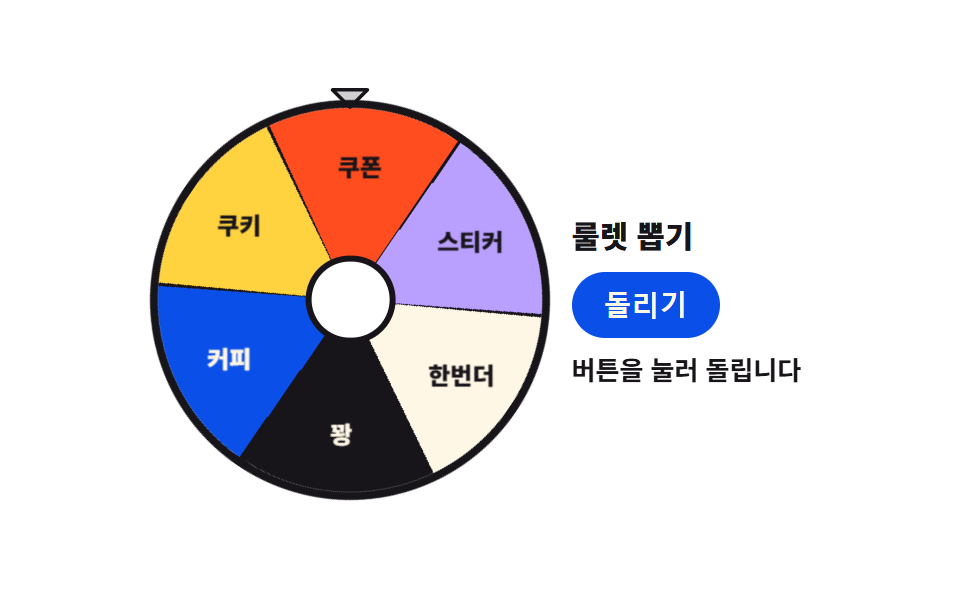 08 conic-roulette-spin
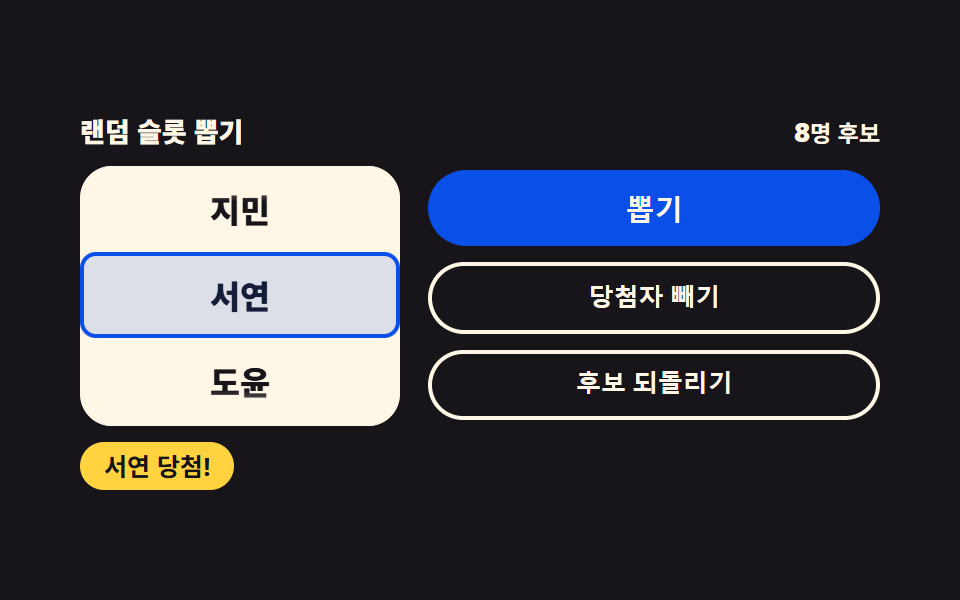 09 random-slot-picker
자동 재생 · 눌러서 해당 항목으로 · 전부 한 zip
- 01 로고 퍼즐 맞추기
- 02 키패드 계산기
- 03 포모도로 링 타이머
- 04 카드 셔플·정렬
- 05 글래스 효과 제너레이터
- 06 랩 스톱워치
- 07 OX 퀴즈 패널
- 08 룰렛 뽑기
- 09 랜덤 슬롯 뽑기
순서는 인기순이 아니라 화면이 사람에게 시키는 일이 무거워지는 순서입니다. 넷 중 하나를 고르게 하는 것(01)이 가장 가볍고, 숫자를 두드려 값을 만들고(02), 시간을 대신 지켜보고(03), 카드 여섯 장의 자리를 흔들고(04), 슬라이더로 디자인 값을 뽑고(05), 0.01초까지 재서 기록을 남기고(06), 문장 하나에 맞다와 아니다를 묻고(07), 마지막 둘은 결과를 사람 대신 정합니다(08·09). 슬라이더가 값과 코드를 함께 뱉는 05 는 css generator 9종과 한 갈래이고, 원판을 각도로 깎는 03 은 원형 프로그레스바 CSS 9종이 쓰던 기법을 타이머 쪽으로 돌려놓은 것입니다. 아홉 개 모두 한 폴더 안에 html·css·js 만 있고 빌드 도구를 요구하지 않습니다.
01로고 퍼즐 맞추기
진열 카드에 뜬 도형 마크와 같은 모양을 보기 넷에서 고르는 퀴즈판으로, 이벤트 페이지 첫 화면이나 학습 퀴즈 도입부에 놓습니다.
<main class="stage">
<div class="lp is-demo" id="lp">
  <header class="lp__bar">
    <p class="lp__q"><span class="lp__qLabel">문제</span><b class="lp__qNum" id="lpQNum">1</b><span class="lp__qOf">/ 5</span></p>
    <div class="lp__scoreWrap">
      <p class="lp__score" id="lpScore" aria-live="polite"><span class="lp__scoreLabel">맞은 수</span><b class="lp__scoreNum" id="lpScoreNum">0</b></p>
      <span class="lp__plus" aria-hidden="true">+1</span>
    </div>
  </header>
  <div class="lp__body">
    <div class="lp__card">
      <span class="lp__mark lp__mark--big lp__mark--cut1" id="lpTarget" data-shape="hex" aria-hidden="true"></span>
      <span class="lp__mark lp__mark--big lp__mark--cut2" data-shape="wedge" aria-hidden="true"></span>
      <span class="lp__mark lp__mark--big lp__mark--cut3" data-shape="ring" aria-hidden="true"></span>
    </div>
    <div class="lp__tiles" id="lpTiles">
      <button class="lp__tile" type="button" aria-label="보기 1" aria-keyshortcuts="1"><span class="lp__mark" data-shape="wedge" aria-hidden="true"></span><span class="lp__key" aria-hidden="true">1</span></button>
      <button class="lp__tile" type="button" aria-label="보기 2" aria-keyshortcuts="2"><span class="lp__mark" data-shape="hex" aria-hidden="true"></span><span class="lp__key" aria-hidden="true">2</span></button>
      <button class="lp__tile" type="button" aria-label="보기 3" aria-keyshortcuts="3"><span class="lp__mark" data-shape="chevron" aria-hidden="true"></span><span class="lp__key" aria-hidden="true">3</span></button>
      <button class="lp__tile" type="button" aria-label="보기 4" aria-keyshortcuts="4"><span class="lp__mark" data-shape="ring" aria-hidden="true"></span><span class="lp__key" aria-hidden="true">4</span></button>
      <span class="lp__ring" aria-hidden="true"></span>
    </div>
  </div>
  <p class="lp__done" id="lpDone" role="status" hidden><b class="lp__doneMsg" id="lpDoneMsg">5문제 중 {n}개 정답</b><button class="lp__again" type="button" id="lpAgain">새 문제</button></p>
</div>
</main>@use "../../../../site/static/demo-tokens" as *;
// 로고 퍼즐 맞추기 — 진열 카드의 기하 마크와 같은 모양을 보기 넷에서 고른다.
// 마크는 전부 CSS 도형이다: clip-path polygon(육각·마름모·삼각·갈매기) · conic-gradient 부채꼴 · 링 두 개 겹침.
// 실제 브랜드 로고는 쓰지 않는다(상표). 정적 상태는 1번 문제가 그려진 완결된 판이고,
// 격자 미리보기(.is-demo)는 그 위에 하이라이트 링 순회 · 진열 마크 컷 교체 · 점수 칩 팝만 덧씌운다.
$duration: $dur-loop;
$easing: $ease-pop;
$color: $subject-blue-deep;
@include stage($stage-ink);
.lp { position: relative; display: flex; flex-direction: column; gap: $sp-3; width: 100%; max-width: 420px; height: 100%; }
.lp__bar { display: flex; align-items: center; justify-content: space-between; gap: $sp-2; }
.lp__q { display: inline-flex; align-items: baseline; gap: $sp-1; margin: 0; }
.lp__qLabel, .lp__qOf { font-weight: 500; font-size: clamp(9px, 2.3vw, 11px); color: rgba($subject-cream, .72); }
.lp__qNum { font-weight: 800; font-size: clamp(11px, 2.8vw, 14px); color: $subject-cream; }
.lp__scoreWrap { position: relative; display: inline-flex; }
.lp__score {
display: inline-flex; align-items: baseline; gap: $sp-1; margin: 0;
padding: $sp-1 $sp-3; border-radius: $r-pill;
background-color: $color; color: $subject-cream; // 진파랑 면 위 크림 글자
}
.lp__scoreLabel { font-weight: 500; font-size: clamp(9px, 2.3vw, 11px); }
.lp__scoreNum { font-weight: 800; font-size: clamp(11px, 2.8vw, 14px); }
.lp__plus {
position: absolute; top: 0; left: 50%; opacity: 0;
font-weight: 800; font-size: clamp(10px, 2.6vw, 12px); color: $tick-up; // 잉크 무대 위 상승색
}
.lp__body { flex: 1 1 auto; min-height: 0; display: grid; grid-template-columns: minmax(0, 118px) minmax(0, 1fr); gap: $sp-3; }
.lp__card {
position: relative; display: grid; place-items: center;
border-radius: $r-card; background-color: $stage-paper; color: $color;
}
.lp__tiles {
position: relative; display: grid;
grid-template-columns: repeat(2, 1fr); grid-template-rows: repeat(2, 1fr);
gap: $sp-2;
--lp-space: #{$sp-2};
}
.lp__tile {
position: relative; display: grid; place-items: center; width: 100%; height: 100%; padding: 0;
border: 0; border-radius: $r-control; background-color: $subject-cream; color: $color; cursor: pointer;
}
.lp__tile:focus-visible { outline: 2px solid $tick-up; outline-offset: 2px; }
.lp__key {
position: absolute; top: $sp-1; left: $sp-2;
font-weight: 700; font-size: clamp(8px, 2.2vw, 10px); color: rgba($subject-ink, .72); // 크림 면 위 흐린 잉크
}
.lp__tile.is-correct { box-shadow: 0 0 0 3px $tick-up; }
.lp__tile.is-wrong { box-shadow: 0 0 0 3px $tick-down; }
// ── 기하 마크 ────────────────────────────────────────────────
.lp__mark { display: block; width: clamp(28px, 8vw, 44px); height: clamp(28px, 8vw, 44px); background-color: currentColor; }
.lp__mark--big { width: clamp(56px, 17vw, 82px); height: clamp(56px, 17vw, 82px); }
.lp__mark[data-shape="hex"] { clip-path: polygon(50% 0, 94% 25%, 94% 75%, 50% 100%, 6% 75%, 6% 25%); }
.lp__mark[data-shape="diamond"] { clip-path: polygon(50% 2%, 98% 50%, 50% 98%, 2% 50%); }
.lp__mark[data-shape="tri"] { clip-path: polygon(50% 4%, 96% 92%, 4% 92%); }
.lp__mark[data-shape="chevron"] { clip-path: polygon(16% 0, 100% 50%, 16% 100%, 0 100%, 84% 50%, 0 0); }
.lp__mark[data-shape="wedge"] {
  background-color: transparent; border-radius: 50%;
  background-image: conic-gradient(from 205deg, currentColor 0deg 125deg, transparent 125deg 360deg);
}
.lp__mark[data-shape="ring"] { position: relative; background-color: transparent; }
.lp__mark[data-shape="ring"]::before,
.lp__mark[data-shape="ring"]::after {
content: ""; position: absolute; top: 50%; width: 68%; height: 68%; margin-top: -34%;
border-radius: 50%; box-shadow: inset 0 0 0 4px currentColor;
}
.lp__mark[data-shape="ring"]::before { left: 0; }
.lp__mark[data-shape="ring"]::after { right: 0; }
// ── 결과 ────────────────────────────────────────────────────
.lp__done {
position: absolute; inset: 0; z-index: 6; margin: 0;
display: flex; flex-direction: column; align-items: center; justify-content: center; gap: $sp-3;
background-color: rgba($subject-ink, .78);
}
.lp__done[hidden] { display: none; }
.lp__doneMsg {
padding: $sp-2 $sp-4; border-radius: $r-pill;
background-color: $color; color: $subject-cream;
font-weight: 800; font-size: clamp(11px, 2.8vw, 14px);
}
.lp__again {
padding: $sp-2 $sp-4; border: 0; border-radius: $r-pill;
background-color: $subject-cream; color: $subject-ink;
font-weight: 700; font-size: clamp(10px, 2.6vw, 12px); cursor: pointer;
}
.lp__again:focus-visible { outline: 2px solid $tick-up; outline-offset: 2px; }
// ── 격자 미리보기 ────────────────────────────────────────────
// 진열 마크 세 장을 겹쳐 두고 steps(1, end) 로 컷 교체한다 — 크로스페이드는 유령 프레임이 된다(237 교훈).
.lp__mark--cut2, .lp__mark--cut3 { display: none; position: absolute; top: 50%; left: 50%; transform: translate(-50%, -50%); }
.lp.is-demo .lp__mark--cut2, .lp.is-demo .lp__mark--cut3 { display: block; }
.lp.is-demo .lp__mark--cut1 { animation-name: lpCut1; }
.lp.is-demo .lp__mark--cut2 { animation-name: lpCut2; }
.lp.is-demo .lp__mark--cut3 { animation-name: lpCut3; }
.lp.is-demo .lp__mark--cut1,
.lp.is-demo .lp__mark--cut2,
.lp.is-demo .lp__mark--cut3 {
animation-duration: $duration; animation-timing-function: steps(1, end);
animation-iteration-count: infinite; animation-fill-mode: backwards;
}
@keyframes lpCut1 { 0% { opacity: 1; } 30% { opacity: 0; } 60% { opacity: 0; } 88% { opacity: 1; } 100% { opacity: 1; } }
@keyframes lpCut2 { 0% { opacity: 0; } 30% { opacity: 1; } 60% { opacity: 0; } 100% { opacity: 0; } }
@keyframes lpCut3 { 0% { opacity: 0; } 60% { opacity: 1; } 88% { opacity: 0; } 100% { opacity: 0; } }
// 하이라이트 링 — 보기 타일 넷을 순회한다. 이동 거리는 자기 폭(= 타일 폭) 100% + 격자 간격
.lp__ring {
display: none; position: absolute; top: 0; left: 0;
width: calc(50% - var(--lp-space) / 2); height: calc(50% - var(--lp-space) / 2);
box-sizing: border-box; border: 3px solid $tick-up; border-radius: $r-control; pointer-events: none;
}
.lp.is-demo .lp__ring {
display: block;
animation-name: lpRingHop; animation-duration: $duration; animation-timing-function: $easing;
animation-iteration-count: infinite;
}
@keyframes lpRingHop {
0%, 8% { transform: translate(0, 0); }
22%, 30% { transform: translate(calc(100% + var(--lp-space)), 0); }
44%, 52% { transform: translate(calc(100% + var(--lp-space)), calc(100% + var(--lp-space))); }
66%, 74% { transform: translate(0, calc(100% + var(--lp-space))); }
88%, 100% { transform: translate(0, 0); }
}
// 점수 칩 팝 — 자기 중심에서 커진다
.lp.is-demo .lp__score {
animation-name: lpChipPop; animation-duration: $duration; animation-timing-function: $easing;
animation-iteration-count: infinite;
}
@keyframes lpChipPop {
0%, 26% { transform: scale(1); }
33% { transform: scale(1.14); }
42%, 56% { transform: scale(1); }
63% { transform: scale(1.14); }
72%, 100% { transform: scale(1); }
}
.lp.is-demo .lp__plus {
animation-name: lpPlusRise; animation-duration: $duration; animation-timing-function: $ease-out;
animation-iteration-count: infinite;
}
@keyframes lpPlusRise {
0%, 28% { opacity: 0; transform: translate(-50%, 0); }
34% { opacity: 1; transform: translate(-50%, -13px); }
46% { opacity: 0; transform: translate(-50%, -22px); }
58% { opacity: 0; transform: translate(-50%, 0); }
64% { opacity: 1; transform: translate(-50%, -13px); }
76%, 100% { opacity: 0; transform: translate(-50%, -22px); }
}
@media (max-width: 340px) {
.lp { gap: $sp-1; }
.lp__body { grid-template-columns: minmax(0, 84px) minmax(0, 1fr); gap: $sp-1; }
.lp__tiles { gap: $sp-1; --lp-space: #{$sp-1}; }
.lp__score { padding: 0 $sp-2; }
.lp__done { gap: $sp-2; }
.lp__doneMsg, .lp__again { padding: $sp-1 $sp-3; }
}
@media (prefers-reduced-motion: reduce) {
.lp.is-demo .lp__mark--cut1,
.lp.is-demo .lp__mark--cut2,
.lp.is-demo .lp__mark--cut3,
.lp.is-demo .lp__ring,
.lp.is-demo .lp__score,
.lp.is-demo .lp__plus { animation: none !important; }
.lp.is-demo .lp__mark--cut2,
.lp.is-demo .lp__mark--cut3 { display: none !important; }
}html, body {
margin: 0;
overflow: hidden;
}
.stage {
box-sizing: border-box;
min-height: 100vh;
display: grid;
place-items: center;
margin: 0;
background: #17141a;
font-family: -apple-system, "Segoe UI", "Noto Sans KR", sans-serif;
padding: clamp(8px, 4vw, 24px);
}
.lp {
position: relative;
display: flex;
flex-direction: column;
gap: 12px;
width: 100%;
max-width: 420px;
height: 100%;
}
.lp__bar {
display: flex;
align-items: center;
justify-content: space-between;
gap: 8px;
}
.lp__q {
display: inline-flex;
align-items: baseline;
gap: 4px;
margin: 0;
}
.lp__qLabel, .lp__qOf {
font-weight: 500;
font-size: clamp(9px, 2.3vw, 11px);
color: rgba(255, 247, 230, 0.72);
}
.lp__qNum {
font-weight: 800;
font-size: clamp(11px, 2.8vw, 14px);
color: #fff7e6;
}
.lp__scoreWrap {
position: relative;
display: inline-flex;
}
.lp__score {
display: inline-flex;
align-items: baseline;
gap: 4px;
margin: 0;
padding: 4px 12px;
border-radius: 999px;
background-color: #0a4fe8;
color: #fff7e6;
}
.lp__scoreLabel {
font-weight: 500;
font-size: clamp(9px, 2.3vw, 11px);
}
.lp__scoreNum {
font-weight: 800;
font-size: clamp(11px, 2.8vw, 14px);
}
.lp__plus {
position: absolute;
top: 0;
left: 50%;
opacity: 0;
font-weight: 800;
font-size: clamp(10px, 2.6vw, 12px);
color: #3ddc97;
}
.lp__body {
flex: 1 1 auto;
min-height: 0;
display: grid;
grid-template-columns: minmax(0, 118px) minmax(0, 1fr);
gap: 12px;
}
.lp__card {
position: relative;
display: grid;
place-items: center;
border-radius: 16px;
background-color: #ffffff;
color: #0a4fe8;
}
.lp__tiles {
position: relative;
display: grid;
grid-template-columns: repeat(2, 1fr);
grid-template-rows: repeat(2, 1fr);
gap: 8px;
--lp-space: 8px;
}
.lp__tile {
position: relative;
display: grid;
place-items: center;
width: 100%;
height: 100%;
padding: 0;
border: 0;
border-radius: 12px;
background-color: #fff7e6;
color: #0a4fe8;
cursor: pointer;
}
.lp__tile:focus-visible {
outline: 2px solid #3ddc97;
outline-offset: 2px;
}
.lp__key {
position: absolute;
top: 4px;
left: 8px;
font-weight: 700;
font-size: clamp(8px, 2.2vw, 10px);
color: rgba(23, 20, 26, 0.72);
}
.lp__tile.is-correct {
box-shadow: 0 0 0 3px #3ddc97;
}
.lp__tile.is-wrong {
box-shadow: 0 0 0 3px #ff7a5e;
}
.lp__mark {
display: block;
width: clamp(28px, 8vw, 44px);
height: clamp(28px, 8vw, 44px);
background-color: currentColor;
}
.lp__mark--big {
width: clamp(56px, 17vw, 82px);
height: clamp(56px, 17vw, 82px);
}
.lp__mark[data-shape=hex] {
clip-path: polygon(50% 0, 94% 25%, 94% 75%, 50% 100%, 6% 75%, 6% 25%);
}
.lp__mark[data-shape=diamond] {
clip-path: polygon(50% 2%, 98% 50%, 50% 98%, 2% 50%);
}
.lp__mark[data-shape=tri] {
clip-path: polygon(50% 4%, 96% 92%, 4% 92%);
}
.lp__mark[data-shape=chevron] {
clip-path: polygon(16% 0, 100% 50%, 16% 100%, 0 100%, 84% 50%, 0 0);
}
.lp__mark[data-shape=wedge] {
background-color: transparent;
border-radius: 50%;
background-image: conic-gradient(from 205deg, currentColor 0deg 125deg, transparent 125deg 360deg);
}
.lp__mark[data-shape=ring] {
position: relative;
background-color: transparent;
}
.lp__mark[data-shape=ring]::before,
.lp__mark[data-shape=ring]::after {
content: "";
position: absolute;
top: 50%;
width: 68%;
height: 68%;
margin-top: -34%;
border-radius: 50%;
box-shadow: inset 0 0 0 4px currentColor;
}
.lp__mark[data-shape=ring]::before {
left: 0;
}
.lp__mark[data-shape=ring]::after {
right: 0;
}
.lp__done {
position: absolute;
inset: 0;
z-index: 6;
margin: 0;
display: flex;
flex-direction: column;
align-items: center;
justify-content: center;
gap: 12px;
background-color: rgba(23, 20, 26, 0.78);
}
.lp__done[hidden] {
display: none;
}
.lp__doneMsg {
padding: 8px 16px;
border-radius: 999px;
background-color: #0a4fe8;
color: #fff7e6;
font-weight: 800;
font-size: clamp(11px, 2.8vw, 14px);
}
.lp__again {
padding: 8px 16px;
border: 0;
border-radius: 999px;
background-color: #fff7e6;
color: #17141a;
font-weight: 700;
font-size: clamp(10px, 2.6vw, 12px);
cursor: pointer;
}
.lp__again:focus-visible {
outline: 2px solid #3ddc97;
outline-offset: 2px;
}
.lp__mark--cut2, .lp__mark--cut3 {
display: none;
position: absolute;
top: 50%;
left: 50%;
transform: translate(-50%, -50%);
}
.lp.is-demo .lp__mark--cut2, .lp.is-demo .lp__mark--cut3 {
display: block;
}
.lp.is-demo .lp__mark--cut1 {
animation-name: lpCut1;
}
.lp.is-demo .lp__mark--cut2 {
animation-name: lpCut2;
}
.lp.is-demo .lp__mark--cut3 {
animation-name: lpCut3;
}
.lp.is-demo .lp__mark--cut1,
.lp.is-demo .lp__mark--cut2,
.lp.is-demo .lp__mark--cut3 {
animation-duration: 2s;
animation-timing-function: steps(1, end);
animation-iteration-count: infinite;
animation-fill-mode: backwards;
}
@keyframes lpCut1 {
0% {
opacity: 1;
}
30% {
opacity: 0;
}
60% {
opacity: 0;
}
88% {
opacity: 1;
}
100% {
opacity: 1;
}
}
@keyframes lpCut2 {
0% {
opacity: 0;
}
30% {
opacity: 1;
}
60% {
opacity: 0;
}
100% {
opacity: 0;
}
}
@keyframes lpCut3 {
0% {
opacity: 0;
}
60% {
opacity: 1;
}
88% {
opacity: 0;
}
100% {
opacity: 0;
}
}
.lp__ring {
display: none;
position: absolute;
top: 0;
left: 0;
width: calc(50% - var(--lp-space) / 2);
height: calc(50% - var(--lp-space) / 2);
box-sizing: border-box;
border: 3px solid #3ddc97;
border-radius: 12px;
pointer-events: none;
}
.lp.is-demo .lp__ring {
display: block;
animation-name: lpRingHop;
animation-duration: 2s;
animation-timing-function: cubic-bezier(0.2, 1.4, 0.4, 1);
animation-iteration-count: infinite;
}
@keyframes lpRingHop {
0%, 8% {
transform: translate(0, 0);
}
22%, 30% {
transform: translate(calc(100% + var(--lp-space)), 0);
}
44%, 52% {
transform: translate(calc(100% + var(--lp-space)), calc(100% + var(--lp-space)));
}
66%, 74% {
transform: translate(0, calc(100% + var(--lp-space)));
}
88%, 100% {
transform: translate(0, 0);
}
}
.lp.is-demo .lp__score {
animation-name: lpChipPop;
animation-duration: 2s;
animation-timing-function: cubic-bezier(0.2, 1.4, 0.4, 1);
animation-iteration-count: infinite;
}
@keyframes lpChipPop {
0%, 26% {
transform: scale(1);
}
33% {
transform: scale(1.14);
}
42%, 56% {
transform: scale(1);
}
63% {
transform: scale(1.14);
}
72%, 100% {
transform: scale(1);
}
}
.lp.is-demo .lp__plus {
animation-name: lpPlusRise;
animation-duration: 2s;
animation-timing-function: ease-out;
animation-iteration-count: infinite;
}
@keyframes lpPlusRise {
0%, 28% {
opacity: 0;
transform: translate(-50%, 0);
}
34% {
opacity: 1;
transform: translate(-50%, -13px);
}
46% {
opacity: 0;
transform: translate(-50%, -22px);
}
58% {
opacity: 0;
transform: translate(-50%, 0);
}
64% {
opacity: 1;
transform: translate(-50%, -13px);
}
76%, 100% {
opacity: 0;
transform: translate(-50%, -22px);
}
}
@media (max-width: 340px) {
.lp {
gap: 4px;
}
.lp__body {
grid-template-columns: minmax(0, 84px) minmax(0, 1fr);
gap: 4px;
}
.lp__tiles {
gap: 4px;
--lp-space: 4px;
}
.lp__score {
padding: 0 8px;
}
.lp__done {
gap: 8px;
}
.lp__doneMsg, .lp__again {
padding: 4px 12px;
}
}
@media (prefers-reduced-motion: reduce) {
.lp.is-demo .lp__mark--cut1,
.lp.is-demo .lp__mark--cut2,
.lp.is-demo .lp__mark--cut3,
.lp.is-demo .lp__ring,
.lp.is-demo .lp__score,
.lp.is-demo .lp__plus {
animation: none !important;
}
.lp.is-demo .lp__mark--cut2,
.lp.is-demo .lp__mark--cut3 {
display: none !important;
}
}// 로고 퍼즐 — 진열 카드의 기하 마크와 같은 모양을 보기 넷에서 고른다.
// 마크는 전부 CSS 도형(clip-path polygon · conic-gradient 부채꼴 · 링 겹침)이라 이미지가 0이다.
// 맞으면 초록 테두리와 점수, 틀리면 빨간 테두리와 정답 공개. 0.8초 뒤 다음 문제.
(function () {
var NEXT_MS = 800;
var DONE_TEXT = '5문제 중 {n}개 정답';
var QUESTIONS = [
{ answer: 'hex', tiles: ['wedge', 'hex', 'chevron', 'ring'] },
{ answer: 'chevron', tiles: ['chevron', 'diamond', 'ring', 'tri'] },
{ answer: 'wedge', tiles: ['tri', 'ring', 'wedge', 'hex'] },
{ answer: 'diamond', tiles: ['hex', 'chevron', 'tri', 'diamond'] },
{ answer: 'ring', tiles: ['diamond', 'wedge', 'ring', 'chevron'] }
];
var root = document.getElementById('lp');
var target = document.getElementById('lpTarget');
var qNumEl = document.getElementById('lpQNum');
var scoreEl = document.getElementById('lpScoreNum');
var doneEl = document.getElementById('lpDone');
var doneMsgEl = document.getElementById('lpDoneMsg');
var tiles = [].slice.call(document.querySelectorAll('.lp__tile'));
var qIndex = 0, score = 0, lock = false;
function render() {
var q = QUESTIONS[qIndex];
target.setAttribute('data-shape', q.answer);
qNumEl.textContent = String(qIndex + 1);
for (var i = 0; i < tiles.length; i++) {
tiles[i].classList.remove('is-correct', 'is-wrong');
tiles[i].firstElementChild.setAttribute('data-shape', q.tiles[i]);
}
}
function next() {
lock = false;
if (qIndex + 1 >= QUESTIONS.length) {
doneMsgEl.textContent = DONE_TEXT.replace('{n}', String(score));
doneEl.hidden = false;
return;
}
qIndex++;
render();
}
  function pick(i) {
    if (lock || !doneEl.hidden) { return; }
    lock = true;
    root.classList.remove('is-demo');
    var answer = QUESTIONS[qIndex].answer;
    var ok = tiles[i].firstElementChild.getAttribute('data-shape') === answer;
    tiles[i].classList.add(ok ? 'is-correct' : 'is-wrong');
    if (ok) { score++; scoreEl.textContent = String(score); }
    else {
      for (var k = 0; k < tiles.length; k++) {
        if (tiles[k].firstElementChild.getAttribute('data-shape') === answer) { tiles[k].classList.add('is-correct'); }
      }
    }
    window.setTimeout(next, NEXT_MS);
  }
for (var t = 0; t < tiles.length; t++) {
(function (i) { tiles[i].addEventListener('click', function () { pick(i); }); })(t);
}
document.addEventListener('keydown', function (e) {
var n = '1234'.indexOf(e.key);
if (n >= 0) { e.preventDefault(); pick(n); }
});
document.getElementById('lpAgain').addEventListener('click', function () {
qIndex = 0; score = 0; lock = false;
scoreEl.textContent = '0';
doneEl.hidden = true;
render();
});
render();
})();// LogoMatchPuzzle — vanilla 판(run/080/demo/01-logo-match-puzzle/index.html) 의 React 포트.
// 진열 카드의 기하 마크와 같은 모양을 보기 넷에서 고른다. 마크는 전부 CSS 도형이라 이미지가 0이다.
// 상태는 훅이 들고(문제 번호·점수·고른 칸·끝남), 도형과 연출은 CSS 가 그린다.
import { useEffect, useRef, useState } from "react";
import type { CSSProperties } from "react";
import styles from "./LogoMatchPuzzle.module.scss";
export type LogoMatchPuzzleProps = {
duration?: number;
easing?: string;
accentColor?: string;
};
type Vars = CSSProperties & { "--duration"?: string; "--easing"?: string; "--color"?: string };
type ShapeKey = "hex" | "wedge" | "chevron" | "ring" | "diamond" | "tri";
type Question = { answer: ShapeKey; tiles: ShapeKey[] };
type KeyEvt = { key: string; preventDefault(): void };
type TimerBox = { current: number }; // ambient 의 useRef 는 T|null 을 돌려주므로 단언용
const NEXT_MS = 800;
const Q_LABEL = "문제";
const Q_OF = "/ 5";
const SCORE_LABEL = "맞은 수";
const TILE_LABEL = "보기 {n}";
const AGAIN_LABEL = "새 문제";
const DONE_TEXT = "5문제 중 {n}개 정답";
const QUESTIONS: Question[] = [
{ answer: "hex", tiles: ["wedge", "hex", "chevron", "ring"] },
{ answer: "chevron", tiles: ["chevron", "diamond", "ring", "tri"] },
{ answer: "wedge", tiles: ["tri", "ring", "wedge", "hex"] },
{ answer: "diamond", tiles: ["hex", "chevron", "tri", "diamond"] },
{ answer: "ring", tiles: ["diamond", "wedge", "ring", "chevron"] },
];
export default function LogoMatchPuzzle({
duration = 2000,
easing = "cubic-bezier(.2, 1.4, .4, 1)",
accentColor = "#0a4fe8",
}: LogoMatchPuzzleProps) {
const [qIndex, setQIndex] = useState(0);
const [score, setScore] = useState(0);
const [picked, setPicked] = useState(-1);
const [done, setDone] = useState(false);
const [demo, setDemo] = useState(true);
const timer = useRef<number>(0) as TimerBox;
const question = QUESTIONS[qIndex];
function pick(i: number) {
if (picked >= 0 || done) { return; }
setDemo(false);
setPicked(i);
if (question.tiles[i] === question.answer) { setScore((s) => s + 1); }
timer.current = window.setTimeout(() => {
setPicked(-1);
if (qIndex + 1 >= QUESTIONS.length) { setDone(true); }
else { setQIndex((n) => n + 1); }
}, NEXT_MS);
}
function again() {
setQIndex(0);
setScore(0);
setPicked(-1);
setDone(false);
}
useEffect(() => {
const onKey = (e: KeyEvt) => {
const n = "1234".indexOf(e.key);
if (n >= 0) { e.preventDefault(); pick(n); }
};
window.addEventListener("keydown", onKey);
return () => window.removeEventListener("keydown", onKey);
});
useEffect(() => () => window.clearTimeout(timer.current), []);
const vars: Vars = { "--duration": `${duration}ms`, "--easing": easing, "--color": accentColor };
const rootCls = [styles.root, demo ? styles.isDemo : ""].filter(Boolean).join(" ");
function tileCls(i: number) {
if (picked < 0) { return styles.tile; }
const isAnswer = question.tiles[i] === question.answer;
if (isAnswer) { return `${styles.tile} ${styles.isCorrect}`; }
return i === picked ? `${styles.tile} ${styles.isWrong}` : styles.tile;
}
return (
<main className={styles.stage}>
<div className={rootCls} style={vars}>
<header className={styles.bar}>
<p className={styles.q}>
<span className={styles.qLabel}>{Q_LABEL}</span>
<b className={styles.qNum}>{qIndex + 1}</b>
<span className={styles.qOf}>{Q_OF}</span>
</p>
<div className={styles.scoreWrap}>
<p className={styles.score} aria-live="polite">
<span className={styles.scoreLabel}>{SCORE_LABEL}</span>
<b className={styles.scoreNum}>{score}</b>
</p>
<span className={styles.plus} aria-hidden="true">+1</span>
</div>
</header>
<div className={styles.body}>
<div className={styles.card}>
<span className={`${styles.mark} ${styles.markBig} ${styles.cut1}`} data-shape={question.answer} aria-hidden="true" />
<span className={`${styles.mark} ${styles.markBig} ${styles.cut2}`} data-shape="wedge" aria-hidden="true" />
<span className={`${styles.mark} ${styles.markBig} ${styles.cut3}`} data-shape="ring" aria-hidden="true" />
</div>
<div className={styles.tiles}>
{question.tiles.map((shape, i) => (
<button
key={`${qIndex}-${i}`}
className={tileCls(i)}
type="button"
aria-label={TILE_LABEL.replace("{n}", String(i + 1))}
aria-keyshortcuts={String(i + 1)}
onClick={() => pick(i)}
>
<span className={styles.mark} data-shape={shape} aria-hidden="true" />
<span className={styles.tileKey} aria-hidden="true">{i + 1}</span>
</button>
))}
<span className={styles.ring} aria-hidden="true" />
</div>
</div>
{done ? (
<p className={styles.done} role="status">
<b className={styles.doneMsg}>{DONE_TEXT.replace("{n}", String(score))}</b>
<button className={styles.again} type="button" onClick={again}>{AGAIN_LABEL}</button>
</p>
) : null}
</div>
</main>
);
}01 · 로고 퍼즐 맞추기 — 측정 누적면적 17.351% · 움직인 프레임 19/23GODRICH 원작 · zip 에 SCSS·React 포함 · 비밀번호 보기
마크 여섯은 그림 파일이 아니라 CSS 도형
.lp__mark[data-shape="hex"] { clip-path: polygon(50% 0, 94% 25%, 94% 75%, 50% 100%, 6% 75%, 6% 25%); }
.lp__mark[data-shape="diamond"] { clip-path: polygon(50% 2%, 98% 50%, 50% 98%, 2% 50%); }
.lp__mark[data-shape="tri"] { clip-path: polygon(50% 4%, 96% 92%, 4% 92%); }
.lp__mark[data-shape="chevron"] { clip-path: polygon(16% 0, 100% 50%, 16% 100%, 0 100%, 84% 50%, 0 0); }
.lp__mark[data-shape="wedge"] {
background-color: transparent; border-radius: 50%;
background-image: conic-gradient(from 205deg, currentColor 0deg 125deg, transparent 125deg 360deg);
}
육각·마름모·삼각·갈매기는 clip-path 좌표로, 부채꼴은 conic-gradient 한 줄로 그리므로 이 항목이 불러오는 이미지는 0개이고 격자 미리보기에서는 견줄 칸 23개 중 19개에서 움직임이 잡혔습니다.
틀리면 정답 칸을 대신 켠다
function pick(i) {
if (lock || !doneEl.hidden) { return; }
lock = true;
root.classList.remove('is-demo');
var answer = QUESTIONS[qIndex].answer;
var ok = tiles[i].firstElementChild.getAttribute('data-shape') === answer;
tiles[i].classList.add(ok ? 'is-correct' : 'is-wrong');
if (ok) { score++; scoreEl.textContent = String(score); }
else {
for (var k = 0; k < tiles.length; k++) {
if (tiles[k].firstElementChild.getAttribute('data-shape') === answer) { tiles[k].classList.add('is-correct'); }
}
}
window.setTimeout(next, NEXT_MS);
}
고른 타일이 정답이면 is-correct, 틀리면 is-wrong 을 붙이고, 오답일 때만 정답 모양을 가진 타일을 찾아 함께 켠 뒤 0.8초 뒤에 다음 문제로 넘어갑니다.
02키패드 계산기
키보드의 숫자·연산자·Enter·Backspace 가 그대로 통하는 사칙연산 키패드로, 견적을 더하고 주문 수량을 정산하는 화면에 붙이는 계산기 만들기의 기본형입니다.
<main class="stage">
<div class="kc is-demo" id="kc">
  <div class="kc__out">
    <span class="kc__hint" id="kcHint">키보드로도 눌러요</span>
    <b class="kc__val kc__val--cut1" id="kcOut">0</b>
    <b class="kc__val kc__val--cut2" aria-hidden="true">7</b>
    <b class="kc__val kc__val--cut3" aria-hidden="true">8</b>
    <b class="kc__val kc__val--cut4" aria-hidden="true">56</b>
  </div>
  <div class="kc__pad" id="kcPad">
    <button class="kc__key kc__key--fn" type="button" data-k="clear" aria-label="전체 지우기" aria-keyshortcuts="Escape">C</button>
    <button class="kc__key kc__key--fn" type="button" data-k="back" aria-label="한 글자 지우기" aria-keyshortcuts="Backspace"><svg class="kc__ic" viewBox="0 0 256 256" aria-hidden="true" focusable="false"><g fill="currentColor"><path d="M224 56v144a8 8 0 0 1-8 8H68.53a8 8 0 0 1-6.86-3.88L16 128l45.67-76.12A8 8 0 0 1 68.53 48H216a8 8 0 0 1 8 8" opacity=".2"/><path d="M216 40H68.53a16.08 16.08 0 0 0-13.72 7.77L9.14 123.88a8 8 0 0 0 0 8.24l45.67 76.11A16.08 16.08 0 0 0 68.53 216H216a16 16 0 0 0 16-16V56a16 16 0 0 0-16-16M61.67 204.12l6.86-4.12ZM216 200H68.53l-43.2-72l43.2-72H216Zm-109.66-53.66L124.69 128l-18.35-18.34a8 8 0 0 1 11.32-11.32L136 116.69l18.34-18.35a8 8 0 0 1 11.32 11.32L147.31 128l18.35 18.34a8 8 0 0 1-11.32 11.32L136 139.31l-18.34 18.35a8 8 0 0 1-11.32-11.32"/></g></svg></button>
    <button class="kc__key kc__key--fn" type="button" data-k="pct" aria-keyshortcuts="%">%</button>
    <button class="kc__key kc__key--op" type="button" data-k="/" aria-label="나누기" aria-keyshortcuts="/">÷</button>
    <button class="kc__key" type="button" data-k="7" aria-keyshortcuts="7">7</button>
    <button class="kc__key" type="button" data-k="8" aria-keyshortcuts="8">8</button>
    <button class="kc__key" type="button" data-k="9" aria-keyshortcuts="9">9</button>
    <button class="kc__key kc__key--op" type="button" data-k="*" aria-label="곱하기" aria-keyshortcuts="*">×</button>
    <button class="kc__key" type="button" data-k="4" aria-keyshortcuts="4">4</button>
    <button class="kc__key" type="button" data-k="5" aria-keyshortcuts="5">5</button>
    <button class="kc__key" type="button" data-k="6" aria-keyshortcuts="6">6</button>
    <button class="kc__key kc__key--op" type="button" data-k="-" aria-label="빼기" aria-keyshortcuts="-">−</button>
    <button class="kc__key" type="button" data-k="1" aria-keyshortcuts="1">1</button>
    <button class="kc__key" type="button" data-k="2" aria-keyshortcuts="2">2</button>
    <button class="kc__key" type="button" data-k="3" aria-keyshortcuts="3">3</button>
    <button class="kc__key kc__key--op" type="button" data-k="+" aria-label="더하기" aria-keyshortcuts="+">+</button>
    <button class="kc__key" type="button" data-k="0" aria-keyshortcuts="0">0</button>
    <button class="kc__key" type="button" data-k="." aria-label="소수점" aria-keyshortcuts=".">.</button>
    <button class="kc__key kc__key--eq" type="button" data-k="=" aria-label="계산" aria-keyshortcuts="Enter">=</button>
    <span class="kc__ghost" aria-hidden="true"></span>
  </div>
</div>
</main>@use "../../../../site/static/demo-tokens" as *;
// 키패드 계산기 — 표시줄 + 4×5 키패드. 키 자리는 grid-template-areas 한 장으로 정하고
// 키마다 data-k 로 area 이름을 받아 간다(0 키만 두 칸을 먹는다).
// 표시줄 숫자는 font-variant-numeric: tabular-nums 라 자릿수가 바뀌어도 폭이 안 흔들린다.
// 정적 상태는 0 이 찍힌 완결된 계산기이고, 격자 미리보기(.is-demo)는 그 위에
// 키 하이라이트 이동 + 표시줄 숫자 컷 교체(0 → 7 → 8 → 56)만 덧씌운다.
$duration: $dur-loop;
$easing: $ease-spring;
$color: $subject-blue-deep;
$hop: calc(100% + var(--kc-space)); // 한 칸 이동 = 자기 폭(=키 폭) 100% + 격자 간격
@include stage($stage-yellow);
.kc {
display: flex; flex-direction: column; gap: $sp-2;
width: 100%; max-width: 300px; height: 100%;
padding: $sp-3; box-sizing: border-box;
border-radius: $r-card; background-color: $stage-paper;
}
.kc__out {
position: relative; display: flex; align-items: center; justify-content: space-between; gap: $sp-2;
padding: $sp-2 $sp-3; border-radius: $r-control;
background-color: $subject-ink;
}
.kc__hint { font-weight: 500; font-size: clamp(8px, 2.2vw, 10px); color: rgba($subject-cream, .72); } // 잉크 면 위 흐린 크림
.kc__val {
font-weight: 800; font-size: clamp(18px, 5.5vw, 26px); line-height: 1.1; color: $subject-cream;
font-variant-numeric: tabular-nums;
}
.kc__pad {
  position: relative; flex: 1 1 auto; min-height: 0;
  display: grid;
  grid-template-columns: repeat(4, 1fr);
  grid-template-rows: repeat(5, 1fr);
  grid-template-areas:
    "clear back pct div"
    "n7 n8 n9 mul"
    "n4 n5 n6 sub"
    "n1 n2 n3 add"
    "n0 n0 dot eq";
  gap: $sp-2;
  --kc-space: #{$sp-2};
}
.kc__key {
display: grid; place-items: center; width: 100%; height: 100%; padding: 0;
border: 0; border-radius: $r-control; cursor: pointer;
background-color: $subject-cream; color: $subject-ink;
font-weight: 700; font-size: clamp(12px, 3.2vw, 16px); line-height: 1;
user-select: none; -webkit-user-select: none;
}
.kc__key:focus-visible { outline: 2px solid $color; outline-offset: 2px; }
.kc__key:active { transform: scale(.96); }
.kc__ic { width: clamp(12px, 3.4vw, 17px); height: clamp(12px, 3.4vw, 17px); }
.kc__key--fn { background-color: rgba($subject-ink, .08); color: $subject-ink; } // 흰 카드 위 연회색 면
.kc__key--op { background-color: $stage-orange; color: $subject-ink; } // 주황 면 위 잉크 글자
.kc__key--eq { background-color: $color; color: $subject-cream; } // 진파랑 면 위 크림 글자
.kc__key[data-k="clear"] { grid-area: clear; }
.kc__key[data-k="back"] { grid-area: back; }
.kc__key[data-k="pct"] { grid-area: pct; }
.kc__key[data-k="/"] { grid-area: div; }
.kc__key[data-k="7"] { grid-area: n7; }
.kc__key[data-k="8"] { grid-area: n8; }
.kc__key[data-k="9"] { grid-area: n9; }
.kc__key[data-k="*"] { grid-area: mul; }
.kc__key[data-k="4"] { grid-area: n4; }
.kc__key[data-k="5"] { grid-area: n5; }
.kc__key[data-k="6"] { grid-area: n6; }
.kc__key[data-k="-"] { grid-area: sub; }
.kc__key[data-k="1"] { grid-area: n1; }
.kc__key[data-k="2"] { grid-area: n2; }
.kc__key[data-k="3"] { grid-area: n3; }
.kc__key[data-k="+"] { grid-area: add; }
.kc__key[data-k="0"] { grid-area: n0; }
.kc__key[data-k="."] { grid-area: dot; }
.kc__key[data-k="="] { grid-area: eq; }
// ── 격자 미리보기 ────────────────────────────────────────────
// 표시줄 숫자 넉 장을 오른쪽에 겹쳐 두고 steps(1, end) 로 컷 교체한다 — 크로스페이드는 유령 프레임이 된다.
.kc__val--cut2, .kc__val--cut3, .kc__val--cut4 {
display: none; position: absolute; right: $sp-3; top: 50%; transform: translateY(-50%);
}
.kc.is-demo .kc__val--cut2,
.kc.is-demo .kc__val--cut3,
.kc.is-demo .kc__val--cut4 { display: block; }
.kc.is-demo .kc__val--cut1 { animation-name: kcCut1; }
.kc.is-demo .kc__val--cut2 { animation-name: kcCut2; }
.kc.is-demo .kc__val--cut3 { animation-name: kcCut3; }
.kc.is-demo .kc__val--cut4 { animation-name: kcCut4; }
.kc.is-demo .kc__val {
animation-duration: $duration; animation-timing-function: steps(1, end);
animation-iteration-count: infinite; animation-fill-mode: backwards;
}
@keyframes kcCut1 { 0% { opacity: 1; } 28% { opacity: 0; } 82% { opacity: 1; } 100% { opacity: 1; } }
@keyframes kcCut2 { 0% { opacity: 0; } 28% { opacity: 1; } 50% { opacity: 0; } 100% { opacity: 0; } }
@keyframes kcCut3 { 0% { opacity: 0; } 50% { opacity: 1; } 72% { opacity: 0; } 100% { opacity: 0; } }
@keyframes kcCut4 { 0% { opacity: 0; } 72% { opacity: 1; } 82% { opacity: 0; } 100% { opacity: 0; } }
// 키 하이라이트 — 7 → × → 8 → = 자리를 돈다. 자기 크기가 곧 키 한 칸이라 이동은 100% 배수로 적는다
.kc__ghost {
display: none; position: absolute; top: 0; left: 0;
width: calc((100% - var(--kc-space) * 3) / 4);
height: calc((100% - var(--kc-space) * 4) / 5);
box-sizing: border-box; border: 3px solid $color; border-radius: $r-control; pointer-events: none;
}
.kc.is-demo .kc__ghost {
display: block;
animation-name: kcHop; animation-duration: $duration; animation-timing-function: $easing;
animation-iteration-count: infinite;
}
@keyframes kcHop {
0% { transform: translate(0, #{$hop}) scale(1.05); }
6%, 14% { transform: translate(0, #{$hop}) scale(1); }
20% { transform: translate(calc(#{$hop} * 3), #{$hop}) scale(1.05); }
26%, 34% { transform: translate(calc(#{$hop} * 3), #{$hop}) scale(1); }
40% { transform: translate(#{$hop}, #{$hop}) scale(1.05); }
46%, 54% { transform: translate(#{$hop}, #{$hop}) scale(1); }
60% { transform: translate(calc(#{$hop} * 3), calc(#{$hop} * 4)) scale(1.05); }
66%, 82% { transform: translate(calc(#{$hop} * 3), calc(#{$hop} * 4)) scale(1); }
88% { transform: translate(0, #{$hop}) scale(1.05); }
94%, 100% { transform: translate(0, #{$hop}) scale(1); }
}
@media (max-width: 340px) {
.kc { gap: $sp-1; padding: $sp-2; }
.kc__out { padding: $sp-1 $sp-2; }
.kc__pad { gap: $sp-1; --kc-space: #{$sp-1}; }
.kc__val--cut2, .kc__val--cut3, .kc__val--cut4 { right: $sp-2; }
}
@media (prefers-reduced-motion: reduce) {
.kc__key:active { transform: none !important; }
.kc.is-demo .kc__val,
.kc.is-demo .kc__ghost { animation: none !important; }
.kc.is-demo .kc__val--cut2,
.kc.is-demo .kc__val--cut3,
.kc.is-demo .kc__val--cut4 { display: none !important; }
}html, body {
margin: 0;
overflow: hidden;
}
.stage {
box-sizing: border-box;
min-height: 100vh;
display: grid;
place-items: center;
margin: 0;
background: #ffd23f;
font-family: -apple-system, "Segoe UI", "Noto Sans KR", sans-serif;
padding: clamp(8px, 4vw, 24px);
}
.kc {
display: flex;
flex-direction: column;
gap: 8px;
width: 100%;
max-width: 300px;
height: 100%;
padding: 12px;
box-sizing: border-box;
border-radius: 16px;
background-color: #ffffff;
}
.kc__out {
position: relative;
display: flex;
align-items: center;
justify-content: space-between;
gap: 8px;
padding: 8px 12px;
border-radius: 12px;
background-color: #17141a;
}
.kc__hint {
font-weight: 500;
font-size: clamp(8px, 2.2vw, 10px);
color: rgba(255, 247, 230, 0.72);
}
.kc__val {
font-weight: 800;
font-size: clamp(18px, 5.5vw, 26px);
line-height: 1.1;
color: #fff7e6;
font-variant-numeric: tabular-nums;
}
.kc__pad {
position: relative;
flex: 1 1 auto;
min-height: 0;
display: grid;
grid-template-columns: repeat(4, 1fr);
grid-template-rows: repeat(5, 1fr);
grid-template-areas: "clear back pct div" "n7 n8 n9 mul" "n4 n5 n6 sub" "n1 n2 n3 add" "n0 n0 dot eq";
gap: 8px;
--kc-space: 8px;
}
.kc__key {
display: grid;
place-items: center;
width: 100%;
height: 100%;
padding: 0;
border: 0;
border-radius: 12px;
cursor: pointer;
background-color: #fff7e6;
color: #17141a;
font-weight: 700;
font-size: clamp(12px, 3.2vw, 16px);
line-height: 1;
user-select: none;
-webkit-user-select: none;
}
.kc__key:focus-visible {
outline: 2px solid #0a4fe8;
outline-offset: 2px;
}
.kc__key:active {
transform: scale(0.96);
}
.kc__ic {
width: clamp(12px, 3.4vw, 17px);
height: clamp(12px, 3.4vw, 17px);
}
.kc__key--fn {
background-color: rgba(23, 20, 26, 0.08);
color: #17141a;
}
.kc__key--op {
background-color: #ff4d1f;
color: #17141a;
}
.kc__key--eq {
background-color: #0a4fe8;
color: #fff7e6;
}
.kc__key[data-k=clear] {
grid-area: clear;
}
.kc__key[data-k=back] {
grid-area: back;
}
.kc__key[data-k=pct] {
grid-area: pct;
}
.kc__key[data-k="/"] {
grid-area: div;
}
.kc__key[data-k="7"] {
grid-area: n7;
}
.kc__key[data-k="8"] {
grid-area: n8;
}
.kc__key[data-k="9"] {
grid-area: n9;
}
.kc__key[data-k="*"] {
grid-area: mul;
}
.kc__key[data-k="4"] {
grid-area: n4;
}
.kc__key[data-k="5"] {
grid-area: n5;
}
.kc__key[data-k="6"] {
grid-area: n6;
}
.kc__key[data-k="-"] {
grid-area: sub;
}
.kc__key[data-k="1"] {
grid-area: n1;
}
.kc__key[data-k="2"] {
grid-area: n2;
}
.kc__key[data-k="3"] {
grid-area: n3;
}
.kc__key[data-k="+"] {
grid-area: add;
}
.kc__key[data-k="0"] {
grid-area: n0;
}
.kc__key[data-k="."] {
grid-area: dot;
}
.kc__key[data-k="="] {
grid-area: eq;
}
.kc__val--cut2, .kc__val--cut3, .kc__val--cut4 {
display: none;
position: absolute;
right: 12px;
top: 50%;
transform: translateY(-50%);
}
.kc.is-demo .kc__val--cut2,
.kc.is-demo .kc__val--cut3,
.kc.is-demo .kc__val--cut4 {
display: block;
}
.kc.is-demo .kc__val--cut1 {
animation-name: kcCut1;
}
.kc.is-demo .kc__val--cut2 {
animation-name: kcCut2;
}
.kc.is-demo .kc__val--cut3 {
animation-name: kcCut3;
}
.kc.is-demo .kc__val--cut4 {
animation-name: kcCut4;
}
.kc.is-demo .kc__val {
animation-duration: 2s;
animation-timing-function: steps(1, end);
animation-iteration-count: infinite;
animation-fill-mode: backwards;
}
@keyframes kcCut1 {
0% {
opacity: 1;
}
28% {
opacity: 0;
}
82% {
opacity: 1;
}
100% {
opacity: 1;
}
}
@keyframes kcCut2 {
0% {
opacity: 0;
}
28% {
opacity: 1;
}
50% {
opacity: 0;
}
100% {
opacity: 0;
}
}
@keyframes kcCut3 {
0% {
opacity: 0;
}
50% {
opacity: 1;
}
72% {
opacity: 0;
}
100% {
opacity: 0;
}
}
@keyframes kcCut4 {
0% {
opacity: 0;
}
72% {
opacity: 1;
}
82% {
opacity: 0;
}
100% {
opacity: 0;
}
}
.kc__ghost {
display: none;
position: absolute;
top: 0;
left: 0;
width: calc((100% - var(--kc-space) * 3) / 4);
height: calc((100% - var(--kc-space) * 4) / 5);
box-sizing: border-box;
border: 3px solid #0a4fe8;
border-radius: 12px;
pointer-events: none;
}
.kc.is-demo .kc__ghost {
display: block;
animation-name: kcHop;
animation-duration: 2s;
animation-timing-function: cubic-bezier(0.2, 0.8, 0.2, 1);
animation-iteration-count: infinite;
}
@keyframes kcHop {
0% {
transform: translate(0, calc(100% + var(--kc-space))) scale(1.05);
}
6%, 14% {
transform: translate(0, calc(100% + var(--kc-space))) scale(1);
}
20% {
transform: translate(calc(calc(100% + var(--kc-space)) * 3), calc(100% + var(--kc-space))) scale(1.05);
}
26%, 34% {
transform: translate(calc(calc(100% + var(--kc-space)) * 3), calc(100% + var(--kc-space))) scale(1);
}
40% {
transform: translate(calc(100% + var(--kc-space)), calc(100% + var(--kc-space))) scale(1.05);
}
46%, 54% {
transform: translate(calc(100% + var(--kc-space)), calc(100% + var(--kc-space))) scale(1);
}
60% {
transform: translate(calc(calc(100% + var(--kc-space)) * 3), calc(calc(100% + var(--kc-space)) * 4)) scale(1.05);
}
66%, 82% {
transform: translate(calc(calc(100% + var(--kc-space)) * 3), calc(calc(100% + var(--kc-space)) * 4)) scale(1);
}
88% {
transform: translate(0, calc(100% + var(--kc-space))) scale(1.05);
}
94%, 100% {
transform: translate(0, calc(100% + var(--kc-space))) scale(1);
}
}
@media (max-width: 340px) {
.kc {
gap: 4px;
padding: 8px;
}
.kc__out {
padding: 4px 8px;
}
.kc__pad {
gap: 4px;
--kc-space: 4px;
}
.kc__val--cut2, .kc__val--cut3, .kc__val--cut4 {
right: 8px;
}
}
@media (prefers-reduced-motion: reduce) {
.kc__key:active {
transform: none !important;
}
.kc.is-demo .kc__val,
.kc.is-demo .kc__ghost {
animation: none !important;
}
.kc.is-demo .kc__val--cut2,
.kc.is-demo .kc__val--cut3,
.kc.is-demo .kc__val--cut4 {
display: none !important;
}
}// 키패드 계산기 — 표시줄 하나와 4×5 키패드(grid-template-areas).
// 상태는 넷이다: acc(왼쪽 값) · op(대기 중인 연산자) · fresh(다음 숫자가 새 입력인가) · shown(표시 문자열).
// 연산자를 잇달아 누르면 마지막 것만 남고, 0 으로 나누면 안내 문구를 띄운 뒤 처음 상태로 돌아간다.
(function () {
var ERR = '오류';
var ERR_WHY = '0 으로는 못 나눠요';
var HINT = '키보드로도 눌러요';
var root = document.getElementById('kc');
var pad = document.getElementById('kcPad');
var out = document.getElementById('kcOut');
var hint = document.getElementById('kcHint');
var acc = null, op = null, fresh = true, shown = '0';
function show(v) { shown = v; out.textContent = v; }
function fmt(n) { return String(Math.round(n * 1e10) / 1e10); }
function calc(a, b, o) {
if (o === '+') { return a + b; }
if (o === '-') { return a - b; }
if (o === '*') { return a * b; }
return b === 0 ? null : a / b;
}
// 표시줄은 짧은 '오류' 만, 이유는 작은 힌트 줄에 — 26px 자리에 문장을 넣으면 패널을 넘친다
function fail() { acc = null; op = null; fresh = true; shown = '0'; out.textContent = ERR; hint.textContent = ERR_WHY; }
function digit(d) {
if (fresh) { show(d === '.' ? '0.' : d); fresh = false; return; }
if (d === '.' && shown.indexOf('.') >= 0) { return; }
show(shown === '0' && d !== '.' ? d : shown + d);
}
  function operator(o) {
    var v = Number(shown);
    if (op !== null && !fresh) {
      var r = calc(acc, v, op);
      if (r === null) { fail(); return; }
      acc = r; show(fmt(r));
    } else { acc = v; }
    op = o; fresh = true;
  }
function equals() {
if (op === null) { fresh = true; return; }
var r = calc(acc, Number(shown), op);
if (r === null) { fail(); return; }
acc = r; op = null; fresh = true; show(fmt(r));
}
function back() {
var s = shown.slice(0, -1);
show(s === '' || s === '-' ? '0' : s);
if (s === '' || s === '-') { fresh = true; }
}
function press(k) {
root.classList.remove('is-demo');
hint.textContent = HINT;
if ('0123456789.'.indexOf(k) >= 0) { digit(k); }
else if ('+-*/'.indexOf(k) >= 0) { operator(k); }
else if (k === '=') { equals(); }
else if (k === 'back') { back(); }
else if (k === 'pct') { show(fmt(Number(shown) / 100)); fresh = true; }
else { acc = null; op = null; fresh = true; show('0'); }
}
pad.addEventListener('click', function (e) {
var btn = e.target.closest ? e.target.closest('.kc__key') : null;
if (btn) { press(btn.getAttribute('data-k')); }
});
document.addEventListener('keydown', function (e) {
var k = e.key;
if (k === 'Enter' || k === '=') { k = '='; }
else if (k === 'Backspace') { k = 'back'; }
else if (k === 'Escape') { k = 'clear'; }
else if (k === '%') { k = 'pct'; }
else if ('0123456789.+-*/'.indexOf(k) < 0 || k === '') { return; }
e.preventDefault();
press(k);
});
})();// KeypadCalculator — vanilla 판(run/080/demo/02-keypad-calculator/index.html) 의 React 포트.
// 표시줄 하나와 4×5 키패드(grid-template-areas). 계산 상태는 넷이다:
// acc(왼쪽 값) · op(대기 중인 연산자) · fresh(다음 숫자가 새 입력인가) · shown(표시 문자열).
// 상태 넷은 렌더마다 살아 있어야 해서 ref 한 통에 넣고, 화면에 나가는 shown 만 useState 로 둔다.
import { useEffect, useRef, useState } from "react";
import type { CSSProperties } from "react";
import styles from "./KeypadCalculator.module.scss";
export type KeypadCalculatorProps = {
duration?: number;
easing?: string;
accentColor?: string;
};
type Vars = CSSProperties & { "--duration"?: string; "--easing"?: string; "--color"?: string };
type KeyEvt = { key: string; preventDefault(): void };
type Machine = { acc: number; op: string; fresh: boolean; shown: string };
type MachineBox = { current: Machine }; // ambient 의 useRef 는 T|null 을 돌려주므로 단언용
type KeyDef = { k: string; label: string; kind: string; aria: string; shortcut: string };
const ERR = "오류";
const ERR_WHY = "0 으로는 못 나눠요";
const HINT = "키보드로도 눌러요";
const CLEAR_LABEL = "전체 지우기";
const BACK_LABEL = "한 글자 지우기";
const DIV_LABEL = "나누기";
const MUL_LABEL = "곱하기";
const SUB_LABEL = "빼기";
const ADD_LABEL = "더하기";
const DOT_LABEL = "소수점";
const EQ_LABEL = "계산";
// Phosphor Duotone backspace — [20% 채움 경로, 본 경로]
const BACK_PATHS: [string, string] = [
"M224 56v144a8 8 0 0 1-8 8H68.53a8 8 0 0 1-6.86-3.88L16 128l45.67-76.12A8 8 0 0 1 68.53 48H216a8 8 0 0 1 8 8",
"M216 40H68.53a16.08 16.08 0 0 0-13.72 7.77L9.14 123.88a8 8 0 0 0 0 8.24l45.67 76.11A16.08 16.08 0 0 0 68.53 216H216a16 16 0 0 0 16-16V56a16 16 0 0 0-16-16M61.67 204.12l6.86-4.12ZM216 200H68.53l-43.2-72l43.2-72H216Zm-109.66-53.66L124.69 128l-18.35-18.34a8 8 0 0 1 11.32-11.32L136 116.69l18.34-18.35a8 8 0 0 1 11.32 11.32L147.31 128l18.35 18.34a8 8 0 0 1-11.32 11.32L136 139.31l-18.34 18.35a8 8 0 0 1-11.32-11.32",
];
const KEYS: KeyDef[] = [
{ k: "clear", label: "C", kind: "fn", aria: CLEAR_LABEL, shortcut: "Escape" },
{ k: "back", label: "", kind: "fn", aria: BACK_LABEL, shortcut: "Backspace" },
{ k: "pct", label: "%", kind: "fn", aria: "", shortcut: "%" },
{ k: "/", label: "÷", kind: "op", aria: DIV_LABEL, shortcut: "/" },
{ k: "7", label: "7", kind: "", aria: "", shortcut: "7" },
{ k: "8", label: "8", kind: "", aria: "", shortcut: "8" },
{ k: "9", label: "9", kind: "", aria: "", shortcut: "9" },
{ k: "*", label: "×", kind: "op", aria: MUL_LABEL, shortcut: "*" },
{ k: "4", label: "4", kind: "", aria: "", shortcut: "4" },
{ k: "5", label: "5", kind: "", aria: "", shortcut: "5" },
{ k: "6", label: "6", kind: "", aria: "", shortcut: "6" },
{ k: "-", label: "−", kind: "op", aria: SUB_LABEL, shortcut: "-" },
{ k: "1", label: "1", kind: "", aria: "", shortcut: "1" },
{ k: "2", label: "2", kind: "", aria: "", shortcut: "2" },
{ k: "3", label: "3", kind: "", aria: "", shortcut: "3" },
{ k: "+", label: "+", kind: "op", aria: ADD_LABEL, shortcut: "+" },
{ k: "0", label: "0", kind: "", aria: "", shortcut: "0" },
{ k: ".", label: ".", kind: "", aria: DOT_LABEL, shortcut: "." },
{ k: "=", label: "=", kind: "eq", aria: EQ_LABEL, shortcut: "Enter" },
];
function calc(a: number, b: number, o: string): number | null {
if (o === "+") { return a + b; }
if (o === "-") { return a - b; }
if (o === "*") { return a * b; }
return b === 0 ? null : a / b;
}
function fmt(n: number): string {
return String(Math.round(n * 1e10) / 1e10);
}
export default function KeypadCalculator({
duration = 2000,
easing = "cubic-bezier(.2, .8, .2, 1)",
accentColor = "#0a4fe8",
}: KeypadCalculatorProps) {
const [shown, setShown] = useState("0");
const [demo, setDemo] = useState(true);
const [hint, setHint] = useState(HINT);
const box = useRef<Machine>({ acc: 0, op: "", fresh: true, shown: "0" }) as MachineBox;
function show(v: string) {
box.current.shown = v;
setShown(v);
}
// 표시줄은 짧은 '오류' 만, 이유는 작은 힌트 줄에 — 26px 자리에 문장을 넣으면 패널을 넘친다
function fail() {
box.current = { acc: 0, op: "", fresh: true, shown: "0" };
setShown(ERR);
setHint(ERR_WHY);
}
function digit(d: string) {
const m = box.current;
if (m.fresh) { m.fresh = false; show(d === "." ? "0." : d); return; }
if (d === "." && m.shown.indexOf(".") >= 0) { return; }
show(m.shown === "0" && d !== "." ? d : m.shown + d);
}
function operator(o: string) {
const m = box.current;
const v = Number(m.shown);
if (m.op !== "" && !m.fresh) {
const r = calc(m.acc, v, m.op);
if (r === null) { fail(); return; }
m.acc = r;
show(fmt(r));
} else { m.acc = v; }
m.op = o;
m.fresh = true;
}
function equals() {
const m = box.current;
if (m.op === "") { m.fresh = true; return; }
const r = calc(m.acc, Number(m.shown), m.op);
if (r === null) { fail(); return; }
m.acc = r;
m.op = "";
m.fresh = true;
show(fmt(r));
}
function back() {
const m = box.current;
const s = m.shown.slice(0, -1);
if (s === "" || s === "-") { m.fresh = true; show("0"); return; }
show(s);
}
function press(k: string) {
setDemo(false);
setHint(HINT);
const m = box.current;
if ("0123456789.".indexOf(k) >= 0) { digit(k); }
else if ("+-*/".indexOf(k) >= 0) { operator(k); }
else if (k === "=") { equals(); }
else if (k === "back") { back(); }
else if (k === "pct") { m.fresh = true; show(fmt(Number(m.shown) / 100)); }
else { box.current = { acc: 0, op: "", fresh: true, shown: "0" }; show("0"); }
}
useEffect(() => {
const onKey = (e: KeyEvt) => {
let k = e.key;
if (k === "Enter" || k === "=") { k = "="; }
else if (k === "Backspace") { k = "back"; }
else if (k === "Escape") { k = "clear"; }
else if (k === "%") { k = "pct"; }
else if (k === "" || "0123456789.+-*/".indexOf(k) < 0) { return; }
e.preventDefault();
press(k);
};
window.addEventListener("keydown", onKey);
return () => window.removeEventListener("keydown", onKey);
}, []);
const vars: Vars = { "--duration": `${duration}ms`, "--easing": easing, "--color": accentColor };
const rootCls = [styles.root, demo ? styles.isDemo : ""].filter(Boolean).join(" ");
const kindCls: { [k: string]: string } = { fn: styles.keyFn, op: styles.keyOp, eq: styles.keyEq };
return (
<main className={styles.stage}>
<div className={rootCls} style={vars}>
<div className={styles.out}>
<span className={styles.hint}>{hint}</span>
<b className={`${styles.val} ${styles.cut1}`}>{shown}</b>
<b className={`${styles.val} ${styles.cut2}`} aria-hidden="true">7</b>
<b className={`${styles.val} ${styles.cut3}`} aria-hidden="true">8</b>
<b className={`${styles.val} ${styles.cut4}`} aria-hidden="true">56</b>
</div>
<div className={styles.pad}>
{KEYS.map((def) => (
<button
key={def.k}
className={[styles.key, kindCls[def.kind] || ""].filter(Boolean).join(" ")}
type="button"
data-k={def.k}
aria-label={def.aria || undefined}
aria-keyshortcuts={def.shortcut}
onClick={() => press(def.k)}
>
{def.k === "back" ? (
<svg className={styles.ic} viewBox="0 0 256 256" aria-hidden="true" focusable="false">
<g fill="currentColor">
<path d={BACK_PATHS[0]} opacity=".2" />
<path d={BACK_PATHS[1]} />
</g>
</svg>
) : def.label}
</button>
))}
<span className={styles.ghost} aria-hidden="true" />
</div>
</div>
</main>
);
}02 · 키패드 계산기 — 측정 누적면적 3.732% · 움직인 프레임 17/23GODRICH 원작 · zip 에 SCSS·React 포함 · 비밀번호 보기
키 스무 개의 자리는 이름표 한 장
.kc__pad {
position: relative; flex: 1 1 auto; min-height: 0;
display: grid;
grid-template-columns: repeat(4, 1fr);
grid-template-rows: repeat(5, 1fr);
grid-template-areas:
"clear back pct div"
"n7 n8 n9 mul"
"n4 n5 n6 sub"
"n1 n2 n3 add"
"n0 n0 dot eq";
gap: $sp-2;
--kc-space: #{$sp-2};
}
4×5 격자에 이름표를 먼저 그려 두고 키마다 grid-area 로 자기 자리를 받아 가기 때문에, 0 키만 두 칸을 차지하는 배치가 좌표 계산 없이 나옵니다.
연산자를 잇달아 눌러도 마지막 하나만
function operator(o) {
var v = Number(shown);
if (op !== null && !fresh) {
var r = calc(acc, v, op);
if (r === null) { fail(); return; }
acc = r; show(fmt(r));
} else { acc = v; }
op = o; fresh = true;
}
대기 중인 연산자가 있고 그 뒤에 새 숫자가 들어와 있으면 먼저 계산해 누적값에 넣고, 아니면 값만 갈아 끼우므로 + 다음에 × 를 눌러도 나중 것 하나만 남습니다.
03포모도로 링 타이머
25분 집중과 5분 쉼을 도는 원형 타이머로, 개인 작업 시간이나 강의 진행판에 두는 뽀모도로 타이머 만들기의 완성형입니다.
<main class="stage">
<div class="pt is-demo" id="pt">
  <div class="pt__ring" id="ptRing" role="progressbar" aria-valuemin="0" aria-valuemax="100" aria-valuenow="100" aria-label="남은 시간">
    <span class="pt__disc" id="ptDisc" aria-hidden="true"></span>
    <span class="pt__hole">
      <span class="pt__timeWrap">
        <b class="pt__time pt__time--cut1" id="ptTime">25:00</b>
        <b class="pt__time pt__time--cut2" aria-hidden="true">12:30</b>
        <b class="pt__time pt__time--cut3" aria-hidden="true">05:00</b>
      </span>
      <span class="pt__phaseWrap">
        <span class="pt__phase pt__phase--cut1" id="ptPhase">집중</span>
        <span class="pt__phase pt__phase--cut2" aria-hidden="true">쉼</span>
      </span>
    </span>
  </div>
  <div class="pt__ctrls">
    <button class="pt__btn pt__btn--go" type="button" id="ptPlay">시작</button>
    <button class="pt__btn" type="button" id="ptReset">처음으로</button>
  </div>
</div>
</main>
@use "../../../../site/static/demo-tokens" as *;
// 포모도로 링 타이머 — 원판은 conic-gradient 한 장이고 각도만 커스텀 속성 --pt-angle 로 깎는다.
// @property 로 <angle> 등록을 해야 키프레임 사이가 보간된다(등록이 없으면 컷으로 튄다).
// --pt-angle 은 inherits: false 라 **원판 자신**에게 걸어야 한다 (262-08 교훈).
// 정지·재생은 animation-play-state 하나로 한다 — JS 는 시각을 다시 계산하지 않고 남은 초와 글자만 맡는다.
// 정적 상태(사람이 안 만진 첫 화면)는 원판이 가득 찬 25:00 이고, 격자 미리보기(.is-demo)는
// 그 위에 차고 비우는 루프 · 시간 컷 교체 · 페이즈 라벨 교체만 덧씌운다.
$duration: $dur-loop;
$easing: $ease-out;
$color: $subject-ink;
@include stage($stage-orange);
@property --pt-angle {
syntax: "<angle>";
inherits: false;
initial-value: 360deg;
}
.pt { display: flex; flex-direction: column; align-items: center; justify-content: center; gap: $sp-3; width: 100%; height: 100%; }
.pt__ring { position: relative; width: clamp(120px, 34vw, 158px); height: clamp(120px, 34vw, 158px); }
.pt__disc {
  position: absolute; inset: 0; border-radius: 50%;
  --pt-angle: 360deg;
  --pt-fill: #{$color};
  background-image: conic-gradient(var(--pt-fill) 0deg var(--pt-angle), rgba($subject-ink, .18) var(--pt-angle) 360deg);
  animation-name: ptDrain;
  animation-duration: 25s;                // JS 가 페이즈 길이 ÷ SPEED 로 다시 넣는다
  animation-timing-function: linear;      // 진짜 타이머는 등속이어야 한다
  animation-iteration-count: 1;
  animation-fill-mode: both;
  animation-play-state: paused;
}
.pt.is-running .pt__disc { animation-play-state: running; }
.pt.is-break .pt__disc { --pt-fill: #{$subject-blue-deep}; }
@keyframes ptDrain {
  from { --pt-angle: 360deg; }
  to { --pt-angle: 0deg; }
}
.pt__hole {
position: absolute; inset: 13%; border-radius: 50%;
background-color: $subject-cream;
display: grid; place-items: center; align-content: center;
}
.pt__timeWrap, .pt__phaseWrap { position: relative; display: grid; place-items: center; }
.pt__time {
font-weight: 800; font-size: clamp(24px, 7.2vw, 32px); line-height: 1.1; color: $subject-ink;
font-variant-numeric: tabular-nums;
}
.pt__phase { font-weight: 700; font-size: clamp(9px, 2.6vw, 12px); color: rgba($subject-ink, .72); } // 크림 면 위 흐린 잉크
.pt__ctrls { display: flex; gap: $sp-2; }
.pt__btn {
padding: $sp-2 $sp-4; border: 0; border-radius: $r-pill; cursor: pointer;
background-color: $subject-cream; color: $subject-ink; // 크림 면 위 잉크 글자
font-weight: 700; font-size: clamp(10px, 2.6vw, 12px); line-height: 1;
}
.pt__btn--go { background-color: $subject-ink; color: $subject-cream; } // 잉크 면 위 크림 글자
.pt__btn:focus-visible { outline: 2px solid $subject-ink; outline-offset: 2px; }
// ── 격자 미리보기 ────────────────────────────────────────────
// 시간·페이즈는 겹쳐 둔 장을 steps(1, end) 로 컷 교체한다 — 크로스페이드는 유령 프레임이 된다(237 교훈).
.pt__time--cut2, .pt__time--cut3, .pt__phase--cut2 { display: none; position: absolute; inset: 0; place-items: center; }
.pt.is-demo .pt__time--cut2,
.pt.is-demo .pt__time--cut3,
.pt.is-demo .pt__phase--cut2 { display: grid; }
.pt.is-demo .pt__time--cut1 { animation-name: ptCut1; }
.pt.is-demo .pt__time--cut2 { animation-name: ptCut2; }
.pt.is-demo .pt__time--cut3 { animation-name: ptCut3; }
.pt.is-demo .pt__phase--cut1 { animation-name: ptPhase1; }
.pt.is-demo .pt__phase--cut2 { animation-name: ptPhase2; }
.pt.is-demo .pt__time,
.pt.is-demo .pt__phase {
animation-duration: $duration; animation-timing-function: steps(1, end);
animation-iteration-count: infinite; animation-fill-mode: backwards;
}
@keyframes ptCut1 { 0% { opacity: 1; } 18% { opacity: 0; } 88% { opacity: 1; } 100% { opacity: 1; } }
@keyframes ptCut2 { 0% { opacity: 0; } 18% { opacity: 1; } 34% { opacity: 0; } 100% { opacity: 0; } }
@keyframes ptCut3 { 0% { opacity: 0; } 34% { opacity: 1; } 88% { opacity: 0; } 100% { opacity: 0; } }
@keyframes ptPhase1 { 0% { opacity: 1; } 50% { opacity: 0; } 88% { opacity: 1; } 100% { opacity: 1; } }
@keyframes ptPhase2 { 0% { opacity: 0; } 50% { opacity: 1; } 88% { opacity: 0; } 100% { opacity: 0; } }
// 원판 루프 — 집중 구간에 비고 쉼 구간에 다시 찬다. 복귀는 88% 안에 끝난다(뒤 프레임이 안 찍힌다)
.pt.is-demo .pt__disc {
animation-name: ptLoop;
animation-duration: $duration;
animation-timing-function: $easing;
animation-iteration-count: infinite;
animation-fill-mode: none;
animation-delay: 0s;
animation-play-state: running;
}
@keyframes ptLoop {
0% { --pt-angle: 360deg; animation-timing-function: linear; } // 줄어드는 구간은 진짜 타이머처럼 등속
44% { --pt-angle: 0deg; animation-timing-function: linear; }
50% { --pt-angle: 0deg; animation-timing-function: $easing; } // 다시 차는 구간만 이징
88%, 100% { --pt-angle: 360deg; }
}
@media (max-width: 340px) {
.pt { gap: $sp-2; }
.pt__btn { padding: $sp-1 $sp-3; }
.pt__ctrls { gap: $sp-1; }
}
@media (prefers-reduced-motion: reduce) {
.pt__disc { animation: none !important; }
.pt.is-demo .pt__disc,
.pt.is-demo .pt__time,
.pt.is-demo .pt__phase { animation: none !important; }
.pt.is-demo .pt__time--cut2,
.pt.is-demo .pt__time--cut3,
.pt.is-demo .pt__phase--cut2 { display: none !important; }
}html, body {
margin: 0;
overflow: hidden;
}
.stage {
box-sizing: border-box;
min-height: 100vh;
display: grid;
place-items: center;
margin: 0;
background: #ff4d1f;
font-family: -apple-system, "Segoe UI", "Noto Sans KR", sans-serif;
padding: clamp(8px, 4vw, 24px);
}
@property --pt-angle {
syntax: "<angle>";
inherits: false;
initial-value: 360deg;
}
.pt {
display: flex;
flex-direction: column;
align-items: center;
justify-content: center;
gap: 12px;
width: 100%;
height: 100%;
}
.pt__ring {
position: relative;
width: clamp(120px, 34vw, 158px);
height: clamp(120px, 34vw, 158px);
}
.pt__disc {
position: absolute;
inset: 0;
border-radius: 50%;
--pt-angle: 360deg;
--pt-fill: #17141a;
background-image: conic-gradient(var(--pt-fill) 0deg var(--pt-angle), rgba(23, 20, 26, 0.18) var(--pt-angle) 360deg);
animation-name: ptDrain;
animation-duration: 25s;
animation-timing-function: linear;
animation-iteration-count: 1;
animation-fill-mode: both;
animation-play-state: paused;
}
.pt.is-running .pt__disc {
animation-play-state: running;
}
.pt.is-break .pt__disc {
--pt-fill: #0a4fe8;
}
@keyframes ptDrain {
from {
--pt-angle: 360deg;
}
to {
--pt-angle: 0deg;
}
}
.pt__hole {
position: absolute;
inset: 13%;
border-radius: 50%;
background-color: #fff7e6;
display: grid;
place-items: center;
align-content: center;
}
.pt__timeWrap, .pt__phaseWrap {
position: relative;
display: grid;
place-items: center;
}
.pt__time {
font-weight: 800;
font-size: clamp(24px, 7.2vw, 32px);
line-height: 1.1;
color: #17141a;
font-variant-numeric: tabular-nums;
}
.pt__phase {
font-weight: 700;
font-size: clamp(9px, 2.6vw, 12px);
color: rgba(23, 20, 26, 0.72);
}
.pt__ctrls {
display: flex;
gap: 8px;
}
.pt__btn {
padding: 8px 16px;
border: 0;
border-radius: 999px;
cursor: pointer;
background-color: #fff7e6;
color: #17141a;
font-weight: 700;
font-size: clamp(10px, 2.6vw, 12px);
line-height: 1;
}
.pt__btn--go {
background-color: #17141a;
color: #fff7e6;
}
.pt__btn:focus-visible {
outline: 2px solid #17141a;
outline-offset: 2px;
}
.pt__time--cut2, .pt__time--cut3, .pt__phase--cut2 {
display: none;
position: absolute;
inset: 0;
place-items: center;
}
.pt.is-demo .pt__time--cut2,
.pt.is-demo .pt__time--cut3,
.pt.is-demo .pt__phase--cut2 {
display: grid;
}
.pt.is-demo .pt__time--cut1 {
animation-name: ptCut1;
}
.pt.is-demo .pt__time--cut2 {
animation-name: ptCut2;
}
.pt.is-demo .pt__time--cut3 {
animation-name: ptCut3;
}
.pt.is-demo .pt__phase--cut1 {
animation-name: ptPhase1;
}
.pt.is-demo .pt__phase--cut2 {
animation-name: ptPhase2;
}
.pt.is-demo .pt__time,
.pt.is-demo .pt__phase {
animation-duration: 2s;
animation-timing-function: steps(1, end);
animation-iteration-count: infinite;
animation-fill-mode: backwards;
}
@keyframes ptCut1 {
0% {
opacity: 1;
}
18% {
opacity: 0;
}
88% {
opacity: 1;
}
100% {
opacity: 1;
}
}
@keyframes ptCut2 {
0% {
opacity: 0;
}
18% {
opacity: 1;
}
34% {
opacity: 0;
}
100% {
opacity: 0;
}
}
@keyframes ptCut3 {
0% {
opacity: 0;
}
34% {
opacity: 1;
}
88% {
opacity: 0;
}
100% {
opacity: 0;
}
}
@keyframes ptPhase1 {
0% {
opacity: 1;
}
50% {
opacity: 0;
}
88% {
opacity: 1;
}
100% {
opacity: 1;
}
}
@keyframes ptPhase2 {
0% {
opacity: 0;
}
50% {
opacity: 1;
}
88% {
opacity: 0;
}
100% {
opacity: 0;
}
}
.pt.is-demo .pt__disc {
animation-name: ptLoop;
animation-duration: 2s;
animation-timing-function: ease-out;
animation-iteration-count: infinite;
animation-fill-mode: none;
animation-delay: 0s;
animation-play-state: running;
}
@keyframes ptLoop {
0% {
--pt-angle: 360deg;
animation-timing-function: linear;
}
44% {
--pt-angle: 0deg;
animation-timing-function: linear;
}
50% {
--pt-angle: 0deg;
animation-timing-function: ease-out;
}
88%, 100% {
--pt-angle: 360deg;
}
}
@media (max-width: 340px) {
.pt {
gap: 8px;
}
.pt__btn {
padding: 4px 12px;
}
.pt__ctrls {
gap: 4px;
}
}
@media (prefers-reduced-motion: reduce) {
.pt__disc {
animation: none !important;
}
.pt.is-demo .pt__disc,
.pt.is-demo .pt__time,
.pt.is-demo .pt__phase {
animation: none !important;
}
.pt.is-demo .pt__time--cut2,
.pt.is-demo .pt__time--cut3,
.pt.is-demo .pt__phase--cut2 {
display: none !important;
}
}// 포모도로 링 타이머 — 집중 25분 · 쉼 5분.
// 원판은 CSS 애니메이션(ptDrain)이 각도 변수 --pt-angle 을 360deg 에서 0deg 로 깎아 그린다.
// 정지·재생은 animation-play-state 로만 한다 — JS 는 남은 초와 화면 글자·aria-valuenow 만 맡는다.
// SPEED 는 데모용 빠른 모드다: 1 초에 60 초씩 줄어 25분이 25초에 끝난다. 실제 서비스에선 1 로 둔다.
// 화면 라벨은 늘 25:00 스케일 그대로다.
(function () {
var KEY = 'pomodoro080';
var SPEED = 60;
var FOCUS = 1500, BREAK = 300;
var START = '시작', PAUSE = '일시정지';
var PHASE_FOCUS = '집중', PHASE_BREAK = '쉼';
var root = document.getElementById('pt');
var disc = document.getElementById('ptDisc');
var ring = document.getElementById('ptRing');
var timeEl = document.getElementById('ptTime');
var phaseEl = document.getElementById('ptPhase');
var playBtn = document.getElementById('ptPlay');
var phase = 'focus', left = FOCUS, running = false, last = 0, tick = 0;
function total() { return phase === 'focus' ? FOCUS : BREAK; }
function mmss(s) {
var m = Math.floor(s / 60), r = Math.floor(s % 60);
return (m < 10 ? '0' : '') + m + ':' + (r < 10 ? '0' : '') + r;
}
function save() {
try { window.localStorage.setItem(KEY, JSON.stringify({ phase: phase, left: left, running: running })); }
catch (e) { /* 저장소가 막힌 창은 건너뛴다 */ }
}
function paint() {
timeEl.textContent = mmss(left);
phaseEl.textContent = phase === 'focus' ? PHASE_FOCUS : PHASE_BREAK;
playBtn.textContent = running ? PAUSE : START;
ring.setAttribute('aria-valuenow', String(Math.round(left / total() * 100)));
root.classList.toggle('is-running', running);
root.classList.toggle('is-break', phase === 'break');
}
function syncDisc() {
disc.style.animationDuration = (total() / SPEED) + 's';
disc.style.animationDelay = '-' + ((total() - left) / SPEED) + 's';
disc.style.animationName = 'none';
void disc.offsetHeight;
disc.style.animationName = '';
}
function step() {
var now = Date.now();
left = Math.max(0, left - (now - last) / 1000 * SPEED);
last = now;
if (left <= 0) {
phase = phase === 'focus' ? 'break' : 'focus';
left = total();
syncDisc();
}
paint(); save();
}
function run(on) {
running = on;
window.clearInterval(tick);
if (on) { last = Date.now(); tick = window.setInterval(step, 200); }
paint(); save();
}
playBtn.addEventListener('click', function () { root.classList.remove('is-demo'); syncDisc(); run(!running); });
document.getElementById('ptReset').addEventListener('click', function () {
root.classList.remove('is-demo');
phase = 'focus'; left = FOCUS;
run(false); syncDisc();
});
  try {
    var saved = JSON.parse(window.localStorage.getItem(KEY) || 'null');
    if (saved && typeof saved.left === 'number') {
      root.classList.remove('is-demo');
      phase = saved.phase === 'break' ? 'break' : 'focus';
      left = Math.min(Math.max(saved.left, 0), total());
      syncDisc();
      run(!!saved.running);
    }
  } catch (e) { /* 깨진 값은 무시하고 처음 상태로 */ }
paint();
})();// PomodoroRingTimer — vanilla 판(run/080/demo/03-pomodoro-ring-timer/index.html) 의 React 포트.
// 원판은 CSS 애니메이션(ptDrain)이 각도 변수 --pt-angle 을 깎아 그리고, 정지·재생은
// animation-play-state 하나로 한다. React 는 남은 초와 글자·aria-valuenow 만 맡는다.
// SPEED 는 데모용 빠른 모드다: 1 초에 60 초씩 줄어 25분이 25초에 끝난다. 실제 서비스에선 1 로 둔다.
// 화면 라벨은 늘 25:00 스케일 그대로다.
import { useEffect, useRef, useState } from "react";
import type { CSSProperties } from "react";
import styles from "./PomodoroRingTimer.module.scss";
export type PomodoroRingTimerProps = {
duration?: number;
easing?: string;
accentColor?: string;
};
type Vars = CSSProperties & { "--duration"?: string; "--easing"?: string; "--color"?: string };
type Phase = "focus" | "break";
type Clock = { left: number; last: number; timer: number };
type ClockBox = { current: Clock }; // ambient 의 useRef 는 T|null 을 돌려주므로 단언용
type DiscBox = { current: { style: { [k: string]: string }; offsetHeight: number } | null };
const KEY = "pomodoro080";
const SPEED = 60;
const FOCUS = 1500;
const BREAK = 300;
const START = "시작";
const PAUSE = "일시정지";
const RESET_LABEL = "처음으로";
const PHASE_FOCUS = "집중";
const PHASE_BREAK = "쉼";
const RING_LABEL = "남은 시간";
function mmss(s: number): string {
const m = Math.floor(s / 60);
const r = Math.floor(s % 60);
return (m < 10 ? "0" : "") + m + ":" + (r < 10 ? "0" : "") + r;
}
export default function PomodoroRingTimer({
duration = 2000,
easing = "ease-out",
accentColor = "#17141a",
}: PomodoroRingTimerProps) {
const [phase, setPhase] = useState<Phase>("focus");
const [left, setLeft] = useState(FOCUS);
const [running, setRunning] = useState(false);
const [demo, setDemo] = useState(true);
const clock = useRef<Clock>({ left: FOCUS, last: 0, timer: 0 }) as ClockBox;
const disc = useRef<{ style: { [k: string]: string }; offsetHeight: number } | null>(null) as DiscBox;
const total = phase === "focus" ? FOCUS : BREAK;
function syncDisc(phaseTotal: number, rest: number) {
const el = disc.current;
if (!el) { return; }
el.style.animationDuration = phaseTotal / SPEED + "s";
el.style.animationDelay = "-" + (phaseTotal - rest) / SPEED + "s";
el.style.animationName = "none";
void el.offsetHeight;
el.style.animationName = "";
}
function save(p: Phase, rest: number, on: boolean) {
try { window.localStorage.setItem(KEY, JSON.stringify({ phase: p, left: rest, running: on })); }
catch (e) { /* 저장소가 막힌 창은 건너뛴다 */ }
}
// 흐르는 시간은 벽시계로 잰다 — 탭이 멈춰도 다음 틱에서 한 번에 따라잡는다
useEffect(() => {
if (!running) { return; }
clock.current.last = Date.now();
clock.current.timer = window.setInterval(() => {
const now = Date.now();
const c = clock.current;
c.left = Math.max(0, c.left - ((now - c.last) / 1000) * SPEED);
c.last = now;
if (c.left <= 0) {
setPhase((p) => {
const next: Phase = p === "focus" ? "break" : "focus";
c.left = next === "focus" ? FOCUS : BREAK;
syncDisc(c.left, c.left);
return next;
});
}
setLeft(c.left);
}, 200);
return () => window.clearInterval(clock.current.timer);
}, [running]);
useEffect(() => { save(phase, left, running); }, [phase, left, running]);
// 첫 렌더에서 저장된 상태를 되살린다
useEffect(() => {
try {
const saved = JSON.parse(window.localStorage.getItem(KEY) || "null");
if (saved && typeof saved.left === "number") {
const p: Phase = saved.phase === "break" ? "break" : "focus";
const cap = p === "focus" ? FOCUS : BREAK;
const rest = Math.min(Math.max(saved.left, 0), cap);
clock.current.left = rest;
setDemo(false);
setPhase(p);
setLeft(rest);
syncDisc(cap, rest);
setRunning(!!saved.running);
}
} catch (e) { /* 깨진 값은 무시하고 처음 상태로 */ }
}, []);
function toggle() {
setDemo(false);
syncDisc(total, clock.current.left);
setRunning((on) => !on);
}
function reset() {
setDemo(false);
setRunning(false);
clock.current.left = FOCUS;
setPhase("focus");
setLeft(FOCUS);
syncDisc(FOCUS, FOCUS);
}
const vars: Vars = { "--duration": `${duration}ms`, "--easing": easing, "--color": accentColor };
const rootCls = [
styles.root,
demo ? styles.isDemo : "",
running ? styles.isRunning : "",
phase === "break" ? styles.isBreak : "",
].filter(Boolean).join(" ");
return (
<main className={styles.stage}>
<div className={rootCls} style={vars}>
<div
className={styles.ring}
role="progressbar"
aria-valuemin={0}
aria-valuemax={100}
aria-valuenow={Math.round((left / total) * 100)}
aria-label={RING_LABEL}
>
<span className={styles.disc} ref={disc} aria-hidden="true" />
<span className={styles.hole}>
<span className={styles.timeWrap}>
<b className={`${styles.time} ${styles.cut1}`}>{mmss(left)}</b>
<b className={`${styles.time} ${styles.cut2}`} aria-hidden="true">12:30</b>
<b className={`${styles.time} ${styles.cut3}`} aria-hidden="true">05:00</b>
</span>
<span className={styles.phaseWrap}>
<span className={`${styles.phase} ${styles.phase1}`}>{phase === "focus" ? PHASE_FOCUS : PHASE_BREAK}</span>
<span className={`${styles.phase} ${styles.phase2}`} aria-hidden="true">{PHASE_BREAK}</span>
</span>
</span>
</div>
<div className={styles.ctrls}>
<button className={`${styles.btn} ${styles.btnGo}`} type="button" onClick={toggle}>
{running ? PAUSE : START}
</button>
<button className={styles.btn} type="button" onClick={reset}>{RESET_LABEL}</button>
</div>
</div>
</main>
);
}03 · 포모도로 링 타이머 — 측정 누적면적 7.381% · 움직인 프레임 22/23GODRICH 원작 · zip 에 SCSS·React 포함 · 비밀번호 보기
각도 하나를 깎아 원판을 비운다
.pt__disc {
position: absolute; inset: 0; border-radius: 50%;
--pt-angle: 360deg;
--pt-fill: #{$color};
background-image: conic-gradient(var(--pt-fill) 0deg var(--pt-angle), rgba($subject-ink, .18) var(--pt-angle) 360deg);
animation-name: ptDrain;
animation-duration: 25s; // JS 가 페이즈 길이 ÷ SPEED 로 다시 넣는다
animation-timing-function: linear; // 진짜 타이머는 등속이어야 한다
animation-iteration-count: 1;
animation-fill-mode: both;
animation-play-state: paused;
}
.pt.is-running .pt__disc { animation-play-state: running; }
.pt.is-break .pt__disc { --pt-fill: #{$subject-blue-deep}; }
@keyframes ptDrain {
from { --pt-angle: 360deg; }
to { --pt-angle: 0deg; }
}
--pt-angle 을 @property 로 <angle> 등록해 두었기에 키프레임 사이가 보간되고, 멈춤과 재생은 animation-play-state 한 줄이 맡아 JS 는 시각을 다시 계산하지 않으며, 데모는 SPEED 가 60 이라 1초에 60초씩 줄어 25분 구간이 25초 만에 끝나므로 실제로 쓸 때는 그 값을 1 로 돌려놓으면 됩니다.
새로고침을 견디는 남은 시간
try {
var saved = JSON.parse(window.localStorage.getItem(KEY) || 'null');
if (saved && typeof saved.left === 'number') {
root.classList.remove('is-demo');
phase = saved.phase === 'break' ? 'break' : 'focus';
left = Math.min(Math.max(saved.left, 0), total());
syncDisc();
run(!!saved.running);
}
} catch (e) { /* 깨진 값은 무시하고 처음 상태로 */ }
남은 초와 지금이 집중인지 쉼인지를 Web Storage API 로 저장해 두었다가 창을 다시 열 때 되살리되, 값이 깨져 있으면 조용히 처음 상태로 돌아갑니다.
04카드 셔플·정렬
숫자 카드 여섯 장이 셔플을 누르면 자리를 바꾸고 정렬을 누르면 원래 줄로 돌아오는 진열대로, 추첨 순서를 정하거나 팀 편성을 흔들 때 씁니다.
<main class="stage">
<section class="cs is-demo" id="cs">
  <header class="cs__bar">
    <p class="cs__title">카드 셔플·정렬</p>
    <p class="cs__state" id="csState" role="status">순서대로</p>
  </header>
  <div class="cs__rail" id="csRail" role="list">
    <span class="cs__card" role="listitem" data-value="1">1</span>
    <span class="cs__card" role="listitem" data-value="2">2</span>
    <span class="cs__card" role="listitem" data-value="3">3</span>
    <span class="cs__card" role="listitem" data-value="4">4</span>
    <span class="cs__card" role="listitem" data-value="5">5</span>
    <span class="cs__card" role="listitem" data-value="6">6</span>
  </div>
  <div class="cs__acts">
    <button class="cs__btn" id="csShuffle" type="button" aria-keyshortcuts="S">셔플<kbd class="cs__kbd">S</kbd></button>
    <button class="cs__btn cs__btn--ghost" id="csSort" type="button" aria-keyshortcuts="R">정렬<kbd class="cs__kbd">R</kbd></button>
  </div>
</section>
</main>
@use "../../../../site/static/demo-tokens" as *;
// 카드 셔플·정렬 — 카드 6장은 rail 안에 절대배치되고 자리는 슬롯 번호(--slot)로만 정해진다.
// 한 칸의 폭은 카드 자신의 폭 + 사이 간격이므로 --step 은 100% + 간격 이다(translate 의 % 는 자기 폭 기준).
// 정적 표시: nth-child 가 슬롯 0~5 를 그대로 주므로 JS 없이도 한 줄로 깔린다. JS 는 그 위에 인라인 --slot 을 얹는다.
// .is-demo 미리보기: 카드마다 두 슬롯(--slot ↔ --slotAlt)을 위상만 다르게 왕복한다.
$duration: $dur-loop;
$easing: $ease-spring;
$color: $subject-blue-deep;
@include stage($stage-paper);
.cs { display: flex; flex-direction: column; gap: $sp-3; width: 100%; max-width: 432px; }
.cs__bar { display: flex; align-items: baseline; justify-content: space-between; gap: $sp-2; }
.cs__title { margin: 0; font-weight: 800; font-size: clamp(12px, 3vw, 15px); color: $subject-ink; }
// 흐린 글자는 알파 .72 하한 — 페이퍼 면 위 7.27:1
.cs__state { margin: 0; font-weight: 700; font-size: clamp(9px, 2.4vw, 11px); color: rgba($subject-ink, .72); }
// rail 은 카드보다 1.85배 높다 — 한 장이 줄 위로 떠서 지나갈 자리(--lift)를 rail 안에 두기 위해서다.
// 무대 밖으로 띄우면 320px 에서 잘린다
.cs__rail { position: relative; width: 100%; height: clamp(104px, 33.5vw, 161px); }
.cs__card {
  position: absolute; left: 0; bottom: 0;
  width: calc((100% - #{$sp-2} * 5) / 6); aspect-ratio: 3 / 4;
  --step: calc(100% + #{$sp-2});
  --slot: 0;
  --slotAlt: 0;
  --lift: 0%;
  translate: calc(var(--step) * var(--slot)) 0;
  transition: translate $dur-enter $easing;
  display: grid; place-items: center;
  border-radius: $r-control;
  background-color: $color; color: $subject-cream;   // 진파랑 면 + 크림 글자 5.98:1
  box-shadow: $shadow-press;
  font-weight: 800; font-size: clamp(14px, 4vw, 22px);
  user-select: none;
}
// 카드는 진열물이라 포인터를 받지 않는다 — 조작은 아래 두 버튼이 한다
.cs__card { pointer-events: none; }
// 미리보기는 **줄 전체가 한 칸씩 미는 회전**이다 — 다섯 장이 같은 방향으로 같이 움직이니 서로 겹칠 일이 없고,
// 맨 끝 한 장만 줄 위로 떠서(--lift) 맨 앞자리로 건너간다. 어느 프레임에서도 여섯 장이 다 보인다.
// 시작 시각을 뒤 카드일수록 이르게 둬 간격이 벌어지는 쪽으로만 어긋난다(붙는 쪽으로 어긋나면 닿는다).
.cs__card:nth-child(1) { --slot: 0; --slotAlt: 1; animation-delay: 160ms; }
.cs__card:nth-child(2) { --slot: 1; --slotAlt: 2; animation-delay: 120ms; }
.cs__card:nth-child(3) { --slot: 2; --slotAlt: 3; animation-delay: 80ms; }
.cs__card:nth-child(4) { --slot: 3; --slotAlt: 4; animation-delay: 40ms; }
.cs__card:nth-child(5) { --slot: 4; --slotAlt: 5; animation-delay: 0ms; }
// 건너가는 한 장은 **맨 마지막에 내려앉는다** — 앞자리 카드가 비켜난 뒤라야 두 장이 포개지지 않는다
.cs__card:nth-child(6) { --slot: 5; --slotAlt: 0; --lift: -80%; z-index: 3; animation-delay: 400ms; }
.cs__acts { display: flex; gap: $sp-2; }
.cs__btn {
display: inline-flex; align-items: center; gap: $sp-2;
padding: $sp-2 $sp-4;
border: 2px solid $subject-ink; border-radius: $r-pill;
background-color: $subject-ink; color: $subject-cream;
font-weight: 700; font-size: clamp(10px, 2.6vw, 12px);
cursor: pointer;
}
.cs__btn--ghost { background-color: $stage-paper; color: $subject-ink; }
.cs__btn:focus-visible { outline: 2px solid $color; outline-offset: 2px; }
.cs__kbd {
padding: 0 $sp-1; border-radius: $r-xs;
background-color: rgba($subject-cream, .22); color: inherit;
font-weight: 700; font-size: clamp(8px, 2.2vw, 10px);
}
.cs__btn--ghost .cs__kbd { background-color: rgba($subject-ink, .12); }
// 자리를 옮기는 동안은 버튼이 포인터를 안 받는다 — 연타로 transition 이 겹치는 것을 막는다
.cs.is-moving .cs__btn { pointer-events: none; }
// ── 격자 미리보기 ─────────────────────────────────────────────
// 사람이 버튼을 누르면 .is-demo 가 떨어지고 인라인 --slot 이 그대로 화면이 된다
.cs.is-demo .cs__card {
animation-name: csSwap;
animation-duration: $duration;
animation-timing-function: $easing;
animation-iteration-count: infinite;
animation-fill-mode: both;
}
@keyframes csSwap {
0%, 6% { translate: calc(var(--step) * var(--slot)) 0%; }
26% { translate: calc(var(--step) * (var(--slot) + var(--slotAlt)) / 2) var(--lift); }
46%, 54% { translate: calc(var(--step) * var(--slotAlt)) 0%; }
74% { translate: calc(var(--step) * (var(--slot) + var(--slotAlt)) / 2) var(--lift); }
94%, 100% { translate: calc(var(--step) * var(--slot)) 0%; }
}
@media (max-width: 340px) {
.cs { gap: $sp-2; }
.cs__acts { gap: $sp-1; }
.cs__btn { padding: $sp-1 $sp-2; }
}
// reduce 에서는 자리 이동을 즉시 끝낸다 — 카드는 순서만 바뀌고 미끄러지지 않는다
@media (prefers-reduced-motion: reduce) {
.cs__card { transition: none !important; }
.cs.is-demo .cs__card { animation: none !important; }
}html, body {
margin: 0;
overflow: hidden;
}
.stage {
box-sizing: border-box;
min-height: 100vh;
display: grid;
place-items: center;
margin: 0;
background: #ffffff;
font-family: -apple-system, "Segoe UI", "Noto Sans KR", sans-serif;
padding: clamp(8px, 4vw, 24px);
}
.cs {
display: flex;
flex-direction: column;
gap: 12px;
width: 100%;
max-width: 432px;
}
.cs__bar {
display: flex;
align-items: baseline;
justify-content: space-between;
gap: 8px;
}
.cs__title {
margin: 0;
font-weight: 800;
font-size: clamp(12px, 3vw, 15px);
color: #17141a;
}
.cs__state {
margin: 0;
font-weight: 700;
font-size: clamp(9px, 2.4vw, 11px);
color: rgba(23, 20, 26, 0.72);
}
.cs__rail {
position: relative;
width: 100%;
height: clamp(104px, 33.5vw, 161px);
}
.cs__card {
position: absolute;
left: 0;
bottom: 0;
width: calc((100% - 8px * 5) / 6);
aspect-ratio: 3/4;
--step: calc(100% + 8px);
--slot: 0;
--slotAlt: 0;
--lift: 0%;
translate: calc(var(--step) * var(--slot)) 0;
transition: translate 600ms cubic-bezier(0.2, 0.8, 0.2, 1);
display: grid;
place-items: center;
border-radius: 12px;
background-color: #0a4fe8;
color: #fff7e6;
box-shadow: 0 6px 12px rgba(23, 20, 26, 0.32);
font-weight: 800;
font-size: clamp(14px, 4vw, 22px);
user-select: none;
}
.cs__card {
pointer-events: none;
}
.cs__card:nth-child(1) {
--slot: 0;
--slotAlt: 1;
animation-delay: 160ms;
}
.cs__card:nth-child(2) {
--slot: 1;
--slotAlt: 2;
animation-delay: 120ms;
}
.cs__card:nth-child(3) {
--slot: 2;
--slotAlt: 3;
animation-delay: 80ms;
}
.cs__card:nth-child(4) {
--slot: 3;
--slotAlt: 4;
animation-delay: 40ms;
}
.cs__card:nth-child(5) {
--slot: 4;
--slotAlt: 5;
animation-delay: 0ms;
}
.cs__card:nth-child(6) {
--slot: 5;
--slotAlt: 0;
--lift: -80%;
z-index: 3;
animation-delay: 400ms;
}
.cs__acts {
display: flex;
gap: 8px;
}
.cs__btn {
display: inline-flex;
align-items: center;
gap: 8px;
padding: 8px 16px;
border: 2px solid #17141a;
border-radius: 999px;
background-color: #17141a;
color: #fff7e6;
font-weight: 700;
font-size: clamp(10px, 2.6vw, 12px);
cursor: pointer;
}
.cs__btn--ghost {
background-color: #ffffff;
color: #17141a;
}
.cs__btn:focus-visible {
outline: 2px solid #0a4fe8;
outline-offset: 2px;
}
.cs__kbd {
padding: 0 4px;
border-radius: 4px;
background-color: rgba(255, 247, 230, 0.22);
color: inherit;
font-weight: 700;
font-size: clamp(8px, 2.2vw, 10px);
}
.cs__btn--ghost .cs__kbd {
background-color: rgba(23, 20, 26, 0.12);
}
.cs.is-moving .cs__btn {
pointer-events: none;
}
.cs.is-demo .cs__card {
animation-name: csSwap;
animation-duration: 2s;
animation-timing-function: cubic-bezier(0.2, 0.8, 0.2, 1);
animation-iteration-count: infinite;
animation-fill-mode: both;
}
@keyframes csSwap {
0%, 6% {
translate: calc(var(--step) * var(--slot)) 0%;
}
26% {
translate: calc(var(--step) * (var(--slot) + var(--slotAlt)) / 2) var(--lift);
}
46%, 54% {
translate: calc(var(--step) * var(--slotAlt)) 0%;
}
74% {
translate: calc(var(--step) * (var(--slot) + var(--slotAlt)) / 2) var(--lift);
}
94%, 100% {
translate: calc(var(--step) * var(--slot)) 0%;
}
}
@media (max-width: 340px) {
.cs {
gap: 8px;
}
.cs__acts {
gap: 4px;
}
.cs__btn {
padding: 4px 8px;
}
}
@media (prefers-reduced-motion: reduce) {
.cs__card {
transition: none !important;
}
.cs.is-demo .cs__card {
animation: none !important;
}
}// 카드 셔플·정렬 — 카드의 DOM 순서는 절대 안 바뀐다. 바뀌는 건 슬롯 번호(--slot) 하나뿐이고
// 그 값이 translate 로 풀려 transition 이 자리를 이어 준다(FLIP 방식).
// 이동하는 동안 .is-moving 이 버튼의 pointer-events 를 꺼 연타를 막는다.
(function () {
var MOVE_MS = 600;
var SORTED = '순서대로';
var SHUFFLED = '뒤섞임';
var root = document.getElementById('cs');
var rail = document.getElementById('csRail');
var stateEl = document.getElementById('csState');
var cards = [].slice.call(rail.querySelectorAll('.cs__card'));
var slots = cards.map(function (card, i) { return i; }); // slots[카드 순서] = 슬롯 번호
var moving = false, timer = 0;
function paint() {
for (var i = 0; i < cards.length; i++) {
cards[i].style.setProperty('--slot', String(slots[i]));
cards[i].setAttribute('data-slot', String(slots[i]));
}
}
function lock() {
moving = true;
root.classList.add('is-moving');
window.clearTimeout(timer);
timer = window.setTimeout(function () { moving = false; root.classList.remove('is-moving'); }, MOVE_MS);
}
  function shuffle() {
    if (moving) { return; }
    root.classList.remove('is-demo');
    var before = slots.join('');
    for (var i = slots.length - 1; i > 0; i--) {            // Fisher-Yates
      var j = Math.floor(Math.random() * (i + 1));
      var t = slots[i]; slots[i] = slots[j]; slots[j] = t;
    }
    if (slots.join('') === before) { var h = slots[0]; slots[0] = slots[5]; slots[5] = h; }
    paint(); lock();
    stateEl.textContent = SHUFFLED;
  }
function sortBack() {
if (moving) { return; }
root.classList.remove('is-demo');
for (var i = 0; i < slots.length; i++) { slots[i] = i; }
paint(); lock();
stateEl.textContent = SORTED;
}
document.getElementById('csShuffle').addEventListener('click', shuffle);
document.getElementById('csSort').addEventListener('click', sortBack);
document.addEventListener('keydown', function (e) {
var k = (e.key || '').toLowerCase();
if (k === 's') { e.preventDefault(); shuffle(); }
if (k === 'r') { e.preventDefault(); sortBack(); }
});
paint();
})();// CardShuffleSort — vanilla 판(run/080/demo/04-card-shuffle-sort/index.html) 의 React 포트.
// 카드의 렌더 순서는 고정이고 상태로 드는 것은 슬롯 번호 배열 하나뿐이다.
// 슬롯 번호가 인라인 --slot 으로 내려가 CSS 가 translate 로 풀고 transition 이 자리를 이어 준다(FLIP 방식).
import { useEffect, useRef, useState } from "react";
import type { CSSProperties } from "react";
import styles from "./CardShuffleSort.module.scss";
export type CardShuffleSortProps = {
duration?: number;
easing?: string;
accentColor?: string;
};
type Vars = CSSProperties & { "--duration"?: string; "--easing"?: string; "--color"?: string };
type SlotVars = CSSProperties & { "--slot"?: string };
type KeyEvt = { key: string; preventDefault(): void };
type TimerBox = { current: number };
const MOVE_MS = 600;
const VALUES = [1, 2, 3, 4, 5, 6];
const TITLE = "카드 셔플·정렬";
const SORTED = "순서대로";
const SHUFFLED = "뒤섞임";
const SHUFFLE_LABEL = "셔플";
const SORT_LABEL = "정렬";
function shuffled(prev: number[]): number[] {
const next = prev.slice();
for (let i = next.length - 1; i > 0; i--) { // Fisher-Yates
const j = Math.floor(Math.random() * (i + 1));
const t = next[i]; next[i] = next[j]; next[j] = t;
}
if (next.join("") === prev.join("")) {
const h = next[0]; next[0] = next[5]; next[5] = h;
}
return next;
}
export default function CardShuffleSort({
duration = 2000,
easing = "cubic-bezier(.2, .8, .2, 1)",
accentColor = "#0a4fe8",
}: CardShuffleSortProps) {
const [slots, setSlots] = useState<number[]>([0, 1, 2, 3, 4, 5]);
const [state, setState] = useState<string>(SORTED);
const [demo, setDemo] = useState(true);
const [moving, setMoving] = useState(false);
const movingRef = useRef(false) as { current: boolean };
const timerRef = useRef(0) as TimerBox;
const vars: Vars = { "--duration": `${duration}ms`, "--easing": easing, "--color": accentColor };
useEffect(() => {
return () => { window.clearTimeout(timerRef.current); };
}, []);
function lock() {
movingRef.current = true;
setMoving(true);
window.clearTimeout(timerRef.current);
timerRef.current = window.setTimeout(() => { movingRef.current = false; setMoving(false); }, MOVE_MS);
}
function onShuffle() {
if (movingRef.current) { return; }
setDemo(false);
setSlots((prev) => shuffled(prev));
setState(SHUFFLED);
lock();
}
function onSort() {
if (movingRef.current) { return; }
setDemo(false);
setSlots([0, 1, 2, 3, 4, 5]);
setState(SORTED);
lock();
}
useEffect(() => {
function onKey(e: KeyEvt) {
const k = (e.key || "").toLowerCase();
if (k === "s") { e.preventDefault(); onShuffle(); }
if (k === "r") { e.preventDefault(); onSort(); }
}
window.addEventListener("keydown", onKey);
return () => { window.removeEventListener("keydown", onKey); };
});
const cls = [styles.root, demo ? styles.isDemo : "", moving ? styles.isMoving : ""].filter(Boolean).join(" ");
return (
<main className={styles.stage}>
<section className={cls} style={vars}>
<header className={styles.bar}>
<p className={styles.title}>{TITLE}</p>
<p className={styles.state} role="status">{state}</p>
</header>
<div className={styles.rail} role="list">
{VALUES.map((v, i) => {
const slotVars: SlotVars = { "--slot": String(slots[i]) };
return (
<span
key={v}
className={styles.card}
role="listitem"
data-value={v}
data-slot={slots[i]}
style={slotVars}
>
{v}
</span>
);
})}
</div>
<div className={styles.acts}>
<button className={styles.btn} type="button" aria-keyshortcuts="S" onClick={onShuffle}>
{SHUFFLE_LABEL}<kbd className={styles.kbd}>S</kbd>
</button>
<button className={`${styles.btn} ${styles.btnGhost}`} type="button" aria-keyshortcuts="R" onClick={onSort}>
{SORT_LABEL}<kbd className={styles.kbd}>R</kbd>
</button>
</div>
</section>
</main>
);
}04 · 카드 셔플·정렬 — 측정 누적면적 38.397% · 움직인 프레임 22/23GODRICH 원작 · zip 에 SCSS·React 포함 · 비밀번호 보기
카드의 DOM 순서는 끝까지 그대로
.cs__card {
position: absolute; left: 0; bottom: 0;
width: calc((100% - #{$sp-2} * 5) / 6); aspect-ratio: 3 / 4;
--step: calc(100% + #{$sp-2});
--slot: 0;
--slotAlt: 0;
--lift: 0%;
translate: calc(var(--step) * var(--slot)) 0;
transition: translate $dur-enter $easing;
display: grid; place-items: center;
border-radius: $r-control;
background-color: $color; color: $subject-cream; // 진파랑 면 + 크림 글자 5.98:1
box-shadow: $shadow-press;
font-weight: 800; font-size: clamp(14px, 4vw, 22px);
user-select: none;
}
자리는 슬롯 번호 --slot 하나가 정하고 한 칸의 폭은 카드 한 장의 폭 100%에 사이 간격을 더한 값이라, 번호가 바뀌면 transition 이 그 사이를 이어 줍니다.
섞는 동안은 버튼을 잠근다
function shuffle() {
if (moving) { return; }
root.classList.remove('is-demo');
var before = slots.join('');
for (var i = slots.length - 1; i > 0; i--) { // Fisher-Yates
var j = Math.floor(Math.random() * (i + 1));
var t = slots[i]; slots[i] = slots[j]; slots[j] = t;
}
if (slots.join('') === before) { var h = slots[0]; slots[0] = slots[5]; slots[5] = h; }
paint(); lock();
stateEl.textContent = SHUFFLED;
}
Fisher-Yates 로 슬롯을 섞고 결과가 원래 순서와 같으면 양 끝을 한 번 더 바꿔 반드시 달라지게 하며, 움직이는 0.6초 동안은 버튼이 포인터를 받지 않아 연타로 자리가 엉키지 않습니다.
05글래스 효과 제너레이터
흐림·투명도·채도·테두리 슬라이더가 미리보기 카드와 아래 코드 줄을 함께 바꾸는 도구로, 코딩 없이 유리 카드 값을 정할 때 꺼냅니다.
<main class="stage">
<section class="gg is-demo" id="gg">
  <div class="gg__scene">
    <span class="gg__blob gg__blob--a" aria-hidden="true"></span>
    <span class="gg__blob gg__blob--b" aria-hidden="true"></span>
    <span class="gg__blob gg__blob--c" aria-hidden="true"></span>
    <div class="gg__glass" id="ggGlass" aria-hidden="true"></div>
  </div>
  <div class="gg__panel">
    <label class="gg__row">
      <span class="gg__name">흐림</span>
      <span class="gg__track">
        <input class="gg__range" id="ggBlur" type="range" min="0" max="24" step="1" value="12" aria-label="흐림">
        <span class="gg__ghost gg__ghost--a" aria-hidden="true"><span class="gg__dot"></span></span>
      </span>
      <output class="gg__val" id="ggBlurOut">12px</output>
    </label>
    <label class="gg__row">
      <span class="gg__name">투명도</span>
      <span class="gg__track">
        <input class="gg__range" id="ggOpacity" type="range" min="4" max="48" step="1" value="18" aria-label="투명도">
        <span class="gg__ghost gg__ghost--b" aria-hidden="true"><span class="gg__dot"></span></span>
      </span>
      <output class="gg__val" id="ggOpacityOut">18%</output>
    </label>
    <label class="gg__row">
      <span class="gg__name">채도</span>
      <span class="gg__track">
        <input class="gg__range" id="ggSaturate" type="range" min="100" max="260" step="10" value="160" aria-label="채도">
        <span class="gg__ghost gg__ghost--c" aria-hidden="true"><span class="gg__dot"></span></span>
      </span>
      <output class="gg__val" id="ggSaturateOut">160%</output>
    </label>
    <label class="gg__row">
      <span class="gg__name">테두리</span>
      <span class="gg__track">
        <input class="gg__range" id="ggBorder" type="range" min="0" max="4" step="1" value="1" aria-label="테두리">
        <span class="gg__ghost gg__ghost--d" aria-hidden="true"><span class="gg__dot"></span></span>
      </span>
      <output class="gg__val" id="ggBorderOut">1px</output>
    </label>
    <pre class="gg__code"><span class="gg__mark" aria-hidden="true"></span><code class="gg__line" id="ggLine1">backdrop-filter: blur(12px) saturate(160%);</code><code class="gg__line" id="ggLine2">background: hsl(0 0% 100% / .18);</code><code class="gg__line" id="ggLine3">border: 1px solid hsl(0 0% 100% / .5);</code></pre>
    <div class="gg__foot">
      <button class="gg__copy" id="ggCopy" type="button">코드 복사</button>
      <span class="gg__toast" id="ggToast" role="status" hidden>복사했어요</span>
    </div>
  </div>
</section>
</main>@use "../../../../site/static/demo-tokens" as *;
// 글래스 효과 제너레이터 — 왼쪽은 색 반점 위에 얹힌 글래스 카드(backdrop-filter), 오른쪽은 그 값을 만드는 도구다.
// 정적 표시: 카드의 값은 JS 가 인라인 스타일로 써 넣고 코드 줄도 같은 함수가 만든다.
// .is-demo 미리보기: 썸 자리 대역(고스트)이 미끄러지고, 카드의 글래스 값은 steps 컷으로 세 단계를 돌며,
// 코드 줄 하이라이트가 한 줄씩 내려간다. 사람이 슬라이더를 만지면 .is-demo 가 떨어져 인라인 값이 화면이 된다.
$duration: $dur-loop;
$easing: $ease-out;
$color: $subject-blue-light;
@include stage($stage-ink);
.gg {
display: grid; grid-template-columns: clamp(96px, 34%, 150px) minmax(0, 1fr);
gap: $sp-3; width: 100%; max-width: 432px;
}
.gg__scene { position: relative; overflow: hidden; border-radius: $r-card; background-color: rgba($subject-cream, .06); min-height: 120px; }
// 반점을 너무 흐리면 그 위 카드의 backdrop-filter 가 한 일이 안 보인다 — 반점은 덜 흐리게 둔다
.gg__blob { position: absolute; width: 64%; aspect-ratio: 1; border-radius: 50%; filter: blur(9px); }
.gg__blob--a { left: -12%; top: -10%; background-color: $subject-pink; }
.gg__blob--b { right: -14%; top: 18%; background-color: $subject-mint; }
.gg__blob--c { left: 18%; bottom: -18%; background-color: $subject-sky; }
.gg__glass {
position: absolute; inset: 22% 12%;
border-radius: $r-card;
border-style: solid; border-width: 1px; border-color: hsl(0 0% 100% / .5);
background-color: hsl(0 0% 100% / .18);
backdrop-filter: blur(12px) saturate(160%);
-webkit-backdrop-filter: blur(12px) saturate(160%);
}
.gg__panel { display: flex; flex-direction: column; gap: $sp-1; min-width: 0; }
.gg__row { display: grid; grid-template-columns: auto minmax(0, 1fr) auto; align-items: center; gap: $sp-2; }
.gg__name { font-weight: 700; font-size: clamp(8px, 2.2vw, 10px); color: $subject-cream; white-space: nowrap; }
.gg__val { font-weight: 700; font-size: clamp(8px, 2.2vw, 10px); color: $color; white-space: nowrap; }
.gg__track { position: relative; display: flex; align-items: center; height: 14px; min-width: 0; }
.gg__range {
-webkit-appearance: none; appearance: none;
width: 100%; height: 4px; margin: 0;
border-radius: $r-pill;
background-color: rgba($subject-cream, .24);
cursor: pointer;
}
.gg__range::-webkit-slider-thumb {
-webkit-appearance: none; appearance: none;
width: 12px; height: 12px; border: 0; border-radius: 50%;
background-color: $color; cursor: pointer;
}
.gg__range:focus-visible { outline: 2px solid $color; outline-offset: 3px; }
// 미리보기 전용 썸 대역 — 정적 경로에서는 아예 없고, .is-demo 동안에만 진짜 썸 대신 이것이 미끄러진다
.gg__ghost { display: none; position: absolute; left: 0; right: 0; top: 0; bottom: 0; }
.gg__dot { position: absolute; left: 0; top: 50%; width: 12px; height: 12px; border-radius: 50%; background-color: $color; translate: -50% -50%; }
.gg__code {
position: relative; overflow: hidden; margin: 0;
padding: $sp-2; border-radius: $r-sm;
background-color: rgba($subject-cream, .08);
font-family: ui-monospace, "Consolas", "Courier New", monospace;
font-size: clamp(6px, 1.9vw, 9px);
}
.gg__line { display: block; line-height: 1.7; color: $subject-cream; white-space: pre; }
.gg__mark {
position: absolute; left: $sp-2; right: $sp-2; top: $sp-2;
height: 1.7em; border-radius: $r-xs;
background-color: rgba($subject-cream, .16);
opacity: 0;
}
.gg__foot { display: flex; align-items: center; gap: $sp-2; }
.gg__copy {
padding: $sp-1 $sp-3; border: 0; border-radius: $r-pill;
background-color: $subject-cream; color: $subject-ink;
font-weight: 700; font-size: clamp(8px, 2.2vw, 10px); cursor: pointer;
}
.gg__copy:focus-visible { outline: 2px solid $color; outline-offset: 2px; }
.gg__toast { font-weight: 700; font-size: clamp(8px, 2.2vw, 10px); color: $color; }
.gg__toast[hidden] { display: none; }
// ── 격자 미리보기 ─────────────────────────────────────────────
.gg.is-demo .gg__range::-webkit-slider-thumb { visibility: hidden; }
.gg.is-demo .gg__ghost {
display: block;
animation-name: ggSlide;
animation-duration: $duration;
animation-timing-function: $easing;
animation-iteration-count: infinite;
animation-fill-mode: both;
}
.gg__ghost--a { animation-delay: 0ms; }
.gg__ghost--b { animation-delay: 160ms; }
.gg__ghost--c { animation-delay: 320ms; }
.gg__ghost--d { animation-delay: 480ms; }
@keyframes ggSlide {
0%, 8% { translate: 14% 0; }
42%, 50% { translate: 72% 0; }
88%, 100% { translate: 14% 0; }
}
// 글래스 값은 세 단계를 컷으로 돈다 — 중간값을 보이면 슬라이더가 아니라 안개처럼 보인다
.gg.is-demo .gg__glass {
animation-name: ggGlass;
animation-duration: $duration;
animation-timing-function: steps(1, end);
animation-iteration-count: infinite;
}
@keyframes ggGlass {
0% { backdrop-filter: blur(3px) saturate(110%); background-color: hsl(0 0% 100% / .08); }
34% { backdrop-filter: blur(12px) saturate(170%); background-color: hsl(0 0% 100% / .2); }
67% { backdrop-filter: blur(22px) saturate(240%); background-color: hsl(0 0% 100% / .34); }
100% { backdrop-filter: blur(3px) saturate(110%); background-color: hsl(0 0% 100% / .08); }
}
// 코드 줄 하이라이트도 같은 박자로 한 줄씩 내려간다(100% = 자기 높이 = 한 줄)
.gg.is-demo .gg__mark {
opacity: 1;
animation-name: ggMark;
animation-duration: $duration;
animation-timing-function: steps(1, end);
animation-iteration-count: infinite;
}
@keyframes ggMark {
0% { translate: 0 0; }
34% { translate: 0 100%; }
67% { translate: 0 200%; }
100% { translate: 0 0; }
}
@media (max-width: 340px) {
.gg { gap: $sp-2; }
.gg__row { gap: $sp-1; }
.gg__track { height: 12px; }
}
// reduce 에서는 미리보기 연출을 세우고 값만 보인다
@media (prefers-reduced-motion: reduce) {
.gg.is-demo .gg__ghost,
.gg.is-demo .gg__glass,
.gg.is-demo .gg__mark { animation: none !important; }
}html, body {
margin: 0;
overflow: hidden;
}
.stage {
box-sizing: border-box;
min-height: 100vh;
display: grid;
place-items: center;
margin: 0;
background: #17141a;
font-family: -apple-system, "Segoe UI", "Noto Sans KR", sans-serif;
padding: clamp(8px, 4vw, 24px);
}
.gg {
display: grid;
grid-template-columns: clamp(96px, 34%, 150px) minmax(0, 1fr);
gap: 12px;
width: 100%;
max-width: 432px;
}
.gg__scene {
position: relative;
overflow: hidden;
border-radius: 16px;
background-color: rgba(255, 247, 230, 0.06);
min-height: 120px;
}
.gg__blob {
position: absolute;
width: 64%;
aspect-ratio: 1;
border-radius: 50%;
filter: blur(9px);
}
.gg__blob--a {
left: -12%;
top: -10%;
background-color: #ff9ebb;
}
.gg__blob--b {
right: -14%;
top: 18%;
background-color: #4cd4a6;
}
.gg__blob--c {
left: 18%;
bottom: -18%;
background-color: #6ec8ff;
}
.gg__glass {
position: absolute;
inset: 22% 12%;
border-radius: 16px;
border-style: solid;
border-width: 1px;
border-color: hsla(0, 0%, 100%, 0.5);
background-color: hsla(0, 0%, 100%, 0.18);
backdrop-filter: blur(12px) saturate(160%);
-webkit-backdrop-filter: blur(12px) saturate(160%);
}
.gg__panel {
display: flex;
flex-direction: column;
gap: 4px;
min-width: 0;
}
.gg__row {
display: grid;
grid-template-columns: auto minmax(0, 1fr) auto;
align-items: center;
gap: 8px;
}
.gg__name {
font-weight: 700;
font-size: clamp(8px, 2.2vw, 10px);
color: #fff7e6;
white-space: nowrap;
}
.gg__val {
font-weight: 700;
font-size: clamp(8px, 2.2vw, 10px);
color: #5b8cf8;
white-space: nowrap;
}
.gg__track {
position: relative;
display: flex;
align-items: center;
height: 14px;
min-width: 0;
}
.gg__range {
-webkit-appearance: none;
appearance: none;
width: 100%;
height: 4px;
margin: 0;
border-radius: 999px;
background-color: rgba(255, 247, 230, 0.24);
cursor: pointer;
}
.gg__range::-webkit-slider-thumb {
-webkit-appearance: none;
appearance: none;
width: 12px;
height: 12px;
border: 0;
border-radius: 50%;
background-color: #5b8cf8;
cursor: pointer;
}
.gg__range:focus-visible {
outline: 2px solid #5b8cf8;
outline-offset: 3px;
}
.gg__ghost {
display: none;
position: absolute;
left: 0;
right: 0;
top: 0;
bottom: 0;
}
.gg__dot {
position: absolute;
left: 0;
top: 50%;
width: 12px;
height: 12px;
border-radius: 50%;
background-color: #5b8cf8;
translate: -50% -50%;
}
.gg__code {
position: relative;
overflow: hidden;
margin: 0;
padding: 8px;
border-radius: 8px;
background-color: rgba(255, 247, 230, 0.08);
font-family: ui-monospace, "Consolas", "Courier New", monospace;
font-size: clamp(6px, 1.9vw, 9px);
}
.gg__line {
display: block;
line-height: 1.7;
color: #fff7e6;
white-space: pre;
}
.gg__mark {
position: absolute;
left: 8px;
right: 8px;
top: 8px;
height: 1.7em;
border-radius: 4px;
background-color: rgba(255, 247, 230, 0.16);
opacity: 0;
}
.gg__foot {
display: flex;
align-items: center;
gap: 8px;
}
.gg__copy {
padding: 4px 12px;
border: 0;
border-radius: 999px;
background-color: #fff7e6;
color: #17141a;
font-weight: 700;
font-size: clamp(8px, 2.2vw, 10px);
cursor: pointer;
}
.gg__copy:focus-visible {
outline: 2px solid #5b8cf8;
outline-offset: 2px;
}
.gg__toast {
font-weight: 700;
font-size: clamp(8px, 2.2vw, 10px);
color: #5b8cf8;
}
.gg__toast[hidden] {
display: none;
}
.gg.is-demo .gg__range::-webkit-slider-thumb {
visibility: hidden;
}
.gg.is-demo .gg__ghost {
display: block;
animation-name: ggSlide;
animation-duration: 2s;
animation-timing-function: ease-out;
animation-iteration-count: infinite;
animation-fill-mode: both;
}
.gg__ghost--a {
animation-delay: 0ms;
}
.gg__ghost--b {
animation-delay: 160ms;
}
.gg__ghost--c {
animation-delay: 320ms;
}
.gg__ghost--d {
animation-delay: 480ms;
}
@keyframes ggSlide {
0%, 8% {
translate: 14% 0;
}
42%, 50% {
translate: 72% 0;
}
88%, 100% {
translate: 14% 0;
}
}
.gg.is-demo .gg__glass {
animation-name: ggGlass;
animation-duration: 2s;
animation-timing-function: steps(1, end);
animation-iteration-count: infinite;
}
@keyframes ggGlass {
0% {
backdrop-filter: blur(3px) saturate(110%);
background-color: hsla(0, 0%, 100%, 0.08);
}
34% {
backdrop-filter: blur(12px) saturate(170%);
background-color: hsla(0, 0%, 100%, 0.2);
}
67% {
backdrop-filter: blur(22px) saturate(240%);
background-color: hsla(0, 0%, 100%, 0.34);
}
100% {
backdrop-filter: blur(3px) saturate(110%);
background-color: hsla(0, 0%, 100%, 0.08);
}
}
.gg.is-demo .gg__mark {
opacity: 1;
animation-name: ggMark;
animation-duration: 2s;
animation-timing-function: steps(1, end);
animation-iteration-count: infinite;
}
@keyframes ggMark {
0% {
translate: 0 0;
}
34% {
translate: 0 100%;
}
67% {
translate: 0 200%;
}
100% {
translate: 0 0;
}
}
@media (max-width: 340px) {
.gg {
gap: 8px;
}
.gg__row {
gap: 4px;
}
.gg__track {
height: 12px;
}
}
@media (prefers-reduced-motion: reduce) {
.gg.is-demo .gg__ghost,
.gg.is-demo .gg__glass,
.gg.is-demo .gg__mark {
animation: none !important;
}
}// 글래스 효과 제너레이터 — 슬라이더 네 개가 미리보기 카드의 인라인 스타일과 아래 코드 줄을 한 번에 갱신한다.
// 값 하나가 두 곳(화면·코드)에 쓰이므로 만드는 곳은 한 함수뿐이다.
(function () {
var COPIED = '복사했어요';
var root = document.getElementById('gg');
var glass = document.getElementById('ggGlass');
var toast = document.getElementById('ggToast');
var ranges = { blur: document.getElementById('ggBlur'), opacity: document.getElementById('ggOpacity'),
saturate: document.getElementById('ggSaturate'), border: document.getElementById('ggBorder') };
var outs = { blur: document.getElementById('ggBlurOut'), opacity: document.getElementById('ggOpacityOut'),
saturate: document.getElementById('ggSaturateOut'), border: document.getElementById('ggBorderOut') };
var lines = [document.getElementById('ggLine1'), document.getElementById('ggLine2'), document.getElementById('ggLine3')];
var toastTimer = 0;
function alpha() {
return String(Math.round(Number(ranges.opacity.value)) / 100).replace('0.', '.');
}
  function code() {
    return [
      'backdrop-filter: blur(' + ranges.blur.value + 'px) saturate(' + ranges.saturate.value + '%);',
      'background: hsl(0 0% 100% / ' + alpha() + ');',
      'border: ' + ranges.border.value + 'px solid hsl(0 0% 100% / .5);'
    ];
  }
  function render() {
    var rows = code();
    glass.style.backdropFilter = 'blur(' + ranges.blur.value + 'px) saturate(' + ranges.saturate.value + '%)';
    glass.style.backgroundColor = 'hsl(0 0% 100% / ' + alpha() + ')';
    glass.style.borderWidth = ranges.border.value + 'px';
    outs.blur.textContent = ranges.blur.value + 'px';
    outs.opacity.textContent = ranges.opacity.value + '%';
    outs.saturate.textContent = ranges.saturate.value + '%';
    outs.border.textContent = ranges.border.value + 'px';
    for (var i = 0; i < lines.length; i++) { lines[i].textContent = rows[i]; }
  }
for (var key in ranges) {
ranges[key].addEventListener('input', function () { root.classList.remove('is-demo'); render(); });
}
document.getElementById('ggCopy').addEventListener('click', function () {
root.classList.remove('is-demo');
var text = code().join('\n');
var done = function () {
toast.textContent = COPIED;
toast.hidden = false;
window.clearTimeout(toastTimer);
toastTimer = window.setTimeout(function () { toast.hidden = true; }, 1600);
};
if (navigator.clipboard && navigator.clipboard.writeText) {
navigator.clipboard.writeText(text).then(done, done);
} else { done(); }
});
render();
})();// GlassEffectGenerator — vanilla 판(run/080/demo/05-glass-effect-generator/index.html) 의 React 포트.
// 값 네 개(흐림·투명도·채도·테두리)가 한 상태 객체에 있고, 미리보기 스타일과 코드 세 줄은
// 그 상태에서 **같은 함수로** 파생된다. 두 곳을 따로 만들면 언젠가 서로 다른 값을 말한다.
import { useEffect, useRef, useState } from "react";
import type { CSSProperties } from "react";
import styles from "./GlassEffectGenerator.module.scss";
export type GlassEffectGeneratorProps = {
duration?: number;
easing?: string;
accentColor?: string;
};
type Vars = CSSProperties & { "--duration"?: string; "--easing"?: string; "--color"?: string };
type RangeEvt = { target: { value: string } };
type TimerBox = { current: number };
type Knobs = { blur: number; opacity: number; saturate: number; border: number };
const COPIED = "복사했어요";
const COPY_LABEL = "코드 복사";
const NAMES = { blur: "흐림", opacity: "투명도", saturate: "채도", border: "테두리" };
function alphaText(opacity: number): string {
return String(Math.round(opacity) / 100).replace("0.", ".");
}
function codeLines(k: Knobs): string[] {
return [
`backdrop-filter: blur(${k.blur}px) saturate(${k.saturate}%);`,
`background: hsl(0 0% 100% / ${alphaText(k.opacity)});`,
`border: ${k.border}px solid hsl(0 0% 100% / .5);`,
];
}
export default function GlassEffectGenerator({
duration = 2000,
easing = "ease-out",
accentColor = "#5b8cf8",
}: GlassEffectGeneratorProps) {
const [knobs, setKnobs] = useState<Knobs>({ blur: 12, opacity: 18, saturate: 160, border: 1 });
const [demo, setDemo] = useState(true);
const [copied, setCopied] = useState(false);
const timerRef = useRef(0) as TimerBox;
const vars: Vars = { "--duration": `${duration}ms`, "--easing": easing, "--color": accentColor };
const lines = codeLines(knobs);
const glass: CSSProperties = {
backdropFilter: `blur(${knobs.blur}px) saturate(${knobs.saturate}%)`,
WebkitBackdropFilter: `blur(${knobs.blur}px) saturate(${knobs.saturate}%)`,
backgroundColor: `hsl(0 0% 100% / ${alphaText(knobs.opacity)})`,
borderWidth: `${knobs.border}px`,
};
useEffect(() => {
return () => { window.clearTimeout(timerRef.current); };
}, []);
function onKnob(key: keyof Knobs) {
return (e: RangeEvt) => {
const v = Number(e.target.value);
setDemo(false);
setKnobs((prev) => ({ ...prev, [key]: v }));
};
}
function onCopy() {
setDemo(false);
const text = lines.join("\n");
const done = () => {
setCopied(true);
window.clearTimeout(timerRef.current);
timerRef.current = window.setTimeout(() => setCopied(false), 1600);
};
if (navigator.clipboard && navigator.clipboard.writeText) {
navigator.clipboard.writeText(text).then(done, done);
} else { done(); }
}
const rows: { key: keyof Knobs; min: number; max: number; step: number; unit: string; ghost: string }[] = [
{ key: "blur", min: 0, max: 24, step: 1, unit: "px", ghost: styles.ghostA },
{ key: "opacity", min: 4, max: 48, step: 1, unit: "%", ghost: styles.ghostB },
{ key: "saturate", min: 100, max: 260, step: 10, unit: "%", ghost: styles.ghostC },
{ key: "border", min: 0, max: 4, step: 1, unit: "px", ghost: styles.ghostD },
];
const cls = [styles.root, demo ? styles.isDemo : ""].filter(Boolean).join(" ");
return (
<main className={styles.stage}>
<section className={cls} style={vars}>
<div className={styles.scene}>
<span className={`${styles.blob} ${styles.blobA}`} aria-hidden="true" />
<span className={`${styles.blob} ${styles.blobB}`} aria-hidden="true" />
<span className={`${styles.blob} ${styles.blobC}`} aria-hidden="true" />
<div className={styles.glass} style={glass} aria-hidden="true" />
</div>
<div className={styles.panel}>
{rows.map((r) => (
<label className={styles.row} key={r.key}>
<span className={styles.name}>{NAMES[r.key]}</span>
<span className={styles.track}>
<input
className={styles.range}
type="range"
min={r.min}
max={r.max}
step={r.step}
value={knobs[r.key]}
aria-label={NAMES[r.key]}
onChange={onKnob(r.key)}
/>
<span className={`${styles.ghost} ${r.ghost}`} aria-hidden="true">
<span className={styles.dot} />
</span>
</span>
<output className={styles.val}>{knobs[r.key]}{r.unit}</output>
</label>
))}
<pre className={styles.code}>
<span className={styles.mark} aria-hidden="true" />
{lines.map((line) => (<code className={styles.line} key={line.slice(0, 12)}>{line}</code>))}
</pre>
<div className={styles.foot}>
<button className={styles.copy} type="button" onClick={onCopy}>{COPY_LABEL}</button>
{copied ? <span className={styles.toast} role="status">{COPIED}</span> : null}
</div>
</div>
</section>
</main>
);
}05 · 글래스 효과 제너레이터 — 측정 누적면적 17.794% · 움직인 프레임 22/23GODRICH 원작 · zip 에 SCSS·React 포함 · 비밀번호 보기
값을 만드는 곳은 한 함수뿐
function code() {
return [
'backdrop-filter: blur(' + ranges.blur.value + 'px) saturate(' + ranges.saturate.value + '%);',
'background: hsl(0 0% 100% / ' + alpha() + ');',
'border: ' + ranges.border.value + 'px solid hsl(0 0% 100% / .5);'
];
}
function render() {
var rows = code();
glass.style.backdropFilter = 'blur(' + ranges.blur.value + 'px) saturate(' + ranges.saturate.value + '%)';
glass.style.backgroundColor = 'hsl(0 0% 100% / ' + alpha() + ')';
glass.style.borderWidth = ranges.border.value + 'px';
outs.blur.textContent = ranges.blur.value + 'px';
outs.opacity.textContent = ranges.opacity.value + '%';
outs.saturate.textContent = ranges.saturate.value + '%';
outs.border.textContent = ranges.border.value + 'px';
for (var i = 0; i < lines.length; i++) { lines[i].textContent = rows[i]; }
}
code() 가 만든 세 줄이 카드의 인라인 스타일과 코드 상자에 동시에 쓰이므로, 복사해 간 값과 눈으로 본 카드가 어긋날 자리가 없습니다.
backdrop-filter 는 뒤가 선명해야 보인다
.gg__scene { position: relative; overflow: hidden; border-radius: $r-card; background-color: rgba($subject-cream, .06); min-height: 120px; }
// 반점을 너무 흐리면 그 위 카드의 backdrop-filter 가 한 일이 안 보인다 — 반점은 덜 흐리게 둔다
.gg__blob { position: absolute; width: 64%; aspect-ratio: 1; border-radius: 50%; filter: blur(9px); }
.gg__blob--a { left: -12%; top: -10%; background-color: $subject-pink; }
.gg__blob--b { right: -14%; top: 18%; background-color: $subject-mint; }
.gg__blob--c { left: 18%; bottom: -18%; background-color: $subject-sky; }
.gg__glass {
  position: absolute; inset: 22% 12%;
  border-radius: $r-card;
  border-style: solid; border-width: 1px; border-color: hsl(0 0% 100% / .5);
  background-color: hsl(0 0% 100% / .18);
  backdrop-filter: blur(12px) saturate(160%);
  -webkit-backdrop-filter: blur(12px) saturate(160%);
}
뒤에 깔린 색 반점을 9px만 흐려 두는 이유가 여기 있는데, 배경을 미리 뭉개 놓으면 backdrop-filter 가 한 일이 화면에서 사라집니다.
06랩 스톱워치
0.01초 단위로 흐르고 스페이스로 멈추고 L 로 랩을 찍는 스톱워치로, 운동 기록을 남기거나 발표 시간을 잴 때 놓습니다.
<main class="stage">
<section class="sw is-demo" id="sw">
  <p class="sw__time" id="swTime" role="timer" aria-live="off">
    <span class="sw__main" id="swMain">00:00</span><span class="sw__sep">.</span><span class="sw__cs" id="swCs">00<span class="sw__reels" aria-hidden="true"><span class="sw__reel"><span class="sw__reelInner">0<br>1<br>2<br>3<br>4<br>5<br>6<br>7<br>8<br>9<br>0</span></span><span class="sw__reel sw__reel--fast"><span class="sw__reelInner">0<br>1<br>2<br>3<br>4<br>5<br>6<br>7<br>8<br>9<br>0<br>1<br>2<br>3<br>4<br>5<br>6<br>7<br>8<br>9<br>0</span></span></span></span>
  </p>
  <div class="sw__acts">
    <button class="sw__btn" id="swToggle" type="button" aria-keyshortcuts="Space">시작</button>
    <button class="sw__btn sw__btn--ghost" id="swLap" type="button" aria-keyshortcuts="L">랩</button>
    <button class="sw__btn sw__btn--ghost" id="swReset" type="button" aria-keyshortcuts="R">초기화</button>
  </div>
  <div class="sw__lapBox">
    <ul class="sw__laps" id="swLaps"></ul>
    <ul class="sw__laps sw__laps--ghost" aria-hidden="true">
      <li class="sw__lap sw__lap--g1"><b class="sw__lapNo">3번째</b><span class="sw__lapAt">00:00.62</span></li>
      <li class="sw__lap sw__lap--g2"><b class="sw__lapNo">2번째</b><span class="sw__lapAt">00:00.41</span></li>
      <li class="sw__lap sw__lap--g3"><b class="sw__lapNo">1번째</b><span class="sw__lapAt">00:00.18</span></li>
    </ul>
  </div>
</section>
</main>
@use "../../../../site/static/demo-tokens" as *;
// 랩 스톱워치 — 큰 표시줄은 고정폭 숫자(font-variant-numeric: tabular-nums)라 자릿수가 바뀌어도 안 흔들린다.
// 정적 표시: 시간과 랩 목록은 JS 가 글자로 찍는다(새로고침 뒤에도 localStorage 에서 되살아난다).
// .is-demo 미리보기: 0.01초 자리 두 칸을 세로 릴로 덮어 steps 로 숫자를 갈아 끼우고,
// 랩 목록 자리에는 대역 행 세 줄이 차례로 미끄러져 들어온다. 사람이 버튼을 누르면 둘 다 사라진다.
$duration: $dur-loop;
$easing: $ease-spring;
$color: $subject-blue-deep;
@include stage($stage-yellow);
.sw { display: flex; flex-direction: column; gap: $sp-3; width: 100%; max-width: 300px; }
.sw__time {
  margin: 0;
  font-weight: 800; font-size: clamp(28px, 9vw, 44px); line-height: 1;
  font-variant-numeric: tabular-nums;
  color: $subject-ink;
  letter-spacing: -.02em;
}
.sw__sep { color: rgba($subject-ink, .72); }
.sw__cs { position: relative; display: inline-block; }
// 미리보기 전용 숫자 릴 — 정적 경로에는 아예 없다(display:none). 켜질 때만 진짜 숫자를 덮는다
.sw__reels { display: none; position: absolute; left: 0; right: 0; top: 0; bottom: 0; color: $subject-ink; }
.sw__reel { flex: 1 1 0; overflow: hidden; height: 1em; line-height: 1; text-align: center; }
.sw__reelInner { display: block; line-height: 1; }
.sw__acts { display: flex; gap: $sp-2; }
.sw__btn {
padding: $sp-2 $sp-3;
border: 2px solid $color; border-radius: $r-pill;
background-color: $color; color: $subject-cream; // 진파랑 면 + 크림 글자 5.98:1
font-weight: 700; font-size: clamp(10px, 2.6vw, 12px);
cursor: pointer;
}
.sw__btn--ghost { border-color: $subject-ink; background-color: $stage-paper; color: $subject-ink; }
.sw__btn:focus-visible { outline: 2px solid $subject-ink; outline-offset: 2px; }
.sw__lapBox { position: relative; min-height: clamp(56px, 22vw, 92px); }
.sw__laps { list-style: none; margin: 0; padding: 0; display: flex; flex-direction: column; gap: $sp-1; }
.sw__lap {
display: flex; align-items: baseline; justify-content: space-between; gap: $sp-2;
padding: $sp-1 $sp-2; border-radius: $r-sm;
background-color: $stage-paper;
}
.sw__lapNo { font-weight: 800; font-size: clamp(8px, 2.2vw, 10px); color: rgba($subject-ink, .72); }
.sw__lapAt {
font-weight: 800; font-size: clamp(10px, 2.6vw, 12px);
font-variant-numeric: tabular-nums; color: $subject-ink;
}
// 새로 찍힌 랩만 한 번 미끄러져 들어온다 — 목록을 다시 그리지 않고 맨 앞에 끼워 넣기 때문이다
.sw__lap.is-new {
animation-name: swLapIn;
animation-duration: $dur-enter;
animation-timing-function: $easing;
animation-iteration-count: 1;
}
@keyframes swLapIn {
from { opacity: 0; translate: 0 -70%; }
to { opacity: 1; translate: 0 0; }
}
// ── 격자 미리보기 ─────────────────────────────────────────────
.sw__laps--ghost { display: none; position: absolute; left: 0; right: 0; top: 0; }
.sw.is-demo .sw__laps--ghost { display: flex; }
.sw.is-demo .sw__laps:not(.sw__laps--ghost) { visibility: hidden; }
.sw.is-demo .sw__cs { color: transparent; } // 진짜 숫자는 자리만 지키고 릴이 대신 보인다
.sw.is-demo .sw__reels { display: flex; }
.sw.is-demo .sw__reelInner {
animation-duration: $duration;
animation-iteration-count: infinite;
animation-fill-mode: both;
}
.sw.is-demo .sw__reel .sw__reelInner {
animation-name: swReelSlow;
animation-timing-function: steps(10, end); // 0 부터 9 까지 열 칸을 컷으로
}
.sw.is-demo .sw__reel--fast .sw__reelInner {
animation-name: swReelFast;
animation-timing-function: steps(20, end); // 0.01초 자리는 두 바퀴를 돈다
}
@keyframes swReelSlow {
from { translate: 0 0; }
to { translate: 0 -10em; }
}
@keyframes swReelFast {
from { translate: 0 0; }
to { translate: 0 -20em; }
}
.sw__lap--g1 { animation-delay: 0ms; }
.sw__lap--g2 { animation-delay: 200ms; }
.sw__lap--g3 { animation-delay: 400ms; }
// 미끄러짐과 나타남을 **두 애니메이션으로 나눈다** — 나타남은 steps 컷이라 반투명 프레임이 아예 없다
// (여닫이 페이드 중간 프레임이 poster 로 뽑히는 함정. 미끄러짐만 이징으로 보인다)
.sw.is-demo .sw__laps--ghost .sw__lap {
animation-name: swGhostSlide, swGhostShow;
animation-duration: $duration, $duration;
animation-timing-function: $easing, steps(1, end);
animation-iteration-count: infinite, infinite;
animation-fill-mode: both, both;
}
@keyframes swGhostSlide {
0% { translate: 0 -70%; }
16%, 86% { translate: 0 0; }
87%, 100% { translate: 0 -70%; }
}
@keyframes swGhostShow {
0% { opacity: 0; }
3%, 86% { opacity: 1; }
87%, 100% { opacity: 0; }
}
@media (max-width: 340px) {
.sw { gap: $sp-2; }
.sw__acts { gap: $sp-1; }
.sw__btn { padding: $sp-1 $sp-2; }
}
// reduce 에서는 릴과 미끄러짐을 끈다 — 숫자는 그대로 찍히고 랩 행은 제자리에 바로 나타난다
@media (prefers-reduced-motion: reduce) {
.sw__lap.is-new { animation: none !important; }
.sw.is-demo .sw__reelInner,
.sw.is-demo .sw__laps--ghost .sw__lap { animation: none !important; }
}html, body {
margin: 0;
overflow: hidden;
}
.stage {
box-sizing: border-box;
min-height: 100vh;
display: grid;
place-items: center;
margin: 0;
background: #ffd23f;
font-family: -apple-system, "Segoe UI", "Noto Sans KR", sans-serif;
padding: clamp(8px, 4vw, 24px);
}
.sw {
display: flex;
flex-direction: column;
gap: 12px;
width: 100%;
max-width: 300px;
}
.sw__time {
margin: 0;
font-weight: 800;
font-size: clamp(28px, 9vw, 44px);
line-height: 1;
font-variant-numeric: tabular-nums;
color: #17141a;
letter-spacing: -0.02em;
}
.sw__sep {
color: rgba(23, 20, 26, 0.72);
}
.sw__cs {
position: relative;
display: inline-block;
}
.sw__reels {
display: none;
position: absolute;
left: 0;
right: 0;
top: 0;
bottom: 0;
color: #17141a;
}
.sw__reel {
flex: 1 1 0;
overflow: hidden;
height: 1em;
line-height: 1;
text-align: center;
}
.sw__reelInner {
display: block;
line-height: 1;
}
.sw__acts {
display: flex;
gap: 8px;
}
.sw__btn {
padding: 8px 12px;
border: 2px solid #0a4fe8;
border-radius: 999px;
background-color: #0a4fe8;
color: #fff7e6;
font-weight: 700;
font-size: clamp(10px, 2.6vw, 12px);
cursor: pointer;
}
.sw__btn--ghost {
border-color: #17141a;
background-color: #ffffff;
color: #17141a;
}
.sw__btn:focus-visible {
outline: 2px solid #17141a;
outline-offset: 2px;
}
.sw__lapBox {
position: relative;
min-height: clamp(56px, 22vw, 92px);
}
.sw__laps {
list-style: none;
margin: 0;
padding: 0;
display: flex;
flex-direction: column;
gap: 4px;
}
.sw__lap {
display: flex;
align-items: baseline;
justify-content: space-between;
gap: 8px;
padding: 4px 8px;
border-radius: 8px;
background-color: #ffffff;
}
.sw__lapNo {
font-weight: 800;
font-size: clamp(8px, 2.2vw, 10px);
color: rgba(23, 20, 26, 0.72);
}
.sw__lapAt {
font-weight: 800;
font-size: clamp(10px, 2.6vw, 12px);
font-variant-numeric: tabular-nums;
color: #17141a;
}
.sw__lap.is-new {
animation-name: swLapIn;
animation-duration: 600ms;
animation-timing-function: cubic-bezier(0.2, 0.8, 0.2, 1);
animation-iteration-count: 1;
}
@keyframes swLapIn {
from {
opacity: 0;
translate: 0 -70%;
}
to {
opacity: 1;
translate: 0 0;
}
}
.sw__laps--ghost {
display: none;
position: absolute;
left: 0;
right: 0;
top: 0;
}
.sw.is-demo .sw__laps--ghost {
display: flex;
}
.sw.is-demo .sw__laps:not(.sw__laps--ghost) {
visibility: hidden;
}
.sw.is-demo .sw__cs {
color: transparent;
}
.sw.is-demo .sw__reels {
display: flex;
}
.sw.is-demo .sw__reelInner {
animation-duration: 2s;
animation-iteration-count: infinite;
animation-fill-mode: both;
}
.sw.is-demo .sw__reel .sw__reelInner {
animation-name: swReelSlow;
animation-timing-function: steps(10, end);
}
.sw.is-demo .sw__reel--fast .sw__reelInner {
animation-name: swReelFast;
animation-timing-function: steps(20, end);
}
@keyframes swReelSlow {
from {
translate: 0 0;
}
to {
translate: 0 -10em;
}
}
@keyframes swReelFast {
from {
translate: 0 0;
}
to {
translate: 0 -20em;
}
}
.sw__lap--g1 {
animation-delay: 0ms;
}
.sw__lap--g2 {
animation-delay: 200ms;
}
.sw__lap--g3 {
animation-delay: 400ms;
}
.sw.is-demo .sw__laps--ghost .sw__lap {
animation-name: swGhostSlide, swGhostShow;
animation-duration: 2s, 2s;
animation-timing-function: cubic-bezier(0.2, 0.8, 0.2, 1), steps(1, end);
animation-iteration-count: infinite, infinite;
animation-fill-mode: both, both;
}
@keyframes swGhostSlide {
0% {
translate: 0 -70%;
}
16%, 86% {
translate: 0 0;
}
87%, 100% {
translate: 0 -70%;
}
}
@keyframes swGhostShow {
0% {
opacity: 0;
}
3%, 86% {
opacity: 1;
}
87%, 100% {
opacity: 0;
}
}
@media (max-width: 340px) {
.sw {
gap: 8px;
}
.sw__acts {
gap: 4px;
}
.sw__btn {
padding: 4px 8px;
}
}
@media (prefers-reduced-motion: reduce) {
.sw__lap.is-new {
animation: none !important;
}
.sw.is-demo .sw__reelInner,
.sw.is-demo .sw__laps--ghost .sw__lap {
animation: none !important;
}
}// 랩 스톱워치 — 시계는 requestAnimationFrame 한 줄기로만 흐르고, 화면 글자는 그 값을 0.01초로 잘라 찍는다.
// 경과시간과 랩 배열은 키 하나(p080-06-stopwatch)에 JSON 으로 묶어 저장해 새로고침 뒤에도 이어진다.
(function () {
var KEY = 'p080-06-stopwatch';
var START = '시작';
var STOP = '정지';
var LAP_NO = '{n}번째';
var MAX = 4;
var root = document.getElementById('sw');
var mainEl = document.getElementById('swMain');
var csEl = document.getElementById('swCs');
var listEl = document.getElementById('swLaps');
var toggleEl = document.getElementById('swToggle');
var running = false, elapsed = 0, startAt = 0, base = 0, count = 0, laps = [];
function pad(n) { return (n < 10 ? '0' : '') + n; }
function fmt(ms) {
return pad(Math.floor(ms / 60000)) + ':' + pad(Math.floor(ms / 1000) % 60) + '.' + pad(Math.floor(ms / 10) % 100);
}
function save() {
try { window.localStorage.setItem(KEY, JSON.stringify({ elapsed: Math.round(elapsed), count: count, laps: laps })); } catch (e) { /* 저장소가 막힌 창은 건너뛴다 */ }
}
function load() {
try {
var raw = JSON.parse(window.localStorage.getItem(KEY) || '{}');
elapsed = Number(raw.elapsed) || 0;
laps = [].concat(raw.laps || []).slice(0, MAX);
count = Number(raw.count) || laps.length;
} catch (e) { elapsed = 0; laps = []; count = 0; }
}
function row(item, fresh) {
var li = document.createElement('li');
li.className = 'sw__lap' + (fresh ? ' is-new' : '');
var no = document.createElement('b');
no.className = 'sw__lapNo';
no.textContent = LAP_NO.replace('{n}', String(item.n));
var t = document.createElement('span');
t.className = 'sw__lapAt';
t.textContent = item.at;
li.appendChild(no); li.appendChild(t);
return li;
}
function paint() {
var text = fmt(elapsed);
mainEl.textContent = text.slice(0, 5);
csEl.firstChild.nodeValue = text.slice(6);
toggleEl.textContent = running ? STOP : START;
}
  function tick() {
    if (!running) { return; }
    elapsed = base + (Date.now() - startAt);
    paint();
    window.requestAnimationFrame(tick);
  }
  function toggle() {
    root.classList.remove('is-demo');
    running = !running;
    if (running) { base = elapsed; startAt = Date.now(); window.requestAnimationFrame(tick); } else { save(); }
    paint();
  }
  function lap() {
    root.classList.remove('is-demo');
    count++;
    laps.unshift({ n: count, at: fmt(elapsed) });
    laps = laps.slice(0, MAX);
    listEl.insertBefore(row(laps[0], true), listEl.firstChild);
    while (listEl.children.length > MAX) { listEl.removeChild(listEl.lastChild); }
    save();
  }
function reset() {
root.classList.remove('is-demo');
running = false; elapsed = 0; base = 0; count = 0; laps = [];
listEl.textContent = '';
save(); paint();
}
toggleEl.addEventListener('click', toggle);
document.getElementById('swLap').addEventListener('click', lap);
document.getElementById('swReset').addEventListener('click', reset);
document.addEventListener('keydown', function (e) {
var k = (e.key || '').toLowerCase();
if (e.key === ' ' || e.key === 'Spacebar') { e.preventDefault(); toggle(); }
if (k === 'l') { e.preventDefault(); lap(); }
if (k === 'r') { e.preventDefault(); reset(); }
});
load();
for (var i = laps.length - 1; i >= 0; i--) { listEl.insertBefore(row(laps[i], false), listEl.firstChild); }
paint();
})();// StopwatchLaps — vanilla 판(run/080/demo/06-stopwatch-laps/index.html) 의 React 포트.
// 시계는 requestAnimationFrame 한 줄기, 화면 글자는 그 값을 0.01초로 자른 것.
// 경과시간·랩·랩 번호는 키 하나(p080-06-stopwatch)에 JSON 으로 묶어 저장한다.
import { useEffect, useRef, useState } from "react";
import type { CSSProperties } from "react";
import styles from "./StopwatchLaps.module.scss";
export type StopwatchLapsProps = {
duration?: number;
easing?: string;
accentColor?: string;
};
type Vars = CSSProperties & { "--duration"?: string; "--easing"?: string; "--color"?: string };
type KeyEvt = { key: string; preventDefault(): void };
type NumBox = { current: number };
type Lap = { n: number; at: string };
const KEY = "p080-06-stopwatch";
const START = "시작";
const STOP = "정지";
const LAP = "랩";
const RESET = "초기화";
const LAP_NO = "{n}번째";
const MAX = 4;
const SLOW_REEL = "01234567890";
const FAST_REEL = "012345678901234567890";
function pad(n: number): string { return (n < 10 ? "0" : "") + n; }
function fmt(ms: number): string {
return pad(Math.floor(ms / 60000)) + ":" + pad(Math.floor(ms / 1000) % 60) + "." + pad(Math.floor(ms / 10) % 100);
}
export default function StopwatchLaps({
duration = 2000,
easing = "cubic-bezier(.2, .8, .2, 1)",
accentColor = "#0a4fe8",
}: StopwatchLapsProps) {
const [elapsed, setElapsed] = useState(0);
const [laps, setLaps] = useState<Lap[]>([]);
const [count, setCount] = useState(0);
const [running, setRunning] = useState(false);
const [fresh, setFresh] = useState(0);
const [demo, setDemo] = useState(true);
const baseRef = useRef(0) as NumBox;
const startRef = useRef(0) as NumBox;
const rafRef = useRef(0) as NumBox;
const vars: Vars = { "--duration": `${duration}ms`, "--easing": easing, "--color": accentColor };
const text = fmt(elapsed);
function save(ms: number, list: Lap[], no: number) {
try {
window.localStorage.setItem(KEY, JSON.stringify({ elapsed: Math.round(ms), count: no, laps: list }));
} catch (e) { /* 저장소가 막힌 창은 건너뛴다 */ }
}
useEffect(() => {
try {
const raw = JSON.parse(window.localStorage.getItem(KEY) || "{}");
const list: Lap[] = ([] as Lap[]).concat(raw.laps || []).slice(0, MAX);
setElapsed(Number(raw.elapsed) || 0);
setLaps(list);
setCount(Number(raw.count) || list.length);
} catch (e) { /* 못 읽으면 0 부터 */ }
}, []);
useEffect(() => {
if (!running) { return; }
let alive = true;
const step = () => {
if (!alive) { return; }
setElapsed(baseRef.current + (Date.now() - startRef.current));
rafRef.current = window.requestAnimationFrame(step);
};
rafRef.current = window.requestAnimationFrame(step);
return () => { alive = false; window.cancelAnimationFrame(rafRef.current); };
}, [running]);
function onToggle() {
setDemo(false);
if (running) { setRunning(false); save(elapsed, laps, count); return; }
baseRef.current = elapsed;
startRef.current = Date.now();
setRunning(true);
}
function onLap() {
setDemo(false);
const no = count + 1;
const list = ([{ n: no, at: fmt(elapsed) }] as Lap[]).concat(laps).slice(0, MAX);
setCount(no); setLaps(list); setFresh(no);
save(elapsed, list, no);
}
function onReset() {
setDemo(false);
baseRef.current = 0;
setRunning(false); setElapsed(0); setLaps([]); setCount(0); setFresh(0);
save(0, [], 0);
}
useEffect(() => {
function onKey(e: KeyEvt) {
const k = (e.key || "").toLowerCase();
if (e.key === " " || e.key === "Spacebar") { e.preventDefault(); onToggle(); }
if (k === "l") { e.preventDefault(); onLap(); }
if (k === "r") { e.preventDefault(); onReset(); }
}
window.addEventListener("keydown", onKey);
return () => { window.removeEventListener("keydown", onKey); };
});
const cls = [styles.root, demo ? styles.isDemo : ""].filter(Boolean).join(" ");
const ghost: Lap[] = [{ n: 3, at: "00:00.62" }, { n: 2, at: "00:00.41" }, { n: 1, at: "00:00.18" }];
const ghostCls = [styles.g1, styles.g2, styles.g3];
return (
<main className={styles.stage}>
<section className={cls} style={vars}>
<p className={styles.time} role="timer" aria-live="off">
<span className={styles.main}>{text.slice(0, 5)}</span>
<span className={styles.sep}>.</span>
<span className={styles.cs}>
{text.slice(6)}
<span className={styles.reels} aria-hidden="true">
<span className={styles.reel}>
<span className={styles.reelInner}>
{SLOW_REEL.split("").map((d, i) => (<span className={styles.reelDigit} key={i}>{d}</span>))}
</span>
</span>
<span className={`${styles.reel} ${styles.reelFast}`}>
<span className={styles.reelInner}>
{FAST_REEL.split("").map((d, i) => (<span className={styles.reelDigit} key={i}>{d}</span>))}
</span>
</span>
</span>
</span>
</p>
<div className={styles.acts}>
<button className={styles.btn} type="button" aria-keyshortcuts="Space" onClick={onToggle}>
{running ? STOP : START}
</button>
<button className={`${styles.btn} ${styles.btnGhost}`} type="button" aria-keyshortcuts="L" onClick={onLap}>{LAP}</button>
<button className={`${styles.btn} ${styles.btnGhost}`} type="button" aria-keyshortcuts="R" onClick={onReset}>{RESET}</button>
</div>
<div className={styles.lapBox}>
<ul className={styles.laps}>
{laps.map((l) => (
<li className={[styles.lap, l.n === fresh ? styles.isNew : ""].filter(Boolean).join(" ")} key={l.n}>
<b className={styles.lapNo}>{LAP_NO.replace("{n}", String(l.n))}</b>
<span className={styles.lapAt}>{l.at}</span>
</li>
))}
</ul>
<ul className={`${styles.laps} ${styles.lapsGhost}`} aria-hidden="true">
{ghost.map((l, i) => (
<li className={`${styles.lap} ${ghostCls[i]}`} key={l.n}>
<b className={styles.lapNo}>{LAP_NO.replace("{n}", String(l.n))}</b>
<span className={styles.lapAt}>{l.at}</span>
</li>
))}
</ul>
</div>
</section>
</main>
);
}06 · 랩 스톱워치 — 측정 누적면적 20.363% · 움직인 프레임 21/23GODRICH 원작 · zip 에 SCSS·React 포함 · 비밀번호 보기
자릿수가 바뀌어도 안 흔들리는 표시줄
.sw__time {
margin: 0;
font-weight: 800; font-size: clamp(28px, 9vw, 44px); line-height: 1;
font-variant-numeric: tabular-nums;
color: $subject-ink;
letter-spacing: -.02em;
}
.sw__sep { color: rgba($subject-ink, .72); }
.sw__cs { position: relative; display: inline-block; }
font-variant-numeric: tabular-nums 가 숫자 폭을 하나로 묶어 두어 09 에서 10 으로 넘어가는 순간에도 초 자리가 좌우로 밀리지 않습니다.
시계는 한 줄기, 랩은 한 줄만
function tick() {
if (!running) { return; }
elapsed = base + (Date.now() - startAt);
paint();
window.requestAnimationFrame(tick);
}
function toggle() {
root.classList.remove('is-demo');
running = !running;
if (running) { base = elapsed; startAt = Date.now(); window.requestAnimationFrame(tick); } else { save(); }
paint();
}
function lap() {
root.classList.remove('is-demo');
count++;
laps.unshift({ n: count, at: fmt(elapsed) });
laps = laps.slice(0, MAX);
listEl.insertBefore(row(laps[0], true), listEl.firstChild);
while (listEl.children.length > MAX) { listEl.removeChild(listEl.lastChild); }
save();
}
requestAnimationFrame 이 화면 새로고침에 맞춰 경과 시간을 다시 찍고, 랩은 목록을 통째로 그리지 않고 맨 앞에 한 줄을 끼워 넣어 새로 들어온 줄만 미끄러집니다.
07OX 퀴즈 패널
문장 하나에 O·X 로 답하면 맞은 쪽은 파랑, 틀린 쪽은 빨강으로 켜지는 패널로, 라이브 세션 퀴즈나 강의 슬라이드에 끼웁니다.
<main class="stage">
<div class="ox is-demo" id="ox">
  <header class="ox__bar">
    <p class="ox__title">OX 퀴즈</p>
    <p class="ox__score"><span class="ox__scoreLabel">점수</span> <b class="ox__scoreNum" id="oxScore">0</b><span class="ox__scoreMax">/5</span></p>
  </header>

  <div class="ox__card">
    <p class="ox__q" id="oxQ">CSS 의 transform 은 레이아웃을 다시 계산한다</p>
    <p class="ox__q ox__q--ghost" aria-hidden="true">prefers-reduced-motion 은 움직임 줄이기 요청이다</p>
  </div>

  <div class="ox__btns">
    <button class="ox__btn ox__btn--o" id="oxO" type="button" aria-pressed="false" aria-label="맞다">O</button>
    <button class="ox__btn ox__btn--x" id="oxX" type="button" aria-pressed="false" aria-label="아니다">X</button>
  </div>

  <ol class="ox__dots" id="oxDots">
    <li class="ox__dot is-now"></li>
    <li class="ox__dot"></li>
    <li class="ox__dot"></li>
    <li class="ox__dot"></li>
    <li class="ox__dot"></li>
  </ol>

  <p class="ox__msg" id="oxMsg" role="status">O 와 X 키로도 답합니다</p>
</div>
</main>@use "../../../../site/static/demo-tokens" as *;
// OX 퀴즈 패널 — 문장 카드 하나, 커다란 O·X 버튼 둘, 진행 점 다섯.
// 진행 점의 번호는 counter-increment 가 세고 JS 는 색만 바꾼다.
// 정답 면은 $subject-blue-deep + 크림 글자(5.98:1), 오답 면은 $error + 크림 글자(5.13:1) —
// 주황 무대 위 글자는 전부 $subject-ink(5.50:1) 다.
// 미리보기(.is-demo)는 실제 버튼 위에 덧씌운 연출이 아니라 같은 요소의 애니메이션이다:
// 색 교체는 steps(1, end) 컷, 크기 팝은 이징 — 둘을 한 요소에 두 애니메이션으로 나눠 건다.
$duration: $dur-loop;
$easing: $ease-pop;
$color: $subject-blue-deep;
@include stage($stage-orange);
.ox {
display: flex; flex-direction: column; gap: $sp-2;
width: 100%; max-width: 400px; height: 100%; max-height: 100%;
}
.ox__bar { display: flex; align-items: baseline; justify-content: space-between; gap: $sp-2; }
.ox__title { margin: 0; font-weight: 800; font-size: clamp(11px, 2.8vw, 14px); color: $subject-ink; }
.ox__score { margin: 0; font-weight: 700; font-size: clamp(10px, 2.6vw, 13px); color: $subject-ink; }
.ox__scoreLabel { font-weight: 700; }
.ox__scoreNum { font-weight: 800; font-size: clamp(12px, 3.2vw, 16px); color: $subject-ink; }
.ox__scoreMax { font-weight: 700; }
// 문장 카드 — 두 문장이 같은 격자 칸에 겹쳐 있고 미리보기가 컷으로 갈아 끼운다
.ox__card {
display: grid; place-items: center;
min-height: clamp(44px, 16vw, 84px);
padding: clamp(8px, 2vw, 16px);
border-radius: $r-card;
background-color: $subject-cream;
}
.ox__q {
grid-area: 1 / 1; margin: 0; text-align: center;
font-weight: 700; font-size: clamp(11px, 3vw, 15px); line-height: 1.4;
color: $subject-ink;
}
.ox__q--ghost { opacity: 0; }
.ox__btns { display: grid; grid-template-columns: repeat(2, 1fr); gap: $sp-3; }
.ox__btn {
height: clamp(40px, 13vw, 64px);
padding: 0; border: 0; border-radius: $r-card;
background-color: $subject-cream; color: $subject-ink;
font-weight: 800; font-size: clamp(20px, 7vw, 34px); line-height: 1;
cursor: pointer;
transition: background-color $dur-quick $ease-out, color $dur-quick $ease-out, transform $dur-quick $easing;
}
.ox__btn:focus-visible { outline: 2px solid $subject-ink; outline-offset: 2px; }
.ox__btn.is-hit { background-color: $color; color: $subject-cream; }
.ox__btn.is-miss { background-color: $error; color: $subject-cream; }
.ox__btn.is-hint { box-shadow: inset 0 0 0 4px $color; }
.ox__dots {
display: flex; justify-content: center; gap: $sp-2;
margin: 0; padding: 0; list-style: none;
counter-reset: oxStep;
}
.ox__dot {
counter-increment: oxStep;
display: grid; place-items: center;
width: clamp(16px, 5vw, 22px); aspect-ratio: 1;
border-radius: 50%;
background-color: $subject-cream; color: $subject-ink;
font-weight: 700; font-size: clamp(8px, 2.2vw, 10px); line-height: 1;
}
.ox__dot::before { content: counter(oxStep); }
.ox__dot.is-now { outline: 2px solid $subject-ink; outline-offset: 2px; }
.ox__dot.is-hit { background-color: $color; color: $subject-cream; }
.ox__dot.is-miss { background-color: $error; color: $subject-cream; }
.ox__msg {
margin: 0; min-height: clamp(12px, 4vw, 16px); text-align: center;
font-weight: 700; font-size: clamp(9px, 2.4vw, 12px); line-height: 1.3;
color: $subject-ink;
}
// ── 미리보기 루프 ───────────────────────────────────────────
// 0~46% 첫 문장에 X(정답) · 46~88% 둘째 문장에 X(오답, O 쪽에 힌트 테두리)
.ox.is-demo .ox__btn {
animation-duration: $duration, $duration;
animation-iteration-count: infinite, infinite;
animation-fill-mode: backwards, backwards;
}
.ox.is-demo .ox__btn--x {
animation-name: oxPopX, oxTintX;
animation-timing-function: $easing, steps(1, end);
}
.ox.is-demo .ox__btn--o {
animation-name: oxPopO, oxTintO;
animation-timing-function: $easing, steps(1, end);
}
.ox.is-demo .ox__q {
animation-name: oxCardA; animation-duration: $duration;
animation-timing-function: steps(1, end); animation-iteration-count: infinite;
}
.ox.is-demo .ox__q--ghost { animation-name: oxCardB; }
.ox.is-demo .ox__dot:nth-child(1) {
animation-name: oxDot1; animation-duration: $duration;
animation-timing-function: steps(1, end); animation-iteration-count: infinite;
}
.ox.is-demo .ox__dot:nth-child(2) {
animation-name: oxDot2; animation-duration: $duration;
animation-timing-function: steps(1, end); animation-iteration-count: infinite;
}
@keyframes oxPopX {
0%, 8% { transform: scale(1); }
14% { transform: scale(1.07); }
30% { transform: scale(1.07); }
38%, 58% { transform: scale(1); }
64% { transform: scale(1.07); }
80% { transform: scale(1.07); }
88%, 100% { transform: scale(1); }
}
@keyframes oxTintX {
0% { background-color: $subject-cream; color: $subject-ink; }
12% { background-color: $color; color: $subject-cream; }
36% { background-color: $subject-cream; color: $subject-ink; }
62% { background-color: $error; color: $subject-cream; }
86% { background-color: $subject-cream; color: $subject-ink; }
100% { background-color: $subject-cream; color: $subject-ink; }
}
@keyframes oxPopO {
0%, 60% { transform: scale(1); }
68% { transform: scale(1.04); }
82% { transform: scale(1.04); }
88%, 100% { transform: scale(1); }
}
@keyframes oxTintO {
0% { box-shadow: inset 0 0 0 0 $color; }
62% { box-shadow: inset 0 0 0 4px $color; }
86% { box-shadow: inset 0 0 0 0 $color; }
100% { box-shadow: inset 0 0 0 0 $color; }
}
@keyframes oxCardA {
0% { opacity: 1; }
46% { opacity: 0; }
88% { opacity: 1; }
100% { opacity: 1; }
}
@keyframes oxCardB {
0% { opacity: 0; }
46% { opacity: 1; }
88% { opacity: 0; }
100% { opacity: 0; }
}
@keyframes oxDot1 {
0% { background-color: $subject-cream; color: $subject-ink; }
12% { background-color: $color; color: $subject-cream; }
86% { background-color: $color; color: $subject-cream; }
88% { background-color: $subject-cream; color: $subject-ink; }
100% { background-color: $subject-cream; color: $subject-ink; }
}
@keyframes oxDot2 {
0% { background-color: $subject-cream; color: $subject-ink; }
62% { background-color: $error; color: $subject-cream; }
86% { background-color: $error; color: $subject-cream; }
88% { background-color: $subject-cream; color: $subject-ink; }
100% { background-color: $subject-cream; color: $subject-ink; }
}
@media (max-width: 340px) {
.ox { gap: $sp-1; }
.ox__btns { gap: $sp-2; }
.ox__dots { gap: $sp-1; }
.ox__card { padding: $sp-2; }
}
@media (prefers-reduced-motion: reduce) {
.ox__btn { transition: none !important; }
.ox.is-demo .ox__btn,
.ox.is-demo .ox__q,
.ox.is-demo .ox__dot { animation: none !important; }
.ox.is-demo .ox__q--ghost { opacity: 0 !important; }
}html, body {
margin: 0;
overflow: hidden;
}
.stage {
box-sizing: border-box;
min-height: 100vh;
display: grid;
place-items: center;
margin: 0;
background: #ff4d1f;
font-family: -apple-system, "Segoe UI", "Noto Sans KR", sans-serif;
padding: clamp(8px, 4vw, 24px);
}
.ox {
display: flex;
flex-direction: column;
gap: 8px;
width: 100%;
max-width: 400px;
height: 100%;
max-height: 100%;
}
.ox__bar {
display: flex;
align-items: baseline;
justify-content: space-between;
gap: 8px;
}
.ox__title {
margin: 0;
font-weight: 800;
font-size: clamp(11px, 2.8vw, 14px);
color: #17141a;
}
.ox__score {
margin: 0;
font-weight: 700;
font-size: clamp(10px, 2.6vw, 13px);
color: #17141a;
}
.ox__scoreLabel {
font-weight: 700;
}
.ox__scoreNum {
font-weight: 800;
font-size: clamp(12px, 3.2vw, 16px);
color: #17141a;
}
.ox__scoreMax {
font-weight: 700;
}
.ox__card {
display: grid;
place-items: center;
min-height: clamp(44px, 16vw, 84px);
padding: clamp(8px, 2vw, 16px);
border-radius: 16px;
background-color: #fff7e6;
}
.ox__q {
grid-area: 1/1;
margin: 0;
text-align: center;
font-weight: 700;
font-size: clamp(11px, 3vw, 15px);
line-height: 1.4;
color: #17141a;
}
.ox__q--ghost {
opacity: 0;
}
.ox__btns {
display: grid;
grid-template-columns: repeat(2, 1fr);
gap: 12px;
}
.ox__btn {
height: clamp(40px, 13vw, 64px);
padding: 0;
border: 0;
border-radius: 16px;
background-color: #fff7e6;
color: #17141a;
font-weight: 800;
font-size: clamp(20px, 7vw, 34px);
line-height: 1;
cursor: pointer;
transition: background-color 220ms ease-out, color 220ms ease-out, transform 220ms cubic-bezier(0.2, 1.4, 0.4, 1);
}
.ox__btn:focus-visible {
outline: 2px solid #17141a;
outline-offset: 2px;
}
.ox__btn.is-hit {
background-color: #0a4fe8;
color: #fff7e6;
}
.ox__btn.is-miss {
background-color: #c2361a;
color: #fff7e6;
}
.ox__btn.is-hint {
box-shadow: inset 0 0 0 4px #0a4fe8;
}
.ox__dots {
display: flex;
justify-content: center;
gap: 8px;
margin: 0;
padding: 0;
list-style: none;
counter-reset: oxStep;
}
.ox__dot {
counter-increment: oxStep;
display: grid;
place-items: center;
width: clamp(16px, 5vw, 22px);
aspect-ratio: 1;
border-radius: 50%;
background-color: #fff7e6;
color: #17141a;
font-weight: 700;
font-size: clamp(8px, 2.2vw, 10px);
line-height: 1;
}
.ox__dot::before {
content: counter(oxStep);
}
.ox__dot.is-now {
outline: 2px solid #17141a;
outline-offset: 2px;
}
.ox__dot.is-hit {
background-color: #0a4fe8;
color: #fff7e6;
}
.ox__dot.is-miss {
background-color: #c2361a;
color: #fff7e6;
}
.ox__msg {
margin: 0;
min-height: clamp(12px, 4vw, 16px);
text-align: center;
font-weight: 700;
font-size: clamp(9px, 2.4vw, 12px);
line-height: 1.3;
color: #17141a;
}
.ox.is-demo .ox__btn {
animation-duration: 2s, 2s;
animation-iteration-count: infinite, infinite;
animation-fill-mode: backwards, backwards;
}
.ox.is-demo .ox__btn--x {
animation-name: oxPopX, oxTintX;
animation-timing-function: cubic-bezier(0.2, 1.4, 0.4, 1), steps(1, end);
}
.ox.is-demo .ox__btn--o {
animation-name: oxPopO, oxTintO;
animation-timing-function: cubic-bezier(0.2, 1.4, 0.4, 1), steps(1, end);
}
.ox.is-demo .ox__q {
animation-name: oxCardA;
animation-duration: 2s;
animation-timing-function: steps(1, end);
animation-iteration-count: infinite;
}
.ox.is-demo .ox__q--ghost {
animation-name: oxCardB;
}
.ox.is-demo .ox__dot:nth-child(1) {
animation-name: oxDot1;
animation-duration: 2s;
animation-timing-function: steps(1, end);
animation-iteration-count: infinite;
}
.ox.is-demo .ox__dot:nth-child(2) {
animation-name: oxDot2;
animation-duration: 2s;
animation-timing-function: steps(1, end);
animation-iteration-count: infinite;
}
@keyframes oxPopX {
0%, 8% {
transform: scale(1);
}
14% {
transform: scale(1.07);
}
30% {
transform: scale(1.07);
}
38%, 58% {
transform: scale(1);
}
64% {
transform: scale(1.07);
}
80% {
transform: scale(1.07);
}
88%, 100% {
transform: scale(1);
}
}
@keyframes oxTintX {
0% {
background-color: #fff7e6;
color: #17141a;
}
12% {
background-color: #0a4fe8;
color: #fff7e6;
}
36% {
background-color: #fff7e6;
color: #17141a;
}
62% {
background-color: #c2361a;
color: #fff7e6;
}
86% {
background-color: #fff7e6;
color: #17141a;
}
100% {
background-color: #fff7e6;
color: #17141a;
}
}
@keyframes oxPopO {
0%, 60% {
transform: scale(1);
}
68% {
transform: scale(1.04);
}
82% {
transform: scale(1.04);
}
88%, 100% {
transform: scale(1);
}
}
@keyframes oxTintO {
0% {
box-shadow: inset 0 0 0 0 #0a4fe8;
}
62% {
box-shadow: inset 0 0 0 4px #0a4fe8;
}
86% {
box-shadow: inset 0 0 0 0 #0a4fe8;
}
100% {
box-shadow: inset 0 0 0 0 #0a4fe8;
}
}
@keyframes oxCardA {
0% {
opacity: 1;
}
46% {
opacity: 0;
}
88% {
opacity: 1;
}
100% {
opacity: 1;
}
}
@keyframes oxCardB {
0% {
opacity: 0;
}
46% {
opacity: 1;
}
88% {
opacity: 0;
}
100% {
opacity: 0;
}
}
@keyframes oxDot1 {
0% {
background-color: #fff7e6;
color: #17141a;
}
12% {
background-color: #0a4fe8;
color: #fff7e6;
}
86% {
background-color: #0a4fe8;
color: #fff7e6;
}
88% {
background-color: #fff7e6;
color: #17141a;
}
100% {
background-color: #fff7e6;
color: #17141a;
}
}
@keyframes oxDot2 {
0% {
background-color: #fff7e6;
color: #17141a;
}
62% {
background-color: #c2361a;
color: #fff7e6;
}
86% {
background-color: #c2361a;
color: #fff7e6;
}
88% {
background-color: #fff7e6;
color: #17141a;
}
100% {
background-color: #fff7e6;
color: #17141a;
}
}
@media (max-width: 340px) {
.ox {
gap: 4px;
}
.ox__btns {
gap: 8px;
}
.ox__dots {
gap: 4px;
}
.ox__card {
padding: 8px;
}
}
@media (prefers-reduced-motion: reduce) {
.ox__btn {
transition: none !important;
}
.ox.is-demo .ox__btn,
.ox.is-demo .ox__q,
.ox.is-demo .ox__dot {
animation: none !important;
}
.ox.is-demo .ox__q--ghost {
opacity: 0 !important;
}
}// OX 퀴즈 — 문장 5개를 O/X 로 판정한다. 정답이면 고른 쪽이 파란 면, 오답이면 붉은 면이 되고
// 오답일 때는 정답 쪽에 옅은 힌트 테두리가 함께 켜진다. 900ms 뒤 다음 문장으로 넘어간다.
// 진행 점의 번호는 CSS counter-increment 가 세므로 JS 는 색만 바꾼다.
(function () {
var QUESTIONS = [
{ t: 'CSS 의 transform 은 레이아웃을 다시 계산한다', a: 'X' },
{ t: 'prefers-reduced-motion 은 움직임 줄이기 요청이다', a: 'O' },
{ t: 'z-index 는 position 이 static 이면 듣지 않는다', a: 'O' },
{ t: 'gap 은 flex 에서는 쓸 수 없다', a: 'X' },
{ t: 'aria-pressed 는 눌림 상태를 알려 주는 속성이다', a: 'O' }
];
var HIT = '정답!';
var MISS = '아쉬워요';
var DONE = '끝! 5문제 중 {n}개 정답';
var HELP = 'O 와 X 키로도 답합니다';
var root = document.getElementById('ox');
var qEl = document.getElementById('oxQ');
var oBtn = document.getElementById('oxO');
var xBtn = document.getElementById('oxX');
var msgEl = document.getElementById('oxMsg');
var scoreEl = document.getElementById('oxScore');
var dots = [].slice.call(document.querySelectorAll('.ox__dot'));
var step = 0, score = 0, lock = false;
function paint() {
qEl.textContent = QUESTIONS[step].t;
for (var i = 0; i < dots.length; i++) { dots[i].classList.toggle('is-now', i === step); }
}
function reset() {
step = 0; score = 0; lock = false;
scoreEl.textContent = '0';
msgEl.textContent = HELP;
for (var i = 0; i < dots.length; i++) { dots[i].className = 'ox__dot'; }
paint();
}
function clearBtns() {
oBtn.className = 'ox__btn ox__btn--o';
xBtn.className = 'ox__btn ox__btn--x';
oBtn.setAttribute('aria-pressed', 'false');
xBtn.setAttribute('aria-pressed', 'false');
}
  function pick(v) {
    if (lock) { return; }
    root.classList.remove('is-demo');
    if (step >= QUESTIONS.length) { reset(); return; }
    lock = true;
    var ok = QUESTIONS[step].a === v;
    var picked = v === 'O' ? oBtn : xBtn;
    var right = QUESTIONS[step].a === 'O' ? oBtn : xBtn;
    picked.setAttribute('aria-pressed', 'true');
    picked.classList.add(ok ? 'is-hit' : 'is-miss');
    if (!ok) { right.classList.add('is-hint'); }
    if (ok) { score++; scoreEl.textContent = String(score); }
    dots[step].classList.add(ok ? 'is-hit' : 'is-miss');
    msgEl.textContent = ok ? HIT : MISS;
window.setTimeout(function () {
clearBtns();
step++;
lock = false;
if (step >= QUESTIONS.length) {
msgEl.textContent = DONE.replace('{n}', String(score));
return;
}
msgEl.textContent = HELP;
paint();
}, 900);
}
oBtn.addEventListener('click', function () { pick('O'); });
xBtn.addEventListener('click', function () { pick('X'); });
document.addEventListener('keydown', function (e) {
var k = String(e.key).toLowerCase();
if (k !== 'o' && k !== 'x') { return; }
e.preventDefault();
pick(k === 'o' ? 'O' : 'X');
});
paint();
})();// OxQuizPanel — vanilla 판(run/080/demo/07-ox-quiz-panel/index.html) 의 React 포트.
// 문장 5개를 O/X 로 판정한다. 정답이면 고른 쪽이 파란 면, 오답이면 붉은 면 + 정답 쪽 힌트 테두리.
// 900ms 뒤 다음 문장으로 넘어가고, 다 풀면 한 번 더 누를 때 처음으로 돌아간다.
// 진행 점의 번호는 CSS counter-increment 가 세므로 컴포넌트는 색만 바꾼다.
import { useEffect, useRef, useState } from "react";
import type { CSSProperties } from "react";
import styles from "./OxQuizPanel.module.scss";
export type OxQuizPanelProps = {
duration?: number;
easing?: string;
accentColor?: string;
};
type Vars = CSSProperties & { "--duration"?: string; "--easing"?: string; "--color"?: string };
type Side = "O" | "X";
type Mark = "hit" | "miss" | null;
type KeyEvt = { key: string; preventDefault(): void }; // React 제네릭 대신 로컬 타입
type TimerBox = { current: number[] }; // ambient 의 useRef 는 T|null 을 돌려준다
const QUESTIONS: { t: string; a: Side }[] = [
{ t: "CSS 의 transform 은 레이아웃을 다시 계산한다", a: "X" },
{ t: "prefers-reduced-motion 은 움직임 줄이기 요청이다", a: "O" },
{ t: "z-index 는 position 이 static 이면 듣지 않는다", a: "O" },
{ t: "gap 은 flex 에서는 쓸 수 없다", a: "X" },
{ t: "aria-pressed 는 눌림 상태를 알려 주는 속성이다", a: "O" },
];
const TITLE = "OX 퀴즈";
const SCORE_LABEL = "점수";
const O_LABEL = "맞다";
const X_LABEL = "아니다";
const GHOST_Q = "prefers-reduced-motion 은 움직임 줄이기 요청이다";
const HIT = "정답!";
const MISS = "아쉬워요";
const DONE = "끝! 5문제 중 {n}개 정답";
const HELP = "O 와 X 키로도 답합니다";
export default function OxQuizPanel({
duration = 2000,
easing = "cubic-bezier(.2, 1.4, .4, 1)",
accentColor = "#0a4fe8",
}: OxQuizPanelProps) {
const [step, setStep] = useState(0);
const [score, setScore] = useState(0);
const [picked, setPicked] = useState<Side | null>(null);
const [ok, setOk] = useState(false);
const [marks, setMarks] = useState<Mark[]>([null, null, null, null, null]);
const [msg, setMsg] = useState(HELP);
const [demo, setDemo] = useState(true);
const lockRef = useRef(false);
const timersRef = useRef<number[]>([]) as TimerBox;
const vars: Vars = { "--duration": `${duration}ms`, "--easing": easing, "--color": accentColor };
useEffect(() => {
return () => { timersRef.current.forEach((t) => window.clearTimeout(t)); };
}, []);
function pick(v: Side) {
if (lockRef.current) { return; }
setDemo(false);
if (step >= QUESTIONS.length) {
setStep(0); setScore(0); setPicked(null); setMsg(HELP);
setMarks([null, null, null, null, null]);
return;
}
lockRef.current = true;
const hit = QUESTIONS[step].a === v;
setPicked(v);
setOk(hit);
setMsg(hit ? HIT : MISS);
if (hit) { setScore(score + 1); }
setMarks((prev) => prev.map((m, i) => (i === step ? (hit ? "hit" : "miss") : m)));
timersRef.current.push(window.setTimeout(() => {
const next = step + 1;
setPicked(null);
setStep(next);
lockRef.current = false;
setMsg(next >= QUESTIONS.length
? DONE.replace("{n}", String(hit ? score + 1 : score))
: HELP);
}, 900));
}
useEffect(() => {
const onKey = (e: KeyEvt) => {
const k = String(e.key).toLowerCase();
if (k !== "o" && k !== "x") { return; }
e.preventDefault();
pick(k === "o" ? "O" : "X");
};
document.addEventListener("keydown", onKey as unknown as EventListener);
return () => { document.removeEventListener("keydown", onKey as unknown as EventListener); };
});
const answer: Side | null = step < QUESTIONS.length ? QUESTIONS[step].a : null;
const btnCls = (side: Side): string => [
styles.btn,
side === "O" ? styles.btnO : styles.btnX,
picked === side ? (ok ? styles.isHit : styles.isMiss) : "",
picked && !ok && answer === side ? styles.isHint : "",
].filter(Boolean).join(" ");
const dotCls = (i: number): string => [
styles.dot,
i === step ? styles.isNow : "",
marks[i] === "hit" ? styles.isHit : "",
marks[i] === "miss" ? styles.isMiss : "",
].filter(Boolean).join(" ");
return (
<main className={styles.stage}>
<div className={[styles.root, demo ? styles.isDemo : ""].filter(Boolean).join(" ")} style={vars}>
<header className={styles.bar}>
<p className={styles.title}>{TITLE}</p>
<p className={styles.score}>
<span className={styles.scoreLabel}>{SCORE_LABEL}</span>{" "}
<b className={styles.scoreNum}>{score}</b><span className={styles.scoreMax}>/5</span>
</p>
</header>
<div className={styles.card}>
<p className={styles.q}>{step < QUESTIONS.length ? QUESTIONS[step].t : QUESTIONS[0].t}</p>
<p className={`${styles.q} ${styles.qGhost}`} aria-hidden="true">{GHOST_Q}</p>
</div>
<div className={styles.btns}>
<button className={btnCls("O")} type="button" aria-pressed={picked === "O" ? "true" : "false"}
aria-label={O_LABEL} onClick={() => pick("O")}>O</button>
<button className={btnCls("X")} type="button" aria-pressed={picked === "X" ? "true" : "false"}
aria-label={X_LABEL} onClick={() => pick("X")}>X</button>
</div>
<ol className={styles.dots}>
{marks.map((m, i) => (<li key={i} className={dotCls(i)} />))}
</ol>
<p className={styles.msg} role="status">{msg}</p>
</div>
</main>
);
}07 · OX 퀴즈 패널 — 측정 누적면적 14.505% · 움직인 프레임 15/23GODRICH 원작 · zip 에 SCSS·React 포함 · 비밀번호 보기
오답일 때만 정답 쪽에 힌트 테두리
function pick(v) {
if (lock) { return; }
root.classList.remove('is-demo');
if (step >= QUESTIONS.length) { reset(); return; }
lock = true;
var ok = QUESTIONS[step].a === v;
var picked = v === 'O' ? oBtn : xBtn;
var right = QUESTIONS[step].a === 'O' ? oBtn : xBtn;
picked.setAttribute('aria-pressed', 'true');
picked.classList.add(ok ? 'is-hit' : 'is-miss');
if (!ok) { right.classList.add('is-hint'); }
if (ok) { score++; scoreEl.textContent = String(score); }
dots[step].classList.add(ok ? 'is-hit' : 'is-miss');
msgEl.textContent = ok ? HIT : MISS;
누른 버튼에 aria-pressed 를 켜고 맞고 틀림에 따라 면색을 바꾸되 틀렸을 때만 정답 버튼에 안쪽 테두리를 얹는데, 색이 컷으로 갈리는 항목이라 움직임은 견줄 칸 23개 중 15개에서만 잡혔습니다.
진행 점의 번호는 CSS 가 센다
.ox__dots {
  display: flex; justify-content: center; gap: $sp-2;
  margin: 0; padding: 0; list-style: none;
  counter-reset: oxStep;
}
.ox__dot {
  counter-increment: oxStep;
  display: grid; place-items: center;
  width: clamp(16px, 5vw, 22px); aspect-ratio: 1;
  border-radius: 50%;
  background-color: $subject-cream; color: $subject-ink;
  font-weight: 700; font-size: clamp(8px, 2.2vw, 10px); line-height: 1;
}
.ox__dot::before { content: counter(oxStep); }
.ox__dot.is-now { outline: 2px solid $subject-ink; outline-offset: 2px; }
.ox__dot.is-hit { background-color: $color; color: $subject-cream; }
.ox__dot.is-miss { background-color: $error; color: $subject-cream; }
counter-reset 으로 시작한 카운터를 점마다 하나씩 올려 1부터 5까지 매기므로 JS 는 색만 바꾸고 숫자에는 손대지 않습니다.
08룰렛 뽑기
여섯 칸짜리 룰렛이 길게 감속하며 돌아 화살표가 멈춘 칸을 뽑는 판으로, 경품 추첨이나 발표 순서를 정할 때 돌립니다.
<main class="stage">
<div class="rl is-demo" id="rl">
  <div class="rl__wheel">
    <div class="rl__disc" id="rlDisc">
      <span class="rl__label rl__label--1"><span class="rl__labelText">커피</span></span>
      <span class="rl__label rl__label--2"><span class="rl__labelText">쿠키</span></span>
      <span class="rl__label rl__label--3"><span class="rl__labelText">쿠폰</span></span>
      <span class="rl__label rl__label--4"><span class="rl__labelText">스티커</span></span>
      <span class="rl__label rl__label--5"><span class="rl__labelText">한번더</span></span>
      <span class="rl__label rl__label--6"><span class="rl__labelText">꽝</span></span>
    </div>
    <span class="rl__hub" aria-hidden="true"></span>
    <span class="rl__pointer" aria-hidden="true">
      <svg viewBox="0 0 256 256" focusable="false"><g fill="currentColor"><path d="m208 96l-80 80l-80-80Z" opacity=".2"/><path d="M215.39 92.94A8 8 0 0 0 208 88H48a8 8 0 0 0-5.66 13.66l80 80a8 8 0 0 0 11.32 0l80-80a8 8 0 0 0 1.73-8.72M128 164.69L67.31 104h121.38Z"/></g></svg>
    </span>
  </div>

  <div class="rl__side">
    <p class="rl__title">룰렛 뽑기</p>
    <button class="rl__spin" id="rlSpin" type="button">돌리기</button>
    <div class="rl__out">
      <p class="rl__result" id="rlResult" aria-live="polite">버튼을 눌러 돌립니다</p>
      <p class="rl__ghost rl__ghost--b" aria-hidden="true">커피 나왔어요!</p>
    </div>
  </div>
</div>
</main>@use "../../../../site/static/demo-tokens" as *;
// 룰렛 뽑기 — 원판은 conic-gradient 한 줄, 경계선도 같은 그라디언트 안의 1deg 하드 스톱이다.
// 실제 회전은 transform + transition-timing-function(긴 꼬리) 이고, 격자 미리보기(.is-demo)만
// 2초에 정확히 한 바퀴 도는 keyframes 다 — demo.py 는 CSS 시계로 재므로 transition 은 못 잡는다.
// 글자 대비: 파란 칸은 크림(5.98:1), 옐로·주황·라일락·크림 칸은 잉크(5.50~17.11:1), 먹 칸은 크림(17.11:1).
$duration: $dur-loop;
$easing: $ease-out;
$color: $subject-blue-deep;
// 토큰 이징은 전부 짧은 여운이라 룰렛의 긴 감속 꼬리가 없다 — 이 항목 전용으로 하나 더 둔다
$spin-ease: cubic-bezier(.12, .72, .12, 1);
@include stage($stage-paper);
.rl {
--spin: 0deg; // JS 가 목표 각도를 여기에 쓴다 — 원판은 +, 라벨 글자는 - 로 같은 값을 쓴다
display: flex; align-items: center; justify-content: center; gap: clamp(8px, 3vw, 20px);
width: 100%; max-width: 380px; height: 100%; max-height: 100%;
}
.rl__wheel { position: relative; flex: 0 0 auto; width: clamp(112px, 40vw, 192px); aspect-ratio: 1; }
.rl__disc {
  // 라벨 자리 상자는 원판 크기 그대로를 칸 각도로 돌린 것이라 회전 경계 상자가 원판보다 크다 —
  // 그 넘침이 body.scrollHeight 로 전파돼 320px BD9 가 깨졌다(207px 실측). 원 안으로 잘라 막는다
  position: absolute; inset: 0; border-radius: 50%; overflow: hidden;
  box-shadow: 0 0 0 4px $subject-ink;
  // 6칸 + 칸 경계 1deg 잉크 선. 하드 스톱이라 색이 섞이지 않는다
  background-image: conic-gradient(
    $subject-ink 0deg 1deg,     $subject-blue-deep 1deg 60deg,
    $subject-ink 60deg 61deg,   $stage-yellow 61deg 120deg,
    $subject-ink 120deg 121deg, $stage-orange 121deg 180deg,
    $subject-ink 180deg 181deg, $subject-lilac 181deg 240deg,
    $subject-ink 240deg 241deg, $subject-cream 241deg 300deg,
    $subject-ink 300deg 301deg, $subject-ink 301deg 360deg
  );
  transform: rotate(var(--spin));
  transition-property: transform;
  transition-duration: 2400ms;
  transition-timing-function: $spin-ease;
}
// 라벨 자리는 원판 크기의 상자를 칸 한가운데 각도(--a)로 돌려 위쪽에 붙인다 (px 오프셋이 없어 크기를 따라간다).
// 글자는 그 안에서 --a 와 --spin 을 모두 되돌려 **언제나 수평**이다 — 부채꼴을 따라 눕히면
// 아래쪽 칸 글자가 거꾸로 서서 목록 썸네일·OG 에서 읽히지 않는다 (poster 육안 검사 2026-09-14).
.rl__label {
position: absolute; inset: 0;
display: flex; justify-content: center; align-items: flex-start;
padding-top: 12%; // 글자가 회전해도 테두리·이웃 칸에 닿지 않는 반지름
transform: rotate(var(--a));
font-weight: 800; font-size: clamp(9px, 2.6vw, 12px); line-height: 1;
}
.rl__labelText {
display: block; white-space: nowrap;
transform: rotate(calc(var(--a) * -1 - var(--spin)));
transition-property: transform;
transition-duration: 2400ms;
transition-timing-function: $spin-ease;
}
.rl__label--1 { --a: 30deg; color: $subject-cream; }
.rl__label--2 { --a: 90deg; color: $subject-ink; }
.rl__label--3 { --a: 150deg; color: $subject-ink; }
.rl__label--4 { --a: 210deg; color: $subject-ink; }
.rl__label--5 { --a: 270deg; color: $subject-ink; }
.rl__label--6 { --a: 330deg; color: $subject-cream; }
// 글자가 앉은 면색을 글자 요소에 명시한다. 칸 색은 conic-gradient 라 요소의 background-color 가 아니고,
// 대비 스캐너는 조상의 background-color 를 거슬러 합성하므로 무대 흰색으로 잘못 읽는다(크림 글자 1.07:1 오판).
// 색이 칸과 같아 화면은 그대로고, 어느 면 위의 글자인지가 소스와 실측표에 남는다.
.rl__label--1 .rl__labelText { background-color: $subject-blue-deep; } // 크림 글자 5.98:1
.rl__label--2 .rl__labelText { background-color: $stage-yellow; } // 잉크 글자 12.63:1
.rl__label--3 .rl__labelText { background-color: $stage-orange; } // 잉크 글자 5.50:1
.rl__label--4 .rl__labelText { background-color: $subject-lilac; } // 잉크 글자 8.29:1
.rl__label--5 .rl__labelText { background-color: $subject-cream; } // 잉크 글자 17.11:1
.rl__label--6 .rl__labelText { background-color: $subject-ink; } // 크림 글자 17.11:1
.rl__hub {
position: absolute; left: 50%; top: 50%; z-index: 2;
width: 20%; aspect-ratio: 1; border-radius: 50%;
transform: translate(-50%, -50%);
background-color: $stage-paper;
box-shadow: 0 0 0 3px $subject-ink;
}
// 화살표는 원판 **밖**(무대 바탕 위)에 세워 끝만 테두리에 닿게 한다 —
// 원판 위에 얹으면 멈춘 칸이 먹·파랑일 때 잉크 화살표가 그 칸에 묻혀 안 보인다 (정적 스냅샷 실측)
.rl__pointer {
position: absolute; left: 50%; top: 0; z-index: 3;
width: clamp(20px, 6vw, 28px); aspect-ratio: 1;
transform: translate(-50%, -70%);
color: $subject-ink;
}
.rl__pointer svg { display: block; width: 100%; height: 100%; }
// 조작부는 내용 폭만 차지하고 무대 한가운데에 원판과 함께 묶여 선다 (오른쪽 빈 공간 방지)
.rl__side { flex: 0 1 auto; min-width: 0; display: flex; flex-direction: column; gap: $sp-2; }
.rl__title { margin: 0; font-weight: 800; font-size: clamp(12px, 3.2vw, 16px); color: $subject-ink; }
.rl__spin {
align-self: flex-start;
padding: clamp(8px, 2vw, 12px) $sp-4;
border: 0; border-radius: $r-pill;
background-color: $color; color: $subject-cream;
font-weight: 800; font-size: clamp(11px, 3vw, 14px); line-height: 1;
cursor: pointer;
transition: transform $dur-quick $easing;
}
.rl__spin:focus-visible { outline: 2px solid $subject-ink; outline-offset: 2px; }
.rl__spin:active { transform: scale(.96); }
.rl__spin[disabled] { cursor: default; opacity: .82; }
.rl__out { display: grid; }
.rl__result, .rl__ghost {
grid-area: 1 / 1; margin: 0;
font-weight: 700; font-size: clamp(10px, 2.8vw, 13px); line-height: 1.3;
color: $subject-ink;
}
.rl__ghost { opacity: 0; }
// ── 격자 미리보기 ───────────────────────────────────────────
// 원판은 2초에 한 바퀴 돌고 라벨 글자는 같은 이징으로 되돌아 돌아 수평을 지킨다.
// 상태 줄은 대기 문장 → 결과 컷 교체 — 멈춰 보이는 정지 프레임에 「돌리는 중」이 찍히지 않게 한다.
.rl.is-demo .rl__disc {
animation-name: rlTurn; animation-duration: $duration;
animation-timing-function: ease-in-out; animation-iteration-count: infinite;
}
.rl.is-demo .rl__labelText {
animation-name: rlLabelHold; animation-duration: $duration;
animation-timing-function: ease-in-out; animation-iteration-count: infinite;
}
.rl.is-demo .rl__result {
animation-name: rlOutOff; animation-duration: $duration;
animation-timing-function: steps(1, end); animation-iteration-count: infinite;
}
.rl.is-demo .rl__ghost--b {
animation-name: rlGhostB; animation-duration: $duration;
animation-timing-function: steps(1, end); animation-iteration-count: infinite;
}
// 0~60% 에 한 바퀴를 돌고 60% 뒤에는 **멈춰 선다** — 결과를 발표하는 구간에 원판이 계속 돌면
// 정지 프레임(poster·썸네일)에서 화살표가 가리키는 칸과 발표 문구가 어긋난다.
// 360deg 로 멈추므로 화살표는 다시 첫 칸(커피) 위다 — 미리보기 결과 문구가 그 칸과 같다.
@keyframes rlTurn {
0% { transform: rotate(0deg); }
60% { transform: rotate(360deg); }
100% { transform: rotate(360deg); }
}
@keyframes rlLabelHold {
0% { transform: rotate(calc(var(--a) * -1)); }
60% { transform: rotate(calc(var(--a) * -1 - 360deg)); }
100% { transform: rotate(calc(var(--a) * -1 - 360deg)); }
}
@keyframes rlOutOff {
0% { opacity: 1; }
60% { opacity: 0; }
88% { opacity: 1; }
100% { opacity: 1; }
}
@keyframes rlGhostB {
0% { opacity: 0; }
60% { opacity: 1; }
88% { opacity: 0; }
100% { opacity: 0; }
}
@media (max-width: 340px) {
.rl { gap: $sp-2; }
.rl__side { gap: $sp-1; }
.rl__spin { padding: $sp-2 $sp-3; }
}
@media (prefers-reduced-motion: reduce) {
.rl__disc { transition: none !important; }
.rl__labelText { transition: none !important; }
.rl__spin { transition: none !important; }
.rl.is-demo .rl__disc,
.rl.is-demo .rl__labelText,
.rl.is-demo .rl__result,
.rl.is-demo .rl__ghost { animation: none !important; }
.rl.is-demo .rl__ghost { opacity: 0 !important; }
.rl.is-demo .rl__result { opacity: 1 !important; }
}html, body {
margin: 0;
overflow: hidden;
}
.stage {
box-sizing: border-box;
min-height: 100vh;
display: grid;
place-items: center;
margin: 0;
background: #ffffff;
font-family: -apple-system, "Segoe UI", "Noto Sans KR", sans-serif;
padding: clamp(8px, 4vw, 24px);
}
.rl {
--spin: 0deg;
display: flex;
align-items: center;
justify-content: center;
gap: clamp(8px, 3vw, 20px);
width: 100%;
max-width: 380px;
height: 100%;
max-height: 100%;
}
.rl__wheel {
position: relative;
flex: 0 0 auto;
width: clamp(112px, 40vw, 192px);
aspect-ratio: 1;
}
.rl__disc {
position: absolute;
inset: 0;
border-radius: 50%;
overflow: hidden;
box-shadow: 0 0 0 4px #17141a;
background-image: conic-gradient(#17141a 0deg 1deg, #0a4fe8 1deg 60deg, #17141a 60deg 61deg, #ffd23f 61deg 120deg, #17141a 120deg 121deg, #ff4d1f 121deg 180deg, #17141a 180deg 181deg, #b9a0ff 181deg 240deg, #17141a 240deg 241deg, #fff7e6 241deg 300deg, #17141a 300deg 301deg, #17141a 301deg 360deg);
transform: rotate(var(--spin));
transition-property: transform;
transition-duration: 2400ms;
transition-timing-function: cubic-bezier(0.12, 0.72, 0.12, 1);
}
.rl__label {
position: absolute;
inset: 0;
display: flex;
justify-content: center;
align-items: flex-start;
padding-top: 12%;
transform: rotate(var(--a));
font-weight: 800;
font-size: clamp(9px, 2.6vw, 12px);
line-height: 1;
}
.rl__labelText {
display: block;
white-space: nowrap;
transform: rotate(calc(var(--a) * -1 - var(--spin)));
transition-property: transform;
transition-duration: 2400ms;
transition-timing-function: cubic-bezier(0.12, 0.72, 0.12, 1);
}
.rl__label--1 {
--a: 30deg;
color: #fff7e6;
}
.rl__label--2 {
--a: 90deg;
color: #17141a;
}
.rl__label--3 {
--a: 150deg;
color: #17141a;
}
.rl__label--4 {
--a: 210deg;
color: #17141a;
}
.rl__label--5 {
--a: 270deg;
color: #17141a;
}
.rl__label--6 {
--a: 330deg;
color: #fff7e6;
}
.rl__label--1 .rl__labelText {
background-color: #0a4fe8;
}
.rl__label--2 .rl__labelText {
background-color: #ffd23f;
}
.rl__label--3 .rl__labelText {
background-color: #ff4d1f;
}
.rl__label--4 .rl__labelText {
background-color: #b9a0ff;
}
.rl__label--5 .rl__labelText {
background-color: #fff7e6;
}
.rl__label--6 .rl__labelText {
background-color: #17141a;
}
.rl__hub {
position: absolute;
left: 50%;
top: 50%;
z-index: 2;
width: 20%;
aspect-ratio: 1;
border-radius: 50%;
transform: translate(-50%, -50%);
background-color: #ffffff;
box-shadow: 0 0 0 3px #17141a;
}
.rl__pointer {
position: absolute;
left: 50%;
top: 0;
z-index: 3;
width: clamp(20px, 6vw, 28px);
aspect-ratio: 1;
transform: translate(-50%, -70%);
color: #17141a;
}
.rl__pointer svg {
display: block;
width: 100%;
height: 100%;
}
.rl__side {
flex: 0 1 auto;
min-width: 0;
display: flex;
flex-direction: column;
gap: 8px;
}
.rl__title {
margin: 0;
font-weight: 800;
font-size: clamp(12px, 3.2vw, 16px);
color: #17141a;
}
.rl__spin {
align-self: flex-start;
padding: clamp(8px, 2vw, 12px) 16px;
border: 0;
border-radius: 999px;
background-color: #0a4fe8;
color: #fff7e6;
font-weight: 800;
font-size: clamp(11px, 3vw, 14px);
line-height: 1;
cursor: pointer;
transition: transform 220ms ease-out;
}
.rl__spin:focus-visible {
outline: 2px solid #17141a;
outline-offset: 2px;
}
.rl__spin:active {
transform: scale(0.96);
}
.rl__spin[disabled] {
cursor: default;
opacity: 0.82;
}
.rl__out {
display: grid;
}
.rl__result, .rl__ghost {
grid-area: 1/1;
margin: 0;
font-weight: 700;
font-size: clamp(10px, 2.8vw, 13px);
line-height: 1.3;
color: #17141a;
}
.rl__ghost {
opacity: 0;
}
.rl.is-demo .rl__disc {
animation-name: rlTurn;
animation-duration: 2s;
animation-timing-function: ease-in-out;
animation-iteration-count: infinite;
}
.rl.is-demo .rl__labelText {
animation-name: rlLabelHold;
animation-duration: 2s;
animation-timing-function: ease-in-out;
animation-iteration-count: infinite;
}
.rl.is-demo .rl__result {
animation-name: rlOutOff;
animation-duration: 2s;
animation-timing-function: steps(1, end);
animation-iteration-count: infinite;
}
.rl.is-demo .rl__ghost--b {
animation-name: rlGhostB;
animation-duration: 2s;
animation-timing-function: steps(1, end);
animation-iteration-count: infinite;
}
@keyframes rlTurn {
0% {
transform: rotate(0deg);
}
60% {
transform: rotate(360deg);
}
100% {
transform: rotate(360deg);
}
}
@keyframes rlLabelHold {
0% {
transform: rotate(calc(var(--a) * -1));
}
60% {
transform: rotate(calc(var(--a) * -1 - 360deg));
}
100% {
transform: rotate(calc(var(--a) * -1 - 360deg));
}
}
@keyframes rlOutOff {
0% {
opacity: 1;
}
60% {
opacity: 0;
}
88% {
opacity: 1;
}
100% {
opacity: 1;
}
}
@keyframes rlGhostB {
0% {
opacity: 0;
}
60% {
opacity: 1;
}
88% {
opacity: 0;
}
100% {
opacity: 0;
}
}
@media (max-width: 340px) {
.rl {
gap: 8px;
}
.rl__side {
gap: 4px;
}
.rl__spin {
padding: 8px 12px;
}
}
@media (prefers-reduced-motion: reduce) {
.rl__disc {
transition: none !important;
}
.rl__labelText {
transition: none !important;
}
.rl__spin {
transition: none !important;
}
.rl.is-demo .rl__disc,
.rl.is-demo .rl__labelText,
.rl.is-demo .rl__result,
.rl.is-demo .rl__ghost {
animation: none !important;
}
.rl.is-demo .rl__ghost {
opacity: 0 !important;
}
.rl.is-demo .rl__result {
opacity: 1 !important;
}
}// 룰렛 — 원판은 conic-gradient 하나로 그리고 회전은 transform: rotate 한 줄이다.
// 감속은 CSS transition-timing-function 이 맡고 JS 는 목표 각도(--spin)만 정한다.
// --spin 하나로 원판은 그만큼 돌고 라벨 글자는 그만큼 되돌아 돌아 언제나 수평으로 읽힌다.
// 각도 규약: conic-gradient 는 위(12시)가 0deg 이고 시계 방향으로 큰다. 화살표도 위에 있으므로
// 원판을 A 만큼 돌리면 화살표가 가리키는 칸의 원래 각도는 (-A) 를 360 으로 나눈 나머지다.
(function () {
var PRIZES = ['커피', '쿠키', '쿠폰', '스티커', '한번더', '꽝'];
var RESULT = '{n} 나왔어요!';
var SPINNING = '돌리는 중';
var SLICE = 360 / PRIZES.length;
var root = document.getElementById('rl');
var disc = document.getElementById('rlDisc');
var btn = document.getElementById('rlSpin');
var out = document.getElementById('rlResult');
var angle = 0, busy = false;
  function spin() {
    if (busy) { return; }
    root.classList.remove('is-demo');
    busy = true;
    btn.disabled = true;
    out.textContent = SPINNING;
    var turns = 5 + Math.floor(Math.random() * 4);                       // 5~8 바퀴
    var idx = Math.floor(Math.random() * PRIZES.length);                 // 멈출 칸
    var target = (360 - (idx * SLICE + SLICE / 2) + 360) % 360;          // 그 칸의 한가운데가 위로 오는 각도
    angle += turns * 360 + ((target - (angle % 360)) + 360) % 360;
    root.style.setProperty('--spin', angle + 'deg');
  }
disc.addEventListener('transitionend', function (e) {
// 라벨 글자도 같은 transition 을 쓰므로 버블링으로 올라온 것은 거른다
if (e.target !== disc || e.propertyName !== 'transform') { return; }
var at = ((-angle % 360) + 360) % 360;
var i = Math.floor(at / SLICE) % PRIZES.length;
out.textContent = RESULT.replace('{n}', PRIZES[i]);
busy = false;
btn.disabled = false;
});
btn.addEventListener('click', spin);
})();// ConicRouletteSpin — vanilla 판(run/080/demo/08-conic-roulette-spin/index.html) 의 React 포트.
// 원판은 conic-gradient 하나, 회전은 transform: rotate 하나, 감속은 CSS transition-timing-function 이 맡는다.
// --spin 하나로 원판은 그만큼 돌고 라벨 글자는 그만큼 되돌아 돌아 언제나 수평으로 읽힌다.
// 각도 규약: conic-gradient 도 화살표도 위(12시)가 0deg 이고 시계 방향으로 큰다.
// 원판을 A 만큼 돌리면 화살표가 가리키는 칸의 원래 각도는 (-A) 를 360 으로 나눈 나머지다.
import { useRef, useState } from "react";
import type { CSSProperties } from "react";
import styles from "./ConicRouletteSpin.module.scss";
export type ConicRouletteSpinProps = {
duration?: number;
easing?: string;
accentColor?: string;
};
type Vars = CSSProperties & {
"--duration"?: string; "--easing"?: string; "--color"?: string; "--spin"?: string;
};
// React 제네릭 대신 로컬 타입 — 라벨 글자도 같은 transition 을 쓰므로 target 으로 걸러야 한다
type TransEvt = { propertyName: string; target: unknown; currentTarget: unknown };
const PRIZES = ["커피", "쿠키", "쿠폰", "스티커", "한번더", "꽝"];
const TITLE = "룰렛 뽑기";
const SPIN_LABEL = "돌리기";
const HELP = "버튼을 눌러 돌립니다";
const SPINNING = "돌리는 중";
const RESULT = "{n} 나왔어요!";
const GHOST_WIN = "커피 나왔어요!";
const SLICE = 360 / PRIZES.length;
const LABEL_CLASS = ["label1", "label2", "label3", "label4", "label5", "label6"];
export default function ConicRouletteSpin({
duration = 2000,
easing = "ease-out",
accentColor = "#0a4fe8",
}: ConicRouletteSpinProps) {
const [angle, setAngle] = useState(0);
const [busy, setBusy] = useState(false);
const [msg, setMsg] = useState(HELP);
const [demo, setDemo] = useState(true);
const busyRef = useRef(false);
const vars: Vars = {
"--duration": `${duration}ms`, "--easing": easing,
"--color": accentColor, "--spin": `${angle}deg`,
};
function spin() {
if (busyRef.current) { return; }
busyRef.current = true;
setDemo(false);
setBusy(true);
setMsg(SPINNING);
const turns = 5 + Math.floor(Math.random() * 4); // 5~8 바퀴
const idx = Math.floor(Math.random() * PRIZES.length); // 멈출 칸
const target = (360 - (idx * SLICE + SLICE / 2) + 360) % 360; // 그 칸의 한가운데가 위로 오는 각도
setAngle(angle + turns * 360 + (((target - (angle % 360)) + 360) % 360));
}
function onEnd(e: TransEvt) {
if (e.target !== e.currentTarget || e.propertyName !== "transform") { return; }
const at = ((-angle % 360) + 360) % 360;
const i = Math.floor(at / SLICE) % PRIZES.length;
setMsg(RESULT.replace("{n}", PRIZES[i]));
busyRef.current = false;
setBusy(false);
}
return (
<main className={styles.stage}>
<div className={[styles.root, demo ? styles.isDemo : ""].filter(Boolean).join(" ")} style={vars}>
<div className={styles.wheel}>
<div className={styles.disc} onTransitionEnd={onEnd}>
{PRIZES.map((name, i) => (
<span key={name} className={`${styles.label} ${styles[LABEL_CLASS[i]]}`}>
<span className={styles.labelText}>{name}</span>
</span>
))}
</div>
<span className={styles.hub} aria-hidden="true" />
<span className={styles.pointer} aria-hidden="true">
<svg viewBox="0 0 256 256" focusable="false">
<g fill="currentColor">
<path d="m208 96l-80 80l-80-80Z" opacity=".2" />
<path d="M215.39 92.94A8 8 0 0 0 208 88H48a8 8 0 0 0-5.66 13.66l80 80a8 8 0 0 0 11.32 0l80-80a8 8 0 0 0 1.73-8.72M128 164.69L67.31 104h121.38Z" />
</g>
</svg>
</span>
</div>
<div className={styles.side}>
<p className={styles.title}>{TITLE}</p>
<button className={styles.spin} type="button" disabled={busy} onClick={spin}>{SPIN_LABEL}</button>
<div className={styles.out}>
<p className={styles.result} aria-live="polite">{msg}</p>
<p className={`${styles.ghost} ${styles.ghostB}`} aria-hidden="true">{GHOST_WIN}</p>
</div>
</div>
</div>
</main>
);
}08 · 룰렛 뽑기 — 측정 누적면적 21.038% · 움직인 프레임 16/23GODRICH 원작 · zip 에 SCSS·React 포함 · 비밀번호 보기
원판 한 장은 conic-gradient 하나
.rl__disc {
// 라벨 자리 상자는 원판 크기 그대로를 칸 각도로 돌린 것이라 회전 경계 상자가 원판보다 크다 —
// 그 넘침이 body.scrollHeight 로 전파돼 320px BD9 가 깨졌다(207px 실측). 원 안으로 잘라 막는다
position: absolute; inset: 0; border-radius: 50%; overflow: hidden;
box-shadow: 0 0 0 4px $subject-ink;
// 6칸 + 칸 경계 1deg 잉크 선. 하드 스톱이라 색이 섞이지 않는다
background-image: conic-gradient(
$subject-ink 0deg 1deg, $subject-blue-deep 1deg 60deg,
$subject-ink 60deg 61deg, $stage-yellow 61deg 120deg,
$subject-ink 120deg 121deg, $stage-orange 121deg 180deg,
$subject-ink 180deg 181deg, $subject-lilac 181deg 240deg,
$subject-ink 240deg 241deg, $subject-cream 241deg 300deg,
$subject-ink 300deg 301deg, $subject-ink 301deg 360deg
);
transform: rotate(var(--spin));
transition-property: transform;
transition-duration: 2400ms;
transition-timing-function: $spin-ease;
}
칸 색과 1도짜리 경계선을 conic-gradient 의 하드 스톱으로 같이 그리고, 회전의 긴 여운은 transition-timing-function 에 넣은 전용 곡선이 냅니다.
멈출 칸을 먼저 정하고 각도를 만든다
function spin() {
if (busy) { return; }
root.classList.remove('is-demo');
busy = true;
btn.disabled = true;
out.textContent = SPINNING;
var turns = 5 + Math.floor(Math.random() * 4); // 5~8 바퀴
var idx = Math.floor(Math.random() * PRIZES.length); // 멈출 칸
var target = (360 - (idx * SLICE + SLICE / 2) + 360) % 360; // 그 칸의 한가운데가 위로 오는 각도
angle += turns * 360 + ((target - (angle % 360)) + 360) % 360;
root.style.setProperty('--spin', angle + 'deg');
}
칸을 먼저 뽑은 뒤 그 칸 한가운데가 12시로 오는 각도를 계산해 다섯에서 여덟 바퀴를 얹으므로, 결과는 돌리기 전에 정해지고 화면은 그 값을 따라갈 뿐입니다.
09랜덤 슬롯 뽑기
이름 줄이 빠르게 흘러가다 멈춘 가운데 칸을 당첨으로 읽는 뽑기판으로, 댓글 이벤트 당첨자나 발표자를 정할 때 씁니다.
<main class="stage">
<div class="sl is-demo" id="sl">
  <header class="sl__bar">
    <p class="sl__title">랜덤 슬롯 뽑기</p>
    <p class="sl__count"><b class="sl__countNum" id="slCount">8</b><span class="sl__countLabel">명 후보</span></p>
  </header>

  <div class="sl__body">
    <div class="sl__window">
      <div class="sl__track" id="slTrack"></div>
      <span class="sl__frame" aria-hidden="true"></span>
    </div>
    <div class="sl__side">
      <button class="sl__btn sl__btn--go" id="slGo" type="button">뽑기</button>
      <button class="sl__btn" id="slDrop" type="button">당첨자 빼기</button>
      <button class="sl__btn" id="slReset" type="button">후보 되돌리기</button>
    </div>
  </div>

  <div class="sl__out">
    <p class="sl__banner" id="slBanner" aria-live="polite">뽑기를 누르면 시작합니다</p>
    <p class="sl__ghost sl__ghost--a" aria-hidden="true">돌리는 중</p>
    <p class="sl__ghost sl__ghost--b" aria-hidden="true">서연 당첨!</p>
  </div>
</div>
</main>@use "../../../../site/static/demo-tokens" as *;
// 랜덤 슬롯 뽑기 — 세 칸짜리 창(overflow: hidden) 안에서 이름 트랙이 칸 단위로 움직인다.
// 칸 높이는 --row 하나로 잡고 창 높이·강조 틀·미리보기 이동거리가 전부 그 값을 쓴다.
// 미리보기 루프는 후보 수(--rows)만큼 정확히 올라가므로 한 바퀴 뒤 이음새가 튀지 않는다.
// 실제 뽑기는 JS 가 transform 을 걸고 transition 이 감속한다 — CSS 시계로 재는 격자 미리보기와는 별개 경로다.
// 글자 대비: 먹 무대 위 글자는 크림(17.11:1), 크림 창 안 이름은 잉크(17.11:1), 노란 배너 위는 잉크(12.63:1).
$duration: $dur-loop;
$easing: $ease-out;
$color: $subject-blue-deep;
// 토큰 이징에는 슬롯이 필요한 긴 감속 꼬리가 없다 — 이 항목 전용으로 하나 더 둔다
$reel-ease: cubic-bezier(.1, .7, .1, 1);
@include stage($stage-ink);
.sl {
--row: clamp(24px, 9vw, 44px);
--rows: 8;
display: flex; flex-direction: column; gap: $sp-2;
width: 100%; max-width: 400px; max-height: 100%;
}
.sl__bar { display: flex; align-items: baseline; justify-content: space-between; gap: $sp-2; }
.sl__title { margin: 0; font-weight: 800; font-size: clamp(11px, 2.8vw, 15px); color: $subject-cream; }
.sl__count { margin: 0; font-weight: 700; font-size: clamp(9px, 2.4vw, 12px); color: $subject-cream; }
.sl__countNum { font-weight: 800; font-size: clamp(11px, 2.8vw, 14px); color: $subject-cream; }
.sl__countLabel { font-weight: 700; }
.sl__body { display: flex; align-items: center; gap: clamp(8px, 3vw, 16px); }
.sl__window {
  position: relative; flex: 0 0 auto;
  width: clamp(104px, 34vw, 160px); height: calc(var(--row) * 3);   // 창 높이는 칸 높이의 정수배
  overflow: hidden; border-radius: $r-card;
  background-color: $subject-cream;
}
// 실제 뽑기(감속 중)에는 칸이 창 경계에 걸린다 — 위아래를 크림으로 흐려 글자가 잘린 채 끝나지 않게
.sl__window::before,
.sl__window::after {
  content: ""; position: absolute; left: 0; right: 0; z-index: 1;
  height: 14%; pointer-events: none;
}
.sl__window::before { top: 0; background-image: linear-gradient($subject-cream, rgba($subject-cream, 0)); }
.sl__window::after { bottom: 0; background-image: linear-gradient(rgba($subject-cream, 0), $subject-cream); }
.sl__track {
display: flex; flex-direction: column;
transition-property: transform;
transition-duration: 2200ms;
transition-timing-function: $reel-ease;
}
.sl__item {
display: grid; place-items: center;
height: var(--row);
font-weight: 800; font-size: clamp(12px, 3.4vw, 18px); line-height: 1;
color: $subject-ink;
}
// 당첨 자리는 **가운데 밴드 하나**로 표시한다 — 선 두 줄은 어느 칸이 당첨인지 모호했다 (poster 육안 검사 2026-09-14).
// 테두리는 inset box-shadow 라 box-sizing 과 무관하게 칸 높이를 어긋나게 하지 않는다
.sl__frame {
position: absolute; left: 0; right: 0; top: var(--row); height: var(--row); z-index: 2;
box-sizing: border-box; border-radius: $r-sm;
background-color: rgba($subject-blue-deep, .14);
box-shadow: inset 0 0 0 2px $color;
pointer-events: none;
}
.sl__side { flex: 1 1 auto; min-width: 0; display: flex; flex-direction: column; gap: $sp-2; }
.sl__btn {
padding: clamp(8px, 2vw, 12px) $sp-3;
border: 2px solid $subject-cream; border-radius: $r-pill;
background: none; color: $subject-cream;
font-weight: 700; font-size: clamp(10px, 2.6vw, 13px); line-height: 1;
cursor: pointer;
transition: transform $dur-quick $easing;
}
.sl__btn:focus-visible { outline: 2px solid $subject-cream; outline-offset: 2px; }
.sl__btn:active { transform: scale(.97); }
.sl__btn--go {
border-color: $color;
background-color: $color; color: $subject-cream;
font-weight: 800; font-size: clamp(11px, 3vw, 15px);
}
.sl__btn[disabled] { cursor: default; opacity: .82; }
.sl__out { display: grid; }
.sl__banner, .sl__ghost {
grid-area: 1 / 1; justify-self: start; margin: 0;
padding: $sp-1 $sp-3; border-radius: $r-pill;
font-weight: 700; font-size: clamp(10px, 2.6vw, 13px); line-height: 1.3;
color: $subject-cream;
}
.sl__banner.is-win { background-color: $stage-yellow; color: $subject-ink; }
.sl__ghost { opacity: 0; }
.sl__ghost--b { background-color: $stage-yellow; color: $subject-ink; }
// ── 격자 미리보기 ───────────────────────────────────────────
// 트랙이 2초에 정확히 후보 수만큼(= 한 벌) 올라간다 — 벌이 넷이라 이음새가 안 보인다.
// 칸 수만큼의 steps 로 끊어 올리므로 **모든 프레임에서 칸이 창에 딱 맞는다** — 글자가 잘린 채 찍히지 않는다
.sl.is-demo .sl__track {
animation-name: slRoll; animation-duration: $duration;
animation-timing-function: steps(var(--rows), end); animation-iteration-count: infinite;
}
.sl.is-demo .sl__banner {
animation-name: slBannerOff; animation-duration: $duration;
animation-timing-function: steps(1, end); animation-iteration-count: infinite;
}
.sl.is-demo .sl__ghost--a {
animation-name: slGhostA; animation-duration: $duration;
animation-timing-function: steps(1, end); animation-iteration-count: infinite;
}
.sl.is-demo .sl__ghost--b {
animation-name: slGhostB; animation-duration: $duration;
animation-timing-function: steps(1, end); animation-iteration-count: infinite;
}
// 0~62% 에 한 벌을 올리고 62% 뒤에는 **멈춰 선다** — 발표 구간에 릴이 계속 돌면
// 정지 프레임(poster·썸네일)에서 가운데 칸과 발표 이름이 어긋난다.
// 한 벌(= --rows 칸)을 올려 멈추므로 가운데 칸은 다시 목록 두 번째(서연)다
@keyframes slRoll {
0% { transform: translateY(0); }
62% { transform: translateY(calc(var(--row) * var(--rows) * -1)); }
100% { transform: translateY(calc(var(--row) * var(--rows) * -1)); }
}
@keyframes slBannerOff {
0% { opacity: 0; }
88% { opacity: 1; }
100% { opacity: 1; }
}
@keyframes slGhostA {
0% { opacity: 1; }
62% { opacity: 0; }
100% { opacity: 0; }
}
@keyframes slGhostB {
0% { opacity: 0; }
62% { opacity: 1; }
88% { opacity: 0; }
100% { opacity: 0; }
}
@media (max-width: 340px) {
.sl { gap: $sp-1; }
.sl__side { gap: $sp-1; }
.sl__btn { padding: $sp-2; }
}
@media (prefers-reduced-motion: reduce) {
.sl__track { transition: none !important; }
.sl__btn { transition: none !important; }
.sl.is-demo .sl__track,
.sl.is-demo .sl__banner,
.sl.is-demo .sl__ghost { animation: none !important; }
.sl.is-demo .sl__ghost { opacity: 0 !important; }
.sl.is-demo .sl__banner { opacity: 1 !important; }
}html, body {
margin: 0;
overflow: hidden;
}
.stage {
box-sizing: border-box;
min-height: 100vh;
display: grid;
place-items: center;
margin: 0;
background: #17141a;
font-family: -apple-system, "Segoe UI", "Noto Sans KR", sans-serif;
padding: clamp(8px, 4vw, 24px);
}
.sl {
--row: clamp(24px, 9vw, 44px);
--rows: 8;
display: flex;
flex-direction: column;
gap: 8px;
width: 100%;
max-width: 400px;
max-height: 100%;
}
.sl__bar {
display: flex;
align-items: baseline;
justify-content: space-between;
gap: 8px;
}
.sl__title {
margin: 0;
font-weight: 800;
font-size: clamp(11px, 2.8vw, 15px);
color: #fff7e6;
}
.sl__count {
margin: 0;
font-weight: 700;
font-size: clamp(9px, 2.4vw, 12px);
color: #fff7e6;
}
.sl__countNum {
font-weight: 800;
font-size: clamp(11px, 2.8vw, 14px);
color: #fff7e6;
}
.sl__countLabel {
font-weight: 700;
}
.sl__body {
display: flex;
align-items: center;
gap: clamp(8px, 3vw, 16px);
}
.sl__window {
position: relative;
flex: 0 0 auto;
width: clamp(104px, 34vw, 160px);
height: calc(var(--row) * 3);
overflow: hidden;
border-radius: 16px;
background-color: #fff7e6;
}
.sl__window::before,
.sl__window::after {
content: "";
position: absolute;
left: 0;
right: 0;
z-index: 1;
height: 14%;
pointer-events: none;
}
.sl__window::before {
top: 0;
background-image: linear-gradient(#fff7e6, rgba(255, 247, 230, 0));
}
.sl__window::after {
bottom: 0;
background-image: linear-gradient(rgba(255, 247, 230, 0), #fff7e6);
}
.sl__track {
display: flex;
flex-direction: column;
transition-property: transform;
transition-duration: 2200ms;
transition-timing-function: cubic-bezier(0.1, 0.7, 0.1, 1);
}
.sl__item {
display: grid;
place-items: center;
height: var(--row);
font-weight: 800;
font-size: clamp(12px, 3.4vw, 18px);
line-height: 1;
color: #17141a;
}
.sl__frame {
position: absolute;
left: 0;
right: 0;
top: var(--row);
height: var(--row);
z-index: 2;
box-sizing: border-box;
border-radius: 8px;
background-color: rgba(10, 79, 232, 0.14);
box-shadow: inset 0 0 0 2px #0a4fe8;
pointer-events: none;
}
.sl__side {
flex: 1 1 auto;
min-width: 0;
display: flex;
flex-direction: column;
gap: 8px;
}
.sl__btn {
padding: clamp(8px, 2vw, 12px) 12px;
border: 2px solid #fff7e6;
border-radius: 999px;
background: none;
color: #fff7e6;
font-weight: 700;
font-size: clamp(10px, 2.6vw, 13px);
line-height: 1;
cursor: pointer;
transition: transform 220ms ease-out;
}
.sl__btn:focus-visible {
outline: 2px solid #fff7e6;
outline-offset: 2px;
}
.sl__btn:active {
transform: scale(0.97);
}
.sl__btn--go {
border-color: #0a4fe8;
background-color: #0a4fe8;
color: #fff7e6;
font-weight: 800;
font-size: clamp(11px, 3vw, 15px);
}
.sl__btn[disabled] {
cursor: default;
opacity: 0.82;
}
.sl__out {
display: grid;
}
.sl__banner, .sl__ghost {
grid-area: 1/1;
justify-self: start;
margin: 0;
padding: 4px 12px;
border-radius: 999px;
font-weight: 700;
font-size: clamp(10px, 2.6vw, 13px);
line-height: 1.3;
color: #fff7e6;
}
.sl__banner.is-win {
background-color: #ffd23f;
color: #17141a;
}
.sl__ghost {
opacity: 0;
}
.sl__ghost--b {
background-color: #ffd23f;
color: #17141a;
}
.sl.is-demo .sl__track {
animation-name: slRoll;
animation-duration: 2s;
animation-timing-function: steps(var(--rows), end);
animation-iteration-count: infinite;
}
.sl.is-demo .sl__banner {
animation-name: slBannerOff;
animation-duration: 2s;
animation-timing-function: steps(1, end);
animation-iteration-count: infinite;
}
.sl.is-demo .sl__ghost--a {
animation-name: slGhostA;
animation-duration: 2s;
animation-timing-function: steps(1, end);
animation-iteration-count: infinite;
}
.sl.is-demo .sl__ghost--b {
animation-name: slGhostB;
animation-duration: 2s;
animation-timing-function: steps(1, end);
animation-iteration-count: infinite;
}
@keyframes slRoll {
0% {
transform: translateY(0);
}
62% {
transform: translateY(calc(var(--row) * var(--rows) * -1));
}
100% {
transform: translateY(calc(var(--row) * var(--rows) * -1));
}
}
@keyframes slBannerOff {
0% {
opacity: 0;
}
88% {
opacity: 1;
}
100% {
opacity: 1;
}
}
@keyframes slGhostA {
0% {
opacity: 1;
}
62% {
opacity: 0;
}
100% {
opacity: 0;
}
}
@keyframes slGhostB {
0% {
opacity: 0;
}
62% {
opacity: 1;
}
88% {
opacity: 0;
}
100% {
opacity: 0;
}
}
@media (max-width: 340px) {
.sl {
gap: 4px;
}
.sl__side {
gap: 4px;
}
.sl__btn {
padding: 8px;
}
}
@media (prefers-reduced-motion: reduce) {
.sl__track {
transition: none !important;
}
.sl__btn {
transition: none !important;
}
.sl.is-demo .sl__track,
.sl.is-demo .sl__banner,
.sl.is-demo .sl__ghost {
animation: none !important;
}
.sl.is-demo .sl__ghost {
opacity: 0 !important;
}
.sl.is-demo .sl__banner {
opacity: 1 !important;
}
}// 랜덤 슬롯 — 후보 이름을 네 벌 이어 붙인 세로 트랙을 칸 단위로 밀어 올린다.
// 창은 세 칸이고 가운데 칸이 당첨 자리다. 감속은 CSS transition 이 맡고 JS 는 목표 칸만 정한다.
// 멈춘 뒤 offset 을 후보 수로 나눈 나머지로 되돌려 놓아 트랙이 끝으로 밀려나지 않게 한다.
// 후보 목록은 localStorage 키 하나(p080-09)에 JSON 으로 넣는다.
(function () {
var KEY = 'p080-09';
var BASE = ['지민', '서연', '도윤', '하은', '민준', '수아', '예준', '유나'];
var WIN = '{n} 당첨!';
var SPINNING = '돌리는 중';
var HELP = '뽑기를 누르면 시작합니다';
var root = document.getElementById('sl');
var track = document.getElementById('slTrack');
var countEl = document.getElementById('slCount');
var banner = document.getElementById('slBanner');
var goBtn = document.getElementById('slGo');
var dropBtn = document.getElementById('slDrop');
var resetBtn = document.getElementById('slReset');
var list, offset = 0, busy = false, winner = '';
function load() {
try {
var raw = JSON.parse(window.localStorage.getItem(KEY) || 'null');
if (raw && raw.names && raw.names.length > 1) { return raw.names.slice(); }
} catch (e) { /* 저장소가 막힌 창은 기본 후보로 */ }
return BASE.slice();
}
function save() {
try { window.localStorage.setItem(KEY, JSON.stringify({ names: list })); } catch (e) { /* 건너뛴다 */ }
}
function put(o) { track.style.transform = 'translateY(calc(var(--row) * ' + (-o) + '))'; }
function build() {
track.textContent = '';
for (var c = 0; c < 4; c++) {
for (var i = 0; i < list.length; i++) {
var el = document.createElement('div');
el.className = 'sl__item';
el.textContent = list[i];
track.appendChild(el);
}
}
root.style.setProperty('--rows', String(list.length));
countEl.textContent = String(list.length);
offset = 0;
put(0);
}
function idle() {
banner.textContent = HELP;
banner.classList.remove('is-win');
winner = '';
}
function spin() {
if (busy || list.length < 2) { return; }
root.classList.remove('is-demo');
busy = true;
goBtn.disabled = true;
banner.textContent = SPINNING;
banner.classList.remove('is-win');
offset += list.length + Math.floor(Math.random() * list.length);
put(offset);
}
  track.addEventListener('transitionend', function (e) {
    if (e.propertyName !== 'transform') { return; }
    offset = offset % list.length;
    winner = list[(offset + 1) % list.length];
    track.style.transitionProperty = 'none';
    put(offset);
    void track.offsetHeight;                    // 리플로를 한 번 강제해 되돌림이 애니메이션되지 않게
    track.style.transitionProperty = 'transform';
    banner.textContent = WIN.replace('{n}', winner);
    banner.classList.add('is-win');
    busy = false;
    goBtn.disabled = false;
  });
goBtn.addEventListener('click', spin);
dropBtn.addEventListener('click', function () {
root.classList.remove('is-demo');
var i = list.indexOf(winner);
if (busy || i < 0 || list.length < 3) { return; }
list.splice(i, 1);
save();
build();
idle();
});
resetBtn.addEventListener('click', function () {
root.classList.remove('is-demo');
if (busy) { return; }
list = BASE.slice();
save();
build();
idle();
});
list = load();
build();
})();// RandomSlotPicker — vanilla 판(run/080/demo/09-random-slot-picker/index.html) 의 React 포트.
// 후보 이름을 네 벌 이어 붙인 세로 트랙을 칸 단위로 밀어 올린다. 창은 세 칸이고 가운데가 당첨 자리다.
// 멈춘 뒤 offset 을 후보 수로 나눈 나머지로 되돌리는데, 그 한 번만 transition 을 끊어야 한다 —
// vanilla 는 리플로를 강제했고 여기서는 noTrans 를 한 프레임만 켠다(같은 결과, React 방식).
// 후보 목록은 localStorage 키 하나(p080-09)에 JSON 으로 넣는다.
import { useEffect, useRef, useState } from "react";
import type { CSSProperties } from "react";
import styles from "./RandomSlotPicker.module.scss";
export type RandomSlotPickerProps = {
duration?: number;
easing?: string;
accentColor?: string;
};
type Vars = CSSProperties & {
"--duration"?: string; "--easing"?: string; "--color"?: string; "--rows"?: string;
};
type TransEvt = { propertyName: string }; // React 제네릭 대신 로컬 타입
const KEY = "p080-09";
const BASE = ["지민", "서연", "도윤", "하은", "민준", "수아", "예준", "유나"];
const TITLE = "랜덤 슬롯 뽑기";
const COUNT_LABEL = "명 후보";
const GO_LABEL = "뽑기";
const DROP_LABEL = "당첨자 빼기";
const RESET_LABEL = "후보 되돌리기";
const WIN = "{n} 당첨!";
const SPINNING = "돌리는 중";
const HELP = "뽑기를 누르면 시작합니다";
const GHOST_WIN = "서연 당첨!";
const COPIES = 4;
function loadNames(): string[] {
try {
const raw = JSON.parse(window.localStorage.getItem(KEY) || "null");
if (raw && raw.names && raw.names.length > 1) { return raw.names.slice(); }
} catch (e) { /* 저장소가 막힌 창은 기본 후보로 */ }
return BASE.slice();
}
function saveNames(names: string[]) {
try { window.localStorage.setItem(KEY, JSON.stringify({ names: names })); } catch (e) { /* 건너뛴다 */ }
}
export default function RandomSlotPicker({
duration = 2000,
easing = "ease-out",
accentColor = "#0a4fe8",
}: RandomSlotPickerProps) {
const [list, setList] = useState<string[]>(BASE);
const [offset, setOffset] = useState(0);
const [noTrans, setNoTrans] = useState(false);
const [busy, setBusy] = useState(false);
const [msg, setMsg] = useState(HELP);
const [winner, setWinner] = useState("");
const [demo, setDemo] = useState(true);
const busyRef = useRef(false);
const vars: Vars = {
"--duration": `${duration}ms`, "--easing": easing,
"--color": accentColor, "--rows": String(list.length),
};
useEffect(() => { setList(loadNames()); }, []);
useEffect(() => {
if (!noTrans) { return; }
const id = window.requestAnimationFrame(() => setNoTrans(false));
return () => { window.cancelAnimationFrame(id); };
}, [noTrans]);
function spin() {
if (busyRef.current || list.length < 2) { return; }
busyRef.current = true;
setDemo(false);
setBusy(true);
setMsg(SPINNING);
setWinner("");
setOffset(offset + list.length + Math.floor(Math.random() * list.length));
}
function onEnd(e: TransEvt) {
if (e.propertyName !== "transform") { return; }
const norm = offset % list.length;
const name = list[(norm + 1) % list.length];
setNoTrans(true);
setOffset(norm);
setWinner(name);
setMsg(WIN.replace("{n}", name));
busyRef.current = false;
setBusy(false);
}
function drop() {
setDemo(false);
const i = list.indexOf(winner);
if (busyRef.current || i < 0 || list.length < 3) { return; }
const next = list.filter((_, k) => k !== i);
saveNames(next);
setNoTrans(true);
setList(next);
setOffset(0);
setWinner("");
setMsg(HELP);
}
function reset() {
setDemo(false);
if (busyRef.current) { return; }
saveNames(BASE);
setNoTrans(true);
setList(BASE.slice());
setOffset(0);
setWinner("");
setMsg(HELP);
}
const rows: string[] = [];
for (let c = 0; c < COPIES; c++) { list.forEach((n) => rows.push(n)); }
return (
<main className={styles.stage}>
<div className={[styles.root, demo ? styles.isDemo : ""].filter(Boolean).join(" ")} style={vars}>
<header className={styles.bar}>
<p className={styles.title}>{TITLE}</p>
<p className={styles.count}>
<b className={styles.countNum}>{list.length}</b>
<span className={styles.countLabel}>{COUNT_LABEL}</span>
</p>
</header>
<div className={styles.body}>
<div className={styles.window}>
<div
className={[styles.track, noTrans ? styles.noTrans : ""].filter(Boolean).join(" ")}
style={{ transform: `translateY(calc(var(--row) * ${-offset}))` }}
onTransitionEnd={onEnd}
>
{rows.map((n, i) => (<div key={i} className={styles.item}>{n}</div>))}
</div>
<span className={styles.frame} aria-hidden="true" />
</div>
<div className={styles.side}>
<button className={`${styles.btn} ${styles.btnGo}`} type="button" disabled={busy} onClick={spin}>{GO_LABEL}</button>
<button className={styles.btn} type="button" onClick={drop}>{DROP_LABEL}</button>
<button className={styles.btn} type="button" onClick={reset}>{RESET_LABEL}</button>
</div>
</div>
<div className={styles.out}>
<p className={[styles.banner, winner ? styles.isWin : ""].filter(Boolean).join(" ")} aria-live="polite">{msg}</p>
<p className={`${styles.ghost} ${styles.ghostA}`} aria-hidden="true">{SPINNING}</p>
<p className={`${styles.ghost} ${styles.ghostB}`} aria-hidden="true">{GHOST_WIN}</p>
</div>
</div>
</main>
);
}09 · 랜덤 슬롯 뽑기 — 측정 누적면적 2.549% · 움직인 프레임 9/23GODRICH 원작 · zip 에 SCSS·React 포함 · 비밀번호 보기
창 높이는 칸 높이의 정수배
.sl__window {
position: relative; flex: 0 0 auto;
width: clamp(104px, 34vw, 160px); height: calc(var(--row) * 3); // 창 높이는 칸 높이의 정수배
overflow: hidden; border-radius: $r-card;
background-color: $subject-cream;
}
// 실제 뽑기(감속 중)에는 칸이 창 경계에 걸린다 — 위아래를 크림으로 흐려 글자가 잘린 채 끝나지 않게
.sl__window::before,
.sl__window::after {
content: ""; position: absolute; left: 0; right: 0; z-index: 1;
height: 14%; pointer-events: none;
}
.sl__window::before { top: 0; background-image: linear-gradient($subject-cream, rgba($subject-cream, 0)); }
.sl__window::after { bottom: 0; background-image: linear-gradient(rgba($subject-cream, 0), $subject-cream); }
칸 높이 --row 하나가 창 높이와 강조 밴드와 이동 거리를 전부 정하고, 위아래 그라디언트가 경계에 걸친 글자를 덮어 잘린 이름이 보이지 않게 합니다.
멈춘 자리는 나머지로 되감는다
track.addEventListener('transitionend', function (e) {
if (e.propertyName !== 'transform') { return; }
offset = offset % list.length;
winner = list[(offset + 1) % list.length];
track.style.transitionProperty = 'none';
put(offset);
void track.offsetHeight; // 리플로를 한 번 강제해 되돌림이 애니메이션되지 않게
track.style.transitionProperty = 'transform';
banner.textContent = WIN.replace('{n}', winner);
banner.classList.add('is-win');
busy = false;
goBtn.disabled = false;
});
멈춘 뒤 위치를 후보 수로 나눈 나머지로 되감고 그 사이에 리플로를 한 번 강제해, 트랙이 끝으로 밀려나지도 되감김이 눈에 보이지도 않게 했습니다.
html 게임 코드를 복붙할 때 무엇을 바꿔야 하나?
받은 파일은 열면 바로 도는 상태지만 내 페이지에 얹을 때 손댈 자리는 세 곳으로 정해져 있습니다. 첫째는 데이터로, 01 의 문제 다섯 개와 07 의 문장 다섯 줄, 09 의 이름 여덟 개가 파일 맨 위 상수에 그대로 있어 그 배열만 갈아 끼우면 되고, 출제는 배열 순서를 그대로 따르므로 01 의 「새 문제」 버튼도 같은 차례를 다시 돕니다. 둘째는 저장 키인데 03·06·09 가 각각 pomodoro080·p080-06-stopwatch·p080-09 를 쓰므로, 한 페이지에 둘 이상을 올릴 때는 키 이름을 갈라 두어야 서로의 기록을 덮어쓰지 않습니다. 셋째는 is-demo 클래스로, 이것은 격자에서 보여 주려고 얹은 미리보기 루프라 사람이 처음 누르는 순간 JS 가 떼어 내고 실제 화면에 붙일 때는 처음부터 빼도 됩니다.
어디서 깨지는가 — 함정
아홉 개는 격자에서 CSS 시계로 돌고 사람 손에서는 JS 경로로 도는데, 이 편에서 실제로 막아선 것은 그 둘이 아니라 회전과 정수였습니다.
돌린 글자는 거꾸로 서고 상자는 원판보다 커진다
08 은 처음에 라벨을 칸 각도로 통째 돌렸습니다. 위쪽 칸은 읽혔지만 아래쪽 칸의 글자가 거꾸로 서서 목록 썸네일에서 읽히지 않았습니다. 라벨 위치를 잡는 상자와 글자 상자를 갈라 놓고 글자 쪽에 rotate(calc(var(--a) * -1 - var(--spin))) 을 걸어 어느 각도에서도 수평이 되게 고쳤습니다. 같은 항목에서 회전한 라벨 상자의 경계가 원판보다 커지자 320px 폭에서 body.scrollHeight 가 207px 넘쳤는데, 요소의 rect 검사로는 잡히지 않아 원판에 overflow: hidden 을 넣어 원 안으로 잘라 막았습니다.
정수로 안 맞는 릴은 이름을 자른다
09 의 릴은 창 높이와 칸 높이가 정수로 떨어지지 않아, 멈춘 프레임마다 이름이 위아래로 잘린 채 찍혔습니다. 칸 수만큼 끊어 올리는 steps(var(--rows), end) 로 바꾸자 모든 프레임에서 칸이 창에 딱 맞았고, 아홉 개가 든 압축 파일을 여는 비밀번호는 eu89k2wk 입니다. 이 항목의 누적면적이 2.55% 로 아홉 개 중 가장 작은 것도 릴이 컷으로 끊어 돌기 때문입니다.
같은 줄에서 자리를 바꾸면 카드가 포개진다
04 는 카드가 이동하는 동안 서로 포개져 대표 이미지에서 한 장이 통째로 가려졌습니다. 줄 전체를 한 칸씩 미는 회전으로 바꾸고 맨 끝 한 장만 줄 위로 떠서 앞자리로 건너가게 하니, 어느 프레임에서도 여섯 장이 다 보입니다. 카드 여섯이 함께 움직이는 항목이라 누적면적 38.40% 로 아홉 개 중 가장 크게 나옵니다.
변형 세 가지와 접근성
값 세 개만 건드리면 아홉 개의 성격이 한꺼번에 바뀝니다.
| 이름 | 바꾼 값 | 느낌 |
|---|---|---|
| duration | $dur-loop 2s → 1s |
셔플·룰렛·슬롯이 두 배로 빨라진다 |
| easing | $ease-out → $ease-pop |
카드와 칩이 한 번 더 튄다 |
| color | $subject-blue → $stage-yellow |
파란 주인공이 노랑으로 바뀌어 밝은 무대가 된다 |
조작은 마우스보다 키보드가 먼저입니다. 01 은 숫자 1~4, 02 는 숫자와 연산자에 Enter·Backspace·Escape, 04 는 S 와 R, 06 은 스페이스와 L·R 이 버튼과 같은 일을 하고 어느 키가 듣는지는 aria-keyshortcuts 로 버튼에 적혀 있으며, 07 은 O 와 X 키를 그대로 받습니다. 키캡과 도움말 시트를 화면에 세우는 방법은 키보드 단축키 UI 9종에 따로 모아 두었습니다. 점수와 결과 문장은 aria-live 와 role="status" 로 읽히고, 03 의 원판은 role="progressbar" 의 aria-valuenow 에 남은 비율을 숫자로 내보냅니다. prefers-reduced-motion: reduce 에서는 아홉 개 모두 격자 미리보기 루프가 멈추고 카드·릴·룰렛 원판의 미끄러짐이 즉시 끝나 결과 화면만 남으며, 03 의 원판은 아예 깎이지 않고 남은 시간이 숫자로만 줄어듭니다. 글자 대비는 아홉 화면의 52곳을 렌더 픽셀로 재서 AA 미달 0곳을 확인했습니다.
FAQ
html 게임 만들기에 캔버스가 꼭 필요한가요
아홉 개 전부 DOM 요소와 CSS 로만 그려서 <canvas> 를 한 번도 쓰지 않았습니다. 캔버스는 픽셀을 매 프레임 다시 칠해야 하는 화면에서 제값을 하고, 칸과 카드와 원판처럼 개수가 정해진 화면은 DOM 쪽이 접근성과 복사 붙여넣기에서 유리합니다.
티스토리나 워드프레스 글에 그대로 넣어도 되나요
한 항목의 html·css·js 를 그대로 넣으면 대체로 돌지만, 편집기가 <style> 이나 <script> 를 지우는 곳이 있어 iframe 으로 감싸는 편이 안전합니다. 클래스 이름은 항목마다 두 글자 접두를 달아 두어서 블로그 스킨의 CSS 와 부딪히지 않습니다.
저장된 시간이나 후보를 지우려면 어떻게 하나요
03·06·09 는 값을 브라우저의 localStorage 에 넣기 때문에 해당 키를 지우면 처음 상태로 돌아갑니다. 09 는 화면 안의 후보 되돌리기 버튼이 같은 일을 하고, 06 은 초기화 버튼이 기록과 랩을 함께 비웁니다.
이런 글이랑 어울려요
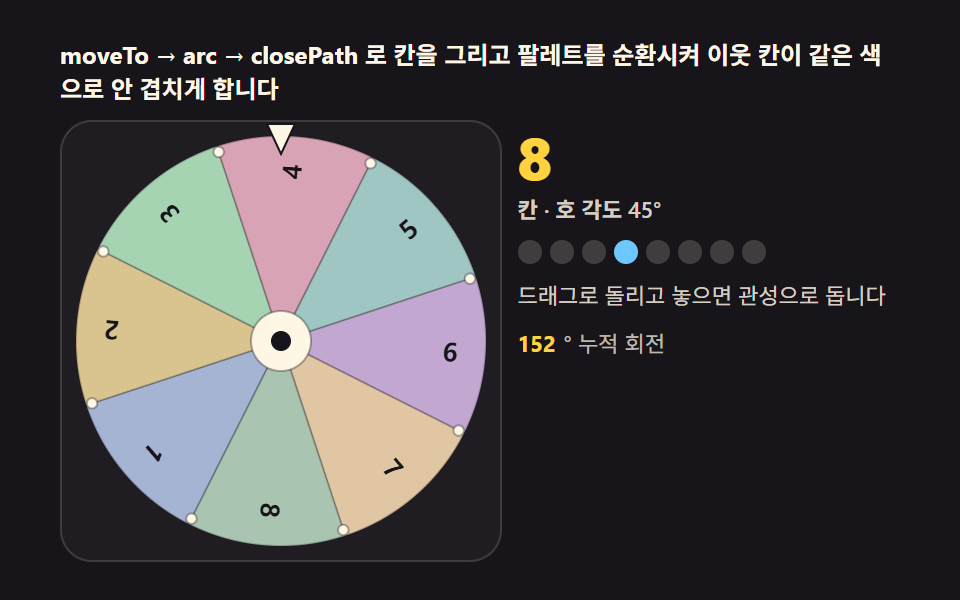 game룰렛 돌리기 — 튕겨 돌리고 마찰로 멈추는 돌림판 캔버스 9종
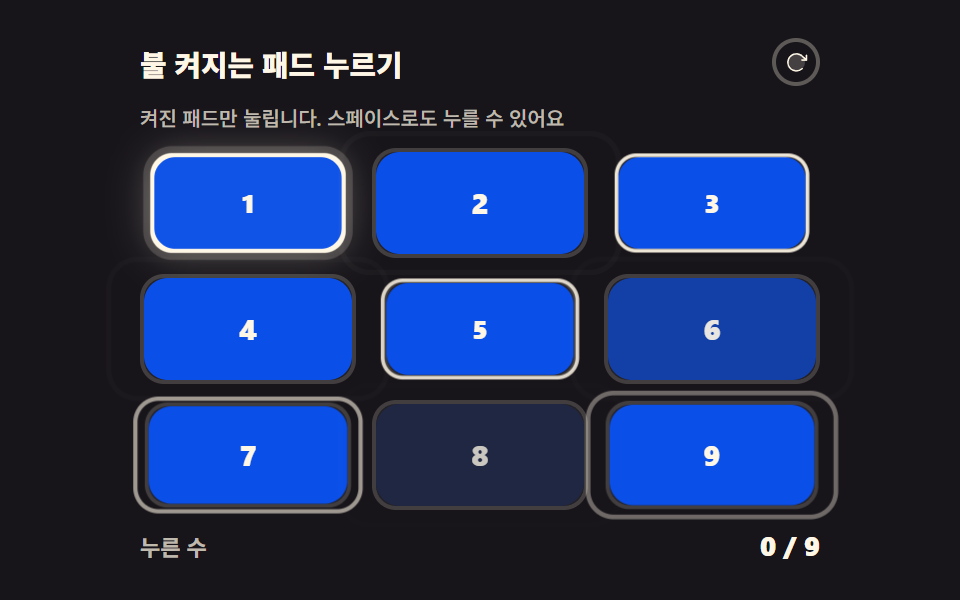 gameCSS 게임 만들기 — 미니게임 9종 복붙 코드
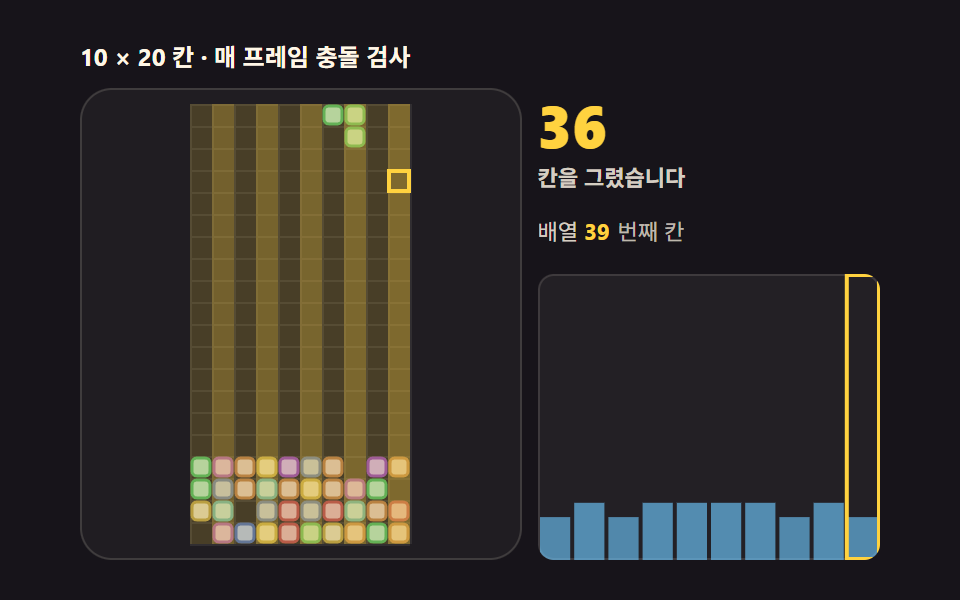 gameHTML 테트리스 코드 — 캔버스로 조립하는 9단계
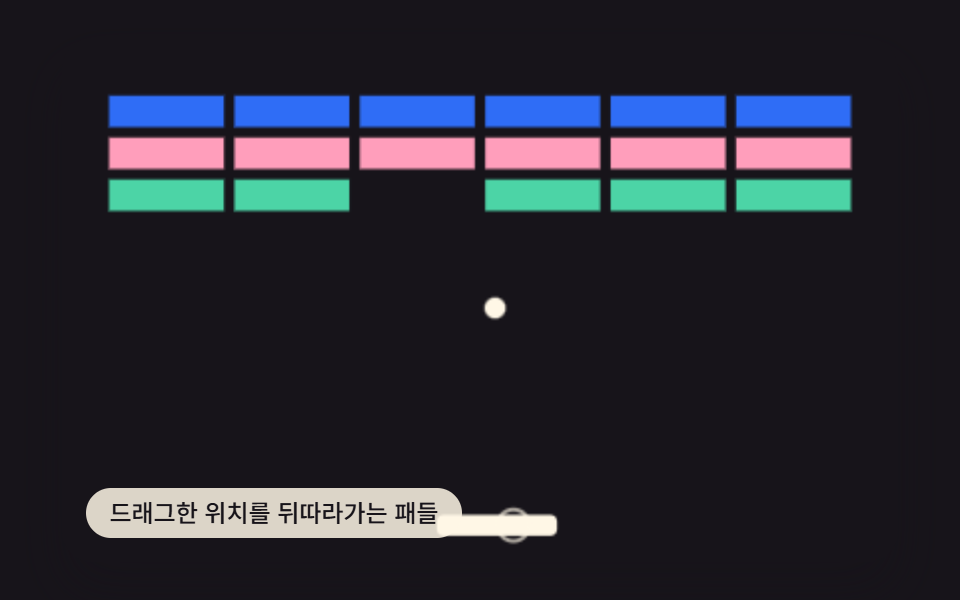 game벽돌깨기 게임 만들기 9가지 — 반사각은 맞은 위치가 정한다
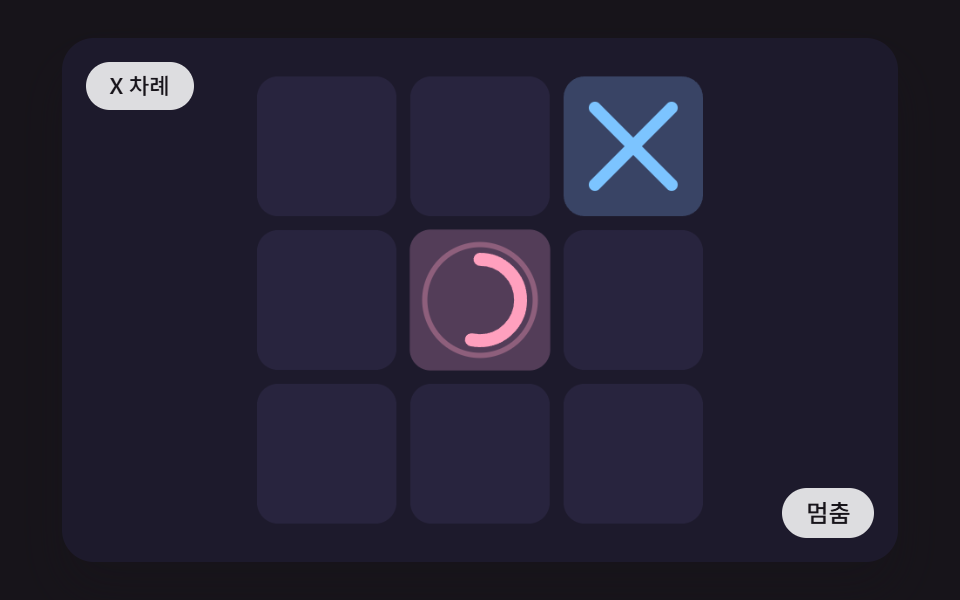 gamecss tic tac toe 9가지 — 판이 스스로 셈하고 줄을 긋는 삼목 게임
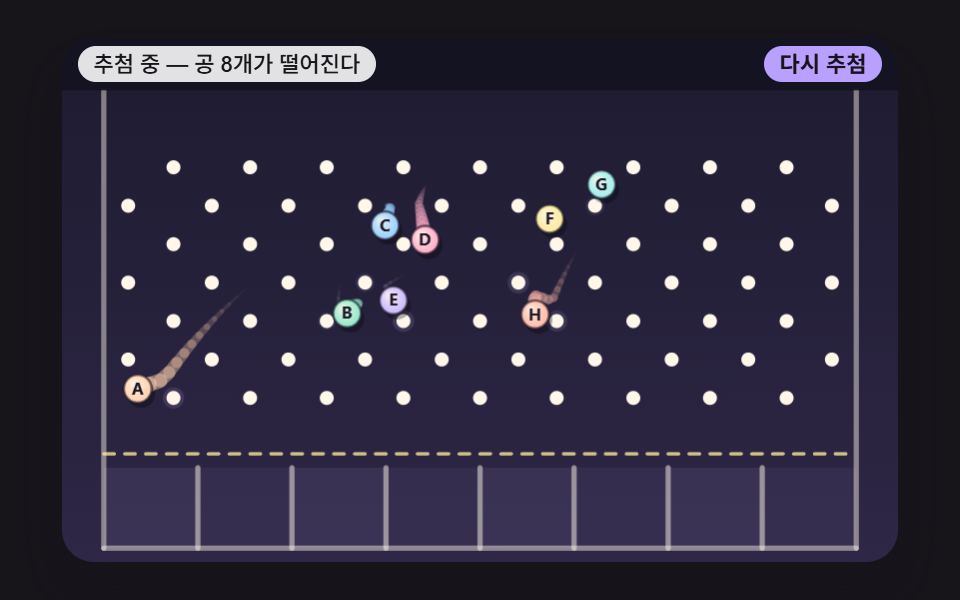 game핀볼 뽑기 9종 — 이름 공 추첨판·플리퍼·범퍼·구슬 레이스
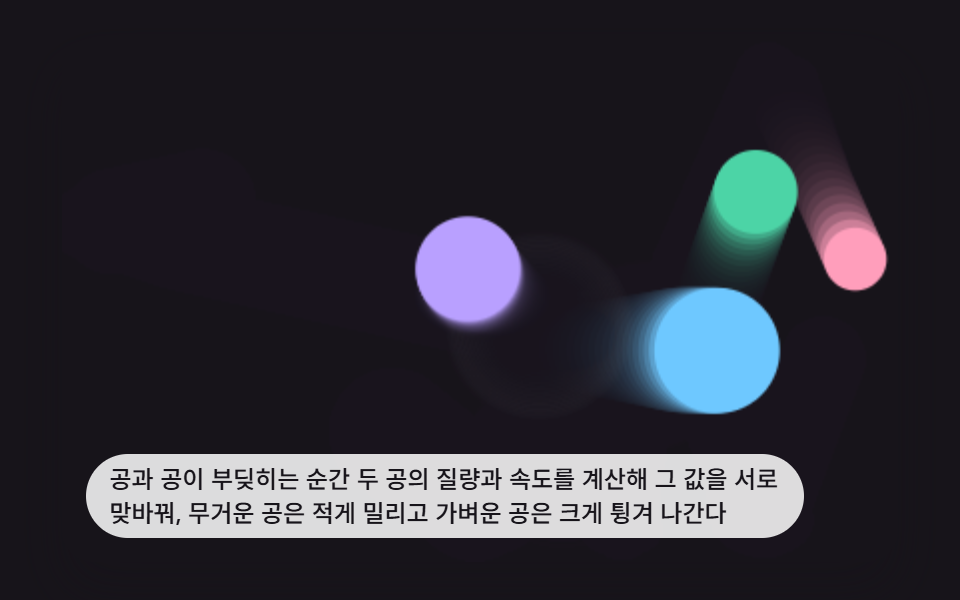 game바운싱 볼 애니메이션 9가지 — 충돌·중력 물리 계산
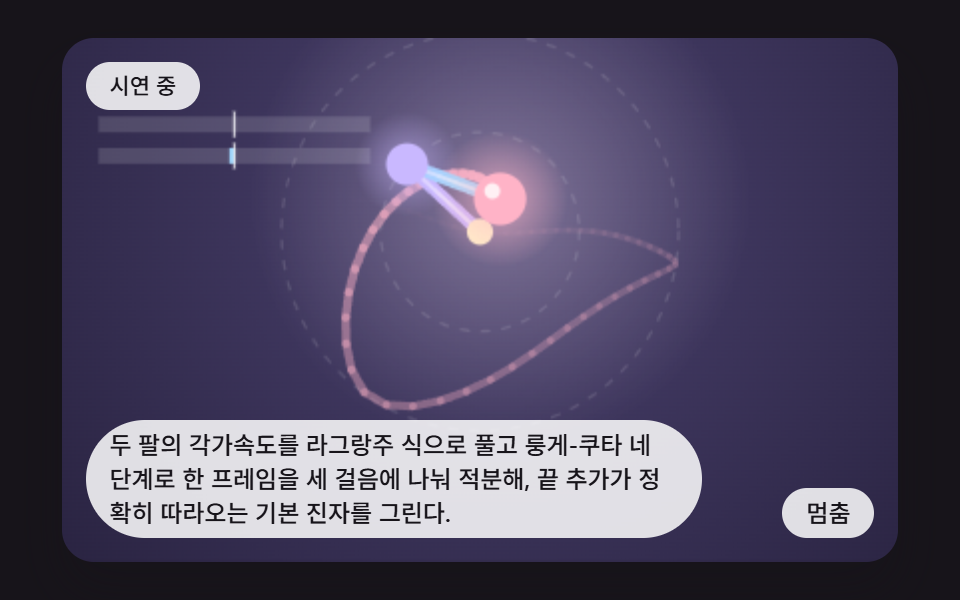 game이중 진자 시뮬레이션 9가지 — 오차 하나가 길을 가르는 카오스 장면
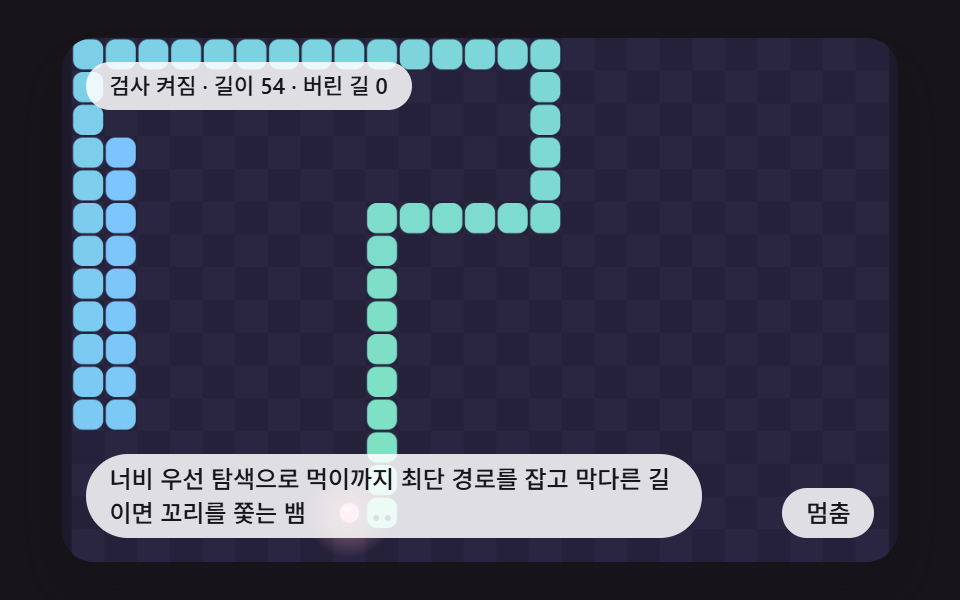 gamecss snake game 9가지 — 키보드 없이 길을 찾아 먹이를 먹는 뱀 게임
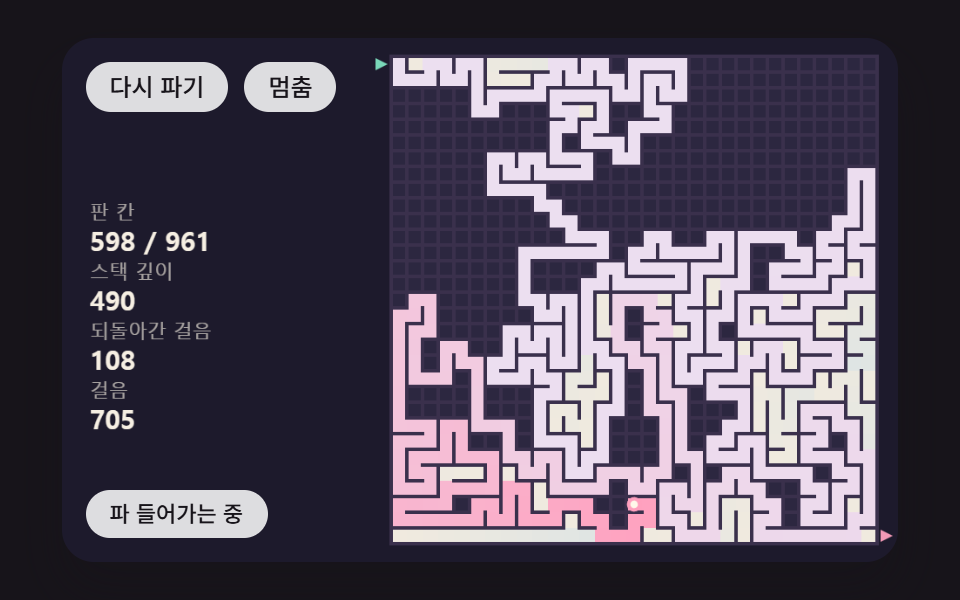 game미로 게임 만들기 9단계 — 벽 걷기·물결 자국·최단 거리 계산