아이소메트릭 디자인 — 진짜 등각투영 행렬로 짓는 3D 다이오라마 씬 9종
큐브 세 면의 명도를 광원 각도로 계산하고, 격자 좌표를 2:1 공식으로 화면 좌표로 바꿔 등각 투영을 짭니다. 깊이값으로 쌓임 순서를 정렬하는 페인터 알고리즘까지 — 방·도시 다이오라마 9종, 코드는 비밀번호 zip으로 드립니다.
 01 isometric-true-projection-matrix
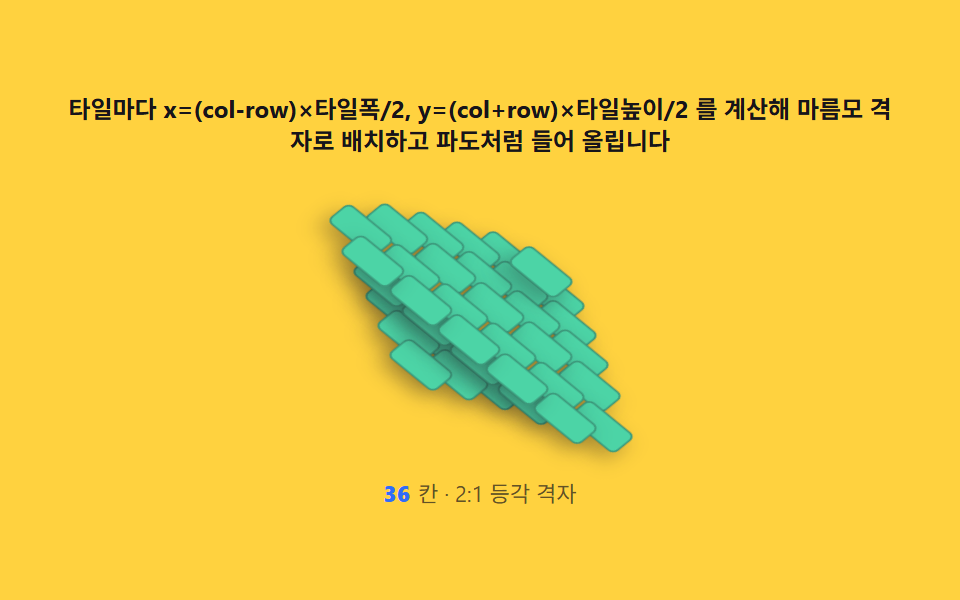 02 isometric-grid-coordinate-placement
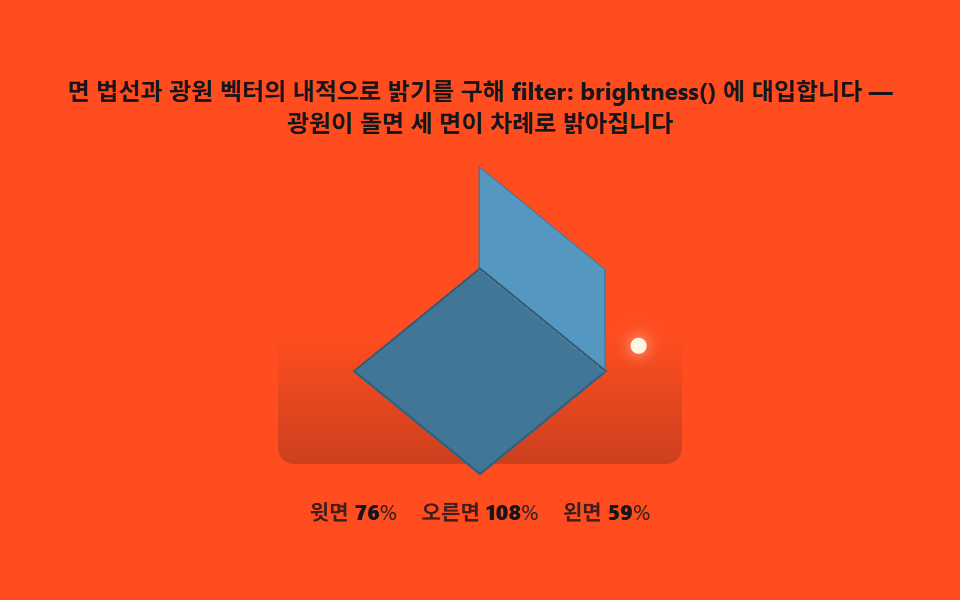 03 isometric-face-shading-lambert
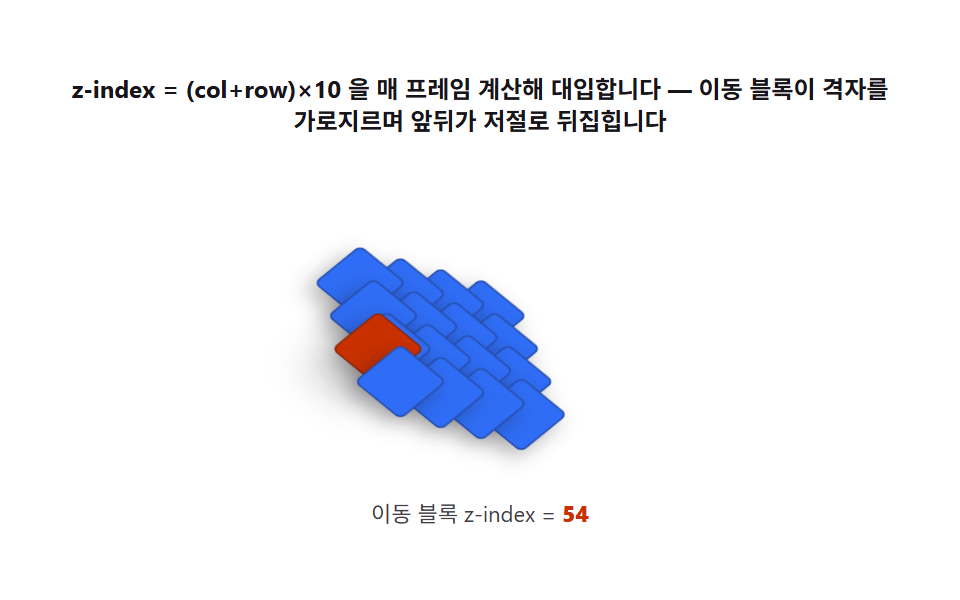 04 isometric-painter-stacking-order
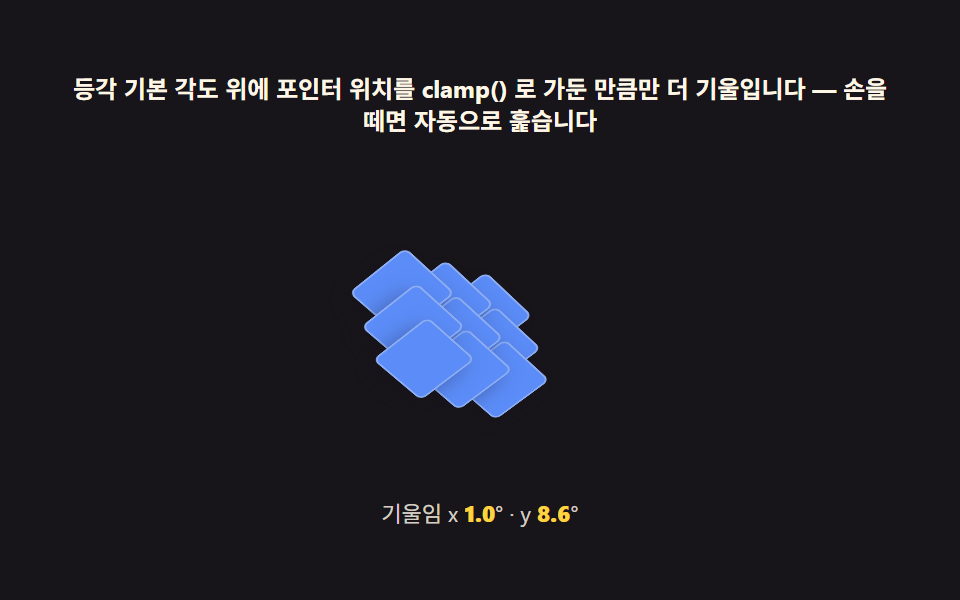 05 isometric-pointer-parallax-tilt
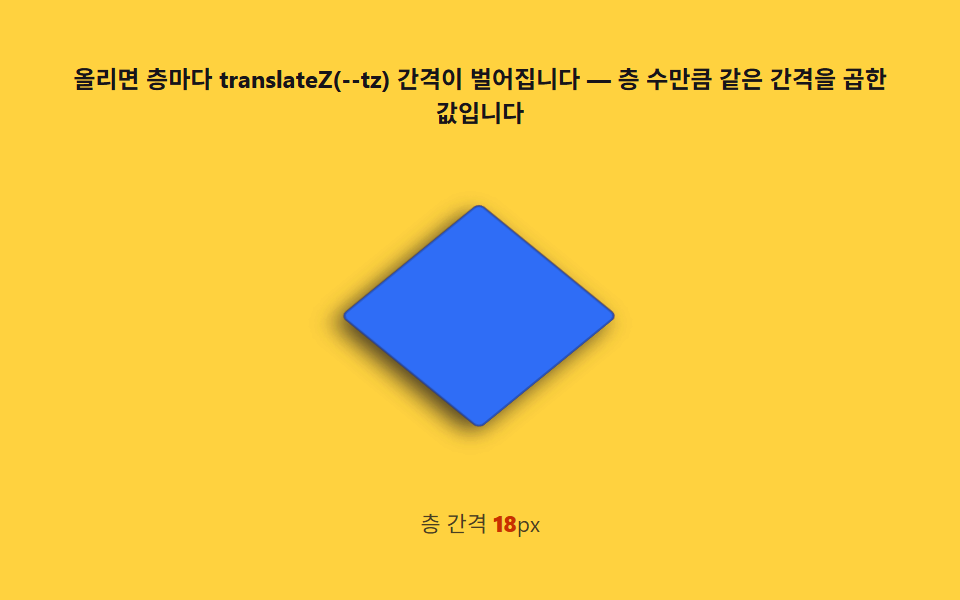 06 isometric-exploded-view-hover
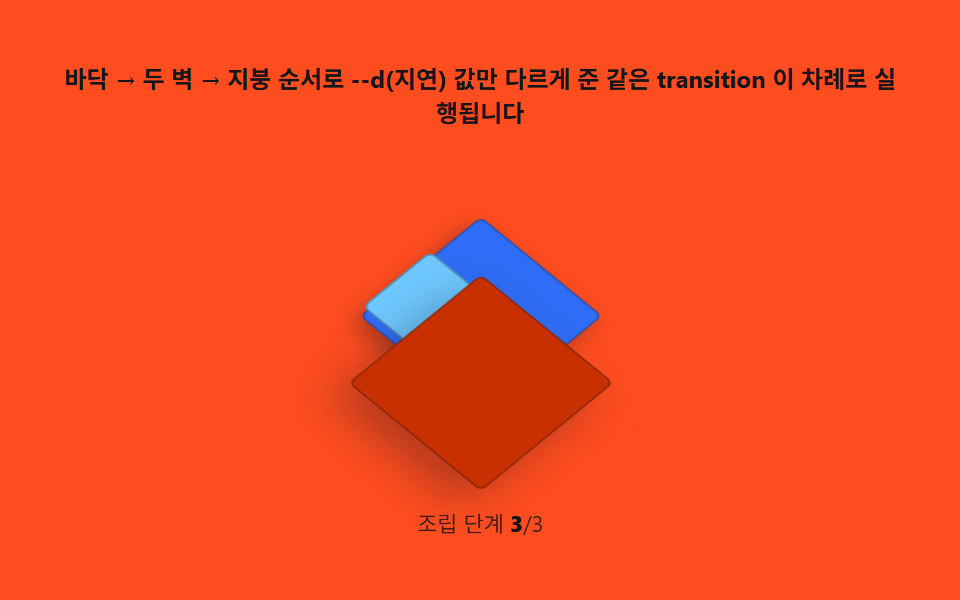 07 isometric-room-scene-build
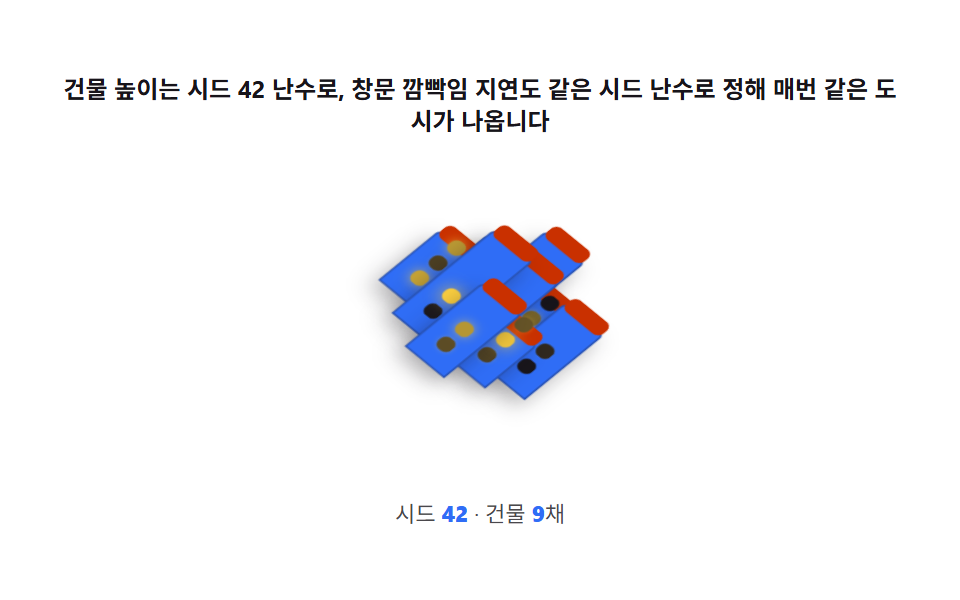 08 isometric-city-block-scene
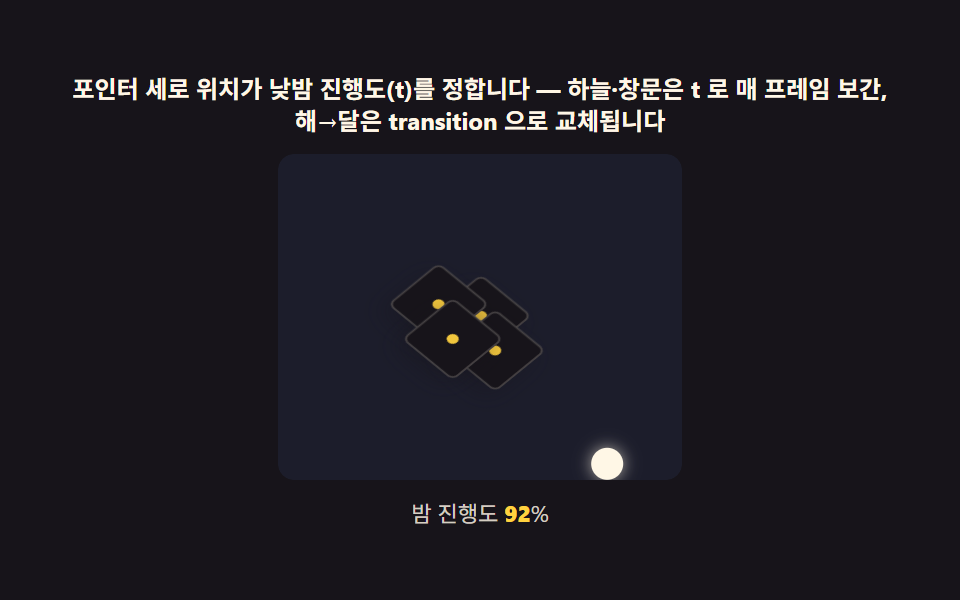 09 isometric-hero-day-night
자동 재생 · 눌러서 해당 항목으로 · 전부 한 zip
- 01 진짜 등각 — rotateX(-30deg) 대신 정확한 투영 행렬
- 02 격자 좌표 변환 — (col, row) 를 화면 (x, y) 로 바꾸는 2:1 공식
- 03 면 셰이딩 — 광원 각도로 세 면의 명도를 계산하기
- 04 쌓임 순서 계산 — 깊이값을 z-index 공식으로 바꾸는 페인터 알고리즘
- 05 포인터 시차 — 다이오라마 전체가 살짝 따라 도는 계산
- 06 분해도 — 깊이 순서를 그대로 벌림 거리로 쓰는 호버
- 07 방 다이오라마 — 01~04 를 조립한 완성 씬
- 08 도시 블록 — 건물 높이가 제각각인 씬 배치 계산
- 09 히어로 씬 — 낮밤 조명과 시차가 함께 도는 완성판
데모
아홉 판 전부 index.html 한 파일씩으로 열리자마자 시드를 고정한 자동 시연으로 스스로 움직입니다. matrix3d 행렬·격자 좌표식·내적 셰이딩·z-index 페인터 정렬이라는 같은 네 계산이 판마다 다른 조합으로 화면을 채우고, 사람은 포인터·호버로 같은 계산 경로를 직접 밟을 수 있습니다.
9종 실측 한눈에
| 항목 | 초점 | 누적면적(%) | 강도 평균 | 움직인프레임 |
|---|---|---|---|---|
| 01 진짜 등각 | rotateX(-30deg) 근사 대 정확한 투영 행렬 | 8.5 | 67.5 | 23 |
| 02 격자 좌표 변환 | (col,row)를 (x,y)로 바꾸는 2:1 공식 | 8.8 | 45.9 | 23 |
| 03 면 셰이딩 | 법선과 광원의 내적으로 명도 계산 | 6.0 | 67.9 | 23 |
| 04 쌓임 순서 계산 | z-index=(col+row)×10 페인터 정렬 | 4.1 | 127.4 | 23 |
| 05 포인터 시차 | 목표각을 lerp 로 보간하는 계산 | 1.6 | 67.0 | 23 |
| 06 분해도 | 층 인덱스를 벌림 거리로 쓰는 호버 | 11.1 | 99.1 | 12 |
| 07 방 다이오라마 | 01~04 를 조립한 완성 씬 | 9.4 | 65.7 | 16 |
| 08 도시 블록 | 시드 난수로 건물 높이를 정하는 배치 | 1.5 | 17.3 | 23 |
| 09 히어로 씬 | 낮밤 조명과 포인터 시차의 결합 | 21.4 | 37.6 | 23 |
낮은 누적면적이 정상인 이유
077 캔버스 물방울·블랙홀 편의 30% 기준으로 보면 이 아홉 판 중 여덟 개가 낮아 보이지만, 등각 다이오라마는 캔버스를 가득 채우는 유체·중력렌즈 장면이 아니라 고정 프레임 중앙의 작은 큐브·격자·건물 하나로 계산의 정확함을 보여주는 구도입니다. 09 히어로 씬만 21.4%로 넓은 것도 하늘색 배경 전체가 낮밤 보간을 받기 때문이고, 06 분해도(12/23)·07 방 조립(16/23)은 호버·조립이 끝난 뒤 정지 구간이 있어 나머지 프레임이 멈춰 있을 뿐입니다. 강도 평균은 08 도시 야경이 17.3으로 가장 어둡고 04 페인터 정렬이 127.4로 가장 밝지만, 하한 15에 걸리는 항목은 없어 BD3 게이트는 아홉 항목 전부 통과합니다.
왜 rotateX(-30deg) 가 아니라 진짜 등각인가 — 투영 행렬과 좌표 변환
웹에서 아이소메트릭 3d 장면을 만들 때 가장 먼저 부딪히는 것이 이 질문입니다 — rotateX(-30deg) rotateZ(45deg)는 등각처럼 보이지만 수학적으로는 근사값이고, 정확한 각도는 -arctan(1/√2) ≈ -35.264deg입니다. 01 항목이 두 큐브를 같은 턴테이블 속도로 나란히 돌려 이 차이를 cos(각도)로 구한 세로/가로 비율 숫자로 실시간 비교합니다.
행렬을 손으로 곱해 matrix3d 에 넣는 이유
CSS의 rotateX()·rotateZ()를 그대로 겹쳐 쓰면 브라우저가 내부적으로 두 번 곱하지만, 그 결과를 직접 확인하거나 다른 계산(포인터 시차 등)과 합성하려면 4×4 행렬을 JS로 직접 곱해 matrix3d() 문자열로 넣어야 합니다. perspective()를 섞지 않는 이유도 여기 있습니다 — 등각은 평행 투영이라 원근이 끼면 소실점이 생겨 먼 블록이 작아지는 왜곡이 등각 위에 겹칩니다.
격자 좌표가 화면 좌표로 바뀌는 공식
타일의 (col, row)를 화면 좌표로 바꾸는 공식은 x = (col - row) * TILE_W / 2, y = (col + row) * TILE_H / 2이고, 02 항목은 이 공식으로 6×6 격자 36칸을 마름모 배열로 재배치합니다. 타일 폭:높이 비율은 2:1(TILE_W 34·TILE_H 17)로 고정되어 있어, 격자 크기를 바꾸면 같은 공식이 다시 돌아 전체가 재배치됩니다.
아홉 씬 단계별 코드
아래 아홉 절은 각 씬의 핵심 계산 하나씩을 실제 소스에서 그대로 뽑은 조각으로 보여줍니다. 전체 코드(바닐라 9종·React 9종)는 비밀번호 zip에 들어 있습니다.
01진짜 등각 — rotateX(-30deg) 대신 정확한 투영 행렬
많이 쓰는 rotateX(-30deg) rotateZ(45deg) 조합은 수학적 등각이 아니라 근사값이라 세 축이 다른 배율로 줄어듭니다. 이 항목은 회전 행렬을 JS mat4Mul로 직접 곱해 matrix3d에 넣는 코어 세 함수를 씁니다.
<main class="stage">
<div class="ip" id="ip">
  <p class="ip__hint">근사(rotateX -30°)와 matrix3d 정확 등각(35.264°)을 같은 속도로 돌려 세로 비율 차이를 봅니다</p>
  <div class="ip__row" role="img" aria-label="근사 등각과 정확 등각 큐브를 같은 속도로 돌리는 비교 장면" id="scene">
    <div class="ip__col">
      <div class="ip__field"><div class="ip__cube3d" id="cubeApprox"></div></div>
      <div class="ip__stat"><b class="ip__tag">rotateX(-30deg)</b><span class="ip__ratio" id="ratioApprox">0.000</span></div>
    </div>
    <div class="ip__col">
      <div class="ip__field"><div class="ip__cube3d" id="cubeExact"></div></div>
      <div class="ip__stat"><b class="ip__tag">matrix3d(-35.264°)</b><span class="ip__ratio" id="ratioExact">0.000</span></div>
    </div>
  </div>
  <p class="ip__meta"><b class="ip__deg" id="deg">0</b><span class="ip__metaUnit">° 턴테이블 회전 · 세로/가로 비</span></p>
</div>
</main>
@use "../../../../site/static/demo-tokens" as *;
// 진짜 등각(01) — matrix3d 로 근사(rotateX(-30)) 와 정확(-35.264°) 등각을 나란히 턴테이블처럼
// 돌린다. 회전 행렬은 JS 가 매 프레임 곱해 만든다(계산 축) — CSS @keyframes 는 없다.
// 큐브 세 면은 filter: brightness 로 고정 명도(1 · .72 · .48)를 얹는다 — 광원 계산은 03 의 몫.
$duration: $dur-loop;
$easing: $ease-out;
$color: $subject-blue;
@include stage($stage-ink);
.ip {
display: flex; flex-direction: column; align-items: center; gap: $sp-2;
width: 100%; max-width: 420px;
}
.ip__hint {
margin: 0; font-weight: 700; font-size: clamp(10px, 2.8vw, 12px); line-height: 1.35;
color: $subject-cream; text-align: center;
}
.ip__row { display: flex; gap: $sp-4; }
.ip__col { display: flex; flex-direction: column; align-items: center; gap: $sp-1; }
.ip__field {
width: clamp(96px, 24vw, 128px); height: clamp(96px, 24vw, 128px);
display: grid; place-items: center;
}
.ip__cube3d {
position: relative; width: 76px; height: 76px;
transform-style: preserve-3d;
transform-origin: center center;
}
.ip__face {
position: absolute; top: 0; left: 0;
backface-visibility: hidden;
border: 1px solid rgba($subject-ink, .28);
background: $subject-sky;
}
.ip__face--top { filter: brightness(1); }
.ip__face--right { filter: brightness(.72); }
.ip__face--front { filter: brightness(.48); }
.ip__stat { display: flex; align-items: baseline; gap: $sp-1; }
.ip__tag {
font-weight: 800; font-size: clamp(9px, 2.4vw, 11px);
color: $stage-yellow; font-variant-numeric: tabular-nums;
}
.ip__ratio {
font-weight: 600; font-size: clamp(8px, 2vw, 10px);
color: rgba($subject-cream, .82); font-variant-numeric: tabular-nums;
}
.ip__meta { margin: 0; font-size: clamp(9px, 2.4vw, 11px); color: rgba($subject-cream, .82); }
.ip__deg { font-weight: 700; color: $stage-yellow; font-variant-numeric: tabular-nums; margin-right: $sp-1; }
.ip__metaUnit { color: rgba($subject-cream, .72); }
@media (max-width: 340px) {
.ip { gap: $sp-1; }
.ip__row { gap: $sp-2; }
.ip__field { width: 84px; height: 84px; }
.ip__hint { font-size: 8px; }
.ip__tag { font-size: 8px; }
.ip__ratio, .ip__meta { font-size: 7px; }
}
// reduce — 턴테이블 루프가 안 돈다. 20도 지점에 고정된 정지 두 큐브만 남긴다.
@media (prefers-reduced-motion: reduce) {
.ip.is-still .ip__cube3d { transition: none; }
}html, body {
margin: 0;
overflow: hidden;
}
.stage {
box-sizing: border-box;
min-height: 100vh;
display: grid;
place-items: center;
margin: 0;
background: #17141a;
font-family: -apple-system, "Segoe UI", "Noto Sans KR", sans-serif;
padding: clamp(8px, 4vw, 24px);
}
.ip {
display: flex;
flex-direction: column;
align-items: center;
gap: 8px;
width: 100%;
max-width: 420px;
}
.ip__hint {
margin: 0;
font-weight: 700;
font-size: clamp(10px, 2.8vw, 12px);
line-height: 1.35;
color: #fff7e6;
text-align: center;
}
.ip__row {
display: flex;
gap: 16px;
}
.ip__col {
display: flex;
flex-direction: column;
align-items: center;
gap: 4px;
}
.ip__field {
width: clamp(96px, 24vw, 128px);
height: clamp(96px, 24vw, 128px);
display: grid;
place-items: center;
}
.ip__cube3d {
position: relative;
width: 76px;
height: 76px;
transform-style: preserve-3d;
transform-origin: center center;
}
.ip__face {
position: absolute;
top: 0;
left: 0;
backface-visibility: hidden;
border: 1px solid rgba(23, 20, 26, 0.28);
background: #6ec8ff;
}
.ip__face--top {
filter: brightness(1);
}
.ip__face--right {
filter: brightness(0.72);
}
.ip__face--front {
filter: brightness(0.48);
}
.ip__stat {
display: flex;
align-items: baseline;
gap: 4px;
}
.ip__tag {
font-weight: 800;
font-size: clamp(9px, 2.4vw, 11px);
color: #ffd23f;
font-variant-numeric: tabular-nums;
}
.ip__ratio {
font-weight: 600;
font-size: clamp(8px, 2vw, 10px);
color: rgba(255, 247, 230, 0.82);
font-variant-numeric: tabular-nums;
}
.ip__meta {
margin: 0;
font-size: clamp(9px, 2.4vw, 11px);
color: rgba(255, 247, 230, 0.82);
}
.ip__deg {
font-weight: 700;
color: #ffd23f;
font-variant-numeric: tabular-nums;
margin-right: 4px;
}
.ip__metaUnit {
color: rgba(255, 247, 230, 0.72);
}
@media (max-width: 340px) {
.ip {
gap: 4px;
}
.ip__row {
gap: 8px;
}
.ip__field {
width: 84px;
height: 84px;
}
.ip__hint {
font-size: 8px;
}
.ip__tag {
font-size: 8px;
}
.ip__ratio, .ip__meta {
font-size: 7px;
}
}
@media (prefers-reduced-motion: reduce) {
.ip.is-still .ip__cube3d {
transition: none;
}
}// 진짜 등각(01) — 흔히 쓰는 rotateX(-30deg) rotateZ(45deg) 조합은 근사값이다. 정확한 등각
// 각도는 -arctan(1/sqrt(2)) = -35.264deg. 두 각도로 만든 회전 행렬을 JS 로 직접 곱해
// matrix3d 에 넣고, 같은 턴테이블 회전(spin)을 매 프레임 다시 곱해 큐브를 돌린다.
// CSS @keyframes 는 없다 — 움직임은 전부 계산된 matrix3d 값이다.
(function () {
var root = document.getElementById('ip');
var cubeApprox = document.getElementById('cubeApprox');
var cubeExact = document.getElementById('cubeExact');
var degEl = document.getElementById('deg');
var ratioApproxEl = document.getElementById('ratioApprox');
var ratioExactEl = document.getElementById('ratioExact');
if (!root || !cubeApprox || !cubeExact || !degEl || !ratioApproxEl || !ratioExactEl) return;
function mat4RotateX(deg) {
  var r = deg * Math.PI / 180, c = Math.cos(r), s = Math.sin(r);
  return [1, 0, 0, 0, 0, c, s, 0, 0, -s, c, 0, 0, 0, 0, 1];
}
function mat4RotateZ(deg) {
  var r = deg * Math.PI / 180, c = Math.cos(r), s = Math.sin(r);
  return [c, s, 0, 0, -s, c, 0, 0, 0, 0, 1, 0, 0, 0, 0, 1];
}
function mat4Mul(a, b) {
  var out = new Array(16);
  for (var col = 0; col < 4; col++) {
    for (var row = 0; row < 4; row++) {
      var sum = 0;
      for (var k = 0; k < 4; k++) sum += a[k * 4 + row] * b[col * 4 + k];
      out[col * 4 + row] = sum;
    }
  }
  return out;
}
function mat4ToCss(m) {
var s = '';
for (var i = 0; i < m.length; i++) s += (i ? ',' : '') + m[i].toFixed(6);
return 'matrix3d(' + s + ')';
}
// 큐브 한 개를 세 면(top·right·front) div 로 짓는다 — backface-visibility 로 뒷면을 지운다
function buildCube(mount, size) {
var defs = [
{ cls: 'ip__face ip__face--top', t: 'rotateX(90deg) translateZ(' + (size / 2) + 'px)' },
{ cls: 'ip__face ip__face--right', t: 'rotateY(90deg) translateZ(' + (size / 2) + 'px)' },
{ cls: 'ip__face ip__face--front', t: 'translateZ(' + (size / 2) + 'px)' }
];
for (var i = 0; i < defs.length; i++) {
var f = document.createElement('div');
f.className = defs[i].cls;
f.style.width = size + 'px'; f.style.height = size + 'px';
f.style.transform = defs[i].t;
mount.appendChild(f);
}
}
var mm = window.matchMedia('(max-width: 340px)').matches;
var SIZE = mm ? 52 : 76;
buildCube(cubeApprox, SIZE);
buildCube(cubeExact, SIZE);
var TILT_APPROX = -30; // 흔한 근사값 — 수학적 등각이 아니다
var TILT_EXACT = -35.264; // 정확한 등각 각도 = -arctan(1/sqrt(2))
ratioApproxEl.textContent = Math.cos(TILT_APPROX * Math.PI / 180).toFixed(3);
ratioExactEl.textContent = Math.cos(TILT_EXACT * Math.PI / 180).toFixed(3);
function norm360(a) { a %= 360; return a < 0 ? a + 360 : a; }
function paint(spinDeg) {
var mA = mat4Mul(mat4RotateX(TILT_APPROX), mat4RotateZ(45 + spinDeg));
var mE = mat4Mul(mat4RotateX(TILT_EXACT), mat4RotateZ(45 + spinDeg));
cubeApprox.style.transform = mat4ToCss(mA);
cubeExact.style.transform = mat4ToCss(mE);
degEl.textContent = String(Math.round(norm360(spinDeg)));
}
var reduce = window.matchMedia('(prefers-reduced-motion: reduce)').matches;
if (reduce) {
paint(20);
root.classList.add('is-still');
} else {
var start = performance.now();
(function step(now) {
var t = (now - start) / 1000;
paint((t * 24) % 360); // 초당 24도 — 15초에 한 바퀴, 두 큐브가 같은 속도로 돈다
requestAnimationFrame(step);
})(start);
}
})();// IsometricTrueProjectionMatrix — vanilla 판(run/333/demo/01-isometric-true-projection-matrix/index.html)
// 의 React 포트. 흔한 근사 rotateX(-30deg) 와 정확한 등각 각도 -arctan(1/sqrt(2))=-35.264deg 로
// 만든 두 회전 행렬을 JS 로 직접 곱해 matrix3d 에 넣고, 같은 턴테이블 spin 값을 매 프레임
// 다시 곱해 큐브를 돌린다. CSS @keyframes 는 없다 — 움직임은 전부 계산된 matrix3d 값이다.
import { useEffect, useRef } from "react";
import type { CSSProperties } from "react";
import styles from "./IsometricTrueProjectionMatrix.module.scss";
export type IsometricTrueProjectionMatrixProps = {
duration?: string;
easing?: string;
color?: string;
};
type Vars = CSSProperties & { "--duration"?: string; "--easing"?: string; "--color"?: string };
type Box<T> = { current: T };
const HINT = "근사(rotateX -30°)와 matrix3d 정확 등각(35.264°)을 같은 속도로 돌려 세로 비율 차이를 봅니다";
const ARIA_SCENE = "근사 등각과 정확 등각 큐브를 같은 속도로 돌리는 비교 장면";
const TAG_APPROX = "rotateX(-30deg)";
const TAG_EXACT = "matrix3d(-35.264°)";
const UNIT = "° 턴테이블 회전 · 세로/가로 비";
const TILT_APPROX = -30;
const TILT_EXACT = -35.264;
function mat4RotateX(deg: number): number[] {
const r = (deg * Math.PI) / 180, c = Math.cos(r), s = Math.sin(r);
return [1, 0, 0, 0, 0, c, s, 0, 0, -s, c, 0, 0, 0, 0, 1];
}
function mat4RotateZ(deg: number): number[] {
const r = (deg * Math.PI) / 180, c = Math.cos(r), s = Math.sin(r);
return [c, s, 0, 0, -s, c, 0, 0, 0, 0, 1, 0, 0, 0, 0, 1];
}
function mat4Mul(a: number[], b: number[]): number[] {
const out = new Array<number>(16);
for (let col = 0; col < 4; col++) {
for (let row = 0; row < 4; row++) {
let sum = 0;
for (let k = 0; k < 4; k++) sum += a[k * 4 + row] * b[col * 4 + k];
out[col * 4 + row] = sum;
}
}
return out;
}
function mat4ToCss(m: number[]): string {
return "matrix3d(" + m.map((v) => v.toFixed(6)).join(",") + ")";
}
function norm360(a: number): number {
const m = a % 360;
return m < 0 ? m + 360 : m;
}
export default function IsometricTrueProjectionMatrix({
duration = "2s",
easing = "ease-out",
color = "#2f6df6"
}: IsometricTrueProjectionMatrixProps) {
const rootRef = useRef<HTMLDivElement | null>(null);
const cubeApproxRef = useRef<HTMLDivElement | null>(null);
const cubeExactRef = useRef<HTMLDivElement | null>(null);
const degRef = useRef<HTMLElement | null>(null);
const ratioApproxRef = useRef<HTMLElement | null>(null);
const ratioExactRef = useRef<HTMLElement | null>(null);
const rafRef = useRef(0) as Box<number>;
useEffect(() => {
const cubeApprox = cubeApproxRef.current;
const cubeExact = cubeExactRef.current;
const root = rootRef.current;
if (!cubeApprox || !cubeExact || !root) return;
const mm = window.matchMedia("(max-width: 340px)").matches;
const size = mm ? 52 : 76;
function buildFaces(mount: HTMLDivElement, s: number): void {
const defs = [
{ cls: styles.face + " " + styles.faceTop, t: "rotateX(90deg) translateZ(" + s / 2 + "px)" },
{ cls: styles.face + " " + styles.faceRight, t: "rotateY(90deg) translateZ(" + s / 2 + "px)" },
{ cls: styles.face + " " + styles.faceFront, t: "translateZ(" + s / 2 + "px)" }
];
for (const d of defs) {
const f = document.createElement("div");
f.className = d.cls;
f.style.width = s + "px";
f.style.height = s + "px";
f.style.transform = d.t;
mount.appendChild(f);
}
}
buildFaces(cubeApprox, size);
buildFaces(cubeExact, size);
if (ratioApproxRef.current) ratioApproxRef.current.textContent = Math.cos((TILT_APPROX * Math.PI) / 180).toFixed(3);
if (ratioExactRef.current) ratioExactRef.current.textContent = Math.cos((TILT_EXACT * Math.PI) / 180).toFixed(3);
function paint(spinDeg: number): void {
const mA = mat4Mul(mat4RotateX(TILT_APPROX), mat4RotateZ(45 + spinDeg));
const mE = mat4Mul(mat4RotateX(TILT_EXACT), mat4RotateZ(45 + spinDeg));
if (cubeApprox) cubeApprox.style.transform = mat4ToCss(mA);
if (cubeExact) cubeExact.style.transform = mat4ToCss(mE);
if (degRef.current) degRef.current.textContent = String(Math.round(norm360(spinDeg)));
}
const reduce = window.matchMedia("(prefers-reduced-motion: reduce)").matches;
if (reduce) {
paint(20);
root.classList.add(styles.isStill);
} else {
const start = performance.now();
const step = (now: number): void => {
const t = (now - start) / 1000;
paint((t * 24) % 360);
rafRef.current = requestAnimationFrame(step);
};
rafRef.current = requestAnimationFrame(step);
}
return () => cancelAnimationFrame(rafRef.current);
// eslint-disable-next-line react-hooks/exhaustive-deps
}, []);
return (
<main className={styles.stage}>
<div
className={styles.ip}
ref={rootRef}
style={{ "--duration": duration, "--easing": easing, "--color": color } as Vars}
>
<p className={styles.hint}>{HINT}</p>
<div className={styles.row} role="img" aria-label={ARIA_SCENE}>
<div className={styles.col}>
<div className={styles.field}>
<div className={styles.cube3d} ref={cubeApproxRef}></div>
</div>
<div className={styles.statRow}>
<b className={styles.tag}>{TAG_APPROX}</b>
<span className={styles.ratio} ref={ratioApproxRef}>0.000</span>
</div>
</div>
<div className={styles.col}>
<div className={styles.field}>
<div className={styles.cube3d} ref={cubeExactRef}></div>
</div>
<div className={styles.statRow}>
<b className={styles.tag}>{TAG_EXACT}</b>
<span className={styles.ratio} ref={ratioExactRef}>0.000</span>
</div>
</div>
</div>
<p className={styles.meta}>
<b className={styles.deg} ref={degRef}>0</b>
<span className={styles.metaUnit}>{UNIT}</span>
</p>
</div>
</main>
);
}01 · 진짜 등각 — rotateX(-30deg) 대신 정확한 투영 행렬 — 측정 누적면적 8.516% · 움직인 프레임 23/23GODRICH 원작 · zip 에 SCSS·React 포함 · 비밀번호 보기
회전 행렬 세 개를 직접 곱하는 함수
function mat4RotateX(deg) {
var r = deg * Math.PI / 180, c = Math.cos(r), s = Math.sin(r);
return [1, 0, 0, 0, 0, c, s, 0, 0, -s, c, 0, 0, 0, 0, 1];
}
function mat4RotateZ(deg) {
var r = deg * Math.PI / 180, c = Math.cos(r), s = Math.sin(r);
return [c, s, 0, 0, -s, c, 0, 0, 0, 0, 1, 0, 0, 0, 0, 1];
}
function mat4Mul(a, b) {
var out = new Array(16);
for (var col = 0; col < 4; col++) {
for (var row = 0; row < 4; row++) {
var sum = 0;
for (var k = 0; k < 4; k++) sum += a[k * 4 + row] * b[col * 4 + k];
out[col * 4 + row] = sum;
}
}
return out;
}
TILT_EXACT = -35.264가 mat4RotateX에 들어가고 mat4RotateZ(45 + spin)과 mat4Mul로 곱해진 결과가 매 프레임 두 큐브의 transform에 들어갑니다.
02격자 좌표 변환 — (col, row) 를 화면 (x, y) 로 바꾸는 2:1 공식
타일마다 x = (col - row) * TILE_W / 2, y = (col + row) * TILE_H / 2를 계산해 CSS 변수에 넣으면 바둑판 격자가 마름모 격자로 재배치됩니다. 아이소메트릭 그리드 만들기의 핵심이 바로 이 두 줄이고, 02 항목은 6×6=36칸 전부에 같은 공식을 돌립니다.
<main class="stage">
<div class="gp" id="gp">
  <p class="gp__hint">타일마다 x=(col-row)×타일폭/2, y=(col+row)×타일높이/2 를 계산해 마름모 격자로 배치하고 파도처럼 들어 올립니다</p>
  <div class="gp__field" role="img" aria-label="바둑판 좌표를 마름모 격자로 바꾸고 파도처럼 들어 올리는 장면">
    <div class="gp__world" id="world"></div>
  </div>
  <p class="gp__meta"><b class="gp__count" id="n">36</b><span class="gp__metaUnit">칸 · 2:1 등각 격자</span></p>
</div>
</main>
@use "../../../../site/static/demo-tokens" as *;
// 격자 좌표 변환(02) — 무대는 노랑. 타일은 2:1 등각 공식으로 배치하고 파도(--tz)만
// 매 프레임 갱신한다. transform-style: preserve-3d 인 world 가 회전하고 있어 자식의
// translateZ 가 실제 화면 높이 이동으로 보인다(원근 없이도 등각은 이렇게 동작한다).
$duration: $dur-loop;
$easing: $ease-out;
$color: $subject-ink;
@include stage($stage-yellow);
.gp {
display: flex; flex-direction: column; align-items: center; gap: $sp-2;
width: 100%; max-width: 420px;
}
.gp__hint {
margin: 0; font-weight: 700; font-size: clamp(10px, 2.6vw, 12px); line-height: 1.35;
color: $subject-ink; text-align: center;
}
.gp__field {
position: relative;
width: clamp(180px, 44vw, 240px); height: clamp(120px, 30vw, 150px);
display: grid; place-items: center;
}
.gp__world {
position: relative;
transform-style: preserve-3d;
width: 1px; height: 1px;
}
.gp__tile {
position: absolute; left: 0; top: 0;
width: calc(var(--tw) * 1px - 3px);
height: calc(var(--th) * 1px - 3px);
transform: translate3d(var(--tx), var(--ty), var(--tz, 0px)) translate(-50%, -50%);
background: $subject-mint;
border: 1px solid rgba($subject-ink, .3);
border-radius: $r-xs;
box-shadow: $shadow-press;
}
.gp__meta { margin: 0; font-size: clamp(9px, 2.4vw, 11px); color: rgba($subject-ink, .78); }
.gp__count { font-weight: 800; color: $subject-blue; font-variant-numeric: tabular-nums; margin-right: $sp-1; }
.gp__metaUnit { color: rgba($subject-ink, .72); }
@media (max-width: 340px) {
.gp { gap: $sp-1; }
.gp__field { width: 156px; height: 108px; }
.gp__hint { font-size: 8px; }
.gp__meta { font-size: 7px; }
}
// reduce — 파도가 안 돈다. 한 위상(0.6)에서 멈춘 정지 격자만 남는다.
@media (prefers-reduced-motion: reduce) {
.gp.is-still .gp__tile { transition: none; }
}html, body {
margin: 0;
overflow: hidden;
}
.stage {
box-sizing: border-box;
min-height: 100vh;
display: grid;
place-items: center;
margin: 0;
background: #ffd23f;
font-family: -apple-system, "Segoe UI", "Noto Sans KR", sans-serif;
padding: clamp(8px, 4vw, 24px);
}
.gp {
display: flex;
flex-direction: column;
align-items: center;
gap: 8px;
width: 100%;
max-width: 420px;
}
.gp__hint {
margin: 0;
font-weight: 700;
font-size: clamp(10px, 2.6vw, 12px);
line-height: 1.35;
color: #17141a;
text-align: center;
}
.gp__field {
position: relative;
width: clamp(180px, 44vw, 240px);
height: clamp(120px, 30vw, 150px);
display: grid;
place-items: center;
}
.gp__world {
position: relative;
transform-style: preserve-3d;
width: 1px;
height: 1px;
}
.gp__tile {
position: absolute;
left: 0;
top: 0;
width: calc(var(--tw) * 1px - 3px);
height: calc(var(--th) * 1px - 3px);
transform: translate3d(var(--tx), var(--ty), var(--tz, 0px)) translate(-50%, -50%);
background: #4cd4a6;
border: 1px solid rgba(23, 20, 26, 0.3);
border-radius: 4px;
box-shadow: 0 6px 12px rgba(23, 20, 26, 0.32);
}
.gp__meta {
margin: 0;
font-size: clamp(9px, 2.4vw, 11px);
color: rgba(23, 20, 26, 0.78);
}
.gp__count {
font-weight: 800;
color: #2f6df6;
font-variant-numeric: tabular-nums;
margin-right: 4px;
}
.gp__metaUnit {
color: rgba(23, 20, 26, 0.72);
}
@media (max-width: 340px) {
.gp {
gap: 4px;
}
.gp__field {
width: 156px;
height: 108px;
}
.gp__hint {
font-size: 8px;
}
.gp__meta {
font-size: 7px;
}
}
@media (prefers-reduced-motion: reduce) {
.gp.is-still .gp__tile {
transition: none;
}
}// 격자 좌표 변환(02) — 바둑판 (col,row) 를 등각 화면 좌표 (x,y) 로 바꾸는 공식은
// x=(col-row)*타일폭/2, y=(col+row)*타일높이/2 다. 값은 CSS 변수(--tx·--ty·--tz)로 두고
// calc() 로 실제 px 를 만들어 translate3d 에 넣는다. 세로로 들어 올리는 파도(--tz)만
// 매 프레임 새로 계산해 갱신한다 — 격자 자체의 좌표식은 한 번만 계산해 고정한다.
(function () {
var root = document.getElementById('gp');
var world = document.getElementById('world');
var nEl = document.getElementById('n');
if (!root || !world || !nEl) return;
function mat4RotateX(deg) {
var r = deg * Math.PI / 180, c = Math.cos(r), s = Math.sin(r);
return [1, 0, 0, 0, 0, c, s, 0, 0, -s, c, 0, 0, 0, 0, 1];
}
function mat4RotateZ(deg) {
var r = deg * Math.PI / 180, c = Math.cos(r), s = Math.sin(r);
return [c, s, 0, 0, -s, c, 0, 0, 0, 0, 1, 0, 0, 0, 0, 1];
}
function mat4Mul(a, b) {
var out = new Array(16);
for (var col = 0; col < 4; col++) {
for (var row = 0; row < 4; row++) {
var sum = 0;
for (var k = 0; k < 4; k++) sum += a[k * 4 + row] * b[col * 4 + k];
out[col * 4 + row] = sum;
}
}
return out;
}
function mat4ToCss(m) {
var s = '';
for (var i = 0; i < m.length; i++) s += (i ? ',' : '') + m[i].toFixed(6);
return 'matrix3d(' + s + ')';
}
var TILT = -35.264; // 정확한 등각 각도
world.style.transform = mat4ToCss(mat4Mul(mat4RotateX(TILT), mat4RotateZ(45)));
var N = 6;                 // 한 변 칸 수 — N*N 격자
var TILE_W = 34, TILE_H = 17;   // 등각 2:1 비율 — 폭이 높이의 두 배
nEl.textContent = String(N * N);

var tiles = [];
var minX = Infinity, maxX = -Infinity, maxY = -Infinity;
for (var row = 0; row < N; row++) {
  for (var col = 0; col < N; col++) {
    var x = (col - row) * TILE_W / 2;
    var y = (col + row) * TILE_H / 2;
    if (x < minX) minX = x;
    if (x > maxX) maxX = x;
    if (y > maxY) maxY = y;
    tiles.push({ col: col, row: row, x: x, y: y });
  }
}
var shiftX = -(minX + maxX) / 2;
var shiftY = -maxY / 2;
var els = [];
for (var i = 0; i < tiles.length; i++) {
var tdata = tiles[i];
var el = document.createElement('div');
el.className = 'gp__tile';
el.style.setProperty('--tw', String(TILE_W));
el.style.setProperty('--th', String(TILE_H));
el.style.setProperty('--tx', (tdata.x + shiftX).toFixed(2) + 'px');
el.style.setProperty('--ty', (tdata.y + shiftY).toFixed(2) + 'px');
el.style.setProperty('--tz', '0px');
world.appendChild(el);
els.push({ el: el, col: tdata.col, row: tdata.row });
}
var AMP = 13;
function paint(t) {
for (var i = 0; i < els.length; i++) {
var it = els[i];
var phase = (it.col + it.row) * 0.9 - t * 3.1;
var z = Math.max(0, Math.sin(phase)) * AMP;
it.el.style.setProperty('--tz', z.toFixed(2) + 'px');
}
}
var reduce = window.matchMedia('(prefers-reduced-motion: reduce)').matches;
if (reduce) {
paint(0.6);
root.classList.add('is-still');
} else {
var start = performance.now();
(function step(now) {
paint((now - start) / 1000);
requestAnimationFrame(step);
})(start);
}
})();// IsometricGridCoordinatePlacement — vanilla 판(run/333/demo/02-isometric-grid-coordinate-placement/index.html)
// 의 React 포트. 바둑판 (col,row) 를 등각 화면 좌표 (x,y) 로 바꾸는 공식
// x=(col-row)*tileWidth/2, y=(col+row)*tileHeight/2 을 한 번만 계산해 고정하고,
// 세로로 들어 올리는 파도(--tz)만 매 프레임 다시 계산해 갱신한다.
import { useEffect, useRef } from "react";
import styles from "./IsometricGridCoordinatePlacement.module.scss";
export type IsometricGridCoordinatePlacementProps = {
duration?: string;
easing?: string;
color?: string;
};
type Box<T> = { current: T };
type Tile = { el: HTMLDivElement; col: number; row: number };
const HINT = "타일마다 x=(col-row)×타일폭/2, y=(col+row)×타일높이/2 를 계산해 마름모 격자로 배치하고 파도처럼 들어 올립니다";
const ARIA_FIELD = "바둑판 좌표를 마름모 격자로 바꾸고 파도처럼 들어 올리는 장면";
const UNIT = "칸 · 2:1 등각 격자";
function mat4RotateX(deg: number): number[] {
const r = (deg * Math.PI) / 180, c = Math.cos(r), s = Math.sin(r);
return [1, 0, 0, 0, 0, c, s, 0, 0, -s, c, 0, 0, 0, 0, 1];
}
function mat4RotateZ(deg: number): number[] {
const r = (deg * Math.PI) / 180, c = Math.cos(r), s = Math.sin(r);
return [c, s, 0, 0, -s, c, 0, 0, 0, 0, 1, 0, 0, 0, 0, 1];
}
function mat4Mul(a: number[], b: number[]): number[] {
const out = new Array<number>(16);
for (let col = 0; col < 4; col++) {
for (let row = 0; row < 4; row++) {
let sum = 0;
for (let k = 0; k < 4; k++) sum += a[k * 4 + row] * b[col * 4 + k];
out[col * 4 + row] = sum;
}
}
return out;
}
function mat4ToCss(m: number[]): string {
return "matrix3d(" + m.map((v) => v.toFixed(6)).join(",") + ")";
}
const TILT = -35.264;
const N = 6;
const TILE_W = 34, TILE_H = 17;
const AMP = 13;
export default function IsometricGridCoordinatePlacement({
duration = "2s",
easing = "ease-out",
color = "#17141a"
}: IsometricGridCoordinatePlacementProps) {
const rootRef = useRef<HTMLDivElement | null>(null);
const worldRef = useRef<HTMLDivElement | null>(null);
const countRef = useRef<HTMLElement | null>(null);
const tilesRef = useRef<Tile[]>([]) as Box<Tile[]>;
const rafRef = useRef(0) as Box<number>;
useEffect(() => {
const world = worldRef.current;
const root = rootRef.current;
if (!world || !root) return;
world.style.transform = mat4ToCss(mat4Mul(mat4RotateX(TILT), mat4RotateZ(45)));
if (countRef.current) countRef.current.textContent = String(N * N);
const raw: { col: number; row: number; x: number; y: number }[] = [];
let minX = Infinity, maxX = -Infinity, maxY = -Infinity;
for (let row = 0; row < N; row++) {
for (let col = 0; col < N; col++) {
const x = ((col - row) * TILE_W) / 2;
const y = ((col + row) * TILE_H) / 2;
if (x < minX) minX = x;
if (x > maxX) maxX = x;
if (y > maxY) maxY = y;
raw.push({ col, row, x, y });
}
}
const shiftX = -(minX + maxX) / 2;
const shiftY = -maxY / 2;
const tiles: Tile[] = [];
for (const t of raw) {
const el = document.createElement("div");
el.className = styles.tile;
el.style.setProperty("--tw", String(TILE_W));
el.style.setProperty("--th", String(TILE_H));
el.style.setProperty("--tx", (t.x + shiftX).toFixed(2) + "px");
el.style.setProperty("--ty", (t.y + shiftY).toFixed(2) + "px");
el.style.setProperty("--tz", "0px");
world.appendChild(el);
tiles.push({ el, col: t.col, row: t.row });
}
tilesRef.current = tiles;
function paint(t: number): void {
for (const it of tilesRef.current) {
const phase = (it.col + it.row) * 0.9 - t * 3.1;
const z = Math.max(0, Math.sin(phase)) * AMP;
it.el.style.setProperty("--tz", z.toFixed(2) + "px");
}
}
const reduce = window.matchMedia("(prefers-reduced-motion: reduce)").matches;
if (reduce) {
paint(0.6);
root.classList.add(styles.isStill);
} else {
const start = performance.now();
const step = (now: number): void => {
paint((now - start) / 1000);
rafRef.current = requestAnimationFrame(step);
};
rafRef.current = requestAnimationFrame(step);
}
return () => {
cancelAnimationFrame(rafRef.current);
while (world.firstChild) world.removeChild(world.firstChild);
};
// eslint-disable-next-line react-hooks/exhaustive-deps
}, []);
return (
<main className={styles.stage}>
<div className={styles.gp} ref={rootRef} data-duration={duration} data-easing={easing} data-color={color}>
<p className={styles.hint}>{HINT}</p>
<div className={styles.field} role="img" aria-label={ARIA_FIELD}>
<div className={styles.world} ref={worldRef}></div>
</div>
<p className={styles.meta}>
<b className={styles.count} ref={countRef}>36</b>
<span className={styles.metaUnit}>{UNIT}</span>
</p>
</div>
</main>
);
}02 · 격자 좌표 변환 — (col, row) 를 화면 (x, y) 로 바꾸는 2:1 공식 — 측정 누적면적 8.835% · 움직인 프레임 23/23GODRICH 원작 · zip 에 SCSS·React 포함 · 비밀번호 보기
타일 좌표를 화면 좌표로 바꾸는 반복문
var N = 6; // 한 변 칸 수 — N*N 격자
var TILE_W = 34, TILE_H = 17; // 등각 2:1 비율 — 폭이 높이의 두 배
nEl.textContent = String(N * N);
var tiles = [];
var minX = Infinity, maxX = -Infinity, maxY = -Infinity;
for (var row = 0; row < N; row++) {
for (var col = 0; col < N; col++) {
var x = (col - row) * TILE_W / 2;
var y = (col + row) * TILE_H / 2;
if (x < minX) minX = x;
if (x > maxX) maxX = x;
if (y > maxY) maxY = y;
tiles.push({ col: col, row: row, x: x, y: y });
}
}
var shiftX = -(minX + maxX) / 2;
var shiftY = -maxY / 2;
계산된 x·y는 이후 각 타일을 파도처럼 들어 올리는 phase = (col + row) * 0.9 - t * 3.1 위상 계산에도 그대로 재사용됩니다.
03면 셰이딩 — 광원 각도로 세 면의 명도를 계산하기
윗면·오른면·앞면의 법선과 고정 광원 벡터의 내적을 구해 밝기 비율을 정하고, 그 값을 filter: brightness()에 대입합니다. 광원 각도 theta 하나만 바꾸면 세 면 전부의 명도가 같은 계산으로 다시 나옵니다.
<main class="stage">
<div class="fs" id="fs">
  <p class="fs__hint">면 법선과 광원 벡터의 내적으로 밝기를 구해 filter: brightness() 에 대입합니다 — 광원이 돌면 세 면이 차례로 밝아집니다</p>
  <div class="fs__field" role="img" aria-label="광원이 큐브 둘레를 돌며 세 면의 밝기가 계산으로 바뀌는 장면">
    <div class="fs__ground"></div>
    <div class="fs__sun" id="sun"></div>
    <div class="fs__cube3d" id="cube"></div>
  </div>
  <div class="fs__readout">
    <span class="fs__stat">윗면 <b id="pTop">100</b>%</span>
    <span class="fs__stat">오른면 <b id="pRight">70</b>%</span>
    <span class="fs__stat">왼면 <b id="pFront">45</b>%</span>
  </div>
</div>
</main>
@use "../../../../site/static/demo-tokens" as *;
// 면 셰이딩(03) — 무대는 주황. 광원 벡터를 매 프레임 회전시키고 세 면 법선과의 내적을
// filter: brightness() 로 바로 대입한다. 태양점(--sx·--sy)의 위치도 같은 각도에서 계산.
// 바닥의 linear-gradient 는 장식 그림자 — 광원과는 무관한 고정 배경이다.
$duration: $dur-loop;
$easing: $ease-out;
$color: $subject-cream;
@include stage($stage-orange);
.fs {
display: flex; flex-direction: column; align-items: center; gap: $sp-2;
width: 100%; max-width: 420px;
}
.fs__hint {
margin: 0; font-weight: 700; font-size: clamp(10px, 2.6vw, 12px); line-height: 1.35;
color: $subject-ink; text-align: center;
}
.fs__field {
position: relative;
width: clamp(180px, 42vw, 220px); height: clamp(140px, 34vw, 170px);
display: grid; place-items: center;
}
.fs__ground {
position: absolute; left: 0; right: 0; bottom: $sp-2; height: 40%;
background: linear-gradient(180deg, rgba($subject-ink, 0), rgba($subject-ink, .22));
border-radius: $r-sm;
}
.fs__sun {
position: absolute; top: 50%; left: 50%;
width: $sp-2; height: $sp-2; border-radius: $r-pill;
background: $subject-cream;
box-shadow: 0 0 8px rgba($subject-cream, .8);
transform: translate3d(calc(-50% + var(--sx, 0px)), calc(-50% + var(--sy, 0px)), 0);
}
.fs__cube3d {
position: relative; width: 88px; height: 88px;
transform-style: preserve-3d;
transform-origin: center center;
}
.fs__face {
position: absolute; top: 0; left: 0;
backface-visibility: hidden;
border: 1px solid rgba($subject-ink, .28);
background: $subject-sky;
}
.fs__readout { display: flex; gap: $sp-3; flex-wrap: wrap; justify-content: center; }
.fs__stat {
font-weight: 600; font-size: clamp(9px, 2.2vw, 11px);
color: rgba($subject-ink, .82);
font-variant-numeric: tabular-nums;
}
.fs__stat b { font-weight: 800; color: $subject-ink; }
@media (max-width: 340px) {
.fs { gap: $sp-1; }
.fs__field { width: 156px; height: 118px; }
.fs__hint { font-size: 8px; }
.fs__stat { font-size: 7px; }
}
// reduce — 광원 회전이 안 돈다. 35도 지점 밝기로 고정된 정지 큐브만 남긴다.
@media (prefers-reduced-motion: reduce) {
.fs.is-still .fs__cube3d { transition: none; }
}html, body {
margin: 0;
overflow: hidden;
}
.stage {
box-sizing: border-box;
min-height: 100vh;
display: grid;
place-items: center;
margin: 0;
background: #ff4d1f;
font-family: -apple-system, "Segoe UI", "Noto Sans KR", sans-serif;
padding: clamp(8px, 4vw, 24px);
}
.fs {
display: flex;
flex-direction: column;
align-items: center;
gap: 8px;
width: 100%;
max-width: 420px;
}
.fs__hint {
margin: 0;
font-weight: 700;
font-size: clamp(10px, 2.6vw, 12px);
line-height: 1.35;
color: #17141a;
text-align: center;
}
.fs__field {
position: relative;
width: clamp(180px, 42vw, 220px);
height: clamp(140px, 34vw, 170px);
display: grid;
place-items: center;
}
.fs__ground {
position: absolute;
left: 0;
right: 0;
bottom: 8px;
height: 40%;
background: linear-gradient(180deg, rgba(23, 20, 26, 0), rgba(23, 20, 26, 0.22));
border-radius: 8px;
}
.fs__sun {
position: absolute;
top: 50%;
left: 50%;
width: 8px;
height: 8px;
border-radius: 999px;
background: #fff7e6;
box-shadow: 0 0 8px rgba(255, 247, 230, 0.8);
transform: translate3d(calc(-50% + var(--sx, 0px)), calc(-50% + var(--sy, 0px)), 0);
}
.fs__cube3d {
position: relative;
width: 88px;
height: 88px;
transform-style: preserve-3d;
transform-origin: center center;
}
.fs__face {
position: absolute;
top: 0;
left: 0;
backface-visibility: hidden;
border: 1px solid rgba(23, 20, 26, 0.28);
background: #6ec8ff;
}
.fs__readout {
display: flex;
gap: 12px;
flex-wrap: wrap;
justify-content: center;
}
.fs__stat {
font-weight: 600;
font-size: clamp(9px, 2.2vw, 11px);
color: rgba(23, 20, 26, 0.82);
font-variant-numeric: tabular-nums;
}
.fs__stat b {
font-weight: 800;
color: #17141a;
}
@media (max-width: 340px) {
.fs {
gap: 4px;
}
.fs__field {
width: 156px;
height: 118px;
}
.fs__hint {
font-size: 8px;
}
.fs__stat {
font-size: 7px;
}
}
@media (prefers-reduced-motion: reduce) {
.fs.is-still .fs__cube3d {
transition: none;
}
}// 면 셰이딩(03) — 세 면의 법선(top·right·left)과 광원 벡터의 내적(dot product)을 매 프레임
// 계산해 밝기 비율을 구하고 filter: brightness() 에 대입한다. 광원 각도(theta) 하나만
// 회전시켜도 세 면 전부의 명도가 같은 계산식으로 다시 나온다 — CSS @keyframes 는 없다.
(function () {
var root = document.getElementById('fs');
var cube = document.getElementById('cube');
var sun = document.getElementById('sun');
var pTop = document.getElementById('pTop');
var pRight = document.getElementById('pRight');
var pFront = document.getElementById('pFront');
if (!root || !cube || !sun || !pTop || !pRight || !pFront) return;
function buildCube(mount, size) {
var defs = [
{ cls: 'fs__face fs__face--top', t: 'rotateX(90deg) translateZ(' + (size / 2) + 'px)' },
{ cls: 'fs__face fs__face--right', t: 'rotateY(90deg) translateZ(' + (size / 2) + 'px)' },
{ cls: 'fs__face fs__face--front', t: 'translateZ(' + (size / 2) + 'px)' }
];
var out = {};
for (var i = 0; i < defs.length; i++) {
var f = document.createElement('div');
f.className = defs[i].cls;
f.style.width = size + 'px'; f.style.height = size + 'px';
f.style.transform = defs[i].t;
mount.appendChild(f);
out[defs[i].cls.split('--')[1]] = f;
}
return out;
}
var mm = window.matchMedia('(max-width: 340px)').matches;
var SIZE = mm ? 62 : 88;
var TILT = -35.264, SPIN = 45;
cube.style.transform = 'rotateX(' + TILT + 'deg) rotateZ(' + SPIN + 'deg)';
var faces = buildCube(cube, SIZE);
// 세 면의 법선 — 큐브 로컬 좌표계 기준(윗면 +z, 오른면 +x, 왼면 +y)
var N_TOP = [0, 0, 1], N_RIGHT = [1, 0, 0], N_FRONT = [0, 1, 0];

function dot3(a, b) { return a[0] * b[0] + a[1] * b[1] + a[2] * b[2]; }
function clamp(v, lo, hi) { return v < lo ? lo : (v > hi ? hi : v); }

function shade(theta) {
  var r = theta * Math.PI / 180;
  var raw = [Math.cos(r), Math.sin(r), 0.55];
  var len = Math.sqrt(raw[0] * raw[0] + raw[1] * raw[1] + raw[2] * raw[2]);
  var L = [raw[0] / len, raw[1] / len, raw[2] / len];
  var bTop = 0.32 + 0.92 * clamp(dot3(N_TOP, L), 0, 1);
  var bRight = 0.32 + 0.92 * clamp(dot3(N_RIGHT, L), 0, 1);
  var bFront = 0.32 + 0.92 * clamp(dot3(N_FRONT, L), 0, 1);
  faces.top.style.filter = 'brightness(' + bTop.toFixed(2) + ')';
  faces.right.style.filter = 'brightness(' + bRight.toFixed(2) + ')';
  faces.front.style.filter = 'brightness(' + bFront.toFixed(2) + ')';
pTop.textContent = String(Math.round(bTop * 100));
pRight.textContent = String(Math.round(bRight * 100));
pFront.textContent = String(Math.round(bFront * 100));
var R = mm ? 58 : 84;
sun.style.setProperty('--sx', (Math.cos(r) * R).toFixed(1) + 'px');
sun.style.setProperty('--sy', (Math.sin(r) * R * 0.5).toFixed(1) + 'px');
}
var reduce = window.matchMedia('(prefers-reduced-motion: reduce)').matches;
if (reduce) {
shade(35);
root.classList.add('is-still');
} else {
var start = performance.now();
(function step(now) {
var t = (now - start) / 1000;
shade((t * 40) % 360); // 초당 40도 — 9초에 광원이 한 바퀴 돈다
requestAnimationFrame(step);
})(start);
}
})();// IsometricFaceShadingLambert — vanilla 판(run/333/demo/03-isometric-face-shading-lambert/index.html)
// 의 React 포트. 면 법선(top/right/front)과 광원 벡터의 내적(Lambert)으로 밝기를 구해
// filter: brightness() 에 대입한다. 광원이 궤도를 돌며 매 프레임 세 면을 다시 계산한다.
import { useEffect, useRef } from "react";
import type { CSSProperties } from "react";
import styles from "./IsometricFaceShadingLambert.module.scss";
export type IsometricFaceShadingLambertProps = {
duration?: string;
easing?: string;
color?: string;
};
type Vars = CSSProperties & { "--sx"?: string; "--sy"?: string };
type Box<T> = { current: T };
type Faces = { top: HTMLDivElement; right: HTMLDivElement; front: HTMLDivElement };
const HINT = "면 법선과 광원 벡터의 내적으로 밝기를 구해 filter: brightness() 에 대입합니다 — 광원이 돌면 세 면이 차례로 밝아집니다";
const ARIA_SCENE = "광원이 큐브 둘레를 돌며 세 면의 밝기가 계산으로 바뀌는 장면";
const LABEL_TOP = "윗면 ";
const LABEL_RIGHT = "오른면 ";
const LABEL_FRONT = "왼면 ";
const N_TOP = [0, 0, 1];
const N_RIGHT = [1, 0, 0];
const N_FRONT = [0, 1, 0];
function dot3(a: number[], b: number[]): number {
return a[0] * b[0] + a[1] * b[1] + a[2] * b[2];
}
function normalize(v: number[]): number[] {
const len = Math.sqrt(v[0] * v[0] + v[1] * v[1] + v[2] * v[2]) || 1;
return [v[0] / len, v[1] / len, v[2] / len];
}
function clamp01(v: number): number {
return v < 0 ? 0 : v > 1 ? 1 : v;
}
function brightnessOf(n: number[], l: number[]): number {
return 0.32 + 0.92 * clamp01(dot3(n, l));
}
export default function IsometricFaceShadingLambert({
duration = "9s",
easing = "linear",
color = "#6ec8ff"
}: IsometricFaceShadingLambertProps) {
const rootRef = useRef<HTMLDivElement | null>(null);
const cubeRef = useRef<HTMLDivElement | null>(null);
const sunRef = useRef<HTMLDivElement | null>(null);
const pTopRef = useRef<HTMLElement | null>(null);
const pRightRef = useRef<HTMLElement | null>(null);
const pFrontRef = useRef<HTMLElement | null>(null);
const facesRef = useRef<Faces | null>(null) as Box<Faces | null>;
const rafRef = useRef(0) as Box<number>;
useEffect(() => {
const cube = cubeRef.current;
const root = rootRef.current;
if (!cube || !root) return;
const mm = window.matchMedia("(max-width: 340px)").matches;
const size = mm ? 52 : 76;
function buildCube(mount: HTMLDivElement, s: number): Faces {
const top = document.createElement("div");
top.className = styles.face + " " + styles.faceTop;
top.style.width = s + "px";
top.style.height = s + "px";
top.style.transform = "rotateX(90deg) translateZ(" + s / 2 + "px)";
const right = document.createElement("div");
right.className = styles.face + " " + styles.faceRight;
right.style.width = s + "px";
right.style.height = s + "px";
right.style.transform = "rotateY(90deg) translateZ(" + s / 2 + "px)";
const front = document.createElement("div");
front.className = styles.face + " " + styles.faceFront;
front.style.width = s + "px";
front.style.height = s + "px";
front.style.transform = "translateZ(" + s / 2 + "px)";
mount.appendChild(top);
mount.appendChild(right);
mount.appendChild(front);
return { top, right, front };
}
const faces = buildCube(cube, size);
facesRef.current = faces;
cube.style.transform = "rotateX(-35.264deg) rotateZ(45deg)";
function shade(theta: number): void {
const r = (theta * Math.PI) / 180;
const L = normalize([Math.cos(r), Math.sin(r), 0.55]);
const bTop = brightnessOf(N_TOP, L);
const bRight = brightnessOf(N_RIGHT, L);
const bFront = brightnessOf(N_FRONT, L);
const f = facesRef.current;
if (!f) return;
f.top.style.filter = "brightness(" + bTop.toFixed(3) + ")";
f.right.style.filter = "brightness(" + bRight.toFixed(3) + ")";
f.front.style.filter = "brightness(" + bFront.toFixed(3) + ")";
if (pTopRef.current) pTopRef.current.textContent = String(Math.round(bTop * 100));
if (pRightRef.current) pRightRef.current.textContent = String(Math.round(bRight * 100));
if (pFrontRef.current) pFrontRef.current.textContent = String(Math.round(bFront * 100));
if (sunRef.current) {
sunRef.current.style.setProperty("--sx", (Math.cos(r) * 40).toFixed(2) + "px");
sunRef.current.style.setProperty("--sy", (Math.sin(r) * 40).toFixed(2) + "px");
}
}
const reduce = window.matchMedia("(prefers-reduced-motion: reduce)").matches;
if (reduce) {
shade(35);
root.classList.add(styles.isStill);
} else {
const start = performance.now();
const step = (now: number): void => {
const t = (now - start) / 1000;
shade((t * 40) % 360);
rafRef.current = requestAnimationFrame(step);
};
rafRef.current = requestAnimationFrame(step);
}
return () => {
cancelAnimationFrame(rafRef.current);
while (cube.firstChild) cube.removeChild(cube.firstChild);
};
// eslint-disable-next-line react-hooks/exhaustive-deps
}, []);
return (
<main className={styles.stage}>
<div className={styles.fs} ref={rootRef} data-duration={duration} data-easing={easing} data-color={color}>
<p className={styles.hint}>{HINT}</p>
<div className={styles.field} role="img" aria-label={ARIA_SCENE}>
<div className={styles.ground}></div>
<div className={styles.sun} ref={sunRef} style={{} as Vars}></div>
<div className={styles.cube3d} ref={cubeRef}></div>
</div>
<p className={styles.readout}>
<span className={styles.stat}><b>{LABEL_TOP}</b><em ref={pTopRef}>32</em>%</span>
<span className={styles.stat}><b>{LABEL_RIGHT}</b><em ref={pRightRef}>32</em>%</span>
<span className={styles.stat}><b>{LABEL_FRONT}</b><em ref={pFrontRef}>32</em>%</span>
</p>
</div>
</main>
);
}03 · 면 셰이딩 — 광원 각도로 세 면의 명도를 계산하기 — 측정 누적면적 5.965% · 움직인 프레임 23/23GODRICH 원작 · zip 에 SCSS·React 포함 · 비밀번호 보기
법선과 광원 벡터의 내적으로 밝기를 정하는 함수
// 세 면의 법선 — 큐브 로컬 좌표계 기준(윗면 +z, 오른면 +x, 왼면 +y)
var N_TOP = [0, 0, 1], N_RIGHT = [1, 0, 0], N_FRONT = [0, 1, 0];
function dot3(a, b) { return a[0] * b[0] + a[1] * b[1] + a[2] * b[2]; }
function clamp(v, lo, hi) { return v < lo ? lo : (v > hi ? hi : v); }
function shade(theta) {
var r = theta * Math.PI / 180;
var raw = [Math.cos(r), Math.sin(r), 0.55];
var len = Math.sqrt(raw[0] * raw[0] + raw[1] * raw[1] + raw[2] * raw[2]);
var L = [raw[0] / len, raw[1] / len, raw[2] / len];
var bTop = 0.32 + 0.92 * clamp(dot3(N_TOP, L), 0, 1);
var bRight = 0.32 + 0.92 * clamp(dot3(N_RIGHT, L), 0, 1);
var bFront = 0.32 + 0.92 * clamp(dot3(N_FRONT, L), 0, 1);
faces.top.style.filter = 'brightness(' + bTop.toFixed(2) + ')';
faces.right.style.filter = 'brightness(' + bRight.toFixed(2) + ')';
faces.front.style.filter = 'brightness(' + bFront.toFixed(2) + ')';
밝기 공식 0.32 + 0.92 * dot이 세 면 모두에 같은 형태로 쓰이기 때문에, theta가 초당 40도씩 돌면 세 값이 각자 다른 속도로 밝아지고 어두워집니다.
04쌓임 순서 계산 — 깊이값을 z-index 공식으로 바꾸는 페인터 알고리즘
고정 블록은 z-index = Math.round((col + row) * 10)을 한 번만 계산해 고정하고, 이동하는 블록(traveler)은 매 프레임 자기 위치로 같은 공식을 다시 돌려 z-index를 갱신합니다. 이 편의 아홉 항목 중 강도 평균이 127.4로 가장 밝은 항목입니다.
<main class="stage">
<div class="ps" id="ps">
  <p class="ps__hint">z-index = (col+row)×10 을 매 프레임 계산해 대입합니다 — 이동 블록이 격자를 가로지르며 앞뒤가 저절로 뒤집힙니다</p>
  <div class="ps__field" role="img" aria-label="이동하는 블록이 고정 격자 블록들 사이를 지나며 앞뒤 순서가 계산으로 바뀌는 장면">
    <div class="ps__world" id="world"></div>
  </div>
  <p class="ps__meta">이동 블록 z-index = <b id="z">0</b></p>
</div>
</main>
@use "../../../../site/static/demo-tokens" as *;
// 페인터 알고리즘 정렬(04) — 무대는 페이퍼. 고정 격자 블록은 z-index 를 한 번만 계산해
// 박아 두고, 이동 블록만 매 프레임 같은 공식((col+row)*10)을 다시 계산해 z-index 를
// 갱신한다 — 그래서 격자 사이를 지나가며 앞뒤가 저절로 뒤집힌다.
$duration: $dur-loop;
$easing: $ease-out;
$color: $subject-blue;
@include stage($stage-paper);
.ps {
display: flex; flex-direction: column; align-items: center; gap: $sp-2;
width: 100%; max-width: 420px;
}
.ps__hint {
margin: 0; font-weight: 700; font-size: clamp(10px, 2.6vw, 12px); line-height: 1.35;
color: $subject-ink; text-align: center;
}
.ps__field {
position: relative;
width: clamp(180px, 42vw, 220px); height: clamp(140px, 34vw, 168px);
display: grid; place-items: center;
}
.ps__world { position: relative; transform-style: preserve-3d; width: 1px; height: 1px; }
.ps__block {
position: absolute; left: 0; top: 0;
width: calc(var(--w) - 3px); height: calc(var(--w) - 3px);
transform: translate3d(var(--tx), var(--ty), 0) translate(-50%, -50%);
background: $subject-blue;
border: 1px solid rgba($subject-ink, .3);
border-radius: $r-xs;
box-shadow: $shadow-press;
}
.ps__block--traveler {
background: $subject-orange-deep;
box-shadow: $shadow-raised;
}
.ps__meta { margin: 0; font-size: clamp(9px, 2.4vw, 11px); color: rgba($subject-ink, .82); }
.ps__meta b { font-weight: 800; color: $subject-orange-deep; font-variant-numeric: tabular-nums; }
@media (max-width: 340px) {
.ps { gap: $sp-1; }
.ps__field { width: 156px; height: 112px; }
.ps__hint { font-size: 8px; }
.ps__meta { font-size: 7px; }
}
// reduce — 이동 블록이 안 돈다. 0.8 위상에 고정된 정지 장면만 남긴다.
@media (prefers-reduced-motion: reduce) {
.ps.is-still .ps__block { transition: none; }
}html, body {
margin: 0;
overflow: hidden;
}
.stage {
box-sizing: border-box;
min-height: 100vh;
display: grid;
place-items: center;
margin: 0;
background: #ffffff;
font-family: -apple-system, "Segoe UI", "Noto Sans KR", sans-serif;
padding: clamp(8px, 4vw, 24px);
}
.ps {
display: flex;
flex-direction: column;
align-items: center;
gap: 8px;
width: 100%;
max-width: 420px;
}
.ps__hint {
margin: 0;
font-weight: 700;
font-size: clamp(10px, 2.6vw, 12px);
line-height: 1.35;
color: #17141a;
text-align: center;
}
.ps__field {
position: relative;
width: clamp(180px, 42vw, 220px);
height: clamp(140px, 34vw, 168px);
display: grid;
place-items: center;
}
.ps__world {
position: relative;
transform-style: preserve-3d;
width: 1px;
height: 1px;
}
.ps__block {
position: absolute;
left: 0;
top: 0;
width: calc(var(--w) - 3px);
height: calc(var(--w) - 3px);
transform: translate3d(var(--tx), var(--ty), 0) translate(-50%, -50%);
background: #2f6df6;
border: 1px solid rgba(23, 20, 26, 0.3);
border-radius: 4px;
box-shadow: 0 6px 12px rgba(23, 20, 26, 0.32);
}
.ps__block--traveler {
background: #c93000;
box-shadow: 0 14px 24px rgba(23, 20, 26, 0.32);
}
.ps__meta {
margin: 0;
font-size: clamp(9px, 2.4vw, 11px);
color: rgba(23, 20, 26, 0.82);
}
.ps__meta b {
font-weight: 800;
color: #c93000;
font-variant-numeric: tabular-nums;
}
@media (max-width: 340px) {
.ps {
gap: 4px;
}
.ps__field {
width: 156px;
height: 112px;
}
.ps__hint {
font-size: 8px;
}
.ps__meta {
font-size: 7px;
}
}
@media (prefers-reduced-motion: reduce) {
.ps.is-still .ps__block {
transition: none;
}
}// 페인터 알고리즘 정렬(04) — 등각 장면에는 depth buffer 가 없다. 대신 "뒤에 있는 것부터
// 그린다"(화가의 순서)를 z-index 숫자로 흉내낸다. col+row 가 클수록 화면 앞쪽(카메라에
// 가깝다) 이므로 z-index 도 커야 한다. 이동 블록은 매 프레임 자신의 (col,row) 로 같은
// 공식을 다시 계산해 z-index 를 갱신한다 — 그래서 격자를 지나가면 앞뒤가 자동으로 뒤집힌다.
(function () {
var root = document.getElementById('ps');
var world = document.getElementById('world');
var zEl = document.getElementById('z');
if (!root || !world || !zEl) return;
function mat4RotateX(deg) {
var r = deg * Math.PI / 180, c = Math.cos(r), s = Math.sin(r);
return [1, 0, 0, 0, 0, c, s, 0, 0, -s, c, 0, 0, 0, 0, 1];
}
function mat4RotateZ(deg) {
var r = deg * Math.PI / 180, c = Math.cos(r), s = Math.sin(r);
return [c, s, 0, 0, -s, c, 0, 0, 0, 0, 1, 0, 0, 0, 0, 1];
}
function mat4Mul(a, b) {
var out = new Array(16);
for (var col = 0; col < 4; col++) {
for (var row = 0; row < 4; row++) {
var sum = 0;
for (var k = 0; k < 4; k++) sum += a[k * 4 + row] * b[col * 4 + k];
out[col * 4 + row] = sum;
}
}
return out;
}
function mat4ToCss(m) {
var s = '';
for (var i = 0; i < m.length; i++) s += (i ? ',' : '') + m[i].toFixed(6);
return 'matrix3d(' + s + ')';
}
var TILT = -35.264;
world.style.transform = mat4ToCss(mat4Mul(mat4RotateX(TILT), mat4RotateZ(45)));
var mm = window.matchMedia('(max-width: 340px)').matches;
var N = 4;
var TILE_W = mm ? 30 : 38, TILE_H = mm ? 15 : 19;
var SIDE = mm ? 26 : 34;
function place(el, col, row) {
  var x = (col - row) * TILE_W / 2;
  var y = (col + row) * TILE_H / 2;
  el.style.setProperty('--tx', x.toFixed(2) + 'px');
  el.style.setProperty('--ty', y.toFixed(2) + 'px');
}

// 고정 격자 블록 — z-index 는 한 번만 계산해서 고정
for (var row = 0; row < N; row++) {
  for (var col = 0; col < N; col++) {
    var block = document.createElement('div');
    block.className = 'ps__block';
    block.style.setProperty('--w', SIDE + 'px');
    place(block, col, row);
    block.style.zIndex = String(Math.round((col + row) * 10));
    world.appendChild(block);
  }
}
// 이동 블록 — 매 프레임 (col,row) 를 다시 계산해 같은 공식으로 z-index 를 갱신한다
var traveler = document.createElement('div');
traveler.className = 'ps__block ps__block--traveler';
traveler.style.setProperty('--w', SIDE + 'px');
world.appendChild(traveler);
var CENTER = (N - 1) / 2;
var RADIUS = CENTER + 0.35;
function paint(t) {
var ang = t * 0.9;
var col = CENTER + Math.cos(ang) * RADIUS;
var row = CENTER + Math.sin(ang) * RADIUS;
place(traveler, col, row);
var z = Math.round((col + row) * 10) + 1; // +1 — 같은 칸일 때 이동 블록이 위로
traveler.style.zIndex = String(z);
zEl.textContent = String(z);
}
var reduce = window.matchMedia('(prefers-reduced-motion: reduce)').matches;
if (reduce) {
paint(0.8);
root.classList.add('is-still');
} else {
var start = performance.now();
(function step(now) {
paint((now - start) / 1000);
requestAnimationFrame(step);
})(start);
}
})();// IsometricPainterStackingOrder — vanilla 판(run/333/demo/04-isometric-painter-stacking-order/index.html)
// 의 React 포트. 고정 블록은 z-index = round((col+row)*10) 을 한 번만 계산해 굳히고,
// 궤도를 도는 이동 블록만 매 프레임 같은 공식으로 z-index 를 다시 계산해 앞뒤를 뒤집는다.
import { useEffect, useRef } from "react";
import styles from "./IsometricPainterStackingOrder.module.scss";
export type IsometricPainterStackingOrderProps = {
duration?: string;
easing?: string;
color?: string;
};
type Box<T> = { current: T };
const HINT = "z-index = (col+row)×10 을 매 프레임 계산해 대입합니다 — 이동 블록이 격자를 가로지르며 앞뒤가 저절로 뒤집힙니다";
const ARIA_FIELD = "이동하는 블록이 고정 격자 블록들 사이를 지나며 앞뒤 순서가 계산으로 바뀌는 장면";
const LABEL_Z = "이동 블록 z-index = ";
const N = 4;
const TILE_W = 40, TILE_H = 20;
const CENTER = (N - 1) / 2;
const RADIUS = CENTER + 0.35;
function toScreen(col: number, row: number): { x: number; y: number } {
return { x: ((col - row) * TILE_W) / 2, y: ((col + row) * TILE_H) / 2 };
}
export default function IsometricPainterStackingOrder({
duration = "2s",
easing = "linear",
color = "#c93000"
}: IsometricPainterStackingOrderProps) {
const rootRef = useRef<HTMLDivElement | null>(null);
const worldRef = useRef<HTMLDivElement | null>(null);
const travelerRef = useRef<HTMLDivElement | null>(null);
const zTextRef = useRef<HTMLElement | null>(null);
const rafRef = useRef(0) as Box<number>;
useEffect(() => {
const world = worldRef.current;
const traveler = travelerRef.current;
const root = rootRef.current;
if (!world || !traveler || !root) return;
let minX = Infinity, maxX = -Infinity, maxY = -Infinity;
const blocks: { x: number; y: number }[] = [];
for (let row = 0; row < N; row++) {
for (let col = 0; col < N; col++) {
const p = toScreen(col, row);
if (p.x < minX) minX = p.x;
if (p.x > maxX) maxX = p.x;
if (p.y > maxY) maxY = p.y;
blocks.push(p);
}
}
const shiftX = -(minX + maxX) / 2;
const shiftY = -maxY / 2;
let idx = 0;
for (let row = 0; row < N; row++) {
for (let col = 0; col < N; col++) {
const p = blocks[idx++];
const el = document.createElement("div");
el.className = styles.block;
el.style.setProperty("--tx", (p.x + shiftX).toFixed(2) + "px");
el.style.setProperty("--ty", (p.y + shiftY).toFixed(2) + "px");
el.style.zIndex = String(Math.round((col + row) * 10));
world.appendChild(el);
}
}
world.appendChild(traveler);
function paint(t: number): void {
const ang = t * 0.9;
const col = CENTER + Math.cos(ang) * RADIUS;
const row = CENTER + Math.sin(ang) * RADIUS;
const p = toScreen(col, row);
traveler!.style.setProperty("--tx", (p.x + shiftX).toFixed(2) + "px");
traveler!.style.setProperty("--ty", (p.y + shiftY).toFixed(2) + "px");
const z = Math.round((col + row) * 10) + 1;
traveler!.style.zIndex = String(z);
if (zTextRef.current) zTextRef.current.textContent = String(z);
}
const reduce = window.matchMedia("(prefers-reduced-motion: reduce)").matches;
if (reduce) {
paint(0.7);
root.classList.add(styles.isStill);
} else {
const start = performance.now();
const step = (now: number): void => {
paint((now - start) / 1000);
rafRef.current = requestAnimationFrame(step);
};
rafRef.current = requestAnimationFrame(step);
}
return () => {
cancelAnimationFrame(rafRef.current);
while (world.firstChild) world.removeChild(world.firstChild);
};
// eslint-disable-next-line react-hooks/exhaustive-deps
}, []);
return (
<main className={styles.stage}>
<div className={styles.ps} ref={rootRef} data-duration={duration} data-easing={easing} data-color={color}>
<p className={styles.hint}>{HINT}</p>
<div className={styles.field} role="img" aria-label={ARIA_FIELD}>
<div className={styles.world} ref={worldRef}>
<div className={styles.blockTraveler} ref={travelerRef}></div>
</div>
</div>
<p className={styles.meta}>
<span className={styles.metaLabel}>{LABEL_Z}</span>
<b className={styles.zVal} ref={zTextRef}>0</b>
</p>
</div>
</main>
);
}04 · 쌓임 순서 계산 — 깊이값을 z-index 공식으로 바꾸는 페인터 알고리즘 — 측정 누적면적 4.119% · 움직인 프레임 23/23GODRICH 원작 · zip 에 SCSS·React 포함 · 비밀번호 보기
좌표를 배치하고 z-index 를 한 번에 계산하는 반복문
function place(el, col, row) {
var x = (col - row) * TILE_W / 2;
var y = (col + row) * TILE_H / 2;
el.style.setProperty('--tx', x.toFixed(2) + 'px');
el.style.setProperty('--ty', y.toFixed(2) + 'px');
}
// 고정 격자 블록 — z-index 는 한 번만 계산해서 고정
for (var row = 0; row < N; row++) {
for (var col = 0; col < N; col++) {
var block = document.createElement('div');
block.className = 'ps__block';
block.style.setProperty('--w', SIDE + 'px');
place(block, col, row);
block.style.zIndex = String(Math.round((col + row) * 10));
world.appendChild(block);
}
}
이동하는 traveler 블록은 원형 궤도를 돌며 같은 공식에 +1을 더한 z-index를 매 프레임 다시 계산해, 격자를 가로지를 때 앞뒤가 저절로 뒤집힙니다.
05포인터 시차 — 다이오라마 전체가 살짝 따라 도는 계산
pointermove 좌표를 중심 기준 -1~1로 정규화한 뒤 clamp로 최대 회전각(LIMIT ±9deg)을 묶고, requestAnimationFrame 안에서 현재 각도를 목표 각도로 0.16씩 보간해 씬 전체의 rotateX·rotateY를 갱신합니다. 1.1초 입력이 없으면 사인·코사인 곡선의 자동 훑기로 전환합니다.
<main class="stage">
<div class="pt" id="pt">
  <p class="pt__hint">등각 기본 각도 위에 포인터 위치를 clamp() 로 가둔 만큼만 더 기울입니다 — 손을 떼면 자동으로 훑습니다</p>
  <div class="pt__field" role="application" aria-label="포인터를 올리면 등각 장면이 시차만큼 기울고, 손을 떼면 자동으로 훑는 장면" tabindex="0" id="field">
    <div class="pt__tilt" id="tilt">
      <div class="pt__world" id="world"></div>
    </div>
  </div>
  <p class="pt__meta">기울임 x <b id="rx">0</b>° · y <b id="ry">0</b>°</p>
</div>
</main>
@use "../../../../site/static/demo-tokens" as *;
// 포인터 시차 기울임(05) — 무대는 먹. 등각 고정각(35.264°) 위에 포인터 목표각을 clamp() 로
// 가둔 만큼만 rotateX/rotateY 로 더한다. lerp(0.16) 로 부드럽게 따라가고, 입력이 없으면
// requestAnimationFrame 루프가 자동 경로로 대신 훑는다.
$duration: $dur-loop;
$easing: $ease-out;
$color: $subject-blue-light;
@include stage($stage-ink);
.pt {
display: flex; flex-direction: column; align-items: center; gap: $sp-2;
width: 100%; max-width: 420px;
}
.pt__hint {
margin: 0; font-weight: 700; font-size: clamp(10px, 2.6vw, 12px); line-height: 1.35;
color: $subject-cream; text-align: center;
}
.pt__field {
position: relative;
width: clamp(180px, 42vw, 220px); height: clamp(140px, 34vw, 168px);
display: grid; place-items: center;
perspective: 700px;
outline: none;
}
.pt__tilt { position: relative; transform-style: preserve-3d; width: 1px; height: 1px; }
.pt__world { position: relative; transform-style: preserve-3d; width: 1px; height: 1px; }
.pt__block {
position: absolute; left: 0; top: 0;
width: calc(38px - 3px); height: calc(38px - 3px);
transform: translate3d(var(--tx), var(--ty), 0) translate(-50%, -50%);
background: $subject-blue-light;
border: 1px solid rgba($subject-cream, .3);
border-radius: $r-xs;
box-shadow: $shadow-press;
}
.pt__meta { margin: 0; font-size: clamp(9px, 2.4vw, 11px); color: rgba($subject-cream, .82); }
.pt__meta b { font-weight: 800; color: $stage-yellow; font-variant-numeric: tabular-nums; }
@media (max-width: 340px) {
.pt { gap: $sp-1; }
.pt__field { width: 156px; height: 112px; }
.pt__block { width: calc(30px - 3px); height: calc(30px - 3px); }
.pt__hint { font-size: 8px; }
.pt__meta { font-size: 7px; }
}
// reduce — 자동 훑기·lerp 추적이 멎는다. 0.7 위상 각도로 고정된 정지 장면만 남긴다.
@media (prefers-reduced-motion: reduce) {
.pt.is-still .pt__tilt { transition: none; }
}html, body {
margin: 0;
overflow: hidden;
}
.stage {
box-sizing: border-box;
min-height: 100vh;
display: grid;
place-items: center;
margin: 0;
background: #17141a;
font-family: -apple-system, "Segoe UI", "Noto Sans KR", sans-serif;
padding: clamp(8px, 4vw, 24px);
}
.pt {
display: flex;
flex-direction: column;
align-items: center;
gap: 8px;
width: 100%;
max-width: 420px;
}
.pt__hint {
margin: 0;
font-weight: 700;
font-size: clamp(10px, 2.6vw, 12px);
line-height: 1.35;
color: #fff7e6;
text-align: center;
}
.pt__field {
position: relative;
width: clamp(180px, 42vw, 220px);
height: clamp(140px, 34vw, 168px);
display: grid;
place-items: center;
perspective: 700px;
outline: none;
}
.pt__tilt {
position: relative;
transform-style: preserve-3d;
width: 1px;
height: 1px;
}
.pt__world {
position: relative;
transform-style: preserve-3d;
width: 1px;
height: 1px;
}
.pt__block {
position: absolute;
left: 0;
top: 0;
width: 35px;
height: 35px;
transform: translate3d(var(--tx), var(--ty), 0) translate(-50%, -50%);
background: #5b8cf8;
border: 1px solid rgba(255, 247, 230, 0.3);
border-radius: 4px;
box-shadow: 0 6px 12px rgba(23, 20, 26, 0.32);
}
.pt__meta {
margin: 0;
font-size: clamp(9px, 2.4vw, 11px);
color: rgba(255, 247, 230, 0.82);
}
.pt__meta b {
font-weight: 800;
color: #ffd23f;
font-variant-numeric: tabular-nums;
}
@media (max-width: 340px) {
.pt {
gap: 4px;
}
.pt__field {
width: 156px;
height: 112px;
}
.pt__block {
width: 27px;
height: 27px;
}
.pt__hint {
font-size: 8px;
}
.pt__meta {
font-size: 7px;
}
}
@media (prefers-reduced-motion: reduce) {
.pt.is-still .pt__tilt {
transition: none;
}
}// 포인터 시차 기울임(05) — 등각 고정 각도(35.264°) 는 그대로 두고, 그 바깥 래퍼에
// 포인터 좌표를 clamp() 로 제한한 소량의 rotateX/rotateY 를 더해 "시차"를 만든다.
// 실제 포인터가 들어오면 pointermove 로 목표각을 갱신하고, 1.1초 넘게 입력이 없으면
// requestAnimationFrame 루프가 자체 계산한 경로로 자동 훑기를 재개한다(자동 시연).
(function () {
var root = document.getElementById('pt');
var field = document.getElementById('field');
var tilt = document.getElementById('tilt');
var world = document.getElementById('world');
var rxEl = document.getElementById('rx');
var ryEl = document.getElementById('ry');
if (!root || !field || !tilt || !world || !rxEl || !ryEl) return;
function clamp(v, lo, hi) { return v < lo ? lo : (v > hi ? hi : v); }
function mat4RotateX(deg) {
var r = deg * Math.PI / 180, c = Math.cos(r), s = Math.sin(r);
return [1, 0, 0, 0, 0, c, s, 0, 0, -s, c, 0, 0, 0, 0, 1];
}
function mat4RotateZ(deg) {
var r = deg * Math.PI / 180, c = Math.cos(r), s = Math.sin(r);
return [c, s, 0, 0, -s, c, 0, 0, 0, 0, 1, 0, 0, 0, 0, 1];
}
function mat4Mul(a, b) {
var out = new Array(16);
for (var col = 0; col < 4; col++) {
for (var row = 0; row < 4; row++) {
var sum = 0;
for (var k = 0; k < 4; k++) sum += a[k * 4 + row] * b[col * 4 + k];
out[col * 4 + row] = sum;
}
}
return out;
}
function mat4ToCss(m) {
var s = '';
for (var i = 0; i < m.length; i++) s += (i ? ',' : '') + m[i].toFixed(6);
return 'matrix3d(' + s + ')';
}
var TILT = -35.264;
world.style.transform = mat4ToCss(mat4Mul(mat4RotateX(TILT), mat4RotateZ(45)));
var mm = window.matchMedia('(max-width: 340px)').matches;
var TILE_W = mm ? 30 : 38, TILE_H = mm ? 15 : 19;
var N = 3;
for (var row = 0; row < N; row++) {
for (var col = 0; col < N; col++) {
var b = document.createElement('div');
b.className = 'pt__block';
var x = (col - row) * TILE_W / 2;
var y = (col + row) * TILE_H / 2;
b.style.setProperty('--tx', x.toFixed(2) + 'px');
b.style.setProperty('--ty', y.toFixed(2) + 'px');
b.style.zIndex = String(Math.round((col + row) * 10));
world.appendChild(b);
}
}
var LIMIT = 9; // 최대 기울임 각도(도) — clamp 의 상하한
var targetX = 0, targetY = 0;
var curX = 0, curY = 0;
var lastInput = -Infinity;
var IDLE_MS = 1100;
field.addEventListener('pointermove', function (ev) {
  var rect = field.getBoundingClientRect();
  var nx = ((ev.clientX - rect.left) / rect.width) * 2 - 1;   // -1..1
  var ny = ((ev.clientY - rect.top) / rect.height) * 2 - 1;
  targetX = clamp(-ny * LIMIT, -LIMIT, LIMIT);
  targetY = clamp(nx * LIMIT, -LIMIT, LIMIT);
  lastInput = performance.now();
});
field.addEventListener('pointerleave', function () { lastInput = -Infinity; });

function autoPath(t) {
  targetX = Math.sin(t * 0.6) * LIMIT * 0.85;
  targetY = Math.cos(t * 0.42) * LIMIT;
}

function paint(now, t) {
  if (now - lastInput > IDLE_MS) autoPath(t);
  curX += (targetX - curX) * 0.16;
  curY += (targetY - curY) * 0.16;
  tilt.style.transform = 'rotateX(' + curX.toFixed(2) + 'deg) rotateY(' + curY.toFixed(2) + 'deg)';
  rxEl.textContent = curX.toFixed(1);
  ryEl.textContent = curY.toFixed(1);
}
var reduce = window.matchMedia('(prefers-reduced-motion: reduce)').matches;
if (reduce) {
autoPath(0.7);
curX = targetX; curY = targetY;
paint(0, 0.7);
root.classList.add('is-still');
} else {
var start = performance.now();
(function step(now) {
paint(now, (now - start) / 1000);
requestAnimationFrame(step);
})(start);
}
})();// IsometricPointerParallaxTilt — vanilla 판(run/333/demo/05-isometric-pointer-parallax-tilt/index.html)
// 의 React 포트. 등각 기본 각도(-35.264deg) 위에 포인터 위치를 clamp() 로 가둔 만큼만
// 덧기울인다. 손을 떼면 자동 경로(sin/cos)로 같은 보간을 계속한다.
import { useEffect, useRef } from "react";
import styles from "./IsometricPointerParallaxTilt.module.scss";
export type IsometricPointerParallaxTiltProps = {
duration?: string;
easing?: string;
color?: string;
};
type Box<T> = { current: T };
const HINT = "등각 기본 각도 위에 포인터 위치를 clamp() 로 가둔 만큼만 더 기울입니다 — 손을 떼면 자동으로 훑습니다";
const ARIA_FIELD = "포인터를 올리면 등각 장면이 시차만큼 기울고, 손을 떼면 자동으로 훑는 장면";
const LABEL_TILT = "기울임 x ";
const TILT = -35.264;
const LIMIT = 9;
const IDLE_MS = 1100;
function clamp(v: number, lo: number, hi: number): number {
return v < lo ? lo : v > hi ? hi : v;
}
export default function IsometricPointerParallaxTilt({
duration = "600ms",
easing = "ease-out",
color = "#5b8cf8"
}: IsometricPointerParallaxTiltProps) {
const rootRef = useRef<HTMLDivElement | null>(null);
const fieldRef = useRef<HTMLDivElement | null>(null);
const tiltRef = useRef<HTMLDivElement | null>(null);
const tiltXRef = useRef<HTMLElement | null>(null);
const stateRef = useRef({
targetX: 0,
targetY: 0,
curX: 0,
curY: 0,
lastInput: -Infinity
}) as Box<{ targetX: number; targetY: number; curX: number; curY: number; lastInput: number }>;
const rafRef = useRef(0) as Box<number>;
useEffect(() => {
const field = fieldRef.current;
const tilt = tiltRef.current;
const root = rootRef.current;
if (!field || !tilt || !root) return;
function onMove(e: PointerEvent): void {
if (!field) return;
const rect = field.getBoundingClientRect();
const nx = (e.clientX - rect.left) / rect.width - 0.5;
const ny = (e.clientY - rect.top) / rect.height - 0.5;
stateRef.current.targetX = clamp(nx * LIMIT * 2, -LIMIT, LIMIT);
stateRef.current.targetY = clamp(ny * LIMIT * 2, -LIMIT, LIMIT);
stateRef.current.lastInput = performance.now();
}
function onLeave(): void {
stateRef.current.lastInput = -Infinity;
}
field.addEventListener("pointermove", onMove);
field.addEventListener("pointerleave", onLeave);
function autoPath(t: number): { x: number; y: number } {
return { x: Math.sin(t * 0.6) * LIMIT * 0.85, y: Math.cos(t * 0.42) * LIMIT };
}
function paint(now: number, t: number): void {
const s = stateRef.current;
const idle = now - s.lastInput > IDLE_MS;
if (idle) {
const p = autoPath(t);
s.targetX = p.x;
s.targetY = p.y;
}
s.curX += (s.targetX - s.curX) * 0.16;
s.curY += (s.targetY - s.curY) * 0.16;
tilt!.style.transform =
"rotateX(" + (TILT + s.curY).toFixed(3) + "deg) rotateY(" + s.curX.toFixed(3) + "deg)";
if (tiltXRef.current) tiltXRef.current.textContent = s.curX.toFixed(1);
}
const reduce = window.matchMedia("(prefers-reduced-motion: reduce)").matches;
if (reduce) {
paint(0, 0.8);
root.classList.add(styles.isStill);
} else {
const start = performance.now();
const step = (now: number): void => {
paint(now, (now - start) / 1000);
rafRef.current = requestAnimationFrame(step);
};
rafRef.current = requestAnimationFrame(step);
}
return () => {
cancelAnimationFrame(rafRef.current);
field.removeEventListener("pointermove", onMove);
field.removeEventListener("pointerleave", onLeave);
};
// eslint-disable-next-line react-hooks/exhaustive-deps
}, []);
return (
<main className={styles.stage}>
<div className={styles.pt} ref={rootRef} data-duration={duration} data-easing={easing} data-color={color}>
<p className={styles.hint}>{HINT}</p>
<div className={styles.field} ref={fieldRef} role="img" aria-label={ARIA_FIELD} tabIndex={0}>
<div className={styles.tilt} ref={tiltRef}>
<div className={styles.grid3}>
{Array.from({ length: 9 }).map((_, i) => (
<div key={i} className={styles.block}></div>
))}
</div>
</div>
</div>
<p className={styles.meta}>
<span className={styles.metaLabel}>{LABEL_TILT}</span>
<b className={styles.tiltVal} ref={tiltXRef}>0.0</b>
</p>
</div>
</main>
);
}05 · 포인터 시차 — 다이오라마 전체가 살짝 따라 도는 계산 — 측정 누적면적 1.605% · 움직인 프레임 23/23GODRICH 원작 · zip 에 SCSS·React 포함 · 비밀번호 보기
목표각을 lerp 로 보간하는 paint 함수
field.addEventListener('pointermove', function (ev) {
var rect = field.getBoundingClientRect();
var nx = ((ev.clientX - rect.left) / rect.width) * 2 - 1; // -1..1
var ny = ((ev.clientY - rect.top) / rect.height) * 2 - 1;
targetX = clamp(-ny * LIMIT, -LIMIT, LIMIT);
targetY = clamp(nx * LIMIT, -LIMIT, LIMIT);
lastInput = performance.now();
});
field.addEventListener('pointerleave', function () { lastInput = -Infinity; });
function autoPath(t) {
targetX = Math.sin(t * 0.6) * LIMIT * 0.85;
targetY = Math.cos(t * 0.42) * LIMIT;
}
function paint(now, t) {
if (now - lastInput > IDLE_MS) autoPath(t);
curX += (targetX - curX) * 0.16;
curY += (targetY - curY) * 0.16;
tilt.style.transform = 'rotateX(' + curX.toFixed(2) + 'deg) rotateY(' + curY.toFixed(2) + 'deg)';
rxEl.textContent = curX.toFixed(1);
ryEl.textContent = curY.toFixed(1);
}
등각 격자 좌표 자체는 바뀌지 않고 씬을 감싼 tilt 요소의 회전만 갱신되므로, 눈에는 카메라가 움직이는 것처럼 보입니다.
06분해도 — 깊이 순서를 그대로 벌림 거리로 쓰는 호버
04에서 구한 층 개념을 재사용해, 층 인덱스 i에 벌림 간격을 곱한 목표 translateZ를 한 번만 계산해 두고 hover에서 CSS transition으로 실행합니다. roof·attic·room·floor 네 층이 위층일수록 더 멀리 벌어집니다.
<main class="stage">
<div class="ev" id="ev">
  <p class="ev__hint">올리면 층마다 translateZ(--tz) 간격이 벌어집니다 — 층 수만큼 같은 간격을 곱한 값입니다</p>
  <div class="ev__field" role="group" tabindex="0" aria-label="올리면 네 개 층이 위로 벌어지는 분해도, 떼면 다시 겹치는 장면" id="field">
    <div class="ev__world" id="world"></div>
  </div>
  <p class="ev__meta">층 간격 <b id="gap">0</b>px</p>
</div>
</main>
@use "../../../../site/static/demo-tokens" as *;
// 분해도 호버(06) — 무대는 노랑. 네 층을 겹쳐 두고 --tz-open 값(층마다 GAP 배수, 한 번만
// 계산)까지 translateZ 로 밀어 올린다. 실제 사용자는 :hover·:focus-visible 로, 캡처는
// is-open 클래스 토글로 같은 transition 을 재생한다.
$duration: $dur-enter;
$easing: $ease-spring;
$color: $subject-ink;
@include stage($stage-yellow);
.ev {
display: flex; flex-direction: column; align-items: center; gap: $sp-2;
width: 100%; max-width: 420px;
}
.ev__hint {
margin: 0; font-weight: 700; font-size: clamp(10px, 2.6vw, 12px); line-height: 1.35;
color: $subject-ink; text-align: center;
}
.ev__field {
position: relative;
width: clamp(160px, 38vw, 200px); height: clamp(150px, 36vw, 180px);
display: grid; place-items: center;
border-radius: $r-sm;
outline: none;
}
.ev__field:focus-visible { box-shadow: 0 0 0 2px rgba($subject-ink, .5); }
.ev__world {
position: relative;
transform-style: preserve-3d;
transform: rotateX(-35.264deg) rotateZ(45deg);
width: 1px; height: 1px;
}
.ev__layer {
position: absolute; left: 0; top: 0;
width: var(--w); height: var(--w);
transform: translate3d(-50%, -50%, 0);
transition: transform $duration $easing;
border: 1px solid rgba($subject-ink, .3);
border-radius: $r-xs;
box-shadow: $shadow-press;
}
.ev__layer--roof { background: $subject-orange-deep; }
.ev__layer--attic { background: $subject-cream; }
.ev__layer--room { background: $subject-sky; }
.ev__layer--floor { background: $subject-blue; }
.ev__field:hover .ev__layer,
.ev__field:focus-visible .ev__layer,
.ev__field.is-open .ev__layer {
transform: translate3d(-50%, -50%, var(--tz-open));
}
.ev__meta { margin: 0; font-size: clamp(9px, 2.4vw, 11px); color: rgba($subject-ink, .78); }
.ev__meta b { font-weight: 800; color: $subject-orange-deep; font-variant-numeric: tabular-nums; }
@media (max-width: 340px) {
.ev { gap: $sp-1; }
.ev__field { width: 140px; height: 128px; }
.ev__hint { font-size: 8px; }
.ev__meta { font-size: 7px; }
}
// reduce — 열고 닫는 transition 이 멎는다. 겹친(닫힌) 정지 상태만 남긴다.
@media (prefers-reduced-motion: reduce) {
.ev.is-still .ev__layer { transition: none; }
}html, body {
margin: 0;
overflow: hidden;
}
.stage {
box-sizing: border-box;
min-height: 100vh;
display: grid;
place-items: center;
margin: 0;
background: #ffd23f;
font-family: -apple-system, "Segoe UI", "Noto Sans KR", sans-serif;
padding: clamp(8px, 4vw, 24px);
}
.ev {
display: flex;
flex-direction: column;
align-items: center;
gap: 8px;
width: 100%;
max-width: 420px;
}
.ev__hint {
margin: 0;
font-weight: 700;
font-size: clamp(10px, 2.6vw, 12px);
line-height: 1.35;
color: #17141a;
text-align: center;
}
.ev__field {
position: relative;
width: clamp(160px, 38vw, 200px);
height: clamp(150px, 36vw, 180px);
display: grid;
place-items: center;
border-radius: 8px;
outline: none;
}
.ev__field:focus-visible {
box-shadow: 0 0 0 2px rgba(23, 20, 26, 0.5);
}
.ev__world {
position: relative;
transform-style: preserve-3d;
transform: rotateX(-35.264deg) rotateZ(45deg);
width: 1px;
height: 1px;
}
.ev__layer {
position: absolute;
left: 0;
top: 0;
width: var(--w);
height: var(--w);
transform: translate3d(-50%, -50%, 0);
transition: transform 600ms cubic-bezier(0.2, 0.8, 0.2, 1);
border: 1px solid rgba(23, 20, 26, 0.3);
border-radius: 4px;
box-shadow: 0 6px 12px rgba(23, 20, 26, 0.32);
}
.ev__layer--roof {
background: #c93000;
}
.ev__layer--attic {
background: #fff7e6;
}
.ev__layer--room {
background: #6ec8ff;
}
.ev__layer--floor {
background: #2f6df6;
}
.ev__field:hover .ev__layer,
.ev__field:focus-visible .ev__layer,
.ev__field.is-open .ev__layer {
transform: translate3d(-50%, -50%, var(--tz-open));
}
.ev__meta {
margin: 0;
font-size: clamp(9px, 2.4vw, 11px);
color: rgba(23, 20, 26, 0.78);
}
.ev__meta b {
font-weight: 800;
color: #c93000;
font-variant-numeric: tabular-nums;
}
@media (max-width: 340px) {
.ev {
gap: 4px;
}
.ev__field {
width: 140px;
height: 128px;
}
.ev__hint {
font-size: 8px;
}
.ev__meta {
font-size: 7px;
}
}
@media (prefers-reduced-motion: reduce) {
.ev.is-still .ev__layer {
transition: none;
}
}// 분해도 호버(06) — 층 i 의 목표 translateZ 는 i * GAP 로 한 번만 정해 둔다. 실제 사용자는
// :hover/:focus-visible 로 켠다(진짜 transition). 캡처(headless)에는 포인터가 없으므로
// setInterval 로 같은 클래스(is-open)를 2초 주기로 여닫아 같은 transition 을 재생시킨다 —
// 페이지 로드 150ms 시점엔 아직 켜지지 않아 애니메이션 0개로 시작하고, 실시간으로 진행된다.
(function () {
var root = document.getElementById('ev');
var field = document.getElementById('field');
var world = document.getElementById('world');
var gapEl = document.getElementById('gap');
if (!root || !field || !world || !gapEl) return;
var mm = window.matchMedia('(max-width: 340px)').matches;
var GAP = mm ? 12 : 18;
gapEl.textContent = String(GAP);
var LAYERS = [
  { name: 'roof', w: 96 },
  { name: 'attic', w: 84 },
  { name: 'room', w: 84 },
  { name: 'floor', w: 96 }
];

for (var i = 0; i < LAYERS.length; i++) {
  var layer = document.createElement('div');
  layer.className = 'ev__layer ev__layer--' + LAYERS[i].name;
  layer.style.setProperty('--w', (mm ? LAYERS[i].w * 0.78 : LAYERS[i].w) + 'px');
  // 역순 — 지붕(roof)이 가장 위 층이라 벌어질 때 가장 많이 올라가야 한다
  layer.style.setProperty('--tz-open', (GAP * (LAYERS.length - i)) + 'px');
  world.appendChild(layer);
}
var reduce = window.matchMedia('(prefers-reduced-motion: reduce)').matches;
if (reduce) {
root.classList.add('is-still');
return;
}
var open = false;
function toggle() {
open = !open;
field.classList.toggle('is-open', open);
}
setInterval(toggle, 1000); // 1초마다 여닫기 — 2초 캡처 창에 정확히 한 번의 열림+닫힘
})();// IsometricExplodedViewHover — vanilla 판(run/333/demo/06-isometric-exploded-view-hover/index.html)
// 의 React 포트. 층마다 --tz-open = GAP * (층 수 - i) 를 한 번만 계산해 고정하고,
// 실제 hover/focus-visible 로 열리게 두되, 캡처용으로 1초 간격 setInterval 토글을 더한다.
import { useEffect, useRef } from "react";
import styles from "./IsometricExplodedViewHover.module.scss";
export type IsometricExplodedViewHoverProps = {
duration?: string;
easing?: string;
color?: string;
};
type Box<T> = { current: T };
const HINT = "올리면 층마다 translateZ(--tz) 간격이 벌어집니다 — 층 수만큼 같은 간격을 곱한 값입니다";
const ARIA_FIELD = "올리면 네 개 층이 위로 벌어지는 분해도, 떼면 다시 겹치는 장면";
const LABEL_GAP = "층 간격 ";
const LAYERS = [
{ key: "roof", width: 96, cls: styles.layerRoof },
{ key: "attic", width: 84, cls: styles.layerAttic },
{ key: "room", width: 84, cls: styles.layerRoom },
{ key: "floor", width: 96, cls: styles.layerFloor }
];
export default function IsometricExplodedViewHover({
duration = "600ms",
easing = "cubic-bezier(.2,.8,.2,1)",
color = "#c93000"
}: IsometricExplodedViewHoverProps) {
const rootRef = useRef<HTMLDivElement | null>(null);
const fieldRef = useRef<HTMLDivElement | null>(null);
const gapRef = useRef<HTMLElement | null>(null);
const timerRef = useRef(0) as Box<number>;
useEffect(() => {
const field = fieldRef.current;
const root = rootRef.current;
if (!field || !root) return;
const mm = window.matchMedia("(max-width: 340px)").matches;
const GAP = mm ? 12 : 18;
if (gapRef.current) gapRef.current.textContent = String(GAP);
const layerEls = Array.from(field.querySelectorAll<HTMLDivElement>("[data-layer]"));
layerEls.forEach((el, i) => {
const tz = GAP * (LAYERS.length - i);
el.style.setProperty("--tz-open", tz + "px");
});
const reduce = window.matchMedia("(prefers-reduced-motion: reduce)").matches;
if (reduce) {
root.classList.add(styles.isStill);
return;
}
function toggle(): void {
if (!field) return;
field.classList.toggle(styles.isOpen);
}
timerRef.current = window.setInterval(toggle, 1000);
return () => window.clearInterval(timerRef.current);
// eslint-disable-next-line react-hooks/exhaustive-deps
}, []);
return (
<main className={styles.stage}>
<div className={styles.ev} ref={rootRef} data-duration={duration} data-easing={easing} data-color={color}>
<p className={styles.hint}>{HINT}</p>
<div className={styles.field} ref={fieldRef} role="img" aria-label={ARIA_FIELD} tabIndex={0}>
{LAYERS.map((l) => (
<div
key={l.key}
data-layer={l.key}
className={styles.layer + " " + l.cls}
style={{ width: l.width + "px" }}
></div>
))}
</div>
<p className={styles.meta}>
<span className={styles.metaLabel}>{LABEL_GAP}</span>
<b className={styles.gapVal} ref={gapRef}>18</b>px
</p>
</div>
</main>
);
}06 · 분해도 — 깊이 순서를 그대로 벌림 거리로 쓰는 호버 — 측정 누적면적 11.103% · 움직인 프레임 12/23GODRICH 원작 · zip 에 SCSS·React 포함 · 비밀번호 보기
층마다 목표 translateZ 를 미리 계산해 두는 반복문
var LAYERS = [
{ name: 'roof', w: 96 },
{ name: 'attic', w: 84 },
{ name: 'room', w: 84 },
{ name: 'floor', w: 96 }
];
for (var i = 0; i < LAYERS.length; i++) {
var layer = document.createElement('div');
layer.className = 'ev__layer ev__layer--' + LAYERS[i].name;
layer.style.setProperty('--w', (mm ? LAYERS[i].w * 0.78 : LAYERS[i].w) + 'px');
// 역순 — 지붕(roof)이 가장 위 층이라 벌어질 때 가장 많이 올라가야 한다
layer.style.setProperty('--tz-open', (GAP * (LAYERS.length - i)) + 'px');
world.appendChild(layer);
}
되돌릴 때도 같은 층 번호가 순서를 보장해 레이어가 서로 겹쳐 튀지 않고, 사람이 없는 캡처에서는 setInterval이 같은 is-open 클래스를 여닫아 같은 transition을 재생합니다.
07방 다이오라마 — 01~04 를 조립한 완성 씬
격자 좌표계 위에 바닥을 먼저 그대로 두고, 왼쪽 벽·오른쪽 벽·지붕에만 같은 transition 함수를 지연 시간만 다르게 줘서 차례로 세웁니다. 아이소메트릭 방 만들기를 코드로 옮기면 결국 01~04의 계산을 그대로 얹는 일입니다.
<main class="stage">
<div class="rb" id="rb">
  <p class="rb__hint">바닥 → 두 벽 → 지붕 순서로 --d(지연) 값만 다르게 준 같은 transition 이 차례로 실행됩니다</p>
  <div class="rb__field" role="group" tabindex="0" aria-label="바닥 위에 두 벽이 서고 지붕이 닫히며 방이 조립되는 장면" id="field">
    <div class="rb__world" id="world">
      <div class="rb__floor"></div>
      <div class="rb__wall rb__wall--left" style="--d:0ms"></div>
      <div class="rb__wall rb__wall--right" style="--d:140ms"></div>
      <div class="rb__roof" style="--d:320ms"></div>
    </div>
  </div>
  <p class="rb__meta">조립 단계 <b id="step">0</b>/3</p>
</div>
</main>
@use "../../../../site/static/demo-tokens" as *;
// 방 조립(07) — 무대는 주황. 세계 좌표계(matrix3d) 는 고정, 바닥은 그대로 두고 두 벽은
// scaleY(바닥 기준 transform-origin: bottom) 로 눕힌 상태에서 서는 상태로, 지붕은
// translateZ 로 위에서 내려앉는다. 셋 다 같은 transition 이고 --d(지연) 만 다르다.
$duration: $dur-enter;
$easing: $ease-spring;
$color: $subject-cream;
@include stage($stage-orange);
.rb {
display: flex; flex-direction: column; align-items: center; gap: $sp-2;
width: 100%; max-width: 420px;
}
.rb__hint {
margin: 0; font-weight: 700; font-size: clamp(10px, 2.6vw, 12px); line-height: 1.35;
color: $subject-ink; text-align: center;
}
.rb__field {
position: relative;
width: clamp(180px, 42vw, 220px); height: clamp(150px, 36vw, 178px);
display: grid; place-items: center;
border-radius: $r-sm;
outline: none;
}
.rb__field:focus-visible { box-shadow: 0 0 0 2px rgba($subject-ink, .5); }
.rb__world { position: relative; transform-style: preserve-3d; width: 1px; height: 1px; }
.rb__floor {
position: absolute; left: 0; top: 0;
width: 84px; height: 84px;
transform: translate3d(-50%, -50%, 0);
background: $subject-blue;
border: 1px solid rgba($subject-ink, .3);
border-radius: $r-xs;
box-shadow: $shadow-press;
}
.rb__wall {
position: absolute; left: 0; top: 0;
width: 56px; height: 46px;
transform-origin: bottom center;
transition: transform $duration $easing;
transition-delay: var(--d, 0ms);
border: 1px solid rgba($subject-ink, .3);
border-radius: $r-xs;
}
.rb__wall--left {
background: $subject-sky;
transform: translate3d(-46px, -10px, 0) scaleY(.06);
}
.rb__wall--right {
background: $subject-mint;
transform: translate3d(2px, -10px, 0) scaleY(.06);
}
.rb__field.is-open .rb__wall--left { transform: translate3d(-46px, -10px, 0) scaleY(1); }
.rb__field.is-open .rb__wall--right { transform: translate3d(2px, -10px, 0) scaleY(1); }
.rb__roof {
position: absolute; left: 0; top: 0;
width: 92px; height: 92px;
transform: translate3d(-50%, -50%, 120px);
transition: transform $duration $easing;
transition-delay: var(--d, 0ms);
background: $subject-orange-deep;
border: 1px solid rgba($subject-ink, .3);
border-radius: $r-xs;
box-shadow: $shadow-raised;
}
.rb__field.is-open .rb__roof { transform: translate3d(-50%, -50%, 58px); }
.rb__meta { margin: 0; font-size: clamp(9px, 2.4vw, 11px); color: rgba($subject-ink, .82); }
.rb__meta b { font-weight: 800; color: $subject-ink; font-variant-numeric: tabular-nums; }
@media (max-width: 340px) {
.rb { gap: $sp-1; }
.rb__field { width: 156px; height: 124px; }
.rb__hint { font-size: 8px; }
.rb__meta { font-size: 7px; }
}
// reduce — 조립 transition 이 멎는다. 접힌(해체) 정지 상태만 남긴다.
@media (prefers-reduced-motion: reduce) {
.rb.is-still .rb__wall,
.rb.is-still .rb__roof { transition: none; }
}html, body {
margin: 0;
overflow: hidden;
}
.stage {
box-sizing: border-box;
min-height: 100vh;
display: grid;
place-items: center;
margin: 0;
background: #ff4d1f;
font-family: -apple-system, "Segoe UI", "Noto Sans KR", sans-serif;
padding: clamp(8px, 4vw, 24px);
}
.rb {
display: flex;
flex-direction: column;
align-items: center;
gap: 8px;
width: 100%;
max-width: 420px;
}
.rb__hint {
margin: 0;
font-weight: 700;
font-size: clamp(10px, 2.6vw, 12px);
line-height: 1.35;
color: #17141a;
text-align: center;
}
.rb__field {
position: relative;
width: clamp(180px, 42vw, 220px);
height: clamp(150px, 36vw, 178px);
display: grid;
place-items: center;
border-radius: 8px;
outline: none;
}
.rb__field:focus-visible {
box-shadow: 0 0 0 2px rgba(23, 20, 26, 0.5);
}
.rb__world {
position: relative;
transform-style: preserve-3d;
width: 1px;
height: 1px;
}
.rb__floor {
position: absolute;
left: 0;
top: 0;
width: 84px;
height: 84px;
transform: translate3d(-50%, -50%, 0);
background: #2f6df6;
border: 1px solid rgba(23, 20, 26, 0.3);
border-radius: 4px;
box-shadow: 0 6px 12px rgba(23, 20, 26, 0.32);
}
.rb__wall {
position: absolute;
left: 0;
top: 0;
width: 56px;
height: 46px;
transform-origin: bottom center;
transition: transform 600ms cubic-bezier(0.2, 0.8, 0.2, 1);
transition-delay: var(--d, 0ms);
border: 1px solid rgba(23, 20, 26, 0.3);
border-radius: 4px;
}
.rb__wall--left {
background: #6ec8ff;
transform: translate3d(-46px, -10px, 0) scaleY(0.06);
}
.rb__wall--right {
background: #4cd4a6;
transform: translate3d(2px, -10px, 0) scaleY(0.06);
}
.rb__field.is-open .rb__wall--left {
transform: translate3d(-46px, -10px, 0) scaleY(1);
}
.rb__field.is-open .rb__wall--right {
transform: translate3d(2px, -10px, 0) scaleY(1);
}
.rb__roof {
position: absolute;
left: 0;
top: 0;
width: 92px;
height: 92px;
transform: translate3d(-50%, -50%, 120px);
transition: transform 600ms cubic-bezier(0.2, 0.8, 0.2, 1);
transition-delay: var(--d, 0ms);
background: #c93000;
border: 1px solid rgba(23, 20, 26, 0.3);
border-radius: 4px;
box-shadow: 0 14px 24px rgba(23, 20, 26, 0.32);
}
.rb__field.is-open .rb__roof {
transform: translate3d(-50%, -50%, 58px);
}
.rb__meta {
margin: 0;
font-size: clamp(9px, 2.4vw, 11px);
color: rgba(23, 20, 26, 0.82);
}
.rb__meta b {
font-weight: 800;
color: #17141a;
font-variant-numeric: tabular-nums;
}
@media (max-width: 340px) {
.rb {
gap: 4px;
}
.rb__field {
width: 156px;
height: 124px;
}
.rb__hint {
font-size: 8px;
}
.rb__meta {
font-size: 7px;
}
}
@media (prefers-reduced-motion: reduce) {
.rb.is-still .rb__wall,
.rb.is-still .rb__roof {
transition: none;
}
}// 방 조립(07) — 세계 좌표계 자체는 matrix3d(고정 등각 행렬, JS 로 한 번 계산)로 눕혀 두고,
// 그 안의 바닥·벽·지붕은 각자 --d(지연) 만 다르게 받은 같은 transition 으로 차례로 선다.
// 계산은 지연값 배정 한 번뿐 — 실행은 CSS 가 한다. 캡처는 06 과 같은 방식으로 1초마다
// is-open 을 토글해 2초 창에 조립 1회를 재생한다.
(function () {
var root = document.getElementById('rb');
var field = document.getElementById('field');
var world = document.getElementById('world');
var stepEl = document.getElementById('step');
if (!root || !field || !world || !stepEl) return;
function mat4RotateX(deg) {
var r = deg * Math.PI / 180, c = Math.cos(r), s = Math.sin(r);
return [1, 0, 0, 0, 0, c, s, 0, 0, -s, c, 0, 0, 0, 0, 1];
}
function mat4RotateZ(deg) {
var r = deg * Math.PI / 180, c = Math.cos(r), s = Math.sin(r);
return [c, s, 0, 0, -s, c, 0, 0, 0, 0, 1, 0, 0, 0, 0, 1];
}
function mat4Mul(a, b) {
var out = new Array(16);
for (var col = 0; col < 4; col++) {
for (var row = 0; row < 4; row++) {
var sum = 0;
for (var k = 0; k < 4; k++) sum += a[k * 4 + row] * b[col * 4 + k];
out[col * 4 + row] = sum;
}
}
return out;
}
function mat4ToCss(m) {
var s = '';
for (var i = 0; i < m.length; i++) s += (i ? ',' : '') + m[i].toFixed(6);
return 'matrix3d(' + s + ')';
}
// 세계 좌표계는 한 번만 계산해 고정한다 — 조립 애니메이션과는 무관한 값
world.style.transform = mat4ToCss(mat4Mul(mat4RotateX(-35.264), mat4RotateZ(45)));
var reduce = window.matchMedia('(prefers-reduced-motion: reduce)').matches;
if (reduce) {
root.classList.add('is-still');
stepEl.textContent = '3';
return;
}
var open = false;
function toggle() {
open = !open;
field.classList.toggle('is-open', open);
stepEl.textContent = open ? '3' : '0';
}
setInterval(toggle, 1000); // 1초마다 조립/해체 — 2초 캡처 창에 한 번의 조립을 담는다
})();// IsometricRoomSceneBuild — vanilla 판(run/333/demo/07-isometric-room-scene-build/index.html)
// 의 React 포트. 등각 세계 행렬은 한 번만 계산해 고정하고, 바닥 → 두 벽 → 지붕 순서로
// --d(지연)만 다르게 준 같은 transition 을 setInterval 토글로 반복 재생한다.
import { useEffect, useRef } from "react";
import type { CSSProperties } from "react";
import styles from "./IsometricRoomSceneBuild.module.scss";
export type IsometricRoomSceneBuildProps = {
duration?: string;
easing?: string;
color?: string;
};
type Vars = CSSProperties & { "--d"?: string };
type Box<T> = { current: T };
const HINT = "바닥 → 두 벽 → 지붕 순서로 --d(지연) 값만 다르게 준 같은 transition 이 차례로 실행됩니다";
const ARIA_FIELD = "바닥 위에 두 벽이 서고 지붕이 닫히며 방이 조립되는 장면";
const LABEL_STEP = "조립 단계 ";
const DELAYS = { left: 0, right: 140, roof: 320 };
export default function IsometricRoomSceneBuild({
duration = "600ms",
easing = "cubic-bezier(.2,.8,.2,1)",
color = "#2f6df6"
}: IsometricRoomSceneBuildProps) {
const rootRef = useRef<HTMLDivElement | null>(null);
const fieldRef = useRef<HTMLDivElement | null>(null);
const stepRef = useRef<HTMLElement | null>(null);
const timerRef = useRef(0) as Box<number>;
useEffect(() => {
const field = fieldRef.current;
const root = rootRef.current;
if (!field || !root) return;
const reduce = window.matchMedia("(prefers-reduced-motion: reduce)").matches;
if (reduce) {
field.classList.add(styles.isOpen);
if (stepRef.current) stepRef.current.textContent = "3";
root.classList.add(styles.isStill);
return;
}
function toggle(): void {
if (!field) return;
const open = field.classList.toggle(styles.isOpen);
if (stepRef.current) stepRef.current.textContent = open ? "3" : "0";
}
timerRef.current = window.setInterval(toggle, 1400);
return () => window.clearInterval(timerRef.current);
// eslint-disable-next-line react-hooks/exhaustive-deps
}, []);
return (
<main className={styles.stage}>
<div className={styles.rb} ref={rootRef} data-duration={duration} data-easing={easing} data-color={color}>
<p className={styles.hint}>{HINT}</p>
<div className={styles.field} ref={fieldRef} role="img" aria-label={ARIA_FIELD} tabIndex={0}>
<div className={styles.floor}></div>
<div className={styles.wallLeft} style={{ "--d": DELAYS.left + "ms" } as Vars}></div>
<div className={styles.wallRight} style={{ "--d": DELAYS.right + "ms" } as Vars}></div>
<div className={styles.roof} style={{ "--d": DELAYS.roof + "ms" } as Vars}></div>
</div>
<p className={styles.meta}>
<span className={styles.metaLabel}>{LABEL_STEP}</span>
<b className={styles.stepVal} ref={stepRef}>0</b>
<span className={styles.metaUnit}>/3</span>
</p>
</div>
</main>
);
}07 · 방 다이오라마 — 01~04 를 조립한 완성 씬 — 측정 누적면적 9.435% · 움직인 프레임 16/23GODRICH 원작 · zip 에 SCSS·React 포함 · 비밀번호 보기
벽과 지붕이 지연 시간만 다르게 조립되는 마크업
<div class="rb__world" id="world">
  <div class="rb__floor"></div>
  <div class="rb__wall rb__wall--left" style="--d:0ms"></div>
  <div class="rb__wall rb__wall--right" style="--d:140ms"></div>
  <div class="rb__roof" style="--d:320ms"></div>
</div>
--d 값이 왼쪽 벽 0ms·오른쪽 벽 140ms·지붕 320ms 순으로 커지면서 같은 transition이 차례로 실행되고(바닥은 transition 없이 처음부터 그 자리에 있습니다), 세계 좌표계 자체는 mat4RotateX(-35.264)와 mat4RotateZ(45)를 곱한 값 하나로 고정됩니다.
08도시 블록 — 건물 높이가 제각각인 씬 배치 계산
격자 칸마다 건물 층수를 mulberry32 시드 난수로 정하고, 창문 2~3개가 각자 다른 지연으로 깜빡이는 @keyframes를 얹습니다. 시드가 42로 고정되어 있어 같은 프롬프트로 다시 만들어도 같은 도시가 재현됩니다.
<main class="stage">
<div class="cb" id="cb">
  <p class="cb__hint">건물 높이는 시드 42 난수로, 창문 깜빡임 지연도 같은 시드 난수로 정해 매번 같은 도시가 나옵니다</p>
  <div class="cb__field" role="img" aria-label="높이가 저마다 다른 건물 아홉 채가 늘어서고 창문이 각자 다른 박자로 깜빡이는 도시 블록 장면">
    <div class="cb__world" id="world"></div>
  </div>
  <p class="cb__meta">시드 <b id="seed">42</b> · 건물 <b id="n">9</b>채</p>
</div>
</main>
@use "../../../../site/static/demo-tokens" as *;
// 도시 블록 씬(08) — 무대는 페이퍼. 건물 높이(--h)·창문 개수·깜빡임 지연(--delay) 은
// mulberry32(시드 42) 로 한 번만 뽑아 고정한다. 창문 깜빡임만 진짜 @keyframes 무한
// 애니메이션으로 계속 돈다 — 나머지(위치·높이)는 정적 값이다.
$duration: $dur-loop;
$easing: $ease-out;
$color: $subject-blue;
@include stage($stage-paper);
.cb {
display: flex; flex-direction: column; align-items: center; gap: $sp-2;
width: 100%; max-width: 420px;
}
.cb__hint {
margin: 0; font-weight: 700; font-size: clamp(10px, 2.6vw, 12px); line-height: 1.35;
color: $subject-ink; text-align: center;
}
.cb__field {
position: relative;
width: clamp(180px, 42vw, 220px); height: clamp(140px, 34vw, 168px);
display: grid; place-items: center;
}
.cb__world { position: relative; transform-style: preserve-3d; width: 1px; height: 1px; }
.cb__bld {
position: absolute; left: 0; top: 0;
width: 26px; height: var(--h);
transform: translate3d(var(--tx), var(--ty), 0) translate(-50%, 0) translateY(calc(var(--h) * -1));
background: $subject-blue;
border: 1px solid rgba($subject-ink, .3);
border-radius: $r-xs $r-xs 0 0;
box-shadow: $shadow-press;
}
.cb__roof {
position: absolute; left: 50%; top: 0;
width: 26px; height: 10px;
transform: translate3d(-50%, -70%, 0);
background: $subject-orange-deep;
border-radius: $r-xs;
}
.cb__win {
position: absolute; left: 50%; width: 9px; height: 9px;
transform: translateX(-50%);
background: $subject-ink;
border-radius: $r-xs;
animation: cbTwinkle 3s ease-in-out infinite;
animation-delay: var(--delay, 0s);
}
@keyframes cbTwinkle {
0%, 100% { background: $subject-ink; box-shadow: none; }
50% { background: $stage-yellow; box-shadow: 0 0 9px rgba($stage-yellow, .9); }
}
.cb__meta { margin: 0; font-size: clamp(9px, 2.4vw, 11px); color: rgba($subject-ink, .78); }
.cb__meta b { font-weight: 800; color: $subject-blue; font-variant-numeric: tabular-nums; }
@media (max-width: 340px) {
.cb { gap: $sp-1; }
.cb__field { width: 156px; height: 112px; }
.cb__hint { font-size: 8px; }
.cb__meta { font-size: 7px; }
}
// reduce — 창문 깜빡임이 멎는다. 중간 밝기(.6)로 고정된 정지 도시만 남긴다.
// (건물 배치는 JS 가 한 번만 그리는 정적 값이라 여기엔 자바스크립트 분기가 필요 없다)
@media (prefers-reduced-motion: reduce) {
.cb__win { animation: none; background: $stage-yellow; }
}html, body {
margin: 0;
overflow: hidden;
}
.stage {
box-sizing: border-box;
min-height: 100vh;
display: grid;
place-items: center;
margin: 0;
background: #ffffff;
font-family: -apple-system, "Segoe UI", "Noto Sans KR", sans-serif;
padding: clamp(8px, 4vw, 24px);
}
.cb {
display: flex;
flex-direction: column;
align-items: center;
gap: 8px;
width: 100%;
max-width: 420px;
}
.cb__hint {
margin: 0;
font-weight: 700;
font-size: clamp(10px, 2.6vw, 12px);
line-height: 1.35;
color: #17141a;
text-align: center;
}
.cb__field {
position: relative;
width: clamp(180px, 42vw, 220px);
height: clamp(140px, 34vw, 168px);
display: grid;
place-items: center;
}
.cb__world {
position: relative;
transform-style: preserve-3d;
width: 1px;
height: 1px;
}
.cb__bld {
position: absolute;
left: 0;
top: 0;
width: 26px;
height: var(--h);
transform: translate3d(var(--tx), var(--ty), 0) translate(-50%, 0) translateY(calc(var(--h) * -1));
background: #2f6df6;
border: 1px solid rgba(23, 20, 26, 0.3);
border-radius: 4px 4px 0 0;
box-shadow: 0 6px 12px rgba(23, 20, 26, 0.32);
}
.cb__roof {
position: absolute;
left: 50%;
top: 0;
width: 26px;
height: 10px;
transform: translate3d(-50%, -70%, 0);
background: #c93000;
border-radius: 4px;
}
.cb__win {
position: absolute;
left: 50%;
width: 9px;
height: 9px;
transform: translateX(-50%);
background: #17141a;
border-radius: 4px;
animation: cbTwinkle 3s ease-in-out infinite;
animation-delay: var(--delay, 0s);
}
@keyframes cbTwinkle {
0%, 100% {
background: #17141a;
box-shadow: none;
}
50% {
background: #ffd23f;
box-shadow: 0 0 9px rgba(255, 210, 63, 0.9);
}
}
.cb__meta {
margin: 0;
font-size: clamp(9px, 2.4vw, 11px);
color: rgba(23, 20, 26, 0.78);
}
.cb__meta b {
font-weight: 800;
color: #2f6df6;
font-variant-numeric: tabular-nums;
}
@media (max-width: 340px) {
.cb {
gap: 4px;
}
.cb__field {
width: 156px;
height: 112px;
}
.cb__hint {
font-size: 8px;
}
.cb__meta {
font-size: 7px;
}
}
@media (prefers-reduced-motion: reduce) {
.cb__win {
animation: none;
background: #ffd23f;
}
}// 도시 블록 씬(08) — mulberry32(시드 고정) 로 건물 높이와 창문 깜빡임 지연을 뽑는다.
// 같은 시드는 항상 같은 도시를 만든다(재현성). 창문 깜빡임은 진짜 @keyframes 무한
// 애니메이션이라 렌더가 결정론 모드(Animation.currentTime 스크럽)로 잡아 정확히 찍는다.
(function () {
var root = document.getElementById('cb');
var world = document.getElementById('world');
var nEl = document.getElementById('n');
if (!root || !world || !nEl) return;
function mulberry32(seed) {
  return function () {
    seed |= 0; seed = (seed + 0x6D2B79F5) | 0;
    var t = Math.imul(seed ^ (seed >>> 15), 1 | seed);
    t = (t + Math.imul(t ^ (t >>> 7), 61 | t)) ^ t;
    return ((t ^ (t >>> 14)) >>> 0) / 4294967296;
  };
}
var SEED = 42;
var rand = mulberry32(SEED);
function mat4RotateX(deg) {
var r = deg * Math.PI / 180, c = Math.cos(r), s = Math.sin(r);
return [1, 0, 0, 0, 0, c, s, 0, 0, -s, c, 0, 0, 0, 0, 1];
}
function mat4RotateZ(deg) {
var r = deg * Math.PI / 180, c = Math.cos(r), s = Math.sin(r);
return [c, s, 0, 0, -s, c, 0, 0, 0, 0, 1, 0, 0, 0, 0, 1];
}
function mat4Mul(a, b) {
var out = new Array(16);
for (var col = 0; col < 4; col++) {
for (var row = 0; row < 4; row++) {
var sum = 0;
for (var k = 0; k < 4; k++) sum += a[k * 4 + row] * b[col * 4 + k];
out[col * 4 + row] = sum;
}
}
return out;
}
function mat4ToCss(m) {
var s = '';
for (var i = 0; i < m.length; i++) s += (i ? ',' : '') + m[i].toFixed(6);
return 'matrix3d(' + s + ')';
}
world.style.transform = mat4ToCss(mat4Mul(mat4RotateX(-35.264), mat4RotateZ(45)));
var mm = window.matchMedia('(max-width: 340px)').matches;
var N = 3;
var TILE_W = mm ? 30 : 38, TILE_H = mm ? 15 : 19;
var HMIN = mm ? 24 : 34, HRANGE = mm ? 30 : 44;
nEl.textContent = String(N * N);
document.getElementById('seed').textContent = String(SEED);
for (var row = 0; row < N; row++) {
for (var col = 0; col < N; col++) {
var h = HMIN + rand() * HRANGE; // 건물 높이 — 시드 난수
var x = (col - row) * TILE_W / 2;
var y = (col + row) * TILE_H / 2;
var bld = document.createElement('div');
bld.className = 'cb__bld';
bld.style.setProperty('--tx', x.toFixed(2) + 'px');
bld.style.setProperty('--ty', y.toFixed(2) + 'px');
bld.style.setProperty('--h', h.toFixed(1) + 'px');
bld.style.zIndex = String(Math.round((col + row) * 10));
world.appendChild(bld);
var roof = document.createElement('div');
roof.className = 'cb__roof';
bld.appendChild(roof);
var winCount = 2 + Math.floor(rand() * 2); // 2~3개 창문 — 시드 난수
for (var w = 0; w < winCount; w++) {
var win = document.createElement('div');
win.className = 'cb__win';
var delay = -(rand() * 3).toFixed(2); // 시작 위상도 시드 난수 — 창마다 다르게
win.style.setProperty('--delay', delay + 's');
win.style.bottom = (10 + w * 13) + 'px';
bld.appendChild(win);
}
}
}
})();// IsometricCityBlockScene — vanilla 판(run/333/demo/08-isometric-city-block-scene/index.html)
// 의 React 포트. 건물 높이·창문 개수·깜빡임 지연은 mulberry32(시드 42) 로 한 번만 뽑아
// 고정한다 — 배치는 정적, 창문 깜빡임만 진짜 @keyframes 무한 애니메이션으로 계속 돈다.
import { useEffect, useRef } from "react";
import styles from "./IsometricCityBlockScene.module.scss";
export type IsometricCityBlockSceneProps = {
duration?: string;
easing?: string;
color?: string;
};
const HINT = "건물 높이는 시드 42 난수로, 창문 깜빡임 지연도 같은 시드 난수로 정해 매번 같은 도시가 나옵니다";
const ARIA_FIELD = "높이가 저마다 다른 건물 아홉 채가 늘어서고 창문이 각자 다른 박자로 깜빡이는 도시 블록 장면";
const LABEL_SEED = "시드 ";
const LABEL_BUILDINGS = " · 건물 ";
const LABEL_UNIT = "채";
const SEED = 42;
const N = 3;
const TILE_W = 40, TILE_H = 20;
function mulberry32(seed: number): () => number {
let a = seed;
return function (): number {
a |= 0;
a = (a + 0x6d2b79f5) | 0;
let t = Math.imul(a ^ (a >>> 15), 1 | a);
t = (t + Math.imul(t ^ (t >>> 7), 61 | t)) ^ t;
return ((t ^ (t >>> 14)) >>> 0) / 4294967296;
};
}
type Building = { x: number; y: number; h: number; windows: number[] };
export default function IsometricCityBlockScene({
duration = "3s",
easing = "ease-in-out",
color = "#2f6df6"
}: IsometricCityBlockSceneProps) {
const rootRef = useRef<HTMLDivElement | null>(null);
const worldRef = useRef<HTMLDivElement | null>(null);
const countRef = useRef<HTMLElement | null>(null);
useEffect(() => {
const world = worldRef.current;
const root = rootRef.current;
if (!world || !root) return;
const rand = mulberry32(SEED);
const buildings: Building[] = [];
let minX = Infinity, maxX = -Infinity, maxY = -Infinity;
for (let row = 0; row < N; row++) {
for (let col = 0; col < N; col++) {
const x = ((col - row) * TILE_W) / 2;
const y = ((col + row) * TILE_H) / 2;
if (x < minX) minX = x;
if (x > maxX) maxX = x;
if (y > maxY) maxY = y;
const h = 40 + Math.round(rand() * 60);
const winCount = 2 + Math.round(rand() * 3);
const windows: number[] = [];
for (let i = 0; i < winCount; i++) windows.push(rand() * 3);
buildings.push({ x, y, h, windows });
}
}
const shiftX = -(minX + maxX) / 2;
const shiftY = -maxY / 2;
while (world.firstChild) world.removeChild(world.firstChild);
for (const b of buildings) {
const bld = document.createElement("div");
bld.className = styles.bld;
bld.style.setProperty("--tx", (b.x + shiftX).toFixed(2) + "px");
bld.style.setProperty("--ty", (b.y + shiftY).toFixed(2) + "px");
bld.style.setProperty("--h", b.h + "px");
const roof = document.createElement("div");
roof.className = styles.roof;
bld.appendChild(roof);
const winRows = Math.max(1, Math.floor(b.h / 22));
let wi = 0;
for (let r = 0; r < winRows && wi < b.windows.length; r++) {
const win = document.createElement("div");
win.className = styles.win;
win.style.top = 8 + r * 16 + "px";
win.style.setProperty("--delay", b.windows[wi].toFixed(2) + "s");
bld.appendChild(win);
wi++;
}
world.appendChild(bld);
}
if (countRef.current) countRef.current.textContent = String(buildings.length);
const reduce = window.matchMedia("(prefers-reduced-motion: reduce)").matches;
if (reduce) root.classList.add(styles.isStill);
return () => {
while (world.firstChild) world.removeChild(world.firstChild);
};
// eslint-disable-next-line react-hooks/exhaustive-deps
}, []);
return (
<main className={styles.stage}>
<div className={styles.cb} ref={rootRef} data-duration={duration} data-easing={easing} data-color={color}>
<p className={styles.hint}>{HINT}</p>
<div className={styles.field} role="img" aria-label={ARIA_FIELD}>
<div className={styles.world} ref={worldRef}></div>
</div>
<p className={styles.meta}>
<span>{LABEL_SEED}</span>
<b>{SEED}</b>
<span>{LABEL_BUILDINGS}</span>
<b ref={countRef}>9</b>
<span>{LABEL_UNIT}</span>
</p>
</div>
</main>
);
}08 · 도시 블록 — 건물 높이가 제각각인 씬 배치 계산 — 측정 누적면적 1.497% · 움직인 프레임 23/23GODRICH 원작 · zip 에 SCSS·React 포함 · 비밀번호 보기
시드로 같은 난수열을 매번 재현하는 함수
function mulberry32(seed) {
return function () {
seed |= 0; seed = (seed + 0x6D2B79F5) | 0;
var t = Math.imul(seed ^ (seed >>> 15), 1 | seed);
t = (t + Math.imul(t ^ (t >>> 7), 61 | t)) ^ t;
return ((t ^ (t >>> 14)) >>> 0) / 4294967296;
};
}
rand()가 뽑는 값은 건물 높이(HMIN + rand() * HRANGE)·창문 개수·깜빡임 지연 세 곳에 쓰이는데, 이 편 아홉 항목 중 강도 평균이 17.3으로 가장 어두운 것도 밤 창문 배경 톤 때문입니다.
09히어로 씬 — 낮밤 조명과 시차가 함께 도는 완성판
포인터의 세로 위치를 목표값으로 삼아 curT를 매 프레임 0.14씩 보간하고, 하늘색·창문 불투명도·해와 달의 궤도가 모두 같은 curT로 계산됩니다. 05처럼 포인터 입력을 목표값으로 lerp 보간하는 계산을 하늘색 RGB 보간에 그대로 얹은 이 편의 마지막 항목입니다.
<main class="stage">
<div class="dn" id="dn">
  <p class="dn__hint">포인터 세로 위치가 낮밤 진행도(t)를 정합니다 — 하늘·창문은 t 로 매 프레임 보간, 해→달은 transition 으로 교체됩니다</p>
  <div class="dn__field" role="application" tabindex="0" aria-label="포인터를 위아래로 움직이면 등각 마을이 낮에서 밤으로 바뀌는 장면" id="field">
    <div class="dn__sky" id="sky">
      <div class="dn__orb dn__orb--sun" id="sun"></div>
      <div class="dn__orb dn__orb--moon" id="moon"></div>
    </div>
    <div class="dn__world" id="world"></div>
  </div>
  <p class="dn__meta">밤 진행도 <b id="pct">0</b>%</p>
</div>
</main>
@use "../../../../site/static/demo-tokens" as *;
// 낮밤 히어로(09) — 무대는 먹. 하늘색·창문 밝기는 JS 가 낮밤 진행도(t)로 매 프레임 직접
// 보간해 칠한다(transition 없이 매끄럽다). 해→달 교체만 t=0.5 문턱에서 is-night 클래스로
// 진짜 opacity transition 크로스페이드를 튼다.
$duration: $dur-base;
$easing: $ease-out;
$color: $subject-blue-light;
@include stage($stage-ink);
.dn {
display: flex; flex-direction: column; align-items: center; gap: $sp-2;
width: 100%; max-width: 420px;
}
.dn__hint {
margin: 0; font-weight: 700; font-size: clamp(10px, 2.6vw, 12px); line-height: 1.35;
color: $subject-cream; text-align: center;
}
.dn__field {
position: relative;
width: clamp(180px, 42vw, 220px); height: clamp(140px, 34vw, 168px);
display: grid; place-items: center;
border-radius: $r-sm;
overflow: hidden;
outline: none;
}
.dn__field:focus-visible { box-shadow: inset 0 0 0 2px rgba($subject-cream, .6); }
.dn__sky {
position: absolute; inset: 0;
background-color: $subject-blue-light;
border-radius: $r-sm;
}
.dn__orb {
position: absolute; left: 50%; top: 50%;
width: 16px; height: 16px; border-radius: $r-pill;
margin-left: -8px; margin-top: -8px;
transition: opacity $duration $easing;
}
.dn__orb--sun { background: $stage-yellow; box-shadow: 0 0 10px rgba($stage-yellow, .8); opacity: 1; }
.dn__orb--moon { background: $subject-cream; box-shadow: 0 0 8px rgba($subject-cream, .7); opacity: 0; }
.dn__field.is-night .dn__orb--sun { opacity: 0; }
.dn__field.is-night .dn__orb--moon { opacity: 1; }
.dn__world { position: relative; transform-style: preserve-3d; width: 1px; height: 1px; }
.dn__bld {
position: absolute; left: 0; top: 0;
width: 34px; height: 34px;
transform: translate3d(var(--tx), var(--ty), 0) translate(-50%, -50%);
background: $subject-ink;
border: 1px solid rgba($subject-cream, .2);
border-radius: $r-xs;
box-shadow: $shadow-press;
}
.dn__win {
position: absolute; left: 50%; top: 50%;
width: 6px; height: 6px;
transform: translate(-50%, -50%);
background: $stage-yellow;
border-radius: $r-xs;
}
.dn__meta { margin: 0; font-size: clamp(9px, 2.4vw, 11px); color: rgba($subject-cream, .82); }
.dn__meta b { font-weight: 800; color: $stage-yellow; font-variant-numeric: tabular-nums; }
@media (max-width: 340px) {
.dn { gap: $sp-1; }
.dn__field { width: 156px; height: 112px; }
.dn__hint { font-size: 8px; }
.dn__meta { font-size: 7px; }
}
// reduce — 포인터 추적·자동 순환이 멎는다. 0.6(밤 쪽) 진행도로 고정된 정지 장면만 남긴다.
@media (prefers-reduced-motion: reduce) {
.dn.is-still .dn__orb { transition: none; }
}html, body {
margin: 0;
overflow: hidden;
}
.stage {
box-sizing: border-box;
min-height: 100vh;
display: grid;
place-items: center;
margin: 0;
background: #17141a;
font-family: -apple-system, "Segoe UI", "Noto Sans KR", sans-serif;
padding: clamp(8px, 4vw, 24px);
}
.dn {
display: flex;
flex-direction: column;
align-items: center;
gap: 8px;
width: 100%;
max-width: 420px;
}
.dn__hint {
margin: 0;
font-weight: 700;
font-size: clamp(10px, 2.6vw, 12px);
line-height: 1.35;
color: #fff7e6;
text-align: center;
}
.dn__field {
position: relative;
width: clamp(180px, 42vw, 220px);
height: clamp(140px, 34vw, 168px);
display: grid;
place-items: center;
border-radius: 8px;
overflow: hidden;
outline: none;
}
.dn__field:focus-visible {
box-shadow: inset 0 0 0 2px rgba(255, 247, 230, 0.6);
}
.dn__sky {
position: absolute;
inset: 0;
background-color: #5b8cf8;
border-radius: 8px;
}
.dn__orb {
position: absolute;
left: 50%;
top: 50%;
width: 16px;
height: 16px;
border-radius: 999px;
margin-left: -8px;
margin-top: -8px;
transition: opacity 300ms ease-out;
}
.dn__orb--sun {
background: #ffd23f;
box-shadow: 0 0 10px rgba(255, 210, 63, 0.8);
opacity: 1;
}
.dn__orb--moon {
background: #fff7e6;
box-shadow: 0 0 8px rgba(255, 247, 230, 0.7);
opacity: 0;
}
.dn__field.is-night .dn__orb--sun {
opacity: 0;
}
.dn__field.is-night .dn__orb--moon {
opacity: 1;
}
.dn__world {
position: relative;
transform-style: preserve-3d;
width: 1px;
height: 1px;
}
.dn__bld {
position: absolute;
left: 0;
top: 0;
width: 34px;
height: 34px;
transform: translate3d(var(--tx), var(--ty), 0) translate(-50%, -50%);
background: #17141a;
border: 1px solid rgba(255, 247, 230, 0.2);
border-radius: 4px;
box-shadow: 0 6px 12px rgba(23, 20, 26, 0.32);
}
.dn__win {
position: absolute;
left: 50%;
top: 50%;
width: 6px;
height: 6px;
transform: translate(-50%, -50%);
background: #ffd23f;
border-radius: 4px;
}
.dn__meta {
margin: 0;
font-size: clamp(9px, 2.4vw, 11px);
color: rgba(255, 247, 230, 0.82);
}
.dn__meta b {
font-weight: 800;
color: #ffd23f;
font-variant-numeric: tabular-nums;
}
@media (max-width: 340px) {
.dn {
gap: 4px;
}
.dn__field {
width: 156px;
height: 112px;
}
.dn__hint {
font-size: 8px;
}
.dn__meta {
font-size: 7px;
}
}
@media (prefers-reduced-motion: reduce) {
.dn.is-still .dn__orb {
transition: none;
}
}// 낮밤 히어로(09) — 포인터 세로 위치 → 낮밤 진행도 t(0~1). 하늘색·창문 밝기는 t 로
// 매 프레임 직접 보간(JS lerp, transition 없이 매끄럽다). 해↔달 교체만 t=0.5 문턱에서
// 클래스를 토글해 진짜 CSS transition(opacity)으로 크로스페이드한다. 입력이 없으면
// requestAnimationFrame 루프가 자체 경로로 낮밤을 순환시킨다(자동 시연).
(function () {
var root = document.getElementById('dn');
var field = document.getElementById('field');
var sky = document.getElementById('sky');
var world = document.getElementById('world');
var sun = document.getElementById('sun');
var moon = document.getElementById('moon');
var pctEl = document.getElementById('pct');
if (!root || !field || !sky || !world || !sun || !moon || !pctEl) return;
function clamp(v, lo, hi) { return v < lo ? lo : (v > hi ? hi : v); }
function lerp(a, b, t) { return a + (b - a) * t; }
function mat4RotateX(deg) {
var r = deg * Math.PI / 180, c = Math.cos(r), s = Math.sin(r);
return [1, 0, 0, 0, 0, c, s, 0, 0, -s, c, 0, 0, 0, 0, 1];
}
function mat4RotateZ(deg) {
var r = deg * Math.PI / 180, c = Math.cos(r), s = Math.sin(r);
return [c, s, 0, 0, -s, c, 0, 0, 0, 0, 1, 0, 0, 0, 0, 1];
}
function mat4Mul(a, b) {
var out = new Array(16);
for (var col = 0; col < 4; col++) {
for (var row = 0; row < 4; row++) {
var sum = 0;
for (var k = 0; k < 4; k++) sum += a[k * 4 + row] * b[col * 4 + k];
out[col * 4 + row] = sum;
}
}
return out;
}
function mat4ToCss(m) {
var s = '';
for (var i = 0; i < m.length; i++) s += (i ? ',' : '') + m[i].toFixed(6);
return 'matrix3d(' + s + ')';
}
world.style.transform = mat4ToCss(mat4Mul(mat4RotateX(-35.264), mat4RotateZ(45)));
var mm = window.matchMedia('(max-width: 340px)').matches;
var N = 2;
var TILE_W = mm ? 32 : 40, TILE_H = mm ? 16 : 20;
var wins = [];
for (var row = 0; row < N; row++) {
for (var col = 0; col < N; col++) {
var x = (col - row) * TILE_W / 2;
var y = (col + row) * TILE_H / 2;
var bld = document.createElement('div');
bld.className = 'dn__bld';
bld.style.setProperty('--tx', x.toFixed(2) + 'px');
bld.style.setProperty('--ty', y.toFixed(2) + 'px');
bld.style.zIndex = String(Math.round((col + row) * 10));
var win = document.createElement('div');
win.className = 'dn__win';
bld.appendChild(win);
world.appendChild(bld);
wins.push(win);
}
}
// 낮 하늘색 → 밤 하늘색 (RGB 보간, day.length === night.length)
var DAY = [91, 140, 248]; // $subject-blue-light 근사
var NIGHT = [23, 20, 26]; // $stage-ink
var targetT = 0, curT = 0;
var lastInput = -Infinity;
var IDLE_MS = 1100;
field.addEventListener('pointermove', function (ev) {
var rect = field.getBoundingClientRect();
var ny = (ev.clientY - rect.top) / rect.height;
targetT = clamp(ny, 0, 1);
lastInput = performance.now();
});
field.addEventListener('pointerleave', function () { lastInput = -Infinity; });
var wasNight = false;
function paint(now, t) {
  if (now - lastInput > IDLE_MS) targetT = (1 - Math.cos(t * 3)) / 2;
  curT += (targetT - curT) * 0.14;

  var r = Math.round(lerp(DAY[0], NIGHT[0], curT));
  var g = Math.round(lerp(DAY[1], NIGHT[1], curT));
  var b = Math.round(lerp(DAY[2], NIGHT[2], curT));
  sky.style.backgroundColor = 'rgb(' + r + ',' + g + ',' + b + ')';

  for (var i = 0; i < wins.length; i++) {
    wins[i].style.opacity = String((0.15 + curT * 0.85).toFixed(2));
  }

  var isNight = curT > 0.5;
  if (isNight !== wasNight) {
    field.classList.toggle('is-night', isNight);
    wasNight = isNight;
  }

  var orbY = mm ? 60 : 76;
  var ox = (curT - 0.5) * (mm ? 120 : 150);
  var oy = -Math.cos(curT * Math.PI) * orbY;
  sun.style.transform = 'translate3d(' + ox.toFixed(1) + 'px,' + oy.toFixed(1) + 'px,0)';
moon.style.transform = 'translate3d(' + ox.toFixed(1) + 'px,' + oy.toFixed(1) + 'px,0)';
pctEl.textContent = String(Math.round(curT * 100));
}
var reduce = window.matchMedia('(prefers-reduced-motion: reduce)').matches;
if (reduce) {
targetT = 0.6; curT = 0.6;
paint(0, 0.3);
root.classList.add('is-still');
} else {
var start = performance.now();
(function step(now) {
paint(now, (now - start) / 1000);
requestAnimationFrame(step);
})(start);
}
})();// IsometricHeroDayNight — vanilla 판(run/333/demo/09-isometric-hero-day-night/index.html)
// 의 React 포트. 포인터 세로 위치가 낮밤 진행도(t)를 정한다 — 하늘·창문 색은 t 로 매
// 프레임 RGB 보간하고, 해→달은 t>0.5 에서 클래스 토글로 한 프레임에 컷 교체한다.
import { useEffect, useRef } from "react";
import styles from "./IsometricHeroDayNight.module.scss";
export type IsometricHeroDayNightProps = {
duration?: string;
easing?: string;
color?: string;
};
type Box<T> = { current: T };
const HINT = "포인터 세로 위치가 낮밤 진행도(t)를 정합니다 — 하늘·창문은 t 로 매 프레임 보간, 해→달은 transition 으로 교체됩니다";
const ARIA_FIELD = "포인터를 위아래로 움직이면 등각 마을이 낮에서 밤으로 바뀌는 장면";
const LABEL_NIGHT = "밤 진행도 ";
const SKY_DAY = [110, 200, 255];
const SKY_NIGHT = [23, 20, 26];
function lerp(a: number, b: number, t: number): number {
return a + (b - a) * t;
}
function mixRgb(a: number[], b: number[], t: number): string {
return (
"rgb(" +
Math.round(lerp(a[0], b[0], t)) +
"," +
Math.round(lerp(a[1], b[1], t)) +
"," +
Math.round(lerp(a[2], b[2], t)) +
")"
);
}
export default function IsometricHeroDayNight({
duration = "600ms",
easing = "ease-out",
color = "#5b8cf8"
}: IsometricHeroDayNightProps) {
const rootRef = useRef<HTMLDivElement | null>(null);
const fieldRef = useRef<HTMLDivElement | null>(null);
const skyRef = useRef<HTMLDivElement | null>(null);
const nightPctRef = useRef<HTMLElement | null>(null);
const stateRef = useRef({ targetT: 0.2, curT: 0.2 }) as Box<{ targetT: number; curT: number }>;
const rafRef = useRef(0) as Box<number>;
useEffect(() => {
const field = fieldRef.current;
const sky = skyRef.current;
const root = rootRef.current;
if (!field || !sky || !root) return;
function onMove(e: PointerEvent): void {
if (!field) return;
const rect = field.getBoundingClientRect();
const ny = (e.clientY - rect.top) / rect.height;
stateRef.current.targetT = ny < 0 ? 0 : ny > 1 ? 1 : ny;
}
field.addEventListener("pointermove", onMove);
function paint(): void {
const s = stateRef.current;
s.curT += (s.targetT - s.curT) * 0.12;
sky!.style.background = mixRgb(SKY_DAY, SKY_NIGHT, s.curT);
const isNight = s.curT > 0.5;
field!.classList.toggle(styles.isNight, isNight);
if (nightPctRef.current) nightPctRef.current.textContent = String(Math.round(s.curT * 100));
}
const reduce = window.matchMedia("(prefers-reduced-motion: reduce)").matches;
if (reduce) {
stateRef.current.curT = 0.5;
stateRef.current.targetT = 0.5;
paint();
root.classList.add(styles.isStill);
} else {
const step = (): void => {
paint();
rafRef.current = requestAnimationFrame(step);
};
rafRef.current = requestAnimationFrame(step);
}
return () => {
cancelAnimationFrame(rafRef.current);
field.removeEventListener("pointermove", onMove);
};
// eslint-disable-next-line react-hooks/exhaustive-deps
}, []);
return (
<main className={styles.stage}>
<div className={styles.hn} ref={rootRef} data-duration={duration} data-easing={easing} data-color={color}>
<p className={styles.hint}>{HINT}</p>
<div className={styles.field} ref={fieldRef} role="img" aria-label={ARIA_FIELD} tabIndex={0}>
<div className={styles.sky} ref={skyRef}></div>
<div className={styles.sun}></div>
<div className={styles.moon}></div>
<div className={styles.town}>
<div className={styles.house}></div>
<div className={styles.house}></div>
<div className={styles.house}></div>
</div>
</div>
<p className={styles.meta}>
<span className={styles.metaLabel}>{LABEL_NIGHT}</span>
<b className={styles.nightVal} ref={nightPctRef}>20</b>%
</p>
</div>
</main>
);
}09 · 히어로 씬 — 낮밤 조명과 시차가 함께 도는 완성판 — 측정 누적면적 21.418% · 움직인 프레임 23/23GODRICH 원작 · zip 에 SCSS·React 포함 · 비밀번호 보기
curT 하나로 하늘색·창문·궤도를 함께 보간하는 paint 함수
function paint(now, t) {
if (now - lastInput > IDLE_MS) targetT = (1 - Math.cos(t * 3)) / 2;
curT += (targetT - curT) * 0.14;
var r = Math.round(lerp(DAY[0], NIGHT[0], curT));
var g = Math.round(lerp(DAY[1], NIGHT[1], curT));
var b = Math.round(lerp(DAY[2], NIGHT[2], curT));
sky.style.backgroundColor = 'rgb(' + r + ',' + g + ',' + b + ')';
for (var i = 0; i < wins.length; i++) {
wins[i].style.opacity = String((0.15 + curT * 0.85).toFixed(2));
}
var isNight = curT > 0.5;
if (isNight !== wasNight) {
field.classList.toggle('is-night', isNight);
wasNight = isNight;
}
var orbY = mm ? 60 : 76;
var ox = (curT - 0.5) * (mm ? 120 : 150);
var oy = -Math.cos(curT * Math.PI) * orbY;
sun.style.transform = 'translate3d(' + ox.toFixed(1) + 'px,' + oy.toFixed(1) + 'px,0)';
curT가 0.5를 넘는 순간 is-night 클래스가 한 번만 토글되고, 해와 달은 같은 ox·oy 좌표를 공유해 한쪽이 지면 다른 쪽이 그 자리로 떠오릅니다.
명도는 광원 각도다 — 면 셰이딩과 쌓임 순서 계산
이 아홉 판을 관통하는 두 계산은 03의 내적 셰이딩과 04의 z-index 정렬입니다. 둘 다 "그려질 때 한 번 정하는 값"이 아니라 "매번 같은 공식으로 다시 나오는 값"이라는 점이 같습니다.
내적으로 명도를 정하는 이유
면마다 밝기를 hex 색으로 고정하면 광원 각도를 바꿔도 그림이 따라오지 않습니다. 법선과 광원 벡터의 내적을 구해 0.32 + 0.92 * dot으로 환산하면, 광원 각도 변수 하나만 바꿔도 세 면 전부의 명도가 같은 계산으로 다시 나옵니다 — 03 항목이 이 공식을 씁니다.
z-index 를 매 프레임 다시 계산하는 이유
깊이 순서를 씬을 만들 때 한 번만 정해 두면 이동하는 블록이 격자를 가로지를 때 앞뒤가 뒤집히지 않습니다. z-index = Math.round((col + row) * 10)을 이동할 때마다 다시 계산해야, 04의 traveler와 06의 분해도 층이 항상 올바른 순서로 겹칩니다.
아홉 씬은 왜 이 순서인가
순서는 등각 행렬 하나를 세우는 일부터 시작해 그 행렬 위에 좌표·명도·깊이 계산을 하나씩 얹고 마지막에 완성 씬으로 묶는 서열입니다. 01이 진짜 등각 행렬 자체를 세우고, 02가 격자 좌표를 화면 좌표로 바꾸는 공식을 얹고, 03이 세 면의 명도를 내적으로 계산하고, 04가 깊이값을 z-index로 바꾸는 정렬을 더합니다. 05는 그 위에 카메라 역할의 포인터 시차를 얹고, 06은 04의 깊이 개념을 벌림 거리로 재사용한 호버이며, 07은 01~04를 그대로 조립한 방 한 채, 08은 같은 좌표·정렬 공식을 시드 난수와 묶은 도시 블록, 09는 05처럼 포인터 입력을 lerp로 좇으며 낮밤까지 함께 도는 완성판입니다. 등각 격자는 그대로 두고 카메라 각도만 계산으로 바꾼다는 점에서 포인터가 회전각을 넘겨주는 다른 3D 장면 아홉 개와 같은 갈래이고, 좌표에 행렬을 곱해 화면을 다시 그린다는 점은 반사 행렬로 대칭을 그리는 이웃 계산 드로잉과도 통합니다.
다이오라마 아홉 판을 실제로 어디에 붙이는가
랜딩 페이지 히어로 영역이라면 09 히어로 씬이 가장 잘 맞습니다. 낮밤 조명과 포인터 시차가 curT 값 하나로 함께 돌아 배경이 스크롤 없이도 계속 살아 있는 인상을 주고, 그 위에 얹는 텍스트·버튼은 z-index 정렬만 신경 쓰면 됩니다.
소개 페이지나 회사 연혁처럼 정적인 배경이 필요하면 07 방 다이오라마 쪽이 낫습니다 — 01~04 계산을 한 번만 조립해 배치가 끝나면 멈추는 편이라 글을 읽는 동안 시선을 뺏지 않습니다. 08 도시 블록은 반대로 서비스 소개나 통계 섹션의 배경으로 두면, 시드 난수로 고정된 건물 높이가 새로고침마다 달라져 페이지를 다시 열 때 같은 배경이 반복되지 않습니다.
포인터가 없는 모바일 트래픽이 많은 페이지라면 05 포인터 시차 단독보다는 09처럼 자동 훑기 경로가 같이 있는 항목을 붙이는 편이 화면이 죽어 보이지 않습니다.
rotateX(-30deg) 근사와 고정 z-index, 어디서 깨지는가
rotateX(-30deg) 근사를 등각이라 부르는 것
정확한 각도(-35.264deg)가 아니면 세 축의 축소 배율이 달라져 면적이 미세하게 틀어집니다. 01 항목의 두 큐브를 나란히 돌려 보면 근사 큐브와 정확 큐브의 세로/가로 비율 숫자가 계속 다르게 표시되는 것으로 이 차이를 바로 확인할 수 있습니다.
깊이 순서를 한 번만 정하고 고정해 두는 것
04의 traveler처럼 격자를 가로지르며 움직이는 블록에 z-index를 씬 생성 시점에만 매기면, 위치가 바뀌어도 쌓임 순서가 과거 값에 머물러 앞뒤가 뒤집힌 채 굳어 버립니다. 매 프레임 같은 공식을 다시 돌려야 이동 중에도 앞뒤가 저절로 맞습니다. 이 아홉 씬의 소스를 그대로 묶은 암호 zip의 비밀번호는 r5cadxdw 입니다 — 풀면 vanilla 판과 React 판이 항목마다 짝으로 들어 있습니다.
포인터 시차에 clamp 를 두지 않는 것
05·09처럼 포인터 좌표로 회전각·조명값을 정하는 항목에서 clamp를 빼면, 포인터가 화면 가장자리로 갈수록 각도가 과도해져 등각 격자 자체가 뭉개져 보입니다. 05는 LIMIT ±9deg로, 09는 0~1 범위 clamp로 이 상한을 반드시 둡니다.
등각 각도와 광원 값을 바꾸면 접근성까지 같이 보인다
값 하나를 바꾼 세 변형
| 이름 | 바꾼 값 | 느낌 |
|---|---|---|
| 등각 각도 | 01 35.264deg → 45deg(밀리터리 투영) | 정확한 등각은 세 면이 똑같이 중요해 보이지만 45도로 눕히면 윗면이 강조돼 지도·게임판처럼 읽힌다 |
| 광원 각도 | 03 좌상단 45deg → 정면 0deg | 좌상단 광원은 입체감이 또렷하지만 정면광은 명도 차가 줄어 평면 일러스트에 가까운 잔잔한 느낌이 된다 |
| 격자 밀도 | 02 6×6 → 16×16 | 격자가 촘촘해지면 도시 씬은 풍성해지지만 타일당 계산량이 늘어 저사양에서 프레임이 떨어질 수 있다 |
동작을 줄인 사용자에게 남기는 장면
08을 뺀 여덟 판은 시작 시 JS로 prefers-reduced-motion: reduce를 검사해 켜져 있으면 루프를 멈추고 배치가 끝난 정지 장면 한 장을 고정해서 보여주고, 08은 애초에 멈출 루프가 없는 대신 CSS @media (prefers-reduced-motion: reduce)로 창문 깜빡임 애니메이션만 멈추고 밝기를 고정값으로 둡니다. 05는 자동 훑기 경로의 한 지점에서 각도를 고정하고, 09는 낮과 밤 사이 한 시점의 하늘색·창문 상태로 멈춥니다.
스크린리더와 키보드로 만지는 아홉 판
판마다 role="application" 또는 role="img"·role="group"과 aria-label이 붙어 그 장면이 쓰는 계산을 한 줄로 밝히고, 05·06·07·09처럼 포인터·호버가 있는 항목은 tabindex="0"으로 키보드 포커스도 받습니다. 화면에 보이는 숫자(각도·명도·z-index)는 갱신되는 텍스트로 읽힙니다.
아홉 판을 실무에 붙이기 전에 자주 받는 질문
rotateX(-30deg)로 만든 등각 화면도 그냥 써도 되나요?
써도 되지만 정확한 등각은 아닙니다. 세 축의 축소 배율이 미세하게 달라 면적이 살짝 뒤틀리므로, 정밀한 비교나 격자 정렬이 중요한 장면이라면 01처럼 matrix3d로 -35.264deg를 직접 넣는 편이 안전합니다.
아이소메트릭 아이콘도 이 계산으로 만들 수 있나요?
가능합니다. 03의 면 셰이딩과 01의 정확한 등각 행렬만 있으면 큐브 하나짜리 아이콘도 광원 각도에 따라 명도가 실제로 바뀌는 입체 아이콘이 됩니다. 격자 반복이 필요 없다면 02·04의 좌표·정렬 계산은 생략해도 됩니다.
포인터가 없는 모바일에서는 시차 항목이 어떻게 보이나요?
05·09는 pointerleave나 1.1초 무입력 뒤 자동 훑기 경로로 전환되므로, 터치 기기에서도 손을 떼면 사인·코사인 곡선을 따라 계속 움직입니다. 완전히 멈춘 화면이 아니라 사람이 없어도 계산이 이어지는 장면입니다.
더 읽을거리
이런 글이랑 어울려요
 인터랙션마우스를 따라오는 CSS 3D 회전 장면 9종
 인터랙션마우스 따라다니는 효과 9종 — 커서를 쫓는 글씨·빛·파티클
 인터랙션css 3d 회전 장면 9종 — 마우스를 따라 도는 입체 씬 (CSS+캔버스)
 인터랙션css 배경 애니메이션 효과 9가지 — 깊이 층 3D 장면
 인터랙션비눗방울 효과 9종 — 막 두께 색·터짐·두 방울 붙기 계산
 인터랙션3d 웹사이트 만들기 9종 — 마우스를 따라 도는 라이브러리 없는 모형
 인터랙션마우스 따라다니는 캐릭터 9종 — 뱀·잉어·도마뱀·문어를 계산으로 움직이기
 인터랙션자성유체 원리 9종 — 솟는 가시부터 자성유체 시계까지
 크리에이티브 UI3D 지구본 캔버스 장면 9종 — Three.js 없이
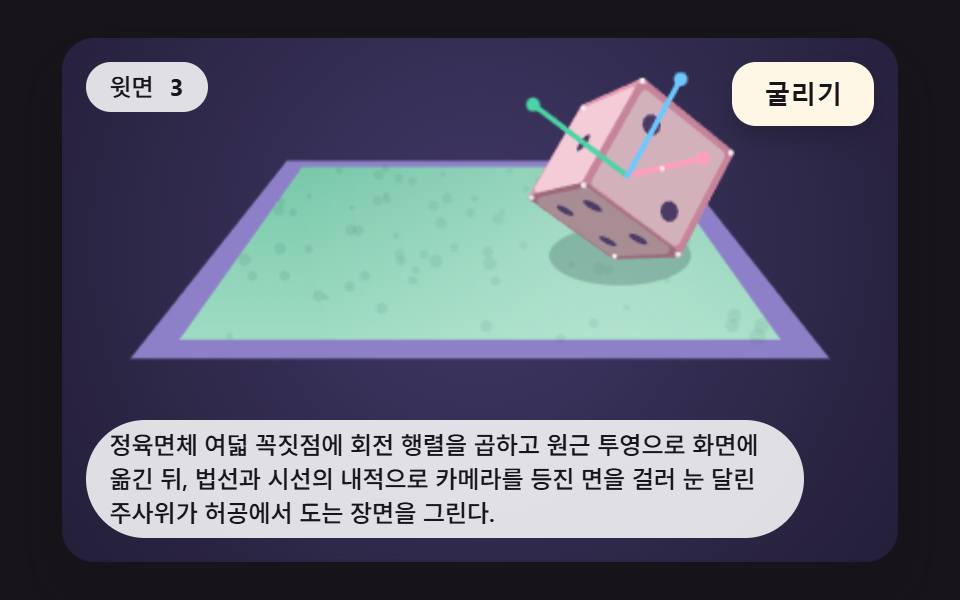 인터랙션주사위 굴리기 9가지 — 회전 행렬로 윗면을 읽어 내는 3D 장면