마우스를 따라오는 CSS 3D 회전 장면 9종
마우스를 따라오는 효과는 화면 위 요소가 포인터 위치에 반응해 도는 CSS 3D 회전 장면입니다. CSS 3D 회전을 perspective 와 transform-style: preserve-3d, 바닐라 자바스크립트 포인터 수학만으로 만든 아홉 장면이라, 라이브러리 없이 붙여 넣으면
 01 pointer-3d-product-rotate
 02 pointer-3d-card-stack-parallax
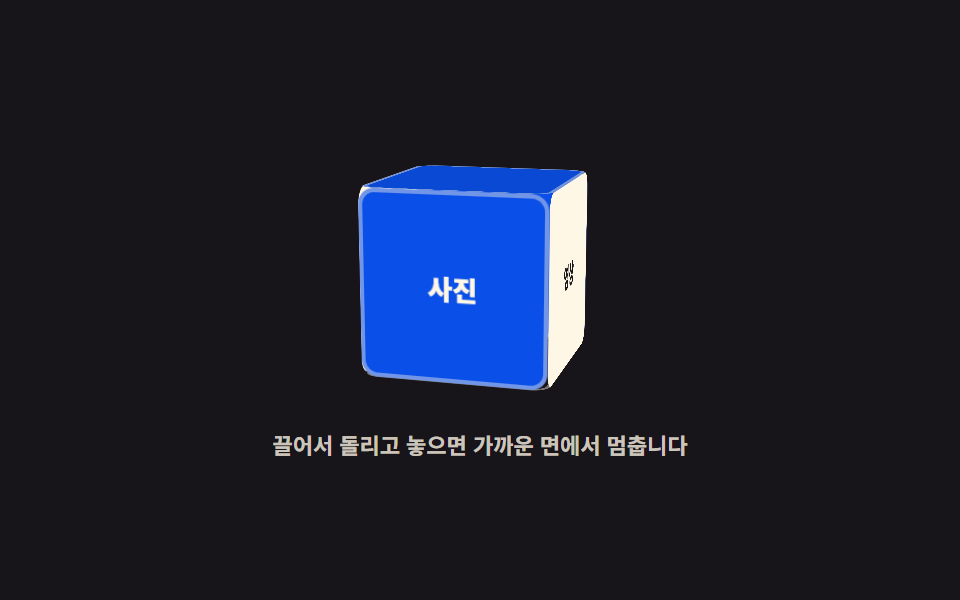 03 pointer-3d-cube-drag-spin
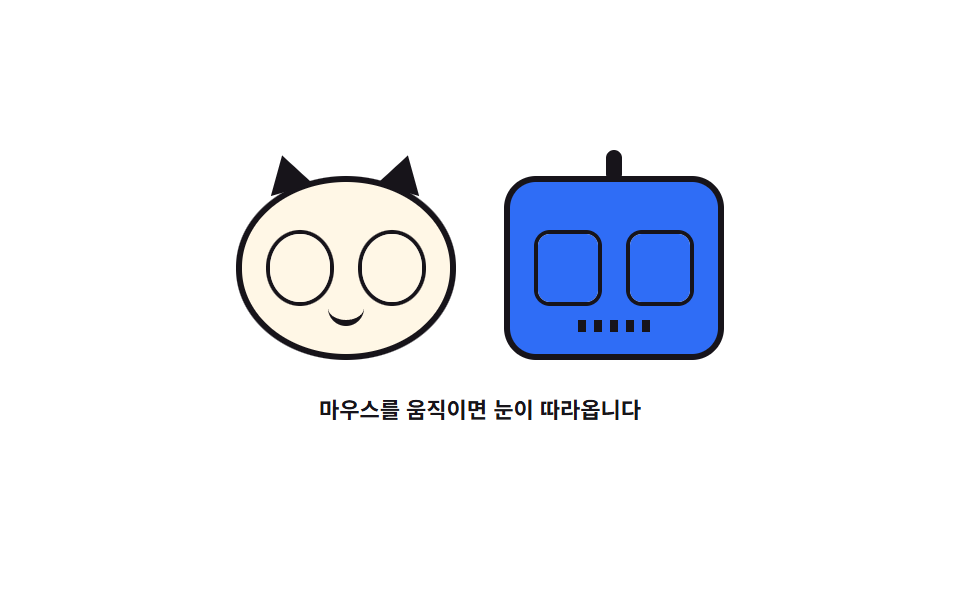 04 pointer-3d-eyes-follow
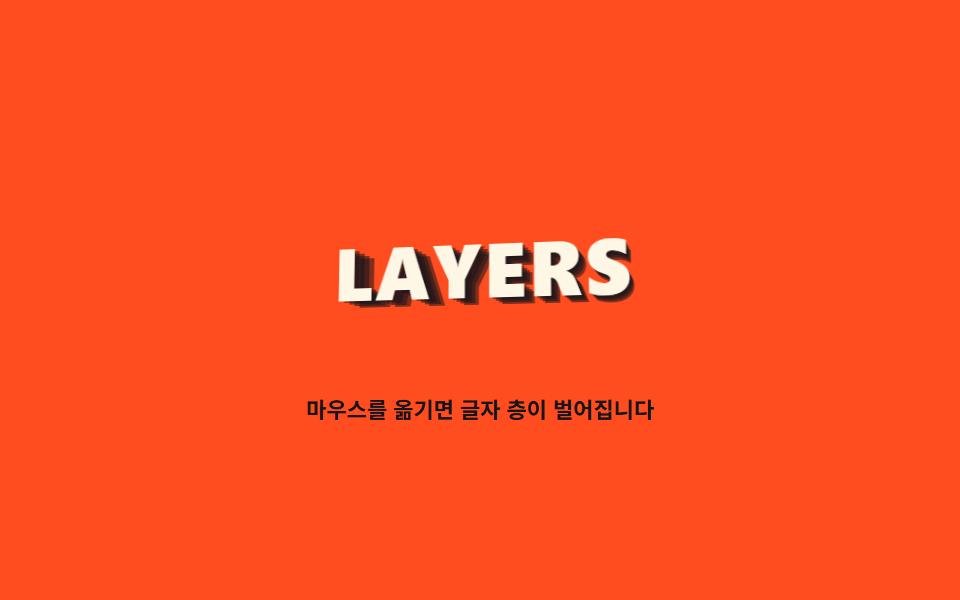 05 pointer-3d-text-layers
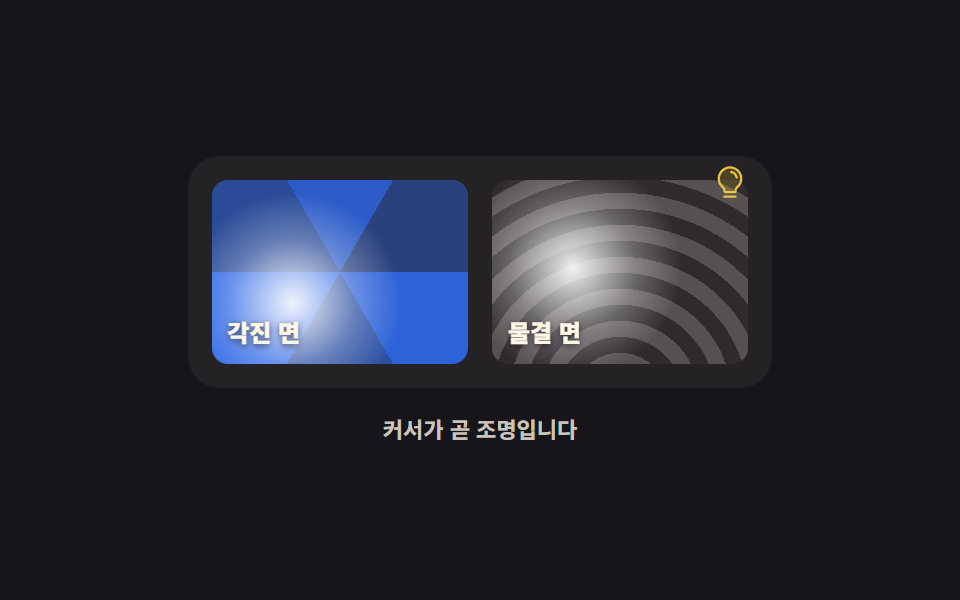 06 pointer-3d-light-highlight
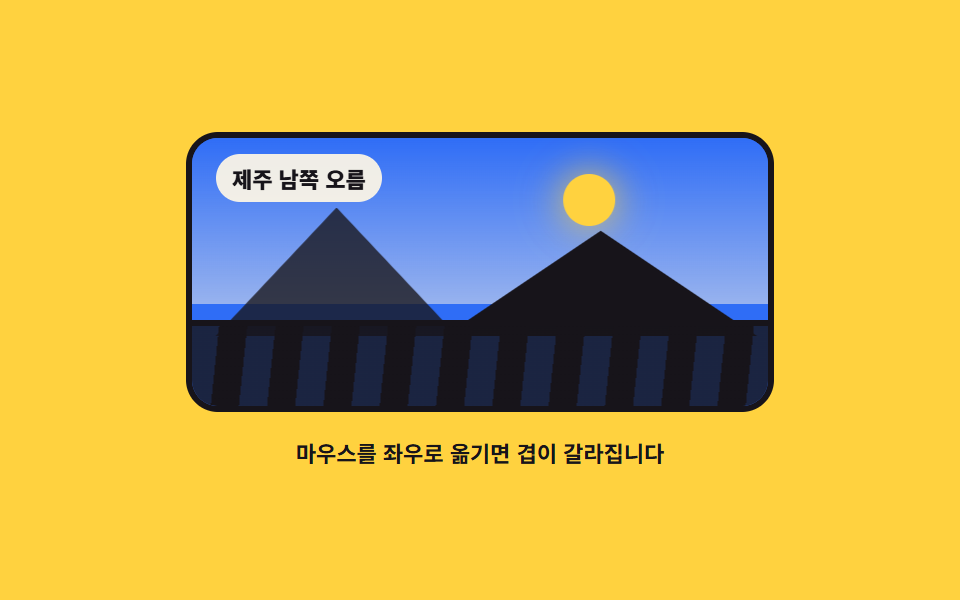 07 pointer-3d-terrain-panorama
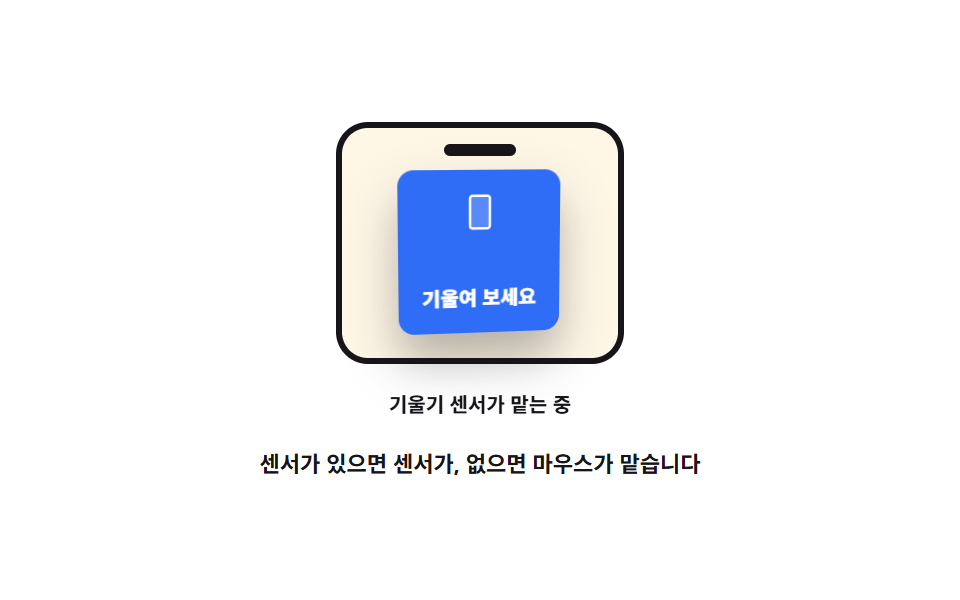 08 pointer-3d-gyro-fallback
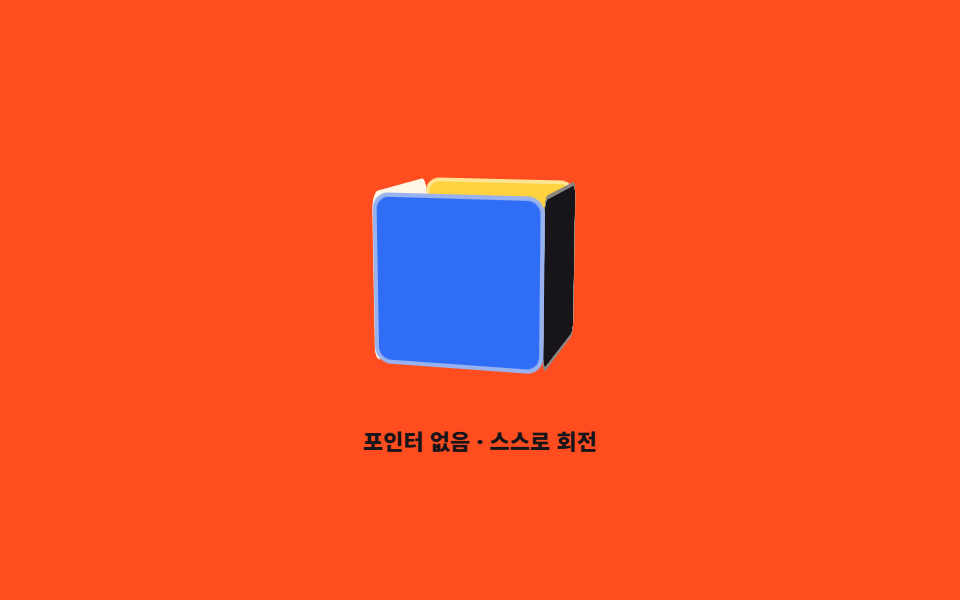 09 pointer-3d-auto-reduce
자동 재생 · 눌러서 해당 항목으로 · 전부 한 zip
- 01 마우스를 따라 도는 제품 목업
- 02 깊이별로 어긋나는 카드 스택
- 03 드래그로 돌리는 여섯 면 상자
- 04 눈으로 커서를 쫓는 캐릭터
- 05 층층이 뜬 3D 글자
- 06 커서를 광원으로 쓰는 하이라이트
- 07 앞뒤로 갈라지는 풍경 파노라마
- 08 기울기 센서로 넘어가는 폴백
- 09 포인터가 없을 때의 자동 회전
아홉 개를 늘어놓은 기준은 화려함이 아니라 css 3d transform 이 포인터를 따라 움직이는 방식의 순서입니다. 먼저 각도로 반응하는 셋 — 마우스 x·y 를 rotateY·rotateX 각도로 바꾸는 제품 목업(01)에 깊이별 계수를 얹어 카드 층을 갈라 놓고(02), 드래그로 자유 회전시킵니다(03). 다음은 방향으로 반응하는 셋 — 커서까지의 각도를 재는 눈동자(04)에, 같은 낱말을 여러 겹 띄우는 3D 텍스트(05)와 커서를 광원으로 쓰는 하이라이트(06)가 이어집니다. 마지막 셋은 포인터가 없어도 사는 법 — 풍경 파노라마로 시차 감각을 붙이고(07), 기울기 센서로 넘어가며(08), 자동 회전과 prefers-reduced-motion 정지로 마무리합니다(09). 무대 색은 잉크 셋·페이퍼 둘·노랑 둘·주황 둘로 돌렸습니다. 스크롤에 반응하는 화면은 스크롤 스토리 템플릿에, 커서 자체를 바꾸는 효과는 마우스 커서 효과 9종에 있습니다.
01마우스를 따라 도는 제품 목업
무엇이 보이나
포인터의 x 를 rotateY ±16도, y 를 rotateX ±6도로 바꾸는 기본 장면입니다. 관성과 스프링 복귀를 한 식으로 처리하는데, 목표 각도로 당기는 힘을 더하고 마찰을 매 프레임 곱하면 떼었을 때 튕기듯 정면으로 돌아옵니다.
<main class="stage">
<div class="pr is-demo" id="pr">
  <div class="pr__scene" id="scene" role="img" aria-label="마우스를 따라 좌우로 도는 상자 모형">
    <div class="pr__model" id="model">
      <div class="pr__face pr__face--front">
        <svg xmlns="http://www.w3.org/2000/svg" viewBox="0 0 256 256" class="pr__ico" aria-hidden="true"><g fill="currentColor"><path d="M128 129.09V232a8 8 0 0 1-3.84-1l-88-48.16a8 8 0 0 1-4.16-7V80.2a8 8 0 0 1 .7-3.27Z" opacity=".2"/><path d="m223.68 66.15l-88-48.15a15.88 15.88 0 0 0-15.36 0l-88 48.17a16 16 0 0 0-8.32 14v95.64a16 16 0 0 0 8.32 14l88 48.17a15.88 15.88 0 0 0 15.36 0l88-48.17a16 16 0 0 0 8.32-14V80.18a16 16 0 0 0-8.32-14.03M128 32l80.34 44L128 120L47.66 76ZM40 90l80 43.78v85.79l-80-43.75Zm96 129.57v-85.75L216 90v85.78Z"/></g></svg>
        <span class="pr__name">원두 한 봉지</span>
      </div>
      <div class="pr__face pr__face--side"><span class="pr__side">250 g</span></div>
      <div class="pr__face pr__face--top"></div>
    </div>
    <span class="pr__floor" aria-hidden="true"></span>
  </div>
  <p class="pr__hint">마우스를 올려 돌려 보세요</p>
</div>
</main>
@use "../../../../site/static/demo-tokens" as *;
// 마우스를 따라 도는 제품 목업 — 실제 회전은 JS 가 포인터 좌표를 각도로 바꿔 모델에 인라인 transform 으로 준다.
// 격자 미리보기(.is-demo)는 그 JS 가 만드는 것과 **같은 범위**(rotateY ±16도 · rotateX ±6도)를
// CSS @keyframes 궤적으로 왕복시킨다 — demo.py 는 CSS 애니메이션 시계로 프레임을 뽑으므로
// rAF 로 그리는 각도는 24장이 전부 같은 값이 된다.
$duration: $dur-loop;
$easing: linear;
$color: $subject-cream;
@include stage($stage-ink);
.pr { display: grid; justify-items: center; gap: $sp-3; width: 100%; }
// perspective 는 장면(부모)에 두고 preserve-3d 는 도는 요소에 둔다 — 둘을 한 요소에 겹치면 면이 납작해진다
.pr__scene {
position: relative;
width: clamp(132px, 34vw, 168px);
height: clamp(96px, 26vw, 124px);
perspective: 620px;
perspective-origin: 50% 42%;
}
.pr__scene:focus-visible { outline: 3px solid $subject-blue; outline-offset: $sp-2; border-radius: $r-sm; }
.pr__model {
position: absolute; inset: 0; margin: auto;
width: clamp(72px, 19vw, 92px); height: clamp(88px, 23vw, 112px);
transform-style: preserve-3d;
transform: rotateX(0deg) rotateY(0deg);
}
.pr__face { position: absolute; box-sizing: border-box; backface-visibility: hidden; }
// 앞면·옆면·윗면 셋이면 ±16도 안에서 상자로 보인다. 깊이(--d)는 옆면 폭이자 앞면을 앞으로 내미는 거리의 두 배
.pr__model { --d: 52px; }
.pr__face--front {
inset: 0;
display: grid; place-items: center; gap: $sp-1;
background: $color; color: $subject-ink;
border-radius: $r-sm;
transform: translateZ(calc(var(--d) / 2));
padding: $sp-2;
}
.pr__face--side {
top: 0; right: 0; width: var(--d); height: 100%;
display: grid; place-items: center;
background: $subject-blue; color: $stage-paper;
border-radius: $r-sm;
transform: rotateY(90deg) translateZ(calc(var(--d) / 2));
}
.pr__face--top {
top: 0; left: 0; width: 100%; height: var(--d);
background: $subject-blue;
border-radius: $r-sm;
opacity: .58;
transform: rotateX(90deg) translateZ(calc(var(--d) / 2));
}
.pr__ico { width: clamp(20px, 5vw, 26px); height: clamp(20px, 5vw, 26px); color: $subject-blue; }
.pr__name { font-weight: 800; font-size: clamp(9px, 2.4vw, 11px); line-height: 1.3; text-align: center; }
.pr__side { font-weight: 700; font-size: clamp(8px, 2.2vw, 10px); }
// 바닥 그림자는 모델 아래 평면에 눕혀 둔다 — 회전할 때 상자만 돌고 그림자는 제자리라 깊이가 읽힌다
.pr__floor {
position: absolute; left: 50%; bottom: -2px;
width: clamp(76px, 20vw, 96px); height: 12px;
transform: translateX(-50%);
border-radius: $r-pill;
background: radial-gradient(closest-side, rgba(0, 0, 0, .52), rgba(0, 0, 0, 0));
}
.pr__hint {
margin: 0; color: rgba(255, 247, 230, .76);
font-weight: 700; font-size: clamp(9px, 2.4vw, 11px);
}
// ── 미리보기 루프: 포인터가 왼쪽 끝 → 오른쪽 끝으로 지나간 것과 같은 궤적.
// 중앙(정면)을 느리게 지나고 양 끝에서 빠르게 꺾는다 — 면적 변화율은 |sin θ| × 각속도라
// 등속으로 돌리면 언제나 정면(θ≈0) 프레임이 최대 변화가 되어 poster 가 납작한 장면으로 뽑힌다.
.pr.is-demo .pr__model {
animation-name: prTurn;
animation-duration: $duration;
animation-timing-function: $easing;
animation-iteration-count: infinite;
}
@keyframes prTurn {
0% { transform: rotateX(6deg) rotateY(-16deg); }
7% { transform: rotateX(5deg) rotateY(-7deg); }
25% { transform: rotateX(2deg) rotateY(-2deg); }
43% { transform: rotateX(-2deg) rotateY(2deg); }
50% { transform: rotateX(-5deg) rotateY(7deg); }
57% { transform: rotateX(-6deg) rotateY(16deg); }
64% { transform: rotateX(-5deg) rotateY(7deg); }
82% { transform: rotateX(0deg) rotateY(0deg); }
93% { transform: rotateX(5deg) rotateY(-7deg); }
100% { transform: rotateX(6deg) rotateY(-16deg); }
}
@media (max-width: 340px) {
.pr { gap: $sp-2; }
.pr__model { --d: 40px; }
}
@media (prefers-reduced-motion: reduce) {
.pr.is-demo .pr__model { animation: none !important; transform: rotateX(2deg) rotateY(-14deg) !important; }
}html, body {
margin: 0;
overflow: hidden;
}
.stage {
box-sizing: border-box;
min-height: 100vh;
display: grid;
place-items: center;
margin: 0;
background: #17141a;
font-family: -apple-system, "Segoe UI", "Noto Sans KR", sans-serif;
padding: clamp(8px, 4vw, 24px);
}
.pr {
display: grid;
justify-items: center;
gap: 12px;
width: 100%;
}
.pr__scene {
position: relative;
width: clamp(132px, 34vw, 168px);
height: clamp(96px, 26vw, 124px);
perspective: 620px;
perspective-origin: 50% 42%;
}
.pr__scene:focus-visible {
outline: 3px solid #2f6df6;
outline-offset: 8px;
border-radius: 8px;
}
.pr__model {
position: absolute;
inset: 0;
margin: auto;
width: clamp(72px, 19vw, 92px);
height: clamp(88px, 23vw, 112px);
transform-style: preserve-3d;
transform: rotateX(0deg) rotateY(0deg);
}
.pr__face {
position: absolute;
box-sizing: border-box;
backface-visibility: hidden;
}
.pr__model {
--d: 52px;
}
.pr__face--front {
inset: 0;
display: grid;
place-items: center;
gap: 4px;
background: #fff7e6;
color: #17141a;
border-radius: 8px;
transform: translateZ(calc(var(--d) / 2));
padding: 8px;
}
.pr__face--side {
top: 0;
right: 0;
width: var(--d);
height: 100%;
display: grid;
place-items: center;
background: #2f6df6;
color: #ffffff;
border-radius: 8px;
transform: rotateY(90deg) translateZ(calc(var(--d) / 2));
}
.pr__face--top {
top: 0;
left: 0;
width: 100%;
height: var(--d);
background: #2f6df6;
border-radius: 8px;
opacity: 0.58;
transform: rotateX(90deg) translateZ(calc(var(--d) / 2));
}
.pr__ico {
width: clamp(20px, 5vw, 26px);
height: clamp(20px, 5vw, 26px);
color: #2f6df6;
}
.pr__name {
font-weight: 800;
font-size: clamp(9px, 2.4vw, 11px);
line-height: 1.3;
text-align: center;
}
.pr__side {
font-weight: 700;
font-size: clamp(8px, 2.2vw, 10px);
}
.pr__floor {
position: absolute;
left: 50%;
bottom: -2px;
width: clamp(76px, 20vw, 96px);
height: 12px;
transform: translateX(-50%);
border-radius: 999px;
background: radial-gradient(closest-side, rgba(0, 0, 0, 0.52), rgba(0, 0, 0, 0));
}
.pr__hint {
margin: 0;
color: rgba(255, 247, 230, 0.76);
font-weight: 700;
font-size: clamp(9px, 2.4vw, 11px);
}
.pr.is-demo .pr__model {
animation-name: prTurn;
animation-duration: 2s;
animation-timing-function: linear;
animation-iteration-count: infinite;
}
@keyframes prTurn {
0% {
transform: rotateX(6deg) rotateY(-16deg);
}
7% {
transform: rotateX(5deg) rotateY(-7deg);
}
25% {
transform: rotateX(2deg) rotateY(-2deg);
}
43% {
transform: rotateX(-2deg) rotateY(2deg);
}
50% {
transform: rotateX(-5deg) rotateY(7deg);
}
57% {
transform: rotateX(-6deg) rotateY(16deg);
}
64% {
transform: rotateX(-5deg) rotateY(7deg);
}
82% {
transform: rotateX(0deg) rotateY(0deg);
}
93% {
transform: rotateX(5deg) rotateY(-7deg);
}
100% {
transform: rotateX(6deg) rotateY(-16deg);
}
}
@media (max-width: 340px) {
.pr {
gap: 8px;
}
.pr__model {
--d: 40px;
}
}
@media (prefers-reduced-motion: reduce) {
.pr.is-demo .pr__model {
animation: none !important;
transform: rotateX(2deg) rotateY(-14deg) !important;
}
}var pr = document.getElementById('pr');
var scene = document.getElementById('scene');
var model = document.getElementById('model');
var MAX_Y = 16, MAX_X = 6; // 미리보기 루프의 키프레임과 같은 범위
var aimX = 0, aimY = 0; // 포인터가 요구하는 각도
var nowX = 0, nowY = 0, velX = 0, velY = 0;
var running = false, holding = false;
// 감쇠 추적: 목표로 당기는 힘(stiffness)과 마찰(damping)로 관성과 스프링 복귀를 한 식으로 처리한다
function step() {
  velX = (velX + (aimX - nowX) * 0.18) * 0.76;
  velY = (velY + (aimY - nowY) * 0.18) * 0.76;
  nowX += velX;
  nowY += velY;
  model.style.transform = 'rotateX(' + nowX.toFixed(2) + 'deg) rotateY(' + nowY.toFixed(2) + 'deg)';
  var resting = Math.abs(velX) < 0.01 && Math.abs(velY) < 0.01 && Math.abs(aimX - nowX) < 0.05 && Math.abs(aimY - nowY) < 0.05;
  if (resting && !holding) { running = false; return; }
  requestAnimationFrame(step);
}
function start() {
if (running) { return; }
running = true;
requestAnimationFrame(step);
}
function aimFrom(e) {
var r = scene.getBoundingClientRect();
var nx = (e.clientX - r.left) / r.width * 2 - 1;
var ny = (e.clientY - r.top) / r.height * 2 - 1;
aimY = Math.max(-1, Math.min(1, nx)) * MAX_Y;
aimX = Math.max(-1, Math.min(1, ny)) * -MAX_X;
}
scene.addEventListener('pointerenter', function () { pr.classList.remove('is-demo'); holding = true; });
scene.addEventListener('pointermove', function (e) { pr.classList.remove('is-demo'); holding = true; aimFrom(e); start(); });
scene.addEventListener('pointerleave', function () { holding = false; aimX = 0; aimY = 0; start(); });
// 키보드 경로: 화살표로 4도씩 돌린다 (포인터가 없는 사람도 같은 각도를 볼 수 있게)
scene.setAttribute('tabindex', '0');
scene.addEventListener('keydown', function (e) {
var keys = { ArrowLeft: [0, -4], ArrowRight: [0, 4], ArrowUp: [4, 0], ArrowDown: [-4, 0] };
var move = keys[e.key];
if (!move) { return; }
e.preventDefault();
pr.classList.remove('is-demo');
holding = true;
aimX = Math.max(-MAX_X, Math.min(MAX_X, aimX + move[0]));
aimY = Math.max(-MAX_Y, Math.min(MAX_Y, aimY + move[1]));
start();
});// ProductRotate3D — vanilla 판(run/290/demo/01-pointer-3d-product-rotate/index.html) 의 React 포트.
// 포인터 좌표를 -1~1 로 정규화해 목표 각도(aim)를 만들고, 감쇠 추적으로 현재 각도(now)를 따라가게 한다.
// 목표로 당기는 힘 0.18 과 마찰 0.76 이 관성과 스프링 복귀를 한 식으로 처리한다. 값·수치는 vanilla 와 같다.
import { useEffect, useRef, useState } from "react";
import type { CSSProperties, PointerEvent as ReactPointerEvent } from "react";
import styles from "./ProductRotate3D.module.scss";
export type ProductRotate3DProps = {
duration?: number;
easing?: string;
color?: string;
};
type Vars = CSSProperties & { "--duration"?: string; "--easing"?: string; "--color"?: string };
// useRef 는 T | null 을 돌려준다. 처음부터 값이 있고 절대 비지 않는 상자는 이렇게 좁혀 쓴다
type Box<T> = { current: T };
// React 의 KeyboardEvent 제네릭이 없는 환경이라 필요한 것만 로컬로 선언한다
type KeyEvt = { key: string; preventDefault(): void };
const MAX_Y = 16; // 미리보기 루프의 키프레임과 같은 범위
const MAX_X = 6;
const SCENE_LABEL = "마우스를 따라 좌우로 도는 상자 모형";
// 키보드 경로: 화살표로 4도씩 돌린다 (포인터가 없는 사람도 같은 각도를 볼 수 있게)
const KEY_MOVES: { [key: string]: [number, number] } = {
ArrowLeft: [0, -4],
ArrowRight: [0, 4],
ArrowUp: [4, 0],
ArrowDown: [-4, 0],
};
function clamp(value: number, min: number, max: number): number {
return Math.max(min, Math.min(max, value));
}
export default function ProductRotate3D({
duration = 2000,
easing = "linear",
color = "#fff7e6",
}: ProductRotate3DProps) {
const sceneRef = useRef<HTMLDivElement | null>(null);
const modelRef = useRef<HTMLDivElement | null>(null);
const aimXRef = useRef<number>(0) as Box<number>; // 포인터가 요구하는 각도
const aimYRef = useRef<number>(0) as Box<number>;
const nowXRef = useRef<number>(0) as Box<number>;
const nowYRef = useRef<number>(0) as Box<number>;
const velXRef = useRef<number>(0) as Box<number>;
const velYRef = useRef<number>(0) as Box<number>;
const runningRef = useRef<boolean>(false) as Box<boolean>;
const holdingRef = useRef<boolean>(false) as Box<boolean>;
const frameRef = useRef<number>(0) as Box<number>;
const [demo, setDemo] = useState(true);
const vars: Vars = { "--duration": `${duration}ms`, "--easing": easing, "--color": color };
useEffect(() => {
return () => cancelAnimationFrame(frameRef.current);
}, []);
// 감쇠 추적: 목표로 당기는 힘(stiffness)과 마찰(damping)로 관성과 스프링 복귀를 한 식으로 처리한다
function step(): void {
velXRef.current = (velXRef.current + (aimXRef.current - nowXRef.current) * 0.18) * 0.76;
velYRef.current = (velYRef.current + (aimYRef.current - nowYRef.current) * 0.18) * 0.76;
nowXRef.current += velXRef.current;
nowYRef.current += velYRef.current;
const model = modelRef.current;
if (model) {
model.style.transform =
"rotateX(" + nowXRef.current.toFixed(2) + "deg) rotateY(" + nowYRef.current.toFixed(2) + "deg)";
}
const resting =
Math.abs(velXRef.current) < 0.01 &&
Math.abs(velYRef.current) < 0.01 &&
Math.abs(aimXRef.current - nowXRef.current) < 0.05 &&
Math.abs(aimYRef.current - nowYRef.current) < 0.05;
if (resting && !holdingRef.current) {
runningRef.current = false;
return;
}
frameRef.current = requestAnimationFrame(step);
}
function start(): void {
if (runningRef.current) return;
runningRef.current = true;
frameRef.current = requestAnimationFrame(step);
}
function aimFrom(event: ReactPointerEvent<HTMLDivElement>): void {
const scene = sceneRef.current;
if (!scene) return;
const r = scene.getBoundingClientRect();
const nx = ((event.clientX - r.left) / r.width) * 2 - 1;
const ny = ((event.clientY - r.top) / r.height) * 2 - 1;
aimYRef.current = clamp(nx, -1, 1) * MAX_Y;
aimXRef.current = clamp(ny, -1, 1) * -MAX_X;
}
function onPointerEnter(): void {
setDemo(false);
holdingRef.current = true;
}
function onPointerMove(event: ReactPointerEvent<HTMLDivElement>): void {
setDemo(false);
holdingRef.current = true;
aimFrom(event);
start();
}
function onPointerLeave(): void {
holdingRef.current = false;
aimXRef.current = 0;
aimYRef.current = 0;
start();
}
function onKeyDown(event: KeyEvt): void {
const move = KEY_MOVES[event.key];
if (!move) return;
event.preventDefault();
setDemo(false);
holdingRef.current = true;
aimXRef.current = clamp(aimXRef.current + move[0], -MAX_X, MAX_X);
aimYRef.current = clamp(aimYRef.current + move[1], -MAX_Y, MAX_Y);
start();
}
const cls = [styles.root, demo ? styles.isDemo : ""].filter(Boolean).join(" ");
return (
<main className={styles.stage}>
<div className={cls} style={vars}>
<div
className={styles.scene}
ref={sceneRef}
role="img"
aria-label={SCENE_LABEL}
tabIndex={0}
onPointerEnter={onPointerEnter}
onPointerMove={onPointerMove}
onPointerLeave={onPointerLeave}
onKeyDown={onKeyDown}
>
<div className={styles.model} ref={modelRef}>
<div className={`${styles.face} ${styles.faceFront}`}>
<svg xmlns="http://www.w3.org/2000/svg" viewBox="0 0 256 256" className={styles.ico} aria-hidden="true"><g fill="currentColor"><path d="M128 129.09V232a8 8 0 0 1-3.84-1l-88-48.16a8 8 0 0 1-4.16-7V80.2a8 8 0 0 1 .7-3.27Z" opacity=".2"/><path d="m223.68 66.15l-88-48.15a15.88 15.88 0 0 0-15.36 0l-88 48.17a16 16 0 0 0-8.32 14v95.64a16 16 0 0 0 8.32 14l88 48.17a15.88 15.88 0 0 0 15.36 0l88-48.17a16 16 0 0 0 8.32-14V80.18a16 16 0 0 0-8.32-14.03M128 32l80.34 44L128 120L47.66 76ZM40 90l80 43.78v85.79l-80-43.75Zm96 129.57v-85.75L216 90v85.78Z"/></g></svg>
<span className={styles.name}>원두 한 봉지</span>
</div>
<div className={`${styles.face} ${styles.faceSide}`}><span className={styles.side}>250 g</span></div>
<div className={`${styles.face} ${styles.faceTop}`}></div>
</div>
<span className={styles.floor} aria-hidden="true"></span>
</div>
<p className={styles.hint}>마우스를 올려 돌려 보세요</p>
</div>
</main>
);
}01 · 마우스를 따라 도는 제품 목업 — 측정 누적면적 3.96% · 움직인 프레임 23/23GODRICH 원작 · zip 에 SCSS·React 포함 · 비밀번호 보기
코드에서 볼 곳
격자 미리보기는 포인터가 왼쪽 끝에서 오른쪽 끝으로 지나간 것과 같은 범위를 CSS 키프레임 궤적으로 재생해 누적면적 3.96%, 움직인 프레임 23/23 을 기록했고, 제품 상세 페이지의 대표 이미지에 씁니다.
// 감쇠 추적: 목표로 당기는 힘(stiffness)과 마찰(damping)로 관성과 스프링 복귀를 한 식으로 처리한다
function step() {
velX = (velX + (aimX - nowX) * 0.18) * 0.76;
velY = (velY + (aimY - nowY) * 0.18) * 0.76;
nowX += velX;
nowY += velY;
model.style.transform = 'rotateX(' + nowX.toFixed(2) + 'deg) rotateY(' + nowY.toFixed(2) + 'deg)';
var resting = Math.abs(velX) < 0.01 && Math.abs(velY) < 0.01 && Math.abs(aimX - nowX) < 0.05 && Math.abs(aimY - nowY) < 0.05;
if (resting && !holding) { running = false; return; }
requestAnimationFrame(step);
}
/* perspective 는 장면(부모)에 두고 preserve-3d 는 도는 요소에 둔다 — 둘을 한 요소에 겹치면 면이 납작해진다 */
.pr__scene {
  position: relative;
  perspective: 620px;
  perspective-origin: 50% 42%;
}
.pr__model {
  position: absolute; inset: 0; margin: auto;
  transform-style: preserve-3d;
}
02깊이별로 어긋나는 카드 스택
css 3d perspective 는 어디에 거나
카드 석 장에 각자 다른 깊이 계수를 두고, 자바스크립트는 포인터 x 를 −1~1 값 하나로만 넘깁니다. 앞 카드는 26px, 가운데 16px, 뒤는 8px 밀리면서 translateZ 가 원근 축소까지 맡아 층이 갈라져 보이고, 같은 값으로 광택 띠도 좌우로 쓸립니다.
<main class="stage">
<div class="cs is-demo" id="cs">
  <div class="cs__scene" id="scene" role="img" aria-label="깊이가 다른 카드 석 장이 마우스를 따라 어긋나는 모형">
    <div class="cs__card cs__card--back">
      <span class="cs__tag">팀</span>
      <span class="cs__gloss" aria-hidden="true"></span>
    </div>
    <div class="cs__card cs__card--mid">
      <span class="cs__tag">프로</span>
      <span class="cs__gloss" aria-hidden="true"></span>
    </div>
    <div class="cs__card cs__card--front">
      <svg xmlns="http://www.w3.org/2000/svg" viewBox="0 0 256 256" class="cs__ico" aria-hidden="true"><g fill="currentColor"><path d="m224 96l-96 56l-96-56l96-56Z" opacity=".2"/><path d="M232.4 114.49L128 174.06l-104.4-59.57a8 8 0 0 0-7.94 13.88l108.36 61.85a8 8 0 0 0 7.94 0l108.4-61.85a8 8 0 0 0-8-13.88ZM24 89.9l100.36 57.28a8 8 0 0 0 7.94 0L232.4 89.9a16 16 0 0 0 0-27.79L131.94 4.87a8 8 0 0 0-7.88 0L24 62.11a16 16 0 0 0 0 27.79Zm104-69l96.06 54.85L128 130.61L31.94 75.75Z"/></g></svg>
      <span class="cs__tag cs__tag--lead">기본</span>
      <span class="cs__gloss" aria-hidden="true"></span>
    </div>
  </div>
  <p class="cs__hint">마우스를 좌우로 옮겨 보세요</p>
</div>
</main>
@use "../../../../site/static/demo-tokens" as *;
// 깊이별로 어긋나는 카드 스택 — 실제 움직임은 JS 가 포인터 x 를 -1~1 로 바꿔 --px 하나만 넘기고,
// 카드마다 다른 깊이 계수(--shift)가 그 값을 곱해 층이 갈라진다.
// 격자 미리보기(.is-demo)는 같은 이동폭(앞 26px · 가운데 16px · 뒤 8px)을 @keyframes 로 왕복시킨다.
$duration: $dur-loop;
$easing: linear;
$color: $subject-ink;
@include stage($stage-yellow);
.cs { display: grid; justify-items: center; gap: $sp-3; width: 100%; }
.cs__scene {
--px: 0;
position: relative;
width: clamp(160px, 42vw, 212px);
height: clamp(96px, 26vw, 124px);
perspective: 700px;
transform-style: preserve-3d;
}
.cs__scene:focus-visible { outline: 3px solid $subject-blue; outline-offset: $sp-2; border-radius: $r-sm; }
.cs__card {
position: absolute; left: 50%; top: 50%; box-sizing: border-box;
display: flex; align-items: flex-start; gap: $sp-1;
width: clamp(104px, 27vw, 132px); height: clamp(64px, 17vw, 84px);
padding: $sp-2;
border-radius: $r-card;
overflow: hidden;
// 깊이 계수: 앞 카드가 가장 크게 밀린다. translate3d 의 z 가 원근 축소까지 맡는다
transform: translate3d(calc(-50% + var(--px) * var(--shift)), calc(-50% + var(--y)), var(--z)) rotateY(calc(var(--px) * var(--tilt)));
}
.cs__card--back { --shift: 8px; --z: -56px; --tilt: 3deg; --y: -28px; background: $subject-ink; color: $subject-cream; }
.cs__card--mid { --shift: 16px; --z: -28px; --tilt: 5deg; --y: -18px; background: $subject-blue; color: $stage-paper; }
.cs__card--front { --shift: 26px; --z: 0px; --tilt: 7deg; --y: 0px; background: $stage-paper; color: $color; box-shadow: $shadow-raised; }
.cs__tag { font-weight: 800; font-size: clamp(10px, 2.6vw, 12px); }
// 뒤 두 장은 앞 카드 위로 삐져나온 띠에만 글자가 보인다 — 그 띠 안으로 라벨을 올린다
.cs__card--back, .cs__card--mid { padding-top: $sp-1; }
.cs__tag--lead { font-size: clamp(12px, 3.2vw, 14px); }
.cs__ico { width: clamp(16px, 4.4vw, 20px); height: clamp(16px, 4.4vw, 20px); color: $subject-blue; }
// 광택은 카드 위를 지나는 밝은 띠 — 포인터가 오른쪽으로 갈수록 띠도 오른쪽으로 쓸린다
.cs__gloss {
position: absolute; inset: 0;
background: linear-gradient(104deg, rgba($stage-paper, 0) 38%, rgba($stage-paper, .62) 50%, rgba($stage-paper, 0) 62%);
transform: translateX(calc(var(--px) * 64px));
}
.cs__card--back .cs__gloss { opacity: .5; }
.cs__hint { margin: 0; color: $color; font-weight: 700; font-size: clamp(9px, 2.4vw, 11px); }
// ── 미리보기 루프: --px 가 -1 → 1 로 지나간 것과 같은 결과를 카드마다 직접 그린다.
// 끝에서 잠깐 머물러 층이 가장 갈라진 장면이 poster 로 뽑히게 한다
.cs.is-demo .cs__card,
.cs.is-demo .cs__gloss {
animation-duration: $duration;
animation-timing-function: $easing;
animation-iteration-count: infinite;
}
.cs.is-demo .cs__card--back { animation-name: csBack; }
.cs.is-demo .cs__card--mid { animation-name: csMid; }
.cs.is-demo .cs__card--front { animation-name: csFront; }
.cs.is-demo .cs__gloss { animation-name: csGloss; }
@keyframes csBack {
0%, 6% { transform: translate3d(calc(-50% - 8px), calc(-50% - 28px), -56px) rotateY(-3deg); }
44%, 56% { transform: translate3d(calc(-50% + 8px), calc(-50% - 28px), -56px) rotateY(3deg); }
94%, 100% { transform: translate3d(calc(-50% - 8px), calc(-50% - 28px), -56px) rotateY(-3deg); }
}
@keyframes csMid {
0%, 6% { transform: translate3d(calc(-50% - 16px), calc(-50% - 18px), -28px) rotateY(-5deg); }
44%, 56% { transform: translate3d(calc(-50% + 16px), calc(-50% - 18px), -28px) rotateY(5deg); }
94%, 100% { transform: translate3d(calc(-50% - 16px), calc(-50% - 18px), -28px) rotateY(-5deg); }
}
@keyframes csFront {
0%, 6% { transform: translate3d(calc(-50% - 26px), -50%, 0) rotateY(-7deg); }
44%, 56% { transform: translate3d(calc(-50% + 26px), -50%, 0) rotateY(7deg); }
94%, 100% { transform: translate3d(calc(-50% - 26px), -50%, 0) rotateY(-7deg); }
}
@keyframes csGloss {
0%, 6% { transform: translateX(-64px); }
44%, 56% { transform: translateX(64px); }
94%, 100% { transform: translateX(-64px); }
}
@media (max-width: 340px) {
.cs { gap: $sp-2; }
.cs__card { padding: $sp-1; }
}
@media (prefers-reduced-motion: reduce) {
.cs.is-demo .cs__card,
.cs.is-demo .cs__gloss { animation: none !important; }
// 움직임 없이 층이 갈라진 상태로 세운다
.cs.is-demo .cs__card--back { transform: translate3d(calc(-50% + 8px), calc(-50% - 28px), -56px) rotateY(3deg) !important; }
.cs.is-demo .cs__card--mid { transform: translate3d(calc(-50% + 16px), calc(-50% - 18px), -28px) rotateY(5deg) !important; }
.cs.is-demo .cs__card--front { transform: translate3d(calc(-50% + 26px), -50%, 0) rotateY(7deg) !important; }
.cs.is-demo .cs__gloss { transform: translateX(32px) !important; }
}html, body {
margin: 0;
overflow: hidden;
}
.stage {
box-sizing: border-box;
min-height: 100vh;
display: grid;
place-items: center;
margin: 0;
background: #ffd23f;
font-family: -apple-system, "Segoe UI", "Noto Sans KR", sans-serif;
padding: clamp(8px, 4vw, 24px);
}
.cs {
display: grid;
justify-items: center;
gap: 12px;
width: 100%;
}
.cs__scene {
--px: 0;
position: relative;
width: clamp(160px, 42vw, 212px);
height: clamp(96px, 26vw, 124px);
perspective: 700px;
transform-style: preserve-3d;
}
.cs__scene:focus-visible {
outline: 3px solid #2f6df6;
outline-offset: 8px;
border-radius: 8px;
}
.cs__card {
position: absolute;
left: 50%;
top: 50%;
box-sizing: border-box;
display: flex;
align-items: flex-start;
gap: 4px;
width: clamp(104px, 27vw, 132px);
height: clamp(64px, 17vw, 84px);
padding: 8px;
border-radius: 16px;
overflow: hidden;
transform: translate3d(calc(-50% + var(--px) * var(--shift)), calc(-50% + var(--y)), var(--z)) rotateY(calc(var(--px) * var(--tilt)));
}
.cs__card--back {
--shift: 8px;
--z: -56px;
--tilt: 3deg;
--y: -28px;
background: #17141a;
color: #fff7e6;
}
.cs__card--mid {
--shift: 16px;
--z: -28px;
--tilt: 5deg;
--y: -18px;
background: #2f6df6;
color: #ffffff;
}
.cs__card--front {
--shift: 26px;
--z: 0px;
--tilt: 7deg;
--y: 0px;
background: #ffffff;
color: #17141a;
box-shadow: 0 14px 24px rgba(23, 20, 26, 0.32);
}
.cs__tag {
font-weight: 800;
font-size: clamp(10px, 2.6vw, 12px);
}
.cs__card--back, .cs__card--mid {
padding-top: 4px;
}
.cs__tag--lead {
font-size: clamp(12px, 3.2vw, 14px);
}
.cs__ico {
width: clamp(16px, 4.4vw, 20px);
height: clamp(16px, 4.4vw, 20px);
color: #2f6df6;
}
.cs__gloss {
position: absolute;
inset: 0;
background: linear-gradient(104deg, rgba(255, 255, 255, 0) 38%, rgba(255, 255, 255, 0.62) 50%, rgba(255, 255, 255, 0) 62%);
transform: translateX(calc(var(--px) * 64px));
}
.cs__card--back .cs__gloss {
opacity: 0.5;
}
.cs__hint {
margin: 0;
color: #17141a;
font-weight: 700;
font-size: clamp(9px, 2.4vw, 11px);
}
.cs.is-demo .cs__card,
.cs.is-demo .cs__gloss {
animation-duration: 2s;
animation-timing-function: linear;
animation-iteration-count: infinite;
}
.cs.is-demo .cs__card--back {
animation-name: csBack;
}
.cs.is-demo .cs__card--mid {
animation-name: csMid;
}
.cs.is-demo .cs__card--front {
animation-name: csFront;
}
.cs.is-demo .cs__gloss {
animation-name: csGloss;
}
@keyframes csBack {
0%, 6% {
transform: translate3d(calc(-50% - 8px), calc(-50% - 28px), -56px) rotateY(-3deg);
}
44%, 56% {
transform: translate3d(calc(-50% + 8px), calc(-50% - 28px), -56px) rotateY(3deg);
}
94%, 100% {
transform: translate3d(calc(-50% - 8px), calc(-50% - 28px), -56px) rotateY(-3deg);
}
}
@keyframes csMid {
0%, 6% {
transform: translate3d(calc(-50% - 16px), calc(-50% - 18px), -28px) rotateY(-5deg);
}
44%, 56% {
transform: translate3d(calc(-50% + 16px), calc(-50% - 18px), -28px) rotateY(5deg);
}
94%, 100% {
transform: translate3d(calc(-50% - 16px), calc(-50% - 18px), -28px) rotateY(-5deg);
}
}
@keyframes csFront {
0%, 6% {
transform: translate3d(calc(-50% - 26px), -50%, 0) rotateY(-7deg);
}
44%, 56% {
transform: translate3d(calc(-50% + 26px), -50%, 0) rotateY(7deg);
}
94%, 100% {
transform: translate3d(calc(-50% - 26px), -50%, 0) rotateY(-7deg);
}
}
@keyframes csGloss {
0%, 6% {
transform: translateX(-64px);
}
44%, 56% {
transform: translateX(64px);
}
94%, 100% {
transform: translateX(-64px);
}
}
@media (max-width: 340px) {
.cs {
gap: 8px;
}
.cs__card {
padding: 4px;
}
}
@media (prefers-reduced-motion: reduce) {
.cs.is-demo .cs__card,
.cs.is-demo .cs__gloss {
animation: none !important;
}
.cs.is-demo .cs__card--back {
transform: translate3d(calc(-50% + 8px), calc(-50% - 28px), -56px) rotateY(3deg) !important;
}
.cs.is-demo .cs__card--mid {
transform: translate3d(calc(-50% + 16px), calc(-50% - 18px), -28px) rotateY(5deg) !important;
}
.cs.is-demo .cs__card--front {
transform: translate3d(calc(-50% + 26px), -50%, 0) rotateY(7deg) !important;
}
.cs.is-demo .cs__gloss {
transform: translateX(32px) !important;
}
}var cs = document.getElementById('cs');
var scene = document.getElementById('scene');
var aim = 0, now = 0, running = false;
// 깊이 계수는 CSS 가 카드마다 --shift 로 갖고 있고, JS 는 -1~1 한 값(--px)만 넘긴다
function step() {
now += (aim - now) * 0.16;
scene.style.setProperty('--px', now.toFixed(3));
if (Math.abs(aim - now) < 0.002) { scene.style.setProperty('--px', aim.toFixed(3)); running = false; return; }
requestAnimationFrame(step);
}
function start() {
if (running) { return; }
running = true;
requestAnimationFrame(step);
}
function aimFrom(e) {
var r = scene.getBoundingClientRect();
var nx = (e.clientX - r.left) / r.width * 2 - 1;
aim = Math.max(-1, Math.min(1, nx));
}
scene.addEventListener('pointermove', function (e) { cs.classList.remove('is-demo'); aimFrom(e); start(); });
scene.addEventListener('pointerleave', function () { aim = 0; start(); });
// 키보드 경로: 좌우 화살표로 같은 범위를 0.25씩 움직인다
scene.setAttribute('tabindex', '0');
scene.addEventListener('keydown', function (e) {
var move = e.key === 'ArrowLeft' ? -0.25 : e.key === 'ArrowRight' ? 0.25 : 0;
if (!move) { return; }
e.preventDefault();
cs.classList.remove('is-demo');
aim = Math.max(-1, Math.min(1, aim + move));
start();
});// CardStackParallax — vanilla 판(run/290/demo/02-pointer-3d-card-stack-parallax/index.html) 의 React 포트.
// 깊이 계수는 CSS 가 카드마다 --shift 로 갖고 있고, 훅은 -1~1 한 값(--px)만 장면에 넘긴다.
// 감쇠 0.16 으로 목표를 따라가고 차이가 0.002 미만이면 목표 값으로 딱 맞춰 멈춘다. 값·수치는 vanilla 와 같다.
import { useEffect, useRef, useState } from "react";
import type { CSSProperties, PointerEvent as ReactPointerEvent } from "react";
import styles from "./CardStackParallax.module.scss";
export type CardStackParallaxProps = {
duration?: number;
easing?: string;
color?: string;
};
type Vars = CSSProperties & { "--duration"?: string; "--easing"?: string; "--color"?: string };
// useRef 는 T | null 을 돌려준다. 처음부터 값이 있고 절대 비지 않는 상자는 이렇게 좁혀 쓴다
type Box<T> = { current: T };
// React 의 KeyboardEvent 제네릭이 없는 환경이라 필요한 것만 로컬로 선언한다
type KeyEvt = { key: string; preventDefault(): void };
const SCENE_LABEL = "깊이가 다른 카드 석 장이 마우스를 따라 어긋나는 모형";
const KEY_STEP = 0.25; // 키보드 경로: 좌우 화살표로 같은 범위를 0.25씩 움직인다
function clamp(value: number, min: number, max: number): number {
return Math.max(min, Math.min(max, value));
}
export default function CardStackParallax({
duration = 2000,
easing = "linear",
color = "#17141a",
}: CardStackParallaxProps) {
const sceneRef = useRef<HTMLDivElement | null>(null);
const aimRef = useRef<number>(0) as Box<number>;
const nowRef = useRef<number>(0) as Box<number>;
const runningRef = useRef<boolean>(false) as Box<boolean>;
const frameRef = useRef<number>(0) as Box<number>;
const [demo, setDemo] = useState(true);
const vars: Vars = { "--duration": `${duration}ms`, "--easing": easing, "--color": color };
useEffect(() => {
return () => cancelAnimationFrame(frameRef.current);
}, []);
function step(): void {
const scene = sceneRef.current;
if (!scene) {
runningRef.current = false;
return;
}
nowRef.current += (aimRef.current - nowRef.current) * 0.16;
scene.style.setProperty("--px", nowRef.current.toFixed(3));
if (Math.abs(aimRef.current - nowRef.current) < 0.002) {
scene.style.setProperty("--px", aimRef.current.toFixed(3));
runningRef.current = false;
return;
}
frameRef.current = requestAnimationFrame(step);
}
function start(): void {
if (runningRef.current) return;
runningRef.current = true;
frameRef.current = requestAnimationFrame(step);
}
function aimFrom(event: ReactPointerEvent<HTMLDivElement>): void {
const scene = sceneRef.current;
if (!scene) return;
const r = scene.getBoundingClientRect();
const nx = ((event.clientX - r.left) / r.width) * 2 - 1;
aimRef.current = clamp(nx, -1, 1);
}
function onPointerMove(event: ReactPointerEvent<HTMLDivElement>): void {
setDemo(false);
aimFrom(event);
start();
}
function onPointerLeave(): void {
aimRef.current = 0;
start();
}
function onKeyDown(event: KeyEvt): void {
const move = event.key === "ArrowLeft" ? -KEY_STEP : event.key === "ArrowRight" ? KEY_STEP : 0;
if (!move) return;
event.preventDefault();
setDemo(false);
aimRef.current = clamp(aimRef.current + move, -1, 1);
start();
}
const cls = [styles.root, demo ? styles.isDemo : ""].filter(Boolean).join(" ");
return (
<main className={styles.stage}>
<div className={cls} style={vars}>
<div
className={styles.scene}
ref={sceneRef}
role="img"
aria-label={SCENE_LABEL}
tabIndex={0}
onPointerMove={onPointerMove}
onPointerLeave={onPointerLeave}
onKeyDown={onKeyDown}
>
<div className={`${styles.card} ${styles.cardBack}`}>
<span className={styles.tag}>팀</span>
<span className={styles.gloss} aria-hidden="true"></span>
</div>
<div className={`${styles.card} ${styles.cardMid}`}>
<span className={styles.tag}>프로</span>
<span className={styles.gloss} aria-hidden="true"></span>
</div>
<div className={`${styles.card} ${styles.cardFront}`}>
<svg xmlns="http://www.w3.org/2000/svg" viewBox="0 0 256 256" className={styles.ico} aria-hidden="true"><g fill="currentColor"><path d="m224 96l-96 56l-96-56l96-56Z" opacity=".2"/><path d="M232.4 114.49L128 174.06l-104.4-59.57a8 8 0 0 0-7.94 13.88l108.36 61.85a8 8 0 0 0 7.94 0l108.4-61.85a8 8 0 0 0-8-13.88ZM24 89.9l100.36 57.28a8 8 0 0 0 7.94 0L232.4 89.9a16 16 0 0 0 0-27.79L131.94 4.87a8 8 0 0 0-7.88 0L24 62.11a16 16 0 0 0 0 27.79Zm104-69l96.06 54.85L128 130.61L31.94 75.75Z"/></g></svg>
<span className={`${styles.tag} ${styles.tagLead}`}>기본</span>
<span className={styles.gloss} aria-hidden="true"></span>
</div>
</div>
<p className={styles.hint}>마우스를 좌우로 옮겨 보세요</p>
</div>
</main>
);
}02 · 깊이별로 어긋나는 카드 스택 — 측정 누적면적 11.708% · 움직인 프레임 20/23GODRICH 원작 · zip 에 SCSS·React 포함 · 비밀번호 보기
코드 읽는 법
미리보기에서 누적면적 11.71%, 움직인 프레임 20/23 — 요금제 비교 카드 묶음에 씁니다.
/* 깊이 계수: 앞 카드가 가장 크게 밀린다. translate3d 의 z 가 원근 축소까지 맡는다 */
.cs__card {
  transform: translate3d(calc(-50% + var(--px) * var(--shift)), calc(-50% + var(--y)), var(--z))
             rotateY(calc(var(--px) * var(--tilt)));
}
.cs__card--back  { --shift: 8px;  --z: -56px; --tilt: 3deg; --y: -28px; }
.cs__card--mid   { --shift: 16px; --z: -28px; --tilt: 5deg; --y: -18px; }
.cs__card--front { --shift: 26px; --z: 0px;   --tilt: 7deg; --y: 0px; }
function step() {
  now += (aim - now) * 0.16;
  scene.style.setProperty('--px', now.toFixed(3));
  if (Math.abs(aim - now) < 0.002) { scene.style.setProperty('--px', aim.toFixed(3)); running = false; return; }
  requestAnimationFrame(step);
}
03드래그로 돌리는 여섯 면 상자
어떤 움직임인가
면 여섯 개에 콘텐츠를 두고 드래그로 자유 회전시키는 상자입니다. 놓으면 남은 속도로 더 돌다가 90도 눈금 중 가장 가까운 쪽으로 당겨져 멈춥니다 — 관성과 스냅이 같은 루프 안에서 이어집니다.
<main class="stage">
<div class="cb is-demo" id="cb">
  <div class="cb__scene" id="scene" role="img" aria-label="여섯 면에 분류가 적힌 상자, 끌어서 돌린다">
    <div class="cb__cube" id="cube">
      <div class="cb__face cb__face--f"><span>사진</span></div>
      <div class="cb__face cb__face--r"><span>영상</span></div>
      <div class="cb__face cb__face--b"><span>글</span></div>
      <div class="cb__face cb__face--l"><span>소리</span></div>
      <div class="cb__face cb__face--u"></div>
      <div class="cb__face cb__face--d"></div>
    </div>
  </div>
  <p class="cb__hint">끌어서 돌리고 놓으면 가까운 면에서 멈춥니다</p>
</div>
</main>
@use "sass:color";
@use "../../../../site/static/demo-tokens" as *;
// 드래그로 돌리는 여섯 면 상자 — 실제 회전은 JS 가 드래그 거리(dx)를 각도로 바꿔 인라인 transform 으로 준다.
// 놓으면 남은 속도로 더 돌다가 90도 눈금으로 당겨져 멈춘다(관성 + 스냅).
// 격자 미리보기(.is-demo)는 그 손놀림 한 번을 @keyframes 로 재현한다 — 한 면 넘기고, 튕겼다가, 제자리로.
$duration: $dur-loop;
$easing: linear;
$color: $subject-cream;
@include stage($stage-ink);
.cb { display: grid; justify-items: center; gap: $sp-4; width: 100%; }
.cb__scene {
display: grid; place-items: center;
width: clamp(104px, 27vw, 132px); height: clamp(104px, 27vw, 132px);
perspective: 560px;
cursor: grab;
touch-action: none;
}
.cb__scene:active { cursor: grabbing; }
.cb__scene:focus-visible { outline: 3px solid $subject-blue; outline-offset: $sp-2; border-radius: $r-sm; }
.cb__cube {
--s: clamp(72px, 19vw, 92px);
position: relative; width: var(--s); height: var(--s);
transform-style: preserve-3d;
transform: rotateX(-12deg) rotateY(0deg);
}
.cb__face {
position: absolute; inset: 0;
display: grid; place-items: center;
box-sizing: border-box;
border: 2px solid rgba($subject-cream, .42);
border-radius: $r-sm;
// 크림 글자가 기본 파랑 위에서 4.25:1 이라 AA(4.5:1)에 못 미쳤다 — 면을 한 단계 내린다
background: color.adjust($subject-blue, $lightness: -10%);
color: $color;
font-weight: 800; font-size: clamp(11px, 2.8vw, 13px);
}
// 여섯 면은 같은 정사각형을 반 변(--s / 2)만큼 바깥으로 밀어 세운 것이다
.cb__face--f { transform: translateZ(calc(var(--s) / 2)); }
.cb__face--r { transform: rotateY(90deg) translateZ(calc(var(--s) / 2)); background: $subject-cream; color: $subject-ink; }
.cb__face--b { transform: rotateY(180deg) translateZ(calc(var(--s) / 2)); }
.cb__face--l { transform: rotateY(-90deg) translateZ(calc(var(--s) / 2)); background: $subject-cream; color: $subject-ink; }
.cb__face--u { transform: rotateX(90deg) translateZ(calc(var(--s) / 2)); background: color.adjust($subject-blue, $lightness: -14%); }
.cb__face--d { transform: rotateX(-90deg) translateZ(calc(var(--s) / 2)); background: $subject-ink; }
.cb__hint {
margin: 0; max-width: 280px; text-align: center;
color: rgba($subject-cream, .78); font-weight: 700; font-size: clamp(9px, 2.4vw, 11px); line-height: 1.4;
}
// ── 미리보기 루프: 한 면(90도) 넘기고 6도 지나쳤다가 눈금으로 당겨지고, 뒷절반에 제자리로 되돌아온다.
// 되돌아오는 길도 같은 스냅을 거치므로 루프 이음매(0% = 100%)에서 튀지 않는다
.cb.is-demo .cb__cube {
animation-name: cbSpin;
animation-duration: $duration;
animation-timing-function: $easing;
animation-iteration-count: infinite;
}
@keyframes cbSpin {
0%, 8% { transform: rotateX(-12deg) rotateY(0deg); }
30% { transform: rotateX(-12deg) rotateY(-96deg); }
38%, 58% { transform: rotateX(-12deg) rotateY(-90deg); }
80% { transform: rotateX(-12deg) rotateY(6deg); }
88%, 100% { transform: rotateX(-12deg) rotateY(0deg); }
}
@media (max-width: 340px) {
.cb { gap: $sp-3; }
.cb__hint { max-width: 200px; }
}
@media (prefers-reduced-motion: reduce) {
// 움직임 없이 두 면이 함께 보이는 각도로 세운다
.cb.is-demo .cb__cube { animation: none !important; transform: rotateX(-12deg) rotateY(-38deg) !important; }
}html, body {
margin: 0;
overflow: hidden;
}
.stage {
box-sizing: border-box;
min-height: 100vh;
display: grid;
place-items: center;
margin: 0;
background: #17141a;
font-family: -apple-system, "Segoe UI", "Noto Sans KR", sans-serif;
padding: clamp(8px, 4vw, 24px);
}
.cb {
display: grid;
justify-items: center;
gap: 16px;
width: 100%;
}
.cb__scene {
display: grid;
place-items: center;
width: clamp(104px, 27vw, 132px);
height: clamp(104px, 27vw, 132px);
perspective: 560px;
cursor: grab;
touch-action: none;
}
.cb__scene:active {
cursor: grabbing;
}
.cb__scene:focus-visible {
outline: 3px solid #2f6df6;
outline-offset: 8px;
border-radius: 8px;
}
.cb__cube {
--s: clamp(72px, 19vw, 92px);
position: relative;
width: var(--s);
height: var(--s);
transform-style: preserve-3d;
transform: rotateX(-12deg) rotateY(0deg);
}
.cb__face {
position: absolute;
inset: 0;
display: grid;
place-items: center;
box-sizing: border-box;
border: 2px solid rgba(255, 247, 230, 0.42);
border-radius: 8px;
background: rgb(3.9360260233%, 31.0508719617%, 90.965934761%);
color: #fff7e6;
font-weight: 800;
font-size: clamp(11px, 2.8vw, 13px);
}
.cb__face--f {
transform: translateZ(calc(var(--s) / 2));
}
.cb__face--r {
transform: rotateY(90deg) translateZ(calc(var(--s) / 2));
background: #fff7e6;
color: #17141a;
}
.cb__face--b {
transform: rotateY(180deg) translateZ(calc(var(--s) / 2));
}
.cb__face--l {
transform: rotateY(-90deg) translateZ(calc(var(--s) / 2));
background: #fff7e6;
color: #17141a;
}
.cb__face--u {
transform: rotateX(90deg) translateZ(calc(var(--s) / 2));
background: rgb(3.6042287883%, 28.433360441%, 83.297731996%);
}
.cb__face--d {
transform: rotateX(-90deg) translateZ(calc(var(--s) / 2));
background: #17141a;
}
.cb__hint {
margin: 0;
max-width: 280px;
text-align: center;
color: rgba(255, 247, 230, 0.78);
font-weight: 700;
font-size: clamp(9px, 2.4vw, 11px);
line-height: 1.4;
}
.cb.is-demo .cb__cube {
animation-name: cbSpin;
animation-duration: 2s;
animation-timing-function: linear;
animation-iteration-count: infinite;
}
@keyframes cbSpin {
0%, 8% {
transform: rotateX(-12deg) rotateY(0deg);
}
30% {
transform: rotateX(-12deg) rotateY(-96deg);
}
38%, 58% {
transform: rotateX(-12deg) rotateY(-90deg);
}
80% {
transform: rotateX(-12deg) rotateY(6deg);
}
88%, 100% {
transform: rotateX(-12deg) rotateY(0deg);
}
}
@media (max-width: 340px) {
.cb {
gap: 12px;
}
.cb__hint {
max-width: 200px;
}
}
@media (prefers-reduced-motion: reduce) {
.cb.is-demo .cb__cube {
animation: none !important;
transform: rotateX(-12deg) rotateY(-38deg) !important;
}
}var cb = document.getElementById('cb');
var scene = document.getElementById('scene');
var cube = document.getElementById('cube');
var angle = 0, spin = 0, lastX = 0, dragging = false, running = false;
function paint() { cube.style.transform = 'rotateX(-12deg) rotateY(' + angle.toFixed(2) + 'deg)'; }
// 놓은 뒤에는 남은 속도로 더 돌다가(관성) 90도 눈금 중 가장 가까운 쪽으로 당겨져 멈춘다
function step() {
  if (dragging) { running = false; return; }
  var snap = Math.round(angle / 90) * 90;
  spin = spin * 0.92 + (snap - angle) * 0.08;
  angle += spin;
  paint();
  if (Math.abs(spin) < 0.05 && Math.abs(snap - angle) < 0.3) { angle = snap; paint(); running = false; return; }
  requestAnimationFrame(step);
}
function start() { if (!running) { running = true; requestAnimationFrame(step); } }
scene.addEventListener('pointerdown', function (e) {
cb.classList.remove('is-demo');
dragging = true; lastX = e.clientX; spin = 0;
scene.setPointerCapture(e.pointerId);
});
scene.addEventListener('pointermove', function (e) {
if (!dragging) { return; }
var dx = e.clientX - lastX;
lastX = e.clientX;
spin = dx * 0.55;
angle += spin;
paint();
});
window.addEventListener('pointerup', function () { if (dragging) { dragging = false; start(); } });
// 키보드 경로: 좌우 화살표가 한 면씩(90도) 돌린다
scene.setAttribute('tabindex', '0');
scene.addEventListener('keydown', function (e) {
var turn = e.key === 'ArrowLeft' ? -90 : e.key === 'ArrowRight' ? 90 : 0;
if (!turn) { return; }
e.preventDefault();
cb.classList.remove('is-demo');
angle = Math.round(angle / 90) * 90 + turn;
paint();
});// CubeDragSpin — vanilla 판(run/290/demo/03-pointer-3d-cube-drag-spin/index.html) 의 React 포트.
// 끄는 동안에는 드래그 거리(dx)에 0.55 를 곱해 각도를 바로 더하고, 놓은 뒤에는 남은 속도로 더 돌다가
// 90도 눈금 중 가장 가까운 쪽으로 당겨져 멈춘다(마찰 0.92 + 스냅 0.08). 값·수치는 vanilla 와 같다.
import { useEffect, useRef, useState } from "react";
import type { CSSProperties, PointerEvent as ReactPointerEvent } from "react";
import styles from "./CubeDragSpin.module.scss";
export type CubeDragSpinProps = {
duration?: number;
easing?: string;
color?: string;
};
type Vars = CSSProperties & { "--duration"?: string; "--easing"?: string; "--color"?: string };
// useRef 는 T | null 을 돌려준다. 처음부터 값이 있고 절대 비지 않는 상자는 이렇게 좁혀 쓴다
type Box<T> = { current: T };
// React 의 KeyboardEvent 제네릭이 없는 환경이라 필요한 것만 로컬로 선언한다
type KeyEvt = { key: string; preventDefault(): void };
const SCENE_LABEL = "여섯 면에 분류가 적힌 상자, 끌어서 돌린다";
const QUARTER = 90; // 키보드 경로: 좌우 화살표가 한 면씩(90도) 돌린다
export default function CubeDragSpin({
duration = 2000,
easing = "linear",
color = "#fff7e6",
}: CubeDragSpinProps) {
const sceneRef = useRef<HTMLDivElement | null>(null);
const cubeRef = useRef<HTMLDivElement | null>(null);
const angleRef = useRef<number>(0) as Box<number>;
const spinRef = useRef<number>(0) as Box<number>;
const lastXRef = useRef<number>(0) as Box<number>;
const draggingRef = useRef<boolean>(false) as Box<boolean>;
const runningRef = useRef<boolean>(false) as Box<boolean>;
const frameRef = useRef<number>(0) as Box<number>;
const [demo, setDemo] = useState(true);
const vars: Vars = { "--duration": `${duration}ms`, "--easing": easing, "--color": color };
function paint(): void {
const cube = cubeRef.current;
if (!cube) return;
cube.style.transform = "rotateX(-12deg) rotateY(" + angleRef.current.toFixed(2) + "deg)";
}
// 놓은 뒤에는 남은 속도로 더 돌다가(관성) 90도 눈금 중 가장 가까운 쪽으로 당겨져 멈춘다
function step(): void {
if (draggingRef.current) {
runningRef.current = false;
return;
}
const snap = Math.round(angleRef.current / QUARTER) * QUARTER;
spinRef.current = spinRef.current * 0.92 + (snap - angleRef.current) * 0.08;
angleRef.current += spinRef.current;
paint();
if (Math.abs(spinRef.current) < 0.05 && Math.abs(snap - angleRef.current) < 0.3) {
angleRef.current = snap;
paint();
runningRef.current = false;
return;
}
frameRef.current = requestAnimationFrame(step);
}
function start(): void {
if (!runningRef.current) {
runningRef.current = true;
frameRef.current = requestAnimationFrame(step);
}
}
useEffect(() => {
function onWindowPointerUp(): void {
if (draggingRef.current) {
draggingRef.current = false;
start();
}
}
window.addEventListener("pointerup", onWindowPointerUp);
return () => {
window.removeEventListener("pointerup", onWindowPointerUp);
cancelAnimationFrame(frameRef.current);
};
}, []);
function onPointerDown(event: ReactPointerEvent<HTMLDivElement>): void {
const scene = sceneRef.current;
if (!scene) return;
setDemo(false);
draggingRef.current = true;
lastXRef.current = event.clientX;
spinRef.current = 0;
scene.setPointerCapture(event.pointerId);
}
function onPointerMove(event: ReactPointerEvent<HTMLDivElement>): void {
if (!draggingRef.current) return;
const dx = event.clientX - lastXRef.current;
lastXRef.current = event.clientX;
spinRef.current = dx * 0.55;
angleRef.current += spinRef.current;
paint();
}
function onKeyDown(event: KeyEvt): void {
const turn = event.key === "ArrowLeft" ? -QUARTER : event.key === "ArrowRight" ? QUARTER : 0;
if (!turn) return;
event.preventDefault();
setDemo(false);
angleRef.current = Math.round(angleRef.current / QUARTER) * QUARTER + turn;
paint();
}
const cls = [styles.root, demo ? styles.isDemo : ""].filter(Boolean).join(" ");
return (
<main className={styles.stage}>
<div className={cls} style={vars}>
<div
className={styles.scene}
ref={sceneRef}
role="img"
aria-label={SCENE_LABEL}
tabIndex={0}
onPointerDown={onPointerDown}
onPointerMove={onPointerMove}
onKeyDown={onKeyDown}
>
<div className={styles.cube} ref={cubeRef}>
<div className={`${styles.face} ${styles.faceF}`}><span>사진</span></div>
<div className={`${styles.face} ${styles.faceR}`}><span>영상</span></div>
<div className={`${styles.face} ${styles.faceB}`}><span>글</span></div>
<div className={`${styles.face} ${styles.faceL}`}><span>소리</span></div>
<div className={`${styles.face} ${styles.faceU}`}></div>
<div className={`${styles.face} ${styles.faceD}`}></div>
</div>
</div>
<p className={styles.hint}>끌어서 돌리고 놓으면 가까운 면에서 멈춥니다</p>
</div>
</main>
);
}03 · 드래그로 돌리는 여섯 면 상자 — 측정 누적면적 9.347% · 움직인 프레임 18/23GODRICH 원작 · zip 에 SCSS·React 포함 · 비밀번호 보기
어디를 바꾸면 되나
미리보기에서 누적면적 9.35%, 움직인 프레임 18/23 — 여섯 개 카테고리를 고르는 화면에 씁니다.
// 놓은 뒤에는 남은 속도로 더 돌다가(관성) 90도 눈금 중 가장 가까운 쪽으로 당겨져 멈춘다
function step() {
if (dragging) { running = false; return; }
var snap = Math.round(angle / 90) * 90;
spin = spin * 0.92 + (snap - angle) * 0.08;
angle += spin;
paint();
if (Math.abs(spin) < 0.05 && Math.abs(snap - angle) < 0.3) { angle = snap; paint(); running = false; return; }
requestAnimationFrame(step);
}
/* 여섯 면은 같은 정사각형을 반 변(--s / 2)만큼 바깥으로 밀어 세운 것이다 */
.cb__face--f { transform: translateZ(calc(var(--s) / 2)); }
.cb__face--r { transform: rotateY(90deg) translateZ(calc(var(--s) / 2)); }
.cb__face--u { transform: rotateX(90deg) translateZ(calc(var(--s) / 2)); }
04눈으로 커서를 쫓는 캐릭터
무엇이 보이나
눈마다 자기 중심에서 커서까지의 각도를 Math.atan2 로 재고, 그 방향으로 눈동자를 눈 크기의 22% 만큼 내보냅니다. 깜빡임은 눈꺼풀을 steps(1, end) 컷으로 덮었다 여는 별도 애니메이션이고, 고양이와 로봇 두 캐릭터는 서 있는 자리가 달라 같은 커서를 다른 각도로 봅니다.
<main class="stage">
<div class="ey is-demo" id="ey">
  <div class="ey__row" id="row" role="img" aria-label="고양이와 로봇이 눈동자로 커서를 따라보는 그림">
    <div class="ey__face ey__face--cat">
      <span class="ey__ear ey__ear--l" aria-hidden="true"></span>
      <span class="ey__ear ey__ear--r" aria-hidden="true"></span>
      <span class="ey__eye"><span class="ey__pupil"></span><span class="ey__lid" aria-hidden="true"></span></span>
      <span class="ey__eye"><span class="ey__pupil"></span><span class="ey__lid" aria-hidden="true"></span></span>
      <span class="ey__mouth" aria-hidden="true"></span>
    </div>
    <div class="ey__face ey__face--bot">
      <span class="ey__ant" aria-hidden="true"></span>
      <span class="ey__eye ey__eye--wide"><span class="ey__pupil ey__pupil--bar"></span><span class="ey__lid" aria-hidden="true"></span></span>
      <span class="ey__eye ey__eye--wide"><span class="ey__pupil ey__pupil--bar"></span><span class="ey__lid" aria-hidden="true"></span></span>
      <span class="ey__grill" aria-hidden="true"></span>
    </div>
  </div>
  <p class="ey__hint">마우스를 움직이면 눈이 따라옵니다</p>
</div>
</main>
@use "../../../../site/static/demo-tokens" as *;
// 눈으로 커서를 쫓는 캐릭터 — 실제 시선은 JS 가 눈 중심에서 커서까지의 각도(Math.atan2)를 재고
// 그 방향으로 눈동자를 반지름의 22% 만큼 내보낸다.
// 격자 미리보기(.is-demo)는 커서가 왼쪽 끝에서 오른쪽 끝으로 지나간 것과 같은 폭을 @keyframes 로 왕복시키고,
// 깜빡임은 눈꺼풀을 세로로 덮었다 여는 별도 타이머다.
$duration: $dur-loop;
$easing: $ease-spring;
$color: $subject-ink;
@include stage($stage-paper);
.ey { display: grid; justify-items: center; gap: $sp-4; width: 100%; }
.ey__row { display: flex; align-items: center; justify-content: center; gap: $sp-6; }
.ey__row:focus-visible { outline: 3px solid $subject-blue; outline-offset: $sp-2; border-radius: $r-card; }
.ey__face {
position: relative; box-sizing: border-box;
display: flex; align-items: center; justify-content: center; gap: $sp-3;
width: clamp(88px, 23vw, 112px); height: clamp(72px, 19vw, 92px);
padding: $sp-3;
}
.ey__face--cat { background: $subject-cream; border-radius: 50%; border: 3px solid $color; }
.ey__face--bot { background: $subject-blue; border-radius: $r-card; border: 3px solid $color; }
// 귀는 얼굴 원 위에 얹은 삼각형 두 개 — 회전 원점을 꼭짓점에 두면 붙는 자리가 흔들리지 않는다
.ey__ear {
position: absolute; top: -14px; width: 0; height: 0;
border-left: 11px solid transparent; border-right: 11px solid transparent;
border-bottom: 18px solid $color;
}
.ey__ear--l { left: 14%; transform: rotate(-16deg); transform-origin: 50% 100%; }
.ey__ear--r { right: 14%; transform: rotate(16deg); transform-origin: 50% 100%; }
.ey__ant {
position: absolute; top: -16px; left: 50%;
width: 8px; height: 16px; margin-left: -4px;
background: $color; border-radius: $r-pill;
}
.ey__eye {
position: relative; overflow: hidden;
width: clamp(26px, 7vw, 34px); height: clamp(26px, 7vw, 34px);
background: $stage-paper; border-radius: 50%; border: 2px solid $color;
}
.ey__eye--wide { border-radius: $r-sm; }
.ey__pupil {
position: absolute; left: 50%; top: 50%;
width: 42%; height: 42%; margin: -21% 0 0 -21%;
background: $color; border-radius: 50%;
}
.ey__pupil--bar { width: 30%; margin-left: -15%; border-radius: $r-xs; }
// 눈꺼풀은 눈 위를 덮는 판이다. 위에서 내려오도록 원점을 윗변에 둔다 (붙는 지점이 있는 요소)
.ey__lid {
position: absolute; inset: 0;
background: $subject-cream;
transform: scaleY(0);
transform-origin: 50% 0;
}
.ey__face--bot .ey__lid { background: $subject-blue; }
.ey__mouth {
position: absolute; bottom: 16%; left: 50%;
width: 18px; height: 8px; margin-left: -9px;
border-bottom: 3px solid $color; border-radius: 0 0 $r-pill $r-pill;
}
.ey__grill {
position: absolute; bottom: 12%; left: 50%;
width: 36px; height: 6px; margin-left: -18px;
background: repeating-linear-gradient(90deg, $color 0 4px, transparent 4px 8px);
}
.ey__hint { margin: 0; color: $color; font-weight: 700; font-size: clamp(9px, 2.4vw, 11px); }
// ── 미리보기 루프: 커서가 화면 왼쪽 끝 → 오른쪽 끝으로 지나간 것과 같은 폭(반지름 22%)을 왕복한다.
// 두 캐릭터는 서 있는 자리가 달라 같은 커서를 봐도 각도가 다르다 — 고양이가 먼저 끝까지 돌아간다
.ey.is-demo .ey__pupil,
.ey.is-demo .ey__lid {
animation-duration: $duration;
animation-timing-function: $easing;
animation-iteration-count: infinite;
}
.ey.is-demo .ey__face--cat .ey__pupil { animation-name: eyLookCat; }
.ey.is-demo .ey__face--bot .ey__pupil { animation-name: eyLookBot; }
.ey.is-demo .ey__lid { animation-name: eyBlink; animation-timing-function: steps(1, end); }
@keyframes eyLookCat {
0%, 6% { transform: translate(-3px, 3px); }
46%, 60% { transform: translate(7.5px, -2px); }
94%, 100% { transform: translate(-3px, 3px); }
}
// 로봇은 고양이보다 오른쪽에 서 있어 같은 커서를 더 일찍 끝까지 본다 — 위상이 어긋나 있다
@keyframes eyLookBot {
0%, 4% { transform: translate(-6.5px, 2.6px); }
22%, 72% { transform: translate(6.5px, -1px); }
96%, 100% { transform: translate(-6.5px, 2.6px); }
}
// 깜빡임은 한 프레임에 덮고 한 프레임에 여는 컷이다 — 반쯤 감긴 유령 프레임이 생기지 않는다
@keyframes eyBlink {
0%, 50% { transform: scaleY(0); }
54% { transform: scaleY(1); }
58%, 100% { transform: scaleY(0); }
}
@media (max-width: 340px) {
.ey { gap: $sp-3; }
.ey__row { gap: $sp-4; }
.ey__face { padding: $sp-2; gap: $sp-2; }
}
@media (prefers-reduced-motion: reduce) {
.ey.is-demo .ey__pupil,
.ey.is-demo .ey__lid { animation: none !important; }
// 눈은 뜬 채로, 시선은 가운데를 본 상태로 세운다
.ey.is-demo .ey__pupil { transform: translate(0, 0) !important; }
.ey.is-demo .ey__lid { transform: scaleY(0) !important; }
}html, body {
margin: 0;
overflow: hidden;
}
.stage {
box-sizing: border-box;
min-height: 100vh;
display: grid;
place-items: center;
margin: 0;
background: #ffffff;
font-family: -apple-system, "Segoe UI", "Noto Sans KR", sans-serif;
padding: clamp(8px, 4vw, 24px);
}
.ey {
display: grid;
justify-items: center;
gap: 16px;
width: 100%;
}
.ey__row {
display: flex;
align-items: center;
justify-content: center;
gap: 24px;
}
.ey__row:focus-visible {
outline: 3px solid #2f6df6;
outline-offset: 8px;
border-radius: 16px;
}
.ey__face {
position: relative;
box-sizing: border-box;
display: flex;
align-items: center;
justify-content: center;
gap: 12px;
width: clamp(88px, 23vw, 112px);
height: clamp(72px, 19vw, 92px);
padding: 12px;
}
.ey__face--cat {
background: #fff7e6;
border-radius: 50%;
border: 3px solid #17141a;
}
.ey__face--bot {
background: #2f6df6;
border-radius: 16px;
border: 3px solid #17141a;
}
.ey__ear {
position: absolute;
top: -14px;
width: 0;
height: 0;
border-left: 11px solid transparent;
border-right: 11px solid transparent;
border-bottom: 18px solid #17141a;
}
.ey__ear--l {
left: 14%;
transform: rotate(-16deg);
transform-origin: 50% 100%;
}
.ey__ear--r {
right: 14%;
transform: rotate(16deg);
transform-origin: 50% 100%;
}
.ey__ant {
position: absolute;
top: -16px;
left: 50%;
width: 8px;
height: 16px;
margin-left: -4px;
background: #17141a;
border-radius: 999px;
}
.ey__eye {
position: relative;
overflow: hidden;
width: clamp(26px, 7vw, 34px);
height: clamp(26px, 7vw, 34px);
background: #ffffff;
border-radius: 50%;
border: 2px solid #17141a;
}
.ey__eye--wide {
border-radius: 8px;
}
.ey__pupil {
position: absolute;
left: 50%;
top: 50%;
width: 42%;
height: 42%;
margin: -21% 0 0 -21%;
background: #17141a;
border-radius: 50%;
}
.ey__pupil--bar {
width: 30%;
margin-left: -15%;
border-radius: 4px;
}
.ey__lid {
position: absolute;
inset: 0;
background: #fff7e6;
transform: scaleY(0);
transform-origin: 50% 0;
}
.ey__face--bot .ey__lid {
background: #2f6df6;
}
.ey__mouth {
position: absolute;
bottom: 16%;
left: 50%;
width: 18px;
height: 8px;
margin-left: -9px;
border-bottom: 3px solid #17141a;
border-radius: 0 0 999px 999px;
}
.ey__grill {
position: absolute;
bottom: 12%;
left: 50%;
width: 36px;
height: 6px;
margin-left: -18px;
background: repeating-linear-gradient(90deg, #17141a 0 4px, transparent 4px 8px);
}
.ey__hint {
margin: 0;
color: #17141a;
font-weight: 700;
font-size: clamp(9px, 2.4vw, 11px);
}
.ey.is-demo .ey__pupil,
.ey.is-demo .ey__lid {
animation-duration: 2s;
animation-timing-function: cubic-bezier(0.2, 0.8, 0.2, 1);
animation-iteration-count: infinite;
}
.ey.is-demo .ey__face--cat .ey__pupil {
animation-name: eyLookCat;
}
.ey.is-demo .ey__face--bot .ey__pupil {
animation-name: eyLookBot;
}
.ey.is-demo .ey__lid {
animation-name: eyBlink;
animation-timing-function: steps(1, end);
}
@keyframes eyLookCat {
0%, 6% {
transform: translate(-3px, 3px);
}
46%, 60% {
transform: translate(7.5px, -2px);
}
94%, 100% {
transform: translate(-3px, 3px);
}
}
@keyframes eyLookBot {
0%, 4% {
transform: translate(-6.5px, 2.6px);
}
22%, 72% {
transform: translate(6.5px, -1px);
}
96%, 100% {
transform: translate(-6.5px, 2.6px);
}
}
@keyframes eyBlink {
0%, 50% {
transform: scaleY(0);
}
54% {
transform: scaleY(1);
}
58%, 100% {
transform: scaleY(0);
}
}
@media (max-width: 340px) {
.ey {
gap: 12px;
}
.ey__row {
gap: 16px;
}
.ey__face {
padding: 8px;
gap: 8px;
}
}
@media (prefers-reduced-motion: reduce) {
.ey.is-demo .ey__pupil,
.ey.is-demo .ey__lid {
animation: none !important;
}
.ey.is-demo .ey__pupil {
transform: translate(0, 0) !important;
}
.ey.is-demo .ey__lid {
transform: scaleY(0) !important;
}
}var ey = document.getElementById('ey');
var row = document.getElementById('row');
var eyes = Array.prototype.slice.call(document.querySelectorAll('.ey__eye'));
// 눈마다 자기 중심에서 커서까지의 각도를 재고, 그 방향으로 눈동자를 반지름만큼만 내보낸다
function look(clientX, clientY) {
  for (var i = 0; i < eyes.length; i++) {
    var eye = eyes[i];
    var pupil = eye.firstElementChild;
    var r = eye.getBoundingClientRect();
    var angle = Math.atan2(clientY - (r.top + r.height / 2), clientX - (r.left + r.width / 2));
    var reach = Math.min(r.width, r.height) * 0.22;
    pupil.style.transform = 'translate(' + (Math.cos(angle) * reach).toFixed(1) + 'px, ' + (Math.sin(angle) * reach).toFixed(1) + 'px)';
  }
}
window.addEventListener('pointermove', function (e) {
ey.classList.remove('is-demo');
look(e.clientX, e.clientY);
});
// 키보드 경로: 화살표로 시선을 네 방향으로 보낸다 (포인터가 없어도 같은 각도를 본다)
row.setAttribute('tabindex', '0');
row.addEventListener('keydown', function (e) {
var r = row.getBoundingClientRect();
var spots = {
ArrowLeft: [r.left - 60, r.top + r.height / 2],
ArrowRight: [r.right + 60, r.top + r.height / 2],
ArrowUp: [r.left + r.width / 2, r.top - 60],
ArrowDown: [r.left + r.width / 2, r.bottom + 60]
};
var spot = spots[e.key];
if (!spot) { return; }
e.preventDefault();
ey.classList.remove('is-demo');
look(spot[0], spot[1]);
});// EyesFollow — vanilla 판(run/290/demo/04-pointer-3d-eyes-follow/index.html) 의 React 포트.
// 눈마다 자기 중심에서 커서까지의 각도를 재고, 그 방향으로 눈동자를 반지름의 22% 만큼 내보낸다.
// 포인터가 없어도 화살표 키가 같은 각도를 만들어 준다. 값·수치는 vanilla 와 같다.
import { useCallback, useEffect, useRef, useState } from "react";
import type { CSSProperties } from "react";
import styles from "./EyesFollow.module.scss";
export type EyesFollowProps = {
duration?: number;
easing?: string;
color?: string;
};
type Vars = CSSProperties & { "--duration"?: string; "--easing"?: string; "--color"?: string };
// useRef 는 T | null 을 돌려준다. 처음부터 값이 있고 절대 비지 않는 상자는 이렇게 좁혀 쓴다
type Box<T> = { current: T };
// 키보드 이벤트는 ambient react 타입에 없다 — 쓰는 두 가지만 지역 타입으로 적는다
type KeyEvt = { key: string; preventDefault(): void };
const EYE_COUNT = 4;
const ROW_LABEL = "고양이와 로봇이 눈동자로 커서를 따라보는 그림";
const HINT = "마우스를 움직이면 눈이 따라옵니다";
// 화살표가 시선을 보내는 지점은 상자 밖 60px
const KEY_REACH = 60;
export default function EyesFollow({
duration = 2000,
easing = "cubic-bezier(.2, .8, .2, 1)",
color = "#17141a",
}: EyesFollowProps) {
const rowRef = useRef<HTMLDivElement | null>(null);
const eyesRef = useRef<(HTMLSpanElement | null)[]>(new Array(EYE_COUNT).fill(null)) as Box<(HTMLSpanElement | null)[]>;
const [demo, setDemo] = useState(true);
const vars: Vars = { "--duration": `${duration}ms`, "--easing": easing, "--color": color };
// 눈마다 자기 중심에서 커서까지의 각도를 재고, 그 방향으로 눈동자를 반지름만큼만 내보낸다
const look = useCallback((clientX: number, clientY: number): void => {
for (let i = 0; i < eyesRef.current.length; i++) {
const eye = eyesRef.current[i];
if (!eye) continue;
const pupil = eye.firstElementChild as HTMLElement | null;
if (!pupil) continue;
const r = eye.getBoundingClientRect();
const angle = Math.atan2(clientY - (r.top + r.height / 2), clientX - (r.left + r.width / 2));
const reach = Math.min(r.width, r.height) * 0.22;
pupil.style.transform =
"translate(" + (Math.cos(angle) * reach).toFixed(1) + "px, " + (Math.sin(angle) * reach).toFixed(1) + "px)";
}
}, []);
useEffect(() => {
function onMove(event: PointerEvent): void {
setDemo(false);
look(event.clientX, event.clientY);
}
window.addEventListener("pointermove", onMove);
return () => window.removeEventListener("pointermove", onMove);
}, [look]);
function setEye(index: number) {
return (el: HTMLSpanElement | null): void => {
eyesRef.current[index] = el;
};
}
// 키보드 경로: 화살표로 시선을 네 방향으로 보낸다 (포인터가 없어도 같은 각도를 본다)
function onKeyDown(event: KeyEvt): void {
const row = rowRef.current;
if (!row) return;
const r = row.getBoundingClientRect();
const spots: { [key: string]: [number, number] } = {
ArrowLeft: [r.left - KEY_REACH, r.top + r.height / 2],
ArrowRight: [r.right + KEY_REACH, r.top + r.height / 2],
ArrowUp: [r.left + r.width / 2, r.top - KEY_REACH],
ArrowDown: [r.left + r.width / 2, r.bottom + KEY_REACH],
};
const spot = spots[event.key];
if (!spot) return;
event.preventDefault();
setDemo(false);
look(spot[0], spot[1]);
}
const cls = [styles.root, demo ? styles.isDemo : ""].filter(Boolean).join(" ");
return (
<main className={styles.stage}>
<div className={cls} style={vars}>
<div className={styles.row} ref={rowRef} role="img" aria-label={ROW_LABEL} tabIndex={0} onKeyDown={onKeyDown}>
<div className={`${styles.face} ${styles.faceCat}`}>
<span className={`${styles.ear} ${styles.earL}`} aria-hidden="true"></span>
<span className={`${styles.ear} ${styles.earR}`} aria-hidden="true"></span>
<span className={styles.eye} ref={setEye(0)}>
<span className={styles.pupil}></span>
<span className={styles.lid} aria-hidden="true"></span>
</span>
<span className={styles.eye} ref={setEye(1)}>
<span className={styles.pupil}></span>
<span className={styles.lid} aria-hidden="true"></span>
</span>
<span className={styles.mouth} aria-hidden="true"></span>
</div>
<div className={`${styles.face} ${styles.faceBot}`}>
<span className={styles.ant} aria-hidden="true"></span>
<span className={`${styles.eye} ${styles.eyeWide}`} ref={setEye(2)}>
<span className={`${styles.pupil} ${styles.pupilBar}`}></span>
<span className={styles.lid} aria-hidden="true"></span>
</span>
<span className={`${styles.eye} ${styles.eyeWide}`} ref={setEye(3)}>
<span className={`${styles.pupil} ${styles.pupilBar}`}></span>
<span className={styles.lid} aria-hidden="true"></span>
</span>
<span className={styles.grill} aria-hidden="true"></span>
</div>
</div>
<p className={styles.hint}>{HINT}</p>
</div>
</main>
);
}04 · 눈으로 커서를 쫓는 캐릭터 — 측정 누적면적 2.572% · 움직인 프레임 20/23GODRICH 원작 · zip 에 SCSS·React 포함 · 비밀번호 보기
코드에서 볼 곳
미리보기에서 누적면적 2.57%, 움직인 프레임 20/23 — 404 페이지의 마스코트에 씁니다.
// 눈마다 자기 중심에서 커서까지의 각도를 재고, 그 방향으로 눈동자를 반지름만큼만 내보낸다
function look(clientX, clientY) {
for (var i = 0; i < eyes.length; i++) {
var eye = eyes[i];
var pupil = eye.firstElementChild;
var r = eye.getBoundingClientRect();
var angle = Math.atan2(clientY - (r.top + r.height / 2), clientX - (r.left + r.width / 2));
var reach = Math.min(r.width, r.height) * 0.22;
pupil.style.transform = 'translate(' + (Math.cos(angle) * reach).toFixed(1) + 'px, ' + (Math.sin(angle) * reach).toFixed(1) + 'px)';
}
}
05층층이 뜬 3D 글자
화면에서 일어나는 일
같은 낱말을 다섯 겹으로 겹치고 겹마다 translateZ 를 −32px 부터 0px 까지 달리해 두께를 만듭니다. 포인터를 따라 기울면 앞장과 뒷장이 다른 각도로 밀려 글자가 통짜로 조각된 것처럼 읽히고, 뒷장들은 반투명 잉크로 물러나 앞장이 또렷하게 드러납니다.
<main class="stage">
<div class="tx is-demo" id="tx">
  <div class="tx__scene" id="scene" role="img" aria-label="LAYERS 라는 글자가 다섯 겹으로 떠서 마우스를 따라 기우는 모형">
    <div class="tx__stack" id="stack">
      <span class="tx__layer" aria-hidden="true">LAYERS</span>
      <span class="tx__layer" aria-hidden="true">LAYERS</span>
      <span class="tx__layer" aria-hidden="true">LAYERS</span>
      <span class="tx__layer" aria-hidden="true">LAYERS</span>
      <span class="tx__layer tx__layer--top">LAYERS</span>
    </div>
  </div>
  <p class="tx__hint">마우스를 옮기면 글자 층이 벌어집니다</p>
</div>
</main>
@use "../../../../site/static/demo-tokens" as *;
// 층층이 뜬 3D 글자 — 같은 낱말을 다섯 겹 겹치고 겹마다 translateZ 를 달리해 두께를 만든다.
// 실제 기울기는 JS 가 포인터 좌표를 rotateX ±10도 · rotateY ±18도 로 바꿔 묶음에 준다.
// 격자 미리보기(.is-demo)는 같은 범위를 @keyframes 궤적으로 왕복시킨다.
$duration: $dur-loop;
$easing: linear;
$color: $subject-cream;
@include stage($stage-orange);
.tx { display: grid; justify-items: center; gap: $sp-4; width: 100%; }
.tx__scene {
display: grid; place-items: center;
width: clamp(200px, 54vw, 268px); height: clamp(72px, 19vw, 92px);
perspective: 520px;
}
.tx__scene:focus-visible { outline: 3px solid $subject-ink; outline-offset: $sp-2; border-radius: $r-sm; }
.tx__stack {
position: relative; transform-style: preserve-3d;
transform: rotateX(0deg) rotateY(0deg);
}
.tx__layer {
position: absolute; left: 50%; top: 50%;
// 겹은 자기 자리에서 뒤로 물러나기만 한다 — 가운데 정렬은 translate 로 먼저 맞춘다
transform: translate(-50%, -50%) translateZ(var(--z));
color: rgba($subject-ink, .55);
font-weight: 800; font-size: clamp(26px, 8vw, 40px); line-height: 1; letter-spacing: .04em;
white-space: nowrap;
}
.tx__layer:nth-child(1) { --z: -32px; }
.tx__layer:nth-child(2) { --z: -24px; }
.tx__layer:nth-child(3) { --z: -16px; }
.tx__layer:nth-child(4) { --z: -8px; }
.tx__layer--top {
--z: 0px;
position: relative; left: auto; top: auto;
transform: translateZ(0);
color: $color;
}
.tx__hint { margin: 0; color: $subject-ink; font-weight: 700; font-size: clamp(9px, 2.4vw, 11px); }
// ── 미리보기 루프: 포인터가 왼쪽 위 → 오른쪽 아래로 지나간 것과 같은 궤적.
// 정면(0도)을 느리게 지나고 양 끝에서 빠르게 꺾어 poster 가 납작한 장면으로 뽑히지 않게 한다
.tx.is-demo .tx__stack {
animation-name: txTilt;
animation-duration: $duration;
animation-timing-function: $easing;
animation-iteration-count: infinite;
}
@keyframes txTilt {
0% { transform: rotateX(10deg) rotateY(-18deg); }
8% { transform: rotateX(7deg) rotateY(-8deg); }
26% { transform: rotateX(2deg) rotateY(-2deg); }
44% { transform: rotateX(-2deg) rotateY(2deg); }
52% { transform: rotateX(-7deg) rotateY(8deg); }
58% { transform: rotateX(-10deg) rotateY(18deg); }
66% { transform: rotateX(-7deg) rotateY(8deg); }
84% { transform: rotateX(0deg) rotateY(0deg); }
94% { transform: rotateX(7deg) rotateY(-8deg); }
100% { transform: rotateX(10deg) rotateY(-18deg); }
}
@media (max-width: 340px) {
.tx { gap: $sp-3; }
.tx__layer:nth-child(1) { --z: -24px; }
.tx__layer:nth-child(2) { --z: -18px; }
.tx__layer:nth-child(3) { --z: -12px; }
.tx__layer:nth-child(4) { --z: -6px; }
}
@media (prefers-reduced-motion: reduce) {
// 움직임 없이 층이 보이는 각도로 세운다
.tx.is-demo .tx__stack { animation: none !important; transform: rotateX(6deg) rotateY(-14deg) !important; }
}html, body {
margin: 0;
overflow: hidden;
}
.stage {
box-sizing: border-box;
min-height: 100vh;
display: grid;
place-items: center;
margin: 0;
background: #ff4d1f;
font-family: -apple-system, "Segoe UI", "Noto Sans KR", sans-serif;
padding: clamp(8px, 4vw, 24px);
}
.tx {
display: grid;
justify-items: center;
gap: 16px;
width: 100%;
}
.tx__scene {
display: grid;
place-items: center;
width: clamp(200px, 54vw, 268px);
height: clamp(72px, 19vw, 92px);
perspective: 520px;
}
.tx__scene:focus-visible {
outline: 3px solid #17141a;
outline-offset: 8px;
border-radius: 8px;
}
.tx__stack {
position: relative;
transform-style: preserve-3d;
transform: rotateX(0deg) rotateY(0deg);
}
.tx__layer {
position: absolute;
left: 50%;
top: 50%;
transform: translate(-50%, -50%) translateZ(var(--z));
color: rgba(23, 20, 26, 0.55);
font-weight: 800;
font-size: clamp(26px, 8vw, 40px);
line-height: 1;
letter-spacing: 0.04em;
white-space: nowrap;
}
.tx__layer:nth-child(1) {
--z: -32px;
}
.tx__layer:nth-child(2) {
--z: -24px;
}
.tx__layer:nth-child(3) {
--z: -16px;
}
.tx__layer:nth-child(4) {
--z: -8px;
}
.tx__layer--top {
--z: 0px;
position: relative;
left: auto;
top: auto;
transform: translateZ(0);
color: #fff7e6;
}
.tx__hint {
margin: 0;
color: #17141a;
font-weight: 700;
font-size: clamp(9px, 2.4vw, 11px);
}
.tx.is-demo .tx__stack {
animation-name: txTilt;
animation-duration: 2s;
animation-timing-function: linear;
animation-iteration-count: infinite;
}
@keyframes txTilt {
0% {
transform: rotateX(10deg) rotateY(-18deg);
}
8% {
transform: rotateX(7deg) rotateY(-8deg);
}
26% {
transform: rotateX(2deg) rotateY(-2deg);
}
44% {
transform: rotateX(-2deg) rotateY(2deg);
}
52% {
transform: rotateX(-7deg) rotateY(8deg);
}
58% {
transform: rotateX(-10deg) rotateY(18deg);
}
66% {
transform: rotateX(-7deg) rotateY(8deg);
}
84% {
transform: rotateX(0deg) rotateY(0deg);
}
94% {
transform: rotateX(7deg) rotateY(-8deg);
}
100% {
transform: rotateX(10deg) rotateY(-18deg);
}
}
@media (max-width: 340px) {
.tx {
gap: 12px;
}
.tx__layer:nth-child(1) {
--z: -24px;
}
.tx__layer:nth-child(2) {
--z: -18px;
}
.tx__layer:nth-child(3) {
--z: -12px;
}
.tx__layer:nth-child(4) {
--z: -6px;
}
}
@media (prefers-reduced-motion: reduce) {
.tx.is-demo .tx__stack {
animation: none !important;
transform: rotateX(6deg) rotateY(-14deg) !important;
}
}var tx = document.getElementById('tx');
var scene = document.getElementById('scene');
var stack = document.getElementById('stack');
var aimX = 0, aimY = 0, nowX = 0, nowY = 0, running = false;
var MAX_Y = 18, MAX_X = 10; // 미리보기 키프레임과 같은 범위
function step() {
nowX += (aimX - nowX) * 0.14;
nowY += (aimY - nowY) * 0.14;
stack.style.transform = 'rotateX(' + nowX.toFixed(2) + 'deg) rotateY(' + nowY.toFixed(2) + 'deg)';
if (Math.abs(aimX - nowX) < 0.04 && Math.abs(aimY - nowY) < 0.04) { running = false; return; }
requestAnimationFrame(step);
}
function start() { if (!running) { running = true; requestAnimationFrame(step); } }
scene.addEventListener('pointermove', function (e) {
tx.classList.remove('is-demo');
var r = scene.getBoundingClientRect();
aimY = Math.max(-1, Math.min(1, (e.clientX - r.left) / r.width * 2 - 1)) * MAX_Y;
aimX = Math.max(-1, Math.min(1, (e.clientY - r.top) / r.height * 2 - 1)) * -MAX_X;
start();
});
scene.addEventListener('pointerleave', function () { aimX = 0; aimY = 0; start(); });
// 키보드 경로: 화살표로 5도씩 기울인다
scene.setAttribute('tabindex', '0');
scene.addEventListener('keydown', function (e) {
var keys = { ArrowLeft: [0, -5], ArrowRight: [0, 5], ArrowUp: [5, 0], ArrowDown: [-5, 0] };
var move = keys[e.key];
if (!move) { return; }
e.preventDefault();
tx.classList.remove('is-demo');
aimX = Math.max(-MAX_X, Math.min(MAX_X, aimX + move[0]));
aimY = Math.max(-MAX_Y, Math.min(MAX_Y, aimY + move[1]));
start();
});// TextLayers3D — vanilla 판(run/290/demo/05-pointer-3d-text-layers/index.html) 의 React 포트.
// 포인터 좌표를 rotateX ±10도 · rotateY ±18도 로 바꿔 묶음에 주고, 목표값까지 프레임마다 14% 씩 다가간다.
// 목표에 0.04도 안으로 붙으면 루프를 끊어 idle 프레임을 돌리지 않는다. 값·수치는 vanilla 와 같다.
import { useCallback, useEffect, useRef, useState } from "react";
import type { CSSProperties, PointerEvent as ReactPointerEvent } from "react";
import styles from "./TextLayers3D.module.scss";
export type TextLayers3DProps = {
duration?: number;
easing?: string;
color?: string;
};
type Vars = CSSProperties & { "--duration"?: string; "--easing"?: string; "--color"?: string };
// useRef 는 T | null 을 돌려준다. 처음부터 값이 있고 절대 비지 않는 상자는 이렇게 좁혀 쓴다
type Box<T> = { current: T };
type Tilt = { x: number; y: number };
// 키보드 이벤트는 ambient react 타입에 없다 — 쓰는 두 가지만 지역 타입으로 적는다
type KeyEvt = { key: string; preventDefault(): void };
const MAX_Y = 18; // 미리보기 키프레임과 같은 범위
const MAX_X = 10;
const EASE_RATE = 0.14;
const STOP_AT = 0.04;
const KEY_STEP = 5;
const WORD = "LAYERS";
const SCENE_LABEL = "LAYERS 라는 글자가 다섯 겹으로 떠서 마우스를 따라 기우는 모형";
const HINT = "마우스를 옮기면 글자 층이 벌어집니다";
function clamp(value: number, limit: number): number {
return Math.max(-limit, Math.min(limit, value));
}
export default function TextLayers3D({
duration = 2000,
easing = "linear",
color = "#fff7e6",
}: TextLayers3DProps) {
const stackRef = useRef<HTMLDivElement | null>(null);
const aimRef = useRef<Tilt>({ x: 0, y: 0 }) as Box<Tilt>;
const nowRef = useRef<Tilt>({ x: 0, y: 0 }) as Box<Tilt>;
const runningRef = useRef<boolean>(false) as Box<boolean>;
const frameRef = useRef<number>(0) as Box<number>;
const [demo, setDemo] = useState(true);
const vars: Vars = { "--duration": `${duration}ms`, "--easing": easing, "--color": color };
const step = useCallback((): void => {
const aim = aimRef.current;
const now = nowRef.current;
now.x += (aim.x - now.x) * EASE_RATE;
now.y += (aim.y - now.y) * EASE_RATE;
const stack = stackRef.current;
if (stack) {
stack.style.transform = "rotateX(" + now.x.toFixed(2) + "deg) rotateY(" + now.y.toFixed(2) + "deg)";
}
if (Math.abs(aim.x - now.x) < STOP_AT && Math.abs(aim.y - now.y) < STOP_AT) {
runningRef.current = false;
return;
}
frameRef.current = requestAnimationFrame(step);
}, []);
const start = useCallback((): void => {
if (!runningRef.current) {
runningRef.current = true;
frameRef.current = requestAnimationFrame(step);
}
}, [step]);
useEffect(() => {
return () => cancelAnimationFrame(frameRef.current);
}, []);
function onPointerMove(event: ReactPointerEvent<HTMLDivElement>): void {
setDemo(false);
const r = event.currentTarget.getBoundingClientRect();
aimRef.current.y = Math.max(-1, Math.min(1, ((event.clientX - r.left) / r.width) * 2 - 1)) * MAX_Y;
aimRef.current.x = Math.max(-1, Math.min(1, ((event.clientY - r.top) / r.height) * 2 - 1)) * -MAX_X;
start();
}
function onPointerLeave(): void {
aimRef.current.x = 0;
aimRef.current.y = 0;
start();
}
// 키보드 경로: 화살표로 5도씩 기울인다
function onKeyDown(event: KeyEvt): void {
const keys: { [key: string]: [number, number] } = {
ArrowLeft: [0, -KEY_STEP],
ArrowRight: [0, KEY_STEP],
ArrowUp: [KEY_STEP, 0],
ArrowDown: [-KEY_STEP, 0],
};
const move = keys[event.key];
if (!move) return;
event.preventDefault();
setDemo(false);
aimRef.current.x = clamp(aimRef.current.x + move[0], MAX_X);
aimRef.current.y = clamp(aimRef.current.y + move[1], MAX_Y);
start();
}
const cls = [styles.root, demo ? styles.isDemo : ""].filter(Boolean).join(" ");
return (
<main className={styles.stage}>
<div className={cls} style={vars}>
<div
className={styles.scene}
role="img"
aria-label={SCENE_LABEL}
tabIndex={0}
onPointerMove={onPointerMove}
onPointerLeave={onPointerLeave}
onKeyDown={onKeyDown}
>
<div className={styles.stack} ref={stackRef}>
<span className={styles.layer} aria-hidden="true">{WORD}</span>
<span className={styles.layer} aria-hidden="true">{WORD}</span>
<span className={styles.layer} aria-hidden="true">{WORD}</span>
<span className={styles.layer} aria-hidden="true">{WORD}</span>
<span className={`${styles.layer} ${styles.layerTop}`}>{WORD}</span>
</div>
</div>
<p className={styles.hint}>{HINT}</p>
</div>
</main>
);
}05 · 층층이 뜬 3D 글자 — 측정 누적면적 3.034% · 움직인 프레임 23/23GODRICH 원작 · zip 에 SCSS·React 포함 · 비밀번호 보기
코드 읽는 법
미리보기에서 누적면적 3.03%, 움직인 프레임 23/23 — 행사 페이지의 큰 제목에 씁니다.
.tx__layer {
  position: absolute; left: 50%; top: 50%;
  transform: translate(-50%, -50%) translateZ(var(--z));
  color: rgba($subject-ink, .55);
  font-weight: 800; font-size: clamp(26px, 8vw, 40px); line-height: 1; letter-spacing: .04em;
}
.tx__layer:nth-child(1) { --z: -32px; }
.tx__layer:nth-child(2) { --z: -24px; }
.tx__layer:nth-child(3) { --z: -16px; }
.tx__layer:nth-child(4) { --z: -8px; }
.tx__layer--top {
  --z: 0px;
  position: relative; left: auto; top: auto;
  transform: translateZ(0);
}
06커서를 광원으로 쓰는 하이라이트
어떤 움직임인가
커서 자리에 둥근 빛을 만들고 그 위치를 면마다 자기 상자 기준 백분율로 넘깁니다. 각진 면은 conic-gradient 로 접힌 다면체처럼, 물결 면은 반복 방사형으로 파문처럼 놓고, 빛은 mix-blend-mode: screen 으로 아래 무늬를 살린 채 밝힙니다.
<main class="stage">
<div class="lt is-demo" id="lt">
  <div class="lt__panel" id="panel" role="img" aria-label="커서 자리에 생긴 빛이 각진 면과 물결 면을 따라 밝아지는 패널">
    <div class="lt__surface lt__surface--facet">
      <span class="lt__glow" aria-hidden="true"></span>
      <span class="lt__label">각진 면</span>
    </div>
    <div class="lt__surface lt__surface--wave">
      <span class="lt__glow" aria-hidden="true"></span>
      <span class="lt__label">물결 면</span>
    </div>
    <svg xmlns="http://www.w3.org/2000/svg" viewBox="0 0 256 256" class="lt__ico" aria-hidden="true"><g fill="currentColor"><path d="M208 104a79.86 79.86 0 0 1-30.59 62.92A24.29 24.29 0 0 0 168 186v6a8 8 0 0 1-8 8H96a8 8 0 0 1-8-8v-6a24.11 24.11 0 0 0-9.3-19A79.87 79.87 0 0 1 48 104.45C47.76 61.09 82.72 25 126.07 24A80 80 0 0 1 208 104" opacity=".2"/><path d="M176 232a8 8 0 0 1-8 8H88a8 8 0 0 1 0-16h80a8 8 0 0 1 8 8m40-128a87.55 87.55 0 0 1-33.64 69.21A16.24 16.24 0 0 0 176 186v6a16 16 0 0 1-16 16H96a16 16 0 0 1-16-16v-6a16 16 0 0 0-6.23-12.66A87.59 87.59 0 0 1 40 104.49C39.74 56.83 78.26 17.14 125.88 16A88 88 0 0 1 216 104m-16 0a72 72 0 0 0-73.74-72c-39 .92-70.47 33.39-70.26 72.39a71.65 71.65 0 0 0 27.64 56.3A32 32 0 0 1 96 186v6h64v-6a32.15 32.15 0 0 1 12.47-25.35A71.65 71.65 0 0 0 200 104m-16.11-9.34a57.6 57.6 0 0 0-46.56-46.55a8 8 0 0 0-2.66 15.78c16.57 2.79 30.63 16.85 33.44 33.45A8 8 0 0 0 176 104a9 9 0 0 0 1.35-.11a8 8 0 0 0 6.54-9.23"/></g></svg>
  </div>
  <p class="lt__hint">커서가 곧 조명입니다</p>
</div>
</main>
@use "../../../../site/static/demo-tokens" as *;
// 커서를 광원으로 쓰는 하이라이트 — 실제 빛 자리는 JS 가 면마다 자기 상자 기준 백분율(--mx·--my)로 넘긴다.
// 격자 미리보기(.is-demo)는 같은 두 값을 @property 로 등록해 @keyframes 로 움직인다 —
// 등록하지 않은 커스텀 속성은 보간되지 않아 빛이 뚝뚝 끊긴다.
// @property 는 그 값을 쓰는 요소 자신에게 상속돼야 한다 — inherits: true 로 두면 자식(빛)까지 따라온다
@property --mx { syntax: "<percentage>"; inherits: true; initial-value: 50%; }
@property --my { syntax: "<percentage>"; inherits: true; initial-value: 50%; }
$duration: $dur-loop;
$easing: linear;
$color: $subject-cream;
@include stage($stage-ink);
.lt { display: grid; justify-items: center; gap: $sp-3; width: 100%; }
.lt__panel {
position: relative;
display: grid; grid-template-columns: repeat(2, 1fr); gap: $sp-3;
width: clamp(216px, 56vw, 280px);
padding: $sp-3;
border-radius: $r-card;
background: rgba($subject-cream, .06);
}
.lt__panel:focus-visible { outline: 3px solid $subject-blue; outline-offset: $sp-2; }
.lt__surface {
position: relative; overflow: hidden;
height: clamp(72px, 19vw, 92px);
border-radius: $r-sm;
isolation: isolate;
}
// 각진 면은 원뿔 그라디언트로 접힌 다면체처럼, 물결 면은 반복 방사형으로 파문처럼 만든다
.lt__surface--facet {
background: conic-gradient(from 210deg at 50% 50%,
rgba($subject-blue, .92) 0deg 60deg, rgba($subject-blue, .55) 60deg 120deg,
rgba($subject-blue, .78) 120deg 180deg, rgba($subject-blue, .42) 180deg 240deg,
rgba($subject-blue, .86) 240deg 300deg, rgba($subject-blue, .6) 300deg 360deg);
}
.lt__surface--wave {
background: repeating-radial-gradient(circle at 50% 120%,
rgba($subject-cream, .22) 0 8px, rgba($subject-cream, .04) 8px 16px);
}
// 빛은 커서 자리에서 퍼지는 둥근 밝음이다. mix-blend-mode 로 아래 면의 무늬를 살린 채 밝힌다
.lt__glow {
position: absolute; inset: 0;
background: radial-gradient(circle 76px at var(--mx) var(--my),
rgba($stage-paper, .92), rgba($stage-paper, .28) 42%, rgba($stage-paper, 0) 72%);
mix-blend-mode: screen;
}
.lt__label {
position: absolute; left: $sp-2; bottom: $sp-2;
color: $color; font-weight: 800; font-size: clamp(10px, 2.6vw, 12px);
text-shadow: 0 1px 3px rgba($subject-ink, .7);
}
.lt__ico {
position: absolute; right: $sp-3; top: $sp-1;
width: 18px; height: 18px; color: rgba($stage-yellow, .9);
}
.lt__hint { margin: 0; color: rgba($subject-cream, .78); font-weight: 700; font-size: clamp(9px, 2.4vw, 11px); }
// ── 미리보기 루프: 커서가 왼쪽 아래에서 오른쪽 위로 대각선으로 지나간 것과 같은 경로
.lt.is-demo .lt__surface {
animation-name: ltSweep;
animation-duration: $duration;
animation-timing-function: $easing;
animation-iteration-count: infinite;
}
.lt.is-demo .lt__surface--wave { animation-name: ltSweepWave; }
@keyframes ltSweep {
0%, 6% { --mx: 6%; --my: 88%; }
46%, 58% { --mx: 92%; --my: 16%; }
94%, 100% { --mx: 6%; --my: 88%; }
}
// 오른쪽 면은 커서가 조금 늦게 닿는다 — 같은 경로를 한 박자 뒤에 지난다
@keyframes ltSweepWave {
0%, 22% { --mx: -18%; --my: 96%; }
62%, 74% { --mx: 68%; --my: 12%; }
96%, 100% { --mx: -18%; --my: 96%; }
}
@media (max-width: 340px) {
.lt__panel { gap: $sp-2; padding: $sp-2; }
.lt__surface { height: clamp(56px, 18vw, 72px); }
}
@media (prefers-reduced-motion: reduce) {
// 빛은 남기고 움직임만 끈다 — 빛이 어디 있는지가 이 부품의 정보다
.lt.is-demo .lt__surface { animation: none !important; --mx: 62% !important; --my: 34% !important; }
}@property --mx {
syntax: "<percentage>";
inherits: true;
initial-value: 50%;
}
@property --my {
syntax: "<percentage>";
inherits: true;
initial-value: 50%;
}
html, body {
margin: 0;
overflow: hidden;
}
.stage {
box-sizing: border-box;
min-height: 100vh;
display: grid;
place-items: center;
margin: 0;
background: #17141a;
font-family: -apple-system, "Segoe UI", "Noto Sans KR", sans-serif;
padding: clamp(8px, 4vw, 24px);
}
.lt {
display: grid;
justify-items: center;
gap: 12px;
width: 100%;
}
.lt__panel {
position: relative;
display: grid;
grid-template-columns: repeat(2, 1fr);
gap: 12px;
width: clamp(216px, 56vw, 280px);
padding: 12px;
border-radius: 16px;
background: rgba(255, 247, 230, 0.06);
}
.lt__panel:focus-visible {
outline: 3px solid #2f6df6;
outline-offset: 8px;
}
.lt__surface {
position: relative;
overflow: hidden;
height: clamp(72px, 19vw, 92px);
border-radius: 8px;
isolation: isolate;
}
.lt__surface--facet {
background: conic-gradient(from 210deg at 50% 50%, rgba(47, 109, 246, 0.92) 0deg 60deg, rgba(47, 109, 246, 0.55) 60deg 120deg, rgba(47, 109, 246, 0.78) 120deg 180deg, rgba(47, 109, 246, 0.42) 180deg 240deg, rgba(47, 109, 246, 0.86) 240deg 300deg, rgba(47, 109, 246, 0.6) 300deg 360deg);
}
.lt__surface--wave {
background: repeating-radial-gradient(circle at 50% 120%, rgba(255, 247, 230, 0.22) 0 8px, rgba(255, 247, 230, 0.04) 8px 16px);
}
.lt__glow {
position: absolute;
inset: 0;
background: radial-gradient(circle 76px at var(--mx) var(--my), rgba(255, 255, 255, 0.92), rgba(255, 255, 255, 0.28) 42%, rgba(255, 255, 255, 0) 72%);
mix-blend-mode: screen;
}
.lt__label {
position: absolute;
left: 8px;
bottom: 8px;
color: #fff7e6;
font-weight: 800;
font-size: clamp(10px, 2.6vw, 12px);
text-shadow: 0 1px 3px rgba(23, 20, 26, 0.7);
}
.lt__ico {
position: absolute;
right: 12px;
top: 4px;
width: 18px;
height: 18px;
color: rgba(255, 210, 63, 0.9);
}
.lt__hint {
margin: 0;
color: rgba(255, 247, 230, 0.78);
font-weight: 700;
font-size: clamp(9px, 2.4vw, 11px);
}
.lt.is-demo .lt__surface {
animation-name: ltSweep;
animation-duration: 2s;
animation-timing-function: linear;
animation-iteration-count: infinite;
}
.lt.is-demo .lt__surface--wave {
animation-name: ltSweepWave;
}
@keyframes ltSweep {
0%, 6% {
--mx: 6%;
--my: 88%;
}
46%, 58% {
--mx: 92%;
--my: 16%;
}
94%, 100% {
--mx: 6%;
--my: 88%;
}
}
@keyframes ltSweepWave {
0%, 22% {
--mx: -18%;
--my: 96%;
}
62%, 74% {
--mx: 68%;
--my: 12%;
}
96%, 100% {
--mx: -18%;
--my: 96%;
}
}
@media (max-width: 340px) {
.lt__panel {
gap: 8px;
padding: 8px;
}
.lt__surface {
height: clamp(56px, 18vw, 72px);
}
}
@media (prefers-reduced-motion: reduce) {
.lt.is-demo .lt__surface {
animation: none !important;
--mx: 62% !important;
--my: 34% !important;
}
}var lt = document.getElementById('lt');
var panel = document.getElementById('panel');
// 광원 위치는 면마다 자기 상자 기준 백분율로 넘긴다 — 같은 커서라도 면마다 밝아지는 자리가 다르다
function lightAt(clientX, clientY) {
var faces = panel.querySelectorAll('.lt__surface');
for (var i = 0; i < faces.length; i++) {
var r = faces[i].getBoundingClientRect();
faces[i].style.setProperty('--mx', ((clientX - r.left) / r.width * 100).toFixed(1) + '%');
faces[i].style.setProperty('--my', ((clientY - r.top) / r.height * 100).toFixed(1) + '%');
}
}
panel.addEventListener('pointermove', function (e) {
lt.classList.remove('is-demo');
lightAt(e.clientX, e.clientY);
});
// 키보드 경로: 화살표가 빛을 네 귀퉁이 쪽으로 20% 씩 옮긴다
panel.setAttribute('tabindex', '0');
var keyX = 50, keyY = 50;
panel.addEventListener('keydown', function (e) {
var keys = { ArrowLeft: [-20, 0], ArrowRight: [20, 0], ArrowUp: [0, -20], ArrowDown: [0, 20] };
var move = keys[e.key];
if (!move) { return; }
e.preventDefault();
lt.classList.remove('is-demo');
keyX = Math.max(0, Math.min(100, keyX + move[0]));
keyY = Math.max(0, Math.min(100, keyY + move[1]));
var r = panel.getBoundingClientRect();
lightAt(r.left + r.width * keyX / 100, r.top + r.height * keyY / 100);
});// LightHighlight — vanilla 판(run/290/demo/06-pointer-3d-light-highlight/index.html) 의 React 포트.
// 광원 위치는 면마다 자기 상자 기준 백분율(--mx·--my)로 넘긴다 — 같은 커서라도 면마다 밝아지는 자리가 다르다.
// 화살표 키는 빛을 20% 씩 옮겨 포인터 없이도 같은 경로를 낸다. 값·수치는 vanilla 와 같다.
import { useCallback, useRef, useState } from "react";
import type { CSSProperties, PointerEvent as ReactPointerEvent } from "react";
import styles from "./LightHighlight.module.scss";
export type LightHighlightProps = {
duration?: number;
easing?: string;
color?: string;
};
type Vars = CSSProperties & { "--duration"?: string; "--easing"?: string; "--color"?: string };
// useRef 는 T | null 을 돌려준다. 처음부터 값이 있고 절대 비지 않는 상자는 이렇게 좁혀 쓴다
type Box<T> = { current: T };
// 키보드 이벤트는 ambient react 타입에 없다 — 쓰는 두 가지만 지역 타입으로 적는다
type KeyEvt = { key: string; preventDefault(): void };
const FACE_COUNT = 2;
const KEY_STEP = 20;
const PANEL_LABEL = "커서 자리에 생긴 빛이 각진 면과 물결 면을 따라 밝아지는 패널";
const FACET_LABEL = "각진 면";
const WAVE_LABEL = "물결 면";
const HINT = "커서가 곧 조명입니다";
export default function LightHighlight({
duration = 2000,
easing = "linear",
color = "#fff7e6",
}: LightHighlightProps) {
const panelRef = useRef<HTMLDivElement | null>(null);
const facesRef = useRef<(HTMLDivElement | null)[]>(new Array(FACE_COUNT).fill(null)) as Box<(HTMLDivElement | null)[]>;
const keyRef = useRef<{ x: number; y: number }>({ x: 50, y: 50 }) as Box<{ x: number; y: number }>;
const [demo, setDemo] = useState(true);
const vars: Vars = { "--duration": `${duration}ms`, "--easing": easing, "--color": color };
const lightAt = useCallback((clientX: number, clientY: number): void => {
for (let i = 0; i < facesRef.current.length; i++) {
const face = facesRef.current[i];
if (!face) continue;
const r = face.getBoundingClientRect();
face.style.setProperty("--mx", (((clientX - r.left) / r.width) * 100).toFixed(1) + "%");
face.style.setProperty("--my", (((clientY - r.top) / r.height) * 100).toFixed(1) + "%");
}
}, []);
function setFace(index: number) {
return (el: HTMLDivElement | null): void => {
facesRef.current[index] = el;
};
}
function onPointerMove(event: ReactPointerEvent<HTMLDivElement>): void {
setDemo(false);
lightAt(event.clientX, event.clientY);
}
// 키보드 경로: 화살표가 빛을 네 귀퉁이 쪽으로 20% 씩 옮긴다
function onKeyDown(event: KeyEvt): void {
const keys: { [key: string]: [number, number] } = {
ArrowLeft: [-KEY_STEP, 0],
ArrowRight: [KEY_STEP, 0],
ArrowUp: [0, -KEY_STEP],
ArrowDown: [0, KEY_STEP],
};
const move = keys[event.key];
if (!move) return;
event.preventDefault();
const panel = panelRef.current;
if (!panel) return;
setDemo(false);
keyRef.current.x = Math.max(0, Math.min(100, keyRef.current.x + move[0]));
keyRef.current.y = Math.max(0, Math.min(100, keyRef.current.y + move[1]));
const r = panel.getBoundingClientRect();
lightAt(r.left + (r.width * keyRef.current.x) / 100, r.top + (r.height * keyRef.current.y) / 100);
}
const cls = [styles.root, demo ? styles.isDemo : ""].filter(Boolean).join(" ");
return (
<main className={styles.stage}>
<div className={cls} style={vars}>
<div
className={styles.panel}
ref={panelRef}
role="img"
aria-label={PANEL_LABEL}
tabIndex={0}
onPointerMove={onPointerMove}
onKeyDown={onKeyDown}
>
<div className={`${styles.surface} ${styles.surfaceFacet}`} ref={setFace(0)}>
<span className={styles.glow} aria-hidden="true"></span>
<span className={styles.label}>{FACET_LABEL}</span>
</div>
<div className={`${styles.surface} ${styles.surfaceWave}`} ref={setFace(1)}>
<span className={styles.glow} aria-hidden="true"></span>
<span className={styles.label}>{WAVE_LABEL}</span>
</div>
<svg xmlns="http://www.w3.org/2000/svg" viewBox="0 0 256 256" className={styles.ico} aria-hidden="true"><g fill="currentColor"><path d="M208 104a79.86 79.86 0 0 1-30.59 62.92A24.29 24.29 0 0 0 168 186v6a8 8 0 0 1-8 8H96a8 8 0 0 1-8-8v-6a24.11 24.11 0 0 0-9.3-19A79.87 79.87 0 0 1 48 104.45C47.76 61.09 82.72 25 126.07 24A80 80 0 0 1 208 104" opacity=".2"/><path d="M176 232a8 8 0 0 1-8 8H88a8 8 0 0 1 0-16h80a8 8 0 0 1 8 8m40-128a87.55 87.55 0 0 1-33.64 69.21A16.24 16.24 0 0 0 176 186v6a16 16 0 0 1-16 16H96a16 16 0 0 1-16-16v-6a16 16 0 0 0-6.23-12.66A87.59 87.59 0 0 1 40 104.49C39.74 56.83 78.26 17.14 125.88 16A88 88 0 0 1 216 104m-16 0a72 72 0 0 0-73.74-72c-39 .92-70.47 33.39-70.26 72.39a71.65 71.65 0 0 0 27.64 56.3A32 32 0 0 1 96 186v6h64v-6a32.15 32.15 0 0 1 12.47-25.35A71.65 71.65 0 0 0 200 104m-16.11-9.34a57.6 57.6 0 0 0-46.56-46.55a8 8 0 0 0-2.66 15.78c16.57 2.79 30.63 16.85 33.44 33.45A8 8 0 0 0 176 104a9 9 0 0 0 1.35-.11a8 8 0 0 0 6.54-9.23"/></g></svg>
</div>
<p className={styles.hint}>{HINT}</p>
</div>
</main>
);
}06 · 커서를 광원으로 쓰는 하이라이트 — 측정 누적면적 13.951% · 움직인 프레임 22/23GODRICH 원작 · zip 에 SCSS·React 포함 · 비밀번호 보기
어디를 바꾸면 되나
미리보기에서 누적면적 13.95%, 움직인 프레임 22/23 — 다크 테마 대시보드의 강조 패널에 씁니다.
@property --mx { syntax: "<percentage>"; inherits: true; initial-value: 50%; }
@property --my { syntax: "<percentage>"; inherits: true; initial-value: 50%; }

/* 빛은 커서 자리에서 퍼지는 둥근 밝음이다. mix-blend-mode 로 아래 면의 무늬를 살린 채 밝힌다 */
.lt__glow {
  position: absolute; inset: 0;
  background: radial-gradient(circle 76px at var(--mx) var(--my),
    rgba($stage-paper, .92), rgba($stage-paper, .28) 42%, rgba($stage-paper, 0) 72%);
  mix-blend-mode: screen;
}
function lightAt(clientX, clientY) {
  var faces = panel.querySelectorAll('.lt__surface');
  for (var i = 0; i < faces.length; i++) {
    var r = faces[i].getBoundingClientRect();
    faces[i].style.setProperty('--mx', ((clientX - r.left) / r.width * 100).toFixed(1) + '%');
    faces[i].style.setProperty('--my', ((clientY - r.top) / r.height * 100).toFixed(1) + '%');
  }
}
07앞뒤로 갈라지는 풍경 파노라마
무엇이 보이나
하늘 8px, 산 22px, 들판 44px — 겹마다 이동 계수를 가까운 겹일수록 크게 벌려 창밖 풍경의 깊이를 만듭니다. 자바스크립트는 02 와 같은 −1~1 값 하나만 넘기고 계수는 CSS 가 각 겹의 --depth 에 둡니다.
<main class="stage">
<div class="tp is-demo" id="tp">
  <div class="tp__window" id="window" role="img" aria-label="하늘, 산, 들판 세 겹이 마우스를 따라 서로 다른 거리로 움직이는 풍경">
    <span class="tp__layer tp__layer--sky" aria-hidden="true"><span class="tp__sun"></span></span>
    <span class="tp__layer tp__layer--hill" aria-hidden="true"><i class="tp__peak tp__peak--l"></i><i class="tp__peak tp__peak--r"></i></span>
    <span class="tp__layer tp__layer--field" aria-hidden="true"></span>
    <span class="tp__caption">제주 남쪽 오름</span>
  </div>
  <p class="tp__hint">마우스를 좌우로 옮기면 겹이 갈라집니다</p>
</div>
</main>
@use "../../../../site/static/demo-tokens" as *;
// 앞뒤로 갈라지는 풍경 파노라마 — 겹마다 다른 이동 계수(--depth)를 두고 JS 는 포인터 x 를 -1~1 로 바꿔 --px 하나만 넘긴다.
// 배경(하늘)은 8px, 중경(산)은 22px, 전경(들판)은 44px 움직인다 — 가까울수록 많이 움직이는 것이 깊이로 읽힌다.
// 격자 미리보기(.is-demo)는 그 세 폭을 @keyframes 로 왕복시킨다.
$duration: $dur-loop;
$easing: linear;
$color: $subject-ink;
@include stage($stage-yellow);
.tp { display: grid; justify-items: center; gap: $sp-3; width: 100%; }
.tp__window {
--px: 0;
position: relative; overflow: hidden;
width: clamp(232px, 60vw, 296px); height: clamp(104px, 28vw, 136px);
border-radius: $r-card;
border: 3px solid $color;
background: $subject-blue;
}
.tp__window:focus-visible { outline: 3px solid $color; outline-offset: $sp-2; }
.tp__layer {
position: absolute; left: -12%; right: -12%;
transform: translateX(calc(var(--px) * var(--depth)));
}
.tp__layer--sky {
--depth: 8px;
top: 0; height: 62%;
background: linear-gradient(180deg, $subject-blue 0%, rgba($subject-cream, .5) 100%);
}
.tp__sun {
position: absolute; left: 62%; top: 22%;
width: 26px; height: 26px;
border-radius: 50%;
background: $stage-yellow;
box-shadow: 0 0 20px rgba(255, 210, 63, .9);
}
// 산은 clip-path 삼각형 두 개 — 그라디언트로 그리면 반쪽 쐐기가 되어 능선으로 안 읽힌다
.tp__layer--hill {
--depth: 22px;
bottom: 26%; height: 48%;
}
.tp__peak {
position: absolute; bottom: 0; height: 100%;
clip-path: polygon(50% 0, 100% 100%, 0 100%);
}
.tp__peak--l { left: 14%; width: 34%; background: rgba($subject-ink, .78); }
.tp__peak--r { left: 46%; width: 44%; height: 82%; background: $subject-ink; }
.tp__layer--field {
--depth: 44px;
bottom: 0; height: 30%;
background: repeating-linear-gradient(96deg, $subject-ink 0 14px, rgba($subject-ink, .82) 14px 28px);
border-top: 3px solid $color;
}
.tp__caption {
position: absolute; left: $sp-3; top: $sp-2;
padding: $sp-1 $sp-2;
border-radius: $r-pill;
background: rgba($subject-cream, .92); color: $color;
font-weight: 800; font-size: clamp(9px, 2.4vw, 11px);
}
.tp__hint { margin: 0; color: $color; font-weight: 700; font-size: clamp(9px, 2.4vw, 11px); }
// ── 미리보기 루프: --px 가 -1 → 1 로 지나간 것과 같은 결과를 겹마다 직접 그린다
.tp.is-demo .tp__layer {
animation-duration: $duration;
animation-timing-function: $easing;
animation-iteration-count: infinite;
}
.tp.is-demo .tp__layer--sky { animation-name: tpSky; }
.tp.is-demo .tp__layer--hill { animation-name: tpHill; }
.tp.is-demo .tp__layer--field { animation-name: tpField; }
@keyframes tpSky {
0%, 6% { transform: translateX(-8px); }
46%, 58% { transform: translateX(8px); }
94%, 100% { transform: translateX(-8px); }
}
@keyframes tpHill {
0%, 6% { transform: translateX(-22px); }
46%, 58% { transform: translateX(22px); }
94%, 100% { transform: translateX(-22px); }
}
@keyframes tpField {
0%, 6% { transform: translateX(-44px); }
46%, 58% { transform: translateX(44px); }
94%, 100% { transform: translateX(-44px); }
}
@media (max-width: 340px) {
.tp__caption { left: $sp-2; }
}
@media (prefers-reduced-motion: reduce) {
.tp.is-demo .tp__layer { animation: none !important; }
// 움직임 없이 겹이 갈라진 자리로 세운다
.tp.is-demo .tp__layer--sky { transform: translateX(4px) !important; }
.tp.is-demo .tp__layer--hill { transform: translateX(12px) !important; }
.tp.is-demo .tp__layer--field { transform: translateX(24px) !important; }
}html, body {
margin: 0;
overflow: hidden;
}
.stage {
box-sizing: border-box;
min-height: 100vh;
display: grid;
place-items: center;
margin: 0;
background: #ffd23f;
font-family: -apple-system, "Segoe UI", "Noto Sans KR", sans-serif;
padding: clamp(8px, 4vw, 24px);
}
.tp {
display: grid;
justify-items: center;
gap: 12px;
width: 100%;
}
.tp__window {
--px: 0;
position: relative;
overflow: hidden;
width: clamp(232px, 60vw, 296px);
height: clamp(104px, 28vw, 136px);
border-radius: 16px;
border: 3px solid #17141a;
background: #2f6df6;
}
.tp__window:focus-visible {
outline: 3px solid #17141a;
outline-offset: 8px;
}
.tp__layer {
position: absolute;
left: -12%;
right: -12%;
transform: translateX(calc(var(--px) * var(--depth)));
}
.tp__layer--sky {
--depth: 8px;
top: 0;
height: 62%;
background: linear-gradient(180deg, #2f6df6 0%, rgba(255, 247, 230, 0.5) 100%);
}
.tp__sun {
position: absolute;
left: 62%;
top: 22%;
width: 26px;
height: 26px;
border-radius: 50%;
background: #ffd23f;
box-shadow: 0 0 20px rgba(255, 210, 63, 0.9);
}
.tp__layer--hill {
--depth: 22px;
bottom: 26%;
height: 48%;
}
.tp__peak {
position: absolute;
bottom: 0;
height: 100%;
clip-path: polygon(50% 0, 100% 100%, 0 100%);
}
.tp__peak--l {
left: 14%;
width: 34%;
background: rgba(23, 20, 26, 0.78);
}
.tp__peak--r {
left: 46%;
width: 44%;
height: 82%;
background: #17141a;
}
.tp__layer--field {
--depth: 44px;
bottom: 0;
height: 30%;
background: repeating-linear-gradient(96deg, #17141a 0 14px, rgba(23, 20, 26, 0.82) 14px 28px);
border-top: 3px solid #17141a;
}
.tp__caption {
position: absolute;
left: 12px;
top: 8px;
padding: 4px 8px;
border-radius: 999px;
background: rgba(255, 247, 230, 0.92);
color: #17141a;
font-weight: 800;
font-size: clamp(9px, 2.4vw, 11px);
}
.tp__hint {
margin: 0;
color: #17141a;
font-weight: 700;
font-size: clamp(9px, 2.4vw, 11px);
}
.tp.is-demo .tp__layer {
animation-duration: 2s;
animation-timing-function: linear;
animation-iteration-count: infinite;
}
.tp.is-demo .tp__layer--sky {
animation-name: tpSky;
}
.tp.is-demo .tp__layer--hill {
animation-name: tpHill;
}
.tp.is-demo .tp__layer--field {
animation-name: tpField;
}
@keyframes tpSky {
0%, 6% {
transform: translateX(-8px);
}
46%, 58% {
transform: translateX(8px);
}
94%, 100% {
transform: translateX(-8px);
}
}
@keyframes tpHill {
0%, 6% {
transform: translateX(-22px);
}
46%, 58% {
transform: translateX(22px);
}
94%, 100% {
transform: translateX(-22px);
}
}
@keyframes tpField {
0%, 6% {
transform: translateX(-44px);
}
46%, 58% {
transform: translateX(44px);
}
94%, 100% {
transform: translateX(-44px);
}
}
@media (max-width: 340px) {
.tp__caption {
left: 8px;
}
}
@media (prefers-reduced-motion: reduce) {
.tp.is-demo .tp__layer {
animation: none !important;
}
.tp.is-demo .tp__layer--sky {
transform: translateX(4px) !important;
}
.tp.is-demo .tp__layer--hill {
transform: translateX(12px) !important;
}
.tp.is-demo .tp__layer--field {
transform: translateX(24px) !important;
}
}var tp = document.getElementById('tp');
var frame = document.getElementById('window');
var aim = 0, now = 0, running = false;
// 겹마다 다른 계수는 CSS 가 --depth 로 갖고 있고, JS 는 -1~1 한 값(--px)만 넘긴다
function step() {
now += (aim - now) * 0.12;
frame.style.setProperty('--px', now.toFixed(3));
if (Math.abs(aim - now) < 0.002) { frame.style.setProperty('--px', aim.toFixed(3)); running = false; return; }
requestAnimationFrame(step);
}
function start() { if (!running) { running = true; requestAnimationFrame(step); } }
frame.addEventListener('pointermove', function (e) {
tp.classList.remove('is-demo');
var r = frame.getBoundingClientRect();
aim = Math.max(-1, Math.min(1, (e.clientX - r.left) / r.width * 2 - 1));
start();
});
frame.addEventListener('pointerleave', function () { aim = 0; start(); });
// 키보드 경로: 좌우 화살표로 같은 범위를 0.25씩 움직인다
frame.setAttribute('tabindex', '0');
frame.addEventListener('keydown', function (e) {
var move = e.key === 'ArrowLeft' ? -0.25 : e.key === 'ArrowRight' ? 0.25 : 0;
if (!move) { return; }
e.preventDefault();
tp.classList.remove('is-demo');
aim = Math.max(-1, Math.min(1, aim + move));
start();
});// TerrainPanorama — vanilla 판(run/290/demo/07-pointer-3d-terrain-panorama/index.html) 의 React 포트.
// 겹마다 다른 이동 계수(--depth)는 CSS 가 갖고 있고, 여기서는 포인터 x 를 -1~1 로 바꾼 값(--px) 하나만 넘긴다.
// 그 한 값이 requestAnimationFrame 루프에서 0.12 씩 목표로 다가가므로 겹이 관성 있게 따라온다.
// 값·수치는 vanilla 와 같다.
import { useEffect, useRef, useState } from "react";
import type { CSSProperties, PointerEvent as ReactPointerEvent } from "react";
import styles from "./TerrainPanorama.module.scss";
export type TerrainPanoramaProps = {
duration?: number;
easing?: string;
color?: string;
};
type Vars = CSSProperties & { "--duration"?: string; "--easing"?: string; "--color"?: string };
// useRef 는 T | null 을 돌려준다. 처음부터 값이 있고 절대 비지 않는 상자는 이렇게 좁혀 쓴다
type Box<T> = { current: T };
// 전역 DOM 타입에 기대지 않는다 — 키보드 이벤트에서 실제로 쓰는 두 가지만 적는다
type KeyEvt = { key: string; preventDefault(): void };
const WINDOW_LABEL = "하늘, 산, 들판 세 겹이 마우스를 따라 서로 다른 거리로 움직이는 풍경";
const CAPTION = "제주 남쪽 오름";
const HINT = "마우스를 좌우로 옮기면 겹이 갈라집니다";
function clampAim(value: number): number {
return Math.max(-1, Math.min(1, value));
}
export default function TerrainPanorama({
duration = 2000,
easing = "linear",
color = "#17141a",
}: TerrainPanoramaProps) {
const frameRef = useRef<HTMLDivElement | null>(null);
const aimRef = useRef<number>(0) as Box<number>;
const nowRef = useRef<number>(0) as Box<number>;
const runningRef = useRef<boolean>(false) as Box<boolean>;
const rafRef = useRef<number>(0) as Box<number>;
const [demo, setDemo] = useState(true);
const vars: Vars = { "--duration": `${duration}ms`, "--easing": easing, "--color": color };
// 함수 선언이라 자기 이름을 안전하게 다시 부른다 — 프레임마다 목표까지 남은 거리의 12% 를 좁힌다
function step(): void {
const frame = frameRef.current;
if (!frame) {
runningRef.current = false;
return;
}
nowRef.current += (aimRef.current - nowRef.current) * 0.12;
frame.style.setProperty("--px", nowRef.current.toFixed(3));
if (Math.abs(aimRef.current - nowRef.current) < 0.002) {
frame.style.setProperty("--px", aimRef.current.toFixed(3));
runningRef.current = false;
return;
}
rafRef.current = requestAnimationFrame(step);
}
function start(): void {
if (!runningRef.current) {
runningRef.current = true;
rafRef.current = requestAnimationFrame(step);
}
}
useEffect(() => {
return () => {
cancelAnimationFrame(rafRef.current);
};
}, []);
function onPointerMove(event: ReactPointerEvent<HTMLDivElement>): void {
const frame = frameRef.current;
if (!frame) return;
setDemo(false);
const r = frame.getBoundingClientRect();
aimRef.current = clampAim(((event.clientX - r.left) / r.width) * 2 - 1);
start();
}
function onPointerLeave(): void {
aimRef.current = 0;
start();
}
// 키보드 경로: 좌우 화살표로 같은 범위를 0.25씩 움직인다
function onKeyDown(event: KeyEvt): void {
const move = event.key === "ArrowLeft" ? -0.25 : event.key === "ArrowRight" ? 0.25 : 0;
if (!move) return;
event.preventDefault();
setDemo(false);
aimRef.current = clampAim(aimRef.current + move);
start();
}
const cls = [styles.root, demo ? styles.isDemo : ""].filter(Boolean).join(" ");
return (
<main className={styles.stage}>
<div className={cls} style={vars}>
<div
className={styles.window}
ref={frameRef}
role="img"
aria-label={WINDOW_LABEL}
tabIndex={0}
onPointerMove={onPointerMove}
onPointerLeave={onPointerLeave}
onKeyDown={onKeyDown}
>
<span className={`${styles.layer} ${styles.layerSky}`} aria-hidden="true">
<span className={styles.sun}></span>
</span>
<span className={`${styles.layer} ${styles.layerHill}`} aria-hidden="true">
<i className={`${styles.peak} ${styles.peakL}`}></i>
<i className={`${styles.peak} ${styles.peakR}`}></i>
</span>
<span className={`${styles.layer} ${styles.layerField}`} aria-hidden="true"></span>
<span className={styles.caption}>{CAPTION}</span>
</div>
<p className={styles.hint}>{HINT}</p>
</div>
</main>
);
}07 · 앞뒤로 갈라지는 풍경 파노라마 — 측정 누적면적 14.113% · 움직인 프레임 20/23GODRICH 원작 · zip 에 SCSS·React 포함 · 비밀번호 보기
코드에서 볼 곳
산은 clip-path 삼각형 두 개로 그렸고 미리보기에서 누적면적 14.1%, 움직인 프레임 21/23 — 여행 상품 소개 배너에 씁니다.
.tp__layer {
  position: absolute; left: -12%; right: -12%;
  transform: translateX(calc(var(--px) * var(--depth)));
}
.tp__layer--sky {
  --depth: 8px;
  top: 0; height: 62%;
}
.tp__layer--hill {
  --depth: 22px;
  bottom: 26%; height: 48%;
}
.tp__layer--field {
  --depth: 44px;
  bottom: 0; height: 30%;
}

/* 산은 clip-path 삼각형 두 개 — 그라디언트로 그리면 반쪽 쐐기가 되어 능선으로 안 읽힌다 */
.tp__peak {
  position: absolute; bottom: 0; height: 100%;
  clip-path: polygon(50% 0, 100% 100%, 0 100%);
}
08기울기 센서로 넘어가는 폴백
화면에서 일어나는 일
마우스가 없는 기기에서는 deviceorientation 의 beta·gamma 값으로 같은 장면을 돌립니다. 지금 누가 조종하는지 라벨로 보여 주는 것이 이 부품의 본체인데, iOS 13 부터는 DeviceOrientationEvent.requestPermission 을 사람이 누른 뒤에만 센서를 줍니다 — 그 전까지는 포인터가 맡습니다.
<main class="stage">
<div class="gy is-demo" id="gy">
  <div class="gy__phone" id="phone" role="img" aria-label="휴대폰 화면 속 카드가 기울기에 따라 도는 모형">
    <span class="gy__notch" aria-hidden="true"></span>
    <div class="gy__scene">
      <div class="gy__card" id="card">
        <svg xmlns="http://www.w3.org/2000/svg" viewBox="0 0 256 256" class="gy__ico" aria-hidden="true"><g fill="currentColor"><path d="M176 24H80a16 16 0 0 0-16 16v176a16 16 0 0 0 16 16h96a16 16 0 0 0 16-16V40a16 16 0 0 0-16-16" opacity=".2"/><path d="M176 16H80a24 24 0 0 0-24 24v176a24 24 0 0 0 24 24h96a24 24 0 0 0 24-24V40a24 24 0 0 0-24-24m8 200a8 8 0 0 1-8 8H80a8 8 0 0 1-8-8V40a8 8 0 0 1 8-8h96a8 8 0 0 1 8 8Z"/></g></svg>
        <span class="gy__face">기울여 보세요</span>
      </div>
    </div>
  </div>
  <p class="gy__badge" id="badge">
    <span class="gy__mode gy__mode--mouse">마우스가 맡는 중</span>
    <span class="gy__mode gy__mode--tilt">기울기 센서가 맡는 중</span>
  </p>
  <p class="gy__hint">센서가 있으면 센서가, 없으면 마우스가 맡습니다</p>
</div>
</main>
@use "../../../../site/static/demo-tokens" as *;
// 기울기 센서로 넘어가는 폴백 — 센서가 있으면 deviceorientation 의 beta·gamma 가, 없으면 포인터가 같은 각도를 만든다.
// 라벨은 실제로 무엇이 맡고 있는지를 그때그때 보여 준다(JS 가 글자를 바꾼다).
// 격자 미리보기(.is-demo)는 두 라벨을 steps(1, end) 로 갈아 끼우고 카드는 같은 범위(rotateX ±12도 · rotateY ±18도)로 기운다.
$duration: $dur-loop;
$easing: linear;
$color: $subject-ink;
@include stage($stage-paper);
.gy { display: grid; justify-items: center; gap: $sp-3; width: 100%; }
.gy__phone {
position: relative; box-sizing: border-box;
display: grid; justify-items: center; gap: $sp-2;
width: clamp(112px, 30vw, 144px);
padding: $sp-4 $sp-2 $sp-2;
border-radius: $r-card;
border: 3px solid $color;
background: $subject-cream;
}
.gy__phone:focus-visible { outline: 3px solid $subject-blue; outline-offset: $sp-2; }
.gy__notch {
position: absolute; left: 50%; top: $sp-2;
width: 36px; height: 6px; margin-left: -18px;
border-radius: $r-pill;
background: $color;
}
.gy__scene { width: 100%; height: clamp(72px, 19vw, 92px); display: grid; place-items: center; perspective: 480px; }
.gy__card {
display: grid; place-items: center; gap: $sp-1;
width: clamp(64px, 17vw, 84px); height: clamp(64px, 17vw, 84px);
border-radius: $r-sm;
background: $subject-blue; color: $stage-paper;
box-shadow: $shadow-raised;
transform: rotateX(0deg) rotateY(0deg);
}
.gy__ico { width: 20px; height: 20px; }
.gy__face { font-weight: 800; font-size: clamp(9px, 2.4vw, 10px); }
.gy__badge {
position: relative; margin: 0; min-height: 18px; width: min(100%, 280px); white-space: nowrap;
color: $color; font-weight: 700; font-size: clamp(9px, 2.2vw, 10px); text-align: center;
}
// 실제 화면에서는 지금 맡고 있는 쪽 하나만 보인다 — 센서 라벨은 JS 가 글자를 바꿔 넣을 때 나타난다
.gy__mode--tilt { display: none; }
.gy__hint {
margin: 0; max-width: 260px; text-align: center;
color: $color; font-weight: 700; font-size: clamp(9px, 2.4vw, 11px); line-height: 1.4;
}
// ── 미리보기 루프: 앞절반은 마우스가, 뒷절반은 센서가 맡는 장면을 컷으로 갈아 끼운다
.gy.is-demo .gy__card {
animation-name: gyTilt;
animation-duration: $duration;
animation-timing-function: $easing;
animation-iteration-count: infinite;
}
@keyframes gyTilt {
0% { transform: rotateX(8deg) rotateY(-18deg); }
8% { transform: rotateX(6deg) rotateY(-8deg); }
26% { transform: rotateX(2deg) rotateY(-2deg); }
44% { transform: rotateX(-2deg) rotateY(3deg); }
52% { transform: rotateX(-9deg) rotateY(12deg); }
58% { transform: rotateX(-12deg) rotateY(18deg); }
66% { transform: rotateX(-8deg) rotateY(9deg); }
84% { transform: rotateX(0deg) rotateY(0deg); }
94% { transform: rotateX(6deg) rotateY(-9deg); }
100% { transform: rotateX(8deg) rotateY(-18deg); }
}
.gy.is-demo .gy__mode {
display: block; position: absolute; left: 0; right: 0;
animation-duration: $duration;
animation-timing-function: steps(1, end);
animation-iteration-count: infinite;
}
.gy.is-demo .gy__mode--mouse { animation-name: gyModeMouse; }
.gy.is-demo .gy__mode--tilt { animation-name: gyModeTilt; }
// 한 프레임에 갈아 끼운다 — 두 라벨이 반투명하게 겹치는 프레임이 생기지 않는다
@keyframes gyModeMouse {
0%, 46% { opacity: 1; }
50%, 100% { opacity: 0; }
}
@keyframes gyModeTilt {
0%, 46% { opacity: 0; }
50%, 100% { opacity: 1; }
}
@media (max-width: 340px) {
.gy__phone { padding: $sp-4 $sp-1 $sp-1; }
.gy__hint { max-width: 200px; }
}
@media (prefers-reduced-motion: reduce) {
.gy.is-demo .gy__card,
.gy.is-demo .gy__mode { animation: none !important; }
// 움직임 없이 기운 상태로 세우고, 라벨은 마우스 쪽 하나만 남긴다
.gy.is-demo .gy__card { transform: rotateX(6deg) rotateY(-14deg) !important; }
.gy.is-demo .gy__mode--mouse { opacity: 1 !important; }
.gy.is-demo .gy__mode--tilt { opacity: 0 !important; }
}html, body {
margin: 0;
overflow: hidden;
}
.stage {
box-sizing: border-box;
min-height: 100vh;
display: grid;
place-items: center;
margin: 0;
background: #ffffff;
font-family: -apple-system, "Segoe UI", "Noto Sans KR", sans-serif;
padding: clamp(8px, 4vw, 24px);
}
.gy {
display: grid;
justify-items: center;
gap: 12px;
width: 100%;
}
.gy__phone {
position: relative;
box-sizing: border-box;
display: grid;
justify-items: center;
gap: 8px;
width: clamp(112px, 30vw, 144px);
padding: 16px 8px 8px;
border-radius: 16px;
border: 3px solid #17141a;
background: #fff7e6;
}
.gy__phone:focus-visible {
outline: 3px solid #2f6df6;
outline-offset: 8px;
}
.gy__notch {
position: absolute;
left: 50%;
top: 8px;
width: 36px;
height: 6px;
margin-left: -18px;
border-radius: 999px;
background: #17141a;
}
.gy__scene {
width: 100%;
height: clamp(72px, 19vw, 92px);
display: grid;
place-items: center;
perspective: 480px;
}
.gy__card {
display: grid;
place-items: center;
gap: 4px;
width: clamp(64px, 17vw, 84px);
height: clamp(64px, 17vw, 84px);
border-radius: 8px;
background: #2f6df6;
color: #ffffff;
box-shadow: 0 14px 24px rgba(23, 20, 26, 0.32);
transform: rotateX(0deg) rotateY(0deg);
}
.gy__ico {
width: 20px;
height: 20px;
}
.gy__face {
font-weight: 800;
font-size: clamp(9px, 2.4vw, 10px);
}
.gy__badge {
position: relative;
margin: 0;
min-height: 18px;
width: min(100%, 280px);
white-space: nowrap;
color: #17141a;
font-weight: 700;
font-size: clamp(9px, 2.2vw, 10px);
text-align: center;
}
.gy__mode--tilt {
display: none;
}
.gy__hint {
margin: 0;
max-width: 260px;
text-align: center;
color: #17141a;
font-weight: 700;
font-size: clamp(9px, 2.4vw, 11px);
line-height: 1.4;
}
.gy.is-demo .gy__card {
animation-name: gyTilt;
animation-duration: 2s;
animation-timing-function: linear;
animation-iteration-count: infinite;
}
@keyframes gyTilt {
0% {
transform: rotateX(8deg) rotateY(-18deg);
}
8% {
transform: rotateX(6deg) rotateY(-8deg);
}
26% {
transform: rotateX(2deg) rotateY(-2deg);
}
44% {
transform: rotateX(-2deg) rotateY(3deg);
}
52% {
transform: rotateX(-9deg) rotateY(12deg);
}
58% {
transform: rotateX(-12deg) rotateY(18deg);
}
66% {
transform: rotateX(-8deg) rotateY(9deg);
}
84% {
transform: rotateX(0deg) rotateY(0deg);
}
94% {
transform: rotateX(6deg) rotateY(-9deg);
}
100% {
transform: rotateX(8deg) rotateY(-18deg);
}
}
.gy.is-demo .gy__mode {
display: block;
position: absolute;
left: 0;
right: 0;
animation-duration: 2s;
animation-timing-function: steps(1, end);
animation-iteration-count: infinite;
}
.gy.is-demo .gy__mode--mouse {
animation-name: gyModeMouse;
}
.gy.is-demo .gy__mode--tilt {
animation-name: gyModeTilt;
}
@keyframes gyModeMouse {
0%, 46% {
opacity: 1;
}
50%, 100% {
opacity: 0;
}
}
@keyframes gyModeTilt {
0%, 46% {
opacity: 0;
}
50%, 100% {
opacity: 1;
}
}
@media (max-width: 340px) {
.gy__phone {
padding: 16px 4px 4px;
}
.gy__hint {
max-width: 200px;
}
}
@media (prefers-reduced-motion: reduce) {
.gy.is-demo .gy__card,
.gy.is-demo .gy__mode {
animation: none !important;
}
.gy.is-demo .gy__card {
transform: rotateX(6deg) rotateY(-14deg) !important;
}
.gy.is-demo .gy__mode--mouse {
opacity: 1 !important;
}
.gy.is-demo .gy__mode--tilt {
opacity: 0 !important;
}
}var gy = document.getElementById('gy');
var phone = document.getElementById('phone');
var card = document.getElementById('card');
var badge = document.getElementById('badge');
var MOUSE_LABEL = '마우스가 맡는 중';
var TILT_LABEL = '기울기 센서가 맡는 중';
// iOS 13+ 는 DeviceOrientationEvent.requestPermission 을 사람이 누른 뒤에만 준다 — 그 전까지는 마우스가 맡는다
var hasSensor = typeof window.DeviceOrientationEvent !== 'undefined' && typeof window.DeviceOrientationEvent.requestPermission !== 'function';
function tilt(rx, ry, label) {
gy.classList.remove('is-demo');
card.style.transform = 'rotateX(' + rx.toFixed(1) + 'deg) rotateY(' + ry.toFixed(1) + 'deg)';
badge.textContent = label;
}
if (hasSensor) {
window.addEventListener('deviceorientation', function (e) {
var beta = e.beta === null ? 0 : e.beta; // 앞뒤 기울기
var gamma = e.gamma === null ? 0 : e.gamma; // 좌우 기울기
tilt(Math.max(-12, Math.min(12, (beta - 40) * 0.4)), Math.max(-18, Math.min(18, gamma * 0.6)), TILT_LABEL);
});
}
phone.addEventListener('pointermove', function (e) {
var r = phone.getBoundingClientRect();
var nx = Math.max(-1, Math.min(1, (e.clientX - r.left) / r.width * 2 - 1));
var ny = Math.max(-1, Math.min(1, (e.clientY - r.top) / r.height * 2 - 1));
tilt(-ny * 12, nx * 18, MOUSE_LABEL);
});
// 키보드 경로: 화살표가 기울기를 6도씩 준다
phone.setAttribute('tabindex', '0');
var keyX = 0, keyY = 0;
phone.addEventListener('keydown', function (e) {
var keys = { ArrowLeft: [0, -6], ArrowRight: [0, 6], ArrowUp: [6, 0], ArrowDown: [-6, 0] };
var move = keys[e.key];
if (!move) { return; }
e.preventDefault();
keyX = Math.max(-12, Math.min(12, keyX + move[0]));
keyY = Math.max(-18, Math.min(18, keyY + move[1]));
tilt(keyX, keyY, MOUSE_LABEL);
});// GyroFallback — vanilla 판(run/290/demo/08-pointer-3d-gyro-fallback/index.html) 의 React 포트.
// 기울기 센서가 있으면 deviceorientation 의 beta·gamma 가, 없으면 포인터 좌표가 같은 각도(rotateX ±12도 · rotateY ±18도)를 만든다.
// 지금 무엇이 맡고 있는지를 라벨이 그때그때 보여 준다. 값·수치는 vanilla 와 같다.
import { useEffect, useRef, useState } from "react";
import type { CSSProperties, PointerEvent as ReactPointerEvent } from "react";
import styles from "./GyroFallback.module.scss";
export type GyroFallbackProps = {
duration?: number;
easing?: string;
color?: string;
};
type Vars = CSSProperties & { "--duration"?: string; "--easing"?: string; "--color"?: string };
// useRef 는 T | null 을 돌려준다. 처음부터 값이 있고 절대 비지 않는 상자는 이렇게 좁혀 쓴다
type Box<T> = { current: T };
// 전역 DOM 타입에 기대지 않는다 — 기울기 이벤트와 키보드 이벤트에서 실제로 읽는 것만 적는다
type TiltEvt = { beta: number | null; gamma: number | null };
type KeyEvt = { key: string; preventDefault(): void };
type OrientationCtor = { requestPermission?: () => unknown };
type WindowWithOrientation = { DeviceOrientationEvent?: OrientationCtor };
const MOUSE_LABEL = "마우스가 맡는 중";
const TILT_LABEL = "기울기 센서가 맡는 중";
const PHONE_LABEL = "휴대폰 화면 속 카드가 기울기에 따라 도는 모형";
const FACE_LABEL = "기울여 보세요";
const HINT = "센서가 있으면 센서가, 없으면 마우스가 맡습니다";
const KEY_STEPS: { [key: string]: [number, number] } = {
ArrowLeft: [0, -6],
ArrowRight: [0, 6],
ArrowUp: [6, 0],
ArrowDown: [-6, 0],
};
// iOS 13+ 는 DeviceOrientationEvent.requestPermission 을 사람이 누른 뒤에만 준다 — 그 전까지는 마우스가 맡는다
function sensorReady(): boolean {
const scope = window as unknown as WindowWithOrientation;
return typeof scope.DeviceOrientationEvent !== "undefined" && typeof scope.DeviceOrientationEvent.requestPermission !== "function";
}
export default function GyroFallback({
duration = 2000,
easing = "linear",
color = "#17141a",
}: GyroFallbackProps) {
const phoneRef = useRef<HTMLDivElement | null>(null);
const cardRef = useRef<HTMLDivElement | null>(null);
const keyXRef = useRef<number>(0) as Box<number>;
const keyYRef = useRef<number>(0) as Box<number>;
const [demo, setDemo] = useState(true);
const [label, setLabel] = useState(MOUSE_LABEL);
const vars: Vars = { "--duration": `${duration}ms`, "--easing": easing, "--color": color };
function tilt(rx: number, ry: number, next: string): void {
const card = cardRef.current;
if (!card) return;
setDemo(false);
card.style.transform = "rotateX(" + rx.toFixed(1) + "deg) rotateY(" + ry.toFixed(1) + "deg)";
setLabel(next);
}
useEffect(() => {
if (!sensorReady()) return;
function onOrientation(event: Event): void {
const source = event as unknown as TiltEvt;
const beta = source.beta === null ? 0 : source.beta; // 앞뒤 기울기
const gamma = source.gamma === null ? 0 : source.gamma; // 좌우 기울기
tilt(Math.max(-12, Math.min(12, (beta - 40) * 0.4)), Math.max(-18, Math.min(18, gamma * 0.6)), TILT_LABEL);
}
window.addEventListener("deviceorientation", onOrientation);
return () => window.removeEventListener("deviceorientation", onOrientation);
}, []);
function onPointerMove(event: ReactPointerEvent<HTMLDivElement>): void {
const phone = phoneRef.current;
if (!phone) return;
const r = phone.getBoundingClientRect();
const nx = Math.max(-1, Math.min(1, ((event.clientX - r.left) / r.width) * 2 - 1));
const ny = Math.max(-1, Math.min(1, ((event.clientY - r.top) / r.height) * 2 - 1));
tilt(-ny * 12, nx * 18, MOUSE_LABEL);
}
// 키보드 경로: 화살표가 기울기를 6도씩 준다
function onKeyDown(event: KeyEvt): void {
const move = KEY_STEPS[event.key];
if (!move) return;
event.preventDefault();
keyXRef.current = Math.max(-12, Math.min(12, keyXRef.current + move[0]));
keyYRef.current = Math.max(-18, Math.min(18, keyYRef.current + move[1]));
tilt(keyXRef.current, keyYRef.current, MOUSE_LABEL);
}
const cls = [styles.root, demo ? styles.isDemo : ""].filter(Boolean).join(" ");
return (
<main className={styles.stage}>
<div className={cls} style={vars}>
<div
className={styles.phone}
ref={phoneRef}
role="img"
aria-label={PHONE_LABEL}
tabIndex={0}
onPointerMove={onPointerMove}
onKeyDown={onKeyDown}
>
<span className={styles.notch} aria-hidden="true"></span>
<div className={styles.scene}>
<div className={styles.card} ref={cardRef}>
<svg xmlns="http://www.w3.org/2000/svg" viewBox="0 0 256 256" className={styles.ico} aria-hidden="true"><g fill="currentColor"><path d="M176 24H80a16 16 0 0 0-16 16v176a16 16 0 0 0 16 16h96a16 16 0 0 0 16-16V40a16 16 0 0 0-16-16" opacity=".2"/><path d="M176 16H80a24 24 0 0 0-24 24v176a24 24 0 0 0 24 24h96a24 24 0 0 0 24-24V40a24 24 0 0 0-24-24m8 200a8 8 0 0 1-8 8H80a8 8 0 0 1-8-8V40a8 8 0 0 1 8-8h96a8 8 0 0 1 8 8Z"/></g></svg>
<span className={styles.face}>{FACE_LABEL}</span>
</div>
</div>
</div>
<p className={styles.badge}>
{demo ? (
<>
<span className={`${styles.mode} ${styles.modeMouse}`}>{MOUSE_LABEL}</span>
<span className={`${styles.mode} ${styles.modeTilt}`}>{TILT_LABEL}</span>
</>
) : (
label
)}
</p>
<p className={styles.hint}>{HINT}</p>
</div>
</main>
);
}08 · 기울기 센서로 넘어가는 폴백 — 측정 누적면적 1.713% · 움직인 프레임 23/23GODRICH 원작 · zip 에 SCSS·React 포함 · 비밀번호 보기
코드 읽는 법
미리보기에서 누적면적 1.71%, 움직인 프레임 23/23 — 모바일에서 여는 제품 미리보기에 씁니다.
// iOS 13+ 는 DeviceOrientationEvent.requestPermission 을 사람이 누른 뒤에만 준다 — 그 전까지는 마우스가 맡는다
var hasSensor = typeof window.DeviceOrientationEvent !== 'undefined'
             && typeof window.DeviceOrientationEvent.requestPermission !== 'function';

if (hasSensor) {
  window.addEventListener('deviceorientation', function (e) {
    var beta = e.beta === null ? 0 : e.beta;     // 앞뒤 기울기
    var gamma = e.gamma === null ? 0 : e.gamma;  // 좌우 기울기
    tilt(Math.max(-12, Math.min(12, (beta - 40) * 0.4)), Math.max(-18, Math.min(18, gamma * 0.6)), TILT_LABEL);
  });
}
09포인터가 없을 때의 자동 회전
어떤 움직임인가
(hover: hover) and (pointer: fine) 미디어 쿼리로 포인터가 있는 기기인지 먼저 묻고, 있으면 사람이 돌리고, 없으면 CSS 애니메이션이 8초에 한 바퀴씩 스스로 돕니다. 움직임을 줄이라는 설정에서는 회전을 끄고 한 면을 세워 둡니다.
<main class="stage">
<div class="ar is-demo" id="ar">
  <div class="ar__scene" id="scene" role="img" aria-label="포인터가 없으면 스스로 도는 상자, 움직임 최소화 설정에서는 멈춘다">
    <div class="ar__prism ar__prism--auto" id="prism">
      <span class="ar__side ar__side--a"></span>
      <span class="ar__side ar__side--b"></span>
      <span class="ar__side ar__side--c"></span>
      <span class="ar__side ar__side--d"></span>
    </div>
  </div>
  <p class="ar__state" id="state">
    <span class="ar__mode ar__mode--auto">포인터 없음 · 스스로 회전</span>
    <span class="ar__mode ar__mode--hand">마우스를 따라 회전</span>
  </p>
</div>
</main>
@use "../../../../site/static/demo-tokens" as *;
// 포인터가 없을 때의 자동 회전 — 포인터가 있는 기기(hover: hover and pointer: fine)면 사람이 돌리고,
// 없으면 CSS 애니메이션이 스스로 천천히 돌린다. 움직임 최소화 설정에서는 회전을 멈추고 한 면을 세워 둔다.
// 격자 미리보기(.is-demo)는 자동 회전 쪽을 그대로 보여 준다 — 미리보기 장면이 곧 실제 자동 상태다.
$duration: $dur-loop;
$easing: linear;
$color: $subject-cream;
@include stage($stage-orange);
.ar { display: grid; justify-items: center; gap: $sp-4; width: 100%; }
.ar__scene {
display: grid; place-items: center;
width: clamp(112px, 30vw, 144px); height: clamp(96px, 26vw, 124px);
perspective: 520px;
}
.ar__scene:focus-visible { outline: 3px solid $subject-ink; outline-offset: $sp-2; border-radius: $r-sm; }
.ar__prism {
--s: clamp(64px, 17vw, 84px);
position: relative; width: var(--s); height: var(--s);
transform-style: preserve-3d;
transform: rotateX(-10deg) rotateY(0deg);
}
.ar__side {
position: absolute; inset: 0;
border-radius: $r-sm;
border: 2px solid rgba($subject-cream, .5);
}
.ar__side--a { background: $subject-cream; transform: translateZ(calc(var(--s) / 2)); }
.ar__side--b { background: $subject-blue; transform: rotateY(90deg) translateZ(calc(var(--s) / 2)); }
.ar__side--c { background: $subject-ink; transform: rotateY(180deg) translateZ(calc(var(--s) / 2)); }
.ar__side--d { background: $stage-yellow; transform: rotateY(-90deg) translateZ(calc(var(--s) / 2)); }
.ar__state {
position: relative; margin: 0; min-height: 16px;
color: $subject-ink; font-weight: 800; font-size: clamp(9px, 2.4vw, 11px); text-align: center;
}
// 실제 화면에서는 지금 맡고 있는 쪽 하나만 보인다 — 사람이 돌리기 시작하면 JS 가 글자를 바꾼다
.ar__mode--hand { display: none; }
// 자동 회전은 클래스 하나로 붙였다 뗀다 — 사람이 돌리는 동안에는 이 클래스가 없다
.ar__prism--auto {
animation-name: arTurn;
animation-duration: 8s;
animation-timing-function: $easing;
animation-iteration-count: infinite;
}
@keyframes arTurn {
0% { transform: rotateX(-10deg) rotateY(0deg); }
100% { transform: rotateX(-10deg) rotateY(360deg); }
}
// ── 격자 미리보기: 2초 창 안에 한 바퀴를 다 보여 준다(설정 초의 약수라 gif 이음매가 맞는다).
// 실제 자동 회전은 8초로 훨씬 느리다 — 같은 동작이고 속도만 다르다
.ar.is-demo .ar__prism--auto {
animation-duration: $duration;
}
@media (max-width: 340px) {
.ar { gap: $sp-3; }
}
@media (prefers-reduced-motion: reduce) {
// 자동 회전은 장식이다 — 멈추고 한 면을 정면으로 세운다
.ar__prism--auto { animation: none !important; transform: rotateX(-10deg) rotateY(-28deg) !important; }
}html, body {
margin: 0;
overflow: hidden;
}
.stage {
box-sizing: border-box;
min-height: 100vh;
display: grid;
place-items: center;
margin: 0;
background: #ff4d1f;
font-family: -apple-system, "Segoe UI", "Noto Sans KR", sans-serif;
padding: clamp(8px, 4vw, 24px);
}
.ar {
display: grid;
justify-items: center;
gap: 16px;
width: 100%;
}
.ar__scene {
display: grid;
place-items: center;
width: clamp(112px, 30vw, 144px);
height: clamp(96px, 26vw, 124px);
perspective: 520px;
}
.ar__scene:focus-visible {
outline: 3px solid #17141a;
outline-offset: 8px;
border-radius: 8px;
}
.ar__prism {
--s: clamp(64px, 17vw, 84px);
position: relative;
width: var(--s);
height: var(--s);
transform-style: preserve-3d;
transform: rotateX(-10deg) rotateY(0deg);
}
.ar__side {
position: absolute;
inset: 0;
border-radius: 8px;
border: 2px solid rgba(255, 247, 230, 0.5);
}
.ar__side--a {
background: #fff7e6;
transform: translateZ(calc(var(--s) / 2));
}
.ar__side--b {
background: #2f6df6;
transform: rotateY(90deg) translateZ(calc(var(--s) / 2));
}
.ar__side--c {
background: #17141a;
transform: rotateY(180deg) translateZ(calc(var(--s) / 2));
}
.ar__side--d {
background: #ffd23f;
transform: rotateY(-90deg) translateZ(calc(var(--s) / 2));
}
.ar__state {
position: relative;
margin: 0;
min-height: 16px;
color: #17141a;
font-weight: 800;
font-size: clamp(9px, 2.4vw, 11px);
text-align: center;
}
.ar__mode--hand {
display: none;
}
.ar__prism--auto {
animation-name: arTurn;
animation-duration: 8s;
animation-timing-function: linear;
animation-iteration-count: infinite;
}
@keyframes arTurn {
0% {
transform: rotateX(-10deg) rotateY(0deg);
}
100% {
transform: rotateX(-10deg) rotateY(360deg);
}
}
.ar.is-demo .ar__prism--auto {
animation-duration: 2s;
}
@media (max-width: 340px) {
.ar {
gap: 12px;
}
}
@media (prefers-reduced-motion: reduce) {
.ar__prism--auto {
animation: none !important;
transform: rotateX(-10deg) rotateY(-28deg) !important;
}
}var ar = document.getElementById('ar');
var scene = document.getElementById('scene');
var prism = document.getElementById('prism');
var state = document.getElementById('state');
var AUTO_LABEL = '포인터 없음 · 스스로 회전';
var HAND_LABEL = '마우스를 따라 회전';
// 포인터가 아예 없는 기기인지 먼저 묻는다 — 있으면 사람이 돌리고, 없으면 스스로 돈다
var fine = window.matchMedia('(hover: hover) and (pointer: fine)');
function handOver(deg) {
ar.classList.remove('is-demo');
prism.classList.remove('ar__prism--auto');
prism.style.transform = 'rotateX(-10deg) rotateY(' + deg.toFixed(1) + 'deg)';
state.textContent = HAND_LABEL;
}
function backToAuto() {
prism.style.transform = '';
prism.classList.add('ar__prism--auto');
state.textContent = AUTO_LABEL;
}
if (fine.matches) {
scene.addEventListener('pointermove', function (e) {
var r = scene.getBoundingClientRect();
handOver(Math.max(-1, Math.min(1, (e.clientX - r.left) / r.width * 2 - 1)) * 42);
});
scene.addEventListener('pointerleave', backToAuto);
}
// 키보드 경로: 좌우 화살표가 12도씩 돌리고, Escape 가 자동 회전으로 돌려놓는다
scene.setAttribute('tabindex', '0');
var keyDeg = 0;
scene.addEventListener('keydown', function (e) {
if (e.key === 'Escape') { backToAuto(); return; }
var turn = e.key === 'ArrowLeft' ? -12 : e.key === 'ArrowRight' ? 12 : 0;
if (!turn) { return; }
e.preventDefault();
keyDeg = Math.max(-42, Math.min(42, keyDeg + turn));
handOver(keyDeg);
});// AutoRotateReduce — vanilla 판(run/290/demo/09-pointer-3d-auto-reduce/index.html) 의 React 포트.
// 포인터가 있는 기기(hover: hover and pointer: fine)면 사람이 마우스를 따라 돌리고, 없으면 CSS 애니메이션이 스스로 돈다.
// 사람이 돌리는 동안에는 자동 회전 클래스(prismAuto)를 떼고 inline transform 을 직접 쓴다. 값·수치는 vanilla 와 같다.
import { useEffect, useRef, useState } from "react";
import type { CSSProperties } from "react";
import styles from "./AutoRotateReduce.module.scss";
export type AutoRotateReduceProps = {
duration?: number;
easing?: string;
color?: string;
};
type Vars = CSSProperties & { "--duration"?: string; "--easing"?: string; "--color"?: string };
// useRef 는 T | null 을 돌려준다. 처음부터 값이 있고 절대 비지 않는 상자는 이렇게 좁혀 쓴다
type Box<T> = { current: T };
// 전역 DOM 타입에 기대지 않는다 — 포인터·키보드 이벤트에서 실제로 읽는 것만 적는다
type PtrEvt = { clientX: number };
type KeyEvt = { key: string; preventDefault(): void };
const AUTO_LABEL = "포인터 없음 · 스스로 회전";
const HAND_LABEL = "마우스를 따라 회전";
const SCENE_LABEL = "포인터가 없으면 스스로 도는 상자, 움직임 최소화 설정에서는 멈춘다";
export default function AutoRotateReduce({
duration = 2000,
easing = "linear",
color = "#fff7e6",
}: AutoRotateReduceProps) {
const sceneRef = useRef<HTMLDivElement | null>(null);
const prismRef = useRef<HTMLDivElement | null>(null);
const keyDegRef = useRef<number>(0) as Box<number>;
const [demo, setDemo] = useState(true);
const [auto, setAuto] = useState(true);
const [label, setLabel] = useState(AUTO_LABEL);
const vars: Vars = { "--duration": `${duration}ms`, "--easing": easing, "--color": color };
// 사람이 잡은 순간: 자동 회전 클래스를 떼고 각도를 직접 쓴다
function handOver(deg: number): void {
const prism = prismRef.current;
if (!prism) return;
setDemo(false);
setAuto(false);
prism.style.transform = "rotateX(-10deg) rotateY(" + deg.toFixed(1) + "deg)";
setLabel(HAND_LABEL);
}
// 손을 놓은 순간: inline transform 을 지우고 자동 회전 클래스를 다시 붙인다 (is-demo 는 그대로 둔다 — vanilla 와 같다)
function backToAuto(): void {
const prism = prismRef.current;
if (!prism) return;
prism.style.transform = "";
setAuto(true);
setLabel(AUTO_LABEL);
}
// 포인터가 아예 없는 기기인지 먼저 묻는다 — 있으면 사람이 돌리고, 없으면 스스로 돈다
useEffect(() => {
const fine = window.matchMedia("(hover: hover) and (pointer: fine)");
const sceneBox = sceneRef.current as Box<HTMLDivElement> | null;
if (!fine.matches || !sceneBox) return;
const scene = sceneBox.current;
function onMove(event: PtrEvt): void {
const r = scene.getBoundingClientRect();
handOver(Math.max(-1, Math.min(1, ((event.clientX - r.left) / r.width) * 2 - 1)) * 42);
}
function onLeave(): void {
backToAuto();
}
scene.addEventListener("pointermove", onMove);
scene.addEventListener("pointerleave", onLeave);
return () => {
scene.removeEventListener("pointermove", onMove);
scene.removeEventListener("pointerleave", onLeave);
};
// eslint-disable-next-line react-hooks/exhaustive-deps
}, []);
// 키보드 경로: 좌우 화살표가 12도씩 돌리고, Escape 가 자동 회전으로 돌려놓는다
function onKeyDown(event: KeyEvt): void {
if (event.key === "Escape") {
backToAuto();
return;
}
const turn = event.key === "ArrowLeft" ? -12 : event.key === "ArrowRight" ? 12 : 0;
if (!turn) return;
event.preventDefault();
keyDegRef.current = Math.max(-42, Math.min(42, keyDegRef.current + turn));
handOver(keyDegRef.current);
}
const cls = [styles.root, demo ? styles.isDemo : ""].filter(Boolean).join(" ");
const prismCls = [styles.prism, auto ? styles.prismAuto : ""].filter(Boolean).join(" ");
return (
<main className={styles.stage}>
<div className={cls} style={vars}>
<div
className={styles.scene}
ref={sceneRef}
role="img"
aria-label={SCENE_LABEL}
tabIndex={0}
onKeyDown={onKeyDown}
>
<div className={prismCls} ref={prismRef}>
<span className={`${styles.side} ${styles.sideA}`}></span>
<span className={`${styles.side} ${styles.sideB}`}></span>
<span className={`${styles.side} ${styles.sideC}`}></span>
<span className={`${styles.side} ${styles.sideD}`}></span>
</div>
</div>
<p className={styles.state}>
{demo ? (
<>
<span>{AUTO_LABEL}</span>
<span className={styles.modeHand}>{HAND_LABEL}</span>
</>
) : (
label
)}
</p>
</div>
</main>
);
}09 · 포인터가 없을 때의 자동 회전 — 측정 누적면적 7.72% · 움직인 프레임 23/23GODRICH 원작 · zip 에 SCSS·React 포함 · 비밀번호 보기
어디를 바꾸면 되나
미리보기에서 누적면적 7.72%, 강도 145.8, 움직인 프레임 23/23 — 키오스크의 대기 화면에 씁니다.
// 포인터가 아예 없는 기기인지 먼저 묻는다 — 있으면 사람이 돌리고, 없으면 스스로 돈다
var fine = window.matchMedia('(hover: hover) and (pointer: fine)');

function backToAuto() {
  prism.style.transform = '';
  prism.classList.add('ar__prism--auto');
  state.textContent = AUTO_LABEL;
}
/* 자동 회전은 클래스 하나로 붙였다 뗀다 — 사람이 돌리는 동안에는 이 클래스가 없다 */
.ar__prism--auto {
  animation-name: arTurn;
  animation-duration: 8s;
  animation-timing-function: $easing;
  animation-iteration-count: infinite;
}
어디서 깨지는가 — 함정
첫 번째 함정은 미리보기의 대표 장면이 늘 정면뿐이었다는 것입니다. 회전한 면의 보이는 폭은 각도의 코사인이라 면적 변화율은 사인 × 각속도인데, 등속으로 ±16도를 왕복시키면 정면(0도) 근처에서 프레임 간 차이가 가장 커져 poster 가 늘 납작한 정면 장면으로 뽑혔습니다. 키프레임을 갈아 정면을 느리게 지나고 양 끝에서 빠르게 꺾게 했더니 같은 측정 조건에서 최대 변화 프레임이 돌아간 각도에서 나와 기운 장면이 대표로 잡혔습니다. 두 번째는 07 의 산을 conic-gradient 로 그렸다가 반쪽만 그려지며 쐐기로 읽힌 것 — 꼭짓점이 하단 중앙인 부채꼴은 180도보다 좁게 열어야 살아남는데, 능선은 애초에 clip-path 삼각형이 정답이었습니다. 세 번째는 03 의 파란 면 위 크림 글자가 기본 토큰 파랑(#2f6df6) 위에서 4.25:1 로 AA(4.5:1)에 못 미쳤던 것 — 면 색을 한 단계 내린 #0a4fe8 에서 5.98:1 을 쟀습니다(근거: run/290/_대비실측.json). 포인터가 진짜로 따라오는지는 아홉 개 전부 Playwright mouse.move 실측으로 확인했고 그 기록이 run/290/_probe/실측.json 입니다.
| 함정 | 증상 | 고침 |
|---|---|---|
| 등속 왕복 회전 | poster 가 늘 정면 장면 | 정면을 느리게, 양 끝을 빠르게 |
| conic-gradient 산 | 반쪽 쐐기로 그려짐 | clip-path 삼각형 두 개 |
| 파랑 면 위 크림 글자 4.25:1 | AA 대비 미달 | 면을 #0a4fe8 로 내려 5.98:1 |
아홉 장면 전체의 압축 비밀번호는 27ds8fgs 이고, 풀면 항목마다 vanilla 판과 React 판이 짝으로 들어 있습니다.
접근성
3D 효과는 장식이므로 아홉 장면 전부 role="img" 와 대체 요약 aria-label 을 붙였고, 포인터 의존 기능에는 키보드 경로를 함께 뒀습니다 — 화살표로 회전(01·05), 한 면씩 넘기기(03), 시선 보내기(04), 빛 옮기기(06), 기울이기(08)이고 09 는 Escape 로 자동 회전에 돌아갑니다. 08 의 라벨은 실제로 센서가 맡았는지 포인터가 맡았는지를 문장으로 알려 줍니다. prefers-reduced-motion 에서는 회전·시차·깜빡임을 끄고 각 장면이 가장 잘 읽히는 고정 각도로 세워 둡니다 — 06 만은 빛이 어디 있는지가 정보라 빛 자리를 남기고 움직임만 끕니다.
FAQ
마우스가 없는 휴대폰에서는 어떻게 되나요?
matchMedia 의 (hover: hover) and (pointer: fine) 쿼리가 터치 전용 기기를 알아내고, 그런 기기에서는 장면이 스스로 천천히 돕니다. 08 은 붙이면 기울기 센서 값으로 넘어가서 기기를 기울이는 손이 마우스를 대신합니다.
3D 변환 때문에 화면이 느려지는데 어디가 원인인가요?
대부분은 회전시키는 면의 수 때문입니다. transform-style: preserve-3d 를 두른 요소는 겹겹이 합성 층이 되어 면 수에 비례해 비용이 듭니다. 07 처럼 겹마다 계수만 다른 시차 장면은 will-change: transform 을 이동하는 겹에만 걸고, 매 프레임 그림자나 filter 를 다시 계산하는 짓은 피하십시오.
css 3d 효과에서 관성 없이 바로 따라오게 하려면요?
01 의 step() 에서 속도 항을 빼고 now += (aim - now) * 0.14 한 줄만 남기면(05 는 처음부터 이 모양입니다) 즉시 추적이 됩니다. 반대로 관성을 크게 하려면 마찰 계수(0.76)를 1 쪽으로 올리면 되는데, 0.9 를 넘으면 손을 뗀 뒤 한참 흔들리니 0.76~0.85 사이를 씁니다. 각도 재기의 출처는 Math.atan2 문서, 포인터 이벤트는 Pointer Events 문서에 있습니다.
이런 글이랑 어울려요
 인터랙션마우스 따라다니는 효과 9종 — 커서를 쫓는 글씨·빛·파티클
 인터랙션css 3d 회전 장면 9종 — 마우스를 따라 도는 입체 씬 (CSS+캔버스)
 인터랙션아이소메트릭 디자인 — 진짜 등각투영 행렬로 짓는 3D 다이오라마 씬 9종
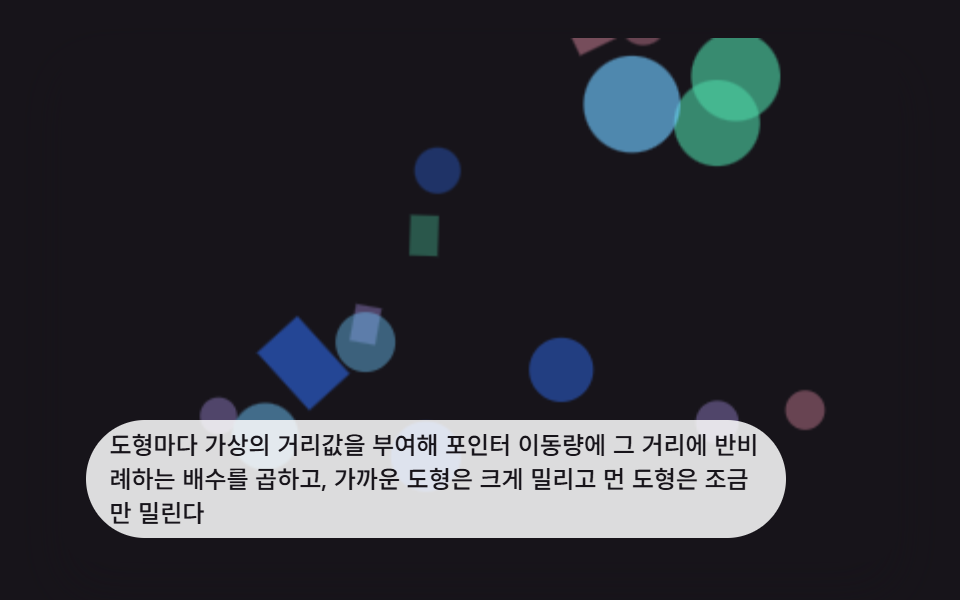 인터랙션css 배경 애니메이션 효과 9가지 — 깊이 층 3D 장면
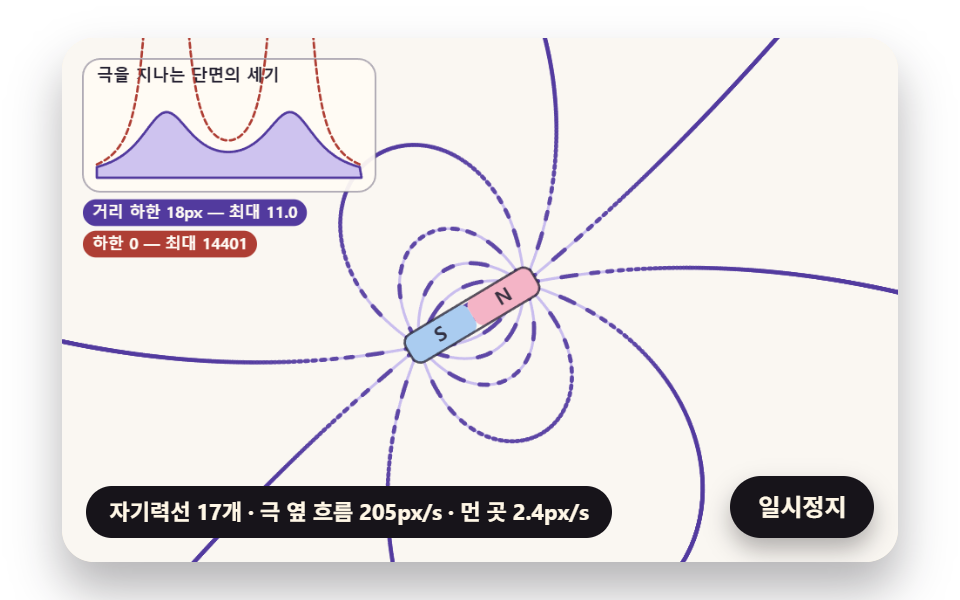 인터랙션자성유체 원리 9종 — 솟는 가시부터 자성유체 시계까지
 인터랙션이미지 픽셀 아트 변환 9가지 — 캔버스로 도트 만들기
 인터랙션비눗방울 효과 9종 — 막 두께 색·터짐·두 방울 붙기 계산
 인터랙션3d 웹사이트 만들기 9종 — 마우스를 따라 도는 라이브러리 없는 모형
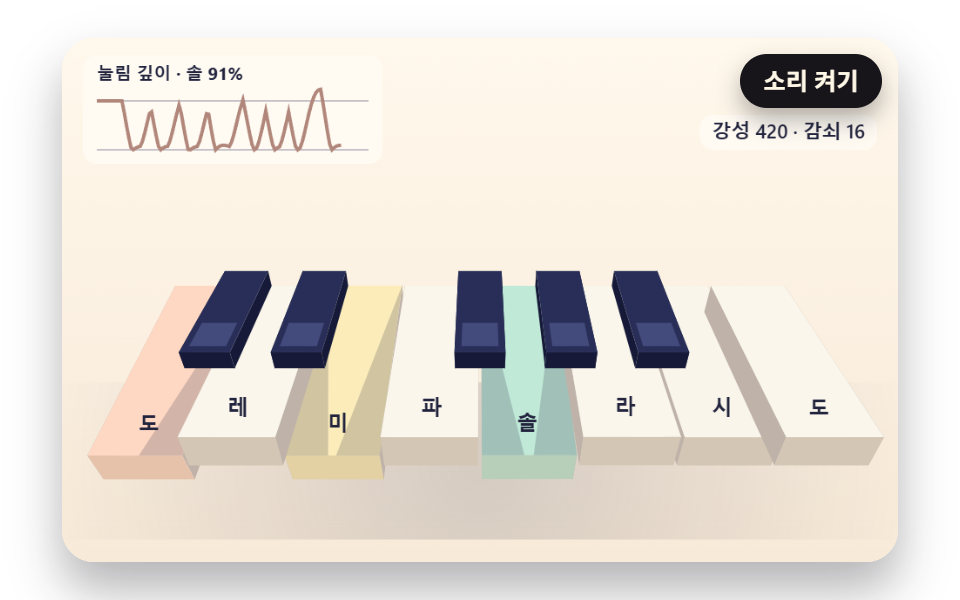 인터랙션가상 피아노 9종 — 스프링 건반·해머·줄 배음·자동 연주 무대
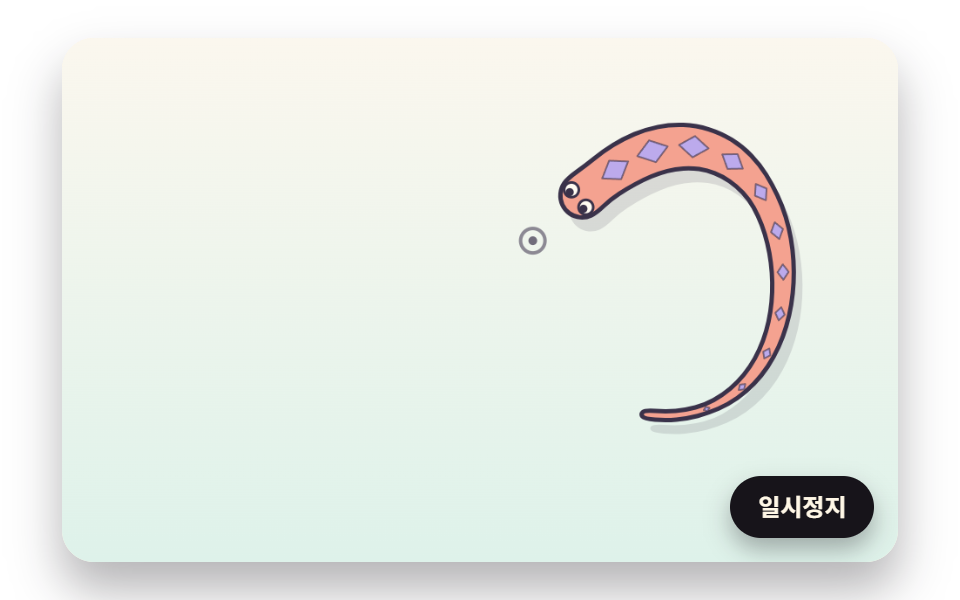 인터랙션마우스 따라다니는 캐릭터 9종 — 뱀·잉어·도마뱀·문어를 계산으로 움직이기