마이크로 인터랙션 사이트 UI 패턴 9종 — 토스트부터 스크롤 스파이까지
마이크로 인터랙션 사이트에 흔한 아홉 개 중 하나는 알림이 쌓인 순서 값으로 사라지는 시점을 다시 구해 뒤 알림 위치를 당기고, 하나는 스크롤된 위치에서 각 제목의 겹침 비율 값을 비교해 활성 항목을 바꾸며, 또 하나는 입력 값이 바뀔 때마다 대기 시간 값을 처음부터 다시 셉니다.
이 아홉 화면은 실제 서비스나 진짜 알림·검색 데이터가 아니라 가상의 값으로 만든 것이며, 09 는 navigator.clipboard 를 호출하지 않고 라벨 전환만으로 복사 성공을 흉내 냅니다. 09 를 뺀 나머지 여덟은 클릭·키다운·포인터·입력 중 하나를 실제로 걸어 두었고, 09 도 클릭이 값을 바꾸는 실제 리스너입니다 — 아홉 개 모두 자동 재생처럼 보이는 순간에도 사람이 직접 만지면 같은 함수가 실행됩니다.
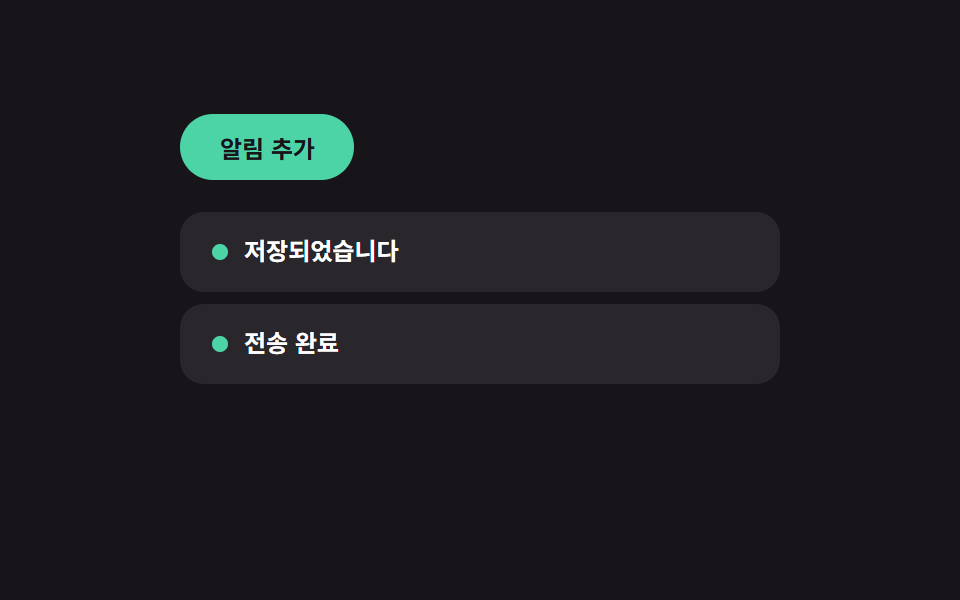 01 toast-queue
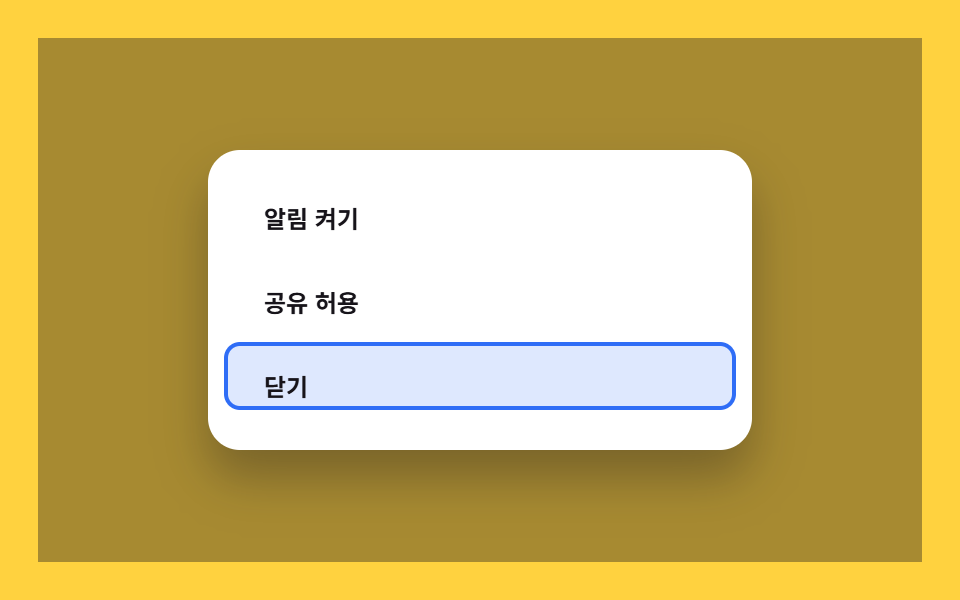 02 dialog-focus-trap
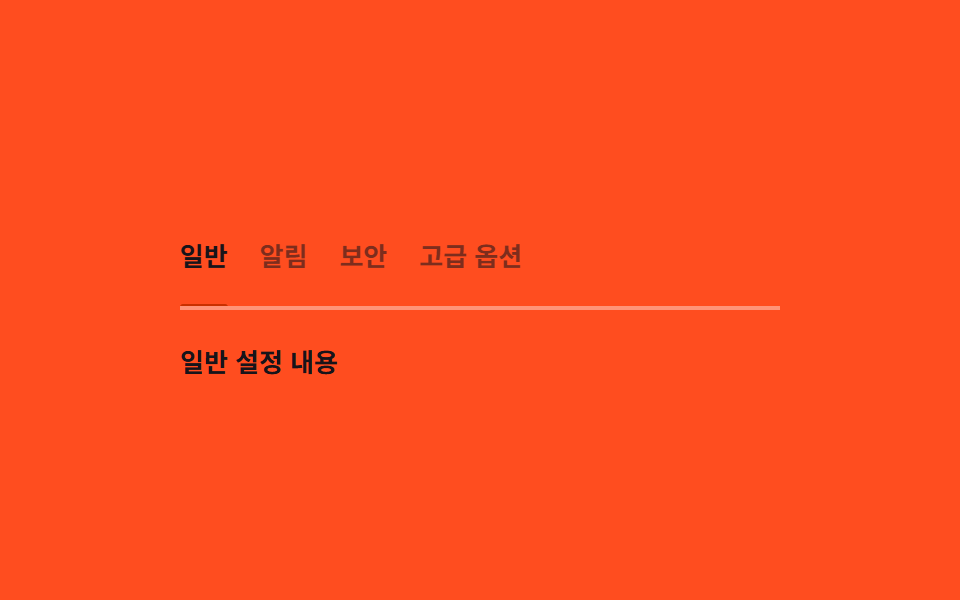 03 tabs-keyboard
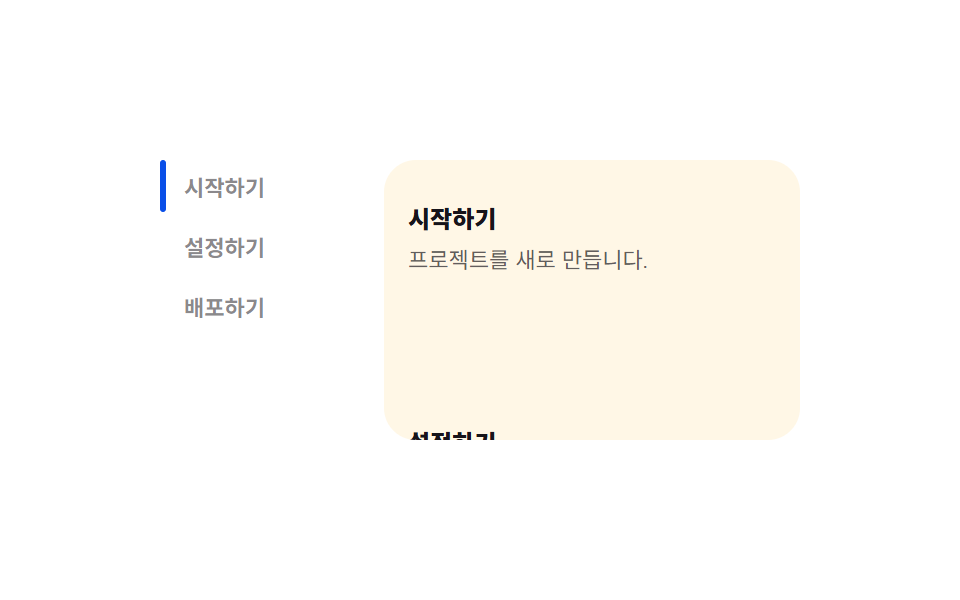 04 scroll-spy-toc
 05 intersection-reveal
 06 keyboard-shortcuts
 07 debounce-search
 08 theme-persist
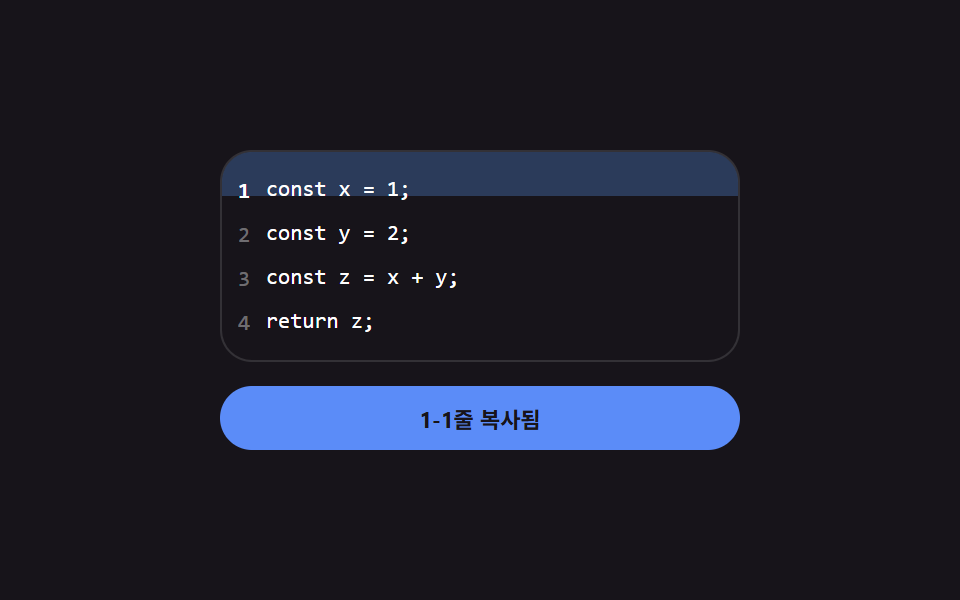 09 copy-to-clipboard
자동 재생 · 눌러서 해당 항목으로 · 전부 한 zip
- 01 토스트 알림 큐 — 쌓인 순서 값으로 사라지는 시점을 계산하는 알림 목록
- 02 다이얼로그 포커스 트랩 — 열린 상태에서 이동 범위 값을 안쪽으로 가두는 모달
- 03 키보드 탭 — 방향키로 바뀐 활성 값만큼 밑줄 위치를 다시 구하는 목록
- 04 스크롤 스파이 목차 — 겹침 비율 값을 비교해 활성 항목을 바꾸는 목차
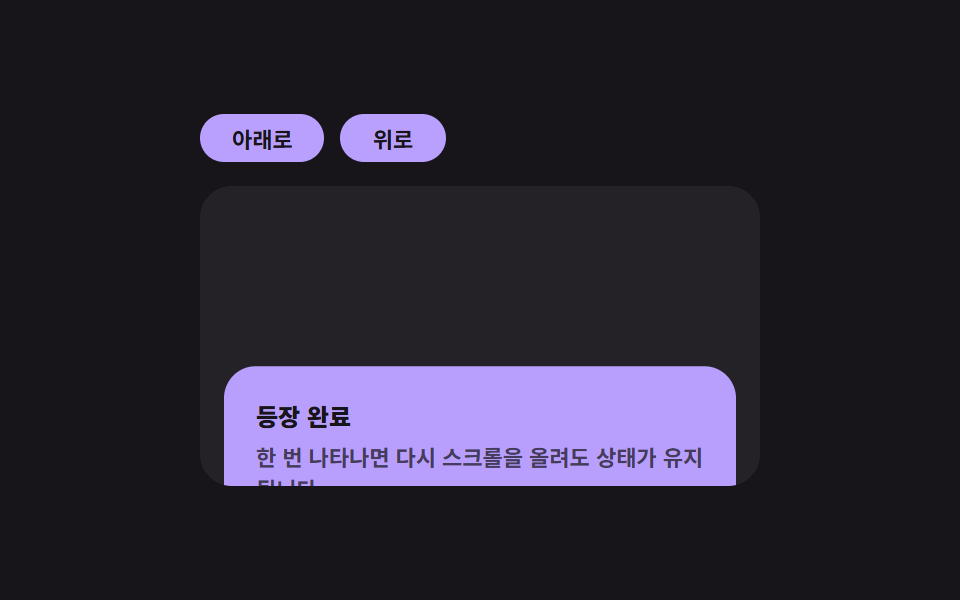
- 05 인터섹션 리빌 — 진입 비율 값이 기준을 넘는 순간 한 번 나타나는 요소
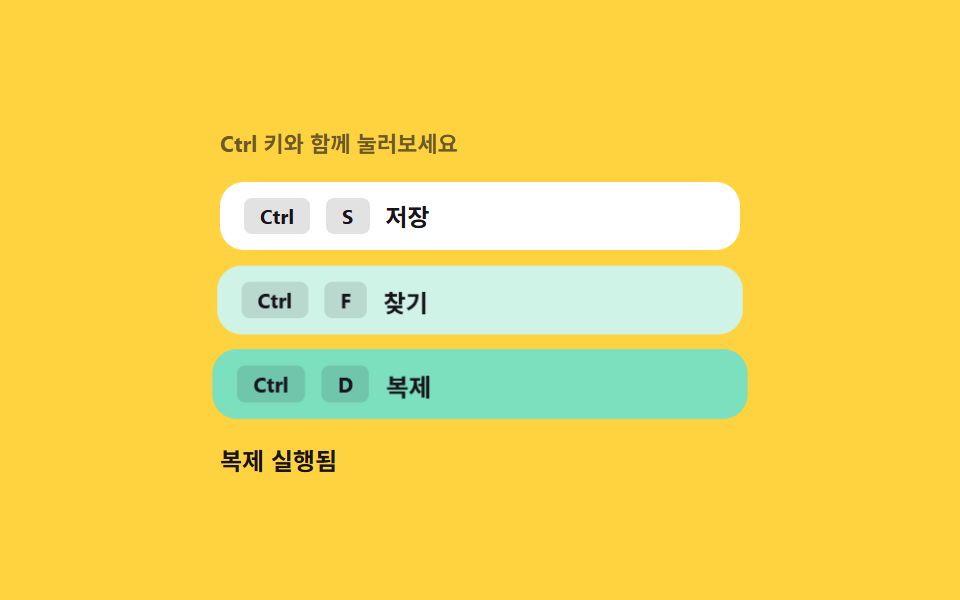
- 06 키보드 단축키 — 입력 조합 값을 판별해 동작을 찾는 안내
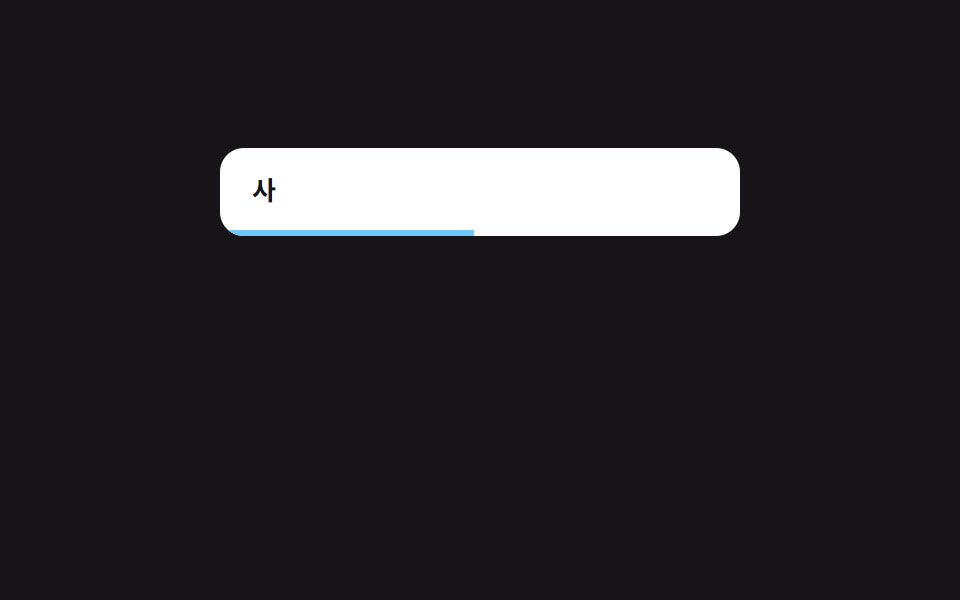
- 07 디바운스 검색 — 마지막 입력 값 뒤 대기 시간이 지나야 실행되는 검색
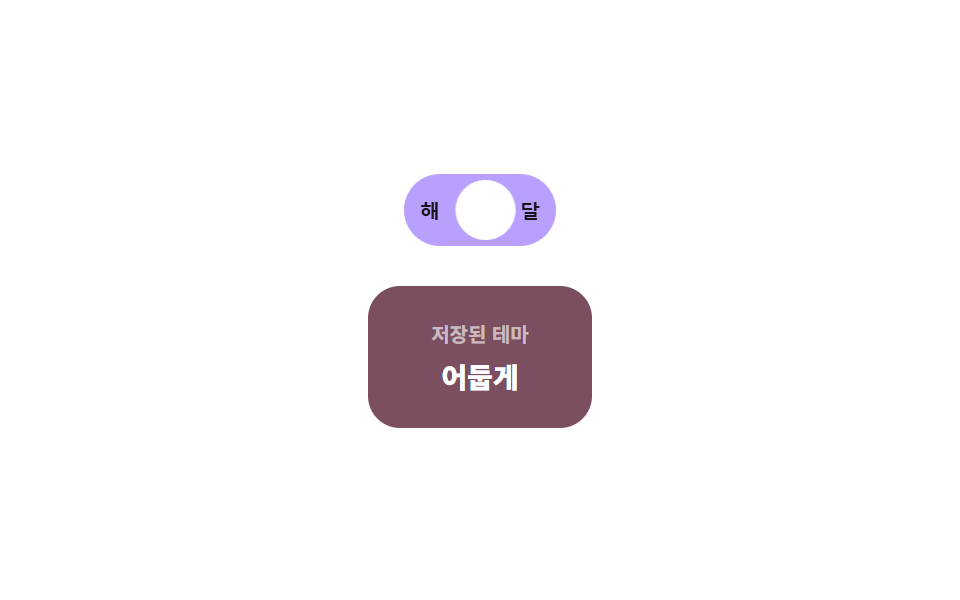
- 08 테마 저장 — 저장된 상태 값을 읽어 초기 테마를 정하는 토글
- 09 클립보드 복사 — 성공 상태 값에 따라 라벨이 잠시 바뀌는 기본 버튼
버튼·로딩 같은 낱개 컴포넌트와 달리 이 아홉 개는 화면 어딘가에서 이미 흔히 보이는 UI 조각인데도, 정작 마이크로 인터랙션 디자인을 처음 만들 때 참고할 실측 값은 잘 안 보입니다. 아래 표는 아홉 인터랙션이 화면을 실제로 얼마나 흔들었는지 잰 값이고, 값이 클릭 한 번으로 뒤집히는 것(01·08·09) → 키보드가 범위·위치 값을 다시 세는 것(02·03·06) → 옵저버·입력이 값을 계속 흘리는 것(04·05·07) 순으로 묶었습니다.
마이크로 인터랙션 사례 아홉 개의 해부 — 값이 언제 다시 계산되는가
실측 한눈에
| 항목 | 초점 | 누적면적 % | 강도 평균 | 움직인 프레임 |
|---|---|---|---|---|
| 01 토스트 알림 큐 | 쌓인 순서 값 → 표시 시간 재계산 | 19.39 | 34.3 | 10/23 |
| 02 다이얼로그 포커스 트랩 | 포커스 요소 범위 값 → 탭 순환 | 20.11 | 73.6 | 15/23 |
| 03 키보드 탭 | 활성 탭 위치·폭 값 → 밑줄 이동 | 0.95 | 55.4 | 8/23 |
| 04 스크롤 스파이 목차 | 겹침 비율 값 비교 → 활성 항목 교체 | 2.21 | 136.3 | 10/23 |
| 05 인터섹션 리빌 | 가시 비율 값 → 1회 등장 후 고정 | 21.37 | 92.4 | 8/23 |
| 06 키보드 단축키 | 조합 값 매칭 → 강조·안내 갱신 | 20.50 | 82.0 | 12/23 |
| 07 디바운스 검색 | 입력 값 → 대기 시간 재시작 | 20.59 | 137.1 | 19/23 |
| 08 테마 저장 | 저장된 상태 값 → 초기 테마 결정 | 6.72 | 84.6 | 12/23 |
| 09 클립보드 복사 | 완료 상태 값 → 라벨 전환 | 21.30 | 73.7 | 8/23 |
03 은 밑줄 하나만 그리는 화면이라 누적면적이 9종 중 가장 작은 0.95%이고, 05 는 카드 전체가 새로 나타나 21.37%로 가장 큽니다 — 둘 다 밑줄과 카드라는 대상 자체의 크기 차이일 뿐, 계산이 덜 된 게 아닙니다. 강도 평균은 07 이 137.1 로 가장 높아 진행 막대가 배경과 또렷하게 갈리는 픽셀 값을 만든다는 뜻이고, 01 은 34.3 으로 가장 낮아 반투명 알림 행의 인접 색 차이가 완만하다는 뜻입니다. 07 이 19/23 으로 가장 자주 움직인 것과 달리 03·05·09 세 항목이 8/23 에 머무는 건 값이 바뀌는 순간에만 프레임이 갱신되고 그 사이는 정지해 있는 구조라 그런 것이지, 계산이 도중에 끊긴 게 아닙니다.
클릭 한 번이 값을 뒤집는 축 — 01·08·09
이 셋은 클릭 이벤트 하나가 상태 값을 바로 바꿉니다. 01 은 add() 가 새 알림을 밀어 넣을 때마다 items 배열의 순서로 dismissAfter(기본 시간 + 순서 × STACK_STEP_MS)를 계산하고, MAX_ROWS(3)를 넘으면 제일 오래된 항목을 즉시 remove()합니다. 08 은 클릭마다 dark 값을 뒤집어 localStorage에 적고 트랙·놉의 실측 사각형 차이로 이동 거리(--x)를 다시 구하며, resize 리스너도 같은 place()를 다시 불러 값을 갱신합니다. 09 는 줄 번호 버튼을 두 번 눌러야 범위가 정해지는데, 첫 클릭은 anchor를 저장만 하고 두 번째 클릭에서 range()가 시작·끝 줄 값의 차이로 sweep 위치를 계산합니다.
키보드가 범위·위치 값을 다시 세는 축 — 02·03·06
이 셋은 클릭으로 상태를 연 뒤 키다운이 실제 계산을 이어받습니다. 02 는 모달이 열릴 때 measure()가 [data-f] 요소 개수를 다시 재고, Tab·Shift+Tab마다 setIndex()가 그 범위 안에서 모듈러 연산으로 순환합니다. 03 은 방향키로 활성 탭이 바뀔 때마다 place()가 getBoundingClientRect()로 그 탭의 실제 위치·폭을 재서 밑줄의 --x·--w 값으로 씁니다. 06 은 combo()가 눌린 키에서 ctrl+s 같은 조합 값을 다시 구해 등록된 ACTIONS 목록과 비교하고, 일치하면 trigger()가 해당 힌트를 강조합니다.
옵저버·입력이 값을 계속 흘리는 축 — 04·05·07
이 셋은 클릭 한 번이 아니라 스크롤·타이핑이 이어지는 동안 값이 계속 다시 계산됩니다. 04 는 IntersectionObserver가 제목마다 넘겨주는 intersectionRatio 값을 배열에 채워 두고, 그중 가장 큰 값을 가진 항목을 매번 활성으로 고릅니다. 05 는 같은 API 로 가시 비율이 임계값(0.4)을 넘는 순간 한 번만 revealed 값을 뒤집고 io.unobserve()로 관찰 자체를 끊어 재실행을 막습니다. 07 은 입력마다 startedAt을 갱신해 WAIT_MS(480ms) 대기를 처음부터 다시 세고, 그사이 requestAnimationFrame이 매 프레임 경과 비율(--r)을 다시 계산해 진행 막대를 채웁니다.
패턴별 코드
01토스트 알림 큐 — 쌓인 순서 값으로 사라지는 시점을 계산하는 알림 목록
여러 알림이 동시에 쌓인 상태가 되면 각자의 표시 시간에 쌓인 순서 값을 더해 사라지는 시점을 다시 계산하고, 하나가 먼저 사라지면 뒤에 놓인 알림들의 위치 값도 그만큼 당겨집니다. 폼 제출·저장 완료 알림, 여러 작업이 겹치는 대시보드에 붙이기 좋은 형태입니다.
쌓인 순서 값이 사라질 때마다 다시 매겨지는 계산
  // 계산 겹: 표시 시간 = 기본 시간 + 쌓인 순서 값 × 간격. 하나가 사라지면 남은 항목의 순서 값을
  // 다시 매겨 위치(translateY)를 그 값으로 다시 계산한다 — 단순 reflow 가 아니라 순서를 다시 센다.
  function reindex() {
    items.forEach(function (item, i) {
      item.el.style.setProperty('--i', String(i));
    });
  }

  function remove(item) {
    var i = items.indexOf(item);
    if (i === -1) { return; }
    items.splice(i, 1);
    item.el.classList.add('tq__row--out');
    clearTimeout(item.timer);
    setTimeout(function () { item.el.remove(); }, 240);
    reindex();
  }
<main class="stage">
<div class="tq is-demo" id="tq">
  <button class="tq__add" id="tqAdd" type="button">알림 추가</button>
  <ul class="tq__list" id="tqList" aria-live="polite"></ul>
</div>
</main>
@use "../../../../site/static/demo-tokens" as *;
// 토스트 알림 큐 — 위치는 --i(쌓인 순서 값)로만 정해진다. 하나가 사라지면 JS 가 남은 항목의
// --i 를 다시 매기고, transition 이 그 값 변화를 translateY 이동으로 그린다(순서 재계산 → 위치 재계산).
$duration: $dur-base;
$easing: $ease-spring;
$color: $subject-mint;
$row-h: 40px;
$row-step: 46px;
@include stage($stage-ink);
.tq {
display: flex;
flex-direction: column;
align-items: flex-start;
gap: $sp-4;
width: min(100%, 300px);
--row-step: #{$row-step};
--row-h: #{$row-h};
}
.tq__add {
border: 0;
border-radius: $r-pill;
padding: $sp-2 $sp-5;
font-family: inherit;
font-weight: 700;
font-size: 12px;
color: $stage-ink;
background: $color;
cursor: pointer;
}
.tq__list {
position: relative;
list-style: none;
margin: 0;
padding: 0;
width: 100%;
height: calc(var(--row-step, #{$row-step}) * 3);
}
.tq__row {
position: absolute;
left: 0;
top: 0;
display: flex;
align-items: center;
gap: $sp-2;
box-sizing: border-box;
width: 100%;
height: var(--row-h, #{$row-h});
padding: 0 $sp-4;
border-radius: $r-control;
background: rgba(255, 255, 255, .08);
color: $stage-paper;
transform: translateY(calc(var(--i, 0) * var(--row-step, #{$row-step})));
opacity: 1;
transition: transform $duration $easing, opacity $duration $easing;
cursor: pointer;
}
.tq__row--out {
opacity: 0;
transform: translateY(calc(var(--i, 0) * var(--row-step, #{$row-step}) + 10px));
}
.tq__dot {
width: $sp-2;
height: $sp-2;
border-radius: 50%;
background: $color;
flex: 0 0 auto;
}
.tq__text {
font-weight: 600;
font-size: 12px;
line-height: 1.4;
}
@media (max-width: 340px) {
.tq { gap: $sp-3; --row-step: 36px; --row-h: 32px; }
.tq__row { padding: 0 $sp-3; }
}
@media (prefers-reduced-motion: reduce) {
.tq__row { transition: none !important; }
}html, body {
margin: 0;
overflow: hidden;
}
.stage {
box-sizing: border-box;
min-height: 100vh;
display: grid;
place-items: center;
margin: 0;
background: #17141a;
font-family: -apple-system, "Segoe UI", "Noto Sans KR", sans-serif;
padding: clamp(8px, 4vw, 24px);
}
.tq {
display: flex;
flex-direction: column;
align-items: flex-start;
gap: 16px;
width: min(100%, 300px);
--row-step: 46px;
--row-h: 40px;
}
.tq__add {
border: 0;
border-radius: 999px;
padding: 8px 20px;
font-family: inherit;
font-weight: 700;
font-size: 12px;
color: #17141a;
background: #4cd4a6;
cursor: pointer;
}
.tq__list {
position: relative;
list-style: none;
margin: 0;
padding: 0;
width: 100%;
height: calc(var(--row-step, 46px) * 3);
}
.tq__row {
position: absolute;
left: 0;
top: 0;
display: flex;
align-items: center;
gap: 8px;
box-sizing: border-box;
width: 100%;
height: var(--row-h, 40px);
padding: 0 16px;
border-radius: 12px;
background: rgba(255, 255, 255, 0.08);
color: #ffffff;
transform: translateY(calc(var(--i, 0) * var(--row-step, 46px)));
opacity: 1;
transition: transform 300ms cubic-bezier(0.2, 0.8, 0.2, 1), opacity 300ms cubic-bezier(0.2, 0.8, 0.2, 1);
cursor: pointer;
}
.tq__row--out {
opacity: 0;
transform: translateY(calc(var(--i, 0) * var(--row-step, 46px) + 10px));
}
.tq__dot {
width: 8px;
height: 8px;
border-radius: 50%;
background: #4cd4a6;
flex: 0 0 auto;
}
.tq__text {
font-weight: 600;
font-size: 12px;
line-height: 1.4;
}
@media (max-width: 340px) {
.tq {
gap: 12px;
--row-step: 36px;
--row-h: 32px;
}
.tq__row {
padding: 0 12px;
}
}
@media (prefers-reduced-motion: reduce) {
.tq__row {
transition: none !important;
}
}(function () {
var root = document.getElementById('tq');
var list = document.getElementById('tqList');
var addBtn = document.getElementById('tqAdd');
var MESSAGES = ['저장되었습니다', '전송 완료', '변경 사항 반영됨', '동기화 완료'];
var STACK_STEP_MS = 900; // 쌓인 순서 값마다 표시 시간에 더해지는 값
var BASE_MS = 1500;
var MAX_ROWS = 3;
var seq = 0;
var items = [];
var autoplay = null;
// 계산 겹: 표시 시간 = 기본 시간 + 쌓인 순서 값 × 간격. 하나가 사라지면 남은 항목의 순서 값을
// 다시 매겨 위치(translateY)를 그 값으로 다시 계산한다 — 단순 reflow 가 아니라 순서를 다시 센다.
function reindex() {
items.forEach(function (item, i) {
item.el.style.setProperty('--i', String(i));
});
}
function remove(item) {
var i = items.indexOf(item);
if (i === -1) { return; }
items.splice(i, 1);
item.el.classList.add('tq__row--out');
clearTimeout(item.timer);
setTimeout(function () { item.el.remove(); }, 240);
reindex();
}
function add() {
var el = document.createElement('li');
el.className = 'tq__row';
el.style.setProperty('--i', String(items.length));
var text = MESSAGES[seq % MESSAGES.length];
seq += 1;
var dot = document.createElement('span');
dot.className = 'tq__dot';
var span = document.createElement('span');
span.className = 'tq__text';
span.textContent = text;
el.appendChild(dot);
el.appendChild(span);
list.appendChild(el);
var item = { el: el };
items.push(item);
if (items.length > MAX_ROWS) { remove(items[0]); }
var order = items.indexOf(item);
var dismissAfter = BASE_MS + order * STACK_STEP_MS;
item.timer = setTimeout(function () { remove(item); }, dismissAfter);
el.addEventListener('click', function () { root.classList.remove('is-demo'); stopAutoplay(); remove(item); });
}
function stopAutoplay() {
if (autoplay) { clearInterval(autoplay); autoplay = null; }
}
addBtn.addEventListener('click', function () {
root.classList.remove('is-demo');
stopAutoplay();
add();
});
// 자동 루프 — 실사용 리스너와 같은 add()/remove() 를 그대로 반복 호출한다
var reduce = window.matchMedia('(prefers-reduced-motion: reduce)').matches;
if (!reduce) {
autoplay = setInterval(add, 620);
add();
}
})();import { useEffect, useRef, useState } from "react";
import type { CSSProperties } from "react";
import styles from "./ToastQueue.module.scss";
// 토스트 알림 큐 — 쌓인 순서 값(order)으로 소멸 시점을 다시 계산한다.
// 계산 겹: order * STACK_STEP_MS 만큼 뒤로 갈수록 더 오래 떠 있는다. 실사용 클릭 리스너 있음.
const MESSAGES = ["저장되었습니다", "전송 완료", "변경 사항 반영됨", "동기화 완료"];
const STACK_STEP_MS = 900;
const BASE_MS = 1500;
const MAX_ROWS = 3;
type Item = { id: number; text: string; out: boolean };
export default function ToastQueue() {
const rootRef = useRef<HTMLDivElement>(null);
const [items, setItems] = useState<Item[]>([]);
const seqRef = useRef(0);
const timersRef = useRef<{ [id: number]: number }>({});
const autoplayRef = useRef<number | null>(null);
const itemsRef = useRef<Item[]>([]);
itemsRef.current = items;
function remove(id: number) {
const timers = timersRef.current ?? {};
window.clearTimeout(timers[id]);
delete timers[id];
setItems((prev) => prev.map((it) => (it.id === id ? { ...it, out: true } : it)));
window.setTimeout(() => {
setItems((prev) => prev.filter((it) => it.id !== id));
}, 240);
}
function add() {
const id = seqRef.current ?? 0;
const text = MESSAGES[id % MESSAGES.length];
seqRef.current = id + 1;
setItems((prev) => {
const next = [...prev, { id, text, out: false }];
if (next.length > MAX_ROWS) {
const first = next[0];
window.setTimeout(() => remove(first.id), 0);
}
return next;
});
const order = (itemsRef.current ?? []).filter((it) => !it.out).length;
const dismissAfter = BASE_MS + order * STACK_STEP_MS;
const timers = timersRef.current ?? {};
timers[id] = window.setTimeout(() => remove(id), dismissAfter);
}
function stopAutoplay() {
if (autoplayRef.current) {
window.clearInterval(autoplayRef.current);
autoplayRef.current = null;
}
}
useEffect(() => {
const reduce = window.matchMedia("(prefers-reduced-motion: reduce)").matches;
if (!reduce) {
autoplayRef.current = window.setInterval(add, 620);
add();
}
return () => {
stopAutoplay();
const timers = timersRef.current ?? {};
Object.keys(timers).forEach((k) => window.clearTimeout(timers[Number(k)]));
};
// eslint-disable-next-line react-hooks/exhaustive-deps
}, []);
function onAddClick() {
rootRef.current?.classList.remove(styles["is-demo"]);
stopAutoplay();
add();
}
return (
<main className={styles.stage}>
<div ref={rootRef} className={`${styles.tq} ${styles["is-demo"]}`} id="tq">
<button className={styles.tq__add} type="button" onClick={onAddClick}>알림 추가</button>
<ul className={styles.tq__list} aria-live="polite">
{items.map((it, i) => (
<li
key={it.id}
className={`${styles.tq__row} ${it.out ? styles["tq__row--out"] : ""}`}
style={{ "--i": i } as CSSProperties}
onClick={() => {
rootRef.current?.classList.remove(styles["is-demo"]);
stopAutoplay();
remove(it.id);
}}
>
<span className={styles.tq__dot} />
<span className={styles.tq__text}>{it.text}</span>
</li>
))}
</ul>
</div>
</main>
);
}01 · 토스트 알림 큐 — 쌓인 순서 값으로 사라지는 시점을 계산하는 알림 목록 — 측정 누적면적 19.387% · 움직인 프레임 10/23GODRICH 원작 · zip 에 SCSS·React 포함 · 비밀번호 보기
02다이얼로그 포커스 트랩 — 열린 상태에서 이동 범위 값을 안쪽으로 가두는 모달
모달이 열린 상태가 되면 탭 이동이 가능한 요소 목록을 다시 구해 그 범위 값 안에서만 순서가 돌게 하고, 마지막 요소에서 이동한 상태가 되면 위치 값이 첫 요소로 되돌아갑니다. 확인 모달, 결제·로그인 팝업에서 포커스가 모달 밖으로 새는 것을 막는 용도입니다.
열릴 때마다 이동 범위 값을 다시 재는 계산
  function measure() {
    focusables = Array.prototype.slice.call(dialog.querySelectorAll('[data-f]'));
  }

  function setIndex(i) {
    var len = focusables.length;
    index = ((i % len) + len) % len;
    marker.style.setProperty('--i', String(index));
    focusables[index].focus({ preventScroll: true });
  }
<main class="stage">
<div class="ft is-demo" id="ft">
  <button class="ft__open" id="ftOpen" type="button">모달 열기</button>
  <div class="ft__overlay" id="ftOverlay" hidden>
    <div class="ft__dialog" role="dialog" aria-modal="true" aria-label="설정 확인" id="ftDialog">
      <div class="ft__marker" id="ftMarker" style="--i: 0" aria-hidden="true"></div>
      <button class="ft__field" data-f type="button">알림 켜기</button>
      <button class="ft__field" data-f type="button">공유 허용</button>
      <button class="ft__field ft__close" data-f type="button" id="ftClose">닫기</button>
    </div>
  </div>
</div>
</main>
@use "../../../../site/static/demo-tokens" as *;
// 다이얼로그 포커스 트랩 — 마커는 --i(현재 포커스 순서 값)로만 이동한다.
// 열릴 때마다 JS 가 [data-f] 개수를 다시 재고 그 범위 안에서만 --i 가 순환한다.
$duration: $dur-quick;
$easing: $ease-spring;
$color: $subject-blue;
$row-h: 34px;
$row-step: 40px;
@include stage($stage-yellow);
.ft {
position: relative;
width: 100%;
height: 100%;
display: grid;
place-items: center;
}
.ft__open {
border: 0;
border-radius: $r-pill;
padding: $sp-2 $sp-5;
font-family: inherit;
font-weight: 700;
font-size: 12px;
color: $stage-paper;
background: $subject-ink;
cursor: pointer;
}
.ft__overlay {
position: absolute;
inset: 0;
display: grid;
place-items: center;
background: rgba(23, 20, 26, .38);
}
.ft__dialog {
position: relative;
width: min(84%, 240px);
display: flex;
flex-direction: column;
gap: $sp-2;
padding: $sp-4;
border-radius: $r-card;
background: $stage-paper;
box-shadow: $shadow-raised;
}
.ft__marker {
position: absolute;
left: $sp-2;
right: $sp-2;
top: $sp-4;
width: calc(100% - #{$sp-4});
height: $row-h;
border-radius: $r-sm;
background: rgba(47, 109, 246, .16);
border: 2px solid $color;
box-sizing: border-box;
transform: translateY(calc(var(--i, 0) * #{$row-step}));
transition: transform $duration $easing;
pointer-events: none;
}
.ft__field {
position: relative;
z-index: 1;
height: $row-h;
box-sizing: border-box;
border: 0;
border-radius: $r-sm;
padding: 0 $sp-3;
font-family: inherit;
font-weight: 600;
font-size: 12px;
text-align: left;
color: $subject-ink;
background: transparent;
cursor: pointer;
}
.ft__field:focus-visible { outline: none; }
@media (max-width: 340px) {
.ft__dialog { padding: $sp-3; gap: $sp-1; }
}
@media (prefers-reduced-motion: reduce) {
.ft__marker { transition: none !important; }
}html, body {
margin: 0;
overflow: hidden;
}
.stage {
box-sizing: border-box;
min-height: 100vh;
display: grid;
place-items: center;
margin: 0;
background: #ffd23f;
font-family: -apple-system, "Segoe UI", "Noto Sans KR", sans-serif;
padding: clamp(8px, 4vw, 24px);
}
.ft {
position: relative;
width: 100%;
height: 100%;
display: grid;
place-items: center;
}
.ft__open {
border: 0;
border-radius: 999px;
padding: 8px 20px;
font-family: inherit;
font-weight: 700;
font-size: 12px;
color: #ffffff;
background: #17141a;
cursor: pointer;
}
.ft__overlay {
position: absolute;
inset: 0;
display: grid;
place-items: center;
background: rgba(23, 20, 26, 0.38);
}
.ft__dialog {
position: relative;
width: min(84%, 240px);
display: flex;
flex-direction: column;
gap: 8px;
padding: 16px;
border-radius: 16px;
background: #ffffff;
box-shadow: 0 14px 24px rgba(23, 20, 26, 0.32);
}
.ft__marker {
position: absolute;
left: 8px;
right: 8px;
top: 16px;
width: calc(100% - 16px);
height: 34px;
border-radius: 8px;
background: rgba(47, 109, 246, 0.16);
border: 2px solid #2f6df6;
box-sizing: border-box;
transform: translateY(calc(var(--i, 0) * 40px));
transition: transform 220ms cubic-bezier(0.2, 0.8, 0.2, 1);
pointer-events: none;
}
.ft__field {
position: relative;
z-index: 1;
height: 34px;
box-sizing: border-box;
border: 0;
border-radius: 8px;
padding: 0 12px;
font-family: inherit;
font-weight: 600;
font-size: 12px;
text-align: left;
color: #17141a;
background: transparent;
cursor: pointer;
}
.ft__field:focus-visible {
outline: none;
}
@media (max-width: 340px) {
.ft__dialog {
padding: 12px;
gap: 4px;
}
}
@media (prefers-reduced-motion: reduce) {
.ft__marker {
transition: none !important;
}
}(function () {
var root = document.getElementById('ft');
var openBtn = document.getElementById('ftOpen');
var overlay = document.getElementById('ftOverlay');
var dialog = document.getElementById('ftDialog');
var marker = document.getElementById('ftMarker');
var closeBtn = document.getElementById('ftClose');
var focusables = [];
var index = 0;
var autoplay = null;
// 계산 겹: 열릴 때마다 탭 이동 가능한 요소 목록을 다시 구해 범위(0..len-1) 를 정하고,
// 그 범위 밖으로 나가면 값이 되돌아 순환한다(모듈러 연산) — 고정 개수를 가정하지 않는다.
function measure() {
focusables = Array.prototype.slice.call(dialog.querySelectorAll('[data-f]'));
}
function setIndex(i) {
var len = focusables.length;
index = ((i % len) + len) % len;
marker.style.setProperty('--i', String(index));
focusables[index].focus({ preventScroll: true });
}
function open() {
measure();
overlay.hidden = false;
setIndex(0);
}
function close() {
overlay.hidden = true;
openBtn.focus({ preventScroll: true });
}
openBtn.addEventListener('click', function () {
root.classList.remove('is-demo');
stopAutoplay();
open();
});
closeBtn.addEventListener('click', function () {
root.classList.remove('is-demo');
stopAutoplay();
close();
});
dialog.addEventListener('keydown', function (e) {
if (e.key === 'Escape') { root.classList.remove('is-demo'); stopAutoplay(); close(); return; }
if (e.key !== 'Tab') { return; }
e.preventDefault();
root.classList.remove('is-demo');
stopAutoplay();
setIndex(index + (e.shiftKey ? -1 : 1));
});
function stopAutoplay() {
if (autoplay) { clearInterval(autoplay); autoplay = null; }
}
// 자동 루프 — 실사용과 같은 open()/setIndex()/close() 를 반복 호출한다
var reduce = window.matchMedia('(prefers-reduced-motion: reduce)').matches;
if (!reduce) {
var step = 0;
autoplay = setInterval(function () {
if (overlay.hidden) { open(); step = 0; return; }
step += 1;
if (step > 4) { close(); return; }
setIndex(index + 1);
}, 420);
open();
}
})();import { useEffect, useRef, useState } from "react";
import type { CSSProperties } from "react";
import styles from "./DialogFocusTrap.module.scss";
// 다이얼로그 포커스 트랩 — Tab 방향 값(+1/-1)으로 다음 인덱스를 순환 계산해 그 요소로 포커스를 옮긴다.
// 계산 겹: 열릴 때마다 [data-f] 개수를 다시 재고, (i % len + len) % len 순환 인덱스로만 --i 를 옮긴다.
export default function DialogFocusTrap() {
const rootRef = useRef<HTMLDivElement>(null);
const dialogRef = useRef<HTMLDivElement>(null);
const openBtnRef = useRef<HTMLButtonElement>(null);
const markerRef = useRef<HTMLDivElement>(null);
const [open, setOpen] = useState(false);
const indexRef = useRef(0);
const autoplayRef = useRef<number | null>(null);
const openRef = useRef(open);
openRef.current = open;
function focusables(): HTMLElement[] {
const d = dialogRef.current;
if (!d) return [];
return Array.prototype.slice.call(d.querySelectorAll<HTMLElement>("[data-f]"));
}
function setIndex(i: number) {
const list = focusables();
const len = list.length;
if (!len) return;
const next = ((i % len) + len) % len;
indexRef.current = next;
markerRef.current?.style.setProperty("--i", String(next));
list[next].focus({ preventScroll: true });
}
function openDialog() {
setOpen(true);
window.setTimeout(() => setIndex(0), 0);
}
function closeDialog() {
setOpen(false);
openBtnRef.current?.focus({ preventScroll: true });
}
function stopAutoplay() {
if (autoplayRef.current) {
window.clearInterval(autoplayRef.current);
autoplayRef.current = null;
}
}
useEffect(() => {
const reduce = window.matchMedia("(prefers-reduced-motion: reduce)").matches;
if (!reduce) {
let step = 0;
autoplayRef.current = window.setInterval(() => {
if (!openRef.current) { openDialog(); step = 0; return; }
step += 1;
if (step > 4) { closeDialog(); return; }
setIndex((indexRef.current ?? 0) + 1);
}, 420);
openDialog();
}
return () => stopAutoplay();
// eslint-disable-next-line react-hooks/exhaustive-deps
}, []);
function onKeyDown(e: KeyboardEvent) {
if (e.key === "Escape") {
rootRef.current?.classList.remove(styles["is-demo"]);
stopAutoplay();
closeDialog();
return;
}
if (e.key !== "Tab") return;
e.preventDefault();
rootRef.current?.classList.remove(styles["is-demo"]);
stopAutoplay();
setIndex((indexRef.current ?? 0) + (e.shiftKey ? -1 : 1));
}
return (
<main className={styles.stage}>
<div ref={rootRef} className={`${styles.ft} ${styles["is-demo"]}`}>
<button
ref={openBtnRef}
className={styles.ft__open}
type="button"
onClick={() => { rootRef.current?.classList.remove(styles["is-demo"]); stopAutoplay(); openDialog(); }}
>
모달 열기
</button>
{open && (
<div className={styles.ft__overlay}>
<div className={styles.ft__dialog} ref={dialogRef} role="dialog" aria-modal="true" aria-label="설정 확인" onKeyDown={onKeyDown}>
<div ref={markerRef} className={styles.ft__marker} style={{ "--i": 0 } as CSSProperties} aria-hidden="true" />
<button className={styles.ft__field} data-f type="button">알림 켜기</button>
<button className={styles.ft__field} data-f type="button">공유 허용</button>
<button
className={`${styles.ft__field} ${styles.ft__close}`}
data-f
type="button"
onClick={() => { rootRef.current?.classList.remove(styles["is-demo"]); stopAutoplay(); closeDialog(); }}
>
닫기
</button>
</div>
</div>
)}
</div>
</main>
);
}02 · 다이얼로그 포커스 트랩 — 열린 상태에서 이동 범위 값을 안쪽으로 가두는 모달 — 측정 누적면적 20.114% · 움직인 프레임 15/23GODRICH 원작 · zip 에 SCSS·React 포함 · 비밀번호 보기
03키보드 탭 — 방향키로 바뀐 활성 값만큼 밑줄 위치를 다시 구하는 목록
방향키로 활성 탭이 바뀐 상태가 되면 그 탭의 가로 위치와 폭 값을 다시 구해 밑줄이 그 값까지 이동하고, 화면 밖 탭은 목록이 그 값만큼 옆으로 밀려 보이게 됩니다. 설정 화면의 카테고리 탭, 대시보드 상단 탭 메뉴에 쓰는 형태입니다.
실제 위치·폭을 재서 밑줄 이동 값으로 쓰는 계산
  function place(i) {
    var tab = tabs[i];
    var containerRect = tabsEl.getBoundingClientRect();
    var rect = tab.getBoundingClientRect();
    var x = rect.left - containerRect.left + tabsEl.scrollLeft;
    var w = rect.width;
    underline.style.setProperty('--x', x.toFixed(1) + 'px');
    underline.style.setProperty('--w', w.toFixed(1) + 'px');
    var left = x;
    var right = x + w;
    if (left < tabsEl.scrollLeft) { tabsEl.scrollLeft = left; }
    else if (right > tabsEl.scrollLeft + tabsEl.clientWidth) { tabsEl.scrollLeft = right - tabsEl.clientWidth; }
  }
<main class="stage">
<div class="tk is-demo" id="tk">
  <div class="tk__tabs" id="tkTabs" role="tablist" aria-label="설정 카테고리">
    <div class="tk__underline" id="tkUnderline" aria-hidden="true"></div>
    <button class="tk__tab" role="tab" data-t type="button" tabindex="0" aria-selected="true">일반</button>
    <button class="tk__tab" role="tab" data-t type="button" tabindex="-1" aria-selected="false">알림</button>
    <button class="tk__tab" role="tab" data-t type="button" tabindex="-1" aria-selected="false">보안</button>
    <button class="tk__tab" role="tab" data-t type="button" tabindex="-1" aria-selected="false">고급 옵션</button>
  </div>
  <p class="tk__panel" id="tkPanel">일반 설정 내용</p>
</div>
</main>
@use "../../../../site/static/demo-tokens" as *;
// 키보드 탭 — 밑줄은 --x·--w(getBoundingClientRect 실측 px) 로만 움직인다.
// 화면 밖 탭은 JS 가 스크롤 값을 같은 실측으로 계산해 컨테이너를 움직인다.
$duration: $dur-enter;
$easing: $ease-spring;
$color: $subject-orange-deep;
@include stage($stage-orange);
.tk {
width: min(100%, 300px);
display: flex;
flex-direction: column;
gap: $sp-4;
}
.tk__tabs {
position: relative;
display: flex;
gap: $sp-4;
overflow-x: auto;
scrollbar-width: none;
padding-bottom: $sp-2;
border-bottom: 2px solid rgba(255, 255, 255, .4);
}
.tk__tabs::-webkit-scrollbar { display: none; }
.tk__underline {
position: absolute;
left: 0;
bottom: -2px;
height: 3px;
border-radius: $r-xs;
background: $color;
transform: translateX(var(--x, 0px));
width: var(--w, 40px);
transition: transform $duration $easing, width $duration $easing;
}
.tk__tab {
flex: 0 0 auto;
border: 0;
background: transparent;
padding: $sp-2 0;
font-family: inherit;
font-weight: 700;
font-size: 13px;
white-space: nowrap;
color: rgba(23, 20, 26, .56);
cursor: pointer;
}
.tk__tab[aria-selected="true"] { color: $subject-ink; }
.tk__tab:focus-visible { outline: 2px solid $subject-ink; outline-offset: 2px; }
.tk__panel {
margin: 0;
font-weight: 600;
font-size: 13px;
color: $subject-ink;
}
@media (max-width: 340px) {
.tk__tabs { gap: $sp-3; }
}
@media (prefers-reduced-motion: reduce) {
.tk__underline { transition: none !important; }
}html, body {
margin: 0;
overflow: hidden;
}
.stage {
box-sizing: border-box;
min-height: 100vh;
display: grid;
place-items: center;
margin: 0;
background: #ff4d1f;
font-family: -apple-system, "Segoe UI", "Noto Sans KR", sans-serif;
padding: clamp(8px, 4vw, 24px);
}
.tk {
width: min(100%, 300px);
display: flex;
flex-direction: column;
gap: 16px;
}
.tk__tabs {
position: relative;
display: flex;
gap: 16px;
overflow-x: auto;
scrollbar-width: none;
padding-bottom: 8px;
border-bottom: 2px solid rgba(255, 255, 255, 0.4);
}
.tk__tabs::-webkit-scrollbar {
display: none;
}
.tk__underline {
position: absolute;
left: 0;
bottom: -2px;
height: 3px;
border-radius: 4px;
background: #c93000;
transform: translateX(var(--x, 0px));
width: var(--w, 40px);
transition: transform 600ms cubic-bezier(0.2, 0.8, 0.2, 1), width 600ms cubic-bezier(0.2, 0.8, 0.2, 1);
}
.tk__tab {
flex: 0 0 auto;
border: 0;
background: transparent;
padding: 8px 0;
font-family: inherit;
font-weight: 700;
font-size: 13px;
white-space: nowrap;
color: rgba(23, 20, 26, 0.56);
cursor: pointer;
}
.tk__tab[aria-selected=true] {
color: #17141a;
}
.tk__tab:focus-visible {
outline: 2px solid #17141a;
outline-offset: 2px;
}
.tk__panel {
margin: 0;
font-weight: 600;
font-size: 13px;
color: #17141a;
}
@media (max-width: 340px) {
.tk__tabs {
gap: 12px;
}
}
@media (prefers-reduced-motion: reduce) {
.tk__underline {
transition: none !important;
}
}(function () {
var root = document.getElementById('tk');
var tabsEl = document.getElementById('tkTabs');
var underline = document.getElementById('tkUnderline');
var panel = document.getElementById('tkPanel');
var tabs = Array.prototype.slice.call(document.querySelectorAll('[data-t]'));
var TEXTS = ['일반 설정 내용', '알림 설정 내용', '보안 설정 내용', '고급 옵션 내용'];
var index = 0;
var autoplay = null;
// 계산 겹: 탭이 바뀔 때마다 그 탭의 실제 렌더 위치·폭을 getBoundingClientRect 로 다시 재서
// 밑줄 이동 값을 만들고, 탭이 컨테이너 밖에 있으면 스크롤 값도 같은 실측으로 계산한다.
function place(i) {
var tab = tabs[i];
var containerRect = tabsEl.getBoundingClientRect();
var rect = tab.getBoundingClientRect();
var x = rect.left - containerRect.left + tabsEl.scrollLeft;
var w = rect.width;
underline.style.setProperty('--x', x.toFixed(1) + 'px');
underline.style.setProperty('--w', w.toFixed(1) + 'px');
var left = x;
var right = x + w;
if (left < tabsEl.scrollLeft) { tabsEl.scrollLeft = left; }
else if (right > tabsEl.scrollLeft + tabsEl.clientWidth) { tabsEl.scrollLeft = right - tabsEl.clientWidth; }
}
function select(i) {
var len = tabs.length;
index = ((i % len) + len) % len;
tabs.forEach(function (t, k) {
t.setAttribute('aria-selected', k === index ? 'true' : 'false');
t.setAttribute('tabindex', k === index ? '0' : '-1');
});
panel.textContent = TEXTS[index];
place(index);
}
tabs.forEach(function (t, i) {
t.addEventListener('click', function () {
root.classList.remove('is-demo');
stopAutoplay();
select(i);
t.focus({ preventScroll: true });
});
});
tabsEl.addEventListener('keydown', function (e) {
if (e.key !== 'ArrowRight' && e.key !== 'ArrowLeft' && e.key !== 'Home' && e.key !== 'End') { return; }
e.preventDefault();
root.classList.remove('is-demo');
stopAutoplay();
if (e.key === 'ArrowRight') { select(index + 1); }
if (e.key === 'ArrowLeft') { select(index - 1); }
if (e.key === 'Home') { select(0); }
if (e.key === 'End') { select(tabs.length - 1); }
tabs[index].focus({ preventScroll: true });
});
function stopAutoplay() {
if (autoplay) { clearInterval(autoplay); autoplay = null; }
}
select(0);
var reduce = window.matchMedia('(prefers-reduced-motion: reduce)').matches;
if (!reduce) {
autoplay = setInterval(function () { select(index + 1); }, 480);
}
})();import { useEffect, useRef, useState } from "react";
import styles from "./TabsKeyboard.module.scss";
// 키보드 탭 — 탭이 바뀔 때마다 실제 렌더 위치·폭을 getBoundingClientRect 로 다시 재서 밑줄 이동 값을 만든다.
// 계산 겹: 화면 밖 탭은 같은 실측으로 스크롤 값도 계산한다. 실사용 click/keydown 리스너 있음.
const LABELS = ["일반", "알림", "보안", "고급 옵션"];
const TEXTS = ["일반 설정 내용", "알림 설정 내용", "보안 설정 내용", "고급 옵션 내용"];
export default function TabsKeyboard() {
const rootRef = useRef<HTMLDivElement>(null);
const tabsElRef = useRef<HTMLDivElement>(null);
const underlineRef = useRef<HTMLDivElement>(null);
const tabRefs = useRef<(HTMLButtonElement | null)[]>([]);
const [index, setIndexState] = useState(0);
const indexRef = useRef(0);
const autoplayRef = useRef<number | null>(null);
function place(i: number) {
const tabsEl = tabsElRef.current;
const underline = underlineRef.current;
const tab = (tabRefs.current ?? [])[i];
if (!tabsEl || !underline || !tab) return;
const containerRect = tabsEl.getBoundingClientRect();
const rect = tab.getBoundingClientRect();
const x = rect.left - containerRect.left + tabsEl.scrollLeft;
const w = rect.width;
underline.style.setProperty("--x", x.toFixed(1) + "px");
underline.style.setProperty("--w", w.toFixed(1) + "px");
const left = x;
const right = x + w;
if (left < tabsEl.scrollLeft) { tabsEl.scrollLeft = left; }
else if (right > tabsEl.scrollLeft + tabsEl.clientWidth) { tabsEl.scrollLeft = right - tabsEl.clientWidth; }
}
function select(i: number) {
const len = LABELS.length;
const next = ((i % len) + len) % len;
indexRef.current = next;
setIndexState(next);
window.setTimeout(() => place(next), 0);
}
function stopAutoplay() {
if (autoplayRef.current) {
window.clearInterval(autoplayRef.current);
autoplayRef.current = null;
}
}
useEffect(() => {
place(0);
const reduce = window.matchMedia("(prefers-reduced-motion: reduce)").matches;
if (!reduce) {
autoplayRef.current = window.setInterval(() => select((indexRef.current ?? 0) + 1), 480);
}
return () => stopAutoplay();
// eslint-disable-next-line react-hooks/exhaustive-deps
}, []);
function onKeyDown(e: KeyboardEvent) {
if (e.key !== "ArrowRight" && e.key !== "ArrowLeft" && e.key !== "Home" && e.key !== "End") return;
e.preventDefault();
rootRef.current?.classList.remove(styles["is-demo"]);
stopAutoplay();
if (e.key === "ArrowRight") select((indexRef.current ?? 0) + 1);
if (e.key === "ArrowLeft") select((indexRef.current ?? 0) - 1);
if (e.key === "Home") select(0);
if (e.key === "End") select(LABELS.length - 1);
(tabRefs.current ?? [])[indexRef.current ?? 0]?.focus({ preventScroll: true });
}
return (
<main className={styles.stage}>
<div ref={rootRef} className={`${styles.tk} ${styles["is-demo"]}`}>
<div ref={tabsElRef} className={styles.tk__tabs} role="tablist" aria-label="설정 카테고리" onKeyDown={onKeyDown}>
<div ref={underlineRef} className={styles.tk__underline} aria-hidden="true" />
{LABELS.map((label, i) => (
<button
key={label}
ref={(el: HTMLButtonElement | null) => { if (tabRefs.current) tabRefs.current[i] = el; }}
className={styles.tk__tab}
role="tab"
type="button"
tabIndex={i === index ? 0 : -1}
aria-selected={i === index}
onClick={() => {
rootRef.current?.classList.remove(styles["is-demo"]);
stopAutoplay();
select(i);
(tabRefs.current ?? [])[i]?.focus({ preventScroll: true });
}}
>
{label}
</button>
))}
</div>
<p className={styles.tk__panel}>{TEXTS[index]}</p>
</div>
</main>
);
}03 · 키보드 탭 — 방향키로 바뀐 활성 값만큼 밑줄 위치를 다시 구하는 목록 — 측정 누적면적 0.953% · 움직인 프레임 8/23GODRICH 원작 · zip 에 SCSS·React 포함 · 비밀번호 보기
04스크롤 스파이 목차 — 겹침 비율 값을 비교해 활성 항목을 바꾸는 목차
페이지를 스크롤한 상태가 되면 각 제목이 뷰포트와 겹치는 비율 값을 다시 구해 가장 큰 값을 가진 항목을 활성으로 바꾸고, 목차의 강조 표시 위치도 그 항목의 위치 값까지 옮겨갑니다. 긴 문서의 사이드 목차, 기술 문서 페이지에서 지금 읽는 위치를 알려주는 용도입니다.
겹침 비율 값을 프레임마다 비교해 최댓값을 고르는 계산
  var io = new IntersectionObserver(function (entries) {
    entries.forEach(function (entry) {
      var i = Number(entry.target.getAttribute('data-h'));
      ratios[i] = entry.intersectionRatio;
    });
    var best = 0;
    for (var k = 1; k < ratios.length; k++) { if (ratios[k] > ratios[best]) { best = k; } }
    if (ratios[best] > 0) { activate(best); }
  }, { root: pane, threshold: [0, .25, .5, .75, 1] });
  sections.forEach(function (s) { io.observe(s); });
<main class="stage">
<div class="ss is-demo" id="ss">
  <nav class="ss__toc" aria-label="목차">
    <div class="ss__marker" id="ssMarker" style="--i: 0" aria-hidden="true"></div>
    <button class="ss__link" data-j="0" type="button">시작하기</button>
    <button class="ss__link" data-j="1" type="button">설정하기</button>
    <button class="ss__link" data-j="2" type="button">배포하기</button>
  </nav>
  <div class="ss__pane" id="ssPane">
    <section class="ss__section" data-h="0"><h3>시작하기</h3><p>프로젝트를 새로 만듭니다.</p></section>
    <section class="ss__section" data-h="1"><h3>설정하기</h3><p>환경 값을 채웁니다.</p></section>
    <section class="ss__section" data-h="2"><h3>배포하기</h3><p>결과물을 올립니다.</p></section>
  </div>
</div>
</main>
@use "../../../../site/static/demo-tokens" as *;
// 스크롤 스파이 목차 — 마커는 --i(겹침 비율을 비교해 고른 활성 항목 값)로만 이동한다.
// 스크롤 자체는 브라우저 네이티브 overflow-y, JS 는 IntersectionObserver 결과만 비교한다.
$duration: $dur-base;
$easing: $ease-spring;
$color: $subject-blue-deep;
$row-h: 26px;
$row-step: 32px;
@include stage($stage-paper);
.ss {
display: flex;
gap: $sp-5;
width: min(100%, 320px);
}
.ss__toc {
position: relative;
flex: 0 0 auto;
display: flex;
flex-direction: column;
gap: $sp-1;
width: 92px;
}
.ss__marker {
position: absolute;
left: 0;
top: 0;
width: 3px;
height: $row-h;
border-radius: $r-xs;
background: $color;
transform: translateY(calc(var(--i, 0) * #{$row-step}));
transition: transform $duration $easing;
}
.ss__link {
height: $row-h;
box-sizing: border-box;
padding-left: $sp-3;
border: 0;
background: transparent;
text-align: left;
font-family: inherit;
font-weight: 600;
font-size: 11px;
color: rgba(23, 20, 26, .5);
cursor: pointer;
}
.ss__link[aria-current="true"] { color: $color; font-weight: 800; }
.ss__pane {
flex: 1 1 auto;
height: $row-step * 3 + 20px;
overflow-y: auto;
scroll-behavior: auto;
border-radius: $r-card;
background: $subject-cream;
padding: $sp-3;
}
.ss__section {
min-height: $row-step * 3;
padding: $sp-2 0;
}
.ss__section h3 {
margin: 0 0 $sp-1;
font-size: 12px;
font-weight: 800;
color: $subject-ink;
}
.ss__section p {
margin: 0;
font-size: 11px;
color: rgba(23, 20, 26, .68);
}
@media (max-width: 340px) {
.ss { gap: $sp-3; }
.ss__toc { width: 76px; }
}
@media (prefers-reduced-motion: reduce) {
.ss__marker { transition: none !important; }
.ss__pane { scroll-behavior: auto !important; }
}html, body {
margin: 0;
overflow: hidden;
}
.stage {
box-sizing: border-box;
min-height: 100vh;
display: grid;
place-items: center;
margin: 0;
background: #ffffff;
font-family: -apple-system, "Segoe UI", "Noto Sans KR", sans-serif;
padding: clamp(8px, 4vw, 24px);
}
.ss {
display: flex;
gap: 20px;
width: min(100%, 320px);
}
.ss__toc {
position: relative;
flex: 0 0 auto;
display: flex;
flex-direction: column;
gap: 4px;
width: 92px;
}
.ss__marker {
position: absolute;
left: 0;
top: 0;
width: 3px;
height: 26px;
border-radius: 4px;
background: #0a4fe8;
transform: translateY(calc(var(--i, 0) * 32px));
transition: transform 300ms cubic-bezier(0.2, 0.8, 0.2, 1);
}
.ss__link {
height: 26px;
box-sizing: border-box;
padding-left: 12px;
border: 0;
background: transparent;
text-align: left;
font-family: inherit;
font-weight: 600;
font-size: 11px;
color: rgba(23, 20, 26, 0.5);
cursor: pointer;
}
.ss__link[aria-current=true] {
color: #0a4fe8;
font-weight: 800;
}
.ss__pane {
flex: 1 1 auto;
height: 116px;
overflow-y: auto;
scroll-behavior: auto;
border-radius: 16px;
background: #fff7e6;
padding: 12px;
}
.ss__section {
min-height: 96px;
padding: 8px 0;
}
.ss__section h3 {
margin: 0 0 4px;
font-size: 12px;
font-weight: 800;
color: #17141a;
}
.ss__section p {
margin: 0;
font-size: 11px;
color: rgba(23, 20, 26, 0.68);
}
@media (max-width: 340px) {
.ss {
gap: 12px;
}
.ss__toc {
width: 76px;
}
}
@media (prefers-reduced-motion: reduce) {
.ss__marker {
transition: none !important;
}
.ss__pane {
scroll-behavior: auto !important;
}
}(function () {
var root = document.getElementById('ss');
var pane = document.getElementById('ssPane');
var marker = document.getElementById('ssMarker');
var links = Array.prototype.slice.call(document.querySelectorAll('.ss__link'));
var sections = Array.prototype.slice.call(document.querySelectorAll('.ss__section'));
var ratios = new Array(sections.length).fill(0);
var active = 0;
var autoplay = null;
// 계산 겹: 모든 제목의 겹침 비율(intersectionRatio) 값을 매 프레임 비교해 가장 큰 값을 가진
// 항목을 활성으로 고른다 — 고정 스크롤 위치가 아니라 값의 비교로 활성 항목이 정해진다.
function activate(i) {
if (i === active) { return; }
active = i;
marker.style.setProperty('--i', String(active));
links.forEach(function (l, k) { l.setAttribute('aria-current', k === active ? 'true' : 'false'); });
}
var io = new IntersectionObserver(function (entries) {
entries.forEach(function (entry) {
var i = Number(entry.target.getAttribute('data-h'));
ratios[i] = entry.intersectionRatio;
});
var best = 0;
for (var k = 1; k < ratios.length; k++) { if (ratios[k] > ratios[best]) { best = k; } }
if (ratios[best] > 0) { activate(best); }
}, { root: pane, threshold: [0, .25, .5, .75, 1] });
sections.forEach(function (s) { io.observe(s); });
links.forEach(function (l) {
l.addEventListener('click', function () {
root.classList.remove('is-demo');
stopAutoplay();
var i = Number(l.getAttribute('data-j'));
sections[i].scrollIntoView({ block: 'start', behavior: 'auto' });
});
});
function stopAutoplay() {
if (autoplay) { clearInterval(autoplay); autoplay = null; }
}
var reduce = window.matchMedia('(prefers-reduced-motion: reduce)').matches;
if (!reduce) {
var targets = [0, sections[1].offsetTop, sections[2].offsetTop, 0];
var step = 0;
autoplay = setInterval(function () {
pane.scrollTop = targets[step % targets.length];
step += 1;
}, 480);
}
})();import { useEffect, useRef, useState } from "react";
import type { CSSProperties } from "react";
import styles from "./ScrollSpyToc.module.scss";
// 스크롤 스파이 목차 — 모든 제목의 겹침 비율(intersectionRatio) 값을 매 프레임 비교해 가장 큰 값을 가진
// 항목을 활성으로 고른다. 계산 겹: 고정 스크롤 위치가 아니라 값의 비교로 활성 항목이 정해진다.
const SECTIONS = [
{ title: "시작하기", body: "프로젝트를 새로 만듭니다." },
{ title: "설정하기", body: "환경 값을 채웁니다." },
{ title: "배포하기", body: "결과물을 올립니다." },
];
export default function ScrollSpyToc() {
const rootRef = useRef<HTMLDivElement>(null);
const paneRef = useRef<HTMLDivElement>(null);
const markerRef = useRef<HTMLDivElement>(null);
const sectionRefs = useRef<(HTMLElement | null)[]>([]);
const [active, setActiveState] = useState(0);
const activeRef = useRef(0);
const autoplayRef = useRef<number | null>(null);
function activate(i: number) {
if (i === activeRef.current) return;
activeRef.current = i;
setActiveState(i);
markerRef.current?.style.setProperty("--i", String(i));
}
function stopAutoplay() {
if (autoplayRef.current) {
window.clearInterval(autoplayRef.current);
autoplayRef.current = null;
}
}
useEffect(() => {
const pane = paneRef.current;
if (!pane) return;
const ratios = new Array(SECTIONS.length).fill(0);
const io = new IntersectionObserver((entries) => {
entries.forEach((entry) => {
const i = Number((entry.target as HTMLElement).getAttribute("data-h"));
ratios[i] = entry.intersectionRatio;
});
let best = 0;
for (let k = 1; k < ratios.length; k++) { if (ratios[k] > ratios[best]) best = k; }
if (ratios[best] > 0) activate(best);
}, { root: pane, threshold: [0, .25, .5, .75, 1] });
(sectionRefs.current ?? []).forEach((s) => { if (s) io.observe(s); });
const reduce = window.matchMedia("(prefers-reduced-motion: reduce)").matches;
if (!reduce) {
const secs = sectionRefs.current ?? [];
const targets = [0, secs[1]?.offsetTop || 0, secs[2]?.offsetTop || 0, 0];
let step = 0;
autoplayRef.current = window.setInterval(() => {
pane.scrollTop = targets[step % targets.length];
step += 1;
}, 480);
}
return () => { io.disconnect(); stopAutoplay(); };
// eslint-disable-next-line react-hooks/exhaustive-deps
}, []);
return (
<main className={styles.stage}>
<div ref={rootRef} className={`${styles.ss} ${styles["is-demo"]}`}>
<nav className={styles.ss__toc} aria-label="목차">
<div ref={markerRef} className={styles.ss__marker} style={{ "--i": 0 } as CSSProperties} aria-hidden="true" />
{SECTIONS.map((s, i) => (
<button
key={s.title}
className={styles.ss__link}
type="button"
aria-current={i === active}
onClick={() => {
rootRef.current?.classList.remove(styles["is-demo"]);
stopAutoplay();
(sectionRefs.current ?? [])[i]?.scrollIntoView({ block: "start", behavior: "auto" });
}}
>
{s.title}
</button>
))}
</nav>
<div ref={paneRef} className={styles.ss__pane}>
{SECTIONS.map((s, i) => (
<section
key={s.title}
ref={(el: HTMLElement | null) => { if (sectionRefs.current) sectionRefs.current[i] = el; }}
className={styles.ss__section}
data-h={i}
>
<h3>{s.title}</h3>
<p>{s.body}</p>
</section>
))}
</div>
</div>
</main>
);
}04 · 스크롤 스파이 목차 — 겹침 비율 값을 비교해 활성 항목을 바꾸는 목차 — 측정 누적면적 2.205% · 움직인 프레임 10/23GODRICH 원작 · zip 에 SCSS·React 포함 · 비밀번호 보기
05인터섹션 리빌 — 진입 비율 값이 기준을 넘는 순간 한 번 나타나는 요소
요소가 화면에 보이는 비율 값이 기준을 넘은 상태가 되면 나타나는 계산이 한 번 실행되고, 그 값을 지나 다시 화면 밖으로 나가도 상태 값은 나타난 채로 남아 다시 실행되지 않습니다. 소개 페이지의 문단별 등장, 포트폴리오 섹션 진입 연출에 쓰는 형태입니다.
가시 비율 값이 기준을 넘는 순간 한 번만 실행하는 계산
  var io = new IntersectionObserver(function (entries) {
    var entry = entries[0];
    if (!revealed && entry.intersectionRatio >= 0.4) {
      revealed = true;
      card.classList.add('ir__card--in');
      io.unobserve(card);
    }
  }, { root: pane, threshold: [0, .4, .8] });
  io.observe(card);
<main class="stage">
<div class="ir is-demo" id="ir">
  <div class="ir__btns">
    <button class="ir__btn" id="irDown" type="button">아래로</button>
    <button class="ir__btn" id="irUp" type="button">위로</button>
  </div>
  <div class="ir__pane" id="irPane">
    <div class="ir__spacer"></div>
    <div class="ir__card" id="irCard">
      <p class="ir__title">등장 완료</p>
      <p class="ir__desc">한 번 나타나면 다시 스크롤을 올려도 상태가 유지됩니다.</p>
    </div>
    <div class="ir__spacer"></div>
  </div>
</div>
</main>
@use "../../../../site/static/demo-tokens" as *;
// 인터섹션 리빌 — 카드는 가시 비율 값이 기준을 넘는 순간 한 번만 opacity·translateY 로 등장한다.
// 상태(.ir__card--in)는 JS 가 한 번 붙이면 다시 떼지 않는다 — 재실행되지 않는 계산의 결과가 그대로 클래스에 남는다.
$duration: $dur-enter;
$easing: $ease-spring;
$color: $subject-lilac;
@include stage($stage-ink);
.ir {
display: flex;
flex-direction: column;
align-items: flex-start;
gap: $sp-3;
width: min(100%, 280px);
}
.ir__btns { display: flex; gap: $sp-2; }
.ir__btn {
border: 0;
border-radius: $r-pill;
padding: $sp-1 $sp-4;
font-family: inherit;
font-weight: 700;
font-size: 11px;
color: $stage-ink;
background: $color;
cursor: pointer;
}
.ir__pane {
width: 100%;
height: 150px;
overflow-y: auto;
border-radius: $r-card;
background: rgba(255, 255, 255, .06);
}
.ir__spacer { height: 90px; }
.ir__card {
margin: 0 $sp-3;
padding: $sp-4;
border-radius: $r-card;
background: $color;
opacity: 0;
transform: translateY(18px);
transition: opacity $duration $easing, transform $duration $easing;
}
.ir__card--in { opacity: 1; transform: translateY(0); }
.ir__title {
margin: 0 0 $sp-1;
font-weight: 800;
font-size: 12px;
color: $subject-ink;
}
.ir__desc {
margin: 0;
font-weight: 600;
font-size: 11px;
color: rgba(23, 20, 26, .72);
}
@media (max-width: 340px) {
.ir__pane { height: 130px; }
.ir__spacer { height: 70px; }
}
@media (prefers-reduced-motion: reduce) {
.ir__card { transition: none !important; }
}html, body {
margin: 0;
overflow: hidden;
}
.stage {
box-sizing: border-box;
min-height: 100vh;
display: grid;
place-items: center;
margin: 0;
background: #17141a;
font-family: -apple-system, "Segoe UI", "Noto Sans KR", sans-serif;
padding: clamp(8px, 4vw, 24px);
}
.ir {
display: flex;
flex-direction: column;
align-items: flex-start;
gap: 12px;
width: min(100%, 280px);
}
.ir__btns {
display: flex;
gap: 8px;
}
.ir__btn {
border: 0;
border-radius: 999px;
padding: 4px 16px;
font-family: inherit;
font-weight: 700;
font-size: 11px;
color: #17141a;
background: #b9a0ff;
cursor: pointer;
}
.ir__pane {
width: 100%;
height: 150px;
overflow-y: auto;
border-radius: 16px;
background: rgba(255, 255, 255, 0.06);
}
.ir__spacer {
height: 90px;
}
.ir__card {
margin: 0 12px;
padding: 16px;
border-radius: 16px;
background: #b9a0ff;
opacity: 0;
transform: translateY(18px);
transition: opacity 600ms cubic-bezier(0.2, 0.8, 0.2, 1), transform 600ms cubic-bezier(0.2, 0.8, 0.2, 1);
}
.ir__card--in {
opacity: 1;
transform: translateY(0);
}
.ir__title {
margin: 0 0 4px;
font-weight: 800;
font-size: 12px;
color: #17141a;
}
.ir__desc {
margin: 0;
font-weight: 600;
font-size: 11px;
color: rgba(23, 20, 26, 0.72);
}
@media (max-width: 340px) {
.ir__pane {
height: 130px;
}
.ir__spacer {
height: 70px;
}
}
@media (prefers-reduced-motion: reduce) {
.ir__card {
transition: none !important;
}
}(function () {
var root = document.getElementById('ir');
var pane = document.getElementById('irPane');
var card = document.getElementById('irCard');
var downBtn = document.getElementById('irDown');
var upBtn = document.getElementById('irUp');
var revealed = false;
var autoplay = null;
// 계산 겹: 가시 비율 값이 기준(.4)을 넘는 순간 한 번만 상태를 뒤집고 즉시 관찰을 끊는다.
// 이후 비율 값이 다시 낮아져도(스크롤을 올려도) 상태 값은 그대로 유지된다 — 재실행 없음.
var io = new IntersectionObserver(function (entries) {
var entry = entries[0];
if (!revealed && entry.intersectionRatio >= 0.4) {
revealed = true;
card.classList.add('ir__card--in');
io.unobserve(card);
}
}, { root: pane, threshold: [0, .4, .8] });
io.observe(card);
downBtn.addEventListener('click', function () {
root.classList.remove('is-demo');
stopAutoplay();
pane.scrollTop = pane.scrollHeight;
});
upBtn.addEventListener('click', function () {
root.classList.remove('is-demo');
stopAutoplay();
pane.scrollTop = 0;
});
function stopAutoplay() {
if (autoplay) { clearInterval(autoplay); autoplay = null; }
}
var reduce = window.matchMedia('(prefers-reduced-motion: reduce)').matches;
if (!reduce) {
var down = true;
autoplay = setInterval(function () {
pane.scrollTop = down ? pane.scrollHeight : 0;
down = !down;
}, 520);
}
})();import { useEffect, useRef, useState } from "react";
import styles from "./IntersectionReveal.module.scss";
// 인터섹션 리빌 — 카드는 가시 비율 값이 기준을 넘는 순간 한 번만 opacity·translateY 로 등장한다.
// 계산 겹: 상태를 한 번 뒤집으면 다시 관찰을 끊어 재실행되지 않는다(비율이 다시 낮아져도 유지).
export default function IntersectionReveal() {
const rootRef = useRef<HTMLDivElement>(null);
const paneRef = useRef<HTMLDivElement>(null);
const cardRef = useRef<HTMLDivElement>(null);
const [revealed, setRevealed] = useState(false);
const revealedRef = useRef(false);
const autoplayRef = useRef<number | null>(null);
function stopAutoplay() {
if (autoplayRef.current) {
window.clearInterval(autoplayRef.current);
autoplayRef.current = null;
}
}
useEffect(() => {
const pane = paneRef.current;
const card = cardRef.current;
if (!pane || !card) return;
const io = new IntersectionObserver((entries) => {
const entry = entries[0];
if (!revealedRef.current && entry.intersectionRatio >= 0.4) {
revealedRef.current = true;
setRevealed(true);
io.unobserve(card);
}
}, { root: pane, threshold: [0, .4, .8] });
io.observe(card);
const reduce = window.matchMedia("(prefers-reduced-motion: reduce)").matches;
if (!reduce) {
let down = true;
autoplayRef.current = window.setInterval(() => {
pane.scrollTop = down ? pane.scrollHeight : 0;
down = !down;
}, 520);
}
return () => { io.disconnect(); stopAutoplay(); };
// eslint-disable-next-line react-hooks/exhaustive-deps
}, []);
return (
<main className={styles.stage}>
<div ref={rootRef} className={`${styles.ir} ${styles["is-demo"]}`}>
<div className={styles.ir__btns}>
<button
className={styles.ir__btn}
type="button"
onClick={() => {
rootRef.current?.classList.remove(styles["is-demo"]);
stopAutoplay();
if (paneRef.current) paneRef.current.scrollTop = paneRef.current.scrollHeight;
}}
>
아래로
</button>
<button
className={styles.ir__btn}
type="button"
onClick={() => {
rootRef.current?.classList.remove(styles["is-demo"]);
stopAutoplay();
if (paneRef.current) paneRef.current.scrollTop = 0;
}}
>
위로
</button>
</div>
<div ref={paneRef} className={styles.ir__pane}>
<div className={styles.ir__spacer} />
<div ref={cardRef} className={`${styles.ir__card} ${revealed ? styles["ir__card--in"] : ""}`}>
<p className={styles.ir__title}>등장 완료</p>
<p className={styles.ir__desc}>한 번 나타나면 다시 스크롤을 올려도 상태가 유지됩니다.</p>
</div>
<div className={styles.ir__spacer} />
</div>
</div>
</main>
);
}05 · 인터섹션 리빌 — 진입 비율 값이 기준을 넘는 순간 한 번 나타나는 요소 — 측정 누적면적 21.367% · 움직인 프레임 8/23GODRICH 원작 · zip 에 SCSS·React 포함 · 비밀번호 보기
06키보드 단축키 — 입력 조합 값을 판별해 동작을 찾는 안내
키 입력이 조합된 상태가 되면 그 조합 값을 다시 구해 등록된 목록과 비교하고, 일치하는 값이 있으면 그 동작이 실행되며 화면 한쪽의 안내 목록에서 같은 항목이 잠깐 강조됩니다. 생산성 도구의 명령 단축키, 에디터 화면에서 흔히 보는 형태입니다.
조합 값을 등록 목록과 매칭해 강조를 켜는 계산
  function combo(e) {
    var mod = e.ctrlKey || e.metaKey ? 'ctrl+' : '';
    return mod + String(e.key).toLowerCase();
  }

  function trigger(key) {
    var hit = hints.filter(function (h) { return h.getAttribute('data-combo') === key; })[0];
    if (!hit) { return; }
    hints.forEach(function (h) { h.classList.remove('ks__hint--hit'); });
    clearTimeout(flashTimer);
    clearTimeout(resetTimer);
    void hit.offsetWidth;
    hit.classList.add('ks__hint--hit');
    result.textContent = ACTIONS[key];
    resetTimer = setTimeout(function () {
      hit.classList.remove('ks__hint--hit');
      result.textContent = '대기 중';
    }, 900);
  }
<main class="stage">
<div class="ks is-demo" id="ks" tabindex="0">
  <p class="ks__cap">Ctrl 키와 함께 눌러보세요</p>
  <ul class="ks__hints" id="ksHints">
    <li class="ks__hint" data-combo="ctrl+s"><kbd>Ctrl</kbd><kbd>S</kbd><span>저장</span></li>
    <li class="ks__hint" data-combo="ctrl+f"><kbd>Ctrl</kbd><kbd>F</kbd><span>찾기</span></li>
    <li class="ks__hint" data-combo="ctrl+d"><kbd>Ctrl</kbd><kbd>D</kbd><span>복제</span></li>
  </ul>
  <p class="ks__result" id="ksResult" aria-live="polite">대기 중</p>
</div>
</main>
@use "../../../../site/static/demo-tokens" as *;
// 키보드 단축키 — 강조는 조합 값이 등록 목록과 일치할 때만 붙는 클래스(.ks__hint--hit) 로 켠다.
// 각 항목을 따로 애니메이션하지 않고 같은 트랜지션 규칙 하나를 공유한다.
$duration: $dur-quick;
$easing: $ease-pop;
$color: $subject-mint;
@include stage($stage-yellow);
.ks {
display: flex;
flex-direction: column;
gap: $sp-3;
width: min(100%, 260px);
outline: none;
}
.ks__cap {
margin: 0;
font-weight: 700;
font-size: 11px;
color: rgba(23, 20, 26, .64);
}
.ks__hints {
list-style: none;
margin: 0;
padding: 0;
display: flex;
flex-direction: column;
gap: $sp-2;
}
.ks__hint {
display: flex;
align-items: center;
gap: $sp-2;
padding: $sp-2 $sp-3;
border-radius: $r-control;
background: $stage-paper;
transform: scale(1);
transition: transform $duration $easing, background $duration $easing;
}
.ks__hint--hit {
background: $color;
transform: scale(1.04);
}
.ks__hint kbd {
padding: $sp-1 $sp-2;
border-radius: $r-xs;
background: rgba(23, 20, 26, .12);
font-family: inherit;
font-weight: 700;
font-size: 10px;
color: $subject-ink;
}
.ks__hint span {
font-weight: 700;
font-size: 12px;
color: $subject-ink;
}
.ks__result {
margin: 0;
font-weight: 700;
font-size: 12px;
color: $subject-ink;
}
@media (max-width: 340px) {
.ks__hints { gap: $sp-1; }
.ks__hint { padding: $sp-1 $sp-2; }
}
@media (prefers-reduced-motion: reduce) {
.ks__hint { transition: none !important; }
}html, body {
margin: 0;
overflow: hidden;
}
.stage {
box-sizing: border-box;
min-height: 100vh;
display: grid;
place-items: center;
margin: 0;
background: #ffd23f;
font-family: -apple-system, "Segoe UI", "Noto Sans KR", sans-serif;
padding: clamp(8px, 4vw, 24px);
}
.ks {
display: flex;
flex-direction: column;
gap: 12px;
width: min(100%, 260px);
outline: none;
}
.ks__cap {
margin: 0;
font-weight: 700;
font-size: 11px;
color: rgba(23, 20, 26, 0.64);
}
.ks__hints {
list-style: none;
margin: 0;
padding: 0;
display: flex;
flex-direction: column;
gap: 8px;
}
.ks__hint {
display: flex;
align-items: center;
gap: 8px;
padding: 8px 12px;
border-radius: 12px;
background: #ffffff;
transform: scale(1);
transition: transform 220ms cubic-bezier(0.2, 1.4, 0.4, 1), background 220ms cubic-bezier(0.2, 1.4, 0.4, 1);
}
.ks__hint--hit {
background: #4cd4a6;
transform: scale(1.04);
}
.ks__hint kbd {
padding: 2px 8px;
border-radius: 4px;
background: rgba(23, 20, 26, 0.12);
font-family: inherit;
font-weight: 700;
font-size: 10px;
color: #17141a;
}
.ks__hint span {
font-weight: 700;
font-size: 12px;
color: #17141a;
}
.ks__result {
margin: 0;
font-weight: 700;
font-size: 12px;
color: #17141a;
}
@media (max-width: 340px) {
.ks__hints {
gap: 4px;
}
.ks__hint {
padding: 4px 8px;
}
}
@media (prefers-reduced-motion: reduce) {
.ks__hint {
transition: none !important;
}
}(function () {
var root = document.getElementById('ks');
var hints = Array.prototype.slice.call(document.querySelectorAll('[data-combo]'));
var result = document.getElementById('ksResult');
var ACTIONS = { 'ctrl+s': '저장 실행됨', 'ctrl+f': '찾기 실행됨', 'ctrl+d': '복제 실행됨' };
var flashTimer = null;
var resetTimer = null;
var autoplay = null;
// 계산 겹: 눌린 키에서 조합 값을 다시 구해(수정 키 + 글자 키) 등록된 목록과 매칭한다.
// 각 단축키를 따로 처리하지 않고 하나의 값 비교 함수가 셋 다 판정한다.
function combo(e) {
var mod = e.ctrlKey || e.metaKey ? 'ctrl+' : '';
return mod + String(e.key).toLowerCase();
}
function trigger(key) {
var hit = hints.filter(function (h) { return h.getAttribute('data-combo') === key; })[0];
if (!hit) { return; }
hints.forEach(function (h) { h.classList.remove('ks__hint--hit'); });
clearTimeout(flashTimer);
clearTimeout(resetTimer);
void hit.offsetWidth;
hit.classList.add('ks__hint--hit');
result.textContent = ACTIONS[key];
resetTimer = setTimeout(function () {
hit.classList.remove('ks__hint--hit');
result.textContent = '대기 중';
}, 900);
}
root.addEventListener('keydown', function (e) {
var key = combo(e);
if (!ACTIONS[key]) { return; }
e.preventDefault();
root.classList.remove('is-demo');
stopAutoplay();
trigger(key);
});
function stopAutoplay() {
if (autoplay) { clearInterval(autoplay); autoplay = null; }
}
var order = ['ctrl+s', 'ctrl+f', 'ctrl+d'];
var reduce = window.matchMedia('(prefers-reduced-motion: reduce)').matches;
if (!reduce) {
var i = 0;
autoplay = setInterval(function () {
trigger(order[i % order.length]);
i += 1;
}, 620);
}
})();import { useEffect, useRef, useState } from "react";
import styles from "./KeyboardShortcuts.module.scss";
// 키보드 단축키 — 눌린 키에서 조합 값을 다시 구해(수정 키 + 글자 키) 등록된 목록과 매칭한다.
// 계산 겹: 각 단축키를 따로 처리하지 않고 하나의 값 비교 함수가 셋 다 판정한다. 실사용 keydown 리스너 있음.
const ACTIONS: { [k: string]: string } = { "ctrl+s": "저장 실행됨", "ctrl+f": "찾기 실행됨", "ctrl+d": "복제 실행됨" };
const HINTS = [
{ combo: "ctrl+s", key: "S", label: "저장" },
{ combo: "ctrl+f", key: "F", label: "찾기" },
{ combo: "ctrl+d", key: "D", label: "복제" },
];
const ORDER = ["ctrl+s", "ctrl+f", "ctrl+d"];
export default function KeyboardShortcuts() {
const rootRef = useRef<HTMLDivElement>(null);
const [hit, setHit] = useState<string | null>(null);
const [result, setResult] = useState("대기 중");
const resetTimerRef = useRef<number | null>(null);
const autoplayRef = useRef<number | null>(null);
function combo(e: KeyboardEvent) {
const mod = e.ctrlKey || e.metaKey ? "ctrl+" : "";
return mod + String(e.key).toLowerCase();
}
function trigger(key: string) {
if (!ACTIONS[key]) return;
setHit(key);
setResult(ACTIONS[key]);
if (resetTimerRef.current) window.clearTimeout(resetTimerRef.current);
resetTimerRef.current = window.setTimeout(() => {
setHit(null);
setResult("대기 중");
}, 900);
}
function stopAutoplay() {
if (autoplayRef.current) {
window.clearInterval(autoplayRef.current);
autoplayRef.current = null;
}
}
useEffect(() => {
const reduce = window.matchMedia("(prefers-reduced-motion: reduce)").matches;
if (!reduce) {
let i = 0;
autoplayRef.current = window.setInterval(() => {
trigger(ORDER[i % ORDER.length]);
i += 1;
}, 620);
}
return () => stopAutoplay();
// eslint-disable-next-line react-hooks/exhaustive-deps
}, []);
function onKeyDown(e: KeyboardEvent) {
const key = combo(e);
if (!ACTIONS[key]) return;
e.preventDefault();
rootRef.current?.classList.remove(styles["is-demo"]);
stopAutoplay();
trigger(key);
}
return (
<main className={styles.stage}>
<div ref={rootRef} className={`${styles.ks} ${styles["is-demo"]}`} tabIndex={0} onKeyDown={onKeyDown}>
<p className={styles.ks__cap}>Ctrl 키와 함께 눌러보세요</p>
<ul className={styles.ks__hints}>
{HINTS.map((h) => (
<li key={h.combo} className={`${styles.ks__hint} ${hit === h.combo ? styles["ks__hint--hit"] : ""}`}>
<kbd>Ctrl</kbd><kbd>{h.key}</kbd><span>{h.label}</span>
</li>
))}
</ul>
<p className={styles.ks__result} aria-live="polite">{result}</p>
</div>
</main>
);
}06 · 키보드 단축키 — 입력 조합 값을 판별해 동작을 찾는 안내 — 측정 누적면적 20.504% · 움직인 프레임 12/23GODRICH 원작 · zip 에 SCSS·React 포함 · 비밀번호 보기
07디바운스 검색 — 마지막 입력 값 뒤 대기 시간이 지나야 실행되는 검색
입력 값이 바뀐 상태가 될 때마다 대기 시간을 재는 값을 처음부터 다시 시작하고, 그 값이 끝까지 줄어들 때까지 더 이상 입력이 없는 상태가 유지되면 그제서야 검색이 실행됩니다. 자동완성 검색창, 실시간 필터 목록에서 요청 수를 줄이는 표준적인 방식입니다.
대기 시간 값을 입력마다 처음부터 다시 재는 계산
  function onInput(value) {
    input.value = value;
    startedAt = Date.now();
    bar.style.setProperty('--r', '0');
    if (raf) { cancelAnimationFrame(raf); }
    raf = requestAnimationFrame(tick);
    clearTimeout(timer);
    timer = setTimeout(function () { search(value); }, WAIT_MS);
  }
<main class="stage">
<div class="db is-demo" id="db">
  <div class="db__field">
    <input class="db__input" id="dbInput" type="text" value="" placeholder="검색어 입력" aria-label="검색">
    <span class="db__bar" id="dbBar"></span>
  </div>
  <ul class="db__list" id="dbList"></ul>
</div>
</main>
@use "../../../../site/static/demo-tokens" as *;
// 디바운스 검색 — 진행 막대 폭(--r)은 매 프레임 실제 경과 시간을 다시 재서 얻은 값이다.
// 입력이 다시 들어오면 경과 시간이 0으로 리셋되어 막대도 처음부터 다시 채워진다.
$duration: $dur-instant;
$easing: $ease-out;
$color: $subject-sky;
@include stage($stage-ink);
.db {
display: flex;
flex-direction: column;
gap: $sp-3;
width: min(100%, 260px);
}
.db__field {
position: relative;
border-radius: $r-control;
background: $stage-paper;
overflow: hidden;
}
.db__input {
box-sizing: border-box;
width: 100%;
border: 0;
background: transparent;
padding: $sp-3 $sp-4;
font-family: inherit;
font-weight: 700;
font-size: 13px;
color: $subject-ink;
outline: none;
}
.db__bar {
display: block;
height: 3px;
width: calc(var(--r, 0) * 100%);
background: $color;
transition: width $duration $easing;
}
.db__list {
list-style: none;
margin: 0;
padding: 0;
display: flex;
flex-direction: column;
gap: $sp-1;
min-height: 96px;
}
.db__row {
padding: $sp-2 $sp-3;
border-radius: $r-sm;
background: rgba(255, 255, 255, .08);
font-weight: 600;
font-size: 12px;
color: $stage-paper;
}
@media (max-width: 340px) {
.db__row { font-size: 11px; }
}
@media (prefers-reduced-motion: reduce) {
.db__bar { transition: none !important; }
}html, body {
margin: 0;
overflow: hidden;
}
.stage {
box-sizing: border-box;
min-height: 100vh;
display: grid;
place-items: center;
margin: 0;
background: #17141a;
font-family: -apple-system, "Segoe UI", "Noto Sans KR", sans-serif;
padding: clamp(8px, 4vw, 24px);
}
.db {
display: flex;
flex-direction: column;
gap: 12px;
width: min(100%, 260px);
}
.db__field {
position: relative;
border-radius: 12px;
background: #ffffff;
overflow: hidden;
}
.db__input {
box-sizing: border-box;
width: 100%;
border: 0;
background: transparent;
padding: 12px 16px;
font-family: inherit;
font-weight: 700;
font-size: 13px;
color: #17141a;
outline: none;
}
.db__bar {
display: block;
height: 3px;
width: calc(var(--r, 0) * 100%);
background: #6ec8ff;
transition: width 140ms ease-out;
}
.db__list {
list-style: none;
margin: 0;
padding: 0;
display: flex;
flex-direction: column;
gap: 4px;
min-height: 96px;
}
.db__row {
padding: 8px 12px;
border-radius: 8px;
background: rgba(255, 255, 255, 0.08);
font-weight: 600;
font-size: 12px;
color: #ffffff;
}
@media (max-width: 340px) {
.db__row {
font-size: 11px;
}
}
@media (prefers-reduced-motion: reduce) {
.db__bar {
transition: none !important;
}
}(function () {
var root = document.getElementById('db');
var input = document.getElementById('dbInput');
var bar = document.getElementById('dbBar');
var list = document.getElementById('dbList');
var WAIT_MS = 480;
var ITEMS = ['사과 파이 레시피', '사과나무 병충해', '사과주스 만들기', '바나나 스무디', '바나나빵 굽기'];
var timer = null;
var startedAt = 0;
var raf = null;
var autoplay = null;
// 계산 겹: 입력 값이 바뀔 때마다 남은 대기 시간을 처음부터 다시 잰다(디바운스).
// 진행 막대 폭은 실제 경과 시간 / WAIT_MS 비율로 매 프레임 다시 계산한다 — 고정 트랜지션이 아니다.
function tick() {
var elapsed = Date.now() - startedAt;
var ratio = Math.min(1, elapsed / WAIT_MS);
bar.style.setProperty('--r', ratio.toFixed(3));
if (ratio < 1) { raf = requestAnimationFrame(tick); }
}
function search(value) {
var q = value.trim().toLowerCase();
var matched = q ? ITEMS.filter(function (t) { return t.toLowerCase().indexOf(q) !== -1; }) : [];
list.innerHTML = '';
matched.forEach(function (text) {
var li = document.createElement('li');
li.className = 'db__row';
li.textContent = text;
list.appendChild(li);
});
bar.style.setProperty('--r', '0');
}
function onInput(value) {
input.value = value;
startedAt = Date.now();
bar.style.setProperty('--r', '0');
if (raf) { cancelAnimationFrame(raf); }
raf = requestAnimationFrame(tick);
clearTimeout(timer);
timer = setTimeout(function () { search(value); }, WAIT_MS);
}
input.addEventListener('input', function (e) {
root.classList.remove('is-demo');
stopAutoplay();
onInput(e.target.value);
});
function stopAutoplay() { if (autoplay) { clearInterval(autoplay); autoplay = null; } }
var script = ['사', '사과', '사과 ', '사과 파'];
var reduce = window.matchMedia('(prefers-reduced-motion: reduce)').matches;
if (!reduce) {
var i = 0;
autoplay = setInterval(function () {
onInput(script[i % script.length]);
i += 1;
}, 640);
}
})();import { useEffect, useRef, useState } from "react";
import type { CSSProperties, ChangeEvent } from "react";
import styles from "./DebounceSearch.module.scss";
// 디바운스 검색 — 입력 값이 바뀔 때마다 남은 대기 시간을 처음부터 다시 잰다(디바운스).
// 계산 겹: 진행 막대 폭은 실제 경과 시간 / WAIT_MS 비율로 매 프레임 다시 계산한다 — 고정 트랜지션이 아니다.
const WAIT_MS = 480;
const ITEMS = ["사과 파이 레시피", "사과나무 병충해", "사과주스 만들기", "바나나 스무디", "바나나빵 굽기"];
const SCRIPT = ["사", "사과", "사과 ", "사과 파"];
export default function DebounceSearch() {
const rootRef = useRef<HTMLDivElement>(null);
const barRef = useRef<HTMLSpanElement>(null);
const [value, setValue] = useState("");
const [matched, setMatched] = useState<string[]>([]);
const timerRef = useRef<number | null>(null);
const rafRef = useRef<number | null>(null);
const startedAtRef = useRef(0);
const autoplayRef = useRef<number | null>(null);
function tick() {
const elapsed = Date.now() - (startedAtRef.current ?? 0);
const ratio = Math.min(1, elapsed / WAIT_MS);
barRef.current?.style.setProperty("--r", ratio.toFixed(3));
if (ratio < 1) { rafRef.current = requestAnimationFrame(tick); }
}
function search(v: string) {
const q = v.trim().toLowerCase();
const list = q ? ITEMS.filter((t) => t.toLowerCase().indexOf(q) !== -1) : [];
setMatched(list);
barRef.current?.style.setProperty("--r", "0");
}
function onInput(v: string) {
setValue(v);
startedAtRef.current = Date.now();
barRef.current?.style.setProperty("--r", "0");
if (rafRef.current) cancelAnimationFrame(rafRef.current);
rafRef.current = requestAnimationFrame(tick);
if (timerRef.current) window.clearTimeout(timerRef.current);
timerRef.current = window.setTimeout(() => search(v), WAIT_MS);
}
function stopAutoplay() {
if (autoplayRef.current) {
window.clearInterval(autoplayRef.current);
autoplayRef.current = null;
}
}
useEffect(() => {
const reduce = window.matchMedia("(prefers-reduced-motion: reduce)").matches;
if (!reduce) {
let i = 0;
autoplayRef.current = window.setInterval(() => {
onInput(SCRIPT[i % SCRIPT.length]);
i += 1;
}, 640);
}
return () => {
stopAutoplay();
if (timerRef.current) window.clearTimeout(timerRef.current);
if (rafRef.current) cancelAnimationFrame(rafRef.current);
};
// eslint-disable-next-line react-hooks/exhaustive-deps
}, []);
return (
<main className={styles.stage}>
<div ref={rootRef} className={`${styles.db} ${styles["is-demo"]}`}>
<div className={styles.db__field}>
<input
className={styles.db__input}
type="text"
value={value}
placeholder="검색어 입력"
aria-label="검색"
onChange={(e: ChangeEvent<HTMLInputElement>) => {
rootRef.current?.classList.remove(styles["is-demo"]);
stopAutoplay();
onInput(e.target.value);
}}
/>
<span ref={barRef} className={styles.db__bar} style={{ "--r": 0 } as CSSProperties} />
</div>
<ul className={styles.db__list}>
{matched.map((text) => (
<li key={text} className={styles.db__row}>{text}</li>
))}
</ul>
</div>
</main>
);
}07 · 디바운스 검색 — 마지막 입력 값 뒤 대기 시간이 지나야 실행되는 검색 — 측정 누적면적 20.589% · 움직인 프레임 19/23GODRICH 원작 · zip 에 SCSS·React 포함 · 비밀번호 보기
08테마 저장 — 저장된 상태 값을 읽어 초기 테마를 정하는 토글
테마가 바뀐 상태가 되면 그 값이 저장되고, 페이지를 다시 연 상태가 되면 저장된 값을 읽어 화면이 그려지기 전에 초기 테마를 그 값으로 맞춰 둡니다. 다크모드 전환 스위치, 여러 페이지를 오가는 서비스에 쓰는 형태입니다.
실측 이동 거리와 저장된 상태 값을 함께 쓰는 계산
  function apply(next, persist) {
    dark = next;
    track.setAttribute('aria-pressed', String(dark));
    card.setAttribute('data-theme', dark ? 'dark' : 'light');
    valueEl.textContent = dark ? '어둡게' : '밝게';
    place();
    if (persist) {
      try { window.localStorage.setItem(KEY, dark ? 'dark' : 'light'); } catch (err) { /* 무시 */ }
    }
  }
<main class="stage">
<div class="tp is-demo" id="tp">
  <button class="tp__track" id="tpTrack" type="button" aria-pressed="false">
    <span class="tp__knob" id="tpKnob"></span>
    <span class="tp__ic tp__ic--sun">해</span>
    <span class="tp__ic tp__ic--moon">달</span>
  </button>
  <div class="tp__card" id="tpCard" data-theme="light">
    <p class="tp__label">저장된 테마</p>
    <p class="tp__value" id="tpValue">밝게</p>
  </div>
</div>
</main>
@use "../../../../site/static/demo-tokens" as *;
// 테마 저장 토글 — 놉 이동 거리(--x)는 트랙·놉의 실측 사각형 차이에서 구한 값이다.
// 카드 색은 data-theme 속성 값에 따라 바뀌고 localStorage 에도 같은 값이 남는다.
$duration: $dur-quick;
$easing: $ease-spring;
$color: $subject-pink;
@include stage($stage-paper);
.tp {
display: flex;
flex-direction: column;
align-items: center;
gap: $sp-5;
}
.tp__track {
position: relative;
width: 76px;
height: 36px;
border: 0;
border-radius: $r-pill;
background: $subject-lilac;
cursor: pointer;
padding: 0;
}
.tp__knob {
position: absolute;
top: 3px;
left: 3px;
width: 30px;
height: 30px;
border-radius: 50%;
background: $stage-paper;
transform: translateX(var(--x, 0));
transition: transform $duration $easing;
}
.tp__ic {
position: absolute;
top: 50%;
transform: translateY(-50%);
font-size: 10px;
font-weight: 700;
color: $subject-ink;
}
.tp__ic--sun { left: $sp-2; }
.tp__ic--moon { right: $sp-2; }
.tp__card {
width: min(100%, 200px);
padding: $sp-4;
border-radius: $r-card;
text-align: center;
background: $color;
transition: background $duration $easing;
}
.tp__card[data-theme="dark"] {
background: $subject-ink;
}
.tp__label {
margin: 0 0 $sp-1;
font-size: 10px;
font-weight: 700;
color: rgba(23, 20, 26, .6);
}
.tp__card[data-theme="dark"] .tp__label { color: rgba(255, 255, 255, .6); }
.tp__value {
margin: 0;
font-size: 14px;
font-weight: 800;
color: $subject-ink;
}
.tp__card[data-theme="dark"] .tp__value { color: $stage-paper; }
@media (prefers-reduced-motion: reduce) {
.tp__knob, .tp__card { transition: none !important; }
}html, body {
margin: 0;
overflow: hidden;
}
.stage {
box-sizing: border-box;
min-height: 100vh;
display: grid;
place-items: center;
margin: 0;
background: #ffffff;
font-family: -apple-system, "Segoe UI", "Noto Sans KR", sans-serif;
padding: clamp(8px, 4vw, 24px);
}
.tp {
display: flex;
flex-direction: column;
align-items: center;
gap: 20px;
}
.tp__track {
position: relative;
width: 76px;
height: 36px;
border: 0;
border-radius: 999px;
background: #b9a0ff;
cursor: pointer;
padding: 0;
}
.tp__knob {
position: absolute;
top: 3px;
left: 3px;
width: 30px;
height: 30px;
border-radius: 50%;
background: #ffffff;
transform: translateX(var(--x, 0));
transition: transform 220ms cubic-bezier(0.2, 0.8, 0.2, 1);
}
.tp__ic {
position: absolute;
top: 50%;
transform: translateY(-50%);
font-size: 10px;
font-weight: 700;
color: #17141a;
}
.tp__ic--sun {
left: 8px;
}
.tp__ic--moon {
right: 8px;
}
.tp__card {
width: min(100%, 200px);
padding: 16px;
border-radius: 16px;
text-align: center;
background: #ff9ebb;
transition: background 220ms cubic-bezier(0.2, 0.8, 0.2, 1);
}
.tp__card[data-theme=dark] {
background: #17141a;
}
.tp__label {
margin: 0 0 4px;
font-size: 10px;
font-weight: 700;
color: rgba(23, 20, 26, 0.6);
}
.tp__card[data-theme=dark] .tp__label {
color: rgba(255, 255, 255, 0.6);
}
.tp__value {
margin: 0;
font-size: 14px;
font-weight: 800;
color: #17141a;
}
.tp__card[data-theme=dark] .tp__value {
color: #ffffff;
}
@media (prefers-reduced-motion: reduce) {
.tp__knob, .tp__card {
transition: none !important;
}
}(function () {
var root = document.getElementById('tp');
var track = document.getElementById('tpTrack');
var knob = document.getElementById('tpKnob');
var card = document.getElementById('tpCard');
var valueEl = document.getElementById('tpValue');
var KEY = 'demo-348-theme';
var dark = false;
var autoplay = null;
// 계산 겹: 트랙·놉의 실측 사각형에서 이동 거리를 다시 구해 --x 로 옮긴다(고정 % 아님).
// 값을 켤 때마다 localStorage 에 적어 다음 로드 때 같은 값을 복원할 수 있게 한다.
function place() {
var trackRect = track.getBoundingClientRect();
var knobRect = knob.getBoundingClientRect();
var travel = trackRect.width - knobRect.width - 6;
knob.style.setProperty('--x', (dark ? travel : 0).toFixed(1) + 'px');
}
function apply(next, persist) {
dark = next;
track.setAttribute('aria-pressed', String(dark));
card.setAttribute('data-theme', dark ? 'dark' : 'light');
valueEl.textContent = dark ? '어둡게' : '밝게';
place();
if (persist) {
try { window.localStorage.setItem(KEY, dark ? 'dark' : 'light'); } catch (err) { /* 무시 */ }
}
}
try {
var saved = window.localStorage.getItem(KEY);
if (saved === 'dark') { apply(true, false); } else { apply(false, false); }
} catch (err) { apply(false, false); }
track.addEventListener('click', function () {
root.classList.remove('is-demo');
stopAutoplay();
apply(!dark, true);
});
window.addEventListener('resize', place);
function stopAutoplay() { if (autoplay) { clearInterval(autoplay); autoplay = null; } }
var reduce = window.matchMedia('(prefers-reduced-motion: reduce)').matches;
if (!reduce) {
autoplay = setInterval(function () { apply(!dark, true); }, 620);
}
})();import { useEffect, useRef, useState } from "react";
import styles from "./ThemePersist.module.scss";
// 테마 저장 토글 — 놉 이동 거리(--x)는 트랙·놉의 실측 사각형 차이에서 구한 값이다(BD19).
// 계산 겹: 값을 켤 때마다 localStorage 에 적어 다음 로드 때 같은 값을 복원한다.
const KEY = "demo-348-theme";
export default function ThemePersist() {
const rootRef = useRef<HTMLDivElement>(null);
const trackRef = useRef<HTMLButtonElement>(null);
const knobRef = useRef<HTMLSpanElement>(null);
const [dark, setDark] = useState(false);
const darkRef = useRef(false);
const autoplayRef = useRef<number | null>(null);
function place(nextDark: boolean) {
const track = trackRef.current;
const knob = knobRef.current;
if (!track || !knob) return;
const trackRect = track.getBoundingClientRect();
const knobRect = knob.getBoundingClientRect();
const travel = trackRect.width - knobRect.width - 6;
knob.style.setProperty("--x", (nextDark ? travel : 0).toFixed(1) + "px");
}
function apply(next: boolean, persist: boolean) {
darkRef.current = next;
setDark(next);
place(next);
if (persist) {
try {
window.localStorage.setItem(KEY, next ? "dark" : "light");
} catch (err) { /* 무시 */ }
}
}
function stopAutoplay() {
if (autoplayRef.current) {
window.clearInterval(autoplayRef.current);
autoplayRef.current = null;
}
}
useEffect(() => {
let initial = false;
try {
initial = window.localStorage.getItem(KEY) === "dark";
} catch (err) { initial = false; }
apply(initial, false);
const onResize = () => place(darkRef.current ?? false);
window.addEventListener("resize", onResize);
const reduce = window.matchMedia("(prefers-reduced-motion: reduce)").matches;
if (!reduce) {
autoplayRef.current = window.setInterval(() => {
apply(!(darkRef.current ?? false), true);
}, 620);
}
return () => {
stopAutoplay();
window.removeEventListener("resize", onResize);
};
// eslint-disable-next-line react-hooks/exhaustive-deps
}, []);
return (
<main className={styles.stage}>
<div ref={rootRef} className={`${styles.tp} ${styles["is-demo"]}`}>
<button
ref={trackRef}
className={styles.tp__track}
type="button"
aria-pressed={dark}
onClick={() => {
rootRef.current?.classList.remove(styles["is-demo"]);
stopAutoplay();
apply(!dark, true);
}}
>
<span ref={knobRef} className={styles.tp__knob} />
<span className={`${styles.tp__ic} ${styles["tp__ic--sun"]}`}></span>
<span className={`${styles.tp__ic} ${styles["tp__ic--moon"]}`}></span>
</button>
<div className={styles.tp__card} data-theme={dark ? "dark" : "light"}>
<p className={styles.tp__label}>저장된 테마</p>
<p className={styles.tp__value}>{dark ? "어둡게" : "밝게"}</p>
</div>
</div>
</main>
);
}08 · 테마 저장 — 저장된 상태 값을 읽어 초기 테마를 정하는 토글 — 측정 누적면적 6.717% · 움직인 프레임 12/23GODRICH 원작 · zip 에 SCSS·React 포함 · 비밀번호 보기
09클립보드 복사 — 성공 상태 값에 따라 라벨이 잠시 바뀌는 기본 버튼
복사가 끝난 상태가 되면 라벨이 완료 표시로 바뀌는 계산이 실행되고, 일정 시간이 지나 그 값이 초기화되면 원래 라벨로 되돌아갑니다. 코드 블록 옆 복사 버튼, 공유 링크 복사에 쓰는 형태이며, 이 데모는 줄 번호 두 개를 눌러 범위를 고르는 변형입니다.
줄 번호 값의 차이로 범위를 다시 구하는 계산
  function select(startN, endN) {
    var r = range(startN, endN);
    sweep.style.setProperty('--top', r.top + 'px');
    sweep.style.setProperty('--h', r.height + 'px');
    sweep.classList.add('cc__sweep--on');
    nums.forEach(function (btn) {
      var n = Number(btn.getAttribute('data-n'));
      btn.classList.toggle('cc__num--sel', n >= r.lo && n <= r.hi);
    });
    label.textContent = r.lo + '-' + r.hi + '줄 복사됨';
    label.classList.add('cc__label--done');
    clearTimeout(resetTimer);
    resetTimer = setTimeout(function () {
      label.textContent = '범위를 선택하면 복사됩니다';
      label.classList.remove('cc__label--done');
    }, 900);
  }
<main class="stage">
<div class="cc is-demo" id="cc">
  <div class="cc__code" id="ccCode">
    <div class="cc__row"><button class="cc__num" type="button" data-n="1">1</button><span class="cc__line">const x = 1;</span></div>
    <div class="cc__row"><button class="cc__num" type="button" data-n="2">2</button><span class="cc__line">const y = 2;</span></div>
    <div class="cc__row"><button class="cc__num" type="button" data-n="3">3</button><span class="cc__line">const z = x + y;</span></div>
    <div class="cc__row"><button class="cc__num" type="button" data-n="4">4</button><span class="cc__line">return z;</span></div>
    <span class="cc__sweep" id="ccSweep"></span>
  </div>
  <button class="cc__label" id="ccLabel" type="button">범위를 선택하면 복사됩니다</button>
</div>
</main>
@use "../../../../site/static/demo-tokens" as *;
// 코드 줄 범위 복사 — sweep 의 위치·높이(--top·--h)는 시작·끝 줄 번호 값의 차이로 매번 다시 구한다.
// navigator.clipboard 는 호출하지 않는다 — 라벨 전환으로 복사 성공을 흉내만 낸다.
$duration: $dur-quick;
$easing: $ease-pop;
$color: $subject-blue-light;
@include stage($stage-ink);
.cc {
display: flex;
flex-direction: column;
gap: $sp-3;
width: min(100%, 260px);
}
.cc__code {
position: relative;
border-radius: $r-card;
background: $subject-ink;
border: 1px solid rgba(255, 255, 255, .12);
padding: $sp-2 0;
overflow: hidden;
}
.cc__row {
position: relative;
z-index: 2;
display: flex;
align-items: center;
height: 22px;
}
.cc__num {
flex: 0 0 22px;
height: 22px;
border: 0;
background: transparent;
color: rgba(255, 255, 255, .38);
font-family: monospace;
font-size: 11px;
cursor: pointer;
}
.cc__num--sel { color: $stage-paper; font-weight: 700; }
.cc__line {
height: 22px;
line-height: 22px;
font-family: monospace;
font-size: 11px;
color: $stage-paper;
white-space: nowrap;
}
.cc__sweep {
position: absolute;
left: 0;
right: 0;
top: var(--top, 0);
height: var(--h, 22px);
background: rgba(94, 160, 255, 0);
transition: top $duration $easing, height $duration $easing, background $duration $easing;
z-index: 1;
}
.cc__sweep--on { background: rgba(94, 160, 255, .28); }
.cc__label {
border: 0;
border-radius: $r-pill;
padding: $sp-2 $sp-4;
background: rgba(255, 255, 255, .1);
color: $stage-paper;
font-family: inherit;
font-weight: 700;
font-size: 11px;
cursor: pointer;
transition: background $duration $easing, color $duration $easing;
}
.cc__label--done { background: $color; color: $subject-ink; }
@media (max-width: 340px) {
.cc__line, .cc__num { font-size: 10px; }
}
@media (prefers-reduced-motion: reduce) {
.cc__sweep, .cc__label { transition: none !important; }
}html, body {
margin: 0;
overflow: hidden;
}
.stage {
box-sizing: border-box;
min-height: 100vh;
display: grid;
place-items: center;
margin: 0;
background: #17141a;
font-family: -apple-system, "Segoe UI", "Noto Sans KR", sans-serif;
padding: clamp(8px, 4vw, 24px);
}
.cc {
display: flex;
flex-direction: column;
gap: 12px;
width: min(100%, 260px);
}
.cc__code {
position: relative;
border-radius: 16px;
background: #17141a;
border: 1px solid rgba(255, 255, 255, 0.12);
padding: 8px 0;
overflow: hidden;
}
.cc__row {
position: relative;
z-index: 2;
display: flex;
align-items: center;
height: 22px;
}
.cc__num {
flex: 0 0 22px;
height: 22px;
border: 0;
background: transparent;
color: rgba(255, 255, 255, 0.38);
font-family: monospace;
font-size: 11px;
cursor: pointer;
}
.cc__num--sel {
color: #ffffff;
font-weight: 700;
}
.cc__line {
height: 22px;
line-height: 22px;
font-family: monospace;
font-size: 11px;
color: #ffffff;
white-space: nowrap;
}
.cc__sweep {
position: absolute;
left: 0;
right: 0;
top: var(--top, 0);
height: var(--h, 22px);
background: rgba(94, 160, 255, 0);
transition: top 220ms cubic-bezier(0.2, 1.4, 0.4, 1), height 220ms cubic-bezier(0.2, 1.4, 0.4, 1), background 220ms cubic-bezier(0.2, 1.4, 0.4, 1);
z-index: 1;
}
.cc__sweep--on {
background: rgba(94, 160, 255, 0.28);
}
.cc__label {
border: 0;
border-radius: 999px;
padding: 8px 16px;
background: rgba(255, 255, 255, 0.1);
color: #ffffff;
font-family: inherit;
font-weight: 700;
font-size: 11px;
cursor: pointer;
transition: background 220ms cubic-bezier(0.2, 1.4, 0.4, 1), color 220ms cubic-bezier(0.2, 1.4, 0.4, 1);
}
.cc__label--done {
background: #5b8cf8;
color: #17141a;
}
@media (max-width: 340px) {
.cc__line, .cc__num {
font-size: 10px;
}
}
@media (prefers-reduced-motion: reduce) {
.cc__sweep, .cc__label {
transition: none !important;
}
}(function () {
var root = document.getElementById('cc');
var nums = Array.prototype.slice.call(document.querySelectorAll('.cc__num'));
var sweep = document.getElementById('ccSweep');
var label = document.getElementById('ccLabel');
var LINE_H = 22;
var anchor = null;
var resetTimer = null;
var autoplay = null;
// 계산 겹: 시작 줄과 끝 줄 값의 차이로 범위 높이·위치를 다시 구해 sweep 을 그 자리에 놓는다.
// 실 클립보드 API 는 호출하지 않고 복사 성공 상태만 라벨 전환으로 흉내낸다.
function range(a, b) {
var lo = Math.min(a, b);
var hi = Math.max(a, b);
return { top: (lo - 1) * LINE_H, height: (hi - lo + 1) * LINE_H, lo: lo, hi: hi };
}
function select(startN, endN) {
var r = range(startN, endN);
sweep.style.setProperty('--top', r.top + 'px');
sweep.style.setProperty('--h', r.height + 'px');
sweep.classList.add('cc__sweep--on');
nums.forEach(function (btn) {
var n = Number(btn.getAttribute('data-n'));
btn.classList.toggle('cc__num--sel', n >= r.lo && n <= r.hi);
});
label.textContent = r.lo + '-' + r.hi + '줄 복사됨';
label.classList.add('cc__label--done');
clearTimeout(resetTimer);
resetTimer = setTimeout(function () {
label.textContent = '범위를 선택하면 복사됩니다';
label.classList.remove('cc__label--done');
}, 900);
}
nums.forEach(function (btn) {
btn.addEventListener('click', function () {
root.classList.remove('is-demo');
stopAutoplay();
var n = Number(btn.getAttribute('data-n'));
if (anchor === null) { anchor = n; select(n, n); }
else { select(anchor, n); anchor = null; }
});
});
function stopAutoplay() { if (autoplay) { clearInterval(autoplay); autoplay = null; } }
var script = [[1, 1], [2, 3], [1, 4]];
var reduce = window.matchMedia('(prefers-reduced-motion: reduce)').matches;
if (!reduce) {
var i = 0;
autoplay = setInterval(function () {
var pair = script[i % script.length];
select(pair[0], pair[1]);
i += 1;
}, 680);
}
})();import { useEffect, useRef, useState } from "react";
import type { CSSProperties } from "react";
import styles from "./CopyToClipboard.module.scss";
// 코드 줄 범위 복사 — sweep 의 위치·높이는 시작·끝 줄 번호 값의 차이로 매번 다시 구한다(계산 겹).
// navigator.clipboard 는 호출하지 않는다 — 라벨 전환으로 복사 성공만 흉내낸다.
const LINE_H = 22;
const LINES = ["const x = 1;", "const y = 2;", "const z = x + y;", "return z;"];
const IDLE_LABEL = "범위를 선택하면 복사됩니다";
const SCRIPT: [number, number][] = [[1, 1], [2, 3], [1, 4]];
type Range = { top: number; height: number; lo: number; hi: number };
function range(a: number, b: number): Range {
const lo = Math.min(a, b);
const hi = Math.max(a, b);
return { top: (lo - 1) * LINE_H, height: (hi - lo + 1) * LINE_H, lo, hi };
}
export default function CopyToClipboard() {
const rootRef = useRef<HTMLDivElement>(null);
const [sel, setSel] = useState<Range | null>(null);
const [label, setLabel] = useState(IDLE_LABEL);
const [labelDone, setLabelDone] = useState(false);
const anchorRef = useRef<number | null>(null);
const resetTimerRef = useRef<number | null>(null);
const autoplayRef = useRef<number | null>(null);
function select(startN: number, endN: number) {
const r = range(startN, endN);
setSel(r);
setLabel(r.lo + "-" + r.hi + "줄 복사됨");
setLabelDone(true);
if (resetTimerRef.current) window.clearTimeout(resetTimerRef.current);
resetTimerRef.current = window.setTimeout(() => {
setLabel(IDLE_LABEL);
setLabelDone(false);
}, 900);
}
function stopAutoplay() {
if (autoplayRef.current) {
window.clearInterval(autoplayRef.current);
autoplayRef.current = null;
}
}
useEffect(() => {
const reduce = window.matchMedia("(prefers-reduced-motion: reduce)").matches;
if (!reduce) {
let i = 0;
autoplayRef.current = window.setInterval(() => {
const pair = SCRIPT[i % SCRIPT.length];
select(pair[0], pair[1]);
i += 1;
}, 680);
}
return () => {
stopAutoplay();
if (resetTimerRef.current) window.clearTimeout(resetTimerRef.current);
};
// eslint-disable-next-line react-hooks/exhaustive-deps
}, []);
function onNumClick(n: number) {
rootRef.current?.classList.remove(styles["is-demo"]);
stopAutoplay();
if (anchorRef.current === null) {
anchorRef.current = n;
select(n, n);
} else {
select(anchorRef.current, n);
anchorRef.current = null;
}
}
return (
<main className={styles.stage}>
<div ref={rootRef} className={`${styles.cc} ${styles["is-demo"]}`}>
<div className={styles.cc__code}>
{LINES.map((text, i) => {
const n = i + 1;
const inRange = !!sel && n >= sel.lo && n <= sel.hi;
return (
<div key={n} className={styles.cc__row}>
<button
className={`${styles.cc__num} ${inRange ? styles["cc__num--sel"] : ""}`}
type="button"
onClick={() => onNumClick(n)}
>
{n}
</button>
<span className={styles.cc__line}>{text}</span>
</div>
);
})}
<span
className={`${styles.cc__sweep} ${sel ? styles["cc__sweep--on"] : ""}`}
style={{ "--top": (sel?.top ?? 0) + "px", "--h": (sel?.height ?? 22) + "px" } as CSSProperties}
/>
</div>
<button className={`${styles.cc__label} ${labelDone ? styles["cc__label--done"] : ""}`} type="button">
{label}
</button>
</div>
</main>
);
}09 · 클립보드 복사 — 성공 상태 값에 따라 라벨이 잠시 바뀌는 기본 버튼 — 측정 누적면적 21.3% · 움직인 프레임 8/23GODRICH 원작 · zip 에 SCSS·React 포함 · 비밀번호 보기
값이 패턴을 바꾸는 곳 — 순서 값·비율 값·대기 시간 값
이 아홉 개는 결국 값 하나가 어떻게 흘러 들어오는지로 나뉩니다. 앞서 다룬 마이크로 인터랙션 예시 아홉 개를 값의 성격을 기준으로 다시 묶으면 아래 세 갈래가 됩니다.
순서 값 — 클릭 한 번이 다음 계산의 재료가 되는 곳
01 은 알림이 쌓인 순서(items.indexOf(item))에 간격을 곱해 사라지는 시점을 구하고, 02 는 열릴 때마다 다시 잰 포커스 요소 개수를 범위로 삼아 그 안에서 순서가 돈다. 03 은 활성 탭의 인덱스가 바뀔 때마다 그 탭의 실제 위치 값을 다시 구해 밑줄을 옮긴다는 점에서, 셋 다 "지금 몇 번째인가"가 다음 계산의 재료입니다.
비율 값 — 옵저버가 흘리는 값을 비교하는 곳
04 는 제목마다 들어오는 intersectionRatio 값을 배열에 채워 두고 그중 최댓값을 가진 항목을 활성으로 고르며, 05 는 같은 값이 임계값(0.4)을 한 번 넘는 순간만 계산을 실행하고 이후에는 값이 다시 낮아져도 재실행하지 않습니다. 둘 다 스크롤이라는 연속 동작에서 나오는 비율 값을 계산의 재료로 씁니다.
대기 시간 값 — 타이머가 처음부터 다시 세는 곳
07 은 입력마다 대기 시간 값을 0부터 다시 세고, 06 은 조합이 맞아떨어진 뒤 강조를 되돌리는 데 900ms 타이머를 쓰며, 09 도 복사 라벨을 되돌리는 데 같은 900ms 타이머를 씁니다. 08 은 이 셋과 달리 시간이 아니라 localStorage에 남은 값을 다음 로드 때 그대로 읽어 초기 상태를 정한다는 점에서, 값이 "언제" 대신 "어디에" 남는지가 다른 축입니다.
어디서 깨지는가 — 빠른 연속 입력·포커스 이동·저사양 기기
빠른 연속 입력 — 값이 채 자리 잡기 전에 다시 들어오는 지점
01 은 MAX_ROWS(3)를 넘는 순간 제일 오래된 알림을 즉시 remove()하는데, 클릭으로 연속해서 알림을 추가하면 방금 나타난 알림이 채 다 보이기도 전에 사라지는 순서 값 충돌이 생길 수 있습니다. 07 은 WAIT_MS(480ms)보다 빠르게 계속 타이핑하면 대기 시간 값이 매번 0으로 리셋돼 검색이 한 번도 실행되지 않는 상태가 이어지는데, 사용자는 이걸 검색이 멈춘 오류로 오인하기 쉽습니다.
포커스 이동 — 값을 다시 재는 시점을 놓치는 지점
02 는 모달이 열리는 순간에만 measure()로 [data-f] 개수를 다시 재기 때문에, ntw2bmzv 안 원본에서 모달이 열린 뒤 조건부로 필드를 추가하는 화면에 이 코드를 붙인다면 open() 뒤에도 measure()를 다시 불러 범위 값을 갱신해야 새로 생긴 요소가 순환에서 빠지지 않습니다. 03 은 좁은 컨테이너에서 방향키를 연달아 누르면 tabsEl.scrollLeft를 옮기는 스크롤과 밑줄의 --x·--w 트랜지션이 서로 다른 시점에 끝나 잠깐 어긋나 보일 수 있습니다.
저사양 기기 — 매 호출마다 다시 재는 비용이 드는 지점
03 은 방향키를 누를 때마다 getBoundingClientRect()를 두 번(탭·컨테이너) 호출해 레이아웃 값을 강제로 다시 재는데, 저사양 기기에서 탭 수가 많아지면 이 강제 리플로우 비용이 다른 여덟 항목보다 먼저 프레임을 떨어뜨릴 수 있습니다. 04 는 IntersectionObserver 콜백 안에서 배열 전체를 매번 순회해 최댓값을 다시 찾는데, 목차 항목이 아주 많아지면 이 비교 비용도 같이 늘어납니다.
변형 세 가지와 접근성
| 변형 | 바꾸는 값 | 바뀌는 느낌 |
|---|---|---|
| 디바운스 검색 대기 시간 | 07 WAIT_MS 480ms → 900ms |
값을 늘리면 계속 입력하는 동안 검색이 거의 실행되지 않아 요청 수는 줄지만 입력을 멈춘 뒤 결과가 뜨기까지 체감 지연이 커지고, 줄이면 반응은 빠르지만 타이핑 중간중간에도 검색이 자주 실행됩니다 |
| 토스트 쌓임 간격 | 01 STACK_STEP_MS 900ms → 1500ms |
간격을 늘리면 알림이 쌓일수록 뒤쪽 알림이 훨씬 오래 남아 화면에 여러 개가 동시에 떠 있는 시간이 늘고, 줄이면 먼저 쌓인 알림부터 빨리 정리돼 큐가 짧게 유지됩니다 |
| 탭 밑줄 이동 시간 | 03 $duration $dur-enter(600ms) → $dur-loop(2s) |
값을 늘리면 밑줄이 도착하기까지 한참 걸려 탭을 빠르게 여러 번 누르면 이전 위치에서 계속 뒤처져 보이고, 줄이면 거의 즉시 따라붙어 반응이 빠르게 느껴집니다 |
접근성
01 의 목록은 aria-live="polite"로 새 알림이 스크린 리더에 조용히 읽히게 했고, 02 는 role="dialog"·aria-modal="true"로 모달임을 알리며 Escape로도 닫을 수 있습니다. 03 은 role="tablist"·aria-selected·tabindex 조합으로 방향키 탐색을, 04 는 aria-current로 지금 활성 항목을, 06 은 aria-live="polite" 결과 문구를, 08 은 aria-pressed로 토글 상태를 각각 스크린 리더에 전달합니다. 아홉 개 모두 @media (prefers-reduced-motion: reduce)에서 트랜지션을 껐고, 이 값이 켜진 상태가 되면 05 처럼 등장 애니메이션 없이 최종 상태를 곧바로 보여줍니다.
FAQ
이 아홉 개는 실제 마이크로 인터랙션 사례를 그대로 옮긴 건가요?
아니요. 알림 문구·검색어 목록·단축키 조합은 전부 이 데모를 위해 만든 가상의 값이고, 실제 서비스나 진짜 API 키는 어디에도 없습니다. 09 는 navigator.clipboard를 호출하지 않고 라벨 전환으로만 복사 성공을 흉내 내므로, 실제 클립보드 복사가 필요하면 원본 코드에 그 호출을 직접 추가해야 합니다.
아홉 개 중 자동으로 재생되는 것과 손으로 눌러야 값이 바뀌는 것은 어떻게 구분하나요?
데모 화면은 관찰하기 쉽도록 아홉 개 전부 시드 고정 시퀀스로 자동 재생되지만, 계산 자체는 01 클릭·02 클릭+키다운·03 클릭+키다운·04 옵저버+클릭·05 옵저버+클릭·06 키다운·07 입력·08 클릭+리사이즈·09 클릭까지 아홉 개 전부 실제 사용자 입력 리스너로도 똑같이 동작합니다. 화면을 직접 클릭하거나 입력창에 타이핑하면 자동 재생이 멈추고 그 입력이 값을 계산합니다.
이 아홉 개를 한 페이지에 전부 붙여도 되나요?
계산 방식끼리 충돌하지는 않지만, 04·07 처럼 스크롤·입력마다 값을 다시 계산하는 항목을 여러 개 겹치면 저사양 기기에서 프레임이 함께 떨어질 수 있습니다. 실제 화면에는 그 자리에 필요한 만큼만 골라 붙이고, 03 처럼 getBoundingClientRect()를 자주 호출하는 항목은 특히 개수를 아껴 쓰는 편이 안전합니다.
더 읽을거리
이 아홉 개는 페이지 종류에 맞춰 파생된 섹션이 아니라 어떤 화면에도 붙일 수 있는 범용 UI 유틸리티라는 점에서, 아래 이웃 편들과는 계산이 붙는 자리 자체가 다릅니다.
- 클립보드 복사 버튼 UI 9종 — 코드·링크·텍스트 복사 피드백까지 — 09 는 줄 범위 선택 값의 차이로 sweep 위치를 계산하는 데 비해, 이 편은 복사 버튼 자체의 형태 변형 9종을 다룬 편입니다
- 브레드크럼 UI 9종 — 경로가 길어도 안 깨지는 내비게이션 — 04 스크롤 스파이가 겹침 비율 값으로 지금 위치를 알려주는 것과 달리, 이 편은 경로 깊이 값으로 잘림·축약을 계산하는 내비게이션입니다
- 키보드 단축키 UI 9종 — 키캡부터 도움말 시트까지 — 06 은 조합 값 하나를 등록 목록과 매칭하는 최소형인 데 비해, 이 편은 키캡 표시·도움말 시트까지 포함한 단축키 UI 9종을 더 깊게 다룹니다
- Clipboard API - MDN
- Intersection Observer API - MDN
- Window.localStorage - MDN
- inert 전역 속성 - MDN
- ARIA tab role - MDN
이런 글이랑 어울려요
 인터랙션키보드 단축키 UI 9종 — 키캡부터 도움말 시트까지
 인터랙션브레드크럼 UI 9종 — 경로가 길어도 안 깨지는 내비게이션
 인터랙션키오스크 UI 디자인 9종 — 손가락 기준으로 키운 주문 화면
 인터랙션클립보드 복사 버튼 UI 9종 — 코드·링크·텍스트 복사 피드백까지
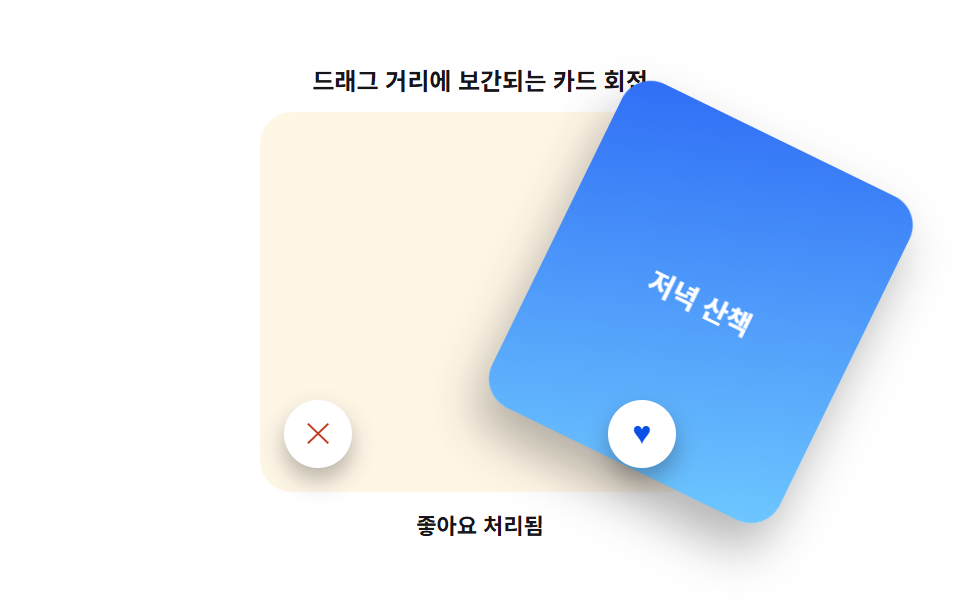 인터랙션카드 스와이프 ui 9가지 — 드래그를 물리 계산으로 다듬기
 인터랙션css popover 9가지 — 앵커에서 열리고 가장자리에서 뒤집히는 팝오버
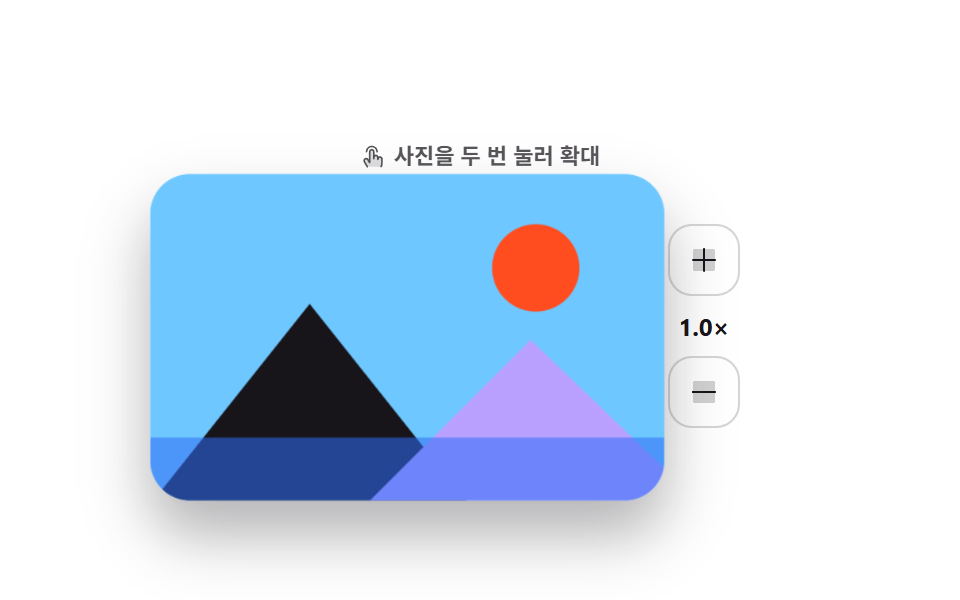 인터랙션모바일 터치 제스처 9종 — 손가락 하나로 돌아가는 UI
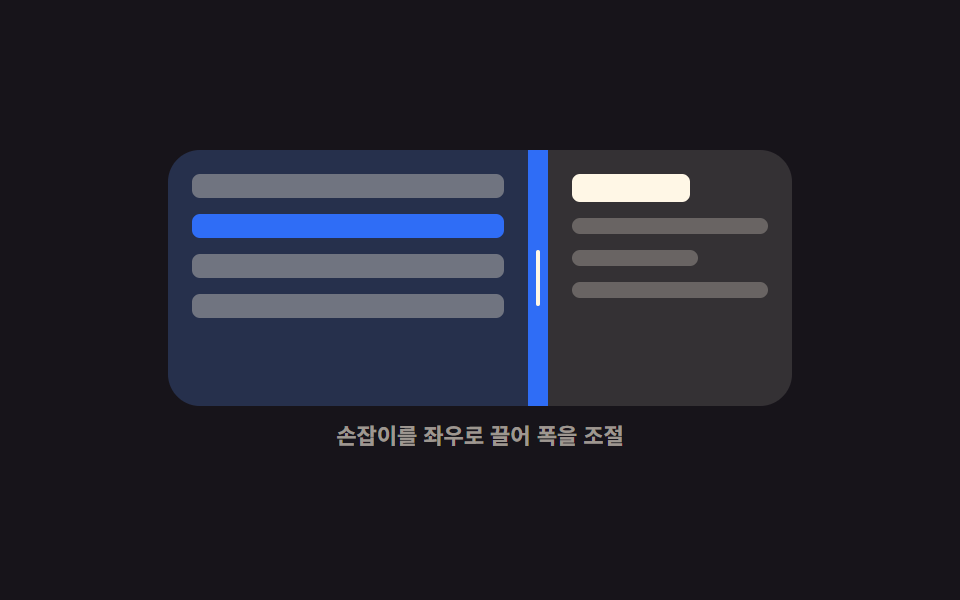 인터랙션CSS 화면 분할 패널 9종 — 드래그로 폭이 따라오는
 인터랙션공유하기 버튼 UI 9종 — 붙이면 실제로 복사되는
 인터랙션마스코트 애니메이션 9종 — 인사부터 잠들기까지