클립보드 복사 버튼 UI 9종 — 코드·링크·텍스트 복사 피드백까지
아홉 개 중 하나는 복사 결과를 버튼 두 개가 나눠 갖고, 하나는 복사된 글자 수를 세어 자릿수만큼 표시를 채우고, 또 하나는 실패한 복사를 되돌리는 시간을 스스로 잽니다.
실제 구현에서는 이 계산이 성공 상태에 이르는 지점에 진짜 클립보드 API 호출을 얹으면 됩니다.
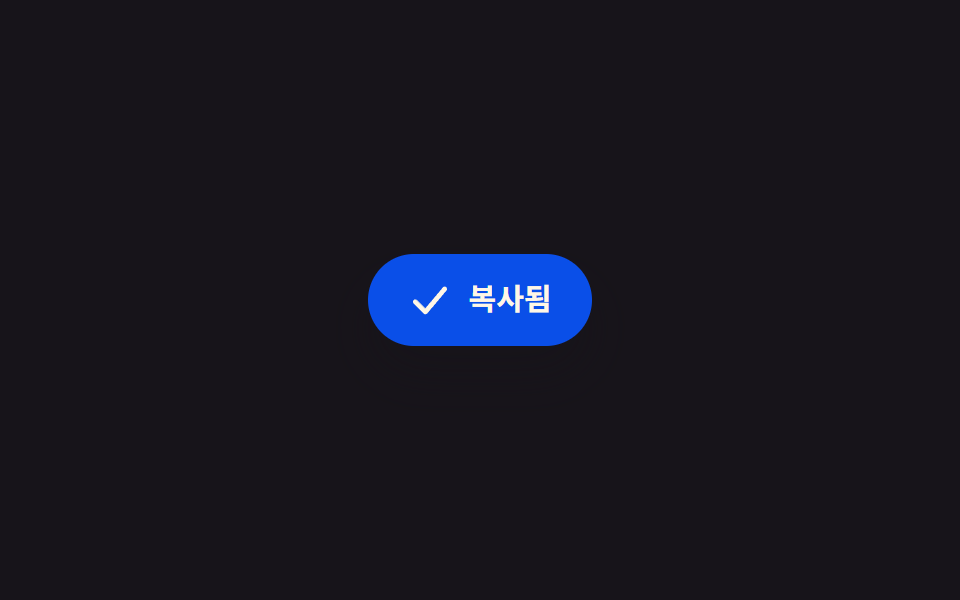 01 copy-icon-morph-check
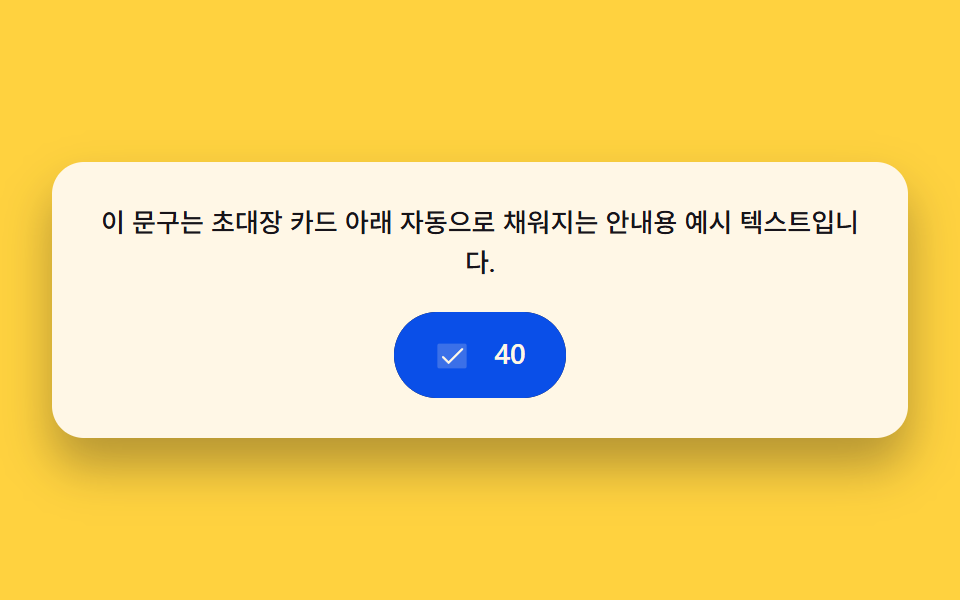 02 copy-char-count-fill
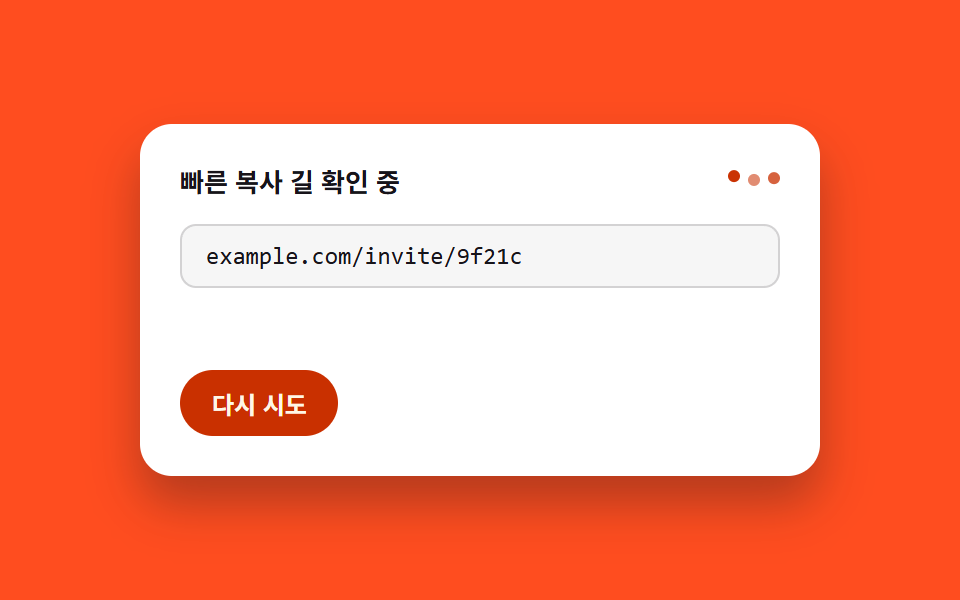 03 copy-fallback-select
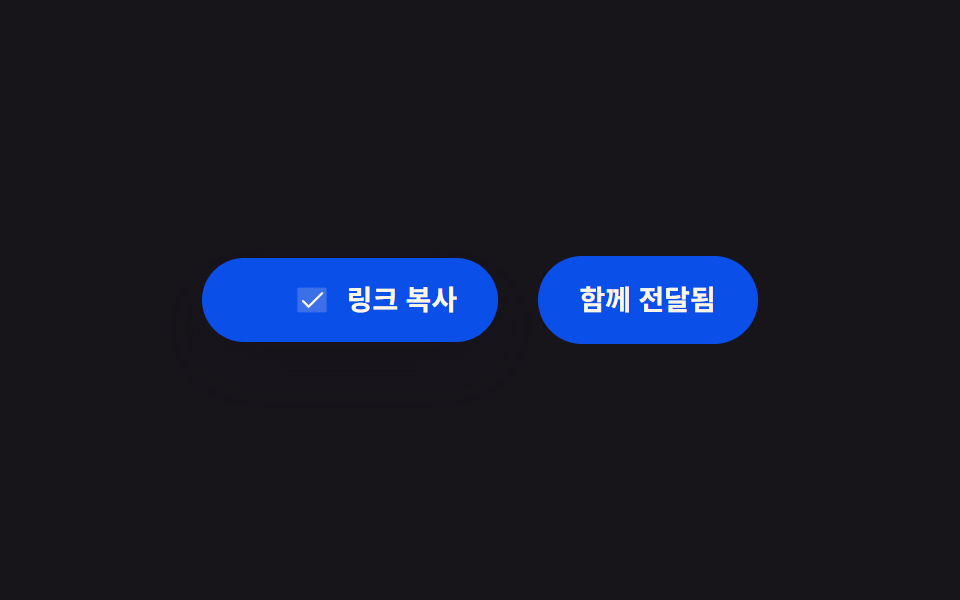 04 copy-two-button-split
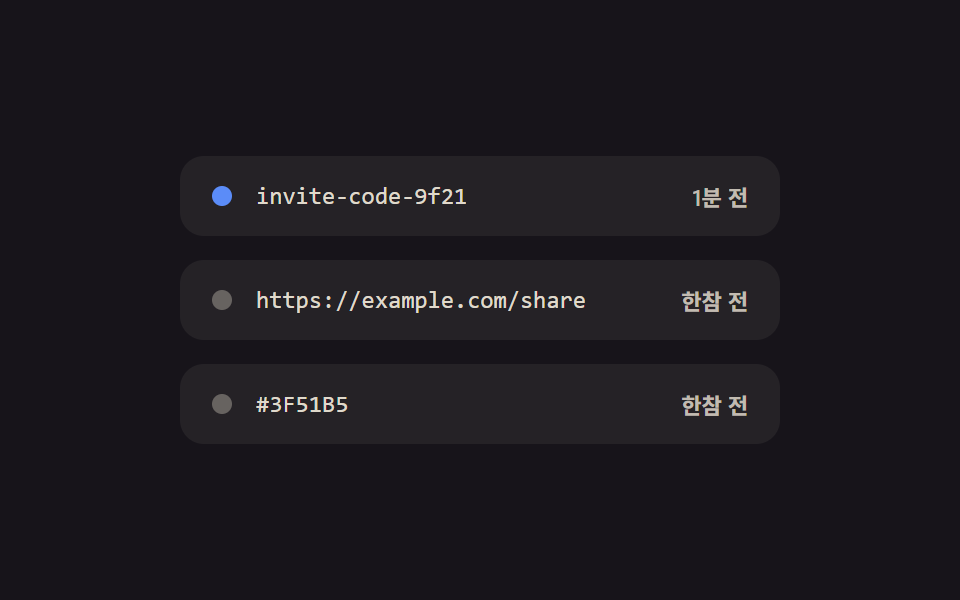 05 copy-queue-histories
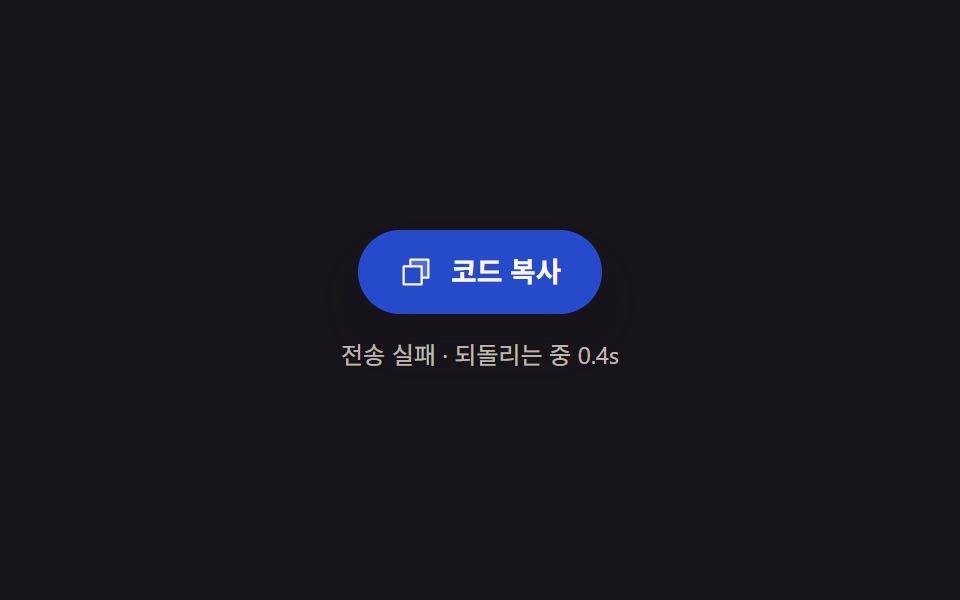 06 copy-fail-retry-countdown
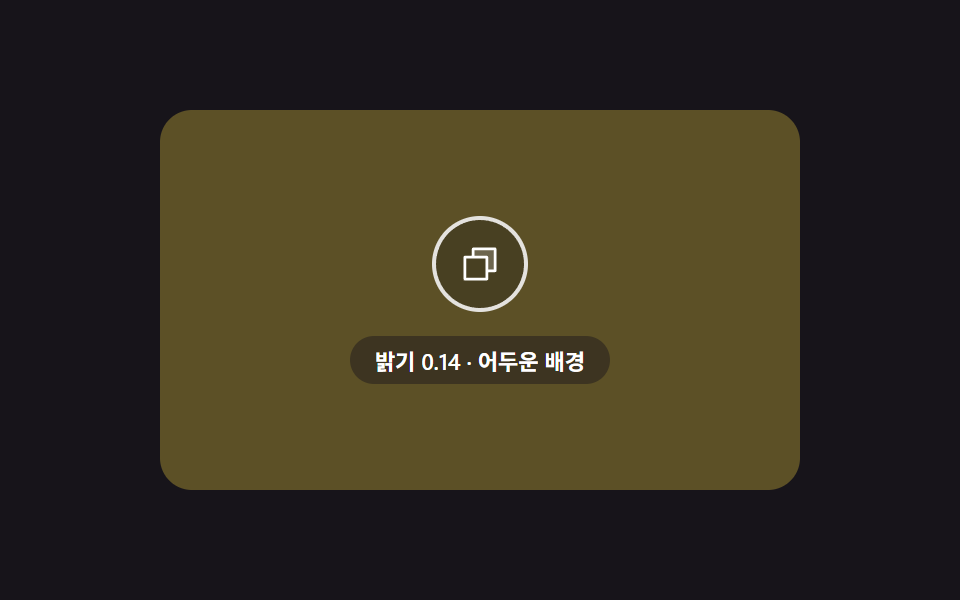 07 copy-contrast-icon-swap
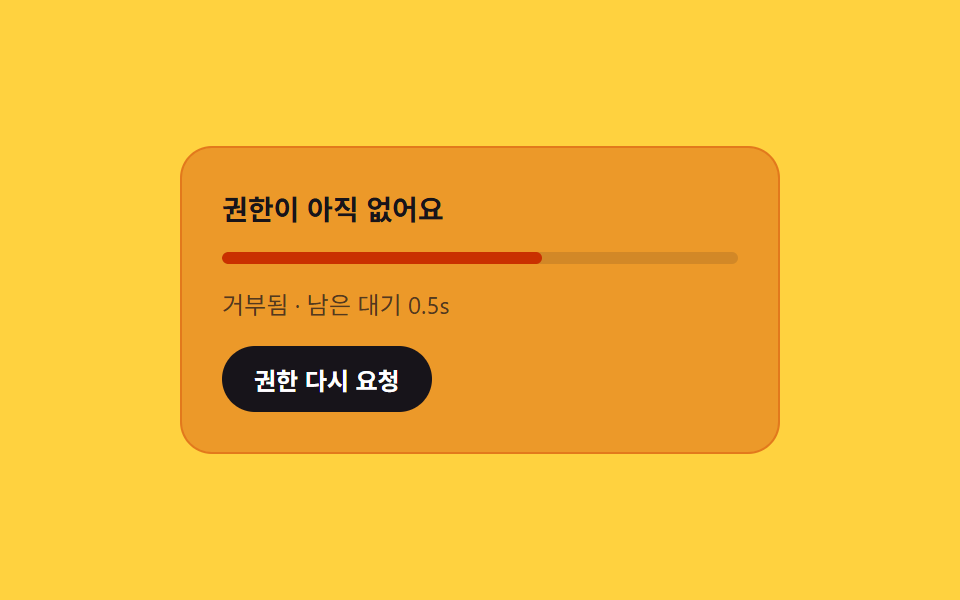 08 copy-permission-gate-card
 09 copy-rich-text-toast
자동 재생 · 눌러서 해당 항목으로 · 전부 한 zip
- 01 아이콘 모핑 체크 — 복사 성공을 선 하나로 그려 보여주는 버튼
- 02 글자 수 채움 — 복사된 글자 수만큼 표시가 차오르는 버튼
- 03 폴백 선택 안내 — 되살림 명령을 손으로도 쓸 수 있게 남기는 카드
- 04 두 버튼 분할 — 성공 상태를 주·보조가 시간차로 나눠 갖는 줄
- 05 대기줄 히스토리 — 최근 복사의 시간 차를 상대 시각으로 다시 쓰는 목록
- 06 실패 되돌리기 — 실패 후 흐른 시간을 세어 농도를 원래대로 보간하는 버튼
- 07 대비 스왑 — 배경 밝기에 맞춰 아이콘 색을 다시 구하는 겹 버튼
- 08 권한 게이트 카드 — 권한 상태와 남은 대기 시간을 농도에 얹는 안내판
- 09 리치 텍스트 토스트 — 서식 종류 수만큼 라벨 폭을 다시 계산하는 알림
아홉 화면은 길이·개수를 비율로 바꾸는 계산, 경과 시간을 기준 삼는 계산, 값을 비교해 갈래를 나누는 계산 세 축으로 묶입니다. 아래 표는 그 계산이 실제로 화면을 얼마나 흔들었는지 잰 값이고, 순서는 아이콘·텍스트 피드백(01~04) → 목록·상태 유지(05~06) → 배경 대비·권한·서식(07~09) 순으로 실제 서비스에서 마주치는 배치와 가깝게 잡았습니다.
데모
아홉 화면은 requestAnimationFrame 루프가 흘려보내는 하나의 시간값을 각 화면의 계산 함수가 저마다 다른 공식으로 받아 화면에 다시 씁니다. 실제 클립보드 쓰기·읽기 호출은 하나도 없고, 그 자리에 어떤 값이 들어가면 버튼이 어떤 모습으로 바뀌는지만 자동 재생 또는 클릭으로 보여줍니다. 실제 서비스에 붙일 때는 이 계산이 끝나는 지점에 navigator.clipboard.writeText() 호출과 그 성공·실패 콜백을 얹으면 됩니다.
실측 한눈에
| 항목 | 초점 | 누적면적 % | 강도 평균 | 움직인 프레임 |
|---|---|---|---|---|
| 01 아이콘 모핑 체크 | 선 길이 실측 → 그리기 진행 | 1.288 | 144.5 | 13/23 |
| 02 글자 수 채움 | 글자 수 → 채움 비율 | 2.329 | 161.2 | 16/23 |
| 03 폴백 선택 안내 | 선택 폭 실측 → 레이아웃 분기 | 15.438 | 87.9 | 14/23 |
| 04 두 버튼 분할 | 버튼 간 거리 → 시간차 | 3.328 | 73.0 | 11/23 |
| 05 대기줄 히스토리 | 경과 시간 → 상대 시각 | 0.401 | 39.7 | 18/23 |
| 06 실패 되돌리기 | 경과 시간 → 색 보간 | 4.012 | 116.7 | 21/23 |
| 07 대비 스왑 | 배경 밝기 → 아이콘 색 | 42.094 | 29.3 | 23/23 |
| 08 권한 게이트 카드 | 남은 대기 비율 → 농도 | 29.676 | 86.6 | 19/23 |
| 09 리치 텍스트 토스트 | 서식 종류 수 → 라벨 폭 | 10.36 | 159.7 | 10/23 |
01·05 는 아이콘 한 획이나 목록 라벨처럼 원래 차지하는 자리가 작아 누적면적이 1% 안팎으로 낮게 잡히는 구조이고, 07 은 배경 전체가 색을 바꾸는 화면이라 42%대로 가장 높습니다. 04·09 는 성공·완료 상태에 이른 뒤로는 값이 더 바뀌지 않아 움직인 프레임이 11/23·10/23 으로 다른 항목보다 적게 잡히는데, 이는 상태 전환이 끝난 뒤의 정지 구간이지 계산이 멈춘 결함이 아닙니다.
복사 버튼의 해부 — 아홉 화면이 계산하는 것
같은 "복사 버튼" 이라도 무엇을 실측해 무엇으로 바꾸는지에 따라 세 갈래로 나뉘고, 이 갈래를 알아 두면 복사 버튼 만들기를 처음 시작할 때 어떤 값부터 재야 할지 가늠하기 쉬워집니다.
길이·개수를 비율로 바꾸는 축
01·02·09 는 무언가의 크기를 실측해 그 값을 화면의 진행 비율로 바꿉니다. 01 은 체크 폴리라인의 실제 길이를 getTotalLength() 로 재 그 길이만큼 stroke-dashoffset 을 줄이고, 02 는 복사된 문장의 글자 수를 채움 비율(--fill)로 바꾸며, 09 는 서식 종류 수만큼 토스트 라벨의 최소 폭을 다시 계산합니다.
경과 시간을 기준 삼는 축
05·06·08 은 클릭 없이도 시간이 흐르는 동안 값을 계속 다시 구합니다. 05 는 지금으로부터 각 항목까지의 시간 차를 매 프레임 재어 라벨을 갱신하고, 06 은 실패 뒤 흐른 시간을 기준으로 버튼 농도를 원래 색까지 보간하며, 08 은 남은 대기 시간의 비율만큼 카드 농도와 진행바 폭을 함께 바꿉니다.
값을 비교해 갈래를 나누는 축
03·04·07 은 실측한 두 값을 서로 비교해 어느 쪽 모습을 보일지 고릅니다. 03 은 선택 영역의 폭과 카드 폭을 비교해 한 줄·두 줄 배치를 고르고, 04 는 두 버튼 사이의 실제 거리에서 시간차를 다시 구하며, 07 은 배경의 상대 휘도를 임계값과 비교해 아이콘 색을 가릅니다.
화면별 코드
01아이콘 모핑 체크 — 복사 성공을 선 하나로 그려 보여주는 버튼
체크 폴리라인의 실제 길이를 재어 그 길이만큼 stroke-dashoffset 을 0까지 줄이며 선을 그리듯 그립니다.
선 길이를 실측해 오프셋으로 되돌리는 계산
apply(t) 는 주기 시작 지점(TRIGGER_AT)부터 DRAW_MS 동안 오프셋을 실측한 전체 길이에서 0까지 줄이고, REVERT_AT 을 넘기면 다시 서류 아이콘으로 되돌립니다. 실사용자 리스너는 없고 자동 재생만 주기적으로 반복됩니다.
var LABEL_IDLE = '코드 복사';
var LABEL_DONE = '복사됨';
var CYCLE_MS = 2000;
var TRIGGER_AT = 0.08;
var DRAW_MS = 640;
var REVERT_AT = 0.62;

function apply(t) {
  var drawStart = TRIGGER_AT * CYCLE_MS;
  var drawEnd = drawStart + DRAW_MS;
  var revertAt = REVERT_AT * CYCLE_MS;
  var success = t >= drawStart && t < revertAt;
  var drawT = Math.min(Math.max((t - drawStart) / DRAW_MS, 0), 1);
  var offset = success ? length * (1 - drawT) : length;
  stroke.style.strokeDashoffset = offset.toFixed(2);
  sheet.style.opacity = success ? '0' : '1';
  check.style.opacity = success ? '1' : '0';
  var done = success && drawT >= 1;
  label.textContent = done ? LABEL_DONE : LABEL_IDLE;
  live.textContent = done ? LABEL_DONE : '';
}
<main class="stage">
<section class="panel">
  <button class="copyBtn" id="copyBtn" type="button" aria-pressed="false" aria-label="코드 복사">
    <span class="iconSlot" id="iconSlot">
      <svg class="icon icon--sheet" id="sheetIcon" viewBox="0 0 256 256" aria-hidden="true"><g fill="currentColor"><path d="M216 40v128h-48V88H88V40Z" opacity=".2"/><path d="M216 32H88a8 8 0 0 0-8 8v40H40a8 8 0 0 0-8 8v128a8 8 0 0 0 8 8h128a8 8 0 0 0 8-8v-40h40a8 8 0 0 0 8-8V40a8 8 0 0 0-8-8m-56 176H48V96h112Zm48-48h-32V88a8 8 0 0 0-8-8H96V48h112Z"/></g></svg>
      <svg class="icon icon--check" id="checkIcon" viewBox="0 0 24 24" aria-hidden="true">
        <polyline id="checkStroke" points="4,13 9.5,18.5 20,6"></polyline>
      </svg>
    </span>
    <span class="label" id="label">코드 복사</span>
  </button>
  <span class="sr" id="live" role="status" aria-live="polite"></span>
</section>
</main>
@use "../../../../site/static/demo-tokens" as *;
@include stage($stage-ink);
.panel {
display: flex;
flex-direction: column;
align-items: center;
gap: $sp-4;
}
.copyBtn {
display: inline-flex;
align-items: center;
gap: $sp-2;
padding: $sp-3 $sp-5;
border: 0;
border-radius: $r-pill;
background: $subject-blue-deep;
color: $subject-cream;
font-family: -apple-system, "Segoe UI", "Noto Sans KR", sans-serif;
font-weight: 600;
font-size: 15px;
line-height: 1.3;
cursor: pointer;
box-shadow: $shadow-raised;
}
.iconSlot {
position: relative;
width: 22px;
height: 22px;
flex: none;
}
.icon {
position: absolute;
inset: 0;
width: 100%;
height: 100%;
}
.icon--sheet {
color: $subject-cream;
}
.icon--check {
opacity: 0;
fill: none;
stroke: $subject-cream;
stroke-width: 2.6;
stroke-linecap: round;
stroke-linejoin: round;
}
.label {
white-space: nowrap;
}
.sr {
position: absolute;
width: 1px;
height: 1px;
padding: 0;
margin: -1px;
overflow: hidden;
clip: rect(0, 0, 0, 0);
white-space: nowrap;
border: 0;
}
@media (max-width: 340px) {
.copyBtn {
padding: $sp-2 $sp-4;
font-size: 13px;
}
.iconSlot {
width: 18px;
height: 18px;
}
}
@media (prefers-reduced-motion: reduce) {
.copyBtn * {
transition: none;
}
}html, body {
margin: 0;
overflow: hidden;
}
.stage {
box-sizing: border-box;
min-height: 100vh;
display: grid;
place-items: center;
margin: 0;
background: #17141a;
font-family: -apple-system, "Segoe UI", "Noto Sans KR", sans-serif;
padding: clamp(8px, 4vw, 24px);
}
.panel {
display: flex;
flex-direction: column;
align-items: center;
gap: 16px;
}
.copyBtn {
display: inline-flex;
align-items: center;
gap: 8px;
padding: 12px 20px;
border: 0;
border-radius: 999px;
background: #0a4fe8;
color: #fff7e6;
font-family: -apple-system, "Segoe UI", "Noto Sans KR", sans-serif;
font-weight: 600;
font-size: 15px;
line-height: 1.3;
cursor: pointer;
box-shadow: 0 14px 24px rgba(23, 20, 26, 0.32);
}
.iconSlot {
position: relative;
width: 22px;
height: 22px;
flex: none;
}
.icon {
position: absolute;
inset: 0;
width: 100%;
height: 100%;
}
.icon--sheet {
color: #fff7e6;
}
.icon--check {
opacity: 0;
fill: none;
stroke: #fff7e6;
stroke-width: 2.6;
stroke-linecap: round;
stroke-linejoin: round;
}
.label {
white-space: nowrap;
}
.sr {
position: absolute;
width: 1px;
height: 1px;
padding: 0;
margin: -1px;
overflow: hidden;
clip: rect(0, 0, 0, 0);
white-space: nowrap;
border: 0;
}
@media (max-width: 340px) {
.copyBtn {
padding: 8px 16px;
font-size: 13px;
}
.iconSlot {
width: 18px;
height: 18px;
}
}
@media (prefers-reduced-motion: reduce) {
.copyBtn * {
transition: none;
}
}// 아이콘 모핑 체크 — 서류 아이콘이 사라지고 체크 폴리라인이 stroke-dashoffset 으로 그려진다.
// 체크 선의 실제 길이는 getTotalLength 로 재고, 그 길이만큼 오프셋을 0 까지 줄이며 그린다.
// 계산 겹: 선 길이 실측 → 경과 비율 → 오프셋 재계산. 자동 재생만, 실사용자 리스너 없음.
(function () {
var sheet = document.getElementById('sheetIcon');
var check = document.getElementById('checkIcon');
var stroke = document.getElementById('checkStroke');
var label = document.getElementById('label');
var live = document.getElementById('live');
if (!sheet || !check || !stroke || !label || !live) return;
var length = stroke.getTotalLength();
stroke.style.strokeDasharray = length.toFixed(2);
var LABEL_IDLE = '코드 복사';
var LABEL_DONE = '복사됨';
var CYCLE_MS = 2000;
var TRIGGER_AT = 0.08;
var DRAW_MS = 640;
var REVERT_AT = 0.62;
function apply(t) {
var drawStart = TRIGGER_AT * CYCLE_MS;
var drawEnd = drawStart + DRAW_MS;
var revertAt = REVERT_AT * CYCLE_MS;
var success = t >= drawStart && t < revertAt;
var drawT = Math.min(Math.max((t - drawStart) / DRAW_MS, 0), 1);
var offset = success ? length * (1 - drawT) : length;
stroke.style.strokeDashoffset = offset.toFixed(2);
sheet.style.opacity = success ? '0' : '1';
check.style.opacity = success ? '1' : '0';
var done = success && drawT >= 1;
label.textContent = done ? LABEL_DONE : LABEL_IDLE;
live.textContent = done ? LABEL_DONE : '';
}
apply(0);
var reduce = window.matchMedia('(prefers-reduced-motion: reduce)').matches;
if (reduce) return;
var start = null;
function loop(ts) {
if (start === null) start = ts;
var t = (ts - start) % CYCLE_MS;
apply(t);
requestAnimationFrame(loop);
}
requestAnimationFrame(loop);
})();import { useEffect, useRef } from "react";
import styles from "./CopyIconMorphCheck.module.scss";
// 아이콘 모핑 체크 — 서류 아이콘이 사라지고 체크 폴리라인이 stroke-dashoffset 으로 그려진다.
// 체크 선의 실제 길이는 getTotalLength 로 재고, 그 길이만큼 오프셋을 0 까지 줄이며 그린다.
// 계산 겹: 선 길이 실측 → 경과 비율 → 오프셋 재계산. 자동 재생만, 실사용자 리스너 없음.
const LABEL_IDLE = "코드 복사";
const LABEL_DONE = "복사됨";
const CYCLE_MS = 2000;
const TRIGGER_AT = 0.08;
const DRAW_MS = 640;
const REVERT_AT = 0.62;
export default function CopyIconMorphCheck() {
const sheetRef = useRef<SVGSVGElement>(null);
const checkRef = useRef<SVGSVGElement>(null);
const strokeRef = useRef<SVGPolylineElement>(null);
const labelRef = useRef<HTMLSpanElement>(null);
const liveRef = useRef<HTMLSpanElement>(null);
useEffect(() => {
const sheet = sheetRef.current;
const check = checkRef.current;
const stroke = strokeRef.current;
const label = labelRef.current;
const live = liveRef.current;
if (!sheet || !check || !stroke || !label || !live) return;
const length = stroke.getTotalLength();
stroke.style.strokeDasharray = length.toFixed(2);
function apply(t: number) {
const drawStart = TRIGGER_AT * CYCLE_MS;
const revertAt = REVERT_AT * CYCLE_MS;
const success = t >= drawStart && t < revertAt;
const drawT = Math.min(Math.max((t - drawStart) / DRAW_MS, 0), 1);
const offset = success ? length * (1 - drawT) : length;
stroke!.style.strokeDashoffset = offset.toFixed(2);
sheet!.style.opacity = success ? "0" : "1";
check!.style.opacity = success ? "1" : "0";
const done = success && drawT >= 1;
label!.textContent = done ? LABEL_DONE : LABEL_IDLE;
live!.textContent = done ? LABEL_DONE : "";
}
apply(0);
const reduce = window.matchMedia("(prefers-reduced-motion: reduce)").matches;
if (reduce) return;
let start: number | null = null;
let raf = 0;
function loop(ts: number) {
if (start === null) start = ts;
const t = (ts - start) % CYCLE_MS;
apply(t);
raf = requestAnimationFrame(loop);
}
raf = requestAnimationFrame(loop);
return () => cancelAnimationFrame(raf);
}, []);
return (
<div className={styles.stage}>
<section className={styles.panel}>
<button className={styles.copyBtn} type="button" aria-pressed="false" aria-label="코드 복사">
<span className={styles.iconSlot}>
<svg ref={sheetRef} className={`${styles.icon} ${styles.iconSheet}`} viewBox="0 0 256 256" aria-hidden="true">
<g fill="currentColor">
<path d="M216 40v128h-48V88H88V40Z" opacity=".2" />
<path d="M216 32H88a8 8 0 0 0-8 8v40H40a8 8 0 0 0-8 8v128a8 8 0 0 0 8 8h128a8 8 0 0 0 8-8v-40h40a8 8 0 0 0 8-8V40a8 8 0 0 0-8-8m-56 176H48V96h112Zm48-48h-32V88a8 8 0 0 0-8-8H96V48h112Z" />
</g>
</svg>
<svg ref={checkRef} className={`${styles.icon} ${styles.iconCheck}`} viewBox="0 0 24 24" aria-hidden="true">
<polyline ref={strokeRef} points="4,13 9.5,18.5 20,6" />
</svg>
</span>
<span ref={labelRef} className={styles.label}>코드 복사</span>
</button>
<span ref={liveRef} className={styles.sr} role="status" aria-live="polite" />
</section>
</div>
);
}01 · 아이콘 모핑 체크 — 복사 성공을 선 하나로 그려 보여주는 버튼 — 측정 누적면적 1.288% · 움직인 프레임 13/23GODRICH 원작 · zip 에 SCSS·React 포함 · 비밀번호 보기
02글자 수 채움 — 복사된 글자 수만큼 표시가 차오르는 버튼
복사한 문장의 글자 수를 세어 그 값을 진행 표시의 채움 비율로 바꾸고, 채움이 끝나면 숫자가 짧게 튕겨 오릅니다.
글자 수를 채움 시간으로 바꾸는 계산
render(ratio, lift) 는 채움 비율을 --fill 커스텀 속성과 숫자 표시에 함께 반영하고, sequence(t) 는 글자 수(CHAR_COUNT)에 글자당 속도(FILL_MS_PER_CHAR)를 곱한 시간 동안 채운 뒤 bounceEase 로 짧게 튕겨 오르는 구간을 이어 붙입니다. 버튼을 직접 눌러도 같은 계산이 처음부터 다시 실행됩니다.
function render(ratio, lift) {
  fillBar.style.setProperty('--fill', ratio.toFixed(4));
  count.textContent = String(Math.round(ratio * CHAR_COUNT));
  icon.style.opacity = ratio >= 1 ? '1' : '0';
  var y = -lift * 6;
  var t = 'translateY(' + y.toFixed(2) + 'px)';
  icon.style.transform = t;
  count.style.transform = t;
}

function sequence(t) {
  if (t < FILL_MS) {
    render(t / FILL_MS, 0);
    live.textContent = '';
  } else if (t < FILL_MS + BOUNCE_MS) {
    render(1, bounceEase((t - FILL_MS) / BOUNCE_MS));
    live.textContent = CHAR_COUNT + '자 복사됨';
  } else {
    render(1, 0);
    live.textContent = CHAR_COUNT + '자 복사됨';
  }
}
<main class="stage">
<section class="panel">
  <div class="card">
    <p class="preview" id="preview">이 문구는 초대장 카드 아래 자동으로 채워지는 안내용 예시 텍스트입니다.</p>
    <button class="copyBtn" id="copyBtn" type="button" aria-label="문구 복사">
      <span class="fillTrack" aria-hidden="true"><span class="fillBar" id="fillBar"></span></span>
      <span class="iconSlot">
        <svg class="icon" id="icon" viewBox="0 0 256 256" aria-hidden="true"><g fill="currentColor"><path d="M232 56v144a16 16 0 0 1-16 16H40a16 16 0 0 1-16-16V56a16 16 0 0 1 16-16h176a16 16 0 0 1 16 16" opacity=".2"/><path d="m205.66 85.66l-96 96a8 8 0 0 1-11.32 0l-40-40a8 8 0 0 1 11.32-11.32L104 164.69l90.34-90.35a8 8 0 0 1 11.32 11.32"/></g></svg>
      </span>
      <span class="count" id="count">0</span>
    </button>
  </div>
  <span class="sr" id="live" role="status" aria-live="polite"></span>
</section>
</main>
@use "../../../../site/static/demo-tokens" as *;
@include stage($stage-yellow);
.panel {
display: flex;
flex-direction: column;
align-items: center;
gap: $sp-4;
}
.card {
display: flex;
flex-direction: column;
align-items: center;
gap: $sp-4;
background: $subject-cream;
border-radius: $r-card;
padding: $sp-5 $sp-6;
box-shadow: $shadow-raised;
max-width: 380px;
}
.preview {
margin: 0;
color: $subject-ink;
font-family: -apple-system, "Segoe UI", "Noto Sans KR", sans-serif;
font-weight: 500;
font-size: 13px;
line-height: 1.5;
text-align: center;
}
.copyBtn {
position: relative;
display: inline-flex;
align-items: center;
gap: $sp-2;
padding: $sp-3 $sp-5;
border: 0;
border-radius: $r-pill;
background: $subject-ink;
color: $subject-cream;
font-family: -apple-system, "Segoe UI", "Noto Sans KR", sans-serif;
font-weight: 600;
font-size: 14px;
line-height: 1.3;
cursor: pointer;
overflow: hidden;
isolation: isolate;
}
.fillTrack {
position: absolute;
inset: 0;
z-index: 0;
}
.fillBar {
--fill: 0;
position: absolute;
inset: 0;
transform: scaleX(var(--fill));
transform-origin: left center;
background: $subject-blue-deep;
}
.iconSlot {
position: relative;
z-index: 1;
width: 18px;
height: 18px;
flex: none;
}
.icon {
position: absolute;
inset: 0;
width: 100%;
height: 100%;
opacity: 0;
}
.count {
position: relative;
z-index: 1;
min-width: 1.4em;
text-align: right;
font-variant-numeric: tabular-nums;
}
.sr {
position: absolute;
width: 1px;
height: 1px;
padding: 0;
margin: -1px;
overflow: hidden;
clip: rect(0, 0, 0, 0);
white-space: nowrap;
border: 0;
}
@media (max-width: 340px) {
.card {
padding: $sp-4 $sp-5;
}
.preview {
font-size: 12px;
}
}
@media (prefers-reduced-motion: reduce) {
.copyBtn * {
transition: none;
}
}html, body {
margin: 0;
overflow: hidden;
}
.stage {
box-sizing: border-box;
min-height: 100vh;
display: grid;
place-items: center;
margin: 0;
background: #ffd23f;
font-family: -apple-system, "Segoe UI", "Noto Sans KR", sans-serif;
padding: clamp(8px, 4vw, 24px);
}
.panel {
display: flex;
flex-direction: column;
align-items: center;
gap: 16px;
}
.card {
display: flex;
flex-direction: column;
align-items: center;
gap: 16px;
background: #fff7e6;
border-radius: 16px;
padding: 20px 24px;
box-shadow: 0 14px 24px rgba(23, 20, 26, 0.32);
max-width: 380px;
}
.preview {
margin: 0;
color: #17141a;
font-family: -apple-system, "Segoe UI", "Noto Sans KR", sans-serif;
font-weight: 500;
font-size: 13px;
line-height: 1.5;
text-align: center;
}
.copyBtn {
position: relative;
display: inline-flex;
align-items: center;
gap: 8px;
padding: 12px 20px;
border: 0;
border-radius: 999px;
background: #17141a;
color: #fff7e6;
font-family: -apple-system, "Segoe UI", "Noto Sans KR", sans-serif;
font-weight: 600;
font-size: 14px;
line-height: 1.3;
cursor: pointer;
overflow: hidden;
isolation: isolate;
}
.fillTrack {
position: absolute;
inset: 0;
z-index: 0;
}
.fillBar {
--fill: 0;
position: absolute;
inset: 0;
transform: scaleX(var(--fill));
transform-origin: left center;
background: #0a4fe8;
}
.iconSlot {
position: relative;
z-index: 1;
width: 18px;
height: 18px;
flex: none;
}
.icon {
position: absolute;
inset: 0;
width: 100%;
height: 100%;
opacity: 0;
}
.count {
position: relative;
z-index: 1;
min-width: 1.4em;
text-align: right;
font-variant-numeric: tabular-nums;
}
.sr {
position: absolute;
width: 1px;
height: 1px;
padding: 0;
margin: -1px;
overflow: hidden;
clip: rect(0, 0, 0, 0);
white-space: nowrap;
border: 0;
}
@media (max-width: 340px) {
.card {
padding: 16px 20px;
}
.preview {
font-size: 12px;
}
}
@media (prefers-reduced-motion: reduce) {
.copyBtn * {
transition: none;
}
}// 글자 수 채움 — 복사한 문장의 글자 수(preview 실측 length)를 채움 비율로 바꾸고,
// 채움이 끝나면 아이콘·숫자가 짧게 떠올랐다 정착한다(translateY 보간, 이차 감쇠).
// 계산 겹: 글자 수 실측 → 진행률 → 오프셋(--fill) 재계산. 실사용자 리스너 있음(버튼 클릭).
// 실 클립보드 API 호출 없음 — 상태는 전부 시뮬레이션.
(function () {
var preview = document.getElementById('preview');
var btn = document.getElementById('copyBtn');
var fillBar = document.getElementById('fillBar');
var icon = document.getElementById('icon');
var count = document.getElementById('count');
var live = document.getElementById('live');
if (!preview || !btn || !fillBar || !icon || !count || !live) return;
var CHAR_COUNT = preview.textContent.trim().length;
var FILL_MS_PER_CHAR = 18;
var FILL_MS = CHAR_COUNT * FILL_MS_PER_CHAR;
var BOUNCE_MS = 260;
var IDLE_MS = 140;
function bounceEase(p) {
if (p < 0.5) return p / 0.5;
var q = (p - 0.5) / 0.5;
return 1 - q * q;
}
function render(ratio, lift) {
fillBar.style.setProperty('--fill', ratio.toFixed(4));
count.textContent = String(Math.round(ratio * CHAR_COUNT));
icon.style.opacity = ratio >= 1 ? '1' : '0';
var y = -lift * 6;
var t = 'translateY(' + y.toFixed(2) + 'px)';
icon.style.transform = t;
count.style.transform = t;
}
function sequence(t) {
if (t < FILL_MS) {
render(t / FILL_MS, 0);
live.textContent = '';
} else if (t < FILL_MS + BOUNCE_MS) {
render(1, bounceEase((t - FILL_MS) / BOUNCE_MS));
live.textContent = CHAR_COUNT + '자 복사됨';
} else {
render(1, 0);
live.textContent = CHAR_COUNT + '자 복사됨';
}
}
render(0, 0);
var CYCLE_MS = 2000;
var reduce = window.matchMedia('(prefers-reduced-motion: reduce)').matches;
var autoStart = null;
var autoRaf = 0;
function autoLoop(ts) {
if (autoStart === null) autoStart = ts;
var t = (ts - autoStart) % CYCLE_MS;
if (t < IDLE_MS) { render(0, 0); live.textContent = ''; }
else sequence(t - IDLE_MS);
autoRaf = requestAnimationFrame(autoLoop);
}
if (!reduce) autoRaf = requestAnimationFrame(autoLoop);
btn.addEventListener('click', function () {
if (autoRaf) { cancelAnimationFrame(autoRaf); autoRaf = 0; }
render(0, 0);
var clickStart = null;
function userLoop(ts) {
if (clickStart === null) clickStart = ts;
var t = ts - clickStart;
sequence(t);
if (t < FILL_MS + BOUNCE_MS + 20) requestAnimationFrame(userLoop);
}
requestAnimationFrame(userLoop);
});
})();import { useEffect, useRef } from "react";
import styles from "./CopyCharCountFill.module.scss";
// 글자 수 채움 — 복사한 문장의 글자 수(preview 실측 length)를 채움 비율로 바꾸고,
// 채움이 끝나면 아이콘·숫자가 짧게 떠올랐다 정착한다(translateY 보간, 이차 감쇠).
// 계산 겹: 글자 수 실측 → 진행률 → 오프셋(--fill) 재계산. 실사용자 리스너 있음(버튼 클릭).
// 실 클립보드 API 호출 없음 — 상태는 전부 시뮬레이션.
const FILL_MS_PER_CHAR = 18;
const BOUNCE_MS = 260;
const IDLE_MS = 140;
const CYCLE_MS = 2000;
const PREVIEW_TEXT = "이 문구는 초대장 카드 아래 자동으로 채워지는 안내용 예시 텍스트입니다.";
function bounceEase(p: number) {
if (p < 0.5) return p / 0.5;
const q = (p - 0.5) / 0.5;
return 1 - q * q;
}
export default function CopyCharCountFill() {
const fillBarRef = useRef<HTMLSpanElement>(null);
const iconRef = useRef<SVGSVGElement>(null);
const countRef = useRef<HTMLSpanElement>(null);
const liveRef = useRef<HTMLSpanElement>(null);
const btnRef = useRef<HTMLButtonElement>(null);
useEffect(() => {
const fillBar = fillBarRef.current;
const icon = iconRef.current;
const count = countRef.current;
const live = liveRef.current;
const btn = btnRef.current;
if (!fillBar || !icon || !count || !live || !btn) return;
const CHAR_COUNT = PREVIEW_TEXT.trim().length;
const FILL_MS = CHAR_COUNT * FILL_MS_PER_CHAR;
function render(ratio: number, lift: number) {
fillBar!.style.setProperty("--fill", ratio.toFixed(4));
count!.textContent = String(Math.round(ratio * CHAR_COUNT));
icon!.style.opacity = ratio >= 1 ? "1" : "0";
const y = -lift * 6;
const t = `translateY(${y.toFixed(2)}px)`;
icon!.style.transform = t;
count!.style.transform = t;
}
function sequence(t: number) {
if (t < FILL_MS) {
render(t / FILL_MS, 0);
live!.textContent = "";
} else if (t < FILL_MS + BOUNCE_MS) {
render(1, bounceEase((t - FILL_MS) / BOUNCE_MS));
live!.textContent = `${CHAR_COUNT}자 복사됨`;
} else {
render(1, 0);
live!.textContent = `${CHAR_COUNT}자 복사됨`;
}
}
render(0, 0);
const reduce = window.matchMedia("(prefers-reduced-motion: reduce)").matches;
let autoStart: number | null = null;
let autoRaf = 0;
function autoLoop(ts: number) {
if (autoStart === null) autoStart = ts;
const t = (ts - autoStart) % CYCLE_MS;
if (t < IDLE_MS) {
render(0, 0);
live!.textContent = "";
} else {
sequence(t - IDLE_MS);
}
autoRaf = requestAnimationFrame(autoLoop);
}
if (!reduce) autoRaf = requestAnimationFrame(autoLoop);
function onClick() {
if (autoRaf) {
cancelAnimationFrame(autoRaf);
autoRaf = 0;
}
render(0, 0);
let clickStart: number | null = null;
function userLoop(ts: number) {
if (clickStart === null) clickStart = ts;
const t = ts - clickStart;
sequence(t);
if (t < FILL_MS + BOUNCE_MS + 20) requestAnimationFrame(userLoop);
}
requestAnimationFrame(userLoop);
}
btn.addEventListener("click", onClick);
return () => {
if (autoRaf) cancelAnimationFrame(autoRaf);
btn.removeEventListener("click", onClick);
};
}, []);
return (
<div className={styles.stage}>
<section className={styles.panel}>
<div className={styles.card}>
<p className={styles.preview}>{PREVIEW_TEXT}</p>
<button ref={btnRef} className={styles.copyBtn} type="button" aria-label="문구 복사">
<span className={styles.fillTrack} aria-hidden="true">
<span ref={fillBarRef} className={styles.fillBar} />
</span>
<span className={styles.iconSlot}>
<svg ref={iconRef} className={styles.icon} viewBox="0 0 256 256" aria-hidden="true">
<g fill="currentColor">
<path d="M232 56v144a16 16 0 0 1-16 16H40a16 16 0 0 1-16-16V56a16 16 0 0 1 16-16h176a16 16 0 0 1 16 16" opacity=".2" />
<path d="m205.66 85.66l-96 96a8 8 0 0 1-11.32 0l-40-40a8 8 0 0 1 11.32-11.32L104 164.69l90.34-90.35a8 8 0 0 1 11.32 11.32" />
</g>
</svg>
</span>
<span ref={countRef} className={styles.count}>0</span>
</button>
</div>
<span ref={liveRef} className={styles.sr} role="status" aria-live="polite" />
</section>
</div>
);
}02 · 글자 수 채움 — 복사된 글자 수만큼 표시가 차오르는 버튼 — 측정 누적면적 2.329% · 움직인 프레임 16/23GODRICH 원작 · zip 에 SCSS·React 포함 · 비밀번호 보기
03폴백 선택 안내 — 되살림 명령을 손으로도 쓸 수 있게 남기는 카드
빠른 복사 길이 막힌 상태가 되면 안내 문구를 미리 범위로 잡아 두고, 그 폭을 카드 폭과 비교해 배치를 고릅니다.
선택 폭을 실측해 배치를 고르는 계산
selectRangeWidth() 는 안내 문구 전체를 Range 로 선택해 그 폭을 실측하고, layoutFallback() 은 이 폭과 안내 문구의 scrollWidth 를 카드 폭과 비교해 한 줄(inline)·두 줄(stack) 중 어느 배치가 맞는지 고릅니다. '다시 시도' 버튼을 누르면 확인 단계부터 같은 계산을 다시 밟습니다.
function selectRangeWidth() {
  var range = document.createRange();
  range.selectNodeContents(selText);
  var sel = window.getSelection();
  if (sel) {
    sel.removeAllRanges();
    sel.addRange(range);
  }
  var rect = range.getBoundingClientRect();
  return rect.width;
}

function layoutFallback() {
  var rangeWidth = selectRangeWidth();
  var noticeWidth = notice.scrollWidth;
  var containerWidth = field.clientWidth;
  var fits = rangeWidth <= containerWidth && noticeWidth <= containerWidth;
  card.classList.toggle('stack', !fits);
  card.classList.toggle('inline', fits);
  return fits;
}
<main class="stage">
<section class="card" id="card">
  <div class="statusRow">
    <p class="status" id="status">빠른 복사 길 확인 중</p>
    <span class="spinner" id="spinner" aria-hidden="true">
      <span class="dot" data-dot></span>
      <span class="dot" data-dot></span>
      <span class="dot" data-dot></span>
    </span>
  </div>
  <div class="field" id="field">
    <span class="text" id="selText">example.com/invite/9f21c</span>
  </div>
  <p class="notice" id="notice">이 문구가 이미 선택돼 있어요 — Ctrl+C 로 복사하세요</p>
  <button class="retryBtn" id="retryBtn" type="button">다시 시도</button>
</section>
</main>
@use "../../../../site/static/demo-tokens" as *;
@include stage($stage-orange);
.card {
display: flex;
flex-direction: column;
align-items: stretch;
gap: $sp-3;
width: 300px;
background: $stage-paper;
border-radius: $r-card;
padding: $sp-5;
box-shadow: $shadow-raised;
}
.statusRow {
display: flex;
align-items: center;
justify-content: space-between;
gap: $sp-2;
}
.status {
margin: 0;
color: $subject-ink;
font-family: -apple-system, "Segoe UI", "Noto Sans KR", sans-serif;
font-weight: 600;
font-size: 13px;
line-height: 1.4;
}
.spinner {
display: inline-flex;
align-items: center;
gap: $sp-1;
flex: none;
}
.spinner .dot {
width: 6px;
height: 6px;
border-radius: $r-pill;
background: $subject-orange-deep;
}
.field {
box-sizing: border-box;
width: 100%;
overflow: hidden;
border-radius: $r-sm;
border: 1px solid rgba($subject-ink, .16);
padding: $sp-2 $sp-3;
background: rgba($subject-ink, .04);
}
.text {
display: block;
max-width: 100%;
font-family: "SFMono-Regular", Consolas, monospace;
font-size: 12px;
color: $subject-ink;
white-space: nowrap;
overflow: hidden;
text-overflow: ellipsis;
}
.notice {
margin: 0;
color: rgba($subject-ink, .72);
font-family: -apple-system, "Segoe UI", "Noto Sans KR", sans-serif;
font-size: 12px;
line-height: 1.4;
white-space: pre-line;
opacity: 0;
transform: translateY(4px);
transition: opacity $dur-quick $ease-out, transform $dur-quick $ease-out;
}
.card.stack .notice {
white-space: pre-line;
}
.card.inline .notice {
white-space: nowrap;
overflow: hidden;
text-overflow: ellipsis;
}
.retryBtn {
align-self: flex-start;
border: 0;
border-radius: $r-pill;
padding: $sp-2 $sp-4;
background: $subject-orange-deep;
color: $subject-cream;
font-family: -apple-system, "Segoe UI", "Noto Sans KR", sans-serif;
font-weight: 600;
font-size: 12px;
cursor: pointer;
}
@media (max-width: 340px) {
.card {
width: 260px;
padding: $sp-4;
gap: $sp-2;
}
}
@media (prefers-reduced-motion: reduce) {
.card * {
transition: none;
}
}html, body {
margin: 0;
overflow: hidden;
}
.stage {
box-sizing: border-box;
min-height: 100vh;
display: grid;
place-items: center;
margin: 0;
background: #ff4d1f;
font-family: -apple-system, "Segoe UI", "Noto Sans KR", sans-serif;
padding: clamp(8px, 4vw, 24px);
}
.card {
display: flex;
flex-direction: column;
align-items: stretch;
gap: 12px;
width: 300px;
background: #ffffff;
border-radius: 16px;
padding: 20px;
box-shadow: 0 14px 24px rgba(23, 20, 26, 0.32);
}
.statusRow {
display: flex;
align-items: center;
justify-content: space-between;
gap: 8px;
}
.status {
margin: 0;
color: #17141a;
font-family: -apple-system, "Segoe UI", "Noto Sans KR", sans-serif;
font-weight: 600;
font-size: 13px;
line-height: 1.4;
}
.spinner {
display: inline-flex;
align-items: center;
gap: 4px;
flex: none;
}
.spinner .dot {
width: 6px;
height: 6px;
border-radius: 999px;
background: #c93000;
}
.field {
box-sizing: border-box;
width: 100%;
overflow: hidden;
border-radius: 8px;
border: 1px solid rgba(23, 20, 26, 0.16);
padding: 8px 12px;
background: rgba(23, 20, 26, 0.04);
}
.text {
display: block;
max-width: 100%;
font-family: "SFMono-Regular", Consolas, monospace;
font-size: 12px;
color: #17141a;
white-space: nowrap;
overflow: hidden;
text-overflow: ellipsis;
}
.notice {
margin: 0;
color: rgba(23, 20, 26, 0.72);
font-family: -apple-system, "Segoe UI", "Noto Sans KR", sans-serif;
font-size: 12px;
line-height: 1.4;
white-space: pre-line;
opacity: 0;
transform: translateY(4px);
transition: opacity 220ms ease-out, transform 220ms ease-out;
}
.card.stack .notice {
white-space: pre-line;
}
.card.inline .notice {
white-space: nowrap;
overflow: hidden;
text-overflow: ellipsis;
}
.retryBtn {
align-self: flex-start;
border: 0;
border-radius: 999px;
padding: 8px 16px;
background: #c93000;
color: #fff7e6;
font-family: -apple-system, "Segoe UI", "Noto Sans KR", sans-serif;
font-weight: 600;
font-size: 12px;
cursor: pointer;
}
@media (max-width: 340px) {
.card {
width: 260px;
padding: 16px;
gap: 8px;
}
}
@media (prefers-reduced-motion: reduce) {
.card * {
transition: none;
}
}// 폴백 선택 안내 — 빠른 복사 길이 막히면 안내 문구를 미리 범위로 선택해 두고,
// 선택 영역의 실측 폭과 안내 문구의 실측 폭을 더해 카드 너비 안에 들어가는지 계산해
// 한 줄(inline)·두 줄(stack) 레이아웃을 고른다. 확인 중에는 점 3개가 매 프레임 위상을
// 다시 계산해(사인파) 파동으로 움직이고, 전환은 CSS 트랜지션으로 이어 붙인다.
// 계산 겹: 매 프레임 사인파 위상 재계산(스피너) + Range.getBoundingClientRect 로 선택 폭
// 실측 → 안내문 폭 실측 → 합산 비교(레이아웃). 실사용자 리스너 있음(다시 시도 버튼).
// 실 클립보드 API 호출 없음 — Selection API 만 사용.
(function () {
var card = document.getElementById('card');
var status = document.getElementById('status');
var dots = Array.prototype.slice.call(document.querySelectorAll('[data-dot]'));
var field = document.getElementById('field');
var selText = document.getElementById('selText');
var notice = document.getElementById('notice');
var retryBtn = document.getElementById('retryBtn');
if (!card || !status || !dots.length || !field || !selText || !notice || !retryBtn) return;
var SPIN_PERIOD_MS = 900;
function spin(t) {
for (var i = 0; i < dots.length; i++) {
var phase = (t / SPIN_PERIOD_MS + i / dots.length) * Math.PI * 2;
var wave = Math.abs(Math.sin(phase));
dots[i].style.opacity = (0.32 + wave * 0.68).toFixed(3);
dots[i].style.transform = 'translateY(' + (-wave * 3).toFixed(2) + 'px)';
}
}
function selectRangeWidth() {
var range = document.createRange();
range.selectNodeContents(selText);
var sel = window.getSelection();
if (sel) {
sel.removeAllRanges();
sel.addRange(range);
}
var rect = range.getBoundingClientRect();
return rect.width;
}
function layoutFallback() {
var rangeWidth = selectRangeWidth();
var noticeWidth = notice.scrollWidth;
var containerWidth = field.clientWidth;
var fits = rangeWidth <= containerWidth && noticeWidth <= containerWidth;
card.classList.toggle('stack', !fits);
card.classList.toggle('inline', fits);
return fits;
}
function setPhase(phase) {
card.dataset.phase = phase;
if (phase === 'checking') {
status.textContent = '빠른 복사 길 확인 중';
notice.style.opacity = '0';
notice.style.transform = 'translateY(4px)';
} else if (phase === 'fallback') {
status.textContent = '빠른 복사 길이 열리지 않았어요';
var fits = layoutFallback();
notice.style.opacity = '1';
notice.style.transform = 'translateY(0)';
notice.textContent = fits
? '이 문구가 이미 선택돼 있어요 — Ctrl+C 로 복사하세요'
: '문구가 선택돼 있어요' + String.fromCharCode(10) + 'Ctrl+C 로 복사하세요';
}
}
setPhase('checking');
var CYCLE_MS = 2000;
var CHECK_MS = 650;
var reduce = window.matchMedia('(prefers-reduced-motion: reduce)').matches;
var start = null;
function autoLoop(ts) {
if (start === null) start = ts;
var t = (ts - start) % CYCLE_MS;
var phase = t < CHECK_MS ? 'checking' : 'fallback';
if (card.dataset.phase !== phase) setPhase(phase);
if (phase === 'checking') spin(t);
requestAnimationFrame(autoLoop);
}
var autoRaf = 0;
if (!reduce) autoRaf = requestAnimationFrame(autoLoop);
retryBtn.addEventListener('click', function () {
if (autoRaf) { cancelAnimationFrame(autoRaf); autoRaf = 0; }
setPhase('checking');
var clickStart = null;
function userSpin(ts) {
if (clickStart === null) clickStart = ts;
var t = ts - clickStart;
if (t < CHECK_MS) {
spin(t);
requestAnimationFrame(userSpin);
} else {
setPhase('fallback');
}
}
requestAnimationFrame(userSpin);
});
})();import { useEffect, useRef } from "react";
import styles from "./CopyFallbackSelect.module.scss";
// 폴백 선택 안내 — 빠른 복사 길이 막히면 안내 문구를 미리 범위로 선택해 두고,
// 선택 영역의 실측 폭과 안내 문구의 실측 폭을 더해 카드 너비 안에 들어가는지 계산해
// 한 줄(inline)·두 줄(stack) 레이아웃을 고른다. 확인 중에는 점 3개가 매 프레임 위상을
// 다시 계산해(사인파) 파동으로 움직이고, 전환은 CSS 트랜지션으로 이어 붙인다.
// 계산 겹: 매 프레임 사인파 위상 재계산(스피너) + Range.getBoundingClientRect 로 선택 폭
// 실측 → 안내문 폭 실측 → 합산 비교(레이아웃). 실사용자 리스너 있음(다시 시도 버튼).
// 실 클립보드 API 호출 없음 — Selection API 만 사용.
const CYCLE_MS = 2000;
const CHECK_MS = 650;
const SPIN_PERIOD_MS = 900;
const NOTICE_FIT = "이 문구가 이미 선택돼 있어요 — Ctrl+C 로 복사하세요";
const NOTICE_STACK = "문구가 선택돼 있어요\nCtrl+C 로 복사하세요";
// ambient 가 얇아 배열 ref 의 "possibly null" 을 못 좁힌다 — 로컬 Box 로 우회
type Box<T> = { current: T };
type Phase = "checking" | "fallback";
export default function CopyFallbackSelect() {
const cardRef = useRef<HTMLDivElement>(null);
const statusRef = useRef<HTMLParagraphElement>(null);
const dotRefs = useRef<(HTMLSpanElement | null)[]>([]) as unknown as Box<(HTMLSpanElement | null)[]>;
const fieldRef = useRef<HTMLDivElement>(null);
const selTextRef = useRef<HTMLSpanElement>(null);
const noticeRef = useRef<HTMLParagraphElement>(null);
const retryRef = useRef<HTMLButtonElement>(null);
useEffect(() => {
const card = cardRef.current;
const status = statusRef.current;
const field = fieldRef.current;
const selText = selTextRef.current;
const notice = noticeRef.current;
const retryBtn = retryRef.current;
if (!card || !status || !field || !selText || !notice || !retryBtn) return;
function spin(t: number) {
dotRefs.current.forEach((dot, i) => {
if (!dot) return;
const phase = (t / SPIN_PERIOD_MS + i / dotRefs.current.length) * Math.PI * 2;
const wave = Math.abs(Math.sin(phase));
dot.style.opacity = (0.32 + wave * 0.68).toFixed(3);
dot.style.transform = `translateY(${(-wave * 3).toFixed(2)}px)`;
});
}
function selectRangeWidth() {
const range = document.createRange();
range.selectNodeContents(selText!);
const sel = window.getSelection();
if (sel) {
sel.removeAllRanges();
sel.addRange(range);
}
return range.getBoundingClientRect().width;
}
function layoutFallback() {
const rangeWidth = selectRangeWidth();
const noticeWidth = notice!.scrollWidth;
const containerWidth = field!.clientWidth;
const fits = rangeWidth <= containerWidth && noticeWidth <= containerWidth;
card!.classList.toggle(styles.stack, !fits);
card!.classList.toggle(styles.inline, fits);
return fits;
}
let phase: Phase = "checking";
function setPhase(next: Phase) {
phase = next;
card!.dataset.phase = next;
if (next === "checking") {
status!.textContent = "빠른 복사 길 확인 중";
notice!.style.opacity = "0";
notice!.style.transform = "translateY(4px)";
} else {
status!.textContent = "빠른 복사 길이 열리지 않았어요";
const fits = layoutFallback();
notice!.style.opacity = "1";
notice!.style.transform = "translateY(0)";
notice!.textContent = fits ? NOTICE_FIT : NOTICE_STACK;
}
}
setPhase("checking");
const reduce = window.matchMedia("(prefers-reduced-motion: reduce)").matches;
let start: number | null = null;
let autoRaf = 0;
function autoLoop(ts: number) {
if (start === null) start = ts;
const t = (ts - start) % CYCLE_MS;
const next: Phase = t < CHECK_MS ? "checking" : "fallback";
if (phase !== next) setPhase(next);
if (next === "checking") spin(t);
autoRaf = requestAnimationFrame(autoLoop);
}
if (!reduce) autoRaf = requestAnimationFrame(autoLoop);
function onRetry() {
if (autoRaf) {
cancelAnimationFrame(autoRaf);
autoRaf = 0;
}
setPhase("checking");
let clickStart: number | null = null;
function userSpin(ts: number) {
if (clickStart === null) clickStart = ts;
const t = ts - clickStart;
if (t < CHECK_MS) {
spin(t);
requestAnimationFrame(userSpin);
} else {
setPhase("fallback");
}
}
requestAnimationFrame(userSpin);
}
retryBtn.addEventListener("click", onRetry);
return () => {
if (autoRaf) cancelAnimationFrame(autoRaf);
retryBtn.removeEventListener("click", onRetry);
};
}, []);
return (
<div className={styles.stage}>
<section ref={cardRef} className={styles.card}>
<div className={styles.statusRow}>
<p ref={statusRef} className={styles.status}>빠른 복사 길 확인 중</p>
<span className={styles.spinner} aria-hidden="true">
{[0, 1, 2].map((i) => (
<span
key={i}
ref={(el: HTMLSpanElement | null) => {
dotRefs.current[i] = el;
}}
className={styles.dot}
/>
))}
</span>
</div>
<div ref={fieldRef} className={styles.field}>
<span ref={selTextRef} className={styles.text}>example.com/invite/9f21c</span>
</div>
<p ref={noticeRef} className={styles.notice}>이 문구가 이미 선택돼 있어요 — Ctrl+C 로 복사하세요</p>
<button ref={retryRef} className={styles.retryBtn} type="button">다시 시도</button>
</section>
</div>
);
}03 · 폴백 선택 안내 — 되살림 명령을 손으로도 쓸 수 있게 남기는 카드 — 측정 누적면적 15.438% · 움직인 프레임 14/23GODRICH 원작 · zip 에 SCSS·React 포함 · 비밀번호 보기
04두 버튼 분할 — 성공 상태를 주·보조가 시간차로 나눠 갖는 줄
복사가 성공하면 주 버튼은 체크로, 보조 버튼은 안내 문구로 시간차를 두고 어긋나며 바뀝니다.
버튼 간 거리를 시간차로 되구하는 계산
measureStagger() 는 주·보조 버튼 중심 사이의 실제 거리를 getBoundingClientRect() 로 재어 상수(STAGGER_MS_PER_PX)를 곱한 시간차를 구하고, apply(t, stagger) 는 그 시간차만큼 어긋나게 두 버튼의 상태를 바꿉니다. 주 버튼을 누르면 거리를 다시 재 시간차도 새로 계산됩니다.
function measureStagger() {
  var a = primaryBtn.getBoundingClientRect();
  var b = secondaryBtn.getBoundingClientRect();
  var ax = a.left + a.width / 2;
  var bx = b.left + b.width / 2;
  var distance = Math.abs(bx - ax);
  return distance * STAGGER_MS_PER_PX;
}

function apply(t, stagger) {
  var success = t >= 0;
  copyIcon.style.opacity = success ? '0' : '1';
  checkIcon.style.opacity = success ? '1' : '0';
  primaryBtn.setAttribute('aria-pressed', success ? 'true' : 'false');
  var secondaryOn = t >= stagger;
  secondaryLabel.textContent = secondaryOn ? SECONDARY_DONE : SECONDARY_TEXT;
  secondaryBtn.classList.toggle('is-done', secondaryOn);
  if (success && secondaryOn && live.textContent !== SECONDARY_DONE) {
    live.textContent = SECONDARY_DONE;
  } else if (!success) {
    live.textContent = '';
  }
}
<main class="stage">
<section class="row" id="row">
  <button class="btn primary" id="primaryBtn" type="button" aria-pressed="false" aria-label="링크 복사">
    <svg class="icon iconCopy" id="copyIcon" viewBox="0 0 256 256" aria-hidden="true"><g fill="currentColor"><path d="M216 40v128h-48V88H88V40Z" opacity=".2"/><path d="M216 32H88a8 8 0 0 0-8 8v40H40a8 8 0 0 0-8 8v128a8 8 0 0 0 8 8h128a8 8 0 0 0 8-8v-40h40a8 8 0 0 0 8-8V40a8 8 0 0 0-8-8m-56 176H48V96h112Zm48-48h-32V88a8 8 0 0 0-8-8H96V48h112Z"/></g></svg>
    <svg class="icon iconCheck" id="checkIcon" viewBox="0 0 256 256" aria-hidden="true"><g fill="currentColor"><path d="M232 56v144a16 16 0 0 1-16 16H40a16 16 0 0 1-16-16V56a16 16 0 0 1 16-16h176a16 16 0 0 1 16 16" opacity=".2"/><path d="m205.66 85.66l-96 96a8 8 0 0 1-11.32 0l-40-40a8 8 0 0 1 11.32-11.32L104 164.69l90.34-90.35a8 8 0 0 1 11.32 11.32"/></g></svg>
    <span class="label" id="primaryLabel">링크 복사</span>
  </button>
  <button class="btn secondary" id="secondaryBtn" type="button" aria-label="초대장 공유">
    <span class="label" id="secondaryLabel">초대장 공유</span>
  </button>
</section>
<span class="sr" id="live" role="status" aria-live="polite"></span>
</main>
@use "../../../../site/static/demo-tokens" as *;
@include stage($stage-ink);
.row {
display: flex;
align-items: center;
gap: $sp-5;
}
.btn {
position: relative;
display: inline-flex;
align-items: center;
gap: $sp-2;
border: 0;
border-radius: $r-pill;
padding: $sp-3 $sp-5;
font-family: -apple-system, "Segoe UI", "Noto Sans KR", sans-serif;
font-weight: 600;
font-size: 14px;
line-height: 1.3;
cursor: pointer;
box-shadow: $shadow-raised;
}
.primary {
background: $subject-blue-deep;
color: $subject-cream;
}
.secondary {
background: transparent;
border: 1px solid rgba($subject-cream, .4);
color: rgba($subject-cream, .86);
box-shadow: none;
transition: background $dur-quick $ease-out, border-color $dur-quick $ease-out;
}
.secondary.is-done {
background: $subject-blue-deep;
border-color: $subject-blue-deep;
color: $subject-cream;
}
.icon {
width: 18px;
height: 18px;
flex: none;
}
.iconCheck {
opacity: 0;
}
.label {
white-space: nowrap;
}
.sr {
position: absolute;
width: 1px;
height: 1px;
padding: 0;
margin: -1px;
overflow: hidden;
clip: rect(0, 0, 0, 0);
white-space: nowrap;
border: 0;
}
@media (max-width: 340px) {
.row {
gap: $sp-3;
}
.btn {
padding: $sp-2 $sp-4;
font-size: 12px;
}
}
@media (prefers-reduced-motion: reduce) {
.secondary {
transition: none;
}
}html, body {
margin: 0;
overflow: hidden;
}
.stage {
box-sizing: border-box;
min-height: 100vh;
display: grid;
place-items: center;
margin: 0;
background: #17141a;
font-family: -apple-system, "Segoe UI", "Noto Sans KR", sans-serif;
padding: clamp(8px, 4vw, 24px);
}
.row {
display: flex;
align-items: center;
gap: 20px;
}
.btn {
position: relative;
display: inline-flex;
align-items: center;
gap: 8px;
border: 0;
border-radius: 999px;
padding: 12px 20px;
font-family: -apple-system, "Segoe UI", "Noto Sans KR", sans-serif;
font-weight: 600;
font-size: 14px;
line-height: 1.3;
cursor: pointer;
box-shadow: 0 14px 24px rgba(23, 20, 26, 0.32);
}
.primary {
background: #0a4fe8;
color: #fff7e6;
}
.secondary {
background: transparent;
border: 1px solid rgba(255, 247, 230, 0.4);
color: rgba(255, 247, 230, 0.86);
box-shadow: none;
transition: background 220ms ease-out, border-color 220ms ease-out;
}
.secondary.is-done {
background: #0a4fe8;
border-color: #0a4fe8;
color: #fff7e6;
}
.icon {
width: 18px;
height: 18px;
flex: none;
}
.iconCheck {
opacity: 0;
}
.label {
white-space: nowrap;
}
.sr {
position: absolute;
width: 1px;
height: 1px;
padding: 0;
margin: -1px;
overflow: hidden;
clip: rect(0, 0, 0, 0);
white-space: nowrap;
border: 0;
}
@media (max-width: 340px) {
.row {
gap: 12px;
}
.btn {
padding: 8px 16px;
font-size: 12px;
}
}
@media (prefers-reduced-motion: reduce) {
.secondary {
transition: none;
}
}// 두 버튼 분할 — 복사가 성공하면 주 버튼은 체크로 바뀌고, 보조 버튼은 안내 문구로
// 시간차를 두고 뒤따라 바뀐다. 그 시간차는 두 버튼 사이의 실측 거리에서 다시 구한다.
// 계산 겹: getBoundingClientRect 로 두 버튼 중심 거리 실측 → 거리×상수 = 시간차.
// 실사용자 리스너 있음(주 버튼 클릭). 실 클립보드 API 호출 없음 — 상태는 시뮬레이션.
(function () {
var row = document.getElementById('row');
var primaryBtn = document.getElementById('primaryBtn');
var copyIcon = document.getElementById('copyIcon');
var checkIcon = document.getElementById('checkIcon');
var secondaryBtn = document.getElementById('secondaryBtn');
var secondaryLabel = document.getElementById('secondaryLabel');
var live = document.getElementById('live');
if (!row || !primaryBtn || !copyIcon || !checkIcon || !secondaryBtn || !secondaryLabel || !live) return;
var STAGGER_MS_PER_PX = 0.9;
var HOLD_MS = 700;
var SECONDARY_TEXT = '초대장 공유';
var SECONDARY_DONE = '함께 전달됨';
function measureStagger() {
var a = primaryBtn.getBoundingClientRect();
var b = secondaryBtn.getBoundingClientRect();
var ax = a.left + a.width / 2;
var bx = b.left + b.width / 2;
var distance = Math.abs(bx - ax);
return distance * STAGGER_MS_PER_PX;
}
function apply(t, stagger) {
var success = t >= 0;
copyIcon.style.opacity = success ? '0' : '1';
checkIcon.style.opacity = success ? '1' : '0';
primaryBtn.setAttribute('aria-pressed', success ? 'true' : 'false');
var secondaryOn = t >= stagger;
secondaryLabel.textContent = secondaryOn ? SECONDARY_DONE : SECONDARY_TEXT;
secondaryBtn.classList.toggle('is-done', secondaryOn);
if (success && secondaryOn && live.textContent !== SECONDARY_DONE) {
live.textContent = SECONDARY_DONE;
} else if (!success) {
live.textContent = '';
}
}
apply(-1, 0);
var CYCLE_MS = 2000;
var TRIGGER_AT_MS = 300;
var reduce = window.matchMedia('(prefers-reduced-motion: reduce)').matches;
var start = null;
var stagger = measureStagger();
function autoLoop(ts) {
if (start === null) start = ts;
var t = (ts - start) % CYCLE_MS;
apply(t - TRIGGER_AT_MS, stagger);
requestAnimationFrame(autoLoop);
}
var autoRaf = 0;
if (!reduce) autoRaf = requestAnimationFrame(autoLoop);
primaryBtn.addEventListener('click', function () {
if (autoRaf) { cancelAnimationFrame(autoRaf); autoRaf = 0; }
stagger = measureStagger();
apply(-1, stagger);
var clickStart = null;
function userLoop(ts) {
if (clickStart === null) clickStart = ts;
var t = ts - clickStart;
apply(t, stagger);
if (t < stagger + HOLD_MS) requestAnimationFrame(userLoop);
}
requestAnimationFrame(userLoop);
});
})();import { useEffect, useRef } from "react";
import styles from "./CopyTwoButtonSplit.module.scss";
// 두 버튼 분할 — 복사가 성공하면 주 버튼은 체크로 바뀌고, 보조 버튼은 안내 문구로
// 시간차를 두고 뒤따라 바뀐다. 그 시간차는 두 버튼 사이의 실측 거리에서 다시 구한다.
// 계산 겹: getBoundingClientRect 로 두 버튼 중심 거리 실측 → 거리×상수 = 시간차.
// 실사용자 리스너 있음(주 버튼 클릭). 실 클립보드 API 호출 없음 — 상태는 시뮬레이션.
const STAGGER_MS_PER_PX = 0.9;
const HOLD_MS = 700;
const CYCLE_MS = 2000;
const TRIGGER_AT_MS = 300;
const SECONDARY_TEXT = "초대장 공유";
const SECONDARY_DONE = "함께 전달됨";
export default function CopyTwoButtonSplit() {
const primaryRef = useRef<HTMLButtonElement>(null);
const copyIconRef = useRef<SVGSVGElement>(null);
const checkIconRef = useRef<SVGSVGElement>(null);
const secondaryRef = useRef<HTMLButtonElement>(null);
const secondaryLabelRef = useRef<HTMLSpanElement>(null);
const liveRef = useRef<HTMLSpanElement>(null);
useEffect(() => {
const primaryBtn = primaryRef.current;
const copyIcon = copyIconRef.current;
const checkIcon = checkIconRef.current;
const secondaryBtn = secondaryRef.current;
const secondaryLabel = secondaryLabelRef.current;
const live = liveRef.current;
if (!primaryBtn || !copyIcon || !checkIcon || !secondaryBtn || !secondaryLabel || !live) return;
function measureStagger() {
const a = primaryBtn!.getBoundingClientRect();
const b = secondaryBtn!.getBoundingClientRect();
const ax = a.left + a.width / 2;
const bx = b.left + b.width / 2;
return Math.abs(bx - ax) * STAGGER_MS_PER_PX;
}
function apply(t: number, stagger: number) {
const success = t >= 0;
copyIcon!.style.opacity = success ? "0" : "1";
checkIcon!.style.opacity = success ? "1" : "0";
primaryBtn!.setAttribute("aria-pressed", success ? "true" : "false");
const secondaryOn = t >= stagger;
secondaryLabel!.textContent = secondaryOn ? SECONDARY_DONE : SECONDARY_TEXT;
secondaryBtn!.classList.toggle(styles.isDone, secondaryOn);
if (success && secondaryOn) {
live!.textContent = SECONDARY_DONE;
} else if (!success) {
live!.textContent = "";
}
}
apply(-1, 0);
const reduce = window.matchMedia("(prefers-reduced-motion: reduce)").matches;
let start: number | null = null;
let stagger = measureStagger();
let autoRaf = 0;
function autoLoop(ts: number) {
if (start === null) start = ts;
const t = (ts - start) % CYCLE_MS;
apply(t - TRIGGER_AT_MS, stagger);
autoRaf = requestAnimationFrame(autoLoop);
}
if (!reduce) autoRaf = requestAnimationFrame(autoLoop);
function onClick() {
if (autoRaf) {
cancelAnimationFrame(autoRaf);
autoRaf = 0;
}
stagger = measureStagger();
apply(-1, stagger);
let clickStart: number | null = null;
function userLoop(ts: number) {
if (clickStart === null) clickStart = ts;
const t = ts - clickStart;
apply(t, stagger);
if (t < stagger + HOLD_MS) requestAnimationFrame(userLoop);
}
requestAnimationFrame(userLoop);
}
primaryBtn.addEventListener("click", onClick);
return () => {
if (autoRaf) cancelAnimationFrame(autoRaf);
primaryBtn.removeEventListener("click", onClick);
};
}, []);
return (
<div className={styles.stage}>
<section className={styles.row}>
<button ref={primaryRef} className={`${styles.btn} ${styles.primary}`} type="button" aria-pressed="false" aria-label="링크 복사">
<svg ref={copyIconRef} className={styles.icon} viewBox="0 0 256 256" aria-hidden="true">
<g fill="currentColor">
<path d="M216 40v128h-48V88H88V40Z" opacity=".2" />
<path d="M216 32H88a8 8 0 0 0-8 8v40H40a8 8 0 0 0-8 8v128a8 8 0 0 0 8 8h128a8 8 0 0 0 8-8v-40h40a8 8 0 0 0 8-8V40a8 8 0 0 0-8-8m-56 176H48V96h112Zm48-48h-32V88a8 8 0 0 0-8-8H96V48h112Z" />
</g>
</svg>
<svg ref={checkIconRef} className={`${styles.icon} ${styles.iconCheck}`} viewBox="0 0 256 256" aria-hidden="true">
<g fill="currentColor">
<path d="M232 56v144a16 16 0 0 1-16 16H40a16 16 0 0 1-16-16V56a16 16 0 0 1 16-16h176a16 16 0 0 1 16 16" opacity=".2" />
<path d="m205.66 85.66l-96 96a8 8 0 0 1-11.32 0l-40-40a8 8 0 0 1 11.32-11.32L104 164.69l90.34-90.35a8 8 0 0 1 11.32 11.32" />
</g>
</svg>
<span className={styles.label}>링크 복사</span>
</button>
<button ref={secondaryRef} className={`${styles.btn} ${styles.secondary}`} type="button" aria-label="초대장 공유">
<span ref={secondaryLabelRef} className={styles.label}>초대장 공유</span>
</button>
</section>
<span ref={liveRef} className={styles.sr} role="status" aria-live="polite" />
</div>
);
}04 · 두 버튼 분할 — 성공 상태를 주·보조가 시간차로 나눠 갖는 줄 — 측정 누적면적 3.328% · 움직인 프레임 11/23GODRICH 원작 · zip 에 SCSS·React 포함 · 비밀번호 보기
05대기줄 히스토리 — 최근 복사의 시간 차를 상대 시각으로 다시 쓰는 목록
최근 복사들이 줄을 이루는 목록에서, 지금으로부터 각 항목까지의 시간 차를 계속 다시 재어 라벨이 저절로 갱신됩니다.
기준 경과시간에 실시간을 더해 라벨을 고르는 계산
bucket(ms) 은 기준 시간을 세 구간으로 나누고 labelFor(b) 가 그 구간을 라벨 문구로 바꾸며, apply(elapsedRealMs) 는 각 항목의 기준 경과시간(base)에 실제 흐른 시간을 배속(TIME_SCALE)만큼 더해 라벨과 점 상태를 매 프레임 갱신합니다.
function bucket(ms) {
  if (ms < JUST_NOW_MS) return 'now';
  if (ms < A_MINUTE_MS) return 'minute';
  return 'old';
}

function labelFor(b) {
  if (b === 'now') return '방금';
  if (b === 'minute') return '1분 전';
  return '한참 전';
}

function apply(elapsedRealMs) {
  items.forEach(function (item) {
    var fake = item.base + elapsedRealMs * TIME_SCALE;
    var b = bucket(fake);
    item.label.textContent = labelFor(b);
    item.dot.setAttribute('data-state', b);
  });
}
<main class="stage">
<ul class="list" id="list">
  <li class="row" data-base="0">
    <span class="dot" data-dot></span>
    <span class="text">invite-code-9f21</span>
    <span class="label" data-label>방금</span>
  </li>
  <li class="row" data-base="50000">
    <span class="dot" data-dot></span>
    <span class="text">https://example.com/share</span>
    <span class="label" data-label>1분 전</span>
  </li>
  <li class="row" data-base="170000">
    <span class="dot" data-dot></span>
    <span class="text">#3F51B5</span>
    <span class="label" data-label>한참 전</span>
  </li>
</ul>
</main>
@use "../../../../site/static/demo-tokens" as *;
@include stage($stage-ink);
.list {
list-style: none;
margin: 0;
padding: 0;
display: flex;
flex-direction: column;
gap: $sp-3;
width: 300px;
}
.row {
display: flex;
align-items: center;
gap: $sp-3;
background: rgba($subject-cream, .06);
border-radius: $r-control;
padding: $sp-3 $sp-4;
}
.dot {
width: 10px;
height: 10px;
border-radius: $r-pill;
flex: none;
background: rgba($subject-cream, .3);
transition: background $dur-quick $ease-out;
}
.dot[data-state="now"] {
background: $subject-blue;
}
.dot[data-state="minute"] {
background: $subject-blue-light;
}
.dot[data-state="old"] {
background: rgba($subject-cream, .3);
}
.text {
flex: 1;
min-width: 0;
overflow: hidden;
text-overflow: ellipsis;
white-space: nowrap;
font-family: "SFMono-Regular", Consolas, monospace;
font-size: 12px;
color: rgba($subject-cream, .86);
}
.label {
flex: none;
font-family: -apple-system, "Segoe UI", "Noto Sans KR", sans-serif;
font-size: 11px;
font-weight: 600;
color: rgba($subject-cream, .72);
}
@media (max-width: 340px) {
.list {
width: 260px;
}
.text {
font-size: 11px;
}
}
@media (prefers-reduced-motion: reduce) {
.dot {
transition: none;
}
}html, body {
margin: 0;
overflow: hidden;
}
.stage {
box-sizing: border-box;
min-height: 100vh;
display: grid;
place-items: center;
margin: 0;
background: #17141a;
font-family: -apple-system, "Segoe UI", "Noto Sans KR", sans-serif;
padding: clamp(8px, 4vw, 24px);
}
.list {
list-style: none;
margin: 0;
padding: 0;
display: flex;
flex-direction: column;
gap: 12px;
width: 300px;
}
.row {
display: flex;
align-items: center;
gap: 12px;
background: rgba(255, 247, 230, 0.06);
border-radius: 12px;
padding: 12px 16px;
}
.dot {
width: 10px;
height: 10px;
border-radius: 999px;
flex: none;
background: rgba(255, 247, 230, 0.3);
transition: background 220ms ease-out;
}
.dot[data-state=now] {
background: #2f6df6;
}
.dot[data-state=minute] {
background: #5b8cf8;
}
.dot[data-state=old] {
background: rgba(255, 247, 230, 0.3);
}
.text {
flex: 1;
min-width: 0;
overflow: hidden;
text-overflow: ellipsis;
white-space: nowrap;
font-family: "SFMono-Regular", Consolas, monospace;
font-size: 12px;
color: rgba(255, 247, 230, 0.86);
}
.label {
flex: none;
font-family: -apple-system, "Segoe UI", "Noto Sans KR", sans-serif;
font-size: 11px;
font-weight: 600;
color: rgba(255, 247, 230, 0.72);
}
@media (max-width: 340px) {
.list {
width: 260px;
}
.text {
font-size: 11px;
}
}
@media (prefers-reduced-motion: reduce) {
.dot {
transition: none;
}
}// 대기줄 히스토리 — 최근 복사 3건이 줄을 이루고, 지금으로부터 각 항목까지의 시간 차를
// 매 프레임 다시 재어 '방금·1분 전·한참 전' 라벨과 점 색을 시간 흐름만으로 갱신한다.
// 데모 캡처 시간이 짧아 가짜 시계 배속(TIME_SCALE)으로 몇 분이 몇 초 안에 흐르게 만든다.
// 계산 겹: 항목별 기준 경과시간 + 배속×경과 실시간 = 가짜 경과시간 → 라벨 재계산.
// 자동 시연만, 실사용자 리스너 없음. 실 클립보드 API 호출 없음 — 상태는 시뮬레이션.
(function () {
var rows = Array.prototype.slice.call(document.querySelectorAll('#list .row'));
if (!rows.length) return;
var items = rows.map(function (row) {
return {
row: row,
base: parseInt(row.getAttribute('data-base'), 10) || 0,
dot: row.querySelector('[data-dot]'),
label: row.querySelector('[data-label]')
};
});
var TIME_SCALE = 60;
var JUST_NOW_MS = 15000;
var A_MINUTE_MS = 120000;
function bucket(ms) {
if (ms < JUST_NOW_MS) return 'now';
if (ms < A_MINUTE_MS) return 'minute';
return 'old';
}
function labelFor(b) {
if (b === 'now') return '방금';
if (b === 'minute') return '1분 전';
return '한참 전';
}
function apply(elapsedRealMs) {
items.forEach(function (item) {
var fake = item.base + elapsedRealMs * TIME_SCALE;
var b = bucket(fake);
item.label.textContent = labelFor(b);
item.dot.setAttribute('data-state', b);
});
}
apply(0);
var CYCLE_MS = 2000;
var reduce = window.matchMedia('(prefers-reduced-motion: reduce)').matches;
if (reduce) return;
var start = null;
function loop(ts) {
if (start === null) start = ts;
var t = (ts - start) % CYCLE_MS;
apply(t);
requestAnimationFrame(loop);
}
requestAnimationFrame(loop);
})();import { useEffect, useRef } from "react";
import styles from "./CopyQueueHistories.module.scss";
// 대기줄 히스토리 — 최근 복사 3건이 줄을 이루고, 지금으로부터 각 항목까지의 시간 차를
// 매 프레임 다시 재어 '방금·1분 전·한참 전' 라벨과 점 색을 시간 흐름만으로 갱신한다.
// 데모 캡처 시간이 짧아 가짜 시계 배속(TIME_SCALE)으로 몇 분이 몇 초 안에 흐르게 만든다.
// 계산 겹: 항목별 기준 경과시간 + 배속×경과 실시간 = 가짜 경과시간 → 라벨 재계산.
// 자동 시연만, 실사용자 리스너 없음. 실 클립보드 API 호출 없음 — 상태는 시뮬레이션.
const TIME_SCALE = 60;
const JUST_NOW_MS = 15000;
const A_MINUTE_MS = 120000;
const CYCLE_MS = 2000;
// ambient 가 얇아 배열 ref 의 "possibly null" 을 못 좁힌다 — 로컬 Box 로 우회
type Box<T> = { current: T };
type Bucket = "now" | "minute" | "old";
const ENTRIES: { base: number; text: string }[] = [
{ base: 0, text: "invite-code-9f21" },
{ base: 50000, text: "https://example.com/share" },
{ base: 170000, text: "#3F51B5" },
];
function bucket(ms: number): Bucket {
if (ms < JUST_NOW_MS) return "now";
if (ms < A_MINUTE_MS) return "minute";
return "old";
}
function labelFor(b: Bucket) {
if (b === "now") return "방금";
if (b === "minute") return "1분 전";
return "한참 전";
}
export default function CopyQueueHistories() {
const dotRefs = useRef<(HTMLSpanElement | null)[]>([]) as unknown as Box<(HTMLSpanElement | null)[]>;
const labelRefs = useRef<(HTMLSpanElement | null)[]>([]) as unknown as Box<(HTMLSpanElement | null)[]>;
useEffect(() => {
function apply(elapsedRealMs: number) {
ENTRIES.forEach((entry, i) => {
const dot = dotRefs.current[i];
const label = labelRefs.current[i];
if (!dot || !label) return;
const fake = entry.base + elapsedRealMs * TIME_SCALE;
const b = bucket(fake);
label.textContent = labelFor(b);
dot.setAttribute("data-state", b);
});
}
apply(0);
const reduce = window.matchMedia("(prefers-reduced-motion: reduce)").matches;
if (reduce) return;
let start: number | null = null;
let raf = 0;
function loop(ts: number) {
if (start === null) start = ts;
const t = (ts - start) % CYCLE_MS;
apply(t);
raf = requestAnimationFrame(loop);
}
raf = requestAnimationFrame(loop);
return () => cancelAnimationFrame(raf);
}, []);
return (
<div className={styles.stage}>
<ul className={styles.list}>
{ENTRIES.map((entry, i) => (
<li key={entry.text} className={styles.row}>
<span
ref={(el: HTMLSpanElement | null) => {
dotRefs.current[i] = el;
}}
className={styles.dot}
/>
<span className={styles.text}>{entry.text}</span>
<span
ref={(el: HTMLSpanElement | null) => {
labelRefs.current[i] = el;
}}
className={styles.label}
>
{labelFor(bucket(entry.base))}
</span>
</li>
))}
</ul>
</div>
);
}05 · 대기줄 히스토리 — 최근 복사의 시간 차를 상대 시각으로 다시 쓰는 목록 — 측정 누적면적 0.401% · 움직인 프레임 18/23GODRICH 원작 · zip 에 SCSS·React 포함 · 비밀번호 보기
06실패 되돌리기 — 실패 후 흐른 시간을 세어 농도를 원래대로 보간하는 버튼
복사가 실패하면 버튼이 오류 빛으로 물들었다가, 흐른 시간을 기준으로 농도가 조금씩 원래 값으로 되돌아갑니다.
경과시간을 색 보간 비율로 바꾸는 계산
lerp(a, b, p) 는 두 색상 채널 값을 보간하는 함수이고, apply(t) 는 실패 시점 이후 흐른 시간을 RECOVER_MS 로 나눈 비율만큼 오류 색(ERROR_RGB)에서 원래 색(NORMAL_RGB)으로 배경색을 되돌리며 남은 시간을 안내 문구에 초 단위로 적습니다.
function lerp(a, b, p) {
  return Math.round(a + (b - a) * p);
}

function apply(t) {
  var ratio = Math.min(Math.max(t / RECOVER_MS, 0), 1);
  var r = lerp(ERROR_RGB[0], NORMAL_RGB[0], ratio);
  var g = lerp(ERROR_RGB[1], NORMAL_RGB[1], ratio);
  var b = lerp(ERROR_RGB[2], NORMAL_RGB[2], ratio);
  btn.style.backgroundColor = 'rgb(' + r + ',' + g + ',' + b + ')';
  if (ratio < 1) {
    var remain = ((1 - ratio) * RECOVER_MS / 1000).toFixed(1);
    hint.textContent = '전송 실패 · 되돌리는 중 ' + remain + 's';
    hint.classList.remove('is-ok');
  } else {
    hint.textContent = '다시 복사할 수 있어요';
    hint.classList.add('is-ok');
  }
}
<main class="stage">
<section class="panel">
  <button class="copyBtn" id="copyBtn" type="button" aria-label="코드 복사">
    <svg class="icon" viewBox="0 0 256 256" aria-hidden="true"><g fill="currentColor"><path d="M216 40v128h-48V88H88V40Z" opacity=".2"/><path d="M216 32H88a8 8 0 0 0-8 8v40H40a8 8 0 0 0-8 8v128a8 8 0 0 0 8 8h128a8 8 0 0 0 8-8v-40h40a8 8 0 0 0 8-8V40a8 8 0 0 0-8-8m-56 176H48V96h112Zm48-48h-32V88a8 8 0 0 0-8-8H96V48h112Z"/></g></svg>
    <span class="label">코드 복사</span>
  </button>
  <p class="hint" id="hint">전송 실패 · 되돌리는 중 2.4s</p>
</section>
</main>
@use "../../../../site/static/demo-tokens" as *;
@include stage($stage-ink);
.panel {
display: flex;
flex-direction: column;
align-items: center;
gap: $sp-3;
}
.copyBtn {
display: inline-flex;
align-items: center;
gap: $sp-2;
border: 0;
border-radius: $r-pill;
padding: $sp-3 $sp-5;
background: $error;
color: $subject-cream;
font-family: -apple-system, "Segoe UI", "Noto Sans KR", sans-serif;
font-weight: 600;
font-size: 14px;
line-height: 1.3;
cursor: pointer;
box-shadow: $shadow-raised;
}
.icon {
width: 18px;
height: 18px;
flex: none;
}
.label {
white-space: nowrap;
}
.hint {
margin: 0;
color: rgba($subject-cream, .72);
font-family: -apple-system, "Segoe UI", "Noto Sans KR", sans-serif;
font-size: 12px;
line-height: 1.4;
}
.hint.is-ok {
color: $subject-mint;
}
@media (max-width: 340px) {
.copyBtn {
padding: $sp-2 $sp-4;
font-size: 12px;
}
}
@media (prefers-reduced-motion: reduce) {
.copyBtn {
transition: none;
}
}html, body {
margin: 0;
overflow: hidden;
}
.stage {
box-sizing: border-box;
min-height: 100vh;
display: grid;
place-items: center;
margin: 0;
background: #17141a;
font-family: -apple-system, "Segoe UI", "Noto Sans KR", sans-serif;
padding: clamp(8px, 4vw, 24px);
}
.panel {
display: flex;
flex-direction: column;
align-items: center;
gap: 12px;
}
.copyBtn {
display: inline-flex;
align-items: center;
gap: 8px;
border: 0;
border-radius: 999px;
padding: 12px 20px;
background: #c2361a;
color: #fff7e6;
font-family: -apple-system, "Segoe UI", "Noto Sans KR", sans-serif;
font-weight: 600;
font-size: 14px;
line-height: 1.3;
cursor: pointer;
box-shadow: 0 14px 24px rgba(23, 20, 26, 0.32);
}
.icon {
width: 18px;
height: 18px;
flex: none;
}
.label {
white-space: nowrap;
}
.hint {
margin: 0;
color: rgba(255, 247, 230, 0.72);
font-family: -apple-system, "Segoe UI", "Noto Sans KR", sans-serif;
font-size: 12px;
line-height: 1.4;
}
.hint.is-ok {
color: #4cd4a6;
}
@media (max-width: 340px) {
.copyBtn {
padding: 8px 16px;
font-size: 12px;
}
}
@media (prefers-reduced-motion: reduce) {
.copyBtn {
transition: none;
}
}// 실패 되돌리기 — 복사가 실패하면 버튼이 오류 빛으로 물들고, 실패 뒤 흐른 시간을 기준으로
// 농도를 원래 색까지 조금씩 보간해 저절로 되돌아간다. 되돌리기 시간은 RECOVER_MS.
// 계산 겹: 경과시간 → 보간 비율(0~1) → RGB 채널별 lerp → backgroundColor 재계산.
// 자동 시연만, 실사용자 리스너 없음. 실 클립보드 API 호출 없음 — 상태는 시뮬레이션.
(function () {
var btn = document.getElementById('copyBtn');
var hint = document.getElementById('hint');
if (!btn || !hint) return;
var RECOVER_MS = 2400;
var ERROR_RGB = [194, 54, 26];
var NORMAL_RGB = [10, 79, 232];
function lerp(a, b, p) {
return Math.round(a + (b - a) * p);
}
function apply(t) {
var ratio = Math.min(Math.max(t / RECOVER_MS, 0), 1);
var r = lerp(ERROR_RGB[0], NORMAL_RGB[0], ratio);
var g = lerp(ERROR_RGB[1], NORMAL_RGB[1], ratio);
var b = lerp(ERROR_RGB[2], NORMAL_RGB[2], ratio);
btn.style.backgroundColor = 'rgb(' + r + ',' + g + ',' + b + ')';
if (ratio < 1) {
var remain = ((1 - ratio) * RECOVER_MS / 1000).toFixed(1);
hint.textContent = '전송 실패 · 되돌리는 중 ' + remain + 's';
hint.classList.remove('is-ok');
} else {
hint.textContent = '다시 복사할 수 있어요';
hint.classList.add('is-ok');
}
}
apply(0);
var HOLD_MS = 400;
var CYCLE_MS = RECOVER_MS + HOLD_MS;
var reduce = window.matchMedia('(prefers-reduced-motion: reduce)').matches;
if (reduce) return;
var start = null;
function loop(ts) {
if (start === null) start = ts;
var t = (ts - start) % CYCLE_MS;
apply(t);
requestAnimationFrame(loop);
}
requestAnimationFrame(loop);
})();import { useEffect, useRef } from "react";
import styles from "./CopyFailRetryCountdown.module.scss";
// 실패 되돌리기 — 복사가 실패하면 버튼이 오류 빛으로 물들고, 실패 뒤 흐른 시간을 기준으로
// 농도를 원래 색까지 조금씩 보간해 저절로 되돌아간다. 되돌리기 시간은 RECOVER_MS.
// 계산 겹: 경과시간 → 보간 비율(0~1) → RGB 채널별 lerp → backgroundColor 재계산.
// 자동 시연만, 실사용자 리스너 없음. 실 클립보드 API 호출 없음 — 상태는 시뮬레이션.
const RECOVER_MS = 2400;
const HOLD_MS = 400;
const CYCLE_MS = RECOVER_MS + HOLD_MS;
const ERROR_RGB: [number, number, number] = [194, 54, 26];
const NORMAL_RGB: [number, number, number] = [10, 79, 232];
function lerp(a: number, b: number, p: number) {
return Math.round(a + (b - a) * p);
}
export default function CopyFailRetryCountdown() {
const btnRef = useRef<HTMLButtonElement>(null);
const hintRef = useRef<HTMLParagraphElement>(null);
useEffect(() => {
const btn = btnRef.current;
const hint = hintRef.current;
if (!btn || !hint) return;
function apply(t: number) {
const ratio = Math.min(Math.max(t / RECOVER_MS, 0), 1);
const r = lerp(ERROR_RGB[0], NORMAL_RGB[0], ratio);
const g = lerp(ERROR_RGB[1], NORMAL_RGB[1], ratio);
const b = lerp(ERROR_RGB[2], NORMAL_RGB[2], ratio);
btn!.style.backgroundColor = `rgb(${r},${g},${b})`;
if (ratio < 1) {
const remain = (((1 - ratio) * RECOVER_MS) / 1000).toFixed(1);
hint!.textContent = `전송 실패 · 되돌리는 중 ${remain}s`;
hint!.classList.remove(styles.isOk);
} else {
hint!.textContent = "다시 복사할 수 있어요";
hint!.classList.add(styles.isOk);
}
}
apply(0);
const reduce = window.matchMedia("(prefers-reduced-motion: reduce)").matches;
if (reduce) return;
let start: number | null = null;
let raf = 0;
function loop(ts: number) {
if (start === null) start = ts;
const t = (ts - start) % CYCLE_MS;
apply(t);
raf = requestAnimationFrame(loop);
}
raf = requestAnimationFrame(loop);
return () => cancelAnimationFrame(raf);
}, []);
return (
<div className={styles.stage}>
<section className={styles.panel}>
<button ref={btnRef} className={styles.copyBtn} type="button" aria-label="코드 복사">
<svg className={styles.icon} viewBox="0 0 256 256" aria-hidden="true">
<g fill="currentColor">
<path d="M216 40v128h-48V88H88V40Z" opacity=".2" />
<path d="M216 32H88a8 8 0 0 0-8 8v40H40a8 8 0 0 0-8 8v128a8 8 0 0 0 8 8h128a8 8 0 0 0 8-8v-40h40a8 8 0 0 0 8-8V40a8 8 0 0 0-8-8m-56 176H48V96h112Zm48-48h-32V88a8 8 0 0 0-8-8H96V48h112Z" />
</g>
</svg>
<span className={styles.label}>코드 복사</span>
</button>
<p ref={hintRef} className={styles.hint}>전송 실패 · 되돌리는 중 2.4s</p>
</section>
</div>
);
}06 · 실패 되돌리기 — 실패 후 흐른 시간을 세어 농도를 원래대로 보간하는 버튼 — 측정 누적면적 4.012% · 움직인 프레임 21/23GODRICH 원작 · zip 에 SCSS·React 포함 · 비밀번호 보기
07대비 스왑 — 배경 밝기에 맞춰 아이콘 색을 다시 구하는 겹 버튼
버튼이 이미지나 영상 위에 겹쳐 있을 때, 배경 밝기를 읽어 아이콘을 밝은 쪽·어두운 쪽으로 가릅니다.
배경 색을 상대 휘도로 바꿔 임계값과 비교하는 계산
channelLin(c) 과 relativeLuminance(rgb) 는 배경 RGB 값을 WCAG 근사 공식으로 상대 휘도로 바꾸고, apply(t) 는 그 값을 밝기 임계값(BRIGHTNESS_THRESHOLD)과 비교해 아이콘을 밝은 쪽·어두운 쪽 중 하나로 가릅니다.
function channelLin(c) {
  var v = c / 255;
  return v <= 0.03928 ? v / 12.92 : Math.pow((v + 0.055) / 1.055, 2.4);
}

function relativeLuminance(rgb) {
  var r = channelLin(rgb[0]);
  var g = channelLin(rgb[1]);
  var b = channelLin(rgb[2]);
  return 0.2126 * r + 0.7152 * g + 0.0722 * b;
}

function apply(t) {
  var rgb = sceneRgb(t);
  var bg = 'rgb(' + rgb[0] + ',' + rgb[1] + ',' + rgb[2] + ')';
  backdrop.style.backgroundColor = bg;
  var brightness = relativeLuminance(rgb);
  var isLight = brightness >= BRIGHTNESS_THRESHOLD;
  backdrop.classList.toggle('is-light', isLight);
  backdrop.classList.toggle('is-dark', !isLight);
  hint.textContent = '밝기 ' + brightness.toFixed(2) + ' · ' + (isLight ? '밝은 배경' : '어두운 배경');
}
<main class="stage">
<div class="backdrop" id="backdrop">
  <button class="copyBtn" id="copyBtn" type="button" aria-label="이미지 위 복사">
    <svg class="icon" id="icon" viewBox="0 0 256 256" aria-hidden="true">
      <g fill="currentColor">
        <path d="M216 40v128h-48V88H88V40Z" opacity=".2" />
        <path d="M216 32H88a8 8 0 0 0-8 8v40H40a8 8 0 0 0-8 8v128a8 8 0 0 0 8 8h128a8 8 0 0 0 8-8v-40h40a8 8 0 0 0 8-8V40a8 8 0 0 0-8-8m-56 176H48V96h112Zm48-48h-32V88a8 8 0 0 0-8-8H96V48h112Z" />
      </g>
    </svg>
  </button>
  <p class="hint" id="hint">밝기 0.00 · 어두운 배경</p>
</div>
</main>
@use "../../../../site/static/demo-tokens" as *;
@include stage($stage-ink);
.backdrop {
position: relative;
box-sizing: border-box;
width: 320px;
height: 190px;
display: flex;
flex-direction: column;
align-items: center;
justify-content: center;
gap: $sp-3;
border-radius: $r-card;
overflow: hidden;
background: $subject-ink;
transition: background-color $dur-base $ease-out;
}
.copyBtn {
display: inline-flex;
align-items: center;
justify-content: center;
width: 48px;
height: 48px;
border-radius: $r-pill;
border: 2px solid rgba(255, 255, 255, .85);
background: rgba(23, 20, 26, .28);
cursor: pointer;
transition: color $dur-quick $ease-out, border-color $dur-quick $ease-out, background-color $dur-quick $ease-out;
}
.icon {
width: 22px;
height: 22px;
color: $stage-paper;
}
.backdrop.is-light .copyBtn {
border-color: rgba(23, 20, 26, .78);
background: rgba(255, 255, 255, .34);
}
.backdrop.is-light .icon {
color: $subject-ink;
}
.hint {
margin: 0;
padding: $sp-1 $sp-3;
border-radius: $r-pill;
background: rgba(23, 20, 26, .46);
color: $stage-paper;
font-family: -apple-system, "Segoe UI", "Noto Sans KR", sans-serif;
font-size: 11px;
font-weight: 600;
transition: background-color $dur-quick $ease-out, color $dur-quick $ease-out;
}
.backdrop.is-light .hint {
background: rgba(255, 255, 255, .58);
color: $subject-ink;
}
@media (max-width: 340px) {
.backdrop {
width: 260px;
height: 170px;
}
}
@media (prefers-reduced-motion: reduce) {
.backdrop, .copyBtn, .hint {
transition: none;
}
}html, body {
margin: 0;
overflow: hidden;
}
.stage {
box-sizing: border-box;
min-height: 100vh;
display: grid;
place-items: center;
margin: 0;
background: #17141a;
font-family: -apple-system, "Segoe UI", "Noto Sans KR", sans-serif;
padding: clamp(8px, 4vw, 24px);
}
.backdrop {
position: relative;
box-sizing: border-box;
width: 320px;
height: 190px;
display: flex;
flex-direction: column;
align-items: center;
justify-content: center;
gap: 12px;
border-radius: 16px;
overflow: hidden;
background: #17141a;
transition: background-color 300ms ease-out;
}
.copyBtn {
display: inline-flex;
align-items: center;
justify-content: center;
width: 48px;
height: 48px;
border-radius: 999px;
border: 2px solid rgba(255, 255, 255, 0.85);
background: rgba(23, 20, 26, 0.28);
cursor: pointer;
transition: color 220ms ease-out, border-color 220ms ease-out, background-color 220ms ease-out;
}
.icon {
width: 22px;
height: 22px;
color: #ffffff;
}
.backdrop.is-light .copyBtn {
border-color: rgba(23, 20, 26, 0.78);
background: rgba(255, 255, 255, 0.34);
}
.backdrop.is-light .icon {
color: #17141a;
}
.hint {
margin: 0;
padding: 4px 12px;
border-radius: 999px;
background: rgba(23, 20, 26, 0.46);
color: #ffffff;
font-family: -apple-system, "Segoe UI", "Noto Sans KR", sans-serif;
font-size: 11px;
font-weight: 600;
transition: background-color 220ms ease-out, color 220ms ease-out;
}
.backdrop.is-light .hint {
background: rgba(255, 255, 255, 0.58);
color: #17141a;
}
@media (max-width: 340px) {
.backdrop {
width: 260px;
height: 170px;
}
}
@media (prefers-reduced-motion: reduce) {
.backdrop, .copyBtn, .hint {
transition: none;
}
}// 대비 아이콘 전환 — 버튼이 사진/영상 배경 위에 겹칠 때, 배경색의 상대 휘도를 계산해
// 밝으면 어두운 아이콘 · 어두우면 밝은 아이콘으로 가르고 테두리 대비를 유지한다.
// 계산 겹: 배경 색상 보간(장면 전환) → RGB → 상대휘도(WCAG 근사) → 임계 비교 → 아이콘/테두리 재계산.
// 자동 시연만, 실사용자 리스너 없음. 실 클립보드 API 호출 없음 — 상태는 시뮬레이션.
(function () {
var backdrop = document.getElementById('backdrop');
var icon = document.getElementById('icon');
var btn = document.getElementById('copyBtn');
var hint = document.getElementById('hint');
if (!backdrop || !icon || !btn || !hint) return;
var BRIGHTNESS_THRESHOLD = 0.55;
var CYCLE_MS = 2000;
// 장면 전환 — 사진/영상이 바뀌는 상황을 색 보간으로 흉내낸다 (연출용 색상, 임의 변경 금지)
var SCENES = [
[17, 20, 26],
[255, 210, 63],
[10, 79, 232],
[255, 247, 230]
];
function lerp(a, b, p) { return a + (b - a) * p; }
function sceneRgb(t) {
var span = CYCLE_MS / SCENES.length;
var idx = Math.floor(t / span) % SCENES.length;
var next = (idx + 1) % SCENES.length;
var p = (t % span) / span;
var a = SCENES[idx];
var b = SCENES[next];
return [
Math.round(lerp(a[0], b[0], p)),
Math.round(lerp(a[1], b[1], p)),
Math.round(lerp(a[2], b[2], p))
];
}
function channelLin(c) {
var v = c / 255;
return v <= 0.03928 ? v / 12.92 : Math.pow((v + 0.055) / 1.055, 2.4);
}
function relativeLuminance(rgb) {
var r = channelLin(rgb[0]);
var g = channelLin(rgb[1]);
var b = channelLin(rgb[2]);
return 0.2126 * r + 0.7152 * g + 0.0722 * b;
}
function apply(t) {
var rgb = sceneRgb(t);
var bg = 'rgb(' + rgb[0] + ',' + rgb[1] + ',' + rgb[2] + ')';
backdrop.style.backgroundColor = bg;
var brightness = relativeLuminance(rgb);
var isLight = brightness >= BRIGHTNESS_THRESHOLD;
backdrop.classList.toggle('is-light', isLight);
backdrop.classList.toggle('is-dark', !isLight);
hint.textContent = '밝기 ' + brightness.toFixed(2) + ' · ' + (isLight ? '밝은 배경' : '어두운 배경');
}
apply(0);
var reduce = window.matchMedia('(prefers-reduced-motion: reduce)').matches;
if (reduce) return;
var start = null;
function loop(ts) {
if (start === null) start = ts;
var t = (ts - start) % CYCLE_MS;
apply(t);
requestAnimationFrame(loop);
}
requestAnimationFrame(loop);
})();import { useEffect, useRef } from "react";
import styles from "./CopyContrastIconSwap.module.scss";
// 대비 아이콘 전환 — 버튼이 사진/영상 배경 위에 겹칠 때, 배경색의 상대 휘도를 계산해
// 밝으면 어두운 아이콘 · 어두우면 밝은 아이콘으로 가르고 테두리 대비를 유지한다.
// 계산 겹: 배경 색상 보간(장면 전환) → RGB → 상대휘도(WCAG 근사) → 임계 비교 → 아이콘/테두리 재계산.
// 자동 시연만, 실사용자 리스너 없음. 실 클립보드 API 호출 없음 — 상태는 시뮬레이션.
const BRIGHTNESS_THRESHOLD = 0.55;
const CYCLE_MS = 2000;
const SCENES: [number, number, number][] = [
[17, 20, 26],
[255, 210, 63],
[10, 79, 232],
[255, 247, 230],
];
function lerp(a: number, b: number, p: number) {
return a + (b - a) * p;
}
function sceneRgb(t: number): [number, number, number] {
const span = CYCLE_MS / SCENES.length;
const idx = Math.floor(t / span) % SCENES.length;
const next = (idx + 1) % SCENES.length;
const p = (t % span) / span;
const a = SCENES[idx];
const b = SCENES[next];
return [
Math.round(lerp(a[0], b[0], p)),
Math.round(lerp(a[1], b[1], p)),
Math.round(lerp(a[2], b[2], p)),
];
}
function channelLin(c: number) {
const v = c / 255;
return v <= 0.03928 ? v / 12.92 : Math.pow((v + 0.055) / 1.055, 2.4);
}
function relativeLuminance(rgb: [number, number, number]) {
const r = channelLin(rgb[0]);
const g = channelLin(rgb[1]);
const b = channelLin(rgb[2]);
return 0.2126 * r + 0.7152 * g + 0.0722 * b;
}
export default function CopyContrastIconSwap() {
const backdropRef = useRef<HTMLDivElement>(null);
const hintRef = useRef<HTMLParagraphElement>(null);
useEffect(() => {
const backdrop = backdropRef.current;
const hint = hintRef.current;
if (!backdrop || !hint) return;
function apply(t: number) {
const rgb = sceneRgb(t);
backdrop!.style.backgroundColor = `rgb(${rgb[0]},${rgb[1]},${rgb[2]})`;
const brightness = relativeLuminance(rgb);
const isLight = brightness >= BRIGHTNESS_THRESHOLD;
backdrop!.classList.toggle(styles.isLight, isLight);
backdrop!.classList.toggle(styles.isDark, !isLight);
hint!.textContent = `밝기 ${brightness.toFixed(2)} · ${isLight ? "밝은 배경" : "어두운 배경"}`;
}
apply(0);
const reduce = window.matchMedia("(prefers-reduced-motion: reduce)").matches;
if (reduce) return;
let start: number | null = null;
let raf = 0;
function loop(ts: number) {
if (start === null) start = ts;
const t = (ts - start) % CYCLE_MS;
apply(t);
raf = requestAnimationFrame(loop);
}
raf = requestAnimationFrame(loop);
return () => cancelAnimationFrame(raf);
}, []);
return (
<div className={styles.stage}>
<div ref={backdropRef} className={styles.backdrop}>
<button className={styles.copyBtn} type="button" aria-label="이미지 위 복사">
<svg className={styles.icon} viewBox="0 0 256 256" aria-hidden="true">
<g fill="currentColor">
<path d="M216 40v128h-48V88H88V40Z" opacity=".2" />
<path d="M216 32H88a8 8 0 0 0-8 8v40H40a8 8 0 0 0-8 8v128a8 8 0 0 0 8 8h128a8 8 0 0 0 8-8v-40h40a8 8 0 0 0 8-8V40a8 8 0 0 0-8-8m-56 176H48V96h112Zm48-48h-32V88a8 8 0 0 0-8-8H96V48h112Z" />
</g>
</svg>
</button>
<p ref={hintRef} className={styles.hint}>밝기 0.00 · 어두운 배경</p>
</div>
</div>
);
}07 · 대비 스왑 — 배경 밝기에 맞춰 아이콘 색을 다시 구하는 겹 버튼 — 측정 누적면적 42.094% · 움직인 프레임 23/23GODRICH 원작 · zip 에 SCSS·React 포함 · 비밀번호 보기
08권한 게이트 카드 — 권한 상태와 남은 대기 시간을 농도에 얹는 안내판
읽기 권한을 얻지 못한 상태가 되면 안내판이 대기 카드로 바뀌어, 남은 대기 시간의 비율만큼 농도와 문구를 바꿉니다.
남은 대기 비율을 농도·진행바로 바꾸는 계산
applyChecking() 은 확인 중 상태를, applyWaiting(elapsed) 는 남은 대기 시간의 비율만큼 진행바 폭과 카드 농도(--tint)를 바꾸는 대기 상태를 그리고, setPhase(t) 가 경과 시간에 따라 두 함수 중 하나를 고릅니다.
function applyChecking() {
  card.dataset.state = 'checking';
  title.textContent = '붙여넣기 권한 확인 중';
  msg.textContent = '권한 상태를 확인하고 있어요';
  fill.style.width = '0%';
  card.style.setProperty('--tint', '0.14');
}

function applyWaiting(elapsed) {
  card.dataset.state = 'waiting';
  var remain = Math.max(WAIT_MS - elapsed, 0);
  var ratio = remain / WAIT_MS;
  title.textContent = '권한이 아직 없어요';
  msg.textContent = '거부됨 · 남은 대기 ' + (remain / 1000).toFixed(1) + 's';
  fill.style.width = ((1 - ratio) * 100).toFixed(1) + '%';
  card.style.setProperty('--tint', (0.14 + (1 - ratio) * 0.34).toFixed(3));
}

function setPhase(t) {
  if (t < CHECK_MS) {
    applyChecking();
  } else {
    applyWaiting(t - CHECK_MS);
  }
}
<main class="stage">
<section class="card" id="card">
  <p class="title" id="title">붙여넣기 권한 확인 중</p>
  <div class="track" id="track">
    <div class="fill" id="fill"></div>
  </div>
  <p class="msg" id="msg">권한 상태를 확인하고 있어요</p>
  <button class="retryBtn" id="retryBtn" type="button">권한 다시 요청</button>
</section>
</main>
@use "../../../../site/static/demo-tokens" as *;
@include stage($stage-yellow);
.card {
--tint: 0.14;
box-sizing: border-box;
width: 300px;
display: flex;
flex-direction: column;
align-items: stretch;
gap: $sp-3;
background: rgba($subject-orange-deep, var(--tint));
border: 1px solid rgba($subject-orange-deep, .3);
border-radius: $r-card;
padding: $sp-5;
transition: background-color $dur-quick $ease-out;
}
.title {
margin: 0;
color: $subject-ink;
font-family: -apple-system, "Segoe UI", "Noto Sans KR", sans-serif;
font-weight: 700;
font-size: 14px;
}
.track {
width: 100%;
height: 6px;
border-radius: $r-pill;
background: rgba($subject-ink, .12);
overflow: hidden;
}
.fill {
height: 100%;
width: 0%;
border-radius: $r-pill;
background: $subject-orange-deep;
transition: width $dur-instant linear;
}
.msg {
margin: 0;
color: rgba($subject-ink, .72);
font-family: -apple-system, "Segoe UI", "Noto Sans KR", sans-serif;
font-size: 12px;
line-height: 1.4;
}
.retryBtn {
align-self: flex-start;
border: 0;
border-radius: $r-pill;
padding: $sp-2 $sp-4;
background: $subject-ink;
color: $stage-paper;
font-family: -apple-system, "Segoe UI", "Noto Sans KR", sans-serif;
font-weight: 600;
font-size: 12px;
cursor: pointer;
}
@media (max-width: 340px) {
.card {
width: 260px;
padding: $sp-4;
}
}
@media (prefers-reduced-motion: reduce) {
.card, .fill {
transition: none;
}
}html, body {
margin: 0;
overflow: hidden;
}
.stage {
box-sizing: border-box;
min-height: 100vh;
display: grid;
place-items: center;
margin: 0;
background: #ffd23f;
font-family: -apple-system, "Segoe UI", "Noto Sans KR", sans-serif;
padding: clamp(8px, 4vw, 24px);
}
.card {
--tint: 0.14;
box-sizing: border-box;
width: 300px;
display: flex;
flex-direction: column;
align-items: stretch;
gap: 12px;
background: rgba(201, 48, 0, var(--tint));
border: 1px solid rgba(201, 48, 0, 0.3);
border-radius: 16px;
padding: 20px;
transition: background-color 220ms ease-out;
}
.title {
margin: 0;
color: #17141a;
font-family: -apple-system, "Segoe UI", "Noto Sans KR", sans-serif;
font-weight: 700;
font-size: 14px;
}
.track {
width: 100%;
height: 6px;
border-radius: 999px;
background: rgba(23, 20, 26, 0.12);
overflow: hidden;
}
.fill {
height: 100%;
width: 0%;
border-radius: 999px;
background: #c93000;
transition: width 140ms linear;
}
.msg {
margin: 0;
color: rgba(23, 20, 26, 0.72);
font-family: -apple-system, "Segoe UI", "Noto Sans KR", sans-serif;
font-size: 12px;
line-height: 1.4;
}
.retryBtn {
align-self: flex-start;
border: 0;
border-radius: 999px;
padding: 8px 16px;
background: #17141a;
color: #ffffff;
font-family: -apple-system, "Segoe UI", "Noto Sans KR", sans-serif;
font-weight: 600;
font-size: 12px;
cursor: pointer;
}
@media (max-width: 340px) {
.card {
width: 260px;
padding: 16px;
}
}
@media (prefers-reduced-motion: reduce) {
.card, .fill {
transition: none;
}
}// 권한 대기 카드 — 읽기 권한을 얻지 못한 상태가 되면 안내판이 대기 카드로 바뀌고,
// 권한 상태 값(denied)과 남은 대기 시간의 비율만큼 카드 농도·안내 문구를 바꾼다.
// 계산 겹: 경과시간 → 남은 대기 비율(0~1) → 카드 배경 알파·진행바 폭 재계산.
// 실사용자 리스너 있음(권한 다시 요청 버튼). 실 클립보드 API/Permissions API 호출 없음 — 상태는 시뮬레이션.
(function () {
var card = document.getElementById('card');
var title = document.getElementById('title');
var track = document.getElementById('track');
var fill = document.getElementById('fill');
var msg = document.getElementById('msg');
var retryBtn = document.getElementById('retryBtn');
if (!card || !title || !track || !fill || !msg || !retryBtn) return;
var CHECK_MS = 500;
var WAIT_MS = 1600;
var CYCLE_MS = CHECK_MS + WAIT_MS;
function applyChecking() {
card.dataset.state = 'checking';
title.textContent = '붙여넣기 권한 확인 중';
msg.textContent = '권한 상태를 확인하고 있어요';
fill.style.width = '0%';
card.style.setProperty('--tint', '0.14');
}
function applyWaiting(elapsed) {
card.dataset.state = 'waiting';
var remain = Math.max(WAIT_MS - elapsed, 0);
var ratio = remain / WAIT_MS;
title.textContent = '권한이 아직 없어요';
msg.textContent = '거부됨 · 남은 대기 ' + (remain / 1000).toFixed(1) + 's';
fill.style.width = ((1 - ratio) * 100).toFixed(1) + '%';
card.style.setProperty('--tint', (0.14 + (1 - ratio) * 0.34).toFixed(3));
}
function setPhase(t) {
if (t < CHECK_MS) {
applyChecking();
} else {
applyWaiting(t - CHECK_MS);
}
}
setPhase(0);
var reduce = window.matchMedia('(prefers-reduced-motion: reduce)').matches;
var start = null;
var autoRaf = 0;
function autoLoop(ts) {
if (start === null) start = ts;
var t = (ts - start) % CYCLE_MS;
setPhase(t);
autoRaf = requestAnimationFrame(autoLoop);
}
if (!reduce) autoRaf = requestAnimationFrame(autoLoop);
retryBtn.addEventListener('click', function () {
if (autoRaf) { cancelAnimationFrame(autoRaf); autoRaf = 0; }
var clickStart = null;
function userLoop(ts) {
if (clickStart === null) clickStart = ts;
var t = ts - clickStart;
if (t < CYCLE_MS) {
setPhase(t);
requestAnimationFrame(userLoop);
} else {
setPhase(0);
}
}
requestAnimationFrame(userLoop);
});
})();import { useEffect, useRef } from "react";
import styles from "./CopyPermissionGateCard.module.scss";
// 권한 대기 카드 — 읽기 권한을 얻지 못한 상태가 되면 안내판이 대기 카드로 바뀌고,
// 권한 상태 값(denied)과 남은 대기 시간의 비율만큼 카드 농도·안내 문구를 바꾼다.
// 계산 겹: 경과시간 → 남은 대기 비율(0~1) → 카드 배경 알파·진행바 폭 재계산.
// 실사용자 리스너 있음(권한 다시 요청 버튼). 실 클립보드 API/Permissions API 호출 없음 — 상태는 시뮬레이션.
const CHECK_MS = 500;
const WAIT_MS = 1600;
const CYCLE_MS = CHECK_MS + WAIT_MS;
export default function CopyPermissionGateCard() {
const cardRef = useRef<HTMLDivElement>(null);
const titleRef = useRef<HTMLParagraphElement>(null);
const fillRef = useRef<HTMLDivElement>(null);
const msgRef = useRef<HTMLParagraphElement>(null);
const retryRef = useRef<HTMLButtonElement>(null);
useEffect(() => {
const card = cardRef.current;
const title = titleRef.current;
const fill = fillRef.current;
const msg = msgRef.current;
const retryBtn = retryRef.current;
if (!card || !title || !fill || !msg || !retryBtn) return;
function applyChecking() {
card!.dataset.state = "checking";
title!.textContent = "붙여넣기 권한 확인 중";
msg!.textContent = "권한 상태를 확인하고 있어요";
fill!.style.width = "0%";
card!.style.setProperty("--tint", "0.14");
}
function applyWaiting(elapsed: number) {
card!.dataset.state = "waiting";
const remain = Math.max(WAIT_MS - elapsed, 0);
const ratio = remain / WAIT_MS;
title!.textContent = "권한이 아직 없어요";
msg!.textContent = `거부됨 · 남은 대기 ${(remain / 1000).toFixed(1)}s`;
fill!.style.width = `${((1 - ratio) * 100).toFixed(1)}%`;
card!.style.setProperty("--tint", (0.14 + (1 - ratio) * 0.34).toFixed(3));
}
function setPhase(t: number) {
if (t < CHECK_MS) {
applyChecking();
} else {
applyWaiting(t - CHECK_MS);
}
}
setPhase(0);
const reduce = window.matchMedia("(prefers-reduced-motion: reduce)").matches;
let start: number | null = null;
let autoRaf = 0;
function autoLoop(ts: number) {
if (start === null) start = ts;
const t = (ts - start) % CYCLE_MS;
setPhase(t);
autoRaf = requestAnimationFrame(autoLoop);
}
if (!reduce) autoRaf = requestAnimationFrame(autoLoop);
function onRetry() {
if (autoRaf) {
cancelAnimationFrame(autoRaf);
autoRaf = 0;
}
let clickStart: number | null = null;
function userLoop(ts: number) {
if (clickStart === null) clickStart = ts;
const t = ts - clickStart;
if (t < CYCLE_MS) {
setPhase(t);
requestAnimationFrame(userLoop);
} else {
setPhase(0);
}
}
requestAnimationFrame(userLoop);
}
retryBtn.addEventListener("click", onRetry);
return () => {
if (autoRaf) cancelAnimationFrame(autoRaf);
retryBtn.removeEventListener("click", onRetry);
};
}, []);
return (
<div className={styles.stage}>
<section ref={cardRef} className={styles.card}>
<p ref={titleRef} className={styles.title}>붙여넣기 권한 확인 중</p>
<div className={styles.track}>
<div ref={fillRef} className={styles.fill} />
</div>
<p ref={msgRef} className={styles.msg}>권한 상태를 확인하고 있어요</p>
<button ref={retryRef} className={styles.retryBtn} type="button">권한 다시 요청</button>
</section>
</div>
);
}08 · 권한 게이트 카드 — 권한 상태와 남은 대기 시간을 농도에 얹는 안내판 — 측정 누적면적 29.676% · 움직인 프레임 19/23GODRICH 원작 · zip 에 SCSS·React 포함 · 비밀번호 보기
09리치 텍스트 토스트 — 서식 종류 수만큼 라벨 폭을 다시 계산하는 알림
복사된 내용에 서식이 몇 종류 섞였는지 세어 그 수만큼 토스트의 라벨 폭을 늘리고, 종류 배지가 순서대로 붙습니다.
서식 종류 수를 라벨 폭으로 바꾸는 계산
countKinds() 는 복사 대상 안에 섞인 서식 태그 종류를 세고, measureAndSize(count) 는 라벨의 실측 폭에 종류 수만큼 배지 폭을 더해 토스트 최소 폭을 다시 계산하며, clearBadgeTimers() 는 이전 배지 예약을 정리해 다음 표본으로 넘어갈 때 배지가 겹치지 않게 합니다.
function countKinds() {
  var found = [];
  var tags = ['strong', 'em', 'code'];
  for (var i = 0; i < tags.length; i++) {
    if (preview.querySelector(tags[i])) found.push(tags[i]);
  }
  return found;
}

function measureAndSize(count) {
  var labelWidth = toastLabel.scrollWidth;
  var badgeWidth = count * 46;
  var total = labelWidth + badgeWidth + 40;
  toast.style.minWidth = total + 'px';
}

var badgeTimers = [];

function clearBadgeTimers() {
  for (var i = 0; i < badgeTimers.length; i++) clearTimeout(badgeTimers[i]);
  badgeTimers = [];
}
<main class="stage">
<section class="panel">
  <p class="preview" id="preview">
    이 문단은 <strong>굵게</strong>와 <em>기울임</em>과 <code>코드</code>가 섞여 있어요
  </p>
  <button class="copyBtn" id="copyBtn" type="button">서식째 복사</button>
  <div class="toast" id="toast">
    <span class="toastLabel" id="toastLabel">서식 0종 복사됨</span>
    <span class="badges" id="badges"></span>
  </div>
</section>
</main>
@use "../../../../site/static/demo-tokens" as *;
@include stage($stage-orange);
.panel {
box-sizing: border-box;
width: 320px;
display: flex;
flex-direction: column;
align-items: stretch;
gap: $sp-4;
background: $stage-paper;
border-radius: $r-card;
padding: $sp-5;
box-shadow: $shadow-raised;
}
.preview {
margin: 0;
color: $subject-ink;
font-family: -apple-system, "Segoe UI", "Noto Sans KR", sans-serif;
font-size: 13px;
line-height: 1.6;
strong { color: $subject-blue-deep; }
em { color: $subject-orange-deep; }
code {
font-family: "SFMono-Regular", Consolas, monospace;
background: rgba($subject-ink, .08);
border-radius: $r-xs;
padding: 4px 4px;
}
}
.copyBtn {
align-self: flex-start;
border: 0;
border-radius: $r-pill;
padding: $sp-2 $sp-4;
background: $subject-blue-deep;
color: $subject-cream;
font-family: -apple-system, "Segoe UI", "Noto Sans KR", sans-serif;
font-weight: 600;
font-size: 12px;
cursor: pointer;
}
.toast {
box-sizing: border-box;
display: flex;
align-items: center;
gap: $sp-2;
min-width: 140px;
width: fit-content;
max-width: 100%;
padding: $sp-2 $sp-3;
border-radius: $r-pill;
background: $subject-ink;
opacity: 0;
transition: min-width $dur-quick $ease-out, opacity $dur-quick $ease-out;
}
.toast.is-visible {
opacity: 1;
}
.toastLabel {
color: $stage-paper;
font-family: -apple-system, "Segoe UI", "Noto Sans KR", sans-serif;
font-size: 12px;
font-weight: 600;
white-space: nowrap;
}
.badges {
display: inline-flex;
gap: $sp-1;
}
.badge {
display: inline-flex;
align-items: center;
padding: 4px $sp-2;
border-radius: $r-xs;
background: $subject-blue-light;
color: $subject-ink;
font-family: -apple-system, "Segoe UI", "Noto Sans KR", sans-serif;
font-size: 10px;
font-weight: 700;
white-space: nowrap;
}
@media (max-width: 340px) {
.panel {
width: 260px;
padding: $sp-4;
}
}
@media (prefers-reduced-motion: reduce) {
.toast {
transition: none;
}
}html, body {
margin: 0;
overflow: hidden;
}
.stage {
box-sizing: border-box;
min-height: 100vh;
display: grid;
place-items: center;
margin: 0;
background: #ff4d1f;
font-family: -apple-system, "Segoe UI", "Noto Sans KR", sans-serif;
padding: clamp(8px, 4vw, 24px);
}
.panel {
box-sizing: border-box;
width: 320px;
display: flex;
flex-direction: column;
align-items: stretch;
gap: 16px;
background: #ffffff;
border-radius: 16px;
padding: 20px;
box-shadow: 0 14px 24px rgba(23, 20, 26, 0.32);
}
.preview {
margin: 0;
color: #17141a;
font-family: -apple-system, "Segoe UI", "Noto Sans KR", sans-serif;
font-size: 13px;
line-height: 1.6;
}
.preview strong {
color: #0a4fe8;
}
.preview em {
color: #c93000;
}
.preview code {
font-family: "SFMono-Regular", Consolas, monospace;
background: rgba(23, 20, 26, 0.08);
border-radius: 4px;
padding: 4px 4px;
}
.copyBtn {
align-self: flex-start;
border: 0;
border-radius: 999px;
padding: 8px 16px;
background: #0a4fe8;
color: #fff7e6;
font-family: -apple-system, "Segoe UI", "Noto Sans KR", sans-serif;
font-weight: 600;
font-size: 12px;
cursor: pointer;
}
.toast {
box-sizing: border-box;
display: flex;
align-items: center;
gap: 8px;
min-width: 140px;
width: fit-content;
max-width: 100%;
padding: 8px 12px;
border-radius: 999px;
background: #17141a;
opacity: 0;
transition: min-width 220ms ease-out, opacity 220ms ease-out;
}
.toast.is-visible {
opacity: 1;
}
.toastLabel {
color: #ffffff;
font-family: -apple-system, "Segoe UI", "Noto Sans KR", sans-serif;
font-size: 12px;
font-weight: 600;
white-space: nowrap;
}
.badges {
display: inline-flex;
gap: 4px;
}
.badge {
display: inline-flex;
align-items: center;
padding: 4px 8px;
border-radius: 4px;
background: #5b8cf8;
color: #17141a;
font-family: -apple-system, "Segoe UI", "Noto Sans KR", sans-serif;
font-size: 10px;
font-weight: 700;
white-space: nowrap;
}
@media (max-width: 340px) {
.panel {
width: 260px;
padding: 16px;
}
}
@media (prefers-reduced-motion: reduce) {
.toast {
transition: none;
}
}// 서식 종류 토스트 — 복사된 내용에 서식이 몇 종류 섞였는지 세어(굵게·기울임·코드)
// 그 수만큼 토스트의 라벨 폭을 다시 계산해 늘리고 종류 뱃지가 순서대로 붙는다.
// 계산 겹: DOM 태그 종류 카운트 → 라벨 실측 scrollWidth → 뱃지 폭 합산 → 토스트 min-width 재계산.
// 실사용자 리스너 있음(서식째 복사 버튼). 실 클립보드 API 호출 없음 — 상태는 시뮬레이션.
(function () {
var preview = document.getElementById('preview');
var copyBtn = document.getElementById('copyBtn');
var toast = document.getElementById('toast');
var toastLabel = document.getElementById('toastLabel');
var badgesEl = document.getElementById('badges');
if (!preview || !copyBtn || !toast || !toastLabel || !badgesEl) return;
var KIND_LABELS = { strong: '굵게', em: '기울임', code: '코드' };
var BADGE_STAGGER_MS = 160;
// 붙여넣는 문단이 바뀌는 상황을 흉내낸다 — 서식 종류 수가 1·2·3 종으로 달라진다
var SAMPLES = [
'이 문단은 <strong>굵게</strong>만 있어요',
'이 문단은 <strong>굵게</strong>와 <em>기울임</em>이 섞여 있어요',
'이 문단은 <strong>굵게</strong>와 <em>기울임</em>과 <code>코드</code>가 섞여 있어요'
];
var SAMPLE_MS = 660;
var CYCLE_MS = SAMPLE_MS * SAMPLES.length;
function countKinds() {
var found = [];
var tags = ['strong', 'em', 'code'];
for (var i = 0; i < tags.length; i++) {
if (preview.querySelector(tags[i])) found.push(tags[i]);
}
return found;
}
function measureAndSize(count) {
var labelWidth = toastLabel.scrollWidth;
var badgeWidth = count * 46;
var total = labelWidth + badgeWidth + 40;
toast.style.minWidth = total + 'px';
}
var badgeTimers = [];
function clearBadgeTimers() {
for (var i = 0; i < badgeTimers.length; i++) clearTimeout(badgeTimers[i]);
badgeTimers = [];
}
function showToast(sampleIndex) {
preview.innerHTML = SAMPLES[sampleIndex];
var kinds = countKinds();
clearBadgeTimers();
toastLabel.textContent = '서식 ' + kinds.length + '종 복사됨';
badgesEl.innerHTML = '';
measureAndSize(0);
toast.classList.add('is-visible');
for (var i = 0; i < kinds.length; i++) {
(function (kind, index) {
var timer = setTimeout(function () {
var b = document.createElement('span');
b.className = 'badge';
b.textContent = KIND_LABELS[kind];
badgesEl.appendChild(b);
measureAndSize(index + 1);
}, index * BADGE_STAGGER_MS);
badgeTimers.push(timer);
})(kinds[i], i);
}
}
showToast(0);
var reduce = window.matchMedia('(prefers-reduced-motion: reduce)').matches;
if (reduce) return;
var start = null;
var lastSample = -1;
function autoLoop(ts) {
if (start === null) start = ts;
var elapsed = ts - start;
var t = elapsed % CYCLE_MS;
var sampleIndex = Math.floor(t / SAMPLE_MS) % SAMPLES.length;
if (sampleIndex !== lastSample) {
lastSample = sampleIndex;
showToast(sampleIndex);
}
requestAnimationFrame(autoLoop);
}
requestAnimationFrame(autoLoop);
copyBtn.addEventListener('click', function () {
lastSample = -1;
showToast(0);
});
})();import { useEffect, useRef } from "react";
import styles from "./CopyRichTextToast.module.scss";
// 서식 종류 토스트 — 복사된 내용에 서식이 몇 종류 섞였는지 세어(굵게·기울임·코드)
// 그 수만큼 토스트의 라벨 폭을 다시 계산해 늘리고 종류 뱃지가 순서대로 붙는다.
// 계산 겹: DOM 태그 종류 카운트 → 라벨 실측 scrollWidth → 뱃지 폭 합산 → 토스트 min-width 재계산.
// 실사용자 리스너 있음(서식째 복사 버튼). 실 클립보드 API 호출 없음 — 상태는 시뮬레이션.
const KIND_LABELS: Record<string, string> = { strong: "굵게", em: "기울임", code: "코드" };
const BADGE_STAGGER_MS = 160;
const SAMPLES = [
'이 문단은 <strong>굵게</strong>만 있어요',
'이 문단은 <strong>굵게</strong>와 <em>기울임</em>이 섞여 있어요',
'이 문단은 <strong>굵게</strong>와 <em>기울임</em>과 <code>코드</code>가 섞여 있어요',
];
const SAMPLE_MS = 660;
const CYCLE_MS = SAMPLE_MS * SAMPLES.length;
export default function CopyRichTextToast() {
const previewRef = useRef<HTMLParagraphElement>(null);
const copyBtnRef = useRef<HTMLButtonElement>(null);
const toastRef = useRef<HTMLDivElement>(null);
const toastLabelRef = useRef<HTMLSpanElement>(null);
const badgesRef = useRef<HTMLSpanElement>(null);
useEffect(() => {
const preview = previewRef.current;
const copyBtn = copyBtnRef.current;
const toast = toastRef.current;
const toastLabel = toastLabelRef.current;
const badgesEl = badgesRef.current;
if (!preview || !copyBtn || !toast || !toastLabel || !badgesEl) return;
let badgeTimers: number[] = [];
function clearBadgeTimers() {
badgeTimers.forEach((id) => clearTimeout(id));
badgeTimers = [];
}
function countKinds() {
const found: string[] = [];
["strong", "em", "code"].forEach((tag) => {
if (preview!.querySelector(tag)) found.push(tag);
});
return found;
}
function measureAndSize(count: number) {
const labelWidth = toastLabel!.scrollWidth;
const badgeWidth = count * 46;
const total = labelWidth + badgeWidth + 40;
toast!.style.minWidth = `${total}px`;
}
function showToast(sampleIndex: number) {
preview!.innerHTML = SAMPLES[sampleIndex];
const kinds = countKinds();
clearBadgeTimers();
toastLabel!.textContent = `서식 ${kinds.length}종 복사됨`;
badgesEl!.innerHTML = "";
measureAndSize(0);
toast!.classList.add(styles.isVisible);
kinds.forEach((kind, index) => {
const timer = window.setTimeout(() => {
const b = document.createElement("span");
b.className = styles.badge;
b.textContent = KIND_LABELS[kind];
badgesEl!.appendChild(b);
measureAndSize(index + 1);
}, index * BADGE_STAGGER_MS);
badgeTimers.push(timer);
});
}
showToast(0);
const reduce = window.matchMedia("(prefers-reduced-motion: reduce)").matches;
let raf = 0;
if (!reduce) {
let start: number | null = null;
let lastSample = -1;
const autoLoop = (ts: number) => {
if (start === null) start = ts;
const elapsed = ts - start;
const t = elapsed % CYCLE_MS;
const sampleIndex = Math.floor(t / SAMPLE_MS) % SAMPLES.length;
if (sampleIndex !== lastSample) {
lastSample = sampleIndex;
showToast(sampleIndex);
}
raf = requestAnimationFrame(autoLoop);
};
raf = requestAnimationFrame(autoLoop);
}
function onCopy() {
showToast(0);
}
copyBtn.addEventListener("click", onCopy);
return () => {
if (raf) cancelAnimationFrame(raf);
clearBadgeTimers();
copyBtn.removeEventListener("click", onCopy);
};
}, []);
return (
<div className={styles.stage}>
<section className={styles.panel}>
<p ref={previewRef} className={styles.preview}>
이 문단은 <strong>굵게</strong>와 <em>기울임</em>과 <code>코드</code>가 섞여 있어요
</p>
<button ref={copyBtnRef} className={styles.copyBtn} type="button">서식째 복사</button>
<div ref={toastRef} className={styles.toast}>
<span ref={toastLabelRef} className={styles.toastLabel}>서식 0종 복사됨</span>
<span ref={badgesRef} className={styles.badges} />
</div>
</section>
</div>
);
}09 · 리치 텍스트 토스트 — 서식 종류 수만큼 라벨 폭을 다시 계산하는 알림 — 측정 누적면적 10.36% · 움직인 프레임 10/23GODRICH 원작 · zip 에 SCSS·React 포함 · 비밀번호 보기
값이 화면을 바꾸는 곳 — 글자 수·경과 시간·대비
글자 수·경과 시간·대비라는 세 값이 아홉 화면 곳곳에서 되풀이되므로, 어느 화면에서 어떤 값으로 바뀌는지를 따로 정리해 둡니다.
글자 수 — 길이·개수를 실측해 진행률로 바꾸는 곳
01 은 체크 선의 길이를 실측해 그리기 진행률로 바꾸고, 02 는 클립보드 복사 대상 문장의 글자 수를 채움 비율로 바꾸며, 09 는 서식 종류 수를 라벨 폭으로 바꿉니다. 세 화면 모두 "실측한 개수 → 화면에 보일 비율" 이라는 같은 뼈대를 씁니다.
경과 시간 — 실패·대기·목록 항목의 기준 시각을 다시 재는 곳
05 는 각 항목의 기준 경과시간에 실제 흐른 시간을 더해 상대 시각 라벨을 다시 쓰고, 06 은 실패 시점 이후 흐른 시간으로 색 보간 비율을 구하며, 08 은 남은 대기 시간의 비율로 카드 농도를 바꿉니다.
대비 — 폭·거리·밝기를 비교해 갈래를 나누는 곳
03 은 선택 영역 폭과 카드 폭을 비교해 배치를 고르고, 04 는 두 버튼 사이 거리에서 시간차를 구하며, 07 은 배경의 상대 휘도를 임계값과 비교해 아이콘 색을 가릅니다. 셋 다 값 하나가 아니라 두 값을 비교한 결과로 화면 모습이 갈립니다.
어디서 깨지는가 — 권한 거부·연속 복사·포커스 이동
권한 거부 — 브라우저마다 흐름이 다르다
08 은 읽기 권한이 없는 상태를 대기 카드로 표현하지만, 실제 브라우저는 권한 요청을 보여주는 시점·재요청 가능 여부·거부 뒤 안내 방식이 서로 다르게 구현돼 있어 "이렇게 하면 항상 이렇게 뜬다" 고 단정할 수 없습니다. 데모의 CHECK_MS·WAIT_MS 는 흐름을 보여주기 위한 임의 값이지 실제 권한 API 의 응답 시간이 아닙니다.
연속 복사 — 사이클이 돌아오면 처음부터 다시 시작된다
02·04 는 버튼을 다시 눌러도 그 시점부터 채움·시간차 계산이 새로 시작될 뿐, fjdfnyzg 압축 파일 안의 원본 소스를 보면 알 수 있듯 진행 중이던 값을 이어받지 않고 매번 0에서 다시 잽니다. 자동 재생 화면(01·05·06·07)은 사용자 조작과 무관하게 같은 주기를 계속 돕니다.
포커스 이동 — 상태 전환 중에 다른 곳을 보고 있어도 안내는 남는다
01 은 aria-live="polite" 인 상태 문구를 따로 두어, 버튼에서 포커스가 다른 요소로 옮겨간 뒤에도 복사 완료 사실이 스크린 리더에 전달되도록 해 두었습니다. 03 은 안내 문구를 미리 선택 상태로 만들어 두어, 포커스가 버튼이 아니라 문서 어디에 있어도 Ctrl+C 로 그대로 이어받을 수 있게 합니다.
변형 세 가지와 접근성
| 변형 | 바꾸는 값 | 바뀌는 느낌 |
|---|---|---|
| 실패 되돌리기 시간 | 06 RECOVER_MS 2400ms → 5200ms |
되돌리기를 2400ms 로 짧게 두면 오류 빛이 채 가시기도 전에 원래 색으로 돌아가 실패를 놓치기 쉽고, 5200ms 로 늘리면 오류 상태가 한참 남아 이미 회복된 버튼이 여전히 실패로 읽힙니다 |
| 글자 수 채움 속도 | 02 FILL_MS_PER_CHAR 18ms → 42ms |
글자당 18ms 로 두면 진행 표시가 눈 깜짝 사이에 차올라 글자 수가 많다는 느낌이 안 살고, 42ms 로 늘리면 채움 자체가 하나의 리듬으로 보여 복사량이 눈에 잡힙니다 |
| 대비 스왑 임계값 | 07 BRIGHTNESS_THRESHOLD 0.55 → 0.72 |
임계값을 0.55 로 두면 중간 밝기 배경에서도 밝은 쪽 아이콘이 골라져 회색톤 위에서 아이콘이 움찔 느껴지고, 0.72 로 올리면 어두운 쪽이 더 자주 골라져 밝은 배경에서도 안정적으로 보입니다 |
접근성
아홉 화면 모두 prefers-reduced-motion 을 읽어, 켜져 있으면 자동 재생 루프를 시작하지 않고 정지 상태 값만 한 번 그립니다. 02·03·04·08·09 처럼 실제 클릭으로 상태가 바뀌는 화면은 버튼 요소를 그대로 써서 키보드 포커스와 Enter/Space 입력으로도 같은 전환을 볼 수 있게 해 두었고, 01·02·04 는 aria-live 영역으로 상태 변화를 텍스트로도 전달합니다.
FAQ
이 데모를 누르면 실제로 클립보드에 복사되나요?
아니요. 아홉 화면 모두 navigator.clipboard 호출 없이 시간·거리·서식 종류 같은 값을 계산해 화면만 바꾸는 상태 시뮬레이션입니다. 실제로 복사가 되게 하려면 이 계산이 성공 상태로 바뀌는 지점에 writeText() 호출과 그 성공·실패 분기를 얹어야 합니다.
복사 버튼 만들기를 처음 시작할 때 어떤 항목부터 보면 되나요?
코드 블록처럼 결과가 명확한 자리에는 01 의 체크 모핑이나 06 의 실패 되돌리기처럼 성공·실패를 분명히 보여주는 화면이 적당하고, 링크나 초대 코드처럼 여러 정보를 함께 주는 자리에는 04 의 두 버튼 분할이 더 잘 맞습니다.
폴백 선택 안내(03)와 권한 게이트 카드(08)는 언제 각각 필요한가요?
03 은 클립보드 쓰기 자체가 지원되지 않거나 실패했을 때 손으로 복사할 길을 남기는 화면이고, 08 은 쓰기는 되지만 읽기 권한처럼 별도 승인이 필요한 상황을 대기 상태로 보여주는 화면입니다. 두 화면은 막히는 지점이 다르므로 실제 구현에서도 실패 원인을 구분해 서로 다른 화면으로 갈라 쓰는 편이 안전합니다.
더 읽을거리
- 데이터 테이블 UI 9종 — 열을 끌어 넓히고 셀을 골라 복사하는 표 — 표 셀 범위를 드래그로 골라 복사하는 별도 흐름을 다루는 편
- 공유하기 버튼 UI 9종 — 붙이면 실제로 복사되는 — 공유 링크를 복사해 토스트로 알리는 화면 모음
- input 자동완성 검색창 — 하이라이트·디바운스·편집거리 계산을 얹은 9종 — 입력 위에 뜨는 목록에서 값을 고르는 계산
- Clipboard: writeText() method - Web APIs | MDN
- ARIA: aria-live attribute - Accessibility | MDN
이런 글이랑 어울려요
 인터랙션키보드 단축키 UI 9종 — 키캡부터 도움말 시트까지
 인터랙션마스코트 애니메이션 9종 — 인사부터 잠들기까지
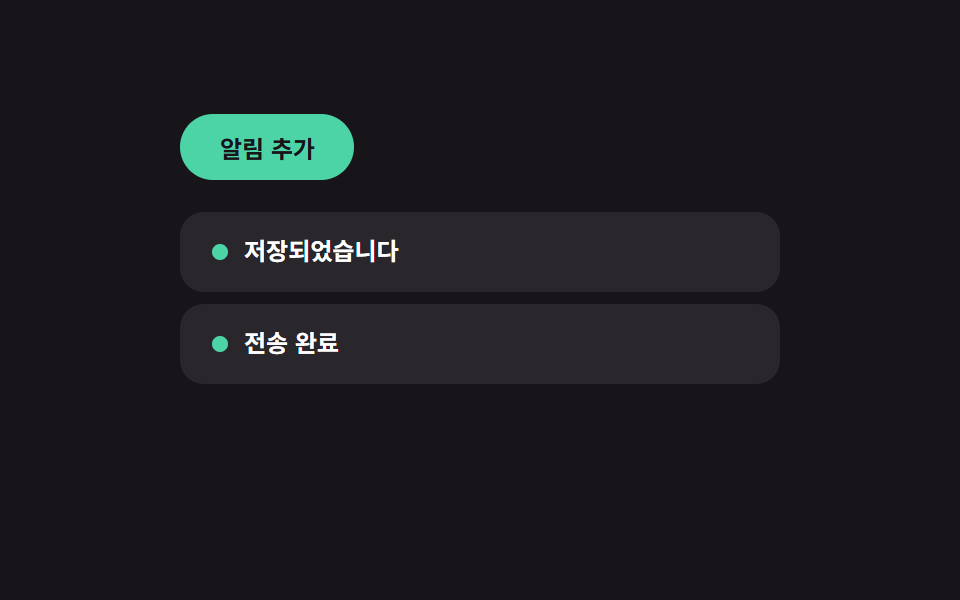 인터랙션마이크로 인터랙션 사이트 UI 패턴 9종 — 토스트부터 스크롤 스파이까지
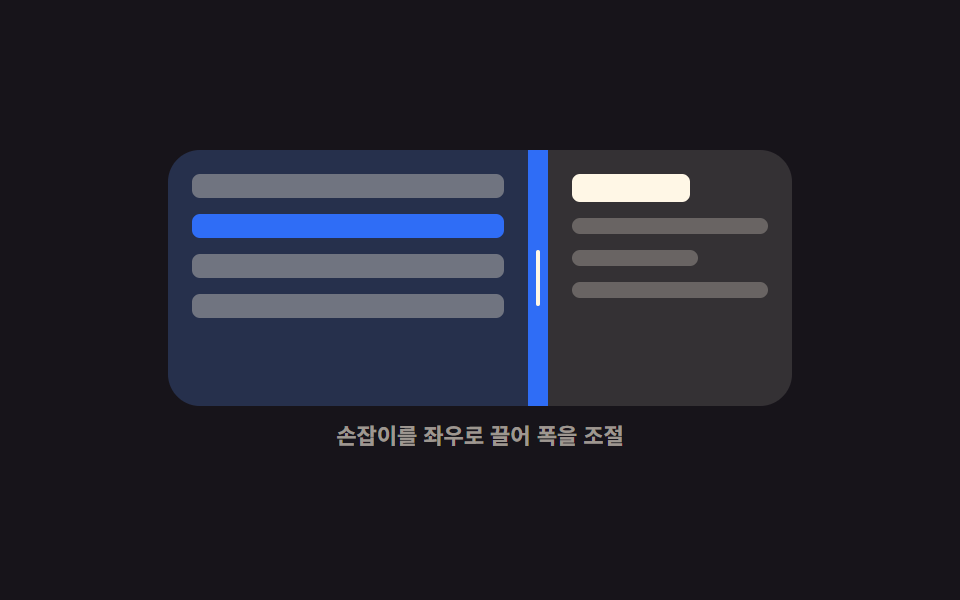 인터랙션CSS 화면 분할 패널 9종 — 드래그로 폭이 따라오는
 인터랙션브레드크럼 UI 9종 — 경로가 길어도 안 깨지는 내비게이션
 인터랙션공유하기 버튼 UI 9종 — 붙이면 실제로 복사되는
 인터랙션키오스크 UI 디자인 9종 — 손가락 기준으로 키운 주문 화면
 인터랙션카드 스와이프 ui 9가지 — 드래그를 물리 계산으로 다듬기
 인터랙션css popover 9가지 — 앵커에서 열리고 가장자리에서 뒤집히는 팝오버
 인터랙션css fireworks 9가지 — 쏘아 올려 터지고 물 위에 비치는 불꽃놀이 장면