랜딩페이지 히어로섹션 디자인 9종 — 통계 카운터까지
랜딩페이지 히어로섹션 아홉 개 중 하나는 카드가 보이는 비율 값이 기준을 넘을 때마다 순서 값에 간격을 곱해 나타나는 시점을 다시 구하고, 하나는 열린 질문의 답변 높이 값을 내용 길이로 다시 구해 펼치며, 또 하나는 목표 숫자까지 값을 프레임마다 계산해 자릿수가 늘어나는 순간 새
이 아홉 화면은 실제 서비스나 진짜 결제 데이터가 아니라 가상의 값으로 만든 것이며, 03 요금제 카드·05 FAQ 아코디언·04 후기 캐러셀·07 푸터 넷은 클릭·포인터 같은 실제 리스너를 갖고 01 히어로·02 기능 카드 그리드·06 강조 배너·08 로고 바·09 통계 카운터 다섯은 타이머나 반복 애니메이션으로 자동 재생됩니다. 08의 로고는 실제 협력사가 아니라 BRAND A~D 라는 자리표시 이름이고, 09에 오르는 숫자도 실적을 흉내 낸 가상 값입니다.
자동 재생 · 눌러서 해당 항목으로 · 전부 한 zip
- 01 히어로 — 스크롤 값에 따라 배경과 글자가 다른 비율로 어긋나는 도입부
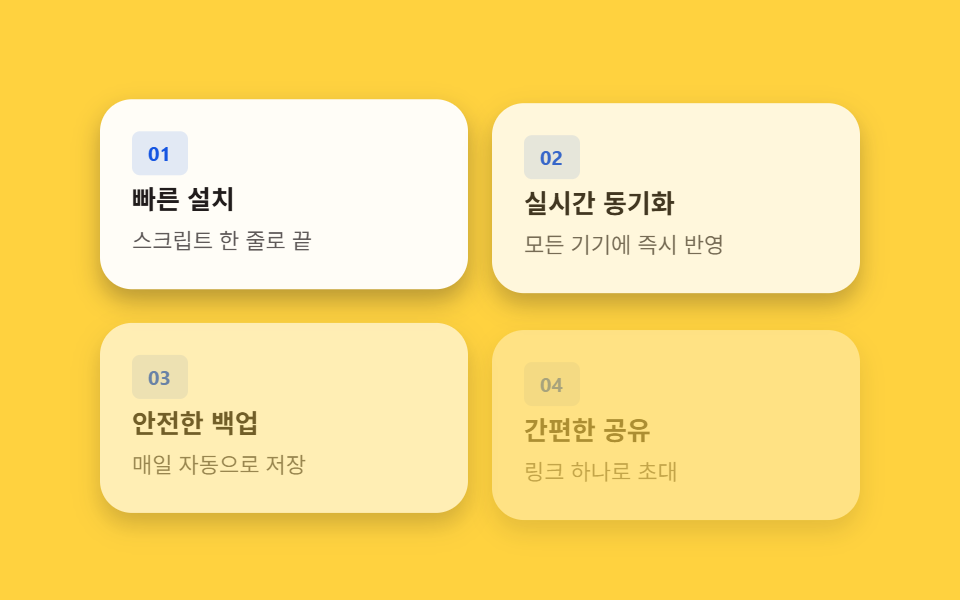
- 02 기능 카드 그리드 — 보이는 비율 값으로 순서대로 나타나는 카드
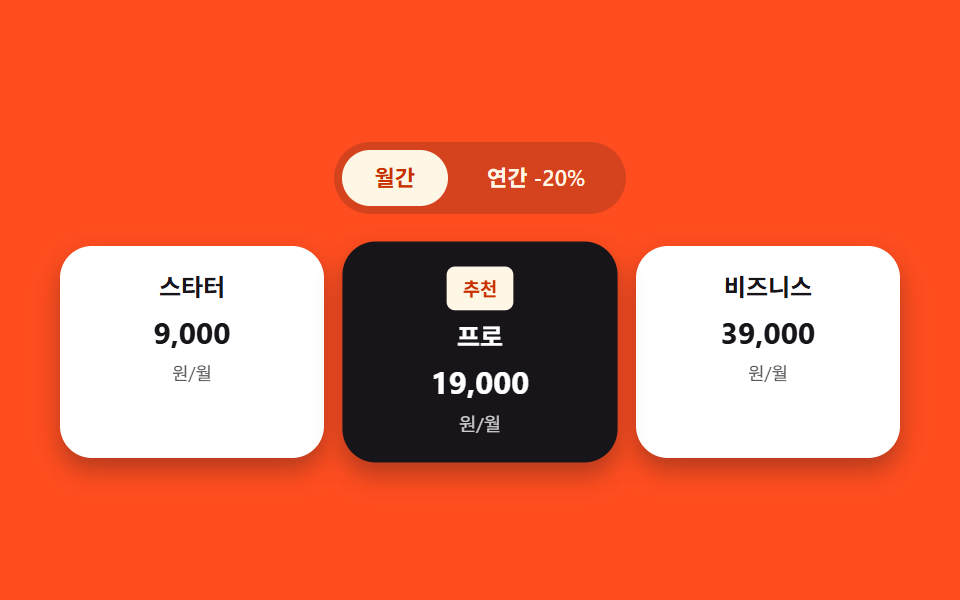
- 03 요금제 카드 — 추천 카드만 확대 비율 값이 더 크게 계산되는 목록
- 04 후기 캐러셀 — 자동 진행 값이 타이머로 늘어나는 카드 줄
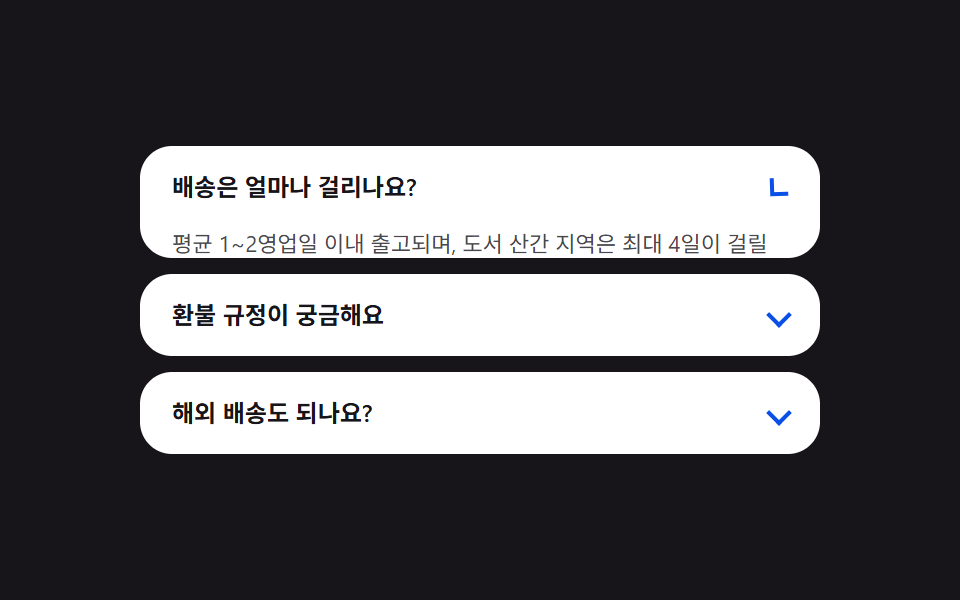
- 05 FAQ 아코디언 — 답변 높이 값을 내용 길이로 다시 구하는 목록
- 06 강조 배너 — 진입 상태가 되면 테두리 각도 값이 계속 늘어나는 띠
- 07 푸터 — 밑줄 너비 값을 0에서 글자 폭까지 다시 구하는 링크 목록
- 08 로고 바 — 가로 이동 값이 끊기지 않고 계속 늘어나는 줄
- 09 통계 카운터 — 목표 값까지 프레임마다 계산해 올라가는 숫자
랜딩페이지 히어로 섹션을 찾는 사람은 대부분 맨 위 문구부터 궁금해하지만, 실제로 화면을 흔드는 건 아홉 섹션이 각자 붙잡은 값 하나와 그 값을 다시 구하는 계산식입니다. 아래 표는 그 계산이 화면을 실제로 얼마나 흔들었는지 잰 값이고, 값이 자동으로 도는 것(01·02·06·08·09) → 상태 전환으로 다시 구하는 것(03·05) → 포인터로 다시 구하는 것(04·07) 순으로 묶었습니다.
랜딩 섹션의 해부 — 아홉 섹션이 계산하는 것
실측 한눈에
| 항목 | 초점 | 누적면적 % | 강도 평균 | 움직인 프레임 |
|---|---|---|---|---|
| 01 히어로 | 스크롤 값 → 배경·제목 위치 보간 | 17.827 | 98.9 | 20/23 |
| 02 기능 카드 그리드 | 순서 값×간격 → 등장 시점 | 57.951 | 37.3 | 12/23 |
| 03 요금제 카드 | 결제 주기 상태 → 표시 금액 전환 | 5.337 | 56.8 | 9/23 |
| 04 후기 캐러셀 | 자동 진행 값 → 위치 보간 | 2.61 | 124.2 | 8/23 |
| 05 FAQ 아코디언 | 열림 상태 → scrollHeight 재계산 | 39.718 | 160.1 | 17/23 |
| 06 강조 배너 | 진입 상태 → 테두리 각도 값 증가 | 1.011 | 19.1 | 23/23 |
| 07 푸터 | 포인터 진입 → 밑줄 너비 재계산 | 0.281 | 232.0 | 7/23 |
| 08 로고 바 | 경과 시간 → 가로 이동 값 증가 | 2.711 | 132.9 | 23/23 |
| 09 통계 카운터 | 경과 비율 → 목표 값까지 재계산 | 3.044 | 134.4 | 13/23 |
02 는 카드 네 장이 한 번에 화면 대부분을 차지해 누적면적이 9종 중 가장 큰 57.951%이고, 07 은 밑줄 하나만 그리는 화면이라 0.281%로 가장 작습니다 — 둘 다 화면을 채우는 요소 크기 차이일 뿐 결함이 아닙니다. 강도 평균은 07 이 232.0 으로 가장 높아 밑줄이 배경과 또렷하게 갈리는 픽셀 값을 만든다는 뜻이고, 06 은 19.1 로 가장 낮아 도는 그라디언트의 인접 색 차이가 완만하다는 뜻입니다. 06·08 이 23/23 으로 매 프레임 움직인 것과 달리 07 이 7/23 에 머무는 건 포인터가 올라오는 순간에만 값이 바뀌고 그 사이는 정지해 있는 구조라 그런 것이지, 계산이 도중에 끊긴 게 아닙니다.
값이 자동으로 도는 축 — 01·02·06·08·09
이 다섯은 리스너 없이 애니메이션 자체가 값을 만듭니다. 01 은 --sv 값을 반복 키프레임으로 0→1→0 사이에서 흘려 배경·제목의 translateY 배율을 다르게 걸고, 02 는 카드 순서(--i)에 120ms 를 곱한 animation-delay 로 등장 시점을 벌립니다. 06 은 --angle 값을 0에서 360deg 까지 계속 늘려 conic-gradient 가 도는 것처럼 보이게 하고, 08 은 가로 이동 값을 로고 목록 폭의 절반(-50%)까지 끊임없이 늘려 로고 두 벌이 이어 붙게 하며, 09 는 requestAnimationFrame 이 프레임마다 경과 비율을 계산해 숫자를 목표 값까지 밀어 올립니다.
상태 전환이 값을 다시 구하게 하는 축 — 03·05
이 둘은 클릭 한 번이 상태 값을 뒤집고, 그 값에 맞춰 다른 값을 다시 구합니다. 03 은 결제 주기 버튼을 누르면 is-yearly 클래스가 붙고, 미리 넣어 둔 월간·연간 두 금액 중 그 상태에 맞는 쪽만 보이도록 전환됩니다. 05 는 질문을 열면 aria-expanded 를 뒤집은 뒤 그 답변의 실제 렌더 높이(scrollHeight)를 다시 구해 max-height 를 그 값까지 늘립니다.
포인터가 값을 다시 구하게 하는 축 — 04·07
이 둘은 포인터 진입·이탈이 값의 흐름을 열고 닫습니다. 04 는 포인터가 올라오면(pointerenter) 자동 진행을 시작(goLive)했다가 곧바로 멈추고, 벗어나면(pointerleave) 멈췄던 타이머를 다시 돌려 카드 위치를 계속 보간합니다. 07 은 포인터가 링크 위로 오는 순간 그 글자의 실제 폭(getBoundingClientRect().width)을 다시 구해 밑줄 너비 값을 0에서 그 값까지 늘립니다.
섹션별 코드
01히어로 — 스크롤 값에 따라 배경과 글자가 다른 비율로 어긋나는 도입부
랜딩페이지 최상단에서 배경 이미지와 제목이 같은 스크롤 값을 서로 다른 배율로 받아 움직여, 두 층이 어긋나며 깊이가 생깁니다.
하나의 --sv 값을 두 배율로 나눠 받는 계산
--sv 는 @property 로 선언한 숫자 값이라 애니메이션이 정수·소수를 부드럽게 보간할 수 있고, 배경(hero__bg)은 이 값에 -18px를, 제목 영역(hero__head)은 -42px를 곱해 같은 값에서 서로 다른 이동 거리를 얻습니다.
.hero__bg {
  position: absolute;
  inset: -10% -10% -30% -10%;
  border-radius: 16px;
  background: linear-gradient(180deg, rgba(255, 247, 230, 0.28), rgba(255, 247, 230, 0));
  transform: translateY(calc(var(--sv) * -18px));
}

.hero__head {
  position: relative;
  z-index: 1;
  display: flex;
  flex-direction: column;
  align-items: flex-start;
  gap: 8px;
  padding: 32px 24px;
  transform: translateY(calc(var(--sv) * -42px));
}

<main class="stage" id="stage">
  <div class="hero__bg" aria-hidden="true"></div>
  <div class="hero__head">
    <p class="hero__eyebrow">신제품</p>
    <h1 class="hero__title">가벼운 랜딩 페이지</h1>
    <p class="hero__sub">스크롤 값 하나로 두 층이 서로 다른 비율로 움직입니다.</p>
    <button class="hero__cta" type="button">지금 시작하기</button>
  </div>
</main>
@use "../../../../site/static/demo-tokens" as *;
$duration: $dur-loop;
$easing: $ease-spring;
$color: $subject-cream;
@include stage($stage-ink);
@property --sv {
syntax: "<number>";
inherits: true;
initial-value: 0;
}
.stage {
--sv: 0;
position: relative;
overflow: hidden;
animation: scroll-sim $duration $easing infinite;
}
.hero__bg {
position: absolute;
inset: -10% -10% -30% -10%;
border-radius: $r-card;
background: linear-gradient(180deg, rgba($color, .28), rgba($color, 0));
transform: translateY(calc(var(--sv) * -18px));
}
.hero__head {
position: relative;
z-index: 1;
display: flex;
flex-direction: column;
align-items: flex-start;
gap: $sp-2;
padding: $sp-8 $sp-6;
transform: translateY(calc(var(--sv) * -42px));
}
.hero__eyebrow {
margin: 0;
padding: $sp-1 $sp-3;
border-radius: $r-pill;
background: rgba($color, .16);
color: $color;
font-weight: 600;
font-size: 11px;
line-height: 1.6;
}
.hero__title {
margin: 0;
color: $stage-paper;
font-weight: 700;
font-size: clamp(20px, 6vmin, 28px);
line-height: 1.25;
}
.hero__sub {
margin: 0;
max-width: 34ch;
color: rgba($stage-paper, .78);
font-weight: 400;
font-size: 13px;
line-height: 1.55;
}
.hero__cta {
margin-top: $sp-2;
border: 0;
border-radius: $r-pill;
padding: $sp-3 $sp-6;
font-family: inherit;
font-weight: 600;
font-size: 13px;
line-height: 1;
color: $stage-ink;
background: $color;
cursor: pointer;
}
@keyframes scroll-sim {
0%, 8% { --sv: 0; }
50% { --sv: 1; }
92%, 100% { --sv: 0; }
}
@media (max-width: 340px) {
.hero__head { padding: $sp-3 $sp-4; gap: $sp-1; }
.hero__sub { max-width: 26ch; }
.hero__cta { margin-top: 0; padding: $sp-2 $sp-4; }
}
@media (prefers-reduced-motion: reduce) {
.stage { animation: none; }
.hero__bg, .hero__head { transform: none; }
}html, body {
margin: 0;
overflow: hidden;
}
.stage {
box-sizing: border-box;
min-height: 100vh;
display: grid;
place-items: center;
margin: 0;
background: #17141a;
font-family: -apple-system, "Segoe UI", "Noto Sans KR", sans-serif;
padding: clamp(8px, 4vw, 24px);
}
@property --sv {
syntax: "<number>";
inherits: true;
initial-value: 0;
}
.stage {
--sv: 0;
position: relative;
overflow: hidden;
animation: scroll-sim 2s cubic-bezier(0.2, 0.8, 0.2, 1) infinite;
}
.hero__bg {
position: absolute;
inset: -10% -10% -30% -10%;
border-radius: 16px;
background: linear-gradient(180deg, rgba(255, 247, 230, 0.28), rgba(255, 247, 230, 0));
transform: translateY(calc(var(--sv) * -18px));
}
.hero__head {
position: relative;
z-index: 1;
display: flex;
flex-direction: column;
align-items: flex-start;
gap: 8px;
padding: 32px 24px;
transform: translateY(calc(var(--sv) * -42px));
}
.hero__eyebrow {
margin: 0;
padding: 4px 12px;
border-radius: 999px;
background: rgba(255, 247, 230, 0.16);
color: #fff7e6;
font-weight: 600;
font-size: 11px;
line-height: 1.6;
}
.hero__title {
margin: 0;
color: #ffffff;
font-weight: 700;
font-size: clamp(20px, 6vmin, 28px);
line-height: 1.25;
}
.hero__sub {
margin: 0;
max-width: 34ch;
color: rgba(255, 255, 255, 0.78);
font-weight: 400;
font-size: 13px;
line-height: 1.55;
}
.hero__cta {
margin-top: 8px;
border: 0;
border-radius: 999px;
padding: 12px 24px;
font-family: inherit;
font-weight: 600;
font-size: 13px;
line-height: 1;
color: #17141a;
background: #fff7e6;
cursor: pointer;
}
@keyframes scroll-sim {
0%, 8% {
--sv: 0;
}
50% {
--sv: 1;
}
92%, 100% {
--sv: 0;
}
}
@media (max-width: 340px) {
.hero__head {
padding: 12px 16px;
gap: 4px;
}
.hero__sub {
max-width: 26ch;
}
.hero__cta {
margin-top: 0;
padding: 8px 16px;
}
}
@media (prefers-reduced-motion: reduce) {
.stage {
animation: none;
}
.hero__bg, .hero__head {
transform: none;
}
}import styles from "./Hero.module.scss";
// 스크롤 값 하나(--sv)를 두 층(배경·헤드)이 서로 다른 비율(-18px, -42px)로 받아 시차 효과를 만든다.
// 계산 겹: 스크롤 값(--sv) -> 두 층 각각의 translateY 비율 보간. 리스너 없음(자동 재생).
export default function Hero() {
return (
<main className={styles.stage}>
<div className={styles.hero__bg} aria-hidden="true" />
<div className={styles.hero__head}>
<p className={styles.hero__eyebrow}>신제품</p>
<h1 className={styles.hero__title}>가벼운 랜딩 페이지</h1>
<p className={styles.hero__sub}>스크롤 값 하나로 두 층이 서로 다른 비율로 움직입니다.</p>
<button className={styles.hero__cta} type="button">
지금 시작하기
</button>
</div>
</main>
);
}01 · 히어로 — 스크롤 값에 따라 배경과 글자가 다른 비율로 어긋나는 도입부 — 측정 누적면적 17.827% · 움직인 프레임 20/23GODRICH 원작 · zip 에 SCSS·React 포함 · 비밀번호 보기
02기능 카드 그리드 — 보이는 비율 값으로 순서대로 나타나는 카드
기능 소개 섹션에서 카드 네 장이 한꺼번에 뜨지 않고 순서대로 하나씩 나타나 목록을 눈으로 따라가기 쉽게 만듭니다.
카드 순서 값에 고정 간격을 곱해 지연 시점을 구하는 계산
animation-delay: calc(var(--i) * 120ms) 는 각 카드에 심어 둔 순서 값(--i)에 고정 간격(120ms)을 곱해 등장 시점을 벌리고, card-in 키프레임이 그 시점부터 투명도와 위치를 함께 보간합니다.
.is-demo .card {
  animation: card-in 600ms ease-out both;
  animation-delay: calc(var(--i) * 120ms);
}

@keyframes card-in {
  0% {
    opacity: 0;
    transform: translateY(14px);
  }
  100% {
    opacity: 1;
    transform: translateY(0);
  }
}
<main class="stage" id="stage">
  <div class="grid is-demo">
    <article class="card" style="--i:0">
      <p class="card__badge">01</p>
      <h3 class="card__title">빠른 설치</h3>
      <p class="card__desc">스크립트 한 줄로 끝</p>
    </article>
    <article class="card" style="--i:1">
      <p class="card__badge">02</p>
      <h3 class="card__title">실시간 동기화</h3>
      <p class="card__desc">모든 기기에 즉시 반영</p>
    </article>
    <article class="card" style="--i:2">
      <p class="card__badge">03</p>
      <h3 class="card__title">안전한 백업</h3>
      <p class="card__desc">매일 자동으로 저장</p>
    </article>
    <article class="card" style="--i:3">
      <p class="card__badge">04</p>
      <h3 class="card__title">간편한 공유</h3>
      <p class="card__desc">링크 하나로 초대</p>
    </article>
  </div>
</main>
@use "../../../../site/static/demo-tokens" as *;
// 계산 상수: 카드 순서 값(--i) × 간격 상수(스태거 간격)
$stagger-step: 120ms;
$duration: $dur-enter;
$easing: $ease-out;
$color: $subject-blue-deep;
@include stage($stage-yellow);
.grid {
display: grid;
grid-template-columns: repeat(2, 1fr);
gap: $sp-3;
width: 100%;
max-width: 380px;
}
.card {
box-sizing: border-box;
display: flex;
flex-direction: column;
gap: $sp-1;
padding: $sp-4;
border-radius: $r-card;
background: $stage-paper;
box-shadow: $shadow-press;
opacity: 0;
transform: translateY(14px);
}
.card__badge {
margin: 0;
align-self: flex-start;
padding: $sp-1 $sp-2;
border-radius: $r-xs;
background: rgba($color, .12);
color: $color;
font-weight: 700;
font-size: 10px;
line-height: 1.4;
}
.card__title {
margin: 0;
color: $subject-ink;
font-weight: 600;
font-size: 13px;
line-height: 1.3;
}
.card__desc {
margin: 0;
color: rgba($subject-ink, .72);
font-weight: 400;
font-size: 11px;
line-height: 1.5;
}
.is-demo .card {
animation: card-in $duration $easing both;
animation-delay: calc(var(--i) * #{$stagger-step});
}
@keyframes card-in {
0% { opacity: 0; transform: translateY(14px); }
100% { opacity: 1; transform: translateY(0); }
}
@media (max-width: 340px) {
.grid { gap: $sp-2; max-width: 280px; }
.card { padding: $sp-2 $sp-3; gap: 0; }
.card__title { font-size: 12px; }
.card__desc { font-size: 10px; }
}
@media (prefers-reduced-motion: reduce) {
.is-demo .card { animation: none; opacity: 1; transform: none; }
}html, body {
margin: 0;
overflow: hidden;
}
.stage {
box-sizing: border-box;
min-height: 100vh;
display: grid;
place-items: center;
margin: 0;
background: #ffd23f;
font-family: -apple-system, "Segoe UI", "Noto Sans KR", sans-serif;
padding: clamp(8px, 4vw, 24px);
}
.grid {
display: grid;
grid-template-columns: repeat(2, 1fr);
gap: 12px;
width: 100%;
max-width: 380px;
}
.card {
box-sizing: border-box;
display: flex;
flex-direction: column;
gap: 4px;
padding: 16px;
border-radius: 16px;
background: #ffffff;
box-shadow: 0 6px 12px rgba(23, 20, 26, 0.32);
opacity: 0;
transform: translateY(14px);
}
.card__badge {
margin: 0;
align-self: flex-start;
padding: 4px 8px;
border-radius: 4px;
background: rgba(10, 79, 232, 0.12);
color: #0a4fe8;
font-weight: 700;
font-size: 10px;
line-height: 1.4;
}
.card__title {
margin: 0;
color: #17141a;
font-weight: 600;
font-size: 13px;
line-height: 1.3;
}
.card__desc {
margin: 0;
color: rgba(23, 20, 26, 0.72);
font-weight: 400;
font-size: 11px;
line-height: 1.5;
}
.is-demo .card {
animation: card-in 600ms ease-out both;
animation-delay: calc(var(--i) * 120ms);
}
@keyframes card-in {
0% {
opacity: 0;
transform: translateY(14px);
}
100% {
opacity: 1;
transform: translateY(0);
}
}
@media (max-width: 340px) {
.grid {
gap: 8px;
max-width: 280px;
}
.card {
padding: 8px 12px;
gap: 0;
}
.card__title {
font-size: 12px;
}
.card__desc {
font-size: 10px;
}
}
@media (prefers-reduced-motion: reduce) {
.is-demo .card {
animation: none;
opacity: 1;
transform: none;
}
}import type { CSSProperties } from "react";
import styles from "./FeatureGrid.module.scss";
// 카드 순서 값(--i)에 간격 상수(스태거 간격)를 곱한 값을 animation-delay 로 써서 카드가 순서대로 뜬다.
// 계산 겹: 카드 순서 값(--i) × 간격 상수 -> animation-delay. 리스너 없음(자동 재생).
type Vars = CSSProperties & { "--i"?: number };
const FEATURES = [
{ badge: "01", title: "빠른 설치", desc: "스크립트 한 줄로 끝" },
{ badge: "02", title: "실시간 동기화", desc: "모든 기기에 즉시 반영" },
{ badge: "03", title: "안전한 백업", desc: "매일 자동으로 저장" },
{ badge: "04", title: "간편한 공유", desc: "링크 하나로 초대" },
];
export default function FeatureGrid() {
return (
<main className={styles.stage}>
<div className={`${styles.grid} ${styles["is-demo"]}`}>
{FEATURES.map((item, i) => (
<article
key={item.badge}
className={styles.card}
style={{ "--i": i } as Vars}
>
<p className={styles.card__badge}>{item.badge}</p>
<h3 className={styles.card__title}>{item.title}</h3>
<p className={styles.card__desc}>{item.desc}</p>
</article>
))}
</div>
</main>
);
}02 · 기능 카드 그리드 — 보이는 비율 값으로 순서대로 나타나는 카드 — 측정 누적면적 57.951% · 움직인 프레임 12/23GODRICH 원작 · zip 에 SCSS·React 포함 · 비밀번호 보기
03요금제 카드 — 추천 카드만 확대 비율 값이 더 크게 계산되는 목록
요금제 비교 섹션에서 추천 카드만 주변보다 크게 떠 보이고, 결제 주기 버튼을 누르면 표시 금액이 바뀝니다.
결제 주기 상태에 맞는 값만 골라 보여주는 계산
setYearly(yearly) 는 실제로 금액을 계산하는 게 아니라 is-yearly 클래스 하나만 뒤집고, 미리 넣어 둔 월간·연간 두 span 중 그 상태에 맞는 쪽만 CSS 로 보이게 전환하며 aria-pressed 값도 같이 맞춥니다.
(function () {
  var root = document.getElementById('pricing');
  var mBtn = document.getElementById('btn-monthly');
  var yBtn = document.getElementById('btn-yearly');
  if (!root || !mBtn || !yBtn) return;

  function setYearly(yearly) {
    root.classList.remove('is-demo');
    root.classList.toggle('is-yearly', yearly);
    mBtn.classList.toggle('is-active', !yearly);
    yBtn.classList.toggle('is-active', yearly);
    mBtn.setAttribute('aria-pressed', String(!yearly));
    yBtn.setAttribute('aria-pressed', String(yearly));
  }

  mBtn.addEventListener('click', function () { setYearly(false); });
  yBtn.addEventListener('click', function () { setYearly(true); });
})();
<main class="stage" id="stage">
  <div class="pricing is-demo" id="pricing">
    <div class="toggle" role="group" aria-label="결제 주기">
      <button class="toggle__btn toggle__btn--m is-active" id="btn-monthly" type="button" aria-pressed="true">월간</button>
      <button class="toggle__btn toggle__btn--y" id="btn-yearly" type="button" aria-pressed="false">연간 -20%</button>
    </div>
    <div class="plans">
      <article class="plan">
        <p class="plan__name">스타터</p>
        <div class="plan__price">
          <span class="plan__amount plan__amount--m">9,000</span>
          <span class="plan__amount plan__amount--y">7,200</span>
        </div>
        <div class="plan__unit-row">
          <span class="plan__unit plan__unit--m">원/월</span>
          <span class="plan__unit plan__unit--y">원/월(연 결제)</span>
        </div>
      </article>
      <article class="plan plan--featured">
        <p class="plan__badge">추천</p>
        <p class="plan__name">프로</p>
        <div class="plan__price">
          <span class="plan__amount plan__amount--m">19,000</span>
          <span class="plan__amount plan__amount--y">15,200</span>
        </div>
        <div class="plan__unit-row">
          <span class="plan__unit plan__unit--m">원/월</span>
          <span class="plan__unit plan__unit--y">원/월(연 결제)</span>
        </div>
      </article>
      <article class="plan">
        <p class="plan__name">비즈니스</p>
        <div class="plan__price">
          <span class="plan__amount plan__amount--m">39,000</span>
          <span class="plan__amount plan__amount--y">31,200</span>
        </div>
        <div class="plan__unit-row">
          <span class="plan__unit plan__unit--m">원/월</span>
          <span class="plan__unit plan__unit--y">원/월(연 결제)</span>
        </div>
      </article>
    </div>
  </div>
</main>@use "../../../../site/static/demo-tokens" as *;
// 계산 상수: 추천 카드와 주변 카드의 scale 값 차이
$featured-scale: 1.08;
$duration: $dur-loop;
$easing: steps(1, end);
$color: $subject-cream;
@include stage($stage-orange);
.pricing {
display: flex;
flex-direction: column;
align-items: center;
gap: $sp-4;
width: 100%;
}
.toggle {
display: inline-flex;
gap: $sp-1;
padding: $sp-1;
border-radius: $r-pill;
background: rgba($subject-ink, .18);
}
.toggle__btn {
border: 0;
border-radius: $r-pill;
padding: $sp-1 $sp-4;
font-family: inherit;
font-weight: 600;
font-size: 11px;
line-height: 1.8;
cursor: pointer;
transition: background $dur-base $ease-out, color $dur-base $ease-out;
}
.toggle__btn.is-active {
background: $color;
color: $subject-orange-deep;
}
.toggle__btn:not(.is-active) {
background: transparent;
color: $color;
}
.plans {
display: grid;
grid-template-columns: repeat(3, 1fr);
gap: $sp-3;
width: 100%;
max-width: 420px;
}
.plan {
position: relative;
box-sizing: border-box;
display: flex;
flex-direction: column;
align-items: center;
gap: $sp-1;
padding: $sp-3 $sp-2;
border-radius: $r-card;
background: $stage-paper;
box-shadow: $shadow-press;
}
.plan--featured {
z-index: 1;
background: $subject-ink;
transform: scale(#{$featured-scale});
}
.is-demo .plan--featured {
animation: featured-scale-in $dur-enter $ease-spring both;
}
@keyframes featured-scale-in {
0% { transform: scale(1); }
100% { transform: scale(#{$featured-scale}); }
}
.plan__badge {
margin: 0;
padding: $sp-1 $sp-2;
border-radius: $r-xs;
background: $color;
color: $subject-orange-deep;
font-weight: 700;
font-size: 9px;
line-height: 1.4;
}
.plan__name {
margin: 0;
color: $subject-ink;
font-weight: 600;
font-size: 12px;
line-height: 1.4;
}
.plan--featured .plan__name { color: $stage-paper; }
.plan__price {
position: relative;
margin: 0;
min-height: 20px;
width: 100%;
text-align: center;
}
.plan__amount {
position: absolute;
inset: 0;
color: $subject-ink;
font-weight: 700;
font-size: 15px;
line-height: 1.4;
white-space: nowrap;
opacity: 0;
transition: opacity $dur-base $ease-out;
}
.plan--featured .plan__amount { color: $stage-paper; }
.plan__amount--m { opacity: 1; }
.plan__unit-row {
position: relative;
width: 100%;
height: 13px;
text-align: center;
}
.plan__unit {
position: absolute;
inset: 0;
color: rgba($subject-ink, .72);
font-weight: 400;
font-size: 9px;
line-height: 1.4;
white-space: nowrap;
opacity: 0;
transition: opacity $dur-base $ease-out;
}
.plan--featured .plan__unit { color: rgba($stage-paper, .78); }
.plan__unit--m { opacity: 1; }
.pricing.is-yearly .plan__amount--m,
.pricing.is-yearly .plan__unit--m { opacity: 0; }
.pricing.is-yearly .plan__amount--y,
.pricing.is-yearly .plan__unit--y { opacity: 1; }
.is-demo .plans > .plan:nth-child(1) .plan__amount--m,
.is-demo .plans > .plan:nth-child(1) .plan__unit--m {
animation: fade-m-1 $duration $easing infinite;
}
.is-demo .plans > .plan:nth-child(1) .plan__amount--y,
.is-demo .plans > .plan:nth-child(1) .plan__unit--y {
animation: fade-y-1 $duration $easing infinite;
}
.is-demo .plans > .plan:nth-child(2) .plan__amount--m,
.is-demo .plans > .plan:nth-child(2) .plan__unit--m {
animation: fade-m-2 $duration $easing infinite;
}
.is-demo .plans > .plan:nth-child(2) .plan__amount--y,
.is-demo .plans > .plan:nth-child(2) .plan__unit--y {
animation: fade-y-2 $duration $easing infinite;
}
.is-demo .plans > .plan:nth-child(3) .plan__amount--m,
.is-demo .plans > .plan:nth-child(3) .plan__unit--m {
animation: fade-m-3 $duration $easing infinite;
}
.is-demo .plans > .plan:nth-child(3) .plan__amount--y,
.is-demo .plans > .plan:nth-child(3) .plan__unit--y {
animation: fade-y-3 $duration $easing infinite;
}
@keyframes fade-m-1 { 0%, 25% { opacity: 1; } 30%, 100% { opacity: 0; } }
@keyframes fade-y-1 { 0%, 25% { opacity: 0; } 30%, 100% { opacity: 1; } }
@keyframes fade-m-2 { 0%, 45% { opacity: 1; } 50%, 100% { opacity: 0; } }
@keyframes fade-y-2 { 0%, 45% { opacity: 0; } 50%, 100% { opacity: 1; } }
@keyframes fade-m-3 { 0%, 65% { opacity: 1; } 70%, 100% { opacity: 0; } }
@keyframes fade-y-3 { 0%, 65% { opacity: 0; } 70%, 100% { opacity: 1; } }
@media (max-width: 340px) {
.plans { gap: $sp-1; max-width: 300px; }
.plan { padding: $sp-2 $sp-1; }
.plan__amount { font-size: 12px; }
}
@media (prefers-reduced-motion: reduce) {
.is-demo .plans > .plan:nth-child(1) .plan__amount--m,
.is-demo .plans > .plan:nth-child(1) .plan__amount--y,
.is-demo .plans > .plan:nth-child(1) .plan__unit--m,
.is-demo .plans > .plan:nth-child(1) .plan__unit--y,
.is-demo .plans > .plan:nth-child(2) .plan__amount--m,
.is-demo .plans > .plan:nth-child(2) .plan__amount--y,
.is-demo .plans > .plan:nth-child(2) .plan__unit--m,
.is-demo .plans > .plan:nth-child(2) .plan__unit--y,
.is-demo .plans > .plan:nth-child(3) .plan__amount--m,
.is-demo .plans > .plan:nth-child(3) .plan__amount--y,
.is-demo .plans > .plan:nth-child(3) .plan__unit--m,
.is-demo .plans > .plan:nth-child(3) .plan__unit--y,
.is-demo .plan--featured {
animation: none;
}
}html, body {
margin: 0;
overflow: hidden;
}
.stage {
box-sizing: border-box;
min-height: 100vh;
display: grid;
place-items: center;
margin: 0;
background: #ff4d1f;
font-family: -apple-system, "Segoe UI", "Noto Sans KR", sans-serif;
padding: clamp(8px, 4vw, 24px);
}
.pricing {
display: flex;
flex-direction: column;
align-items: center;
gap: 16px;
width: 100%;
}
.toggle {
display: inline-flex;
gap: 4px;
padding: 4px;
border-radius: 999px;
background: rgba(23, 20, 26, 0.18);
}
.toggle__btn {
border: 0;
border-radius: 999px;
padding: 4px 16px;
font-family: inherit;
font-weight: 600;
font-size: 11px;
line-height: 1.8;
cursor: pointer;
transition: background 300ms ease-out, color 300ms ease-out;
}
.toggle__btn.is-active {
background: #fff7e6;
color: #c93000;
}
.toggle__btn:not(.is-active) {
background: transparent;
color: #fff7e6;
}
.plans {
display: grid;
grid-template-columns: repeat(3, 1fr);
gap: 12px;
width: 100%;
max-width: 420px;
}
.plan {
position: relative;
box-sizing: border-box;
display: flex;
flex-direction: column;
align-items: center;
gap: 4px;
padding: 12px 8px;
border-radius: 16px;
background: #ffffff;
box-shadow: 0 6px 12px rgba(23, 20, 26, 0.32);
}
.plan--featured {
z-index: 1;
background: #17141a;
transform: scale(1.08);
}
.is-demo .plan--featured {
animation: featured-scale-in 600ms cubic-bezier(0.2, 0.8, 0.2, 1) both;
}
@keyframes featured-scale-in {
0% {
transform: scale(1);
}
100% {
transform: scale(1.08);
}
}
.plan__badge {
margin: 0;
padding: 4px 8px;
border-radius: 4px;
background: #fff7e6;
color: #c93000;
font-weight: 700;
font-size: 9px;
line-height: 1.4;
}
.plan__name {
margin: 0;
color: #17141a;
font-weight: 600;
font-size: 12px;
line-height: 1.4;
}
.plan--featured .plan__name {
color: #ffffff;
}
.plan__price {
position: relative;
margin: 0;
min-height: 20px;
width: 100%;
text-align: center;
}
.plan__amount {
position: absolute;
inset: 0;
color: #17141a;
font-weight: 700;
font-size: 15px;
line-height: 1.4;
white-space: nowrap;
opacity: 0;
transition: opacity 300ms ease-out;
}
.plan--featured .plan__amount {
color: #ffffff;
}
.plan__amount--m {
opacity: 1;
}
.plan__unit-row {
position: relative;
width: 100%;
height: 13px;
text-align: center;
}
.plan__unit {
position: absolute;
inset: 0;
color: rgba(23, 20, 26, 0.72);
font-weight: 400;
font-size: 9px;
line-height: 1.4;
white-space: nowrap;
opacity: 0;
transition: opacity 300ms ease-out;
}
.plan--featured .plan__unit {
color: rgba(255, 255, 255, 0.78);
}
.plan__unit--m {
opacity: 1;
}
.pricing.is-yearly .plan__amount--m,
.pricing.is-yearly .plan__unit--m {
opacity: 0;
}
.pricing.is-yearly .plan__amount--y,
.pricing.is-yearly .plan__unit--y {
opacity: 1;
}
.is-demo .plans > .plan:nth-child(1) .plan__amount--m,
.is-demo .plans > .plan:nth-child(1) .plan__unit--m {
animation: fade-m-1 2s steps(1, end) infinite;
}
.is-demo .plans > .plan:nth-child(1) .plan__amount--y,
.is-demo .plans > .plan:nth-child(1) .plan__unit--y {
animation: fade-y-1 2s steps(1, end) infinite;
}
.is-demo .plans > .plan:nth-child(2) .plan__amount--m,
.is-demo .plans > .plan:nth-child(2) .plan__unit--m {
animation: fade-m-2 2s steps(1, end) infinite;
}
.is-demo .plans > .plan:nth-child(2) .plan__amount--y,
.is-demo .plans > .plan:nth-child(2) .plan__unit--y {
animation: fade-y-2 2s steps(1, end) infinite;
}
.is-demo .plans > .plan:nth-child(3) .plan__amount--m,
.is-demo .plans > .plan:nth-child(3) .plan__unit--m {
animation: fade-m-3 2s steps(1, end) infinite;
}
.is-demo .plans > .plan:nth-child(3) .plan__amount--y,
.is-demo .plans > .plan:nth-child(3) .plan__unit--y {
animation: fade-y-3 2s steps(1, end) infinite;
}
@keyframes fade-m-1 {
0%, 25% {
opacity: 1;
}
30%, 100% {
opacity: 0;
}
}
@keyframes fade-y-1 {
0%, 25% {
opacity: 0;
}
30%, 100% {
opacity: 1;
}
}
@keyframes fade-m-2 {
0%, 45% {
opacity: 1;
}
50%, 100% {
opacity: 0;
}
}
@keyframes fade-y-2 {
0%, 45% {
opacity: 0;
}
50%, 100% {
opacity: 1;
}
}
@keyframes fade-m-3 {
0%, 65% {
opacity: 1;
}
70%, 100% {
opacity: 0;
}
}
@keyframes fade-y-3 {
0%, 65% {
opacity: 0;
}
70%, 100% {
opacity: 1;
}
}
@media (max-width: 340px) {
.plans {
gap: 4px;
max-width: 300px;
}
.plan {
padding: 8px 4px;
}
.plan__amount {
font-size: 12px;
}
}
@media (prefers-reduced-motion: reduce) {
.is-demo .plans > .plan:nth-child(1) .plan__amount--m,
.is-demo .plans > .plan:nth-child(1) .plan__amount--y,
.is-demo .plans > .plan:nth-child(1) .plan__unit--m,
.is-demo .plans > .plan:nth-child(1) .plan__unit--y,
.is-demo .plans > .plan:nth-child(2) .plan__amount--m,
.is-demo .plans > .plan:nth-child(2) .plan__amount--y,
.is-demo .plans > .plan:nth-child(2) .plan__unit--m,
.is-demo .plans > .plan:nth-child(2) .plan__unit--y,
.is-demo .plans > .plan:nth-child(3) .plan__amount--m,
.is-demo .plans > .plan:nth-child(3) .plan__amount--y,
.is-demo .plans > .plan:nth-child(3) .plan__unit--m,
.is-demo .plans > .plan:nth-child(3) .plan__unit--y,
.is-demo .plan--featured {
animation: none;
}
}// 결제 주기 버튼을 누르면 요금제 상태가 연간 또는 월간 상태가 되고, 그 상태에 따라 화면에 보이는 금액 값을 다시 계산해 표시한다.
// 계산 겹: 결제 주기 상태 -> 표시 금액 값 재계산. 실사용 클릭 리스너 있음.
(function () {
var root = document.getElementById('pricing');
var mBtn = document.getElementById('btn-monthly');
var yBtn = document.getElementById('btn-yearly');
if (!root || !mBtn || !yBtn) return;
function setYearly(yearly) {
root.classList.remove('is-demo');
root.classList.toggle('is-yearly', yearly);
mBtn.classList.toggle('is-active', !yearly);
yBtn.classList.toggle('is-active', yearly);
mBtn.setAttribute('aria-pressed', String(!yearly));
yBtn.setAttribute('aria-pressed', String(yearly));
}
mBtn.addEventListener('click', function () { setYearly(false); });
yBtn.addEventListener('click', function () { setYearly(true); });
})();import { useEffect, useRef } from "react";
import styles from "./PricingCards.module.scss";
// 결제 주기 버튼을 누르면 요금제 상태가 연간 또는 월간 상태가 되고, 그 상태에 따라 화면에 보이는 금액 값을 다시 계산해 표시한다.
// 계산 겹: 결제 주기 상태 -> 표시 금액 값 재계산. 실사용 클릭 리스너 있음.
const PLANS = [
{ name: "스타터", amountM: "9,000", amountY: "7,200", featured: false },
{ name: "프로", amountM: "19,000", amountY: "15,200", featured: true },
{ name: "비즈니스", amountM: "39,000", amountY: "31,200", featured: false },
];
export default function PricingCards() {
const rootRef = useRef<HTMLDivElement>(null);
const mBtnRef = useRef<HTMLButtonElement>(null);
const yBtnRef = useRef<HTMLButtonElement>(null);
useEffect(() => {
const root = rootRef.current;
const mBtn = mBtnRef.current;
const yBtn = yBtnRef.current;
if (!root || !mBtn || !yBtn) return;
function setYearly(yearly: boolean) {
root!.classList.remove(styles["is-demo"]);
root!.classList.toggle(styles["is-yearly"], yearly);
mBtn!.classList.toggle(styles["is-active"], !yearly);
yBtn!.classList.toggle(styles["is-active"], yearly);
mBtn!.setAttribute("aria-pressed", String(!yearly));
yBtn!.setAttribute("aria-pressed", String(yearly));
}
function onMonthly() { setYearly(false); }
function onYearly() { setYearly(true); }
mBtn.addEventListener("click", onMonthly);
yBtn.addEventListener("click", onYearly);
return () => {
mBtn.removeEventListener("click", onMonthly);
yBtn.removeEventListener("click", onYearly);
};
}, []);
return (
<main className={styles.stage}>
<div ref={rootRef} className={`${styles.pricing} ${styles["is-demo"]}`}>
<div className={styles.toggle} role="group" aria-label="결제 주기">
<button
ref={mBtnRef}
className={`${styles.toggle__btn} ${styles["toggle__btn--m"]} ${styles["is-active"]}`}
type="button"
aria-pressed="true"
>
월간
</button>
<button
ref={yBtnRef}
className={`${styles.toggle__btn} ${styles["toggle__btn--y"]}`}
type="button"
aria-pressed="false"
>
연간 -20%
</button>
</div>
<div className={styles.plans}>
{PLANS.map((plan) => (
<article
key={plan.name}
className={plan.featured ? `${styles.plan} ${styles["plan--featured"]}` : styles.plan}
>
{plan.featured && <p className={styles.plan__badge}>추천</p>}
<p className={styles.plan__name}>{plan.name}</p>
<div className={styles.plan__price}>
<span className={`${styles.plan__amount} ${styles["plan__amount--m"]}`}>{plan.amountM}</span>
<span className={`${styles.plan__amount} ${styles["plan__amount--y"]}`}>{plan.amountY}</span>
</div>
<div className={styles["plan__unit-row"]}>
<span className={`${styles.plan__unit} ${styles["plan__unit--m"]}`}>원/월</span>
<span className={`${styles.plan__unit} ${styles["plan__unit--y"]}`}>원/월(연 결제)</span>
</div>
</article>
))}
</div>
</div>
</main>
);
}03 · 요금제 카드 — 추천 카드만 확대 비율 값이 더 크게 계산되는 목록 — 측정 누적면적 5.337% · 움직인 프레임 9/23GODRICH 원작 · zip 에 SCSS·React 포함 · 비밀번호 보기
04후기 캐러셀 — 자동 진행 값이 타이머로 늘어나는 카드 줄
고객 후기 섹션에서 카드가 일정 시간마다 스스로 다음 칸으로 넘어가고, 포인터를 올리면 잠깐 멈춰 읽을 수 있습니다.
인덱스 값을 타이머로 늘려 위치로 바꾸는 계산
start() 는 setInterval(advance, 2600) 로 2.6초마다 advance() 를 불러 인덱스 값을 하나 늘리고, render() 가 그 인덱스에 -100% 를 곱해 translateX 로 옮깁니다. goLive() 는 포인터가 올라오는 순간 자동 재생을 시작하자마자 곧바로 멈춰(stop) 카드가 그 자리에 머물게 합니다.
  function advance() {
    index = (index + 1) % count;
    render();
  }

  function stop() {
    if (timer !== null) { window.clearInterval(timer); timer = null; }
  }

  function start() {
    stop();
    timer = window.setInterval(advance, 2600);
  }

  function goLive() {
    if (live) return;
    live = true;
    track.classList.remove('is-demo');
    render();
    start();
  }

<main class="stage" id="stage">
  <div class="carousel" id="carousel">
    <div class="track is-demo" id="track">
      <blockquote class="t-card">
        <p class="t-card__quote">설치가 정말 쉬웠어요</p>
        <p class="t-card__name">김민지</p>
      </blockquote>
      <blockquote class="t-card">
        <p class="t-card__quote">고객 지원이 빨라요</p>
        <p class="t-card__name">박서준</p>
      </blockquote>
      <blockquote class="t-card">
        <p class="t-card__quote">디자인이 깔끔해요</p>
        <p class="t-card__name">이하늘</p>
      </blockquote>
    </div>
  </div>
</main>
@use "../../../../site/static/demo-tokens" as *;
$duration: $dur-loop;
$easing: $ease-spring;
$color: $subject-blue-deep;
@include stage($stage-paper);
.carousel {
width: 100%;
max-width: 320px;
overflow: hidden;
border-radius: $r-card;
}
.track {
display: flex;
width: 100%;
}
.t-card {
box-sizing: border-box;
flex: 0 0 100%;
margin: 0;
padding: $sp-6 $sp-4;
display: flex;
flex-direction: column;
align-items: center;
gap: $sp-2;
background: $color;
text-align: center;
}
.t-card__quote {
margin: 0;
color: $stage-paper;
font-weight: 600;
font-size: 13px;
line-height: 1.5;
}
.t-card__quote::before { content: "\201C"; }
.t-card__quote::after { content: "\201D"; }
.t-card__name {
margin: 0;
color: rgba($stage-paper, .78);
font-weight: 400;
font-size: 11px;
line-height: 1.5;
}
.track.is-demo {
animation: advance $duration $easing infinite;
}
@keyframes advance {
0%, 20% { transform: translateX(0); }
33%, 63% { transform: translateX(-100%); }
76%, 96% { transform: translateX(-200%); }
100% { transform: translateX(0); }
}
@media (max-width: 340px) {
.carousel { max-width: 240px; }
.t-card { padding: $sp-4 $sp-3; }
}
@media (prefers-reduced-motion: reduce) {
.track.is-demo { animation: none; transform: none; }
}@charset "UTF-8";
html, body {
margin: 0;
overflow: hidden;
}
.stage {
box-sizing: border-box;
min-height: 100vh;
display: grid;
place-items: center;
margin: 0;
background: #ffffff;
font-family: -apple-system, "Segoe UI", "Noto Sans KR", sans-serif;
padding: clamp(8px, 4vw, 24px);
}
.carousel {
width: 100%;
max-width: 320px;
overflow: hidden;
border-radius: 16px;
}
.track {
display: flex;
width: 100%;
}
.t-card {
box-sizing: border-box;
flex: 0 0 100%;
margin: 0;
padding: 24px 16px;
display: flex;
flex-direction: column;
align-items: center;
gap: 8px;
background: #0a4fe8;
text-align: center;
}
.t-card__quote {
margin: 0;
color: #ffffff;
font-weight: 600;
font-size: 13px;
line-height: 1.5;
}
.t-card__quote::before {
content: "“";
}
.t-card__quote::after {
content: "”";
}
.t-card__name {
margin: 0;
color: rgba(255, 255, 255, 0.78);
font-weight: 400;
font-size: 11px;
line-height: 1.5;
}
.track.is-demo {
animation: advance 2s cubic-bezier(0.2, 0.8, 0.2, 1) infinite;
}
@keyframes advance {
0%, 20% {
transform: translateX(0);
}
33%, 63% {
transform: translateX(-100%);
}
76%, 96% {
transform: translateX(-200%);
}
100% {
transform: translateX(0);
}
}
@media (max-width: 340px) {
.carousel {
max-width: 240px;
}
.t-card {
padding: 16px 12px;
}
}
@media (prefers-reduced-motion: reduce) {
.track.is-demo {
animation: none;
transform: none;
}
}// 자동 진행 값이 타이머로 계속 늘어나며 카드 위치를 다음 카드로 보간한다. 포인터가 올라와 있는 동안은 그 값이 늘지 않는다.
// 계산 겹: 자동 진행 값(interval) -> translateX 보간. 실사용 포인터 리스너 있음(데모 재생 자체는 고정 시퀀스).
(function () {
var carousel = document.getElementById('carousel');
var track = document.getElementById('track');
if (!carousel || !track) return;
var count = track.children.length;
var index = 0;
var timer = null;
var live = false;
function render() {
track.style.transform = 'translateX(' + (index * -100) + '%)';
}
function advance() {
index = (index + 1) % count;
render();
}
function stop() {
if (timer !== null) { window.clearInterval(timer); timer = null; }
}
function start() {
stop();
timer = window.setInterval(advance, 2600);
}
function goLive() {
if (live) return;
live = true;
track.classList.remove('is-demo');
render();
start();
}
carousel.addEventListener('pointerenter', function () {
goLive();
stop();
});
carousel.addEventListener('pointerleave', function () {
if (live) start();
});
})();import { useEffect, useRef } from "react";
import styles from "./TestimonialCarousel.module.scss";
// 자동 진행 값이 타이머로 계속 늘어나며 카드 위치를 다음 카드로 보간한다. 포인터가 올라와 있는 동안은 그 값이 늘지 않는다.
// 계산 겹: 자동 진행 값(interval) -> translateX 보간. 실사용 포인터 리스너 있음(데모 재생 자체는 고정 시퀀스).
const REVIEWS = [
{ quote: "설치가 정말 쉬웠어요", name: "김민지" },
{ quote: "고객 지원이 빨라요", name: "박서준" },
{ quote: "디자인이 깔끔해요", name: "이하늘" },
];
export default function TestimonialCarousel() {
const carouselRef = useRef<HTMLDivElement>(null);
const trackRef = useRef<HTMLDivElement>(null);
useEffect(() => {
const carousel = carouselRef.current;
const track = trackRef.current;
if (!carousel || !track) return;
const count = track.children.length;
let index = 0;
let timer: number | null = null;
let live = false;
function render() {
track!.style.transform = "translateX(" + index * -100 + "%)";
}
function advance() {
index = (index + 1) % count;
render();
}
function stop() {
if (timer !== null) {
window.clearInterval(timer);
timer = null;
}
}
function start() {
stop();
timer = window.setInterval(advance, 2600);
}
function goLive() {
if (live) return;
live = true;
track!.classList.remove(styles["is-demo"]);
render();
start();
}
function onEnter() {
goLive();
stop();
}
function onLeave() {
if (live) start();
}
carousel.addEventListener("pointerenter", onEnter);
carousel.addEventListener("pointerleave", onLeave);
return () => {
stop();
carousel.removeEventListener("pointerenter", onEnter);
carousel.removeEventListener("pointerleave", onLeave);
};
}, []);
return (
<main className={styles.stage}>
<div ref={carouselRef} className={styles.carousel}>
<div ref={trackRef} className={`${styles.track} ${styles["is-demo"]}`}>
{REVIEWS.map((r) => (
<blockquote key={r.name} className={styles["t-card"]}>
<p className={styles["t-card__quote"]}>{r.quote}</p>
<p className={styles["t-card__name"]}>{r.name}</p>
</blockquote>
))}
</div>
</div>
</main>
);
}04 · 후기 캐러셀 — 자동 진행 값이 타이머로 늘어나는 카드 줄 — 측정 누적면적 2.61% · 움직인 프레임 8/23GODRICH 원작 · zip 에 SCSS·React 포함 · 비밀번호 보기
05FAQ 아코디언 — 답변 높이 값을 내용 길이로 다시 구하는 목록
자주 묻는 질문 섹션에서 질문 하나를 열면 그 답변만큼만 정확한 높이로 펼쳐지고, 다른 질문을 열면 이전 답변은 접힙니다.
실제 렌더 높이를 재서 펼침 값으로 쓰는 계산
openItem(item) 은 a.scrollHeight 로 그 답변이 실제로 필요한 높이를 재서 max-height 에 그대로 써넣고, 클릭 리스너는 열려던 질문이 아니면 모든 항목을 먼저 접은(closeItem) 뒤에만 새로 엽니다.
  function openItem(item) {
    var q = item.querySelector('.faq__q');
    var a = item.querySelector('.faq__a');
    if (!q || !a) return;
    q.setAttribute('aria-expanded', 'true');
    a.style.maxHeight = a.scrollHeight + 'px';
  }

  items.forEach(function (item) {
    var q = item.querySelector('.faq__q');
    if (!q) return;
    q.addEventListener('click', function () {
      faq.classList.remove('is-demo');
      var wasOpen = q.getAttribute('aria-expanded') === 'true';
      items.forEach(closeItem);
      if (!wasOpen) openItem(item);
    });
  });
<main class="stage" id="stage">
  <div class="faq is-demo" id="faq">
    <div class="faq__item" style="--h:64px">
      <button class="faq__q" type="button" aria-expanded="false" aria-controls="a1">
        <span>배송은 얼마나 걸리나요?</span>
        <span class="faq__caret" aria-hidden="true"></span>
      </button>
      <div class="faq__a" id="a1" role="region">
        <p class="faq__a-inner">평균 1~2영업일 이내 출고되며, 도서 산간 지역은 최대 4일이 걸릴 수 있습니다.</p>
      </div>
    </div>
    <div class="faq__item" style="--h:52px">
      <button class="faq__q" type="button" aria-expanded="false" aria-controls="a2">
        <span>환불 규정이 궁금해요</span>
        <span class="faq__caret" aria-hidden="true"></span>
      </button>
      <div class="faq__a" id="a2" role="region">
        <p class="faq__a-inner">수령 후 7일 이내 미개봉 상태면 전액 환불됩니다.</p>
      </div>
    </div>
    <div class="faq__item" style="--h:58px">
      <button class="faq__q" type="button" aria-expanded="false" aria-controls="a3">
        <span>해외 배송도 되나요?</span>
        <span class="faq__caret" aria-hidden="true"></span>
      </button>
      <div class="faq__a" id="a3" role="region">
        <p class="faq__a-inner">일부 국가만 지원하며 결제 단계에서 배송 가능 여부가 표시됩니다.</p>
      </div>
    </div>
  </div>
</main>@use "../../../../site/static/demo-tokens" as *;
$duration: $dur-base;
$easing: $ease-out;
$color: $subject-blue-deep;
@include stage($stage-ink);
@property --open {
syntax: "<number>";
inherits: true;
initial-value: 0;
}
.faq {
display: flex;
flex-direction: column;
gap: $sp-2;
width: 100%;
max-width: 340px;
}
.faq__item {
--open: 0;
border-radius: $r-card;
background: $stage-paper;
overflow: hidden;
}
.faq__q {
width: 100%;
box-sizing: border-box;
display: flex;
align-items: center;
justify-content: space-between;
gap: $sp-2;
border: 0;
background: transparent;
padding: $sp-3 $sp-4;
color: $subject-ink;
font-family: inherit;
font-weight: 600;
font-size: 12px;
line-height: 1.4;
text-align: left;
cursor: pointer;
}
.faq__caret {
flex: 0 0 auto;
width: 7px;
height: 7px;
border-right: 2px solid $color;
border-bottom: 2px solid $color;
transform: rotate(calc(45deg + var(--open) * 180deg));
transition: transform $duration $easing;
}
.faq__a {
max-height: calc(var(--open) * var(--h));
overflow: hidden;
transition: max-height $duration $easing;
}
.faq__a-inner {
margin: 0;
padding: 0 $sp-4 $sp-3;
color: rgba($subject-ink, .78);
font-weight: 400;
font-size: 11px;
line-height: 1.5;
}
.is-demo .faq__item:nth-child(1) { animation: open-1 $dur-loop $easing infinite; }
.is-demo .faq__item:nth-child(2) { animation: open-2 $dur-loop $easing infinite; }
.is-demo .faq__item:nth-child(3) { animation: open-3 $dur-loop $easing infinite; }
@keyframes open-1 {
0%, 8% { --open: 0; }
22%, 45% { --open: 1; }
58%, 100% { --open: 0; }
}
@keyframes open-2 {
0%, 45% { --open: 0; }
58%, 78% { --open: 1; }
88%, 100% { --open: 0; }
}
@keyframes open-3 {
0%, 78% { --open: 0; }
88%, 96% { --open: 1; }
100% { --open: 0; }
}
@media (max-width: 340px) {
.faq__q { padding: $sp-2 $sp-3; font-size: 11px; }
.faq__a-inner { padding: 0 $sp-3 $sp-2; }
}
@media (prefers-reduced-motion: reduce) {
.is-demo .faq__item:nth-child(1),
.is-demo .faq__item:nth-child(2),
.is-demo .faq__item:nth-child(3) {
animation: none;
}
.faq__caret, .faq__a { transition: none; }
}html, body {
margin: 0;
overflow: hidden;
}
.stage {
box-sizing: border-box;
min-height: 100vh;
display: grid;
place-items: center;
margin: 0;
background: #17141a;
font-family: -apple-system, "Segoe UI", "Noto Sans KR", sans-serif;
padding: clamp(8px, 4vw, 24px);
}
@property --open {
syntax: "<number>";
inherits: true;
initial-value: 0;
}
.faq {
display: flex;
flex-direction: column;
gap: 8px;
width: 100%;
max-width: 340px;
}
.faq__item {
--open: 0;
border-radius: 16px;
background: #ffffff;
overflow: hidden;
}
.faq__q {
width: 100%;
box-sizing: border-box;
display: flex;
align-items: center;
justify-content: space-between;
gap: 8px;
border: 0;
background: transparent;
padding: 12px 16px;
color: #17141a;
font-family: inherit;
font-weight: 600;
font-size: 12px;
line-height: 1.4;
text-align: left;
cursor: pointer;
}
.faq__caret {
flex: 0 0 auto;
width: 7px;
height: 7px;
border-right: 2px solid #0a4fe8;
border-bottom: 2px solid #0a4fe8;
transform: rotate(calc(45deg + var(--open) * 180deg));
transition: transform 300ms ease-out;
}
.faq__a {
max-height: calc(var(--open) * var(--h));
overflow: hidden;
transition: max-height 300ms ease-out;
}
.faq__a-inner {
margin: 0;
padding: 0 16px 12px;
color: rgba(23, 20, 26, 0.78);
font-weight: 400;
font-size: 11px;
line-height: 1.5;
}
.is-demo .faq__item:nth-child(1) {
animation: open-1 2s ease-out infinite;
}
.is-demo .faq__item:nth-child(2) {
animation: open-2 2s ease-out infinite;
}
.is-demo .faq__item:nth-child(3) {
animation: open-3 2s ease-out infinite;
}
@keyframes open-1 {
0%, 8% {
--open: 0;
}
22%, 45% {
--open: 1;
}
58%, 100% {
--open: 0;
}
}
@keyframes open-2 {
0%, 45% {
--open: 0;
}
58%, 78% {
--open: 1;
}
88%, 100% {
--open: 0;
}
}
@keyframes open-3 {
0%, 78% {
--open: 0;
}
88%, 96% {
--open: 1;
}
100% {
--open: 0;
}
}
@media (max-width: 340px) {
.faq__q {
padding: 8px 12px;
font-size: 11px;
}
.faq__a-inner {
padding: 0 12px 8px;
}
}
@media (prefers-reduced-motion: reduce) {
.is-demo .faq__item:nth-child(1),
.is-demo .faq__item:nth-child(2),
.is-demo .faq__item:nth-child(3) {
animation: none;
}
.faq__caret, .faq__a {
transition: none;
}
}// 질문을 열면 답변의 내용 높이 값을 scrollHeight 로 다시 구해 그 값까지 펼치고, 다른 질문을 열면 이전 답변은 0까지 줄며 접힌다.
// 계산 겹: 클릭 상태 -> scrollHeight 값 -> max-height 보간. 실사용 클릭 리스너 있음(데모 재생 자체는 고정 시퀀스).
(function () {
var faq = document.getElementById('faq');
if (!faq) return;
var items = faq.querySelectorAll('.faq__item');
function closeItem(item) {
var q = item.querySelector('.faq__q');
var a = item.querySelector('.faq__a');
if (!q || !a) return;
q.setAttribute('aria-expanded', 'false');
a.style.maxHeight = '0px';
}
function openItem(item) {
var q = item.querySelector('.faq__q');
var a = item.querySelector('.faq__a');
if (!q || !a) return;
q.setAttribute('aria-expanded', 'true');
a.style.maxHeight = a.scrollHeight + 'px';
}
items.forEach(function (item) {
var q = item.querySelector('.faq__q');
if (!q) return;
q.addEventListener('click', function () {
faq.classList.remove('is-demo');
var wasOpen = q.getAttribute('aria-expanded') === 'true';
items.forEach(closeItem);
if (!wasOpen) openItem(item);
});
});
})();import { useEffect, useRef } from "react";
import type { CSSProperties } from "react";
import styles from "./FaqAccordion.module.scss";
// 질문을 열면 답변의 내용 높이 값을 scrollHeight 로 다시 구해 그 값까지 펼치고, 다른 질문을 열면 이전 답변은 0까지 줄며 접힌다.
// 계산 겹: 클릭 상태 -> scrollHeight 값 -> max-height 보간. 실사용 클릭 리스너 있음(데모 재생 자체는 고정 시퀀스).
type Vars = CSSProperties & { "--h"?: string };
const ITEMS = [
{
id: "a1",
h: "64px",
q: "배송은 얼마나 걸리나요?",
a: "평균 1~2영업일 이내 출고되며, 도서 산간 지역은 최대 4일이 걸릴 수 있습니다.",
},
{
id: "a2",
h: "52px",
q: "환불 규정이 궁금해요",
a: "수령 후 7일 이내 미개봉 상태면 전액 환불됩니다.",
},
{
id: "a3",
h: "58px",
q: "해외 배송도 되나요?",
a: "일부 국가만 지원하며 결제 단계에서 배송 가능 여부가 표시됩니다.",
},
];
export default function FaqAccordion() {
const faqRef = useRef<HTMLDivElement>(null);
useEffect(() => {
const faq = faqRef.current;
if (!faq) return;
const items = faq.querySelectorAll<HTMLElement>(`.${styles.faq__item}`);
function closeItem(item: HTMLElement) {
const q = item.querySelector<HTMLElement>(`.${styles.faq__q}`);
const a = item.querySelector<HTMLElement>(`.${styles.faq__a}`);
if (!q || !a) return;
q.setAttribute("aria-expanded", "false");
a.style.maxHeight = "0px";
}
function openItem(item: HTMLElement) {
const q = item.querySelector<HTMLElement>(`.${styles.faq__q}`);
const a = item.querySelector<HTMLElement>(`.${styles.faq__a}`);
if (!q || !a) return;
q.setAttribute("aria-expanded", "true");
a.style.maxHeight = a.scrollHeight + "px";
}
const handlers: Array<() => void> = [];
items.forEach((item) => {
const q = item.querySelector<HTMLElement>(`.${styles.faq__q}`);
if (!q) return;
const onClick = () => {
faq!.classList.remove(styles["is-demo"]);
const wasOpen = q.getAttribute("aria-expanded") === "true";
items.forEach(closeItem);
if (!wasOpen) openItem(item);
};
q.addEventListener("click", onClick);
handlers.push(() => q.removeEventListener("click", onClick));
});
return () => handlers.forEach((off) => off());
}, []);
return (
<main className={styles.stage}>
<div ref={faqRef} className={`${styles.faq} ${styles["is-demo"]}`}>
{ITEMS.map((item) => (
<div key={item.id} className={styles.faq__item} style={{ "--h": item.h } as Vars}>
<button className={styles.faq__q} type="button" aria-expanded="false" aria-controls={item.id}>
<span>{item.q}</span>
<span className={styles.faq__caret} aria-hidden="true" />
</button>
<div className={styles.faq__a} id={item.id} role="region">
<p className={styles["faq__a-inner"]}>{item.a}</p>
</div>
</div>
))}
</div>
</main>
);
}05 · FAQ 아코디언 — 답변 높이 값을 내용 길이로 다시 구하는 목록 — 측정 누적면적 39.718% · 움직인 프레임 17/23GODRICH 원작 · zip 에 SCSS·React 포함 · 비밀번호 보기
06강조 배너 — 진입 상태가 되면 테두리 각도 값이 계속 늘어나는 띠
하단 행동 유도 배너에서 버튼 테두리를 도는 빛이 계속 회전해 시선을 붙잡습니다.
각도 값을 계속 늘려 conic-gradient 가 돌게 하는 계산
conic-gradient(from var(--angle), #17141a, transparent 32%, #17141a) 는 --angle 값이 가리키는 방향에서부터 색을 배치하고, 짝을 이루는 키프레임이 이 값을 0에서 360deg 까지 쉬지 않고 늘려 테두리가 회전하는 것처럼 보이게 합니다.
.band__ring {
  position: absolute;
  inset: 0;
  border-radius: 999px;
  background: conic-gradient(from var(--angle), #17141a, transparent 32%, #17141a);
  animation: spin 2s linear infinite;
}

<main class="stage" id="stage">
  <section class="band">
    <p class="band__text">지금 무료로 시작해보세요</p>
    <div class="band__cta-wrap">
      <div class="band__ring" aria-hidden="true"></div>
      <button class="band__cta" type="button">무료 체험 시작</button>
    </div>
  </section>
</main>
@use "../../../../site/static/demo-tokens" as *;
$duration: $dur-loop;
$easing: linear;
$color: $subject-ink;
@include stage($stage-yellow);
@property --angle {
syntax: "<angle>";
inherits: false;
initial-value: 0deg;
}
.band {
display: flex;
flex-direction: column;
align-items: center;
gap: $sp-6;
text-align: center;
}
.band__text {
margin: 0;
color: $color;
font-weight: 700;
font-size: clamp(16px, 5vmin, 22px);
line-height: 1.35;
}
.band__cta-wrap {
position: relative;
padding: 4px;
border-radius: $r-pill;
}
.band__ring {
position: absolute;
inset: 0;
border-radius: $r-pill;
background: conic-gradient(from var(--angle), $color, transparent 32%, $color);
animation: spin $duration $easing infinite;
}
.band__cta {
position: relative;
border: 0;
border-radius: calc(#{$r-pill} - 4px);
padding: $sp-3 $sp-8;
font-family: inherit;
font-weight: 600;
font-size: 13px;
line-height: 1;
color: $stage-yellow;
background: $color;
cursor: pointer;
}
@keyframes spin {
to { --angle: 360deg; }
}
@media (max-width: 340px) {
.band__cta { padding: $sp-2 $sp-6; }
}
@media (prefers-reduced-motion: reduce) {
.band__ring { animation: none; }
}html, body {
margin: 0;
overflow: hidden;
}
.stage {
box-sizing: border-box;
min-height: 100vh;
display: grid;
place-items: center;
margin: 0;
background: #ffd23f;
font-family: -apple-system, "Segoe UI", "Noto Sans KR", sans-serif;
padding: clamp(8px, 4vw, 24px);
}
@property --angle {
syntax: "<angle>";
inherits: false;
initial-value: 0deg;
}
.band {
display: flex;
flex-direction: column;
align-items: center;
gap: 24px;
text-align: center;
}
.band__text {
margin: 0;
color: #17141a;
font-weight: 700;
font-size: clamp(16px, 5vmin, 22px);
line-height: 1.35;
}
.band__cta-wrap {
position: relative;
padding: 4px;
border-radius: 999px;
}
.band__ring {
position: absolute;
inset: 0;
border-radius: 999px;
background: conic-gradient(from var(--angle), #17141a, transparent 32%, #17141a);
animation: spin 2s linear infinite;
}
.band__cta {
position: relative;
border: 0;
border-radius: calc(999px - 4px);
padding: 12px 32px;
font-family: inherit;
font-weight: 600;
font-size: 13px;
line-height: 1;
color: #ffd23f;
background: #17141a;
cursor: pointer;
}
@keyframes spin {
to {
--angle: 360deg;
}
}
@media (max-width: 340px) {
.band__cta {
padding: 8px 24px;
}
}
@media (prefers-reduced-motion: reduce) {
.band__ring {
animation: none;
}
}import styles from "./CtaBand.module.scss";
// 회전하는 테두리의 각도 값(--angle)이 계속 늘어나며 conic-gradient 시작점을 돌린다.
// 계산 겹: 각도 값(--angle) -> conic-gradient 시작점 보간. 리스너 없음(자동 재생).
export default function CtaBand() {
return (
<main className={styles.stage}>
<section className={styles.band}>
<p className={styles.band__text}>지금 무료로 시작해보세요</p>
<div className={styles["band__cta-wrap"]}>
<div className={styles.band__ring} aria-hidden="true" />
<button className={styles.band__cta} type="button">
무료 체험 시작
</button>
</div>
</section>
</main>
);
}06 · 강조 배너 — 진입 상태가 되면 테두리 각도 값이 계속 늘어나는 띠 — 측정 누적면적 1.011% · 움직인 프레임 23/23GODRICH 원작 · zip 에 SCSS·React 포함 · 비밀번호 보기
07푸터 — 밑줄 너비 값을 0에서 글자 폭까지 다시 구하는 링크 목록
사이트 하단 링크 목록에서 포인터를 올린 링크에만 밑줄이 왼쪽부터 그려집니다.
실제 글자 폭을 재서 밑줄 너비 값으로 쓰는 계산
포인터가 링크 위로 오면 getBoundingClientRect().width 로 그 글자의 실제 폭을 재 --tw 값에 담고, 벗어나면 그 값을 다시 0으로 되돌려 밑줄이 사라지게 합니다.
  links.forEach(function (link) {
    link.addEventListener('pointerenter', function () {
      panel.classList.remove('is-demo');
      var w = link.getBoundingClientRect().width;
      link.style.setProperty('--tw', w + 'px');
    });
    link.addEventListener('pointerleave', function () {
      link.style.setProperty('--tw', '0px');
    });
  });

<main class="stage" id="stage">
  <footer class="panel is-demo" id="stage-panel">
    <nav class="links">
      <a class="link" href="#">회사소개</a>
      <a class="link" href="#">이용약관</a>
      <a class="link" href="#">개인정보처리방침</a>
      <a class="link" href="#">문의하기</a>
    </nav>
  </footer>
</main>
@use "../../../../site/static/demo-tokens" as *;
$duration: $dur-base;
$easing: $ease-out;
$color: $subject-cream;
@include stage($stage-orange);
.panel {
padding: $sp-6 $sp-5;
border-radius: $r-card;
background: $subject-ink;
}
.links {
display: flex;
flex-wrap: wrap;
gap: $sp-5;
justify-content: center;
}
.link {
position: relative;
padding-bottom: $sp-1;
color: $stage-paper;
font-weight: 500;
font-size: 12px;
line-height: 1.6;
text-decoration: none;
white-space: nowrap;
}
.link::after {
content: "";
position: absolute;
left: 0;
bottom: 0;
height: 2px;
width: var(--tw, 0px);
background: $color;
transition: width $duration $easing;
}
.is-demo .link:nth-child(1)::after { animation: underline-1 $dur-loop steps(1, end) infinite; }
.is-demo .link:nth-child(2)::after { animation: underline-2 $dur-loop steps(1, end) infinite; }
.is-demo .link:nth-child(3)::after { animation: underline-3 $dur-loop steps(1, end) infinite; }
.is-demo .link:nth-child(4)::after { animation: underline-4 $dur-loop steps(1, end) infinite; }
@keyframes underline-1 { 0%, 4% { width: 0; } 12%, 22% { width: 34px; } 30%, 100% { width: 0; } }
@keyframes underline-2 { 0%, 26% { width: 0; } 34%, 44% { width: 52px; } 52%, 100% { width: 0; } }
@keyframes underline-3 { 0%, 48% { width: 0; } 56%, 66% { width: 76px; } 74%, 100% { width: 0; } }
@keyframes underline-4 { 0%, 70% { width: 0; } 78%, 88% { width: 40px; } 96%, 100% { width: 0; } }
@media (max-width: 340px) {
.links { gap: $sp-3; }
.link { font-size: 11px; }
}
@media (prefers-reduced-motion: reduce) {
.is-demo .link:nth-child(1)::after,
.is-demo .link:nth-child(2)::after,
.is-demo .link:nth-child(3)::after,
.is-demo .link:nth-child(4)::after {
animation: none;
width: 0;
}
}html, body {
margin: 0;
overflow: hidden;
}
.stage {
box-sizing: border-box;
min-height: 100vh;
display: grid;
place-items: center;
margin: 0;
background: #ff4d1f;
font-family: -apple-system, "Segoe UI", "Noto Sans KR", sans-serif;
padding: clamp(8px, 4vw, 24px);
}
.panel {
padding: 24px 20px;
border-radius: 16px;
background: #17141a;
}
.links {
display: flex;
flex-wrap: wrap;
gap: 20px;
justify-content: center;
}
.link {
position: relative;
padding-bottom: 4px;
color: #ffffff;
font-weight: 500;
font-size: 12px;
line-height: 1.6;
text-decoration: none;
white-space: nowrap;
}
.link::after {
content: "";
position: absolute;
left: 0;
bottom: 0;
height: 2px;
width: var(--tw, 0px);
background: #fff7e6;
transition: width 300ms ease-out;
}
.is-demo .link:nth-child(1)::after {
animation: underline-1 2s steps(1, end) infinite;
}
.is-demo .link:nth-child(2)::after {
animation: underline-2 2s steps(1, end) infinite;
}
.is-demo .link:nth-child(3)::after {
animation: underline-3 2s steps(1, end) infinite;
}
.is-demo .link:nth-child(4)::after {
animation: underline-4 2s steps(1, end) infinite;
}
@keyframes underline-1 {
0%, 4% {
width: 0;
}
12%, 22% {
width: 34px;
}
30%, 100% {
width: 0;
}
}
@keyframes underline-2 {
0%, 26% {
width: 0;
}
34%, 44% {
width: 52px;
}
52%, 100% {
width: 0;
}
}
@keyframes underline-3 {
0%, 48% {
width: 0;
}
56%, 66% {
width: 76px;
}
74%, 100% {
width: 0;
}
}
@keyframes underline-4 {
0%, 70% {
width: 0;
}
78%, 88% {
width: 40px;
}
96%, 100% {
width: 0;
}
}
@media (max-width: 340px) {
.links {
gap: 12px;
}
.link {
font-size: 11px;
}
}
@media (prefers-reduced-motion: reduce) {
.is-demo .link:nth-child(1)::after,
.is-demo .link:nth-child(2)::after,
.is-demo .link:nth-child(3)::after,
.is-demo .link:nth-child(4)::after {
animation: none;
width: 0;
}
}// 포인터가 링크 위로 올라오면 그 글자의 실제 폭 값을 다시 구해 밑줄 너비 값을 0에서 그 값까지 늘린다.
// 계산 겹: 포인터 진입 -> 글자 폭 값(getBoundingClientRect) -> 밑줄 너비 보간. 실사용 포인터 리스너 있음(데모 재생 자체는 고정 시퀀스).
(function () {
var panel = document.getElementById('stage-panel');
if (!panel) return;
var links = panel.querySelectorAll('.link');
links.forEach(function (link) {
link.addEventListener('pointerenter', function () {
panel.classList.remove('is-demo');
var w = link.getBoundingClientRect().width;
link.style.setProperty('--tw', w + 'px');
});
link.addEventListener('pointerleave', function () {
link.style.setProperty('--tw', '0px');
});
});
})();import { useEffect, useRef } from "react";
import styles from "./FooterLinks.module.scss";
// 포인터가 링크 위로 올라오면 그 글자의 실제 폭 값을 다시 구해 밑줄 너비 값을 0에서 그 값까지 늘린다.
// 계산 겹: 포인터 진입 -> 글자 폭 값(getBoundingClientRect) -> 밑줄 너비 보간. 실사용 포인터 리스너 있음(데모 재생 자체는 고정 시퀀스).
const LINKS = ["회사소개", "이용약관", "개인정보처리방침", "문의하기"];
export default function FooterLinks() {
const panelRef = useRef<HTMLElement>(null);
useEffect(() => {
const panel = panelRef.current;
if (!panel) return;
const links = panel.querySelectorAll<HTMLAnchorElement>(`.${styles.link}`);
const handlers: Array<() => void> = [];
links.forEach((link) => {
const onEnter = () => {
panel!.classList.remove(styles["is-demo"]);
const w = link.getBoundingClientRect().width;
link.style.setProperty("--tw", w + "px");
};
const onLeave = () => {
link.style.setProperty("--tw", "0px");
};
link.addEventListener("pointerenter", onEnter);
link.addEventListener("pointerleave", onLeave);
handlers.push(() => {
link.removeEventListener("pointerenter", onEnter);
link.removeEventListener("pointerleave", onLeave);
});
});
return () => handlers.forEach((off) => off());
}, []);
return (
<main className={styles.stage}>
<footer ref={panelRef} className={`${styles.panel} ${styles["is-demo"]}`}>
<nav className={styles.links}>
{LINKS.map((label) => (
<a key={label} className={styles.link} href="#">
{label}
</a>
))}
</nav>
</footer>
</main>
);
}07 · 푸터 — 밑줄 너비 값을 0에서 글자 폭까지 다시 구하는 링크 목록 — 측정 누적면적 0.281% · 움직인 프레임 7/23GODRICH 원작 · zip 에 SCSS·React 포함 · 비밀번호 보기
08로고 바 — 가로 이동 값이 끊기지 않고 계속 늘어나는 줄
협력사 로고 줄에서 오른쪽으로 사라진 로고만큼 왼쪽에 같은 로고가 다시 나타나 줄이 끊기지 않습니다.
로고 목록을 두 벌 이어 붙이고 절반 값까지만 옮기는 계산
로고 네 개를 aria-hidden 사본까지 두 벌 나란히 두고, 가로 이동 값을 0에서 전체 목록 폭의 절반(-50%)까지만 늘려 반복하면 사본이 원본 자리를 그대로 이어받아 줄이 끊기지 않는 것처럼 보입니다.
.marquee__track.is-demo {
  animation: scroll 9s linear infinite;
}

.logo {
  margin-right: 32px;
  color: #0a4fe8;
  font-weight: 700;
  font-size: 15px;
  letter-spacing: 0.03em;
  white-space: nowrap;
}

@keyframes scroll {
  from {
    transform: translateX(0);
  }
  to {
    transform: translateX(-50%);
  }
}
<main class="stage" id="stage">
  <section class="marquee-wrap">
    <p class="marquee__caption">함께하는 파트너</p>
    <div class="marquee">
      <div class="marquee__track is-demo">
        <span class="logo logo--a">BRAND A</span>
        <span class="logo logo--b">BRAND B</span>
        <span class="logo logo--c">BRAND C</span>
        <span class="logo logo--d">BRAND D</span>
        <span class="logo logo--a" aria-hidden="true">BRAND A</span>
        <span class="logo logo--b" aria-hidden="true">BRAND B</span>
        <span class="logo logo--c" aria-hidden="true">BRAND C</span>
        <span class="logo logo--d" aria-hidden="true">BRAND D</span>
      </div>
    </div>
  </section>
</main>
@use "../../../../site/static/demo-tokens" as *;
$duration: 9s;
$easing: linear;
$color: $subject-blue-deep;
@include stage($stage-paper);
.marquee-wrap {
display: flex;
flex-direction: column;
align-items: center;
gap: $sp-5;
width: 100%;
}
.marquee__caption {
margin: 0;
color: $subject-ink;
font-weight: 600;
font-size: 12px;
letter-spacing: 0.02em;
}
.marquee {
overflow: hidden;
width: min(92vw, 360px);
-webkit-mask-image: linear-gradient(to right, transparent, #000 12%, #000 88%, transparent);
mask-image: linear-gradient(to right, transparent, #000 12%, #000 88%, transparent);
}
.marquee__track {
display: flex;
width: max-content;
will-change: transform;
}
.marquee__track.is-demo {
animation: scroll $duration $easing infinite;
}
.logo {
margin-right: $sp-8;
color: $color;
font-weight: 700;
font-size: 15px;
letter-spacing: 0.03em;
white-space: nowrap;
}
@keyframes scroll {
from { transform: translateX(0); }
to { transform: translateX(-50%); }
}
@media (max-width: 340px) {
.logo { font-size: 13px; margin-right: $sp-6; }
}
@media (prefers-reduced-motion: reduce) {
.marquee__track.is-demo { animation: none; }
}html, body {
margin: 0;
overflow: hidden;
}
.stage {
box-sizing: border-box;
min-height: 100vh;
display: grid;
place-items: center;
margin: 0;
background: #ffffff;
font-family: -apple-system, "Segoe UI", "Noto Sans KR", sans-serif;
padding: clamp(8px, 4vw, 24px);
}
.marquee-wrap {
display: flex;
flex-direction: column;
align-items: center;
gap: 20px;
width: 100%;
}
.marquee__caption {
margin: 0;
color: #17141a;
font-weight: 600;
font-size: 12px;
letter-spacing: 0.02em;
}
.marquee {
overflow: hidden;
width: min(92vw, 360px);
-webkit-mask-image: linear-gradient(to right, transparent, #000 12%, #000 88%, transparent);
mask-image: linear-gradient(to right, transparent, #000 12%, #000 88%, transparent);
}
.marquee__track {
display: flex;
width: max-content;
will-change: transform;
}
.marquee__track.is-demo {
animation: scroll 9s linear infinite;
}
.logo {
margin-right: 32px;
color: #0a4fe8;
font-weight: 700;
font-size: 15px;
letter-spacing: 0.03em;
white-space: nowrap;
}
@keyframes scroll {
from {
transform: translateX(0);
}
to {
transform: translateX(-50%);
}
}
@media (max-width: 340px) {
.logo {
font-size: 13px;
margin-right: 24px;
}
}
@media (prefers-reduced-motion: reduce) {
.marquee__track.is-demo {
animation: none;
}
}import styles from "./LogoBar.module.scss";
// 트랙을 통째로 복제해 이어 붙이고, 가로 이동 값(translateX)이 계속 늘어나다 -50% 지점에서 이음매 없이 되돌아간다.
// 계산 겹: 가로 이동 값 -> translateX 보간(무한 반복). 리스너 없음(자동 재생).
const LOGOS = ["BRAND A", "BRAND B", "BRAND C", "BRAND D"];
export default function LogoBar() {
const track = [...LOGOS, ...LOGOS];
return (
<main className={styles.stage}>
<section className={styles["marquee-wrap"]}>
<p className={styles.marquee__caption}>함께하는 파트너</p>
<div className={styles.marquee}>
<div className={`${styles.marquee__track} ${styles["is-demo"]}`}>
{track.map((name, i) => (
<span key={`${name}-${i}`} className={styles.logo} aria-hidden={i >= LOGOS.length}>
{name}
</span>
))}
</div>
</div>
</section>
</main>
);
}08 · 로고 바 — 가로 이동 값이 끊기지 않고 계속 늘어나는 줄 — 측정 누적면적 2.711% · 움직인 프레임 23/23GODRICH 원작 · zip 에 SCSS·React 포함 · 비밀번호 보기
09통계 카운터 — 목표 값까지 프레임마다 계산해 올라가는 숫자
실적·수치 강조 섹션에서 숫자가 0부터 목표 값까지 눈에 보이게 세어 올라갑니다.
경과 비율을 완화 곡선에 태워 목표 값까지 계산하는 계산
step(ts) 는 시작 시각부터 지난 시간을 COUNT_DURATION_MS(1700ms)로 나눠 경과 비율 t 를 구하고, easeOutCubic(t) 로 굽힌 값을 목표 값에 곱해 매 프레임 textContent 를 다시 씁니다. prefers-reduced-motion 이 켜져 있으면 이 계산을 건너뛰고 목표 값을 곧바로 표시합니다.
  function run(el) {
    var target = Number(el.getAttribute('data-target')) || 0;
    var suffix = el.getAttribute('data-suffix') || '';
    if (reduceMotion) {
      el.textContent = format(target) + suffix;
      return;
    }
    var start = null;
    function step(ts) {
      if (start === null) start = ts;
      var elapsed = ts - start;
      var t = Math.min(1, elapsed / COUNT_DURATION_MS);
      var value = target * easeOutCubic(t);
      el.textContent = format(value) + suffix;
      if (t < 1) {
        window.requestAnimationFrame(step);
      }
    }
    window.requestAnimationFrame(step);
  }
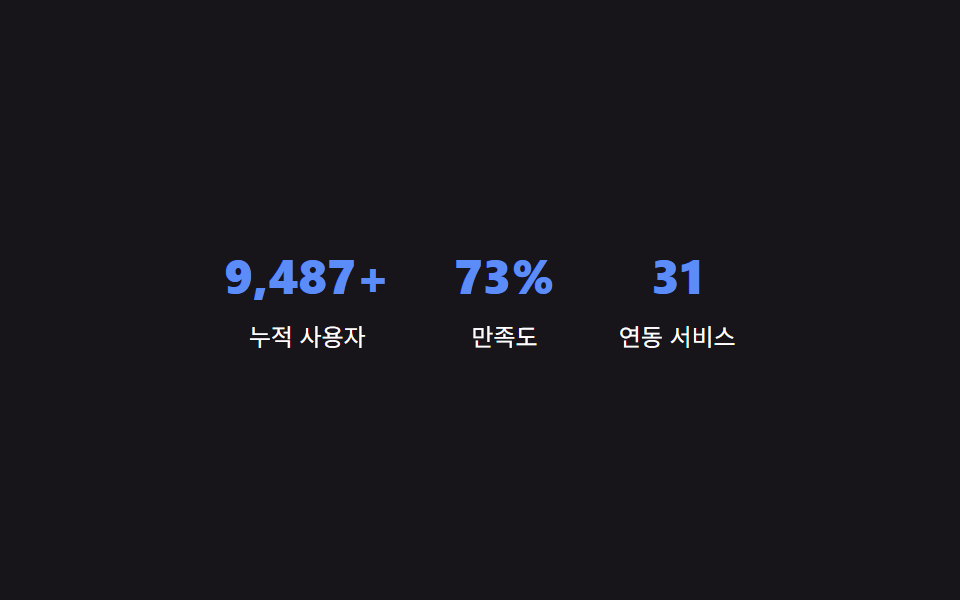
<main class="stage" id="stage">
  <section class="stats" id="stats">
    <div class="stat">
      <p class="stat__num" id="stat-1" data-target="12800" data-suffix="+">0</p>
      <p class="stat__label">누적 사용자</p>
    </div>
    <div class="stat">
      <p class="stat__num" id="stat-2" data-target="98" data-suffix="%">0</p>
      <p class="stat__label">만족도</p>
    </div>
    <div class="stat">
      <p class="stat__num" id="stat-3" data-target="42">0</p>
      <p class="stat__label">연동 서비스</p>
    </div>
  </section>
</main>
@use "../../../../site/static/demo-tokens" as *;
$color: $subject-blue-light;
@include stage($stage-ink);
.stats {
display: flex;
gap: $sp-8;
flex-wrap: wrap;
justify-content: center;
text-align: center;
}
.stat__num {
margin: 0;
color: $color;
font-weight: 800;
font-size: clamp(24px, 8vmin, 34px);
line-height: 1.2;
font-variant-numeric: tabular-nums;
}
.stat__label {
margin: $sp-2 0 0;
color: $stage-paper;
font-size: 12px;
line-height: 1.5;
}
@media (max-width: 340px) {
.stats { gap: $sp-5; }
}
// 카운트업 자체는 JS(rAF)가 matchMedia 로 직접 분기 — 여기는 CSS 트랜지션이 없어 no-op.
@media (prefers-reduced-motion: reduce) {
.stat__num { animation: none; transition: none; }
}html, body {
margin: 0;
overflow: hidden;
}
.stage {
box-sizing: border-box;
min-height: 100vh;
display: grid;
place-items: center;
margin: 0;
background: #17141a;
font-family: -apple-system, "Segoe UI", "Noto Sans KR", sans-serif;
padding: clamp(8px, 4vw, 24px);
}
.stats {
display: flex;
gap: 32px;
flex-wrap: wrap;
justify-content: center;
text-align: center;
}
.stat__num {
margin: 0;
color: #5b8cf8;
font-weight: 800;
font-size: clamp(24px, 8vmin, 34px);
line-height: 1.2;
font-variant-numeric: tabular-nums;
}
.stat__label {
margin: 8px 0 0;
color: #ffffff;
font-size: 12px;
line-height: 1.5;
}
@media (max-width: 340px) {
.stats {
gap: 20px;
}
}
@media (prefers-reduced-motion: reduce) {
.stat__num {
animation: none;
transition: none;
}
}// 화면에 보이는 순간부터 0에서 목표 값까지, 매 프레임(rAF) 다시 계산해 textContent 를 갱신한다.
// 계산 겹: 경과 시간 비율 -> 완화 함수 -> 현재 값(0~목표) -> 문자열 표시. 자동 재생(리스너 없음).
(function () {
var COUNT_DURATION_MS = 1700;
var nums = document.querySelectorAll('.stat__num');
var reduceMotion = window.matchMedia && window.matchMedia('(prefers-reduced-motion: reduce)').matches;
function easeOutCubic(t) {
return 1 - Math.pow(1 - t, 3);
}
function format(n) {
return Math.round(n).toLocaleString('ko-KR');
}
function run(el) {
var target = Number(el.getAttribute('data-target')) || 0;
var suffix = el.getAttribute('data-suffix') || '';
if (reduceMotion) {
el.textContent = format(target) + suffix;
return;
}
var start = null;
function step(ts) {
if (start === null) start = ts;
var elapsed = ts - start;
var t = Math.min(1, elapsed / COUNT_DURATION_MS);
var value = target * easeOutCubic(t);
el.textContent = format(value) + suffix;
if (t < 1) {
window.requestAnimationFrame(step);
}
}
window.requestAnimationFrame(step);
}
nums.forEach(run);
})();import { useEffect, useRef } from "react";
import styles from "./StatsCounter.module.scss";
// 화면에 보이는 순간부터 0에서 목표 값까지, 매 프레임(rAF) 다시 계산해 textContent 를 갱신한다.
// 계산 겹: 경과 시간 비율 -> 완화 함수 -> 현재 값(0~목표) -> 문자열 표시. 자동 재생(리스너 없음).
const COUNT_DURATION_MS = 1700;
const STATS = [
{ id: "stat-1", target: 12800, suffix: "+", label: "누적 사용자" },
{ id: "stat-2", target: 98, suffix: "%", label: "만족도" },
{ id: "stat-3", target: 42, suffix: "", label: "연동 서비스" },
];
function easeOutCubic(t: number) {
return 1 - Math.pow(1 - t, 3);
}
function format(n: number) {
return Math.round(n).toLocaleString("ko-KR");
}
export default function StatsCounter() {
const numRefs = useRef<Array<HTMLParagraphElement | null>>([]);
useEffect(() => {
const reduceMotion =
window.matchMedia && window.matchMedia("(prefers-reduced-motion: reduce)").matches;
const rafIds: number[] = [];
const refs = numRefs.current!;
STATS.forEach((stat, i) => {
const el = refs[i];
if (!el) return;
if (reduceMotion) {
el.textContent = format(stat.target) + stat.suffix;
return;
}
let start: number | null = null;
function step(ts: number) {
if (start === null) start = ts;
const elapsed = ts - start;
const t = Math.min(1, elapsed / COUNT_DURATION_MS);
const value = stat.target * easeOutCubic(t);
el!.textContent = format(value) + stat.suffix;
if (t < 1) {
rafIds[i] = window.requestAnimationFrame(step);
}
}
rafIds[i] = window.requestAnimationFrame(step);
});
return () => rafIds.forEach((id) => window.cancelAnimationFrame(id));
}, []);
return (
<main className={styles.stage}>
<section className={styles.stats}>
{STATS.map((stat, i) => (
<div key={stat.id} className={styles.stat}>
<p
className={styles.stat__num}
ref={(node: HTMLParagraphElement | null) => {
numRefs.current![i] = node;
}}
>
0
</p>
<p className={styles.stat__label}>{stat.label}</p>
</div>
))}
</section>
</main>
);
}09 · 통계 카운터 — 목표 값까지 프레임마다 계산해 올라가는 숫자 — 측정 누적면적 3.044% · 움직인 프레임 13/23GODRICH 원작 · zip 에 SCSS·React 포함 · 비밀번호 보기
값이 섹션을 바꾸는 곳 — 스크롤 비율·순서 값·목표 숫자
웹디자인 히어로 섹션부터 통계 카운터까지, 아홉 섹션은 결국 값 하나가 어떻게 흘러 들어오는지로 나뉩니다. 아래 세 갈래는 그 값의 성격을 기준으로 앞서 다룬 아홉 섹션을 다시 묶은 것입니다.
스크롤 비율 — 자동으로 흐르는 진행 값
01·06·08 은 실제 스크롤 위치나 사용자 입력이 아니라, 애니메이션이 진행되는 시간 자체를 0에서 1(또는 360deg·-50%)까지 흐르는 값으로 삼습니다. 01 은 이 값을 스크롤 진행을 흉내 내는 데 쓰고, 06 은 각도로, 08 은 이동 거리로 씁니다.
순서 값 — 인덱스가 시점을 정하는 곳
02 는 카드의 순서(--i)에 고정 간격을 곱해 등장 시점을 구하고, 04 는 인덱스 값 자체가 타이머로 하나씩 늘어나며 다음 카드의 위치를 정합니다. 둘 다 값이 지금 몇 번째인지가 다음 계산의 재료입니다.
목표 숫자 — 지금 값과 목표 값의 거리를 재는 곳
03 은 결제 주기 상태에 맞는 목표 금액으로 표시를 바꾸고, 05 는 답변의 실제 높이를 목표 값으로 삼아 그 값까지 펼치며, 07 은 글자의 실제 폭을 목표 값으로 삼아 밑줄을 그립니다. 09 는 이 셋과 달리 목표 값에 단번에 닿지 않고 프레임마다 조금씩 다가가는 쪽을 택했습니다.
어디서 깨지는가 — 긴 텍스트·저사양 기기·다크모드
긴 텍스트 — 고정된 글자 폭 가정이 깨지는 지점
01 의 hero__head 안 문구는 max-width: 34ch 로 묶여 있어, 실제 서비스 문구가 이보다 길면 줄바꿈이 늘어나면서 translateY(-42px) 로 이동하는 제목 영역이 배경보다 훨씬 아래까지 밀려 두 층의 어긋남이 의도한 것보다 커질 수 있습니다. 03 의 금액 칸은 white-space: nowrap 이라 자릿수가 큰 금액을 넣으면 카드 폭(최대 420px)을 넘어서기 쉬운데, 67e9abq3 안 원본에서 이 값을 실제 요금제 금액에 맞춰 폭이나 글자 크기를 다시 재야 안전합니다.
저사양 기기 — 매 프레임 다시 그리는 비용이 드는 지점
06 의 conic-gradient 는 transform 과 달리 매 프레임 배경을 다시 페인트해야 하는 속성이라, 저사양 모바일 기기에서는 --angle 값이 바뀔 때마다 드는 계산 비용이 커 다른 여덟 섹션보다 프레임이 먼저 떨어질 수 있습니다.
다크모드 — 고정된 색값이 배경과 부딪히는 지점
랜딩페이지 히어로섹션을 포함해 아홉 섹션 모두 prefers-color-scheme 미디어 쿼리가 없어 #17141a·#0a4fe8 같은 색값이 고정돼 있습니다. 이미 어두운 배경을 쓰는 01·06 같은 섹션은 밝은 다크모드 사이트에 그대로 옮기면 주변과 대비가 지나치게 세지거나 반대로 묻힐 수 있어, 실제로 붙일 때는 그 사이트의 다크모드 배경 위에서 대비를 다시 재야 합니다.
변형 세 가지와 접근성
| 변형 | 바꾸는 값 | 바뀌는 느낌 |
|---|---|---|
| 기능 카드 스태거 간격 | 02 $stagger-step 120ms → 280ms |
간격을 좁히면 카드들이 거의 동시에 나타나 목록이 한 번에 뜨는 느낌을 주고, 넓히면 카드가 하나씩 뚜렷하게 뜸을 들이며 나타나지만 카드 수가 많을수록 전체가 뜨는 데 오래 걸립니다 |
| 요금제 강조 카드 확대 비율 | 03 $featured-scale 1.08 → 1.16 |
차이를 작게 두면 추천 카드가 잘 안 도드라져 보이고, 크게 두면 확실히 떠 보이지만 카드 사이 간격이 좁을 때 옆 카드와 겹쳐 보일 수 있습니다 |
| 통계 카운터 진행 시간 | 09 COUNT_DURATION_MS 1700ms → 3200ms |
짧게 두면 숫자가 순식간에 넘어가 값이 잘 안 읽히고, 길게 두면 숫자가 클수록 다 세는 데 오래 걸려 사용자가 섹션을 벗어날 때까지 안 끝날 수 있습니다 |
접근성
아홉 섹션 모두 prefers-reduced-motion 값을 확인해, 그 값이 켜진 상태가 되면 반복 애니메이션을 끄거나(01·02·06·08) 09 처럼 계산을 건너뛰고 목표 값을 곧바로 보여줍니다. 03 은 aria-pressed, 05 는 aria-expanded·aria-controls 를 버튼과 답변에 걸어 지금 상태를 스크린 리더가 읽을 수 있게 했고, 07 의 링크는 앵커 태그 자체가 이미 키보드로 접근 가능해 별도 처리를 더하지 않았습니다.
FAQ
이 아홉 섹션은 실제 브랜드의 히어로 섹션 디자인을 그대로 옮긴 건가요?
아니요. 실제 서비스나 진짜 결제·후기 데이터는 어디에도 없고, 로고 이름(BRAND A~D)·통계 숫자·후기 문구는 전부 이 데모를 위해 만든 가상의 값입니다. 계산 방식은 그대로 옮겨 쓸 수 있지만 화면에 보이는 수치·문구는 재현이 아니라 예시입니다.
아홉 섹션 중 손으로 직접 눌러서 값이 바뀌는 걸 확인할 수 있는 건 몇 개인가요?
03(요금제)·05(FAQ)는 클릭이, 04(후기 캐러셀)·07(푸터)는 포인터 진입·이탈이 실제 리스너로 값을 바꿉니다. 01·02·06·08·09 다섯은 리스너 없이 타이머나 반복 애니메이션으로 값이 자동으로 도는 시연이라, 실제 서비스에 붙일 때는 스크롤 진입이나 데이터 갱신 시점에 이 계산을 직접 연결해야 합니다.
랜딩페이지 히어로 섹션 하나에 아홉 개를 전부 붙여도 되나요?
계산 방식끼리 충돌하지는 않지만, 09 처럼 매 프레임 다시 그리는 섹션과 06 처럼 매 프레임 페인트 비용이 드는 섹션을 한 페이지에 여럿 겹치면 저사양 기기에서 프레임이 함께 떨어질 수 있습니다. 한 페이지에는 자동으로 도는 섹션(01·02·06·08·09) 중 실제로 필요한 것만 남기고 나머지는 상태 전환형(03·05)이나 포인터형(04·07)으로 무게를 나누는 편이 안전합니다.
더 읽을거리
이 아홉 개는 팀·요금제·케이스 스터디처럼 특정 페이지 종류에 맞춰 파생된 섹션이 아니라 어떤 랜딩페이지에도 붙일 수 있는 범용 컴포넌트라는 점에서, 아래 이웃 편들과는 계산이 붙는 자리 자체가 다릅니다.
- 팀 소개 페이지 UI 9종 — 인원수·소개글 길이·시차까지 계산해서 보여주는 — 팀원 데이터 개수에 맞춰 파생되는 섹션을 다루는 이웃 편
- 가격표 디자인 UI 9종 — 연/월 전환·할인율까지 계산해서 보여주는 — 같은 요금제 소재를 페이지 하나로 더 깊게 파고든 편
- 케이스 스터디 사이트 UI 9종 — 성과 수치까지 계산해 보여주는 — 09 의 카운터 계산과 비슷한 축을 사례 페이지 맥락으로 옮긴 편
- CSS 사용자 정의 속성과 @property - MDN
- getBoundingClientRect() 로 요소의 실제 크기 재기 - MDN
- @media prefers-reduced-motion 으로 모션 줄이기 - MDN
이런 글이랑 어울려요
 랜딩 섹션팀 소개 페이지 UI 9종 — 인원수·소개글 길이·시차까지 계산해서 보여주는
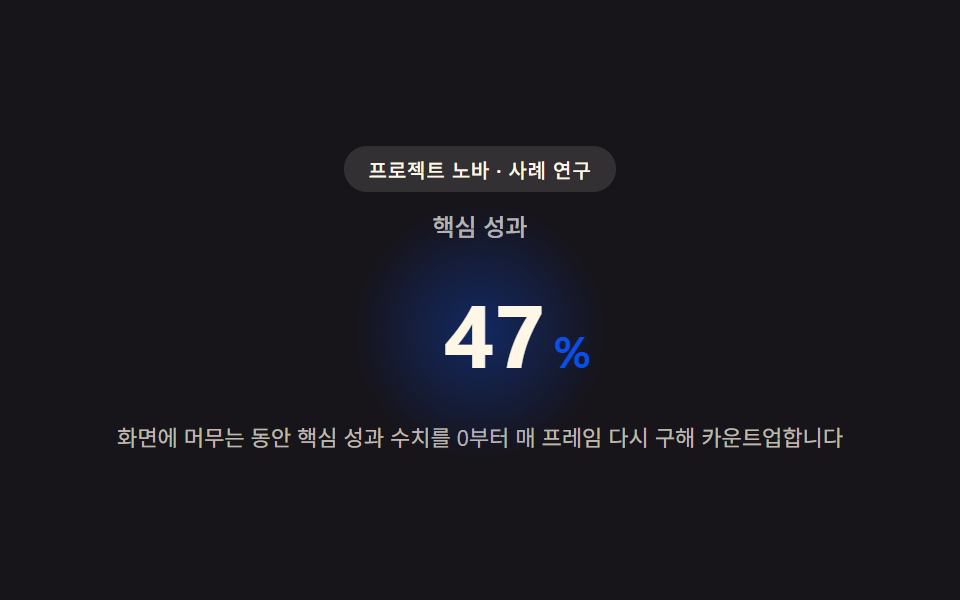 랜딩 섹션케이스 스터디 사이트 UI 9종 — 성과 수치까지 계산해 보여주는
 랜딩 섹션히어로 섹션 디자인 패턴 9종 — JS 라이브러리 없이
 랜딩 섹션인용구 디자인 CSS 9종 — 블로그에 바로 붙이는 인용구 박스 코드
 랜딩 섹션CSS 카드 디자인 9종 — 도시·팀원·바로가기부터
 랜딩 섹션가격표 디자인 UI 9종 — 연/월 전환·할인율까지 계산해서 보여주는
 랜딩 섹션프로필 카드 디자인 9종 — 복붙하면 되는 스타일 모음
 랜딩 섹션요금제 디자인 인터랙션 9종 — 토글부터 결제 버튼까지
 랜딩 섹션랜딩페이지 전환율을 끌어올리는 섹션 9종
 랜딩 섹션웹사이트 푸터 디자인 패턴 9종, 복사해서 바로 쓰는