CSS 프로그레스바 애니메이션 9종 — 스크롤 읽기 진행 표시
CSS 프로그레스바 애니메이션은 지금까지 얼마나 읽었는지를 스크롤 위치만으로 계산해 보여주는 장치입니다. AOS·GSAP 없이, JS 0줄로 아홉 가지 형태를 모았습니다 — 상단 바, 원형 배지, 점 내비, 세로 바, 글자 채우기, 숫자, 챕터 스텝, 목차, 읽은 시간까지.
 01 scroll-progress-indicator-top-bar
 02 scroll-progress-indicator-ring-badge
 03 scroll-progress-indicator-section-dots
 04 scroll-progress-indicator-side-rail
 05 scroll-progress-indicator-text-fill
 06 scroll-progress-indicator-percent-counter
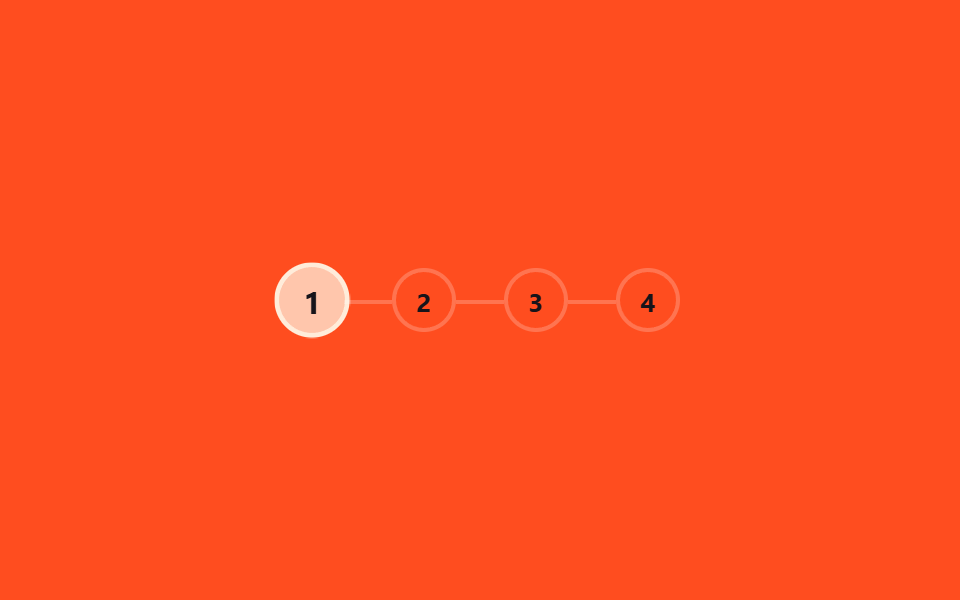 07 scroll-progress-indicator-chapter-steps
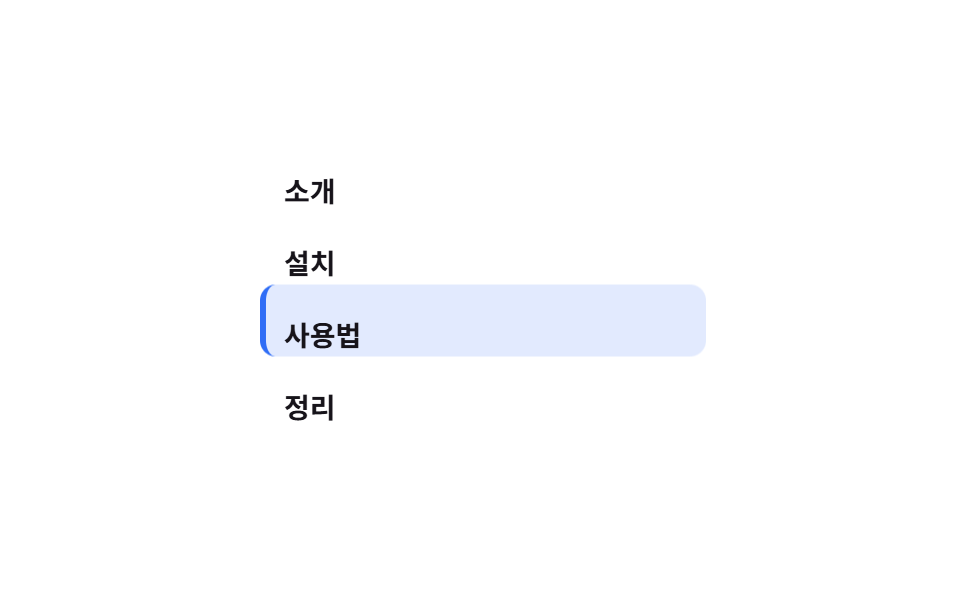 08 scroll-progress-indicator-toc-highlight
 09 scroll-progress-indicator-reading-time
자동 재생 · 눌러서 해당 항목으로 · 전부 한 zip
아홉 가지 scroll indicator css 는 인기 순이 아니라 독자 눈에 먼저 걸리는 자리 순으로 놓았습니다. 화면 가장자리에서 의식하지 않아도 보이는 것(01~04) 다음, 본문 안에서 직접 눈에 들어오는 것(05~06), 마지막으로 글 구조 자체를 설명하는 것(07~09)입니다. 아홉 개 전부 animation-timeline: scroll() 하나로 스크립트 없이 움직이고, 이 기능을 아직 못 쓰는 브라우저를 위한 대체판은 함정 섹션에 있습니다. 진행률 대신 요소를 차례로 등장시키는 쪽을 찾는다면 순차적 애니메이션을 먼저 보는 편이 빠르고, 가로로 넘어가는 화면의 진행은 CSS 캐러셀이 맡습니다.
01상단 얇은 바
화면 맨 위 3px 바
화면 맨 위에 붙은 3px 바가 읽은 만큼 왼쪽부터 채워집니다.
<main class="stage">
  <div class="track" role="progressbar" aria-label="읽기 진행률" aria-valuemin="0" aria-valuemax="100" aria-valuenow="0">
    <div class="bar is-demo"></div>
  </div>
  <div class="page">
    <div class="page__block"></div>
    <div class="page__block"></div>
    <div class="page__block short"></div>
  </div>
</main>
@use "../../../../site/static/demo-tokens" as *;
// ── 변수 3개. 변형은 이것만 바꾼다 ──────────────────────────
$thickness: 3px; // 바 두께. 굵게 6px
$color: $subject-blue; // 채워진 구간 색
$track: rgba(255, 255, 255, .16); // 안 읽은 구간
@include stage($stage-ink);
.track {
position: fixed;
top: 0; left: 0; right: 0;
height: $thickness;
background: $track;
}
.bar {
height: 100%;
width: 100%;
background: $color;
transform: scaleX(0);
transform-origin: left; // 규칙8: 진행바 left 채움
// 실제 사용: 문서 스크롤 진행률이 곧 바 길이 (Chrome·Edge 115+ · Safari 26+ · Firefox 158+ 플래그, 편브리프 표)
@supports (animation-timeline: scroll()) {
animation: fill linear both;
animation-timeline: scroll(root);
}
}
@keyframes fill { to { transform: scaleX(1); } }
// ── 데모(.is-demo): 스크롤 없이 2초 루프로 흉내 ────────────────
.bar.is-demo { animation: fill-loop $dur-loop linear infinite; }
@keyframes fill-loop {
0% { transform: scaleX(0); }
92% { transform: scaleX(1); }
100% { transform: scaleX(1); }
}
.page { padding: $sp-10 $sp-6 0; }
.page__block {
height: $sp-6;
margin: 0 0 $sp-4;
border-radius: $r-sm;
background: rgba(255, 255, 255, .12);
&.short { width: 55%; }
}
// ── 접근성: 움직임 줄이기 — 다 채워진 상태로 고정 ────────────
@media (prefers-reduced-motion: reduce) {
.bar, .bar.is-demo { animation: none !important; transform: scaleX(1); }
}html, body {
margin: 0;
overflow: hidden;
}
.stage {
box-sizing: border-box;
min-height: 100vh;
display: grid;
place-items: center;
margin: 0;
background: #17141a;
font-family: -apple-system, "Segoe UI", "Noto Sans KR", sans-serif;
padding: clamp(8px, 4vw, 24px);
}
.track {
position: fixed;
top: 0;
left: 0;
right: 0;
height: 3px;
background: rgba(255, 255, 255, 0.16);
}
.bar {
height: 100%;
width: 100%;
background: #2f6df6;
transform: scaleX(0);
transform-origin: left;
}
@supports (animation-timeline: scroll()) {
.bar {
animation: fill linear both;
animation-timeline: scroll(root);
}
}
@keyframes fill {
to {
transform: scaleX(1);
}
}
.bar.is-demo {
animation: fill-loop 2s linear infinite;
}
@keyframes fill-loop {
0% {
transform: scaleX(0);
}
92% {
transform: scaleX(1);
}
100% {
transform: scaleX(1);
}
}
.page {
padding: 40px 24px 0;
}
.page__block {
height: 24px;
margin: 0 0 16px;
border-radius: 8px;
background: rgba(255, 255, 255, 0.12);
}
.page__block.short {
width: 55%;
}
@media (prefers-reduced-motion: reduce) {
.bar, .bar.is-demo {
animation: none !important;
transform: scaleX(1);
}
}import { useEffect, useState } from "react";
import type { CSSProperties } from "react";
import styles from "./TopBar.module.scss";
export type TopBarProps = {
/** 바 두께 (기본 3px) */
thickness?: number;
/** 바 색 */
color?: string;
};
type Vars = CSSProperties & { "--thickness"?: string; "--color"?: string };
// 실제 쓰임: 문서 스크롤 비율을 window scroll 로 재서 --scale 에 반영한다.
// scroll() 타임라인을 쓸 수 있는 브라우저(Chrome·Edge 115+, Safari 26+)에서는 CSS 만으로도 되지만,
// React 컴포넌트는 아직 지원이 갈린 Firefox 를 포함해 항상 움직여야 하므로 스크롤 리스너로 재계산한다.
export default function TopBar({ thickness = 3, color = "#2f6df6" }: TopBarProps) {
const [scale, setScale] = useState(0);
useEffect(() => {
const onScroll = () => {
const max = document.documentElement.scrollHeight - window.innerHeight;
setScale(max > 0 ? Math.min(1, window.scrollY / max) : 0);
};
onScroll();
window.addEventListener("scroll", onScroll, { passive: true });
return () => window.removeEventListener("scroll", onScroll);
}, []);
const vars: Vars = { "--thickness": `${thickness}px`, "--color": color };
return (
<div className={styles.track} style={vars} role="progressbar" aria-label="Reading progress"
aria-valuemin={0} aria-valuemax={100} aria-valuenow={Math.round(scale * 100)}>
<div className={styles.bar} style={{ transform: `scaleX(${scale})` }} />
</div>
);
}01 · 상단 얇은 바 — 측정 누적면적 1.0% · 움직인 프레임 23/23GODRICH 원작 · zip 에 SCSS·React 포함 · 비밀번호 보기
긴 글 헤더 아래에
긴 글이나 문서 페이지 헤더 아래에 가장 흔히 씁니다.
.bar {
  width: 100%;
  transform: scaleX(0);
  transform-origin: left;

  @supports (animation-timeline: scroll()) {
    animation: fill linear both;
    animation-timeline: scroll(root);
  }
}
@keyframes fill { to { transform: scaleX(1); } }
02원형 링 배지
원형 프로그레스바 css 를 conic-gradient 로
화면 오른쪽 아래에 뜬 원형 배지가 conic-gradient 링으로 채워집니다.
<main class="stage">
  <div class="badge is-demo" role="progressbar" aria-label="위로가기" aria-valuemin="0" aria-valuemax="100" aria-valuenow="0">
    <span class="badge__inner"><span class="badge__arrow" aria-hidden="true"></span></span>
  </div>
</main>
@use "../../../../site/static/demo-tokens" as *;
// ── 변수 3개 ──────────────────────────────────────────
$size: 56px; // 배지 지름
$color: $subject-ink; // 링 색
$duration: $dur-loop; // 한 바퀴(스크롤 전체) 도는 시간
@include stage($stage-yellow);
// 정수라야 링 각도가 매끄럽게 보간된다
@property --p {
syntax: '<number>';
initial-value: 0;
inherits: false;
}
.badge {
--p: 0;
position: fixed;
right: $sp-6; bottom: $sp-6;
width: $size; height: $size;
border-radius: 50%;
display: grid;
place-items: center;
background: conic-gradient($color calc(var(--p) * 1%), $stage-paper 0);
box-shadow: $shadow-raised;
// 실제 사용: 링 배지는 플로팅 위로가기 버튼에 흔히 결합된다
@supports (animation-timeline: scroll()) {
animation: fill-ring linear both;
animation-timeline: scroll(root);
}
}
@keyframes fill-ring { from { --p: 0; } to { --p: 100; } }
.badge.is-demo { animation: fill-ring-loop $duration linear infinite; }
@keyframes fill-ring-loop {
0% { --p: 0; }
92% { --p: 100; }
100% { --p: 100; }
}
.badge__inner {
width: 44px; height: 44px;
border-radius: 50%;
background: $stage-paper;
display: grid;
place-items: center;
}
.badge__arrow {
width: 0; height: 0;
border-left: 6px solid transparent;
border-right: 6px solid transparent;
border-bottom: 9px solid $subject-ink;
}
@media (prefers-reduced-motion: reduce) {
.badge, .badge.is-demo { animation: none !important; --p: 100; }
}html, body {
margin: 0;
overflow: hidden;
}
.stage {
box-sizing: border-box;
min-height: 100vh;
display: grid;
place-items: center;
margin: 0;
background: #ffd23f;
font-family: -apple-system, "Segoe UI", "Noto Sans KR", sans-serif;
padding: clamp(8px, 4vw, 24px);
}
@property --p {
syntax: "<number>";
initial-value: 0;
inherits: false;
}
.badge {
--p: 0;
position: fixed;
right: 24px;
bottom: 24px;
width: 56px;
height: 56px;
border-radius: 50%;
display: grid;
place-items: center;
background: conic-gradient(#17141a calc(var(--p) * 1%), #ffffff 0);
box-shadow: 0 14px 24px rgba(23, 20, 26, 0.32);
}
@supports (animation-timeline: scroll()) {
.badge {
animation: fill-ring linear both;
animation-timeline: scroll(root);
}
}
@keyframes fill-ring {
from {
--p: 0;
}
to {
--p: 100;
}
}
.badge.is-demo {
animation: fill-ring-loop 2s linear infinite;
}
@keyframes fill-ring-loop {
0% {
--p: 0;
}
92% {
--p: 100;
}
100% {
--p: 100;
}
}
.badge__inner {
width: 44px;
height: 44px;
border-radius: 50%;
background: #ffffff;
display: grid;
place-items: center;
}
.badge__arrow {
width: 0;
height: 0;
border-left: 6px solid transparent;
border-right: 6px solid transparent;
border-bottom: 9px solid #17141a;
}
@media (prefers-reduced-motion: reduce) {
.badge, .badge.is-demo {
animation: none !important;
--p: 100;
}
}import { useEffect, useState } from "react";
import type { CSSProperties, MouseEvent } from "react";
import styles from "./RingBadge.module.scss";
export type RingBadgeProps = {
/** 배지 지름 (기본 56px) */
size?: number;
/** 링 색 */
color?: string;
onClick?: (e: MouseEvent<HTMLButtonElement>) => void;
};
type Vars = CSSProperties & { "--size"?: string; "--color"?: string; "--p"?: number };
// 실제 쓰임: 위로가기 버튼과 결합. percent 만큼 conic-gradient 링이 채워진다.
export default function RingBadge({ size = 56, color = "#17141a", onClick }: RingBadgeProps) {
const [percent, setPercent] = useState(0);
useEffect(() => {
const onScroll = () => {
const max = document.documentElement.scrollHeight - window.innerHeight;
setPercent(max > 0 ? Math.min(100, Math.round((window.scrollY / max) * 100)) : 0);
};
onScroll();
window.addEventListener("scroll", onScroll, { passive: true });
return () => window.removeEventListener("scroll", onScroll);
}, []);
const vars: Vars = { "--size": `${size}px`, "--color": color, "--p": percent };
return (
<button
type="button"
className={styles.badge}
style={vars}
role="progressbar"
aria-label="Back to top"
aria-valuemin={0}
aria-valuemax={100}
aria-valuenow={percent}
onClick={(e: MouseEvent<HTMLButtonElement>) => { window.scrollTo({ top: 0, behavior: "smooth" }); onClick?.(e); }}
>
<span className={styles.inner}><span className={styles.arrow} /></span>
</button>
);
}02 · 원형 링 배지 — 측정 누적면적 0.736% · 움직인 프레임 23/23GODRICH 원작 · zip 에 SCSS·React 포함 · 비밀번호 보기
위로가기 버튼과 묶어 쓰기
플로팅 위로가기 버튼과 묶어 쓰면 버튼 하나가 내비게이션과 진행 표시를 겸합니다.
@property --p { syntax: '<number>'; initial-value: 0; inherits: false; }

.badge {
  --p: 0;
  border-radius: 50%;
  background: conic-gradient($color calc(var(--p) * 1%), $stage-paper 0);

  @supports (animation-timeline: scroll()) {
    animation: fill-ring linear both;
    animation-timeline: scroll(root);
  }
}
@keyframes fill-ring { from { --p: 0; } to { --p: 100; } }
03섹션 점 내비
지금 읽는 구간의 점만
세로로 늘어선 점 여섯 개 중 지금 읽는 구간의 점만 커지고 밝아집니다.
<main class="stage">
  <nav class="dots is-demo" aria-label="섹션 내비게이션">
    <span class="dot" aria-hidden="true"></span>
    <span class="dot" aria-hidden="true"></span>
    <span class="dot" aria-hidden="true"></span>
    <span class="dot" aria-hidden="true"></span>
    <span class="dot" aria-hidden="true"></span>
    <span class="dot" aria-hidden="true"></span>
  </nav>
</main>
@use "../../../../site/static/demo-tokens" as *;
// ── 변수 3개 ──────────────────────────────────────────
$duration: $dur-loop; // 점 하나가 켜졌다 꺼지는 한 순환
$easing: $ease-out;
$color: $subject-cream; // 활성 점 색
@include stage($stage-orange);
.dots {
position: fixed;
right: $sp-6; top: 50%;
transform: translateY(-50%);
display: flex;
flex-direction: column;
gap: $sp-3;
}
.dot {
width: 8px; height: 8px;
border-radius: 50%;
background: rgba(23, 20, 26, .28);
transition: transform 200ms $easing, background 200ms $easing;
}
// ── 실제 사용: 섹션이 뷰포트에 들어오는 순간 그 섹션의 점에 .is-active 를 켠다 (IntersectionObserver) ──
.dot.is-active { transform: scale(1.6); background: $color; }
// ── 데모: 점을 순서대로 하나씩 밝힌다 ────────────────────
.dots.is-demo .dot { animation: pulse $duration linear infinite; }
.dots.is-demo .dot:nth-child(1) { animation-delay: 0s; }
.dots.is-demo .dot:nth-child(2) { animation-delay: .333s; }
.dots.is-demo .dot:nth-child(3) { animation-delay: .667s; }
.dots.is-demo .dot:nth-child(4) { animation-delay: 1s; }
.dots.is-demo .dot:nth-child(5) { animation-delay: 1.333s; }
.dots.is-demo .dot:nth-child(6) { animation-delay: 1.667s; }
@keyframes pulse {
0%, 83.34%, 100% { transform: scale(1); background: rgba(23, 20, 26, .28); }
8.33%, 16.66% { transform: scale(1.6); background: $color; }
}
@media (prefers-reduced-motion: reduce) {
.dots.is-demo .dot { animation: none !important; }
.dots.is-demo .dot:first-child { transform: scale(1.6); background: $color; }
}html, body {
margin: 0;
overflow: hidden;
}
.stage {
box-sizing: border-box;
min-height: 100vh;
display: grid;
place-items: center;
margin: 0;
background: #ff4d1f;
font-family: -apple-system, "Segoe UI", "Noto Sans KR", sans-serif;
padding: clamp(8px, 4vw, 24px);
}
.dots {
position: fixed;
right: 24px;
top: 50%;
transform: translateY(-50%);
display: flex;
flex-direction: column;
gap: 12px;
}
.dot {
width: 8px;
height: 8px;
border-radius: 50%;
background: rgba(23, 20, 26, 0.28);
transition: transform 200ms ease-out, background 200ms ease-out;
}
.dot.is-active {
transform: scale(1.6);
background: #fff7e6;
}
.dots.is-demo .dot {
animation: pulse 2s linear infinite;
}
.dots.is-demo .dot:nth-child(1) {
animation-delay: 0s;
}
.dots.is-demo .dot:nth-child(2) {
animation-delay: 0.333s;
}
.dots.is-demo .dot:nth-child(3) {
animation-delay: 0.667s;
}
.dots.is-demo .dot:nth-child(4) {
animation-delay: 1s;
}
.dots.is-demo .dot:nth-child(5) {
animation-delay: 1.333s;
}
.dots.is-demo .dot:nth-child(6) {
animation-delay: 1.667s;
}
@keyframes pulse {
0%, 83.34%, 100% {
transform: scale(1);
background: rgba(23, 20, 26, 0.28);
}
8.33%, 16.66% {
transform: scale(1.6);
background: #fff7e6;
}
}
@media (prefers-reduced-motion: reduce) {
.dots.is-demo .dot {
animation: none !important;
}
.dots.is-demo .dot:first-child {
transform: scale(1.6);
background: #fff7e6;
}
}import { useEffect, useState } from "react";
import styles from "./SectionDots.module.scss";
export type SectionDotsProps = {
/** 관찰할 섹션 id 목록 (순서대로) */
sectionIds: string[];
/** 활성 점 색 */
color?: string;
};
// 실제 쓰임: IntersectionObserver 로 지금 뷰포트에 가장 많이 걸친 섹션을 찾아 그 점만 켠다.
export default function SectionDots({ sectionIds, color = "#fff7e6" }: SectionDotsProps) {
const [active, setActive] = useState(0);
useEffect(() => {
const els = sectionIds.map((id) => document.getElementById(id)).filter(Boolean) as HTMLElement[];
const io = new IntersectionObserver(
(entries) => {
const top = entries.filter((e) => e.isIntersecting).sort((a, b) => b.intersectionRatio - a.intersectionRatio)[0];
if (top) setActive(els.indexOf(top.target as HTMLElement));
},
{ threshold: [0.3, 0.6] }
);
els.forEach((el) => io.observe(el));
return () => io.disconnect();
}, [sectionIds]);
return (
<nav className={styles.dots} aria-label="Section navigation">
{sectionIds.map((id, i) => (
<a
key={id}
href={`#${id}`}
className={`${styles.dot} ${i === active ? styles.active : ""}`}
style={i === active ? { background: color } : undefined}
aria-hidden="true"
tabIndex={-1}
/>
))}
</nav>
);
}03 · 섹션 점 내비 — 측정 누적면적 0.683% · 움직인 프레임 21/23GODRICH 원작 · zip 에 SCSS·React 포함 · 비밀번호 보기
원페이지 랜딩 내비에
원페이지 스토리텔링 사이트나 랜딩 섹션 내비에 씁니다.
const io = new IntersectionObserver((entries) => {
  const top = entries
    .filter((e) => e.isIntersecting)
    .sort((a, b) => b.intersectionRatio - a.intersectionRatio)[0];
  if (top) setActive(sections.indexOf(top.target));
}, { threshold: [0.3, 0.6] });
sections.forEach((el) => io.observe(el));
04사이드 세로 바
오른쪽 가장자리 세로 트랙
화면 오른쪽 가장자리 얇은 트랙이 위에서 아래로 채워져 읽은 위치를 보여줍니다.
<main class="stage">
  <div class="rail" role="progressbar" aria-label="읽은 위치" aria-valuemin="0" aria-valuemax="100" aria-valuenow="0">
    <div class="rail__fill is-demo"></div>
  </div>
  <div class="page">
    <div class="page__block"></div>
    <div class="page__block"></div>
    <div class="page__block short"></div>
  </div>
</main>
@use "../../../../site/static/demo-tokens" as *;
// ── 변수 3개 ──────────────────────────────────────────
$thickness: 4px; // 레일 두께
$color: $subject-blue; // 채워진 구간 색
$track: rgba(23, 20, 26, .1); // 안 읽은 구간
@include stage($stage-paper);
.rail {
position: fixed;
top: 0; right: 0;
width: $thickness;
height: 100%;
background: $track;
}
.rail__fill {
width: 100%;
height: 100%;
background: $color;
transform: scaleY(0);
transform-origin: top; // 규칙8: 세로레일 top 채움
// 실제 사용: 문서 안에서 지금까지 읽은 위치를 세로로 보여준다
@supports (animation-timeline: scroll()) {
animation: fill-y linear both;
animation-timeline: scroll(root);
}
}
@keyframes fill-y { to { transform: scaleY(1); } }
.rail__fill.is-demo { animation: fill-y-loop $dur-loop linear infinite; }
@keyframes fill-y-loop {
0% { transform: scaleY(0); }
92% { transform: scaleY(1); }
100% { transform: scaleY(1); }
}
.page { padding: $sp-10 $sp-8 0 $sp-6; }
.page__block {
height: $sp-6;
margin: 0 0 $sp-4;
border-radius: $r-sm;
background: rgba(23, 20, 26, .08);
&.short { width: 55%; }
}
@media (prefers-reduced-motion: reduce) {
.rail__fill, .rail__fill.is-demo { animation: none !important; transform: scaleY(1); }
}html, body {
margin: 0;
overflow: hidden;
}
.stage {
box-sizing: border-box;
min-height: 100vh;
display: grid;
place-items: center;
margin: 0;
background: #ffffff;
font-family: -apple-system, "Segoe UI", "Noto Sans KR", sans-serif;
padding: clamp(8px, 4vw, 24px);
}
.rail {
position: fixed;
top: 0;
right: 0;
width: 4px;
height: 100%;
background: rgba(23, 20, 26, 0.1);
}
.rail__fill {
width: 100%;
height: 100%;
background: #2f6df6;
transform: scaleY(0);
transform-origin: top;
}
@supports (animation-timeline: scroll()) {
.rail__fill {
animation: fill-y linear both;
animation-timeline: scroll(root);
}
}
@keyframes fill-y {
to {
transform: scaleY(1);
}
}
.rail__fill.is-demo {
animation: fill-y-loop 2s linear infinite;
}
@keyframes fill-y-loop {
0% {
transform: scaleY(0);
}
92% {
transform: scaleY(1);
}
100% {
transform: scaleY(1);
}
}
.page {
padding: 40px 32px 0 24px;
}
.page__block {
height: 24px;
margin: 0 0 16px;
border-radius: 8px;
background: rgba(23, 20, 26, 0.08);
}
.page__block.short {
width: 55%;
}
@media (prefers-reduced-motion: reduce) {
.rail__fill, .rail__fill.is-demo {
animation: none !important;
transform: scaleY(1);
}
}import { useEffect, useState } from "react";
import type { CSSProperties } from "react";
import styles from "./SideRail.module.scss";
export type SideRailProps = {
/** 레일 두께 (기본 4px) */
thickness?: number;
/** 채워진 구간 색 */
color?: string;
};
type Vars = CSSProperties & { "--thickness"?: string; "--color"?: string };
// 실제 쓰임: TopBar 와 같은 계산을 세로(scaleY)로 그린다.
export default function SideRail({ thickness = 4, color = "#2f6df6" }: SideRailProps) {
const [scale, setScale] = useState(0);
useEffect(() => {
const onScroll = () => {
const max = document.documentElement.scrollHeight - window.innerHeight;
setScale(max > 0 ? Math.min(1, window.scrollY / max) : 0);
};
onScroll();
window.addEventListener("scroll", onScroll, { passive: true });
return () => window.removeEventListener("scroll", onScroll);
}, []);
const vars: Vars = { "--thickness": `${thickness}px`, "--color": color };
return (
<div className={styles.rail} style={vars} role="progressbar" aria-label="Reading position"
aria-valuemin={0} aria-valuemax={100} aria-valuenow={Math.round(scale * 100)}>
<div className={styles.fill} style={{ transform: `scaleY(${scale})` }} />
</div>
);
}04 · 사이드 세로 바 — 측정 누적면적 0.833% · 움직인 프레임 23/23GODRICH 원작 · zip 에 SCSS·React 포함 · 비밀번호 보기
문서 사이트 여백에
문서 사이트나 긴 기술 블로그의 여백에 붙습니다.
.rail__fill {
  height: 100%;
  transform: scaleY(0);
  transform-origin: top;

  @supports (animation-timeline: scroll()) {
    animation: fill-y linear both;
    animation-timeline: scroll(root);
  }
}
@keyframes fill-y { to { transform: scaleY(1); } }
05글자 채우기
읽은 비율만큼 글자 색 채우기
제목 글자 색이 읽은 비율만큼 왼쪽부터 채워집니다.
<main class="stage">
  <h2 class="headline is-demo">읽은 만큼 채워지는 제목</h2>
</main>
@use "../../../../site/static/demo-tokens" as *;
// ── 변수 3개 ──────────────────────────────────────────
$color: $subject-blue; // 읽은 구간 색
$dim: rgba(255, 255, 255, .32); // 안 읽은 구간 색
$duration: $dur-loop;
@include stage($stage-ink);
// 퍼센트라야 그라데이션 경계가 매끄럽게 보간된다
@property --p {
syntax: '<percentage>';
initial-value: 0%;
inherits: false;
}
.headline {
--p: 0%;
max-width: 80%;
margin: 0;
text-align: center;
font-weight: 800;
font-size: clamp(20px, 6vw, 28px);
line-height: 1.35;
font-family: inherit;
background-image: linear-gradient(90deg, $color var(--p), $dim var(--p));
background-clip: text;
-webkit-background-clip: text;
color: transparent;
// 실제 사용: 헤드라인 색이 스크롤 진행률만큼 왼쪽부터 채워진다
@supports (animation-timeline: scroll()) {
animation: fill-text linear both;
animation-timeline: scroll(root);
}
}
@keyframes fill-text { from { --p: 0%; } to { --p: 100%; } }
.headline.is-demo { animation: fill-text-loop $duration linear infinite; }
@keyframes fill-text-loop {
0% { --p: 0%; }
92% { --p: 100%; }
100% { --p: 100%; }
}
@media (prefers-reduced-motion: reduce) {
.headline, .headline.is-demo { animation: none !important; --p: 100%; }
}html, body {
margin: 0;
overflow: hidden;
}
.stage {
box-sizing: border-box;
min-height: 100vh;
display: grid;
place-items: center;
margin: 0;
background: #17141a;
font-family: -apple-system, "Segoe UI", "Noto Sans KR", sans-serif;
padding: clamp(8px, 4vw, 24px);
}
@property --p {
syntax: "<percentage>";
initial-value: 0%;
inherits: false;
}
.headline {
--p: 0%;
max-width: 80%;
margin: 0;
text-align: center;
font-weight: 800;
font-size: clamp(20px, 6vw, 28px);
line-height: 1.35;
font-family: inherit;
background-image: linear-gradient(90deg, #2f6df6 var(--p), rgba(255, 255, 255, 0.32) var(--p));
background-clip: text;
-webkit-background-clip: text;
color: transparent;
}
@supports (animation-timeline: scroll()) {
.headline {
animation: fill-text linear both;
animation-timeline: scroll(root);
}
}
@keyframes fill-text {
from {
--p: 0%;
}
to {
--p: 100%;
}
}
.headline.is-demo {
animation: fill-text-loop 2s linear infinite;
}
@keyframes fill-text-loop {
0% {
--p: 0%;
}
92% {
--p: 100%;
}
100% {
--p: 100%;
}
}
@media (prefers-reduced-motion: reduce) {
.headline, .headline.is-demo {
animation: none !important;
--p: 100%;
}
}import { useEffect, useState } from "react";
import type { CSSProperties, ReactNode } from "react";
import styles from "./TextFill.module.scss";
export type TextFillProps = {
children: ReactNode;
/** 읽은 구간 색 */
color?: string;
/** 안 읽은 구간 색 */
dim?: string;
};
type Vars = CSSProperties & { "--p"?: string; "--color"?: string; "--dim"?: string };
// 실제 쓰임: 헤드라인 색이 스크롤 진행률만큼 왼쪽부터 채워진다.
export default function TextFill({ children, color = "#2f6df6", dim = "rgba(255,255,255,.32)" }: TextFillProps) {
const [percent, setPercent] = useState(0);
useEffect(() => {
const onScroll = () => {
const max = document.documentElement.scrollHeight - window.innerHeight;
setPercent(max > 0 ? Math.min(100, (window.scrollY / max) * 100) : 0);
};
onScroll();
window.addEventListener("scroll", onScroll, { passive: true });
return () => window.removeEventListener("scroll", onScroll);
}, []);
const vars: Vars = { "--p": `${percent}%`, "--color": color, "--dim": dim };
return <h2 className={styles.headline} style={vars}>{children}</h2>;
}05 · 글자 채우기 — 측정 누적면적 2.938% · 움직인 프레임 23/23GODRICH 원작 · zip 에 SCSS·React 포함 · 비밀번호 보기
이미지 없이 되는 이유
background-clip: text로 그라데이션을 그리기 때문에 이미지 없이 순수 CSS만으로 구현됩니다.
@property --p { syntax: '<percentage>'; initial-value: 0%; inherits: false; }

.headline {
  --p: 0%;
  background-image: linear-gradient(90deg, $color var(--p), $dim var(--p));
  background-clip: text;
  -webkit-background-clip: text;
  color: transparent;
}
06숫자 %
0에서 100까지 정수로
오른쪽 위 작은 숫자가 스크롤한 만큼 0에서 100까지 정수로 오릅니다.
<main class="stage">
  <div class="counter" role="status" aria-label="읽기 진행률">
    <span class="counter__num is-demo" aria-hidden="true"></span>
  </div>
</main>
@use "../../../../site/static/demo-tokens" as *;
// ── 변수 3개 ──────────────────────────────────────────
$color: $subject-ink; // 숫자 색
$duration: $dur-loop;
$easing: linear; // 스크롤과 1:1로 움직이니 linear 가 맞다
@include stage($stage-yellow);
// 정수라야 애니메이션 중간값도 정수로 보간된다 (029 와 같은 기법)
@property --num {
syntax: '<integer>';
initial-value: 0;
inherits: false;
}
.counter {
position: fixed;
top: $sp-6; right: $sp-6;
}
.counter__num {
--num: 0;
counter-reset: num var(--num);
display: block;
font-weight: 800;
font-size: clamp(26px, 8vw, 36px);
line-height: 1;
font-family: inherit;
font-variant-numeric: tabular-nums;
color: $color;
&::before { content: counter(num) '%'; }
// 실제 사용: 전체 문서를 스크롤한 비율이 그대로 숫자가 된다
@supports (animation-timeline: scroll()) {
animation: count-up $easing both;
animation-timeline: scroll(root);
}
}
@keyframes count-up { from { --num: 0; } to { --num: 100; } }
.counter__num.is-demo { animation: count-up-loop $duration $easing infinite; }
@keyframes count-up-loop {
0% { --num: 0; }
92% { --num: 100; }
100% { --num: 100; }
}
@media (prefers-reduced-motion: reduce) {
.counter__num, .counter__num.is-demo { animation: none !important; --num: 100; }
}html, body {
margin: 0;
overflow: hidden;
}
.stage {
box-sizing: border-box;
min-height: 100vh;
display: grid;
place-items: center;
margin: 0;
background: #ffd23f;
font-family: -apple-system, "Segoe UI", "Noto Sans KR", sans-serif;
padding: clamp(8px, 4vw, 24px);
}
@property --num {
syntax: "<integer>";
initial-value: 0;
inherits: false;
}
.counter {
position: fixed;
top: 24px;
right: 24px;
}
.counter__num {
--num: 0;
counter-reset: num var(--num);
display: block;
font-weight: 800;
font-size: clamp(26px, 8vw, 36px);
line-height: 1;
font-family: inherit;
font-variant-numeric: tabular-nums;
color: #17141a;
}
.counter__num::before {
content: counter(num) "%";
}
@supports (animation-timeline: scroll()) {
.counter__num {
animation: count-up linear both;
animation-timeline: scroll(root);
}
}
@keyframes count-up {
from {
--num: 0;
}
to {
--num: 100;
}
}
.counter__num.is-demo {
animation: count-up-loop 2s linear infinite;
}
@keyframes count-up-loop {
0% {
--num: 0;
}
92% {
--num: 100;
}
100% {
--num: 100;
}
}
@media (prefers-reduced-motion: reduce) {
.counter__num, .counter__num.is-demo {
animation: none !important;
--num: 100;
}
}import { useEffect, useState } from "react";
import styles from "./PercentCounter.module.scss";
export type PercentCounterProps = {
/** 숫자 색 */
color?: string;
};
// 실제 쓰임: 스크롤 진행률을 그대로 정수 퍼센트로 보여준다.
export default function PercentCounter({ color = "#17141a" }: PercentCounterProps) {
const [percent, setPercent] = useState(0);
useEffect(() => {
const onScroll = () => {
const max = document.documentElement.scrollHeight - window.innerHeight;
setPercent(max > 0 ? Math.min(100, Math.round((window.scrollY / max) * 100)) : 0);
};
onScroll();
window.addEventListener("scroll", onScroll, { passive: true });
return () => window.removeEventListener("scroll", onScroll);
}, []);
return (
<div className={styles.counter} role="status" aria-label="Reading progress">
<span className={styles.num} style={{ color }}>{percent}%</span>
</div>
);
}06 · 숫자 % — 측정 누적면적 0.872% · 움직인 프레임 22/23GODRICH 원작 · zip 에 SCSS·React 포함 · 비밀번호 보기
설문과 튜토리얼 진행률에
긴 설문이나 튜토리얼의 진행률에 씁니다.
@property --num { syntax: '<integer>'; initial-value: 0; inherits: false; }

.counter__num {
  --num: 0;
  counter-reset: num var(--num);
  &::before { content: counter(num) '%'; }

  @supports (animation-timeline: scroll()) {
    animation: count-up linear both;
    animation-timeline: scroll(root);
  }
}
@keyframes count-up { from { --num: 0; } to { --num: 100; } }
07챕터 스텝
챕터 원 네 개 중 하나
챕터 번호 원 네 개 중 지금 읽는 챕터의 원만 채워집니다.
<main class="stage">
  <ol class="steps is-demo" aria-label="챕터 진행">
    <li class="step"><span class="step__circle">1</span></li>
    <li class="step"><span class="step__circle">2</span></li>
    <li class="step"><span class="step__circle">3</span></li>
    <li class="step"><span class="step__circle">4</span></li>
  </ol>
</main>
@use "../../../../site/static/demo-tokens" as *;
// ── 변수 3개 ──────────────────────────────────────────
$duration: $dur-loop;
$color: $subject-cream; // 채워진 원 색
$track: rgba(255, 255, 255, .22); // 연결선 색
@include stage($stage-orange);
.steps {
position: relative;
display: flex;
gap: $sp-6;
margin: 0; padding: 0;
list-style: none;
}
.step {
position: relative;
&:not(:first-child)::before {
content: "";
position: absolute;
right: 100%; top: 50%;
width: $sp-6; height: 2px;
background: $track;
}
}
.step__circle {
display: grid;
place-items: center;
width: 28px; height: 28px;
border-radius: 50%;
border: 2px solid $track;
background: transparent;
color: $subject-ink; // AA: 채워지기 전 원 숫자 — 주황 무대 위 5.50:1
font-weight: 700;
font-size: 13px;
line-height: 1;
font-family: inherit;
}
// ── 실제 사용: 같은 스텝 키프레임을 시간 대신 스크롤 구간(animation-range)에 건다 ──
// .step:nth-child(2) .step__circle { animation: fill-2 linear both; animation-timeline: scroll(root); }
// ── 데모: 챕터 번호가 순서대로 하나씩 부풀며 채워지고, 루프가 돌면 처음으로 되돌아간다 ──
// (색만 순간 전환하면 프레임 사이 변화가 한두 장뿐이라 눈에 덜 띈다 — scale 팝으로 구간을 넓힌다)
.steps.is-demo .step:nth-child(1) .step__circle { animation: fill-1 $duration ease-out infinite; }
.steps.is-demo .step:nth-child(2) .step__circle { animation: fill-2 $duration ease-out infinite; }
.steps.is-demo .step:nth-child(3) .step__circle { animation: fill-3 $duration ease-out infinite; }
.steps.is-demo .step:nth-child(4) .step__circle { animation: fill-4 $duration ease-out infinite; }
@keyframes fill-1 {
0% { background: transparent; color: $subject-ink; border-color: $track; transform: scale(1); }
8% { background: $color; color: $subject-ink; border-color: $color; transform: scale(1.25); }
15%, 100% { background: $color; color: $subject-ink; border-color: $color; transform: scale(1); }
}
@keyframes fill-2 {
0%, 25% { background: transparent; color: $subject-ink; border-color: $track; transform: scale(1); }
33% { background: $color; color: $subject-ink; border-color: $color; transform: scale(1.25); }
40%, 100% { background: $color; color: $subject-ink; border-color: $color; transform: scale(1); }
}
@keyframes fill-3 {
0%, 50% { background: transparent; color: $subject-ink; border-color: $track; transform: scale(1); }
58% { background: $color; color: $subject-ink; border-color: $color; transform: scale(1.25); }
65%, 100% { background: $color; color: $subject-ink; border-color: $color; transform: scale(1); }
}
@keyframes fill-4 {
0%, 75% { background: transparent; color: $subject-ink; border-color: $track; transform: scale(1); }
83% { background: $color; color: $subject-ink; border-color: $color; transform: scale(1.25); }
90%, 100% { background: $color; color: $subject-ink; border-color: $color; transform: scale(1); }
}
@media (prefers-reduced-motion: reduce) {
.steps.is-demo .step__circle { animation: none !important; background: $color; border-color: $color; }
}html, body {
margin: 0;
overflow: hidden;
}
.stage {
box-sizing: border-box;
min-height: 100vh;
display: grid;
place-items: center;
margin: 0;
background: #ff4d1f;
font-family: -apple-system, "Segoe UI", "Noto Sans KR", sans-serif;
padding: clamp(8px, 4vw, 24px);
}
.steps {
position: relative;
display: flex;
gap: 24px;
margin: 0;
padding: 0;
list-style: none;
}
.step {
position: relative;
}
.step:not(:first-child)::before {
content: "";
position: absolute;
right: 100%;
top: 50%;
width: 24px;
height: 2px;
background: rgba(255, 255, 255, 0.22);
}
.step__circle {
display: grid;
place-items: center;
width: 28px;
height: 28px;
border-radius: 50%;
border: 2px solid rgba(255, 255, 255, 0.22);
background: transparent;
color: #17141a;
font-weight: 700;
font-size: 13px;
line-height: 1;
font-family: inherit;
}
.steps.is-demo .step:nth-child(1) .step__circle {
animation: fill-1 2s ease-out infinite;
}
.steps.is-demo .step:nth-child(2) .step__circle {
animation: fill-2 2s ease-out infinite;
}
.steps.is-demo .step:nth-child(3) .step__circle {
animation: fill-3 2s ease-out infinite;
}
.steps.is-demo .step:nth-child(4) .step__circle {
animation: fill-4 2s ease-out infinite;
}
@keyframes fill-1 {
0% {
background: transparent;
color: #17141a;
border-color: rgba(255, 255, 255, 0.22);
transform: scale(1);
}
8% {
background: #fff7e6;
color: #17141a;
border-color: #fff7e6;
transform: scale(1.25);
}
15%, 100% {
background: #fff7e6;
color: #17141a;
border-color: #fff7e6;
transform: scale(1);
}
}
@keyframes fill-2 {
0%, 25% {
background: transparent;
color: #17141a;
border-color: rgba(255, 255, 255, 0.22);
transform: scale(1);
}
33% {
background: #fff7e6;
color: #17141a;
border-color: #fff7e6;
transform: scale(1.25);
}
40%, 100% {
background: #fff7e6;
color: #17141a;
border-color: #fff7e6;
transform: scale(1);
}
}
@keyframes fill-3 {
0%, 50% {
background: transparent;
color: #17141a;
border-color: rgba(255, 255, 255, 0.22);
transform: scale(1);
}
58% {
background: #fff7e6;
color: #17141a;
border-color: #fff7e6;
transform: scale(1.25);
}
65%, 100% {
background: #fff7e6;
color: #17141a;
border-color: #fff7e6;
transform: scale(1);
}
}
@keyframes fill-4 {
0%, 75% {
background: transparent;
color: #17141a;
border-color: rgba(255, 255, 255, 0.22);
transform: scale(1);
}
83% {
background: #fff7e6;
color: #17141a;
border-color: #fff7e6;
transform: scale(1.25);
}
90%, 100% {
background: #fff7e6;
color: #17141a;
border-color: #fff7e6;
transform: scale(1);
}
}
@media (prefers-reduced-motion: reduce) {
.steps.is-demo .step__circle {
animation: none !important;
background: #fff7e6;
border-color: #fff7e6;
}
}import { useEffect, useState } from "react";
import styles from "./ChapterSteps.module.scss";
export type ChapterStepsProps = {
/** 챕터 수 */
total: number;
/** 채워진 원 색 */
color?: string;
};
// 실제 쓰임: 전체 스크롤 진행률을 챕터 수로 나눠 지금 챕터를 계산한다.
export default function ChapterSteps({ total, color = "#fff7e6" }: ChapterStepsProps) {
const [current, setCurrent] = useState(0);
useEffect(() => {
const onScroll = () => {
const max = document.documentElement.scrollHeight - window.innerHeight;
const p = max > 0 ? Math.min(1, window.scrollY / max) : 0;
setCurrent(Math.min(total - 1, Math.floor(p * total)));
};
onScroll();
window.addEventListener("scroll", onScroll, { passive: true });
return () => window.removeEventListener("scroll", onScroll);
}, [total]);
return (
<ol className={styles.steps} aria-label="Chapter progress">
{Array.from({ length: total }, (_, i) => (
<li key={i} className={styles.step}>
<span className={styles.circle} style={i <= current ? { background: color, borderColor: color } : undefined}>
{i + 1}
</span>
</li>
))}
</ol>
);
}07 · 챕터 스텝 — 측정 누적면적 3.558% · 움직인 프레임 16/23GODRICH 원작 · zip 에 SCSS·React 포함 · 비밀번호 보기
다단계 가이드 글에
튜토리얼 시리즈나 다단계 가이드 글에 씁니다.
@keyframes fill-2 {
  0%, 25%    { background: transparent; transform: scale(1); }
  33%        { background: $color; transform: scale(1.25); }
  40%, 100%  { background: $color; transform: scale(1); }
}
.step:nth-child(2) .step__circle { animation: fill-2 linear both; }
08목차 하이라이트
알약이 슬라이드로 따라붙는다
사이드 목차에서 지금 읽는 제목에만 옅은 색 알약이 슬라이드로 따라붙습니다.
<main class="stage">
  <nav class="toc is-demo" aria-label="목차">
    <span class="toc__pill" aria-hidden="true"></span>
    <a class="toc__item" href="#" tabindex="-1">소개</a>
    <a class="toc__item" href="#" tabindex="-1">설치</a>
    <a class="toc__item" href="#" tabindex="-1">사용법</a>
    <a class="toc__item" href="#" tabindex="-1">정리</a>
  </nav>
</main>
@use "../../../../site/static/demo-tokens" as *;
// ── 변수 3개 ──────────────────────────────────────────
$duration: $dur-loop;
$color: $subject-blue; // 활성 알약 색
$row: 36px; // 목차 한 줄 높이 (알약 이동 간격)
@include stage($stage-paper);
.toc {
position: relative;
display: flex;
flex-direction: column;
width: min(220px, 80vw);
}
// 옅은 색 칩이라야 알약이 두 줄에 걸치는 전환 중에도 글자 대비가 안 깨진다 (진한 배경 + 어두운 글자는 전환 중 대비가 무너진다)
.toc__pill {
position: absolute;
left: 0; top: 0;
width: 100%; height: $row;
border-radius: $r-sm;
background: rgba(47, 109, 246, .14);
border-left: 3px solid $color;
z-index: 0;
transform: translateY(0);
}
.toc__item {
position: relative;
z-index: 1;
height: $row;
display: flex;
align-items: center;
padding: 0 $sp-3;
font-weight: 600;
font-size: 14px;
line-height: 1;
font-family: inherit;
color: $subject-ink;
text-decoration: none;
}
// ── 실제 사용: 흔히 IntersectionObserver 로 지금 보이는 제목을 찾아 --active 를 바꾼다.
// 구간 크기가 고르면 animation-timeline: scroll(root) 로도 같은 스텝 키프레임을 쓸 수 있다 ──
// ── 데모: 알약이 항목 네 개를 순서대로 미끄러지듯 오르내린다 ──
// (구간마다 바로 다음 값으로 점프하면 프레임 사이 변화가 한두 장뿐이다 — 구간의 절반을 이동에 쓴다)
.toc.is-demo .toc__pill { animation: move $duration ease-in-out infinite; }
@keyframes move {
0%, 10% { transform: translateY(0); }
25%, 35% { transform: translateY($row); }
50%, 60% { transform: translateY($row * 2); }
75%, 85% { transform: translateY($row * 3); }
100% { transform: translateY(0); }
}
@media (prefers-reduced-motion: reduce) {
.toc.is-demo .toc__pill { animation: none !important; }
}html, body {
margin: 0;
overflow: hidden;
}
.stage {
box-sizing: border-box;
min-height: 100vh;
display: grid;
place-items: center;
margin: 0;
background: #ffffff;
font-family: -apple-system, "Segoe UI", "Noto Sans KR", sans-serif;
padding: clamp(8px, 4vw, 24px);
}
.toc {
position: relative;
display: flex;
flex-direction: column;
width: min(220px, 80vw);
}
.toc__pill {
position: absolute;
left: 0;
top: 0;
width: 100%;
height: 36px;
border-radius: 8px;
background: rgba(47, 109, 246, 0.14);
border-left: 3px solid #2f6df6;
z-index: 0;
transform: translateY(0);
}
.toc__item {
position: relative;
z-index: 1;
height: 36px;
display: flex;
align-items: center;
padding: 0 12px;
font-weight: 600;
font-size: 14px;
line-height: 1;
font-family: inherit;
color: #17141a;
text-decoration: none;
}
.toc.is-demo .toc__pill {
animation: move 2s ease-in-out infinite;
}
@keyframes move {
0%, 10% {
transform: translateY(0);
}
25%, 35% {
transform: translateY(36px);
}
50%, 60% {
transform: translateY(72px);
}
75%, 85% {
transform: translateY(108px);
}
100% {
transform: translateY(0);
}
}
@media (prefers-reduced-motion: reduce) {
.toc.is-demo .toc__pill {
animation: none !important;
}
}import { useEffect, useState } from "react";
import styles from "./TocHighlight.module.scss";
export type TocItem = { id: string; label: string };
export type TocHighlightProps = {
items: TocItem[];
/** 알약 색 */
color?: string;
/** 한 줄 높이 (px) */
row?: number;
};
// 실제 쓰임: IntersectionObserver 로 지금 보이는 제목을 찾아 알약을 그 줄로 옮긴다.
export default function TocHighlight({ items, color = "#2f6df6", row = 36 }: TocHighlightProps) {
const [active, setActive] = useState(0);
useEffect(() => {
const els = items.map((it) => document.getElementById(it.id)).filter(Boolean) as HTMLElement[];
const io = new IntersectionObserver(
(entries) => {
const top = entries.filter((e) => e.isIntersecting).sort((a, b) => b.intersectionRatio - a.intersectionRatio)[0];
if (top) setActive(els.indexOf(top.target as HTMLElement));
},
{ threshold: [0.3, 0.6] }
);
els.forEach((el) => io.observe(el));
return () => io.disconnect();
}, [items]);
return (
<nav className={styles.toc} aria-label="Contents" style={{ width: 220 }}>
<span className={styles.pill} style={{ borderLeftColor: color, height: row, transform: `translateY(${active * row}px)` }} />
{items.map((it) => (
<a key={it.id} href={`#${it.id}`} className={styles.item} style={{ height: row }}>
{it.label}
</a>
))}
</nav>
);
}08 · 목차 하이라이트 — 측정 누적면적 21.896% · 움직인 프레임 15/23GODRICH 원작 · zip 에 SCSS·React 포함 · 비밀번호 보기
진한 단색을 버린 까닭
진한 단색 알약은 전환 중 글자 대비가 깨져서 14% 옅은 틴트로 바꿨습니다.
.toc__pill {
  position: absolute;
  background: rgba(47, 109, 246, .14);
  border-left: 3px solid $color;
  transition: transform 200ms ease-in-out;
}
09읽은 시간
숫자가 줄어드는 문구
"남은 N분" 문구의 숫자가 스크롤할수록 줄어듭니다.
<main class="stage">
  <p class="time is-demo" role="status">
    <span class="time__label">남은</span>
    <span class="time__num" aria-hidden="true"></span>
    <span class="time__label">분</span>
  </p>
</main>
@use "../../../../site/static/demo-tokens" as *;
// ── 변수 3개 ──────────────────────────────────────────
$total: 12; // 전체 예상 분 (두 자릿수로 시작해야 자릿수가 바뀌는 순간도 보인다)
$color: $subject-cream; // 숫자 색
$duration: $dur-loop;
@include stage($stage-ink);
@property --min {
syntax: '<integer>';
initial-value: #{$total};
inherits: false;
}
.time {
display: flex;
align-items: baseline;
gap: $sp-2;
margin: 0;
color: rgba(255, 255, 255, .7);
font-weight: 600;
font-size: 16px;
line-height: 1;
font-family: inherit;
}
.time__num {
--min: #{$total};
counter-reset: min var(--min);
color: $color;
font-weight: 800;
font-size: clamp(34px, 11vw, 46px);
line-height: 1;
font-family: inherit;
font-variant-numeric: tabular-nums;
&::before { content: counter(min); }
// 실제 사용: 남은 분수 = 전체 분수 × (1 − 스크롤 진행률)
@supports (animation-timeline: scroll()) {
animation: count-down linear both;
animation-timeline: scroll(root);
}
}
@keyframes count-down { from { --min: #{$total}; } to { --min: 0; } }
.time.is-demo .time__num { animation: count-down-loop $duration linear infinite; }
@keyframes count-down-loop {
0% { --min: #{$total}; }
92% { --min: 0; }
100% { --min: 0; }
}
@media (prefers-reduced-motion: reduce) {
.time__num, .time.is-demo .time__num { animation: none !important; --min: 0; }
}html, body {
margin: 0;
overflow: hidden;
}
.stage {
box-sizing: border-box;
min-height: 100vh;
display: grid;
place-items: center;
margin: 0;
background: #17141a;
font-family: -apple-system, "Segoe UI", "Noto Sans KR", sans-serif;
padding: clamp(8px, 4vw, 24px);
}
@property --min {
syntax: "<integer>";
initial-value: 12;
inherits: false;
}
.time {
display: flex;
align-items: baseline;
gap: 8px;
margin: 0;
color: rgba(255, 255, 255, 0.7);
font-weight: 600;
font-size: 16px;
line-height: 1;
font-family: inherit;
}
.time__num {
--min: 12;
counter-reset: min var(--min);
color: #fff7e6;
font-weight: 800;
font-size: clamp(34px, 11vw, 46px);
line-height: 1;
font-family: inherit;
font-variant-numeric: tabular-nums;
}
.time__num::before {
content: counter(min);
}
@supports (animation-timeline: scroll()) {
.time__num {
animation: count-down linear both;
animation-timeline: scroll(root);
}
}
@keyframes count-down {
from {
--min: 12;
}
to {
--min: 0;
}
}
.time.is-demo .time__num {
animation: count-down-loop 2s linear infinite;
}
@keyframes count-down-loop {
0% {
--min: 12;
}
92% {
--min: 0;
}
100% {
--min: 0;
}
}
@media (prefers-reduced-motion: reduce) {
.time__num, .time.is-demo .time__num {
animation: none !important;
--min: 0;
}
}import { useEffect, useState } from "react";
import styles from "./ReadingTime.module.scss";
export type ReadingTimeProps = {
/** 전체 예상 분 */
totalMinutes: number;
/** 숫자 색 */
color?: string;
};
// 실제 쓰임: 남은 분 = 전체 분 × (1 − 스크롤 진행률).
export default function ReadingTime({ totalMinutes, color = "#fff7e6" }: ReadingTimeProps) {
const [left, setLeft] = useState(totalMinutes);
useEffect(() => {
const onScroll = () => {
const max = document.documentElement.scrollHeight - window.innerHeight;
const p = max > 0 ? Math.min(1, window.scrollY / max) : 0;
setLeft(Math.max(0, Math.round(totalMinutes * (1 - p))));
};
onScroll();
window.addEventListener("scroll", onScroll, { passive: true });
return () => window.removeEventListener("scroll", onScroll);
}, [totalMinutes]);
return (
<p className={styles.time} role="status">
<span>left</span>
<span className={styles.num} style={{ color }}>{left}</span>
<span>min</span>
</p>
);
}09 · 읽은 시간 — 측정 누적면적 1.545% · 움직인 프레임 12/23GODRICH 원작 · zip 에 SCSS·React 포함 · 비밀번호 보기
남은 분을 구하는 식
남은 분은 전체 분량에서 읽은 비율만큼 뺀 값입니다.
@property --min { syntax: '<integer>'; initial-value: 12; inherits: false; }

.time__num {
  --min: 12;
  counter-reset: min var(--min);
  &::before { content: counter(min); }
}
@keyframes count-down { from { --min: 12; } to { --min: 0; } }
어디서 깨지는가 — 함정 하나
지원이 아직 갈린다
animation-timeline: scroll()의 지원이 아직 갈립니다. 실측(2026-09-10)은 이렇습니다.
| 기능 | Chrome·Edge | Safari | Firefox |
|---|---|---|---|
animation-timeline scroll() |
115+ | 26+ (2025-09) | 158+, 2026-09 현재 정식판은 플래그 뒤 |
@property |
85+ | 16.4+ | 128+ |
어디서 다시 확인하나
두 기능의 최신 지원 범위는 MDN animation-timeline 문서와 MDN @property 문서에서 다시 확인할 수 있습니다.
steps(1) 만으로는 안 잡힌다
끝까지 읽었다는 신호를 축하로 바꾸는 컨페티 축하 애니메이션도 같은 함정을 안고 있어, 진행률이 100%에 닿는 순간을 잘못 잡으면 아무것도 없는 화면에서 터집니다.
Firefox처럼 아직 정식 지원이 없는 브라우저에서 9개 전부 CSS만으로 두면 진행 표시가 그냥 멈춰 있습니다. 그래서 zip의 react/ 판은 처음부터 window의 scroll 이벤트(또는 03·08처럼 섹션 단위면 IntersectionObserver)로 같은 값을 계산해 넘기는 JS 대체판을 함께 담았습니다 — CSS가 못 움직이는 브라우저에서도 React 컴포넌트는 그대로 움직입니다. 코드를 실제로 렌더해 보며 겪은 함정도 하나 있습니다. 07 챕터 스텝을 순간 전환(steps(1))으로만 만들었더니 프레임 사이 변화가 있는 구간이 네 장뿐이어서 측정 스크립트가 "거의 안 움직인다"고 판정했습니다. 전환 지점에 scale(1.25) 팝을 넣어 구간을 벌리자 그제서야 눈에 보이는 움직임이 됐습니다. 이 값들이 이미 반영된 아홉 개 파일의 압축 비밀번호는 3rmg234a이고, 아래에서 zip 하나로 받을 수 있습니다.
접근성
끈 뒤에 어떤 상태로 멈추나
아홉 개 모두 prefers-reduced-motion: reduce에서 애니메이션이 꺼집니다. 01·02·04·05·06·07·09처럼 누적 진행을 채워 보여주는 항목은 진행률이 0인 상태가 아니라 다 읽은 최종 상태로 고정되고, 03 점 내비와 08 목차처럼 지금 보는 구간 하나만 켜서 보여주는 항목은 첫 항목이 켜진 상태로 고정됩니다. 06 숫자와 09 읽은 시간처럼 counter()로 그린 숫자는 스크린 리더가 아예 못 읽으므로, 숫자 자체는 aria-hidden으로 숨기고 감싸는 요소에 role="status" 또는 role="progressbar"와 aria-valuenow를 따로 붙였습니다. 08 목차처럼 지금 읽는 제목을 가리키는 항목은 실제 <a href="#섹션id">라서 키보드로도 그대로 도달할 수 있습니다. 03 점 내비의 점은 장식이라 aria-hidden으로 숨겨져 있어 스크린 리더나 키보드 이동의 대상이 아닙니다. prefers-reduced-motion 미디어 쿼리 자체의 지원 범위는 MDN 문서에서 확인할 수 있습니다.
이어서 볼 글
다른 스크롤 애니메이션과 CSS 주제는 CSS 애니메이션 카테고리에 모여 있고, 이 사이트가 무엇을 다루는지는 소개에 있습니다.
FAQ
css only scroll indicator 를 못 쓰는 브라우저에서는 어떻게 하나요?
@supports (animation-timeline: scroll())로 감싸 두었기 때문에 지원이 없으면 그 안의 애니메이션은 그냥 적용되지 않습니다. zip의 react/ 판은 처음부터 scroll 이벤트로 같은 값을 계산하므로, CSS 대신 이 React 컴포넌트를 쓰면 Firefox를 포함한 모든 브라우저에서 움직입니다.
아홉 개 중 어떤 걸 같이 써도 되나요?
01 상단 바와 04 사이드 바처럼 위치가 겹치지 않는 것끼리는 함께 둬도 됩니다. 다만 06 숫자와 09 읽은 시간처럼 같은 진행 정보를 서로 다른 숫자로 보여주는 것끼리는 하나만 고릅니다. 둘 다 켜면 어느 숫자를 봐야 할지 헷갈립니다.
목차 항목이 몇 개일 때부터 08을 쓰는 게 좋나요?
H2가 4개 미만이면 알약이 거의 움직이지 않아 효과가 안 보입니다. 저희는 H2 4개 이상인 글에만 08을 붙이고, 그보다 짧은 글에는 01 상단 바만 남깁니다. 막대 대신 점이나 목차로 현재 위치를 보여 주는 변형은 스크롤 인디케이터 9종에 따로 모았습니다.
이런 글이랑 어울려요
 스크롤CSS 스크롤 애니메이션 9종 — AOS·GSAP 없이 JS 0줄로
 스크롤CSS 무한 롤링 배너 9종 — AOS·GSAP 없이, JS 0줄
 스크롤이미지 슬라이드 만들기 9종 — CSS 캐러셀 그대로 복사
 스크롤타임라인 CSS 애니메이션 9종 — 스테퍼까지 복붙
 스크롤CSS 슬라이더로 만드는 캐러셀 9가지 — 복붙 코드
 스크롤홈페이지 스크롤 효과 9가지 — 애플 페이지처럼 되는 CSS
 스크롤css 스크롤 애니메이션 효과 9가지 — 뷰포트 구간 값으로 전환
 스크롤CSS 패럴랙스 스크롤 9종 — AOS·GSAP 없이, JS 0줄
 스크롤CSS 헤더 고정 스티키 9종 — AOS·GSAP 없이, JS 0줄
 스크롤CSS 순차적 애니메이션 9종 — 복붙되는 스태거 데모