이미지 지연 로딩 9종 — 레이지 로딩 자리표시자 모음
이미지 지연 로딩 아홉 가지 가운데 하나는 스크롤 위치 값으로 교차 비율을 계산해 이미지를 페이드인시키고, 하나는 클릭 여부 값으로 로드 시점을 계산해 지도 iframe 자리를 실제 화면으로 바꾸며, 하나는 유휴 시간 값으로 지연 시간을 계산해 무거운 위젯을 뒤늦게 불러옵니다.
아홉 개 모두 실제 이미지·영상·iframe 대신 자리표시자를 먼저 그려 두고, 어떤 값이 조건을 넘는 순간에만 그 자리를 실제 콘텐츠로 바꾸는 구조를 공유합니다. 아래 데모는 실 네트워크 요청을 전혀 만들지 않습니다 — 이미지·영상·지도는 모두 CSS 로 그린 자리표시자이고, 실제 프로젝트에 옮길 때 어디를 <img loading="lazy">·fetch·진짜 iframe URL 로 바꿔야 하는지는 아래에서 항목마다 짚습니다.
 01 lazy-load-font-swap-fout
 02 lazy-load-background-image-swap
 03 lazy-load-image-fade-in-viewport
 04 lazy-load-avatar-initials-fallback
 05 lazy-load-gallery-grid-stagger-reveal
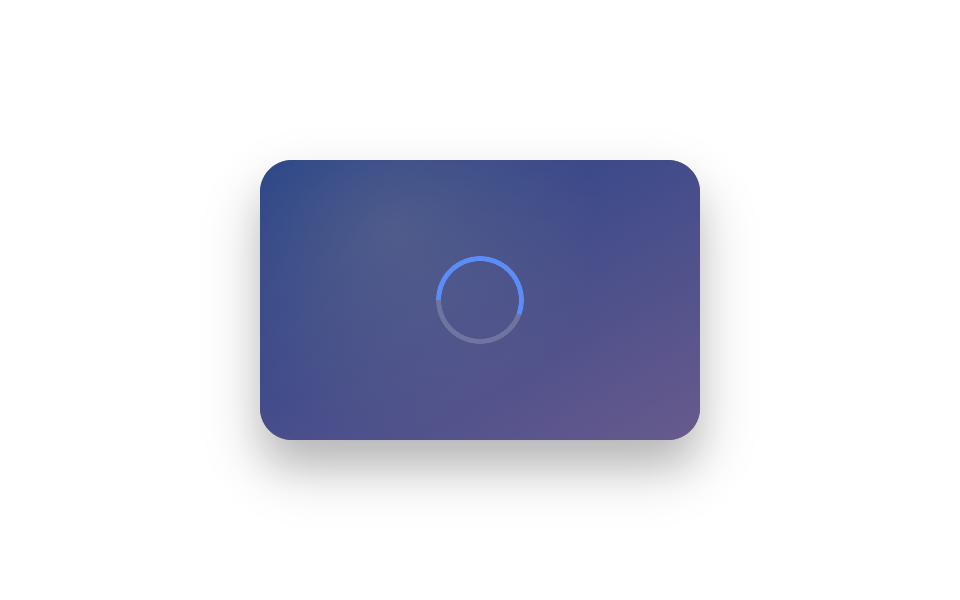 06 lazy-load-video-poster-swap
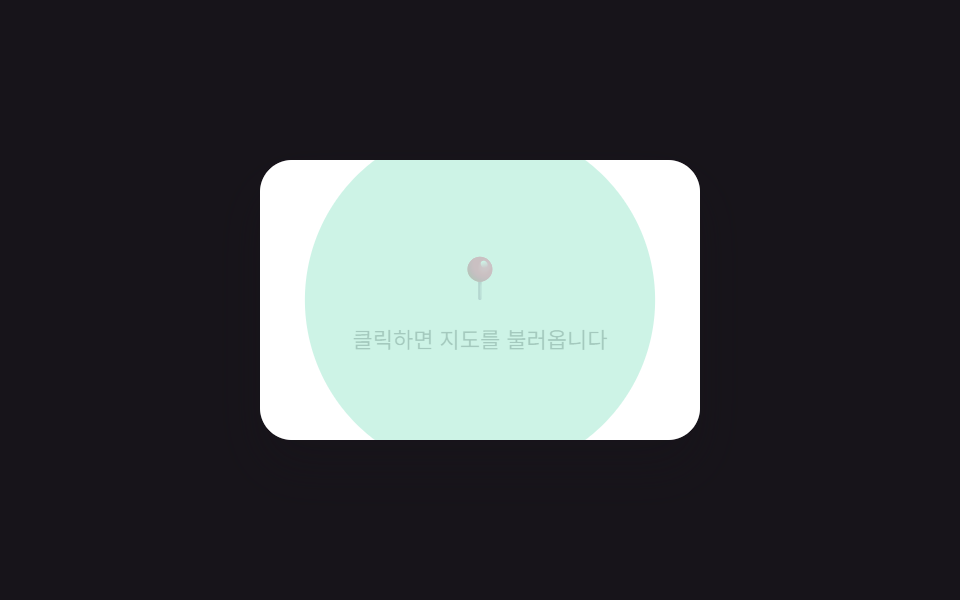 07 lazy-load-iframe-click-to-load
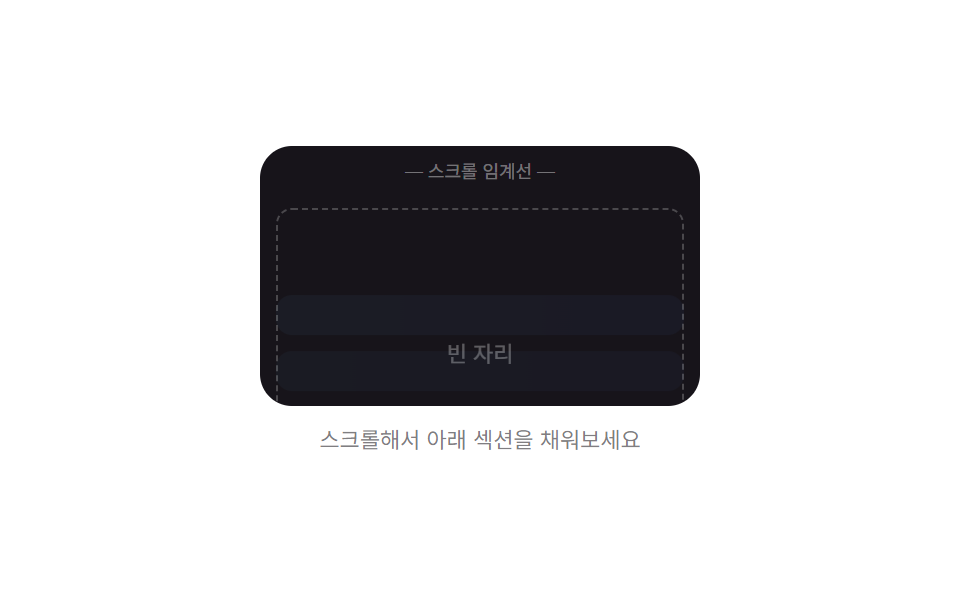 08 lazy-load-section-reveal-below-fold
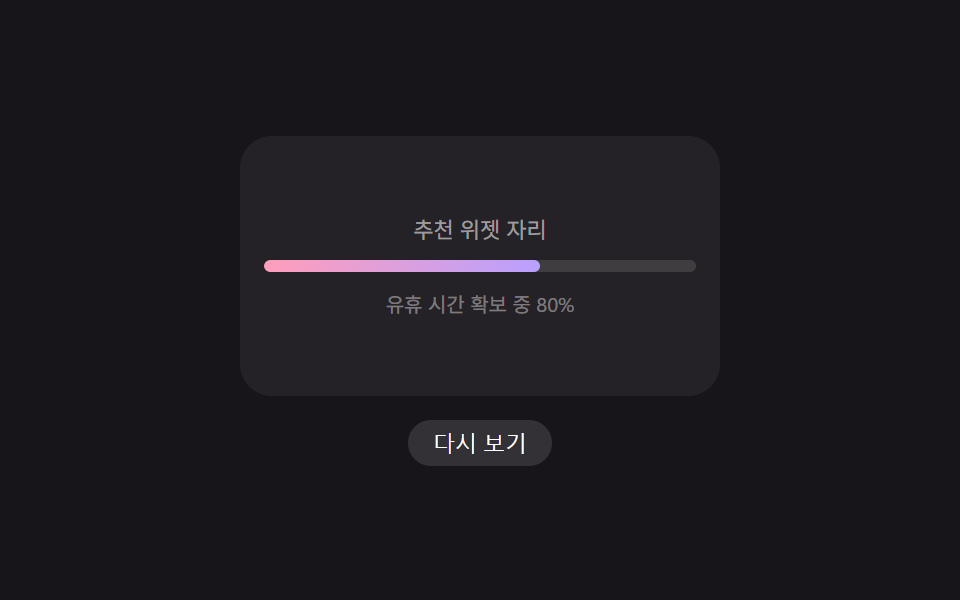 09 lazy-load-widget-below-fold-defer
자동 재생 · 눌러서 해당 항목으로 · 전부 한 zip
- 01 대체 서체에서 실제 폰트로 넘어가는 지연 로딩 텍스트
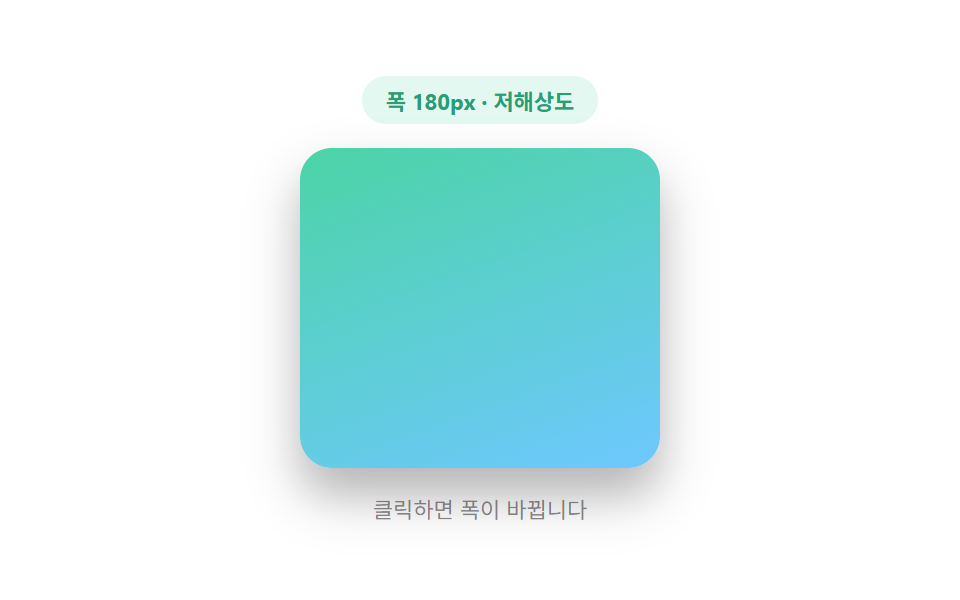
- 02 화면 너비 값이 고르는 배경 지연 로딩
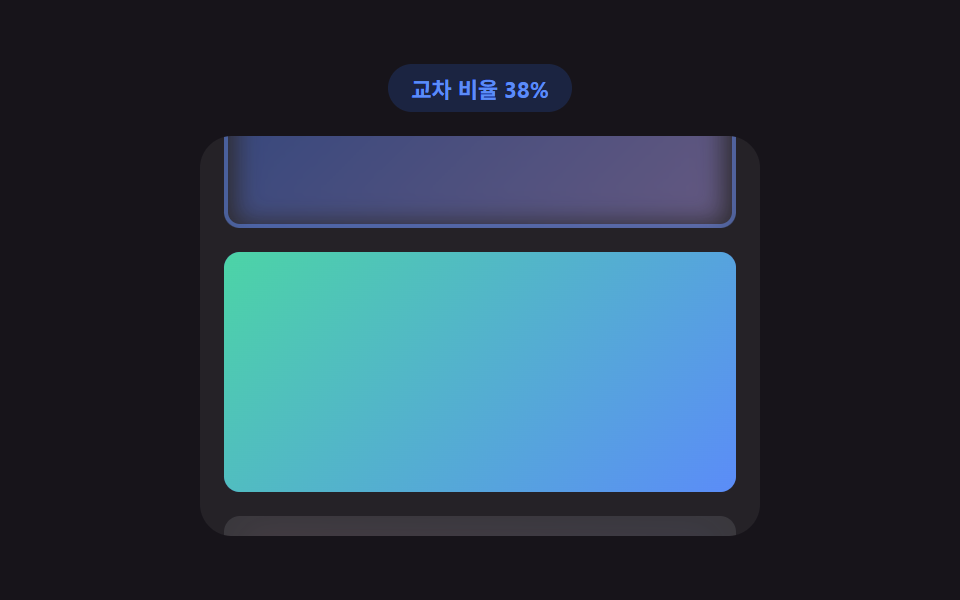
- 03 스크롤 위치 값이 교차 비율을 계산하는 이미지 페이드인
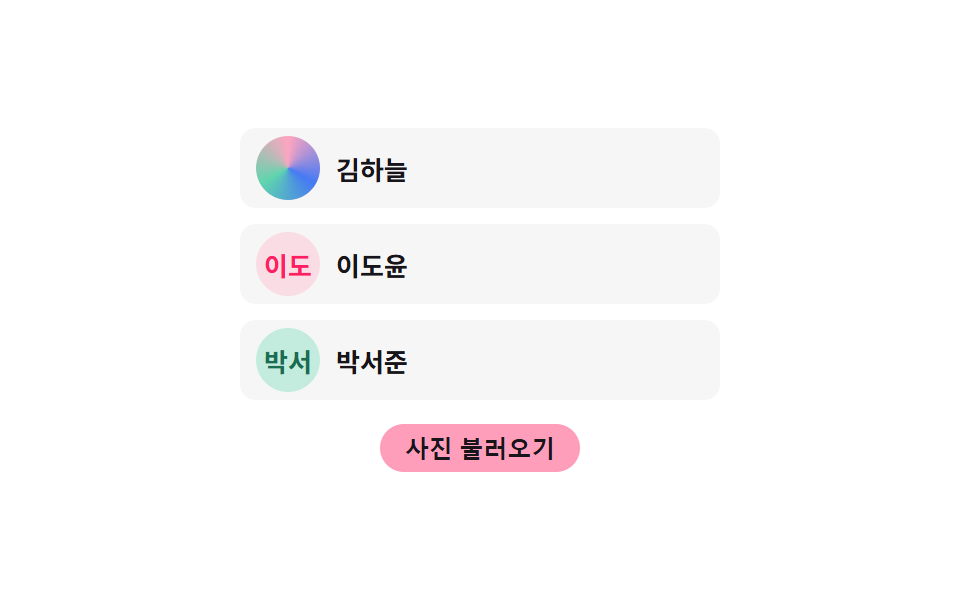
- 04 이름 값이 이니셜을 계산하는 아바타 지연 로딩
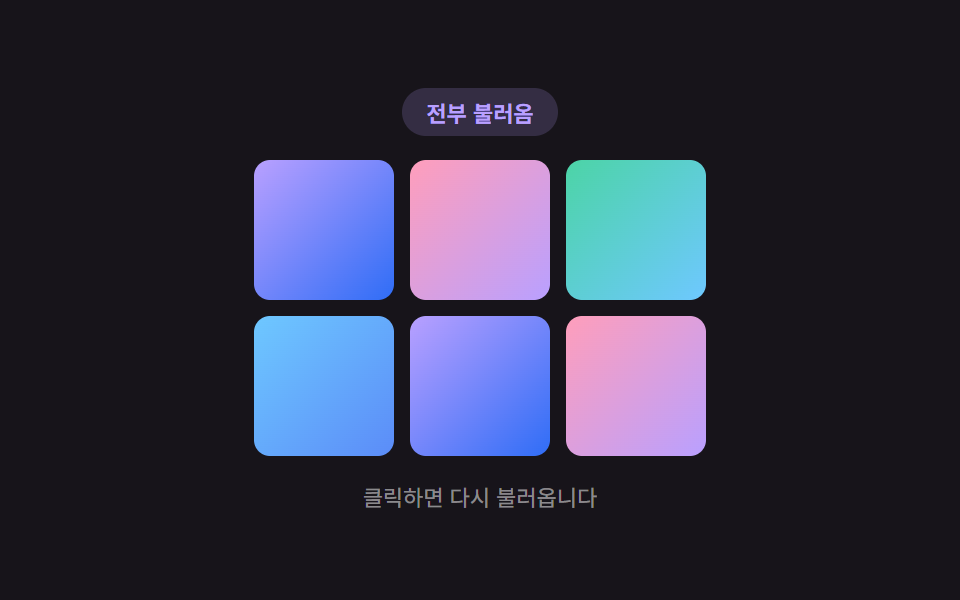
- 05 격자 위치 값이 순서를 계산하는 갤러리 지연 로딩
- 06 재생 값이 판정하는 영상 포스터 지연 로딩
- 07 클릭 값이 로드 시점을 계산하는 iframe 지연 로딩
- 08 스크롤 값이 임계치를 계산하는 아래 섹션 지연 로딩
- 09 유휴 시간 값이 지연 시간을 계산하는 위젯 지연 로딩
타이머·관찰자·유휴 콜백 — 아홉 개가 로드 시점을 판정하는 세 가지 방식
아홉 개를 뜯어보면 로드 시점을 판정하는 값의 출처가 셋으로 갈립니다. 01·04·05 는 setTimeout 으로 미리 정해 둔 지연 시간이 지났는지를 재고, 03·08 은 스크롤·교차 값을 직접 관찰해 임계치를 넘었는지를 재며, 09 는 브라우저가 알려주는 유휴 남은시간을 누적해 예산에 닿았는지를 잽니다. 06 은 재생 시작 여부를, 02 는 화면 너비 값을 판정 기준으로 삼고, 07 은 클릭 지점을 기준으로 삼습니다.
화면을 매 프레임 다시 그려야 하는 쪽(02·06·07·08)만 requestAnimationFrame 을 쓰고, 한 번의 상태 전환으로 끝나는 쪽(01·04·05·09)은 setTimeout·requestIdleCallback 으로도 충분합니다. 입력 방식도 갈립니다 — 01·02·05·07 은 클릭과 키보드(Enter/Space)를 함께 듣고, 03·08 은 스크롤·휠·터치 시작을 함께 들어 실제 스크롤 조작과 데모용 버튼 조작을 둘 다 받아들이며, 04·06·09 는 클릭 하나만 듣습니다.
코드는 아홉 조각, 계산은 한 겹씩 들어 있습니다
아래 항목마다 실제 파일에서 그대로 뽑은 코드 조각과 값이 어디로 흘러가는지를 붙였습니다. 값 하나가 스타일을 다시 계산하는 지점만 골라 실었으므로, 항목 전체 코드는 zip 안 파일에서 확인할 수 있습니다.
01. 대체 서체에서 실제 폰트로 자연스럽게 넘어가는 헤드라인
<main class="stage">
<div class="lff is-demo" id="lff">
  <div class="lff__badge" id="lffBadge">대체 서체 표시 중</div>
  <h2 class="lff__head" id="lffHead" aria-label="지연 로딩 헤드라인"></h2>
  <p class="lff__hint">클릭하면 다시 재생</p>
</div>
</main>
@use "../../../../site/static/demo-tokens" as *;
// 대체 서체 → 실제 서체 지연 로딩. 글자마다 인덱스 값으로 transition-delay 를 미리 계산해
// 심어두면(자바스크립트) 클래스 하나만 켜져도 순서대로 스프링 오버슛이 번져 나간다.
$duration: $dur-enter;
$easing: $ease-elastic;
$color: $subject-sky;
@include stage($stage-ink);
.lff {
display: flex;
flex-direction: column;
align-items: center;
gap: $sp-4;
width: min(100%, 300px);
outline: none;
cursor: pointer;
}
.lff__badge {
padding: $sp-1 $sp-3;
border-radius: $r-pill;
background: rgba(110, 200, 255, .16);
color: $color;
font-weight: 700;
font-size: 11px;
font-variant-numeric: tabular-nums;
}
.lff__head {
margin: 0;
padding: $sp-4 $sp-4;
border-radius: $r-card;
background: rgba(255, 255, 255, .06);
color: $stage-paper;
font-size: 22px;
font-weight: 700;
font-family: "Times New Roman", Georgia, serif;
text-align: center;
transition: font-family 1ms linear;
}
.lff__char {
display: inline-block;
transform: scale(.82);
transform-origin: 50% 100%;
opacity: .55;
transition: transform $duration $easing, opacity $dur-base $ease-out;
}
.lff--loaded .lff__head {
font-family: -apple-system, "Segoe UI", "Noto Sans KR", sans-serif;
}
.lff__char--loaded {
transform: scale(1);
opacity: 1;
}
.lff__hint {
margin: 0;
color: rgba(255, 255, 255, .5);
font-size: 11px;
}
@media (max-width: 340px) {
.lff__head { font-size: 18px; padding: $sp-3 $sp-3; }
.lff { gap: $sp-2; }
}
@media (prefers-reduced-motion: reduce) {
.lff__char { transition: none !important; }
.lff__head { transition: none !important; }
}html, body {
margin: 0;
overflow: hidden;
}
.stage {
box-sizing: border-box;
min-height: 100vh;
display: grid;
place-items: center;
margin: 0;
background: #17141a;
font-family: -apple-system, "Segoe UI", "Noto Sans KR", sans-serif;
padding: clamp(8px, 4vw, 24px);
}
.lff {
display: flex;
flex-direction: column;
align-items: center;
gap: 16px;
width: min(100%, 300px);
outline: none;
cursor: pointer;
}
.lff__badge {
padding: 4px 12px;
border-radius: 999px;
background: rgba(110, 200, 255, 0.16);
color: #6ec8ff;
font-weight: 700;
font-size: 11px;
font-variant-numeric: tabular-nums;
}
.lff__head {
margin: 0;
padding: 16px 16px;
border-radius: 16px;
background: rgba(255, 255, 255, 0.06);
color: #ffffff;
font-size: 22px;
font-weight: 700;
font-family: "Times New Roman", Georgia, serif;
text-align: center;
transition: font-family 1ms linear;
}
.lff__char {
display: inline-block;
transform: scale(0.82);
transform-origin: 50% 100%;
opacity: 0.55;
transition: transform 600ms cubic-bezier(0.34, 1.56, 0.64, 1), opacity 300ms ease-out;
}
.lff--loaded .lff__head {
font-family: -apple-system, "Segoe UI", "Noto Sans KR", sans-serif;
}
.lff__char--loaded {
transform: scale(1);
opacity: 1;
}
.lff__hint {
margin: 0;
color: rgba(255, 255, 255, 0.5);
font-size: 11px;
}
@media (max-width: 340px) {
.lff__head {
font-size: 18px;
padding: 12px 12px;
}
.lff {
gap: 8px;
}
}
@media (prefers-reduced-motion: reduce) {
.lff__char {
transition: none !important;
}
.lff__head {
transition: none !important;
}
}(function () {
var root = document.getElementById('lff');
var badge = document.getElementById('lffBadge');
var head = document.getElementById('lffHead');
var TEXT = '지연 로딩 헤드라인';
var STAGGER_STEP_MS = 45;
var FOUT_DELAY_MS = 700;
var HOLD_MS = 1800;
var RESET_DELAY_MS = 900;
var timer = null;
  // 계산 겹: 글자 인덱스 값으로 전환 지연 시간을 계산해 순서대로 스프링 오버슛이 번진다.
  var chars = [];
  for (var i = 0; i < TEXT.length; i += 1) {
    var span = document.createElement('span');
    span.className = 'lff__char';
    span.textContent = TEXT[i] === ' ' ? ' ' : TEXT[i];
    span.style.transitionDelay = (i * STAGGER_STEP_MS) + 'ms';
    head.appendChild(span);
    chars.push(span);
  }

  function resetState() {
    root.classList.remove('lff--loaded');
    for (var i = 0; i < chars.length; i += 1) { chars[i].classList.remove('lff__char--loaded'); }
    badge.textContent = '대체 서체 표시 중';
  }

  function swapToLoaded() {
    root.classList.add('lff--loaded');
    for (var i = 0; i < chars.length; i += 1) { chars[i].classList.add('lff__char--loaded'); }
    badge.textContent = '실제 서체 로드 완료';
  }
function playOnce(loop) {
resetState();
timer = setTimeout(function () {
swapToLoaded();
if (loop) {
timer = setTimeout(function () { playOnce(true); }, HOLD_MS + RESET_DELAY_MS);
}
}, FOUT_DELAY_MS);
}
function replay() {
if (timer) { clearTimeout(timer); }
root.classList.remove('is-demo');
playOnce(false);
}
root.addEventListener('click', replay);
root.addEventListener('keydown', function (e) {
if (e.key === 'Enter' || e.key === ' ') { e.preventDefault(); replay(); }
});
root.tabIndex = 0;
var reduce = window.matchMedia('(prefers-reduced-motion: reduce)').matches;
if (reduce) {
root.classList.remove('is-demo');
swapToLoaded();
} else {
playOnce(true);
}
})();import { useEffect, useRef, useState, useCallback } from "react";
import styles from "./FontSwapFout.module.scss";
// 대체 서체 → 실제 서체 지연 로딩. 글자 인덱스 값으로 transition-delay 를 계산해
// 순서대로 스프링 오버슛이 번지게 한다.
const TEXT = "지연 로딩 헤드라인";
const STAGGER_STEP_MS = 45;
const FOUT_DELAY_MS = 700;
const HOLD_MS = 1800;
const RESET_DELAY_MS = 900;
export default function FontSwapFout() {
const rootRef = useRef<HTMLDivElement>(null);
const [demo, setDemo] = useState(true);
const [loaded, setLoaded] = useState(false);
const [badge, setBadge] = useState("대체 서체 표시 중");
const timerRef = useRef<number | null>(null);
const playOnce = useCallback((loop: boolean) => {
setLoaded(false);
setBadge("대체 서체 표시 중");
timerRef.current = window.setTimeout(() => {
setLoaded(true);
setBadge("실제 서체 로드 완료");
if (loop) {
timerRef.current = window.setTimeout(() => { playOnce(true); }, HOLD_MS + RESET_DELAY_MS);
}
}, FOUT_DELAY_MS);
}, []);
const replay = useCallback(() => {
if (timerRef.current !== null) { window.clearTimeout(timerRef.current); }
setDemo(false);
playOnce(false);
}, [playOnce]);
useEffect(() => {
const reduce = window.matchMedia("(prefers-reduced-motion: reduce)").matches;
if (reduce) {
setDemo(false);
setLoaded(true);
setBadge("실제 서체 로드 완료");
} else {
playOnce(true);
}
const root = rootRef.current;
function onKeyDown(e: KeyboardEvent) {
if (e.key === "Enter" || e.key === " ") { e.preventDefault(); replay(); }
}
root?.addEventListener("keydown", onKeyDown);
return () => {
if (timerRef.current !== null) { window.clearTimeout(timerRef.current); }
root?.removeEventListener("keydown", onKeyDown);
};
}, [playOnce, replay]);
const chars = TEXT.split("").map((ch, i) => (
<span
key={i}
className={`${styles["lff__char"]} ${loaded ? styles["lff__char--loaded"] : ""}`}
style={{ transitionDelay: `${i * STAGGER_STEP_MS}ms` }}
>
{ch === " " ? " " : ch}
</span>
));
return (
<main className={styles.stage}>
<div
ref={rootRef}
className={`${styles.lff} ${demo ? styles["is-demo"] : ""} ${loaded ? styles["lff--loaded"] : ""}`}
tabIndex={0}
onClick={replay}
>
<div className={styles["lff__badge"]}>{badge}</div>
<h2 className={styles["lff__head"]} aria-label="지연 로딩 헤드라인">{chars}</h2>
<p className={styles["lff__hint"]}>클릭하면 다시 재생</p>
</div>
</main>
);
}01 · 대체 서체에서 실제 폰트로 넘어가는 지연 로딩 텍스트 — 측정 누적면적 5.237% · 움직인 프레임 10/23GODRICH 원작 · zip 에 SCSS·React 포함 · 비밀번호 보기
글자마다 인덱스 값에 STAGGER_STEP_MS 를 곱해 CSS transition-delay 로 흘려보내므로, 같은 시각에 폰트가 준비돼도 글자는 왼쪽부터 순서대로 실제 서체 모양으로 바뀝니다. 두 폰트 스택 사이의 자간·굵기 차이가 큰 화면일수록 이 전환이 도드라집니다.
// 계산 겹: 글자 인덱스 값으로 전환 지연 시간을 계산해 순서대로 스프링 오버슛이 번진다.
var chars = [];
for (var i = 0; i < TEXT.length; i += 1) {
var span = document.createElement('span');
span.className = 'lff__char';
span.textContent = TEXT[i] === ' ' ? ' ' : TEXT[i];
span.style.transitionDelay = (i * STAGGER_STEP_MS) + 'ms';
head.appendChild(span);
chars.push(span);
}
function resetState() {
root.classList.remove('lff--loaded');
for (var i = 0; i < chars.length; i += 1) { chars[i].classList.remove('lff__char--loaded'); }
badge.textContent = '대체 서체 표시 중';
}
function swapToLoaded() {
root.classList.add('lff--loaded');
for (var i = 0; i < chars.length; i += 1) { chars[i].classList.add('lff__char--loaded'); }
badge.textContent = '실제 서체 로드 완료';
}
02. 화면 너비 값이 고르는 저해상도·고해상도 배경 전환
<main class="stage">
<div class="lbs is-demo" id="lbs">
  <div class="lbs__badge" id="lbsBadge">폭 180px · 저해상도</div>
  <div class="lbs__frame" id="lbsFrame">
    <div class="lbs__placeholder" id="lbsPlaceholder"></div>
    <div class="lbs__bg lbs__bg--low" id="lbsBgLow"></div>
    <div class="lbs__bg lbs__bg--high" id="lbsBgHigh"></div>
  </div>
  <p class="lbs__hint">클릭하면 폭이 바뀝니다</p>
</div>
</main>
@use "../../../../site/static/demo-tokens" as *;
// 화면 너비 값 → 해상도 등급. ResizeObserver 가 프레임 폭을 재고, 기준값보다 좁으면
// 저해상도, 넓으면 고해상도 배경을 고른 뒤 진행률(경과/전체 시간)로 블러·불투명도를 계산한다.
$duration: $dur-base;
$easing: $ease-out;
$color: $subject-mint;
@include stage($stage-paper);
.lbs {
display: flex;
flex-direction: column;
align-items: center;
gap: $sp-3;
outline: none;
cursor: pointer;
}
.lbs__badge {
padding: $sp-1 $sp-3;
border-radius: $r-pill;
background: rgba(76, 212, 166, .16);
color: darken($color, 18%);
font-weight: 700;
font-size: 11px;
font-variant-numeric: tabular-nums;
}
.lbs__frame {
position: relative;
box-sizing: border-box;
width: 180px;
height: 160px;
border-radius: $r-card;
overflow: hidden;
transition: width $duration $easing;
background: $subject-cream;
box-shadow: $shadow-raised;
}
.lbs__placeholder {
position: absolute;
inset: 0;
background: linear-gradient(135deg, rgba(23, 20, 26, .08), rgba(23, 20, 26, .16));
transition: opacity $dur-quick $ease-out;
}
.lbs__placeholder--hidden {
opacity: 0;
}
.lbs__bg {
position: absolute;
inset: 0;
opacity: 0;
}
.lbs__bg--low {
background: linear-gradient(160deg, $subject-mint, $subject-sky);
}
.lbs__bg--high {
background:
radial-gradient(circle at 30% 30%, rgba(255, 255, 255, .5), transparent 55%),
radial-gradient(circle at 75% 65%, rgba(255, 255, 255, .35), transparent 45%),
linear-gradient(160deg, $subject-mint, $subject-lilac);
}
.lbs__hint {
margin: 0;
color: rgba(23, 20, 26, .5);
font-size: 11px;
}
@media (max-width: 340px) {
.lbs { gap: $sp-2; }
.lbs__frame { width: 140px !important; height: 92px; }
}
@media (prefers-reduced-motion: reduce) {
.lbs__frame { transition: none !important; }
.lbs__placeholder { transition: none !important; }
}html, body {
margin: 0;
overflow: hidden;
}
.stage {
box-sizing: border-box;
min-height: 100vh;
display: grid;
place-items: center;
margin: 0;
background: #ffffff;
font-family: -apple-system, "Segoe UI", "Noto Sans KR", sans-serif;
padding: clamp(8px, 4vw, 24px);
}
.lbs {
display: flex;
flex-direction: column;
align-items: center;
gap: 12px;
outline: none;
cursor: pointer;
}
.lbs__badge {
padding: 4px 12px;
border-radius: 999px;
background: rgba(76, 212, 166, 0.16);
color: rgb(14.9030206677%, 62.0381558029%, 46.0953895072%);
font-weight: 700;
font-size: 11px;
font-variant-numeric: tabular-nums;
}
.lbs__frame {
position: relative;
box-sizing: border-box;
width: 180px;
height: 160px;
border-radius: 16px;
overflow: hidden;
transition: width 300ms ease-out;
background: #fff7e6;
box-shadow: 0 14px 24px rgba(23, 20, 26, 0.32);
}
.lbs__placeholder {
position: absolute;
inset: 0;
background: linear-gradient(135deg, rgba(23, 20, 26, 0.08), rgba(23, 20, 26, 0.16));
transition: opacity 220ms ease-out;
}
.lbs__placeholder--hidden {
opacity: 0;
}
.lbs__bg {
position: absolute;
inset: 0;
opacity: 0;
}
.lbs__bg--low {
background: linear-gradient(160deg, #4cd4a6, #6ec8ff);
}
.lbs__bg--high {
background: radial-gradient(circle at 30% 30%, rgba(255, 255, 255, 0.5), transparent 55%), radial-gradient(circle at 75% 65%, rgba(255, 255, 255, 0.35), transparent 45%), linear-gradient(160deg, #4cd4a6, #b9a0ff);
}
.lbs__hint {
margin: 0;
color: rgba(23, 20, 26, 0.5);
font-size: 11px;
}
@media (max-width: 340px) {
.lbs {
gap: 8px;
}
.lbs__frame {
width: 140px !important;
height: 92px;
}
}
@media (prefers-reduced-motion: reduce) {
.lbs__frame {
transition: none !important;
}
.lbs__placeholder {
transition: none !important;
}
}(function () {
var root = document.getElementById('lbs');
var frame = document.getElementById('lbsFrame');
var badge = document.getElementById('lbsBadge');
var placeholder = document.getElementById('lbsPlaceholder');
var bgLow = document.getElementById('lbsBgLow');
var bgHigh = document.getElementById('lbsBgHigh');
var BREAKPOINT_PX = 240;
var WIDTH_NARROW = 180;
var WIDTH_WIDE = 300;
var LOAD_DELAY_MS = 480;
var CROSSFADE_MS = 480;
var CYCLE_MS = 2200;
var lastTier = null;
var raf = null;
var loadTimer = null;
  // 계산 겹: 경과 시간 값을 전체 전환 시간 값으로 나눠 진행률을 구하고,
  // 그 진행률로 블러 반경과 불투명도를 매 프레임 다시 계산한다.
  function crossfadeIn(el, duration) {
    var start = performance.now();
    if (raf) { cancelAnimationFrame(raf); }
    function step(now) {
      var progress = Math.min((now - start) / duration, 1);
      el.style.opacity = String(progress);
      el.style.filter = 'blur(' + (6 * (1 - progress)) + 'px)';
      if (progress < 1) { raf = requestAnimationFrame(step); }
    }
    raf = requestAnimationFrame(step);
  }
function applyTier(widthPx) {
var tier = widthPx < BREAKPOINT_PX ? 'low' : 'high';
badge.textContent = '폭 ' + Math.round(widthPx) + 'px · ' + (tier === 'low' ? '저해상도' : '고해상도');
if (tier === lastTier) { return; }
lastTier = tier;
bgLow.style.opacity = '0';
bgHigh.style.opacity = '0';
placeholder.classList.remove('lbs__placeholder--hidden');
if (loadTimer) { clearTimeout(loadTimer); }
loadTimer = setTimeout(function () {
var target = tier === 'low' ? bgLow : bgHigh;
placeholder.classList.add('lbs__placeholder--hidden');
crossfadeIn(target, CROSSFADE_MS);
}, LOAD_DELAY_MS);
}
var ro = new ResizeObserver(function (entries) {
for (var i = 0; i < entries.length; i += 1) {
applyTier(entries[i].contentRect.width);
}
});
ro.observe(frame);
function setWide(wide) {
frame.style.width = (wide ? WIDTH_WIDE : WIDTH_NARROW) + 'px';
}
var wide = false;
function toggle() {
wide = !wide;
setWide(wide);
}
root.addEventListener('click', toggle);
root.addEventListener('keydown', function (e) {
if (e.key === 'Enter' || e.key === ' ') { e.preventDefault(); toggle(); }
});
root.tabIndex = 0;
var autoplayTimer = null;
var reduce = window.matchMedia('(prefers-reduced-motion: reduce)').matches;
if (reduce) {
root.classList.remove('is-demo');
setWide(true);
lastTier = 'high';
placeholder.classList.add('lbs__placeholder--hidden');
bgHigh.style.opacity = '1';
bgHigh.style.filter = 'blur(0px)';
badge.textContent = '폭 ' + WIDTH_WIDE + 'px · 고해상도';
} else {
setWide(false);
autoplayTimer = setInterval(function () {
if (!root.classList.contains('is-demo')) { clearInterval(autoplayTimer); return; }
toggle();
}, CYCLE_MS);
}
function userTakesOver() {
root.classList.remove('is-demo');
}
root.addEventListener('click', userTakesOver);
})();import { useEffect, useRef, useState, useCallback } from "react";
import styles from "./BackgroundImageSwap.module.scss";
// 화면 너비 값 → 해상도 등급. ResizeObserver 가 프레임 폭을 재고, 기준값보다 좁으면
// 저해상도, 넓으면 고해상도 배경을 고른 뒤 진행률로 블러·불투명도를 계산한다.
const BREAKPOINT_PX = 240;
const WIDTH_NARROW = 180;
const WIDTH_WIDE = 300;
const LOAD_DELAY_MS = 480;
const CROSSFADE_MS = 480;
const CYCLE_MS = 2200;
export default function BackgroundImageSwap() {
const rootRef = useRef<HTMLDivElement>(null);
const frameRef = useRef<HTMLDivElement>(null);
const placeholderRef = useRef<HTMLDivElement>(null);
const bgLowRef = useRef<HTMLDivElement>(null);
const bgHighRef = useRef<HTMLDivElement>(null);
const [demo, setDemo] = useState(true);
const [wideState, setWideState] = useState(false);
const [badge, setBadge] = useState("폭 180px · 저해상도");
const lastTierRef = useRef<string | null>(null);
const rafRef = useRef<number | null>(null);
const loadTimerRef = useRef<number | null>(null);
const wideRef = useRef(false);
const crossfadeIn = useCallback((el: HTMLDivElement, duration: number) => {
const start = performance.now();
if (rafRef.current !== null) { cancelAnimationFrame(rafRef.current); }
function step(now: number) {
const progress = Math.min((now - start) / duration, 1);
el.style.opacity = String(progress);
el.style.filter = "blur(" + (6 * (1 - progress)) + "px)";
if (progress < 1) { rafRef.current = requestAnimationFrame(step); }
}
rafRef.current = requestAnimationFrame(step);
}, []);
const applyTier = useCallback((widthPx: number) => {
const tier = widthPx < BREAKPOINT_PX ? "low" : "high";
setBadge("폭 " + Math.round(widthPx) + "px · " + (tier === "low" ? "저해상도" : "고해상도"));
if (tier === lastTierRef.current) { return; }
lastTierRef.current = tier;
const low = bgLowRef.current;
const high = bgHighRef.current;
const placeholder = placeholderRef.current;
if (!low || !high || !placeholder) { return; }
low.style.opacity = "0";
high.style.opacity = "0";
placeholder.classList.remove(styles["lbs__placeholder--hidden"]);
if (loadTimerRef.current !== null) { window.clearTimeout(loadTimerRef.current); }
loadTimerRef.current = window.setTimeout(() => {
const target = tier === "low" ? low : high;
placeholder.classList.add(styles["lbs__placeholder--hidden"]);
crossfadeIn(target, CROSSFADE_MS);
}, LOAD_DELAY_MS);
}, [crossfadeIn]);
const toggle = useCallback(() => {
wideRef.current = !wideRef.current;
setWideState(wideRef.current);
setDemo(false);
}, []);
useEffect(() => {
const frame = frameRef.current;
if (!frame) { return; }
const ro = new ResizeObserver((entries) => {
for (const entry of entries) { applyTier(entry.contentRect.width); }
});
ro.observe(frame);
const reduce = window.matchMedia("(prefers-reduced-motion: reduce)").matches;
let autoplayTimer: number | null = null;
if (reduce) {
setDemo(false);
wideRef.current = true;
setWideState(true);
lastTierRef.current = "high";
placeholderRef.current?.classList.add(styles["lbs__placeholder--hidden"]);
if (bgHighRef.current) {
bgHighRef.current.style.opacity = "1";
bgHighRef.current.style.filter = "blur(0px)";
}
setBadge("폭 " + WIDTH_WIDE + "px · 고해상도");
} else {
autoplayTimer = window.setInterval(() => {
if (!rootRef.current?.classList.contains(styles["is-demo"])) {
if (autoplayTimer !== null) { window.clearInterval(autoplayTimer); }
return;
}
wideRef.current = !wideRef.current;
setWideState(wideRef.current);
}, CYCLE_MS);
}
return () => {
ro.disconnect();
if (autoplayTimer !== null) { window.clearInterval(autoplayTimer); }
if (rafRef.current !== null) { cancelAnimationFrame(rafRef.current); }
if (loadTimerRef.current !== null) { window.clearTimeout(loadTimerRef.current); }
};
}, [applyTier]);
useEffect(() => {
const root = rootRef.current;
function onKeyDown(e: KeyboardEvent) {
if (e.key === "Enter" || e.key === " ") { e.preventDefault(); toggle(); }
}
root?.addEventListener("keydown", onKeyDown);
return () => root?.removeEventListener("keydown", onKeyDown);
}, [toggle]);
return (
<main className={styles.stage}>
<div
ref={rootRef}
className={`${styles.lbs} ${demo ? styles["is-demo"] : ""}`}
tabIndex={0}
onClick={toggle}
>
<div className={styles["lbs__badge"]}>{badge}</div>
<div
ref={frameRef}
className={styles["lbs__frame"]}
style={{ width: (wideState ? WIDTH_WIDE : WIDTH_NARROW) + "px" }}
>
<div ref={placeholderRef} className={styles["lbs__placeholder"]} />
<div ref={bgLowRef} className={`${styles["lbs__bg"]} ${styles["lbs__bg--low"]}`} />
<div ref={bgHighRef} className={`${styles["lbs__bg"]} ${styles["lbs__bg--high"]}`} />
</div>
<p className={styles["lbs__hint"]}>클릭하면 폭이 바뀝니다</p>
</div>
</main>
);
}02 · 화면 너비 값이 고르는 배경 지연 로딩 — 측정 누적면적 38.076% · 움직인 프레임 9/23GODRICH 원작 · zip 에 SCSS·React 포함 · 비밀번호 보기
ResizeObserver 가 알려주는 컨테이너 너비 값으로 저해상도·고해상도 배경 중 무엇을 그릴지 고른 뒤, 자리표시자 색에서 실제 배경으로 넘어가는 전환은 진행률을 매 프레임 다시 계산해 블러 반경과 불투명도를 함께 바꿉니다.
// 계산 겹: 경과 시간 값을 전체 전환 시간 값으로 나눠 진행률을 구하고,
// 그 진행률로 블러 반경과 불투명도를 매 프레임 다시 계산한다.
function crossfadeIn(el, duration) {
var start = performance.now();
if (raf) { cancelAnimationFrame(raf); }
function step(now) {
var progress = Math.min((now - start) / duration, 1);
el.style.opacity = String(progress);
el.style.filter = 'blur(' + (6 * (1 - progress)) + 'px)';
if (progress < 1) { raf = requestAnimationFrame(step); }
}
raf = requestAnimationFrame(step);
}
03. 스크롤 위치 값이 교차 비율을 계산하는 이미지 페이드인
<main class="stage">
<div class="lfv is-demo" id="lfv">
  <div class="lfv__badge" id="lfvBadge">교차 비율 0%</div>
  <div class="lfv__view" id="lfvView">
    <div class="lfv__track">
      <div class="lfv__card" data-card="1"><div class="lfv__placeholder"></div><div class="lfv__img lfv__img--1"></div></div>
      <div class="lfv__card" data-card="2"><div class="lfv__placeholder"></div><div class="lfv__img lfv__img--2"></div></div>
      <div class="lfv__card" data-card="3"><div class="lfv__placeholder"></div><div class="lfv__img lfv__img--3"></div></div>
      <div class="lfv__card" data-card="4"><div class="lfv__placeholder"></div><div class="lfv__img lfv__img--4"></div></div>
    </div>
  </div>
</div>
</main>
@use "../../../../site/static/demo-tokens" as *;
// 스크롤 위치 값 → 교차 비율(IntersectionObserver). 비율 값으로 블러·스케일을 매번
// 다시 계산해 뷰포트에 걸친 정도만큼 또렷해지고, 기준을 넘으면 로드 완료로 고정한다.
$duration: $dur-base;
$easing: $ease-out;
$color: $subject-blue;
@include stage($stage-ink);
.lfv {
display: flex;
flex-direction: column;
align-items: center;
gap: $sp-3;
width: min(100%, 280px);
}
.lfv__badge {
padding: $sp-1 $sp-3;
border-radius: $r-pill;
background: rgba(47, 109, 246, .18);
color: $subject-blue-light;
font-weight: 700;
font-size: 11px;
font-variant-numeric: tabular-nums;
}
.lfv__view {
box-sizing: border-box;
width: 100%;
height: 200px;
overflow-y: auto;
overflow-x: hidden;
border-radius: $r-card;
background: rgba(255, 255, 255, .06);
padding: $sp-3;
scrollbar-width: thin;
}
.lfv__track {
display: flex;
flex-direction: column;
gap: $sp-3;
}
.lfv__card {
position: relative;
box-sizing: border-box;
height: 120px;
border-radius: $r-sm;
overflow: hidden;
flex: 0 0 auto;
}
.lfv__placeholder {
position: absolute;
inset: 0;
background: rgba(255, 255, 255, .1);
}
.lfv__img {
position: absolute;
inset: 0;
opacity: 0;
transform-origin: center;
}
.lfv__img--1 { background: linear-gradient(135deg, $subject-blue, $subject-lilac); }
.lfv__img--2 { background: linear-gradient(135deg, $subject-mint, $subject-blue-light); }
.lfv__img--3 { background: linear-gradient(135deg, $subject-pink, $subject-blue); }
.lfv__img--4 { background: linear-gradient(135deg, $subject-sky, $subject-lilac); }
.lfv__card--loaded {
box-shadow: inset 0 0 0 2px rgba(91, 140, 248, .5);
}
@media (max-width: 340px) {
.lfv { gap: $sp-2; }
.lfv__view { height: 108px; }
.lfv__card { height: 84px; }
}
@media (prefers-reduced-motion: reduce) {
.lfv__img, .lfv__placeholder { transition: none !important; }
}html, body {
margin: 0;
overflow: hidden;
}
.stage {
box-sizing: border-box;
min-height: 100vh;
display: grid;
place-items: center;
margin: 0;
background: #17141a;
font-family: -apple-system, "Segoe UI", "Noto Sans KR", sans-serif;
padding: clamp(8px, 4vw, 24px);
}
.lfv {
display: flex;
flex-direction: column;
align-items: center;
gap: 12px;
width: min(100%, 280px);
}
.lfv__badge {
padding: 4px 12px;
border-radius: 999px;
background: rgba(47, 109, 246, 0.18);
color: #5b8cf8;
font-weight: 700;
font-size: 11px;
font-variant-numeric: tabular-nums;
}
.lfv__view {
box-sizing: border-box;
width: 100%;
height: 200px;
overflow-y: auto;
overflow-x: hidden;
border-radius: 16px;
background: rgba(255, 255, 255, 0.06);
padding: 12px;
scrollbar-width: thin;
}
.lfv__track {
display: flex;
flex-direction: column;
gap: 12px;
}
.lfv__card {
position: relative;
box-sizing: border-box;
height: 120px;
border-radius: 8px;
overflow: hidden;
flex: 0 0 auto;
}
.lfv__placeholder {
position: absolute;
inset: 0;
background: rgba(255, 255, 255, 0.1);
}
.lfv__img {
position: absolute;
inset: 0;
opacity: 0;
transform-origin: center;
}
.lfv__img--1 {
background: linear-gradient(135deg, #2f6df6, #b9a0ff);
}
.lfv__img--2 {
background: linear-gradient(135deg, #4cd4a6, #5b8cf8);
}
.lfv__img--3 {
background: linear-gradient(135deg, #ff9ebb, #2f6df6);
}
.lfv__img--4 {
background: linear-gradient(135deg, #6ec8ff, #b9a0ff);
}
.lfv__card--loaded {
box-shadow: inset 0 0 0 2px rgba(91, 140, 248, 0.5);
}
@media (max-width: 340px) {
.lfv {
gap: 8px;
}
.lfv__view {
height: 108px;
}
.lfv__card {
height: 84px;
}
}
@media (prefers-reduced-motion: reduce) {
.lfv__img, .lfv__placeholder {
transition: none !important;
}
}(function () {
var root = document.getElementById('lfv');
var view = document.getElementById('lfvView');
var badge = document.getElementById('lfvBadge');
var cards = Array.prototype.slice.call(document.querySelectorAll('.lfv__card'));
  var INTERSECTION_THRESHOLD = 0.4;
  var STEPS = [];
  for (var s = 0; s <= 20; s += 1) { STEPS.push(s / 20); }

  // 계산 겹: 교차 비율 값으로 블러 반경·스케일을 매 관찰마다 다시 계산해
  // 뷰포트에 걸친 정도만큼 이미지가 또렷해진다. 비율이 기준을 넘으면 로드 완료로 고정.
  function applyRatio(card, ratio) {
    var img = card.querySelector('.lfv__img');
    var placeholder = card.querySelector('.lfv__placeholder');
    var blur = 10 * (1 - ratio);
    var scale = 0.92 + 0.08 * ratio;
    img.style.opacity = String(ratio);
    img.style.filter = 'blur(' + blur.toFixed(1) + 'px)';
    img.style.transform = 'scale(' + scale.toFixed(3) + ')';
    placeholder.style.opacity = String(Math.max(0, 1 - ratio * 1.4));
    if (ratio >= INTERSECTION_THRESHOLD) {
      card.classList.add('lfv__card--loaded');
    }
    if (card === cards[Math.min(cards.length - 1, Math.round(lastMaxIndex))]) {
      badge.textContent = '교차 비율 ' + Math.round(ratio * 100) + '%';
    }
  }
var lastMaxIndex = 0;
var io = new IntersectionObserver(function (entries) {
var maxRatio = 0, maxIdx = 0;
entries.forEach(function (entry) {
var idx = cards.indexOf(entry.target);
applyRatio(entry.target, entry.intersectionRatio);
if (entry.intersectionRatio >= maxRatio) { maxRatio = entry.intersectionRatio; maxIdx = idx; }
});
lastMaxIndex = maxIdx;
badge.textContent = '교차 비율 ' + Math.round(maxRatio * 100) + '%';
}, { root: view, threshold: STEPS });
cards.forEach(function (c) { io.observe(c); });
var dir = 1;
var autoplayTimer = null;
function autoplayTick() {
var max = view.scrollHeight - view.clientHeight;
view.scrollTop += dir * 2.2;
if (view.scrollTop >= max - 1) { dir = -1; }
if (view.scrollTop <= 1) { dir = 1; }
}
function userTakesOver() {
if (!root.classList.contains('is-demo')) { return; }
root.classList.remove('is-demo');
if (autoplayTimer) { clearInterval(autoplayTimer); autoplayTimer = null; }
}
view.addEventListener('wheel', userTakesOver, { passive: true });
view.addEventListener('touchstart', userTakesOver, { passive: true });
view.addEventListener('scroll', function () {
// 스크롤 위치 값 자체가 IntersectionObserver 재계산의 입력이 된다 (root 스크롤).
});
var reduce = window.matchMedia('(prefers-reduced-motion: reduce)').matches;
if (reduce) {
root.classList.remove('is-demo');
cards.forEach(function (c) { applyRatio(c, 1); });
badge.textContent = '교차 비율 100%';
} else {
autoplayTimer = setInterval(autoplayTick, 45);
}
})();import { useEffect, useRef, useState } from "react";
import styles from "./ImageFadeInViewport.module.scss";
// 스크롤 위치 값 → 교차 비율(IntersectionObserver). 비율 값으로 블러·스케일을 매번
// 다시 계산해 뷰포트에 걸친 정도만큼 또렷해지고, 기준을 넘으면 로드 완료로 고정한다.
const INTERSECTION_THRESHOLD = 0.4;
const STEPS: number[] = [];
for (let s = 0; s <= 20; s += 1) { STEPS.push(s / 20); }
const CARD_KEYS = [1, 2, 3, 4];
type Box<T> = { current: T };
function useBox<T>(initial: T): Box<T> {
return useRef(initial) as unknown as Box<T>;
}
export default function ImageFadeInViewport() {
const rootRef = useRef<HTMLDivElement>(null);
const viewRef = useRef<HTMLDivElement>(null);
const cardRefs = useBox<Array<HTMLDivElement | null>>([null, null, null, null]);
const imgRefs = useBox<Array<HTMLDivElement | null>>([null, null, null, null]);
const placeholderRefs = useBox<Array<HTMLDivElement | null>>([null, null, null, null]);
const loadedRefs = useBox<boolean[]>([false, false, false, false]);
const [badge, setBadge] = useState("교차 비율 0%");
const [demo, setDemo] = useState(true);
const [, forceRender] = useState(0);
function applyRatio(i: number, ratio: number) {
const img = imgRefs.current[i];
const placeholder = placeholderRefs.current[i];
if (!img || !placeholder) { return; }
const blur = 10 * (1 - ratio);
const scale = 0.92 + 0.08 * ratio;
img.style.opacity = String(ratio);
img.style.filter = "blur(" + blur.toFixed(1) + "px)";
img.style.transform = "scale(" + scale.toFixed(3) + ")";
placeholder.style.opacity = String(Math.max(0, 1 - ratio * 1.4));
if (ratio >= INTERSECTION_THRESHOLD && !loadedRefs.current[i]) {
loadedRefs.current[i] = true;
forceRender((n) => n + 1);
}
}
useEffect(() => {
const view = viewRef.current;
const root = rootRef.current;
if (!view || !root) { return; }
const io = new IntersectionObserver((entries) => {
let maxRatio = 0;
entries.forEach((entry) => {
const idx = cardRefs.current.indexOf(entry.target as HTMLDivElement);
if (idx === -1) { return; }
applyRatio(idx, entry.intersectionRatio);
if (entry.intersectionRatio >= maxRatio) { maxRatio = entry.intersectionRatio; }
});
setBadge("교차 비율 " + Math.round(maxRatio * 100) + "%");
}, { root: view, threshold: STEPS });
cardRefs.current.forEach((c) => { if (c) { io.observe(c); } });
function userTakesOver() {
if (!root!.classList.contains(styles["is-demo"])) { return; }
setDemo(false);
if (autoplayTimer !== null) { window.clearInterval(autoplayTimer); }
}
view.addEventListener("wheel", userTakesOver, { passive: true });
view.addEventListener("touchstart", userTakesOver, { passive: true });
let dir = 1;
let autoplayTimer: number | null = null;
const reduce = window.matchMedia("(prefers-reduced-motion: reduce)").matches;
if (reduce) {
setDemo(false);
CARD_KEYS.forEach((_, i) => applyRatio(i, 1));
setBadge("교차 비율 100%");
} else {
autoplayTimer = window.setInterval(() => {
const max = view.scrollHeight - view.clientHeight;
view.scrollTop += dir * 2.2;
if (view.scrollTop >= max - 1) { dir = -1; }
if (view.scrollTop <= 1) { dir = 1; }
}, 45);
}
return () => {
io.disconnect();
view.removeEventListener("wheel", userTakesOver);
view.removeEventListener("touchstart", userTakesOver);
if (autoplayTimer !== null) { window.clearInterval(autoplayTimer); }
};
// eslint-disable-next-line react-hooks/exhaustive-deps
}, []);
return (
<main className={styles.stage}>
<div ref={rootRef} className={`${styles.lfv} ${demo ? styles["is-demo"] : ""}`}>
<div className={styles["lfv__badge"]}>{badge}</div>
<div ref={viewRef} className={styles["lfv__view"]}>
<div className={styles["lfv__track"]}>
{CARD_KEYS.map((k, i) => (
<div
key={k}
ref={(el: HTMLDivElement | null) => { cardRefs.current[i] = el; }}
className={`${styles["lfv__card"]} ${loadedRefs.current[i] ? styles["lfv__card--loaded"] : ""}`}
>
<div ref={(el: HTMLDivElement | null) => { placeholderRefs.current[i] = el; }} className={styles["lfv__placeholder"]} />
<div ref={(el: HTMLDivElement | null) => { imgRefs.current[i] = el; }} className={`${styles["lfv__img"]} ${styles["lfv__img--" + k]}`} />
</div>
))}
</div>
</div>
</div>
</main>
);
}03 · 스크롤 위치 값이 교차 비율을 계산하는 이미지 페이드인 — 측정 누적면적 36.04% · 움직인 프레임 23/23GODRICH 원작 · zip 에 SCSS·React 포함 · 비밀번호 보기
IntersectionObserver 가 넘겨주는 교차 비율 값으로 블러 반경과 스케일을 매 관찰마다 다시 계산해, 뷰포트에 걸친 정도만큼 이미지가 또렷해집니다. 비율이 INTERSECTION_THRESHOLD 를 넘는 순간 로드 완료로 고정됩니다.
var INTERSECTION_THRESHOLD = 0.4;
var STEPS = [];
for (var s = 0; s <= 20; s += 1) { STEPS.push(s / 20); }
// 계산 겹: 교차 비율 값으로 블러 반경·스케일을 매 관찰마다 다시 계산해
// 뷰포트에 걸친 정도만큼 이미지가 또렷해진다. 비율이 기준을 넘으면 로드 완료로 고정.
function applyRatio(card, ratio) {
var img = card.querySelector('.lfv__img');
var placeholder = card.querySelector('.lfv__placeholder');
var blur = 10 * (1 - ratio);
var scale = 0.92 + 0.08 * ratio;
img.style.opacity = String(ratio);
img.style.filter = 'blur(' + blur.toFixed(1) + 'px)';
img.style.transform = 'scale(' + scale.toFixed(3) + ')';
placeholder.style.opacity = String(Math.max(0, 1 - ratio * 1.4));
if (ratio >= INTERSECTION_THRESHOLD) {
card.classList.add('lfv__card--loaded');
}
if (card === cards[Math.min(cards.length - 1, Math.round(lastMaxIndex))]) {
badge.textContent = '교차 비율 ' + Math.round(ratio * 100) + '%';
}
}
04. 이름 값이 이니셜부터 보여주는 아바타
<main class="stage">
<div class="lai is-demo" id="lai">
  <ul class="lai__list" id="laiList"></ul>
  <button type="button" class="lai__btn" id="laiBtn">사진 불러오기</button>
</div>
</main>
@use "../../../../site/static/demo-tokens" as *;
// 이름 값 → 이니셜 계산(자리표시자) + 글자코드 합 해시(배지 색) + 행 인덱스 값(등장 지연).
// 세 계산 겹이 함께 실제 지연 로딩의 "먼저 보여주고 나중에 바뀐다"를 만든다.
$duration: $dur-base;
$easing: $ease-pop;
$color: $subject-pink;
@include stage($stage-paper);
.lai {
display: flex;
flex-direction: column;
align-items: center;
gap: $sp-3;
width: min(100%, 240px);
}
.lai__list {
list-style: none;
margin: 0;
padding: 0;
display: flex;
flex-direction: column;
gap: $sp-2;
width: 100%;
}
.lai__row {
display: flex;
align-items: center;
gap: $sp-2;
padding: $sp-1 $sp-2;
border-radius: $r-sm;
background: rgba(23, 20, 26, .04);
}
.lai__avatar {
position: relative;
flex: 0 0 auto;
width: 32px;
height: 32px;
border-radius: 50%;
display: grid;
place-items: center;
overflow: hidden;
}
.lai__row--a { background: rgba(255, 158, 187, .3); color: darken($subject-pink, 25%); }
.lai__row--b { background: rgba(76, 212, 166, .3); color: darken($subject-mint, 30%); }
.lai__row--c { background: rgba(185, 160, 255, .3); color: darken($subject-lilac, 28%); }
.lai__row--d { background: rgba(110, 200, 255, .3); color: darken($subject-sky, 30%); }
.lai__initials {
font-weight: 700;
font-size: 13px;
transition: opacity $dur-quick $ease-out;
}
.lai__photo {
position: absolute;
inset: 0;
border-radius: 50%;
opacity: 0;
transform: scale(.6);
transition: transform $dur-enter $easing, opacity $dur-base $ease-out;
background: conic-gradient(from 120deg, $subject-blue, $subject-mint, $subject-pink, $subject-blue);
}
.lai__avatar--loaded .lai__initials { opacity: 0; }
.lai__avatar--loaded .lai__photo { opacity: 1; transform: scale(1); }
.lai__name {
font-size: 13px;
font-weight: 600;
color: $stage-ink;
}
.lai__btn {
border: none;
border-radius: $r-pill;
padding: $sp-1 $sp-3;
background: $color;
color: $stage-ink;
font-weight: 700;
font-size: 12px;
cursor: pointer;
}
@media (max-width: 340px) {
.lai__avatar { width: 28px; height: 28px; }
.lai__row { padding: $sp-1 $sp-2; gap: $sp-1; }
}
@media (prefers-reduced-motion: reduce) {
.lai__photo, .lai__initials { transition: none !important; }
}html, body {
margin: 0;
overflow: hidden;
}
.stage {
box-sizing: border-box;
min-height: 100vh;
display: grid;
place-items: center;
margin: 0;
background: #ffffff;
font-family: -apple-system, "Segoe UI", "Noto Sans KR", sans-serif;
padding: clamp(8px, 4vw, 24px);
}
.lai {
display: flex;
flex-direction: column;
align-items: center;
gap: 12px;
width: min(100%, 240px);
}
.lai__list {
list-style: none;
margin: 0;
padding: 0;
display: flex;
flex-direction: column;
gap: 8px;
width: 100%;
}
.lai__row {
display: flex;
align-items: center;
gap: 8px;
padding: 4px 8px;
border-radius: 8px;
background: rgba(23, 20, 26, 0.04);
}
.lai__avatar {
position: relative;
flex: 0 0 auto;
width: 32px;
height: 32px;
border-radius: 50%;
display: grid;
place-items: center;
overflow: hidden;
}
.lai__row--a {
background: rgba(255, 158, 187, 0.3);
color: rgb(100%, 11.9607843137%, 38.2817869416%);
}
.lai__row--b {
background: rgba(76, 212, 166, 0.3);
color: rgb(10.2543720191%, 42.6868044515%, 31.7170111288%);
}
.lai__row--c {
background: rgba(185, 160, 255, 0.3);
color: rgb(31.2858617131%, 6.7450980392%, 100%);
}
.lai__row--d {
background: rgba(110, 200, 255, 0.3);
color: rgb(0%, 51.6024340771%, 83.137254902%);
}
.lai__initials {
font-weight: 700;
font-size: 13px;
transition: opacity 220ms ease-out;
}
.lai__photo {
position: absolute;
inset: 0;
border-radius: 50%;
opacity: 0;
transform: scale(0.6);
transition: transform 600ms cubic-bezier(0.2, 1.4, 0.4, 1), opacity 300ms ease-out;
background: conic-gradient(from 120deg, #2f6df6, #4cd4a6, #ff9ebb, #2f6df6);
}
.lai__avatar--loaded .lai__initials {
opacity: 0;
}
.lai__avatar--loaded .lai__photo {
opacity: 1;
transform: scale(1);
}
.lai__name {
font-size: 13px;
font-weight: 600;
color: #17141a;
}
.lai__btn {
border: none;
border-radius: 999px;
padding: 4px 12px;
background: #ff9ebb;
color: #17141a;
font-weight: 700;
font-size: 12px;
cursor: pointer;
}
@media (max-width: 340px) {
.lai__avatar {
width: 28px;
height: 28px;
}
.lai__row {
padding: 4px 8px;
gap: 4px;
}
}
@media (prefers-reduced-motion: reduce) {
.lai__photo, .lai__initials {
transition: none !important;
}
}(function () {
var root = document.getElementById('lai');
var list = document.getElementById('laiList');
var btn = document.getElementById('laiBtn');
var NAMES = ['김하늘', '이도윤', '박서준'];
var PALETTE = ['lai__row--a', 'lai__row--b', 'lai__row--c', 'lai__row--d'];
var ROW_STAGGER_MS = 260;
var LOAD_BASE_MS = 320;
var CYCLE_GAP_MS = 2400;
  // 계산 겹 1: 이름 문자열에서 이니셜 두 글자를 잘라낸다.
  function getInitials(name) { return name.slice(0, 2); }

  // 계산 겹 2: 이름 글자 코드값을 모두 더한 뒤 팔레트 길이로 나눈 나머지로 배지 색을 고른다(해시).
  function colorHashClass(name) {
    var sum = 0;
    for (var i = 0; i < name.length; i += 1) { sum += name.charCodeAt(i); }
    return PALETTE[sum % PALETTE.length];
  }

  var rows = NAMES.map(function (name, i) {
    var li = document.createElement('li');
    li.className = 'lai__row';
    li.innerHTML =
      '<span class="lai__avatar ' + colorHashClass(name) + '" data-idx="' + i + '">' +
        '<span class="lai__initials">' + getInitials(name) + '</span>' +
        '<span class="lai__photo"></span>' +
      '</span>' +
      '<span class="lai__name">' + name + '</span>';
    list.appendChild(li);
    return li;
  });
function reset() {
rows.forEach(function (li) { li.querySelector('.lai__avatar').classList.remove('lai__avatar--loaded'); });
}
// 계산 겹 3: 목록 위치(행 인덱스) 값으로 등장 지연 시간을 계산해 순서대로 사진이 나타난다.
var timers = [];
function loadPhotos() {
reset();
rows.forEach(function (li, i) {
var t = setTimeout(function () {
li.querySelector('.lai__avatar').classList.add('lai__avatar--loaded');
}, LOAD_BASE_MS + i * ROW_STAGGER_MS);
timers.push(t);
});
}
function clearTimers() { timers.forEach(clearTimeout); timers = []; }
btn.addEventListener('click', function () {
root.classList.remove('is-demo');
clearTimers();
loadPhotos();
});
var reduce = window.matchMedia('(prefers-reduced-motion: reduce)').matches;
var autoplayTimer = null;
if (reduce) {
root.classList.remove('is-demo');
rows.forEach(function (li) { li.querySelector('.lai__avatar').classList.add('lai__avatar--loaded'); });
} else {
(function loop() {
clearTimers();
loadPhotos();
autoplayTimer = setTimeout(function () {
if (!root.classList.contains('is-demo')) { return; }
reset();
setTimeout(function () {
if (root.classList.contains('is-demo')) { loop(); }
}, 500);
}, LOAD_BASE_MS + rows.length * ROW_STAGGER_MS + CYCLE_GAP_MS);
})();
}
})();import { useEffect, useRef, useState, useCallback } from "react";
import styles from "./AvatarInitialsFallback.module.scss";
// 이름 값 → 이니셜 계산(자리표시자) + 글자코드 합 해시(배지 색) + 행 인덱스 값(등장 지연).
const NAMES = ["김하늘", "이도윤", "박서준"];
const PALETTE = ["lai__row--a", "lai__row--b", "lai__row--c", "lai__row--d"];
const ROW_STAGGER_MS = 260;
const LOAD_BASE_MS = 320;
const CYCLE_GAP_MS = 2400;
function getInitials(name: string): string {
return name.slice(0, 2);
}
function colorHashClass(name: string): string {
let sum = 0;
for (let i = 0; i < name.length; i += 1) { sum += name.charCodeAt(i); }
return PALETTE[sum % PALETTE.length];
}
type Box<T> = { current: T };
function useBox<T>(initial: T): Box<T> {
return useRef(initial) as unknown as Box<T>;
}
export default function AvatarInitialsFallback() {
const rootRef = useRef<HTMLDivElement>(null);
const [demo, setDemo] = useState(true);
const [loaded, setLoaded] = useState<boolean[]>(NAMES.map(() => false));
const timersRef = useBox<number[]>([]);
const loopTimerRef = useRef<number | null>(null);
const clearTimers = useCallback(() => {
timersRef.current.forEach((t) => window.clearTimeout(t));
timersRef.current = [];
}, [timersRef]);
const loadPhotos = useCallback(() => {
setLoaded(NAMES.map(() => false));
NAMES.forEach((_, i) => {
const t = window.setTimeout(() => {
setLoaded((prev) => prev.map((v, j) => (j === i ? true : v)));
}, LOAD_BASE_MS + i * ROW_STAGGER_MS);
timersRef.current.push(t);
});
}, [timersRef]);
const onClickLoad = useCallback(() => {
setDemo(false);
clearTimers();
loadPhotos();
}, [clearTimers, loadPhotos]);
useEffect(() => {
const reduce = window.matchMedia("(prefers-reduced-motion: reduce)").matches;
if (reduce) {
setDemo(false);
setLoaded(NAMES.map(() => true));
return;
}
let cancelled = false;
function loop() {
if (cancelled) { return; }
clearTimers();
loadPhotos();
loopTimerRef.current = window.setTimeout(() => {
if (cancelled || !rootRef.current?.classList.contains(styles["is-demo"])) { return; }
setLoaded(NAMES.map(() => false));
loopTimerRef.current = window.setTimeout(() => {
if (!cancelled && rootRef.current?.classList.contains(styles["is-demo"])) { loop(); }
}, 500);
}, LOAD_BASE_MS + NAMES.length * ROW_STAGGER_MS + CYCLE_GAP_MS);
}
loop();
return () => {
cancelled = true;
clearTimers();
if (loopTimerRef.current !== null) { window.clearTimeout(loopTimerRef.current); }
};
// eslint-disable-next-line react-hooks/exhaustive-deps
}, []);
return (
<main className={styles.stage}>
<div ref={rootRef} className={`${styles.lai} ${demo ? styles["is-demo"] : ""}`}>
<ul className={styles["lai__list"]}>
{NAMES.map((name, i) => (
<li key={name} className={styles["lai__row"]}>
<span className={`${styles["lai__avatar"]} ${styles[colorHashClass(name)]} ${loaded[i] ? styles["lai__avatar--loaded"] : ""}`}>
<span className={styles["lai__initials"]}>{getInitials(name)}</span>
<span className={styles["lai__photo"]} />
</span>
<span className={styles["lai__name"]}>{name}</span>
</li>
))}
</ul>
<button type="button" className={styles["lai__btn"]} onClick={onClickLoad}>사진 불러오기</button>
</div>
</main>
);
}04 · 이름 값이 이니셜을 계산하는 아바타 지연 로딩 — 측정 누적면적 1.731% · 움직인 프레임 8/23GODRICH 원작 · zip 에 SCSS·React 포함 · 비밀번호 보기
이름 문자열에서 이니셜 두 글자를 자르는 계산과, 이름 글자 코드값을 모두 더한 뒤 팔레트 길이로 나눈 나머지로 배지 색을 고르는 해시 계산이 함께 돌아 프로필 사진이 없는 동안에도 사람마다 다른 배지를 보여줍니다.
// 계산 겹 1: 이름 문자열에서 이니셜 두 글자를 잘라낸다.
function getInitials(name) { return name.slice(0, 2); }
// 계산 겹 2: 이름 글자 코드값을 모두 더한 뒤 팔레트 길이로 나눈 나머지로 배지 색을 고른다(해시).
function colorHashClass(name) {
var sum = 0;
for (var i = 0; i < name.length; i += 1) { sum += name.charCodeAt(i); }
return PALETTE[sum % PALETTE.length];
}
var rows = NAMES.map(function (name, i) {
var li = document.createElement('li');
li.className = 'lai__row';
li.innerHTML =
'<span class="lai__avatar ' + colorHashClass(name) + '" data-idx="' + i + '">' +
'<span class="lai__initials">' + getInitials(name) + '</span>' +
'<span class="lai__photo"></span>' +
'</span>' +
'<span class="lai__name">' + name + '</span>';
list.appendChild(li);
return li;
});
05. 격자 위치 값이 순서를 계산하는 갤러리 리빌
<main class="stage">
<div class="lgs is-demo" id="lgs">
  <div class="lgs__badge" id="lgsBadge">불러오는 중</div>
  <div class="lgs__grid" id="lgsGrid"></div>
  <p class="lgs__hint">클릭하면 다시 불러옵니다</p>
</div>
</main>
@use "../../../../site/static/demo-tokens" as *;
// 격자 위치(행+열) 값으로 지연 시간을 계산하는 맨해튼 거리 스태거.
// 왼쪽 위 칸이 가장 먼저, 오른쪽 아래로 갈수록 늦게 실제 사진으로 바뀐다.
$duration: $dur-enter;
$easing: $ease-elastic;
$color: $subject-lilac;
@include stage($stage-ink);
.lgs {
display: flex;
flex-direction: column;
align-items: center;
gap: $sp-3;
outline: none;
cursor: pointer;
}
.lgs__badge {
padding: $sp-1 $sp-3;
border-radius: $r-pill;
background: rgba(185, 160, 255, .18);
color: $color;
font-weight: 700;
font-size: 11px;
}
.lgs__grid {
display: grid;
grid-template-columns: repeat(3, 70px);
grid-template-rows: repeat(2, 70px);
gap: $sp-2;
}
.lgs__cell {
position: relative;
border-radius: $r-sm;
overflow: hidden;
}
.lgs__placeholder {
position: absolute;
inset: 0;
background: rgba(255, 255, 255, .1);
transition: opacity $dur-quick $ease-out;
}
.lgs__photo {
position: absolute;
inset: 0;
opacity: 0;
transform: scale(.7);
transform-origin: center;
transition: transform $duration $easing, opacity $dur-base $ease-out;
}
.lgs__photo--0 { background: linear-gradient(135deg, $subject-lilac, $subject-blue); }
.lgs__photo--1 { background: linear-gradient(135deg, $subject-pink, $subject-lilac); }
.lgs__photo--2 { background: linear-gradient(135deg, $subject-mint, $subject-sky); }
.lgs__photo--3 { background: linear-gradient(135deg, $subject-sky, $subject-blue-light); }
.lgs__cell--loaded .lgs__placeholder { opacity: 0; }
.lgs__cell--loaded .lgs__photo { opacity: 1; transform: scale(1); }
.lgs__hint {
margin: 0;
color: rgba(255, 255, 255, .5);
font-size: 11px;
}
@media (max-width: 340px) {
.lgs { gap: $sp-2; }
.lgs__grid { grid-template-columns: repeat(3, 48px); grid-template-rows: repeat(2, 48px); gap: $sp-1; }
}
@media (prefers-reduced-motion: reduce) {
.lgs__placeholder, .lgs__photo { transition: none !important; }
}html, body {
margin: 0;
overflow: hidden;
}
.stage {
box-sizing: border-box;
min-height: 100vh;
display: grid;
place-items: center;
margin: 0;
background: #17141a;
font-family: -apple-system, "Segoe UI", "Noto Sans KR", sans-serif;
padding: clamp(8px, 4vw, 24px);
}
.lgs {
display: flex;
flex-direction: column;
align-items: center;
gap: 12px;
outline: none;
cursor: pointer;
}
.lgs__badge {
padding: 4px 12px;
border-radius: 999px;
background: rgba(185, 160, 255, 0.18);
color: #b9a0ff;
font-weight: 700;
font-size: 11px;
}
.lgs__grid {
display: grid;
grid-template-columns: repeat(3, 70px);
grid-template-rows: repeat(2, 70px);
gap: 8px;
}
.lgs__cell {
position: relative;
border-radius: 8px;
overflow: hidden;
}
.lgs__placeholder {
position: absolute;
inset: 0;
background: rgba(255, 255, 255, 0.1);
transition: opacity 220ms ease-out;
}
.lgs__photo {
position: absolute;
inset: 0;
opacity: 0;
transform: scale(0.7);
transform-origin: center;
transition: transform 600ms cubic-bezier(0.34, 1.56, 0.64, 1), opacity 300ms ease-out;
}
.lgs__photo--0 {
background: linear-gradient(135deg, #b9a0ff, #2f6df6);
}
.lgs__photo--1 {
background: linear-gradient(135deg, #ff9ebb, #b9a0ff);
}
.lgs__photo--2 {
background: linear-gradient(135deg, #4cd4a6, #6ec8ff);
}
.lgs__photo--3 {
background: linear-gradient(135deg, #6ec8ff, #5b8cf8);
}
.lgs__cell--loaded .lgs__placeholder {
opacity: 0;
}
.lgs__cell--loaded .lgs__photo {
opacity: 1;
transform: scale(1);
}
.lgs__hint {
margin: 0;
color: rgba(255, 255, 255, 0.5);
font-size: 11px;
}
@media (max-width: 340px) {
.lgs {
gap: 8px;
}
.lgs__grid {
grid-template-columns: repeat(3, 48px);
grid-template-rows: repeat(2, 48px);
gap: 4px;
}
}
@media (prefers-reduced-motion: reduce) {
.lgs__placeholder, .lgs__photo {
transition: none !important;
}
}(function () {
var root = document.getElementById('lgs');
var grid = document.getElementById('lgsGrid');
var badge = document.getElementById('lgsBadge');
var COLS = 3;
var ROWS = 2;
var STAGGER_STEP_MS = 90;
var START_DELAY_MS = 200;
var CYCLE_GAP_MS = 1600;
  var cells = [];
  for (var i = 0; i < COLS * ROWS; i += 1) {
    var cell = document.createElement('div');
    cell.className = 'lgs__cell';
    cell.innerHTML = '<div class="lgs__placeholder"></div><div class="lgs__photo lgs__photo--' + (i % 4) + '"></div>';
    grid.appendChild(cell);
    cells.push(cell);
  }

  // 계산 겹: 격자 위치(행 값 + 열 값)로 지연 시간을 계산한다 — 맨해튼 거리 스태거.
  // 왼쪽 위(행0·열0)가 가장 먼저, 오른쪽 아래로 갈수록 늦게 실제 사진으로 바뀐다.
  function delayFor(idx) {
    var row = Math.floor(idx / COLS);
    var col = idx % COLS;
    return START_DELAY_MS + (row + col) * STAGGER_STEP_MS;
  }
var timers = [];
function clearTimers() { timers.forEach(clearTimeout); timers = []; }
function loadAll() {
cells.forEach(function (cell) { cell.classList.remove('lgs__cell--loaded'); });
badge.textContent = '불러오는 중';
var maxDelay = 0;
cells.forEach(function (cell, idx) {
var d = delayFor(idx);
maxDelay = Math.max(maxDelay, d);
var t = setTimeout(function () { cell.classList.add('lgs__cell--loaded'); }, d);
timers.push(t);
});
var t2 = setTimeout(function () { badge.textContent = '전부 불러옴'; }, maxDelay + 120);
timers.push(t2);
return maxDelay + 120;
}
root.addEventListener('click', function () {
root.classList.remove('is-demo');
clearTimers();
loadAll();
});
root.addEventListener('keydown', function (e) {
if (e.key === 'Enter' || e.key === ' ') { e.preventDefault(); root.click(); }
});
root.tabIndex = 0;
var reduce = window.matchMedia('(prefers-reduced-motion: reduce)').matches;
if (reduce) {
root.classList.remove('is-demo');
cells.forEach(function (cell) { cell.classList.add('lgs__cell--loaded'); });
badge.textContent = '전부 불러옴';
} else {
(function loop() {
clearTimers();
var total = loadAll();
setTimeout(function () {
if (!root.classList.contains('is-demo')) { return; }
setTimeout(function () {
if (root.classList.contains('is-demo')) { loop(); }
}, 500);
}, total + CYCLE_GAP_MS);
})();
}
})();import { useEffect, useRef, useState, useCallback } from "react";
import styles from "./GalleryGridStaggerReveal.module.scss";
// 격자 위치(행+열) 값으로 지연 시간을 계산하는 맨해튼 거리 스태거.
const COLS = 3;
const ROWS = 2;
const STAGGER_STEP_MS = 90;
const START_DELAY_MS = 200;
const CYCLE_GAP_MS = 1600;
const CELL_COUNT = COLS * ROWS;
function delayFor(idx: number): number {
const row = Math.floor(idx / COLS);
const col = idx % COLS;
return START_DELAY_MS + (row + col) * STAGGER_STEP_MS;
}
type Box<T> = { current: T };
function useBox<T>(initial: T): Box<T> {
return useRef(initial) as unknown as Box<T>;
}
export default function GalleryGridStaggerReveal() {
const rootRef = useRef<HTMLDivElement>(null);
const [demo, setDemo] = useState(true);
const [loaded, setLoaded] = useState<boolean[]>(Array(CELL_COUNT).fill(false));
const [badge, setBadge] = useState("불러오는 중");
const timersRef = useBox<number[]>([]);
const clearTimers = useCallback(() => {
timersRef.current.forEach((t) => window.clearTimeout(t));
timersRef.current = [];
}, [timersRef]);
const loadAll = useCallback((): number => {
setLoaded(Array(CELL_COUNT).fill(false));
setBadge("불러오는 중");
let maxDelay = 0;
for (let idx = 0; idx < CELL_COUNT; idx += 1) {
const d = delayFor(idx);
maxDelay = Math.max(maxDelay, d);
const t = window.setTimeout(() => {
setLoaded((prev) => prev.map((v, j) => (j === idx ? true : v)));
}, d);
timersRef.current.push(t);
}
const t2 = window.setTimeout(() => setBadge("전부 불러옴"), maxDelay + 120);
timersRef.current.push(t2);
return maxDelay + 120;
}, [timersRef]);
const onActivate = useCallback(() => {
setDemo(false);
clearTimers();
loadAll();
}, [clearTimers, loadAll]);
useEffect(() => {
const reduce = window.matchMedia("(prefers-reduced-motion: reduce)").matches;
if (reduce) {
setDemo(false);
setLoaded(Array(CELL_COUNT).fill(true));
setBadge("전부 불러옴");
return;
}
let cancelled = false;
let outer: number | null = null;
let inner: number | null = null;
function loop() {
if (cancelled) { return; }
clearTimers();
const total = loadAll();
outer = window.setTimeout(() => {
if (cancelled || !rootRef.current?.classList.contains(styles["is-demo"])) { return; }
inner = window.setTimeout(() => {
if (!cancelled && rootRef.current?.classList.contains(styles["is-demo"])) { loop(); }
}, 500);
}, total + CYCLE_GAP_MS);
}
loop();
return () => {
cancelled = true;
clearTimers();
if (outer !== null) { window.clearTimeout(outer); }
if (inner !== null) { window.clearTimeout(inner); }
};
// eslint-disable-next-line react-hooks/exhaustive-deps
}, []);
useEffect(() => {
const root = rootRef.current;
function onKeyDown(e: KeyboardEvent) {
if (e.key === "Enter" || e.key === " ") { e.preventDefault(); onActivate(); }
}
root?.addEventListener("keydown", onKeyDown);
return () => root?.removeEventListener("keydown", onKeyDown);
}, [onActivate]);
return (
<main className={styles.stage}>
<div
ref={rootRef}
className={`${styles.lgs} ${demo ? styles["is-demo"] : ""}`}
tabIndex={0}
onClick={onActivate}
>
<div className={styles["lgs__badge"]}>{badge}</div>
<div className={styles["lgs__grid"]}>
{Array.from({ length: CELL_COUNT }).map((_, idx) => (
<div key={idx} className={`${styles["lgs__cell"]} ${loaded[idx] ? styles["lgs__cell--loaded"] : ""}`}>
<div className={styles["lgs__placeholder"]} />
<div className={`${styles["lgs__photo"]} ${styles["lgs__photo--" + (idx % 4)]}`} />
</div>
))}
</div>
<p className={styles["lgs__hint"]}>클릭하면 다시 불러옵니다</p>
</div>
</main>
);
}05 · 격자 위치 값이 순서를 계산하는 갤러리 지연 로딩 — 측정 누적면적 20.573% · 움직인 프레임 7/23GODRICH 원작 · zip 에 SCSS·React 포함 · 비밀번호 보기
행 값과 열 값을 더한 맨해튼 거리로 지연 시간을 계산하므로 왼쪽 위 칸이 가장 먼저, 오른쪽 아래로 갈수록 늦게 실제 사진으로 바뀝니다. STAGGER_STEP_MS 를 90 에서 160 으로 늘리면 뒤쪽 칸일수록 나타나기까지 시간 차이가 커집니다.
var cells = [];
for (var i = 0; i < COLS * ROWS; i += 1) {
var cell = document.createElement('div');
cell.className = 'lgs__cell';
cell.innerHTML = '<div class="lgs__placeholder"></div><div class="lgs__photo lgs__photo--' + (i % 4) + '"></div>';
grid.appendChild(cell);
cells.push(cell);
}
// 계산 겹: 격자 위치(행 값 + 열 값)로 지연 시간을 계산한다 — 맨해튼 거리 스태거.
// 왼쪽 위(행0·열0)가 가장 먼저, 오른쪽 아래로 갈수록 늦게 실제 사진으로 바뀐다.
function delayFor(idx) {
var row = Math.floor(idx / COLS);
var col = idx % COLS;
return START_DELAY_MS + (row + col) * STAGGER_STEP_MS;
}
06. 재생 값이 판정하는 영상 포스터 전환
<main class="stage">
<div class="lvp is-demo" id="lvp">
  <div class="lvp__frame" id="lvpFrame">
    <div class="lvp__poster" id="lvpPoster"></div>
    <div class="lvp__playing" id="lvpPlaying"></div>
    <div class="lvp__ring" id="lvpRing"></div>
    <button type="button" class="lvp__play" id="lvpPlay" aria-label="영상 재생">▶</button>
  </div>
</div>
</main>
@use "../../../../site/static/demo-tokens" as *;
// 재생 시작 여부 값(isPlaying) 이 포스터↔실제 프레임을 판정한다. 버퍼링 중엔
// 경과/전체 시간 진행률로 conic-gradient 각도를 매 프레임 계산해 링이 돈다.
// 포스터→재생 전환은 크로스페이드 없이 즉시 스위치(잔상 방지, 077 주의사항).
$duration: $dur-loop;
$easing: $ease-out;
$color: $subject-blue-light;
@include stage($stage-paper);
.lvp {
display: flex;
align-items: center;
justify-content: center;
}
.lvp__frame {
position: relative;
box-sizing: border-box;
width: 220px;
height: 140px;
border-radius: $r-card;
overflow: hidden;
background: $stage-ink;
box-shadow: $shadow-raised;
}
.lvp__poster {
position: absolute;
inset: 0;
background:
radial-gradient(circle at 30% 25%, rgba(255, 255, 255, .3), transparent 55%),
linear-gradient(150deg, $subject-blue, $subject-lilac);
}
.lvp__playing {
position: absolute;
inset: 0;
opacity: 0;
background: repeating-linear-gradient(120deg, $subject-blue-deep 0 18px, $subject-blue 18px 36px);
background-size: 200% 200%;
}
.lvp__frame--playing .lvp__poster { opacity: 0; }
.lvp__frame--playing .lvp__playing {
opacity: 1;
animation: lvp-scan $duration linear infinite;
}
@keyframes lvp-scan {
from { background-position: 0 0; }
to { background-position: 72px 0; }
}
.lvp__ring {
position: absolute;
top: 50%;
left: 50%;
width: 44px;
height: 44px;
margin: -22px 0 0 -22px;
border-radius: 50%;
opacity: 0;
mask: radial-gradient(circle, transparent 62%, #000 63%);
-webkit-mask: radial-gradient(circle, transparent 62%, #000 63%);
}
.lvp__frame--buffering .lvp__ring { opacity: 1; }
.lvp__frame--buffering .lvp__poster { opacity: .5; }
.lvp__play {
position: absolute;
top: 50%;
left: 50%;
transform: translate(-50%, -50%);
width: 44px;
height: 44px;
border-radius: 50%;
border: none;
background: rgba(255, 255, 255, .88);
color: $stage-ink;
font-size: 14px;
display: grid;
place-items: center;
cursor: pointer;
}
.lvp__frame--buffering .lvp__play { opacity: 0; pointer-events: none; }
@media (max-width: 340px) {
.lvp__frame { width: 170px; height: 110px; }
}
@media (prefers-reduced-motion: reduce) {
.lvp__playing { animation: none !important; }
}html, body {
margin: 0;
overflow: hidden;
}
.stage {
box-sizing: border-box;
min-height: 100vh;
display: grid;
place-items: center;
margin: 0;
background: #ffffff;
font-family: -apple-system, "Segoe UI", "Noto Sans KR", sans-serif;
padding: clamp(8px, 4vw, 24px);
}
.lvp {
display: flex;
align-items: center;
justify-content: center;
}
.lvp__frame {
position: relative;
box-sizing: border-box;
width: 220px;
height: 140px;
border-radius: 16px;
overflow: hidden;
background: #17141a;
box-shadow: 0 14px 24px rgba(23, 20, 26, 0.32);
}
.lvp__poster {
position: absolute;
inset: 0;
background: radial-gradient(circle at 30% 25%, rgba(255, 255, 255, 0.3), transparent 55%), linear-gradient(150deg, #2f6df6, #b9a0ff);
}
.lvp__playing {
position: absolute;
inset: 0;
opacity: 0;
background: repeating-linear-gradient(120deg, #0a4fe8 0 18px, #2f6df6 18px 36px);
background-size: 200% 200%;
}
.lvp__frame--playing .lvp__poster {
opacity: 0;
}
.lvp__frame--playing .lvp__playing {
opacity: 1;
animation: lvp-scan 2s linear infinite;
}
@keyframes lvp-scan {
from {
background-position: 0 0;
}
to {
background-position: 72px 0;
}
}
.lvp__ring {
position: absolute;
top: 50%;
left: 50%;
width: 44px;
height: 44px;
margin: -22px 0 0 -22px;
border-radius: 50%;
opacity: 0;
mask: radial-gradient(circle, transparent 62%, #000 63%);
-webkit-mask: radial-gradient(circle, transparent 62%, #000 63%);
}
.lvp__frame--buffering .lvp__ring {
opacity: 1;
}
.lvp__frame--buffering .lvp__poster {
opacity: 0.5;
}
.lvp__play {
position: absolute;
top: 50%;
left: 50%;
transform: translate(-50%, -50%);
width: 44px;
height: 44px;
border-radius: 50%;
border: none;
background: rgba(255, 255, 255, 0.88);
color: #17141a;
font-size: 14px;
display: grid;
place-items: center;
cursor: pointer;
}
.lvp__frame--buffering .lvp__play {
opacity: 0;
pointer-events: none;
}
@media (max-width: 340px) {
.lvp__frame {
width: 170px;
height: 110px;
}
}
@media (prefers-reduced-motion: reduce) {
.lvp__playing {
animation: none !important;
}
}(function () {
var root = document.getElementById('lvp');
var frame = document.getElementById('lvpFrame');
var ring = document.getElementById('lvpRing');
var playBtn = document.getElementById('lvpPlay');
var BUFFER_DURATION_MS = 620;
var PLAY_HOLD_MS = 1600;
var CYCLE_GAP_MS = 700;
var isPlaying = false;
var raf = null;
  // 계산 겹: 경과 시간 값을 버퍼링 전체 시간 값으로 나눠 진행률을 구하고,
  // 그 진행률을 conic-gradient 각도 변수로 매 프레임 다시 써 링이 돈다.
  function runBuffering(onDone) {
    var start = performance.now();
    frame.classList.add('lvp__frame--buffering');
    function step(now) {
      var progress = Math.min((now - start) / BUFFER_DURATION_MS, 1);
      ring.style.background = 'conic-gradient(from -90deg, #5b8cf8 ' + (progress * 360).toFixed(1) + 'deg, rgba(255,255,255,.18) 0)';
      if (progress < 1) {
        raf = requestAnimationFrame(step);
      } else {
        frame.classList.remove('lvp__frame--buffering');
        onDone();
      }
    }
    raf = requestAnimationFrame(step);
  }
function setPlaying(v) {
isPlaying = v;
frame.classList.toggle('lvp__frame--playing', v);
playBtn.textContent = v ? '❚❚' : '▶';
playBtn.setAttribute('aria-label', v ? '영상 정지' : '영상 재생');
}
function startPlay() {
if (isPlaying) { return; }
ring.style.background = 'conic-gradient(from -90deg, #5b8cf8 0deg, rgba(255,255,255,.18) 0)';
runBuffering(function () { setPlaying(true); });
}
function resetToPoster() {
if (raf) { cancelAnimationFrame(raf); }
frame.classList.remove('lvp__frame--buffering');
setPlaying(false);
}
playBtn.addEventListener('click', function () {
root.classList.remove('is-demo');
if (isPlaying) { resetToPoster(); } else { startPlay(); }
});
var reduce = window.matchMedia('(prefers-reduced-motion: reduce)').matches;
var loopTimer = null;
if (reduce) {
root.classList.remove('is-demo');
setPlaying(true);
} else {
(function loop() {
resetToPoster();
loopTimer = setTimeout(function () {
if (!root.classList.contains('is-demo')) { return; }
startPlay();
loopTimer = setTimeout(function () {
if (root.classList.contains('is-demo')) { loop(); }
}, PLAY_HOLD_MS);
}, CYCLE_GAP_MS);
})();
}
})();import { useEffect, useRef, useCallback, useState } from "react";
import styles from "./VideoPosterSwap.module.scss";
// 재생 시작 여부 값(isPlaying) 이 포스터↔실제 프레임을 판정한다. 버퍼링 중엔
// 경과/전체 시간 진행률로 conic-gradient 각도를 매 프레임 계산해 링이 돈다.
const BUFFER_DURATION_MS = 620;
const PLAY_HOLD_MS = 1600;
const CYCLE_GAP_MS = 700;
type Box<T> = { current: T };
function useBox<T>(initial: T): Box<T> {
return useRef(initial) as unknown as Box<T>;
}
export default function VideoPosterSwap() {
const rootRef = useRef<HTMLDivElement>(null);
const frameRef = useRef<HTMLDivElement>(null);
const ringRef = useRef<HTMLDivElement>(null);
const [demo, setDemo] = useState(true);
const [playing, setPlayingState] = useState(false);
const [buffering, setBuffering] = useState(false);
const rafRef = useBox<number | null>(null);
const isPlayingRef = useBox<boolean>(false);
const setPlaying = useCallback((v: boolean) => {
isPlayingRef.current = v;
setPlayingState(v);
}, [isPlayingRef]);
const runBuffering = useCallback((onDone: () => void) => {
const start = performance.now();
setBuffering(true);
function step(now: number) {
const progress = Math.min((now - start) / BUFFER_DURATION_MS, 1);
if (ringRef.current) {
ringRef.current.style.background =
"conic-gradient(from -90deg, #5b8cf8 " + (progress * 360).toFixed(1) + "deg, rgba(255,255,255,.18) 0)";
}
if (progress < 1) {
rafRef.current = requestAnimationFrame(step);
} else {
setBuffering(false);
onDone();
}
}
rafRef.current = requestAnimationFrame(step);
}, [rafRef, ringRef]);
const startPlay = useCallback(() => {
if (isPlayingRef.current) { return; }
if (ringRef.current) {
ringRef.current.style.background = "conic-gradient(from -90deg, #5b8cf8 0deg, rgba(255,255,255,.18) 0)";
}
runBuffering(() => setPlaying(true));
}, [isPlayingRef, ringRef, runBuffering, setPlaying]);
const resetToPoster = useCallback(() => {
if (rafRef.current !== null) { cancelAnimationFrame(rafRef.current); rafRef.current = null; }
setBuffering(false);
setPlaying(false);
}, [rafRef, setPlaying]);
const onActivate = useCallback(() => {
setDemo(false);
if (isPlayingRef.current) { resetToPoster(); } else { startPlay(); }
}, [isPlayingRef, resetToPoster, startPlay]);
useEffect(() => {
const reduce = window.matchMedia("(prefers-reduced-motion: reduce)").matches;
if (reduce) {
setDemo(false);
setPlaying(true);
return;
}
let cancelled = false;
let gapTimer: number | null = null;
let holdTimer: number | null = null;
function loop() {
if (cancelled) { return; }
resetToPoster();
gapTimer = window.setTimeout(() => {
if (cancelled || !rootRef.current?.classList.contains(styles["is-demo"])) { return; }
startPlay();
holdTimer = window.setTimeout(() => {
if (!cancelled && rootRef.current?.classList.contains(styles["is-demo"])) { loop(); }
}, PLAY_HOLD_MS);
}, CYCLE_GAP_MS);
}
loop();
return () => {
cancelled = true;
if (gapTimer !== null) { window.clearTimeout(gapTimer); }
if (holdTimer !== null) { window.clearTimeout(holdTimer); }
if (rafRef.current !== null) { cancelAnimationFrame(rafRef.current); }
};
// eslint-disable-next-line react-hooks/exhaustive-deps
}, []);
const frameClass = [
styles.lvp__frame,
playing ? styles["lvp__frame--playing"] : "",
buffering ? styles["lvp__frame--buffering"] : "",
].join(" ").trim();
return (
<main className={styles.stage}>
<div ref={rootRef} className={`${styles.lvp} ${demo ? styles["is-demo"] : ""}`}>
<div ref={frameRef} className={frameClass}>
<div className={styles["lvp__poster"]} />
<div className={styles["lvp__playing"]} />
<div ref={ringRef} className={styles["lvp__ring"]} />
<button
type="button"
className={styles["lvp__play"]}
aria-label={playing ? "영상 정지" : "영상 재생"}
onClick={onActivate}
>
{playing ? "❚❚" : "▶"}
</button>
</div>
</div>
</main>
);
}06 · 재생 값이 판정하는 영상 포스터 지연 로딩 — 측정 누적면적 21.261% · 움직인 프레임 15/23GODRICH 원작 · zip 에 SCSS·React 포함 · 비밀번호 보기
경과 시간 값을 버퍼링 전체 시간 값으로 나눠 진행률을 구하고, 그 진행률을 conic-gradient 각도 값으로 매 프레임 다시 써서 링이 돕니다. 진행률이 1 에 닿으면 버퍼링 클래스를 지우고 실제 영상 프레임으로 넘어갑니다.
// 계산 겹: 경과 시간 값을 버퍼링 전체 시간 값으로 나눠 진행률을 구하고,
// 그 진행률을 conic-gradient 각도 변수로 매 프레임 다시 써 링이 돈다.
function runBuffering(onDone) {
var start = performance.now();
frame.classList.add('lvp__frame--buffering');
function step(now) {
var progress = Math.min((now - start) / BUFFER_DURATION_MS, 1);
ring.style.background = 'conic-gradient(from -90deg, #5b8cf8 ' + (progress * 360).toFixed(1) + 'deg, rgba(255,255,255,.18) 0)';
if (progress < 1) {
raf = requestAnimationFrame(step);
} else {
frame.classList.remove('lvp__frame--buffering');
onDone();
}
}
raf = requestAnimationFrame(step);
}
07. 클릭 지점 값이 로드 시점을 계산하는 지도 iframe
<main class="stage">
<div class="lic is-demo" id="lic">
  <div class="lic__frame" id="licFrame" tabindex="0" role="button" aria-label="지도 임베드 불러오기">
    <div class="lic__notice" id="licNotice">
      <span class="lic__pin">📍</span>
      <p class="lic__text">클릭하면 지도를 불러옵니다</p>
    </div>
    <svg class="lic__ripple" id="licRipple" aria-hidden="true">
      <circle id="licRippleCircle" cx="0" cy="0" r="0"></circle>
    </svg>
    <div class="lic__embed" id="licEmbed">
      <svg viewBox="0 0 220 140" width="100%" height="100%" preserveAspectRatio="none">
        <rect width="220" height="140" fill="#d8ead8"></rect>
        <path d="M0 90 L60 70 L120 96 L160 60 L220 84 L220 140 L0 140 Z" fill="#bfe0c4"></path>
        <path d="M0 40 L220 55" stroke="#f4d878" stroke-width="6"></path>
        <path d="M40 0 L70 140" stroke="#f4d878" stroke-width="5"></path>
        <circle cx="118" cy="66" r="7" fill="#e6564a"></circle>
        <circle cx="118" cy="66" r="3" fill="#fff"></circle>
      </svg>
    </div>
  </div>
</div>
</main>
@use "../../../../site/static/demo-tokens" as *;
// 클릭 지점에서 프레임 모서리까지의 최대 거리 값을 리플 반지름 목표로 계산한다.
// 클릭 전에는 정적 안내만, 클릭한 순간에만 실제(가짜) 임베드로 전환한다.
$duration: $dur-enter;
$easing: $ease-out;
$color: $subject-mint;
@include stage($stage-ink);
.lic {
display: flex;
align-items: center;
justify-content: center;
}
.lic__frame {
position: relative;
box-sizing: border-box;
width: 220px;
height: 140px;
border-radius: $r-card;
overflow: hidden;
background: $stage-paper;
cursor: pointer;
outline: none;
box-shadow: $shadow-raised;
}
.lic__frame:focus-visible {
box-shadow: 0 0 0 3px rgba(76, 212, 166, .5);
}
.lic__notice {
position: absolute;
inset: 0;
display: flex;
flex-direction: column;
align-items: center;
justify-content: center;
gap: $sp-2;
background: $stage-paper;
transition: opacity $dur-quick $ease-out;
}
.lic__pin { font-size: 22px; }
.lic__text {
margin: 0;
font-size: 11px;
color: $stage-ink;
opacity: .7;
}
.lic__ripple {
position: absolute;
inset: 0;
width: 100%;
height: 100%;
opacity: 0;
pointer-events: none;
}
.lic__ripple--active { opacity: 1; }
.lic__ripple circle {
fill: rgba(76, 212, 166, .28);
}
.lic__embed {
position: absolute;
inset: 0;
opacity: 0;
}
.lic__frame--loading .lic__notice { opacity: .35; }
.lic__frame--loaded .lic__notice { opacity: 0; pointer-events: none; }
.lic__frame--loaded .lic__embed {
opacity: 1;
transition: opacity $duration $easing;
}
@media (max-width: 340px) {
.lic__frame { width: 170px; height: 110px; }
}
@media (prefers-reduced-motion: reduce) {
.lic__notice, .lic__embed { transition: none !important; }
.lic__ripple { display: none; }
}html, body {
margin: 0;
overflow: hidden;
}
.stage {
box-sizing: border-box;
min-height: 100vh;
display: grid;
place-items: center;
margin: 0;
background: #17141a;
font-family: -apple-system, "Segoe UI", "Noto Sans KR", sans-serif;
padding: clamp(8px, 4vw, 24px);
}
.lic {
display: flex;
align-items: center;
justify-content: center;
}
.lic__frame {
position: relative;
box-sizing: border-box;
width: 220px;
height: 140px;
border-radius: 16px;
overflow: hidden;
background: #ffffff;
cursor: pointer;
outline: none;
box-shadow: 0 14px 24px rgba(23, 20, 26, 0.32);
}
.lic__frame:focus-visible {
box-shadow: 0 0 0 3px rgba(76, 212, 166, 0.5);
}
.lic__notice {
position: absolute;
inset: 0;
display: flex;
flex-direction: column;
align-items: center;
justify-content: center;
gap: 8px;
background: #ffffff;
transition: opacity 220ms ease-out;
}
.lic__pin {
font-size: 22px;
}
.lic__text {
margin: 0;
font-size: 11px;
color: #17141a;
opacity: 0.7;
}
.lic__ripple {
position: absolute;
inset: 0;
width: 100%;
height: 100%;
opacity: 0;
pointer-events: none;
}
.lic__ripple--active {
opacity: 1;
}
.lic__ripple circle {
fill: rgba(76, 212, 166, 0.28);
}
.lic__embed {
position: absolute;
inset: 0;
opacity: 0;
}
.lic__frame--loading .lic__notice {
opacity: 0.35;
}
.lic__frame--loaded .lic__notice {
opacity: 0;
pointer-events: none;
}
.lic__frame--loaded .lic__embed {
opacity: 1;
transition: opacity 600ms ease-out;
}
@media (max-width: 340px) {
.lic__frame {
width: 170px;
height: 110px;
}
}
@media (prefers-reduced-motion: reduce) {
.lic__notice, .lic__embed {
transition: none !important;
}
.lic__ripple {
display: none;
}
}(function () {
var root = document.getElementById('lic');
var frame = document.getElementById('licFrame');
var ripple = document.getElementById('licRipple');
var rippleCircle = document.getElementById('licRippleCircle');
var RIPPLE_DURATION_MS = 520;
var LOAD_DELAY_MS = 340;
var CYCLE_GAP_MS = 2400;
var loaded = false;
  // 계산 겹: 클릭 지점에서 프레임 네 모서리까지의 최대 거리(피타고라스) 를
  // 리플 반지름 목표값으로 계산해, 실제 지점에서 시작하는 원이 프레임을 덮는다.
  function maxDistanceToCorner(x, y, w, h) {
    var dTL = Math.sqrt(x * x + y * y);
    var dTR = Math.sqrt((w - x) * (w - x) + y * y);
    var dBL = Math.sqrt(x * x + (h - y) * (h - y));
    var dBR = Math.sqrt((w - x) * (w - x) + (h - y) * (h - y));
    return Math.max(dTL, dTR, dBL, dBR);
  }
function runRipple(x, y, onDone) {
var rect = frame.getBoundingClientRect();
var targetR = maxDistanceToCorner(x, y, rect.width, rect.height);
rippleCircle.setAttribute('cx', String(x));
rippleCircle.setAttribute('cy', String(y));
rippleCircle.setAttribute('r', '0');
ripple.classList.add('lic__ripple--active');
var start = performance.now();
function step(now) {
var progress = Math.min((now - start) / RIPPLE_DURATION_MS, 1);
rippleCircle.setAttribute('r', String(targetR * progress));
if (progress < 1) {
requestAnimationFrame(step);
} else {
ripple.classList.remove('lic__ripple--active');
onDone();
}
}
requestAnimationFrame(step);
}
function loadEmbed(x, y) {
if (loaded) { return; }
loaded = true;
frame.classList.add('lic__frame--loading');
runRipple(x, y, function () {
setTimeout(function () {
frame.classList.remove('lic__frame--loading');
frame.classList.add('lic__frame--loaded');
frame.setAttribute('aria-label', '지도 임베드 로드됨');
}, LOAD_DELAY_MS);
});
}
function resetEmbed() {
loaded = false;
frame.classList.remove('lic__frame--loading', 'lic__frame--loaded');
frame.setAttribute('aria-label', '지도 임베드 불러오기');
}
frame.addEventListener('click', function (e) {
root.classList.remove('is-demo');
if (loaded) { return; }
var rect = frame.getBoundingClientRect();
loadEmbed(e.clientX - rect.left, e.clientY - rect.top);
});
frame.addEventListener('keydown', function (e) {
if (e.key === 'Enter' || e.key === ' ') {
e.preventDefault();
root.classList.remove('is-demo');
if (loaded) { return; }
var rect = frame.getBoundingClientRect();
loadEmbed(rect.width / 2, rect.height / 2);
}
});
var reduce = window.matchMedia('(prefers-reduced-motion: reduce)').matches;
if (reduce) {
root.classList.remove('is-demo');
loaded = true;
frame.classList.add('lic__frame--loaded');
frame.setAttribute('aria-label', '지도 임베드 로드됨');
} else {
(function loop() {
resetEmbed();
setTimeout(function () {
if (!root.classList.contains('is-demo')) { return; }
loadEmbed(110, 70);
setTimeout(function () {
if (root.classList.contains('is-demo')) { loop(); }
}, CYCLE_GAP_MS);
}, 700);
})();
}
})();import { useEffect, useRef, useCallback, useState } from "react";
import styles from "./IframeClickToLoad.module.scss";
// 클릭 지점에서 프레임 네 모서리까지의 최대 거리(피타고라스) 를 리플 반지름
// 목표값으로 계산해, 실제 클릭 지점에서 시작하는 원이 프레임을 덮는다.
const RIPPLE_DURATION_MS = 520;
const LOAD_DELAY_MS = 340;
const CYCLE_GAP_MS = 2400;
type Box<T> = { current: T };
function useBox<T>(initial: T): Box<T> {
return useRef(initial) as unknown as Box<T>;
}
function maxDistanceToCorner(x: number, y: number, w: number, h: number): number {
const dTL = Math.sqrt(x * x + y * y);
const dTR = Math.sqrt((w - x) * (w - x) + y * y);
const dBL = Math.sqrt(x * x + (h - y) * (h - y));
const dBR = Math.sqrt((w - x) * (w - x) + (h - y) * (h - y));
return Math.max(dTL, dTR, dBL, dBR);
}
export default function IframeClickToLoad() {
const rootRef = useRef<HTMLDivElement>(null);
const frameRef = useRef<HTMLDivElement>(null);
const [demo, setDemo] = useState(true);
const [rippleActive, setRippleActive] = useState(false);
const [circle, setCircle] = useState({ cx: 0, cy: 0, r: 0 });
const [loading, setLoading] = useState(false);
const [loaded, setLoaded] = useState(false);
const loadedRef = useBox<boolean>(false);
const runRipple = useCallback((x: number, y: number, onDone: () => void) => {
const rect = frameRef.current?.getBoundingClientRect();
const w = rect ? rect.width : 220;
const h = rect ? rect.height : 140;
const targetR = maxDistanceToCorner(x, y, w, h);
setCircle({ cx: x, cy: y, r: 0 });
setRippleActive(true);
const start = performance.now();
function step(now: number) {
const progress = Math.min((now - start) / RIPPLE_DURATION_MS, 1);
setCircle({ cx: x, cy: y, r: targetR * progress });
if (progress < 1) {
requestAnimationFrame(step);
} else {
setRippleActive(false);
onDone();
}
}
requestAnimationFrame(step);
}, []);
const loadEmbed = useCallback((x: number, y: number) => {
if (loadedRef.current) { return; }
loadedRef.current = true;
setLoaded(false);
setLoading(true);
runRipple(x, y, () => {
window.setTimeout(() => {
setLoading(false);
setLoaded(true);
}, LOAD_DELAY_MS);
});
}, [loadedRef, runRipple]);
const resetEmbed = useCallback(() => {
loadedRef.current = false;
setLoading(false);
setLoaded(false);
}, [loadedRef]);
const onClick = useCallback((e: { clientX: number; clientY: number }) => {
setDemo(false);
if (loadedRef.current) { return; }
const rect = frameRef.current?.getBoundingClientRect();
const x = rect ? e.clientX - rect.left : 110;
const y = rect ? e.clientY - rect.top : 70;
loadEmbed(x, y);
}, [loadedRef, loadEmbed]);
useEffect(() => {
const frame = frameRef.current;
function onKeyDown(e: KeyboardEvent) {
if (e.key === "Enter" || e.key === " ") {
e.preventDefault();
setDemo(false);
if (loadedRef.current) { return; }
const rect = frame?.getBoundingClientRect();
loadEmbed(rect ? rect.width / 2 : 110, rect ? rect.height / 2 : 70);
}
}
frame?.addEventListener("keydown", onKeyDown);
return () => frame?.removeEventListener("keydown", onKeyDown);
}, [loadedRef, loadEmbed]);
useEffect(() => {
const reduce = window.matchMedia("(prefers-reduced-motion: reduce)").matches;
if (reduce) {
setDemo(false);
loadedRef.current = true;
setLoaded(true);
return;
}
let cancelled = false;
let t1: number | null = null;
let t2: number | null = null;
function loop() {
if (cancelled) { return; }
resetEmbed();
t1 = window.setTimeout(() => {
if (cancelled || !rootRef.current?.classList.contains(styles["is-demo"])) { return; }
loadEmbed(110, 70);
t2 = window.setTimeout(() => {
if (!cancelled && rootRef.current?.classList.contains(styles["is-demo"])) { loop(); }
}, CYCLE_GAP_MS);
}, 700);
}
loop();
return () => {
cancelled = true;
if (t1 !== null) { window.clearTimeout(t1); }
if (t2 !== null) { window.clearTimeout(t2); }
};
// eslint-disable-next-line react-hooks/exhaustive-deps
}, []);
const frameClass = [
styles.lic__frame,
loading ? styles["lic__frame--loading"] : "",
loaded ? styles["lic__frame--loaded"] : "",
].join(" ").trim();
return (
<main className={styles.stage}>
<div ref={rootRef} className={`${styles.lic} ${demo ? styles["is-demo"] : ""}`}>
<div
ref={frameRef}
className={frameClass}
tabIndex={0}
role="button"
aria-label={loaded ? "지도 임베드 로드됨" : "지도 임베드 불러오기"}
onClick={onClick}
>
<div className={styles["lic__notice"]}>
<span className={styles["lic__pin"]}>{"📍"}</span>
<p className={styles["lic__text"]}>클릭하면 지도를 불러옵니다</p>
</div>
<svg className={`${styles["lic__ripple"]} ${rippleActive ? styles["lic__ripple--active"] : ""}`} aria-hidden="true">
<circle cx={circle.cx} cy={circle.cy} r={circle.r} />
</svg>
<div className={styles["lic__embed"]}>
<svg viewBox="0 0 220 140" width="100%" height="100%" preserveAspectRatio="none">
<rect width={220} height={140} fill="#d8ead8" />
<path d="M0 90 L60 70 L120 96 L160 60 L220 84 L220 140 L0 140 Z" fill="#bfe0c4" />
<path d="M0 40 L220 55" stroke="#f4d878" strokeWidth={6} />
<path d="M40 0 L70 140" stroke="#f4d878" strokeWidth={5} />
<circle cx={118} cy={66} r={7} fill="#e6564a" />
<circle cx={118} cy={66} r={3} fill="#fff" />
</svg>
</div>
</div>
</div>
</main>
);
}07 · 클릭 값이 로드 시점을 계산하는 iframe 지연 로딩 — 측정 누적면적 21.261% · 움직인 프레임 10/23GODRICH 원작 · zip 에 SCSS·React 포함 · 비밀번호 보기
클릭한 지점에서 프레임 네 모서리까지의 최대 거리를 피타고라스 계산으로 구해 리플 반지름 목표값으로 삼으므로, 클릭한 자리에서 시작한 원이 프레임 전체를 정확히 덮은 뒤에야 정적 안내가 실제 iframe 자리로 바뀝니다.
// 계산 겹: 클릭 지점에서 프레임 네 모서리까지의 최대 거리(피타고라스) 를
// 리플 반지름 목표값으로 계산해, 실제 지점에서 시작하는 원이 프레임을 덮는다.
function maxDistanceToCorner(x, y, w, h) {
var dTL = Math.sqrt(x * x + y * y);
var dTR = Math.sqrt((w - x) * (w - x) + y * y);
var dBL = Math.sqrt(x * x + (h - y) * (h - y));
var dBR = Math.sqrt((w - x) * (w - x) + (h - y) * (h - y));
return Math.max(dTL, dTR, dBL, dBR);
}
08. 스크롤 임계치 값이 채우는 아래 섹션
<main class="stage">
<div class="lsr is-demo" id="lsr">
  <div class="lsr__view" id="lsrView">
    <div class="lsr__pad"></div>
    <p class="lsr__mark">— 스크롤 임계선 —</p>
    <div class="lsr__section" id="lsrSection">
      <div class="lsr__empty" id="lsrEmpty">빈 자리</div>
      <div class="lsr__content" id="lsrContent">
        <div class="lsr__row"></div>
        <div class="lsr__row"></div>
        <div class="lsr__row"></div>
      </div>
    </div>
  </div>
  <p class="lsr__hint">스크롤해서 아래 섹션을 채워보세요</p>
</div>
</main>
@use "../../../../site/static/demo-tokens" as *;
// 스크롤 컨테이너의 scrollTop 값을 정해 둔 임계치(px)와 비교해 넘어선
// 순간에만 아래 섹션이 빈 자리에서 실제 내용으로 바뀐다.
$duration: $dur-enter;
$easing: $ease-out;
$color: $subject-sky;
@include stage($stage-paper);
.lsr {
display: flex;
flex-direction: column;
align-items: center;
gap: $sp-2;
}
.lsr__view {
width: 220px;
height: 130px;
overflow-y: auto;
border-radius: $r-card;
background: $stage-ink;
scroll-behavior: auto;
}
.lsr__pad {
height: 90px;
}
.lsr__mark {
margin: 0;
padding: $sp-1 0;
text-align: center;
font-size: 9px;
color: rgba(255, 255, 255, .4);
}
.lsr__section {
position: relative;
height: 160px;
}
.lsr__empty {
position: absolute;
inset: $sp-2;
display: flex;
align-items: center;
justify-content: center;
border: 1px dashed rgba(255, 255, 255, .25);
border-radius: $r-sm;
color: rgba(255, 255, 255, .35);
font-size: 11px;
transition: opacity $dur-quick $ease-out;
}
.lsr__content {
position: absolute;
inset: $sp-2;
display: flex;
flex-direction: column;
justify-content: center;
gap: $sp-2;
opacity: 0;
transform: translateY(10px);
transition: opacity $duration $easing, transform $duration $easing;
pointer-events: none;
}
.lsr__row {
height: 20px;
border-radius: $r-sm;
background: linear-gradient(90deg, $subject-sky, $subject-blue-light);
}
.lsr__row:nth-child(2) { transition-delay: 60ms; opacity: .85; }
.lsr__row:nth-child(3) { transition-delay: 120ms; opacity: .7; }
.lsr__section--filled .lsr__empty { opacity: 0; }
.lsr__section--filled .lsr__content {
opacity: 1;
transform: translateY(0);
}
.lsr__hint {
margin: 0;
color: rgba(23, 20, 26, .55);
font-size: 11px;
}
@media (max-width: 340px) {
.lsr__view { width: 180px; height: 110px; }
.lsr__pad { height: 70px; }
.lsr__section { height: 130px; }
}
@media (prefers-reduced-motion: reduce) {
.lsr__empty, .lsr__content { transition: none !important; }
}html, body {
margin: 0;
overflow: hidden;
}
.stage {
box-sizing: border-box;
min-height: 100vh;
display: grid;
place-items: center;
margin: 0;
background: #ffffff;
font-family: -apple-system, "Segoe UI", "Noto Sans KR", sans-serif;
padding: clamp(8px, 4vw, 24px);
}
.lsr {
display: flex;
flex-direction: column;
align-items: center;
gap: 8px;
}
.lsr__view {
width: 220px;
height: 130px;
overflow-y: auto;
border-radius: 16px;
background: #17141a;
scroll-behavior: auto;
}
.lsr__pad {
height: 90px;
}
.lsr__mark {
margin: 0;
padding: 4px 0;
text-align: center;
font-size: 9px;
color: rgba(255, 255, 255, 0.4);
}
.lsr__section {
position: relative;
height: 160px;
}
.lsr__empty {
position: absolute;
inset: 8px;
display: flex;
align-items: center;
justify-content: center;
border: 1px dashed rgba(255, 255, 255, 0.25);
border-radius: 8px;
color: rgba(255, 255, 255, 0.35);
font-size: 11px;
transition: opacity 220ms ease-out;
}
.lsr__content {
position: absolute;
inset: 8px;
display: flex;
flex-direction: column;
justify-content: center;
gap: 8px;
opacity: 0;
transform: translateY(10px);
transition: opacity 600ms ease-out, transform 600ms ease-out;
pointer-events: none;
}
.lsr__row {
height: 20px;
border-radius: 8px;
background: linear-gradient(90deg, #6ec8ff, #5b8cf8);
}
.lsr__row:nth-child(2) {
transition-delay: 60ms;
opacity: 0.85;
}
.lsr__row:nth-child(3) {
transition-delay: 120ms;
opacity: 0.7;
}
.lsr__section--filled .lsr__empty {
opacity: 0;
}
.lsr__section--filled .lsr__content {
opacity: 1;
transform: translateY(0);
}
.lsr__hint {
margin: 0;
color: rgba(23, 20, 26, 0.55);
font-size: 11px;
}
@media (max-width: 340px) {
.lsr__view {
width: 180px;
height: 110px;
}
.lsr__pad {
height: 70px;
}
.lsr__section {
height: 130px;
}
}
@media (prefers-reduced-motion: reduce) {
.lsr__empty, .lsr__content {
transition: none !important;
}
}(function () {
var root = document.getElementById('lsr');
var view = document.getElementById('lsrView');
var section = document.getElementById('lsrSection');
var SCROLL_THRESHOLD_PX = 86;
var AUTOSCROLL_STEP_PX = 2.2;
var CYCLE_GAP_MS = 1400;
var filled = false;
var userActive = false;
  // 계산 겹: 스크롤 컨테이너의 scrollTop 값을 정해 둔 임계치(px)와 비교해,
  // 넘어선 순간에만 filled 상태로 바뀐다(넘기 전엔 빈 자리 유지).
  function checkThreshold() {
    var over = view.scrollTop >= SCROLL_THRESHOLD_PX;
    if (over && !filled) {
      filled = true;
      section.classList.add('lsr__section--filled');
    } else if (!over && filled) {
      filled = false;
      section.classList.remove('lsr__section--filled');
    }
  }
view.addEventListener('scroll', checkThreshold);
function takeover() {
if (userActive) { return; }
userActive = true;
root.classList.remove('is-demo');
}
view.addEventListener('wheel', takeover, { passive: true });
view.addEventListener('touchstart', takeover, { passive: true });
var reduce = window.matchMedia('(prefers-reduced-motion: reduce)').matches;
var raf = null;
var loopTimer = null;
function autoScrollTo(target, onDone) {
function step() {
if (userActive) { return; }
var cur = view.scrollTop;
var next = cur + (target > cur ? AUTOSCROLL_STEP_PX : -AUTOSCROLL_STEP_PX);
if ((target > cur && next >= target) || (target < cur && next <= target)) {
view.scrollTop = target;
checkThreshold();
onDone();
return;
}
view.scrollTop = next;
checkThreshold();
raf = requestAnimationFrame(step);
}
raf = requestAnimationFrame(step);
}
if (reduce) {
root.classList.remove('is-demo');
view.scrollTop = SCROLL_THRESHOLD_PX + 20;
checkThreshold();
} else {
(function loop() {
if (userActive) { return; }
view.scrollTop = 0;
checkThreshold();
loopTimer = setTimeout(function () {
if (userActive) { return; }
autoScrollTo(140, function () {
loopTimer = setTimeout(function () {
if (!userActive && root.classList.contains('is-demo')) { loop(); }
}, CYCLE_GAP_MS);
});
}, 500);
})();
}
})();import { useEffect, useRef, useCallback, useState } from "react";
import styles from "./SectionRevealBelowFold.module.scss";
// 스크롤 컨테이너의 scrollTop 값을 정해 둔 임계치(px)와 비교해 넘어선
// 순간에만 아래 섹션이 빈 자리에서 실제 내용으로 바뀐다.
const SCROLL_THRESHOLD_PX = 86;
const AUTOSCROLL_STEP_PX = 2.2;
const CYCLE_GAP_MS = 1400;
type Box<T> = { current: T };
function useBox<T>(initial: T): Box<T> {
return useRef(initial) as unknown as Box<T>;
}
export default function SectionRevealBelowFold() {
const rootRef = useRef<HTMLDivElement>(null);
const viewRef = useRef<HTMLDivElement>(null);
const [demo, setDemo] = useState(true);
const [filled, setFilled] = useState(false);
const userActiveRef = useBox<boolean>(false);
const rafRef = useBox<number | null>(null);
const checkThreshold = useCallback(() => {
const view = viewRef.current;
if (!view) { return; }
const over = view.scrollTop >= SCROLL_THRESHOLD_PX;
setFilled((prev) => (prev === over ? prev : over));
}, []);
const takeover = useCallback(() => {
if (userActiveRef.current) { return; }
userActiveRef.current = true;
setDemo(false);
}, [userActiveRef]);
const autoScrollTo = useCallback((target: number, onDone: () => void) => {
function step() {
const view = viewRef.current;
if (userActiveRef.current || !view) { return; }
const cur = view.scrollTop;
const next = cur + (target > cur ? AUTOSCROLL_STEP_PX : -AUTOSCROLL_STEP_PX);
if ((target > cur && next >= target) || (target < cur && next <= target)) {
view.scrollTop = target;
checkThreshold();
onDone();
return;
}
view.scrollTop = next;
checkThreshold();
rafRef.current = requestAnimationFrame(step);
}
rafRef.current = requestAnimationFrame(step);
}, [checkThreshold, rafRef, userActiveRef]);
useEffect(() => {
const view = viewRef.current;
view?.addEventListener("scroll", checkThreshold);
view?.addEventListener("wheel", takeover, { passive: true });
view?.addEventListener("touchstart", takeover, { passive: true });
return () => {
view?.removeEventListener("scroll", checkThreshold);
view?.removeEventListener("wheel", takeover);
view?.removeEventListener("touchstart", takeover);
};
}, [checkThreshold, takeover]);
useEffect(() => {
const reduce = window.matchMedia("(prefers-reduced-motion: reduce)").matches;
const view = viewRef.current;
if (reduce) {
setDemo(false);
if (view) { view.scrollTop = SCROLL_THRESHOLD_PX + 20; }
checkThreshold();
return;
}
let cancelled = false;
let t1: number | null = null;
let t2: number | null = null;
function loop() {
if (userActiveRef.current || cancelled) { return; }
if (view) { view.scrollTop = 0; }
checkThreshold();
t1 = window.setTimeout(() => {
if (userActiveRef.current || cancelled) { return; }
autoScrollTo(140, () => {
t2 = window.setTimeout(() => {
if (!userActiveRef.current && !cancelled && rootRef.current?.classList.contains(styles["is-demo"])) { loop(); }
}, CYCLE_GAP_MS);
});
}, 500);
}
loop();
return () => {
cancelled = true;
if (t1 !== null) { window.clearTimeout(t1); }
if (t2 !== null) { window.clearTimeout(t2); }
if (rafRef.current !== null) { cancelAnimationFrame(rafRef.current); }
};
// eslint-disable-next-line react-hooks/exhaustive-deps
}, []);
return (
<main className={styles.stage}>
<div ref={rootRef} className={`${styles.lsr} ${demo ? styles["is-demo"] : ""}`}>
<div ref={viewRef} className={styles["lsr__view"]}>
<div className={styles["lsr__pad"]} />
<p className={styles["lsr__mark"]}>{"— 스크롤 임계선 —"}</p>
<div className={`${styles["lsr__section"]} ${filled ? styles["lsr__section--filled"] : ""}`}>
<div className={styles["lsr__empty"]}>빈 자리</div>
<div className={styles["lsr__content"]}>
<div className={styles["lsr__row"]} />
<div className={styles["lsr__row"]} />
<div className={styles["lsr__row"]} />
</div>
</div>
</div>
<p className={styles["lsr__hint"]}>스크롤해서 아래 섹션을 채워보세요</p>
</div>
</main>
);
}08 · 스크롤 값이 임계치를 계산하는 아래 섹션 지연 로딩 — 측정 누적면적 16.765% · 움직인 프레임 12/23GODRICH 원작 · zip 에 SCSS·React 포함 · 비밀번호 보기
스크롤 컨테이너의 scrollTop 값을 정해 둔 임계치와 비교해 넘어선 순간에만 채운 상태로 바뀌고, 다시 임계치 위로 올라가면 빈 상태로 되돌립니다. 아래로 내려야만 실제로 뭔가 일어나는 화면을 확인할 때 유용한 구조입니다.
// 계산 겹: 스크롤 컨테이너의 scrollTop 값을 정해 둔 임계치(px)와 비교해,
// 넘어선 순간에만 filled 상태로 바뀐다(넘기 전엔 빈 자리 유지).
function checkThreshold() {
var over = view.scrollTop >= SCROLL_THRESHOLD_PX;
if (over && !filled) {
filled = true;
section.classList.add('lsr__section--filled');
} else if (!over && filled) {
filled = false;
section.classList.remove('lsr__section--filled');
}
}
09. 유휴 시간 값이 지연 시간을 계산하는 위젯
<main class="stage">
<div class="liw is-demo" id="liw">
  <div class="liw__widget" id="liwWidget">
    <div class="liw__placeholder" id="liwPlaceholder">
      <p class="liw__label">추천 위젯 자리</p>
      <div class="liw__track">
        <div class="liw__bar" id="liwBar"></div>
      </div>
      <p class="liw__sub" id="liwSub">유휴 시간 확보 중 0%</p>
    </div>
    <div class="liw__content" id="liwContent">
      <div class="liw__card"></div>
      <div class="liw__card"></div>
      <div class="liw__card"></div>
    </div>
  </div>
  <button type="button" class="liw__replay" id="liwReplay">다시 보기</button>
</div>
</main>
@use "../../../../site/static/demo-tokens" as *;
// requestIdleCallback 의 유휴 남은시간(timeRemaining) 값을 매 콜백마다
// 누적해, 누적값이 목표 예산(IDLE_BUDGET_MS)에 닿는 순간에만 위젯 자리를
// 실제 내용으로 바꾼다.
$duration: $dur-enter;
$easing: $ease-elastic;
$color: $subject-pink;
@include stage($stage-ink);
.liw {
display: flex;
flex-direction: column;
align-items: center;
gap: $sp-3;
}
.liw__widget {
position: relative;
width: 240px;
height: 130px;
border-radius: $r-card;
background: rgba(255, 255, 255, .06);
overflow: hidden;
}
.liw__placeholder {
position: absolute;
inset: 0;
display: flex;
flex-direction: column;
align-items: center;
justify-content: center;
gap: $sp-2;
padding: 0 $sp-3;
box-sizing: border-box;
transition: opacity $dur-quick $ease-out;
}
.liw__label {
margin: 0;
font-size: 11px;
color: rgba(255, 255, 255, .55);
}
.liw__track {
width: 100%;
height: 6px;
border-radius: $r-pill;
background: rgba(255, 255, 255, .12);
overflow: hidden;
}
.liw__bar {
width: 0%;
height: 100%;
border-radius: $r-pill;
background: linear-gradient(90deg, $subject-pink, $subject-lilac);
transition: width 80ms linear;
}
.liw__sub {
margin: 0;
font-size: 10px;
color: rgba(255, 255, 255, .4);
}
.liw__content {
position: absolute;
inset: $sp-2;
display: grid;
grid-template-columns: repeat(3, 1fr);
gap: $sp-2;
opacity: 0;
transform: scale(.85);
transform-origin: center;
transition: opacity $duration $easing, transform $duration $easing;
pointer-events: none;
}
.liw__card {
border-radius: $r-sm;
background: linear-gradient(160deg, $subject-mint, $subject-sky);
}
.liw__widget--loaded .liw__placeholder { opacity: 0; }
.liw__widget--loaded .liw__content {
opacity: 1;
transform: scale(1);
}
.liw__replay {
padding: $sp-1 $sp-3;
border-radius: $r-pill;
border: none;
background: rgba(255, 255, 255, .12);
color: #fff;
font-size: 11px;
cursor: pointer;
}
@media (max-width: 340px) {
.liw__widget { width: 190px; height: 110px; }
}
@media (prefers-reduced-motion: reduce) {
.liw__placeholder, .liw__content, .liw__bar { transition: none !important; }
}html, body {
margin: 0;
overflow: hidden;
}
.stage {
box-sizing: border-box;
min-height: 100vh;
display: grid;
place-items: center;
margin: 0;
background: #17141a;
font-family: -apple-system, "Segoe UI", "Noto Sans KR", sans-serif;
padding: clamp(8px, 4vw, 24px);
}
.liw {
display: flex;
flex-direction: column;
align-items: center;
gap: 12px;
}
.liw__widget {
position: relative;
width: 240px;
height: 130px;
border-radius: 16px;
background: rgba(255, 255, 255, 0.06);
overflow: hidden;
}
.liw__placeholder {
position: absolute;
inset: 0;
display: flex;
flex-direction: column;
align-items: center;
justify-content: center;
gap: 8px;
padding: 0 12px;
box-sizing: border-box;
transition: opacity 220ms ease-out;
}
.liw__label {
margin: 0;
font-size: 11px;
color: rgba(255, 255, 255, 0.55);
}
.liw__track {
width: 100%;
height: 6px;
border-radius: 999px;
background: rgba(255, 255, 255, 0.12);
overflow: hidden;
}
.liw__bar {
width: 0%;
height: 100%;
border-radius: 999px;
background: linear-gradient(90deg, #ff9ebb, #b9a0ff);
transition: width 80ms linear;
}
.liw__sub {
margin: 0;
font-size: 10px;
color: rgba(255, 255, 255, 0.4);
}
.liw__content {
position: absolute;
inset: 8px;
display: grid;
grid-template-columns: repeat(3, 1fr);
gap: 8px;
opacity: 0;
transform: scale(0.85);
transform-origin: center;
transition: opacity 600ms cubic-bezier(0.34, 1.56, 0.64, 1), transform 600ms cubic-bezier(0.34, 1.56, 0.64, 1);
pointer-events: none;
}
.liw__card {
border-radius: 8px;
background: linear-gradient(160deg, #4cd4a6, #6ec8ff);
}
.liw__widget--loaded .liw__placeholder {
opacity: 0;
}
.liw__widget--loaded .liw__content {
opacity: 1;
transform: scale(1);
}
.liw__replay {
padding: 4px 12px;
border-radius: 999px;
border: none;
background: rgba(255, 255, 255, 0.12);
color: #fff;
font-size: 11px;
cursor: pointer;
}
@media (max-width: 340px) {
.liw__widget {
width: 190px;
height: 110px;
}
}
@media (prefers-reduced-motion: reduce) {
.liw__placeholder, .liw__content, .liw__bar {
transition: none !important;
}
}(function () {
var root = document.getElementById('liw');
var widget = document.getElementById('liwWidget');
var bar = document.getElementById('liwBar');
var sub = document.getElementById('liwSub');
var replayBtn = document.getElementById('liwReplay');
var IDLE_BUDGET_MS = 260;
var IDLE_TIMEOUT_MS = 900;
var IDLE_TICK_CAP_MS = 40;
var CYCLE_GAP_MS = 1800;
var ric = window.requestIdleCallback || function (cb) {
var start = performance.now();
return setTimeout(function () {
cb({ didTimeout: false, timeRemaining: function () { return Math.max(0, 50 - (performance.now() - start)); } });
}, 40);
};
var cic = window.cancelIdleCallback || function (id) { clearTimeout(id); };
var accumulated = 0;
var idleHandle = null;
var running = false;
  // 계산 겹: requestIdleCallback 이 넘겨주는 유휴 남은시간(timeRemaining) 값을
  // 매 콜백마다 누적해, 누적값이 목표 예산(IDLE_BUDGET_MS)에 닿는 순간에만
  // 위젯 자리를 실제 내용으로 바꾼다.
  function tick(deadline) {
    if (!running) { return; }
    var got = deadline.didTimeout ? IDLE_TICK_CAP_MS : Math.min(deadline.timeRemaining(), IDLE_TICK_CAP_MS);
    accumulated = Math.min(IDLE_BUDGET_MS, accumulated + Math.max(got, 12));
    var pct = Math.round((accumulated / IDLE_BUDGET_MS) * 100);
    bar.style.width = pct + '%';
    sub.textContent = '유휴 시간 확보 중 ' + pct + '%';
    if (accumulated >= IDLE_BUDGET_MS) {
      widget.classList.add('liw__widget--loaded');
      running = false;
    } else {
      idleHandle = ric(tick, { timeout: IDLE_TIMEOUT_MS });
    }
  }
function start() {
if (running) { return; }
running = true;
accumulated = 0;
bar.style.width = '0%';
sub.textContent = '유휴 시간 확보 중 0%';
widget.classList.remove('liw__widget--loaded');
idleHandle = ric(tick, { timeout: IDLE_TIMEOUT_MS });
}
function stop() {
running = false;
if (idleHandle !== null) { cic(idleHandle); idleHandle = null; }
}
replayBtn.addEventListener('click', function () {
root.classList.remove('is-demo');
stop();
start();
});
var reduce = window.matchMedia('(prefers-reduced-motion: reduce)').matches;
if (reduce) {
root.classList.remove('is-demo');
accumulated = IDLE_BUDGET_MS;
bar.style.width = '100%';
sub.textContent = '유휴 시간 확보 중 100%';
widget.classList.add('liw__widget--loaded');
} else {
(function loop() {
start();
var poll = setInterval(function () {
if (!widget.classList.contains('liw__widget--loaded')) { return; }
clearInterval(poll);
setTimeout(function () {
if (root.classList.contains('is-demo')) { loop(); }
}, CYCLE_GAP_MS);
}, 60);
})();
}
})();import { useEffect, useRef, useCallback, useState } from "react";
import styles from "./WidgetBelowFoldDefer.module.scss";
// requestIdleCallback 이 넘겨주는 유휴 남은시간(timeRemaining) 값을 매
// 콜백마다 누적해, 누적값이 목표 예산(IDLE_BUDGET_MS)에 닿는 순간에만
// 위젯 자리를 실제 내용으로 바꾼다.
const IDLE_BUDGET_MS = 260;
const IDLE_TIMEOUT_MS = 900;
const IDLE_TICK_CAP_MS = 40;
const CYCLE_GAP_MS = 1800;
type IdleDeadline = { didTimeout: boolean; timeRemaining: () => number };
type Win = typeof window & {
requestIdleCallback?: (cb: (d: IdleDeadline) => void, opts?: { timeout: number }) => number;
cancelIdleCallback?: (id: number) => void;
};
type Box<T> = { current: T };
function useBox<T>(initial: T): Box<T> {
return useRef(initial) as unknown as Box<T>;
}
export default function WidgetBelowFoldDefer() {
const rootRef = useRef<HTMLDivElement>(null);
const [demo, setDemo] = useState(true);
const [pct, setPct] = useState(0);
const [loaded, setLoaded] = useState(false);
const accumulatedRef = useBox<number>(0);
const runningRef = useBox<boolean>(false);
const idleHandleRef = useBox<number | null>(null);
const ric = useCallback((cb: (d: IdleDeadline) => void, opts?: { timeout: number }) => {
const w = window as Win;
if (w.requestIdleCallback) { return w.requestIdleCallback(cb, opts); }
const start = performance.now();
return window.setTimeout(() => {
cb({ didTimeout: false, timeRemaining: () => Math.max(0, 50 - (performance.now() - start)) });
}, 40);
}, []);
const cic = useCallback((id: number) => {
const w = window as Win;
if (w.cancelIdleCallback) { w.cancelIdleCallback(id); return; }
window.clearTimeout(id);
}, []);
const tick = useCallback((deadline: IdleDeadline) => {
if (!runningRef.current) { return; }
const got = deadline.didTimeout ? IDLE_TICK_CAP_MS : Math.min(deadline.timeRemaining(), IDLE_TICK_CAP_MS);
accumulatedRef.current = Math.min(IDLE_BUDGET_MS, accumulatedRef.current + Math.max(got, 12));
const next = Math.round((accumulatedRef.current / IDLE_BUDGET_MS) * 100);
setPct(next);
if (accumulatedRef.current >= IDLE_BUDGET_MS) {
setLoaded(true);
runningRef.current = false;
} else {
idleHandleRef.current = ric(tick, { timeout: IDLE_TIMEOUT_MS });
}
}, [accumulatedRef, idleHandleRef, ric, runningRef]);
const start = useCallback(() => {
if (runningRef.current) { return; }
runningRef.current = true;
accumulatedRef.current = 0;
setPct(0);
setLoaded(false);
idleHandleRef.current = ric(tick, { timeout: IDLE_TIMEOUT_MS });
}, [accumulatedRef, idleHandleRef, ric, runningRef, tick]);
const stop = useCallback(() => {
runningRef.current = false;
if (idleHandleRef.current !== null) { cic(idleHandleRef.current); idleHandleRef.current = null; }
}, [cic, idleHandleRef, runningRef]);
const onReplay = useCallback(() => {
setDemo(false);
stop();
start();
}, [start, stop]);
useEffect(() => {
const reduce = window.matchMedia("(prefers-reduced-motion: reduce)").matches;
if (reduce) {
setDemo(false);
accumulatedRef.current = IDLE_BUDGET_MS;
setPct(100);
setLoaded(true);
return;
}
let cancelled = false;
let poll: number | null = null;
let gap: number | null = null;
function loop() {
if (cancelled) { return; }
start();
poll = window.setInterval(() => {
if (!loadedGuard()) { return; }
if (poll !== null) { window.clearInterval(poll); }
gap = window.setTimeout(() => {
if (!cancelled && rootRef.current?.classList.contains(styles["is-demo"])) { loop(); }
}, CYCLE_GAP_MS);
}, 60);
}
function loadedGuard() {
return accumulatedRef.current >= IDLE_BUDGET_MS;
}
loop();
return () => {
cancelled = true;
stop();
if (poll !== null) { window.clearInterval(poll); }
if (gap !== null) { window.clearTimeout(gap); }
};
// eslint-disable-next-line react-hooks/exhaustive-deps
}, []);
return (
<main className={styles.stage}>
<div ref={rootRef} className={`${styles.liw} ${demo ? styles["is-demo"] : ""}`}>
<div className={`${styles["liw__widget"]} ${loaded ? styles["liw__widget--loaded"] : ""}`}>
<div className={styles["liw__placeholder"]}>
<p className={styles["liw__label"]}>추천 위젯 자리</p>
<div className={styles["liw__track"]}>
<div className={styles["liw__bar"]} style={{ width: pct + "%" }} />
</div>
<p className={styles["liw__sub"]}>{"유휴 시간 확보 중 " + pct + "%"}</p>
</div>
<div className={styles["liw__content"]}>
<div className={styles["liw__card"]} />
<div className={styles["liw__card"]} />
<div className={styles["liw__card"]} />
</div>
</div>
<button type="button" className={styles["liw__replay"]} onClick={onReplay}>다시 보기</button>
</div>
</main>
);
}09 · 유휴 시간 값이 지연 시간을 계산하는 위젯 지연 로딩 — 측정 누적면적 17.406% · 움직인 프레임 6/23GODRICH 원작 · zip 에 SCSS·React 포함 · 비밀번호 보기
requestIdleCallback 이 콜백마다 넘겨주는 유휴 남은시간 값을 누적해 목표 예산(IDLE_BUDGET_MS)에 닿는 순간에만 위젯 자리를 실제 내용으로 바꿉니다. 브라우저가 유휴 콜백을 지원하지 않을 때를 대비한 setTimeout 대체 경로도 함께 있습니다.
// 계산 겹: requestIdleCallback 이 넘겨주는 유휴 남은시간(timeRemaining) 값을
// 매 콜백마다 누적해, 누적값이 목표 예산(IDLE_BUDGET_MS)에 닿는 순간에만
// 위젯 자리를 실제 내용으로 바꾼다.
function tick(deadline) {
if (!running) { return; }
var got = deadline.didTimeout ? IDLE_TICK_CAP_MS : Math.min(deadline.timeRemaining(), IDLE_TICK_CAP_MS);
accumulated = Math.min(IDLE_BUDGET_MS, accumulated + Math.max(got, 12));
var pct = Math.round((accumulated / IDLE_BUDGET_MS) * 100);
bar.style.width = pct + '%';
sub.textContent = '유휴 시간 확보 중 ' + pct + '%';
if (accumulated >= IDLE_BUDGET_MS) {
widget.classList.add('liw__widget--loaded');
running = false;
} else {
idleHandle = ric(tick, { timeout: IDLE_TIMEOUT_MS });
}
}
대시보드 사이드바·매장 소개 페이지 — 이 아홉 개를 실제로 붙이는 자리
사진이 스무 장 넘게 들어가는 상품 목록이나 취재 기사 페이지에는 03 의 교차 비율 계산이 그대로 맞습니다. 스크롤을 천천히 내리는 방문자에게는 이미지가 하나씩 자연스럽게 또렷해지고, 스크롤을 빠르게 내리는 방문자에게는 교차 비율이 한 번에 기준을 넘어가면서 페이드인이 짧게 끝나므로 어느 쪽이든 화면이 갑자기 비어 보이지 않습니다.
가게·행사 소개 페이지의 오시는 길 영역에는 07 의 클릭 로드 구조가 맞습니다. 지도 embed 는 그 자체로 무겁고, 페이지를 열자마자 자동으로 불러오면 정작 필요 없는 방문자에게도 그 무게를 떠넘기게 됩니다. 클릭한 자리에서 리플이 번져 지도로 바뀌는 구조는 「보고 싶을 때만 불러온다」는 신호를 화면에서 그대로 보여줍니다. 같은 embed 자리표시자 문제는 블로그 위젯 디자인 9종 — 공유·후기·지도 임베드 카드 편에서 카드 형태로 더 다룹니다.
콘텐츠가 긴 페이지의 사이드바 추천·광고 위젯에는 09 의 유휴 시간 계산이 맞습니다. 본문을 읽는 동안 브라우저가 한가한 틈을 골라 무거운 위젯을 뒤늦게 불러오므로, 스크롤이나 클릭 같은 실제 조작을 방해하지 않습니다. 본문이 다 그려지기 전에 무거운 것부터 그리는 순서를 뒤집는다는 점에서는 무한 스크롤 로딩 UI 패턴 9종 — 스피너부터 가상 윈도우까지 편의 우선순위 계산과 방향이 같습니다.
23프레임 실측에서 05·09 항목이 유독 조용한 이유
| 항목 | 누적면적 | 강도 평균 | 움직인 프레임 |
|---|---|---|---|
| 01 헤드라인 폰트 전환 | 5.24% | 55.1 | 10/23 |
| 02 배경 해상도 전환 | 38.08% | 42.8 | 9/23 |
| 03 이미지 페이드인 | 36.04% | 79.2 | 23/23 |
| 04 아바타 이니셜 | 1.73% | 46.5 | 8/23 |
| 05 갤러리 스태거 | 20.57% | 73.9 | 7/23 |
| 06 영상 포스터 전환 | 21.26% | 58.4 | 15/23 |
| 07 지도 iframe 리플 | 21.26% | 34.8 | 10/23 |
| 08 아래 섹션 채움 | 16.77% | 66.1 | 12/23 |
| 09 위젯 유휴 로딩 | 17.41% | 82.1 | 6/23 |
23프레임을 찍는 동안 05 는 7 프레임에서만, 09 는 6 프레임에서만 화면이 실제로 바뀌었습니다. 이 편의 아홉 개는 대부분 한 번 로드되면 다시 움직이지 않는 「일회성 전환」이라, 스태거가 끝나거나 유휴 예산을 다 채우고 나면 나머지 프레임은 정지한 최종 상태를 그대로 유지합니다. 03 처럼 스크롤을 계속 움직여 교차 비율이 프레임마다 다시 계산되는 항목만 23 프레임 내내 값이 바뀌고, 나머지는 전환이 짧게 끝난 뒤 조용해지는 쪽이 정상입니다.
언마운트해도 타이머는 계속 돕니다 — 실제로 깨지는 지점
아홉 개 전부 화면 요소를 걷어낼 때 타이머·유휴 콜백을 정리하는 코드가 없습니다. is-demo 클래스가 남아 있는 동안만 재생 루프가 자기 자신을 다시 예약하는 식으로 멈추게 짜여 있는데, 싱글 페이지 앱에서 라우트를 바꿔 이 컴포넌트를 DOM 에서 통째로 떼어내는 경우에는 그 클래스 검사를 할 기회 자체가 사라집니다. 05 의 스태거 setTimeout 아홉 개, 09 의 requestIdleCallback 재예약처럼 다음 프레임을 스스로 다시 예약하는 코드일수록 컴포넌트를 실제 프로젝트에 옮길 때는 언마운트 시점에 타이머 id 를 모아 clearTimeout·cancelIdleCallback 으로 정리하는 코드를 한 줄 더 얹어야 안전합니다. 데모 화면에서는 탭을 오래 열어 둬도 is-demo 클래스가 그대로 남아 있어 이 문제가 드러나지 않으므로, 실제 프로젝트에 옮겨 붙이기 전까지는 눈에 띄지 않는 종류의 함정입니다.
또 하나는 실제 리소스로 바꿔 붙일 때 생깁니다. 이 아홉 개는 794sbpwn 압축을 풀어 실제 파일을 열어 봐도 이미지·영상·지도가 전부 시뮬레이션이라, <img loading="lazy"> 의 진짜 로드 이벤트나 iframe 의 진짜 load 이벤트로 바꿔 붙이는 순간 지금 값(경과 시간·스크롤 위치)만으로는 로드 완료 시점을 못 잡는 경우가 생깁니다. 03·08 처럼 관찰 값으로 판정하는 쪽은 그대로 옮겨도 되지만, 01·02·06 처럼 정해 둔 시간이 지나면 그대로 로드 완료로 넘기는 쪽은 실제 리소스의 load·loadeddata 이벤트를 값으로 바꿔 끼워야 합니다.
키보드·스크린리더에서 확인할 것
01·02·05·07 은 클릭뿐 아니라 Enter·Space 키로도 같은 계산을 실행하도록 키보드 리스너를 함께 듣습니다. 04·06·09 처럼 버튼 하나만 두는 항목은 그 버튼이 원래부터 키보드 포커스를 받는 요소인지부터 확인해야 합니다. 스크린리더 사용자에게는 자리표시자와 실제 콘텐츠가 바뀌는 순간을 aria-live 문구(배지 텍스트)로 전달하는 편이, 화면 전환만으로 알리는 것보다 안전합니다.
접근성을 지키면서 임계값·스태거 지연·유휴 예산만 바꾸면 체감이 달라집니다
| 항목 | 값 | 느낌 |
|---|---|---|
| 03 INTERSECTION_THRESHOLD | 0.4 → 0.25 | 이미지가 뷰포트에 조금만 걸쳐도 더 일찍 페이드인을 시작합니다. |
| 05 STAGGER_STEP_MS | 90 → 160 | 그리드 뒤쪽 썸네일일수록 나타나기까지 걸리는 시간 차이가 커집니다. |
| 09 IDLE_BUDGET_MS | 260 → 420 | 무거운 위젯이 화면에 뒤늦게 나타나기까지 걸리는 시간이 길어집니다. |
prefers-reduced-motion 이 참일 때 아홉 개 모두 transition·requestAnimationFrame 트윈을 건너뛰고 최종 상태로 곧바로 스냅합니다. 03 은 블러·스케일 보간 없이 바로 선명한 이미지로, 05 는 칸마다 시간차 없이 한 번에 실제 사진으로, 09 는 진행률 막대 애니메이션 없이 곧바로 로드 완료 상태로 바뀝니다. 자세한 계산 근거는 prefers-reduced-motion 문서에 정리돼 있습니다.
지연 로딩 이란 무엇이고, 자리표시자는 왜 필요할까요?
이 방식은 화면에 필요한 리소스를 처음부터 전부 내려받지 않고, 실제로 보일 시점이 가까워졌을 때 값 하나(스크롤 위치·교차 비율·유휴 시간·클릭 여부)를 계산해 그 시점에만 불러오는 것을 말합니다. 사진이 많은 페이지에서는 이미지 레이지 로딩이라는 표현으로도 흔히 불립니다. 자리표시자가 없으면 리소스를 기다리는 동안 화면이 빈 채로 있거나 레이아웃이 갑자기 밀리는데, 이 편의 아홉 개는 그 대기 시간에 색·이니셜·링 같은 임시 화면을 먼저 채워 레이아웃을 붙잡아 둡니다.
같은 「계산이 끝나기 전까지 임시 화면을 보여준다」는 접근은 레이지 로딩 말고도 널리 씁니다. 로딩 스켈레톤 ui 9종 — 차트가 계산으로 완성되는 순간까지 편은 값이 없는 상태(0)에서 시작해 데이터가 들어오는 대로 모양을 채워 가는 쪽이고, 이 편은 값이 이미 정해진 리소스를 언제 보여줄지 시점만 계산하는 쪽이라는 차이가 있습니다.
이 아홉 개를 실제 프로젝트에 붙이기 전에 자주 나오는 질문
이 아홉 개를 실제 프로젝트에 그대로 옮겨 붙여도 되나요?
계산 로직(값이 어디서 오고 무엇을 바꾸는지)은 그대로 옮겨도 됩니다. 다만 앞서 짚은 대로 setTimeout 으로 정해 둔 지연 시간을 실제 리소스의 load 이벤트 값으로 바꾸고, 컴포넌트를 걷어낼 때 타이머를 정리하는 코드를 더해야 안전합니다.
04 항목이 실제 사진 대신 이니셜을 먼저 보여주는 이유는 무엇인가요?
프로필 사진은 사용자가 올리기 전까지는 없을 수도 있고, 올렸더라도 네트워크가 느리면 늦게 도착합니다. 이름 값에서 계산한 이니셜과 색 배지를 먼저 보여주면, 사진이 없거나 늦게 오는 경우에도 화면이 완전히 비어 보이지 않습니다.
지연 로딩을 처음 켜면 자리표시자가 왜 먼저 보이나요?
값을 계산하는 데 걸리는 시간이 0 이 아니기 때문입니다. 스크롤 위치가 임계치를 넘는지, 유휴 시간이 예산에 닿았는지, 클릭이 있었는지를 판정하기 전까지는 아직 「로드 완료」로 볼 근거가 없으므로, 그 사이에는 자리표시자가 화면을 대신 채웁니다.
이런 글이랑 어울려요
 로딩무한 스크롤 로딩 UI 패턴 9종 — 스피너부터 가상 윈도우까지
 로딩페이지 로딩 애니메이션 9종 — 화면이 바뀌는 동안
 로딩css 인트로 애니메이션 9종 — 인트로 만들기 핵심
 로딩타이핑 인디케이터 UI 9종 — 점 3개부터 그룹 채팅까지
 로딩당겨서 새로고침 9종 — 당긴 거리 값이 새로고침을 만드는 방식
 로딩다운로드 진행 상황 표시 9종 — 값이 퍼센트 단위로 갱신되는 아홉 가지 방식
 로딩게이지 바 9종 — 게임처럼 채워지는 아홉 가지 방식
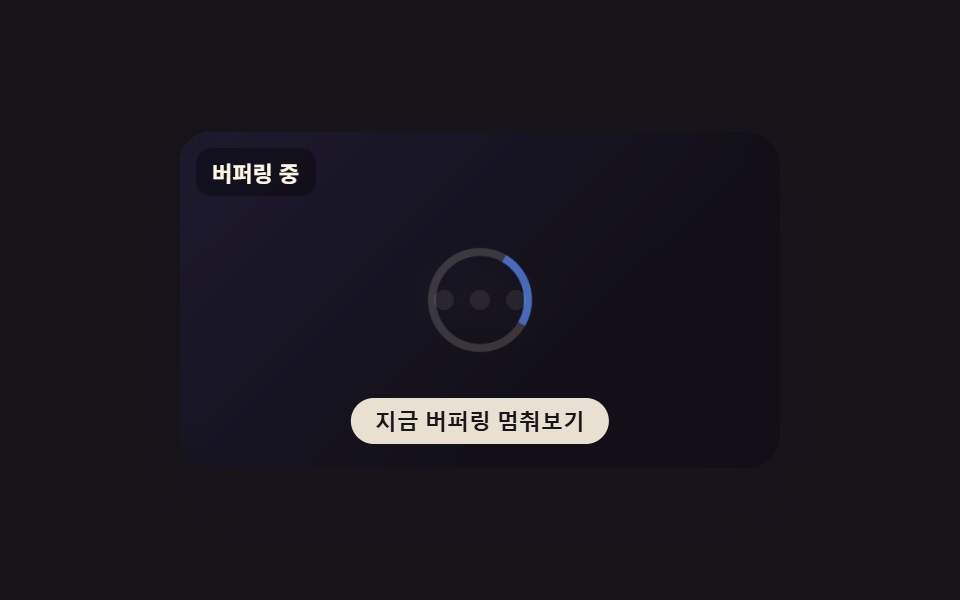 로딩버퍼링 표시 애니메이션 9종 — 스피너부터 화질 배지까지
 로딩버튼 로딩 9종 — 스피너부터 성공 체크까지 상태 전환
 로딩로딩 스켈레톤 ui 9종 — 차트가 계산으로 완성되는 순간까지