파일 업로드 진행률 로더 9종 — 드래그부터 체크까지 계산
파일 업로드 진행률 UI는 계산으로 그리는 로더입니다. 파일을 끌어다 놓으면 바이트와 시간을 계산해 링이 돌고 속도가 표시되고 끝나면 체크로 바뀝니다. 9가지 상태를 라이브러리 없이 계산으로 만드는 로더 — 코드는 비밀번호 zip으로 그대로 드립니다.
 01 upload-progress-dropzone-highlight
 02 upload-progress-ring-percent
 03 upload-progress-speed-label
 04 upload-progress-multi-stagger
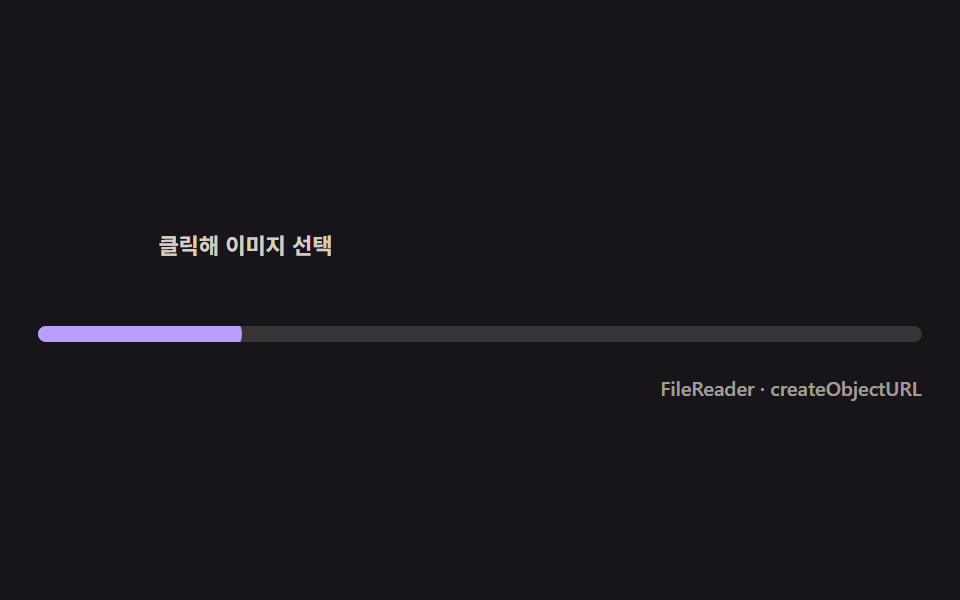 05 upload-progress-thumbnail-pop
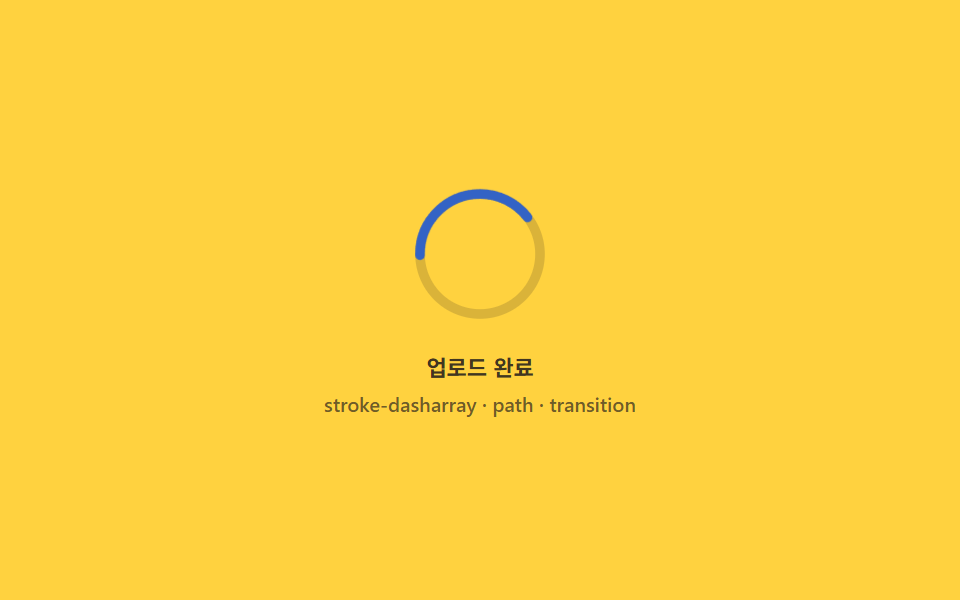 06 upload-progress-success-morph
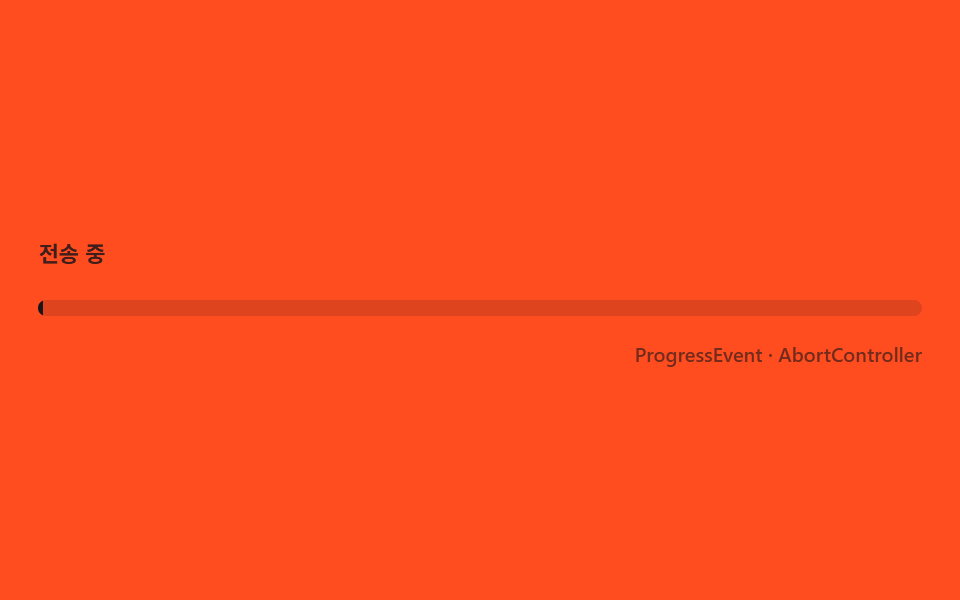 07 upload-progress-error-shake-retry
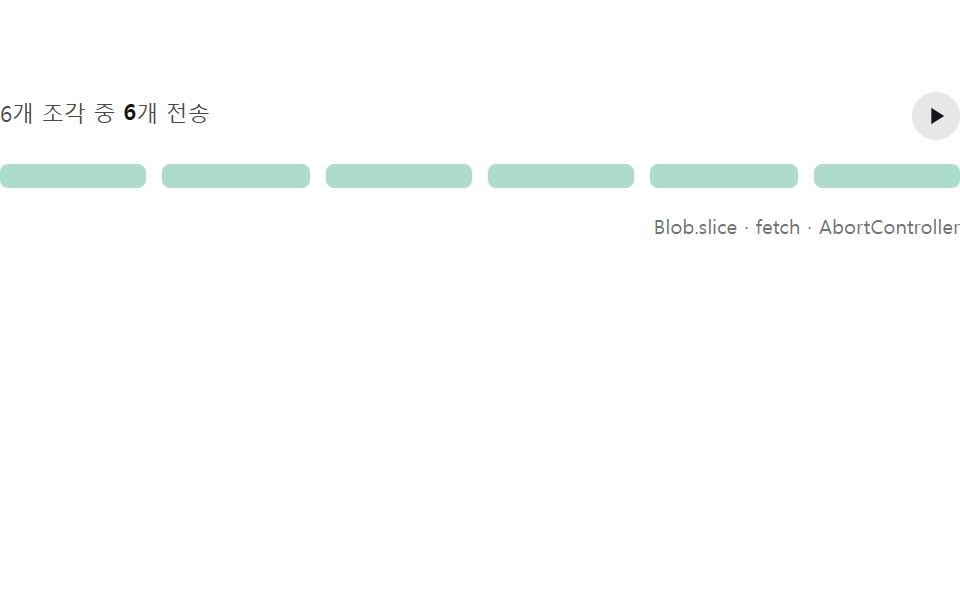 08 upload-progress-chunk-pause-resume
 09 upload-progress-paste-capture
자동 재생 · 눌러서 해당 항목으로 · 전부 한 zip
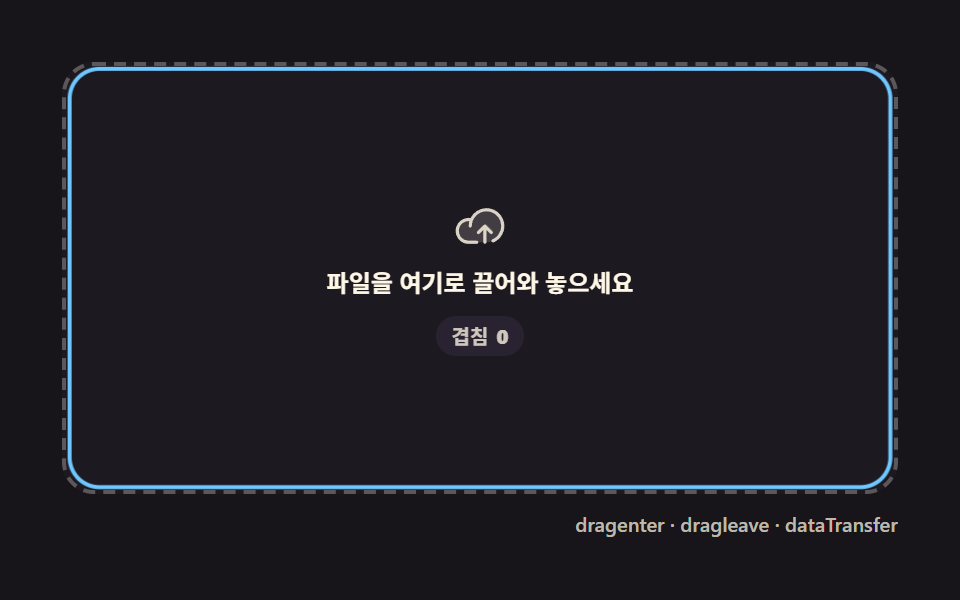
- 01 드롭존 하이라이트 — 자식 요소에서도 안 깜빡이는 드래그오버
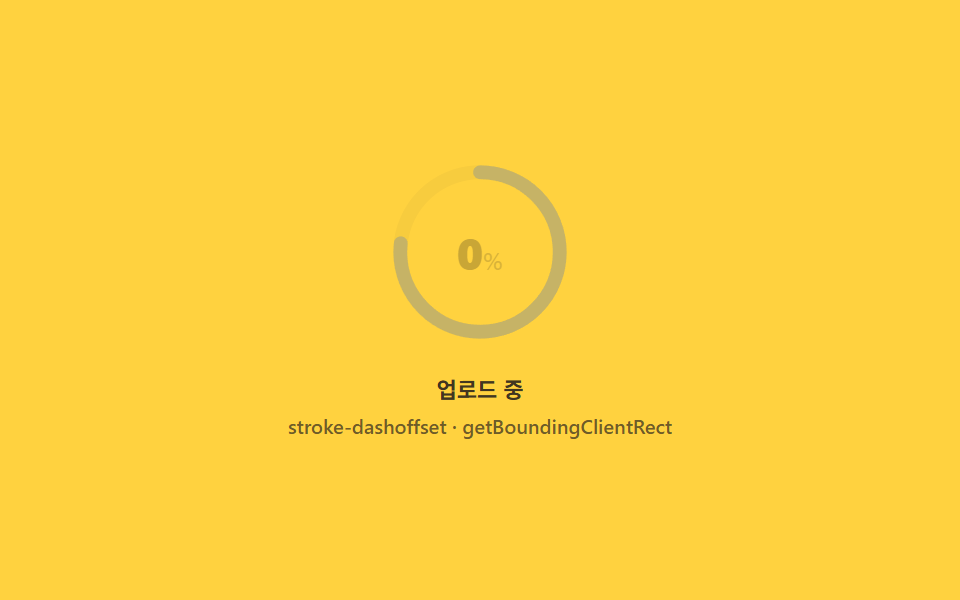
- 02 원형 퍼센트 링 — 둘레를 계산해 도는 링
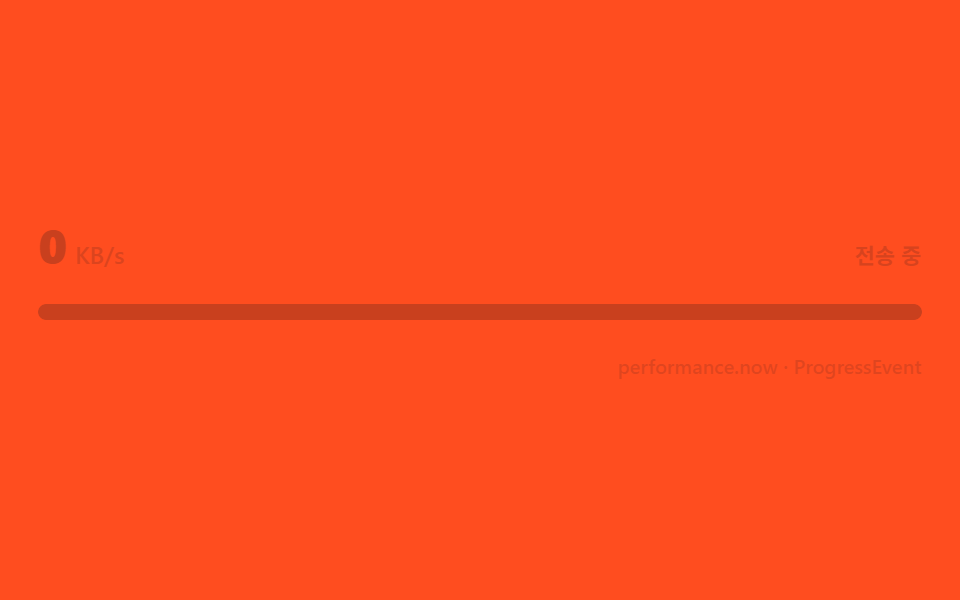
- 03 전송 속도 라벨 — 시간차로 계산하는 KB/s
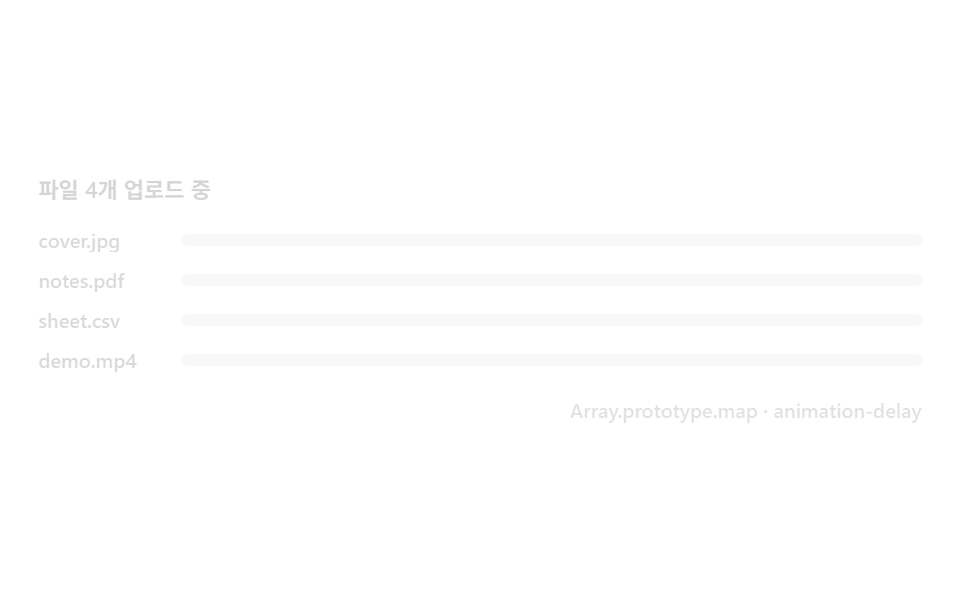
- 04 다중 파일 스태거 — 목록에 순서대로 쌓이는 진행률
- 05 썸네일 팝인 — 읽어 들인 순간 튀어 오르는 미리보기
- 06 완료 모프 — 링이 체크 모양으로 바뀌는 순간
- 07 실패 흔들림과 재시도 — 끊긴 지점을 기억하는 버튼
- 08 청크 일시정지·재개 — 보낸 조각만큼만 이어 붙는 바
- 09 붙여넣기 캡처 — Ctrl+V 로 시작하는 업로드
데모
아홉 판 전부 is-demo 상태로 열려 시드 난수가 가상의 바이트를 흔들다가, 포인터를 올리거나 파일을 실제로 놓는 순간(pointerdown·focusin·change·paste·drop) 같은 계산 경로로 그대로 넘어갑니다. 24프레임 녹화에서 아홉 판 모두 11~21프레임이 움직였고, 값이 튀지 않도록 표시값은 목표치를 관성(lerp)으로 뒤따라갑니다.
24프레임 실측 한눈에
| 항목 | 초점 | 누적면적(%) | 강도 평균 | 움직인프레임 |
|---|---|---|---|---|
| 01 드롭존 하이라이트 | depth 카운터로 상쇄한 테두리 | 13.246 | 55.6 | 17 |
| 02 원형 퍼센트 링 | 둘레 계산 stroke-dashoffset | 1.533 | 121.8 | 20 |
| 03 전송 속도 라벨 | 바이트/시간 이동평균 KB/s | 3.254 | 163.6 | 20 |
| 04 다중 파일 스태거 | 인덱스 지연으로 줄 세운 등장 | 11.172 | 76.7 | 17 |
| 05 썸네일 팝인 | FileReader onload 트리거 | 4.903 | 145.3 | 16 |
| 06 완료 모프 | 링에서 체크 path 로 전환 | 1.049 | 74.6 | 19 |
| 07 실패 흔들림과 재시도 | loaded 보존한 재시도 | 2.978 | 161.2 | 21 |
| 08 청크 일시정지·재개 | lastConfirmed 부터 재개 | 3.703 | 87.6 | 11 |
| 09 붙여넣기 캡처 | clipboardData 파이프라인 | 18.947 | 93.4 | 15 |
낮은 누적면적이 정상인 이유
컴포넌트 편은 캔버스 전체가 아니라 링·바·배지 같은 좁은 조각만 바뀌므로 누적면적이 1~19% 대에 모이는 것이 정상입니다. 06 완료 모프가 1.049% 로 가장 작은 것은 원에서 체크로 바뀌는 좁은 SVG 영역만 움직이기 때문이고, 09 붙여넣기 캡처가 18.947% 로 가장 넓은 것은 인디터미네이트 링과 썸네일 스왑이 화면 절반 가까이를 바꾸기 때문입니다. 강도 평균은 03 전송 속도 라벨이 163.6 으로 가장 밝고 07 실패 흔들림 161.2·05 썸네일 팝인 145.3 이 뒤를 잇는데, 이 편의 정교함은 면적이 아니라 바이트·시간·조각 번호를 다시 계산하는 겹에 있습니다.
드롭존부터 붙여넣기까지, 업로드 여정을 따라간 아홉 단계
순서는 파일이 화면에 들어오는 순간부터 끝나는 순간까지를 한 단계씩 따라갑니다. 먼저 파일이 화면 위로 들어오는 순간의 테두리부터 다루고(01), 단일 파일의 퍼센트를 링으로(02), 전송 속도를 숫자로 보여준 뒤(03), 여러 파일이 한꺼번에 들어올 때의 줄 세우기로 넘어갑니다(04). 다섯째는 파일을 읽어 들이는 순간의 미리보기이고(05), 여섯째는 100%에 닿는 순간의 마무리이며(06), 일곱째는 실패라는 반대 경우를 다룹니다(07). 여덟째는 큰 파일을 조각내 나눠 보내는 경우이고(08), 마지막은 드래그 없이 붙여넣기만으로 같은 파이프라인에 들어가는 경우로 닫습니다(09). 파일이 들어오는 자리를 계산으로 지키는 점에서는 네모 버튼 안쪽까지 눌림을 계산하는 CSS 버튼 애니메이션 9종과 같은 계보이고, 목록 한 줄 한 줄이 상태를 쌓아 가는 점에서는 항목이 펼쳐지는 높이를 계산하는 체크리스트 패턴과도 닮았습니다.
항목별 코드
01드롭존 하이라이트 — 자식 요소에서도 안 깜빡이는 드래그오버
dragenter·dragleave 는 자식 노드를 넘나들 때마다 쌍으로 더 발생하는데, 이 판은 진입마다 +1·이탈마다 -1 하는 depth 카운터 하나로 그 중복을 상쇄해 파일을 끄는 동안 테두리가 한 번만 커지고 줄어듭니다. 24프레임 중 17프레임이 움직이고 누적면적은 13.246% 로 아홉 판 중 두 번째로 넓습니다.
<main class="stage">
<div class="dz is-demo" id="dzRoot">
  <div class="dz__zone" id="dzZone" role="button" tabindex="0" aria-label="파일을 여기로 끌어와 놓으세요">
    <span class="dz__ring" aria-hidden="true"></span>
    <span class="dz__icon" aria-hidden="true">
      <svg viewBox="0 0 256 256" width="26" height="26"><g fill="currentColor"><path d="M240 128a80 80 0 0 1-80 80H72A56 56 0 1 1 85.92 97.74v.1A80 80 0 0 1 240 128" opacity=".2"/><path d="M178.34 165.66L160 147.31V208a8 8 0 0 1-16 0v-60.69l-18.34 18.35a8 8 0 0 1-11.32-11.32l32-32a8 8 0 0 1 11.32 0l32 32a8 8 0 0 1-11.32 11.32M160 40a88.08 88.08 0 0 0-78.71 48.68A64 64 0 1 0 72 216h40a8 8 0 0 0 0-16H72a48 48 0 0 1 0-96c1.1 0 2.2 0 3.29.12A88 88 0 0 0 72 128a8 8 0 0 0 16 0a72 72 0 1 1 100.8 66a8 8 0 0 0 3.2 15.34a7.9 7.9 0 0 0 3.2-.68A88 88 0 0 0 160 40"/></g></svg>
    </span>
    <span class="dz__label">파일을 여기로 끌어와 놓으세요</span>
    <span class="dz__badge" id="dzBadge" aria-hidden="true">겹침 <b class="dz__n"></b></span>
  </div>
  <div class="dz__bar">
    <span class="dz__meta">dragenter · dragleave · dataTransfer</span>
  </div>
</div>
</main>
@use "../../../../site/static/demo-tokens" as *;
// 드롭존 하이라이트(01) — 움직임은 CSS keyframes 두 개뿐이다(링 opacity·scale / 카운터 정수).
// 실사용 경로는 JS 가 depth 카운터로 --n 을 직접 setProperty 한다 — 데모 루프와 같은 변수를 공유한다.
@property --n {
syntax: "<integer>";
inherits: false;
initial-value: 0;
}
@include stage($stage-ink);
$dz-panel: #211d26;
$dz-text: $subject-cream;
$dz-ring: $subject-sky;
$dz-badge: #2a2432;
$duration: $dur-loop;
$easing: $ease-out;
$color: $dz-ring;
.dz {
--dz-ring: #{$dz-ring};
position: relative;
display: flex; flex-direction: column;
width: 100%; height: 100%; min-height: 164px;
overflow: hidden;
}
.dz__zone {
position: relative;
margin: $sp-3 $sp-3 0;
flex: 1;
display: flex; flex-direction: column; align-items: center; justify-content: center;
gap: $sp-2;
border-radius: $r-card;
border: 2px dashed rgba($dz-text, .28);
background: rgba($dz-panel, .6);
cursor: pointer;
}
.dz__zone:focus-visible { outline: 2px solid $dz-ring; outline-offset: 2px; }
.dz__ring {
position: absolute; inset: 0;
border-radius: $r-card;
border: 2px solid $dz-ring;
opacity: 0;
transform: scale(.94);
pointer-events: none;
}
.dz__zone.is-over .dz__ring {
opacity: 1;
transform: scale(1);
transition: opacity $dur-quick $easing, transform $dur-quick $ease-elastic;
}
.dz__zone.is-dropped .dz__ring {
opacity: 1;
transform: scale(1.08);
transition: opacity $dur-quick $easing, transform $dur-instant $ease-elastic;
}
.dz__icon {
position: relative; z-index: 1;
display: flex;
color: rgba($dz-text, .82);
}
.dz__label {
position: relative; z-index: 1;
font-weight: 600; font-size: clamp(10px, 2.6vw, 12px); line-height: 1.3;
color: $dz-text;
text-align: center;
padding: 0 $sp-3;
}
.dz__badge {
position: relative; z-index: 1;
display: inline-flex; align-items: center; gap: 4px;
padding: $sp-1 $sp-2;
border-radius: $r-pill;
background: rgba($dz-badge, .92);
font-weight: 600; font-size: 10px; line-height: 1.2;
color: rgba($dz-text, .82);
opacity: 0;
--n: 0;
}
.dz__zone.is-over .dz__badge { opacity: 1; transition: opacity $dur-quick $easing; }
.dz__n { counter-reset: dzn var(--n); }
.dz__n::before { content: counter(dzn); }
.dz__bar {
display: flex; justify-content: flex-end;
padding: $sp-2 $sp-3 $sp-3;
}
.dz__meta {
font-size: 10px; font-weight: 500; color: rgba($dz-text, .72);
}
// ── 데모 루프 — 진입 깊이(depth)가 0→3 을 오르내리는 동안 테두리는 한 번만 켜지고 한 번만 꺼진다 ──
@keyframes dzRing {
0% { opacity: 0; transform: scale(.94); }
8% { opacity: 1; transform: scale(1.06); animation-timing-function: $ease-elastic; }
18% { transform: scale(1); animation-timing-function: $easing; }
54% { opacity: 1; transform: scale(1); }
60% { opacity: 1; transform: scale(1.08); }
70% { opacity: 0; transform: scale(.96); }
100% { opacity: 0; transform: scale(.94); }
}
@keyframes dzCount {
0%, 6% { --n: 0; opacity: 0; }
10% { --n: 1; opacity: 1; }
22% { --n: 2; }
34% { --n: 3; }
44% { --n: 2; }
52% { --n: 1; }
58%, 100% { --n: 0; opacity: 0; }
}
.is-demo .dz__ring {
animation-name: dzRing;
animation-duration: $duration;
animation-timing-function: $easing;
animation-iteration-count: infinite;
}
.is-demo .dz__badge {
animation-name: dzCount;
animation-duration: $duration;
animation-timing-function: linear;
animation-iteration-count: infinite;
}
@media (max-width: 340px) {
.dz__label { font-size: 10px; }
}
@media (prefers-reduced-motion: reduce) {
.is-demo .dz__ring, .is-demo .dz__badge { animation: none !important; opacity: 0 !important; }
}@property --n {
syntax: "<integer>";
inherits: false;
initial-value: 0;
}
html, body {
margin: 0;
overflow: hidden;
}
.stage {
box-sizing: border-box;
min-height: 100vh;
display: grid;
place-items: center;
margin: 0;
background: #17141a;
font-family: -apple-system, "Segoe UI", "Noto Sans KR", sans-serif;
padding: clamp(8px, 4vw, 24px);
}
.dz {
--dz-ring: #6ec8ff;
position: relative;
display: flex;
flex-direction: column;
width: 100%;
height: 100%;
min-height: 164px;
overflow: hidden;
}
.dz__zone {
position: relative;
margin: 12px 12px 0;
flex: 1;
display: flex;
flex-direction: column;
align-items: center;
justify-content: center;
gap: 8px;
border-radius: 16px;
border: 2px dashed rgba(255, 247, 230, 0.28);
background: rgba(33, 29, 38, 0.6);
cursor: pointer;
}
.dz__zone:focus-visible {
outline: 2px solid #6ec8ff;
outline-offset: 2px;
}
.dz__ring {
position: absolute;
inset: 0;
border-radius: 16px;
border: 2px solid #6ec8ff;
opacity: 0;
transform: scale(0.94);
pointer-events: none;
}
.dz__zone.is-over .dz__ring {
opacity: 1;
transform: scale(1);
transition: opacity 220ms ease-out, transform 220ms cubic-bezier(0.34, 1.56, 0.64, 1);
}
.dz__zone.is-dropped .dz__ring {
opacity: 1;
transform: scale(1.08);
transition: opacity 220ms ease-out, transform 140ms cubic-bezier(0.34, 1.56, 0.64, 1);
}
.dz__icon {
position: relative;
z-index: 1;
display: flex;
color: rgba(255, 247, 230, 0.82);
}
.dz__label {
position: relative;
z-index: 1;
font-weight: 600;
font-size: clamp(10px, 2.6vw, 12px);
line-height: 1.3;
color: #fff7e6;
text-align: center;
padding: 0 12px;
}
.dz__badge {
position: relative;
z-index: 1;
display: inline-flex;
align-items: center;
gap: 4px;
padding: 4px 8px;
border-radius: 999px;
background: rgba(42, 36, 50, 0.92);
font-weight: 600;
font-size: 10px;
line-height: 1.2;
color: rgba(255, 247, 230, 0.82);
opacity: 0;
--n: 0;
}
.dz__zone.is-over .dz__badge {
opacity: 1;
transition: opacity 220ms ease-out;
}
.dz__n {
counter-reset: dzn var(--n);
}
.dz__n::before {
content: counter(dzn);
}
.dz__bar {
display: flex;
justify-content: flex-end;
padding: 8px 12px 12px;
}
.dz__meta {
font-size: 10px;
font-weight: 500;
color: rgba(255, 247, 230, 0.72);
}
@keyframes dzRing {
0% {
opacity: 0;
transform: scale(0.94);
}
8% {
opacity: 1;
transform: scale(1.06);
animation-timing-function: cubic-bezier(0.34, 1.56, 0.64, 1);
}
18% {
transform: scale(1);
animation-timing-function: ease-out;
}
54% {
opacity: 1;
transform: scale(1);
}
60% {
opacity: 1;
transform: scale(1.08);
}
70% {
opacity: 0;
transform: scale(0.96);
}
100% {
opacity: 0;
transform: scale(0.94);
}
}
@keyframes dzCount {
0%, 6% {
--n: 0;
opacity: 0;
}
10% {
--n: 1;
opacity: 1;
}
22% {
--n: 2;
}
34% {
--n: 3;
}
44% {
--n: 2;
}
52% {
--n: 1;
}
58%, 100% {
--n: 0;
opacity: 0;
}
}
.is-demo .dz__ring {
animation-name: dzRing;
animation-duration: 2s;
animation-timing-function: ease-out;
animation-iteration-count: infinite;
}
.is-demo .dz__badge {
animation-name: dzCount;
animation-duration: 2s;
animation-timing-function: linear;
animation-iteration-count: infinite;
}
@media (max-width: 340px) {
.dz__label {
font-size: 10px;
}
}
@media (prefers-reduced-motion: reduce) {
.is-demo .dz__ring, .is-demo .dz__badge {
animation: none !important;
opacity: 0 !important;
}
}// 드롭존 하이라이트 — 자식 요소를 넘나드는 dragenter·dragleave 쌍은 한 번의 진입에 여러 번 발생한다.
// 카운터 depth 를 두어 depth 가 0보다 클 때만 하이라이트하면 자식 경계를 넘어도 테두리가 깜빡이지 않는다.
(function () {
var root = document.getElementById('dzRoot');
var zone = document.getElementById('dzZone');
var badge = document.getElementById('dzBadge');
if (!root || !zone || !badge) return;
  var depth = 0;

  function paint() {
    zone.classList.toggle('is-over', depth > 0);
    badge.style.setProperty('--n', depth);
  }
  function enter(e) { e.preventDefault(); depth += 1; paint(); }
  function leave(e) { e.preventDefault(); depth = Math.max(0, depth - 1); paint(); }
  function over(e) { e.preventDefault(); }
  function drop(e) {
    e.preventDefault();
    var fileCount = (e.dataTransfer && e.dataTransfer.files) ? e.dataTransfer.files.length : 0;
    depth = 0; paint();
    zone.setAttribute('data-drop-count', String(fileCount));
    zone.classList.add('is-dropped');
    setTimeout(function () { zone.classList.remove('is-dropped'); }, 640);
  }
function live() { root.classList.remove('is-demo'); }
zone.addEventListener('dragenter', enter);
zone.addEventListener('dragleave', leave);
zone.addEventListener('dragover', over);
zone.addEventListener('drop', drop);
['pointerdown', 'focusin'].forEach(function (ev) { zone.addEventListener(ev, live); });
})();// UploadProgressDropzoneHighlight — vanilla 판(run/329/demo/01-upload-progress-dropzone-highlight/index.html) 의 React 포트.
// 자식 요소를 넘나드는 dragenter·dragleave 쌍은 한 번의 진입에 여러 번 발생한다. 카운터 depth 를 두어
// depth 가 0보다 클 때만 하이라이트하면 자식 경계를 넘어도 테두리가 깜빡이지 않는다.
import { useRef, useState } from "react";
import type { CSSProperties } from "react";
import styles from "./UploadProgressDropzoneHighlight.module.scss";
export type UploadProgressDropzoneHighlightProps = {
duration?: string;
easing?: string;
color?: string;
};
type Vars = CSSProperties & { "--duration"?: string; "--easing"?: string; "--color"?: string };
type NVars = CSSProperties & { "--n"?: number };
type Box<T> = { current: T };
type DragEvt = { preventDefault: () => void; dataTransfer?: { files?: { length: number } } | null };
const LABEL = "파일을 여기로 끌어와 놓으세요";
const BADGE_PREFIX = "겹침";
const META = "dragenter · dragleave · dataTransfer";
export default function UploadProgressDropzoneHighlight({
duration = "2s",
easing = "ease-out",
color = "#6ec8ff"
}: UploadProgressDropzoneHighlightProps) {
const [demo, setDemo] = useState(true);
const [depth, setDepth] = useState(0);
const [dropped, setDropped] = useState(false);
const dropTimer = useRef(0) as Box<number>;
const vars: Vars = { "--duration": duration, "--easing": easing, "--color": color };
const badgeVars: NVars = { "--n": depth };
function live(): void {
setDemo(false);
}
function enter(e: DragEvt): void {
e.preventDefault();
setDepth((d) => d + 1);
}
function leave(e: DragEvt): void {
e.preventDefault();
setDepth((d) => Math.max(0, d - 1));
}
function over(e: DragEvt): void {
e.preventDefault();
}
function drop(e: DragEvt): void {
e.preventDefault();
setDepth(0);
setDropped(true);
window.clearTimeout(dropTimer.current);
dropTimer.current = window.setTimeout(() => setDropped(false), 640);
}
const rootCls = demo ? `${styles.dz} ${styles.isDemo}` : styles.dz;
const zoneCls = [styles.zone, depth > 0 ? styles.isOver : "", dropped ? styles.isDropped : ""].filter(Boolean).join(" ");
return (
<main className={styles.stage}>
<div className={rootCls} style={vars}>
<div
className={zoneCls}
role="button"
tabIndex={0}
aria-label={LABEL}
onDragEnter={enter}
onDragLeave={leave}
onDragOver={over}
onDrop={drop}
onPointerDown={live}
onFocus={live}
>
<span className={styles.ring} aria-hidden="true"></span>
<span className={styles.icon} aria-hidden="true">
<svg viewBox="0 0 256 256" width="26" height="26"><g fill="currentColor"><path d="M240 128a80 80 0 0 1-80 80H72A56 56 0 1 1 85.92 97.74v.1A80 80 0 0 1 240 128" opacity=".2"/><path d="M178.34 165.66L160 147.31V208a8 8 0 0 1-16 0v-60.69l-18.34 18.35a8 8 0 0 1-11.32-11.32l32-32a8 8 0 0 1 11.32 0l32 32a8 8 0 0 1-11.32 11.32M160 40a88.08 88.08 0 0 0-78.71 48.68A64 64 0 1 0 72 216h40a8 8 0 0 0 0-16H72a48 48 0 0 1 0-96c1.1 0 2.2 0 3.29.12A88 88 0 0 0 72 128a8 8 0 0 0 16 0a72 72 0 1 1 100.8 66a8 8 0 0 0 3.2 15.34a7.9 7.9 0 0 0 3.2-.68A88 88 0 0 0 160 40"/></g></svg>
</span>
<span className={styles.label}>{LABEL}</span>
<span className={styles.badge} style={badgeVars} aria-hidden="true">{BADGE_PREFIX} <b className={styles.n}></b></span>
</div>
<div className={styles.bar}>
<span className={styles.meta}>{META}</span>
</div>
</div>
</main>
);
}01 · 드롭존 하이라이트 — 자식 요소에서도 안 깜빡이는 드래그오버 — 측정 누적면적 13.246% · 움직인 프레임 17/23GODRICH 원작 · zip 에 SCSS·React 포함 · 비밀번호 보기
depth 카운터가 자식 경계를 무시하는 방식
var depth = 0;
function paint() {
zone.classList.toggle('is-over', depth > 0);
badge.style.setProperty('--n', depth);
}
function enter(e) { e.preventDefault(); depth += 1; paint(); }
function leave(e) { e.preventDefault(); depth = Math.max(0, depth - 1); paint(); }
function over(e) { e.preventDefault(); }
function drop(e) {
e.preventDefault();
var fileCount = (e.dataTransfer && e.dataTransfer.files) ? e.dataTransfer.files.length : 0;
depth = 0; paint();
zone.setAttribute('data-drop-count', String(fileCount));
zone.classList.add('is-dropped');
setTimeout(function () { zone.classList.remove('is-dropped'); }, 640);
}
02원형 퍼센트 링 — 둘레를 계산해 도는 링
getBoundingClientRect 로 실측한 반지름에서 둘레(2πr)를 구해 stroke-dasharray 상수로 넣고, 목표치를 mulberry32 시드 난수로 흔들며 그 값만큼 stroke-dashoffset 을 되감으면 숫자 라벨과 링이 항상 같은 값을 그립니다. 강도 평균 121.8·움직인프레임 20으로 아홉 판 중 네 번째로 밝고, 움직인프레임 수로는 03·07 다음으로 자주 갱신됩니다.
<main class="stage">
<div class="rp is-demo" id="rpRoot" role="group" tabindex="0" aria-label="파일 업로드 진행률 링">
  <div class="rp__ringwrap">
    <svg class="rp__svg" viewBox="0 0 120 120" width="92" height="92" aria-hidden="true">
      <circle class="rp__track" cx="60" cy="60" r="52"></circle>
      <circle class="rp__prog" id="rpProg" cx="60" cy="60" r="52"></circle>
    </svg>
    <span class="rp__pct" id="rpPct" aria-hidden="true"><b class="rp__n"></b><i>%</i></span>
  </div>
  <div class="rp__bar">
    <span class="rp__label">업로드 중</span>
    <span class="rp__meta">stroke-dashoffset · getBoundingClientRect</span>
  </div>
</div>
</main>
@use "../../../../site/static/demo-tokens" as *;
// 원형 퍼센트 링(02) — 링의 stroke-dashoffset 과 라벨 숫자는 같은 --p 값에서 나온다(두 갈래 keyframes 지만
// 같은 스케줄). --circ 는 JS 가 실측한 반지름으로 딱 한 번 계산해 넣는 상수 — 애니메이션 대상이 아니다.
@property --p {
syntax: "<number>";
inherits: false;
initial-value: 0;
}
@property --n {
syntax: "<integer>";
inherits: false;
initial-value: 0;
}
@include stage($stage-yellow);
$rp-track: $subject-ink;
$rp-arc: $subject-blue-deep;
$duration: $dur-loop;
$easing: $ease-out;
$color: $rp-arc;
.rp {
display: flex; flex-direction: column; align-items: center;
gap: $sp-4;
width: 100%; height: 100%; min-height: 164px;
justify-content: center;
}
.rp:focus-visible { outline: 2px solid $rp-arc; outline-offset: 3px; border-radius: $r-control; }
.rp__ringwrap { position: relative; display: grid; place-items: center; }
.rp__svg { transform: rotate(-90deg); }
.rp__track {
fill: none;
stroke: rgba($rp-track, .16);
stroke-width: 9;
}
.rp__prog {
fill: none;
stroke: $rp-arc;
stroke-width: 9;
stroke-linecap: round;
--circ: 0;
--p: 0;
stroke-dasharray: var(--circ);
stroke-dashoffset: calc(var(--circ) * (1 - var(--p) / 100));
}
.rp__pct {
position: absolute;
display: flex; align-items: baseline; gap: 0;
font-weight: 700; font-size: 22px; line-height: 1;
color: $rp-track;
--n: 0;
}
.rp__pct i { font-weight: 600; font-size: 12px; font-style: normal; opacity: .7; }
.rp__n { counter-reset: rpn var(--n); }
.rp__n::before { content: counter(rpn); }
.rp__bar {
display: flex; flex-direction: column; align-items: center; gap: $sp-1;
}
.rp__label {
font-weight: 600; font-size: 11px; line-height: 1.3;
color: rgba($rp-track, .82);
}
.rp__meta {
font-weight: 500; font-size: 10px; line-height: 1.3;
color: rgba($rp-track, .62);
}
// ── 데모 루프 — 0→100 을 채우고, 화면에서 사라진 순간에만 0으로 되감아 눈에 튀는 점프가 없다 ──
@keyframes rpArc {
0% { --p: 0; }
70% { --p: 100; }
90% { --p: 100; }
92% { --p: 0; }
100% { --p: 0; }
}
@keyframes rpCount {
0% { --n: 0; }
70% { --n: 100; }
90% { --n: 100; }
92% { --n: 0; }
100% { --n: 0; }
}
@keyframes rpFade {
0% { opacity: 1; }
84% { opacity: 1; }
90% { opacity: 0; }
94% { opacity: 0; }
100% { opacity: 1; }
}
.is-demo .rp__prog {
animation-name: rpArc;
animation-duration: $duration;
animation-timing-function: $easing;
animation-iteration-count: infinite;
}
.is-demo .rp__pct {
animation-name: rpCount;
animation-duration: $duration;
animation-timing-function: linear;
animation-iteration-count: infinite;
}
.is-demo .rp__ringwrap {
animation-name: rpFade;
animation-duration: $duration;
animation-timing-function: $easing;
animation-iteration-count: infinite;
}
@media (max-width: 340px) {
.rp__svg { width: 78px; height: 78px; }
.rp__pct { font-size: 18px; }
}
@media (prefers-reduced-motion: reduce) {
.is-demo .rp__prog, .is-demo .rp__pct, .is-demo .rp__ringwrap { animation: none !important; }
.is-demo .rp__prog { --p: 62 !important; }
.is-demo .rp__pct { --n: 62 !important; }
}@property --p {
syntax: "<number>";
inherits: false;
initial-value: 0;
}
@property --n {
syntax: "<integer>";
inherits: false;
initial-value: 0;
}
html, body {
margin: 0;
overflow: hidden;
}
.stage {
box-sizing: border-box;
min-height: 100vh;
display: grid;
place-items: center;
margin: 0;
background: #ffd23f;
font-family: -apple-system, "Segoe UI", "Noto Sans KR", sans-serif;
padding: clamp(8px, 4vw, 24px);
}
.rp {
display: flex;
flex-direction: column;
align-items: center;
gap: 16px;
width: 100%;
height: 100%;
min-height: 164px;
justify-content: center;
}
.rp:focus-visible {
outline: 2px solid #0a4fe8;
outline-offset: 3px;
border-radius: 12px;
}
.rp__ringwrap {
position: relative;
display: grid;
place-items: center;
}
.rp__svg {
transform: rotate(-90deg);
}
.rp__track {
fill: none;
stroke: rgba(23, 20, 26, 0.16);
stroke-width: 9;
}
.rp__prog {
fill: none;
stroke: #0a4fe8;
stroke-width: 9;
stroke-linecap: round;
--circ: 0;
--p: 0;
stroke-dasharray: var(--circ);
stroke-dashoffset: calc(var(--circ) * (1 - var(--p) / 100));
}
.rp__pct {
position: absolute;
display: flex;
align-items: baseline;
gap: 0;
font-weight: 700;
font-size: 22px;
line-height: 1;
color: #17141a;
--n: 0;
}
.rp__pct i {
font-weight: 600;
font-size: 12px;
font-style: normal;
opacity: 0.7;
}
.rp__n {
counter-reset: rpn var(--n);
}
.rp__n::before {
content: counter(rpn);
}
.rp__bar {
display: flex;
flex-direction: column;
align-items: center;
gap: 4px;
}
.rp__label {
font-weight: 600;
font-size: 11px;
line-height: 1.3;
color: rgba(23, 20, 26, 0.82);
}
.rp__meta {
font-weight: 500;
font-size: 10px;
line-height: 1.3;
color: rgba(23, 20, 26, 0.62);
}
@keyframes rpArc {
0% {
--p: 0;
}
70% {
--p: 100;
}
90% {
--p: 100;
}
92% {
--p: 0;
}
100% {
--p: 0;
}
}
@keyframes rpCount {
0% {
--n: 0;
}
70% {
--n: 100;
}
90% {
--n: 100;
}
92% {
--n: 0;
}
100% {
--n: 0;
}
}
@keyframes rpFade {
0% {
opacity: 1;
}
84% {
opacity: 1;
}
90% {
opacity: 0;
}
94% {
opacity: 0;
}
100% {
opacity: 1;
}
}
.is-demo .rp__prog {
animation-name: rpArc;
animation-duration: 2s;
animation-timing-function: ease-out;
animation-iteration-count: infinite;
}
.is-demo .rp__pct {
animation-name: rpCount;
animation-duration: 2s;
animation-timing-function: linear;
animation-iteration-count: infinite;
}
.is-demo .rp__ringwrap {
animation-name: rpFade;
animation-duration: 2s;
animation-timing-function: ease-out;
animation-iteration-count: infinite;
}
@media (max-width: 340px) {
.rp__svg {
width: 78px;
height: 78px;
}
.rp__pct {
font-size: 18px;
}
}
@media (prefers-reduced-motion: reduce) {
.is-demo .rp__prog, .is-demo .rp__pct, .is-demo .rp__ringwrap {
animation: none !important;
}
.is-demo .rp__prog {
--p: 62 !important;
}
.is-demo .rp__pct {
--n: 62 !important;
}
}// 원형 퍼센트 링 — 반지름을 실측(getBoundingClientRect)해 둘레(2πr)를 구하고
// stroke-dasharray 에 그 값을 그대로 넣는다. 진행률은 stroke-dashoffset 을
// 둘레에서 되감는 비율로 계산하므로 숫자 라벨과 링은 항상 같은 값을 가리킨다.
// 실제 전송 속도는 매 틱 일정하지 않다 — 시드 난수로 목표치를 흔들고
// 화면 값은 목표를 향해 관성으로 lerp 되어 뚝뚝 끊기지 않는다.
(function () {
var SEED = 0x9e77a1;
function mulberry32(a) {
return function () {
a |= 0; a = (a + 0x6D2B79F5) | 0;
var t = Math.imul(a ^ (a >>> 15), 1 | a);
t = (t + Math.imul(t ^ (t >>> 7), 61 | t)) ^ t;
return ((t ^ (t >>> 14)) >>> 0) / 4294967296;
};
}
var rand = mulberry32(SEED);
var root = document.getElementById('rpRoot');
var prog = document.getElementById('rpProg');
var pct = document.getElementById('rpPct');
if (!root || !prog || !pct) return;
  var r = prog.r.baseVal.value;
  var box = prog.getBoundingClientRect();
  var measuredR = box.width > 0 ? box.width / 2 : r;
  var circ = 2 * Math.PI * measuredR;
  prog.style.setProperty('--circ', String(circ));

  var target = 0, shown = 0, raf = null;
  function paint() {
    shown += (target - shown) * 0.18;
    if (Math.abs(target - shown) < 0.05) shown = target;
    prog.style.setProperty('--p', shown.toFixed(2));
    pct.style.setProperty('--n', Math.round(shown));
    if (shown < 100) raf = requestAnimationFrame(paint);
  }
function tick() {
if (root.classList.contains('is-demo')) return;
target = Math.min(100, target + 3 + rand() * 9);
if (target >= 100) clearInterval(timer);
}
var timer = null;
function live() {
if (!root.classList.contains('is-demo')) return;
root.classList.remove('is-demo');
timer = setInterval(tick, 220);
raf = requestAnimationFrame(paint);
}
['pointerdown', 'focusin'].forEach(function (ev) { root.addEventListener(ev, live); });
})();// UploadProgressRingPercent — vanilla 판(run/329/demo/02-upload-progress-ring-percent/index.html) 의 React 포트.
// 반지름을 실측(getBoundingClientRect)해 둘레(2πr)를 구하고 stroke-dasharray 에 그 값을 그대로 넣는다.
// 진행률은 stroke-dashoffset 을 둘레에서 되감는 비율로 계산하므로 숫자 라벨과 링은 항상 같은 값을 가리킨다.
// 실제 전송 속도는 매 틱 일정하지 않다 — 시드 난수(mulberry32)로 목표치를 흔들고
// 화면 값은 목표를 향해 관성으로 lerp 되어 뚝뚝 끊기지 않는다.
import { useEffect, useRef, useState } from "react";
import type { CSSProperties } from "react";
import styles from "./UploadProgressRingPercent.module.scss";
export type UploadProgressRingPercentProps = {
duration?: string;
easing?: string;
color?: string;
seed?: number; // mulberry32 시드 — 흔들림 패턴을 고정한다
step?: number; // 매 틱 기본 증가분(퍼센트 포인트)
jitter?: number; // 매 틱 랜덤 증가분 상한
tickMs?: number; // 진행 틱 주기(ms)
};
type Vars = CSSProperties & { "--duration"?: string; "--easing"?: string; "--color"?: string };
type Box<T> = { current: T };
const LABEL = "업로드 중";
const META = "stroke-dashoffset · getBoundingClientRect";
const SEED = 0x9e77a1;
function mulberry32(a: number): () => number {
return function () {
a |= 0; a = (a + 0x6D2B79F5) | 0;
const t = Math.imul(a ^ (a >>> 15), 1 | a);
const u = (t + Math.imul(t ^ (t >>> 7), 61 | t)) ^ t;
return ((u ^ (u >>> 14)) >>> 0) / 4294967296;
};
}
export default function UploadProgressRingPercent({
duration = "2s",
easing = "ease-out",
color = "#0a4fe8",
seed = SEED,
step = 3,
jitter = 9,
tickMs = 220
}: UploadProgressRingPercentProps) {
const [demo, setDemo] = useState(true);
const progRef = useRef<SVGCircleElement | null>(null);
const pctRef = useRef<HTMLSpanElement | null>(null);
const targetRef = useRef(0) as Box<number>;
const shownRef = useRef(0) as Box<number>;
const rafRef = useRef(0) as Box<number>;
const timerRef = useRef(0) as Box<number>;
const randRef = useRef<(() => number) | null>(null);
const vars: Vars = { "--duration": duration, "--easing": easing, "--color": color };
useEffect(() => {
return () => {
window.clearInterval(timerRef.current);
cancelAnimationFrame(rafRef.current);
};
}, []);
function live(): void {
if (!demo) return;
setDemo(false);
const prog = progRef.current;
const pct = pctRef.current;
if (!prog) return;
const rand = mulberry32(seed);
randRef.current = rand;
// 둘레 — 반지름을 실측해 한 번만 계산하는 상수(vanilla 판과 같은 절차)
const r = prog.r.baseVal.value;
const box = prog.getBoundingClientRect();
const measuredR = box.width > 0 ? box.width / 2 : r;
const circ = 2 * Math.PI * measuredR;
prog.style.setProperty("--circ", String(circ));
const stepFn = (): void => {
targetRef.current = Math.min(100, targetRef.current + step + rand() * jitter);
const target = targetRef.current;
if (target >= 100) window.clearInterval(timerRef.current);
const frame = (): void => {
shownRef.current += (target - shownRef.current) * 0.18;
if (Math.abs(target - shownRef.current) < 0.05) shownRef.current = target;
prog.style.setProperty("--p", shownRef.current.toFixed(2));
if (pct) pct.style.setProperty("--n", String(Math.round(shownRef.current)));
if (shownRef.current < 100) rafRef.current = requestAnimationFrame(frame);
};
frame();
};
timerRef.current = window.setInterval(stepFn, tickMs);
stepFn();
}
const rootCls = demo ? `${styles.rp} ${styles.isDemo}` : styles.rp;
return (
<main className={styles.stage}>
<div
className={rootCls}
style={vars}
role="group"
tabIndex={0}
aria-label="파일 업로드 진행률 링"
onPointerDown={live}
onFocus={live}
>
<div className={styles.ringwrap}>
<svg className={styles.svg} viewBox="0 0 120 120" width="92" height="92" aria-hidden="true">
<circle className={styles.track} cx="60" cy="60" r="52"></circle>
<circle className={styles.prog} cx="60" cy="60" r="52" ref={progRef}></circle>
</svg>
<span className={styles.pct} ref={pctRef} aria-hidden="true"><b className={styles.n}></b><i>%</i></span>
</div>
<div className={styles.bar}>
<span className={styles.label}>{LABEL}</span>
<span className={styles.meta}>{META}</span>
</div>
</div>
</main>
);
}02 · 원형 퍼센트 링 — 둘레를 계산해 도는 링 — 측정 누적면적 1.533% · 움직인 프레임 20/23GODRICH 원작 · zip 에 SCSS·React 포함 · 비밀번호 보기
실측 반지름에서 둘레 상수를 한 번만 구한다
var r = prog.r.baseVal.value;
var box = prog.getBoundingClientRect();
var measuredR = box.width > 0 ? box.width / 2 : r;
var circ = 2 * Math.PI * measuredR;
prog.style.setProperty('--circ', String(circ));
var target = 0, shown = 0, raf = null;
function paint() {
shown += (target - shown) * 0.18;
if (Math.abs(target - shown) < 0.05) shown = target;
prog.style.setProperty('--p', shown.toFixed(2));
pct.style.setProperty('--n', Math.round(shown));
if (shown < 100) raf = requestAnimationFrame(paint);
}
03전송 속도 라벨 — 시간차로 계산하는 KB/s
progress 이벤트가 올 때마다 이전 시점과의 바이트 차를 performance.now 기준 시간 차로 나눠 KB/s 를 구하고, 최근 5개 표본의 이동평균을 목표치로 삼아 값이 튀지 않게 합니다. 강도 평균 163.6 으로 아홉 판 중 가장 밝고, 24프레임 중 20프레임이 움직입니다.
<main class="stage">
<div class="sl is-demo" id="slRoot" role="group" tabindex="0" aria-label="파일 업로드 전송 속도">
  <div class="sl__row">
    <span class="sl__speed" id="slSpeed" aria-hidden="true"><b class="sl__n"></b><i>KB/s</i></span>
    <span class="sl__label">전송 중</span>
  </div>
  <div class="sl__track">
    <span class="sl__fill" id="slFill"></span>
  </div>
  <div class="sl__bar">
    <span class="sl__meta">performance.now · ProgressEvent</span>
  </div>
</div>
</main>
@use "../../../../site/static/demo-tokens" as *;
// 전송 속도 라벨(03) — 숫자는 counter() 트릭으로, 바는 transform: scaleX 로만 움직인다.
// 실사용 경로는 JS 가 이동평균으로 --n 을 lerp 시켜 채운다(위 index.html 참고) — 데모 루프는 같은 변수를 흉내낸다.
@property --n {
syntax: "<integer>";
inherits: false;
initial-value: 0;
}
@include stage($stage-orange);
$sl-text: $subject-ink;
$sl-fill: $subject-ink;
$duration: $dur-loop;
$easing: $ease-lerp-settle;
$color: $sl-fill;
.sl {
display: flex; flex-direction: column; justify-content: center; gap: $sp-4;
width: 100%; height: 100%; min-height: 164px;
padding: 0 $sp-2;
}
.sl:focus-visible { outline: 2px solid $sl-text; outline-offset: 3px; border-radius: $r-control; }
.sl__row {
display: flex; align-items: baseline; justify-content: space-between;
gap: $sp-2;
}
.sl__speed {
display: flex; align-items: baseline; gap: 4px;
font-weight: 700; font-size: 24px; line-height: 1;
color: $sl-text;
--n: 0;
}
.sl__speed i { font-weight: 600; font-size: 12px; font-style: normal; opacity: .68; }
.sl__n { counter-reset: sln var(--n); }
.sl__n::before { content: counter(sln); }
.sl__label {
font-weight: 600; font-size: 11px; line-height: 1.3;
color: rgba($sl-text, .74);
}
.sl__track {
position: relative;
height: $sp-2;
border-radius: $r-pill;
background: rgba($sl-text, .16);
overflow: hidden;
}
.sl__fill {
position: absolute; inset: 0;
transform-origin: left center;
transform: scaleX(0);
border-radius: $r-pill;
background: $sl-fill;
}
.sl__bar { display: flex; justify-content: flex-end; }
.sl__meta { font-weight: 500; font-size: 10px; color: rgba($sl-text, .6); }
// ── 데모 루프 — 속도 숫자는 순간마다 튀지만(이동평균 표본), 바는 단조 증가만 하다가 사라진 순간 되감는다 ──
@keyframes slCount {
0% { --n: 0; }
8% { --n: 210; }
20% { --n: 480; }
32% { --n: 360; }
44% { --n: 610; }
56% { --n: 470; }
68% { --n: 540; }
84% { --n: 300; }
90% { --n: 300; }
92% { --n: 0; }
100% { --n: 0; }
}
@keyframes slFill {
0% { transform: scaleX(0); }
70% { transform: scaleX(1); }
90% { transform: scaleX(1); }
92% { transform: scaleX(0); }
100% { transform: scaleX(0); }
}
@keyframes slFade {
0% { opacity: 1; }
84% { opacity: 1; }
90% { opacity: 0; }
94% { opacity: 0; }
100% { opacity: 1; }
}
.is-demo .sl__speed {
animation-name: slCount;
animation-duration: $duration;
animation-timing-function: $easing;
animation-iteration-count: infinite;
}
.is-demo .sl__fill {
animation-name: slFill;
animation-duration: $duration;
animation-timing-function: $ease-out;
animation-iteration-count: infinite;
}
.sl.is-demo {
animation-name: slFade;
animation-duration: $duration;
animation-timing-function: $ease-out;
animation-iteration-count: infinite;
}
@media (max-width: 340px) {
.sl__speed { font-size: 20px; }
}
@media (prefers-reduced-motion: reduce) {
.is-demo .sl__speed, .is-demo .sl__fill, .is-demo.sl { animation: none !important; }
.is-demo .sl__speed { --n: 480 !important; }
.is-demo .sl__fill { transform: scaleX(.62) !important; }
}@property --n {
syntax: "<integer>";
inherits: false;
initial-value: 0;
}
html, body {
margin: 0;
overflow: hidden;
}
.stage {
box-sizing: border-box;
min-height: 100vh;
display: grid;
place-items: center;
margin: 0;
background: #ff4d1f;
font-family: -apple-system, "Segoe UI", "Noto Sans KR", sans-serif;
padding: clamp(8px, 4vw, 24px);
}
.sl {
display: flex;
flex-direction: column;
justify-content: center;
gap: 16px;
width: 100%;
height: 100%;
min-height: 164px;
padding: 0 8px;
}
.sl:focus-visible {
outline: 2px solid #17141a;
outline-offset: 3px;
border-radius: 12px;
}
.sl__row {
display: flex;
align-items: baseline;
justify-content: space-between;
gap: 8px;
}
.sl__speed {
display: flex;
align-items: baseline;
gap: 4px;
font-weight: 700;
font-size: 24px;
line-height: 1;
color: #17141a;
--n: 0;
}
.sl__speed i {
font-weight: 600;
font-size: 12px;
font-style: normal;
opacity: 0.68;
}
.sl__n {
counter-reset: sln var(--n);
}
.sl__n::before {
content: counter(sln);
}
.sl__label {
font-weight: 600;
font-size: 11px;
line-height: 1.3;
color: rgba(23, 20, 26, 0.74);
}
.sl__track {
position: relative;
height: 8px;
border-radius: 999px;
background: rgba(23, 20, 26, 0.16);
overflow: hidden;
}
.sl__fill {
position: absolute;
inset: 0;
transform-origin: left center;
transform: scaleX(0);
border-radius: 999px;
background: #17141a;
}
.sl__bar {
display: flex;
justify-content: flex-end;
}
.sl__meta {
font-weight: 500;
font-size: 10px;
color: rgba(23, 20, 26, 0.6);
}
@keyframes slCount {
0% {
--n: 0;
}
8% {
--n: 210;
}
20% {
--n: 480;
}
32% {
--n: 360;
}
44% {
--n: 610;
}
56% {
--n: 470;
}
68% {
--n: 540;
}
84% {
--n: 300;
}
90% {
--n: 300;
}
92% {
--n: 0;
}
100% {
--n: 0;
}
}
@keyframes slFill {
0% {
transform: scaleX(0);
}
70% {
transform: scaleX(1);
}
90% {
transform: scaleX(1);
}
92% {
transform: scaleX(0);
}
100% {
transform: scaleX(0);
}
}
@keyframes slFade {
0% {
opacity: 1;
}
84% {
opacity: 1;
}
90% {
opacity: 0;
}
94% {
opacity: 0;
}
100% {
opacity: 1;
}
}
.is-demo .sl__speed {
animation-name: slCount;
animation-duration: 2s;
animation-timing-function: linear(0, 0.051, 0.176, 0.341, 0.518, 0.685, 0.831, 0.947, 1.032, 1.087, 1.117, 1.126, 1.121, 1.105, 1.085, 1.062, 1.041, 1.022, 1.008, 0.997, 1);
animation-iteration-count: infinite;
}
.is-demo .sl__fill {
animation-name: slFill;
animation-duration: 2s;
animation-timing-function: ease-out;
animation-iteration-count: infinite;
}
.sl.is-demo {
animation-name: slFade;
animation-duration: 2s;
animation-timing-function: ease-out;
animation-iteration-count: infinite;
}
@media (max-width: 340px) {
.sl__speed {
font-size: 20px;
}
}
@media (prefers-reduced-motion: reduce) {
.is-demo .sl__speed, .is-demo .sl__fill, .is-demo.sl {
animation: none !important;
}
.is-demo .sl__speed {
--n: 480 !important;
}
.is-demo .sl__fill {
transform: scaleX(0.62) !important;
}
}// 전송 속도 라벨 — 실제 XHR 대신 ProgressEvent 를 직접 만들어 같은 파이프라인을 태운다.
// progress 가 올 때마다 이전 시점과의 바이트 차를 시간 차로 나눠 KB/s 를 다시 계산하고,
// 최근 5개 표본의 평균을 취해 순간 값이 튀어도 라벨이 덜컹이지 않게 만든다.
(function () {
var SEED = 0x51a3c9;
function mulberry32(a) {
return function () {
a |= 0; a = (a + 0x6D2B79F5) | 0;
var t = Math.imul(a ^ (a >>> 15), 1 | a);
t = (t + Math.imul(t ^ (t >>> 7), 61 | t)) ^ t;
return ((t ^ (t >>> 14)) >>> 0) / 4294967296;
};
}
var rand = mulberry32(SEED);
var TOTAL = 8_400_000;
var root = document.getElementById('slRoot');
var speed = document.getElementById('slSpeed');
var fill = document.getElementById('slFill');
if (!root || !speed || !fill) return;
var bus = new EventTarget();
var loaded = 0, lastLoaded = 0, lastT = 0;
var samples = [];
var shownKbps = 0, timer = null, raf = null;
  bus.addEventListener('progress', function (e) {
    var now = performance.now();
    var dt = (now - lastT) / 1000;
    var db = e.loaded - lastLoaded;
    var kbps = dt > 0 ? (db / 1024) / dt : 0;
    samples.push(kbps);
    if (samples.length > 5) samples.shift();
    var sum = 0;
    for (var i = 0; i < samples.length; i++) sum += samples[i];
    var target = sum / samples.length;
    lastT = now; lastLoaded = e.loaded;
    fill.style.transform = 'scaleX(' + (e.loaded / e.total) + ')';
    if (!raf) tick(target);
  });
function tick(target) {
shownKbps += (target - shownKbps) * 0.3;
speed.style.setProperty('--n', Math.round(shownKbps));
if (Math.abs(target - shownKbps) > 0.5) {
raf = requestAnimationFrame(function () { tick(target); });
} else {
raf = null;
}
}
function pump() {
if (root.classList.contains('is-demo')) return;
var chunk = 60000 + rand() * 140000;
loaded = Math.min(TOTAL, loaded + chunk);
bus.dispatchEvent(new ProgressEvent('progress', { lengthComputable: true, loaded: loaded, total: TOTAL }));
if (loaded >= TOTAL) clearInterval(timer);
}
function live() {
if (!root.classList.contains('is-demo')) return;
root.classList.remove('is-demo');
lastT = performance.now();
timer = setInterval(pump, 260);
}
['pointerdown', 'focusin'].forEach(function (ev) { root.addEventListener(ev, live); });
})();// UploadProgressSpeedLabel — vanilla 판(run/329/demo/03-upload-progress-speed-label/index.html) 의 React 포트.
// 실제 XHR 대신 ProgressEvent 를 직접 만들어 같은 파이프라인을 태운다. progress 가 올 때마다 이전 시점과의
// 바이트 차를 시간 차로 나눠 KB/s 를 다시 계산하고, 최근 5개 표본의 평균을 취해 순간 값이 튀어도
// 라벨이 덜컹이지 않게 만든다. 숫자는 counter() 트릭(--n 정수)으로, 바는 transform: scaleX 로만 움직인다.
import { useEffect, useRef, useState } from "react";
import type { CSSProperties } from "react";
import styles from "./UploadProgressSpeedLabel.module.scss";
export type UploadProgressSpeedLabelProps = {
duration?: string;
easing?: string;
color?: string;
seed?: number; // mulberry32 시드
total?: number; // 총 바이트
chunkBase?: number; // 매 펌프 기본 바이트
chunkJitter?: number; // 매 펌프 랜덤 바이트 상한
pumpMs?: number; // 펌프 주기(ms)
};
type Vars = CSSProperties & { "--duration"?: string; "--easing"?: string; "--color"?: string };
type Box<T> = { current: T };
const LABEL = "전송 중";
const META = "performance.now · ProgressEvent";
const SEED = 0x51a3c9;
const TOTAL = 8_400_000;
function mulberry32(a: number): () => number {
return function () {
a |= 0; a = (a + 0x6D2B79F5) | 0;
const t = Math.imul(a ^ (a >>> 15), 1 | a);
const u = (t + Math.imul(t ^ (t >>> 7), 61 | t)) ^ t;
return ((u ^ (u >>> 14)) >>> 0) / 4294967296;
};
}
export default function UploadProgressSpeedLabel({
duration = "2s",
easing = "linear(0.0, 0.051, 0.176, 0.341, 0.518, 0.685, 0.831, 0.947, 1.032, 1.087, 1.117, 1.126, 1.121, 1.105, 1.085, 1.062, 1.041, 1.022, 1.008, 0.997, 1)",
color = "#17141a",
seed = SEED,
total = TOTAL,
chunkBase = 60000,
chunkJitter = 140000,
pumpMs = 260
}: UploadProgressSpeedLabelProps) {
const [demo, setDemo] = useState(true);
const speedRef = useRef<HTMLSpanElement | null>(null);
const fillRef = useRef<HTMLSpanElement | null>(null);
const timerRef = useRef(0) as Box<number>;
const rafRef = useRef(0) as Box<number>;
useEffect(() => {
return () => {
window.clearInterval(timerRef.current);
cancelAnimationFrame(rafRef.current);
};
}, []);
function live(): void {
if (!demo) return;
setDemo(false);
const rand = mulberry32(seed);
const bus = new EventTarget();
let loaded = 0, lastLoaded = 0, lastT = performance.now();
let samples: number[] = [];
let shownKbps = 0;
function tick(target: number): void {
shownKbps += (target - shownKbps) * 0.3;
if (speedRef.current) speedRef.current.style.setProperty("--n", String(Math.round(shownKbps)));
if (Math.abs(target - shownKbps) > 0.5) {
rafRef.current = requestAnimationFrame(() => tick(target));
}
}
bus.addEventListener("progress", (e) => {
const now = performance.now();
const evt = e as ProgressEvent;
const dt = (now - lastT) / 1000;
const db = evt.loaded - lastLoaded;
const kbps = dt > 0 ? (db / 1024) / dt : 0;
samples.push(kbps);
if (samples.length > 5) samples.shift();
let sum = 0;
for (let i = 0; i < samples.length; i++) sum += samples[i];
const target = sum / samples.length;
lastT = now; lastLoaded = evt.loaded;
if (fillRef.current) fillRef.current.style.transform = "scaleX(" + (evt.loaded / evt.total) + ")";
cancelAnimationFrame(rafRef.current);
tick(target);
});
function pump(): void {
const chunk = chunkBase + rand() * chunkJitter;
loaded = Math.min(total, loaded + chunk);
bus.dispatchEvent(new ProgressEvent("progress", { lengthComputable: true, loaded: loaded, total: total }));
if (loaded >= total) window.clearInterval(timerRef.current);
}
timerRef.current = window.setInterval(pump, pumpMs);
}
const rootCls = demo ? `${styles.sl} ${styles.isDemo}` : styles.sl;
const vars: Vars = { "--duration": duration, "--easing": easing, "--color": color };
return (
<main className={styles.stage}>
<div
className={rootCls}
style={vars}
role="group"
tabIndex={0}
aria-label="파일 업로드 전송 속도"
onPointerDown={live}
onFocus={live}
>
<div className={styles.row}>
<span className={styles.speed} ref={speedRef} aria-hidden="true"><b className={styles.n}></b><i>KB/s</i></span>
<span className={styles.label}>{LABEL}</span>
</div>
<div className={styles.track}>
<span className={styles.fill} ref={fillRef}></span>
</div>
<div className={styles.bar}>
<span className={styles.meta}>{META}</span>
</div>
</div>
</main>
);
}03 · 전송 속도 라벨 — 시간차로 계산하는 KB/s — 측정 누적면적 3.254% · 움직인 프레임 20/23GODRICH 원작 · zip 에 SCSS·React 포함 · 비밀번호 보기
바이트 차를 시간 차로 나눠 매번 다시 잰다
bus.addEventListener('progress', function (e) {
var now = performance.now();
var dt = (now - lastT) / 1000;
var db = e.loaded - lastLoaded;
var kbps = dt > 0 ? (db / 1024) / dt : 0;
samples.push(kbps);
if (samples.length > 5) samples.shift();
var sum = 0;
for (var i = 0; i < samples.length; i++) sum += samples[i];
var target = sum / samples.length;
lastT = now; lastLoaded = e.loaded;
fill.style.transform = 'scaleX(' + (e.loaded / e.total) + ')';
if (!raf) tick(target);
});
04다중 파일 스태거 — 목록에 순서대로 쌓이는 진행률
목록 행마다 등록 순서 i 에 STAGGER_MS(80ms)를 곱한 만큼 animation-delay 를 주어 순서대로 나타나게 하고, 채움은 각 행의 실제 data-target(100·72·45·18)까지 매 프레임 시드 난수로 흔들며 올립니다. 누적면적 11.172% 로 아홉 판 중 세 번째로 넓고 애니메이션 트랙 9개가 한 목록 안에서 각자 움직입니다.
<main class="stage">
<div class="ms is-demo" id="msRoot" role="list" aria-label="파일별 업로드 진행률 목록" tabindex="0">
  <p class="ms__title">파일 4개 업로드 중</p>
  <ul class="ms__list" id="msList">
    <li class="ms__row" role="listitem"><span class="ms__name">cover.jpg</span><span class="ms__track"><span class="ms__fill" data-target="100"></span></span></li>
    <li class="ms__row" role="listitem"><span class="ms__name">notes.pdf</span><span class="ms__track"><span class="ms__fill" data-target="72"></span></span></li>
    <li class="ms__row" role="listitem"><span class="ms__name">sheet.csv</span><span class="ms__track"><span class="ms__fill" data-target="45"></span></span></li>
    <li class="ms__row" role="listitem"><span class="ms__name">demo.mp4</span><span class="ms__track"><span class="ms__fill" data-target="18"></span></span></li>
  </ul>
  <div class="ms__bar">
    <span class="ms__meta">Array.prototype.map · animation-delay</span>
  </div>
</div>
</main>
@use "../../../../site/static/demo-tokens" as *;
// 다중 파일 스태거(04) — 행마다 서로 다른 시작 지점을 가진 keyframes 로 인덱스×지연을 표현한다
// (실사용 경로는 style.animationDelay = i * 80ms 로 같은 효과를 낸다 — index.html 참고).
@include stage($stage-paper);
$ms-text: $subject-ink;
$ms-fill: $subject-blue-deep;
$duration: $dur-loop;
$easing: $ease-out;
$color: $ms-fill;
.ms {
display: flex; flex-direction: column; gap: $sp-3;
width: 100%; height: 100%; min-height: 164px;
justify-content: center;
}
.ms:focus-visible { outline: 2px solid $ms-fill; outline-offset: 2px; border-radius: $r-control; }
.ms__title {
margin: 0;
font-weight: 600; font-size: 11px; line-height: 1.3;
color: rgba($ms-text, .78);
}
.ms__list { list-style: none; margin: 0; padding: 0; display: flex; flex-direction: column; gap: $sp-2; }
.ms__row {
display: grid; grid-template-columns: 64px 1fr; align-items: center; gap: $sp-2;
opacity: 0;
transform: translateY(8px);
}
.ms__name {
font-weight: 500; font-size: 10px; line-height: 1.2;
color: rgba($ms-text, .7);
overflow: hidden; text-overflow: ellipsis; white-space: nowrap;
}
.ms__track {
position: relative;
height: $sp-1 + 2px;
border-radius: $r-pill;
background: rgba($ms-text, .12);
overflow: hidden;
}
.ms__fill {
position: absolute; inset: 0;
transform-origin: left center;
transform: scaleX(0);
border-radius: $r-pill;
background: $ms-fill;
}
.ms__bar { display: flex; justify-content: flex-end; }
.ms__meta { font-weight: 500; font-size: 10px; color: rgba($ms-text, .55); }
// ── 데모 루프 — 행마다 다른 시작 지점의 keyframes 로 인덱스×지연을 표현한다 ──
@keyframes msRow1 { 0%, 0% { opacity: 0; transform: translateY(8px); } 15% { opacity: 1; transform: translateY(0); } 100% { opacity: 1; transform: translateY(0); } }
@keyframes msRow2 { 0%, 4% { opacity: 0; transform: translateY(8px); } 19% { opacity: 1; transform: translateY(0); } 100% { opacity: 1; transform: translateY(0); } }
@keyframes msRow3 { 0%, 8% { opacity: 0; transform: translateY(8px); } 23% { opacity: 1; transform: translateY(0); } 100% { opacity: 1; transform: translateY(0); } }
@keyframes msRow4 { 0%, 12% { opacity: 0; transform: translateY(8px); } 27% { opacity: 1; transform: translateY(0); } 100% { opacity: 1; transform: translateY(0); } }
@keyframes msFill1 { 0%, 15% { transform: scaleX(0); } 45% { transform: scaleX(1); } 84% { transform: scaleX(1); } 92%, 100% { transform: scaleX(0); } }
@keyframes msFill2 { 0%, 19% { transform: scaleX(0); } 49% { transform: scaleX(.72); } 84% { transform: scaleX(.72); } 92%, 100% { transform: scaleX(0); } }
@keyframes msFill3 { 0%, 23% { transform: scaleX(0); } 53% { transform: scaleX(.45); } 84% { transform: scaleX(.45); } 92%, 100% { transform: scaleX(0); } }
@keyframes msFill4 { 0%, 27% { transform: scaleX(0); } 57% { transform: scaleX(.18); } 84% { transform: scaleX(.18); } 92%, 100% { transform: scaleX(0); } }
@keyframes msFade {
0% { opacity: 1; }
84% { opacity: 1; }
90% { opacity: 0; }
94% { opacity: 0; }
100% { opacity: 1; }
}
.is-demo .ms__row:nth-child(1) { animation: msRow1 $duration $easing infinite; }
.is-demo .ms__row:nth-child(2) { animation: msRow2 $duration $easing infinite; }
.is-demo .ms__row:nth-child(3) { animation: msRow3 $duration $easing infinite; }
.is-demo .ms__row:nth-child(4) { animation: msRow4 $duration $easing infinite; }
.is-demo .ms__row:nth-child(1) .ms__fill { animation: msFill1 $duration $ease-lerp-settle infinite; }
.is-demo .ms__row:nth-child(2) .ms__fill { animation: msFill2 $duration $ease-lerp-settle infinite; }
.is-demo .ms__row:nth-child(3) .ms__fill { animation: msFill3 $duration $ease-lerp-settle infinite; }
.is-demo .ms__row:nth-child(4) .ms__fill { animation: msFill4 $duration $ease-lerp-settle infinite; }
.is-demo.ms { animation: msFade $duration $ease-out infinite; }
@media (max-width: 340px) {
.ms__row { grid-template-columns: 48px 1fr; }
}
@media (prefers-reduced-motion: reduce) {
.is-demo .ms__row, .is-demo .ms__fill, .is-demo.ms { animation: none !important; }
.is-demo .ms__row { opacity: 1 !important; transform: none !important; }
.is-demo .ms__row:nth-child(1) .ms__fill { transform: scaleX(1) !important; }
.is-demo .ms__row:nth-child(2) .ms__fill { transform: scaleX(.72) !important; }
.is-demo .ms__row:nth-child(3) .ms__fill { transform: scaleX(.45) !important; }
.is-demo .ms__row:nth-child(4) .ms__fill { transform: scaleX(.18) !important; }
}html, body {
margin: 0;
overflow: hidden;
}
.stage {
box-sizing: border-box;
min-height: 100vh;
display: grid;
place-items: center;
margin: 0;
background: #ffffff;
font-family: -apple-system, "Segoe UI", "Noto Sans KR", sans-serif;
padding: clamp(8px, 4vw, 24px);
}
.ms {
display: flex;
flex-direction: column;
gap: 12px;
width: 100%;
height: 100%;
min-height: 164px;
justify-content: center;
}
.ms:focus-visible {
outline: 2px solid #0a4fe8;
outline-offset: 2px;
border-radius: 12px;
}
.ms__title {
margin: 0;
font-weight: 600;
font-size: 11px;
line-height: 1.3;
color: rgba(23, 20, 26, 0.78);
}
.ms__list {
list-style: none;
margin: 0;
padding: 0;
display: flex;
flex-direction: column;
gap: 8px;
}
.ms__row {
display: grid;
grid-template-columns: 64px 1fr;
align-items: center;
gap: 8px;
opacity: 0;
transform: translateY(8px);
}
.ms__name {
font-weight: 500;
font-size: 10px;
line-height: 1.2;
color: rgba(23, 20, 26, 0.7);
overflow: hidden;
text-overflow: ellipsis;
white-space: nowrap;
}
.ms__track {
position: relative;
height: 6px;
border-radius: 999px;
background: rgba(23, 20, 26, 0.12);
overflow: hidden;
}
.ms__fill {
position: absolute;
inset: 0;
transform-origin: left center;
transform: scaleX(0);
border-radius: 999px;
background: #0a4fe8;
}
.ms__bar {
display: flex;
justify-content: flex-end;
}
.ms__meta {
font-weight: 500;
font-size: 10px;
color: rgba(23, 20, 26, 0.55);
}
@keyframes msRow1 {
0%, 0% {
opacity: 0;
transform: translateY(8px);
}
15% {
opacity: 1;
transform: translateY(0);
}
100% {
opacity: 1;
transform: translateY(0);
}
}
@keyframes msRow2 {
0%, 4% {
opacity: 0;
transform: translateY(8px);
}
19% {
opacity: 1;
transform: translateY(0);
}
100% {
opacity: 1;
transform: translateY(0);
}
}
@keyframes msRow3 {
0%, 8% {
opacity: 0;
transform: translateY(8px);
}
23% {
opacity: 1;
transform: translateY(0);
}
100% {
opacity: 1;
transform: translateY(0);
}
}
@keyframes msRow4 {
0%, 12% {
opacity: 0;
transform: translateY(8px);
}
27% {
opacity: 1;
transform: translateY(0);
}
100% {
opacity: 1;
transform: translateY(0);
}
}
@keyframes msFill1 {
0%, 15% {
transform: scaleX(0);
}
45% {
transform: scaleX(1);
}
84% {
transform: scaleX(1);
}
92%, 100% {
transform: scaleX(0);
}
}
@keyframes msFill2 {
0%, 19% {
transform: scaleX(0);
}
49% {
transform: scaleX(0.72);
}
84% {
transform: scaleX(0.72);
}
92%, 100% {
transform: scaleX(0);
}
}
@keyframes msFill3 {
0%, 23% {
transform: scaleX(0);
}
53% {
transform: scaleX(0.45);
}
84% {
transform: scaleX(0.45);
}
92%, 100% {
transform: scaleX(0);
}
}
@keyframes msFill4 {
0%, 27% {
transform: scaleX(0);
}
57% {
transform: scaleX(0.18);
}
84% {
transform: scaleX(0.18);
}
92%, 100% {
transform: scaleX(0);
}
}
@keyframes msFade {
0% {
opacity: 1;
}
84% {
opacity: 1;
}
90% {
opacity: 0;
}
94% {
opacity: 0;
}
100% {
opacity: 1;
}
}
.is-demo .ms__row:nth-child(1) {
animation: msRow1 2s ease-out infinite;
}
.is-demo .ms__row:nth-child(2) {
animation: msRow2 2s ease-out infinite;
}
.is-demo .ms__row:nth-child(3) {
animation: msRow3 2s ease-out infinite;
}
.is-demo .ms__row:nth-child(4) {
animation: msRow4 2s ease-out infinite;
}
.is-demo .ms__row:nth-child(1) .ms__fill {
animation: msFill1 2s linear(0, 0.051, 0.176, 0.341, 0.518, 0.685, 0.831, 0.947, 1.032, 1.087, 1.117, 1.126, 1.121, 1.105, 1.085, 1.062, 1.041, 1.022, 1.008, 0.997, 1) infinite;
}
.is-demo .ms__row:nth-child(2) .ms__fill {
animation: msFill2 2s linear(0, 0.051, 0.176, 0.341, 0.518, 0.685, 0.831, 0.947, 1.032, 1.087, 1.117, 1.126, 1.121, 1.105, 1.085, 1.062, 1.041, 1.022, 1.008, 0.997, 1) infinite;
}
.is-demo .ms__row:nth-child(3) .ms__fill {
animation: msFill3 2s linear(0, 0.051, 0.176, 0.341, 0.518, 0.685, 0.831, 0.947, 1.032, 1.087, 1.117, 1.126, 1.121, 1.105, 1.085, 1.062, 1.041, 1.022, 1.008, 0.997, 1) infinite;
}
.is-demo .ms__row:nth-child(4) .ms__fill {
animation: msFill4 2s linear(0, 0.051, 0.176, 0.341, 0.518, 0.685, 0.831, 0.947, 1.032, 1.087, 1.117, 1.126, 1.121, 1.105, 1.085, 1.062, 1.041, 1.022, 1.008, 0.997, 1) infinite;
}
.is-demo.ms {
animation: msFade 2s ease-out infinite;
}
@media (max-width: 340px) {
.ms__row {
grid-template-columns: 48px 1fr;
}
}
@media (prefers-reduced-motion: reduce) {
.is-demo .ms__row, .is-demo .ms__fill, .is-demo.ms {
animation: none !important;
}
.is-demo .ms__row {
opacity: 1 !important;
transform: none !important;
}
.is-demo .ms__row:nth-child(1) .ms__fill {
transform: scaleX(1) !important;
}
.is-demo .ms__row:nth-child(2) .ms__fill {
transform: scaleX(0.72) !important;
}
.is-demo .ms__row:nth-child(3) .ms__fill {
transform: scaleX(0.45) !important;
}
.is-demo .ms__row:nth-child(4) .ms__fill {
transform: scaleX(0.18) !important;
}
}// 다중 파일 스태거 — 파일마다 개별 XHR 을 병렬로 열되(여기선 시드 난수로 흉내낸다),
// 목록 행은 Array.prototype.map 으로 한 번에 만들고 등록 순서의 인덱스(--i)만큼
// animation-delay 를 곱해 나타나므로, 다섯 개를 한꺼번에 끌어다 놔도 한 줄씩 정돈되어 쌓인다.
(function () {
var STAGGER_MS = 80;
var SEED = 0x7c31af;
function mulberry32(a) {
return function () {
a |= 0; a = (a + 0x6D2B79F5) | 0;
var t = Math.imul(a ^ (a >>> 15), 1 | a);
t = (t + Math.imul(t ^ (t >>> 7), 61 | t)) ^ t;
return ((t ^ (t >>> 14)) >>> 0) / 4294967296;
};
}
var rand = mulberry32(SEED);
var root = document.getElementById('msRoot');
var list = document.getElementById('msList');
if (!root || !list) return;
  var rows = Array.prototype.map.call(list.querySelectorAll('.ms__row'), function (row, i) {
    row.style.animationDelay = (i * STAGGER_MS) + 'ms';
    return { row: row, fill: row.querySelector('.ms__fill'), value: 0 };
  });

  function step() {
    if (root.classList.contains('is-demo')) return;
    var done = true;
    rows.forEach(function (r) {
      var target = Number(r.fill.getAttribute('data-target'));
      if (r.value < target) {
        r.value = Math.min(target, r.value + 2 + rand() * 6);
        r.fill.style.transform = 'scaleX(' + (r.value / 100) + ')';
        done = false;
      }
    });
    if (!done) requestAnimationFrame(step);
  }
function live() {
if (!root.classList.contains('is-demo')) return;
root.classList.remove('is-demo');
rows.forEach(function (r) { r.fill.style.transform = 'scaleX(0)'; r.value = 0; });
requestAnimationFrame(step);
}
['pointerdown', 'focusin'].forEach(function (ev) { root.addEventListener(ev, live); });
})();// UploadProgressMultiStagger — vanilla 판(run/329/demo/04-upload-progress-multi-stagger/index.html) 의 React 포트.
// 파일마다 개별 XHR 을 병렬로 열되(여기선 시드 난수로 흉내낸다), 목록 행은 Array.prototype.map 으로 한 번에 만들고
// 등록 순서의 인덱스만큼 animation-delay 를 곱해 나타나므로, 다섯 개를 한꺼번에 끌어다 놔도 한 줄씩 정돈되어 쌓인다.
import { useRef, useState } from "react";
import type { CSSProperties } from "react";
import styles from "./UploadProgressMultiStagger.module.scss";
export type UploadProgressMultiStaggerProps = {
duration?: string;
easing?: string;
color?: string;
staggerMs?: number; // 행마다 밀리는 등장 지연
seed?: number; // mulberry32 시드
stepBase?: number; // 매 프레임 기본 증가분
stepJitter?: number; // 매 프레임 랜덤 증가분 상한
};
type Vars = CSSProperties & { "--duration"?: string; "--easing"?: string; "--color"?: string };
type Box<T> = { current: T };
const TITLE = "파일 4개 업로드 중";
const META = "Array.prototype.map · animation-delay";
const FILES = [
{ name: "cover.jpg", target: 100 },
{ name: "notes.pdf", target: 72 },
{ name: "sheet.csv", target: 45 },
{ name: "demo.mp4", target: 18 }
];
const STAGGER_MS = 80;
const SEED = 0x7c31af;
function mulberry32(a: number): () => number {
return function () {
a |= 0; a = (a + 0x6D2B79F5) | 0;
const t = Math.imul(a ^ (a >>> 15), 1 | a);
const u = (t + Math.imul(t ^ (t >>> 7), 61 | t)) ^ t;
return ((u ^ (u >>> 14)) >>> 0) / 4294967296;
};
}
export default function UploadProgressMultiStagger({
duration = "2s",
easing = "ease-out",
color = "#0a4fe8",
staggerMs = STAGGER_MS,
seed = SEED,
stepBase = 2,
stepJitter = 6
}: UploadProgressMultiStaggerProps) {
const [demo, setDemo] = useState(true);
const fillRefs = useRef<(HTMLSpanElement | null)[]>([]) as Box<(HTMLSpanElement | null)[]>;
const rafRef = useRef(0) as Box<number>;
const randRef = useRef<(() => number) | null>(null);
const vars: Vars = { "--duration": duration, "--easing": easing, "--color": color };
function live(): void {
if (!demo) return;
setDemo(false);
randRef.current = mulberry32(seed);
const rows = FILES.map((f) => ({ fill: null as HTMLSpanElement | null, value: 0, target: f.target }));
fillRefs.current.forEach((el, i) => {
rows[i].fill = el;
if (el) el.style.transform = "scaleX(0)";
});
function step(): void {
const rand = randRef.current!;
let done = true;
rows.forEach((r) => {
if (r.value < r.target) {
r.value = Math.min(r.target, r.value + stepBase + rand() * stepJitter);
if (r.fill) r.fill.style.transform = "scaleX(" + (r.value / 100) + ")";
done = false;
}
});
if (!done) rafRef.current = requestAnimationFrame(step);
}
rafRef.current = requestAnimationFrame(step);
}
const rootCls = demo ? `${styles.ms} ${styles.isDemo}` : styles.ms;
return (
<main className={styles.stage}>
<div
className={rootCls}
style={vars}
role="list"
aria-label="파일별 업로드 진행률 목록"
tabIndex={0}
onPointerDown={live}
onFocus={live}
>
<p className={styles.title}>{TITLE}</p>
<ul className={styles.list}>
{FILES.map((f, i) => (
<li
key={f.name}
className={styles.row}
role="listitem"
style={{ animationDelay: (i * staggerMs) + "ms" }}
>
<span className={styles.name}>{f.name}</span>
<span className={styles.track}>
<span
className={styles.fill}
data-target={f.target}
ref={(el: HTMLSpanElement | null) => { fillRefs.current[i] = el; }}
></span>
</span>
</li>
))}
</ul>
<div className={styles.bar}>
<span className={styles.meta}>{META}</span>
</div>
</div>
</main>
);
}04 · 다중 파일 스태거 — 목록에 순서대로 쌓이는 진행률 — 측정 누적면적 11.172% · 움직인 프레임 17/23GODRICH 원작 · zip 에 SCSS·React 포함 · 비밀번호 보기
인덱스 지연으로 줄 세우고 목표치까지 채운다
var rows = Array.prototype.map.call(list.querySelectorAll('.ms__row'), function (row, i) {
row.style.animationDelay = (i * STAGGER_MS) + 'ms';
return { row: row, fill: row.querySelector('.ms__fill'), value: 0 };
});
function step() {
if (root.classList.contains('is-demo')) return;
var done = true;
rows.forEach(function (r) {
var target = Number(r.fill.getAttribute('data-target'));
if (r.value < target) {
r.value = Math.min(target, r.value + 2 + rand() * 6);
r.fill.style.transform = 'scaleX(' + (r.value / 100) + ')';
done = false;
}
});
if (!done) requestAnimationFrame(step);
}
05썸네일 팝인 — 읽어 들인 순간 튀어 오르는 미리보기
FileReader.onload(dataURL 을 다 읽는 시점)를 신호로 썸네일이 오버슈트로 커지고, 그 아래 진행 바는 그제서야 900ms 동안 채워지기 시작합니다. 첨부 파일 업로드 ui 에서 이미지가 선택되는 순간을 눈에 보이게 만드는 방식이고, 강도 평균 145.3 으로 아홉 판 중 세 번째로 밝습니다.
<main class="stage">
<div class="tp is-demo" id="tpRoot" role="group" tabindex="0" aria-label="이미지 썸네일 업로드">
  <label class="tp__drop" for="tpInput">
    <span class="tp__thumb" id="tpThumb" aria-hidden="true">
      <svg viewBox="0 0 256 256" width="22" height="22"><g fill="currentColor"><path d="M216 40H40a16 16 0 0 0-16 16v144a16 16 0 0 0 16 16h176a16 16 0 0 0 16-16V56a16 16 0 0 0-16-16m-72 88l-24-24-40 40h136Z" opacity=".2"/><path d="M216 40H40a16 16 0 0 0-16 16v144a16 16 0 0 0 16 16h176a16 16 0 0 0 16-16V56a16 16 0 0 0-16-16m0 16v102.75l-26.07-26.06a16 16 0 0 0-22.63 0l-20 20-44-44a16 16 0 0 0-22.63 0L40 149.37V56ZM40 172l52-52 76 76H40Zm176 28h-4.69l-40-40 20-20L216 164.69V200Z"/></g></svg>
    </span>
    <input class="tp__input" id="tpInput" type="file" accept="image/*">
    <span class="tp__hint">클릭해 이미지 선택</span>
  </label>
  <div class="tp__track">
    <span class="tp__fill" id="tpFill"></span>
  </div>
  <div class="tp__bar">
    <span class="tp__meta">FileReader · createObjectURL</span>
  </div>
</div>
</main>
@use "../../../../site/static/demo-tokens" as *;
// 썸네일 팝인(05) — 스케일 오버슈트는 토큰의 $ease-elastic(고무줄식 되돌아옴)을 그대로 쓴다.
// 실사용 경로는 .is-pop 클래스 전환(트랜지션)으로 같은 이징을 쓴다 — index.html 의 reader.onload 참고.
@include stage($stage-ink);
$tp-text: $subject-cream;
$tp-thumb: $subject-lilac;
$tp-fill: $subject-lilac;
$duration: $dur-loop;
$easing: $ease-elastic;
$color: $tp-thumb;
.tp {
display: flex; flex-direction: column; gap: $sp-4;
width: 100%; height: 100%; min-height: 164px;
justify-content: center;
}
.tp:focus-visible { outline: 2px solid $tp-thumb; outline-offset: 2px; border-radius: $r-control; }
.tp__drop {
display: flex; align-items: center; gap: $sp-3;
cursor: pointer;
}
.tp__thumb {
position: relative;
flex: 0 0 auto;
width: 48px; height: 48px;
border-radius: $r-sm;
background-color: rgba($tp-thumb, .16);
background-size: cover; background-position: center;
display: flex; align-items: center; justify-content: center;
color: rgba($tp-thumb, .82);
transform: scale(0);
opacity: 0;
transition: transform $dur-enter $ease-elastic, opacity $dur-quick $ease-out;
}
.tp__thumb.is-pop { transform: scale(1); opacity: 1; }
.tp__input {
position: absolute; width: 1px; height: 1px; overflow: hidden; clip: rect(0 0 0 0); white-space: nowrap;
}
.tp__hint {
font-weight: 600; font-size: 11px; line-height: 1.3;
color: rgba($tp-text, .82);
}
.tp__track {
position: relative;
height: $sp-2;
border-radius: $r-pill;
background: rgba($tp-text, .14);
overflow: hidden;
}
.tp__fill {
position: absolute; inset: 0;
transform-origin: left center;
transform: scaleX(0);
border-radius: $r-pill;
background: $tp-fill;
}
.tp__bar { display: flex; justify-content: flex-end; }
.tp__meta { font-weight: 500; font-size: 10px; color: rgba($tp-text, .6); }
// ── 데모 루프 — 팝인 뒤에야 바가 채워진다(신호 순서가 핵심) ──
@keyframes tpPop {
0%, 8% { opacity: 0; transform: scale(0); }
14% { opacity: 1; transform: scale(1.18); animation-timing-function: $ease-out; }
20% { transform: scale(1); }
84% { opacity: 1; transform: scale(1); }
90% { opacity: 0; transform: scale(.9); }
100% { opacity: 0; transform: scale(.9); }
}
@keyframes tpFillLoop {
0%, 20% { transform: scaleX(0); }
60% { transform: scaleX(1); }
84% { transform: scaleX(1); }
90%, 100% { transform: scaleX(0); }
}
.is-demo .tp__thumb {
animation-name: tpPop;
animation-duration: $duration;
animation-timing-function: $ease-elastic;
animation-iteration-count: infinite;
}
.is-demo .tp__fill {
animation-name: tpFillLoop;
animation-duration: $duration;
animation-timing-function: $ease-out;
animation-iteration-count: infinite;
}
@media (max-width: 340px) {
.tp__thumb { width: 40px; height: 40px; }
}
@media (prefers-reduced-motion: reduce) {
.is-demo .tp__thumb, .is-demo .tp__fill { animation: none !important; }
.is-demo .tp__thumb { opacity: 1 !important; transform: scale(1) !important; }
.is-demo .tp__fill { transform: scaleX(.7) !important; }
}html, body {
margin: 0;
overflow: hidden;
}
.stage {
box-sizing: border-box;
min-height: 100vh;
display: grid;
place-items: center;
margin: 0;
background: #17141a;
font-family: -apple-system, "Segoe UI", "Noto Sans KR", sans-serif;
padding: clamp(8px, 4vw, 24px);
}
.tp {
display: flex;
flex-direction: column;
gap: 16px;
width: 100%;
height: 100%;
min-height: 164px;
justify-content: center;
}
.tp:focus-visible {
outline: 2px solid #b9a0ff;
outline-offset: 2px;
border-radius: 12px;
}
.tp__drop {
display: flex;
align-items: center;
gap: 12px;
cursor: pointer;
}
.tp__thumb {
position: relative;
flex: 0 0 auto;
width: 48px;
height: 48px;
border-radius: 8px;
background-color: rgba(185, 160, 255, 0.16);
background-size: cover;
background-position: center;
display: flex;
align-items: center;
justify-content: center;
color: rgba(185, 160, 255, 0.82);
transform: scale(0);
opacity: 0;
transition: transform 600ms cubic-bezier(0.34, 1.56, 0.64, 1), opacity 220ms ease-out;
}
.tp__thumb.is-pop {
transform: scale(1);
opacity: 1;
}
.tp__input {
position: absolute;
width: 1px;
height: 1px;
overflow: hidden;
clip: rect(0 0 0 0);
white-space: nowrap;
}
.tp__hint {
font-weight: 600;
font-size: 11px;
line-height: 1.3;
color: rgba(255, 247, 230, 0.82);
}
.tp__track {
position: relative;
height: 8px;
border-radius: 999px;
background: rgba(255, 247, 230, 0.14);
overflow: hidden;
}
.tp__fill {
position: absolute;
inset: 0;
transform-origin: left center;
transform: scaleX(0);
border-radius: 999px;
background: #b9a0ff;
}
.tp__bar {
display: flex;
justify-content: flex-end;
}
.tp__meta {
font-weight: 500;
font-size: 10px;
color: rgba(255, 247, 230, 0.6);
}
@keyframes tpPop {
0%, 8% {
opacity: 0;
transform: scale(0);
}
14% {
opacity: 1;
transform: scale(1.18);
animation-timing-function: ease-out;
}
20% {
transform: scale(1);
}
84% {
opacity: 1;
transform: scale(1);
}
90% {
opacity: 0;
transform: scale(0.9);
}
100% {
opacity: 0;
transform: scale(0.9);
}
}
@keyframes tpFillLoop {
0%, 20% {
transform: scaleX(0);
}
60% {
transform: scaleX(1);
}
84% {
transform: scaleX(1);
}
90%, 100% {
transform: scaleX(0);
}
}
.is-demo .tp__thumb {
animation-name: tpPop;
animation-duration: 2s;
animation-timing-function: cubic-bezier(0.34, 1.56, 0.64, 1);
animation-iteration-count: infinite;
}
.is-demo .tp__fill {
animation-name: tpFillLoop;
animation-duration: 2s;
animation-timing-function: ease-out;
animation-iteration-count: infinite;
}
@media (max-width: 340px) {
.tp__thumb {
width: 40px;
height: 40px;
}
}
@media (prefers-reduced-motion: reduce) {
.is-demo .tp__thumb, .is-demo .tp__fill {
animation: none !important;
}
.is-demo .tp__thumb {
opacity: 1 !important;
transform: scale(1) !important;
}
.is-demo .tp__fill {
transform: scaleX(0.7) !important;
}
}// 썸네일 팝인 — FileReader 가 dataURL 을 다 읽는 순간(onload)을 신호로 삼아
// 썸네일이 0에서 오버슈트로 커지고, 그 아래 진행 바는 그제서야 채워지기 시작한다.
(function () {
var root = document.getElementById('tpRoot');
var input = document.getElementById('tpInput');
var thumb = document.getElementById('tpThumb');
var fill = document.getElementById('tpFill');
if (!root || !input || !thumb || !fill) return;
  function fillTo(pct, dur) {
    var t0 = performance.now();
    function step(now) {
      var k = Math.min(1, (now - t0) / dur);
      fill.style.transform = 'scaleX(' + (pct * k / 100) + ')';
      if (k < 1) requestAnimationFrame(step);
    }
    requestAnimationFrame(step);
  }

  input.addEventListener('change', function (e) {
    var file = e.target.files && e.target.files[0];
    if (!file) return;
    root.classList.remove('is-demo');
    var reader = new FileReader();
    reader.onload = function () {
      thumb.style.backgroundImage = 'url(' + reader.result + ')';
      thumb.classList.add('is-pop');
      fillTo(100, 900);
    };
    reader.readAsDataURL(file);
    // 더 빠른 미리보기가 필요하면 createObjectURL 로도 즉시 참조를 만들 수 있다(여기선 즉시 해제).
    var objUrl = URL.createObjectURL(file);
    URL.revokeObjectURL(objUrl);
  });
})();// UploadProgressThumbnailPop — vanilla 판(run/329/demo/05-upload-progress-thumbnail-pop/index.html) 의 React 포트.
// FileReader 가 dataURL 을 다 읽는 순간(onload)을 신호로 삼아 썸네일이 0에서 오버슈트로 커지고,
// 그 아래 진행 바는 그제서야 채워지기 시작한다.
import { useRef, useState } from "react";
import type { CSSProperties } from "react";
import styles from "./UploadProgressThumbnailPop.module.scss";
export type UploadProgressThumbnailPopProps = {
duration?: string;
easing?: string;
color?: string;
fillMs?: number; // 팝인 뒤 바가 채워지는 데 걸리는 시간(ms)
};
type Vars = CSSProperties & { "--duration"?: string; "--easing"?: string; "--color"?: string };
type FileEvt = { target: { files: { length: number; 0?: File } | FileList | null } };
const HINT = "클릭해 이미지 선택";
const META = "FileReader · createObjectURL";
export default function UploadProgressThumbnailPop({
duration = "2s",
easing = "cubic-bezier(.34,1.56,.64,1)",
color = "#b9a0ff",
fillMs = 900
}: UploadProgressThumbnailPopProps) {
const [demo, setDemo] = useState(true);
const [popped, setPopped] = useState(false);
const [bgUrl, setBgUrl] = useState("");
const fillRef = useRef<HTMLSpanElement | null>(null);
const vars: Vars = { "--duration": duration, "--easing": easing, "--color": color };
function fillTo(pct: number, dur: number): void {
const t0 = performance.now();
function step(now: number): void {
const k = Math.min(1, (now - t0) / dur);
if (fillRef.current) fillRef.current.style.transform = "scaleX(" + (pct * k / 100) + ")";
if (k < 1) requestAnimationFrame(step);
}
requestAnimationFrame(step);
}
function onChange(e: FileEvt): void {
const files = e.target.files as FileList | null;
const file = files && files[0] ? files[0] : null;
if (!file) return;
setDemo(false);
const reader = new FileReader();
reader.onload = () => {
setBgUrl(String(reader.result));
setPopped(true);
fillTo(100, fillMs);
};
reader.readAsDataURL(file);
// 더 빠른 미리보기가 필요하면 createObjectURL 로도 즉시 참조를 만들 수 있다(여기선 즉시 해제).
const objUrl = URL.createObjectURL(file);
URL.revokeObjectURL(objUrl);
}
const rootCls = demo ? `${styles.tp} ${styles.isDemo}` : styles.tp;
const thumbCls = popped ? `${styles.thumb} ${styles.isPop}` : styles.thumb;
return (
<main className={styles.stage}>
<div className={rootCls} style={vars} role="group" tabIndex={0} aria-label="이미지 썸네일 업로드">
<label className={styles.drop}>
<span
className={thumbCls}
aria-hidden="true"
style={bgUrl ? { backgroundImage: `url(${bgUrl})` } : undefined}
>
<svg viewBox="0 0 256 256" width="22" height="22"><g fill="currentColor"><path d="M216 40H40a16 16 0 0 0-16 16v144a16 16 0 0 0 16 16h176a16 16 0 0 0 16-16V56a16 16 0 0 0-16-16m-72 88l-24-24-40 40h136Z" opacity=".2"/><path d="M216 40H40a16 16 0 0 0-16 16v144a16 16 0 0 0 16 16h176a16 16 0 0 0 16-16V56a16 16 0 0 0-16-16m0 16v102.75l-26.07-26.06a16 16 0 0 0-22.63 0l-20 20-44-44a16 16 0 0 0-22.63 0L40 149.37V56ZM40 172l52-52 76 76H40Zm176 28h-4.69l-40-40 20-20L216 164.69V200Z"/></g></svg>
</span>
<input className={styles.input} type="file" accept="image/*" onChange={onChange} />
<span className={styles.hint}>{HINT}</span>
</label>
<div className={styles.track}>
<span className={styles.fill} ref={fillRef}></span>
</div>
<div className={styles.bar}>
<span className={styles.meta}>{META}</span>
</div>
</div>
</main>
);
}05 · 썸네일 팝인 — 읽어 들인 순간 튀어 오르는 미리보기 — 측정 누적면적 4.903% · 움직인 프레임 16/23GODRICH 원작 · zip 에 SCSS·React 포함 · 비밀번호 보기
onload 를 신호로 삼는 순서
function fillTo(pct, dur) {
var t0 = performance.now();
function step(now) {
var k = Math.min(1, (now - t0) / dur);
fill.style.transform = 'scaleX(' + (pct * k / 100) + ')';
if (k < 1) requestAnimationFrame(step);
}
requestAnimationFrame(step);
}
input.addEventListener('change', function (e) {
var file = e.target.files && e.target.files[0];
if (!file) return;
root.classList.remove('is-demo');
var reader = new FileReader();
reader.onload = function () {
thumb.style.backgroundImage = 'url(' + reader.result + ')';
thumb.classList.add('is-pop');
fillTo(100, 900);
};
reader.readAsDataURL(file);
// 더 빠른 미리보기가 필요하면 createObjectURL 로도 즉시 참조를 만들 수 있다(여기선 즉시 해제).
var objUrl = URL.createObjectURL(file);
URL.revokeObjectURL(objUrl);
});
06완료 모프 — 링이 체크 모양으로 바뀌는 순간
링과 체크 path 각각 getBoundingClientRect·getTotalLength 로 둘레와 경로 길이를 실측해 커스텀 프로퍼티로 저장해 두고, 진행률이 100 에 닿는 프레임에 is-done 클래스를 얹어 체크의 stroke-dashoffset 을 그 길이에서 0 으로 되감습니다. 누적면적은 1.049% 로 아홉 판 중 가장 작지만 24프레임 중 19프레임이 움직여 좁은 영역 안에서 계속 갱신됩니다.
<main class="stage">
<div class="sm is-demo" id="smRoot" role="group" tabindex="0" aria-label="파일 업로드 완료 표시">
  <svg class="sm__svg" viewBox="0 0 120 120" width="72" height="72" aria-hidden="true">
    <circle class="sm__track" cx="60" cy="60" r="50"></circle>
    <circle class="sm__ring" id="smRing" cx="60" cy="60" r="50"></circle>
    <path class="sm__check" id="smCheck" d="M40 62 L54 76 L82 46"></path>
  </svg>
  <div class="sm__bar">
    <span class="sm__label">업로드 완료</span>
    <span class="sm__meta">stroke-dasharray · path · transition</span>
  </div>
</div>
</main>
@use "../../../../site/static/demo-tokens" as *;
// 완료 모프(06) — 링과 체크는 서로 다른 <circle>/<path> 두 개다. 100% 지점에서 opacity 를
// steps(1,end) 로 순간 스왑하고, 체크는 그 즉시 stroke-dashoffset 을 0 까지 그려 넣는다(draw-in).
@property --p {
syntax: "<number>";
inherits: false;
initial-value: 0;
}
@property --d {
syntax: "<number>";
inherits: false;
initial-value: 0;
}
@include stage($stage-yellow);
$sm-text: $subject-ink;
$sm-ring: $subject-blue-deep;
$sm-check: $subject-blue-deep;
$duration: $dur-loop;
$easing: $ease-out;
$color: $sm-ring;
.sm {
display: flex; flex-direction: column; align-items: center; gap: $sp-3;
width: 100%; height: 100%; min-height: 164px;
justify-content: center;
}
.sm:focus-visible { outline: 2px solid $sm-ring; outline-offset: 3px; border-radius: $r-control; }
.sm__svg { transform: rotate(-90deg); }
.sm__track { fill: none; stroke: rgba($sm-text, .16); stroke-width: 8; }
.sm__ring {
fill: none;
stroke: $sm-ring;
stroke-width: 8;
stroke-linecap: round;
--circ: 0; --p: 0;
stroke-dasharray: var(--circ);
stroke-dashoffset: calc(var(--circ) * (1 - var(--p) / 100));
transition: stroke-dashoffset $dur-quick linear;
}
.sm__check {
fill: none;
stroke: $sm-check;
stroke-width: 8;
stroke-linecap: round;
stroke-linejoin: round;
transform: rotate(90deg);
transform-origin: 60px 60px;
--checklen: 0; --d: 0;
stroke-dasharray: var(--checklen);
stroke-dashoffset: calc(var(--checklen) * (1 - var(--d) / 100));
opacity: 0;
}
.sm__ring { opacity: 1; }
.sm.is-done .sm__ring { opacity: 0; transition: opacity $dur-instant linear; }
.sm.is-done .sm__check { opacity: 1; transition: stroke-dashoffset $dur-enter $ease-out, opacity $dur-instant linear; }
.sm.is-done .sm__check { --d: 100; }
.sm__bar { display: flex; flex-direction: column; align-items: center; gap: $sp-1; }
.sm__label { font-weight: 600; font-size: 11px; color: rgba($sm-text, .82); }
.sm__meta { font-weight: 500; font-size: 10px; color: rgba($sm-text, .62); }
// ── 데모 루프 — 66% 지점에서 링→체크 순간 스왑, 곧바로 체크가 그려진다 ──
@keyframes smRingArc {
0% { --p: 0; }
66% { --p: 100; animation-timing-function: steps(1, end); }
67% { opacity: 0; }
88% { opacity: 0; }
92% { opacity: 0; --p: 0; }
94% { opacity: 1; }
100% { opacity: 1; --p: 0; }
}
@keyframes smCheckDraw {
0%, 66% { opacity: 0; --d: 0; }
67% { opacity: 1; animation-timing-function: $ease-out; }
80% { --d: 100; }
88% { --d: 100; opacity: 1; }
92% { opacity: 0; --d: 0; }
100% { opacity: 0; --d: 0; }
}
.is-demo .sm__ring {
animation-name: smRingArc;
animation-duration: $duration;
animation-timing-function: $easing;
animation-iteration-count: infinite;
}
.is-demo .sm__check {
animation-name: smCheckDraw;
animation-duration: $duration;
animation-timing-function: linear;
animation-iteration-count: infinite;
}
@media (max-width: 340px) {
.sm__svg { width: 60px; height: 60px; }
}
@media (prefers-reduced-motion: reduce) {
.is-demo .sm__ring, .is-demo .sm__check { animation: none !important; }
.is-demo .sm__ring { opacity: 0 !important; }
.is-demo .sm__check { opacity: 1 !important; --d: 100 !important; }
}@property --p {
syntax: "<number>";
inherits: false;
initial-value: 0;
}
@property --d {
syntax: "<number>";
inherits: false;
initial-value: 0;
}
html, body {
margin: 0;
overflow: hidden;
}
.stage {
box-sizing: border-box;
min-height: 100vh;
display: grid;
place-items: center;
margin: 0;
background: #ffd23f;
font-family: -apple-system, "Segoe UI", "Noto Sans KR", sans-serif;
padding: clamp(8px, 4vw, 24px);
}
.sm {
display: flex;
flex-direction: column;
align-items: center;
gap: 12px;
width: 100%;
height: 100%;
min-height: 164px;
justify-content: center;
}
.sm:focus-visible {
outline: 2px solid #0a4fe8;
outline-offset: 3px;
border-radius: 12px;
}
.sm__svg {
transform: rotate(-90deg);
}
.sm__track {
fill: none;
stroke: rgba(23, 20, 26, 0.16);
stroke-width: 8;
}
.sm__ring {
fill: none;
stroke: #0a4fe8;
stroke-width: 8;
stroke-linecap: round;
--circ: 0;
--p: 0;
stroke-dasharray: var(--circ);
stroke-dashoffset: calc(var(--circ) * (1 - var(--p) / 100));
transition: stroke-dashoffset 220ms linear;
}
.sm__check {
fill: none;
stroke: #0a4fe8;
stroke-width: 8;
stroke-linecap: round;
stroke-linejoin: round;
transform: rotate(90deg);
transform-origin: 60px 60px;
--checklen: 0;
--d: 0;
stroke-dasharray: var(--checklen);
stroke-dashoffset: calc(var(--checklen) * (1 - var(--d) / 100));
opacity: 0;
}
.sm__ring {
opacity: 1;
}
.sm.is-done .sm__ring {
opacity: 0;
transition: opacity 140ms linear;
}
.sm.is-done .sm__check {
opacity: 1;
transition: stroke-dashoffset 600ms ease-out, opacity 140ms linear;
}
.sm.is-done .sm__check {
--d: 100;
}
.sm__bar {
display: flex;
flex-direction: column;
align-items: center;
gap: 4px;
}
.sm__label {
font-weight: 600;
font-size: 11px;
color: rgba(23, 20, 26, 0.82);
}
.sm__meta {
font-weight: 500;
font-size: 10px;
color: rgba(23, 20, 26, 0.62);
}
@keyframes smRingArc {
0% {
--p: 0;
}
66% {
--p: 100;
animation-timing-function: steps(1, end);
}
67% {
opacity: 0;
}
88% {
opacity: 0;
}
92% {
opacity: 0;
--p: 0;
}
94% {
opacity: 1;
}
100% {
opacity: 1;
--p: 0;
}
}
@keyframes smCheckDraw {
0%, 66% {
opacity: 0;
--d: 0;
}
67% {
opacity: 1;
animation-timing-function: ease-out;
}
80% {
--d: 100;
}
88% {
--d: 100;
opacity: 1;
}
92% {
opacity: 0;
--d: 0;
}
100% {
opacity: 0;
--d: 0;
}
}
.is-demo .sm__ring {
animation-name: smRingArc;
animation-duration: 2s;
animation-timing-function: ease-out;
animation-iteration-count: infinite;
}
.is-demo .sm__check {
animation-name: smCheckDraw;
animation-duration: 2s;
animation-timing-function: linear;
animation-iteration-count: infinite;
}
@media (max-width: 340px) {
.sm__svg {
width: 60px;
height: 60px;
}
}
@media (prefers-reduced-motion: reduce) {
.is-demo .sm__ring, .is-demo .sm__check {
animation: none !important;
}
.is-demo .sm__ring {
opacity: 0 !important;
}
.is-demo .sm__check {
opacity: 1 !important;
--d: 100 !important;
}
}// 완료 모프 — 100% 가 되는 프레임에 링을 즉시 숨기고 체크 path 를 즉시 보이게 스왑한 뒤
// 체크의 stroke-dashoffset 을 transition 으로 0 까지 되감아(draw-in) 원이 체크로 이어져
// 그려진 것처럼 보이게 만든다. d 속성 자체는 절대 보간되지 않으므로 스왑은 항상 순간적이다.
(function () {
var SEED = 0x9917cf;
function mulberry32(a) {
return function () {
a |= 0; a = (a + 0x6D2B79F5) | 0;
var t = Math.imul(a ^ (a >>> 15), 1 | a);
t = (t + Math.imul(t ^ (t >>> 7), 61 | t)) ^ t;
return ((t ^ (t >>> 14)) >>> 0) / 4294967296;
};
}
var rand = mulberry32(SEED);
var root = document.getElementById('smRoot');
var ring = document.getElementById('smRing');
var check = document.getElementById('smCheck');
if (!root || !ring || !check) return;
  var ringBox = ring.getBoundingClientRect();
  var ringR = ringBox.width > 0 ? ringBox.width / 2 : ring.r.baseVal.value;
  var circ = 2 * Math.PI * ringR;
  ring.style.setProperty('--circ', String(circ));
  var checkLen = check.getTotalLength();
  check.style.setProperty('--checklen', String(checkLen));

  var target = 0, shown = 0, raf = null, timer = null;
  function paint() {
    shown += (target - shown) * 0.2;
    if (Math.abs(target - shown) < 0.1) shown = target;
    ring.style.setProperty('--p', shown.toFixed(2));
    if (shown >= 100) {
      root.classList.add('is-done');
      raf = null;
      return;
    }
    raf = requestAnimationFrame(paint);
  }
function tick() {
if (root.classList.contains('is-demo')) return;
target = Math.min(100, target + 6 + rand() * 10);
if (target >= 100) clearInterval(timer);
}
function live() {
if (!root.classList.contains('is-demo')) return;
root.classList.remove('is-demo');
timer = setInterval(tick, 220);
raf = requestAnimationFrame(paint);
}
['pointerdown', 'focusin'].forEach(function (ev) { root.addEventListener(ev, live); });
})();// UploadProgressSuccessMorph — vanilla 판(run/329/demo/06-upload-progress-success-morph/index.html) 의 React 포트.
// 100% 가 되는 프레임에 링을 즉시 숨기고 체크 path 를 즉시 보이게 스왑한 뒤 체크의 stroke-dashoffset 을
// transition 으로 0 까지 되감아(draw-in) 원이 체크로 이어져 그려진 것처럼 보이게 만든다.
// d 속성 자체는 절대 보간되지 않으므로 스왑은 항상 순간적이다.
import { useEffect, useRef, useState } from "react";
import type { CSSProperties } from "react";
import styles from "./UploadProgressSuccessMorph.module.scss";
export type UploadProgressSuccessMorphProps = {
duration?: string;
easing?: string;
color?: string;
seed?: number; // mulberry32 시드
stepBase?: number; // 매 틱 기본 증가분(퍼센트 포인트)
stepJitter?: number; // 매 틱 랜덤 증가분 상한
tickMs?: number; // 진행 틱 주기(ms)
};
type Vars = CSSProperties & { "--duration"?: string; "--easing"?: string; "--color"?: string };
type Box<T> = { current: T };
const LABEL = "업로드 완료";
const META = "stroke-dasharray · path · transition";
const SEED = 0x9917cf;
function mulberry32(a: number): () => number {
return function () {
a |= 0; a = (a + 0x6D2B79F5) | 0;
const t = Math.imul(a ^ (a >>> 15), 1 | a);
const u = (t + Math.imul(t ^ (t >>> 7), 61 | t)) ^ t;
return ((u ^ (u >>> 14)) >>> 0) / 4294967296;
};
}
export default function UploadProgressSuccessMorph({
duration = "2s",
easing = "ease-out",
color = "#0a4fe8",
seed = SEED,
stepBase = 6,
stepJitter = 10,
tickMs = 220
}: UploadProgressSuccessMorphProps) {
const [demo, setDemo] = useState(true);
const [done, setDone] = useState(false);
const ringRef = useRef<SVGCircleElement | null>(null);
const checkRef = useRef<SVGPathElement | null>(null);
const targetRef = useRef(0) as Box<number>;
const shownRef = useRef(0) as Box<number>;
const rafRef = useRef(0) as Box<number>;
const timerRef = useRef(0) as Box<number>;
const vars: Vars = { "--duration": duration, "--easing": easing, "--color": color };
useEffect(() => {
return () => {
window.clearInterval(timerRef.current);
cancelAnimationFrame(rafRef.current);
};
}, []);
function live(): void {
if (!demo) return;
setDemo(false);
const ring = ringRef.current;
const check = checkRef.current;
if (!ring || !check) return;
const rand = mulberry32(seed);
const ringBox = ring.getBoundingClientRect();
const ringR = ringBox.width > 0 ? ringBox.width / 2 : ring.r.baseVal.value;
const circ = 2 * Math.PI * ringR;
ring.style.setProperty("--circ", String(circ));
const checkLen = check.getTotalLength();
check.style.setProperty("--checklen", String(checkLen));
function paint(): void {
shownRef.current += (targetRef.current - shownRef.current) * 0.2;
if (Math.abs(targetRef.current - shownRef.current) < 0.1) shownRef.current = targetRef.current;
ring!.style.setProperty("--p", shownRef.current.toFixed(2));
if (shownRef.current >= 100) {
setDone(true);
return;
}
rafRef.current = requestAnimationFrame(paint);
}
function tick(): void {
targetRef.current = Math.min(100, targetRef.current + stepBase + rand() * stepJitter);
if (targetRef.current >= 100) window.clearInterval(timerRef.current);
}
timerRef.current = window.setInterval(tick, tickMs);
rafRef.current = requestAnimationFrame(paint);
}
const rootCls = [styles.sm, demo ? styles.isDemo : "", done ? styles.isDone : ""].filter(Boolean).join(" ");
return (
<main className={styles.stage}>
<div
className={rootCls}
style={vars}
role="group"
tabIndex={0}
aria-label="파일 업로드 완료 표시"
onPointerDown={live}
onFocus={live}
>
<svg className={styles.svg} viewBox="0 0 120 120" width="72" height="72" aria-hidden="true">
<circle className={styles.track} cx="60" cy="60" r="50"></circle>
<circle className={styles.ring} cx="60" cy="60" r="50" ref={ringRef}></circle>
<path className={styles.check} d="M40 62 L54 76 L82 46" ref={checkRef}></path>
</svg>
<div className={styles.bar}>
<span className={styles.label}>{LABEL}</span>
<span className={styles.meta}>{META}</span>
</div>
</div>
</main>
);
}06 · 완료 모프 — 링이 체크 모양으로 바뀌는 순간 — 측정 누적면적 1.049% · 움직인 프레임 19/23GODRICH 원작 · zip 에 SCSS·React 포함 · 비밀번호 보기
둘레와 경로 길이를 미리 구해 두고 100%에서 스왑한다
var ringBox = ring.getBoundingClientRect();
var ringR = ringBox.width > 0 ? ringBox.width / 2 : ring.r.baseVal.value;
var circ = 2 * Math.PI * ringR;
ring.style.setProperty('--circ', String(circ));
var checkLen = check.getTotalLength();
check.style.setProperty('--checklen', String(checkLen));
var target = 0, shown = 0, raf = null, timer = null;
function paint() {
shown += (target - shown) * 0.2;
if (Math.abs(target - shown) < 0.1) shown = target;
ring.style.setProperty('--p', shown.toFixed(2));
if (shown >= 100) {
root.classList.add('is-done');
raf = null;
return;
}
raf = requestAnimationFrame(paint);
}
07실패 흔들림과 재시도 — 끊긴 지점을 기억하는 버튼
FAIL_AT(58%)에 처음 닿는 순간에만 ProgressEvent('error') 를 던져 흔들림을 걸고, 재시도 버튼은 AbortController 로 이전 타이머만 끊은 뒤 그 시점의 loaded 바이트부터 다시 시작합니다. 24프레임 중 21프레임이 움직여 아홉 판 중 가장 자주 갱신되고 강도 평균도 161.2 로 두 번째로 밝습니다.
<main class="stage">
<div class="es is-demo" id="esRoot">
  <div class="es__row">
    <span class="es__label" id="esLabel">
      <b class="es__label-run">전송 중</b>
      <b class="es__label-err">전송 실패</b>
    </span>
    <span class="es__warn" aria-hidden="true">
      <svg viewBox="0 0 256 256" width="14" height="14"><g fill="currentColor"><path d="M236 128a108 108 0 1 1-108-108a108 108 0 0 1 108 108" opacity=".2"/><path d="M128 24a104 104 0 1 0 104 104A104.11 104.11 0 0 0 128 24m0 192a88 88 0 1 1 88-88a88.1 88.1 0 0 1-88 88m-8-80V80a8 8 0 0 1 16 0v56a8 8 0 0 1-16 0m20 36a12 12 0 1 1-12-12a12 12 0 0 1 12 12"/></g></svg>
    </span>
    <button class="es__retry" id="esRetry" type="button" aria-label="업로드 재시도">
      <svg viewBox="0 0 256 256" width="14" height="14"><g fill="currentColor"><path d="M197.67 186.37a94.06 94.06 0 0 1-66.79 27.66a93 93 0 0 1-11-.65a94.19 94.19 0 0 1-82.14-71.71a8 8 0 0 1 15.53-3.8a78.19 78.19 0 0 0 68.17 59.63a78 78 0 0 0 64.16-26.4a8 8 0 0 1 12.07 10.5Zm38.24-66.14a8 8 0 0 0-9.6 6.06a78 78 0 0 1-27.68 41.72a8 8 0 1 0 9.66 12.76a94.06 94.06 0 0 0 33.31-50.24a94.19 94.19 0 0 0-52.71-98.86a8 8 0 0 0-6.9 14.44a78 78 0 0 1 44 66.6a94.6 94.6 0 0 0-9 7.52Z" opacity=".2"/><path d="M136 24a103.8 103.8 0 0 0-73 30a8 8 0 0 0 11.3 11.32A88 88 0 1 1 63.06 190a8 8 0 0 0-12.12 10.44A104 104 0 1 0 136 24m59.32 55.72a8 8 0 0 0-11.32 11.32L192 99H160a8 8 0 0 0 0 16h48a8 8 0 0 0 8-8V59a8 8 0 0 0-16 0v10.34Z"/></g></svg>
    </button>
  </div>
  <div class="es__track">
    <span class="es__fill" id="esFill"></span>
  </div>
  <div class="es__bar">
    <span class="es__meta">ProgressEvent · AbortController</span>
  </div>
</div>
</main>
@use "../../../../site/static/demo-tokens" as *;
// 실패 흔들림과 재시도(07) — 흔들림은 translateX keyframes 뿐이다. 실패 시점의 채움 폭은
// 그대로 유지되고(scaleX 를 0 으로 되돌리지 않는다), 재시도는 그 폭에서 이어서 채워진다.
@include stage($stage-orange);
$es-text: $subject-ink;
$es-fill: $subject-ink;
$es-warn: $error;
$duration: $dur-loop;
$easing: $ease-out;
$color: $es-fill;
.es {
display: flex; flex-direction: column; gap: $sp-3;
width: 100%; height: 100%; min-height: 164px;
justify-content: center;
}
.es:focus-visible { outline: 2px solid $es-text; outline-offset: 3px; border-radius: $r-control; }
.es__row { display: flex; align-items: center; gap: $sp-2; }
.es__label {
position: relative;
flex: 1;
height: 14px;
font-weight: 600; font-size: 11px; line-height: 1.3;
}
.es__label b {
position: absolute; inset: 0;
font-weight: 600;
color: rgba($es-text, .82);
opacity: 0;
}
.es__label-run { opacity: 1 !important; }
.es.is-error .es__label-run { opacity: 0 !important; }
.es.is-error .es__label-err { opacity: 1 !important; color: $es-warn !important; }
.es__warn {
display: flex;
color: $es-warn;
opacity: 0;
transform: scale(.6);
}
.es.is-error .es__warn { opacity: 1; transform: scale(1); transition: opacity $dur-quick $ease-out, transform $dur-quick $ease-elastic; }
.es__retry {
display: flex; align-items: center; justify-content: center;
width: 22px; height: 22px;
border: 0; border-radius: $r-pill;
background: rgba($es-text, .12);
color: $es-text;
opacity: 0;
transform: scale(.6);
cursor: pointer;
padding: 0;
}
.es.is-error .es__retry { opacity: 1; transform: scale(1); transition: opacity $dur-quick $ease-out, transform $dur-quick $ease-elastic; }
.es__track {
position: relative;
height: $sp-2;
border-radius: $r-pill;
background: rgba($es-text, .14);
overflow: hidden;
}
.es__fill {
position: absolute; inset: 0;
transform-origin: left center;
transform: scaleX(0);
border-radius: $r-pill;
background: $es-fill;
}
.es.is-error .es__track { animation: esShake $dur-enter $ease-out 1; }
.es__bar { display: flex; justify-content: flex-end; }
.es__meta { font-weight: 500; font-size: 10px; color: rgba($es-text, .6); }
@keyframes esShake {
0%, 100% { transform: translateX(0); }
20% { transform: translateX(-6px); }
40% { transform: translateX(5px); }
60% { transform: translateX(-3px); }
80% { transform: translateX(2px); }
}
// ── 데모 루프 — 58% 까지 채우고 실패, 흔들리고, 남은 폭에서 이어 채워 완료한다 ──
@keyframes esFillLoop {
0% { transform: scaleX(0); }
30% { transform: scaleX(.58); }
46% { transform: scaleX(.58); }
74% { transform: scaleX(1); }
86% { transform: scaleX(1); }
92%, 100% { transform: scaleX(0); }
}
@keyframes esTrackShake {
0%, 30% { transform: translateX(0); }
34% { transform: translateX(-6px); }
38% { transform: translateX(5px); }
41% { transform: translateX(-3px); }
44%, 100% { transform: translateX(0); }
}
@keyframes esWarnLoop {
0%, 31% { opacity: 0; transform: scale(.6); }
36% { opacity: 1; transform: scale(1); animation-timing-function: $ease-elastic; }
46% { opacity: 1; transform: scale(1); }
50%, 100% { opacity: 0; transform: scale(.6); }
}
@keyframes esLabelSwap {
0%, 30% { opacity: 1; }
31%, 49% { opacity: 0; }
50%, 100% { opacity: 1; }
}
@keyframes esLabelErrSwap {
0%, 30% { opacity: 0; }
31%, 49% { opacity: 1; }
50%, 100% { opacity: 0; }
}
.is-demo .es__fill { animation: esFillLoop $duration $easing infinite; }
.is-demo .es__track { animation: esTrackShake $duration linear infinite; }
.is-demo .es__warn, .is-demo .es__retry { animation: esWarnLoop $duration linear infinite; }
.is-demo .es__label-run { animation: esLabelSwap $duration linear infinite; }
.is-demo .es__label-err { animation: esLabelErrSwap $duration linear infinite; color: $es-warn; }
@media (max-width: 340px) {
.es__retry { width: 20px; height: 20px; }
}
@media (prefers-reduced-motion: reduce) {
.is-demo .es__fill, .is-demo .es__track, .is-demo .es__warn, .is-demo .es__retry,
.is-demo .es__label-run, .is-demo .es__label-err { animation: none !important; }
.is-demo .es__fill { transform: scaleX(.58) !important; }
}html, body {
margin: 0;
overflow: hidden;
}
.stage {
box-sizing: border-box;
min-height: 100vh;
display: grid;
place-items: center;
margin: 0;
background: #ff4d1f;
font-family: -apple-system, "Segoe UI", "Noto Sans KR", sans-serif;
padding: clamp(8px, 4vw, 24px);
}
.es {
display: flex;
flex-direction: column;
gap: 12px;
width: 100%;
height: 100%;
min-height: 164px;
justify-content: center;
}
.es:focus-visible {
outline: 2px solid #17141a;
outline-offset: 3px;
border-radius: 12px;
}
.es__row {
display: flex;
align-items: center;
gap: 8px;
}
.es__label {
position: relative;
flex: 1;
height: 14px;
font-weight: 600;
font-size: 11px;
line-height: 1.3;
}
.es__label b {
position: absolute;
inset: 0;
font-weight: 600;
color: rgba(23, 20, 26, 0.82);
opacity: 0;
}
.es__label-run {
opacity: 1 !important;
}
.es.is-error .es__label-run {
opacity: 0 !important;
}
.es.is-error .es__label-err {
opacity: 1 !important;
color: #c2361a !important;
}
.es__warn {
display: flex;
color: #c2361a;
opacity: 0;
transform: scale(0.6);
}
.es.is-error .es__warn {
opacity: 1;
transform: scale(1);
transition: opacity 220ms ease-out, transform 220ms cubic-bezier(0.34, 1.56, 0.64, 1);
}
.es__retry {
display: flex;
align-items: center;
justify-content: center;
width: 22px;
height: 22px;
border: 0;
border-radius: 999px;
background: rgba(23, 20, 26, 0.12);
color: #17141a;
opacity: 0;
transform: scale(0.6);
cursor: pointer;
padding: 0;
}
.es.is-error .es__retry {
opacity: 1;
transform: scale(1);
transition: opacity 220ms ease-out, transform 220ms cubic-bezier(0.34, 1.56, 0.64, 1);
}
.es__track {
position: relative;
height: 8px;
border-radius: 999px;
background: rgba(23, 20, 26, 0.14);
overflow: hidden;
}
.es__fill {
position: absolute;
inset: 0;
transform-origin: left center;
transform: scaleX(0);
border-radius: 999px;
background: #17141a;
}
.es.is-error .es__track {
animation: esShake 600ms ease-out 1;
}
.es__bar {
display: flex;
justify-content: flex-end;
}
.es__meta {
font-weight: 500;
font-size: 10px;
color: rgba(23, 20, 26, 0.6);
}
@keyframes esShake {
0%, 100% {
transform: translateX(0);
}
20% {
transform: translateX(-6px);
}
40% {
transform: translateX(5px);
}
60% {
transform: translateX(-3px);
}
80% {
transform: translateX(2px);
}
}
@keyframes esFillLoop {
0% {
transform: scaleX(0);
}
30% {
transform: scaleX(0.58);
}
46% {
transform: scaleX(0.58);
}
74% {
transform: scaleX(1);
}
86% {
transform: scaleX(1);
}
92%, 100% {
transform: scaleX(0);
}
}
@keyframes esTrackShake {
0%, 30% {
transform: translateX(0);
}
34% {
transform: translateX(-6px);
}
38% {
transform: translateX(5px);
}
41% {
transform: translateX(-3px);
}
44%, 100% {
transform: translateX(0);
}
}
@keyframes esWarnLoop {
0%, 31% {
opacity: 0;
transform: scale(0.6);
}
36% {
opacity: 1;
transform: scale(1);
animation-timing-function: cubic-bezier(0.34, 1.56, 0.64, 1);
}
46% {
opacity: 1;
transform: scale(1);
}
50%, 100% {
opacity: 0;
transform: scale(0.6);
}
}
@keyframes esLabelSwap {
0%, 30% {
opacity: 1;
}
31%, 49% {
opacity: 0;
}
50%, 100% {
opacity: 1;
}
}
@keyframes esLabelErrSwap {
0%, 30% {
opacity: 0;
}
31%, 49% {
opacity: 1;
}
50%, 100% {
opacity: 0;
}
}
.is-demo .es__fill {
animation: esFillLoop 2s ease-out infinite;
}
.is-demo .es__track {
animation: esTrackShake 2s linear infinite;
}
.is-demo .es__warn, .is-demo .es__retry {
animation: esWarnLoop 2s linear infinite;
}
.is-demo .es__label-run {
animation: esLabelSwap 2s linear infinite;
}
.is-demo .es__label-err {
animation: esLabelErrSwap 2s linear infinite;
color: #c2361a;
}
@media (max-width: 340px) {
.es__retry {
width: 20px;
height: 20px;
}
}
@media (prefers-reduced-motion: reduce) {
.is-demo .es__fill, .is-demo .es__track, .is-demo .es__warn, .is-demo .es__retry,
.is-demo .es__label-run, .is-demo .es__label-err {
animation: none !important;
}
.is-demo .es__fill {
transform: scaleX(0.58) !important;
}
}// 실패 흔들림과 재시도 — error 이벤트가 오면 그 시점의 loaded 값을 남긴 채 바가 흔들리고,
// 재시도는 AbortController 로 이전 시도를 끊은 뒤 처음부터가 아니라 남은 바이트만 이어 보낸다.
(function () {
var SEED = 0x44c1e0;
function mulberry32(a) {
return function () {
a |= 0; a = (a + 0x6D2B79F5) | 0;
var t = Math.imul(a ^ (a >>> 15), 1 | a);
t = (t + Math.imul(t ^ (t >>> 7), 61 | t)) ^ t;
return ((t ^ (t >>> 14)) >>> 0) / 4294967296;
};
}
var rand = mulberry32(SEED);
var FAIL_AT = 58;
var root = document.getElementById('esRoot');
var fill = document.getElementById('esFill');
var label = document.getElementById('esLabel');
var retry = document.getElementById('esRetry');
if (!root || !fill || !label || !retry) return;
var bus = new EventTarget();
var loaded = 0, failedOnce = false, controller = new AbortController(), timer = null;
bus.addEventListener('progress', function (e) {
fill.style.transform = 'scaleX(' + (e.loaded / 100) + ')';
});
bus.addEventListener('error', function (e) {
root.classList.add('is-error');
});
  function run(startAt) {
    loaded = startAt;
    controller = new AbortController();
    timer = setInterval(function () {
      if (controller.signal.aborted) return;
      loaded = Math.min(100, loaded + 4 + rand() * 8);
      if (!failedOnce && loaded >= FAIL_AT) {
        failedOnce = true;
        clearInterval(timer);
        bus.dispatchEvent(new ProgressEvent('error', { lengthComputable: true, loaded: loaded, total: 100 }));
        return;
      }
      bus.dispatchEvent(new ProgressEvent('progress', { lengthComputable: true, loaded: loaded, total: 100 }));
      if (loaded >= 100) clearInterval(timer);
    }, 220);
  }

  retry.addEventListener('click', function () {
    controller.abort();
    root.classList.remove('is-error');
    run(loaded);
  });
function live() {
if (!root.classList.contains('is-demo')) return;
root.classList.remove('is-demo');
run(0);
}
['pointerdown', 'focusin'].forEach(function (ev) { root.addEventListener(ev, live); });
})();// UploadProgressErrorShakeRetry — vanilla 판(run/329/demo/07-upload-progress-error-shake-retry/index.html) 의 React 포트.
// error 이벤트가 오면 그 시점의 loaded 값을 남긴 채 바가 흔들리고, 재시도는 AbortController 로
// 이전 시도를 끊은 뒤 처음부터가 아니라 남은 바이트만 이어 보낸다(scaleX 를 0 으로 되돌리지 않는다).
import { useEffect, useRef, useState } from "react";
import type { CSSProperties } from "react";
import styles from "./UploadProgressErrorShakeRetry.module.scss";
export type UploadProgressErrorShakeRetryProps = {
duration?: string;
easing?: string;
color?: string;
seed?: number; // mulberry32 시드
failAt?: number; // 이 loaded 값(%) 에서 한 번 실패한다
stepBase?: number; // 매 틱 기본 증가분(퍼센트 포인트)
stepJitter?: number; // 매 틱 랜덤 증가분 상한
tickMs?: number; // 진행 틱 주기(ms)
};
type Vars = CSSProperties & { "--duration"?: string; "--easing"?: string; "--color"?: string };
type Box<T> = { current: T };
const LABEL_RUN = "전송 중";
const LABEL_ERR = "전송 실패";
const RETRY_LABEL = "업로드 재시도";
const META = "ProgressEvent · AbortController";
const SEED = 0x44c1e0;
const FAIL_AT = 58;
function mulberry32(a: number): () => number {
return function () {
a |= 0; a = (a + 0x6D2B79F5) | 0;
const t = Math.imul(a ^ (a >>> 15), 1 | a);
const u = (t + Math.imul(t ^ (t >>> 7), 61 | t)) ^ t;
return ((u ^ (u >>> 14)) >>> 0) / 4294967296;
};
}
export default function UploadProgressErrorShakeRetry({
duration = "2s",
easing = "ease-out",
color = "#17141a",
seed = SEED,
failAt = FAIL_AT,
stepBase = 4,
stepJitter = 8,
tickMs = 220
}: UploadProgressErrorShakeRetryProps) {
const [demo, setDemo] = useState(true);
const [isError, setIsError] = useState(false);
const fillRef = useRef<HTMLSpanElement | null>(null);
const randRef = useRef<(() => number) | null>(null);
const loadedRef = useRef(0) as Box<number>;
const failedOnceRef = useRef(false) as Box<boolean>;
const timerRef = useRef(0) as Box<number>;
const controllerRef = useRef<AbortController | null>(null);
const vars: Vars = { "--duration": duration, "--easing": easing, "--color": color };
useEffect(() => {
return () => {
window.clearInterval(timerRef.current);
if (controllerRef.current) controllerRef.current.abort();
};
}, []);
function paint(loaded: number): void {
if (fillRef.current) fillRef.current.style.transform = "scaleX(" + (loaded / 100) + ")";
}
function run(startAt: number): void {
loadedRef.current = startAt;
const controller = new AbortController();
controllerRef.current = controller;
const rand = randRef.current!;
timerRef.current = window.setInterval(() => {
if (controller.signal.aborted) return;
loadedRef.current = Math.min(100, loadedRef.current + stepBase + rand() * stepJitter);
if (!failedOnceRef.current && loadedRef.current >= failAt) {
failedOnceRef.current = true;
window.clearInterval(timerRef.current);
setIsError(true);
return;
}
paint(loadedRef.current);
if (loadedRef.current >= 100) window.clearInterval(timerRef.current);
}, tickMs);
}
function onRetry(): void {
if (controllerRef.current) controllerRef.current.abort();
setIsError(false);
run(loadedRef.current);
}
function live(): void {
if (!demo) return;
setDemo(false);
randRef.current = mulberry32(seed);
failedOnceRef.current = false;
run(0);
}
const rootCls = [styles.es, demo ? styles.isDemo : "", isError ? styles.isError : ""].filter(Boolean).join(" ");
return (
<main className={styles.stage}>
<div
className={rootCls}
style={vars}
role="group"
tabIndex={0}
aria-label="파일 업로드 전송 실패와 재시도"
onPointerDown={live}
onFocus={live}
>
<div className={styles.row}>
<span className={styles.label}>
<b className={styles.labelRun}>{LABEL_RUN}</b>
<b className={styles.labelErr}>{LABEL_ERR}</b>
</span>
<span className={styles.warn} aria-hidden="true">
<svg viewBox="0 0 256 256" width="14" height="14"><g fill="currentColor"><path d="M236 128a108 108 0 1 1-108-108a108 108 0 0 1 108 108" opacity=".2"/><path d="M128 24a104 104 0 1 0 104 104A104.11 104.11 0 0 0 128 24m0 192a88 88 0 1 1 88-88a88.1 88.1 0 0 1-88 88m-8-80V80a8 8 0 0 1 16 0v56a8 8 0 0 1-16 0m20 36a12 12 0 1 1-12-12a12 12 0 0 1 12 12"/></g></svg>
</span>
<button
className={styles.retry}
type="button"
aria-label={RETRY_LABEL}
onClick={onRetry}
>
<svg viewBox="0 0 256 256" width="14" height="14"><g fill="currentColor"><path d="M197.67 186.37a94.06 94.06 0 0 1-66.79 27.66a93 93 0 0 1-11-.65a94.19 94.19 0 0 1-82.14-71.71a8 8 0 0 1 15.53-3.8a78.19 78.19 0 0 0 68.17 59.63a78 78 0 0 0 64.16-26.4a8 8 0 0 1 12.07 10.5Zm38.24-66.14a8 8 0 0 0-9.6 6.06a78 78 0 0 1-27.68 41.72a8 8 0 1 0 9.66 12.76a94.06 94.06 0 0 0 33.31-50.24a94.19 94.19 0 0 0-52.71-98.86a8 8 0 0 0-6.9 14.44a78 78 0 0 1 44 66.6a94.6 94.6 0 0 0-9 7.52Z" opacity=".2"/><path d="M136 24a103.8 103.8 0 0 0-73 30a8 8 0 0 0 11.3 11.32A88 88 0 1 1 63.06 190a8 8 0 0 0-12.12 10.44A104 104 0 1 0 136 24m59.32 55.72a8 8 0 0 0-11.32 11.32L192 99H160a8 8 0 0 0 0 16h48a8 8 0 0 0 8-8V59a8 8 0 0 0-16 0v10.34Z"/></g></svg>
</button>
</div>
<div className={styles.track}>
<span className={styles.fill} ref={fillRef}></span>
</div>
<div className={styles.bar}>
<span className={styles.meta}>{META}</span>
</div>
</div>
</main>
);
}07 · 실패 흔들림과 재시도 — 끊긴 지점을 기억하는 버튼 — 측정 누적면적 2.978% · 움직인 프레임 21/23GODRICH 원작 · zip 에 SCSS·React 포함 · 비밀번호 보기
loaded 를 남긴 채 끊고 그 지점부터 이어간다
function run(startAt) {
loaded = startAt;
controller = new AbortController();
timer = setInterval(function () {
if (controller.signal.aborted) return;
loaded = Math.min(100, loaded + 4 + rand() * 8);
if (!failedOnce && loaded >= FAIL_AT) {
failedOnce = true;
clearInterval(timer);
bus.dispatchEvent(new ProgressEvent('error', { lengthComputable: true, loaded: loaded, total: 100 }));
return;
}
bus.dispatchEvent(new ProgressEvent('progress', { lengthComputable: true, loaded: loaded, total: 100 }));
if (loaded >= 100) clearInterval(timer);
}, 220);
}
retry.addEventListener('click', function () {
controller.abort();
root.classList.remove('is-error');
run(loaded);
});
08청크 일시정지·재개 — 보낸 조각만큼만 이어 붙는 바
파일을 Blob.slice 로 CHUNK_BYTES(256KB) 조각 TOTAL_CHUNKS(6개)로 나눠 순서대로 보내다가, 일시정지는 진행 중인 조각만 끊고 lastConfirmed(마지막으로 확인된 조각 번호)를 저장해 재개가 그 번호부터 다시 계산합니다. 모바일 파일 업로드 ui 처럼 네트워크가 끊겼다 이어지는 상황을 흉내 낸 판이고, 24프레임 중 11프레임만 움직여 아홉 판 중 가장 적게 갱신됩니다.
<main class="cp is-demo" id="cpRoot">
<div class="cp__row">
  <span class="cp__label">6개 조각 중 <b class="cp__done" id="cpDone">0</b>개 전송</span>
  <button class="cp__toggle" id="cpToggle" type="button" aria-label="업로드 일시정지">
    <svg class="cp__icon-pause" viewBox="0 0 24 24" width="14" height="14" aria-hidden="true"><g fill="currentColor"><rect x="6" y="4" width="4" height="16" rx="1"></rect><rect x="14" y="4" width="4" height="16" rx="1"></rect></g></svg>
    <svg class="cp__icon-play" viewBox="0 0 24 24" width="14" height="14" aria-hidden="true"><path fill="currentColor" d="M8 5v14l11-7z"></path></svg>
  </button>
</div>
<ul class="cp__segs" id="cpSegs" aria-hidden="true">
  <li class="cp__seg"><span class="cp__segfill"></span></li>
  <li class="cp__seg"><span class="cp__segfill"></span></li>
  <li class="cp__seg"><span class="cp__segfill"></span></li>
  <li class="cp__seg"><span class="cp__segfill"></span></li>
  <li class="cp__seg"><span class="cp__segfill"></span></li>
  <li class="cp__seg"><span class="cp__segfill"></span></li>
</ul>
<div class="cp__bar">
  <span class="cp__meta">Blob.slice · fetch · AbortController</span>
</div>
</main>
@use "../../../../site/static/demo-tokens" as *;
// 청크 일시정지·재개(08) — 6개 칸이 순서대로 채워지다가 중간에 멈추고(재생 아이콘으로 스왑),
// 다시 그 칸부터 이어 채워진다. 칸은 색 전환이 아니라 opacity 오버레이라 GPU 합성만 쓴다.
@property --n {
syntax: "<integer>";
inherits: false;
initial-value: 0;
}
@include stage($stage-paper);
$cp-text: $subject-ink;
$cp-fill: $subject-mint;
$duration: $dur-loop;
$easing: linear;
$color: $cp-fill;
.cp {
display: flex; flex-direction: column; gap: $sp-3;
width: 100%; height: 100%; min-height: 164px;
justify-content: center;
}
.cp__row { display: flex; align-items: center; justify-content: space-between; gap: $sp-2; }
.cp__label {
font-weight: 500; font-size: 11px; line-height: 1.3;
color: rgba($cp-text, .78);
}
.cp__done {
font-weight: 700; font-size: 11px;
color: $cp-text;
position: relative;
}
.is-demo .cp__done { color: transparent; counter-reset: cpn var(--n); }
.is-demo .cp__done::after {
content: counter(cpn);
position: absolute; inset: 0;
color: $cp-text;
}
.cp__toggle {
position: relative;
display: flex; align-items: center; justify-content: center;
width: 24px; height: 24px;
border: 0; border-radius: $r-pill;
background: rgba($cp-text, .1);
color: $cp-text;
cursor: pointer;
padding: 0;
}
.cp__icon-pause, .cp__icon-play { position: absolute; inset: 0; margin: auto; }
.cp__icon-play { opacity: 0; }
.cp.is-paused .cp__icon-pause { opacity: 0; }
.cp.is-paused .cp__icon-play { opacity: 1; }
.cp__segs {
display: flex; gap: $sp-2;
list-style: none; margin: 0; padding: 0;
}
.cp__seg {
position: relative;
flex: 1;
height: $sp-3;
border-radius: $r-xs;
background: rgba($cp-text, .14);
overflow: hidden;
}
.cp__segfill {
position: absolute; inset: 0;
border-radius: $r-xs;
background: $cp-fill;
opacity: 0;
}
.cp.is-paused .cp__seg { animation: cpPausePulse $dur-loop $ease-out infinite; }
.cp__bar { display: flex; justify-content: flex-end; }
.cp__meta { font-weight: 500; font-size: 10px; color: rgba($cp-text, .6); }
@keyframes cpPausePulse {
0%, 100% { box-shadow: 0 0 0 0 rgba($cp-text, 0); }
50% { box-shadow: 0 0 0 2px rgba($cp-text, .18); }
}
// ── 데모 루프 — 3칸을 채우고 멈춘 뒤(재생 아이콘), 이어서 나머지 3칸을 채우고 리셋 ──
@mixin seg-reveal($on, $off) {
0% { opacity: 0; }
#{$on} { opacity: 1; animation-timing-function: steps(1, end); }
91% { opacity: 1; }
#{$off} { opacity: 0; animation-timing-function: steps(1, end); }
100% { opacity: 0; }
}
@keyframes cpSeg1 { @include seg-reveal(4%, 92%); }
@keyframes cpSeg2 { @include seg-reveal(10%, 92%); }
@keyframes cpSeg3 { @include seg-reveal(16%, 92%); }
@keyframes cpSeg4 { @include seg-reveal(60%, 92%); }
@keyframes cpSeg5 { @include seg-reveal(68%, 92%); }
@keyframes cpSeg6 { @include seg-reveal(76%, 92%); }
@keyframes cpCount {
0% { --n: 0; }
4% { --n: 1; animation-timing-function: steps(1, end); }
10% { --n: 2; animation-timing-function: steps(1, end); }
16% { --n: 3; animation-timing-function: steps(1, end); }
54% { --n: 3; }
60% { --n: 4; animation-timing-function: steps(1, end); }
68% { --n: 5; animation-timing-function: steps(1, end); }
76% { --n: 6; animation-timing-function: steps(1, end); }
88% { --n: 6; }
92% { --n: 0; animation-timing-function: steps(1, end); }
100% { --n: 0; }
}
@keyframes cpIconPause {
0% { opacity: 1; }
18% { opacity: 1; }
18.1% { opacity: 0; animation-timing-function: steps(1, end); }
54% { opacity: 0; animation-timing-function: steps(1, end); }
54.1% { opacity: 1; }
88% { opacity: 1; }
88.1% { opacity: 0; animation-timing-function: steps(1, end); }
100% { opacity: 0; }
}
@keyframes cpIconPlay {
0% { opacity: 0; }
18% { opacity: 0; }
18.1% { opacity: 1; animation-timing-function: steps(1, end); }
54% { opacity: 1; animation-timing-function: steps(1, end); }
54.1% { opacity: 0; }
88% { opacity: 0; }
88.1% { opacity: 1; animation-timing-function: steps(1, end); }
100% { opacity: 1; }
}
.is-demo .cp__seg:nth-child(1) .cp__segfill { animation: cpSeg1 $duration $easing infinite; }
.is-demo .cp__seg:nth-child(2) .cp__segfill { animation: cpSeg2 $duration $easing infinite; }
.is-demo .cp__seg:nth-child(3) .cp__segfill { animation: cpSeg3 $duration $easing infinite; }
.is-demo .cp__seg:nth-child(4) .cp__segfill { animation: cpSeg4 $duration $easing infinite; }
.is-demo .cp__seg:nth-child(5) .cp__segfill { animation: cpSeg5 $duration $easing infinite; }
.is-demo .cp__seg:nth-child(6) .cp__segfill { animation: cpSeg6 $duration $easing infinite; }
.is-demo .cp__done { animation: cpCount $duration steps(1, end) infinite; }
.is-demo .cp__icon-pause { animation: cpIconPause $duration linear infinite; }
.is-demo .cp__icon-play { animation: cpIconPlay $duration linear infinite; }
@media (max-width: 340px) {
.cp__toggle { width: 22px; height: 22px; }
}
@media (prefers-reduced-motion: reduce) {
.is-demo .cp__segfill, .is-demo .cp__done, .is-demo .cp__icon-pause, .is-demo .cp__icon-play {
animation: none !important;
}
.is-demo .cp__seg:nth-child(-n+3) .cp__segfill { opacity: 1 !important; }
}@property --n {
syntax: "<integer>";
inherits: false;
initial-value: 0;
}
html, body {
margin: 0;
overflow: hidden;
}
.stage {
box-sizing: border-box;
min-height: 100vh;
display: grid;
place-items: center;
margin: 0;
background: #ffffff;
font-family: -apple-system, "Segoe UI", "Noto Sans KR", sans-serif;
padding: clamp(8px, 4vw, 24px);
}
.cp {
display: flex;
flex-direction: column;
gap: 12px;
width: 100%;
height: 100%;
min-height: 164px;
justify-content: center;
}
.cp__row {
display: flex;
align-items: center;
justify-content: space-between;
gap: 8px;
}
.cp__label {
font-weight: 500;
font-size: 11px;
line-height: 1.3;
color: rgba(23, 20, 26, 0.78);
}
.cp__done {
font-weight: 700;
font-size: 11px;
color: #17141a;
position: relative;
}
.is-demo .cp__done {
color: transparent;
counter-reset: cpn var(--n);
}
.is-demo .cp__done::after {
content: counter(cpn);
position: absolute;
inset: 0;
color: #17141a;
}
.cp__toggle {
position: relative;
display: flex;
align-items: center;
justify-content: center;
width: 24px;
height: 24px;
border: 0;
border-radius: 999px;
background: rgba(23, 20, 26, 0.1);
color: #17141a;
cursor: pointer;
padding: 0;
}
.cp__icon-pause, .cp__icon-play {
position: absolute;
inset: 0;
margin: auto;
}
.cp__icon-play {
opacity: 0;
}
.cp.is-paused .cp__icon-pause {
opacity: 0;
}
.cp.is-paused .cp__icon-play {
opacity: 1;
}
.cp__segs {
display: flex;
gap: 8px;
list-style: none;
margin: 0;
padding: 0;
}
.cp__seg {
position: relative;
flex: 1;
height: 12px;
border-radius: 4px;
background: rgba(23, 20, 26, 0.14);
overflow: hidden;
}
.cp__segfill {
position: absolute;
inset: 0;
border-radius: 4px;
background: #4cd4a6;
opacity: 0;
}
.cp.is-paused .cp__seg {
animation: cpPausePulse 2s ease-out infinite;
}
.cp__bar {
display: flex;
justify-content: flex-end;
}
.cp__meta {
font-weight: 500;
font-size: 10px;
color: rgba(23, 20, 26, 0.6);
}
@keyframes cpPausePulse {
0%, 100% {
box-shadow: 0 0 0 0 rgba(23, 20, 26, 0);
}
50% {
box-shadow: 0 0 0 2px rgba(23, 20, 26, 0.18);
}
}
@keyframes cpSeg1 {
0% {
opacity: 0;
}
4% {
opacity: 1;
animation-timing-function: steps(1, end);
}
91% {
opacity: 1;
}
92% {
opacity: 0;
animation-timing-function: steps(1, end);
}
100% {
opacity: 0;
}
}
@keyframes cpSeg2 {
0% {
opacity: 0;
}
10% {
opacity: 1;
animation-timing-function: steps(1, end);
}
91% {
opacity: 1;
}
92% {
opacity: 0;
animation-timing-function: steps(1, end);
}
100% {
opacity: 0;
}
}
@keyframes cpSeg3 {
0% {
opacity: 0;
}
16% {
opacity: 1;
animation-timing-function: steps(1, end);
}
91% {
opacity: 1;
}
92% {
opacity: 0;
animation-timing-function: steps(1, end);
}
100% {
opacity: 0;
}
}
@keyframes cpSeg4 {
0% {
opacity: 0;
}
60% {
opacity: 1;
animation-timing-function: steps(1, end);
}
91% {
opacity: 1;
}
92% {
opacity: 0;
animation-timing-function: steps(1, end);
}
100% {
opacity: 0;
}
}
@keyframes cpSeg5 {
0% {
opacity: 0;
}
68% {
opacity: 1;
animation-timing-function: steps(1, end);
}
91% {
opacity: 1;
}
92% {
opacity: 0;
animation-timing-function: steps(1, end);
}
100% {
opacity: 0;
}
}
@keyframes cpSeg6 {
0% {
opacity: 0;
}
76% {
opacity: 1;
animation-timing-function: steps(1, end);
}
91% {
opacity: 1;
}
92% {
opacity: 0;
animation-timing-function: steps(1, end);
}
100% {
opacity: 0;
}
}
@keyframes cpCount {
0% {
--n: 0;
}
4% {
--n: 1;
animation-timing-function: steps(1, end);
}
10% {
--n: 2;
animation-timing-function: steps(1, end);
}
16% {
--n: 3;
animation-timing-function: steps(1, end);
}
54% {
--n: 3;
}
60% {
--n: 4;
animation-timing-function: steps(1, end);
}
68% {
--n: 5;
animation-timing-function: steps(1, end);
}
76% {
--n: 6;
animation-timing-function: steps(1, end);
}
88% {
--n: 6;
}
92% {
--n: 0;
animation-timing-function: steps(1, end);
}
100% {
--n: 0;
}
}
@keyframes cpIconPause {
0% {
opacity: 1;
}
18% {
opacity: 1;
}
18.1% {
opacity: 0;
animation-timing-function: steps(1, end);
}
54% {
opacity: 0;
animation-timing-function: steps(1, end);
}
54.1% {
opacity: 1;
}
88% {
opacity: 1;
}
88.1% {
opacity: 0;
animation-timing-function: steps(1, end);
}
100% {
opacity: 0;
}
}
@keyframes cpIconPlay {
0% {
opacity: 0;
}
18% {
opacity: 0;
}
18.1% {
opacity: 1;
animation-timing-function: steps(1, end);
}
54% {
opacity: 1;
animation-timing-function: steps(1, end);
}
54.1% {
opacity: 0;
}
88% {
opacity: 0;
}
88.1% {
opacity: 1;
animation-timing-function: steps(1, end);
}
100% {
opacity: 1;
}
}
.is-demo .cp__seg:nth-child(1) .cp__segfill {
animation: cpSeg1 2s linear infinite;
}
.is-demo .cp__seg:nth-child(2) .cp__segfill {
animation: cpSeg2 2s linear infinite;
}
.is-demo .cp__seg:nth-child(3) .cp__segfill {
animation: cpSeg3 2s linear infinite;
}
.is-demo .cp__seg:nth-child(4) .cp__segfill {
animation: cpSeg4 2s linear infinite;
}
.is-demo .cp__seg:nth-child(5) .cp__segfill {
animation: cpSeg5 2s linear infinite;
}
.is-demo .cp__seg:nth-child(6) .cp__segfill {
animation: cpSeg6 2s linear infinite;
}
.is-demo .cp__done {
animation: cpCount 2s steps(1, end) infinite;
}
.is-demo .cp__icon-pause {
animation: cpIconPause 2s linear infinite;
}
.is-demo .cp__icon-play {
animation: cpIconPlay 2s linear infinite;
}
@media (max-width: 340px) {
.cp__toggle {
width: 22px;
height: 22px;
}
}
@media (prefers-reduced-motion: reduce) {
.is-demo .cp__segfill, .is-demo .cp__done, .is-demo .cp__icon-pause, .is-demo .cp__icon-play {
animation: none !important;
}
.is-demo .cp__seg:nth-child(-n+3) .cp__segfill {
opacity: 1 !important;
}
}// 청크 일시정지·재개 — 파일을 Blob.slice 로 고정 크기 조각으로 나눠 순서대로 fetch 로 보낸다.
// 일시정지는 AbortController 로 진행 중인 요청만 끊고 마지막으로 확인된 조각 번호를 저장하며,
// 재개는 그 번호부터 계산을 다시 시작해 이어붙인다(처음부터 다시 보내지 않는다).
(function () {
var SEED = 0x2f81dd;
function mulberry32(a) {
return function () {
a |= 0; a = (a + 0x6D2B79F5) | 0;
var t = Math.imul(a ^ (a >>> 15), 1 | a);
t = (t + Math.imul(t ^ (t >>> 7), 61 | t)) ^ t;
return ((t ^ (t >>> 14)) >>> 0) / 4294967296;
};
}
var rand = mulberry32(SEED);
var CHUNK_BYTES = 256 * 1024;
var TOTAL_CHUNKS = 6;
var root = document.getElementById('cpRoot');
var toggle = document.getElementById('cpToggle');
var segs = document.getElementById('cpSegs');
var doneEl = document.getElementById('cpDone');
if (!root || !toggle || !segs || !doneEl) return;
var blob = new Blob([new Uint8Array(CHUNK_BYTES * TOTAL_CHUNKS)]);
var segEls = segs.querySelectorAll('.cp__seg');
var lastConfirmed = 0, paused = false, controller = null, running = false;
function delay(ms) { return new Promise(function (res) { setTimeout(res, ms); }); }
function paint(n) {
doneEl.textContent = String(n);
for (var i = 0; i < segEls.length; i++) segEls[i].classList.toggle('is-filled', i < n);
}
  async function sendFrom(startIdx) {
    running = true;
    controller = new AbortController();
    for (var i = startIdx; i < TOTAL_CHUNKS; i++) {
      if (paused) { running = false; return; }
      var chunk = blob.slice(i * CHUNK_BYTES, (i + 1) * CHUNK_BYTES);
      try {
        await fetch(location.href, { method: 'HEAD', signal: controller.signal });
      } catch (err) {
        // 이 데모엔 실제 업로드 서버가 없다 — 실패해도 다음 조각으로 진행한다.
      }
      if (paused) { running = false; return; }
      lastConfirmed = i + 1;
      paint(lastConfirmed);
      await delay(160 + rand() * 140);
    }
    running = false;
  }
toggle.addEventListener('click', function () {
if (root.classList.contains('is-demo')) root.classList.remove('is-demo');
if (running) {
paused = true;
root.classList.add('is-paused');
if (controller) controller.abort();
} else {
paused = false;
root.classList.remove('is-paused');
sendFrom(lastConfirmed);
}
});
['pointerdown', 'focusin'].forEach(function (ev) {
root.addEventListener(ev, function () {
if (!root.classList.contains('is-demo')) return;
root.classList.remove('is-demo');
sendFrom(0);
});
});
})();// UploadProgressChunkPauseResume — vanilla 판(run/329/demo/08-upload-progress-chunk-pause-resume/index.html) 의 React 포트.
// 파일을 Blob.slice 로 고정 크기 조각으로 나눠 순서대로 fetch 로 보낸다. 일시정지는 AbortController 로
// 진행 중인 요청만 끊고 마지막으로 확인된 조각 번호를 저장하며, 재개는 그 번호부터 다시 시작해 이어붙인다.
import { useEffect, useRef, useState } from "react";
import type { CSSProperties } from "react";
import styles from "./UploadProgressChunkPauseResume.module.scss";
export type UploadProgressChunkPauseResumeProps = {
duration?: string;
easing?: string;
color?: string;
seed?: number; // mulberry32 시드
chunkBytes?: number; // 조각 하나의 크기(바이트)
totalChunks?: number; // 총 조각 수
delayBase?: number; // 조각당 기본 지연(ms)
delayJitter?: number; // 조각당 랜덤 지연 상한(ms)
};
type Vars = CSSProperties & { "--duration"?: string; "--easing"?: string; "--color"?: string };
type Box<T> = { current: T };
const LABEL_PREFIX = "6개 조각 중 ";
const LABEL_SUFFIX = "개 전송";
const TOGGLE_LABEL = "업로드 일시정지";
const META = "Blob.slice · fetch · AbortController";
const SEED = 0x2f81dd;
const CHUNK_BYTES = 256 * 1024;
const TOTAL_CHUNKS = 6;
function mulberry32(a: number): () => number {
return function () {
a |= 0; a = (a + 0x6D2B79F5) | 0;
const t = Math.imul(a ^ (a >>> 15), 1 | a);
const u = (t + Math.imul(t ^ (t >>> 7), 61 | t)) ^ t;
return ((u ^ (u >>> 14)) >>> 0) / 4294967296;
};
}
function delay(ms: number): Promise<void> {
return new Promise((res) => { setTimeout(res, ms); });
}
export default function UploadProgressChunkPauseResume({
duration = "2s",
easing = "linear",
color = "#38b48b",
seed = SEED,
chunkBytes = CHUNK_BYTES,
totalChunks = TOTAL_CHUNKS,
delayBase = 160,
delayJitter = 140
}: UploadProgressChunkPauseResumeProps) {
const [demo, setDemo] = useState(true);
const [paused, setPaused] = useState(false);
const [done, setDone] = useState(0);
const randRef = useRef<(() => number) | null>(null);
const blobRef = useRef<Blob | null>(null);
const lastConfirmedRef = useRef(0) as Box<number>;
const pausedRef = useRef(false) as Box<boolean>;
const runningRef = useRef(false) as Box<boolean>;
const controllerRef = useRef<AbortController | null>(null);
const vars: Vars = { "--duration": duration, "--easing": easing, "--color": color };
useEffect(() => {
blobRef.current = new Blob([new Uint8Array(chunkBytes * totalChunks)]);
return () => {
if (controllerRef.current) controllerRef.current.abort();
};
}, [chunkBytes, totalChunks]);
async function sendFrom(startIdx: number): Promise<void> {
runningRef.current = true;
const controller = new AbortController();
controllerRef.current = controller;
const rand = randRef.current!;
const blob = blobRef.current!;
for (let i = startIdx; i < totalChunks; i++) {
if (pausedRef.current) { runningRef.current = false; return; }
const chunk = blob.slice(i * chunkBytes, (i + 1) * chunkBytes);
void chunk;
try {
await fetch(location.href, { method: "HEAD", signal: controller.signal });
} catch (err) {
// 이 데모엔 실제 업로드 서버가 없다 — 실패해도 다음 조각으로 진행한다.
}
if (pausedRef.current) { runningRef.current = false; return; }
lastConfirmedRef.current = i + 1;
setDone(lastConfirmedRef.current);
await delay(delayBase + rand() * delayJitter);
}
runningRef.current = false;
}
function onToggle(): void {
if (demo) setDemo(false);
if (runningRef.current) {
pausedRef.current = true;
setPaused(true);
if (controllerRef.current) controllerRef.current.abort();
} else {
pausedRef.current = false;
setPaused(false);
if (!randRef.current) randRef.current = mulberry32(seed);
void sendFrom(lastConfirmedRef.current);
}
}
function live(): void {
if (!demo) return;
setDemo(false);
randRef.current = mulberry32(seed);
void sendFrom(0);
}
const rootCls = [styles.cp, demo ? styles.isDemo : "", paused ? styles.isPaused : ""].filter(Boolean).join(" ");
return (
<main className={styles.stage}>
<div
className={rootCls}
style={vars}
role="group"
tabIndex={0}
aria-label="파일 업로드 조각 일시정지와 재개"
onPointerDown={live}
onFocus={live}
>
<div className={styles.row}>
<span className={styles.label}>
{LABEL_PREFIX}
<b className={styles.done}>{done}</b>
{LABEL_SUFFIX}
</span>
<button className={styles.toggle} type="button" aria-label={TOGGLE_LABEL} onClick={onToggle}>
<svg className={styles.iconPause} viewBox="0 0 24 24" width="14" height="14" aria-hidden="true"><g fill="currentColor"><rect x="6" y="4" width="4" height="16" rx="1"></rect><rect x="14" y="4" width="4" height="16" rx="1"></rect></g></svg>
<svg className={styles.iconPlay} viewBox="0 0 24 24" width="14" height="14" aria-hidden="true"><path fill="currentColor" d="M8 5v14l11-7z"></path></svg>
</button>
</div>
<ul className={styles.segs} aria-hidden="true">
{Array.from({ length: totalChunks }, (_, i) => (
<li key={i} className={done > i ? `${styles.seg} is-filled` : styles.seg}>
<span className={styles.segfill}></span>
</li>
))}
</ul>
<div className={styles.bar}>
<span className={styles.meta}>{META}</span>
</div>
</div>
</main>
);
}08 · 청크 일시정지·재개 — 보낸 조각만큼만 이어 붙는 바 — 측정 누적면적 3.703% · 움직인 프레임 11/23GODRICH 원작 · zip 에 SCSS·React 포함 · 비밀번호 보기
lastConfirmed 부터 다시 계산하는 재개
async function sendFrom(startIdx) {
running = true;
controller = new AbortController();
for (var i = startIdx; i < TOTAL_CHUNKS; i++) {
if (paused) { running = false; return; }
var chunk = blob.slice(i * CHUNK_BYTES, (i + 1) * CHUNK_BYTES);
try {
await fetch(location.href, { method: 'HEAD', signal: controller.signal });
} catch (err) {
// 이 데모엔 실제 업로드 서버가 없다 — 실패해도 다음 조각으로 진행한다.
}
if (paused) { running = false; return; }
lastConfirmed = i + 1;
paint(lastConfirmed);
await delay(160 + rand() * 140);
}
running = false;
}
09붙여넣기 캡처 — Ctrl+V 로 시작하는 업로드
paste 이벤트의 clipboardData(DataTransfer 인스턴스)가 있는지, items 안에 kind === 'file' 이고 type 이 image/ 로 시작하는 항목이 있는지 확인해 getAsFile() 로 파일을 꺼냅니다. 드래그 없이도 같은 파이프라인(인디터미네이트 링 620ms → 썸네일)에 들어가고 누적면적 18.947% 로 아홉 판 중 가장 넓게 화면을 바꿉니다.
<main class="stage">
<div class="pc is-demo" id="pcRoot" role="group" tabindex="0" aria-label="붙여넣기로 이미지 업로드, 클릭 후 Ctrl+V">
  <div class="pc__idle" id="pcIdle">
    <svg viewBox="0 0 256 256" width="26" height="26" aria-hidden="true"><g fill="currentColor"><path d="M216 44h-40.6a36 36 0 0 0-64.8 0H80a12 12 0 0 0-12 12v20a4 4 0 0 0 4 4h112a4 4 0 0 0 4-4V56a12 12 0 0 0-12-12" opacity=".2"/><path d="M216 36h-33.5a44 44 0 0 0-77 0H72a20 20 0 0 0-20 20v168a20 20 0 0 0 20 20h144a20 20 0 0 0 20-20V56a20 20 0 0 0-20-20m-88-8a28 28 0 0 1 26.6 20H101.4A28 28 0 0 1 128 28m88 196H72V56h16v16a12 12 0 0 0 12 12h56a12 12 0 0 0 12-12V56h16Z"/></g></svg>
    <span class="pc__idle-label">클릭 후 <b>Ctrl+V</b></span>
  </div>
  <svg class="pc__spin" id="pcSpin" viewBox="0 0 120 120" width="52" height="52" aria-hidden="true">
    <circle class="pc__spin-track" cx="60" cy="60" r="48"></circle>
    <circle class="pc__spin-arc" cx="60" cy="60" r="48"></circle>
  </svg>
  <div class="pc__thumb" id="pcThumb">
    <img class="pc__img" id="pcImg" alt="">
    <span class="pc__done-label">이미지 캡처됨</span>
  </div>
</div>
</main>
@use "../../../../site/static/demo-tokens" as *;
// 붙여넣기 캡처(09) — 드래그 없이 링이 돈다(인디터미네이트, % 없음). 대기 아이콘 → 회전 링 →
// 썸네일 팝인, 세 상태를 opacity 로만 스왑하고 링 회전만 transform 이다.
@include stage($stage-ink);
$pc-text: $subject-cream;
$pc-ring: $subject-sky;
$pc-thumb: $subject-sky;
$duration: $dur-loop;
$easing: $ease-out;
$color: $pc-ring;
.pc {
position: relative;
display: flex; align-items: center; justify-content: center;
width: 100%; height: 100%; min-height: 164px;
}
.pc:focus-visible { outline: 2px solid $pc-text; outline-offset: 3px; border-radius: $r-control; }
.pc__idle {
position: absolute; inset: 0;
display: flex; flex-direction: column; align-items: center; justify-content: center; gap: $sp-2;
color: rgba($pc-text, .78);
opacity: 1;
}
.pc__idle-label { font-weight: 500; font-size: 11px; }
.pc__idle-label b { font-weight: 700; color: $pc-text; }
.pc__spin {
position: absolute; inset: 0; margin: auto;
opacity: 0;
}
.pc__spin-track { fill: none; stroke: rgba($pc-text, .16); stroke-width: 8; }
.pc__spin-arc {
fill: none;
stroke: $pc-ring;
stroke-width: 8;
stroke-linecap: round;
stroke-dasharray: 60 242;
transform-origin: 60px 60px;
}
.pc__thumb {
position: absolute; inset: 22% 30%;
border-radius: $r-card;
overflow: hidden;
background: linear-gradient(135deg, rgba($pc-thumb, .38), rgba($pc-thumb, .14));
opacity: 0;
transform: scale(.7);
display: flex; align-items: flex-end; justify-content: center;
padding-bottom: $sp-2;
}
.pc__img { position: absolute; inset: 0; width: 100%; height: 100%; object-fit: cover; }
.pc__done-label {
position: relative;
font-weight: 600; font-size: 10px;
color: $pc-text;
background: rgba($stage-ink, .5);
padding: $sp-1 $sp-2;
border-radius: $r-pill;
}
.pc.is-idle .pc__idle { opacity: 1; }
.pc.is-idle .pc__spin, .pc.is-idle .pc__thumb { opacity: 0; }
.pc.is-spin .pc__idle { opacity: 0; transition: opacity $dur-quick linear; }
.pc.is-spin .pc__spin { opacity: 1; transition: opacity $dur-quick linear; animation: pcRotate .9s linear infinite; }
.pc.is-done .pc__spin { opacity: 0; transition: opacity $dur-instant linear; }
.pc.is-done .pc__thumb { opacity: 1; transform: scale(1); transition: opacity $dur-quick linear, transform $dur-enter $ease-elastic; }
@keyframes pcRotate {
0% { transform: rotate(0deg); }
100% { transform: rotate(360deg); }
}
// ── 데모 루프 — 대기 → 붙여넣기(8%) → 회전(8~46%) → 썸네일 팝인(46~88%) → 리셋 ──
@keyframes pcIdleFade {
0%, 6% { opacity: 1; }
8% { opacity: 0; animation-timing-function: steps(1, end); }
90% { opacity: 0; }
92% { opacity: 1; animation-timing-function: steps(1, end); }
100% { opacity: 1; }
}
@keyframes pcSpinFade {
0%, 6% { opacity: 0; }
8% { opacity: 1; animation-timing-function: steps(1, end); }
44% { opacity: 1; }
46% { opacity: 0; animation-timing-function: steps(1, end); }
100% { opacity: 0; }
}
@keyframes pcSpinTurn {
0% { transform: rotate(0deg); }
100% { transform: rotate(1080deg); }
}
@keyframes pcThumbPop {
0%, 45% { opacity: 0; transform: scale(.7); }
46% { opacity: 1; transform: scale(.7); animation-timing-function: $ease-elastic; }
58% { opacity: 1; transform: scale(1); }
88% { opacity: 1; transform: scale(1); }
90% { opacity: 0; transform: scale(.7); animation-timing-function: steps(1, end); }
100% { opacity: 0; transform: scale(.7); }
}
.is-demo .pc__idle { animation: pcIdleFade $duration linear infinite; }
.is-demo .pc__spin { animation: pcSpinFade $duration linear infinite; }
.is-demo .pc__spin-arc { animation: pcSpinTurn $duration linear infinite; }
.is-demo .pc__thumb { animation: pcThumbPop $duration linear infinite; }
@media (max-width: 340px) {
.pc__spin { width: 44px; height: 44px; }
}
@media (prefers-reduced-motion: reduce) {
.is-demo .pc__idle, .is-demo .pc__spin, .is-demo .pc__spin-arc, .is-demo .pc__thumb {
animation: none !important;
}
.is-demo .pc__idle { opacity: 0 !important; }
.is-demo .pc__thumb { opacity: 1 !important; transform: scale(1) !important; }
}html, body {
margin: 0;
overflow: hidden;
}
.stage {
box-sizing: border-box;
min-height: 100vh;
display: grid;
place-items: center;
margin: 0;
background: #17141a;
font-family: -apple-system, "Segoe UI", "Noto Sans KR", sans-serif;
padding: clamp(8px, 4vw, 24px);
}
.pc {
position: relative;
display: flex;
align-items: center;
justify-content: center;
width: 100%;
height: 100%;
min-height: 164px;
}
.pc:focus-visible {
outline: 2px solid #fff7e6;
outline-offset: 3px;
border-radius: 12px;
}
.pc__idle {
position: absolute;
inset: 0;
display: flex;
flex-direction: column;
align-items: center;
justify-content: center;
gap: 8px;
color: rgba(255, 247, 230, 0.78);
opacity: 1;
}
.pc__idle-label {
font-weight: 500;
font-size: 11px;
}
.pc__idle-label b {
font-weight: 700;
color: #fff7e6;
}
.pc__spin {
position: absolute;
inset: 0;
margin: auto;
opacity: 0;
}
.pc__spin-track {
fill: none;
stroke: rgba(255, 247, 230, 0.16);
stroke-width: 8;
}
.pc__spin-arc {
fill: none;
stroke: #6ec8ff;
stroke-width: 8;
stroke-linecap: round;
stroke-dasharray: 60 242;
transform-origin: 60px 60px;
}
.pc__thumb {
position: absolute;
inset: 22% 30%;
border-radius: 16px;
overflow: hidden;
background: linear-gradient(135deg, rgba(110, 200, 255, 0.38), rgba(110, 200, 255, 0.14));
opacity: 0;
transform: scale(0.7);
display: flex;
align-items: flex-end;
justify-content: center;
padding-bottom: 8px;
}
.pc__img {
position: absolute;
inset: 0;
width: 100%;
height: 100%;
object-fit: cover;
}
.pc__done-label {
position: relative;
font-weight: 600;
font-size: 10px;
color: #fff7e6;
background: rgba(23, 20, 26, 0.5);
padding: 4px 8px;
border-radius: 999px;
}
.pc.is-idle .pc__idle {
opacity: 1;
}
.pc.is-idle .pc__spin, .pc.is-idle .pc__thumb {
opacity: 0;
}
.pc.is-spin .pc__idle {
opacity: 0;
transition: opacity 220ms linear;
}
.pc.is-spin .pc__spin {
opacity: 1;
transition: opacity 220ms linear;
animation: pcRotate 0.9s linear infinite;
}
.pc.is-done .pc__spin {
opacity: 0;
transition: opacity 140ms linear;
}
.pc.is-done .pc__thumb {
opacity: 1;
transform: scale(1);
transition: opacity 220ms linear, transform 600ms cubic-bezier(0.34, 1.56, 0.64, 1);
}
@keyframes pcRotate {
0% {
transform: rotate(0deg);
}
100% {
transform: rotate(360deg);
}
}
@keyframes pcIdleFade {
0%, 6% {
opacity: 1;
}
8% {
opacity: 0;
animation-timing-function: steps(1, end);
}
90% {
opacity: 0;
}
92% {
opacity: 1;
animation-timing-function: steps(1, end);
}
100% {
opacity: 1;
}
}
@keyframes pcSpinFade {
0%, 6% {
opacity: 0;
}
8% {
opacity: 1;
animation-timing-function: steps(1, end);
}
44% {
opacity: 1;
}
46% {
opacity: 0;
animation-timing-function: steps(1, end);
}
100% {
opacity: 0;
}
}
@keyframes pcSpinTurn {
0% {
transform: rotate(0deg);
}
100% {
transform: rotate(1080deg);
}
}
@keyframes pcThumbPop {
0%, 45% {
opacity: 0;
transform: scale(0.7);
}
46% {
opacity: 1;
transform: scale(0.7);
animation-timing-function: cubic-bezier(0.34, 1.56, 0.64, 1);
}
58% {
opacity: 1;
transform: scale(1);
}
88% {
opacity: 1;
transform: scale(1);
}
90% {
opacity: 0;
transform: scale(0.7);
animation-timing-function: steps(1, end);
}
100% {
opacity: 0;
transform: scale(0.7);
}
}
.is-demo .pc__idle {
animation: pcIdleFade 2s linear infinite;
}
.is-demo .pc__spin {
animation: pcSpinFade 2s linear infinite;
}
.is-demo .pc__spin-arc {
animation: pcSpinTurn 2s linear infinite;
}
.is-demo .pc__thumb {
animation: pcThumbPop 2s linear infinite;
}
@media (max-width: 340px) {
.pc__spin {
width: 44px;
height: 44px;
}
}
@media (prefers-reduced-motion: reduce) {
.is-demo .pc__idle, .is-demo .pc__spin, .is-demo .pc__spin-arc, .is-demo .pc__thumb {
animation: none !important;
}
.is-demo .pc__idle {
opacity: 0 !important;
}
.is-demo .pc__thumb {
opacity: 1 !important;
transform: scale(1) !important;
}
}// 붙여넣기 캡처 — 드래그 없이 Ctrl+V 만으로 클립보드의 이미지를 받는다.
// e.clipboardData(DataTransfer 인스턴스)의 items 에서 image/* 항목을 찾아 파일로 꺼낸 뒤
// 인디터미네이트 링을 잠깐 돌리고 썸네일로 스왑한다(진행률이 없는 즉시 캡처라 % 표시가 없다).
(function () {
var root = document.getElementById('pcRoot');
var idle = document.getElementById('pcIdle');
var spin = document.getElementById('pcSpin');
var thumb = document.getElementById('pcThumb');
var img = document.getElementById('pcImg');
if (!root || !idle || !spin || !thumb || !img) return;
var objectUrl = null;
  function process(file) {
    root.classList.remove('is-idle');
    root.classList.add('is-spin');
    if (objectUrl) URL.revokeObjectURL(objectUrl);
    objectUrl = URL.createObjectURL(file);
    setTimeout(function () {
      img.src = objectUrl;
      root.classList.remove('is-spin');
      root.classList.add('is-done');
    }, 620);
  }

  root.addEventListener('paste', function (e) {
    if (!e.clipboardData) return;
    var data = e.clipboardData;
    if (!(data instanceof DataTransfer)) return;
    var items = data.items;
    for (var i = 0; i < items.length; i++) {
      if (items[i].kind === 'file' && items[i].type.indexOf('image/') === 0) {
        var file = items[i].getAsFile();
        if (file) { process(file); break; }
      }
    }
  });
['pointerdown', 'focusin'].forEach(function (ev) {
root.addEventListener(ev, function () {
if (!root.classList.contains('is-demo')) return;
root.classList.remove('is-demo');
root.classList.add('is-idle');
});
});
})();// UploadProgressPasteCapture — vanilla 판(run/329/demo/09-upload-progress-paste-capture/index.html) 의 React 포트.
// 드래그 없이 Ctrl+V 만으로 클립보드의 이미지를 받는다. e.clipboardData(DataTransfer)의 items 에서
// image/* 항목을 찾아 파일로 꺼낸 뒤 인디터미네이트 링을 잠깐 돌리고 썸네일로 스왑한다(진행률 없는 즉시 캡처).
import { useEffect, useRef, useState } from "react";
import type { CSSProperties } from "react";
import styles from "./UploadProgressPasteCapture.module.scss";
export type UploadProgressPasteCaptureProps = {
duration?: string;
easing?: string;
color?: string;
spinMs?: number; // 붙여넣기 후 썸네일로 바뀌기까지 회전을 보여주는 시간(ms)
};
type Vars = CSSProperties & { "--duration"?: string; "--easing"?: string; "--color"?: string };
type PasteEvt = { clipboardData: DataTransfer | null };
const IDLE_LABEL = "클릭 후 ";
const IDLE_KEY = "Ctrl+V";
const DONE_LABEL = "이미지 캡처됨";
const ARIA_LABEL = "붙여넣기로 이미지 업로드, 클릭 후 Ctrl+V";
export default function UploadProgressPasteCapture({
duration = "2s",
easing = "ease-out",
color = "#7ec8e3",
spinMs = 620
}: UploadProgressPasteCaptureProps) {
const [demo, setDemo] = useState(true);
const [phase, setPhase] = useState<"idle" | "spin" | "done">("idle");
const [imgUrl, setImgUrl] = useState("");
const objectUrlRef = useRef<string | null>(null);
const vars: Vars = { "--duration": duration, "--easing": easing, "--color": color };
useEffect(() => {
return () => {
if (objectUrlRef.current) URL.revokeObjectURL(objectUrlRef.current);
};
}, []);
function process(file: File): void {
setPhase("spin");
if (objectUrlRef.current) URL.revokeObjectURL(objectUrlRef.current);
const objectUrl = URL.createObjectURL(file);
objectUrlRef.current = objectUrl;
setTimeout(() => {
setImgUrl(objectUrl);
setPhase("done");
}, spinMs);
}
function onPaste(e: PasteEvt): void {
if (!e.clipboardData) return;
const data = e.clipboardData;
const items = data.items;
for (let i = 0; i < items.length; i++) {
if (items[i].kind === "file" && items[i].type.indexOf("image/") === 0) {
const file = items[i].getAsFile();
if (file) { process(file); break; }
}
}
}
function live(): void {
if (!demo) return;
setDemo(false);
setPhase("idle");
}
const rootCls = [
styles.pc,
demo ? styles.isDemo : "",
!demo && phase === "idle" ? styles.isIdle : "",
phase === "spin" ? styles.isSpin : "",
phase === "done" ? styles.isDone : ""
].filter(Boolean).join(" ");
return (
<main className={styles.stage}>
<div
className={rootCls}
style={vars}
role="group"
tabIndex={0}
aria-label={ARIA_LABEL}
onPointerDown={live}
onFocus={live}
onPaste={onPaste}
>
<div className={styles.idle}>
<svg viewBox="0 0 256 256" width="26" height="26" aria-hidden="true"><g fill="currentColor"><path d="M216 44h-40.6a36 36 0 0 0-64.8 0H80a12 12 0 0 0-12 12v20a4 4 0 0 0 4 4h112a4 4 0 0 0 4-4V56a12 12 0 0 0-12-12" opacity=".2"/><path d="M216 36h-33.5a44 44 0 0 0-77 0H72a20 20 0 0 0-20 20v168a20 20 0 0 0 20 20h144a20 20 0 0 0 20-20V56a20 20 0 0 0-20-20m-88-8a28 28 0 0 1 26.6 20H101.4A28 28 0 0 1 128 28m88 196H72V56h16v16a12 12 0 0 0 12 12h56a12 12 0 0 0 12-12V56h16Z"/></g></svg>
<span className={styles.idleLabel}>{IDLE_LABEL}<b>{IDLE_KEY}</b></span>
</div>
<svg className={styles.spin} viewBox="0 0 120 120" width="52" height="52" aria-hidden="true">
<circle className={styles.spinTrack} cx="60" cy="60" r="48"></circle>
<circle className={styles.spinArc} cx="60" cy="60" r="48"></circle>
</svg>
<div className={styles.thumb}>
<img className={styles.img} src={imgUrl || undefined} alt="" />
<span className={styles.doneLabel}>{DONE_LABEL}</span>
</div>
</div>
</main>
);
}09 · 붙여넣기 캡처 — Ctrl+V 로 시작하는 업로드 — 측정 누적면적 18.947% · 움직인 프레임 15/23GODRICH 원작 · zip 에 SCSS·React 포함 · 비밀번호 보기
clipboardData.items 에서 이미지 파일만 골라낸다
function process(file) {
root.classList.remove('is-idle');
root.classList.add('is-spin');
if (objectUrl) URL.revokeObjectURL(objectUrl);
objectUrl = URL.createObjectURL(file);
setTimeout(function () {
img.src = objectUrl;
root.classList.remove('is-spin');
root.classList.add('is-done');
}, 620);
}
root.addEventListener('paste', function (e) {
if (!e.clipboardData) return;
var data = e.clipboardData;
if (!(data instanceof DataTransfer)) return;
var items = data.items;
for (var i = 0; i < items.length; i++) {
if (items[i].kind === 'file' && items[i].type.indexOf('image/') === 0) {
var file = items[i].getAsFile();
if (file) { process(file); break; }
}
}
});
왜 진행률 숫자와 링이 항상 같은 값인가 — 둘레와 시간차 계산
숫자 라벨과 링이 어긋나지 않는 이유는 둘 다 같은 계산에서 나오기 때문입니다. 02·06 은 화면에 그려진 뒤의 실제 반지름을 getBoundingClientRect 로 한 번 재서 둘레(2πr) 상수를 구해 두고, 그 상수 위에서 stroke-dashoffset 을 진행률만큼 되감습니다 — 숫자가 바뀌면 같은 진행률 값으로 링도 같이 바뀌니 어긋날 수가 없습니다. 03 도 같은 원리를 시간 축에 적용한 경우입니다 — KB/s 를 임의로 증가시키지 않고 바이트 차를 시간 차로 나눈 값을 매 틱 다시 계산하기 때문에 숫자가 실제 전송 속도(여기서는 시드로 흉내 낸 속도)와 항상 일치합니다.
상수는 한 번, 계산은 매 프레임
둘레·경로 길이 같은 기하값은 레이아웃이 끝난 뒤 한 번만 재서 CSS 커스텀 프로퍼티로 고정하고, 진행률·속도 같은 시간에 따라 변하는 값은 매 틱 다시 계산합니다. 이 둘을 뒤섞어 둘레를 매 프레임 다시 재면 리플로우 비용이 불필요하게 커지고, 반대로 진행률을 한 번만 계산해 놓으면 전송이 끊겼다 이어져도 화면이 그 사실을 반영하지 못합니다.
링 두께(02)·스태거 간격(04)·청크 크기(08) 를 바꾸면 접근성 처리도 함께 드러난다
값 하나를 바꾼 세 변형
| 이름 | 바꾼 값 | 느낌 |
|---|---|---|
| 링 두께 | 02 stroke-width 6 → 14 | 두꺼워질수록 링이 도넛에 가까워져 퍼센트보다 색 자체가 먼저 읽힌다 |
| 스태거 간격 | 04 delay 80ms → 220ms | 간격이 벌어질수록 목록이 쌓이는 리듬이 또렷해지지만 다섯 번째 파일까지 체감 대기가 길어진다 |
| 청크 크기 | 08 256KB → 1MB | 조각이 커질수록 재개 지점 수는 줄지만 실패했을 때 다시 보낼 손실분이 커진다 |
동작을 줄인 사용자에게 남기는 상태
prefers-reduced-motion: reduce 사용자에게는 루프 애니메이션을 끄고 대표 진행 상태(예: 62%, 완료 일부)를 고정된 값으로 보여줍니다. 빈 화면이나 0%로 되돌리지 않는 이유는 정지 요청이 애니메이션을 끄라는 뜻이지 정보를 지우라는 뜻은 아니기 때문입니다.
포인터와 스크린리더로 만지는 아홉 판
모든 판에는 사람이 읽을 수 있는 aria-label 이 붙어 있고, 07·08 처럼 버튼이 조작을 맡는 판은 그 버튼 자체가 네이티브로 포커스를 받는 대신 나머지 일곱 판(04 는 role="list"/listitem)은 패널에 role·tabindex 를 직접 얹어 포인터 없이도 접근할 수 있게 했습니다. 화면 아래 한 줄에는 그 판이 쓰는 실제 웹 API 이름을 표시합니다. 화면에 보이는 글자는 한국어지만 변수·함수 이름은 전부 영어 camelCase 라 zip 을 열어 코드 도구에 붙여 넣어도 그대로 읽힙니다.
depth 카운터 없이 dragenter·dragleave 를 다루면 깨지는 지점
dragenter·dragleave 를 카운터 없이 토글하면
01 처럼 자식 요소가 있는 드롭존에서 dragenter·dragleave 를 단순 true/false 토글로 처리하면, 포인터가 자식 노드 경계를 넘을 때마다 진입·이탈 쌍이 한 번씩 더 발생해 테두리가 깜빡입니다. depth 카운터로 진입마다 +1·이탈마다 -1 해 depth > 0 일 때만 하이라이트를 켜야 자식 경계와 무관하게 한 번만 켜지고 한 번만 꺼집니다.
재시도를 처음부터 다시 보내면
07 의 재시도 버튼이 loaded 를 0 으로 되돌리고 다시 시작하면 사용자는 이미 보낸 바이트를 다시 기다려야 합니다. 08 도 같은 함정이 있어 lastConfirmed 없이 재개하면 어디까지 보냈는지 몰라 조각을 다시 자르거나 건너뛰게 됩니다. 아홉 판 모두 파일 하나씩 index.html 로 들어 있고 이 원본을 그대로 묶은 암호 zip 의 비밀번호는 q73rkhs7 인데, 풀어서 여는 순간 본문의 코드 조각과 줄 단위로 나란히 맞춰 볼 수 있습니다.
이런 화면에서 쓴다 — 업로드 폼을 다시 짜는 팀
첨부 파일을 받는 폼을 다시 짜는 팀이라면 01 의 드롭존 하이라이트부터 붙입니다. 이력서·계약서 같은 단일 파일 칸에도 아이콘·안내 문구 같은 자식 요소가 들어가는 경우가 많은데, depth 카운터 덕분에 그 경계를 넘나들어도 테두리가 한 번만 켜지고 한 번만 꺼집니다.
상품 이미지나 첨부 자료를 한꺼번에 여러 개 받는 관리자 화면에는 04 의 다중 파일 스태거가 맞습니다. 줄이 순서대로 쌓이는 리듬이 몇 개를 골랐는지 눈으로 바로 세게 해 주고, 다섯 번째 줄까지 기다리는 체감 시간은 스태거 간격 값 하나로 조절됩니다.
영상이나 백업 파일처럼 용량이 큰 전송에는 08 의 청크 일시정지·재개가 필요합니다. 재개가 lastConfirmed 부터 다시 시작하므로, 이동 중 와이파이가 끊기는 모바일 환경에서도 처음부터 다시 보내라고 하지 않습니다.
업로드 진행률 판을 실제 폼에 넣기 전에 자주 나오는 질문
파일 드래그 앤 드롭 업로드를 이 데모로 처음 만들어도 따라갈 수 있나요?
01 판의 depth 카운터 열 몇 줄이 핵심이라 어렵지 않습니다. zip 안에는 아홉 판을 같은 전제로 다시 짜라고 시키는 지시 문서가 들어 있어 코드 도구에 붙여 넣으면 같은 화면부터 시작하고, 그다음 상수(STAGGER_MS·CHUNK_BYTES 등)를 하나씩 바꿔 보는 순서가 가장 빠릅니다.
데모의 시드 난수를 실제 서버 응답으로 바꾸려면 어디를 고치나요?
is-demo 클래스가 있는 동안만 mulberry32 시드가 목표치를 흔들고, pointerdown·change·paste 같은 실제 이벤트가 오면 live() 함수가 그 클래스를 지우고 같은 paint·tick 계산 경로로 넘어갑니다. 03 의 진행률을 실어 나르던 이벤트 버스 자리에 실제 XMLHttpRequest 를 연결하면 나머지 계산은 그대로 재사용됩니다.
9종을 한 페이지에 다 넣어야 하나요?
아닙니다. 9개는 각자 다른 상황(단일 파일·다중 파일·실패·조각 전송·붙여넣기)을 위한 독립된 판이라 폼 하나에는 그 상황에 맞는 한두 개만 가져다 쓰면 됩니다. 04 다중 스태거와 08 청크 재개처럼 큰 파일을 여러 개 동시에 다루는 화면에서만 두 판을 같이 쓰는 조합이 자연스럽습니다.
더 읽을거리
이런 글이랑 어울려요
 로딩캔버스 로딩 애니메이션 효과 9가지 — 코드 그대로
 로딩스켈레톤 UI CSS 9종 — 복붙하면 되는 로딩 화면
 로딩css 인트로 애니메이션 9종 — 인트로 만들기 핵심
 로딩당겨서 새로고침 9종 — 당긴 거리 값이 새로고침을 만드는 방식
 로딩다운로드 진행 상황 표시 9종 — 값이 퍼센트 단위로 갱신되는 아홉 가지 방식
 로딩게이지 바 9종 — 게임처럼 채워지는 아홉 가지 방식
 로딩버튼 로딩 9종 — 스피너부터 성공 체크까지 상태 전환
 로딩로딩 스켈레톤 ui 9종 — 차트가 계산으로 완성되는 순간까지
 로딩css 로딩바 애니메이션 9가지 — 3D 계산형 로더
 로딩AI 로딩 애니메이션 9가지 — 값 하나로 도는 처리중 표시