CSS 텍스트 효과 9종 — 해킹처럼 풀리는 디코드 연출
CSS 텍스트 효과는 제목이나 문장이 화면에 나타날 때 함께 움직이는 연출로, 코드를 몰라도 파일을 그대로 붙이면 바로 쓸 수 있습니다. 이 아홉 가지는 해킹 화면처럼 문장이 풀리는 순간을 노려, 헥스 코드나 이진수·암호가 뒤섞였다가 제자리를 찾아가는 과정을 보여줍니다.
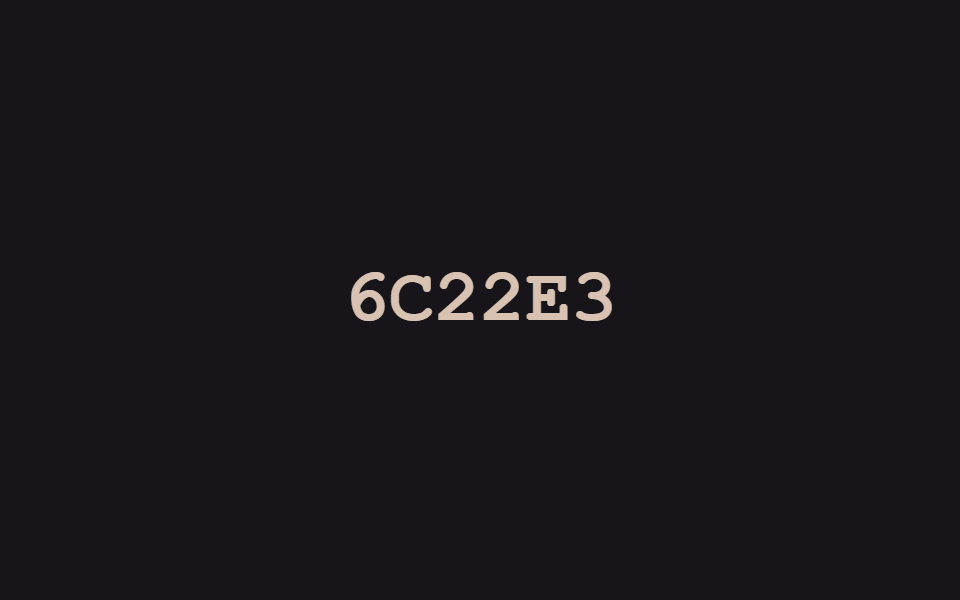 01 text-decode-reveal-hex-byte-settle
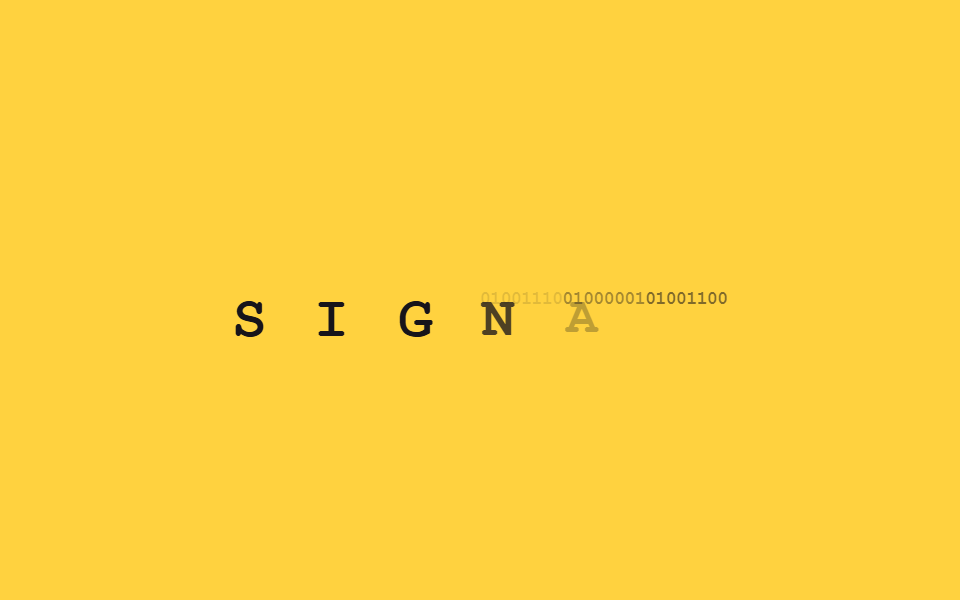 02 text-decode-reveal-binary-bit-swap
 03 text-decode-reveal-cipher-alphabet-cycle
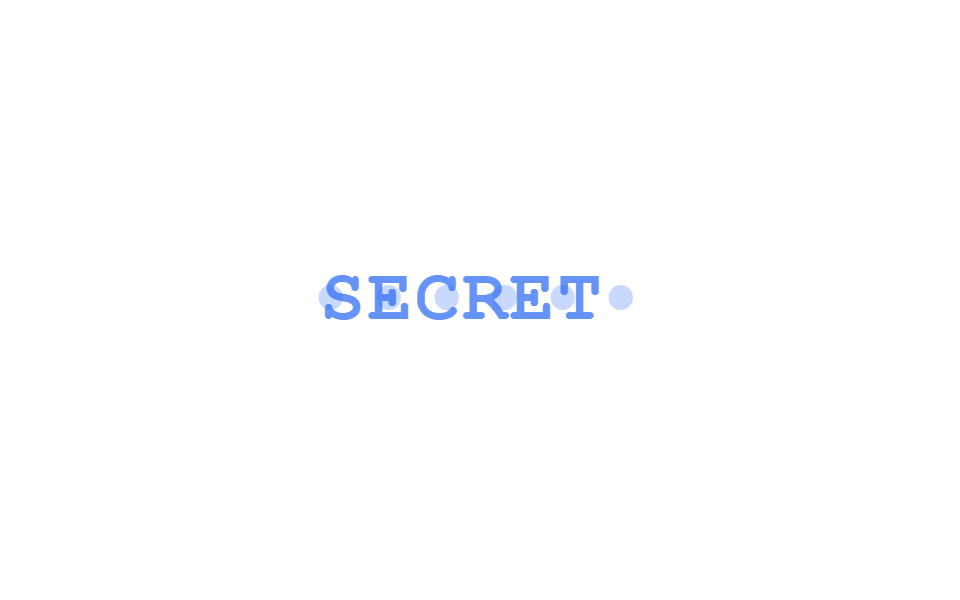 04 text-decode-reveal-password-dot-morph
 05 text-decode-reveal-scanline-mask-sweep
 06 text-decode-reveal-redacted-bar-lift
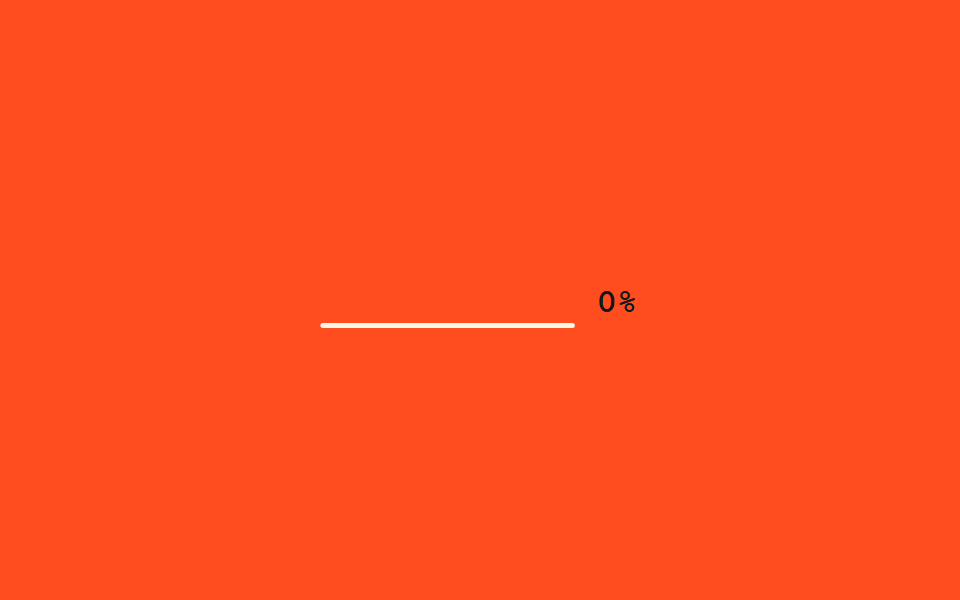 07 text-decode-reveal-countdown-checksum
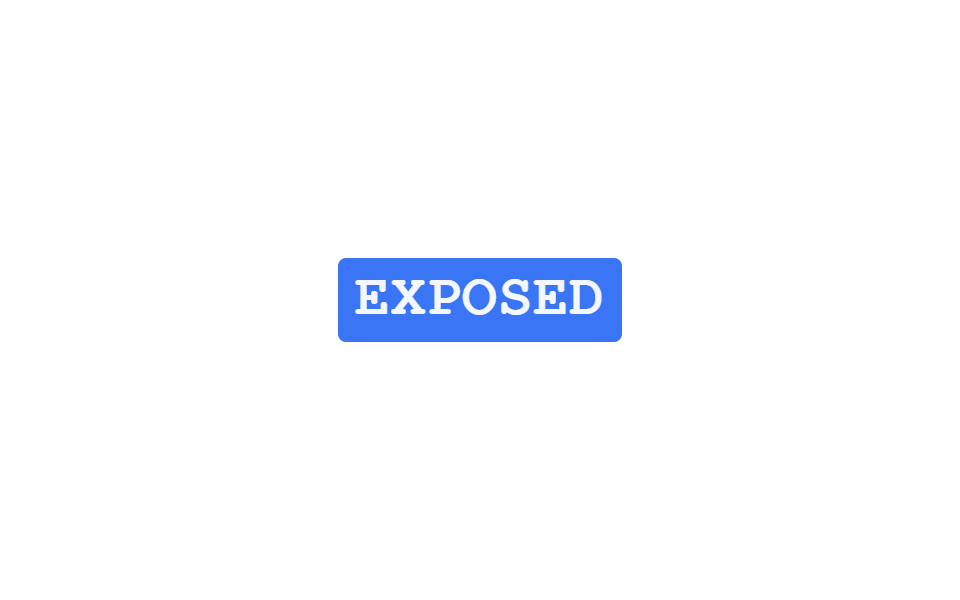 08 text-decode-reveal-negative-invert-flash
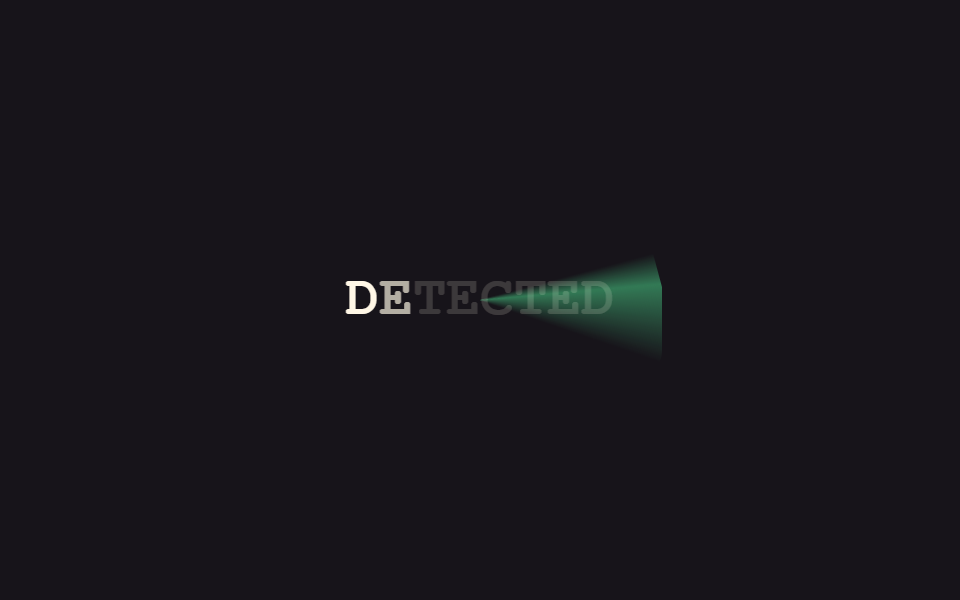 09 text-decode-reveal-radar-sweep-fill
자동 재생 · 눌러서 해당 항목으로 · 전부 한 zip
- 01 헥스 코드 정착
- 02 이진수 비트 스왑
- 03 알파벳 순환 암호
- 04 비밀번호 점 모핑
- 05 스캔라인 마스크 스윕
- 06 기밀 해제 바 리프트
- 07 체크섬 카운트다운
- 08 네거티브 반전 플래시
- 09 레이더 스윕 채움
아홉 개는 인기 순이 아니라 감춰진 정보가 드러나는 순서를 따라갑니다. 먼저 무작위 코드가 진짜 글자로 맞춰지는 연출(01~03)을 지나, 점이나 검은 막대로 가려진 정보가 벗겨지는 연출(04~06)을 거쳐, 마지막은 검증·발각의 순간을 연출하는 효과(07~09)로 끝납니다. 01~03의 코드가 한 글자씩 맞춰지는 흐름을 문장이 아니라 카드 한 장 단위로 옮겨 놓으면 CSS 카드 효과가 됩니다. 같은 feedback 기둥에서 글자 대신 표면의 광택만 따로 떼어 다루는 쪽은 CSS 홀로그램 카드 효과인데, 04~06번이 가림막을 벗겨 정보를 드러내는 것과는 반대로 빛을 한 겹 덮어 정보를 가리는 방향입니다.
01헥스 코드 정착
css 글자 효과로 코드를 맞춘다
글자 자리마다 무작위 16진수 한 글자가 빠르게 반짝이다가, 오른쪽부터 하나씩 실제 글자로 멈춰 섭니다. 정착 전엔 주황, 정착 후엔 초록으로 색도 함께 바뀝니다.
<main class="stage">
  <p class="hb-text" aria-live="polite">
    <span class="hb-c">A</span><span class="hb-c">C</span><span class="hb-c">C</span><span class="hb-c">E</span><span class="hb-c">S</span><span class="hb-c">S</span>
  </p>
</main>
@use "../../../../site/static/demo-tokens" as *;
// ── 변수 3개 ──────────────────────────────────────────
$duration: $dur-loop;
$easing: $ease-out;
$color: $subject-cream;
@include stage($stage-ink);
.hb-text {
margin: 0;
display: flex;
gap: 0;
font: 800 clamp(24px, 8vw, 38px)/1.2 "Space Mono", "Courier New", monospace;
}
.hb-c {
display: inline-block;
min-width: 1ch;
text-align: center;
color: $color;
}
.hb-off { color: #d8c2b1; }
.hb-on { color: #8bc6a5; }
// 이 데모는 CSS keyframes 가 아니라 짧은 JS(setInterval)로 글자 자리를 무작위 16진수로 바꾼다 —
// reduced-motion 은 CSS 가 아니라 스크립트 안의 matchMedia 체크로 처리한다 (index.html 참고)
@media (prefers-reduced-motion: reduce) {
.hb-c { color: $color; }
}html, body {
margin: 0;
overflow: hidden;
}
.stage {
box-sizing: border-box;
min-height: 100vh;
display: grid;
place-items: center;
margin: 0;
background: #17141a;
font-family: -apple-system, "Segoe UI", "Noto Sans KR", sans-serif;
padding: clamp(8px, 4vw, 24px);
}
.hb-text {
margin: 0;
display: flex;
gap: 0;
font: 800 clamp(24px, 8vw, 38px)/1.2 "Space Mono", "Courier New", monospace;
}
.hb-c {
display: inline-block;
min-width: 1ch;
text-align: center;
color: #fff7e6;
}
.hb-off {
color: #d8c2b1;
}
.hb-on {
color: #8bc6a5;
}
@media (prefers-reduced-motion: reduce) {
.hb-c {
color: #fff7e6;
}
}var target = "ACCESS", hex = "0123456789ABCDEF";
var spans = document.querySelectorAll(".hb-c");
var reduced = window.matchMedia("(prefers-reduced-motion: reduce)").matches;
var n = 0;
setInterval(function () {
n++;
var settled = reduced ? target.length : Math.max(0, Math.floor((n % 44) / 5) - 1);
spans.forEach(function (s, i) {
var on = i >= target.length - settled;
s.textContent = on ? target[i] : hex[Math.random() * 16 | 0];
s.className = on ? "hb-c hb-on" : "hb-c hb-off";
});
}, 90);import { useEffect, useRef, useState } from "react";
import styles from "./HexByteSettle.module.scss";
export interface HexByteSettleProps {
text?: string;
interval?: number;
}
const HEX = "0123456789ABCDEF";
// 실사용: 뷰포트에 들어오면 오른쪽부터 한 자리씩 무작위 16진수가 실제 글자로 잠긴다. 다 풀리면 멈춘다.
export default function HexByteSettle({ text = "ACCESS", interval = 90 }: HexByteSettleProps) {
const ref = useRef<HTMLParagraphElement>(null);
const [chars, setChars] = useState<{ ch: string; on: boolean }[]>(
text.split("").map((ch) => ({ ch, on: false }))
);
useEffect(() => {
const el = ref.current;
if (!el) return;
let timer: ReturnType<typeof setInterval> | null = null;
const io = new IntersectionObserver((entries) => {
entries.forEach((entry) => {
if (!entry.isIntersecting || timer) return;
io.unobserve(entry.target);
const reduced = window.matchMedia("(prefers-reduced-motion: reduce)").matches;
if (reduced) { setChars(text.split("").map((ch) => ({ ch, on: true }))); return; }
let n = 0;
timer = setInterval(() => {
n += 1;
const settled = Math.min(text.length, Math.max(0, Math.floor(n / 5) - 1));
setChars(text.split("").map((ch, i) => (
i >= text.length - settled
? { ch, on: true }
: { ch: HEX[Math.floor(Math.random() * 16)], on: false }
)));
if (settled >= text.length && timer) { clearInterval(timer); timer = null; }
}, interval);
});
}, { threshold: 0.3 });
io.observe(el);
return () => { io.disconnect(); if (timer) clearInterval(timer); };
}, [text, interval]);
return (
<p ref={ref} className={styles.text} aria-live="polite">
{chars.map((c, i) => (
<span key={i} className={c.on ? styles.on : styles.off}>{c.ch}</span>
))}
</p>
);
}01 · 헥스 코드 정착 — 측정 누적면적 2.084% · 움직인 프레임 23/23GODRICH 원작 · zip 에 SCSS·React 포함 · 비밀번호 보기
자바스크립트가 필요한 이유
CSS만으로는 글자 내용을 바꿀 수 없어서 짧은 자바스크립트로 처리했습니다.
var target = "ACCESS", hex = "0123456789ABCDEF";
var spans = document.querySelectorAll(".hb-c");
var n = 0;
setInterval(function () {
  n++;
  var settled = Math.max(0, Math.floor((n % 44) / 5) - 1);
  spans.forEach(function (s, i) {
    var on = i >= target.length - settled;
    s.textContent = on ? target[i] : hex[Math.random() * 16 | 0];
    s.className = on ? "hb-c hb-on" : "hb-c hb-off";
  });
}, 90);
02이진수 비트 스왑
이진수에서 글자로
글자가 처음엔 01001000 같은 이진수 여덟 자리로 보이다가, 순간적으로 사라지며 실제 글자가 겹쳐 떠오릅니다.
<main class="stage">
  <p class="bn-word is-demo" aria-label="SIGNAL">
    <span class="bn-c" style="animation-delay:0ms"><span class="bn-bin">01010011</span><span class="bn-ch">S</span></span><span class="bn-c" style="animation-delay:120ms"><span class="bn-bin">01001001</span><span class="bn-ch">I</span></span><span class="bn-c" style="animation-delay:240ms"><span class="bn-bin">01000111</span><span class="bn-ch">G</span></span><span class="bn-c" style="animation-delay:360ms"><span class="bn-bin">01001110</span><span class="bn-ch">N</span></span><span class="bn-c" style="animation-delay:480ms"><span class="bn-bin">01000001</span><span class="bn-ch">A</span></span><span class="bn-c" style="animation-delay:600ms"><span class="bn-bin">01001100</span><span class="bn-ch">L</span></span>
  </p>
</main>
@use "../../../../site/static/demo-tokens" as *;
// ── 변수 3개 ──────────────────────────────────────────
$duration: $dur-loop;
$easing: $ease-out;
$color: $subject-ink;
@include stage($stage-yellow);
.bn-word {
margin: 0;
display: flex;
gap: 0;
font: 800 clamp(20px, 6vw, 30px)/1.2 "Space Mono", "Courier New", monospace;
}
.bn-c {
position: relative;
display: inline-block;
min-width: 1.1ch;
}
.bn-bin,
.bn-ch {
display: block;
}
.bn-bin {
font-size: .32em;
letter-spacing: -0.04em;
color: $color;
opacity: .55;
}
.bn-ch {
position: absolute;
inset: 0;
color: $color;
opacity: 0;
transform: scale(.85);
}
// 데모 루프: 이진수 여덟 자리가 잠깐 보이다가 크로스페이드로 실제 글자가 겹쳐 떠오른다
@keyframes bn-bin-out {
0%, 40% { opacity: .55; }
55%, 100% { opacity: 0; }
}
@keyframes bn-ch-in {
0%, 40% { opacity: 0; transform: scale(.85); }
55%, 90% { opacity: 1; transform: scale(1); }
100% { opacity: 0; transform: scale(.85); }
}
.bn-word.is-demo .bn-bin { animation: bn-bin-out $duration $easing infinite; animation-delay: inherit; }
.bn-word.is-demo .bn-ch { animation: bn-ch-in $duration $easing infinite; animation-delay: inherit; }
@media (prefers-reduced-motion: reduce) {
.bn-bin, .bn-word.is-demo .bn-bin { animation: none !important; opacity: 0 !important; }
.bn-ch, .bn-word.is-demo .bn-ch { animation: none !important; opacity: 1 !important; transform: none !important; }
}html, body {
margin: 0;
overflow: hidden;
}
.stage {
box-sizing: border-box;
min-height: 100vh;
display: grid;
place-items: center;
margin: 0;
background: #ffd23f;
font-family: -apple-system, "Segoe UI", "Noto Sans KR", sans-serif;
padding: clamp(8px, 4vw, 24px);
}
.bn-word {
margin: 0;
display: flex;
gap: 0;
font: 800 clamp(20px, 6vw, 30px)/1.2 "Space Mono", "Courier New", monospace;
}
.bn-c {
position: relative;
display: inline-block;
min-width: 1.1ch;
}
.bn-bin,
.bn-ch {
display: block;
}
.bn-bin {
font-size: 0.32em;
letter-spacing: -0.04em;
color: #17141a;
opacity: 0.55;
}
.bn-ch {
position: absolute;
inset: 0;
color: #17141a;
opacity: 0;
transform: scale(0.85);
}
@keyframes bn-bin-out {
0%, 40% {
opacity: 0.55;
}
55%, 100% {
opacity: 0;
}
}
@keyframes bn-ch-in {
0%, 40% {
opacity: 0;
transform: scale(0.85);
}
55%, 90% {
opacity: 1;
transform: scale(1);
}
100% {
opacity: 0;
transform: scale(0.85);
}
}
.bn-word.is-demo .bn-bin {
animation: bn-bin-out 2s ease-out infinite;
animation-delay: inherit;
}
.bn-word.is-demo .bn-ch {
animation: bn-ch-in 2s ease-out infinite;
animation-delay: inherit;
}
@media (prefers-reduced-motion: reduce) {
.bn-bin, .bn-word.is-demo .bn-bin {
animation: none !important;
opacity: 0 !important;
}
.bn-ch, .bn-word.is-demo .bn-ch {
animation: none !important;
opacity: 1 !important;
transform: none !important;
}
}import { CSSProperties, useEffect, useRef, useState } from "react";
import styles from "./BinaryBitSwap.module.scss";
export interface BinaryBitSwapProps {
text?: string;
duration?: string;
easing?: string;
}
function toBinary(ch: string) {
return ch.charCodeAt(0).toString(2).padStart(8, "0");
}
// 실사용: 뷰포트에 들어오면 이진수 여덟 자리가 잠깐 보이다가 크로스페이드로 실제 글자가 겹쳐 떠오른다.
export default function BinaryBitSwap({
text = "SIGNAL",
duration = "480ms",
easing = "ease-out",
}: BinaryBitSwapProps) {
const ref = useRef<HTMLParagraphElement>(null);
const [revealed, setRevealed] = useState(false);
useEffect(() => {
const el = ref.current;
if (!el) return;
const io = new IntersectionObserver((entries) => {
entries.forEach((e) => { if (e.isIntersecting) { setRevealed(true); io.unobserve(e.target); } });
}, { threshold: 0.3 });
io.observe(el);
return () => io.disconnect();
}, []);
const style = { "--duration": duration, "--easing": easing } as CSSProperties;
return (
<p className={styles.word} style={style} ref={ref}>
{text.split("").map((ch, i) => (
<span key={i} className={styles.c} style={{ transitionDelay: `${i * 90}ms` }}>
<span className={`${styles.bin} ${revealed ? styles.hide : ""}`}>{toBinary(ch)}</span>
<span className={`${styles.ch} ${revealed ? styles.show : ""}`}>{ch}</span>
</span>
))}
</p>
);
}02 · 이진수 비트 스왑 — 측정 누적면적 1.574% · 움직인 프레임 13/23GODRICH 원작 · zip 에 SCSS·React 포함 · 비밀번호 보기
스태거는 inherit 로
왼쪽부터 순서대로 바뀌는데, 이 스태거는 자바스크립트가 아니라 부모 요소의 인라인 animation-delay를 자식이 inherit로 물려받아 만듭니다.
.bn-ch {
  position: absolute;
  inset: 0;
  opacity: 0;
  transform: scale(.85);
}

@keyframes bn-ch-in {
  0%, 40% { opacity: 0; transform: scale(.85); }
  55%, 90% { opacity: 1; transform: scale(1); }
  100% { opacity: 0; transform: scale(.85); }
}

.bn-word.is-demo .bn-ch {
  animation: bn-ch-in 2s ease-out infinite;
  animation-delay: inherit;
}
03알파벳 순환 암호
한 칸씩 되감는다
각 글자가 알파벳 몇 칸 뒤에서 출발해 한 칸씩 되감기며 원래 글자를 찾아갑니다.
<main class="stage">
  <p class="ca-text" aria-live="polite">
    <span class="ca-c">U</span><span class="ca-c">N</span><span class="ca-c">L</span><span class="ca-c">O</span><span class="ca-c">C</span><span class="ca-c">K</span>
  </p>
</main>
@use "../../../../site/static/demo-tokens" as *;
// ── 변수 3개 ──────────────────────────────────────────
$duration: $dur-loop;
$easing: $ease-out;
$color: $subject-cream;
@include stage($stage-orange);
.ca-text {
margin: 0;
display: flex;
gap: 0;
font: 800 clamp(24px, 8vw, 38px)/1.2 "Space Mono", "Courier New", monospace;
}
.ca-c {
display: inline-block;
min-width: 1ch;
color: $color;
}
// 이 데모는 CSS keyframes 가 아니라 짧은 JS 로 각 글자를 알파벳 역순으로 되감아 원래 글자를 찾는다 —
// reduced-motion 은 스크립트 안의 matchMedia 체크로 처리한다 (index.html 참고)
@media (prefers-reduced-motion: reduce) {
.ca-c { color: $color; }
}html, body {
margin: 0;
overflow: hidden;
}
.stage {
box-sizing: border-box;
min-height: 100vh;
display: grid;
place-items: center;
margin: 0;
background: #ff4d1f;
font-family: -apple-system, "Segoe UI", "Noto Sans KR", sans-serif;
padding: clamp(8px, 4vw, 24px);
}
.ca-text {
margin: 0;
display: flex;
gap: 0;
font: 800 clamp(24px, 8vw, 38px)/1.2 "Space Mono", "Courier New", monospace;
}
.ca-c {
display: inline-block;
min-width: 1ch;
color: #fff7e6;
}
@media (prefers-reduced-motion: reduce) {
.ca-c {
color: #fff7e6;
}
}var target = "UNLOCK";
var spans = document.querySelectorAll(".ca-c");
var reduced = window.matchMedia("(prefers-reduced-motion: reduce)").matches;
var offs = [5, 6, 4, 7, 5, 6], cyc = 40;
var n = 0;
setInterval(function () {
n++;
spans.forEach(function (s, i) {
var t = reduced ? 0 : (((n - i * 2) % cyc) + cyc) % cyc;
var left = reduced ? 0 : Math.max(0, offs[i] - Math.floor(t / 2));
var base = target.charCodeAt(i) - 65;
s.textContent = String.fromCharCode(65 + (base + left) % 26);
});
}, 130);import { useEffect, useRef, useState } from "react";
import styles from "./CipherAlphabetCycle.module.scss";
export interface CipherAlphabetCycleProps {
text?: string;
interval?: number;
}
// 실사용: 뷰포트에 들어오면 각 글자가 알파벳 몇 칸 뒤에서 한 칸씩 되감기며 원래 글자를 찾아간다. 다 맞으면 멈춘다.
export default function CipherAlphabetCycle({ text = "UNLOCK", interval = 130 }: CipherAlphabetCycleProps) {
const ref = useRef<HTMLParagraphElement>(null);
const [display, setDisplay] = useState(text);
useEffect(() => {
const el = ref.current;
if (!el) return;
let timer: ReturnType<typeof setInterval> | null = null;
const io = new IntersectionObserver((entries) => {
entries.forEach((entry) => {
if (!entry.isIntersecting || timer) return;
io.unobserve(entry.target);
const reduced = window.matchMedia("(prefers-reduced-motion: reduce)").matches;
if (reduced) { setDisplay(text); return; }
const offs = text.split("").map((_, i) => 4 + ((i * 2) % 4));
let n = 0;
timer = setInterval(() => {
n += 1;
let done = true;
let out = "";
for (let i = 0; i < text.length; i++) {
const left = Math.max(0, offs[i] - Math.floor(Math.max(0, n - i * 2) / 2));
if (left > 0) done = false;
const base = text.toUpperCase().charCodeAt(i) - 65;
out += String.fromCharCode(65 + ((base + left) % 26));
}
setDisplay(out);
if (done && timer) { clearInterval(timer); timer = null; }
}, interval);
});
}, { threshold: 0.3 });
io.observe(el);
return () => { io.disconnect(); if (timer) clearInterval(timer); };
}, [text, interval]);
return <p ref={ref} className={styles.text} aria-live="polite">{display}</p>;
}03 · 알파벳 순환 암호 — 측정 누적면적 2.021% · 움직인 프레임 10/23GODRICH 원작 · zip 에 SCSS·React 포함 · 비밀번호 보기
자물쇠 다이얼처럼
자물쇠 다이얼을 맞추는 느낌으로, 글자마다 정해둔 오프셋 값을 주기적으로 되풀이합니다.
var offs = [5, 6, 4, 7, 5, 6], cyc = 40;
var n = 0;
setInterval(function () {
  n++;
  spans.forEach(function (s, i) {
    var t = ((n - i * 2) % cyc + cyc) % cyc;
    var left = Math.max(0, offs[i] - Math.floor(t / 2));
    var base = target.charCodeAt(i) - 65;
    s.textContent = String.fromCharCode(65 + (base + left) % 26);
  });
}, 130);
04비밀번호 점 모핑
점 뒤에 숨어 있다가
비밀번호 입력창처럼 동그란 점들로 가려져 있던 글자가, 살짝 커지며 점이 사라지고 실제 글자가 드러납니다.
<main class="stage">
  <span class="pd-wrap is-demo" aria-label="SECRET">
    <span class="pd-dots">••••••</span>
    <span class="pd-real">SECRET</span>
  </span>
</main>
@use "../../../../site/static/demo-tokens" as *;
// ── 변수 3개 ──────────────────────────────────────────
$duration: $dur-loop;
$easing: $ease-spring;
$color: $subject-blue;
@include stage($stage-paper);
.pd-wrap {
position: relative;
display: inline-block;
font: 800 clamp(24px, 8vw, 38px)/1.2 "Space Mono", "Courier New", monospace;
color: $color;
}
.pd-dots { display: block; letter-spacing: .12em; }
.pd-real {
position: absolute;
inset: 0;
opacity: 0;
transform: scale(.9);
letter-spacing: .04em;
}
// 데모 루프: 점으로 가려진 글자가 살짝 커지며 크로스페이드로 실제 글자로 바뀐다
@keyframes pd-hide {
0%, 18% { opacity: 1; transform: scale(1); }
48%, 100% { opacity: 0; transform: scale(1.08); }
}
@keyframes pd-show {
0%, 18% { opacity: 0; transform: scale(.9); }
48%, 78% { opacity: 1; transform: scale(1); }
100% { opacity: 0; transform: scale(.9); }
}
.pd-wrap.is-demo .pd-dots { animation: pd-hide $duration $easing infinite; }
.pd-wrap.is-demo .pd-real { animation: pd-show $duration $easing infinite; }
@media (prefers-reduced-motion: reduce) {
.pd-dots, .pd-wrap.is-demo .pd-dots { animation: none !important; opacity: 0 !important; }
.pd-real, .pd-wrap.is-demo .pd-real { animation: none !important; opacity: 1 !important; transform: none !important; }
}html, body {
margin: 0;
overflow: hidden;
}
.stage {
box-sizing: border-box;
min-height: 100vh;
display: grid;
place-items: center;
margin: 0;
background: #ffffff;
font-family: -apple-system, "Segoe UI", "Noto Sans KR", sans-serif;
padding: clamp(8px, 4vw, 24px);
}
.pd-wrap {
position: relative;
display: inline-block;
font: 800 clamp(24px, 8vw, 38px)/1.2 "Space Mono", "Courier New", monospace;
color: #2f6df6;
}
.pd-dots {
display: block;
letter-spacing: 0.12em;
}
.pd-real {
position: absolute;
inset: 0;
opacity: 0;
transform: scale(0.9);
letter-spacing: 0.04em;
}
@keyframes pd-hide {
0%, 18% {
opacity: 1;
transform: scale(1);
}
48%, 100% {
opacity: 0;
transform: scale(1.08);
}
}
@keyframes pd-show {
0%, 18% {
opacity: 0;
transform: scale(0.9);
}
48%, 78% {
opacity: 1;
transform: scale(1);
}
100% {
opacity: 0;
transform: scale(0.9);
}
}
.pd-wrap.is-demo .pd-dots {
animation: pd-hide 2s cubic-bezier(0.2, 0.8, 0.2, 1) infinite;
}
.pd-wrap.is-demo .pd-real {
animation: pd-show 2s cubic-bezier(0.2, 0.8, 0.2, 1) infinite;
}
@media (prefers-reduced-motion: reduce) {
.pd-dots, .pd-wrap.is-demo .pd-dots {
animation: none !important;
opacity: 0 !important;
}
.pd-real, .pd-wrap.is-demo .pd-real {
animation: none !important;
opacity: 1 !important;
transform: none !important;
}
}import { CSSProperties, useEffect, useRef, useState } from "react";
import styles from "./PasswordDotMorph.module.scss";
export interface PasswordDotMorphProps {
text?: string;
duration?: string;
easing?: string;
}
// 실사용: 뷰포트에 들어오면 비밀번호 점이 살짝 커지며 크로스페이드로 실제 글자로 바뀐다.
export default function PasswordDotMorph({
text = "SECRET",
duration = "420ms",
easing = "cubic-bezier(.2,.8,.2,1)",
}: PasswordDotMorphProps) {
const ref = useRef<HTMLSpanElement>(null);
const [revealed, setRevealed] = useState(false);
useEffect(() => {
const el = ref.current;
if (!el) return;
const io = new IntersectionObserver((entries) => {
entries.forEach((e) => { if (e.isIntersecting) { setRevealed(true); io.unobserve(e.target); } });
}, { threshold: 0.3 });
io.observe(el);
return () => io.disconnect();
}, []);
const style = { "--duration": duration, "--easing": easing } as CSSProperties;
return (
<span className={styles.wrap} style={style} ref={ref}>
<span className={`${styles.dots} ${revealed ? styles.hide : ""}`}>{"•".repeat(text.length)}</span>
<span className={`${styles.real} ${revealed ? styles.show : ""}`}>{text}</span>
</span>
);
}04 · 비밀번호 점 모핑 — 측정 누적면적 1.936% · 움직인 프레임 10/23GODRICH 원작 · zip 에 SCSS·React 포함 · 비밀번호 보기
두 레이어의 크로스페이드
점 레이어와 글자 레이어를 겹쳐 두고 opacity와 scale만 반대로 움직이는 크로스페이드입니다.
.pd-real {
  position: absolute;
  inset: 0;
  opacity: 0;
  transform: scale(.9);
}

@keyframes pd-show {
  0%, 18% { opacity: 0; transform: scale(.9); }
  48%, 78% { opacity: 1; transform: scale(1); }
  100% { opacity: 0; transform: scale(.9); }
}

.pd-wrap.is-demo .pd-real { animation: pd-show 2s cubic-bezier(.2, .8, .2, 1) infinite; }
05스캔라인 마스크 스윕
스캔라인이 훑고 지나가면
지지직거리는 노이즈 블록이 글자를 덮고 있다가, 밝은 스캔라인이 위에서 아래로 훑고 지나가면 그 자리부터 또렷한 글자가 드러납니다.
<main class="stage">
  <div class="sl-wrap is-demo">
    <span class="sl-text">SCANNED</span>
    <span class="sl-noise" aria-hidden="true"></span>
    <span class="sl-beam" aria-hidden="true"></span>
  </div>
</main>
@use "../../../../site/static/demo-tokens" as *;
// ── 변수 3개 ──────────────────────────────────────────
$duration: $dur-loop;
$easing: $ease-out;
$color: $subject-cream;
@include stage($stage-ink);
.sl-wrap {
position: relative;
display: inline-block;
overflow: hidden;
padding: $sp-2 $sp-3;
}
.sl-text {
display: block;
font: 800 clamp(22px, 7vw, 34px)/1.2 "Space Mono", "Courier New", monospace;
color: $color;
letter-spacing: .04em;
}
.sl-noise {
position: absolute;
inset: 0;
background-image: repeating-linear-gradient(45deg, rgba(255, 255, 255, .4) 0 2px, transparent 2px 4px);
mix-blend-mode: screen;
}
.sl-beam {
position: absolute;
left: 0;
right: 0;
top: 0;
height: 3px;
background: $stage-yellow;
box-shadow: 0 0 12px $stage-yellow;
opacity: 0;
}
// 데모 루프: 노이즈 블록이 글자를 덮고 있다가 스캔라인이 위→아래로 지나가며 걷어낸다
@keyframes sl-clear {
0%, 8% { clip-path: inset(0 0 0 0); }
55%, 78% { clip-path: inset(100% 0 0 0); }
100% { clip-path: inset(0 0 0 0); }
}
@keyframes sl-beam {
0%, 8% { top: 0; opacity: 1; }
55% { top: 100%; opacity: 1; }
63%, 100% { opacity: 0; }
}
.sl-wrap.is-demo .sl-noise { animation: sl-clear $duration $easing infinite; }
.sl-wrap.is-demo .sl-beam { animation: sl-beam $duration $easing infinite; }
@media (prefers-reduced-motion: reduce) {
.sl-noise, .sl-wrap.is-demo .sl-noise { animation: none !important; clip-path: inset(100% 0 0 0) !important; }
.sl-beam, .sl-wrap.is-demo .sl-beam { animation: none !important; opacity: 0 !important; }
}html, body {
margin: 0;
overflow: hidden;
}
.stage {
box-sizing: border-box;
min-height: 100vh;
display: grid;
place-items: center;
margin: 0;
background: #17141a;
font-family: -apple-system, "Segoe UI", "Noto Sans KR", sans-serif;
padding: clamp(8px, 4vw, 24px);
}
.sl-wrap {
position: relative;
display: inline-block;
overflow: hidden;
padding: 8px 12px;
}
.sl-text {
display: block;
font: 800 clamp(22px, 7vw, 34px)/1.2 "Space Mono", "Courier New", monospace;
color: #fff7e6;
letter-spacing: 0.04em;
}
.sl-noise {
position: absolute;
inset: 0;
background-image: repeating-linear-gradient(45deg, rgba(255, 255, 255, 0.4) 0 2px, transparent 2px 4px);
mix-blend-mode: screen;
}
.sl-beam {
position: absolute;
left: 0;
right: 0;
top: 0;
height: 3px;
background: #ffd23f;
box-shadow: 0 0 12px #ffd23f;
opacity: 0;
}
@keyframes sl-clear {
0%, 8% {
clip-path: inset(0 0 0 0);
}
55%, 78% {
clip-path: inset(100% 0 0 0);
}
100% {
clip-path: inset(0 0 0 0);
}
}
@keyframes sl-beam {
0%, 8% {
top: 0;
opacity: 1;
}
55% {
top: 100%;
opacity: 1;
}
63%, 100% {
opacity: 0;
}
}
.sl-wrap.is-demo .sl-noise {
animation: sl-clear 2s ease-out infinite;
}
.sl-wrap.is-demo .sl-beam {
animation: sl-beam 2s ease-out infinite;
}
@media (prefers-reduced-motion: reduce) {
.sl-noise, .sl-wrap.is-demo .sl-noise {
animation: none !important;
clip-path: inset(100% 0 0 0) !important;
}
.sl-beam, .sl-wrap.is-demo .sl-beam {
animation: none !important;
opacity: 0 !important;
}
}import { CSSProperties, useEffect, useRef, useState } from "react";
import styles from "./ScanlineMaskSweep.module.scss";
export interface ScanlineMaskSweepProps {
text?: string;
duration?: string;
easing?: string;
}
// 실사용: 뷰포트에 들어오면 노이즈 블록을 스캔라인이 위→아래로 한 번 훑어 글자를 드러낸다.
export default function ScanlineMaskSweep({
text = "SCANNED",
duration = "900ms",
easing = "ease-out",
}: ScanlineMaskSweepProps) {
const ref = useRef<HTMLDivElement>(null);
const [swept, setSwept] = useState(false);
useEffect(() => {
const el = ref.current;
if (!el) return;
const io = new IntersectionObserver((entries) => {
entries.forEach((e) => { if (e.isIntersecting) { setSwept(true); io.unobserve(e.target); } });
}, { threshold: 0.3 });
io.observe(el);
return () => io.disconnect();
}, []);
const style = { "--duration": duration, "--easing": easing } as CSSProperties;
return (
<div className={styles.wrap} style={style} ref={ref}>
<span className={styles.text}>{text}</span>
<span className={`${styles.noise} ${swept ? styles.clear : ""}`} aria-hidden="true" />
<span className={`${styles.beam} ${swept ? styles.moved : ""}`} aria-hidden="true" />
</div>
);
}05 · 스캔라인 마스크 스윕 — 측정 누적면적 6.767% · 움직인 프레임 19/23GODRICH 원작 · zip 에 SCSS·React 포함 · 비밀번호 보기
clip-path 를 넓혀 걷는다
노이즈 레이어의 clip-path를 위에서 아래로 넓혀가며 걷어내는 방식입니다.
.sl-noise {
  position: absolute;
  inset: 0;
  background-image: repeating-linear-gradient(45deg, rgba(255, 255, 255, .4) 0 2px, transparent 2px 4px);
  mix-blend-mode: screen;
}

@keyframes sl-clear {
  0%, 8% { clip-path: inset(0 0 0 0); }
  55%, 78% { clip-path: inset(100% 0 0 0); }
  100% { clip-path: inset(0 0 0 0); }
}

.sl-wrap.is-demo .sl-noise { animation: sl-clear 2s ease-out infinite; }
06기밀 해제 바 리프트
검정 막대가 걷힌다
기밀 문서처럼 검정 막대가 단어를 하나씩 가리고 있다가, 오른쪽부터 걷히며 순서대로 글자가 드러납니다.
<main class="stage">
  <p class="rb-wrap is-demo">
    <span class="rb-word">TOP<span class="rb-bar" aria-hidden="true"></span></span>
    <span class="rb-word rb-word--2">SECRET<span class="rb-bar" aria-hidden="true"></span></span>
  </p>
</main>
@use "../../../../site/static/demo-tokens" as *;
// ── 변수 3개 ──────────────────────────────────────────
$duration: $dur-loop;
$easing: $ease-out;
$color: $subject-ink;
@include stage($stage-yellow);
.rb-wrap {
margin: 0;
display: flex;
gap: $sp-3;
flex-wrap: wrap;
justify-content: center;
}
.rb-word {
position: relative;
display: inline-block;
font: 800 clamp(20px, 6vw, 30px)/1.2 "Space Mono", "Courier New", monospace;
color: $color;
}
.rb-bar {
position: absolute;
inset: -8% -6%;
background: $stage-ink;
transform-origin: right center; // 규칙8: 검열 막대 오른쪽 걷힘
border-radius: $r-xs;
}
// 애니메이션이 없는 정적 상태(실사용)에서는 막대가 글자를 덮고 있어 글자와 동색(1.00)으로 보인다.
// 데모 루프가 있는 .is-demo 에서만 막대가 걷히며 글자(잉크 on 옐로 12.63:1)가 드러난다 — 오탐.
// 데모 루프: 검정 막대가 단어를 가리고 있다가 오른쪽부터 걷히며 순서대로 글자를 드러낸다
@keyframes rb-lift {
0%, 12% { transform: scaleX(1); }
50%, 78% { transform: scaleX(0); }
100% { transform: scaleX(1); }
}
.rb-wrap.is-demo .rb-word .rb-bar { animation: rb-lift $duration $easing infinite; }
.rb-wrap.is-demo .rb-word--2 .rb-bar { animation-delay: .3s; }
@media (prefers-reduced-motion: reduce) {
.rb-bar,
.rb-wrap.is-demo .rb-bar {
animation: none !important;
transform: scaleX(0) !important;
}
}html, body {
margin: 0;
overflow: hidden;
}
.stage {
box-sizing: border-box;
min-height: 100vh;
display: grid;
place-items: center;
margin: 0;
background: #ffd23f;
font-family: -apple-system, "Segoe UI", "Noto Sans KR", sans-serif;
padding: clamp(8px, 4vw, 24px);
}
.rb-wrap {
margin: 0;
display: flex;
gap: 12px;
flex-wrap: wrap;
justify-content: center;
}
.rb-word {
position: relative;
display: inline-block;
font: 800 clamp(20px, 6vw, 30px)/1.2 "Space Mono", "Courier New", monospace;
color: #17141a;
}
.rb-bar {
position: absolute;
inset: -8% -6%;
background: #17141a;
transform-origin: right center;
border-radius: 4px;
}
@keyframes rb-lift {
0%, 12% {
transform: scaleX(1);
}
50%, 78% {
transform: scaleX(0);
}
100% {
transform: scaleX(1);
}
}
.rb-wrap.is-demo .rb-word .rb-bar {
animation: rb-lift 2s ease-out infinite;
}
.rb-wrap.is-demo .rb-word--2 .rb-bar {
animation-delay: 0.3s;
}
@media (prefers-reduced-motion: reduce) {
.rb-bar,
.rb-wrap.is-demo .rb-bar {
animation: none !important;
transform: scaleX(0) !important;
}
}import { CSSProperties, useEffect, useRef, useState } from "react";
import styles from "./RedactedBarLift.module.scss";
export interface RedactedBarLiftProps {
words?: string[];
duration?: string;
easing?: string;
}
// 실사용: 뷰포트에 들어오면 검정 막대가 단어 단위로 오른쪽부터 걷히며 순서대로 글자를 드러낸다.
export default function RedactedBarLift({
words = ["TOP", "SECRET"],
duration = "520ms",
easing = "ease-out",
}: RedactedBarLiftProps) {
const ref = useRef<HTMLParagraphElement>(null);
const [lifted, setLifted] = useState(false);
useEffect(() => {
const el = ref.current;
if (!el) return;
const io = new IntersectionObserver((entries) => {
entries.forEach((e) => { if (e.isIntersecting) { setLifted(true); io.unobserve(e.target); } });
}, { threshold: 0.3 });
io.observe(el);
return () => io.disconnect();
}, []);
const style = { "--duration": duration, "--easing": easing } as CSSProperties;
return (
<p className={styles.wrap} style={style} ref={ref}>
{words.map((w, i) => (
<span key={i} className={styles.word}>
{w}
<span
className={`${styles.bar} ${lifted ? styles.open : ""}`}
style={{ transitionDelay: `${i * 250}ms` }}
aria-hidden="true"
/>
</span>
))}
</p>
);
}06 · 기밀 해제 바 리프트 — 측정 누적면적 4.215% · 움직인 프레임 19/23GODRICH 원작 · zip 에 SCSS·React 포함 · 비밀번호 보기
왼쪽 단어부터 차례로
두 단어 사이에 지연 시간을 살짝 줘서 왼쪽 단어부터 차례로 해제됩니다.
.rb-bar {
  position: absolute;
  inset: -8% -6%;
  background: $stage-ink;
  transform-origin: right center;
}

@keyframes rb-lift {
  0%, 12% { transform: scaleX(1); }
  50%, 78% { transform: scaleX(0); }
  100% { transform: scaleX(1); }
}

.rb-wrap.is-demo .rb-word .rb-bar { animation: rb-lift 2s ease-out infinite; }
.rb-wrap.is-demo .rb-word--2 .rb-bar { animation-delay: .3s; }
07체크섬 카운트다운
진행률에 맞춰 채워진다
처음엔 밑줄만 나열돼 있다가 옆의 진행률 숫자가 올라가는 것과 맞춰 왼쪽부터 글자가 하나씩 채워지고, 채워질 때마다 살짝 튕깁니다.
<main class="stage">
  <p class="cc-row">
    <span class="cc-text" aria-live="polite">
      <span class="cc-c">V</span><span class="cc-c">E</span><span class="cc-c">R</span><span class="cc-c">I</span><span class="cc-c">F</span><span class="cc-c">I</span><span class="cc-c">E</span><span class="cc-c">D</span>
    </span>
    <span class="cc-pct">0%</span>
  </p>
</main>
@use "../../../../site/static/demo-tokens" as *;
// ── 변수 3개 ──────────────────────────────────────────
$duration: $dur-loop;
$easing: $ease-pop;
$color: $subject-cream;
@include stage($stage-orange);
.cc-row {
margin: 0;
display: flex;
flex-wrap: wrap;
justify-content: center;
align-items: baseline;
gap: $sp-3;
}
.cc-text {
display: inline-flex;
gap: 0;
font: 800 clamp(18px, 6vw, 26px)/1.2 "Space Mono", "Courier New", monospace;
color: $color;
}
.cc-c { display: inline-block; min-width: 1ch; }
.cc-c.cc-pop { animation: cc-pop $easing 220ms; }
.cc-pct {
font: 700 clamp(13px, 4vw, 17px)/1 "Space Mono", "Courier New", monospace;
color: $subject-ink; // 주황 무대 위 % 글자 — AA 4.5 (크림+opacity .8 은 2.45:1 이었다)
}
@keyframes cc-pop {
0% { transform: scale(1.6); }
100% { transform: scale(1); }
}
// 이 데모는 CSS keyframes 가 아니라 짧은 JS 로 밑줄을 글자로 채운다 —
// reduced-motion 은 스크립트 안의 matchMedia 체크로 처리한다 (index.html 참고)
@media (prefers-reduced-motion: reduce) {
.cc-c, .cc-pct { color: $color; }
}html, body {
margin: 0;
overflow: hidden;
}
.stage {
box-sizing: border-box;
min-height: 100vh;
display: grid;
place-items: center;
margin: 0;
background: #ff4d1f;
font-family: -apple-system, "Segoe UI", "Noto Sans KR", sans-serif;
padding: clamp(8px, 4vw, 24px);
}
.cc-row {
margin: 0;
display: flex;
flex-wrap: wrap;
justify-content: center;
align-items: baseline;
gap: 12px;
}
.cc-text {
display: inline-flex;
gap: 0;
font: 800 clamp(18px, 6vw, 26px)/1.2 "Space Mono", "Courier New", monospace;
color: #fff7e6;
}
.cc-c {
display: inline-block;
min-width: 1ch;
}
.cc-c.cc-pop {
animation: cc-pop cubic-bezier(0.2, 1.4, 0.4, 1) 220ms;
}
.cc-pct {
font: 700 clamp(13px, 4vw, 17px)/1 "Space Mono", "Courier New", monospace;
color: #17141a;
}
@keyframes cc-pop {
0% {
transform: scale(1.6);
}
100% {
transform: scale(1);
}
}
@media (prefers-reduced-motion: reduce) {
.cc-c, .cc-pct {
color: #fff7e6;
}
}var target = "VERIFIED";
var spans = document.querySelectorAll(".cc-c");
var pct = document.querySelector(".cc-pct");
var reduced = window.matchMedia("(prefers-reduced-motion: reduce)").matches;
var n = 0;
setInterval(function () {
n++;
var filled = reduced ? target.length : Math.min(target.length, Math.floor((n % 50) / 5));
spans.forEach(function (s, i) {
s.textContent = i < filled ? target[i] : "_";
s.classList.toggle("cc-pop", i === filled - 1);
});
pct.textContent = Math.round(filled / target.length * 100) + "%";
}, 90);import { useEffect, useRef, useState } from "react";
import styles from "./CountdownChecksum.module.scss";
export interface CountdownChecksumProps {
text?: string;
interval?: number;
}
// 실사용: 뷰포트에 들어오면 밑줄이 진행률에 맞춰 왼쪽부터 글자로 채워진다. 다 채우면 멈춘다.
export default function CountdownChecksum({ text = "VERIFIED", interval = 90 }: CountdownChecksumProps) {
const ref = useRef<HTMLParagraphElement>(null);
const [filled, setFilled] = useState(0);
useEffect(() => {
const el = ref.current;
if (!el) return;
let timer: ReturnType<typeof setInterval> | null = null;
const io = new IntersectionObserver((entries) => {
entries.forEach((entry) => {
if (!entry.isIntersecting || timer) return;
io.unobserve(entry.target);
const reduced = window.matchMedia("(prefers-reduced-motion: reduce)").matches;
if (reduced) { setFilled(text.length); return; }
timer = setInterval(() => {
setFilled((f) => {
const next = f + 1;
if (next >= text.length && timer) { clearInterval(timer); timer = null; }
return Math.min(text.length, next);
});
}, interval);
});
}, { threshold: 0.3 });
io.observe(el);
return () => { io.disconnect(); if (timer) clearInterval(timer); };
}, [text, interval]);
return (
<p ref={ref} className={styles.row} aria-live="polite">
<span className={styles.text}>
{text.split("").map((ch, i) => (
<span key={i} className={i === filled - 1 ? styles.pop : undefined}>{i < filled ? ch : "_"}</span>
))}
</span>
<span className={styles.pct}>{Math.round((filled / text.length) * 100)}%</span>
</p>
);
}07 · 체크섬 카운트다운 — 측정 누적면적 1.409% · 움직인 프레임 16/23GODRICH 원작 · zip 에 SCSS·React 포함 · 비밀번호 보기
퍼센트는 어떻게 계산하나
채워진 글자 수를 그대로 퍼센트로 계산해 보여줍니다.
var n = 0;
setInterval(function () {
  n++;
  var filled = Math.min(target.length, Math.floor((n % 50) / 5));
  spans.forEach(function (s, i) {
    s.textContent = i < filled ? target[i] : "_";
    s.classList.toggle("cc-pop", i === filled - 1);
  });
  pct.textContent = Math.round(filled / target.length * 100) + "%";
}, 90);
08네거티브 반전 플래시
네거티브가 몇 번 깜빡인다
색이 반전된 네거티브 필름 같은 글자가 두세 번 깜빡이다가 사라지면, 그 아래 정상 색의 진짜 글자가 남습니다.
<main class="stage">
  <p class="ni-wrap is-demo">
    <span class="ni-base">EXPOSED</span>
    <span class="ni-negative" aria-hidden="true">EXPOSED</span>
  </p>
</main>
@use "../../../../site/static/demo-tokens" as *;
// ── 변수 3개 ──────────────────────────────────────────
$duration: $dur-loop;
$easing: $ease-out;
$color: $subject-blue;
@include stage($stage-paper);
.ni-wrap {
position: relative;
margin: 0;
display: inline-block;
}
.ni-base,
.ni-negative {
display: block;
font: 800 clamp(20px, 6vw, 30px)/1.2 "Space Mono", "Courier New", monospace;
letter-spacing: .02em;
}
.ni-base { color: $color; }
.ni-negative {
position: absolute;
inset: 0;
color: $stage-paper;
background: $color;
padding: $sp-1 $sp-2;
margin: -#{$sp-1} -#{$sp-2};
border-radius: $r-xs;
}
// 데모 루프: 색이 반전된 네거티브 레이어가 두세 번 깜빡이다 사라지고 정상 색 글자만 남는다
@keyframes ni-flash {
0%, 4% { opacity: 1; }
9% { opacity: 0; }
14% { opacity: 1; }
19% { opacity: 0; }
24% { opacity: 1; }
32%, 100% { opacity: 0; }
}
.ni-wrap.is-demo .ni-negative { animation: ni-flash $duration $easing infinite; }
@media (prefers-reduced-motion: reduce) {
.ni-negative,
.ni-wrap.is-demo .ni-negative {
animation: none !important;
opacity: 0 !important;
}
}html, body {
margin: 0;
overflow: hidden;
}
.stage {
box-sizing: border-box;
min-height: 100vh;
display: grid;
place-items: center;
margin: 0;
background: #ffffff;
font-family: -apple-system, "Segoe UI", "Noto Sans KR", sans-serif;
padding: clamp(8px, 4vw, 24px);
}
.ni-wrap {
position: relative;
margin: 0;
display: inline-block;
}
.ni-base,
.ni-negative {
display: block;
font: 800 clamp(20px, 6vw, 30px)/1.2 "Space Mono", "Courier New", monospace;
letter-spacing: 0.02em;
}
.ni-base {
color: #2f6df6;
}
.ni-negative {
position: absolute;
inset: 0;
color: #ffffff;
background: #2f6df6;
padding: 4px 8px;
margin: -4px -8px;
border-radius: 4px;
}
@keyframes ni-flash {
0%, 4% {
opacity: 1;
}
9% {
opacity: 0;
}
14% {
opacity: 1;
}
19% {
opacity: 0;
}
24% {
opacity: 1;
}
32%, 100% {
opacity: 0;
}
}
.ni-wrap.is-demo .ni-negative {
animation: ni-flash 2s ease-out infinite;
}
@media (prefers-reduced-motion: reduce) {
.ni-negative,
.ni-wrap.is-demo .ni-negative {
animation: none !important;
opacity: 0 !important;
}
}import { CSSProperties, useEffect, useRef, useState } from "react";
import styles from "./NegativeInvertFlash.module.scss";
export interface NegativeInvertFlashProps {
text?: string;
duration?: string;
easing?: string;
}
// 실사용: 뷰포트에 들어오면 색이 반전된 레이어가 두세 번 깜빡이다 사라지고 정상 색 글자만 남는다.
export default function NegativeInvertFlash({
text = "EXPOSED",
duration = "160ms",
easing = "ease-out",
}: NegativeInvertFlashProps) {
const ref = useRef<HTMLParagraphElement>(null);
const [flash, setFlash] = useState(0);
useEffect(() => {
const el = ref.current;
if (!el) return;
const io = new IntersectionObserver((entries) => {
entries.forEach((e) => {
if (!e.isIntersecting) return;
io.unobserve(e.target);
const reduced = window.matchMedia("(prefers-reduced-motion: reduce)").matches;
if (reduced) return;
const steps = [1, 0, 1, 0, 1, 0];
steps.forEach((v, i) => setTimeout(() => setFlash(v), i * 160));
});
}, { threshold: 0.3 });
io.observe(el);
return () => io.disconnect();
}, []);
const style = { "--duration": duration, "--easing": easing } as CSSProperties;
return (
<p className={styles.wrap} style={style} ref={ref}>
<span className={styles.base}>{text}</span>
<span className={styles.negative} style={{ opacity: flash }} aria-hidden="true">{text}</span>
</p>
);
}08 · 네거티브 반전 플래시 — 측정 누적면적 4.139% · 움직인 프레임 8/23GODRICH 원작 · zip 에 SCSS·React 포함 · 비밀번호 보기
반전 레이어 하나로
반전 레이어 하나를 원래 글자 위에 겹치고 opacity만 여러 번 껐다 켭니다.
.ni-negative {
  position: absolute;
  inset: 0;
  color: $stage-paper;
  background: $color;
}

@keyframes ni-flash {
  0%, 4% { opacity: 1; }
  9% { opacity: 0; }
  14% { opacity: 1; }
  19% { opacity: 0; }
  24% { opacity: 1; }
  32%, 100% { opacity: 0; }
}

.ni-wrap.is-demo .ni-negative { animation: ni-flash 2s ease-out infinite; }
09레이더 스윕 채움
부채꼴 선이 한 바퀴
레이더 화면처럼 밝은 부채꼴 선이 글자 위를 한 바퀴 돌면서 지나간 자리의 글자만 순서대로 선명해집니다.
<main class="stage">
  <div class="rs-wrap is-demo">
    <span class="rs-sweep" aria-hidden="true"></span>
    <p class="rs-text">
      <span>D</span><span>E</span><span>T</span><span>E</span><span>C</span><span>T</span><span>E</span><span>D</span>
    </p>
  </div>
</main>
@use "../../../../site/static/demo-tokens" as *;
// ── 변수 3개 ──────────────────────────────────────────
$duration: $dur-loop;
$easing: $ease-out;
$color: $subject-cream;
@include stage($stage-ink);
.rs-wrap {
position: relative;
overflow: hidden;
padding: $sp-6;
border-radius: $r-card;
}
.rs-sweep {
position: absolute;
inset: -60%;
background: conic-gradient(from 0deg, transparent 0deg, rgba(61, 220, 132, .5) 10deg, transparent 34deg);
border-radius: $r-pill;
mix-blend-mode: screen;
}
.rs-text {
position: relative;
margin: 0;
display: flex;
gap: 0;
font: 800 clamp(18px, 6vw, 28px)/1.2 "Space Mono", "Courier New", monospace;
color: $color;
}
.rs-text span { opacity: .16; }
@keyframes rs-rotate { to { transform: rotate(360deg); } }
@keyframes rs-lock {
0%, 4% { opacity: .16; }
14%, 88% { opacity: 1; }
100% { opacity: .16; }
}
.rs-wrap.is-demo .rs-sweep { animation: rs-rotate $duration linear infinite; }
.rs-wrap.is-demo .rs-text span {
animation: rs-lock $duration $easing infinite;
}
@for $i from 1 through 8 {
.rs-wrap.is-demo .rs-text span:nth-child(#{$i}) { animation-delay: calc(#{$duration} / 8 * #{$i - 1}); }
}
@media (prefers-reduced-motion: reduce) {
.rs-sweep,
.rs-wrap.is-demo .rs-sweep { animation: none !important; opacity: 0 !important; }
.rs-text span,
.rs-wrap.is-demo .rs-text span { animation: none !important; opacity: 1 !important; }
}html, body {
margin: 0;
overflow: hidden;
}
.stage {
box-sizing: border-box;
min-height: 100vh;
display: grid;
place-items: center;
margin: 0;
background: #17141a;
font-family: -apple-system, "Segoe UI", "Noto Sans KR", sans-serif;
padding: clamp(8px, 4vw, 24px);
}
.rs-wrap {
position: relative;
overflow: hidden;
padding: 24px;
border-radius: 16px;
}
.rs-sweep {
position: absolute;
inset: -60%;
background: conic-gradient(from 0deg, transparent 0deg, rgba(61, 220, 132, 0.5) 10deg, transparent 34deg);
border-radius: 999px;
mix-blend-mode: screen;
}
.rs-text {
position: relative;
margin: 0;
display: flex;
gap: 0;
font: 800 clamp(18px, 6vw, 28px)/1.2 "Space Mono", "Courier New", monospace;
color: #fff7e6;
}
.rs-text span {
opacity: 0.16;
}
@keyframes rs-rotate {
to {
transform: rotate(360deg);
}
}
@keyframes rs-lock {
0%, 4% {
opacity: 0.16;
}
14%, 88% {
opacity: 1;
}
100% {
opacity: 0.16;
}
}
.rs-wrap.is-demo .rs-sweep {
animation: rs-rotate 2s linear infinite;
}
.rs-wrap.is-demo .rs-text span {
animation: rs-lock 2s ease-out infinite;
}
.rs-wrap.is-demo .rs-text span:nth-child(1) {
animation-delay: calc(2s / 8 * 0);
}
.rs-wrap.is-demo .rs-text span:nth-child(2) {
animation-delay: calc(2s / 8 * 1);
}
.rs-wrap.is-demo .rs-text span:nth-child(3) {
animation-delay: calc(2s / 8 * 2);
}
.rs-wrap.is-demo .rs-text span:nth-child(4) {
animation-delay: calc(2s / 8 * 3);
}
.rs-wrap.is-demo .rs-text span:nth-child(5) {
animation-delay: calc(2s / 8 * 4);
}
.rs-wrap.is-demo .rs-text span:nth-child(6) {
animation-delay: calc(2s / 8 * 5);
}
.rs-wrap.is-demo .rs-text span:nth-child(7) {
animation-delay: calc(2s / 8 * 6);
}
.rs-wrap.is-demo .rs-text span:nth-child(8) {
animation-delay: calc(2s / 8 * 7);
}
@media (prefers-reduced-motion: reduce) {
.rs-sweep,
.rs-wrap.is-demo .rs-sweep {
animation: none !important;
opacity: 0 !important;
}
.rs-text span,
.rs-wrap.is-demo .rs-text span {
animation: none !important;
opacity: 1 !important;
}
}import { CSSProperties, useEffect, useRef, useState } from "react";
import styles from "./RadarSweepFill.module.scss";
export interface RadarSweepFillProps {
text?: string;
duration?: string;
easing?: string;
}
// 실사용: 뷰포트에 들어오면 레이더 스윕이 한 바퀴 돌며 지나간 자리의 글자만 순서대로 선명해진다.
export default function RadarSweepFill({
text = "DETECTED",
duration = "1400ms",
easing = "ease-out",
}: RadarSweepFillProps) {
const ref = useRef<HTMLDivElement>(null);
const [locked, setLocked] = useState(0);
const [sweeping, setSweeping] = useState(false);
useEffect(() => {
const el = ref.current;
if (!el) return;
let timer: ReturnType<typeof setInterval> | null = null;
const io = new IntersectionObserver((entries) => {
entries.forEach((entry) => {
if (!entry.isIntersecting || timer) return;
io.unobserve(entry.target);
const reduced = window.matchMedia("(prefers-reduced-motion: reduce)").matches;
if (reduced) { setLocked(text.length); return; }
setSweeping(true);
let i = 0;
timer = setInterval(() => {
i += 1;
setLocked(i);
if (i >= text.length && timer) { clearInterval(timer); timer = null; setSweeping(false); }
}, 160);
});
}, { threshold: 0.3 });
io.observe(el);
return () => { io.disconnect(); if (timer) clearInterval(timer); };
}, [text]);
const style = { "--duration": duration, "--easing": easing } as CSSProperties;
return (
<div className={styles.wrap} style={style} ref={ref}>
<span className={`${styles.sweep} ${sweeping ? styles.spin : ""}`} aria-hidden="true" />
<p className={styles.text}>
{text.split("").map((ch, i) => (
<span key={i} style={{ opacity: i < locked ? 1 : 0.16 }}>{ch}</span>
))}
</p>
</div>
);
}09 · 레이더 스윕 채움 — 측정 누적면적 10.213% · 움직인 프레임 23/23GODRICH 원작 · zip 에 SCSS·React 포함 · 비밀번호 보기
SCSS 반복문으로 나눈 지연
글자마다 스윕이 지나가는 타이밍에 맞춰 animation-delay를 SCSS 반복문으로 나눠 줬습니다.
.rs-sweep {
  position: absolute;
  inset: -60%;
  background: conic-gradient(from 0deg, transparent 0deg, rgba(61, 220, 132, .5) 10deg, transparent 34deg);
  mix-blend-mode: screen;
}

@keyframes rs-lock {
  0%, 4% { opacity: .16; }
  14%, 88% { opacity: 1; }
  100% { opacity: .16; }
}

@for $i from 1 through 8 {
  .rs-wrap.is-demo .rs-text span:nth-child(#{$i}) {
    animation-delay: calc(2s / 8 * #{$i - 1});
  }
}
CSS 텍스트 효과는 어디서 깨지는가
24프레임 중 5장뿐이었다
가장 먼저 걸려 넘어진 건 04번이었습니다. 점과 글자를 크로스페이드로 겹쳐 두면서 전환 구간을 전체 주기의 42~58%로 좁게 잡았더니, 24프레임 중 실제로 픽셀이 바뀌는 프레임이 5장뿐이라 최소 기준(6장)에 못 미쳤습니다. 겉보기엔 멀쩡히 도는 것 같았지만 프레임을 하나씩 열어 보니 대부분의 프레임이 완전히 같은 모양이었습니다. 전환 구간을 18~48%로 넓히고 나서야 24프레임 중 10장이 움직임을 담아 기준을 통과했습니다.
가장 적게·가장 많이 움직인 항목
렌더러가 프레임 사이 픽셀 차이로 "움직였는가"를 판단하기 때문에, 순간적으로 끝나는 크로스페이드는 눈에는 자연스러워 보여도 측정값으로는 정지 화면과 구별이 안 될 수 있다는 뜻입니다. 같은 원리로 08번 네거티브 반전 플래시도 깜빡이는 구간이 짧아 움직인 프레임이 8장으로 아홉 개 중 가장 적었지만, 그래도 최소 기준(6장)은 넉넉히 넘겼습니다. 반대로 09번 레이더 스윕 채움은 23장 모두가 움직여, 01번 헥스 코드 정착과 함께 아홉 개 중 가장 오래 움직이는 항목이었습니다. 화면 전체를 계기판처럼 덮는 HUD 디자인 부품도 스캔라인이 짧게 스치는 구간에서 08번과 똑같은 측정 사각지대를 만듭니다. 이 zip을 열 때 쓰는 비밀번호는 8y6rrjcm 이고, 아홉 번째 항목까지 다 읽고 나면 자연스럽게 마주치게 됩니다.
접근성 — 아홉 개가 reduced-motion에서 남기는 것
멈춘 최종 모습으로 본다
화면에서 움직임을 줄이도록 설정해 둔 사람은 이 아홉 개 전부를 prefers-reduced-motion: reduce 조건 아래 정지된 최종 모습으로 봅니다. 02·04·05·06·08·09번처럼 SCSS @keyframes로 움직이는 항목은 최종 모습(글자가 다 드러나고, 막대가 걷히고, 스윕이 끝난 상태)을 !important로 고정해 곧바로 다 보이게 했습니다.
자바스크립트 항목은 따로
01·03·07번은 CSS가 아니라 자바스크립트로 움직이기 때문에, 스크립트 안에서 matchMedia로 직접 검사해 무작위로 섞지 않고 완성된 단어를 바로 보여줍니다.
더 읽을 거리
비슷한 등장 효과가 궁금하다면 CSS 텍스트 애니메이션 9종 글도 참고할 만하고, css 텍스트 타이핑 효과가 궁금하다면 CSS 타이핑 텍스트 효과 글을 보면 됩니다. 이 아홉 개 말고 다른 주제의 모음도 함께 훑어보고 싶다면 CSS 애니메이션 카테고리 페이지에서 둘러볼 수 있습니다. 겹친 레이어를 잘라내는 clip-path 속성의 세부 값은 MDN 레퍼런스에 정리돼 있습니다.
FAQ — 자주 묻는 질문
텍스트 애니메이션 효과에 자바스크립트가 꼭 필요한가요?
대부분은 아닙니다. 아홉 개 중 여섯 개는 SCSS @keyframes와 opacity·transform·clip-path만으로 동작하고, 01·03·07번 세 개만 글자 내용 자체를 무작위로 바꾸거나 채워야 해서 짧은 자바스크립트가 들어갑니다.
01번 헥스 코드 정착과 03번 알파벳 순환 암호 중 어느 걸 써야 하나요?
로그인 성공이나 보안 인증처럼 "코드가 풀린다"는 느낌이 중요하면 01번이 더 기술적으로 보이고, 퍼즐이나 잠금 해제처럼 "차례로 맞춰진다"는 느낌이 중요하면 03번의 자물쇠 다이얼 방식이 더 잘 어울립니다. 문장을 조용히 세워 두는 쪽은 인용구 박스 디자인에 모아 두었습니다.
zip 안의 vanilla와 react 코드가 다른가요?
움직임 자체는 vanilla와 React 두 버전이 동일하게 만들어 냅니다. 차이는 재생 방식뿐인데, vanilla 데모는 is-demo 클래스로 끊임없이 반복시키지만 React 컴포넌트는 IntersectionObserver를 써서 화면에 들어온 순간 딱 한 번만 움직이도록 짜여 있습니다.
이런 글이랑 어울려요
 피드백CSS 텍스트 애니메이션 9종 — 등장·강조 모음
 피드백CSS 마우스 커서 효과 9종 — 한 줄 복붙으로
 피드백CSS 타이핑 효과 9종 — 한 줄 복붙으로
 피드백CSS 텍스트 애니메이션 효과 9종 — 한 줄 복붙으로
 피드백CSS 배경 애니메이션 9종 — 한 줄 복붙으로
 피드백CSS 글자 그라데이션 반짝이는 텍스트 9종 — 한 줄 복붙으로
 피드백CSS 배경 애니메이션 효과 모음 9종 — 한 줄 복붙으로
 피드백CSS 다크모드 토글 애니메이션 9종 — 한 줄 복붙으로
 피드백바이브코딩 마이크로 인터랙션 9종 — 한 줄 복붙으로
 피드백CSS 툴팁 말풍선 9종 — 한 줄 복붙으로