프로젝트 포트폴리오 템플릿 9종 — 쇼케이스 섹션 모음
프로젝트 포트폴리오 템플릿은 그리드·케이스 스터디·경력·연락 폼 같은 개인 포트폴리오 페이지 구성 요소를 통째로 담은 코드 모음입니다. 랜딩 페이지에 바로 붙이는 히어로부터 쇼케이스 푸터까지, 아홉 개 중 하나는 탭을 누를 때마다 실제 탭 폭을 실측해 인디케이터를 옮깁니다.
 01 project-intro-hero
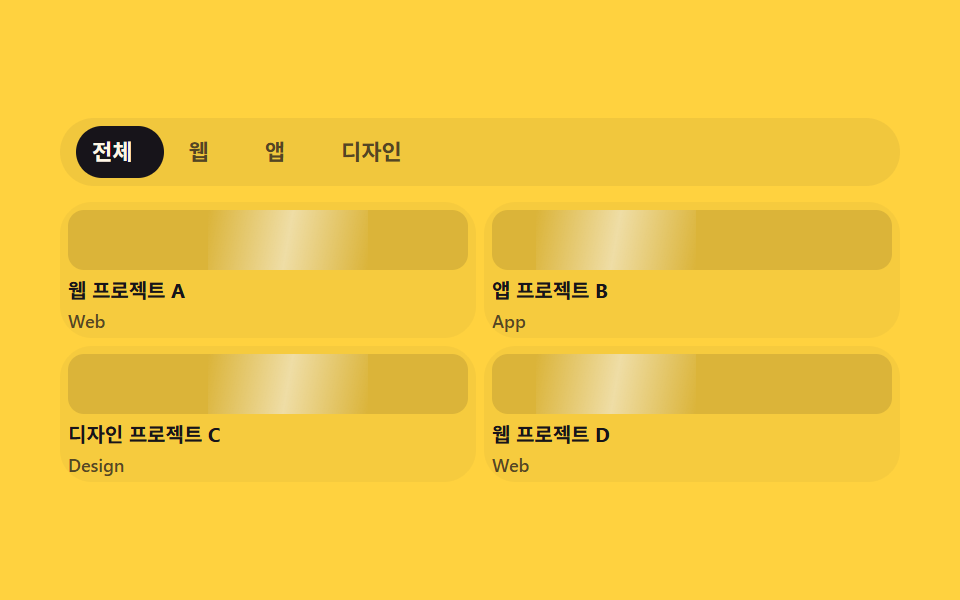 02 project-grid
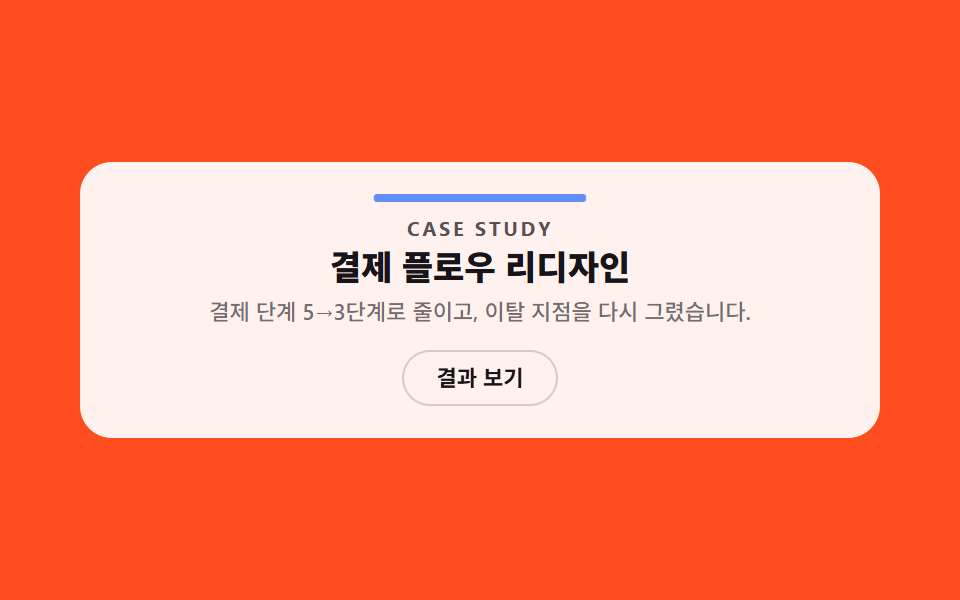 03 project-case-detail
 04 project-skills-stack
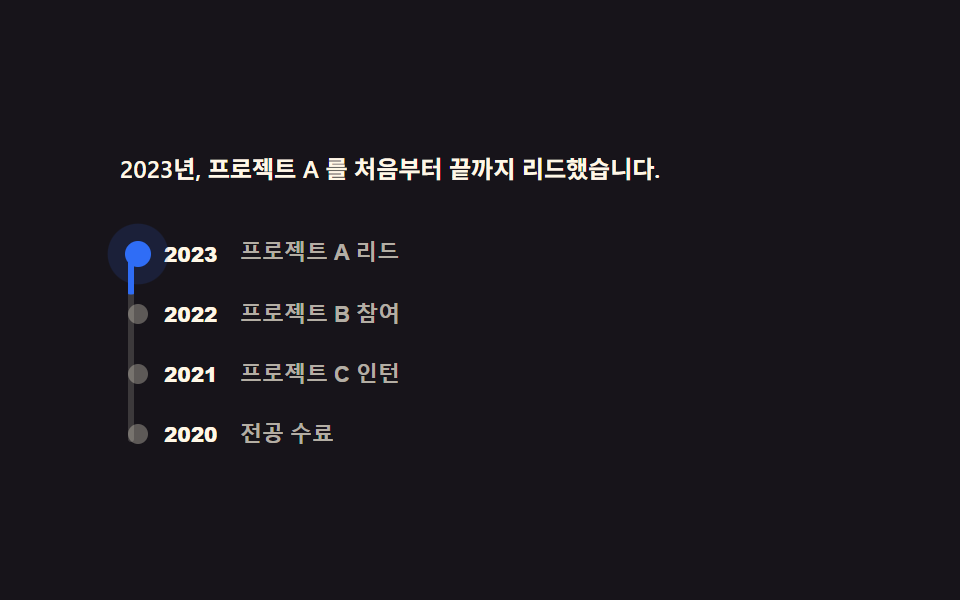 05 project-experience-timeline
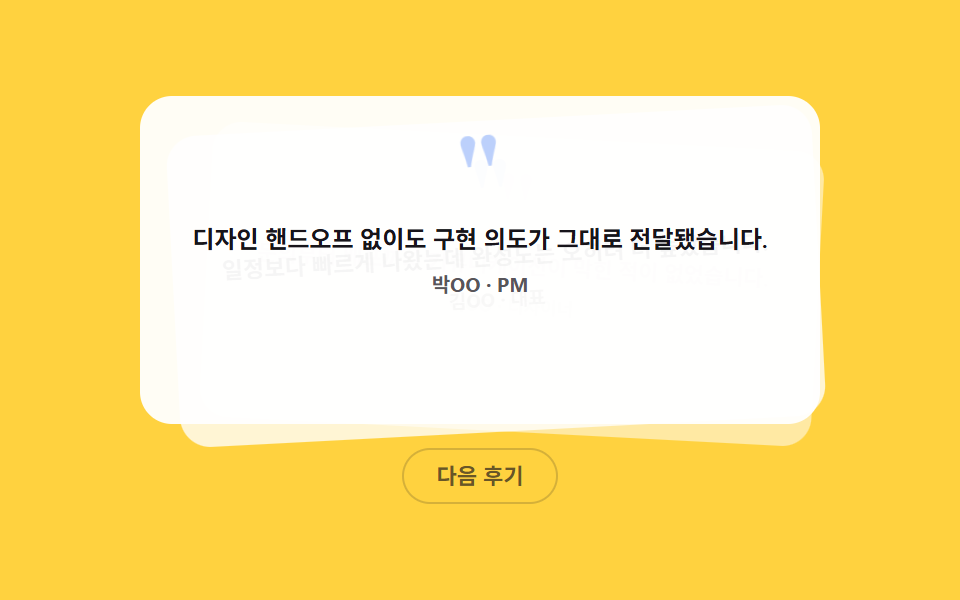 06 project-quote
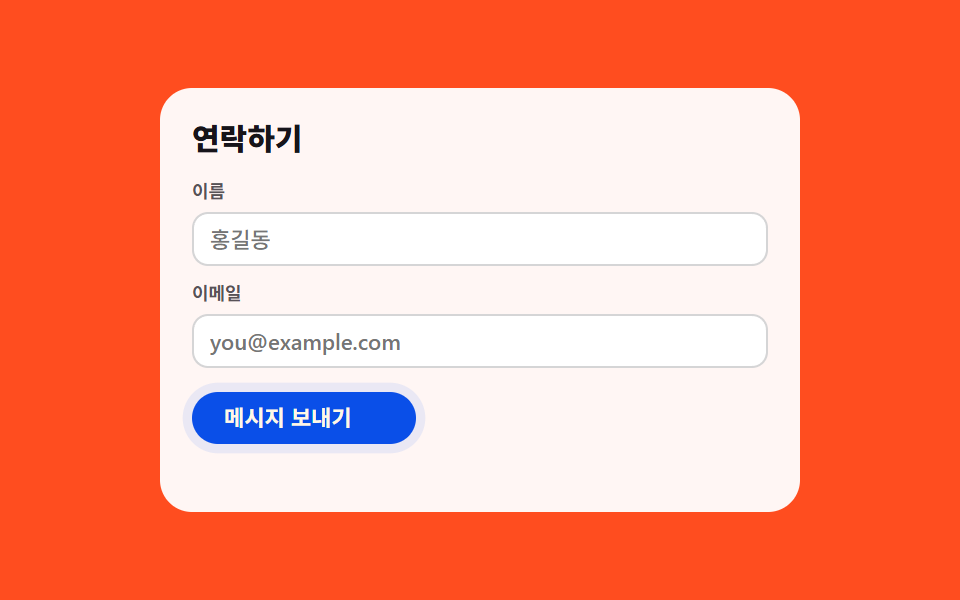 07 project-contact-form
 08 project-resume-cta
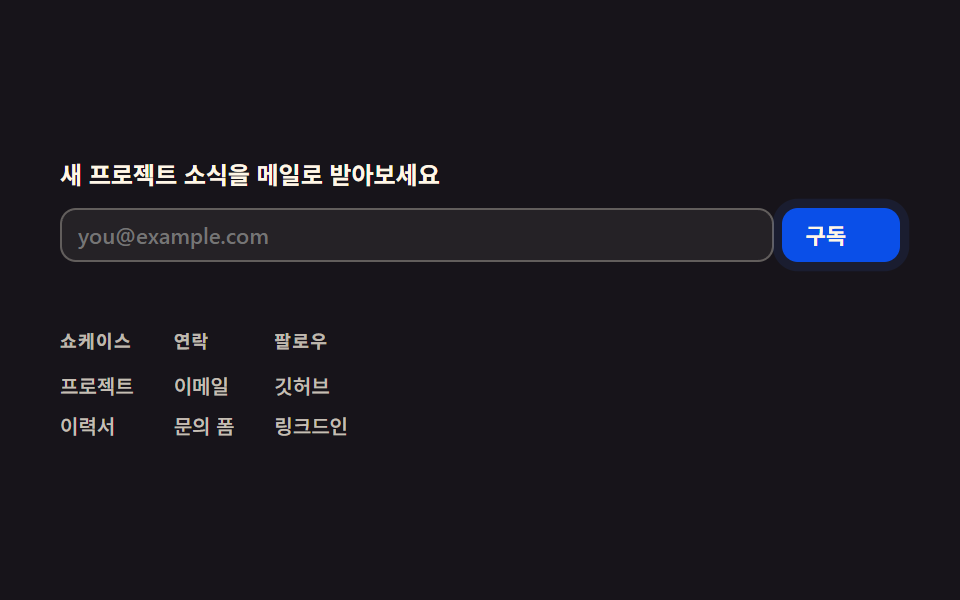 09 project-footer
자동 재생 · 눌러서 해당 항목으로 · 전부 한 zip
아홉 개는 방문자가 포트폴리오를 훑는 순서대로 놓았습니다. 먼저 누구인지 보여주고(히어로), 작업물을 분류해서 보여주고(프로젝트 그리드), 한 작업을 깊게 설명하고(케이스 상세), 다룰 수 있는 기술을 나열하고(기술 스택), 걸어온 경력을 보여주고(경력 타임라인), 남이 한 말로 신뢰를 더하고(추천사), 연락할 방법을 주고(연락 폼), 이력서를 내려받게 하고(이력서 CTA), 마지막으로 더 볼 곳을 안내합니다(쇼케이스 푸터). 얼굴 사진·실제 프로젝트 스크린샷 자리는 이 사이트의 먹·파랑·크림 토큰만으로 그린 도형 플레이스홀더이고, 파일만 갈아 끼우면 레이아웃은 그대로 남습니다.
01소개 히어로
히어로 섹션 디자인의 구성
배경에 깔린 원 세 개가 서로 다른 궤적으로 계속 떠다니고, 그 위에 워드마크(도형 플레이스홀더)·헤드라인·부제·CTA 두 개가 겹치지 않게 자리 잡습니다.
<main class="stage">
  <section class="ih">
    <span class="ih__orb ih__orb--1" aria-hidden="true"></span>
    <span class="ih__orb ih__orb--2" aria-hidden="true"></span>
    <span class="ih__orb ih__orb--3" aria-hidden="true"></span>
    <span class="ih__mark" aria-hidden="true"></span>
    <p class="ih__eyebrow">PORTFOLIO</p>
    <h1 class="ih__title">웹으로 만든 것들의<br>기록</h1>
    <p class="ih__sub">프로젝트 사례와 연락처를 한 화면에서 확인하세요.</p>
    <div class="ih__row">
      <a class="ih__cta" href="#">프로젝트 보기</a>
      <button class="ih__avail-btn" type="button" aria-pressed="false">
        <span class="ih__avail-ic" aria-hidden="true"></span>
        새 프로젝트 제안받기
      </button>
    </div>
  </section>
</main>
@use "../../../../site/static/demo-tokens" as *;
// ── 변수 3개 ──────────────────────────────────────────
$duration: $dur-quick; // 제안받기 버튼 전환
$easing: $ease-pop;
$color: $subject-blue; // CTA·아이콘 강조색
@include stage($stage-ink);
.ih {
position: relative;
box-sizing: border-box; // width 에 패딩을 포함 — 아니면 320px 에서 패딩만큼 넘친다(실측 2026-09-10)
width: min(400px, 92vw);
overflow: hidden;
border-radius: $r-card;
padding: $sp-3 $sp-5 $sp-2;
text-align: center;
isolation: isolate;
}
// ── 배경 원 세 개: 계속 떠다니는 장식(호버 아님, 무조건 재생) ──────────────
.ih__orb {
position: absolute;
border-radius: 50%;
filter: blur(3px);
z-index: -1;
animation: ih-float-a 2s ease-in-out infinite;
}
.ih__orb--1 { width: 170px; height: 170px; left: -45px; top: -35px; background: radial-gradient(circle, $subject-blue, transparent 62%); }
.ih__orb--2 { width: 130px; height: 130px; right: -25px; top: 6px; background: radial-gradient(circle, $subject-cream, transparent 62%); opacity: .7; animation-name: ih-float-b; }
.ih__orb--3 { width: 150px; height: 150px; left: 28%; bottom: -70px; background: radial-gradient(circle, $subject-blue, transparent 62%); opacity: .95; animation-direction: reverse; }
@keyframes ih-float-a {
0%, 100% { transform: translate(0, 0) scale(1); }
50% { transform: translate($sp-10, -$sp-8) scale(1.5); }
}
@keyframes ih-float-b {
0%, 100% { transform: translate(0, 0) scale(1); }
50% { transform: translate(-$sp-8, $sp-8) scale(.6); }
}
// ── 플레이스홀더 워드마크: 실제 로고가 아니라 도형 하나 ──────────────
.ih__mark {
display: block;
width: $sp-5; height: $sp-5;
margin: 0 auto $sp-1;
background: $color;
border-radius: $r-xs;
transform: rotate(45deg);
}
.ih__eyebrow {
margin: 0 0 $sp-1;
font-weight: 700; font-size: 10px; line-height: 1; font-family: inherit;
letter-spacing: .14em;
color: rgba(255, 247, 230, .6);
}
.ih__title {
margin: 0 0 $sp-1;
font-weight: 800; font-size: clamp(16px, 4.6vw, 19px); line-height: 1.14; font-family: inherit;
color: $subject-cream;
}
.ih__sub {
margin: 0 0 $sp-2;
font-weight: 500; font-size: clamp(10px, 2.8vw, 11px); line-height: 1.4; font-family: inherit;
color: rgba(255, 247, 230, .68);
}
.ih__row { display: flex; justify-content: center; align-items: center; gap: $sp-2; flex-wrap: wrap; }
.ih__cta {
padding: $sp-2 $sp-5;
border-radius: $r-control;
background: $subject-blue-deep;
color: $subject-cream;
font-weight: 700; font-size: 12px; line-height: 1.4; font-family: inherit;
text-decoration: none;
}
.ih__avail-btn {
display: inline-flex; align-items: center; gap: $sp-1;
padding: $sp-2 $sp-3;
border-radius: $r-control;
border: 1px solid rgba(255, 247, 230, .3);
background: transparent;
color: rgba(255, 247, 230, .82);
font-weight: 600; font-size: 12px; line-height: 1.4; font-family: inherit;
cursor: pointer;
transition: background $duration $easing, border-color $duration $easing;
}
.ih__avail-ic {
width: $sp-3; height: $sp-3;
background: currentColor;
border-radius: 50%;
opacity: .5;
transition: opacity $duration $easing, transform $duration $easing;
}
.ih__avail-btn[aria-pressed="true"] {
background: rgba(255, 247, 230, .12);
border-color: $subject-cream;
}
.ih__avail-btn[aria-pressed="true"] .ih__avail-ic {
opacity: 1;
color: $color;
transform: scale(1.2);
}
// ── 반응형: 320×200 처럼 세로가 짧은 화면에선 장식을 줄인다(BD9) ──────────────
@media (max-width: 340px), (max-height: 220px) {
.ih { padding: $sp-2 $sp-4; }
.ih__mark { display: none; }
.ih__eyebrow { display: none; }
.ih__title { font-size: 14px; line-height: 1.15; margin-bottom: $sp-1; }
.ih__sub { display: none; }
.ih__row { gap: $sp-1; }
.ih__cta, .ih__avail-btn { padding: 4px $sp-3; font-size: 10px; }
}
// ── 접근성 ──────────────────────────────────────────
@media (prefers-reduced-motion: reduce) {
.ih__orb { animation: none !important; }
.ih__avail-btn, .ih__avail-ic { transition: none; }
}html, body {
margin: 0;
overflow: hidden;
}
.stage {
box-sizing: border-box;
min-height: 100vh;
display: grid;
place-items: center;
margin: 0;
background: #17141a;
font-family: -apple-system, "Segoe UI", "Noto Sans KR", sans-serif;
padding: clamp(8px, 4vw, 24px);
}
.ih {
position: relative;
box-sizing: border-box;
width: min(400px, 92vw);
overflow: hidden;
border-radius: 16px;
padding: 12px 20px 8px;
text-align: center;
isolation: isolate;
}
.ih__orb {
position: absolute;
border-radius: 50%;
filter: blur(3px);
z-index: -1;
animation: ih-float-a 2s ease-in-out infinite;
}
.ih__orb--1 {
width: 170px;
height: 170px;
left: -45px;
top: -35px;
background: radial-gradient(circle, #2f6df6, transparent 62%);
}
.ih__orb--2 {
width: 130px;
height: 130px;
right: -25px;
top: 6px;
background: radial-gradient(circle, #fff7e6, transparent 62%);
opacity: 0.7;
animation-name: ih-float-b;
}
.ih__orb--3 {
width: 150px;
height: 150px;
left: 28%;
bottom: -70px;
background: radial-gradient(circle, #2f6df6, transparent 62%);
opacity: 0.95;
animation-direction: reverse;
}
@keyframes ih-float-a {
0%, 100% {
transform: translate(0, 0) scale(1);
}
50% {
transform: translate(40px, -32px) scale(1.5);
}
}
@keyframes ih-float-b {
0%, 100% {
transform: translate(0, 0) scale(1);
}
50% {
transform: translate(-32px, 32px) scale(0.6);
}
}
.ih__mark {
display: block;
width: 20px;
height: 20px;
margin: 0 auto 4px;
background: #2f6df6;
border-radius: 4px;
transform: rotate(45deg);
}
.ih__eyebrow {
margin: 0 0 4px;
font-weight: 700;
font-size: 10px;
line-height: 1;
font-family: inherit;
letter-spacing: 0.14em;
color: rgba(255, 247, 230, 0.6);
}
.ih__title {
margin: 0 0 4px;
font-weight: 800;
font-size: clamp(16px, 4.6vw, 19px);
line-height: 1.14;
font-family: inherit;
color: #fff7e6;
}
.ih__sub {
margin: 0 0 8px;
font-weight: 500;
font-size: clamp(10px, 2.8vw, 11px);
line-height: 1.4;
font-family: inherit;
color: rgba(255, 247, 230, 0.68);
}
.ih__row {
display: flex;
justify-content: center;
align-items: center;
gap: 8px;
flex-wrap: wrap;
}
.ih__cta {
padding: 8px 20px;
border-radius: 12px;
background: #0a4fe8;
color: #fff7e6;
font-weight: 700;
font-size: 12px;
line-height: 1.4;
font-family: inherit;
text-decoration: none;
}
.ih__avail-btn {
display: inline-flex;
align-items: center;
gap: 4px;
padding: 8px 12px;
border-radius: 12px;
border: 1px solid rgba(255, 247, 230, 0.3);
background: transparent;
color: rgba(255, 247, 230, 0.82);
font-weight: 600;
font-size: 12px;
line-height: 1.4;
font-family: inherit;
cursor: pointer;
transition: background 220ms cubic-bezier(0.2, 1.4, 0.4, 1), border-color 220ms cubic-bezier(0.2, 1.4, 0.4, 1);
}
.ih__avail-ic {
width: 12px;
height: 12px;
background: currentColor;
border-radius: 50%;
opacity: 0.5;
transition: opacity 220ms cubic-bezier(0.2, 1.4, 0.4, 1), transform 220ms cubic-bezier(0.2, 1.4, 0.4, 1);
}
.ih__avail-btn[aria-pressed=true] {
background: rgba(255, 247, 230, 0.12);
border-color: #fff7e6;
}
.ih__avail-btn[aria-pressed=true] .ih__avail-ic {
opacity: 1;
color: #2f6df6;
transform: scale(1.2);
}
@media (max-width: 340px), (max-height: 220px) {
.ih {
padding: 8px 16px;
}
.ih__mark {
display: none;
}
.ih__eyebrow {
display: none;
}
.ih__title {
font-size: 14px;
line-height: 1.15;
margin-bottom: 4px;
}
.ih__sub {
display: none;
}
.ih__row {
gap: 4px;
}
.ih__cta, .ih__avail-btn {
padding: 4px 12px;
font-size: 10px;
}
}
@media (prefers-reduced-motion: reduce) {
.ih__orb {
animation: none !important;
}
.ih__avail-btn, .ih__avail-ic {
transition: none;
}
}// 실제 동작: 클릭마다 "제안받기" 상태가 실제로 바뀐다(아이콘 채움 + aria-pressed).
var btn = document.querySelector('.ih__avail-btn');
btn.addEventListener('click', function () {
var on = btn.getAttribute('aria-pressed') === 'true';
btn.setAttribute('aria-pressed', String(!on));
});import { useState } from "react";
import type { CSSProperties } from "react";
import styles from "./ProjectIntroHero.module.scss";
export type ProjectIntroHeroProps = {
duration?: number;
easing?: string;
color?: string;
};
type Vars = CSSProperties & { "--duration"?: string; "--easing"?: string; "--color"?: string };
export default function ProjectIntroHero({ duration = 220, easing = "cubic-bezier(.2,1.4,.4,1)", color = "#2f6df6" }: ProjectIntroHeroProps) {
const [available, setAvailable] = useState(false);
const vars: Vars = { "--duration": `${duration}ms`, "--easing": easing, "--color": color };
return (
<section className={styles.ih} style={vars}>
<span className={`${styles.orb} ${styles.orb1}`} aria-hidden="true" />
<span className={`${styles.orb} ${styles.orb2}`} aria-hidden="true" />
<span className={`${styles.orb} ${styles.orb3}`} aria-hidden="true" />
<span className={styles.mark} aria-hidden="true" />
<p className={styles.eyebrow}>PORTFOLIO</p>
<h1 className={styles.title}>웹으로 만든 것들의<br />기록</h1>
<p className={styles.sub}>프로젝트 사례와 연락처를 한 화면에서 확인하세요.</p>
<div className={styles.row}>
<a className={styles.cta} href="#">프로젝트 보기</a>
<button
type="button"
className={styles.availBtn}
aria-pressed={available}
onClick={() => setAvailable((v) => !v)}
>
<span className={styles.availIc} aria-hidden="true" />
새 프로젝트 제안받기
</button>
</div>
</section>
);
}01 · 소개 히어로 — 측정 누적면적 31.004% · 움직인 프레임 18/23GODRICH 원작 · zip 에 SCSS·React 포함 · 비밀번호 보기
제안받기 버튼은 진짜다
오른쪽 "새 프로젝트 제안받기" 버튼은 누를 때마다 상태와 아이콘 채움이 실제로 바뀝니다.
.ih__orb--1 { animation: ih-float-a 2s ease-in-out infinite; }
@keyframes ih-float-a {
  0%, 100% { transform: translate(0, 0) scale(1); }
  50%      { transform: translate($sp-10, -$sp-8) scale(1.5); }
}
.ih__avail-btn[aria-pressed="true"] {
  background: rgba(255, 247, 230, .12);
  border-color: $subject-cream;
}
.ih__avail-btn[aria-pressed="true"] .ih__avail-ic {
  opacity: 1;
  color: $color;
  transform: scale(1.2);
}
02프로젝트 그리드
포트폴리오 웹사이트 템플릿의 카드 목록을 분류로 거른다
위쪽 분류 탭(전체·웹·앱·디자인)을 클릭하면 먹색 인디케이터가 그 탭의 실제 폭·위치로 실제로 옮겨 가고, 다른 분류의 카드는 흐려집니다.
<main class="stage">
  <section class="pg is-demo">
    <div class="pg__tabs" role="tablist" aria-label="프로젝트 분류">
      <span class="pg__indicator" aria-hidden="true"></span>
      <button class="pg__tab" type="button" role="tab" data-cat="all" aria-selected="true">전체</button>
      <button class="pg__tab" type="button" role="tab" data-cat="web" aria-selected="false">웹</button>
      <button class="pg__tab" type="button" role="tab" data-cat="app" aria-selected="false">앱</button>
      <button class="pg__tab" type="button" role="tab" data-cat="design" aria-selected="false">디자인</button>
    </div>
    <div class="pg__grid">
      <article class="pg__card" data-cat="web"><span class="pg__thumb" aria-hidden="true"></span><p class="pg__title">웹 프로젝트 A</p><p class="pg__tag">Web</p></article>
      <article class="pg__card" data-cat="app"><span class="pg__thumb" aria-hidden="true"></span><p class="pg__title">앱 프로젝트 B</p><p class="pg__tag">App</p></article>
      <article class="pg__card" data-cat="design"><span class="pg__thumb" aria-hidden="true"></span><p class="pg__title">디자인 프로젝트 C</p><p class="pg__tag">Design</p></article>
      <article class="pg__card" data-cat="web"><span class="pg__thumb" aria-hidden="true"></span><p class="pg__title">웹 프로젝트 D</p><p class="pg__tag">Web</p></article>
    </div>
  </section>
</main>
@use "../../../../site/static/demo-tokens" as *;
// ── 변수 3개 ──────────────────────────────────────────
$duration: $dur-base; // 인디케이터·카드 필터 전환
$easing: $ease-spring;
$color: $subject-blue; // 인디케이터·활성 탭 색
@include stage($stage-yellow);
.pg { width: min(420px, 95vw); }
// ── 탭 + 인디케이터: 폭은 짐작하지 않고 클릭마다 getBoundingClientRect 로 실측(BD19) ──────────────
.pg__tabs {
position: relative;
display: flex;
gap: $sp-1;
margin: 0 0 $sp-2;
padding: $sp-1;
border-radius: $r-pill;
background: rgba(23, 20, 26, .06);
box-sizing: border-box;
}
.pg__indicator {
position: absolute;
left: $sp-1; top: $sp-1; bottom: $sp-1;
border-radius: $r-pill;
background: $subject-ink;
transition: transform $duration $easing, width $duration $easing;
}
.pg__tab {
position: relative;
flex: 0 0 auto;
padding: $sp-1 $sp-3;
border: 0;
background: none;
border-radius: $r-pill;
color: rgba($subject-ink, .72); // 옐로 면 위 5.70:1
font-weight: 700; font-size: 11px; line-height: 1.6; font-family: inherit;
cursor: pointer;
transition: color $duration $easing;
}
.pg__tab[aria-selected="true"] { color: $subject-cream; }
.pg__grid {
display: grid;
grid-template-columns: repeat(2, 1fr);
gap: $sp-1;
}
.pg__card {
overflow: hidden;
border-radius: $r-card;
background: rgba(23, 20, 26, .04);
padding: $sp-1;
box-sizing: border-box;
transition: opacity $duration $easing, transform $duration $easing;
}
.pg__card.is-hidden { opacity: .18; transform: scale(.94); }
.pg__thumb {
position: relative;
display: block;
overflow: hidden;
height: 30px;
border-radius: $r-sm;
margin: 0 0 $sp-1;
background: rgba(23, 20, 26, .12);
}
// ── 썸네일 위 대각선 하이라이트가 계속 스치는 장식(항상 재생) ──────────────
.pg__thumb::after {
content: "";
position: absolute;
top: 0; bottom: 0; left: -60%;
width: 40%;
background: linear-gradient(100deg, transparent, rgba(255, 255, 255, .55), transparent);
animation: pg-shimmer 2s linear infinite;
}
.pg__card:nth-child(2n) .pg__thumb::after { animation-delay: 400ms; }
@keyframes pg-shimmer {
0% { transform: translateX(0); }
100% { transform: translateX(300%); }
}
.pg__title { margin: 0; font-weight: 700; font-size: 10px; line-height: 1.3; font-family: inherit; color: $subject-ink; }
.pg__tag { margin: $sp-1 0 0; font-weight: 600; font-size: 9px; line-height: 1; font-family: inherit; color: rgba($subject-ink, .72); } // 카드 면 위 5.85:1
// ── 반응형(BD9) ──────────────────────────────────────────
@media (max-width: 340px), (max-height: 220px) {
.pg__tabs { margin-bottom: $sp-1; }
.pg__tab { padding: 4px $sp-2; font-size: 10px; line-height: 1.2; }
.pg__thumb { height: 26px; }
.pg__grid { gap: $sp-1; }
}
// ── 접근성 ──────────────────────────────────────────
@media (prefers-reduced-motion: reduce) {
.pg__indicator, .pg__tab, .pg__card { transition: none; }
.pg__thumb::after { animation: none !important; }
}html, body {
margin: 0;
overflow: hidden;
}
.stage {
box-sizing: border-box;
min-height: 100vh;
display: grid;
place-items: center;
margin: 0;
background: #ffd23f;
font-family: -apple-system, "Segoe UI", "Noto Sans KR", sans-serif;
padding: clamp(8px, 4vw, 24px);
}
.pg {
width: min(420px, 95vw);
}
.pg__tabs {
position: relative;
display: flex;
gap: 4px;
margin: 0 0 8px;
padding: 4px;
border-radius: 999px;
background: rgba(23, 20, 26, 0.06);
box-sizing: border-box;
}
.pg__indicator {
position: absolute;
left: 4px;
top: 4px;
bottom: 4px;
border-radius: 999px;
background: #17141a;
transition: transform 300ms cubic-bezier(0.2, 0.8, 0.2, 1), width 300ms cubic-bezier(0.2, 0.8, 0.2, 1);
}
.pg__tab {
position: relative;
flex: 0 0 auto;
padding: 4px 12px;
border: 0;
background: none;
border-radius: 999px;
color: rgba(23, 20, 26, 0.72);
font-weight: 700;
font-size: 11px;
line-height: 1.6;
font-family: inherit;
cursor: pointer;
transition: color 300ms cubic-bezier(0.2, 0.8, 0.2, 1);
}
.pg__tab[aria-selected=true] {
color: #fff7e6;
}
.pg__grid {
display: grid;
grid-template-columns: repeat(2, 1fr);
gap: 4px;
}
.pg__card {
overflow: hidden;
border-radius: 16px;
background: rgba(23, 20, 26, 0.04);
padding: 4px;
box-sizing: border-box;
transition: opacity 300ms cubic-bezier(0.2, 0.8, 0.2, 1), transform 300ms cubic-bezier(0.2, 0.8, 0.2, 1);
}
.pg__card.is-hidden {
opacity: 0.18;
transform: scale(0.94);
}
.pg__thumb {
position: relative;
display: block;
overflow: hidden;
height: 30px;
border-radius: 8px;
margin: 0 0 4px;
background: rgba(23, 20, 26, 0.12);
}
.pg__thumb::after {
content: "";
position: absolute;
top: 0;
bottom: 0;
left: -60%;
width: 40%;
background: linear-gradient(100deg, transparent, rgba(255, 255, 255, 0.55), transparent);
animation: pg-shimmer 2s linear infinite;
}
.pg__card:nth-child(2n) .pg__thumb::after {
animation-delay: 400ms;
}
@keyframes pg-shimmer {
0% {
transform: translateX(0);
}
100% {
transform: translateX(300%);
}
}
.pg__title {
margin: 0;
font-weight: 700;
font-size: 10px;
line-height: 1.3;
font-family: inherit;
color: #17141a;
}
.pg__tag {
margin: 4px 0 0;
font-weight: 600;
font-size: 9px;
line-height: 1;
font-family: inherit;
color: rgba(23, 20, 26, 0.72);
}
@media (max-width: 340px), (max-height: 220px) {
.pg__tabs {
margin-bottom: 4px;
}
.pg__tab {
padding: 4px 8px;
font-size: 10px;
line-height: 1.2;
}
.pg__thumb {
height: 26px;
}
.pg__grid {
gap: 4px;
}
}
@media (prefers-reduced-motion: reduce) {
.pg__indicator, .pg__tab, .pg__card {
transition: none;
}
.pg__thumb::after {
animation: none !important;
}
}// 실제 동작: 탭을 클릭하면 인디케이터가 실제 탭 폭·위치(getBoundingClientRect)로 이동하고, 그 분류가 아닌 카드는 실제로 흐려진다.
var root = document.querySelector('.pg');
var tabs = root.querySelectorAll('.pg__tab');
var indicator = root.querySelector('.pg__indicator');
var cards = root.querySelectorAll('.pg__card');
function moveIndicator(tab) {
  var wrapBox = tab.parentElement.getBoundingClientRect();
  var box = tab.getBoundingClientRect();
  indicator.style.width = box.width + 'px';
  indicator.style.transform = 'translateX(' + (box.left - wrapBox.left) + 'px)';
}
tabs.forEach(function (tab) {
  tab.addEventListener('click', function () {
    root.classList.remove('is-demo');
    tabs.forEach(function (t) { t.setAttribute('aria-selected', 'false'); });
    tab.setAttribute('aria-selected', 'true');
    moveIndicator(tab);
    var cat = tab.getAttribute('data-cat');
    cards.forEach(function (card) {
      var show = cat === 'all' || card.getAttribute('data-cat') === cat;
      card.classList.toggle('is-hidden', !show);
    });
  });
});
moveIndicator(tabs[0]);
window.addEventListener('resize', function () {
var activeTab = root.querySelector('.pg__tab[aria-selected="true"]');
if (activeTab) moveIndicator(activeTab);
});import { useEffect, useRef, useState } from "react";
import type { CSSProperties } from "react";
import styles from "./ProjectGrid.module.scss";
export type ProjectGridProps = { duration?: number; easing?: string; color?: string };
type Vars = CSSProperties & { "--duration"?: string; "--easing"?: string; "--color"?: string };
const TABS = [
{ cat: "all", label: "전체" },
{ cat: "web", label: "웹" },
{ cat: "app", label: "앱" },
{ cat: "design", label: "디자인" },
];
const CARDS = [
{ cat: "web", title: "웹 프로젝트 A", tag: "Web" },
{ cat: "app", title: "앱 프로젝트 B", tag: "App" },
{ cat: "design", title: "디자인 프로젝트 C", tag: "Design" },
{ cat: "web", title: "웹 프로젝트 D", tag: "Web" },
];
export default function ProjectGrid({ duration = 300, easing = "cubic-bezier(.2,.8,.2,1)", color = "#2f6df6" }: ProjectGridProps) {
const [active, setActive] = useState("all");
const [indicator, setIndicator] = useState<{ left: number; width: number } | null>(null);
const wrapRef = useRef<HTMLDivElement>(null);
const vars: Vars = { "--duration": `${duration}ms`, "--easing": easing, "--color": color };
// 실제 동작: 탭을 클릭하면 인디케이터가 실제 탭 폭·위치(getBoundingClientRect)로 이동한다(BD19 — 값을 짐작하지 않는다).
function moveIndicator(el: HTMLButtonElement) {
const wrap = wrapRef.current;
if (!wrap) return;
const wrapBox = wrap.getBoundingClientRect();
const box = el.getBoundingClientRect();
setIndicator({ left: box.left - wrapBox.left, width: box.width });
}
useEffect(() => {
const first = wrapRef.current?.querySelector<HTMLButtonElement>('[aria-selected="true"]');
if (first) moveIndicator(first);
}, []);
return (
<section className={styles.pg} style={vars}>
<div className={styles.tabs} role="tablist" aria-label="프로젝트 분류" ref={wrapRef}>
{indicator && (
<span className={styles.indicator} style={{ transform: `translateX(${indicator.left}px)`, width: indicator.width }} aria-hidden="true" />
)}
{TABS.map((t) => (
<button
key={t.cat}
type="button"
role="tab"
className={styles.tab}
aria-selected={active === t.cat}
onClick={(e: any) => { setActive(t.cat); moveIndicator(e.currentTarget); }}
>
{t.label}
</button>
))}
</div>
<div className={styles.grid}>
{CARDS.map((c, i) => (
<article key={i} className={`${styles.card} ${active !== "all" && active !== c.cat ? styles.hidden : ""}`}>
<span className={styles.thumb} aria-hidden="true" />
<p className={styles.title}>{c.title}</p>
<p className={styles.tag}>{c.tag}</p>
</article>
))}
</div>
</section>
);
}02 · 프로젝트 그리드 — 측정 누적면적 14.028% · 움직인 프레임 23/23GODRICH 원작 · zip 에 SCSS·React 포함 · 비밀번호 보기
인디케이터는 실측으로 움직인다
인디케이터 위치는 짐작한 px가 아니라 클릭마다 getBoundingClientRect로 잰 값입니다.
function moveIndicator(tab) {
var wrapBox = tab.parentElement.getBoundingClientRect();
var box = tab.getBoundingClientRect();
indicator.style.width = box.width + 'px';
indicator.style.transform = 'translateX(' + (box.left - wrapBox.left) + 'px)';
}
tabs.forEach(function (tab) {
tab.addEventListener('click', function () {
root.classList.remove('is-demo');
tabs.forEach(function (t) { t.setAttribute('aria-selected', 'false'); });
tab.setAttribute('aria-selected', 'true');
moveIndicator(tab);
var cat = tab.getAttribute('data-cat');
cards.forEach(function (card) {
var show = cat === 'all' || card.getAttribute('data-cat') === cat;
card.classList.toggle('is-hidden', !show);
});
});
});
03케이스 상세 블록
결과 패널과 카운트업
"결과 보기"를 누르면 패널이 실제로 펼쳐지며 전환율·제작 기간·트래픽 증가 숫자 세 개가 0에서 목표값까지 올라갑니다.
<main class="stage">
  <section class="cd">
    <span class="cd__accent" aria-hidden="true"></span>
    <p class="cd__eyebrow">CASE STUDY</p>
    <h2 class="cd__title">결제 플로우 리디자인</h2>
    <p class="cd__blurb">결제 단계 5→3단계로 줄이고, 이탈 지점을 다시 그렸습니다.</p>
    <button class="cd__toggle" type="button" aria-expanded="false" aria-controls="cd-panel">
      결과 보기
    </button>
    <div class="cd__panel" id="cd-panel" role="status" aria-live="polite">
      <div class="cd__stat"><p class="cd__num" data-target="38" data-suffix="%">0%</p><p class="cd__label">전환율 상승</p></div>
      <div class="cd__stat"><p class="cd__num" data-target="6" data-suffix="주">0주</p><p class="cd__label">제작 기간</p></div>
      <div class="cd__stat"><p class="cd__num" data-target="210" data-suffix="%">0%</p><p class="cd__label">트래픽 증가</p></div>
    </div>
  </section>
</main>
@use "../../../../site/static/demo-tokens" as *;
// ── 변수 3개 ──────────────────────────────────────────
$duration: $dur-base; // 패널 펼침
$easing: $ease-pop;
$color: $subject-blue; // 링·숫자 강조색
@include stage($stage-orange);
.cd {
width: min(400px, 94vw);
border-radius: $r-card;
padding: $sp-4;
box-sizing: border-box;
background: rgba(255, 255, 255, .92);
text-align: center;
}
// ── 상단 악센트 바가 계속 스캔하는 장식(항상 재생) ──────────────
.cd__accent {
display: block;
width: 160px; height: 4px;
margin: 0 auto $sp-2;
border-radius: $r-xs;
background: $color;
transform-origin: center;
animation: cd-scan 2s $easing infinite;
}
@keyframes cd-scan {
0%, 70%, 100% { transform: scaleX(.3); opacity: .5; }
30% { transform: scaleX(1); opacity: 1; }
}
.cd__eyebrow {
margin: 0 0 $sp-1;
font-weight: 700; font-size: 10px; line-height: 1; font-family: inherit;
letter-spacing: .14em;
color: rgba($subject-ink, .72); // 페이퍼 면 위 6.92:1
}
.cd__title { margin: 0 0 $sp-1; font-weight: 800; font-size: clamp(14px, 4vw, 17px); line-height: 1.2; font-family: inherit; color: $subject-ink; }
.cd__blurb { margin: 0 0 $sp-3; font-weight: 500; font-size: clamp(10px, 2.8vw, 11px); line-height: 1.4; font-family: inherit; color: rgba(23, 20, 26, .6); }
.cd__toggle {
position: relative;
display: inline-flex; align-items: center; gap: $sp-1;
padding: $sp-1 $sp-4;
border-radius: $r-pill;
border: 1px solid rgba(23, 20, 26, .18);
background: none;
color: $subject-ink;
font-weight: 700; font-size: 11px; line-height: 1.6; font-family: inherit;
cursor: pointer;
}
.cd__panel {
display: grid;
grid-template-columns: repeat(3, 1fr);
gap: $sp-2;
max-height: 0;
opacity: 0;
overflow: hidden;
box-sizing: border-box;
margin-top: 0;
transition: max-height $duration $easing, opacity $duration $easing, margin-top $duration $easing;
}
.cd__panel.is-open {
max-height: 120px;
opacity: 1;
margin-top: $sp-3;
}
.cd__num {
margin: 0;
font-weight: 800; font-size: clamp(15px, 4.4vw, 18px); line-height: 1; font-family: inherit;
color: $color;
font-variant-numeric: tabular-nums;
}
.cd__label { margin: $sp-1 0 0; font-weight: 600; font-size: 9px; line-height: 1.3; font-family: inherit; color: rgba($subject-ink, .72); } // 5.7:1 — .5 는 3.4 로 미달
// ── 반응형(BD9) ──────────────────────────────────────────
@media (max-width: 340px), (max-height: 220px) {
.cd { padding: $sp-3; }
.cd__blurb { display: none; }
.cd__label { display: none; }
}
// ── 접근성 ──────────────────────────────────────────
@media (prefers-reduced-motion: reduce) {
.cd__accent { animation: none !important; }
.cd__panel { transition: none; }
}html, body {
margin: 0;
overflow: hidden;
}
.stage {
box-sizing: border-box;
min-height: 100vh;
display: grid;
place-items: center;
margin: 0;
background: #ff4d1f;
font-family: -apple-system, "Segoe UI", "Noto Sans KR", sans-serif;
padding: clamp(8px, 4vw, 24px);
}
.cd {
width: min(400px, 94vw);
border-radius: 16px;
padding: 16px;
box-sizing: border-box;
background: rgba(255, 255, 255, 0.92);
text-align: center;
}
.cd__accent {
display: block;
width: 160px;
height: 4px;
margin: 0 auto 8px;
border-radius: 4px;
background: #2f6df6;
transform-origin: center;
animation: cd-scan 2s cubic-bezier(0.2, 1.4, 0.4, 1) infinite;
}
@keyframes cd-scan {
0%, 70%, 100% {
transform: scaleX(0.3);
opacity: 0.5;
}
30% {
transform: scaleX(1);
opacity: 1;
}
}
.cd__eyebrow {
margin: 0 0 4px;
font-weight: 700;
font-size: 10px;
line-height: 1;
font-family: inherit;
letter-spacing: 0.14em;
color: rgba(23, 20, 26, 0.72);
}
.cd__title {
margin: 0 0 4px;
font-weight: 800;
font-size: clamp(14px, 4vw, 17px);
line-height: 1.2;
font-family: inherit;
color: #17141a;
}
.cd__blurb {
margin: 0 0 12px;
font-weight: 500;
font-size: clamp(10px, 2.8vw, 11px);
line-height: 1.4;
font-family: inherit;
color: rgba(23, 20, 26, 0.6);
}
.cd__toggle {
position: relative;
display: inline-flex;
align-items: center;
gap: 4px;
padding: 4px 16px;
border-radius: 999px;
border: 1px solid rgba(23, 20, 26, 0.18);
background: none;
color: #17141a;
font-weight: 700;
font-size: 11px;
line-height: 1.6;
font-family: inherit;
cursor: pointer;
}
.cd__panel {
display: grid;
grid-template-columns: repeat(3, 1fr);
gap: 8px;
max-height: 0;
opacity: 0;
overflow: hidden;
box-sizing: border-box;
margin-top: 0;
transition: max-height 300ms cubic-bezier(0.2, 1.4, 0.4, 1), opacity 300ms cubic-bezier(0.2, 1.4, 0.4, 1), margin-top 300ms cubic-bezier(0.2, 1.4, 0.4, 1);
}
.cd__panel.is-open {
max-height: 120px;
opacity: 1;
margin-top: 12px;
}
.cd__num {
margin: 0;
font-weight: 800;
font-size: clamp(15px, 4.4vw, 18px);
line-height: 1;
font-family: inherit;
color: #2f6df6;
font-variant-numeric: tabular-nums;
}
.cd__label {
margin: 4px 0 0;
font-weight: 600;
font-size: 9px;
line-height: 1.3;
font-family: inherit;
color: rgba(23, 20, 26, 0.72);
}
@media (max-width: 340px), (max-height: 220px) {
.cd {
padding: 12px;
}
.cd__blurb {
display: none;
}
.cd__label {
display: none;
}
}
@media (prefers-reduced-motion: reduce) {
.cd__accent {
animation: none !important;
}
.cd__panel {
transition: none;
}
}// 실제 동작: "결과 보기"를 누르면 패널이 실제로 펼쳐지고, 숫자 세 개가 0에서 목표값까지 올라간다.
var btn = document.querySelector('.cd__toggle');
var panel = document.querySelector('.cd__panel');
var nums = panel.querySelectorAll('.cd__num');
var hasCounted = false;
function countUp() {
  if (hasCounted) return;
  hasCounted = true;
  var startTime = performance.now();
  var duration = 900;
  function easeOut(t) { return 1 - Math.pow(1 - t, 3); }
  function tick(now) {
    var t = Math.min(1, (now - startTime) / duration);
    var e = easeOut(t);
    nums.forEach(function (el) {
      var target = Number(el.getAttribute('data-target'));
      var suffix = el.getAttribute('data-suffix');
      el.textContent = Math.round(target * e) + suffix;
    });
    if (t < 1) requestAnimationFrame(tick);
  }
  requestAnimationFrame(tick);
}
btn.addEventListener('click', function () {
var open = btn.getAttribute('aria-expanded') === 'true';
btn.setAttribute('aria-expanded', String(!open));
panel.classList.toggle('is-open', !open);
if (!open) countUp();
});import { useRef, useState } from "react";
import type { CSSProperties } from "react";
import styles from "./ProjectCaseDetail.module.scss";
export type ProjectCaseDetailProps = { duration?: number; easing?: string; color?: string };
type Vars = CSSProperties & { "--duration"?: string; "--easing"?: string; "--color"?: string };
const STATS = [
{ target: 38, suffix: "%", label: "전환율 상승" },
{ target: 6, suffix: "주", label: "제작 기간" },
{ target: 210, suffix: "%", label: "트래픽 증가" },
];
export default function ProjectCaseDetail({ duration = 300, easing = "cubic-bezier(.2,1.4,.4,1)", color = "#2f6df6" }: ProjectCaseDetailProps) {
const [open, setOpen] = useState(false);
const [nums, setNums] = useState(STATS.map(() => 0));
const played = useRef(false);
const vars: Vars = { "--duration": `${duration}ms`, "--easing": easing, "--color": color };
// 실제 동작: "결과 보기"를 누르면 패널이 실제로 펼쳐지고, 숫자 세 개가 0에서 목표값까지 올라간다.
function countUp() {
if (played.current) return;
played.current = true;
const start = performance.now();
const len = 900;
const easeOut = (t: number) => 1 - Math.pow(1 - t, 3);
function tick(now: number) {
const t = Math.min(1, (now - start) / len);
const e = easeOut(t);
setNums(STATS.map((s) => Math.round(s.target * e)));
if (t < 1) requestAnimationFrame(tick);
}
requestAnimationFrame(tick);
}
function toggle() {
const next = !open;
setOpen(next);
if (next) countUp();
}
return (
<section className={styles.cd} style={vars}>
<span className={styles.accent} aria-hidden="true" />
<p className={styles.eyebrow}>CASE STUDY</p>
<h2 className={styles.title}>결제 플로우 리디자인</h2>
<p className={styles.blurb}>결제 단계 5→3단계로 줄이고, 이탈 지점을 다시 그렸습니다.</p>
<button type="button" className={styles.toggle} aria-expanded={open} onClick={toggle}>
결과 보기
</button>
<div className={`${styles.panel} ${open ? styles.panelOpen : ""}`} role="status" aria-live="polite">
{STATS.map((s, i) => (
<div key={s.label} className={styles.stat}>
<p className={styles.num}>{nums[i]}{s.suffix}</p>
<p className={styles.label}>{s.label}</p>
</div>
))}
</div>
</section>
);
}03 · 케이스 상세 블록 — 측정 누적면적 0.461% · 움직인 프레임 17/23GODRICH 원작 · zip 에 SCSS·React 포함 · 비밀번호 보기
악센트 바는 늘 돈다
카드 위 악센트 바는 클릭 여부와 상관없이 항상 스캔 동작을 반복합니다.
function countUp() {
if (hasCounted) return;
hasCounted = true;
var startTime = performance.now();
var duration = 900;
function easeOut(t) { return 1 - Math.pow(1 - t, 3); }
function tick(now) {
var t = Math.min(1, (now - startTime) / duration);
var e = easeOut(t);
nums.forEach(function (el) {
var target = Number(el.getAttribute('data-target'));
var suffix = el.getAttribute('data-suffix');
el.textContent = Math.round(target * e) + suffix;
});
if (t < 1) requestAnimationFrame(tick);
}
requestAnimationFrame(tick);
}
04기술 스택 칩
여덟 개 칩이 끊김 없이
도형으로 그린 기술 칩 여덟 개(실제 로고 아님)가 한 줄로 이어져 끊김 없이 흘러갑니다.
<main class="stage">
  <section class="sk" aria-label="기술 스택">
    <p class="sk__label">SKILLS</p>
    <div class="sk__viewport">
      <div class="sk__track">
        <span class="sk__chip sk__chip--1" aria-hidden="true"></span>
        <span class="sk__chip sk__chip--2" aria-hidden="true"></span>
        <span class="sk__chip sk__chip--3" aria-hidden="true"></span>
        <span class="sk__chip sk__chip--4" aria-hidden="true"></span>
        <span class="sk__chip sk__chip--1" aria-hidden="true"></span>
        <span class="sk__chip sk__chip--2" aria-hidden="true"></span>
        <span class="sk__chip sk__chip--3" aria-hidden="true"></span>
        <span class="sk__chip sk__chip--4" aria-hidden="true"></span>
      </div>
    </div>
    <button class="sk__pause" type="button" aria-pressed="false">흐름 멈추기</button>
  </section>
</main>
@use "../../../../site/static/demo-tokens" as *;
// ── 변수 3개 ──────────────────────────────────────────
$duration: 13s; // 트랙 한 바퀴 시간 (근접값 아님 — 마퀴 전용 값)
$easing: linear;
$color: $subject-ink; // 칩 마크 색
@include stage($stage-paper);
.sk { width: min(440px, 96vw); text-align: center; }
.sk__label {
margin: 0 0 $sp-3;
font-weight: 700; font-size: 10px; line-height: 1; font-family: inherit;
letter-spacing: .16em;
color: rgba($subject-ink, .72); // 흰 면 위 7.26:1
}
.sk__viewport {
overflow: hidden;
-webkit-mask-image: linear-gradient(90deg, transparent, #000 8%, #000 92%, transparent);
mask-image: linear-gradient(90deg, transparent, #000 8%, #000 92%, transparent);
}
// 트랙: gap 을 쓰지 않는다(BD15) — 항목마다 margin-right 로 간격을 준다
.sk__track {
display: flex;
width: max-content;
animation: sk-scroll $duration $easing infinite;
}
.sk.is-paused .sk__track,
.sk__viewport:hover .sk__track { animation-play-state: paused; }
@keyframes sk-scroll {
from { transform: translateX(0); }
to { transform: translateX(-50%); }
}
.sk__chip {
flex: 0 0 auto;
width: 68px; height: 32px;
margin-right: $sp-5;
border-radius: $r-sm;
background: rgba(23, 20, 26, .06);
display: flex; align-items: center; justify-content: center;
gap: $sp-1;
}
.sk__chip::before {
content: "";
width: 12px; height: 12px;
background: $color;
}
.sk__chip::after {
content: "";
width: 24px; height: 6px;
border-radius: $r-xs;
background: rgba(23, 20, 26, .28);
}
.sk__chip--1::before { border-radius: 50%; }
.sk__chip--2::before { border-radius: $r-xs; transform: rotate(45deg); }
.sk__chip--3::before { clip-path: polygon(50% 0%, 0% 100%, 100% 100%); border-radius: 0; }
.sk__chip--4::before { border-radius: $r-pill; width: 16px; background: $subject-blue; }
.sk__pause {
margin-top: $sp-3;
padding: $sp-1 $sp-3;
border-radius: $r-pill;
border: 1px solid rgba(23, 20, 26, .18);
background: none;
color: rgba(23, 20, 26, .6);
font-weight: 600; font-size: 10px; line-height: 1.6; font-family: inherit;
cursor: pointer;
}
.sk__pause[aria-pressed="true"] { background: rgba(23, 20, 26, .08); color: $subject-ink; }
// ── 접근성 ──────────────────────────────────────────
@media (prefers-reduced-motion: reduce) {
.sk__track { animation: none !important; transform: translateX(0); }
}html, body {
margin: 0;
overflow: hidden;
}
.stage {
box-sizing: border-box;
min-height: 100vh;
display: grid;
place-items: center;
margin: 0;
background: #ffffff;
font-family: -apple-system, "Segoe UI", "Noto Sans KR", sans-serif;
padding: clamp(8px, 4vw, 24px);
}
.sk {
width: min(440px, 96vw);
text-align: center;
}
.sk__label {
margin: 0 0 12px;
font-weight: 700;
font-size: 10px;
line-height: 1;
font-family: inherit;
letter-spacing: 0.16em;
color: rgba(23, 20, 26, 0.72);
}
.sk__viewport {
overflow: hidden;
-webkit-mask-image: linear-gradient(90deg, transparent, #000 8%, #000 92%, transparent);
mask-image: linear-gradient(90deg, transparent, #000 8%, #000 92%, transparent);
}
.sk__track {
display: flex;
width: max-content;
animation: sk-scroll 13s linear infinite;
}
.sk.is-paused .sk__track,
.sk__viewport:hover .sk__track {
animation-play-state: paused;
}
@keyframes sk-scroll {
from {
transform: translateX(0);
}
to {
transform: translateX(-50%);
}
}
.sk__chip {
flex: 0 0 auto;
width: 68px;
height: 32px;
margin-right: 20px;
border-radius: 8px;
background: rgba(23, 20, 26, 0.06);
display: flex;
align-items: center;
justify-content: center;
gap: 4px;
}
.sk__chip::before {
content: "";
width: 12px;
height: 12px;
background: #17141a;
}
.sk__chip::after {
content: "";
width: 24px;
height: 6px;
border-radius: 4px;
background: rgba(23, 20, 26, 0.28);
}
.sk__chip--1::before {
border-radius: 50%;
}
.sk__chip--2::before {
border-radius: 4px;
transform: rotate(45deg);
}
.sk__chip--3::before {
clip-path: polygon(50% 0%, 0% 100%, 100% 100%);
border-radius: 0;
}
.sk__chip--4::before {
border-radius: 999px;
width: 16px;
background: #2f6df6;
}
.sk__pause {
margin-top: 12px;
padding: 4px 12px;
border-radius: 999px;
border: 1px solid rgba(23, 20, 26, 0.18);
background: none;
color: rgba(23, 20, 26, 0.6);
font-weight: 600;
font-size: 10px;
line-height: 1.6;
font-family: inherit;
cursor: pointer;
}
.sk__pause[aria-pressed=true] {
background: rgba(23, 20, 26, 0.08);
color: #17141a;
}
@media (prefers-reduced-motion: reduce) {
.sk__track {
animation: none !important;
transform: translateX(0);
}
}// 실제 동작: 버튼을 누르거나 마우스를 올리면 흐름이 실제로 멈춘다(터치 기기는 버튼으로).
var root = document.querySelector('.sk');
var btn = document.querySelector('.sk__pause');
btn.addEventListener('click', function () {
var on = btn.getAttribute('aria-pressed') === 'true';
btn.setAttribute('aria-pressed', String(!on));
root.classList.toggle('is-paused', !on);
});import { useState } from "react";
import type { CSSProperties } from "react";
import styles from "./ProjectSkillsStack.module.scss";
export type ProjectSkillsStackProps = { duration?: number; easing?: string; color?: string };
type Vars = CSSProperties & { "--duration"?: string; "--easing"?: string; "--color"?: string };
const SHAPES = [1, 2, 3, 4, 1, 2, 3, 4];
export default function ProjectSkillsStack({ duration = 13, easing = "linear", color = "#17141a" }: ProjectSkillsStackProps) {
const [paused, setPaused] = useState(false);
const vars: Vars = { "--duration": `${duration}s`, "--easing": easing, "--color": color };
return (
<section className={`${styles.sk} ${paused ? styles.paused : ""}`} style={vars} aria-label="기술 스택">
<p className={styles.label}>SKILLS</p>
<div className={styles.viewport}>
<div className={styles.track}>
{SHAPES.map((n, i) => (
<span key={i} className={`${styles.chip} ${styles[`chip${n}`]}`} aria-hidden="true" />
))}
</div>
</div>
<button
type="button"
className={styles.pause}
aria-pressed={paused}
onClick={() => setPaused((v) => !v)}
>
흐름 멈추기
</button>
</section>
);
}04 · 기술 스택 칩 — 측정 누적면적 8.058% · 움직인 프레임 23/23GODRICH 원작 · zip 에 SCSS·React 포함 · 비밀번호 보기
올리면 그 자리에서 멈춘다
커서를 올리거나 옆 버튼을 눌러 두면 흐름이 그 자리에서 멈춥니다.
// 트랙 자체엔 gap 을 쓰지 않는다 — 항목마다 margin-right 로 간격을 준다
.sk__track { display: flex; width: max-content; animation: sk-scroll 13s linear infinite; }
.sk__chip { flex: 0 0 auto; margin-right: $sp-5; }
@keyframes sk-scroll {
  from { transform: translateX(0); }
  to   { transform: translateX(-50%); }
}
05경력 타임라인
포트폴리오 사이트 템플릿의 타임라인 진행선이 채워진다
세로선 위 경력 네 지점(프로젝트 A 리드·프로젝트 B 참여·프로젝트 C 인턴·전공 수료)을 클릭하면 그 지점까지 진행선이 scaleY로 실제로 채워집니다.
<main class="stage">
  <section class="et is-demo" data-active="0">
    <p class="et__desc" role="status">2023년, 프로젝트 A 를 처음부터 끝까지 리드했습니다.</p>
    <div class="et__track">
      <span class="et__fill" aria-hidden="true"></span>
      <ol class="et__list">
        <li><button class="et__stop" type="button" data-i="0" aria-current="step">
          <span class="et__dot" aria-hidden="true"></span><span class="et__year">2023</span><span class="et__role">프로젝트 A 리드</span>
        </button></li>
        <li><button class="et__stop" type="button" data-i="1">
          <span class="et__dot" aria-hidden="true"></span><span class="et__year">2022</span><span class="et__role">프로젝트 B 참여</span>
        </button></li>
        <li><button class="et__stop" type="button" data-i="2">
          <span class="et__dot" aria-hidden="true"></span><span class="et__year">2021</span><span class="et__role">프로젝트 C 인턴</span>
        </button></li>
        <li><button class="et__stop" type="button" data-i="3">
          <span class="et__dot" aria-hidden="true"></span><span class="et__year">2020</span><span class="et__role">전공 수료</span>
        </button></li>
      </ol>
    </div>
  </section>
</main>
@use "../../../../site/static/demo-tokens" as *;
// ── 변수 3개 ──────────────────────────────────────────
$duration: $dur-base; // 진행선·설명 전환
$easing: $ease-spring;
$color: $subject-blue; // 진행선·현재 지점 색
@include stage($stage-ink);
.et { width: min(360px, 94vw); }
.et__desc {
min-height: 32px;
margin: 0 0 $sp-3;
font-weight: 600; font-size: clamp(11px, 3.2vw, 12px); line-height: 1.5; font-family: inherit;
color: $subject-cream;
}
.et__track { position: relative; padding-left: $sp-5; }
.et__track::before {
content: "";
position: absolute; left: 4px; top: 4px; bottom: 4px;
width: 3px;
border-radius: $r-xs;
background: rgba(255, 247, 230, .16);
}
.et__fill {
position: absolute; left: 4px; top: 4px; bottom: 4px;
width: 3px;
border-radius: $r-xs;
background: $color;
transform: scaleY(.25);
transform-origin: top; // 규칙8: 진행선 위에서 아래로
transition: transform $duration $easing;
}
.et__list { position: relative; list-style: none; margin: 0; padding: 0; display: flex; flex-direction: column; gap: $sp-4; }
.et__stop {
position: relative;
display: flex; align-items: center; gap: $sp-2;
border: 0; padding: 0; background: none; cursor: pointer;
text-align: left;
}
.et__dot {
flex: 0 0 auto;
width: 10px; height: 10px;
margin-left: -16px;
border-radius: 50%;
background: rgba(255, 247, 230, .3);
transition: background $duration $easing, transform $duration $easing, box-shadow $duration $easing;
}
.et__stop[aria-current="step"] .et__dot {
background: $color;
transform: scale(1.3);
box-shadow: 0 0 0 4px rgba(47, 109, 246, .22);
}
.et__year { font-weight: 800; font-size: 10px; line-height: 1; font-family: inherit; color: $subject-cream; min-width: 30px; }
.et__role { font-weight: 600; font-size: 11px; line-height: 1.3; font-family: inherit; color: rgba(255, 247, 230, .68); }
// ── 데모 루프: 현재 지점 점이 계속 펄스한다(항상 재생) ──────────────
.et.is-demo .et__stop[aria-current="step"] .et__dot { animation: et-pulse 2s $easing infinite; }
@keyframes et-pulse {
0%, 100% { box-shadow: 0 0 0 4px rgba(47, 109, 246, .22); }
50% { box-shadow: 0 0 0 8px rgba(47, 109, 246, .1); }
}
// ── 반응형(BD9) ──────────────────────────────────────────
@media (max-width: 340px), (max-height: 220px) {
.et__desc { min-height: 0; margin-bottom: $sp-2; font-size: 10px; }
.et__list { gap: $sp-2; }
.et__role { display: none; }
}
// ── 접근성 ──────────────────────────────────────────
@media (prefers-reduced-motion: reduce) {
.et__fill, .et__dot { transition: none; }
.et.is-demo .et__stop[aria-current="step"] .et__dot { animation: none !important; }
}html, body {
margin: 0;
overflow: hidden;
}
.stage {
box-sizing: border-box;
min-height: 100vh;
display: grid;
place-items: center;
margin: 0;
background: #17141a;
font-family: -apple-system, "Segoe UI", "Noto Sans KR", sans-serif;
padding: clamp(8px, 4vw, 24px);
}
.et {
width: min(360px, 94vw);
}
.et__desc {
min-height: 32px;
margin: 0 0 12px;
font-weight: 600;
font-size: clamp(11px, 3.2vw, 12px);
line-height: 1.5;
font-family: inherit;
color: #fff7e6;
}
.et__track {
position: relative;
padding-left: 20px;
}
.et__track::before {
content: "";
position: absolute;
left: 4px;
top: 4px;
bottom: 4px;
width: 3px;
border-radius: 4px;
background: rgba(255, 247, 230, 0.16);
}
.et__fill {
position: absolute;
left: 4px;
top: 4px;
bottom: 4px;
width: 3px;
border-radius: 4px;
background: #2f6df6;
transform: scaleY(0.25);
transform-origin: top;
transition: transform 300ms cubic-bezier(0.2, 0.8, 0.2, 1);
}
.et__list {
position: relative;
list-style: none;
margin: 0;
padding: 0;
display: flex;
flex-direction: column;
gap: 16px;
}
.et__stop {
position: relative;
display: flex;
align-items: center;
gap: 8px;
border: 0;
padding: 0;
background: none;
cursor: pointer;
text-align: left;
}
.et__dot {
flex: 0 0 auto;
width: 10px;
height: 10px;
margin-left: -16px;
border-radius: 50%;
background: rgba(255, 247, 230, 0.3);
transition: background 300ms cubic-bezier(0.2, 0.8, 0.2, 1), transform 300ms cubic-bezier(0.2, 0.8, 0.2, 1), box-shadow 300ms cubic-bezier(0.2, 0.8, 0.2, 1);
}
.et__stop[aria-current=step] .et__dot {
background: #2f6df6;
transform: scale(1.3);
box-shadow: 0 0 0 4px rgba(47, 109, 246, 0.22);
}
.et__year {
font-weight: 800;
font-size: 10px;
line-height: 1;
font-family: inherit;
color: #fff7e6;
min-width: 30px;
}
.et__role {
font-weight: 600;
font-size: 11px;
line-height: 1.3;
font-family: inherit;
color: rgba(255, 247, 230, 0.68);
}
.et.is-demo .et__stop[aria-current=step] .et__dot {
animation: et-pulse 2s cubic-bezier(0.2, 0.8, 0.2, 1) infinite;
}
@keyframes et-pulse {
0%, 100% {
box-shadow: 0 0 0 4px rgba(47, 109, 246, 0.22);
}
50% {
box-shadow: 0 0 0 8px rgba(47, 109, 246, 0.1);
}
}
@media (max-width: 340px), (max-height: 220px) {
.et__desc {
min-height: 0;
margin-bottom: 8px;
font-size: 10px;
}
.et__list {
gap: 8px;
}
.et__role {
display: none;
}
}
@media (prefers-reduced-motion: reduce) {
.et__fill, .et__dot {
transition: none;
}
.et.is-demo .et__stop[aria-current=step] .et__dot {
animation: none !important;
}
}// 실제 동작: 경력 항목을 클릭하면 그 지점까지 세로 진행선이 scaleY 로 실제로 채워지고 설명 문단이 바뀐다.
var careerNotes = [
'2023년, 프로젝트 A 를 처음부터 끝까지 리드했습니다.',
'2022년, 프로젝트 B 에 프런트엔드 담당으로 참여했습니다.',
'2021년, 프로젝트 C 팀에서 인턴으로 UI 를 구현했습니다.',
'2020년, 전공을 마치고 첫 사이드 프로젝트를 시작했습니다.'
];
var root = document.querySelector('.et');
var stops = root.querySelectorAll('.et__stop');
var desc = root.querySelector('.et__desc');
stops.forEach(function (btn) {
  btn.addEventListener('click', function () {
    root.classList.remove('is-demo');
    var i = Number(btn.getAttribute('data-i'));
    root.setAttribute('data-active', String(i));
    root.querySelector('.et__fill').style.transform = 'scaleY(' + ((i + 1) / stops.length) + ')';
    stops.forEach(function (s) { s.removeAttribute('aria-current'); });
    btn.setAttribute('aria-current', 'step');
    desc.textContent = careerNotes[i];
  });
});import { useState } from "react";
import type { CSSProperties } from "react";
import styles from "./ProjectExperienceTimeline.module.scss";
export type ProjectExperienceTimelineProps = { duration?: number; easing?: string; color?: string };
type Vars = CSSProperties & { "--duration"?: string; "--easing"?: string; "--color"?: string };
const STOPS = [
{ year: "2023", role: "프로젝트 A 리드", desc: "2023년, 프로젝트 A 를 처음부터 끝까지 리드했습니다." },
{ year: "2022", role: "프로젝트 B 참여", desc: "2022년, 프로젝트 B 에 프런트엔드 담당으로 참여했습니다." },
{ year: "2021", role: "프로젝트 C 인턴", desc: "2021년, 프로젝트 C 팀에서 인턴으로 UI 를 구현했습니다." },
{ year: "2020", role: "전공 수료", desc: "2020년, 전공을 마치고 첫 사이드 프로젝트를 시작했습니다." },
];
export default function ProjectExperienceTimeline({ duration = 300, easing = "cubic-bezier(.2,.8,.2,1)", color = "#2f6df6" }: ProjectExperienceTimelineProps) {
const [active, setActive] = useState(0);
const [interacted, setInteracted] = useState(false);
const vars: Vars = { "--duration": `${duration}ms`, "--easing": easing, "--color": color };
return (
<section className={interacted ? styles.et : `${styles.et} ${styles.demo}`} style={vars}>
<p className={styles.desc} role="status">{STOPS[active].desc}</p>
<div className={styles.track}>
<span className={styles.fill} style={{ transform: `scaleY(${(active + 1) / STOPS.length})` }} aria-hidden="true" />
<ol className={styles.list}>
{STOPS.map((s, i) => (
<li key={s.year}>
<button
type="button"
className={styles.stop}
aria-current={i === active ? "step" : undefined}
onClick={() => { setInteracted(true); setActive(i); }}
>
<span className={styles.dot} aria-hidden="true" />
<span className={styles.year}>{s.year}</span>
<span className={styles.role}>{s.role}</span>
</button>
</li>
))}
</ol>
</div>
</section>
);
}05 · 경력 타임라인 — 측정 누적면적 0.51% · 움직인 프레임 8/23GODRICH 원작 · zip 에 SCSS·React 포함 · 비밀번호 보기
설명 문단도 함께 바뀐다
바로 위 설명 문단은 그 경력 시점의 내용으로 갈아 끼워집니다.
stops.forEach(function (btn) {
btn.addEventListener('click', function () {
root.classList.remove('is-demo');
var i = Number(btn.getAttribute('data-i'));
root.setAttribute('data-active', String(i));
root.querySelector('.et__fill').style.transform = 'scaleY(' + ((i + 1) / stops.length) + ')';
stops.forEach(function (s) { s.removeAttribute('aria-current'); });
btn.setAttribute('aria-current', 'step');
desc.textContent = careerNotes[i];
});
});
06추천사 인용
세 장이 어긋나게 겹친다
추천사 카드 세 장이 살짝 어긋난 채 겹쳐 쌓여 있습니다.
<main class="stage">
  <section class="pq is-demo" aria-roledescription="carousel" aria-label="추천사">
    <div class="pq__deck">
      <blockquote class="pq__card" data-order="0">
        <span class="pq__mark" aria-hidden="true">"</span>
        <p class="pq__text">디자인 핸드오프 없이도 구현 의도가 그대로 전달됐습니다.</p>
        <p class="pq__who">박OO · PM</p>
      </blockquote>
      <blockquote class="pq__card" data-order="1">
        <span class="pq__mark" aria-hidden="true">"</span>
        <p class="pq__text">일정보다 빠르게 나왔는데 완성도는 오히려 더 높았습니다.</p>
        <p class="pq__who">김OO · 대표</p>
      </blockquote>
      <blockquote class="pq__card" data-order="2">
        <span class="pq__mark" aria-hidden="true">"</span>
        <p class="pq__text">문의부터 배포까지 커뮤니케이션이 막힌 적이 없었습니다.</p>
        <p class="pq__who">이OO · 디자이너</p>
      </blockquote>
    </div>
    <button class="pq__next" type="button">다음 후기</button>
    <p class="pq__status" role="status" aria-live="polite"></p>
  </section>
</main>
@use "../../../../site/static/demo-tokens" as *;
// ── 변수 3개 ──────────────────────────────────────────
$duration: $dur-enter; // 카드 더미 순환 전환
$easing: $ease-spring;
$color: $subject-blue; // 인용부호·포인트 색
@include stage($stage-yellow);
.pq { width: min(340px, 92vw); text-align: center; }
.pq__deck { position: relative; height: 164px; }
.pq__card {
position: absolute;
inset: 0;
margin: 0;
box-sizing: border-box;
padding: $sp-4 $sp-3;
border-radius: $r-card;
background: rgba(255, 255, 255, .95);
transition: transform $duration $easing, opacity $duration $easing;
}
.pq__card[data-order="0"] { transform: translate(0, 0) rotate(0deg) scale(1); z-index: 3; opacity: 1; }
.pq__card[data-order="1"] { transform: translate($sp-2, $sp-2) rotate(-3deg) scale(.95); z-index: 2; opacity: .82; }
.pq__card[data-order="2"] { transform: translate($sp-4, $sp-3) rotate(3deg) scale(.9); z-index: 1; opacity: .55; }
.pq__mark {
display: block;
margin: 0 0 $sp-1;
font: 800 42px/1 Georgia, serif;
color: $color;
opacity: .32;
}
// ── 인용부호가 계속 흔들리는 장식(항상 재생, 117 실측: 40px·연한 회색은 면적 부족 → 42px·파랑으로 키움) ──────────────
.pq__card[data-order="0"] .pq__mark { animation: pq-wiggle 2s $easing infinite; }
@keyframes pq-wiggle {
0%, 100% { transform: rotate(0deg) scale(1); }
50% { transform: rotate(-12deg) scale(1.22); }
}
.pq__text { margin: 0 0 $sp-2; font-weight: 600; font-size: clamp(11px, 3.2vw, 12px); line-height: 1.5; font-family: inherit; color: $subject-ink; }
.pq__who { margin: 0; font-weight: 700; font-size: 10px; line-height: 1.3; font-family: inherit; color: rgba($subject-ink, .72); } // 흰 면 위 7.25:1
.pq__next {
margin-top: $sp-3;
padding: $sp-1 $sp-4;
border-radius: $r-pill;
border: 1px solid rgba(23, 20, 26, .18);
background: none;
color: rgba(23, 20, 26, .65);
font-weight: 700; font-size: 11px; line-height: 1.6; font-family: inherit;
cursor: pointer;
}
.pq__status { position: absolute; width: 1px; height: 1px; overflow: hidden; clip: rect(0 0 0 0); }
// ── 반응형(BD9) ──────────────────────────────────────────
@media (max-width: 340px), (max-height: 220px) {
.pq__deck { height: 128px; }
.pq__card { padding: $sp-2 $sp-2; }
.pq__mark { font-size: 20px; margin-bottom: $sp-1; }
}
// ── 접근성 ──────────────────────────────────────────
@media (prefers-reduced-motion: reduce) {
.pq__card { transition: none; }
.pq__card[data-order="0"] .pq__mark { animation: none !important; }
}html, body {
margin: 0;
overflow: hidden;
}
.stage {
box-sizing: border-box;
min-height: 100vh;
display: grid;
place-items: center;
margin: 0;
background: #ffd23f;
font-family: -apple-system, "Segoe UI", "Noto Sans KR", sans-serif;
padding: clamp(8px, 4vw, 24px);
}
.pq {
width: min(340px, 92vw);
text-align: center;
}
.pq__deck {
position: relative;
height: 164px;
}
.pq__card {
position: absolute;
inset: 0;
margin: 0;
box-sizing: border-box;
padding: 16px 12px;
border-radius: 16px;
background: rgba(255, 255, 255, 0.95);
transition: transform 600ms cubic-bezier(0.2, 0.8, 0.2, 1), opacity 600ms cubic-bezier(0.2, 0.8, 0.2, 1);
}
.pq__card[data-order="0"] {
transform: translate(0, 0) rotate(0deg) scale(1);
z-index: 3;
opacity: 1;
}
.pq__card[data-order="1"] {
transform: translate(8px, 8px) rotate(-3deg) scale(0.95);
z-index: 2;
opacity: 0.82;
}
.pq__card[data-order="2"] {
transform: translate(16px, 12px) rotate(3deg) scale(0.9);
z-index: 1;
opacity: 0.55;
}
.pq__mark {
display: block;
margin: 0 0 4px;
font: 800 42px/1 Georgia, serif;
color: #2f6df6;
opacity: 0.32;
}
.pq__card[data-order="0"] .pq__mark {
animation: pq-wiggle 2s cubic-bezier(0.2, 0.8, 0.2, 1) infinite;
}
@keyframes pq-wiggle {
0%, 100% {
transform: rotate(0deg) scale(1);
}
50% {
transform: rotate(-12deg) scale(1.22);
}
}
.pq__text {
margin: 0 0 8px;
font-weight: 600;
font-size: clamp(11px, 3.2vw, 12px);
line-height: 1.5;
font-family: inherit;
color: #17141a;
}
.pq__who {
margin: 0;
font-weight: 700;
font-size: 10px;
line-height: 1.3;
font-family: inherit;
color: rgba(23, 20, 26, 0.72);
}
.pq__next {
margin-top: 12px;
padding: 4px 16px;
border-radius: 999px;
border: 1px solid rgba(23, 20, 26, 0.18);
background: none;
color: rgba(23, 20, 26, 0.65);
font-weight: 700;
font-size: 11px;
line-height: 1.6;
font-family: inherit;
cursor: pointer;
}
.pq__status {
position: absolute;
width: 1px;
height: 1px;
overflow: hidden;
clip: rect(0 0 0 0);
}
@media (max-width: 340px), (max-height: 220px) {
.pq__deck {
height: 128px;
}
.pq__card {
padding: 8px 8px;
}
.pq__mark {
font-size: 20px;
margin-bottom: 4px;
}
}
@media (prefers-reduced-motion: reduce) {
.pq__card {
transition: none;
}
.pq__card[data-order="0"] .pq__mark {
animation: none !important;
}
}// 실제 동작: "다음 후기"를 누르면 카드 더미가 실제로 한 장씩 뒤로 돌아가며 순서가 바뀐다.
var root = document.querySelector('.pq');
var cards = Array.prototype.slice.call(root.querySelectorAll('.pq__card'));
var next = root.querySelector('.pq__next');
var status = root.querySelector('.pq__status');
function render() {
  cards.forEach(function (card, i) { card.setAttribute('data-order', String(i)); });
  status.textContent = cards[0].querySelector('.pq__who').textContent + ' 후기를 보는 중';
}
next.addEventListener('click', function () {
  root.classList.remove('is-demo');
  cards.push(cards.shift());
  render();
});import { useState } from "react";
import type { CSSProperties } from "react";
import styles from "./ProjectQuote.module.scss";
export type ProjectQuoteProps = { duration?: number; easing?: string; color?: string };
type Vars = CSSProperties & { "--duration"?: string; "--easing"?: string; "--color"?: string };
const QUOTES = [
{ text: "디자인 핸드오프 없이도 구현 의도가 그대로 전달됐습니다.", who: "박OO · PM" },
{ text: "일정보다 빠르게 나왔는데 완성도는 오히려 더 높았습니다.", who: "김OO · 대표" },
{ text: "문의부터 배포까지 커뮤니케이션이 막힌 적이 없었습니다.", who: "이OO · 디자이너" },
];
export default function ProjectQuote({ duration = 600, easing = "cubic-bezier(.2,.8,.2,1)", color = "#2f6df6" }: ProjectQuoteProps) {
const [order, setOrder] = useState([0, 1, 2]);
const vars: Vars = { "--duration": `${duration}ms`, "--easing": easing, "--color": color };
// 실제 동작: "다음 후기"를 누르면 카드 더미가 실제로 한 장씩 뒤로 돌아가며 순서가 바뀐다.
function next() {
setOrder((o) => [...o.slice(1), o[0]]);
}
return (
<section className={styles.pq} style={vars} aria-roledescription="carousel" aria-label="추천사">
<div className={styles.deck}>
{QUOTES.map((q, i) => (
<blockquote key={q.who} className={styles.card} data-order={order.indexOf(i)}>
<span className={styles.mark} aria-hidden="true">"</span>
<p className={styles.text}>{q.text}</p>
<p className={styles.who}>{q.who}</p>
</blockquote>
))}
</div>
<button type="button" className={styles.next} onClick={next}>다음 후기</button>
<p className={styles.status} role="status" aria-live="polite">{QUOTES[order[0]].who} 후기를 보는 중</p>
</section>
);
}06 · 추천사 인용 — 측정 누적면적 0.188% · 움직인 프레임 16/23GODRICH 원작 · zip 에 SCSS·React 포함 · 비밀번호 보기
맨 앞이 맨 뒤로
"다음 후기"를 클릭하면 맨 앞 카드가 실제로 맨 뒤로 넘어가며 순서가 바뀌고, 큰 인용부호 장식이 계속 흔들립니다.
function render() {
cards.forEach(function (card, i) { card.setAttribute('data-order', String(i)); });
status.textContent = cards[0].querySelector('.pq__who').textContent + ' 후기를 보는 중';
}
next.addEventListener('click', function () {
root.classList.remove('is-demo');
cards.push(cards.shift());
render();
});
07연락 폼
보내기 전에 값을 검사한다
이름·이메일을 넣고 보내기를 누르면 실제로 값을 검사합니다.
<main class="stage">
  <form class="cf" novalidate>
    <h2 class="cf__title">연락하기</h2>
    <label class="cf__field">
      <span class="cf__label-text">이름</span>
      <input class="cf__input" name="name" type="text" placeholder="홍길동">
    </label>
    <label class="cf__field">
      <span class="cf__label-text">이메일</span>
      <input class="cf__input" name="email" type="email" placeholder="[email protected]">
    </label>
    <button class="cf__submit" type="submit">
      <span class="cf__submit-label">메시지 보내기</span>
      <svg class="cf__check" viewBox="0 0 20 20" aria-hidden="true"><polyline points="4,10 8,14 16,5"/></svg>
    </button>
    <p class="cf__status" role="status" aria-live="polite"></p>
  </form>
</main>
@use "../../../../site/static/demo-tokens" as *;
// ── 변수 3개 ──────────────────────────────────────────
$duration: $dur-base; // 제출 버튼 전환
$easing: $ease-pop;
$color: $subject-blue; // 제출 버튼·체크 색
@include stage($stage-orange);
.cf {
width: min(320px, 92vw);
border-radius: $r-card;
padding: $sp-4;
box-sizing: border-box;
background: rgba(255, 255, 255, .95);
}
.cf__title { margin: 0 0 $sp-3; font-weight: 800; font-size: clamp(13px, 3.8vw, 15px); line-height: 1.2; font-family: inherit; color: $subject-ink; }
.cf__field { display: block; margin: 0 0 $sp-2; }
.cf__label-text { display: block; margin: 0 0 4px; font-weight: 700; font-size: 9px; line-height: 1.3; font-family: inherit; color: rgba($subject-ink, .72); } // 크림 면 위 7.08:1
.cf__input {
width: 100%;
box-sizing: border-box;
padding: $sp-1 $sp-2;
border-radius: $r-sm;
border: 1px solid rgba(23, 20, 26, .18);
font-weight: 500; font-size: 11px; line-height: 1.6; font-family: inherit;
color: $subject-ink;
}
.cf__input.is-shake { animation: cf-shake $dur-quick $easing; }
@keyframes cf-shake {
0%, 100% { transform: translateX(0); }
25% { transform: translateX(-6px); }
75% { transform: translateX(6px); }
}
.cf__submit {
position: relative;
display: inline-flex; align-items: center; gap: $sp-1;
margin-top: $sp-1;
padding: $sp-1 $sp-4;
border: 0;
border-radius: $r-pill;
background: $subject-blue-deep;
color: $subject-cream;
font-weight: 700; font-size: 11px; line-height: 1.6; font-family: inherit;
cursor: pointer;
transition: background $duration $easing;
animation: cf-glow 2s $easing infinite;
}
// ── 제출 버튼 글로우가 계속 반복되는 장식(항상 재생) ──────────────
@keyframes cf-glow {
0%, 100% { box-shadow: 0 0 0 0 rgba(47, 109, 246, .45); }
50% { box-shadow: 0 0 0 6px rgba(47, 109, 246, 0); }
}
.cf.is-done .cf__submit { animation: none; }
.cf__check {
width: 12px; height: 12px;
fill: none;
stroke: currentColor;
stroke-width: 2.4;
stroke-linecap: round;
stroke-linejoin: round;
stroke-dasharray: 18;
stroke-dashoffset: 18;
transition: stroke-dashoffset $duration $easing;
}
.cf.is-done .cf__submit { background: #51a474; }
.cf.is-done .cf__check { stroke-dashoffset: 0; }
.cf__status { min-height: 14px; margin: $sp-1 0 0; font-weight: 600; font-size: 9px; line-height: 1.4; font-family: inherit; color: rgba($subject-ink, .72); } // 스캔 땐 빈 칸이라 안 잡혔지만 제출 뒤 드러나는 같은 실패(3.97)라 같이 올렸다
// ── 반응형(BD9) ──────────────────────────────────────────
@media (max-width: 340px), (max-height: 220px) {
.cf { padding: $sp-3; }
.cf__title { margin-bottom: $sp-2; }
.cf__field { margin-bottom: $sp-1; }
.cf__label-text { margin-bottom: 0; }
.cf__input { padding: $sp-1 $sp-2; line-height: 1.3; }
.cf__submit { padding: $sp-1 $sp-3; line-height: 1.3; margin-top: 0; }
.cf__status { min-height: 12px; margin-top: 0; }
}
// ── 접근성 ──────────────────────────────────────────
@media (prefers-reduced-motion: reduce) {
.cf__input.is-shake { animation: none !important; }
.cf__submit { animation: none !important; transition: none; }
.cf__check { transition: none; }
}html, body {
margin: 0;
overflow: hidden;
}
.stage {
box-sizing: border-box;
min-height: 100vh;
display: grid;
place-items: center;
margin: 0;
background: #ff4d1f;
font-family: -apple-system, "Segoe UI", "Noto Sans KR", sans-serif;
padding: clamp(8px, 4vw, 24px);
}
.cf {
width: min(320px, 92vw);
border-radius: 16px;
padding: 16px;
box-sizing: border-box;
background: rgba(255, 255, 255, 0.95);
}
.cf__title {
margin: 0 0 12px;
font-weight: 800;
font-size: clamp(13px, 3.8vw, 15px);
line-height: 1.2;
font-family: inherit;
color: #17141a;
}
.cf__field {
display: block;
margin: 0 0 8px;
}
.cf__label-text {
display: block;
margin: 0 0 4px;
font-weight: 700;
font-size: 9px;
line-height: 1.3;
font-family: inherit;
color: rgba(23, 20, 26, 0.72);
}
.cf__input {
width: 100%;
box-sizing: border-box;
padding: 4px 8px;
border-radius: 8px;
border: 1px solid rgba(23, 20, 26, 0.18);
font-weight: 500;
font-size: 11px;
line-height: 1.6;
font-family: inherit;
color: #17141a;
}
.cf__input.is-shake {
animation: cf-shake 220ms cubic-bezier(0.2, 1.4, 0.4, 1);
}
@keyframes cf-shake {
0%, 100% {
transform: translateX(0);
}
25% {
transform: translateX(-6px);
}
75% {
transform: translateX(6px);
}
}
.cf__submit {
position: relative;
display: inline-flex;
align-items: center;
gap: 4px;
margin-top: 4px;
padding: 4px 16px;
border: 0;
border-radius: 999px;
background: #0a4fe8;
color: #fff7e6;
font-weight: 700;
font-size: 11px;
line-height: 1.6;
font-family: inherit;
cursor: pointer;
transition: background 300ms cubic-bezier(0.2, 1.4, 0.4, 1);
animation: cf-glow 2s cubic-bezier(0.2, 1.4, 0.4, 1) infinite;
}
@keyframes cf-glow {
0%, 100% {
box-shadow: 0 0 0 0 rgba(47, 109, 246, 0.45);
}
50% {
box-shadow: 0 0 0 6px rgba(47, 109, 246, 0);
}
}
.cf.is-done .cf__submit {
animation: none;
}
.cf__check {
width: 12px;
height: 12px;
fill: none;
stroke: currentColor;
stroke-width: 2.4;
stroke-linecap: round;
stroke-linejoin: round;
stroke-dasharray: 18;
stroke-dashoffset: 18;
transition: stroke-dashoffset 300ms cubic-bezier(0.2, 1.4, 0.4, 1);
}
.cf.is-done .cf__submit {
background: #51a474;
}
.cf.is-done .cf__check {
stroke-dashoffset: 0;
}
.cf__status {
min-height: 14px;
margin: 4px 0 0;
font-weight: 600;
font-size: 9px;
line-height: 1.4;
font-family: inherit;
color: rgba(23, 20, 26, 0.72);
}
@media (max-width: 340px), (max-height: 220px) {
.cf {
padding: 12px;
}
.cf__title {
margin-bottom: 8px;
}
.cf__field {
margin-bottom: 4px;
}
.cf__label-text {
margin-bottom: 0;
}
.cf__input {
padding: 4px 8px;
line-height: 1.3;
}
.cf__submit {
padding: 4px 12px;
line-height: 1.3;
margin-top: 0;
}
.cf__status {
min-height: 12px;
margin-top: 0;
}
}
@media (prefers-reduced-motion: reduce) {
.cf__input.is-shake {
animation: none !important;
}
.cf__submit {
animation: none !important;
transition: none;
}
.cf__check {
transition: none;
}
}// 실제 동작: 제출 시 이름·이메일을 실제로 검사한다. 빠지면 그 칸이 흔들리며 포커스를 받고, 통과하면 체크가 그려진다.
var form = document.querySelector('.cf');
var name = form.querySelector('[name="name"]');
var email = form.querySelector('[name="email"]');
var status = form.querySelector('.cf__status');
function shakeField(el) {
el.classList.remove('is-shake');
void el.offsetWidth;
el.classList.add('is-shake');
}
form.addEventListener('submit', function (e) {
  e.preventDefault();
  var hasName = name.value.trim().length > 0;
  var isEmailValid = /^\S+@\S+\.\S+$/.test(email.value);
  if (!hasName) {
    shakeField(name);
    name.focus({ preventScroll: true });
    status.textContent = '이름을 입력해 주세요.';
    return;
  }
  if (!isEmailValid) {
    shakeField(email);
    email.focus({ preventScroll: true });
    status.textContent = '올바른 이메일을 입력해 주세요.';
    return;
  }
  form.classList.add('is-done');
  status.textContent = '메시지를 보냈습니다.';
});import { useRef, useState } from "react";
import type { CSSProperties } from "react";
import styles from "./ProjectContactForm.module.scss";
export type ProjectContactFormProps = { duration?: number; easing?: string; color?: string };
type Vars = CSSProperties & { "--duration"?: string; "--easing"?: string; "--color"?: string };
export default function ProjectContactForm({ duration = 300, easing = "cubic-bezier(.2,1.4,.4,1)", color = "#0a4fe8" }: ProjectContactFormProps) {
const [name, setName] = useState("");
const [email, setEmail] = useState("");
const [done, setDone] = useState(false);
const [status, setStatus] = useState("");
const [shakeField, setShakeField] = useState<"name" | "email" | null>(null);
const nameRef = useRef<HTMLInputElement>(null);
const emailRef = useRef<HTMLInputElement>(null);
const vars: Vars = { "--duration": `${duration}ms`, "--easing": easing, "--color": color };
// 실제 동작: 제출 시 이름·이메일을 실제로 검사한다. 빠지면 그 칸이 흔들리며 포커스를 받는다({ preventScroll: true } — 홈 목록 iframe 안에서 강제 스크롤을 막는다).
function onSubmit(e: any) {
e.preventDefault();
if (!name.trim()) {
setShakeField("name");
nameRef.current?.focus({ preventScroll: true });
setStatus("이름을 입력해 주세요.");
return;
}
if (!/^\S+@\S+\.\S+$/.test(email)) {
setShakeField("email");
emailRef.current?.focus({ preventScroll: true });
setStatus("올바른 이메일을 입력해 주세요.");
return;
}
setDone(true);
setStatus("메시지를 보냈습니다.");
}
return (
<form className={styles.cf} style={vars} noValidate onSubmit={onSubmit}>
<h2 className={styles.title}>연락하기</h2>
<label className={styles.field}>
<span className={styles.labelText}>이름</span>
<input
ref={nameRef}
className={`${styles.input} ${shakeField === "name" ? styles.shake : ""}`}
type="text"
placeholder="홍길동"
value={name}
onChange={(e: any) => setName(e.target.value)}
onAnimationEnd={() => setShakeField(null)}
/>
</label>
<label className={styles.field}>
<span className={styles.labelText}>이메일</span>
<input
ref={emailRef}
className={`${styles.input} ${shakeField === "email" ? styles.shake : ""}`}
type="email"
placeholder="[email protected]"
value={email}
onChange={(e: any) => setEmail(e.target.value)}
onAnimationEnd={() => setShakeField(null)}
/>
</label>
<button type="submit" className={`${styles.submit} ${done ? styles.done : ""}`}>
<span>메시지 보내기</span>
<svg className={styles.check} viewBox="0 0 20 20" aria-hidden="true"><polyline points="4,10 8,14 16,5" /></svg>
</button>
<p className={styles.status} role="status" aria-live="polite">{status}</p>
</form>
);
}07 · 연락 폼 — 측정 누적면적 0.917% · 움직인 프레임 7/23GODRICH 원작 · zip 에 SCSS·React 포함 · 비밀번호 보기
빠진 칸이 알려주는 법
빠진 칸은 짧게 흔들리며 포커스를 받고, 통과하면 제출 버튼에 체크가 그려집니다.
form.addEventListener('submit', function (e) {
e.preventDefault();
var hasName = name.value.trim().length > 0;
var isEmailValid = /^\S+@\S+\.\S+$/.test(email.value);
if (!hasName) {
shakeField(name);
name.focus({ preventScroll: true });
status.textContent = '이름을 입력해 주세요.';
return;
}
if (!isEmailValid) {
shakeField(email);
email.focus({ preventScroll: true });
status.textContent = '올바른 이메일을 입력해 주세요.';
return;
}
form.classList.add('is-done');
status.textContent = '메시지를 보냈습니다.';
});
08이력서 CTA
진행바가 채워진 뒤
"PDF 내려받기"를 누르면 버튼 안 진행바가 실제로 채워진 뒤 화살표 아이콘이 체크로 바뀌고, 잠시 뒤 원래 상태로 되돌아갑니다.
<main class="stage">
  <section class="rc">
    <span class="rc__accent" aria-hidden="true"></span>
    <p class="rc__eyebrow">RESUME</p>
    <h2 class="rc__title">이력서 PDF 받기</h2>
    <button class="rc__btn" type="button">
      <span class="rc__fill" aria-hidden="true"></span>
      <span class="rc__ic-wrap" aria-hidden="true">
        <svg class="rc__ic-arrow" viewBox="0 0 20 20"><polyline points="10,3 10,13" /><polyline points="5,9 10,14 15,9" /></svg>
        <svg class="rc__ic-check" viewBox="0 0 20 20"><polyline points="4,10 8,14 16,5" /></svg>
      </span>
      <span class="rc__label">PDF 내려받기</span>
    </button>
    <p class="rc__status" role="status" aria-live="polite"></p>
  </section>
</main>
@use "../../../../site/static/demo-tokens" as *;
// ── 변수 3개 ──────────────────────────────────────────
$duration: 900ms; // 진행바 채워지는 시간(rc__btn.is-loading)
$easing: $ease-out;
$color: $subject-blue; // 버튼·진행바 색
@include stage($stage-paper);
.rc { width: min(300px, 92vw); text-align: center; }
// ── 상단 악센트 바가 계속 스캔하는 장식(항상 재생) ──────────────
.rc__accent {
display: block;
width: $sp-8; height: 3px;
margin: 0 auto $sp-2;
border-radius: $r-xs;
background: $color;
transform-origin: center;
animation: rc-scan 2s $ease-spring infinite;
}
@keyframes rc-scan {
0%, 70%, 100% { transform: scaleX(.3); opacity: .5; }
30% { transform: scaleX(1); opacity: 1; }
}
.rc__eyebrow { margin: 0 0 $sp-1; font-weight: 700; font-size: 10px; line-height: 1; font-family: inherit; letter-spacing: .14em; color: rgba($subject-ink, .72); } // 흰 면 위 7.26:1
.rc__title { margin: 0 0 $sp-3; font-weight: 800; font-size: clamp(14px, 4vw, 16px); line-height: 1.2; font-family: inherit; color: $subject-ink; }
.rc__btn {
position: relative;
overflow: hidden;
display: inline-flex; align-items: center; gap: $sp-1;
padding: $sp-2 $sp-5;
border: 0;
border-radius: $r-control;
background: $subject-blue-deep;
color: $subject-cream;
font-weight: 700; font-size: 12px; line-height: 1.4; font-family: inherit;
cursor: pointer;
isolation: isolate;
}
.rc__fill {
position: absolute; inset: 0;
background: rgba(255, 255, 255, .22);
transform: scaleX(0);
transform-origin: left; // 규칙8: 버튼 왼쪽 채움 오버레이
z-index: -1;
}
.rc__btn.is-loading .rc__fill { transform: scaleX(1); transition: transform $duration $easing; }
.rc__ic-wrap { position: relative; width: 14px; height: 14px; }
.rc__ic-arrow, .rc__ic-check {
position: absolute; inset: 0;
fill: none;
stroke: currentColor;
stroke-width: 2.2;
stroke-linecap: round;
stroke-linejoin: round;
transition: opacity $dur-quick $ease-pop;
}
.rc__ic-arrow {
opacity: 1;
animation: rc-bob 2s ease-in-out infinite;
}
.rc__ic-check {
opacity: 0;
stroke-dasharray: 18;
stroke-dashoffset: 18;
}
.rc__btn.is-done .rc__ic-arrow { opacity: 0; animation: none; }
.rc__btn.is-done .rc__ic-check { opacity: 1; stroke-dashoffset: 0; transition: stroke-dashoffset $dur-base $ease-pop, opacity $dur-quick $ease-pop; }
// ── 다운로드 화살표가 계속 살짝 튀는 장식(항상 재생) ──────────────
@keyframes rc-bob {
0%, 100% { transform: translateY(0); }
50% { transform: translateY(3px); }
}
.rc__btn.is-loading .rc__ic-arrow { animation-play-state: paused; }
.rc__label { position: relative; }
.rc__btn.is-done .rc__label::after { content: " 완료"; }
.rc__status { min-height: 14px; margin: $sp-2 0 0; font-weight: 600; font-size: 9px; line-height: 1.4; font-family: inherit; color: rgba($subject-ink, .72); } // 클릭 뒤에만 드러나는 글자 — 3.97 이라 같이 올렸다
// ── 반응형(BD9) ──────────────────────────────────────────
@media (max-width: 340px), (max-height: 220px) {
.rc__eyebrow { display: none; }
.rc__title { margin-bottom: $sp-2; font-size: 13px; }
}
// ── 접근성 ──────────────────────────────────────────
@media (prefers-reduced-motion: reduce) {
.rc__accent { animation: none !important; }
.rc__ic-arrow { animation: none !important; }
.rc__fill, .rc__ic-check { transition: none; }
}@charset "UTF-8";
html, body {
margin: 0;
overflow: hidden;
}
.stage {
box-sizing: border-box;
min-height: 100vh;
display: grid;
place-items: center;
margin: 0;
background: #ffffff;
font-family: -apple-system, "Segoe UI", "Noto Sans KR", sans-serif;
padding: clamp(8px, 4vw, 24px);
}
.rc {
width: min(300px, 92vw);
text-align: center;
}
.rc__accent {
display: block;
width: 32px;
height: 3px;
margin: 0 auto 8px;
border-radius: 4px;
background: #2f6df6;
transform-origin: center;
animation: rc-scan 2s cubic-bezier(0.2, 0.8, 0.2, 1) infinite;
}
@keyframes rc-scan {
0%, 70%, 100% {
transform: scaleX(0.3);
opacity: 0.5;
}
30% {
transform: scaleX(1);
opacity: 1;
}
}
.rc__eyebrow {
margin: 0 0 4px;
font-weight: 700;
font-size: 10px;
line-height: 1;
font-family: inherit;
letter-spacing: 0.14em;
color: rgba(23, 20, 26, 0.72);
}
.rc__title {
margin: 0 0 12px;
font-weight: 800;
font-size: clamp(14px, 4vw, 16px);
line-height: 1.2;
font-family: inherit;
color: #17141a;
}
.rc__btn {
position: relative;
overflow: hidden;
display: inline-flex;
align-items: center;
gap: 4px;
padding: 8px 20px;
border: 0;
border-radius: 12px;
background: #0a4fe8;
color: #fff7e6;
font-weight: 700;
font-size: 12px;
line-height: 1.4;
font-family: inherit;
cursor: pointer;
isolation: isolate;
}
.rc__fill {
position: absolute;
inset: 0;
background: rgba(255, 255, 255, 0.22);
transform: scaleX(0);
transform-origin: left;
z-index: -1;
}
.rc__btn.is-loading .rc__fill {
transform: scaleX(1);
transition: transform 900ms ease-out;
}
.rc__ic-wrap {
position: relative;
width: 14px;
height: 14px;
}
.rc__ic-arrow, .rc__ic-check {
position: absolute;
inset: 0;
fill: none;
stroke: currentColor;
stroke-width: 2.2;
stroke-linecap: round;
stroke-linejoin: round;
transition: opacity 220ms cubic-bezier(0.2, 1.4, 0.4, 1);
}
.rc__ic-arrow {
opacity: 1;
animation: rc-bob 2s ease-in-out infinite;
}
.rc__ic-check {
opacity: 0;
stroke-dasharray: 18;
stroke-dashoffset: 18;
}
.rc__btn.is-done .rc__ic-arrow {
opacity: 0;
animation: none;
}
.rc__btn.is-done .rc__ic-check {
opacity: 1;
stroke-dashoffset: 0;
transition: stroke-dashoffset 300ms cubic-bezier(0.2, 1.4, 0.4, 1), opacity 220ms cubic-bezier(0.2, 1.4, 0.4, 1);
}
@keyframes rc-bob {
0%, 100% {
transform: translateY(0);
}
50% {
transform: translateY(3px);
}
}
.rc__btn.is-loading .rc__ic-arrow {
animation-play-state: paused;
}
.rc__label {
position: relative;
}
.rc__btn.is-done .rc__label::after {
content: " 완료";
}
.rc__status {
min-height: 14px;
margin: 8px 0 0;
font-weight: 600;
font-size: 9px;
line-height: 1.4;
font-family: inherit;
color: rgba(23, 20, 26, 0.72);
}
@media (max-width: 340px), (max-height: 220px) {
.rc__eyebrow {
display: none;
}
.rc__title {
margin-bottom: 8px;
font-size: 13px;
}
}
@media (prefers-reduced-motion: reduce) {
.rc__accent {
animation: none !important;
}
.rc__ic-arrow {
animation: none !important;
}
.rc__fill, .rc__ic-check {
transition: none;
}
}// 실제 동작: 클릭하면 진행바가 실제로 채워진 뒤 체크 아이콘으로 바뀌고, 잠시 뒤 원래 상태로 돌아간다.
var btn = document.querySelector('.rc__btn');
var status = document.querySelector('.rc__status');
var isBusy = false;
btn.addEventListener('click', function () {
  if (isBusy) return;
  isBusy = true;
  btn.classList.add('is-loading');
  status.textContent = '준비 중';
  setTimeout(function () {
    btn.classList.remove('is-loading');
    btn.classList.add('is-done');
    status.textContent = '다운로드 완료';
    setTimeout(function () {
      btn.classList.remove('is-done');
      status.textContent = '';
      isBusy = false;
    }, 1600);
  }, 900);
});import { useRef, useState } from "react";
import type { CSSProperties } from "react";
import styles from "./ProjectResumeCta.module.scss";
export type ProjectResumeCtaProps = { duration?: number; easing?: string; color?: string };
type Vars = CSSProperties & { "--duration"?: string; "--easing"?: string; "--color"?: string };
type Status = "idle" | "loading" | "done";
export default function ProjectResumeCta({ duration = 900, easing = "ease-out", color = "#2f6df6" }: ProjectResumeCtaProps) {
const [status, setStatus] = useState<Status>("idle");
const busy = useRef(false);
const vars: Vars = { "--duration": `${duration}ms`, "--easing": easing, "--color": color };
// 실제 동작: 클릭하면 진행바가 실제로 채워진 뒤 체크 아이콘으로 바뀌고, 잠시 뒤 원래 상태로 되돌아간다.
function onClick() {
if (busy.current) return;
busy.current = true;
setStatus("loading");
window.setTimeout(() => {
setStatus("done");
window.setTimeout(() => {
setStatus("idle");
busy.current = false;
}, 1600);
}, duration);
}
return (
<section className={styles.rc} style={vars}>
<span className={styles.accent} aria-hidden="true" />
<p className={styles.eyebrow}>RESUME</p>
<h2 className={styles.title}>이력서 PDF 받기</h2>
<button type="button" className={`${styles.btn} ${status === "loading" ? styles.loading : ""} ${status === "done" ? styles.done : ""}`} onClick={onClick}>
<span className={styles.fill} aria-hidden="true" />
<span className={styles.icWrap} aria-hidden="true">
<svg className={styles.icArrow} viewBox="0 0 20 20"><polyline points="10,3 10,13" /><polyline points="5,9 10,14 15,9" /></svg>
<svg className={styles.icCheck} viewBox="0 0 20 20"><polyline points="4,10 8,14 16,5" /></svg>
</span>
<span className={styles.label}>PDF 내려받기{status === "done" ? " 완료" : ""}</span>
</button>
<p className={styles.status} role="status" aria-live="polite">
{status === "loading" ? "준비 중" : status === "done" ? "다운로드 완료" : ""}
</p>
</section>
);
}08 · 이력서 CTA — 측정 누적면적 0.111% · 움직인 프레임 23/23GODRICH 원작 · zip 에 SCSS·React 포함 · 비밀번호 보기
클릭 전에는 화살표가 튄다
클릭 전에는 화살표가 계속 살짝 튑니다.
btn.addEventListener('click', function () {
if (isBusy) return;
isBusy = true;
btn.classList.add('is-loading');
status.textContent = '준비 중';
setTimeout(function () {
btn.classList.remove('is-loading');
btn.classList.add('is-done');
status.textContent = '다운로드 완료';
setTimeout(function () {
btn.classList.remove('is-done');
status.textContent = '';
isBusy = false;
}, 1600);
}, 900);
});
09쇼케이스 푸터
정규식으로 형식을 가린다
이메일 칸에 주소를 넣고 구독을 누르면 정규식으로 실제 형식을 가려냅니다. 올바르면 체크가 그려지며 완료 문구가 뜨고, 틀리면 칸이 좌우로 짧게 떨립니다.
<main class="stage">
  <footer class="pf2">
    <div class="pf2__top">
      <p class="pf2__heading">새 프로젝트 소식을 메일로 받아보세요</p>
      <form class="pf2__form" novalidate>
        <input class="pf2__input" type="email" placeholder="[email protected]" aria-label="이메일">
        <button class="pf2__submit" type="submit">
          <span class="pf2__submit-label">구독</span>
          <svg class="pf2__check" viewBox="0 0 20 20" aria-hidden="true"><polyline points="4,10 8,14 16,5"/></svg>
        </button>
      </form>
      <p class="pf2__status" role="status" aria-live="polite"></p>
    </div>
    <div class="pf2__cols">
      <div class="pf2__col"><p class="pf2__col-title">쇼케이스</p><a href="#">프로젝트</a><a href="#">이력서</a></div>
      <div class="pf2__col"><p class="pf2__col-title">연락</p><a href="#">이메일</a><a href="#">문의 폼</a></div>
      <div class="pf2__col"><p class="pf2__col-title">팔로우</p><a href="#">깃허브</a><a href="#">링크드인</a></div>
    </div>
  </footer>
</main>
@use "../../../../site/static/demo-tokens" as *;
// ── 변수 3개 ──────────────────────────────────────────
$duration: $dur-base; // 구독 버튼·체크 전환
$easing: $ease-pop;
$color: $subject-blue; // 구독 버튼 색
@include stage($stage-ink);
.pf2 { width: min(420px, 95vw); }
.pf2__heading { margin: 0 0 $sp-2; font-weight: 700; font-size: clamp(11px, 3.2vw, 12px); line-height: 1.4; font-family: inherit; color: $subject-cream; }
.pf2__form { display: flex; gap: $sp-1; }
.pf2__input {
flex: 1 1 auto;
box-sizing: border-box;
padding: $sp-1 $sp-2;
border-radius: $r-sm;
border: 1px solid rgba(255, 247, 230, .28);
background: rgba(255, 247, 230, .06);
color: $subject-cream;
font-weight: 500; font-size: 11px; line-height: 1.6; font-family: inherit;
}
.pf2__input.is-shake { animation: pf2-shake $dur-quick $easing; }
@keyframes pf2-shake {
0%, 100% { transform: translateX(0); }
25% { transform: translateX(-6px); }
75% { transform: translateX(6px); }
}
.pf2__submit {
position: relative;
flex: 0 0 auto;
display: inline-flex; align-items: center; gap: 4px;
padding: $sp-1 $sp-3;
border: 0;
border-radius: $r-sm;
background: $subject-blue-deep;
color: $subject-cream;
font-weight: 700; font-size: 11px; line-height: 1.6; font-family: inherit;
cursor: pointer;
animation: pf2-glow 2s $easing infinite;
}
@keyframes pf2-glow {
0%, 100% { box-shadow: 0 0 0 0 rgba(47, 109, 246, .45); }
50% { box-shadow: 0 0 0 6px rgba(47, 109, 246, 0); }
}
.pf2__check {
width: 11px; height: 11px;
fill: none;
stroke: currentColor;
stroke-width: 2.4;
stroke-linecap: round;
stroke-linejoin: round;
stroke-dasharray: 18;
stroke-dashoffset: 18;
transition: stroke-dashoffset $duration $easing;
}
.pf2__form.is-done .pf2__check { stroke-dashoffset: 0; }
.pf2__status { min-height: 14px; margin: $sp-1 0 0; font-weight: 600; font-size: 9px; line-height: 1.4; font-family: inherit; color: rgba(255, 247, 230, .6); }
.pf2__cols { display: flex; gap: $sp-5; margin-top: $sp-4; flex-wrap: wrap; }
.pf2__col { display: flex; flex-direction: column; gap: 4px; }
.pf2__col-title { margin: 0 0 $sp-1; font-weight: 700; font-size: 9px; line-height: 1.3; font-family: inherit; letter-spacing: .08em; color: rgba($subject-cream, .72); } // 잉크 면 위 9.18:1
.pf2__col a { font-weight: 500; font-size: 10px; line-height: 1.6; font-family: inherit; color: rgba(255, 247, 230, .75); text-decoration: none; }
// ── 반응형(BD9) ──────────────────────────────────────────
@media (max-width: 340px), (max-height: 220px) {
.pf2__cols { display: none; }
.pf2__heading { margin-bottom: $sp-1; }
}
// ── 접근성 ──────────────────────────────────────────
@media (prefers-reduced-motion: reduce) {
.pf2__input.is-shake { animation: none !important; }
.pf2__submit { animation: none !important; }
.pf2__check { transition: none; }
}html, body {
margin: 0;
overflow: hidden;
}
.stage {
box-sizing: border-box;
min-height: 100vh;
display: grid;
place-items: center;
margin: 0;
background: #17141a;
font-family: -apple-system, "Segoe UI", "Noto Sans KR", sans-serif;
padding: clamp(8px, 4vw, 24px);
}
.pf2 {
width: min(420px, 95vw);
}
.pf2__heading {
margin: 0 0 8px;
font-weight: 700;
font-size: clamp(11px, 3.2vw, 12px);
line-height: 1.4;
font-family: inherit;
color: #fff7e6;
}
.pf2__form {
display: flex;
gap: 4px;
}
.pf2__input {
flex: 1 1 auto;
box-sizing: border-box;
padding: 4px 8px;
border-radius: 8px;
border: 1px solid rgba(255, 247, 230, 0.28);
background: rgba(255, 247, 230, 0.06);
color: #fff7e6;
font-weight: 500;
font-size: 11px;
line-height: 1.6;
font-family: inherit;
}
.pf2__input.is-shake {
animation: pf2-shake 220ms cubic-bezier(0.2, 1.4, 0.4, 1);
}
@keyframes pf2-shake {
0%, 100% {
transform: translateX(0);
}
25% {
transform: translateX(-6px);
}
75% {
transform: translateX(6px);
}
}
.pf2__submit {
position: relative;
flex: 0 0 auto;
display: inline-flex;
align-items: center;
gap: 4px;
padding: 4px 12px;
border: 0;
border-radius: 8px;
background: #0a4fe8;
color: #fff7e6;
font-weight: 700;
font-size: 11px;
line-height: 1.6;
font-family: inherit;
cursor: pointer;
animation: pf2-glow 2s cubic-bezier(0.2, 1.4, 0.4, 1) infinite;
}
@keyframes pf2-glow {
0%, 100% {
box-shadow: 0 0 0 0 rgba(47, 109, 246, 0.45);
}
50% {
box-shadow: 0 0 0 6px rgba(47, 109, 246, 0);
}
}
.pf2__check {
width: 11px;
height: 11px;
fill: none;
stroke: currentColor;
stroke-width: 2.4;
stroke-linecap: round;
stroke-linejoin: round;
stroke-dasharray: 18;
stroke-dashoffset: 18;
transition: stroke-dashoffset 300ms cubic-bezier(0.2, 1.4, 0.4, 1);
}
.pf2__form.is-done .pf2__check {
stroke-dashoffset: 0;
}
.pf2__status {
min-height: 14px;
margin: 4px 0 0;
font-weight: 600;
font-size: 9px;
line-height: 1.4;
font-family: inherit;
color: rgba(255, 247, 230, 0.6);
}
.pf2__cols {
display: flex;
gap: 20px;
margin-top: 16px;
flex-wrap: wrap;
}
.pf2__col {
display: flex;
flex-direction: column;
gap: 4px;
}
.pf2__col-title {
margin: 0 0 4px;
font-weight: 700;
font-size: 9px;
line-height: 1.3;
font-family: inherit;
letter-spacing: 0.08em;
color: rgba(255, 247, 230, 0.72);
}
.pf2__col a {
font-weight: 500;
font-size: 10px;
line-height: 1.6;
font-family: inherit;
color: rgba(255, 247, 230, 0.75);
text-decoration: none;
}
@media (max-width: 340px), (max-height: 220px) {
.pf2__cols {
display: none;
}
.pf2__heading {
margin-bottom: 4px;
}
}
@media (prefers-reduced-motion: reduce) {
.pf2__input.is-shake {
animation: none !important;
}
.pf2__submit {
animation: none !important;
}
.pf2__check {
transition: none;
}
}// 실제 동작: 제출 시 실제로 이메일 형식을 검사한다. 통과하면 체크가 그려지고, 틀리면 입력칸이 흔들린다.
var form = document.querySelector('.pf2__form');
var input = document.querySelector('.pf2__input');
var status = document.querySelector('.pf2__status');
form.addEventListener('submit', function (e) {
  e.preventDefault();
  var ok = /^\S+@\S+\.\S+$/.test(input.value);
  if (ok) {
    form.classList.add('is-done');
    status.textContent = '구독 완료 — 새 프로젝트를 메일로 보내드립니다.';
  } else {
    input.classList.remove('is-shake');
    void input.offsetWidth;
    input.classList.add('is-shake');
    status.textContent = '올바른 이메일을 입력해 주세요.';
  }
});import { useState } from "react";
import type { CSSProperties } from "react";
import styles from "./ProjectFooter.module.scss";
export type ProjectFooterProps = { duration?: number; easing?: string; color?: string };
type Vars = CSSProperties & { "--duration"?: string; "--easing"?: string; "--color"?: string };
export default function ProjectFooter({ duration = 300, easing = "cubic-bezier(.2,1.4,.4,1)", color = "#0a4fe8" }: ProjectFooterProps) {
const [email, setEmail] = useState("");
const [done, setDone] = useState(false);
const [shake, setShake] = useState(false);
const [status, setStatus] = useState("");
const vars: Vars = { "--duration": `${duration}ms`, "--easing": easing, "--color": color };
// 실제 동작: 제출 시 실제로 이메일 형식을 검사한다. 통과하면 체크가 그려지고, 틀리면 입력칸이 흔들린다.
function onSubmit(e: any) {
e.preventDefault();
if (/^\S+@\S+\.\S+$/.test(email)) {
setDone(true);
setStatus("구독 완료 — 새 프로젝트를 메일로 보내드립니다.");
} else {
setShake(false);
requestAnimationFrame(() => setShake(true));
setStatus("올바른 이메일을 입력해 주세요.");
}
}
return (
<footer className={styles.pf} style={vars}>
<div className={styles.top}>
<p className={styles.heading}>새 프로젝트 소식을 메일로 받아보세요</p>
<form className={`${styles.form} ${done ? styles.done : ""}`} noValidate onSubmit={onSubmit}>
<input
className={`${styles.input} ${shake ? styles.shake : ""}`}
type="email"
placeholder="[email protected]"
aria-label="이메일"
value={email}
onChange={(e: any) => setEmail(e.target.value)}
onAnimationEnd={() => setShake(false)}
/>
<button type="submit" className={styles.submit}>
<span>구독</span>
<svg className={styles.check} viewBox="0 0 20 20" aria-hidden="true"><polyline points="4,10 8,14 16,5" /></svg>
</button>
</form>
<p className={styles.status} role="status" aria-live="polite">{status}</p>
</div>
<div className={styles.cols}>
<div className={styles.col}><p className={styles.colTitle}>쇼케이스</p><a href="#">프로젝트</a><a href="#">이력서</a></div>
<div className={styles.col}><p className={styles.colTitle}>연락</p><a href="#">이메일</a><a href="#">문의 폼</a></div>
<div className={styles.col}><p className={styles.colTitle}>팔로우</p><a href="#">깃허브</a><a href="#">링크드인</a></div>
</div>
</footer>
);
}09 · 쇼케이스 푸터 — 측정 누적면적 0.583% · 움직인 프레임 7/23GODRICH 원작 · zip 에 SCSS·React 포함 · 비밀번호 보기
아래 링크 세 묶음
그 아래엔 쇼케이스·연락·팔로우 세 묶음의 링크가 고정돼 있습니다.
form.addEventListener('submit', function (e) {
e.preventDefault();
var ok = /^\S+@\S+\.\S+$/.test(input.value);
if (ok) {
form.classList.add('is-done');
status.textContent = '구독 완료 — 새 프로젝트를 메일로 보내드립니다.';
} else {
input.classList.remove('is-shake');
void input.offsetWidth;
input.classList.add('is-shake');
status.textContent = '올바른 이메일을 입력해 주세요.';
}
});
어디서 깨지는가 — 함정
네 번 걸렸다
아홉 개를 만드는 동안 실제로 네 번 걸렸습니다.
썸네일이 캔버스를 넘었다
첫 번째는 프로젝트 그리드(02)였습니다. 썸네일을 44px로 두고 탭 여백도 넉넉하게 잡았더니, 카드 두 줄과 탭 줄을 합친 세로 길이가 480×300 캔버스를 넘어서 렌더 화면에 스크롤바가 생겼습니다. 썸네일을 30px로 줄이고 탭 여백·그리드 간격을 좁히자 스크롤바 없이 한 화면에 들어왔습니다.
옅은 장식은 측정되지 않는다
두 번째는 케이스 상세 블록(03)이었습니다. 처음엔 "결과 보기" 버튼 둘레에 얇은 테두리 링을 옅게 펄스시켰는데, 프레임 사이 변화량이 작아 23장 중 4장에서만 움직임으로 잡혔습니다. 카드 상단에 굵은 악센트 바를 두고 scaleX로 크게 스캔시키자 17장으로 늘었습니다. 밝기 차이가 작은 장식은 실측값도 작게 나온다는 뜻입니다.
카드가 박스를 넘쳤다
세 번째는 추천사 인용(06)이었습니다. 카드 더미를 담는 박스 높이를 128px로 잡았는데, 실제 카드 내용(큰 인용부호·2줄 문구·이름·안쪽 여백)이 그보다 커서 뒤 카드 문구가 앞 카드 테두리 밖으로 흘러나와 "다음 후기" 버튼과 겹쳐 보였습니다. 박스 높이를 164px로 늘리고 인용부호 크기를 줄이자 겹침이 사라졌습니다.
장식이 없으면 0으로 잡힌다
네 번째는 연락 폼(07)이었습니다. 이 항목은 모든 동작이 제출 이벤트뿐이라 처음엔 상시 재생되는 장식이 하나도 없었고, 그 결과 자동 렌더에서 애니메이션이 전혀 잡히지 않았습니다. 다른 항목처럼 제출 버튼에 은은한 글로우 펄스를 넣고 나서야 움직임이 측정됐습니다. 위 네 함정을 전부 고친 최신 코드는 pcbj2jd9 로 여는 zip 안에 그대로 들어 있습니다.
접근성
장식만 끄고 상태는 남긴다
모션을 줄이도록 설정한 브라우저(prefers-reduced-motion: reduce)에서는 아홉 개 모두 장식용 움직임만 끄고 결과 상태는 그대로 보여줍니다 — 경력 진행선은 채워진 모습 그대로, 프로젝트 그리드는 걸러진 모습 그대로 남고 케이스 상세의 카운트업 숫자는 정보라서 값을 지우지 않습니다.
탭과 단계 알림
프로젝트 그리드(02)는 role="tablist"와 aria-selected로 탭 상태를 전달하고, 경력 타임라인(05)은 aria-current="step"으로 지금 보는 지점을 알립니다. 이 MDN Element.getBoundingClientRect() 문서는 프로젝트 그리드(02)의 인디케이터가 왜 짐작한 px 대신 실측값을 쓰는지 설명합니다.
포커스는 제자리에서 옮긴다
추천사(06)는 aria-roledescription="carousel"과 결과 문구용 role="status"를 함께 쓰고, 연락 폼(07)은 이름·이메일이 비었을 때 그 칸으로 focus({ preventScroll: true })를 옮겨 화면을 제자리에 둔 채 포커스만 이동시킵니다. 이 밖에 랜딩·이메일 섹션 템플릿을 더 찾는다면 템플릿 카테고리를 훑어보시고, 데모를 만든 사람이 궁금하면 소개 페이지에서 확인할 수 있습니다.
FAQ
포트폴리오 갤러리에 실제 프로젝트 사진이나 로고를 써도 되나요?
네, 오히려 그걸 전제로 짰습니다. 썸네일·아바타·워드마크 자리를 실제 파일로 바꿔 넣어도 크기·정렬은 그대로 유지됩니다. 플레이스홀더 도형은 demo-tokens.scss에 정의된 먹·파랑·크림 색만 쓰고, 캔버스마다 다른 무대 배경(옐로·오렌지 등)은 별도 토큰이라 두 색 체계가 겹칠 일이 없습니다.
React 버전은 CSS 버전과 뭐가 다른가요?
동작은 같습니다. 활성 탭·펼침 상태·카드 순서 같은 값은 useState로 관리하고, 변수 3개(duration·easing·color)는 props로 받아 CSS 변수(--duration --easing --color)로 넘깁니다. 프로젝트 그리드(02)의 인디케이터는 useEffect와 getBoundingClientRect로 마운트 직후 위치를 한 번 재고, 클릭 때마다 같은 방식으로 다시 잽니다.
연락 폼과 이력서 CTA는 실제로 메일을 보내거나 파일을 받나요?
검증·포커스 이동·진행바·체크 표시는 전부 실제 상태 변화입니다. 다만 두 데모 모두 연결된 실제 서버나 파일이 없어서, 지금 상태로는 메일이 실제로 발송되거나 PDF가 실제로 내려받아지지는 않습니다. 실제로 쓸 때는 연락 폼의 제출 핸들러에 API 호출을, 이력서 CTA의 진행 완료 시점에 실제 href를 연결하면 나머지 검증·애니메이션 로직은 그대로 재사용할 수 있습니다.
이런 글이랑 어울려요
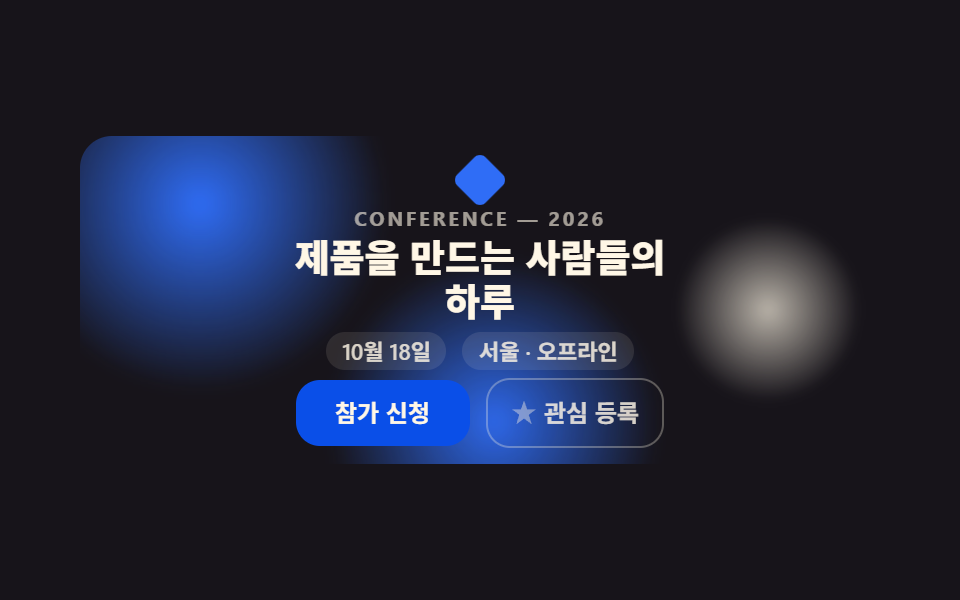 랜딩 섹션이벤트 페이지 템플릿 9종 — 그대로 붙이는 섹션
 랜딩 섹션언론보도 페이지 템플릿 9종 — 프레스룸 섹션 모음
 랜딩 섹션프로모션 페이지 랜딩 섹션 템플릿 9종
 랜딩 섹션믿음 가는 랜딩 페이지 섹션 템플릿 9종
 랜딩 섹션CSS 카드 디자인 9종 — 도시·팀원·바로가기부터
 랜딩 섹션랜딩페이지 전환율을 끌어올리는 섹션 9종
 랜딩 섹션웹사이트 푸터 디자인 패턴 9종, 복사해서 바로 쓰는
 랜딩 섹션히어로 섹션 디자인 패턴 9종 — JS 라이브러리 없이
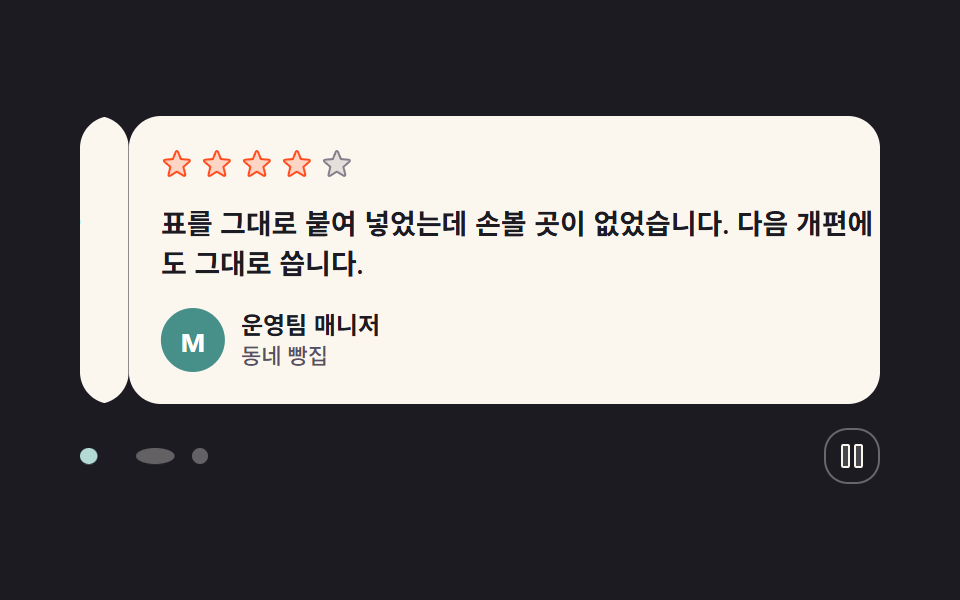 랜딩 섹션고객 후기 디자인 패턴 9종, 신뢰를 보여 주는
 랜딩 섹션인용구 디자인 CSS 9종 — 블로그에 바로 붙이는 인용구 박스 코드